
ASS Subtitle Font Subsetting: From Theory to Practice
What Are ASS Subtitles?
ASS (Advanced SubStation Alpha) is a powerful subtitle format. Compared to common SRT subtitles, ASS subtitles support:
- Custom fonts — different fonts for different text elements
- Effects and animations — fade in/out, karaoke effects, motion animations
- Precise positioning — subtitles can be placed anywhere on screen
- Rich styling — borders, shadows, color gradients, and more
These capabilities make ASS the go-to format for fansubbing groups, especially for polished typeset subtitles.
But ASS’s expressive power relies on one prerequisite: the playback device must have the fonts referenced by the subtitle.
Where the Font Problem Comes From
The problem is straightforward: your PC might have fonts like FZCuHeiSongS, Source Han Serif, or STXingkai installed, but your TV, phone, or tablet almost certainly doesn’t.
When fonts are missing, the player falls back to a default font. The carefully typeset subtitles end up looking like this:
- Artistic title fonts → replaced with a generic serif
- Special Japanese kana fonts → tofu blocks (□)
- Carefully adjusted kerning and line spacing → completely broken
This leads to two common scenarios:
Scenario 1: Naked subtitles — no fonts at all
More often than not, the subtitles you download are just a bare ASS file. It references a bunch of fancy font names, but the fonts themselves? Nowhere to be found — not in the MKV, not in the archive. The fansubbers assume you’ll track them down yourself.
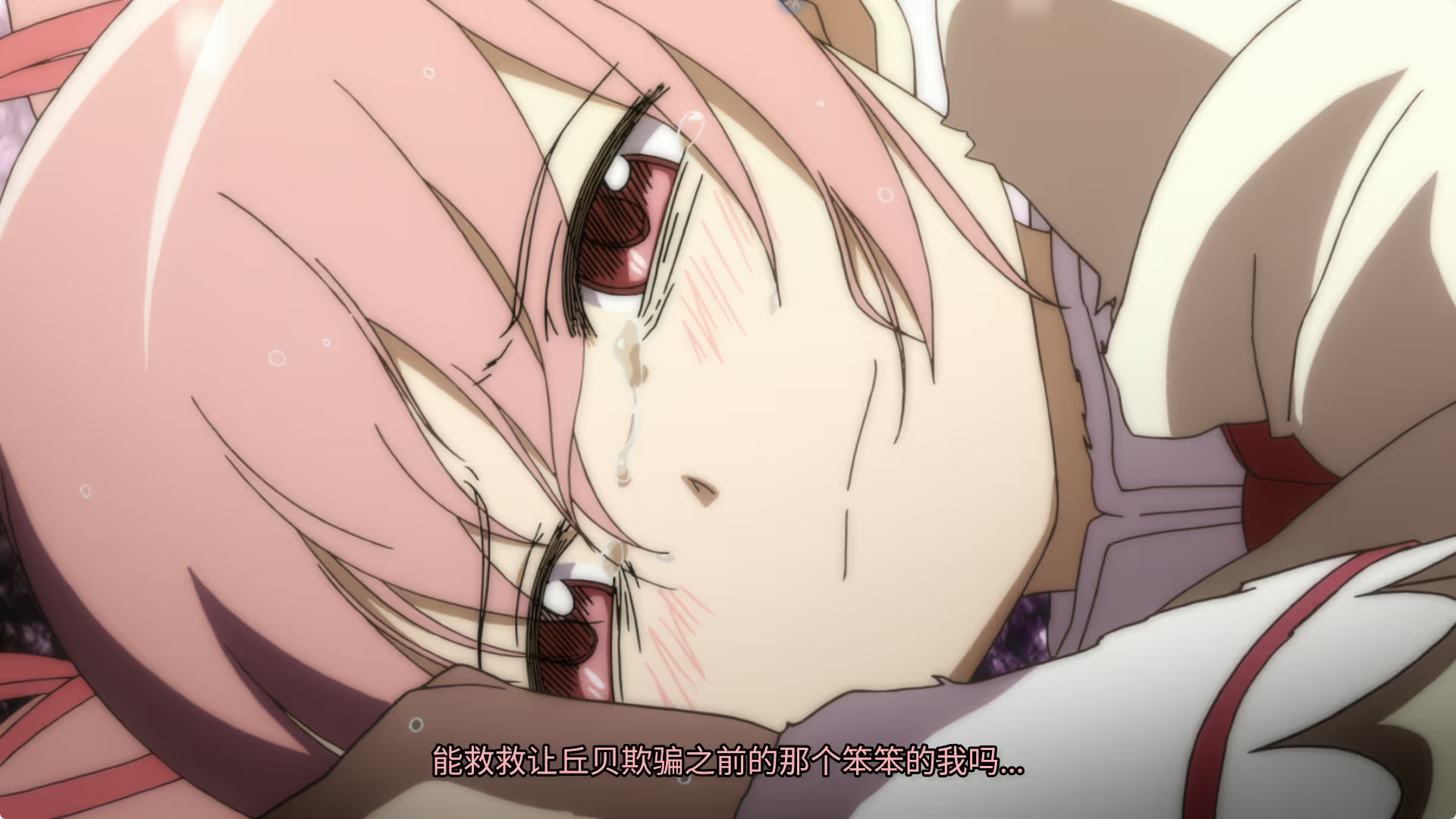
So you open the video, and the subtitles are all in a generic system font, styled text turns into tofu blocks, and lyric subtitles are a jumbled mess — that’s what “naked subtitles” look like. Want the intended look? You’ll need to hunt down each font, manually install them, and repeat the whole process on every device.
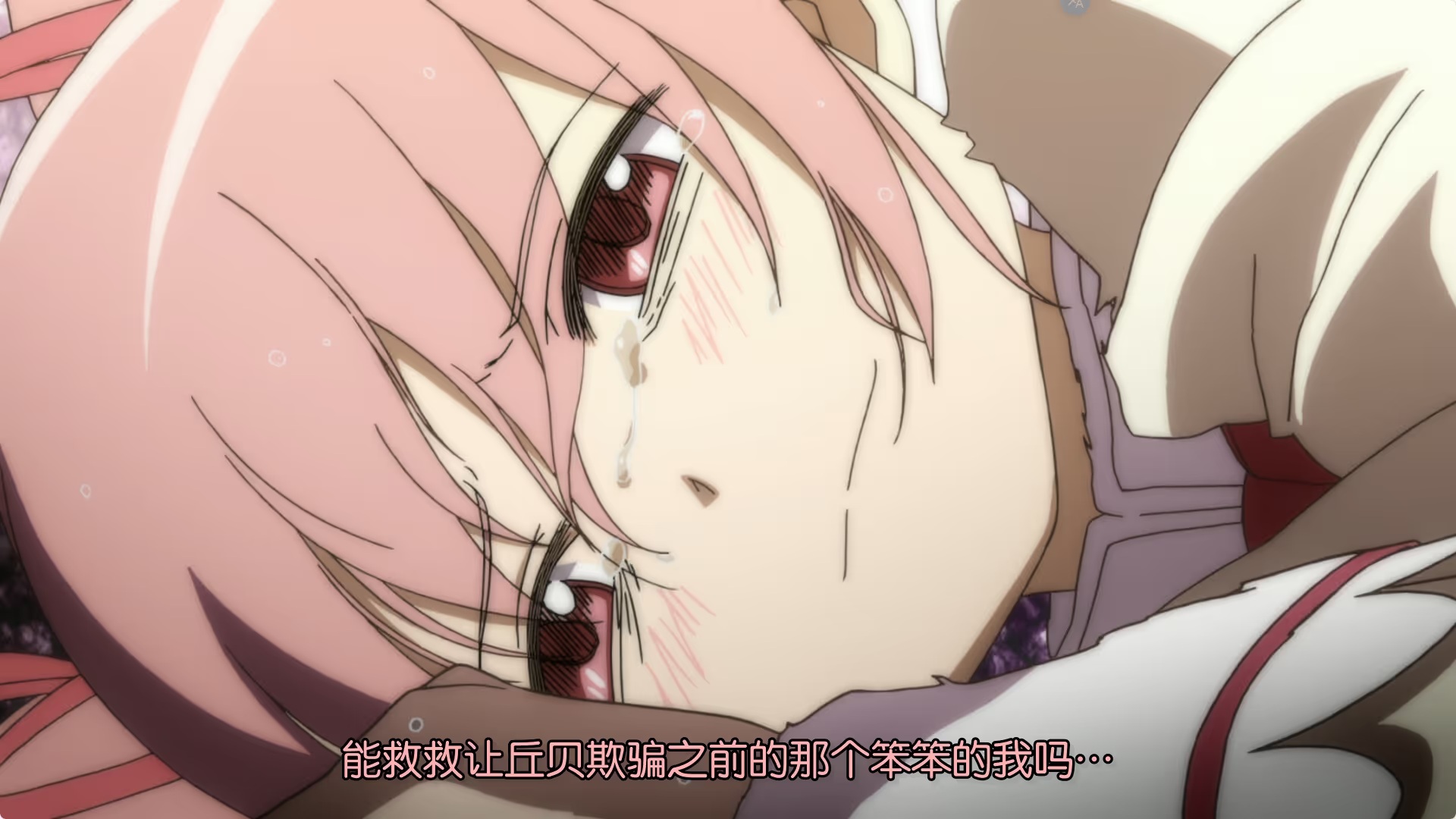
| Without fonts | With subsetted fonts embedded |
|---|---|
 |  |
Scenario 2: All fonts bundled in — file size explodes
Responsible fansubbing groups bundle fonts into the MKV container. MKV supports attachments, allowing TTF/OTF font files to be embedded directly in the video file. This way, fonts are available on any device.
But here’s the catch — a single CJK (Chinese/Japanese/Korean) font can easily be 20–70 MB, and it’s common for a single episode’s subtitles to reference 5–6 fonts. A 200 MB video can balloon to 400 MB after embedding fonts.
The Dilemma
No fonts means broken visuals; full fonts means doubled file size. Font subsetting is the solution to this dilemma.
What Is Font Subsetting?
The core idea behind font subsetting is simple:
If the subtitles only use 200 Chinese characters, why embed a full font containing 30,000+ glyphs?
Subsetting extracts only the glyphs actually used in the subtitles from the full font and repackages them into a trimmed-down font file.
A real-world example:
| Full font | After subsetting | |
|---|---|---|
| Source Han Sans | 16.4 MB | ~200 KB |
| FZCuHeiSongS | 8.7 MB | ~150 KB |
| Total (6 fonts) | 70 MB | ~2 MB |
That’s right — 70 MB of fonts can be reduced to 2 MB, with zero visual difference — because every glyph the subtitles need is fully preserved.
Benefits of Subsetting
Save Storage Space
This is the most obvious benefit. A 12-episode anime season saving 200 MB of fonts per episode adds up to 2.4 GB of saved space. That’s significant for NAS users with limited storage.
Faster Network Transfer
Whether streaming from a NAS to your TV or playing online, smaller files mean faster buffering and less stuttering. At 30 Mbps, loading 200 MB of fonts takes about 53 seconds, while 2 MB takes less than 1 second.
Cross-Device Compatibility
Subsetted fonts can be embedded in the ASS file itself (via UUEncoded [Fonts] section) or in the MKV container. No matter what device you’re watching on — TV, phone, tablet, or PC — subtitle styles display correctly without manual font installation.
Simplified Distribution
An ASS file with embedded fonts is a fully self-contained subtitle file. When sharing with others, no need to attach a separate font pack.
Existing Tools
Font subsetting isn’t a new concept. The community already has some great tools:
Assfonts
Assfonts is a cross-platform GUI/CLI tool supporting Windows, macOS, and Linux. It finds fonts referenced by subtitles from the local font library, subsets them, and embeds them into ASS or MKV files.
MkvAutoSubset
MkvAutoSubset and similar tools provide comparable functionality, mainly targeting MKV muxing workflows.
Pain Points of Local Tools
These tools work well, but share a common limitation: they’re all local tools.
- Requires maintaining a massive local font library (typically tens of GB)
- Switching computers means reconfiguring everything
- Inconvenient on servers without a GUI environment
- Font library updates require manual management
FontInAss — My Online Subsetting Solution
Inspired by Assfonts, I built FontInAss — a fully online subtitle font subsetting service powered by Cloudflare Workers.
I previously wrote about deploying FontInAss with Docker Compose for Emby/Jellyfin integration, which covers self-hosting FontInAss to automatically process subtitle fonts during playback. This article takes a step back to explain font subsetting itself and the design of FontInAss’s online version.
Why Build This?
My need was simple: I didn’t want to maintain a multi-GB font library on every machine. I wanted an online service where I could upload ASS files and get subsetted results back.
Key Features
- Fully online: Powered by Cloudflare Workers — no software to install
- Massive font library: 105 GB font library (VCB-Studio + Lam font collections) stored on Cloudflare R2
- Batch processing: Upload up to 20 files at once
- Multi-format support: ASS / SSA / SRT formats, with automatic SRT-to-ASS conversion
- Smart font matching: Scores and matches the best font based on weight, italic, and other attributes
- Cache acceleration: KV cache with 7-day TTL — repeated requests return instantly
- Bilingual UI: Interface supports both Chinese and English
How to Use
- Visit font.anibt.net
- Drag and drop ASS / SSA / SRT files into the upload area (or click to select files)
- Wait for processing to complete
- Download the subsetted files
If you encounter missing fonts in the library, you can submit font requests via the on-site comment system or Telegram.


Conclusion
Font subsetting may seem niche, but its impact is significant. It can halve your anime file sizes, make streaming smoother, and ensure subtitles look perfect on any device.
If you’re a fansubber, anime collector, or NAS user, give FontInAss a try. Feedback and suggestions are always welcome.