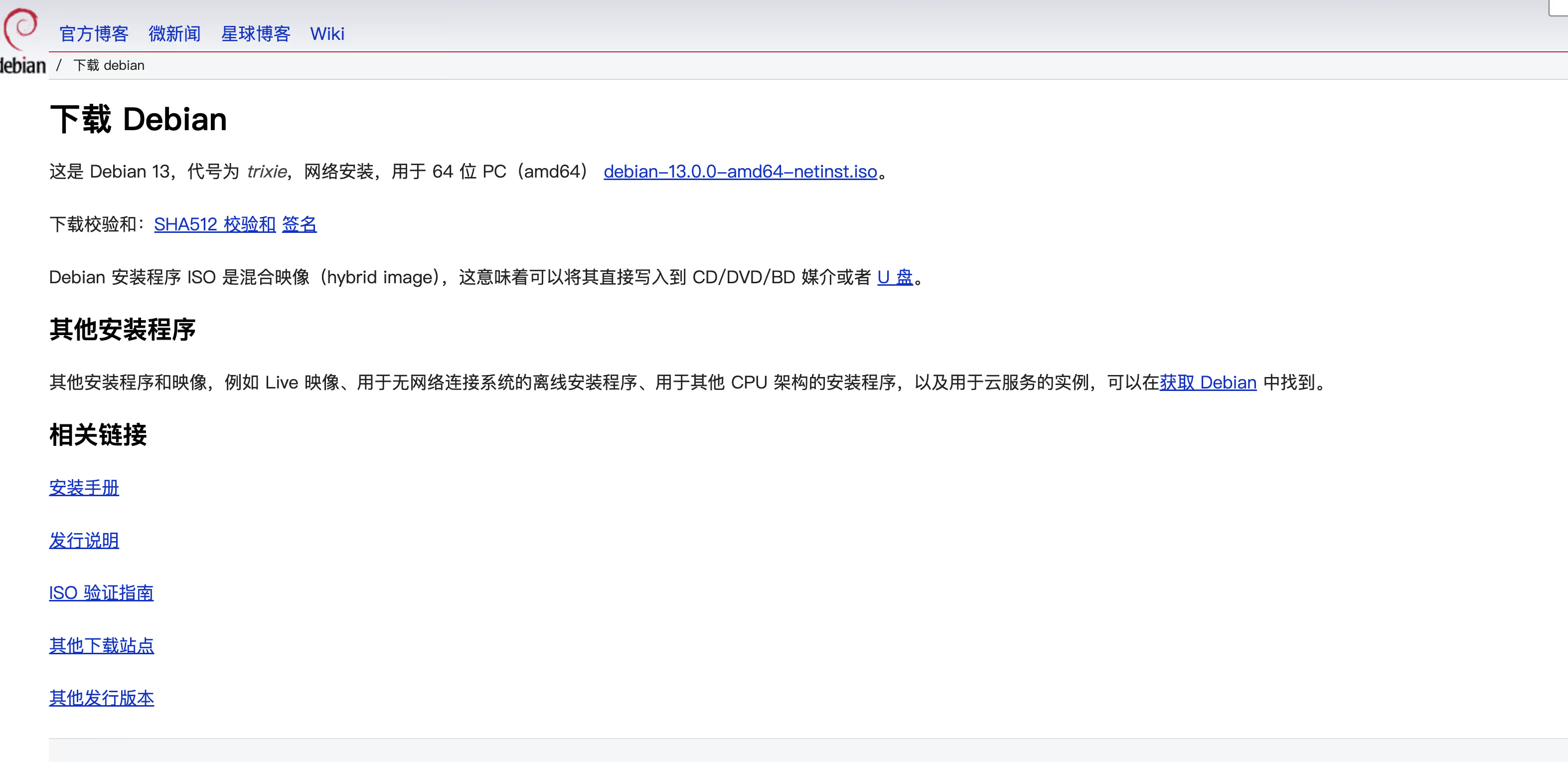
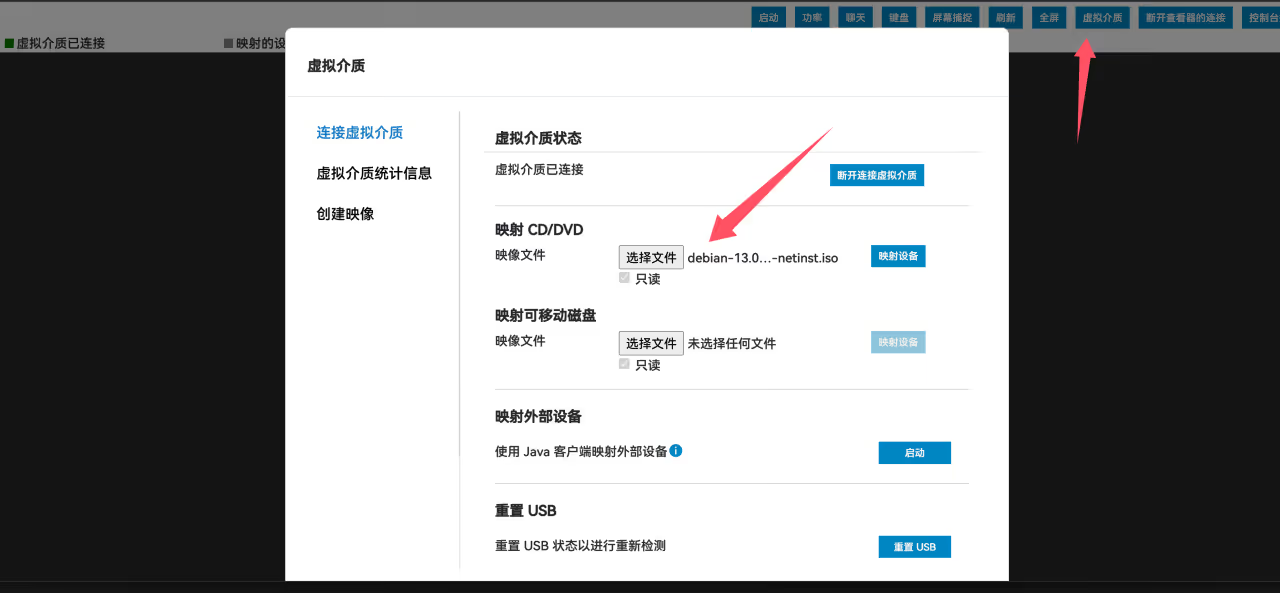
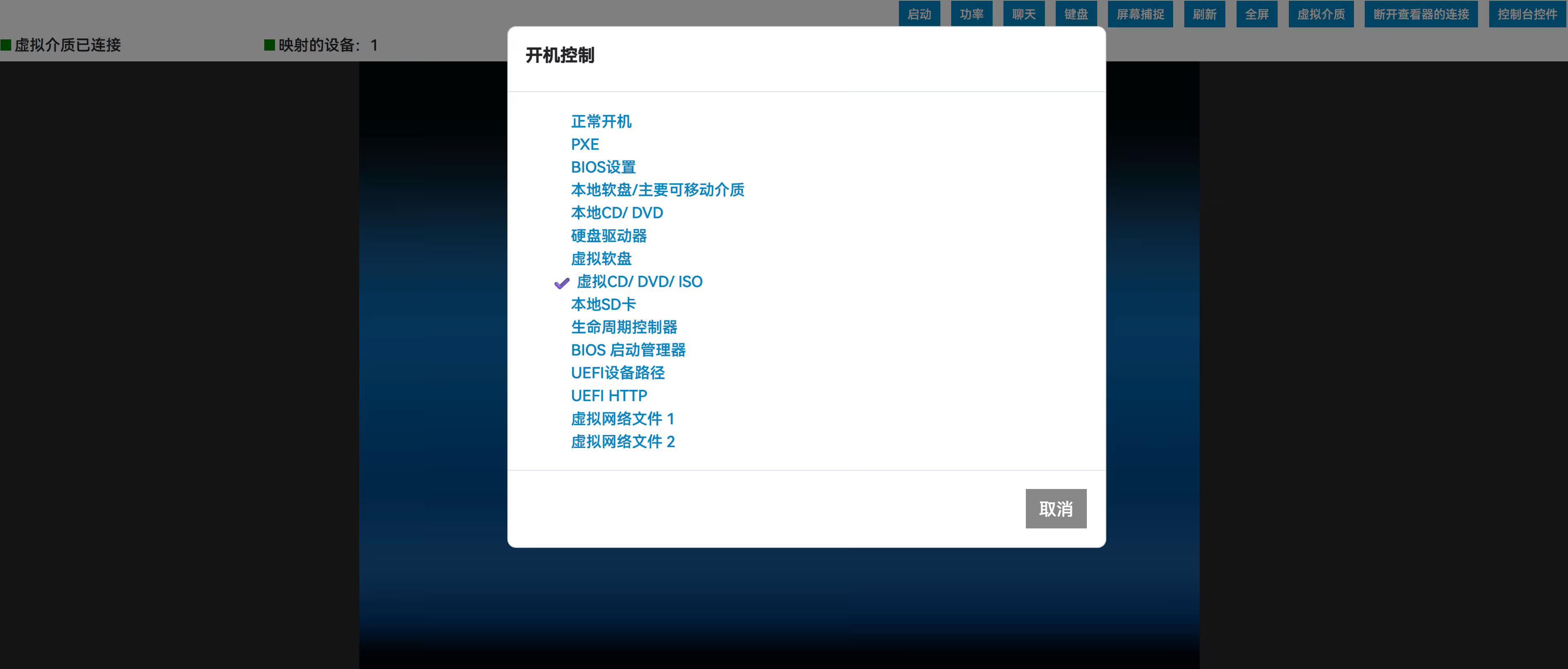
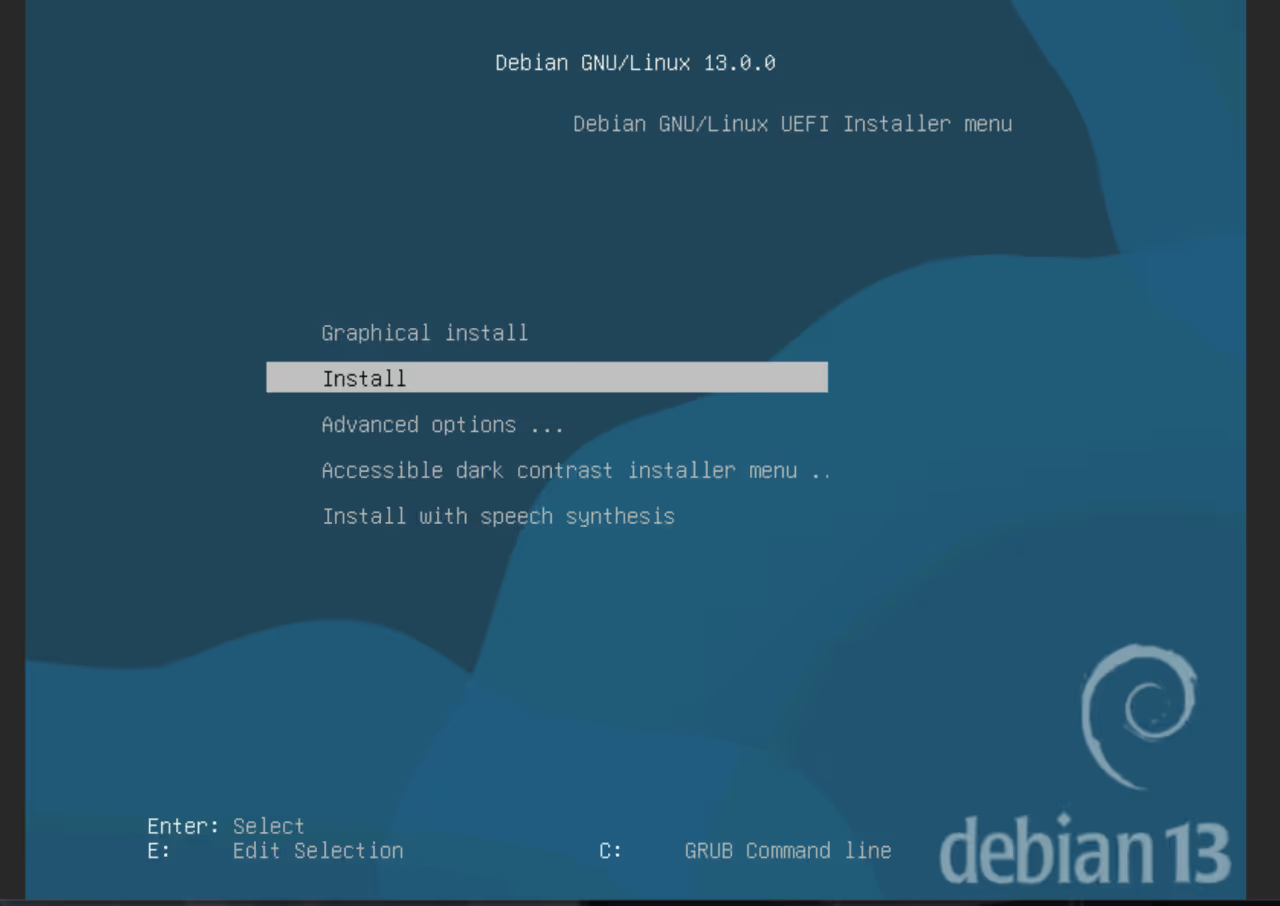
<?xml version="1.0" encoding="utf-8"?>
<feed xmlns="http://www.w3.org/2005/Atom" xml:lang="zh-CN">
  <title>猫猫博客</title>
  <subtitle>猫猫博客分享服务器测评、Linux / Docker 教程、自托管实践，以及值得买的云主机与工具。</subtitle>
  <link href="https://catcat.blog/" rel="alternate" type="text/html"/>
  <link href="https://catcat.blog/atom.xml" rel="self" type="application/atom+xml"/>
  <id>https://catcat.blog/</id>
  <updated>2026-09-19T00:00:00.000Z</updated>
  <entry>
    <title>猫猫Emby服食用指南</title>
    <link href="https://catcat.blog/catcat-emby" rel="alternate" type="text/html"/>
    <id>https://catcat.blog/catcat-emby</id>
    <published>2024-08-06T00:00:00.000Z</published>
    <updated>2024-08-06T00:00:00.000Z</updated>
    <summary>做这个媒体库初衷是：给朋友分享一些BDRIP方便观看，不会因此影响画质，后来经过大佬的介绍，学习了很多相关的知识。</summary>
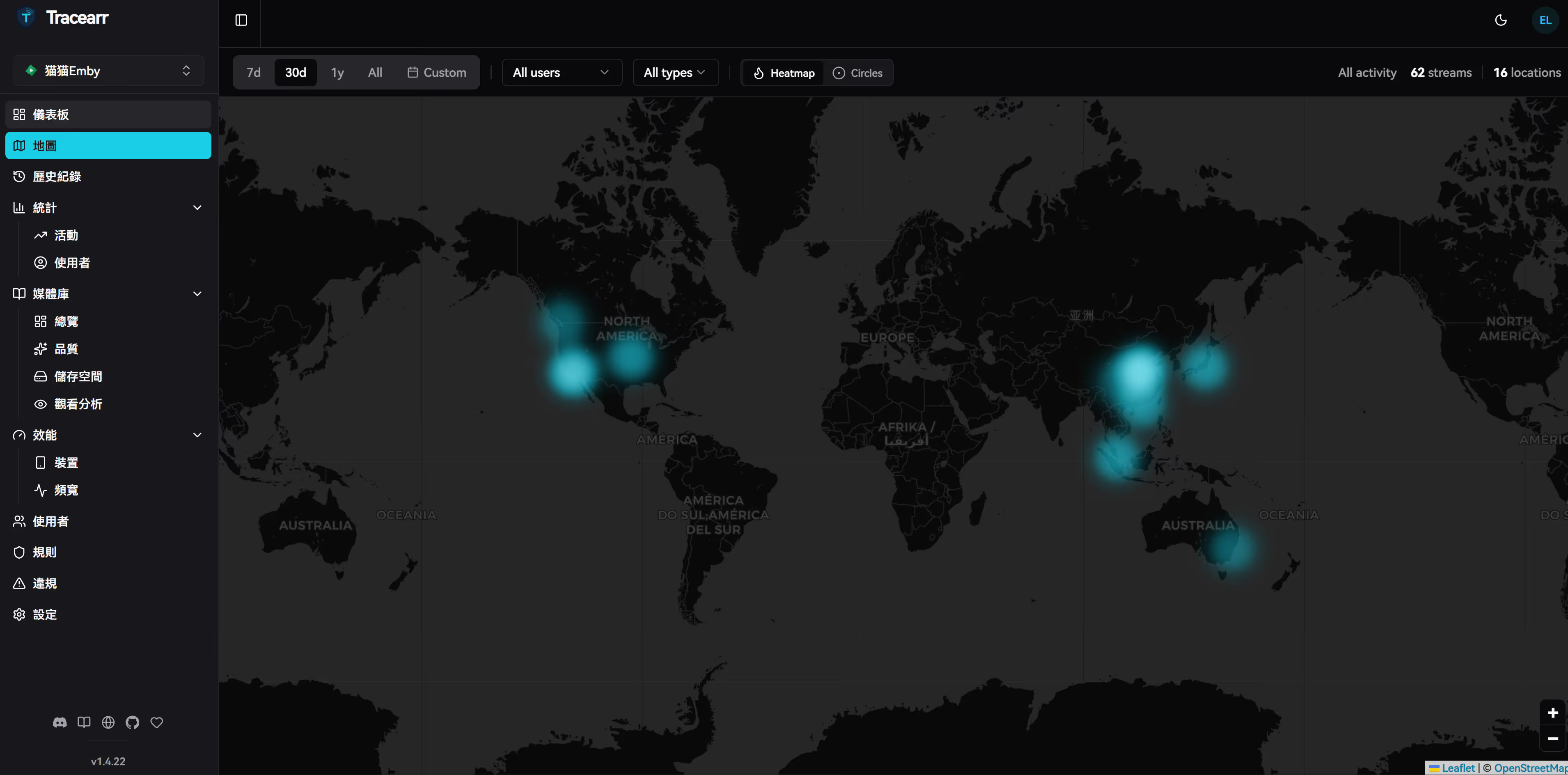
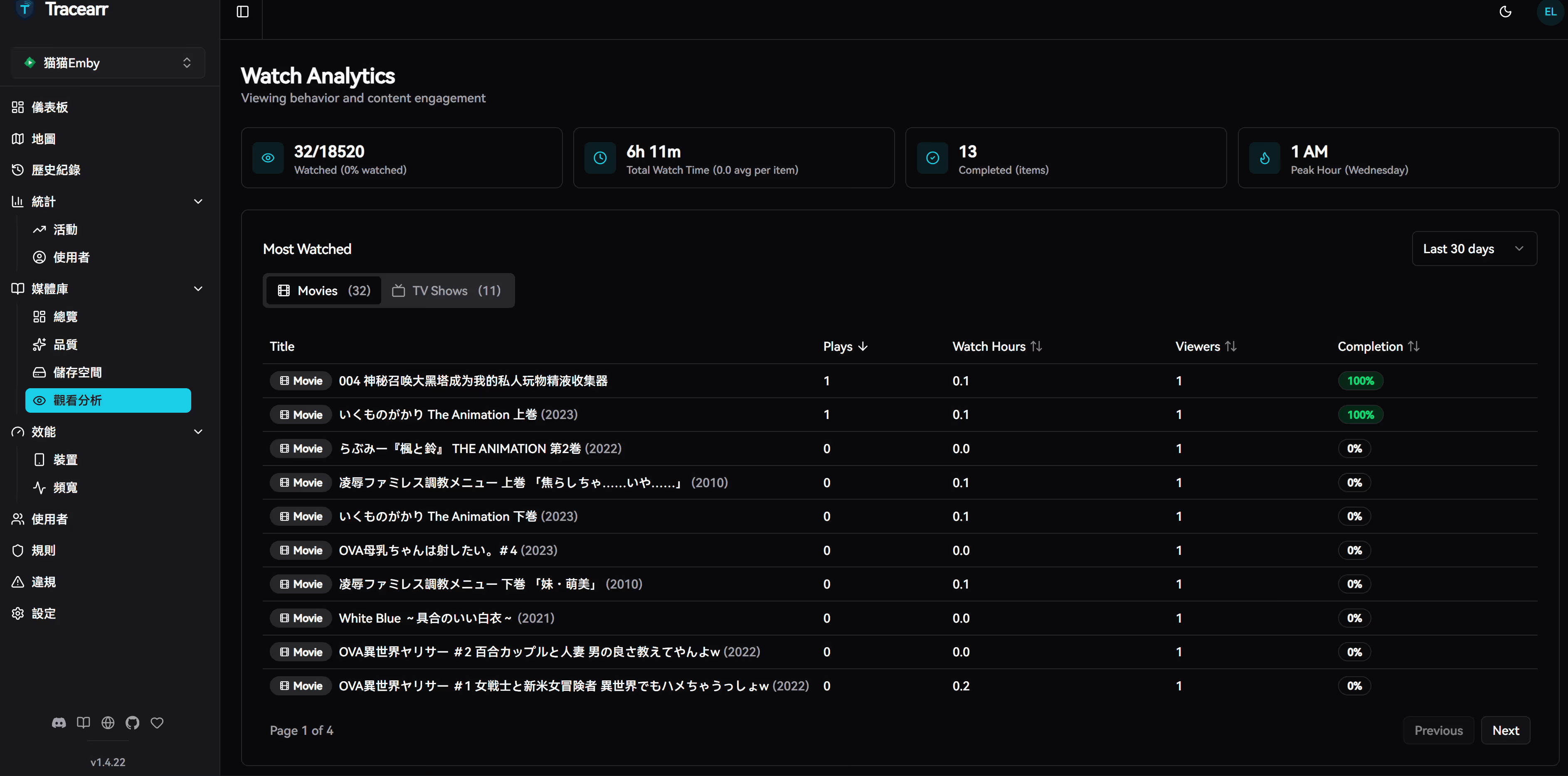
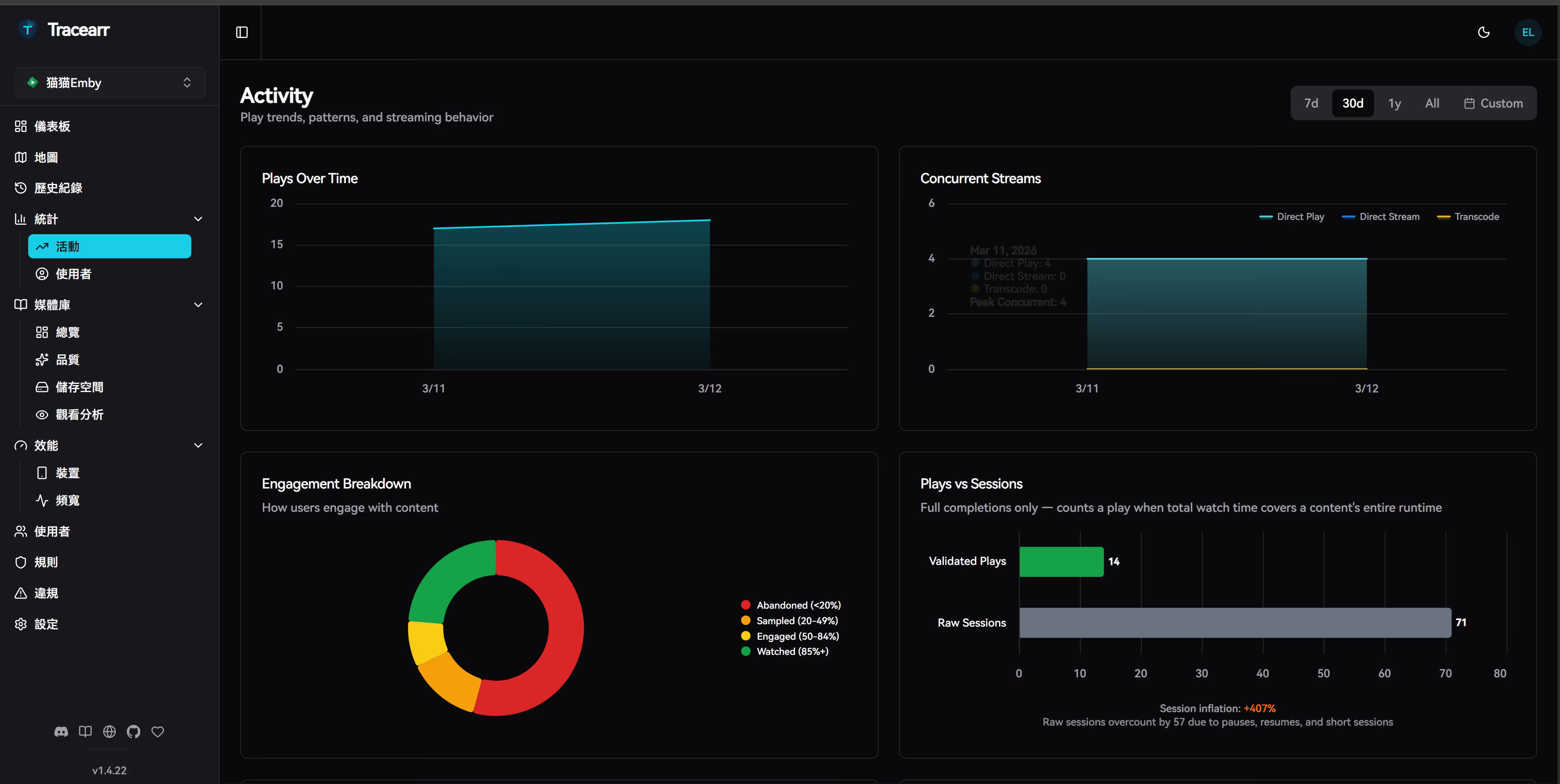
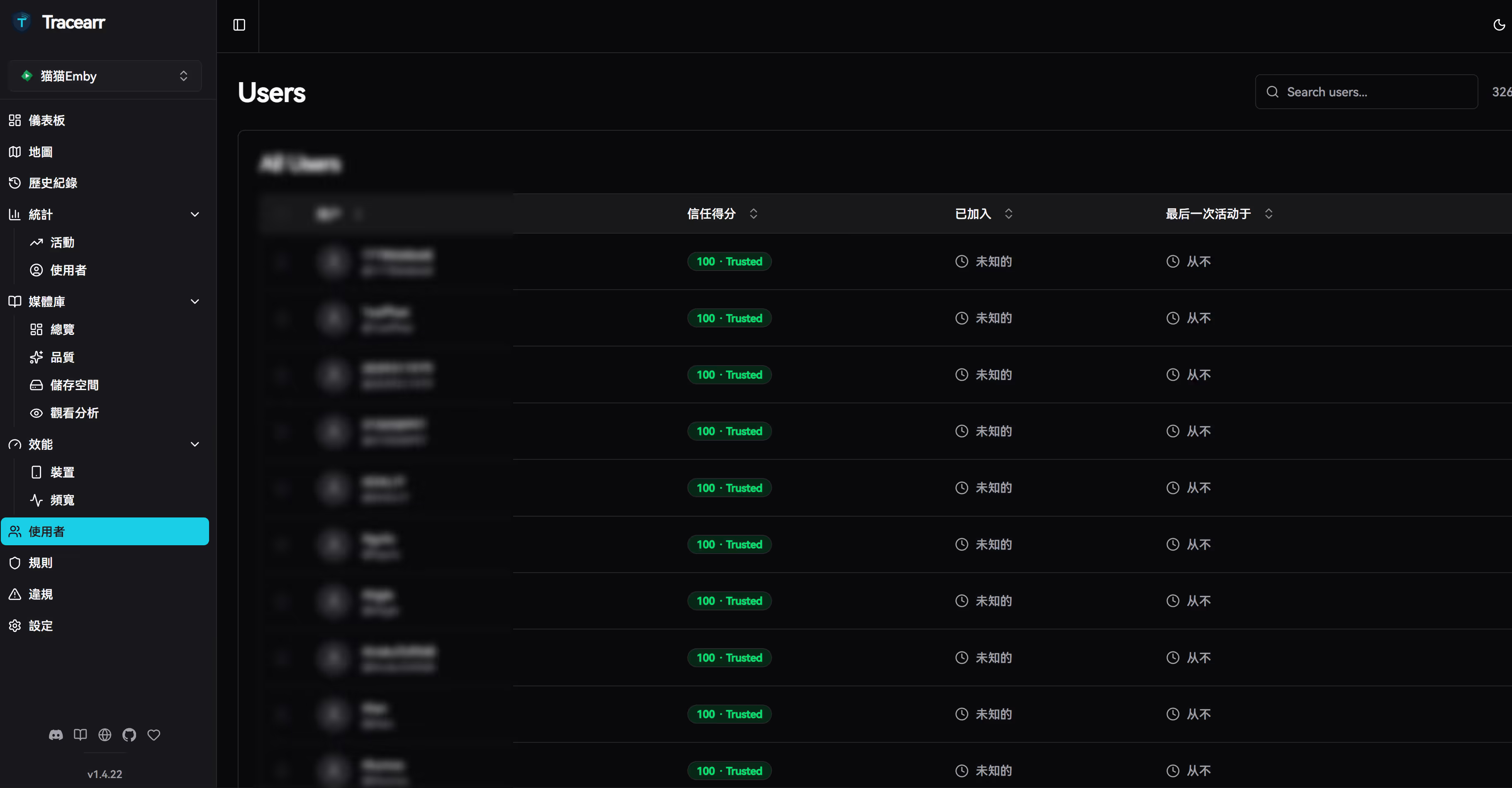
    <content type="html"><![CDATA[<h2>截图一览</h2>
<p>目前所存储的媒体内容： <a href="https://wall.sakiko.de">喵影坞</a></p>
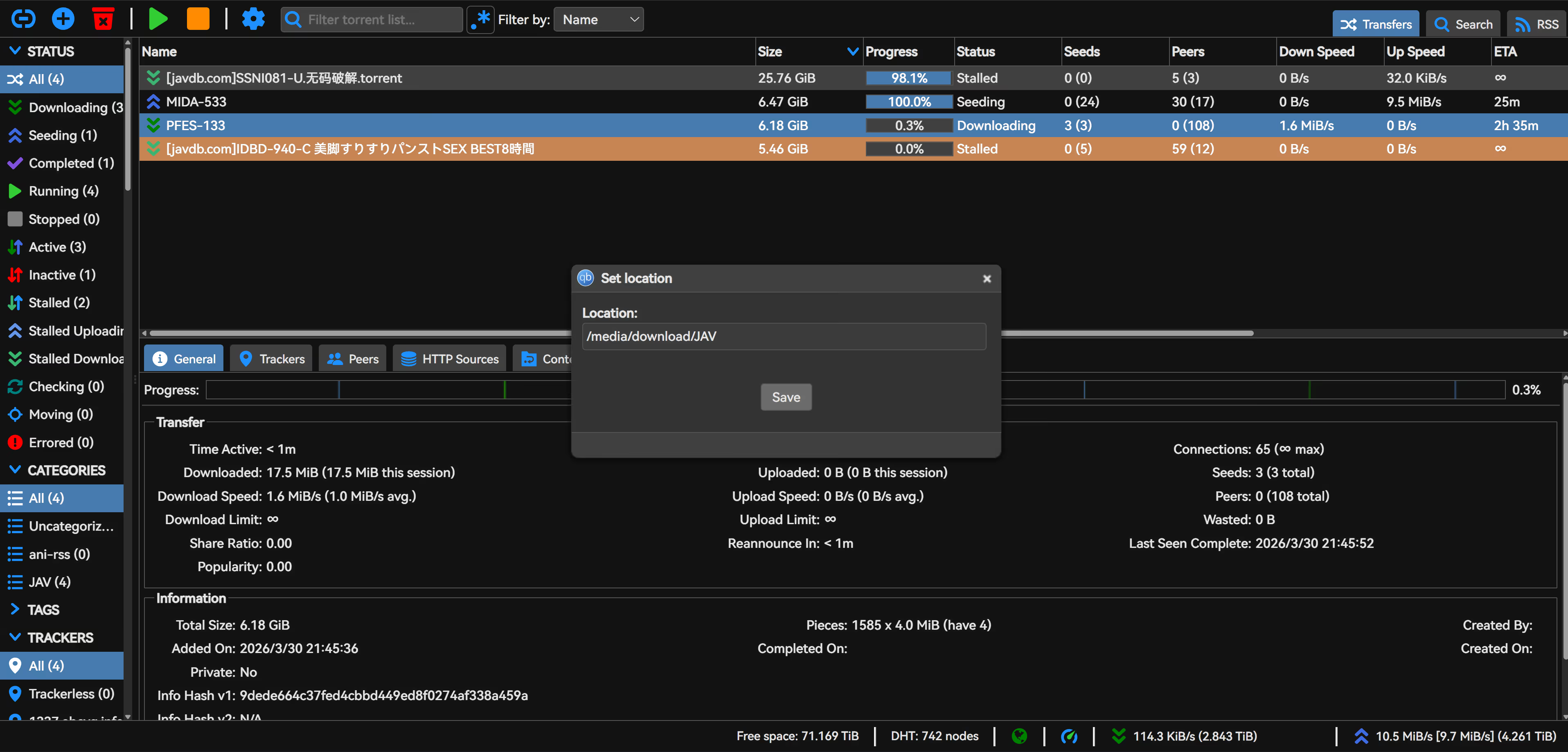
<p>&lt;picture&gt;
&lt;source srcset="https://s3.catcat.blog/images/2024/08/image.avif" type="image/avif"&gt;
&lt;source srcset="https://s3.catcat.blog/images/2024/08/image.webp" type="image/webp"&gt;
&lt;img src="https://s3.catcat.blog/images/2024/08/image.jpg" alt="" loading="lazy"&gt;
&lt;/picture&gt;</p>
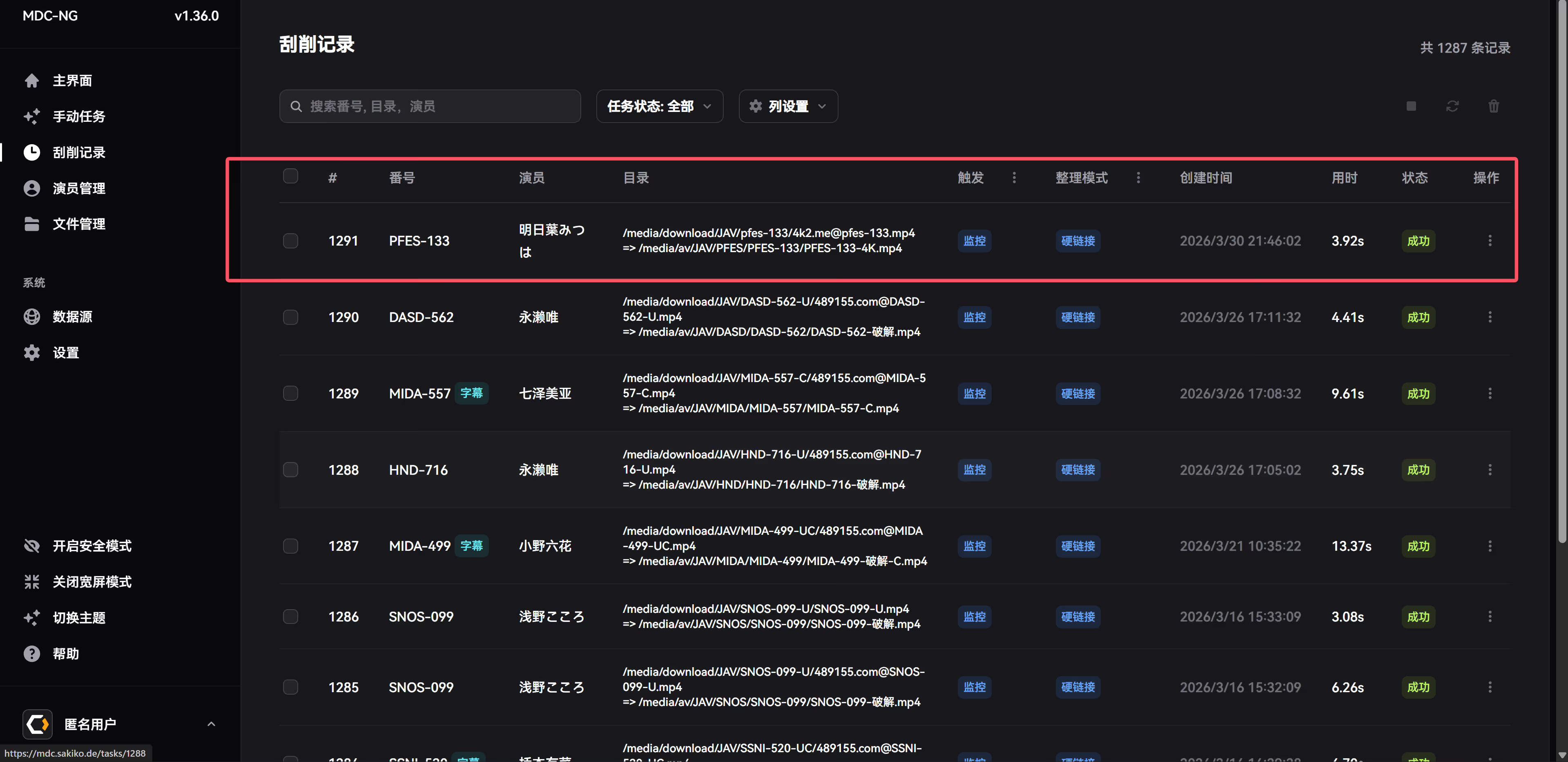
<p>&lt;picture&gt;
&lt;source srcset="https://s3.catcat.blog/images/2024/08/image-5.avif" type="image/avif"&gt;
&lt;source srcset="https://s3.catcat.blog/images/2024/08/image-5.webp" type="image/webp"&gt;
&lt;img src="https://s3.catcat.blog/images/2024/08/image-5.jpg" alt="" loading="lazy"&gt;
&lt;/picture&gt;</p>
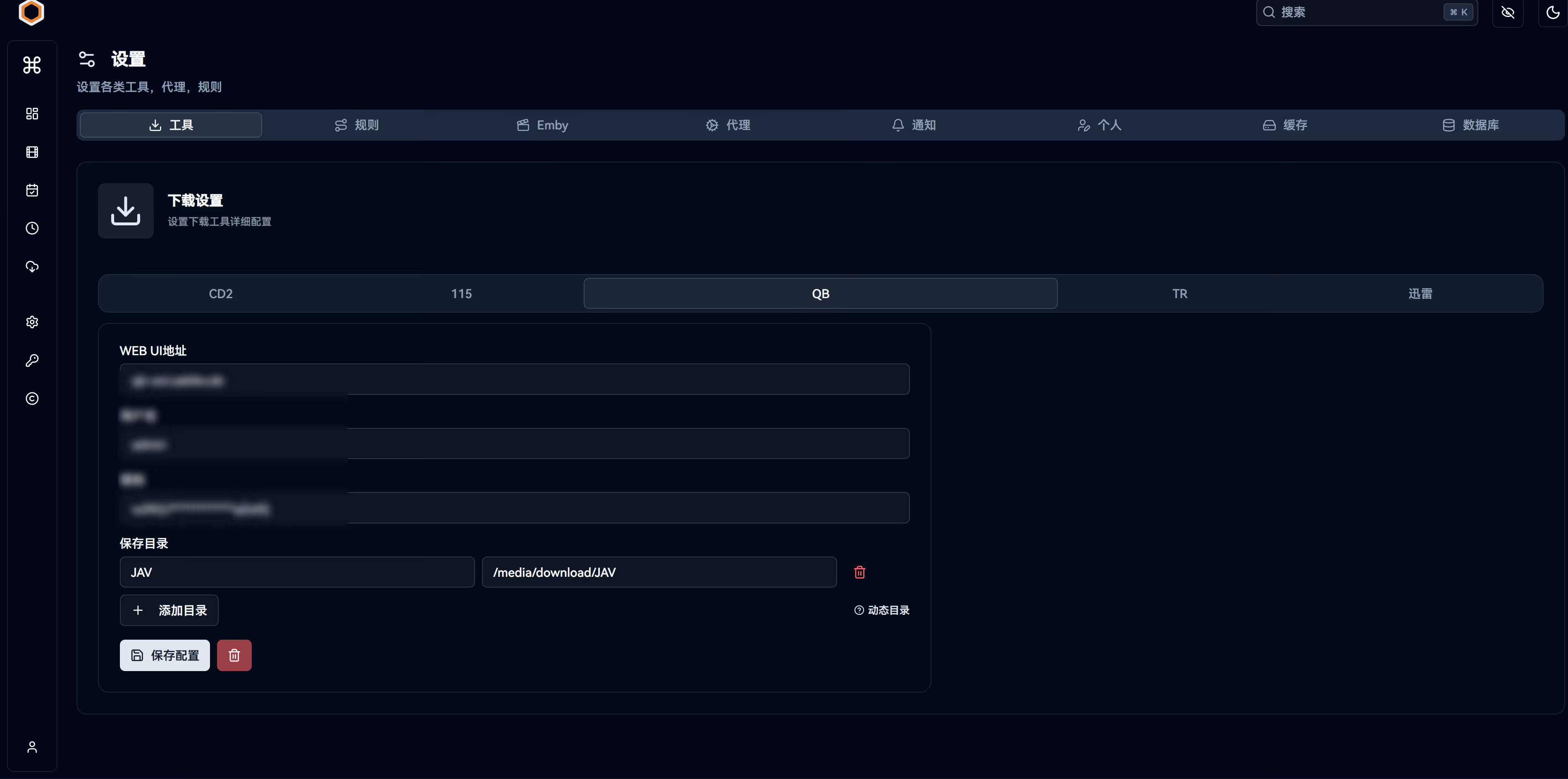
<p>&lt;picture&gt;
&lt;source srcset="https://s3.catcat.blog/images/2024/08/image-4.avif" type="image/avif"&gt;
&lt;source srcset="https://s3.catcat.blog/images/2024/08/image-4.webp" type="image/webp"&gt;
&lt;img src="https://s3.catcat.blog/images/2024/08/image-4.jpg" alt="" loading="lazy"&gt;
&lt;/picture&gt;</p>
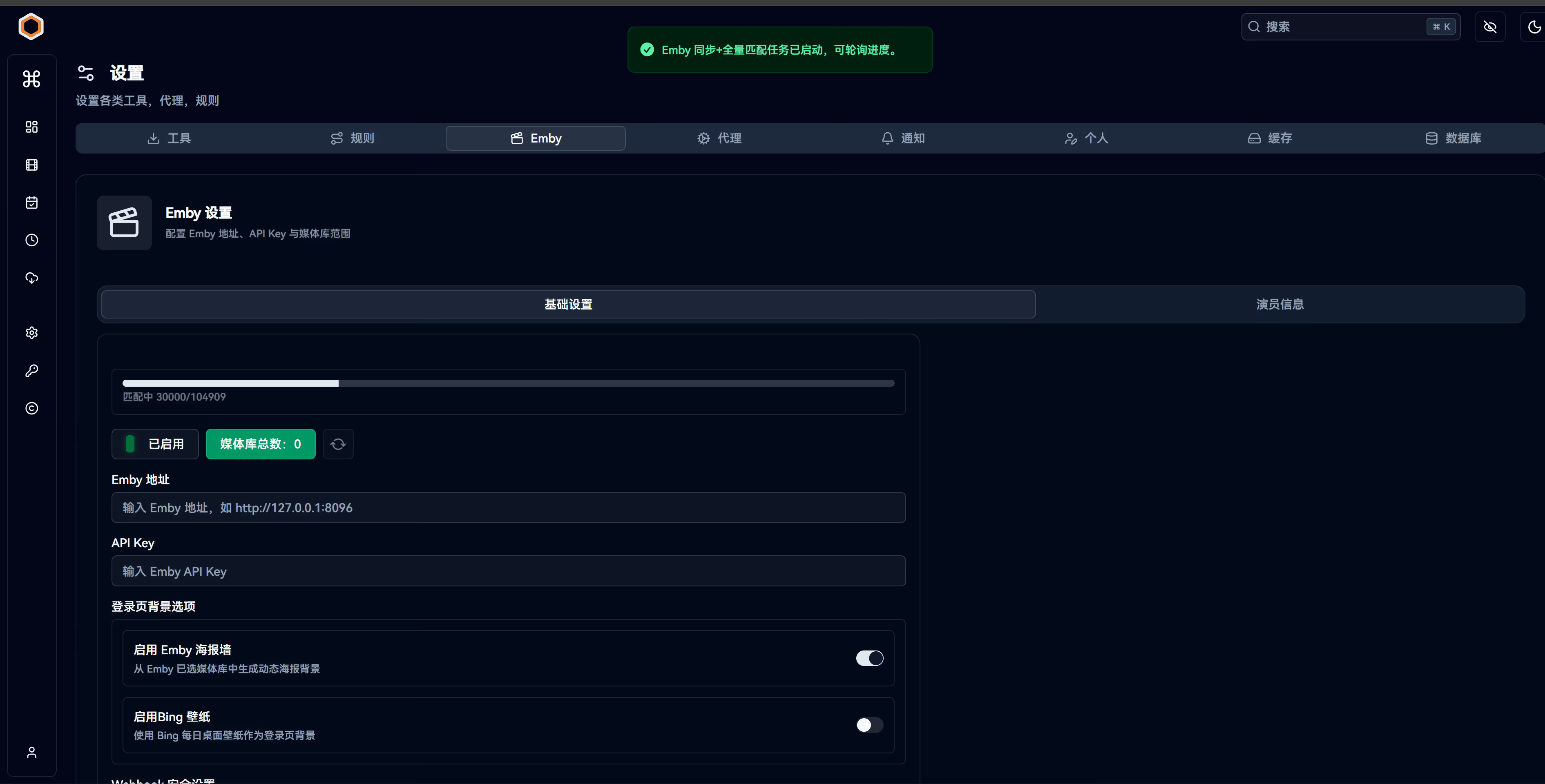
<p>&lt;picture&gt;
&lt;source srcset="https://s3.catcat.blog/images/2024/08/image-1.avif" type="image/avif"&gt;
&lt;source srcset="https://s3.catcat.blog/images/2024/08/image-1.webp" type="image/webp"&gt;
&lt;img src="https://s3.catcat.blog/images/2024/08/image-1.jpg" alt="" loading="lazy"&gt;
&lt;/picture&gt;</p>
<p>&lt;picture&gt;
&lt;source srcset="https://s3.catcat.blog/images/2024/08/image-2.avif" type="image/avif"&gt;
&lt;source srcset="https://s3.catcat.blog/images/2024/08/image-2.webp" type="image/webp"&gt;
&lt;img src="https://s3.catcat.blog/images/2024/08/image-2.jpg" alt="" loading="lazy"&gt;
&lt;/picture&gt;</p>
<p>&lt;picture&gt;
&lt;source srcset="https://s3.catcat.blog/images/2024/08/image-3.avif" type="image/avif"&gt;
&lt;source srcset="https://s3.catcat.blog/images/2024/08/image-3.webp" type="image/webp"&gt;
&lt;img src="https://s3.catcat.blog/images/2024/08/image-3.jpg" alt="" loading="lazy"&gt;
&lt;/picture&gt;</p>
<h3>资源说明：</h3>
<ul>
<li><strong>里面全是BDRIP和Blu-ray Remux，以画质为最优先级。</strong></li>
<li><strong>每次改动调整和新增，都会记录在更新日志中。新番默认直接使用ANI抓取，没有任何优化。</strong>（<strong>现已更新洗板字幕组功能，洗版成功会有通知）</strong></li>
<li><strong>收集的内容受个人喜好主观因素影响。</strong></li>
<li><strong>看我心情更新，催也没用，爬。</strong></li>
<li><strong>绝大多数视频的字幕都做了字体封装和压缩（为了解决字幕组部分特效字幕）。</strong></li>
<li><strong>新番采取全自动化入库洗版，如果BD发布会删除</strong></li>
<li><strong>压制组会选择较好较全的，多为：VCB-Studio和Moozzi2。</strong></li>
<li><strong>sp和扫图是默认删除的，因为sp小剧场对画质要求不高，我也不是很感冒，可b站自行观看，又全还带字幕。</strong></li>
<li><strong>内含成人内容和里番，请自行小心公开播放。</strong></li>
<li><strong>禁止泄露服务器地址和共享账户！！！！！</strong></li>
<li><strong>禁止用浏览器观看，让我发现，直接ban。</strong></li>
</ul>
<h2>食用指南</h2>
<h3>小作文（该节点负载已满不再开放）</h3>
<h4>申请条件（已暂停）：</h4>
<ol>
<li><strong>动画: Bangumi动画观看记录超过2 00部，有BD收藏可加分，并推荐一部你最喜欢的动画</strong></li>
<li><strong>Galgame: Bangumi中Galgame推完超过20部，有实体收藏可加分，并推荐一部你最喜欢的Galgame</strong></li>
<li><strong>漫画: Bangumi漫画观看记录超过50本，有实体收藏可加分，并推荐一部你最喜欢的漫画</strong></li>
</ol>
<p><strong>以上活动均以结束</strong>（<strong>当然包括不限于以上这些，其他方式也可以，软门槛</strong>）</p>
<p><img src="https://s3.catcat.blog/images/2026/05/20260505215517550.avif" alt="image-20260505215510380" /></p>
<h3>付费观看 （介于很多人留言，所以单独新增节点重新开放）</h3>
<h4>购买</h4>
<p>前往 <a href="https://store.avemujica.moe">Mujika Shop</a>
可以看到一个10元（续期码） 一个30元 （注册码）</p>
<p>如果出现问题，请联系<a href="https://t.me/catcat_chat_bot">机器人</a>说明问题，也可以留言</p>
<p>:::caution
根据embyboss的代码，当30天到期后，不完成续费，会导致账户前5天（第31天直到第35天）处于封存状态，当第36天未完成续费，账户会进行自动删除
:::</p>
<p><img src="https://s3.catcat.blog/images/2026/06/20260609234213633.avif" alt="image-20260609234212874" /></p>
<p>::github{repo="berry8838/Sakura_embyboss"}</p>
<p>发电后你都会得到一个优惠码，前往<a href="https://t.me/catcat_emby">TG群聊</a> 输入 /start@catcat_embybot 找机器人开户
<img src="https://s3.catcat.blog/images/2026/03/20260308135718117.avif" alt="image-20260308135718033" /></p>
<p>点击使用注册码
<img src="https://s3.catcat.blog/images/2026/03/20260308135806716.avif" alt="image-20260308135806140" />
<img src="https://s3.catcat.blog/images/2026/03/20260308135839962.avif" alt="image-20260308135839826" />
注册成功
<img src="https://s3.catcat.blog/images/2026/03/20260308135928649.avif" alt="image-20260308135928504" />
获得账户密码
<img src="https://s3.catcat.blog/images/2026/03/20260308140004071.avif" alt="image-20260308140003935" /></p>
<p>续期码的使用同理，但是是从10元那里获取的。这里不再重复了。</p>
<h2>播放指南</h2>
<p>这边Windows只推荐使用<strong>小秘Emby</strong>进行播放，安卓请使用<strong>Yamby</strong>。</p>
<p>mac和ios用户建议使用<strong>Infuse和SenPlayer</strong>进行播放。</p>
<p>具体可参见 <a href="https://catcat.blog/emby-server">Emby客户端推荐</a>。<strong>这里仅仅只教学Win端，因为其他客户端属于傻瓜都会的点点点。</strong></p>
<h3>Windows</h3>
<h4>1.小秘客户端下载</h4>
<p><strong>地址：<a href="https://www.alipan.com/s/S2MXxS3L1gY">https://www.alipan.com/s/5ULuWmg3fjh</a></strong></p>
<h4>2.🧭 开启弹幕</h4>
<p>此为旧版弹幕插件，目前社区开发了更好的弹幕插件，也可以尝试</p>
<p>记事本编辑 <strong>你的安装目录/Emby Theater/electronapp/www/index.html</strong>，添加以下内容后保存即可</p>
<p>安装原理不变，但是需要下载js到本地路径，下载ede.js文件，保存到对应目录，编辑index.html文件</p>
<p> <a href="https://github.com/">GitHub</a></p>
<p><a href="https://github.com/chen3861229/dd-danmaku">chen3861229/dd-danmaku</a></p>
<p>&lt;picture&gt;
&lt;source srcset="https://s3.catcat.blog/images/2024/08/image-17.avif" type="image/avif"&gt;
&lt;source srcset="https://s3.catcat.blog/images/2024/08/image-17.webp" type="image/webp"&gt;
&lt;img src="https://s3.catcat.blog/images/2024/08/image-17.jpg" alt="文件夹和文件目录视图，包含插件和HTML文件。" loading="lazy"&gt;
&lt;/picture&gt;</p>
<pre><code>// &lt;script src="ede.js" charset="utf-8" defer&gt;&lt;/script&gt;
&lt;script src="ede.js" charset="utf-8"&gt;&lt;/script&gt;
</code></pre>
<pre><code>## 旧方案
&lt;script type="text/javascript" src="https://danmaku.movie.kg/ext.js"&gt;&lt;/script&gt;
&lt;link rel="stylesheet" href="https://danmaku.movie.kg/ext.css"/&gt;
</code></pre>
<p>&lt;picture&gt;
&lt;source srcset="https://s3.catcat.blog/images/2024/08/image-7.avif" type="image/avif"&gt;
&lt;source srcset="https://s3.catcat.blog/images/2024/08/image-7.webp" type="image/webp"&gt;
&lt;img src="https://s3.catcat.blog/images/2024/08/image-7.jpg" alt="" loading="lazy"&gt;
&lt;/picture&gt;</p>
<h4>🌟 集成 Anime4K</h4>
<p>讲第一步里下载的Anime-4K文件夹解压到 <code>%appdata%</code> 目录下</p>
<p>&lt;picture&gt;
&lt;source srcset="https://s3.catcat.blog/images/2024/08/image-8.avif" type="image/avif"&gt;
&lt;source srcset="https://s3.catcat.blog/images/2024/08/image-8.webp" type="image/webp"&gt;
&lt;img src="https://s3.catcat.blog/images/2024/08/image-8.jpg" alt="" loading="lazy"&gt;
&lt;/picture&gt;</p>
<p>播放 1080p 及以下分辨率非 HDR 视频时自动开启(一般新番都会自动开启)</p>
<p>&lt;picture&gt;
&lt;source srcset="https://s3.catcat.blog/images/2024/08/image-9.avif" type="image/avif"&gt;
&lt;source srcset="https://s3.catcat.blog/images/2024/08/image-9.webp" type="image/webp"&gt;
&lt;img src="https://s3.catcat.blog/images/2024/08/image-9.jpg" alt="" loading="lazy"&gt;
&lt;/picture&gt;</p>
<p>如果客户端版本比较新，需要修改下列设置，否则 Anime4K 可能没有效果</p>
<p>&lt;picture&gt;
&lt;source srcset="https://s3.catcat.blog/images/2024/08/image-10.avif" type="image/avif"&gt;
&lt;source srcset="https://s3.catcat.blog/images/2024/08/image-10.webp" type="image/webp"&gt;
&lt;img src="https://s3.catcat.blog/images/2024/08/image-10.jpg" alt="" loading="lazy"&gt;
&lt;/picture&gt;</p>
<p>到此，你就可以开始愉快的欣赏番剧了。😋</p>
]]></content>
    <author><name>猫猫博客</name></author>
    <category term="教程"/>
  </entry>
  <entry>
    <title>Netcup 注册免税入坑指南</title>
    <link href="https://catcat.blog/netcup-signup" rel="alternate" type="text/html"/>
    <id>https://catcat.blog/netcup-signup</id>
    <published>2024-05-15T00:00:00.000Z</published>
    <updated>2024-05-15T00:00:00.000Z</updated>
    <summary>带你全面掌握Netcup注册免税：准备英文账单、领取并兑换优惠券、下单选机房与合约周期解析，详细避坑指南助你低价拿下高性能VPS，远离合同与位置附加费陷阱。</summary>
    <content type="html"><![CDATA[<h2>Netcup介绍</h2>
<p>Netcup是一家总部位于德国的服务器提供商,成立于1998年，拥有德国<strong>纽伦堡和维也纳</strong>两大机房。目前运营域名注册,VDS,VPS,ARM VPS,杜甫,块存储等。因为机器性能优秀，带宽大，流量足常常被国内玩家用于PT场景。Netcup连续多年荣获欧洲最喜爱的网络托管商，他们非常在乎口碑，服务也非常好。但是由于欧洲德国人古板的守旧合同，购买时候的坑点不少。</p>
<h2>注册准备</h2>
<p>一份英文的账单。（可以是和其他欧洲VPS厂家的账单，但必须和你netcup的注册信息一样）</p>
<h3>注册流程</h3>
<p>打开官网：<a href="https://www.netcup.eu/">https://www.netcup.eu/</a>（英文）<a href="https://www.netcup.eu/">https://www.netcup.eu/</a>（德语）</p>
<h3>获取优惠券</h3>
<p>打开网址：<a href="https://www.netcup-sonderangebote.de">https://www.netcup-sonderangebote.de</a></p>
<p>输入你的邮箱获取订阅</p>
<p>&lt;picture&gt;
&lt;source srcset="https://s3.catcat.blog/images/2024/05/image-6.avif" type="image/avif"&gt;
&lt;source srcset="https://s3.catcat.blog/images/2024/05/image-6.webp" type="image/webp"&gt;
&lt;img src="https://s3.catcat.blog/images/2024/05/image-6.jpg" alt="" loading="lazy"&gt;
&lt;/picture&gt;</p>
<p>成功后你的邮箱将会收到两份邮件，一份是通知你的订阅他们的促销销毁，一份是给你的5欧代金券</p>
<p>&lt;picture&gt;
&lt;source srcset="https://s3.catcat.blog/images/2024/05/image-7.avif" type="image/avif"&gt;
&lt;source srcset="https://s3.catcat.blog/images/2024/05/image-7.webp" type="image/webp"&gt;
&lt;img src="https://s3.catcat.blog/images/2024/05/image-7.jpg" alt="" loading="lazy"&gt;
&lt;/picture&gt;</p>
<p>&lt;picture&gt;
&lt;source srcset="https://s3.catcat.blog/images/2024/05/image-8.avif" type="image/avif"&gt;
&lt;source srcset="https://s3.catcat.blog/images/2024/05/image-8.webp" type="image/webp"&gt;
&lt;img src="https://s3.catcat.blog/images/2024/05/image-8.jpg" alt="" loading="lazy"&gt;
&lt;/picture&gt;</p>
<p>兑换优惠券：<a href="https://www.netcup.eu/bestellen/gutschein_einloesen.php">https://www.netcup.eu/bestellen/gutschein_einloesen.php</a></p>
<p>&lt;picture&gt;
&lt;source srcset="https://s3.catcat.blog/images/2024/05/image-5.avif" type="image/avif"&gt;
&lt;source srcset="https://s3.catcat.blog/images/2024/05/image-5.webp" type="image/webp"&gt;
&lt;img src="https://s3.catcat.blog/images/2024/05/image-5.jpg" alt="" loading="lazy"&gt;
&lt;/picture&gt;</p>
<p>找个订单（建议先看一下<strong>NetCup 机器价格说明</strong>）加入购物车，例如购买 <a href="https://www.netcup.eu/vserver/">RS 1000 G11</a>的VDS系列。</p>
<p>&lt;picture&gt;
&lt;source srcset="https://s3.catcat.blog/images/2024/05/image-4.avif" type="image/avif"&gt;
&lt;source srcset="https://s3.catcat.blog/images/2024/05/image-4.webp" type="image/webp"&gt;
&lt;img src="https://s3.catcat.blog/images/2024/05/image-4.jpg" alt="" loading="lazy"&gt;
&lt;/picture&gt;</p>
<p>点击Order now,会跳转至下方的界面。</p>
<p>请选择你需要订阅的周期，在Contract period处</p>
<p>解释一下：订购的时间越久，获得的折扣越大。所有12个月订购和1个月单独订购的价格是不一样的。</p>
<p>12个月免税前 每个月的价格是9.81欧元，单独订购一个月的价格是11.77欧元。</p>
<p>如果订购的是9.87那个，你必须要完成至少一年的付费，不管你是用还是不用，都必须要付费，无法取消。德国人严格遵守合同，如果你没有完成12个月的订单，有可能会律师函。不重视合约的行为，会导致国人名声越来越差，只会导致后面人越来越难注册，也会对中国买家设置更高门槛。</p>
<p>&lt;picture&gt;
&lt;source srcset="https://s3.catcat.blog/images/2024/05/image-9.avif" type="image/avif"&gt;
&lt;source srcset="https://s3.catcat.blog/images/2024/05/image-9.webp" type="image/webp"&gt;
&lt;img src="https://s3.catcat.blog/images/2024/05/image-9.jpg" alt="" loading="lazy"&gt;
&lt;/picture&gt;</p>
<p>下方可以进行你所需要的机房</p>
<p>无偏好的意思将根据实际可用容量托管在两个位置之一，随机一个机房。注意选择无偏好后不能更改机房位置。如果有自己偏好的话，德国机房需要额外增加<strong>1.51欧元</strong>，维也纳机房需要额外增加<strong>0.86欧元</strong>。</p>
<p>官方对于指定机房偏贵的解释是：如果选择“无偏好”，我们可以优化产能扩张，并传递由此产生的成本优势。简单点理解就是根据实际产能，优化订单的位置，产能多的机房会优先给无偏好的。</p>
<p>&lt;picture&gt;
&lt;source srcset="https://s3.catcat.blog/images/2024/05/image-10.avif" type="image/avif"&gt;
&lt;source srcset="https://s3.catcat.blog/images/2024/05/image-10.webp" type="image/webp"&gt;
&lt;img src="https://s3.catcat.blog/images/2024/05/image-10.jpg" alt="" loading="lazy"&gt;
&lt;/picture&gt;</p>
<p>确认无误后，可以点击下方的加入购物车，进入结算界面</p>
<p>如果上面你已经兑换了代金券的话，这里购物车也会一并出现。如果没有的话可以同样在下面进行代金券的兑换。这边不再过多赘述。</p>
<p>&lt;picture&gt;
&lt;source srcset="https://s3.catcat.blog/images/2024/05/image-11.avif" type="image/avif"&gt;
&lt;source srcset="https://s3.catcat.blog/images/2024/05/image-11.webp" type="image/webp"&gt;
&lt;img src="https://s3.catcat.blog/images/2024/05/image-11.jpg" alt="" loading="lazy"&gt;
&lt;/picture&gt;</p>
<p>&lt;picture&gt;
&lt;source srcset="https://s3.catcat.blog/images/2024/05/image-12.avif" type="image/avif"&gt;
&lt;source srcset="https://s3.catcat.blog/images/2024/05/image-12.webp" type="image/webp"&gt;
&lt;img src="https://s3.catcat.blog/images/2024/05/image-12.jpg" alt="" loading="lazy"&gt;
&lt;/picture&gt;</p>
<p>点击下方，继续订购。来到了Netcup的注册界面</p>
<p>&lt;picture&gt;
&lt;source srcset="https://s3.catcat.blog/images/2024/05/image-13.avif" type="image/avif"&gt;
&lt;source srcset="https://s3.catcat.blog/images/2024/05/image-13.webp" type="image/webp"&gt;
&lt;img src="https://s3.catcat.blog/images/2024/05/image-13.jpg" alt="" loading="lazy"&gt;
&lt;/picture&gt;</p>
<p>填写你的相关信息</p>
<p><strong>注意：最好和你上面准备的订单信息一致，地址也需要翻译成英文，地区可以选China</strong></p>
<p>&lt;picture&gt;
&lt;source srcset="https://s3.catcat.blog/images/2024/05/image-14.avif" type="image/avif"&gt;
&lt;source srcset="https://s3.catcat.blog/images/2024/05/image-14.webp" type="image/webp"&gt;
&lt;img src="https://s3.catcat.blog/images/2024/05/image-14.jpg" alt="" loading="lazy"&gt;
&lt;/picture&gt;</p>
<p>点击最下面保存地址，然后继续确认订单</p>
<p>会出现订单的详细信息，可以清晰看到使用了5欧优惠券，月付的RS1000订单。下面两个都要选上同意。</p>
<p>点击继续订单，出现如下图所示文字代表订单已经订购完成，等待审核。</p>
<p>&lt;picture&gt;
&lt;source srcset="https://s3.catcat.blog/images/2024/05/image-16.avif" type="image/avif"&gt;
&lt;source srcset="https://s3.catcat.blog/images/2024/05/image-16.webp" type="image/webp"&gt;
&lt;img src="https://s3.catcat.blog/images/2024/05/image-16.jpg" alt="" loading="lazy"&gt;
&lt;/picture&gt;</p>
<h2>账户验证</h2>
<p>如果完成了上述步骤，下面开始账户的身份验证。一般来说德国人会在你工作日时间的时候下午上班。</p>
<p>你的邮箱会收到一份邮件，如下图</p>
<p>&lt;picture&gt;
&lt;source srcset="https://s3.catcat.blog/images/2024/05/image-17.avif" type="image/avif"&gt;
&lt;source srcset="https://s3.catcat.blog/images/2024/05/image-17.webp" type="image/webp"&gt;
&lt;img src="https://s3.catcat.blog/images/2024/05/image-17.jpg" alt="" loading="lazy"&gt;
&lt;/picture&gt;</p>
<pre><code>请向我们发送以下信息，以便我们处理您的订单：

1. 拉丁字母地址证明（最好是英语或德语翻译）
例如：
- 煤气费、水费、电费、互联网提供商、移动电话提供商的账单
-来自您银行的文件，其中包括您的地址和姓名。
请注意，我们不接受订单确认和发货跟踪。

2. 如果您不需要增值税豁免，也请告知我们。在这种情况下，我们可以更快地处理您的订单。
如果您没有提及这一点，我们会将您的请求传递给我们的会计部门，该部门将检查是否免税。请注意，这可能需要几个工作日。
</code></pre>
<p>直接回复这份邮件，将准备好的订单作为附件发送过去。</p>
<p>&lt;picture&gt;
&lt;source srcset="https://s3.catcat.blog/images/2024/05/image-18.avif" type="image/avif"&gt;
&lt;source srcset="https://s3.catcat.blog/images/2024/05/image-18.webp" type="image/webp"&gt;
&lt;img src="https://s3.catcat.blog/images/2024/05/image-18.jpg" alt="" loading="lazy"&gt;
&lt;/picture&gt;</p>
<p>发送之后就可以美滋滋的等待免税成功的通知和账户包含CCP的通知</p>
<p>里面会含有你的账户，密码。类似这样的</p>
<p>&lt;picture&gt;
&lt;source srcset="https://s3.catcat.blog/images/2024/05/image-19.avif" type="image/avif"&gt;
&lt;source srcset="https://s3.catcat.blog/images/2024/05/image-19.webp" type="image/webp"&gt;
&lt;img src="https://s3.catcat.blog/images/2024/05/image-19.jpg" alt="" loading="lazy"&gt;
&lt;/picture&gt;</p>
<p>同时会收到他们的恭喜信息和账单说明</p>
<p>&lt;picture&gt;
&lt;source srcset="https://s3.catcat.blog/images/2024/05/image-20.avif" type="image/avif"&gt;
&lt;source srcset="https://s3.catcat.blog/images/2024/05/image-20.webp" type="image/webp"&gt;
&lt;img src="https://s3.catcat.blog/images/2024/05/image-20.jpg" alt="" loading="lazy"&gt;
&lt;/picture&gt;</p>
<p>这封代表你的免税已经完成，需要你完全支付，人工确认你的订单</p>
<p>&lt;picture&gt;
&lt;source srcset="https://s3.catcat.blog/images/2024/05/image-22.avif" type="image/avif"&gt;
&lt;source srcset="https://s3.catcat.blog/images/2024/05/image-22.webp" type="image/webp"&gt;
&lt;img src="https://s3.catcat.blog/images/2024/05/image-22.jpg" alt="" loading="lazy"&gt;
&lt;/picture&gt;</p>
<p>&lt;picture&gt;
&lt;source srcset="https://s3.catcat.blog/images/2024/05/image-21.avif" type="image/avif"&gt;
&lt;source srcset="https://s3.catcat.blog/images/2024/05/image-21.webp" type="image/webp"&gt;
&lt;img src="https://s3.catcat.blog/images/2024/05/image-21.jpg" alt="" loading="lazy"&gt;
&lt;/picture&gt;</p>
<p>你可以用上面的CCP进行登陆支付啦</p>
<h2>CCP支付订单</h2>
<p>地址：<a href="https://www.customercontrolpanel.de/">https://www.customercontrolpanel.de</a></p>
<p>&lt;picture&gt;
&lt;source srcset="https://s3.catcat.blog/images/2024/05/image-23.avif" type="image/avif"&gt;
&lt;source srcset="https://s3.catcat.blog/images/2024/05/image-23.webp" type="image/webp"&gt;
&lt;img src="https://s3.catcat.blog/images/2024/05/image-23.jpg" alt="" loading="lazy"&gt;
&lt;/picture&gt;</p>
<p>一般来说，网址的右上角会有你未付的订单，你需要完成付款</p>
<p>&lt;picture&gt;
&lt;source srcset="https://s3.catcat.blog/images/2024/05/image-24.avif" type="image/avif"&gt;
&lt;source srcset="https://s3.catcat.blog/images/2024/05/image-24.webp" type="image/webp"&gt;
&lt;img src="https://s3.catcat.blog/images/2024/05/image-24.jpg" alt="" loading="lazy"&gt;
&lt;/picture&gt;</p>
<p>付款完成等待Netcup官方确认后，你会收到一封名字叫 <strong>Access data for SCP</strong> 的邮件。</p>
<p>里面包含了你的SCP的账户密码，用于管理Netcup给你的服务器</p>
<p>地址是：<a href="https://www.servercontrolpanel.de/SCP/">https://www.servercontrolpanel.de/SCP/</a></p>
<p>&lt;picture&gt;
&lt;source srcset="https://s3.catcat.blog/images/2024/05/image-25.avif" type="image/avif"&gt;
&lt;source srcset="https://s3.catcat.blog/images/2024/05/image-25.webp" type="image/webp"&gt;
&lt;img src="https://s3.catcat.blog/images/2024/05/image-25.jpg" alt="" loading="lazy"&gt;
&lt;/picture&gt;</p>
<p>第二份邮件是你的服务器信息，名字叫 <strong>A Server has been created</strong></p>
<p>里面会给到你的IP地址，root密码等信息。</p>
<p>&lt;picture&gt;
&lt;source srcset="https://s3.catcat.blog/images/2024/05/image-26.avif" type="image/avif"&gt;
&lt;source srcset="https://s3.catcat.blog/images/2024/05/image-26.webp" type="image/webp"&gt;
&lt;img src="https://s3.catcat.blog/images/2024/05/image-26.jpg" alt="" loading="lazy"&gt;
&lt;/picture&gt;</p>
<p>这样，你就完成了Netcup免税,注册，购买的一条龙服务器啦。</p>
<h2>取消Netcup机器</h2>
<p>先登陆CCP，地址：<a href="https://www.customercontrolpanel.de/">https://www.customercontrolpanel.de</a></p>
<p>点击左边的 Products</p>
<p>&lt;picture&gt;
&lt;source srcset="https://s3.catcat.blog/images/2024/05/image-27.avif" type="image/avif"&gt;
&lt;source srcset="https://s3.catcat.blog/images/2024/05/image-27.webp" type="image/webp"&gt;
&lt;img src="https://s3.catcat.blog/images/2024/05/image-27.jpg" alt="" loading="lazy"&gt;
&lt;/picture&gt;</p>
<p>&lt;picture&gt;
&lt;source srcset="https://s3.catcat.blog/images/2024/05/image-28.avif" type="image/avif"&gt;
&lt;source srcset="https://s3.catcat.blog/images/2024/05/image-28.webp" type="image/webp"&gt;
&lt;img src="https://s3.catcat.blog/images/2024/05/image-28.jpg" alt="" loading="lazy"&gt;
&lt;/picture&gt;</p>
<p>点击机器前面的放大镜，点击<strong>Cancellation</strong>，选择里面的<strong>Cancel product</strong>。</p>
<p>特别说明：</p>
<p><strong>netcup针对使用中的主机VPS取消，要在下一次续约时间前至少31天提交，也就是至少提前一个月提交取消申请。假如你购买的是计费周期按月计算的VPS，你只想用一个月，不想续约，那么就要在你购买付款后的第一天就要在后台点取消产品，否则将进入下个计费周期，至少订购2个月。</strong></p>
<p><strong>当然不知道具体取消时间也很简单，后台管理界面Cancellation里显示了当前时间终止合同后的生效时间。上面显示的时间就是你现在终止后，你的VPS最后使用的到期时间。</strong></p>
<p>&lt;picture&gt;
&lt;source srcset="https://s3.catcat.blog/images/2024/05/image-29.avif" type="image/avif"&gt;
&lt;source srcset="https://s3.catcat.blog/images/2024/05/image-29.webp" type="image/webp"&gt;
&lt;img src="https://s3.catcat.blog/images/2024/05/image-29.jpg" alt="" loading="lazy"&gt;
&lt;/picture&gt;</p>
<h2>Netcup机器价格说明</h2>
<p><strong>以RS1000为例：</strong></p>
<p><strong>月付价格是11,76 €，免税后是9.88欧/月，每月付一次款，如果不想用了，要提前31天在后台取消。</strong></p>
<p><strong>由于新帐号都会使用5欧的优惠券，因此免税后，第一个月的帐单是5.67欧，后面每月是9.88欧。最短时间可以在第一次付款后，机器出现第一时间后台取消，因为要提前31天，可能是就这一个月就结束了，也有可能是下一个月结束。如果是下个月结束，2个月成本就是5.67+9.88欧。</strong></p>
<p><strong>年合约价格是9.81欧/月，免税后是8.24欧/月，每半年付一次款，至少要用1年。正常半年价格是8.24*6=49.44欧。</strong></p>
<p><strong>如果帐号是使用了3个月免费券的，因此前半年价格是8.24*3=24.72欧，后面半年是49.44欧。</strong></p>
<p><strong>像很多人说的活动款，大部分是硬盘翻倍的，如RS1000 G9.5 SE，此类就是年合约，半年付，免税后的半年付价格是8.24*6=49.44欧，每半年付，至少用一年！没有任何其它优惠。不能使用任何券。相对于普通版RS1000贵了3个月费用，在高速流量120T的情况下，其实就单刷PT来说普通版年付性价比会更高。</strong></p>
<h2>如何确认Netcup机器的订单周期</h2>
<p>可以点击机器的订单界面，</p>
<p><strong>Contract period代表合同期，意味着必须付款这12个月</strong></p>
<p><strong>Billing period 代表结算周期，代表费用多久缴一次</strong></p>
<p>&lt;figure&gt;</p>
<p>&lt;picture&gt;
&lt;source srcset="https://s3.catcat.blog/images/2024/05/image-30.avif" type="image/avif"&gt;
&lt;source srcset="https://s3.catcat.blog/images/2024/05/image-30.webp" type="image/webp"&gt;
&lt;img src="https://s3.catcat.blog/images/2024/05/image-30.jpg" alt="" loading="lazy"&gt;
&lt;/picture&gt;</p>
<p>&lt;figcaption&gt;</p>
<p>RS1000</p>
<p>&lt;/figcaption&gt;</p>
<p>&lt;/figure&gt;</p>
<p>&lt;figure&gt;</p>
<p>&lt;picture&gt;
&lt;source srcset="https://s3.catcat.blog/images/2024/05/image-31.avif" type="image/avif"&gt;
&lt;source srcset="https://s3.catcat.blog/images/2024/05/image-31.webp" type="image/webp"&gt;
&lt;img src="https://s3.catcat.blog/images/2024/05/image-31.jpg" alt="" loading="lazy"&gt;
&lt;/picture&gt;</p>
<p>&lt;figcaption&gt;</p>
<p>ARM G11</p>
<p>&lt;/figcaption&gt;</p>
<p>&lt;/figure&gt;</p>
<h2>如何确认你的账户是否免税成功</h2>
<p>先登陆CCP，地址：<a href="https://www.customercontrolpanel.de/">https://www.customercontrolpanel.de</a></p>
<p>点击左侧，<strong>Master Data</strong></p>
<p>&lt;picture&gt;
&lt;source srcset="https://s3.catcat.blog/images/2024/05/image-34.avif" type="image/avif"&gt;
&lt;source srcset="https://s3.catcat.blog/images/2024/05/image-34.webp" type="image/webp"&gt;
&lt;img src="https://s3.catcat.blog/images/2024/05/image-34.jpg" alt="" loading="lazy"&gt;
&lt;/picture&gt;</p>
<h2>如何PUSH机器</h2>
<p>和上面取消机器在同一个地方，会生成一个转移码，这里不再过多赘述。</p>
<p>netcup对于后台有帐单未付的情况下，是无法接收其它人的机器的，因此对于新帐号注册时的订单，你需要付款或者发邮件取消，但一般也会回复你15天后会自动消失。因此一般情况下就是要么将未付的订单付款，要么等15天自动取消即可。</p>
<h2>带宽流量规则</h2>
<p>普通VPS流量为80TB，1G的带宽，超过80TB后会宽带会限制在100M带宽，可以无限流量，没有任何额外费用。</p>
<p>Root-Server系列是不限流量的，根服务器2.5G带宽，每个VPS保证至少1G可用带宽。为了保证其它客户的公平性，在同时满足以下条件时会被限制在200M带宽使用。</p>
<p>1、一个月内超过120TB流量。</p>
<p>2、 超过60分钟的时间连续使用超过1Gbit/s的带宽。</p>
<p>上述2个条件，第一个很好理解，第二个估计部分人会觉得绕口，这里简单描述一下具体情况：就是你的VPS在一个小时内的流量超过了128M/s*3600s=460800M=460G，就是说只要保证一小时流量不超过460G，就可以一直以2.5G带宽运行。</p>
<p><strong>新款Root Server G11最新流量规则是：如果过去24小时内流量超过3TB，则会临时限制为300Mbps。一旦条件不再适用，限制就会取消</strong></p>
<h2>Netcup优惠活动时间</h2>
<ol>
<li>
<p>黑色星期五(11月下旬)</p>
</li>
<li>
<p>圣诞节/元旦(12月下旬至1月初)</p>
</li>
<li>
<p>春季特卖(3-4月)</p>
</li>
<li>
<p>生日周年庆(5-6月份)</p>
</li>
<li>
<p>夏季特卖(7-8月)</p>
</li>
</ol>
<h2>NetCup 优惠券</h2>
<h3>5欧优惠券</h3>
<pre><code>36nc17454213600
36nc17454213601
36nc17454213602
36nc17454213603
36nc17454213604
36nc17454213605
36nc17454213606
36nc17454213607
36nc17454213608
36nc17454213609

</code></pre>
<h3>VPS 1000 G11</h3>
<pre><code>4095nc17454214330
4095nc17454214331
4095nc17454214332
4095nc17454214333
4095nc17454214334
4095nc17454214335
4095nc17454214336
4095nc17454214337
4095nc17454214338
4095nc17454214339
</code></pre>
<h3>RS 1000 优惠券</h3>
<pre><code>4096nc17454210800
4096nc17454210801
4096nc17454210802
4096nc17454210803
4096nc17454210804
4096nc17454210805
4096nc17454210806
4096nc17454210807
4096nc17454210808
4096nc17454210809
</code></pre>
<h3>RS 2000 优惠券</h3>
<pre><code>4098nc17454214730
4098nc17454214731
4098nc17454214732
4098nc17454214733
4098nc17454214734
4098nc17454214735
4098nc17454214736
4098nc17454214737
4098nc17454214738
4098nc17454214739
</code></pre>
]]></content>
    <author><name>猫猫博客</name></author>
    <category term="教程"/>
  </entry>
  <entry>
    <title>什么值得买-持续更新ing（VPS推荐）</title>
    <link href="https://catcat.blog/vps-recommend" rel="alternate" type="text/html"/>
    <id>https://catcat.blog/vps-recommend</id>
    <published>2023-07-05T00:00:00.000Z</published>
    <updated>2023-07-05T00:00:00.000Z</updated>
    <summary>持续更新的高性价比VPS推荐清单，拒绝超兽商家，仅收录本人长期持有与实测。覆盖Hetzner、Crunchbits、Liteserver、Netcup等，附详尽测评与购买链接，适合建站、项目与性能需求人群参考。</summary>
    <content type="html"><![CDATA[<blockquote>
<h2>前言</h2>
<p>经常有朋友会问我 "什么 VPS 适合建站、跑项目"、"什么 VPS 适合用来科学上网"、"什么 VPS 适合离线下载，PT下载" 之类的问题。于是准备写一篇我使用的VPS（什么值得买推荐）。</p>
</blockquote>
<p><strong>PS:这里不会出现CloudCone,Racknerd等超兽大王商家的推荐，以下均目前本人所持，长期使用的商家。</strong></p>
<h2>项目,建站,性能需求型推荐</h2>
<h3>1.Hetzner</h3>
<p><strong>俗称欧洲阿里云，性能钢炮。Hetzner 拥有数十万台服务器，是欧洲最大的数据中心运营商之一。自 1997 年成立以来，Hetzner 一直为私人和企业客户提供强大的托管产品和可靠的 IT 基础设施。通过结合其在创新技术、有吸引力的价格、专家支持和灵活的客户服务方面的优势，Hetzner 在德国和欧洲内外扩大了市场。Hetzner 是一家德国公司，在纽伦堡和法尔肯施泰因（均位于德国）和芬兰赫尔辛基拥有并运营着自己的高科技数据中心，最近又在美国弗吉尼亚州阿什本增设了一个新机房。一共有四个数据中心：德国 2 个，芬兰 1 个，美国 1 个。Hetzner 家的 VPS 和独服价格实惠，性能稳定，NVMe SSD，10Gbp 带宽，支持信用卡、Paypal 付款。就是到国内网络比较慢。AMD EPYC 处理器的 VDS 套餐性能可以。2024年还升级了旧的 CX产品线，价格同ARM系列持平。非常适合一些小业务需求。2024年 8 月更新，新上的新加坡地区，性价比较差。</strong></p>
<h4>相关测试</h4>
<p>测评地址：<a href="https://catcat.blog/hetzner-dedicated-benchmark">Hetzner-Dedicated-VDS-EPYC-9654</a></p>
<p>测评地址：<a href="https://catcat.blog/hetzner-us-cpx11">Hetzner-Shared vCPU-VPS-X86</a></p>
<p>测评地址：<a href="https://catcat.blog/hetzner-arm-x86-compare">Hetzner-Shared vCPU-VPS-ARM</a></p>
<p>测评地址：<a href="https://catcat.blog/hetzner-intel-i7-7700-benchmark">Hetzner-Dedicated server</a></p>
<p>测评地址：<a href="https://catcat.blog/hetzner-sg-vds">Hetzner 新加坡 VDS 测评</a></p>
<p>&lt;picture&gt;
&lt;source srcset="https://s3.catcat.blog/images/2023/07/image.avif" type="image/avif"&gt;
&lt;source srcset="https://s3.catcat.blog/images/2023/07/image.webp" type="image/webp"&gt;
&lt;img src="https://s3.catcat.blog/images/2023/07/image.jpg" alt="" loading="lazy"&gt;
&lt;/picture&gt;</p>
<h4>购买链接</h4>
<p><strong>官网地址：<a href="https://hetzner.cloud/?ref=5WVbNP94ckFR">Hetzner 官网</a>（使用该链接首次注册或者购买机器，可以得到 20 欧的试用金（有效期一个月），可以试用各种型号的 VPS）</strong></p>
<p><strong>2025年社区20欧信用代码：HCC25-L4ET82</strong></p>
<h3>2.Crunchbits</h3>
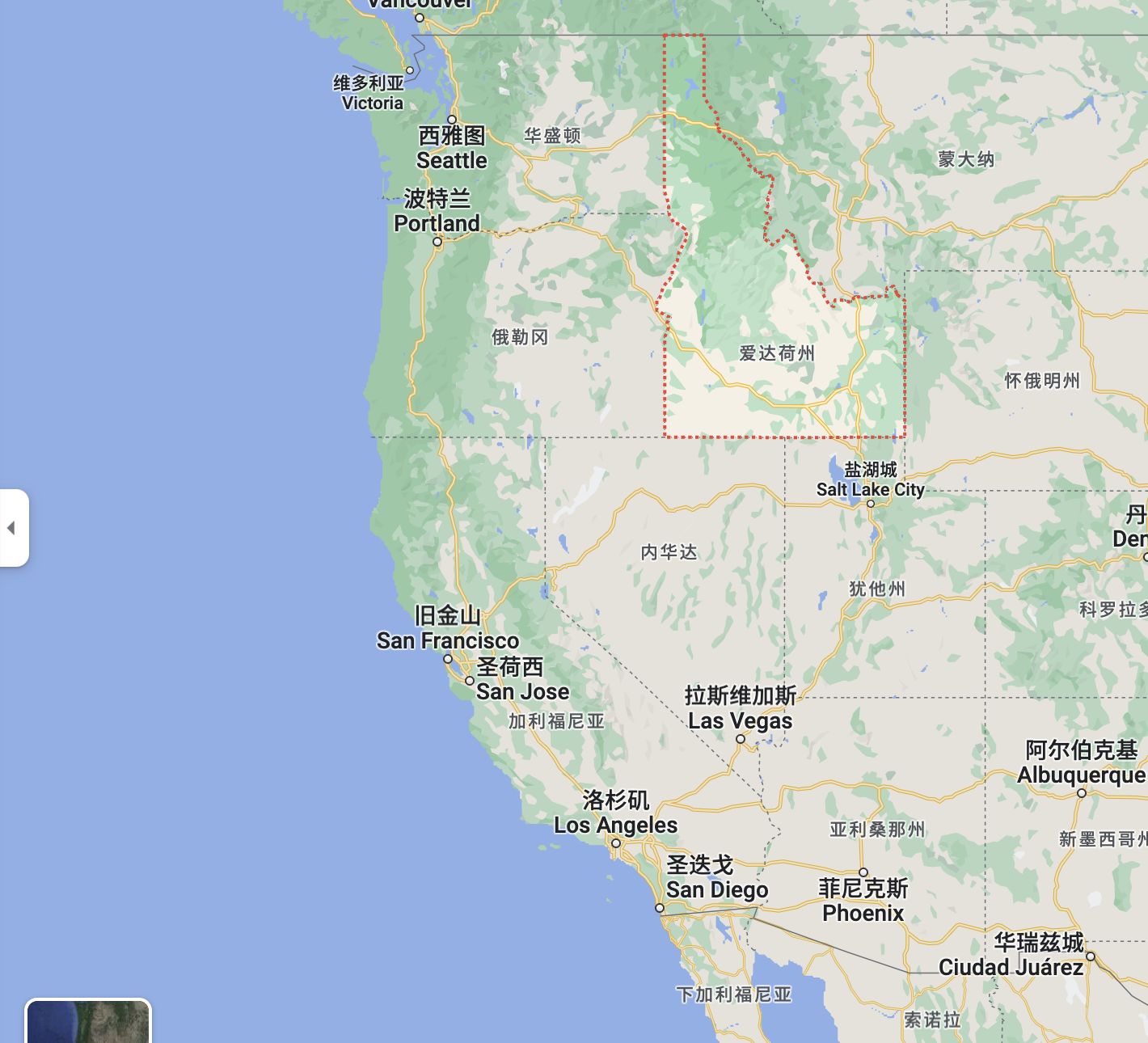
<p>一家 2021 年 11 月 30 日成立的美国主机商，主营 NVMe KVM VPS、EPYC 高频 NVMe VPS、锐龙 5950X NVMe KVM VPS、大硬盘存储、VDS锐龙 7950X 、GPU 显卡服务器和独立服务器，数据中心位于美国 爱达荷州。最近在Low促销，生意不错，荣获 2023 最受推荐的供应商。机器稳定性不错，已有一台年兽近 360 天运行，2024年初的时候有年兽套餐，性价比极高，4.5G内存配125G 硬盘跑一些监控，小日志什么的非常合适。（目前年兽套餐已经无法循环计费，商家给出了升级版的迁移方案。）</p>
<h4>相关测试</h4>
<p>测评地址：<a href="https://catcat.blog/crunchbits">Crunchbits-5950X</a></p>
<p>测评地址：<a href="https://catcat.blog/crunchbits-17-vds">Crunchbits-7950x VDS</a></p>
<p>测评地址：<a href="https://catcat.blog/crunchbits-special">Crunchbits Special</a><a href="http://img.laoda.de/i/2023/02/11/ibby0z-2.webp"></a></p>
<h4>购买链接</h4>
<p>官网地址：<a href="https://crunchbits.com/">Crunchbits 官网</a>（无AFF）</p>
<p>促销请关注 <a href="https://lowendtalk.com/profile/crunchbits">Crunchbits-lowendtalk</a></p>
<h3>3.Liteserver （近两年涨价离谱，非黑五不推荐）</h3>
<p>2007年的老商家，自有ASN AS60404，主机托管于荷兰Serverius DC1资料中心，有NVMe及HDD可选，均提供1Gbps网络线路，流量会使用完成后会限速10Mbps。Liteserver的性价比很不错，在欧洲的口碑良好。支持NVME和HDD款互相切换，每年黑五都有五折优惠。2023年黑五进货了AMD 四代 9754系列，现在nvme款有两套选择，CPU不同，7763和9754。两款CPU性能差距不是很大，但是9754款存在io限制。建议的慎入。</p>
<h4>相关测试</h4>
<p>测评地址：<a href="https://catcat.blog/liteserver-nl-amd-epyc-genoa-9754-benchmark">LiteServer 荷兰  AMD EPYC™ Genoa 9754 测评</a></p>
<p>测评地址：<a href="https://catcat.blog/liteserver-2023bf">LiteServer 荷兰 AMD Milan 7763 测评</a></p>
<h4>购买链接</h4>
<p>官网地址：<a href="https://clients.liteserver.nl/aff.php?aff=621">Liteserver官网</a>（有AFF）</p>
<h3>4.Netcup</h3>
<p>德国和 Hetzner 齐名的供应商，有 ARM，VDS，VPS，域名，块存储等一系列业务。经常做活动，有概率可以拿到很不错的配置，例如 RS2000 硬盘翻倍到 1T 的配置。唯一缺点是德国人对于合同的严谨性，部分机型存在合同期，购买前需谨慎。Netcup连续多年荣获欧洲最喜爱的网络托管商，他们非常在乎口碑，服务也非常好。</p>
<p>测评地址：<a href="https://catcat.blog/netcup-rs-1000-g11-at-amd-9634">Netcup RS 1000 G11 维也纳 AMD 9634 测评</a></p>
<p>注册教程：<a href="https://catcat.blog/netcup-signup">Netcup 注册免税入坑指南</a>(内含优惠券)</p>
<h3>5.Alwyzon</h3>
<p>奥地利云服务商 Alwyzon，Hohl IT e.U.旗下品牌，主要售卖 KVM 虚拟化的 VPS，大硬盘存储 VPS 和独立服务器，在奥地利最大互联网中心 Interxion 园区内运营所有服务器。欧洲对等互联优秀。2024年也更新了性能款的产品线，目前使用的四代EPYC，Raid10 存储。</p>
<h4>相关测试</h4>
<p>测评地址：<a href="https://catcat.blog/alwyzon-at-amd-epyc-genoa-9354p">Alwyzon 维也纳 AMD EPYC™ Genoa 9354P 测评</a></p>
<h4>购买链接</h4>
<p>官网地址：<a href="https://www.alwyzon.com/en">Alwyzon 官网</a>（无AFF）</p>
<h3>6.Nube.sh</h3>
<p><strong>快车道老板的品牌，知名上游，很多常见的例如lain 都是他们的下游。虚拟机流量计费为单向计费，只计算流出流量，不记流入。支持按小时计费。也有裸金属租用等，价格从亚太的角度来说挺不错。目前地区已经有了HK,US,SG,JP。机器性能比较不错，Zen 3 EPYC的1 vCPU 加 1GB DDR4内存最低每月2.82美金起。自营 IP 骨干网。控制台也是出钱自研的，非常简洁直观。</strong></p>
<p>&lt;iframe src="https://static.nube.sh/html-image/speed-sc/336x280/index.html?lp=https%3A%2F%2Fnube.sh%2Finvite%2F424692390H4EEM" style="width:336px;height:280px;border:none;" scrolling="no" frameborder="0"&gt;&lt;/iframe&gt;</p>
<h4>相关测试</h4>
<p><strong>测评地址：<a href="https://catcat.blog/nube-cloud-hk-amd-7713">Nube Cloud 香港 AMD 7713 测评</a></strong></p>
<p><strong>测评地址：<a href="https://catcat.blog/nube-cloud-hk-amd-7950x">Nube Cloud 香港 AMD 7950X 独立服务器 测评</a></strong></p>
<p><strong>测评地址：<a href="https://catcat.blog/nube-amd-7663-sjc">Nube Cloud 美国 AMD 7663 测评</a></strong></p>
<p><strong>测评地址：<a href="https://catcat.blog/nube-cloud-hk-amd-7532-dedicated-server">Nube Cloud 香港 AMD 7532 独立服务器 测评</a></strong></p>
<p><strong>测评地址：<a href="https://catcat.blog/nube-sh-hk-amd-9950x">Nube.SH 香港 AMD 9950X 裸金属服务器测评</a></strong></p>
<h4>购买链接</h4>
<p><strong>官网地址：<a href="https://nube.sh/invite/424692390H4EEM">Nube.sh 官网</a>（有AFF）</strong></p>
<h3>7.Evoxt</h3>
<p>Evoxt，美国商家，成立于2020年，自有ASN 212083。老板是马来西亚华裔，工单支持中文，目前数据中心有12 个节点。机器的 CPU 和 IO 配置都比较可以，有些热门地区托管在比较知名的上游，比如香港日本在 xtom 的数据中心。香港也使用 7950x，其他地区也有像 epyc 四代一样的配置。</p>
<h4>相关测试</h4>
<p>测评地址：<a href="https://catcat.blog/evoxt-amd-epyc-genoa-nl">Evoxt AMD EPYC-Genoa 荷兰测评</a></p>
<p>测评地址：<a href="https://catcat.blog/evoxt-amd-epyc-genoa-pl">Evoxt AMD EPYC-Genoa 波兰测评</a></p>
<p>测评地址：<a href="https://catcat.blog/evoxt-hk-benchmark">Evoxt AMD Ryzen 7950x 香港测评</a></p>
<h4>购买链接</h4>
<p><strong>官网地址：<a href="https://console.evoxt.com/aff.php?aff=292">Evoxt 官网</a>（有AFF）</strong></p>
<p><strong>优惠码: AFF292-sa （5%折扣）</strong></p>
<h2>离线下载,存储PT下载型推荐</h2>
<p>对于下载需求分为两类，短期存储和长期存储。通过 VPS 下载中转然后上传到网盘，不需要长期保存，下载完传到网盘就删除，通常一部电影的大小在 5G 左右，一般 VPS 只有 10-20G 左右磁盘容量，除去系统和软件的占用，最多只能 1-2 个任务同时进行。如果有同时下载更多任务的需求，或者需要长期存储，那就需要考虑更大的空间，或者直接上大盘鸡了。</p>
<p>PT下载对网络和内存CPU都有一定的考验，流量消耗极大，常规机器刷力堪忧。</p>
<h3>1.HostBrr （可刷PT，但注意流量，Hetzner转售）</h3>
<p>Hetzner转售商，性价比极高。价格低廉（平均单价 2.2$/1TB），适合保种，离线下载用。目前开业一年有余，非常好。服务器主要位于<strong>德国/芬兰</strong>，支持Linux/Windows有储存鸡、高配鸡（7950XD、5950X、3900x、12900k）、独服、虚拟主机、Nat鸡，可以说什么都有。商家工单回复还算快、急的话可以直接去LET私聊商家，态度很好，无客户歧视。退款政策：14天内无条件退款（非常爽快），发工单即可。</p>
<h4>相关测试</h4>
<p>测评地址：<a href="https://catcat.blog/hostbrr-amd-9454p">Hostbrr 德国 AMD 9454P 测评</a></p>
<p>测评地址：<a href="https://catcat.blog/hostbbr-3t-benchmark">Hostbbr 3T超大存储年付72刀翻倍款vps测评</a></p>
<p>测评地址：<a href="https://catcat.blog/hostbbr-nat-benchmark">Hostbbr 存储 NAT VPS 测评</a></p>
<p>测评地址：<a href="https://catcat.blog/hostbrr-fi-6t">Hostbrr 芬兰周年庆6T存储优惠 测评</a></p>
<p>测评地址：<a href="https://catcat.blog/hostbrr-1-year-celebration-deals-6t">Hostbrr 德国周年庆6T存储优惠 测评</a></p>
<p>测评地址：<a href="https://catcat.blog/hostbrr-de-amd-7950x3d-benchmark">Hostbrr DE AMD 7950X3D 测评</a></p>
<h4>购买链接</h4>
<p>官网地址：<a href="https://my.hostbrr.com/order/forms/a/MzQw">HostBrr 官网</a>（含AFF）</p>
<p>促销请关注 <a href="https://lowendtalk.com/profile/labze">HostBrr-lowendtalk</a></p>
<h3>2.BuyVM（PT刷力很烂，离线下载不错，唯一优点抗DMCA）</h3>
<p>运营了十多年的老牌 VPS 商家，其无限流量 VPS 低至 3.5 美元/月，加上仅需 1.25 美元/月的 256G 附加存储空间，总共只需 4.75 美元/月就可以拥有一个 256G 无限流量大盘鸡。。连续付三个月可以升级为PRO用户，带宽升级到10G无限。由于极具性价比，所以经常处于缺货状态。有需求建议先<strong>注册账号</strong>。晚上凌晨为补货时间。</p>
<p>2025年更新：目前已经被 Cloudzy AI 收购。卢森堡地区可能会迁移去瑞士或者荷兰，具体方案还没给出。DMCA抗的效果未知。</p>
<h4>相关测试</h4>
<p>测评地址：<a href="https://catcat.blog/buyvm-lu-5900x">BuyVM-Luxembourg-5900X</a></p>
<h4>购买链接</h4>
<p>官网地址：<a href="https://my.frantech.ca/aff.php?aff=6455">BuyVM官网</a>(有 AFF)</p>
]]></content>
    <author><name>猫猫博客</name></author>
    <category term="什么值得买"/>
  </entry>
  <entry>
    <title>VPS 常用测试脚本</title>
    <link href="https://catcat.blog/vps-benchmark" rel="alternate" type="text/html"/>
    <id>https://catcat.blog/vps-benchmark</id>
    <published>2023-02-28T00:00:00.000Z</published>
    <updated>2023-02-28T00:00:00.000Z</updated>
    <summary>汇总VPS常用脚本：体检跑分（Yabs/GB5）、融合怪Go、回程与解锁/流媒体测试，以及Docker、Zsh、qBittorrent、代理、Snell等一键安装；另附NVM与国内外加速源，复制即用。</summary>
    <content type="html"><![CDATA[<h2>1.体检脚本</h2>
<h3>Yabs 脚本</h3>
<pre><code>GB6 跑分脚本，附带宽测试：
curl -sL yabs.sh | bash

GB6 剔除带宽测试，因为都是国外节点测试，国内跑没多大意义：
curl -sL yabs.sh | bash -s -- -i

GB5 跑分脚本，附带宽测试：
curl -sL yabs.sh | bash -5

GB5 剔除带宽测试：
curl -sL yabs.sh | bash -s -- -i -5

GB5 单向测试脚本
bash &lt;(wget -qO- https://raw.githubusercontent.com/i-abc/GB5/main/gb5-test.sh)

Benchy Yabs 分支测试脚本
curl -Ls benchy.pw | sh

上古老脚本
curl -sL bench.monster | bash -s -- -asia
</code></pre>
<h3>融合怪Go脚本</h3>
<pre><code>国际用户无加速：

export noninteractive=true &amp;&amp; curl -L https://raw.githubusercontent.com/oneclickvirt/ecs/master/goecs.sh -o goecs.sh &amp;&amp; chmod +x goecs.sh &amp;&amp; bash goecs.sh env &amp;&amp; bash goecs.sh install &amp;&amp; goecs

国际/国内使用 CDN 加速：

export noninteractive=true &amp;&amp; curl -L https://cdn.spiritlhl.net/https://raw.githubusercontent.com/oneclickvirt/ecs/master/goecs.sh -o goecs.sh &amp;&amp; chmod +x goecs.sh &amp;&amp; bash goecs.sh env &amp;&amp; bash goecs.sh install &amp;&amp; goecs

国内用户使用 CNB 加速：

export noninteractive=true &amp;&amp; curl -L https://cnb.cool/oneclickvirt/ecs/-/git/raw/main/goecs.sh -o goecs.sh &amp;&amp; chmod +x goecs.sh &amp;&amp; bash goecs.sh env &amp;&amp; bash goecs.sh install &amp;&amp; goecs

短链接：

export noninteractive=true &amp;&amp; curl -L https://bash.spiritlhl.net/goecs -o goecs.sh &amp;&amp; chmod +x goecs.sh &amp;&amp; bash goecs.sh env &amp;&amp; bash goecs.sh install &amp;&amp; goecs
</code></pre>
<h2>2.回程脚本</h2>
<pre><code>curl https://raw.githubusercontent.com/ludashi2020/backtrace/main/install.sh -sSf | sh
</code></pre>
<h2>3.一键安装脚本</h2>
<h3>Docker</h3>
<pre><code>curl -fsSL https://ba.sh/install-docker | bash
</code></pre>
<h3>Zsh</h3>
<pre><code>curl -fsSL https://ba.sh/install-zsh | bash
</code></pre>
<h3>qbittorrent</h3>
<pre><code>curl -fsSL https://ba.sh/install-qbt | bash
</code></pre>
<h3>TCP内核一键调整</h3>
<pre><code>wget https://ba.sh/network &amp;&amp; chmod 755 network &amp;&amp; bash network
</code></pre>
<h3>代理一键设置脚本</h3>
<pre><code>wget https://ba.sh/proxy &amp;&amp; chmod 755 proxy &amp;&amp; bash proxy
</code></pre>
<h3>Snell 脚本</h3>
<pre><code>bash &lt;(curl -fsSL snell-ten.vercel.app)
</code></pre>
<h3>代理一键安装</h3>
<pre><code>wget -P /root -N --no-check-certificate "https://raw.githubusercontent.com/mack-a/v2ray-agent/master/install.sh" &amp;&amp; chmod 700 /root/install.sh &amp;&amp; /root/install.sh
</code></pre>
<h2>4.NodeJS NVM脚本</h2>
<pre><code># Download and install nvm:
curl -o- https://raw.githubusercontent.com/nvm-sh/nvm/v0.40.3/install.sh | bash
# in lieu of restarting the shell
\. "$HOME/.nvm/nvm.sh"
# Download and install Node.js:
nvm install 22
# Verify the Node.js version:
node -v # Should print "v22.17.1".
nvm current # Should print "v22.17.1".
# Verify npm version:
npm -v # Should print "10.9.2".
</code></pre>
<h2>5.解锁测试</h2>
<pre><code>bash &lt;(curl -Ls unlock.icmp.ing/test.sh)
bash &lt;(curl -sL IP.Check.Place)
bash &lt;(curl -Ls Net.Check.Place)
</code></pre>
<h2>6.综合工具箱</h2>
<pre><code>wget -O box.sh https://raw.githubusercontent.com/BlueSkyXN/SKY-BOX/main/box.sh &amp;&amp; chmod +x box.sh &amp;&amp; clear &amp;&amp; ./box.sh
</code></pre>
<h2>7.流媒体测试</h2>
<pre><code>bash &lt;(curl -Ls unlock.icmp.ing/test.sh) -m 4
bash &lt;(curl -Ls unlock.icmp.ing/test.sh)
bash &lt;(curl -sL IP.Check.Place)
</code></pre>
<h2>8.Oracle 修改root脚本</h2>
<pre><code>#!/bin/bash
echo root:11235879 |sudo chpasswd root
sudo sed -i 's/^#\?PermitRootLogin.*/PermitRootLogin yes/g' /etc/ssh/sshd_config;
sudo sed -i 's/^#\?PasswordAuthentication.*/PasswordAuthentication yes/g' /etc/ssh/sshd_config;
sudo service sshd restart
</code></pre>
<p>默认密码是: 11235879<br />
登录后一定要修改密码！命令：<code>passwd</code></p>
<h2>9.Swap脚本</h2>
<pre><code>wget https://www.moerats.com/usr/shell/swap.sh &amp;&amp; bash swap.sh
</code></pre>
<h2>10.Oracle dd Debian11 脚本</h2>
<pre><code>bash &lt;(wget --no-check-certificate -qO- 'https://moeclub.org/attachment/LinuxShell/InstallNET.sh') -d 11 -v 64 -a  -p 自定义密码
</code></pre>
<h2>11.byte-unixbench 性能测试</h2>
<pre><code>wget --no-check-certificate https://ba.sh/unixbench &amp;&amp; chmod +x unixbench.sh &amp;&amp; ./unixbench.sh
</code></pre>
<h2>12.<a href="https://www.passmark.com/products/pt_linux/download.php">PerformanceTest Linux</a> 测试</h2>
<pre><code>wget -O PerformanceTest_Linux_x86-64 https://catcat.cloud/d/ftp/PerformanceTest_Linux_x86-64 &amp;&amp; chmod +x PerformanceTest_Linux_x86-64 &amp;&amp; apt update &amp;&amp; apt install -y libncurses6 libtinfo6 &amp;&amp; ln -sf /usr/lib/x86_64-linux-gnu/libncurses.so.6 /usr/lib/x86_64-linux-gnu/libncurses.so.5 &amp;&amp; ln -sf /usr/lib/x86_64-linux-gnu/libtinfo.so.6 /usr/lib/x86_64-linux-gnu/libtinfo.so.5 &amp;&amp; ldconfig &amp;&amp; ./PerformanceTest_Linux_x86-64

</code></pre>
<h2>13.杜甫通用检测脚本</h2>
<pre><code># English
curl -sL https://ba.sh/sick | bash 

# Chinese
curl -sL https://ba.sh/sick | bash -s -- -cn
</code></pre>
<h2>14.独立服务器检测硬盘通电时间</h2>
<pre><code>wget https://github.com/Aniverse/A/raw/i/a &amp;&amp; bash a
</code></pre>
<h2>15.网络测试脚本</h2>
<pre><code>region_name = na, sa, eu, asia, africa, au, middle-east, india, china, iran, indonesia
curl -sL nws.sh | bash -s -- -r region_name

wget -qO- bench.sh | bash
</code></pre>
<pre><code>wget -qO- nws.sh | bash
</code></pre>
<pre><code>wget -qO- nws.sh | bash -s -- -r region_name
</code></pre>
<h2>16.Warp 脚本</h2>
<pre><code>https://gitlab.com/fscarmen/warp.git

warp 一键脚本
wget -N https://gitlab.com/fscarmen/warp/-/raw/main/menu.sh &amp;&amp; bash menu.sh
warp-go 一键脚本
wget -N https://gitlab.com/fscarmen/warp/-/raw/main/warp-go.sh &amp;&amp; bash warp-go.sh
</code></pre>
<h2>17.SpeedTest 安装</h2>
<pre><code>sudo apt-get install curl
curl -s https://packagecloud.io/install/repositories/ookla/speedtest-cli/script.deb.sh | sudo bash
sudo apt-get install speedtest
</code></pre>
<h2>18.国内常用脚本</h2>
<pre><code>更换镜像源
bash &lt;(curl -sSL https://linuxmirrors.cn/main.sh) 
Docker 安装
export DOWNLOAD_URL="https://mirrors.tuna.tsinghua.edu.cn/docker-ce"# 如您使用 curl
curl -fsSL https://raw.githubusercontent.com/docker/docker-install/master/install.sh | sh
# 如您使用 wget
wget -O- https://raw.githubusercontent.com/docker/docker-install/master/install.sh | sh
</code></pre>
<h2>19.ServerStatus 部署</h2>
<pre><code>curl -sS -O https://raw.githubusercontent.com/Yuri-NagaSaki/Shell/refs/heads/main/setup_serverstatus.sh &amp;&amp; chmod +x setup_serverstatus.sh &amp;&amp; ./setup_serverstatus.sh
</code></pre>
<h2>20.PVE 脚本</h2>
<pre><code>更换PVE主题脚本
git clone https://github.com/Happyrobot33/PVEThemes &amp;&amp; cd PVEThemes &amp;&amp; chmod +x install.sh &amp;&amp; ./install.sh
</code></pre>
<pre><code>bash &lt;(curl -sSL https://gh-proxy.sakiko.de/https://raw.githubusercontent.com/Yuri-NagaSaki/Shell/refs/heads/main/PVE-Tools.sh)
</code></pre>
<h2>21.Clash 一键设置</h2>
<pre><code>git clone --branch master --depth 1 https://github.com/nelvko/clash-for-linux-install.git \
  &amp;&amp; cd clash-for-linux-install \
  &amp;&amp; sudo bash install.sh
</code></pre>
<h2>22.DD 一键重装脚本</h2>
<p>具体参考 <a href="https://github.com/bin456789/reinstall">https://github.com/bin456789/reinstall</a></p>
<pre><code>curl -O https://raw.githubusercontent.com/bin456789/reinstall/main/reinstall.sh || wget -O reinstall.sh $_
bash reinstall.sh debian --ssh-key ""
</code></pre>
]]></content>
    <author><name>猫猫博客</name></author>
    <category term="教程"/>
  </entry>
  <entry>
    <title>什么值得买-持续更新ing(自用机场推荐)</title>
    <link href="https://catcat.blog/recommended-proxy" rel="alternate" type="text/html"/>
    <id>https://catcat.blog/recommended-proxy</id>
    <published>2023-02-23T00:00:00.000Z</published>
    <updated>2023-02-23T00:00:00.000Z</updated>
    <summary>持续更新的自用机场推荐：详评YToo与花云，专线稳定、多协议支持、低倍率高性价比，节点覆盖广含IPv6与EMBY，价格与年付注意事项一并解析，助你选到省心好用的梯子。</summary>
    <content type="html"><![CDATA[<p>:::caution
任何机场服务商都存在跑路风险，建议谨慎选择年付套餐，并准备多个备用服务以防失联。建议优先选择月付或季付套餐，分散风险。
:::</p>
<h2>目前在使用的</h2>
<h2>MujikaNetwork</h2>
<p><a href="https://aff.af/Mujika">官方链接（含 AFF）</a>
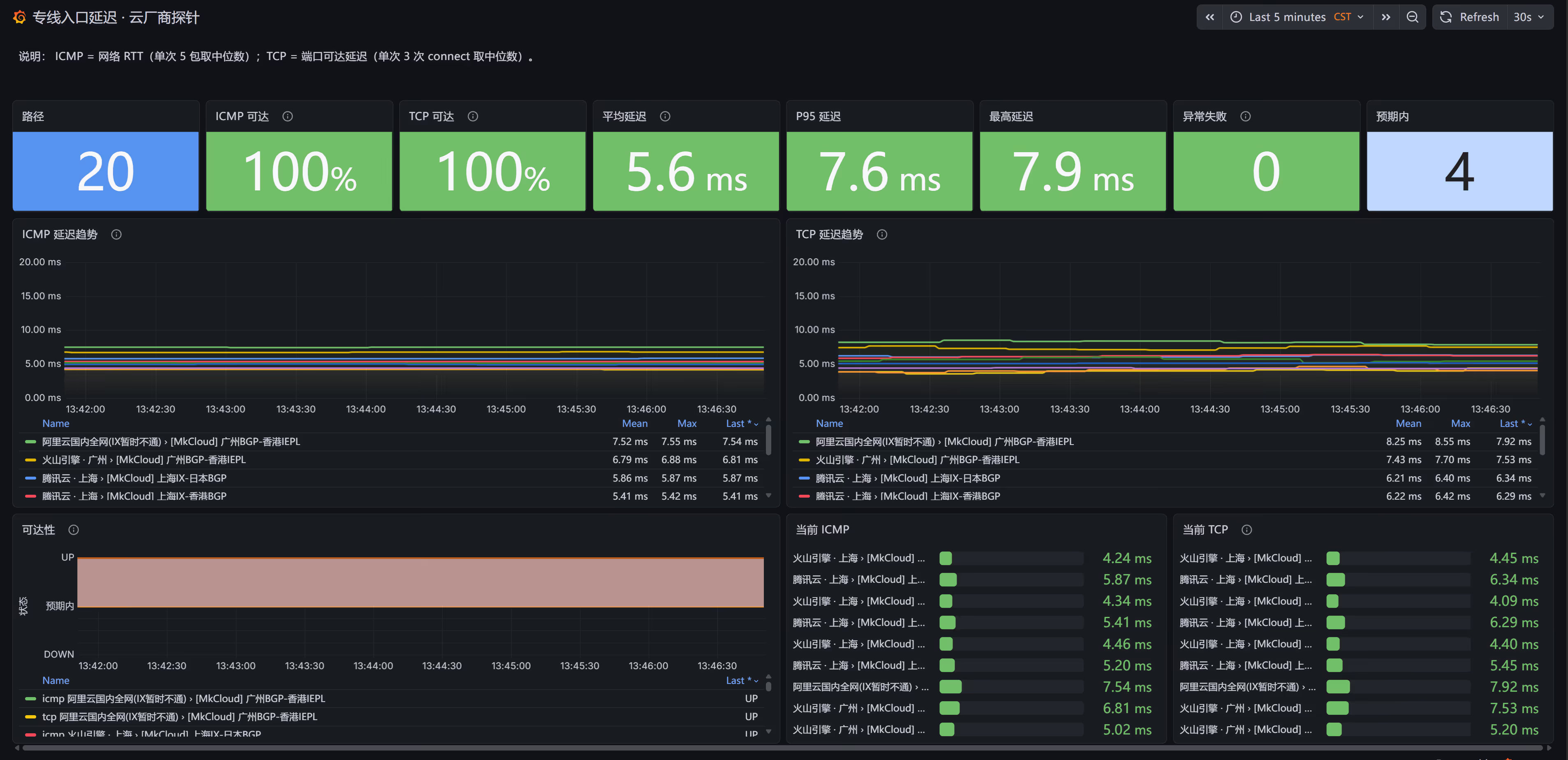
2024 年开业的机场服务商，采用 IEPL 专线。
主要优势是价格亲民，月付套餐仅需 5 元。</p>
<h3>测试</h3>
<p><img src="https://i.see.you/2026/09/01/uw0T/pasted-image-1788275918976.webp" alt="pasted-image-1788275918976.webp" /></p>
<p><img src="https://i.see.you/2026/09/01/d4Uh/pasted-image-1788275907991.webp" alt="pasted-image-1788275907991.webp" /></p>
<p><img src="https://i.see.you/2026/09/01/Kxa9/pasted-image-1788275913037.webp" alt="pasted-image-1788275913037.webp" /></p>
<h3>价格</h3>
<p><img src="https://s3.catcat.blog/images/2025/12/20251229203612521.avif" alt="image-20251229203612234" />
<img src="https://s3.catcat.blog/images/2025/12/20251229203626194.avif" alt="image-20251229203625977" /></p>
]]></content>
    <author><name>猫猫博客</name></author>
    <category term="什么值得买"/>
  </entry>
  <entry>
    <title>近期最差服务商体验：HostDZire 两次沦陷、甩锅用户与毫无底线的私自停机</title>
    <link href="https://catcat.blog/2026/09/hostdzire-security-incident-and-arbitrary-suspension" rel="alternate" type="text/html"/>
    <id>https://catcat.blog/2026/09/hostdzire-security-incident-and-arbitrary-suspension</id>
    <published>2026-09-19T00:00:00.000Z</published>
    <updated>2026-09-19T00:00:00.000Z</updated>
    <summary>深度曝光 HostDZire 近期令人窒息的系列骚操作：8月初 VMware 基础设施惨遭勒索导致全盘数据永久灭失；9月8日自营节点再度被黑批量植入 Xboard 与 SSH 长期后门，官方发函全盘甩锅；9月19日更以荒唐的「未在面板重装」为由无预警直接停机，甚至疑似私用控制台密码违规探测用户系统。</summary>
    <content type="html"><![CDATA[<blockquote>
<p>虽然我有购买他们的服务器而且数量很多，但是不妨碍他们是个垃圾的供应商。虽然他们的机器有着各样的免责条款，但这不是理由！！！！！！</p>
</blockquote>
<h2>前言</h2>
<p>如果你要问我近期用过综合体验最差、运维最草台班子、态度最推诿的主机商是谁，<strong>HostDZire</strong> 绝对能够当之无愧地拔得头筹。</p>
<p>此前我在评测他们自营印度机房的 AMD 7K62 机器时，就曾明确提醒过大家：<em>「此次的印度属于 HostDZire 自运营的，和 Leaseweb 无关，稳定性存疑……此外机器的虚拟化是VMware，超售情况未知」</em>（参见：<a href="https://catcat.blog/hostdzire-in-amd-7k62-benchmark">HostDZire 印度 AMD 7K62 测评</a>）。</p>
<p>当时只是觉得他们自建机房和虚拟化运维经验不够，可能会偶发宕机。然而万万没想到，仅仅过去没多久HostDZire 上演了一套教科书级别的**「下限秀」**：</p>
<p>从 <strong>8 月初宿主机集群全量被勒索导致数据彻底灭失</strong>，到 <strong>9 月 8 日自营 VPS 再次大面积失守被黑客植入 Xboard 节点与 root 后门并全盘甩锅客户</strong>，再到 <strong>9 月 19 日无视通知内容、无预警私自拔线停机</strong>，甚至暴露出了**「疑似私下使用控制台明文密码试探登录用户虚拟机」**的行业大忌问题。</p>
<hr />
<h2>第一幕：8 月初 VMware 全面沦陷，全盘数据永久灭失</h2>
<p>故事的起点在今年 8 月初（约 8 月 5 日）。</p>
<p>HostDZire 官方突然向广大用户推送了一封题为 <em>「serious security incident」</em> 的突发通告邮件：他们的 VMware ESXi 虚拟化基础设施遭受了毁灭性的 <strong>勒索病毒攻击（Ransomware attack）</strong>。</p>
<p><img src="https://cdn.nodeimage.com/i/has712IJZzN9BIFZebut42v21uTpgcUw.webp" alt="HostDZire 8月初 VMware 勒索攻击通报" /></p>
<p>官方通报的核心要点如下：</p>
<ul>
<li><strong>受影响范围极其惨烈</strong>：印度（India）机房的所有 VMware 节点全部中招；荷兰（Netherlands）与美国（United States）部分 VMware 节点同样沦陷。</li>
<li><strong>永久性数据全损（Permanent loss of all data）</strong>：攻击者直接将底层宿主机的虚拟磁盘（vmdk）全部加密。由于 HostDZire 官方<strong>没有任何可用的冷备份或异地灾备机制</strong>，官方明确宣告：<strong>所有数据永久丢失，无法恢复</strong>。</li>
<li><strong>应急处置极其原始</strong>：官方只能通过 IPMI/iDRAC 强行给所有受害母鸡物理断电，推倒重建系统。</li>
</ul>
<p>对于购买了这些 VPS 的用户来说，这是一场不折不扣的灭顶之灾。数据一夜清空[请不要在这里谈论备份，备份是备份，机器是可用性是可用性! 这是完全不同的概念]。而 HostDZire 官方对此的“补偿”，仅仅是轻飘飘地一句道歉并给机器“续上一点使用时长”。</p>
<p>在 LowEndTalk 和 NodeSeek 社区上，一片哀鸿遍野。但大家当时或许还抱着一丝侥幸：“毕竟是全球广泛流行的 ESXi 勒索漏洞，主机商重新修补加固网络后，应该会长记性了吧？”</p>
<p>然而，我们还是太高估这家服务商的基本技术底线了。</p>
<hr />
<h2>第二幕：9 月 8 日自营机器再度被黑，Xboard 与 SSH 后门满天飞</h2>
<p>距离上次勒索攻击全盘报废仅仅过去一个月，<strong>2026 年 9 月 8 日</strong>，各大技术交流社群（NodeSeek、Telegram 群组、LowEndTalk 等）再次炸开了锅。</p>
<p>大量持有 HostDZire 印度及荷兰自营节点的 VPS 客户惊骇地发现：<strong>自己的机器又被黑了！</strong></p>
<p>这次的沦陷特征高度雷同且极其恶劣：</p>
<ol>
<li><strong>被强制植入代理节点</strong>：大量用户的 VPS 被黑客神不知鬼不觉地安装了与 <strong>Xboard</strong> 相关的代理/VPN 服务端节点，付费买来的服务器直接被黑产当成了免费肉鸡和节点池。</li>
<li><strong>被写入 root 长期后门</strong>：受害机器的 <code>/root/.ssh/authorized_keys</code> 中，被悄悄添加了一个未知的长期 root SSH 公钥，攻击者随时可以免密进出。</li>
</ol>
<p>相关帖子：https://www.nodeseek.com/post-918583-1</p>
<p>面对社区铺天盖地的声讨和质疑，HostDZire 在 9 月 8 日发送了第二封官方调查通告：</p>
<p><img src="https://cdn.nodeimage.com/i/isyQSwNk7BUBGE2P3S7XPX49uu7Jszft.webp" alt="HostDZire 9月8日安全事件通告与甩锅邮件" /></p>
<p>阅读这封邮件，你不得不感叹他们在**「推卸责任」**上的高超技巧：</p>
<ol>
<li><strong>坚决不认自身责任</strong>：信誓旦旦声称「母鸡物理节点没发现被入侵」、「WHMCS 面板未发现活动入侵迹象」（但话锋一转，提到 WHMCS 官方在 8 月 25 日和 9 月 3 日发布了未公开的安全漏洞补丁，字里行间暗戳戳甩锅给第三方软件）。</li>
<li><strong>教科书式的倒打一耙</strong>：官方将所有责任一股脑扣在用户头上，列举出受害用户的所谓“共同弱点”：
<ul>
<li>使用了客户控制台面板生成的默认密码；</li>
<li>SSH 对公网开放，且允许密码登录；</li>
<li>没有使用 SSH Key 认证；</li>
<li>没有安装 Fail2Ban 导致遭到大量暴力破解。</li>
</ul>
</li>
<li><strong>通篇以“建议与预防”口吻撰写</strong>：
在邮件后半部分，官方给出了所谓的防范措施，用词清一色是：
<ul>
<li><code>Preventive Recommendation</code>（预防性建议）</li>
<li><code>Immediate Action Recommended</code>（建议立即采取的行动）</li>
<li>包括：在面板重装 VPS、安装后立刻修改强密码、修改 SSH 端口并安装 Fail2Ban、改用 SSH 密钥认证等。</li>
</ul>
</li>
</ol>
<blockquote>
<p>[!WARNING]
<strong>请务必注意这封 9 月 8 日邮件的核心事实：</strong>
官方通篇都在使用**「建议（Recommendation）」**措辞，<strong>从未给出任何最后期限，更没有哪怕一个字提及“如果用户未在面板执行重装，服务器将被强制关机/停机”！</strong></p>
</blockquote>
<p>很多用户（包括我在内）看到邮件后，为了求稳，确实对机器进行了系统重建与安全排查。但谁能料到，真正的荒诞剧才刚刚开场。</p>
<hr />
<h2>第三幕：9 月 19 日荒唐停机——所谓的「未在面板重装」</h2>
<p>就在今天——<strong>2026 年 9 月 19 日</strong>，没有任何前期沟通，没有任何预警通知，机器毫无征兆地突然失联离线。</p>
<p>登录 HostDZire 的后台 Client Area 一看，机器赫然被商家直接标记为 <strong>Suspended（暂停/停机）</strong>！</p>
<p>点开停机原因，赫然显示着这样一段让人血压飙升的文字：</p>
<p><img src="https://cdn.nodeimage.com/i/3hdoJ4UULAmfXal3hmKce6DMCgIsSITu.webp" alt="HostDZire 9月19日以未在面板重装为由私自停机" /></p>
<blockquote>
<p><strong>Suspension Reason: Reinstallation Required for Security Purposes</strong><br />
<em>This VPS has been suspended because the required OS reinstallation has not yet been completed. We previously sent a security notification on 8 September 2026 requesting that this VPS be reinstalled. Please open a support ticket to request temporary unsuspension of the VPS for data backup and OS reinstallation. Once your backup is completed, please reinstall the VPS immediately to ensure it is clean and secure. Copy of the original email: https://tinyurl.com/468hsm75</em></p>
</blockquote>
<p>看到这里，我整个人都气笑了。</p>
<h3>荒唐点一：擅自篡改事实，将“建议”偷换成“强制命令”</h3>
<p>去翻阅他们附带的原邮件链接（即 9 月 8 日那封邮件），上面白纸黑字写的是 <strong><code>Immediate Action Recommended</code></strong>。这原本是一份常规的防护建议，结果到了 11 天后，官方在毫无补充通知的情况下，擅自将其定性为 <strong><code>required OS reinstallation</code>（强制要求的系统重装）</strong>。甚至以此为由，理直气壮地切断用户机器的电源和网络！</p>
<h3>荒唐点二：极其反人类的“先斩后奏”运维逻辑</h3>
<p>如果商家真的认为部分机器存在高危风险需要强制处置，业界的合规做法至少是：提前 48-72 小时发送明确的最后通牒邮件，告知具体执行停机的时间窗口。<br />
而 HostDZire 的做法是什么？<strong>完全不加任何沟通直接拔线关机</strong>，然后再在面板里留下一句冷冰冰的提示：“请提交工单请求临时解封来备份数据”。这到底是在做基础设施服务，还是在绑架用户的生产环境？</p>
<hr />
<h2>第四幕：令人毛骨悚然的盲盒判定——他们私自用了控制台密码？</h2>
<p>如果说前面的操作只是展现了这家小作坊的技术低能与合约精神缺失，那么接下来的这个核心矛盾，则揭开了一个触及 IDC 行业底线、让人不寒而栗的安全与隐私丑闻。</p>
<p>可笑的是，<strong>我其实早就把整台机器重新安装过了！</strong></p>
<p>由于我极其反感 HostDZire 官方那个粗糙难用、偶尔还会抽风报错的控制台面板，因此在 9 月 8 日事件发酵后，我并没有在他们的 WHMCS/控制面板里去点那个“Reinstall”按钮，而是直接使用社区广泛认可的开源网络重装工具（<code>reinstall.sh</code> / 一键 DD 纯净脚本）将整个系统彻底格式化重装成了干净的 Debian。</p>
<p>重装之后系统干干净净，没有多余程序，更没有任何后门。<strong>然而，我的机器依然被他们判了死刑，直接停机！</strong></p>
<p>并且在重装过程中，我为了图省事，随手将 root 密码重置为了与原本控制台所显示的相同密码。我承认我这个地方也有问题。这没得喷！</p>
<p>这个细节引发出了一个极其致命的灵魂拷问：</p>
<blockquote>
<p><strong>HostDZire 到底凭什么判定我的虚拟机「没有完成重装」？</strong></p>
</blockquote>
<p>仔细推敲，这里只有两种可能性，但<strong>无论哪一种，都证明这家厂商不可救药</strong>：</p>
<h3>可能性 A：极度业余的“面板按钮日志一刀切”</h3>
<p>HostDZire 的自动化判定逻辑粗糙到了弱智的地步：他们压根不在乎你的虚拟机到底干不干净、内核是不是新装的、文件系统有没有被格式化，他们唯一的判定标准就是——<strong>“后台数据库里有没有记录到你在其网页控制台点击过 Reinstall 按钮”</strong>。</p>
<ul>
<li>如果你点击了面板重装，哪怕重装后立刻被黑客挂上木马，在他们系统眼里也是“Clean and Secure”；</li>
<li>如果你通过 iPXE、netboot.xyz、VNC ISO 或者开源 DD 脚本将机器彻底格式化重装，只要面板没产生点击记录，在他们眼里就是“未完成重装”，毫不留情地一键拔线！问题他们十天前的邮件根本没有要求所有人必须重装！</li>
</ul>
<p>这种一刀切的流氓逻辑，不仅荒唐可笑，更将对付费客户的傲慢与怠惰展现得淋漓尽致。</p>
<h3>可能性 B：触碰红线的“私自使用控制台密码探测用户 VM”</h3>
<p>而另一种可能性，更加令人细思极恐。</p>
<p>如果他们并不是单纯看面板日志，而是执行了某种“外部连通性与密码有效性检测”呢？<br />
因为我重装时保留了与控制台初始记录相同的密码，HostDZire 是不是在后台利用他们数据库里存储的明文 root 密码，写了自动化脚本甚至人工尝试<strong>批量 SSH 试探登录用户的虚拟机</strong>？！</p>
<p>如果他们发现“用原始密码还能成功登录”，就武断地认为该机器“仍在使用默认密码、尚未重装”；或者他们干脆直接通过 SSH 连入用户系统，翻看内部文件以作查验！</p>
<blockquote>
<p>[!CAUTION]
<strong>私自登录或探测客户虚拟机是主机行业的绝对死罪！</strong><br />
任何一个合格的云服务商都知道，VPS 实例内部属于用户的私有数据领域。主机商在数据库中明文保存或调取客户初始密码本就存在合规漏洞，如果竟然敢用这个密码去主动连接、探测、审查用户的私有操作系统，那就是对用户隐私和系统安全的肆意践踏！房东租了房子给你，退租前居然偷拿备用钥匙半夜转动门锁进来看你收拾得干不干净，这已经不是技术问题，这是最基本的职业操守沦丧。</p>
</blockquote>
<hr />
<h2>第五幕：工单对质实录——自相矛盾的光速打脸与草台班子实锤</h2>
<p>机器被无故关停后，我第一时间向 HostDZire 提交了工单严正抗议。</p>
<p>随后的工单对话过程堪称一场荒诞喜剧，不仅彻底坐实了上述的推论，更把这家服务商前后矛盾、草台班子的嘴脸撕得一干二净：</p>
<p><img src="https://cdn.nodeimage.com/i/DDVFKlbrInp99ojZCykdxfaQYepL9ynK.webp" alt="HostDZire 停机争议完整工单记录" /></p>
<p>来看双方交锋的完整过程：</p>
<h3>1. 客户严正抗议（9点58）</h3>
<blockquote>
<p><strong>我</strong>：我完全无法理解为什么突然要求我重装服务器。在没有任何事先警告和明确解释的情况下就直接暂停机器，极其不负责任！之前的邮件和这次的通知都没有说明我的机器具体检测到了什么问题。请立即恢复我的机器，并给出具体的受害证据（IP、端口、时间戳与事件性质）。</p>
</blockquote>
<h3>2. 客服死板机械的强硬回复（10点27）</h3>
<blockquote>
<p><strong>客服 Kashif Ahmad</strong>：我们 9 月 8 日发过通知建议重装，<strong>但我们的系统记录显示你的 VPS 至今尚未重装（our records show that the VPS has still not been reinstalled）</strong>。因此我们今天将其停机作为安全预防措施。如果你需要备份，我们可以临时解封，<strong>但在备份完成后，你必须从控制台面板（client area）进行重装！</strong></p>
</blockquote>
<p>注意这里的官方措辞：<strong><code>our records show</code></strong> 以及 <strong><code>you will need to reinstall the VPS from the client area</code></strong>。<br />
他们彻底不打自招了：他们口中所谓的“安全检测”，根本就是去翻查他们的 Client Area 面板数据库，看看你有没有点过那个按钮！</p>
<h3>3. 一句话戳破谎言（10点36）</h3>
<blockquote>
<p><strong>我</strong>：<strong>我已经用开源项目 <a href="https://github.com/bin456789/reinstall"><code>bin456789/reinstall</code></a> 重装过了整台服务器</strong>，我只是没有使用你们那个破面板而已。请立刻恢复我的服务器！</p>
</blockquote>
<p>随后在 13点41，我再次催促要求临时恢复访问权限。</p>
<h3>4. 令人喷饭的光速光速变脸（13点44）</h3>
<blockquote>
<p><strong>客服 Abhishek Kumar</strong>：你的 VPS 已经解除暂停（un-suspended）。<strong>如果你是在 9 月 9 日之后用脚本重装的 VPS，那就可以了（If you re-install your VPS using script after 9 sep 2026 then it's okay）。</strong></p>
</blockquote>
<hr />
<h3>最后的遮羞布</h3>
<p>读完这段完整的工单记录，任何一个对运维稍有常识的人都会感到窒息：</p>
<ol>
<li><strong>所谓的“安全合规”就是查面板数据库日志</strong>：<br />
从最初的“安全停机”到客服理直气壮的 <code>our records show</code>，证实了他们根本没有做任何实际的网络监控或系统入侵排查。只要面板里没有“点击重装”的记录，哪怕你机器早已格式化成一张白纸，他们也直接一刀切拔线！</li>
<li><strong>制度形同儿戏，前后自相矛盾</strong>：<br />
上一秒客服还在言之凿凿宣称“必须在 Client Area 重新安装才能激活”，下一秒得知用户是用 GitHub 开源脚本重装的，既不要求提供任何日志证据，也不做任何核实验证，直接光速解封，并随手甩出一句极度随意的“只要是 9 月 9 日之后用脚本装的就 OK”。他们的安全标准到底是由代码规范决定的，还是由客服当天的心情决定的？</li>
<li><strong>视付费用户的可用性如草芥</strong>：<br />
如果用户正在出差、旅游或者业务处于关键期，由此造成的服务中断，HostDZire 会负责吗？他们显然不会，他们只会用一句轻描淡写的“为了安全”把所有锅甩得干干净净。</li>
</ol>
<hr />
<h2>总结</h2>
<p>在短短两个月内，HostDZire 完整地展示了一家低端服务商所能具备的所有丑态：</p>
<ol>
<li><strong>基础设施薄弱不堪</strong>：宿主机集群毫无防御，遭遇勒索病毒瞬间全盘覆灭，全网数据彻底丢失且毫无备份能力；</li>
<li><strong>安全防护千疮百孔</strong>：一个月后自营机器再次沦陷，被黑客当成 Xboard 节点池随意开采，成为公共肉鸡；</li>
<li><strong>公关口径极其推诿</strong>：遇事第一反应永远是甩锅，把自身架构的漏洞包装成“第三方软件问题”和“用户密码太弱”；</li>
<li><strong>服务协议形同虚设</strong>：把安全建议偷换为强制措施，零通知、零沟通直接私自暂停用户正常运行的机器；</li>
<li><strong>技术手段粗暴无理</strong>：要么靠控制台点击日志无脑关机，要么毫无边界感地私用密码窥探用户系统；</li>
<li><strong>运维管理形同儿戏</strong>：停机全凭一条数据库记录，解封全凭客服一句话，毫无严肃性与专业性可言。</li>
</ol>
]]></content>
    <author><name>猫猫博客</name></author>
    <category term="测评"/>
  </entry>
  <entry>
    <title>告别传统探针：Mosona Manager 深度体验 —— 个人自用轻量堡垒机与监控新选择</title>
    <link href="https://catcat.blog/2026/09/mosona-manager-server-monitor-bastion-guide" rel="alternate" type="text/html"/>
    <id>https://catcat.blog/2026/09/mosona-manager-server-monitor-bastion-guide</id>
    <published>2026-09-06T00:00:00.000Z</published>
    <updated>2026-09-06T00:00:00.000Z</updated>
    <summary>厌倦了传统探针常驻 Agent 的安全漏洞与被当作后门的风险？本文深度解析 Mosona Manager：定位个人自用的轻量 JumpServer 替代品，结合 InfluxDB 高精度时序监控、纯 SSH 无 Agent 零残留设计，并附完整的部署与避坑指南。</summary>
    <content type="html"><![CDATA[<p>::github{repo="mosona-labs/mosona-manager"}</p>
<p>在MJJ圈子里，大家最常用的探针莫过于哪吒监控（Nezha）、Komari 或者经典的 ServerStatus。不少朋友把几十台吃灰小鸡挂在网页上，看三网延迟、看在线绿灯，其乐融融。</p>
<p><strong><a href="https://github.com/mosona-labs/mosona-manager">Mosona Manager</a></strong>（作者在 NodeSeek 发布了<a href="https://www.nodeseek.com/post-860208-1">官方介绍贴</a>），虽然提供了一个高颜值的公开状态展示页，但如果你仔细研究它的底层设计，就会发现<strong>它根本不是传统意义上的“小鸡探针”，而更像是一个面向个人或极小团队自用的轻量级 JumpServer（堡垒机）兼服务器监控面板</strong>。</p>
<p>更重要的是，针对近两年来传统探针频发的安全漏洞与被滥用为黑客后门的乱象，Mosona Manager 给出了完全不同的解题思路。</p>
<blockquote>
<p>[!NOTE]
自建公开探针预览页已上线，可以直接访问 <a href="https://agent.catcat.blog/preview/status">agent.catcat.blog/preview/status</a> 体验实际展示效果。</p>
</blockquote>
<p><img src="https://manager.mosona.cc/screenshots/1.avif" alt="Mosona Manager 官方主界面预览" /></p>
<hr />
<h2>个人自用的轻量 JumpServer</h2>
<p>市面上已经有了成熟的企业级堡垒机 JumpServer，但对于绝大多数玩家来说，官方 JumpServer 过于庞大沉重——动辄数个微服务、4C 8G 的内存开销、复杂的资产审批流和庞大的配置，个人用起来就像“开航母去钓鱼”。</p>
<p>Mosona Manager 的定位非常务实，<strong>绝非什么高大上的企业级系统，而是一个专为个人/小规模自用打造的轻量堡垒机替代品</strong>：</p>
<ol>
<li><strong>解决痛点</strong>：手里有几台或十几台 VPS，不想在本地 SSH 工具（如 Termius、FinalShell、SSH Config）中到处同步私钥，想随时在浏览器里点开 Web 终端快速敲几句命令，顺带查查服务器的各项运行负载。</li>
<li><strong>轻量团队/多项目划分</strong>：支持创建 Team，给几个朋友或协作者分配只读监控查看权，或者单独控制是否开放 Web SSH 终端权限。</li>
<li><strong>操作日志与审计</strong>：记录登录时间、来源 IP 和终端会话行为，具备基本的运维审计底线。</li>
</ol>
<hr />
<h2>避坑提醒：两点必须明确的硬性限制</h2>
<p>在考虑部署之前，有两件事必须首先想清楚，否则一定会失望：</p>
<h3>1. 没有延迟监测功能</h3>
<p>传统探针的核心灵魂是 Ping/TCP 延迟监控矩阵，很多玩家靠它观察各机房的回国路由波动。<strong>Mosona Manager 完全没有这些网络延迟监测与打榜功能</strong>。</p>
<p>它监控的是<strong>操作系统内部的健康指标</strong>（CPU、内存、磁盘 IO、系统负载、网络实时吞吐等）。如果你是为了看三网测速或延迟曲线，它不适合你。</p>
<h3>2. InfluxDB 是吃内存怪兽，不要低配小鸡部署</h3>
<p>不同于传统探针只用 SQLite 或单个轻量二进制，Mosona Manager 为了实现秒级/分钟级的精准指标追溯，引入了 <strong>InfluxDB 2</strong> 作为专业时序数据库（搭配 PostgreSQL 18、Redis 7 与 Go Hub 主控）。</p>
<p>高精度时序数据库的代价是<strong>真金白银的硬件开销</strong>：</p>
<ul>
<li><strong>严禁在 1 核 512MB / 1GB 内存的低配小鸡上运行主控</strong>！极易遭遇 OOM（内存溢出）甚至直接把小鸡卡死。</li>
<li><strong>推荐配置</strong>：主控机宿主机建议至少拥有 <strong>2 核 CPU、2GB 内存</strong>（推荐 4GB）。如果手头只有廉价小玩具机器，请不要轻易尝试自建主控。</li>
</ul>
<hr />
<h2>为什么传统探针让人不安心？谈谈哪吒与 Komari 的安全隐患</h2>
<p>聊到服务器监控，很多老玩家近几年都在经历“从狂热追捧到逐渐卸载”的过程。究其原因，正是传统探针在架构设计上带来的严重安全隐患。</p>
<h3>1. 侵入式常驻 Agent 的“高权限原罪”</h3>
<p>为了实现所谓的一键下发命令、在线文件管理、网页 Web Shell，哪吒探针和 Komari 等工具通常要求在被控机以 <code>root</code> 或高权限常驻一个后台 Agent 守护进程。</p>
<p>这意味着，你在自己名下几十台 VPS 上，<strong>亲手为外部面板开辟了一条拥有最高权限的远程执行管道（RCE）</strong>。一旦主控端有任何失误，所有节点瞬间集体沦陷（俗称“一锅端”）。</p>
<h3>2. 被黑客当成现成 C2 后门滥用（Living-off-the-Land）</h3>
<p>由于这类探针功能过于强大、且本身属于合法开源软件，知名安全厂商（如 Huntress 等）曾多次披露安全报告：<strong>黑客在通过其他漏洞入侵服务器后，会主动在受害机器上部署哪吒或 Komari 的 Agent 作为持久化后门与 C2 控制通道</strong>。</p>
<p>黑客利用合法运维软件的隐蔽性来逃避杀毒扫描与告警，而很多运维人员甚至分不清跑在机器上的 Agent 到底是自己装的还是黑客装的。</p>
<h3>3. 历史高危 CVE 频发</h3>
<p>仅在过去一段时期内，传统探针就被披露了多个 CVSS 评分极高的严重漏洞：</p>
<ul>
<li><strong>CVE-2026-53519（高危路径穿越漏洞，CVSS 9.1）</strong>：攻击者无需任何认证即可读取主控服务器文件（如 <code>config.yaml</code>），从而直接窃取 JWT 密钥和 Agent 通信令牌，完全接管后台。</li>
<li><strong>CVE-2026-62283（严重跨租户隔离漏洞，CVSS 9.9）</strong>：允许攻击者绕过权限边界，直接跨租户进入他人机器的终端或文件管理器执行任意 Shell 命令。</li>
<li><strong>CVE-2026-46716（RCE 远程代码执行）</strong> 与 API 凭据泄露缺陷。</li>
<li><strong>Komari 的 2FA 认证绕过漏洞（GHSA-jhmr-57cj-q6g9）</strong> 等等。</li>
</ul>
<p>加上很多玩家为了炫耀，直接用弱密码将带有远程执行权限的监控后台裸奔在公网，一旦被黑产全网扫描或遭遇 0day，名下所有小鸡瞬间变为别人的肉鸡。</p>
<hr />
<h2>Mosona Manager 的安全解题思路</h2>
<p>Mosona Manager 在设计上显然吸取了这些教训，采取了更克制、更偏向堡垒机思路的做法：</p>
<h3>1. 纯 SSH 无 Agent 模式（Agentless）：内存运行、阅后即焚</h3>
<table>
<thead>
<tr>
<th>终端控制台 (Terminal)</th>
<th>添加服务器 (New Server)</th>
</tr>
</thead>
<tbody>
<tr>
<td><img src="https://manager.mosona.cc/screenshots/2.avif" alt="Web 终端管理" /></td>
<td><img src="https://manager.mosona.cc/screenshots/3.avif" alt="添加与配置服务器" /></td>
</tr>
</tbody>
</table>
<p>既然只是监控资源和偶尔连接终端，为什么非要在目标机器上装第三方常驻守护进程？</p>
<ul>
<li><strong>工作原理</strong>：你只需向主控提供服务器的 SSH 端口与凭据（密码或私钥）。Hub 通过标准 SSH 登录并在系统的共享内存目录（<code>/dev/shm</code>）中写入经过优化的轻量采集脚本（<code>linux_info.sh</code> 与 <code>linux_status.sh</code>）。</li>
<li><strong>零侵入与零残留</strong>：脚本采集完成后利用 shell <code>trap</code> 自动清理退出，目标机器上<strong>不安装任何常驻服务、不留任何二进制文件</strong>。</li>
<li><strong>安全性</strong>：完全依托经历了几十年全球验证的标准 Linux SSH 协议和公钥认证机制，被控机不向公网暴露任何额外端口，也不承担第三方 Agent 的 RCE 风险。</li>
</ul>
<blockquote>
<p>当然，针对处于家庭宽带或 NAT 内网、无法开放 SSH 端口的机器，Mosona Manager 也保留了<strong>被动 Agent 模式</strong>（Agent 主动通过 WebSocket 反连 Hub）。</p>
</blockquote>
<h3>2. 凭据落库加密与 Host Key Pinning</h3>
<ul>
<li><strong>AES-GCM 信封加密</strong>：存储在数据库中的 SSH 密码与私钥采用基于上下文绑定的版本化 AES-GCM 加密，主密钥受严格的系统文件权限保护，杜绝数据库明文泄露。</li>
<li><strong>主机公钥指纹锁定（Host Key Pinning）</strong>：纳管服务器时强制锁定目标机的 SSH 公钥指纹，有效防止内网欺骗或中间人劫持。</li>
</ul>
<table>
<thead>
<tr>
<th>个人资料与通知偏好 (Profile)</th>
<th>系统管理与全局配置 (Admin)</th>
</tr>
</thead>
<tbody>
<tr>
<td><img src="https://manager.mosona.cc/screenshots/7.avif" alt="个人资料与通知设置" /></td>
<td><img src="https://manager.mosona.cc/screenshots/8.avif" alt="管理员控制面板" /></td>
</tr>
</tbody>
</table>
<h3>3. 公开展示页与管理 API 物理级隔离</h3>
<table>
<thead>
<tr>
<th>实时时序监控图表 (Monitor)</th>
<th>独立公开状态页 (Public Page)</th>
</tr>
</thead>
<tbody>
<tr>
<td><img src="https://manager.mosona.cc/screenshots/4.avif" alt="InfluxDB 监控图表" /></td>
<td><img src="https://manager.mosona.cc/screenshots/6.avif" alt="公开状态展示页" /></td>
</tr>
</tbody>
</table>
<p>许多玩家既想对外分享探针，又担心后台泄露。Mosona Manager 支持配置独立的公开展示页（支持独立路径如 <code>/preview/status</code>，或绑定独立二级域名）：</p>
<ul>
<li><strong>中间件阻断</strong>：Hub 在路由层面会直接拦截所有来自公开展示页域名的后台管理 API。即使公开域名被爬虫扫爆，也碰不到任何管理接口。</li>
<li><strong>数据流限流</strong>：公开展示采用 SSE（Server-Sent Events）推送，内置了针对单个 IP 的频率与并发连接保护。</li>
</ul>
<p><img src="https://manager.mosona.cc/screenshots/5.avif" alt="配置公开展示页" /></p>
<hr />
<h2>完整部署实战 (Docker Compose)</h2>
<p>以下是在一台标准 Linux 服务器（推荐 Debian 12/13 或 Ubuntu 22.04/24.04）上，使用 Docker Compose 部署的完整流程。</p>
<h3>1. 准备工作</h3>
<p>确保服务器已安装 Docker 与 Docker Compose：</p>
<pre><code>curl -fsSL https://get.docker.com | bash -s docker
systemctl enable --now docker
</code></pre>
<h3>2. 克隆仓库并修改 <code>.env</code></h3>
<pre><code>mkdir -p /opt/mosona &amp;&amp; cd /opt/mosona
git clone https://github.com/mosona-labs/mosona-manager.git
cd mosona-manager/deploy
cp .env.example .env
nano .env
</code></pre>
<p>一份适合生产环境的标准 <code>.env</code> 文件如下（<strong>请将带有随机字符的密码全部替换为自己的强密码</strong>）：</p>
<pre><code># 镜像版本，默认保持 latest
APP_VERSION=latest

# Hub 监听端口与地址（绑定到 127.0.0.1 由反向代理接入）
APP_PORT=8080
APP_HOST=127.0.0.1

# 当通过 HTTPS 反向代理或 Cloudflare CDN 访问时，必须设为 true
SECURE_COOKIES=true

# Redis 访问凭据
REDIS_PASSWORD=YourStrongRedisPass_928371

# PostgreSQL 数据库配置
PG_DB=mm_db
PG_USER=mm_user
PG_PASSWORD=YourStrongPgPass_849201

# InfluxDB 2 初始化配置（时序数据库凭据）
INFLUX_USER=admin
INFLUX_PASSWORD=YourStrongInfluxPass_572910
INFLUX_ORG=mm_org
INFLUX_BUCKET=mm_bucket
INFLUX_TOKEN=YourVeryLongSecureInfluxToken_AtLeast32Chars123456
</code></pre>
<hr />
<h3>3. 启动容器群并做健康检查</h3>
<p>拉取镜像并启动：</p>
<pre><code>docker compose --env-file .env -f compose.yml pull
docker compose --env-file .env -f compose.yml up -d
</code></pre>
<p>稍等片刻，各组件（PostgreSQL 18、Redis 7、InfluxDB 2.8、App Hub、Watchtower）会自动完成初始化。运行以下命令验证健康状态：</p>
<pre><code>curl -fsS http://127.0.0.1:8080/health
</code></pre>
<p>若返回 <code>{"code":"ok","msg":"Service is healthy"}</code>，说明数据库与主控一切就绪。</p>
<hr />
<h3>4. 反向代理与安全配置</h3>
<p>强烈建议使用 HTTPS 反代，并禁止将 8080 端口直接暴露在公网。</p>
<h4>方案一：Cloudflare Tunnel（零端口暴露，最安全）</h4>
<p>在 Cloudflare Zero Trust 控制台的 Tunnels 中添加一条路由，将你设定的管理域名（如 <code>manager.example.com</code>）直接代理到本机的 <code>http://127.0.0.1:8080</code>，免去了配置证书和开放防火墙端口的麻烦。</p>
<h4>方案二：Nginx 配置</h4>
<p>若使用 Nginx，必须正确配置 WebSocket 升级头，以保证 Web SSH 终端与状态流正常：</p>
<pre><code>server {
    listen 80;
    server_name manager.example.com;
    return 301 https://$host$request_uri;
}

server {
    listen 443 ssl http2;
    server_name manager.example.com;

    ssl_certificate /path/to/cert.pem;
    ssl_certificate_key /path/to/key.pem;

    location / {
        proxy_pass http://127.0.0.1:8080;
        proxy_http_version 1.1;

        # WebSocket 支持 (Web 终端与 SSE 所需)
        proxy_set_header Upgrade $http_upgrade;
        proxy_set_header Connection "upgrade";

        # 真实 IP 透传
        proxy_set_header Host $host;
        proxy_set_header X-Real-IP $remote_addr;
        proxy_set_header X-Forwarded-For $proxy_add_x_forwarded_for;
        proxy_set_header X-Forwarded-Proto $scheme;

        proxy_read_timeout 86400s;
        proxy_send_timeout 86400s;
    }
}
</code></pre>
<hr />
<h3>5. 首次初始化与必做安全配置</h3>
<p>打开浏览器访问配置好的域名，按照向导创建管理员账户并创建第一个 Team。</p>
<p>进入面板后，请务必前往 <strong>Admin Dashboard（管理后台）</strong> 检查以下设置：</p>
<ol>
<li><strong>基础 URL（Base URL）</strong>：填入完整的访问地址（如 <code>https://manager.example.com/</code>），阻断非本域名的恶意请求。</li>
<li><strong>信任代理（Trust Proxy）</strong>：勾选 <strong>Trust CDN / reverse proxy headers</strong>。否则所有登录日志记录的 IP 都会是 <code>127.0.0.1</code>，会话 IP 绑定保护也会失效。</li>
<li><strong>启用 2FA</strong>：在个人安全设置中绑定 TOTP 双因素认证，这是防止撞库的最有效防线。</li>
</ol>
<hr />
<h3>相关资源链接</h3>
<ul>
<li><strong>GitHub 仓库</strong>：<a href="https://github.com/mosona-labs/mosona-manager">mosona-labs/mosona-manager</a></li>
<li><strong>NodeSeek 官方讨论贴</strong>：<a href="https://www.nodeseek.com/post-860208-1">NodeSeek 帖子 860208</a></li>
<li><strong>官方部署文档</strong>：<a href="https://manager.mosona.cc/docs/quickstart">manager.mosona.cc Docs</a></li>
<li><strong>笔者的自建公开展示页</strong>：<a href="https://agent.catcat.blog/preview/status">agent.catcat.blog/preview/status</a></li>
</ul>
]]></content>
    <author><name>猫猫博客</name></author>
    <category term="教程"/>
  </entry>
  <entry>
    <title>火山引擎上线 CDT 云数据传输：实测公网与跨域计费，香港线路体验究竟如何？</title>
    <link href="https://catcat.blog/2026/09/volcengine-cdt-cloud-data-transfer" rel="alternate" type="text/html"/>
    <id>https://catcat.blog/2026/09/volcengine-cdt-cloud-data-transfer</id>
    <published>2026-09-04T00:00:00.000Z</published>
    <updated>2026-09-04T00:00:00.000Z</updated>
    <summary>火山引擎上线了云数据传输 CDT 计费。目前公网每月赠送 220GB 流量（内地 20GB，境外 200GB）。本文记录了开通体验、跨域价格，以及香港共享带宽包挂载公网 IP 后的回国线路实测表现。</summary>
    <content type="html"><![CDATA[<h2>简单总结</h2>
<p>先说几个大家最关心的点：</p>
<ol>
<li><strong>底层线路没变</strong>：CDT 本质上是网络流量的统一计费入口，不涉及底层公网路由的调整，香港公网依然是原有的常规 BGP 线路。</li>
<li><strong>免费额度结构</strong>：每个月赠送的 220GB 流量里，中国内地只有 20GB，非中国内地有 200GB。</li>
<li><strong>不可逆规则</strong>：开通 CDT 后无法退回原有的按量计费模式，存量与新开的流量计费实例都会归入 CDT 结算。</li>
<li><strong>优化网络</strong>： 不涉及任何优化网络，不要以为是阿里云CDT那种优化。</li>
</ol>
<p>官方文档可以参考：<a href="https://docs.volcengine.com/docs/87633/2318237?lang=zh">启用 CDT 计费</a>。</p>
<hr />
<h2>CDT 的定位与功能</h2>
<p>火山引擎在 2026 年 5 月底放出了 <a href="https://docs.volcengine.com/docs/87633/2306746">云数据传输 CDT</a> 的功能页面，官方定义主要是为云上各类产品的网络传输提供统一的计量与出账入口，本身不额外收取产品功能费。</p>
<p>从早期的文档来看，CDT 最初主要接入的是跨域流量（均为出向计费）：</p>
<table>
<thead>
<tr>
<th>产品</th>
<th>流量类型</th>
<th>计费方式</th>
</tr>
</thead>
<tbody>
<tr>
<td>ArkClaw 企业版公网访问跨境加速</td>
<td>跨域</td>
<td>按出向</td>
</tr>
<tr>
<td>中转路由器 (TR)</td>
<td>跨域</td>
<td>按出向</td>
</tr>
</tbody>
</table>
<p>控制台地址在 <a href="https://console.volcengine.com/cdt">console.volcengine.com/cdt</a>。需要注意的是，控制台目前提示仍处于邀测阶段，且一旦确认启用，名下的流量计费实例将统一走 CDT 出账，无法再切换回原有的单产品计量方式。</p>
<hr />
<h2>申请公网 IP 时的改动与免费额度</h2>
<p>现在在控制台申请按流量计费的公网 IP 时，会多出一个「启用云数据传输」的勾选项。勾选后可以看到如下说明：</p>
<blockquote>
<p>已启用「云数据传输」。BGP（多线）每个自然月赠送 220GB 公网流量（中国内地 20GB/月，非中国内地 200GB/月），超出部分采用阶梯计费。</p>
</blockquote>
<p><img src="https://cdn.nodeimage.com/i/X8SvzM0bYvSo743ft81Eo9AIjUidBib0.webp" alt="申请公网 IP 时勾选启用云数据传输" /></p>
<p>这里的额度分配逻辑与阿里云 CDT 类似：</p>
<ul>
<li><strong>中国内地</strong>：每月 20GB，适合用于低频轻量访问或临时运维测试。</li>
<li><strong>非中国内地</strong>：每月 200GB，额度相对充裕，但海外节点访问国内的效果仍取决于具体地域和路由情况。</li>
</ul>
<p>目前火山引擎的官方文档目录里重心依然在跨域计费上，关于公网 IP 赠送流量的规则主要体现在控制台的下单界面，实际账单扣减建议以控制台显示为准。</p>
<hr />
<h2>跨域流量价格参考</h2>
<p>如果涉及到跨地域或跨境业务，可以参考 <a href="https://docs.volcengine.com/docs/87633/2307167">跨域流量计费说明</a> 中的定价：</p>
<table>
<thead>
<tr>
<th>互联区域</th>
<th>价格（元/GB）</th>
</tr>
</thead>
<tbody>
<tr>
<td>中国大陆内互联</td>
<td>0.48</td>
</tr>
<tr>
<td>非中国大陆之间互联</td>
<td>0.525</td>
</tr>
<tr>
<td>中国大陆 ~ 非中国大陆互联</td>
<td>5.6</td>
</tr>
</tbody>
</table>
<p><img src="https://cdn.nodeimage.com/i/NWUwH0jsuF1O8qwz0r113KLMjkgLWevx.webp" alt="CDT 跨域流量价格与结算周期" /></p>
<p>结算周期为自然小时（UTC+8）。其中大陆与非大陆区域（例如大陆到香港）之间的跨境互联单价为 5.6 元/GB，相比常规公网按量计费（约 0.8 元/GB 左右）成本要高不少，如果有大规模跨域传输需求需要提前核算预算。</p>
<hr />
<h2>香港共享带宽包实测</h2>
<p>为了确认接入 CDT 后的网络表现，我在中国香港地域开了一个共享带宽包，计费模式显示为「按主流量计费 (CDT)」：</p>
<table>
<thead>
<tr>
<th>项目</th>
<th>参数</th>
</tr>
</thead>
<tbody>
<tr>
<td>地域</td>
<td>中国香港</td>
</tr>
<tr>
<td>线路</td>
<td>BGP（多线），IPv4</td>
</tr>
<tr>
<td>带宽上限</td>
<td>2000 Mbps</td>
</tr>
<tr>
<td>计费方式</td>
<td>按量，按主流量计费 (CDT)</td>
</tr>
<tr>
<td>绑定资源</td>
<td>1 个公网 IP，挂载至云服务器</td>
</tr>
</tbody>
</table>
<p><img src="https://cdn.nodeimage.com/i/KHVgVcbFWhikXqjgUEqmjrn9kJ3zILSv.webp" alt="香港 CDT 共享带宽包概览" /></p>
<p><img src="https://cdn.nodeimage.com/i/2d2Y5iGtZbLTk8JJfEjnMFBwEBYTu605.webp" alt="共享带宽包已应用云数据传输计费" /></p>
<p>开通后控制台提示「共享带宽包已应用云数据传输计费」，底层带宽包规格不变，仅调整了出账模块。</p>
<h3>线路与延迟表现</h3>
<p>使用 ITDOG 对全国 288 个节点进行了延迟拨测，整体平均延迟在 <strong>148ms</strong> 左右：</p>
<ul>
<li><strong>电信平均</strong>：189ms</li>
<li><strong>联通平均</strong>：193ms</li>
<li><strong>移动平均</strong>：88ms</li>
<li><strong>香港本地互联</strong>：普遍在 1ms 以内</li>
</ul>
<p><img src="https://cdn.nodeimage.com/i/yL4WB7ZonKsDyMmhZzpkjmCcCRa12hwR.webp" alt="ITDOG 全国延迟拨测" /></p>
<p>从回程路由来看，依然是常规香港公网 BGP 的走向：</p>
<ul>
<li><strong>电信</strong>：主要走 163 骨干网，延迟集中在 160–200ms 区间，西北方向（如甘肃）延迟稍高（330ms 左右）；部分节点识别到 CN2GIA，延迟在 178ms 上下。</li>
<li><strong>联通</strong>：走 10099 到 4837，北方多个节点延迟在 250ms 以上，大包回程测试中部分东北节点（如吉林）存在较为明显的丢包情况。</li>
<li><strong>移动</strong>：主要走 CMI 直连，华南地区延迟表现较好（几十毫秒），整体稳定性和连通率优于电信与联通。</li>
</ul>
<p><img src="https://cdn.nodeimage.com/i/m7cDmMHeP36TKHWi7o4d00zcQDfSZqgP.webp" alt="IPv4 回程统计摘要" /></p>
<p><img src="https://cdn.nodeimage.com/i/waNjiXda7NvT6jBuutzAqmmK6uJ8KQu5.webp" alt="IPv4 大包回程统计摘要" /></p>
<p>速率测试方面：</p>
<ul>
<li>北京电信单线程回程约 0.3 Mbps，联通约 1.1 Mbps；</li>
<li>广东移动回程可达 421 Mbps（延迟 27ms），上海移动可达 373 Mbps（延迟 48ms）；</li>
<li>访问境外/本地节点（如 Apple 香港 IPv4）可以跑满 2.3 Gbps 左右，延迟在 15ms 内。</li>
<li>教育网节点延迟在 170–230ms 之间，部分西南节点连通性较差。</li>
</ul>
<p><img src="https://cdn.nodeimage.com/i/faSyJN0jwMa1kj3j2uHND4OSVGFkTfhe.webp" alt="教育网与单线程测速" /></p>
<p>整体来看，网络表现符合常规非优化香港公网的标准，移动用户访问相对平稳，电信与联通用户受骨干网互联影响较大。</p>
<hr />
<h2>总结与建议</h2>
<ol>
<li><strong>线路定位</strong>：CDT 解决的是多产品统一计费和阶梯结算的问题，并未改变或优化底层公网路由。如果原本的网络质量不满足业务需求，接入 CDT 后也不会有路由层面的改善。</li>
<li><strong>适用场景</strong>：
<ul>
<li>如果主要跑国内业务，内地每月 20GB 的免费额度适合个人日常轻量运维；</li>
<li>如果有海外业务且主要面向境外访问，200GB/月的免费额度确实能省下一小笔开支；</li>
<li>若业务涉及跨境专线或跨域传输，需要注意 5.6 元/GB 的定价水平。</li>
</ul>
</li>
</ol>
<p>计费细节与最新政策建议以火山引擎官方控制台和售后说明为准，更多背景可查阅官方文档：<a href="https://docs.volcengine.com/docs/87633">云数据传输</a>。</p>
]]></content>
    <author><name>猫猫博客</name></author>
    <category term="测评"/>
  </entry>
  <entry>
    <title>HostDZire 加拿大 80TB 双路 E5-2630 v4 1G 不限流量 BenchMark</title>
    <link href="https://catcat.blog/2026/09/hostdzire-canada-80tb-e5-2630v4-unmetered-benchmark" rel="alternate" type="text/html"/>
    <id>https://catcat.blog/2026/09/hostdzire-canada-80tb-e5-2630v4-unmetered-benchmark</id>
    <published>2026-09-02T00:00:00.000Z</published>
    <updated>2026-09-02T00:00:00.000Z</updated>
    <summary>HostDZire 加拿大 Leaseweb 蒙特利尔独服：双路 E5-2630 v4 / 32GB DDR4 / 4×20TB 全新 MG10 / MegaRAID 3108 / 1Gbps 不限流量，年付 540 欧元。四块盘通电 85 小时；这是 Leaseweb 8 月底促销后被加价卖出的 4×20T 降配版。</summary>
    <content type="html"><![CDATA[<h2>前言</h2>
<p>HostDZire 这台加拿大存储独服，年付 540 欧元，折合每月 45 欧：双路 E5、32GB、80TB、1Gbps 不限流量，带阵列卡，盘是新的。</p>
<p>三个月前同一机房买过一台 48T，年付 320 欧，大约 26.7 欧/月。那台是旧 MG05，通电三四万小时，软 RAID。对照在这里：<a href="https://catcat.blog/2026/06/hostdzire-canada-48tb-sata-unmetered-benchmark">HostDZire 加拿大 48TB SATA 1G 不限流量 BenchMark</a>。</p>
<p>这台更贵，容量到 80T，平台换成 Broadwell + DDR4，盘是东芝 MG10，阵列卡是 LSI 3108。纸面上看可以说是年度香香鸡。</p>
<h2>这价格是怎么来的</h2>
<blockquote>
<p>下次真想买，就憋住。不要表现的就加钱我也要买。希望大家把心思藏藏。</p>
</blockquote>
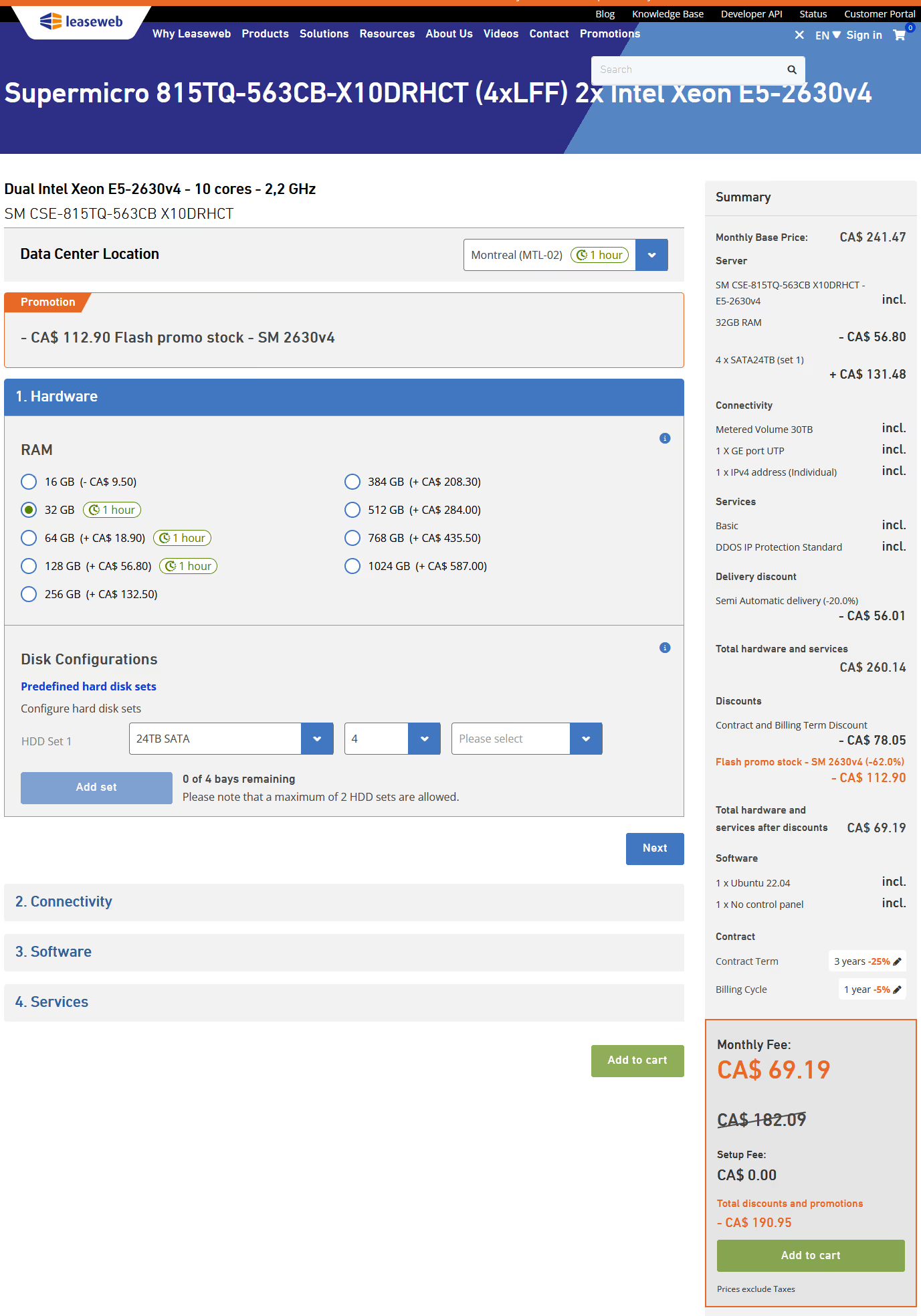
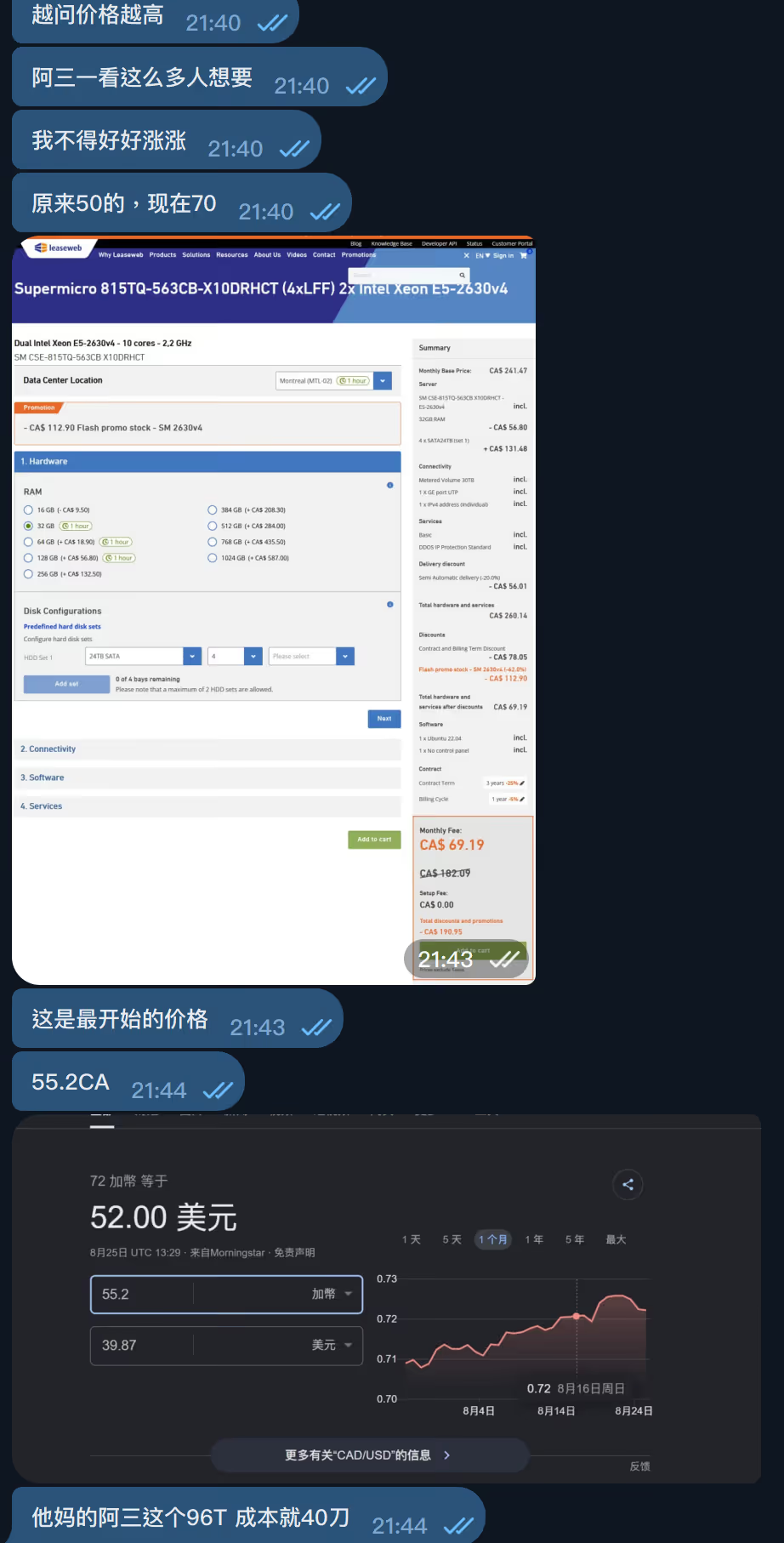
<p>机器 8 月 25 日第一次出现在 Leaseweb 促销里，当时没有安装费，官方也没涨价。按当时测算，4×24T 单台成本能压到 40 欧元以下。</p>
<p><img src="https://s3.catcat.blog/images/2026/09/20260902120232573.avif" alt="image-20260902120232229" /></p>
<p><img src="https://s3.catcat.blog/images/2026/09/20260902120733845.avif" alt="image-20260902120733520" /></p>
<p>HostDZire（阿三）在群里问有没有人要，问完发现想买的人不少，接着就开始扫货。官网一度断货，然后加安装费、涨价。</p>
<p><img src="https://s3.catcat.blog/images/2026/09/20260902120115064.avif" alt="image-20260902120114962" /></p>
<p>扫货的同时，他又在群里说自己没拿到这批机器，给后面加价做铺垫。</p>
<p><img src="https://s3.catcat.blog/images/2026/09/20260902120750948.avif" alt="image-20260902120750824" /></p>
<p>到昨天 9 月 1 日，拿出来卖的是降配版：4×20T，年付 540 欧元，月付 55 欧元。</p>
<p>不止这一台。你越在他面前表现得想要，最后价格越高。前面那台 48T 也是一路往上加。昨天又在卖，360 欧元，比几个月前贵了 40 欧，机器还是同一批。</p>
<blockquote>
<p>为什么不算流量成本：Leaseweb 可以把多台机器挂在同一个流量池上卖，相当于买端口、后面接 n 台，流量平摊。所以这类机器阿三都会写「合理使用」，不允许 24 小时占满。</p>
</blockquote>
<h2>套餐</h2>
<table>
<thead>
<tr>
<th>项目</th>
<th>商家口径</th>
</tr>
</thead>
<tbody>
<tr>
<td>商家</td>
<td>HostDZire</td>
</tr>
<tr>
<td>CPU</td>
<td>双路 E5</td>
</tr>
<tr>
<td>内存</td>
<td>32GB</td>
</tr>
<tr>
<td>硬盘</td>
<td>80TB，全新盘</td>
</tr>
<tr>
<td>阵列</td>
<td>带阵列卡</td>
</tr>
<tr>
<td>带宽</td>
<td>1Gbps 不限流量</td>
</tr>
<tr>
<td>机房</td>
<td>加拿大</td>
</tr>
<tr>
<td>价格</td>
<td>年付 540 欧元 / 月付 55 欧元</td>
</tr>
</tbody>
</table>
<h2>实际交付</h2>
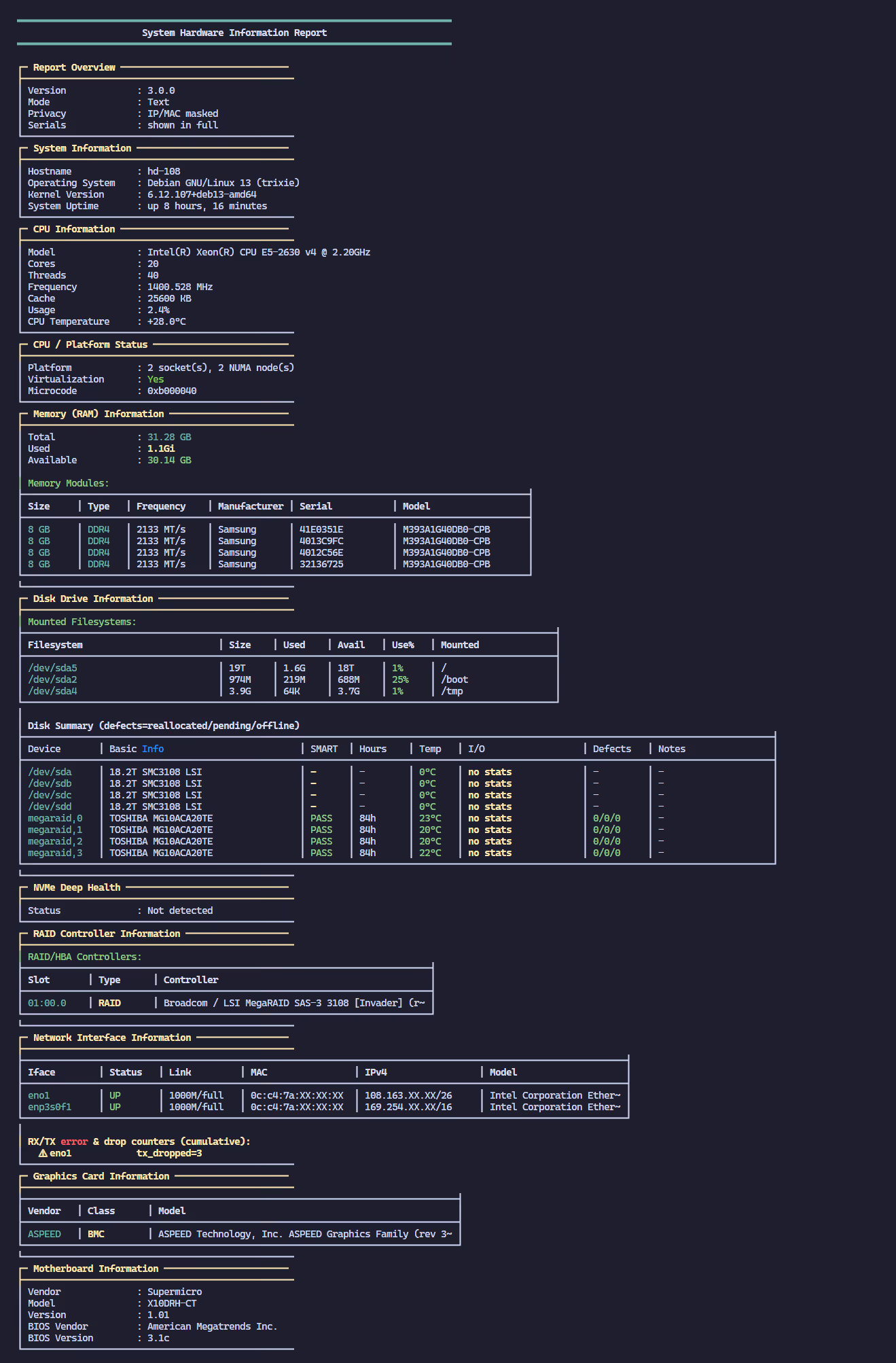
<table>
<thead>
<tr>
<th>项目</th>
<th>实际配置</th>
</tr>
</thead>
<tbody>
<tr>
<td>CPU</td>
<td>2× Intel Xeon E5-2630 v4 @ 2.20GHz</td>
</tr>
<tr>
<td>核心 / 线程</td>
<td>20C / 40T</td>
</tr>
<tr>
<td>内存</td>
<td>32GB DDR4-2133（4×8GB Samsung）</td>
</tr>
<tr>
<td>硬盘</td>
<td>4× 20TB TOSHIBA MG10ACA20TE</td>
</tr>
<tr>
<td>阵列卡</td>
<td>LSI MegaRAID SAS-3 3108（2GB 缓存）</td>
</tr>
<tr>
<td>网卡</td>
<td>Intel X540-AT2 10GbE，链路 1Gbps</td>
</tr>
<tr>
<td>带宽</td>
<td>1Gbps</td>
</tr>
<tr>
<td>系统</td>
<td>Debian 13</td>
</tr>
<tr>
<td>机房</td>
<td>加拿大蒙特利尔 Leaseweb（AS32613）</td>
</tr>
<tr>
<td>主板</td>
<td>Supermicro X10DRH-CT</td>
</tr>
</tbody>
</table>
<h2>硬盘和阵列卡</h2>
<p>和 6 月那台比，真正拉开差距的是盘和阵列卡。</p>
<p>四块都是 <strong>TOSHIBA MG10ACA20TE</strong>，企业级 20TB、7200rpm、SATA 6.0Gb/s。SMART 全部 PASSED，重分配 / pending / 不可纠正都是 0，通电 <strong>85 小时</strong>，上电次数 2。全新盘这点成立。</p>
<table>
<thead>
<tr>
<th>盘</th>
<th>型号</th>
<th>通电</th>
<th>温度</th>
<th>Reallocated</th>
<th>Pending</th>
<th>Offline Unc</th>
</tr>
</thead>
<tbody>
<tr>
<td>megaraid,0</td>
<td>MG10ACA20TE</td>
<td>85h</td>
<td>23°C</td>
<td>0</td>
<td>0</td>
<td>0</td>
</tr>
<tr>
<td>megaraid,1</td>
<td>MG10ACA20TE</td>
<td>85h</td>
<td>20°C</td>
<td>0</td>
<td>0</td>
<td>0</td>
</tr>
<tr>
<td>megaraid,2</td>
<td>MG10ACA20TE</td>
<td>85h</td>
<td>20°C</td>
<td>0</td>
<td>0</td>
<td>0</td>
</tr>
<tr>
<td>megaraid,3</td>
<td>MG10ACA20TE</td>
<td>85h</td>
<td>22°C</td>
<td>0</td>
<td>0</td>
<td>0</td>
</tr>
</tbody>
</table>
<p>阵列卡是 <strong>Broadcom / LSI MegaRAID SAS-3 3108</strong>，固件 4.27，板上 2GB 缓存。</p>
<h2>硬件信息</h2>
<pre><code>OS          Debian GNU/Linux 13 (trixie)
Kernel      6.12.107+deb13-amd64
CPU         2× Intel Xeon E5-2630 v4 @ 2.20GHz  (20C / 40T, 2 NUMA)
Memory      31 GiB DDR4-2133
            4× 8GB Samsung M393A1G40DB0-CPB
Motherboard Supermicro X10DRH-CT
BIOS        American Megatrends Inc. 3.1c (2019-06-25)
RAID        LSI MegaRAID SAS-3 3108, 2GB cache, FW 4.27
            4× RAID virtual disk, Writeback disabled
Disks       4× TOSHIBA MG10ACA20TE 20TB 7200rpm
NIC         Intel X540-AT2 (ixgbe), 1000Mb/s full duplex
IPv4        108.163.XX.XX/26
ASN         AS32613 Leaseweb Canada Inc.
Location    Montréal, Quebec, CA
</code></pre>
<p><img src="https://s3.catcat.blog/images/2026/09/20260902114956683.avif" alt="image-20260902114956307" /></p>
<h2>iperf3</h2>
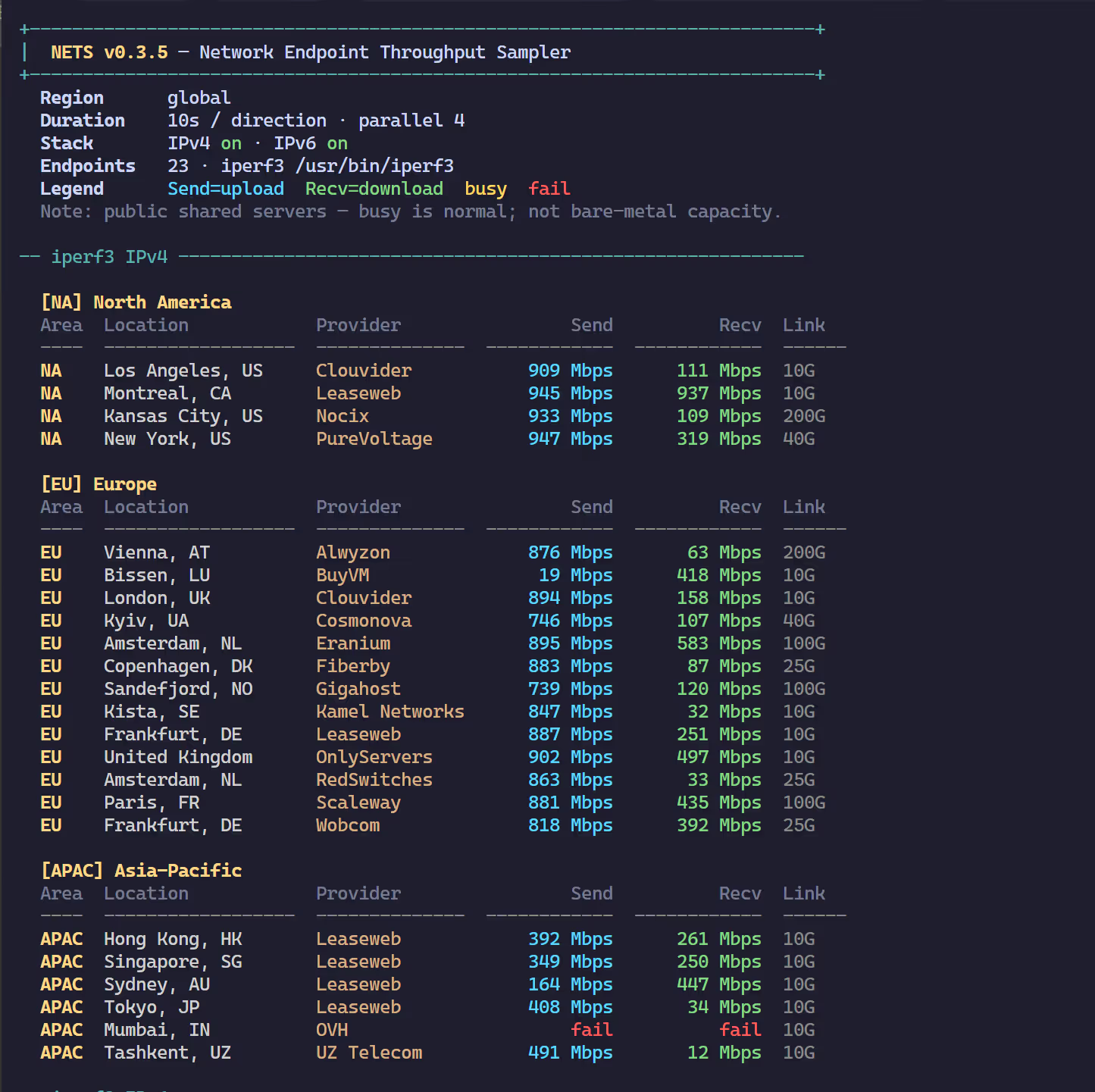
<p>从这边打到加拿大，iperf3 如下。</p>
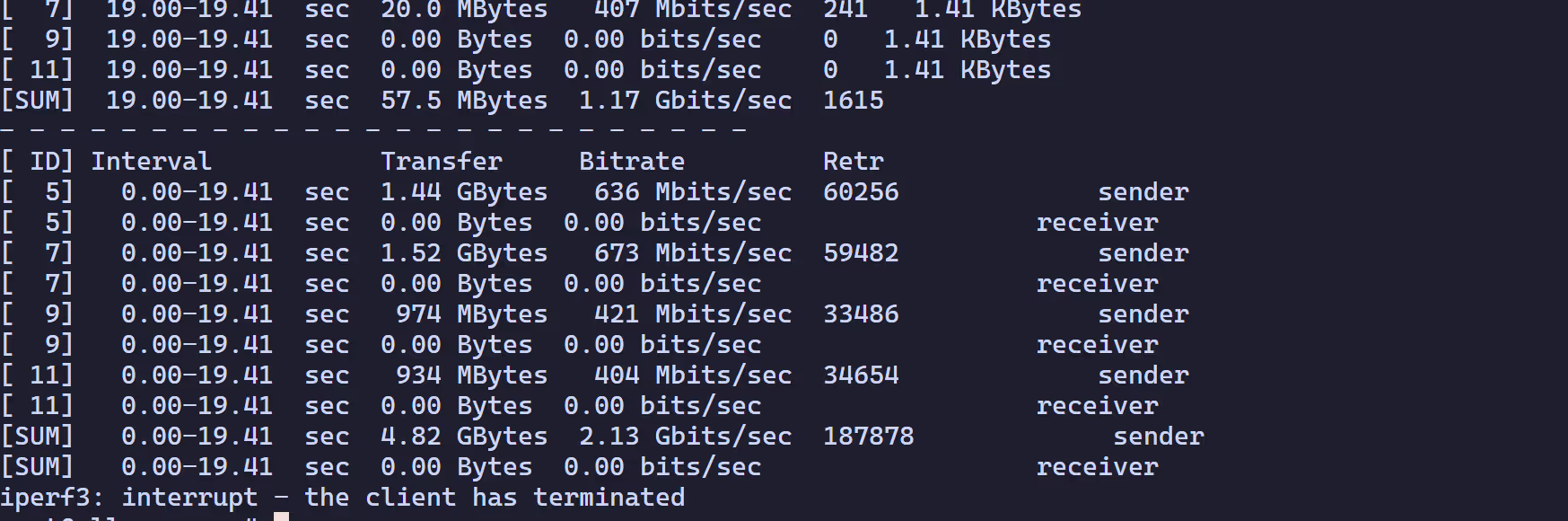
<p><img src="https://s3.catcat.blog/images/2026/09/20260902114932712.avif" alt="image-20260902114925353" /></p>
]]></content>
    <author><name>猫猫博客</name></author>
    <category term="测评"/>
  </entry>
  <entry>
    <title>过于信任AI，导致 cloudflare d1 超刷982亿行引发超额账单</title>
    <link href="https://catcat.blog/2026/08/ai-goal-mode-cloudflare-d1-overage" rel="alternate" type="text/html"/>
    <id>https://catcat.blog/2026/08/ai-goal-mode-cloudflare-d1-overage</id>
    <published>2026-08-25T00:00:00.000Z</published>
    <updated>2026-08-25T00:00:00.000Z</updated>
    <summary>记录一次因开启 AI 目标模式（Goal Mode）导致 Cloudflare D1 超刷 982 亿行的事故。在 AI Vibe Coding 时代，如何避免按量计费的 SaaS 服务被刷爆？</summary>
    <content type="html"><![CDATA[<h1>起因：把监控丢给 AI 后，我被 D1 的读取量上了一课</h1>
<p>上个月 GPT 5.6 发布，我手痒开启了 <code>/goal</code> 模式。</p>
<p>我的架构中有一些边缘业务运行在 <strong>Cloudflare Workers + D1</strong> 上。当时我想给系统补一套指标监控，便随口向 AI 下达了任务：“帮我做一套边缘业务的状态监控”。</p>
<p>AI 开启了自主规划与执行：它不仅完成了指标采集代码，还自作主张写了一个<strong>每 30 秒执行一次的 Edge D1 定时监控查询</strong>。更致命的是，为了统计待处理的目标状态，它的 SQL 逻辑里包含了缺乏有效索引的反复关联扫描与全表比对。</p>
<p>对于 AI 来说：有数据、逻辑闭环、单元测试全绿，任务就算完美交付。但它完全不知道 <strong>D1 是按底层扫描行数计费的</strong>。</p>
<p>几天后我查看账单监控，直接傻眼——D1 的读取量呈现灾难性暴增，光是事故爆发的两天，就刷出了 <strong>75.095B（约 751 亿行）</strong> 的读取量，整个账期累计达 <strong>98.27B（982.7 亿行）</strong>。</p>
<p>Cloudflare UTC 监控面板数据：</p>
<ul>
<li><strong>7 月 27 日</strong>：D1 总读取 43.389B，该监控 SQL 贡献 41.500B（占比 95.6%）。</li>
<li><strong>7 月 28 日</strong>：D1 总读取 34.226B，该监控 SQL 贡献 33.595B（占比 98.2%）。</li>
<li><strong>两天合计</strong>：监控 SQL 累计扫描 75.095B 行，占这两天总用量的 96.75%。</li>
</ul>
<p><img src="https://s3.catcat.blog/images/2026/08/20260825114856418.avif" alt="Cloudflare D1 读取指标" /></p>
<p><img src="https://s3.catcat.blog/images/2026/08/20260825114856441.avif" alt="Cloudflare 异常峰值统计" /></p>
<hr />
<h1>定价拆解：为什么一行简单的 SQL 能产生 73 刀额外账单？</h1>
<h3>1. Cloudflare D1 计费逻辑</h3>
<p>Cloudflare D1 的核心计费指标是 <strong>Rows Read（扫描行数）</strong> 与 <strong>Rows Written（写入行数）</strong>，并非按照返回给客户端的数据量计费。</p>
<table>
<thead>
<tr>
<th>项目</th>
<th>Workers Free</th>
<th>Workers Paid ($5/月)</th>
</tr>
</thead>
<tbody>
<tr>
<td><strong>Rows Read</strong></td>
<td>500 万 / 天</td>
<td><strong>250 亿 / 月（包含）</strong></td>
</tr>
<tr>
<td><strong>超额 Rows Read</strong></td>
<td>—</td>
<td><strong>$0.001 / 百万行</strong></td>
</tr>
<tr>
<td><strong>Rows Written</strong></td>
<td>10 万 / 天</td>
<td><strong>5000 万 / 月（包含）</strong></td>
</tr>
<tr>
<td><strong>超额 Rows Written</strong></td>
<td>—</td>
<td><strong>$1.00 / 百万行</strong></td>
</tr>
<tr>
<td><strong>存储空间</strong></td>
<td>5 GB</td>
<td><strong>5 GB（包含），超额 $0.75 / GB·月</strong></td>
</tr>
<tr>
<td><strong>出站流量</strong></td>
<td>免费</td>
<td>免费</td>
</tr>
</tbody>
</table>
<blockquote>
<p><strong>关键陷阱</strong>：D1 的 Rows Read 计算的是<strong>数据库底层引擎实际遍历扫描的行数</strong>。<br />
哪怕你的 <code>SELECT</code> 最终只返回 10 条数据，但由于缺乏索引或低效 JOIN 导致 SQLite 引擎扫了全表 100 万行，计费时就会严格按 <strong>100 万 Rows Read</strong> 结算。</p>
</blockquote>
<h3>2. Workers 与 D1 的叠加链路</h3>
<p>Workers Paid 基础套餐包含每月 1000 万次请求和 3000 万 CPU ms。每 30 秒跑一次 Cron Worker 本身几乎不消耗什么资源，但其背后的调用放大效应十分惊人：</p>
<p>$$\text{Cron Worker (每 30 秒)} \xrightarrow{\text{触发}} \text{无索引全表关联 SQL} \xrightarrow{\text{单次扫描数千万行}} \text{巨量 Rows Read}$$</p>
<h3>3. 最终账单算式</h3>
<ul>
<li>账期总读取：<code>98.27B Rows</code></li>
<li>Paid 计划免费额度：<code>25.00B Rows</code></li>
<li>超额读取量：<code>98.27B - 25.00B = 73.27B Rows</code></li>
<li>超额扣费：
$$\frac{73.27 \times 10^9}{10^6} \times $0.001 = $73.27$$</li>
</ul>
<p>虽然 73 刀没有造成毁灭性损失，但这完全是因为 D1 的单价极低（10 亿行才 1 美元）。如果换成按写入计费的数据库或按 token 计费的 API，这类无界死循环足够让人直接破产。</p>
<hr />
<h1>止损与申诉：如何向 Cloudflare 申请减免？</h1>
<p>定位问题后，我第一时间下线了对应的采集 Worker。既然故障已经发生，抱着试试看的心态，我开始调研 Cloudflare 是否支持非恶意故障的一次性账单减免（Courtesy Credit）。</p>
<p>通过检索，我发现遇到类似情况的开发者不在少数：</p>
<p><img src="https://s3.catcat.blog/images/2026/08/20260825120120982.avif" alt="社区相关案例 1" /></p>
<p><img src="https://s3.catcat.blog/images/2026/08/20260825120329380.avif" alt="社区相关案例 2" /></p>
<p>几个经典的减免参考案例：</p>
<ol>
<li><a href="https://littlebearapps.com/blog/d1-billing-disaster-circuit-breakers">My $5/month Cloudflare bill hit $4,868 because of an infinite loop</a>（全额减免约 $4500+）</li>
<li><a href="https://community.cloudflare.com/t/d1-one-time-overage-564-fixed-requesting-credit-before-invoice/933395">D1 one-time overage ~$564 — fixed, requesting credit before invoice</a></li>
<li>官方社区工单记录 <a href="https://community.cloudflare.com/t/billing-ticket-01953111-d1-write-overage-from-code-bug-seeking-courtesy-credit/889957">#01953111</a> 与 <a href="https://community.cloudflare.com/t/billing-ticket-02179960-d1-write-overage-from-code-bug-seeking-courtesy-credit/934039">#02179960</a></li>
</ol>
<h3>提交工单模板（8 月 2 日）</h3>
<p>向官方沟通时，要做到<strong>数据清晰、态度诚恳、说明根因并证明已经彻底修复</strong>：</p>
<pre><code>Hello Cloudflare Billing Support,

I am writing to respectfully request a one-time courtesy credit or waiver for an accidental D1 Rows Read overage of approximately USD 73.27.

Account ID: xxxx
D1 database: xxxx
Database ID: xxxxxx

Billing details:
- Total Rows Read: 98.27 billion
- Included Rows Read: 25 billion
- Overage: 73.27 billion
- Estimated overage charge: ~USD 73.27

This overage was caused by a runaway internal monitoring SQL query, not by production traffic or end-user activity. It was an isolated operational mistake on our side.

Breakdown of the incident days:
- July 27, 2026: 43.389B total rows read, of which 41.500B came from the monitoring query
- July 28, 2026: 34.226B total rows read, of which 33.595B came from the monitoring query

The monitoring query alone accounted for 75.095B rows over these two days.  
Excluding this isolated incident, our total usage for the period would have been only approximately 23.175B rows — well below the included 25B allowance.

We identified the issue and permanently disabled the D1 metrics collector on August 2, 2026 at 14:56:09 UTC. We have verified that the query is no longer being issued. The root cause has been fully removed and the problem has already been fixed.

We fully understand how D1 Rows Read billing works and take complete responsibility for this operational error. Additional safeguards have also been put in place to prevent similar issues in the future.

Given that this was a one-time isolated mistake, the issue has already been permanently fixed, and our normal usage remains within the included allocation, we sincerely and respectfully request a one-time courtesy credit or waiver for the 73.27B Rows Read overage.

All relevant evidence (billing details, query analytics, and remediation records) has been attached.

Thank you very much for your time and consideration.

Best regards

</code></pre>
<h3>官方反馈与前置条件（8 月 22 日）</h3>
<p>8 月 22 日，Cloudflare 支持团队回复表示可以进入账户信用审核流程，但要求账户<strong>必须开启 Billable Usage 监控并配置 Budget Alert（预算告警）</strong>。</p>
<p>按要求在 Dashboard 开启 Budget Alert：</p>
<p>随后回复确认：</p>
<pre><code>Thank you very much for your assistance.

I’ve now configured the billable-usage budget alert on my account as requested, with a threshold greater than $10.

Please proceed with the account-level review of the D1 usage and the $73.27 overage from the July 27–28 usage spike.

I really appreciate your help with investigating this issue. I’ll wait for your follow-up regarding the review and any possible one-time credit.

Thanks again for your support!

Best regards

</code></pre>
<h3>最终结果（8 月 25 日）</h3>
<p>审核顺利通过。由于当期账单已自动扣款，Cloudflare 将 $73.27 全额退还到了账户余额中（Credit Balance），可直接用于抵扣后续订阅费用。</p>
<hr />
<h1>Vibe Coding 时代的冷思考：当自主 Agent 遇上按量计费</h1>
<p>GPT 5.6 的 <code>/goal</code> 模式和传统的 Copilot 辅助补全有本质区别。它更像一个自主 Agent：<strong>给它一个目标，它会自主拆解、编写代码、跑测试、修复报错，直到它认为目标达成。</strong></p>
<p>但这里存在一个致命的认知代沟：</p>
<ol>
<li><strong>AI 只对逻辑正确性负责，不对你的钱包负责</strong>：在 AI 眼中，跑通功能的权重大于一切。它不会考虑“单次查询扫描成本”、“Serverless 冷启动代价”或“第三方 API Rate Limit”。</li>
<li><strong>云原生的自我修复（Self-Healing）容易变成刷量放大器</strong>：如果代码存在死循环或资源泄漏，现代云平台的容器重启、重试机制会默默掩盖故障，让费用在后台无限累积。Reddit 上就有开发者分享过 <a href="https://www.reddit.com/r/AI_Agents/comments/1qvcpkf/trusting_my_ai_agent_cost_me_over_usd_700/">AI Agent 死循环生成图片导致 700 刀蒸发</a> 的真实惨剧。</li>
</ol>
<h3>生产环境防背刺指南（SaaS 避坑清单）</h3>
<p>在将任务放权给自主编码 Agent 之前，必须在基础设施层建立防御：</p>
<ol>
<li><strong>硬顶预算限制（Hard Limit）高于一切</strong>：</li>
</ol>
<ul>
<li>接入任何 Serverless/SaaS 服务前，第一步不是写代码，而是去 Billing 页面开启 <strong>Budget Alert</strong> 与 <strong>Hard Limit（超额自动熔断）</strong>。</li>
</ul>
<ol>
<li><strong>审计 AI 生成的高频定时任务与 SQL</strong>：</li>
</ol>
<ul>
<li>对任何 <code>setInterval</code>、<code>Cron Trigger</code> 或后台 Worker 保持高度警惕。</li>
<li>在 D1/SQLite 中，涉及关联查询必须执行 <code>EXPLAIN QUERY PLAN</code> 确认命中索引，严禁让无索引扫描暴露在定时轮询中。</li>
</ul>
<ol>
<li><strong>在应用层设计熔断机制（Circuit Breaker）</strong>：</li>
</ol>
<ul>
<li>限制 Worker 单次执行的超时时间与单批次处理上限（Batch Size）。</li>
<li>增加死信队列与异常重试熔断，避免任务失败后无限死循环拉起。</li>
</ul>
<ol>
<li><strong>小步迭代，禁止无人值守全量发布</strong>：</li>
</ol>
<ul>
<li>AI 写完代码后，先在 Local/Staging 观察 Metrics 指标，确认资源消耗符合预期再切流量。</li>
</ul>
<p><strong>总结</strong>：Vibe Coding 确实解放了生产力，但在涉及按量计费（Pay-as-you-go）的基础设施时，千万不要当甩手掌柜。</p>
]]></content>
    <author><name>猫猫博客</name></author>
    <category term="随笔"/>
  </entry>
  <entry>
    <title>国内 EdgeOne、海外 Cloudflare：配置全球分流来加速 R2 存储桶</title>
    <link href="https://catcat.blog/2026/08/edgeone-cloudflare-geo-split-cdn" rel="alternate" type="text/html"/>
    <id>https://catcat.blog/2026/08/edgeone-cloudflare-geo-split-cdn</id>
    <published>2026-08-14T00:00:00.000Z</published>
    <updated>2026-08-14T00:00:00.000Z</updated>
    <summary>同一对外主机名境内走 EdgeOne、境外走 Cloudflare for SaaS。企业版可按国家、州邦和运营商调度。一次 ITDOG 拨测中，企业版全国平均约 0.19 秒，免费版约 1.48 秒。</summary>
    <content type="html"><![CDATA[<p>本文说明如何把同一个对外主机名分流：中国大陆访问走腾讯云 EdgeOne，境外访问走 Cloudflare for SaaS，对象仍只存在一份源站上。</p>
<p>有两层做法，不要混用概念：</p>
<table>
<thead>
<tr>
<th>层</th>
<th>粒度</th>
<th>套餐</th>
</tr>
</thead>
<tbody>
<tr>
<td>DNS 分线路</td>
<td>默认、境内、境外，以及部分服务商提供的运营商线路</td>
<td>DNS 服务商能力</td>
</tr>
<tr>
<td>EdgeOne 流量调度</td>
<td>国家或地区、中国大陆运营商、省份、省份加运营商、美国各州、印度各邦；可按权重分配</td>
<td>仅 EdgeOne 企业版</td>
</tr>
</tbody>
</table>
<p>DNS 分线路只能把解析切到「境内 / 境外」这一档。企业版在解析已经进入 EdgeOne CNAME 之后，再按地理位置与运营商把请求分给 EdgeOne 或其它 CDN 的 CNAME。官方说明见 <a href="https://www.tencentcloud.com/zh/document/product/1145/51445">流量调度管理</a>。</p>
<p>适合已经把对象放在 Cloudflare R2 自定义域、并且对外域名由支持分线路的 DNS 服务商托管的实施人员。整区 NS 已切到 Cloudflare 时，无法按境内运营商做 DNS 分流；仍可把对外主机名 CNAME 到 EdgeOne，再用企业版流量调度把境外指到 Cloudflare。</p>
<p>按顺序阅读：名称约定 → Cloudflare 回退源与自定义主机名 → 证书 TXT → 境外回源 Host → EdgeOne 源站 → DNS 分线路 → 企业版流量调度（可选）→ 验收。证书不是 Active 时，不要把境外流量切到 Cloudflare。</p>
<h2>名称约定</h2>
<p>全文使用 RFC 2606 示例域名。将 <code>example.com</code> 换成对外域名，将 <code>example.net</code> 换成已接入 Cloudflare 的区。</p>
<table>
<thead>
<tr>
<th>名称</th>
<th>示例</th>
<th>作用</th>
</tr>
</thead>
<tbody>
<tr>
<td>对外主机名</td>
<td><code>cdn.example.com</code></td>
<td>浏览器地址栏中的唯一名字</td>
</tr>
<tr>
<td>Cloudflare 区</td>
<td><code>example.net</code></td>
<td>已接入 Cloudflare，并已开通 Cloudflare for SaaS</td>
</tr>
<tr>
<td>对象源</td>
<td><code>files.example.net</code></td>
<td>R2 自定义域，负责返回对象</td>
</tr>
<tr>
<td>接入名</td>
<td><code>customers.example.net</code></td>
<td>境外 CNAME 的目标；橙云空记录，只负责把流量引入 <code>example.net</code> 区</td>
</tr>
<tr>
<td>EdgeOne CNAME</td>
<td><code>cdn.example.com.eo.dnse0.com</code></td>
<td>EdgeOne 控制台为加速域名下发的接入值</td>
</tr>
</tbody>
</table>
<p>解析与回源关系：</p>
<pre><code>境内: cdn.example.com → cdn.example.com.eo.dnse0.com → EdgeOne → HTTPS 回源 files.example.net
境外: cdn.example.com → customers.example.net → Cloudflare for SaaS → 回退源 files.example.net
</code></pre>
<p><code>example.com</code> 继续由 DNSPod、阿里云 DNS 或华为云 DNS 等支持分线路的服务商托管。不要把 <code>example.com</code> 的 NS 切到 Cloudflare。</p>
<p>不要把 <code>cdn.example.com</code> 直接 CNAME 到 <code>files.example.net</code>。请求会到达 Cloudflare Anycast 地址，但证书主体备用名称（SAN）只有 <code>files.example.net</code>。客户端使用 SNI <code>cdn.example.com</code> 握手时失败。必须在 Cloudflare for SaaS 中添加自定义主机名，单独为 <code>cdn.example.com</code> 签发证书。</p>
<h2>前置条件</h2>
<ol>
<li>Cloudflare 账号已接入区 <code>example.net</code>，并且已开通 Cloudflare for SaaS（控制台路径：SSL/TLS → Custom Hostnames）。</li>
<li><code>files.example.net</code> 已作为 R2 自定义域绑定，代理状态为已代理（橙云），并且可以直接返回对象。</li>
<li>EdgeOne 站点已创建。步骤 1 至步骤 5 在个人版与企业版均可完成。步骤 6 的流量调度仅企业版、且站点为 CNAME 接入时可用。</li>
<li><code>cdn.example.com</code> 所在区支持「默认 / 境内 / 境外」等分线路解析。</li>
<li>源站 WAF 或 Bot 管理不会拦截 EdgeOne 回源。回源 Host 与回源 SNI 必须是 <code>files.example.net</code>。R2 自定义域不接受 Host 为 <code>cdn.example.com</code> 的请求。</li>
</ol>
<p>验证对象源：</p>
<pre><code>curl -sI "https://files.example.net/path/to/object.webp"
</code></pre>
<p>预期结果：HTTP 状态为 200，<code>Content-Type</code> 与对象类型一致。</p>
<h2>步骤 1：配置 Cloudflare 回退源与接入名</h2>
<p>回退源（Fallback origin）与接入名（CNAME target）不是同一个记录。</p>
<table>
<thead>
<tr>
<th>名称</th>
<th>作用</th>
</tr>
</thead>
<tbody>
<tr>
<td>回退源</td>
<td>自定义主机名通过验证后，Cloudflare 将请求转到的源站主机名</td>
</tr>
<tr>
<td>接入名</td>
<td>境外解析指向的主机名，只负责把流量引入 SaaS 区</td>
</tr>
</tbody>
</table>
<p>回退源填写 <code>files.example.net</code>。该主机名必须已代理，并且已经能够返回对象。</p>
<p>不要把回退源指到任意源站 IP。接入名使用 A 记录指向源站 IP 时，Cloudflare 可能返回 520。接入名 CNAME 到 R2 自定义域时，Cloudflare 可能返回 1014（CNAME Cross-User Banned）。</p>
<h3>1.1 创建接入名</h3>
<p>在 <code>example.net</code> 的 DNS 中新增一条空源记录：</p>
<table>
<thead>
<tr>
<th>类型</th>
<th>名称</th>
<th>内容</th>
<th>代理状态</th>
</tr>
</thead>
<tbody>
<tr>
<td>AAAA</td>
<td><code>customers</code></td>
<td><code>100::</code></td>
<td>已代理</td>
</tr>
</tbody>
</table>
<p>控制台不支持 AAAA 时，改用 <code>A 192.0.2.1</code>，代理状态同样为已代理。该记录不提供源站内容，只用于把流量引入边缘。</p>
<h3>1.2 指定回退源</h3>
<ol>
<li>打开 SSL/TLS → Custom Hostnames。</li>
<li>将 Fallback origin 设为 <code>files.example.net</code>。</li>
<li>等待回退源状态变为 Active。</li>
</ol>
<p>当前回退源如果仍是 <code>customers.example.net</code>，删除或更改该 DNS 记录会失败，错误信息包含 <code>Deletion of this record is not allowed</code> 与 <code>fallback origin</code>。先将回退源改为 <code>files.example.net</code>，再修改接入名记录。</p>
<h3>1.3 添加自定义主机名</h3>
<ol>
<li>选择 Add Custom Hostname。</li>
<li>Custom hostname 填写 <code>cdn.example.com</code>。</li>
<li>证书验证方法选择 TXT。不要选择 HTTP。</li>
</ol>
<p>HTTP 验证不适用于本方案。默认线路指向 EdgeOne 时，证书颁发机构的校验请求到不了 Cloudflare。若站点启用 Always Use HTTPS，HTTP 校验还会 301 到尚未签发证书的 HTTPS，校验失败。</p>
<p>控制台随后给出证书验证 TXT。常见形式：</p>
<pre><code>名称: _acme-challenge.cdn.example.com
值:   &lt;控制台给出的令牌&gt;
</code></pre>
<p>部分账号还会给出主机名归属 TXT：<code>_cf-custom-hostname.cdn.example.com</code>。两条记录都按步骤 2 写入。未出现第二条时，只处理证书验证 TXT。</p>
<h2>步骤 2：写入证书 TXT</h2>
<p>在自定义主机名的 Certificate 变为 Active 之前，不要修改境外 CNAME。</p>
<p>DNS 控制台会把主机记录与区名拼接成 FQDN。控制台复制的是完整名称，主机记录中不得再次包含区名。</p>
<table>
<thead>
<tr>
<th>控制台显示的名称</th>
<th>DNS 主机记录</th>
<th>类型</th>
<th>线路</th>
<th>记录值</th>
</tr>
</thead>
<tbody>
<tr>
<td><code>_acme-challenge.cdn.example.com</code></td>
<td><code>_acme-challenge.cdn</code></td>
<td>TXT</td>
<td>默认</td>
<td>控制台给出的令牌</td>
</tr>
<tr>
<td><code>_cf-custom-hostname.cdn.example.com</code></td>
<td><code>_cf-custom-hostname.cdn</code></td>
<td>TXT</td>
<td>默认</td>
<td>控制台给出的令牌</td>
</tr>
</tbody>
</table>
<p>主机记录如果写成 <code>_acme-challenge.cdn.example.com</code>，实际记录名为 <code>_acme-challenge.cdn.example.com.example.com</code>。证书颁发机构查询 <code>_acme-challenge.cdn.example.com</code> 得到空应答，证书保持 Pending Validation。</p>
<p>写入后检查：</p>
<pre><code>dig +short TXT _acme-challenge.cdn.example.com
</code></pre>
<p>预期结果：应答中包含控制台给出的令牌。</p>
<p>返回 Custom Hostnames，刷新自定义主机名状态。同时满足以下条件后再继续：</p>
<ul>
<li>Hostname 为 Active</li>
<li>Certificate 为 Active</li>
</ul>
<p>检查证书是否已部署到边缘：</p>
<pre><code>echo | openssl s_client -connect 104.26.1.14:443 -servername cdn.example.com 2&gt;/dev/null \
  | openssl x509 -noout -ext subjectAltName
</code></pre>
<p>将 <code>104.26.1.14</code> 换成 <code>customers.example.net</code> 当前解析到的任一 Cloudflare 地址。预期结果：SAN 包含 <code>DNS:cdn.example.com</code>。SAN 中没有该名称时，停止修改 CNAME。</p>
<p>证书签发后，保留 <code>_acme-challenge.cdn</code> 这条 TXT，续期仍需要该记录。</p>
<h2>步骤 3：处理境外回源 Host</h2>
<p>自定义主机名生效后，境外请求进入 <code>example.net</code> 区，浏览器 Host 仍是 <code>cdn.example.com</code>。R2 自定义域按 Host 匹配存储桶，因此直接回源 <code>files.example.net</code> 会失败。</p>
<p>三种做法只启用一套。不要同时配置 Origin Rule、Snippet 与 Worker。</p>
<table>
<thead>
<tr>
<th>做法</th>
<th>套餐</th>
<th>原理</th>
<th>适用</th>
</tr>
</thead>
<tbody>
<tr>
<td>Origin Rule 改写 Host</td>
<td>仅 Enterprise</td>
<td>回源前把 Host / SNI 改成 <code>files.example.net</code></td>
<td>企业套餐，不想写代码</td>
</tr>
<tr>
<td>Snippet 子请求</td>
<td>Pro 及以上</td>
<td>用 <code>fetch()</code> 访问 <code>files.example.net</code></td>
<td>付费套餐，规则不够用</td>
</tr>
<tr>
<td>Worker 绑定 R2</td>
<td>含免费套餐</td>
<td>Worker 用存储桶绑定读对象，不依赖 Host</td>
<td>免费套餐默认选择；也适合需要 Range / HEAD 的图床</td>
</tr>
</tbody>
</table>
<p>Free、Pro、Business 的 Origin Rule <strong>不能</strong>改写 Host header，也不能改写 SNI。以 Cloudflare 文档中 Origin Rules 的套餐表为准。控制台若没有「Host Header」或保存时报 entitlement 错误，改用 Worker。</p>
<p>公开图床只允许 <code>GET</code> 与 <code>HEAD</code>。不要在 Worker 中实现 <code>PUT</code> 或 <code>DELETE</code>。</p>
<h3>3.1 Origin Rule（仅 Enterprise）</h3>
<p>前置条件：区套餐为 Enterprise。</p>
<ol>
<li>打开 <code>example.net</code> → Rules → Origin Rules → Create rule。</li>
<li>规则名称填写 <code>cdn-example-origin-host</code>。</li>
<li>条件：Hostname equals <code>cdn.example.com</code>。</li>
<li>操作：
<ul>
<li>Host Header → Rewrite to <code>files.example.net</code></li>
<li>SNI → <code>files.example.net</code>（有该选项时一并填写）</li>
</ul>
</li>
<li>部署规则。</li>
</ol>
<p>预期结果：境外请求回源时，源站看到的 Host 为 <code>files.example.net</code>，R2 返回对象。</p>
<p>非 Enterprise 区不要使用本小节。</p>
<h3>3.2 Snippet（Pro 及以上）</h3>
<p>前置条件：区套餐为 Pro、Business 或 Enterprise。免费套餐没有 Snippets。</p>
<p>Snippet 不能改写原始请求的 Host。需要构造发往 <code>files.example.net</code> 的子请求。<code>fetch()</code> 使用 URL 主机名作为 Host，只修改请求头无效。</p>
<ol>
<li>打开 Rules → Snippets → Create Snippet。</li>
<li>名称填写 <code>cdn-example-origin-host</code>。</li>
<li>匹配表达式填写 <code>(http.host eq "cdn.example.com")</code>。不要匹配 <code>files.example.net</code>，否则子请求会再次进入 Snippet。</li>
<li>粘贴下面的代码并部署。</li>
</ol>
<pre><code>const ORIGIN_HOST = "files.example.net";

export default {
  async fetch(request) {
    const incoming = new URL(request.url);
    if (incoming.hostname === ORIGIN_HOST) {
      return fetch(request);
    }

    const url = new URL(request.url);
    url.hostname = ORIGIN_HOST;
    url.protocol = "https:";

    const headers = new Headers(request.headers);
    headers.delete("host");

    return fetch(
      new Request(url.toString(), {
        method: request.method,
        headers,
        body: request.body,
        redirect: "manual",
      }),
    );
  },
};
</code></pre>
<h3>3.3 Worker 绑定 R2（推荐，免费套餐可用）</h3>
<p>Worker 通过存储桶绑定读取对象，不经过 R2 自定义域的 Host 校验。SaaS 自定义主机名只要把流量引进区，Worker 路由匹配 <code>cdn.example.com/*</code> 即可出对象。</p>
<h4>创建 Worker 并绑定存储桶</h4>
<ol>
<li>打开 Workers &amp; Pages → Create → Worker。</li>
<li>名称填写 <code>cdn-example-r2</code>。</li>
<li>用下面的模块 Worker 替换默认代码，保存并部署。</li>
<li>打开该 Worker 的 Settings → Bindings → 添加 R2 Bucket：
<ul>
<li>Variable name：<code>MY_BUCKET</code></li>
<li>R2 bucket：选择实际存储桶</li>
</ul>
</li>
</ol>
<pre><code>export default {
  async fetch(request, env) {
    if (request.method !== "GET" &amp;&amp; request.method !== "HEAD") {
      return new Response("Method Not Allowed", {
        status: 405,
        headers: { Allow: "GET, HEAD" },
      });
    }

    const url = new URL(request.url);
    const key = decodeURIComponent(url.pathname.replace(/^\/+/, ""));
    if (!key) {
      return new Response("Not Found", { status: 404 });
    }

    const object = await env.MY_BUCKET.get(key, {
      onlyIf: request.headers,
      range: request.headers,
    });

    if (object === null) {
      return new Response("Object Not Found", { status: 404 });
    }

    const headers = new Headers();
    object.writeHttpMetadata(headers);
    headers.set("etag", object.httpEtag);
    headers.set("Accept-Ranges", "bytes");

    const hasBody = request.method === "GET" &amp;&amp; "body" in object;
    return new Response(hasBody ? object.body : undefined, {
      status: hasBody || request.method === "HEAD" ? 200 : 412,
      headers,
    });
  },
};
</code></pre>
<p><code>range</code> 与 <code>onlyIf</code> 把客户端的 <code>Range</code>、<code>If-None-Match</code> 传给 R2，便于大文件分段下载与缓存再验证。</p>
<p>使用 Wrangler 时，等价绑定如下：</p>
<pre><code>name = "cdn-example-r2"
main = "src/index.js"
compatibility_date = "2026-08-14"

[[r2_buckets]]
binding = "MY_BUCKET"
bucket_name = "example-assets"
</code></pre>
<p>将 <code>example-assets</code> 换成实际桶名。</p>
<h4>添加 Worker 路由</h4>
<p>路由必须写对外主机名，不要写对象源。</p>
<ol>
<li>打开 <code>example.net</code> → Workers Routes → Add route。</li>
<li>填写：</li>
</ol>
<table>
<thead>
<tr>
<th>项</th>
<th>值</th>
</tr>
</thead>
<tbody>
<tr>
<td>Route</td>
<td><code>cdn.example.com/*</code></td>
</tr>
<tr>
<td>Worker</td>
<td><code>cdn-example-r2</code></td>
</tr>
</tbody>
</table>
<p>不要填写 <code>files.example.net/*</code>。对象源本身已能通过 R2 自定义域访问；再绑同一 Worker 容易造成循环或重复计费。</p>
<p>自定义主机名未 Active 时，该路由不会匹配到生产流量。</p>
<p>使用 Worker 时，回退源仍保持 <code>files.example.net</code>。请求在回源之前被 Worker 接管，不再依赖 Host 改写。</p>
<h3>3.4 可选：Worker 代理 Backblaze B2</h3>
<p>对象不在 R2、而在 B2 时，不能使用存储桶绑定。需要在 Worker 内用 S3 兼容接口签名后回源。</p>
<p>前置条件：</p>
<ul>
<li>已创建 B2 存储桶，并生成 Application Key</li>
<li>记录该桶的 S3 Endpoint，形式为 <code>s3.&lt;region&gt;.backblazeb2.com</code></li>
</ul>
<h4>回退源 DNS</h4>
<p>在 <code>example.net</code> 增加一条记录，指向 B2 的 S3 Endpoint，而不是 Friendly URL：</p>
<table>
<thead>
<tr>
<th>类型</th>
<th>名称</th>
<th>内容</th>
<th>代理状态</th>
</tr>
</thead>
<tbody>
<tr>
<td>CNAME</td>
<td><code>b2</code></td>
<td><code>s3.us-west-004.backblazeb2.com</code></td>
<td>已代理</td>
</tr>
</tbody>
</table>
<p>将 <code>us-west-004</code> 换成该桶实际区域。Custom Hostnames 的回退源改为 <code>b2.example.net</code>。</p>
<h4>Worker 环境变量</h4>
<table>
<thead>
<tr>
<th>变量名</th>
<th>含义</th>
<th>示例</th>
</tr>
</thead>
<tbody>
<tr>
<td><code>B2_APPLICATION_KEY_ID</code></td>
<td>应用密钥 ID</td>
<td>控制台生成</td>
</tr>
<tr>
<td><code>B2_APPLICATION_KEY</code></td>
<td>应用密钥</td>
<td>控制台生成，按 Secret 保存</td>
</tr>
<tr>
<td><code>B2_ENDPOINT</code></td>
<td>S3 Endpoint 主机名</td>
<td><code>s3.us-west-004.backblazeb2.com</code></td>
</tr>
<tr>
<td><code>B2_REGION</code></td>
<td>Endpoint 中的区域</td>
<td><code>us-west-004</code></td>
</tr>
<tr>
<td><code>BUCKET_NAME</code></td>
<td>存储桶名</td>
<td><code>example-assets</code></td>
</tr>
</tbody>
</table>
<p>不要把密钥写入 Worker 源码。</p>
<h4>Worker 代码</h4>
<p>依赖 <code>aws4fetch</code>。在 Worker 设置中添加该依赖，或使用 Wrangler 安装后部署。</p>
<pre><code>import { AwsClient } from "aws4fetch";

const UNSIGNED_HEADERS = new Set([
  "authorization",
  "connection",
  "content-length",
  "expect",
  "host",
  "range",
  "user-agent",
  "x-amzn-trace-id",
  "x-forwarded-proto",
  "x-real-ip",
]);

function filterHeaders(headers) {
  const next = new Headers();
  for (const [name, value] of headers.entries()) {
    const lower = name.toLowerCase();
    if (UNSIGNED_HEADERS.has(lower) || lower.startsWith("cf-")) {
      continue;
    }
    next.set(name, value);
  }
  return next;
}

export default {
  async fetch(request, env) {
    if (request.method !== "GET" &amp;&amp; request.method !== "HEAD") {
      return new Response("Method Not Allowed", {
        status: 405,
        headers: { Allow: "GET, HEAD" },
      });
    }

    const url = new URL(request.url);
    url.hostname = `${env.BUCKET_NAME}.${env.B2_ENDPOINT}`;
    url.protocol = "https:";

    const client = new AwsClient({
      accessKeyId: env.B2_APPLICATION_KEY_ID,
      secretAccessKey: env.B2_APPLICATION_KEY,
      service: "s3",
      region: env.B2_REGION,
    });

    const signed = await client.sign(url.toString(), {
      method: request.method,
      headers: filterHeaders(request.headers),
    });

    const outbound = new Request(signed);
    const range = request.headers.get("Range");
    if (range) {
      outbound.headers.set("Range", range);
    }

    return fetch(outbound);
  },
};
</code></pre>
<p>完整签名与重试逻辑见 Backblaze 文档 <a href="https://www.backblaze.com/docs/cloud-storage-integrate-cloudflare-workers-with-backblaze-b2">Integrate Cloudflare Workers with Backblaze B2</a>。</p>
<h4>B2 的两条路由</h4>
<p>B2 与 R2 不同，回退源本身不能直接按自定义 Host 出对象。需要两条路由：</p>
<table>
<thead>
<tr>
<th>Route</th>
<th>Worker</th>
</tr>
</thead>
<tbody>
<tr>
<td><code>cdn.example.com/*</code></td>
<td><code>cdn-example-b2</code></td>
</tr>
<tr>
<td><code>b2.example.net/*</code></td>
<td><code>cdn-example-b2</code></td>
</tr>
</tbody>
</table>
<p>第一条服务对外主机名。第二条覆盖回退源，避免未匹配自定义主机名时的 1014 或空响应。</p>
<h2>步骤 4：配置 EdgeOne 源站</h2>
<p>加速域名使用对外主机名 <code>cdn.example.com</code>。源站填写对象源，不要填写接入名或源站 IP。</p>
<table>
<thead>
<tr>
<th>配置项</th>
<th>值</th>
</tr>
</thead>
<tbody>
<tr>
<td>加速域名</td>
<td><code>cdn.example.com</code></td>
</tr>
<tr>
<td>源站类型</td>
<td>源站域名</td>
</tr>
<tr>
<td>源站地址</td>
<td><code>files.example.net</code></td>
</tr>
<tr>
<td>回源协议</td>
<td>HTTPS</td>
</tr>
<tr>
<td>回源端口</td>
<td>443</td>
</tr>
<tr>
<td>回源 Host</td>
<td><code>files.example.net</code></td>
</tr>
<tr>
<td>回源 SNI</td>
<td><code>files.example.net</code></td>
</tr>
</tbody>
</table>
<p>回源 Host 仍为 <code>cdn.example.com</code> 时，R2 无法按自定义域匹配存储桶，源站返回 4xx 或 1014。</p>
<p>回源 SNI 必须为 <code>files.example.net</code>，TLS 才会进入 <code>example.net</code> 区。</p>
<p>EdgeOne 回源被源站 WAF 拦截时，边缘状态码常为 403，响应头可能出现 <code>eo-cache-status: MISS</code>。需要为 EdgeOne 回源放行，或为回源请求增加固定头部并在 Cloudflare 跳过对应规则。不要把该 403 解释为边缘节点延迟高。</p>
<p>使用 R2 作为对象源时，EdgeOne 回源 Host 与 SNI 仍必须是 <code>files.example.net</code>。不要把 EdgeOne 源站填成接入名。</p>
<h2>步骤 5：配置分线路 CNAME</h2>
<p>未开通企业版流量调度时，用 DNS 分线路完成境内 / 境外切分。已开通流量调度时，见步骤 6：DNS 可以只保留指向 EdgeOne 的一条 CNAME。</p>
<p>仅在 Certificate 为 Active 之后修改 CNAME。同一解析线路只保留一条 CNAME。</p>
<table>
<thead>
<tr>
<th>主机记录</th>
<th>类型</th>
<th>线路</th>
<th>记录值</th>
</tr>
</thead>
<tbody>
<tr>
<td><code>cdn</code></td>
<td>CNAME</td>
<td>默认</td>
<td><code>cdn.example.com.eo.dnse0.com</code></td>
</tr>
<tr>
<td><code>cdn</code></td>
<td>CNAME</td>
<td>境外</td>
<td><code>customers.example.net</code></td>
</tr>
</tbody>
</table>
<p>效果：</p>
<ul>
<li>中国大陆运营商，以及未命中「境外」的解析，指向 EdgeOne。</li>
<li>境外解析指向 Cloudflare for SaaS。</li>
</ul>
<p>也可以改为「默认 → <code>customers.example.net</code>，境内 → EdgeOne CNAME」。两种写法都有效。默认指向 EdgeOne 时，未携带 EDNS Client Subnet 的境内递归解析器更不容易误指向 Cloudflare。</p>
<p>不要同时配置：</p>
<ul>
<li>同一线路上的两条 CNAME</li>
<li>境外目标为 <code>files.example.net</code> 或其它 R2 自定义域</li>
</ul>
<p>EdgeOne 要求的域名归属 TXT（主机记录通常为 <code>_dnsauth.cdn</code>）保留，线路选择默认。</p>
<h2>步骤 6：企业版流量调度（可选）</h2>
<p>DNS 分线路通常只能区分「境内 / 境外」或「电信 / 联通 / 移动」。EdgeOne 企业版的「流量调度管理」在请求已经打到 EdgeOne 接入 CNAME 之后，再按更细的地理位置与运营商选择服务商。</p>
<p>官方前提：已购买 EdgeOne 企业版，并且站点使用 CNAME 模式接入。免费版与个人版没有该功能。</p>
<p>相对 DNS 分线路，流量调度可以指定：</p>
<ul>
<li>国家或地区</li>
<li>中国大陆运营商</li>
<li>中国大陆省份</li>
<li>省份加运营商（例如某一省的电信）</li>
<li>美国各州</li>
<li>印度各邦</li>
<li>按比例分配（同一线路上多个服务商设置权重）</li>
</ul>
<p>细粒度规则优先于粗粒度规则。官方示例：北京走源站，中国大陆其它地区走服务商 A，默认线路走服务商 B。未匹配到的请求走默认策略。默认策略不可删除，未修改时全部流量走 EdgeOne。</p>
<h3>6.1 与 DNS 分线路如何配合</h3>
<p>流量调度下发的 CNAME 与加速域名默认 CNAME 相同。DNS 已指向 <code>cdn.example.com.eo.dnse0.com</code> 时，提交策略后立即生效，不必再改解析。</p>
<p>推荐写法：</p>
<table>
<thead>
<tr>
<th>DNS 记录</th>
<th>值</th>
</tr>
</thead>
<tbody>
<tr>
<td><code>cdn</code> CNAME（默认，可不再拆境外）</td>
<td><code>cdn.example.com.eo.dnse0.com</code></td>
</tr>
</tbody>
</table>
<p>然后在流量调度里把中国大陆指到 EdgeOne，把默认或指定境外区域指到 Cloudflare 接入名。</p>
<p>不要同时在 DNS 境外线路指向 <code>customers.example.net</code>、又在流量调度里把同一批地区指到 Cloudflare。两套规则叠在一起，排障时无法判断是解析切走了，还是调度切走了。选定一层作为生产策略。</p>
<p>停用流量调度后，全部流量改由 EdgeOne 服务。删除策略前必须先停用。已被策略引用的服务商不能删除。修改已被引用的服务商 CNAME 会立即作用于策略。</p>
<h3>6.2 添加服务商与策略</h3>
<ol>
<li>打开 EdgeOne 控制台 → 目标站点 → 域名服务 → 流量调度管理。</li>
<li>选择加速域名 <code>cdn.example.com</code>，创建调度策略。</li>
<li>添加服务商。默认服务商 EdgeOne 不可修改、不可删除。新增一项，名称例如 <code>Cloudflare</code>，CNAME 填写 Cloudflare 接入名 <code>customers.example.net</code>。不要填写对象源 <code>files.example.net</code>。</li>
<li>添加策略。先改默认策略，再加细粒度线路。</li>
</ol>
<p>示例：默认走 Cloudflare，中国大陆走 EdgeOne，并单独列出若干美国州与印度邦（便于以后改权重或切回 EdgeOne）：</p>
<table>
<thead>
<tr>
<th>线路 / 区域</th>
<th>服务商</th>
<th>权重</th>
</tr>
</thead>
<tbody>
<tr>
<td>默认</td>
<td>Cloudflare</td>
<td>100</td>
</tr>
<tr>
<td>中国大陆</td>
<td>EdgeOne</td>
<td>100</td>
</tr>
<tr>
<td>美国特定州，例如加利福尼亚、华盛顿、得克萨斯、弗吉尼亚</td>
<td>Cloudflare</td>
<td>100</td>
</tr>
<tr>
<td>印度特定邦，例如卡纳塔克邦</td>
<td>Cloudflare</td>
<td>100</td>
</tr>
</tbody>
</table>
<p>默认已经是 Cloudflare、权重为 100 时，美国各州与印度邦的单独条目与默认结果相同。需要这些地区与默认不同时，再改该行的服务商或权重。</p>
<p>同一线路可以选择多个服务商并设置权重，用于灰度。权重之和按控制台规则分配，不要假设未写出的比例。</p>
<p><img src="https://s3.catcat.blog/images/2026/08/20260814160040713.avif" alt="流量调度中的服务商列表：默认服务商为 EdgeOne，另增 Cloudflare 并填写其 CNAME" /></p>
<p><img src="https://s3.catcat.blog/images/2026/08/20260814160205680.avif" alt="调度策略：默认与部分美国州、印度邦指向 Cloudflare，中国大陆指向 EdgeOne" /></p>
<p>Cloudflare 一侧仍须完成自定义主机名与步骤 3 的回源 Host 处理。流量调度只决定请求先进入哪家 CDN，不会替 R2 改写 Host。</p>
<h3>6.3 验收差异</h3>
<p>启用流量调度后，境内与境外解析到的 CNAME 往往都是 <code>cdn.example.com.eo.dnse0.com</code>。不要再用「境外 CNAME 是否为 <code>customers.example.net</code>」判断分流是否生效。</p>
<p>改为检查 HTTPS 响应头：</p>
<table>
<thead>
<tr>
<th>客户端位置</th>
<th>预期</th>
</tr>
</thead>
<tbody>
<tr>
<td>中国大陆</td>
<td><code>eo-log-uuid</code> 或 <code>eo-cache-status</code>；证书 SAN 为 <code>cdn.example.com</code></td>
</tr>
<tr>
<td>默认境外，或策略中指向 Cloudflare 的州邦</td>
<td><code>cf-ray</code>；<code>server</code> 为 <code>cloudflare</code>；证书 SAN 为 <code>cdn.example.com</code></td>
</tr>
</tbody>
</table>
<p>中国大陆某一省若单独配置了省份或省份加运营商策略，以该条为准，不以「中国大陆」整区为准。</p>
<h2>验收</h2>
<p>证书为 Active、解析生效后执行以下检查。仅使用步骤 5、未启用流量调度时，CNAME 预期如下。</p>
<pre><code>dig @1.1.1.1 cdn.example.com CNAME
dig @223.5.5.5 cdn.example.com CNAME
</code></pre>
<table>
<thead>
<tr>
<th>查询来源</th>
<th>预期 CNAME</th>
</tr>
</thead>
<tbody>
<tr>
<td>境外公共解析器，例如 <code>1.1.1.1</code></td>
<td><code>customers.example.net</code>（仅 DNS 分线路时）</td>
</tr>
<tr>
<td>境内公共解析器，例如 <code>223.5.5.5</code></td>
<td><code>cdn.example.com.eo.dnse0.com</code>（受线路与 ECS 影响，以权威应答为准）</td>
</tr>
</tbody>
</table>
<p>启用步骤 6 后，境外解析也可以是 <code>cdn.example.com.eo.dnse0.com</code>。此时以响应头区分服务商，见 6.3。</p>
<p>权威应答不得在两次查询之间切换目标：</p>
<pre><code>dig @ns1.example.com cdn.example.com CNAME
dig @ns2.example.com cdn.example.com CNAME
</code></pre>
<p>将 <code>ns1.example.com</code> / <code>ns2.example.com</code> 换成 <code>example.com</code> 的权威 NS。</p>
<p>请求同一对象：</p>
<pre><code>curl -sI "https://cdn.example.com/path/to/object.webp"
</code></pre>
<table>
<thead>
<tr>
<th>观察点</th>
<th>预期</th>
</tr>
</thead>
<tbody>
<tr>
<td>境外客户端</td>
<td>响应头包含 <code>cf-ray</code>；<code>server</code> 为 <code>cloudflare</code>；证书 SAN 为 <code>cdn.example.com</code></td>
</tr>
<tr>
<td>境内客户端</td>
<td>响应头包含 <code>eo-log-uuid</code> 或 <code>eo-cache-status</code>；证书 SAN 同样为 <code>cdn.example.com</code></td>
</tr>
<tr>
<td>对象源对照</td>
<td><code>https://files.example.net/path/to/object.webp</code> 返回 200；ETag 与 <code>Content-Length</code> 与对外主机名一致</td>
</tr>
</tbody>
</table>
<p>不要用 <code>https://customers.example.net/</code> 判断对象是否可访问。接入名是空源记录，不提供内容。</p>
<h2>完成效果</h2>
<p>以下为配置完成后的一次 <a href="https://www.itdog.cn/">ITDOG</a> 多点拨测截图，约 260 个监测点。数字只反映该次测试，不是长期统计，也不能外推到未出现在图中的对象体积或时间段。</p>
<h3>企业版：中国大陆</h3>
<p>地图各省份落在「小于或等于 0.5 s」档。全部节点平均约 0.193 s。电信 / 联通 / 移动平均分别约 0.158 s、0.241 s、0.192 s。</p>
<p><img src="https://s3.catcat.blog/images/2026/08/20260814160547960.avif" alt="企业版 EdgeOne 中国大陆 ITDOG 拨测：地图呈深绿色，全国平均约 0.193 秒" /></p>
<h3>企业版分流后：境外走 Cloudflare</h3>
<p>境外监测点状态码均为 200。响应 IP 为 Cloudflare Anycast（例如 <code>104.26.x.x</code>、<code>172.67.x.x</code>），说明流量调度或 DNS 境外策略已把这些地区交给 Cloudflare，而不是继续留在 EdgeOne。</p>
<p>香港、台湾总耗时多在 0.03 s 至 0.06 s。可见列表中较慢的点包括印度孟买（约 1.73 s，其中下载约 1.60 s）。其余多数城市落在约 0.17 s 至 0.9 s。</p>
<p><img src="https://s3.catcat.blog/images/2026/08/20260814160605723.avif" alt="境外监测点解析到 Cloudflare Anycast 且返回 200" /></p>
<h3>对照：同一拨测口径下的免费版 EdgeOne</h3>
<p>免费版在相同类型的 ITDOG 中国大陆测试中，全国平均约 1.477 s。电信 / 联通 / 移动平均分别约 1.297 s、2.032 s、1.334 s。该次最慢点为福建厦门联通，约 7.212 s。地图上出现较多 0.5 s 至 3 s 的省份，尾部还有数秒级节点。</p>
<p><img src="https://s3.catcat.blog/images/2026/08/20260814160735469.avif" alt="免费版 EdgeOne 中国大陆 ITDOG 拨测：平均约 1.477 秒，尾部超过 7 秒" /></p>
<p>与免费版相比，企业版在中国大陆节点就近和尾部延迟上差距很大。该次全国平均从约 1.48 s 降到约 0.19 s，最慢点从约 7.2 s 降到约 2.4 s。差距主要来自可用 PoP 与运营商覆盖。</p>
]]></content>
    <author><name>猫猫博客</name></author>
    <category term="教程"/>
  </entry>
  <entry>
    <title>高智商领导 + 便宜执行：Codex / Claude Code / Pi 分层子代理配置教程</title>
    <link href="https://catcat.blog/2026/08/sol-luna-layered-subagents-codex-claude-pi" rel="alternate" type="text/html"/>
    <id>https://catcat.blog/2026/08/sol-luna-layered-subagents-codex-claude-pi</id>
    <published>2026-08-02T00:00:00.000Z</published>
    <updated>2026-08-02T00:00:00.000Z</updated>
    <summary>Sol 规划验收，Luna 干活。装 skill 一条命令。</summary>
    <content type="html"><![CDATA[<p>在 2026 年的 vibe code 编程里，单纯用一个最强模型硬刚所有任务已经不划算了(富哥当然随意)。
用高智商模型当领导，便宜模型当工人应该是目前的不错的省token玩法。
Sol负责判断、拆解、指挥、审核和兜底；Luna grok 负责高吞吐的探索、实现和测试。</p>
<p>本文给出完整可落地的配置方法，重点推荐把配置写在项目级（.codex/、AGENTS.md 等），方便版本控制、团队共享和项目隔离。全局配置只作为个人默认。</p>
<p><strong>所有事情都丢给 Sol，又贵又慢，上下文还容易糊。</strong></p>
<h2>核心哲学</h2>
<ul>
<li>Sol（或等价高智商模型）：规划、决策、冲突解决、最终验收、兜底。始终保留最终决策权和外部操作（commit、PR、部署）的控制权。</li>
<li>Luna（或便宜/快速模型）：边界清晰的执行任务、并行探索、实现、测试。</li>
<li>闭环：Sol 规划 → Luna 并行干活 → Sol 审核整合 / 兜底。</li>
</ul>
<p>Claude Code 也可以同理：主会话重模型fable-5，子代理 opus。Pi 还能跨 Codex / Claude 调度。</p>
<p>模板和 skill：</p>
<p>::github{repo="Yuri-NagaSaki/subagent-skills"}</p>
<p>装 skill：</p>
<pre><code>npx skills add Yuri-NagaSaki/subagent-skills -g -y
</code></pre>
<p>只给 Claude Code：</p>
<pre><code>npx skills add Yuri-NagaSaki/subagent-skills -g -a claude-code -y
</code></pre>
<p>装完跟 agent 说：按 <code>sol-luna-setup</code> 在当前项目配一下就行。</p>
<blockquote>
<p>当然这里并不绝对，因为每个人的项目都不同，你可以让AI读这些skill，让他学会自己配。</p>
</blockquote>
<p><img src="/images/2026/08/sol-luna-architecture.svg" alt="架构示意" /></p>
<hr />
<h2>为什么现在都在建议这么做？</h2>
<p>举两个我自己踩过的情况。</p>
<p><strong>1. 全用 Sol 扫仓库</strong><br />
比如「帮我看看这个 monorepo 里 auth 在哪」。Sol 能搞定，但会读一堆无关文件，token 涨得很快，主会话后面再做决策也变钝。而且由于codex的限制，sol也只有200多K的上下文，会浪费大量的token。</p>
<p><strong>2. 全用便宜模型硬刚架构</strong><br />
边界没写清的时候，Luna 会自己扩 scope：你让它改一个函数，它顺手把旁边模块「整理」了。便宜是便宜，返工不省。</p>
<p>所以比较稳的分工是：</p>
<table>
<thead>
<tr>
<th>谁</th>
<th>干什么</th>
</tr>
</thead>
<tbody>
<tr>
<td>Sol（主会话）</td>
<td>理解需求、拆任务、审 diff、commit / 开 PR</td>
</tr>
<tr>
<td>luna_scout</td>
<td>只读：找文件、理依赖</td>
</tr>
<tr>
<td>luna_worker</td>
<td>在指定范围内改代码</td>
</tr>
<tr>
<td>luna_critic</td>
<td>挑问题：正确性、安全、缺测试</td>
</tr>
<tr>
<td>luna_tester</td>
<td>按你说的命令跑测试，回报 pass/fail</td>
</tr>
</tbody>
</table>
<hr />
<h2>价格</h2>
<p>单位都是 <strong>每 1M tokens，美元</strong>。</p>
<p>OpenAI 在 <strong>2026-07-30</strong> 下调了 Terra 和 Luna（<a href="https://openai.com/index/advancing-the-price-performance-frontier-with-gpt-5-6/">公告</a>），Sol 没动。</p>
<table>
<thead>
<tr>
<th>模型</th>
<th>输入</th>
<th>输出</th>
<th>说明</th>
</tr>
</thead>
<tbody>
<tr>
<td>gpt-5.6-sol</td>
<td>$5.00</td>
<td>$30.00</td>
<td>旗舰，7 月 30 日未降</td>
</tr>
<tr>
<td>gpt-5.6-terra</td>
<td>$2.00</td>
<td>$12.00</td>
<td>原先 $2.50 / $15，大约降 20%</td>
</tr>
<tr>
<td>gpt-5.6-luna</td>
<td>$0.20</td>
<td>$1.20</td>
<td>原先 $1 / $6，降了 80%</td>
</tr>
<tr>
<td>grok-4.5</td>
<td>$2.00</td>
<td>$6.00</td>
<td>xAI 文档：prompt 较短时这档；prompt ≥200k 会更高。缓存输入大约 $0.30</td>
</tr>
<tr>
<td>claude-fable-5</td>
<td>$10.00</td>
<td>$50.00</td>
<td>Anthropic 定价页，Fable 5</td>
</tr>
</tbody>
</table>
<p>光看输入：以前 Luna 对 Sol 大约 1:5，现在大约 <strong>1:25</strong>。<br />
所以「领导 Sol、执行 Luna」比 GPT-5.6 刚出来那会儿更划算。Terra 可以当中档日常用；Fable 很强但输出 $50/M。官方的意思 其实我感觉也是多鼓励探索多agent模式，早在fable-5发布的时候就在宣扬这种观点了。</p>
<hr />
<h2>怎么装到自己项目</h2>
<h3>方式 A：只装 skill（推荐）</h3>
<pre><code>npx skills add Yuri-NagaSaki/subagent-skills -g -y
</code></pre>
<p>然后让 agent 按 skill 写配置。</p>
<h3>方式 B：脚本直接生成文件</h3>
<pre><code>git clone https://github.com/Yuri-NagaSaki/subagent-skills.git
export OPENAI_API_KEY="你的key"   # 别写进仓库
bash subagent-skills/scripts/bootstrap.sh /path/to/your-project
</code></pre>
<p>大致会多这些：</p>
<pre><code>.codex/config.toml
.codex/agents/luna_*.toml
AGENTS.md
.claude/agents/
scripts/prepare-luna-catalog.sh
</code></pre>
<p>把 <code>config.toml</code> 里的 <code>base_url</code> 改成你自己的网关。Key 用环境变量。</p>
<hr />
<h2>Codex 项目级配置</h2>
<p>项目里的 <code>.codex/</code> 会覆盖 <code>~/.codex/</code> 里同名项。<br />
<strong>和项目相关的策略写进仓库</strong>，个人习惯放全局。</p>
<h3>目录</h3>
<pre><code>your-project/
├── .codex/
│   ├── config.toml
│   └── agents/
│       ├── luna_scout.toml
│       ├── luna_worker.toml
│       ├── luna_critic.toml
│       └── luna_tester.toml
└── AGENTS.md
</code></pre>
<h3>config 示例</h3>
<pre><code>model = "gpt-5.6-sol"
model_provider = "gateway"
model_reasoning_effort = "xhigh"

[features]
multi_agent = true
multi_agent_v2 = false

[agents]
max_concurrent_threads_per_session = 4
default_subagent_model = "gpt-5.6-luna"
default_subagent_reasoning_effort = "max"

[model_providers.gateway]
name = "Custom Gateway"
base_url = "https://your-gateway.example/v1"
env_key = "OPENAI_API_KEY"
wire_api = "responses"
</code></pre>
<h3>worker 示例</h3>
<pre><code>name = "luna_worker"
description = "在明确文件范围内实现改动"
model = "gpt-5.6-luna"
model_reasoning_effort = "max"
sandbox_mode = "workspace-write"
developer_instructions = """
只做交代范围内的改动。尽量小 diff。
不要 commit、开 PR、部署。
做完说明改了哪些文件、怎么验证、哪里没把握。
任务不清楚或做不了就 escalate 回主会话。
"""
</code></pre>
<p>scout / critic 用 <code>read-only</code>。完整模板在仓库 <code>templates/</code>。</p>
<p><code>AGENTS.md</code> 写清：谁能 commit、什么算越界、失败要不要打回。</p>
<hr />
<h2>问题 1：Sol spawn 不到 Luna</h2>
<p>配置写对了也可能遇到：</p>
<pre><code>Unknown model `gpt-5.6-luna` for spawn_agent.
Available models: gpt-5.6-sol, gpt-5.6-terra
</code></pre>
<p>原因是模型目录里 Sol / Terra 常见标 multi-agent <strong>v2</strong>，Luna 是 <strong>v1</strong>，V2 侧直接把 Luna 滤掉了。</p>
<p>仓库里有个脚本：</p>
<pre><code>bash scripts/prepare-luna-catalog.sh "$(pwd)/.codex/models-v1.json"
</code></pre>
<p>生成后把 <code>model_catalog_json</code> 指到这个文件的<strong>绝对路径</strong>，并保持 <code>multi_agent_v2 = false</code>。<br />
更多说明：<code>docs/sol-luna-catalog-fix.md</code>。</p>
<p>我这边修完之后，Sol 才能正常 spawn <code>luna_scout</code> 并收回结果。<br />
在这之前，只是「两个模型都能单独聊」，算不上 multi-agent。</p>
<hr />
<h2>Claude Code</h2>
<p>子代理是 markdown，例如：</p>
<pre><code>---
name: luna-worker
description: 范围明确时改代码、补测试、搜索
model: opus
---
只做明确范围内的事。不要 commit。做完说明结果和不确定点。
</code></pre>
<p>主会话用你账号里更强的模型就行。<br />
注意：root 下某些高权限模式会直接拒绝，换普通用户。</p>
<p>Fable 5 输出按 $50/M 算的话，让它去全仓库乱翻不太合适，留给真难的设计和终审。</p>
<hr />
<h2>Pi（可选）</h2>
<p>如果要在一个会话里同时叫 Codex 和 Claude，可以看 Pi + <code>pi-flow</code>：</p>
<pre><code>pi install npm:@kky42/pi-flow
</code></pre>
<p>仓库 <code>templates/pi/</code> 有示例档案。<br />
只做 Codex 项目的话，先把 Sol/Luna 跑顺再加 Pi，省得一次配三套。</p>
<hr />
<h2>一些习惯</h2>
<ol>
<li>给工人的说明写清楚：目标、能改哪些路径、不能碰什么、要交什么结果</li>
<li>并行，3～4 个够用；别多个 worker 抢同一个文件</li>
<li>探索和审查尽量只读；commit 留主会话</li>
<li>安全相关别只信便宜模型</li>
<li>项目配置进 git，密钥不要进 git</li>
<li>spawn 列表里没有 Luna 就先修 catalog，再谈并行</li>
</ol>
<hr />
]]></content>
    <author><name>猫猫博客</name></author>
    <category term="教程"/>
  </entry>
  <entry>
    <title>公共项目：Catbash 猫脚本、IX 专线监测 &amp; 字幕子集化</title>
    <link href="https://catcat.blog/2026/07/catbash-and-ix-monitoring" rel="alternate" type="text/html"/>
    <id>https://catcat.blog/2026/07/catbash-and-ix-monitoring</id>
    <published>2026-07-26T00:00:00.000Z</published>
    <updated>2026-07-26T00:00:00.000Z</updated>
    <summary>介绍 Catbash 服务器检测脚本、公有云到 IX 专线监测，以及在线字幕字体子集化 FontInAss。</summary>
    <content type="html"><![CDATA[<hr />
<h2>一、Catbash 猫脚本（SICK）</h2>
<p>::github{repo="Yuri-NagaSaki/SICK"}</p>
<ul>
<li>官网：<a href="https://catbash.net/">https://catbash.net/</a></li>
<li>仓库：<a href="https://github.com/Yuri-NagaSaki/SICK">https://github.com/Yuri-NagaSaki/SICK</a></li>
</ul>
<pre><code>菜单：curl -sL https://catbash.net/menu | bash
硬件检测：curl -sL https://catbash.net/sick | bash
IPERF3：curl -sL https://catbash.net/nets | bash
GeekBench：curl -sL https://catbash.net/cpux | bash 
</code></pre>
<h3>预览</h3>
<p>SICK 硬件报告：</p>
<p><img src="https://cdn.nodeimage.com/i/nBu2RRSLC5ebMCcWDzdPMUaYQq5wg8hA.webp" alt="SICK 预览" /></p>
<p>NETS 网络吞吐：</p>
<p><img src="https://cdn.nodeimage.com/i/f5eoaoJfF5hAGGbCafRStVZQrFZeS3xD.webp" alt="NETS 预览" /></p>
<p>CPUX Geekbench：</p>
<p><img src="https://cdn.nodeimage.com/i/cXXg1mmSfDkxBvseInICpQmrUy5w8M3I.webp" alt="CPUX 预览" /></p>
<h3>简单用法</h3>
<p>菜单</p>
<pre><code>curl -sL https://catbash.net/menu | bash
</code></pre>
<p>直接跑某一项也行：</p>
<pre><code># 硬件信息（中文）
curl -sL https://catbash.net/sick | bash -s -- -cn

# 缺工具时自动装一下
curl -sL https://catbash.net/sick | bash -s -- -y -cn

# 只要 JSON
curl -sL https://catbash.net/sick | bash -s -- --json
</code></pre>
<p>网络测速：</p>
<pre><code># 精简节点 + 每方向 5 秒
curl -sL https://catbash.net/nets | bash -s -- -r -t 5

# 只测亚太
curl -sL https://catbash.net/nets | bash -s -- --region apac -4
</code></pre>
<p>CPU 跑分：</p>
<pre><code># 交互选 GB5 / GB6 / GB7
curl -sL https://catbash.net/cpux | bash

# 直接跑 Geekbench 6
curl -sL https://catbash.net/cpux | bash -s -- 6

# 三套全跑
curl -sL https://catbash.net/cpux | bash -s -- all
</code></pre>
<hr />
<h2>二、公有云到 IX 专线监测</h2>
<p>买了一些公有云机器和 IX / 专线路由，想直观看看延迟和连通情况，就做了个公开 Dashboard。</p>
<ul>
<li>监测页：<a href="https://s.ee/ixm">https://s.ee/ixm</a></li>
</ul>
<p><img src="https://s3.catcat.blog/images/2026/07/20260726134721906.avif" alt="公有云到 IX 专线监测" /></p>
<p>目前探测点大概有：</p>
<ul>
<li>阿里云 深圳</li>
<li>火山引擎 上海</li>
<li>火山引擎 广州</li>
<li>腾讯云 上海</li>
</ul>
<p>对端线路（Mk 云那边的几条 + 其他）：</p>
<ul>
<li>上海 IX → 日本 BGP</li>
<li>上海 IX → 香港 BGP</li>
<li>深圳 IX → 香港 BGP</li>
<li>广州腾讯 BGP → 香港 IEPL</li>
<li>上海电信 → 日本 IPLC</li>
<li>4299 云计算 POP 沪日</li>
</ul>
<p>后面有合适的线路还会继续加。</p>
<hr />
<h2>三、在线字幕子集化 FontInAss</h2>
<p>做番剧 / BD 字幕时常见的坑：不带字体，特效和字体名对不上就糊成一团；把整套字体塞进 MKV，体积又会胖一圈。<strong>子集化</strong>就是只留下字幕实际用到的字，再嵌回 ASS，体积能砍掉一大截，换机播放也不用再装字体。</p>
<p>::github{repo="Yuri-NagaSaki/FontInAss"}</p>
<ul>
<li>在线服务：<a href="https://font.anibt.net">https://font.anibt.net</a></li>
<li>仓库：<a href="https://github.com/Yuri-NagaSaki/FontInAss">https://github.com/Yuri-NagaSaki/FontInAss</a></li>
</ul>
<p>本地 / 自托管也行：仓库里有 Docker Compose，挂上自己的 <code>fonts</code> 目录就能跑；还有跨平台 CLI，适合字幕组批量处理。Emby/Jellyfin 侧的部署写法之前写过，有需要可以看下面两篇：</p>
<ul>
<li><a href="/2026/03/ass-font-subsetting-fontinass">ASS 字幕字体子集化：从原理到实践</a>（原理 + 在线版）</li>
<li><a href="/2026/01/deploy-fontinass-emby-subtitle-font">Docker 部署 fontInAss（Emby 字幕字体）</a>（本地/反代集成）</li>
</ul>
<hr />
]]></content>
    <author><name>猫猫博客</name></author>
    <category term="随笔"/>
  </entry>
  <entry>
    <title>GLM-5.1/5.2 FP8 在 8xH200 上的上下文与并发测试记录</title>
    <link href="https://catcat.blog/2026/07/glm-5-1-5-2-fp8-h200-benchmark" rel="alternate" type="text/html"/>
    <id>https://catcat.blog/2026/07/glm-5-1-5-2-fp8-h200-benchmark</id>
    <published>2026-07-03T00:00:00.000Z</published>
    <updated>2026-07-03T00:00:00.000Z</updated>
    <summary>记录 GLM-5.1-FP8 与 GLM-5.2-FP8 在 8 张 NVIDIA H200 上的 vLLM 测试结果，包括 120K/198K 长上下文、GLM-5.2 1M 上下文启动尝试，以及 2K/512 工作负载下 8/32 用户并发吞吐。</summary>
    <content type="html"><![CDATA[<h2>服务器配置和环境</h2>
<table>
<thead>
<tr>
<th>项目</th>
<th>配置</th>
</tr>
</thead>
<tbody>
<tr>
<td>主机名</td>
<td>H200</td>
</tr>
<tr>
<td>系统</td>
<td>Ubuntu 26.04 LTS</td>
</tr>
<tr>
<td>Kernel</td>
<td>Linux 7.0.0-15-generic</td>
</tr>
<tr>
<td>CPU</td>
<td>2 x Intel Xeon Platinum 8558</td>
</tr>
<tr>
<td>CPU 核心/线程</td>
<td>96C / 192T</td>
</tr>
<tr>
<td>内存</td>
<td>2.0 TiB</td>
</tr>
<tr>
<td>GPU</td>
<td>8 x NVIDIA H200</td>
</tr>
<tr>
<td>单卡显存</td>
<td>143771 MiB</td>
</tr>
<tr>
<td>GPU 互联</td>
<td>nvidia-smi topo 显示 8 卡之间为 NV18</td>
</tr>
<tr>
<td>NVIDIA Driver</td>
<td>595.71.05</td>
</tr>
<tr>
<td>CUDA</td>
<td>13.2</td>
</tr>
<tr>
<td>Docker 镜像</td>
<td>vllm/vllm-openai:glm52-cu129</td>
</tr>
<tr>
<td>Docker 镜像 ID</td>
<td>sha256:894456ff199741e4e6a06292e360e6582b79a8f450f34d48b4bd8a4f35124b7d</td>
</tr>
<tr>
<td>vLLM 版本</td>
<td>0.1.dev17670+g7d24aa6f2</td>
</tr>
<tr>
<td>系统盘</td>
<td>MR9560-8i, 893.8G</td>
</tr>
<tr>
<td>数据盘</td>
<td>2 x 7T XFSP4157T60000N, 挂载到 /data/data1 与 /data/data2</td>
</tr>
</tbody>
</table>
<table>
<thead>
<tr>
<th>模型</th>
<th>路径</th>
</tr>
</thead>
<tbody>
<tr>
<td>GLM-5.1-FP8</td>
<td>/data/data2/vllm/models/ZhipuAI_GLM-5.1-FP8</td>
</tr>
<tr>
<td>GLM-5.2-FP8</td>
<td>/data/data2/vllm/models/ZhipuAI_GLM-5.2-FP8</td>
</tr>
</tbody>
</table>
<p>部署配置参考过 vLLM 官方 recipe：</p>
<ul>
<li>https://recipes.vllm.ai/zai-org/GLM-5.1-FP8.json</li>
<li>https://recipes.vllm.ai/zai-org/GLM-5.2.json</li>
</ul>
<h2>测试方法</h2>
<p>长上下文测试使用 OpenAI 兼容接口发送 <code>/v1/completions</code> 请求。主测试配置如下：</p>
<table>
<thead>
<tr>
<th>项目</th>
<th>配置</th>
</tr>
</thead>
<tbody>
<tr>
<td>Tensor Parallel</td>
<td>8</td>
</tr>
<tr>
<td>KV cache dtype</td>
<td>fp8</td>
</tr>
<tr>
<td>max_model_len</td>
<td>200000</td>
</tr>
<tr>
<td>max_num_seqs</td>
<td>1 或 2</td>
</tr>
<tr>
<td>gpu_memory_utilization</td>
<td>GLM-5.2 长上下文并发测试为 0.87</td>
</tr>
<tr>
<td>MTP</td>
<td>关闭</td>
</tr>
<tr>
<td>enforce_eager</td>
<td>开启</td>
</tr>
<tr>
<td>长上下文输出长度</td>
<td>32 tokens</td>
</tr>
</tbody>
</table>
<p>短上下文高并发测试使用同一类 <code>/v1/completions</code> 请求，客户端同时发起 8 或 32 个请求。prompt 为不同内容，不依赖 prefix cache。</p>
<table>
<thead>
<tr>
<th>项目</th>
<th>配置</th>
</tr>
</thead>
<tbody>
<tr>
<td>Tensor Parallel</td>
<td>8</td>
</tr>
<tr>
<td>KV cache dtype</td>
<td>fp8</td>
</tr>
<tr>
<td>max_model_len</td>
<td>4096</td>
</tr>
<tr>
<td>max_num_seqs</td>
<td>64</td>
</tr>
<tr>
<td>gpu_memory_utilization</td>
<td>0.84</td>
</tr>
<tr>
<td>MTP</td>
<td>关闭</td>
</tr>
<tr>
<td>输入长度</td>
<td>约 2000 tokens</td>
</tr>
<tr>
<td>输出长度</td>
<td>512 tokens</td>
</tr>
<tr>
<td>用户并发</td>
<td>8、32</td>
</tr>
</tbody>
</table>
<h2>长上下文测试结果</h2>
<table>
<thead>
<tr>
<th>模型</th>
<th>上下文</th>
<th>用户并发</th>
<th>成功</th>
<th>平均 prompt tokens</th>
<th>平均输出 tokens</th>
<th>平均延迟</th>
<th>Prompt 吞吐</th>
</tr>
</thead>
<tbody>
<tr>
<td>GLM-5.1-FP8</td>
<td>120K</td>
<td>1</td>
<td>1/1</td>
<td>120058</td>
<td>32</td>
<td>28.05s</td>
<td>4212 tok/s</td>
</tr>
<tr>
<td>GLM-5.1-FP8</td>
<td>120K</td>
<td>2</td>
<td>2/2</td>
<td>120057</td>
<td>32</td>
<td>49.10s</td>
<td>4828 tok/s</td>
</tr>
<tr>
<td>GLM-5.1-FP8</td>
<td>198K</td>
<td>1</td>
<td>1/1</td>
<td>198032</td>
<td>32</td>
<td>55.58s</td>
<td>3519 tok/s</td>
</tr>
<tr>
<td>GLM-5.1-FP8</td>
<td>198K</td>
<td>2</td>
<td>2/2</td>
<td>198048</td>
<td>32</td>
<td>94.48s</td>
<td>4134 tok/s</td>
</tr>
<tr>
<td>GLM-5.2-FP8</td>
<td>120K</td>
<td>1</td>
<td>1/1</td>
<td>119934</td>
<td>32</td>
<td>29.23s</td>
<td>4029 tok/s</td>
</tr>
<tr>
<td>GLM-5.2-FP8</td>
<td>120K</td>
<td>2</td>
<td>2/2</td>
<td>119959</td>
<td>32</td>
<td>45.62s</td>
<td>5170 tok/s</td>
</tr>
<tr>
<td>GLM-5.2-FP8</td>
<td>198K</td>
<td>1</td>
<td>1/1</td>
<td>197944</td>
<td>32</td>
<td>62.82s</td>
<td>3119 tok/s</td>
</tr>
<tr>
<td>GLM-5.2-FP8</td>
<td>198K</td>
<td>2</td>
<td>2/2</td>
<td>197943</td>
<td>32</td>
<td>67.36s</td>
<td>5731 tok/s</td>
</tr>
</tbody>
</table>
<p>同机对比中，GLM-5.2-FP8 在 120K 并发 2 和 198K 并发 2 下吞吐更高；在单请求长上下文下，GLM-5.1-FP8 的延迟和 prompt 吞吐更好。这组长上下文每个场景请求数较少，结论应理解为本轮部署和脚本下的记录，不应扩大为通用性能结论。</p>
<table>
<thead>
<tr>
<th>场景</th>
<th>GLM-5.2 相对 GLM-5.1 的平均延迟</th>
<th>GLM-5.2 相对 GLM-5.1 的 Prompt 吞吐</th>
</tr>
</thead>
<tbody>
<tr>
<td>120K，并发 1</td>
<td>+4.2%</td>
<td>-4.3%</td>
</tr>
<tr>
<td>120K，并发 2</td>
<td>-7.1%</td>
<td>+7.1%</td>
</tr>
<tr>
<td>198K，并发 1</td>
<td>+13.0%</td>
<td>-11.3%</td>
</tr>
<tr>
<td>198K，并发 2</td>
<td>-28.7%</td>
<td>+38.6%</td>
</tr>
</tbody>
</table>
<h2>GLM-5.2 1M 上下文启动尝试</h2>
<p>GLM-5.2-FP8 额外尝试了 1M 上下文启动，主要参数如下：</p>
<table>
<thead>
<tr>
<th>项目</th>
<th>配置</th>
</tr>
</thead>
<tbody>
<tr>
<td>max_model_len</td>
<td>1048576</td>
</tr>
<tr>
<td>Tensor Parallel</td>
<td>8</td>
</tr>
<tr>
<td>KV cache dtype</td>
<td>fp8</td>
</tr>
<tr>
<td>max_num_seqs</td>
<td>1</td>
</tr>
<tr>
<td>gpu_memory_utilization</td>
<td>0.90</td>
</tr>
<tr>
<td>MTP</td>
<td>关闭</td>
</tr>
<tr>
<td>enforce_eager</td>
<td>开启</td>
</tr>
</tbody>
</table>
<p>服务在 KV cache 规划阶段失败，没有进入可请求状态。日志中的关键错误如下：</p>
<pre><code>ValueError: To serve at least one request with the model's max seq len (1048576), (52.68 GiB KV cache is needed, which is larger than the available KV cache memory (21.08 GiB). Based on the available memory, the estimated maximum model length is 419648.
</code></pre>
<p>因此，在本次 8xH200、FP8 KV cache、gpu_memory_utilization=0.90 的配置下，GLM-5.2-FP8 没有完成 1M 上下文服务启动。估算的可启动最大长度为 419648 tokens。看来想跑得8卡B200了，找机会试试。</p>
<h2>短上下文 8/32 用户并发测试</h2>
<p>短上下文测试使用约 2K input / 512 output，观察并发 8 和 32 下的吞吐。</p>
<table>
<thead>
<tr>
<th>模型</th>
<th>用户并发</th>
<th>成功</th>
<th>平均 prompt tokens</th>
<th>平均输出 tokens</th>
<th>平均延迟</th>
<th>请求吞吐</th>
<th>Prompt 吞吐</th>
<th>输出吞吐</th>
<th>总吞吐</th>
</tr>
</thead>
<tbody>
<tr>
<td>GLM-5.1-FP8</td>
<td>8</td>
<td>8/8</td>
<td>1975.0</td>
<td>512</td>
<td>138.22s</td>
<td>0.0578 rps</td>
<td>114.1 tok/s</td>
<td>29.6 tok/s</td>
<td>143.6 tok/s</td>
</tr>
<tr>
<td>GLM-5.1-FP8</td>
<td>32</td>
<td>32/32</td>
<td>1980.3</td>
<td>512</td>
<td>156.67s</td>
<td>0.2036 rps</td>
<td>403.1 tok/s</td>
<td>104.2 tok/s</td>
<td>507.3 tok/s</td>
</tr>
<tr>
<td>GLM-5.2-FP8</td>
<td>8</td>
<td>8/8</td>
<td>1966.6</td>
<td>512</td>
<td>128.18s</td>
<td>0.0622 rps</td>
<td>122.4 tok/s</td>
<td>31.9 tok/s</td>
<td>154.3 tok/s</td>
</tr>
<tr>
<td>GLM-5.2-FP8</td>
<td>32</td>
<td>32/32</td>
<td>1977.2</td>
<td>512</td>
<td>121.18s</td>
<td>0.2629 rps</td>
<td>519.9 tok/s</td>
<td>134.6 tok/s</td>
<td>654.5 tok/s</td>
</tr>
</tbody>
</table>
<p>在短上下文高并发场景中，GLM-5.2-FP8 的吞吐更高，尤其是并发 32：</p>
<table>
<thead>
<tr>
<th>场景</th>
<th>GLM-5.2 相对 GLM-5.1 的平均延迟</th>
<th>GLM-5.2 相对 GLM-5.1 的请求吞吐</th>
<th>GLM-5.2 相对 GLM-5.1 的总吞吐</th>
</tr>
</thead>
<tbody>
<tr>
<td>2K/512，并发 8</td>
<td>-7.3%</td>
<td>+7.8%</td>
<td>+7.4%</td>
</tr>
<tr>
<td>2K/512，并发 32</td>
<td>-22.7%</td>
<td>+29.2%</td>
<td>+29.0%</td>
</tr>
</tbody>
</table>
<p>vLLM 启动日志中的容量信息如下：</p>
<table>
<thead>
<tr>
<th>模型</th>
<th>max_model_len</th>
<th>模型加载显存记录</th>
<th>可用 KV cache</th>
<th>GPU KV cache size</th>
<th>4096 tokens/request 最大并发估算</th>
</tr>
</thead>
<tbody>
<tr>
<td>GLM-5.1-FP8</td>
<td>4096</td>
<td>89.86 GiB</td>
<td>17.81 GiB</td>
<td>311104 tokens</td>
<td>75.95x</td>
</tr>
<tr>
<td>GLM-5.2-FP8</td>
<td>4096</td>
<td>89.38 GiB</td>
<td>18.30 GiB</td>
<td>364160 tokens</td>
<td>88.91x</td>
</tr>
</tbody>
</table>
]]></content>
    <author><name>猫猫博客</name></author>
    <category term="测评"/>
  </entry>
  <entry>
    <title>火山云 代购 QA 说明</title>
    <link href="https://catcat.blog/2026/06/volcengine-qa" rel="alternate" type="text/html"/>
    <id>https://catcat.blog/2026/06/volcengine-qa</id>
    <published>2026-06-18T00:00:00.000Z</published>
    <updated>2026-06-18T00:00:00.000Z</updated>
    <summary>火山引擎代购问答：下单、计费、售后以官方为准。需要国内折扣机可以直接找我。</summary>
    <content type="html"><![CDATA[<p>:::note
本文为代购 / 折扣信息，不代表火山引擎官方。下单、计费、售后均以官方平台为准。我只是赚点小钱。
再次声明，我不是代理商。我也不和代理商比价。
:::</p>
<h2>事先声明</h2>
<ul>
<li>1.由于本人和火山有其他业务，而非代理商，所以一般是交付产品root，不需要你做任何操作，你只需要告诉我你的需求用量，不需要注册账户。</li>
<li>
<ol>
<li>IX接入用途我想懂的都懂，有被监管的风险，如果被火山发现，我会配合监管控制机器，会删鸡不退款。下单前慎重考虑。</li>
</ol>
</li>
<li>3.必须阅读火山官官网的处罚的材料：https://www.volcengine.com/docs/6256/126150?lang=zh</li>
</ul>
<h2>折扣产品</h2>
<p>主要的折扣产品目前有</p>
<p>上海，广州地区的云服务器，弹性块存储，共享带宽包，公网IP，负载均衡，内容分发网络（CDN），对象存储，云数据库MySQL版等产品。</p>
<p>由于折扣属于隐私信息，不好直接公布。我这里给个初步的，大概都是5折左右的官网价格，部分产品可能更低。</p>
<h2>产品说明</h2>
<p>防止有的人看不懂什么是共享带宽包。</p>
<p>首先官方文档：https://www.volcengine.com/docs/6623/96141?lang=zh</p>
<p>以下说明均以单向1T流量进行说明。
共享流量包已经目前在火山下架，现在应该是需要找代理才能加白进行下单。目前市场活动价是1T大概 380-437rmb之间。</p>
<p>Q1：共享带宽包和共享流量包的区别是什么？</p>
<p>A1:   两个包从技术角度上没什么区别，都是最大支持2000M带宽。不同点在于，带宽包更加灵活。流量包类似于很多优化线路商家的玩法，比如1T 就是1T这样，有一个固定死的上限和时间周期，多了需要找代理额外的买。带宽包不需要，他是以每G的流量进行单独的计费，不设置上限。</p>
<p>下面是官方计费说明：</p>
<h2>共享流量包</h2>
<p><img src="https://s3.catcat.blog/images/2026/06/20260618193544239.avif" alt="image-20260618193543474" /></p>
<h2>共享带宽包</h2>
<p><img src="https://s3.catcat.blog/images/2026/06/20260618193503483.avif" alt="image-20260618193456050" /></p>
<p>解释到这样，不会还有人听不懂区别吧。</p>
<p>Q2: 为什么没有活动机？
A2:  活动机不参与企业折扣，不存在折上折的情况。</p>
<p>Q3:为什么没有 coding plan？
A3: 不属于云业务，我不做这个。</p>
<h2>产品定价</h2>
<p>目前我找出的几个合适的云服务器。</p>
<h3>经济型e</h3>
<ul>
<li>ecs.e-c1m1.large</li>
<li>2 vCPU Intel Xeon Platinum</li>
<li>2 GiB</li>
<li>20 G 云硬盘</li>
<li>￥42.00 元/月</li>
</ul>
<p>我这边能给到的价格是年付 250 rmb/年 ，不包含网络。相当于这个产品5折。</p>
<h3>本地SSD型i3s</h3>
<ul>
<li>规格：ecs.i3s.3xlarge</li>
<li>vCPU：12 vCPU Intel Xeon(Sapphire Rapids) Platinum 8457C</li>
<li>内存：96 GiB</li>
<li>处理器主频/睿频：2.6 GHz / 3.1 GHz</li>
<li>网络带宽（基准/峰值）：9 Gbps / 20 Gbps</li>
<li>网络收发包 ：220万PPS</li>
<li>云盘 IOPS 基准 / 峰值：5 万 / 8 万</li>
<li>云盘带宽基准 / 峰值 ：2 Gbps / 4 Gbps</li>
<li>本地SSD: 3576GiB * 1</li>
<li>原价：￥2619.15 元/月</li>
</ul>
<p>我这边能做到的价格为 ￥999 元/月，不包含网络。</p>
<h3>大数据hdd型d2c</h3>
<ul>
<li>规格：ecs.d2c.4xlarge</li>
<li>vCPU：14 vCPU Intel Xeon(Ice Lake) Platinum 8336C</li>
<li>内存：56 GiB</li>
<li>处理器主频/睿频：2.3 GHz / 3 GHz</li>
<li>本地HDD: 7452GiB * 3    共计22TB</li>
<li>原价：￥2307.71 元/月</li>
</ul>
<p>我这边能做到的价格为 ￥888 元/月，不包含网络。</p>
<h3>网络</h3>
<p>我这里一律5折。也就是官网 0.8元/G 我可以0.4元/G.</p>
<p>如果包年包月的话，价格是5M带宽起，0每月300rmb/月。（支持更大） 1G带宽不限的话，我可以 50000 rmb /月。（原价1G是9w元）</p>
<h3>其他产品</h3>
<p>建议和我私聊，太多了。本文有限，我就不一一说明了。</p>
<p>数据库 CDN 对象存储均有优惠。</p>
<h3>联系方式</h3>
<ul>
<li>Telegram交流群：<strong><a href="https://t.me/catcat_voice">TG</a></strong></li>
<li>Telegram单独联系：<strong><a href="https://t.me/YuriLy_NagaSaki">TG</a></strong></li>
<li>邮件联系： sa@catcat.blog</li>
</ul>
]]></content>
    <author><name>猫猫博客</name></author>
    <category term="什么值得买"/>
  </entry>
  <entry>
    <title>双路 EPYC 9575F + RTX 6000D 8 卡 BenchMark</title>
    <link href="https://catcat.blog/2026/06/rtx-6000d-8gpu-epyc-9575f-server-benchmark" rel="alternate" type="text/html"/>
    <id>https://catcat.blog/2026/06/rtx-6000d-8gpu-epyc-9575f-server-benchmark</id>
    <published>2026-06-09T00:00:00.000Z</published>
    <updated>2026-06-09T00:00:00.000Z</updated>
    <summary>实测 8 张 NVIDIA RTX 6000D、双路 AMD EPYC 9575F、1.5TB DDR5 和 NVMe/NFS 存储，覆盖 GPU 计算、P2P、NCCL、CPU、内存和硬盘性能。</summary>
    <content type="html"><![CDATA[<h2>前言</h2>
<p>这次测的是一台 8 卡 GPU 服务器，核心配置是 <strong>8 × NVIDIA RTX 6000D</strong>、<strong>双路 AMD EPYC 9575F</strong>、<strong>1.5TiB DDR5-5600 ECC</strong>，系统是 Ubuntu 24.04.2 LTS，CUDA 12.9，驱动 595.71.05。</p>
<p>有需要的老板欢迎来月租，国内机房交付。</p>
<blockquote>
<p>以下内容是虚拟化的测试结果，图一乐 GPU测试走的本机 PCIe P2P/共享内存通信，正式会以裸机交付。</p>
</blockquote>
<h2>硬件配置</h2>
<table>
<thead>
<tr>
<th>项目</th>
<th>配置</th>
</tr>
</thead>
<tbody>
<tr>
<td>CPU</td>
<td>2 × AMD EPYC 9575F</td>
</tr>
<tr>
<td>本次环境暴露核心</td>
<td>112C / 224T</td>
</tr>
<tr>
<td>NUMA</td>
<td>2 个 NUMA node</td>
</tr>
<tr>
<td>内存</td>
<td>1.5TiB DDR5-5600 ECC</td>
</tr>
<tr>
<td>GPU</td>
<td>8 × NVIDIA RTX 6000D</td>
</tr>
<tr>
<td>单卡显存</td>
<td>85651 MiB，约 83.05 GiB</td>
</tr>
<tr>
<td>GPU Compute Capability</td>
<td>12.0</td>
</tr>
<tr>
<td>CUDA / Driver</td>
<td>CUDA 12.9 / NVIDIA Driver 595.71.05</td>
</tr>
<tr>
<td>本地数据盘</td>
<td>3.84*4 SAMSUNG MZQL23T8HCLS-00B7C</td>
</tr>
<tr>
<td>NFS</td>
<td><code>/data</code></td>
</tr>
<tr>
<td>系统盘</td>
<td>480G *2 SAMSUNG MZ7L3480HCHQ-00B7C</td>
</tr>
<tr>
<td>Raid 卡</td>
<td>9540-8i*1</td>
</tr>
<tr>
<td>网卡</td>
<td>单口400G * 4 双口25G*</td>
</tr>
</tbody>
</table>
<h2>硬件测试</h2>
<p><img src="https://s3.catcat.blog/images/2026/06/20260609123323530.avif" alt="image-20260609123315782" /></p>
<p><img src="https://s3.catcat.blog/images/2026/06/20260609123330747.avif" alt="image-20260609123330253" /></p>
<p><img src="https://s3.catcat.blog/images/2026/06/20260609123349467.avif" alt="image-20260609123349072" /></p>
<h2>完整测试</h2>
<p>下面保留 <code>gpubench</code> 的完整终端输出，按模块拆分展示；每个代码块都开启行号，方便定位和引用。</p>
<h3>GPU 基础性能</h3>
<pre><code>╭────────────────────────────╮
│ Detailed Benchmark Results │
╰────────────────────────────╯

╭───────────────────────────────┬────────────────────────────────────╮
│ GPU Data Generation ▸ Field   │ Value                              │
├───────────────────────────────┼────────────────────────────────────┤
│ Input Parameters              │ Data Size: 5.0 GB, Precision: fp16 │
├───────────────────────────────┼────────────────────────────────────┤
│ Metrics                       │ Bandwidth: 962.17 GB/s             │
├───────────────────────────────┼────────────────────────────────────┤
│ Execution Time (s)            │ 0.02028                            │
├───────────────────────────────┼────────────────────────────────────┤
│ Score                         │ 4,810.831136                       │
├───────────────────────────────┼────────────────────────────────────┤
│ Bandwidth Gb Per Second       │ 962.166227                         │
├───────────────────────────────┼────────────────────────────────────┤
│ Data Size Gb                  │ 5                                  │
├───────────────────────────────┼────────────────────────────────────┤
│ Time Seconds                  │ 0.02028                            │
╰───────────────────────────────┴────────────────────────────────────╯

╭───────────────────────────────┬────────────────────────────────────╮
│ GPU to CPU Transfer ▸ Field   │ Value                              │
├───────────────────────────────┼────────────────────────────────────┤
│ Input Parameters              │ Data Size: 5.0 GB, Precision: fp16 │
├───────────────────────────────┼────────────────────────────────────┤
│ Metrics                       │ Bandwidth: 30.80 GB/s              │
├───────────────────────────────┼────────────────────────────────────┤
│ Execution Time (s)            │ 0.162332                           │
├───────────────────────────────┼────────────────────────────────────┤
│ Score                         │ 1,232.044343                       │
├───────────────────────────────┼────────────────────────────────────┤
│ Bandwidth Gb Per Second       │ 30.801109                          │
├───────────────────────────────┼────────────────────────────────────┤
│ Data Size Gb                  │ 5                                  │
├───────────────────────────────┼────────────────────────────────────┤
│ Time Seconds                  │ 0.162332                           │
╰───────────────────────────────┴────────────────────────────────────╯

╭───────────────────────────────┬────────────────────────────────────╮
│ GPU to GPU Transfer ▸ Field   │ Value                              │
├───────────────────────────────┼────────────────────────────────────┤
│ Input Parameters              │ Data Size: 5.0 GB, Precision: fp16 │
├───────────────────────────────┼────────────────────────────────────┤
│ Metrics                       │ Bandwidth: 51.49 GB/s              │
├───────────────────────────────┼────────────────────────────────────┤
│ Execution Time (s)            │ 0.97108                            │
├───────────────────────────────┼────────────────────────────────────┤
│ Score                         │ 1,029.781711                       │
├───────────────────────────────┼────────────────────────────────────┤
│ Bandwidth Gb Per Second       │ 51.489086                          │
╰───────────────────────────────┴────────────────────────────────────╯

╭───────────────────────────────────────┬──────────────────────────────────────────────────────╮
│ GPU Tensor Core Performance ▸ Field   │ Value                                                │
├───────────────────────────────────────┼──────────────────────────────────────────────────────┤
│ Input Parameters                      │ Matrix Size: 4096, Iterations: 1000, Precision: fp16 │
├───────────────────────────────────────┼──────────────────────────────────────────────────────┤
│ Metrics                               │ GFLOPS: 135078.76                                    │
├───────────────────────────────────────┼──────────────────────────────────────────────────────┤
│ GFLOPS                                │ 135,078.756934                                       │
├───────────────────────────────────────┼──────────────────────────────────────────────────────┤
│ Execution Time (s)                    │ 1.017473                                             │
├───────────────────────────────────────┼──────────────────────────────────────────────────────┤
│ Score                                 │ 2,701.575139                                         │
╰───────────────────────────────────────┴──────────────────────────────────────────────────────╯

╭──────────────────────────────────┬─────────────────────────────────────────────────────────────────────╮
│ GPU Computational Task ▸ Field   │ Value                                                               │
├──────────────────────────────────┼─────────────────────────────────────────────────────────────────────┤
│ Input Parameters                 │ Epochs: 200, Batch Size: 2048, Input Size: 4096, Hidden Size: 4096, │
│                                  │ Output Size: 2000, Precision: fp16                                  │
├──────────────────────────────────┼─────────────────────────────────────────────────────────────────────┤
│ Metrics                          │ GFLOPS: 13360.37 across 8 GPU(s)                                    │
├──────────────────────────────────┼─────────────────────────────────────────────────────────────────────┤
│ Execution Time (s)               │ 1.531004                                                            │
├──────────────────────────────────┼─────────────────────────────────────────────────────────────────────┤
│ Score                            │ 534.414781                                                          │
├──────────────────────────────────┼─────────────────────────────────────────────────────────────────────┤
│ Num Gpus Used                    │ 8                                                                   │
├──────────────────────────────────┼─────────────────────────────────────────────────────────────────────┤
│ Per Gpu Batch Sizes              │ {                                                                   │
│                                  │   "0": 256,                                                         │
│                                  │   "1": 256,                                                         │
│                                  │   "2": 256,                                                         │
│                                  │   "3": 256,                                                         │
│                                  │   "4": 256,                                                         │
│                                  │   "5": 256,                                                         │
│                                  │   "6": 256,                                                         │
│                                  │   "7": 256                                                          │
│                                  │ }                                                                   │
├──────────────────────────────────┼─────────────────────────────────────────────────────────────────────┤
│ Performance Gflops               │ 13,360.369537                                                       │
╰──────────────────────────────────┴─────────────────────────────────────────────────────────────────────╯

╭─────────────────────────────────────┬────────────────────────────────────────────────────────────────────────╮
│ GPU Inference Performance ▸ Field   │ Value                                                                  │
├─────────────────────────────────────┼────────────────────────────────────────────────────────────────────────┤
│ Input Parameters                    │ Model: custom, Model Size: 5, Batch Size: 256, Input Size: 224, Output │
│                                     │ Size: 1000, Precision: fp16                                            │
├─────────────────────────────────────┼────────────────────────────────────────────────────────────────────────┤
│ Metrics                             │ Throughput: 675791.51 samples/s                                        │
├─────────────────────────────────────┼────────────────────────────────────────────────────────────────────────┤
│ Execution Time (s)                  │ 0.03862                                                                │
├─────────────────────────────────────┼────────────────────────────────────────────────────────────────────────┤
│ Score                               │ 16,894.787722                                                          │
├─────────────────────────────────────┼────────────────────────────────────────────────────────────────────────┤
│ Average Latency Seconds             │ 0.000386                                                               │
├─────────────────────────────────────┼────────────────────────────────────────────────────────────────────────┤
│ Throughput Samples Per Second       │ 675,791.508883                                                         │
╰─────────────────────────────────────┴────────────────────────────────────────────────────────────────────────╯

╭────────────────────────────────┬────────────────────────────────────╮
│ GPU Memory Bandwidth ▸ Field   │ Value                              │
├────────────────────────────────┼────────────────────────────────────┤
│ Input Parameters               │ Data Size: 5.0 GB, Precision: fp16 │
├────────────────────────────────┼────────────────────────────────────┤
│ Metrics                        │ Bandwidth: 453.32 GB/s             │
├────────────────────────────────┼────────────────────────────────────┤
│ Execution Time (s)             │ 0.01103                            │
├────────────────────────────────┼────────────────────────────────────┤
│ Score                          │ 1,133.30163                        │
├────────────────────────────────┼────────────────────────────────────┤
│ Bandwidth Gb Per Second        │ 453.320652                         │
╰────────────────────────────────┴────────────────────────────────────╯

</code></pre>
<h3>CPU、内存与硬盘性能</h3>
<pre><code>╭───────────────────────────────────────────┬────────────────────────────────────────────────────────────────────╮
│ CPU Single-threaded Performance ▸ Field   │ Value                                                              │
├───────────────────────────────────────────┼────────────────────────────────────────────────────────────────────┤
│ Input Parameters                          │ Single-threaded CPU Benchmark                                      │
├───────────────────────────────────────────┼────────────────────────────────────────────────────────────────────┤
│ Metrics                                   │ Comp Perf: 419756.13 fib/sec, Crypto Perf: 2349.78 MB/s, Data Proc │
│                                           │ Perf: 66.22 MB/s                                                   │
├───────────────────────────────────────────┼────────────────────────────────────────────────────────────────────┤
│ Execution Time (s)                        │ 2.743949                                                           │
├───────────────────────────────────────────┼────────────────────────────────────────────────────────────────────┤
│ Score                                     │ 581.941892                                                         │
├───────────────────────────────────────────┼────────────────────────────────────────────────────────────────────┤
│ Comp Perf                                 │ 419,756.130757                                                     │
├───────────────────────────────────────────┼────────────────────────────────────────────────────────────────────┤
│ Comp Time Seconds                         │ 1.191168                                                           │
├───────────────────────────────────────────┼────────────────────────────────────────────────────────────────────┤
│ Crypto Data Size Mb                       │ 100                                                                │
├───────────────────────────────────────────┼────────────────────────────────────────────────────────────────────┤
│ Crypto Perf Mb Per Sec                    │ 2,349.776468                                                       │
├───────────────────────────────────────────┼────────────────────────────────────────────────────────────────────┤
│ Crypto Time Seconds                       │ 0.042557                                                           │
├───────────────────────────────────────────┼────────────────────────────────────────────────────────────────────┤
│ Data Proc Perf Mb Per Sec                 │ 66.215359                                                          │
├───────────────────────────────────────────┼────────────────────────────────────────────────────────────────────┤
│ Data Proc Time Seconds                    │ 1.510224                                                           │
├───────────────────────────────────────────┼────────────────────────────────────────────────────────────────────┤
│ Fib Number                                │ 500,000                                                            │
╰───────────────────────────────────────────┴────────────────────────────────────────────────────────────────────╯

╭──────────────────────────────────────────┬───────────────────────────────────────────────────────────────────────╮
│ CPU Multi-threaded Performance ▸ Field   │ Value                                                                 │
├──────────────────────────────────────────┼───────────────────────────────────────────────────────────────────────┤
│ Input Parameters                         │ Multi-threaded CPU Benchmark with 224 threads                         │
├──────────────────────────────────────────┼───────────────────────────────────────────────────────────────────────┤
│ Metrics                                  │ Comp Perf: 12085252.00 fib/sec, Crypto Perf: 91412.87 MB/s, Data Proc │
│                                          │ Perf: 498.63 MB/s                                                     │
├──────────────────────────────────────────┼───────────────────────────────────────────────────────────────────────┤
│ Execution Time (s)                       │ 54.435282                                                             │
├──────────────────────────────────────────┼───────────────────────────────────────────────────────────────────────┤
│ Score                                    │ 3,884.709783                                                          │
├──────────────────────────────────────────┼───────────────────────────────────────────────────────────────────────┤
│ Comp Perf                                │ 12,085,252.004936                                                     │
├──────────────────────────────────────────┼───────────────────────────────────────────────────────────────────────┤
│ Comp Time Seconds                        │ 9.267494                                                              │
├──────────────────────────────────────────┼───────────────────────────────────────────────────────────────────────┤
│ Crypto Data Size Mb                      │ 22,400                                                                │
├──────────────────────────────────────────┼───────────────────────────────────────────────────────────────────────┤
│ Crypto Perf Mb Per Sec                   │ 91,412.868695                                                         │
├──────────────────────────────────────────┼───────────────────────────────────────────────────────────────────────┤
│ Crypto Time Seconds                      │ 0.245042                                                              │
├──────────────────────────────────────────┼───────────────────────────────────────────────────────────────────────┤
│ Data Proc Perf Mb Per Sec                │ 498.633811                                                            │
├──────────────────────────────────────────┼───────────────────────────────────────────────────────────────────────┤
│ Data Proc Time Seconds                   │ 44.922746                                                             │
├──────────────────────────────────────────┼───────────────────────────────────────────────────────────────────────┤
│ Fib Number                               │ 500,000                                                               │
╰──────────────────────────────────────────┴───────────────────────────────────────────────────────────────────────╯

╭────────────────────────────┬───────────────────────╮
│ Memory Bandwidth ▸ Field   │ Value                 │
├────────────────────────────┼───────────────────────┤
│ Input Parameters           │ Memory Size: 1024 MB  │
├────────────────────────────┼───────────────────────┤
│ Metrics                    │ Bandwidth: 13.15 GB/s │
├────────────────────────────┼───────────────────────┤
│ Execution Time (s)         │ 0.081658              │
├────────────────────────────┼───────────────────────┤
│ Score                      │ 438.306533            │
├────────────────────────────┼───────────────────────┤
│ Bandwidth Gb Per Sec       │ 13.149196             │
├────────────────────────────┼───────────────────────┤
│ Copy Time Seconds          │ 0.081658              │
├────────────────────────────┼───────────────────────┤
│ Memory Size Mb             │ 1,024                 │
╰────────────────────────────┴───────────────────────╯

╭─────────────────────────────┬──────────────────────╮
│ CPU to Disk Write ▸ Field   │ Value                │
├─────────────────────────────┼──────────────────────┤
│ Input Parameters            │ Data Size: 5.0 GB    │
├─────────────────────────────┼──────────────────────┤
│ Metrics                     │ Bandwidth: 1.22 GB/s │
├─────────────────────────────┼──────────────────────┤
│ Execution Time (s)          │ 4.112128             │
├─────────────────────────────┼──────────────────────┤
│ Score                       │ 486.366237           │
├─────────────────────────────┼──────────────────────┤
│ Bandwidth Gb Per Second     │ 1.215916             │
├─────────────────────────────┼──────────────────────┤
│ Data Size Gb                │ 5                    │
├─────────────────────────────┼──────────────────────┤
│ Time Seconds                │ 4.112128             │
╰─────────────────────────────┴──────────────────────╯

╭────────────────────────────────────────┬──────────────────────────────────────────────────────────────────╮
│ Disk I/O Performance ▸ Field           │ Value                                                            │
├────────────────────────────────────────┼──────────────────────────────────────────────────────────────────┤
│ Input Parameters                       │ Data Size: 2.0 GB, Block Size: 4 KB, IO Depth: 16, Num Jobs: 8   │
├────────────────────────────────────────┼──────────────────────────────────────────────────────────────────┤
│ Metrics                                │ Seq Read: 3169.89 MB/s, Seq Write: 3206.67 MB/s, Rand Read IOPS: │
│                                        │ 968208, Rand Write IOPS: 905486                                  │
├────────────────────────────────────────┼──────────────────────────────────────────────────────────────────┤
│ Execution Time (s)                     │ 122.717779                                                       │
├────────────────────────────────────────┼──────────────────────────────────────────────────────────────────┤
│ Score                                  │ 5,321.894221                                                     │
├────────────────────────────────────────┼──────────────────────────────────────────────────────────────────┤
│ Random Read Iops                       │ 968,208.726376                                                   │
├────────────────────────────────────────┼──────────────────────────────────────────────────────────────────┤
│ Random Read Throughput Mb Per Sec      │ 3,782.064453                                                     │
├────────────────────────────────────────┼──────────────────────────────────────────────────────────────────┤
│ Random Write Iops                      │ 905,486.383787                                                   │
├────────────────────────────────────────┼──────────────────────────────────────────────────────────────────┤
│ Random Write Throughput Mb Per Sec     │ 3,537.055664                                                     │
├────────────────────────────────────────┼──────────────────────────────────────────────────────────────────┤
│ Sequential Read Iops                   │ 811,492.716909                                                   │
├────────────────────────────────────────┼──────────────────────────────────────────────────────────────────┤
│ Sequential Read Throughput Mb Per Sec  │ 3,169.892578                                                     │
├────────────────────────────────────────┼──────────────────────────────────────────────────────────────────┤
│ Sequential Write Iops                  │ 820,908.136395                                                   │
├────────────────────────────────────────┼──────────────────────────────────────────────────────────────────┤
│ Sequential Write Throughput Mb Per Sec │ 3,206.671875                                                     │
╰────────────────────────────────────────┴──────────────────────────────────────────────────────────────────╯

</code></pre>
<h3>汇总结果</h3>
<pre><code>╭─────────────────────┬──────────────────────┬──────────────────────┬──────────────────────┬─────────────────┬─────────╮
│ Benchmark Results   │ Task                 │ Input                │ Metrics              │   Exec Time (s) │   Score │
├─────────────────────┼──────────────────────┼──────────────────────┼──────────────────────┼─────────────────┼─────────┤
│ GPU Benchmarks      │ GPU Data Generation  │ Data Size: 5.0 GB,   │ Bandwidth: 962.17    │            0.02 │  4810.8 │
│                     │                      │ Precision: fp16      │ GB/s                 │                 │         │
├─────────────────────┼──────────────────────┼──────────────────────┼──────────────────────┼─────────────────┼─────────┤
│                     │ GPU to CPU Transfer  │ Data Size: 5.0 GB,   │ Bandwidth: 30.80     │            0.16 │    1232 │
│                     │                      │ Precision: fp16      │ GB/s                 │                 │         │
├─────────────────────┼──────────────────────┼──────────────────────┼──────────────────────┼─────────────────┼─────────┤
│                     │ GPU to GPU Transfer  │ Data Size: 5.0 GB,   │ Bandwidth: 51.49     │            0.97 │  1029.8 │
│                     │                      │ Precision: fp16      │ GB/s                 │                 │         │
├─────────────────────┼──────────────────────┼──────────────────────┼──────────────────────┼─────────────────┼─────────┤
│                     │ GPU Tensor Core      │ Matrix Size: 4096,   │ GFLOPS: 135078.76    │            1.02 │  2701.6 │
│                     │ Performance          │ Iterations: 1000,    │                      │                 │         │
│                     │                      │ Precision: fp16      │                      │                 │         │
├─────────────────────┼──────────────────────┼──────────────────────┼──────────────────────┼─────────────────┼─────────┤
│                     │ GPU Computational    │ Epochs: 200, Batch   │ GFLOPS: 13360.37     │            1.53 │   534.4 │
│                     │ Task                 │ Size:                │ across 8 GPU(s)      │                 │         │
│                     │                      │ 2048, Input Size:    │                      │                 │         │
│                     │                      │ 4096,                │                      │                 │         │
│                     │                      │ Hidden Size: 4096,   │                      │                 │         │
│                     │                      │ Output Size: 2000,   │                      │                 │         │
│                     │                      │ Precision: fp16      │                      │                 │         │
├─────────────────────┼──────────────────────┼──────────────────────┼──────────────────────┼─────────────────┼─────────┤
│                     │ GPU Inference        │ Model: custom, Model │ Throughput:          │            0.04 │ 16894.8 │
│                     │ Performance          │ Size: 5, Batch Size: │ 675791.51 samples/s  │                 │         │
│                     │                      │ 256, Input Size:     │                      │                 │         │
│                     │                      │ 224,                 │                      │                 │         │
│                     │                      │ Output Size: 1000,   │                      │                 │         │
│                     │                      │ Precision: fp16      │                      │                 │         │
├─────────────────────┼──────────────────────┼──────────────────────┼──────────────────────┼─────────────────┼─────────┤
│                     │ GPU Memory Bandwidth │ Data Size: 5.0 GB,   │ Bandwidth: 453.32    │            0.01 │  1133.3 │
│                     │                      │ Precision: fp16      │ GB/s                 │                 │         │
├─────────────────────┼──────────────────────┼──────────────────────┼──────────────────────┼─────────────────┼─────────┤
│ System Benchmarks   │ CPU Single-threaded  │ Single-threaded CPU  │ Comp Perf: 419756.13 │            2.74 │   581.9 │
│                     │ Performance          │ Benchmark            │ fib/sec, Crypto      │                 │         │
│                     │                      │                      │ Perf: 2349.78 MB/s,  │                 │         │
│                     │                      │                      │ Data Proc Perf:      │                 │         │
│                     │                      │                      │ 66.22 MB/s           │                 │         │
├─────────────────────┼──────────────────────┼──────────────────────┼──────────────────────┼─────────────────┼─────────┤
│                     │ CPU Multi-threaded   │ Multi-threaded CPU   │ Comp Perf:           │           54.44 │  3884.7 │
│                     │ Performance          │ Benchmark with 224   │ 12085252.00 fib/sec, │                 │         │
│                     │                      │ threads              │ Crypto               │                 │         │
│                     │                      │                      │ Perf: 91412.87 MB/s, │                 │         │
│                     │                      │                      │ Data Proc Perf:      │                 │         │
│                     │                      │                      │ 498.63 MB/s          │                 │         │
├─────────────────────┼──────────────────────┼──────────────────────┼──────────────────────┼─────────────────┼─────────┤
│                     │ Memory Bandwidth     │ Memory Size: 1024 MB │ Bandwidth: 13.15     │            0.08 │   438.3 │
│                     │                      │                      │ GB/s                 │                 │         │
├─────────────────────┼──────────────────────┼──────────────────────┼──────────────────────┼─────────────────┼─────────┤
│                     │ CPU to Disk Write    │ Data Size: 5.0 GB    │ Bandwidth: 1.22 GB/s │            4.11 │   486.4 │
├─────────────────────┼──────────────────────┼──────────────────────┼──────────────────────┼─────────────────┼─────────┤
│                     │ Disk I/O Performance │ Data Size: 2.0 GB,   │ Seq Read: 3169.89    │          122.72 │  5321.9 │
│                     │                      │ Block                │ MB/s, Seq Write:     │                 │         │
│                     │                      │ Size: 4 KB, IO       │ 3206.67 MB/s, Rand   │                 │         │
│                     │                      │ Depth:               │ Read IOPS: 968208,   │                 │         │
│                     │                      │ 16, Num Jobs: 8      │ Rand Write IOPS:     │                 │         │
│                     │                      │                      │ 905486               │                 │         │
├─────────────────────┼──────────────────────┼──────────────────────┼──────────────────────┼─────────────────┼─────────┤
│ Summary             │ Aggregate Totals     │                      │                      │          271.86 │   39050 │
╰─────────────────────┴──────────────────────┴──────────────────────┴──────────────────────┴─────────────────┴─────────╯

</code></pre>
<h3>系统概览与 GPU 状态</h3>
<pre><code>╭───────────────────┬────────────────────────────────────────────────────╮
│ System Overview   │ Details                                            │
├───────────────────┼────────────────────────────────────────────────────┤
│ System            │ Host: cr-a61ab8cf-workload-5b95896858-gb5bc        │
│                   │ OS: Linux-5.15.0-179-generic-x86_64-with-glibc2.39 │
│                   │ Kernel: 5.15.0-179-generic                         │
├───────────────────┼────────────────────────────────────────────────────┤
│ Clock             │ Uptime: 323989 s                                   │
│                   │ Timestamp: 2026-06-09T04:51:09.920030+00:00        │
├───────────────────┼────────────────────────────────────────────────────┤
│ CPU               │ Model: x86_64                                      │
│                   │ Cores: 112P / 224L                                 │
│                   │ Freq: cur 1645 MHz, min 1500 MHz, max 3300 MHz     │
│                   │ Load avg: 2.85, 12.60, 7.92                        │
├───────────────────┼────────────────────────────────────────────────────┤
│ Memory            │ RAM: 50.16 GB / 1511.23 GB                         │
│                   │ Available: 1461.07 GB                              │
│                   │ Usage: 3.3 %                                       │
│                   │ Swap: 0.00 GB / 8.00 GB                            │
│                   │ Swap Usage: 0.0 %                                  │
├───────────────────┼────────────────────────────────────────────────────┤
│ Storage           │ Root usage: 14.7 % of 436.57 GB                    │
│                   │ Partitions: 60                                     │
├───────────────────┼────────────────────────────────────────────────────┤
│ GPU 0             │ Name: NVIDIA RTX 6000D                             │
│                   │ Driver: 595.71.05                                  │
│                   │ VBIOS: 98.02.8D.00.02                              │
│                   │ Memory: 0.00 GB / 83.64 GB                         │
│                   │ Temp: 24.00 °C                                     │
│                   │ Util: 0.0 %                                        │
│                   │ Power: 29.6 W / 600.0 W                            │
│                   │ Clocks: SM 180 MHz | Mem 405 MHz                   │
├───────────────────┼────────────────────────────────────────────────────┤
│ GPU 1             │ Name: NVIDIA RTX 6000D                             │
│                   │ Driver: 595.71.05                                  │
│                   │ VBIOS: 98.02.8D.00.02                              │
│                   │ Memory: 0.00 GB / 83.64 GB                         │
│                   │ Temp: 24.00 °C                                     │
│                   │ Util: 0.0 %                                        │
│                   │ Power: 29.7 W / 600.0 W                            │
│                   │ Clocks: SM 180 MHz | Mem 405 MHz                   │
├───────────────────┼────────────────────────────────────────────────────┤
│ GPU 2             │ Name: NVIDIA RTX 6000D                             │
│                   │ Driver: 595.71.05                                  │
│                   │ VBIOS: 98.02.8D.00.02                              │
│                   │ Memory: 0.00 GB / 83.64 GB                         │
│                   │ Temp: 24.00 °C                                     │
│                   │ Util: 0.0 %                                        │
│                   │ Power: 30.0 W / 600.0 W                            │
│                   │ Clocks: SM 180 MHz | Mem 405 MHz                   │
├───────────────────┼────────────────────────────────────────────────────┤
│ GPU 3             │ Name: NVIDIA RTX 6000D                             │
│                   │ Driver: 595.71.05                                  │
│                   │ VBIOS: 98.02.8D.00.02                              │
│                   │ Memory: 0.00 GB / 83.64 GB                         │
│                   │ Temp: 22.00 °C                                     │
│                   │ Util: 0.0 %                                        │
│                   │ Power: 28.4 W / 600.0 W                            │
│                   │ Clocks: SM 180 MHz | Mem 405 MHz                   │
├───────────────────┼────────────────────────────────────────────────────┤
│ GPU 4             │ Name: NVIDIA RTX 6000D                             │
│                   │ Driver: 595.71.05                                  │
│                   │ VBIOS: 98.02.8D.00.02                              │
│                   │ Memory: 0.00 GB / 83.64 GB                         │
│                   │ Temp: 23.00 °C                                     │
│                   │ Util: 0.0 %                                        │
│                   │ Power: 29.6 W / 600.0 W                            │
│                   │ Clocks: SM 180 MHz | Mem 405 MHz                   │
├───────────────────┼────────────────────────────────────────────────────┤
│ GPU 5             │ Name: NVIDIA RTX 6000D                             │
│                   │ Driver: 595.71.05                                  │
│                   │ VBIOS: 98.02.8D.00.02                              │
│                   │ Memory: 0.00 GB / 83.64 GB                         │
│                   │ Temp: 23.00 °C                                     │
│                   │ Util: 0.0 %                                        │
│                   │ Power: 29.1 W / 600.0 W                            │
│                   │ Clocks: SM 180 MHz | Mem 405 MHz                   │
├───────────────────┼────────────────────────────────────────────────────┤
│ GPU 6             │ Name: NVIDIA RTX 6000D                             │
│                   │ Driver: 595.71.05                                  │
│                   │ VBIOS: 98.02.8D.00.02                              │
│                   │ Memory: 0.00 GB / 83.64 GB                         │
│                   │ Temp: 23.00 °C                                     │
│                   │ Util: 0.0 %                                        │
│                   │ Power: 28.2 W / 600.0 W                            │
│                   │ Clocks: SM 180 MHz | Mem 405 MHz                   │
├───────────────────┼────────────────────────────────────────────────────┤
│ GPU 7             │ Name: NVIDIA RTX 6000D                             │
│                   │ Driver: 595.71.05                                  │
│                   │ VBIOS: 98.02.8D.00.02                              │
│                   │ Memory: 0.00 GB / 83.64 GB                         │
│                   │ Temp: 23.00 °C                                     │
│                   │ Util: 0.0 %                                        │
│                   │ Power: 28.8 W / 600.0 W                            │
│                   │ Clocks: SM 180 MHz | Mem 405 MHz                   │
├───────────────────┼────────────────────────────────────────────────────┤
│ PyTorch           │ PyTorch: 2.12.0+cu130                              │
│                   │ CUDA: 13.0                                         │
│                   │ cuDNN: 92000                                       │
│                   │ CUDA available: Yes                                │
│                   │ Devices detected: 8                                │
├───────────────────┼────────────────────────────────────────────────────┤
│ Environment       │ Python: 3.12.3                                     │
│                   │ Executable: /data/gpubench/.venv/bin/python        │
│                   │ CUDA_VISIBLE_DEVICES: 0,1,2,3,4,5,6,7              │
╰───────────────────┴────────────────────────────────────────────────────╯

</code></pre>
<h3>CPU 调度与 CUDA 设备属性</h3>
<pre><code>╭────────────────────────────────┬────────────╮
│ CPU Scheduler Stats ▸ Metric   │      Value │
├────────────────────────────────┼────────────┤
│ Context Switches               │ 3712546871 │
├────────────────────────────────┼────────────┤
│ Interrupts                     │ 3033982371 │
├────────────────────────────────┼────────────┤
│ Soft Interrupts                │ 1983673565 │
├────────────────────────────────┼────────────┤
│ System Calls                   │          0 │
╰────────────────────────────────┴────────────╯

╭──────────────────────────────────────────────────────┬────────────┬──────────────────┬──────────────────────┬───────┬─────────────────────╮
│   CUDA Device Properties (PyTorch view) ▸ Logical ID │ Name       │   Total Mem (GB) │ Compute Capability   │   SMs │   Max Threads/Block │
├──────────────────────────────────────────────────────┼────────────┼──────────────────┼──────────────────────┼───────┼─────────────────────┤
│                                                    0 │ NVIDIA RTX │         89.17 GB │ 12                   │   156 │                1024 │
│                                                      │ 6000D      │                  │                      │       │                     │
├──────────────────────────────────────────────────────┼────────────┼──────────────────┼──────────────────────┼───────┼─────────────────────┤
│                                                    1 │ NVIDIA RTX │         89.17 GB │ 12                   │   156 │                1024 │
│                                                      │ 6000D      │                  │                      │       │                     │
├──────────────────────────────────────────────────────┼────────────┼──────────────────┼──────────────────────┼───────┼─────────────────────┤
│                                                    2 │ NVIDIA RTX │         89.17 GB │ 12                   │   156 │                1024 │
│                                                      │ 6000D      │                  │                      │       │                     │
├──────────────────────────────────────────────────────┼────────────┼──────────────────┼──────────────────────┼───────┼─────────────────────┤
│                                                    3 │ NVIDIA RTX │         89.17 GB │ 12                   │   156 │                1024 │
│                                                      │ 6000D      │                  │                      │       │                     │
├──────────────────────────────────────────────────────┼────────────┼──────────────────┼──────────────────────┼───────┼─────────────────────┤
│                                                    4 │ NVIDIA RTX │         89.17 GB │ 12                   │   156 │                1024 │
│                                                      │ 6000D      │                  │                      │       │                     │
├──────────────────────────────────────────────────────┼────────────┼──────────────────┼──────────────────────┼───────┼─────────────────────┤
│                                                    5 │ NVIDIA RTX │         89.17 GB │ 12                   │   156 │                1024 │
│                                                      │ 6000D      │                  │                      │       │                     │
├──────────────────────────────────────────────────────┼────────────┼──────────────────┼──────────────────────┼───────┼─────────────────────┤
│                                                    6 │ NVIDIA RTX │         89.17 GB │ 12                   │   156 │                1024 │
│                                                      │ 6000D      │                  │                      │       │                     │
├──────────────────────────────────────────────────────┼────────────┼──────────────────┼──────────────────────┼───────┼─────────────────────┤
│                                                    7 │ NVIDIA RTX │         89.17 GB │ 12                   │   156 │                1024 │
│                                                      │ 6000D      │                  │                      │       │                     │
╰──────────────────────────────────────────────────────┴────────────┴──────────────────┴──────────────────────┴───────┴─────────────────────╯

</code></pre>
<h3>nvidia-smi 遥测与固件</h3>
<pre><code>╭────────────────────────────────────────┬────────────┬─────────────────────┬──────────────┬──────────────────────────┬─────────────┬─────────────╮
│   GPU Telemetry (nvidia-smi view) ▸ ID │ Name       │ Driver / Firmware   │ Memory       │ Thermals / Utilization   │ Power       │ Clocks      │
├────────────────────────────────────────┼────────────┼─────────────────────┼──────────────┼──────────────────────────┼─────────────┼─────────────┤
│                                      0 │ NVIDIA RTX │ Driver              │ Used 0.00 GB │ Temp 24.00               │ Draw 29.6 W │ SM 180 MHz  │
│                                        │ 6000D      │ 595.71.05           │ Total 83.64  │ °C                       │ Limit 600.0 │ Mem 405 MHz │
│                                        │            │ VBIOS 98.02.        │ GB           │ Util 0.0 %               │ W           │             │
│                                        │            │ 8D.00.02            │              │                          │             │             │
├────────────────────────────────────────┼────────────┼─────────────────────┼──────────────┼──────────────────────────┼─────────────┼─────────────┤
│                                      1 │ NVIDIA RTX │ Driver              │ Used 0.00 GB │ Temp 24.00               │ Draw 29.7 W │ SM 180 MHz  │
│                                        │ 6000D      │ 595.71.05           │ Total 83.64  │ °C                       │ Limit 600.0 │ Mem 405 MHz │
│                                        │            │ VBIOS 98.02.        │ GB           │ Util 0.0 %               │ W           │             │
│                                        │            │ 8D.00.02            │              │                          │             │             │
├────────────────────────────────────────┼────────────┼─────────────────────┼──────────────┼──────────────────────────┼─────────────┼─────────────┤
│                                      2 │ NVIDIA RTX │ Driver              │ Used 0.00 GB │ Temp 24.00               │ Draw 30.0 W │ SM 180 MHz  │
│                                        │ 6000D      │ 595.71.05           │ Total 83.64  │ °C                       │ Limit 600.0 │ Mem 405 MHz │
│                                        │            │ VBIOS 98.02.        │ GB           │ Util 0.0 %               │ W           │             │
│                                        │            │ 8D.00.02            │              │                          │             │             │
├────────────────────────────────────────┼────────────┼─────────────────────┼──────────────┼──────────────────────────┼─────────────┼─────────────┤
│                                      3 │ NVIDIA RTX │ Driver              │ Used 0.00 GB │ Temp 22.00               │ Draw 28.4 W │ SM 180 MHz  │
│                                        │ 6000D      │ 595.71.05           │ Total 83.64  │ °C                       │ Limit 600.0 │ Mem 405 MHz │
│                                        │            │ VBIOS 98.02.        │ GB           │ Util 0.0 %               │ W           │             │
│                                        │            │ 8D.00.02            │              │                          │             │             │
├────────────────────────────────────────┼────────────┼─────────────────────┼──────────────┼──────────────────────────┼─────────────┼─────────────┤
│                                      4 │ NVIDIA RTX │ Driver              │ Used 0.00 GB │ Temp 23.00               │ Draw 29.6 W │ SM 180 MHz  │
│                                        │ 6000D      │ 595.71.05           │ Total 83.64  │ °C                       │ Limit 600.0 │ Mem 405 MHz │
│                                        │            │ VBIOS 98.02.        │ GB           │ Util 0.0 %               │ W           │             │
│                                        │            │ 8D.00.02            │              │                          │             │             │
├────────────────────────────────────────┼────────────┼─────────────────────┼──────────────┼──────────────────────────┼─────────────┼─────────────┤
│                                      5 │ NVIDIA RTX │ Driver              │ Used 0.00 GB │ Temp 23.00               │ Draw 29.1 W │ SM 180 MHz  │
│                                        │ 6000D      │ 595.71.05           │ Total 83.64  │ °C                       │ Limit 600.0 │ Mem 405 MHz │
│                                        │            │ VBIOS 98.02.        │ GB           │ Util 0.0 %               │ W           │             │
│                                        │            │ 8D.00.02            │              │                          │             │             │
├────────────────────────────────────────┼────────────┼─────────────────────┼──────────────┼──────────────────────────┼─────────────┼─────────────┤
│                                      6 │ NVIDIA RTX │ Driver              │ Used 0.00 GB │ Temp 23.00               │ Draw 28.2 W │ SM 180 MHz  │
│                                        │ 6000D      │ 595.71.05           │ Total 83.64  │ °C                       │ Limit 600.0 │ Mem 405 MHz │
│                                        │            │ VBIOS 98.02.        │ GB           │ Util 0.0 %               │ W           │             │
│                                        │            │ 8D.00.02            │              │                          │             │             │
├────────────────────────────────────────┼────────────┼─────────────────────┼──────────────┼──────────────────────────┼─────────────┼─────────────┤
│                                      7 │ NVIDIA RTX │ Driver              │ Used 0.00 GB │ Temp 23.00               │ Draw 28.8 W │ SM 180 MHz  │
│                                        │ 6000D      │ 595.71.05           │ Total 83.64  │ °C                       │ Limit 600.0 │ Mem 405 MHz │
│                                        │            │ VBIOS 98.02.        │ GB           │ Util 0.0 %               │ W           │             │
│                                        │            │ 8D.00.02            │              │                          │             │             │
╰────────────────────────────────────────┴────────────┴─────────────────────┴──────────────┴──────────────────────────┴─────────────┴─────────────╯

╭─────────────────────────┬─────────────────╮
│   GPU Firmware ▸ GPU ID │ VBIOS Version   │
├─────────────────────────┼─────────────────┤
│                       0 │ 98.02.8D.00.02  │
├─────────────────────────┼─────────────────┤
│                       1 │ 98.02.8D.00.02  │
├─────────────────────────┼─────────────────┤
│                       2 │ 98.02.8D.00.02  │
├─────────────────────────┼─────────────────┤
│                       3 │ 98.02.8D.00.02  │
├─────────────────────────┼─────────────────┤
│                       4 │ 98.02.8D.00.02  │
├─────────────────────────┼─────────────────┤
│                       5 │ 98.02.8D.00.02  │
├─────────────────────────┼─────────────────┤
│                       6 │ 98.02.8D.00.02  │
├─────────────────────────┼─────────────────┤
│                       7 │ 98.02.8D.00.02  │
╰─────────────────────────┴─────────────────╯

</code></pre>
<h3>网络、环境与退出状态</h3>
<pre><code>╭──────────────────────────────────┬──────┬────────────┬───────╮
│ Network Interfaces ▸ Interface   │  Up  │      Speed │   MTU │
├──────────────────────────────────┼──────┼────────────┼───────┤
│ docker0                          │  No  │     0 Mbps │  1500 │
├──────────────────────────────────┼──────┼────────────┼───────┤
│ eth0                             │ Yes  │ 10000 Mbps │  1450 │
├──────────────────────────────────┼──────┼────────────┼───────┤
│ lo                               │ Yes  │     0 Mbps │ 65536 │
╰──────────────────────────────────┴──────┴────────────┴───────╯

╭──────────────────────────┬─────────────────────────────────╮
│ Environment ▸ Variable   │ Value                           │
├──────────────────────────┼─────────────────────────────────┤
│ Cuda Visible Devices     │ 0,1,2,3,4,5,6,7                 │
├──────────────────────────┼─────────────────────────────────┤
│ Python Executable        │ /data/gpubench/.venv/bin/python │
├──────────────────────────┼─────────────────────────────────┤
│ Python Version           │ 3.12.3                          │
╰──────────────────────────┴─────────────────────────────────╯

[SUMMARY] Total execution time 271.86 s
NCCL version 2.29.7+cuda13.2

[2026-06-09 04:51:36] cr-a61ab8cf-workload-5b95896858-gb5bc:388442:404571 [6] misc/ibvwrap.cc:173 NCCL WARN lib wrapper not initialized.
GPUBENCH_EXIT=0
</code></pre>
<h2>GPU 补充测试</h2>
<h3>NCCL 8 卡通信</h3>
<p>测试命令使用 <code>/opt/nccl-tests/build</code>，8 卡单机，<code>NCCL_IB_DISABLE=1</code>。</p>
<table>
<thead>
<tr>
<th>项目</th>
<th>测试范围</th>
<th>Avg bus bandwidth</th>
<th>最大 bus bandwidth</th>
</tr>
</thead>
<tbody>
<tr>
<td>all-reduce</td>
<td>8M - 4G</td>
<td>22.10 GB/s</td>
<td>22.79 GB/s</td>
</tr>
<tr>
<td>all-gather</td>
<td>8M - 1G</td>
<td>24.85 GB/s</td>
<td>25.38 GB/s</td>
</tr>
<tr>
<td>reduce-scatter</td>
<td>8M - 1G</td>
<td>18.74 GB/s</td>
<td>19.11 GB/s</td>
</tr>
<tr>
<td>broadcast</td>
<td>8M - 1G</td>
<td>26.18 GB/s</td>
<td>26.89 GB/s</td>
</tr>
</tbody>
</table>
<p>终端结果节选：</p>
<pre><code># Avg bus bandwidth    : 22.0978  # all_reduce_perf
# Avg bus bandwidth    : 24.8499  # all_gather_perf
# Avg bus bandwidth    : 18.7409  # reduce_scatter_perf
# Avg bus bandwidth    : 26.1791  # broadcast_perf
</code></pre>
<h3>PyTorch 精度算力</h3>
<table>
<thead>
<tr>
<th>精度 / 模式</th>
<th>单卡平均</th>
<th>单卡范围</th>
<th>8 卡聚合</th>
</tr>
</thead>
<tbody>
<tr>
<td>FP32 CUDA cores</td>
<td>67.13 TFLOPS</td>
<td>62.29 - 67.86 TFLOPS</td>
<td>537.03 TFLOPS</td>
</tr>
<tr>
<td>TF32 Tensor Cores</td>
<td>71.79 TFLOPS</td>
<td>71.62 - 72.07 TFLOPS</td>
<td>574.31 TFLOPS</td>
</tr>
<tr>
<td>FP16 Tensor Cores</td>
<td>143.15 TFLOPS</td>
<td>142.70 - 143.70 TFLOPS</td>
<td>1145.17 TFLOPS</td>
</tr>
<tr>
<td>BF16 Tensor Cores</td>
<td>143.09 TFLOPS</td>
<td>142.65 - 143.63 TFLOPS</td>
<td>1144.74 TFLOPS</td>
</tr>
</tbody>
</table>
<p>显存设备内拷贝：</p>
<table>
<thead>
<tr>
<th>项目</th>
<th>单卡平均</th>
<th>8 卡聚合</th>
</tr>
</thead>
<tbody>
<tr>
<td>Device-to-device copy</td>
<td>639.65 GB/s</td>
<td>5117.16 GB/s</td>
</tr>
</tbody>
</table>
<h3>vLLM 吞吐</h3>
<pre><code>vllm bench throughput \
  --model /models/Qwen/Qwen3___6-27B \
  --trust-remote-code \
  --tensor-parallel-size 8 \
  --dtype bfloat16 \
  --max-model-len 4096 \
  --gpu-memory-utilization 0.90 \
  --disable-custom-all-reduce \
  --dataset-name random \
  --random-input-len 1024 \
  --random-output-len 256 \
  --num-prompts 128 \
  --num-warmups 8 \
  --max-num-seqs 128 \
  --max-num-batched-tokens 16384
</code></pre>
<table>
<thead>
<tr>
<th>模型</th>
<th>精度</th>
<th>TP</th>
<th>输入 / 输出</th>
<th>请求数</th>
<th>吞吐</th>
</tr>
</thead>
<tbody>
<tr>
<td>Qwen3.6-27B</td>
<td>BF16</td>
<td>8</td>
<td>1024 / 256</td>
<td>128</td>
<td>5815.98 total tokens/s</td>
</tr>
<tr>
<td>Qwen3.6-27B</td>
<td>FP16</td>
<td>8</td>
<td>1024 / 256</td>
<td>128</td>
<td>5789.15 total tokens/s</td>
</tr>
</tbody>
</table>
<p>更直观的输出 token 吞吐：</p>
<table>
<thead>
<tr>
<th>精度</th>
<th>requests/s</th>
<th>output tokens/s</th>
</tr>
</thead>
<tbody>
<tr>
<td>BF16</td>
<td>4.54</td>
<td>1163.20</td>
</tr>
<tr>
<td>FP16</td>
<td>4.52</td>
<td>1157.83</td>
</tr>
</tbody>
</table>
<p>终端结果节选：</p>
<pre><code>Throughput: 4.54 requests/s, 5815.98 total tokens/s, 1163.20 output tokens/s
Total num prompt tokens:  131072
Total num output tokens:  32768

Throughput: 4.52 requests/s, 5789.15 total tokens/s, 1157.83 output tokens/s
Total num prompt tokens:  131072
Total num output tokens:  32768
</code></pre>
<h4>Gemma4 E4B-it 单卡吞吐</h4>
<pre><code>source /data/vllm-bench/.venv/bin/activate
export CUDA_VISIBLE_DEVICES=0
export NCCL_IB_DISABLE=1
export NCCL_P2P_DISABLE=0
export VLLM_WORKER_MULTIPROC_METHOD=spawn

vllm bench throughput \
  --model /data1/models/gemma-4-e4b-it \
  --trust-remote-code \
  --tensor-parallel-size 1 \
  --dtype bfloat16 \
  --max-model-len 4096 \
  --gpu-memory-utilization 0.90 \
  --dataset-name random \
  --random-input-len 1024 \
  --random-output-len 256 \
  --num-prompts 128 \
  --num-warmups 8 \
  --max-num-seqs 128 \
  --max-num-batched-tokens 16384
</code></pre>
<table>
<thead>
<tr>
<th>模型</th>
<th>精度</th>
<th>TP</th>
<th>输入 / 输出</th>
<th>请求数</th>
<th>requests/s</th>
<th>total tokens/s</th>
<th>output tokens/s</th>
</tr>
</thead>
<tbody>
<tr>
<td>Gemma4 E4B-it</td>
<td>BF16</td>
<td>1</td>
<td>1024 / 256</td>
<td>128</td>
<td>9.79</td>
<td>12526.73</td>
<td>2505.35</td>
</tr>
</tbody>
</table>
<p>终端结果节选：</p>
<pre><code>Resolved architecture: Gemma4ForConditionalGeneration
Using AttentionBackendEnum.TRITON_ATTN backend.
Model loading took 15.47 GiB memory
GPU KV cache size: 1,059,913 tokens

Throughput: 9.79 requests/s, 12526.73 total tokens/s, 2505.35 output tokens/s
Total num prompt tokens:  131072
Total num output tokens:  32768
</code></pre>
<h2>MJJ 最爱的测试</h2>
<p>CPU 是双路 EPYC 9575F，但本次环境暴露为 112 核 224 线程，因为我做了虚拟化。</p>
<p>GeekBench 5 结果：</p>
<p><img src="https://s3.catcat.blog/images/2026/06/20260609124904326.avif" alt="image-20260609124904202" /></p>
<p>GeekBnech6 结果：
<img src="https://s3.catcat.blog/images/2026/06/20260609124230659.avif" alt="image-20260609124230526" /></p>
<p>sysbench CPU 结果：</p>
<table>
<thead>
<tr>
<th>线程数</th>
<th>events/s</th>
</tr>
</thead>
<tbody>
<tr>
<td>1</td>
<td>2363.56</td>
</tr>
<tr>
<td>112</td>
<td>206400.58</td>
</tr>
<tr>
<td>224</td>
<td>270779.11</td>
</tr>
</tbody>
</table>
<p>stress-ng 使用 224 个 CPU worker，<code>matrixprod</code> 方法压 120 秒：</p>
<table>
<thead>
<tr>
<th>项目</th>
<th>结果</th>
</tr>
</thead>
<tbody>
<tr>
<td>bogo ops</td>
<td>18442736</td>
</tr>
<tr>
<td>bogo ops/s real time</td>
<td>153685.58</td>
</tr>
<tr>
<td>压测结果</td>
<td>224 个 worker 全部 passed</td>
</tr>
</tbody>
</table>
<p>OpenSSL 补测：</p>
<table>
<thead>
<tr>
<th>项目</th>
<th>16K block 结果</th>
</tr>
</thead>
<tbody>
<tr>
<td>SHA256</td>
<td>379426122.21k</td>
</tr>
<tr>
<td>AES-256-GCM</td>
<td>2291539267.21k</td>
</tr>
</tbody>
</table>
<h3>YABS</h3>
<pre><code>

Basic System Information:
---------------------------------
Uptime     : 3 days, 18 hours, 51 minutes
Processor  : AMD EPYC 9575F 64-Core Processor
CPU cores  : 224 @ 1500.000 MHz
AES-NI     : ✔ Enabled
VM-x/AMD-V : ✔ Enabled
RAM        : 1.5 TiB
Swap       : 8.0 GiB
Disk       : 3.9 TiB
Distro     : Ubuntu 24.04.2 LTS
Kernel     : 5.15.0-179-generic
VM Type    : DOCKER
IPv4/IPv6  : ✔ Online / ❌ Offline

IPv4 Network Information:
---------------------------------
ISP        : China Unicom Shanghai Province Network
ASN        : AS138421 China Unicom
Location   : Shanghai, Shanghai (SH)
Country    : China

fio Disk Speed Tests (Mixed R/W 50/50) (Partition /dev/nvme1n1p1):
---------------------------------
Block Size | 4k            (IOPS) | 64k           (IOPS)
  ------   | ---            ----  | ----           ---- 
Read       | 1.39 GB/s   (348.8k) | 1.51 GB/s    (23.7k)
Write      | 1.39 GB/s   (349.7k) | 1.52 GB/s    (23.8k)
Total      | 2.79 GB/s   (698.5k) | 3.04 GB/s    (47.5k)
           |                      |                     
Block Size | 512k          (IOPS) | 1m            (IOPS)
  ------   | ---            ----  | ----           ---- 
Read       | 1.93 GB/s     (3.7k) | 2.13 GB/s     (2.0k)
Write      | 2.03 GB/s     (3.9k) | 2.27 GB/s     (2.2k)
Total      | 3.97 GB/s     (7.7k) | 4.41 GB/s     (4.3k)

</code></pre>
]]></content>
    <author><name>猫猫博客</name></author>
    <category term="测评"/>
  </entry>
  <entry>
    <title>Dokploy 自带 PostgreSQL 备份局限与扩展</title>
    <link href="https://catcat.blog/2026/06/dokploy-postgres-backup-pgbackrest-r2" rel="alternate" type="text/html"/>
    <id>https://catcat.blog/2026/06/dokploy-postgres-backup-pgbackrest-r2</id>
    <published>2026-06-03T00:00:00.000Z</published>
    <updated>2026-06-03T00:00:00.000Z</updated>
    <summary>PostgreSQL 生产备份优化复盘：从 Dokploy 自带 dump 备份的局限、容量和 WAL 排查，到使用 pgBackRest 归档 WAL、全量和差异备份到 R2，并完成独立恢复验证。</summary>
    <content type="html"><![CDATA[<p>一开始我用的是 Dokploy 自带的数据库备份。它很方便，点几下就能做定时备份，也能保留最近几份。但是当数据库逐渐变大之后,我发现了一些问题。</p>
<p>这不是说 Dokploy 自带备份没用。它作为小库的兜底、临时导出、人工恢复很方便。但如果数据库已经到几十 GB，那靠 dump 就并不是一个好选择。</p>
<h2>最终我的方案</h2>
<pre><code>PostgreSQL
  -&gt; archive_mode + WAL archive
  -&gt; pgBackRest
  -&gt; S3-compatible object storage, here using Cloudflare R2
</code></pre>
<p>备份策略大概是：</p>
<pre><code>每周一次 full backup
每天一次 differential backup
持续归档 WAL
每天做 pgBackRest check
保留多个 full backup
</code></pre>
<h2>问题是怎么发现的</h2>
<p>最开始的信号很简单：</p>
<p>我的监控一直发现pg数据库一直处于高压状态，我寻思我的流量应该不至于能让数据库这么高负载，于是赶紧查看，由于之前也没怎么管过，一直用的dokploy原生的备份。看了眼并没有数据库本身的异常，我发现有个服务一直在压缩数据库，进而联想到了备份，最终终于找到了原因。</p>
<p><img src="https://s3.catcat.blog/images/2026/06/20260603182225553.avif" alt="image-20260603182225272" /></p>
<p>当前的数据库 dump 已经接近 10GB，生产 PostgreSQL 物理数据目录接近 50GB。</p>
<h2>Dokploy 自带 dump 备份的问题</h2>
<p>Dokploy 的自带数据库备份优点是简单：配置计划任务、保留份数。</p>
<p>但它作为生产 PostgreSQL 的主备份，有几个明显短板。</p>
<h3>1. 它主要是逻辑备份</h3>
<p>逻辑备份通常是 <code>pg_dump</code> 一类思路。它适合：</p>
<ul>
<li>小数据库；</li>
<li>迁移表结构和数据；</li>
<li>临时导出；</li>
<li>做一份额外保险。</li>
</ul>
<p>但库大了以后，逻辑备份的问题会越来越明显：</p>
<ul>
<li>dump 过程耗时变长；</li>
<li>restore 更慢；</li>
<li>恢复时需要重建索引；</li>
<li>不适合频繁恢复演练；</li>
<li>不天然支持按时间点恢复。</li>
</ul>
<p>如果业务写入比较频繁，单纯一天一次 dump 的恢复点也比较粗。比如凌晨 0 点备份，晚上 23 点出事故，那这中间的数据就很难恢复。你像如果我的库规模比较大，50G，我之前设置的每隔1H一次，保留最新的24份，导致每一个小时里40min都处于pg_dump状态，此时压力非常大，几乎只有20min正常。</p>
<h3>2. 没有连续 WAL 归档</h3>
<p>PostgreSQL 真正可靠的生产备份，一般不能只看全量备份，还要看 WAL。</p>
<p>WAL 可以理解成 PostgreSQL 的变更日志。只要你有一个基础备份，再配合之后的 WAL，就有机会把数据库恢复到某个时间点。</p>
<p>只做 dump 的话，通常就只能恢复到上一次备份的时间点</p>
<p>而做了 WAL 归档后，恢复目标就可以变成：</p>
<pre><code>某个 full/diff backup + 后续 WAL
</code></pre>
<p>这就是 RPO 的差别。</p>
<h3>3. 恢复不可控</h3>
<p>备份没验证过，基本等于没备份。</p>
<p>Dokploy 自带 dump 对小库还好。库到了几十 GB 后，恢复时长、索引重建、停机窗口都会变成问题。</p>
<h2>解决方案：pgBackRest + 对象存储</h2>
<p>我选择 pgBackRest。</p>
<p>https://pgbackrest.org/</p>
<p>原因很简单：数据库备份不是适合发明轮子的地方，这应该是认可度比较高的方案。</p>
<p>能提供：</p>
<ul>
<li>full backup；</li>
<li>differential backup；</li>
<li>incremental backup；</li>
<li>WAL archive push；</li>
<li>S3-compatible 存储；</li>
<li>加密；</li>
<li>retention 策略；</li>
<li><code>check</code>；</li>
<li><code>info</code>；</li>
<li>restore。</li>
</ul>
<p>这正好覆盖我需要的核心能力。</p>
<h2>部署思路</h2>
<p>我的 PostgreSQL 是 Dokploy / Docker Swarm 管理的服务，所以整体思路是：</p>
<ol>
<li>做一个带 pgBackRest 的 PostgreSQL 镜像；</li>
<li>保留原来的 PostgreSQL data volume；</li>
<li>用 Docker secret 挂载 pgBackRest 配置；</li>
<li>开启 PostgreSQL WAL archive；</li>
<li>用 systemd timer 调度 full/diff/check；</li>
<li>把备份写到 R2；</li>
<li>做独立恢复验证。</li>
</ol>
<h2>pgBackRest 配置示例</h2>
<p>下面是结构示例，敏感信息全部用占位符。</p>
<pre><code>[global]
repo1-type=s3
repo1-s3-endpoint=&lt;s3-compatible-endpoint&gt;
repo1-s3-region=&lt;region&gt;
repo1-s3-bucket=&lt;bucket&gt;
repo1-s3-key=&lt;access-key-id&gt;
repo1-s3-key-secret=&lt;secret-access-key&gt;
repo1-path=/postgres-backup
repo1-cipher-type=aes-256-cbc
repo1-cipher-pass=&lt;long-random-passphrase&gt;

repo1-retention-full=4
repo1-retention-full-type=count
repo1-retention-diff=14

process-max=2
start-fast=y
log-level-console=info
log-level-file=info

[main]
pg1-path=/var/lib/postgresql/data
</code></pre>
<h2>PostgreSQL 开启 WAL archive</h2>
<pre><code>archive_mode = on
archive_command = 'pgbackrest --config=/run/secrets/pgbackrest.conf --stanza=main archive-push %p'
archive_timeout = 300s
wal_compression = on
</code></pre>
<p><code>archive_timeout = 300s</code> 的意思是即使 WAL 没写满，也最多 5 分钟切一次，降低极端情况下最后一段 WAL 长时间不归档的风险。
不是越小越好。太小会制造更多 WAL 文件和请求。要结合写入量、对象存储请求成本、RPO 要求来定。</p>
<h2>定时任务 systemd timer</h2>
<p>频率如下：</p>
<pre><code>周日凌晨 full backup
周一到周六凌晨 differential backup
每天早上 pgBackRest check
</code></pre>
<p>用 systemd timer 的好处是：</p>
<ul>
<li>可以看 timer 状态；</li>
<li>可以看 service 日志；</li>
<li>可以配合 wrapper；</li>
<li>比散落的 crontab 更容易排查。</li>
</ul>
<p>wrapper 脚本里我会做几件事：</p>
<ul>
<li>动态找到当前 PostgreSQL container；</li>
<li>通过 Docker secret 里的配置运行 pgBackRest；</li>
<li>用 <code>flock</code> 防止 full、diff、check 重叠；</li>
<li>把日志写到固定文件；</li>
<li>不在命令行里暴露密钥。</li>
</ul>
<p>示意：</p>
<pre><code>#!/usr/bin/env bash
set -euo pipefail

backup_type="${1:-diff}"
lock_file="/var/lock/postgres-pgbackrest.lock"

exec flock -n "$lock_file" bash -c '
  cid=$(docker ps --filter label=com.docker.swarm.service.name=&lt;postgres-service-name&gt; -q | head -n1)
  if [ -z "$cid" ]; then
    echo "postgres container not found"
    exit 1
  fi

  docker exec -u postgres "$cid" \
    pgbackrest --config=/run/secrets/pgbackrest.conf \
    --stanza=main \
    backup --type='"$backup_type"'
'
</code></pre>
<h2>保留策略怎么估算</h2>
<p>我当时的规模大概是：</p>
<pre><code>PostgreSQL 物理库：49.6GB
pgBackRest full repo size：11.5GB
</code></pre>
<p>如果保留 4 份 full backup，那么只算 full：</p>
<pre><code>11.5GB * 4 = 46GB
</code></pre>
<p>然后再加：</p>
<ul>
<li>每天 differential backup；</li>
<li>持续 WAL archive；</li>
<li>对象存储自身版本或生命周期策略；</li>
<li>未来写入增长。</li>
</ul>
<p>所以实际预估不能只看 full。一个比较保守的估算方式是：</p>
<pre><code>低写入：60-80GB
中等写入：80-150GB
高写入：150GB+
</code></pre>
<p>真正准确的方式是等几天自动 diff 跑完，看 pgBackRest info 和对象存储增长。</p>
<pre><code>pgbackrest --config=/run/secrets/pgbackrest.conf --stanza=main info
</code></pre>
<h2>顺手做的 PostgreSQL 调优</h2>
<p>既然开启 WAL archive 和备份需要维护窗口，我也顺手调整了一些 PostgreSQL 参数。</p>
<p>示例：</p>
<pre><code>shared_buffers = 8GB
effective_cache_size = 32GB
max_wal_size = 16GB
min_wal_size = 2GB
checkpoint_timeout = 15min
checkpoint_completion_target = 0.9
wal_compression = on
track_io_timing = on
log_checkpoints = on
idle_in_transaction_session_timeout = 15min
</code></pre>
<p>这些参数不是通用答案。它们要根据机器内存、业务写入、连接数、磁盘性能调整。（不要照抄，可以用ai帮调）</p>
<p>这里的目标是：</p>
<ul>
<li>降低频繁 checkpoint 带来的写放大；</li>
<li>控制 WAL 体积；</li>
<li>打开 IO timing，方便后续分析慢查询；</li>
<li>记录 checkpoint；</li>
<li>避免长时间 idle transaction 阻塞 vacuum。</li>
</ul>
<h2>验证</h2>
<p>这一步最重要。</p>
<p>恢复流程：</p>
<ol>
<li>创建一个独立目录；</li>
<li>挂载同一个 pgBackRest 配置 secret；</li>
<li><code>pgbackrest restore</code> 到这个目录；</li>
<li>启动一个临时 PostgreSQL；</li>
<li>只监听容器内部地址或本机地址；</li>
<li>执行只读查询；</li>
<li>删除临时服务。</li>
</ol>
<p>验证时可以查：</p>
<pre><code>select pg_is_in_recovery();
select count(*) from pg_database;
show server_version_num;
</code></pre>
<p>我当时验证结果大概是：</p>
<pre><code>restore command end: completed successfully
database system is ready to accept read-only connections
pg_is_in_recovery(): true
database count: 4
server_version_num: 180003
</code></pre>
<p>这一步完成以后，我才认为“这份备份可以恢复”。</p>
<h2>日常检查</h2>
<h3>pgBackRest 信息</h3>
<pre><code>pgbackrest --config=/run/secrets/pgbackrest.conf --stanza=main info
</code></pre>
<p>看：</p>
<ul>
<li>full/diff 是否按计划生成；</li>
<li>repo size；</li>
<li>WAL archive 范围；</li>
<li>是否有 error。</li>
</ul>
<h3>WAL 归档健康</h3>
<pre><code>select
  archived_count,
  failed_count,
  last_archived_wal,
  last_archived_time,
  last_failed_wal,
  last_failed_time
from pg_stat_archiver;
</code></pre>
<p><code>failed_count</code> 不应该持续增加。</p>
<h3>pg_wal 大小</h3>
<pre><code>select pg_size_pretty(sum(size)) as pg_wal_size
from pg_ls_waldir();
</code></pre>
<p>如果 <code>pg_wal</code> 不断膨胀，要优先查 archive 是否失败、replication slot 是否卡住、checkpoint 是否异常。</p>
<h3>定时器状态</h3>
<pre><code>systemctl list-timers --all "postgres-pgbackrest*" --no-pager
systemctl status postgres-pgbackrest-diff.timer postgres-pgbackrest-full.timer postgres-pgbackrest-check.timer --no-pager
</code></pre>
<h3>PostgreSQL 是否有 pending restart</h3>
<pre><code>select name, setting, pending_restart
from pg_settings
where pending_restart = true
order by name;
</code></pre>
<h2>最后怎么处理 Dokploy 自带备份</h2>
<p>我的建议不是立刻关掉 Dokploy dump。</p>
<p>在过渡期，Dokploy dump 仍然有价值。它可以作为逻辑层面的第二保险。</p>
]]></content>
    <author><name>猫猫博客</name></author>
    <category term="教程"/>
  </entry>
  <entry>
    <title>HostDZire 加拿大 48TB SATA 1G 不限流量 BenchMark</title>
    <link href="https://catcat.blog/2026/06/hostdzire-canada-48tb-sata-unmetered-benchmark" rel="alternate" type="text/html"/>
    <id>https://catcat.blog/2026/06/hostdzire-canada-48tb-sata-unmetered-benchmark</id>
    <published>2026-06-02T00:00:00.000Z</published>
    <updated>2026-06-02T00:00:00.000Z</updated>
    <summary>HostDZire Canada Multi Option 32GB RAM / 48TB SATA / 1Gbit Unmetered 年付 320 欧元 BenchMark</summary>
    <content type="html"><![CDATA[<h2>前言</h2>
<p>HostDZire 昨天晚上放了一波加拿大 Leaseweb 机房的存储独服活动，总共 11 台。套餐名是 <strong>Canada / Multi Option / 32GB RAM / 48TB SATA / 1Gbit Unmetered BW</strong>，价格 <strong>320 欧元 / 年</strong>，平均下来约 <strong>26.67 欧元 / 月</strong>。</p>
<p>能用这个价格拿到 48TB SATA + 1Gbps 不限流量，单看容量价格还是可以的。</p>
<p>相比一年前买的LW 48T ,年付420欧元 划算多了。</p>
<p>之前的机器：https://catcat.blog/leaseweb-intel-e5-1650-v2-benchmark</p>
<blockquote>
<p>这个故事仍然告诉我们，不要去溢价炒鸡。没有所谓的传家宝。这款机器之前阿三多次销售，从 35欧到 如今的月付26欧。之前甚至有个溢价四位数去所谓的收鸡，不知道收的人炒鸡的后不后悔？</p>
</blockquote>
<p>另外 加拿大的网络很差，有不少朋友之前都持有，最后都丢了。难崩</p>
<h2>活动配置</h2>
<p>活动写的是下面 4 种规格之一，均为 32GB 内存、48TB SATA、1Gbps 不限流量：</p>
<table>
<thead>
<tr>
<th>可能交付配置</th>
<th>CPU</th>
<th>内存</th>
<th>硬盘</th>
<th>带宽</th>
</tr>
</thead>
<tbody>
<tr>
<td>方案 1</td>
<td>2x E5-2690 v2</td>
<td>32GB DDR3</td>
<td>6x8TB</td>
<td>1Gbit Unmetered</td>
</tr>
<tr>
<td>方案 2</td>
<td>2x E5-2650 v3</td>
<td>32GB DDR4</td>
<td>12x4TB</td>
<td>1Gbit Unmetered</td>
</tr>
<tr>
<td>方案 3</td>
<td>2x E5-2650 v3</td>
<td>32GB DDR4</td>
<td>4x12TB</td>
<td>1Gbit Unmetered</td>
</tr>
<tr>
<td>方案 4</td>
<td>2x E5-2670 v3</td>
<td>32GB DDR4</td>
<td>12x4TB</td>
<td>1Gbit Unmetered</td>
</tr>
</tbody>
</table>
<p>价格：<strong>320 欧元 / 年</strong>。</p>
<h2>实际交付</h2>
<p>最后实际拿到的是第一种方案：</p>
<table>
<thead>
<tr>
<th>项目</th>
<th>实际配置</th>
</tr>
</thead>
<tbody>
<tr>
<td>CPU</td>
<td>2x Intel Xeon E5-2690 v2</td>
</tr>
<tr>
<td>核心 / 线程</td>
<td>20C / 40T</td>
</tr>
<tr>
<td>内存</td>
<td>32GB DDR3</td>
</tr>
<tr>
<td>硬盘</td>
<td>6x 8TB TOSHIBA MG05ACA800E</td>
</tr>
<tr>
<td>网卡</td>
<td>Intel I350 Gigabit</td>
</tr>
<tr>
<td>带宽</td>
<td>1Gbps</td>
</tr>
<tr>
<td>系统</td>
<td>Debian 13</td>
</tr>
<tr>
<td>机房</td>
<td>加拿大蒙特利尔 Leaseweb</td>
</tr>
<tr>
<td>主板</td>
<td>Supermicro X9DR3-F</td>
</tr>
</tbody>
</table>
<p>这套配置是 Ivy Bridge 老平台，DDR3。</p>
<p>硬盘 SMART 目前看起来都过了，坏道相关指标都是 0，不过通电时间普遍不短，大概在 3.6 万到 5.7 万小时之间。</p>
<h2>硬件检测</h2>
<pre><code>════════════════════════════════════════════════════════════════════════════════
                       System Hardware Information Report
════════════════════════════════════════════════════════════════════════════════

┌─ Report Overview ───────────────────────────────
├──────────────────────────────────────────────────
│ Version             : 2.6.0
│ Mode                : Text
│ I/O Benchmark       : Disabled (use --io-test)
│ I/O Method          : fio read/write benchmark; dd read/write fallback
│ Privacy             : IP/MAC masked
└──────────────────────────────────────────────────
┌─ System Information ────────────────────────────
├──────────────────────────────────────────────────
│ Hostname            : s1256943
│ Operating System    : Debian GNU/Linux 13 (trixie)
│ Kernel Version      : 6.12.90+deb13.1-amd64
│ System Uptime       : up 13 hours, 33 minutes
└──────────────────────────────────────────────────
┌─ CPU Information ───────────────────────────────
├──────────────────────────────────────────────────
│ Model               : Intel(R) Xeon(R) CPU E5-2690 v2 @ 3.00GHz
│ Cores               : 10
│ Threads             : 40
│ Frequency           : 2180.470 MHz
│ Cache               : 25600 KB
│ Usage               : 11.4%
│ CPU Temperature     : +27.0°C
└──────────────────────────────────────────────────
┌─ Memory (RAM) Information ──────────────────────
├──────────────────────────────────────────────────
│ Total               : 31.35 GB
│ Used                : 1.4Gi
│ Available           : 30.01 GB
│
│ Memory Modules:
├────────────────────────────────────────────────────────────────────────────────────────────────────┤
│ Size     │ Type   │ Frequency    │ Manufacturer │ Serial Number   │ Model                │
├────────────────────────────────────────────────────────────────────────────────────────────────────┤
│ 16 GB    │ DDR3   │ 1333 MT/s    │ Samsung      │ 1222E373        │ M393B2G70QH0-        │
│ 16 GB    │ DDR3   │ 1333 MT/s    │ Samsung      │ 121ED31A        │ M393B2G70QH0-        │
└────────────────────────────────────────────────────────────────────────────────────────────────────┘
└──────────────────────────────────────────────────
┌─ Disk Drive Information ────────────────────────
├──────────────────────────────────────────────────
│ /dev/md4         44T  4.1T   38T  10% /
│ /dev/md2        990M  219M  704M  24% /boot
│ /dev/md5         24G  2.1M   24G   1% /root/media/_swap-reclaimed
│
│ ═══════════════════════════════════════════════════
│ Other Disks (NVMe / SATA / SAS)
│ ═══════════════════════════════════════════════════
│
│ ═══ /dev/sda ═══
│   Basic Info:  7.3T TOSHIBA MG05ACA800E ATA
│   SMART Status: PASSED
│   Power On Hours: 43758 hours
│   I/O Stats: This drive model does not report I/O statistics
│   Temperature: 28°C
│   Reallocated Sectors: 0
│   Pending Sectors: 0
│   Offline Uncorrectable: 0
│
│ ═══ /dev/sdb ═══
│   Basic Info:  7.3T TOSHIBA MG05ACA800E ATA
│   SMART Status: PASSED
│   Power On Hours: 48993 hours
│   I/O Stats: This drive model does not report I/O statistics
│   Temperature: 27°C
│   Reallocated Sectors: 0
│   Pending Sectors: 0
│   Offline Uncorrectable: 0
│
│ ═══ /dev/sdc ═══
│   Basic Info:  7.3T TOSHIBA MG05ACA800E ATA
│   SMART Status: PASSED
│   Power On Hours: 48993 hours
│   I/O Stats: This drive model does not report I/O statistics
│   Temperature: 32°C
│   Reallocated Sectors: 0
│   Pending Sectors: 0
│   Offline Uncorrectable: 0
│
│ ═══ /dev/sdd ═══
│   Basic Info:  7.3T TOSHIBA MG05ACA800E ATA
│   SMART Status: PASSED
│   Power On Hours: 36870 hours
│   I/O Stats: This drive model does not report I/O statistics
│   Temperature: 34°C
│   Reallocated Sectors: 0
│   Pending Sectors: 0
│   Offline Uncorrectable: 0
│
│ ═══ /dev/sde ═══
│   Basic Info:  7.3T TOSHIBA MG05ACA800E ATA
│   SMART Status: PASSED
│   Power On Hours: 57718 hours
│   I/O Stats: This drive model does not report I/O statistics
│   Temperature: 30°C
│   Reallocated Sectors: 0
│   Pending Sectors: 0
│   Offline Uncorrectable: 0
│
│ ═══ /dev/sdf ═══
│   Basic Info:  7.3T TOSHIBA MG05ACA800E ATA
│   SMART Status: PASSED
│   Power On Hours: 43758 hours
│   I/O Stats: This drive model does not report I/O statistics
│   Temperature: 28°C
│   Reallocated Sectors: 0
│   Pending Sectors: 0
│   Offline Uncorrectable: 0
└──────────────────────────────────────────────────
┌─ Disk I/O Capability ───────────────────────────
├──────────────────────────────────────────────────
│ fio Status          : Not installed (use --io-test to install/test)
│ Read/Write Test     : Disabled (use --io-test)
│
│ Mount Point        | Source             | FS       | Type       | Writable
│ ------------------ | ------------------ | -------- | ---------- | --------
│ /                  | /dev/md4           | ext4     | directory  | Yes
│ /boot              | /dev/md2           | ext4     | directory  | Yes
│ /root/media/_swa.. | /dev/md5           | ext4     | directory  | Yes
└──────────────────────────────────────────────────
┌─ RAID Controller Information ───────────────────
├──────────────────────────────────────────────────
│ Software RAID:
│   md5 : active raid0 sdf3[5] sde3[4] sdd3[3] sdc3[2] sdb3[1] sda3[0]
│   md4 : active raid0 sdb4[2] sdf4[5] sde4[4] sda4[3] sdd4[0] sdc4[1]
│   md2 : active raid1 sdb2[2] sde2[4] sdf2[5] sda2[3] sdc2[1] sdd2[0]
└──────────────────────────────────────────────────
┌─ Network Interface Information ─────────────────
├──────────────────────────────────────────────────
│
│ ═══ enp2s0f0 ═══
│   Model: Intel Corporation I350 Gigabit Network Connection (rev 01)
│   Status: UP
│   IPv4: 198.72.XX.XX/26
│   IPv6: fe80::XX:XX::/64
│   MAC Address: 00:25:90:XX:XX:XX
│   Speed: 1000 Mbps
│   Duplex: full
│   Link Detected: Yes
│   RX: 4.22 TB
│   TX: 59.01 GB
│
│ ═══ enp2s0f1 ═══
│   Model: Intel Corporation I350 Gigabit Network Connection (rev 01)
│   Status: UP
│   IPv4: 169.254.XX.XX/16
│   IPv6: fe80::XX:XX::/64
│   MAC Address: 00:25:90:XX:XX:XX
│   Speed: 1000 Mbps
│   Duplex: full
│   Link Detected: Yes
│   RX: 0 GB
│   TX: 0 GB
└──────────────────────────────────────────────────
┌─ Graphics Card Information ─────────────────────
├──────────────────────────────────────────────────
│
│ Graphics Cards (PCI):
│   08:03.0 VGA compatible controller: Matrox Electronics Systems Ltd. MGA G200eW WPCM450 (rev 0a)
│
│ Display Hardware Summary:
│   =========================================================
│   /0/100/1e/3         /dev/fb0   display        MGA G200eW WPCM450
└──────────────────────────────────────────────────
┌─ Motherboard Information ───────────────────────
├──────────────────────────────────────────────────
│ Vendor              : Supermicro
│ Model               : X9DR3-F
│ Version             : 0123456789
│ BIOS Vendor         : American Megatrends Inc.
│ BIOS Version        : 3.3
└──────────────────────────────────────────────────

Report generation completed!
Generated on: Tue Jun  2 06:09:10 AM UTC 2026
</code></pre>
<h2>速度</h2>
<p>看了眼备份转移的速度，从我的荷兰传输到加拿大，还行。</p>
<p><img src="https://s3.catcat.blog/images/2026/06/20260602141837807.avif" alt="image-20260602141830532" /></p>
]]></content>
    <author><name>猫猫博客</name></author>
    <category term="测评"/>
  </entry>
  <entry>
    <title>DataForest Cloud 测评 - 不出意外之后会是我新的长期选择</title>
    <link href="https://catcat.blog/2026/06/dataforest-cloud-seed-review" rel="alternate" type="text/html"/>
    <id>https://catcat.blog/2026/06/dataforest-cloud-seed-review</id>
    <published>2026-06-01T00:00:00.000Z</published>
    <updated>2026-06-01T00:00:00.000Z</updated>
    <summary>全面对比 Entry / Standard / Performance  之间的性能差距，一次性讲清如何选择.</summary>
    <content type="html"><![CDATA[<p>:::caution
根据商家反馈，当前注册验证手机号存在问题，手动验证帐户时，发放推荐奖励确实存在问题。等待官方修复。同时也可以发工单进行人工激活注册，说明来自链接 https://cloud.dataforest.net/ref/ht3fgpa2x0ls 的邀请注册即可让客户重新补发奖励的25欧元。
:::</p>
<p><img src="https://s3.catcat.blog/images/2026/06/20260603152149208.avif" alt="image-20260603152142036" /></p>
<h2>商家介绍</h2>
<p><img src="https://s3.catcat.blog/images/2026/05/20260501105952073.avif" alt="image-20260501105943818" /></p>
<p>DataForest（<a href="https://cloud.dataforest.net/en">cloud.dataforest.net</a>）是德国本土的云厂商，机房在法兰克福。它家卖的 KVM 实例叫 <strong>Seed</strong>，底层存储是 NVMe SSD + Ceph 三副本，按小时计费。他们很多人都见过吧，Avoro,PHP-Friends,包括机房服务 DataForest 都是他们的产品。云可以说是他们的第三代产品？</p>
<p>后台是自研的云面板，开机速度，响应速度都挺不错的。支持API进行管理。</p>
<p>工单响应速度upup，相比其他半天甚至几天找不到人的商家，这个处理工单速度不赖。</p>
<p>价格全部含 19% 德国增值税。</p>
<p>本人AFF: <a href="https://cloud.dataforest.net/ref/ht3fgpa2x0ls">下单地址</a>
走此AFF注册可以获得25欧元代金券</p>
<p><strong>Entry — 入门档，按可用性分配 CPU，至少给到 Intel Xeon Gold，DDR4，平衡型 IOPS。</strong></p>
<p>官方话术里把这档定位成开发/测试机，便宜是它最大的卖点。（<s>当然也不便宜</s>）</p>
<table>
<thead>
<tr>
<th>机型</th>
<th>vCPU</th>
<th>内存</th>
<th>盘</th>
<th>流量</th>
<th>月费</th>
</tr>
</thead>
<tbody>
<tr>
<td>S</td>
<td>1C</td>
<td>2G</td>
<td>20G</td>
<td>10 TB</td>
<td>3,65 €</td>
</tr>
<tr>
<td>M</td>
<td>2C</td>
<td>4G</td>
<td>40G</td>
<td>10 TB</td>
<td>7,29 €</td>
</tr>
<tr>
<td>L</td>
<td>4C</td>
<td>8G</td>
<td>80G</td>
<td>10 TB</td>
<td>14,59 €</td>
</tr>
<tr>
<td>XL</td>
<td>8C</td>
<td>16G</td>
<td>160G</td>
<td>10 TB</td>
<td>23,91 €</td>
</tr>
</tbody>
</table>
<p><strong>Standard — 通用档，AMD EPYC Turin，2.6 GHz 起、最高 4.5 GHz，DDR5，IOPS 比 Entry 高一档。</strong></p>
<p>目标客户是网站、数据库、CI/CD。提供CPU的性能保证。</p>
<table>
<thead>
<tr>
<th>机型</th>
<th>vCPU</th>
<th>内存</th>
<th>盘</th>
<th>流量</th>
<th>月费</th>
</tr>
</thead>
<tbody>
<tr>
<td>S</td>
<td>2C</td>
<td>8G</td>
<td>80G</td>
<td>20 TB</td>
<td>9,01 €</td>
</tr>
<tr>
<td>M</td>
<td>4C</td>
<td>16G</td>
<td>160G</td>
<td>20 TB</td>
<td>18,02 €</td>
</tr>
<tr>
<td>DS</td>
<td>2C</td>
<td>8G</td>
<td>320G</td>
<td>20 TB</td>
<td>25,19 €</td>
</tr>
<tr>
<td>L</td>
<td>8C</td>
<td>24G</td>
<td>240G</td>
<td>20 TB</td>
<td>33,19 €</td>
</tr>
<tr>
<td>XL</td>
<td>10C</td>
<td>32G</td>
<td>360G</td>
<td>20 TB</td>
<td>43,63 €</td>
</tr>
<tr>
<td>XXL</td>
<td>16C</td>
<td>64G</td>
<td>500G</td>
<td>20 TB</td>
<td>67,09 €</td>
</tr>
<tr>
<td>DXXL</td>
<td>16C</td>
<td>64G</td>
<td>5120G</td>
<td>20 TB</td>
<td>373,58 €</td>
</tr>
</tbody>
</table>
<p><strong>Performance — CPU 优化档，AMD EPYC Turin (High Frequency)，3.3 GHz 起、最高 5 GHz，DDR5，"最大 IOPS"。</strong></p>
<p>目标是 WordPress、IO、对单核敏感的应用。</p>
<table>
<thead>
<tr>
<th>机型</th>
<th>vCPU</th>
<th>内存</th>
<th>盘</th>
<th>流量</th>
<th>月费</th>
</tr>
</thead>
<tbody>
<tr>
<td>S</td>
<td>2C</td>
<td>8G</td>
<td>80G</td>
<td>20 TB</td>
<td>12,26 €</td>
</tr>
<tr>
<td>M</td>
<td>4C</td>
<td>16G</td>
<td>160G</td>
<td>20 TB</td>
<td>24,51 €</td>
</tr>
<tr>
<td>L</td>
<td>8C</td>
<td>32G</td>
<td>240G</td>
<td>20 TB</td>
<td>46,16 €</td>
</tr>
<tr>
<td>XL</td>
<td>10C</td>
<td>48G</td>
<td>360G</td>
<td>20 TB</td>
<td>59,85 €</td>
</tr>
<tr>
<td>XXL</td>
<td>16C</td>
<td>64G</td>
<td>500G</td>
<td>20 TB</td>
<td>93,03 €</td>
</tr>
<tr>
<td>MXXL</td>
<td>16C</td>
<td>192G</td>
<td>500G</td>
<td>20 TB</td>
<td>160,71 €</td>
</tr>
</tbody>
</table>
<p>加购项目前有三样：备份（每天异地，按小时计费）、快照（一份，按小时计费）、IPv4（按小时计费，按需开关）。价格都不友好，这里除了IPv4是固定价格其他都是根据机器来的，机器越贵，备份快照的价格越高。</p>
<p>需要注意的是。</p>
<p>他们流量采用很少见的流量池小时叠加的方案，按时间累计流量额度。和 Hetzner 之类开机就可以刷满20T 流量的有本质的区别 。</p>
<p>每台 Seed 按小时向共享池“贡献”流量额度，同时所有机器共同消耗这个池，直到月末达到最大流量。</p>
<p>此举我觉得是继承了 Avoro 站点之前大规模滥用流量的事情，很多人恶意按小时刷光流量，因此后来取消了无限流量改成了20T。</p>
<p><img src="https://s3.catcat.blog/images/2026/05/20260501110314982.avif" alt="image-20260501110314746" /></p>
<p><img src="https://s3.catcat.blog/images/2026/05/20260501110829396.avif" alt="image-20260501110829105" /></p>
<p><img src="https://s3.catcat.blog/images/2026/05/20260524230514081.avif" alt="image-20260524230506762" /></p>
<h2>测试机器选型</h2>
<table>
<thead>
<tr>
<th>受测机器</th>
<th>套餐</th>
<th>vCPU</th>
<th>内存</th>
<th>盘</th>
<th>流量</th>
<th>月费</th>
</tr>
</thead>
<tbody>
<tr>
<td>Entry</td>
<td>XL</td>
<td>8C</td>
<td>16G</td>
<td>160G NVMe-Ceph</td>
<td>10 TB</td>
<td>23,91 €</td>
</tr>
<tr>
<td>Standard</td>
<td>M</td>
<td>4C</td>
<td>16G</td>
<td>160G NVMe-Ceph</td>
<td>20 TB</td>
<td>18,02 €</td>
</tr>
<tr>
<td>Performance</td>
<td>M</td>
<td>4C</td>
<td>16G</td>
<td>160G NVMe-Ceph</td>
<td>20 TB</td>
<td>24,51 €</td>
</tr>
</tbody>
</table>
<hr />
<h2>测试项目</h2>
<p><strong>CPU 微基准</strong></p>
<ul>
<li><em>sysbench cpu</em> — 经典素数计算，单线程衡量主频差距，多线程衡量到 4 vCPU 的扩展性</li>
<li><em>7-zip benchmark</em> — LZMA 压缩 / 解压，对内存子系统敏感，能反映"频率涨了但内存跟不上"的场景</li>
<li><em>openssl speed</em> — AES-GCM / SHA-256 / ChaCha20-Poly1305，看硬件加密指令集（AES-NI 等）的差距，HTTPS 终结大流量直接对应</li>
<li><em>stress-ng matrix</em> — 合成 FP 矩阵运算，主要用来确认重负载下不会因为热限频/超售出现衰减</li>
</ul>
<p><strong>内存</strong></p>
<ul>
<li><em>sysbench memory</em> — 顺序/随机 × 读/写四组，看带宽和延迟的基本面</li>
<li><em>STREAM Triad</em> — 业界跑了二十年的标准，判定 ClickHouse / 大缓存这种带宽敏感型负载的金标准</li>
<li><em>mbw MEMCPY</em> — sysbench memory 在 KVM 上有已知噪声，mbw 用来对照修正</li>
</ul>
<p><strong>磁盘 IO</strong></p>
<ul>
<li><em>fio 4K 随机</em> — 数据库小事务的标准 proxy，Ceph 三副本最容易拉开差距的地方</li>
<li><em>fio 64K / 1M 顺序</em> — 大文件读写、流式备份场景</li>
<li><em>fio fsync 4K</em> — 这一项最关键，决定 PostgreSQL/MySQL WAL 写入瓶颈，Ceph 类盘 IOPS 数字虚高，只有 fsync 不会骗人</li>
<li><em>ioping</em> — 微秒级单次延迟，索引扫描 / KV 直接受影响</li>
</ul>
<p><strong>网络</strong></p>
<ul>
<li><em>ping 多锚点</em> — 8.8.8.8 / 1.1.1.1 / Cloudflare / GitHub /</li>
<li><em>Ookla speedtest 多服务器 ID</em> — 法兰克福本地 + 欧洲 + 美东 + 亚太五个方向。</li>
<li><em>iperf3 → 公共 LG</em> — 真实长流的 sustained 带宽</li>
<li><em>curl 大文件 HTTP</em> — 模拟 apt/docker pull 这种实际发生的下载</li>
</ul>
<p><strong>真实服务负载</strong></p>
<ul>
<li><em>PostgreSQL 17</em> — sysbench oltp 四种 workload + pgbench TPC-B，覆盖混合读写、点查、纯读、TPC-B</li>
<li><em>Redis 7</em> — pipeline + 多种命令，单核敏感型工作负载的代表</li>
<li><em>Nginx + wrk</em> — 静态文件服务，1k 小文件考验 syscall/中断，100k 大文件考验吞吐</li>
<li><em>Node.js</em> — JSON 接口 + PBKDF2 计算密集型，看 V8 JIT 的表现</li>
<li><em>Go build / Rust build</em> — 现代后端语言的编译开销</li>
<li><em>Docker pull / run / build</em> — 容器日常工作流的延迟</li>
<li><em>OpenSSL 编译 (make -j4)</em> — 经典的 C 工程并行编译，CI 场景代表</li>
<li><em>git clone / jq 处理大 JSON</em> — 开发机日常工具的真实耗时</li>
</ul>
<p><strong>稳定性采样</strong></p>
<ul>
<li>整套测试期间持续跑 vmstat / mpstat，记录 steal% / iowait% / loadavg。</li>
</ul>
<hr />
<h2>CPU</h2>
<p>先看最直观的 sysbench prime（数到 30000 的素数），数值为 events/s：</p>
<table>
<thead>
<tr>
<th>线程</th>
<th>Entry</th>
<th>Standard</th>
<th>Performance</th>
</tr>
</thead>
<tbody>
<tr>
<td>1 thread (events/s)</td>
<td>227.74</td>
<td>1206.20</td>
<td>1321.71</td>
</tr>
<tr>
<td>4 threads (events/s)</td>
<td>1762.67</td>
<td>4794.27</td>
<td>5289.90</td>
</tr>
</tbody>
</table>
<p>单线程 Performance 是 Entry 的将近 6 倍。Standard 和 Performance 的单线程差距 9.6%，刚好对得上 4.5 → 5.0 GHz 的频率比。但是到 4 线程 Performance 只比 Standard 快 10%——4 个 vCPU 已经撞到内存子系统的瓶颈了。</p>
<p>7-zip 测试：</p>
<table>
<thead>
<tr>
<th></th>
<th>ST MIPS</th>
<th>MT MIPS</th>
</tr>
</thead>
<tbody>
<tr>
<td>Entry</td>
<td>4,462</td>
<td>35,988</td>
</tr>
<tr>
<td>Standard</td>
<td>7,916</td>
<td>39,743</td>
</tr>
<tr>
<td>Performance</td>
<td>8,125</td>
<td>39,478</td>
</tr>
</tbody>
</table>
<p>MT 总分 Standard 居然比 Performance 高一点点。原因和上面一样，4vCPU已经是瓶颈了。</p>
<p>OpenSSL 全核加密走的是硬件指令集，差距更夸张：</p>
<table>
<thead>
<tr>
<th>16 KB 块</th>
<th>Entry</th>
<th>Standard</th>
<th>Performance</th>
</tr>
</thead>
<tbody>
<tr>
<td>AES-256-GCM</td>
<td>~24 GB/s</td>
<td>~74 GB/s</td>
<td>88.6 GB/s</td>
</tr>
<tr>
<td>SHA-256</td>
<td>3.20 GB/s</td>
<td>8.48 GB/s</td>
<td>9.66 GB/s</td>
</tr>
<tr>
<td>ChaCha20-Poly1305</td>
<td>16.7 GB/s</td>
<td>21.95 GB/s</td>
<td>24.20 GB/s</td>
</tr>
</tbody>
</table>
<p>Zen 5 的 AES-NI 比 Skylake-SP 快了快 4 倍，HTTPS 、TLS 大流量场景是更适合的场景。</p>
<p>stress-ng 的 matrix 测试（合成 FP 矩阵运算）。
bogo ops/s 是 stress-ng 自定义的"完成多少轮基准操作每秒"：</p>
<table>
<thead>
<tr>
<th></th>
<th>并发 hogs</th>
<th>总 bogo ops/s</th>
<th>单核 bogo ops/s</th>
</tr>
</thead>
<tbody>
<tr>
<td>Entry</td>
<td>8</td>
<td>22,206</td>
<td>2,781</td>
</tr>
<tr>
<td>Standard</td>
<td>4</td>
<td>37,377</td>
<td>9,362</td>
</tr>
<tr>
<td>Performance</td>
<td>4</td>
<td>42,378</td>
<td>10,621</td>
</tr>
</tbody>
</table>
<p>Entry 是 8 核硬怼 4 核，总分还是只有 EPYC 两档的一半多一点；单核换算下来 Entry 只有 Performance 的 26%、Standard 的 30%。Standard 与 Performance 的单核差距 13.5%，与单线程 sysbench prime（9.6%）、7-zip ST（2.6%）方向一致——三个测试越偏纯算就越接近频率比。</p>
<hr />
<h2>内存</h2>
<table>
<thead>
<tr>
<th>测试</th>
<th>Entry</th>
<th>Standard</th>
<th>Performance</th>
</tr>
</thead>
<tbody>
<tr>
<td>sysbench 顺序读 1M (MiB/s)</td>
<td>154,300</td>
<td>353,962</td>
<td>368,113</td>
</tr>
<tr>
<td>sysbench 顺序写 1M (MiB/s)</td>
<td>21,151</td>
<td>5,789</td>
<td>8,001</td>
</tr>
<tr>
<td>sysbench 随机读 4K (MiB/s)</td>
<td>15,868</td>
<td>21,701</td>
<td>22,117</td>
</tr>
<tr>
<td>sysbench 随机写 4K (MiB/s)</td>
<td>477</td>
<td>289</td>
<td>368</td>
</tr>
<tr>
<td>STREAM Triad (MB/s)</td>
<td>60,446</td>
<td>146,633</td>
<td>114,423</td>
</tr>
<tr>
<td>mbw MEMCPY (MiB/s)</td>
<td>4,206</td>
<td>19,832</td>
<td>18,762</td>
</tr>
</tbody>
</table>
<p>读带宽 DDR5 双倍碾压 DDR4 这点是必然的。但有两个问题：</p>
<p>第一，STREAM Triad Standard（146 GB/s）居然反超 Performance（114 GB/s）。这不是测试错误，多次复测一致。原因是底层硬件——Standard 跑的是 EPYC 9655（96 核芯片），内存通道宽，分给单个 vCPU 的带宽配额自然多；Performance 跑的是 9575F（64 核高频），频率高但内存通道相对挤。所以如果你跑 ClickHouse 聚合、超大 in-memory 缓存这种带宽敏感的活，Standard 反而更好。</p>
<p>第二，sysbench memory write 那一栏 Entry 看起来比 Standard/Performance 高 3–4 倍，这个数字是bug。sysbench memory 的 write 模式在 KVM 上一直有 store buffer 折算的噪声，已经是众所周知的"垃圾"指标。</p>
<hr />
<h2>磁盘</h2>
<p>4K 随机用 fio，QD=64、4 jobs、direct=1：</p>
<table>
<thead>
<tr>
<th></th>
<th>Entry</th>
<th>Standard</th>
<th>Performance</th>
</tr>
</thead>
<tbody>
<tr>
<td>4K randread IOPS</td>
<td>153k</td>
<td>227k</td>
<td>236k</td>
</tr>
<tr>
<td>4K randwrite IOPS</td>
<td>144k</td>
<td>213k</td>
<td>247k</td>
</tr>
<tr>
<td>4K 70/30 读 IOPS</td>
<td>99.7k</td>
<td>160k</td>
<td>161k</td>
</tr>
<tr>
<td>4K 70/30 写 IOPS</td>
<td>42.8k</td>
<td>68.7k</td>
<td>69.0k</td>
</tr>
</tbody>
</table>
<p>Performance 在写入侧是有优势，但读侧 Standard 已经追到只差 4%。</p>
<p>大块顺序更夸张：</p>
<table>
<thead>
<tr>
<th></th>
<th>Entry</th>
<th>Standard</th>
<th>Performance</th>
</tr>
</thead>
<tbody>
<tr>
<td>1M 顺序读 (GiB/s)</td>
<td>33.9</td>
<td>86.0</td>
<td>103</td>
</tr>
<tr>
<td>1M 顺序写 (MiB/s)</td>
<td>7455</td>
<td>18900</td>
<td>21100</td>
</tr>
</tbody>
</table>
<p>86 ~ 103 GiB/s 这个数字物理上不可能是单盘速度。即便 fio 已经开了 <code>direct=1</code>，宿主上的 RBD 客户端缓存和 host page cache 还是把读绕回去了。这是云厂商 Ceph 类盘的常态，写入数据更能反映真实性能。</p>
<p>然后是数据库里的 fsync 4K 同步写：</p>
<table>
<thead>
<tr>
<th></th>
<th>Entry</th>
<th>Standard</th>
<th>Performance</th>
</tr>
</thead>
<tbody>
<tr>
<td>sync randwrite IOPS</td>
<td>689</td>
<td>775</td>
<td>700</td>
</tr>
</tbody>
</table>
<p>三档差距 ±15% 以内。这就是 Ceph 三副本最大的问题：对一个 4K 块要 fsync，就要等三个副本网络确认。所以官方那句"Performance: maximum disk performance"在 fsync 这个最重要的 DB 指标上其实没体现。</p>
<p>ioping 微延迟可以稍微挽回一点 Performance 的颜面：</p>
<table>
<thead>
<tr>
<th></th>
<th>Entry</th>
<th>Standard</th>
<th>Performance</th>
</tr>
</thead>
<tbody>
<tr>
<td>顺序 min/avg (μs)</td>
<td>154 / 226</td>
<td>42 / 89</td>
<td>144 / 172</td>
</tr>
<tr>
<td>随机 min/avg (μs)</td>
<td>17.7 / 28.9</td>
<td>10.2 / 15.9</td>
<td>6.07 / 13.1</td>
</tr>
<tr>
<td>随机 IOPS</td>
<td>34.0k</td>
<td>62.3k</td>
<td>75.4k</td>
</tr>
</tbody>
</table>
<p>Performance 的随机 4K 延迟下到 6 μs 量级，比 Entry 低三倍，对延迟敏感的 KV / 索引扫描有意义。</p>
<hr />
<h2>网络</h2>
<p>只在 Performance 这台跑了完整网络测试，因为是同上游，不做过多测试了。：</p>
<p>锚点 ping 都是单毫秒级的：8.8.8.8 0.65 ms、1.1.1.1 1.34 ms、cloudflare.com 1.10 ms、github.com 1.01 ms、baidu.com 179 ms.</p>
<p>Ookla speedtest 多服务器：</p>
<table>
<thead>
<tr>
<th>测速点</th>
<th>延迟 (ms)</th>
<th>下行 (Mbps)</th>
<th>上行 (Mbps)</th>
</tr>
</thead>
<tbody>
<tr>
<td>Auto/Frankfurt</td>
<td>0.49</td>
<td>9117</td>
<td>8787</td>
</tr>
<tr>
<td>Berlin</td>
<td>7.25</td>
<td>9197</td>
<td>6764</td>
</tr>
<tr>
<td>New York</td>
<td>79.62</td>
<td>6062</td>
<td>1128</td>
</tr>
<tr>
<td>Singapore</td>
<td>0.95*</td>
<td>17483</td>
<td>14753</td>
</tr>
<tr>
<td>Sydney</td>
<td>283.63</td>
<td>2538</td>
<td>326</td>
</tr>
</tbody>
</table>
<p>* 新加坡延迟 &lt; 1 ms 是 Cloudflare/Anycast PoP 在德国本地命中，并非真的 1 ms 到新加坡。这反过来说明 DataForest 上游到 Cloudflare 一跳之内。</p>
<p>iperf3 打 online.net 巴黎 LG，4 stream 5 秒收 8.17 Gbps；OVH 100 MB 文件单线程 223 MB/s（约 1.78 Gbps）。</p>
<hr />
<h2>业务负载</h2>
<h3>PostgreSQL 17</h3>
<p>数据集 16 表 × 200k 行 ≈ 3 GB，sysbench oltp 跑 120 秒。</p>
<table>
<thead>
<tr>
<th>测试</th>
<th>Entry</th>
<th>Standard</th>
<th>Performance</th>
</tr>
</thead>
<tbody>
<tr>
<td>OLTP 读写 (8 线程) tps</td>
<td>1,778</td>
<td>2,395</td>
<td>2,434</td>
</tr>
<tr>
<td>OLTP 读写 p95 延迟 (ms)</td>
<td>6.09</td>
<td>4.82</td>
<td>5.00</td>
</tr>
<tr>
<td>Point-Select (16 线程) qps</td>
<td>127,984</td>
<td>237,932</td>
<td>247,826</td>
</tr>
<tr>
<td>pgbench TPC-B (s=50, c=16) tps</td>
<td>6,643</td>
<td>7,716</td>
<td>8,013</td>
</tr>
</tbody>
</table>
<p>混合读写下 Standard 和 Performance 差距只有 1.6%，这意味着你跑 PG 跑 MySQL 跑常见 OLTP，Standard 完全够用。Point-Select 这种纯索引查找差距大一点（Performance +4%），高频对单条短查询更友好，但提升不大。</p>
<h3>Redis 7（pipeline=16, c=50）</h3>
<p>这应该是 Performance 的主力项目了：</p>
<table>
<thead>
<tr>
<th>命令</th>
<th>Entry RPS</th>
<th>Standard RPS</th>
<th>Performance RPS</th>
</tr>
</thead>
<tbody>
<tr>
<td>SET</td>
<td>1,136,363</td>
<td>1,742,160</td>
<td>3,164,556</td>
</tr>
<tr>
<td>GET</td>
<td>1,366,120</td>
<td>1,886,792</td>
<td>3,649,635</td>
</tr>
<tr>
<td>INCR</td>
<td>1,222,493</td>
<td>1,851,851</td>
<td>3,496,503</td>
</tr>
<tr>
<td>LPUSH</td>
<td>1,033,057</td>
<td>1,672,240</td>
<td>2,994,012</td>
</tr>
<tr>
<td>LPOP</td>
<td>968,992</td>
<td>1,552,795</td>
<td>2,688,172</td>
</tr>
</tbody>
</table>
<p>Performance 几乎翻倍打 Standard。Redis 是单线程模型，这里 5 GHz 优势全部兑现成 QPS。如果你跑高 QPS 缓存层，Performance 是这次评测里 ROI 最高的选择，没有之一。</p>
<h3>Nginx + wrk（4 线程、c=200、30s）</h3>
<table>
<thead>
<tr>
<th>路径</th>
<th>Entry</th>
<th>Standard</th>
<th>Performance</th>
</tr>
</thead>
<tbody>
<tr>
<td>/1k.bin Req/s</td>
<td>282,069</td>
<td>244,144</td>
<td>261,843</td>
</tr>
<tr>
<td>/100k.bin Req/s</td>
<td>95,234</td>
<td>89,691</td>
<td>93,230</td>
</tr>
</tbody>
</table>
<p>打开看可能要怀疑人生——Entry 反超了。原因是 wrk + nginx 走 loopback，瓶颈在 syscall 路径和中断分布，4 vCPU 都跑满之后频率优势就没了，反倒 Entry 那张 Cascade Lake 的 HT 排布在这种高 IRQ 场景下更稳。100k 大文件三家拉平，差距 5% 以内。纯静态站，三档随便选。（但讲道理，静态限制都能放cloudflare了吧）</p>
<h3>Node.js HTTP</h3>
<table>
<thead>
<tr>
<th>路径</th>
<th>Entry</th>
<th>Standard</th>
<th>Performance</th>
</tr>
</thead>
<tbody>
<tr>
<td>GET / (返回 JSON) Req/s</td>
<td>30,000</td>
<td>86,228</td>
<td>96,496</td>
</tr>
<tr>
<td>GET /hash (PBKDF2 2000 轮) Req/s</td>
<td>3,599</td>
<td>14,512</td>
<td>15,440</td>
</tr>
</tbody>
</table>
<p>Node 的 V8 JIT 同时吃频率和 IPC，Performance 比 Standard 多 12%、比 Entry 多 3 倍多。如果你的业务是 Node API、SSR、BFF 这一类，Performance 的差价就开始有意义了。</p>
<h3>编译类（make / cargo / go build / docker build）</h3>
<table>
<thead>
<tr>
<th>任务</th>
<th>Entry</th>
<th>Standard</th>
<th>Performance</th>
</tr>
</thead>
<tbody>
<tr>
<td>Go build (cold / warm)</td>
<td>8.88 / 0.08 s</td>
<td>5.83 / 0.05 s</td>
<td>5.99 / 0.04 s</td>
</tr>
<tr>
<td>Rust build cold (serde+serde_json)</td>
<td>8.83 s</td>
<td>4.05 s</td>
<td>4.24 s</td>
</tr>
<tr>
<td>Docker pull node:22-alpine</td>
<td>5.20 s</td>
<td>4.53 s</td>
<td>4.56 s</td>
</tr>
<tr>
<td>Docker run hello-world × 50</td>
<td>20.37 s</td>
<td>14.70 s</td>
<td>14.35 s</td>
</tr>
<tr>
<td>Docker build node 应用 cold</td>
<td>4.47 s</td>
<td>3.04 s</td>
<td>2.75 s</td>
</tr>
<tr>
<td>OpenSSL 3.3 build_libs (make -j4)</td>
<td>40.51 s</td>
<td>34.99 s</td>
<td>34.78 s</td>
</tr>
<tr>
<td>git clone --depth=1 cli/cli</td>
<td>1.67 s</td>
<td>1.31 s</td>
<td>1.24 s</td>
</tr>
</tbody>
</table>
<p>Rust cold build测试中：Standard 比 Performance 还快 0.2 秒。其它编译任务两家差距都在 3% 以内。结论很清楚——CI runner 选 Standard，这 6 €/月的差价在编译里完全感受不到。</p>
<p>看来官方的定位还是相当准确的</p>
<h3>jq 处理 30 万对象的 JSON</h3>
<table>
<thead>
<tr>
<th></th>
<th>Entry</th>
<th>Standard</th>
<th>Performance</th>
</tr>
</thead>
<tbody>
<tr>
<td>filter</td>
<td>1.06 s</td>
<td>0.44 s</td>
<td>0.43 s</td>
</tr>
<tr>
<td>sum</td>
<td>1.21 s</td>
<td>0.41 s</td>
<td>0.38 s</td>
</tr>
</tbody>
</table>
<p>数据处理类小工具，Standard / Performance 完全打平。</p>
<p>下面是一些赛博甜品测试</p>
<h3>Yabs</h3>
<pre><code>Basic System Information:
---------------------------------
Uptime     : 1 days, 4 hours, 8 minutes
Processor  : AMD EPYC 9575F 64-Core Processor
CPU cores  : 4 @ 3299.998 MHz
AES-NI     : ✔ Enabled
VM-x/AMD-V : ✔ Enabled
RAM        : 15.6 GiB
Swap       : 1024.0 MiB
Disk       : 157.4 GiB
Distro     : Debian GNU/Linux 13 (trixie)
Kernel     : 6.12.74+deb13+1-amd64
VM Type    : KVM
IPv4/IPv6  : ✔ Online / ✔ Online

IPv6 Network Information:
---------------------------------
ISP        : dataforest GmbH
ASN        : AS58212 dataforest GmbH
Host       : dataforest GmbH
Location   : Frankfurt am Main, Hesse (HE)
Country    : Germany

fio Disk Speed Tests (Mixed R/W 50/50) (Partition /dev/sda2):
---------------------------------
Block Size | 4k            (IOPS) | 64k           (IOPS)
  ------   | ---            ----  | ----           ---- 
Read       | 536.33 MB/s (134.0k) | 6.66 GB/s   (104.0k)
Write      | 537.75 MB/s (134.4k) | 6.69 GB/s   (104.6k)
Total      | 1.07 GB/s   (268.5k) | 13.35 GB/s  (208.7k)
           |                      |                     
Block Size | 512k          (IOPS) | 1m            (IOPS)
  ------   | ---            ----  | ----           ---- 
Read       | 40.05 GB/s   (78.2k) | 45.10 GB/s   (44.0k)
Write      | 42.18 GB/s   (82.3k) | 48.10 GB/s   (46.9k)
Total      | 82.24 GB/s  (160.6k) | 93.20 GB/s   (91.0k)


iperf3 Network Speed Tests (IPv4):
---------------------------------
Provider        | Location (Link)           | Send Speed      | Recv Speed      | Ping           
-----           | -----                     | ----            | ----            | ----           
Clouvider       | London, UK (10G)          | 9.00 Gbits/sec  | 4.95 Gbits/sec  | 14.6 ms        
Eranium         | Amsterdam, NL (100G)      | 16.7 Gbits/sec  | 3.69 Gbits/sec  | 6.40 ms        
Uztelecom       | Tashkent, UZ (10G)        | 1.93 Gbits/sec  | 1.00 Gbits/sec  | 77.2 ms        
Leaseweb        | Singapore, SG (10G)       | 1.03 Gbits/sec  | 736 Mbits/sec   | 158 ms         
Clouvider       | Los Angeles, CA, US (10G) | 917 Mbits/sec   | 1.46 Gbits/sec  | 139 ms         
Leaseweb        | NYC, NY, US (10G)         | 1.99 Gbits/sec  | 2.27 Gbits/sec  | --             
Edgoo           | Sao Paulo, BR (1G)        | 979 Mbits/sec   | busy            | 240 ms         

iperf3 Network Speed Tests (IPv6):
---------------------------------
Provider        | Location (Link)           | Send Speed      | Recv Speed      | Ping           
-----           | -----                     | ----            | ----            | ----           
Clouvider       | London, UK (10G)          | busy            | 2.94 Gbits/sec  | 14.6 ms        
Eranium         | Amsterdam, NL (100G)      | 16.2 Gbits/sec  | 15.4 Gbits/sec  | 6.40 ms        
Uztelecom       | Tashkent, UZ (10G)        | 2.07 Gbits/sec  | busy            | 78.1 ms        
Leaseweb        | Singapore, SG (10G)       | 1.02 Gbits/sec  | 1.17 Gbits/sec  | --             
Clouvider       | Los Angeles, CA, US (10G) | busy            | busy            | 139 ms         
Leaseweb        | NYC, NY, US (10G)         | 2.20 Gbits/sec  | 2.70 Gbits/sec  | 83.1 ms        
Edgoo           | Sao Paulo, BR (1G)        | 569 Mbits/sec   | 852 Mbits/sec   | 241 ms

Geekbench 5 Benchmark Test:
---------------------------------
Test            | Value                         
                |                               
Single Core     |  2290                         
Multi Core      |   7921                    
Full Test       | https://browser.geekbench.com/v5/cpu/24273345


Geekbench 6 Benchmark Test:
---------------------------------
Test            | Value                         
                |                               
Single Core     |  2994                        
Multi Core      |   9062                    
Full Test       |  https://browser.geekbench.com/v6/cpu/17830318

</code></pre>
<pre><code>Basic System Information:
---------------------------------
Uptime     : 0 days, 0 hours, 19 minutes
Processor  : Intel(R) Xeon(R) Gold 6230R CPU @ 2.10GHz
CPU cores  : 2 @ 2095.078 MHz
AES-NI     : ✔ Enabled
VM-x/AMD-V : ✔ Enabled
RAM        : 3.8 GiB
Swap       : 1024.0 MiB
Disk       : 39.3 GiB
Distro     : Debian GNU/Linux 13 (trixie)
Kernel     : 6.12.63+deb13-amd64
VM Type    : KVM
IPv4/IPv6  : ✔ Online / ✔ Online

IPv6 Network Information:
---------------------------------
ISP        : dataforest GmbH
ASN        : AS58212 dataforest GmbH
Host       : dataforest GmbH
Location   : Frankfurt am Main, Hesse (HE)
Country    : Germany

fio Disk Speed Tests (Mixed R/W 50/50) (Partition /dev/sda2):
---------------------------------
Block Size | 4k            (IOPS) | 64k           (IOPS)
  ------   | ---            ----  | ----           ---- 
Read       | 340.60 MB/s  (85.1k) | 4.60 GB/s    (71.9k)
Write      | 341.50 MB/s  (85.3k) | 4.63 GB/s    (72.3k)
Total      | 682.11 MB/s (170.5k) | 9.23 GB/s   (144.3k)
           |                      |                     
Block Size | 512k          (IOPS) | 1m            (IOPS)
  ------   | ---            ----  | ----           ---- 
Read       | 14.38 GB/s   (28.0k) | 12.37 GB/s   (12.0k)
Write      | 15.15 GB/s   (29.5k) | 13.19 GB/s   (12.8k)
Total      | 29.53 GB/s   (57.6k) | 25.57 GB/s   (24.9k)


Geekbench 5 Benchmark Test:
---------------------------------
Test            | Value                         
                |                               
Single Core     |   859                            
Multi Core      |    1683                           
Full Test       | https://browser.geekbench.com/v5/cpu/24264696

</code></pre>
<p><img src="https://s3.catcat.blog/images/2026/05/20260501111140238.avif" alt="image-20260501111139851" /></p>
<p><img src="https://s3.catcat.blog/images/2026/05/20260501111147083.avif" alt="image-20260501111146501" /></p>
<hr />
<h2>结论</h2>
<p><strong>关于 Performance 这档值不值。</strong> 它官方宣传是"CPU 优化、IOPS-optimised"。CPU 的实际收益体现在 Redis（翻倍）、Node（+12%）、单核数据库点查（+4%），其他场景跟 Standard 没差。所谓 IOPS 最大化只在 ioping 微延迟和 4K 写 IOPS 上看得到，落到 fsync 这种数据库真实写场景上，三档几乎一样。</p>
<p><strong>Standard</strong> 它是这家三档里的甜点位。便宜 Performance 27%，DB / 编译 / Nginx 全打平，内存带宽（STREAM）反而更高。除非你明确知道自己吃单核，默认就该选 Standard。</p>
<p><strong>Entry</strong> 建议不买，外面有更好的。。。。</p>
<p><strong>网络</strong> 法兰克福本地 9 Gbps 双向、欧洲互访 6–9 Gbps、Cloudflare 一跳，这是这家最强的部分。但没有亚太回程优化，国内访问 180 ms 起跳</p>
<p><strong>稳定性</strong> 70 多项测试，三台 steal 全程为 0，watchdog 没触发过一次，整套跑下来 2 小时 50 分。</p>
<p>总结：Redis / 高 QPS API → Performance；几乎其它一切 → Standard；纯开发测试机 → Entry L。（但我总觉得 Entry 没有买的必要，其他家有更好的）</p>
]]></content>
    <author><name>猫猫博客</name></author>
    <category term="测评"/>
  </entry>
  <entry>
    <title>自建 Bangumi API 和图片反代</title>
    <link href="https://catcat.blog/2026/05/bangumi-reverse-proxy" rel="alternate" type="text/html"/>
    <id>https://catcat.blog/2026/05/bangumi-reverse-proxy</id>
    <published>2026-05-30T00:00:00.000Z</published>
    <updated>2026-05-30T00:00:00.000Z</updated>
    <summary>Bangumi 被墙后自己搭的一套反代：API 转发到 api.bgm.tv，图片转发到 lain.bgm.tv，并用 nginx 或 Cloudflare Worker 把返回 JSON 里写死的图片域名改写成自己的。</summary>
    <content type="html"><![CDATA[<p>最近 Bangumi 被墙了，我站上有些内容靠它的接口和图片撑着，干脆自己搭个反代。</p>
<p>不想自己搭的，直接用我的也行：</p>
<ul>
<li>API 反代：<a href="https://bgmapi.anibt.net">https://bgmapi.anibt.net</a></li>
<li>图片反代：<a href="https://bgmimg.anibt.net">https://bgmimg.anibt.net</a></li>
</ul>
<p>配置都在仓库里。</p>
<p>::github{repo="Yuri-NagaSaki/bangumi-proxy"}</p>
<h2>方案一：nginx 部署</h2>
<pre><code>Client
  -&gt; Cloudflare
  -&gt; nginx origin
  -&gt; api.bgm.tv / lain.bgm.tv
</code></pre>
<h3>安装 nginx</h3>
<p>我用的是 N.WTF 打的 nginx 包，模块全，<code>sub_filter</code>、realip 这些直接就有：</p>
<pre><code>apt install -y lsb-release ca-certificates apt-transport-https curl gnupg dpkg
curl -fsSL https://n.wtf/public.key | gpg --dearmor -o /usr/share/keyrings/n.wtf.gpg
cat &gt; /etc/apt/sources.list.d/n.wtf.sources &lt;&lt;'EOF_NWTF'
Components: main
Types: deb
Uris: https://mirror-cdn.xtom.com/sb/nginx/
Suites: trixie
Architectures: amd64
Signed-By: /usr/share/keyrings/n.wtf.gpg
EOF_NWTF
apt update
apt install -y nginx-extras certbot python3-certbot-nginx nftables
</code></pre>
<h3>申请证书</h3>
<p>先建个 webroot 目录：</p>
<pre><code>mkdir -p /var/www/letsencrypt
chown -R www-data:www-data /var/www/letsencrypt
</code></pre>
<p>再签证书：</p>
<pre><code>certbot certonly --webroot -w /var/www/letsencrypt \
  -d api.example.com -d img.example.com \
  --agree-tos --register-unsafely-without-email --no-eff-email
</code></pre>
<p>我这边一张证书同时盖住两个域名，省事，以后 Cloudflare 想切 Full strict 也不用再动证书。</p>
<h3>nginx 配置</h3>
<p>完整模板在仓库的 <code>bangumi-proxy.nginx.conf</code>，部署时把里面的占位域名换掉：</p>
<pre><code>api.example.com -&gt; 你的 API 域名
img.example.com -&gt; 你的图片域名
</code></pre>
<pre><code>proxy_pass https://api.bgm.tv;
proxy_set_header Host api.bgm.tv;
proxy_ssl_server_name on;
proxy_ssl_name api.bgm.tv;

proxy_set_header Accept-Encoding "";
sub_filter_once off;
sub_filter_types application/json text/plain;
sub_filter "https://lain.bgm.tv" "https://img.example.com";
sub_filter "http://lain.bgm.tv" "https://img.example.com";
sub_filter "lain.bgm.tv" "img.example.com";
</code></pre>
<p>图片代理这边尽量不落盘：</p>
<pre><code>proxy_pass https://lain.bgm.tv;
proxy_set_header Host lain.bgm.tv;
proxy_ssl_server_name on;
proxy_ssl_name lain.bgm.tv;

proxy_buffering off;
proxy_request_buffering off;
proxy_max_temp_file_size 0;
add_header Cache-Control "public, max-age=2592000, s-maxage=2592000, immutable" always;
</code></pre>
<p>这里我没写 <code>proxy_cache_path</code>，也没开 <code>proxy_cache</code>。图片的缓存交给 Cloudflare 按 <code>Cache-Control</code> 处理，本机只管转发，硬盘上不留东西，小盘机器也不怕被塞满。</p>
<h3>只允许 Cloudflare 访问 443</h3>
<p>nginx 这层可以做一道校验，只放行来自 Cloudflare IP 段的连接。不过这只能算兜底，真正该拦的地方是网络层——nftables 或者云厂商的防火墙。</p>
<p>nftables 大概长这样：</p>
<pre><code>chain input {
    type filter hook input priority filter; policy accept;
    iif "lo" accept
    tcp dport 443 ip saddr @cf4 accept
    tcp dport 443 ip6 saddr @cf6 accept
    tcp dport 443 drop
}
</code></pre>
<p><code>cf4</code> 和 <code>cf6</code> 这两个集合从 Cloudflare 官方 IP 列表生成：</p>
<ul>
<li><a href="https://www.cloudflare.com/ips-v4">https://www.cloudflare.com/ips-v4</a></li>
<li><a href="https://www.cloudflare.com/ips-v6">https://www.cloudflare.com/ips-v6</a></li>
</ul>
<p>这些段偶尔会变，最好挂个定时任务每天拉一次，更新完顺手 reload nftables 和 nginx 的 realip 配置。</p>
<h3>真实 IP</h3>
<p>套了 Cloudflare 之后，nginx 直接看到的来源全是 Cloudflare 边缘节点的 IP，日志里没法用。想拿到真实客户端 IP，得先信任 Cloudflare 的 IP 段，再让它读 <code>CF-Connecting-IP</code>：</p>
<pre><code>real_ip_header CF-Connecting-IP;
real_ip_recursive on;
set_real_ip_from 103.21.244.0/22;
# 这里继续写完整 Cloudflare IPv4 / IPv6 段
</code></pre>
<p>完整的 IP 段仓库模板里已经写好了，照抄就行。</p>
<h3>验证</h3>
<p>配置弄完，如何测试：</p>
<pre><code>nginx -t
systemctl reload nginx

curl -I https://api.example.com/__health
curl -I https://img.example.com/__health
curl https://api.example.com/v0/subjects/1 | grep img.example.com
</code></pre>
<p>最后那条 <code>grep</code> 能匹配到自己的图片域名，就说明 <code>sub_filter</code> 改写生效了。</p>
<p>图片缓存这样测：</p>
<pre><code>IMG="https://img.example.com/r/200/pic/cover/l/c4/ca/1_d2tF2.jpg?cache-test=1"
curl -I "$IMG"
curl -I "$IMG"
</code></pre>
<p>连请求两次，第二次返回头里出现 <code>cf-cache-status: HIT</code>，边缘缓存就正常了。</p>
<h2>方案二：Cloudflare Worker 部署</h2>
<p>不想碰 VPS 的话，直接上 Cloudflare Worker。</p>
<p>用仓库里的 <code>worker.js</code>，先把开头两个域名改成自己的：</p>
<pre><code>const API_HOST = "api.example.com"
const IMG_HOST = "img.example.com"
</code></pre>
<ol>
<li>Cloudflare Dashboard 新建 Worker</li>
<li>把 <code>worker.js</code> 整个粘进去</li>
<li>改掉 <code>API_HOST</code> 和 <code>IMG_HOST</code></li>
<li>Deploy</li>
<li>在 Worker 的 Domains &amp; Routes 里绑上两个自定义域名</li>
</ol>
<p><img src="https://s3.catcat.blog/images/2026/05/20260530141531268.avif" alt="image-20260530141530128" /></p>
<p>要提醒一句：Worker 比较适合个人小流量用，不建议公开。</p>
<h2>小结</h2>
<p>我的公开地址就放这了：</p>
<ul>
<li>API：<a href="https://bgmapi.anibt.net">https://bgmapi.anibt.net</a></li>
<li>IMG：<a href="https://bgmimg.anibt.net">https://bgmimg.anibt.net</a></li>
</ul>
<p>CORS 开成了 <code>Access-Control-Allow-Origin: *</code>，谁都能直接调。</p>
]]></content>
    <author><name>猫猫博客</name></author>
    <category term="教程"/>
  </entry>
  <entry>
    <title>火山云折扣机来啦——国内机器代购，欢迎找我</title>
    <link href="https://catcat.blog/2026/05/volcengine-cloud-discount" rel="alternate" type="text/html"/>
    <id>https://catcat.blog/2026/05/volcengine-cloud-discount</id>
    <published>2026-05-30T00:00:00.000Z</published>
    <updated>2026-05-30T00:00:00.000Z</updated>
    <summary>火山引擎国内云主机折扣代购入口，适合预算有限又要大厂底层的机器。文末有联系方式。</summary>
    <content type="html"><![CDATA[<p>:::note
本文为代购 / 折扣信息，不代表火山引擎官方。下单、计费、售后均以官方平台为准。我只是赚点小钱。
:::</p>
<p>最近在倒腾Seedance 2.0,从火山那里拿了不少折扣，刚好可以倒腾倒腾。需要国内机器的，直接拉到文末找我就行。</p>
<h2>为什么是火山云</h2>
<p>火山是我目前拿到的三家云（阿里 腾讯 火山）里折扣最高的，我觉得相比来说还是比较不错的。</p>
<h2>这次的折扣</h2>
<p>主要是ECS(也就是服务器) ，云硬盘，共享带宽包（400rmb/T），对象存储，数据库，CDN。</p>
<p>给不少朋友看了，价格肥肠的不错。</p>
<p>这里不要用腾讯阿里的 轻量做类比，我这里的ECS，和轻量完全不同的产品线哦。</p>
<p>有需要的朋友可以自行查看 https://console.volcengine.com/ecs</p>
<h2>测试</h2>
<p><img src="https://s3.catcat.blog/images/2026/05/20260530112852637.avif" alt="image-20260530112845230" /></p>
<h2>怎么找我</h2>
<p>需要的朋友，把你大概的<strong>用途、配置预期、时长</strong>发给我，我帮你算笔最划算的账，再报具体价格。</p>
<ul>
<li>Telegram：<strong><a href="https://t.me/YuriLy_NagaSaki">TG</a></strong></li>
<li>评论区留言也行，看到都会回。</li>
</ul>
<hr />
]]></content>
    <author><name>猫猫博客</name></author>
    <category term="什么值得买"/>
  </entry>
  <entry>
    <title>OnlyServers 英国 25G 不限流量杜甫测试和分析</title>
    <link href="https://catcat.blog/2026/05/onlyservers-may-25g-unmetered-r640-nvme-benchmark" rel="alternate" type="text/html"/>
    <id>https://catcat.blog/2026/05/onlyservers-may-25g-unmetered-r640-nvme-benchmark</id>
    <published>2026-05-20T00:00:00.000Z</published>
    <updated>2026-05-20T00:00:00.000Z</updated>
    <summary>OnlyServers 2026 年 5 月活动：Intel 独服免费升级 25Gbps 不限流量，AMD 独服免费 100Gbps 不限流量。本文记录我购买的 Dell R640 双路 Xeon Gold 6148、192GB 内存、2×3.84TB NVMe、/28 IPv4 机器，并附 YABS、fio、iperf3、Geekbench、UnixBench 与 PCIe 3.0 带宽分析。</summary>
    <content type="html"><![CDATA[<h2>前言</h2>
<p>OnlyServers 这个月又开始推高带宽杜甫活动了。：</p>
<ul>
<li>Intel 服务器免费提供 <strong>25G unmetered</strong>；</li>
<li>AMD 服务器免费提供 <strong>100G unmetered</strong>；</li>
<li>活动时间到 <strong>2026-05-31 23:59 UTC</strong>；</li>
<li>活动文案里最低价格写的是 <strong>NOW 25G Unmetered - Dedicated Servers! - from $68.25</strong>。(当然那个低配想跑25G简直是做梦)</li>
</ul>
<p>官网地址：<a href="https://onlyservers.com/">https://onlyservers.com/</a></p>
<p>这次我自己也买了一台新机器，看看 OnlyServers 这波 25G 不限。
机器位于英国 Fareham，网络归属 Packet Star Networks UK，IPv4/IPv6 都在线。</p>
<h2>五月活动</h2>
<p>本次活动给出的优惠码如下：</p>
<table>
<thead>
<tr>
<th>优惠码</th>
<th>说明</th>
</tr>
</thead>
<tbody>
<tr>
<td><code>LETIVNFNM</code></td>
<td>任意服务器首月 65% off，并提供 lifetime 30% off</td>
</tr>
<tr>
<td><code>PLUS</code></td>
<td>按活动说明贴出订单号，可额外获得 1 周免费时长</td>
</tr>
</tbody>
</table>
<p>本月新变化是带宽：</p>
<table>
<thead>
<tr>
<th>服务器类型</th>
<th>活动带宽</th>
</tr>
</thead>
<tbody>
<tr>
<td>Intel servers</td>
<td>25G unmetered，无额外费用</td>
</tr>
<tr>
<td>AMD servers</td>
<td>100G unmetered，无额外费用</td>
</tr>
</tbody>
</table>
<h2>机器配置</h2>
<p>配置如下：</p>
<table>
<thead>
<tr>
<th>项目</th>
<th>配置</th>
</tr>
</thead>
<tbody>
<tr>
<td>System Variant</td>
<td>R640 10 Bay with 8 x NVME - Dual CPU</td>
</tr>
<tr>
<td>CPU</td>
<td>2 x Intel Xeon Gold 6148 2.40GHz 20-Core</td>
</tr>
<tr>
<td>核心/线程</td>
<td>40C / 80T</td>
</tr>
<tr>
<td>内存</td>
<td>192GB DDR4</td>
</tr>
<tr>
<td>系统盘</td>
<td>BOSS S1 Controller with 2 x 480GB</td>
</tr>
<tr>
<td>数据盘</td>
<td>2 x 3.84TB NVMe SSD 2.5" Gen4</td>
</tr>
<tr>
<td>网口</td>
<td>25 GBit/s Network Port</td>
</tr>
<tr>
<td>流量</td>
<td>Unmetered (25 Gbps Guaranteed)</td>
</tr>
<tr>
<td>系统</td>
<td>Debian 13</td>
</tr>
<tr>
<td>IP</td>
<td>Primary /28 Range，13 个可用 IPv4</td>
</tr>
<tr>
<td>付款周期</td>
<td>Monthly</td>
</tr>
<tr>
<td>价格</td>
<td>首月 $172.20，之后 $344.40/月</td>
</tr>
</tbody>
</table>
<h2>测试</h2>
<h3>YABS</h3>
<pre><code>Basic System Information:
---------------------------------
Uptime     : 0 days, 6 hours, 29 minutes
Processor  : Intel(R) Xeon(R) Gold 6148 CPU @ 2.40GHz
CPU cores  : 80 @ 2400.000 MHz
AES-NI     : ✔ Enabled
VM-x/AMD-V : ✔ Enabled
RAM        : 188.4 GiB
Swap       : 0.0 KiB
Disk       : 7.4 TiB
Distro     : Debian GNU/Linux 13 (trixie)
Kernel     : 6.12.86+deb13-amd64
VM Type    : NONE
IPv4/IPv6  : ✔ Online / ✔ Online

IPv6 Network Information:
---------------------------------
ISP        : Packet Star Networks UK
ASN        : AS249 European Network
Host       : Packet Star Networks Limited
Location   : Fareham, England (ENG)
Country    : United Kingdom

fio Disk Speed Tests (Mixed R/W 50/50) (Partition /dev/sda2):
---------------------------------
Block Size | 4k            (IOPS) | 64k           (IOPS)
  ------   | ---            ----  | ----           ---- 
Read       | 109.97 MB/s  (27.4k) | 188.96 MB/s   (2.9k)
Write      | 110.26 MB/s  (27.5k) | 189.95 MB/s   (2.9k)
Total      | 220.24 MB/s  (55.0k) | 378.92 MB/s   (5.9k)
           |                      |                     
Block Size | 512k          (IOPS) | 1m            (IOPS)
  ------   | ---            ----  | ----           ---- 
Read       | 242.04 MB/s    (472) | 245.76 MB/s    (240)
Write      | 254.90 MB/s    (497) | 262.13 MB/s    (255)
Total      | 496.95 MB/s    (969) | 507.90 MB/s    (495)

fio Disk Speed Tests (Mixed R/W 50/50) (Partition /dev/md0):
---------------------------------
Block Size | 4k            (IOPS) | 64k           (IOPS)
  ------   | ---            ----  | ----           ---- 
Read       | 526.09 MB/s (131.5k) | 3.59 GB/s    (56.1k)
Write      | 527.48 MB/s (131.8k) | 3.61 GB/s    (56.4k)
Total      | 1.05 GB/s   (263.3k) | 7.20 GB/s   (112.6k)
           |                      |                     
Block Size | 512k          (IOPS) | 1m            (IOPS)
  ------   | ---            ----  | ----           ---- 
Read       | 4.05 GB/s     (7.9k) | 3.94 GB/s     (3.8k)
Write      | 4.26 GB/s     (8.3k) | 4.20 GB/s     (4.1k)
Total      | 8.32 GB/s    (16.2k) | 8.14 GB/s     (7.9k)

iperf3 Network Speed Tests (IPv4):
---------------------------------
Provider        | Location (Link)           | Send Speed      | Recv Speed      | Ping           
-----           | -----                     | ----            | ----            | ----           
Clouvider       | London, UK (10G)          | busy            | busy            | 1.44 ms        
Eranium         | Amsterdam, NL (100G)      | 23.4 Gbits/sec  | 23.4 Gbits/sec  | 9.57 ms        
Uztelecom       | Tashkent, UZ (10G)        | 2.31 Gbits/sec  | 2.54 Gbits/sec  | 102 ms         
Leaseweb        | Singapore, SG (10G)       | 1.27 Gbits/sec  | 1.09 Gbits/sec  | 186 ms         
Clouvider       | Los Angeles, CA, US (10G) | 1.19 Gbits/sec  | 1.42 Gbits/sec  | 130 ms         
Leaseweb        | NYC, NY, US (10G)         | 1.88 Gbits/sec  | 2.85 Gbits/sec  | 70.9 ms        
Edgoo           | Sao Paulo, BR (1G)        | 1.14 Gbits/sec  | 1.15 Gbits/sec  | 189 ms         

iperf3 Network Speed Tests (IPv6):
---------------------------------
Provider        | Location (Link)           | Send Speed      | Recv Speed      | Ping           
-----           | -----                     | ----            | ----            | ----           
Clouvider       | London, UK (10G)          | 7.11 Gbits/sec  | busy            | 1.47 ms        
Eranium         | Amsterdam, NL (100G)      | 20.8 Gbits/sec  | 16.8 Gbits/sec  | 9.54 ms        
Uztelecom       | Tashkent, UZ (10G)        | busy            | 2.04 Gbits/sec  | 107 ms         
Leaseweb        | Singapore, SG (10G)       | 848 Mbits/sec   | 1.01 Gbits/sec  | 186 ms         
Clouvider       | Los Angeles, CA, US (10G) | 1.15 Gbits/sec  | 1.41 Gbits/sec  | 130 ms         
Leaseweb        | NYC, NY, US (10G)         | 2.52 Gbits/sec  | 2.81 Gbits/sec  | 70.9 ms        
Edgoo           | Sao Paulo, BR (1G)        | 521 Mbits/sec   | 970 Mbits/sec   | 189 ms       


Geekbench 5 Benchmark Test:
---------------------------------
Test            | Value                         
                |                               
Single Core     |    1007                           
Multi Core      |    21918                           
Full Test       | https://browser.geekbench.com/v5/cpu/24313441

Geekbench 6 Benchmark Test:
---------------------------------
Test            | Value                         
                |                               
Single Core     |    1255                           
Multi Core      |    10639                           
Full Test       | https://browser.geekbench.com/v6/cpu/18059824

YABS completed in 14 min 51 sec

</code></pre>
<h3>硬件检测</h3>
<pre><code>
════════════════════════════════════════════════════════════════════════════════
                       System Hardware Information Report                       
════════════════════════════════════════════════════════════════════════════════

┌─ Report Overview ───────────────────────────────
├──────────────────────────────────────────────────
│ Version             : 2.6.0
│ Mode                : Text
│ I/O Benchmark       : Disabled (use --io-test)
│ I/O Method          : fio read/write benchmark; dd read/write fallback
│ Privacy             : IP/MAC masked
└──────────────────────────────────────────────────
┌─ System Information ────────────────────────────
├──────────────────────────────────────────────────
│ Hostname            : onlyservers
│ Operating System    : Debian GNU/Linux 13 (trixie)
│ Kernel Version      : 6.12.86+deb13-amd64
│ System Uptime       : up 6 hours, 54 minutes
└──────────────────────────────────────────────────
┌─ CPU Information ───────────────────────────────
├──────────────────────────────────────────────────
│ Model               : Intel(R) Xeon(R) Gold 6148 CPU @ 2.40GHz
│ Cores               : 20
│ Threads             : 80
│ Frequency           : 2842.353 MHz
│ Cache               : 28160 KB
│ Usage               : 1.9%
│ CPU Temperature     : +43.0°C
└──────────────────────────────────────────────────
┌─ Memory (RAM) Information ──────────────────────
├──────────────────────────────────────────────────
│ Total               : 188.44 GB
│ Used                : 14Gi
│ Available           : 173.74 GB
│
│ Memory Modules:
├────────────────────────────────────────────────────────────────────────────────────────────────────┤
│ Size     │ Type   │ Frequency    │ Manufacturer │ Serial Number   │ Model                │
├────────────────────────────────────────────────────────────────────────────────────────────────────┤
│ 32 GB    │ DDR4   │ 2666 MT/s    │ 00CE063200CE │ 402C51CC        │ M393A4K40CB2-CTD     │
│ 32 GB    │ DDR4   │ 2666 MT/s    │ 00CE063200CE │ 402C5401        │ M393A4K40CB2-CTD     │
│ 32 GB    │ DDR4   │ 2666 MT/s    │ 00CE063200CE │ 402B9BB8        │ M393A4K40CB2-CTD     │
│ 32 GB    │ DDR4   │ 2666 MT/s    │ 00CE063200CE │ 402C52B3        │ M393A4K40CB2-CTD     │
│ 32 GB    │ DDR4   │ 2666 MT/s    │ 00CE063200CE │ 402C578C        │ M393A4K40CB2-CTD     │
│ 32 GB    │ DDR4   │ 2666 MT/s    │ 00CE063200CE │ 402C5641        │ M393A4K40CB2-CTD     │
└────────────────────────────────────────────────────────────────────────────────────────────────────┘
└──────────────────────────────────────────────────
┌─ Disk Drive Information ────────────────────────
├──────────────────────────────────────────────────
│ /dev/sda2       439G  3.2G  414G   1% /
│ /dev/sda1        99M  8.8M   90M   9% /boot/efi
│ /dev/md0        7.0T  180G  6.9T   3% /mnt/vf-nvme
│
│ ═══════════════════════════════════════════════════
│ Other Disks (NVMe / SATA / SAS)
│ ═══════════════════════════════════════════════════
│
│ ═══ /dev/sda ═══
│   Basic Info: 447.1G DELLBOSS VD ATA 
│   SMART Status: No information available
│   I/O Stats: Not supported for this drive model
│   → To request support: smartctl -a -j /dev/sda
│   → Report to: https://github.com/Yuri-NagaSaki/SICK/issues
│
│ ═══ /dev/nvme0n1 ═══
│   Basic Info:  3.5T SAMSUNG MZWLJ3T8HBLS-00007 
│   SMART Status: PASSED
│   Power On Hours: 30879 hours
│   Total Reads: 3.25 PB
│   Total Writes: 3.42 PB
│   Percentage Used: 6%
│   Health Status: 94%
│   Available Spare: 100%
│   Temperature: 36°C
│
│ ═══ /dev/nvme1n1 ═══
│   Basic Info:  3.5T SAMSUNG MZWLJ3T8HBLS-00007 
│   SMART Status: PASSED
│   Power On Hours: 25543 hours
│   Total Reads: 2.56 PB
│   Total Writes: 2.82 PB
│   Percentage Used: 5%
│   Health Status: 95%
│   Available Spare: 100%
│   Temperature: 36°C
└──────────────────────────────────────────────────
┌─ Disk I/O Capability ───────────────────────────
├──────────────────────────────────────────────────
│ fio Status          : Not installed (use --io-test to install/test)
│ Read/Write Test     : Disabled (use --io-test)
│
│ Mount Point        | Source             | FS       | Type       | Writable
│ ------------------ | ------------------ | -------- | ---------- | --------
│ /                  | /dev/sda2          | ext4     | directory  | Yes     
│ /boot/efi          | /dev/sda1          | vfat     | directory  | Yes     
│ /mnt/vf-nvme       | /dev/md0           | xfs      | directory  | Yes     
└──────────────────────────────────────────────────
┌─ RAID Controller Information ───────────────────
├──────────────────────────────────────────────────
│ Software RAID:
│   md0 : active raid0 nvme1n1[1] nvme0n1[0]
│ Hardware RAID Controllers:
│   3b:00.0 SATA controller: Marvell Technology Group Ltd. 88SE9230 PCIe 2.0 x2 4-port SATA 6 Gb/s RAID Controller (rev 11)
└──────────────────────────────────────────────────
┌─ Network Interface Information ─────────────────
├──────────────────────────────────────────────────
│
│ ═══ eno1np0 ═══
│   Model: Broadcom Inc. and subsidiaries BCM57414 NetXtreme-E 10Gb/25Gb RDMA Ethernet Controller (rev 01)
│   Status: UP
│   MAC Address: bc:97:e1:XX:XX:XX
│   Speed: 25000 Mbps
│   Duplex: full
│   Link Detected: Yes
│   RX: 253.17 GB
│   TX: 270.01 GB
│
│ ═══ eno2np1 ═══
│   Model: Broadcom Inc. and subsidiaries BCM57414 NetXtreme-E 10Gb/25Gb RDMA Ethernet Controller (rev 01)
│   Status: DOWN
│   MAC Address: bc:97:e1:XX:XX:XX
│   Link Detected: No
│   RX: 0 GB
│   TX: 0 GB
└──────────────────────────────────────────────────
┌─ Graphics Card Information ─────────────────────
├──────────────────────────────────────────────────
│
│ Graphics Cards (PCI):
│   03:00.0 VGA compatible controller: Matrox Electronics Systems Ltd. Integrated Matrox G200eW3 Graphics Controller (rev 04)
│
│ Display Hardware Summary:
│   =======================================================
│   /0/100/1c.4/0/0  /dev/fb0    display        Integrated Matrox G200eW3 Graphics Controller
└──────────────────────────────────────────────────
┌─ Motherboard Information ───────────────────────
├──────────────────────────────────────────────────
│ Vendor              : Dell Inc.
│ Model               : 06DKY5
│ Version             : A02
│ BIOS Vendor         : Dell Inc.
│ BIOS Version        : 2.27.0
└──────────────────────────────────────────────────

Report generation completed!
Generated on: Wed May 20 05:20:26 PM CST 2026

</code></pre>
<h3>UnixBench</h3>
<pre><code>------------------------------------------------------------------------
Benchmark Run: Wed May 20 2026 17:27:12 - 17:55:14
80 CPUs in system; running 1 parallel copy of tests

Dhrystone 2 using register variables       49485970.0 lps   (10.0 s, 7 samples)
Double-Precision Whetstone                     8290.8 MWIPS (9.9 s, 7 samples)
Execl Throughput                               2276.3 lps   (29.9 s, 2 samples)
File Copy 1024 bufsize 2000 maxblocks        556001.9 KBps  (30.0 s, 2 samples)
File Copy 256 bufsize 500 maxblocks          142049.0 KBps  (30.0 s, 2 samples)
File Copy 4096 bufsize 8000 maxblocks       1887487.8 KBps  (30.0 s, 2 samples)
Pipe Throughput                              671439.5 lps   (10.0 s, 7 samples)
Pipe-based Context Switching                 140038.2 lps   (10.0 s, 7 samples)
Process Creation                               1553.9 lps   (30.0 s, 2 samples)
Shell Scripts (1 concurrent)                   2993.5 lpm   (60.0 s, 2 samples)
Shell Scripts (8 concurrent)                   2598.2 lpm   (60.0 s, 2 samples)
System Call Overhead                         347302.5 lps   (10.0 s, 7 samples)

System Benchmarks Index Values               BASELINE       RESULT    INDEX
Dhrystone 2 using register variables         116700.0   49485970.0   4240.4
Double-Precision Whetstone                       55.0       8290.8   1507.4
Execl Throughput                                 43.0       2276.3    529.4
File Copy 1024 bufsize 2000 maxblocks          3960.0     556001.9   1404.0
File Copy 256 bufsize 500 maxblocks            1655.0     142049.0    858.3
File Copy 4096 bufsize 8000 maxblocks          5800.0    1887487.8   3254.3
Pipe Throughput                               12440.0     671439.5    539.7
Pipe-based Context Switching                   4000.0     140038.2    350.1
Process Creation                                126.0       1553.9    123.3
Shell Scripts (1 concurrent)                     42.4       2993.5    706.0
Shell Scripts (8 concurrent)                      6.0       2598.2   4330.3
System Call Overhead                          15000.0     347302.5    231.5
                                                                   ========
System Benchmarks Index Score                                         881.1

------------------------------------------------------------------------
Benchmark Run: Wed May 20 2026 17:55:14 - 18:23:35
80 CPUs in system; running 80 parallel copies of tests

Dhrystone 2 using register variables     1772351892.6 lps   (10.0 s, 7 samples)
Double-Precision Whetstone                   479846.4 MWIPS (10.1 s, 7 samples)
Execl Throughput                              27641.0 lps   (29.9 s, 2 samples)
File Copy 1024 bufsize 2000 maxblocks      18807361.5 KBps  (30.0 s, 2 samples)
File Copy 256 bufsize 500 maxblocks         5325012.4 KBps  (30.0 s, 2 samples)
File Copy 4096 bufsize 8000 maxblocks      37662575.8 KBps  (30.0 s, 2 samples)
Pipe Throughput                            27138899.3 lps   (10.0 s, 7 samples)
Pipe-based Context Switching                7699988.4 lps   (10.0 s, 7 samples)
Process Creation                              97652.6 lps   (30.0 s, 2 samples)
Shell Scripts (1 concurrent)                 141487.8 lpm   (60.0 s, 2 samples)
Shell Scripts (8 concurrent)                  19101.4 lpm   (60.1 s, 2 samples)
System Call Overhead                       13463658.4 lps   (10.0 s, 7 samples)

System Benchmarks Index Values               BASELINE       RESULT    INDEX
Dhrystone 2 using register variables         116700.0 1772351892.6 151872.5
Double-Precision Whetstone                       55.0     479846.4  87244.8
Execl Throughput                                 43.0      27641.0   6428.2
File Copy 1024 bufsize 2000 maxblocks          3960.0   18807361.5  47493.3
File Copy 256 bufsize 500 maxblocks            1655.0    5325012.4  32175.3
File Copy 4096 bufsize 8000 maxblocks          5800.0   37662575.8  64935.5
Pipe Throughput                               12440.0   27138899.3  21815.8
Pipe-based Context Switching                   4000.0    7699988.4  19250.0
Process Creation                                126.0      97652.6   7750.2
Shell Scripts (1 concurrent)                     42.4     141487.8  33369.8
Shell Scripts (8 concurrent)                      6.0      19101.4  31835.7
System Call Overhead                          15000.0   13463658.4   8975.8
                                                                   ========
System Benchmarks Index Score                                       28285.7

</code></pre>
<h3>IP 测试</h3>
<p><img src="https://s3.catcat.blog/images/2026/05/20260520185450671.avif" alt="image-20260520185449968" /></p>
<h3>SpeedTest 带宽测试</h3>
<pre><code>---------------------------------------------------------------------------
 Basic System Info
---------------------------------------------------------------------------
 CPU Model          : Intel(R) Xeon(R) Gold 6148 CPU @ 2.40GHz
 CPU Cores          : 12 @ 2394.374 MHz
 CPU Cache          : 28160 KB
 AES-NI             : ✔ Enabled
 VM-x/AMD-V         : ✔ Enabled
 Total Disk         : 1.3 TB (1.3 GB Used)
 Total RAM          : 31.3 GB (590.3 MB Used)
 System uptime      : 0 days, 5 hour 46 min
 Load average       : 0.04, 0.06, 0.02
 OS                 : Debian GNU/Linux 13
 Arch               : x86_64 (64 Bit)
 Kernel             : 6.12.38+deb13-amd64
 Virtualization     : KVM
 TCP Control        : cubic
---------------------------------------------------------------------------
 Basic Network Info
---------------------------------------------------------------------------
 Primary Network    : IPv4
 IPv6 Access        : ❌ Offline
 IPv4 Access        : ✔ Online
 ISP                : Apoteket AB
 ASN                : Unknown
 Host               : Apoteket AB
 Location           : Stockholm, Stockholm County-AB, Sweden
---------------------------------------------------------------------------
 Speedtest.net (Region: GLOBAL)
---------------------------------------------------------------------------
 Location         Latency     Loss    DL Speed       UP Speed       Server      

 ISP:  

 Nearest          33.17 ms    0.0%    8228.26 Mbps   3202.21 Mbps   AltusHost B.V. - Stockholm 

 Bangalore, IN    132.63 ms   0.0%    5943.75 Mbps   691.17 Mbps    Bharti Airtel Ltd - Bangalore 
 Chennai, IN      203.16 ms   0.0%    4410.23 Mbps   443.86 Mbps    RailTel Corporation of India Ltd - Chennai 
 Mumbai, IN       166.49 ms   0.0%    6179.90 Mbps   482.02 Mbps    Melbicom - Mumbai 

 Seattle, US      137.00 ms   N/A     7034.08 Mbps   643.09 Mbps    Comcast - Seattle, WA 
 Los Angeles, US  129.77 ms   0.0%    6178.70 Mbps   730.50 Mbps    ReliableSite Hosting - Los Angeles, CA 
 Dallas, US       102.50 ms   0.0%    9376.04 Mbps   615.45 Mbps    Hivelocity - Dallas, TX 
 Miami, US        116.71 ms   0.0%    2361.71 Mbps   874.31 Mbps    Frontier - Miami, FL 
 New York, US     94.80 ms    0.0%    11125.76 Mbps  1184.60 Mbps   GSL Networks - New York, NY 
 Toronto, CA      84.46 ms    0.0%    7472.95 Mbps   1092.56 Mbps   Rogers - Toronto, ON 
 Mexico City, MX  163.36 ms   0.0%    5286.64 Mbps   350.37 Mbps    INFINITUM - Ciudad de México 

 London, UK       2.84 ms     0.0%    7316.16 Mbps   6155.29 Mbps   VeloxServ Communications - London 
 Amsterdam, NL    15.94 ms    0.0%    18002.38 Mbps  4681.29 Mbps   RoyaleHosting B.V. - Amsterdam 
 Paris, FR        9.17 ms     0.0%    15831.94 Mbps  11426.09 Mbps  Scaleway - Paris 
 Frankfurt, DE    14.73 ms    0.0%    7604.12 Mbps   3498.20 Mbps   Clouvider Ltd - Frankfurt am Main 
 Warsaw, PL       28.28 ms    0.0%    9142.65 Mbps   3885.45 Mbps   Play - Warszawa 
 Bucharest, RO    42.49 ms    0.0%    14379.16 Mbps  2680.78 Mbps   Digi        
 Moscow, RU       54.85 ms    0.0%    9273.52 Mbps   1107.10 Mbps   fdcservers.net - Moscow 

 Jeddah, SA       82.84 ms    0.0%    9214.78 Mbps   1418.81 Mbps   Saudi Telecom Company 
 Dubai, AE        110.81 ms   N/A     10415.84 Mbps  953.06 Mbps    e&amp; UAE - Dubai 
 Istanbul, TR     47.57 ms    0.0%    15011.47 Mbps  2272.93 Mbps   Turkcell - Istanbul 
 Tehran, IR       FAILED                                                        
 Cairo, EG        67.65 ms    0.0%    9288.89 Mbps   1606.29 Mbps   Telecom Egypt - Cairo 

 Tokyo, JP        FAILED                                                        
 Shanghai, CU-CN  FAILED                                                        
 Hong Kong, CN    186.41 ms   N/A     5492.57 Mbps   275.87 Mbps    Misaka Network, Inc. - Hong Kong 
 Singapore, SG    196.26 ms   0.0%    5149.25 Mbps   477.74 Mbps    ViewQwest - Singapore 
 Jakarta, ID      172.65 ms   0.0%    5596.85 Mbps   246.16 Mbps    PT Solnet Indonesia - Jakarta 

 Sydney, AU       272.48 ms   0.0%    691.08 Mbps    439.72 Mbps    Aussie Broadband - Sydney 
---------------------------------------------------------------------------
 Avg DL Speed       : 8308.08 Mbps
 Avg UL Speed       : 1978.27 Mbps

 Total DL Data      : 298.11 GB
 Total UL Data      : 61.30 GB
 Total Data         : 359.41 GB
---------------------------------------------------------------------------
 Duration           : 13 min 49 sec
 System Time        : 20/05/2026 - 19:09:33 CST
---------------------------------------------------------------------------
 Result             : https://result.nws.sh/r/1779275380_8EZ3ZS_GLOBAL.txt
---------------------------------------------------------------------------
</code></pre>
<h3>硬盘</h3>
<pre><code>root@onlyservers:~# smartctl -a /dev/nvme0n1
smartctl -a /dev/nvme1n1
smartctl 7.4 2023-08-01 r5530 [x86_64-linux-6.12.86+deb13-amd64] (local build)
Copyright (C) 2002-23, Bruce Allen, Christian Franke, www.smartmontools.org

=== START OF INFORMATION SECTION ===
Model Number:                       SAMSUNG MZWLJ3T8HBLS-00007
Serial Number:                      S4YPNA0R300284
Firmware Version:                   EPK9GB5Q
PCI Vendor/Subsystem ID:            0x144d
IEEE OUI Identifier:                0x002538
Total NVM Capacity:                 3,840,755,982,336 [3.84 TB]
Unallocated NVM Capacity:           0
Controller ID:                      65
NVMe Version:                       1.3
Number of Namespaces:               32
Namespace 1 Size/Capacity:          3,840,755,982,336 [3.84 TB]
Namespace 1 Formatted LBA Size:     4096
Local Time is:                      Wed May 20 10:31:16 2026 CST
Firmware Updates (0x17):            3 Slots, Slot 1 R/O, no Reset required
Optional Admin Commands (0x00df):   Security Format Frmw_DL NS_Mngmt Self_Test MI_Snd/Rec Vrt_Mngmt
Optional NVM Commands (0x007f):     Comp Wr_Unc DS_Mngmt Wr_Zero Sav/Sel_Feat Resv Timestmp
Log Page Attributes (0x0e):         Cmd_Eff_Lg Ext_Get_Lg Telmtry_Lg
Maximum Data Transfer Size:         32 Pages
Warning  Comp. Temp. Threshold:     72 Celsius
Critical Comp. Temp. Threshold:     85 Celsius

Supported Power States
St Op     Max   Active     Idle   RL RT WL WT  Ent_Lat  Ex_Lat
 0 +    25.00W   20.00W       -    0  0  0  0        0       0

Supported LBA Sizes (NSID 0x1)
Id Fmt  Data  Metadt  Rel_Perf
 0 -     512       0         1
 1 -     512       8         3
 2 +    4096       0         0
 3 -    4096       8         2
 4 -    4096      64         3

=== START OF SMART DATA SECTION ===
SMART overall-health self-assessment test result: PASSED

SMART/Health Information (NVMe Log 0x02)
Critical Warning:                   0x00
Temperature:                        36 Celsius
Available Spare:                    100%
Available Spare Threshold:          10%
Percentage Used:                    6%
Data Units Read:                    7,162,985,086 [3.66 PB]
Data Units Written:                 7,532,355,612 [3.85 PB]
Host Read Commands:                 32,004,246,618
Host Write Commands:                31,912,646,565
Controller Busy Time:               9,795
Power Cycles:                       264
Power On Hours:                     30,872
Unsafe Shutdowns:                   143
Media and Data Integrity Errors:    0
Error Information Log Entries:      0
Warning  Comp. Temperature Time:    0
Critical Comp. Temperature Time:    0
Temperature Sensor 1:               36 Celsius

Error Information (NVMe Log 0x01, 16 of 256 entries)
No Errors Logged

Read Self-test Log failed: Invalid Field in Command (0x002)

smartctl 7.4 2023-08-01 r5530 [x86_64-linux-6.12.86+deb13-amd64] (local build)
Copyright (C) 2002-23, Bruce Allen, Christian Franke, www.smartmontools.org

=== START OF INFORMATION SECTION ===
Model Number:                       SAMSUNG MZWLJ3T8HBLS-00007
Serial Number:                      S4YPNA0R300025
Firmware Version:                   EPK9GB5Q
PCI Vendor/Subsystem ID:            0x144d
IEEE OUI Identifier:                0x002538
Total NVM Capacity:                 3,840,755,982,336 [3.84 TB]
Unallocated NVM Capacity:           0
Controller ID:                      65
NVMe Version:                       1.3
Number of Namespaces:               32
Namespace 1 Size/Capacity:          3,840,755,982,336 [3.84 TB]
Namespace 1 Formatted LBA Size:     4096
Local Time is:                      Wed May 20 10:31:16 2026 CST
Firmware Updates (0x17):            3 Slots, Slot 1 R/O, no Reset required
Optional Admin Commands (0x00df):   Security Format Frmw_DL NS_Mngmt Self_Test MI_Snd/Rec Vrt_Mngmt
Optional NVM Commands (0x007f):     Comp Wr_Unc DS_Mngmt Wr_Zero Sav/Sel_Feat Resv Timestmp
Log Page Attributes (0x0e):         Cmd_Eff_Lg Ext_Get_Lg Telmtry_Lg
Maximum Data Transfer Size:         32 Pages
Warning  Comp. Temp. Threshold:     72 Celsius
Critical Comp. Temp. Threshold:     85 Celsius

Supported Power States
St Op     Max   Active     Idle   RL RT WL WT  Ent_Lat  Ex_Lat
 0 +    25.00W   20.00W       -    0  0  0  0        0       0

Supported LBA Sizes (NSID 0x1)
Id Fmt  Data  Metadt  Rel_Perf
 0 -     512       0         1
 1 -     512       8         3
 2 +    4096       0         0
 3 -    4096       8         2
 4 -    4096      64         3

=== START OF SMART DATA SECTION ===
SMART overall-health self-assessment test result: PASSED

SMART/Health Information (NVMe Log 0x02)
Critical Warning:                   0x00
Temperature:                        36 Celsius
Available Spare:                    100%
Available Spare Threshold:          10%
Percentage Used:                    5%
Data Units Read:                    5,632,036,962 [2.88 PB]
Data Units Written:                 6,201,576,585 [3.17 PB]
Host Read Commands:                 24,334,079,813
Host Write Commands:                25,860,116,650
Controller Busy Time:               7,658
Power Cycles:                       235
Power On Hours:                     25,537
Unsafe Shutdowns:                   137
Media and Data Integrity Errors:    0
Error Information Log Entries:      0
Warning  Comp. Temperature Time:    0
Critical Comp. Temperature Time:    0
Temperature Sensor 1:               36 Celsius

Error Information (NVMe Log 0x01, 16 of 256 entries)
No Errors Logged

Read Self-test Log failed: Invalid Field in Command (0x002)

</code></pre>
<h2>PCIE3.0 的问题</h2>
<p>我感觉很多人会对这个感兴趣。买之前就已经猜到会有这个问题，结果果然不出所料。</p>
<p><img src="https://s3.catcat.blog/images/2026/05/20260520184723961.avif" alt="image-20260520184716597" /></p>
<p>这次机器最容易误解的点是 NVMe。订单里写的是 <strong>2 x 3.84TB NVMe SSD 2.5" Gen4</strong>，硬盘本身确实是 Gen4 企业盘，也就是 Samsung PM173X。
但服务器平台是 Dell R640，CPU 是 Xeon Gold 6148，这个平台只能提供 PCIe 3.0。</p>
<p>原因很简单：PCIe 通道来自 CPU，而 Xeon Gold 6148 属于第一代 Intel Xeon Scalable，发布时间是 2017 年，CPU 只支持 PCIe 3.0。即使你插入 PCIe 4.0 NVMe，链路也只能向下协商到 PCIe 3.0。</p>
<p>实测 <code>lspci</code> 也能看到：</p>
<pre><code>root@onlyservers:~# lspci -vv -s b1:00.0 | grep LnkSta
LnkSta: Speed 8GT/s (downgraded), Width x4
LnkSta2: Current De-emphasis Level: -3.5dB, EqualizationComplete+ EqualizationPhase1+
</code></pre>
<p>PCIe 3.0 x4 的理论单向带宽约为 3.94GB/s。考虑协议、控制器、文件系统和测试方式，单盘实际顺序速度通常会低于理论值。两块盘 RAID0 后，fio 里 512K/1M 混合读写能到 8GB/s 左右，总体是符合预期的。</p>
<p>所以这点需要购买的时候仔细分析，这是个小雷点吧。 R640 + Xeon Gold 6148 这个平台不支持PCIE4.0。
要原生 PCIe 4.0，一般需要 AMD EPYC Rome/Milan 之后的平台，或者 Intel Ice Lake Xeon 之后的平台。(也就是他卖100G无限的配置)。</p>
<h2>总结</h2>
<p>OnlyServers 这次五月活动最大的看点就是把 Intel 机器的带宽直接拉到 25G unmetered，AMD 机器则写到 100G unmetered。至少我这台 R640 的订单和实测都能体现出 25G 端口不是摆设，欧洲方向 iperf3 可以跑到 23Gbps 以上。</p>
<p>长期我会观察观察25G端口的占用情况。</p>
<h2>新情报</h2>
<p>Regarding future upgrades to your server, please note that if you decide to add additional resources such as RAM or storage, the server would move to the full standard pricing for the upgraded service. To proceed with the upgrade, you would need to pay the difference between your current monthly price and the new upgraded price.</p>
<p>Please also be aware that any existing introductory offer period, promotional pricing, or voucher currently applied to your service would no longer apply after the upgrade.</p>
<p>If you have any further questions or would like assistance reviewing upgrade options in the future, please don’t hesitate to get in touch.</p>
<p>如果要下单的，需要一次性下单最佳配置。后期扩容会直接恢复原价。</p>
]]></content>
    <author><name>猫猫博客</name></author>
    <category term="测评"/>
  </entry>
  <entry>
    <title>AveMujicaAPI ：低成本接入 GPT-5.5、Codex 和 Image-2</title>
    <link href="https://catcat.blog/2026/05/avemujica-api-relay" rel="alternate" type="text/html"/>
    <id>https://catcat.blog/2026/05/avemujica-api-relay</id>
    <published>2026-05-12T00:00:00.000Z</published>
    <updated>2026-05-12T00:00:00.000Z</updated>
    <summary>自用稳定渠道开放对外，AveMujicaAPI 兼容 OpenAI API 格式，支持 GPT-5.5、GPT-5.4、GPT-5.3 Codex、GPT Image 2 等模型，适合开发、测试、客户端和自动化调用。</summary>
    <content type="html"><![CDATA[<blockquote>
<p>难得发次广告推荐自己的</p>
</blockquote>
<p>AveMujicaAPI 是一个面向开发者和日常使用者的 GPT 模型 API 中转站。它兼容 OpenAI API 格式，接入方式简单，按量使用，适合开发、测试、自动化、客户端调用等场景。
支持企业开票，支持支付宝 微信 Stripe 等方式付款。
本人自己也在高强度使用。</p>
<p>官网地址：</p>
<ul>
<li>官网首页：<a href="https://www.avemujica.moe/">https://www.avemujica.moe/</a></li>
<li>API 控制台：<a href="https://api.avemujica.moe/">https://api.avemujica.moe/</a></li>
<li>使用文档：<a href="https://docs.avemujica.moe/">https://docs.avemujica.moe/</a></li>
</ul>
<h2>新用户福利</h2>
<p>目前前 1000 名注册用户赠送 10U 账户余额，可以直接用来体验站内模型。</p>
<h2>接入方式</h2>
<p>和其他中转没啥区别，都是使用new-api。</p>
<p><img src="https://i.see.you/2026/05/10/qG8h/pasted-image-1778388933013.webp" alt="pasted-image-1778388933013.webp" /></p>
<p><img src="https://i.see.you/2026/05/10/iMr4/pasted-image-1778388968561.webp" alt="pasted-image-1778388968561.webp" /></p>
<h2>价格和模型</h2>
<p>AveMujicaAPI 的直充汇率是 <code>0.15 元 / 1U</code>，人民币价格按 <code>1U = 0.15 元</code> 估算，具体以控制台显示为准。</p>
<p>量大联系商务可以获取优惠。</p>
<table>
<thead>
<tr>
<th>模型</th>
<th>适合场景</th>
<th>输入 / 1M Tokens</th>
<th>补全 / 1M Tokens</th>
<th>缓存读取 / 1M Tokens</th>
</tr>
</thead>
<tbody>
<tr>
<td>GPT-5.2</td>
<td>高性价比通用模型</td>
<td>0.25U，约 0.0375 元</td>
<td>2U，约 0.3 元</td>
<td>0.018U，约 0.0027 元</td>
</tr>
<tr>
<td>GPT-5.3 Codex</td>
<td>专业代码生成模型</td>
<td>1.75U，约 0.2625 元</td>
<td>14U，约 2.1 元</td>
<td>0.175U，约 0.0263 元</td>
</tr>
<tr>
<td>GPT-5.4</td>
<td>旗舰级通用模型</td>
<td>2.5U，约 0.375 元</td>
<td>15U，约 2.25 元</td>
<td>0.25U，约 0.0375 元</td>
</tr>
<tr>
<td>GPT-5.4 Mini</td>
<td>轻量级高效模型</td>
<td>0.75U，约 0.1125 元</td>
<td>4.5U，约 0.675 元</td>
<td>0.075U，约 0.0113 元</td>
</tr>
<tr>
<td>GPT-5.5</td>
<td>最新旗舰模型</td>
<td>5U，约 0.75 元</td>
<td>30U，约 4.5 元</td>
<td>0.5U，约 0.075 元</td>
</tr>
<tr>
<td>Codex Auto Review</td>
<td>代码审查模型</td>
<td>1U，约 0.15 元</td>
<td>以控制台为准</td>
</tr>
</tbody>
</table>
<p>图片模型单独计费：</p>
<table>
<thead>
<tr>
<th>模型</th>
<th>价格</th>
</tr>
</thead>
<tbody>
<tr>
<td>GPT Image 2</td>
<td>0.1U/次，约 0.015 元/次</td>
</tr>
</tbody>
</table>
<h2>订阅和按量付费</h2>
<p>如果只是偶尔调用，按量充值更灵活，低至 <code>0.15 元 / U</code>。</p>
<p>如果短时间内要集中使用，比如跑 Codex、批量处理文档、连续调试项目，可以优先看订阅套餐。文档里目前提到的订阅卡包括 1 天、3 天、7 天等形式，折算下来最低可以到 <code>0.1 元 / U</code>。</p>
<p>订阅额度和永久余额不是一回事，订阅到期后未使用的订阅额度会失效。长期零散使用建议按量充值，短期高强度使用再考虑订阅。</p>
<h2>联系方式</h2>
<ul>
<li>滥用反馈：abuse@avemujica.moe</li>
<li>工单支持：support@avemujica.moe</li>
<li>商业合作：business@avemujica.moe</li>
</ul>
]]></content>
    <author><name>猫猫博客</name></author>
    <category term="什么值得买"/>
  </entry>
  <entry>
    <title>AniBT-Speed：构建自己的 BT 做种加速管理平台</title>
    <link href="https://catcat.blog/2026/04/anibt-speed-bittorrent-seeding-accelerator" rel="alternate" type="text/html"/>
    <id>https://catcat.blog/2026/04/anibt-speed-bittorrent-seeding-accelerator</id>
    <published>2026-04-12T00:00:00.000Z</published>
    <updated>2026-04-12T00:00:00.000Z</updated>
    <summary>从零搭建一套基于 FastAPI + React 19 的 BT 做种加速管理平台，支持多 qBittorrent 实例负载均衡、智能空间管理、队列控制、反吸血和 Telegram 通知</summary>
    <content type="html"><![CDATA[<h2>问题背景</h2>
<p>最近在弄BT做种，本来想偷懒的，但是发现由于BT的RSS数量过多且如果发布旧种无人做种的情况下会一直占着队列导致新的反而无法下载（设置了最大例如8个同时下载）。</p>
<p>::github{repo="Yuri-NagaSaki/AniBT-Speed"}</p>
<h2>项目定位</h2>
<p>AniBT-Speed 参考了 <a href="https://github.com/PBH-BTN/SwarmAccelerator">PBH-BTN/SwarmAccelerator</a> 的设计理念，但从实现层面完全重写，目标是提供一个：</p>
<ul>
<li><strong>前端可配置</strong>的管理面板，所有策略参数通过 Web UI 调整，无需编辑配置文件</li>
<li><strong>多实例架构</strong>，支持同时管理多个 qBittorrent 实例并做负载均衡</li>
<li><strong>一键部署</strong>，Docker Compose 启动即用</li>
</ul>
<p><img src="https://s3.catcat.blog/images/2026/04/20260412191313416.avif" alt="image-20260412191312647" /></p>
<h2>核心功能</h2>
<h3>智能空间管理</h3>
<p>做种最头疼的问题之一就是磁盘空间。AniBT-Speed 实现了基于时间和分享率的智能删除策略：</p>
<pre><code>空间告警阈值: 85%（触发清理）
保护时间窗口: 8 小时（新种子强制保留）
分界时间: 12 小时

删除优先级:
  - 添加不满 8h → 强制保护，不删除
  - 8h ~ 12h   → 优先删除高分享率的（已经做够了）
  - 超过 12h   → 优先删除低分享率的（帮助初种）
</code></pre>
<p>这个策略的核心逻辑是：新种子需要保护，中期种子如果分享率已经很高说明贡献足够了，老种子如果分享率还很低说明没人要可以清理。</p>
<pre><code>flowchart TD
    A[定时检查 每5分钟] --&gt; B{磁盘使用率 &gt; 85%?}
    B -- 否 --&gt; Z[无操作]
    B -- 是 --&gt; C[获取所有种子列表]
    C --&gt; D{添加时间 &lt; 8h?}
    D -- 是 --&gt; E[强制保护 不删除]
    D -- 否 --&gt; F{添加时间 &lt; 12h?}
    F -- 是 --&gt; G[按分享率降序排列 优先删除高分享率]
    F -- 否 --&gt; H[按分享率升序排列 优先删除低分享率]
    G --&gt; I[删除种子+数据]
    H --&gt; I
    I --&gt; J{空间恢复到阈值以下?}
    J -- 否 --&gt; D
    J -- 是 --&gt; Z
</code></pre>
<p><img src="https://s3.catcat.blog/images/2026/04/20260412190850406.avif" alt="image-20260412190842958" /></p>
<h3>RSS 订阅与负载均衡</h3>
<p>当你有多个 qBittorrent 实例时，新种子应该下载到哪个实例？AniBT-Speed 采用负载均衡算法自动选择：</p>
<pre><code>score = active_torrents * 1.0 + upload_speed_mbps * 0.3 + paused_torrents * 0.2
# 分数越低，负载越轻，优先分配新任务
</code></pre>
<p>RSS 订阅支持两种模式：</p>
<ul>
<li><strong>自动分配</strong>（<code>instance_id = 0</code>）：后端轮询 RSS，通过负载均衡选择最佳实例</li>
<li><strong>指定实例</strong>（<code>instance_id &gt; 0</code>）：使用 qBittorrent 原生 RSS 规则，直接绑定到特定实例</li>
</ul>
<pre><code>flowchart TD
    A[RSS 轮询 每5分钟] --&gt; B[获取 RSS Feed 列表]
    B --&gt; C{遍历每个 Feed}
    C --&gt; D{instance_id = 0?}
    D -- 是 自动模式 --&gt; E[后端解析 RSS XML]
    D -- 否 指定实例 --&gt; F[qBT 原生 RSS 规则处理]
    E --&gt; G[过滤匹配关键字]
    G --&gt; H{已处理过?}
    H -- 是 --&gt; C
    H -- 否 --&gt; I[查询所有实例负载]
    I --&gt; J[计算负载评分 选择最优实例]
    J --&gt; K[添加种子到选中实例]
    K --&gt; L[记录已处理 GUID]
    L --&gt; C
</code></pre>
<h3>智能队列管理</h3>
<p>当一个种子的所有 Tracker 和 DHT 网络上都没有下载者（leechers = 0）时，继续做种只是浪费资源。队列管理器会自动暂停这些种子，等到有新的下载者出现时再恢复。</p>
<p><img src="https://s3.catcat.blog/images/2026/04/20260412190936076.avif" alt="image-20260412190935446" /></p>
<h3>速率限制</h3>
<p>为了不影响服务器上的其他服务，限速策略分为两档：</p>
<table>
<thead>
<tr>
<th>场景</th>
<th>上传限速</th>
<th>下载限速</th>
</tr>
</thead>
<tbody>
<tr>
<td>仅做种</td>
<td>100 MB/s</td>
<td>不限制</td>
</tr>
<tr>
<td>有活动下载</td>
<td>80 MB/s</td>
<td>60 MB/s</td>
</tr>
</tbody>
</table>
<p>还支持滑动窗口限速：设置每小时或每日的流量上限，超过后自动降速。</p>
<p><img src="https://s3.catcat.blog/images/2026/04/20260412190945002.avif" alt="image-20260412190944305" /></p>
<h3>反吸血保护</h3>
<p>集成 PeerBanHelper，自动封禁使用吸血客户端的 Peer。支持 BTN 云端规则和迅雷限制策略。</p>
<p><img src="https://s3.catcat.blog/images/2026/04/20260412191040621.avif" alt="image-20260412191040019" /></p>
<h3>Telegram 通知</h3>
<p>所有关键事件都可以推送到 Telegram：</p>
<ul>
<li>新种子下载完成</li>
<li>种子被删除（附带原因）</li>
<li>空间告警</li>
<li>每日统计摘要（可自定义推送时间）</li>
</ul>
<p><img src="https://s3.catcat.blog/images/2026/04/20260412191122874.avif" alt="image-20260412191122216" /></p>
<h2>Docker 部署</h2>
<h3>Yaml 文件</h3>
<pre><code>services:
  backend:
    image: ghcr.io/yuri-nagasaki/anibt-speed-backend:latest
    container_name: anibt-speed-backend
    environment:
      - SECRET_KEY=${SECRET_KEY:-change-me}
      - ADMIN_PASSWORD=${ADMIN_PASSWORD:-admin}
      - TZ=Asia/Shanghai
    volumes:
      - ./backend/data:/app/data
    networks:
      - anibt
    restart: unless-stopped

  frontend:
    image: ghcr.io/yuri-nagasaki/anibt-speed-frontend:latest
    container_name: anibt-speed-frontend
    ports:
      - "127.0.0.1:6868:6868"
    depends_on:
      - backend
    networks:
      - anibt
    restart: unless-stopped

  peerbanhelper:
    image: ghostchu/peerbanhelper:latest
    container_name: anibt-speed-pbh
    environment:
      - TZ=Asia/Shanghai
    ports:
      - "127.0.0.1:9898:9898"
    volumes:
      - ./peerbanhelper/data:/app/data
    networks:
      - anibt
    restart: unless-stopped

networks:
  anibt:
    driver: bridge
</code></pre>
<h2>部署教程</h2>
<h3>环境要求</h3>
<ul>
<li>Docker + Docker Compose</li>
<li>Git</li>
<li>一个或多个已运行的 qBittorrent 实例</li>
</ul>
<h3>一键部署</h3>
<pre><code># 克隆仓库
git clone https://github.com/Yuri-NagaSaki/AniBT-Speed.git
cd AniBT-Speed

# 一键部署（从 GHCR 拉取预构建镜像）
chmod +x deploy.sh
./deploy.sh
</code></pre>
<p>部署脚本会自动：</p>
<ol>
<li>检查 Docker 等依赖</li>
<li>生成 <code>.env</code> 文件（含随机 SECRET_KEY）</li>
<li>拉取镜像并启动服务</li>
<li>验证所有服务运行状态</li>
</ol>
<blockquote>
<p>[!TIP]
如果需要本地构建镜像，使用 <code>BUILD_LOCAL=1 ./deploy.sh</code></p>
</blockquote>
<h3>初始配置</h3>
<p>部署完成后：</p>
<ol>
<li>打开 <code>http://你的服务器IP:6868</code>，使用 <code>.env</code> 中的密码登录</li>
<li>进入「实例管理」，添加你的 qBittorrent 实例</li>
<li>进入「RSS 管理」，添加 RSS 订阅源</li>
<li>（可选）配置 Telegram 通知</li>
<li>（可选）访问 <code>http://127.0.0.1:9898</code> 配置 PeerBanHelper</li>
</ol>
<blockquote>
<p>[!IMPORTANT]
默认密码为 <code>admin</code>，请在 <code>.env</code> 文件中修改 <code>ADMIN_PASSWORD</code> 后重启服务。</p>
</blockquote>
<h3>健康检查</h3>
<p>项目自带 26 项健康检查脚本：</p>
<pre><code>chmod +x test.sh
./test.sh
</code></pre>
<p>检查项覆盖容器状态、网络隔离、API 端点、端口暴露、内部连通性、时区配置和数据持久化。</p>
<h2>总结</h2>
<p>AniBT-Speed 的目标是让做种管理从手动操作变为自动化策略驱动。所有参数都通过 Web UI 配置，策略调整无需重启服务，适合需要管理大量种子的 PT/BT 用户。</p>
<p>如果你也在用 qBittorrent 做种并且对自动化管理有需求，欢迎试用和反馈。</p>
]]></content>
    <author><name>猫猫博客</name></author>
    <category term="教程"/>
  </entry>
  <entry>
    <title>AV下载全新方案：DB_Online+AVDB+MDC</title>
    <link href="https://catcat.blog/2026/03/docker-db-online-avdb-mdc-av-solution" rel="alternate" type="text/html"/>
    <id>https://catcat.blog/2026/03/docker-db-online-avdb-mdc-av-solution</id>
    <published>2026-03-30T00:00:00.000Z</published>
    <updated>2026-03-30T00:00:00.000Z</updated>
    <summary>基于Docker部署db_online+avdb+MDC+qBittorrent+FlareSolverr的AV全自动下载刮削方案，面向98堂、JavDB等平台用户，一站式完成资源发现、下载、刮削与入库。</summary>
    <content type="html"><![CDATA[<p>:::caution
NSFW（Not Safe For Work） — 本文涉及成人内容相关的自动化工具部署教程，可能包含敏感信息，请在合适的环境下阅读。
:::</p>
<h2>前情</h2>
<p>之前已经介绍过两套 AV 自动化方案：</p>
<ul>
<li><a href="https://catcat.blog/docker-autolady">AutoLady(byte-muse) 订阅学习资料</a> — 搭配 qBittorrent 实现自动订阅下载</li>
<li><a href="https://catcat.blog/docker-install-av-mdcng">MDCNG 刮削终极解决方案</a> — 自动刮削整理入库 Emby</li>
</ul>
<p>这两套组合已经能覆盖大部分需求了，但有个问题：<strong>AutoLady(byte-muse) 主要服务的是 PT 馒头用户</strong>，如果你不在馒头或者其他 PT 站，那这套方案对你来说就用不上了。</p>
<p>所以这次要介绍的新方案，核心组件是 <strong>db_online</strong>，它从功能角度和 AutoLady(byte-muse) 类似——都是做资源发现和下载管理的，但 <strong>db_online 面向的是 色花堂堂、JavDB 等公开平台的用户</strong>。两者各自服务不同的用户群体，看你的资源来源选择对应方案即可。</p>
<h2>方案介绍</h2>
<p>这套方案由以下几个组件组成，各司其职：</p>
<table>
<thead>
<tr>
<th>组件</th>
<th>作用</th>
</tr>
</thead>
<tbody>
<tr>
<td><strong>db_online</strong></td>
<td>资源发现与下载管理，对接98堂/JavDB等平台，自动搜索并推送下载任务到 qBittorrent</td>
</tr>
<tr>
<td><strong>avdb</strong></td>
<td>AV数据库，提供元数据支持，辅助识别和管理影片信息</td>
</tr>
<tr>
<td><strong>MDC (MDCNG)</strong></td>
<td>刮削整理，自动生成NFO、海报、演员信息等，硬链接到媒体库供 Emby 读取</td>
</tr>
<tr>
<td><strong>qBittorrent</strong></td>
<td>下载器，负责实际的种子下载任务</td>
</tr>
<tr>
<td><strong>FlareSolverr</strong></td>
<td>绕过 Cloudflare 验证，解决访问 JavDB 等网站时的反爬问题</td>
</tr>
</tbody>
</table>
<p>整体流程就是：db_online 从平台发现资源 → 推送到 qBittorrent 下载 → MDC 监控下载目录自动刮削整理 → 入库 Emby。FlareSolverr 在后台帮忙处理 Cloudflare 人机验证，avdb 提供元数据支撑。</p>
<h2>部署</h2>
<p>qBittorrent 的部署之前已经讲过很多次了，这里不再赘述。下面是其余组件的 docker-compose 配置，建议统一放在一个目录下管理：</p>
<pre><code>version: "2.1"
services:
  mdc:
    image: mdcng/mdc:latest
    container_name: mdc
    environment:
      - PUID=0
      - PGID=0
      - TZ=Asia/Shanghai
    volumes:
      - ./config:/config # 配置目录，必须
      - ./app:/app
      - /hdd/media:/media # 媒体库，可映射多个
    ports:
      - 127.0.0.1:9208:9208
    restart: unless-stopped

  # ── db_online ──
  db_online_postgres:
    image: postgres:16-alpine
    container_name: db_online_postgres
    restart: unless-stopped
    environment:
      - TZ=Asia/Shanghai
      - POSTGRES_USER=postgres
      - POSTGRES_PASSWORD=postgres
      - POSTGRES_DB=db_online
    healthcheck:
      test: ["CMD-SHELL", "pg_isready -U postgres -d db_online"]
      interval: 10s
      timeout: 5s
      retries: 5
    volumes:
      - ./db_online/postgres_data:/var/lib/postgresql/data

  db_online:
    image: dbonline/db_online:latest
    container_name: db_online
    restart: unless-stopped
    depends_on:
      db_online_postgres:
        condition: service_healthy
    environment:
      - TZ=Asia/Shanghai
    ports:
      - 127.0.0.1:9090:9090
    volumes:
      - ./db_online/data:/app/data
      - ./db_online/cache:/app/cache
      - ./db_online/logs:/app/logs
      - /hdd/media:/media # 与 MDC 共享媒体库

  # ── avdb ──
  avdb_postgres:
    image: postgres:16-alpine
    container_name: avdb_postgres
    restart: unless-stopped
    environment:
      - TZ=Asia/Shanghai
      - POSTGRES_USER=avdb
      - POSTGRES_PASSWORD=your_password
      - POSTGRES_DB=avdb
    volumes:
      - ./avdb/postgres_data:/var/lib/postgresql/data

  avdb:
    image: leolitaly/avdb:latest
    container_name: avdb
    restart: unless-stopped
    depends_on:
      - avdb_postgres
    environment:
      - TZ=Asia/Shanghai
      - DATABASE_URL=postgresql://avdb:your_password@avdb_postgres:5432/avdb
      - POSTGRES_HOST=
      - POSTGRES_PORT=
      - POSTGRES_USER=
      - POSTGRES_PASSWORD=
      - POSTGRES_DB=
    ports:
      - 127.0.0.1:8000:8000
    volumes:
      - ./avdb/data:/data
      - /hdd/media:/media # 与 MDC 共享媒体库

  # ── FlareSolverr ──
  flaresolverr:
    image: ghcr.io/flaresolverr/flaresolverr:latest
    container_name: flaresolverr
    restart: unless-stopped
    environment:
      - TZ=Asia/Shanghai
      - LOG_LEVEL=info
    ports:
      - 127.0.0.1:8191:8191
</code></pre>
<p>几个要点说明：</p>
<ul>
<li><strong>端口全部绑定 127.0.0.1</strong>：避免直接暴露到公网，建议通过反向代理访问</li>
<li><strong>媒体库目录 <code>/hdd/media</code></strong>：db_online、avdb、mdc 三个服务共享同一个媒体库挂载，确保路径一致。根据你自己的实际路径修改</li>
<li><strong>db_online 和 avdb 各自有独立的 PostgreSQL</strong>：数据互不干扰</li>
<li><strong>avdb 的数据库密码</strong>：记得改成你自己的强密码，compose 里的 <code>POSTGRES_PASSWORD</code> 和 <code>DATABASE_URL</code> 中的密码要保持一致</li>
</ul>
<h2>使用</h2>
<p>部署完成后，各服务的访问地址：</p>
<table>
<thead>
<tr>
<th>服务</th>
<th>地址</th>
</tr>
</thead>
<tbody>
<tr>
<td>MDC (MDCNG)</td>
<td><code>http://IP:9208</code></td>
</tr>
<tr>
<td>db_online</td>
<td><code>http://IP:9090</code></td>
</tr>
<tr>
<td>avdb</td>
<td><code>http://IP:8000</code></td>
</tr>
<tr>
<td>FlareSolverr</td>
<td><code>http://IP:8191</code></td>
</tr>
</tbody>
</table>
<p><img src="https://s3.catcat.blog/images/2026/03/20260330212158533.avif" alt="image-20260330212158256" /></p>
<p>文件结构</p>
<pre><code>├── app
│   ├── config.json
│   └── data
│       └── photos
├── avdb
│   ├── data
│   │   ├── emby_login_posters
│   │   ├── image_cache
│   │   └── logs
│   └── postgres_data
│       ├── base
│       ├── global
│       ├── pg_commit_ts
│       ├── pg_dynshmem
│       ├── pg_hba.conf
│       ├── pg_ident.conf
│       ├── pg_logical
│       ├── pg_multixact
│       ├── pg_notify
│       ├── pg_replslot
│       ├── pg_serial
│       ├── pg_snapshots
│       ├── pg_stat
│       ├── pg_stat_tmp
│       ├── pg_subtrans
│       ├── pg_tblspc
│       ├── pg_twophase
│       ├── PG_VERSION
│       ├── pg_wal
│       ├── pg_xact
│       ├── postgresql.auto.conf
│       ├── postgresql.conf
│       ├── postmaster.opts
│       └── postmaster.pid
├── config
│   ├── config.json
│   └── data
│       ├── Actress.db
│       ├── c_number.json
│       ├── face_recognition_model.bin
│       ├── mapping_actor.xml
│       ├── mapping_eu_code.json
│       ├── mapping_info.xml
│       ├── mdc_ng.db
│       ├── mdc_ng.db-shm
│       ├── mdc_ng.db-wal
│       └── photos
├── db_online
│   ├── cache
│   │   └── images
│   ├── data
│   │   ├── config.yaml
│   │   └── config.yaml.bak
│   ├── logs
│   │   └── subscription
│   └── postgres_data
│       ├── base
│       ├── global
│       ├── pg_commit_ts
│       ├── pg_dynshmem
│       ├── pg_hba.conf
│       ├── pg_ident.conf
│       ├── pg_logical
│       ├── pg_multixact
│       ├── pg_notify
│       ├── pg_replslot
│       ├── pg_serial
│       ├── pg_snapshots
│       ├── pg_stat
│       ├── pg_stat_tmp
│       ├── pg_subtrans
│       ├── pg_tblspc
│       ├── pg_twophase
│       ├── PG_VERSION
│       ├── pg_wal
│       ├── pg_xact
│       ├── postgresql.auto.conf
│       ├── postgresql.conf
│       ├── postmaster.opts
│       └── postmaster.pid
└── docker-compose.yaml

</code></pre>
<p>MDC 的详细配置可以参考之前的 <a href="https://catcat.blog/docker-install-av-mdcng">MDCNG 刮削终极解决方案</a>，这里不再重复。</p>
<h2>DB_Online 设置</h2>
<p>账户密码之类的设置我就不多说了. DBO 的配置文件位于 db_online/data 下的config.yaml 中。</p>
<p>主要要调整的是这里的数据库配置，要和你创建的pg做对应</p>
<p><img src="https://s3.catcat.blog/images/2026/03/20260330212952333.avif" alt="image-20260330212952007" /></p>
<h2>qb 配置</h2>
<p>我的建议是一定一定要单独弄个qb，我每次都说。</p>
<p><img src="https://s3.catcat.blog/images/2026/03/20260330211505791.avif" alt="image-20260330211458103" /></p>
<h2>emby 配置</h2>
<p>都会的吧</p>
<p><img src="https://s3.catcat.blog/images/2026/03/20260330213401589.avif" alt="image-20260330213400533" /></p>
<h2>Javdb API 配置</h2>
<p>需要你去 https://javdb.com/ 注册个账户，然后输入账户密码登录就行。</p>
<p><img src="https://s3.catcat.blog/images/2026/03/20260330213927749.avif" alt="image-20260330213926734" /></p>
<h2>Tg设置</h2>
<p><img src="https://s3.catcat.blog/images/2026/03/20260330222048956.avif" alt="image-20260330222048496" /></p>
<h2>测试下载</h2>
<p>这里这么多配完差不多基础的下载就结束了，可以尝试找两个番号点击推送，然后打开qb看看是否监听到。</p>
<p><img src="https://s3.catcat.blog/images/2026/03/20260330214605275.avif" alt="image-20260330214604104" /></p>
<p><img src="https://s3.catcat.blog/images/2026/03/20260330214535048.avif" alt="image-20260330214534448" /></p>
<p><img src="https://s3.catcat.blog/images/2026/03/20260330214756738.avif" alt="image-20260330214755872" /></p>
<p>经过测试，这样一个最简单的下载刮削入库就全部完成了。</p>
<p>下面是进阶</p>
<h2>AVDB 的设置</h2>
<p>账户密码的设置没啥好说的，自己设置。</p>
<h2>qb 和 emby 设置</h2>
<p><img src="https://s3.catcat.blog/images/2026/03/20260330211948086.avif" alt="image-20260330211947584" /></p>
<p><img src="https://s3.catcat.blog/images/2026/03/20260330213510530.avif" alt="image-20260330213509448" /></p>
<h2>设置 FlareSolverr</h2>
<p>设置--代理</p>
<p>填入</p>
<pre><code>http://127.0.0.1:8191/v1
</code></pre>
<p><img src="https://s3.catcat.blog/images/2026/03/20260330220116411.avif" alt="image-20260330220116102" /></p>
<h2>导入离线资料</h2>
<p>下载离线资料</p>
<p>https://share.catcat.blog/s/ENHJ/3i5y7rb3</p>
<p>下载完成后解压后得到两个表格文件，导入avdb</p>
<p><img src="https://s3.catcat.blog/images/2026/03/20260330215550196.avif" alt="image-20260330215548935" /></p>
<h2>设置定时任务爬取数据</h2>
<p>点击任务计划-点击添加-根据自己需求设置爬的频率</p>
<p>明白，你这个更适合写成<strong>单一章节说明</strong>，不要拆太多二级/三级标题。下面这个版本更紧凑，直接可用：</p>
<pre><code>## 使用任务定时爬取数据

**AVdb 使用指南**

点击**任务图标** → **添加任务**。

- **名称**：可任意填写。
- **任务规则**：
  - **智能**：增量续爬，适合每天定时爬取。
  - **全量**：抓取指定页数，一般较少使用，因为比较耗时；如果需要大量数据，建议直接导入 **CSV 数据包**，更省时省力。
- **规则参数**：
  - **智能版**：无需填写参数。
  - **全量版**：需要输入最大页数参数，例如下面表示爬取前 5 页（页数可自行修改）：

```json
{"max_page": 5}
</code></pre>
<ul>
<li>
<p><strong>版块</strong>：选择需要爬取的版块，默认全部，可按需勾选。</p>
</li>
<li>
<p><strong>线程</strong>：任务线程数可选 <strong>1 - 5</strong>。</p>
</li>
<li>
<p><strong>运行周期</strong>：使用 <strong>Cron 表达式</strong>。</p>
<ul>
<li>
<p><code>*</code> 号的 5 个位置分别代表：<strong>分 时 天 月 周</strong></p>
</li>
<li>
<p>例如：</p>
<ul>
<li><code>0 3 * * *</code>：每天凌晨 <strong>3:00</strong> 执行</li>
<li><code>0 */6 * * *</code>：每 <strong>6 小时</strong>执行一次</li>
<li><code>30 2 * * 1</code>：每周一 <strong>2:30</strong> 执行</li>
</ul>
</li>
</ul>
</li>
<li>
<p><strong>开启任务</strong>：开启后会按设定周期自动运行，也可以先保存后手动运行。</p>
</li>
</ul>
<p><strong>推荐用法：</strong>
日常更新建议选择：</p>
<ul>
<li><strong>任务规则</strong>：智能</li>
<li><strong>线程</strong>：3~5</li>
<li><strong>运行周期</strong>：每天一次，例如：</li>
</ul>
<pre><code>0 3 * * *
</code></pre>
<p>表示：<strong>每天凌晨 3 点自动执行</strong>。</p>
<p><img src="https://s3.catcat.blog/images/2026/03/20260330220228668.avif" alt="image-20260330220227893" /></p>
<h2>设置令牌，把avdb作为dbo的外置数据库</h2>
<pre><code>## 配置 DB-Online 扩展磁力库

点击底部 **Bar** 最后一个按钮 **「其它」** → **「访问令牌」**。

首先创建一个访问令牌，**名称可任意填写**。


![image-20260330221116944](https://s3.catcat.blog/images/2026/03/20260330221117299.avif)

然后回到 **DB-Online**，进入：

**设置** → **扩展磁力库**

填写以下内容：

- **API URL**

```text
http://avdb:8000/api/v1/articles/torrents?keyword={code}
</code></pre>
<blockquote>
<p><strong>注意：</strong>
如果 <code>avdb</code> 无法访问，请尝试改为 <strong>宿主机 IP</strong>。</p>
</blockquote>
<ul>
<li><strong>添加 Header</strong></li>
</ul>
<pre><code>X-API-Key : 你的令牌
</code></pre>
<ul>
<li><strong>统计 API URL</strong></li>
</ul>
<pre><code>http://avdb:8000/api/v1/stats
</code></pre>
<p><img src="https://s3.catcat.blog/images/2026/03/20260330221543796.avif" alt="image-20260330221543092" /></p>
<blockquote>
<p><strong>说明：</strong>
统计 API URL 的访问要求与上面一致，若 <code>avdb</code> 无法访问，同样请改为 <strong>宿主机 IP</strong>。</p>
</blockquote>
<p>这里的功能就是因为dbo本身只是爬了javdb的数据，avdb是爬取的色花堂和X1080X的数据。当然两个都能单独使用，为了简化，所以avdb这里可以只做数据源，接给dbo做下载用。</p>
<p><img src="https://s3.catcat.blog/images/2026/03/20260330222228909.avif" alt="image-20260330222228217" /></p>
]]></content>
    <author><name>猫猫博客</name></author>
    <category term="教程"/>
  </entry>
  <entry>
    <title>ASS 字幕字体子集化：从原理到实践</title>
    <link href="https://catcat.blog/2026/03/ass-font-subsetting-fontinass" rel="alternate" type="text/html"/>
    <id>https://catcat.blog/2026/03/ass-font-subsetting-fontinass</id>
    <published>2026-03-20T00:00:00.000Z</published>
    <updated>2026-03-20T00:00:00.000Z</updated>
    <summary>什么是 ASS 字幕字体子集化？为什么你的番剧体积翻倍了？本文从原理讲起，介绍子集化的好处，并分享我的在线子集化工具 FontInAss。</summary>
    <content type="html"><![CDATA[<blockquote>
<p>终于收藏整理的BD破500了，本次放出一个自己用的项目</p>
</blockquote>
<p><img src="https://s3.catcat.blog/images/2026/03/20260320143400732.avif" alt="image-20260320143357921" /></p>
<p><img src="https://s3.catcat.blog/images/2026/03/20260320143132223.avif" alt="image-20260320143131097" /></p>
<p><img src="https://s3.catcat.blog/images/2026/03/20260320143319218.avif" alt="image-20260320143317481" /></p>
<h2>什么是 ASS 字幕？</h2>
<p><a href="https://en.wikipedia.org/wiki/SubStation_Alpha">ASS（Advanced SubStation Alpha）</a>是一种功能强大的字幕格式。与常见的 SRT 字幕相比，ASS 字幕支持：</p>
<ul>
<li><strong>自定义字体</strong>——可以为不同的文本指定不同字体</li>
<li><strong>特效与动画</strong>——淡入淡出、卡拉 OK 效果、位移动画</li>
<li><strong>精确定位</strong>——字幕可以放在画面的任意位置</li>
<li><strong>丰富样式</strong>——边框、阴影、颜色渐变等</li>
</ul>
<p>这些能力让 ASS 字幕成为了番剧字幕组的首选格式，尤其是制作精良的内嵌特效字幕。</p>
<p>但 ASS 的表现力依赖一个前提：<strong>播放端必须有字幕引用的字体</strong>。</p>
<h2>字体问题的由来</h2>
<p>问题很简单：你的电脑上可能装了方正FW筑紫A丸ゴシック、思源宋体、华文行楷，但你的电视、手机、平板上大概率没有。</p>
<p>缺少字体时，播放器会使用默认字体来替代。于是原本精心排版的字幕变成了这样：</p>
<ul>
<li>标题用的艺术字体 → 变成宋体</li>
<li>日文假名的特殊字体 → 变成方块豆腐</li>
<li>精心调整的字距和行距 → 全部错乱</li>
</ul>
<pre><code>flowchart TD
    A["ASS 字幕引用字体\n（如：方正FW筑紫A丸ゴシック）"] --&gt; B{"播放器检查\n本地是否有该字体"}
    B --&gt;|"有"| C["✅ 正常显示\n视觉效果完美"]
    B --&gt;|"没有"| D["❌ 回退到默认字体"]
    D --&gt; E["样式崩坏\n排版错乱"]
    D --&gt; F["缺字显示豆腐块 □"]
</code></pre>
<p>这就引出了两种常见情况：</p>
<h3>情况一：字幕裸奔，完全没有字体</h3>
<p>很多时候，你从网上下载的字幕就是一个光秃秃的 ASS 文件，里面引用了一堆花里胡哨的字体名，但字体本身？没有。不在 MKV 里，也不在压缩包里，字幕组默认你自己去找。</p>
<p>于是你打开视频，字幕全是宋体，特效字变成了方块豆腐，歌词字幕挤成一坨——这就是"字幕裸奔"的下场。想看正常效果？你得自己满世界找字体，手动安装到系统里，而且换一台设备就要重来一遍。</p>
<table>
<thead>
<tr>
<th>原效果</th>
<th>子集化嵌入字体后</th>
</tr>
</thead>
<tbody>
<tr>
<td><img src="https://s3.catcat.blog/images/2026/03/20260320142306271.avif" alt="原效果" /></td>
<td><img src="https://s3.catcat.blog/images/2026/03/20260320142310331.avif" alt="子集化嵌入字体后" /></td>
</tr>
</tbody>
</table>
<h3>情况二：字体全塞进去，体积爆炸</h3>
<p>负责任的字幕组会把字体打包进 MKV 容器。MKV 支持附件（Attachment），可以把 TTF/OTF 字体文件嵌入视频文件中。这样无论在哪台设备播放，字体都在。</p>
<p>但问题来了——一个 CJK（中日韩）字体动辄 20-70MB，一部番剧字幕引用 5-6 个字体是常态。于是一个 200MB 的视频，嵌入字体后轻松变成 400MB。</p>
<h3>两难困境</h3>
<p>不带字体，效果崩坏；带完整字体，体积翻倍。<strong>字体子集化就是解决这个两难问题的方案。</strong></p>
<h2>什么是字体子集化？</h2>
<p>**字体子集化（Font Subsetting）**的核心思想非常简单：</p>
<blockquote>
<p>字幕里只用了 200 个汉字，为什么要嵌入包含 30000+ 字形的完整字体？</p>
</blockquote>
<p>子集化就是从完整字体中<strong>只提取字幕实际用到的字形</strong>，重新打包为一个精简的字体文件。</p>
<p>一个实际的例子：</p>
<table>
<thead>
<tr>
<th></th>
<th>完整字体</th>
<th>子集化后</th>
</tr>
</thead>
<tbody>
<tr>
<td>思源黑体</td>
<td>16.4 MB</td>
<td>~200 KB</td>
</tr>
<tr>
<td>方正FW筑紫A丸ゴシック</td>
<td>8.7 MB</td>
<td>~150 KB</td>
</tr>
<tr>
<td>总计 6 个字体</td>
<td><strong>70 MB</strong></td>
<td><strong>~2 MB</strong></td>
</tr>
</tbody>
</table>
<p>没错，<strong>70MB 的字体可以压缩到 2MB</strong>，而视觉效果完全不变——因为字幕需要的每一个字形都完整保留了。</p>
<pre><code>flowchart LR
    A["ASS 字幕文件"] --&gt; B["解析用到的字符"]
    B --&gt; C["从字体中\n提取对应字形"]
    C --&gt; D["生成子集字体"]
    D --&gt; E{"输出方式"}
    E --&gt; F["嵌入 ASS\n（UUEncode 附件）"]
    E --&gt; G["打包进 MKV\n（附件形式）"]
</code></pre>
<h2>子集化的好处</h2>
<h3>节约存储空间</h3>
<p>这是最直观的好处。一季 12 集番剧，每集节省 200MB 字体，整季就能节省 <strong>2.4GB</strong> 空间。</p>
<h3>加快网络传输</h3>
<p>无论是 NAS 串流到电视，还是在线播放，更小的文件意味着更快的缓冲和更少的卡顿。30Mbps 带宽下，200MB 字体需要约 53 秒才能加载完，而 2MB 只需要不到 1 秒。</p>
<h3>跨设备兼容</h3>
<p>子集化后的字体可以嵌入到 ASS 文件本身（通过 UUEncode 编码的 <code>[Fonts]</code> 段），或者嵌入 MKV 容器。无论在什么设备上播放——电视、手机、平板、电脑——都能正确显示字幕样式，无需手动安装字体。</p>
<h3>简化分发</h3>
<p>一个包含嵌入字体的 ASS 文件，就是一个完全自包含的字幕文件。分享给别人时，不需要额外附带字体包。</p>
<h2>现有工具</h2>
<p>字体子集化并非新概念，社区已有一些优秀的工具：</p>
<h3>Assfonts</h3>
<p><a href="https://bbs.acgrip.com/thread-9897-1-1.html">Assfonts</a> 是一个跨平台的 GUI/CLI 工具，支持 Windows、macOS 和 Linux。它可以从本地字体库中查找字幕引用的字体，进行子集化后嵌入 ASS 或打包进 MKV。</p>
<h3>MkvAutoSubset</h3>
<p><a href="https://github.com/KaranDhillon/MkvAutoSubset">MkvAutoSubset</a> 等工具也提供了类似的功能，主要面向 MKV 封装场景。</p>
<h3>本地工具的痛点</h3>
<p>这些工具都很好用，但有一个共同的限制：<strong>它们都是本地工具</strong>。</p>
<ul>
<li>需要在本地维护一个庞大的字体库（通常几十 GB）</li>
<li>换一台电脑就要重新配置</li>
<li>服务器上没有 GUI 环境时使用不便</li>
<li>字体库更新需要手动管理</li>
</ul>
<h2>FontInAss —— 我的在线子集化方案</h2>
<p>受 Assfonts 的启发，我开发了 <a href="https://font.anibt.net">FontInAss</a>——一个基于 Cloudflare Workers 的<strong>全在线</strong>字幕字体子集化服务。</p>
<p>之前我写过一篇 <a href="/2026/01/deploy-fontinass-emby-subtitle-font">使用 Docker Compose 部署 fontInAss 字幕字体处理服务</a>，介绍了如何自托管 FontInAss 并与 Emby/Jellyfin 集成，实现播放时自动处理字幕字体。今天这篇文章则从原理层面展开，聊聊字体子集化本身，以及 FontInAss 在线版的设计。</p>
<h3>为什么做这个？</h3>
<p>我的需求很简单：我不想在每台电脑上都维护一个几十 GB 的字体库，我希望有一个在线服务，上传 ASS 文件就能得到子集化后的结果。</p>
<h3>核心特点</h3>
<ul>
<li><strong>全在线</strong>：基于 Cloudflare Workers，无需安装任何软件</li>
<li><strong>海量字体库</strong>：105GB 字体库（VCB-Studio + Lam 字体集），存储在 Cloudflare R2 对象存储</li>
<li><strong>批量处理</strong>：一次最多上传 20 个文件</li>
<li><strong>多格式支持</strong>：支持 ASS / SSA / SRT 格式，SRT 自动转换为 ASS</li>
<li><strong>智能字体匹配</strong>：根据 weight、italic 等属性评分匹配最合适的字体</li>
<li><strong>缓存加速</strong>：KV 缓存（7 天 TTL），相同请求秒返回结果</li>
<li><strong>中英文双语</strong>：界面支持中文和英文切换</li>
</ul>
<pre><code>flowchart TD
    A["用户上传 ASS 文件"] --&gt; B["Cloudflare Worker\n解析字幕"]
    B --&gt; C["提取引用的字体名\n和使用的字符"]
    C --&gt; D["D1 数据库\n查询字体元数据"]
    D --&gt; E["R2 对象存储\n获取字体文件"]
    E --&gt; F["opentype.js\n执行子集化"]
    F --&gt; G["UUEncode 编码\n嵌入 ASS"]
    G --&gt; H["返回子集化后的 ASS"]

    I["KV 缓存"] -.-&gt;|"命中缓存\n直接返回"| H
    B -.-&gt;|"检查缓存"| I
</code></pre>
<h2>使用方式</h2>
<ol>
<li>访问 <a href="https://font.anibt.net/">font.anibt.net</a></li>
<li>将 ASS / SSA / SRT 文件拖拽到上传区域（或点击选择文件）</li>
<li>等待处理完成</li>
<li>下载子集化后的文件</li>
</ol>
<p>如果遇到字体库中缺少的字体，可以通过网站上的留言功能或 Telegram 联系提交字体需求。</p>
<p><img src="https://cdn.nodeimage.com/i/HCSzG90PB32r8f3UIXU3WzPHG1VaOosg.webp" alt="子集合集" /></p>
<p><img src="https://cdn.nodeimage.com/i/TTWhn74vOSJFDMshuzXIy0ARTja3vBAl.webp" alt="46MB超大处理" /></p>
<h2>结语</h2>
<p>字体子集化是一个看似小众但实际影响很大的优化手段。它能让你的番剧体积减半，让串流播放更流畅，让字幕在任何设备上都完美呈现。</p>
<p>如果你是字幕组成员、动画收藏爱好者、或者 NAS 用户，不妨试试 <a href="https://font.anibt.net">FontInAss</a>。有任何问题或建议，欢迎反馈。</p>
<h2>参考资料</h2>
<ul>
<li><a href="https://www.himiku.com/archives/my-solution-for-perfect-anime-subtitle-fonts.html">我的字幕字体完美解决方案 - Himiku</a></li>
<li><a href="https://wushuo.me/posts/subtitle/">字幕字体子集化 - wushuo</a></li>
<li><a href="https://bbs.acgrip.com/thread-9897-1-1.html">Assfonts - ACG.RIP 论坛</a></li>
<li><a href="https://seailor.com/posts/a0b93f0f/">ASS 字幕字体子集化 - Seailor</a></li>
</ul>
]]></content>
    <author><name>猫猫博客</name></author>
    <category term="教程"/>
  </entry>
  <entry>
    <title>Tailscale Peer Relay 配置指南：告别自建DERP</title>
    <link href="https://catcat.blog/2026/03/tailscale-peer-relay-setup" rel="alternate" type="text/html"/>
    <id>https://catcat.blog/2026/03/tailscale-peer-relay-setup</id>
    <published>2026-03-16T00:00:00.000Z</published>
    <updated>2026-03-16T00:00:00.000Z</updated>
    <summary>详解 Tailscale Peer Relay 功能：原理、配置步骤、性能优势及最佳实践，让你的 Tailscale 网络告别高延迟</summary>
    <content type="html"><![CDATA[<blockquote>
<p>千呼万唤始出来 Tailscale的Peer Relay  终于正式发布了</p>
</blockquote>
<p>用 Tailscale 的人大概都遇到过这种情况：两台设备明明都在线，但实际传输速度慢得离谱，延迟也高。打开 <code>tailscale status</code> 一看，连接类型显示 <code>relay</code> —— 流量绕到了 Tailscale 官方的 DERP 中继服务器上。</p>
<p>这在双方都处于NAT后面时尤其常见。WireGuard 的 NAT 穿透失败后，Tailscale 会回退到 DERP 中继，而公共 DERP 服务器带宽有限、延迟不可控，体验自然不好。</p>
<p>虽然之前有自建DERP的方案，但是那总归还需要动手搭建和配置规则，相当的麻烦，还要考虑被别人套用。</p>
<p>现在Tailscale 推出了 <strong>Peer Relay</strong> 功能，允许你指定 Tailnet 内的某个节点充当私有中继，绕过公共 DERP 的性能瓶颈。</p>
<h2>什么是 Peer Relay？</h2>
<p>Peer Relay 是 Tailscale 在 1.86 版本引入的功能，允许将 Tailnet 内的一个节点配置为中继服务器。当两台设备无法直连时，流量可以通过这个私有中继节点转发，而不是走公共 DERP。</p>
<p>简单来说，它和自建 DERP 的目标类似 —— 解决直连失败时的性能问题，但配置更简单、集成更原生。</p>
<h3>Peer Relay vs DERP 对比</h3>
<table>
<thead>
<tr>
<th>特性</th>
<th>Peer Relay</th>
<th>公共 DERP</th>
<th>自建 DERP</th>
</tr>
</thead>
<tbody>
<tr>
<td>协议</td>
<td>WireGuard（UDP）</td>
<td>HTTPS + WebSocket</td>
</tr>
<tr>
<td>延迟</td>
<td>低（取决于中继节点位置）</td>
<td>高（共享基础设施）</td>
<td>低（自控）</td>
</tr>
<tr>
<td>带宽</td>
<td>取决于中继节点带宽</td>
<td>有限（QoS 限制）</td>
<td>取决于服务器</td>
</tr>
<tr>
<td>配置难度</td>
<td>低（一条命令）</td>
<td>无需配置</td>
<td>中等（需部署服务）</td>
</tr>
<tr>
<td>加密</td>
<td>WireGuard 端到端加密</td>
</tr>
<tr>
<td>作用范围</td>
<td>仅限同一 Tailnet</td>
<td>全球公共</td>
<td>需要额外配置</td>
</tr>
<tr>
<td>需要公网 IP</td>
<td>否（但建议有）</td>
<td>否</td>
<td>是</td>
</tr>
</tbody>
</table>
<p>:::tip
Peer Relay 使用的是原生 WireGuard UDP 协议，而非 DERP 的 HTTPS/WebSocket 封装，这是它性能更好的主要原因之一。
:::</p>
<h2>连接优先级</h2>
<p>Tailscale 在建立连接时会按以下优先级尝试：</p>
<pre><code>Direct（直连） → Peer Relay（私有中继） → DERP（公共中继）
</code></pre>
<ol>
<li><strong>Direct</strong>：两台设备通过 NAT 穿透直接建立 WireGuard 隧道，延迟最低、速度最快</li>
<li><strong>Peer Relay</strong>：直连失败时，通过你指定的 Tailnet 内节点中继，流量不出你的网络</li>
<li><strong>DERP</strong>：前两者都失败时，回退到 Tailscale 官方 DERP 服务器</li>
</ol>
<p>:::note
Peer Relay 不会替代 DERP。DERP 仍然用于连接协商和最终兜底。Peer Relay 是在直连失败后、回退 DERP 之前的一个优化层。
:::</p>
<h2>前置要求</h2>
<p>在开始配置之前，确认以下条件：</p>
<table>
<thead>
<tr>
<th>要求</th>
<th>说明</th>
</tr>
</thead>
<tbody>
<tr>
<td>Tailscale 版本</td>
<td>客户端和中继节点均需 <strong>1.86+</strong></td>
</tr>
<tr>
<td>操作系统</td>
<td>中继节点支持 Linux、macOS、Windows 等（<strong>不支持</strong> iOS、Android、Apple TV）</td>
</tr>
<tr>
<td>账户权限</td>
<td>需要 Owner、Admin 或 Network admin 权限来配置 ACL</td>
</tr>
<tr>
<td>配额</td>
<td>免费版和付费版均可配置 <strong>2 个</strong> Peer Relay 节点</td>
</tr>
</tbody>
</table>
<p>:::warning
用作 Peer Relay 的节点应该是网络稳定、带宽充足的设备，比如 VPS 或家中的固定服务器，不建议用笔记本或手机等移动设备。
:::</p>
<h2>配置步骤</h2>
<h3>Step 1：在中继节点启用 Relay</h3>
<p>SSH 到你想要用作中继的节点，执行：</p>
<pre><code>tailscale set --relay-server-port=40000
</code></pre>
<p>这会在 UDP 端口 40000 上启动 Peer Relay 服务。端口号可以自行选择，确保防火墙允许该端口的 UDP 入站流量。</p>
<p>:::tip
如果你的中继节点在云服务商上（如 AWS、GCP），记得在安全组/防火墙规则中放行对应的 UDP 端口。
:::</p>
<p>关闭 Relay 只需将端口设为空：</p>
<pre><code>tailscale set --relay-server-port=""
</code></pre>
<h3>Step 2：配置 ACL Grants</h3>
<p>启用 Relay 端口后，还需要在 Tailscale 的 ACL 策略中授权哪些节点可以使用这个中继。</p>
<p>打开 <a href="https://login.tailscale.com/admin/acls/file">Tailscale Admin Console</a>，在 ACL 文件中添加 <code>grants</code> 规则：</p>
<pre><code>{
  "grants": [
    {
      "src": ["tag:office"],
      "dst": ["tag:relay"],
      "app": {
        "tailscale.com/cap/relay": []
      }
    }
  ]
}
</code></pre>
<p><strong>参数说明：</strong></p>
<ul>
<li><code>src</code>：允许使用中继的设备（如 <code>tag:office</code> 标记的所有设备）</li>
<li><code>dst</code>：被授权作为中继的节点（如 <code>tag:relay</code> 标记的节点）</li>
<li><code>tailscale.com/cap/relay</code>：授予中继能力的 capability</li>
</ul>
<p>:::important
<code>src</code> 的范围应尽量收窄。避免使用通配符 <code>*</code>，明确指定需要使用中继的设备标签或节点。
:::</p>
<p><strong>其他常见配置示例：</strong></p>
<p>让某个节点同时作为自己的中继（适用于该节点也需要被中继的场景）：</p>
<pre><code>{
  "grants": [
    {
      "src": ["my-server"],
      "dst": ["my-server"],
      "app": {
        "tailscale.com/cap/relay": []
      }
    }
  ]
}
</code></pre>
<p>按地区划分中继节点：</p>
<pre><code>{
  "grants": [
    {
      "src": ["tag:asia-devices"],
      "dst": ["tag:asia-relay"],
      "app": {
        "tailscale.com/cap/relay": []
      }
    },
    {
      "src": ["tag:us-devices"],
      "dst": ["tag:us-relay"],
      "app": {
        "tailscale.com/cap/relay": []
      }
    }
  ]
}
</code></pre>
<h3>Step 3：验证连接</h3>
<p>配置完成后，在客户端设备上检查连接状态：</p>
<pre><code>tailscale status | grep peer-relay
</code></pre>
<p>如果配置正确，你会看到连接类型变为 <code>peer-relay</code>，并显示中继节点的地址和端口：</p>
<pre><code>peer-relay 100.x.x.x:40000
</code></pre>
<p>之前显示 <code>relay</code> 的连接现在应该变成了 <code>peer-relay</code>，延迟和速度都会有明显改善。</p>
<h2>进阶配置</h2>
<h3>静态端点</h3>
<p>如果中继节点位于 NAT 后面（如云服务商的 Managed NAT Gateway），Tailscale 可能无法自动发现其公网地址。这时可以手动指定静态端点：</p>
<pre><code>tailscale set --relay-server-port=40000 \
  --relay-server-static-endpoints="203.0.113.10:40000"
</code></pre>
<p>支持同时指定多个地址（IPv4 + IPv6）：</p>
<pre><code>tailscale set --relay-server-port=40000 \
  --relay-server-static-endpoints="[2001:db8::1]:40000,203.0.113.10:40000"
</code></pre>
<p>:::note
静态端点适用于有固定公网 IP 的 VPS 或使用了 NAT Gateway 的云环境。如果你的节点能被 Tailscale 自动发现，不需要配置这项。
:::</p>
<h3>Prometheus 监控指标</h3>
<p>Peer Relay 节点会暴露 Prometheus 格式的监控指标，方便接入 Grafana 等监控系统：</p>
<table>
<thead>
<tr>
<th>指标</th>
<th>说明</th>
</tr>
</thead>
<tbody>
<tr>
<td><code>forwarded_packets_total</code></td>
<td>中继转发的总包数</td>
</tr>
<tr>
<td><code>forwarded_bytes_total</code></td>
<td>中继转发的总字节数</td>
</tr>
<tr>
<td><code>relay_latency</code></td>
<td>中继连接延迟</td>
</tr>
</tbody>
</table>
<h3>ACL 规则建议</h3>
<ul>
<li>按地理区域分组设备和中继节点（如上面的区域配置示例）</li>
<li><code>src</code> 范围尽量精确，只授权需要中继的设备</li>
<li>定期检查 ACL 规则，移除不再需要的授权</li>
</ul>
<h3>防火墙配置</h3>
<p>确保中继节点的防火墙放行了对应的 UDP 端口：</p>
<pre><code>sudo ufw allow 40000/udp
</code></pre>
<pre><code>sudo iptables -A INPUT -p udp --dport 40000 -j ACCEPT
</code></pre>
<pre><code>sudo firewall-cmd --permanent --add-port=40000/udp
sudo firewall-cmd --reload
</code></pre>
<p>:::warning
只放行 UDP 端口即可，Peer Relay 不使用 TCP。同时建议限制来源 IP 为 Tailscale 的 CGNAT 地址段 <code>100.64.0.0/10</code>，增强安全性。
:::</p>
<h2>总结</h2>
<p>Peer Relay 解决了 Tailscale 在严格 NAT 环境下的性能痛点。相比自建 DERP，它的配置更简单，且使用原生 WireGuard 协议，性能更优。</p>
<p><strong>相关链接：</strong></p>
<ul>
<li>Tailscale Peer Relay 官方文档：https://tailscale.com/kb/1532/peer-relay</li>
<li>Tailscale ACL Grants 文档：https://tailscale.com/kb/1324/acl-grants</li>
</ul>
]]></content>
    <author><name>猫猫博客</name></author>
    <category term="教程"/>
  </entry>
  <entry>
    <title>Tracearr 部署教程：一站式媒体服务器监控平台</title>
    <link href="https://catcat.blog/2026/03/tracearr-deployment-guide" rel="alternate" type="text/html"/>
    <id>https://catcat.blog/2026/03/tracearr-deployment-guide</id>
    <published>2026-03-12T00:00:00.000Z</published>
    <updated>2026-03-12T00:00:00.000Z</updated>
    <summary>详细介绍 Tracearr 的功能特点，以及使用 Dokploy 模板和 Docker Compose 部署的完整教程</summary>
    <content type="html"><![CDATA[<p>众所周知，我有一个 Emby 服。之前一段时间没怎么关注客户端使用情况。虽然一开始就声明过不要使用网页播放，也不要随意共享账号，但实际运行下来还是有不少人这么用。结果就是很多人直接在网页端播放触发转码，服务器 CPU 长时间被大量占用。因为当时也没有精力去逐个排查和管理用户，这件事就一直拖着。</p>
<p>过去如果想做这类监控，通常需要依赖像 Tautulli（只支持 Plex）或 Jellystat（只支持 Jellyfin）这样的工具。而今天要介绍的 Tracearr，则是一款同时支持三个媒体服务器平台的统一监控解决方案。</p>
<p>::github{repo="connorgallopo/tracearr"}</p>
<h2>什么是 Tracearr？</h2>
<p><strong>Tracearr</strong> 是一个开源的媒体服务器实时监控平台，支持同时监控 Plex、Jellyfin 和 Emby。它可以实时跟踪流媒体播放情况，深入分析播放数据，并在账户共享失控之前发现并解决这些问题。</p>
<p><img src="https://s3.catcat.blog/images/2026/03/20260312101135472.avif" alt="image-20260312101127620" /></p>
<p>:::note
事先声明，我不会主动收集记录服里人播放和历史记录也不用担心我公开，数据仅仅用于排查违规账户。
:::</p>
<h3>主要功能</h3>
<p>:::note
有个缺点，目前中文是支持的，但是是繁体中文，挺变扭。而且不支持旧，只能从新数据开始查起。
:::</p>
<h4>实时监控面板</h4>
<ul>
<li><strong>多服务器仪表盘</strong>：在一个界面查看所有媒体服务器状态</li>
<li><strong>实时会话追踪</strong>：WebSocket 推送，延迟极低</li>
<li><strong>交互式世界地图</strong>：直观展示观众地理位置分布</li>
<li><strong>服务器资源监控</strong>：CPU、内存、转码器使用率</li>
</ul>
<h4>账号分享检测</h4>
<p>Tracearr 提供六种智能检测规则，协助异常使用行为：</p>
<table>
<thead>
<tr>
<th>检测规则</th>
<th>说明</th>
</tr>
</thead>
<tbody>
<tr>
<td><strong>不可能旅行</strong></td>
<td>短时间内出现在地理位置相距过远的两个地方</td>
</tr>
<tr>
<td><strong>同时多地点登录</strong></td>
<td>同一账号在多个不同地点同时活跃</td>
</tr>
<tr>
<td><strong>设备速度异常</strong></td>
<td>设备在物理上不可能的速度移动</td>
</tr>
<tr>
<td><strong>并发流过多</strong></td>
<td>超出正常个人使用范围的并发观看</td>
</tr>
<tr>
<td><strong>地理限制违规</strong></td>
<td>来自被限制地区的访问</td>
</tr>
<tr>
<td><strong>账号长期不活跃</strong></td>
<td>识别僵尸账号或被遗忘的分享</td>
</tr>
</tbody>
</table>
<h4>信任评分系统</h4>
<p>基于用户行为自动计算<strong>信任分数</strong>，违规行为会降低评分，帮助你快速识别高风险账号。</p>
<h4>数据分析</h4>
<ul>
<li>观看历史记录与统计</li>
<li>流媒体分析（转码 vs 直推、带宽使用、编码格式分布）</li>
<li>媒体库分析（内容概览、质量分布、存储统计、观看热度）</li>
</ul>
<h4>通知系统</h4>
<ul>
<li><strong>Discord Webhook</strong> 集成</li>
<li><strong>Apprise</strong> 支持（覆盖 80+ 通知服务）</li>
<li>完全可自定义的通知模板</li>
</ul>
<h4>数据迁移</h4>
<p>支持从 <strong>Tautulli</strong> 和 <strong>Jellystat</strong> 导入历史数据。</p>
<h3>技术栈</h3>
<table>
<thead>
<tr>
<th>层级</th>
<th>技术</th>
</tr>
</thead>
<tbody>
<tr>
<td>前端</td>
<td>React 19 + TypeScript + Tailwind CSS + shadcn/ui</td>
</tr>
<tr>
<td>后端</td>
<td>Node.js + Fastify</td>
</tr>
<tr>
<td>数据库</td>
<td>TimescaleDB（PostgreSQL 时序扩展）</td>
</tr>
<tr>
<td>缓存</td>
<td>Redis</td>
</tr>
<tr>
<td>实时通信</td>
<td>Socket.io</td>
</tr>
<tr>
<td>图表</td>
<td>Highcharts</td>
</tr>
<tr>
<td>地图</td>
<td>Leaflet</td>
</tr>
</tbody>
</table>
<h2>部署方式</h2>
<p>Tracearr 提供三种 Docker 镜像标签：</p>
<ul>
<li><code>supervised</code>：All-in-one 版本，内置数据库（最简单，适合新手）</li>
<li><code>latest</code>：标准版本，需要外部 TimescaleDB 和 Redis（推荐生产环境）</li>
<li><code>nightly</code>：每日构建版，包含最新功能但可能不稳定</li>
</ul>
<p>下面介绍两种部署方式：<strong>Dokploy 模板部署</strong>（推荐）和 <strong>Docker Compose 部署</strong>。</p>
<hr />
<h2>方式一：Dokploy 模板部署（推荐）</h2>
<p><a href="https://dokploy.com/">Dokploy</a> 是一个开源的 PaaS 平台，类似 Vercel 和 Heroku 的替代品，支持自托管。我封装了模板可以直接导入使用。</p>
<h3>模板导入步骤</h3>
<pre><code>ewogICJjb21wb3NlIjogInZlcnNpb246IFwiMy44XCJcblxuc2VydmljZXM6XG4gIHRyYWNlYXJyOlxuICAgIGltYWdlOiBnaGNyLmlvL2Nvbm5vcmdhbGxvcG8vdHJhY2VhcnI6bGF0ZXN0XG4gICAgcmVzdGFydDogdW5sZXNzLXN0b3BwZWRcbiAgICBlbnZpcm9ubWVudDpcbiAgICAgIC0gREFUQUJBU0VfVVJMPXBvc3RncmVzcWw6Ly8ke1BPU1RHUkVTX1VTRVJ9OiR7UE9TVEdSRVNfUEFTU1dPUkR9QHRpbWVzY2FsZTo1NDMyLyR7UE9TVEdSRVNfREJ9XG4gICAgICAtIFJFRElTX1VSTD1yZWRpczovLzoke1JFRElTX1BBU1NXT1JEfUByZWRpczo2Mzc5LzBcbiAgICAgIC0gSldUX1NFQ1JFVD0ke0pXVF9TRUNSRVR9XG4gICAgICAtIENPT0tJRV9TRUNSRVQ9JHtDT09LSUVfU0VDUkVUfVxuICAgICAgLSBORVhUX1BVQkxJQ19VUkw9aHR0cHM6Ly8ke0RPTUFJTn1cbiAgICAgIC0gTk9ERV9FTlY9cHJvZHVjdGlvblxuICAgIHZvbHVtZXM6XG4gICAgICAtIHRyYWNlYXJyLWRhdGE6L2FwcC9kYXRhXG4gICAgZGVwZW5kc19vbjpcbiAgICAgIHRpbWVzY2FsZTpcbiAgICAgICAgY29uZGl0aW9uOiBzZXJ2aWNlX2hlYWx0aHlcbiAgICAgIHJlZGlzOlxuICAgICAgICBjb25kaXRpb246IHNlcnZpY2Vfc3RhcnRlZFxuXG4gIHRpbWVzY2FsZTpcbiAgICBpbWFnZTogdGltZXNjYWxlL3RpbWVzY2FsZWRiLWhhOnBnMThcbiAgICByZXN0YXJ0OiB1bmxlc3Mtc3RvcHBlZFxuICAgIGVudmlyb25tZW50OlxuICAgICAgLSBQT1NUR1JFU19VU0VSPSR7UE9TVEdSRVNfVVNFUn1cbiAgICAgIC0gUE9TVEdSRVNfUEFTU1dPUkQ9JHtQT1NUR1JFU19QQVNTV09SRH1cbiAgICAgIC0gUE9TVEdSRVNfREI9JHtQT1NUR1JFU19EQn1cbiAgICB2b2x1bWVzOlxuICAgICAgLSB0aW1lc2NhbGUtZGF0YTovaG9tZS9wb3N0Z3Jlcy9wZ2RhdGEvZGF0YVxuICAgIGhlYWx0aGNoZWNrOlxuICAgICAgdGVzdDogW1wiQ01ELVNIRUxMXCIsIFwicGdfaXNyZWFkeSAtVSAke1BPU1RHUkVTX1VTRVJ9IC1kICR7UE9TVEdSRVNfREJ9XCJdXG4gICAgICBpbnRlcnZhbDogMTBzXG4gICAgICB0aW1lb3V0OiA1c1xuICAgICAgcmV0cmllczogNVxuXG4gIHJlZGlzOlxuICAgIGltYWdlOiByZWRpczo3LWFscGluZVxuICAgIHJlc3RhcnQ6IHVubGVzcy1zdG9wcGVkXG4gICAgY29tbWFuZDogcmVkaXMtc2VydmVyIC0tcmVxdWlyZXBhc3MgJHtSRURJU19QQVNTV09SRH1cbiAgICB2b2x1bWVzOlxuICAgICAgLSByZWRpcy1kYXRhOi9kYXRhXG5cbnZvbHVtZXM6XG4gIHRyYWNlYXJyLWRhdGE6IHt9XG4gIHRpbWVzY2FsZS1kYXRhOiB7fVxuICByZWRpcy1kYXRhOiB7fVxuIiwKICAiY29uZmlnIjogIlt2YXJpYWJsZXNdXG5tYWluX2RvbWFpbiA9IFwiJHtkb21haW59XCJcbmRiX3Bhc3N3b3JkID0gXCIke3Bhc3N3b3JkOjE2fVwiXG5yZWRpc19wYXNzd29yZCA9IFwiJHtwYXNzd29yZDoxNn1cIlxuand0X3NlY3JldCA9IFwiJHtwYXNzd29yZDozMn1cIlxuY29va2llX3NlY3JldCA9IFwiJHtwYXNzd29yZDozMn1cIlxuXG5bY29uZmlnXVxubW91bnRzID0gW11cbmVudiA9IFtcbiAgXCJET01BSU49JHttYWluX2RvbWFpbn1cIixcbiAgXCJQT1NUR1JFU19VU0VSPXRyYWNlYXJyXCIsXG4gIFwiUE9TVEdSRVNfUEFTU1dPUkQ9JHtkYl9wYXNzd29yZH1cIixcbiAgXCJQT1NUR1JFU19EQj10cmFjZWFyclwiLFxuICBcIlJFRElTX1BBU1NXT1JEPSR7cmVkaXNfcGFzc3dvcmR9XCIsXG4gIFwiSldUX1NFQ1JFVD0ke2p3dF9zZWNyZXR9XCIsXG4gIFwiQ09PS0lFX1NFQ1JFVD0ke2Nvb2tpZV9zZWNyZXR9XCJcbl1cblxuW1tjb25maWcuZG9tYWluc11dXG5zZXJ2aWNlTmFtZSA9IFwidHJhY2VhcnJcIlxucG9ydCA9IDMwMDBcbmhvc3QgPSBcIiR7bWFpbl9kb21haW59XCJcbiIKfQ==
</code></pre>
<ol>
<li>
<p>填写配置参数：</p>
<ul>
<li><strong>Domain</strong>：你的域名（如 <code>tracearr.example.com</code>）</li>
<li>其他密码字段留空，系统会自动生成强密码</li>
</ul>
</li>
<li>
<p>点击 <strong>Deploy</strong>，等待约 2-3 分钟完成部署</p>
</li>
<li>
<p>访问填写的域名，注册管理员账号即可开始使用</p>
</li>
</ol>
<p><img src="https://s3.catcat.blog/images/2026/03/20260312101755125.avif" alt="image-20260312101754497" /></p>
<hr />
<h2>方式二：官方docker compose 部署</h2>
<pre><code># 创建目录
mkdir -p tracearr &amp;&amp; cd tracearr

# 下载官方示例配置
curl -O https://raw.githubusercontent.com/connorgallopo/Tracearr/main/docker/examples/docker-compose.pg18.yml

# 生成随机密钥
echo "JWT_SECRET=$(openssl rand -hex 32)" &gt; .env
echo "COOKIE_SECRET=$(openssl rand -hex 32)" &gt;&gt; .env

# 启动服务
docker compose -f docker-compose.pg18.yml up -d

echo "Tracearr 已启动，访问 http://localhost:3000"
</code></pre>
<hr />
<h2>初始配置</h2>
<p>首次访问 Tracearr 时，系统会引导你完成初始化：</p>
<h3>1. 创建管理员账号</h3>
<p>填写邮箱和密码注册第一个管理员账号。</p>
<h3>2. 添加媒体服务器</h3>
<p>Tracearr 支持同时添加多个 Plex / Jellyfin / Emby 服务器：</p>
<table>
<thead>
<tr>
<th>平台</th>
<th>连接方式</th>
</tr>
</thead>
<tbody>
<tr>
<td><strong>Plex</strong></td>
<td>Token 认证（从 Plex 设置中获取）</td>
</tr>
<tr>
<td><strong>Jellyfin</strong></td>
<td>API Key + 服务器地址</td>
</tr>
<tr>
<td><strong>Emby</strong></td>
<td>API Key + 服务器地址</td>
</tr>
</tbody>
</table>
<p><img src="https://s3.catcat.blog/images/2026/03/20260311161357682.avif" alt="image-20260311161357191" /></p>
<p>点击 Sync 开始同步数据
<img src="https://s3.catcat.blog/images/2026/03/20260311161426571.avif" alt="image-20260311161426432" /></p>
<h3>3. 导入历史数据（可选）</h3>
<p>如果你之前使用 Tautulli 或 Jellystat：</p>
<ol>
<li>进入 <strong>Settings</strong> → <strong>Import</strong></li>
<li>选择数据来源</li>
<li>上传备份文件或连接原数据库</li>
<li>等待导入完成</li>
</ol>
<p><img src="https://s3.catcat.blog/images/2026/03/20260312102140109.avif" alt="image-20260312102138977" /></p>
<hr />
<h2>使用指南</h2>
<h3>仪表盘概览</h3>
<p>主界面分为几个区域：</p>
<ul>
<li><strong>顶部统计</strong>：当前在线用户、今日播放量、总用户数</li>
<li><strong>世界地图</strong>：实时显示观众分布</li>
<li><strong>活动会话</strong>：当前正在播放的内容、进度、码率、转码状态</li>
<li><strong>服务器状态</strong>：CPU、内存、网络、转码器使用情况</li>
</ul>
<p><img src="https://s3.catcat.blog/images/2026/03/20260312101135472.avif" alt="image-20260312101127620" /></p>
<p><img src="https://s3.catcat.blog/images/2026/03/20260312102306529.avif" alt="image-20260312102305962" /></p>
<p><img src="https://s3.catcat.blog/images/2026/03/20260312102611547.avif" alt="image-20260312102610283" /></p>
<p><img src="https://s3.catcat.blog/images/2026/03/20260312102340504.avif" alt="image-20260312102339238" /></p>
<h3>用户管理</h3>
<p>在 <strong>Users</strong> 页面可以：</p>
<ul>
<li>查看所有用户的信任评分</li>
<li>查看用户观看历史</li>
<li>标记可疑账号</li>
<li>查看账号违规记录</li>
</ul>
<p><img src="https://s3.catcat.blog/images/2026/03/20260312102514887.avif" alt="image-20260312102513677" /></p>
<h3>数据分析</h3>
<p><strong>Analytics</strong> 菜单提供多维度统计：</p>
<ul>
<li><strong>观看统计</strong>：时段分布、内容类型偏好、设备分布</li>
<li><strong>流媒体分析</strong>：转码 vs 直推比例、平均码率、编码格式</li>
<li><strong>媒体库分析</strong>：存储使用、内容质量分布、热门内容</li>
</ul>
<p><img src="https://s3.catcat.blog/images/2026/03/20260312102439058.avif" alt="image-20260312102437916" /></p>
<p><img src="https://s3.catcat.blog/images/2026/03/20260312102902659.avif" alt="image-20260312102902338" /></p>
<h3>违规规则设定以及分析</h3>
<p><img src="https://s3.catcat.blog/images/2026/03/20260312102739665.avif" alt="image-20260312102739241" /></p>
<h3>API 使用</h3>
<p>Tracearr 提供完整的 REST API，文档位于 <code>/api-docs</code>：</p>
<pre><code># 获取当前会话
curl -H "Authorization: Bearer YOUR_TOKEN" \
  https://tracearr.example.com/api/sessions/active

# 获取用户列表
curl -H "Authorization: Bearer YOUR_TOKEN" \
  https://tracearr.example.com/api/users

# 获取统计数据
curl -H "Authorization: Bearer YOUR_TOKEN" \
  https://tracearr.example.com/api/analytics/overview
</code></pre>
<hr />
<h2>与 Tautulli / Jellystat 对比</h2>
<table>
<thead>
<tr>
<th>功能</th>
<th>Tracearr</th>
<th>Tautulli</th>
<th>Jellystat</th>
</tr>
</thead>
<tbody>
<tr>
<td>Plex 支持</td>
<td>✅</td>
<td>✅</td>
<td>❌</td>
</tr>
<tr>
<td>Jellyfin 支持</td>
<td>✅</td>
<td>❌</td>
<td>✅</td>
</tr>
<tr>
<td>Emby 支持</td>
<td>✅</td>
<td>❌</td>
<td>❌</td>
</tr>
<tr>
<td>多服务器统一</td>
<td>✅</td>
<td>❌</td>
<td>❌</td>
</tr>
<tr>
<td>分享检测</td>
<td>✅ 高级</td>
<td>✅ 基础</td>
<td>❌</td>
</tr>
<tr>
<td>信任评分</td>
<td>✅</td>
<td>❌</td>
<td>❌</td>
</tr>
<tr>
<td>实时地图</td>
<td>✅</td>
<td>✅</td>
<td>✅</td>
</tr>
<tr>
<td>开源协议</td>
<td>AGPL-3.0</td>
<td>GPL-3.0</td>
<td>GPL-3.0</td>
</tr>
</tbody>
</table>
<p><strong>Tracearr 的优势</strong>在于统一管理和高级的账号分享检测，适合同时运行多个媒体服务器的用户。</p>
<hr />
<h2>总结</h2>
<p>Tracearr 作为新兴的媒体服务器监控工具，凭借其<strong>多平台支持</strong>和<strong>智能分享检测</strong>功能，填补了 Tautulli 和 Jellystat 的空白。对于同时运行 Plex、Jellyfin 或 Emby 的用户来说，这是一个值得尝试的一站式解决方案。</p>
<p>项目仍在积极开发中，未来计划包括更多通知渠道、移动端 App、以及更丰富的数据分析功能。</p>
<p><strong>相关链接：</strong></p>
<ul>
<li>GitHub：https://github.com/connorgallopo/tracearr</li>
<li>官方文档：https://docs.tracearr.com/</li>
<li>Docker Hub：https://ghcr.io/connorgallopo/tracearr</li>
</ul>
<hr />
]]></content>
    <author><name>猫猫博客</name></author>
    <category term="教程"/>
  </entry>
  <entry>
    <title>每次新机器都要重新配环境？试试这个 rig</title>
    <link href="https://catcat.blog/2026/03/rig-bootstrap-development-environment" rel="alternate" type="text/html"/>
    <id>https://catcat.blog/2026/03/rig-bootstrap-development-environment</id>
    <published>2026-03-11T00:00:00.000Z</published>
    <updated>2026-03-11T00:00:00.000Z</updated>
    <summary>介绍 rig 这个用 Bash 编写的开发环境配置框架：支持 Linux 与 macOS，一行命令安装 Shell、语言运行时、Docker、AI 编程工具，并支持预设、导出导入与代理配置。</summary>
    <content type="html"><![CDATA[<h2>每次新机器都要重新配环境？试试这个 rig</h2>
<p>群友最近做了个小工具，专门解决一个很常见、但也挺烦的问题：<strong>新机器初始化环境</strong>。</p>
<p>只要你经常折腾服务器或者开发机，大概率都经历过这个流程：</p>
<p>装 <code>zsh</code>，配 <code>Oh My Zsh</code>，装 <code>nvm</code>，跑 Docker，补 Git 配置，再把<code>ripgrep</code>、<code>fd</code>、<code>bat</code>、<code>jq</code>、<code>gh</code> 这些常用工具装一遍。</p>
<p>在 Ubuntu 上还算熟练，一旦换到 CentOS、Fedora、Arch，甚至 macOS，包名和安装命令又变了一套。</p>
<p>云服务器、本地开发机、WSL、临时测试机……几乎每台机器都要重新折腾一遍。</p>
<p>如果你也对这种事情有点烦，那可以试试这个项目：<strong>rig</strong>。</p>
<p>::github{repo="X-Zero-L/rig"}</p>
<hr />
<h2>快速开始</h2>
<p>交互式 TUI — 选择要安装的组件：</p>
<pre><code>curl -fsSL https://ba.sh/rig | bash
# 或: curl -fsSL https://raw.githubusercontent.com/X-Zero-L/rig/master/install.sh | bash
</code></pre>
<p>通过代理（推荐国内用户）：</p>
<pre><code>curl -fsSL https://z.ls/rig | bash -s -- --gh-proxy https://gh-proxy.org
# 或: curl -fsSL https://gh-proxy.org/https://raw.githubusercontent.com/X-Zero-L/rig/master/install.sh | bash -s -- --gh-proxy https://gh-proxy.org

</code></pre>
<h2><img src="https://s3.catcat.blog/images/2026/03/20260311100720731.avif" alt="image-20260311100713236" /></h2>
<h2>rig 能做什么</h2>
<p><code>rig</code> 主要解决的其实就是一件事：<strong>把一台新机器常见的开发环境一次性配好。</strong></p>
<p>目前已经内置了十几种常见组件，大致分成几类：</p>
<table>
<thead>
<tr>
<th>类别</th>
<th>组件</th>
</tr>
</thead>
<tbody>
<tr>
<td>基础环境</td>
<td><code>zsh</code>、Oh My Zsh、Starship、Tmux、Git、<code>ripgrep</code>、<code>fd</code>、<code>bat</code>、<code>jq</code>、<code>gh</code></td>
</tr>
<tr>
<td>语言运行时</td>
<td>Node.js（<code>nvm</code>）、Python（<code>uv</code>）、Go（<code>goenv</code>）</td>
</tr>
<tr>
<td>基础设施</td>
<td>Docker、Compose、SSH 加固、Tailscale、Clash</td>
</tr>
<tr>
<td>AI 编程助手</td>
<td>Claude Code、Codex CLI、Gemini CLI、Agent Skills</td>
</tr>
</tbody>
</table>
<p>基本上把开发和运维常用的一些工具都覆盖到了。</p>
<hr />
<h2>为什么不用 Ansible</h2>
<p>很多人看到这种项目，第一反应可能是：<strong>“那为什么不用 Ansible？”</strong></p>
<p>其实两者解决的不是同一件事。</p>
<p>Ansible 更适合管理<strong>大量服务器</strong>，比如机房里几十台甚至几百台机器统一编排。</p>
<p>而 <code>rig</code> 的场景更简单一点：</p>
<blockquote>
<p>我刚拿到一台新机器，想把自己的开发环境尽快装齐。</p>
</blockquote>
<hr />
<h2>跨平台支持</h2>
<p>很多脚本都号称“跨平台”，但现实往往是：
作者在 Ubuntu 写完，其他系统只是<strong>刚好没报错</strong>。</p>
<p><code>rig</code> 这里其实认真做了一层抽象，大致结构是：</p>
<pre><code>OS 检测
   ↓
包名映射
   ↓
包管理器调用
</code></pre>
<p>简单理解就是：</p>
<p>不同系统的软件包名称差异，由 <code>rig</code> 内部去处理。</p>
<p>例如 <code>fd</code> 这个工具：</p>
<ul>
<li>Debian / Ubuntu：<code>fd-find</code></li>
<li>Arch Linux：<code>fd</code></li>
<li>macOS（Homebrew）：<code>fd</code></li>
</ul>
<p>这些差异不需要你自己记，脚本会自动处理。</p>
<p>目前支持的系统包括：</p>
<ul>
<li>Debian / Ubuntu</li>
<li>CentOS / RHEL</li>
<li>Fedora</li>
<li>Arch Linux</li>
<li>macOS</li>
</ul>
<p>安装完成之后，可以用这个命令查看当前环境状态：</p>
<pre><code>rig status
</code></pre>
<p>能很直观地看到哪些组件已经安装、版本是否正常。</p>
<hr />
<h2>预设安装模式</h2>
<p>如果不想在菜单里一个个勾选组件，<code>rig</code> 也提供了一些预设配置：</p>
<ul>
<li><code>minimal</code>：基础 shell + CLI 工具</li>
<li><code>agent</code>：AI 编程工具（Claude / Codex / Gemini）</li>
<li><code>devops</code>：Docker、SSH、Tailscale 这类基础设施</li>
<li><code>fullstack</code>：全部安装</li>
</ul>
<p>例如只想装 AI 编程相关工具：</p>
<pre><code>rig install --preset agent
</code></pre>
<p>如果是远程脚本安装，也可以直接指定：</p>
<pre><code>curl -fsSL https://raw.githubusercontent.com/X-Zero-L/rig/master/install.sh | bash -s -- --preset fullstack
</code></pre>
<p>这样一条命令基本就能把环境拉起来。</p>
<hr />
<h2>环境导出和迁移</h2>
<p>执行：</p>
<pre><code>rig export
</code></pre>
<p><img src="https://s3.catcat.blog/images/2026/03/20260311120855898.avif" alt="image-20260311120855632" /></p>
<p>会生成两个文件：</p>
<ul>
<li><code>rig-config.json</code>：保存环境配置</li>
<li><code>secrets.env</code>：保存 API Key 等敏感信息</li>
</ul>
<p>其中：</p>
<ul>
<li><code>rig-config.json</code> 可以直接放进 Git</li>
<li><code>secrets.env</code> 权限默认是 <code>600</code>，并自动加入 <code>.gitignore</code></li>
</ul>
<p>如果以后换机器或者重装系统，只需要：</p>
<pre><code>rig import ~/.rig/rig-config.json
</code></pre>
<p>很多原本要重新配置的环境就可以直接复用了。</p>
<hr />
<h2>最终效果</h2>
<p>如果你装的是一套比较完整的配置，最后得到的大概会是这样一套环境：</p>
<ul>
<li><code>zsh</code> + Oh My Zsh（自动补全、语法高亮、历史搜索）</li>
<li>Starship 统一提示符</li>
<li>带主题和导航优化的 Tmux</li>
<li>一套现代 CLI 工具链：<code>rg</code>、<code>fd</code>、<code>bat</code></li>
<li>已经配置好的 Docker 环境</li>
<li>可直接使用的 AI 编程助手工具</li>
</ul>
<h2><img src="https://s3.catcat.blog/images/2026/03/20260311120759190.avif" alt="image-20260311120758868" /></h2>
<h2>总结</h2>
<p>如果你经常要在新机器上重新配置开发环境，这个项目还是挺值得试试的。
有时候装环境本身并不难，但<strong>重复做很多次</strong>就有点烦了。
如果能把这些事情自动化掉，日常效率确实会轻松不少。</p>
<hr />
]]></content>
    <author><name>猫猫博客</name></author>
    <category term="教程"/>
  </entry>
  <entry>
    <title>部署 OpenClaw：开源 AI 个人助手从安装到 QQ 机器人接入</title>
    <link href="https://catcat.blog/2026/03/deploy-openclaw-ai-assistant" rel="alternate" type="text/html"/>
    <id>https://catcat.blog/2026/03/deploy-openclaw-ai-assistant</id>
    <published>2026-03-08T00:00:00.000Z</published>
    <updated>2026-03-08T00:00:00.000Z</updated>
    <summary>从零部署 OpenClaw 开源 AI 个人助手：安装配置、接入 AI 模型、QQ 机器人集成全流程教程</summary>
    <content type="html"><![CDATA[<p>OpenClaw 是一款开源 AI 个人助手，运行在本地机器上，通过各种聊天应用与你交互。它支持多种 AI 模型提供商，拥有丰富的插件和技能系统，让你轻松打造属于自己的 AI 助手。</p>
<p>::github{repo="openclaw/openclaw"}</p>
<ul>
<li>官网：https://openclaw.ai</li>
<li>文档：https://docs.openclaw.ai</li>
</ul>
<h2>什么是 OpenClaw？</h2>
<p>OpenClaw 是一个本地优先的开源 AI 个人助手框架，核心特性包括：</p>
<ul>
<li><strong>多平台聊天接入</strong>：支持 QQ、Telegram、Discord、微信等主流聊天平台</li>
<li><strong>模型无关</strong>：可接入 Anthropic、OpenAI、DeepSeek、Moonshot 等多种 AI 模型</li>
<li><strong>插件/技能系统</strong>：通过插件扩展功能，支持自定义技能</li>
<li><strong>本地优先</strong>：数据存储在本地，保护隐私</li>
<li><strong>可视化面板</strong>：内置 Dashboard 管理界面</li>
</ul>
<p>支持的聊天渠道：</p>
<ul>
<li>QQ（通过 QQ 开放平台）</li>
<li>Telegram</li>
<li>Discord</li>
<li>微信（企业微信）</li>
<li>Slack</li>
<li>命令行（CLI）</li>
</ul>
<p>支持的 AI 模型提供商：</p>
<table>
<thead>
<tr>
<th>提供商</th>
<th>推荐模型</th>
<th>备注</th>
</tr>
</thead>
<tbody>
<tr>
<td>Anthropic</td>
<td>Claude 4 Sonnet</td>
<td>综合能力强</td>
</tr>
<tr>
<td>OpenAI</td>
<td>GPT-4o</td>
<td>多模态支持好</td>
</tr>
<tr>
<td>OpenRouter</td>
<td>多种模型</td>
<td>聚合平台，按需选择</td>
</tr>
<tr>
<td>DeepSeek</td>
<td>DeepSeek-V3</td>
<td>性价比高</td>
</tr>
<tr>
<td>Moonshot（Kimi）</td>
<td>Kimi 2.5</td>
<td>中文优化，长上下文</td>
</tr>
<tr>
<td>本地模型</td>
<td>Ollama / LM Studio</td>
<td>完全离线运行</td>
</tr>
</tbody>
</table>
<h2>环境准备</h2>
<p>OpenClaw 基于 Node.js 运行，需要 <strong>Node.js 22+</strong> 环境。</p>
<p>推荐使用 nvm 管理 Node.js 版本：</p>
<pre><code># 安装 nvm
curl -o- https://raw.githubusercontent.com/nvm-sh/nvm/v0.40.1/install.sh | bash

# 安装 Node.js 22
nvm install 22
nvm use 22

# 验证版本
node --version  # 应该显示 v22.x.x
</code></pre>
<p>:::note
国内用户如果 npm 下载速度慢，可以使用 npmmirror 镜像：</p>
<pre><code>npm config set registry https://registry.npmmirror.com
</code></pre>
<p>:::</p>
<h2>第一步：安装 OpenClaw</h2>
<p>通过 npm 全局安装 OpenClaw：</p>
<pre><code>npm install -g openclaw
</code></pre>
<p>安装完成后验证：</p>
<pre><code>openclaw --version
</code></pre>
<p><img src="https://s3.catcat.blog/images/2026/03/20260308210730820.avif" alt="image-20260308210730699" /></p>
<h2>第二步：运行初始化向导</h2>
<p>首次安装完成后，运行初始化向导进行配置：</p>
<pre><code>openclaw onboard
</code></pre>
<p>向导会引导你完成以下步骤。</p>
<h3>安全提示</h3>
<p>初次运行时会显示安全提示，告知 OpenClaw 将在本地启动 Gateway 服务。确认后选择 <strong>Yes</strong> 继续。</p>
<p><img src="https://s3.catcat.blog/images/2026/03/20260308210856238.avif" alt="image-20260308210855911" /></p>
<h3>选择 Onboarding 模式</h3>
<p>向导提供两种模式：</p>
<ul>
<li><strong>QuickStart（推荐）</strong>：快速配置，适合大部分用户</li>
<li><strong>Advanced</strong>：高级配置，可自定义更多选项</li>
</ul>
<p>建议选择 QuickStart 模式快速上手。</p>
<p><img src="https://s3.catcat.blog/images/2026/03/20260308211017720.avif" alt="image-20260308211017473" /></p>
<h3>配置 AI 模型</h3>
<p>选择你要接入的 AI 模型提供商，填写对应的 API Key。</p>
<table>
<thead>
<tr>
<th>提供商</th>
<th>API Key 获取地址</th>
<th>备注</th>
</tr>
</thead>
<tbody>
<tr>
<td>Anthropic</td>
<td>https://console.anthropic.com</td>
<td>Claude 系列模型</td>
</tr>
<tr>
<td>OpenAI</td>
<td>https://platform.openai.com</td>
<td>GPT 系列模型</td>
</tr>
<tr>
<td>OpenRouter</td>
<td>https://openrouter.ai</td>
<td>聚合多种模型</td>
</tr>
<tr>
<td>DeepSeek</td>
<td>https://platform.deepseek.com</td>
<td>国产高性价比</td>
</tr>
<tr>
<td>Moonshot</td>
<td>https://platform.moonshot.cn</td>
<td>Kimi 系列模型</td>
</tr>
<tr>
<td>本地模型</td>
<td>Ollama / LM Studio</td>
<td>无需 API Key</td>
</tr>
</tbody>
</table>
<p>这里以 Kimi 2.5 为例，在 Moonshot 平台获取 API Key 后填入即可，其他提供商的配置流程类似。</p>
<p><img src="https://s3.catcat.blog/images/2026/03/20260308211053964.avif" alt="image-20260308211053756" /></p>
<p><img src="https://s3.catcat.blog/images/2026/03/20260308211309169.avif" alt="image-20260308211308708" /></p>
<p>:::tip
每个提供商的详细配置方式可参考 OpenClaw 官方文档：https://docs.openclaw.ai/models
:::</p>
<h3>选择聊天频道</h3>
<p>选择你要接入的聊天平台。可以选择多个频道，后续也可以在 Dashboard 中添加。</p>
<p><img src="https://s3.catcat.blog/images/2026/03/20260308211208411.avif" alt="image-20260308211208196" /></p>
<p>:::note
QQ 频道需要额外的配置步骤（注册 QQ 开放平台、创建机器人等），将在下一节详细说明。初始化时可以先跳过 QQ，后续再接入。
:::</p>
<h3>配置技能</h3>
<p>根据自己所需，如果你是Linux/mac，最好安装一下brew。</p>
<p><img src="https://s3.catcat.blog/images/2026/03/20260308211417495.avif" alt="image-20260308211416956" /></p>
<p><img src="https://s3.catcat.blog/images/2026/03/20260308211455841.avif" alt="image-20260308211455555" /></p>
<p>:::note
这些 API Key 都是可选的，用于特定技能。没有的话全部选 No 跳过即可，后续可通过 openclaw configure 随时补充。
:::</p>
<h3>确认UI</h3>
<p>这是最后一步</p>
<table>
<thead>
<tr>
<th>选项</th>
<th>说明</th>
</tr>
</thead>
<tbody>
<tr>
<td>**Hatch in TUI (recommended) **</td>
<td>直接在终端进入交互式 TUI 界面，与 Bot 对话并设定人设。推荐选择此方式。</td>
</tr>
<tr>
<td><strong>Open the Web UI</strong></td>
<td>打开浏览器中的 Web 控制面板完成初始化配置。</td>
</tr>
<tr>
<td><strong>Do this later</strong></td>
<td>跳过初始化流程，以后再进行设置。</td>
</tr>
</tbody>
</table>
<p><img src="https://s3.catcat.blog/images/2026/03/20260308211607877.avif" alt="image-20260308211607580" /></p>
<p>选择 Hatch in TUI 后，会自动进入终端聊天界面：</p>
<pre><code>openclaw tui - ws://127.0.0.1:18789 - agent main - session main
</code></pre>
<p><img src="https://s3.catcat.blog/images/2026/03/20260308211819167.avif" alt="image-20260308211818888" />
Bot 会发送 “Wake up, my friend!” 作为第一条消息。你可以开始和它对话，告诉它你的需求和偏好——描述越详细，后续体验越好。</p>
<p>退出 TUI：按 Ctrl+C 即可退出。Bot 的 Gateway 服务仍在后台运行。</p>
<h3>完成安装</h3>
<p>向导完成后，OpenClaw 会自动启动 Gateway 服务。</p>
<p>验证运行状态：</p>
<pre><code>openclaw status
</code></pre>
<p>打开可视化管理面板：</p>
<pre><code>openclaw dashboard
</code></pre>
<p>默认面板地址为 <code>http://localhost:3210</code>，可以在面板中查看和管理你的 AI 助手。</p>
<h2>第三步：QQ 机器人接入</h2>
<p>将 OpenClaw 接入 QQ 机器人，需要完成以下步骤。</p>
<h3>注册 QQ 开放平台</h3>
<ol>
<li>访问 <a href="https://q.qq.com/qqbot/openclaw/login.html">QQ 开放平台</a></li>
<li>使用手机 QQ 扫码登录或注册开发者账号</li>
<li>完成开发者认证</li>
</ol>
<p><img src="https://s3.catcat.blog/images/2026/03/20260308212008809.avif" alt="image-20260308212007378" /></p>
<h3>创建 QQ Bot 机器人</h3>
<ol>
<li>登录后进入 <a href="https://q.qq.com/#/app/bot">QQ 机器人管理页面</a></li>
<li>点击 <strong>创建机器人</strong></li>
<li>填写机器人基本信息（名称、头像、简介等）</li>
<li>创建成功后，在机器人详情页获取 <strong>AppID</strong> 和 <strong>AppSecret</strong></li>
</ol>
<p><img src="https://s3.catcat.blog/images/2026/03/20260308211927944.avif" alt="image-20260308211927499" /></p>
<p>:::important
AppID 和 AppSecret 是机器人的核心凭据，请妥善保管，不要泄露到公开仓库或分享给他人。
:::</p>
<h3>安装 QQ Bot 插件并配置</h3>
<p>安装 OpenClaw 的 QQ Bot 插件：</p>
<pre><code>openclaw plugins install @sliverp/qqbot@latest

openclaw channels add --channel qqbot --token ""

openclaw gateway restart
</code></pre>
<h3>使用</h3>
<p><img src="https://s3.catcat.blog/images/2026/03/20260308212208744.avif" alt="image-20260308212208310" /></p>
<h2>安全注意事项</h2>
<p>:::warning
OpenClaw 的 Gateway 服务默认监听本地端口，以下安全建议请务必注意：
:::</p>
<ul>
<li><strong>不要将 Gateway 端口直接暴露到公网</strong>，避免未授权访问</li>
<li>如需远程访问，使用 <strong>反向代理</strong>（如 Nginx、Caddy）+ <strong>HTTPS</strong> 加密</li>
<li><strong>定期更新</strong> OpenClaw 到最新版本，获取安全修复</li>
<li>API Key 等敏感信息不要提交到版本控制系统</li>
</ul>
<h2>常用命令</h2>
<table>
<thead>
<tr>
<th>命令</th>
<th>说明</th>
</tr>
</thead>
<tbody>
<tr>
<td><code>openclaw init</code></td>
<td>运行初始化向导</td>
</tr>
<tr>
<td><code>openclaw status</code></td>
<td>查看运行状态</td>
</tr>
<tr>
<td><code>openclaw dashboard</code></td>
<td>打开管理面板</td>
</tr>
<tr>
<td><code>openclaw gateway start</code></td>
<td>启动 Gateway</td>
</tr>
<tr>
<td><code>openclaw gateway stop</code></td>
<td>停止 Gateway</td>
</tr>
<tr>
<td><code>openclaw gateway restart</code></td>
<td>重启 Gateway</td>
</tr>
<tr>
<td><code>openclaw plugins install &lt;name&gt;</code></td>
<td>安装插件</td>
</tr>
<tr>
<td><code>openclaw plugins list</code></td>
<td>查看已安装插件</td>
</tr>
<tr>
<td><code>openclaw skills list</code></td>
<td>查看可用技能</td>
</tr>
<tr>
<td><code>openclaw config edit</code></td>
<td>编辑配置文件</td>
</tr>
<tr>
<td><code>openclaw update</code></td>
<td>更新到最新版本</td>
</tr>
</tbody>
</table>
<h2>总结</h2>
<p>通过本文，我们完成了以下步骤：</p>
<ol>
<li><strong>安装 OpenClaw</strong>：通过 npm 全局安装</li>
<li><strong>初始化配置</strong>：运行向导完成 AI 模型和聊天频道配置</li>
<li><strong>QQ 机器人接入</strong>：注册 QQ 开放平台、创建机器人、安装插件并配置</li>
</ol>
<p>OpenClaw 的插件和技能系统非常灵活，建议进一步探索：</p>
<ul>
<li>安装更多插件扩展功能</li>
<li>尝试接入不同的 AI 模型对比效果</li>
<li>自定义技能满足个性化需求</li>
</ul>
<p><strong>相关链接：</strong></p>
<ul>
<li>OpenClaw 官网：https://openclaw.ai</li>
<li>OpenClaw 文档：https://docs.openclaw.ai</li>
<li>OpenClaw GitHub：https://github.com/openclaw/openclaw</li>
<li>QQ 开放平台：https://q.qq.com</li>
</ul>
]]></content>
    <author><name>猫猫博客</name></author>
    <category term="教程"/>
  </entry>
  <entry>
    <title>Hetzner CX33 部署 Proxmox Backup Server 并集成对象存储完整指南</title>
    <link href="https://catcat.blog/2026/02/hetzner-cx33-proxmox-backup-server-object-storage" rel="alternate" type="text/html"/>
    <id>https://catcat.blog/2026/02/hetzner-cx33-proxmox-backup-server-object-storage</id>
    <published>2026-02-04T00:00:00.000Z</published>
    <updated>2026-02-04T00:00:00.000Z</updated>
    <summary>详细教程：在 Hetzner CX33 云服务器上部署 Proxmox Backup Server，配置 Hetzner 对象存储作为后端，并与 Proxmox VE 集成实现自动化备份策略</summary>
    <content type="html"><![CDATA[<h2>引言</h2>
<p>在现代数据中心管理中，数据备份是确保业务连续性和灾难恢复能力的核心环节。Proxmox Virtual Environment (PVE) 作为开源虚拟化平台的佼佼者，配合其官方推出的 Proxmox Backup Server (PBS)，能够构建一套完整、高效且经济的企业级备份解决方案。</p>
<p>本教程将详细介绍如何在 Hetzner Cloud 的 CX33 实例上部署 Proxmox Backup Server，利用 Hetzner 对象存储作为高性价比的后端存储，并与现有的 Proxmox VE 环境无缝集成，实现自动化的备份与保留策略。</p>
<h2>为什么选择 Proxmox Backup Server</h2>
<p>Proxmox Backup Server 是专为 PVE 环境设计的备份解决方案，相比传统的文件级备份工具，它具有以下显著优势：</p>
<table>
<thead>
<tr>
<th>特性</th>
<th>说明</th>
</tr>
</thead>
<tbody>
<tr>
<td><strong>增量备份</strong></td>
<td>基于变长块去重技术，仅传输和存储变化的数据块，显著降低存储占用和备份时间</td>
</tr>
<tr>
<td><strong>端到端加密</strong></td>
<td>支持客户端加密，确保备份数据在传输和存储过程中的安全性</td>
</tr>
<tr>
<td><strong>压缩支持</strong></td>
<td>内置 Zstandard 压缩算法，在 CPU 开销和压缩率之间取得良好平衡</td>
</tr>
<tr>
<td><strong>自动保留策略</strong></td>
<td>灵活的备份保留规则，支持按时间维度（日/周/月/年）自动清理过期备份</td>
</tr>
<tr>
<td><strong>PVE 原生集成</strong></td>
<td>与 Proxmox VE 深度集成，支持一键备份/恢复，无需额外配置</td>
</tr>
</tbody>
</table>
<h2>第一部分：创建 Hetzner CX33 服务器</h2>
<h3>实例规格选择</h3>
<p>Hetzner CX33 是一款性价比极高的云服务器，其规格如下：</p>
<ul>
<li><strong>vCPU</strong>: 4 核（Intel Xeon 或 AMD EPYC）</li>
<li><strong>内存</strong>: 8 GB</li>
<li><strong>存储</strong>: 80 GB SSD</li>
<li><strong>网络</strong>: 1 Gbps 带宽，20 TB 月流量</li>
<li><strong>价格</strong>: 约 4.99 欧元/月</li>
</ul>
<p>对于中小型 PVE 环境的备份需求，CX33 的性能完全足够。PBS 本身对计算资源要求不高，主要依赖内存进行去重索引，8GB 内存可以支持数 TB 级别的备份存储。</p>
<h3>创建步骤</h3>
<ol>
<li>登录 <a href="https://console.hetzner.cloud/">Hetzner Cloud Console</a></li>
<li>选择项目，点击 "Add Server"</li>
<li>选择 Location（建议选择与 PVE 主机相同的区域以降低延迟）</li>
<li>选择 Type: <strong>CX33</strong></li>
<li>选择 Image: <strong>Debian 13</strong> (Trixie)</li>
<li>配置 SSH Key 或密码认证</li>
<li>确认防火墙规则，确保 <strong>8007</strong> 端口可访问</li>
<li>创建服务器并记录分配的 IP 地址</li>
</ol>
<p><img src="https://s3.catcat.blog/images/2026/02/20260204154048305.avif" alt="firewall" /></p>
<h2>第二部分：安装 Proxmox Backup Server</h2>
<p>通过 SSH 连接到新创建的 CX33 服务器，执行以下安装步骤：</p>
<h3>添加 Proxmox 软件源</h3>
<pre><code># 下载并添加 Proxmox 发行版签名密钥
sudo wget https://enterprise.proxmox.com/debian/proxmox-release-trixie.gpg \
  -O /etc/apt/trusted.gpg.d/proxmox-release-trixie.gpg

# 添加 PBS 社区版软件源（无订阅）
echo "deb http://download.proxmox.com/debian/pbs trixie pbs-no-subscription" | \
  sudo tee /etc/apt/sources.list.d/proxmox-backup-server.list
</code></pre>
<h3>安装软件包</h3>
<pre><code>sudo apt update &amp;&amp; sudo apt install proxmox-backup -y
</code></pre>
<p>安装过程中，系统会提示配置 Postfix 邮件传输代理。如果您尚未配置邮件发送策略，建议暂时选择 <strong>"No configuration"</strong>，后续可通过 <code>dpkg-reconfigure postfix</code> 重新配置。</p>
<p><img src="https://s3.catcat.blog/images/2026/02/20260204154020117.avif" alt="Postfix" /></p>
<h3>访问 Web 管理界面</h3>
<p>安装完成后，PBS 服务将自动启动。通过浏览器访问：</p>
<pre><code>https://&lt;your-server-ip&gt;:8007
</code></pre>
<p><img src="https://s3.catcat.blog/images/2026/02/20260204154130411.avif" alt="pbs" /></p>
<p>首次访问时会遇到 SSL 证书警告，这是因为 PBS 使用自签名证书。添加安全例外后即可进入登录页面。默认使用 Linux 系统用户 <code>root</code> 及其密码登录。</p>
<h2>第三部分：配置 Hetzner 对象存储</h2>
<p>Hetzner 对象存储是基于 S3 兼容 API 的高性价比存储服务，价格仅为 €0.006/GB/月，非常适合作为 PBS 的远程存储后端。</p>
<h3>创建对象存储桶</h3>
<ol>
<li>进入 <a href="https://console.hetzner.cloud/">Hetzner Cloud Console</a></li>
<li>导航至左侧菜单的 <strong>Object Storage</strong></li>
<li>选择 <strong>Locations</strong> 标签，启用所需区域（如 hel1、fsn1 或 nbg1）</li>
<li>点击 <strong>Create Bucket</strong>，输入桶名称（如 <code>proxmox-backups</code>）</li>
<li>记录桶的 <strong>Endpoint URL</strong> 格式：<code>https://&lt;bucket-name&gt;.&lt;region&gt;.your-objectstorage.com</code></li>
</ol>
<p><strong>Available endpoints</strong></p>
<table>
<thead>
<tr>
<th><strong>Location</strong></th>
<th><strong>Endpoint</strong></th>
</tr>
</thead>
<tbody>
<tr>
<td>Falkenstein</td>
<td><code>fsn1.your-objectstorage.com</code></td>
</tr>
<tr>
<td>Nuremberg</td>
<td><code>nbg1.your-objectstorage.com</code></td>
</tr>
<tr>
<td>Helsinki</td>
<td><code>hel1.your-objectstorage.com</code></td>
</tr>
</tbody>
</table>
<p><img src="https://s3.catcat.blog/images/2026/02/20260204154157794.avif" alt="object-storage" /></p>
<h3>生成访问密钥</h3>
<ol>
<li>在 Object Storage 页面，切换到 <strong>Credentials</strong> 标签</li>
<li>点击 <strong>S3 Credentials</strong></li>
<li>输入描述（如 <code>PBS-Access</code>）</li>
<li>复制生成的 <strong>Access Key</strong> 和 <strong>Secret Key</strong></li>
</ol>
<p><img src="https://s3.catcat.blog/images/2026/02/20260204154204072.avif" alt="S3 Credentials" /></p>
<p>:::caution[密钥安全]
Secret Key 仅在创建时显示一次，请妥善保存。如遗失，需要重新生成新的凭证。
:::</p>
<h2>第四部分：PBS 配置对象存储集成</h2>
<h3>创建 S3 端点配置</h3>
<p>登录 PBS Web 界面，按以下步骤配置：</p>
<ol>
<li>导航至 <strong>Configuration → S3 Endpoints</strong></li>
<li>点击 <strong>Add</strong> 按钮</li>
</ol>
<p>填写端点配置：</p>
<table>
<thead>
<tr>
<th>字段</th>
<th>值</th>
<th>说明</th>
</tr>
</thead>
<tbody>
<tr>
<td><strong>S3 Endpoint ID</strong></td>
<td><code>hetzner-obs</code></td>
<td>PBS 内部标识符，可自定义</td>
</tr>
<tr>
<td><strong>Endpoint</strong></td>
<td><code>https://&lt;region&gt;.your-objectstorage.com</code></td>
<td>用上面默认的</td>
</tr>
<tr>
<td><strong>Region</strong></td>
<td><code>hel1</code> / <code>fsn1</code> / <code>nbg1</code></td>
<td>根据创建桶时选择的区域填写</td>
</tr>
<tr>
<td><strong>Access Key</strong></td>
<td><code>YOUR_ACCESS_KEY</code></td>
<td>从 Credentials 页面获取</td>
</tr>
<tr>
<td><strong>Secret Key</strong></td>
<td><code>YOUR_SECRET_KEY</code></td>
<td>从 Credentials 页面获取</td>
</tr>
</tbody>
</table>
<ol>
<li>展开 <strong>Advanced</strong> 选项</li>
<li>将 <strong>Provider Quirks</strong> 设置为 <strong>Skip</strong></li>
</ol>
<p><img src="https://s3.catcat.blog/images/2026/02/20260204154430214.avif" alt="Create S3 Endpoint" /></p>
<p>:::tip[Provider Quirks 说明]
Hetzner 对象存储在某些 S3 API 实现上与 AWS S3 存在细微差异。启用 "Skip"  quirks 可以确保 PBS 正确处理这些差异，避免备份操作失败。
:::</p>
<h3>创建数据存储</h3>
<p>配置好 S3 端点后，创建实际的数据存储：</p>
<ol>
<li>导航至 <strong>Datastore</strong> 菜单</li>
<li>点击 <strong>Add Datastore</strong></li>
<li>填写配置：</li>
</ol>
<table>
<thead>
<tr>
<th>字段</th>
<th>值</th>
</tr>
</thead>
<tbody>
<tr>
<td><strong>Name</strong></td>
<td><code>hetzner-backup</code>（可自定义）</td>
</tr>
<tr>
<td><strong>Type</strong></td>
<td><strong>S3</strong></td>
</tr>
<tr>
<td><strong>Local Path</strong></td>
<td><code>/var/lib/proxmox-backup/s3-cache</code>（本地缓存目录）</td>
</tr>
<tr>
<td><strong>S3 Endpoint</strong></td>
<td>选择刚才创建的 <code>hetzner-pbs</code></td>
</tr>
<tr>
<td><strong>Bucket</strong></td>
<td>下拉选择自动识别的存储桶</td>
</tr>
</tbody>
</table>
<p><img src="https://s3.catcat.blog/images/2026/02/20260204154432954.avif" alt="Create Datastore" /></p>
<ol>
<li>点击 <strong>Add</strong> 完成创建</li>
</ol>
<p>PBS 会在本地维护一个缓存层，用于存储去重索引和最近访问的数据块，从而减少对对象存储的 API 调用次数，提升备份和恢复性能。</p>
<p><img src="https://s3.catcat.blog/images/2026/02/20260204154615833.avif" alt="Cache" /></p>
<h2>第五部分：PVE 集成与备份配置</h2>
<h3>创建 PBS 备份用户</h3>
<p>为了遵循最小权限原则，建议为 PVE 连接创建专用用户：</p>
<ol>
<li>在 PBS 中，导航至 <strong>Configuration → Access Control → User Management</strong></li>
<li>点击 <strong>Add</strong></li>
<li>填写用户信息：
<ul>
<li><strong>User name</strong>: <code>dataguard</code></li>
<li><strong>Realm</strong>: <code>pbs</code>（本地认证）</li>
</ul>
</li>
<li>设置强密码并记录</li>
</ol>
<h3>配置用户权限</h3>
<ol>
<li>进入 <strong>Permissions</strong> 标签</li>
<li>点击 <strong>Add → User Permission</strong></li>
<li>配置：
<ul>
<li><strong>Path</strong>: <code>/hetzner-backup</code>（选择创建的数据存储）</li>
<li><strong>User</strong>: <code>dataguard@pbs</code></li>
<li><strong>Role</strong>: <strong>DatastoreBackup</strong></li>
</ul>
</li>
</ol>
<p>此角色允许用户创建、读取和删除备份，但无法修改 PBS 系统配置。</p>
<h3>在 PVE 中添加 PBS 存储</h3>
<p>登录 PVE Web 界面：</p>
<ol>
<li>导航至 <strong>Datacenter → Storage → Add → Proxmox Backup Server</strong></li>
<li>填写配置：</li>
</ol>
<table>
<thead>
<tr>
<th>字段</th>
<th>值</th>
</tr>
</thead>
<tbody>
<tr>
<td><strong>ID</strong></td>
<td><code>pbs-hetzner</code></td>
</tr>
<tr>
<td><strong>Server</strong></td>
<td>PBS 服务器 IP 或域名</td>
</tr>
<tr>
<td><strong>Username</strong></td>
<td><code>dataguard@pbs</code></td>
</tr>
<tr>
<td><strong>Password</strong></td>
<td>上述设置的密码</td>
</tr>
<tr>
<td><strong>Datastore</strong></td>
<td><code>hetzner-backup</code></td>
</tr>
<tr>
<td><strong>Fingerprint</strong></td>
<td>从 PBS 证书页面获取的 SHA-256 指纹</td>
</tr>
</tbody>
</table>
<p><img src="https://s3.catcat.blog/images/2026/02/20260204154646307.avif" alt="Get Fingerprint" /></p>
<p><img src="https://s3.catcat.blog/images/2026/02/20260204154652817.avif" alt="ADD Storage" /></p>
<p><img src="https://s3.catcat.blog/images/2026/02/20260204154656334.avif" alt="Add Storage Success" /></p>
<ol>
<li>点击 <strong>Add</strong> 完成添加</li>
</ol>
<h3>配置虚拟机备份任务</h3>
<ol>
<li>选择目标节点，进入 <strong>Backup</strong> 标签</li>
<li>点击 <strong>Add</strong> 创建备份任务</li>
</ol>
<p><img src="https://s3.catcat.blog/images/2026/02/20260204154803391.avif" alt="create backup" /></p>
<p><img src="https://s3.catcat.blog/images/2026/02/20260204154939254.avif" alt="backup task" /></p>
<p><strong>基本设置：</strong></p>
<table>
<thead>
<tr>
<th>选项</th>
<th>推荐配置</th>
</tr>
</thead>
<tbody>
<tr>
<td><strong>Storage</strong></td>
<td><code>pbs-hetzner</code></td>
</tr>
<tr>
<td><strong>Schedule</strong></td>
<td><code>0 2 * * *</code>（每天凌晨 2 点）</td>
</tr>
<tr>
<td><strong>Selection</strong></td>
<td>选择需要备份的 VM/CT</td>
</tr>
<tr>
<td><strong>Mode</strong></td>
<td><strong>Snapshot</strong>（推荐，零停机）</td>
</tr>
<tr>
<td><strong>Compression</strong></td>
<td><strong>ZSTD</strong>（平衡压缩率和速度）</td>
</tr>
<tr>
<td><strong>Encryption</strong></td>
<td>启用并设置加密密钥（可选但推荐）</td>
</tr>
</tbody>
</table>
<h3>配置自动修剪策略</h3>
<p>在 PBS Web 界面中，为数据存储配置保留策略：</p>
<ol>
<li>进入 <strong>Datastore → hetzner-backup → Prune &amp; GC</strong></li>
<li>点击 <strong>Add</strong> 创建保留规则</li>
</ol>
<p><strong>示例配置（3-2-1 备份策略变体）：</strong></p>
<table>
<thead>
<tr>
<th>保留类型</th>
<th>数量</th>
<th>说明</th>
</tr>
</thead>
<tbody>
<tr>
<td><strong>Keep Daily</strong></td>
<td>7</td>
<td>保留最近 7 天的每日备份</td>
</tr>
<tr>
<td><strong>Keep Weekly</strong></td>
<td>4</td>
<td>保留最近 4 周的每周备份</td>
</tr>
<tr>
<td><strong>Keep Monthly</strong></td>
<td>6</td>
<td>保留最近 6 个月的每月备份</td>
</tr>
</tbody>
</table>
<ol>
<li>启用 <strong>Prune Jobs</strong> 自动执行修剪</li>
</ol>
<p>此配置确保：</p>
<ul>
<li>短期恢复：可回滚到最近 7 天内的任意一天</li>
<li>中期恢复：可获取过去 4 周的周级快照</li>
<li>长期归档：保留 6 个月的月度备份用于合规或审计</li>
</ul>
<h2>第六部分：验证与监控</h2>
<h3>测试备份流程</h3>
<ol>
<li>在 PVE 中手动触发一次备份任务</li>
<li>观察任务日志，确认无错误</li>
<li>在 PBS Web 界面中验证备份快照已创建</li>
</ol>
<h3>测试恢复流程</h3>
<p>定期进行恢复测试是备份策略的关键环节：</p>
<ol>
<li>在 PBS 中选择备份快照，点击 <strong>Restore</strong></li>
<li>选择目标 PVE 节点和存储</li>
<li>执行恢复并验证虚拟机/容器可正常启动</li>
</ol>
<h3>监控与告警建议</h3>
<ul>
<li><strong>备份任务通知</strong>: 在 PVE 中配置通知邮箱，接收备份失败告警</li>
<li><strong>存储容量监控</strong>: 通过 Hetzner Console 监控对象存储使用量</li>
<li><strong>PBS 指标</strong>: 访问 <strong>Metrics</strong> 页面查看去重率、传输速率等关键指标</li>
</ul>
<h2>总结</h2>
<p>通过本教程，您已成功构建了一套基于 Hetzner CX33 和对象存储的 Proxmox Backup Server 解决方案。该架构具有以下特点：</p>
<ul>
<li><strong>成本效益</strong>: CX33 实例+ 对象存储，远低于商业备份方案</li>
<li><strong>可靠性</strong>: Hetzner 对象存储基于分布式架构，提供 99.9% 的可用性 SLA</li>
<li><strong>安全性</strong>: 支持传输层 TLS 加密和备份数据客户端加密</li>
<li><strong>自动化</strong>: 完整的定时备份和自动修剪，减少人工干预</li>
</ul>
<p>对于生产环境，建议进一步考虑：</p>
<ul>
<li>配置 PBS 的冗余部署或定期异地复制</li>
<li>启用备份加密并安全保管密钥</li>
<li>建立定期的恢复演练机制</li>
</ul>
<h2>参考资源</h2>
<ul>
<li><a href="https://pbs.proxmox.com/docs/">Proxmox Backup Server 官方文档</a></li>
<li><a href="https://docs.hetzner.com/storage/object-storage/">Hetzner 对象存储文档</a></li>
<li><a href="https://pve.proxmox.com/wiki/Backup_and_Restore">PVE 备份最佳实践</a></li>
</ul>
]]></content>
    <author><name>猫猫博客</name></author>
    <category term="教程"/>
  </entry>
  <entry>
    <title>玩转IX与Mkcloud互联互通</title>
    <link href="https://catcat.blog/2026/01/mkcloud-benchamrk-and-ix-cloud-connectivity" rel="alternate" type="text/html"/>
    <id>https://catcat.blog/2026/01/mkcloud-benchamrk-and-ix-cloud-connectivity</id>
    <published>2026-01-29T00:00:00.000Z</published>
    <updated>2026-01-29T00:00:00.000Z</updated>
    <summary>深入解析IX互联网交换中心的工作原理，对比IX与传统专线的优缺点，并实测Mkcloud的广港IEPL、沪日IPLC及IX专线产品性能表现</summary>
    <content type="html"><![CDATA[<p>之前一直听群友之间传一款IX专线或者上云专线类似的产品，无奈我没有相关的机器和渠道，最终也只是停留在了解阶段。最近刚好有个机会，Mkcloud找我测试他们家的IX和专线等产品，本着学习的精神立马入手了相关IX的前置条件和浅浅的了解了一下。</p>
<h2>什么是IX?</h2>
<p>IX（Internet Exchange）或 IXP（Internet Exchange Point），中文全称是“互联网交换中心”。简单来说，就是多个网络运营商在一个物理位置建立的交换中心，用于交换网络流量。他是没有公网入口的专线，他的入口是IX交换中心的内网IP没有公网的路由，只与几个大厂如腾讯阿里华为等大厂交换路由。所以需要用户准备前置的入口来接入。</p>
<h2>IX和传统专线的对比</h2>
<h3>优点</h3>
<p>IX 架构的一个显著优势在于其不暴露公网 IP。
由于业务运行在交换网络的内网地址之上，天然规避了来自公网的直接攻击面。相比依赖公网 IP 的网络形态，IX 环境下几乎不存在传统意义上的大规模公网 DDoS 风险。即便发生异常流量，也能够在交换层或成员网络内部快速定位来源。与此同时，发起攻击的成本被显著抬高——相关资源通常依赖云厂商或运营网络的强实名体系，无论是合规性还是经济成本，都远高于普通公网 DDoS 行为。</p>
<p>同样由于不暴露公网地址，IX 网络几乎无法被公网扫描。
这意味着相关服务难以被自动化扫描工具发现，也就极大降低了被安全机构通报、误报或连带清退的风险。与部分依赖公网专线、频繁因扫描或流量异常触发通报的方案相比，IX 在稳定性与合规风险控制方面具有明显优势。(近期听说通报越来越频繁)</p>
<h3>缺点</h3>
<p>优点说完了，那缺点呢。尽管 IX 架构在安全性与合规风险控制方面具备明显优势，但传统专线模式所固有的一些问题并未消失，而是以另一种形式转移给了终端使用者。</p>
<ol>
<li>
<p>DDoS 防护责任前移至用户侧
在多数情况下，IX 专线并不自带公网级别的 DDoS 清洗能力，相关防护需要由用户自行配置或额外购买。对于普通云服务器而言，一旦遭遇攻击，往往会直接触发黑洞机制，且缺乏明确的前置 SLA 保障。</p>
</li>
<li>
<p>通报风险并未消失，而是由用户直接承担
所谓“抗通报”，本质上并非问题被消解，而是合规与责任被前置到使用者一侧。当前主流云厂商普遍采用强实名制度，一旦出现违规流量或合规问题，追责路径十分清晰，最终责任需要由用户自行承担。</p>
</li>
<li>
<p>时延表现略逊于极致优化的传统专线
在网络路径上，IX 架构通常需要经过一段前置网络才能进入专线内网，相比直连型传统专线，客观上会引入额外延迟。</p>
</li>
</ol>
<h2>IX总结</h2>
<p>综合来看，前文提到的这些不足，在 IX 相对低廉的定价面前其实是可以接受的(其实也不算低)。对于大多数个人用户而言，被大规模 DDoS 攻击的概率并不高。</p>
<p>在实际使用中，IX 的主要门槛反而并不在链路本身，而在于前置资源的选择与对端配置能力。目前性价比较高、带宽较大的前置方案主要集中在阿里云和腾讯云的轻量实例（如标称 200M 带宽），但其带宽并不具备强保证，已有不少实例被限速至 20M 甚至 1M 的实际案例。另一方面，延迟表现更优的火山云并未提供轻量实例形态，其按量计费的流量成本（约 0.8 元/GB）在长期使用场景下显得较为高昂。</p>
<p>因此，IX 的使用门槛更多体现在前置网络的稳定性、成本控制，以及用户自行完成链路与对端配置的能力上；而传统专线方案则已经在这些环节完成了预配置与整合，用户只需“即开即用”。这也是两种方案在使用体验上的核心差异所在。</p>
<h2>Mkcloud介绍</h2>
<p>以下介绍来自商家自述。</p>
<ul>
<li>公司名称：MKADMD</li>
<li>成立时间：2023年11月25日</li>
<li>运营时间：接近三年</li>
<li>业务介绍：提供广港IEPL、沪日/沪港IPLC及IXP等多种跨境专线资源，全线产品均需实名认证并限正规用途，无论共享或独享带宽均配有独立IP</li>
<li>产品介绍：https://www.mkcloud.net/index.php/knowledgebase/38 (我们是第一家发布以及售卖的ixp专线商家)</li>
<li>TOS地址：https://www.mkcloud.net/index.php/announcements/2</li>
<li>SLA说明：全部产品均无SLA保证，上一年出现突发故障约3次(不包含提前告知的网络维护等通知)，虽然无SLA保证，但是我们会尽力保证可用性。如需SLA保证也可以定制化</li>
<li>退款政策：24小时内产品无质量问题不支持退款</li>
<li>官方网站：https://www.mkcloud.net/</li>
<li>官方交流群：https://t.me/mkcloudchat</li>
</ul>
<p>转述一个他们对于正规用途的定义:我们对正规用途的定义是不进行回国等违法行为即为合规用途</p>
<h2>测评</h2>
<h3>测评环境</h3>
<ul>
<li>前置：火山引擎ECS</li>
<li>带宽：2000M</li>
<li>计费：按量计费 机器550/年，共享流量包 437/T/年</li>
</ul>
<p><img src="https://s3.catcat.blog/images/2026/02/20260201214048128.avif" alt="image-20260201214040914" /></p>
<p>提供测试的机器有  广港专线、沪日专线、深港ix专线、沪港ix专线、沪日ix专线。</p>
<p>由于我没有买华南的火山包和机器，深港ix咱们就不看。其中广港专线、沪日专线是仅限一个省份连入的，这个需要额外注意。</p>
<table>
<thead>
<tr>
<th>线路名称</th>
<th>CPU</th>
<th>内存</th>
<th>硬盘</th>
<th>峰值带宽</th>
<th>月流量</th>
<th>入口</th>
<th>出口</th>
<th>IPv4</th>
<th>端内延迟</th>
</tr>
</thead>
<tbody>
<tr>
<td>广港专线</td>
<td>1核</td>
<td>2GB</td>
<td>20GB</td>
<td>150M</td>
<td>500GB</td>
<td>腾讯广州八线 BGP</td>
<td>香港 BGP</td>
<td>独享 x2</td>
<td>1–2 ms</td>
</tr>
<tr>
<td>沪日专线</td>
<td>1核</td>
<td>2GB</td>
<td>20GB</td>
<td>150M</td>
<td>500GB</td>
<td>上海电信</td>
<td>日本 BGP</td>
<td>独享 x2</td>
<td>25–28 ms</td>
</tr>
<tr>
<td>沪港 IX 专线</td>
<td>2核</td>
<td>4GB</td>
<td>40GB</td>
<td>500M</td>
<td>2TB</td>
<td>云厂优化网络通道</td>
<td>香港 BGP</td>
<td>独享 x2</td>
<td>21 ms</td>
</tr>
<tr>
<td>沪日 IX 专线</td>
<td>2核</td>
<td>4GB</td>
<td>40GB</td>
<td>200M</td>
<td>1TB</td>
<td>云厂优化网络通道</td>
<td>日本 BGP</td>
<td>独享 x2</td>
<td>25–28 ms</td>
</tr>
<tr>
<td>深港 IX 专线</td>
<td>2核</td>
<td>4GB</td>
<td>40GB</td>
<td>500M</td>
<td>2TB</td>
<td>云厂优化网络通道</td>
<td>香港 BGP</td>
<td>独享 x2</td>
<td>1~2ms</td>
</tr>
</tbody>
</table>
<p>入口延迟,时间短就没放grafana，后面我会补上。
<img src="https://s3.catcat.blog/images/2026/01/20260129175110667.avif" alt="image-20260129175109780" /></p>
<h3>火山ECS</h3>
<pre><code>Basic System Information:
---------------------------------
Uptime     : 0 days, 0 hours, 41 minutes
Processor  : AMD EPYC 9Y95 192-Core Processor
CPU cores  : 2 @ 2246.622 MHz
AES-NI     : ✔ Enabled
VM-x/AMD-V : ❌ Disabled
RAM        : 3.8 GiB
Swap       : 0.0 KiB
Disk       : 39.3 GiB
Distro     : Debian GNU/Linux 12 (bookworm)
Kernel     : 6.1.0-18-amd64
VM Type    : KVM
IPv4/IPv6  : ✔ Online / ❌ Offline

IPv4 Network Information:
---------------------------------
ISP        : BITNET
ASN        : AS137718 Beijing Volcano Engine Technology Co., Ltd.
Host       : Beijing Bitone United Networks Technology Service Co., Ltd.
Location   : Beijing, Beijing (BJ)
Country    : China

fio Disk Speed Tests (Mixed R/W 50/50) (Partition /dev/vda2):
---------------------------------
Block Size | 4k            (IOPS) | 64k           (IOPS)
  ------   | ---            ----  | ----           ---- 
Read       | 4.68 MB/s     (1.1k) | 57.82 MB/s     (903)
Write      | 4.71 MB/s     (1.1k) | 58.37 MB/s     (912)
Total      | 9.40 MB/s     (2.3k) | 116.19 MB/s   (1.8k)
           |                      |                     
Block Size | 512k          (IOPS) | 1m            (IOPS)
  ------   | ---            ----  | ----           ---- 
Read       | 55.77 MB/s     (108) | 54.98 MB/s      (53)
Write      | 58.68 MB/s     (114) | 58.80 MB/s      (57)
Total      | 114.45 MB/s    (222) | 113.79 MB/s    (110)

Geekbench 5 Benchmark Test:
---------------------------------
Test            | Value                         
                |                               
Single Core     | 1802                          
Multi Core      | 2335                          
Full Test       | https://browser.geekbench.com/v5/cpu/24072017

YABS completed in 12 min 21 sec

</code></pre>
<h3>上海IX-香港BGP</h3>
<pre><code>Basic System Information:
---------------------------------
Uptime     : 0 days, 23 hours, 10 minutes
Processor  : AMD EPYC-Rome Processor
CPU cores  : 2 @ 2794.750 MHz
AES-NI     : ✔ Enabled
VM-x/AMD-V : ❌ Disabled
RAM        : 3.8 GiB
Swap       : 0.0 KiB
Disk       : 39.3 GiB
Distro     : Debian GNU/Linux 13 (trixie)
Kernel     : 6.12.38+deb13-amd64
VM Type    : KVM
IPv4/IPv6  : ✔ Online / ❌ Offline

IPv4 Network Information:
---------------------------------
ISP        : Nearoute Limited
ASN        : AS147293 Nearoute Limited.
Host       : Private Customer
Location   : Hong Kong, Kowloon ()
Country    : Hong Kong

fio Disk Speed Tests (Mixed R/W 50/50) (Partition /dev/vda3):
---------------------------------
Block Size | 4k            (IOPS) | 64k           (IOPS)
  ------   | ---            ----  | ----           ---- 
Read       | 51.96 MB/s   (12.9k) | 143.03 MB/s   (2.2k)
Write      | 52.04 MB/s   (13.0k) | 143.79 MB/s   (2.2k)
Total      | 104.01 MB/s  (26.0k) | 286.82 MB/s   (4.4k)
           |                      |                     
Block Size | 512k          (IOPS) | 1m            (IOPS)
  ------   | ---            ----  | ----           ---- 
Read       | 118.22 MB/s    (230) | 90.71 MB/s      (88)
Write      | 124.51 MB/s    (243) | 96.75 MB/s      (94)
Total      | 242.73 MB/s    (473) | 187.46 MB/s    (182)

Geekbench 5 Benchmark Test:
---------------------------------
Test            | Value                         
                |                               
Single Core     | 921                           
Multi Core      | 1818                          
Full Test       | https://browser.geekbench.com/v5/cpu/24072348
</code></pre>
<p><img src="https://s3.catcat.blog/images/2026/01/20260129163827175.avif" alt="image-20260129163826530" /></p>
<h3>上海IX-日本BGP</h3>
<pre><code>Basic System Information:
---------------------------------
Uptime     : 0 days, 23 hours, 13 minutes
Processor  : AMD EPYC-Rome Processor
CPU cores  : 2 @ 2794.750 MHz
AES-NI     : ✔ Enabled
VM-x/AMD-V : ❌ Disabled
RAM        : 3.8 GiB
Swap       : 0.0 KiB
Disk       : 39.3 GiB
Distro     : Debian GNU/Linux 13 (trixie)
Kernel     : 6.12.38+deb13-amd64
VM Type    : KVM
IPv4/IPv6  : ✔ Online / ❌ Offline

IPv4 Network Information:
---------------------------------
ISP        : Nearoute Limited
ASN        : AS51847 Nearoute Limited
Location   : Tokyo, Tokyo (13)
Country    : Japan

fio Disk Speed Tests (Mixed R/W 50/50) (Partition /dev/vda3):
---------------------------------
Block Size | 4k            (IOPS) | 64k           (IOPS)
  ------   | ---            ----  | ----           ---- 
Read       | 52.02 MB/s   (13.0k) | 65.04 MB/s    (1.0k)
Write      | 52.10 MB/s   (13.0k) | 65.43 MB/s    (1.0k)
Total      | 104.12 MB/s  (26.0k) | 130.47 MB/s   (2.0k)
           |                      |                     
Block Size | 512k          (IOPS) | 1m            (IOPS)
  ------   | ---            ----  | ----           ---- 
Read       | 144.98 MB/s    (283) | 178.37 MB/s    (174)
Write      | 152.69 MB/s    (298) | 190.25 MB/s    (185)
Total      | 297.67 MB/s    (581) | 368.63 MB/s    (359)

Geekbench 5 Benchmark Test:
---------------------------------
Test            | Value                         
                |                               
Single Core     | 925                           
Multi Core      | 1757                          
Full Test       | https://browser.geekbench.com/v5/cpu/24072349

</code></pre>
<p><img src="https://s3.catcat.blog/images/2026/01/20260129163745554.avif" alt="image-20260129163744890" /></p>
<p><img src="https://s3.catcat.blog/images/2026/01/20260129175836826.avif" alt="image-20260129175836377" /></p>
<h3>广港IEPL</h3>
<pre><code>Basic System Information:
---------------------------------
Uptime     : 0 days, 23 hours, 7 minutes
Processor  : AMD EPYC-Rome Processor
CPU cores  : 1 @ 2395.500 MHz
AES-NI     : ✔ Enabled
VM-x/AMD-V : ❌ Disabled
RAM        : 1.9 GiB
Swap       : 0.0 KiB
Disk       : 19.6 GiB
Distro     : Debian GNU/Linux 13 (trixie)
Kernel     : 6.12.38+deb13-amd64
VM Type    : KVM
IPv4/IPv6  : ✔ Online / ❌ Offline

IPv4 Network Information:
---------------------------------
ISP        : Nearoute Limited
ASN        : AS147293 Nearoute Limited.
Location   : Hong Kong, Kowloon ()
Country    : Hong Kong

fio Disk Speed Tests (Mixed R/W 50/50) (Partition /dev/vda3):
---------------------------------
Block Size | 4k            (IOPS) | 64k           (IOPS)
  ------   | ---            ----  | ----           ---- 
Read       | 121.26 MB/s  (30.3k) | 195.38 MB/s   (3.0k)
Write      | 121.58 MB/s  (30.3k) | 196.41 MB/s   (3.0k)
Total      | 242.85 MB/s  (60.7k) | 391.80 MB/s   (6.1k)
           |                      |                     
Block Size | 512k          (IOPS) | 1m            (IOPS)
  ------   | ---            ----  | ----           ---- 
Read       | 201.44 MB/s    (393) | 208.35 MB/s    (203)
Write      | 212.15 MB/s    (414) | 222.22 MB/s    (217)
Total      | 413.59 MB/s    (807) | 430.58 MB/s    (420)

Geekbench 5 Benchmark Test:
---------------------------------
Test            | Value                         
                |                               
Single Core     | 735                           
Multi Core      | 630                           
Full Test       | https://browser.geekbench.com/v5/cpu/24072352

</code></pre>
<p><img src="https://s3.catcat.blog/images/2026/01/20260129163906453.avif" alt="image-20260129163905906" /></p>
<h3>沪日IPLC</h3>
<pre><code>Basic System Information:
---------------------------------
Uptime     : 0 days, 23 hours, 12 minutes
Processor  : AMD EPYC-Rome Processor
CPU cores  : 1 @ 2794.750 MHz
AES-NI     : ✔ Enabled
VM-x/AMD-V : ❌ Disabled
RAM        : 1.9 GiB
Swap       : 0.0 KiB
Disk       : 19.6 GiB
Distro     : Debian GNU/Linux 13 (trixie)
Kernel     : 6.12.38+deb13-amd64
VM Type    : KVM
IPv4/IPv6  : ✔ Online / ❌ Offline

IPv4 Network Information:
---------------------------------
ISP        : Nearoute Limited
ASN        : AS51847 Nearoute Limited
Host       : Private Customer
Location   : Tokyo, Tokyo (13)
Country    : Japan

fio Disk Speed Tests (Mixed R/W 50/50) (Partition /dev/vda3):
---------------------------------
Block Size | 4k            (IOPS) | 64k           (IOPS)
  ------   | ---            ----  | ----           ---- 
Read       | 101.10 MB/s  (25.2k) | 197.13 MB/s   (3.0k)
Write      | 101.37 MB/s  (25.3k) | 198.17 MB/s   (3.0k)
Total      | 202.48 MB/s  (50.6k) | 395.31 MB/s   (6.1k)
           |                      |                     
Block Size | 512k          (IOPS) | 1m            (IOPS)
  ------   | ---            ----  | ----           ---- 
Read       | 210.97 MB/s    (412) | 214.51 MB/s    (209)
Write      | 222.18 MB/s    (433) | 228.80 MB/s    (223)
Total      | 433.16 MB/s    (845) | 443.32 MB/s    (432)

Geekbench 5 Benchmark Test:
---------------------------------
Test            | Value                         
                |                               
Single Core     | 930                           
Multi Core      | 948                           
Full Test       | https://browser.geekbench.com/v5/cpu/24072355

</code></pre>
<p><img src="https://s3.catcat.blog/images/2026/01/20260129163943030.avif" alt="image-20260129163942379" /></p>
<p>到日本aws延迟
<img src="https://s3.catcat.blog/images/2026/01/20260129175746362.avif" alt="image-20260129175745684" /></p>
<h3>节点测速</h3>
<p><img src="https://s3.catcat.blog/images/2026/02/20260201214302632.avif" alt="image-20260201214301686" /></p>
<p><img src="https://s3.catcat.blog/images/2026/01/20260129191618773.avif" alt="image-20260129191611288" /></p>
]]></content>
    <author><name>猫猫博客</name></author>
    <category term="测评"/>
  </entry>
  <entry>
    <title>qBitWebUI：现代化的 qBittorrent 多实例管理界面</title>
    <link href="https://catcat.blog/2026/01/qbitwebui-modern-qbittorrent-web-interface" rel="alternate" type="text/html"/>
    <id>https://catcat.blog/2026/01/qbitwebui-modern-qbittorrent-web-interface</id>
    <published>2026-01-23T00:00:00.000Z</published>
    <updated>2026-01-23T00:00:00.000Z</updated>
    <summary>介绍 qBitWebUI - 一个功能强大的 qBittorrent Web 管理工具,支持多实例管理、Prowlarr 集成和 PWA,提供 Docker 和 Dokploy 两种便捷部署方式</summary>
    <content type="html"><![CDATA[<h2>引言</h2>
<p>qBittorrent 作为一款开源的 BitTorrent 客户端,凭借其轻量、无广告和跨平台的特性,深受用户喜爱。然而,当你需要管理多个 qBittorrent 实例时,在不同的 Web UI 之间来回切换就会变得非常繁琐。</p>
<p>::github{repo="Maciejonos/qbitwebui"}</p>
<p><a href="https://github.com/Maciejonos/qbitwebui">qBitWebUI</a> 正是为了解决这个痛点而诞生的现代化管理界面。它不仅提供了统一的多实例管理能力,还带来了更现代化的用户体验、PWA 支持、Prowlarr 集成等强大功能。</p>
<h2>项目介绍</h2>
<p>qBitWebUI 是一个基于 Web 的 qBittorrent 管理工具,允许你从单一界面管理多个 qBittorrent 实例。项目采用现代化的技术栈构建,提供流畅的用户体验。</p>
<p><strong>核心特性:</strong></p>
<ul>
<li><strong>多实例管理</strong> - 在一个界面中管理所有 qBittorrent 实例</li>
<li><strong>实时监控</strong> - 自动刷新种子状态和下载进度</li>
<li><strong>安全认证</strong> - AES-256-GCM 加密存储连接凭证</li>
<li><strong>Prowlarr 集成</strong> - 直接搜索索引器并添加种子</li>
<li><strong>PWA 支持</strong> - 可安装为移动应用,支持离线访问</li>
<li><strong>多主题支持</strong> - Catppuccin、Gruvbox、Dracula、Nord 等主题</li>
<li><strong>文件浏览器</strong> - 直接浏览和管理下载目录</li>
<li><strong>RSS 管理</strong> - 订阅 RSS 源并设置自动下载规则</li>
<li><strong>高度可定制</strong> - 自定义列布局、过滤器和显示选项</li>
</ul>
<p><strong>技术栈:</strong></p>
<p>项目使用 React 19、TypeScript、Tailwind CSS v4、Vite、TanStack Query、Hono、SQLite 和 Bun 构建,确保了现代化的开发体验和优秀的性能表现。</p>
<h2>核心优势</h2>
<h3>多实例统一管理</h3>
<p>这是 qBitWebUI 最核心的功能。如果你有多台服务器运行 qBittorrent,传统方式需要记住每个实例的地址和端口,然后在浏览器标签页之间来回切换。qBitWebUI 让你可以:</p>
<ul>
<li>在一个界面中添加和管理所有 qBittorrent 实例</li>
<li>快速切换不同实例,查看各自的下载状态</li>
<li>为每个实例设置独立的速度限制(全局和备用速度)</li>
<li>统一的操作体验,无需适应不同版本的 UI</li>
</ul>
<h3>现代化的用户界面</h3>
<p>相比 qBittorrent 原生的 Web UI,qBitWebUI 提供了更加现代化和美观的界面:</p>
<ul>
<li>响应式设计,完美适配桌面和移动设备</li>
<li>流畅的动画和交互效果</li>
<li>直观的信息展示,一目了然</li>
<li>支持拖放操作,自定义列顺序</li>
<li>键盘快捷键支持,提高操作效率</li>
</ul>
<p>:::tip
最最最重要的一点：如果你用过原版UI，可以发现他经常大批量种子卡死的情况。（PT 玩家肯定知道我在说什么）
:::</p>
<h2>UI 预览和使用</h2>
<h3>主页</h3>
<p><img src="https://s3.catcat.blog/images/2026/01/20260123115111765.avif" alt="Homepage" /></p>
<h3>登录注册页面</h3>
<p><img src="https://s3.catcat.blog/images/2026/01/20260123114453772.avif" alt="login" /></p>
<h3>添加节点页面</h3>
<p><img src="https://s3.catcat.blog/images/2026/01/20260123114500472.avif" alt="Add node" /></p>
<h3>种子页面</h3>
<p><img src="https://s3.catcat.blog/images/2026/01/20260123114507304.avif" alt="seed" /></p>
<h3>管理页面</h3>
<p><img src="https://s3.catcat.blog/images/2026/01/20260123114514891.avif" alt="manager page" /></p>
<h3>工具页面</h3>
<p><img src="https://s3.catcat.blog/images/2026/01/20260123114533774.avif" alt="Tools" /></p>
<h2>部署方式</h2>
<p>qBitWebUI 提供了多种部署方式,这里介绍两种最便捷的方法:Docker Compose 和 Dokploy 一键部署。</p>
<h3>方式一: Docker Compose 部署</h3>
<h4>1. 创建 docker-compose.yml</h4>
<p>首先创建一个目录用于存放配置文件,然后创建 <code>docker-compose.yml</code>:</p>
<pre><code>version: "3.8"

services:
  qbitwebui:
    image: ghcr.io/maciejonos/qbitwebui:latest
    restart: unless-stopped
    ports:
      - "3000:3000"
    environment:
      # 必需: 加密密钥,用于存储凭证(至少 32 个字符)
      - ENCRYPTION_KEY=your-secret-key-min-32-chars-long
      # 可选: 服务器端口(默认: 3000)
      - PORT=3000
      # 可选: 数据库位置(默认: ./data/qbitwebui.db)
      - DATABASE_PATH=/data/qbitwebui.db
      # 可选: Salt 文件位置(默认: ./data/.salt)
      - SALT_PATH=/data/.salt
      # 可选: 允许自签名证书(默认: false)
      # - ALLOW_SELF_SIGNED_CERTS=false
      # 可选: 禁用认证/登录,单用户模式(默认: false)
      # - DISABLE_AUTH=false
      # 可选: 禁用新用户注册,创建默认管理员账户(默认: false)
      # - DISABLE_REGISTRATION=false
      # 可选: 启用文件浏览器,设置下载路径
      # - DOWNLOADS_PATH=/downloads
    volumes:
      - qbitwebui_data:/data
      # 可选: 挂载下载目录以启用文件浏览器功能
      # 只读挂载(仅浏览和下载):
      # - /path/to/your/downloads:/downloads:ro
      # 读写挂载(允许删除/移动/复制/重命名):
      # - /path/to/your/downloads:/downloads
    healthcheck:
      test: ["CMD", "wget", "--no-verbose", "--tries=1", "--spider", "http://localhost:3000"]
      interval: 30s
      timeout: 5s
      retries: 3
      start_period: 10s

volumes:
  qbitwebui_data:
</code></pre>
<h4>2. 生成加密密钥</h4>
<p><code>ENCRYPTION_KEY</code> 是必需的环境变量,用于加密存储 qBittorrent 的连接凭证。你可以使用以下命令生成一个安全的密钥:</p>
<pre><code>openssl rand -hex 32
</code></pre>
<p>将生成的密钥替换 <code>docker-compose.yml</code> 中的 <code>your-secret-key-min-32-chars-long</code>。</p>
<h4>3. 启动服务</h4>
<pre><code>docker-compose up -d
</code></pre>
<h4>4. 访问界面</h4>
<p>启动后,在浏览器中访问 <code>http://your-server-ip:3000</code>,首次访问会提示注册账户。</p>
<h4>5. 添加 qBittorrent 实例</h4>
<p>登录后,点击添加实例按钮,填写以下信息:</p>
<ul>
<li><strong>名称</strong>: 给实例起个名字(如 "家庭 NAS")</li>
<li><strong>URL</strong>: qBittorrent Web UI 地址(如 <code>http://192.168.1.100:8080</code>)</li>
<li><strong>用户名</strong>: qBittorrent 的用户名</li>
<li><strong>密码</strong>: qBittorrent 的密码</li>
</ul>
<p>保存后即可开始管理该实例。</p>
<h3>方式二: Dokploy 一键部署</h3>
<p><a href="https://dokploy.com/">Dokploy</a> 是一个开源的 PaaS 平台,类似于 Vercel/Netlify,但可以自托管。如果你已经在使用 Dokploy,可以通过导入模板的方式一键部署 qBitWebUI。</p>
<h4>使用模板部署</h4>
<blockquote>
<p><strong>注</strong>: Dokploy 模板目前已提交到官方模板库(<a href="https://github.com/Dokploy/templates/pull/675">PR #675</a>),等待合并后可以直接在模板市场中找到。在此之前,你也可以手动导入模板配置。</p>
</blockquote>
<p><img src="https://s3.catcat.blog/images/2026/01/20260123114327524.avif" alt="dokply import" /></p>
<p>复制下面的导入</p>
<pre><code>ewogICJjb21wb3NlIjogInZlcnNpb246IFwiMy44XCJcblxuc2VydmljZXM6XG4gIHFiaXR3ZWJ1aTpcbiAgICBpbWFnZTogZ2hjci5pby9tYWNpZWpvbm9zL3FiaXR3ZWJ1aTpsYXRlc3RcbiAgICByZXN0YXJ0OiB1bmxlc3Mtc3RvcHBlZFxuICAgIGVudmlyb25tZW50OlxuICAgICAgIyBSZXF1aXJlZDogRW5jcnlwdGlvbiBrZXkgZm9yIHN0b3JpbmcgY3JlZGVudGlhbHMgKG1pbiAzMiBjaGFycylcbiAgICAgIC0gRU5DUllQVElPTl9LRVk9JHtFTkNSWVBUSU9OX0tFWX1cbiAgICAgICMgT3B0aW9uYWw6IFNlcnZlciBwb3J0IChkZWZhdWx0OiAzMDAwKVxuICAgICAgLSBQT1JUPSR7UE9SVDotMzAwMH1cbiAgICAgICMgT3B0aW9uYWw6IERhdGFiYXNlIGxvY2F0aW9uIChkZWZhdWx0OiAuL2RhdGEvcWJpdHdlYnVpLmRiKVxuICAgICAgLSBEQVRBQkFTRV9QQVRIPSR7REFUQUJBU0VfUEFUSDotL2RhdGEvcWJpdHdlYnVpLmRifVxuICAgICAgIyBPcHRpb25hbDogU2FsdCBmaWxlIGxvY2F0aW9uIChkZWZhdWx0OiAuL2RhdGEvLnNhbHQpXG4gICAgICAtIFNBTFRfUEFUSD0ke1NBTFRfUEFUSDotL2RhdGEvLnNhbHR9XG4gICAgICAjIE9wdGlvbmFsOiBBbGxvdyBzZWxmLXNpZ25lZCBjZXJ0aWZpY2F0ZXMgZm9yIHFCaXR0b3JyZW50IGluc3RhbmNlcyAoZGVmYXVsdDogZmFsc2UpXG4gICAgICAjIC0gQUxMT1dfU0VMRl9TSUdORURfQ0VSVFM9JHtBTExPV19TRUxGX1NJR05FRF9DRVJUUzotZmFsc2V9XG4gICAgICAjIE9wdGlvbmFsOiBEaXNhYmxlIGF1dGhlbnRpY2F0aW9uL2xvZ2luIChzaW5nbGUtdXNlciBtb2RlKSAoZGVmYXVsdDogZmFsc2UpXG4gICAgICAjIC0gRElTQUJMRV9BVVRIPSR7RElTQUJMRV9BVVRIOi1mYWxzZX1cbiAgICAgICMgT3B0aW9uYWw6IERpc2FibGUgbmV3IHJlZ2lzdHJhdGlvbnMsIGNyZWF0ZXMgZGVmYXVsdCBhZG1pbiBhY2NvdW50IChkZWZhdWx0OiBmYWxzZSlcbiAgICAgICMgLSBESVNBQkxFX1JFR0lTVFJBVElPTj0ke0RJU0FCTEVfUkVHSVNUUkFUSU9OOi1mYWxzZX1cbiAgICAgICMgT3B0aW9uYWw6IEVuYWJsZSBmaWxlIGJyb3dzZXIgYnkgc2V0dGluZyBkb3dubG9hZHMgcGF0aFxuICAgICAgIyAtIERPV05MT0FEU19QQVRIPS9kb3dubG9hZHNcbiAgICB2b2x1bWVzOlxuICAgICAgLSBxYml0d2VidWlfZGF0YTovZGF0YVxuICAgICAgIyBPcHRpb25hbDogTW91bnQgZG93bmxvYWRzIGRpcmVjdG9yeSBmb3IgZmlsZSBicm93c2VyIGZlYXR1cmVcbiAgICAgICMgUmVhZC1vbmx5IG1vdW50IChicm93c2UgJiBkb3dubG9hZCBvbmx5KTpcbiAgICAgICMgLSAvcGF0aC90by95b3VyL2Rvd25sb2FkczovZG93bmxvYWRzOnJvXG4gICAgICAjIE9yIHJlYWQtd3JpdGUgbW91bnQgKGVuYWJsZXMgZGVsZXRlL21vdmUvY29weS9yZW5hbWUpOlxuICAgICAgIyAtIC9wYXRoL3RvL3lvdXIvZG93bmxvYWRzOi9kb3dubG9hZHNcbiAgICBoZWFsdGhjaGVjazpcbiAgICAgIHRlc3Q6IFtcIkNNRFwiLCBcIndnZXRcIiwgXCItLW5vLXZlcmJvc2VcIiwgXCItLXRyaWVzPTFcIiwgXCItLXNwaWRlclwiLCBcImh0dHA6Ly9sb2NhbGhvc3Q6MzAwMFwiXVxuICAgICAgaW50ZXJ2YWw6IDMwc1xuICAgICAgdGltZW91dDogNXNcbiAgICAgIHJldHJpZXM6IDNcbiAgICAgIHN0YXJ0X3BlcmlvZDogMTBzXG5cbnZvbHVtZXM6XG4gIHFiaXR3ZWJ1aV9kYXRhOlxuIiwKICAiY29uZmlnIjogIlt2YXJpYWJsZXNdXG5tYWluX2RvbWFpbiA9IFwiJHtkb21haW59XCJcbmVuY3J5cHRpb25fa2V5ID0gXCIke3Bhc3N3b3JkOjMyfVwiXG5cbltjb25maWddXG5bW2NvbmZpZy5kb21haW5zXV1cbnNlcnZpY2VOYW1lID0gXCJxYml0d2VidWlcIlxucG9ydCA9IDMwMDBcbmhvc3QgPSBcIiR7bWFpbl9kb21haW59XCJcbnBhdGggPSBcIi9cIlxuXG5bY29uZmlnLmVudl1cbkVOQ1JZUFRJT05fS0VZID0gXCIke2VuY3J5cHRpb25fa2V5fVwiXG5QT1JUID0gXCIzMDAwXCJcbkRBVEFCQVNFX1BBVEggPSBcIi9kYXRhL3FiaXR3ZWJ1aS5kYlwiXG5TQUxUX1BBVEggPSBcIi9kYXRhLy5zYWx0XCJcbiIKfQ==

</code></pre>
<p>如果你正在寻找一个更好的 qBittorrent 管理方案,qBitWebUI 绝对值得一试。</p>
<h2>相关链接</h2>
<ul>
<li>项目地址: <a href="https://github.com/Maciejonos/qbitwebui">https://github.com/Maciejonos/qbitwebui</a></li>
<li>Docker 镜像: <a href="https://github.com/Maciejonos/qbitwebui/pkgs/container/qbitwebui">ghcr.io/maciejonos/qbitwebui</a></li>
<li>Dokploy 模板 PR: <a href="https://github.com/Dokploy/templates/pull/675">https://github.com/Dokploy/templates/pull/675</a></li>
<li>模板预览: <a href="https://yuri-nagasaki-add-qbitwebui.templates-70k.pages.dev/?q=qBittorrent+Web+UI">qBitWebUI Template Preview</a></li>
</ul>
]]></content>
    <author><name>猫猫博客</name></author>
    <category term="教程"/>
  </entry>
  <entry>
    <title>解决三星 990 Pro SSD ext4 文件系统只读问题</title>
    <link href="https://catcat.blog/2026/01/samsung-990-pro-ext4-readonly-fix" rel="alternate" type="text/html"/>
    <id>https://catcat.blog/2026/01/samsung-990-pro-ext4-readonly-fix</id>
    <published>2026-01-21T00:00:00.000Z</published>
    <updated>2026-01-21T00:00:00.000Z</updated>
    <summary>记录三星 990 Pro SSD 在 Linux 系统下出现 ext4 文件系统只读和掉盘问题的排查与解决方案，包括固件更新和内核参数调整</summary>
    <content type="html"><![CDATA[<h2>问题背景</h2>
<p>三星 990 Pro SSD 的 Linux 系统上遇到了 ext4 文件系统突然变为只读（read-only）的问题，或者系统日志中出现掉盘现象，但硬件检测工具却没有报告任何错误，那么你可能遇到了三星 SSD 的一个已知问题。</p>
<p>这个问题的典型症状包括：</p>
<ul>
<li>文件系统突然变为只读模式</li>
<li>无法写入任何数据</li>
<li>系统日志中可能出现 I/O 错误</li>
<li>使用 <code>smartctl</code> 等工具检查硬盘健康状态显示正常</li>
<li>特别是固件版本为 <code>4B2QJXD7</code> 的三星 990 Pro 更容易出现此问题 或者之前的 版本。</li>
</ul>
<p>具体表现为以下图片类似的症状，(重启服务器后症状消失，类似掉盘)</p>
<p><img src="https://s3.catcat.blog/images/2026/01/20260121102910826.avif" alt="Ext4 只读问题" /></p>
<p>:::warning
在进行任何操作之前，请务必备份重要数据！虽然这个问题通常不会导致数据丢失，但安全起见还是要做好备份。
:::</p>
<h2>问题排查</h2>
<h3>1. 检查文件系统状态</h3>
<p>首先确认文件系统是否真的变为只读：</p>
<pre><code># 查看挂载状态
mount | grep "ro,"

# 尝试创建测试文件
touch /path/to/mountpoint/test.txt
</code></pre>
<p>如果看到 <code>Read-only file system</code> 错误，说明文件系统确实变为只读了。</p>
<h3>2. 查看系统日志</h3>
<p>检查系统日志以获取更多信息：</p>
<pre><code># 查看内核日志
dmesg | grep -i "error\|ext4\|nvme"

# 查看系统日志
journalctl -xe | grep -i "error\|ext4\|nvme"
</code></pre>
<h3>3. 检查 SSD 信息</h3>
<p>查看 SSD 的型号和固件版本：</p>
<pre><code># 查看 NVMe 设备信息
sudo nvme list

# 查看详细信息
sudo nvme id-ctrl /dev/nvme0

# 使用 smartctl 查看
sudo smartctl -a /dev/nvme0
</code></pre>
<p>如果你的设备是三星 990 Pro，并且固件版本是 <code>4B2QJXD7</code> 或类似版本，那么很可能是遇到了三星 SSD 的电源管理 bug。</p>
<h2>解决方案</h2>
<p>这个问题有两个主要的解决方案，建议先尝试方案二（内核参数修复），因为它更简单且立即生效。如果问题依然存在，再考虑更新固件。</p>
<h3>方案一：更新 SSD 固件</h3>
<p>三星为 Windows 用户提供了 Samsung Magician 软件，但 Linux 用户可以使用三星提供的可启动 ISO 镜像来更新固件。</p>
<h4>步骤 1：下载固件</h4>
<p>访问三星官方固件下载页面：</p>
<p>https://semiconductor.samsung.com/consumer-storage/support/tools/</p>
<p>找到适合你的 SSD 型号的最新固件 ISO 镜像并下载。</p>
<h4>步骤 2：提取并运行固件更新工具</h4>
<p>你不需要刻录 CD 或制作启动 U 盘，可以直接在 Linux 系统中提取并运行：</p>
<pre><code># 下载 ISO 镜像（替换为实际的下载链接）
curl -OL https://semiconductor.samsung.com/.../firmware.iso

# 提取 initrd
bsdtar -xf firmware.iso initrd

# 提取 root 文件系统
bsdtar -xf initrd root

# 运行固件更新工具
sudo ./root/fumagician/fumagician
</code></pre>
<p><img src="https://s3.catcat.blog/images/2026/01/20260121103220971.avif" alt="Upgrade Firmware 1" /></p>
<p><img src="https://s3.catcat.blog/images/2026/01/20260121103258252.avif" alt="Upgrade Firmware 2" /></p>
<h4>步骤 3：重启系统</h4>
<p>固件更新完成后，需要重启系统使更新生效：</p>
<pre><code>sudo reboot
</code></pre>
<h3>方案二：内核参数修复（推荐）</h3>
<p>这是一个更简单且经过验证的永久性解决方案。问题的根源是三星 SSD 的电源管理功能在 Linux 下存在兼容性问题，通过禁用 NVMe 电源状态管理可以彻底解决。</p>
<p>:::tip
这个方案已经在多个受影响的系统上验证有效，是最推荐的解决方法。
:::</p>
<h4>步骤 1：编辑 GRUB 配置</h4>
<pre><code>sudo nano /etc/default/grub
</code></pre>
<p>找到 <code>GRUB_CMDLINE_LINUX_DEFAULT</code> 这一行，在引号内添加以下参数：</p>
<pre><code>nvme_core.default_ps_max_latency_us=0
</code></pre>
<p>修改后的示例：</p>
<pre><code>GRUB_CMDLINE_LINUX_DEFAULT="quiet splash nvme_core.default_ps_max_latency_us=0"
</code></pre>
<h4>步骤 2：更新 GRUB 配置</h4>
<pre><code># Debian/Ubuntu 系统
sudo update-grub

# RHEL/CentOS/Fedora 系统
sudo grub2-mkconfig -o /boot/grub2/grub.cfg

# Arch Linux 系统
sudo grub-mkconfig -o /boot/grub/grub.cfg
</code></pre>
<h4>步骤 3：重启系统</h4>
<pre><code>sudo reboot
</code></pre>
<h4>步骤 4：验证参数已生效</h4>
<p>重启后，验证内核参数是否已经生效：</p>
<pre><code>cat /proc/cmdline | grep nvme_core
</code></pre>
<p>你应该能看到 <code>nvme_core.default_ps_max_latency_us=0</code> 出现在输出中。</p>
<p><img src="https://s3.catcat.blog/images/2026/01/20260121103343396.avif" alt="image-20260121103343206" /></p>
<h2>问题原因</h2>
<p>这个问题是三星 SSD 在 Linux 系统下的一个老问题的复现。多年来，不同型号的三星 SSD（包括 970 EVO、980 Pro 等）都曾出现过类似的问题。</p>
<p>根本原因是三星 SSD 的电源状态管理（Power State Management）功能与 Linux 内核的 NVMe 驱动存在兼容性问题。当 SSD 进入某些电源状态时，可能会导致 I/O 超时，进而触发文件系统的保护机制，将文件系统切换为只读模式以防止数据损坏。</p>
<p>通过设置 <code>nvme_core.default_ps_max_latency_us=0</code>，我们禁用了 NVMe 设备的自动电源状态切换（APST），强制 SSD 保持在高性能状态，从而避免了这个问题。</p>
<h2>参考资料</h2>
<ul>
<li><a href="https://superuser.com/questions/1829511/how-to-investigate-ext4-filesystem-going-read-only-no-hardware-errors-reported">SuperUser: How to investigate ext4 filesystem going read-only</a></li>
<li><a href="https://semiconductor.samsung.com/consumer-storage/support/tools/">Samsung 官方固件下载页面</a></li>
</ul>
]]></content>
    <author><name>猫猫博客</name></author>
    <category term="教程"/>
  </entry>
  <entry>
    <title>InterServer 新泽西 AMD 7950X3D 192G 独服测试</title>
    <link href="https://catcat.blog/2026/01/interserver-new-jersey-amd-7950x3d-benchmark" rel="alternate" type="text/html"/>
    <id>https://catcat.blog/2026/01/interserver-new-jersey-amd-7950x3d-benchmark</id>
    <published>2026-01-15T00:00:00.000Z</published>
    <updated>2026-01-15T00:00:00.000Z</updated>
    <summary>InterServer 新泽西机房 AMD Ryzen 9 7950X3D 16核独立服务器测试，192GB DDR5 5600MHz 内存，双 4TB NVMe 硬盘，1Gbps 不限流量，月付仅 $89。老牌美国主机商，性价比极高。</summary>
    <content type="html"><![CDATA[<h2>商家介绍</h2>
<p>InterServer 是一家成立于 1999 年的美国老牌主机服务商，总部位于新泽西州，自建机房运营超过 25 年。这次测试的是他们的黑五闪购款，性价比不错。
但是硬盘是比较糟糕的，他们不像Hetzner之类的，这种健康度允许更换。他们不行，只会让你加钱更换别的硬盘。除非盘炸了他们才会更换。</p>
<p>:::tip
本人不鼓励溢价炒鸡，请勿跟风溢价，你要相信总会有更好的。
:::</p>
<h2>配置与价格</h2>
<h3>基础配置 - $89/月</h3>
<table>
<thead>
<tr>
<th>项目</th>
<th>规格</th>
</tr>
</thead>
<tbody>
<tr>
<td><strong>主板</strong></td>
<td>B650D4U</td>
</tr>
<tr>
<td><strong>CPU</strong></td>
<td>AMD Ryzen 9 7950X3D 16核32线程</td>
</tr>
<tr>
<td><strong>内存</strong></td>
<td>192GB DDR5 5600MHz (4 × 48GB)</td>
</tr>
<tr>
<td><strong>硬盘</strong></td>
<td>2 × Crucial 4TB NVMe</td>
</tr>
<tr>
<td><strong>RAID</strong></td>
<td>软raid</td>
</tr>
<tr>
<td><strong>系统</strong></td>
<td>Ubuntu 24.04.3 LTS</td>
</tr>
<tr>
<td><strong>网络</strong></td>
<td>1Gbps 不限流量</td>
</tr>
<tr>
<td><strong>IP</strong></td>
<td>1 个 Vlan IP (/30)</td>
</tr>
<tr>
<td><strong>控制面板</strong></td>
<td>IPMI</td>
</tr>
</tbody>
</table>
<h3>可选升级</h3>
<p><strong>带宽升级：</strong></p>
<ul>
<li>10Gbps 带宽（330TB 双向流量）：+$20/月</li>
</ul>
<p><strong>硬盘升级选项：</strong></p>
<table>
<thead>
<tr>
<th>硬盘型号</th>
<th>容量</th>
<th>月费</th>
</tr>
</thead>
<tbody>
<tr>
<td>Samsung 990 PRO</td>
<td>2TB</td>
<td>$40/月</td>
</tr>
<tr>
<td>Samsung 990 PRO</td>
<td>4TB</td>
<td>$60/月</td>
</tr>
<tr>
<td>Samsung 9100 PRO</td>
<td>2TB</td>
<td>$60/月</td>
</tr>
<tr>
<td>Samsung 9100 PRO</td>
<td>4TB</td>
<td>$85/月</td>
</tr>
</tbody>
</table>
<h2>测试</h2>
<h3>硬件检测</h3>
<pre><code>════════════════════════════════════════════════════════════════════════════════
                       System Hardware Information Report                       
════════════════════════════════════════════════════════════════════════════════

┌─ System Information
├────────────────────
│ Hostname            : catcat.blog
│ Operating System    : Debian GNU/Linux 13 (trixie)
│ Kernel Version      : 6.17.4-2-pve
│ System Uptime       : up 2 hours, 6 minutes
└──────────────────────────────────────────────────
┌─ CPU Information
├─────────────────
│ Model               : AMD Ryzen 9 7950X3D 16-Core Processor
│ Cores               : 16
│ Threads             : 32
│ Frequency           : 2985.835 MHz
│ Cache               : 1024 KB
│ Usage               : 0%
│ CPU Temperature     : +45.5°C
└──────────────────────────────────────────────────
┌─ Memory (RAM) Information
├──────────────────────────
│ Total               : 187.78 GB
│ Used                : 3.0Gi
│ Available           : 184.76 GB
│
│ Memory Modules:
├────────────────────────────────────────────────────────────────────────────────────────────────────┤
│ Size     │ Type   │ Frequency    │ Manufacturer │ Serial Number   │ Model                │
├────────────────────────────────────────────────────────────────────────────────────────────────────┤
│ 48 GB    │ DDR5   │ 5600 MT/s    │ Unknown      │ E8523ECE        │ CP48G56C46U5.M16B1   │
│ 48 GB    │ DDR5   │ 5600 MT/s    │ Unknown      │ E83EE4CE        │ CP48G56C46U5.M16B1   │
│ 48 GB    │ DDR5   │ 5600 MT/s    │ Unknown      │ E8523EBA        │ CP48G56C46U5.M16B1   │
│ 48 GB    │ DDR5   │ 5600 MT/s    │ Unknown      │ E83EEAC2        │ CP48G56C46U5.M16B1   │
└────────────────────────────────────────────────────────────────────────────────────────────────────┘
└──────────────────────────────────────────────────
┌─ Disk Drive Information
├────────────────────────
│ /dev/nvme1n1p2  3.6T  4.4G  3.4T   1% /
│ /dev/nvme1n1p1   99M  8.8M   90M   9% /boot/efi
│ /dev/fuse       128M   16K  128M   1% /etc/pve
│
│ ═══════════════════════════════════════════════════
│ Other Disks (NVMe / SATA / SAS)
│ ═══════════════════════════════════════════════════
│
│ ═══ /dev/nvme1n1 ═══
│   Basic Info:  3.6T CT4000P3PSSD8 
│   SMART Status: PASSED
│   Power On Hours: 14746 hours
│   Total Reads: 26.47 TB
│   Total Writes: 513.44 TB
│   Percentage Used: 34%
│   Health Status: 66%
│   Available Spare: 100%
│   Temperature: 38°C
│
│ ═══ /dev/nvme0n1 ═══
│   Basic Info:  3.6T CT4000P3PSSD8 
│   SMART Status: PASSED
│   Power On Hours: 14729 hours
│   Total Reads: 46.69 TB
│   Total Writes: 544.87 TB
│   Percentage Used: 36%
│   Health Status: 64%
│   Available Spare: 100%
│   Temperature: 37°C
└──────────────────────────────────────────────────
┌─ RAID Controller Information
├─────────────────────────────
│ Status              : Not detected
└──────────────────────────────────────────────────
┌─ Network Interface Information
├───────────────────────────────
│
│ ═══ enp4s0 ═══
│   Model: Intel Corporation I210 Gigabit Network Connection (rev 03)
│   Status: UP
│   MAC Address: 9c:6b:00:XX:XX:XX
│   Speed: 1000 Mbps
│   Duplex: full
│   Link Detected: Yes
│   RX: 0 GB
│   TX: 0 GB
│
│ ═══ enp5s0 ═══
│   Model: Intel Corporation I210 Gigabit Network Connection (rev 03)
│   Status: DOWN
│   MAC Address: 9c:6b:00:XX:XX:XX
│   Link Detected: No
│   RX: 0 GB
│   TX: 0 GB
│
│ ═══ enxca8853f5217b ═══
│   Model: cdc_ether (usb-0000:0a:00.0-9.3)
│   Status: DOWN
│   MAC Address: ca:88:53:XX:XX:XX
│   Link Detected: No
│   RX: 0 GB
│   TX: 0 GB
└──────────────────────────────────────────────────
┌─ Graphics Card Information
├───────────────────────────
│
│ Graphics Cards (PCI):
│   07:00.0 VGA compatible controller: ASPEED Technology, Inc. ASPEED Graphics Family (rev 52)
│   0d:00.0 VGA compatible controller: Advanced Micro Devices, Inc. [AMD/ATI] Raphael (rev c9)
│
│ Display Hardware Summary:
│   ===================================================================
│   /0/100/2.1/0/3/0/0      /dev/fb0         display        ASPEED Graphics Family
│   /0/100/8.1/0            /dev/fb0         display        Raphael
└──────────────────────────────────────────────────
┌─ Motherboard Information
├─────────────────────────
│ Vendor              : ASRockRack
│ Model               : B650D4U
│ Version             : To be filled by O.E.M.                                            
│ BIOS Vendor         : American Megatrends International, LLC.
│ BIOS Version        : 20.05
└──────────────────────────────────────────────────
</code></pre>
<h3>Yabs</h3>
<pre><code>Basic System Information:
---------------------------------
Uptime     : 0 days, 2 hours, 23 minutes
Processor  : AMD Ryzen 9 7950X3D 16-Core Processor
CPU cores  : 32 @ 2985.835 MHz
AES-NI     : ✔ Enabled
VM-x/AMD-V : ✔ Enabled
RAM        : 187.8 GiB
Swap       : 0.0 KiB
Disk       : 3.6 TiB
Distro     : Debian GNU/Linux 13 (trixie)
Kernel     : 6.17.4-2-pve
VM Type    : NONE
IPv4/IPv6  : ✔ Online / ❌ Offline

IPv4 Network Information:
---------------------------------
ISP        : Interserver, Inc
ASN        : AS19318 Interserver, Inc
Host       : Host Department NJ, LLC
Location   : Englewood Cliffs, New Jersey (NJ)
Country    : United States

fio Disk Speed Tests (Mixed R/W 50/50) (Partition /dev/nvme1n1p2):
---------------------------------
Block Size | 4k            (IOPS) | 64k           (IOPS)
  ------   | ---            ----  | ----           ---- 
Read       | 972.77 MB/s (243.1k) | 246.65 MB/s   (3.8k)
Write      | 975.34 MB/s (243.8k) | 247.95 MB/s   (3.8k)
Total      | 1.94 GB/s   (487.0k) | 494.61 MB/s   (7.7k)
           |                      |                     
Block Size | 512k          (IOPS) | 1m            (IOPS)
  ------   | ---            ----  | ----           ---- 
Read       | 331.25 MB/s    (646) | 482.19 MB/s    (470)
Write      | 348.86 MB/s    (681) | 514.31 MB/s    (502)
Total      | 680.11 MB/s   (1.3k) | 996.50 MB/s    (972)

iperf3 Network Speed Tests (IPv4):
---------------------------------
Provider        | Location (Link)           | Send Speed      | Recv Speed      | Ping           
-----           | -----                     | ----            | ----            | ----           
Clouvider       | London, UK (10G)          | 890 Mbits/sec   | 889 Mbits/sec   | 70.0 ms        
Eranium         | Amsterdam, NL (100G)      | 894 Mbits/sec   | 849 Mbits/sec   | 81.4 ms        
Uztelecom       | Tashkent, UZ (10G)        | 826 Mbits/sec   | 764 Mbits/sec   | 166 ms         
Leaseweb        | Singapore, SG (10G)       | 564 Mbits/sec   | 671 Mbits/sec   | 249 ms         
Clouvider       | Los Angeles, CA, US (10G) | 902 Mbits/sec   | 903 Mbits/sec   | 55.9 ms        
Leaseweb        | NYC, NY, US (10G)         | 940 Mbits/sec   | 940 Mbits/sec   | 3.27 ms        
Edgoo           | Sao Paulo, BR (1G)        | 852 Mbits/sec   | 844 Mbits/sec   | 113 ms         


Geekbench 5 Benchmark Test:
---------------------------------
Test            | Value                         
                |                               
Single Core     | 2208                          
Multi Core      | 19433                         
Full Test       | https://browser.geekbench.com/v5/cpu/24038564

Geekbench 6 Benchmark Test:
---------------------------------
Test            | Value                         
                |                               
Single Core     | 2920                          
Multi Core      | 16738                         
Full Test       | https://browser.geekbench.com/v6/cpu/16093555

YABS completed in 8 min 0 sec
</code></pre>
<h3>PassMark PerformanceTest Linux</h3>
<pre><code>AMD Ryzen 9 7950X3D 16-Core Processor           (x86_64)
16 cores @ 5763 MHz  |  187.8 GiB RAM
Number of Processes: 32  |  Test Iterations: 1  |  Test Duration: Medium
--------------------------------------------------------------------------------
CPU Mark:                          57392
  Integer Math                     204894 Million Operations/s
  Floating Point Math              114559 Million Operations/s
  Prime Numbers                    371 Million Primes/s
  Sorting                          85992 Thousand Strings/s
  Encryption                       47249 MB/s
  Compression                      704293 KB/s
  CPU Single Threaded              4127 Million Operations/s
  Physics                          5428 Frames/s
  Extended Instructions (SSE)      43037 Million Matrices/s

Memory Mark:                       3200
  Database Operations              12933 Thousand Operations/s
  Memory Read Cached               39688 MB/s
  Memory Read Uncached             37096 MB/s
  Memory Write                     21442 MB/s
  Available RAM                    189454 Megabytes
  Memory Latency                   65 Nanoseconds
  Memory Threaded                  53862 MB/s
--------------------------------------------------------------------------------
</code></pre>
<h3>网络测试</h3>
<pre><code>
---------------------------------- nws.sh ---------------------------------
      A simple script to bench network performance using speedtest-cli     
---------------------------------------------------------------------------
 Version            : v2025.11.07
 Global Speedtest   : wget -qO- nws.sh | bash
 Region Speedtest   : wget -qO- nws.sh | bash -s -- -r &lt;region&gt;
 Ping &amp; Routing     : wget -qO- nws.sh | bash -s -- -rt &lt;region&gt;
---------------------------------------------------------------------------
 Basic System Info
---------------------------------------------------------------------------
 CPU Model          : AMD Ryzen 9 7950X3D 16-Core Processor
 CPU Cores          : 32 @ 2985.835 MHz
 CPU Cache          : 1024 KB
 AES-NI             : ✔ Enabled
 VM-x/AMD-V         : ✔ Enabled
 Total Disk         : 3.6 TB (4.3 GB Used)
 Total RAM          : 187.8 GB (3.0 GB Used)
 System uptime      : 0 days, 2 hour 34 min
 Load average       : 4.30, 3.45, 1.52
 OS                 : Debian GNU/Linux 13
 Arch               : x86_64 (64 Bit)
 Kernel             : 6.17.4-2-pve
 Virtualization     : NONE
 TCP Control        : cubic
---------------------------------------------------------------------------
 Basic Network Info
---------------------------------------------------------------------------
 Primary Network    : IPv4
 IPv6 Access        : ❌ Offline
 IPv4 Access        : ✔ Online
 ISP                : Interserver, Inc
 ASN                : AS19318 Interserver, Inc
 Host               : Host Department NJ, LLC
 Location           : Englewood Cliffs, New Jersey-NJ, United States
 Location (IPv4)    : New York City, New York, US
---------------------------------------------------------------------------
 Speedtest.net (Region: GLOBAL)
---------------------------------------------------------------------------
 Location         Latency     Loss    DL Speed       UP Speed       Server      

 ISP: Interserver 

 Nearest          0.72 ms     0.0%    937.69 Mbps    937.33 Mbps    Interserver.Net - Secaucus, NJ 

 Bangalore, IN    217.98 ms   0.0%    958.89 Mbps    395.23 Mbps    Bharti Airtel Ltd - Bangalore 
 Chennai, IN      222.87 ms   0.0%    949.90 Mbps    384.02 Mbps    RailTel Corporation of India Ltd - Chennai 
 Mumbai, IN       199.74 ms   0.0%    905.91 Mbps    423.93 Mbps    Melbicom - Mumbai 

 Seattle, US      80.36 ms    N/A     954.42 Mbps    907.84 Mbps    Comcast - Seattle, WA 
 Los Angeles, US  66.27 ms    0.0%    955.76 Mbps    919.94 Mbps    ReliableSite Hosting - Los Angeles, CA 
 Dallas, US       39.52 ms    0.0%    946.64 Mbps    941.47 Mbps    Hivelocity - Dallas, TX 
 Miami, US        33.71 ms    0.0%    946.43 Mbps    940.73 Mbps    Frontier - Miami, FL 
 New York, US     1.76 ms     0.0%    939.65 Mbps    941.23 Mbps    GSL Networks - New York, NY 
 Toronto, CA      19.56 ms    0.0%    945.22 Mbps    941.07 Mbps    Rogers - Toronto, ON 
 Mexico City, MX  102.21 ms   0.0%    949.87 Mbps    419.93 Mbps    INFINITUM - Ciudad de México 

 London, UK       71.03 ms    0.0%    964.75 Mbps    904.19 Mbps    VeloxServ Communications - London 
 Amsterdam, NL    FAILED                                                        
 Paris, FR        73.65 ms    0.0%    959.77 Mbps    936.20 Mbps    Scaleway - Paris 
 Frankfurt, DE    80.40 ms    0.0%    954.08 Mbps    916.38 Mbps    Clouvider Ltd - Frankfurt am Main 
 Warsaw, PL       98.34 ms    0.0%    949.94 Mbps    847.94 Mbps    Play - Warszawa 
 Bucharest, RO    109.47 ms   0.0%    946.64 Mbps    796.61 Mbps    Digi        
 Moscow, RU       112.90 ms   0.0%    955.58 Mbps    743.76 Mbps    Misaka Network, Inc. - Moscow 

 Jeddah, SA       131.21 ms   0.0%    946.02 Mbps    655.89 Mbps    Saudi Telecom Company 
 Dubai, AE        185.54 ms   N/A     916.94 Mbps    118.25 Mbps    e&amp; UAE - Dubai 
 Istanbul, TR     116.75 ms   0.0%    958.16 Mbps    736.51 Mbps    Turkcell - Istanbul 
 Tehran, IR       FAILED                                                        
 Cairo, EG        140.04 ms   0.0%    952.81 Mbps    621.43 Mbps    Telecom Egypt - Cairo 

 Tokyo, JP        FAILED                                                        
 Shanghai, CU-CN  322.00 ms   N/A     23.89 Mbps     194.30 Mbps    China Unicom 5G - Shanghai 
 Hong Kong, CN    202.61 ms   0.0%    819.95 Mbps    214.50 Mbps    Misaka Network, Inc. - Hong Kong 
 Singapore, SG    216.00 ms   0.0%    963.37 Mbps    412.30 Mbps    ViewQwest - Singapore 
 Jakarta, ID      231.63 ms   0.0%    954.22 Mbps    384.53 Mbps    PT Solnet Indonesia - Jakarta 

 Sydney, AU       263.66 ms   0.0%    96.55 Mbps     181.70 Mbps    Aussie Broadband - Sydney 
---------------------------------------------------------------------------
 Avg DL Speed       : 875.12 Mbps
 Avg UL Speed       : 646.82 Mbps

 Total DL Data      : 32.49 GB
 Total UL Data      : 20.48 GB
 Total Data         : 52.97 GB
---------------------------------------------------------------------------
 Duration           : 12 min 22 sec
 System Time        : 15/01/2026 - 15:08:04 CST
 Total Script Runs  : 516268
---------------------------------------------------------------------------

</code></pre>
<h3>UnixBench</h3>
<pre><code>------------------------------------------------------------------------
Benchmark Run: Thu Jan 15 2026 15:17:05 - 15:45:24
32 CPUs in system; running 1 parallel copy of tests

Dhrystone 2 using register variables       83907129.3 lps   (10.0 s, 7 samples)
Double-Precision Whetstone                    14554.2 MWIPS (10.0 s, 7 samples)
Execl Throughput                               4710.1 lps   (30.0 s, 2 samples)
File Copy 1024 bufsize 2000 maxblocks       1196710.6 KBps  (30.0 s, 2 samples)
File Copy 256 bufsize 500 maxblocks          308240.9 KBps  (30.0 s, 2 samples)
File Copy 4096 bufsize 8000 maxblocks       4129359.1 KBps  (30.0 s, 2 samples)
Pipe Throughput                             2155090.9 lps   (10.0 s, 7 samples)
Pipe-based Context Switching                 182683.1 lps   (10.0 s, 7 samples)
Process Creation                               7388.3 lps   (30.0 s, 2 samples)
Shell Scripts (1 concurrent)                  15437.8 lpm   (60.0 s, 2 samples)
Shell Scripts (8 concurrent)                  12089.7 lpm   (60.0 s, 2 samples)
System Call Overhead                        2002520.4 lps   (10.0 s, 7 samples)

System Benchmarks Index Values               BASELINE       RESULT    INDEX
Dhrystone 2 using register variables         116700.0   83907129.3   7190.0
Double-Precision Whetstone                       55.0      14554.2   2646.2
Execl Throughput                                 43.0       4710.1   1095.4
File Copy 1024 bufsize 2000 maxblocks          3960.0    1196710.6   3022.0
File Copy 256 bufsize 500 maxblocks            1655.0     308240.9   1862.5
File Copy 4096 bufsize 8000 maxblocks          5800.0    4129359.1   7119.6
Pipe Throughput                               12440.0    2155090.9   1732.4
Pipe-based Context Switching                   4000.0     182683.1    456.7
Process Creation                                126.0       7388.3    586.4
Shell Scripts (1 concurrent)                     42.4      15437.8   3641.0
Shell Scripts (8 concurrent)                      6.0      12089.7  20149.6
System Call Overhead                          15000.0    2002520.4   1335.0
                                                                   ========
System Benchmarks Index Score                                        2407.7

------------------------------------------------------------------------
Benchmark Run: Thu Jan 15 2026 15:45:24 - 16:13:25
32 CPUs in system; running 32 parallel copies of tests

Dhrystone 2 using register variables     1529550144.4 lps   (10.0 s, 7 samples)
Double-Precision Whetstone                   322662.2 MWIPS (10.2 s, 7 samples)
Execl Throughput                              60526.8 lps   (30.0 s, 2 samples)
File Copy 1024 bufsize 2000 maxblocks      22929781.9 KBps  (30.0 s, 2 samples)
File Copy 256 bufsize 500 maxblocks         6472347.5 KBps  (30.0 s, 2 samples)
File Copy 4096 bufsize 8000 maxblocks      18945800.5 KBps  (30.0 s, 2 samples)
Pipe Throughput                            46109263.3 lps   (10.0 s, 7 samples)
Pipe-based Context Switching                6487007.9 lps   (10.0 s, 7 samples)
Process Creation                             119254.9 lps   (30.0 s, 2 samples)
Shell Scripts (1 concurrent)                 213576.3 lpm   (60.0 s, 2 samples)
Shell Scripts (8 concurrent)                  28400.8 lpm   (60.0 s, 2 samples)
System Call Overhead                       44358031.6 lps   (10.0 s, 7 samples)

System Benchmarks Index Values               BASELINE       RESULT    INDEX
Dhrystone 2 using register variables         116700.0 1529550144.4 131066.9
Double-Precision Whetstone                       55.0     322662.2  58665.9
Execl Throughput                                 43.0      60526.8  14076.0
File Copy 1024 bufsize 2000 maxblocks          3960.0   22929781.9  57903.5
File Copy 256 bufsize 500 maxblocks            1655.0    6472347.5  39107.8
File Copy 4096 bufsize 8000 maxblocks          5800.0   18945800.5  32665.2
Pipe Throughput                               12440.0   46109263.3  37065.3
Pipe-based Context Switching                   4000.0    6487007.9  16217.5
Process Creation                                126.0     119254.9   9464.7
Shell Scripts (1 concurrent)                     42.4     213576.3  50371.8
Shell Scripts (8 concurrent)                      6.0      28400.8  47334.6
System Call Overhead                          15000.0   44358031.6  29572.0
                                                                   ========
System Benchmarks Index Score                                       34851.9

</code></pre>
<h3>IP 测试</h3>
<p><img src="https://s3.catcat.blog/images/2026/01/20260115151347365.avif" alt="image-20260115151346597" /></p>
<p><img src="https://s3.catcat.blog/images/2026/01/20260115152037324.avif" alt="image-20260115152036497" /></p>
<h2>总结</h2>
<p>7950X3D + 192G DDR5 + 8TB NVMe，月付 $89，性价比拉满。</p>
<p>老牌商家，稳定性有一定保障。国内延迟较高（200ms+）。</p>
<p>没有任何自动化安装程序，需要手动安装，提供IPMI自助。</p>
<p>提供一定的抗DDOS能力。</p>
]]></content>
    <author><name>猫猫博客</name></author>
    <category term="测评"/>
  </entry>
  <entry>
    <title>使用 IPMI + netboot.xyz 为独立服务器/裸金属安装系统</title>
    <link href="https://catcat.blog/2026/01/ipmi-netboot-xyz-os-installation" rel="alternate" type="text/html"/>
    <id>https://catcat.blog/2026/01/ipmi-netboot-xyz-os-installation</id>
    <published>2026-01-15T00:00:00.000Z</published>
    <updated>2026-01-15T00:00:00.000Z</updated>
    <summary>通过 IPMI 远程控制台挂载 netboot.xyz ISO，实现独立服务器和裸金属的自由系统安装，无需依赖服务商提供的有限模板</summary>
    <content type="html"><![CDATA[<p>租用独立服务器或裸金属时，服务商通常只提供有限的系统模板。想装个特定版本的 Debian？想试试 Arch Linux？想用 Proxmox VE？模板里没有就很麻烦。</p>
<p><strong>netboot.xyz 解决了这个问题</strong> —— 一个只有几 MB 的 ISO，却能让你通过网络安装几乎任何操作系统。配合 IPMI 远程控制，即使服务器在地球另一端，也能像操作本地机器一样自由安装系统。</p>
<p>::github{repo="netbootxyz/netboot.xyz"}</p>
<h2>什么是 netboot.xyz？</h2>
<p>netboot.xyz 是一个基于 iPXE 的网络启动工具。它的工作原理很简单：</p>
<ol>
<li>服务器从这个小型 ISO 启动</li>
<li>ISO 中的 iPXE 引导程序连接到 netboot.xyz 服务器</li>
<li>获取最新的操作系统安装菜单</li>
<li>用户选择想要的系统后，直接从官方源下载并安装</li>
</ol>
<p><strong>核心优势：</strong></p>
<ul>
<li><strong>轻量级</strong>：ISO 只有几 MB，加载快，对带宽要求低</li>
<li><strong>始终最新</strong>：菜单和安装源都是实时获取的</li>
<li><strong>选择丰富</strong>：支持几乎所有主流 Linux 发行版、BSD、Windows PE、各种工具盘</li>
<li><strong>无需本地镜像</strong>：不用提前下载几 GB 的 ISO 文件</li>
</ul>
<h2>什么是 IPMI？</h2>
<p>IPMI（Intelligent Platform Management Interface）是服务器的带外管理接口，也叫 BMC（Baseboard Management Controller）。不同厂商有不同的品牌名：</p>
<table>
<thead>
<tr>
<th>厂商</th>
<th>名称</th>
</tr>
</thead>
<tbody>
<tr>
<td>Dell</td>
<td>iDRAC</td>
</tr>
<tr>
<td>HPE</td>
<td>iLO</td>
</tr>
<tr>
<td>Supermicro</td>
<td>IPMI</td>
</tr>
<tr>
<td>Lenovo</td>
<td>XCC</td>
</tr>
<tr>
<td>华为</td>
<td>iBMC</td>
</tr>
</tbody>
</table>
<p><strong>IPMI 能做什么：</strong></p>
<ul>
<li>远程开关机、重启</li>
<li>远程控制台（KVM）—— 就像坐在服务器前操作</li>
<li>挂载虚拟媒体（ISO/USB 镜像）</li>
<li>监控硬件状态（温度、风扇、电源）</li>
<li>查看系统日志</li>
</ul>
<p>关键功能是 <strong>虚拟媒体</strong> —— 可以把本地的 ISO 文件"插入"到远程服务器的虚拟光驱中，服务器就能从这个 ISO 启动。</p>
<h2>准备工作</h2>
<h3>1. 获取 IPMI 访问权限</h3>
<p>租用服务器时，服务商通常会提供：</p>
<ul>
<li>IPMI IP 地址（通常是独立的管理网段 IP）</li>
<li>用户名和密码</li>
<li>Web 控制台地址</li>
</ul>
<p>:::tip
如果服务商没有主动提供 IPMI 权限，可以开工单申请。大部分独服/裸金属服务商都支持。
:::</p>
<h3>2. 下载 netboot.xyz ISO</h3>
<p>访问 <a href="https://netboot.xyz/downloads/">netboot.xyz 下载页面</a> 获取 ISO 文件。</p>
<p><strong>选择正确的版本：</strong></p>
<table>
<thead>
<tr>
<th>文件名</th>
<th>适用场景</th>
</tr>
</thead>
<tbody>
<tr>
<td><code>netboot.xyz.iso</code></td>
<td><strong>推荐</strong> - 通用版本，同时支持 Legacy BIOS 和 UEFI</td>
</tr>
<tr>
<td><code>netboot.xyz-efi.iso</code></td>
<td>仅 UEFI 模式</td>
</tr>
<tr>
<td><code>netboot.xyz.img</code></td>
<td>USB 启动盘制作</td>
</tr>
</tbody>
</table>
<p>大多数情况下，下载 <code>netboot.xyz.iso</code> 即可。</p>
<h3>3. 确认网络环境</h3>
<p>服务器需要能够访问外网，因为 netboot.xyz 需要：</p>
<ul>
<li>连接 boot.netboot.xyz 获取菜单</li>
<li>从各发行版官方镜像站下载安装文件</li>
</ul>
<p>:::important
如果服务器在内网环境或有严格的防火墙限制，netboot.xyz 可能无法正常工作。可以考虑自建 netboot.xyz 服务器。
:::</p>
<h2>操作步骤</h2>
<h3>步骤 1：登录 IPMI 控制台</h3>
<p>在浏览器中访问 IPMI 的 Web 地址，使用提供的用户名密码登录。</p>
<p>:::note
部分旧款 IPMI 只支持特定浏览器（如 IE）或需要安装 Java 插件。现代 IPMI 通常支持 HTML5 控制台。
:::</p>
<h3>步骤 2：打开远程控制台（KVM）</h3>
<p>登录后，找到远程控制台或 KVM 功能。不同厂商的位置略有不同：</p>
<ul>
<li><strong>Dell iDRAC</strong>：Configuration → Virtual Console</li>
<li><strong>HPE iLO</strong>：Remote Console → HTML5 Console</li>
<li><strong>Supermicro</strong>：Remote Control → iKVM/HTML5</li>
</ul>
<p><img src="https://s3.catcat.blog/images/2026/01/20260115141118572.avif" alt="打开KVM控制台" /></p>
<p>点击启动后，会打开一个新窗口显示服务器的实时画面。</p>
<h3>步骤 3：挂载 netboot.xyz ISO</h3>
<p>在 KVM 控制台或 IPMI 主界面中，找到虚拟媒体（Virtual Media）功能：</p>
<ol>
<li>点击 <strong>Virtual Media</strong> 或 <strong>虚拟媒体</strong></li>
<li>选择 <strong>CD/DVD</strong> 或 <strong>ISO Image</strong></li>
<li>浏览并选择下载好的 <code>netboot.xyz.iso</code></li>
<li>点击 <strong>Connect</strong> 或 <strong>Mount</strong> 挂载</li>
</ol>
<p><img src="https://s3.catcat.blog/images/2026/01/20260115141205765.avif" alt="挂载 netboot.xyz ISO" /></p>
<p>:::caution
ISO 挂载可能需要几秒到几十秒，取决于网络状况。等待
:::</p>
<h3>步骤 4：设置从虚拟光驱启动</h3>
<p>有两种方式：</p>
<p><strong>方式 A：临时更改启动顺序（推荐）</strong></p>
<ol>
<li>重启服务器</li>
<li>在 POST 画面按相应按键进入启动菜单
<ul>
<li>Dell：F11</li>
<li>HP：F11</li>
<li>Supermicro：F11</li>
<li>通用：Esc 或 F12</li>
</ul>
</li>
<li>选择 <strong>Virtual CD/DVD</strong> 或 <strong>UEFI: Virtual CD</strong></li>
</ol>
<p><strong>方式 B：通过 BIOS 设置</strong></p>
<ol>
<li>重启服务器，按 Del 或 F2 进入 BIOS</li>
<li>找到 Boot 选项</li>
<li>将虚拟光驱设为第一启动项</li>
<li>保存并退出</li>
</ol>
<p><img src="https://s3.catcat.blog/images/2026/01/20260115141305741.avif" alt="设置启动项" /></p>
<p><img src="https://s3.catcat.blog/images/2026/01/20260115141356179.avif" alt="启动菜单" /></p>
<p>选择第四个选项，进入 netboot.xyz 菜单。</p>
<h3>步骤 5：进入 netboot.xyz 菜单</h3>
<p>服务器从 ISO 启动后，会自动尝试 DHCP 获取 IP 地址并连接到 netboot.xyz 服务器。成功后会显示主菜单</p>
<p>像我这里就没获取到，所以接下来会是手动</p>
<p><img src="https://s3.catcat.blog/images/2026/01/20260115141454857.avif" alt="IP获取" /></p>
<p><img src="https://s3.catcat.blog/images/2026/01/20260115141550025.avif" alt="输入服务商的IP等信息" /></p>
<p><img src="https://s3.catcat.blog/images/2026/01/20260115141709629.avif" alt="菜单选项" /></p>
<p>选择你需要安装的系统点击进入即可，下面以PVE为例。</p>
<p><img src="https://s3.catcat.blog/images/2026/01/20260115142015868.avif" alt="PVE 安装1" /></p>
<p><img src="https://s3.catcat.blog/images/2026/01/20260115142023866.avif" alt="PVE 安装2" /></p>
<p><img src="https://s3.catcat.blog/images/2026/01/20260115142029522.avif" alt="PVE 安装3" /></p>
<p>到这和后面的正常ISO安装就没啥区别了。主要用这个可以省时间，不需要你去下载一个大的iso挂载上传上去，毕竟大陆上传到海外ipmi速度并不好。</p>
<h2>netboot.xyz 菜单详解</h2>
<h3>Linux Network Installs</h3>
<p>这是最常用的选项，支持主流 Linux 发行版的网络安装：</p>
<table>
<thead>
<tr>
<th>发行版</th>
<th>说明</th>
</tr>
</thead>
<tbody>
<tr>
<td>Debian</td>
<td>支持 Stable、Testing、Unstable</td>
</tr>
<tr>
<td>Ubuntu</td>
<td>Server 和 Desktop 版本</td>
</tr>
<tr>
<td>CentOS / Rocky / Alma</td>
<td>RHEL 系发行版</td>
</tr>
<tr>
<td>Fedora</td>
<td>Server 和 Workstation</td>
</tr>
<tr>
<td>Arch Linux</td>
<td>滚动更新发行版</td>
</tr>
<tr>
<td>openSUSE</td>
<td>Leap 和 Tumbleweed</td>
</tr>
<tr>
<td>NixOS</td>
<td>声明式配置的发行版</td>
</tr>
</tbody>
</table>
<p>选择发行版后，通常还可以选择具体版本和安装模式（最小安装、桌面环境等）。</p>
<h3>Live CDs</h3>
<p>实时系统，直接运行在内存中，不会修改硬盘：</p>
<ul>
<li><strong>System Rescue</strong> - 系统救援工具集</li>
<li><strong>GParted Live</strong> - 分区管理</li>
<li><strong>Clonezilla</strong> - 磁盘克隆和备份</li>
<li><strong>各发行版 Live 版本</strong> - 体验或临时使用</li>
</ul>
<p>:::warning
Live CD 需要将整个系统加载到内存，通常需要 4GB 以上内存。内存不足会导致启动失败。
:::</p>
<h3>Utilities</h3>
<p>各种实用工具：</p>
<table>
<thead>
<tr>
<th>工具</th>
<th>用途</th>
</tr>
</thead>
<tbody>
<tr>
<td>Memtest86+</td>
<td>内存测试</td>
</tr>
<tr>
<td>Hardware Detection Tool</td>
<td>硬件检测</td>
</tr>
<tr>
<td>DBAN</td>
<td>安全擦除硬盘</td>
</tr>
<tr>
<td>Super Grub2 Disk</td>
<td>引导修复</td>
</tr>
</tbody>
</table>
]]></content>
    <author><name>猫猫博客</name></author>
    <category term="教程"/>
  </entry>
  <entry>
    <title>使用 Docker Compose 部署 fontInAss 字幕字体处理服务</title>
    <link href="https://catcat.blog/2026/01/deploy-fontinass-emby-subtitle-font" rel="alternate" type="text/html"/>
    <id>https://catcat.blog/2026/01/deploy-fontinass-emby-subtitle-font</id>
    <published>2026-01-12T00:00:00.000Z</published>
    <updated>2026-01-12T00:00:00.000Z</updated>
    <summary>通过 Docker Compose 部署 fontInAss 字幕字体处理服务，解决 Emby/Jellyfin 特殊字体字幕显示问题，支持 ASS/SRT 格式自动字体嵌入和字体子集化</summary>
    <content type="html"><![CDATA[<p><strong>你是否遇到过这样的情况：在 Emby 或 Jellyfin 上播放带有精美 ASS 字幕的动漫或电影时，字幕却显示为系统默认字体，完全失去了原有的视觉效果？这是因为字幕文件使用了设备上不存在的特殊字体（如方正字体、思源字体等），导致播放器只能回退到默认字体显示。</strong></p>
<p><strong>fontInAss 正是为解决这个问题而生的开源项目，它能够自动将字幕所需的字体嵌入到字幕文件中，确保在任何设备上都能正确显示特殊字体效果。本文将详细介绍如何使用 Docker Compose 部署 fontInAss 服务，并与 Emby/Jellyfin 无缝集成。但是注意，本项目的效果完全取决于你的字体库规模，如果只有很少的字体，那么可能无法正常显示/出现有的有字体有的无的难看情况。</strong></p>
<p><strong>本服不需要使用，因为大部分都已经我自己处理过字幕子集化。本文仅作学习用。</strong></p>
<h2>fontInAss 是什么？</h2>
<p>::github{repo="RiderLty/fontInAss"}</p>
<p><strong>fontInAss 是一个专为 Emby/Jellyfin 设计的字幕字体子集化和嵌入工具</strong>。它通过拦截播放器的字幕请求，实时提取字幕中使用的字体并嵌入到 ASS 格式字幕中，从而确保特殊字体能够正确显示。</p>
<h3>对比参照</h3>
<p><img src="https://s3.catcat.blog/images/2026/01/20260112201307231.avif" alt="image-20260112201306301" /></p>
<p><img src="https://s3.catcat.blog/images/2026/01/20260112201319714.avif" alt="image-20260112201318797" /></p>
<h3>主要功能</h3>
<ul>
<li><strong>实时字幕处理</strong>: 播放视频时自动拦截字幕请求，无需手动处理</li>
<li><strong>字体子集化</strong>: 仅提取字幕实际使用的字形，大幅减小文件体积（从 10MB 压缩到 50KB）</li>
<li><strong>双模式字体支持</strong>: 支持本地字体库 + 在线字体下载（可选）</li>
<li><strong>Web UI 批处理</strong>: 提供 Web 界面用于批量处理字幕文件</li>
<li><strong>格式转换</strong>: 自动将 SRT 字幕转换为 ASS 格式并嵌入字体</li>
<li><strong>智能匹配</strong>: 采用评分算法智能匹配字体名称、粗细、斜体等属性</li>
</ul>
<h3>工作原理</h3>
<pre><code>原始 ASS 字幕（100KB）
├─ 字幕文本: "这是中文字幕"
└─ 字体声明: Font: 思源黑体 CN Bold

         ↓ fontInAss 处理流程

1. 拦截字幕请求
2. 分析字幕使用的所有字符
3. 从字体库提取对应字形
4. 压缩字体（10MB → 50KB）
5. UUEncode 编码并嵌入字幕

         ↓

处理后的 ASS 字幕（150KB）
├─ 字幕文本: "这是中文字幕"
├─ 字体声明: Font: 思源黑体 CN Bold
└─ [Fonts] 段: &lt;嵌入的字体数据&gt;

</code></pre>
<h2>架构设计</h2>
<p>本文采用<strong>双轨模式部署</strong>，确保不影响现有的 Emby 服务：</p>
<pre><code>路径 A（原有方式，保持不变）:
客户端 → http://localhost:8096 → Emby 服务器

路径 B（新增的字幕增强方式）:
客户端 → HTTPS (443) → Nginx 反向代理
                   ↓
         内部端口 8011 → fontInAss 容器
                   ↓
         http://localhost:8096 → Emby 服务器
</code></pre>
<p><strong>优势</strong>：</p>
<ul>
<li>✅ 原有 Emby 访问方式完全不受影响</li>
<li>✅ fontInAss 作为可选的增强功能</li>
<li>✅ 两种访问方式并存，随时切换</li>
</ul>
<h3>组件说明</h3>
<table>
<thead>
<tr>
<th>组件</th>
<th>说明</th>
</tr>
</thead>
<tbody>
<tr>
<td><strong>fontInAss 容器</strong></td>
<td>使用 <code>riderlty/fontinass:noproxy</code> 镜像，监听 8011 端口</td>
</tr>
<tr>
<td><strong>Nginx 反向代理</strong></td>
<td>处理 SSL 终止、字幕请求拦截、WebSocket 代理</td>
</tr>
<tr>
<td><strong>本地字体库</strong></td>
<td>存储 TTF/TTC/OTF 字体文件，支持自动监控和扫描</td>
</tr>
<tr>
<td><strong>Emby 服务器</strong></td>
<td>现有的 Emby 服务，无需修改任何配置</td>
</tr>
</tbody>
</table>
<h2>部署准备</h2>
<h3>系统要求</h3>
<ul>
<li>Linux 服务器（Debian/Ubuntu 推荐）</li>
<li>Docker 和 Docker Compose</li>
<li>Nginx（用于反向代理）</li>
<li>运行中的 Emby/Jellyfin 服务器</li>
</ul>
<h3>推荐配置</h3>
<ul>
<li>本地字体库（可选但强烈推荐，避免依赖网络）</li>
<li>域名和 SSL 证书（生产环境必需）</li>
<li>至少 2GB 内存和 10GB 磁盘空间</li>
</ul>
<blockquote>
<p>[!TIP]
如果你没有字体库，可以先使用在线字体模式部署，稍后再添加本地字体。本文示例使用本地字体库模式。</p>
</blockquote>
<h2>部署步骤</h2>
<h3>1. 创建工作目录</h3>
<pre><code># 创建项目目录
mkdir -p /root/docker_yaml/fontInAss
cd /root/docker_yaml/fontInAss

# 创建必要的子目录
mkdir -p fonts data logs
</code></pre>
<p>目录说明：</p>
<ul>
<li><code>fonts/</code>: 存储本地字体文件（支持子目录）</li>
<li><code>data/</code>: 存储 SQLite 字体数据库</li>
<li><code>logs/</code>: 存储运行日志和字体缺失记录</li>
</ul>
<h3>2. 创建 Docker Compose 配置</h3>
<p>创建 <code>docker-compose.yml</code> 文件：</p>
<pre><code>version: '3.8'

services:
  fontinass:
    image: riderlty/fontinass:noproxy
    container_name: fontinass
    restart: unless-stopped
    ports:
      - "127.0.0.1:8011:8011"  # 仅监听本地，不暴露到外网
    environment:
      # Emby 服务器地址（容器内访问宿主机）
      EMBY_SERVER_URL: "http://host.docker.internal:8096"
      # Web 端字体渲染支持
      EMBY_WEB_EMBED_FONT: "True"
      # 日志级别
      LOG_LEVEL: "INFO"
      # 禁用在线字体，仅使用本地字体库
      DISABLE_ONLINE_FONTS: "True"
      # 字体缓存配置
      FONT_CACHE_SIZE: "50"
      FONT_CACHE_TTL: "60"
      # 字幕缓存配置
      SUB_CACHE_SIZE: "50"
      SUB_CACHE_TTL: "60"
      SRT_2_ASS_FORMAT: "Format: Name, Fontname, Fontsize, PrimaryColour, SecondaryColour, OutlineColour, BackColour, Bold, Italic, Underline, StrikeOut, ScaleX, ScaleY, Spacing, Angle, BorderStyle, Outline, Shadow, Alignment, MarginL, MarginR, MarginV, Encoding"
      SRT_2_ASS_STYLE: "Style: Default,楷体,20,&amp;H03FFFFFF,&amp;H00FFFFFF,&amp;H00000000,&amp;H02000000,-1,0,0,0,100,100,0,0,1,2,0,2,10,10,10,1"
    volumes:
      - ./fonts:/fonts           # 字体目录
      - ./data:/data             # 数据库目录
      - ./logs:/logs             # 日志目录
    extra_hosts:
      # 允许容器访问宿主机的 Emby 服务
      - "host.docker.internal:host-gateway"
</code></pre>
<blockquote>
<p>[!IMPORTANT]
<code>DISABLE_ONLINE_FONTS: "True"</code> 配置禁用在线字体下载，完全使用本地字体库。如果你希望在本地字体缺失时自动从网络下载，可以设置为 <code>"False"</code>。</p>
</blockquote>
<h3>3. 配置 Nginx 反向代理</h3>
<p>创建 Nginx 配置文件 <code>/etc/nginx/sites-available/fontinass</code>:</p>
<p>这是我的nginx，仅供参考。</p>
<pre><code># 上游服务器配置
upstream fontinass_backend {
    server 127.0.0.1:8011;
    keepalive 32;
}

upstream emby_backend {
    server 127.0.0.1:8096;
    keepalive 32;
}

# HTTP 重定向到 HTTPS
server {
    listen 80;
    listen [::]:80;
    server_name your-domain.com;

    # 重定向所有HTTP请求到HTTPS
    return 301 https://$host$request_uri;
}

# HTTPS 主配置
server {
    listen 443 ssl;
    listen [::]:443 ssl;
    http2 on;
    server_name your-domain.com;

    # SSL 证书配置
    ssl_certificate /path/to/cert.pem;
    ssl_certificate_key /path/to/key.pem;

    # SSL 优化配置
    ssl_protocols TLSv1.2 TLSv1.3;
    ssl_ciphers 'ECDHE-ECDSA-AES128-GCM-SHA256:ECDHE-RSA-AES128-GCM-SHA256:ECDHE-ECDSA-AES256-GCM-SHA384:ECDHE-RSA-AES256-GCM-SHA384';
    ssl_prefer_server_ciphers on;
    ssl_session_cache shared:SSL:10m;
    ssl_session_timeout 10m;

    # 安全头
    add_header Strict-Transport-Security "max-age=31536000; includeSubDomains" always;
    add_header X-Content-Type-Options "nosniff" always;
    add_header X-Frame-Options "SAMEORIGIN" always;

    # 日志
    access_log /var/log/nginx/fontinass.access.log;
    error_log /var/log/nginx/fontinass.error.log;

    # 客户端上传大小限制
    client_max_body_size 100M;

    # WebSocket 支持（直接转发到 Emby）
    location ~ /(socket|embywebsocket) {
        proxy_pass http://emby_backend;
        proxy_http_version 1.1;
        proxy_set_header Upgrade $http_upgrade;
        proxy_set_header Connection "upgrade";
        proxy_set_header Host $host;
        proxy_set_header X-Real-IP $remote_addr;
        proxy_set_header X-Forwarded-For $proxy_add_x_forwarded_for;
        proxy_set_header X-Forwarded-Proto $scheme;
        proxy_read_timeout 86400;
    }

    # 字幕文件拦截（转发到 fontInAss 处理）
    location ~* /videos/(.*)/Subtitles/(.*)/(Stream\.ass|Stream\.ssa|Stream\.srt|Stream\.)$ {
        proxy_pass http://fontinass_backend;
        proxy_http_version 1.1;
        proxy_set_header Host $host;
        proxy_set_header X-Real-IP $remote_addr;
        proxy_set_header X-Forwarded-For $proxy_add_x_forwarded_for;
        proxy_set_header X-Forwarded-Proto $scheme;
        proxy_read_timeout 300;
        proxy_connect_timeout 75;

        # Gzip 压缩（针对字幕文件）
        gzip on;
        gzip_comp_level 6;
        gzip_types text/x-ssa text/plain application/x-subrip;
    }

    # 飞牛/Jellyfin 字幕 API（转发到 fontInAss）
    location ~ /v/api/v1/subtitle/dl/(.*) {
        proxy_pass http://fontinass_backend;
        proxy_http_version 1.1;
        proxy_set_header Host $host;
        proxy_set_header X-Real-IP $remote_addr;
        proxy_set_header X-Forwarded-For $proxy_add_x_forwarded_for;
        proxy_set_header X-Forwarded-Proto $scheme;
    }

    # JS 文件修改（Web 端字体渲染支持）
    location ~ /web/modules/htmlvideoplayer/plugin\.js {
        proxy_pass http://fontinass_backend;
        proxy_http_version 1.1;
        proxy_set_header Host $host;
        proxy_set_header X-Real-IP $remote_addr;
        proxy_cache_bypass 1;
        add_header Content-Type "application/javascript" always;
    }

    location ~ /web/bower_components/(.*)/subtitles-octopus\.js {
        proxy_pass http://fontinass_backend;
        proxy_http_version 1.1;
        proxy_set_header Host $host;
        proxy_set_header X-Real-IP $remote_addr;
        proxy_cache_bypass 1;
        add_header Content-Type "application/javascript" always;
    }

    # fontInAss Web UI 和 API
    location ~ ^/(subset|api|color|fontinass)/ {
        proxy_pass http://fontinass_backend;
        proxy_http_version 1.1;
        proxy_set_header Host $host;
        proxy_set_header X-Real-IP $remote_addr;
        proxy_set_header X-Forwarded-For $proxy_add_x_forwarded_for;
        proxy_set_header X-Forwarded-Proto $scheme;
    }

    # 默认转发到 Emby 服务器
    location / {
        proxy_pass http://emby_backend;
        proxy_http_version 1.1;
        proxy_set_header Host $host;
        proxy_set_header X-Real-IP $remote_addr;
        proxy_set_header X-Forwarded-For $proxy_add_x_forwarded_for;
        proxy_set_header X-Forwarded-Proto $scheme;
        proxy_set_header X-Forwarded-Host $host;

        # 缓冲配置
        proxy_buffering off;
        proxy_redirect off;
    }
}
</code></pre>
<p>启用 Nginx 配置：</p>
<pre><code># 创建软链接启用配置
ln -s /etc/nginx/sites-available/fontinass /etc/nginx/sites-enabled/

# 测试配置
nginx -t

# 重载 Nginx
systemctl reload nginx
</code></pre>
<h3>4. 启动 fontInAss 服务</h3>
<pre><code>cd /root/docker_yaml/fontInAss

# 启动容器
docker compose up -d

# 查看日志确认启动成功
docker compose logs -f fontinass
</code></pre>
<p>正常启动的日志输出：</p>
<pre><code>🤖 INFO   本地字体文件夹:/fonts
🤖 INFO   开始检查数据库与目录的一致性...
🤖 INFO   监控中:/fonts
🌏 INFO   Started server process [8]
🌏 INFO   Waiting for application startup.
🌏 INFO   Application startup complete.
🌏 INFO   Uvicorn running on http://0.0.0.0:8011
</code></pre>
<p><img src="https://s3.catcat.blog/images/2026/01/20260112194835820.avif" alt="image-20260112194828646" /></p>
<h2>字体库配置</h2>
<h3>添加本地字体</h3>
<p>fontInAss 支持自动监控 <code>fonts</code> 目录，添加字体后会自动扫描并添加到数据库。</p>
<p>字体下载：https://pan.acgrip.com/</p>
<p>注意：本项目的可用程度完全取决于你的字体库的规模。如果只有很少的字体，那么可能无法正常显示/出现有的有字体有的无的难看情况。</p>
<pre><code># 复制字体文件到字体目录
cp /path/to/your/*.ttf /root/docker_yaml/fontInAss/fonts/

# 或创建子目录分类管理
mkdir -p fonts/中文字体 fonts/日文字体 fonts/英文字体
cp SourceHanSans*.ttf fonts/中文字体/
</code></pre>
<p>支持的字体格式：</p>
<ul>
<li><code>.ttf</code> (TrueType Font)</li>
<li><code>.ttc</code> (TrueType Collection)</li>
<li><code>.otf</code> (OpenType Font)</li>
</ul>
<h3>字体自动识别流程</h3>
<pre><code>1. watchdog 实时监控 /fonts 目录
2. 发现新字体 → 提取元信息
   - 字体族名（familyName）
   - 完整名称（fullName）
   - PostScript 名称
   - 粗细（weight）
   - 样式（bold/italic）
3. 添加到 SQLite 数据库
4. 立即可用（无需重启容器）
</code></pre>
<p>查看字体统计：</p>
<pre><code># 查看字体文件数量
find /root/docker_yaml/fontInAss/fonts -type f \( -name "*.ttf" -o -name "*.ttc" -o -name "*.otf" \) | wc -l

# 查看字体目录占用空间
du -sh /root/docker_yaml/fontInAss/fonts
</code></pre>
<h2>验证部署</h2>
<h3>1. 检查容器状态</h3>
<pre><code># 查看容器运行状态
docker compose ps

# 应该显示 fontinass 容器状态为 "Up"
</code></pre>
<h3>2. 测试本地 API</h3>
<pre><code># 测试 fontInAss API
curl -I http://localhost:8011/subset/

# 应该返回 HTTP/1.1 200 OK

![image-20260112164358436](https://s3.catcat.blog/images/2026/01/20260112164358682.avif)
</code></pre>
<h3>3. 测试 Nginx 代理</h3>
<pre><code># 测试代理是否工作
curl -I https://your-domain.com/subset/

# 应该返回 200 OK 并显示 fontInAss Web UI

![image-20260112162104129](https://s3.catcat.blog/images/2026/01/20260112162133271.avif)
</code></pre>
<h2>客户端配置</h2>
<h3>双轨访问模式</h3>
<p>fontInAss 采用<strong>双轨模式</strong>，不影响现有的 Emby 使用习惯：</p>
<table>
<thead>
<tr>
<th>访问方式</th>
<th>地址</th>
<th>用途</th>
</tr>
</thead>
<tbody>
<tr>
<td><strong>方式 A（原有）</strong></td>
<td><code>http://localhost:8096</code></td>
<td>日常观看，不处理字幕</td>
</tr>
<tr>
<td><strong>方式 B（新增）</strong></td>
<td><code>https://your-domain.com</code></td>
<td>字幕字体增强，自动处理特殊字体</td>
</tr>
</tbody>
</table>
<h3>配置步骤</h3>
<p>大多数 Emby 客户端支持多服务器配置：</p>
<ol>
<li>
<p><strong>保留原有服务器配置</strong>（不改动）</p>
</li>
<li>
<p><strong>添加新服务器</strong>：</p>
<ul>
<li>打开 Emby 客户端设置</li>
<li>添加新服务器：<code>https://your-domain.com</code></li>
<li>使用相同的账号登录</li>
</ul>
</li>
<li>
<p><strong>切换使用</strong>：</p>
<ul>
<li>需要字幕字体增强时，使用新地址</li>
<li>日常观看使用原地址</li>
</ul>
</li>
</ol>
<h2>Web UI 使用</h2>
<p>fontInAss 提供了 Web UI 用于批量处理字幕文件。</p>
<h3>访问地址</h3>
<pre><code>https://your-domain.com/subset/
</code></pre>
<p><img src="https://s3.catcat.blog/images/2026/01/20260112162133271.avif" alt="image-20260112162104129" /></p>
<h3>使用流程</h3>
<pre><code>1. 访问 Web UI
2. 上传字幕文件（支持拖拽）
3. 等待处理（通常几秒钟）
4. 下载带字体的字幕文件
5. 替换原字幕使用
</code></pre>
<blockquote>
<p>[!NOTE]
Web UI 适合批量预处理字幕库，或在非 Emby 播放器上使用的字幕文件。日常通过 Emby 观看时，字幕会自动处理，无需手动使用 Web UI。</p>
</blockquote>
<h2>常见问题</h2>
<h3>Q1: 字幕不显示字体效果？</h3>
<p><strong>可能原因和解决方案：</strong></p>
<ol>
<li><strong>字体库中没有所需字体</strong><pre><code># 查看容器日志，确认缺失的字体
docker compose logs -f fontinass | grep "缺失"

# 添加缺失的字体到 fonts 目录
cp missing-font.ttf /root/docker_yaml/fontInAss/fonts/
</code></pre>
</li>
</ol>
<h3>Q2: 如何切换回在线字体模式？</h3>
<p>如果你发现本地字体库不完整，可以启用在线字体下载作为补充：</p>
<p>我查了代码，应该是部署存了一份XZ的字体包在123网盘。</p>
<p><img src="https://s3.catcat.blog/images/2026/01/20260112162515869.avif" alt="image-20260112162515483" /></p>
<pre><code>environment:
  DISABLE_ONLINE_FONTS: "True"  # 禁用在线字体
  DISABLE_ONLINE_FONTS: "False" # 启用在线字体
</code></pre>
<p>修改后重启容器：</p>
<pre><code>docker compose down
docker compose up -d
</code></pre>
<p>在线字体会自动下载到 <code>fonts/download/</code> 目录。</p>
<h3>Q3: 如何查看字幕处理日志？</h3>
<p>fontInAss 提供详细的日志记录：</p>
<pre><code># 实时查看容器日志
docker compose logs -f fontinass

# 查看缺失字体记录
cat /root/docker_yaml/fontInAss/logs/miss_logs.txt

# 查看 Nginx 访问日志
tail -f /var/log/nginx/fontinass.access.log
</code></pre>
<p><img src="https://s3.catcat.blog/images/2026/01/20260112194939553.avif" alt="image-20260112194939138" /></p>
<h2>性能优化</h2>
<h3>字体缓存配置</h3>
<p>fontInAss 使用三级缓存策略：内存缓存 → 本地数据库 → 在线数据库。</p>
<pre><code>environment:
  FONT_CACHE_SIZE: "50"   # 字体缓存数量（可根据内存调整）
  FONT_CACHE_TTL: "60"    # 字体缓存过期时间（分钟）

  SUB_CACHE_SIZE: "50"    # 字幕缓存数量
  SUB_CACHE_TTL: "60"     # 字幕缓存过期时间（分钟）
</code></pre>
<p><strong>建议配置：</strong></p>
<ul>
<li>内存充足（8GB+）：<code>FONT_CACHE_SIZE: "100"</code></li>
<li>内存有限（2-4GB）：<code>FONT_CACHE_SIZE: "30"</code></li>
</ul>
<h3>Nginx 优化</h3>
<p>如果你的用户量较大，可以启用 Nginx 缓存：</p>
<pre><code># 在 http 块中添加
proxy_cache_path /var/cache/nginx/fontinass levels=1:2 keys_zone=fontinass_cache:10m max_size=1g inactive=60m;

# 在 location ~ /videos/.*/Subtitles/ 块中添加
proxy_cache fontinass_cache;
proxy_cache_valid 200 60m;
proxy_cache_key "$scheme$request_method$host$request_uri";
</code></pre>
<h2>维护操作</h2>
<h3>日常维护</h3>
<pre><code># 查看运行状态
docker compose ps

# 查看日志
docker compose logs --tail=100 fontinass

# 重启服务
docker compose restart fontinass

# 更新镜像
docker compose pull
docker compose up -d
</code></pre>
<h3>备份重要数据</h3>
<pre><code># 备份字体数据库和配置
tar -czf fontinass-backup-$(date +%Y%m%d).tar.gz \
  docker-compose.yml \
  data/ \
  fonts/
</code></pre>
<h3>清理缓存</h3>
<pre><code># 清理 Docker 缓存
docker system prune -a

# 清理 Nginx 缓存（如果启用）
rm -rf /var/cache/nginx/fontinass/*
</code></pre>
<h2>总结</h2>
<p>fontInAss 通过智能的字体子集化和嵌入技术，完美解决了 Emby/Jellyfin 特殊字体字幕显示问题。本文介绍的双轨部署模式，既保留了原有服务的稳定性，又提供了字幕字体增强功能，是一个适合懒人的解决方案。</p>
<h3>适用场景</h3>
<ul>
<li>观看带有特殊字体的动漫字幕</li>
<li>在移动设备上正确显示字幕效果</li>
<li>字幕组制作和分发带字体的字幕</li>
<li>家庭媒体中心字幕优化</li>
</ul>
<p>希望本文能帮助你顺利部署 fontInAss 服务，享受完美的字幕观看体验！</p>
]]></content>
    <author><name>猫猫博客</name></author>
    <category term="教程"/>
  </entry>
  <entry>
    <title>DokPloy 部署Garage与登录失败排查</title>
    <link href="https://catcat.blog/2026/01/dokploy-garage-s3-deployment-guide" rel="alternate" type="text/html"/>
    <id>https://catcat.blog/2026/01/dokploy-garage-s3-deployment-guide</id>
    <published>2026-01-08T00:00:00.000Z</published>
    <updated>2026-01-08T00:00:00.000Z</updated>
    <summary>排查 Garage WebUI 在 DokPloy 部署后登录问题，以及升级后显示 Unavailable 的问题</summary>
    <content type="html"><![CDATA[<h2>背景</h2>
<h3>MinIO 进入维护模式</h3>
<p>2025年12月3日，MinIO 官方宣布开源项目进入维护模式：</p>
<ul>
<li>停止接受新功能和 PR</li>
<li>不再积极处理现有 Issue 和 PR</li>
<li>仅对严重安全漏洞"视情况而定"修复</li>
<li>社区支持仅限"尽力而为"</li>
</ul>
<p>这一举措在开源社区引发强烈反响。</p>
<p><img src="https://s3.catcat.blog/images/2026/01/20260108175154139.avif" alt="image-20260108175153529" /></p>
<h3>为什么选择 Garage</h3>
<p>::github{repo="deuxfleurs-org/garage"}</p>
<p>Garage 是一个用 Rust 编写的分布式对象存储系统，具有以下特点：</p>
<ul>
<li><strong>S3 兼容</strong>：可作为 MinIO 的平替</li>
<li><strong>轻量级</strong>：单二进制文件，资源占用低</li>
<li><strong>去中心化</strong>：适合边缘部署和多节点场景</li>
<li><strong>自托管友好</strong>：配置简单，易于维护</li>
</ul>
<p>配合 Garage WebUI 可以获得可视化管理界面：</p>
<p>::github{repo="khairul169/garage-webui"}</p>
<h3>Dokploy 部署配置</h3>
<p>在 Dokploy 中部署 Garage + WebUI，需要配置以下环境变量：</p>
<p>直接选择模板部署</p>
<p><img src="https://s3.catcat.blog/images/2026/01/20260108174434801.avif" alt="image-20260108174433376" /></p>
<pre><code># WebUI 环境变量
API_BASE_URL=http://garage:3903      # Admin API（内部通信，使用服务名）
S3_ENDPOINT_URL=http://garage:3900   # S3 API（内部通信）

# 认证配置（使用 htpasswd 生成）
AUTH_USER_PASS=admin:$2y$10$xxxxxxxxxxxxxxxxxxxxxxxxxxxxxxxxxxxxxxxxxxxxxxxxxxxxxxxx
</code></pre>
<p>密码生成</p>
<pre><code>htpasswd -nbBC 10 "YOUR_USERNAME" "YOUR_PASSWORD"
</code></pre>
<p>如果没有的htpasswd库的，需要安装 apache2-utils</p>
<p><strong>Garage 端口说明</strong>：</p>
<table>
<thead>
<tr>
<th>端口</th>
<th>用途</th>
<th>外部访问域名示例</th>
</tr>
</thead>
<tbody>
<tr>
<td>3900</td>
<td>S3 API</td>
<td>garage.xx.com</td>
</tr>
<tr>
<td>3901</td>
<td>RPC (节点通信)</td>
<td>仅内部</td>
</tr>
<tr>
<td>3902</td>
<td>Web 静态托管</td>
<td>可选配置</td>
</tr>
<tr>
<td>3903</td>
<td>Admin API</td>
<td>仅内部</td>
</tr>
<tr>
<td>3909</td>
<td>WebUI</td>
<td>garage-ui.xx.com</td>
</tr>
</tbody>
</table>
<p>:::tip
<code>API_BASE_URL</code> 和 <code>S3_ENDPOINT_URL</code> 使用 Docker 服务名 <code>garage</code> 而非外部域名，因为这是容器间内部通信。
:::</p>
<h2>问题一：登录失败</h2>
<h3>现象</h3>
<p>使用 <code>htpasswd</code> 生成了正确格式的密码哈希：</p>
<pre><code>htpasswd -nbBC 10 "admin" "your-password"
# 输出: admin:$2y$10$xxxxxxxxxxxxxxxxxxxxxxxxxxxxxxxxxxxxxxxxxxxxxxxxxxxxxxxx
</code></pre>
<p>配置到 <code>.env</code> 文件中：</p>
<pre><code>AUTH_USER_PASS=admin:$2y$10$xxxxxxxxxxxxxxxxxxxxxxxxxxxxxxxxxxxxxxxxxxxxxxxxxxxxxxxx
</code></pre>
<p>但登录时始终提示账户密码错误。</p>
<h3>排查过程</h3>
<p>使用 <code>docker inspect</code> 查看容器内实际收到的环境变量：</p>
<pre><code>docker inspect garage-webui-1 --format '{{range .Config.Env}}{{println .}}{{end}}'
</code></pre>
<p>发现问题：</p>
<pre><code>AUTH_USER_PASS=admin:$2y$10
</code></pre>
<p>密码哈希被截断了！期望的完整值是 <code>admin:$2y$10$xxxxxx...</code>，但实际只有 <code>admin:$2y$10</code>。</p>
<h3>原因分析</h3>
<p>:::warning
Docker Compose 会将 <code>.env</code> 文件中的 <code>$</code> 解释为变量替换符号。
:::</p>
<p>bcrypt 哈希中包含多个 <code>$</code> 符号（如 <code>$2y$10$Qtra4...</code>）：</p>
<ul>
<li><code>$2y</code> 被当作变量 <code>2y</code></li>
<li><code>$10</code> 被当作变量 <code>10</code></li>
<li><code>$Qtra4...</code> 被当作变量 <code>Qtra4...</code></li>
</ul>
<p>由于这些变量不存在，Docker Compose 将它们替换为空字符串，导致哈希被截断。</p>
<h3>解决方案</h3>
<p>在 <code>docker-compose.yml</code> 中直接硬编码环境变量，使用 <code>$$</code> 转义 <code>$</code> 符号：</p>
<pre><code>services:
  garage-webui:
    environment:
      - AUTH_USER_PASS=admin:$$2y$$10$$xxxxxxxxxxxxxxxxxxxxxxxxxxxxxxxxxxxxxxxxxxxxxxxxxxxxxxxx
      - API_BASE_URL=http://garage:3903
      - S3_ENDPOINT_URL=http://garage:3900
</code></pre>
<p>:::tip
<code>$$</code> 在 Docker Compose 中会被转义为单个 <code>$</code>，这样密码哈希就能完整传递给容器了。
:::</p>
<h2>问题二：升级后状态显示 Unavailable</h2>
<h3>现象</h3>
<p>将 Garage 从 v2.0.0 升级到 v2.1.0 后，WebUI 显示连接状态为 <strong>Unavailable</strong>。</p>
<h3>排查过程</h3>
<p>查看 Garage 日志：</p>
<pre><code>docker logs garage-1 --tail 30
</code></pre>
<p>发现大量错误：</p>
<pre><code>WARN Response: error 500 Internal Server Error, Internal error: Layout not ready
</code></pre>
<p>检查集群状态：</p>
<pre><code>docker exec garage-1 /garage status
</code></pre>
<p>输出显示节点没有分配角色：</p>
<pre><code>==== HEALTHY NODES ====
ID                Hostname  Address      Tags  Zone  Capacity          Version
7740e73cc75036ef  67993cf5  [::1]:3901         NO ROLE ASSIGNED        v2.1.0
</code></pre>
<h3>原因分析</h3>
<p>:::important
升级 Garage 后，需要重新配置集群布局（Cluster Layout）。节点没有分配角色时，无法提供 S3 服务。
:::</p>
<h3>解决方案</h3>
<ol>
<li><strong>分配节点角色</strong>：</li>
</ol>
<pre><code>docker exec garage-1 /garage layout assign -z dc1 -c 1G 7740e73cc75036ef
</code></pre>
<p>参数说明：</p>
<ul>
<li><code>-z dc1</code>：Zone 名称</li>
<li><code>-c 1G</code>：分配的存储容量</li>
<li><code>7740e73cc75036ef</code>：节点 ID（从 status 命令获取）</li>
</ul>
<ol>
<li><strong>应用布局更改</strong>：</li>
</ol>
<pre><code>docker exec garage-1 /garage layout apply --version 1
</code></pre>
<ol>
<li><strong>验证状态</strong>：</li>
</ol>
<pre><code>docker exec garage-1 /garage status
</code></pre>
<p>现在应该显示：</p>
<pre><code>==== HEALTHY NODES ====
ID                Hostname  Address      Tags  Zone  Capacity   DataAvail  Version
7740e73cc75036ef  67993cf5  [::1]:3901   []    dc1   1000.0 MB  978.9 GB   v2.1.0
</code></pre>
<p>刷新 WebUI，连接状态应恢复正常。</p>
<h2>总结</h2>
<table>
<thead>
<tr>
<th>问题</th>
<th>原因</th>
<th>解决方案</th>
</tr>
</thead>
<tbody>
<tr>
<td>登录失败</td>
<td>Docker Compose <code>$</code> 变量替换</td>
<td>使用 <code>$$</code> 转义</td>
</tr>
<tr>
<td>登录不稳定</td>
<td>多个容器负载均衡</td>
<td>删除旧容器</td>
</tr>
<tr>
<td>Unavailable</td>
<td>升级后节点无角色</td>
<td><code>layout assign</code> + <code>apply</code></td>
</tr>
</tbody>
</table>
<p>:::note
在 Dokploy 中管理 Docker Compose 项目时，环境变量的特殊字符处理需要特别注意。直接在 <code>docker-compose.yml</code> 中硬编码可以避免 <code>.env</code> 文件的变量替换问题。
:::</p>
<h2>界面预览</h2>
<p>界面还是挺不错，简洁又好看。</p>
<p><img src="https://s3.catcat.blog/images/2026/01/20260108174812934.avif" alt="image-20260108174812353" /></p>
<p><img src="https://s3.catcat.blog/images/2026/01/20260108174831624.avif" alt="image-20260108174831129" /></p>
]]></content>
    <author><name>猫猫博客</name></author>
    <category term="教程"/>
  </entry>
  <entry>
    <title>Docker 代理设置指南 - 国内环境下的镜像加速与代理配置</title>
    <link href="https://catcat.blog/2026/01/docker-proxy-setup" rel="alternate" type="text/html"/>
    <id>https://catcat.blog/2026/01/docker-proxy-setup</id>
    <published>2026-01-07T00:00:00.000Z</published>
    <updated>2026-01-07T00:00:00.000Z</updated>
    <summary>详解 Docker 在中国大陆的代理设置方法，包括镜像加速、systemd 代理配置、build 时代理、全局代理等多种方案</summary>
    <content type="html"><![CDATA[<p>由于众所周知的原因，在国内使用 Docker 时，经常会遇到拉取镜像缓慢甚至失败的问题。本文整理了两种主要的解决方案：使用国内镜像加速和配置代理。</p>
<h2>方案一：国内镜像加速</h2>
<p>最简单的方式是配置国内镜像源。编辑 <code>/etc/docker/daemon.json</code> 文件：</p>
<pre><code>{
    "registry-mirrors": ["https://docker.1ms.run"]
}
</code></pre>
<p>但是这个方法总归是权宜之计，速度并不是很好。而一些部署的国内镜像源是需要付费的，怕麻烦的可以购买付费用这些：</p>
<ul>
<li>毫秒镜像：<a href="https://1ms.run/">https://1ms.run/</a></li>
<li>轩辕镜像：<a href="https://xuanyuan.cloud/">https://xuanyuan.cloud/</a></li>
</ul>
<p>配置完成后重启 Docker 服务：</p>
<pre><code>sudo systemctl daemon-reload
sudo systemctl restart docker
</code></pre>
<h2>方案二：使用代理</h2>
<h3>快速搭建 Linux 代理环境</h3>
<p>如果你还没有在 Linux 上配置代理，推荐使用 <a href="https://github.com/nelvko/clash-for-linux-install">clash-for-linux-install</a> 项目快速部署。</p>
<p>::github{repo="nelvko/clash-for-linux-install"}</p>
<p>:::note
不要在公网部署这个，尤其面板之类的。务必关掉端口，走私网链接。
:::</p>
<p>安装命令：</p>
<pre><code>git clone --branch master --depth 1 https://gh-proxy.org/https://github.com/nelvko/clash-for-linux-install.git &amp;&amp; cd clash-for-linux-install &amp;&amp; bash install.sh
</code></pre>
<p>常用命令：</p>
<pre><code>Usage:
  clashctl COMMAND [OPTIONS]

Commands:
    on                    开启代理
    off                   关闭代理
    status                内核状况
    proxy                 系统代理
    ui                    Web 面板
    secret                Web 密钥
    sub                   订阅管理
    upgrade               升级内核
    tun                   Tun 模式
    mixin                 Mixin 配置

Global Options:
    -h, --help            显示帮助信息
</code></pre>
<h3>理解代理地址的选择</h3>
<p>在配置 Docker 代理之前，需要先理解你的代理部署在哪里：</p>
<p><strong>场景一：代理在远程服务器（如通过 Tailscale/WireGuard 访问）</strong></p>
<pre><code>┌─────────────────┐      VPN 网络        ┌─────────────────┐
│  代理服务器      │◄──────────────────►│  本机 (Docker)  │
│  100.98.32.42   │                      │                 │
│  :7890          │                      │                 │
└─────────────────┘                      └─────────────────┘
</code></pre>
<p>这种情况下，无论是宿主机还是容器，都直接使用远程代理地址 <code>100.98.32.42:7890</code>。Docker 容器（即使使用 bridge 网络）的流量会经过宿主机路由，可以正常访问 VPN 网络。</p>
<p><strong>场景二：代理运行在宿主机本地</strong></p>
<pre><code>┌─────────────────────────────────────────┐
│  宿主机                                  │
│  ┌─────────────┐    ┌─────────────────┐ │
│  │ 代理服务    │    │ Docker 容器     │ │
│  │ 127.0.0.1   │◄───│ (bridge 网络)   │ │
│  │ :7890       │    │                 │ │
│  └─────────────┘    └─────────────────┘ │
└─────────────────────────────────────────┘
</code></pre>
<p>这种情况下比较复杂：</p>
<ul>
<li>宿主机上的服务可以直接使用 <code>127.0.0.1:7890</code></li>
<li>但容器内的 <code>127.0.0.1</code> 指向容器自己，不是宿主机</li>
<li>容器需要使用 <code>172.17.0.1:7890</code>（docker0 网桥地址）来访问宿主机上的代理</li>
</ul>
<h3>Docker Pull/Push 代理配置</h3>
<p>Docker 的 <code>pull</code> 和 <code>push</code> 命令由 systemd 管理，需要为 Docker 服务配置代理环境变量。</p>
<p>创建配置目录和文件：</p>
<pre><code>sudo mkdir -p /etc/systemd/system/docker.service.d
sudo vim /etc/systemd/system/docker.service.d/http-proxy.conf
</code></pre>
<p>写入以下内容（将代理地址替换为你自己的）：</p>
<pre><code>[Service]
Environment="HTTP_PROXY=http://100.98.32.42:7890"
Environment="HTTPS_PROXY=http://100.98.32.42:7890"
</code></pre>
<p>:::note
如果代理运行在宿主机本地，这里可以直接使用 <code>127.0.0.1:7890</code>，因为 Docker daemon 运行在宿主机上。
:::</p>
<p>重新加载配置并重启 Docker：</p>
<pre><code>sudo systemctl daemon-reload
sudo systemctl restart docker
</code></pre>
<p>验证配置是否生效：</p>
<pre><code>sudo systemctl show --property=Environment docker
</code></pre>
<p>此时 <code>docker pull</code> 就会通过代理拉取镜像了。</p>
<h3>Docker Build 时使用代理</h3>
<p>构建镜像时需要通过 <code>--build-arg</code> 参数传递代理设置：</p>
<pre><code>docker build \
    --build-arg http_proxy=http://100.98.32.42:7890 \
    --build-arg https_proxy=http://100.98.32.42:7890 \
    -t image_name .
</code></pre>
<p>:::note
如果你的代理在远程服务器（通过 VPN 访问），直接使用远程地址即可。容器的网络流量会经过宿主机路由，可以正常访问 VPN 网络中的代理。
:::</p>
<p><strong>如果代理在宿主机本地</strong>，需要使用 docker0 网桥地址：</p>
<pre><code>docker build \
    --build-arg http_proxy=http://172.17.0.1:7890 \
    --build-arg https_proxy=http://172.17.0.1:7890 \
    -t image_name .
</code></pre>
<p>或者使用 <code>--network=host</code> 让构建过程直接使用宿主机网络：</p>
<pre><code>docker build --network=host \
    --build-arg http_proxy=http://127.0.0.1:7890 \
    --build-arg https_proxy=http://127.0.0.1:7890 \
    -t image_name .
</code></pre>
<h3>Docker 全局代理配置</h3>
<p>通过配置 <code>~/.docker/config.json</code> 可以为所有新创建的容器设置代理：</p>
<pre><code>vim ~/.docker/config.json
</code></pre>
<pre><code>{
    "proxies": {
        "default": {
            "httpProxy": "http://100.98.32.42:7890",
            "httpsProxy": "http://100.98.32.42:7890",
            "noProxy": "localhost,127.0.0.1,.local"
        }
    }
}
</code></pre>
<p>:::important
这个配置只对 <code>build</code> 和 <code>run</code> 创建的新容器生效，<strong>不影响 <code>docker pull</code></strong>。pull 仍需按上文配置 systemd 代理。
:::</p>
<p>:::caution
容器一旦创建，代理环境变量就会被固化。即使之后修改或删除 <code>config.json</code>，已有容器仍会使用创建时的代理设置。如需关闭代理，需要在容器内手动清除环境变量：</p>
<pre><code>export http_proxy=
export https_proxy=
</code></pre>
<h3>最终验证</h3>
<p><img src="https://s3.catcat.blog/images/2026/01/20260107153907860.avif" alt="image-20260107153901735" /></p>
<p>:::</p>
<h3>容器内使用代理</h3>
<p>有时需要在运行中的容器内访问外网，以下是几种常用方法。</p>
<h4>方法一：直接设置环境变量（推荐）</h4>
<p>在容器内执行：</p>
<pre><code>export ALL_PROXY='socks5://100.98.32.42:7890'
# 或者
export http_proxy='http://100.98.32.42:7890'
export https_proxy='http://100.98.32.42:7890'
</code></pre>
<p>如果代理在宿主机本地，使用 docker0 地址：</p>
<pre><code>export ALL_PROXY='socks5://172.17.0.1:7890'
</code></pre>
<h4>方法二：使用 host 网络模式</h4>
<p>创建容器时使用 <code>--network=host</code> 参数：</p>
<pre><code>docker run --network=host your_image
</code></pre>
<p>此时容器与宿主机共享网络栈。如果代理在宿主机本地，可以直接使用 <code>127.0.0.1</code>：</p>
<pre><code>export ALL_PROXY='socks5://127.0.0.1:7890'
</code></pre>
<p>:::note
使用 <code>--network=host</code> 后，<code>-p</code> 端口映射参数将失效，容器的所有端口都会直接暴露在宿主机上。
:::</p>
<h4>方法三：使用 Docker 全局代理配置</h4>
<p>如上文所述，配置 <code>~/.docker/config.json</code> 后，新创建的容器会自动继承代理设置。</p>
<h2>网络问题排查</h2>
<h3>验证容器能否访问代理</h3>
<p>在容器内测试代理连通性：</p>
<pre><code># 测试 HTTP 代理
curl -x http://100.98.32.42:7890 https://www.google.com

# 测试 SOCKS5 代理
curl -x socks5://100.98.32.42:7890 https://www.google.com
</code></pre>
<h3>查看 docker0 网桥地址</h3>
<pre><code>ip addr show docker0
</code></pre>
<p>通常是 <code>172.17.0.1</code>，但可能因配置而异。</p>
<h3>确认 VPN 网络可达</h3>
<p>如果代理通过 VPN 访问，先在宿主机上确认能正常连接：</p>
<pre><code>curl -x http://100.98.32.42:7890 https://www.google.com
</code></pre>
<h2>代理地址速查表</h2>
<table>
<thead>
<tr>
<th>场景</th>
<th>代理在远程服务器</th>
<th>代理在宿主机本地</th>
</tr>
</thead>
<tbody>
<tr>
<td>systemd 配置</td>
<td>远程地址（如 <code>100.98.32.42:7890</code>）</td>
<td><code>127.0.0.1:7890</code></td>
</tr>
<tr>
<td>docker build (bridge)</td>
<td>远程地址</td>
<td><code>172.17.0.1:7890</code></td>
</tr>
<tr>
<td>docker build (host)</td>
<td>远程地址</td>
<td><code>127.0.0.1:7890</code></td>
</tr>
<tr>
<td>容器内 (bridge)</td>
<td>远程地址</td>
<td><code>172.17.0.1:7890</code></td>
</tr>
<tr>
<td>容器内 (host)</td>
<td>远程地址</td>
<td><code>127.0.0.1:7890</code></td>
</tr>
<tr>
<td>config.json</td>
<td>远程地址</td>
<td><code>172.17.0.1:7890</code></td>
</tr>
</tbody>
</table>
<h2>常见问题</h2>
<h3>SOCKS5 代理支持</h3>
<p>Docker 的 <code>config.json</code> 配置目前只支持 HTTP/HTTPS/FTP 协议，不直接支持 SOCKS5。如果你使用的是 Clash 等支持混合端口的代理，同一端口通常同时支持 HTTP 和 SOCKS5，直接使用 HTTP 方式配置即可。</p>
<h3>临时禁用代理</h3>
<p>如果配置了全局代理但临时需要禁用：</p>
<ol>
<li>重命名 <code>~/.docker/config.json</code> 文件</li>
<li>在容器内清除环境变量：<code>export http_proxy= https_proxy=</code></li>
<li>使用 <code>--build-arg http_proxy= --build-arg https_proxy=</code> 覆盖</li>
</ol>
<h2>总结</h2>
<table>
<thead>
<tr>
<th>需求</th>
<th>推荐方案</th>
</tr>
</thead>
<tbody>
<tr>
<td>加速镜像拉取</td>
<td>systemd 代理配置</td>
</tr>
<tr>
<td>构建时访问外网</td>
<td><code>--build-arg</code> 或全局配置</td>
</tr>
<tr>
<td>容器内临时访问外网</td>
<td>直接设置 <code>ALL_PROXY</code> 环境变量</td>
</tr>
<tr>
<td>所有容器默认使用代理</td>
<td><code>~/.docker/config.json</code> 全局配置</td>
</tr>
</tbody>
</table>
<p>关键是理解你的代理部署位置：远程代理直接用远程地址，本地代理在容器内需要用 <code>172.17.0.1</code>。</p>
]]></content>
    <author><name>猫猫博客</name></author>
    <category term="教程"/>
  </entry>
  <entry>
    <title>Icons Gallery - 自托管图标 CDN 加速服务</title>
    <link href="https://catcat.blog/2026/01/icons-gallery" rel="alternate" type="text/html"/>
    <id>https://catcat.blog/2026/01/icons-gallery</id>
    <published>2026-01-06T00:00:00.000Z</published>
    <updated>2026-01-06T00:00:00.000Z</updated>
    <summary>基于 selfh.st/icons 的图标浏览与分发服务，面向中国大陆用户提供高速稳定的 CDN 访问体验</summary>
    <content type="html"><![CDATA[<p>Icons Gallery 是一个基于上游仓库 <a href="https://github.com/selfhst/icons">selfh.st/icons</a> 构建的图标浏览与分发服务，面向中国大陆用户提供高速、稳定的 CDN 访问体验。</p>
<h2>项目地址</h2>
<ul>
<li>在线访问：<a href="https://ico.bytecook.io">ico.bytecook.io</a></li>
<li>NPM 包：<a href="https://www.npmjs.com/package/@bytecook/icons">@bytecook/icons</a></li>
<li>上游仓库：<a href="https://github.com/selfhst/icons">github.com/selfhst/icons</a></li>
<li>官方包：<a href="https://www.jsdelivr.com/package/gh/selfhst/icons">jsdelivr.com/package/gh/selfhst/icons</a></li>
</ul>
<h2>为什么做这个项目</h2>
<p><a href="https://selfh.st/icons">selfh.st/icons</a> 是一个质量非常高的自托管应用图标集合，收录了 6000+ 精选图标，覆盖大量常见的自托管服务和应用程序，适用于：</p>
<ul>
<li>Homepage / Homarr / Dashy 等仪表板</li>
<li>自建 NAS / 服务器应用展示</li>
<li>文档、博客中的图标引用</li>
</ul>
<p>但由于原始资源主要托管在 GitHub，国内用户在实际使用过程中经常遇到以下问题：</p>
<ul>
<li>访问速度缓慢</li>
<li>图标资源加载失败</li>
<li>jsDelivr CDN 稳定性不足</li>
</ul>
<p>为了解决上述问题，搭建了该国内 CDN 加速镜像服务。</p>
<h2>速度对比</h2>
<h3>jsDelivr</h3>
<p><img src="https://s2.loli.net/2026/01/05/uJ9XjmEpAvLH7z3.png" alt="jsDelivr" /></p>
<h3>Peekabo（Icons Gallery CDN）</h3>
<p><img src="https://s2.loli.net/2026/01/05/vtGWyK1lMV8DJbd.png" alt="Peekabo" /></p>
<h2>功能特性</h2>
<ul>
<li>6000+ 图标，完整同步 selfh.st/icons 仓库</li>
<li>支持 SVG / PNG / WebP / AVIF / ICO 多种格式</li>
<li>国内 CDN 加速，访问快速稳定</li>
<li>提供在线浏览、搜索与分类筛选</li>
<li>支持一键复制图标直链</li>
<li>支持亮色 / 暗色主题切换</li>
</ul>
<h2>使用方法</h2>
<h3>在线浏览</h3>
<p>直接访问 <a href="https://ico.bytecook.io">ico.bytecook.io</a>，支持关键词搜索、分类筛选，点击图标可查看详情并复制链接。</p>
<h3>CDN 引用方式</h3>
<p>图标 URL 格式：</p>
<pre><code>https://ico.bytecook.io/{格式}/{图标名}.{格式}
</code></pre>
<p>示例：</p>
<ul>
<li><code>https://ico.bytecook.io/svg/docker.svg</code></li>
<li><code>https://ico.bytecook.io/png/nginx.png</code></li>
<li><code>https://ico.bytecook.io/webp/portainer.webp</code></li>
</ul>
<h3>NPM 包安装</h3>
<pre><code>npm install @bytecook/icons
# or
pnpm add @bytecook/icons
# or
yarn add @bytecook/icons
</code></pre>
<h3>代码使用</h3>
<pre><code>import { createIconUrl } from '@bytecook/icons';

// 默认: SVG 格式, Peekabo CDN (中国加速)
createIconUrl('nginx');
// =&gt; https://ico.bytecook.io/svg/nginx.svg

// 指定格式
createIconUrl('nginx', { format: 'png' });
// =&gt; https://ico.bytecook.io/png/nginx.png

// 暗色/亮色变体
createIconUrl('nginx', { format: 'png', variant: 'dark' });
// =&gt; https://ico.bytecook.io/png/nginx-dark.png

// 使用 jsDelivr CDN（全球加速）
createIconUrl('nginx', { cdn: 'jsdelivr' });
// =&gt; https://cdn.jsdelivr.net/gh/selfhst/icons@main/svg/nginx.svg
</code></pre>
<h3>工厂模式</h3>
<pre><code>import { createIconHelper } from '@bytecook/icons';

const icons = createIconHelper({ format: 'webp' });

icons.url('docker');           // WebP 格式
icons.svg('docker');           // 强制 SVG
icons.png('docker', 'dark');   // PNG 暗色变体
</code></pre>
<h3>图标元数据</h3>
<pre><code>import iconList from '@bytecook/icons/icons.json';

console.log(iconList.length); // 2360+ 图标

// 每个图标包含:
// { name, reference, category, svg, png, webp, light, dark, tags }
</code></pre>
<h2>CDN 节点</h2>
<table>
<thead>
<tr>
<th>CDN</th>
<th>URL</th>
<th>说明</th>
</tr>
</thead>
<tbody>
<tr>
<td>Peekabo</td>
<td><code>https://ico.bytecook.io</code></td>
<td>中国大陆加速（默认）</td>
</tr>
<tr>
<td>jsDelivr</td>
<td><code>https://cdn.jsdelivr.net/gh/selfhst/icons@main</code></td>
<td>全球 CDN</td>
</tr>
</tbody>
</table>
<h2>支持的格式</h2>
<ul>
<li><strong>SVG</strong> - 可缩放矢量图形（推荐）</li>
<li><strong>PNG</strong> - 光栅图像</li>
<li><strong>WebP</strong> - 现代格式，压缩率好</li>
<li><strong>AVIF</strong> - 下一代格式，压缩率最佳</li>
<li><strong>ICO</strong> - Windows 图标格式</li>
</ul>
<h2>图标变体</h2>
<p>许多图标支持亮色和暗色变体：</p>
<ul>
<li>标准版本：<code>nginx.svg</code></li>
<li>亮色变体：<code>nginx-light.svg</code></li>
<li>暗色变体：<code>nginx-dark.svg</code></li>
</ul>
<h2>相关链接</h2>
<ul>
<li>在线图标库：<a href="https://ico.bytecook.io">ico.bytecook.io</a></li>
<li>NPM 包：<a href="https://www.npmjs.com/package/@bytecook/icons">@bytecook/icons</a></li>
<li>官方包：<a href="https://www.jsdelivr.com/package/gh/selfhst/icons">jsdelivr.com/package/gh/selfhst/icons</a></li>
<li>图标来源：<a href="https://github.com/selfhst/icons">selfh.st/icons</a></li>
<li>CDN 赞助：<a href="https://peekabo.io/">Peekabo CDN</a></li>
</ul>
]]></content>
    <author><name>猫猫博客</name></author>
    <category term="随笔"/>
  </entry>
  <entry>
    <title>Pocket ID 在 Dokploy 上的部署教程</title>
    <link href="https://catcat.blog/2026/01/pocket-id-dokploy" rel="alternate" type="text/html"/>
    <id>https://catcat.blog/2026/01/pocket-id-dokploy</id>
    <published>2026-01-05T00:00:00.000Z</published>
    <updated>2026-01-05T00:00:00.000Z</updated>
    <summary>完整指南教你在 Dokploy 上部署 Pocket ID 无密码认证服务,实现基于 Passkey 的 OIDC 单点登录,包含版本修复、环境配置和应用集成。</summary>
    <content type="html"><![CDATA[<p>在自建服务越来越多的今天,管理众多账号密码成了一大痛点。Pocket ID 提供了一个优雅的解决方案:基于 Passkey 的无密码认证系统,支持标准的 OIDC 协议,可以为你的所有自托管应用提供统一的单点登录(SSO)能力。</p>
<p>本文将详细介绍如何在 Dokploy 上部署 Pocket ID,并以 Linkding 为例演示如何接入应用。</p>
<p>::github{repo="pocket-id/pocket-id"}</p>
<hr />
<h2>什么是 Pocket ID?</h2>
<p><strong>Pocket ID</strong> 是一个现代化的 OpenID Connect (OIDC) 身份提供商,专注于使用 Passkey 进行无密码认证。</p>
<h3>核心特性</h3>
<ul>
<li><strong>完全无密码</strong>: 采用 Passkey 技术(WebAuthn),告别传统密码的安全隐患</li>
<li><strong>OIDC 标准支持</strong>: 兼容所有支持 OIDC 的应用,如 Immich、Nextcloud、Grafana 等</li>
<li><strong>自托管友好</strong>: 轻量级设计,使用 SQLite 或 PostgreSQL 存储数据</li>
<li><strong>硬件密钥支持</strong>: 支持 YubiKey 等 FIDO2 硬件安全密钥</li>
<li><strong>简洁高效</strong>: 相比 Keycloak、Authelia 等企业级方案更轻量、配置更简单</li>
</ul>
<h3>技术栈</h3>
<ul>
<li><strong>后端</strong>: Go (高性能、低资源占用)</li>
<li><strong>前端</strong>: Svelte + TypeScript</li>
<li><strong>数据库</strong>: SQLite(默认)或 PostgreSQL</li>
</ul>
<hr />
<h2>在 Dokploy 上部署</h2>
<h3>前置要求</h3>
<ul>
<li>已安装 Dokploy 的服务器</li>
<li>一个域名(用于 HTTPS 访问,Passkey 必须在 HTTPS 环境下使用)</li>
<li>至少 512MB 可用内存</li>
</ul>
<h3>创建 Compose 服务</h3>
<ol>
<li>登录 Dokploy 管理面板</li>
<li>选择对应的项目(或新建一个)</li>
<li>点击 "Create Service" → 选择 "Template"</li>
<li>搜索 Pocket ID 模板并选择</li>
</ol>
<p><img src="https://s3.catcat.blog/images/2026/01/20260105111216323.avif" alt="image-20260105111215504" /></p>
<h3>Docker Compose 配置</h3>
<p>:::caution
Dokploy 的默认模板可能使用的是 <code>v1</code> 版本,但该版本已过时。<strong>必须修改镜像为 <code>ghcr.io/pocket-id/pocket-id:v2</code></strong>,否则可能遇到兼容性问题和功能缺失。
:::</p>
<p>在 Compose 配置中,粘贴以下内容:</p>
<pre><code>services:
  pocket-id:
    image: ghcr.io/pocket-id/pocket-id:v2  #也就这里要修改，因为模板没更新是v1版本
    restart: unless-stopped
    environment:
      - APP_URL
      - TRUST_PROXY
      - ENCRYPTION_KEY
    volumes:
      - pocket-id-data:/app/data
    healthcheck:
      test: [ "CMD", "/app/pocket-id", "healthcheck" ]
      interval: 1m30s
      timeout: 5s
      retries: 2
      start_period: 10s

volumes:
  pocket-id-data:
</code></pre>
<p><img src="https://s3.catcat.blog/images/2026/01/20260105111350777.avif" alt="image-20260105111350098" /></p>
<hr />
<h2>环境变量配置</h2>
<p>在 Dokploy 的 "Environment" 标签页中,添加以下环境变量:</p>
<h3>APP_URL</h3>
<p>应用的完整访问地址,<strong>必须使用 HTTPS</strong>。</p>
<pre><code>APP_URL=https://pocketid.your.domain
</code></pre>
<p><strong>示例:</strong></p>
<ul>
<li>使用自定义域名: <code>https://pocketid.example.com</code></li>
<li>使用 Dokploy 自动生成的域名: <code>https://berohost-pocketid-0da961-5-175-220-72.traefik.me</code></li>
</ul>
<p>:::tip
如果使用 Dokploy 自动生成的域名,可以在 Domains 标签页查看完整的 URL。
:::</p>
<h3>ENCRYPTION_KEY</h3>
<p>用于加密敏感数据的密钥,首次部署时设置为 <code>CHANGEME</code>,系统会自动生成。</p>
<pre><code>ENCRYPTION_KEY=CHANGEME
</code></pre>
<p><strong>如果需要手动生成密钥</strong>(可选),可以使用以下命令:</p>
<pre><code>openssl rand -base64 32
</code></pre>
<h3>TRUST_PROXY</h3>
<p>启用反向代理支持,Dokploy 默认使用 Traefik 作为反向代理,需设置为 <code>true</code>。</p>
<pre><code>TRUST_PROXY=true
</code></pre>
<p><img src="https://s3.catcat.blog/images/2026/01/20260105111448157.avif" alt="image-20260105111447700" /></p>
<hr />
<h2>部署与初始化</h2>
<h3>启动服务</h3>
<ol>
<li>在 Compose 服务页面,点击 <strong>"Deploy"</strong> 按钮</li>
<li>等待镜像拉取和容器启动</li>
<li>检查 "Logs" 标签页,确认服务正常启动
<img src="https://s3.catcat.blog/images/2026/01/20260105111610745.avif" alt="image-20260105111610271" /></li>
</ol>
<h3>访问 Setup 页面</h3>
<p>服务启动后,访问:</p>
<pre><code>https://pocketid.your.domain/setup
</code></pre>
<p><img src="https://s3.catcat.blog/images/2026/01/20260105110050077.avif" alt="image-20260105110038267" /></p>
<h3>创建管理员账户</h3>
<ol>
<li><strong>Username</strong>: 输入管理员用户名(建议使用邮箱格式,如 <code>admin@example.com</code>)</li>
<li><strong>Display Name</strong>: 显示名称</li>
<li><strong>Create Passkey</strong>: 点击后按照浏览器提示创建 Passkey</li>
</ol>
<p>:::note
Passkey 创建方式</p>
<ul>
<li><strong>桌面浏览器</strong>: 可选择使用系统密码管理器(如 Windows Hello、macOS Touch ID)或硬件密钥</li>
<li><strong>移动设备</strong>: 可使用生物识别(指纹/面容)</li>
<li><strong>跨设备</strong>: 使用 1Password、Bitwarden 等密码管理器同步 Passkey
:::</li>
</ul>
<p>完成后,你将自动登录到管理面板。</p>
<h3>接入通行密钥</h3>
<p>访问 https://pocketid.your.domain/settings/account</p>
<p>点击下方的增加通行密钥</p>
<p>一般建议多选一个，以备不时之需。</p>
<p><img src="https://s3.catcat.blog/images/2026/01/20260105111937855.avif" alt="image-20260105111937578" /></p>
<h3>分配用户组</h3>
<p><img src="https://s3.catcat.blog/images/2026/01/20260105114641259.avif" alt="image-20260105114640534" /></p>
<hr />
<h2>应用集成:以 Linkding 为例</h2>
<h3>在 Pocket ID 中创建 OIDC 客户端</h3>
<ol>
<li>登录 Pocket ID 管理面板</li>
<li>进入 <strong>"Clients"</strong> 页面</li>
<li>点击 <strong>"Create Client"</strong></li>
</ol>
<p>填写以下信息:</p>
<pre><code>Client Name: Linkding
Redirect URIs: https://linkding.your.domain/oidc/callback/
</code></pre>
<p>:::tip</p>
<ul>
<li><strong>回调 URL</strong> 也可以留空,首次登录时会自动填充</li>
<li>可选上传 Logo 图标,用于登录页面展示
:::</li>
</ul>
<p>创建完成后,<strong>复制并保存</strong>以下凭证信息:</p>
<ul>
<li><strong>Client ID</strong>: 例如 <code>abc123def456</code></li>
<li><strong>Client Secret</strong>: 例如 <code>secret_xyz789</code></li>
</ul>
<h3>在 Linkding 中配置 OIDC</h3>
<p>假设你使用 Docker Compose 部署 Linkding,在服务的环境变量(<code>.env</code> 文件或 Dokploy 的 Environment 标签页)中添加:</p>
<pre><code># 启用 OIDC 登录
LD_ENABLE_OIDC=True

# Pocket ID 客户端凭证
OIDC_RP_CLIENT_ID=&lt;从 Pocket ID 复制的 Client ID&gt;
OIDC_RP_CLIENT_SECRET=&lt;从 Pocket ID 复制的 Client Secret&gt;

# OIDC 端点配置
OIDC_OP_AUTHORIZATION_ENDPOINT=https://pocketid.your.domain/authorize
OIDC_OP_TOKEN_ENDPOINT=https://pocketid.your.domain/api/oidc/token
OIDC_OP_USER_ENDPOINT=https://pocketid.your.domain/api/oidc/userinfo
OIDC_OP_JWKS_ENDPOINT=https://pocketid.your.domain/.well-known/jwks.json

# PKCE 支持(根据实际需求调整,默认为 True)
OIDC_USE_PKCE=False

# SSL 证书验证(自签名证书时设为 False)
OIDC_VERIFY_SSL=True

# 可选:自定义用户名字段(默认使用 email)
# OIDC_USERNAME_CLAIM=preferred_username
</code></pre>
<p><strong>完整参数说明:</strong></p>
<table>
<thead>
<tr>
<th>环境变量</th>
<th>说明</th>
<th>示例值</th>
</tr>
</thead>
<tbody>
<tr>
<td><code>LD_ENABLE_OIDC</code></td>
<td>启用 OIDC 登录</td>
<td><code>True</code></td>
</tr>
<tr>
<td><code>OIDC_RP_CLIENT_ID</code></td>
<td>Pocket ID 客户端 ID</td>
<td>从 Pocket ID 复制</td>
</tr>
<tr>
<td><code>OIDC_RP_CLIENT_SECRET</code></td>
<td>Pocket ID 客户端密钥</td>
<td>从 Pocket ID 复制</td>
</tr>
<tr>
<td><code>OIDC_OP_AUTHORIZATION_ENDPOINT</code></td>
<td>授权端点</td>
<td><code>https://pocketid.your.domain/authorize</code></td>
</tr>
<tr>
<td><code>OIDC_OP_TOKEN_ENDPOINT</code></td>
<td>Token 端点</td>
<td><code>https://pocketid.your.domain/api/oidc/token</code></td>
</tr>
<tr>
<td><code>OIDC_OP_USER_ENDPOINT</code></td>
<td>用户信息端点</td>
<td><code>https://pocketid.your.domain/api/oidc/userinfo</code></td>
</tr>
<tr>
<td><code>OIDC_OP_JWKS_ENDPOINT</code></td>
<td>JWKS 端点</td>
<td><code>https://pocketid.your.domain/.well-known/jwks.json</code></td>
</tr>
<tr>
<td><code>OIDC_USE_PKCE</code></td>
<td>启用 PKCE 验证</td>
<td><code>False</code>(Pocket ID 暂不需要)</td>
</tr>
<tr>
<td><code>OIDC_VERIFY_SSL</code></td>
<td>验证 SSL 证书</td>
<td><code>True</code>(生产环境推荐)</td>
</tr>
<tr>
<td><code>OIDC_USERNAME_CLAIM</code></td>
<td>用户名字段(可选)</td>
<td><code>email</code> 或 <code>preferred_username</code></td>
</tr>
</tbody>
</table>
<h3>重新部署 Linkding</h3>
<p>保存环境变量后,在 Dokploy 中点击 <strong>"Redeploy"</strong> 重新部署 Linkding 服务。</p>
<p>部署完成后,访问 Linkding 登录页面,你将看到 <strong>"Sign in with OIDC"</strong> 按钮。</p>
<p><img src="https://s3.catcat.blog/images/2026/01/20260105114129197.avif" alt="image-20260105114128831" /></p>
<p><img src="https://s3.catcat.blog/images/2026/01/20260105114153596.avif" alt="image-20260105114152444" /></p>
<h3>通用集成说明</h3>
<p>对于其他支持 OIDC 的应用,通常需要以下信息:</p>
<pre><code>Issuer / Discovery URL: https://pocketid.your.domain
Authorization Endpoint: https://pocketid.your.domain/authorize
Token Endpoint: https://pocketid.your.domain/api/oidc/token
UserInfo Endpoint: https://pocketid.your.domain/api/oidc/userinfo
JWKS Endpoint: https://pocketid.your.domain/.well-known/jwks.json
Client ID: 从 Pocket ID 获取
Client Secret: 从 Pocket ID 获取
Scopes: openid profile email
</code></pre>
<p>:::note
大部分 OIDC 应用支持自动发现配置,只需填写 Issuer URL (<code>https://pocketid.your.domain</code>) 即可。如果需要手动配置,请使用上述完整端点路径。
:::</p>
<p>:::tip</p>
<ul>
<li><strong>Immich</strong>: 支持 OIDC,配置路径在 Settings → OAuth</li>
<li><strong>Grafana</strong>: 配置文件中的 <code>[auth.generic_oauth]</code> 部分</li>
<li><strong>Nextcloud</strong>: 安装 "OpenID Connect user backend" 插件</li>
<li><strong>Portainer</strong>: Business Edition 支持 OIDC
:::</li>
</ul>
<h2>更多接入可以见  https://pocket-id.org/docs/client-examples</h2>
<h2>备份策略</h2>
<h3>数据持久化</h3>
<p>Pocket ID 的所有数据保存在 <code>pocket-id-data</code> 数据卷中,包括:</p>
<ul>
<li>SQLite 数据库(用户、客户端、Passkey 信息)</li>
<li>配置文件</li>
<li>会话数据</li>
</ul>
<h3>备份方法</h3>
<p>** 使用 Dokploy 内置备份**</p>
<ol>
<li>进入服务的 "Backups" 标签页</li>
<li>配置备份目标(如 S3、本地路径)</li>
<li>设置备份计划(建议每日备份)</li>
</ol>
<p><img src="https://s3.catcat.blog/images/2026/01/20260105115339750.avif" alt="image-20260105115339189" /></p>
<p><img src="https://s3.catcat.blog/images/2026/01/20260105115403474.avif" alt="image-20260105115402992" /></p>
<p>:::warning</p>
<ul>
<li>备份文件包含加密密钥和用户认证信息,务必妥善保管</li>
<li>定期测试备份恢复流程,确保数据可用</li>
<li>如果使用 PostgreSQL,额外备份数据库
:::</li>
</ul>
<hr />
<h2>安全加固建议</h2>
<h3>1. 强制 HTTPS</h3>
<p>确保 <code>APP_URL</code> 使用 HTTPS,Passkey 在非 HTTPS 环境下无法使用。</p>
<h3>2. 限制管理面板访问</h3>
<p>如果只有特定 IP 需要访问管理面板,可以在 Traefik 中配置 IP 白名单。</p>
<hr />
<h2>常见问题</h2>
<h3>Q: Passkey 创建失败怎么办?</h3>
<p><strong>A:</strong> 检查以下几点:</p>
<ol>
<li>确认访问地址使用 HTTPS</li>
<li>浏览器是否支持 WebAuthn(Chrome 67+、Firefox 60+、Safari 14+)</li>
<li>检查浏览器控制台是否有错误信息</li>
</ol>
<h3>Q: 忘记管理员账户怎么办?</h3>
<p><strong>A:</strong> 如果无法登录,可以通过数据库重置:</p>
<p>详情见 https://pocket-id.org/docs/troubleshooting/account-recovery</p>
<p>:::caution
建议为管理员账户配置多个 Passkey,避免单点故障。
:::</p>
<hr />
<h2>总结</h2>
<p>Pocket ID 为自托管用户提供了一个轻量级、现代化的身份认证解决方案。</p>
<p>再也不需要记密码了。</p>
<p>下一步,你可以:</p>
<ol>
<li>将更多自托管应用接入 Pocket ID</li>
<li>配置多因素认证(MFA)增强安全性</li>
<li>探索 <a href="https://pocket-id.org/docs/">Pocket ID 官方文档</a>了解高级功能</li>
</ol>
<p>如果在部署过程中遇到问题,可以查阅:</p>
<ul>
<li><a href="https://pocket-id.org/docs/">官方文档</a></li>
<li><a href="https://github.com/pocket-id/pocket-id/issues">GitHub Issues</a></li>
</ul>
<p>祝你使用愉快!</p>
]]></content>
    <author><name>猫猫博客</name></author>
    <category term="教程"/>
  </entry>
  <entry>
    <title>清华大学校园网国际带宽基准测试</title>
    <link href="https://catcat.blog/2025/12/tsinghua-university-network-iperf3-benchmark" rel="alternate" type="text/html"/>
    <id>https://catcat.blog/2025/12/tsinghua-university-network-iperf3-benchmark</id>
    <published>2025-12-31T00:00:00.000Z</published>
    <updated>2025-12-31T00:00:00.000Z</updated>
    <summary>使用 iperf3 测试清华大学校园网到全球14个节点的上传和下载带宽性能，包括亚洲、欧洲、美洲及国内运营商节点的详细测试数据</summary>
    <content type="html"><![CDATA[<p>本文记录了从清华校园网到全球多个网络节点的带宽性能测试结果，旨在图一乐。</p>
<h2>测试环境</h2>
<ul>
<li><strong>网络环境</strong>：清华大学校园网（对等1G带宽）</li>
<li><strong>测试工具</strong>：iperf3</li>
</ul>
<h2>测试方法</h2>
<p>使用 iperf3 进行双向带宽测试，每个节点进行两项测试：</p>
<h3>上传测试 (Upload Test)</h3>
<p>测试从清华校园网<strong>上传</strong>数据到远程服务器的带宽性能</p>
<ul>
<li><strong>测试命令</strong>：<code>iperf3 -4 -c &lt;server_ip&gt; -p &lt;port&gt; -P 4</code></li>
<li><strong>参数说明</strong>：
<ul>
<li><code>-4</code>：使用 IPv4</li>
<li><code>-c</code>：客户端模式，连接到指定服务器</li>
<li><code>-P 4</code>：使用4个并行连接</li>
</ul>
</li>
<li><strong>测试方向</strong>：本地 → 远程服务器</li>
</ul>
<h3>下载测试 (Download Test)</h3>
<p>测试从远程服务器<strong>下载</strong>数据到清华校园网的带宽性能</p>
<ul>
<li><strong>测试命令</strong>：<code>iperf3 -4 -c &lt;server_ip&gt; -p &lt;port&gt; -P 4 -R</code></li>
<li><strong>参数说明</strong>：
<ul>
<li><code>-R</code>：反向模式，测试从服务器到客户端的带宽</li>
</ul>
</li>
<li><strong>测试方向</strong>：远程服务器 → 本地</li>
</ul>
<h2>测试节点</h2>
<p>本次测试覆盖以下14个网络节点：</p>
<p><strong>亚太地区：</strong></p>
<ul>
<li>Sharon TW（台湾）</li>
<li>Sharon JP（日本）</li>
<li>Sharon SG（新加坡）</li>
<li>Oracle SG（新加坡）</li>
</ul>
<p><strong>美洲地区：</strong></p>
<ul>
<li>DMIT LA（美国洛杉矶）</li>
<li>WebNX LA（美国洛杉矶）</li>
<li>Netcup US（美国）</li>
</ul>
<p><strong>欧洲地区：</strong></p>
<ul>
<li>DataForest DE（德国）</li>
<li>BeroHost DE（德国）</li>
<li>NubeCloud DE（德国）</li>
<li>Leaseweb NL（荷兰）</li>
</ul>
<p><strong>中国大陆：</strong></p>
<ul>
<li>江苏电信</li>
<li>江苏联通</li>
<li>江苏移动</li>
<li>江苏BGP</li>
</ul>
<hr />
<h2>Sharon TW</h2>
<h2>上传测试 (Upload Test)</h2>
<pre><code>[ ID] Interval           Transfer     Bitrate         Retr  Cwnd
[  5]   0.00-1.00   sec  5.38 MBytes  45.1 Mbits/sec   10    148 KBytes       
[  7]   0.00-1.00   sec  22.8 MBytes   191 Mbits/sec   88   2.06 MBytes       
[  9]   0.00-1.00   sec  19.1 MBytes   160 Mbits/sec  278   1.31 MBytes       
[ 11]   0.00-1.00   sec  18.0 MBytes   151 Mbits/sec  200   1.32 MBytes       
[SUM]   0.00-1.00   sec  65.2 MBytes   547 Mbits/sec  576             
- - - - - - - - - - - - - - - - - - - - - - - - -
[  5]   1.00-2.00   sec  0.00 Bytes  0.00 bits/sec   15   11.3 KBytes       
[  7]   1.00-2.00   sec  11.2 MBytes  94.3 Mbits/sec   31   22.6 KBytes       
[  9]   1.00-2.00   sec  6.25 MBytes  52.4 Mbits/sec   61   45.2 KBytes       
[ 11]   1.00-2.00   sec  6.25 MBytes  52.4 Mbits/sec   61   45.2 KBytes       
[SUM]   1.00-2.00   sec  23.8 MBytes   199 Mbits/sec  168             
- - - - - - - - - - - - - - - - - - - - - - - - -
[  5]   2.00-3.00   sec  2.50 MBytes  21.0 Mbits/sec   98    212 KBytes       
[  7]   2.00-3.00   sec  21.2 MBytes   178 Mbits/sec  1665   1.49 MBytes       
[  9]   2.00-3.00   sec  18.8 MBytes   157 Mbits/sec  906   1.81 MBytes       
[ 11]   2.00-3.00   sec  13.8 MBytes   115 Mbits/sec  1029   1.01 MBytes       
[SUM]   2.00-3.00   sec  56.2 MBytes   472 Mbits/sec  3698             
- - - - - - - - - - - - - - - - - - - - - - - - -
[  5]   3.00-4.00   sec  5.00 MBytes  41.9 Mbits/sec    0    461 KBytes       
[  7]   3.00-4.00   sec  27.5 MBytes   231 Mbits/sec    1   1.14 MBytes       
[  9]   3.00-4.00   sec  33.8 MBytes   283 Mbits/sec  120   1.42 MBytes       
[ 11]   3.00-4.00   sec  17.5 MBytes   147 Mbits/sec    0   1.13 MBytes       
[SUM]   3.00-4.00   sec  83.8 MBytes   703 Mbits/sec  121             
- - - - - - - - - - - - - - - - - - - - - - - - -
[  5]   4.00-5.00   sec  7.50 MBytes  62.9 Mbits/sec  279    518 KBytes       
[  7]   4.00-5.00   sec  8.75 MBytes  73.4 Mbits/sec  262    174 KBytes       
[  9]   4.00-5.00   sec  10.0 MBytes  83.9 Mbits/sec  734    735 KBytes       
[ 11]   4.00-5.00   sec  13.8 MBytes   115 Mbits/sec  810    867 KBytes       
[SUM]   4.00-5.00   sec  40.0 MBytes   336 Mbits/sec  2085             
- - - - - - - - - - - - - - - - - - - - - - - - -
[  5]   5.00-6.00   sec  8.75 MBytes  73.4 Mbits/sec    1    406 KBytes       
[  7]   5.00-6.00   sec  8.75 MBytes  73.4 Mbits/sec  376    448 KBytes       
[  9]   5.00-6.00   sec  12.5 MBytes   105 Mbits/sec  100    554 KBytes       
[ 11]   5.00-6.00   sec  15.0 MBytes   126 Mbits/sec    0    929 KBytes       
[SUM]   5.00-6.00   sec  45.0 MBytes   377 Mbits/sec  477             
- - - - - - - - - - - - - - - - - - - - - - - - -
[  5]   6.00-7.00   sec  7.50 MBytes  62.9 Mbits/sec    0    447 KBytes       
[  7]   6.00-7.00   sec  7.50 MBytes  62.9 Mbits/sec    0    481 KBytes       
[  9]   6.00-7.00   sec  11.2 MBytes  94.4 Mbits/sec    0    604 KBytes       
[ 11]   6.00-7.00   sec  16.2 MBytes   136 Mbits/sec    0    970 KBytes       
[SUM]   6.00-7.00   sec  42.5 MBytes   357 Mbits/sec    0             
- - - - - - - - - - - - - - - - - - - - - - - - -
[  5]   7.00-8.00   sec  7.50 MBytes  62.9 Mbits/sec    0    472 KBytes       
[  7]   7.00-8.00   sec  8.75 MBytes  73.4 Mbits/sec    0    501 KBytes       
[  9]   7.00-8.00   sec  11.2 MBytes  94.4 Mbits/sec    0    638 KBytes       
[ 11]   7.00-8.00   sec  16.2 MBytes   136 Mbits/sec    0    998 KBytes       
[SUM]   7.00-8.00   sec  43.8 MBytes   367 Mbits/sec    0             
- - - - - - - - - - - - - - - - - - - - - - - - -
[  5]   8.00-9.00   sec  7.50 MBytes  62.9 Mbits/sec    0    486 KBytes       
[  7]   8.00-9.00   sec  10.0 MBytes  83.9 Mbits/sec    0    510 KBytes       
[  9]   8.00-9.00   sec  12.5 MBytes   105 Mbits/sec    0    659 KBytes       
[ 11]   8.00-9.00   sec  16.2 MBytes   136 Mbits/sec    0   1014 KBytes       
[SUM]   8.00-9.00   sec  46.2 MBytes   388 Mbits/sec    0             
- - - - - - - - - - - - - - - - - - - - - - - - -
[  5]   9.00-10.00  sec  7.50 MBytes  62.9 Mbits/sec    0    494 KBytes       
[  7]   9.00-10.00  sec  8.75 MBytes  73.4 Mbits/sec    0    513 KBytes       
[  9]   9.00-10.00  sec  11.2 MBytes  94.4 Mbits/sec    0    669 KBytes       
[ 11]   9.00-10.00  sec  16.2 MBytes   136 Mbits/sec    0   1020 KBytes       
[SUM]   9.00-10.00  sec  43.8 MBytes   367 Mbits/sec    0             
- - - - - - - - - - - - - - - - - - - - - - - - -
[ ID] Interval           Transfer     Bitrate         Retr
[  5]   0.00-10.00  sec  59.1 MBytes  49.6 Mbits/sec  403             sender
[  5]   0.00-10.05  sec  57.0 MBytes  47.5 Mbits/sec                  receiver
[  7]   0.00-10.00  sec   135 MBytes   113 Mbits/sec  2423             sender
[  7]   0.00-10.05  sec   133 MBytes   111 Mbits/sec                  receiver
[  9]   0.00-10.00  sec   147 MBytes   123 Mbits/sec  2199             sender
[  9]   0.00-10.05  sec   144 MBytes   120 Mbits/sec                  receiver
[ 11]   0.00-10.00  sec   149 MBytes   125 Mbits/sec  2100             sender
[ 11]   0.00-10.05  sec   147 MBytes   123 Mbits/sec                  receiver
[SUM]   0.00-10.00  sec   490 MBytes   411 Mbits/sec  7125             sender
[SUM]   0.00-10.05  sec   481 MBytes   402 Mbits/sec                  receiver
</code></pre>
<h2>下载测试 (Download Test)</h2>
<pre><code>[ ID] Interval           Transfer     Bitrate
[  5]   0.00-1.00   sec  12.3 MBytes   103 Mbits/sec                  
[  7]   0.00-1.00   sec  11.7 MBytes  98.3 Mbits/sec                  
[  9]   0.00-1.00   sec  10.8 MBytes  90.8 Mbits/sec                  
[ 11]   0.00-1.00   sec  16.7 MBytes   140 Mbits/sec                  
[SUM]   0.00-1.00   sec  51.5 MBytes   432 Mbits/sec                  
- - - - - - - - - - - - - - - - - - - - - - - - -
[  5]   1.00-2.00   sec  19.2 MBytes   161 Mbits/sec                  
[  7]   1.00-2.00   sec  23.5 MBytes   197 Mbits/sec                  
[  9]   1.00-2.00   sec  3.60 MBytes  30.2 Mbits/sec                  
[ 11]   1.00-2.00   sec  23.4 MBytes   196 Mbits/sec                  
[SUM]   1.00-2.00   sec  69.6 MBytes   584 Mbits/sec                  
- - - - - - - - - - - - - - - - - - - - - - - - -
[  5]   2.00-3.00   sec  21.2 MBytes   178 Mbits/sec                  
[  7]   2.00-3.00   sec  21.4 MBytes   179 Mbits/sec                  
[  9]   2.00-3.00   sec  1.86 MBytes  15.6 Mbits/sec                  
[ 11]   2.00-3.00   sec  24.4 MBytes   205 Mbits/sec                  
[SUM]   2.00-3.00   sec  68.9 MBytes   578 Mbits/sec                  
- - - - - - - - - - - - - - - - - - - - - - - - -
[  5]   3.00-4.00   sec  22.8 MBytes   191 Mbits/sec                  
[  7]   3.00-4.00   sec  24.1 MBytes   202 Mbits/sec                  
[  9]   3.00-4.00   sec  2.47 MBytes  20.7 Mbits/sec                  
[ 11]   3.00-4.00   sec  28.9 MBytes   242 Mbits/sec                  
[SUM]   3.00-4.00   sec  78.2 MBytes   656 Mbits/sec                  
- - - - - - - - - - - - - - - - - - - - - - - - -
[  5]   4.00-5.00   sec  27.5 MBytes   231 Mbits/sec                  
[  7]   4.00-5.00   sec  26.7 MBytes   224 Mbits/sec                  
[  9]   4.00-5.00   sec  3.14 MBytes  26.4 Mbits/sec                  
[ 11]   4.00-5.00   sec  30.3 MBytes   254 Mbits/sec                  
[SUM]   4.00-5.00   sec  87.7 MBytes   736 Mbits/sec                  
- - - - - - - - - - - - - - - - - - - - - - - - -
[  5]   5.00-6.00   sec  33.5 MBytes   281 Mbits/sec                  
[  7]   5.00-6.00   sec  28.3 MBytes   237 Mbits/sec                  
[  9]   5.00-6.00   sec  3.83 MBytes  32.2 Mbits/sec                  
[ 11]   5.00-6.00   sec  23.8 MBytes   200 Mbits/sec                  
[SUM]   5.00-6.00   sec  89.4 MBytes   750 Mbits/sec                  
- - - - - - - - - - - - - - - - - - - - - - - - -
[  5]   6.00-7.00   sec  33.5 MBytes   281 Mbits/sec                  
[  7]   6.00-7.00   sec  27.7 MBytes   232 Mbits/sec                  
[  9]   6.00-7.00   sec  3.62 MBytes  30.4 Mbits/sec                  
[ 11]   6.00-7.00   sec  15.2 MBytes   127 Mbits/sec                  
[SUM]   6.00-7.00   sec  80.0 MBytes   671 Mbits/sec                  
- - - - - - - - - - - - - - - - - - - - - - - - -
[  5]   7.00-8.00   sec  28.0 MBytes   235 Mbits/sec                  
[  7]   7.00-8.00   sec  24.3 MBytes   203 Mbits/sec                  
[  9]   7.00-8.00   sec  1.06 MBytes  8.88 Mbits/sec                  
[ 11]   7.00-8.00   sec  23.3 MBytes   195 Mbits/sec                  
[SUM]   7.00-8.00   sec  76.6 MBytes   643 Mbits/sec                  
- - - - - - - - - - - - - - - - - - - - - - - - -
[  5]   8.00-9.00   sec  24.7 MBytes   207 Mbits/sec                  
[  7]   8.00-9.00   sec  21.9 MBytes   184 Mbits/sec                  
[  9]   8.00-9.00   sec   929 KBytes  7.61 Mbits/sec                  
[ 11]   8.00-9.00   sec  21.5 MBytes   180 Mbits/sec                  
[SUM]   8.00-9.00   sec  69.0 MBytes   579 Mbits/sec                  
- - - - - - - - - - - - - - - - - - - - - - - - -
[  5]   9.00-10.00  sec  26.0 MBytes   218 Mbits/sec                  
[  7]   9.00-10.00  sec  21.9 MBytes   184 Mbits/sec                  
[  9]   9.00-10.00  sec   976 KBytes  8.00 Mbits/sec                  
[ 11]   9.00-10.00  sec  22.6 MBytes   190 Mbits/sec                  
[SUM]   9.00-10.00  sec  71.5 MBytes   600 Mbits/sec                  
- - - - - - - - - - - - - - - - - - - - - - - - -
[ ID] Interval           Transfer     Bitrate         Retr
[  5]   0.00-10.05  sec   264 MBytes   221 Mbits/sec  13780             sender
[  5]   0.00-10.00  sec   249 MBytes   209 Mbits/sec                  receiver
[  7]   0.00-10.05  sec   248 MBytes   207 Mbits/sec  12709             sender
[  7]   0.00-10.00  sec   231 MBytes   194 Mbits/sec                  receiver
[  9]   0.00-10.05  sec  32.4 MBytes  27.0 Mbits/sec  2517             sender
[  9]   0.00-10.00  sec  32.3 MBytes  27.1 Mbits/sec                  receiver
[ 11]   0.00-10.05  sec   243 MBytes   203 Mbits/sec  11578             sender
[ 11]   0.00-10.00  sec   230 MBytes   193 Mbits/sec                  receiver
[SUM]   0.00-10.05  sec   787 MBytes   657 Mbits/sec  40584             sender
[SUM]   0.00-10.00  sec   743 MBytes   623 Mbits/sec                  receiver
</code></pre>
<h2>Sharon JP</h2>
<h2>上传测试 (Upload Test)</h2>
<pre><code>[ ID] Interval           Transfer     Bitrate         Retr  Cwnd
[  5]   0.00-1.00   sec  9.38 MBytes  78.6 Mbits/sec  111   1.41 KBytes       
[  7]   0.00-1.00   sec  6.75 MBytes  56.6 Mbits/sec   75   1.41 KBytes       
[  9]   0.00-1.00   sec  11.0 MBytes  92.2 Mbits/sec   55   1.41 KBytes       
[ 11]   0.00-1.00   sec  6.88 MBytes  57.6 Mbits/sec  153   1.41 KBytes       
[SUM]   0.00-1.00   sec  34.0 MBytes   285 Mbits/sec  394             
- - - - - - - - - - - - - - - - - - - - - - - - -
[  5]   1.00-2.00   sec  0.00 Bytes  0.00 bits/sec  255    181 KBytes       
[  7]   1.00-2.00   sec  0.00 Bytes  0.00 bits/sec  255    181 KBytes       
[  9]   1.00-2.00   sec  1.25 MBytes  10.5 Mbits/sec  1526   1.41 MBytes       
[ 11]   1.00-2.00   sec  0.00 Bytes  0.00 bits/sec  247    173 KBytes       
[SUM]   1.00-2.00   sec  1.25 MBytes  10.5 Mbits/sec  2283             
- - - - - - - - - - - - - - - - - - - - - - - - -
[  5]   2.00-3.00   sec  11.2 MBytes  94.4 Mbits/sec  1985   1.04 MBytes       
[  7]   2.00-3.00   sec  0.00 Bytes  0.00 bits/sec  235   1.41 KBytes       
[  9]   2.00-3.00   sec  7.50 MBytes  62.9 Mbits/sec  1478    762 KBytes       
[ 11]   2.00-3.00   sec  2.50 MBytes  21.0 Mbits/sec  656    163 KBytes       
[SUM]   2.00-3.00   sec  21.2 MBytes   178 Mbits/sec  4354             
- - - - - - - - - - - - - - - - - - - - - - - - -
[  5]   3.00-4.00   sec  0.00 Bytes  0.00 bits/sec   32   22.6 KBytes       
[  7]   3.00-4.00   sec  1.25 MBytes  10.5 Mbits/sec  132    181 KBytes       
[  9]   3.00-4.00   sec  0.00 Bytes  0.00 bits/sec  256    181 KBytes       
[ 11]   3.00-4.00   sec  0.00 Bytes  0.00 bits/sec  225    178 KBytes       
[SUM]   3.00-4.00   sec  1.25 MBytes  10.5 Mbits/sec  645             
- - - - - - - - - - - - - - - - - - - - - - - - -
[  5]   4.00-5.00   sec  3.75 MBytes  31.4 Mbits/sec  721   1.41 KBytes       
[  7]   4.00-5.00   sec  2.50 MBytes  21.0 Mbits/sec    1   1.41 KBytes       
[  9]   4.00-5.00   sec  11.2 MBytes  94.3 Mbits/sec  301   1.41 KBytes       
[ 11]   4.00-5.00   sec  3.75 MBytes  31.4 Mbits/sec    1   1.41 KBytes       
[SUM]   4.00-5.00   sec  21.2 MBytes   178 Mbits/sec  1024             
- - - - - - - - - - - - - - - - - - - - - - - - -
[  5]   5.00-6.00   sec  1.25 MBytes  10.5 Mbits/sec  645    641 KBytes       
[  7]   5.00-6.00   sec  0.00 Bytes  0.00 bits/sec  251    266 KBytes       
[  9]   5.00-6.00   sec  2.50 MBytes  21.0 Mbits/sec  1294    889 KBytes       
[ 11]   5.00-6.00   sec  1.25 MBytes  10.5 Mbits/sec  457    488 KBytes       
[SUM]   5.00-6.00   sec  5.00 MBytes  42.0 Mbits/sec  2647             
- - - - - - - - - - - - - - - - - - - - - - - - -
[  5]   6.00-7.00   sec  3.75 MBytes  31.5 Mbits/sec  524    533 KBytes       
[  7]   6.00-7.00   sec  1.25 MBytes  10.5 Mbits/sec  207    211 KBytes       
[  9]   6.00-7.00   sec  3.75 MBytes  31.5 Mbits/sec  479    478 KBytes       
[ 11]   6.00-7.00   sec  2.50 MBytes  21.0 Mbits/sec  382   97.6 KBytes       
[SUM]   6.00-7.00   sec  11.2 MBytes  94.4 Mbits/sec  1592             
- - - - - - - - - - - - - - - - - - - - - - - - -
[  5]   7.00-8.00   sec  6.25 MBytes  52.4 Mbits/sec    1   1.41 KBytes       
[  7]   7.00-8.00   sec  2.50 MBytes  21.0 Mbits/sec    1   1.41 KBytes       
[  9]   7.00-8.00   sec  6.25 MBytes  52.4 Mbits/sec    1   1.41 KBytes       
[ 11]   7.00-8.00   sec  3.75 MBytes  31.4 Mbits/sec    1   1.41 KBytes       
[SUM]   7.00-8.00   sec  18.8 MBytes   157 Mbits/sec    4             
- - - - - - - - - - - - - - - - - - - - - - - - -
[  5]   8.00-9.00   sec  0.00 Bytes  0.00 bits/sec  411    362 KBytes       
[  7]   8.00-9.00   sec  0.00 Bytes  0.00 bits/sec  167    164 KBytes       
[  9]   8.00-9.00   sec  0.00 Bytes  0.00 bits/sec  360    373 KBytes       
[ 11]   8.00-9.00   sec  0.00 Bytes  0.00 bits/sec  297    310 KBytes       
[SUM]   8.00-9.00   sec  0.00 Bytes  0.00 bits/sec  1235             
- - - - - - - - - - - - - - - - - - - - - - - - -
[  5]   9.00-10.00  sec  6.25 MBytes  52.5 Mbits/sec    0    725 KBytes       
[  7]   9.00-10.00  sec  2.50 MBytes  21.0 Mbits/sec    0    303 KBytes       
[  9]   9.00-10.00  sec  6.25 MBytes  52.5 Mbits/sec    0    704 KBytes       
[ 11]   9.00-10.00  sec  5.00 MBytes  42.0 Mbits/sec    0    557 KBytes       
[SUM]   9.00-10.00  sec  20.0 MBytes   168 Mbits/sec    0             
- - - - - - - - - - - - - - - - - - - - - - - - -
[ ID] Interval           Transfer     Bitrate         Retr
[  5]   0.00-10.00  sec  41.9 MBytes  35.1 Mbits/sec  4685             sender
[  5]   0.00-10.05  sec  38.7 MBytes  32.3 Mbits/sec                  receiver
[  7]   0.00-10.00  sec  16.8 MBytes  14.1 Mbits/sec  1324             sender
[  7]   0.00-10.05  sec  13.6 MBytes  11.3 Mbits/sec                  receiver
[  9]   0.00-10.00  sec  49.8 MBytes  41.7 Mbits/sec  5750             sender
[  9]   0.00-10.05  sec  47.0 MBytes  39.2 Mbits/sec                  receiver
[ 11]   0.00-10.00  sec  25.6 MBytes  21.5 Mbits/sec  2419             sender
[ 11]   0.00-10.05  sec  22.5 MBytes  18.8 Mbits/sec                  receiver
[SUM]   0.00-10.00  sec   134 MBytes   112 Mbits/sec  14178             sender
[SUM]   0.00-10.05  sec   122 MBytes   102 Mbits/sec                  receiver
</code></pre>
<h2>下载测试 (Download Test)</h2>
<pre><code>[ ID] Interval           Transfer     Bitrate
[  5]   0.00-1.00   sec  15.1 MBytes   127 Mbits/sec                  
[  7]   0.00-1.00   sec  13.2 MBytes   111 Mbits/sec                  
[  9]   0.00-1.00   sec  11.7 MBytes  97.9 Mbits/sec                  
[ 11]   0.00-1.00   sec  13.2 MBytes   111 Mbits/sec                  
[SUM]   0.00-1.00   sec  53.2 MBytes   447 Mbits/sec                  
- - - - - - - - - - - - - - - - - - - - - - - - -
[  5]   1.00-2.00   sec  26.4 MBytes   221 Mbits/sec                  
[  7]   1.00-2.00   sec  22.9 MBytes   192 Mbits/sec                  
[  9]   1.00-2.00   sec  22.1 MBytes   186 Mbits/sec                  
[ 11]   1.00-2.00   sec  22.0 MBytes   184 Mbits/sec                  
[SUM]   1.00-2.00   sec  93.4 MBytes   783 Mbits/sec                  
- - - - - - - - - - - - - - - - - - - - - - - - -
[  5]   2.00-3.00   sec  27.0 MBytes   227 Mbits/sec                  
[  7]   2.00-3.00   sec  21.2 MBytes   178 Mbits/sec                  
[  9]   2.00-3.00   sec  21.9 MBytes   183 Mbits/sec                  
[ 11]   2.00-3.00   sec  24.9 MBytes   209 Mbits/sec                  
[SUM]   2.00-3.00   sec  95.0 MBytes   797 Mbits/sec                  
- - - - - - - - - - - - - - - - - - - - - - - - -
[  5]   3.00-4.00   sec  19.5 MBytes   164 Mbits/sec                  
[  7]   3.00-4.00   sec  16.0 MBytes   134 Mbits/sec                  
[  9]   3.00-4.00   sec  18.1 MBytes   152 Mbits/sec                  
[ 11]   3.00-4.00   sec  19.2 MBytes   161 Mbits/sec                  
[SUM]   3.00-4.00   sec  72.8 MBytes   611 Mbits/sec                  
- - - - - - - - - - - - - - - - - - - - - - - - -
[  5]   4.00-5.00   sec  23.7 MBytes   199 Mbits/sec                  
[  7]   4.00-5.00   sec  24.0 MBytes   201 Mbits/sec                  
[  9]   4.00-5.00   sec  20.8 MBytes   175 Mbits/sec                  
[ 11]   4.00-5.00   sec  22.4 MBytes   188 Mbits/sec                  
[SUM]   4.00-5.00   sec  90.9 MBytes   762 Mbits/sec                  
- - - - - - - - - - - - - - - - - - - - - - - - -
[  5]   5.00-6.00   sec  20.9 MBytes   175 Mbits/sec                  
[  7]   5.00-6.00   sec  23.0 MBytes   193 Mbits/sec                  
[  9]   5.00-6.00   sec  20.5 MBytes   172 Mbits/sec                  
[ 11]   5.00-6.00   sec  22.2 MBytes   186 Mbits/sec                  
[SUM]   5.00-6.00   sec  86.6 MBytes   726 Mbits/sec                  
- - - - - - - - - - - - - - - - - - - - - - - - -
[  5]   6.00-7.00   sec  19.5 MBytes   164 Mbits/sec                  
[  7]   6.00-7.00   sec  21.1 MBytes   177 Mbits/sec                  
[  9]   6.00-7.00   sec  21.2 MBytes   178 Mbits/sec                  
[ 11]   6.00-7.00   sec  21.8 MBytes   183 Mbits/sec                  
[SUM]   6.00-7.00   sec  83.5 MBytes   700 Mbits/sec                  
- - - - - - - - - - - - - - - - - - - - - - - - -
[  5]   7.00-8.00   sec  23.9 MBytes   201 Mbits/sec                  
[  7]   7.00-8.00   sec  24.3 MBytes   204 Mbits/sec                  
[  9]   7.00-8.00   sec  24.3 MBytes   204 Mbits/sec                  
[ 11]   7.00-8.00   sec  25.0 MBytes   210 Mbits/sec                  
[SUM]   7.00-8.00   sec  97.5 MBytes   818 Mbits/sec                  
- - - - - - - - - - - - - - - - - - - - - - - - -
[  5]   8.00-9.00   sec  21.4 MBytes   180 Mbits/sec                  
[  7]   8.00-9.00   sec  24.2 MBytes   203 Mbits/sec                  
[  9]   8.00-9.00   sec  20.6 MBytes   172 Mbits/sec                  
[ 11]   8.00-9.00   sec  22.8 MBytes   191 Mbits/sec                  
[SUM]   8.00-9.00   sec  88.9 MBytes   746 Mbits/sec                  
- - - - - - - - - - - - - - - - - - - - - - - - -
[  5]   9.00-10.00  sec  24.4 MBytes   204 Mbits/sec                  
[  7]   9.00-10.00  sec  25.8 MBytes   216 Mbits/sec                  
[  9]   9.00-10.00  sec  22.1 MBytes   185 Mbits/sec                  
[ 11]   9.00-10.00  sec  25.7 MBytes   216 Mbits/sec                  
[SUM]   9.00-10.00  sec  97.9 MBytes   822 Mbits/sec                  
- - - - - - - - - - - - - - - - - - - - - - - - -
[ ID] Interval           Transfer     Bitrate         Retr
[  5]   0.00-10.05  sec   225 MBytes   188 Mbits/sec  18043             sender
[  5]   0.00-10.00  sec   222 MBytes   186 Mbits/sec                  receiver
[  7]   0.00-10.05  sec   218 MBytes   182 Mbits/sec  16332             sender
[  7]   0.00-10.00  sec   216 MBytes   181 Mbits/sec                  receiver
[  9]   0.00-10.05  sec   207 MBytes   172 Mbits/sec  13201             sender
[  9]   0.00-10.00  sec   203 MBytes   170 Mbits/sec                  receiver
[ 11]   0.00-10.05  sec   222 MBytes   185 Mbits/sec  21197             sender
[ 11]   0.00-10.00  sec   219 MBytes   184 Mbits/sec                  receiver
[SUM]   0.00-10.05  sec   872 MBytes   728 Mbits/sec  68773             sender
[SUM]   0.00-10.00  sec   860 MBytes   721 Mbits/sec                  receiver

</code></pre>
<h2>Sharon SG</h2>
<h2>上传测试 (Upload Test)</h2>
<pre><code>[ ID] Interval           Transfer     Bitrate         Retr  Cwnd
[  5]   0.00-1.00   sec  7.62 MBytes  63.9 Mbits/sec  1073   1.62 MBytes       
[  7]   0.00-1.00   sec  7.12 MBytes  59.8 Mbits/sec  538   2.44 MBytes       
[  9]   0.00-1.00   sec  7.88 MBytes  66.0 Mbits/sec  414   2.77 MBytes       
[ 11]   0.00-1.00   sec  9.50 MBytes  79.7 Mbits/sec  1368   1.07 MBytes       
[SUM]   0.00-1.00   sec  32.1 MBytes   269 Mbits/sec  3393             
- - - - - - - - - - - - - - - - - - - - - - - - -
[  5]   1.00-2.00   sec  0.00 Bytes  0.00 bits/sec   11   8.48 KBytes       
[  7]   1.00-2.00   sec  1.25 MBytes  10.5 Mbits/sec   16   11.3 KBytes       
[  9]   1.00-2.00   sec  0.00 Bytes  0.00 bits/sec   16   11.3 KBytes       
[ 11]   1.00-2.00   sec  0.00 Bytes  0.00 bits/sec    8   5.66 KBytes       
[SUM]   1.00-2.00   sec  1.25 MBytes  10.5 Mbits/sec   51             
- - - - - - - - - - - - - - - - - - - - - - - - -
[  5]   2.00-3.00   sec  6.25 MBytes  52.4 Mbits/sec  775   4.24 KBytes       
[  7]   2.00-3.00   sec  5.00 MBytes  41.9 Mbits/sec  124   5.66 KBytes       
[  9]   2.00-3.00   sec  6.25 MBytes  52.4 Mbits/sec   96   2.83 KBytes       
[ 11]   2.00-3.00   sec  3.75 MBytes  31.4 Mbits/sec  1035   5.66 KBytes       
[SUM]   2.00-3.00   sec  21.2 MBytes   178 Mbits/sec  2030             
- - - - - - - - - - - - - - - - - - - - - - - - -
[  5]   3.00-4.00   sec  1.25 MBytes  10.5 Mbits/sec  1277    452 KBytes       
[  7]   3.00-4.00   sec  1.25 MBytes  10.5 Mbits/sec  1776    769 KBytes       
[  9]   3.00-4.00   sec  1.25 MBytes  10.5 Mbits/sec  1352    581 KBytes       
[ 11]   3.00-4.00   sec  6.25 MBytes  52.4 Mbits/sec  1017   1.29 MBytes       
[SUM]   3.00-4.00   sec  10.0 MBytes  83.9 Mbits/sec  5422             
- - - - - - - - - - - - - - - - - - - - - - - - -
[  5]   4.00-5.00   sec  1.25 MBytes  10.5 Mbits/sec  872   1.41 KBytes       
[  7]   4.00-5.00   sec  5.00 MBytes  41.9 Mbits/sec   15   11.3 KBytes       
[  9]   4.00-5.00   sec  1.25 MBytes  10.5 Mbits/sec  706   11.3 KBytes       
[ 11]   4.00-5.00   sec  3.75 MBytes  31.4 Mbits/sec   15   11.3 KBytes       
[SUM]   4.00-5.00   sec  11.2 MBytes  94.3 Mbits/sec  1608             
- - - - - - - - - - - - - - - - - - - - - - - - -
[  5]   5.00-6.00   sec  0.00 Bytes  0.00 bits/sec  256   2.83 KBytes       
[  7]   5.00-6.00   sec  3.75 MBytes  31.5 Mbits/sec  1264   2.83 KBytes       
[  9]   5.00-6.00   sec  3.75 MBytes  31.5 Mbits/sec  1425   2.83 KBytes       
[ 11]   5.00-6.00   sec  2.50 MBytes  21.0 Mbits/sec  1054   2.83 KBytes       
[SUM]   5.00-6.00   sec  10.0 MBytes  83.9 Mbits/sec  3999             
- - - - - - - - - - - - - - - - - - - - - - - - -
[  5]   6.00-7.00   sec  2.50 MBytes  21.0 Mbits/sec  536    189 KBytes       
[  7]   6.00-7.00   sec  1.25 MBytes  10.5 Mbits/sec  988    342 KBytes       
[  9]   6.00-7.00   sec  1.25 MBytes  10.5 Mbits/sec  1009    387 KBytes       
[ 11]   6.00-7.00   sec  1.25 MBytes  10.5 Mbits/sec  705    232 KBytes       
[SUM]   6.00-7.00   sec  6.25 MBytes  52.4 Mbits/sec  3238             
- - - - - - - - - - - - - - - - - - - - - - - - -
[  5]   7.00-8.00   sec  1.25 MBytes  10.5 Mbits/sec    6   4.24 KBytes       
[  7]   7.00-8.00   sec  6.25 MBytes  52.4 Mbits/sec   52   28.3 KBytes       
[  9]   7.00-8.00   sec  6.25 MBytes  52.4 Mbits/sec  107   7.07 KBytes       
[ 11]   7.00-8.00   sec  5.00 MBytes  41.9 Mbits/sec  129   14.1 KBytes       
[SUM]   7.00-8.00   sec  18.8 MBytes   157 Mbits/sec  294             
- - - - - - - - - - - - - - - - - - - - - - - - -
[  5]   8.00-9.00   sec  1.25 MBytes  10.5 Mbits/sec  186    205 KBytes       
[  7]   8.00-9.00   sec  3.75 MBytes  31.5 Mbits/sec  679    755 KBytes       
[  9]   8.00-9.00   sec  1.25 MBytes  10.5 Mbits/sec  807    277 KBytes       
[ 11]   8.00-9.00   sec  2.50 MBytes  21.0 Mbits/sec  580    615 KBytes       
[SUM]   8.00-9.00   sec  8.75 MBytes  73.4 Mbits/sec  2252             
- - - - - - - - - - - - - - - - - - - - - - - - -
[  5]   9.00-10.00  sec  1.25 MBytes  10.5 Mbits/sec    1   2.83 KBytes       
[  7]   9.00-10.00  sec  5.00 MBytes  41.9 Mbits/sec    1   2.83 KBytes       
[  9]   9.00-10.00  sec  3.75 MBytes  31.4 Mbits/sec    1   2.83 KBytes       
[ 11]   9.00-10.00  sec  3.75 MBytes  31.4 Mbits/sec    3   2.83 KBytes       
[SUM]   9.00-10.00  sec  13.8 MBytes   115 Mbits/sec    6             
- - - - - - - - - - - - - - - - - - - - - - - - -
[ ID] Interval           Transfer     Bitrate         Retr
[  5]   0.00-10.00  sec  22.6 MBytes  19.0 Mbits/sec  4993             sender
[  5]   0.00-10.07  sec  19.3 MBytes  16.1 Mbits/sec                  receiver
[  7]   0.00-10.00  sec  39.6 MBytes  33.2 Mbits/sec  5453             sender
[  7]   0.00-10.07  sec  35.8 MBytes  29.9 Mbits/sec                  receiver
[  9]   0.00-10.00  sec  32.9 MBytes  27.6 Mbits/sec  5933             sender
[  9]   0.00-10.07  sec  30.2 MBytes  25.2 Mbits/sec                  receiver
[ 11]   0.00-10.00  sec  38.2 MBytes  32.1 Mbits/sec  5914             sender
[ 11]   0.00-10.07  sec  34.6 MBytes  28.8 Mbits/sec                  receiver
[SUM]   0.00-10.00  sec   133 MBytes   112 Mbits/sec  22293             sender
[SUM]   0.00-10.07  sec   120 MBytes  99.9 Mbits/sec                  receiver
</code></pre>
<h2>下载测试 (Download Test)</h2>
<pre><code>[ ID] Interval           Transfer     Bitrate
[  5]   0.00-1.00   sec  8.84 MBytes  74.1 Mbits/sec                  
[  7]   0.00-1.00   sec  8.80 MBytes  73.8 Mbits/sec                  
[  9]   0.00-1.00   sec  9.54 MBytes  80.0 Mbits/sec                  
[ 11]   0.00-1.00   sec  8.47 MBytes  71.0 Mbits/sec                  
[SUM]   0.00-1.00   sec  35.6 MBytes   299 Mbits/sec                  
- - - - - - - - - - - - - - - - - - - - - - - - -
[  5]   1.00-2.00   sec  17.2 MBytes   144 Mbits/sec                  
[  7]   1.00-2.00   sec  17.0 MBytes   142 Mbits/sec                  
[  9]   1.00-2.00   sec  19.2 MBytes   161 Mbits/sec                  
[ 11]   1.00-2.00   sec  17.1 MBytes   143 Mbits/sec                  
[SUM]   1.00-2.00   sec  70.4 MBytes   590 Mbits/sec                  
- - - - - - - - - - - - - - - - - - - - - - - - -
[  5]   2.00-3.00   sec  17.8 MBytes   149 Mbits/sec                  
[  7]   2.00-3.00   sec  17.9 MBytes   150 Mbits/sec                  
[  9]   2.00-3.00   sec  20.9 MBytes   175 Mbits/sec                  
[ 11]   2.00-3.00   sec  15.5 MBytes   130 Mbits/sec                  
[SUM]   2.00-3.00   sec  72.1 MBytes   605 Mbits/sec                  
- - - - - - - - - - - - - - - - - - - - - - - - -
[  5]   3.00-4.00   sec  19.6 MBytes   164 Mbits/sec                  
[  7]   3.00-4.00   sec  21.8 MBytes   183 Mbits/sec                  
[  9]   3.00-4.00   sec  22.8 MBytes   191 Mbits/sec                  
[ 11]   3.00-4.00   sec  16.7 MBytes   140 Mbits/sec                  
[SUM]   3.00-4.00   sec  80.9 MBytes   679 Mbits/sec                  
- - - - - - - - - - - - - - - - - - - - - - - - -
[  5]   4.00-5.00   sec  17.2 MBytes   145 Mbits/sec                  
[  7]   4.00-5.00   sec  18.4 MBytes   155 Mbits/sec                  
[  9]   4.00-5.00   sec  20.6 MBytes   173 Mbits/sec                  
[ 11]   4.00-5.00   sec  16.0 MBytes   134 Mbits/sec                  
[SUM]   4.00-5.00   sec  72.3 MBytes   606 Mbits/sec                  
- - - - - - - - - - - - - - - - - - - - - - - - -
[  5]   5.00-6.00   sec  18.4 MBytes   154 Mbits/sec                  
[  7]   5.00-6.00   sec  16.8 MBytes   141 Mbits/sec                  
[  9]   5.00-6.00   sec  19.2 MBytes   161 Mbits/sec                  
[ 11]   5.00-6.00   sec  15.4 MBytes   129 Mbits/sec                  
[SUM]   5.00-6.00   sec  69.8 MBytes   585 Mbits/sec                  
- - - - - - - - - - - - - - - - - - - - - - - - -
[  5]   6.00-7.00   sec  19.6 MBytes   164 Mbits/sec                  
[  7]   6.00-7.00   sec  18.1 MBytes   152 Mbits/sec                  
[  9]   6.00-7.00   sec  15.7 MBytes   132 Mbits/sec                  
[ 11]   6.00-7.00   sec  17.3 MBytes   145 Mbits/sec                  
[SUM]   6.00-7.00   sec  70.7 MBytes   593 Mbits/sec                  
- - - - - - - - - - - - - - - - - - - - - - - - -
[  5]   7.00-8.00   sec  20.1 MBytes   168 Mbits/sec                  
[  7]   7.00-8.00   sec  19.0 MBytes   159 Mbits/sec                  
[  9]   7.00-8.00   sec  19.3 MBytes   162 Mbits/sec                  
[ 11]   7.00-8.00   sec  18.2 MBytes   153 Mbits/sec                  
[SUM]   7.00-8.00   sec  76.6 MBytes   642 Mbits/sec                  
- - - - - - - - - - - - - - - - - - - - - - - - -
[  5]   8.00-9.00   sec  20.0 MBytes   168 Mbits/sec                  
[  7]   8.00-9.00   sec  19.6 MBytes   164 Mbits/sec                  
[  9]   8.00-9.00   sec  21.1 MBytes   177 Mbits/sec                  
[ 11]   8.00-9.00   sec  19.3 MBytes   162 Mbits/sec                  
[SUM]   8.00-9.00   sec  80.0 MBytes   671 Mbits/sec                  
- - - - - - - - - - - - - - - - - - - - - - - - -
[  5]   9.00-10.00  sec  17.8 MBytes   150 Mbits/sec                  
[  7]   9.00-10.00  sec  17.4 MBytes   146 Mbits/sec                  
[  9]   9.00-10.00  sec  19.9 MBytes   167 Mbits/sec                  
[ 11]   9.00-10.00  sec  17.8 MBytes   150 Mbits/sec                  
[SUM]   9.00-10.00  sec  72.9 MBytes   611 Mbits/sec                  
- - - - - - - - - - - - - - - - - - - - - - - - -
[ ID] Interval           Transfer     Bitrate         Retr
[  5]   0.00-10.07  sec   198 MBytes   165 Mbits/sec  8060             sender
[  5]   0.00-10.00  sec   177 MBytes   148 Mbits/sec                  receiver
[  7]   0.00-10.07  sec   196 MBytes   163 Mbits/sec  8303             sender
[  7]   0.00-10.00  sec   175 MBytes   146 Mbits/sec                  receiver
[  9]   0.00-10.07  sec   209 MBytes   174 Mbits/sec  8619             sender
[  9]   0.00-10.00  sec   188 MBytes   158 Mbits/sec                  receiver
[ 11]   0.00-10.07  sec   183 MBytes   152 Mbits/sec  7689             sender
[ 11]   0.00-10.00  sec   162 MBytes   136 Mbits/sec                  receiver
[SUM]   0.00-10.07  sec   786 MBytes   654 Mbits/sec  32671             sender
[SUM]   0.00-10.00  sec   701 MBytes   588 Mbits/sec                  receiver
</code></pre>
<h2>DMIT LA</h2>
<h2>上传测试 (Upload Test)</h2>
<pre><code>[ ID] Interval           Transfer     Bitrate         Retr  Cwnd
[  5]   0.00-1.00   sec  2.28 MBytes  19.1 Mbits/sec    0    465 KBytes       
[  7]   0.00-1.00   sec  2.26 MBytes  19.0 Mbits/sec    0    416 KBytes       
[  9]   0.00-1.00   sec  2.40 MBytes  20.2 Mbits/sec    0    423 KBytes       
[ 11]   0.00-1.00   sec  2.26 MBytes  19.0 Mbits/sec    0    412 KBytes       
[SUM]   0.00-1.00   sec  9.21 MBytes  77.3 Mbits/sec    0             
- - - - - - - - - - - - - - - - - - - - - - - - -
[  5]   1.00-2.00   sec  11.0 MBytes  92.0 Mbits/sec   12   6.95 MBytes       
[  7]   1.00-2.00   sec  11.0 MBytes  92.2 Mbits/sec    2   6.92 MBytes       
[  9]   1.00-2.00   sec  13.5 MBytes   113 Mbits/sec    0   7.32 MBytes       
[ 11]   1.00-2.00   sec  13.5 MBytes   113 Mbits/sec    0   7.05 MBytes       
[SUM]   1.00-2.00   sec  48.9 MBytes   410 Mbits/sec   14             
- - - - - - - - - - - - - - - - - - - - - - - - -
[  5]   2.00-3.00   sec  11.2 MBytes  94.4 Mbits/sec  139   3.06 MBytes       
[  7]   2.00-3.00   sec  11.2 MBytes  94.4 Mbits/sec  131   3.06 MBytes       
[  9]   2.00-3.00   sec  15.0 MBytes   126 Mbits/sec  120   8.11 MBytes       
[ 11]   2.00-3.00   sec  12.5 MBytes   105 Mbits/sec  204   7.42 MBytes       
[SUM]   2.00-3.00   sec  50.0 MBytes   419 Mbits/sec  594             
- - - - - - - - - - - - - - - - - - - - - - - - -
[  5]   3.00-4.00   sec  12.5 MBytes   105 Mbits/sec   13   3.04 MBytes       
[  7]   3.00-4.00   sec  12.5 MBytes   105 Mbits/sec   30   3.03 MBytes       
[  9]   3.00-4.00   sec  16.2 MBytes   136 Mbits/sec   47   8.21 MBytes       
[ 11]   3.00-4.00   sec  18.8 MBytes   157 Mbits/sec   23   7.92 MBytes       
[SUM]   3.00-4.00   sec  60.0 MBytes   503 Mbits/sec  113             
- - - - - - - - - - - - - - - - - - - - - - - - -
[  5]   4.00-5.00   sec  12.5 MBytes   105 Mbits/sec   10   3.62 MBytes       
[  7]   4.00-5.00   sec  15.0 MBytes   126 Mbits/sec    0   3.63 MBytes       
[  9]   4.00-5.00   sec  22.5 MBytes   189 Mbits/sec    0   8.21 MBytes       
[ 11]   4.00-5.00   sec  15.0 MBytes   126 Mbits/sec   14   7.92 MBytes       
[SUM]   4.00-5.00   sec  65.0 MBytes   545 Mbits/sec   24             
- - - - - - - - - - - - - - - - - - - - - - - - -
[  5]   5.00-6.00   sec  11.2 MBytes  94.4 Mbits/sec  114   2.99 MBytes       
[  7]   5.00-6.00   sec  12.5 MBytes   105 Mbits/sec   80   3.14 MBytes       
[  9]   5.00-6.00   sec  15.0 MBytes   126 Mbits/sec   88   3.16 MBytes       
[ 11]   5.00-6.00   sec  12.5 MBytes   105 Mbits/sec   81   7.92 MBytes       
[SUM]   5.00-6.00   sec  51.2 MBytes   430 Mbits/sec  363             
- - - - - - - - - - - - - - - - - - - - - - - - -
[  5]   6.00-7.00   sec  13.8 MBytes   115 Mbits/sec   39   2.80 MBytes       
[  7]   6.00-7.00   sec  12.5 MBytes   105 Mbits/sec   58   2.86 MBytes       
[  9]   6.00-7.00   sec  15.0 MBytes   126 Mbits/sec   23   3.13 MBytes       
[ 11]   6.00-7.00   sec  13.8 MBytes   115 Mbits/sec  121   8.73 MBytes       
[SUM]   6.00-7.00   sec  55.0 MBytes   461 Mbits/sec  241             
- - - - - - - - - - - - - - - - - - - - - - - - -
[  5]   7.00-8.00   sec  11.2 MBytes  94.4 Mbits/sec    8   3.08 MBytes       
[  7]   7.00-8.00   sec  12.5 MBytes   105 Mbits/sec    2   1.81 MBytes       
[  9]   7.00-8.00   sec  12.5 MBytes   105 Mbits/sec    4   3.13 MBytes       
[ 11]   7.00-8.00   sec  15.0 MBytes   126 Mbits/sec   13   8.73 MBytes       
[SUM]   7.00-8.00   sec  51.2 MBytes   430 Mbits/sec   27             
- - - - - - - - - - - - - - - - - - - - - - - - -
[  5]   8.00-9.00   sec  12.5 MBytes   105 Mbits/sec   55   2.98 MBytes       
[  7]   8.00-9.00   sec  8.75 MBytes  73.4 Mbits/sec   66   3.09 MBytes       
[  9]   8.00-9.00   sec  11.2 MBytes  94.4 Mbits/sec   34   3.45 MBytes       
[ 11]   8.00-9.00   sec  15.0 MBytes   126 Mbits/sec   97   8.73 MBytes       
[SUM]   8.00-9.00   sec  47.5 MBytes   398 Mbits/sec  252             
- - - - - - - - - - - - - - - - - - - - - - - - -
[  5]   9.00-10.00  sec  13.8 MBytes   115 Mbits/sec   46   3.41 MBytes       
[  7]   9.00-10.00  sec  13.8 MBytes   115 Mbits/sec   48   3.00 MBytes       
[  9]   9.00-10.00  sec  13.8 MBytes   115 Mbits/sec   40   3.16 MBytes       
[ 11]   9.00-10.00  sec  16.2 MBytes   136 Mbits/sec   75   8.73 MBytes       
[SUM]   9.00-10.00  sec  57.5 MBytes   482 Mbits/sec  209             
- - - - - - - - - - - - - - - - - - - - - - - - -
[ ID] Interval           Transfer     Bitrate         Retr
[  5]   0.00-10.00  sec   112 MBytes  94.0 Mbits/sec  436             sender
[  5]   0.00-10.16  sec   111 MBytes  92.0 Mbits/sec                  receiver
[  7]   0.00-10.00  sec   112 MBytes  94.0 Mbits/sec  417             sender
[  7]   0.00-10.16  sec   111 MBytes  91.6 Mbits/sec                  receiver
[  9]   0.00-10.00  sec   137 MBytes   115 Mbits/sec  356             sender
[  9]   0.00-10.16  sec   137 MBytes   113 Mbits/sec                  receiver
[ 11]   0.00-10.00  sec   134 MBytes   113 Mbits/sec  628             sender
[ 11]   0.00-10.16  sec   134 MBytes   111 Mbits/sec                  receiver
[SUM]   0.00-10.00  sec   496 MBytes   416 Mbits/sec  1837             sender
[SUM]   0.00-10.16  sec   494 MBytes   408 Mbits/sec                  receiver
</code></pre>
<h2>下载测试 (Download Test)</h2>
<pre><code>[ ID] Interval           Transfer     Bitrate
[  5]   0.00-1.00   sec   290 KBytes  2.37 Mbits/sec                  
[  7]   0.00-1.00   sec   433 KBytes  3.54 Mbits/sec                  
[  9]   0.00-1.00   sec   602 KBytes  4.93 Mbits/sec                  
[ 11]   0.00-1.00   sec   314 KBytes  2.57 Mbits/sec                  
[SUM]   0.00-1.00   sec  1.60 MBytes  13.4 Mbits/sec                  
- - - - - - - - - - - - - - - - - - - - - - - - -
[  5]   1.00-2.00   sec  4.88 MBytes  40.9 Mbits/sec                  
[  7]   1.00-2.00   sec  4.30 MBytes  36.0 Mbits/sec                  
[  9]   1.00-2.00   sec  5.81 MBytes  48.8 Mbits/sec                  
[ 11]   1.00-2.00   sec  5.48 MBytes  45.9 Mbits/sec                  
[SUM]   1.00-2.00   sec  20.5 MBytes   172 Mbits/sec                  
- - - - - - - - - - - - - - - - - - - - - - - - -
[  5]   2.00-3.00   sec  16.2 MBytes   136 Mbits/sec                  
[  7]   2.00-3.00   sec  12.4 MBytes   104 Mbits/sec                  
[  9]   2.00-3.00   sec  20.0 MBytes   168 Mbits/sec                  
[ 11]   2.00-3.00   sec  15.8 MBytes   132 Mbits/sec                  
[SUM]   2.00-3.00   sec  64.4 MBytes   541 Mbits/sec                  
- - - - - - - - - - - - - - - - - - - - - - - - -
[  5]   3.00-4.00   sec  13.6 MBytes   114 Mbits/sec                  
[  7]   3.00-4.00   sec  12.9 MBytes   108 Mbits/sec                  
[  9]   3.00-4.00   sec  25.8 MBytes   216 Mbits/sec                  
[ 11]   3.00-4.00   sec  17.4 MBytes   146 Mbits/sec                  
[SUM]   3.00-4.00   sec  69.7 MBytes   584 Mbits/sec                  
- - - - - - - - - - - - - - - - - - - - - - - - -
[  5]   4.00-5.00   sec  16.6 MBytes   139 Mbits/sec                  
[  7]   4.00-5.00   sec  14.1 MBytes   118 Mbits/sec                  
[  9]   4.00-5.00   sec  31.0 MBytes   260 Mbits/sec                  
[ 11]   4.00-5.00   sec  23.8 MBytes   200 Mbits/sec                  
[SUM]   4.00-5.00   sec  85.5 MBytes   718 Mbits/sec                  
- - - - - - - - - - - - - - - - - - - - - - - - -
[  5]   5.00-6.00   sec  14.8 MBytes   124 Mbits/sec                  
[  7]   5.00-6.00   sec  17.8 MBytes   149 Mbits/sec                  
[  9]   5.00-6.00   sec  28.1 MBytes   236 Mbits/sec                  
[ 11]   5.00-6.00   sec  23.8 MBytes   199 Mbits/sec                  
[SUM]   5.00-6.00   sec  84.4 MBytes   708 Mbits/sec                  
- - - - - - - - - - - - - - - - - - - - - - - - -
[  5]   6.00-7.00   sec  16.9 MBytes   142 Mbits/sec                  
[  7]   6.00-7.00   sec  21.4 MBytes   180 Mbits/sec                  
[  9]   6.00-7.00   sec  19.1 MBytes   160 Mbits/sec                  
[ 11]   6.00-7.00   sec  28.1 MBytes   235 Mbits/sec                  
[SUM]   6.00-7.00   sec  85.5 MBytes   717 Mbits/sec                  
- - - - - - - - - - - - - - - - - - - - - - - - -
[  5]   7.00-8.00   sec  11.3 MBytes  94.8 Mbits/sec                  
[  7]   7.00-8.00   sec  26.5 MBytes   222 Mbits/sec                  
[  9]   7.00-8.00   sec  27.5 MBytes   231 Mbits/sec                  
[ 11]   7.00-8.00   sec  23.6 MBytes   198 Mbits/sec                  
[SUM]   7.00-8.00   sec  88.9 MBytes   746 Mbits/sec                  
- - - - - - - - - - - - - - - - - - - - - - - - -
[  5]   8.00-9.00   sec  12.0 MBytes   101 Mbits/sec                  
[  7]   8.00-9.00   sec  19.2 MBytes   161 Mbits/sec                  
[  9]   8.00-9.00   sec  19.6 MBytes   165 Mbits/sec                  
[ 11]   8.00-9.00   sec  7.15 MBytes  60.0 Mbits/sec                  
[SUM]   8.00-9.00   sec  58.0 MBytes   486 Mbits/sec                  
- - - - - - - - - - - - - - - - - - - - - - - - -
[  5]   9.00-10.00  sec  29.8 MBytes   250 Mbits/sec                  
[  7]   9.00-10.00  sec  26.0 MBytes   218 Mbits/sec                  
[  9]   9.00-10.00  sec  7.39 MBytes  62.0 Mbits/sec                  
[ 11]   9.00-10.00  sec  22.3 MBytes   187 Mbits/sec                  
[SUM]   9.00-10.00  sec  85.5 MBytes   717 Mbits/sec                  
- - - - - - - - - - - - - - - - - - - - - - - - -
[ ID] Interval           Transfer     Bitrate         Retr
[  5]   0.00-10.16  sec   155 MBytes   128 Mbits/sec  27292             sender
[  5]   0.00-10.00  sec   136 MBytes   114 Mbits/sec                  receiver
[  7]   0.00-10.16  sec   173 MBytes   143 Mbits/sec  12317             sender
[  7]   0.00-10.00  sec   155 MBytes   130 Mbits/sec                  receiver
[  9]   0.00-10.16  sec   187 MBytes   154 Mbits/sec  57089             sender
[  9]   0.00-10.00  sec   185 MBytes   155 Mbits/sec                  receiver
[ 11]   0.00-10.16  sec   172 MBytes   142 Mbits/sec  17867             sender
[ 11]   0.00-10.00  sec   168 MBytes   141 Mbits/sec                  receiver
[SUM]   0.00-10.16  sec   687 MBytes   567 Mbits/sec  114565             sender
[SUM]   0.00-10.00  sec   644 MBytes   540 Mbits/sec                  receiver
</code></pre>
<h2>DataForest DE</h2>
<h2>上传测试 (Upload Test)</h2>
<pre><code>[ ID] Interval           Transfer     Bitrate         Retr  Cwnd
[  5]   0.00-1.00   sec  1.28 MBytes  10.8 Mbits/sec    0    224 KBytes       
[  7]   0.00-1.00   sec  1.27 MBytes  10.6 Mbits/sec    0    224 KBytes       
[  9]   0.00-1.00   sec  1.47 MBytes  12.3 Mbits/sec    0    224 KBytes       
[ 11]   0.00-1.00   sec  1.29 MBytes  10.8 Mbits/sec    0    219 KBytes       
[SUM]   0.00-1.00   sec  5.30 MBytes  44.5 Mbits/sec    0             
- - - - - - - - - - - - - - - - - - - - - - - - -
[  5]   1.00-2.00   sec  5.22 MBytes  43.8 Mbits/sec    1    970 KBytes       
[  7]   1.00-2.00   sec  4.86 MBytes  40.7 Mbits/sec   15    487 KBytes       
[  9]   1.00-2.00   sec  6.53 MBytes  54.8 Mbits/sec   85   1.77 MBytes       
[ 11]   1.00-2.00   sec  3.84 MBytes  32.2 Mbits/sec   95   1.72 MBytes       
[SUM]   1.00-2.00   sec  20.4 MBytes   172 Mbits/sec  196             
- - - - - - - - - - - - - - - - - - - - - - - - -
[  5]   2.00-3.00   sec  5.00 MBytes  41.9 Mbits/sec    0   1.05 MBytes       
[  7]   2.00-3.00   sec  2.50 MBytes  21.0 Mbits/sec    0    531 KBytes       
[  9]   2.00-3.00   sec  7.50 MBytes  62.9 Mbits/sec    0   1.94 MBytes       
[ 11]   2.00-3.00   sec  8.75 MBytes  73.4 Mbits/sec   32   1.66 MBytes       
[SUM]   2.00-3.00   sec  23.8 MBytes   199 Mbits/sec   32             
- - - - - - - - - - - - - - - - - - - - - - - - -
[  5]   3.00-4.00   sec  5.00 MBytes  41.9 Mbits/sec    0   1.14 MBytes       
[  7]   3.00-4.00   sec  2.50 MBytes  21.0 Mbits/sec    0    562 KBytes       
[  9]   3.00-4.00   sec  10.0 MBytes  83.9 Mbits/sec    0   2.11 MBytes       
[ 11]   3.00-4.00   sec  7.50 MBytes  62.9 Mbits/sec    0   1.78 MBytes       
[SUM]   3.00-4.00   sec  25.0 MBytes   210 Mbits/sec    0             
- - - - - - - - - - - - - - - - - - - - - - - - -
[  5]   4.00-5.00   sec  5.00 MBytes  41.9 Mbits/sec    1    871 KBytes       
[  7]   4.00-5.00   sec  2.50 MBytes  21.0 Mbits/sec    0    581 KBytes       
[  9]   4.00-5.00   sec  11.2 MBytes  94.4 Mbits/sec    0   2.23 MBytes       
[ 11]   4.00-5.00   sec  10.0 MBytes  83.9 Mbits/sec    0   1.87 MBytes       
[SUM]   4.00-5.00   sec  28.8 MBytes   241 Mbits/sec    1             
- - - - - - - - - - - - - - - - - - - - - - - - -
[  5]   5.00-6.00   sec  3.75 MBytes  31.5 Mbits/sec    0    930 KBytes       
[  7]   5.00-6.00   sec  2.50 MBytes  21.0 Mbits/sec    0    589 KBytes       
[  9]   5.00-6.00   sec  8.75 MBytes  73.4 Mbits/sec    0   2.32 MBytes       
[ 11]   5.00-6.00   sec  7.50 MBytes  62.9 Mbits/sec    0   1.92 MBytes       
[SUM]   5.00-6.00   sec  22.5 MBytes   189 Mbits/sec    0             
- - - - - - - - - - - - - - - - - - - - - - - - -
[  5]   6.00-7.00   sec  3.75 MBytes  31.5 Mbits/sec    0    966 KBytes       
[  7]   6.00-7.00   sec  2.50 MBytes  21.0 Mbits/sec    0    590 KBytes       
[  9]   6.00-7.00   sec  11.2 MBytes  94.4 Mbits/sec    0   2.40 MBytes       
[ 11]   6.00-7.00   sec  8.75 MBytes  73.4 Mbits/sec    0   1.96 MBytes       
[SUM]   6.00-7.00   sec  26.2 MBytes   220 Mbits/sec    0             
- - - - - - - - - - - - - - - - - - - - - - - - -
[  5]   7.00-8.00   sec  5.00 MBytes  41.9 Mbits/sec    0    994 KBytes       
[  7]   7.00-8.00   sec  2.50 MBytes  21.0 Mbits/sec    0    590 KBytes       
[  9]   7.00-8.00   sec  12.5 MBytes   105 Mbits/sec    0   2.45 MBytes       
[ 11]   7.00-8.00   sec  10.0 MBytes  83.9 Mbits/sec    0   1.99 MBytes       
[SUM]   7.00-8.00   sec  30.0 MBytes   252 Mbits/sec    0             
- - - - - - - - - - - - - - - - - - - - - - - - -
[  5]   8.00-9.00   sec  5.00 MBytes  41.9 Mbits/sec    0   1008 KBytes       
[  7]   8.00-9.00   sec  2.50 MBytes  21.0 Mbits/sec    0    592 KBytes       
[  9]   8.00-9.00   sec  10.0 MBytes  83.9 Mbits/sec    0   2.48 MBytes       
[ 11]   8.00-9.00   sec  8.75 MBytes  73.4 Mbits/sec    0   2.00 MBytes       
[SUM]   8.00-9.00   sec  26.2 MBytes   220 Mbits/sec    0             
- - - - - - - - - - - - - - - - - - - - - - - - -
[  5]   9.00-10.00  sec  3.75 MBytes  31.5 Mbits/sec    0   1014 KBytes       
[  7]   9.00-10.00  sec  3.75 MBytes  31.5 Mbits/sec    0    597 KBytes       
[  9]   9.00-10.00  sec  12.5 MBytes   105 Mbits/sec    0   2.51 MBytes       
[ 11]   9.00-10.00  sec  10.0 MBytes  83.9 Mbits/sec    0   2.01 MBytes       
[SUM]   9.00-10.00  sec  30.0 MBytes   252 Mbits/sec    0             
- - - - - - - - - - - - - - - - - - - - - - - - -
[ ID] Interval           Transfer     Bitrate         Retr
[  5]   0.00-10.00  sec  42.8 MBytes  35.9 Mbits/sec    2             sender
[  5]   0.00-10.21  sec  40.6 MBytes  33.4 Mbits/sec                  receiver
[  7]   0.00-10.00  sec  27.4 MBytes  23.0 Mbits/sec   15             sender
[  7]   0.00-10.21  sec  24.3 MBytes  19.9 Mbits/sec                  receiver
[  9]   0.00-10.00  sec  91.8 MBytes  77.0 Mbits/sec   85             sender
[  9]   0.00-10.21  sec  91.0 MBytes  74.8 Mbits/sec                  receiver
[ 11]   0.00-10.00  sec  76.4 MBytes  64.1 Mbits/sec  127             sender
[ 11]   0.00-10.21  sec  74.9 MBytes  61.5 Mbits/sec                  receiver
[SUM]   0.00-10.00  sec   238 MBytes   200 Mbits/sec  229             sender
[SUM]   0.00-10.21  sec   231 MBytes   190 Mbits/sec                  receiver
</code></pre>
<p>带 ## 下载测试 (Download Test)</p>
<pre><code>[ ID] Interval           Transfer     Bitrate
[  5]   0.00-1.00   sec   261 KBytes  2.14 Mbits/sec                  
[  7]   0.00-1.00   sec   278 KBytes  2.28 Mbits/sec                  
[  9]   0.00-1.00   sec   275 KBytes  2.25 Mbits/sec                  
[ 11]   0.00-1.00   sec   278 KBytes  2.28 Mbits/sec                  
[SUM]   0.00-1.00   sec  1.07 MBytes  8.95 Mbits/sec                  
- - - - - - - - - - - - - - - - - - - - - - - - -
[  5]   1.00-2.00   sec  5.69 MBytes  47.7 Mbits/sec                  
[  7]   1.00-2.00   sec  6.31 MBytes  52.9 Mbits/sec                  
[  9]   1.00-2.00   sec  6.21 MBytes  52.1 Mbits/sec                  
[ 11]   1.00-2.00   sec  6.25 MBytes  52.5 Mbits/sec                  
[SUM]   1.00-2.00   sec  24.5 MBytes   205 Mbits/sec                  
- - - - - - - - - - - - - - - - - - - - - - - - -
[  5]   2.00-3.00   sec  14.5 MBytes   122 Mbits/sec                  
[  7]   2.00-3.00   sec  14.5 MBytes   122 Mbits/sec                  
[  9]   2.00-3.00   sec  14.4 MBytes   120 Mbits/sec                  
[ 11]   2.00-3.00   sec  14.4 MBytes   121 Mbits/sec                  
[SUM]   2.00-3.00   sec  57.8 MBytes   485 Mbits/sec                  
- - - - - - - - - - - - - - - - - - - - - - - - -
[  5]   3.00-4.00   sec  8.31 MBytes  69.7 Mbits/sec                  
[  7]   3.00-4.00   sec  7.84 MBytes  65.7 Mbits/sec                  
[  9]   3.00-4.00   sec  7.76 MBytes  65.1 Mbits/sec                  
[ 11]   3.00-4.00   sec  7.74 MBytes  64.9 Mbits/sec                  
[SUM]   3.00-4.00   sec  31.7 MBytes   266 Mbits/sec                  
- - - - - - - - - - - - - - - - - - - - - - - - -
[  5]   4.00-5.00   sec  16.8 MBytes   141 Mbits/sec                  
[  7]   4.00-5.00   sec  16.9 MBytes   142 Mbits/sec                  
[  9]   4.00-5.00   sec  17.2 MBytes   145 Mbits/sec                  
[ 11]   4.00-5.00   sec  16.9 MBytes   142 Mbits/sec                  
[SUM]   4.00-5.00   sec  67.9 MBytes   570 Mbits/sec                  
- - - - - - - - - - - - - - - - - - - - - - - - -
[  5]   5.00-6.00   sec  17.6 MBytes   147 Mbits/sec                  
[  7]   5.00-6.00   sec  17.5 MBytes   147 Mbits/sec                  
[  9]   5.00-6.00   sec  17.2 MBytes   144 Mbits/sec                  
[ 11]   5.00-6.00   sec  17.6 MBytes   147 Mbits/sec                  
[SUM]   5.00-6.00   sec  69.8 MBytes   586 Mbits/sec                  
- - - - - - - - - - - - - - - - - - - - - - - - -
[  5]   6.00-7.00   sec  12.8 MBytes   107 Mbits/sec                  
[  7]   6.00-7.00   sec  12.9 MBytes   108 Mbits/sec                  
[  9]   6.00-7.00   sec  12.9 MBytes   108 Mbits/sec                  
[ 11]   6.00-7.00   sec  12.8 MBytes   107 Mbits/sec                  
[SUM]   6.00-7.00   sec  51.3 MBytes   431 Mbits/sec                  
- - - - - - - - - - - - - - - - - - - - - - - - -
[  5]   7.00-8.00   sec  15.0 MBytes   126 Mbits/sec                  
[  7]   7.00-8.00   sec  15.3 MBytes   129 Mbits/sec                  
[  9]   7.00-8.00   sec  15.1 MBytes   127 Mbits/sec                  
[ 11]   7.00-8.00   sec  15.3 MBytes   128 Mbits/sec                  
[SUM]   7.00-8.00   sec  60.7 MBytes   509 Mbits/sec                  
- - - - - - - - - - - - - - - - - - - - - - - - -
[  5]   8.00-9.00   sec  17.2 MBytes   144 Mbits/sec                  
[  7]   8.00-9.00   sec  17.3 MBytes   145 Mbits/sec                  
[  9]   8.00-9.00   sec  17.2 MBytes   145 Mbits/sec                  
[ 11]   8.00-9.00   sec  17.2 MBytes   144 Mbits/sec                  
[SUM]   8.00-9.00   sec  68.9 MBytes   578 Mbits/sec                  
- - - - - - - - - - - - - - - - - - - - - - - - -
[  5]   9.00-10.00  sec  16.3 MBytes   137 Mbits/sec                  
[  7]   9.00-10.00  sec  16.3 MBytes   137 Mbits/sec                  
[  9]   9.00-10.00  sec  16.3 MBytes   137 Mbits/sec                  
[ 11]   9.00-10.00  sec  17.2 MBytes   145 Mbits/sec                  
[SUM]   9.00-10.00  sec  66.1 MBytes   555 Mbits/sec                  
- - - - - - - - - - - - - - - - - - - - - - - - -
[ ID] Interval           Transfer     Bitrate         Retr
[  5]   0.00-10.21  sec   128 MBytes   105 Mbits/sec  480             sender
[  5]   0.00-10.00  sec   124 MBytes   104 Mbits/sec                  receiver
[  7]   0.00-10.21  sec   129 MBytes   106 Mbits/sec  453             sender
[  7]   0.00-10.00  sec   125 MBytes   105 Mbits/sec                  receiver
[  9]   0.00-10.21  sec   128 MBytes   105 Mbits/sec  264             sender
[  9]   0.00-10.00  sec   125 MBytes   104 Mbits/sec                  receiver
[ 11]   0.00-10.21  sec   130 MBytes   106 Mbits/sec  467             sender
[ 11]   0.00-10.00  sec   126 MBytes   105 Mbits/sec                  receiver
[SUM]   0.00-10.21  sec   515 MBytes   423 Mbits/sec  1664             sender
[SUM]   0.00-10.00  sec   500 MBytes   419 Mbits/sec                  receiver
</code></pre>
<h2>BeroHost DE</h2>
<h2>上传测试 (Upload Test)</h2>
<pre><code>[ ID] Interval           Transfer     Bitrate         Retr  Cwnd
[  5]   0.00-1.00   sec   529 KBytes  4.33 Mbits/sec    0    113 KBytes       
[  7]   0.00-1.00   sec   771 KBytes  6.31 Mbits/sec    0    113 KBytes       
[  9]   0.00-1.00   sec   583 KBytes  4.77 Mbits/sec    0    113 KBytes       
[ 11]   0.00-1.00   sec   745 KBytes  6.10 Mbits/sec    0    113 KBytes       
[SUM]   0.00-1.00   sec  2.57 MBytes  21.5 Mbits/sec    0             
- - - - - - - - - - - - - - - - - - - - - - - - -
[  5]   1.00-2.00   sec  4.23 MBytes  35.5 Mbits/sec    0   1.77 MBytes       
[  7]   1.00-2.00   sec  4.00 MBytes  33.5 Mbits/sec    0   1.77 MBytes       
[  9]   1.00-2.00   sec  4.68 MBytes  39.3 Mbits/sec    0   1.77 MBytes       
[ 11]   1.00-2.00   sec   764 KBytes  6.26 Mbits/sec    0    199 KBytes       
[SUM]   1.00-2.00   sec  13.7 MBytes   115 Mbits/sec    0             
- - - - - - - - - - - - - - - - - - - - - - - - -
[  5]   2.00-3.00   sec  11.2 MBytes  94.4 Mbits/sec    0   6.15 MBytes       
[  7]   2.00-3.00   sec  12.5 MBytes   105 Mbits/sec    0   7.54 MBytes       
[  9]   2.00-3.00   sec  12.5 MBytes   105 Mbits/sec    0   7.65 MBytes       
[ 11]   2.00-3.00   sec  1.37 MBytes  11.5 Mbits/sec    0    242 KBytes       
[SUM]   2.00-3.00   sec  37.6 MBytes   316 Mbits/sec    0             
- - - - - - - - - - - - - - - - - - - - - - - - -
[  5]   3.00-4.00   sec  8.75 MBytes  73.4 Mbits/sec    0   6.15 MBytes       
[  7]   3.00-4.00   sec  15.0 MBytes   126 Mbits/sec    0   7.54 MBytes       
[  9]   3.00-4.00   sec  11.2 MBytes  94.4 Mbits/sec    0   7.65 MBytes       
[ 11]   3.00-4.00   sec   573 KBytes  4.69 Mbits/sec    0    281 KBytes       
[SUM]   3.00-4.00   sec  35.6 MBytes   298 Mbits/sec    0             
- - - - - - - - - - - - - - - - - - - - - - - - -
[  5]   4.00-5.00   sec  11.2 MBytes  94.4 Mbits/sec    0   6.15 MBytes       
[  7]   4.00-5.00   sec  11.2 MBytes  94.4 Mbits/sec    0   7.54 MBytes       
[  9]   4.00-5.00   sec  15.0 MBytes   126 Mbits/sec    0   7.65 MBytes       
[ 11]   4.00-5.00   sec  1.86 MBytes  15.6 Mbits/sec    0    341 KBytes       
[SUM]   4.00-5.00   sec  39.4 MBytes   330 Mbits/sec    0             
- - - - - - - - - - - - - - - - - - - - - - - - -
[  5]   5.00-6.00   sec  11.2 MBytes  94.4 Mbits/sec    0   6.15 MBytes       
[  7]   5.00-6.00   sec  15.0 MBytes   126 Mbits/sec    0   7.54 MBytes       
[  9]   5.00-6.00   sec  11.2 MBytes  94.4 Mbits/sec    0   7.65 MBytes       
[ 11]   5.00-6.00   sec  1.55 MBytes  13.0 Mbits/sec    0    414 KBytes       
[SUM]   5.00-6.00   sec  39.1 MBytes   328 Mbits/sec    0             
- - - - - - - - - - - - - - - - - - - - - - - - -
[  5]   6.00-7.00   sec  12.5 MBytes   105 Mbits/sec    0   6.15 MBytes       
[  7]   6.00-7.00   sec  13.8 MBytes   115 Mbits/sec    0   7.54 MBytes       
[  9]   6.00-7.00   sec  15.0 MBytes   126 Mbits/sec    0   7.65 MBytes       
[ 11]   6.00-7.00   sec  1.80 MBytes  15.1 Mbits/sec    0    503 KBytes       
[SUM]   6.00-7.00   sec  43.1 MBytes   361 Mbits/sec    0             
- - - - - - - - - - - - - - - - - - - - - - - - -
[  5]   7.00-8.00   sec  8.75 MBytes  73.4 Mbits/sec    1   4.30 MBytes       
[  7]   7.00-8.00   sec  12.5 MBytes   105 Mbits/sec    0   7.54 MBytes       
[  9]   7.00-8.00   sec  15.0 MBytes   126 Mbits/sec    0   7.65 MBytes       
[ 11]   7.00-8.00   sec  2.17 MBytes  18.2 Mbits/sec    0    591 KBytes       
[SUM]   7.00-8.00   sec  38.4 MBytes   322 Mbits/sec    1             
- - - - - - - - - - - - - - - - - - - - - - - - -
[  5]   8.00-9.00   sec  7.50 MBytes  62.9 Mbits/sec    0   4.30 MBytes       
[  7]   8.00-9.00   sec  15.0 MBytes   126 Mbits/sec    0   7.54 MBytes       
[  9]   8.00-9.00   sec  11.2 MBytes  94.4 Mbits/sec    0   7.65 MBytes       
[ 11]   8.00-9.00   sec  2.33 MBytes  19.5 Mbits/sec    0    708 KBytes       
[SUM]   8.00-9.00   sec  36.1 MBytes   303 Mbits/sec    0             
- - - - - - - - - - - - - - - - - - - - - - - - -
[  5]   9.00-10.00  sec  12.5 MBytes   105 Mbits/sec    0   4.30 MBytes       
[  7]   9.00-10.00  sec  15.0 MBytes   126 Mbits/sec    0   7.54 MBytes       
[  9]   9.00-10.00  sec  15.0 MBytes   126 Mbits/sec    0   7.65 MBytes       
[ 11]   9.00-10.00  sec  3.75 MBytes  31.5 Mbits/sec    0    860 KBytes       
[SUM]   9.00-10.00  sec  46.2 MBytes   388 Mbits/sec    0             
- - - - - - - - - - - - - - - - - - - - - - - - -
[ ID] Interval           Transfer     Bitrate         Retr
[  5]   0.00-10.00  sec  88.5 MBytes  74.2 Mbits/sec    1             sender
[  5]   0.00-10.26  sec  87.8 MBytes  71.7 Mbits/sec                  receiver
[  7]   0.00-10.00  sec   115 MBytes  96.3 Mbits/sec    0             sender
[  7]   0.00-10.26  sec   115 MBytes  93.7 Mbits/sec                  receiver
[  9]   0.00-10.00  sec   112 MBytes  93.5 Mbits/sec    0             sender
[  9]   0.00-10.26  sec   112 MBytes  91.2 Mbits/sec                  receiver
[ 11]   0.00-10.00  sec  16.9 MBytes  14.2 Mbits/sec    0             sender
[ 11]   0.00-10.26  sec  14.4 MBytes  11.8 Mbits/sec                  receiver
[SUM]   0.00-10.00  sec   332 MBytes   278 Mbits/sec    1             sender
[SUM]   0.00-10.26  sec   328 MBytes   268 Mbits/sec                  receiver
</code></pre>
<h2>下载测试 (Download Test)</h2>
<pre><code>[ ID] Interval           Transfer     Bitrate
[  5]   0.00-1.00   sec   211 KBytes  1.73 Mbits/sec                  
[  7]   0.00-1.00   sec   212 KBytes  1.74 Mbits/sec                  
[  9]   0.00-1.00   sec   212 KBytes  1.74 Mbits/sec                  
[ 11]   0.00-1.00   sec   212 KBytes  1.74 Mbits/sec                  
[SUM]   0.00-1.00   sec   847 KBytes  6.94 Mbits/sec                  
- - - - - - - - - - - - - - - - - - - - - - - - -
[  5]   1.00-2.00   sec  3.20 MBytes  26.9 Mbits/sec                  
[  7]   1.00-2.00   sec  3.29 MBytes  27.6 Mbits/sec                  
[  9]   1.00-2.00   sec  3.27 MBytes  27.4 Mbits/sec                  
[ 11]   1.00-2.00   sec  3.26 MBytes  27.3 Mbits/sec                  
[SUM]   1.00-2.00   sec  13.0 MBytes   109 Mbits/sec                  
- - - - - - - - - - - - - - - - - - - - - - - - -
[  5]   2.00-3.00   sec  5.07 MBytes  42.6 Mbits/sec                  
[  7]   2.00-3.00   sec  6.57 MBytes  55.2 Mbits/sec                  
[  9]   2.00-3.00   sec  11.5 MBytes  96.6 Mbits/sec                  
[ 11]   2.00-3.00   sec  7.36 MBytes  61.7 Mbits/sec                  
[SUM]   2.00-3.00   sec  30.5 MBytes   256 Mbits/sec                  
- - - - - - - - - - - - - - - - - - - - - - - - -
[  5]   3.00-4.00   sec  4.61 MBytes  38.6 Mbits/sec                  
[  7]   3.00-4.00   sec  8.91 MBytes  74.7 Mbits/sec                  
[  9]   3.00-4.00   sec  11.0 MBytes  92.3 Mbits/sec                  
[ 11]   3.00-4.00   sec  11.2 MBytes  93.6 Mbits/sec                  
[SUM]   3.00-4.00   sec  35.7 MBytes   299 Mbits/sec                  
- - - - - - - - - - - - - - - - - - - - - - - - -
[  5]   4.00-5.00   sec  7.49 MBytes  62.9 Mbits/sec                  
[  7]   4.00-5.00   sec  10.3 MBytes  86.7 Mbits/sec                  
[  9]   4.00-5.00   sec  11.1 MBytes  93.3 Mbits/sec                  
[ 11]   4.00-5.00   sec  8.92 MBytes  74.9 Mbits/sec                  
[SUM]   4.00-5.00   sec  37.9 MBytes   318 Mbits/sec                  
- - - - - - - - - - - - - - - - - - - - - - - - -
[  5]   5.00-6.00   sec  7.90 MBytes  66.3 Mbits/sec                  
[  7]   5.00-6.00   sec  10.9 MBytes  91.7 Mbits/sec                  
[  9]   5.00-6.00   sec  9.12 MBytes  76.5 Mbits/sec                  
[ 11]   5.00-6.00   sec  10.3 MBytes  86.6 Mbits/sec                  
[SUM]   5.00-6.00   sec  38.3 MBytes   321 Mbits/sec                  
- - - - - - - - - - - - - - - - - - - - - - - - -
[  5]   6.00-7.00   sec  8.19 MBytes  68.7 Mbits/sec                  
[  7]   6.00-7.00   sec  11.1 MBytes  93.2 Mbits/sec                  
[  9]   6.00-7.00   sec  10.1 MBytes  84.8 Mbits/sec                  
[ 11]   6.00-7.00   sec  11.4 MBytes  95.4 Mbits/sec                  
[SUM]   6.00-7.00   sec  40.8 MBytes   342 Mbits/sec                  
- - - - - - - - - - - - - - - - - - - - - - - - -
[  5]   7.00-8.00   sec  6.28 MBytes  52.7 Mbits/sec                  
[  7]   7.00-8.00   sec  9.60 MBytes  80.5 Mbits/sec                  
[  9]   7.00-8.00   sec  11.1 MBytes  92.9 Mbits/sec                  
[ 11]   7.00-8.00   sec  11.0 MBytes  92.3 Mbits/sec                  
[SUM]   7.00-8.00   sec  37.9 MBytes   318 Mbits/sec                  
- - - - - - - - - - - - - - - - - - - - - - - - -
[  5]   8.00-9.00   sec  8.50 MBytes  71.3 Mbits/sec                  
[  7]   8.00-9.00   sec  10.0 MBytes  83.9 Mbits/sec                  
[  9]   8.00-9.00   sec  11.1 MBytes  92.7 Mbits/sec                  
[ 11]   8.00-9.00   sec  11.0 MBytes  92.5 Mbits/sec                  
[SUM]   8.00-9.00   sec  40.6 MBytes   340 Mbits/sec                  
- - - - - - - - - - - - - - - - - - - - - - - - -
[  5]   9.00-10.00  sec  8.59 MBytes  72.1 Mbits/sec                  
[  7]   9.00-10.00  sec  11.0 MBytes  92.4 Mbits/sec                  
[  9]   9.00-10.00  sec  11.0 MBytes  92.3 Mbits/sec                  
[ 11]   9.00-10.00  sec  10.1 MBytes  84.7 Mbits/sec                  
[SUM]   9.00-10.00  sec  40.7 MBytes   341 Mbits/sec                  
- - - - - - - - - - - - - - - - - - - - - - - - -
[ ID] Interval           Transfer     Bitrate         Retr
[  5]   0.00-10.26  sec  63.4 MBytes  51.8 Mbits/sec  1209             sender
[  5]   0.00-10.00  sec  60.0 MBytes  50.4 Mbits/sec                  receiver
[  7]   0.00-10.26  sec  84.8 MBytes  69.3 Mbits/sec  572             sender
[  7]   0.00-10.00  sec  82.0 MBytes  68.8 Mbits/sec                  receiver
[  9]   0.00-10.26  sec  92.2 MBytes  75.4 Mbits/sec    0             sender
[  9]   0.00-10.00  sec  89.5 MBytes  75.1 Mbits/sec                  receiver
[ 11]   0.00-10.26  sec  88.6 MBytes  72.4 Mbits/sec  647             sender
[ 11]   0.00-10.00  sec  84.7 MBytes  71.1 Mbits/sec                  receiver
[SUM]   0.00-10.26  sec   329 MBytes   269 Mbits/sec  2428             sender
[SUM]   0.00-10.00  sec   316 MBytes   265 Mbits/sec                  receiver
</code></pre>
<h2>NubeCloud DE</h2>
<h2>上传测试 (Upload Test)</h2>
<pre><code>[ ID] Interval           Transfer     Bitrate         Retr  Cwnd
[  5]   0.00-1.00   sec  5.75 MBytes  48.2 Mbits/sec    0   1.99 MBytes       
[  7]   0.00-1.00   sec  4.38 MBytes  36.7 Mbits/sec    0   1.77 MBytes       
[  9]   0.00-1.00   sec  5.62 MBytes  47.2 Mbits/sec    0   2.19 MBytes       
[ 11]   0.00-1.00   sec  5.38 MBytes  45.1 Mbits/sec    0   1.57 MBytes       
[SUM]   0.00-1.00   sec  21.1 MBytes   177 Mbits/sec    0             
- - - - - - - - - - - - - - - - - - - - - - - - -
[  5]   1.00-2.00   sec  16.2 MBytes   136 Mbits/sec  117   3.05 MBytes       
[  7]   1.00-2.00   sec  20.0 MBytes   168 Mbits/sec    4   2.81 MBytes       
[  9]   1.00-2.00   sec  18.8 MBytes   157 Mbits/sec   30   2.64 MBytes       
[ 11]   1.00-2.00   sec  20.0 MBytes   168 Mbits/sec    0   6.08 MBytes       
[SUM]   1.00-2.00   sec  75.0 MBytes   629 Mbits/sec  151             
- - - - - - - - - - - - - - - - - - - - - - - - -
[  5]   2.00-3.00   sec  23.8 MBytes   199 Mbits/sec    0   3.21 MBytes       
[  7]   2.00-3.00   sec  23.8 MBytes   199 Mbits/sec    0   5.26 MBytes       
[  9]   2.00-3.00   sec  23.8 MBytes   199 Mbits/sec    0   3.47 MBytes       
[ 11]   2.00-3.00   sec  25.0 MBytes   210 Mbits/sec    0   6.08 MBytes       
[SUM]   2.00-3.00   sec  96.2 MBytes   807 Mbits/sec    0             
- - - - - - - - - - - - - - - - - - - - - - - - -
[  5]   3.00-4.00   sec  25.0 MBytes   210 Mbits/sec    0   3.34 MBytes       
[  7]   3.00-4.00   sec  23.8 MBytes   199 Mbits/sec    0   5.26 MBytes       
[  9]   3.00-4.00   sec  23.8 MBytes   199 Mbits/sec    0   3.62 MBytes       
[ 11]   3.00-4.00   sec  23.8 MBytes   199 Mbits/sec    0   6.08 MBytes       
[SUM]   3.00-4.00   sec  96.2 MBytes   807 Mbits/sec    0             
- - - - - - - - - - - - - - - - - - - - - - - - -
[  5]   4.00-5.00   sec  23.8 MBytes   199 Mbits/sec    0   3.45 MBytes       
[  7]   4.00-5.00   sec  25.0 MBytes   210 Mbits/sec    0   5.26 MBytes       
[  9]   4.00-5.00   sec  26.2 MBytes   220 Mbits/sec    0   3.75 MBytes       
[ 11]   4.00-5.00   sec  25.0 MBytes   210 Mbits/sec    0   6.08 MBytes       
[SUM]   4.00-5.00   sec   100 MBytes   839 Mbits/sec    0             
- - - - - - - - - - - - - - - - - - - - - - - - -
[  5]   5.00-6.00   sec  25.0 MBytes   210 Mbits/sec    0   3.54 MBytes       
[  7]   5.00-6.00   sec  25.0 MBytes   210 Mbits/sec    0   5.26 MBytes       
[  9]   5.00-6.00   sec  26.2 MBytes   220 Mbits/sec    0   3.76 MBytes       
[ 11]   5.00-6.00   sec  25.0 MBytes   210 Mbits/sec    0   6.08 MBytes       
[SUM]   5.00-6.00   sec   101 MBytes   849 Mbits/sec    0             
- - - - - - - - - - - - - - - - - - - - - - - - -
[  5]   6.00-7.00   sec  23.8 MBytes   199 Mbits/sec    0   3.60 MBytes       
[  7]   6.00-7.00   sec  23.8 MBytes   199 Mbits/sec    0   5.26 MBytes       
[  9]   6.00-7.00   sec  25.0 MBytes   210 Mbits/sec    0   3.76 MBytes       
[ 11]   6.00-7.00   sec  23.8 MBytes   199 Mbits/sec    0   6.08 MBytes       
[SUM]   6.00-7.00   sec  96.2 MBytes   807 Mbits/sec    0             
- - - - - - - - - - - - - - - - - - - - - - - - -
[  5]   7.00-8.00   sec  25.0 MBytes   210 Mbits/sec    0   3.64 MBytes       
[  7]   7.00-8.00   sec  25.0 MBytes   210 Mbits/sec    0   5.26 MBytes       
[  9]   7.00-8.00   sec  26.2 MBytes   220 Mbits/sec    0   3.76 MBytes       
[ 11]   7.00-8.00   sec  25.0 MBytes   210 Mbits/sec    0   6.08 MBytes       
[SUM]   7.00-8.00   sec   101 MBytes   849 Mbits/sec    0             
- - - - - - - - - - - - - - - - - - - - - - - - -
[  5]   8.00-9.00   sec  22.5 MBytes   189 Mbits/sec   13   2.57 MBytes       
[  7]   8.00-9.00   sec  25.0 MBytes   210 Mbits/sec    0   5.26 MBytes       
[  9]   8.00-9.00   sec  26.2 MBytes   220 Mbits/sec    0   3.76 MBytes       
[ 11]   8.00-9.00   sec  25.0 MBytes   210 Mbits/sec    0   6.08 MBytes       
[SUM]   8.00-9.00   sec  98.8 MBytes   828 Mbits/sec   13             
- - - - - - - - - - - - - - - - - - - - - - - - -
[  5]   9.00-10.00  sec  10.0 MBytes  83.9 Mbits/sec   92   1.32 MBytes       
[  7]   9.00-10.00  sec  16.2 MBytes   136 Mbits/sec  131   2.65 MBytes       
[  9]   9.00-10.00  sec  17.5 MBytes   147 Mbits/sec   66   1.92 MBytes       
[ 11]   9.00-10.00  sec  16.2 MBytes   136 Mbits/sec  139   3.03 MBytes       
[SUM]   9.00-10.00  sec  60.0 MBytes   503 Mbits/sec  428             
- - - - - - - - - - - - - - - - - - - - - - - - -
[ ID] Interval           Transfer     Bitrate         Retr
[  5]   0.00-10.00  sec   201 MBytes   168 Mbits/sec  222             sender
[  5]   0.00-10.14  sec   198 MBytes   164 Mbits/sec                  receiver
[  7]   0.00-10.00  sec   212 MBytes   178 Mbits/sec  135             sender
[  7]   0.00-10.14  sec   211 MBytes   175 Mbits/sec                  receiver
[  9]   0.00-10.00  sec   219 MBytes   184 Mbits/sec   96             sender
[  9]   0.00-10.14  sec   219 MBytes   182 Mbits/sec                  receiver
[ 11]   0.00-10.00  sec   214 MBytes   180 Mbits/sec  139             sender
[ 11]   0.00-10.14  sec   214 MBytes   177 Mbits/sec                  receiver
[SUM]   0.00-10.00  sec   846 MBytes   710 Mbits/sec  592             sender
[SUM]   0.00-10.14  sec   843 MBytes   697 Mbits/sec                  receiver
</code></pre>
<h2>下载测试 (Download Test)</h2>
<pre><code>[ ID] Interval           Transfer     Bitrate
[  5]   0.00-1.00   sec  3.01 MBytes  25.3 Mbits/sec                  
[  7]   0.00-1.00   sec  1.91 MBytes  16.0 Mbits/sec                  
[  9]   0.00-1.00   sec  3.12 MBytes  26.2 Mbits/sec                  
[ 11]   0.00-1.00   sec  1.96 MBytes  16.4 Mbits/sec                  
[SUM]   0.00-1.00   sec  10.0 MBytes  83.9 Mbits/sec                  
- - - - - - - - - - - - - - - - - - - - - - - - -
[  5]   1.00-2.00   sec  28.1 MBytes   235 Mbits/sec                  
[  7]   1.00-2.00   sec  24.4 MBytes   205 Mbits/sec                  
[  9]   1.00-2.00   sec  28.4 MBytes   238 Mbits/sec                  
[ 11]   1.00-2.00   sec  24.6 MBytes   206 Mbits/sec                  
[SUM]   1.00-2.00   sec   105 MBytes   884 Mbits/sec                  
- - - - - - - - - - - - - - - - - - - - - - - - -
[  5]   2.00-3.00   sec  28.6 MBytes   240 Mbits/sec                  
[  7]   2.00-3.00   sec  26.3 MBytes   221 Mbits/sec                  
[  9]   2.00-3.00   sec  28.7 MBytes   241 Mbits/sec                  
[ 11]   2.00-3.00   sec  26.4 MBytes   221 Mbits/sec                  
[SUM]   2.00-3.00   sec   110 MBytes   922 Mbits/sec                  
- - - - - - - - - - - - - - - - - - - - - - - - -
[  5]   3.00-4.00   sec  28.4 MBytes   238 Mbits/sec                  
[  7]   3.00-4.00   sec  26.2 MBytes   220 Mbits/sec                  
[  9]   3.00-4.00   sec  28.5 MBytes   239 Mbits/sec                  
[ 11]   3.00-4.00   sec  26.3 MBytes   221 Mbits/sec                  
[SUM]   3.00-4.00   sec   110 MBytes   919 Mbits/sec                  
- - - - - - - - - - - - - - - - - - - - - - - - -
[  5]   4.00-5.00   sec  28.4 MBytes   238 Mbits/sec                  
[  7]   4.00-5.00   sec  26.2 MBytes   220 Mbits/sec                  
[  9]   4.00-5.00   sec  28.6 MBytes   240 Mbits/sec                  
[ 11]   4.00-5.00   sec  26.3 MBytes   221 Mbits/sec                  
[SUM]   4.00-5.00   sec   110 MBytes   919 Mbits/sec                  
- - - - - - - - - - - - - - - - - - - - - - - - -
[  5]   5.00-6.00   sec  28.5 MBytes   239 Mbits/sec                  
[  7]   5.00-6.00   sec  26.3 MBytes   220 Mbits/sec                  
[  9]   5.00-6.00   sec  28.7 MBytes   241 Mbits/sec                  
[ 11]   5.00-6.00   sec  26.3 MBytes   221 Mbits/sec                  
[SUM]   5.00-6.00   sec   110 MBytes   921 Mbits/sec                  
- - - - - - - - - - - - - - - - - - - - - - - - -
[  5]   6.00-7.00   sec  28.4 MBytes   238 Mbits/sec                  
[  7]   6.00-7.00   sec  26.2 MBytes   220 Mbits/sec                  
[  9]   6.00-7.00   sec  28.6 MBytes   240 Mbits/sec                  
[ 11]   6.00-7.00   sec  26.3 MBytes   221 Mbits/sec                  
[SUM]   6.00-7.00   sec   110 MBytes   919 Mbits/sec                  
- - - - - - - - - - - - - - - - - - - - - - - - -
[  5]   7.00-8.00   sec  28.5 MBytes   239 Mbits/sec                  
[  7]   7.00-8.00   sec  26.4 MBytes   221 Mbits/sec                  
[  9]   7.00-8.00   sec  28.7 MBytes   241 Mbits/sec                  
[ 11]   7.00-8.00   sec  26.5 MBytes   222 Mbits/sec                  
[SUM]   7.00-8.00   sec   110 MBytes   922 Mbits/sec                  
- - - - - - - - - - - - - - - - - - - - - - - - -
[  5]   8.00-9.00   sec  28.5 MBytes   239 Mbits/sec                  
[  7]   8.00-9.00   sec  26.3 MBytes   220 Mbits/sec                  
[  9]   8.00-9.00   sec  28.6 MBytes   240 Mbits/sec                  
[ 11]   8.00-9.00   sec  26.3 MBytes   221 Mbits/sec                  
[SUM]   8.00-9.00   sec   110 MBytes   920 Mbits/sec                  
- - - - - - - - - - - - - - - - - - - - - - - - -
[  5]   9.00-10.00  sec  28.7 MBytes   240 Mbits/sec                  
[  7]   9.00-10.00  sec  26.4 MBytes   221 Mbits/sec                  
[  9]   9.00-10.00  sec  28.7 MBytes   241 Mbits/sec                  
[ 11]   9.00-10.00  sec  26.5 MBytes   222 Mbits/sec                  
[SUM]   9.00-10.00  sec   110 MBytes   925 Mbits/sec                  
- - - - - - - - - - - - - - - - - - - - - - - - -
[ ID] Interval           Transfer     Bitrate         Retr
[  5]   0.00-10.13  sec   270 MBytes   224 Mbits/sec    0             sender
[  5]   0.00-10.00  sec   259 MBytes   217 Mbits/sec                  receiver
[  7]   0.00-10.13  sec   248 MBytes   205 Mbits/sec    0             sender
[  7]   0.00-10.00  sec   237 MBytes   198 Mbits/sec                  receiver
[  9]   0.00-10.13  sec   272 MBytes   225 Mbits/sec    0             sender
[  9]   0.00-10.00  sec   261 MBytes   219 Mbits/sec                  receiver
[ 11]   0.00-10.13  sec   249 MBytes   206 Mbits/sec    0             sender
[ 11]   0.00-10.00  sec   237 MBytes   199 Mbits/sec                  receiver
[SUM]   0.00-10.13  sec  1.01 GBytes   860 Mbits/sec    0             sender
[SUM]   0.00-10.00  sec   994 MBytes   833 Mbits/sec                  receiver
</code></pre>
<h2>Oracle SG</h2>
<h2>上传测试 (Upload Test)</h2>
<pre><code>[ ID] Interval           Transfer     Bitrate         Retr  Cwnd
[  5]   0.00-1.00   sec  12.1 MBytes   102 Mbits/sec    0   5.50 MBytes       
[  7]   0.00-1.00   sec  14.4 MBytes   121 Mbits/sec    0   5.63 MBytes       
[  9]   0.00-1.00   sec  14.6 MBytes   123 Mbits/sec    0   5.37 MBytes       
[ 11]   0.00-1.00   sec  15.5 MBytes   130 Mbits/sec    0   5.62 MBytes       
[SUM]   0.00-1.00   sec  56.6 MBytes   475 Mbits/sec    0             
- - - - - - - - - - - - - - - - - - - - - - - - -
[  5]   1.00-2.00   sec  28.8 MBytes   241 Mbits/sec    0   5.50 MBytes       
[  7]   1.00-2.00   sec  28.8 MBytes   241 Mbits/sec    0   5.63 MBytes       
[  9]   1.00-2.00   sec  27.5 MBytes   231 Mbits/sec    1   3.76 MBytes       
[ 11]   1.00-2.00   sec  27.5 MBytes   231 Mbits/sec    1   3.93 MBytes       
[SUM]   1.00-2.00   sec   112 MBytes   944 Mbits/sec    2             
- - - - - - - - - - - - - - - - - - - - - - - - -
[  5]   2.00-3.00   sec  20.0 MBytes   168 Mbits/sec   89   1.95 MBytes       
[  7]   2.00-3.00   sec  25.0 MBytes   210 Mbits/sec  118   2.82 MBytes       
[  9]   2.00-3.00   sec  25.0 MBytes   210 Mbits/sec   89   1.91 MBytes       
[ 11]   2.00-3.00   sec  18.8 MBytes   157 Mbits/sec   78   1010 KBytes       
[SUM]   2.00-3.00   sec  88.8 MBytes   744 Mbits/sec  374             
- - - - - - - - - - - - - - - - - - - - - - - - -
[  5]   3.00-4.00   sec  25.0 MBytes   210 Mbits/sec    0   2.06 MBytes       
[  7]   3.00-4.00   sec  38.8 MBytes   325 Mbits/sec    0   2.97 MBytes       
[  9]   3.00-4.00   sec  26.2 MBytes   220 Mbits/sec    0   2.02 MBytes       
[ 11]   3.00-4.00   sec  15.0 MBytes   126 Mbits/sec    0   1.06 MBytes       
[SUM]   3.00-4.00   sec   105 MBytes   881 Mbits/sec    0             
- - - - - - - - - - - - - - - - - - - - - - - - -
[  5]   4.00-5.00   sec  23.8 MBytes   199 Mbits/sec    1   1.52 MBytes       
[  7]   4.00-5.00   sec  31.2 MBytes   262 Mbits/sec    1   2.18 MBytes       
[  9]   4.00-5.00   sec  21.2 MBytes   178 Mbits/sec    2   1.05 MBytes       
[ 11]   4.00-5.00   sec  16.2 MBytes   136 Mbits/sec    0   1.10 MBytes       
[SUM]   4.00-5.00   sec  92.5 MBytes   776 Mbits/sec    4             
- - - - - - - - - - - - - - - - - - - - - - - - -
[  5]   5.00-6.00   sec  21.2 MBytes   178 Mbits/sec    0   1.61 MBytes       
[  7]   5.00-6.00   sec  26.2 MBytes   220 Mbits/sec    2   1.13 MBytes       
[  9]   5.00-6.00   sec  15.0 MBytes   126 Mbits/sec    0   1.12 MBytes       
[ 11]   5.00-6.00   sec  15.0 MBytes   126 Mbits/sec    2    824 KBytes       
[SUM]   5.00-6.00   sec  77.5 MBytes   650 Mbits/sec    4             
- - - - - - - - - - - - - - - - - - - - - - - - -
[  5]   6.00-7.00   sec  21.2 MBytes   178 Mbits/sec    0   1.68 MBytes       
[  7]   6.00-7.00   sec  15.0 MBytes   126 Mbits/sec    0   1.21 MBytes       
[  9]   6.00-7.00   sec  15.0 MBytes   126 Mbits/sec    1    850 KBytes       
[ 11]   6.00-7.00   sec  10.0 MBytes  83.9 Mbits/sec    1    625 KBytes       
[SUM]   6.00-7.00   sec  61.2 MBytes   514 Mbits/sec    2             
- - - - - - - - - - - - - - - - - - - - - - - - -
[  5]   7.00-8.00   sec  15.0 MBytes   126 Mbits/sec    3    897 KBytes       
[  7]   7.00-8.00   sec  17.5 MBytes   147 Mbits/sec    0   1.27 MBytes       
[  9]   7.00-8.00   sec  11.2 MBytes  94.4 Mbits/sec    0    911 KBytes       
[ 11]   7.00-8.00   sec  10.0 MBytes  83.9 Mbits/sec    0    672 KBytes       
[SUM]   7.00-8.00   sec  53.8 MBytes   451 Mbits/sec    3             
- - - - - - - - - - - - - - - - - - - - - - - - -
[  5]   8.00-9.00   sec  8.75 MBytes  73.4 Mbits/sec    1    680 KBytes       
[  7]   8.00-9.00   sec  13.8 MBytes   115 Mbits/sec    1    963 KBytes       
[  9]   8.00-9.00   sec  13.8 MBytes   115 Mbits/sec    0    953 KBytes       
[ 11]   8.00-9.00   sec  8.75 MBytes  73.4 Mbits/sec    0    700 KBytes       
[SUM]   8.00-9.00   sec  45.0 MBytes   377 Mbits/sec    2             
- - - - - - - - - - - - - - - - - - - - - - - - -
[  5]   9.00-10.00  sec  8.75 MBytes  73.4 Mbits/sec    0    720 KBytes       
[  7]   9.00-10.00  sec  13.8 MBytes   115 Mbits/sec    0   1.00 MBytes       
[  9]   9.00-10.00  sec  12.5 MBytes   105 Mbits/sec    0    980 KBytes       
[ 11]   9.00-10.00  sec  8.75 MBytes  73.4 Mbits/sec    1    523 KBytes       
[SUM]   9.00-10.00  sec  43.8 MBytes   367 Mbits/sec    1             
- - - - - - - - - - - - - - - - - - - - - - - - -
[ ID] Interval           Transfer     Bitrate         Retr
[  5]   0.00-10.00  sec   185 MBytes   155 Mbits/sec   94             sender
[  5]   0.00-10.07  sec   183 MBytes   152 Mbits/sec                  receiver
[  7]   0.00-10.00  sec   224 MBytes   188 Mbits/sec  122             sender
[  7]   0.00-10.07  sec   222 MBytes   185 Mbits/sec                  receiver
[  9]   0.00-10.00  sec   182 MBytes   153 Mbits/sec   93             sender
[  9]   0.00-10.07  sec   180 MBytes   150 Mbits/sec                  receiver
[ 11]   0.00-10.00  sec   146 MBytes   122 Mbits/sec   83             sender
[ 11]   0.00-10.07  sec   143 MBytes   119 Mbits/sec                  receiver
[SUM]   0.00-10.00  sec   737 MBytes   618 Mbits/sec  392             sender
[SUM]   0.00-10.07  sec   728 MBytes   606 Mbits/sec                  receiver
</code></pre>
<h2>下载测试 (Download Test)</h2>
<pre><code>[ ID] Interval           Transfer     Bitrate
[  5]   0.00-1.00   sec  15.4 MBytes   129 Mbits/sec                  
[  7]   0.00-1.00   sec  14.6 MBytes   123 Mbits/sec                  
[  9]   0.00-1.00   sec  15.0 MBytes   126 Mbits/sec                  
[ 11]   0.00-1.00   sec  14.4 MBytes   121 Mbits/sec                  
[SUM]   0.00-1.00   sec  59.4 MBytes   498 Mbits/sec                  
- - - - - - - - - - - - - - - - - - - - - - - - -
[  5]   1.00-2.00   sec  26.3 MBytes   220 Mbits/sec                  
[  7]   1.00-2.00   sec  27.1 MBytes   227 Mbits/sec                  
[  9]   1.00-2.00   sec  26.6 MBytes   223 Mbits/sec                  
[ 11]   1.00-2.00   sec  26.2 MBytes   220 Mbits/sec                  
[SUM]   1.00-2.00   sec   106 MBytes   891 Mbits/sec                  
- - - - - - - - - - - - - - - - - - - - - - - - -
[  5]   2.00-3.00   sec  26.2 MBytes   220 Mbits/sec                  
[  7]   2.00-3.00   sec  25.9 MBytes   217 Mbits/sec                  
[  9]   2.00-3.00   sec  26.2 MBytes   220 Mbits/sec                  
[ 11]   2.00-3.00   sec  26.1 MBytes   219 Mbits/sec                  
[SUM]   2.00-3.00   sec   105 MBytes   877 Mbits/sec                  
- - - - - - - - - - - - - - - - - - - - - - - - -
[  5]   3.00-4.00   sec  26.8 MBytes   224 Mbits/sec                  
[  7]   3.00-4.00   sec  26.6 MBytes   223 Mbits/sec                  
[  9]   3.00-4.00   sec  26.3 MBytes   220 Mbits/sec                  
[ 11]   3.00-4.00   sec  27.1 MBytes   227 Mbits/sec                  
[SUM]   3.00-4.00   sec   107 MBytes   895 Mbits/sec                  
- - - - - - - - - - - - - - - - - - - - - - - - -
[  5]   4.00-5.00   sec  27.0 MBytes   226 Mbits/sec                  
[  7]   4.00-5.00   sec  27.1 MBytes   227 Mbits/sec                  
[  9]   4.00-5.00   sec  26.6 MBytes   223 Mbits/sec                  
[ 11]   4.00-5.00   sec  26.7 MBytes   224 Mbits/sec                  
[SUM]   4.00-5.00   sec   107 MBytes   901 Mbits/sec                  
- - - - - - - - - - - - - - - - - - - - - - - - -
[  5]   5.00-6.00   sec  27.0 MBytes   226 Mbits/sec                  
[  7]   5.00-6.00   sec  26.6 MBytes   223 Mbits/sec                  
[  9]   5.00-6.00   sec  27.1 MBytes   228 Mbits/sec                  
[ 11]   5.00-6.00   sec  27.3 MBytes   229 Mbits/sec                  
[SUM]   5.00-6.00   sec   108 MBytes   906 Mbits/sec                  
- - - - - - - - - - - - - - - - - - - - - - - - -
[  5]   6.00-7.00   sec  26.1 MBytes   219 Mbits/sec                  
[  7]   6.00-7.00   sec  26.2 MBytes   220 Mbits/sec                  
[  9]   6.00-7.00   sec  26.2 MBytes   220 Mbits/sec                  
[ 11]   6.00-7.00   sec  26.4 MBytes   222 Mbits/sec                  
[SUM]   6.00-7.00   sec   105 MBytes   881 Mbits/sec                  
- - - - - - - - - - - - - - - - - - - - - - - - -
[  5]   7.00-8.00   sec  27.0 MBytes   226 Mbits/sec                  
[  7]   7.00-8.00   sec  26.9 MBytes   225 Mbits/sec                  
[  9]   7.00-8.00   sec  26.3 MBytes   221 Mbits/sec                  
[ 11]   7.00-8.00   sec  26.3 MBytes   220 Mbits/sec                  
[SUM]   7.00-8.00   sec   106 MBytes   893 Mbits/sec                  
- - - - - - - - - - - - - - - - - - - - - - - - -
[  5]   8.00-9.00   sec  26.3 MBytes   220 Mbits/sec                  
[  7]   8.00-9.00   sec  26.8 MBytes   225 Mbits/sec                  
[  9]   8.00-9.00   sec  26.8 MBytes   224 Mbits/sec                  
[ 11]   8.00-9.00   sec  26.3 MBytes   220 Mbits/sec                  
[SUM]   8.00-9.00   sec   106 MBytes   890 Mbits/sec                  
- - - - - - - - - - - - - - - - - - - - - - - - -
[  5]   9.00-10.00  sec  26.7 MBytes   224 Mbits/sec                  
[  7]   9.00-10.00  sec  26.3 MBytes   220 Mbits/sec                  
[  9]   9.00-10.00  sec  26.9 MBytes   226 Mbits/sec                  
[ 11]   9.00-10.00  sec  27.1 MBytes   227 Mbits/sec                  
[SUM]   9.00-10.00  sec   107 MBytes   897 Mbits/sec                  
- - - - - - - - - - - - - - - - - - - - - - - - -
[ ID] Interval           Transfer     Bitrate         Retr
[  5]   0.00-10.07  sec   258 MBytes   215 Mbits/sec    0             sender
[  5]   0.00-10.00  sec   255 MBytes   214 Mbits/sec                  receiver
[  7]   0.00-10.07  sec   258 MBytes   215 Mbits/sec    0             sender
[  7]   0.00-10.00  sec   254 MBytes   213 Mbits/sec                  receiver
[  9]   0.00-10.07  sec   258 MBytes   215 Mbits/sec    0             sender
[  9]   0.00-10.00  sec   254 MBytes   213 Mbits/sec                  receiver
[ 11]   0.00-10.07  sec   257 MBytes   214 Mbits/sec    0             sender
[ 11]   0.00-10.00  sec   254 MBytes   213 Mbits/sec                  receiver
[SUM]   0.00-10.07  sec  1.01 GBytes   858 Mbits/sec    0             sender
[SUM]   0.00-10.00  sec  1017 MBytes   853 Mbits/sec                  receiver
</code></pre>
<h2><a href="https://agent.catcat.li/instance/82b29898-0722-4b3a-86d3-ad9eae8e48ea">**Leaseweb</a> NL**</h2>
<h2>上传测试 (Upload Test)</h2>
<pre><code>[ ID] Interval           Transfer     Bitrate
[  5]   0.00-1.00   sec   217 KBytes  1.78 Mbits/sec                  
[  7]   0.00-1.00   sec   231 KBytes  1.89 Mbits/sec                  
[  9]   0.00-1.00   sec   197 KBytes  1.61 Mbits/sec                  
[ 11]   0.00-1.00   sec   200 KBytes  1.64 Mbits/sec                  
[SUM]   0.00-1.00   sec   844 KBytes  6.91 Mbits/sec                  
- - - - - - - - - - - - - - - - - - - - - - - - -
[  5]   1.00-2.00   sec  3.90 MBytes  32.7 Mbits/sec                  
[  7]   1.00-2.00   sec  4.47 MBytes  37.5 Mbits/sec                  
[  9]   1.00-2.00   sec  3.18 MBytes  26.7 Mbits/sec                  
[ 11]   1.00-2.00   sec  3.29 MBytes  27.6 Mbits/sec                  
[SUM]   1.00-2.00   sec  14.8 MBytes   124 Mbits/sec                  
- - - - - - - - - - - - - - - - - - - - - - - - -
[  5]   2.00-3.00   sec  15.9 MBytes   133 Mbits/sec                  
[  7]   2.00-3.00   sec  16.4 MBytes   138 Mbits/sec                  
[  9]   2.00-3.00   sec  15.3 MBytes   128 Mbits/sec                  
[ 11]   2.00-3.00   sec  15.5 MBytes   130 Mbits/sec                  
[SUM]   2.00-3.00   sec  63.0 MBytes   529 Mbits/sec                  
- - - - - - - - - - - - - - - - - - - - - - - - -
[  5]   3.00-4.00   sec  16.1 MBytes   135 Mbits/sec                  
[  7]   3.00-4.00   sec  16.3 MBytes   137 Mbits/sec                  
[  9]   3.00-4.00   sec  15.3 MBytes   128 Mbits/sec                  
[ 11]   3.00-4.00   sec  15.3 MBytes   128 Mbits/sec                  
[SUM]   3.00-4.00   sec  63.0 MBytes   528 Mbits/sec                  
- - - - - - - - - - - - - - - - - - - - - - - - -
[  5]   4.00-5.00   sec  16.2 MBytes   136 Mbits/sec                  
[  7]   4.00-5.00   sec  16.5 MBytes   138 Mbits/sec                  
[  9]   4.00-5.00   sec  15.6 MBytes   131 Mbits/sec                  
[ 11]   4.00-5.00   sec  15.6 MBytes   131 Mbits/sec                  
[SUM]   4.00-5.00   sec  63.9 MBytes   536 Mbits/sec                  
- - - - - - - - - - - - - - - - - - - - - - - - -
[  5]   5.00-6.00   sec  13.9 MBytes   116 Mbits/sec                  
[  7]   5.00-6.00   sec  16.5 MBytes   138 Mbits/sec                  
[  9]   5.00-6.00   sec  15.6 MBytes   130 Mbits/sec                  
[ 11]   5.00-6.00   sec  15.7 MBytes   131 Mbits/sec                  
[SUM]   5.00-6.00   sec  61.6 MBytes   517 Mbits/sec                  
- - - - - - - - - - - - - - - - - - - - - - - - -
[  5]   6.00-7.00   sec  14.1 MBytes   119 Mbits/sec                  
[  7]   6.00-7.00   sec  16.4 MBytes   137 Mbits/sec                  
[  9]   6.00-7.00   sec  15.6 MBytes   131 Mbits/sec                  
[ 11]   6.00-7.00   sec  15.6 MBytes   131 Mbits/sec                  
[SUM]   6.00-7.00   sec  61.7 MBytes   518 Mbits/sec                  
- - - - - - - - - - - - - - - - - - - - - - - - -
[  5]   7.00-8.00   sec  15.8 MBytes   132 Mbits/sec                  
[  7]   7.00-8.00   sec  16.6 MBytes   139 Mbits/sec                  
[  9]   7.00-8.00   sec  15.6 MBytes   130 Mbits/sec                  
[ 11]   7.00-8.00   sec  15.7 MBytes   132 Mbits/sec                  
[SUM]   7.00-8.00   sec  63.6 MBytes   533 Mbits/sec                  
- - - - - - - - - - - - - - - - - - - - - - - - -
[  5]   8.00-9.00   sec  16.0 MBytes   134 Mbits/sec                  
[  7]   8.00-9.00   sec  16.4 MBytes   138 Mbits/sec                  
[  9]   8.00-9.00   sec  15.5 MBytes   130 Mbits/sec                  
[ 11]   8.00-9.00   sec  15.6 MBytes   131 Mbits/sec                  
[SUM]   8.00-9.00   sec  63.6 MBytes   534 Mbits/sec                  
- - - - - - - - - - - - - - - - - - - - - - - - -
[  5]   9.00-10.00  sec  15.8 MBytes   132 Mbits/sec                  
[  7]   9.00-10.00  sec  16.5 MBytes   138 Mbits/sec                  
[  9]   9.00-10.00  sec  15.6 MBytes   131 Mbits/sec                  
[ 11]   9.00-10.00  sec  15.7 MBytes   132 Mbits/sec                  
[SUM]   9.00-10.00  sec  63.5 MBytes   533 Mbits/sec                  
- - - - - - - - - - - - - - - - - - - - - - - - -
[ ID] Interval           Transfer     Bitrate         Retr
[  5]   0.00-10.21  sec   132 MBytes   108 Mbits/sec    0             sender
[  5]   0.00-10.00  sec   128 MBytes   107 Mbits/sec                  receiver
[  7]   0.00-10.21  sec   140 MBytes   115 Mbits/sec    0             sender
[  7]   0.00-10.00  sec   136 MBytes   114 Mbits/sec                  receiver
[  9]   0.00-10.21  sec   131 MBytes   107 Mbits/sec    0             sender
[  9]   0.00-10.00  sec   127 MBytes   107 Mbits/sec                  receiver
[ 11]   0.00-10.21  sec   132 MBytes   108 Mbits/sec    0             sender
[ 11]   0.00-10.00  sec   128 MBytes   108 Mbits/sec                  receiver
[SUM]   0.00-10.21  sec   534 MBytes   439 Mbits/sec    0             sender
[SUM]   0.00-10.00  sec   520 MBytes   436 Mbits/sec                  receiver

</code></pre>
<h2>下载测试 (Download Test)</h2>
<pre><code>[ ID] Interval           Transfer     Bitrate         Retr  Cwnd
[  5]   0.00-1.00   sec   567 KBytes  4.65 Mbits/sec    0    114 KBytes       
[  7]   0.00-1.00   sec   567 KBytes  4.65 Mbits/sec    0    114 KBytes       
[  9]   0.00-1.00   sec   630 KBytes  5.16 Mbits/sec    0    114 KBytes       
[ 11]   0.00-1.00   sec   562 KBytes  4.60 Mbits/sec    0    114 KBytes       
[SUM]   0.00-1.00   sec  2.27 MBytes  19.1 Mbits/sec    0             
- - - - - - - - - - - - - - - - - - - - - - - - -
[  5]   1.00-2.00   sec  4.32 MBytes  36.2 Mbits/sec    0   1.78 MBytes       
[  7]   1.00-2.00   sec  4.57 MBytes  38.3 Mbits/sec    0   1.78 MBytes       
[  9]   1.00-2.00   sec  4.63 MBytes  38.9 Mbits/sec    0   1.78 MBytes       
[ 11]   1.00-2.00   sec  3.43 MBytes  28.8 Mbits/sec    1   1.02 MBytes       
[SUM]   1.00-2.00   sec  17.0 MBytes   142 Mbits/sec    1             
- - - - - - - - - - - - - - - - - - - - - - - - -
[  5]   2.00-3.00   sec  12.5 MBytes   105 Mbits/sec    0   7.51 MBytes       
[  7]   2.00-3.00   sec  12.5 MBytes   105 Mbits/sec    0   7.51 MBytes       
[  9]   2.00-3.00   sec  12.5 MBytes   105 Mbits/sec    0   7.50 MBytes       
[ 11]   2.00-3.00   sec  4.90 MBytes  41.1 Mbits/sec    0   1.08 MBytes       
[SUM]   2.00-3.00   sec  42.4 MBytes   356 Mbits/sec    0             
- - - - - - - - - - - - - - - - - - - - - - - - -
[  5]   3.00-4.00   sec  13.8 MBytes   115 Mbits/sec   72   2.96 MBytes       
[  7]   3.00-4.00   sec  15.0 MBytes   126 Mbits/sec    0   7.51 MBytes       
[  9]   3.00-4.00   sec  15.0 MBytes   126 Mbits/sec    0   7.50 MBytes       
[ 11]   3.00-4.00   sec  5.00 MBytes  41.9 Mbits/sec   92    940 KBytes       
[SUM]   3.00-4.00   sec  48.8 MBytes   409 Mbits/sec  164             
- - - - - - - - - - - - - - - - - - - - - - - - -
[  5]   4.00-5.00   sec  13.8 MBytes   115 Mbits/sec   16   5.26 MBytes       
[  7]   4.00-5.00   sec  11.2 MBytes  94.4 Mbits/sec    1   3.40 MBytes       
[  9]   4.00-5.00   sec  12.5 MBytes   105 Mbits/sec    1   5.25 MBytes       
[ 11]   4.00-5.00   sec  3.75 MBytes  31.5 Mbits/sec   16    606 KBytes       
[SUM]   4.00-5.00   sec  41.2 MBytes   346 Mbits/sec   34             
- - - - - - - - - - - - - - - - - - - - - - - - -
[  5]   5.00-6.00   sec  11.2 MBytes  94.4 Mbits/sec  123   2.70 MBytes       
[  7]   5.00-6.00   sec  12.5 MBytes   105 Mbits/sec  133   2.86 MBytes       
[  9]   5.00-6.00   sec  15.0 MBytes   126 Mbits/sec  155   3.68 MBytes       
[ 11]   5.00-6.00   sec  2.50 MBytes  21.0 Mbits/sec   30    542 KBytes       
[SUM]   5.00-6.00   sec  41.2 MBytes   346 Mbits/sec  441             
- - - - - - - - - - - - - - - - - - - - - - - - -
[  5]   6.00-7.00   sec  10.0 MBytes  83.9 Mbits/sec   15   2.64 MBytes       
[  7]   6.00-7.00   sec  12.5 MBytes   105 Mbits/sec    4   3.79 MBytes       
[  9]   6.00-7.00   sec  10.0 MBytes  83.9 Mbits/sec   38   2.68 MBytes       
[ 11]   6.00-7.00   sec  2.50 MBytes  21.0 Mbits/sec    0    495 KBytes       
[SUM]   6.00-7.00   sec  35.0 MBytes   294 Mbits/sec   57             
- - - - - - - - - - - - - - - - - - - - - - - - -
[  5]   7.00-8.00   sec  10.0 MBytes  83.9 Mbits/sec    0   2.79 MBytes       
[  7]   7.00-8.00   sec  15.0 MBytes   126 Mbits/sec    0   3.81 MBytes       
[  9]   7.00-8.00   sec  11.2 MBytes  94.4 Mbits/sec    1   2.64 MBytes       
[ 11]   7.00-8.00   sec  1.25 MBytes  10.5 Mbits/sec    0    523 KBytes       
[SUM]   7.00-8.00   sec  37.5 MBytes   315 Mbits/sec    1             
- - - - - - - - - - - - - - - - - - - - - - - - -
[  5]   8.00-9.00   sec  10.0 MBytes  83.9 Mbits/sec    0   2.84 MBytes       
[  7]   8.00-9.00   sec  12.5 MBytes   105 Mbits/sec    1   2.72 MBytes       
[  9]   8.00-9.00   sec  8.75 MBytes  73.4 Mbits/sec    1   1.43 MBytes       
[ 11]   8.00-9.00   sec  2.50 MBytes  21.0 Mbits/sec    0    539 KBytes       
[SUM]   8.00-9.00   sec  33.8 MBytes   283 Mbits/sec    2             
- - - - - - - - - - - - - - - - - - - - - - - - -
[  5]   9.00-10.00  sec  10.0 MBytes  83.9 Mbits/sec    0   2.95 MBytes       
[  7]   9.00-10.00  sec  11.2 MBytes  94.4 Mbits/sec    0   2.86 MBytes       
[  9]   9.00-10.00  sec  5.00 MBytes  41.9 Mbits/sec    1   1.06 MBytes       
[ 11]   9.00-10.00  sec  2.50 MBytes  21.0 Mbits/sec    0    548 KBytes       
[SUM]   9.00-10.00  sec  28.8 MBytes   241 Mbits/sec    1             
- - - - - - - - - - - - - - - - - - - - - - - - -
[ ID] Interval           Transfer     Bitrate         Retr
[  5]   0.00-10.00  sec  96.1 MBytes  80.6 Mbits/sec  226             sender
[  5]   0.00-10.23  sec  96.1 MBytes  78.8 Mbits/sec                  receiver
[  7]   0.00-10.00  sec   108 MBytes  90.3 Mbits/sec  139             sender
[  7]   0.00-10.23  sec   108 MBytes  88.2 Mbits/sec                  receiver
[  9]   0.00-10.00  sec  95.2 MBytes  79.9 Mbits/sec  197             sender
[  9]   0.00-10.23  sec  93.5 MBytes  76.7 Mbits/sec                  receiver
[ 11]   0.00-10.00  sec  28.9 MBytes  24.2 Mbits/sec  139             sender
[ 11]   0.00-10.23  sec  25.8 MBytes  21.2 Mbits/sec                  receiver
[SUM]   0.00-10.00  sec   328 MBytes   275 Mbits/sec  701             sender
[SUM]   0.00-10.23  sec   323 MBytes   265 Mbits/sec                  receiver
</code></pre>
<h2>WebNX LA</h2>
<h2>上传测试 (Upload Test)</h2>
<pre><code>[ ID] Interval           Transfer     Bitrate         Retr  Cwnd
[  5]   0.00-1.00   sec  2.77 MBytes  23.2 Mbits/sec    0    456 KBytes       
[  7]   0.00-1.00   sec  2.82 MBytes  23.6 Mbits/sec    0    456 KBytes       
[  9]   0.00-1.00   sec  2.76 MBytes  23.2 Mbits/sec    0    456 KBytes       
[ 11]   0.00-1.00   sec  2.57 MBytes  21.5 Mbits/sec    0    456 KBytes       
[SUM]   0.00-1.00   sec  10.9 MBytes  91.5 Mbits/sec    0             
- - - - - - - - - - - - - - - - - - - - - - - - -
[  5]   1.00-2.00   sec  11.1 MBytes  93.2 Mbits/sec    0   7.51 MBytes       
[  7]   1.00-2.00   sec  8.68 MBytes  72.9 Mbits/sec    1   2.94 MBytes       
[  9]   1.00-2.00   sec  11.1 MBytes  93.2 Mbits/sec    0   7.51 MBytes       
[ 11]   1.00-2.00   sec  11.2 MBytes  93.8 Mbits/sec    0   7.50 MBytes       
[SUM]   1.00-2.00   sec  42.1 MBytes   353 Mbits/sec    1             
- - - - - - - - - - - - - - - - - - - - - - - - -
[  5]   2.00-3.00   sec  18.8 MBytes   157 Mbits/sec    0   7.51 MBytes       
[  7]   2.00-3.00   sec  11.2 MBytes  94.4 Mbits/sec    1   2.16 MBytes       
[  9]   2.00-3.00   sec  18.8 MBytes   157 Mbits/sec    0   7.51 MBytes       
[ 11]   2.00-3.00   sec  15.0 MBytes   126 Mbits/sec    0   7.50 MBytes       
[SUM]   2.00-3.00   sec  63.8 MBytes   535 Mbits/sec    1             
- - - - - - - - - - - - - - - - - - - - - - - - -
[  5]   3.00-4.00   sec  18.8 MBytes   157 Mbits/sec    1   2.70 MBytes       
[  7]   3.00-4.00   sec  11.2 MBytes  94.4 Mbits/sec    0   2.28 MBytes       
[  9]   3.00-4.00   sec  18.8 MBytes   157 Mbits/sec    0   7.51 MBytes       
[ 11]   3.00-4.00   sec  18.8 MBytes   157 Mbits/sec    0   7.50 MBytes       
[SUM]   3.00-4.00   sec  67.5 MBytes   566 Mbits/sec    1             
- - - - - - - - - - - - - - - - - - - - - - - - -
[  5]   4.00-5.00   sec  15.0 MBytes   126 Mbits/sec    0   5.29 MBytes       
[  7]   4.00-5.00   sec  13.8 MBytes   115 Mbits/sec    0   2.39 MBytes       
[  9]   4.00-5.00   sec  15.0 MBytes   126 Mbits/sec    1   3.66 MBytes       
[ 11]   4.00-5.00   sec  11.2 MBytes  94.4 Mbits/sec    2   3.71 MBytes       
[SUM]   4.00-5.00   sec  55.0 MBytes   461 Mbits/sec    3             
- - - - - - - - - - - - - - - - - - - - - - - - -
[  5]   5.00-6.00   sec  16.2 MBytes   136 Mbits/sec    1   3.77 MBytes       
[  7]   5.00-6.00   sec  12.5 MBytes   105 Mbits/sec    0   2.46 MBytes       
[  9]   5.00-6.00   sec  18.8 MBytes   157 Mbits/sec    0   5.26 MBytes       
[ 11]   5.00-6.00   sec  15.0 MBytes   126 Mbits/sec    1   2.66 MBytes       
[SUM]   5.00-6.00   sec  62.5 MBytes   524 Mbits/sec    2             
- - - - - - - - - - - - - - - - - - - - - - - - -
[  5]   6.00-7.00   sec  12.5 MBytes   105 Mbits/sec    1   2.69 MBytes       
[  7]   6.00-7.00   sec  12.5 MBytes   105 Mbits/sec    0   2.50 MBytes       
[  9]   6.00-7.00   sec  18.8 MBytes   157 Mbits/sec    0   5.26 MBytes       
[ 11]   6.00-7.00   sec  13.8 MBytes   115 Mbits/sec    0   2.81 MBytes       
[SUM]   6.00-7.00   sec  57.5 MBytes   482 Mbits/sec    1             
- - - - - - - - - - - - - - - - - - - - - - - - -
[  5]   7.00-8.00   sec  13.8 MBytes   115 Mbits/sec    0   2.83 MBytes       
[  7]   7.00-8.00   sec  12.5 MBytes   105 Mbits/sec    0   2.54 MBytes       
[  9]   7.00-8.00   sec  17.5 MBytes   147 Mbits/sec    1   3.69 MBytes       
[ 11]   7.00-8.00   sec  15.0 MBytes   126 Mbits/sec    0   2.94 MBytes       
[SUM]   7.00-8.00   sec  58.8 MBytes   493 Mbits/sec    1             
- - - - - - - - - - - - - - - - - - - - - - - - -
[  5]   8.00-9.00   sec  15.0 MBytes   126 Mbits/sec    0   2.95 MBytes       
[  7]   8.00-9.00   sec  15.0 MBytes   126 Mbits/sec    0   2.56 MBytes       
[  9]   8.00-9.00   sec  17.5 MBytes   147 Mbits/sec    0   3.82 MBytes       
[ 11]   8.00-9.00   sec  13.8 MBytes   115 Mbits/sec    0   3.03 MBytes       
[SUM]   8.00-9.00   sec  61.2 MBytes   514 Mbits/sec    0             
- - - - - - - - - - - - - - - - - - - - - - - - -
[  5]   9.00-10.00  sec  15.0 MBytes   126 Mbits/sec    1   2.77 MBytes       
[  7]   9.00-10.00  sec  12.5 MBytes   105 Mbits/sec    0   2.57 MBytes       
[  9]   9.00-10.00  sec  18.8 MBytes   157 Mbits/sec    0   3.82 MBytes       
[ 11]   9.00-10.00  sec  11.2 MBytes  94.4 Mbits/sec    1   2.22 MBytes       
[SUM]   9.00-10.00  sec  57.5 MBytes   482 Mbits/sec    2             
- - - - - - - - - - - - - - - - - - - - - - - - -
[ ID] Interval           Transfer     Bitrate         Retr
[  5]   0.00-10.00  sec   139 MBytes   116 Mbits/sec    4             sender
[  5]   0.00-10.19  sec   139 MBytes   114 Mbits/sec                  receiver
[  7]   0.00-10.00  sec   113 MBytes  94.6 Mbits/sec    2             sender
[  7]   0.00-10.19  sec   113 MBytes  92.6 Mbits/sec                  receiver
[  9]   0.00-10.00  sec   158 MBytes   132 Mbits/sec    2             sender
[  9]   0.00-10.19  sec   158 MBytes   130 Mbits/sec                  receiver
[ 11]   0.00-10.00  sec   128 MBytes   107 Mbits/sec    4             sender
[ 11]   0.00-10.19  sec   126 MBytes   104 Mbits/sec                  receiver
[SUM]   0.00-10.00  sec   537 MBytes   450 Mbits/sec   12             sender
[SUM]   0.00-10.19  sec   535 MBytes   441 Mbits/sec                  receiver
</code></pre>
<h2>下载测试 (Download Test)</h2>
<pre><code>[ ID] Interval           Transfer     Bitrate
[  5]   0.00-1.00   sec   355 KBytes  2.91 Mbits/sec                  
[  7]   0.00-1.00   sec   319 KBytes  2.62 Mbits/sec                  
[  9]   0.00-1.00   sec   378 KBytes  3.10 Mbits/sec                  
[ 11]   0.00-1.00   sec   409 KBytes  3.35 Mbits/sec                  
[SUM]   0.00-1.00   sec  1.43 MBytes  12.0 Mbits/sec                  
- - - - - - - - - - - - - - - - - - - - - - - - -
[  5]   1.00-2.00   sec  7.84 MBytes  65.8 Mbits/sec                  
[  7]   1.00-2.00   sec  6.21 MBytes  52.1 Mbits/sec                  
[  9]   1.00-2.00   sec  7.33 MBytes  61.5 Mbits/sec                  
[ 11]   1.00-2.00   sec  10.7 MBytes  89.8 Mbits/sec                  
[SUM]   1.00-2.00   sec  32.1 MBytes   269 Mbits/sec                  
- - - - - - - - - - - - - - - - - - - - - - - - -
[  5]   2.00-3.00   sec  12.4 MBytes   104 Mbits/sec                  
[  7]   2.00-3.00   sec  13.4 MBytes   112 Mbits/sec                  
[  9]   2.00-3.00   sec  13.4 MBytes   112 Mbits/sec                  
[ 11]   2.00-3.00   sec  19.2 MBytes   161 Mbits/sec                  
[SUM]   2.00-3.00   sec  58.3 MBytes   489 Mbits/sec                  
- - - - - - - - - - - - - - - - - - - - - - - - -
[  5]   3.00-4.00   sec  17.2 MBytes   145 Mbits/sec                  
[  7]   3.00-4.00   sec  17.5 MBytes   147 Mbits/sec                  
[  9]   3.00-4.00   sec  10.7 MBytes  89.5 Mbits/sec                  
[ 11]   3.00-4.00   sec  19.4 MBytes   163 Mbits/sec                  
[SUM]   3.00-4.00   sec  64.8 MBytes   544 Mbits/sec                  
- - - - - - - - - - - - - - - - - - - - - - - - -
[  5]   4.00-5.00   sec  9.94 MBytes  83.3 Mbits/sec                  
[  7]   4.00-5.00   sec  8.96 MBytes  75.2 Mbits/sec                  
[  9]   4.00-5.00   sec  9.93 MBytes  83.3 Mbits/sec                  
[ 11]   4.00-5.00   sec  19.6 MBytes   164 Mbits/sec                  
[SUM]   4.00-5.00   sec  48.4 MBytes   406 Mbits/sec                  
- - - - - - - - - - - - - - - - - - - - - - - - -
[  5]   5.00-6.00   sec  16.8 MBytes   141 Mbits/sec                  
[  7]   5.00-6.00   sec  18.0 MBytes   151 Mbits/sec                  
[  9]   5.00-6.00   sec  14.5 MBytes   122 Mbits/sec                  
[ 11]   5.00-6.00   sec  19.5 MBytes   164 Mbits/sec                  
[SUM]   5.00-6.00   sec  68.8 MBytes   577 Mbits/sec                  
- - - - - - - - - - - - - - - - - - - - - - - - -
[  5]   6.00-7.00   sec  15.4 MBytes   129 Mbits/sec                  
[  7]   6.00-7.00   sec  16.0 MBytes   135 Mbits/sec                  
[  9]   6.00-7.00   sec  12.3 MBytes   103 Mbits/sec                  
[ 11]   6.00-7.00   sec  19.6 MBytes   165 Mbits/sec                  
[SUM]   6.00-7.00   sec  63.3 MBytes   531 Mbits/sec                  
- - - - - - - - - - - - - - - - - - - - - - - - -
[  5]   7.00-8.00   sec  15.4 MBytes   129 Mbits/sec                  
[  7]   7.00-8.00   sec  16.3 MBytes   137 Mbits/sec                  
[  9]   7.00-8.00   sec  16.5 MBytes   138 Mbits/sec                  
[ 11]   7.00-8.00   sec  19.6 MBytes   164 Mbits/sec                  
[SUM]   7.00-8.00   sec  67.7 MBytes   568 Mbits/sec                  
- - - - - - - - - - - - - - - - - - - - - - - - -
[  5]   8.00-9.00   sec  12.2 MBytes   103 Mbits/sec                  
[  7]   8.00-9.00   sec  15.2 MBytes   127 Mbits/sec                  
[  9]   8.00-9.00   sec  13.2 MBytes   111 Mbits/sec                  
[ 11]   8.00-9.00   sec  19.5 MBytes   164 Mbits/sec                  
[SUM]   8.00-9.00   sec  60.1 MBytes   504 Mbits/sec                  
- - - - - - - - - - - - - - - - - - - - - - - - -
[  5]   9.00-10.00  sec  11.4 MBytes  95.5 Mbits/sec                  
[  7]   9.00-10.00  sec  12.9 MBytes   108 Mbits/sec                  
[  9]   9.00-10.00  sec  11.3 MBytes  95.0 Mbits/sec                  
[ 11]   9.00-10.00  sec  17.7 MBytes   149 Mbits/sec                  
[SUM]   9.00-10.00  sec  53.3 MBytes   447 Mbits/sec                  
- - - - - - - - - - - - - - - - - - - - - - - - -
[ ID] Interval           Transfer     Bitrate         Retr
[  5]   0.00-10.20  sec   123 MBytes   101 Mbits/sec  233             sender
[  5]   0.00-10.00  sec   119 MBytes  99.7 Mbits/sec                  receiver
[  7]   0.00-10.20  sec   129 MBytes   106 Mbits/sec  204             sender
[  7]   0.00-10.00  sec   125 MBytes   105 Mbits/sec                  receiver
[  9]   0.00-10.20  sec   113 MBytes  93.3 Mbits/sec  608             sender
[  9]   0.00-10.00  sec   109 MBytes  91.8 Mbits/sec                  receiver
[ 11]   0.00-10.20  sec   169 MBytes   139 Mbits/sec  137             sender
[ 11]   0.00-10.00  sec   165 MBytes   139 Mbits/sec                  receiver
[SUM]   0.00-10.20  sec   534 MBytes   439 Mbits/sec  1182             sender
[SUM]   0.00-10.00  sec   518 MBytes   435 Mbits/sec                  receiver
</code></pre>
<h2>Netcup US</h2>
<h2>上传测试 (Upload Test)</h2>
<pre><code>[ ID] Interval           Transfer     Bitrate         Retr  Cwnd
[  5]   0.00-1.00   sec   602 KBytes  4.93 Mbits/sec    0   90.5 KBytes       
[  7]   0.00-1.00   sec   710 KBytes  5.81 Mbits/sec    0    130 KBytes       
[  9]   0.00-1.00   sec   977 KBytes  8.00 Mbits/sec    0    181 KBytes       
[ 11]   0.00-1.00   sec  1.16 MBytes  9.72 Mbits/sec    0    211 KBytes       
[SUM]   0.00-1.00   sec  3.39 MBytes  28.5 Mbits/sec    0             
- - - - - - - - - - - - - - - - - - - - - - - - -
[  5]   1.00-2.00   sec  3.41 MBytes  28.6 Mbits/sec    0   1.03 MBytes       
[  7]   1.00-2.00   sec  4.68 MBytes  39.3 Mbits/sec    0   2.03 MBytes       
[  9]   1.00-2.00   sec  4.42 MBytes  37.1 Mbits/sec    0   2.83 MBytes       
[ 11]   1.00-2.00   sec  4.97 MBytes  41.7 Mbits/sec    1    932 KBytes       
[SUM]   1.00-2.00   sec  17.5 MBytes   147 Mbits/sec    1             
- - - - - - - - - - - - - - - - - - - - - - - - -
[  5]   2.00-3.00   sec  6.25 MBytes  52.4 Mbits/sec    4   2.33 MBytes       
[  7]   2.00-3.00   sec  11.2 MBytes  94.4 Mbits/sec   58   3.77 MBytes       
[  9]   2.00-3.00   sec  7.50 MBytes  62.9 Mbits/sec   64   2.52 MBytes       
[ 11]   2.00-3.00   sec  2.50 MBytes  21.0 Mbits/sec   80    467 KBytes       
[SUM]   2.00-3.00   sec  27.5 MBytes   231 Mbits/sec  206             
- - - - - - - - - - - - - - - - - - - - - - - - -
[  5]   3.00-4.00   sec  13.8 MBytes   115 Mbits/sec    0   4.73 MBytes       
[  7]   3.00-4.00   sec  13.8 MBytes   115 Mbits/sec    0   3.77 MBytes       
[  9]   3.00-4.00   sec  10.0 MBytes  83.9 Mbits/sec    0   2.66 MBytes       
[ 11]   3.00-4.00   sec  1.25 MBytes  10.5 Mbits/sec    0    508 KBytes       
[SUM]   3.00-4.00   sec  38.8 MBytes   325 Mbits/sec    0             
- - - - - - - - - - - - - - - - - - - - - - - - -
[  5]   4.00-5.00   sec  13.8 MBytes   115 Mbits/sec    0   4.73 MBytes       
[  7]   4.00-5.00   sec  15.0 MBytes   126 Mbits/sec    0   3.77 MBytes       
[  9]   4.00-5.00   sec  11.2 MBytes  94.4 Mbits/sec    0   2.76 MBytes       
[ 11]   4.00-5.00   sec  2.50 MBytes  21.0 Mbits/sec    0    535 KBytes       
[SUM]   4.00-5.00   sec  42.5 MBytes   357 Mbits/sec    0             
- - - - - - - - - - - - - - - - - - - - - - - - -
[  5]   5.00-6.00   sec  8.75 MBytes  73.4 Mbits/sec    1   3.13 MBytes       
[  7]   5.00-6.00   sec  13.8 MBytes   115 Mbits/sec    0   3.77 MBytes       
[  9]   5.00-6.00   sec  10.0 MBytes  83.9 Mbits/sec    0   2.82 MBytes       
[ 11]   5.00-6.00   sec  1.25 MBytes  10.5 Mbits/sec    0    550 KBytes       
[SUM]   5.00-6.00   sec  33.8 MBytes   283 Mbits/sec    1             
- - - - - - - - - - - - - - - - - - - - - - - - -
[  5]   6.00-7.00   sec  11.2 MBytes  94.4 Mbits/sec    1   2.35 MBytes       
[  7]   6.00-7.00   sec  15.0 MBytes   126 Mbits/sec    0   3.77 MBytes       
[  9]   6.00-7.00   sec  10.0 MBytes  83.9 Mbits/sec    0   2.88 MBytes       
[ 11]   6.00-7.00   sec  2.50 MBytes  21.0 Mbits/sec    0    557 KBytes       
[SUM]   6.00-7.00   sec  38.8 MBytes   325 Mbits/sec    1             
- - - - - - - - - - - - - - - - - - - - - - - - -
[  5]   7.00-8.00   sec  8.75 MBytes  73.4 Mbits/sec    0   2.51 MBytes       
[  7]   7.00-8.00   sec  15.0 MBytes   126 Mbits/sec    0   3.77 MBytes       
[  9]   7.00-8.00   sec  10.0 MBytes  83.9 Mbits/sec    0   2.93 MBytes       
[ 11]   7.00-8.00   sec  2.50 MBytes  21.0 Mbits/sec    0    559 KBytes       
[SUM]   7.00-8.00   sec  36.2 MBytes   304 Mbits/sec    0             
- - - - - - - - - - - - - - - - - - - - - - - - -
[  5]   8.00-9.00   sec  7.50 MBytes  62.9 Mbits/sec    0   2.60 MBytes       
[  7]   8.00-9.00   sec  13.8 MBytes   115 Mbits/sec    0   3.77 MBytes       
[  9]   8.00-9.00   sec  10.0 MBytes  83.9 Mbits/sec    6   2.11 MBytes       
[ 11]   8.00-9.00   sec  2.50 MBytes  21.0 Mbits/sec    0    559 KBytes       
[SUM]   8.00-9.00   sec  33.8 MBytes   283 Mbits/sec    6             
- - - - - - - - - - - - - - - - - - - - - - - - -
[  5]   9.00-10.00  sec  10.0 MBytes  83.9 Mbits/sec   23   1.90 MBytes       
[  7]   9.00-10.00  sec  12.5 MBytes   105 Mbits/sec   94   2.69 MBytes       
[  9]   9.00-10.00  sec  7.50 MBytes  62.9 Mbits/sec   52   1.55 MBytes       
[ 11]   9.00-10.00  sec  1.25 MBytes  10.5 Mbits/sec   10    410 KBytes       
[SUM]   9.00-10.00  sec  31.2 MBytes   262 Mbits/sec  179             
- - - - - - - - - - - - - - - - - - - - - - - - -
[ ID] Interval           Transfer     Bitrate         Retr
[  5]   0.00-10.00  sec  84.0 MBytes  70.5 Mbits/sec   29             sender
[  5]   0.00-10.24  sec  82.6 MBytes  67.7 Mbits/sec                  receiver
[  7]   0.00-10.00  sec   115 MBytes  96.8 Mbits/sec  152             sender
[  7]   0.00-10.24  sec   114 MBytes  93.7 Mbits/sec                  receiver
[  9]   0.00-10.00  sec  81.6 MBytes  68.5 Mbits/sec  122             sender
[  9]   0.00-10.24  sec  80.1 MBytes  65.6 Mbits/sec                  receiver
[ 11]   0.00-10.00  sec  22.4 MBytes  18.8 Mbits/sec   91             sender
[ 11]   0.00-10.24  sec  20.0 MBytes  16.4 Mbits/sec                  receiver
[SUM]   0.00-10.00  sec   303 MBytes   254 Mbits/sec  394             sender
[SUM]   0.00-10.24  sec   297 MBytes   243 Mbits/sec                  receiver
</code></pre>
<h2>下载测试 (Download Test)</h2>
<pre><code>[ ID] Interval           Transfer     Bitrate
[  5]   0.00-1.00   sec   431 KBytes  3.53 Mbits/sec                  
[  7]   0.00-1.00   sec   212 KBytes  1.74 Mbits/sec                  
[  9]   0.00-1.00   sec   438 KBytes  3.59 Mbits/sec                  
[ 11]   0.00-1.00   sec   433 KBytes  3.54 Mbits/sec                  
[SUM]   0.00-1.00   sec  1.48 MBytes  12.4 Mbits/sec                  
- - - - - - - - - - - - - - - - - - - - - - - - -
[  5]   1.00-2.00   sec  6.46 MBytes  54.2 Mbits/sec                  
[  7]   1.00-2.00   sec  3.29 MBytes  27.6 Mbits/sec                  
[  9]   1.00-2.00   sec  4.73 MBytes  39.7 Mbits/sec                  
[ 11]   1.00-2.00   sec  3.24 MBytes  27.2 Mbits/sec                  
[SUM]   1.00-2.00   sec  17.7 MBytes   149 Mbits/sec                  
- - - - - - - - - - - - - - - - - - - - - - - - -
[  5]   2.00-3.00   sec  15.0 MBytes   126 Mbits/sec                  
[  7]   2.00-3.00   sec  14.8 MBytes   124 Mbits/sec                  
[  9]   2.00-3.00   sec  9.54 MBytes  80.0 Mbits/sec                  
[ 11]   2.00-3.00   sec  4.46 MBytes  37.4 Mbits/sec                  
[SUM]   2.00-3.00   sec  43.8 MBytes   367 Mbits/sec                  
- - - - - - - - - - - - - - - - - - - - - - - - -
[  5]   3.00-4.00   sec  15.0 MBytes   126 Mbits/sec                  
[  7]   3.00-4.00   sec  9.51 MBytes  79.8 Mbits/sec                  
[  9]   3.00-4.00   sec  15.0 MBytes   126 Mbits/sec                  
[ 11]   3.00-4.00   sec  7.20 MBytes  60.4 Mbits/sec                  
[SUM]   3.00-4.00   sec  46.7 MBytes   392 Mbits/sec                  
- - - - - - - - - - - - - - - - - - - - - - - - -
[  5]   4.00-5.00   sec  9.02 MBytes  75.6 Mbits/sec                  
[  7]   4.00-5.00   sec  9.21 MBytes  77.3 Mbits/sec                  
[  9]   4.00-5.00   sec  3.81 MBytes  32.0 Mbits/sec                  
[ 11]   4.00-5.00   sec  7.56 MBytes  63.4 Mbits/sec                  
[SUM]   4.00-5.00   sec  29.6 MBytes   248 Mbits/sec                  
- - - - - - - - - - - - - - - - - - - - - - - - -
[  5]   5.00-6.00   sec  18.7 MBytes   157 Mbits/sec                  
[  7]   5.00-6.00   sec  9.69 MBytes  81.3 Mbits/sec                  
[  9]   5.00-6.00   sec  12.1 MBytes   102 Mbits/sec                  
[ 11]   5.00-6.00   sec  6.22 MBytes  52.2 Mbits/sec                  
[SUM]   5.00-6.00   sec  46.8 MBytes   393 Mbits/sec                  
- - - - - - - - - - - - - - - - - - - - - - - - -
[  5]   6.00-7.00   sec  15.0 MBytes   126 Mbits/sec                  
[  7]   6.00-7.00   sec  7.61 MBytes  63.9 Mbits/sec                  
[  9]   6.00-7.00   sec  12.7 MBytes   107 Mbits/sec                  
[ 11]   6.00-7.00   sec  5.82 MBytes  48.8 Mbits/sec                  
[SUM]   6.00-7.00   sec  41.2 MBytes   345 Mbits/sec                  
- - - - - - - - - - - - - - - - - - - - - - - - -
[  5]   7.00-8.00   sec  15.0 MBytes   126 Mbits/sec                  
[  7]   7.00-8.00   sec  7.66 MBytes  64.2 Mbits/sec                  
[  9]   7.00-8.00   sec  13.2 MBytes   111 Mbits/sec                  
[ 11]   7.00-8.00   sec  6.12 MBytes  51.3 Mbits/sec                  
[SUM]   7.00-8.00   sec  42.0 MBytes   352 Mbits/sec                  
- - - - - - - - - - - - - - - - - - - - - - - - -
[  5]   8.00-9.00   sec  15.0 MBytes   126 Mbits/sec                  
[  7]   8.00-9.00   sec  7.00 MBytes  58.8 Mbits/sec                  
[  9]   8.00-9.00   sec  14.8 MBytes   124 Mbits/sec                  
[ 11]   8.00-9.00   sec  6.35 MBytes  53.2 Mbits/sec                  
[SUM]   8.00-9.00   sec  43.1 MBytes   362 Mbits/sec                  
- - - - - - - - - - - - - - - - - - - - - - - - -
[  5]   9.00-10.00  sec  15.0 MBytes   126 Mbits/sec                  
[  7]   9.00-10.00  sec  8.49 MBytes  71.3 Mbits/sec                  
[  9]   9.00-10.00  sec  15.1 MBytes   127 Mbits/sec                  
[ 11]   9.00-10.00  sec  6.50 MBytes  54.6 Mbits/sec                  
[SUM]   9.00-10.00  sec  45.1 MBytes   378 Mbits/sec                  
- - - - - - - - - - - - - - - - - - - - - - - - -
[ ID] Interval           Transfer     Bitrate         Retr
[  5]   0.00-10.27  sec   155 MBytes   127 Mbits/sec  312             sender
[  5]   0.00-10.00  sec   125 MBytes   105 Mbits/sec                  receiver
[  7]   0.00-10.27  sec   102 MBytes  83.4 Mbits/sec  512             sender
[  7]   0.00-10.00  sec  77.4 MBytes  65.0 Mbits/sec                  receiver
[  9]   0.00-10.27  sec   130 MBytes   106 Mbits/sec  767             sender
[  9]   0.00-10.00  sec   102 MBytes  85.1 Mbits/sec                  receiver
[ 11]   0.00-10.27  sec  73.4 MBytes  59.9 Mbits/sec  1737             sender
[ 11]   0.00-10.00  sec  53.9 MBytes  45.2 Mbits/sec                  receiver
[SUM]   0.00-10.27  sec   460 MBytes   376 Mbits/sec  3328             sender
[SUM]   0.00-10.00  sec   357 MBytes   300 Mbits/sec                  receiver
</code></pre>
<h2>江苏电信</h2>
<h2>上传测试 (Upload Test)</h2>
<pre><code>[ ID] Interval           Transfer     Bitrate         Retr  Cwnd
[  5]   0.00-1.00   sec  23.8 MBytes   199 Mbits/sec  172   1.14 MBytes       
[  7]   0.00-1.00   sec  16.6 MBytes   139 Mbits/sec  104    697 KBytes       
[  9]   0.00-1.00   sec  18.5 MBytes   155 Mbits/sec  132    851 KBytes       
[ 11]   0.00-1.00   sec  19.5 MBytes   164 Mbits/sec  130    963 KBytes       
[SUM]   0.00-1.00   sec  78.4 MBytes   657 Mbits/sec  538             
- - - - - - - - - - - - - - - - - - - - - - - - -
[  5]   1.00-2.00   sec  22.5 MBytes   189 Mbits/sec    1    880 KBytes       
[  7]   1.00-2.00   sec  13.8 MBytes   115 Mbits/sec    1    532 KBytes       
[  9]   1.00-2.00   sec  15.0 MBytes   126 Mbits/sec    1    648 KBytes       
[ 11]   1.00-2.00   sec  16.2 MBytes   136 Mbits/sec    1    728 KBytes       
[SUM]   1.00-2.00   sec  67.5 MBytes   566 Mbits/sec    4             
- - - - - - - - - - - - - - - - - - - - - - - - -
[  5]   2.00-3.00   sec  21.2 MBytes   178 Mbits/sec    0    932 KBytes       
[  7]   2.00-3.00   sec  12.5 MBytes   105 Mbits/sec    0    573 KBytes       
[  9]   2.00-3.00   sec  15.0 MBytes   126 Mbits/sec    0    686 KBytes       
[ 11]   2.00-3.00   sec  17.5 MBytes   147 Mbits/sec    0    771 KBytes       
[SUM]   2.00-3.00   sec  66.2 MBytes   556 Mbits/sec    0             
- - - - - - - - - - - - - - - - - - - - - - - - -
[  5]   3.00-4.00   sec  23.8 MBytes   199 Mbits/sec    0    969 KBytes       
[  7]   3.00-4.00   sec  13.8 MBytes   115 Mbits/sec    0    598 KBytes       
[  9]   3.00-4.00   sec  16.2 MBytes   136 Mbits/sec    0    710 KBytes       
[ 11]   3.00-4.00   sec  17.5 MBytes   147 Mbits/sec    0    796 KBytes       
[SUM]   3.00-4.00   sec  71.2 MBytes   598 Mbits/sec    0             
- - - - - - - - - - - - - - - - - - - - - - - - -
[  5]   4.00-5.00   sec  21.2 MBytes   178 Mbits/sec    2    605 KBytes       
[  7]   4.00-5.00   sec  13.8 MBytes   115 Mbits/sec    0    612 KBytes       
[  9]   4.00-5.00   sec  16.2 MBytes   136 Mbits/sec    1    513 KBytes       
[ 11]   4.00-5.00   sec  18.8 MBytes   157 Mbits/sec    0    810 KBytes       
[SUM]   4.00-5.00   sec  70.0 MBytes   587 Mbits/sec    3             
- - - - - - - - - - - - - - - - - - - - - - - - -
[  5]   5.00-6.00   sec  12.5 MBytes   105 Mbits/sec    0    539 KBytes       
[  7]   5.00-6.00   sec  8.75 MBytes  73.4 Mbits/sec    2    328 KBytes       
[  9]   5.00-6.00   sec  12.5 MBytes   105 Mbits/sec    0    557 KBytes       
[ 11]   5.00-6.00   sec  18.8 MBytes   157 Mbits/sec    0    817 KBytes       
[SUM]   5.00-6.00   sec  52.5 MBytes   440 Mbits/sec    2             
- - - - - - - - - - - - - - - - - - - - - - - - -
[  5]   6.00-7.00   sec  10.0 MBytes  83.9 Mbits/sec    2    291 KBytes       
[  7]   6.00-7.00   sec  7.50 MBytes  62.9 Mbits/sec    0    356 KBytes       
[  9]   6.00-7.00   sec  12.5 MBytes   105 Mbits/sec    1    416 KBytes       
[ 11]   6.00-7.00   sec  16.2 MBytes   136 Mbits/sec    1    609 KBytes       
[SUM]   6.00-7.00   sec  46.2 MBytes   388 Mbits/sec    4             
- - - - - - - - - - - - - - - - - - - - - - - - -
[  5]   7.00-8.00   sec  5.00 MBytes  41.9 Mbits/sec    1    229 KBytes       
[  7]   7.00-8.00   sec  8.75 MBytes  73.4 Mbits/sec    0    370 KBytes       
[  9]   7.00-8.00   sec  8.75 MBytes  73.4 Mbits/sec    1    321 KBytes       
[ 11]   7.00-8.00   sec  15.0 MBytes   126 Mbits/sec    0    684 KBytes       
[SUM]   7.00-8.00   sec  37.5 MBytes   315 Mbits/sec    2             
- - - - - - - - - - - - - - - - - - - - - - - - -
[  5]   8.00-9.00   sec  6.25 MBytes  52.4 Mbits/sec    0    246 KBytes       
[  7]   8.00-9.00   sec  8.75 MBytes  73.4 Mbits/sec    0    378 KBytes       
[  9]   8.00-9.00   sec  7.50 MBytes  62.9 Mbits/sec    0    346 KBytes       
[ 11]   8.00-9.00   sec  16.2 MBytes   136 Mbits/sec    0    740 KBytes       
[SUM]   8.00-9.00   sec  38.8 MBytes   325 Mbits/sec    0             
- - - - - - - - - - - - - - - - - - - - - - - - -
[  5]   9.00-10.00  sec  5.00 MBytes  41.9 Mbits/sec    1    184 KBytes       
[  7]   9.00-10.00  sec  8.75 MBytes  73.4 Mbits/sec    0    387 KBytes       
[  9]   9.00-10.00  sec  8.75 MBytes  73.4 Mbits/sec    0    361 KBytes       
[ 11]   9.00-10.00  sec  17.5 MBytes   147 Mbits/sec    0    778 KBytes       
[SUM]   9.00-10.00  sec  40.0 MBytes   336 Mbits/sec    1             
- - - - - - - - - - - - - - - - - - - - - - - - -
[ ID] Interval           Transfer     Bitrate         Retr
[  5]   0.00-10.00  sec   151 MBytes   127 Mbits/sec  179             sender
[  5]   0.00-10.04  sec   149 MBytes   124 Mbits/sec                  receiver
[  7]   0.00-10.00  sec   113 MBytes  94.7 Mbits/sec  107             sender
[  7]   0.00-10.04  sec   109 MBytes  91.4 Mbits/sec                  receiver
[  9]   0.00-10.00  sec   131 MBytes   110 Mbits/sec  136             sender
[  9]   0.00-10.04  sec   128 MBytes   107 Mbits/sec                  receiver
[ 11]   0.00-10.00  sec   173 MBytes   145 Mbits/sec  132             sender
[ 11]   0.00-10.04  sec   171 MBytes   143 Mbits/sec                  receiver
[SUM]   0.00-10.00  sec   568 MBytes   477 Mbits/sec  554             sender
[SUM]   0.00-10.04  sec   557 MBytes   465 Mbits/sec                  receiver
</code></pre>
<h2>下载测试 (Download Test)</h2>
<pre><code>[ ID] Interval           Transfer     Bitrate
[  5]   0.00-1.00   sec  21.3 MBytes   179 Mbits/sec                  
[  7]   0.00-1.00   sec  8.71 MBytes  73.0 Mbits/sec                  
[  9]   0.00-1.00   sec  29.4 MBytes   246 Mbits/sec                  
[ 11]   0.00-1.00   sec  23.5 MBytes   197 Mbits/sec                  
[SUM]   0.00-1.00   sec  82.9 MBytes   696 Mbits/sec                  
- - - - - - - - - - - - - - - - - - - - - - - - -
[  5]   1.00-2.00   sec  45.2 MBytes   379 Mbits/sec                  
[  7]   1.00-2.00   sec  9.17 MBytes  76.9 Mbits/sec                  
[  9]   1.00-2.00   sec  31.3 MBytes   263 Mbits/sec                  
[ 11]   1.00-2.00   sec  23.1 MBytes   194 Mbits/sec                  
[SUM]   1.00-2.00   sec   109 MBytes   912 Mbits/sec                  
- - - - - - - - - - - - - - - - - - - - - - - - -
[  5]   2.00-3.00   sec  50.4 MBytes   422 Mbits/sec                  
[  7]   2.00-3.00   sec  8.83 MBytes  74.1 Mbits/sec                  
[  9]   2.00-3.00   sec  29.5 MBytes   247 Mbits/sec                  
[ 11]   2.00-3.00   sec  21.7 MBytes   182 Mbits/sec                  
[SUM]   2.00-3.00   sec   110 MBytes   926 Mbits/sec                  
- - - - - - - - - - - - - - - - - - - - - - - - -
[  5]   3.00-4.00   sec  51.5 MBytes   432 Mbits/sec                  
[  7]   3.00-4.00   sec  8.66 MBytes  72.6 Mbits/sec                  
[  9]   3.00-4.00   sec  29.3 MBytes   246 Mbits/sec                  
[ 11]   3.00-4.00   sec  20.9 MBytes   175 Mbits/sec                  
[SUM]   3.00-4.00   sec   110 MBytes   926 Mbits/sec                  
- - - - - - - - - - - - - - - - - - - - - - - - -
[  5]   4.00-5.00   sec  51.8 MBytes   434 Mbits/sec                  
[  7]   4.00-5.00   sec  8.52 MBytes  71.5 Mbits/sec                  
[  9]   4.00-5.00   sec  28.3 MBytes   237 Mbits/sec                  
[ 11]   4.00-5.00   sec  21.2 MBytes   178 Mbits/sec                  
[SUM]   4.00-5.00   sec   110 MBytes   921 Mbits/sec                  
- - - - - - - - - - - - - - - - - - - - - - - - -
[  5]   5.00-6.00   sec  44.8 MBytes   376 Mbits/sec                  
[  7]   5.00-6.00   sec  9.24 MBytes  77.5 Mbits/sec                  
[  9]   5.00-6.00   sec  31.9 MBytes   268 Mbits/sec                  
[ 11]   5.00-6.00   sec  18.2 MBytes   153 Mbits/sec                  
[SUM]   5.00-6.00   sec   104 MBytes   874 Mbits/sec                  
- - - - - - - - - - - - - - - - - - - - - - - - -
[  5]   6.00-7.00   sec  44.3 MBytes   372 Mbits/sec                  
[  7]   6.00-7.00   sec  9.60 MBytes  80.5 Mbits/sec                  
[  9]   6.00-7.00   sec  33.5 MBytes   281 Mbits/sec                  
[ 11]   6.00-7.00   sec  18.0 MBytes   151 Mbits/sec                  
[SUM]   6.00-7.00   sec   105 MBytes   884 Mbits/sec                  
- - - - - - - - - - - - - - - - - - - - - - - - -
[  5]   7.00-8.00   sec  37.3 MBytes   313 Mbits/sec                  
[  7]   7.00-8.00   sec  11.1 MBytes  92.8 Mbits/sec                  
[  9]   7.00-8.00   sec  26.8 MBytes   225 Mbits/sec                  
[ 11]   7.00-8.00   sec  15.5 MBytes   130 Mbits/sec                  
[SUM]   7.00-8.00   sec  90.6 MBytes   760 Mbits/sec                  
- - - - - - - - - - - - - - - - - - - - - - - - -
[  5]   8.00-9.00   sec  39.4 MBytes   330 Mbits/sec                  
[  7]   8.00-9.00   sec  11.4 MBytes  95.4 Mbits/sec                  
[  9]   8.00-9.00   sec  29.0 MBytes   244 Mbits/sec                  
[ 11]   8.00-9.00   sec  16.3 MBytes   137 Mbits/sec                  
[SUM]   8.00-9.00   sec  96.1 MBytes   806 Mbits/sec                  
- - - - - - - - - - - - - - - - - - - - - - - - -
[  5]   9.00-10.00  sec  40.3 MBytes   338 Mbits/sec                  
[  7]   9.00-10.00  sec  11.6 MBytes  97.6 Mbits/sec                  
[  9]   9.00-10.00  sec  29.6 MBytes   248 Mbits/sec                  
[ 11]   9.00-10.00  sec  16.9 MBytes   142 Mbits/sec                  
[SUM]   9.00-10.00  sec  98.4 MBytes   826 Mbits/sec                  
- - - - - - - - - - - - - - - - - - - - - - - - -
[ ID] Interval           Transfer     Bitrate         Retr
[  5]   0.00-10.04  sec   430 MBytes   359 Mbits/sec   94             sender
[  5]   0.00-10.00  sec   426 MBytes   357 Mbits/sec                  receiver
[  7]   0.00-10.04  sec  98.5 MBytes  82.3 Mbits/sec   76             sender
[  7]   0.00-10.00  sec  96.8 MBytes  81.2 Mbits/sec                  receiver
[  9]   0.00-10.04  sec   302 MBytes   252 Mbits/sec  508             sender
[  9]   0.00-10.00  sec   299 MBytes   250 Mbits/sec                  receiver
[ 11]   0.00-10.04  sec   199 MBytes   166 Mbits/sec  1392             sender
[ 11]   0.00-10.00  sec   195 MBytes   164 Mbits/sec                  receiver
[SUM]   0.00-10.04  sec  1.01 GBytes   860 Mbits/sec  2070             sender
[SUM]   0.00-10.00  sec  1017 MBytes   853 Mbits/sec                  receiver
</code></pre>
<h2>江苏联通</h2>
<h2>上传测试 (Upload Test)</h2>
<pre><code>[ ID] Interval           Transfer     Bitrate         Retr  Cwnd
[  5]   0.00-1.00   sec  17.4 MBytes   146 Mbits/sec   65    335 KBytes       
[  7]   0.00-1.00   sec  24.1 MBytes   202 Mbits/sec   78    481 KBytes       
[  9]   0.00-1.00   sec  24.1 MBytes   202 Mbits/sec   88    474 KBytes       
[ 11]   0.00-1.00   sec  23.9 MBytes   200 Mbits/sec   73    527 KBytes       
[SUM]   0.00-1.00   sec  89.5 MBytes   751 Mbits/sec  304             
- - - - - - - - - - - - - - - - - - - - - - - - -
[  5]   1.00-2.00   sec  18.2 MBytes   153 Mbits/sec    0    372 KBytes       
[  7]   1.00-2.00   sec  25.0 MBytes   210 Mbits/sec    0    510 KBytes       
[  9]   1.00-2.00   sec  23.8 MBytes   199 Mbits/sec    0    503 KBytes       
[ 11]   1.00-2.00   sec  22.5 MBytes   189 Mbits/sec    0    563 KBytes       
[SUM]   1.00-2.00   sec  89.5 MBytes   751 Mbits/sec    0             
- - - - - - - - - - - - - - - - - - - - - - - - -
[  5]   2.00-3.00   sec  17.0 MBytes   143 Mbits/sec    0    407 KBytes       
[  7]   2.00-3.00   sec  23.8 MBytes   199 Mbits/sec    0    547 KBytes       
[  9]   2.00-3.00   sec  23.8 MBytes   199 Mbits/sec    0    539 KBytes       
[ 11]   2.00-3.00   sec  23.8 MBytes   199 Mbits/sec    0    583 KBytes       
[SUM]   2.00-3.00   sec  88.3 MBytes   740 Mbits/sec    0             
- - - - - - - - - - - - - - - - - - - - - - - - -
[  5]   3.00-4.00   sec  19.2 MBytes   161 Mbits/sec    0    443 KBytes       
[  7]   3.00-4.00   sec  26.2 MBytes   220 Mbits/sec    0    581 KBytes       
[  9]   3.00-4.00   sec  25.0 MBytes   210 Mbits/sec    0    574 KBytes       
[ 11]   3.00-4.00   sec  23.8 MBytes   199 Mbits/sec    0    611 KBytes       
[SUM]   3.00-4.00   sec  94.2 MBytes   791 Mbits/sec    0             
- - - - - - - - - - - - - - - - - - - - - - - - -
[  5]   4.00-5.00   sec  20.6 MBytes   173 Mbits/sec    0    477 KBytes       
[  7]   4.00-5.00   sec  25.0 MBytes   210 Mbits/sec    2    434 KBytes       
[  9]   4.00-5.00   sec  25.0 MBytes   210 Mbits/sec    2    428 KBytes       
[ 11]   4.00-5.00   sec  23.8 MBytes   199 Mbits/sec    2    452 KBytes       
[SUM]   4.00-5.00   sec  94.4 MBytes   792 Mbits/sec    6             
- - - - - - - - - - - - - - - - - - - - - - - - -
[  5]   5.00-6.00   sec  23.1 MBytes   194 Mbits/sec    0    513 KBytes       
[  7]   5.00-6.00   sec  22.5 MBytes   189 Mbits/sec    0    502 KBytes       
[  9]   5.00-6.00   sec  22.5 MBytes   189 Mbits/sec    0    496 KBytes       
[ 11]   5.00-6.00   sec  20.0 MBytes   168 Mbits/sec    0    522 KBytes       
[SUM]   5.00-6.00   sec  88.1 MBytes   739 Mbits/sec    0             
- - - - - - - - - - - - - - - - - - - - - - - - -
[  5]   6.00-7.00   sec  24.4 MBytes   204 Mbits/sec    0    549 KBytes       
[  7]   6.00-7.00   sec  23.8 MBytes   199 Mbits/sec    0    550 KBytes       
[  9]   6.00-7.00   sec  23.8 MBytes   199 Mbits/sec    0    543 KBytes       
[ 11]   6.00-7.00   sec  22.5 MBytes   189 Mbits/sec    0    571 KBytes       
[SUM]   6.00-7.00   sec  94.4 MBytes   792 Mbits/sec    0             
- - - - - - - - - - - - - - - - - - - - - - - - -
[  5]   7.00-8.00   sec  24.4 MBytes   204 Mbits/sec    0    581 KBytes       
[  7]   7.00-8.00   sec  23.8 MBytes   199 Mbits/sec    4    409 KBytes       
[  9]   7.00-8.00   sec  23.8 MBytes   199 Mbits/sec    0    574 KBytes       
[ 11]   7.00-8.00   sec  22.5 MBytes   189 Mbits/sec    1    424 KBytes       
[SUM]   7.00-8.00   sec  94.4 MBytes   792 Mbits/sec    5             
- - - - - - - - - - - - - - - - - - - - - - - - -
[  5]   8.00-9.00   sec  24.2 MBytes   203 Mbits/sec    3    458 KBytes       
[  7]   8.00-9.00   sec  17.5 MBytes   147 Mbits/sec    5    320 KBytes       
[  9]   8.00-9.00   sec  23.8 MBytes   199 Mbits/sec    1    433 KBytes       
[ 11]   8.00-9.00   sec  15.0 MBytes   126 Mbits/sec    1    332 KBytes       
[SUM]   8.00-9.00   sec  80.5 MBytes   675 Mbits/sec   10             
- - - - - - - - - - - - - - - - - - - - - - - - -
[  5]   9.00-10.00  sec  24.3 MBytes   204 Mbits/sec    0    515 KBytes       
[  7]   9.00-10.00  sec  16.2 MBytes   136 Mbits/sec    0    358 KBytes       
[  9]   9.00-10.00  sec  22.5 MBytes   189 Mbits/sec    0    465 KBytes       
[ 11]   9.00-10.00  sec  15.0 MBytes   126 Mbits/sec    0    362 KBytes       
[SUM]   9.00-10.00  sec  78.0 MBytes   655 Mbits/sec    0             
- - - - - - - - - - - - - - - - - - - - - - - - -
[ ID] Interval           Transfer     Bitrate         Retr
[  5]   0.00-10.00  sec   213 MBytes   179 Mbits/sec   68             sender
[  5]   0.00-10.03  sec   210 MBytes   176 Mbits/sec                  receiver
[  7]   0.00-10.00  sec   228 MBytes   191 Mbits/sec   89             sender
[  7]   0.00-10.03  sec   226 MBytes   189 Mbits/sec                  receiver
[  9]   0.00-10.00  sec   238 MBytes   200 Mbits/sec   91             sender
[  9]   0.00-10.03  sec   235 MBytes   197 Mbits/sec                  receiver
[ 11]   0.00-10.00  sec   213 MBytes   178 Mbits/sec   77             sender
[ 11]   0.00-10.03  sec   210 MBytes   176 Mbits/sec                  receiver
[SUM]   0.00-10.00  sec   891 MBytes   748 Mbits/sec  325             sender
[SUM]   0.00-10.03  sec   881 MBytes   737 Mbits/sec                  receiver
</code></pre>
<h2>下载测试 (Download Test)</h2>
<pre><code>[ ID] Interval           Transfer     Bitrate
[  5]   0.00-1.00   sec  21.5 MBytes   180 Mbits/sec                  
[  7]   0.00-1.00   sec  25.1 MBytes   210 Mbits/sec                  
[  9]   0.00-1.00   sec  22.9 MBytes   192 Mbits/sec                  
[ 11]   0.00-1.00   sec  29.2 MBytes   245 Mbits/sec                  
[SUM]   0.00-1.00   sec  98.6 MBytes   827 Mbits/sec                  
- - - - - - - - - - - - - - - - - - - - - - - - -
[  5]   1.00-2.00   sec  21.2 MBytes   178 Mbits/sec                  
[  7]   1.00-2.00   sec  28.5 MBytes   239 Mbits/sec                  
[  9]   1.00-2.00   sec  25.4 MBytes   213 Mbits/sec                  
[ 11]   1.00-2.00   sec  32.3 MBytes   271 Mbits/sec                  
[SUM]   1.00-2.00   sec   107 MBytes   900 Mbits/sec                  
- - - - - - - - - - - - - - - - - - - - - - - - -
[  5]   2.00-3.00   sec  20.9 MBytes   175 Mbits/sec                  
[  7]   2.00-3.00   sec  28.1 MBytes   236 Mbits/sec                  
[  9]   2.00-3.00   sec  24.9 MBytes   209 Mbits/sec                  
[ 11]   2.00-3.00   sec  31.6 MBytes   265 Mbits/sec                  
[SUM]   2.00-3.00   sec   106 MBytes   886 Mbits/sec                  
- - - - - - - - - - - - - - - - - - - - - - - - -
[  5]   3.00-4.00   sec  20.3 MBytes   170 Mbits/sec                  
[  7]   3.00-4.00   sec  27.4 MBytes   230 Mbits/sec                  
[  9]   3.00-4.00   sec  24.5 MBytes   205 Mbits/sec                  
[ 11]   3.00-4.00   sec  33.6 MBytes   282 Mbits/sec                  
[SUM]   3.00-4.00   sec   106 MBytes   887 Mbits/sec                  
- - - - - - - - - - - - - - - - - - - - - - - - -
[  5]   4.00-5.00   sec  18.9 MBytes   158 Mbits/sec                  
[  7]   4.00-5.00   sec  25.1 MBytes   211 Mbits/sec                  
[  9]   4.00-5.00   sec  22.3 MBytes   187 Mbits/sec                  
[ 11]   4.00-5.00   sec  39.1 MBytes   328 Mbits/sec                  
[SUM]   4.00-5.00   sec   105 MBytes   884 Mbits/sec                  
- - - - - - - - - - - - - - - - - - - - - - - - -
[  5]   5.00-6.00   sec  18.8 MBytes   157 Mbits/sec                  
[  7]   5.00-6.00   sec  25.2 MBytes   211 Mbits/sec                  
[  9]   5.00-6.00   sec  22.2 MBytes   186 Mbits/sec                  
[ 11]   5.00-6.00   sec  36.5 MBytes   306 Mbits/sec                  
[SUM]   5.00-6.00   sec   103 MBytes   861 Mbits/sec                  
- - - - - - - - - - - - - - - - - - - - - - - - -
[  5]   6.00-7.00   sec  19.8 MBytes   166 Mbits/sec                  
[  7]   6.00-7.00   sec  26.3 MBytes   221 Mbits/sec                  
[  9]   6.00-7.00   sec  23.7 MBytes   199 Mbits/sec                  
[ 11]   6.00-7.00   sec  37.4 MBytes   314 Mbits/sec                  
[SUM]   6.00-7.00   sec   107 MBytes   899 Mbits/sec                  
- - - - - - - - - - - - - - - - - - - - - - - - -
[  5]   7.00-8.00   sec  19.8 MBytes   166 Mbits/sec                  
[  7]   7.00-8.00   sec  26.7 MBytes   224 Mbits/sec                  
[  9]   7.00-8.00   sec  23.7 MBytes   199 Mbits/sec                  
[ 11]   7.00-8.00   sec  36.6 MBytes   307 Mbits/sec                  
[SUM]   7.00-8.00   sec   107 MBytes   897 Mbits/sec                  
- - - - - - - - - - - - - - - - - - - - - - - - -
[  5]   8.00-9.00   sec  20.1 MBytes   169 Mbits/sec                  
[  7]   8.00-9.00   sec  26.4 MBytes   222 Mbits/sec                  
[  9]   8.00-9.00   sec  23.3 MBytes   196 Mbits/sec                  
[ 11]   8.00-9.00   sec  36.1 MBytes   303 Mbits/sec                  
[SUM]   8.00-9.00   sec   106 MBytes   889 Mbits/sec                  
- - - - - - - - - - - - - - - - - - - - - - - - -
[  5]   9.00-10.00  sec  20.9 MBytes   175 Mbits/sec                  
[  7]   9.00-10.00  sec  26.1 MBytes   219 Mbits/sec                  
[  9]   9.00-10.00  sec  23.4 MBytes   196 Mbits/sec                  
[ 11]   9.00-10.00  sec  36.7 MBytes   308 Mbits/sec                  
[SUM]   9.00-10.00  sec   107 MBytes   898 Mbits/sec                  
- - - - - - - - - - - - - - - - - - - - - - - - -
[ ID] Interval           Transfer     Bitrate         Retr
[  5]   0.00-10.02  sec   205 MBytes   172 Mbits/sec  494             sender
[  5]   0.00-10.00  sec   202 MBytes   170 Mbits/sec                  receiver
[  7]   0.00-10.02  sec   268 MBytes   224 Mbits/sec  832             sender
[  7]   0.00-10.00  sec   265 MBytes   222 Mbits/sec                  receiver
[  9]   0.00-10.02  sec   240 MBytes   200 Mbits/sec  554             sender
[  9]   0.00-10.00  sec   236 MBytes   198 Mbits/sec                  receiver
[ 11]   0.00-10.02  sec   353 MBytes   295 Mbits/sec  789             sender
[ 11]   0.00-10.00  sec   349 MBytes   293 Mbits/sec                  receiver
[SUM]   0.00-10.02  sec  1.04 GBytes   892 Mbits/sec  2669             sender
[SUM]   0.00-10.00  sec  1.03 GBytes   883 Mbits/sec                  receiver
</code></pre>
<h2>江苏移动</h2>
<h2>上传测试 (Upload Test)</h2>
<pre><code>[ ID] Interval           Transfer     Bitrate         Retr  Cwnd
[  5]   0.00-1.00   sec  26.4 MBytes   221 Mbits/sec  182    622 KBytes       
[  7]   0.00-1.00   sec  22.8 MBytes   191 Mbits/sec  116    472 KBytes       
[  9]   0.00-1.00   sec  18.9 MBytes   158 Mbits/sec  174    441 KBytes       
[ 11]   0.00-1.00   sec  24.0 MBytes   201 Mbits/sec  120    508 KBytes       
[SUM]   0.00-1.00   sec  92.0 MBytes   772 Mbits/sec  592             
- - - - - - - - - - - - - - - - - - - - - - - - -
[  5]   1.00-2.00   sec  26.2 MBytes   220 Mbits/sec    0    670 KBytes       
[  7]   1.00-2.00   sec  20.0 MBytes   168 Mbits/sec    0    510 KBytes       
[  9]   1.00-2.00   sec  16.2 MBytes   136 Mbits/sec    0    477 KBytes       
[ 11]   1.00-2.00   sec  20.0 MBytes   168 Mbits/sec    0    547 KBytes       
[SUM]   1.00-2.00   sec  82.5 MBytes   692 Mbits/sec    0             
- - - - - - - - - - - - - - - - - - - - - - - - -
[  5]   2.00-3.00   sec  28.8 MBytes   241 Mbits/sec    0    701 KBytes       
[  7]   2.00-3.00   sec  20.0 MBytes   168 Mbits/sec    0    533 KBytes       
[  9]   2.00-3.00   sec  17.5 MBytes   147 Mbits/sec    0    499 KBytes       
[ 11]   2.00-3.00   sec  22.5 MBytes   189 Mbits/sec    0    573 KBytes       
[SUM]   2.00-3.00   sec  88.8 MBytes   744 Mbits/sec    0             
- - - - - - - - - - - - - - - - - - - - - - - - -
[  5]   3.00-4.00   sec  28.8 MBytes   241 Mbits/sec    0    718 KBytes       
[  7]   3.00-4.00   sec  20.0 MBytes   168 Mbits/sec    0    553 KBytes       
[  9]   3.00-4.00   sec  17.5 MBytes   147 Mbits/sec    0    513 KBytes       
[ 11]   3.00-4.00   sec  21.2 MBytes   178 Mbits/sec    0    587 KBytes       
[SUM]   3.00-4.00   sec  87.5 MBytes   734 Mbits/sec    0             
- - - - - - - - - - - - - - - - - - - - - - - - -
[  5]   4.00-5.00   sec  30.0 MBytes   252 Mbits/sec    0    738 KBytes       
[  7]   4.00-5.00   sec  22.5 MBytes   189 Mbits/sec    0    583 KBytes       
[  9]   4.00-5.00   sec  17.5 MBytes   147 Mbits/sec    0    539 KBytes       
[ 11]   4.00-5.00   sec  23.8 MBytes   199 Mbits/sec    0    615 KBytes       
[SUM]   4.00-5.00   sec  93.8 MBytes   786 Mbits/sec    0             
- - - - - - - - - - - - - - - - - - - - - - - - -
[  5]   5.00-6.00   sec  30.0 MBytes   252 Mbits/sec    0    769 KBytes       
[  7]   5.00-6.00   sec  22.5 MBytes   189 Mbits/sec    0    611 KBytes       
[  9]   5.00-6.00   sec  18.8 MBytes   157 Mbits/sec    0    566 KBytes       
[ 11]   5.00-6.00   sec  23.8 MBytes   199 Mbits/sec    0    645 KBytes       
[SUM]   5.00-6.00   sec  95.0 MBytes   797 Mbits/sec    0             
- - - - - - - - - - - - - - - - - - - - - - - - -
[  5]   6.00-7.00   sec  31.2 MBytes   262 Mbits/sec    0    800 KBytes       
[  7]   6.00-7.00   sec  23.8 MBytes   199 Mbits/sec    0    641 KBytes       
[  9]   6.00-7.00   sec  20.0 MBytes   168 Mbits/sec    0    591 KBytes       
[ 11]   6.00-7.00   sec  25.0 MBytes   210 Mbits/sec    0    675 KBytes       
[SUM]   6.00-7.00   sec   100 MBytes   839 Mbits/sec    0             
- - - - - - - - - - - - - - - - - - - - - - - - -
[  5]   7.00-8.00   sec  32.5 MBytes   273 Mbits/sec    0    831 KBytes       
[  7]   7.00-8.00   sec  25.0 MBytes   210 Mbits/sec    0    669 KBytes       
[  9]   7.00-8.00   sec  20.0 MBytes   168 Mbits/sec    0    617 KBytes       
[ 11]   7.00-8.00   sec  25.0 MBytes   210 Mbits/sec    0    703 KBytes       
[SUM]   7.00-8.00   sec   102 MBytes   860 Mbits/sec    0             
- - - - - - - - - - - - - - - - - - - - - - - - -
[  5]   8.00-9.00   sec  32.5 MBytes   273 Mbits/sec    0    860 KBytes       
[  7]   8.00-9.00   sec  25.0 MBytes   210 Mbits/sec    0    699 KBytes       
[  9]   8.00-9.00   sec  21.2 MBytes   178 Mbits/sec    0    643 KBytes       
[ 11]   8.00-9.00   sec  26.2 MBytes   220 Mbits/sec    0    731 KBytes       
[SUM]   8.00-9.00   sec   105 MBytes   881 Mbits/sec    0             
- - - - - - - - - - - - - - - - - - - - - - - - -
[  5]   9.00-10.00  sec  32.5 MBytes   273 Mbits/sec    0    889 KBytes       
[  7]   9.00-10.00  sec  23.8 MBytes   199 Mbits/sec    0    724 KBytes       
[  9]   9.00-10.00  sec  20.0 MBytes   168 Mbits/sec    0    667 KBytes       
[ 11]   9.00-10.00  sec  26.2 MBytes   220 Mbits/sec    0    758 KBytes       
[SUM]   9.00-10.00  sec   102 MBytes   860 Mbits/sec    0             
- - - - - - - - - - - - - - - - - - - - - - - - -
[ ID] Interval           Transfer     Bitrate         Retr
[  5]   0.00-10.00  sec   299 MBytes   251 Mbits/sec  182             sender
[  5]   0.00-10.03  sec   297 MBytes   248 Mbits/sec                  receiver
[  7]   0.00-10.00  sec   225 MBytes   189 Mbits/sec  116             sender
[  7]   0.00-10.03  sec   223 MBytes   187 Mbits/sec                  receiver
[  9]   0.00-10.00  sec   188 MBytes   157 Mbits/sec  174             sender
[  9]   0.00-10.03  sec   185 MBytes   155 Mbits/sec                  receiver
[ 11]   0.00-10.00  sec   238 MBytes   199 Mbits/sec  120             sender
[ 11]   0.00-10.03  sec   235 MBytes   196 Mbits/sec                  receiver
[SUM]   0.00-10.00  sec   950 MBytes   796 Mbits/sec  592             sender
[SUM]   0.00-10.03  sec   940 MBytes   786 Mbits/sec                  receiver
</code></pre>
<h2>下载测试 (Download Test)</h2>
<pre><code>[ ID] Interval           Transfer     Bitrate
[  5]   0.00-1.00   sec  22.2 MBytes   186 Mbits/sec                  
[  7]   0.00-1.00   sec  19.8 MBytes   166 Mbits/sec                  
[  9]   0.00-1.00   sec  25.3 MBytes   212 Mbits/sec                  
[ 11]   0.00-1.00   sec  26.5 MBytes   223 Mbits/sec                  
[SUM]   0.00-1.00   sec  93.8 MBytes   787 Mbits/sec                  
- - - - - - - - - - - - - - - - - - - - - - - - -
[  5]   1.00-2.00   sec  26.3 MBytes   220 Mbits/sec                  
[  7]   1.00-2.00   sec  20.7 MBytes   174 Mbits/sec                  
[  9]   1.00-2.00   sec  31.5 MBytes   264 Mbits/sec                  
[ 11]   1.00-2.00   sec  30.0 MBytes   251 Mbits/sec                  
[SUM]   1.00-2.00   sec   108 MBytes   910 Mbits/sec                  
- - - - - - - - - - - - - - - - - - - - - - - - -
[  5]   2.00-3.00   sec  29.8 MBytes   250 Mbits/sec                  
[  7]   2.00-3.00   sec  17.1 MBytes   143 Mbits/sec                  
[  9]   2.00-3.00   sec  26.2 MBytes   219 Mbits/sec                  
[ 11]   2.00-3.00   sec  34.8 MBytes   292 Mbits/sec                  
[SUM]   2.00-3.00   sec   108 MBytes   905 Mbits/sec                  
- - - - - - - - - - - - - - - - - - - - - - - - -
[  5]   3.00-4.00   sec  30.2 MBytes   254 Mbits/sec                  
[  7]   3.00-4.00   sec  16.7 MBytes   140 Mbits/sec                  
[  9]   3.00-4.00   sec  25.3 MBytes   212 Mbits/sec                  
[ 11]   3.00-4.00   sec  34.5 MBytes   290 Mbits/sec                  
[SUM]   3.00-4.00   sec   107 MBytes   896 Mbits/sec                  
- - - - - - - - - - - - - - - - - - - - - - - - -
[  5]   4.00-5.00   sec  29.4 MBytes   246 Mbits/sec                  
[  7]   4.00-5.00   sec  16.7 MBytes   140 Mbits/sec                  
[  9]   4.00-5.00   sec  25.0 MBytes   209 Mbits/sec                  
[ 11]   4.00-5.00   sec  33.6 MBytes   282 Mbits/sec                  
[SUM]   4.00-5.00   sec   105 MBytes   878 Mbits/sec                  
- - - - - - - - - - - - - - - - - - - - - - - - -
[  5]   5.00-6.00   sec  28.3 MBytes   237 Mbits/sec                  
[  7]   5.00-6.00   sec  16.3 MBytes   137 Mbits/sec                  
[  9]   5.00-6.00   sec  24.0 MBytes   202 Mbits/sec                  
[ 11]   5.00-6.00   sec  32.7 MBytes   274 Mbits/sec                  
[SUM]   5.00-6.00   sec   101 MBytes   850 Mbits/sec                  
- - - - - - - - - - - - - - - - - - - - - - - - -
[  5]   6.00-7.00   sec  28.5 MBytes   239 Mbits/sec                  
[  7]   6.00-7.00   sec  16.4 MBytes   137 Mbits/sec                  
[  9]   6.00-7.00   sec  24.3 MBytes   204 Mbits/sec                  
[ 11]   6.00-7.00   sec  32.3 MBytes   271 Mbits/sec                  
[SUM]   6.00-7.00   sec   101 MBytes   851 Mbits/sec                  
- - - - - - - - - - - - - - - - - - - - - - - - -
[  5]   7.00-8.00   sec  28.1 MBytes   236 Mbits/sec                  
[  7]   7.00-8.00   sec  16.2 MBytes   136 Mbits/sec                  
[  9]   7.00-8.00   sec  24.3 MBytes   204 Mbits/sec                  
[ 11]   7.00-8.00   sec  32.9 MBytes   276 Mbits/sec                  
[SUM]   7.00-8.00   sec   101 MBytes   851 Mbits/sec                  
- - - - - - - - - - - - - - - - - - - - - - - - -
[  5]   8.00-9.00   sec  28.6 MBytes   240 Mbits/sec                  
[  7]   8.00-9.00   sec  16.1 MBytes   135 Mbits/sec                  
[  9]   8.00-9.00   sec  24.1 MBytes   202 Mbits/sec                  
[ 11]   8.00-9.00   sec  32.6 MBytes   273 Mbits/sec                  
[SUM]   8.00-9.00   sec   101 MBytes   850 Mbits/sec                  
- - - - - - - - - - - - - - - - - - - - - - - - -
[  5]   9.00-10.00  sec  28.3 MBytes   237 Mbits/sec                  
[  7]   9.00-10.00  sec  16.3 MBytes   137 Mbits/sec                  
[  9]   9.00-10.00  sec  24.1 MBytes   202 Mbits/sec                  
[ 11]   9.00-10.00  sec  32.8 MBytes   275 Mbits/sec                  
[SUM]   9.00-10.00  sec   102 MBytes   852 Mbits/sec                  
- - - - - - - - - - - - - - - - - - - - - - - - -
[ ID] Interval           Transfer     Bitrate         Retr
[  5]   0.00-10.02  sec   282 MBytes   236 Mbits/sec  172             sender
[  5]   0.00-10.00  sec   280 MBytes   235 Mbits/sec                  receiver
[  7]   0.00-10.02  sec   176 MBytes   147 Mbits/sec  429             sender
[  7]   0.00-10.00  sec   172 MBytes   145 Mbits/sec                  receiver
[  9]   0.00-10.02  sec   257 MBytes   215 Mbits/sec  732             sender
[  9]   0.00-10.00  sec   254 MBytes   213 Mbits/sec                  receiver
[ 11]   0.00-10.02  sec   326 MBytes   273 Mbits/sec   80             sender
[ 11]   0.00-10.00  sec   323 MBytes   271 Mbits/sec                  receiver
[SUM]   0.00-10.02  sec  1.02 GBytes   871 Mbits/sec  1413             sender
[SUM]   0.00-10.00  sec  1.00 GBytes   863 Mbits/sec                  receiver
</code></pre>
<h2>江苏BGP</h2>
<h2>上传测试 (Upload Test)</h2>
<pre><code>[ ID] Interval           Transfer     Bitrate         Retr  Cwnd
[  5]   0.00-1.00   sec  24.5 MBytes   206 Mbits/sec   80    892 KBytes       
[  7]   0.00-1.00   sec  22.0 MBytes   185 Mbits/sec   71    765 KBytes       
[  9]   0.00-1.00   sec  13.8 MBytes   115 Mbits/sec   32    469 KBytes       
[ 11]   0.00-1.00   sec  34.6 MBytes   290 Mbits/sec   62   1.08 MBytes       
[SUM]   0.00-1.00   sec  94.9 MBytes   796 Mbits/sec  245             
- - - - - - - - - - - - - - - - - - - - - - - - -
[  5]   1.00-2.00   sec  27.5 MBytes   231 Mbits/sec    3    666 KBytes       
[  7]   1.00-2.00   sec  22.5 MBytes   189 Mbits/sec    1    572 KBytes       
[  9]   1.00-2.00   sec  12.5 MBytes   105 Mbits/sec    0    503 KBytes       
[ 11]   1.00-2.00   sec  37.5 MBytes   315 Mbits/sec    3    826 KBytes       
[SUM]   1.00-2.00   sec   100 MBytes   839 Mbits/sec    7             
- - - - - - - - - - - - - - - - - - - - - - - - -
[  5]   2.00-3.00   sec  23.8 MBytes   199 Mbits/sec    0    721 KBytes       
[  7]   2.00-3.00   sec  18.8 MBytes   157 Mbits/sec    0    622 KBytes       
[  9]   2.00-3.00   sec  15.0 MBytes   126 Mbits/sec    0    524 KBytes       
[ 11]   2.00-3.00   sec  31.2 MBytes   262 Mbits/sec    0    889 KBytes       
[SUM]   2.00-3.00   sec  88.8 MBytes   744 Mbits/sec    0             
- - - - - - - - - - - - - - - - - - - - - - - - -
[  5]   3.00-4.00   sec  26.2 MBytes   220 Mbits/sec    0    760 KBytes       
[  7]   3.00-4.00   sec  20.0 MBytes   168 Mbits/sec    0    656 KBytes       
[  9]   3.00-4.00   sec  15.0 MBytes   126 Mbits/sec    0    535 KBytes       
[ 11]   3.00-4.00   sec  35.0 MBytes   294 Mbits/sec    0    936 KBytes       
[SUM]   3.00-4.00   sec  96.2 MBytes   807 Mbits/sec    0             
- - - - - - - - - - - - - - - - - - - - - - - - -
[  5]   4.00-5.00   sec  25.0 MBytes   210 Mbits/sec    0    783 KBytes       
[  7]   4.00-5.00   sec  21.2 MBytes   178 Mbits/sec    0    674 KBytes       
[  9]   4.00-5.00   sec  15.0 MBytes   126 Mbits/sec    0    539 KBytes       
[ 11]   4.00-5.00   sec  35.0 MBytes   294 Mbits/sec    0    965 KBytes       
[SUM]   4.00-5.00   sec  96.2 MBytes   807 Mbits/sec    0             
- - - - - - - - - - - - - - - - - - - - - - - - -
[  5]   5.00-6.00   sec  27.5 MBytes   231 Mbits/sec    0    796 KBytes       
[  7]   5.00-6.00   sec  21.2 MBytes   178 Mbits/sec    0    685 KBytes       
[  9]   5.00-6.00   sec  15.0 MBytes   126 Mbits/sec    0    558 KBytes       
[ 11]   5.00-6.00   sec  36.2 MBytes   304 Mbits/sec    0    983 KBytes       
[SUM]   5.00-6.00   sec   100 MBytes   839 Mbits/sec    0             
- - - - - - - - - - - - - - - - - - - - - - - - -
[  5]   6.00-7.00   sec  26.2 MBytes   220 Mbits/sec    0    801 KBytes       
[  7]   6.00-7.00   sec  22.5 MBytes   189 Mbits/sec    0    688 KBytes       
[  9]   6.00-7.00   sec  16.2 MBytes   136 Mbits/sec    0    579 KBytes       
[ 11]   6.00-7.00   sec  36.2 MBytes   304 Mbits/sec    0    991 KBytes       
[SUM]   6.00-7.00   sec   101 MBytes   849 Mbits/sec    0             
- - - - - - - - - - - - - - - - - - - - - - - - -
[  5]   7.00-8.00   sec  27.5 MBytes   231 Mbits/sec    0    814 KBytes       
[  7]   7.00-8.00   sec  21.2 MBytes   178 Mbits/sec    0    712 KBytes       
[  9]   7.00-8.00   sec  16.2 MBytes   136 Mbits/sec    0    600 KBytes       
[ 11]   7.00-8.00   sec  35.0 MBytes   294 Mbits/sec    0    993 KBytes       
[SUM]   7.00-8.00   sec   100 MBytes   839 Mbits/sec    0             
- - - - - - - - - - - - - - - - - - - - - - - - -
[  5]   8.00-9.00   sec  27.5 MBytes   231 Mbits/sec    0    838 KBytes       
[  7]   8.00-9.00   sec  22.5 MBytes   189 Mbits/sec    0    734 KBytes       
[  9]   8.00-9.00   sec  17.5 MBytes   147 Mbits/sec    0    621 KBytes       
[ 11]   8.00-9.00   sec  36.2 MBytes   304 Mbits/sec    0   1013 KBytes       
[SUM]   8.00-9.00   sec   104 MBytes   870 Mbits/sec    0             
- - - - - - - - - - - - - - - - - - - - - - - - -
[  5]   9.00-10.00  sec  25.0 MBytes   210 Mbits/sec    4    616 KBytes       
[  7]   9.00-10.00  sec  21.2 MBytes   178 Mbits/sec   15    542 KBytes       
[  9]   9.00-10.00  sec  16.2 MBytes   136 Mbits/sec   14    458 KBytes       
[ 11]   9.00-10.00  sec  33.8 MBytes   283 Mbits/sec   19    743 KBytes       
[SUM]   9.00-10.00  sec  96.2 MBytes   807 Mbits/sec   52             
- - - - - - - - - - - - - - - - - - - - - - - - -
[ ID] Interval           Transfer     Bitrate         Retr
[  5]   0.00-10.00  sec   261 MBytes   219 Mbits/sec   87             sender
[  5]   0.00-10.03  sec   259 MBytes   216 Mbits/sec                  receiver
[  7]   0.00-10.00  sec   213 MBytes   179 Mbits/sec   87             sender
[  7]   0.00-10.03  sec   211 MBytes   176 Mbits/sec                  receiver
[  9]   0.00-10.00  sec   152 MBytes   128 Mbits/sec   46             sender
[  9]   0.00-10.03  sec   149 MBytes   125 Mbits/sec                  receiver
[ 11]   0.00-10.00  sec   351 MBytes   294 Mbits/sec   84             sender
[ 11]   0.00-10.03  sec   349 MBytes   292 Mbits/sec                  receiver
[SUM]   0.00-10.00  sec   977 MBytes   820 Mbits/sec  304             sender
[SUM]   0.00-10.03  sec   967 MBytes   809 Mbits/sec                  receiver
</code></pre>
<h2>下载测试 (Download Test)</h2>
<pre><code>[ ID] Interval           Transfer     Bitrate
[  5]   0.00-1.00   sec  28.4 MBytes   238 Mbits/sec                  
[  7]   0.00-1.00   sec  25.6 MBytes   215 Mbits/sec                  
[  9]   0.00-1.00   sec  23.2 MBytes   195 Mbits/sec                  
[ 11]   0.00-1.00   sec  15.8 MBytes   132 Mbits/sec                  
[SUM]   0.00-1.00   sec  93.0 MBytes   780 Mbits/sec                  
- - - - - - - - - - - - - - - - - - - - - - - - -
[  5]   1.00-2.00   sec  39.2 MBytes   329 Mbits/sec                  
[  7]   1.00-2.00   sec  26.4 MBytes   222 Mbits/sec                  
[  9]   1.00-2.00   sec  24.7 MBytes   207 Mbits/sec                  
[ 11]   1.00-2.00   sec  19.8 MBytes   166 Mbits/sec                  
[SUM]   1.00-2.00   sec   110 MBytes   924 Mbits/sec                  
- - - - - - - - - - - - - - - - - - - - - - - - -
[  5]   2.00-3.00   sec  39.5 MBytes   332 Mbits/sec                  
[  7]   2.00-3.00   sec  26.3 MBytes   221 Mbits/sec                  
[  9]   2.00-3.00   sec  24.5 MBytes   206 Mbits/sec                  
[ 11]   2.00-3.00   sec  19.8 MBytes   166 Mbits/sec                  
[SUM]   2.00-3.00   sec   110 MBytes   924 Mbits/sec                  
- - - - - - - - - - - - - - - - - - - - - - - - -
[  5]   3.00-4.00   sec  39.1 MBytes   328 Mbits/sec                  
[  7]   3.00-4.00   sec  25.5 MBytes   213 Mbits/sec                  
[  9]   3.00-4.00   sec  23.9 MBytes   201 Mbits/sec                  
[ 11]   3.00-4.00   sec  21.8 MBytes   183 Mbits/sec                  
[SUM]   3.00-4.00   sec   110 MBytes   925 Mbits/sec                  
- - - - - - - - - - - - - - - - - - - - - - - - -
[  5]   4.00-5.00   sec  36.8 MBytes   309 Mbits/sec                  
[  7]   4.00-5.00   sec  24.4 MBytes   205 Mbits/sec                  
[  9]   4.00-5.00   sec  22.9 MBytes   192 Mbits/sec                  
[ 11]   4.00-5.00   sec  26.0 MBytes   218 Mbits/sec                  
[SUM]   4.00-5.00   sec   110 MBytes   924 Mbits/sec                  
- - - - - - - - - - - - - - - - - - - - - - - - -
[  5]   5.00-6.00   sec  37.0 MBytes   311 Mbits/sec                  
[  7]   5.00-6.00   sec  24.6 MBytes   206 Mbits/sec                  
[  9]   5.00-6.00   sec  23.0 MBytes   193 Mbits/sec                  
[ 11]   5.00-6.00   sec  25.4 MBytes   213 Mbits/sec                  
[SUM]   5.00-6.00   sec   110 MBytes   923 Mbits/sec                  
- - - - - - - - - - - - - - - - - - - - - - - - -
[  5]   6.00-7.00   sec  37.1 MBytes   312 Mbits/sec                  
[  7]   6.00-7.00   sec  24.5 MBytes   206 Mbits/sec                  
[  9]   6.00-7.00   sec  23.1 MBytes   194 Mbits/sec                  
[ 11]   6.00-7.00   sec  25.1 MBytes   211 Mbits/sec                  
[SUM]   6.00-7.00   sec   110 MBytes   922 Mbits/sec                  
- - - - - - - - - - - - - - - - - - - - - - - - -
[  5]   7.00-8.00   sec  37.5 MBytes   315 Mbits/sec                  
[  7]   7.00-8.00   sec  24.8 MBytes   208 Mbits/sec                  
[  9]   7.00-8.00   sec  23.2 MBytes   194 Mbits/sec                  
[ 11]   7.00-8.00   sec  24.7 MBytes   207 Mbits/sec                  
[SUM]   7.00-8.00   sec   110 MBytes   923 Mbits/sec                  
- - - - - - - - - - - - - - - - - - - - - - - - -
[  5]   8.00-9.00   sec  37.7 MBytes   316 Mbits/sec                  
[  7]   8.00-9.00   sec  24.9 MBytes   209 Mbits/sec                  
[  9]   8.00-9.00   sec  23.1 MBytes   194 Mbits/sec                  
[ 11]   8.00-9.00   sec  24.4 MBytes   205 Mbits/sec                  
[SUM]   8.00-9.00   sec   110 MBytes   924 Mbits/sec                  
- - - - - - - - - - - - - - - - - - - - - - - - -
[  5]   9.00-10.00  sec  37.7 MBytes   317 Mbits/sec                  
[  7]   9.00-10.00  sec  24.7 MBytes   207 Mbits/sec                  
[  9]   9.00-10.00  sec  23.2 MBytes   195 Mbits/sec                  
[ 11]   9.00-10.00  sec  24.4 MBytes   204 Mbits/sec                  
[SUM]   9.00-10.00  sec   110 MBytes   923 Mbits/sec                  
- - - - - - - - - - - - - - - - - - - - - - - - -
[ ID] Interval           Transfer     Bitrate         Retr
[  5]   0.00-10.03  sec   374 MBytes   313 Mbits/sec  495             sender
[  5]   0.00-10.00  sec   370 MBytes   310 Mbits/sec                  receiver
[  7]   0.00-10.03  sec   255 MBytes   213 Mbits/sec  297             sender
[  7]   0.00-10.00  sec   252 MBytes   211 Mbits/sec                  receiver
[  9]   0.00-10.03  sec   238 MBytes   199 Mbits/sec  1129             sender
[  9]   0.00-10.00  sec   235 MBytes   197 Mbits/sec                  receiver
[ 11]   0.00-10.03  sec   231 MBytes   193 Mbits/sec   22             sender
[ 11]   0.00-10.00  sec   227 MBytes   191 Mbits/sec                  receiver
[SUM]   0.00-10.03  sec  1.07 GBytes   918 Mbits/sec  1943             sender
[SUM]   0.00-10.00  sec  1.06 GBytes   909 Mbits/sec                  receiver
</code></pre>
<hr />
<h2>测试结果汇总</h2>
<h3>速度对比表格</h3>
<table>
<thead>
<tr>
<th>节点名称</th>
<th>地区</th>
<th>上传速度 (Mbps)</th>
<th>下载速度 (Mbps)</th>
</tr>
</thead>
<tbody>
<tr>
<td>江苏BGP</td>
<td>中国大陆</td>
<td>918</td>
<td>909</td>
</tr>
<tr>
<td>江苏移动</td>
<td>中国大陆</td>
<td>871</td>
<td>796</td>
</tr>
<tr>
<td>江苏联通</td>
<td>中国大陆</td>
<td>892</td>
<td>748</td>
</tr>
<tr>
<td>江苏电信</td>
<td>中国大陆</td>
<td>860</td>
<td>477</td>
</tr>
<tr>
<td>Oracle SG</td>
<td>新加坡</td>
<td>858</td>
<td>618</td>
</tr>
<tr>
<td>NubeCloud DE</td>
<td>德国</td>
<td>860</td>
<td>710</td>
</tr>
<tr>
<td>Sharon SG</td>
<td>新加坡</td>
<td>654</td>
<td>112</td>
</tr>
<tr>
<td>Sharon TW</td>
<td>台湾</td>
<td>657</td>
<td>411</td>
</tr>
<tr>
<td>Sharon JP</td>
<td>日本</td>
<td>728</td>
<td>112</td>
</tr>
<tr>
<td>DMIT LA</td>
<td>美国洛杉矶</td>
<td>567</td>
<td>416</td>
</tr>
<tr>
<td>WebNX LA</td>
<td>美国洛杉矶</td>
<td>439</td>
<td>450</td>
</tr>
<tr>
<td>Leaseweb NL</td>
<td>荷兰</td>
<td>439</td>
<td>275</td>
</tr>
<tr>
<td>DataForest DE</td>
<td>德国</td>
<td>423</td>
<td>200</td>
</tr>
<tr>
<td>Netcup US</td>
<td>美国</td>
<td>376</td>
<td>254</td>
</tr>
<tr>
<td>BeroHost DE</td>
<td>德国</td>
<td>269</td>
<td>278</td>
</tr>
</tbody>
</table>
<h3>按地区分组分析</h3>
<h4>🇨🇳 中国大陆节点（4个）</h4>
<ul>
<li><strong>平均上传速度</strong>：885 Mbps</li>
<li><strong>平均下载速度</strong>：733 Mbps</li>
<li><strong>分析</strong>：国内节点表现最佳，江苏BGP达到接近千兆带宽。所有国内节点均达到良好以上水平，适合需要稳定高速连接的应用场景。</li>
<li><strong>推荐</strong>：江苏BGP &gt; 江苏移动 &gt; 江苏联通 &gt; 江苏电信</li>
</ul>
<h4>🌏 亚太地区节点（4个）</h4>
<ul>
<li><strong>平均上传速度</strong>：599 Mbps</li>
<li><strong>平均下载速度</strong>：315 Mbps</li>
<li><strong>分析</strong>：Oracle SG 表现突出，达到800+ Mbps双向带宽。Sharon 系列节点下载速度偏低，存在明显不对称性。</li>
<li><strong>推荐</strong>：Oracle SG（优秀）&gt; Sharon TW（良好）&gt; Sharon SG/JP（一般，下载速度较低）</li>
</ul>
<h4>🇪🇺 欧洲节点（4个）</h4>
<ul>
<li><strong>平均上传速度</strong>：498 Mbps</li>
<li><strong>平均下载速度</strong>：366 Mbps</li>
<li><strong>分析</strong>：NubeCloud DE 表现优异，达到800+ Mbps双向带宽。其他德国和荷兰节点性能中等。</li>
<li><strong>推荐</strong>：NubeCloud DE（优秀）&gt; Leaseweb NL / DataForest DE &gt; BeroHost DE</li>
</ul>
<h4>🇺🇸 美洲节点（3个）</h4>
<ul>
<li><strong>平均上传速度</strong>：461 Mbps</li>
<li><strong>平均下载速度</strong>：373 Mbps</li>
<li><strong>分析</strong>：洛杉矶节点表现较好且稳定，DMIT LA 和 WebNX LA 性能接近。Netcup US 性能略低。</li>
<li><strong>推荐</strong>：DMIT LA / WebNX LA（良好）&gt; Netcup US（一般）</li>
</ul>
]]></content>
    <author><name>猫猫博客</name></author>
    <category term="测评"/>
  </entry>
  <entry>
    <title>部署 Tailscale Derper 自建中继服务器</title>
    <link href="https://catcat.blog/2025/12/deploy-tailscale-derper" rel="alternate" type="text/html"/>
    <id>https://catcat.blog/2025/12/deploy-tailscale-derper</id>
    <published>2025-12-30T00:00:00.000Z</published>
    <updated>2025-12-30T00:00:00.000Z</updated>
    <summary>通过 Docker 或手动编译部署 Tailscale Derper 中继服务器，优化网络延迟，支持客户端验证和自动证书管理</summary>
    <content type="html"><![CDATA[<p>Tailscale 是一个便捷的组网工具，可以将不同网络环境、甚至不同国家地区的设备连接到同一个虚拟局域网中。当 P2P 打洞失败时，流量会通过 Tailscale 的 DERP（Designated Encrypted Relay for Packets）中继节点进行转发。</p>
<p>由于官方的 DERP 服务器主要分布在国外，在某些网络环境下中转延迟会非常高，严重影响使用体验。通过自建 DERP 服务器，可以显著降低中转延迟，提高访问速度。</p>
<h2>准备工作</h2>
<p>在开始部署前，你需要准备：</p>
<ul>
<li><strong>服务器</strong>：一台具有公网 IP 的服务器（建议选择离你的使用地区最近的服务器）</li>
<li><strong>域名</strong>：一个解析到服务器的域名（如 <code>derper.example.com</code>）</li>
<li><strong>防火墙配置</strong>：开放以下端口
<ul>
<li>TCP 80（HTTP，用于证书验证）</li>
<li>TCP 443（HTTPS，DERP 服务）</li>
<li>UDP 3478（STUN 打洞）</li>
</ul>
</li>
</ul>
<blockquote>
<p>[!CAUTION]
如果使用中国大陆的服务器，域名需要完成 ICP 备案才能使用 80 和 443 端口。</p>
</blockquote>
<h2>方法一：Docker 部署（推荐）</h2>
<p>Docker 部署方式更加简单快捷，适合大多数用户。我们使用 <a href="https://github.com/fredliang44/derper-docker">fredliang/derper</a> 镜像，这是一个已经打包好的 Derper Docker 镜像。</p>
<h3>安装 Docker</h3>
<p>如果你的服务器还没有安装 Docker 和 Docker Compose，请先安装：</p>
<pre><code># 安装 Docker（以 Ubuntu 为例）
curl -fsSL https://get.docker.com | bash

# 启动 Docker 服务
sudo systemctl enable docker
sudo systemctl start docker
</code></pre>
<h3>创建 Docker Compose 配置</h3>
<p>创建一个工作目录并编写 <code>docker-compose.yml</code>：</p>
<pre><code>mkdir -p /opt/derper
cd /opt/derper
</code></pre>
<p>创建 <code>docker-compose.yml</code> 文件：</p>
<pre><code>version: '3.8'
services:
	derper:
		image: fredliang/derper
		container_name: derper
		restart: always
		environment:
			- DERP_CERT_MODE=manual  # 使用手动证书
			- DERP_ADDR=:443  # DERP 服务端口
			- DERP_HTTP_PORT=80  # HTTP 端口（用于证书验证）
			- DERP_STUN_PORT=3478  # STUN 端口
			- DERP_DOMAIN=derper.example.com  # 替换为你的域名
			- DERP_VERIFY_CLIENTS=true  # 启用客户端验证
		ports:
			- "443:443"
			- "80:80"
			- "3478:3478/udp"
		volumes:
			- /var/run/tailscale/tailscaled.sock:/var/run/tailscale/tailscaled.sock
			- ./certs:/app/certs
</code></pre>
<h3>环境变量说明</h3>
<table>
<thead>
<tr>
<th>变量名</th>
<th>必需</th>
<th>说明</th>
<th>默认值</th>
</tr>
</thead>
<tbody>
<tr>
<td><code>DERP_DOMAIN</code></td>
<td>是</td>
<td>DERP 服务器的域名</td>
<td><code>your-hostname.com</code></td>
</tr>
<tr>
<td><code>DERP_CERT_DIR</code></td>
<td>否</td>
<td>证书存放目录</td>
<td><code>/app/certs</code></td>
</tr>
<tr>
<td><code>DERP_CERT_MODE</code></td>
<td>否</td>
<td>证书模式：<code>manual</code>（手动）或 <code>letsencrypt</code>（自动申请）</td>
<td><code>letsencrypt</code></td>
</tr>
<tr>
<td><code>DERP_ADDR</code></td>
<td>否</td>
<td>DERP 服务监听地址</td>
<td><code>:443</code></td>
</tr>
<tr>
<td><code>DERP_STUN</code></td>
<td>否</td>
<td>是否启用 STUN 服务</td>
<td><code>true</code></td>
</tr>
<tr>
<td><code>DERP_STUN_PORT</code></td>
<td>否</td>
<td>STUN 服务端口</td>
<td><code>3478</code></td>
</tr>
<tr>
<td><code>DERP_HTTP_PORT</code></td>
<td>否</td>
<td>HTTP 服务端口，设置为 <code>-1</code> 可禁用</td>
<td><code>80</code></td>
</tr>
<tr>
<td><code>DERP_VERIFY_CLIENTS</code></td>
<td>否</td>
<td>通过本地 Tailscale 客户端验证连接者身份</td>
<td><code>false</code></td>
</tr>
</tbody>
</table>
<h3>使用自定义端口</h3>
<p>如果你的服务器 80/443 端口已被占用，可以使用自定义端口：</p>
<pre><code>version: '3.8'
services:
	derper:
		image: fredliang/derper
		container_name: derper
		restart: always
		environment:
			- DERP_CERT_MODE=manual
			- DERP_ADDR=:13477  # 自定义 DERP 端口
			- DERP_HTTP_PORT=13476  # 自定义 HTTP 端口
			- DERP_STUN_PORT=13478  # 自定义 STUN 端口
			- DERP_DOMAIN=derper.example.com
			- DERP_VERIFY_CLIENTS=true
		ports:
			- "13477:13477"
			- "13476:13476"
			- "13478:13478/udp"
		volumes:
			- /var/run/tailscale/tailscaled.sock:/var/run/tailscale/tailscaled.sock
			- ./certs:/app/certs
</code></pre>
<blockquote>
<p>[!NOTE]
使用自定义端口时，后续在 Tailscale ACL 中配置 <code>DERPPort</code> 和 <code>STUNPort</code> 需要对应修改。</p>
</blockquote>
<h2>方法二：手动编译部署</h2>
<p>如果你希望更深入地了解 Derper 的运行机制，或者需要定制化编译，可以选择手动编译方式。</p>
<h3>安装 Golang</h3>
<p>Derper 是用 Go 语言编写的，需要先安装 Golang（建议 1.21 或更高版本）：</p>
<pre><code># 下载 Golang（以 1.22.0 为例）
wget https://go.dev/dl/go1.22.0.linux-amd64.tar.gz

# 解压到 /usr/local
sudo rm -rf /usr/local/go
sudo tar -C /usr/local -xzf go1.22.0.linux-amd64.tar.gz

# 配置环境变量
echo 'export PATH=$PATH:/usr/local/go/bin' &gt;&gt; ~/.bashrc
source ~/.bashrc

# 验证安装
go version
</code></pre>
<h3>编译 Derper</h3>
<pre><code># 克隆 Tailscale 仓库
git clone https://github.com/tailscale/tailscale.git
cd tailscale

# 编译 derper
go build cmd/derper/derper.go

# 移动到系统路径
sudo mv derper /usr/sbin/derper
</code></pre>
<h3>创建 Systemd 服务</h3>
<p>创建服务文件 <code>/etc/systemd/system/derper.service</code>：</p>
<pre><code>[Unit]
Description=Tailscale Derper
Wants=network-pre.target
After=network-pre.target NetworkManager.service systemd-resolved.service

[Service]
ExecStart=/usr/sbin/derper \
	--hostname=derper.example.com \
	-a :443 \
	-http-port 80 \
	-certmode letsencrypt \
	--certdir /var/lib/derper/certs \
	-verify-clients
Restart=on-failure
RestartSec=5

[Install]
WantedBy=multi-user.target
</code></pre>
<p>参数说明：</p>
<ul>
<li><code>--hostname</code>：你的域名</li>
<li><code>-a</code>：DERP 服务监听地址</li>
<li><code>-http-port</code>：HTTP 端口，用于 Let's Encrypt 证书验证</li>
<li><code>-certmode</code>：证书模式，<code>letsencrypt</code> 为自动申请，<code>manual</code> 为手动管理</li>
<li><code>--certdir</code>：证书存放目录</li>
<li><code>-verify-clients</code>：启用客户端验证（防止被白嫖）</li>
</ul>
<h3>启动服务</h3>
<pre><code># 创建证书目录
sudo mkdir -p /var/lib/derper/certs

# 重载 systemd 配置
sudo systemctl daemon-reload

# 启动并设置开机自启
sudo systemctl enable derper
sudo systemctl start derper

# 查看服务状态
sudo systemctl status derper
</code></pre>
<h2>证书管理</h2>
<h3>自动申请证书（Let's Encrypt）</h3>
<p>如果使用标准的 80/443 端口，Derper 可以自动申请和续期 Let's Encrypt 证书：</p>
<p><strong>Docker 方式：</strong></p>
<pre><code>environment:
	- DERP_CERT_MODE=letsencrypt
	- DERP_ADDR=:443
	- DERP_HTTP_PORT=80
</code></pre>
<p><strong>手动编译方式：</strong></p>
<pre><code>ExecStart=/usr/sbin/derper \
	--hostname=derper.example.com \
	-a :443 \
	-http-port 80 \
	-certmode letsencrypt \
	--certdir /var/lib/derper/certs
</code></pre>
<h3>手动管理证书</h3>
<p>如果使用自定义端口或已有证书，需要手动管理证书。</p>
<p>证书文件命名规则：</p>
<ul>
<li><code>域名.crt</code>（完整证书链）</li>
<li><code>域名.key</code>（私钥）</li>
</ul>
<p>例如：<code>derper.example.com.crt</code> 和 <code>derper.example.com.key</code></p>
<p>将证书放置在：</p>
<ul>
<li>Docker：<code>./certs/</code> 目录（与 docker-compose.yml 同级）</li>
<li>手动编译：<code>/var/lib/derper/certs/</code> 目录</li>
</ul>
<h2>客户端验证</h2>
<p>为了防止自建的 Derper 服务器被其他人白嫖，强烈建议启用客户端验证功能。启用后，只有你的 Tailscale 网络中的设备才能使用该 Derper 服务器。</p>
<h3>安装 Tailscale 客户端</h3>
<p>在 Derper 服务器上安装 Tailscale 客户端：</p>
<pre><code># 安装 Tailscale
curl -fsSL https://tailscale.com/install.sh | sh

# 启动并加入网络
sudo tailscale up
</code></pre>
<h3>启用验证</h3>
<p><strong>Docker 方式：</strong></p>
<p>确保 <code>docker-compose.yml</code> 中包含：</p>
<pre><code>environment:
	- DERP_VERIFY_CLIENTS=true
volumes:
	- /var/run/tailscale/tailscaled.sock:/var/run/tailscale/tailscaled.sock
</code></pre>
<p><strong>手动编译方式：</strong></p>
<p>在 systemd 服务文件中添加 <code>-verify-clients</code> 参数：</p>
<pre><code>ExecStart=/usr/sbin/derper \
	--hostname=derper.example.com \
	-a :443 \
	-http-port 80 \
	-certmode letsencrypt \
	--certdir /var/lib/derper/certs \
	-verify-clients
</code></pre>
<p>重启服务：</p>
<pre><code>sudo systemctl daemon-reload
sudo systemctl restart derper
</code></pre>
<h2>配置 Tailscale</h2>
<h3>修改 Access Controls</h3>
<ol>
<li>访问 <a href="https://login.tailscale.com/admin/acls/file">Tailscale Admin Console</a></li>
<li>在 <code>Access Controls</code> 中添加自定义 DERP 配置</li>
</ol>
<p>在配置文件末尾添加（保留其他配置不变）：</p>
<pre><code>{
	// ... 其他配置 ...

	"derpMap": {
		"OmitDefaultRegions": false,  // 保留官方服务器作为备用
		"Regions": {
			"900": {
				"RegionID": 900,
				"RegionCode": "myderp",
				"RegionName": "My Custom Derper",
				"Nodes": [
					{
						"Name": "1",
						"RegionID": 900,
						"HostName": "derper.example.com",  // 你的域名
						"DERPPort": 443,  // 如使用自定义端口，修改此处
						"STUNPort": 3478,  // 如使用自定义端口，修改此处
						"STUNOnly": false
					}
				]
			}
		}
	}
}
</code></pre>
<p>配置说明：</p>
<ul>
<li><code>RegionID</code>：自定义 ID，建议使用 900+ 避免与官方冲突</li>
<li><code>RegionCode</code>：区域代码，可自定义</li>
<li><code>RegionName</code>：显示名称，可使用中文</li>
<li><code>HostName</code>：Derper 服务器域名</li>
<li><code>DERPPort</code>：DERP 服务端口（默认 443）</li>
<li><code>STUNPort</code>：STUN 服务端口（默认 3478）</li>
<li><code>OmitDefaultRegions</code>：是否禁用官方服务器（建议保留作为备用）</li>
</ul>
<h3>禁用官方 DERP 服务器（可选）</h3>
<p>如果你希望只使用自建服务器，可以禁用官方 DERP：</p>
<pre><code>{
	"derpMap": {
		"OmitDefaultRegions": false,
		"Regions": {
			"900": {
				// ... 你的自建服务器配置 ...
			},
			// 禁用特定官方服务器
			"1": null,
			"2": null,
			"3": null,
			// ... 其他 ID ...
			// 建议保留一个作为备用
			// "20": null,  # Hong Kong，作为备选
		}
	}
}
</code></pre>
<blockquote>
<p>[!WARNING]
不建议完全禁用所有官方服务器，以防自建服务器故障时 Tailscale 完全不可用。</p>
</blockquote>
<h2>测试验证</h2>
<p>配置完成后，在任意已连接 Tailscale 的客户端上测试：</p>
<h3>检查网络状态</h3>
<pre><code>tailscale netcheck
</code></pre>
<p>你应该看到类似输出：</p>
<pre><code>Report:
	* UDP: true
	* IPv4: yes, 1.2.3.4:41234
	* IPv6: yes, [2001:db8::1]:41234
	* MappingVariesByDestIP: false
	* PortMapping: UPnP, NAT-PMP
	* CaptivePortal: false
	* Nearest DERP: My Custom Derper
	* DERP latency:
		- myderp:  15ms  (My Custom Derper)
		- tok:     85ms  (Tokyo)
		- hkg:     42ms  (Hong Kong)
</code></pre>
<p><code>Nearest DERP</code> 显示为你的自建服务器名称，说明配置成功。</p>
<h3>测试连接延迟</h3>
<pre><code>tailscale ping &lt;设备名称或IP&gt;
tailscale netcheck
</code></pre>
<pre><code>Report:
        * Time: 2025-12-30T02:39:55.29863832Z
        * UDP: true
        * IPv4: yes, ip:port
        * IPv6: no, but OS has support
        * MappingVariesByDestIP: false
        * PortMapping: 
        * CaptivePortal: false
        * Nearest DERP: catcat-derp
        * DERP latency:
                -  sa: 43.2ms  (catcat-derp)
                - lax: 155.9ms (Los Angeles)
                - sea: 165.5ms (Seattle)
                - den: 169.7ms (Denver)
                - sfo: 172.9ms (San Francisco)
                - nue: 173.2ms (Nuremberg)
                - dfw: 177.9ms (Dallas)
                - hel: 182.8ms (Helsinki)
                - hkg: 184.2ms (Hong Kong)
                - hnl: 192.1ms (Honolulu)
                - iad: 194.7ms (Ashburn)
                - tor: 203.8ms (Toronto)
                - ord: 206.5ms (Chicago)
                - nyc: 207.6ms (New York City)
                - mia: 216.1ms (Miami)
                - tok: 216.2ms (Tokyo)
                - par: 220.2ms (Paris)
                - fra: 220.7ms (Frankfurt)
                - lhr: 225.3ms (London)
                - ams: 231.4ms (Amsterdam)
                - waw: 237.6ms (Warsaw)
                - mad: 238.4ms (Madrid)
                - sin: 248.2ms (Singapore)
                - syd: 291.3ms (Sydney)
                - sao: 335.8ms (São Paulo)
                - dbi: 340ms   (Dubai)
                - blr: 344.4ms (Bangalore)
                - nai: 359.3ms (Nairobi)
                - jnb: 385.1ms (Johannesburg)

</code></pre>
<p>观察 <code>catcat-derp</code>(取决于你的命名) 字样，表示流量正在通过你的自建 Derper 中转。</p>
<h3>检查服务器日志</h3>
<p><strong>Docker 方式：</strong></p>
<pre><code>docker logs -f derper
</code></pre>
<p><strong>手动编译方式：</strong></p>
<pre><code>sudo journalctl -u derper -f
</code></pre>
<p>成功的连接日志类似：</p>
<pre><code>derper: accepting connection from 100.64.1.2:41234
derper: serving client 100.64.1.2
</code></pre>
<h2>常见问题</h2>
<h3>1. 证书验证失败</h3>
<p><strong>问题</strong>：Let's Encrypt 证书申请失败</p>
<p><strong>解决方法</strong>：</p>
<ul>
<li>确认域名已正确解析到服务器 IP</li>
<li>确认防火墙已开放 80 端口</li>
<li>检查是否有其他服务占用 80 端口</li>
<li>查看服务日志排查具体错误</li>
</ul>
<h3>2. 客户端无法连接</h3>
<p><strong>问题</strong>：<code>tailscale netcheck</code> 看不到自建服务器</p>
<p><strong>解决方法</strong>：</p>
<ul>
<li>确认 Tailscale ACL 配置已保存</li>
<li>等待几分钟让配置生效</li>
<li>重启客户端 Tailscale 服务</li>
<li>检查服务器防火墙是否正确开放端口</li>
</ul>
<h3>3. DERP 验证失败</h3>
<p><strong>问题</strong>：启用 <code>verify-clients</code> 后无法连接</p>
<p><strong>解决方法</strong>：</p>
<ul>
<li>确认服务器上 Tailscale 客户端已启动并加入网络</li>
<li>检查 <code>/var/run/tailscale/tailscaled.sock</code> 是否存在</li>
<li>Docker 方式确认 socket 文件已正确挂载</li>
<li>查看日志确认验证流程</li>
</ul>
<h3>4. 使用自定义端口后无法连接</h3>
<p><strong>问题</strong>：修改端口后服务不可用</p>
<p><strong>解决方法</strong>：</p>
<ul>
<li>确认防火墙已开放对应端口</li>
<li>确认 ACL 中 <code>DERPPort</code> 和 <code>STUNPort</code> 已对应修改</li>
<li>使用 <code>telnet</code> 或 <code>nc</code> 测试端口连通性</li>
</ul>
<h2>总结</h2>
<p>通过自建 Tailscale Derper 服务器，可以有效降低中转延迟，提升网络体验。Docker 部署方式简单快捷，适合快速上手；手动编译方式则提供了更多的灵活性和控制。</p>
<p>建议生产环境中启用客户端验证和自动证书续期，确保服务的安全性和稳定性。同时保留部分官方 DERP 服务器作为备用，避免单点故障导致网络不可用。</p>
]]></content>
    <author><name>猫猫博客</name></author>
    <category term="教程"/>
  </entry>
  <entry>
    <title>2025 自托管年度报告</title>
    <link href="https://catcat.blog/2025/12/self-hosting-annual-report-2025" rel="alternate" type="text/html"/>
    <id>https://catcat.blog/2025/12/self-hosting-annual-report-2025</id>
    <published>2025-12-25T00:00:00.000Z</published>
    <updated>2025-12-25T00:00:00.000Z</updated>
    <summary>回顾这一年来搭建和使用的自托管服务，从底层基础设施到各类应用，完整记录我的 Self-Hosting 之旅</summary>
    <content type="html"><![CDATA[<p>又到年底了，是时候盘点一下这一年(其实不算今年，只是以前没写过总结)来折腾的各种自托管服务。
从底层的 PaaS 平台到各种应用，基本上能自己搭的都自己搭了。这篇文章算是给自己做个记录，也分享给有同样爱好的朋友们参考。</p>
<h2>底层基础设施</h2>
<p>底层用的是两个 PaaS 平台来管理容器部署。</p>
<h3>Dokploy</h3>
<p>::github{repo="dokploy/dokploy"}</p>
<p>开源的 PaaS 平台，用来替代 Vercel/Netlify 那些托管平台。支持 Docker Compose、Git 部署、自动 SSL，基本上能覆盖大部分部署需求。界面简洁，资源占用也不高。</p>
<blockquote>
<p>相关文章：</p>
<ul>
<li><a href="/dokploy-deploy">Dokploy 部署和使用教程</a></li>
<li><a href="/dokploy-backups-cloudflare-r2">使用 Cloudflare R2 配置 Dokploy 备份</a></li>
<li><a href="/2025/12/dokploy-security-monitoring-guide">Dokploy 安全与监控体系完整部署指南</a></li>
</ul>
</blockquote>
<h3>EasyPanel</h3>
<p><a href="https://easypanel.io/">EasyPanel</a> 是另一个 PaaS 平台，闭源商业产品。界面更现代化，适合不想折腾的用户。部分功能需要付费。</p>
<p>后续可能会考虑拆除这个，没啥意义，而且收费还死贵。</p>
<p><img src="https://s3.catcat.blog/images/2025/12/20251225154159022.avif" alt="image-20251225154152031" /></p>
<hr />
<h2>CDN</h2>
<h3>Cloudflare CDN + Zero Trust</h3>
<p>全站统一使用 Cloudflare CDN，配合 Zero Trust 做内网穿透和安全访问控制。免费额度够用，稳定性也不错。Zero Trust 可以把一些不想公开的服务藏起来，通过邮箱验证才能访问。</p>
<hr />
<h2>备份</h2>
<p>数据备份用了两个方案：</p>
<h3>HostBrr 存储盒</h3>
<p>便宜大碗的存储盒，用来存放各种备份文件。通过 SFTP/rsync 定时同步。</p>
<h3>Cloudflare R2</h3>
<p>对象存储，兼容 S3 API。主要用来存放 Dokploy 的自动备份，对于配置文件备份完全够用。</p>
<blockquote>
<p>相关文章：<a href="/dokploy-backups-cloudflare-r2">使用 Cloudflare R2 配置 Dokploy 备份</a></p>
</blockquote>
<hr />
<h2>邮局</h2>
<h3>NameCrane</h3>
<p><a href="https://namecrane.com/">NameCrane</a> 提供域名邮箱服务，<strong>20 刀 3 年</strong>的套餐性价比很高。支持自定义域名收发邮件，告别 Gmail 的各种限制。</p>
<h2>相当的经济实惠，还支持每小时300封的邮件投递，投递速度比较慢。
<img src="https://s3.catcat.blog/images/2025/12/20251225154356632.avif" alt="image-20251225154355955" />
<img src="https://s3.catcat.blog/images/2025/12/20251225154635161.avif" alt="image-20251225154633989" /></h2>
<h2>短链接</h2>
<h3>S.EE</h3>
<p><a href="https://s.ee/">S.EE</a> 兽兽短链接服务，<strong>终身 55 刀</strong>买断。自己搭短链接服务太麻烦，这个价格买个省心。</p>
<p><img src="https://s3.catcat.blog/images/2025/12/20251225154709839.avif" alt="image-20251225154708993" /></p>
<hr />
<h2>安全 WAF 和 Web 服务器</h2>
<p>安全这块用 CrowdSec + Traefik 组合。</p>
<h3>CrowdSec</h3>
<p>::github{repo="crowdsecurity/crowdsec"}</p>
<p>协作式安全引擎，类似 Fail2ban 但更强大。社区共享威胁情报，自动封禁恶意 IP。配合 Traefik Bouncer 可以直接在入口层拦截攻击。</p>
<h3>Traefik</h3>
<p>::github{repo="traefik/traefik"}</p>
<p>云原生反向代理，自动服务发现、自动 SSL 证书。配合 Docker 使用非常丝滑，新增服务只需要加几个 label 就能自动配置路由和证书。</p>
<blockquote>
<p>相关文章：</p>
<ul>
<li><a href="/traefik2-docker">Traefik 智能反向代理，解放双手</a></li>
<li><a href="/2025/12/dokploy-security-monitoring-guide">Dokploy 安全与监控体系完整部署指南</a></li>
</ul>
</blockquote>
<hr />
<h2>监控</h2>
<p>监控体系是今年花时间最多的部分，搭了一套比较完整的可观测性平台。</p>
<h3>可视化和日志</h3>
<table>
<thead>
<tr>
<th>服务</th>
<th>用途</th>
</tr>
</thead>
<tbody>
<tr>
<td><a href="https://grafana.com/">Grafana</a></td>
<td>可视化面板，统一展示各类指标和日志</td>
</tr>
<tr>
<td><a href="https://grafana.com/oss/loki/">Loki</a></td>
<td>日志聚合系统，配合 Grafana 查询日志</td>
</tr>
<tr>
<td><a href="https://grafana.com/docs/alloy/">Alloy</a></td>
<td>Grafana 新一代采集器，替代 Promtail</td>
</tr>
<tr>
<td><a href="https://github.com/Lifailon/logporter">Logporter</a></td>
<td>轻量日志转发工具</td>
</tr>
</tbody>
</table>
<p>::github{repo="grafana/grafana"}</p>
<p><img src="https://s3.catcat.blog/images/2025/12/20251222161441694.avif" alt="image-20251222161441409" /></p>
<p><img src="https://s3.catcat.blog/images/2025/12/20251222161614088.avif" alt="image-20251222161612086" /></p>
<p><img src="https://s3.catcat.blog/images/2025/12/20251222161659211.avif" alt="image-20251222161656811" /></p>
<p><img src="https://s3.catcat.blog/images/2025/12/20251222161937056.avif" alt="image-20251222161936331" /></p>
<h3>指标采集</h3>
<table>
<thead>
<tr>
<th>服务</th>
<th>用途</th>
</tr>
</thead>
<tbody>
<tr>
<td><a href="https://victoriametrics.com/">VictoriaMetrics</a></td>
<td>时序数据库，Prometheus 的高性能替代品</td>
</tr>
<tr>
<td><a href="https://github.com/prometheus/node_exporter">Node-Exporter</a></td>
<td>主机指标采集</td>
</tr>
<tr>
<td><a href="https://github.com/prometheus/blackbox_exporter">BlackBox-Exporter</a></td>
<td>黑盒探测，监控服务可用性</td>
</tr>
<tr>
<td><a href="https://github.com/prometheus/alertmanager">AlertManager</a></td>
<td>告警管理和通知</td>
</tr>
<tr>
<td><a href="https://github.com/prometheus/pushgateway">Pushgateway</a></td>
<td>短生命周期任务指标推送</td>
</tr>
</tbody>
</table>
<p>::github{repo="VictoriaMetrics/VictoriaMetrics"}</p>
<h3>轻量监控方案</h3>
<table>
<thead>
<tr>
<th>服务</th>
<th>用途</th>
</tr>
</thead>
<tbody>
<tr>
<td><a href="https://beszel.dev/zh/">Beszel</a></td>
<td>轻量化服务器监控，界面简洁美观</td>
</tr>
<tr>
<td><a href="https://github.com/zdz/ServerStatus-Rust">ServerStatus-Rust</a></td>
<td>多服务器状态页面，我的在线演示：<a href="https://serversentry.catcat.blog/">serversentry.catcat.blog</a></td>
</tr>
</tbody>
</table>
<p>::github{repo="henrygd/beszel"}</p>
<blockquote>
<p>相关文章：</p>
<ul>
<li><a href="/docker-install-prometheus-grafana">Docker 部署 Prometheus + Grafana</a></li>
<li><a href="/smokeping-promethues-grafana">基于 Smokeping+Prometheus+Grafana 搭建网络质量监控</a></li>
<li><a href="/docker-install-beszel">Docker 部署 Beszel 轻量化监控</a></li>
<li><a href="/serverstatus-rust-debian11">ServerStatus-Rust Debian11 保姆级部署教程</a></li>
</ul>
</blockquote>
<hr />
<h2>媒体服务</h2>
<p>媒体服务是自托管的重头戏，从下载到整理到播放全链路自动化。</p>
<h3>媒体服务器</h3>
<table>
<thead>
<tr>
<th>服务</th>
<th>镜像/项目</th>
<th>用途</th>
</tr>
</thead>
<tbody>
<tr>
<td>Emby</td>
<td><code>amilys/embyserver:latest</code></td>
<td>主力媒体服务器</td>
</tr>
<tr>
<td>Plex</td>
<td><code>linuxserver/plex</code></td>
<td>私人音乐库</td>
</tr>
<tr>
<td>Komga</td>
<td><a href="https://github.com/gotson/komga">gotson/komga</a></td>
<td>漫画库管理</td>
</tr>
</tbody>
</table>
<h3>下载和整理</h3>
<table>
<thead>
<tr>
<th>服务</th>
<th>镜像/项目</th>
<th>用途</th>
</tr>
</thead>
<tbody>
<tr>
<td>Moviepilot</td>
<td><code>jxxghp/moviepilot-v2:latest</code></td>
<td>媒体下载整理和刮削，全自动追剧神器</td>
</tr>
<tr>
<td>MDC</td>
<td><code>mdcng/mdc:latest</code></td>
<td>成人媒体整理和刮削</td>
</tr>
<tr>
<td>Byte-Muse</td>
<td><code>envyafish/byte-muse</code></td>
<td>馒头成人视频下载</td>
</tr>
<tr>
<td>Ani-Rss</td>
<td><code>wushuo894/ani-rss:latest</code></td>
<td>动漫新番自动下载</td>
</tr>
<tr>
<td>qBittorrent</td>
<td><code>linuxserver/qbittorrent:5.1.0</code></td>
<td>磁链下载器</td>
</tr>
</tbody>
</table>
<h3>辅助服务</h3>
<table>
<thead>
<tr>
<th>服务</th>
<th>镜像/项目</th>
<th>用途</th>
</tr>
</thead>
<tbody>
<tr>
<td>misaka_danmu_server</td>
<td><code>l429609201/misaka_danmu_server:latest</code></td>
<td>弹幕服务，让 Emby 也能看弹幕</td>
</tr>
<tr>
<td>jellyfin-library-poster</td>
<td><code>evanqu/jellyfin-library-poster:latest</code></td>
<td>自动生成媒体库封面</td>
</tr>
<tr>
<td>MetaTube</td>
<td><a href="https://github.com/metatube-community/">metatube-community</a></td>
<td>元数据获取</td>
</tr>
</tbody>
</table>
<p><img src="https://s3.catcat.blog/images/2025/12/20251225155023764.avif" alt="image-20251225155022404" /></p>
<p><img src="https://s3.catcat.blog/images/2025/12/20251225155507271.avif" alt="image-20251225155505074" /></p>
<p>上面是整理的所有内容，哈哈。</p>
<blockquote>
<p>相关文章：</p>
<ul>
<li><a href="/catcat-emby">猫猫 Emby 服食用指南</a></li>
<li><a href="/emby-server">Emby 客户端推荐</a></li>
<li><a href="/docker-moviepilot">Docker 部署自动化观影平台 MoviePilot</a></li>
<li><a href="/docker-install-av-mdcng">AV 刮削终极解决方案-MDCNG</a></li>
<li><a href="/docker-ani-rss">Docker 部署 ani-rss 实现自动追番</a></li>
<li><a href="/2025/12/misaka-danmu-server-deploy">Docker 部署御坂网络弹幕服务</a></li>
</ul>
</blockquote>
<hr />
<h2>应用</h2>
<p>杂七杂八的应用，按用途分类一个个介绍。</p>
<hr />
<h3>信息管理</h3>
<h4>linkding</h4>
<p>::github{repo="sissbruecker/linkding"}</p>
<p>一个极简的书签管理器，专注于书签这一件事。支持标签分类、全文搜索、归档功能，还能通过浏览器扩展一键保存。界面干净，没有多余的功能，启动快、占用低。比起 Raindrop 那些花里胡哨的，这个更适合我。</p>
<p><img src="https://s3.catcat.blog/images/2025/12/20251225160405863.avif" alt="image-20251225160405120" /></p>
<h4>SearXng</h4>
<p>::github{repo="searxng/searxng"}</p>
<p>元搜索引擎，聚合 Google、Bing、DuckDuckGo 等多个搜索引擎的结果。最大的好处是隐私保护，不会被追踪。自己部署一个，搜索体验干净多了，没有广告和个性化推荐的干扰。年初的时候配合openwebui做ai搜索用的。</p>
<p><img src="https://s3.catcat.blog/images/2025/12/20251225160521163.avif" alt="image-20251225160520611" /></p>
<h4>RSSHub</h4>
<p>::github{repo="DIYgod/RSSHub"}</p>
<p>万物皆可 RSS 的神器。很多网站不提供 RSS 订阅，RSSHub 可以把它们转换成 RSS 源。微博、B站、知乎、Twitter... 基本上想订阅什么都能搞定。自己部署一个，配合 RSS 阅读器，信息获取效率大大提升。</p>
<hr />
<h3>文件和图片</h3>
<h4>CattoPic</h4>
<p>::github{repo="Yuri-NagaSaki/CattoPic"}</p>
<p>个人项目，基于 Cloudflare 的图床方案，利用 R2 存储和 Workers 实现。部署简单，速度快，成本低。支持图片压缩、WebP 转换，还有简洁的管理界面。对于个人博客图床需求来说完全够用。</p>
<p>提供一个我的动漫随机图API: https://api.catcat.li/api/random?tags=random</p>
<blockquote>
<p>相关文章：<a href="/2025/12/cattopic-self-hosted-image-hosting">CattoPic - 基于 Cloudflare 的自建图床</a></p>
</blockquote>
<h4>Afilmory</h4>
<p>::github{repo="Afilmory/afilmory"}</p>
<p>一个精美的图片相册应用。支持相册分类、地图视图、时间线浏览。界面设计很有质感，适合用来展示摄影作品或者家庭相册。支持多用户，可以分享给家人使用。
但是被我用成了小姐姐展示，啊哈哈哈哈。</p>
<p><img src="https://s3.catcat.blog/images/2025/12/20251225160835884.avif" alt="image-20251225160834296" /></p>
<p>地址： https://gallery.catcat.blog   工作场合请勿打开啊。</p>
<h4>Mazanoke</h4>
<p>::github{repo="civilblur/mazanoke"}</p>
<p>在线图片压缩工具，支持批量处理。可以调整压缩质量、输出格式，还支持 WebP 和 AVIF。处理完全在浏览器本地进行，不会上传到服务器，隐私有保障。</p>
<p>我的开放地址：https://mazanoke.sakiko.de</p>
<h4>Bentopdf</h4>
<p>::github{repo="alam00000/bentopdf"}</p>
<p>PDF 处理工具箱，支持合并、拆分、压缩、转换等常用功能。Web 界面操作简单，不需要安装任何软件。处理小文件很方便，大文件建议还是用本地工具。</p>
<p>我的开放地址：https://pdf.sakiko.de</p>
<p><img src="https://s3.catcat.blog/images/2025/12/20251225161011382.avif" alt="image-20251225161010336" /></p>
<h4>FileBrowser Quantum</h4>
<p>::github{repo="gtsteffaniak/filebrowser"}</p>
<p>FileBrowser 的增强版本，Web 文件管理器。支持文件上传下载、在线预览、分享链接。界面现代化，性能也有优化。用来管理服务器上的文件很方便，比命令行直观多了。</p>
<blockquote>
<p>相关文章：<a href="/docker-install-filebrowser-quantum">Docker 部署 FileBrowser-Quantum 新版</a></p>
</blockquote>
<h4>Nextcloud</h4>
<p><a href="https://nextcloud.com/">Nextcloud</a> 是老牌的私有云盘方案，功能全面：文件同步、日历、联系人、笔记、协作办公... 生态丰富，插件众多。缺点是比较重，资源占用不低。适合需要全套办公协作功能的场景。</p>
<p><img src="https://s3.catcat.blog/images/2025/12/20251225161215812.avif" alt="image-20251225161214883" /></p>
<h4>Openlist</h4>
<p>::github{repo="OpenListTeam/OpenList"}</p>
<p>猫猫网盘用的就是这个。Alist 的分支版本，支持挂载各种网盘（阿里云盘、百度网盘、OneDrive 等），统一管理和分享。界面简洁，配合 Meilisearch 可以实现全盘搜索。</p>
<h4>Meilisearch</h4>
<p>::github{repo="meilisearch/meilisearch"}</p>
<p>高性能的全文搜索引擎，用 Rust 写的。配置简单，开箱即用。我用它来给网盘做索引，几十万个文件也能秒搜。比 Elasticsearch 轻量得多，用于我网盘的索引。</p>
<h4>百度网盘</h4>
<p><code>johngong/baidunetdisk:latest</code></p>
<p>我非常讨厌安装百度系的产品，但有的人发资源就喜欢用百度。无奈我只好用docker的形式来跑。</p>
<p><img src="https://s3.catcat.blog/images/2025/12/20251225161419603.avif" alt="image-20251225161418970" /></p>
<hr />
<h3>开发和代码</h3>
<h4>Gitea</h4>
<p>::github{repo="go-gitea/gitea"}</p>
<p>轻量级的 Git 托管服务，GitHub/GitLab 的私有替代品。功能够用：代码托管、Issue 跟踪、CI/CD（通过 Actions）。资源占用低，启动快。私人代码放这里，比 GitHub 私有仓库更放心。同时我也用来备份一些github的仓库，生怕突然私有和被关了。</p>
<p><img src="https://s3.catcat.blog/images/2025/12/20251225161522380.avif" alt="image-20251225161521185" /></p>
<h4>Gitea-Mirror</h4>
<p>::github{repo="RayLabsHQ/gitea-mirror"}</p>
<p>自动镜像 GitHub 仓库到 Gitea。设置好之后会定期同步，相当于给 GitHub 仓库做个备份。万一 GitHub 挂了或者账号出问题，至少代码还在。</p>
<p><img src="https://s3.catcat.blog/images/2025/12/20251225161600553.avif" alt="image-20251225161559879" /></p>
<h4>Excalidraw</h4>
<p>::github{repo="excalidraw/excalidraw"}</p>
<p>手绘风格的白板工具，画架构图、流程图特别好看。支持实时协作，可以和同事一起画图讨论。自己部署一个，数据不用担心泄露，还能和其他服务集成。</p>
<hr />
<h3>工具和自动化</h3>
<h4>IT-Tools</h4>
<p>::github{repo="CorentinTh/it-tools"}</p>
<p>开发者工具箱，集合了各种常用小工具：Base64 编解码、JSON 格式化、UUID 生成、Hash 计算 一个页面搞定，不用到处找在线工具。</p>
<p>地址：https://it-tools.sakiko.de</p>
<h4>N8n</h4>
<p>::github{repo="n8n-io/n8n"}</p>
<p>工作流自动化平台，开源版的 Zapier。可以连接各种服务，实现自动化流程。比如：收到邮件自动转发到 Telegram、GitHub Star 自动同步到 Notion、RSS 更新自动推送通知... 节点式编程，不用写代码也能用。</p>
<h4>FlareSolverr</h4>
<p>::github{repo="FlareSolverr/FlareSolverr"}</p>
<p>绕过 Cloudflare 验证的代理服务。有些网站开了 Cloudflare 保护，爬虫直接请求会被拦截。FlareSolverr 用 Headless Chrome 模拟浏览器访问，绕过验证后返回内容。配合 Prowlarr、Jackett 这些索引器使用。</p>
<h4>CookieCloud</h4>
<p>::github{repo="easychen/CookieCloud"}</p>
<p>Cookie 云同步服务。可以把浏览器的 Cookie 加密同步到自己的服务器，在多个设备间共享登录状态。配合浏览器扩展使用，PT 站、视频站的登录状态都能同步过去。</p>
<hr />
<h3>网络和远程</h3>
<h4>RustDesk</h4>
<p>::github{repo="rustdesk/rustdesk"}</p>
<p>开源的远程桌面软件，TeamViewer 的替代品。自己搭中继服务器，延迟更低、更安全。客户端支持全平台，功能也足够用。再也不用忍受 TeamViewer 的各种限制了。</p>
<blockquote>
<p>相关文章：<a href="/docker-install-rustdesk">Docker 搭建 Rustdesk 自建中继服务器</a></p>
</blockquote>
<h4>AdGuard Home</h4>
<p>::github{repo="AdguardTeam/AdGuardHome"}</p>
<p>DNS 层面的广告拦截器。把它设为家庭网络的 DNS 服务器，所有设备都能享受去广告效果。还支持 DoH、DoT 加密 DNS，保护隐私。配合自定义规则，效果比浏览器插件更彻底。</p>
<h4>Privtracker</h4>
<p>::github{repo="meehow/privtracker"}</p>
<p>私有 BT Tracker 服务。自己搭一个 Tracker，方便在朋友间分享文件。不用担心被公共 Tracker 记录，也不用担心版权问题。适合小圈子内部使用。</p>
<p>地址：https://privtracker.sakiko.de</p>
<h4>Neko</h4>
<p>::github{repo="m1k1o/neko"}</p>
<p>基于浏览器的虚拟桌面，可以多人共享屏幕。本质上是一个运行在 Docker 里的浏览器，通过 WebRTC 串流画面。适合一起看视频、一起浏览网页，或者给别人演示操作。</p>
<hr />
<h3>AI 和数据</h3>
<h4>Open WebUI</h4>
<p>::github{repo="open-webui/open-webui"}</p>
<p>AI 聊天界面，可以对接多个 LLM 后端（OpenAI、Ollama、LiteLLM 等）。界面类似 ChatGPT，支持对话历史、Prompt 模板、知识库（RAG）。自己部署一个，统一管理各种 AI 模型，还能保护对话隐私。</p>
<h4>Convex</h4>
<p><a href="https://www.convex.dev">Convex</a> 是一个 Reactive 数据库平台。实时同步、自动缓存、TypeScript 支持。适合构建实时应用.</p>
<h4>Infisical</h4>
<p>::github{repo="Infisical/infisical"}</p>
<p>密钥管理平台，用来统一管理各种 API Key、数据库密码、环境变量。支持版本控制、权限管理、自动注入到应用。比把密钥写在 .env 文件里安全多了，团队协作也方便。</p>
<h4>Postgresus</h4>
<p>::github{repo="RostislavDugin/postgresus"}</p>
<p>PostgreSQL 数据库备份工具。支持定时备份、增量备份、压缩存储。可以备份到本地或者 S3 兼容存储。配置简单，比写 cron 脚本省心。</p>
<h4>Rybbit</h4>
<p>::github{repo="rybbit-io/rybbit"}</p>
<p>网站访问分析工具，Google Analytics 的隐私友好替代品。不使用 Cookie，符合 GDPR。界面简洁，关键指标一目了然。适合个人博客、小型网站使用。\</p>
<p><img src="https://s3.catcat.blog/images/2025/12/20251225161859096.avif" alt="image-20251225161858131" /></p>
<hr />
<h3>媒体处理</h3>
<h4>Vert</h4>
<p>::github{repo="VERT-sh/VERT"}</p>
<p>在线媒体格式转换工具。支持视频、音频、图片格式转换。处理在浏览器本地进行，不需要上传服务器。支持批量处理，常用格式都覆盖了。</p>
<p>地址：https://vert.sakiko.de</p>
<hr />
]]></content>
    <author><name>猫猫博客</name></author>
    <category term="随笔"/>
  </entry>
  <entry>
    <title>Docker 部署御坂网络弹幕服务 Misaka Danmu Server</title>
    <link href="https://catcat.blog/2025/12/misaka-danmu-server-deploy" rel="alternate" type="text/html"/>
    <id>https://catcat.blog/2025/12/misaka-danmu-server-deploy</id>
    <published>2025-12-24T00:00:00.000Z</published>
    <updated>2025-12-24T00:00:00.000Z</updated>
    <summary>完整指南：使用 Docker Compose 部署御坂网络弹幕服务，为你的私人媒体库提供弹幕支持。涵盖 MySQL 配置、Web 管理界面、播放器对接、Webhook 自动化等内容。</summary>
    <content type="html"><![CDATA[<h2>什么是御坂网络弹幕服务</h2>
<p>御坂网络弹幕服务（Misaka Danmu Server）是一个功能强大的自托管弹幕聚合与管理服务，兼容 dandanplay API 规范。它能够从多个视频平台实时获取弹幕数据，为你的私人媒体库（如 Emby、Jellyfin、Plex）提供弹幕支持。</p>
<p>::github{repo="l429609201/misaka_danmu_server"}</p>
<h2>核心功能</h2>
<ul>
<li><strong>智能匹配</strong>：通过文件名或元数据（TMDB、TVDB 等）自动匹配媒体内容</li>
<li><strong>Web 管理界面</strong>：提供直观的 UI 用于搜索/导入弹幕、管理媒体源、创建 API Token、配置搜索优先级</li>
<li><strong>弹幕源管理</strong>：支持从资源仓库安装或上传离线弹幕源包，具备备份/恢复功能</li>
<li><strong>元数据整合</strong>：整合 TMDB、TVDB、Bangumi、豆瓣、IMDb 等多个元数据源</li>
<li><strong>自动化支持</strong>：支持 Sonarr、Radarr、Emby 的 Webhook 通知，实现弹幕自动导入</li>
<li><strong>多播放器兼容</strong>：支持 SenPlayer、Infuse、小幻、yamby、eplayerx 等播放器</li>
</ul>
<h2>与 danmu_api 对比</h2>
<p>如果你只需要轻量级的弹幕服务，可以参考我之前写的 <a href="https://catcat.blog/deploy-danmu_api">danmu_api 部署教程</a>。两者的主要区别如下：</p>
<table>
<thead>
<tr>
<th>功能</th>
<th>danmu_api</th>
<th>misaka_danmu_server</th>
</tr>
</thead>
<tbody>
<tr>
<td>基本弹幕抓取</td>
<td>✅</td>
<td>✅</td>
</tr>
<tr>
<td>dandanplay API 兼容</td>
<td>✅</td>
<td>✅</td>
</tr>
<tr>
<td>Web 管理界面</td>
<td>❌</td>
<td>✅</td>
</tr>
<tr>
<td>媒体库/元数据匹配</td>
<td>❌</td>
<td>✅ TMDB/TVDB/Bangumi/豆瓣/IMDb</td>
</tr>
<tr>
<td>Webhook 自动化</td>
<td>❌</td>
<td>✅ Sonarr/Radarr/Emby</td>
</tr>
<tr>
<td>弹幕源管理</td>
<td>有限</td>
<td>✅ 完整的源管理系统</td>
</tr>
<tr>
<td>Token 授权体系</td>
<td>简单</td>
<td>✅ 完整权限控制</td>
</tr>
<tr>
<td>部署复杂度</td>
<td>简单（无需数据库）</td>
<td>中等（需要 MySQL）</td>
</tr>
<tr>
<td>适用场景</td>
<td>个人轻量使用</td>
<td>完整媒体库管理</td>
</tr>
</tbody>
</table>
<h2>准备工作</h2>
<h2>服务器要求</h2>
<ul>
<li><strong>内存</strong>：建议 2GB 以上</li>
<li><strong>磁盘</strong>：建议 20GB 以上</li>
<li><strong>网络</strong>：建议使用中国大陆 IP，海外 IP 可能因网络或版权限制导致部分弹幕源不可用</li>
</ul>
<h2>安装 Docker</h2>
<p>如果还没有安装 Docker，执行以下命令：</p>
<p>如果你使用dokploy，也可以使用官方模版，我已经提交了PR,等待合并。</p>
<p>https://github.com/Dokploy/templates/pull/624#issuecomment-3686872830</p>
<pre><code>curl -fsSL https://get.docker.com | sh
</code></pre>
<h2>Docker Compose 部署</h2>
<h2>创建项目目录</h2>
<pre><code>mkdir -p ~/misaka-danmu &amp;&amp; cd ~/misaka-danmu
</code></pre>
<h2>创建 docker-compose.yml</h2>
<pre><code>vim docker-compose.yml
</code></pre>
<p>粘贴以下配置：</p>
<pre><code>version: "3.8"
services:
  mysql:
    image: mysql:8.1.0-oracle
    container_name: danmu-mysql
    restart: unless-stopped
    environment:
      # !!! 重要：请务必替换为您的强密码 !!!
      MYSQL_ROOT_PASSWORD: "your_strong_root_password"                  #数据库root密码
      MYSQL_DATABASE: "danmuapi"                                        #数据库名称
      MYSQL_USER: "danmuapi"                                            #数据库用户名
      MYSQL_PASSWORD: "your_strong_user_password"                       #数据库密码
      TZ: "Asia/Shanghai"
    volumes:
      - ./db-data:/var/lib/mysql
    command:
      - '--character-set-server=utf8mb4'
      - '--collation-server=utf8mb4_unicode_ci'
      - '--binlog_expire_logs_seconds=259200' # 自动清理超过3天的binlog日志
      - '--default-authentication-plugin=mysql_native_password' # 使用传统密码认证方式
    healthcheck:
      # 使用mysqladmin ping命令进行健康检查，通过环境变量引用密码
      test: ["CMD-SHELL", "mysqladmin ping -u$${MYSQL_USER} -p$${MYSQL_PASSWORD}"]
      interval: 5s
      timeout: 3s
      retries: 5
      start_period: 30s

    networks:
      - misaka-net

  danmu-app:
    image: l429609201/misaka_danmu_server:latest
    container_name: misaka-danmu-server
    restart: unless-stopped
    depends_on:
      mysql:
        condition: service_healthy
    environment:
      # 设置运行容器的用户和组ID，以匹配您宿主机的用户，避免挂载卷的权限问题。
      - PUID=1000
      - PGID=1000
      - UMASK=0022
      - TZ=Asia/Shanghai
      # --- 数据库连接配置 ---
      - DANMUAPI_DATABASE__TYPE=mysql                         # 数据库类型
      - DANMUAPI_DATABASE__HOST=mysql                         # 使用服务名
      - DANMUAPI_DATABASE__PORT=3306                          # 端口号
      - DANMUAPI_DATABASE__NAME=danmuapi                      # 数据库名称
      # !!! 重要：请使用上面mysql容器相同的用户名和密码 !!!
      - DANMUAPI_DATABASE__USER=danmuapi                      #数据库用户名
      - DANMUAPI_DATABASE__PASSWORD=your_strong_user_password #数据库密码
      # --- 初始管理员配置 ---
      - DANMUAPI_ADMIN__INITIAL_USER=admin
    volumes:
      - ./config:/app/config
    ports:
      - "7768:7768"
    networks:
      - misaka-net

networks:
  misaka-net:
    driver: bridge
</code></pre>
<h2>我使用的是云数据库，我也可以给个参考。</h2>
<pre><code>version: "3.8"
services:
  danmu-app:
    image: l429609201/misaka_danmu_server:latest
    container_name: misaka-danmu-server
    restart: unless-stopped
    network_mode: "host"  
    environment:
      - PUID=1000
      - PGID=1000
      - UMASK=0022
      - TZ=Asia/Shanghai
      - DANMUAPI_DATABASE__TYPE=mysql
      - DANMUAPI_DATABASE__HOST=10.8.0.118  
      - DANMUAPI_DATABASE__PORT=3306
      - DANMUAPI_DATABASE__NAME=misaka
      - DANMUAPI_DATABASE__USER=misaka
      - DANMUAPI_DATABASE__PASSWORD=PASSWORD
      - DANMUAPI_ADMIN__INITIAL_USER=admin
    volumes:
      - ./config:/app/config

</code></pre>
<p><img src="https://s3.catcat.blog/images/2025/12/20251224105747926.avif" alt="image-20251224105747680" /></p>
<h2>启动服务</h2>
<pre><code>docker compose up -d
</code></pre>
<p>查看启动日志：</p>
<pre><code>docker compose logs -f danmu
</code></pre>
<p>首次启动会显示初始管理员密码，请记录下来：</p>
<pre><code>[INFO] Initial admin password: xxxxxx
</code></pre>
<p><img src="https://s3.catcat.blog/images/2025/12/20251224104230290.avif" alt="image-20251224104228633" /></p>
<h2>初始配置</h2>
<h2>访问 Web 管理界面</h2>
<p>浏览器访问 <code>http://你的服务器IP:7768</code></p>
<p>使用管理员账户登录：</p>
<ul>
<li>用户名：<code>admin</code>（或你配置的 <code>DANMUAPI_ADMIN__INITIAL_USER</code>）</li>
<li>密码：启动日志中显示的初始密码</li>
</ul>
<h2>弹幕源配置</h2>
<ol>
<li>进入 <strong>系统设置</strong> &gt; <strong>弹幕源管理</strong></li>
<li>点击 <strong>从仓库安装</strong> 获取最新的弹幕源</li>
<li>根据需要启用或禁用特定源</li>
<li>可以调整源的优先级</li>
</ol>
<h2>Token 管理</h2>
<p>为了让播放器访问弹幕 API，你需要创建 Token：</p>
<ol>
<li>进入 <strong>系统设置</strong> &gt; <strong>Token 管理</strong></li>
<li>点击 <strong>新建 Token</strong></li>
<li>填写备注（如 "SenPlayer"）并保存</li>
<li>复制生成的 Token 用于播放器配置</li>
</ol>
<h2>播放器配置</h2>
<h2>SenPlayer</h2>
<ol>
<li>打开 SenPlayer，进入 <strong>设置</strong> &gt; <strong>弹幕设置</strong> &gt; <strong>自定义弹幕 API</strong></li>
<li>填入 API 地址：<code>http://你的服务器IP:7768/{Token}</code>
<ul>
<li>将 <code>{Token}</code> 替换为你在管理界面生成的 Token</li>
</ul>
</li>
<li>播放视频时，点击 <strong>弹幕按钮</strong> &gt; <strong>搜索弹幕</strong></li>
<li>选择你的弹幕 API，等待搜索完成后选择对应剧集</li>
</ol>
<h2>Infuse</h2>
<ol>
<li>进入 <strong>设置</strong> &gt; <strong>元数据</strong> &gt; <strong>弹幕</strong></li>
<li>选择 <strong>自定义</strong></li>
<li>填入 API 地址：<code>http://你的服务器IP:7768/{Token}</code></li>
</ol>
<h2>小幻播放器</h2>
<p>小幻需要在 API 地址后面加上 <code>/api/v2</code>：</p>
<pre><code>http://你的服务器IP:7768/{Token}/api/v2
</code></pre>
<h2>Yamby (Android)</h2>
<ol>
<li>打开 Yamby，进入弹幕设置</li>
<li>选择自定义弹幕 API</li>
<li>填入 API 地址：<code>http://你的服务器IP:7768/api/v1/{Token}</code></li>
<li>仅支持手动搜索弹幕</li>
</ol>
<h2>Hills (Android/Windows)</h2>
<p>功能最全面的播放器之一：</p>
<ol>
<li>进入设置 &gt; 弹幕 &gt; 自定义 API</li>
<li>填入 API 地址：<code>http://你的服务器IP:7768/api/v1/{Token}</code></li>
<li>支持自动匹配和手动搜索</li>
</ol>
<h2>Afusekt (Android/Android TV)</h2>
<p>支持双平台：</p>
<ol>
<li>进入设置 &gt; 弹幕设置</li>
<li>选择自定义弹幕服务器</li>
<li>填入 API 地址：<code>http://你的服务器IP:7768/api/v1/{Token}</code></li>
</ol>
<h2>dd-danmaku (浏览器插件)</h2>
<p>适用于网页播放器：</p>
<ol>
<li>安装浏览器插件</li>
<li>在插件设置中配置 API 地址</li>
<li>访问视频网站时自动加载弹幕</li>
</ol>
<h2>API 路径兼容性</h2>
<p>服务已对路由进行特殊处理，以下格式都能正确响应：</p>
<ul>
<li><code>http://IP:7768/api/v1/{Token}</code></li>
<li><code>http://IP:7768/api/v1/{Token}/api/v2</code></li>
<li><code>http://IP:7768/{Token}</code></li>
<li><code>http://IP:7768/{Token}/api/v2</code></li>
</ul>
<p>这确保了与各种播放器的兼容性。</p>
<h2>高级配置</h2>
<h2>Webhook 自动化</h2>
<p>御坂弹幕服务支持通过 Webhook 接收媒体服务器通知，自动获取弹幕。</p>
<h3>Emby Webhook</h3>
<ol>
<li>在 Emby 中安装 Webhook 插件</li>
<li>配置 Webhook URL：<code>http://你的服务器IP:7768/webhook/emby</code></li>
<li>选择需要触发的事件（如新增媒体）</li>
</ol>
<h3>Sonarr/Radarr Webhook</h3>
<ol>
<li>进入 Sonarr/Radarr 的 <strong>设置</strong> &gt; <strong>连接</strong></li>
<li>添加 <strong>Webhook</strong> 连接</li>
<li>URL：<code>http://你的服务器IP:7768/webhook/sonarr</code> 或 <code>/webhook/radarr</code></li>
<li>选择触发事件（如下载完成）</li>
</ol>
<h2>Webhook 详细配置</h2>
<h3>Jellyfin Webhook</h3>
<ol>
<li>在 Jellyfin 中安装 <strong>Webhook</strong> 插件</li>
<li>进入 <strong>控制台</strong> &gt; <strong>插件</strong> &gt; <strong>Webhook</strong></li>
<li>添加 <strong>Generic Destination</strong></li>
<li>配置 Webhook URL：<code>http://你的服务器IP:7768/api/webhook/jellyfin?api_key=你的API密钥</code></li>
<li>仅勾选 <strong>Item Added</strong> 事件</li>
<li>启用 <strong>Send All Properties</strong></li>
</ol>
<h3>Plex Webhook（通过 Tautulli）</h3>
<p>Plex 原生 Webhook 需要 Plex Pass 订阅，且无法处理批量导入。推荐使用免费的 Tautulli：</p>
<ol>
<li>安装 <a href="https://tautulli.com/">Tautulli</a></li>
<li>进入 <strong>设置</strong> &gt; <strong>通知代理</strong> &gt; 添加 <strong>Webhook</strong></li>
<li>配置 Webhook URL：<code>http://你的服务器IP:7768/api/webhook/plex?api_key=你的API密钥</code></li>
<li>触发器选择 <strong>Recently Added</strong></li>
<li>配置 JSON 数据模板（参考官方文档）</li>
</ol>
<h2>媒体库获取</h2>
<p>媒体库获取功能支持从多种来源读取媒体条目信息，用于自动化弹幕导入流程。</p>
<p><img src="https://s3.catcat.blog/images/2025/12/20251224104804426.avif" alt="image-20251224104803458" /></p>
<p><img src="https://s3.catcat.blog/images/2025/12/20251224104854908.avif" alt="image-20251224104853888" /></p>
<h3>媒体服务器集成</h3>
<p>支持从 Emby、Jellyfin、Plex 等媒体服务器读取媒体库：</p>
<ol>
<li>进入 <strong>设置</strong> &gt; <strong>媒体获取</strong></li>
<li>选择媒体服务器类型</li>
<li>填写服务器地址和 API Key</li>
<li>点击 <strong>测试连接</strong> 验证配置</li>
<li>保存后即可从媒体服务器同步条目</li>
</ol>
<h3>本地目录扫描</h3>
<p>支持扫描本地文件夹识别媒体文件：</p>
<ol>
<li>配置本地目录路径</li>
<li>系统会根据文件名和目录结构识别媒体</li>
<li>支持递归扫描子目录</li>
</ol>
<p><strong>推荐的目录结构：</strong></p>
<pre><code>媒体库/
├── 电影/
│   ├── 电影名 (2024)/
│   │   └── 电影名 (2024).mkv
│   └── ...
└── 电视剧/
    ├── 剧名/
    │   ├── Season 01/
    │   │   ├── 剧名 S01E01.mkv
    │   │   └── 剧名 S01E02.mkv
    │   └── Season 02/
    │       └── ...
    └── ...
</code></pre>
<h3>本地弹幕文件扫描</h3>
<p>支持检测并导入现有的 .xml 弹幕文件：</p>
<ol>
<li>配置弹幕文件目录</li>
<li>系统会扫描并识别 dandanplay 格式的 XML 文件</li>
<li>自动关联到对应的媒体条目</li>
</ol>
<p><strong>弹幕文件命名规范：</strong></p>
<ul>
<li>电影：<code>电影名 (年份).xml</code></li>
<li>剧集：<code>剧名 S01E01.xml</code> 或 <code>剧名 第1季第1集.xml</code></li>
</ul>
<h2>元数据源配置</h2>
<p>在 <strong>系统设置</strong> &gt; <strong>元数据配置</strong> 中可以配置各个元数据源：</p>
<h3>TMDB（推荐，必选）</h3>
<ol>
<li>访问 <a href="https://www.themoviedb.org/">TMDB</a> 注册账号</li>
<li>进入 <strong>设置</strong> &gt; <strong>API</strong> &gt; 申请开发者权限</li>
<li>获取 API v3 密钥</li>
<li>在弹幕服务的 <strong>搜索设置</strong> 中填入 API Key</li>
</ol>
<h3>TVDB</h3>
<ol>
<li>访问 <a href="https://thetvdb.com/">TVDB</a> 注册账号</li>
<li>进入 Dashboard 生成 API Key</li>
<li>在弹幕服务中配置</li>
</ol>
<h3>Bangumi（动画推荐）</h3>
<p>支持两种认证方式：</p>
<ul>
<li><strong>Access Token</strong>：简单方式，适合个人使用</li>
<li><strong>OAuth 认证</strong>：适合多用户场景</li>
</ul>
<h3>豆瓣</h3>
<p>豆瓣使用网页抓取方式，无需官方 API。可选配置 Cookie 以提高稳定性。</p>
<h3>IMDb</h3>
<p>无需认证，支持第三方 API 和 HTML 解析两种方式。</p>
<h3>优先级建议</h3>
<p>根据你的媒体库类型调整优先级：</p>
<ul>
<li><strong>通用</strong>：TMDB &gt; TVDB &gt; Bangumi &gt; 豆瓣 &gt; IMDb</li>
<li><strong>动画为主</strong>：Bangumi &gt; TMDB &gt; TVDB</li>
<li><strong>华语内容</strong>：豆瓣 &gt; TMDB &gt; IMDb</li>
</ul>
<h2>AI 功能配置</h2>
<p>御坂弹幕服务支持使用 AI 增强匹配能力，包括智能匹配、季度映射、别名验证等功能。</p>
<h3>支持的 AI 提供商</h3>
<table>
<thead>
<tr>
<th>提供商</th>
<th>推荐度</th>
<th>说明</th>
</tr>
</thead>
<tbody>
<tr>
<td>DeepSeek</td>
<td>⭐⭐⭐⭐⭐</td>
<td>性价比最高的国产大模型，响应快</td>
</tr>
<tr>
<td>SiliconFlow</td>
<td>⭐⭐⭐⭐</td>
<td>支持多种开源模型，国内访问友好</td>
</tr>
<tr>
<td>OpenAI</td>
<td>⭐⭐⭐</td>
<td>效果好，但国内需要代理</td>
</tr>
<tr>
<td>Google Gemini</td>
<td>⭐⭐⭐</td>
<td>效果好，但国内需要代理</td>
</tr>
</tbody>
</table>
<h3>配置步骤</h3>
<ol>
<li>进入 <strong>设置</strong> &gt; <strong>AI 辅助增强</strong></li>
<li>选择 AI 提供商</li>
<li>填写 API Key</li>
<li>设置 Base URL（通常使用默认值）</li>
<li>选择模型名称</li>
<li>点击 <strong>测试连接</strong> 验证配置</li>
</ol>
<blockquote>
<p>费用参考：DeepSeek 输入 ¥1/百万tokens，输出 ¥2/百万tokens。由于每次调用消耗的 tokens 很少，通常每月费用不超过几元。</p>
</blockquote>
<h2>Telegram 机器人</h2>
<p>可以通过 Telegram Bot 远程管理弹幕服务，支持搜索导入、库管理、任务监控等功能。</p>
<p>::github{repo="balge/misaka-danmuku-bot"}</p>
<p><strong>要求</strong>：弹幕库版本 &gt; v2.0.4</p>
<p>详细配置请参考项目文档。</p>
<h2>弹幕源管理</h2>
<h3>在线仓库安装</h3>
<ol>
<li>进入 <strong>系统设置</strong> &gt; <strong>弹幕源管理</strong></li>
<li>配置资源仓库地址（支持 GitHub 或 CDN 加速）</li>
</ol>
<pre><code>https://github.com/l429609201/Misaka-Scraper-Resources
</code></pre>
<ol>
<li>点击 <strong>从仓库安装</strong></li>
<li>系统会自动备份当前源、下载最新文件、安装并重载</li>
</ol>
<p><img src="https://s3.catcat.blog/images/2025/12/20251224104721786.avif" alt="image-20251224104720890" /></p>
<h3>离线包安装</h3>
<p>如果无法访问在线仓库：</p>
<ol>
<li>从 <a href="https://github.com/l429609201/misaka_danmu_server/releases">Releases 页面</a> 下载对应平台的离线包</li>
<li>在 Web UI 中上传离线包</li>
<li>系统会自动安装并重载</li>
</ol>
<h3>备份与恢复</h3>
<ul>
<li><strong>自动备份</strong>：更新时系统会自动备份当前源</li>
<li><strong>手动备份</strong>：在源管理页面点击备份按钮</li>
<li><strong>恢复</strong>：选择备份文件进行恢复</li>
</ul>
<h2>弹幕库管理</h2>
<h3>条目管理</h3>
<p>在 <strong>弹幕库</strong> 页面可以：</p>
<ul>
<li>查看、编辑、删除条目</li>
<li>按标题搜索</li>
<li>按类型筛选（电影、电视剧、动画等）</li>
</ul>
<p>每个条目包含：</p>
<ul>
<li>基础信息（标题、年份等）</li>
<li>别名列表</li>
<li>多个弹幕来源（B站、爱奇艺等）</li>
</ul>
<h3>手动创建条目</h3>
<p>对于不在弹幕源中的作品，可以手动创建条目：</p>
<ol>
<li>点击 <strong>新建条目</strong></li>
<li>填写作品信息</li>
<li>可以导入本地 XML 弹幕文件</li>
</ol>
<h3>XML 弹幕导入</h3>
<p>支持导入 dandanplay 格式的弹幕文件：</p>
<ul>
<li><strong>单文件导入</strong>：选择单个 XML 文件</li>
<li><strong>批量导入</strong>：选择多个 XML 文件</li>
</ul>
<h3>TMDB 自动增强</h3>
<p>启用后，系统会通过 TMDB 定时任务自动为条目添加别名，提升播放器匹配成功率。</p>
<h2>弹幕 API 功能配置</h2>
<h3>Token 高级设置</h3>
<p>创建 Token 时可以配置：</p>
<ul>
<li><strong>有效期</strong>：Token 的过期时间</li>
<li><strong>每日调用限制</strong>：防止滥用</li>
</ul>
<h3>弹幕输出设置</h3>
<ul>
<li><strong>采样限制</strong>：建议设置 3000-5000（桌面端），移动端可以更低</li>
<li><strong>随机颜色</strong>：为弹幕随机分配颜色</li>
<li><strong>黑名单过滤</strong>：支持关键词和正则表达式</li>
</ul>
<h3>存储路径自定义</h3>
<p>可以使用变量自定义弹幕存储路径：</p>
<ul>
<li><code>${title}</code> - 作品标题</li>
<li><code>${season}</code> - 季度</li>
<li><code>${episode}</code> - 集数</li>
<li><code>${episodeId}</code> - 集数 ID</li>
</ul>
<h3>自动回退选项</h3>
<ul>
<li><strong>匹配回退</strong>：本地无结果时自动从源获取</li>
<li><strong>搜索回退</strong>：主源无结果时尝试备用源</li>
<li><strong>顺序回退</strong>：主源无有效分集时尝试其他源</li>
<li><strong>预下载</strong>：后台自动下载下一集弹幕</li>
</ul>
<h2>指令系统</h2>
<p>在搜索界面可以使用特殊指令（不区分大小写）：</p>
<table>
<thead>
<tr>
<th>指令</th>
<th>说明</th>
</tr>
</thead>
<tbody>
<tr>
<td><code>@</code></td>
<td>查看可用指令列表</td>
</tr>
<tr>
<td><code>@QLHC</code></td>
<td>清除缓存</td>
</tr>
<tr>
<td><code>@SXDM</code></td>
<td>刷新弹幕（多步选择）</td>
</tr>
<tr>
<td><code>@CXLK</code></td>
<td>检查限流状态</td>
</tr>
<tr>
<td><code>@CXRW</code></td>
<td>查询任务状态</td>
</tr>
</tbody>
</table>
<h2>过滤配置</h2>
<h3>条目标题过滤</h3>
<p>在搜索结果页面，可以通过关键词过滤条目：</p>
<ul>
<li>支持部分匹配</li>
<li>不区分大小写</li>
<li>支持中英文混合</li>
</ul>
<h3>分集名过滤</h3>
<p>在条目详情页，可以过滤分集列表：</p>
<ul>
<li><code>S01</code>、<code>第一季</code> - 筛选季度</li>
<li><code>E05</code>、<code>第5集</code> - 筛选集数</li>
<li><code>特别篇</code>、<code>OVA</code> - 筛选特殊内容</li>
</ul>
<h2>更新服务</h2>
<pre><code>cd ~/misaka-danmu
docker compose pull
docker compose up -d
</code></pre>
<h2>注意事项</h2>
<h2>网络环境</h2>
<ul>
<li>建议使用中国大陆 IP 部署，海外服务器可能因网络限制导致部分弹幕源无法正常工作</li>
<li>如果使用海外服务器，可能需要配置代理</li>
</ul>
<h2>合理使用</h2>
<p>项目作者在文档中明确指出：</p>
<blockquote>
<p>所有弹幕数据均来自第三方公开 API 或网站，请合理使用，避免滥用导致 IP 被封禁。</p>
</blockquote>
<h2>版权声明</h2>
<p>御坂弹幕服务仅提供弹幕数据的聚合、存储和 API 访问功能，不生产、修改、存储或分发视频内容本身。用户需自行承担使用责任。</p>
<h2>参考资料</h2>
<ul>
<li><a href="https://docs.misaka10876.top/">御坂弹幕服务官方文档</a></li>
<li><a href="https://github.com/l429609201/misaka_danmu_server">GitHub 仓库</a></li>
<li><a href="https://catcat.blog/deploy-danmu_api">danmu_api 部署教程</a></li>
</ul>
]]></content>
    <author><name>猫猫博客</name></author>
    <category term="教程"/>
  </entry>
  <entry>
    <title>BeroHost 圣诞促销 AMD 9275F BenchMark</title>
    <link href="https://catcat.blog/2025/12/bero-christmas-pro-promotions-amd-epyc-9275f-benchmark" rel="alternate" type="text/html"/>
    <id>https://catcat.blog/2025/12/bero-christmas-pro-promotions-amd-epyc-9275f-benchmark</id>
    <published>2025-12-22T00:00:00.000Z</published>
    <updated>2025-12-22T00:00:00.000Z</updated>
    <summary>BeroHost 德国老牌商家圣诞促销，AMD EPYC 9275F 处理器，4核20G内存仅需€6.9/月。套餐可堆叠合并，支持充值返利，性价比极高。包含完整的 Geekbench、UnixBench、PassMark 及网络测试数据。</summary>
    <content type="html"><![CDATA[<p>BeroHost 是一家德国的老牌商家，前年的6c24g令人印象深刻，从此拉开了内存大鸡的序幕。机器稳定性还可以,同时网站页面也翻译英文了，同机房的FameSystems我已经在线384天了。
网络比较差，不过老板说最近会优化到亚洲和新加坡的路由（我觉得听一乐就行了）。这个老板老鸽子了，去年承诺的计划一个都没做完呢。好消息是这个套餐可以堆叠，
也就是说你可以买两个6.9欧元进行合并。这样你就拥有一台8c40g 400G NVME 50TB的机器,有时候还有充值优惠(充值返利20%+年费续费送俩个月)等，叠加优惠价格，性价比非常高。</p>
<p>机器集群应该是用的PVE，硬盘存储这次用的本地 ZFS RAID，不过这个价格肯定会超的,如果发现性能不行，可以工单联系更换节点。网络是比较差的，建议用跳板机连接使用。</p>
<p>机器允许最大50%的长期占用，如果长时间100%使用，会清退。(群友的9950x就被清退了)</p>
<h2>套餐</h2>
<ul>
<li><strong>Provider</strong>: Bero-Host</li>
<li><strong>Type / Plan</strong>: Special</li>
<li><strong>Processor</strong>: AMD EPYC 9275F (24-Core Processor)</li>
<li><strong>CPU Cores</strong>: 4 Cores</li>
<li><strong>Memory</strong>: 20 GB</li>
<li><strong>Storage</strong>: 200 GB NVMe</li>
<li><strong>Bandwidth</strong>: 25 TB @ 10 Gbps</li>
<li><strong>Location</strong>: DE</li>
<li><strong>Price</strong>: €6.9 / Month</li>
</ul>
<h2>测评</h2>
<h3>CPU Info</h3>
<pre><code>Architecture:                x86_64
  CPU op-mode(s):            32-bit, 64-bit
  Address sizes:             52 bits physical, 57 bits virtual
  Byte Order:                Little Endian
CPU(s):                      4
  On-line CPU(s) list:       0-3
Vendor ID:                   AuthenticAMD
  Model name:                AMD EPYC 9275F 24-Core Processor
    CPU family:              26
    Model:                   2
    Thread(s) per core:      1
    Core(s) per socket:      4
    Socket(s):               1
    Stepping:                1
    BogoMIPS:                8200.00
    Flags:                   fpu vme de pse tsc msr pae mce cx8 apic sep mtrr pge mca cmov pat pse36 clflush mmx fxsr sse sse2 ht syscall nx mmxext fxsr_opt pdpe1gb rdtscp lm rep_good 
                             nopl cpuid extd_apicid tsc_known_freq pni pclmulqdq ssse3 fma cx16 pcid sse4_1 sse4_2 x2apic movbe popcnt tsc_deadline_timer aes xsave avx f16c rdrand hype
                             rvisor lahf_lm cmp_legacy svm cr8_legacy abm sse4a misalignsse 3dnowprefetch osvw perfctr_core ssbd perfmon_v2 ibrs ibpb stibp ibrs_enhanced vmmcall fsgsba
                             se tsc_adjust bmi1 avx2 smep bmi2 erms invpcid avx512f avx512dq rdseed adx smap avx512ifma clflushopt clwb avx512cd sha_ni avx512bw avx512vl xsaveopt xsave
                             c xgetbv1 xsaves avx_vnni avx512_bf16 clzero xsaveerptr wbnoinvd arat npt lbrv nrip_save tsc_scale vmcb_clean flushbyasid pausefilter pfthreshold v_vmsave_
                             vmload vgif vnmi avx512vbmi umip pku ospke avx512_vbmi2 gfni vaes vpclmulqdq avx512_vnni avx512_bitalg avx512_vpopcntdq la57 rdpid movdiri movdir64b overfl
                             ow_recov succor fsrm avx512_vp2intersect flush_l1d
Virtualization features:     
  Virtualization:            AMD-V
  Hypervisor vendor:         KVM
  Virtualization type:       full
Caches (sum of all):         
  L1d:                       256 KiB (4 instances)
  L1i:                       256 KiB (4 instances)
  L2:                        2 MiB (4 instances)
  L3:                        64 MiB (4 instances)
NUMA:                        
  NUMA node(s):              1
  NUMA node0 CPU(s):         0-3
Vulnerabilities:             
  Gather data sampling:      Not affected
  Indirect target selection: Not affected
  Itlb multihit:             Not affected
  L1tf:                      Not affected
  Mds:                       Not affected
  Meltdown:                  Not affected
  Mmio stale data:           Not affected
  Reg file data sampling:    Not affected
  Retbleed:                  Not affected
  Spec rstack overflow:      Not affected
  Spec store bypass:         Mitigation; Speculative Store Bypass disabled via prctl
  Spectre v1:                Mitigation; usercopy/swapgs barriers and __user pointer sanitization
  Spectre v2:                Mitigation; Enhanced / Automatic IBRS; IBPB conditional; STIBP disabled; PBRSB-eIBRS Not affected; BHI Not affected
  Srbds:                     Not affected
  Tsa:                       Not affected
  Tsx async abort:           Not affected

</code></pre>
<h3>Yabs</h3>
<pre><code>Basic System Information:
---------------------------------
Uptime     : 0 days, 0 hours, 1 minutes
Processor  : AMD EPYC 9275F 24-Core Processor
CPU cores  : 4 @ 4100.000 MHz
AES-NI     : ✔ Enabled
VM-x/AMD-V : ✔ Enabled
RAM        : 19.5 GiB
Swap       : 0.0 KiB
Disk       : 196.8 GiB
Distro     : Debian GNU/Linux 13 (trixie)
Kernel     : 6.12.38+deb13-amd64
VM Type    : KVM
IPv4/IPv6  : ✔ Online / ✔ Online

IPv6 Network Information:
---------------------------------
ISP        : Oliver Horscht is trading as \"SYNLINQ\"
ASN        : AS44486 synlinq.de
Host       : Rubv6
Location   : Frankfurt am Main, Hesse (HE)
Country    : Germany

fio Disk Speed Tests (Mixed R/W 50/50) (Partition /dev/sda1):
---------------------------------
Block Size | 4k            (IOPS) | 64k           (IOPS)
  ------   | ---            ----  | ----           ---- 
Read       | 414.81 MB/s (103.7k) | 3.84 GB/s    (60.0k)
Write      | 415.90 MB/s (103.9k) | 3.86 GB/s    (60.3k)
Total      | 830.71 MB/s (207.6k) | 7.71 GB/s   (120.4k)
           |                      |                     
Block Size | 512k          (IOPS) | 1m            (IOPS)
  ------   | ---            ----  | ----           ---- 
Read       | 13.61 GB/s   (26.6k) | 3.27 GB/s     (3.2k)
Write      | 14.34 GB/s   (28.0k) | 3.49 GB/s     (3.4k)
Total      | 27.96 GB/s   (54.6k) | 6.77 GB/s     (6.6k)

iperf3 Network Speed Tests (IPv4):
---------------------------------
Provider        | Location (Link)           | Send Speed      | Recv Speed      | Ping           
-----           | -----                     | ----            | ----            | ----           
Clouvider       | London, UK (10G)          | busy            | 4.77 Gbits/sec  | 12.3 ms        
Eranium         | Amsterdam, NL (100G)      | 2.83 Gbits/sec  | 4.88 Gbits/sec  | 7.25 ms        
Uztelecom       | Tashkent, UZ (10G)        | 645 Mbits/sec   | busy            | 97.1 ms        
Leaseweb        | Singapore, SG (10G)       | 518 Mbits/sec   | 902 Mbits/sec   | 154 ms         
Clouvider       | Los Angeles, CA, US (10G) | 687 Mbits/sec   | 1.53 Gbits/sec  | 140 ms         
Leaseweb        | NYC, NY, US (10G)         | busy            | busy            | 84.1 ms        
Edgoo           | Sao Paulo, BR (1G)        | 552 Mbits/sec   | 195 Mbits/sec   | 192 ms         

iperf3 Network Speed Tests (IPv6):
---------------------------------
Provider        | Location (Link)           | Send Speed      | Recv Speed      | Ping           
-----           | -----                     | ----            | ----            | ----           
Clouvider       | London, UK (10G)          | 3.04 Gbits/sec  | 4.78 Gbits/sec  | 12.3 ms        
Eranium         | Amsterdam, NL (100G)      | 2.61 Gbits/sec  | 4.81 Gbits/sec  | 7.23 ms        
Uztelecom       | Tashkent, UZ (10G)        | 978 Mbits/sec   | 2.42 Gbits/sec  | 94.8 ms        
Leaseweb        | Singapore, SG (10G)       | 343 Mbits/sec   | 1.38 Gbits/sec  | 154 ms         
Clouvider       | Los Angeles, CA, US (10G) | 701 Mbits/sec   | 1.20 Gbits/sec  | 140 ms         
Leaseweb        | NYC, NY, US (10G)         | busy            | busy            | 84.2 ms        
Edgoo           | Sao Paulo, BR (1G)        | 500 Mbits/sec   | 22.1 Mbits/sec  | 194 ms         


Geekbench 5 Benchmark Test:
---------------------------------
Test            | Value                         
                |                               
Single Core     | 1682                          
Multi Core      | 5166                          
Full Test       | https://browser.geekbench.com/v5/cpu/23988285

Geekbench 6 Benchmark Test:
---------------------------------
Test            | Value                         
                |                               
Single Core     | 2436                          
Multi Core      | 7388                          
Full Test       | https://browser.geekbench.com/v6/cpu/15694197
</code></pre>
<h3>UnixBench</h3>
<pre><code>   BYTE UNIX Benchmarks (Version 6.0.0)

   System: kvm14960: GNU/Linux
   OS: GNU/Linux -- 6.12.38+deb13-amd64 -- #1 SMP PREEMPT_DYNAMIC Debian 6.12.38-1 (2025-07-16)
   Machine: x86_64 (unknown)
   Language: en_US.utf8 (charmap="ANSI_X3.4-1968", collate="ANSI_X3.4-1968")
   CPU 0: AMD EPYC 9275F 24-Core Processor (8200.0 bogomips)
          Hyper-Threading, x86-64, MMX, AMD MMX, Physical Address Ext, SYSENTER/SYSEXIT, AMD virtualization, SYSCALL/SYSRET
   CPU 1: AMD EPYC 9275F 24-Core Processor (8200.0 bogomips)
          Hyper-Threading, x86-64, MMX, AMD MMX, Physical Address Ext, SYSENTER/SYSEXIT, AMD virtualization, SYSCALL/SYSRET
   CPU 2: AMD EPYC 9275F 24-Core Processor (8200.0 bogomips)
          Hyper-Threading, x86-64, MMX, AMD MMX, Physical Address Ext, SYSENTER/SYSEXIT, AMD virtualization, SYSCALL/SYSRET
   CPU 3: AMD EPYC 9275F 24-Core Processor (8200.0 bogomips)
          Hyper-Threading, x86-64, MMX, AMD MMX, Physical Address Ext, SYSENTER/SYSEXIT, AMD virtualization, SYSCALL/SYSRET
   15:43:45 up 20 min,  1 user,  load average: 0.41, 0.42, 0.29; runlevel 

------------------------------------------------------------------------
Benchmark Run: Sun Dec 21 2025 15:43:45 - 16:11:52
4 CPUs in system; running 1 parallel copy of tests

Dhrystone 2 using register variables       80154699.3 lps   (10.0 s, 7 samples)
Double-Precision Whetstone                    12157.6 MWIPS (9.8 s, 7 samples)
Execl Throughput                               5117.6 lps   (30.0 s, 2 samples)
File Copy 1024 bufsize 2000 maxblocks       2744479.8 KBps  (30.0 s, 2 samples)
File Copy 256 bufsize 500 maxblocks          706631.9 KBps  (30.0 s, 2 samples)
File Copy 4096 bufsize 8000 maxblocks       7136072.5 KBps  (30.0 s, 2 samples)
Pipe Throughput                             4442272.0 lps   (10.0 s, 7 samples)
Pipe-based Context Switching                  70458.7 lps   (10.0 s, 7 samples)
Process Creation                              10040.4 lps   (30.0 s, 2 samples)
Shell Scripts (1 concurrent)                  14814.6 lpm   (60.0 s, 2 samples)
Shell Scripts (8 concurrent)                   4354.4 lpm   (60.2 s, 2 samples)
System Call Overhead                        3597311.5 lps   (10.0 s, 7 samples)

System Benchmarks Index Values               BASELINE       RESULT    INDEX
Dhrystone 2 using register variables         116700.0   80154699.3   6868.4
Double-Precision Whetstone                       55.0      12157.6   2210.5
Execl Throughput                                 43.0       5117.6   1190.2
File Copy 1024 bufsize 2000 maxblocks          3960.0    2744479.8   6930.5
File Copy 256 bufsize 500 maxblocks            1655.0     706631.9   4269.7
File Copy 4096 bufsize 8000 maxblocks          5800.0    7136072.5  12303.6
Pipe Throughput                               12440.0    4442272.0   3571.0
Pipe-based Context Switching                   4000.0      70458.7    176.1
Process Creation                                126.0      10040.4    796.9
Shell Scripts (1 concurrent)                     42.4      14814.6   3494.0
Shell Scripts (8 concurrent)                      6.0       4354.4   7257.4
System Call Overhead                          15000.0    3597311.5   2398.2
                                                                   ========
System Benchmarks Index Score                                        2766.0

------------------------------------------------------------------------
Benchmark Run: Sun Dec 21 2025 16:11:52 - 16:40:35
4 CPUs in system; running 4 parallel copies of tests

Dhrystone 2 using register variables      309592422.3 lps   (10.0 s, 7 samples)
Double-Precision Whetstone                    46823.5 MWIPS (10.0 s, 7 samples)
Execl Throughput                              13123.0 lps   (30.0 s, 2 samples)
File Copy 1024 bufsize 2000 maxblocks      10189252.6 KBps  (30.0 s, 2 samples)
File Copy 256 bufsize 500 maxblocks         2693125.6 KBps  (30.0 s, 2 samples)
File Copy 4096 bufsize 8000 maxblocks      20742184.6 KBps  (30.0 s, 2 samples)
Pipe Throughput                            16932071.3 lps   (10.0 s, 7 samples)
Pipe-based Context Switching                1952793.3 lps   (10.0 s, 7 samples)
Process Creation                              41679.5 lps   (30.0 s, 2 samples)
Shell Scripts (1 concurrent)                  47147.4 lpm   (60.0 s, 2 samples)
Shell Scripts (8 concurrent)                   5895.4 lpm   (60.0 s, 2 samples)
System Call Overhead                       14369116.1 lps   (10.0 s, 7 samples)

System Benchmarks Index Values               BASELINE       RESULT    INDEX
Dhrystone 2 using register variables         116700.0  309592422.3  26528.9
Double-Precision Whetstone                       55.0      46823.5   8513.4
Execl Throughput                                 43.0      13123.0   3051.9
File Copy 1024 bufsize 2000 maxblocks          3960.0   10189252.6  25730.4
File Copy 256 bufsize 500 maxblocks            1655.0    2693125.6  16272.7
File Copy 4096 bufsize 8000 maxblocks          5800.0   20742184.6  35762.4
Pipe Throughput                               12440.0   16932071.3  13611.0
Pipe-based Context Switching                   4000.0    1952793.3   4882.0
Process Creation                                126.0      41679.5   3307.9
Shell Scripts (1 concurrent)                     42.4      47147.4  11119.7
Shell Scripts (8 concurrent)                      6.0       5895.4   9825.7
System Call Overhead                          15000.0   14369116.1   9579.4
                                                                   ========
System Benchmarks Index Score                                       10747.2
</code></pre>
<h3>PassMark</h3>
<pre><code>AMD EPYC 9275F 24-Core Processor                (x86_64)
4 cores @ 0 MHz  |  19.5 GiB RAM
Number of Processes: 4  |  Test Iterations: 1  |  Test Duration: Medium
--------------------------------------------------------------------------------
CPU Mark:                          12597
  Integer Math                     29851 Million Operations/s
  Floating Point Math              29993 Million Operations/s
  Prime Numbers                    102 Million Primes/s
  Sorting                          16300 Thousand Strings/s
  Encryption                       5969 MB/s
  Compression                      119473 KB/s
  CPU Single Threaded              3604 Million Operations/s
  Physics                          1794 Frames/s
  Extended Instructions (SSE)      10683 Million Matrices/s

Memory Mark:                       2220
  Database Operations              4588 Thousand Operations/s
  Memory Read Cached               33273 MB/s
  Memory Read Uncached             30317 MB/s
  Memory Write                     28660 MB/s
  Available RAM                    18167 Megabytes
  Memory Latency                   105 Nanoseconds
  Memory Threaded                  110400 MB/s
--------------------------------------------------------------------------------
</code></pre>
<h3>Network BenchMark</h3>
<pre><code>---------------------------------- nws.sh ---------------------------------
      A simple script to bench network performance using speedtest-cli     
---------------------------------------------------------------------------
 Version            : v2025.11.07
 Global Speedtest   : wget -qO- nws.sh | bash
 Region Speedtest   : wget -qO- nws.sh | bash -s -- -r &lt;region&gt;
 Ping &amp; Routing     : wget -qO- nws.sh | bash -s -- -rt &lt;region&gt;
---------------------------------------------------------------------------
 Basic System Info
---------------------------------------------------------------------------
 CPU Model          : AMD EPYC 9275F 24-Core Processor
 CPU Cores          : 4 @ 4100.000 MHz
 CPU Cache          : 512 KB
 AES-NI             : ✔ Enabled
 VM-x/AMD-V         : ✔ Enabled
 Total Disk         : 196.8 GB (1.6 GB Used)
 Total RAM          : 19.5 GB (562.5 MB Used)
 System uptime      : 0 days, 11 hour 37 min
 Load average       : 1.37, 0.62, 0.35
 OS                 : Debian GNU/Linux 13
 Arch               : x86_64 (64 Bit)
 Kernel             : 6.12.38+deb13-amd64
 Virtualization     : KVM
 TCP Control        : cubic
---------------------------------------------------------------------------
 Basic Network Info
---------------------------------------------------------------------------
 Primary Network    : IPv6
 IPv6 Access        : ✔ Online
 IPv4 Access        : ✔ Online
 ISP                : Oliver Horscht is trading as \
 ASN                : AS44486 synlinq.de
 Host               : Rubv6
 Location           : Frankfurt am Main, Hesse-HE, Germany
---------------------------------------------------------------------------
 Speedtest.net (Region: GLOBAL)
---------------------------------------------------------------------------
 Location         Latency     Loss    DL Speed       UP Speed       Server      

 ISP:  

 Nearest          4.48 ms     0.0%    4726.05 Mbps   2631.25 Mbps   Stadtwerke Soest GmbH - Langenberg 

 Bangalore, IN    179.48 ms   0.0%    4184.81 Mbps   330.97 Mbps    Bharti Airtel Ltd - Bangalore 
 Chennai, IN      155.05 ms   0.0%    4664.64 Mbps   375.27 Mbps    RailTel Corporation of India Ltd - Chennai 
 Mumbai, IN       110.47 ms   0.0%    3499.05 Mbps   358.77 Mbps    Melbicom - Mumbai 

 Seattle, US      146.65 ms   N/A     4255.15 Mbps   321.66 Mbps    Comcast - Seattle, WA 
 Los Angeles, US  141.36 ms   0.0%    4045.61 Mbps   445.30 Mbps    ReliableSite Hosting - Los Angeles, CA 
 Dallas, US       116.46 ms   0.0%    3805.64 Mbps   391.25 Mbps    Hivelocity - Dallas, TX 
 Miami, US        115.49 ms   0.0%    4728.83 Mbps   435.40 Mbps    Frontier - Miami, FL 
 New York, US     79.41 ms    0.0%    4379.08 Mbps   603.05 Mbps    GSL Networks - New York, NY 
 Toronto, CA      97.79 ms    0.0%    4599.11 Mbps   483.52 Mbps    Rogers - Toronto, ON 
 Mexico City, MX  186.35 ms   N/A     4110.88 Mbps   230.19 Mbps    INFINITUM - Ciudad de México 

 London, UK       11.82 ms    0.0%    4837.19 Mbps   815.57 Mbps    VeloxServ Communications - London 
 Amsterdam, NL    7.60 ms     0.0%    4901.74 Mbps   2100.64 Mbps   31173 Services AB - Amsterdam 
 Paris, FR        18.00 ms    0.0%    4809.39 Mbps   1220.99 Mbps   Scaleway - Paris 
 Frankfurt, DE    0.66 ms     0.0%    4621.17 Mbps   4986.70 Mbps   Clouvider Ltd - Frankfurt am Main 
 Warsaw, PL       22.26 ms    0.0%    4751.28 Mbps   1232.96 Mbps   Play - Warszawa 
 Bucharest, RO    30.13 ms    0.0%    4769.17 Mbps   855.53 Mbps    Digi        
 Moscow, RU       33.16 ms    0.0%    4316.03 Mbps   713.93 Mbps    Misaka Network, Inc. - Moscow 

 Jeddah, SA       79.45 ms    0.0%    4166.09 Mbps   483.07 Mbps    Saudi Telecom Company 
 Dubai, AE        92.80 ms    N/A     3870.86 Mbps   109.66 Mbps    e&amp; UAE - Dubai 
 Istanbul, TR     37.50 ms    0.0%    4791.09 Mbps   744.01 Mbps    Turkcell - Istanbul 
 Tehran, IR       84.37 ms    0.0%    4838.40 Mbps   351.05 Mbps    Irancell - Tehran 
 Cairo, EG        60.03 ms    0.0%    4753.91 Mbps   565.97 Mbps    Telecom Egypt - Cairo 

 Tokyo, JP        257.76 ms   51.0%   2623.44 Mbps   65.90 Mbps     fdcservers.net - Tokyo 
 Shanghai, CU-CN  FAILED                                                        
 Hong Kong, CN    163.60 ms   N/A     4228.80 Mbps   131.67 Mbps    Misaka Network, Inc. - Hong Kong 
 Singapore, SG    160.00 ms   0.0%    2809.90 Mbps   221.37 Mbps    ViewQwest - Singapore 
 Jakarta, ID      164.17 ms   0.0%    3520.07 Mbps   313.04 Mbps    PT Solnet Indonesia - Jakarta 

 Sydney, AU       272.03 ms   0.0%    3364.91 Mbps   253.87 Mbps    Aussie Broadband - Sydney 
---------------------------------------------------------------------------
 Avg DL Speed       : 4249.00 Mbps
 Avg UL Speed       : 777.60 Mbps

 Total DL Data      : 169.50 GB
 Total UL Data      : 26.88 GB
 Total Data         : 196.38 GB
---------------------------------------------------------------------------
 Duration           : 13 min 18 sec
 System Time        : 22/12/2025 - 03:14:54 UTC
 Total Script Runs  : 513807
---------------------------------------------------------------------------
 Result             : https://result.nws.sh/r/1766373281_G9VZ5V_GLOBAL.txt
---------------------------------------------------------------------------
</code></pre>
<h3>WordPress BenchMark</h3>
<p><img src="https://s3.catcat.blog/images/2025/12/20251222105958150.avif" alt="WordPress BenchMark" /></p>
<h3>编译本站Blog测试</h3>
<p><img src="https://s3.catcat.blog/images/2025/12/20251222111024778.avif" alt="image-20251222111024467" /></p>
<h3>IP 解锁测试</h3>
<p><img src="https://s3.catcat.blog/images/2025/12/20251222111845617.avif" alt="image-20251222111844964" /></p>
<p><img src="https://s3.catcat.blog/images/2025/12/20251222111917557.avif" alt="image-20251222111917021" /></p>
<h3>网络测试</h3>
<p><img src="https://s3.catcat.blog/images/2025/12/20251222112555782.avif" alt="image-20251222112554855" /></p>
<p><img src="https://s3.catcat.blog/images/2025/12/20251222113040860.avif" alt="image-20251222113039859" /></p>
]]></content>
    <author><name>猫猫博客</name></author>
    <category term="测评"/>
  </entry>
  <entry>
    <title>Dokploy 安全与监控体系完整部署指南：CrowdSec + Traefik + Grafana</title>
    <link href="https://catcat.blog/2025/12/dokploy-security-monitoring-guide" rel="alternate" type="text/html"/>
    <id>https://catcat.blog/2025/12/dokploy-security-monitoring-guide</id>
    <published>2025-12-22T00:00:00.000Z</published>
    <updated>2025-12-22T00:00:00.000Z</updated>
    <summary>在 Dokploy 中构建完整的安全防护与监控体系，包括 CrowdSec 威胁检测、Traefik Cloudflare IP 白名单、Grafana/Loki/VictoriaMetrics 日志监控</summary>
    <content type="html"><![CDATA[<p>Dokploy 的第三弹文章来啦！以下为本人所使用的安全规则和配置。</p>
<p>本文记录了在 Dokploy 环境中构建完整安全与监控体系的实践经验，涵盖 CrowdSec 威胁检测、Traefik 与 Cloudflare 集成、以及基于 Grafana/Loki/VictoriaMetrics 的可观测性平台。所有配置均可直接复刻使用。</p>
<blockquote>
<p><strong>Dokploy 系列文章：</strong></p>
<ul>
<li><a href="https://catcat.blog/dokploy-deploy">Dokploy 部署和使用教程</a> - 第一篇：从零开始部署 Dokploy</li>
<li><a href="https://catcat.blog/dokploy-backups-cloudflare-r2">使用 Cloudflare R2 配置 Dokploy 备份</a> - 第二篇：自动备份配置</li>
<li>本文 - 第三篇：安全与监控体系</li>
</ul>
</blockquote>
<h2>架构概述</h2>
<p>整个体系由三大核心模块组成：</p>
<p><img src="https://s3.catcat.blog/images/2025/12/20251222160412943.avif" alt="Dokploy 安全与监控体系架构" /></p>
<pre><code>┌─────────────────────────────────────────────────────────────────────────┐
│                              Internet                                    │
│    用户请求 ──► Cloudflare CDN ──► Traefik (:80/:443)                   │
└─────────────────────────────────────────────────────────────────────────┘
                                      │
                    ┌─────────────────┴─────────────────┐
                    ▼                                   ▼
        ┌───────────────────┐                 ┌─────────────────┐
        │  Traefik 中间件   │                 │   访问日志      │
        │ ┌───────────────┐ │                 │   (JSON格式)    │
        │ │Cloudflare-Only│ │                 └────────┬────────┘
        │ │  IP白名单     │ │                          │
        │ └───────────────┘ │                          ▼
        │ ┌───────────────┐ │                 ┌─────────────────┐
        │ │   crowdsec    │◄├─────────────────│   CrowdSec      │
        │ │  威胁检测     │ │                 │   Engine        │
        │ └───────────────┘ │                 └────────┬────────┘
        └─────────┬─────────┘                          │
                  │                     ┌──────────────┼──────────────┐
                  ▼                     ▼              ▼              ▼
        ┌─────────────────┐   ┌─────────────┐ ┌─────────────┐ ┌─────────────┐
        │  Docker 容器    │   │  Firewall   │ │  Traefik    │ │VictoriaMetrics│
        │  应用服务       │   │  Bouncer    │ │  Bouncer    │ │  告警通知   │
        └─────────────────┘   │  (nftables) │ │  (Plugin)   │ └─────────────┘
                              └─────────────┘ └─────────────┘

┌─────────────────────────────────────────────────────────────────────────┐
│                           监控体系                                       │
│  ┌─────────────┐    ┌─────────────┐    ┌─────────────┐                  │
│  │ Alloy       │───►│    Loki     │───►│  Grafana    │                  │
│  │ 日志采集    │    │  日志存储   │    │  可视化     │                  │
│  └─────────────┘    └─────────────┘    └──────┬──────┘                  │
│  ┌─────────────┐    ┌─────────────┐           │                         │
│  │Node Exporter│───►│VictoriaMetrics│─────────┘                         │
│  │ 主机指标    │    │  指标存储   │                                     │
│  └─────────────┘    └─────────────┘                                     │
└─────────────────────────────────────────────────────────────────────────┘
</code></pre>
<h3>组件职责</h3>
<table>
<thead>
<tr>
<th>组件</th>
<th>职责</th>
<th>数据保留</th>
</tr>
</thead>
<tbody>
<tr>
<td>CrowdSec Engine</td>
<td>威胁检测引擎，分析日志识别恶意行为</td>
<td>-</td>
</tr>
<tr>
<td>Firewall Bouncer</td>
<td>主机层防火墙，使用 nftables 阻止恶意 IP</td>
<td>-</td>
</tr>
<tr>
<td>Traefik Bouncer</td>
<td>应用层防护，在请求进入时实时阻止</td>
<td>-</td>
</tr>
<tr>
<td>Loki</td>
<td>日志聚合存储</td>
<td>14 天</td>
</tr>
<tr>
<td>VictoriaMetrics</td>
<td>时间序列指标存储</td>
<td>90 天</td>
</tr>
<tr>
<td>Alloy</td>
<td>日志采集器，支持多种日志源</td>
<td>-</td>
</tr>
<tr>
<td>Node Exporter</td>
<td>主机性能指标采集</td>
<td>-</td>
</tr>
<tr>
<td>Grafana</td>
<td>统一可视化面板</td>
<td>-</td>
</tr>
</tbody>
</table>
<h2>第一部分：CrowdSec 安全防护</h2>
<h3>1.1 CrowdSec 简介</h3>
<p><a href="https://www.crowdsec.net/">CrowdSec</a> 是一个开源的协作式安全引擎，通过分析日志检测恶意行为，并通过 Bouncer 执行封禁决策。其特点包括：</p>
<ul>
<li><strong>行为分析</strong>：基于场景的威胁检测</li>
<li><strong>社区共享</strong>：全球威胁情报共享</li>
<li><strong>多层防护</strong>：支持防火墙和应用层 Bouncer</li>
<li><strong>轻量高效</strong>：使用 Go 编写，资源占用低</li>
</ul>
<h3>1.2 在 Dokploy 中部署 CrowdSec</h3>
<p>创建一个 Compose 服务，使用以下配置：</p>
<pre><code># docker-compose.yml
services:
  crowdsec:
    image: crowdsecurity/crowdsec:latest
    environment:
      GID: "${GID-1000}"
      COLLECTIONS: "crowdsecurity/linux crowdsecurity/traefik crowdsecurity/http-cve"
    volumes:
      - crowdsec-db:/var/lib/crowdsec/data/
      - crowdsec-config:/etc/crowdsec/
      - ../files/acquis.yaml:/etc/crowdsec/acquis.yaml
      - ../files/victoriametrics.yaml:/etc/crowdsec/notifications/http_victoriametrics.yaml
      - ../files/profiles.yaml:/etc/crowdsec/profiles.yaml
      - /etc/dokploy/traefik/dynamic/access.log:/var/log/traefik/access.log:ro
      - /var/log/auth.log:/var/log/ssh/auth.log:ro
    security_opt:
      - no-new-privileges:true
    ports:
      - "127.0.0.1:8080:8080"  # LAPI
      - "127.0.0.1:6060:6060"  # Prometheus metrics
    labels:
      - traefik.enable=false
    restart: unless-stopped
    networks:
      - default
      - dokploy-network

networks:
  default:
  dokploy-network:
    external: true

volumes:
  crowdsec-db:
  crowdsec-config:
</code></pre>
<p><strong>关键配置说明：</strong></p>
<ul>
<li><code>COLLECTIONS</code>: 启用的检测集合，包括 Linux 系统、Traefik Web 和 HTTP CVE</li>
<li>挂载 Traefik 访问日志供 CrowdSec 分析</li>
<li>挂载 SSH 认证日志检测暴力破解</li>
<li>端口仅绑定到 127.0.0.1，增强安全性</li>
</ul>
<h3>1.3 日志采集配置</h3>
<p>创建 <code>files/acquis.yaml</code> 文件，定义 CrowdSec 要分析的日志源：</p>
<pre><code># acquis.yaml
---
# Traefik 访问日志采集
filenames:
  - /var/log/traefik/access.log
poll_without_inotify: true
labels:
  type: traefik

---
# SSH 认证日志采集
filenames:
  - /var/log/ssh/auth.log
labels:
  type: syslog
</code></pre>
<h3>1.4 决策配置</h3>
<p>创建 <code>files/profiles.yaml</code> 文件，定义封禁策略：</p>
<pre><code># profiles.yaml
name: default_ip_remediation
filters:
 - Alert.Remediation == true &amp;&amp; Alert.GetScope() == "Ip"
decisions:
 - type: ban
   duration: 4h
notifications:
 - http_victoriametrics
on_success: break
---
name: default_range_remediation
filters:
 - Alert.Remediation == true &amp;&amp; Alert.GetScope() == "Range"
decisions:
 - type: ban
   duration: 4h
notifications:
 - http_victoriametrics
on_success: break
</code></pre>
<p><strong>配置说明：</strong></p>
<ul>
<li>检测到恶意 IP 后封禁 4 小时</li>
<li>支持单 IP 和 IP 段封禁</li>
<li>每次决策都通知到 VictoriaMetrics 用于监控</li>
</ul>
<h3>1.5 主机层 Firewall Bouncer</h3>
<p>在主机上安装 Firewall Bouncer，使用 nftables 实现防火墙级别封禁：</p>
<pre><code># 安装
curl -s https://install.crowdsec.net | sudo sh
apt install crowdsec-firewall-bouncer-nftables
</code></pre>
<p>配置文件 <code>/etc/crowdsec/bouncers/crowdsec-firewall-bouncer.yaml</code>：</p>
<pre><code>mode: nftables
update_frequency: 10s
log_mode: file
log_dir: /var/log/
log_level: info
log_compression: true
log_max_size: 100
log_max_backups: 3
log_max_age: 30
api_url: http://127.0.0.1:8080/
api_key: YOUR_API_KEY_HERE
insecure_skip_verify: false
disable_ipv6: false
deny_action: DROP
deny_log: false
supported_decisions_types:
  - ban

blacklists_ipv4: crowdsec-blacklists
blacklists_ipv6: crowdsec6-blacklists
ipset_type: nethash
iptables_chains:
  - INPUT
iptables_add_rule_comments: true

nftables:
  ipv4:
    enabled: true
    set-only: false
    table: crowdsec
    chain: crowdsec-chain
    priority: -10
  ipv6:
    enabled: true
    set-only: false
    table: crowdsec6
    chain: crowdsec6-chain
    priority: -10

nftables_hooks:
  - input
  - forward

prometheus:
  enabled: false
  listen_addr: 127.0.0.1
  listen_port: 60601
</code></pre>
<p><strong>获取 API Key：</strong></p>
<pre><code># 在 CrowdSec 容器中执行
docker exec -it &lt;crowdsec-container&gt; cscli bouncers add firewall-bouncer
</code></pre>
<h3>1.6 Traefik Bouncer 插件</h3>
<p>Traefik Bouncer 在应用层实现实时请求过滤。首先在 <code>traefik.yml</code> 中启用插件：</p>
<pre><code>experimental:
  plugins:
    bouncer:
      moduleName: github.com/maxlerebourg/crowdsec-bouncer-traefik-plugin
      version: v1.4.6
</code></pre>
<p>然后在中间件配置中使用：</p>
<pre><code>http:
  middlewares:
    crowdsec:
      plugin:
        bouncer:
          enabled: true
          crowdsecMode: live
          crowdsecLapiKey: YOUR_TRAEFIK_BOUNCER_KEY
          crowdsecLapiHost: service-crowdsec-k5ws6c-crowdsec-1:8080
</code></pre>
<p><strong>获取 Traefik Bouncer Key：</strong></p>
<pre><code>docker exec -it &lt;crowdsec-container&gt; cscli bouncers add traefik-bouncer
</code></pre>
<h3>1.7 VictoriaMetrics 告警通知</h3>
<p>创建 <code>files/victoriametrics.yaml</code>，将 CrowdSec 决策推送到 VictoriaMetrics：</p>
<pre><code>type: http
name: http_victoriametrics
log_level: debug
format: &gt;
  {{- range $Alert := . -}}
  {{- $traefikRouters := GetMeta . "traefik_router_name" -}}
  {{- range .Decisions -}}
  {"metric":{"__name__":"cs_lapi_decision","instance":"dokploy-server","country":"{{$Alert.Source.Cn}}","asname":"{{$Alert.Source.AsName}}","asnumber":"{{$Alert.Source.AsNumber}}","latitude":"{{$Alert.Source.Latitude}}","longitude":"{{$Alert.Source.Longitude}}","iprange":"{{$Alert.Source.Range}}","scenario":"{{.Scenario}}","type":"{{.Type}}","duration":"{{.Duration}}","scope":"{{.Scope}}","ip":"{{.Value}}","traefik_routers":{{ printf "%q" ($traefikRouters | uniq | join ",")}}},"values": [1],"timestamps":[{{now|unixEpoch}}000]}
  {{- end }}
  {{- end -}}
url: http://service-victoriametrics-dhydty-victoriametrics-1:8428/api/v1/import
method: POST
headers:
  Content-Type: application/json
</code></pre>
<p>这将创建 <code>cs_lapi_decision</code> 指标，包含攻击者的地理位置、ASN、场景等信息，便于在 Grafana 中分析。</p>
<h2>第二部分：Traefik 与 Cloudflare 集成</h2>
<h3>2.1 为什么需要 Cloudflare IP 白名单</h3>
<p>当使用 Cloudflare 作为 CDN 时，所有请求都经过 Cloudflare 代理。这带来两个问题：</p>
<ol>
<li><strong>来源 IP 混淆</strong>：Traefik 看到的客户端 IP 是 Cloudflare 的代理 IP，而非真实用户 IP</li>
<li><strong>直连绕过</strong>：攻击者可能直接访问源站 IP，绕过 Cloudflare 的保护</li>
</ol>
<p>解决方案：</p>
<ul>
<li>配置 <code>forwardedHeaders.trustedIPs</code> 信任 Cloudflare IP，正确获取真实客户端 IP</li>
<li>配置 <code>ipAllowList</code> 中间件，只允许 Cloudflare IP 访问</li>
</ul>
<h3>2.2 Traefik 静态配置</h3>
<p><code>/etc/dokploy/traefik/traefik.yml</code> 完整配置：</p>
<pre><code>global:
  sendAnonymousUsage: false

experimental:
  plugins:
    bouncer:
      moduleName: github.com/maxlerebourg/crowdsec-bouncer-traefik-plugin
      version: v1.4.6

accessLog:
  filePath: "/etc/dokploy/traefik/dynamic/access.log"
  format: json
  bufferingSize: 100

providers:
  swarm:
    exposedByDefault: false
    watch: true
  docker:
    exposedByDefault: false
    watch: true
  file:
    directory: /etc/dokploy/traefik/dynamic
    watch: true

entryPoints:
  web:
    address: :80
    forwardedHeaders:
      trustedIPs:
        # Cloudflare IPv4
        - 173.245.48.0/20
        - 103.21.244.0/22
        - 103.22.200.0/22
        - 103.31.4.0/22
        - 141.101.64.0/18
        - 108.162.192.0/18
        - 190.93.240.0/20
        - 188.114.96.0/20
        - 197.234.240.0/22
        - 198.41.128.0/17
        - 162.158.0.0/15
        - 104.16.0.0/13
        - 104.24.0.0/14
        - 172.64.0.0/13
        - 131.0.72.0/22
    http:
      middlewares:
        - cloudflare-only@file
        - crowdsec@file

  websecure:
    address: :443
    http3:
      advertisedPort: 443
    forwardedHeaders:
      trustedIPs:
        # Cloudflare IPv4 (与 web 相同)
        - 173.245.48.0/20
        - 103.21.244.0/22
        - 103.22.200.0/22
        - 103.31.4.0/22
        - 141.101.64.0/18
        - 108.162.192.0/18
        - 190.93.240.0/20
        - 188.114.96.0/20
        - 197.234.240.0/22
        - 198.41.128.0/17
        - 162.158.0.0/15
        - 104.16.0.0/13
        - 104.24.0.0/14
        - 172.64.0.0/13
        - 131.0.72.0/22
    http:
      middlewares:
        - cloudflare-only@file
        - crowdsec@file
      tls:
        certResolver: letsencrypt

api:
  insecure: true

certificatesResolvers:
  letsencrypt:
    acme:
      email: your-email@example.com
      storage: /etc/dokploy/traefik/dynamic/acme.json
      httpChallenge:
        entryPoint: web
</code></pre>
<p><strong>关键配置说明：</strong></p>
<ul>
<li><code>forwardedHeaders.trustedIPs</code>: 信任 Cloudflare IP，使 Traefik 正确解析 <code>X-Forwarded-For</code> 头获取真实客户端 IP</li>
<li><code>http.middlewares</code>: 入口点级别的中间件链，所有请求都经过 <code>cloudflare-only</code> 和 <code>crowdsec</code> 中间件</li>
<li><code>accessLog.format: json</code>: JSON 格式日志便于 CrowdSec 和 Alloy 解析</li>
</ul>
<h3>2.3 动态中间件配置</h3>
<p><code>/etc/dokploy/traefik/dynamic/middlewares.yml</code>：</p>
<pre><code>http:
  middlewares:
    redirect-to-https:
      redirectScheme:
        scheme: https
        permanent: true

    cloudflare-only:
      ipAllowList:
        sourceRange:
          # Cloudflare IPv4
          - "173.245.48.0/20"
          - "103.21.244.0/22"
          - "103.22.200.0/22"
          - "103.31.4.0/22"
          - "141.101.64.0/18"
          - "108.162.192.0/18"
          - "190.93.240.0/20"
          - "188.114.96.0/20"
          - "197.234.240.0/22"
          - "198.41.128.0/17"
          - "162.158.0.0/15"
          - "104.16.0.0/13"
          - "104.24.0.0/14"
          - "172.64.0.0/13"
          - "131.0.72.0/22"
          # Cloudflare IPv6
          - "2400:cb00::/32"
          - "2606:4700::/32"
          - "2803:f800::/32"
          - "2405:b500::/32"
          - "2405:8100::/32"
          - "2a06:98c0::/29"
          - "2c0f:f248::/32"

    crowdsec:
      plugin:
        bouncer:
          enabled: true
          crowdsecMode: live
          crowdsecLapiKey: YOUR_TRAEFIK_BOUNCER_KEY
          crowdsecLapiHost: service-crowdsec-k5ws6c-crowdsec-1:8080
</code></pre>
<blockquote>
<p>[!TIP]
Cloudflare IP 列表可能会更新，建议定期从 https://www.cloudflare.com/ips/ 获取最新列表。</p>
</blockquote>
<h3>2.4 真实 IP 识别机制</h3>
<p>请求流经以下路径时，IP 信息的变化：</p>
<pre><code>用户 (203.0.113.50)
    → Cloudflare (添加 CF-Connecting-IP: 203.0.113.50)
    → Traefik (信任 Cloudflare IP，解析 X-Forwarded-For)
    → CrowdSec (从日志获取真实 IP 203.0.113.50)
</code></pre>
<p>Traefik 访问日志示例：</p>
<pre><code>{
  "ClientAddr": "172.71.99.180:11150",
  "ClientHost": "203.0.113.50",
  "RequestHost": "example.com",
  "RequestMethod": "GET",
  "RequestPath": "/api/data",
  "DownstreamStatus": 200,
  "RouterName": "my-router@docker"
}
</code></pre>
<ul>
<li><code>ClientAddr</code>: Cloudflare 代理 IP</li>
<li><code>ClientHost</code>: 真实客户端 IP（通过信任配置正确解析）</li>
</ul>
<h3>2.5 特殊路由旁路配置</h3>
<p>某些服务可能需要绕过 CrowdSec 检测（如分析服务）。可以创建单独的路由配置：</p>
<pre><code># rybbit-bypass.yml
http:
  routers:
    rybbit-backend-websecure:
      rule: Host(`analytics.example.com`) &amp;&amp; PathPrefix(`/api`)
      service: rybbit-backend-service
      entryPoints:
        - websecure
      tls:
        certResolver: letsencrypt
      priority: 100  # 高优先级确保先匹配

  services:
    rybbit-backend-service:
      loadBalancer:
        servers:
          - url: http://rybbit-backend:3001
        passHostHeader: true
</code></pre>
<p>注意：这些路由没有应用 <code>crowdsec@file</code> 中间件，因此不受 CrowdSec 保护。</p>
<h2>第三部分：监控日志体系</h2>
<h3>3.1 Loki 日志存储</h3>
<p>Loki 是 Grafana Labs 开发的日志聚合系统，专为 Kubernetes 和容器环境设计。</p>
<p><code>files/loki-config.yaml</code> 配置：</p>
<pre><code># Loki 3.x 配置 - 优化存储
auth_enabled: false

server:
  http_listen_port: 3100
  grpc_listen_port: 9096
  log_level: info

common:
  path_prefix: /loki
  storage:
    filesystem:
      chunks_directory: /loki/chunks
      rules_directory: /loki/rules
  replication_factor: 1
  ring:
    kvstore:
      store: inmemory

# Loki 3.x 使用 TSDB + v13 schema
schema_config:
  configs:
    - from: 2024-01-01
      store: tsdb
      object_store: filesystem
      schema: v13
      index:
        prefix: index_
        period: 24h

storage_config:
  tsdb_shipper:
    active_index_directory: /loki/tsdb-shipper-active
    cache_location: /loki/tsdb-shipper-cache
    cache_ttl: 24h
  filesystem:
    directory: /loki/chunks

# Ingester 优化，提高压缩率
ingester:
  chunk_idle_period: 30m
  chunk_block_size: 262144     # 256KB blocks
  chunk_target_size: 1572864   # 1.5MB chunks
  chunk_retain_period: 1m
  max_chunk_age: 2h
  flush_check_period: 30s
  flush_op_timeout: 10m
  wal:
    enabled: true
    dir: /loki/wal
    flush_on_shutdown: true

limits_config:
  retention_period: 336h       # 14 天保留
  ingestion_rate_mb: 8
  ingestion_burst_size_mb: 16
  max_streams_per_user: 5000
  max_entries_limit_per_query: 5000
  max_line_size: 128KB
  allow_structured_metadata: true
  per_stream_rate_limit: 3MB
  per_stream_rate_limit_burst: 10MB
  max_label_name_length: 1024
  max_label_value_length: 2048
  max_label_names_per_series: 15

compactor:
  working_directory: /loki/compactor
  retention_enabled: true
  retention_delete_delay: 1h
  delete_request_store: filesystem
  compaction_interval: 10m
  retention_delete_worker_count: 150

query_range:
  results_cache:
    cache:
      embedded_cache:
        enabled: true
        max_size_mb: 100
  parallelise_shardable_queries: true
  cache_results: true

query_scheduler:
  max_outstanding_requests_per_tenant: 100

analytics:
  reporting_enabled: false
</code></pre>
<h3>3.2 Alloy 日志采集</h3>
<p>Grafana Alloy 是新一代日志/指标采集器，取代 Promtail。</p>
<p><code>files/alloy-config.alloy</code> 配置：</p>
<pre><code>// Grafana Alloy 配置 - 日志采集
// 优化存储效率

// ============================================
// Loki 输出端点
// ============================================
loki.write "default" {
  endpoint {
    url       = "http://loki:3100/loki/api/v1/push"
    batch_wait   = "5s"       // 批量发送，提高压缩率
    batch_size   = "1MiB"     // 1MB 批量大小
  }
  external_labels = {
    cluster = "dokploy",
  }
}

// ============================================
// Docker 容器发现
// ============================================
discovery.docker "containers" {
  host             = "unix:///var/run/docker.sock"
  refresh_interval = "30s"
}

// ============================================
// Docker 容器日志采集
// ============================================
discovery.relabel "docker_logs" {
  targets = discovery.docker.containers.targets

  // 提取容器名称
  rule {
    source_labels = ["__meta_docker_container_name"]
    regex         = "/(.*)"
    target_label  = "container"
  }

  // 提取 compose 项目
  rule {
    source_labels = ["__meta_docker_container_label_com_docker_compose_project"]
    target_label  = "compose_project"
  }

  // 提取 compose 服务
  rule {
    source_labels = ["__meta_docker_container_label_com_docker_compose_service"]
    target_label  = "compose_service"
  }

  // 提取镜像名
  rule {
    source_labels = ["__meta_docker_container_image"]
    target_label  = "image"
  }
}

loki.source.docker "containers" {
  host       = "unix:///var/run/docker.sock"
  targets    = discovery.relabel.docker_logs.output
  forward_to = [loki.process.docker.receiver]
}

loki.process "docker" {
  stage.static_labels {
    values = {
      job  = "docker",
      host = "dokploy-server",
    }
  }

  forward_to = [loki.write.default.receiver]
}

// ============================================
// Traefik 访问日志 (JSON 格式)
// ============================================
local.file_match "traefik" {
  path_targets = [{"__path__" = "/var/log/traefik/access.log"}]
  sync_period  = "15s"
}

loki.source.file "traefik" {
  targets       = local.file_match.traefik.targets
  forward_to    = [loki.process.traefik.receiver]
  tail_from_end = true
}

loki.process "traefik" {
  stage.static_labels {
    values = {
      job  = "traefik",
      host = "dokploy-server",
    }
  }

  // 解析 JSON 并提取字段作为标签
  stage.json {
    expressions = {
      client_ip    = "ClientHost",
      method       = "RequestMethod",
      path         = "RequestPath",
      status       = "DownstreamStatus",
      router       = "RouterName",
      request_host = "RequestHost",
      entry_point  = "entryPointName",
    }
  }

  stage.labels {
    values = {
      client_ip    = "",
      method       = "",
      status       = "",
      router       = "",
      request_host = "",
      entry_point  = "",
    }
  }

  forward_to = [loki.write.default.receiver]
}

// ============================================
// SSH/Auth 日志
// ============================================
local.file_match "auth" {
  path_targets = [{"__path__" = "/var/log/host/auth.log"}]
  sync_period  = "30s"
}

loki.source.file "auth" {
  targets       = local.file_match.auth.targets
  forward_to    = [loki.process.auth.receiver]
  tail_from_end = true
}

loki.process "auth" {
  stage.static_labels {
    values = {
      job  = "auth",
      host = "dokploy-server",
    }
  }

  // 解析 syslog 格式
  stage.regex {
    expression = "^(?P&lt;timestamp&gt;\\w+\\s+\\d+\\s+\\d+:\\d+:\\d+)\\s+(?P&lt;hostname&gt;\\S+)\\s+(?P&lt;service&gt;[^\\[:]+)(?:\\[(?P&lt;pid&gt;\\d+)\\])?:\\s+(?P&lt;message&gt;.*)$"
  }

  stage.labels {
    values = {
      service = "",
    }
  }

  forward_to = [loki.write.default.receiver]
}

// ============================================
// UFW 防火墙日志
// ============================================
local.file_match "ufw" {
  path_targets = [{"__path__" = "/var/log/host/ufw.log"}]
  sync_period  = "30s"
}

loki.source.file "ufw" {
  targets       = local.file_match.ufw.targets
  forward_to    = [loki.process.ufw.receiver]
  tail_from_end = true
}

loki.process "ufw" {
  stage.static_labels {
    values = {
      job  = "ufw",
      host = "dokploy-server",
    }
  }

  // 提取 UFW 字段
  stage.regex {
    expression = "\\[UFW (?P&lt;action&gt;\\w+)\\].*SRC=(?P&lt;src_ip&gt;[\\d\\.a-fA-F:]+).*PROTO=(?P&lt;proto&gt;\\w+)"
  }

  stage.regex {
    expression = "DPT=(?P&lt;dst_port&gt;\\d+)"
  }

  stage.labels {
    values = {
      action   = "",
      src_ip   = "",
      proto    = "",
      dst_port = "",
    }
  }

  forward_to = [loki.write.default.receiver]
}

// ============================================
// 内核日志
// ============================================
local.file_match "kernel" {
  path_targets = [{"__path__" = "/var/log/host/kern.log"}]
  sync_period  = "30s"
}

loki.source.file "kernel" {
  targets       = local.file_match.kernel.targets
  forward_to    = [loki.process.kernel.receiver]
  tail_from_end = true
}

loki.process "kernel" {
  stage.static_labels {
    values = {
      job  = "kernel",
      host = "dokploy-server",
    }
  }

  forward_to = [loki.write.default.receiver]
}

// ============================================
// CrowdSec 日志
// ============================================
local.file_match "crowdsec" {
  path_targets = [
    {"__path__" = "/var/log/crowdsec/crowdsec.log", "log_type" = "main"},
    {"__path__" = "/var/log/crowdsec/crowdsec_api.log", "log_type" = "api"},
    {"__path__" = "/var/log/crowdsec/firewall-bouncer.log", "log_type" = "firewall-bouncer"},
  ]
  sync_period = "30s"
}

loki.source.file "crowdsec" {
  targets       = local.file_match.crowdsec.targets
  forward_to    = [loki.process.crowdsec.receiver]
  tail_from_end = true
}

loki.process "crowdsec" {
  stage.static_labels {
    values = {
      job  = "crowdsec",
      host = "dokploy-server",
    }
  }

  forward_to = [loki.write.default.receiver]
}
</code></pre>
<h3>3.3 VictoriaMetrics 指标存储</h3>
<p>VictoriaMetrics 是高性能的 Prometheus 兼容时间序列数据库。</p>
<p><code>docker-compose.yml</code>：</p>
<pre><code>version: "3.8"
services:
  victoriametrics:
    image: victoriametrics/victoria-metrics:latest
    restart: unless-stopped
    volumes:
      - vm-data:/storage
      - ../files/scrape.yml:/etc/victoriametrics/scrape.yml
      - ../files/blackbox:/etc/prometheus/blackbox
    ports:
       - "127.0.0.1:20001:8428"
    command:
      - "--storageDataPath=/storage"
      - "--retentionPeriod=90d"
      - "--httpListenAddr=:8428"
      - "--promscrape.config=/etc/victoriametrics/scrape.yml"
    networks:
      - default
      - dokploy-network

networks:
  default:
  dokploy-network:
    external: true

volumes:
  vm-data:
</code></pre>
<p><code>files/scrape.yml</code> 指标采集配置：</p>
<pre><code>scrape_configs:
  - job_name: 'crowdsec'
    scrape_interval: 15s
    static_configs:
      - targets: ['service-crowdsec-k5ws6c-crowdsec-1:6060']

  - job_name: 'logporter'
    scrape_interval: 15s
    static_configs:
      - targets: ['service-loki-wykkft-logporter-1:9333']
    metric_relabel_configs:
      - source_labels: [__name__]
        regex: 'docker_.*'
        action: keep

  - job_name: 'node-exporter'
    scrape_interval: 15s
    static_configs:
      - targets: ['service-loki-wykkft-node_exporter-1:9100']

</code></pre>
<h3>3.4 完整 Docker Compose 配置</h3>
<p>Loki + Alloy + Node Exporter + Logporter 的完整配置：</p>
<pre><code>version: "3.8"

services:
  loki:
    image: grafana/loki:latest
    restart: unless-stopped
    command: -config.file=/etc/loki/local-config.yaml
    volumes:
      - loki-data:/loki
      - ../files/loki-config.yaml:/etc/loki/local-config.yaml
    networks:
      - default
      - dokploy-network

  alloy:
    image: grafana/alloy:latest
    restart: unless-stopped
    command:
      - run
      - /etc/alloy/config.alloy
      - --server.http.listen-addr=0.0.0.0:12345
      - --storage.path=/var/lib/alloy/data
    volumes:
      - ../files/alloy-config.alloy:/etc/alloy/config.alloy
      - alloy-data:/var/lib/alloy/data
      - /var/run/docker.sock:/var/run/docker.sock:ro
      # Traefik 日志
      - /etc/dokploy/traefik/dynamic/access.log:/var/log/traefik/access.log:ro
      # 系统日志
      - /var/log/auth.log:/var/log/host/auth.log:ro
      - /var/log/ufw.log:/var/log/host/ufw.log:ro
      - /var/log/kern.log:/var/log/host/kern.log:ro
      # CrowdSec 日志
      - /var/log/crowdsec.log:/var/log/crowdsec/crowdsec.log:ro
      - /var/log/crowdsec_api.log:/var/log/crowdsec/crowdsec_api.log:ro
      - /var/log/crowdsec-firewall-bouncer.log:/var/log/crowdsec/firewall-bouncer.log:ro
    depends_on:
      - loki
    networks:
      - default
      - dokploy-network

  logporter:
    image: lifailon/logporter:latest
    restart: unless-stopped
    environment:
      - DOCKER_LOG_METRICS=false
      - DOCKER_LOG_CUSTOM_METRICS=false
      - DOCKER_LOG_CUSTOM_QUERY=error|Error|ERROR|exception|Exception|EXCEPTION|fail|Fail|FAIL
    volumes:
      - /var/run/docker.sock:/var/run/docker.sock
    networks:
      - default
      - dokploy-network

  node_exporter:
    image: quay.io/prometheus/node-exporter:latest
    restart: unless-stopped
    command:
       - '--path.rootfs=/host'
       - '--path.procfs=/host/proc'
       - '--path.sysfs=/host/sys'
       - '--collector.filesystem.mount-points-exclude=^/(sys|proc|dev|host|etc)($$|/)'
    volumes:
      - /proc:/host/proc:ro
      - /sys:/host/sys:ro
      - /:/host:ro,rslave
    pid: host
    networks:
      - default
      - dokploy-network

networks:
  default:
  dokploy-network:
    external: true

volumes:
  loki-data:
  alloy-data:
</code></pre>
<h3>3.5 Grafana 部署</h3>
<p>Grafana 用于统一可视化所有监控数据：</p>
<pre><code>version: "3.8"
services:
  grafana:
    image: grafana/grafana:latest
    restart: unless-stopped
    volumes:
      - grafana-storage:/var/lib/grafana
    ports:
      - "127.0.0.1:20000:3000"
    networks:
      - default
      - dokploy-network

networks:
  default:
  dokploy-network:
    external: true

volumes:
  grafana-storage:
</code></pre>
<p><strong>配置数据源：</strong></p>
<ol>
<li><strong>Loki</strong>: URL 设置为 <code>http://service-loki-wykkft-loki-1:3100</code></li>
<li><strong>VictoriaMetrics</strong>: URL 设置为 <code>http://service-victoriametrics-dhydty-victoriametrics-1:8428</code></li>
</ol>
<h3>接入面板</h3>
<p><img src="https://s3.catcat.blog/images/2025/12/20251222161441694.avif" alt="image-20251222161441409" /></p>
<p><img src="https://s3.catcat.blog/images/2025/12/20251222161614088.avif" alt="image-20251222161612086" /></p>
<p><img src="https://s3.catcat.blog/images/2025/12/20251222161659211.avif" alt="image-20251222161656811" /></p>
<p><img src="https://s3.catcat.blog/images/2025/12/20251222161937056.avif" alt="image-20251222161936331" /></p>
<h2>第四部分：故障排查</h2>
<h3>4.1 CrowdSec 常见问题</h3>
<p><strong>问题：Bouncer 连接失败</strong></p>
<pre><code># 检查 CrowdSec 服务状态
docker exec -it &lt;crowdsec-container&gt; cscli bouncers list

# 检查 LAPI 连接
curl -s http://127.0.0.1:8080/v1/decisions | head
</code></pre>
<p><strong>问题：没有检测到攻击</strong></p>
<pre><code># 检查日志采集状态
docker exec -it &lt;crowdsec-container&gt; cscli metrics

# 检查场景状态
docker exec -it &lt;crowdsec-container&gt; cscli scenarios list
</code></pre>
<p><strong>问题：误封正常用户</strong></p>
<pre><code># 查看当前封禁列表
docker exec -it &lt;crowdsec-container&gt; cscli decisions list

# 解除特定 IP 封禁
docker exec -it &lt;crowdsec-container&gt; cscli decisions delete --ip &lt;IP&gt;

# 添加白名单
docker exec -it &lt;crowdsec-container&gt; cscli parsers install crowdsecurity/whitelists
</code></pre>
<h3>4.2 Traefik 连接问题</h3>
<p><strong>问题：503 Service Unavailable</strong></p>
<pre><code># 检查容器网络
docker network inspect dokploy-network

# 检查服务是否在正确网络中
docker inspect &lt;container&gt; | grep -A 10 Networks
</code></pre>
<p><strong>问题：真实 IP 获取错误</strong></p>
<p>检查 <code>traefik.yml</code> 中的 <code>forwardedHeaders.trustedIPs</code> 是否包含所有 Cloudflare IP。</p>
<h3>4.3 日志采集问题</h3>
<p><strong>问题：Loki 中没有日志</strong></p>
<pre><code># 检查 Alloy 状态
docker logs &lt;alloy-container&gt; --tail 100

# 检查 Loki 健康状态
curl -s http://127.0.0.1:3100/ready
</code></pre>
<p><strong>问题：日志标签缺失</strong></p>
<p>检查 Alloy 配置中的 <code>stage.labels</code> 和 <code>stage.json</code> 配置是否正确。</p>
<h3>4.4 监控数据缺失</h3>
<p><strong>问题：VictoriaMetrics 无数据</strong></p>
<pre><code># 检查抓取目标状态
curl -s http://127.0.0.1:20001/targets

# 手动查询指标
curl -s "http://127.0.0.1:20001/api/v1/query?query=up"
</code></pre>
<p><strong>问题：CrowdSec 指标推送失败</strong></p>
<p>检查 <code>victoriametrics.yaml</code> 中的 URL 是否正确，确保容器名称与实际一致。</p>
<h2>总结</h2>
<p>本文详细介绍了在 Dokploy 环境中构建完整安全与监控体系的过程：</p>
<ol>
<li><strong>CrowdSec 多层防护</strong>：容器化部署 + 主机 Firewall Bouncer + Traefik 插件</li>
<li><strong>Traefik + Cloudflare 集成</strong>：IP 白名单 + 真实 IP 识别</li>
<li><strong>可观测性平台</strong>：Loki 日志 + VictoriaMetrics 指标 + Grafana 可视化</li>
<li><strong>全面日志采集</strong>：Docker 容器、系统日志、Traefik 访问日志、安全日志</li>
</ol>
<p>这套体系提供了从网络层到应用层的完整防护，以及全面的可观测性支持，适合生产环境使用。</p>
<hr />
<p><strong>参考资料：</strong></p>
<ul>
<li><a href="https://docs.crowdsec.net/">CrowdSec 官方文档</a></li>
<li><a href="https://github.com/maxlerebourg/crowdsec-bouncer-traefik-plugin">Traefik CrowdSec Bouncer 插件</a></li>
<li><a href="https://www.cloudflare.com/ips/">Cloudflare IP Ranges</a></li>
<li><a href="https://grafana.com/docs/loki/latest/">Grafana Loki 文档</a></li>
<li><a href="https://docs.victoriametrics.com/">VictoriaMetrics 文档</a></li>
</ul>
]]></content>
    <author><name>猫猫博客</name></author>
    <category term="教程"/>
  </entry>
  <entry>
    <title>2025年年终总结</title>
    <link href="https://catcat.blog/2025/12/2025-annual-summary" rel="alternate" type="text/html"/>
    <id>https://catcat.blog/2025/12/2025-annual-summary</id>
    <published>2025-12-20T00:00:00.000Z</published>
    <updated>2025-12-20T00:00:00.000Z</updated>
    <summary>2025年年终总结</summary>
    <content type="html"><![CDATA[<h2>游戏：玩得越来越少了</h2>
<p>与去年相比，2025 年实际游玩的游戏数量明显下降了。随着年龄增长，越来越难长时间沉浸在某一款游戏中，那种“一坐下就能玩一整晚”的状态，正在逐渐远去。</p>
<p>这一年对游戏的态度更偏向派对化与随波逐流的尝鲜。不再追求完整通关或深度研究系统，而是哪里热闹就去看看，哪里朋友在玩就跟着体验一下。今年真正持续投入过的主要是《鸣潮》和《崩坏：星穹铁道》，更多是一种阶段性的陪伴，而非强烈的热情驱动。</p>
<p>相对地，也有退坑的游戏——《无限暖暖》。并不是游戏本身的问题，而是发现自己已经很难再为类似的循环投入精力。打开游戏、做完日常、下线，这种流程化体验逐渐失去了意义。</p>
<p>并非对游戏失去了兴趣，而是对“持续投入”的欲望明显下降。游戏依然好玩，但已经不再是生活中不可或缺的一部分。</p>
<p>或许这也是成长的一部分：当新鲜感不再自动产生，就只能接受热情正在缓慢退潮的事实。</p>
<p><img src="https://s3.catcat.blog/images/2025/12/20251217225745513.avif" alt="image-20251217225736739" />
<img src="https://s3.catcat.blog/images/2025/12/20251217225816003.avif" alt="image-20251217225815330" />
<img src="https://s3.catcat.blog/images/2025/12/20251217225902774.avif" alt="image-20251217225901502" />
<img src="https://s3.catcat.blog/images/2025/12/20251217225921139.avif" alt="image-20251217225919850" />
<img src="https://s3.catcat.blog/images/2025/12/20251217225941564.avif" alt="image-20251217225941298" /></p>
<p>嘿嘿，鸣潮真好玩</p>
<p><img src="https://s3.catcat.blog/images/2025/12/20251220172308637.avif" alt="image-20251220172307712" /></p>
<p><img src="https://s3.catcat.blog/images/2025/12/20251220172856639.avif" alt="image-20251220171042829" /></p>
<p><img src="https://s3.catcat.blog/images/2025/12/20251220171845867.avif" alt="image-20251220171843100" /></p>
<p><img src="https://s3.catcat.blog/images/2025/12/20251220171918561.avif" alt="image-20251220171915923" /></p>
<p><img src="https://s3.catcat.blog/images/2025/12/20251220172010898.avif" alt="image-20251220172009319" /></p>
<h2>媒体</h2>
<p>在所有媒体平台中，2025 年使用频率最高的依然是 Bilibili。相比有明确观看目标的内容，我更常做的事情其实是“刷”——在推荐流里不断点开感兴趣的视频，让时间自然流走。</p>
<p>其中占据绝对主导的，是《鸣潮》的二创内容。无论是剪辑、混剪、MAD、还是音乐向作品，这类视频几乎成了固定的观看入口。即便游戏本体游玩时间在减少，但围绕它产生的二次创作反而更容易让我停留下来。某种程度上，比起自己去玩，看别人如何理解、再创作这个世界，更轻松，也更有持续性。</p>
<p>Spotify 这边，则是完全不同的使用方式。音乐更多是长期循环与情绪绑定，而不是频繁更换。今年最偏爱的，仍然是知更鸟的《希望有羽毛和翅膀》，完全和去年一样。</p>
<p><img src="https://s3.catcat.blog/images/2025/12/20251220161500585.avif" alt="spotify-1" />
<img src="https://s3.catcat.blog/images/2025/12/20251220161454316.avif" alt="spotify-2" />
<img src="https://s3.catcat.blog/images/2025/12/20251220161552776.avif" alt="bilibili-1" />
<img src="https://s3.catcat.blog/images/2025/12/20251220161546383.avif" alt="bilibili-2" /></p>
<h2>VibeCoding</h2>
<p>如果说 2025 年有什么真正出乎意料的变化，那一定是 AI Coding 的发展速度。从最初的辅助补全，到如今几乎可以参与完整的设计、重构与实现过程，写代码这件事本身，正在悄然发生变化。</p>
<p>这一年里，我越来越多地进入一种“VibeCoding”的状态：不再先画完整架构，也不急着把每个细节想清楚，而是从一个模糊的想法出发，在和 AI 的不断对话中把项目一点点推向成型。代码不再是从零敲出来的，而是被不断生成、调整、推翻、再生成。</p>
<p>这种方式意外地高效，也意外地让人愿意开始。很多过去“想做但懒得开坑”的点子，在今年终于被真正实现出来。下面这些项目，基本都诞生于这种低心理负担、高反馈速度的创作流程中：</p>
<p><a href="https://bytecook.io">ByteCook</a></p>
<p>::github{repo="Yuri-NagaSaki/ImageFlow"}
::github{repo="Yuri-NagaSaki/SICK"}
::github{repo="Yuri-NagaSaki/CattoPic"}
::github{repo="Yuri-NagaSaki/wonderful-acg"}
::github{repo="Yuri-NagaSaki/ServerSentry"}
::github{repo="catcat-blog/NetMirror"}</p>
<p>它们未必都是完整、成熟的产品，但都是真实被写出来、被部署、被使用过的东西。比起“技术含量”，更重要的是：我确实把想法变成了代码。</p>
<h2>番剧</h2>
<p>经过大约两年的持续整理，个人番剧媒体库在 2025 年终于进入了一个相对稳定、可长期维护的状态
目前 BD Emby 媒体库中，已收录约 410 部 BD 动画、145 部剧场版，以及 105 部新番。内容覆盖多个年代与类型，既有补完式收录，也包含持续更新的当季作品以及其他一些不可描述的作品。</p>
<p>回头看，这件事并不算“效率高”，但胜在持续。
当库里的数量增长到这个规模时，最大的成就感并不是数字本身，而是：它已经可以被安心地使用很多年了。</p>
<p><img src="https://s3.catcat.blog/images/2025/12/20251220170224289.avif" alt="Emby-1" /></p>
<p><img src="https://s3.catcat.blog/images/2025/12/20251220170307366.avif" alt="image-20251220170305349" /></p>
<p><img src="https://s3.catcat.blog/images/2025/12/20251220170331865.avif" alt="image-20251220170330765" /></p>
<p><img src="https://s3.catcat.blog/images/2025/12/20251220170626551.avif" alt="image-20251220170626458" /></p>
<p>今年最爱的番剧那一定是 BanG Dream! Ave Mujica。也许我一辈子都不会忘记mygo和ave mujica了吧……</p>
<p><img src="https://s3.catcat.blog/images/2025/12/20251220171043736.avif" alt="image-20251220171042829" /></p>
<h2>Blog</h2>
<p>今年也是成功的把wordpress 迁移到了如今的 Astro。目前完全依靠托管在Vercel平台。</p>
<p><img src="https://s3.catcat.blog/images/2025/12/20251220173058614.avif" alt="image-20251220173058052" /></p>
<h2>其他</h2>
<p>其他方面，似乎并没有太多值得展开的内容。衣食住行基本维持原状，生活节奏稳定到接近重复。工作、休息、再工作，日复一日，很难分辨哪些事情属于今年，哪些其实早已发生过无数次。</p>
<p>这种“没什么变化”本身，大概也是这一年的真实写照。没有明显的转折点，也没有值得特别标记的大事件，更多是一种被时间平铺展开的状态。</p>
]]></content>
    <author><name>猫猫博客</name></author>
    <category term="随笔"/>
  </entry>
  <entry>
    <title>CattoPic - 基于 Cloudflare 的自建图床</title>
    <link href="https://catcat.blog/2025/12/cattopic-self-hosted-image-hosting" rel="alternate" type="text/html"/>
    <id>https://catcat.blog/2025/12/cattopic-self-hosted-image-hosting</id>
    <published>2025-12-11T00:00:00.000Z</published>
    <updated>2025-12-11T00:00:00.000Z</updated>
    <summary>一个基于 Cloudflare 生态的现代化自托管图床方案，支持自动格式转换和随机图片 API</summary>
    <content type="html"><![CDATA[<p>图床是内容创作者绑不开的话题。第三方服务或有审查顾虑，或有跑路风险，或受制于访问速度。自建图床虽然门槛稍高，却能在数据主权和使用体验之间找到平衡。CattoPic 是一个构建在 Cloudflare 生态上的图床方案，值得一试。相比之前的ImageFlow有什么好处呢？答案是扩展性更好吧，虽然没有了服务器做后端压缩，好在能利于整个cloudflare的生态。</p>
<p>Serverless版本项目地址：</p>
<p>::github{repo="Yuri-NagaSaki/CattoPic"}</p>
<p>Go 版本项目地址：</p>
<p>::github{repo="Yuri-NagaSaki/ImageFlow"}</p>
<h2>CattoPic 是什么</h2>
<p>CattoPic 是一个自托管的图片托管服务，提供图片上传、管理和对外服务的完整功能。它的特点在于完全依托 Cloudflare 的免费服务构建后端，前端则可部署在 Vercel。</p>
<p><img src="https://s3.catcat.blog/images/2025/12/20251211144522071.avif" alt="Gemini_Generated_Image" /></p>
<p>:::note
本项目后端需要使用worker的计费计划Queues模块，请提前了解相关计费规则。
:::</p>
<p>核心功能包括：</p>
<ul>
<li>多格式图片上传，支持 JPEG、PNG、GIF、WebP、AVIF</li>
<li>上传后自动转换为 WebP 和 AVIF 格式，节省存储和带宽</li>
<li>标签系统，便于图片分类管理</li>
<li>图片过期时间设置，支持临时图片</li>
<li>公开的随机图片 API，可用于博客背景或其他场景</li>
<li>横竖屏自动识别，API 可按方向筛选</li>
</ul>
<h2>技术架构</h2>
<p>CattoPic 的技术选型颇为现代：</p>
<p><strong>前端</strong></p>
<ul>
<li>Next.js 16 配合 React 19</li>
<li>Tailwind CSS 处理样式</li>
</ul>
<p><strong>后端</strong></p>
<ul>
<li>Cloudflare Workers 作为计算层，使用 Hono 框架构建 API</li>
<li>Cloudflare D1 作为数据库，存储图片元数据和配置</li>
<li>Cloudflare R2 作为对象存储，存放图片文件</li>
<li>Cloudflare KV 用于缓存</li>
<li>Cloudflare Queues 处理异步任务（需付费才能使用）</li>
<li>Cron Triggers 定时清理过期图片</li>
</ul>
<p>整套后端服务运行在 Cloudflare 的边缘网络上，响应速度和稳定性都有保障。</p>
<h2>部署指南</h2>
<p>部署 CattoPic 需要两个步骤：配置 Cloudflare 后端服务，以及部署前端应用。</p>
<h3>前置准备</h3>
<ul>
<li>一个 Cloudflare 账号</li>
<li>一个 Vercel 账号（用于前端部署）</li>
<li>本地安装 Node.js 和 pnpm</li>
<li>安装 Wrangler CLI：<code>pnpm add -g wrangler</code></li>
</ul>
<h3>后端部署</h3>
<p>首先登录 Wrangler：</p>
<pre><code>wrangler login
</code></pre>
<p>创建所需的 Cloudflare 资源：</p>
<pre><code># 创建 R2 存储桶
wrangler r2 bucket create cattopic-r2 --location=apac

# 创建 D1 数据库
wrangler d1 create CattoPic-D1 --location=apac

# 创建 KV 命名空间
wrangler kv namespace create CACHE_KV

# 创建消息队列
wrangler queues create cattopic-delete-queue
</code></pre>
<p>记录上述命令返回的 ID，更新 <code>worker/wrangler.toml</code> 配置文件：</p>
<pre><code>name = 'cattopic-worker'
main = 'src/index.ts'
compatibility_date = '2025-12-10'
compatibility_flags = ['nodejs_compat']

[vars]
ENVIRONMENT = 'production'
R2_PUBLIC_URL = 'https://your-r2-domain.com'  # 你的 R2 公开访问域名

[images]
binding = "IMAGES"

[[r2_buckets]]
binding = 'R2_BUCKET'
bucket_name = 'cattopic-r2'  # 你创建的 R2 bucket 名称

[[d1_databases]]
binding = 'DB'
database_name = 'CattoPic-D1'
database_id = 'xxxxxxxx-xxxx-xxxx-xxxx-xxxxxxxxxxxx'  # 替换为你的 D1 database_id

[[kv_namespaces]]
binding = "CACHE_KV"
id = "xxxxxxxxxxxxxxxxxxxxxxxxxxxxxxxx"  # 替换为你的 KV namespace id

[[queues.producers]]
queue = "cattopic-delete-queue"
binding = "DELETE_QUEUE"

[[queues.consumers]]
queue = "cattopic-delete-queue"
max_batch_size = 10
max_batch_timeout = 5

[triggers]
crons = ['0 * * * *']  # 每小时清理过期图片

</code></pre>
<p>初始化数据库：</p>
<pre><code>cd worker
wrangler d1 execute CattoPic-D1 --remote --file=schema.sql
</code></pre>
<p>部署 Worker：</p>
<pre><code>wrangler deploy
</code></pre>
<p>部署完成后会得到一个 Worker URL，形如 <code>https://cattopic-worker.your-account.workers.dev</code>。</p>
<h3>创建 API 密钥</h3>
<p>通过 D1 控制台或 Wrangler 执行 SQL 创建 API 密钥：</p>
<pre><code>pnpm wrangler d1 execute CattoPic-D1 --remote --command "
INSERT INTO api_keys (key, created_at) VALUES ('your-api-key-here', datetime('now'));
"
</code></pre>
<h3>前端部署</h3>
<p>Fork 项目仓库到你的 GitHub 账号，在 Vercel 中导入该项目。</p>
<p>配置环境变量：</p>
<pre><code>NEXT_PUBLIC_API_URL=你的Worker地址
NEXT_PUBLIC_REMOTE_PATTERNS=你的R2公开访问域名,你的Worker地址
</code></pre>
<p>部署完成后访问前端地址，使用 API 密钥登录即可开始使用。</p>
<p>更详细的文档见项目readme。</p>
<h3>项目预览</h3>
<p><img src="https://s3.catcat.blog/images/2025/12/20251211150623104.avif" alt="image-20251211150620562" /></p>
<p><img src="https://s3.catcat.blog/images/2025/12/20251211150515483.avif" alt="image-20251211150513765" /></p>
<p><img src="https://s3.catcat.blog/images/2025/12/20251211143542827.avif" alt="image-20251211143535339" /></p>
<p><img src="https://s3.catcat.blog/images/2025/12/20251211143624181.avif" alt="image-20251211143623432" /></p>
<p><img src="https://s3.catcat.blog/images/2025/12/20251211143653286.avif" alt="image-20251211143652532" /></p>
<p><img src="https://s3.catcat.blog/images/2025/12/20251211143735764.avif" alt="image-20251211143734939" /></p>
<p><img src="https://s3.catcat.blog/images/2025/12/20251211143805324.avif" alt="image-20251211143804592" /></p>
<h3>R2 公开访问配置</h3>
<p>R2 存储桶需要配置公开访问才能让图片被外部访问。在 Cloudflare 控制台进入 R2 设置，绑定自定义域名或启用公开访问，记录得到的公开 URL。</p>
<h2>主要优势</h2>
<p><strong>成本优势</strong></p>
<p>Cloudflare 的免费额度相当慷慨：</p>
<ul>
<li>Workers：每天 10 万次请求</li>
<li>D1：5GB 存储，500 万行读取</li>
<li>R2：10GB 存储，100 万次 A 类操作，1000 万次 B 类操作</li>
<li>KV：每天 10 万次读取</li>
</ul>
<p>对于个人博客或中小站点，这些额度足够日常使用。</p>
<p><strong>性能优势</strong></p>
<p>借助 Cloudflare 的全球边缘网络，图片访问延迟低。自动格式转换功能会生成 WebP 和 AVIF 版本，现代浏览器可获得更小的文件体积和更快的加载速度。</p>
<p><strong>数据自主</strong></p>
<p>图片存储在你自己的 R2 存储桶中，数据完全由你掌控。不必担心第三方服务商的内容审查或服务终止。</p>
<p><strong>功能完备</strong></p>
<p>管理后台支持拖拽上传、粘贴上传、批量操作。标签系统和过期时间功能让图片管理更加灵活。随机图片 API 是一个实用的附加功能。</p>
<h2>当前限制</h2>
<p>CattoPic 目前存在一些使用限制，在部署前需要了解：</p>
<p><strong>文件大小限制</strong></p>
<p>前端上传组件限制单个文件不超过 20MB。我在后端写死了这一数值，因为cloudflare无法处理10mb以上的图片转换，同时过大的图片也会导致超时。后续可能考虑看看有没有其他方案改进。我也会时刻关注worker的更新进度。</p>
<p><strong>GIF 处理</strong></p>
<p>GIF 文件会保留原格式存储，不会转换为 WebP 或 AVIF。这是考虑到动态图片转换的复杂性做出的选择。</p>
<h2>总结</h2>
<p>CattoPic 提供了一个基于 Cloudflare 生态的图床方案。它利用 Cloudflare 的免费服务层构建了一套功能完整的图片托管系统，适合对数据主权有要求、希望控制成本的用户。部署过程需要一定的技术基础，但文档较为完善。20MB 的上传限制对于网页图片来说通常够用，如有需要也可以通过修改代码调整。</p>
<p>如果你正在寻找一个可控、低成本、性能不错的图床方案，CattoPic 值得考虑。</p>
]]></content>
    <author><name>猫猫博客</name></author>
    <category term="教程"/>
  </entry>
  <entry>
    <title>Astro Fuwari 博客 Vercel 构建 OOM 优化实战</title>
    <link href="https://catcat.blog/2025/12/astro-vercel-oom-optimization" rel="alternate" type="text/html"/>
    <id>https://catcat.blog/2025/12/astro-vercel-oom-optimization</id>
    <published>2025-12-10T00:00:00.000Z</published>
    <updated>2025-12-10T00:00:00.000Z</updated>
    <summary>解决 500+ 篇文章的 Astro 博客在 Vercel 构建时内存不足 (OOM) 的问题，构建时间从失败优化到 2 分 19 秒</summary>
    <content type="html"><![CDATA[<h2>问题背景</h2>
<p>我的博客使用 Astro 构建，部署在 Vercel 上。随着文章数量增长到 500+ 篇，遇到了构建失败的问题：</p>
<pre><code>ELIFECYCLE Command failed with exit code 137.
Error: Command "pnpm run build" exited with 137
</code></pre>
<p><img src="https://s3.catcat.blog/images/2025/12/20251210100508718.avif" alt="image-20251210100502720" />
<img src="https://s3.catcat.blog/images/2025/12/20251210100613545.avif" alt="51be99fdd7a7e930407980363f7f7037" /></p>
<p>Exit code 137 意味着进程被 SIGKILL 终止，通常是因为内存不足 (OOM)。Vercel 免费版提供 8GB RAM，理论上应该足够，但实际构建时内存峰值过高。</p>
<h2>问题分析</h2>
<p>通过分析构建日志和代码，我发现了几个内存瓶颈：</p>
<h3>1. getStaticPaths 传递完整 entry 对象</h3>
<p>这是<strong>最关键的问题</strong>。原来的代码：</p>
<pre><code>export async function getStaticPaths() {
    const posts = await getSortedPosts();
    return posts.map((entry) =&gt; ({
        params: { slug: entry.id },
        props: { entry },  // 传递完整 entry 对象！
    }));
}
</code></pre>
<p>这意味着 500 篇文章的完整内容都被存储在路由 props 中，同时占用内存。</p>
<h3>2. 默认无限制并发构建</h3>
<p>Astro 默认会尽可能多地并行构建页面，在内存受限环境下会导致峰值过高。</p>
<h3>3. HTML 压缩消耗额外内存</h3>
<p>虽然 HTML 压缩可以减少文件大小，但在构建时需要额外内存。而 CDN（如 Cloudflare、Vercel）会自动使用 Brotli 压缩传输，本地压缩意义不大。</p>
<h2>优化方案</h2>
<h3>1. 核心优化：getStaticPaths 只传递必要数据</h3>
<pre><code>export async function getStaticPaths() {
    const posts = await getSortedPosts();

    // 只传递必要的导航数据
    return posts.map((entry) =&gt; ({
        params: { slug: entry.id },
        props: {
            slug: entry.id,
            prevSlug: entry.data.prevSlug,
            prevTitle: entry.data.prevTitle,
            nextSlug: entry.data.nextSlug,
            nextTitle: entry.data.nextTitle,
        },
    }));
}

// 在渲染时按需获取完整内容
const { slug, prevSlug, prevTitle, nextSlug, nextTitle } = Astro.props;
const entry = await getEntry("posts", slug);
const { Content } = await render(entry);
</code></pre>
<p>这个优化将 getStaticPaths 阶段的内存占用减少了 <strong>90% 以上</strong>。</p>
<h3>2. 增加 Node.js 内存限制</h3>
<pre><code>{
  "scripts": {
    "build": "NODE_OPTIONS='--max-old-space-size=7168' astro build"
  }
}
</code></pre>
<p>Node.js 默认堆内存限制约 2-4GB，显式设置为 7GB 可以充分利用 Vercel 的 8GB RAM。</p>
<h3>3. 限制构建并发</h3>
<pre><code>// astro.config.mjs
export default defineConfig({
    build: {
        concurrency: 2,  // 限制并发构建
    },
});
</code></pre>
<p>有趣的是，测试发现 <code>concurrency: 2</code> 比无限制更快：</p>
<ul>
<li><code>concurrency: 2</code>：2m 19s ✅</li>
<li>无限制：3m 45s ❌</li>
</ul>
<p>过多并发会导致资源竞争，反而变慢。</p>
<p>测试方法：</p>
<ul>
<li>首先concurrency: 2</li>
<li>运行构建并计时</li>
<li>先增加到4，再增加到6，最后增加到8</li>
<li>使用最快设置</li>
<li>重要提示：并非越多越好！案例研究发现，在12核系统中，4个CPU是最佳选择。</li>
</ul>
<p><img src="https://s3.catcat.blog/images/2025/12/20251210100710069.avif" alt="image-20251210100709880" /></p>
<h3>4. 禁用 HTML 压缩</h3>
<pre><code>// astro.config.mjs
export default defineConfig({
    compressHTML: false,  // 让 CDN 处理压缩
});
</code></pre>
<p>CDN 使用 Brotli 压缩（比 gzip 更高效），本地 HTML 压缩的收益被覆盖，不如省下这部分内存和时间。</p>
<h3>5. 升级构建目标</h3>
<pre><code>// astro.config.mjs - vite 配置
vite: {
    build: {
        target: 'es2022',  // 减少代码转译
    },
}
</code></pre>
<h3>6. 修复 Expressive Code 重复主题</h3>
<pre><code>// 修复前（bug）
themes: [theme, theme],  // 重复了

// 修复后
themes: [theme],
</code></pre>
<h2>优化效果</h2>
<table>
<thead>
<tr>
<th>指标</th>
<th>优化前</th>
<th>优化后</th>
</tr>
</thead>
<tbody>
<tr>
<td>构建结果</td>
<td>OOM 失败</td>
<td>成功 ✅</td>
</tr>
<tr>
<td>构建时间</td>
<td>-</td>
<td>2m 19s</td>
</tr>
<tr>
<td>内存占用</td>
<td>超过 8GB</td>
<td>正常范围</td>
</tr>
</tbody>
</table>
<h2>总结</h2>
<p>对于大规模 Astro 博客的构建优化，最重要的是：</p>
<ol>
<li><strong>getStaticPaths 只传递必要数据</strong> - 这是核心优化</li>
<li><strong>合理的并发限制</strong> - 不是越多越好</li>
<li><strong>利用 CDN 压缩</strong> - 本地压缩可以省略</li>
<li><strong>充分利用可用内存</strong> - 设置 NODE_OPTIONS</li>
</ol>
<p>这些优化不仅解决了 OOM 问题，还让构建更快更稳定。</p>
<h2>参考</h2>
<ul>
<li><a href="https://www.bitdoze.com/astro-ssg-build-optimization/">Astro SSG Build Optimization</a></li>
<li><a href="https://docs.astro.build/en/reference/configuration-reference/#build-options">Astro Build Configuration</a></li>
</ul>
]]></content>
    <author><name>猫猫博客</name></author>
    <category term="教程"/>
  </entry>
  <entry>
    <title>Ubuntu NVIDIA GPU + CUDA + NCCL + OFED + OpenMPI 高性能计算环境完整安装指南</title>
    <link href="https://catcat.blog/2025/12/ubuntu-nvidia-gpu-cuda-nccl-ofed-openmpi-installation-guide" rel="alternate" type="text/html"/>
    <id>https://catcat.blog/2025/12/ubuntu-nvidia-gpu-cuda-nccl-ofed-openmpi-installation-guide</id>
    <published>2025-12-08T00:00:00.000Z</published>
    <updated>2025-12-08T00:00:00.000Z</updated>
    <summary>全面讲解在 Ubuntu 上搭建 NVIDIA GPU 计算节点的完整流程，包括驱动、CUDA、IB、NCCL、FabricManager 与 MPI 的配置与调试。</summary>
    <content type="html"><![CDATA[<p>本文适用于 <strong>HGX A800 / Tesla 系列</strong> NVIDIA 数据中心 GPU。</p>
<hr />
<h2>1. 官方资源链接</h2>
<h3>NVIDIA 驱动 / CUDA</h3>
<ul>
<li>
<p>NVIDIA 驱动与 CUDA 兼容矩阵
<a href="https://docs.nvidia.com/cuda/cuda-toolkit-release-notes/index.html">https://docs.nvidia.com/cuda/cuda-toolkit-release-notes/index.html</a></p>
</li>
<li>
<p>驱动下载
<a href="https://www.nvidia.cn/Download/index.aspx?lang=cn">https://www.nvidia.cn/Download/index.aspx?lang=cn</a></p>
<ul>
<li>产品类型：<code>Data Center / Tesla</code></li>
<li>系列：<code>HGX-Series</code></li>
<li>产品：<code>HGX-A800</code></li>
<li>OS：<code>Linux 64-bit</code></li>
</ul>
</li>
<li>
<p>CUDA 各版本离线包
<a href="https://developer.nvidia.com/cuda-toolkit-archive">https://developer.nvidia.com/cuda-toolkit-archive</a></p>
</li>
<li>
<p>NVIDIA Ubuntu Repository（FabricManager/驱动包）
<a href="https://developer.download.nvidia.cn/compute/cuda/repos/ubuntu2004/x86_64/">https://developer.download.nvidia.cn/compute/cuda/repos/ubuntu2004/x86_64/</a></p>
</li>
</ul>
<h3>Infiniband 驱动</h3>
<ul>
<li>MLNX OFED 官方下载
<a href="https://www.mellanox.com/products/infiniband-drivers/linux/mlnx_ofed">https://www.mellanox.com/products/infiniband-drivers/linux/mlnx_ofed</a></li>
</ul>
<h3>部署参考文档</h3>
<ul>
<li>火山引擎 A800 GPU 集群部署参考
<a href="https://www.volcengine.com/docs/6419/1123374">https://www.volcengine.com/docs/6419/1123374</a></li>
</ul>
<hr />
<h2>2. 系统基础配置</h2>
<h2>2.1 更新软件源</h2>
<pre><code>bash &lt;(curl -sSL https://linuxmirrors.cn/main.sh)
</code></pre>
<h2>2.2 设置主机名</h2>
<pre><code>hostnamectl set-hostname ubuntu-2204
</code></pre>
<h2>2.3 禁用 Nouveau</h2>
<pre><code>sudo bash -c "echo blacklist nouveau &gt;&gt; /etc/modprobe.d/blacklist.conf"
sudo bash -c "echo options nouveau modeset=0 &gt;&gt; /etc/modprobe.d/blacklist.conf"

sudo update-initramfs -u
reboot
</code></pre>
<p>验证（无输出即成功）：</p>
<pre><code>lsmod | grep nouveau
</code></pre>
<hr />
<h2>3. 图形环境与依赖</h2>
<p>（可选）</p>
<pre><code>sudo apt update
sudo apt install lightdm
sudo apt install gcc make dkms
</code></pre>
<p>查看可用驱动：</p>
<pre><code>apt install ubuntu-drivers-common
ubuntu-drivers devices
</code></pre>
<hr />
<h2>4. 安装 NVIDIA 驱动</h2>
<p>以 HGX A800 + 550 驱动为例：</p>
<pre><code>wget https://cn.download.nvidia.cn/tesla/550.54.15/NVIDIA-Linux-x86_64-550.54.15.run
chmod +x NVIDIA-Linux-x86_64-550.54.15.run

sudo ./NVIDIA-Linux-x86_64-550.54.15.run \
  -no-x-check -no-nouveau-check -no-opengl-files
</code></pre>
<p>验证：</p>
<pre><code>nvidia-smi
</code></pre>
<hr />
<h2>5. 卸载 NVIDIA 驱动</h2>
<pre><code>sudo apt-get --purge remove nvidia*
sudo apt autoremove
sudo apt-get --purge remove "*nvidia*"
nvidia-uninstall
dpkg -l | grep nvidia
reboot
</code></pre>
<hr />
<h2>6. 安装 CUDA Toolkit</h2>
<p>示例（CUDA 12.4）：</p>
<pre><code>wget https://developer.download.nvidia.com/compute/cuda/12.4.0/local_installers/cuda_12.4.0_550.54.14_linux.run

sudo sh cuda_12.4.0_550.54.14_linux.run
</code></pre>
<p>安装时选择：</p>
<ul>
<li>接受协议</li>
<li><strong>取消安装驱动</strong></li>
<li>安装 CUDA</li>
</ul>
<hr />
<h2>7. 配置 CUDA 环境变量</h2>
<pre><code>echo 'export PATH=$PATH:/usr/local/cuda-12.4/bin' &gt;&gt; ~/.bashrc
echo 'export LD_LIBRARY_PATH=$LD_LIBRARY_PATH:/usr/local/cuda-12.4/lib64' &gt;&gt; ~/.bashrc
source ~/.bashrc
</code></pre>
<p>验证：</p>
<pre><code>nvcc -V
</code></pre>
<hr />
<h2>8. 卸载 CUDA</h2>
<pre><code>cd /usr/local/cuda-12.4/bin
sudo ./uninstall_cuda_12.4.pl
sudo rm -rf /usr/local/cuda-12.4
</code></pre>
<hr />
<h2>9. 安装 IB 驱动 (MLNX OFED)</h2>
<p>示例 Ubuntu 22.04：</p>
<pre><code>wget https://content.mellanox.com/ofed/MLNX_OFED-24.04-0.6.6.0/MLNX_OFED_LINUX-24.04-0.6.6.0-ubuntu22.04-x86_64.tgz
tar -zxvf MLNX_OFED_LINUX-24.04-0.6.6.0-ubuntu22.04-x86_64.tgz
cd MLNX_OFED_LINUX-24.04-0.6.6.0-ubuntu22.04-x86_64

sudo ./mlnxofedinstall
sudo /etc/init.d/openibd restart
</code></pre>
<p>验证：</p>
<pre><code>ibdev2netdev
ibstatus
</code></pre>
<p>如无安装：</p>
<pre><code>apt install infiniband-diags
</code></pre>
<hr />
<h2>10. 关键模块检查</h2>
<pre><code>modprobe nvidia_peermem
apt-get install nvidia-modprobe
modprobe nvidia_peermem

lsmod | grep nvidia
</code></pre>
<p>正常输出示例：</p>
<pre><code>nvidia_peermem
nvidia_drm
nvidia_modeset
nvidia
</code></pre>
<hr />
<h2>11. 安装 OpenMPI</h2>
<pre><code>apt install -y gcc g++ make hwloc hwloc-nox libevent-dev

wget https://download.open-mpi.org/release/open-mpi/v4.1/openmpi-4.1.5.tar.gz
tar zxf openmpi-4.1.5.tar.gz
cd openmpi-4.1.5

./configure --prefix=/usr/local/openmpi
make -j$(nproc)
make install
</code></pre>
<p>环境变量：</p>
<pre><code>echo 'export PATH=$PATH:/usr/local/openmpi/bin' &gt;&gt; ~/.bashrc
echo 'export LD_LIBRARY_PATH=$LD_LIBRARY_PATH:/usr/local/openmpi/lib' &gt;&gt; ~/.bashrc
source ~/.bashrc
</code></pre>
<p>验证：</p>
<pre><code>mpiexec --version
</code></pre>
<hr />
<h2>12. 配置 IB 网卡 (Netplan)</h2>
<p>示例（多 IB 卡）：</p>
<pre><code>network:
  version: 2
  ethernets:
    eth0:
      dhcp4: true
      match:
        macaddress: 52:54:00:13:3f:6d
      set-name: eth0
    ib0:
      dhcp4: no
      addresses: [10.1.12.1/24]
    ib1:
      dhcp4: no
      addresses: [10.1.12.2/24]
    ib2:
      dhcp4: no
      addresses: [10.1.12.3/24]
    ib3:
      dhcp4: no
      addresses: [10.1.12.4/24]
</code></pre>
<p>应用：</p>
<pre><code>netplan apply
</code></pre>
<hr />
<h2>13. 安装 NCCL</h2>
<h2>13.1 NVIDIA Repository Keyring</h2>
<p>Ubuntu 22.04：</p>
<pre><code>wget https://developer.download.nvidia.com/compute/cuda/repos/ubuntu2204/x86_64/cuda-keyring_1.0-1_all.deb
sudo dpkg -i cuda-keyring_1.0-1_all.deb
sudo apt update
</code></pre>
<h2>13.2 安装特定版本 NCCL</h2>
<pre><code>sudo apt install libnccl2=2.20.5-1+cuda12.4 \
                 libnccl-dev=2.20.5-1+cuda12.4
</code></pre>
<h2>13.3 环境变量</h2>
<pre><code>vim /etc/profile
</code></pre>
<p>加入：</p>
<pre><code>NCCL_IB_HCA=mlx5_0:1,mlx5_1:1,mlx5_6:1,mlx5_7:1
NCCL_IB_DISABLE=0
NCCL_SOCKET_IFNAME=eth0
NCCL_IB_GID_INDEX=3
NCCL_NET_GDR_LEVEL=2
NCCL_DEBUG=INFO
</code></pre>
<p>启用：</p>
<pre><code>source /etc/profile
</code></pre>
<p>验证：</p>
<pre><code>ldconfig -v | grep "libnccl.so"
</code></pre>
<hr />
<h2>14. 安装 NCCL Tests</h2>
<pre><code>git clone https://github.com/NVIDIA/nccl-tests.git
cd nccl-tests
make MPI=1 MPI_HOME=/usr/local/openmpi
</code></pre>
<hr />
<h2>15. 安装 FabricManager</h2>
<h2>Ubuntu 22.04 示例</h2>
<pre><code>wget https://developer.download.nvidia.cn/compute/cuda/repos/ubuntu2204/x86_64/nvidia-fabricmanager-dev-550_550.54.15-1_amd64.deb
wget https://developer.download.nvidia.cn/compute/cuda/repos/ubuntu2204/x86_64/nvidia-fabricmanager-550_550.54.15-1_amd64.deb

sudo dpkg -i nvidia-fabricmanager-550_550.54.15-1_amd64.deb
sudo dpkg -i nvidia-fabricmanager-dev-550_550.54.15-1_amd64.deb

systemctl start nvidia-fabricmanager
systemctl enable nvidia-fabricmanager
systemctl status nvidia-fabricmanager
</code></pre>
<hr />
<h2>16. 单机 NCCL 测试</h2>
<pre><code>./build/all_reduce_perf -b 8 -e 128M -f 2 -g 8
</code></pre>
<hr />
<h2>17. 多机测试</h2>
<h2>17.1 SSH 免密</h2>
<pre><code>ssh-keygen -t rsa -N "" -f ~/.ssh/id_rsa
chmod 600 ~/.ssh/id_rsa
scp ~/.ssh/id_rsa.pub ubuntu@10.0.0.4:~/.ssh/authorized_keys
</code></pre>
<h2>17.2 NCCL + MPI 多机测试示例</h2>
<pre><code>mpirun --oversubscribe --allow-run-as-root \
  -mca plm_rsh_args "-p 22 -q -o StrictHostKeyChecking=no" \
  -n 16 -N 8 \
  -H node1,node2 \
  -bind-to socket -map-by slot \
  -mca pml ob1 -mca btl ^openib \
  -mca orte_base_help_aggregate 0 \
  -mca btl_tcp_if_include eth0 \
  -mca coll_hcoll_enable 0 \
  -x NCCL_DEBUG=INFO \
  -x NCCL_SOCKET_IFNAME=eth0 \
  -x NCCL_IB_DISABLE=0 \
  -x NCCL_NET_GDR_LEVEL=2 \
  -x NCCL_IB_HCA=mlx5_1:1,mlx5_2:1,mlx5_3:1,mlx5_4:1 \
  -x NCCL_IB_GID_INDEX=3 \
  ~/nccl-tests/build/all_reduce_perf \
  -b 256M -e 8G -f 2 -g 1 -c 1 -n 100
</code></pre>
<hr />
<h2>18. 常用组件说明</h2>
<h3>NVIDIA 组件</h3>
<ul>
<li><strong>GPU Driver</strong>：驱动 GPU 工作</li>
<li><strong>CUDA Toolkit</strong>：GPU 通用计算工具链</li>
<li><strong>cuDNN</strong>：深度学习 GPU 加速库</li>
</ul>
<h3>OpenMPI</h3>
<p>用于多机通信的 MPI 实现。</p>
<h3>NCCL</h3>
<p>NVIDIA 集合通信库，多 GPU / 多机高效通信。</p>
<h3>NCCL Tests</h3>
<p>NCCL 性能与正确性测试工具。</p>
<h3>FabricManager</h3>
<p>管理 NVSwitch / NVLink 拓扑，HGX 服务器必需。</p>
<hr />
]]></content>
    <author><name>猫猫博客</name></author>
    <category term="教程"/>
  </entry>
  <entry>
    <title>Twikoo评论系统消息推送401错误解决方案</title>
    <link href="https://catcat.blog/2025/12/twikoo-vercel-telegram-post-401" rel="alternate" type="text/html"/>
    <id>https://catcat.blog/2025/12/twikoo-vercel-telegram-post-401</id>
    <published>2025-12-06T00:00:00.000Z</published>
    <updated>2025-12-06T00:00:00.000Z</updated>
    <summary>Twikoo评论推送总失败且报401？本文定位到Vercel默认认证拦截是根因，详解日志线索与解决步骤：关闭项目认证保护，一步解除限制，恢复Telegram等通知。</summary>
    <content type="html"><![CDATA[<p>::github{repo="twikoojs/twikoo"}</p>
<h2>问题描述</h2>
<p>之前把站点的评论区服务迁移到 Twikoo ，最近检查博客时发现，Twikoo 评论系统的 Telegram 通知推送似乎一直没生效——明明配置好了，却收不到任何提醒。查看日志后，发现后端在尝试发送推送时反复报错：</p>
<pre><code>PM Twikoo: POST_SUBMIT 失败 Request failed with status code 401
</code></pre>
<p><img src="https://s3.catcat.blog/images/2025/12/20251206225813370.avif" alt="报错也没" /></p>
<p>从报错来看，Twikoo 在尝试发送通知时收到了 <strong>401 未授权</strong> 响应，这通常意味着身份认证被拦截。进一步排查后发现，问题并不是出在 Twikoo 配置本身，而是 <strong>Vercel 默认启用的保护机制</strong> 导致的。</p>
<h2>问题根因：Vercel 的默认认证保护</h2>
<p>Vercel 会对项目默认启用一层基础保护。当 Twikoo 后端执行内部 API 调用（例如评论提交后执行通知推送）时，这些请求会：</p>
<ul>
<li>被 Vercel 的认证层拦截</li>
<li>因为没有携带任何凭证而直接返回 401</li>
<li>导致 POST_SUBMIT 通知流程失败</li>
</ul>
<p>换句话说：<strong>Twikoo 自己调用自己，也会被 Vercel 拦住。</strong></p>
<h2>解决方案：关闭 Vercel 项目的认证保护</h2>
<p>只需要关闭这项保护机制即可：</p>
<p><img src="https://s3.catcat.blog/images/2025/12/20251206230017494.avif" alt="关闭教程" /></p>
<p>关闭后，Twikoo 的 POST_SUBMIT 内部请求就能正常通过，Telegram 通知推送也会恢复工作。</p>
<hr />
]]></content>
    <author><name>猫猫博客</name></author>
    <category term="教程"/>
  </entry>
  <entry>
    <title>使用 Teleport 打造统一跳板入口</title>
    <link href="https://catcat.blog/2025/12/docker-doploy-teleport" rel="alternate" type="text/html"/>
    <id>https://catcat.blog/2025/12/docker-doploy-teleport</id>
    <published>2025-12-01T00:00:00.000Z</published>
    <updated>2025-12-01T00:00:00.000Z</updated>
    <summary>从痛点出发，详解Teleport的核心能力与架构，统一SSH/K8s/DB等访问，支持零信任与审计，并给出基于Docker的快速部署与节点接入实操指南。</summary>
    <content type="html"><![CDATA[<p>:::tip
本文为notion里的旧文章，现在搬运到博客里。
:::</p>
<p>在最近部署了大量虚拟机之后，常常需要从不同入口连接服务器，这不仅增加管理成本，也带来了安全与维护上的不便。一个统一、安全、可审计的跳板机显得非常必要。在调研多种方案后，Teleport 成为了理想选择。</p>
<p>不要问为什么不用jumpserver，问就是太丑了。</p>
<p>Teleport 是一体化的访问控制平台，可集中管理 SSH、Kubernetes、数据库、内部应用、桌面访问等多种资源，建立统一的访问入口，同时提供零信任访问、安全审计、短期证书、SSO 集成等能力。</p>
<p>本文将从 Teleport 的概念、核心功能到 Docker 部署、节点录入，完整介绍如何搭建属于自己的跳板系统。</p>
<hr />
<h2>什么是 Teleport？</h2>
<p>Teleport 是一个开源的基础设施访问平台（Infrastructure Access Platform），核心理念是通过统一的 Proxy 入口来代理所有内部资源的访问，包括：</p>
<ul>
<li>SSH</li>
<li>Kubernetes</li>
<li>数据库</li>
<li>内部 Web 应用</li>
<li>Windows 远程桌面</li>
<li>工作负载身份（Workload Identity）</li>
</ul>
<p><img src="https://s3.catcat.blog/images/2025/12/20251201152835295.avif" alt="Architecture of the setup you will complete in this guide" /></p>
<p>Teleport 由几个主要组件组成：</p>
<ul>
<li>
<p><strong>Auth Service</strong>
负责认证、授权、证书管理、RBAC 策略等。</p>
</li>
<li>
<p><strong>Proxy Service</strong>
对外暴露唯一入口（通常是 443 或 3080），所有访问通过 Proxy 中转。</p>
</li>
<li>
<p><strong>Node/Kube/DB/Application/Desktop Agent</strong>
部署在目标资源上的代理，使这些资源接入 Teleport 集群。</p>
</li>
</ul>
<p>Teleport 的核心价值在于：</p>
<h3>身份安全（Identity Security）</h3>
<ul>
<li>基于短期证书，无需长期 SSH 密钥。</li>
<li>可消除影子访问和常驻权限。</li>
<li>强化 RBAC 管理。</li>
</ul>
<h3>统一访问入口（Unified Access Plane）</h3>
<ul>
<li>所有访问统一从 Proxy Service 进入。</li>
<li>支持 SSO、MFA、Device Trust。</li>
<li>集中记录所有会话和审核日志。</li>
</ul>
<hr />
<h2>核心功能模块</h2>
<h3>1. SSH 安全访问</h3>
<ul>
<li>使用短期证书替代长期 SSH 密钥</li>
<li>支持会话录制与回放</li>
<li>统一权限管理</li>
<li>兼容传统 SSH 工具（通过 <code>tsh</code>）</li>
</ul>
<hr />
<h3>2. Kubernetes 访问控制</h3>
<ul>
<li>统一通过 Teleport 的身份和 RBAC 管理多个 K8s 集群</li>
<li><code>kubectl</code> 会话可审计</li>
<li>多集群访问无需管理 kubeconfig 文件</li>
</ul>
<hr />
<h3>3. 数据库访问</h3>
<ul>
<li>支持 PostgreSQL、MySQL 等</li>
<li>通过 Teleport Proxy 转发数据库连接</li>
<li>审计数据库查询</li>
<li>无需本地保存静态数据库凭据</li>
</ul>
<hr />
<h3>4. 内部应用与桌面访问</h3>
<ul>
<li>Application Service 可代理内网 Web 应用</li>
<li>Desktop Service 可代理 RDP，实现安全的 Windows 桌面访问</li>
</ul>
<hr />
<h3>5. Workload Identity（工作负载身份）</h3>
<ul>
<li>为服务间调用自动签发短期证书/JWT</li>
<li>遵循 SPIFFE 标准</li>
<li>支持自动轮换</li>
</ul>
<hr />
<h2>典型使用场景</h2>
<ul>
<li><strong>跨团队运维管理</strong>：统一管理所有 SSH、K8s、DB 访问，所有会话都可审计。</li>
<li><strong>零信任架构</strong>：每一次访问均基于实时认证与授权。</li>
<li><strong>混合云与多云环境</strong>：私网资源无需暴露，通过反向隧道接入 Teleport。</li>
<li><strong>CI/CD 集成</strong>：通过 API 或 Terraform 控制访问策略与证书发放。</li>
</ul>
<hr />
<h2>使用 Docker 部署 Teleport</h2>
<p>以下示例适合个人或轻量级环境。生产环境建议增加：</p>
<ul>
<li>TLS 证书（ACME/手动）</li>
<li>持久化存储</li>
<li>高可用配置</li>
</ul>
<p>部署参考：https://goteleport.com/docs/</p>
<hr />
<h2>1. 准备配置目录</h2>
<pre><code>mkdir -p teleport/data teleport/config teleport/certs
</code></pre>
<hr />
<h2>2. 生成 Teleport 配置文件</h2>
<pre><code>docker run --hostname localhost --rm \
  --entrypoint=/usr/local/bin/teleport \
  public.ecr.aws/gravitational/teleport-distroless:17.4.8 \
  configure --roles=proxy,auth &gt; ./teleport/config/teleport.yaml
</code></pre>
<p>根据需要修改其中的 <code>proxy_service</code>：</p>
<pre><code>proxy_service:
  enabled: "yes"
  web_listen_addr: 0.0.0.0:3080
  tunnel_listen_addr: 0.0.0.0:3024
  listen_addr: 0.0.0.0:3023
  public_addr:
    - localhost:3080
  https_key_file: /etc/teleport/certs/server-key.pem
  https_cert_file: /etc/teleport/certs/server.pem
  acme: {}
</code></pre>
<p>如需要 TLS，可使用 cfssl 自行生成证书。</p>
<hr />
<h2>3. 启动 Teleport 服务</h2>
<pre><code>docker run -d --restart=always \
  --hostname localhost --name teleport \
  -v ~/Applications/teleport/config:/etc/teleport \
  -v ~/Applications/teleport/data:/var/lib/teleport \
  -v ~/Applications/teleport/certs:/etc/teleport/certs \
  -p 3025:3025 -p 3080:3080 -p 3023:3023 \
  public.ecr.aws/gravitational/teleport-distroless:17.4.8
</code></pre>
<hr />
<h2>4. 验证状态</h2>
<pre><code>docker exec teleport tctl status
</code></pre>
<hr />
<h2>5. 创建第一个用户</h2>
<pre><code>docker exec teleport tctl users add admin \
  --roles=editor,access \
  --logins=root,ubuntu
</code></pre>
<p>复制输出的邀请链接，在浏览器中设置密码和 MFA。</p>
<hr />
<h2>6. 登录 Teleport Web UI</h2>
<pre><code>https://&lt;服务器IP&gt;:3080
</code></pre>
<p>自签证书会提示风险，测试环境可忽略。</p>
<hr />
<h2>使用 tsh 登录集群</h2>
<p>安装 <code>tsh</code> 后：</p>
<pre><code>tsh login --proxy=&lt;IP或域名&gt;:3080 --user=admin
</code></pre>
<p>连接节点：</p>
<pre><code>tsh ssh ubuntu@node-a
</code></pre>
<hr />
<h2>将其他服务器加入 Teleport（录入节点）</h2>
<h2>方法一：从 Web UI 生成脚本（推荐）</h2>
<ol>
<li>打开 Teleport Web UI</li>
<li>点击 Add Resource / Enroll New Server</li>
<li>复制生成的脚本，例如：</li>
</ol>
<pre><code>sudo bash -c "$(curl -kfsSL https://&lt;IP&gt;:3080/scripts/&lt;token&gt;/install-node.sh)"
</code></pre>
<p>在目标节点执行此脚本即可自动加入集群。</p>
<hr />
<h2>方法二：使用 tctl 手动生成令牌</h2>
<pre><code>docker exec teleport tctl nodes add --ttl=5m --roles=node --format=json
</code></pre>
<p>然后在目标节点手动安装 Teleport 并填写 token 与 auth_server 地址。</p>
<hr />
<h2>验证节点是否加入</h2>
<p>在 Web UI 或使用：</p>
<pre><code>tsh ls
</code></pre>
<p>即可看到新加入的服务器资源，并可直接 SSH 登录。</p>
<hr />
]]></content>
    <author><name>猫猫博客</name></author>
    <category term="教程"/>
  </entry>
  <entry>
    <title>Ubuntu 22.04 安装 NVIDIA GPU 驱动</title>
    <link href="https://catcat.blog/2025/12/install-nvidia-gpu-drive" rel="alternate" type="text/html"/>
    <id>https://catcat.blog/2025/12/install-nvidia-gpu-drive</id>
    <published>2025-12-01T00:00:00.000Z</published>
    <updated>2025-12-01T00:00:00.000Z</updated>
    <summary>在Ubuntu 22.04上安装NVIDIA GPU驱动，支持CUDA。</summary>
    <content type="html"><![CDATA[<p>基于 Ubuntu 22.04</p>
<h2><strong>安装前提条件</strong></h2>
<p><strong>硬件检查</strong></p>
<p>检查您的系统是否具有兼容的 NVIDIA GPU。如果您不知道系统中确切的 GPU 型号，请运行以下命令：</p>
<p>复制</p>
<pre><code>lspci -v | egrep "NVIDIA"
</code></pre>
<p>此命令应针对每个已安装的 NVIDIA GPU 输出一行。请在我们的<a href="https://docs.heavy.ai/installation-and-configuration/system-requirements/hardware">“硬件要求”</a>页面上检查您的硬件是否兼容。请注意，您仍然可以在没有 NVIDIA GPU 的机器上安装 HEAVY.AI 的 CPU 版本。</p>
<p><strong>安装前更新</strong></p>
<p>升级系统和内核，然后根据需要升级机器。</p>
<p>复制</p>
<pre><code>sudo apt update
</code></pre>
<p>复制</p>
<pre><code>sudo apt upgrade -y
sudo reboot
</code></pre>
<h3><strong>安装内核头文件</strong></h3>
<p>安装内核头文件和开发包。</p>
<p>复制</p>
<pre><code>sudo apt install linux-headers-$(uname -r)
</code></pre>
<p>安装额外的软件包。</p>
<p>复制</p>
<pre><code>sudo apt install pciutils
</code></pre>
<h2><strong>安装 Vulkan 库</strong></h2>
<p>HEAVY.AI 的渲染引擎（存在于企业版中）需要支持 Vulkan 的驱动程序和 Vulkan 库。如果没有这些组件，数据库本身可能无法启动。</p>
<p>使用 安装 Vulkan 库及其依赖项<code>apt</code>。</p>
<p>复制</p>
<pre><code>sudo apt install libvulkan1
</code></pre>
<p>有关 Vulkan 故障排除的更多信息，请参阅<a href="https://docs.heavy.ai/troubleshooting-and-special-topics/vulkan-graphics-api-beta">Vulkan 渲染器</a>部分。</p>
<h2><strong>安装 NVIDIA 驱动程序</strong></h2>
<p>运行该命令以获取可用驱动程序版本的列表</p>
<pre><code>apt list nvidia-driver-*
</code></pre>
<p><img src="https://s3.catcat.blog/images/2025/12/20251201105637221.avif" alt="image.png" /></p>
<p>安装所需的驱动程序版本<code>apt</code></p>
<p>复制</p>
<pre><code>sudo apt install nvidia-driver-&lt;version&gt;
</code></pre>
<h3><strong>NVIDIA 驱动程序安装后步骤</strong></h3>
<p>重新启动系统以确保已加载新版本的驱动程序</p>
<p>复制</p>
<pre><code>sudo reboot
</code></pre>
<h3><strong>验证 NVIDIA 驱动程序安装成功</strong></h3>
<p>运行<code>nvidia-smi</code>以验证您的驱动程序是否正确安装并识别您环境中的 GPU。根据您的环境，您应该会看到类似这样的内容，以确认您的 NVIDIA GPU 和驱动程序存在。</p>
<p><img src="https://s3.catcat.blog/images/2025/12/20251201105636466.avif" alt="image.png" /></p>
<h2><strong>安装 Vulkan 库</strong></h2>
<p>HEAVY.AI 的渲染引擎需要支持 Vulkan 的驱动程序和 Vulkan 库。如果没有这些组件，数据库本身甚至无法启动，除非禁用后端渲染器。</p>
<p>使用 安装 Vulkan 库及其依赖项<code>apt</code>。</p>
<p>复制</p>
<pre><code>sudo apt install libvulkan1
</code></pre>
<p>有关 Vulkan 故障排除的更多信息，请参阅<a href="https://docs.heavy.ai/troubleshooting-and-special-topics/vulkan-graphics-api-beta">Vulkan 渲染器</a>部分。</p>
<h3><strong>安装CUDA Toolkit</strong></h3>
<p><a href="https://docs.heavy.ai/installation-and-configuration/installation/installing-on-ubuntu/install-nvidia-drivers-and-vulkan-on-ubuntu#option-1-install-nvidia-drivers-with-cuda-toolkit-from-nvidia-website">如果您使用上面的选项 1</a>安装了 NVIDIA 驱动程序，则 CUDA 工具包已安装；您可以继续执行下面的验证步骤。</p>
<p>安装 NVIDIA 公共存储库 GPG 密钥。</p>
<p>复制</p>
<pre><code>distribution=$(. /etc/os-release;echo $ID$VERSION_ID | sed -e 's/\.//g')
sudo apt-key adv --fetch-keys \
https://developer.download.nvidia.com/compute/cuda/repos/$distribution/x86_64/3bf863cc.pub
</code></pre>
<p>添加存储库。</p>
<p>复制</p>
<pre><code>echo "deb http://developer.download.nvidia.com/compute/cuda/repos/$distribution/x86_64 /" \
| sudo tee /etc/apt/sources.list.d/cuda.list
apt update
</code></pre>
<p>列出可用的 Cuda 工具包版本。</p>
<pre><code>root@VM-8-208-ubuntu:~# apt list cuda-toolkit-* | grep -v config

WARNING: apt does not have a stable CLI interface. Use with caution in scripts.

Listing...
cuda-toolkit-11-7/unknown 11.7.1-1 amd64
cuda-toolkit-11-8/unknown 11.8.0-1 amd64
cuda-toolkit-12-0/unknown 12.0.1-1 amd64
cuda-toolkit-12-1/unknown 12.1.1-1 amd64
cuda-toolkit-12-2/unknown 12.2.2-1 amd64
cuda-toolkit-12-3/unknown 12.3.2-1 amd64
cuda-toolkit-12-4/unknown 12.4.1-1 amd64
cuda-toolkit-12-5/unknown 12.5.1-1 amd64
cuda-toolkit-12-6/unknown 12.6.3-1 amd64
cuda-toolkit-12/unknown 12.6.3-1 amd64
</code></pre>
<p>使用安装 CUDA 工具包<code>apt</code>。</p>
<p>复制</p>
<pre><code>sudo apt install cuda-toolkit-&lt;version&gt;
</code></pre>
<h3><strong>确认</strong></h3>
<p>检查一切是否正常且工具包是否已安装。</p>
<p>复制</p>
<pre><code>/usr/local/cuda/bin/nvcc --version

nvcc: NVIDIA (R) Cuda compiler driver
Copyright (c) 2005-2020 NVIDIA Corporation
Built on Mon_Nov_30_19:08:53_PST_2020
Cuda compilation tools, release 11.2, V11.2.67
Build cuda_11.2.r11.2/compiler.29373293_0
</code></pre>
<pre><code>root@VM-8-208-ubuntu:~# echo 'export PATH=/usr/local/cuda/bin:$PATH' &gt;&gt; ~/.bashrc
root@VM-8-208-ubuntu:~# echo 'export LD_LIBRARY_PATH=/usr/local/cuda/lib64:$LD_LIBRARY_PATH' &gt;&gt; ~/.bashrc
root@VM-8-208-ubuntu:~# source ~/.bashrc
root@VM-8-208-ubuntu:~# nvcc --version
nvcc: NVIDIA (R) Cuda compiler driver
Copyright (c) 2005-2024 NVIDIA Corporation
Built on Tue_Oct_29_23:50:19_PDT_2024
Cuda compilation tools, release 12.6, V12.6.85
Build cuda_12.6.r12.6/compiler.35059454_0
</code></pre>
<h3><strong>安装Clang</strong></h3>
<p>如果您使用 C++ 用户定义函数和/或用户定义表函数等高级功能来扩展数据库功能，则必须安装 Clang。使用 安装 Clang 和 LLVM 依赖项<code>apt</code>。</p>
<p>复制</p>
<pre><code>sudo apt install clang
</code></pre>
<h3><strong>确认</strong></h3>
<p>检查软件是否已安装且位于执行路径中。</p>
<p>复制</p>
<pre><code>root@VM-8-208-ubuntu:~# clang --version
Ubuntu clang version 14.0.0-1ubuntu1.1
Target: x86_64-pc-linux-gnu
Thread model: posix
InstalledDir: /usr/bin
</code></pre>
<h2>安装 Docker</h2>
<pre><code>apt install curl vim wget gnupg dpkg apt-transport-https lsb-release ca-certificates

curl -sS https://download.docker.com/linux/debian/gpg | gpg --dearmor &gt; /usr/share/keyrings/docker-ce.gpg

echo "deb [arch=$(dpkg --print-architecture) signed-by=/usr/share/keyrings/docker-ce.gpg] https://mirrors.tuna.tsinghua.edu.cn/docker-ce/linux/ubuntu $(lsb_release -sc) stable" &gt; /etc/apt/sources.list.d/docker.list

apt update &amp;&amp; apt install docker-ce docker-ce-cli containerd.io docker-compose-plugin
</code></pre>
<pre><code>root@catcat:~# cat /etc/docker/daemon.json 
{
    "log-driver": "json-file",
    "log-opts": {
        "max-size": "20m",
        "max-file": "3"
    },
    "experimental":true,
    "data-root": "/root/docker_data",
    "registry-mirrors": ["https://docker.1ms.run" ]
}
systemctl restart docker
</code></pre>
<h2>安装 GPU-Docker 组件</h2>
<pre><code> 安装 gpu-docekr 
 
apt-get install -y nvidia-docker2
nvidia-ctk runtime configure --runtime=docker
 
这个会修改 daemon.json  文件，增加容器运行时
root@VM-8-208-ubuntu:~# nvidia-ctk runtime configure --runtime=docker
INFO[0000] Loading config from /etc/docker/daemon.json  
INFO[0000] Wrote updated config to /etc/docker/daemon.json 
INFO[0000] It is recommended that docker daemon be restarted. 
</code></pre>
<pre><code>root@VM-8-208-ubuntu:~# cat /etc/docker/daemon.json
{
    "data-root": "/root/docker_data",
    "experimental": true,
    "log-driver": "json-file",
    "log-opts": {
        "max-file": "3",
        "max-size": "20m"
    },
    "registry-mirrors": [
        "https://docker.1ms.run"
    ],
    "runtimes": {
        "nvidia": {
            "args": [],
            "path": "nvidia-container-runtime"
        }
    }
}
</code></pre>
<h2>验证安装</h2>
<pre><code>root@VM-8-208-ubuntu:~# systemctl restart docker
root@VM-8-208-ubuntu:~# docker run --rm -it --gpus all ubuntu:22.04 /bin/bash
root@cad0abb4936b:/# nvidia-smi
Tue Aug  1 00:57:29 2023       
+-----------------------------------------------------------------------------+
| NVIDIA-SMI 520.61.05    Driver Version: 520.61.05    CUDA Version: 11.8     |
|-------------------------------+----------------------+----------------------+
| GPU  Name        Persistence-M| Bus-Id        Disp.A | Volatile Uncorr. ECC |
| Fan  Temp  Perf  Pwr:Usage/Cap|         Memory-Usage | GPU-Util  Compute M. |
|                               |                      |               MIG M. |
|===============================+======================+======================|
|   0  NVIDIA GeForce ...  Off  | 00000000:01:00.0  On |                  N/A |
|  0%   51C    P8    21W / 160W |    528MiB /  6144MiB |     29%      Default |
|                               |                      |                  N/A |
+-------------------------------+----------------------+----------------------+
                                                                               
+-----------------------------------------------------------------------------+
| Processes:                                                                  |
|  GPU   GI   CI        PID   Type   Process name                  GPU Memory |
|        ID   ID                                                   Usage      |
|=============================================================================|
+-----------------------------------------------------------------------------+
root@cad0abb4936b:/# 
</code></pre>
<pre><code>root@l4d2-forward:~/TeamSpeak# docker  logs teamspeak-teamspeak-1
2024-12-12 05:48:10.030543|INFO    |ServerLibPriv |   |TeamSpeak 3 Server 3.13.7 (2022-06-20 12:21:53)
2024-12-12 05:48:10.030628|INFO    |ServerLibPriv |   |SystemInformation: Linux 5.10.0-30-amd64 #1 SMP Debian 5.10.218-1 (2024-06-01) x86_64 Binary: 64bit
2024-12-12 05:48:10.030651|INFO    |ServerLibPriv |   |Using hardware aes
2024-12-12 05:48:10.030986|INFO    |DatabaseQuery |   |dbPlugin name:    MariaDB plugin, version 3, (c)TeamSpeak Systems GmbH
2024-12-12 05:48:10.031040|INFO    |DatabaseQuery |   |dbPlugin version: 2
2024-12-12 05:48:18.453775|INFO    |SQL           |   |db_CreateTables() tables created

------------------------------------------------------------------
                      I M P O R T A N T                           
------------------------------------------------------------------
               Server Query Admin Account created                 
         loginname= "serveradmin", password= "zKqn6Y0j"
         apikey= "BAAUOSo-F8ADMyaE9BqtVukv89P60wlNvFykSGq"
------------------------------------------------------------------

2024-12-12 05:48:18.515954|WARNING |Accounting    |   |Unable to open licensekey.dat, falling back to limited functionality
2024-12-12 05:48:18.524291|INFO    |Accounting    |   |Licensing Information
2024-12-12 05:48:18.524324|INFO    |Accounting    |   |licensed to       : Anonymous
2024-12-12 05:48:18.524344|INFO    |Accounting    |   |type              : No License
2024-12-12 05:48:18.524363|INFO    |Accounting    |   |starting date     : Tue Feb  1 00:00:00 2022
2024-12-12 05:48:18.524380|INFO    |Accounting    |   |ending date       : Thu Jul  1 00:00:00 2027
2024-12-12 05:48:18.524392|INFO    |Accounting    |   |max virtualservers: 1
2024-12-12 05:48:18.524403|INFO    |Accounting    |   |max slots         : 32
2024-12-12 05:48:19.071662|INFO    |              |   |Puzzle precompute time: 530
2024-12-12 05:48:19.072464|INFO    |FileManager   |   |listening on 0.0.0.0:30033, [::]:30033
2024-12-12 05:48:19.077083|INFO    |VirtualSvrMgr |   |executing monthly interval
2024-12-12 05:48:19.077549|INFO    |VirtualSvrMgr |   |reset virtualserver traffic statistics
2024-12-12 05:48:19.084343|INFO    |Query         |   |Using a query thread pool size of 2
2024-12-12 05:48:19.130955|INFO    |VirtualServerBase|1  |listening on 0.0.0.0:9987, [::]:9987
2024-12-12 05:48:19.135106|WARNING |VirtualServer |1  |--------------------------------------------------------
2024-12-12 05:48:19.135139|WARNING |VirtualServer |1  |ServerAdmin privilege key created, please use the line below
2024-12-12 05:48:19.135158|WARNING |VirtualServer |1  |token=BK2xL7Bm4Q2NEq4hsYYUJm4N1pVFuyZn6s33Jr6x
2024-12-12 05:48:19.135173|WARNING |VirtualServer |1  |--------------------------------------------------------

------------------------------------------------------------------
                      I M P O R T A N T                           
------------------------------------------------------------------
      ServerAdmin privilege key created, please use it to gain 
      serveradmin rights for your virtualserver. please
      also check the doc/privilegekey_guide.txt for details.

       token=BK2xL7Bm4Q2NEq4hsYYUJm4N1pVFuyZn6s33Jr6x
------------------------------------------------------------------

2024-12-12 05:48:19.135520|INFO    |Query         |   |listening for query on 0.0.0.0:10011, [::]:10011
2024-12-12 05:48:19.135711|INFO    |CIDRManager   |   |updated query_ip_allowlist ips: 127.0.0.1/32, ::1/128, 
root@l4d2-forward:~/TeamSpeak# 
</code></pre>
]]></content>
    <author><name>猫猫博客</name></author>
    <category term="教程"/>
  </entry>
  <entry>
    <title>2025年黑五订单记录</title>
    <link href="https://catcat.blog/2025/11/2025-bf" rel="alternate" type="text/html"/>
    <id>https://catcat.blog/2025/11/2025-bf</id>
    <published>2025-11-30T00:00:00.000Z</published>
    <updated>2025-11-30T00:00:00.000Z</updated>
    <summary>在硬件与云价齐涨的2025黑五，LET底价升至$10。本文晒出Netcup RS2000与HostBrr闪购存储机的入手体验，附配置、YABS与选购思路，供保种/备份玩家参考。</summary>
    <content type="html"><![CDATA[<p>2025年的黑五对比2024年更是进入了寒冬，下半年收到ai影响，大量的硬盘内存持续涨价。来自欧洲的知名云计算公司 OVH 日前警告称，由于硬件综合成本正在快速增加，该公司预计到 2026 年年中的时候，整个行业的云服务价格可能会上涨 5%~10%，甚至可能在年中前云服务行业的价格就要开始上涨。
自从 2025 年 9 月开始，DDR4 内存价格上涨 158%，DDR5 内存价格上涨 307%，闪迪直接将内存合约价格提高 50%，三星则是将部分内存产品价格提高 60%。
相比去年，LowEndTalk 更是直接取消了7美元的说法，转而提升到了10美元，收到的交易平均价格比去年上涨了大约10%。</p>
<p>废话不多说了，来看看我这次黑五买了哪些东西吧.</p>
<h2>Netcup RS2000</h2>
<p>没啥好说的，欧洲老牌。我这次购买的是 美国地区，相比德国地区大量pt刷子盘踞，美国的情况总体而言好那么一点点。</p>
<h3>机器配置</h3>
<ul>
<li><strong><em>Provider : Netcup</em></strong></li>
<li><strong><em>Type/Plan : RS 2000 G11</em></strong></li>
<li><strong><em>Processor : AMD EPYC 9635 84-Core Processor</em></strong></li>
<li><strong><em>Num of Core :</em></strong> <strong><em>8</em></strong> <strong><em>Cores</em></strong></li>
<li><strong><em>Memory :</em></strong> <strong><em>16</em></strong> <strong><em>GB</em></strong></li>
<li><strong><em>Storage : 100</em>****<em>0</em></strong> <strong><em>GB NVMe</em></strong></li>
<li><strong><em>Bandwidth : 120TB @ 2.5 Gbps IN | 2.5 Gbps OUT</em></strong></li>
<li><strong><em>Location :</em></strong> AT</li>
<li><strong><em>Price : € 14.</em><strong><strong><em>08</em></strong></strong><em>/ Month</em></strong></li>
</ul>
<h3>Yabs</h3>
<pre><code>Basic System Information:
---------------------------------
Uptime     : 5 days, 19 hours, 24 minutes
Processor  : AMD EPYC 9645 96-Core Processor
CPU cores  : 8 @ 2296.548 MHz
AES-NI     : ✔ Enabled
VM-x/AMD-V : ❌ Disabled
RAM        : 15.6 GiB
Swap       : 0.0 KiB
Disk       : 1007.8 GiB
Distro     : Ubuntu 24.04.3 LTS
Kernel     : 6.8.0-88-generic
VM Type    : KVM
IPv4/IPv6  : ✔ Online / ✔ Online

IPv6 Network Information:
---------------------------------
ISP        : netcup GmbH
ASN        : AS214996 netcup GmbH
Host       : netcup GmbH
Location   : Manassas, Virginia (VA)
Country    : United States

fio Disk Speed Tests (Mixed R/W 50/50) (Partition /dev/vda3):
---------------------------------
Block Size | 4k            (IOPS) | 64k           (IOPS)
  ------   | ---            ----  | ----           ---- 
Read       | 184.05 MB/s  (46.0k) | 1.07 GB/s    (16.7k)
Write      | 184.54 MB/s  (46.1k) | 1.07 GB/s    (16.8k)
Total      | 368.60 MB/s  (92.1k) | 2.15 GB/s    (33.6k)
           |                      |                     
Block Size | 512k          (IOPS) | 1m            (IOPS)
  ------   | ---            ----  | ----           ---- 
Read       | 1.07 GB/s     (2.1k) | 1.46 GB/s     (1.4k)
Write      | 1.13 GB/s     (2.2k) | 1.56 GB/s     (1.5k)
Total      | 2.21 GB/s     (4.3k) | 3.03 GB/s     (2.9k)

Geekbench 5 Benchmark Test:
---------------------------------
Test            | Value                         
                |                               
Single Core     | 1487                          
Multi Core      | 7876                          
Full Test       | https://browser.geekbench.com/v5/cpu/23938683

YABS completed in 2 min 34 sec
</code></pre>
<h3>HostBrr 闪购款 2c6g 40G Nvme 6T HDD</h3>
<p>德国oneman.机器是第一天促销的闪购款，也是最近hostbrr周年庆/黑五的惯例了。优势就是便宜，我一般来拿当保种或者备份用。
每年的运气都挺不错的，手里已经4台传家宝存储了。</p>
<h3>机器配置</h3>
<p><strong>CPU：</strong></p>
<ul>
<li>2 vCore AMD EPYC Turin 9655 / AMD Threadripper 9995WX Pro（随机分配）
<strong>内存：</strong></li>
<li>6 GB DDR5 ECC RAM
<strong>存储：</strong></li>
<li>40 GB NVMe Gen4 SSD</li>
<li>6000 GB HDD RAID-50（NVMe 缓存加速）
<strong>流量 &amp; 网络：</strong></li>
<li>10000 GB 流量 @ 10 Gbps
<strong>IP：</strong></li>
<li>1× IPv4</li>
<li>IPv6 /64
<strong>机房位置：</strong></li>
<li>Frankfurt, Germany
<strong>价格：</strong></li>
<li>7.5欧元/月</li>
</ul>
<h3>Yabs</h3>
<pre><code>
Sun Nov 30 01:38:56 PM CST 2025

Basic System Information:
---------------------------------
Uptime     : 0 days, 1 hours, 32 minutes
Processor  : AMD EPYC 9655 96-Core Processor
CPU cores  : 2 @ 2599.998 MHz
AES-NI     : ✔ Enabled
VM-x/AMD-V : ✔ Enabled
RAM        : 5.8 GiB
Swap       : 1024.0 MiB
Disk       : 5.9 TiB
Distro     : Debian GNU/Linux 13 (trixie)
Kernel     : 6.12.38+deb13-amd64
VM Type    : KVM
IPv4/IPv6  : ✔ Online / ✔ Online

IPv6 Network Information:
---------------------------------
ISP        : dataforest GmbH
ASN        : AS58212 dataforest GmbH
Host       : dataforest GmbH
Location   : Frankfurt am Main, Hesse (HE)
Country    : Germany

fio Disk Speed Tests (Mixed R/W 50/50) (Partition /dev/vda3):
---------------------------------
Block Size | 4k            (IOPS) | 64k           (IOPS)
  ------   | ---            ----  | ----           ---- 
Read       | 372.66 MB/s  (93.1k) | 3.11 GB/s    (48.7k)
Write      | 373.65 MB/s  (93.4k) | 3.13 GB/s    (48.9k)
Total      | 746.31 MB/s (186.5k) | 6.25 GB/s    (97.6k)
           |                      |                     
Block Size | 512k          (IOPS) | 1m            (IOPS)
  ------   | ---            ----  | ----           ---- 
Read       | 358.65 MB/s    (700) | 1.76 GB/s     (1.7k)
Write      | 377.70 MB/s    (737) | 1.88 GB/s     (1.8k)
Total      | 736.35 MB/s   (1.4k) | 3.65 GB/s     (3.5k)

fio Disk Speed Tests (Mixed R/W 50/50) (Partition /dev/vdb):
---------------------------------
Block Size | 4k            (IOPS) | 64k           (IOPS)
  ------   | ---            ----  | ----           ---- 
Read       | 586.00 KB/s    (146) | 7.05 MB/s      (110)
Write      | 616.00 KB/s    (154) | 7.40 MB/s      (115)
Total      | 1.20 MB/s      (300) | 14.46 MB/s     (225)
           |                      |                     
Block Size | 512k          (IOPS) | 1m            (IOPS)
  ------   | ---            ----  | ----           ---- 
Read       | 25.56 MB/s      (49) | 33.60 MB/s      (32)
Write      | 27.34 MB/s      (53) | 36.42 MB/s      (35)
Total      | 52.91 MB/s     (102) | 70.02 MB/s      (67)

Geekbench 5 Benchmark Test:
---------------------------------
Test            | Value                         
                |                               
Single Core     | 1594                          
Multi Core      | 3038                          
Full Test       | https://browser.geekbench.com/v5/cpu/23938571
</code></pre>
<h3>Hetzner AX162-S</h3>
<p>黑五免安装，入手了一台，很高兴这次又抽到了全新的盘。
具体测试可以见 https://catcat.blog/hetzner-ax162s-benchmark</p>
<h3>机器配置</h3>
<p>配置</p>
<ul>
<li>CPU: EPYC 9454P (48C96T)</li>
<li>内存: 256GB DDR5 ECC / 128 GB DDR5 ECC</li>
<li>硬盘: 2 x 1.92 TB(Gen 4) / 2 x 3.84 TB(Gen 4)</li>
<li>价格: €199/月</li>
</ul>
<h3>Yabs</h3>
<pre><code>Tue Nov 25 02:52:53 PM CET 2025

Basic System Information:
---------------------------------
Uptime     : 0 days, 0 hours, 4 minutes
Processor  : AMD EPYC 9454P 48-Core Processor
CPU cores  : 96 @ 1500.000 MHz
AES-NI     : ✔ Enabled
VM-x/AMD-V : ✔ Enabled
RAM        : 125.5 GiB
Swap       : 4.0 GiB
Disk       : 3.4 TiB
Distro     : Debian GNU/Linux 13 (trixie)
Kernel     : 6.12.41+deb13-amd64
VM Type    : NONE
IPv4/IPv6  : ✔ Online / ✔ Online

IPv6 Network Information:
---------------------------------
ISP        : Hetzner Online GmbH
ASN        : AS24940 Hetzner Online GmbH
Host       : Hetzner
Location   : Nuremberg, Bavaria (BY)
Country    : Germany

fio Disk Speed Tests (Mixed R/W 50/50) (Partition /dev/md3):
---------------------------------
Block Size | 4k            (IOPS) | 64k           (IOPS)
  ------   | ---            ----  | ----           ----
Read       | 377.98 MB/s  (94.4k) | 1.58 GB/s    (24.7k)
Write      | 378.97 MB/s  (94.7k) | 1.59 GB/s    (24.8k)
Total      | 756.95 MB/s (189.2k) | 3.17 GB/s    (49.6k)
           |                      |
Block Size | 512k          (IOPS) | 1m            (IOPS)
  ------   | ---            ----  | ----           ----
Read       | 2.44 GB/s     (4.7k) | 2.54 GB/s     (2.4k)
Write      | 2.57 GB/s     (5.0k) | 2.71 GB/s     (2.6k)
Total      | 5.02 GB/s     (9.8k) | 5.26 GB/s     (5.1k)

Geekbench 5 Benchmark Test:
---------------------------------
Test            | Value
                |
Single Core     | 1596
Multi Core      | 44409
Full Test       | https://browser.geekbench.com/v5/cpu/23924790


Geekbench 6 Benchmark Test:
---------------------------------
Test            | Value
                |
Single Core     | 2177
Multi Core      | 19030
Full Test       | https://browser.geekbench.com/v6/cpu/15226126

YABS completed in 5 min 6 sec
</code></pre>
<h3>S.EE 短网址和链接分析平台</h3>
<p>来自xtom老板的新项目，一个偏专业用户场景的、隐私友好的短网址和链接分析平台。
以后写的脚本短链就不用费劲心思了，都会直接用这个，挺好。</p>
<h3>配置</h3>
<ul>
<li>终身版包含的功能配额</li>
<li>每月 200 条短网址</li>
<li>每月 200 个二维码</li>
<li>20 GB 存储空间 / 单文件最大 5 GB</li>
<li>1 个自定义域名绑定</li>
<li>链路分析数据保留 1 年</li>
<li>2 个团队成员</li>
<li>密码保护 / 到期控制</li>
<li>A/B 测试</li>
<li>完整 API</li>
<li>优先客服</li>
<li>价格 59美元终身</li>
</ul>
<p><img src="https://s3.catcat.blog/images/2025/11/20251130144558722.avif" alt="image-20251130144551153" /></p>
<p><img src="https://s3.catcat.blog/images/2025/11/20251130144638822.avif" alt="image-20251130144631238" /></p>
<pre><code># English
curl -sL https://ba.sh/sick | bash 

# Chinese
curl -sL https://ba.sh/sick | bash -s -- -cn
</code></pre>
<h3>总结</h3>
<p>看下来，这几天相比往年冷清太多了，没有什么特别惊喜的，剩下就是把以前买到的续费续费。</p>
]]></content>
    <author><name>猫猫博客</name></author>
    <category term="什么值得买"/>
  </entry>
  <entry>
    <title>GorillaServers 双路 AMD-7502 测评</title>
    <link href="https://catcat.blog/gorillaservers-dual-amd-7502-benchmark" rel="alternate" type="text/html"/>
    <id>https://catcat.blog/gorillaservers-dual-amd-7502-benchmark</id>
    <published>2025-11-27T00:00:00.000Z</published>
    <updated>2025-11-27T00:00:00.000Z</updated>
    <summary>实测GorillaServers双路EPYC7502清仓机：128线程、512GB内存、1.92TBNVMe×2、1Gbps。评CPU/网络表现，解析WebNX上游优势与自动化安装，兼谈性价比与不足.</summary>
    <content type="html"><![CDATA[<h2>介绍</h2>
<p>GorillaServers是一家专注于 WebNX 清仓服务器分销的服务商。由于与 WebNX 深度合作，大量采购上游清仓库存，因此在价格上具有非常突出的优势。所有机器均来自 WebNX 的存量资源，无防御、但性价比极高。适合对带宽、性能需求较高，但预算有限的用户.一般来说多多少少可能会有一些问题，不过响应速度和处理速度比较快，安装也有自动化的Tenantos.</p>
<p>促销专贴：https://lowendtalk.com/discussion/211979/gorillaservers-black-friday-begins-100tb-storage-under-100-insane-epycs-ryzen-gpus-free-stuff/</p>
<p>犹他州：https://ogd-lg.gorillaservers.com/
洛杉矶：https://lax-lg.gorillaservers.com/</p>
<h2>配置</h2>
<ul>
<li>CPU: AMD EPYC 7502 32-Core Processor</li>
<li>内存: 512 G B</li>
<li>硬盘: 2 x 1.92TB NVMe</li>
<li>操作系统: Ubuntu 22.04.5 LTS</li>
<li>内核: 5.15.0-161-generic</li>
<li>带宽：1000 Mbps</li>
<li>IP  : /29 IPv4(IPv6可以发工单去要)</li>
<li>位置：洛杉矶（LAX）</li>
</ul>
<h2>测评</h2>
<h3>CPU</h3>
<pre><code>root@GorillaServers:~# lscpu
Architecture:                x86_64
  CPU op-mode(s):            32-bit, 64-bit
  Address sizes:             43 bits physical, 48 bits virtual
  Byte Order:                Little Endian
CPU(s):                      128
  On-line CPU(s) list:       0-127
Vendor ID:                   AuthenticAMD
  Model name:                AMD EPYC 7502 32-Core Processor
    CPU family:              23
    Model:                   49
    Thread(s) per core:      2
    Core(s) per socket:      32
    Socket(s):               2
    Stepping:                0
    Frequency boost:         enabled
    CPU max MHz:             2500.0000
    CPU min MHz:             1500.0000
    BogoMIPS:                5000.39
    Flags:                   fpu vme de pse tsc msr pae mce cx8 apic sep mtrr pge mca cmov pat pse36 clflush mmx fxsr sse sse2 ht syscall nx mmxext fxsr_opt
                              pdpe1gb rdtscp lm constant_tsc rep_good nopl nonstop_tsc cpuid extd_apicid aperfmperf rapl pni pclmulqdq monitor ssse3 fma cx1
                             6 sse4_1 sse4_2 movbe popcnt aes xsave avx f16c rdrand lahf_lm cmp_legacy svm extapic cr8_legacy abm sse4a misalignsse 3dnowpre
                             fetch osvw ibs skinit wdt tce topoext perfctr_core perfctr_nb bpext perfctr_llc mwaitx cpb cat_l3 cdp_l3 hw_pstate ssbd mba ibr
                             s ibpb stibp vmmcall fsgsbase bmi1 avx2 smep bmi2 cqm rdt_a rdseed adx smap clflushopt clwb sha_ni xsaveopt xsavec xgetbv1 xsav
                             es cqm_llc cqm_occup_llc cqm_mbm_total cqm_mbm_local clzero irperf xsaveerptr rdpru wbnoinvd amd_ppin arat npt lbrv svm_lock nr
                             ip_save tsc_scale vmcb_clean flushbyasid decodeassists pausefilter pfthreshold avic v_vmsave_vmload vgif v_spec_ctrl umip rdpid
                              overflow_recov succor smca sme sev sev_es ibpb_exit_to_user
Virtualization features:     
  Virtualization:            AMD-V
Caches (sum of all):         
  L1d:                       2 MiB (64 instances)
  L1i:                       2 MiB (64 instances)
  L2:                        32 MiB (64 instances)
  L3:                        256 MiB (16 instances)
NUMA:                        
  NUMA node(s):              2
  NUMA node0 CPU(s):         0-31,64-95
  NUMA node1 CPU(s):         32-63,96-127
Vulnerabilities:             
  Gather data sampling:      Not affected
  Indirect target selection: Not affected
  Itlb multihit:             Not affected
  L1tf:                      Not affected
  Mds:                       Not affected
  Meltdown:                  Not affected
  Mmio stale data:           Not affected
  Reg file data sampling:    Not affected
  Retbleed:                  Mitigation; untrained return thunk; SMT enabled with STIBP protection
  Spec rstack overflow:      Mitigation; safe RET
  Spec store bypass:         Mitigation; Speculative Store Bypass disabled via prctl and seccomp
  Spectre v1:                Mitigation; usercopy/swapgs barriers and __user pointer sanitization
  Spectre v2:                Mitigation; Retpolines; IBPB conditional; STIBP always-on; RSB filling; PBRSB-eIBRS Not affected; BHI Not affected
  Srbds:                     Not affected
  Tsa:                       Not affected
  Tsx async abort:           Not affected
  Vmscape:                   Mitigation; IBPB before exit to userspace
root@GorillaServers:~# 
</code></pre>
<h3>Yabs</h3>
<pre><code>Basic System Information:
---------------------------------
Uptime     : 0 days, 0 hours, 18 minutes
Processor  : AMD EPYC 7502 32-Core Processor
CPU cores  : 128 @ 2200.000 MHz
AES-NI     : ✔ Enabled
VM-x/AMD-V : ✔ Enabled
RAM        : 503.7 GiB
Swap       : 4.0 GiB
Disk       : 1.7 TiB
Distro     : Ubuntu 22.04.5 LTS
Kernel     : 5.15.0-161-generic
VM Type    : NONE
IPv4/IPv6  : ✔ Online / ❌ Offline

IPv4 Network Information:
---------------------------------
ISP        : GorillaServers, Inc.
ASN        : AS53850 GorillaServers, Inc.
Host       : GorillaServers, Inc.
Location   : Pleasant View, Utah (UT)
Country    : United States

fio Disk Speed Tests (Mixed R/W 50/50) (Partition /dev/mapper/vg0-root):
---------------------------------
Block Size | 4k            (IOPS) | 64k           (IOPS)
  ------   | ---            ----  | ----           ---- 
Read       | 353.30 MB/s  (88.3k) | 709.03 MB/s  (11.0k)
Write      | 354.23 MB/s  (88.5k) | 712.76 MB/s  (11.1k)
Total      | 707.54 MB/s (176.8k) | 1.42 GB/s    (22.2k)
           |                      |                     
Block Size | 512k          (IOPS) | 1m            (IOPS)
  ------   | ---            ----  | ----           ---- 
Read       | 809.38 MB/s   (1.5k) | 837.97 MB/s    (818)
Write      | 852.38 MB/s   (1.6k) | 893.78 MB/s    (872)
Total      | 1.66 GB/s     (3.2k) | 1.73 GB/s     (1.6k)

Geekbench 5 Benchmark Test:
---------------------------------
Test            | Value                         
                |                               
Single Core     | 1062                          
Multi Core      | 40353                         
Full Test       | https://browser.geekbench.com/v5/cpu/23929280


Geekbench 6 Benchmark Test:
---------------------------------
Test            | Value                         
                |                               
Single Core     | 1373                          
Multi Core      | 10743                         
Full Test       | https://browser.geekbench.com/v6/cpu/15256188

</code></pre>
<h3>SICK</h3>
<pre><code>
════════════════════════════════════════════════════════════════════════════════
                       System Hardware Information Report                       
════════════════════════════════════════════════════════════════════════════════

┌─ System Information
├────────────────────
│ Hostname            : GorillaServers
│ Operating System    : Ubuntu 22.04.5 LTS
│ Kernel Version      : 5.15.0-161-generic
│ System Uptime       : up 17 minutes
└──────────────────────────────────────────────────
┌─ CPU Information
├─────────────────
│ Model               : AMD EPYC 7502 32-Core Processor
│ Cores               : 32
│ Threads             : 128
│ Frequency           : 1500.000 MHz
│ Cache               : 512 KB
│ Usage               : 0.0%
└──────────────────────────────────────────────────
┌─ Memory (RAM) Information
├──────────────────────────
│ Total               : 503.67 GB
│ Used                : 2.2Gi
│ Available           : 498.66 GB
│
│ Memory Modules:
├────────────────────────────────────────────────────────────────────────────────────────────────────┤
│ Size     │ Type   │ Frequency    │ Manufacturer │ Serial Number   │ Model                │
├────────────────────────────────────────────────────────────────────────────────────────────────────┤
│ 32 GB    │ DDR4   │ 3200 MT/s    │ Samsung      │ 03B7A808        │ M393A4K40DB3-CWE     │
│ 32 GB    │ DDR4   │ 3200 MT/s    │ Samsung      │ 03B7A7E4        │ M393A4K40DB3-CWE     │
│ 32 GB    │ DDR4   │ 3200 MT/s    │ Samsung      │ 03B7A7F3        │ M393A4K40DB3-CWE     │
│ 32 GB    │ DDR4   │ 3200 MT/s    │ Samsung      │ 03BE96BD        │ M393A4K40DB3-CWE     │
│ 32 GB    │ DDR4   │ 3200 MT/s    │ Samsung      │ 03BE9693        │ M393A4K40DB3-CWE     │
│ 32 GB    │ DDR4   │ 3200 MT/s    │ Samsung      │ 03BE969E        │ M393A4K40DB3-CWE     │
│ 32 GB    │ DDR4   │ 3200 MT/s    │ Samsung      │ 03BE9697        │ M393A4K40DB3-CWE     │
│ 32 GB    │ DDR4   │ 3200 MT/s    │ Samsung      │ 03BE96C7        │ M393A4K40DB3-CWE     │
│ 32 GB    │ DDR4   │ 3200 MT/s    │ Samsung      │ 03BE96F3        │ M393A4K40DB3-CWE     │
│ 32 GB    │ DDR4   │ 3200 MT/s    │ Samsung      │ 03BE96E8        │ M393A4K40DB3-CWE     │
│ 32 GB    │ DDR4   │ 3200 MT/s    │ Samsung      │ 03BE968B        │ M393A4K40DB3-CWE     │
│ 32 GB    │ DDR4   │ 3200 MT/s    │ Samsung      │ 03BE9689        │ M393A4K40DB3-CWE     │
│ 32 GB    │ DDR4   │ 3200 MT/s    │ Samsung      │ 03BE9712        │ M393A4K40DB3-CWE     │
│ 32 GB    │ DDR4   │ 3200 MT/s    │ Samsung      │ 03BE96BC        │ M393A4K40DB3-CWE     │
│ 32 GB    │ DDR4   │ 3200 MT/s    │ Samsung      │ 03BE9735        │ M393A4K40DB3-CWE     │
│ 32 GB    │ DDR4   │ 3200 MT/s    │ Samsung      │ 03BE9687        │ M393A4K40DB3-CWE     │
└────────────────────────────────────────────────────────────────────────────────────────────────────┘
└──────────────────────────────────────────────────
┌─ Disk Drive Information
├────────────────────────
│ /dev/mapper/vg0-root  1.8T  3.2G  1.7T   1% /
│ /dev/md127            988M  131M  790M  15% /boot
│ /dev/nvme1n1p1        549M  6.1M  543M   2% /boot/efi
│
│ Physical Disks Details:
│
│ ═══ /dev/nvme0n1 ═══
│   Basic Info:  1.7T SAMSUNG MZQLB1T9HBJR-00AAZ 
│   SMART Status: PASSED
│   Power On Hours: 6,978 hours
│   Data Transfer Statistics:
│     Total Reads: 402.59 TB
│     Total Writes: 180.53 TB
│   Temperature: 33°C
│   Percentage Used: 2%
│   Available Spare: 100%
│   Critical Warning: 0x00
│   Health Status: 98%
│
│ ═══ /dev/nvme1n1 ═══
│   Basic Info:  1.7T SAMSUNG MZQLB1T9HBJR-00AAZ 
│   SMART Status: PASSED
│   Power On Hours: 7,166 hours
│   Data Transfer Statistics:
│     Total Reads: 603.02 TB
│     Total Writes: 193.52 TB
│   Temperature: 35°C
│   Percentage Used: 2%
│   Available Spare: 100%
│   Critical Warning: 0x00
│   Health Status: 98%
└──────────────────────────────────────────────────
┌─ RAID Controller Information
├─────────────────────────────
│ Software RAID:
│   md126 : active raid1 nvme0n1p3[0] nvme1n1p3[1]
│   md127 : active raid1 nvme0n1p2[0] nvme1n1p2[1]
└──────────────────────────────────────────────────
┌─ Network Interface Information
├───────────────────────────────
│
│ ═══ eno1 ═══
│   Model: Intel Corporation I350 Gigabit Network Connection (rev 01)
│   Status: UP
│   IPv4: 104.250.XX.XX/29
│   IPv6: fe80::XX:XX::/64
│   MAC Address: 18:c0:4d:XX:XX:XX
│   Speed: 1000 Mbps
│   Duplex: full
│   Link Detected: Yes
│   RX: 0.05 GB
│   TX: 0.01 GB
│
│ ═══ eno2 ═══
│   Model: Intel Corporation I350 Gigabit Network Connection (rev 01)
│   Status: DOWN
│   MAC Address: 18:c0:4d:XX:XX:XX
│   Link Detected: No
│   RX: 0 GB
│   TX: 0 GB
└──────────────────────────────────────────────────
┌─ Graphics Card Information
├───────────────────────────
│
│ Graphics Cards (PCI):
│   63:00.0 VGA compatible controller: ASPEED Technology, Inc. ASPEED Graphics Family (rev 41)
│
│ Display Hardware Summary:
│   ============================================================
│   /0/128/3.6/0/0    /dev/fb0        display        ASPEED Graphics Family
└──────────────────────────────────────────────────
┌─ Motherboard Information
├─────────────────────────
│ Vendor              : GIGABYTE
│ Model               : MZ62-HD0-00
│ Version             : 01010101
│ BIOS Vendor         : GIGABYTE
│ BIOS Version        : R34
└──────────────────────────────────────────────────

</code></pre>
<h3>IP解锁</h3>
<p><img src="https://s3.catcat.blog/images/2025/11/20251127151332454.avif" alt="image-20251127151326516" /></p>
<h3>网络测试</h3>
<p><img src="https://s3.catcat.blog/images/2025/11/20251127152407404.avif" alt="image-20251127152406434" /></p>
<h3>NWS</h3>
<pre><code>---------------------------------------------------------------------------
 Basic System Info
---------------------------------------------------------------------------
 CPU Model          : AMD EPYC 7502 32-Core Processor
 CPU Cores          : 128 @ 1500.000 MHz
 CPU Cache          : 512 KB
 AES-NI             : ✔ Enabled
 VM-x/AMD-V         : ✔ Enabled
 Total Disk         : 1.7 TB (3.5 GB Used)
 Total RAM          : 503.7 GB (2.2 GB Used)
 Total Swap         : 4.0 GB (0 Used)
 System uptime      : 0 days, 0 hour 53 min
 Load average       : 1.12, 1.24, 2.73
 OS                 : Ubuntu 22.04.5 LTS
 Arch               : x86_64 (64 Bit)
 Kernel             : 5.15.0-161-generic
 Virtualization     : NONE
 TCP Control        : cubic
---------------------------------------------------------------------------
 Basic Network Info
---------------------------------------------------------------------------
 Primary Network    : IPv4
 IPv6 Access        : ❌ Offline
 IPv4 Access        : ✔ Online
 ISP                : GorillaServers, Inc.
 ASN                : AS53850 GorillaServers, Inc.
 Host               : GorillaServers, Inc.
 Location           : Pleasant View, Utah-UT, United States
 Location (IPv4)    : Los Angeles, California, US
---------------------------------------------------------------------------
 Speedtest.net (Region: GLOBAL)
---------------------------------------------------------------------------
 Location         Latency     Loss    DL Speed       UP Speed       Server      

 ISP: GorillaServers 

 Nearest          38.40 ms    0.0%    923.46 Mbps    334.28 Mbps    Chisholm Broadband - Enid, OK 

 Bangalore, IN    247.45 ms   0.0%    272.92 Mbps    344.36 Mbps    Bharti Airtel Ltd - Bangalore 
 Chennai, IN      271.61 ms   0.0%    334.09 Mbps    322.09 Mbps    RailTel Corporation of India Ltd - Chennai 
 Mumbai, IN       237.75 ms   0.0%    867.48 Mbps    386.18 Mbps    Melbicom - Mumbai 

 Seattle, US      26.02 ms    N/A     337.31 Mbps    938.25 Mbps    Comcast - Seattle, WA 
 Los Angeles, US  1.18 ms     0.0%    919.56 Mbps    939.85 Mbps    ReliableSite Hosting - Los Angeles, CA 
 Dallas, US       33.49 ms    0.0%    810.44 Mbps    937.85 Mbps    Hivelocity - Dallas, TX 
 Miami, US        64.13 ms    0.0%    591.76 Mbps    932.23 Mbps    Frontier - Miami, FL 
 New York, US     56.64 ms    0.0%    953.71 Mbps    912.00 Mbps    GSL Networks - New York, NY 
 Toronto, CA      69.01 ms    0.0%    111.04 Mbps    932.62 Mbps    Rogers - Toronto, ON 
 Mexico City, MX  49.48 ms    N/A     276.04 Mbps    941.46 Mbps    INFINITUM - Ciudad de México 

 London, UK       129.72 ms   0.0%    964.71 Mbps    667.52 Mbps    VeloxServ Communications - London 
 Amsterdam, NL    140.92 ms   0.0%    955.20 Mbps    598.81 Mbps    31173 Services AB - Amsterdam 
 Paris, FR        144.01 ms   0.0%    944.15 Mbps    618.37 Mbps    Scaleway - Paris 
 Frankfurt, DE    141.77 ms   0.0%    53.85 Mbps     605.89 Mbps    Clouvider Ltd - Frankfurt am Main 
 Warsaw, PL       173.07 ms   0.0%    914.88 Mbps    529.50 Mbps    Play - Warszawa 
 Bucharest, RO    173.31 ms   0.0%    559.79 Mbps    517.69 Mbps    Digi        
 Moscow, RU       176.06 ms   0.0%    873.45 Mbps    515.48 Mbps    Misaka Network, Inc. 
---------------------------------------------------------------------------
 Avg DL Speed       : 647.99 Mbps
 Avg UL Speed       : 665.25 Mbps

 Total DL Data      : 16.16 GB
 Total UL Data      : 15.58 GB
 Total Data         : 31.74 GB
---------------------------------------------------------------------------
 Duration           : 8 min 43 sec
 System Time        : 27/11/2025 - 07:34:23 UTC
 Total Script Runs  : 509986
---------------------------------------------------------------------------
 Result             : https://result.nws.sh/r/1764227917_QWV4O5_GLOBAL.txt

</code></pre>
<h3>PassMark PerformanceTest Linux</h3>
<pre><code>                   PassMark PerformanceTest Linux (11.0.1002)


AMD EPYC 7502 32-Core Processor (x86_64)
64 cores @ 2500 MHz  |  503.7 GiB RAM
Number of Processes: 128  |  Test Iterations: 1  |  Test Duration: Medium
--------------------------------------------------------------------------------
CPU Mark:                          81443
  Integer Math                     444408 Million Operations/s
  Floating Point Math              265337 Million Operations/s
  Prime Numbers                    602 Million Primes/s
  Sorting                          226389 Thousand Strings/s
  Encryption                       132221 MB/s
  Compression                      1749215 KB/s
  CPU Single Threaded              2192 Million Operations/s
  Physics                          11103 Frames/s
  Extended Instructions (SSE)      97710 Million Matrices/s

Memory Mark:                       2947
  Database Operations              22567 Thousand Operations/s
  Memory Read Cached               25254 MB/s
  Memory Read Uncached             12523 MB/s
  Memory Write                     12841 MB/s
  Available RAM                    511830 Megabytes
  Memory Latency                   51 Nanoseconds
  Memory Threaded                  184332 MB/s
--------------------------------------------------------------------------------
</code></pre>
<h3>UniBench</h3>
<pre><code>------------------------------------------------------------------------
Benchmark Run: Thu Nov 27 2025 07:42:08 - 08:10:08
128 CPUs in system; running 1 parallel copy of tests

Dhrystone 2 using register variables       40203960.6 lps   (10.0 s, 7 samples)
Double-Precision Whetstone                     7286.5 MWIPS (9.9 s, 7 samples)
Execl Throughput                               2433.4 lps   (30.0 s, 2 samples)
File Copy 1024 bufsize 2000 maxblocks        559886.0 KBps  (30.0 s, 2 samples)
File Copy 256 bufsize 500 maxblocks          143790.0 KBps  (30.0 s, 2 samples)
File Copy 4096 bufsize 8000 maxblocks       1887641.1 KBps  (30.0 s, 2 samples)
Pipe Throughput                              826758.5 lps   (10.0 s, 7 samples)
Pipe-based Context Switching                  70625.6 lps   (10.0 s, 7 samples)
Process Creation                               2630.0 lps   (30.0 s, 2 samples)
Shell Scripts (1 concurrent)                   5643.5 lpm   (60.0 s, 2 samples)
Shell Scripts (8 concurrent)                   6027.2 lpm   (60.0 s, 2 samples)
System Call Overhead                         904342.2 lps   (10.0 s, 7 samples)

System Benchmarks Index Values               BASELINE       RESULT    INDEX
Dhrystone 2 using register variables         116700.0   40203960.6   3445.1
Double-Precision Whetstone                       55.0       7286.5   1324.8
Execl Throughput                                 43.0       2433.4    565.9
File Copy 1024 bufsize 2000 maxblocks          3960.0     559886.0   1413.9
File Copy 256 bufsize 500 maxblocks            1655.0     143790.0    868.8
File Copy 4096 bufsize 8000 maxblocks          5800.0    1887641.1   3254.6
Pipe Throughput                               12440.0     826758.5    664.6
Pipe-based Context Switching                   4000.0      70625.6    176.6
Process Creation                                126.0       2630.0    208.7
Shell Scripts (1 concurrent)                     42.4       5643.5   1331.0
Shell Scripts (8 concurrent)                      6.0       6027.2  10045.3
System Call Overhead                          15000.0     904342.2    602.9
                                                                   ========
System Benchmarks Index Score                                        1061.2

------------------------------------------------------------------------
Benchmark Run: Thu Nov 27 2025 08:10:08 - 08:38:31
128 CPUs in system; running 128 parallel copies of tests

Dhrystone 2 using register variables     3157258738.9 lps   (10.0 s, 7 samples)
Double-Precision Whetstone                   783463.3 MWIPS (10.1 s, 7 samples)
Execl Throughput                              12326.2 lps   (29.8 s, 2 samples)
File Copy 1024 bufsize 2000 maxblocks      48645642.9 KBps  (30.0 s, 2 samples)
File Copy 256 bufsize 500 maxblocks        14066981.1 KBps  (30.0 s, 2 samples)
File Copy 4096 bufsize 8000 maxblocks      62950243.5 KBps  (30.0 s, 2 samples)
Pipe Throughput                            83017216.7 lps   (10.0 s, 7 samples)
Pipe-based Context Switching               10637510.6 lps   (10.0 s, 7 samples)
Process Creation                              74681.7 lps   (30.0 s, 2 samples)
Shell Scripts (1 concurrent)                  70920.3 lpm   (60.0 s, 2 samples)
Shell Scripts (8 concurrent)                   9980.0 lpm   (60.2 s, 2 samples)
System Call Overhead                       92911478.0 lps   (10.0 s, 7 samples)

System Benchmarks Index Values               BASELINE       RESULT    INDEX
Dhrystone 2 using register variables         116700.0 3157258738.9 270544.9
Double-Precision Whetstone                       55.0     783463.3 142447.9
Execl Throughput                                 43.0      12326.2   2866.6
File Copy 1024 bufsize 2000 maxblocks          3960.0   48645642.9 122842.5
File Copy 256 bufsize 500 maxblocks            1655.0   14066981.1  84996.9
File Copy 4096 bufsize 8000 maxblocks          5800.0   62950243.5 108534.9
Pipe Throughput                               12440.0   83017216.7  66734.1
Pipe-based Context Switching                   4000.0   10637510.6  26593.8
Process Creation                                126.0      74681.7   5927.1
Shell Scripts (1 concurrent)                     42.4      70920.3  16726.5
Shell Scripts (8 concurrent)                      6.0       9980.0  16633.3
System Call Overhead                          15000.0   92911478.0  61941.0
                                                                   ========
System Benchmarks Index Score                                       41019.7
</code></pre>
<h3>读写50G测试</h3>
<p><img src="https://s3.catcat.blog/images/2025/11/20251127164055289.avif" alt="image-20251127164054992" /></p>
<h3>编辑本站博客所需要的时间</h3>
<p><img src="https://s3.catcat.blog/images/2025/11/20251127155839857.avif" alt="image-20251127155839418" /></p>
]]></content>
    <author><name>猫猫博客</name></author>
    <category term="测评"/>
  </entry>
  <entry>
    <title>Hostbrr AMD Ryzen Threadripper PRO 9995WX 测评</title>
    <link href="https://catcat.blog/hostbrr-de-amd-threadripper-9995wx-benchmark" rel="alternate" type="text/html"/>
    <id>https://catcat.blog/hostbrr-de-amd-threadripper-9995wx-benchmark</id>
    <published>2025-11-27T00:00:00.000Z</published>
    <updated>2025-11-27T00:00:00.000Z</updated>
    <summary>黑五特价来袭！深度测评HostBrr Threadripper 9995WX，横向对比9950X与EPYC 9655，解析性能、超售与性价比，盘点套餐价格、存储盒/块存储优惠，并给出选购建议。</summary>
    <content type="html"><![CDATA[<h2>前言</h2>
<p>随着黑五的来到，沉寂了半年的Hostbrr也推出了新的促销,分别有AMD Threadripper 9995WX Pro ，AMD Epyc 9655 ,7欧存储盒以及1T1欧的块存储。HostBrr是德国商家，主打高性价和低价存储。机器谈不上非常好，但是胜在价格便宜。支持比较慢，就老板一个人。机器大多来自DataForest的杜甫，更新换代硬件很勤快。存储盒7欧一年500G拿来当异地备份很nice。</p>
<p>对比来看，还是不如9950x，但是核心多，可以避免9950x超售严重的情况（虽然都是凭良心）
CPU是9950x&gt;9995wx&gt;9655，请根据自己的需求购买套餐。机器网络存在问题，大流量测试会直接断流。我猜测应该是机房ddos防火墙策略导致的，LowEndTalk上很多人也反馈，有需要的小伙伴谨慎购买。</p>
<p>其他测评请见：https://catcat.blog/archive</p>
<table>
<thead>
<tr>
<th>套餐</th>
<th>CPU</th>
<th>内存</th>
<th>硬盘</th>
<th>流量</th>
<th>价格</th>
<th>AFF 查看链接</th>
</tr>
</thead>
<tbody>
<tr>
<td>Threadripper 1 GB</td>
<td>1* 9995WX Pro</td>
<td>1 GB DDR5 ECC</td>
<td>15 GB NVMe Gen4</td>
<td>5000 GB @ 10 Gbps</td>
<td>15 €/年</td>
<td><a href="https://my.hostbrr.com/order/main/packages/BF2025/?group_id=72&amp;currency=EUR&amp;a=MzQw=">查看</a></td>
</tr>
<tr>
<td>Threadripper 3 GB</td>
<td>1* 9995WX Pro</td>
<td>3 GB DDR5 ECC</td>
<td>45 GB NVMe Gen4</td>
<td>10000 GB @ 10 Gbps</td>
<td>25 €/年</td>
<td><a href="https://my.hostbrr.com/order/main/packages/BF2025/?group_id=72&amp;currency=EUR&amp;a=MzQw=">查看</a></td>
</tr>
<tr>
<td>Threadripper 6 GB</td>
<td>2* 9995WX Pro</td>
<td>6 GB DDR5 ECC</td>
<td>70 GB NVMe Gen4</td>
<td>15000 GB @ 10 Gbps</td>
<td>5 €/月；50 €/年</td>
<td><a href="https://my.hostbrr.com/order/main/packages/BF2025/?group_id=72&amp;currency=EUR&amp;a=MzQw=">查看</a></td>
</tr>
<tr>
<td>Threadripper 12 GB</td>
<td>3* 9995WX Pro</td>
<td>12 GB DDR5 ECC</td>
<td>150 GB NVMe Gen4</td>
<td>15000 GB @ 10 Gbps</td>
<td>10 €/月；100 €/年</td>
<td><a href="https://my.hostbrr.com/order/main/packages/BF2025/?group_id=72&amp;currency=EUR&amp;a=MzQw=">查看</a></td>
</tr>
<tr>
<td>MINI-EPYC BF2025</td>
<td>1* EPYC 9655</td>
<td>4 GB DDR5 ECC</td>
<td>40/80 GB NVMe Gen4</td>
<td>10/20 TB @ 10 Gbps</td>
<td>3 €/月；30 €/年</td>
<td><a href="https://my.hostbrr.com/order/main/packages/BF2025/?group_id=74&amp;currency=EUR&amp;a=MzQw=">查看</a></td>
</tr>
<tr>
<td>NICE-EPYC BF2025</td>
<td>2* EPYC 9655</td>
<td>6 GB DDR5 ECC</td>
<td>60/120 GB NVMe Gen4</td>
<td>10/20 TB @ 10 Gbps</td>
<td>5 €/月；50 €/年</td>
<td><a href="https://my.hostbrr.com/order/main/packages/BF2025/?group_id=74&amp;currency=EUR&amp;a=MzQw=">查看</a></td>
</tr>
<tr>
<td>EPIC-EPYC BF2025</td>
<td>4* EPYC 9655</td>
<td>16 GB DDR5 ECC</td>
<td>160/320 GB NVMe Gen4</td>
<td>40/80 TB @ 10 Gbps</td>
<td>9 €/月；90 €/年</td>
<td><a href="https://my.hostbrr.com/order/main/packages/BF2025/?group_id=74&amp;currency=EUR&amp;a=MzQw=">查看</a></td>
</tr>
<tr>
<td>StorageBox 500 GB</td>
<td>—</td>
<td>—</td>
<td>500 GB RAID-60 + NVMe 缓存</td>
<td>2.5 TB</td>
<td>7 €/年</td>
<td><a href="https://my.hostbrr.com/order/main/index/storagebox?a=MzQw=">查看</a></td>
</tr>
<tr>
<td>StorageBox 1 TB</td>
<td>—</td>
<td>—</td>
<td>1 TB RAID-60 + NVMe 缓存</td>
<td>5 TB</td>
<td>2.5 €/月；15 €/年（BFBOX）</td>
<td><a href="https://my.hostbrr.com/order/main/index/storagebox?a=MzQw=">查看</a></td>
</tr>
<tr>
<td>StorageBox 2 TB</td>
<td>—</td>
<td>—</td>
<td>2 TB RAID-60 + NVMe 缓存</td>
<td>10 TB</td>
<td>4 €/月；27 €/年（BFBOX）</td>
<td><a href="https://my.hostbrr.com/order/main/index/storagebox?a=MzQw=">查看</a></td>
</tr>
<tr>
<td>StorageBox 4 TB</td>
<td>—</td>
<td>—</td>
<td>4 TB RAID-60 + NVMe 缓存</td>
<td>20 TB</td>
<td>8.5 €/月；51 €/年（BFBOX）</td>
<td><a href="https://my.hostbrr.com/order/main/index/storagebox?a=MzQw=">查看</a></td>
</tr>
</tbody>
</table>
<h2>测评</h2>
<h3>CPU</h3>
<pre><code>Architecture:                x86_64
  CPU op-mode(s):            32-bit, 64-bit
  Address sizes:             52 bits physical, 57 bits virtual
  Byte Order:                Little Endian
CPU(s):                      2
  On-line CPU(s) list:       0,1
Vendor ID:                   AuthenticAMD
  Model name:                AMD Ryzen Threadripper PRO 9995WX 96-Cores
    CPU family:              26
    Model:                   8
    Thread(s) per core:      1
    Core(s) per socket:      1
    Socket(s):               2
    Stepping:                1
    BogoMIPS:                5000.03
    Flags:                   fpu vme de pse tsc msr pae mce cx8 apic sep mtrr pge mca cmov pat pse36 clflush mmx fxsr sse sse2 syscall nx mmxext fxsr_opt pd
                             pe1gb rdtscp lm rep_good nopl cpuid extd_apicid tsc_known_freq pni pclmulqdq ssse3 fma cx16 pcid sse4_1 sse4_2 x2apic movbe pop
                             cnt tsc_deadline_timer aes xsave avx f16c rdrand hypervisor lahf_lm cmp_legacy svm cr8_legacy abm sse4a misalignsse 3dnowprefet
                             ch osvw perfctr_core ssbd ibrs ibpb stibp vmmcall fsgsbase tsc_adjust bmi1 avx2 smep bmi2 erms invpcid avx512f avx512dq rdseed 
                             adx smap avx512ifma clflushopt clwb avx512cd sha_ni avx512bw avx512vl xsaveopt xsavec xgetbv1 xsaves avx_vnni avx512_bf16 clzer
                             o xsaveerptr wbnoinvd arat npt lbrv nrip_save tsc_scale vmcb_clean pausefilter pfthreshold v_vmsave_vmload vgif avx512vbmi umip
                              pku ospke avx512_vbmi2 gfni vaes vpclmulqdq avx512_vnni avx512_bitalg avx512_vpopcntdq la57 rdpid movdiri movdir64b fsrm avx51
                             2_vp2intersect arch_capabilities
Virtualization features:     
  Virtualization:            AMD-V
  Hypervisor vendor:         KVM
  Virtualization type:       full
Caches (sum of all):         
  L1d:                       96 KiB (2 instances)
  L1i:                       64 KiB (2 instances)
  L2:                        2 MiB (2 instances)
  L3:                        768 MiB (2 instances)
NUMA:                        
  NUMA node(s):              1
  NUMA node0 CPU(s):         0,1
Vulnerabilities:             
  Gather data sampling:      Not affected
  Indirect target selection: Not affected
  Itlb multihit:             Not affected
  L1tf:                      Not affected
  Mds:                       Not affected
  Meltdown:                  Not affected
  Mmio stale data:           Not affected
  Reg file data sampling:    Not affected
  Retbleed:                  Not affected
  Spec rstack overflow:      Not affected
  Spec store bypass:         Mitigation; Speculative Store Bypass disabled via prctl
  Spectre v1:                Mitigation; usercopy/swapgs barriers and __user pointer sanitization
  Spectre v2:                Mitigation; Retpolines; IBPB conditional; IBRS_FW; STIBP disabled; RSB filling; PBRSB-eIBRS Not affected; BHI Not affected
  Srbds:                     Not affected
  Tsa:                       Not affected
</code></pre>
<h3>Yabs</h3>
<pre><code>Basic System Information:
---------------------------------
Uptime     : 0 days, 0 hours, 5 minutes
Processor  : AMD Ryzen Threadripper PRO 9995WX 96-Cores
CPU cores  : 2 @ 2500.018 MHz
AES-NI     : ✔ Enabled
VM-x/AMD-V : ✔ Enabled
RAM        : 5.8 GiB
Swap       : 0.0 KiB
Disk       : 68.9 GiB
Distro     : Debian GNU/Linux 13 (trixie)
Kernel     : 6.12.38+deb13-amd64
VM Type    : KVM
IPv4/IPv6  : ✔ Online / ✔ Online

IPv6 Network Information:
---------------------------------
ISP        : IPPv
ASN        : AS48314 Michael Sebastian Schinzel trading as IP-Projects GmbH \u0026 Co. KG
Host       : IP-Projects GmbH \u0026 Co.
Location   : Waldbrunn, Bavaria (BY)
Country    : Germany

fio Disk Speed Tests (Mixed R/W 50/50) (Partition /dev/vda3):
---------------------------------
Block Size | 4k            (IOPS) | 64k           (IOPS)
  ------   | ---            ----  | ----           ---- 
Read       | 435.69 MB/s (108.9k) | 2.08 GB/s    (32.5k)
Write      | 436.84 MB/s (109.2k) | 2.09 GB/s    (32.7k)
Total      | 872.54 MB/s (218.1k) | 4.18 GB/s    (65.3k)
           |                      |                     
Block Size | 512k          (IOPS) | 1m            (IOPS)
  ------   | ---            ----  | ----           ---- 
Read       | 1.03 GB/s     (2.0k) | 958.24 MB/s    (935)
Write      | 1.08 GB/s     (2.1k) | 1.02 GB/s      (998)
Total      | 2.12 GB/s     (4.1k) | 1.98 GB/s     (1.9k)


fio Disk Speed Tests (Mixed R/W 50/50) (Partition /dev/vdb):
---------------------------------
Block Size | 4k            (IOPS) | 64k           (IOPS)
  ------   | ---            ----  | ----           ---- 
Read       | 1.61 MB/s      (403) | 15.66 MB/s     (244)
Write      | 1.64 MB/s      (410) | 16.19 MB/s     (253)
Total      | 3.25 MB/s      (813) | 31.86 MB/s     (497)
           |                      |                     
Block Size | 512k          (IOPS) | 1m            (IOPS)
  ------   | ---            ----  | ----           ---- 
Read       | 48.14 MB/s      (94) | 57.95 MB/s      (56)
Write      | 51.04 MB/s      (99) | 62.58 MB/s      (61)
Total      | 99.19 MB/s     (193) | 120.53 MB/s    (117)


Geekbench 5 Benchmark Test:
---------------------------------
Test            | Value                         
                |                               
Single Core     | 2035                          
Multi Core      | 3807                          
Full Test       | https://browser.geekbench.com/v5/cpu/23929460

Geekbench 6 Benchmark Test:
---------------------------------
Test            | Value                         
                |                               
Single Core     | 2733                          
Multi Core      | 4919                          
Full Test       | https://browser.geekbench.com/v6/cpu/15257887


</code></pre>
<h3>UnixBench</h3>
<pre><code>------------------------------------------------------------------------
Benchmark Run: Thu Nov 27 2025 16:17:58 - 16:46:10
2 CPUs in system; running 1 parallel copy of tests

Dhrystone 2 using register variables       90992987.4 lps   (10.0 s, 7 samples)
Double-Precision Whetstone                    12674.0 MWIPS (9.9 s, 7 samples)
Execl Throughput                               6704.0 lps   (29.9 s, 2 samples)
File Copy 1024 bufsize 2000 maxblocks       2981876.9 KBps  (30.0 s, 2 samples)
File Copy 256 bufsize 500 maxblocks          789597.8 KBps  (30.0 s, 2 samples)
File Copy 4096 bufsize 8000 maxblocks       9007488.3 KBps  (30.0 s, 2 samples)
Pipe Throughput                             4790714.9 lps   (10.0 s, 7 samples)
Pipe-based Context Switching                 110712.7 lps   (10.0 s, 7 samples)
Process Creation                              15583.0 lps   (30.0 s, 2 samples)
Shell Scripts (1 concurrent)                  21671.8 lpm   (60.0 s, 2 samples)
Shell Scripts (8 concurrent)                   4525.7 lpm   (60.0 s, 2 samples)
System Call Overhead                        4034388.2 lps   (10.0 s, 7 samples)

System Benchmarks Index Values               BASELINE       RESULT    INDEX
Dhrystone 2 using register variables         116700.0   90992987.4   7797.2
Double-Precision Whetstone                       55.0      12674.0   2304.4
Execl Throughput                                 43.0       6704.0   1559.1
File Copy 1024 bufsize 2000 maxblocks          3960.0    2981876.9   7530.0
File Copy 256 bufsize 500 maxblocks            1655.0     789597.8   4771.0
File Copy 4096 bufsize 8000 maxblocks          5800.0    9007488.3  15530.2
Pipe Throughput                               12440.0    4790714.9   3851.1
Pipe-based Context Switching                   4000.0     110712.7    276.8
Process Creation                                126.0      15583.0   1236.7
Shell Scripts (1 concurrent)                     42.4      21671.8   5111.3
Shell Scripts (8 concurrent)                      6.0       4525.7   7542.8
System Call Overhead                          15000.0    4034388.2   2689.6
                                                                   ========
System Benchmarks Index Score                                        3368.8

------------------------------------------------------------------------
Benchmark Run: Thu Nov 27 2025 16:46:10 - 17:14:24
2 CPUs in system; running 2 parallel copies of tests

Dhrystone 2 using register variables      180975812.8 lps   (10.0 s, 7 samples)
Double-Precision Whetstone                    25087.6 MWIPS (9.9 s, 7 samples)
Execl Throughput                              10540.6 lps   (30.0 s, 2 samples)
File Copy 1024 bufsize 2000 maxblocks       5961936.2 KBps  (30.0 s, 2 samples)
File Copy 256 bufsize 500 maxblocks         1566480.4 KBps  (30.0 s, 2 samples)
File Copy 4096 bufsize 8000 maxblocks      16500156.0 KBps  (30.0 s, 2 samples)
Pipe Throughput                             9570891.9 lps   (10.0 s, 7 samples)
Pipe-based Context Switching                1075862.4 lps   (10.0 s, 7 samples)
Process Creation                              39264.9 lps   (30.0 s, 2 samples)
Shell Scripts (1 concurrent)                  31181.8 lpm   (60.0 s, 2 samples)
Shell Scripts (8 concurrent)                   4060.1 lpm   (60.0 s, 2 samples)
System Call Overhead                        7978136.7 lps   (10.0 s, 7 samples)

System Benchmarks Index Values               BASELINE       RESULT    INDEX
Dhrystone 2 using register variables         116700.0  180975812.8  15507.8
Double-Precision Whetstone                       55.0      25087.6   4561.4
Execl Throughput                                 43.0      10540.6   2451.3
File Copy 1024 bufsize 2000 maxblocks          3960.0    5961936.2  15055.4
File Copy 256 bufsize 500 maxblocks            1655.0    1566480.4   9465.1
File Copy 4096 bufsize 8000 maxblocks          5800.0   16500156.0  28448.5
Pipe Throughput                               12440.0    9570891.9   7693.6
Pipe-based Context Switching                   4000.0    1075862.4   2689.7
Process Creation                                126.0      39264.9   3116.3
Shell Scripts (1 concurrent)                     42.4      31181.8   7354.2
Shell Scripts (8 concurrent)                      6.0       4060.1   6766.8
System Call Overhead                          15000.0    7978136.7   5318.8
                                                                   ========
System Benchmarks Index Score                                        6917.1
</code></pre>
<h3>PassMark PerformanceTest Linux</h3>
<pre><code>AMD Ryzen Threadripper PRO 9995WX 96-Cores (x86_64)
2 cores @ 0 MHz  |  5.8 GiB RAM
Number of Processes: 2  |  Test Iterations: 1  |  Test Duration: Medium
--------------------------------------------------------------------------------
CPU Mark:                          7053
  Integer Math                     15659 Million Operations/s
  Floating Point Math              15722 Million Operations/s
  Prime Numbers                    56.4 Million Primes/s
  Sorting                          9420 Thousand Strings/s
  Encryption                       3276 MB/s
  Compression                      67786 KB/s
  CPU Single Threaded              3798 Million Operations/s
  Physics                          993 Frames/s
  Extended Instructions (SSE)      5687 Million Matrices/s

Memory Mark:                       2030
  Database Operations              2612 Thousand Operations/s
  Memory Read Cached               34971 MB/s
  Memory Read Uncached             29393 MB/s
  Memory Write                     23505 MB/s
  Available RAM                    4153 Megabytes
  Memory Latency                   89 Nanoseconds
  Memory Threaded                  41157 MB/s
--------------------------------------------------------------------------------
</code></pre>
<h3>IP测试</h3>
<p><img src="https://s3.catcat.blog/images/2025/11/20251127174344521.avif" alt="image-20251127174343996" /></p>
<p><img src="https://s3.catcat.blog/images/2025/11/20251127174419159.avif" alt="image-20251127174418648" /></p>
<h3>读写50G测试</h3>
<p><img src="https://s3.catcat.blog/images/2025/11/20251127171649332.avif" alt="image-20251127171648980" /></p>
<p><img src="https://s3.catcat.blog/images/2025/11/20251127223732636.avif" alt="image-20251127223725401" /></p>
<h3>编译本站速度</h3>
<p><img src="https://s3.catcat.blog/images/2025/11/20251127174009157.avif" alt="image-20251127174008936" /></p>
]]></content>
    <author><name>猫猫博客</name></author>
    <category term="测评"/>
  </entry>
  <entry>
    <title>Hetzner AX162-S 测评</title>
    <link href="https://catcat.blog/hetzner-ax162s-benchmark" rel="alternate" type="text/html"/>
    <id>https://catcat.blog/hetzner-ax162s-benchmark</id>
    <published>2025-11-25T00:00:00.000Z</published>
    <updated>2025-11-25T00:00:00.000Z</updated>
    <summary>黑五免安装费入手AX162-S实测：EPYC 9454P 48核96线程、DDR5 ECC、Gen4 NVMe；YABS顺序超5GB/s、GB6多核1.9万；€199/月，杜甫系依旧高性价比。</summary>
    <content type="html"><![CDATA[<p>机器来自Hetzner最近的黑五测评，AX102 AX162—R AX162-S EX44 系列免安装费。虽然Hetzner最近两年不思进取，新款机器越推越慢，但总的来说，hetzner的杜甫系列还是极具性价比。你几乎无法在这个价位找到9004的杜甫。</p>
<p><img src="https://s3.catcat.blog/images/2025/11/20251125213120874.avif" alt="image-20251125213113261" /></p>
<h2>配置</h2>
<ul>
<li>CPU: EPYC 9454P (48C96T)</li>
<li>内存: 256GB DDR5 ECC / 128 GB DDR5 ECC</li>
<li>硬盘: 2 x 1.92 TB(Gen 4) / 2 x 3.84 TB(Gen 4)</li>
<li>价格: €199/月</li>
</ul>
<h2>测评</h2>
<h3>Yabs</h3>
<pre><code>Tue Nov 25 02:52:53 PM CET 2025

Basic System Information:
---------------------------------
Uptime     : 0 days, 0 hours, 4 minutes
Processor  : AMD EPYC 9454P 48-Core Processor
CPU cores  : 96 @ 1500.000 MHz
AES-NI     : ✔ Enabled
VM-x/AMD-V : ✔ Enabled
RAM        : 125.5 GiB
Swap       : 4.0 GiB
Disk       : 3.4 TiB
Distro     : Debian GNU/Linux 13 (trixie)
Kernel     : 6.12.41+deb13-amd64
VM Type    : NONE
IPv4/IPv6  : ✔ Online / ✔ Online

IPv6 Network Information:
---------------------------------
ISP        : Hetzner Online GmbH
ASN        : AS24940 Hetzner Online GmbH
Host       : Hetzner
Location   : Nuremberg, Bavaria (BY)
Country    : Germany

fio Disk Speed Tests (Mixed R/W 50/50) (Partition /dev/md3):
---------------------------------
Block Size | 4k            (IOPS) | 64k           (IOPS)
  ------   | ---            ----  | ----           ---- 
Read       | 377.98 MB/s  (94.4k) | 1.58 GB/s    (24.7k)
Write      | 378.97 MB/s  (94.7k) | 1.59 GB/s    (24.8k)
Total      | 756.95 MB/s (189.2k) | 3.17 GB/s    (49.6k)
           |                      |                     
Block Size | 512k          (IOPS) | 1m            (IOPS)
  ------   | ---            ----  | ----           ---- 
Read       | 2.44 GB/s     (4.7k) | 2.54 GB/s     (2.4k)
Write      | 2.57 GB/s     (5.0k) | 2.71 GB/s     (2.6k)
Total      | 5.02 GB/s     (9.8k) | 5.26 GB/s     (5.1k)

Geekbench 5 Benchmark Test:
---------------------------------
Test            | Value                         
                |                               
Single Core     | 1596                          
Multi Core      | 44409                         
Full Test       | https://browser.geekbench.com/v5/cpu/23924790


Geekbench 6 Benchmark Test:
---------------------------------
Test            | Value                         
                |                               
Single Core     | 2177                          
Multi Core      | 19030                         
Full Test       | https://browser.geekbench.com/v6/cpu/15226126

YABS completed in 5 min 6 sec
</code></pre>
<h3>SICK</h3>
<pre><code>
════════════════════════════════════════════════════════════════════════════════
                                    系统硬件信息报告                                    
════════════════════════════════════════════════════════════════════════════════

┌─ 系统信息
├──────
│ 主机名              : Debian-trixie-latest-amd64-base
│ 操作系统            : Debian GNU/Linux 13 (trixie)
│ 内核版本            : 6.12.41+deb13-amd64
│ 运行时间            : up 3 minutes
└──────────────────────────────────────────────────
┌─ 处理器信息
├───────
│ 型号                : AMD EPYC 9454P 48-Core Processor
│ 核心数              : 48
│ 线程数              : 96
│ 频率                : 3793.865 MHz
│ 缓存                : 1024 KB
│ 使用率              : 0.1%
└──────────────────────────────────────────────────
┌─ 内存信息
├──────
│ 总计                : 125.51 GB
│ 已用                : 2.3Gi
│ 可用                : 123.23 GB
│
│ Memory Modules:
├────────────────────────────────────────────────────────────────────────────────────────────────────┤
│ 大小     │ 类型   │ 频率         │ 制造商       │ 序列号          │ 型号                 │
├────────────────────────────────────────────────────────────────────────────────────────────────────┤
│ 32 GB    │ DDR5   │ 5600 MT/s    │ Samsung      │ 80CE03253013A81 │ M321R4GA3PB0-CWMXJ   │
│ 32 GB    │ DDR5   │ 5600 MT/s    │ Samsung      │ 80CE03253013A80 │ M321R4GA3PB0-CWMXJ   │
│ 32 GB    │ DDR5   │ 5600 MT/s    │ Samsung      │ 80CE03253013A81 │ M321R4GA3PB0-CWMXJ   │
└────────────────────────────────────────────────────────────────────────────────────────────────────┘
└──────────────────────────────────────────────────
┌─ 硬盘信息
├──────
│ /dev/md3        2.0T  1.2G  1.9T   1% /
│ /dev/md2        989M   81M  858M   9% /boot
│ /dev/md4        1.5T   28K  1.5T   1% /home
│ /dev/md0        256M  164K  256M   1% /boot/efi
│
│ Physical Disks Details:
│
│ ═══ /dev/nvme1n1 ═══
│   Basic Info:  3.5T MTFDKCC3T8TGP-1BK1DABYY 
│   SMART状态: PASSED
│   通电时间: 121 hours
│   Data Transfer Statistics:
│     总读取量: 267.51 GB
│     总写入量: 326.90 GB
│   温度: 35°C
│   已使用耐久度: 0%
│   可用备用块: 100%
│   关键警告: 0x00
│   健康状态: 100%
│
│ ═══ /dev/nvme0n1 ═══
│   Basic Info:  3.5T MTFDKCC3T8TGP-1BK1DABYY 
│   SMART状态: PASSED
│   通电时间: 121 hours
│   Data Transfer Statistics:
│     总读取量: 310.60 GB
│     总写入量: 283.23 GB
│   温度: 38°C
│   已使用耐久度: 0%
│   可用备用块: 100%
│   关键警告: 0x00
│   健康状态: 100%
└──────────────────────────────────────────────────
┌─ RAID控制器信息
├───────────
│ Software RAID:
│   md3 : active raid1 nvme0n1p4[0] nvme1n1p4[1]
│   md4 : active raid1 nvme0n1p5[0] nvme1n1p5[1]
│   md2 : active raid1 nvme0n1p3[0] nvme1n1p3[1]
│   md0 : active raid1 nvme0n1p1[0] nvme1n1p1[1]
│   md1 : active (auto-read-only) raid1 nvme0n1p2[0] nvme1n1p2[1]
└──────────────────────────────────────────────────
┌─ 网卡信息
├──────
│
│ ═══ enp193s0f0np0 ═══
│   型号: Broadcom Inc. and subsidiaries BCM57414 NetXtreme-E 10Gb/25Gb RDMA Ethernet Controller (rev 01)
│   状态: UP
│   IPv4: 135.181.XX.XX/26
│   IPv6: 2a01:4f9:XX:XX::/64
│   MAC地址: 10:7c:61:XX:XX:XX
│   速度: 1000 Mbps
│   双工模式: full
│   链接检测: Yes
│   RX: 0.04 GB
│   TX: 0 GB
│
│ ═══ enp193s0f1np1 ═══
│   型号: Broadcom Inc. and subsidiaries BCM57414 NetXtreme-E 10Gb/25Gb RDMA Ethernet Controller (rev 01)
│   状态: DOWN
│   MAC地址: 10:7c:61:XX:XX:XX
│   链接检测: No
│   RX: 0 GB
│   TX: 0 GB
│
│ ═══ enxd63ede81b151 ═══
│   型号: cdc_ether (usb-0000:05:00.4-1.3)
│   状态: DOWN
│   MAC地址: d6:3e:de:XX:XX:XX
│   链接检测: No
│   RX: 0 GB
│   TX: 0 GB
└──────────────────────────────────────────────────
┌─ 显卡信息
├──────
│
│ Graphics Cards (PCI):
│   c7:00.0 VGA compatible controller: ASPEED Technology, Inc. ASPEED Graphics Family (rev 52)
│
│ Display Hardware Summary:
│   =================================================================
│   /0/11d/5.2/0/0        /dev/fb0         display        ASPEED Graphics Family
└──────────────────────────────────────────────────
┌─ 主板信息
├──────
│ 厂商                : ASUSTeK COMPUTER INC.
│ 型号                : K14PA-U12 Series
│ Version             : 60SB0CI0-SB0A02
│ BIOS Vendor         : American Megatrends Inc.
│ BIOS Version        : 2202-HET0009-25082201
└──────────────────────────────────────────────────

</code></pre>
<h3>GeekBench5</h3>
<pre><code>Geekbench 5 测试结果

系统信息
  Operating System              Debian GNU/Linux 13 (trixie)
  Kernel                        Linux 6.12.41+deb13-amd64 x86_64
  Model                         ASUSTeK COMPUTER INC. K14PA-U12
  Motherboard                   ASUSTeK COMPUTER INC. K14PA-U12 Series
  BIOS                          American Megatrends Inc. 2202-HET0009-25082201

处理器信息
  Name                          AMD EPYC 9454P 48-Core Processor               
  Topology                      1 Processor, 48 Cores, 96 Threads
  Identifier                    AuthenticAMD Family 25 Model 17 Stepping 1
  Base Frequency                3.81 GHz
  L1 Instruction Cache          32.0 KB x 48
  L1 Data Cache                 32.0 KB x 48
  L2 Cache                      1.00 MB x 48
  L3 Cache                      32.0 MB x 8

内存信息
  Size                          126 GB

单核测试分数：1591
多核测试分数：43087
详细结果链接：https://browser.geekbench.com/v5/cpu/23924784
可供参考链接：https://browser.geekbench.com/search?k=v5_cpu&amp;q=AMD%20EPYC%209454P

</code></pre>
<h3>PassMark PerformanceTest Linux</h3>
<pre><code>AMD EPYC 9454P 48-Core Processor (x86_64)
48 cores @ 3812 MHz  |  125.5 GiB RAM
Number of Processes: 96  |  Test Iterations: 1  |  Test Duration: Medium
--------------------------------------------------------------------------------
CPU Mark:                          94250
  Integer Math                     457957 Million Operations/s
  Floating Point Math              258810 Million Operations/s
  Prime Numbers                    971 Million Primes/s
  Sorting                          203071 Thousand Strings/s
  Encryption                       115692 MB/s
  Compression                      1725827 KB/s
  CPU Single Threaded              2993 Million Operations/s
  Physics                          9213 Frames/s
  Extended Instructions (SSE)      109313 Million Matrices/s

Memory Mark:                       3169
  Database Operations              27553 Thousand Operations/s
  Memory Read Cached               28783 MB/s
  Memory Read Uncached             27705 MB/s
  Memory Write                     24745 MB/s
  Available RAM                    125492 Megabytes
  Memory Latency                   65 Nanoseconds
  Memory Threaded                  236783 MB/s
--------------------------------------------------------------------------------


</code></pre>
<h3>UnixBench</h3>
<pre><code>------------------------------------------------------------------------
Benchmark Run: Tue Nov 25 2025 15:30:29 - 15:58:26
96 CPUs in system; running 1 parallel copy of tests

Dhrystone 2 using register variables       59364366.5 lps   (10.0 s, 7 samples)
Double-Precision Whetstone                    10140.2 MWIPS (9.9 s, 7 samples)
Execl Throughput                               3146.3 lps   (30.0 s, 2 samples)
File Copy 1024 bufsize 2000 maxblocks        598121.7 KBps  (30.0 s, 2 samples)
File Copy 256 bufsize 500 maxblocks          152780.5 KBps  (30.0 s, 2 samples)
File Copy 4096 bufsize 8000 maxblocks       2171821.0 KBps  (30.0 s, 2 samples)
Pipe Throughput                              781907.1 lps   (10.0 s, 7 samples)
Pipe-based Context Switching                 134932.7 lps   (10.0 s, 7 samples)
Process Creation                               3788.2 lps   (30.0 s, 2 samples)
Shell Scripts (1 concurrent)                  10034.8 lpm   (60.0 s, 2 samples)
Shell Scripts (8 concurrent)                   8934.2 lpm   (60.0 s, 2 samples)
System Call Overhead                         480909.4 lps   (10.0 s, 7 samples)

System Benchmarks Index Values               BASELINE       RESULT    INDEX
Dhrystone 2 using register variables         116700.0   59364366.5   5086.9
Double-Precision Whetstone                       55.0      10140.2   1843.7
Execl Throughput                                 43.0       3146.3    731.7
File Copy 1024 bufsize 2000 maxblocks          3960.0     598121.7   1510.4
File Copy 256 bufsize 500 maxblocks            1655.0     152780.5    923.1
File Copy 4096 bufsize 8000 maxblocks          5800.0    2171821.0   3744.5
Pipe Throughput                               12440.0     781907.1    628.5
Pipe-based Context Switching                   4000.0     134932.7    337.3
Process Creation                                126.0       3788.2    300.6
Shell Scripts (1 concurrent)                     42.4      10034.8   2366.7
Shell Scripts (8 concurrent)                      6.0       8934.2  14890.4
System Call Overhead                          15000.0     480909.4    320.6
                                                                   ========
System Benchmarks Index Score                                        1311.1

------------------------------------------------------------------------
Benchmark Run: Tue Nov 25 2025 15:58:26 - 16:26:39
96 CPUs in system; running 96 parallel copies of tests

Dhrystone 2 using register variables     3833260911.8 lps   (10.0 s, 7 samples)
Double-Precision Whetstone                   751750.7 MWIPS (10.2 s, 7 samples)
Execl Throughput                              32030.8 lps   (29.9 s, 2 samples)
File Copy 1024 bufsize 2000 maxblocks      40030375.5 KBps  (30.0 s, 2 samples)
File Copy 256 bufsize 500 maxblocks        10522552.9 KBps  (30.0 s, 2 samples)
File Copy 4096 bufsize 8000 maxblocks      45404716.5 KBps  (30.0 s, 2 samples)
Pipe Throughput                            54266768.0 lps   (10.0 s, 7 samples)
Pipe-based Context Switching               11783993.5 lps   (10.0 s, 7 samples)
Process Creation                             116728.4 lps   (30.0 s, 2 samples)
Shell Scripts (1 concurrent)                 182812.6 lpm   (60.0 s, 2 samples)
Shell Scripts (8 concurrent)                  24372.0 lpm   (60.1 s, 2 samples)
System Call Overhead                       31970415.6 lps   (10.0 s, 7 samples)

System Benchmarks Index Values               BASELINE       RESULT    INDEX
Dhrystone 2 using register variables         116700.0 3833260911.8 328471.4
Double-Precision Whetstone                       55.0     751750.7 136681.9
Execl Throughput                                 43.0      32030.8   7449.0
File Copy 1024 bufsize 2000 maxblocks          3960.0   40030375.5 101086.8
File Copy 256 bufsize 500 maxblocks            1655.0   10522552.9  63580.4
File Copy 4096 bufsize 8000 maxblocks          5800.0   45404716.5  78284.0
Pipe Throughput                               12440.0   54266768.0  43622.8
Pipe-based Context Switching                   4000.0   11783993.5  29460.0
Process Creation                                126.0     116728.4   9264.2
Shell Scripts (1 concurrent)                     42.4     182812.6  43116.2
Shell Scripts (8 concurrent)                      6.0      24372.0  40620.0
System Call Overhead                          15000.0   31970415.6  21313.6
                                                                   ========
System Benchmarks Index Score                                       45305.3

</code></pre>
<h3>读写50G测试</h3>
<p><img src="https://s3.catcat.blog/images/2025/11/20251125222939550.avif" alt="image-20251125222939437" /></p>
<h3>编译本站速度</h3>
<p><img src="https://s3.catcat.blog/images/2025/11/20251125233532181.avif" alt="image-20251125233532096" /></p>
]]></content>
    <author><name>猫猫博客</name></author>
    <category term="测评"/>
  </entry>
  <entry>
    <title>ProxMenux Monitor：新一代 Proxmox 服务器监控工具</title>
    <link href="https://catcat.blog/proxmenux-monitor-for-proxmox-servers" rel="alternate" type="text/html"/>
    <id>https://catcat.blog/proxmenux-monitor-for-proxmox-servers</id>
    <published>2025-11-24T00:00:00.000Z</published>
    <updated>2025-11-24T00:00:00.000Z</updated>
    <summary>介绍ProxMenux及其全新Monitor v1.1.7：提供跨设备GUI监控与管理，覆盖系统概览、存储、网络、虚拟机/容器、硬件与日志，并附一键安装与登录指引。适合单节点PVE，暂缺告警。</summary>
    <content type="html"><![CDATA[<h2>Proxmenux 简介</h2>
<p>ProxMenux 是一个面向 Proxmox VE（虚拟化环境）的管理工具。 它采用 交互式菜单（menu-based） 界面，让管理员能更方便地执行常用命令和脚本，而不必每次都手动敲复杂命令。</p>
<p>::github{repo="MacRimi/ProxMenux"}</p>
<h2>新的 ProxMenux Monitor</h2>
<p>最新版本的 ProxMenux Monitor 新增了一个功能。此功能在v1.1.7版本中引入。</p>
<p>一个全新的界面，用于监控您的 Proxmox 基础架构。它的设计充分考虑了未来的更新需求：</p>
<ul>
<li>无需终端即可进行 基于图形用户界面 (GUI) 的操作。</li>
<li>旨在工作跨多个设备和格式</li>
<li>设计时充分考虑了模块化和可扩展性。</li>
</ul>
<h2>功能</h2>
<ul>
<li>系统概览——它允许您实时监控服务器状态。您可以查看诸如 CPU 内存、温度、系统负载等信息。</li>
<li>存储管理– 您可以查看所有磁盘和卷的状态，并获取每个存储设备的容量、存储容量、SMART 健康状态、温度和性能等详细信息。</li>
<li>网络指标——您可以实时监控网络流量。它提供带宽统计信息、活动接口、传输速度和历史使用情况图表。</li>
<li>虚拟机和容器– 您可以从一个位置管理您的虚拟机和 LXC 容器，并查看其状态、资源、当前使用情况以及启动、停止等快速控制。</li>
<li>硬件信息– 您可以获取服务器硬件的详细信息，包括 CPU、内存、GPU、磁盘、网络、UPS 以及其他指标，例如技术信息、型号、序列号和状态。</li>
<li>系统日志– 实时显示日志，您可以按事件类型筛选、搜索错误并跟踪服务器活动。</li>
</ul>
<h2>安装 ProxMenux 和 ProxMenux Monitor</h2>
<pre><code>bash -c "$(wget -qLO - https://raw.githubusercontent.com/MacRimi/ProxMenux/main/install_proxmenux.sh)"
</code></pre>
<p>选择版本
<img src="https://s3.catcat.blog/images/2025/11/20251124145705188.avif" alt="image-20251124145657846" />
查看安装选项,他会提示我们安装在8008端口上
<img src="https://s3.catcat.blog/images/2025/11/20251124145900468.avif" alt="image-20251124145900103" />
选择“yes”继续安装后，脚本会在安装的各个阶段成功完成后输出信息。安装完成后，您会看到ProxMenux Monitor 已激活。此时，您可以输入“menu”来启动 ProxMenux 的菜单驱动工具，或者在网页浏览器中访问 8008 端口。
<img src="https://s3.catcat.blog/images/2025/11/20251124145815244.avif" alt="image-20251124145814756" /></p>
<h2>登录</h2>
<p>网页访问8008端口，设置你的账户密码，然后登录。
<img src="https://s3.catcat.blog/images/2025/11/20251124151414807.avif" alt="image-20251124151414287" /></p>
<h2>页面概览</h2>
<h3>主页</h3>
<p><img src="https://s3.catcat.blog/images/2025/11/20251124150231317.avif" alt="image-20251124150230340" />
<img src="https://s3.catcat.blog/images/2025/11/20251124151946861.avif" alt="image-20251124151945905" /></p>
<h3>存储页</h3>
<p><img src="https://s3.catcat.blog/images/2025/11/20251124151753684.avif" alt="image-20251124151752764" />
<img src="https://s3.catcat.blog/images/2025/11/20251124151849640.avif" alt="image-20251124151848703" />
<img src="https://s3.catcat.blog/images/2025/11/20251124151914752.avif" alt="image-20251124151913985" /></p>
<h3>网络页</h3>
<p><img src="https://s3.catcat.blog/images/2025/11/20251124152031097.avif" alt="image-20251124152030205" /></p>
<h3>虚拟机列表</h3>
<p><img src="https://s3.catcat.blog/images/2025/11/20251124152204344.avif" alt="image-20251124152203446" /></p>
<p><img src="https://s3.catcat.blog/images/2025/11/20251124152317523.avif" alt="image-20251124152317023" /></p>
<h3>系统页面</h3>
<p><img src="https://s3.catcat.blog/images/2025/11/20251124152414949.avif" alt="image-20251124152414017" />
<img src="https://s3.catcat.blog/images/2025/11/20251124152515103.avif" alt="image-20251124152514047" /></p>
<h3>日志页面</h3>
<p><img src="https://s3.catcat.blog/images/2025/11/20251124152609697.avif" alt="image-20251124152608814" /></p>
<h3>设置页面</h3>
<p><img src="https://s3.catcat.blog/images/2025/11/20251124152646161.avif" alt="image-20251124152645185" /></p>
<h2>总结</h2>
<p>相当好用和好看的一个监控面板，目前来看好像还缺少告警推送的功能。只适合单PVE的情况下使用，多PVE还是用其他监控工具吧（Pulse、Grafana、Prometheus等）。</p>
]]></content>
    <author><name>猫猫博客</name></author>
    <category term="教程"/>
  </entry>
  <entry>
    <title>使用 Cloudflare R2 配置 Dokploy 备份</title>
    <link href="https://catcat.blog/dokploy-backups-cloudflare-r2" rel="alternate" type="text/html"/>
    <id>https://catcat.blog/dokploy-backups-cloudflare-r2</id>
    <published>2025-11-19T00:00:00.000Z</published>
    <updated>2025-11-19T00:00:00.000Z</updated>
    <summary>了解如何使用 Cloudflare R2 为您的 Dokploy 应用程序、数据库和卷设置自动备份</summary>
    <content type="html"><![CDATA[<h2>Dokploy 备份与恢复指南</h2>
<h2>1. 为什么备份至关重要</h2>
<p>当使用 Dokploy 在 VPS 上自托管应用程序时，拥有可靠的备份策略不仅重要，而且至关重要。<br />
无论运行的是生产应用程序、数据库还是个人项目，数据丢失都可能造成毁灭性后果。</p>
<h3>为什么备份对自托管应用程序至关重要</h3>
<p>在深入探讨技术设置之前，让我们先了解一下为什么在自托管时备份应该是您的首要任务：</p>
<ul>
<li>硬件故障——VPS服务器可能会出现磁盘故障、内存损坏或硬件完全损坏的情况。</li>
<li>人为错误——意外删除数据库、错误配置服务或运行破坏性命令，每个人都可能遇到。</li>
<li>安全事件——勒索软件、黑客攻击或凭证泄露都可能破坏您的数据。</li>
<li>服务提供商问题——云服务提供商可能会出现服务中断、数据中心故障，甚至账户暂停的情况。</li>
<li>软件漏洞——应用程序更新、迁移或配置更改可能会损坏您的数据。</li>
</ul>
<blockquote>
<p>最重要的教训：永远不要将备份文件与主数据存储在同一位置。如果您的VPS提供商暂停了您的帐户或其数据中心发生灾难性故障，您需要将备份文件存储在其他地方。</p>
</blockquote>
<h2>2. 为什么选择 Cloudflare R2？</h2>
<p>虽然昨天遇到了史诗级的宕机故障，但他仍然是我们的唯一选择，毕竟其他真的太贵了！<br />
Cloudflare R2 是一个高性能、低成本的对象存储解决方案，特别适合需要可靠备份的场景。其主要特点包括：</p>
<ul>
<li>高可用性：R2 在全球范围内有多个数据中心，确保数据不会因单点故障而丢失。</li>
<li>低成本：与传统的云存储解决方案相比，R2 提供了更具竞争力的价格。</li>
<li>灵活性：R2 支持多种数据访问方式，包括 HTTP/HTTPS、API 和 CDN 加速。</li>
<li>10GB 存储空间- 永久免费，非常适合中小型部署</li>
<li>零出口费用- 与 AWS S3 不同，您无需为下载付费。</li>
<li>兼容 S3 - 可与任何兼容 S3 的工具或应用程序配合使用</li>
<li>全球分发- 数据自动分发到 Cloudflare 的网络</li>
<li>无隐藏费用- 价格透明，绝无隐性收费</li>
</ul>
<h3>成本比较</h3>
<table>
<thead>
<tr>
<th>提供者</th>
<th>存储容量（每GB/月）</th>
<th>出口流量（每GB）</th>
<th>免费套餐</th>
</tr>
</thead>
<tbody>
<tr>
<td>Cloudflare R2</td>
<td>0.015美元</td>
<td>0.00 美元</td>
<td>10GB存储空间</td>
</tr>
<tr>
<td>AWS S3</td>
<td>0.023美元</td>
<td>0.09美元</td>
<td>5GB（12个月）</td>
</tr>
<tr>
<td>赫茨纳储物盒</td>
<td>3.81美元（100GB）</td>
<td>0.00 美元</td>
<td>没有任何</td>
</tr>
<tr>
<td>Backblaze B2</td>
<td>0.005美元</td>
<td>0.01美元</td>
<td>10GB存储空间</td>
</tr>
</tbody>
</table>
<h2>3. 配置 Cloudflare R2 存储桶并连接到 Dokploy</h2>
<h2>步骤 1：配置 Cloudflare R2 存储桶</h2>
<h3>1.1 创建 R2 存储桶</h3>
<ol>
<li>
<p>登录 Cloudflare 控制面板：<code>https://dash.cloudflare.com</code></p>
</li>
<li>
<p>在左侧菜单中点击 <strong>R2</strong></p>
</li>
<li>
<p>点击 <strong>创建存储桶 (Create Bucket)</strong></p>
</li>
<li>
<p>输入存储桶名称，例如：</p>
<ul>
<li><code>dokploy-backups</code></li>
<li><code>yourapp-backups</code></li>
</ul>
</li>
<li>
<p>选择区域（尽量选择靠近你 VPS 的区域）：</p>
<ul>
<li><strong>WNAM</strong>（北美西部）</li>
<li><strong>ENAM</strong>（北美东部）</li>
<li><strong>WEUR</strong>（西欧）</li>
<li><strong>APAC</strong>（亚太地区）</li>
</ul>
</li>
<li>
<p>点击 <strong>创建存储桶</strong></p>
</li>
</ol>
<p><strong>存储桶命名规则：</strong></p>
<pre><code>- 长度 3–63 字符
- 只能包含小写字母、数字、连字符
- 必须以字母或数字开头和结尾
- 不允许空格或特殊字符
</code></pre>
<hr />
<h3>1.2 创建用于 Dokploy 的 API 令牌</h3>
<ol>
<li>
<p>返回 R2 页面，找到 <strong>管理 R2 API 令牌 (Manage R2 API Tokens)</strong></p>
</li>
<li>
<p>点击 <strong>创建 API 令牌</strong></p>
</li>
<li>
<p>设置名称，例如：<code>Dokploy Backup Access</code></p>
</li>
<li>
<p>权限选择：</p>
<ul>
<li><strong>Object Read &amp; Write（对象读取和写入）</strong></li>
</ul>
</li>
<li>
<p>建议启用：</p>
<ul>
<li><strong>仅应用于特定存储桶</strong></li>
<li>选择你的存储桶，例如 <code>dokploy-backups</code></li>
</ul>
</li>
<li>
<p>点击 <strong>创建 API 令牌</strong></p>
</li>
<li>
<p><strong>保存下面信息（非常重要，只会显示一次）：</strong></p>
</li>
</ol>
<pre><code>Access Key ID: f3811c6d27415a9s6cv943b6743ad784
Secret Access Key: aa55ee40b4049e93b7252bf698408cc22a3c2856d2530s7c1cb7670e318f15e58
</code></pre>
<blockquote>
<p>建议存入密码管理器，关闭窗口后无法再次查看密钥。</p>
</blockquote>
<hr />
<h3>1.3 获取 R2 Endpoint URL</h3>
<p>在 R2 首页可以看到类似这样的端点：</p>
<pre><code>https://2391372198321037123xdwewqe.r2.cloudflarestorage.com  
</code></pre>
<p>请复制完整的 Endpoint URL，用于后续 Dokploy 配置。</p>
<hr />
<h2>步骤 2：在 Dokploy 中配置 S3 目标（Cloudflare R2）</h2>
<h3>2.1 添加新的 S3 目标</h3>
<ol>
<li>打开你的 Dokploy 控制面板</li>
<li>左侧菜单进入 <strong>设置 → 目的地（Destinations）</strong></li>
<li>点击 <strong>新建目的地</strong></li>
<li>类型选择 <strong>S3 兼容（S3 Compatible）</strong></li>
</ol>
<hr />
<h3>2.2 填写 Cloudflare R2 连接信息</h3>
<p>以下为对应关系：</p>
<table>
<thead>
<tr>
<th>Dokploy 字段</th>
<th>Cloudflare R2 信息</th>
<th>示例</th>
</tr>
</thead>
<tbody>
<tr>
<td>目的地名称</td>
<td>自定义</td>
<td>Cloudflare R2 Backups</td>
</tr>
<tr>
<td>Access Key ID</td>
<td>API Key</td>
<td><code>f3811c6d27415a9s6cv943b6743ad784</code></td>
</tr>
<tr>
<td>Secret Access Key</td>
<td>API Secret</td>
<td>一长串密钥</td>
</tr>
<tr>
<td>Region</td>
<td>R2 区域</td>
<td><code>WNAM</code> / <code>ENAM</code> / <code>WEUR</code> / <code>APAC</code></td>
</tr>
<tr>
<td>Endpoint</td>
<td>R2 Endpoint URL</td>
<td><code>https://12321309239213dbhwwqe.r2.cloudflarestorage.com</code></td>
</tr>
<tr>
<td>Bucket</td>
<td>你的存储桶名称</td>
<td><code>dokploy-backups</code></td>
</tr>
<tr>
<td>Force Path Style</td>
<td>必须启用</td>
<td>✓</td>
</tr>
</tbody>
</table>
<p><strong>重要说明：</strong></p>
<h3>Region</h3>
<p>必须与你创建存储桶时选择的区域一致：</p>
<pre><code>WNAM – 北美西部
ENAM – 北美东部
WEUR – 西欧
APAC – 亚太地区
</code></pre>
<h3>Endpoint URL</h3>
<p>必须使用完整格式：</p>
<pre><code>https://xxxxxxxxxxxxxxxxxxxx.r2.cloudflarestorage.com  
</code></pre>
<p>不要添加存储桶名称。</p>
<h3>Force Path Style</h3>
<p><strong>Cloudflare R2 必须启用该选项</strong>。</p>
<hr />
<h3>2.3 测试连接</h3>
<ol>
<li>
<p>点击 <strong>测试连接</strong></p>
</li>
<li>
<p>若显示 “连接成功”，则说明一切正常</p>
</li>
<li>
<p>若失败，请检查：</p>
<ul>
<li>密钥无多余空格</li>
<li>Endpoint 是否完整</li>
<li>Region 是否正确</li>
<li>是否启用了 Force Path Style</li>
<li>Token 是否拥有 Object Read &amp; Write 权限</li>
</ul>
</li>
</ol>
<hr />
<h3>2.4 保存目标位置</h3>
<p>当测试成功后：</p>
<ul>
<li>点击 <strong>保存（Save）</strong></li>
<li>你的 Cloudflare R2 将显示在目的地列表中，可用于所有 Dokploy 备份任务</li>
</ul>
<p><img src="https://s3.catcat.blog/images/2025/11/20251119164855321.avif" alt="image-20251119164854683" /></p>
<h2>4. 备份 Dokploy 系统</h2>
<p>Dokploy 提供全面的备份系统.</p>
<ol>
<li>Dokploy 系统备份
这些备份包含了您的整个 Dokploy 安装：</li>
</ol>
<p>包含内容：</p>
<ul>
<li>
<p>PostgreSQL 数据库 (dokploy-postgres) 包含所有应用程序配置</p>
</li>
<li>
<p>Dokploy 文件系统 (/etc/dokploy) 包含设置、证书和元数据</p>
</li>
<li>
<p>应用程序定义、环境变量和部署历史记录</p>
</li>
<li>
<p>Traefik 配置和 SSL 证书</p>
</li>
<li>
<p>何时使用：</p>
</li>
<li>
<p>在 Dokploy 进行重大更新或迁移之前</p>
</li>
<li>
<p>经过重大配置变更后</p>
</li>
<li>
<p>灾难恢复场景</p>
</li>
<li>
<p>迁移到新服务器时</p>
</li>
<li>
<p>备份计划建议：每日自动备份，保留 7 天数据。</p>
</li>
</ul>
<ol>
<li>数据库备份
为您的应用程序提供单独的数据库备份：</li>
</ol>
<p>支持的数据库：</p>
<ul>
<li>PostgreSQL（使用 pg_dump）</li>
<li>MySQL（使用 mysqldump）</li>
<li>MariaDB（使用 mariadb-dump）</li>
<li>MongoDB（使用 mongodump）</li>
</ul>
<p>包含内容：</p>
<ul>
<li>完整的数据库模式（表、索引、约束）</li>
<li>所有数据均采用压缩格式</li>
<li>用户权限和角色</li>
<li>存储过程和函数</li>
</ul>
<p>何时使用：</p>
<ul>
<li>在应用程序更新或架构迁移之前</li>
<li>针对特定时间点的恢复</li>
<li>测试重大数据变更时</li>
<li>用于创建开发/测试环境</li>
<li>建议的更新频率：生产数据库每天多次更新（每 6 小时一次），开发数据库每天更新。</li>
</ul>
<ol>
<li>卷备份
使用基于文件的存储的应用程序的 Docker 卷备份：</li>
</ol>
<p>非常适合：</p>
<ul>
<li>SQLite 数据库（n8n、Memos 等）</li>
<li>文件上传和用户生成的内容</li>
<li>存储在卷中的配置文件</li>
<li>没有传统数据库的应用</li>
</ul>
<p>包含内容：</p>
<ul>
<li>完整卷册内容</li>
<li>文件权限和所有权</li>
<li>目录结构</li>
</ul>
<p>何时使用：</p>
<ul>
<li>使用 SQLite 或嵌入式数据库的应用程序</li>
<li>以卷形式存储重要文件的服务</li>
<li>内容管理系统</li>
<li>容器更新之前</li>
<li>排期建议：高产量内容每日排期，静态内容每周排期</li>
</ul>
<p><img src="https://s3.catcat.blog/images/2025/11/20251119164148220.avif" alt="image-20251119164132393" /></p>
<h2>步骤 3：备份 Dokploy 系统</h2>
<p>Dokploy 系统备份是最关键的备份，它包含所有应用程序的配置、环境变量、部署记录以及系统元数据。</p>
<hr />
<h3>3.1 备份内容包含哪些？</h3>
<p>创建 Dokploy 系统备份时，以下内容会被完整保存：</p>
<h3><strong>1. PostgreSQL 数据库（dokploy-postgres）</strong></h3>
<p>包含：</p>
<ul>
<li>所有应用程序定义</li>
<li>配置与环境变量</li>
<li>部署历史记录</li>
</ul>
<h3><strong>2. 文件系统 <code>/etc/dokploy</code></strong></h3>
<p>包含：</p>
<ul>
<li>SSL 证书</li>
<li>Traefik 配置</li>
<li>系统元数据</li>
</ul>
<h3><strong>3. 用户账户与身份认证信息</strong></h3>
<h3><strong>4. Git 提供商连接与部署密钥</strong></h3>
<h3><strong>5. 所有目标配置</strong></h3>
<p>包括：</p>
<ul>
<li>S3 存储（如 Cloudflare R2）</li>
<li>Git Providers
等系统级配置</li>
</ul>
<hr />
<h3>3.2 创建自动备份</h3>
<h4><strong>步骤 ①：打开备份页面</strong></h4>
<p>在 Dokploy 控制面板中，进入：</p>
<pre><code>Web Servers → Backups
</code></pre>
<h4><strong>步骤 ②：创建新备份</strong></h4>
<p>点击 <strong>“创建备份”</strong></p>
<h4><strong>步骤 ③：配置备份参数</strong></h4>
<table>
<thead>
<tr>
<th>配置项</th>
<th>推荐值</th>
<th>说明</th>
</tr>
</thead>
<tbody>
<tr>
<td>目的地</td>
<td>Cloudflare R2 备份</td>
<td>使用前面步骤创建的 S3 目标位置</td>
</tr>
<tr>
<td>定时任务（Cron）</td>
<td><code>0 2 * * *</code></td>
<td>每天凌晨 2:00 自动运行</td>
</tr>
<tr>
<td>已启用</td>
<td>✓</td>
<td>开启定期备份</td>
</tr>
<tr>
<td>保留策略</td>
<td>7 天</td>
<td>仅保留最近 7 个备份（可选）</td>
</tr>
</tbody>
</table>
<p><img src="https://s3.catcat.blog/images/2025/11/20251119165538674.avif" alt="image-20251119165538222" /></p>
<p><img src="https://s3.catcat.blog/images/2025/11/20251119165636777.avif" alt="image-20251119165636346" /></p>
<p><img src="https://s3.catcat.blog/images/2025/11/20251119165715457.avif" alt="image-20251119165715014" /></p>
<hr />
<h3>3.3 Cron 语法说明</h3>
<p>Dokploy 使用标准 Linux Cron 格式：</p>
<pre><code>minute hour day month weekday
</code></pre>
<h4>常用示例：</h4>
<pre><code>0 2 * * *      # 每天凌晨 2 点
0 */6 * * *    # 每 6 小时执行一次
0 2 * * 0      # 每周日凌晨 2 点
0 3 1 * *      # 每月 1 号凌晨 3 点
*/30 * * * *   # 每 30 分钟
</code></pre>
<p><strong>推荐凌晨 2 点执行</strong>：通常为业务低峰期，可减少对性能影响。</p>
<hr />
<h2>3.4 执行手动备份测试（强烈推荐）</h2>
<p>在依赖自动备份前，应做一次验证：</p>
<ol>
<li>点击 <strong>“立即运行备份”</strong> 或 <strong>“测试备份”</strong></li>
<li>等待约 <strong>1–3 分钟</strong></li>
<li>打开 Cloudflare R2 存储桶，确认文件已上传</li>
<li>下载备份，确认可正常解压且无损坏</li>
</ol>
<h2>5. 备份应用程序数据库</h2>
<h2>步骤 4：配置数据库备份</h2>
<p>数据库通常是业务中最关键的数据资产，因此为其配置稳定、高频、安全的自动备份非常重要。Dokploy 提供针对 PostgreSQL、MySQL/MariaDB 和 MongoDB 的原生备份支持，并可将备份自动上传到 Cloudflare R2 或其他 S3 存储。</p>
<hr />
<h2>4.1 配置数据库备份</h2>
<h3><strong>步骤 ①：打开数据库管理界面</strong></h3>
<p>在 Dokploy 控制台中进入：</p>
<pre><code>Databases → 选择你的数据库
</code></pre>
<h3><strong>步骤 ②：进入备份页面</strong></h3>
<p>点击上方的 <strong>“备份”</strong> 选项卡。</p>
<h3><strong>步骤 ③：创建备份配置</strong></h3>
<p>填写以下参数：</p>
<table>
<thead>
<tr>
<th>配置项</th>
<th>推荐值</th>
<th>说明</th>
</tr>
</thead>
<tbody>
<tr>
<td>目的地</td>
<td>Cloudflare R2 备份</td>
<td>使用前面创建的 S3 目标</td>
</tr>
<tr>
<td>数据库名称</td>
<td>自动填充</td>
<td>Dokploy 会自动识别该数据库</td>
</tr>
<tr>
<td>定时任务（Cron）</td>
<td><code>0 */6 * * *</code></td>
<td>每 6 小时备份一次</td>
</tr>
<tr>
<td>前缀</td>
<td><code>prod-db</code> 或项目名</td>
<td>R2 中的文件夹名称</td>
</tr>
<tr>
<td>已启用</td>
<td>✓</td>
<td>启用自动备份</td>
</tr>
</tbody>
</table>
<hr />
<h3><strong>按环境推荐的备份频率</strong></h3>
<pre><code># Production database（关键业务）
0 */6 * * *      # 每 6 小时

# Staging（中等重要）
0 2 * * *        # 每天凌晨 2 点

# Development（低重要）
0 2 * * 0        # 每周日凌晨 2 点

# 高频业务（电商 / 实时系统）
0 */3 * * *      # 每 3 小时
</code></pre>
<hr />
<h2>4.2 测试数据库备份</h2>
<p>在依赖自动任务前，一定要先测试一次手动备份。</p>
<p>步骤如下：</p>
<ol>
<li>点击 <strong>“测试备份”</strong></li>
<li>观察实时日志，确保任务成功完成</li>
<li>打开 Cloudflare R2 存储桶检查备份文件是否已上传</li>
<li>下载备份文件，手动确认文件可正常解压、无损坏</li>
</ol>
<h3>备份文件示例结构</h3>
<pre><code>dokploy-backups/
  └── prod-db/
      ├── postgres-backup-2025-11-12-00-00.sql.gz
      ├── postgres-backup-2025-11-12-06-00.sql.gz
      ├── postgres-backup-2025-11-12-12-00.sql.gz
      └── postgres-backup-2025-11-12-18-00.sql.gz
</code></pre>
<hr />
<h2>4.3 Dokploy 备份所使用的命令解析</h2>
<p>Dokploy 根据数据库类型执行原生备份命令，并以 <code>.gz</code> 压缩格式上传到 R2。</p>
<hr />
<h3><strong>PostgreSQL：使用 <code>pg_dump</code></strong></h3>
<pre><code>pg_dump -Fc --no-acl --no-owner -h localhost -U ${databaseUser} \
  --no-password '${database}' | gzip
</code></pre>
<p>参数说明：</p>
<table>
<thead>
<tr>
<th>参数</th>
<th>说明</th>
<th></th>
</tr>
</thead>
<tbody>
<tr>
<td><code>-Fc</code></td>
<td>生成自定义格式备份，恢复效率更高</td>
<td></td>
</tr>
<tr>
<td><code>--no-acl</code></td>
<td>不包含权限设置，避免恢复冲突</td>
<td></td>
</tr>
<tr>
<td><code>--no-owner</code></td>
<td>不包含所有者信息</td>
<td></td>
</tr>
<tr>
<td>`</td>
<td>gzip`</td>
<td>压缩输出，节省 70–90% 空间</td>
</tr>
</tbody>
</table>
<hr />
<h3><strong>MySQL / MariaDB：使用 <code>mysqldump</code></strong></h3>
<pre><code>mysqldump --default-character-set=utf8mb4 -u 'root' \
  --password='${databaseRootPassword}' \
  --single-transaction --no-tablespaces \
  --quick '${database}' | gzip
</code></pre>
<p>参数说明：</p>
<ul>
<li><code>utf8mb4</code>：支持 emoji 与国际字符</li>
<li><code>--single-transaction</code>：无需锁表即可获得一致快照</li>
<li><code>--no-tablespaces</code>：避免恢复环境权限问题</li>
<li><code>--quick</code>：流式读取，减少内存占用</li>
</ul>
<hr />
<h3><strong>MariaDB：使用 <code>mariadb-dump</code></strong></h3>
<pre><code>mariadb-dump --user='${databaseUser}' \
  --password='${databasePassword}' \
  --databases ${database} | gzip
</code></pre>
<hr />
<h3><strong>MongoDB：使用 <code>mongodump</code></strong></h3>
<pre><code>mongodump -d '${database}' -u '${databaseUser}' \
  -p '${databasePassword}' \
  --archive --authenticationDatabase=admin --gzip
</code></pre>
<p>作用说明：</p>
<ul>
<li><code>--archive</code>：输出为单个文件，便于存储</li>
<li><code>--authenticationDatabase=admin</code>：使用管理员库验证</li>
<li><code>--gzip</code>：压缩归档</li>
</ul>
<hr />
<h2>4.4 多重数据库备份（多项目最佳实践）</h2>
<p>若你有多个数据库（微服务、多个应用、多个环境），请为每个数据库创建独立备份任务。</p>
<h3><strong>使用清晰的前缀</strong></h3>
<pre><code>prod-web-app/
prod-analytics/
prod-auth/
dev-testing/
</code></pre>
<h2>6. 卷备份</h2>
<h2>步骤 5：卷备份（Volume Backup）</h2>
<p>卷备份适用于 <strong>基于文件的存储</strong> 场景，例如 SQLite 数据库、上传文件、配置文件、静态资源等。对于不使用外部数据库的应用（如 n8n、Memos、Plausible、Umami 等），卷备份是保持数据安全的关键步骤。</p>
<hr />
<h2>5.1 何时使用卷备份？</h2>
<p>卷备份适用于以下数据类型：</p>
<table>
<thead>
<tr>
<th>使用场景</th>
<th>示例</th>
</tr>
</thead>
<tbody>
<tr>
<td><strong>SQLite 数据库</strong></td>
<td>n8n、Memos、Plausible、Umami</td>
</tr>
<tr>
<td><strong>基于文件的内容</strong></td>
<td>上传图片、用户文档、媒体</td>
</tr>
<tr>
<td><strong>持久化配置文件</strong></td>
<td>应用程序配置、用户设置</td>
</tr>
<tr>
<td><strong>嵌入式数据库</strong></td>
<td>LevelDB、RocksDB、LMDB</td>
</tr>
<tr>
<td><strong>静态网站生成文件</strong></td>
<td>HTML、CSS、静态资源</td>
</tr>
</tbody>
</table>
<p>如果你的应用把数据保存在 Docker 卷里 —— 你就需要卷备份。</p>
<hr />
<h2>5.2 理解 Docker 卷结构</h2>
<p>在配置卷备份之前，你必须确认你的卷名称是什么。卷的名称通常与应用和 Docker Compose 的结构相关。</p>
<h3><strong>Dokploy 单应用场景</strong></h3>
<p>路径：</p>
<pre><code>应用 → 高级 → 挂载
</code></pre>
<p>卷名称示例：</p>
<pre><code>app-data
uploads
config
</code></pre>
<hr />
<h3><strong>Dokploy（Docker Compose 应用）命名规则</strong></h3>
<p>卷名称格式：</p>
<pre><code>{appName}_{volumeName}
</code></pre>
<p>示例：</p>
<ul>
<li>
<p>App: <code>n8n-kqlble</code>
Volume: <code>n8n_data</code>
完整卷名：</p>
<pre><code>n8n-kqlble_n8n_data
</code></pre>
</li>
<li>
<p>App: <code>memos-prod</code>
Volume: <code>memos_data</code>
完整卷名：</p>
<pre><code>memos-prod_memos_data
</code></pre>
</li>
<li>
<p>App: <code>plausible-analytics</code>
Volume: <code>db-data</code>
完整卷名：</p>
<pre><code>plausible-analytics_db-data
</code></pre>
</li>
</ul>
<hr />
<h2>5.3 示例：备份 n8n（SQLite）</h2>
<p>n8n 使用 SQLite，并将数据存储在 Docker 卷中，因此必须使用 <strong>卷备份</strong> 而不是数据库备份。</p>
<p>示例 docker-compose：</p>
<pre><code>version: "3.8"
services:
  n8n:
    image: docker.n8n.io/n8nio/n8n:1.83.2
    restart: always
    environment:
      - N8N_HOST=${N8N_HOST}
      - N8N_PORT=${N8N_PORT}
    volumes:
      - n8n_data:/home/node/.n8n

volumes:
  n8n_data:
</code></pre>
<p>所有关键数据（工作流程、用户、历史记录、SQLite 数据库）都位于 <code>n8n_data</code> 卷中。</p>
<hr />
<h2>5.4 配置卷备份</h2>
<h3><strong>步骤 ①：导航到卷备份</strong></h3>
<pre><code>应用 → 卷备份
</code></pre>
<h3><strong>步骤 ②：创建卷备份任务</strong></h3>
<p>填写：</p>
<table>
<thead>
<tr>
<th>字段</th>
<th>值</th>
<th>描述</th>
</tr>
</thead>
<tbody>
<tr>
<td>名称</td>
<td><code>n8n-daily-backup</code></td>
<td>描述性名称</td>
</tr>
<tr>
<td>目的地</td>
<td>Cloudflare R2 备份</td>
<td>S3 目标</td>
</tr>
<tr>
<td>定时任务（Cron）</td>
<td><code>0 3 * * *</code></td>
<td>每天凌晨 3 点</td>
</tr>
<tr>
<td>服务名称</td>
<td>n8n</td>
<td>自动填充</td>
</tr>
<tr>
<td>卷名</td>
<td>n8n_data</td>
<td>自动识别</td>
</tr>
<tr>
<td>备份前缀</td>
<td><code>n8n-volumes</code></td>
<td>可选文件夹前缀</td>
</tr>
<tr>
<td>关闭容器</td>
<td>✓（强烈推荐）</td>
<td>保证数据一致性</td>
</tr>
<tr>
<td>已启用</td>
<td>✓</td>
<td>启用备份任务</td>
</tr>
</tbody>
</table>
<hr />
<h2>5.5 卷备份的安全注意事项：是否关闭容器？</h2>
<h3><strong>推荐：备份期间关闭容器（最高安全性）</strong></h3>
<p>原因：</p>
<ul>
<li>100% 数据一致性</li>
<li>避免 SQLite 备份损坏</li>
<li>避免部分写入的文件</li>
<li>保证文件系统快照完整</li>
</ul>
<p>流程：</p>
<ol>
<li>Dokploy 停止容器</li>
<li>执行卷备份（没有写入操作）</li>
<li>上传至 R2</li>
<li>自动重启容器</li>
</ol>
<p>停机时间：通常 <strong>30 秒–2 分钟</strong></p>
<p>建议安排在流量最低时期（如凌晨 03:00）。</p>
<p><strong>适用于：</strong></p>
<ul>
<li>SQLite 或嵌入式数据库应用</li>
<li>活跃写入系统</li>
<li>重要生产环境</li>
</ul>
<hr />
<h3><strong>不推荐：保持容器运行进行备份（零停机，但有风险）</strong></h3>
<p>优势：</p>
<ul>
<li>无停机</li>
<li>更快</li>
</ul>
<p>风险：</p>
<ul>
<li>文件可能处于写入状态 → <strong>备份损坏</strong></li>
<li>SQLite 数据库几乎可以确定会损坏</li>
<li>部分大文件可能只备份了一半</li>
<li>恢复可能失败</li>
</ul>
<p>适用于：</p>
<ul>
<li>测试环境</li>
<li>静态内容很少变更</li>
<li>具备安全 WAL 的应用</li>
</ul>
<p><strong>SQLite：绝对不要在运行中备份。</strong></p>
<hr />
<h2>5.6 如何查找正确的卷名</h2>
<h3><strong>方法 1：Dokploy UI</strong></h3>
<pre><code>应用 → 高级 → 挂载
</code></pre>
<h3><strong>方法 2：查看 docker-compose.yml</strong></h3>
<p>示例：</p>
<pre><code>volumes:
  n8n_data:
</code></pre>
<h3><strong>方法 3：服务器终端检查 Docker 卷</strong></h3>
<pre><code>docker volume ls
</code></pre>
<p>过滤某个应用：</p>
<pre><code>docker volume ls | grep n8n
</code></pre>
<p>确认卷名存在：</p>
<pre><code>docker volume inspect xxxx
</code></pre>
<h2>7. 恢复备份</h2>
<h2>6. 备份恢复：如何安全恢复 Dokploy 系统、数据库与卷</h2>
<p>将军说过：备份只有在能够成功恢复时才真正有意义。</p>
<hr />
<h2>6.1 恢复 Dokploy 系统（灾难恢复/迁移）</h2>
<p>系统恢复会替换当前安装的所有 Dokploy 核心数据，包括：</p>
<ul>
<li>PostgreSQL 数据库（应用配置、环境变量、部署历史）</li>
<li><code>/etc/dokploy</code> 文件（Traefik 配置、SSL 证书、元数据）</li>
<li>用户帐户与身份验证设置</li>
<li>Git 提供商连接、Webhook 密钥</li>
<li>所有部署目标配置（S3、Git 供应商等）</li>
</ul>
<p>此操作会覆盖当前系统，请务必确保恢复的是正确的备份。</p>
<hr />
<h2>6.1.1 恢复步骤</h2>
<h3>1. 打开恢复界面</h3>
<p>进入 Dokploy 控制台：</p>
<p><strong>Web 服务器 → 备份 → 恢复备份</strong></p>
<h3>2. 配置恢复参数</h3>
<table>
<thead>
<tr>
<th>参数</th>
<th>描述</th>
</tr>
</thead>
<tbody>
<tr>
<td>源 S3 存储桶</td>
<td>选择你的 Cloudflare R2 目标位置</td>
</tr>
<tr>
<td>搜索备份</td>
<td>输入关键字以匹配备份文件</td>
</tr>
<tr>
<td>选择备份</td>
<td>选择你要恢复的时间点</td>
</tr>
<tr>
<td>恢复摘要</td>
<td>查看即将被替换的内容</td>
</tr>
</tbody>
</table>
<h3>3. 执行恢复</h3>
<p>点击“恢复”，过程通常 <strong>2–5 分钟</strong>。</p>
<p>恢复中将发生：</p>
<ul>
<li>删除并替换 <code>/etc/dokploy</code></li>
<li>删除并重建 PostgreSQL 数据库</li>
<li>断开所有数据库连接</li>
<li>重新应用 Traefik 配置</li>
<li>服务可能短暂停止</li>
</ul>
<hr />
<h2>6.1.2 恢复后检查事项</h2>
<ul>
<li>你可能需要重新登录</li>
<li>所有应用应显示在仪表板中</li>
<li>环境变量完整性检查</li>
<li>测试至少 1 个应用运行是否正常</li>
</ul>
<hr />
<h2>6.2 迁移到另一台服务器（跨 VPS 恢复）</h2>
<p>系统恢复也用于迁移：从旧服务器备份 → 新服务器恢复。</p>
<h3>完整迁移 checklist</h3>
<h3>1. 更新服务器 IP</h3>
<p><strong>Web 服务器 → 服务器 → 更新 IP 地址</strong></p>
<h3>2. 更新 DNS</h3>
<p>将域名的 A 记录指向新 IP
等待传播 <strong>5–15 分钟</strong></p>
<h3>3. 重新创建 Traefik.me 域名（如使用）</h3>
<p>Traefik.me 会自动绑定到新服务器 IP
需要在每个应用中重新创建</p>
<h3>4. Git 提供商 webhook 修复</h3>
<p>如果原先使用 IP，需要修改为新 IP 或改为域名</p>
<h3>5. SSL 证书验证</h3>
<p>Traefik 会自动申请新的 Let’s Encrypt 证书
首次颁发需 5–10 分钟</p>
<h3>6. 数据库连接验证</h3>
<p>确保所有应用都能连接内部/外部数据库</p>
<h3>7. 应用健康检查</h3>
<p>逐个访问应用 URL，检查功能与日志</p>
<hr />
<h2>6.3 恢复数据库备份（PostgreSQL、MySQL 等）</h2>
<p>用于单独恢复某个数据库，不影响整个 Dokploy 系统。</p>
<p>适用于：</p>
<ul>
<li>数据损坏</li>
<li>错误的迁移或更新</li>
<li>回滚数据</li>
<li>建立测试/暂存环境</li>
<li>意外删除表数据</li>
</ul>
<hr />
<h2>6.3.1 恢复步骤</h2>
<h3>1. 打开数据库恢复：</h3>
<p><strong>数据库 → 选择数据库 → 备份 → 恢复</strong></p>
<h3>2. 配置恢复参数</h3>
<table>
<thead>
<tr>
<th>参数</th>
<th>描述</th>
</tr>
</thead>
<tbody>
<tr>
<td>源 S3 存储桶</td>
<td>Cloudflare R2</td>
</tr>
<tr>
<td>搜索备份文件</td>
<td>可输入前缀（如 <code>prod-db/</code>）</td>
</tr>
<tr>
<td>选择备份</td>
<td>指定 SQL.gz 或 SQL 文件</td>
</tr>
</tbody>
</table>
<p>示例路径：</p>
<pre><code>prod-db/postgres-backup-2025-11-12-06-00.sql.gz
</code></pre>
<h3>3. 执行恢复</h3>
<p>恢复过程将：</p>
<ul>
<li>删除整个数据库</li>
<li>下载并导入备份</li>
<li>恢复权限</li>
<li>自动重启数据库连接</li>
</ul>
<hr />
<h2>6.3.2 验证恢复</h2>
<ul>
<li>查看数据库日志无错误</li>
<li>测试应用是否可以正常使用数据库</li>
<li>检查关键数据是否存在</li>
<li>查看应用日志是否有连接错误</li>
</ul>
<hr />
<h2>6.4 恢复卷备份（文件卷：SQLite、uploads、配置文件等）</h2>
<p>卷恢复用于恢复：</p>
<ul>
<li>SQLite 数据库</li>
<li>上传文件（images/documents）</li>
<li>应用配置文件</li>
<li>嵌入式 DB（LevelDB、RocksDB、LMDB）</li>
<li>静态网站资源</li>
</ul>
<hr />
<h2>6.4.1 恢复步骤</h2>
<h3>1. 打开卷恢复</h3>
<p>进入应用 → <strong>卷备份 → 恢复卷</strong></p>
<h3>2. 配置恢复参数</h3>
<table>
<thead>
<tr>
<th>参数</th>
<th>值</th>
<th>描述</th>
</tr>
</thead>
<tbody>
<tr>
<td>源 S3 存储桶</td>
<td>R2</td>
<td>你的备份目标</td>
</tr>
<tr>
<td>搜索备份</td>
<td>输入搜索字段</td>
<td>查找卷备份</td>
</tr>
<tr>
<td>目标卷名称</td>
<td>如 <code>n8n-kqlble_n8n_data</code></td>
<td>必须是完整卷名</td>
</tr>
</tbody>
</table>
<hr />
<h2>6.4.2 正确理解卷名称</h2>
<h3>错误：（会失败）</h3>
<pre><code>n8n_data
</code></pre>
<h3>正确：</h3>
<pre><code>n8n-kqlble_n8n_data
</code></pre>
<p>规则：
<strong>完整卷名 = {appName}_{volumeName}</strong></p>
<p>验证方法：</p>
<pre><code>docker volume ls | grep n8n
</code></pre>
<hr />
<h2>6.4.3 卷恢复关键限制</h2>
<p>卷恢复前必须：</p>
<table>
<thead>
<tr>
<th>条件</th>
<th>必须满足</th>
</tr>
</thead>
<tbody>
<tr>
<td>容器已停止</td>
<td>卷不能被使用</td>
</tr>
<tr>
<td>卷已删除</td>
<td>存在则无法覆盖</td>
</tr>
<tr>
<td>磁盘空间足够</td>
<td>卷恢复可能较大</td>
</tr>
<tr>
<td>备份当前卷（如重要数据）</td>
<td>防止错误覆盖</td>
</tr>
</tbody>
</table>
<hr />
<h2>6.4.4 完整恢复流程（推荐）</h2>
<pre><code># 1. 停止应用
docker compose -f /opt/stacks/n8n-kqlble/docker-compose.yml down

# 2. 删除旧卷
docker volume rm n8n-kqlble_n8n_data

# 3. 在 Dokploy UI 恢复卷备份

# 4. 启动应用
docker compose -f /opt/stacks/n8n-kqlble/docker-compose.yml up -d
</code></pre>
<hr />
<h2>6.4.5 恢复后检查</h2>
<ul>
<li>查看容器日志无错误</li>
<li>验证应用成功启动</li>
<li>检查恢复的数据是否正确</li>
<li>测试完整功能</li>
</ul>
<hr />
<h2>6.5 兼容性说明</h2>
<p>Dokploy <strong>仅保证恢复通过 Dokploy 备份系统创建的备份文件</strong>。</p>
<p>其他来源的备份（手动 <code>.sql</code> / <code>cp -r</code> / 自定义脚本等）可能不兼容，恢复时可能失败。</p>
<hr />
]]></content>
    <author><name>猫猫博客</name></author>
    <category term="教程"/>
  </entry>
  <entry>
    <title>Dokploy部署和使用教程</title>
    <link href="https://catcat.blog/dokploy-deploy" rel="alternate" type="text/html"/>
    <id>https://catcat.blog/dokploy-deploy</id>
    <published>2025-11-17T00:00:00.000Z</published>
    <updated>2025-11-17T00:00:00.000Z</updated>
    <summary>全面指南带你上手 Dokploy：从服务器配置、Docker 日志优化、一键安装与安全设置，到 Git CI/CD、Traefik 自动反代、模板部署、监控与自动备份，助力个人与小团队高效上线。</summary>
    <content type="html"><![CDATA[<hr />
<h2>Dokploy 使用指南</h2>
<h2>简介</h2>
<p><strong>Dokploy</strong> 是一个开源的一站式部署平台，是 Vercel 和 Netlify 的替代方案。它支持各种封装好的容器部署，并且提供自动化功能，比如自动部署、自动更新、自动备份等，非常适合个人开发者或者小型团队使用。</p>
<p>::github{repo="dokploy/dokploy"}</p>
<hr />
<h2>功能概览</h2>
<ul>
<li><strong>应用程序部署</strong>：支持 Node.js、PHP、Python、Go、Ruby 等多种语言。</li>
<li><strong>数据库管理</strong>：支持 MySQL、PostgreSQL、MongoDB、MariaDB、Redis 等数据库。</li>
<li><strong>Docker 管理</strong>：轻松部署和管理 Docker 容器。</li>
<li><strong>Traefik 集成</strong>：自动与 Traefik 集成，实现路由和负载均衡。</li>
<li><strong>实时监控</strong>：监控 CPU、内存、存储和网络使用情况。</li>
<li><strong>数据库备份</strong>：支持多种存储目标，实现自动备份。</li>
</ul>
<hr />
<h2>部署指南</h2>
<h3>服务器要求</h3>
<ul>
<li>内存：至少 2GB</li>
<li>磁盘：至少 30GB</li>
</ul>
<blockquote>
<p>这是为了保证 Docker 在构建和运行容器时不会消耗过多资源，防止系统崩溃。</p>
</blockquote>
<h3>Docker 配置</h3>
<p>确保 Docker 已安装，并修改 <code>/etc/docker/daemon.json</code>，以优化日志和启用实验功能：</p>
<pre><code>{
    "log-driver": "json-file",
    "log-opts": {
        "max-size": "20m",
        "max-file": "3"
    },
    "experimental": true,
    "data-root": "/root/docker_data"
}
</code></pre>
<h3>安装 Dokploy</h3>
<p>官方提供一键安装脚本：</p>
<pre><code>curl -sSL https://dokploy.com/install.sh | sh
</code></pre>
<p>完成后，访问 <code>http://your-vps-ip:3000</code> 进行初始设置。</p>
<hr />
<h2>初始设置</h2>
<h3>管理员账户</h3>
<p>在初始页面创建管理员账户，这是 Dokploy 的主账号。</p>
<p><img src="https://s3.catcat.blog/images/2025/11/20251117145036318.avif" alt="首页 og 图片" /></p>
<h3>安全设置</h3>
<p>如果你不是内网，而是部署在公网vps上的。建议你设置自定义域名后关闭3000端口来保证安全.
你只需要打开80 443通过Traefik访问</p>
<pre><code>docker service update --publish-rm "published=3000,target=3000,mode=host" dokploy
</code></pre>
<pre><code>docker service inspect dokploy --format '{{.Spec.EndpointSpec}}'
</code></pre>
<h3>面板基础设置</h3>
<ul>
<li>开启 <strong>SSL</strong></li>
<li>开启 <strong>Docker 自动清理</strong>，避免硬盘空间占满</li>
</ul>
<p><img src="https://s3.catcat.blog/images/2025/11/20251117151824731.avif" alt="image-20251117151823904" /></p>
<hr />
<h2>Git 集成（CI/CD）</h2>
<p>配置 Git 账户，实现自动化部署：</p>
<ol>
<li>选择 Git 平台（GitHub / GitLab / Bitbucket 等）</li>
<li>授权 Dokploy 访问仓库</li>
<li>选择需要部署的仓库或全部仓库</li>
</ol>
<p><img src="https://s3.catcat.blog/images/2025/11/20251117145447622.avif" alt="Git账户选择" />
<img src="https://s3.catcat.blog/images/2025/11/20251117145915125.avif" alt="仓库选择" /></p>
<hr />
<h2>项目部署</h2>
<h3>通过 GitHub 仓库部署</h3>
<ol>
<li>创建项目并选择 Git 仓库、分支</li>
<li>选择 build 方式（一般默认即可）</li>
<li>根据需求配置其他参数</li>
<li>在 <strong>Domain 页面</strong> 设置域名，Traefik 会自动进行反向代理</li>
</ol>
<p><img src="https://s3.catcat.blog/images/2025/11/20251117150043589.avif" alt="项目创建" />
<img src="https://s3.catcat.blog/images/2025/11/20251117150345146.avif" alt="仓库配置" /></p>
<blockquote>
<p>完成后，你的项目即可访问配置好的域名。</p>
</blockquote>
<h3>模板部署</h3>
<p>官方提供各种模板：<a href="https://templates.dokploy.com/">https://templates.dokploy.com/</a></p>
<ol>
<li>选择合适模板</li>
<li>检查 <code>docker-compose.yml</code> 或其他配置</li>
<li>点击 <strong>Deploy</strong> 完成部署</li>
</ol>
<p><img src="https://s3.catcat.blog/images/2025/11/20251117150707626.avif" alt="模板选择" />
<img src="https://s3.catcat.blog/images/2025/11/20251117151712734.avif" alt="image-20251117151711828" /></p>
<blockquote>
<p>域名设置同样通过 Traefik 自动反代，无需额外操作，只需解析到服务器即可。</p>
</blockquote>
<hr />
<h2>总结</h2>
<p>Dokploy 通过简单的一键安装和图形化界面，极大降低了容器部署门槛，同时集成了 Git CI/CD、数据库管理、自动备份、监控等功能，是个人开发者和小型团队部署应用的理想选择。</p>
<hr />
]]></content>
    <author><name>猫猫博客</name></author>
    <category term="教程"/>
  </entry>
  <entry>
    <title>ByteCook · 字节小炒 —— 为开发者和自托管爱好者准备的社区</title>
    <link href="https://catcat.blog/welcome-to-bytecook" rel="alternate" type="text/html"/>
    <id>https://catcat.blog/welcome-to-bytecook</id>
    <published>2025-11-13T00:00:00.000Z</published>
    <updated>2025-11-13T00:00:00.000Z</updated>
    <summary>ByteCook·字节小炒：为自托管玩家与开发者打造的技术社区，聚焦动手实践与理性交流。分享Docker部署、架构优化、主机评测与VPS优惠，并设社区自治“小法庭”。文末附邀请码，欢迎加入。</summary>
    <content type="html"><![CDATA[<hr />
<h2>ByteCook · 字节小炒</h2>
<p>一个属于自托管与开发者的社区</p>
<p>想向大家推荐一下我们正在建设的一个新社区 —— <strong>ByteCook（字节小炒）</strong>。</p>
<p>🔗 <strong>访问地址</strong>： <a href="https://bytecook.io">https://bytecook.io</a></p>
<hr />
<h2>我们的定位</h2>
<p><strong>ByteCook</strong> 是一个面向 <strong>自托管玩家、开发者、程序交流者、以及主机爱好者（买鸡党）</strong> 的综合型社区。</p>
<p>在这里，你可以：</p>
<ul>
<li>分享与讨论你的 <strong>自托管项目</strong> 或 <strong>Docker 部署经验</strong>；</li>
<li>交流各种 <strong>软件与服务的搭建心得</strong>；</li>
<li>探讨 <strong>程序开发、开源工具、架构优化</strong> 等技术话题；</li>
<li>发布或围观最新的 <strong>VPS / 服务器促销信息</strong>；</li>
</ul>
<p>一句话总结：</p>
<blockquote>
<p>一个聚焦“动手能力”的技术社区，<strong>既能折腾，也能交流。</strong></p>
</blockquote>
<hr />
<h2>我们的理念</h2>
<p>我们从许多优秀的社区（特别是 <strong>V2EX</strong>）中学到了很多。
在设计与氛围上，ByteCook 希望延续那种 <strong>「理性交流 + 技术分享 + 社区自治」</strong> 的精神。</p>
<p>但同时，我们更聚焦于：</p>
<blockquote>
<p><strong>自托管、开发者、与基础架构折腾。</strong></p>
</blockquote>
<p>我们相信，<strong>简单的社区 + 专业的讨论</strong>，才能让热爱动手的开发者更自由地表达、学习与创造。
希望这里能成为你分享项目、记录灵感、认识同好的地方。</p>
<hr />
<h2>社区一览</h2>
<h3>首页</h3>
<p><img src="https://s3.catcat.blog/images/2025/11/20251113093656228.avif" alt="image-20251113093649476" /></p>
<h3>个人页面</h3>
<p><img src="https://s3.catcat.blog/images/2025/11/20251113093738957.avif" alt="image-20251113093737951" /></p>
<h3>小法庭（社区治理区）(玩过魔女的审批懂得都懂哈)</h3>
<p><img src="https://s3.catcat.blog/images/2025/11/20251113093813680.avif" alt="image-20251113093812881" /></p>
<hr />
<h2>为什么叫「字节小炒」</h2>
<p>名字的灵感来自一个偶然的瞬间。
翻开笔记看到 “cook” 这个单词时，我们想到：</p>
<blockquote>
<p>开发者就像厨师，用代码、工具和想法，不断组合出属于自己的“小炒”。</p>
</blockquote>
<p>每一份项目、每一个想法，都是一盘热气腾腾的字节小炒。
我们希望这里成为那个能让你 <strong>“炒出自己的一盘好菜”</strong> 的地方。</p>
<hr />
<h2>加入我们</h2>
<p>如果你：</p>
<ul>
<li>喜欢技术、喜欢动手；</li>
<li>喜欢和同好一起折腾；</li>
<li>想分享你的自托管项目、开发心得或主机评测；</li>
</ul>
<p>那就欢迎加入我们，一起交流、分享、创造。</p>
<p>🔗 <a href="https://bytecook.io">https://bytecook.io</a></p>
<hr />
<h2>注册码</h2>
<p>这里分享 5 个邀请码，每个可使用 <strong>100 次</strong>，欢迎大家前来体验。</p>
<pre><code>INV-B389B2A5E923  
INV-4CF856E35DBD  
INV-7E3462F5BDF9  
INV-BB4144FBB4BF  
INV-2FA5F3B7A07D
</code></pre>
<hr />
]]></content>
    <author><name>猫猫博客</name></author>
    <category term="随笔"/>
  </entry>
  <entry>
    <title>NVIDIA A800-SXM4-80GB 8卡基准测试</title>
    <link href="https://catcat.blog/nvidia-a800-sxm4-80gb-benchmark" rel="alternate" type="text/html"/>
    <id>https://catcat.blog/nvidia-a800-sxm4-80gb-benchmark</id>
    <published>2025-10-28T00:00:00.000Z</published>
    <updated>2025-10-28T00:00:00.000Z</updated>
    <summary>针对8卡NVIDIA A800-SXM4-80GB的全面基准：涵盖GPU带宽/传输、Tensor Core、ResNet/BERT/GPT-2推理及CPU/内存/磁盘；附环境与参数，助你快速复现评估性能。</summary>
    <content type="html"><![CDATA[<h2>背景介绍</h2>
<p>NVIDIA A800-SXM4-80GB 是 NVIDIA 推出的一款高性能 GPU 服务器，采用 NVIDIA Ampere 架构，拥有 80GB 的显存，适用于高性能计算、人工智能、机器学习等场景。最近有个项目，需要测试一下A800-SXM4-80GB的集群性能，所以就有了这个测试。</p>
<h2>测试环境</h2>
<ul>
<li>服务器：NVIDIA A800-SXM4-80GB</li>
<li>操作系统：Ubuntu 22.04</li>
<li>显卡：NVIDIA A800-SXM4-80GB * 8</li>
<li>显存：80GB * 8 = 640GB</li>
<li>处理器：2 * Intel(R) Xeon(R) Platinum 8362 CPU @ 2.80GHz</li>
<li>内存：956GB DDR4-3200MT/s</li>
</ul>
<h2>测试项目</h2>
<ul>
<li>GPU Memory Bandwidth: Measure memory allocation and bandwidth across multiple GPUs.</li>
<li>GPU to CPU Transfer: Test PCIe transfer speeds between GPU and CPU.</li>
<li>GPU to GPU Transfer: Evaluate data transfer rates between GPUs.</li>
<li>Disk I/O: Benchmark read/write performance of the system's storage.</li>
<li>Computationally Intensive Tasks: Run deep learning models and synthetic tasks to test compute performance.</li>
<li>Model Inference: Benchmark common AI models like ResNet, BERT, GPT-2 for inference throughput and latency.</li>
<li>CPU Performance: Evaluate both single-threaded and multi-threaded CPU performance.</li>
<li>Memory Bandwidth: Measure system memory performance.</li>
<li>Tensor Core Performance: Benchmark GPU Tensor Core capabilities.</li>
<li>System Overview Snapshot: Capture OS, CPU, GPU telemetry, storage, and environment metadata for reproducible benchmarking.</li>
</ul>
<h2>要求</h2>
<h3>系统要求</h3>
<ul>
<li>操作系统：Ubuntu 22.04/24.04 或 Rocky/Alma Linux 9</li>
<li>磁盘空间：至少 10GB 的可用磁盘空间用于基准测试操作。</li>
<li>fio：灵活的 I/O 测试器，用于磁盘 I/O 基准测试。</li>
<li>nvidia-smi：NVIDIA 系统管理接口，用于 GPU 监控（通常与 CUDA 一起安装）。</li>
<li>CUDA 库：GPU 操作所需（与 CUDA 工具包一起安装）。</li>
</ul>
<h3>Python 依赖项</h3>
<ul>
<li>torch：用于深度学习操作的 PyTorch 框架。</li>
<li>numpy：用于数值运算。</li>
<li>psutil：用于系统和进程实用程序。</li>
<li>GPUtil：监控 GPU 使用情况。</li>
<li>tabulate：用于将输出格式化为表格。</li>
<li>transformers：适用于 BERT 和 GPT 推理等 Transformer 模型。</li>
<li>torchvision：用于ResNet和其他图像相关任务。</li>
</ul>
<h2>命令行选项</h2>
<h3>常规选项</h3>
<ul>
<li><code>--json</code>：以 JSON 格式输出结果。</li>
<li><code>--detailed-output</code>：显示详细的基准测试结果，并打印扩展的系统概览（磁盘分区、网络链接、环境变量）。</li>
<li><code>--num-iterations N</code>：运行基准测试的次数（默认值：1）。</li>
<li><code>--log-gpu</code>：在基准测试期间启用 GPU 日志记录。</li>
<li><code>--gpu-log-file FILE</code>：指定 GPU 日志文件名（默认值：<code>gpu_log.csv</code>）。</li>
<li><code>--gpu-log-metrics METRICS</code>：要记录的 GPU 指标的逗号分隔列表。</li>
<li><code>--gpus GPU_IDS</code>：要使用的 GPU ID 的逗号分隔列表（例如 <code>0,1,2,3</code>）。</li>
<li><code>--precision {fp16,fp32,fp64,bf16}</code>：用于计算的精度（默认值：<code>fp16</code>）。</li>
</ul>
<h3>GPU 基准测试</h3>
<ul>
<li><code>--gpu-data-gen</code>：运行 GPU 数据生成基准测试。</li>
<li><code>--gpu-to-cpu-transfer</code>：运行 GPU 到 CPU 传输基准测试。</li>
<li><code>--gpu-to-gpu-transfer</code>：运行 GPU 到 GPU 传输基准测试。</li>
<li><code>--gpu-memory-bandwidth</code>：运行 GPU 内存带宽基准测试。</li>
<li><code>--gpu-tensor</code>：运行 GPU Tensor Core 性能基准测试。</li>
<li><code>--gpu-compute</code>：运行 GPU 计算任务基准测试。</li>
<li><code>--gpu-data-size-gb N</code>：GPU 基准测试的数据大小（GB）（默认值：5.0）。</li>
<li><code>--gpu-memory-size-gb N</code>：GPU 内存带宽基准的内存大小（GB）（默认值：5.0）。</li>
<li><code>--gpu-tensor-matrix-size N</code>：GPU Tensor Core 基准的矩阵大小（默认值：4096）。</li>
<li><code>--gpu-tensor-iterations N</code>：GPU Tensor Core 基准测试迭代次数（默认值：1000）。</li>
<li><code>--gpu-comp-epochs N</code>：GPU 计算任务的周期数（默认值：200）。</li>
<li><code>--gpu-comp-batch-size N</code>：GPU 计算任务的批量大小（默认值：2048）。</li>
<li><code>--gpu-comp-input-size N</code>：GPU 计算任务的输入大小（默认值：4096）。</li>
<li><code>--gpu-comp-hidden-size N</code>：GPU 计算任务的隐藏层大小（默认值：4096）。</li>
<li><code>--gpu-comp-output-size N</code>：GPU 计算任务的输出大小（默认值：2000）。</li>
</ul>
<h3>GPU 推理基准</h3>
<ul>
<li><code>--gpu-inference</code>：运行 GPU 推理吞吐量和延迟基准测试。</li>
<li><code>--gpu-inference-model {custom,resnet50,bert,gpt2}</code>：选择基准测试的模型（默认值：<code>custom</code>）。</li>
<li><code>--model-size N</code>：自定义推理模型的深度（默认值：5）。</li>
<li><code>--batch-size N</code>：推理基准的批量大小（默认值：256）。</li>
<li><code>--input-size N</code>：推理基准的输入特征大小（默认值：224）。</li>
<li><code>--output-size N</code>：推理基准的输出维度（默认值：1000）。</li>
<li><code>--iterations N</code>：执行的推理迭代次数（默认值：100）。</li>
</ul>
<h3>CPU 基准测试</h3>
<ul>
<li><code>--cpu-single-thread</code>：运行 CPU 单线程性能基准测试。</li>
<li><code>--cpu-multi-thread</code>：运行 CPU 多线程性能基准测试。</li>
<li><code>--cpu-to-disk-write</code>：运行 CPU 到磁盘写入吞吐量基准测试。</li>
<li><code>--memory-bandwidth</code>：运行内存带宽基准测试。</li>
<li><code>--cpu-num-threads N</code>：用于多线程 CPU 基准测试的线程数（默认值：所有逻辑核心）。</li>
<li><code>--data-size-gb-cpu N</code>：CPU 到磁盘写入基准的数据大小（GB）（默认值：5.0）。</li>
<li><code>--memory-size-mb-cpu N</code>：CPU 内存带宽基准的内存大小（MB）（默认值：1024）。</li>
</ul>
<h3>磁盘 I/O 基准测试</h3>
<ul>
<li><code>--disk-io</code>：运行磁盘 I/O 基准测试（使用 <code>fio</code>）。</li>
<li><code>--disk-data-size N</code>：磁盘 I/O 基准的数据大小（GB）（默认值：2.0）。</li>
<li><code>--disk-block-size N</code>：磁盘 I/O 基准的块大小（KB）（默认值：4）。</li>
<li><code>--disk-io-depth N</code>：磁盘 I/O 基准的队列深度（默认值：16）。</li>
<li><code>--disk-num-jobs N</code>：运行的并发作业数（默认值：8）。</li>
<li><code>--disk-path PATH</code>：磁盘基准临时文件的目标目录（默认值：当前目录）。</li>
</ul>
<h2>测试结果</h2>
<p><img src="https://s3.catcat.blog/images/2025/10/20251028111148001.avif" alt="image-20251028111140898" /></p>
<p><img src="https://s3.catcat.blog/images/2025/10/20251028111312670.avif" alt="64310c2cdb2bc6c16c3e91092dfdabf6" /></p>
<p><img src="https://s3.catcat.blog/images/2025/10/20251028111359094.avif" alt="8bc4761afad960954555a2a0527261ee" /></p>
]]></content>
    <author><name>猫猫博客</name></author>
    <category term="测评"/>
  </entry>
  <entry>
    <title>GoMami 香港 AMD-Turin-9575F 测试</title>
    <link href="https://catcat.blog/gomami-amd-turin-9575f-benchmark" rel="alternate" type="text/html"/>
    <id>https://catcat.blog/gomami-amd-turin-9575f-benchmark</id>
    <published>2025-10-24T00:00:00.000Z</published>
    <updated>2025-10-24T00:00:00.000Z</updated>
    <summary>实测GoMami香港AMD EPYC 9575F（Zen5）节点：2C/4G/100G NVMe套餐，YABS/Geekbench成绩亮眼，网络含CN2/9929/CMIN2；文内附套餐参数与优惠码。</summary>
    <content type="html"><![CDATA[<h2>前言</h2>
<p>:::note
已发布
:::</p>
<p>香港的五代epyc，目前应该是除了大厂腾讯云的9K45下面没有别的了。AMD EPYC™ 9575F 是基于 Zen 5 架构的顶级服务器处理器，拥有 64 核 128 线程，主频 3.3 GHz、加速可达 5.0 GHz，配备 12 通道 DDR5 与 PCIe 5.0 支持。从性能角度和稳定角度可以说是Ryzen的完美平替，完美继承了既要又要的完美典范。同时网络一如既往的延续了Sharon量大管粗的特点（CN2 / 9929 / CMIN2）。目前UpCloud 也在使用该CPU。</p>
<p><img src="https://s3.catcat.blog/images/2025/10/20251024094746055.avif" alt="image-20251024094740012" /></p>
<h2>其他测试</h2>
<p><a href="https://catcat.blog/sharon-gomami-amd-7763-benchamark">Sharon 新站 GoMami 香港 AMD 7763 测评</a></p>
<p><a href="https://catcat.blog/sharon-gomami-hk-amd-9950x-benchmark">Sharon 新站 GoMami 香港 AMD 9950X 测评</a></p>
<h2>官网</h2>
<p>立即体验 → <a href="https://gomami.io/">https://gomami.io</a></p>
<p>优惠码：</p>
<ul>
<li>
<p>月付 8 折：Hi,Turin-M80</p>
</li>
<li>
<p>季付 75 折：Hi,Turin-Q75</p>
</li>
<li>
<p>年付 7 折：Hi,Turin-Y70</p>
</li>
</ul>
<p>带 AFF → https://gomami.io/aff.php?aff=4&amp;pid=14</p>
<h2>套餐</h2>
<ul>
<li>
<p><strong><em>Provider : GoMami</em></strong></p>
</li>
<li>
<p><strong><em>Processor : AMD EPYC 9575f 64-Core Processor</em></strong></p>
</li>
<li>
<p><strong><em>Num of Core :</em></strong> <strong><em>2</em></strong> <strong><em>Cores</em></strong></p>
</li>
<li>
<p><strong><em>Memory :</em></strong> <strong><em>4</em></strong> <strong><em>GB</em></strong></p>
</li>
<li>
<p><strong>Storage : 100 GB NVMe</strong></p>
</li>
<li>
<p><strong><em>Bandwidth :</em></strong> <strong><em>1</em>****<em>TB(only out) @ 2 Gbps IN | 2 Gbps OUT ( Shared )</em></strong></p>
</li>
<li>
<p><strong><em>Location :</em> <em>HK</em></strong></p>
</li>
</ul>
<h2>测评</h2>
<h3>Yabs</h3>
<pre><code>Basic System Information:
---------------------------------
Uptime     : 0 days, 10 hours, 5 minutes
Processor  : AMD EPYC 9575F 64-Core Processor
CPU cores  : 2 @ 3299.996 MHz
AES-NI     : ✔ Enabled
VM-x/AMD-V : ✔ Enabled
RAM        : 3.8 GiB
Swap       : 0.0 KiB
Disk       : 98.4 GiB
Distro     : Debian GNU/Linux 13 (trixie)
Kernel     : 6.12.38+deb13-amd64
VM Type    : KVM
IPv4/IPv6  : ✔ Online / ❌ Offline

IPv4 Network Information:
---------------------------------
ISP        : Next Hop LLC
ASN        : AS36002 Next Hop LLC
Host       : Hong Kong Broadband Network Limited
Location   : Ha Kwai Chung, Kwai Tsing (NKT)
Country    : Hong Kong

fio Disk Speed Tests (Mixed R/W 50/50) (Partition /dev/sda3):
---------------------------------
Block Size | 4k            (IOPS) | 64k           (IOPS)
  ------   | ---            ----  | ----           ---- 
Read       | 622.77 MB/s (155.6k) | 5.97 GB/s    (93.3k)
Write      | 624.41 MB/s (156.1k) | 6.00 GB/s    (93.8k)
Total      | 1.24 GB/s   (311.7k) | 11.98 GB/s  (187.2k)
           |                      |                     
Block Size | 512k          (IOPS) | 1m            (IOPS)
  ------   | ---            ----  | ----           ---- 
Read       | 6.38 GB/s    (12.4k) | 6.90 GB/s     (6.7k)
Write      | 6.72 GB/s    (13.1k) | 7.36 GB/s     (7.1k)
Total      | 13.10 GB/s   (25.5k) | 14.26 GB/s   (13.9k)

Geekbench 5 Benchmark Test:
---------------------------------
Test            | Value                         
                |                               
Single Core     | 2482                          
Multi Core      | 4905                          
Full Test       | https://browser.geekbench.com/v5/cpu/23862456

Geekbench 6 Benchmark Test:
---------------------------------
Test            | Value                         
                |                               
Single Core     | 3234                          
Multi Core      | 5932                          
Full Test       | https://browser.geekbench.com/v6/cpu/14630146

YABS completed in 1 min 48 sec
</code></pre>
<h3>PassMark PerformanceTest Linux</h3>
<pre><code>AMD EPYC 9575F 64-Core Processor (x86_64)
2 cores @ 0 MHz  |  3.8 GiB RAM
Number of Processes: 2  |  Test Iterations: 1  |  Test Duration: Medium
--------------------------------------------------------------------------------
CPU Mark:                          7729
  Integer Math                     17106 Million Operations/s
  Floating Point Math              17186 Million Operations/s
  Prime Numbers                    67.7 Million Primes/s
  Sorting                          9923 Thousand Strings/s
  Encryption                       3577 MB/s
  Compression                      73974 KB/s
  CPU Single Threaded              4242 Million Operations/s
  Physics                          1117 Frames/s
  Extended Instructions (SSE)      6465 Million Matrices/s

Memory Mark:                       2212
  Database Operations              3435 Thousand Operations/s
  Memory Read Cached               38124 MB/s
  Memory Read Uncached             37463 MB/s
  Memory Write                     36766 MB/s
  Available RAM                    2863 Megabytes
  Memory Latency                   76 Nanoseconds
  Memory Threaded                  74251 MB/s
--------------------------------------------------------------------------------
</code></pre>
<h3>UnixBench</h3>
<pre><code>========================================================================
   BYTE UNIX Benchmarks (Version 6.0.0)

   System: Gomami: GNU/Linux
   OS: GNU/Linux -- 6.12.38+deb13-amd64 -- #1 SMP PREEMPT_DYNAMIC Debian 6.12.38-1 (2025-07-16)
   Machine: x86_64 (unknown)
   Language: en_US.utf8 (charmap="UTF-8", collate="UTF-8")
   CPU 0: AMD EPYC 9575F 64-Core Processor (6600.0 bogomips)
          x86-64, MMX, AMD MMX, Physical Address Ext, SYSENTER/SYSEXIT, AMD virtualization, SYSCALL/SYSRET
   CPU 1: AMD EPYC 9575F 64-Core Processor (6600.0 bogomips)
          x86-64, MMX, AMD MMX, Physical Address Ext, SYSENTER/SYSEXIT, AMD virtualization, SYSCALL/SYSRET
   09:48:38 up 10:42,  1 user,  load average: 0.09, 0.26, 0.22; runlevel 

------------------------------------------------------------------------
Benchmark Run: Fri Oct 24 2025 09:48:38 - 10:16:57
2 CPUs in system; running 1 parallel copy of tests

Dhrystone 2 using register variables       99969421.8 lps   (10.0 s, 7 samples)
Double-Precision Whetstone                    13664.5 MWIPS (10.0 s, 7 samples)
Execl Throughput                               8104.2 lps   (30.0 s, 2 samples)
File Copy 1024 bufsize 2000 maxblocks       3383564.6 KBps  (30.0 s, 2 samples)
File Copy 256 bufsize 500 maxblocks          895880.3 KBps  (30.0 s, 2 samples)
File Copy 4096 bufsize 8000 maxblocks      11365185.6 KBps  (30.0 s, 2 samples)
Pipe Throughput                             5515125.7 lps   (10.0 s, 7 samples)
Pipe-based Context Switching                  92076.8 lps   (10.0 s, 7 samples)
Process Creation                              10908.0 lps   (30.0 s, 2 samples)
Shell Scripts (1 concurrent)                  20425.1 lpm   (60.0 s, 2 samples)
Shell Scripts (8 concurrent)                   4302.8 lpm   (60.0 s, 2 samples)
System Call Overhead                        4358961.1 lps   (10.0 s, 7 samples)

System Benchmarks Index Values               BASELINE       RESULT    INDEX
Dhrystone 2 using register variables         116700.0   99969421.8   8566.4
Double-Precision Whetstone                       55.0      13664.5   2484.5
Execl Throughput                                 43.0       8104.2   1884.7
File Copy 1024 bufsize 2000 maxblocks          3960.0    3383564.6   8544.4
File Copy 256 bufsize 500 maxblocks            1655.0     895880.3   5413.2
File Copy 4096 bufsize 8000 maxblocks          5800.0   11365185.6  19595.1
Pipe Throughput                               12440.0    5515125.7   4433.4
Pipe-based Context Switching                   4000.0      92076.8    230.2
Process Creation                                126.0      10908.0    865.7
Shell Scripts (1 concurrent)                     42.4      20425.1   4817.2
Shell Scripts (8 concurrent)                      6.0       4302.8   7171.3
System Call Overhead                          15000.0    4358961.1   2906.0
                                                                   ========
System Benchmarks Index Score                                        3486.3

------------------------------------------------------------------------
Benchmark Run: Fri Oct 24 2025 10:16:57 - 10:45:16
2 CPUs in system; running 2 parallel copies of tests

Dhrystone 2 using register variables      199231143.6 lps   (10.0 s, 7 samples)
Double-Precision Whetstone                    27328.4 MWIPS (10.0 s, 7 samples)
Execl Throughput                              11701.6 lps   (30.0 s, 2 samples)
File Copy 1024 bufsize 2000 maxblocks       6566598.3 KBps  (30.0 s, 2 samples)
File Copy 256 bufsize 500 maxblocks         1759258.1 KBps  (30.0 s, 2 samples)
File Copy 4096 bufsize 8000 maxblocks      18886738.6 KBps  (30.0 s, 2 samples)
Pipe Throughput                            11033539.3 lps   (10.0 s, 7 samples)
Pipe-based Context Switching                1189603.1 lps   (10.0 s, 7 samples)
Process Creation                              32299.4 lps   (30.0 s, 2 samples)
Shell Scripts (1 concurrent)                  35085.7 lpm   (60.0 s, 2 samples)
Shell Scripts (8 concurrent)                   4434.5 lpm   (60.0 s, 2 samples)
System Call Overhead                        8673225.5 lps   (10.0 s, 7 samples)

System Benchmarks Index Values               BASELINE       RESULT    INDEX
Dhrystone 2 using register variables         116700.0  199231143.6  17072.1
Double-Precision Whetstone                       55.0      27328.4   4968.8
Execl Throughput                                 43.0      11701.6   2721.3
File Copy 1024 bufsize 2000 maxblocks          3960.0    6566598.3  16582.3
File Copy 256 bufsize 500 maxblocks            1655.0    1759258.1  10630.0
File Copy 4096 bufsize 8000 maxblocks          5800.0   18886738.6  32563.3
Pipe Throughput                               12440.0   11033539.3   8869.4
Pipe-based Context Switching                   4000.0    1189603.1   2974.0
Process Creation                                126.0      32299.4   2563.4
Shell Scripts (1 concurrent)                     42.4      35085.7   8274.9
Shell Scripts (8 concurrent)                      6.0       4434.5   7390.9
System Call Overhead                          15000.0    8673225.5   5782.2
                                                                   ========
System Benchmarks Index Score                                        7500.1
</code></pre>
<h3>网络质量</h3>
<p><img src="https://s3.catcat.blog/images/2025/10/20251024112726005.avif" alt="image-20251024112724915" /></p>
<h3>IP质量</h3>
<p><img src="https://s3.catcat.blog/images/2025/10/20251024113032991.avif" alt="image-20251024113032265" /></p>
<h3>WordPress Benchmark</h3>
<p><img src="https://s3.catcat.blog/images/2025/10/20251024143713990.avif" alt="image-20251024143713571" /></p>
]]></content>
    <author><name>猫猫博客</name></author>
    <category term="测评"/>
  </entry>
  <entry>
    <title>用 Docker 一键部署 GPU 监控面板 GPU Hot</title>
    <link href="https://catcat.blog/docker-install-gpuhot" rel="alternate" type="text/html"/>
    <id>https://catcat.blog/docker-install-gpuhot</id>
    <published>2025-10-10T00:00:00.000Z</published>
    <updated>2025-10-10T00:00:00.000Z</updated>
    <summary>用Docker一键部署GPU Hot，轻量却好看：多GPU自动识别、进程追踪、实时曲线与阈值标记。附启动命令与对比评测，适合个人服务器与多卡工作站日常监控。</summary>
    <content type="html"><![CDATA[<blockquote>
<p>简洁、美观、轻量级的 GPU 实时监控方案，只需一条命令即可完成部署。</p>
</blockquote>
<h2>前言</h2>
<p>平时使用的时候，GPU 的使用情况往往是我们最关心的指标。
我之前一直是用 <strong>Grafana + Prometheus + Nvitop</strong> 做 GPU 监控，这套方案功能确实强大，但缺点也明显：
配置繁琐、占用资源多、启动慢，而且有时只是想临时查看几块卡的温度、显存使用，就不值得开一整套监控系统。</p>
<p>直到我在 GitHub 上偶然刷到这个项目 ——</p>
<p>::github{repo="psalias2006/gpu-hot"}</p>
<p>部署简单到极致，UI 清爽现代，功能覆盖面刚好够用。
你甚至可以把它当成“<strong>GPU 版的 Glances</strong>”或“<strong>轻量 GPU Dashboard</strong>”。</p>
<hr />
<h2>预览界面</h2>
<p>以下是实际部署后的界面截图，可以看到每块 GPU 都有独立的动态图表展示，
不仅包括温度、功率、利用率，还有风扇转速与显存变化趋势。</p>
<p><img src="https://s3.catcat.blog/images/2025/10/20251010221128111.avif" alt="gpu-hot-preview-1" />
<img src="https://s3.catcat.blog/images/2025/10/20251010221146473.avif" alt="gpu-hot-preview-2" />
<img src="https://s3.catcat.blog/images/2025/10/20251010221207149.avif" alt="gpu-hot-preview-3" />
<img src="https://s3.catcat.blog/images/2025/10/20251010221233034.avif" alt="gpu-hot-preview-4" /></p>
<p>界面风格非常“Grafana 感”，但轻量得多，数据刷新也十分流畅。</p>
<hr />
<h2>功能特性</h2>
<h3>每块 GPU 显示 7 个图表：</h3>
<ul>
<li>GPU 利用率</li>
<li>温度（核心 / 显存）</li>
<li>显存使用量</li>
<li>功耗（Power Draw）</li>
<li>风扇转速</li>
<li>时钟频率（图形核心 / SM / 显存）</li>
<li>功率效率</li>
</ul>
<hr />
<h3>监控功能：</h3>
<ul>
<li>
<p>✅ 自动检测多 GPU</p>
</li>
<li>
<p>✅ GPU 进程追踪（PID、显存占用）</p>
</li>
<li>
<p>✅ 系统 CPU / 内存（RAM）使用情况</p>
</li>
<li>
<p>✅ 阈值提示标记：</p>
<ul>
<li>温度：75°C / 85°C</li>
<li>利用率：80%</li>
<li>显存使用率：90%</li>
</ul>
</li>
</ul>
<hr />
<h3>采集的指标</h3>
<p><strong>核心指标（Core Metrics）：</strong></p>
<ul>
<li>GPU 与显存利用率（%）</li>
<li>GPU 核心 / 显存温度（°C）</li>
<li>显存用量（已用 / 空闲 / 总量，MB）</li>
<li>功率：当前功耗与上限（W）</li>
<li>风扇转速（%）</li>
<li>时钟频率：图形核心 / SM / 显存 / 视频解码频率（MHz）</li>
</ul>
<p><strong>高级指标（Advanced Metrics）：</strong></p>
<ul>
<li>PCIe 代数与通道宽度（当前 / 最大）</li>
<li>性能状态（P-State）</li>
<li>计算模式（Compute Mode）</li>
<li>编码 / 解码会话与统计信息</li>
<li>驱动与 VBIOS 版本</li>
<li>降频状态（Throttle Status）</li>
</ul>
<hr />
<h2>部署方式（Docker 一键启动）</h2>
<h3>环境要求</h3>
<ul>
<li>✅ Docker</li>
<li>✅ NVIDIA Container Toolkit
👉 <a href="https://docs.nvidia.com/datacenter/cloud-native/container-toolkit/latest/install-guide.html">官方安装指南</a></li>
</ul>
<hr />
<h3>启动命令</h3>
<p>只需要一行：</p>
<pre><code>docker run -d --name gpu-hot --gpus all -p 1312:1312 ghcr.io/psalias2006/gpu-hot:latest
</code></pre>
<p>启动后访问浏览器：</p>
<blockquote>
<p><a href="http://localhost:1312">http://localhost:1312</a></p>
</blockquote>
<p>即可看到漂亮的 GPU 监控仪表盘。
无需额外配置、无需挂 Prometheus、无需配置数据库。</p>
<hr />
<h3>Docker Compose（可选）</h3>
<p>如果你习惯用 <code>docker-compose</code> 管理容器，也可以这样写：</p>
<pre><code>version: '3'
services:
  gpu-hot:
    image: ghcr.io/psalias2006/gpu-hot:latest
    container_name: gpu-hot
    ports:
      - "1312:1312"
    deploy:
      resources:
        reservations:
          devices:
            - capabilities: [gpu]
    restart: unless-stopped
</code></pre>
<p>然后执行：</p>
<pre><code>docker compose up -d
</code></pre>
<hr />
<h2>对比分析</h2>
<table>
<thead>
<tr>
<th>对比项</th>
<th>nvidia-smi</th>
<th>Prometheus + Grafana</th>
<th><strong>GPU Hot</strong></th>
</tr>
</thead>
<tbody>
<tr>
<td>部署难度</td>
<td>★☆☆☆☆（命令行）</td>
<td>★★★★★（复杂配置）</td>
<td>★☆☆☆☆（一行启动）</td>
</tr>
<tr>
<td>历史数据</td>
<td>❌ 无</td>
<td>✅ 有</td>
<td>✅ 内置短期曲线</td>
</tr>
<tr>
<td>实时刷新</td>
<td>❌ 手动刷新</td>
<td>✅ 自动刷新</td>
<td>✅ 自动刷新</td>
</tr>
<tr>
<td>可视化界面</td>
<td>❌</td>
<td>✅ 高度可定制</td>
<td>✅ 轻量简洁</td>
</tr>
<tr>
<td>GPU 进程详情</td>
<td>✅</td>
<td>✅</td>
<td>✅</td>
</tr>
<tr>
<td>资源占用</td>
<td>极低</td>
<td>中高</td>
<td>低</td>
</tr>
<tr>
<td>适用场景</td>
<td>临时查看</td>
<td>企业监控 / 集群</td>
<td>个人 / 小型工作站</td>
</tr>
</tbody>
</table>
<p>从定位上看，GPU Hot 就是一个非常恰当的“中间层方案”：</p>
<blockquote>
<p>不如 Grafana 那样庞大，但比 nvidia-smi 好看太多。
适合单机、多卡工作站或个人服务器日常监控。</p>
</blockquote>
<h2>实际体验与优缺点</h2>
<p><strong>优点：</strong></p>
<ul>
<li>一键部署，无需配置 exporter 或数据库</li>
<li>自动识别多 GPU</li>
<li>UI 极度清爽，暗色主题观感出色</li>
<li>实时图表流畅，延迟低</li>
<li>支持 NVIDIA 官方容器运行</li>
</ul>
<p><strong>缺点：</strong></p>
<ul>
<li>暂不支持数据持久化或历史查询</li>
<li>仅支持 NVIDIA GPU</li>
<li>没有 API 接口（目前版本）</li>
</ul>
<hr />
<h2>总结</h2>
<p>如果你也厌倦了繁琐的 Grafana + Prometheus 监控体系，
或者只是想快速查看显卡负载与温度，
<strong>GPU Hot</strong> 是一个非常值得尝试的小工具。</p>
]]></content>
    <author><name>猫猫博客</name></author>
    <category term="教程"/>
  </entry>
  <entry>
    <title>Hentai@Home (H@H) 完整部署指南：从注册到 Docker 运行与监控</title>
    <link href="https://catcat.blog/docker-install-hentaihome" rel="alternate" type="text/html"/>
    <id>https://catcat.blog/docker-install-hentaihome</id>
    <published>2025-10-07T00:00:00.000Z</published>
    <updated>2025-10-07T00:00:00.000Z</updated>
    <summary>一文带你从零部署 Hentai@Home：详解申请注册、客户端要求与站点设置，提供基于 Docker 的快速启动与持久化目录方案，端口/带宽配置与监控要点全覆盖，避坑提示齐全。</summary>
    <content type="html"><![CDATA[<h2>什么是Hentai@Home</h2>
<p>Hentai@Home（简称 H@H）是 <strong>E站</strong>（<a href="https://e-hentai.org/">e-hentai.org</a>）推出的开源 P2P 图库分发系统，类似于 PC 端 PCDN，用于减轻服务器压力，同时为用户提供带宽奖励和下载能力。通过参与 H@H，你可以：</p>
<ul>
<li>提供上传带宽给其他用户，提高画廊下载速度</li>
<li>获得奖励点数（Hath、C 点、GP 点），用于购买浏览和下载容量</li>
</ul>
<blockquote>
<p>⚠️ 提示：家用宽带如果带宽不高，跑 H@H 可能会触发运营商限速甚至封禁 IP，不建议在普通家宽上长时间运行。</p>
</blockquote>
<p>更详细的介绍可参考：<a href="https://blog.wtf.day/?p=579">E站 Hentai@Home 客户端研究笔记</a></p>
<h2>使用的项目</h2>
<p>::github{repo="james58899/hath-rust"}</p>
<p>Read the <a href="https://github.com/james58899/hath-rust/wiki/Install">Wiki</a></p>
<h2>运行Hentai@Home能获得什么？</h2>
<p>就像<a href="https://zhida.zhihu.com/search?content_id=188713424&amp;content_type=Article&amp;match_order=1&amp;q=PT%E7%AB%99&amp;zhida_source=entity">PT站</a>一样，按规则运行即可获得<a href="https://zhida.zhihu.com/search?content_id=188713424&amp;content_type=Article&amp;match_order=1&amp;q=Hath&amp;zhida_source=entity">Hath</a>、<a href="https://zhida.zhihu.com/search?content_id=188713424&amp;content_type=Article&amp;match_order=1&amp;q=C%E7%82%B9&amp;zhida_source=entity">C点</a>、<a href="https://zhida.zhihu.com/search?content_id=188713424&amp;content_type=Article&amp;match_order=1&amp;q=GP%E7%82%B9&amp;zhida_source=entity">GP点</a>，这些都可以相互兑换，购买浏览及下载容量。</p>
<h2>Hentai@Home (H@H) 客户端要求说明</h2>
<table>
<thead>
<tr>
<th>要求</th>
<th>说明</th>
</tr>
</thead>
<tbody>
<tr>
<td><strong>Java运行时环境</strong></td>
<td>版本必须为 8-11，也可以使用 JDK。</td>
</tr>
<tr>
<td><strong>80+ Mbit/s 测量速度</strong></td>
<td>至少 2000 kB/s 必须专用于 H@H，同时适用于上传和下载。</td>
</tr>
<tr>
<td><strong>1000 MB/小时带宽</strong></td>
<td>用户可以限制每小时使用的带宽（SSL 开销不计算在内）。</td>
</tr>
<tr>
<td><strong>10GB 以上专用硬盘空间</strong></td>
<td>SSD 是理想选择；写入耐久性不是问题。&lt;br&gt;推荐每 0.2 Mbit/s 至少 1 GB，以实现最佳静态区间分配。&lt;br&gt;请确保客户端能够长期维持速度和磁盘 I/O。</td>
</tr>
<tr>
<td><strong>一个开放的 TCP 端口</strong></td>
<td>推荐使用 443 端口，否则必须在 1024-65534 之间。&lt;br&gt;推荐使用未注册的 IANA 端口或 UNIX 内核端口作为内网端口。查看此列表，避免潜在端口冲突。有些端口是不允许的。</td>
</tr>
<tr>
<td><strong>一个独立的 IPv4 IP 地址</strong></td>
<td>每个客户端应有一个不同的静态 IPv4 地址。</td>
</tr>
<tr>
<td><strong>正常运行时间</strong></td>
<td>单个客户端在 6 个月内应保持约 75-80% 的在线时间。</td>
</tr>
</tbody>
</table>
<h2>注册客户端</h2>
<p>前往官方地址（需要登录 e-hentai 帐号）：</p>
<p>🔗 https://e-hentai.org/hentaiathome.php</p>
<p>一般来说你没跑过的话第一次需要提交申请，你需要预先填写你的最大上传，服务器存储，带宽情况，需要提交speedtest-cli的链接</p>
<p><img src="https://s3.catcat.blog/images/2025/10/20251007163149456.avif" alt="客户端注册示意图" /></p>
<h3>网站设置</h3>
<p>申请通过后，在<em>My Home &gt; Hentai @ Home</em>中会显示，此时只会显示最左边的自定义名称，点击名称会进入设置，可以自定义端口等，建议在配置客户端前设置好：</p>
<p>在网站端可配置：</p>
<ol>
<li><strong>Port for Incoming Connections</strong> - 客户端监听端口</li>
<li><strong>Maximum Burst Speed</strong> - 最大突发上传速度</li>
<li><strong>Maximum Disk Cache Size</strong> - 最大缓存占用</li>
</ol>
<blockquote>
<p>复制 <strong>Client ID</strong> 和 <strong>Client Key</strong>，用于客户端配置。</p>
</blockquote>
<p><img src="https://s3.catcat.blog/images/2025/10/20251007163727223.avif" alt="客户端 Key 示例" /></p>
<h2>部署</h2>
<p>准备一台安装好docker的服务器（建议亚太和中国）</p>
<p>创建目录</p>
<pre><code>mkdir hath-rust &amp;&amp; cd hath-rust
</code></pre>
<h3>Docker-compose.yaml</h3>
<p>这里的7777是我设置的服务端要起的端口，你根据自己的端口来设置</p>
<pre><code>version: '3.8'

services:
  hath:
    image: ghcr.io/james58899/hath-rust
    container_name: hath
    working_dir: /hath
    network_mode: host   
    restart: unless-stopped
    stop_grace_period: 600s
    tty: true
    stdin_open: true
    volumes:
      - ./data:/hath/data
      - ./cache:/hath/cache
      - ./download:/hath/download
      - ./log:/hath/log
      - ./tmp:/hath/tmp
    command: &gt;
      --port 7777
      --force-background-scan
      --enable-metrics

</code></pre>
<h2>启动</h2>
<p>因为第一次启动这个还没有绑定你的客户端，所以需要额外设置，具体可以看下面的日志</p>
<pre><code>docker compose up -d
docker exec -it hath hath-rust
</code></pre>
<p><img src="https://s3.catcat.blog/images/2025/10/20251007163538704.avif" alt="image-20251007163538412" /></p>
<p>这里红色框框选中的区域是你上面所获得的ID和 Key</p>
<p><img src="https://s3.catcat.blog/images/2025/10/20251007163727223.avif" alt="image-20251007163726490" /></p>
<p>完成后你只需要重启一次这个容器就可以后台自动运行本项目了。</p>
<p>:::tip</p>
<p>注意，这次重启会比较久，因为设置了延迟 600s  --stop-timeout 600 (如果要快速可以自行修改)</p>
<p>:::</p>
<p><img src="https://s3.catcat.blog/images/2025/10/20251007163908331.avif" alt="image-20251007163907815" /></p>
<h3>验证</h3>
<p>回到之前的<a href="https://e-hentai.org/hentaiathome.php">网页端</a> ,发现机器online就算成功。</p>
<p><img src="https://s3.catcat.blog/images/2025/10/20251007164126522.avif" alt="image-20251007164126403" /></p>
<h2>高级监控</h2>
<p>可以使用 <strong>Prometheus + Grafana</strong> 对客户端进行监控，查看上传/下载速度、缓存占用等。</p>
<p>https://github.com/james58899/hath-rust/wiki/Monitoring</p>
<pre><code>services:
  prometheus:
    image: prom/prometheus
    restart: unless-stopped
    ports:
      - "9090:9090"
    volumes:
      - type: bind
        source: ./prometheus.yml
        target: /etc/prometheus/prometheus.yml
      - promethous:/prometheus
    command:
      - "--config.file=/etc/prometheus/prometheus.yml"
      - "--storage.tsdb.path=/prometheus"
      - "--storage.tsdb.retention.size=30GB" # Modify to your available disk space
  grafana:
    image: grafana/grafana
    restart: unless-stopped
    ports:
      - "3000:3000"
    volumes:
      - grafana:/var/lib/grafana
    # Uncomment the following section if you want to change Grafana settings (for example, enable anonymous access).
    # environment:
    #   GF_AUTH_ANONYMOUS_ENABLED: "true"
    #   GF_AUTH_ANONYMOUS_HIDE_VERSION: "true"
volumes:
  # Modify this section if you want to change the storage location.
  promethous:
  grafana:
</code></pre>
<p>这个Yaml会部署 prometheus 和 grafana 容器，分别运行在 9090 和 3000端口</p>
<p>如果你本来就有相关的监控就没必要再部署这个。直接修改 prometheus.yml 配置即可。</p>
<p>prometheus.yml</p>
<pre><code>global:
  scrape_interval: 5s # Increase this if Prometheus uses too much storage.
scrape_configs:
  - job_name: hath
    scheme: https
    tls_config:
      insecure_skip_verify: true # Because H@H uses dynamic hostnames, disabling certificate verification is needed.
    static_configs:
      - targets: ["202.6.204.44:7777"] # Modify to hath-rust address.
        labels:
          instance: "Hentai@Home" # The instance label is used for selection and display. It must be unique.
</code></pre>
<p>Dashboard example: <a href="https://github.com/user-attachments/files/21990299/H@H.Status.json">H@H Status.json</a></p>
<p>下载导入面板</p>
<p><img src="https://s3.catcat.blog/images/2025/10/20251007164807205.avif" alt="image-20251007164806711" /></p>
<p><img src="https://s3.catcat.blog/images/2025/10/20251007164823572.avif" alt="image-20251007164823182" /></p>
<p><img src="https://s3.catcat.blog/images/2025/10/20251007164839090.avif" alt="image-20251007164838718" /></p>
<p><img src="https://s3.catcat.blog/images/2025/10/20251007164854777.avif" alt="image-20251007164854186" /></p>
<h2>其他注意事项</h2>
<ol>
<li><strong>带宽管理</strong>：家庭网络带宽有限时，务必限制 H@H 上传速度，避免影响日常使用。</li>
<li><strong>长时间运行</strong>：推荐服务器稳定、独立 IP，保持在线率高。</li>
<li><strong>存储空间</strong>：缓存区建议使用 SSD，以保证速度和耐久性。</li>
<li><strong>安全</strong>：若使用公网端口，注意防火墙和端口安全。</li>
</ol>
]]></content>
    <author><name>猫猫博客</name></author>
    <category term="教程"/>
  </entry>
  <entry>
    <title>Tarekcloud EPYC 购买体验：超大杯机器，超大雷体验</title>
    <link href="https://catcat.blog/tarekcloud-hk-epyc-benchmark" rel="alternate" type="text/html"/>
    <id>https://catcat.blog/tarekcloud-hk-epyc-benchmark</id>
    <published>2025-10-06T00:00:00.000Z</published>
    <updated>2025-10-06T00:00:00.000Z</updated>
    <summary>“超大杯”变“超大雷”：Tarekcloud EPYC 7763 开通即频繁重启，数日后被迁至 7B13。代采购与内存混插导致稳定性差，补偿鸡肋、通知随意；文内附 CPU 对比与避坑建议，入手前三思。</summary>
    <content type="html"><![CDATA[<blockquote>
<p>机器配置很诱人，但稳定性堪忧。本文仅代表个人真实体验。</p>
</blockquote>
<h2>起因</h2>
<p>9 月 25 日，我在 Tarekcloud 的 EPYC 活动中购买了一台“超大杯”机型。从参数和价格上看，这台机器堪称同价位无敌，但事实再次印证了那句老话——<strong>便宜的背后，总要有人为之买单。</strong></p>
<h2>问题开始</h2>
<p>然而，从机器开通的第一天起，问题就开始出现。
EPYC 7763 机型首次出现<strong>无故重启</strong>，之后重启频率保持在 <strong>2~8 小时一次</strong>。每次重启后，机器需要 <strong>5~10 分钟</strong> 才能重新上线。</p>
<p>可以说，整整一周时间，机器都处在不定时离线的状态，<strong>几乎无法稳定运行任何服务</strong>。</p>
<h2>故障持续与迁移</h2>
<p>这一问题持续到了 <strong>10 月 3 日</strong>，商家选择放弃这台机器，将整个系统和平台迁移至另一台新机器 <strong>7B13</strong> 上。目前故障还未再次出现。</p>
<h2>商家回应</h2>
<p>Tarekcloud 给出的解释是：</p>
<blockquote>
<p>EPYC 系列属于“代采购”机型，不同于他们自营的 Gold 系列（后者为自采、自测、再上架）。代采购的机器在发货前未经过完整测试，且存在“内存混插”的情况，从而导致异常重启。</p>
</blockquote>
<p>换句话说，就是 **他们卖的是别人采购的SR655 **，而非自家测试过的产品。但是即使如此，他们所谓的自采购自测试的Gold 系列，也在此期间同样出现过掉线问题。</p>
<h2>补偿方案</h2>
<p>Tarekcloud 提供的补偿为：</p>
<ul>
<li><strong>延长 EPYC 机型使用时长 10 天</strong>，或</li>
<li><strong>升级每月额外 1T / 2T / 4T 流量</strong>（三选一）。</li>
</ul>
<p>听起来似乎合理，但考虑到我从购买起几乎没能正常使用，这个补偿力度可以说——聊胜于无。相当于就是补了你这十天的不能用。</p>
<p><img src="https://s3.catcat.blog/images/2025/10/20251006103000390.avif" alt="image-20251006102959842" /></p>
<h2>锐评</h2>
<ul>
<li><strong>质量控制不到位</strong>；</li>
<li><strong>群主虽然在群里各种响应非常快，但是每次设备的操作只会在TG群进行告知，完全没有任何邮件通知，完全的随心所欲。</strong></li>
<li><strong>10点46发TG通知说自己 10点50要关闭机器进行维护。</strong></li>
</ul>
<p>试问谁有那么快的速度处理和迁移？</p>
<p><img src="https://s3.catcat.blog/images/2025/10/20251006104645582.avif" alt="image-20251006104645319" /></p>
<h2>CPU 方面</h2>
<p>虽然商家自称是升级，实际上 7763 变更为 7B13 对于用户来说反而是降级。以下数据来自<a href="https://www.cpubenchmark.net/compare/AMD-EPYC-7B13-vs-AMD-EPYC-7763/4535vs4207">CPUBenchMark</a></p>
<p>目前 7763 售价 5600元， 7B13 售价3699 元。（数据来自任意一家淘宝店铺）</p>
<p><img src="https://s3.catcat.blog/images/2025/10/20251006101039951.avif" alt="image-20251006101039381" /></p>
<p><img src="https://s3.catcat.blog/images/2025/10/20251006101053958.avif" alt="image-20251006101053379" /></p>
<table>
<thead>
<tr>
<th>项目</th>
<th><strong>AMD EPYC 7B13</strong></th>
<th><strong>AMD EPYC 7763</strong></th>
</tr>
</thead>
<tbody>
<tr>
<td><strong>CPU 类型</strong></td>
<td>Server</td>
<td>Server</td>
</tr>
<tr>
<td><strong>基础频率</strong></td>
<td>2.2 GHz</td>
<td>2.5 GHz</td>
</tr>
<tr>
<td><strong>加速频率（Turbo）</strong></td>
<td>Up to 3.5 GHz</td>
</tr>
<tr>
<td><strong>物理核心数</strong></td>
<td>64 (128 线程)</td>
</tr>
<tr>
<td><strong>缓存</strong></td>
<td>L3 256 MB</td>
<td>L1 64 KB / L2 0.5 MB / L3 32 MB</td>
</tr>
<tr>
<td><strong>TDP</strong></td>
<td>240 W</td>
<td>280 W</td>
</tr>
<tr>
<td><strong>年运行成本</strong></td>
<td>$43.80</td>
<td>$51.10</td>
</tr>
<tr>
<td><strong>首次上榜时间</strong></td>
<td>Q3 2021</td>
<td>Q1 2021</td>
</tr>
<tr>
<td><strong>样本数量</strong></td>
<td>22</td>
<td>55</td>
</tr>
<tr>
<td><strong>CPU Value 评分</strong></td>
<td>0.0</td>
<td>64.0</td>
</tr>
<tr>
<td><strong>单线程性能（% 差异）</strong></td>
<td>2534 (0.0 %)</td>
<td>2518 ( −0.6 %)</td>
</tr>
<tr>
<td><strong>多线程 / CPU Mark（% 差异）</strong></td>
<td>78064 ( −7.7 %)</td>
<td>84591 (0.0 %)</td>
</tr>
</tbody>
</table>
<p><img src="https://s3.catcat.blog/images/2025/10/20251006100824064.avif" alt="image-20251006100816610" /></p>
<p>简单总结：
<strong>7B13 实际性能略低，功耗稍小，售价便宜。</strong>
所谓“升级”，更多只是换了颗更冷门、更便宜的处理器。</p>
<h2>总结</h2>
<p>这次“超大杯”EPYC 的体验，最终成了一次<strong>超大雷</strong>。</p>
<blockquote>
<p>便宜的背后，总要有人为之买单，这句话对用户对商家同样都适用</p>
</blockquote>
<h2>套餐</h2>
<ul>
<li>
<p><strong><em>Provider :</em></strong> <strong>_Tarekcloud</strong></p>
</li>
<li>
<p><strong>Type/Plan : HongKong EPYC 超大杯</strong></p>
</li>
<li>
<p><strong><em>Processor : AMD EPYC 7B13 64-Core Processor</em></strong></p>
</li>
<li>
<p><strong><em>Num of Core :</em></strong> <strong><em>8</em></strong> <strong><em>Cores</em></strong></p>
</li>
<li>
<p><strong><em>Memory :</em></strong> <strong><em>48</em></strong> <strong><em>GB</em></strong></p>
</li>
<li>
<p><strong><em>Storage :</em></strong> <strong><em>4</em>****<em>00 GB NVMe</em></strong></p>
</li>
<li>
<p><strong>Bandwidth : 20000GB @ 3 Gbps IN | 3 Gbps OUT</strong></p>
</li>
<li>
<p><strong><em>Location :</em> HK</strong></p>
</li>
</ul>
<h2>测试</h2>
<h3>Yabs</h3>
<pre><code>Basic System Information:
---------------------------------
Uptime     : 0 days, 0 hours, 9 minutes
Processor  : AMD EPYC 7B13 64-Core Processor
CPU cores  : 8 @ 2445.404 MHz
AES-NI     : ✔ Enabled
VM-x/AMD-V : ✔ Enabled
RAM        : 47.0 GiB
Swap       : 0.0 KiB
Disk       : 393.6 GiB
Distro     : Debian GNU/Linux 13 (trixie)
Kernel     : 6.12.48+deb13-amd64
VM Type    : KVM
IPv4/IPv6  : ✔ Online / ✔ Online

IPv6 Network Information:
---------------------------------
ISP        : Asia Pacific Network Information Center
ASN        : Unknown
Host       : Asia Pacific Network Information Center, Pty. Ltd
Location   : South Brisbane, Queensland (QLD)
Country    : Australia

fio Disk Speed Tests (Mixed R/W 50/50) (Partition /dev/vda1):
---------------------------------
Block Size | 4k            (IOPS) | 64k           (IOPS)
  ------   | ---            ----  | ----           ---- 
Read       | 285.45 MB/s  (71.3k) | 1.09 GB/s    (17.1k)
Write      | 286.20 MB/s  (71.5k) | 1.10 GB/s    (17.2k)
Total      | 571.66 MB/s (142.9k) | 2.20 GB/s    (34.4k)
           |                      |                     
Block Size | 512k          (IOPS) | 1m            (IOPS)
  ------   | ---            ----  | ----           ---- 
Read       | 1.36 GB/s     (2.6k) | 1.51 GB/s     (1.4k)
Write      | 1.44 GB/s     (2.8k) | 1.61 GB/s     (1.5k)
Total      | 2.80 GB/s     (5.4k) | 3.13 GB/s     (3.0k)

Geekbench 5 Benchmark Test:
---------------------------------
Test            | Value                         
                |                               
Single Core     | 1092                          
Multi Core      | 7328                          
Full Test       | https://browser.geekbench.com/v5/cpu/23828323

YABS completed in 3 min 4 sec
</code></pre>
<h3>IP 质量</h3>
<p><img src="https://s3.catcat.blog/images/2025/10/20251006102522060.avif" alt="image-20251006102521674" /></p>
<p><img src="https://s3.catcat.blog/images/2025/10/20251006102531264.avif" alt="image-20251006102530929" /></p>
<h3>网络质量</h3>
<p><img src="https://s3.catcat.blog/images/2025/10/20251006103638392.avif" alt="image-20251006103637863" /></p>
<p><img src="https://s3.catcat.blog/images/2025/10/20251006103917877.avif" alt="image-20251006103917360" /></p>
<h3>PassMark PerformanceTest Linux</h3>
<p><img src="https://s3.catcat.blog/images/2025/10/20251006104325012.avif" alt="image-20251006104324769" /></p>
<h3>BGP</h3>
<p><img src="https://s3.catcat.blog/images/2025/10/20251006102437174.avif" alt="image-20251006102436715" /></p>
]]></content>
    <author><name>猫猫博客</name></author>
    <category term="测评"/>
  </entry>
  <entry>
    <title>Proxmox VE 环境下使用 Scrutiny 进行硬盘健康监控</title>
    <link href="https://catcat.blog/how-to-install-scrunity-on-proxmox" rel="alternate" type="text/html"/>
    <id>https://catcat.blog/how-to-install-scrunity-on-proxmox</id>
    <published>2025-10-05T00:00:00.000Z</published>
    <updated>2025-10-05T00:00:00.000Z</updated>
    <summary>在 Proxmox VE 上用 Scrutiny 做硬盘 SMART 监控：覆盖 HDD/SSD/NVMe，并接 InfluxDB 看长期趋势。</summary>
    <content type="html"><![CDATA[<h2>前言</h2>
<p>在之前的一篇文章里介绍了 <a href="https://catcat.blog/docker-install-scrutiny-monitor-harddrive">Docker 部署 Scrutiny 监控你的硬盘</a>,现在将进一步完善部署流程。</p>
<h2>为什么选择 Scrutiny</h2>
<p>Scrutiny 是一个基于 <strong>Docker</strong> 的硬盘健康监控工具，它通过 <strong>SMART（Self-Monitoring, Analysis and Reporting Technology）</strong> 数据采集硬盘信息，并通过 Web 界面展示趋势、告警等数据。</p>
<p>优势包括：</p>
<ul>
<li>支持多硬盘类型（HDD、SSD、NVMe）</li>
<li>数据可视化，趋势图展示温度、健康状态、读写错误等指标</li>
<li>支持 InfluxDB 做时序存储，方便做长期监控</li>
<li>可通过 API 与其他系统集成</li>
</ul>
<h2>部署</h2>
<h3>Install Scrutiny</h3>
<pre><code>mkdir -p /opt/scrutiny/{influxdb,config} &amp;&amp; cd /opt/scrutiny
nano docker-compose.yml
</code></pre>
<pre><code>version: '2.4'

services:
  scrutiny-influxdb:
    image: influxdb:2.2
    container_name: scrutiny-influxdb
    ports:
      - 8086:8086
    restart: unless-stopped
    volumes:
      - ./influxdb:/var/lib/influxdb2
    environment:
      TZ: Asia/Kolkata # CHANGE THIS
    healthcheck:
      test: ["CMD", "curl", "-f", "http://localhost:8086/health"]
      interval: 5s
      timeout: 10s
      retries: 20

  scrutiny-web:
    image: 'ghcr.io/analogj/scrutiny:master-web'
    container_name: scrutiny-web
    ports:
      - 8080:8080
    restart: unless-stopped
    volumes:
      - ./config:/opt/scrutiny/config
    environment:
      SCRUTINY_WEB_INFLUXDB_HOST: scrutiny-influxdb
      TZ: Asia/Kolkata # CHANGE THIS
    depends_on:
      scrutiny-influxdb:
        condition: service_healthy
    healthcheck:
      test: ["CMD", "curl", "-f", "http://localhost:8080/api/health"]
      interval: 5s
      timeout: 10s
      retries: 20
      start_period: 10s
</code></pre>
<h3>启动Scrutiny</h3>
<pre><code>docker-compose up -d
</code></pre>
<ul>
<li>Scrutiny Web 服务默认运行在 <strong>8080 端口</strong></li>
<li>InfluxDB 默认运行在 <strong>8086 端口</strong></li>
<li>可以通过浏览器访问 <code>http://你的服务器IP:8080</code> 查看 Scrutiny Web 界面</li>
</ul>
<h3>PVE 采集</h3>
<p>在 PVE 节点上运行</p>
<pre><code>cd /opt/scrutiny
nano scrutiny-collector-install.sh
</code></pre>
<p>将 API_ENDPOINT 替换为您的 Scrutiny 容器的 IP 地址。</p>
<pre><code>
#!/bin/bash

API_ENDPOINT="http://192.168.XX.XX:8080" 

apt install smartmontools -y

INSTALL_DIR="/opt/scrutiny"
BIN_DIR="$INSTALL_DIR/bin"
LATEST_RELEASE_URL=$(curl -s https://api.github.com/repos/AnalogJ/scrutiny/releases/latest | grep "browser_download_url.*scrutiny-collector-metrics-linux-amd64" | cut -d '"' -f 4)

mkdir -p $BIN_DIR
curl -L $LATEST_RELEASE_URL -o $BIN_DIR/scrutiny-collector-metrics-linux-amd64
chmod +x $BIN_DIR/scrutiny-collector-metrics-linux-amd64

mkdir -p /root/scrutiny
cat &lt;&lt; EOF &gt; /root/scrutiny/scrutiny.sh
#!/bin/bash
/opt/scrutiny/bin/scrutiny-collector-metrics-linux-amd64 run --api-endpoint "$API_ENDPOINT" 2&gt;&amp;1 | tee /var/log/scrutiny.log
EOF
chmod +x /root/scrutiny/scrutiny.sh

cat &lt;&lt; 'EOF' &gt; /etc/systemd/system/scrutiny.service
[Unit]
Description=Scrutiny Collector
Requires=scrutiny.timer

[Service]
Type=simple
ExecStart=/root/scrutiny/scrutiny.sh
User=root
EOF

cat &lt;&lt; 'EOF' &gt; /etc/systemd/system/scrutiny.timer
[Unit]
Description=Timer for the scrutiny.service

[Timer]
Unit=scrutiny.service
OnBootSec=5min
OnUnitActiveSec=60min

[Install]
WantedBy=timers.target
EOF

systemctl enable scrutiny.timer
systemctl start scrutiny.timer
systemctl status scrutiny.timer
</code></pre>
<h3>运行脚本</h3>
<pre><code>chmod +x scrutiny-collector-install.sh
./scrutiny-collector-install.sh
</code></pre>
]]></content>
    <author><name>猫猫博客</name></author>
    <category term="教程"/>
  </entry>
  <entry>
    <title>Docker 安装 Magnetboard 一款基于色花堂的爬虫AV订阅下载</title>
    <link href="https://catcat.blog/docker-install-magnetboard" rel="alternate" type="text/html"/>
    <id>https://catcat.blog/docker-install-magnetboard</id>
    <published>2025-10-04T00:00:00.000Z</published>
    <updated>2025-10-04T00:00:00.000Z</updated>
    <summary>手把手教你用Docker部署Magnetboard：基于色花堂的爬虫式AV订阅下载，支持可视化番号库、智能搜索、批量推送、qB/115/Telegram集成，并附安全与端口配置建议。</summary>
    <content type="html"><![CDATA[<h2>前言</h2>
<p>:::caution
更新：作者已经决定收费，本文章不再更新，目前也没有开源。
:::</p>
<p>这是一个新的AV下载项目，和之前的MDC有所区别，这个是很多资源是通过98堂进行下载的。相比馒头来说可以更快的获取中文和无码的AV版本。整个项目基于AI开发，是作者的小玩具。项目是伪开源，根据作者的说法是如果需要可以提供源码。整个项目的逻辑应该是相当于爬下色花堂的帖子和信息历史，存到自己的本地数据库来搜索。然后提供推送到qb等功能，因此该项目应该会对色花堂网站造成不小的负担。</p>
<p>:::caution</p>
<p>不建议在本项目启用emby库之类的操作，尤其在你已经有了一定数量的库。强烈注意要隔离，由于 Vibe Coding 的特殊性，不要随便主库尝试。我的建议是仅仅当作一个辅助下载来用。</p>
<p>:::</p>
<p>::github{repo="wyhfx/MagnetBoard"}</p>
<p>Dockerhub仓库: <a href="https://hub.docker.com/r/wyh3210277395/magnetboard">hub.docker.com</a></p>
<p>作者的文档：<a href="https://blog.321027.xyz/">Magnetboard 完整使用指南</a></p>
<h2>项目特色</h2>
<ul>
<li><strong>可视化番号库管理</strong> - 直观的界面管理你的磁力链接</li>
<li><strong>智能搜索筛选</strong> - 快速找到你需要的内容</li>
<li><strong>批量操作</strong> - 支持批量复制和推送磁力链接</li>
<li><strong>多下载器支持</strong> - 兼容 qBittorrent 等主流下载器</li>
<li><strong>115 网盘集成</strong> - 支持离线下载功能</li>
<li><strong>自动化推送</strong> - 定时任务和自动推送功能</li>
<li><strong>Telegram 机器人</strong> - 远程控制和通知功能</li>
</ul>
<h2>搭建</h2>
<p>相信常看我博客的都知道docker了，以后也不会在过多描述这部分的初始化了。你要做的就是创建个文件夹在里面写 docker-compose.yaml.</p>
<p>容器镜像体积不小，接近1G，建议国内pull的时候使用镜像源。不建议直接暴露数据库端口到公网，内网随意。</p>
<pre><code>version: '3.8'

services:
  sehuatang-crawler:
    image: wyh3210277395/magnetboard:latest
    container_name: sehuatang-crawler
    ports:
      - "8000:8000"  # 仅暴露 Web 界面
    environment:
      # -----------------------------
      # 数据库配置（内部连接）
      # -----------------------------
      - DATABASE_HOST=postgres
      - DATABASE_PORT=5432
      - DATABASE_NAME=sehuatang_db
      - DATABASE_USER=postgres
      - DATABASE_PASSWORD=postgres123

      # -----------------------------
      # 应用配置
      # -----------------------------
      - PYTHONPATH=/app/backend
      - ENVIRONMENT=production
      - ADMIN_PASSWORD=admin123

      # -----------------------------
      # 代理配置（可选）
      # -----------------------------
      - HTTP_PROXY=http://your-proxy:port
      - HTTPS_PROXY=http://your-proxy:port
      - NO_PROXY=localhost,127.0.0.1,192.168.0.0/16,10.0.0.0/8,172.16.0.0/12

      # -----------------------------
      # Telegram 机器人配置（可选）
      # -----------------------------
      - TELEGRAM_BOT_TOKEN=你的Bot_Token
      - TELEGRAM_BOT_WEBHOOK_URL=
      - TELEGRAM_BOT_WEBHOOK_SECRET=

      # -----------------------------
      # CloudDrive2 配置（可选）
      # -----------------------------
      - CLOUDDRIVE_HOST=你的CD2主机地址
      - CLOUDDRIVE_PORT=你的CD2端口

    volumes:
      - sehuatang_data:/app/data
      - sehuatang_logs:/app/logs

    depends_on:
      - postgres

    restart: unless-stopped

  postgres:
    image: postgres:15-alpine
    container_name: sehuatang-postgres
    environment:
      - POSTGRES_DB=sehuatang_db
      - POSTGRES_USER=postgres
      - POSTGRES_PASSWORD=postgres123
    volumes:
      - postgres_data:/var/lib/postgresql/data
    restart: unless-stopped

volumes:
  sehuatang_data:
  sehuatang_logs:
  postgres_data:

networks:
  default:
    name: sehuatang-network


</code></pre>
<p><strong>首次启动时间</strong>：约 10–60 秒（取决于镜像拉取与数据库初始化速度）。</p>
<p><strong>访问地址</strong>：http://&lt;你的IP或域名&gt;:8000</p>
<p><strong>接口文档</strong>：http://&lt;你的IP或域名&gt;:8000/docs</p>
<p>如果你的反向代理占用了 8000 端口，修改 ports: “8000:8000” 的左侧为其它端口即可（例如 18000:8000）。</p>
<h3>登录</h3>
<p>默认账户名为 admin，密码是你在 docker-compose.yaml 设置的。</p>
<p><img src="https://s3.catcat.blog/images/2025/10/20251004191147340.avif" alt="image-20251004191139895" /></p>
<p><img src="https://s3.catcat.blog/images/2025/10/20251004191452883.avif" alt="image-20251004191452248" /></p>
<p>这里下载器怎么QB连接和TG通知我也不再过多赘述了，输入你的就行。</p>
<p>为了第一次安全起见，我的建议是重新新开一个qb用于这个模块。以免未知bug造成qb的其他资源删除。</p>
<p><img src="https://s3.catcat.blog/images/2025/10/20251004192041347.avif" alt="image-20251004192040796" /></p>
<h3>新建爬虫</h3>
<p>用于创建「<strong>普通爬虫任务</strong>」（无需 Cookie）。创建后可在【定时任务】里设置计划，在【数据总览】查看抓取结果。</p>
<p>我也没色花堂的账户，那些自动签到等的功能我就不演示了。</p>
<p><strong>示例 1：按页抓取</strong></p>
<p>• 任务名称：SONE无码破解</p>
<p>• 板块分类：亚洲无码</p>
<p>• 起始页：1；结束页：100</p>
<p>• 立即执行：开</p>
<p>结果：保存后立即抓取 1–100 页，内容出现在【数据总览】。</p>
<p><img src="https://s3.catcat.blog/images/2025/10/20251004192541041.avif" alt="image-20251004192540293" /></p>
<p>完成后去首页应该就发现多了刚才爬虫的记录</p>
<p><img src="https://s3.catcat.blog/images/2025/10/20251004192912182.avif" alt="image-20251004192911361" /></p>
<h3>自动推送</h3>
<p>这个功能应该是当爬虫任务完整后，根据预先设置的规则，把命中的资源推送给qb之类的。</p>
<p>入口</p>
<ul>
<li>自动推送界面 → 新建规则</li>
</ul>
<p>可以点击下方的命中示例 查看是否抓取的符合预期</p>
<p><img src="https://s3.catcat.blog/images/2025/10/20251004194717597.avif" alt="image-20251004194716958" /></p>
<p><img src="https://s3.catcat.blog/images/2025/10/20251004194814043.avif" alt="image-20251004194813698" /></p>
<h3>数据总览</h3>
<p>当然你也可以选择在数据总览页面进行手动推送，在你真正了解运行远离前我推荐使用这个。</p>
<p>直接点击推送到qb下载，你的emby/其他刮削服务只需要监听他这个下载目录就行了。</p>
<p><img src="https://s3.catcat.blog/images/2025/10/20251004195308122.avif" alt="image-20251004195307524" /></p>
<p><img src="https://s3.catcat.blog/images/2025/10/20251004195435005.avif" alt="image-20251004195434731" /></p>
<p><img src="https://s3.catcat.blog/images/2025/10/20251004195453670.avif" alt="image-20251004195453194" /></p>
<h3>定时任务</h3>
<p>其实就是把爬虫变成定时任务去不断的刷新，有色花堂账户的可以尝试一下他的自动签到功能。需要提供你账户的cookie。（可能色花堂之类的不允许哦，自己衡量风险）</p>
<p><img src="https://s3.catcat.blog/images/2025/10/20251004195658068.avif" alt="image-20251004195657625" /></p>
]]></content>
    <author><name>猫猫博客</name></author>
    <category term="教程"/>
  </entry>
  <entry>
    <title>Wasabi 对象存储结合 CDN 的完整使用教程</title>
    <link href="https://catcat.blog/wasabi-object-storage-cdn" rel="alternate" type="text/html"/>
    <id>https://catcat.blog/wasabi-object-storage-cdn</id>
    <published>2025-09-30T00:00:00.000Z</published>
    <updated>2025-09-30T00:00:00.000Z</updated>
    <summary>全面讲解Wasabi结合CDN的实战流程：区域与端点选择、免费流量与API公平使用规则、开通公有读的工单与审核要点，并附常见坑与成本优化指南。</summary>
    <content type="html"><![CDATA[<h2>前言</h2>
<p>Wasabi 是一项云存储服务，为企业和个人提供对象存储服务。它与 Amazon S3、Microsoft Azure 存储和 Google Cloud Storage 等其他云存储服务类似，但以低成本和高性能著称。Wasabi 提供多种存储选项，包括针对频繁访问优化的热存储和针对不频繁访问优化的冷存储。Wasabi 还提供许多功能，例如版本控制、生命周期管理和跨区域复制。此外Wasabi还是所有S3兼容对象存储服务中为数不多有亚太地区的提供商。</p>
<p>虽然表面上看起来 Wasabi 非常适合使用，但实际上坑非常多。所谓的带宽和API无限你基本可以理解为宣传噱头，都是公平使用政策。其次注册使用是不会给你打开公有读访问权限的。你必须发工单进行沟通。尤其注意，Wasabi的支持仅仅只在工作日提供。建议周二到周四这个时间点发邮件沟通（邮件发送到 support@wasabi.com ) 。此外开启这个公有读访问，你还必须要提交一定的身份信息和结合cdn使用，他会严格询问你相关过程。</p>
<p>相关的对比可以前往 <a href="https://catcat.blog/object-storage-pricing-comparison-1tb-storage-transfer-benchmark">对象存储服务商价格对比：1TB存储与1TB流量基准分析</a> 查看。</p>
<h2>Wasabi 服务区域与 URL</h2>
<h2>Americas</h2>
<table>
<thead>
<tr>
<th>区域</th>
<th>Service URL</th>
<th>Alias/Alternative URL</th>
</tr>
</thead>
<tbody>
<tr>
<td>Wasabi US East 1 (N. Virginia)</td>
<td>s3.wasabisys.com</td>
<td>s3.us-east-1.wasabisys.com</td>
</tr>
<tr>
<td>Wasabi US East 2 (N. Virginia)</td>
<td>s3.us-east-2.wasabisys.com</td>
<td>-</td>
</tr>
<tr>
<td>Wasabi US Central 1 (Texas)</td>
<td>s3.us-central-1.wasabisys.com</td>
<td>-</td>
</tr>
<tr>
<td>Wasabi US West 1 (Oregon)</td>
<td>s3.us-west-1.wasabisys.com</td>
<td>-</td>
</tr>
<tr>
<td>Wasabi CA Central 1 (Toronto)</td>
<td>s3.ca-central-1.wasabisys.com</td>
<td>-</td>
</tr>
</tbody>
</table>
<h2>EMEA</h2>
<table>
<thead>
<tr>
<th>区域</th>
<th>Service URL</th>
<th>Alias/Alternative URL</th>
</tr>
</thead>
<tbody>
<tr>
<td>Wasabi EU Central 1 (Amsterdam)</td>
<td>s3.eu-central-1.wasabisys.com</td>
<td>s3.nl-1.wasabisys.com</td>
</tr>
<tr>
<td>Wasabi EU Central 2 (Frankfurt)</td>
<td>s3.eu-central-2.wasabisys.com</td>
<td>s3.de-1.wasabisys.com</td>
</tr>
<tr>
<td>Wasabi EU West 1 (United Kingdom)</td>
<td>s3.eu-west-1.wasabisys.com</td>
<td>s3.uk-1.wasabisys.com</td>
</tr>
<tr>
<td>Wasabi EU West 2 (Paris)</td>
<td>s3.eu-west-2.wasabisys.com</td>
<td>s3.fr-1.wasabisys.com</td>
</tr>
<tr>
<td>Wasabi EU West 3 (United Kingdom)</td>
<td>s3.eu-west-3.wasabisys.com</td>
<td>s3.uk-2.wasabisys.com</td>
</tr>
<tr>
<td>Wasabi EU South 1 (Milan)</td>
<td>s3.eu-south-1.wasabisys.com</td>
<td>s3.it-1.wasabisys.com</td>
</tr>
</tbody>
</table>
<h2>APAC</h2>
<table>
<thead>
<tr>
<th>区域</th>
<th>Service URL</th>
<th>Alias/Alternative URL</th>
</tr>
</thead>
<tbody>
<tr>
<td>Wasabi AP Northeast 1 (Tokyo)</td>
<td>s3.ap-northeast-1.wasabisys.com</td>
<td>-</td>
</tr>
<tr>
<td>Wasabi AP Northeast 2 (Osaka)</td>
<td>s3.ap-northeast-2.wasabisys.com</td>
<td>-</td>
</tr>
<tr>
<td>Wasabi AP Southeast 1 (Singapore)</td>
<td>s3.ap-southeast-1.wasabisys.com</td>
<td>-</td>
</tr>
<tr>
<td>Wasabi AP Southeast 2 (Sydney)</td>
<td>s3.ap-southeast-2.wasabisys.com</td>
<td>-</td>
</tr>
</tbody>
</table>
<h2>使用策略</h2>
<h3>流量使用策略</h3>
<p>Wasabi 的免费流出政策适用于以下用例：您将数据存储在 Wasabi 中，以合理的速率访问这些数据，并且您的用例不会对我们的服务造成不合理的负担。为了更好地理解此上下文中“合理速率”和“不合理负担”的定义，请参阅以下指南。</p>
<ul>
<li>如果您每月的出站数据传输量小于或等于您的活动存储量，那么您的存储用例就非常适合 Wasabi 的免费出站策略</li>
<li>如果您每月的出站数据传输量大于您的活动存储量，那么您的存储用例就不适合 Wasabi 的免费出站策略</li>
</ul>
<p>例如，如果您使用 Wasabi 存储了 100 TB 的数据，并且在一个月度计费周期内下载（传出）数据不超过 100 TB，则您的存储用例符合我们的政策。如果您的每月下载量超过 100 TB，则您的用例不符合我们的政策。</p>
<p>如果您的使用情况经常超出我们的免费出口政策的指导方针，我们保留限制或暂停您的服务的权利</p>
<h3>API使用策略</h3>
<p>Wasabi 的免费出口 API 请求政策适用于以下用例：您将数据存储在 Wasabi 中，以合理的速率访问这些数据，并且您的用例不会对我们的服务造成不合理的负担。为了更好地理解此上下文中“合理速率”和“不合理负担”的定义，请参阅以下指南。</p>
<ul>
<li>如果您正在使用已<a href="https://wasabi.com/partner/integrations">通过 Wasabi 验证的</a>商业应用程序，那么您通常可以期望遵守 Wasabi 免费 API 请求政策</li>
<li>如果您使用未经验证的应用程序对 Wasabi 服务造成低效且不合理的负载，我们保留限制或暂停您的服务的权利</li>
</ul>
<p>如果您的使用情况经常超出我们的免费 API 请求政策的指导方针，我们保留限制或暂停您的服务的权利。</p>
<h2>设置存储桶并结合CDN</h2>
<p>一些基础的设置这里不再过多赘述（后台就是Minio），包括怎么开启存储桶之类的。选择离你/离你终端用户或者cdn近的存储桶。</p>
<p><img src="https://s3.catcat.blog/images/2025/09/20250930100654012.avif" alt="image-20250930100642530" /></p>
<h3>设置策略</h3>
<p>这里公开存储桶内容可访问的策略（前提，必须邮件已经和 Wasabi 沟通开启了公共访问功能）</p>
<pre><code>{
  "Version": "2012-10-17",
  "Statement": [
    {
      "Sid": "AllowPublicRead",
      "Effect": "Allow",
      "Principal": "*",
      "Action": "s3:GetObject",
      "Resource": "arn:aws:s3:::your-bucket-name/*"
    }
  ]
}

</code></pre>
<p>限制特定 IP 地址访问存储桶的说明请参见<a href="https://docs.wasabi.com/v1/docs/how-to-restrict-access-to-a-bucket-to-specific-ip-address">How to restrict access to a bucket to specific IP address?</a>。</p>
<p>以下是此护理的存储桶策略示例。请务必将上述文档中的 IP 替换为Cloudflare的代理IP。</p>
<pre><code>{
  "Id": "S3PolicyId1",
  "Version": "2012-10-17",
  "Statement": [
    {
      "Sid": "AllowRead",
      "Effect": "Allow",
      "Principal": {
        "AWS": "*"
      },
      "Action": "s3:GetObject",
      "Resource": [
        "arn:aws:s3:::bucket-name",
        "arn:aws:s3:::bucket-name/*"
      ]
    },
    {
      "Sid": "IPBasedNarrowFurther",
      "Effect": "Deny",
      "Principal": {
        "AWS": "*"
      },
      "Action": "s3:GetObject",
      "Resource": [
        "arn:aws:s3:::bucket-name",
        "arn:aws:s3:::bucket-name/*"
      ],
      "Condition": {
        "NotIpAddress": {
          "aws:SourceIp": "11.22.33.44/32"
        }
      }
    }
  ]
}


</code></pre>
<p>如果你需要更多的规则，可以前往 AWS 的生成器进行规则生成</p>
<p>https://awspolicygen.s3.amazonaws.com/policygen.html</p>
<h3>设置 CDN</h3>
<p>这里我先拿 Sharon CDN 举例。CloudFlare之类的CDN其实反而更加简单。</p>
<p>https://cdn.sharon.io/ 先去官方购买套餐，建议购买JP 地区的，这样你的存储桶地区也可以直接设置东京。</p>
<p><img src="https://s3.catcat.blog/images/2025/09/20250930101625063.avif" alt="image-20250930101422914" /></p>
<p>购买后点击后台-打开CDN面板</p>
<p><img src="https://s3.catcat.blog/images/2025/09/20250930101649107.avif" alt="image-20250930101648452" /></p>
<p>添加网站</p>
<p><img src="https://s3.catcat.blog/images/2025/09/20250930101755593.avif" alt="image-20250930101754460" /></p>
<p>选择你的套餐和输入你要设置对象存储的域名，一般第一次设置不要去选https，先把解析地址获取到解析好了再去申请SSL证书，最后去CDN开启https</p>
<p><img src="https://s3.catcat.blog/images/2025/09/20250930101839133.avif" alt="image-20250930101838199" /></p>
<p>设置存储桶源站，见 文章这里的 Wasabi 服务区域与 URL，协议设置 HTTPS，端口 443。回源设置 跟随源站。</p>
<p>东京的地址 就是 你的桶名.s3.ap-northeast-1.wasabisys.com</p>
<p><img src="https://s3.catcat.blog/images/2025/09/20250930102116919.avif" alt="image-20250930102116265" /></p>
<p><img src="https://s3.catcat.blog/images/2025/09/20250930103450610.avif" alt="image-20250930103449933" /></p>
<p>设置域名解析，完成部署</p>
<p><img src="https://s3.catcat.blog/images/2025/09/20250930102317314.avif" alt="image-20250930102316674" /></p>
<p>申请证书</p>
<p><img src="https://s3.catcat.blog/images/2025/09/20250930102403438.avif" alt="image-20250930102402854" /></p>
<p>最后回到CDN设置里，选择你刚申请的CDN证书，开启https缓存</p>
<p><img src="https://s3.catcat.blog/images/2025/09/20250930102449467.avif" alt="image-20250930102448460" /></p>
<p>设置缓存（一定要设置），根据自己的桶存储的内容进行设置</p>
<p><img src="https://s3.catcat.blog/images/2025/09/20250930102612581.avif" alt="image-20250930102611317" /></p>
<p>到此，CDN设置的即可完成，你可以往对象存储桶里上传一张图片进行测试。</p>
<p>https://s3.ap-northeast-1.wasabisys.com/demo/avatar/mx74sampxehcwagjxa9wt402es7px9v6/1757255863397-ertg01phq4.webp</p>
<p>上面是原本对象存储的公共链接。</p>
<p>你需要设置的是 新的地址就是</p>
<p>https://cdn.catcat.blog/avatar/mx74sampxehcwagjxa9wt402es7px9v6/1757255863397-ertg01phq4.webp</p>
<p>检查请求，Status Code 304 且 HIT  说明命中</p>
<p><img src="https://s3.catcat.blog/images/2025/09/20250930103535590.avif" alt="image-20250930103535267" /></p>
<h2>CloudFlare 设置</h2>
<p>官方也提供了一些常见大厂CDN的结合方案设置。各取所需</p>
<p>https://docs.wasabi.com/v1/docs/what-cdns-has-wasabi-been-validated-to-work-with</p>
<p>上面的设置基本一样，唯一要注意的是，你最好需要把存储桶的名字设置和你的 cdn域名一致，不然会匹配不到，那你这时候还需要用worker。所有最简单的设置是保持一致</p>
<p>即 你存储桶名称设置 cdn.catcat.blog.  CDN那边也设置为 cdn.catcat.blog</p>
<h3>控制台CNAME 解析</h3>
<p><img src="https://s3.catcat.blog/images/2025/09/20250930110101598.avif" alt="image-20250930110101268" /></p>
<p>访问域名测试</p>
<p>原地址 ： <img src="https://s3.ap-northeast-1.wasabisys.com/cdn.catcat.su/GrUHJhVaoAAivyL.jpeg" alt="原地址" /></p>
<p>CloudFlare CDN的地址 ： <img src="https://cdn.catcat.su/GrUHJhVaoAAivyL.jpeg" alt="CloudFlare CDN" /></p>
]]></content>
    <author><name>猫猫博客</name></author>
    <category term="教程"/>
  </entry>
  <entry>
    <title>为你的观影部署一个弹幕服务器danmu_api</title>
    <link href="https://catcat.blog/deploy-danmu_api" rel="alternate" type="text/html"/>
    <id>https://catcat.blog/deploy-danmu_api</id>
    <published>2025-09-23T00:00:00.000Z</published>
    <updated>2025-09-23T00:00:00.000Z</updated>
    <summary>速览开源弹幕服务danmu_api：免下载直取多站弹幕，兼容弹弹play，提供搜索与弹幕获取API，对比misaka_danmu_server，并附本地、Docker、Vercel等轻量部署方案。</summary>
    <content type="html"><![CDATA[<h2>什么是 danmu_api</h2>
<p><code>danmu_api</code> 是一个开源的 JS 弹幕 API 服务端项目 ，目标是让任何人都能方便地部署一个弹幕接口服务器。它支持直接获取多个视频平台（如爱奇艺、优酷、腾讯视频、芒果 TV、“哔哩哔哩”等）的弹幕，不需要事先下载弹幕文件。相比另一款弹幕服务 misaka_danmu_server 来说 部署起来更加轻便简单。如果你只有轻量的需求，也许这个更加合适。这里先看danmu_api 部署吧</p>
<p>主要特性包括：</p>
<ul>
<li>与弹弹play（一个弹幕播放器）兼容，支持它的搜索、详情查询、弹幕获取接口。</li>
<li>支持日志记录，能查看最近的操作日志。</li>
<li>多种部署方式：本地、Docker、Vercel、Cloudflare、EdgeOne 等。</li>
<li>环境变量可配置，支持一些选项来切换行为，如 token、使用哪个第三方弹幕服务器兜底、并发数、cookie 等。</li>
<li>使用 JavaScript（Node.js）编写。</li>
</ul>
<p>::github{repo="huangxd-/danmu_api"}</p>
<p>::github{repo="l429609201/misaka_danmu_server"}</p>
<h2>功能概览</h2>
<p>从 README 的内容来看，它提供以下 API 接口和功能： <a href="https://github.com/huangxd-/danmu_api">GitHub</a></p>
<table>
<thead>
<tr>
<th>功能</th>
<th>接口示例</th>
<th>用途／备注</th>
</tr>
</thead>
<tbody>
<tr>
<td>搜索动漫</td>
<td><code>GET /api/v2/search/anime?keyword=${queryTitle}</code></td>
<td>根据关键字查找动漫作品。 <a href="https://github.com/huangxd-/danmu_api">GitHub</a></td>
</tr>
<tr>
<td>关键字匹配动漫</td>
<td><code>POST /api/v2/match</code></td>
<td>用于自动匹配，给定关键词找到对应的动漫。 <a href="https://github.com/huangxd-/danmu_api">GitHub</a></td>
</tr>
<tr>
<td>搜索剧集</td>
<td><code>GET /api/v2/search/episodes</code></td>
<td>搜索所有匹配剧集信息。 <a href="https://github.com/huangxd-/danmu_api">GitHub</a></td>
</tr>
<tr>
<td>获取动漫详情</td>
<td><code>GET /api/v2/bangumi/:animeId</code></td>
<td>得到指定动漫的详细数据。 <a href="https://github.com/huangxd-/danmu_api">GitHub</a></td>
</tr>
<tr>
<td>获取弹幕评论</td>
<td><code>GET /api/v2/comment/:commentId?withRelated=true&amp;chConvert=1</code></td>
<td>获取某条评论的弹幕内容，支持相关评论和字符转换。 <a href="https://github.com/huangxd-/danmu_api">GitHub</a></td>
</tr>
<tr>
<td>日志</td>
<td><code>GET /api/logs</code></td>
<td>最近日志（最多 500 行），包括 info 和 error 级别的输出。 <a href="https://github.com/huangxd-/danmu_api">GitHub</a></td>
</tr>
</tbody>
</table>
<h2>功能对比</h2>
<table>
<thead>
<tr>
<th>功能</th>
<th>danmu_api</th>
<th>misaka_danmu_server</th>
</tr>
</thead>
<tbody>
<tr>
<td>基本弹幕抓取 + API 提供</td>
<td>✅</td>
<td>✅</td>
</tr>
<tr>
<td>接口兼容性（弹弹play API 或其它播放器）</td>
<td>是，兼容弹弹play等接口。</td>
<td>是，兼容 dandanplay API 规范，也兼容播放器自定义接口（token 路由等）。</td>
</tr>
<tr>
<td>媒体库 / 元数据匹配</td>
<td>—— (比较轻)</td>
<td>✅ 支持媒体库管理 + TMDB、TVDB、Bangumi、Douban、IMDb 等元数据整合。</td>
</tr>
<tr>
<td>Web 管理界面</td>
<td>——</td>
<td>✅ 提供 Web UI，可以管理弹幕库、搜索源、分集、Token 等。</td>
</tr>
<tr>
<td>自动同步 / Webhook 集成</td>
<td>——</td>
<td>✅ 支持 Sonarr, Radarr, Emby 等媒体服务器通过 Webhook 通知自动导入弹幕。</td>
</tr>
<tr>
<td>日志 / 历史 /调试</td>
<td>danmu_api 有日志接口等</td>
<td>misaka_danmu_server 有日志 +后台任务状态监控 + 系统设置等界面管理。</td>
</tr>
<tr>
<td>多源配置 / 搜索源优先级</td>
<td>有一些配置环境变量，可以切换来源</td>
<td>更丰富：可以在 Web UI 中配置多个搜索源、启用/禁用、优先级等。</td>
</tr>
<tr>
<td>安全性 / API 授权</td>
<td>danmu_api 有 token 配置等</td>
<td>misaka 的 Token 授权体系更完备，并且有管理界面；还有权限控制与账户系统。</td>
</tr>
</tbody>
</table>
<h2>部署</h2>
<h3>Vercel 部署 （最推荐的）</h3>
<h3>一键部署</h3>
<p>一般我们推荐fork仓库去手动部署，而不是通过官方提供的一键部署，这样无法自动拉取更新</p>
<p><img src="https://s3.catcat.blog/images/2025/09/20250923105842795.avif" alt="image-20250923105842186" /></p>
<p><img src="https://s3.catcat.blog/images/2025/09/20250923105908411.avif" alt="image-20250923105907900" /></p>
<p><img src="https://s3.catcat.blog/images/2025/09/20250923105015451.avif" alt="image-20250923105014843" /></p>
<ul>
<li><strong>设置环境变量</strong>：部署后，在 Vercel 仪表板中：
<ol>
<li>转到你的项目设置。</li>
<li>在“Environment Variables”部分添加 <code>TOKEN</code> 变量，输入你的 API 令牌值。</li>
<li>保存更改并重新部署。</li>
</ol>
</li>
<li>示例请求：<code>https://{your_domian}.vercel.app/87654321/api/v2/search/anime?keyword=子夜归</code></li>
</ul>
<h4>设置域名</h4>
<p>一定要套域名，默认的Vercel域名即使你选择了香港也是默认被墙/减速的状态。
<img src="https://s3.catcat.blog/images/2025/09/20250923105151011.avif" alt="image-20250923105150433" /></p>
<h4>设置环境变量 Token</h4>
<p>当然，这步你可以部署拉取的时候就设置，这里是为了以后如果修改修改Token.</p>
<p><img src="https://s3.catcat.blog/images/2025/09/20250923105244500.avif" alt="image-20250923105243534" /></p>
<h4>更新函数运行地区</h4>
<p>默认会在美国，对CN速度一般，你需要根据自己的需求更换地区。但是如果你和我一样，不是pro。你只能选择一个地区。</p>
<p>你需要先取消美国的，然后点击香港的，再redeploy。</p>
<p><img src="https://s3.catcat.blog/images/2025/09/20250923105419610.avif" alt="image-20250923105419610" /></p>
<h3>Docker 部署</h3>
<ol>
<li>
<p><strong>拉取镜像</strong>：</p>
<pre><code>docker pull logvar/danmu-api:latest
</code></pre>
</li>
<li>
<p><strong>运行容器</strong>：</p>
<pre><code>docker run -d -p 9321:9321 --name danmu-api -e TOKEN=your_token_here logvar/danmu-api:latest
</code></pre>
<ul>
<li>使用<code>-e TOKEN=your_token_here</code>设置<code>TOKEN</code>环境变量。</li>
</ul>
<pre><code>services:
  danmu-api:
    image: logvar/danmu-api:latest
    container_name: danmu-api
    ports:
      - "9321:9321"
    environment:
      - TOKEN=your_token_here  # 请将your_token_here 替换为实际的 Token 值
    restart: unless-stopped    # 可选配置，容器退出时自动重启（非必需，可根据需求删除）
</code></pre>
<ul>
<li>或使用docker compose部署。</li>
</ul>
</li>
<li>
<p><strong>测试 API</strong>： 使用 <code>http://{ip}:9321/{TOKEN}</code> 访问上述 API 接口。如果你需要域名，你可以接入cdn,回源设置你这个IP和端口套上就行。</p>
</li>
</ol>
<h2>API 使用</h2>
<p>支持 forward/senplayer/hills/小幻/yamby/eplayerx/afusekt 等支持弹幕API的播放器。</p>
<p>以<code>senplayer</code>为例：</p>
<ol>
<li>获取到部署之后的API地址，如 <code>http://192.168.1.7:9321/87654321</code> ，其中<code>87654321</code>是默认token，如果有自定义环境变量TOKEN，请替换成相应的token</li>
<li>将API地址填入自定义弹幕API，在<code>设置 - 弹幕设置 - 自定义弹幕API</code></li>
<li>播放界面点击<code>弹幕按钮 - 搜索弹幕</code>，选择你的弹幕API，会根据标题进行搜索，等待一段时间，选择剧集就行。</li>
</ol>
<p><img src="https://s3.catcat.blog/images/2025/09/20250923110203658.avif" alt="image-20250923110203319" /></p>
<p>注意：小幻在填写API的时候需要在API后面加上<code>/api/v2</code>，如<code>https://{your_project}.vercel.app/87654321/api/v2</code></p>
]]></content>
    <author><name>猫猫博客</name></author>
    <category term="教程"/>
  </entry>
  <entry>
    <title>物语云新产品线Zouter.io测评</title>
    <link href="https://catcat.blog/zouter-benchmark" rel="alternate" type="text/html"/>
    <id>https://catcat.blog/zouter-benchmark</id>
    <published>2025-09-16T00:00:00.000Z</published>
    <updated>2025-09-16T00:00:00.000Z</updated>
    <summary>评测物语云海外站Zouter：无需KYC、自研面板；梳理HK BGP Global三款套餐与硬件规格，附Yabs/Geekbench实测，直观呈现结果与性能限制，并谈备份/快照及10Gbps防护体验。</summary>
    <content type="html"><![CDATA[<p><strong>机器 来自物语云提供。Zouter.io 是物语云 筹备的 无需KYC、中立服务的海外站点，现在在寻找内测用户。很幸运我被选上了。Zouter 所使用的后台管理面板基本和 <a href="https://www.wuyuidc.com/">物语云</a> 国内站点保持一致，都属于自研开发。从使用角度和后台易用性来说相比whcms 优秀太多了。目前了解到的，有三个产品线，均为 HK BGP Global 下面的 Performance（9950X） Storage (Raid 10 存储)  还有 Standard （AMD EPYC 7763）。提供硬盘备份 和 快照恢复,还提供 10Gbps 的防御，这点聊胜于无吧。</strong></p>
<h2>产品套餐</h2>
<table>
<thead>
<tr>
<th>套餐</th>
<th>配置</th>
<th>额外说明</th>
</tr>
</thead>
<tbody>
<tr>
<td>HK BGP Global - Standard</td>
<td>1vCore / 1G RAM / 15G SSD / 1000Mbps@2TB</td>
<td>CPU: AMD EPYC 7763</td>
</tr>
<tr>
<td>HK BGP Global - Storage</td>
<td>1vCore / 1G RAM / 15G SSD / 1000Mbps@2TB</td>
<td>Storage: 1TB Raid10 HDD</td>
</tr>
<tr>
<td>HK BGP Global - Performance</td>
<td>1vCore / 1G RAM / 15G SSD / 1000Mbps@2TB</td>
<td>CPU: Ryzen R9-9950x</td>
</tr>
</tbody>
</table>
<h2>测评</h2>
<p>机器很明显的限制了IO，9950X目前的性能从我的角度是比较差的。GB5只有2000分。</p>
<h3>HK BGP Global - Performance</h3>
<h4>Yabs</h4>
<pre><code>Basic System Information:
---------------------------------
Uptime     : 2 days, 11 hours, 45 minutes
Processor  : AMD Ryzen 9 9950X 16-Core Processor
CPU cores  : 1 @ 4291.912 MHz
AES-NI     : ✔ Enabled
VM-x/AMD-V : ✔ Enabled
RAM        : 967.4 MiB
Swap       : 0.0 KiB
Disk       : 19.5 GiB
Distro     : Debian GNU/Linux 13 (trixie)
Kernel     : 6.12.41+deb13-amd64
VM Type    : KVM
IPv4/IPv6  : ✔ Online / ✔ Online

IPv6 Network Information:
---------------------------------
ISP        : Unknown
ASN        : AS205548 ZOUTER LIMITED
Location   : Hong Kong, Kowloon ()
Country    : Hong Kong

fio Disk Speed Tests (Mixed R/W 50/50) (Partition /dev/vda1):
---------------------------------
Block Size | 4k            (IOPS) | 64k           (IOPS)
  ------   | ---            ----  | ----           ---- 
Read       | 67.88 MB/s   (16.9k) | 1.07 GB/s    (16.7k)
Write      | 68.07 MB/s   (17.0k) | 1.07 GB/s    (16.8k)
Total      | 135.96 MB/s  (33.9k) | 2.14 GB/s    (33.5k)
           |                      |                     
Block Size | 512k          (IOPS) | 1m            (IOPS)
  ------   | ---            ----  | ----           ---- 
Read       | 1.02 GB/s     (2.0k) | 719.96 MB/s    (703)
Write      | 1.08 GB/s     (2.1k) | 767.90 MB/s    (749)
Total      | 2.10 GB/s     (4.1k) | 1.48 GB/s     (1.4k)

Geekbench 5 Benchmark Test:
---------------------------------
Test            | Value                         
                |                               
Single Core     | 2015                          
Multi Core      | 1985                          
Full Test       | https://browser.geekbench.com/v5/cpu/23793698

</code></pre>
<h3>HK BGP Global - Storage</h3>
<h4>Yabs</h4>
<pre><code>Basic System Information:
---------------------------------
Uptime     : 2 days, 12 hours, 36 minutes
Processor  : Intel(R) Xeon(R) Platinum 8269CY CPU @ 2.50GHz
CPU cores  : 1 @ 2494.140 MHz
AES-NI     : ✔ Enabled
VM-x/AMD-V : ✔ Enabled
RAM        : 967.4 MiB
Swap       : 0.0 KiB
Disk       : 1002.8 GiB
Distro     : Debian GNU/Linux 13 (trixie)
Kernel     : 6.12.41+deb13-amd64
VM Type    : KVM
IPv4/IPv6  : ✔ Online / ✔ Online

IPv6 Network Information:
---------------------------------
ISP        : Unknown
ASN        : AS205548 ZOUTER LIMITED
Location   : Hong Kong, Kowloon ()
Country    : Hong Kong

fio Disk Speed Tests (Mixed R/W 50/50) (Partition /dev/vda1):
---------------------------------
Block Size | 4k            (IOPS) | 64k           (IOPS)
  ------   | ---            ----  | ----           ---- 
Read       | 70.86 MB/s   (17.7k) | 1.07 GB/s    (16.7k)
Write      | 71.05 MB/s   (17.7k) | 1.07 GB/s    (16.8k)
Total      | 141.91 MB/s  (35.4k) | 2.14 GB/s    (33.5k)
           |                      |                     
Block Size | 512k          (IOPS) | 1m            (IOPS)
  ------   | ---            ----  | ----           ---- 
Read       | 1.02 GB/s     (1.9k) | 1.00 GB/s      (986)
Write      | 1.07 GB/s     (2.1k) | 1.07 GB/s     (1.0k)
Total      | 2.09 GB/s     (4.0k) | 2.08 GB/s     (2.0k)

fio Disk Speed Tests (Mixed R/W 50/50) (Partition /dev/vdb1):
---------------------------------
Block Size | 4k            (IOPS) | 64k           (IOPS)
  ------   | ---            ----  | ----           ---- 
Read       | 47.59 MB/s   (11.8k) | 81.39 MB/s    (1.2k)
Write      | 47.64 MB/s   (11.9k) | 81.81 MB/s    (1.2k)
Total      | 95.23 MB/s   (23.8k) | 163.20 MB/s   (2.5k)
           |                      |                     
Block Size | 512k          (IOPS) | 1m            (IOPS)
  ------   | ---            ----  | ----           ---- 
Read       | 199.55 MB/s    (389) | 268.10 MB/s    (261)
Write      | 210.16 MB/s    (410) | 285.96 MB/s    (279)
Total      | 409.71 MB/s    (799) | 554.06 MB/s    (540)

Geekbench 5 Benchmark Test:
---------------------------------
Test            | Value                         
                |                               
Single Core     | 886                           
Multi Core      | 895                           
Full Test       | https://browser.geekbench.com/v5/cpu/23793701
</code></pre>
<h3>HK BGP Global - Standard</h3>
<h4>Yabs</h4>
<pre><code>Basic System Information:
---------------------------------
Uptime     : 2 days, 12 hours, 18 minutes
Processor  : AMD EPYC 7763 64-Core Processor
CPU cores  : 1 @ 2445.404 MHz
AES-NI     : ✔ Enabled
VM-x/AMD-V : ✔ Enabled
RAM        : 967.4 MiB
Swap       : 0.0 KiB
Disk       : 19.5 GiB
Distro     : Debian GNU/Linux 13 (trixie)
Kernel     : 6.12.41+deb13-amd64
VM Type    : KVM
IPv4/IPv6  : ✔ Online / ✔ Online

IPv6 Network Information:
---------------------------------
ISP        : Unknown
ASN        : AS205548 ZOUTER LIMITED
Location   : Hong Kong, Kowloon ()
Country    : Hong Kong

fio Disk Speed Tests (Mixed R/W 50/50) (Partition /dev/vda1):
---------------------------------
Block Size | 4k            (IOPS) | 64k           (IOPS)
  ------   | ---            ----  | ----           ---- 
Read       | 72.06 MB/s   (18.0k) | 1.07 GB/s    (16.7k)
Write      | 72.25 MB/s   (18.0k) | 1.07 GB/s    (16.8k)
Total      | 144.31 MB/s  (36.0k) | 2.14 GB/s    (33.5k)
           |                      |                     
Block Size | 512k          (IOPS) | 1m            (IOPS)
  ------   | ---            ----  | ----           ---- 
Read       | 1.02 GB/s     (1.9k) | 1.00 GB/s      (985)
Write      | 1.07 GB/s     (2.0k) | 1.07 GB/s     (1.0k)
Total      | 2.09 GB/s     (4.0k) | 2.08 GB/s     (2.0k)

Geekbench 5 Benchmark Test:
---------------------------------
Test            | Value                         
                |                               
Single Core     | 1106                          
Multi Core      | 1101                          
Full Test       | https://browser.geekbench.com/v5/cpu/23793700
</code></pre>
<h3>IP测试</h3>
<p><img src="https://s3.catcat.blog/images/2025/09/20250916195852232.avif" alt="" /></p>
<p><img src="https://s3.catcat.blog/images/2025/09/20250916200514948.avif" alt="image-20250916200514445" /></p>
<h3>网络测试 <img src="https://s3.catcat.blog/images/2025/09/20250916201051512.avif" alt="image-20250916201050951" /></h3>
<p><img src="https://s3.catcat.blog/images/2025/09/20250916201105750.avif" alt="image-20250916201105248" /></p>
<h3>三网回程<img src="https://s3.catcat.blog/images/2025/09/20250916201621531.avif" alt="image-20250916201621089" /></h3>
<p><img src="https://s3.catcat.blog/images/2025/09/20250916201645689.avif" alt="image-20250916201645361" /></p>
<p><img src="https://s3.catcat.blog/images/2025/09/20250916201702429.avif" alt="image-20250916201702013" /></p>
<h3>更新一些 QA 信息</h3>
<p><strong>Q1：防御阈值是多少？超过后如何处理？</strong></p>
<p><strong>A1：</strong> 目前防御阈值为 10G，超过后将进入黑洞 30 分钟。</p>
<p><strong>Q2：机器是否存在 IO 限制？能否解除？</strong></p>
<p><strong>A2：</strong> 产品 IO 限制基于我们实际测试，相对可以满足公平调度。</p>
<p><strong>Q3：9950X 的性能如何？为何分数偏低？</strong></p>
<p><strong>A3：</strong> 9950X 单核 Geekbench6 跑分约 2900 分，虚拟化开销属于正常范围。</p>
<p><strong>Q4：新站点的支持与响应如何？</strong></p>
<p><strong>A4：</strong> 新站点提供与物语云主站一致的支持与响应。我们的客服团队平均在 5 分钟内响应工单。</p>
<p><strong>Q5：流量用尽后会如何处理？</strong></p>
<p><strong>A5：</strong> 目前为断网不关机，后续有计划改为限速，现处于技术评估阶段。</p>
<p><strong>Q6：硬盘备份和快照恢复这两个后续是收费开通还是免费提供 1 个这样的形式？</strong></p>
<p><strong>A6：</strong> 后续也是免费提供 2 份。除大盘实例外，我们的全部标准实例均支持免费在控制台的“备份与快照”处自助提交备份任务。备份副本将全量存储在独立的备份环境中。</p>
<p><strong>Q7：对 DMCA 的态度？目前已知的搞香港大盘鸡的都是宣传自己不管 DMCA。</strong></p>
<p><strong>A7：</strong> DMCA 不是香港本地的法律，但是如果通过其他当地途径投诉，肯定是有影响的。一般的投诉我们也会持相对宽松的态度，这个都是视情况而定，只是大家都在赌没有特殊情况罢了。</p>
<p><strong>Q8：存储方案是什么？</strong></p>
<p><strong>A8：</strong> 存储介质均配备 RAID 阵列 + 热备盘（Hot Spare）。如果出现阵列降级，我们的在线热备盘将自动热替换降级硬盘，保持阵列健康状态。</p>
]]></content>
    <author><name>猫猫博客</name></author>
    <category term="测评"/>
  </entry>
  <entry>
    <title>Vercel 托管：使用场景与替代方案对比</title>
    <link href="https://catcat.blog/vercel-hosting-usage-vs-alternatives" rel="alternate" type="text/html"/>
    <id>https://catcat.blog/vercel-hosting-usage-vs-alternatives</id>
    <published>2025-09-14T00:00:00.000Z</published>
    <updated>2025-09-14T00:00:00.000Z</updated>
    <summary>拆解Vercel的无服务器、部署与Next.js集成功能，评估成本与局限；并对比Railway/Render、自管PaaS、Amplify/Firebase等替代方案，给出不同场景的托管选择建议。</summary>
    <content type="html"><![CDATA[<hr />
<p>最近把整个博客进行了迁移和重构，使用了  <a href="https://astro.build/">Astro</a> 中的 <a href="https://github.com/saicaca/fuwari">Fuwari</a> 主题。于是乎便有了和传统 <a href="https://wordpress.com/">wordpress</a> 部署上的差异。究竟应该是选 <a href="https://vercel.com/">Vercel</a> 此类平台还是 自编译dist文件然后通过nginx设定目录来部署？毫无疑问，从简洁部署，敏捷开发的角度选 <a href="https://vercel.com/">Vercel</a>。</p>
<p>现在前端开发通常选择 <a href="https://nextjs.org/">Next.js</a> 作为其前端框架，因为他们需要构建加载速度快、符合 SEO 且支持服务器端渲染的网站。因此，在为这些网站提供服务时，人们常常会评估 <a href="https://vercel.com/">Vercel</a>——<a href="https://nextjs.org/">Next.js</a> 框架背后的组织所提供的托管服务。</p>
<p>本文将解读 Vercel 托管提供了什么，以及各种需要考虑的因素，以帮助您回答这个问题：</p>
<p>您的网站前端应该托管在 Vercel 还是其他地方？如果决定托管在别处，又有哪些可靠的替代方案？</p>
<p>如果您只想直接看建议，这里是快速版本：</p>
<table>
<thead>
<tr>
<th>最佳适用场景</th>
<th>平台推荐</th>
</tr>
</thead>
<tbody>
<tr>
<td><strong>流量较低的网站或需要快速上线且功能齐全的项目</strong></td>
<td><strong><a href="https://vercel.com/">Vercel</a></strong>：开发者体验（DX）极佳，与 Next.js 紧密集成，自动扩缩容，但需警惕失控的成本。</td>
</tr>
<tr>
<td><strong>无需 DevOps 设置且成本可预测</strong></td>
<td><strong><a href="https://railway.app/">Railway</a> / <a href="https://render.com/">Render</a></strong>：现代化的开发者体验，定价可预测，无需构建和部署设置，但与前端框架的集成较弱。</td>
</tr>
<tr>
<td><strong>成本最低且控制权最大</strong></td>
<td><strong>自管理 PaaS (<a href="https://coolify.io/">Coolify</a>, <a href="https://dokku.com/">Dokku</a>)</strong>：定价可预测，无平台锁定，但需要投入精力进行设置。</td>
</tr>
<tr>
<td><strong>团队已在使用 AWS / GCP / DO</strong></td>
<td><strong><a href="https://aws.amazon.com/amplify/">Amplify</a> / <a href="https://firebase.google.com/">Firebase</a> / <a href="https://www.digitalocean.com/products/app-platform">DO App Platform</a></strong>：统一账单，集成更顺畅，可利用团队现有专业知识，但平台选项可能过于繁杂。</td>
</tr>
</tbody>
</table>
<hr />
<h3>1. 首先需要了解的三个 Vercel 核心能力</h3>
<p><a href="https://vercel.com/">Vercel</a> 托管平台提供了大量功能。本节不打算涵盖所有功能，而是旨在解释那些可能影响您托管平台决策的主要能力。</p>
<h4>1.1. 理解 Vercel 的无服务器模型 (Serverless)</h4>
<p><a href="https://vercel.com/">Vercel</a> 托管的主要组件都是无服务器的，您无需管理任何服务器。当有人访问您托管在 <a href="https://vercel.com/">Vercel</a> 上的网站时，<a href="https://vercel.com/">Vercel</a> 会自动运行您的代码来处理请求。它通过使用<strong>短暂的无服务器函数</strong>来实现这一点，这些函数仅在需要时启动，并在工作完成后停止。</p>
<p>这意味着：</p>
<ul>
<li>您无需配置或管理任何服务器。</li>
<li><a href="https://vercel.com/">Vercel</a> 会根据流量大小自动扩缩容基础设施以处理负载。</li>
<li>您的费用是<strong>按使用量</strong>（代码运行的时长、数据传输量）而不是按预配服务器的容量来计算。</li>
<li>防火墙等安全组件已内置于平台中。</li>
<li>无服务器计算的局限性，如<strong>冷启动延迟</strong>和<strong>不支持长时间运行的任务</strong>，也会显现出来。</li>
</ul>
<blockquote>
<p><strong>小结</strong>：<a href="https://vercel.com/">Vercel</a> 是一个无服务器平台。您的代码按需运行并自动扩缩容，但这种基于使用量的模型要求您注意成本超支、冷启动和长时间运行任务的限制。</p>
</blockquote>
<h4>1.2. Vercel 的部署工作原理</h4>
<p><a href="https://vercel.com/">Vercel</a> 提供自动化部署。您只需将您的 Git 仓库连接到 <a href="https://vercel.com/">Vercel</a> 账户。然后，每当您将代码推送到指定分支时，<a href="https://vercel.com/">Vercel</a> 会：</p>
<ul>
<li>自动拉取最新代码，构建并将构建产物部署到 <a href="https://vercel.com/">Vercel</a> 的基础设施上。</li>
<li>允许您创建拥有独立设置和环境变量文件的环境（如 dev, qa, staging 等）。</li>
<li>提供生产就绪功能，如<strong>部署预览</strong>、<strong>CI/CD 工作流</strong>以及在测试通过后<strong>一键发布到生产环境</strong>。</li>
<li>在不中断流量或停机的情况下处理部署。</li>
</ul>
<blockquote>
<p><strong>小结</strong>：<a href="https://vercel.com/">Vercel</a> 提供了 CI/CD 工作流、部署预览和零停机部署等构建和部署功能。这为您节省了构建部署流水线和管理各种环境的时间与精力。</p>
</blockquote>
<h4>1.3. Vercel 与 Next.js 的深度集成</h4>
<p><a href="https://vercel.com/">Vercel</a> 是 <a href="https://nextjs.org/">Next.js</a> 框架背后的公司。因此，<a href="https://vercel.com/">Vercel</a> 平台会自动与某些 <a href="https://nextjs.org/">Next.js</a> 功能集成，这可以简化基于 <a href="https://nextjs.org/">Next.js</a> 的前端设置。例如：</p>
<ul>
<li><strong>图片优化 (Image Optimization)</strong>：在代码中使用 <code>next/image</code> 库中的 <code>&lt;Image /&gt;</code> 组件，会自动将图片请求路由到 <a href="https://vercel.com/">Vercel</a> 的图片优化函数，并在 <a href="https://vercel.com/">Vercel</a> CDN 上进行缓存。</li>
<li><strong>增量静态再生 (ISR)</strong>：当 <a href="https://nextjs.org/">Next.js</a> 的 ISR 页面更新时，<a href="https://vercel.com/">Vercel</a> 会自动使 CDN 缓存失效并在后台重新生成内容。</li>
<li><strong>流式响应 (Streaming responses)</strong>：如果底层服务器支持流式传输，<a href="https://nextjs.org/">Next.js</a> <code>app/</code> 目录中的服务器渲染页面就支持流式响应。<a href="https://vercel.com/">Vercel</a> 的无服务器函数原生支持流式传输。</li>
</ul>
<p><a href="https://vercel.com/">Vercel</a> 也与其他前端框架集成得很好，尽管不如与 <a href="https://nextjs.org/">Next.js</a> 那样深入。</p>
<blockquote>
<p><strong>小结</strong>：<a href="https://vercel.com/">Vercel</a> 平台深度集成了 <a href="https://nextjs.org/">Next.js</a> 的功能，无需任何额外设置或配置。如果您不使用 <a href="https://nextjs.org/">Next.js</a>，这一点可能不那么重要。</p>
</blockquote>
<hr />
<h3>2. 需要考虑的因素</h3>
<p>选择Vercel](https://vercel.com/) 托管，意味着您也选择了它的核心构成要素，以及它们带来的好处与弊端：</p>
<h4>2.1. 托管成本</h4>
<p><a href="https://vercel.com/">Vercel</a> 作为无服务器平台，一个主要影响在于其计费方式。<a href="https://vercel.com/">Vercel</a> 不是根据预配的服务器数量和容量计费，而是根据<strong>实际使用量</strong>（代码运行的时长、数据传输量）来计费。</p>
<p>注意：<a href="https://vercel.com/">Vercel</a>  的 Pro 计划近期（将于 2025 年 10月全面推送）已经做出了变更。新Pro计划每月$20基础费，提供一个访客位。外加$20信用和特定包含资源（如1TB Fast Data Transfer、10M Edge Requests），而旧计划为每席位$20/月且所有服务均有固定额度。简单的来说，相比之前的模式，把除了带宽和函数请求以外的其他额度全部封装成了20美元的额度，你可以灵活为你所需要的服务进行付费，用官方的意思更加具有弹性。</p>
<p><img src="https://s3.catcat.blog/images/2025/09/20250914173252546.avif" alt="image-20250914173245099" /></p>
<p><strong>新旧Pro计划对比表：</strong></p>
<table>
<thead>
<tr>
<th>方面</th>
<th>旧Pro计划 (Legacy)</th>
<th>新Pro计划</th>
</tr>
</thead>
<tbody>
<tr>
<td><strong>月费</strong></td>
<td>$20/席位/月&lt;br&gt;（每个团队成员付费）</td>
<td>$20/月&lt;br&gt;（每个团队成员付费，有免费观众席位）</td>
</tr>
<tr>
<td><strong>包含资源</strong></td>
<td>固定额度：&lt;br&gt;- 1TB带宽&lt;br&gt;- 1000 GB-hours函数执行&lt;br&gt;- 100万函数调用</td>
<td>$20信用 + 特定包含：&lt;br&gt;- 1TB Fast Data Transfer（价值约$350）&lt;br&gt;- 10M Edge Requests（价值$32）&lt;br&gt;- Enterprise-grade paid add-ons&lt;br&gt;（SAML SSO, HIPAA BAA等按需支付）</td>
</tr>
<tr>
<td><strong>超额收费</strong></td>
<td>- Fast Data Transfer：$0.15/GB&lt;br&gt;- 函数执行：$0.0106/GB-hour（内存）&lt;br&gt;  + $0.128/小时（CPU）&lt;br&gt;- 函数调用：$0.60/百万</td>
</tr>
<tr>
<td><strong>支出管理</strong></td>
<td>需要手动监控</td>
<td>- 默认启用警报&lt;br&gt;- $200默认限额&lt;br&gt;- 可自定义</td>
</tr>
<tr>
<td><strong>企业功能</strong></td>
<td>需要联系销售</td>
<td>大部分功能Pro计划可直接开启</td>
</tr>
</tbody>
</table>
<p>按使用量计费对于流量极低的网站来说非常棒。但它也带来了一些值得注意的考量：</p>
<ul>
<li>
<p>难以估算</p>
<p>Vercel 的定价页面非常详细。但计费维度的数量也反映了估算下个月账单的挑战性。例如，以下是计算账单时会衡量的一些方面：</p>
<ul>
<li>防火墙将进行速率限制的传入请求数量。</li>
<li>无服务器函数与 <a href="https://vercel.com/">Vercel</a> CDN 之间传输的数据量。</li>
<li>ISR 页面重新验证的次数。</li>
</ul>
<p>这些因素中的任何一个都可能随着代码更新、配置更改或意外流量（包括机器人）而波动，使得可靠地预测成本几乎不可能。</p>
</li>
<li>
<p>潜在的账单冲击</p>
<p>关于 Vercel 托管产生意外账单的故事并不少见。核心问题不在于 Vercel 本身，而在于按使用量计费的模型。在这种模式下，您的成本直接取决于流量模式。实际上，是互联网决定了您的账单。</p>
<p>按使用量计费容易受到滥用。大量的自动化请求可能会推高托管成本，这种情况被称为**“钱包拒绝服务”（Denial of Wallet, DoW）攻击**。</p>
<p><a href="https://vercel.com/">Vercel</a> 已经建立了防范基础设施滥用的措施，但风险依然存在。只要计费与使用量挂钩，您就始终面临潜在的 DoW 攻击风险。</p>
</li>
<li>
<p>托管成本随流量非线性增长</p>
<p>Vercel 的 Pro 套餐额度很慷慨。但一旦超过这些限制，托管成本会迅速攀升。</p>
<p>**示例：**一个富媒体网站（平均每页约 5MB 图片）- 使用 Vercel Pro 套餐（$20/月）</p>
<ul>
<li>10 万次请求：无额外带宽费用</li>
<li>50 万次请求：每月<strong>额外</strong> $200 带宽费用</li>
</ul>
<p>成本快速上升还因为每次用户访问都会触发多个服务。例如，在电商网站上单次访问一个产品页面可能会使用：</p>
<ul>
<li>无服务器计算 - 服务器端生成 HTML</li>
<li>图片优化计算 - 动态优化图片</li>
<li>带宽使用 - 加载 JS、CSS、图片</li>
<li>边缘请求 - 获取特定地理位置的价格</li>
</ul>
<p>随着流量增长，每个服务使用量的增加会产生<strong>乘数效应</strong>，导致托管成本急剧上升。</p>
</li>
</ul>
<blockquote>
<p><strong>小结</strong>：如果您的网站流量远在 <a href="https://vercel.com/">Vercel</a> 套餐限制之内，该平台可能是一个经济高效的解决方案。但其按使用量计费的模式需要勤加监控，因为这类计划难以估算、易受滥用，并且成本会随流量增长而迅速增加。</p>
</blockquote>
<h4>2.2. 冷启动延迟 (Cold start delays)</h4>
<p><a href="https://vercel.com/">Vercel</a> 的无服务器基础设施不需要永久运行的服务器。相反，它在收到请求时启动一个短暂的环境来执行我们的代码，并在完成后停止。启动这个短暂环境所需的额外时间会增加到服务请求的总时间中。</p>
<p><a href="https://vercel.com/">Vercel</a> 和 <a href="https://aws.amazon.com/">AWS</a>（Vercel 的无服务器函数使用 <a href="https://aws.amazon.com/lambda/">AWS Lambda</a>）都推出了旨在最小化冷启动延迟的功能。但这些方法只是<strong>最小化</strong>延迟，而不是消除它。因此，在 <a href="https://vercel.com/">Vercel</a> 上托管时，密切关注服务器响应速度非常重要。</p>
<p>由于无服务器函数的工作方式，冷启动延迟对某些类型的请求影响更大：</p>
<table>
<thead>
<tr>
<th>网站/板块/页面类型</th>
<th>潜在的冷启动影响</th>
</tr>
</thead>
<tbody>
<tr>
<td>流量极低的网站</td>
<td>高</td>
</tr>
<tr>
<td>网站中不太热门的页面/板块</td>
<td>高</td>
</tr>
<tr>
<td>频繁调用的 API</td>
<td>低</td>
</tr>
<tr>
<td>频繁访问的页面/板块</td>
<td>低</td>
</tr>
<tr>
<td>静态生成的页面</td>
<td>无</td>
</tr>
<tr>
<td>ISR 页面</td>
<td>无</td>
</tr>
</tbody>
</table>
<blockquote>
<p><strong>小结</strong>：如果您的网站依赖静态或 ISR 页面，或者只有少数几个非常热门的页面，那么冷启动不太可能成为问题。对于其他情况，必须监控其对服务器响应速度的影响。</p>
</blockquote>
<h4>2.3. 流量高峰时的可扩展性</h4>
<p>像 <a href="https://vercel.com/">Vercel</a> 这样的无服务器平台的一个固有优势是，它能够快速扩展而无需任何额外设置。因此，那些有周期性流量高峰的网站可以从 <a href="https://vercel.com/">Vercel</a> 的无服务器能力中受益。</p>
<ul>
<li>其按使用量计费模式可能更具成本效益，因为您无需为峰值流量过度配置服务器。</li>
<li>您无需花费时间和精力来构建一个能够承受流量高峰的系统。</li>
</ul>
<blockquote>
<p><strong>小结</strong>：如果您的网站会经历周期性的流量高峰，您可以从 <a href="https://vercel.com/">Vercel</a> 的自动扩缩容中受益，避免过度配置的成本，并节省管理峰值负载基础设施所需的 DevOps 精力。</p>
</blockquote>
<h4>2.4. 长时间运行任务的限制</h4>
<p>像 <a href="https://vercel.com/">Vercel</a> 这样的无服务器平台通常适用于处理需要几毫秒的请求。因此，如果您的工作负载包含需要几秒/几分钟才能运行的任务：</p>
<ul>
<li>您的长时间运行请求（超过 30 秒）可能会迅速推高账单，因为它们是根据完成时间来计费的。</li>
<li><a href="https://vercel.com/">Vercel</a> 对长时间运行的任务有 <strong>15 分钟的硬性限制</strong>。任何耗时更长的任务（包括 Vercel 的定时任务）都将被终止。</li>
</ul>
<blockquote>
<p><strong>小结</strong>：包含长时间运行后台任务的系统可能会将这类任务分离出来，以便采用更合适的处理和托管方式。而对于需要处理长时间运行的即时请求的系统，则可能更倾向于非无服务器的部署选项。</p>
</blockquote>
<h4>2.5. Vercel 平台限制</h4>
<p>像任何托管平台一样，<a href="https://vercel.com/">Vercel</a> 也有部署和使用方面的特定限制。提前审查这些限制很重要，以避免日后出现意外。常见的限制包括：</p>
<ul>
<li><strong>构建最大时长</strong>：每次构建 45 分钟</li>
<li><strong>每次部署的路由数量</strong>：2048</li>
<li><strong>定时任务最大时长</strong>：15 分钟</li>
<li><strong>团队定价</strong>：Pro 套餐（$20/月）包含 1 个成员，额外成员每人 $20。</li>
</ul>
<p><strong>注意</strong>：以上列表并不详尽。</p>
<blockquote>
<p><strong>小结</strong>：虽然这些限制可能不会影响每个项目，但它们可能会成为某些设置的阻碍。如果您预计会超出这些限制，您可能需要评估其他平台。</p>
</blockquote>
<h4>2.6. 前端与后端托管的协调</h4>
<p><a href="https://vercel.com/">Vercel</a> 专注于前端托管。同时需要后端或数据库的项目必须将它们托管在别处，这可能会影响您对前端平台的选择。</p>
<ul>
<li><a href="https://vercel.com/">Vercel</a> 提供了与托管后端提供商的现成集成。因此，如果您的后端已经托管在云服务上，<a href="https://vercel.com/">Vercel</a> 可能是一个自然的选择。</li>
<li>但如果您自己维护后端服务器，将前端和后端放在相同的基础设施上可能会更简单。</li>
</ul>
<blockquote>
<p><strong>小结</strong>：如果您的后端运行在托管服务上，<a href="https://vercel.com/">Vercel</a> 的现成集成使其成为一个自然的选择。但如果您自己管理后端服务器，将前端和后端放在一起通常更简单。</p>
</blockquote>
<h4>2.7. 考虑 DevOps 专业能力</h4>
<p><a href="https://vercel.com/">Vercel</a> 的一个关键优势是其自动化的构建和部署基础设施。该平台还提供分析、速度跟踪和可观测性。这些能力共同覆盖了核心的 DevOps 需求，否则这些需求将需要专门的资源。</p>
<p>然而，如果您已经拥有管理服务器、配置部署和处理监控/日志的内部专业能力，自托管可能会提供更多的控制和灵活性。</p>
<blockquote>
<p><strong>小结</strong>：如果您内部有服务器管理技能，自托管提供更多控制权。如果没有，<a href="https://vercel.com/">Vercel</a> 可以为您节省招聘或维护 DevOps 资源的成本。</p>
</blockquote>
<h4>2.8. 框架集成与上市时间的权衡</h4>
<p><a href="https://vercel.com/">Vercel</a> 的一个关键差异化因素是其与前端框架的深度集成。特别是对于 <a href="https://nextjs.org/">Next.js</a>，<a href="https://vercel.com/">Vercel</a> 提供了所有托管平台中最紧密的集成。它也与其他前端框架很好地集成，支持程度各不相同。这些集成减少了像 ISR、图片优化和中间件等功能的设置工作，从而在保留高级托管能力的同时，实现更快的产品上市。</p>
<p>然而，这些好处来自于对特定框架的平台功能的依赖。这种<strong>耦合</strong>可能会造成<strong>托管锁定</strong>，使得未来从 <a href="https://vercel.com/">Vercel</a> 迁移变得更加困难。</p>
<blockquote>
<p><strong>小结</strong>：如果您的网站是基于 <a href="https://nextjs.org/">Next.js</a> 构建的，<a href="https://vercel.com/">Vercel</a> 的深度集成可以加快产品上市时间。但随着您对特定框架的平台功能依赖加深，平台锁定的风险也会增加。</p>
</blockquote>
<hr />
<h3>3. Vercel 的替代方案</h3>
<p>如果您正在寻找 <a href="https://vercel.com/">Vercel</a> 的替代方案，重要的是要确定您希望替代 <a href="https://vercel.com/">Vercel</a> 的哪个关键要素。这有助于您缩小选择范围，并选择最符合您优先事项的替代方案。</p>
<p>以下替代方案根据它们与 <a href="https://vercel.com/">Vercel</a> 的不同之处进行了分类。</p>
<h4>3.1. 仅限前端的无服务器平台</h4>
<p>如果 <a href="https://vercel.com/">Vercel</a> 的定价或其任何限制是您关心的问题，您可以寻找仅限前端的无服务器替代方案。在功能和产品方面，这些平台比其他类别的平台更接近 <a href="https://vercel.com/">Vercel</a>。</p>
<table>
<thead>
<tr>
<th>平台</th>
<th>特点</th>
</tr>
</thead>
<tbody>
<tr>
<td><strong><a href="https://www.netlify.com/">Netlify</a></strong></td>
<td>最适合静态网站，提供表单处理等额外功能 免费和 Pro 套餐缺少防火墙和速率限制 冷启动延迟比 Vercel 长 与前端框架的集成不如 Vercel 深入</td>
</tr>
<tr>
<td><strong><a href="https://pages.cloudflare.com/">Cloudflare Pages</a></strong></td>
<td>提供慷慨的 CDN 定价，无带宽限制 SSR 和 Node.js 支持有限，因为其 Workers 运行在 V8 运行时上 框架集成不如 Vercel 广泛 非 CDN 功能的开发者体验不如 Vercel</td>
</tr>
</tbody>
</table>
<p>总的来说，<a href="https://www.cloudflare.com/">Cloudflare</a> 和 <a href="https://www.netlify.com/">Netlify</a> 更适合静态网站，而 <a href="https://vercel.com/">Vercel</a> 更适合需要服务器端渲染或 ISR 的前端。许多团队也会将 <a href="https://www.cloudflare.com/">Cloudflare</a> CDN 与 <a href="https://vercel.com/">Vercel</a> 结合使用，采取混合方式。</p>
<h4>3.2. 全栈无服务器生态系统</h4>
<p>如果您的技术栈的某些部分已经部署在某个云提供商上，使用他们的无服务器产品来托管您的前端可以简化管理、计费和集成。这还可以节省数据传输费用，因为大多数云内传输是免费或有折扣的。</p>
<table>
<thead>
<tr>
<th>平台</th>
<th>特点</th>
</tr>
</thead>
<tbody>
<tr>
<td><strong><a href="https://aws.amazon.com/amplify/">AWS Amplify</a></strong> (基于 <a href="https://aws.amazon.com/">AWS</a> 生态系统)</td>
<td>通过 <a href="https://aws.amazon.com/s3/">S3</a> (存储), <a href="https://aws.amazon.com/lambda/">Lambda</a> (函数), <a href="https://aws.amazon.com/fargate/">Fargate</a> (长时任务), <a href="https://aws.amazon.com/cloudfront/">CloudFront</a> (CDN) 和 <a href="https://aws.amazon.com/rds/">RDS</a> (数据库) 提供全栈能力。 计算和带宽定价通常低于 Vercel。 由于选项和服务众多，开发者体验可能会让人不知所措。</td>
</tr>
<tr>
<td><strong><a href="https://firebase.google.com/">Firebase</a></strong> (与 <a href="https://cloud.google.com/">Google Cloud</a> 产品结合)</td>
<td>通过 <a href="https://cloud.google.com/storage">GCS</a> (存储), <a href="https://cloud.google.com/functions">Cloud Functions</a> (函数), <a href="https://cloud.google.com/run">Cloud Run</a> (长时任务), <a href="https://cloud.google.com/cdn">Cloud CDN</a>, 和 <a href="https://cloud.google.com/sql">Cloud SQL</a> (数据库) 提供全栈能力。 计算定价低于 Vercel 但高于 AWS；CDN 带宽不如 AWS 慷慨（没有 1TB 免费额度）。 开发者体验比 Vercel 弱，需要管理许多选项。</td>
</tr>
</tbody>
</table>
<p>如果您的技术栈已经与 <a href="https://aws.amazon.com/">AWS</a> 或 <a href="https://cloud.google.com/">Google Cloud</a> 绑定，那么使用 <a href="https://aws.amazon.com/amplify/">AWS Amplify</a> 或 <a href="https://firebase.google.com/">Google Firebase</a> 是有意义的。它们广泛的服务和选项确保您在任何时候都不会没有选择，但这也使得开发者体验变得复杂。</p>
<h4>3.3. 具有现代开发者体验的永久在线服务器提供商</h4>
<p>如果您偏好可预测的定价，并希望避免无服务器的限制（冷启动延迟、长时任务的最大限制），但仍希望获得类似 <a href="https://vercel.com/">Vercel</a> 的开发者集成（Git 集成、自动构建、预览），您可以评估以下平台。</p>
<table>
<thead>
<tr>
<th>平台</th>
<th>特点</th>
</tr>
</thead>
<tbody>
<tr>
<td><strong><a href="https://railway.app/">Railway</a></strong></td>
<td>可以部署前端、后端（Node, Python, CMS）和数据库。 通过基础设施即代码，简化了开发者管理基础设施的难度。 按分钟配置和计费。 不提供 CDN、边缘函数、防火墙、DDoS 防护。</td>
</tr>
<tr>
<td><strong><a href="https://render.com/">Render</a></strong></td>
<td>类似 Railway - 可以部署前端、后端和数据库。 功能比 Railway 更丰富 - 包括 CDN、防火墙、DDoS 防护。但没有边缘函数。 按月配置和计费。 定价通常与 Railway 相当 - 具体取决于具体配置。</td>
</tr>
<tr>
<td><strong><a href="https://www.digitalocean.com/products/app-platform">DigitalOcean App Platform</a></strong></td>
<td>如果您的其余技术栈在 <a href="https://www.digitalocean.com/">DigitalOcean</a> 上，则非常适合。 按月配置和计费。 包括 CDN，但不包括防火墙、DDoS 防护或边缘函数。 定价与 Render 类似。</td>
</tr>
</tbody>
</table>
<p>这些平台用更好的可预测性（更清晰的定价、无冷启动、无函数限制）换取了无服务器的约束。但它们缺少 <a href="https://vercel.com/">Vercel</a> 那样与前端框架的深度集成、内置的 CDN-边缘功能以及即时的无限扩展能力。</p>
<h4>3.4. 自管理的传统服务器提供商</h4>
<p>如果您可以自己设置构建和部署流水线，您就可以将前端托管在众多自管理服务器平台之一（<a href="https://aws.amazon.com/ec2/">AWS EC2</a>、<a href="https://cloud.google.com/compute/">Google Compute Engine</a>、<a href="https://azure.microsoft.com/en-us/products/virtual-machines">Azure VM</a>、<a href="https://www.digitalocean.com/products/droplets">DigitalOcean Droplet</a>、<a href="https://www.hetzner.com/">Hetzner</a> 等）。这通常是成本最低的选项，平台锁定的风险也最小。但它需要额外的精力来设置构建和部署流水线以及管理服务器。</p>
<p>使用自托管的 PaaS 框架可以简化在这类服务器上的部署：</p>
<table>
<thead>
<tr>
<th>自托管 PaaS 框架</th>
<th>详情</th>
</tr>
</thead>
<tbody>
<tr>
<td><strong><a href="https://coolify.io/">Coolify</a></strong></td>
<td>基于 UI - 类似 Vercel/Netlify 的部署体验。 为数据库、后端、静态网站提供现成模板。 比 Dokku 更容易上手，但可扩展性较差。</td>
</tr>
<tr>
<td><strong><a href="https://dokku.com/">Dokku</a></strong></td>
<td>基于命令行；通过 <code>git push</code>、buildpacks 或 Dockerfile 进行部署。 拥有社区插件来部署数据库、后端和其他组件。 自 2013 年以来一直存在，拥有大量的社区插件。</td>
</tr>
</tbody>
</table>
<p>使用 <a href="https://coolify.io/">Coolify</a>、<a href="https://dokku.com/">Dokku</a> 和许多其他自托管选项的自管理设置，能以最低的成本提供最大的控制权。然而，与托管平台相比，这些方案需要更多亲自动手的服务器管理工作。</p>
<hr />
<h3>4. 结论</h3>
<p>选择合适托管平台，关键在于将每个选项的优势（成本、可扩展性、开发者体验、框架集成等）与您的需求相匹配。</p>
<p><a href="https://vercel.com/">Vercel</a> 的无服务器基础、CI/CD 自动化和与 <a href="https://nextjs.org/">Next.js</a> 的深度集成，使其成为寻求更快产品上市和现代平台产品的团队的可行选择。与此同时，其按使用量计费、冷启动和平台锁定的风险可能并不适合所有场景。</p>
<p>下表总结了不同需求适合的平台：</p>
<table>
<thead>
<tr>
<th>如果您...</th>
<th>那么选择...</th>
</tr>
</thead>
<tbody>
<tr>
<td><strong>希望从小处着手，流量极小</strong></td>
<td><strong>自管理 PaaS (如 <a href="https://coolify.io/">Coolify</a>, <a href="https://dokku.com/">Dokku</a>)</strong>：成本效益高，定价可预测，但需要初始设置工作。 <strong><a href="https://vercel.com/">Vercel</a></strong>：上市速度快，在套餐额度内定价合理，但要警惕账单冲击。</td>
</tr>
<tr>
<td><strong>需要快速上市且不妥协功能</strong></td>
<td><strong><a href="https://vercel.com/">Vercel</a></strong>：最佳的开发者体验，丰富的功能集，与 <a href="https://nextjs.org/">Next.js</a> 深度集成；与其他框架的集成也不错。但要警惕平台锁定的风险。</td>
</tr>
<tr>
<td><strong>已经在使用 AWS / Google Cloud / Digital Ocean</strong></td>
<td><strong><a href="https://aws.amazon.com/amplify/">Amplify</a>, <a href="https://firebase.google.com/">Firebase</a> 或 <a href="https://www.digitalocean.com/products/app-platform">App Platform</a></strong>：更易于集成，统一账单，数据传输有折扣，并能利用现有的 AWS/GCP/DO 专业知识（但平台产品可能过于繁杂）。</td>
</tr>
<tr>
<td><strong>希望定价可预测且无需设置 DevOps</strong></td>
<td><strong><a href="https://railway.app/">Railway</a>, <a href="https://render.com/">Render</a></strong>：现代化的开发者体验和可预测的计费，无需管理基础设施。但与前端框架的集成较弱。</td>
</tr>
<tr>
<td><strong>拥有内部 DevOps 技能</strong></td>
<td><strong>自管理 PaaS (如 <a href="https://coolify.io/">Coolify</a>, <a href="https://dokku.com/">Dokku</a>)</strong>：最大的控制权，最小的平台锁定，最广泛的托管提供商选择，最低的定价。但需要投入时间和预算进行 DevOps 工作。</td>
</tr>
</tbody>
</table>
<blockquote>
<p><strong>总而言之，<a href="https://vercel.com/">Vercel</a> 托管提供了快速的产品上市和强大的 <a href="https://nextjs.org/">Next.js</a> 集成，但失控的成本和平台锁定的风险意味着替代方案可能更适合。对于某些项目，可预测的定价或更大的 DevOps 控制权可能比快速发布和框架功能更重要。最佳选择取决于您的优先事项、可用技能以及您的系统和流量如何演变。</strong></p>
</blockquote>
]]></content>
    <author><name>猫猫博客</name></author>
    <category term="教程"/>
  </entry>
  <entry>
    <title>Docker 部署 FileBrowser-Quantum 新版</title>
    <link href="https://catcat.blog/docker-install-filebrowser-quantum" rel="alternate" type="text/html"/>
    <id>https://catcat.blog/docker-install-filebrowser-quantum</id>
    <published>2025-09-07T00:00:00.000Z</published>
    <updated>2025-09-07T00:00:00.000Z</updated>
    <summary>FileBrowser 新分支 Quantum：全面对比原版，图示新特性与体验升级，并给出Docker一键部署与config.yaml示例；涵盖OIDC、实时搜索、分享权限与API等亮点。</summary>
    <content type="html"><![CDATA[<h2>前言</h2>
<p><strong>六月份的时候，原版 filebrowser 宣布冻结，项目进入仅维护模式，不再接受新的功能请求问题和 PR。于是核心开发者出来单做了一个新版。Quantum 是一种带有强烈方向性与主观设计理念的分支，开发者为了掌控整体体验，进行了“重大且富有偏见”的改动（如去除终端、执行器、命令行参数等）。目前项目已经进入Beta 测试阶段，稳定版本将于2025年下半发布。</strong></p>
<p>::github{repo="gtsteffaniak/filebrowser"}</p>
<h2>与原来的 filebrowser 有哪些不同？</h2>
<p>FileBrowser Quantum 在功能、性能和体验上与原项目相比有以下显著区别：</p>
<h3>1. <strong>高级功能集（Feature-Rich）</strong></h3>
<ul>
<li>多源支持（Multiple sources）</li>
<li>支持 OIDC 登录、密码 + 2FA、代理登录等多种身份验证方式</li>
<li>响应式且可定制的 UI</li>
<li>简化的 <code>config.yaml</code> 配置文件 <a href="https://github.com/gtsteffaniak/filebrowser?utm_source=chatgpt.com">GitHub</a>。</li>
</ul>
<h3>2. <strong>高效索引与实时更新</strong></h3>
<ul>
<li>实时搜索建议</li>
<li>UI 实时监控变化</li>
<li>支持文件/文件夹大小显示和过滤筛选 <a href="https://github.com/gtsteffaniak/filebrowser?utm_source=chatgpt.com">GitHub</a>。</li>
</ul>
<h3>3. <strong>优化的文件浏览体验</strong></h3>
<ul>
<li>更丰富的文件类型预览（办公文件、视频等）</li>
<li>切换视图或排序方式无需重新加载数据</li>
<li>显示文件夹大小，记忆上次滚动位置 <a href="https://github.com/gtsteffaniak/filebrowser?utm_source=chatgpt.com">GitHub</a>。</li>
</ul>
<h3>4. <strong>灵活的共享与访问控制</strong></h3>
<ul>
<li>可设置分享链接的过期时间、访问用户（包括匿名）、样式主题</li>
<li>可针对分享内容制定查看、编辑、上传权限</li>
<li>支持目录级别的用户/群组访问控制 <a href="https://github.com/gtsteffaniak/filebrowser?utm_source=chatgpt.com">GitHub</a>。</li>
</ul>
<h3>5. <strong>Developer API 支持</strong></h3>
<ul>
<li>支持长期 API Token</li>
<li>内置 Swagger API 页面，方便探索接口</li>
</ul>
<h2>对比</h2>
<table>
<thead>
<tr>
<th>方面</th>
<th>原始 filebrowser</th>
<th>FileBrowser Quantum（Quantum）</th>
</tr>
</thead>
<tbody>
<tr>
<td>维护与活跃度</td>
<td>缺乏响应或缓慢</td>
<td>快速活跃、自主迭代</td>
</tr>
<tr>
<td>功能可定制性</td>
<td>基础功能</td>
<td>丰富功能、高度自定义（UI、访问、分享、API）</td>
</tr>
<tr>
<td>搜索与界面体验</td>
<td>普通浏览界面</td>
<td>实时搜索，智能过滤，记忆滚动等现代化体验</td>
</tr>
<tr>
<td>架构与开发效率</td>
<td>旧架构、较慢</td>
<td>架构重写、本地构建快 10 倍</td>
</tr>
<tr>
<td>功能移除</td>
<td>保留 jobs、shell 支持</td>
<td>不支持 jobs、去除 shell／命令行支持</td>
</tr>
<tr>
<td>开发者愿景</td>
<td>社区协作、保守迭代</td>
<td>个人愿景驱动、扩展性强、目标高</td>
</tr>
</tbody>
</table>
<h2>预览</h2>
<p><img src="https://s3.catcat.blog/images/2025/09/20250907225551823.avif" alt="image-20250907225551514" /></p>
<p><img src="https://s3.catcat.blog/images/2025/09/20250907225632000.avif" alt="image-20250907225631456" /></p>
<p><img src="https://s3.catcat.blog/images/2025/09/20250907225709464.avif" alt="image-20250907225708791" /></p>
<p><img src="https://s3.catcat.blog/images/2025/09/20250907225731260.avif" alt="image-20250907225729448" /></p>
<p><img src="https://s3.catcat.blog/images/2025/09/20250907230458729.avif" alt="image-20250907230458402" /></p>
<h2>搭建</h2>
<p>首先，创建一个目录<code>data</code>并添加一个配置文件<code>data/config.yaml</code>，您可以使用<a href="https://github.com/gtsteffaniak/filebrowser/blob/main/backend/config.yaml">此示例 config.yaml</a>作为参考。</p>
<pre><code>version: '3.8'

services:
  filebrowser:
    image: gtstef/filebrowser
    container_name: filebrowser
    environment:
      FILEBROWSER_CONFIG: "data/config.yaml"
      FILEBROWSER_ADMIN_PASSWORD: "passwd"
      TZ: "Asia/Shanghai"
    volumes:
      - /hdd/media:/folder                  # ← 本地真实目录映射
      - ./data:/home/filebrowser/data       # ← 配置文件和数据库存放处
    ports:
      - "127.0.0.1:8185:80"
    restart: unless-stopped
</code></pre>
<p>你也可以自己参考配置进行修改，下面是我的</p>
<p>https://github.com/gtsteffaniak/filebrowser/wiki/Configuration-And-Examples</p>
<pre><code>server:
  port: 80
  baseURL: "/"
  database: "database.db"
  cacheDir: "tmp"
  disablePreviews: false
  disablePreviewResize: false
  disableTypeDetectionByHeader: false
  logging:
    - levels: "info|warning|error"
      output: "stdout"
  sources:
    - path: "/folder"                  # Docker 映射后的路径，对应本地 /hdd/media
      name: "媒体库"
      config:
        defaultEnabled: true
        defaultUserScope: "/"
        disableIndexing: false

auth:
  adminUsername: "admin"
  adminPassword: "admin"
  tokenExpirationHours: 2
  methods:
    password:
      enabled: true
      minLength: 5
      signup: false

frontend:
  name: "FileBrowser Quantum"
  disableUsedPercentage: false
  disableDefaultLinks: false
  disableNavButtons: false
  externalLinks:
    - text: "帮助文档"
      title: "帮助文档"
      url: "https://github.com/gtsteffaniak/filebrowser/wiki"

userDefaults:
  darkMode: true
  locale: "zh"
  viewMode: "normal"
  singleClick: false
  showHidden: false
  themeColor: "var(--blue)"
  quickDownload: false
  dateFormat: false
  gallerySize: 3
  stickySidebar: true
  disableQuickToggles: false
  disableSearchOptions: false
  hideSidebarFileActions: false
  permissions:
    admin: false
    modify: false
    share: false
    api: false
    realtime: false
  preview:
    image: true
    video: true
    popup: true
    office: false
    highQuality: false
    autoplayMedia: false
    disableHideSidebar: false
  loginMethod: "password"
  disableUpdateNotifications: false
  deleteWithoutConfirming: false
  fileLoading:
    maxConcurrentUpload: 10
    uploadChunkSizeMb: 10

integrations:
  media:
    ffmpegPath: ""      # 如需支持视频转码可指定 /usr/bin（容器中 ffmpeg 安装路径）
</code></pre>
<p>最后</p>
<pre><code>docker compose up -d 
</code></pre>
<h2>总结</h2>
<p>目前来看 Quantum 相比原版性能更加优秀，不仅界面更加直观友好，还加入了实时搜索，多文件源支持和 Office 文件预览等实用功能。期待正式版本。</p>
]]></content>
    <author><name>猫猫博客</name></author>
    <category term="教程"/>
  </entry>
  <entry>
    <title>OnlyServers 英国 25G 杜甫测评</title>
    <link href="https://catcat.blog/onlyservers-uk-benchmark" rel="alternate" type="text/html"/>
    <id>https://catcat.blog/onlyservers-uk-benchmark</id>
    <published>2025-09-07T00:00:00.000Z</published>
    <updated>2025-09-07T00:00:00.000Z</updated>
    <summary>评测OnlyServers英国25G独服：DELL R640、双8180、256GB内存、2×7.68TB SSD；回顾带宽策略争议，附Yabs与iperf实测，供Emby/PT用户参考。</summary>
    <content type="html"><![CDATA[<h2>前言</h2>
<p><strong>OnlyServers</strong> 是 <strong>Packet Star Networks Limited</strong> 在英国运营的品牌，专注于提供<strong>高带宽</strong>的**专用服务器（dedicated servers）**托管服务 <a href="https://onlyservers.com/">OnlyServers</a>。**他们自称是 “英国最大的 DELL 服务器经销商”（No. 1 Reseller of DELL Servers in the UK），强调硬件来自 DELL。**<strong>从今年四月开始大规模开始促销和优惠，当时提供两款10Gbps的杜甫（即开即用的 10 Gbps 无限流量专用服务器）：</strong></p>
<ul>
<li><strong>一款配置为 DELL R640，10 Gbps 全双工无限流量，384 GB 内存，月租约 $199；</strong></li>
<li><strong>另一款为同类硬件但内存较小（128 GB），定价 $99.50/月，首 12 个月享半价优惠</strong></li>
</ul>
<p><strong>但是引发争议，并非真正意义上的10Gbps不限，而是灵活使用。此后商家一再更改带宽的策略，引发社区的质疑，但官方只是一直的重复他们保证3Gbps不限，如果10G，他们需要限额。</strong></p>
<p><strong>此后每个月都会来一定的杜甫促销服务，其中多数是以前期非常高的折扣，后期恢复原价/8折等进行促销。深受Emby各各种新腐竹和PT竞速玩具的喜爱，你所能见到的自称高带宽的emby服务器，很大程度来自这家。</strong></p>
<h2>配置</h2>
<ul>
<li><strong>CPU ： 2 * Intel(R) Xeon(R) Platinum 8180 CPU @ 2.50GHz</strong></li>
<li><strong>MEM ：8 x 32 GB DDR4-2666MT/s</strong> <strong>36ASF4G72PZ-2G6D1</strong></li>
<li><strong>DISK ：2 x 7.68TB SAS SSD 2.5" 12Gbps Read Intensive</strong></li>
<li><strong>Network : 2 * 25G</strong> <strong>Broadcom BCM5741</strong></li>
<li><strong>Raid Controller ： H730p 2GB Mini Mono Raid Controller</strong></li>
<li><strong>System Variant ： R640 8-Bay/10-Bay 2.5" - No NVME</strong></li>
<li>**IP ： /31 IPv4 **</li>
</ul>
<p><img src="https://s3.catcat.blog/images/2025/09/20250903144150969.avif" alt="image-20250903144150346" /></p>
<h2>测评</h2>
<h3>Yabs</h3>
<pre><code>Basic System Information:
---------------------------------
Uptime     : 0 days, 0 hours, 35 minutes
Processor  : Intel(R) Xeon(R) Platinum 8180 CPU @ 2.50GHz
CPU cores  : 112 @ 2500.000 MHz
AES-NI     : ✔ Enabled
VM-x/AMD-V : ✔ Enabled
RAM        : 251.5 GiB
Swap       : 0.0 KiB
Disk       : 13.6 TiB
Distro     : Debian GNU/Linux 13 (trixie)
Kernel     : 6.12.41+deb13-amd64
VM Type    : NONE
IPv4/IPv6  : ✔ Online / ❌ Offline

IPv4 Network Information:
---------------------------------
ISP        : Only Servers
ASN        : AS204044 PACKET STAR NETWORKS LIMITED
Location   : Fareham, England (ENG)
Country    : United Kingdom

fio Disk Speed Tests (Mixed R/W 50/50) (Partition /dev/sda2):
---------------------------------
Block Size | 4k            (IOPS) | 64k           (IOPS)
  ------   | ---            ----  | ----           ---- 
Read       | 119.51 MB/s  (29.8k) | 1.73 GB/s    (27.0k)
Write      | 119.83 MB/s  (29.9k) | 1.74 GB/s    (27.1k)
Total      | 239.34 MB/s  (59.8k) | 3.47 GB/s    (54.2k)
           |                      |                 
Block Size | 512k          (IOPS) | 1m            (IOPS)
  ------   | ---            ----  | ----           ---- 
Read       | 2.37 GB/s     (4.6k) | 1.94 GB/s     (1.8k)
Write      | 2.50 GB/s     (4.8k) | 2.07 GB/s     (2.0k)
Total      | 4.88 GB/s     (9.5k) | 4.01 GB/s     (3.9k)

iperf3 Network Speed Tests (IPv4):
---------------------------------
Provider        | Location (Link)           | Send Speed      | Recv Speed      | Ping       
-----           | -----                     | ----            | ----            | ----       
Clouvider       | London, UK (10G)          | 8.10 Gbits/sec  | 5.69 Gbits/sec  | 1.46 ms    
Eranium         | Amsterdam, NL (100G)      | 16.6 Gbits/sec  | 21.7 Gbits/sec  | 9.56 ms    
Uztelecom       | Tashkent, UZ (10G)        | 2.46 Gbits/sec  | 2.46 Gbits/sec  | 92.9 ms    
Leaseweb        | Singapore, SG (10G)       | 1.34 Gbits/sec  | 965 Mbits/sec   | --         
Clouvider       | Los Angeles, CA, US (10G) | 1.13 Gbits/sec  | 1.38 Gbits/sec  | 134 ms     
Leaseweb        | NYC, NY, US (10G)         | 2.43 Gbits/sec  | 2.88 Gbits/sec  | 71.5 ms    
Edgoo           | Sao Paulo, BR (1G)        | 1.36 Gbits/sec  | 1.01 Gbits/sec  | 165 ms     

Geekbench 5 Benchmark Test:
---------------------------------
Test            | Value                     
                |                           
Single Core     | 1097                      
Multi Core      | 30181                     
Full Test       | https://browser.geekbench.com/v5/cpu/23761641

Geekbench 6 Benchmark Test:
---------------------------------
Test            | Value                     
                |                           
Single Core     | 1333                      
Multi Core      | 11763                     
Full Test       | https://browser.geekbench.com/v6/cpu/13626296

YABS completed in 9 min 23 sec
</code></pre>
<h3>硬件检测</h3>
<pre><code>════════════════════════════════════════════════════════════════════════════════
                                    系统硬件信息报告                                    
════════════════════════════════════════════════════════════════════════════════

┌─ 系统信息
├──────
│ 主机名              : onlyserver
│ 操作系统            : Debian GNU/Linux 13 (trixie)
│ 内核版本            : 6.12.41+deb13-amd64
│ 运行时间            : up 4 days, 5 hours, 52 minutes
└──────────────────────────────────────────────────
┌─ 处理器信息
├───────
│ 型号                : Intel(R) Xeon(R) Platinum 8180 CPU @ 2.50GHz
│ 核心数              : 28
│ 线程数              : 112
│ 频率                : 1000.031 MHz
│ 缓存                : 39424 KB
│ 使用率              : 0.1%
└──────────────────────────────────────────────────
┌─ 内存信息
├──────
│ 总计                : 251.49 GB
│ 已用                : 3.4Gi
│ 可用                : 248.09 GB
│
│ Memory Modules:
├────────────────────────────────────────────────────────────────────────────────────────────────────┤
│ 大小     │ 类型   │ 频率         │ 制造商       │ 序列号          │ 型号                 │
├────────────────────────────────────────────────────────────────────────────────────────────────────┤
│ 32 GB    │ DDR4   │ 2666 MT/s    │ 002C00B3002C │ 1DDC5F0B        │ 36ASF4G72PZ-2G6D1    │
│ 32 GB    │ DDR4   │ 2666 MT/s    │ 002C00B3002C │ 1DDC6E23        │ 36ASF4G72PZ-2G6D1    │
│ 32 GB    │ DDR4   │ 2666 MT/s    │ 002C00B3002C │ 1DDC5EFC        │ 36ASF4G72PZ-2G6D1    │
│ 32 GB    │ DDR4   │ 2666 MT/s    │ 002C00B3002C │ 1DDC4D5A        │ 36ASF4G72PZ-2G6D1    │
│ 32 GB    │ DDR4   │ 2666 MT/s    │ 002C00B3002C │ 1DDC6E47        │ 36ASF4G72PZ-2G6D1    │
│ 32 GB    │ DDR4   │ 2666 MT/s    │ 002C00B3002C │ 1DDC5EDC        │ 36ASF4G72PZ-2G6D1    │
│ 32 GB    │ DDR4   │ 2666 MT/s    │ 002C00B3002C │ 1DDC5EC2        │ 36ASF4G72PZ-2G6D1    │
│ 32 GB    │ DDR4   │ 2666 MT/s    │ 002C00B3002C │ 1DDC4C46        │ 36ASF4G72PZ-2G6D1    │
└────────────────────────────────────────────────────────────────────────────────────────────────────┘
└──────────────────────────────────────────────────
┌─ 硬盘信息
├──────
│ /dev/sda2        14T  1.3G   13T   1% /
│ /dev/sda1       975M  8.8M  966M   1% /boot/efi
│
│ Physical Disks Details:
│
│ ═══ /dev/sda ═══
│   Basic Info:   14T PERC H730P Mini DELL    
│   SMART状态: 无可用信息
│   通电时间: 无可用信息 hours
│   Data Transfer Statistics:
│     总读取量: 20.25 GB (本次开机累计)
│     总写入量: 28.91 GB (本次开机累计)
│   温度: 无可用信息
└──────────────────────────────────────────────────
┌─ RAID控制器信息
├───────────
│ Hardware RAID Controllers:
│   18:00.0 RAID bus controller: Broadcom / LSI MegaRAID SAS-3 3108 [Invader] (rev 02)
└──────────────────────────────────────────────────
┌─ 网卡信息
├──────
│
│ ═══ eno1np0 ═══
│   型号: Broadcom Inc. and subsidiaries BCM57414 NetXtreme-E 10Gb/25Gb RDMA Ethernet Controller (rev 01)
│   状态: UP
│   IPv4: 62.164.XX.XX/31
│   IPv6: fe80::XX:XX::/64
│   MAC地址: bc:97:e1:XX:XX:XX
│   速度: 25000 Mbps
│   双工模式: full
│   链接检测: Yes
│   RX: 55.31 GB
│   TX: 61.00 GB
│
│ ═══ eno2np1 ═══
│   型号: Broadcom Inc. and subsidiaries BCM57414 NetXtreme-E 10Gb/25Gb RDMA Ethernet Controller (rev 01)
│   状态: DOWN
│   MAC地址: bc:97:e1:XX:XX:XX
│   链接检测: No
│   RX: 0 GB
│   TX: 0 GB
└──────────────────────────────────────────────────
┌─ 显卡信息
├──────
│
│ Graphics Cards (PCI):
│   03:00.0 VGA compatible controller: Matrox Electronics Systems Ltd. Integrated Matrox G200eW3 Graphics Controller (rev 04)
│
│ Display Hardware Summary:
│   =======================================================
│   /0/100/1c.4/0/0   /dev/fb0   display        Integrated Matrox G200eW3 Graphics Controller
└──────────────────────────────────────────────────
┌─ 主板信息
├──────
│ 厂商                : Dell Inc.
│ 型号                : 0PHYDR
│ Version             : A00
│ BIOS Vendor         : Dell Inc.
│ BIOS Version        : 2.24.0
└──────────────────────────────────────────────────

报告生成完成！
Generated on: Sat Sep  6 11:57:04 PM MST 2025
</code></pre>
<h3>UniBench</h3>
<pre><code>------------------------------------------------------------------------
Benchmark Run: Sun Sep 07 2025 00:10:45 - 00:38:46
112 CPUs in system; running 1 parallel copy of tests

Dhrystone 2 using register variables       52179164.2 lps   (10.0 s, 7 samples)
Double-Precision Whetstone                     8571.8 MWIPS (9.9 s, 7 samples)
Execl Throughput                               2167.3 lps   (29.7 s, 2 samples)
File Copy 1024 bufsize 2000 maxblocks        577400.9 KBps  (30.0 s, 2 samples)
File Copy 256 bufsize 500 maxblocks          147652.7 KBps  (30.0 s, 2 samples)
File Copy 4096 bufsize 8000 maxblocks       2015024.9 KBps  (30.0 s, 2 samples)
Pipe Throughput                              706827.7 lps   (10.0 s, 7 samples)
Pipe-based Context Switching                 144563.0 lps   (10.0 s, 7 samples)
Process Creation                               1558.9 lps   (30.0 s, 2 samples)
Shell Scripts (1 concurrent)                   3019.9 lpm   (60.0 s, 2 samples)
Shell Scripts (8 concurrent)                   2617.1 lpm   (60.0 s, 2 samples)
System Call Overhead                         361369.0 lps   (10.0 s, 7 samples)

System Benchmarks Index Values               BASELINE       RESULT    INDEX
Dhrystone 2 using register variables         116700.0   52179164.2   4471.2
Double-Precision Whetstone                       55.0       8571.8   1558.5
Execl Throughput                                 43.0       2167.3    504.0
File Copy 1024 bufsize 2000 maxblocks          3960.0     577400.9   1458.1
File Copy 256 bufsize 500 maxblocks            1655.0     147652.7    892.2
File Copy 4096 bufsize 8000 maxblocks          5800.0    2015024.9   3474.2
Pipe Throughput                               12440.0     706827.7    568.2
Pipe-based Context Switching                   4000.0     144563.0    361.4
Process Creation                                126.0       1558.9    123.7
Shell Scripts (1 concurrent)                     42.4       3019.9    712.2
Shell Scripts (8 concurrent)                      6.0       2617.1   4361.9
System Call Overhead                          15000.0     361369.0    240.9
                                                                   ========
System Benchmarks Index Score                                         905.0

------------------------------------------------------------------------
Benchmark Run: Sun Sep 07 2025 00:38:46 - 01:07:03
112 CPUs in system; running 112 parallel copies of tests

Dhrystone 2 using register variables     2516094215.9 lps   (10.0 s, 7 samples)
Double-Precision Whetstone                   696512.4 MWIPS (10.1 s, 7 samples)
Execl Throughput                              26974.0 lps   (29.9 s, 2 samples)
File Copy 1024 bufsize 2000 maxblocks      27328184.2 KBps  (30.0 s, 2 samples)
File Copy 256 bufsize 500 maxblocks         7782632.4 KBps  (30.0 s, 2 samples)
File Copy 4096 bufsize 8000 maxblocks      49923840.4 KBps  (30.0 s, 2 samples)
Pipe Throughput                            39454624.9 lps   (10.0 s, 7 samples)
Pipe-based Context Switching               11312035.3 lps   (10.0 s, 7 samples)
Process Creation                              94203.8 lps   (30.0 s, 2 samples)
Shell Scripts (1 concurrent)                 142484.2 lpm   (60.0 s, 2 samples)
Shell Scripts (8 concurrent)                  18993.9 lpm   (60.1 s, 2 samples)
System Call Overhead                       19446574.1 lps   (10.0 s, 7 samples)

System Benchmarks Index Values               BASELINE       RESULT    INDEX
Dhrystone 2 using register variables         116700.0 2516094215.9 215603.6
Double-Precision Whetstone                       55.0     696512.4 126638.6
Execl Throughput                                 43.0      26974.0   6273.0
File Copy 1024 bufsize 2000 maxblocks          3960.0   27328184.2  69010.6
File Copy 256 bufsize 500 maxblocks            1655.0    7782632.4  47025.0
File Copy 4096 bufsize 8000 maxblocks          5800.0   49923840.4  86075.6
Pipe Throughput                               12440.0   39454624.9  31715.9
Pipe-based Context Switching                   4000.0   11312035.3  28280.1
Process Creation                                126.0      94203.8   7476.5
Shell Scripts (1 concurrent)                     42.4     142484.2  33604.8
Shell Scripts (8 concurrent)                      6.0      18993.9  31656.5
System Call Overhead                          15000.0   19446574.1  12964.4
                                                                   ========
System Benchmarks Index Score                                       35795.2
</code></pre>
<h3>IP测试</h3>
<p><img src="https://s3.catcat.blog/images/2025/09/20250907150611208.avif" alt="image-20250907150610745" /></p>
<h3>网络质量</h3>
<pre><code>********************************************************************************
                          网络质量体检报告：62.164.*.*
                       https://github.com/xykt/NetQuality
                    bash &lt;(curl -sL https://Check.Place) -N
            报告时间：2025-09-07 15:06:03 CST  脚本版本：v2025-09-01
********************************************************************************
一、BGP信息（BGP.TOOLS &amp; HE.NET）
注册信息：          RIPE, AS204044 PACKET STAR NETWORKS LIMITED, Prefix/23
注册/修改日期：     2024-12-11 / 2025-04-07
地区：              [GB]United Kingdom of Great Britain and Northern Ireland, 
                    Northern Europe, Europe
地址：              Dummy address for ORG-SLCL1-RIPE
活跃邻居：          Subnet/24  83 / 256     Prefix/23  202 / 512 
二、本地策略
NAT类型：         开放网络无NAT 
TCP拥塞控制算法：cubic        TCP接收缓冲区（rmem）：4096 131072 6291456
队列调度算法：   fq_codel     TCP发送缓冲区（wmem）：4096 16384 4194304
三、接入信息（*=Tier1 *=非Tier1 *=上游）
互联网交换点接入数：0         上游数量：3         对等互联数量：1
AS174  AS1299  AS2914 AS3257 AS3320 AS3356 AS3491 AS5511 AS6453 AS6461 AS6762  
Cogent Arelion   NTT    GTT   DTAG   Lumen  PCCW  Orange  TATA   Zayo  Sparkle 
AS6830  AS7018 AS12956   AS249    
Liberty  AT&amp;T  Telxius PacketStar 
四、三网TCP大包延迟（依次为电信|联通|移动 Step=80ms） 京⣶⣶⢰⣶⣶211⣾⣷⣶⣶⣶201⣤⣴⣤⣤⣤157
津⣿⢸⣿⣿⣿469⣾⣶⣾⣷⣾326⣶⣶⣶⣶⣶163 冀⡇⣾⣿⣿⣿264⣶⣶⣶⣶⣶205⣶⣶⣶⣶⣶217 晋⡇⠀⠀⠀⠀456⡆⠀⠀⠀⠀208⠀⡇⢸⠀⠀463
蒙⣶⣷⣷⣾⣶242⣶⣶⣶⣶⣶214⣾⣶⣶⣷⣶233 辽⣶⣶⣶⢰⣾237⣶⣶⣶⣶⣶187⣶⣶⣶⣶⣶181 吉⣶⣶⣶⣶⣶227⣶⣶⣶⣶⣶220⣶⣶⣶⣶⣶226
黑⣶⢰⣶⣶⣶230⣿⣿⣿⣿⣿258⣶⣶⣶⣶⣶174 沪⣷⢸⣿⣿⣿250⣶⣶⣶⣶⣶194⣶⣿⢸⢰⣿234 苏⡇⣿⢸⣿⡇263⣶⣶⣶⣶⣶203⣿⣿⣶⣶⡆225
浙⣿⣿⣿⢸⣿257⣶⣶⣶⣶⣶205⣶⣶⣶⣶⣶208 皖⣿⣾⣿⢸⡇260⣶⣶⣶⣶⣶231⣿⣿⣿⣿⣿270 闽⣿⣿⣿⣿⡇280⣶⣶⣶⣶⣶197⣶⣶⣶⣶⣶235
赣⣿⣿⢸⣿⣿296⣶⣶⣶⣶⣶205⣶⣶⣶⣶⣶200 鲁⣶⣾⣾⣷⣶240⣶⣶⣶⣶⣶211⣿⣿⢸⣿⣿263 豫⣿⢸⣿⣿⣿266⣶⣶⣶⣶⣶175⣶⣶⣶⣶⣶227
鄂⣶⢰⢰⣶⣶235⡇⣾⣾⣿⢸401⢸⠀⡇⠀⡇507 湘⡇⣿⣿⣿⣿272⣶⣶⣶⣶⣶223⣶⣶⣶⣶⣶233 粤⣶⣶⣶⣶⣶237⣶⣶⣶⣶⣶195⣶⣶⣶⣶⣶214
桂⣿⣿⣿⣿⣿244⣶⣶⣶⣶⣶200⣶⣶⣶⣶⣶222 琼⣿⣿⣿⣿⣿245⣶⣶⣶⣶⣶181⣶⣶⣶⣶⣶227 渝⣿⡇⣿⣿⡇470⡆⣶⣾⣿⣾280⢰⢸⢸⠀⢰359
川⡇⣿⣿⣿⣿295⣶⣶⣶⣶⣶216⣾⣿⣿⣷⣿250 贵⣿⣿⣿⣿⣿268⣶⣶⣶⣶⣶186⣶⣶⣶⣶⣶227 云⣿⣿⣿⣿⣿271⣶⣶⣶⣶⣶195⣾⣿⣾⣷⣷240
藏⣿⣿⣿⣿⣿256⣶⣶⣶⣶⣶199⣿⣿⣿⣿⣿255 陕⣿⣿⣿⣿⣿297⣶⣶⣶⣶⣶223⣿⣿⣿⣿⣿253 甘⣶⣶⣶⣶⣶231⣶⣶⣶⣶⣶222⣷⣾⣶⣶⣾239
青⣿⣿⣿⣿⣿293⣶⣶⣶⣶⣶204⣿⣿⣿⣿⣿278 宁⡇⣿⣿⣿⡇308⣶⣶⣶⣶⣶207⣿⣿⣿⣿⣿264 新⣿⣿⣿⣿⣿308⣶⣶⣶⣶⣶203⣿⣿⣿⣿⣿301
五、三网回程路由（线路可能随网络负载动态变化）
北京TCP：电信  Arelion-&gt;163    || 联通  Arelion-&gt;4837   || 移动     RETN-&gt;CMI   
北京UDP：电信  Arelion-&gt;163    || 联通  Arelion-&gt;4837   || 移动     RETN-&gt;CMI   
上海TCP：电信  Arelion-&gt;163    || 联通  Arelion-&gt;4837   || 移动     RETN-&gt;CMI   
上海UDP：电信  Arelion-&gt;163    || 联通  Arelion-&gt;4837   || 移动     RETN-&gt;CMI   
广州TCP：电信  Arelion-&gt;163    || 联通  Arelion-&gt;4837   || 移动     RETN-&gt;CMI   
广州UDP：电信  Arelion-&gt;163    || 联通  Arelion-&gt;4837   || 移动     RETN-&gt;CMI   
六、国内测速   发送  延迟    接收  延迟||单位：Mbps ms  发送  延迟    接收  延迟
苏州电信        377   374    4301   389||杭州电信          1   348    1359   502
上海联通        382   282    4252   305||香港联通          ERROR         ERROR  
苏州移动         31   877       0   592||深圳移动          ERROR         ERROR  
七、国际互连   延迟 发送 重传 接收 重传||单位：ms Mbps  延迟 发送 重传 接收 重传
香港      ⣶⣶⣶⣶⣶⣶175   115   0   111   0||东京      ⣿⣿⣿⣿⣿⣿248    81  17    78   0
新加坡    ⣶⣶⣶⣶⣶⣶161   148   0   135   0||悉尼      ⣿⣿⣿⣿⣿⣿297     5  58    54   0
洛杉矶    ⣤⣤⣤⣤⣤⣤132   188  13   159   0||纽约      ⣀⣀⣀⣀⣀⣀ 71   311   0   339   0
法兰克福  ⣀⣀⣀⣀⣀⣀ 15  1404   0  1545   0||伦敦      ⣀⣀⣀⣀⣀⣀  2  7257  40  9259   0
阿姆斯特丹⣀⣀⣀⣀⣀⣀  9  3413   0  2759   0||圣保罗    ⣶⣶⣶⣶⣶⣶161   151   0   139   0
================================================================================
</code></pre>
<h3>三网回程</h3>
<pre><code>
五、三网回程路由（线路可能随网络负载动态变化）
  北京 电信    Arelion -&gt; 163  
地理路径：英国 -&gt; 荷兰 -&gt; 北京    自治系统路径：AS204044 -&gt; AS249 -&gt; AS1299 -&gt; AS4134 -&gt; AS4847 
 1       0.19ms  62.164.*.*   AS204044                    英国 英格兰 雷丁 Hosted range
 2-3     0.57ms  185.116.*.*  AS249                       英国 英格兰 伦敦 as249.net
 4-5     1.38ms  62.115.*.*   AS1299    [ARELION-NET]     英国 英格兰 伦敦 arelion.com
 6-7     8.13ms  62.115.*.*   AS1299    [ARELION-NET]     荷兰 北荷兰省 阿姆斯特丹 arelion.com
 8       9.45ms  62.115.*.*   AS1299    [ARELION-NET]     荷兰 弗莱福兰省 莱利斯塔德 arelion.com
 9-11  211.98ms  202.97.*.*   AS4134    [CHINANET-BB]     中国 北京 www.chinatelecom.com.cn 电信
13     212.97ms  36.112.*.*   AS4847                      中国 北京 chinatelecom.cn
14-15  217.57ms  219.141.*.*  AS4847    [CHINATELECOM-BJ] 中国 北京 chinatelecom.cn
16     224.50ms  106.37.*.*   AS4847    [CHINANET-HN]     中国 北京 chinatelecom.cn
  北京 联通    Arelion -&gt; 4837  
地理路径：英国 -&gt; 法国 -&gt; 德国 -&gt; 广东 -&gt; 北京    自治系统路径：AS204044 -&gt; AS249 -&gt; AS1299 -&gt; AS4837 -&gt; AS4808 
 1       0.25ms  62.164.*.*   AS204044                    英国 英格兰 雷丁 Hosted range
 2-3     0.58ms  185.116.*.*  AS249                       英国 英格兰 伦敦 as249.net
 4-5     1.21ms  62.115.*.*   AS1299    [ARELION-NET]     英国 英格兰 伦敦 arelion.com
 6       8.68ms  62.115.*.*   AS1299    [ARELION-NET]     法国 法兰西岛大区 巴黎 arelion.com
 7-8    16.87ms  62.115.*.*   AS1299    [ARELION-NET]     德国 黑森州 美因河畔法兰克福 arelion.com
 9      17.10ms  219.158.*.*  AS4837    [CU169-BACKBONE]  德国 黑森 美因河畔法兰克福 chinaunicom.cn 联通
10     227.70ms  219.158.*.*  AS4837    [CU169-BACKBONE]  中国 广东 广州 chinaunicom.cn 联通
13     166.90ms  125.33.*.*   AS4808    [UNICOM-BJ]       中国 北京 中国联通 联通
14-15  197.51ms  61.149.*.*   AS4808    [UNICOM-CN]       中国 北京市 丰台 中国联通 联通
19     195.81ms  123.125.*.*  AS4808    [UNICOM-BJ]       中国 北京市 中国联通 联通
  北京 移动    RETN -&gt; CMI  
地理路径：英国 -&gt; 北京    自治系统路径：AS204044 -&gt; AS249 -&gt; AS9002 -&gt; AS58453 -&gt; AS9808 -&gt; AS56048 
 1       0.31ms  62.164.*.*   AS204044                    英国 英格兰 雷丁 Hosted range
 2-3     0.52ms  185.116.*.*  AS249                       英国 英格兰 伦敦 as249.net
 4-5     4.16ms  87.245.*.*   AS9002                      英国 英格兰 伦敦 retn.net
 6       8.73ms  195.66.*.*   AS58453   [LINX-PEER]       英国 英格兰 LINX LON1 - China Mobile International - 20Gbps cmi.chinamobile.com
 7       4.50ms  223.120.*.*  AS58453   [CMI-INT]         英国 英格兰 伦敦 cmi.chinamobile.com
 8     154.30ms  223.120.*.*  AS58453   [CMI-INT]         中国 北京 cmi.chinamobile.com
 9-12  156.02ms  221.183.*.*  AS9808    [CMNET]           中国 北京 X-I chinamobileltd.com 移动
13-16  159.27ms  211.136.*.*  AS56048   [CMNET]           中国 北京 bj.10086.cn 移动
18     200.72ms  211.136.*.*  AS56048   [CMNET]           中国 北京 bj.10086.cn 移动
  上海 电信    Arelion -&gt; 163  
地理路径：英国 -&gt; 荷兰 -&gt; 瑞典 -&gt; 上海    自治系统路径：AS204044 -&gt; AS249 -&gt; AS1299 -&gt; AS4134 -&gt; AS4812 
 1       0.22ms  62.164.*.*   AS204044                    英国 英格兰 雷丁 Hosted range
 2-3     0.55ms  185.116.*.*  AS249                       英国 英格兰 伦敦 as249.net
 4-5     1.46ms  62.115.*.*   AS1299    [ARELION-NET]     英国 英格兰 伦敦 arelion.com
 6-7     8.13ms  62.115.*.*   AS1299    [ARELION-NET]     荷兰 北荷兰省 阿姆斯特丹 arelion.com
 8       9.11ms  62.115.*.*   AS1299    [ARELION-NET]     瑞典 斯德哥尔摩省 斯德哥尔摩 arelion.com
 9-11  234.36ms  202.97.*.*   AS4134    [CHINANET-BB]     中国 上海 www.chinatelecom.com.cn 电信
19     257.70ms  101.226.*.*  AS4812    [CHINANET-SH]     中国 上海市 chinatelecom.cn 电信
  上海 联通    Arelion -&gt; 4837  
地理路径：英国 -&gt; 法国 -&gt; 德国 -&gt; 北京 -&gt; 上海    自治系统路径：AS204044 -&gt; AS249 -&gt; AS1299 -&gt; AS4837 -&gt; AS1299 -&gt; AS4837 -&gt; AS140979 
 1       0.28ms  62.164.*.*   AS204044                    英国 英格兰 雷丁 Hosted range
 2-3     0.44ms  185.116.*.*  AS249                       英国 英格兰 伦敦 as249.net
 4-5     1.17ms  62.115.*.*   AS1299    [ARELION-NET]     英国 英格兰 伦敦 arelion.com
 6      19.12ms  62.115.*.*   AS1299    [ARELION-NET]     法国 法兰西岛大区 巴黎 arelion.com
 7-8    16.57ms  62.115.*.*   AS1299    [ARELION-NET]     德国 黑森州 美因河畔法兰克福 arelion.com
 9      16.98ms  219.158.*.*  AS4837    [CU169-BACKBONE]  德国 黑森 美因河畔法兰克福 chinaunicom.cn
12-13  159.08ms  219.158.*.*  AS4837    [CU169-BACKBONE]  中国 北京 chinaunicom.cn 联通
20     172.37ms  112.64.*.*   AS140979  [APNIC-AP]        中国 上海市 闵行 chinaunicom.cn 联通
  上海 移动    RETN -&gt; CMI  
地理路径：英国 -&gt; 上海    自治系统路径：AS204044 -&gt; AS249 -&gt; AS9002 -&gt; AS58453 -&gt; AS9808 
 1       0.32ms  62.164.*.*   AS204044                    英国 英格兰 雷丁 Hosted range
 2-3     0.52ms  185.116.*.*  AS249                       英国 英格兰 伦敦 as249.net
 4       9.41ms  87.245.*.*   AS9002                      英国 英格兰 伦敦 retn.net
 5       2.40ms  87.245.*.*   AS9002    [RETN-BACKBONE]   英国 英格兰 伦敦 retn.net
 6       3.54ms  195.66.*.*   AS58453   [LINX-PEER]       英国 英格兰 LINX LON1 - China Mobile International - 20Gbps cmi.chinamobile.com
 7       4.58ms  223.120.*.*  AS58453   [CMI-INT]         英国 英格兰 斯劳 cmi.chinamobile.com 移动
 8     245.98ms  223.120.*.*  AS58453   [CMI-INT]         中国 上海 X-I cmi.chinamobile.com 移动
 9-13  251.52ms  221.183.*.*  AS9808    [CMNET]           中国 上海 X-I chinamobileltd.com 移动
15     199.32ms  117.185.*.*  AS9808    [CMNET]           中国 上海市 chinamobileltd.com 移动
  广东 电信    Arelion -&gt; 163  
地理路径：英国 -&gt; 荷兰 -&gt; 瑞典 -&gt; 香港 -&gt; 广东    自治系统路径：AS204044 -&gt; AS249 -&gt; AS1299 -&gt; AS4134 
 1       0.32ms  62.164.*.*   AS204044                    英国 英格兰 雷丁 Hosted range
 2-3     0.61ms  185.116.*.*  AS249                       英国 英格兰 伦敦 as249.net
 4-5     1.41ms  62.115.*.*   AS1299    [ARELION-NET]     英国 英格兰 伦敦 arelion.com
 6-7     8.08ms  62.115.*.*   AS1299    [ARELION-NET]     荷兰 北荷兰省 阿姆斯特丹 arelion.com
 8       9.46ms  62.115.*.*   AS1299    [ARELION-NET]     瑞典 斯德哥尔摩省 斯德哥尔摩 arelion.com
 9     264.74ms  202.97.*.*   AS4134    [CHINANET-BB]     中国 香港 www.chinatelecom.com.cn 电信
10-11  253.87ms  202.97.*.*   AS4134    [CHINANET-BB]     中国 广东 广州 www.chinatelecom.com.cn 电信
13     276.09ms  121.14.*.*   AS4134    [CHINANET-GD]     中国 广东 广州 www.chinatelecom.com.cn 电信
16     276.68ms  14.22.*.*    AS4134                      中国 广东 www.chinatelecom.com.cn
  广东 联通    Arelion -&gt; 4837  
地理路径：英国 -&gt; 法国 -&gt; 德国 -&gt; 广东    自治系统路径：AS204044 -&gt; AS249 -&gt; AS1299 -&gt; AS4837 -&gt; AS17816 -&gt; AS134543 
 1       0.31ms  62.164.*.*   AS204044                    英国 英格兰 雷丁 Hosted range
 2-3     0.60ms  185.116.*.*  AS249                       英国 英格兰 伦敦 as249.net
 4-5     1.57ms  62.115.*.*   AS1299    [ARELION-NET]     英国 英格兰 伦敦 arelion.com
 6      19.64ms  62.115.*.*   AS1299    [ARELION-NET]     法国 法兰西岛大区 巴黎 arelion.com
 7-8    16.63ms  62.115.*.*   AS1299    [ARELION-NET]     德国 黑森州 美因河畔法兰克福 arelion.com
 9      16.99ms  219.158.*.*  AS4837    [CU169-BACKBONE]  德国 黑森 美因河畔法兰克福 chinaunicom.cn 联通
10     172.48ms  219.158.*.*  AS4837    [CU169-BACKBONE]  中国 广东 广州 chinaunicom.cn 联通
11     168.76ms  219.158.*.*  AS4837    [CU169-BACKBONE]  中国 北京 chinaunicom.cn 联通
13     180.34ms  221.4.*.*    AS17816   [UNICOM-GD]       中国 广东 东莞市 chinaunicom.cn 联通
14-16  157.28ms  120.80.*.*   AS134543  [APNIC-AP]        中国 广东 东莞市 chinaunicom.cn 联通
21     190.75ms  157.148.*.*  AS134543  [UNICOM-GD]       中国 广东 东莞 chinaunicom.cn
  广东 移动    RETN -&gt; CMI  
地理路径：英国 -&gt; 广东    自治系统路径：AS204044 -&gt; AS249 -&gt; AS9002 -&gt; AS58453 -&gt; AS9808 -&gt; AS56040 -&gt; AS9808 
 1       0.57ms  62.164.*.*   AS204044                    英国 英格兰 雷丁 Hosted range
 2-3     0.34ms  185.116.*.*  AS249                       英国 英格兰 伦敦 as249.net
 4       1.13ms  87.245.*.*   AS9002    [RETN-BACKBONE]   英国 伯克郡 斯劳 retn.net
 5       5.49ms  87.245.*.*   AS9002    [RETN-BACKBONE]   英国 英格兰 伦敦 retn.net
 6       3.38ms  195.66.*.*   AS58453   [LINX-PEER]       英国 英格兰 LINX LON1 - China Mobile International - 20Gbps cmi.chinamobile.com
 7       4.84ms  223.120.*.*  AS58453   [CMI-INT]         英国 英格兰 伦敦 cmi.chinamobile.com
 8     220.45ms  223.120.*.*  AS58453   [CMI-INT]         中国 广东 广州 cmi.chinamobile.com
 9-11  201.43ms  221.183.*.*  AS9808    [CMNET]           中国 广东 广州 chinamobileltd.com 移动
13     220.61ms  211.136.*.*  AS56040   [CMNET]           中国 广东 广州 gd.10086.cn 移动
14-15  213.86ms  120.196.*.*  AS56040   [APNIC-AP]        中国 广东 广州 gd.10086.cn
20     216.73ms  183.232.*.*  AS9808    [APNIC-AP]        中国 广东 东莞 chinamobileltd.com
================================================================================
今日网络检测量：656；总检测量：168890。感谢使用xy系列脚本！ 

</code></pre>
<h3>NWS</h3>
<pre><code>---------------------------------------------------------------------------
 Basic System Info
---------------------------------------------------------------------------
 CPU Model          : Intel(R) Xeon(R) Platinum 8180 CPU @ 2.50GHz
 CPU Cores          : 112 @ 1000.335 MHz
 CPU Cache          : 39424 KB
 AES-NI             : ✔ Enabled
 VM-x/AMD-V         : ✔ Enabled
 Total Disk         : 13.6 TB (1.6 GB Used)
 Total RAM          : 251.5 GB (3.7 GB Used)
 System uptime      : 4 days, 7 hour 3 min
 Load average       : 367.99, 302.50, 171.08
 OS                 : Debian GNU/Linux 13
 Arch               : x86_64 (64 Bit)
 Kernel             : 6.12.41+deb13-amd64
 Virtualization     : NONE
 TCP Control        : cubic
---------------------------------------------------------------------------
 Basic Network Info
---------------------------------------------------------------------------
Prepended http:// to 'icanhazip.com'
Prepended http:// to 'ipinfo.io'
 Primary Network    : IPv4
 IPv6 Access        : ❌ Offline
 IPv4 Access        : ✔ Online
 ISP                : Only Servers
 ASN                : AS204044 PACKET STAR NETWORKS LIMITED
 Location           : Fareham, England-ENG, United Kingdom
---------------------------------------------------------------------------
 Speedtest.net (Region: GLOBAL)
---------------------------------------------------------------------------
 Location         Latency     Loss    DL Speed       UP Speed       Server      

 ISP: Packet Star Networks 

 Nearest          1.62 ms     N/A     23536.09 Mbps  23505.47 Mbps  YouFibre - London 

 Bangalore, IN    286.22 ms   0.0%    2571.38 Mbps   301.58 Mbps    Bharti Airtel Ltd - Bangalore 
 Chennai, IN      230.09 ms   0.3%    1073.84 Mbps   14.76 Mbps     Jio - Chennai 
 Mumbai, IN       249.34 ms   0.7%    1608.74 Mbps   121.01 Mbps    Melbicom - Mumbai 

 Seattle, US      141.22 ms   N/A     5870.08 Mbps   636.87 Mbps    Comcast - Seattle, WA 
 Los Angeles, US  130.55 ms   0.0%    5805.88 Mbps   141.63 Mbps    ReliableSite Hosting - Los Angeles, CA 
 Dallas, US       103.45 ms   0.0%    8175.35 Mbps   623.08 Mbps    Hivelocity - Dallas, TX 
 Miami, US        102.03 ms   0.0%    689.37 Mbps    633.69 Mbps    Telxius - Miami, FL 
 New York, US     FAILED                                                        
 Toronto, CA      80.74 ms    0.0%    8339.40 Mbps   1143.47 Mbps   Rogers - Toronto, ON 
 Mexico City, MX  158.91 ms   N/A     4910.60 Mbps   275.99 Mbps    INFINITUM - Ciudad de México 

 London, UK       2.00 ms     0.0%    9246.44 Mbps   7519.47 Mbps   VeloxServ Communications - London 
 Amsterdam, NL    8.64 ms     0.0%    17981.81 Mbps  361.93 Mbps    31173 Services AB - Amsterdam 
 Paris, FR        14.00 ms    N/A     191.15 Mbps    2939.20 Mbps   Axione - Paris 
 Frankfurt, DE    16.48 ms    0.0%    5211.13 Mbps   2287.37 Mbps   Clouvider Ltd - Frankfurt am Main 
 Warsaw, PL       27.90 ms    0.0%    8100.70 Mbps   3372.91 Mbps   Play - Warszawa 
 Bucharest, RO    40.96 ms    0.0%    9364.11 Mbps   2329.25 Mbps   Vodafone Romania Mobile - Bucharest - Bucharest 
 Moscow, RU       FAILED                                                        

 Jeddah, SA       71.15 ms    0.0%    9015.91 Mbps   1571.09 Mbps   Saudi Telecom Company 
 Dubai, AE        119.85 ms   N/A     7736.80 Mbps   0.23 Mbps      e&amp; UAE - Dubai 
 Istanbul, TR     50.46 ms    0.0%    9455.78 Mbps   2030.85 Mbps   Turkcell - Istanbul 
 Tehran, IR       91.60 ms    0.0%    6508.86 Mbps   866.07 Mbps    Irancell - Tehran 
 Cairo, EG        FAILED - IP has been rate limited. Try again after 1 hour.                                                  

 Tokyo, JP        FAILED - IP has been rate limited. Try again after 1 hour.                                                  
 Shanghai, CU-CN  FAILED - IP has been rate limited. Try again after 1 hour.                                                  
 Hong Kong, CN    FAILED - IP has been rate limited. Try again after 1 hour.                                                  
 Singapore, SG    FAILED - IP has been rate limited. Try again after 1 hour.                                                  
 Jakarta, ID      FAILED - IP has been rate limited. Try again after 1 hour.                                                  

 Sydney, AU       FAILED - IP has been rate limited. Try again after 1 hour.                                                  
---------------------------------------------------------------------------
 Avg DL Speed       : 7269.70 Mbps
 Avg UL Speed       : 2533.80 Mbps

 Total DL Data      : 192.78 GB
 Total UL Data      : 61.27 GB
 Total Data         : 254.06 GB
---------------------------------------------------------------------------
 Duration           : 9 min 46 sec
 System Time        : 07/09/2025 - 01:17:15 MST
 Total Script Runs  : 125621
---------------------------------------------------------------------------
</code></pre>
<h3>BGP</h3>
<p><img src="https://s3.catcat.blog/images/2025/09/20250907160849924.avif" alt="image-20250907160849460" /></p>
]]></content>
    <author><name>猫猫博客</name></author>
    <category term="测评"/>
  </entry>
  <entry>
    <title>OnlyServers 戴尔服务器 阵列Raid 和 安装系统 教程</title>
    <link href="https://catcat.blog/onlyservers-dell-deployment-guide" rel="alternate" type="text/html"/>
    <id>https://catcat.blog/onlyservers-dell-deployment-guide</id>
    <published>2025-09-03T00:00:00.000Z</published>
    <updated>2025-09-03T00:00:00.000Z</updated>
    <summary>手把手教你用 iDRAC 重置 Dell“杜甫”：重组 RAID、挂载 ISO、调整启动并安装 Debian 13。结合 OnlyServers 9.9 美元活动场景，覆盖从面板到虚拟介质的完整流程，适合入门练手，含避坑提示与实操截图。</summary>
    <content type="html"><![CDATA[<h2>前言</h2>
<p>昨晚OnlyServers 开启了杜甫的首月9.9美元的活动，里面有不少玩具。但是也是挺奇葩的，这个商家交付的杜甫完全没有重置的，我打开发现已经开机12天了。而且商家也只提供 idrac 面板（居然还是放在公网的）自己操作，鉴于很多人没有这种使用的经验，于是水一篇吧。</p>
<p><img src="https://s3.catcat.blog/images/2025/09/20250903144150969.avif" alt="image-20250903144150346" /></p>
<h2>教程</h2>
<p>首先确认自己的是不是和我一样是Dell的，我没买其他品牌的，但是基本上道理大差不差，其他的需要你自己有一定的思考能力。如果和我一样是Dell的系列，可以跟着操作。</p>
<h3>修改 Raid 模式</h3>
<p>在商家的界面你一般会得到 idrac 的连接信息 ,直接web打开登录。</p>
<p><img src="https://s3.catcat.blog/images/2025/09/20250903144535269.avif" alt="image-20250903144534871" /></p>
<p><img src="https://s3.catcat.blog/images/2025/09/20250903144627608.avif" alt="image-20250903144626665" /></p>
<h4>重启服务器</h4>
<p><img src="https://s3.catcat.blog/images/2025/09/20250903144705940.avif" alt="image-20250903144704904" /></p>
<p>然后点击右下角的虚拟控制台，打开web控制。</p>
<p>一般点开会是这个界面</p>
<p><img src="https://s3.catcat.blog/images/2025/09/20250903144816289.avif" alt="f66907e35fd713b1509dcce074b7fde5_720" /></p>
<p>一直F2，依照屏幕显示按F2进入SystemSetup，忘记截图了，反正一般长这样。</p>
<p><img src="https://supportkb.dell.com/img/ka06P0000011jkHQAQ/ka06P0000011jkHQAQ_zh_CN_2.jpeg" alt="系统设置" /></p>
<p>等待一会来到页面，这里选择你的阵列卡，我这里是H730P</p>
<h4>重组阵列</h4>
<p><img src="https://s3.catcat.blog/images/2025/09/20250903145045842.avif" alt="da72c9e8ef7670e07336aca54ac1ca13_720" /></p>
<p>然后下一步来到阵列卡管理页面，选择 Configuration Management,选择你需要的Raid模式。我这里是改写Raid0。</p>
<p><img src="https://s3.catcat.blog/images/2025/09/20250903145030999.avif" alt="b180e07584f57c823b8cb2e15f0b1514_720" /></p>
<p>点击 Select Physical Disks ，根据你购买的型号选择硬盘，如果是我这样的，直接Check All</p>
<p><img src="https://s3.catcat.blog/images/2025/09/20250903145205118.avif" alt="409cf6f2672b1faf7639c7fbe04727d9_720" /></p>
<p><img src="https://s3.catcat.blog/images/2025/09/20250903145413563.avif" alt="3e935a0e74b44739dab7c0821c4cef96_720" /></p>
<p><img src="https://s3.catcat.blog/images/2025/09/20250903145506025.avif" alt="a4390b051793d38aab741d1aa27fc7f2_720" /></p>
<p>选择完成后 Apply Changes 保存设置</p>
<p><img src="https://s3.catcat.blog/images/2025/09/20250903145615436.avif" alt="6d7dbd92ad1251874d31c2e0de739a31_720" /></p>
<h4>检查阵列</h4>
<p>在 Virtual Disk Management 模式下可以看到 Ready和组好的阵列大小。</p>
<p><img src="https://s3.catcat.blog/images/2025/09/20250903145759079.avif" alt="ec80c0fe4fda7ae8795c0c99903ae29a" /></p>
<p>到此阵列的重组就完成了。然后就是保存你的设置，重启服务器。</p>
<h3>安装系统</h3>
<h4>Debian13 下载</h4>
<p>我这里以 <a href="https://www.debian.org/download.zh-cn.html">Debian13</a> 举例。先去官方进行iso的下载，可以选网络也可以选完全的iso。差不多</p>
<p><img src="https://s3.catcat.blog/images/2025/09/20250903150108261.avif" alt="image-20250903150107652" /></p>
<h4>虚拟介质挂载 映射</h4>
<p>上一步完成后重启了服务器，你这里需要继续打开web控制页面，点击虚拟介质，把刚才下载的 iso 挂载，点击映射设备</p>
<p><img src="https://s3.catcat.blog/images/2025/09/20250903150214922.avif" alt="4bc9fec629beaec5a4e9a219175b426f_720" /></p>
<h4>开机顺序调整</h4>
<p>点击启动，选择虚拟 CD/DVD/ISO。都设置完成后，重启服务器</p>
<p><img src="https://s3.catcat.blog/images/2025/09/20250903150353395.avif" alt="f8207169c0741a1e92c81843b7ed0bdd" /></p>
<h4>安装Debian13</h4>
<p><img src="https://s3.catcat.blog/images/2025/09/20250903150452839.avif" alt="f66907e35fd713b1509dcce074b7fde5" /></p>
<p><img src="https://s3.catcat.blog/images/2025/09/20250903150506257.avif" alt="2365f31b31fb77033559840841335689_720" /></p>
<h2>总结</h2>
<p>作为一个首页9.9美元的服务器，能让人练练手还是不错的。</p>
]]></content>
    <author><name>猫猫博客</name></author>
    <category term="教程"/>
  </entry>
  <entry>
    <title>Sharon 新站 GoMami 香港 AMD 9950X 测评</title>
    <link href="https://catcat.blog/sharon-gomami-hk-amd-9950x-benchmark" rel="alternate" type="text/html"/>
    <id>https://catcat.blog/sharon-gomami-hk-amd-9950x-benchmark</id>
    <published>2025-08-13T00:00:00.000Z</published>
    <updated>2025-08-13T00:00:00.000Z</updated>
    <summary>实测GoMami香港AMD9950X小鸡：2核4G/40GNVMe，CPU接近满血，IO较7763系列砍半。附Yabs与Geekbench5/6成绩、套餐价格与首发码HappyBirthday。</summary>
    <content type="html"><![CDATA[<p>相关前言可以见 <a href="https://catcat.blog/sharon-gomami-amd-7763-benchamark">Sharon 新站 GoMami 香港 AMD 7763 测评</a></p>
<p>废话不多说，我们直接跑。</p>
<p>本次首发优惠码为 <strong>HappyBirthday</strong></p>
<h2>官网</h2>
<p>立即体验 → <a href="https://gomami.io/">https://gomami.io</a></p>
<p>带 AFF → <a href="https://gomami.io/aff.php?aff=4">https://gomami.io/aff.php?aff=4</a></p>
<h2>套餐</h2>
<ul>
<li>
<p><strong><em>Provider : GoMami</em></strong></p>
</li>
<li>
<p><strong><em>Type/Plan : HKG.Peak.X5.Mini</em></strong></p>
</li>
<li>
<p><strong><em>Processor : AMD Ryzen 9 9950X 16-Core Processor</em></strong></p>
</li>
<li>
<p><strong><em>Num of Core :</em></strong> <strong><em>2</em></strong> <strong><em>Cores</em></strong></p>
</li>
<li>
<p><strong><em>Memory :</em></strong> <strong><em>4</em></strong> <strong><em>GB</em></strong></p>
</li>
<li>
<p><strong><em>Storage : 4</em>****<em>0 GB NVMe</em></strong></p>
</li>
<li>
<p><strong><em>Bandwidth :</em></strong> <strong><em>1</em>****<em>TB(only out) @ 1 Gbps IN | 1 Gbps OUT ( Shared )</em></strong></p>
</li>
<li>
<p><strong><em>Location :</em> <em>HK</em></strong></p>
</li>
<li>
<p><strong><em>Price : $59.00 USD / <a href="https://gomami.io/aff.php?aff=4&amp;pid=1">$50.15 USD</a></em></strong> <strong><em>（Use HappyBirthday ）</em></strong></p>
</li>
</ul>
<h2>测评</h2>
<p><strong>机器相比AMD 7763系列是锁了IO的，砍了对半。CPU是满血9950X的分数，和我的纯杜甫相差不大。</strong></p>
<h3>Yabs</h3>
<pre><code>Basic System Information:
---------------------------------
Uptime     : 0 days, 0 hours, 12 minutes
Processor  : AMD Ryzen 9 9950X 16-Core Processor
CPU cores  : 2 @ 4291.912 MHz
AES-NI     : ✔ Enabled
VM-x/AMD-V : ✔ Enabled
RAM        : 3.8 GiB
Swap       : 0.0 KiB
Disk       : 39.9 GiB
Distro     : Debian GNU/Linux 12 (bookworm)
Kernel     : 6.1.0-9-amd64
VM Type    : KVM
IPv4/IPv6  : ✔ Online / ❌ Offline

IPv4 Network Information:
---------------------------------
ISP        : Next Hop LLC
ASN        : AS36002 Next Hop LLC
Host       : Telescope Communications
Location   : Hong Kong, Kowloon ()
Country    : Hong Kong

fio Disk Speed Tests (Mixed R/W 50/50) (Partition /dev/sda3):
---------------------------------
Block Size | 4k            (IOPS) | 64k           (IOPS)
  ------ | --- ---- | ---- ---- 
Read       | 399.31 MB/s  (99.8k) | 430.46 MB/s   (6.7k)
Write      | 400.36 MB/s (100.0k) | 432.73 MB/s   (6.7k)
Total      | 799.67 MB/s (199.9k) | 863.20 MB/s  (13.4k)
           |                      |                     
Block Size | 512k          (IOPS) | 1m            (IOPS)
  ------ | --- ---- | ---- ---- 
Read       | 520.34 MB/s   (1.0k) | 561.11 MB/s    (547)
Write      | 547.99 MB/s   (1.0k) | 598.48 MB/s    (584)
Total      | 1.06 GB/s     (2.0k) | 1.15 GB/s     (1.1k)

Geekbench 5 BenchMark Test:
---------------------------------
Test            | Value                         
                |                               
Single Core     | 2566                          
Multi Core      | 4520                          
Full Test       | https://browser.geekbench.com/v5/cpu/23723730

Geekbench 6 BenchMark Test:
---------------------------------
Test            | Value                         
                |                               
Single Core     | 3419                          
Multi Core      | 5974                          
Full Test       | https://browser.geekbench.com/v6/cpu/13293079
</code></pre>
<h3>PassMark PerformanceTest Linux</h3>
<pre><code>AMD Ryzen 9 9950X 16-Core Processor (x86_64)
2 cores @ 0 MHz  |  3.8 GiB RAM
Number of Processes: 2  |  Test Iterations: 1  |  Test Duration: Medium
--------------------------------------------------------------------------------
CPU Mark:                          8451
  Integer Math                     18926 Million Operations/s
  Floating Point Math              18796 Million Operations/s
  Prime Numbers                    71.0 Million Primes/s
  Sorting                          10974 Thousand Strings/s
  Encryption                       3959 MB/s
  Compression                      80655 KB/s
  CPU Single Threaded              4660 Million Operations/s
  Physics                          1221 Frames/s
  Extended Instructions (SSE)      6789 Million Matrices/s

Memory Mark:                       2058
  Database Operations              3237 Thousand Operations/s
  Memory Read Cached               42468 MB/s
  Memory Read Uncached             41153 MB/s
  Memory Write                     19809 MB/s
  Available RAM                    2000 Megabytes
  Memory Latency                   65 Nanoseconds
  Memory Threaded                  45291 MB/s
--------------------------------------------------------------------------------
</code></pre>
<h3>UnixBench</h3>
<pre><code>========================================================================
   BYTE UNIX BenchMarks (Version 6.0.0)

   System: catcat.blog: GNU/Linux
   OS: GNU/Linux -- 6.1.0-9-amd64 -- #1 SMP PREEMPT_DYNAMIC Debian 6.1.27-1 (2023-05-08)
   Machine: x86_64 (unknown)
   Language: en_US.utf8 (charmap="UTF-8", collate="UTF-8")
   CPU 0: AMD Ryzen 9 9950X 16-Core Processor (8583.8 bogomips)
          x86-64, MMX, AMD MMX, Physical Address Ext, SYSENTER/SYSEXIT, AMD virtualization, SYSCALL/SYSRET
   CPU 1: AMD Ryzen 9 9950X 16-Core Processor (8583.8 bogomips)
          x86-64, MMX, AMD MMX, Physical Address Ext, SYSENTER/SYSEXIT, AMD virtualization, SYSCALL/SYSRET
   11:23:12 up 44 min,  2 users,  load average: 0.00, 0.13, 0.17; runlevel 2025-08-13

------------------------------------------------------------------------
BenchMark Run: Wed Aug 13 2025 11:23:12 - 11:51:30
2 CPUs in system; running 1 parallel copy of tests

Dhrystone 2 using register variables      106400208.4 lps   (10.0 s, 7 samples)
Double-Precision Whetstone                    13708.8 MWIPS (10.0 s, 7 samples)
Execl Throughput                               8881.1 lps   (30.0 s, 2 samples)
File Copy 1024 bufsize 2000 maxblocks       2442971.4 KBps  (30.0 s, 2 samples)
File Copy 256 bufsize 500 maxblocks          617173.5 KBps  (30.0 s, 2 samples)
File Copy 4096 bufsize 8000 maxblocks       8594560.0 KBps  (30.0 s, 2 samples)
Pipe Throughput                             4437671.4 lps   (10.0 s, 7 samples)
Pipe-based Context Switching                 299976.3 lps   (10.0 s, 7 samples)
Process Creation                              27085.2 lps   (30.0 s, 2 samples)
Shell Scripts (1 concurrent)                  28053.5 lpm   (60.0 s, 2 samples)
Shell Scripts (8 concurrent)                   5735.7 lpm   (60.0 s, 2 samples)
System Call Overhead                        4178434.1 lps   (10.0 s, 7 samples)

System BenchMarks Index Values               BASELINE       RESULT    INDEX
Dhrystone 2 using register variables         116700.0  106400208.4   9117.4
Double-Precision Whetstone                       55.0      13708.8   2492.5
Execl Throughput                                 43.0       8881.1   2065.4
File Copy 1024 bufsize 2000 maxblocks          3960.0    2442971.4   6169.1
File Copy 256 bufsize 500 maxblocks            1655.0     617173.5   3729.1
File Copy 4096 bufsize 8000 maxblocks          5800.0    8594560.0  14818.2
Pipe Throughput                               12440.0    4437671.4   3567.3
Pipe-based Context Switching                   4000.0     299976.3    749.9
Process Creation                                126.0      27085.2   2149.6
Shell Scripts (1 concurrent)                     42.4      28053.5   6616.4
Shell Scripts (8 concurrent)                      6.0       5735.7   9559.5
System Call Overhead                          15000.0    4178434.1   2785.6
                                                                   ========
System BenchMarks Index Score                                        3988.6

------------------------------------------------------------------------
BenchMark Run: Wed Aug 13 2025 11:51:30 - 12:19:48
2 CPUs in system; running 2 parallel copies of tests

Dhrystone 2 using register variables      210625400.2 lps   (10.0 s, 7 samples)
Double-Precision Whetstone                    27238.4 MWIPS (10.0 s, 7 samples)
Execl Throughput                              16785.1 lps   (30.0 s, 2 samples)
File Copy 1024 bufsize 2000 maxblocks       4798590.8 KBps  (30.0 s, 2 samples)
File Copy 256 bufsize 500 maxblocks         1220281.8 KBps  (30.0 s, 2 samples)
File Copy 4096 bufsize 8000 maxblocks      13384231.3 KBps  (30.0 s, 2 samples)
Pipe Throughput                             8766242.1 lps   (10.0 s, 7 samples)
Pipe-based Context Switching                 861876.9 lps   (10.0 s, 7 samples)
Process Creation                              56212.2 lps   (30.0 s, 2 samples)
Shell Scripts (1 concurrent)                  43194.2 lpm   (60.0 s, 2 samples)
Shell Scripts (8 concurrent)                   5899.4 lpm   (60.0 s, 2 samples)
System Call Overhead                        8260592.4 lps   (10.0 s, 7 samples)

System BenchMarks Index Values               BASELINE       RESULT    INDEX
Dhrystone 2 using register variables         116700.0  210625400.2  18048.4
Double-Precision Whetstone                       55.0      27238.4   4952.4
Execl Throughput                                 43.0      16785.1   3903.5
File Copy 1024 bufsize 2000 maxblocks          3960.0    4798590.8  12117.7
File Copy 256 bufsize 500 maxblocks            1655.0    1220281.8   7373.3
File Copy 4096 bufsize 8000 maxblocks          5800.0   13384231.3  23076.3
Pipe Throughput                               12440.0    8766242.1   7046.8
Pipe-based Context Switching                   4000.0     861876.9   2154.7
Process Creation                                126.0      56212.2   4461.3
Shell Scripts (1 concurrent)                     42.4      43194.2  10187.3
Shell Scripts (8 concurrent)                      6.0       5899.4   9832.3
System Call Overhead                          15000.0    8260592.4   5507.1
                                                                   ========
System BenchMarks Index Score                                        7398.1
</code></pre>
<h3>IO测试</h3>
<p>相比7763的版本，差了挺多。</p>
<pre><code>root@catcat:~# dd if=/dev/zero of=testfile bs=1M count=10240
10240+0 records in
10240+0 records out
10737418240 bytes (11 GB, 10 GiB) copied, 12.6975 s, 846 MB/s
root@catcat:~# 
</code></pre>
<h3>IP质量</h3>
<p>这个后面就不测了，因为IP是同批的，都一样。</p>
<p>&lt;picture&gt;
&lt;source srcset="https://s3.catcat.blog/images/2025/08/image-50.avif" type="image/avif"&gt;
&lt;source srcset="https://s3.catcat.blog/images/2025/08/image-50.webp" type="image/webp"&gt;
&lt;img src="https://s3.catcat.blog/images/2025/08/image-50.jpg" alt="image" loading="lazy"&gt;
&lt;/picture&gt;</p>
<h3>WordPress BenchMark</h3>
<h3>PHP8.0</h3>
<p>&lt;picture&gt;
&lt;source srcset="https://s3.catcat.blog/images/2025/08/image-51.avif" type="image/avif"&gt;
&lt;source srcset="https://s3.catcat.blog/images/2025/08/image-51.webp" type="image/webp"&gt;
&lt;img src="https://s3.catcat.blog/images/2025/08/image-51.jpg" alt="image" loading="lazy"&gt;
&lt;/picture&gt;</p>
<h4>PHP8.4</h4>
<p>&lt;picture&gt;
&lt;source srcset="https://s3.catcat.blog/images/2025/08/image-52.avif" type="image/avif"&gt;
&lt;source srcset="https://s3.catcat.blog/images/2025/08/image-52.webp" type="image/webp"&gt;
&lt;img src="https://s3.catcat.blog/images/2025/08/image-52.jpg" alt="image" loading="lazy"&gt;
&lt;/picture&gt;</p>
<h2>总结</h2>
<p><strong>相比_HKG.Pulse.Mini_ 的AMD 7763来说，多出来的20刀相当于都在CPU上了。但是唯一美中不足的地方在于机器锁了IO，从fio同样的命令生成了10G的测试文件，差距有3倍。但是从非极端性能的情况来讲，wordpress等应用服务还是足够。</strong></p>
]]></content>
    <author><name>猫猫博客</name></author>
    <category term="测评"/>
  </entry>
  <entry>
    <title>Sharon 新站 GoMami 香港 AMD 7763  测评</title>
    <link href="https://catcat.blog/sharon-gomami-amd-7763-benchamark" rel="alternate" type="text/html"/>
    <id>https://catcat.blog/sharon-gomami-amd-7763-benchamark</id>
    <published>2025-08-12T00:00:00.000Z</published>
    <updated>2025-08-12T00:00:00.000Z</updated>
    <summary>评测GoMami香港AMD 7763：YABS/Geekbench实测，NVMe近2.5GB/s，2C4G配置与网络线路一览（含CN2/CMIN2）。附首发优惠码HappyBirthday。</summary>
    <content type="html"><![CDATA[<p><strong>伟大的龙带着他们的新产品线又回来了。这次一共三个系列，分别是GoMami Peak X5 （9950X系列） GoMami Pulse (7763系列) 和 GoMami Forge（杜甫系列）线路都是China Mainland Optimized Pro （163PP / 4837 / 58453），杜甫系列使用 CN2 GIA / 9929 / CMIN2。根据董事长的回复，后续应该会有国内三大的清洗，国际cfmt，gcore，ctc后面也会上。目前只能信用支付，后续会有国内支付方式。</strong></p>
<p>本次首发优惠码为 <strong>HappyBirthday</strong></p>
<h2>官网</h2>
<p>立即体验 → <a href="https://gomami.io">https://gomami.io</a></p>
<p>带AFF → <a href="https://gomami.io/aff.php?aff=4">https://gomami.io/aff.php?aff=4</a></p>
<h2>机器套餐</h2>
<p>本次测试均采用<strong>Debian13</strong>，据说同比Debian12 在AMD下有17%的性能提升（道听途说，切勿当真）。</p>
<h2>套餐</h2>
<ul>
<li>
<p><strong><em>Provider : GoMami</em></strong></p>
</li>
<li>
<p><strong><em>Type/Plan : HKG.Pulse.Mini</em></strong></p>
</li>
<li>
<p><strong><em>Processor : AMD EPYC 7763 64-Core Processor</em></strong></p>
</li>
<li>
<p><strong><em>Num of Core :</em></strong> <strong><em>2</em></strong> <strong><em>Cores</em></strong></p>
</li>
<li>
<p><strong><em>Memory :</em></strong> <strong><em>4</em></strong> <strong><em>GB</em></strong></p>
</li>
<li>
<p><strong><em>Storage : 4</em>****<em>0 GB NVMe</em></strong></p>
</li>
<li>
<p><strong><em>Bandwidth :</em></strong> <strong><em>1</em>****<em>TB(only out) @ 1 Gbps IN | 1 Gbps OUT ( Shared )</em></strong></p>
</li>
<li>
<p><strong><em>Location :</em> <em>HK</em></strong></p>
</li>
<li>
<p><strong><em>Price : $39.00 USD / <a href="https://gomami.io/aff.php?aff=4&amp;pid=4">$33.15 USD</a></em></strong> <strong><em>（Use HappyBirthday ）</em></strong></p>
</li>
</ul>
<h2>测评</h2>
<h3>Yabs</h3>
<pre><code>Basic System Information:
---------------------------------
Uptime     : 0 days, 0 hours, 4 minutes
Processor  : AMD EPYC 7763 64-Core Processor
CPU cores  : 2 @ 2449.986 MHz
AES-NI     : ✔ Enabled
VM-x/AMD-V : ✔ Enabled
RAM        : 3.8 GiB
Swap       : 0.0 KiB
Disk       : 39.9 GiB
Distro     : Debian GNU/Linux 13 (trixie)
Kernel     : 6.12.38+deb13-amd64
VM Type    : KVM
IPv4/IPv6  : ✔ Online / ❌ Offline

IPv4 Network Information:
---------------------------------
ISP        : Next Hop LLC
ASN        : AS36002 Next Hop LLC
Host       : Telescope Communications
Location   : Hong Kong, Kowloon ()
Country    : Hong Kong

fio Disk Speed Tests (Mixed R/W 50/50) (Partition /dev/sda3):
---------------------------------
Block Size | 4k            (IOPS) | 64k           (IOPS)
  ------ | --- ---- | ---- ---- 
Read       | 328.63 MB/s  (82.1k) | 1.09 GB/s    (17.0k)
Write      | 329.50 MB/s  (82.3k) | 1.09 GB/s    (17.1k)
Total      | 658.13 MB/s (164.5k) | 2.19 GB/s    (34.2k)
           |                      |                     
Block Size | 512k          (IOPS) | 1m            (IOPS)
  ------ | --- ---- | ---- ---- 
Read       | 1.14 GB/s     (2.2k) | 1.20 GB/s     (1.1k)
Write      | 1.20 GB/s     (2.3k) | 1.28 GB/s     (1.2k)
Total      | 2.34 GB/s     (4.5k) | 2.49 GB/s     (2.4k)

Geekbench 5 BenchMark Test:
---------------------------------
Test            | Value                         
                |                               
Single Core     | 1170                          
Multi Core      | 2323                          
Full Test       | https://browser.geekbench.com/v5/cpu/23722839

Geekbench 6 BenchMark Test:
---------------------------------
Test            | Value                         
                |                               
Single Core     | 1537                          
Multi Core      | 2798                          
Full Test       | https://browser.geekbench.com/v6/cpu/13286453

YABS completed in 2 min 24 sec
</code></pre>
<h3>PassMark PerformanceTest Linux</h3>
<pre><code>AMD EPYC 7763 64-Core Processor (x86_64)
2 cores @ 0 MHz  |  3.8 GiB RAM
Number of Processes: 2  |  Test Iterations: 1  |  Test Duration: Medium
--------------------------------------------------------------------------------
CPU Mark:                          4307
  Integer Math                     9877 Million Operations/s
  Floating Point Math              8012 Million Operations/s
  Prime Numbers                    32.4 Million Primes/s
  Sorting                          6101 Thousand Strings/s
  Encryption                       2140 MB/s
  Compression                      41553 KB/s
  CPU Single Threaded              2280 Million Operations/s
  Physics                          560 Frames/s
  Extended Instructions (SSE)      3514 Million Matrices/s

Memory Mark:                       2004
  Database Operations              1884 Thousand Operations/s
  Memory Read Cached               23429 MB/s
  Memory Read Uncached             21252 MB/s
  Memory Write                     20618 MB/s
  Available RAM                    2519 Megabytes
  Memory Latency                   58 Nanoseconds
  Memory Threaded                  40749 MB/s
--------------------------------------------------------------------------------
</code></pre>
<h3>IO测速</h3>
<pre><code>root@catcat:~# dd if=/dev/zero of=testfile bs=1M count=10240
10240+0 records in
10240+0 records out
10737418240 bytes (11 GB, 10 GiB) copied, 4.62496 s, 2.3 GB/s
</code></pre>
<h3>IP 质量</h3>
<p>&lt;picture&gt;
&lt;source srcset="https://s3.catcat.blog/images/2025/08/image-49.avif" type="image/avif"&gt;
&lt;source srcset="https://s3.catcat.blog/images/2025/08/image-49.webp" type="image/webp"&gt;
&lt;img src="https://s3.catcat.blog/images/2025/08/image-49.jpg" alt="image" loading="lazy"&gt;
&lt;/picture&gt;</p>
<h3>网络质量</h3>
<p>&lt;picture&gt;
&lt;source srcset="https://s3.catcat.blog/images/2025/08/image-37.avif" type="image/avif"&gt;
&lt;source srcset="https://s3.catcat.blog/images/2025/08/image-37.webp" type="image/webp"&gt;
&lt;img src="https://s3.catcat.blog/images/2025/08/image-37.jpg" alt="image" loading="lazy"&gt;
&lt;/picture&gt;</p>
<h3>三网回程</h3>
<h4>北京</h4>
<p>&lt;picture&gt;
&lt;source srcset="https://s3.catcat.blog/images/2025/08/image-38.avif" type="image/avif"&gt;
&lt;source srcset="https://s3.catcat.blog/images/2025/08/image-38.webp" type="image/webp"&gt;
&lt;img src="https://s3.catcat.blog/images/2025/08/image-38.jpg" alt="image" loading="lazy"&gt;
&lt;/picture&gt;</p>
<h4>上海</h4>
<p>&lt;picture&gt;
&lt;source srcset="https://s3.catcat.blog/images/2025/08/image-39.avif" type="image/avif"&gt;
&lt;source srcset="https://s3.catcat.blog/images/2025/08/image-39.webp" type="image/webp"&gt;
&lt;img src="https://s3.catcat.blog/images/2025/08/image-39.jpg" alt="image" loading="lazy"&gt;
&lt;/picture&gt;</p>
<h4>广东</h4>
<p>&lt;picture&gt;
&lt;source srcset="https://s3.catcat.blog/images/2025/08/image-40.avif" type="image/avif"&gt;
&lt;source srcset="https://s3.catcat.blog/images/2025/08/image-40.webp" type="image/webp"&gt;
&lt;img src="https://s3.catcat.blog/images/2025/08/image-40.jpg" alt="image" loading="lazy"&gt;
&lt;/picture&gt;</p>
<h3>Ping</h3>
<p>&lt;picture&gt;
&lt;source srcset="https://s3.catcat.blog/images/2025/08/image-45-scaled.avif" type="image/avif"&gt;
&lt;source srcset="https://s3.catcat.blog/images/2025/08/image-45-scaled.webp" type="image/webp"&gt;
&lt;img src="https://s3.catcat.blog/images/2025/08/image-45-scaled.jpg" alt="image" loading="lazy"&gt;
&lt;/picture&gt;</p>
<h3>NWS</h3>
<pre><code>--------------------------------------------------------------------------- 
 CPU Model          : AMD EPYC 7763 64-Core Processor                                                                                                                                        
 CPU Cores          : 2 @ 2449.986 MHz
 CPU Cache          : 512 KB                                                                                                                                                                 
 AES-NI             : ✔ Enabled                                                                                                                                                              
 VM-x/AMD-V         : ✔ Enabled                                                               
 Total Disk         : 39.9 GB (2.2 GB Used)                                                                                                                                                  
 Total RAM          : 3.8 GB (445.0 MB Used)                                                  
 System uptime      : 0 days, 0 hour 35 min                                                                                                                                                  
 Load average       : 0.00, 0.12, 0.19                                                        
 OS                 : Debian GNU/Linux 12
 Arch               : x86_64 (64 Bit)                                                                                                                                                        
 Kernel             : 6.1.0-9-amd64                                                           
 Virtualization     : KVM                                                                     
 TCP Control        : cubic                                                                   
--------------------------------------------------------------------------- 
 Basic Network Info
--------------------------------------------------------------------------- 
 Primary Network    : IPv4                                                                    
 IPv6 Access        : ❌ Offline                                                                                                                                                             
 IPv4 Access        : ✔ Online                                                                
 ISP                : Next Hop LLC                                                                                                                                                           
 ASN                : AS36002 Next Hop LLC
 Host               : Telescope Communications                                                                                                                                               
 Location           : Hong Kong, Kowloon-, Hong Kong                       
---------------------------------------------------------------------------
 Speedtest.net (Region: GLOBAL)  
---------------------------------------------------------------------------
 Location         Latency     Loss    DL Speed       UP Speed       Server      
                                               
 ISP: NEXTHOP                 
                                                                                              
 Nearest          2.11 ms     N/A     954.52 Mbps    264.38 Mbps    Misaka Network, Inc. - Hong Kong 
                                                                                              
 Bangalore, IN    71.70 ms    0.0%    956.80 Mbps    886.66 Mbps    Bharti Airtel Ltd - Bangalore 
 Chennai, IN      64.96 ms    0.0%    922.13 Mbps    842.01 Mbps    Jio - Chennai 
 Mumbai, IN       191.53 ms   0.0%    972.67 Mbps    411.73 Mbps    Melbicom - Mumbai 
                                                                                              
 Seattle, US      161.17 ms   N/A     760.12 Mbps    570.32 Mbps    Comcast - Seattle, WA
 Bangalore, IN    71.70 ms    0.0%    956.80 Mbps    886.66 Mbps    Bharti Airtel Ltd - Bangalore                                                                   
 Chennai, IN      64.96 ms    0.0%    922.13 Mbps    842.01 Mbps    Jio - Chennai 
 Mumbai, IN       191.53 ms   0.0%    972.67 Mbps    411.73 Mbps    Melbicom - Mumbai 
                                               
 Seattle, US      161.17 ms   N/A     760.12 Mbps    570.32 Mbps    Comcast - Seattle, WA     
 Los Angeles, US  176.91 ms   0.3%    809.70 Mbps    167.58 Mbps    ReliableSite Hosting - Los Angeles, CA                                                                                   
 Dallas, US       222.53 ms   0.0%    896.73 Mbps    204.57 Mbps    Hivelocity - Dallas, TX 
 Miami, US        285.20 ms   0.0%    567.21 Mbps    271.24 Mbps    Telxius - Miami, FL 
 New York, US     241.78 ms   0.0%    912.92 Mbps    457.38 Mbps    GSL Networks - New York, NY                                                                                              
 Toronto, CA      214.58 ms   0.0%    640.60 Mbps    413.41 Mbps    Rogers - Toronto, ON 
 Mexico City, MX  217.46 ms   N/A     846.55 Mbps    401.90 Mbps    INFINITUM - Ciudad de México                                                                                             
                                               
 London, UK       177.24 ms   0.0%    976.69 Mbps    565.30 Mbps    VeloxServ Communications - London                                                                                        
 Amsterdam, NL    184.11 ms   0.0%    931.92 Mbps    526.42 Mbps    31173 Services AB - Amsterdam                                                                                            
 Paris, FR        183.82 ms   N/A     957.65 Mbps    596.74 Mbps    Axione - Paris            
 Frankfurt, DE    184.56 ms   0.0%    565.82 Mbps    297.43 Mbps    Clouvider Ltd - Frankfurt am Main                                                                                        
 Warsaw, PL       177.11 ms   0.0%    975.23 Mbps    623.60 Mbps    Play - Warszawa           
 Bucharest, RO    195.36 ms   0.0%    941.97 Mbps    536.71 Mbps    Vodafone Romania Mobile - Bucharest - Bucharest                                                                          
 Moscow, RU       FAILED                                                                      
                                               
 Jeddah, SA       243.37 ms   0.0%    873.70 Mbps    460.03 Mbps    Saudi Telecom Company                                                                    
 Dubai, AE        189.53 ms   N/A     976.62 Mbps    760.30 Mbps    e&amp; UAE - Dubai            
 Istanbul, TR     289.84 ms   0.0%    789.07 Mbps    375.13 Mbps    Turkcell - Istanbul       
 Tehran, IR       248.54 ms   0.0%    711.98 Mbps    340.98 Mbps    Irancell - Tehran         
 Cairo, EG        FAILED                                                         
                                               
 Tokyo, JP        105.66 ms           977.51 Mbps    FAILED         GSL Networks - Tokyo 
 Chengdu, CM-CN   FAILED                                                                      
 Hong Kong, CN    1.56 ms     0.0%    955.17 Mbps    586.35 Mbps    Misaka Network, Inc. - Hong Kong                                                                                         
 Singapore, SG    FAILED                                                                      
 Jakarta, ID      52.53 ms    0.0%    860.11 Mbps    987.16 Mbps    PT Solnet Indonesia - Jakarta                                                                                            
                                               
 Sydney, AU       139.30 ms   0.0%    970.42 Mbps    745.03 Mbps    Aussie Broadband - Sydney                                                                                                
---------------------------------------------------------------------------
 Avg DL Speed       : 868.15 Mbps                                                             
 Avg UL Speed       : 491.70 Mbps
                                                                                              
 Total DL Data      : 29.62 GB                                                                
 Total UL Data      : 17.47 GB                 
 Total Data         : 47.08 GB
--------------------------------------------------------------------------- 
</code></pre>
<h3>测速</h3>
<p>拉满!</p>
<p>10GB文件 广东电信直取下载</p>
<p>&lt;picture&gt;
&lt;source srcset="https://s3.catcat.blog/images/2025/08/image-41.avif" type="image/avif"&gt;
&lt;source srcset="https://s3.catcat.blog/images/2025/08/image-41.webp" type="image/webp"&gt;
&lt;img src="https://s3.catcat.blog/images/2025/08/image-41.jpg" alt="image" loading="lazy"&gt;
&lt;/picture&gt;</p>
<p>&lt;picture&gt;
&lt;source srcset="https://s3.catcat.blog/images/2025/08/image-42.avif" type="image/avif"&gt;
&lt;source srcset="https://s3.catcat.blog/images/2025/08/image-42.webp" type="image/webp"&gt;
&lt;img src="https://s3.catcat.blog/images/2025/08/image-42.jpg" alt="image" loading="lazy"&gt;
&lt;/picture&gt;</p>
<p>&lt;picture&gt;
&lt;source srcset="https://s3.catcat.blog/images/2025/08/image-43.avif" type="image/avif"&gt;
&lt;source srcset="https://s3.catcat.blog/images/2025/08/image-43.webp" type="image/webp"&gt;
&lt;img src="https://s3.catcat.blog/images/2025/08/image-43.jpg" alt="image" loading="lazy"&gt;
&lt;/picture&gt;</p>
<p>&lt;picture&gt;
&lt;source srcset="https://s3.catcat.blog/images/2025/08/image-44.avif" type="image/avif"&gt;
&lt;source srcset="https://s3.catcat.blog/images/2025/08/image-44.webp" type="image/webp"&gt;
&lt;img src="https://s3.catcat.blog/images/2025/08/image-44.jpg" alt="image" loading="lazy"&gt;
&lt;/picture&gt;</p>
<h3>BGP</h3>
<p>&lt;picture&gt;
&lt;source srcset="https://s3.catcat.blog/images/2025/08/image-48.avif" type="image/avif"&gt;
&lt;source srcset="https://s3.catcat.blog/images/2025/08/image-48.webp" type="image/webp"&gt;
&lt;img src="https://s3.catcat.blog/images/2025/08/image-48.jpg" alt="image" loading="lazy"&gt;
&lt;/picture&gt;</p>
<h3>WordPress BenchMark</h3>
<p>作为一个AMD Epyc 三代的米兰来说自然是比不过 AMD的高频Ryzen 系列，但是也足够使用。</p>
<p>期待9950X的结果。</p>
<p>&lt;picture&gt;
&lt;source srcset="https://s3.catcat.blog/images/2025/08/image-46.avif" type="image/avif"&gt;
&lt;source srcset="https://s3.catcat.blog/images/2025/08/image-46.webp" type="image/webp"&gt;
&lt;img src="https://s3.catcat.blog/images/2025/08/image-46.jpg" alt="image" loading="lazy"&gt;
&lt;/picture&gt;</p>
<p>&lt;picture&gt;
&lt;source srcset="https://s3.catcat.blog/images/2025/08/image-47-scaled.avif" type="image/avif"&gt;
&lt;source srcset="https://s3.catcat.blog/images/2025/08/image-47-scaled.webp" type="image/webp"&gt;
&lt;img src="https://s3.catcat.blog/images/2025/08/image-47-scaled.jpg" alt="image" loading="lazy"&gt;
&lt;/picture&gt;</p>
<h2>总结</h2>
<p>一如既往的贯彻了Sharon优秀的亚太网络，全网拉直，绿油油的一片。后续如果防御和备份能跟上，再观察观察稳定性，一定会是亚太非常不错的建站机器。（只跑代理太亏了吧）</p>
]]></content>
    <author><name>猫猫博客</name></author>
    <category term="测评"/>
  </entry>
  <entry>
    <title>Docker 搭建 PVE 监控 Pulse</title>
    <link href="https://catcat.blog/docker-install-pve-pulse" rel="alternate" type="text/html"/>
    <id>https://catcat.blog/docker-install-pve-pulse</id>
    <published>2025-08-05T00:00:00.000Z</published>
    <updated>2025-08-05T00:00:00.000Z</updated>
    <summary>介绍Pulse：面向PVE/PBS的开源实时监控，支持智能警报与统一备份，现代UI与高性能。文中附截图，并提供LXC、一键Docker、手动三种部署方式。</summary>
    <content type="html"><![CDATA[<p><strong>最近搞PVE的时候偶然发现的项目，发现PVE上完善的监控还是比较少的。只有通过部署PVE-Exporter然后暴露接口给 Prometheus 然后通过Grafana展示。找来找去发现了 Pulse。Pulse 是一个为 Proxmox VE（虚拟环境）和 Proxmox Backup Server（PBS）提供实时监控的开源 Web 应用程序<a href="https://github.com/rcourtman/Pulse"></a>。之前的版本部署还挺繁琐的（要给PVE点点点增加权限各种各样的），作者新增了命令行一目了然。</strong></p>
<p><strong>GitHub 地址为：<a href="https://github.com/rcourtman/Pulse%E3%80%82">https://github.com/rcourtman/Pulse</a></strong></p>
<h2>主要特点<a href="https://github.com/rcourtman/Pulse?tab=readme-ov-file#key-features"></a></h2>
<ul>
<li>
<p><strong>实时监控——通过 WebSockets 实时更新虚拟机、容器、节点和存储</strong></p>
</li>
<li>
<p><strong>智能警报- 可通过电子邮件和 webhook 通知配置阈值（Discord、Slack、Gotify、Telegram、ntfy.sh、Teams）</strong></p>
</li>
<li>
<p><strong>警报历史记录- 持久存储警报事件，包含详细指标和时间线</strong></p>
</li>
<li>
<p><strong>统一备份- PBS 备份、PVE 备份和快照的单一视图</strong></p>
</li>
<li>
<p><strong>PBS 推送模式- 监控隔离/防火墙的 PBS 服务器，无需入站连接</strong></p>
</li>
<li>
<p><strong>现代用户界面- 响应式设计，具有深色/浅色主题、虚拟滚动和可扩展图表</strong></p>
</li>
<li>
<p><strong>性能- 使用 Go 构建，以最小化资源使用，当没有客户端连接时停止轮询</strong></p>
</li>
<li>
<p><strong>默认安全- 加密配置存储，具有灵活的凭证管理</strong></p>
</li>
</ul>
<h2>预览</h2>
<p>&lt;picture&gt;
&lt;source srcset="https://s3.catcat.blog/images/2025/08/image-28.avif" type="image/avif"&gt;
&lt;source srcset="https://s3.catcat.blog/images/2025/08/image-28.webp" type="image/webp"&gt;
&lt;img src="https://s3.catcat.blog/images/2025/08/image-28.jpg" alt="image" loading="lazy"&gt;
&lt;/picture&gt;</p>
<p>&lt;picture&gt;
&lt;source srcset="https://s3.catcat.blog/images/2025/08/image-30.avif" type="image/avif"&gt;
&lt;source srcset="https://s3.catcat.blog/images/2025/08/image-30.webp" type="image/webp"&gt;
&lt;img src="https://s3.catcat.blog/images/2025/08/image-30.jpg" alt="image" loading="lazy"&gt;
&lt;/picture&gt;</p>
<p>&lt;picture&gt;
&lt;source srcset="https://s3.catcat.blog/images/2025/08/image-29.avif" type="image/avif"&gt;
&lt;source srcset="https://s3.catcat.blog/images/2025/08/image-29.webp" type="image/webp"&gt;
&lt;img src="https://s3.catcat.blog/images/2025/08/image-29.jpg" alt="image" loading="lazy"&gt;
&lt;/picture&gt;</p>
<p>&lt;picture&gt;
&lt;source srcset="https://s3.catcat.blog/images/2025/08/image-27-scaled.avif" type="image/avif"&gt;
&lt;source srcset="https://s3.catcat.blog/images/2025/08/image-27-scaled.webp" type="image/webp"&gt;
&lt;img src="https://s3.catcat.blog/images/2025/08/image-27-scaled.jpg" alt="image" loading="lazy"&gt;
&lt;/picture&gt;</p>
<p>&lt;picture&gt;
&lt;source srcset="https://s3.catcat.blog/images/2025/08/image-31-scaled.avif" type="image/avif"&gt;
&lt;source srcset="https://s3.catcat.blog/images/2025/08/image-31-scaled.webp" type="image/webp"&gt;
&lt;img src="https://s3.catcat.blog/images/2025/08/image-31-scaled.jpg" alt="image" loading="lazy"&gt;
&lt;/picture&gt;</p>
<h2>部署</h2>
<p>这里作者提供了三种方式，根据自己的喜好吧。</p>
<pre><code># Option A: Automated LXC Container (Easiest)
bash -c "$(wget -qLO - https://github.com/community-scripts/ProxmoxVE/raw/main/ct/pulse.sh)"

# Option B: Docker (Multi-arch: AMD64, ARM64, ARMv7)
docker run -d -p 7655:7655 -v pulse_data:/data --restart unless-stopped rcourtman/pulse:latest

# Option C: Manual Install (For existing LXC/VMs)
curl -fsSL https://raw.githubusercontent.com/rcourtman/Pulse/main/install.sh | sudo bash
</code></pre>
<h3>Docker部署</h3>
<pre><code>root@docker:~/docker_yaml/Pulse# cat docker-compose.yml 
version: "3.8"
 
services:
  pulse:
    image: rcourtman/pulse:latest
    container_name: pulse
    restart: unless-stopped
    network_mode: host
    volumes:
      - ./data:/data
      - ./webhook:/var/lib/pulse
      - ./config:/etc/pulse
</code></pre>
<h3>启动</h3>
<pre><code>docker compose up -d 
</code></pre>
<p>&lt;picture&gt;
&lt;source srcset="https://s3.catcat.blog/images/2025/08/image-32-scaled.avif" type="image/avif"&gt;
&lt;source srcset="https://s3.catcat.blog/images/2025/08/image-32-scaled.webp" type="image/webp"&gt;
&lt;img src="https://s3.catcat.blog/images/2025/08/image-32-scaled.jpg" alt="image" loading="lazy"&gt;
&lt;/picture&gt;</p>
<p><strong>打开 IP:7655 即可访问，注意不要暴露公网，如果有必要请加验证。</strong></p>
<h2>使用</h2>
<h3>连接PVE</h3>
<p>直接点击 Settings 开始连接PVE</p>
<p>&lt;picture&gt;
&lt;source srcset="https://s3.catcat.blog/images/2025/08/image-31-scaled.avif" type="image/avif"&gt;
&lt;source srcset="https://s3.catcat.blog/images/2025/08/image-31-scaled.webp" type="image/webp"&gt;
&lt;img src="https://s3.catcat.blog/images/2025/08/image-31-scaled.jpg" alt="image" loading="lazy"&gt;
&lt;/picture&gt;</p>
<p>这里我们一般都选择 API Token 进行验证。</p>
<p>根据下面的设置进行快速创建</p>
<p>&lt;picture&gt;
&lt;source srcset="https://s3.catcat.blog/images/2025/08/image-33.avif" type="image/avif"&gt;
&lt;source srcset="https://s3.catcat.blog/images/2025/08/image-33.webp" type="image/webp"&gt;
&lt;img src="https://s3.catcat.blog/images/2025/08/image-33.jpg" alt="image" loading="lazy"&gt;
&lt;/picture&gt;</p>
<p>如果没有设置https 证书，记得关闭验证</p>
<p>信息都填写完毕后点击 Test 检查连接</p>
<h3>设置告警通知</h3>
<p>支持的挺多的，自己根据喜好选择吧</p>
<p>目前版本webhooks有bug，无法持久化，等待作者修复</p>
<p><a href="https://github.com/rcourtman/Pulse/issues/249">https://github.com/rcourtman/Pulse/issues/249</a></p>
<p>&lt;picture&gt;
&lt;source srcset="https://s3.catcat.blog/images/2025/08/image-34.avif" type="image/avif"&gt;
&lt;source srcset="https://s3.catcat.blog/images/2025/08/image-34.webp" type="image/webp"&gt;
&lt;img src="https://s3.catcat.blog/images/2025/08/image-34.jpg" alt="image" loading="lazy"&gt;
&lt;/picture&gt;</p>
<p>同时也能可视化设置告警的阈值，相当的方便</p>
<p>&lt;picture&gt;
&lt;source srcset="https://s3.catcat.blog/images/2025/08/image-35.avif" type="image/avif"&gt;
&lt;source srcset="https://s3.catcat.blog/images/2025/08/image-35.webp" type="image/webp"&gt;
&lt;img src="https://s3.catcat.blog/images/2025/08/image-35.jpg" alt="image" loading="lazy"&gt;
&lt;/picture&gt;</p>
<h2>总结</h2>
<p>其他就没什么了，简单好用，还能监控多个PVE，所有设置都被作者可视化了。就像作者说的</p>
<p><strong>Real-time monitoring for Proxmox VE and PBS with alerts, webhooks, and a clean web interface.</strong></p>
]]></content>
    <author><name>猫猫博客</name></author>
    <category term="教程"/>
  </entry>
  <entry>
    <title>Nube 香港 Intel D-1747NTE 测试</title>
    <link href="https://catcat.blog/nube-hk-intel-d-1747nte-benchmark" rel="alternate" type="text/html"/>
    <id>https://catcat.blog/nube-hk-intel-d-1747nte-benchmark</id>
    <published>2025-08-05T00:00:00.000Z</published>
    <updated>2025-08-05T00:00:00.000Z</updated>
    <summary>实测Nube香港Intel D-1747NTE杜甫：全新硬件、软RAID、95计费需注意；详解月租/长租价格与规则，并附YABS与Geekbench性能数据供选型参考。</summary>
    <content type="html"><![CDATA[<p><strong>最近牛老板上线了一批特价香港杜甫，长租最低68刀每月。机器硬件都是全新的，通电不足100h，固态均属于刚开封的状态。网络没啥好说的，国际网络，想买来跑国内的几乎不用想了，除非去加钱。特别要注意的是采用95计费，这点跑国际带宽的需要额外注意。机器没有硬raid，做的是软raid。</strong></p>
<h2>配置</h2>
<ul>
<li>
<p><strong>CPU ： Intel(R) Xeon(R) D-1747NTE CPU @ 2.50GHz</strong></p>
</li>
<li>
<p><strong>MEM ：4 x 16 GB DDR4-2666MT/s</strong> <strong>Micron</strong> <strong>MTA36ASF4G72PZ-2G6E1</strong></p>
</li>
<li>
<p><strong>DISK ：2 * 1.92 T Micron_7450_MTFDKBG1T9TFR</strong></p>
</li>
<li>
<p><strong>Network : 2 * 10G Intel Corporation Ethernet Connection E823-L for SFP</strong></p>
</li>
<li>
<p><strong>MOTHERBOARD : Wingtech F60002_10_31</strong></p>
</li>
<li>
<p><strong>BIOS: American Megatrends International, LLC.</strong></p>
</li>
<li>
<p><strong>PRICE：$68 长期租用</strong></p>
</li>
<li>
<p><strong>ORDER：Telegram <a href="http://beefyasian/">@BeefyAsian</a></strong></p>
</li>
<li>
<p><strong>IP : 赠送 IP4/32 + IP6/64 + 2x 10G 上连互联网端口，不限速，不计费。合理利用，不可长时间跑高</strong></p>
</li>
</ul>
<h2>销售策略</h2>
<p><strong>按月散租销售</strong></p>
<ul>
<li>
<p><strong>客户按月散租，无须支付履约保证金。</strong></p>
</li>
<li>
<p><strong>客户按月预付月租。</strong></p>
</li>
<li>
<p><strong>默认交付国际优化轻量版线路。端口限速 200 Mbps 。</strong></p>
</li>
<li>
<p><strong>每个日历月内，服务器 95 带宽超过 100 Mbps 部分需按 0.28 USD/Mbps 补差价。</strong></p>
</li>
<li>
<p><strong>客户需支付一次性交付费用 68 USD 。</strong></p>
</li>
<li>
<p><strong>香港杜甫按月散租月租费 88 USD 。</strong></p>
</li>
</ul>
<p><strong>长期租用销售</strong></p>
<ul>
<li>
<p><strong>客户承诺连续租用 18 个月。客户支付 3 个月月租作为履约保证金。</strong></p>
</li>
<li>
<p><strong>客户按月预付月租。</strong></p>
</li>
<li>
<p><strong>默认交付国际优化轻量版线路。端口限速 2x 10 Gbps 。</strong></p>
</li>
<li>
<p><strong>每个日历月内，服务器 95 带宽超过 100 Mbps 部分需按 0.28 USD/Mbps 补差价。</strong></p>
</li>
<li>
<p><strong>免除一次性交付费用 68 USD 。</strong></p>
</li>
<li>
<p><strong>香港杜甫 18 个月长租月租费 68 USD 。</strong></p>
</li>
<li>
<p><strong>长租一切都可以联系升级。</strong></p>
</li>
<li>
<p><strong>客户不支付超带宽补差价费用怎么办？按月散租客户：终止服务。长租客户：按拒付金额双倍扣减履约保证金。当履约保证金金额小于一个月月租时，认为客户违约，终止服务。</strong></p>
</li>
</ul>
<h2>测评</h2>
<h3>Yabs</h3>
<pre><code>Basic System Information:
---------------------------------
Uptime     : 0 days, 15 hours, 54 minutes
Processor  : Intel(R) Xeon(R) D-1747NTE CPU @ 2.50GHz
CPU cores  : 20 @ 800.000 MHz
AES-NI     : ✔ Enabled
VM-x/AMD-V : ✔ Enabled
RAM        : 62.4 GiB
Swap       : 4.0 GiB
Disk       : 3.5 TiB
Distro     : Debian GNU/Linux 12 (bookworm)
Kernel     : 6.8.0-71-generic
VM Type    : WTE310T6_F60002AC1   719901225941        
IPv4/IPv6  : ✔ Online / ✔ Online

IPv6 Network Information:
---------------------------------
ISP        : Eons Data Communications Limited
ASN        : AS138997 Eons Data Communications Limited
Host       : Eons Data Communications Limited
Location   : Ha Kwai Chung, Kwai Tsing (NKT)
Country    : Hong Kong

fio Disk Speed Tests (Mixed R/W 50/50) (Partition -):
---------------------------------
Block Size | 4k            (IOPS) | 64k           (IOPS)
  ------ | --- ---- | ---- ---- 
Read       | 542.72 MB/s (135.6k) | 1.31 GB/s    (20.5k)
Write      | 544.16 MB/s (136.0k) | 1.32 GB/s    (20.7k)
Total      | 1.08 GB/s   (271.7k) | 2.64 GB/s    (41.2k)
           |                      |                     
Block Size | 512k          (IOPS) | 1m            (IOPS)
  ------ | --- ---- | ---- ---- 
Read       | 1.50 GB/s     (2.9k) | 1.53 GB/s     (1.4k)
Write      | 1.58 GB/s     (3.0k) | 1.63 GB/s     (1.5k)
Total      | 3.09 GB/s     (6.0k) | 3.17 GB/s     (3.0k)

Geekbench 5 BenchMark Test:
---------------------------------
Test            | Value                         
                |                               
Single Core     | 1075                          
Multi Core      | 8739                          
Full Test       | https://browser.geekbench.com/v5/cpu/23708944
</code></pre>
<h3>Bench</h3>
<pre><code>------------------------------------------------------------------------
BenchMark Run: Tue Aug 05 2025 08:25:08 - 08:53:13
20 CPUs in system; running 1 parallel copy of tests

Dhrystone 2 using register variables       44236503.5 lps   (10.0 s, 7 samples)
Double-Precision Whetstone                     6787.6 MWIPS (10.1 s, 7 samples)
Execl Throughput                               3872.9 lps   (30.0 s, 2 samples)
File Copy 1024 bufsize 2000 maxblocks       1173438.2 KBps  (30.0 s, 2 samples)
File Copy 256 bufsize 500 maxblocks          321874.0 KBps  (30.0 s, 2 samples)
File Copy 4096 bufsize 8000 maxblocks       2990892.1 KBps  (30.0 s, 2 samples)
Pipe Throughput                             1956144.8 lps   (10.0 s, 7 samples)
Pipe-based Context Switching                 152674.9 lps   (10.0 s, 7 samples)
Process Creation                               8571.2 lps   (30.0 s, 2 samples)
Shell Scripts (1 concurrent)                  12673.0 lpm   (60.0 s, 2 samples)
Shell Scripts (8 concurrent)                   8603.2 lpm   (60.0 s, 2 samples)
System Call Overhead                        1529717.3 lps   (10.0 s, 7 samples)

System BenchMarks Index Values               BASELINE       RESULT    INDEX
Dhrystone 2 using register variables         116700.0   44236503.5   3790.6
Double-Precision Whetstone                       55.0       6787.6   1234.1
Execl Throughput                                 43.0       3872.9    900.7
File Copy 1024 bufsize 2000 maxblocks          3960.0    1173438.2   2963.2
File Copy 256 bufsize 500 maxblocks            1655.0     321874.0   1944.9
File Copy 4096 bufsize 8000 maxblocks          5800.0    2990892.1   5156.7
Pipe Throughput                               12440.0    1956144.8   1572.5
Pipe-based Context Switching                   4000.0     152674.9    381.7
Process Creation                                126.0       8571.2    680.3
Shell Scripts (1 concurrent)                     42.4      12673.0   2988.9
Shell Scripts (8 concurrent)                      6.0       8603.2  14338.6
System Call Overhead                          15000.0    1529717.3   1019.8
                                                                   ========
System BenchMarks Index Score                                        1901.5

------------------------------------------------------------------------
BenchMark Run: Tue Aug 05 2025 08:53:13 - 09:21:18
20 CPUs in system; running 20 parallel copies of tests

Dhrystone 2 using register variables      596659274.7 lps   (10.0 s, 7 samples)
Double-Precision Whetstone                   122851.3 MWIPS (10.0 s, 7 samples)
Execl Throughput                              35692.1 lps   (30.0 s, 2 samples)
File Copy 1024 bufsize 2000 maxblocks      10349725.5 KBps  (30.0 s, 2 samples)
File Copy 256 bufsize 500 maxblocks         3285950.9 KBps  (30.0 s, 2 samples)
File Copy 4096 bufsize 8000 maxblocks      13970693.9 KBps  (30.0 s, 2 samples)
Pipe Throughput                            21676350.3 lps   (10.0 s, 7 samples)
Pipe-based Context Switching                2303688.1 lps   (10.0 s, 7 samples)
Process Creation                              80159.2 lps   (30.0 s, 2 samples)
Shell Scripts (1 concurrent)                  92669.2 lpm   (60.0 s, 2 samples)
Shell Scripts (8 concurrent)                  12127.6 lpm   (60.0 s, 2 samples)
System Call Overhead                       20120782.9 lps   (10.0 s, 7 samples)

System BenchMarks Index Values               BASELINE       RESULT    INDEX
Dhrystone 2 using register variables         116700.0  596659274.7  51127.6
Double-Precision Whetstone                       55.0     122851.3  22336.6
Execl Throughput                                 43.0      35692.1   8300.5
File Copy 1024 bufsize 2000 maxblocks          3960.0   10349725.5  26135.7
File Copy 256 bufsize 500 maxblocks            1655.0    3285950.9  19854.7
File Copy 4096 bufsize 8000 maxblocks          5800.0   13970693.9  24087.4
Pipe Throughput                               12440.0   21676350.3  17424.7
Pipe-based Context Switching                   4000.0    2303688.1   5759.2
Process Creation                                126.0      80159.2   6361.8
Shell Scripts (1 concurrent)                     42.4      92669.2  21855.9
Shell Scripts (8 concurrent)                      6.0      12127.6  20212.7
System Call Overhead                          15000.0   20120782.9  13413.9
                                                                   ========
System BenchMarks Index Score                                       16632.6
</code></pre>
<h3>IP质量</h3>
<p>&lt;picture&gt;
&lt;source srcset="https://s3.catcat.blog/images/2025/08/image-19.avif" type="image/avif"&gt;
&lt;source srcset="https://s3.catcat.blog/images/2025/08/image-19.webp" type="image/webp"&gt;
&lt;img src="https://s3.catcat.blog/images/2025/08/image-19.jpg" alt="image" loading="lazy"&gt;
&lt;/picture&gt;</p>
<h3>网络质量</h3>
<p>&lt;picture&gt;
&lt;source srcset="https://s3.catcat.blog/images/2025/08/image-20.avif" type="image/avif"&gt;
&lt;source srcset="https://s3.catcat.blog/images/2025/08/image-20.webp" type="image/webp"&gt;
&lt;img src="https://s3.catcat.blog/images/2025/08/image-20.jpg" alt="image" loading="lazy"&gt;
&lt;/picture&gt;</p>
<h3>回程测试</h3>
<h4>北京</h4>
<p>&lt;picture&gt;
&lt;source srcset="https://s3.catcat.blog/images/2025/08/image-21.avif" type="image/avif"&gt;
&lt;source srcset="https://s3.catcat.blog/images/2025/08/image-21.webp" type="image/webp"&gt;
&lt;img src="https://s3.catcat.blog/images/2025/08/image-21.jpg" alt="image" loading="lazy"&gt;
&lt;/picture&gt;</p>
<h4>上海</h4>
<p>&lt;picture&gt;
&lt;source srcset="https://s3.catcat.blog/images/2025/08/image-22.avif" type="image/avif"&gt;
&lt;source srcset="https://s3.catcat.blog/images/2025/08/image-22.webp" type="image/webp"&gt;
&lt;img src="https://s3.catcat.blog/images/2025/08/image-22.jpg" alt="image" loading="lazy"&gt;
&lt;/picture&gt;</p>
<h4>广东</h4>
<p>&lt;picture&gt;
&lt;source srcset="https://s3.catcat.blog/images/2025/08/image-23.avif" type="image/avif"&gt;
&lt;source srcset="https://s3.catcat.blog/images/2025/08/image-23.webp" type="image/webp"&gt;
&lt;img src="https://s3.catcat.blog/images/2025/08/image-23.jpg" alt="image" loading="lazy"&gt;
&lt;/picture&gt;</p>
<h3>NWS</h3>
<pre><code>---------------------------------------------------------------------------
 Basic System Info
---------------------------------------------------------------------------
 CPU Model          : Intel(R) Xeon(R) D-1747NTE CPU @ 2.50GHz
 CPU Cores          : 20 @ 3000.000 MHz
 CPU Cache          : 15360 KB
 AES-NI             : ✔ Enabled
 VM-x/AMD-V         : ✔ Enabled
 Total Disk         : 1.7 TB (7.1 GB Used)
 Total RAM          : 62.4 GB (2.3 GB Used)
 Total Swap         : 4.0 GB (0 Used)
 System uptime      : 0 days, 16 hour 19 min
 Load average       : 1.01, 0.78, 4.57
 OS                 : Ubuntu 24.04.2 LTS
 Arch               : x86_64 (64 Bit)
 Kernel             : 6.8.0-71-generic
 Virtualization     : NONE
 TCP Control        : bbr
---------------------------------------------------------------------------
 Basic Network Info
---------------------------------------------------------------------------
 Primary Network    : IPv6
 IPv6 Access        : ✔ Online
 IPv4 Access        : ✔ Online
 ISP                : Eons Data Communications Limited
 ASN                : AS138997 Eons Data Communications Limited
 Host               : Eons Data Communications Limited
 Location           : Ha Kwai Chung, Kwai Tsing-NKT, Hong Kong
---------------------------------------------------------------------------
 Speedtest.net (Region: GLOBAL)
---------------------------------------------------------------------------
 Location         Latency     Loss    DL Speed       UP Speed       Server      

 ISP: Eons Data Communications 

 Nearest          0.41 ms     0.0%    8530.22 Mbps   9384.27 Mbps   SmarTone - Hong Kong 

 Bangalore, IN    194.60 ms   0.0%    3917.44 Mbps   445.74 Mbps    Bharti Airtel Ltd - Bangalore 
 Chennai, IN      65.64 ms    0.0%    7022.20 Mbps   1346.57 Mbps   Jio - Chennai 
 Mumbai, IN       91.92 ms    0.0%    7467.98 Mbps   3922.49 Mbps   Melbicom - Mumbai 

 Seattle, US      170.70 ms   N/A     3247.36 Mbps   526.63 Mbps    Comcast - Seattle, WA 
 Los Angeles, US  156.62 ms   0.0%    5197.88 Mbps   594.74 Mbps    ReliableSite Hosting - Los Angeles, CA 
 Dallas, US       178.86 ms   0.0%    5855.39 Mbps   2053.54 Mbps   Hivelocity - Dallas, TX 
 Miami, US        226.11 ms   0.0%    1272.42 Mbps   1492.10 Mbps   Telxius - Miami, FL 
 New York, US     240.41 ms   0.0%    7828.26 Mbps   2057.27 Mbps   GSL Networks - New York, NY 
 Toronto, CA      224.88 ms   0.0%    1320.00 Mbps   420.23 Mbps    Rogers - Toronto, ON 
 Mexico City, MX  196.99 ms   N/A     4661.76 Mbps   487.85 Mbps    INFINITUM - Ciudad de México 

 London, UK       194.93 ms   0.0%    3591.76 Mbps   2256.01 Mbps   VeloxServ Communications - London 
 Amsterdam, NL    178.84 ms   0.0%    18.11 Mbps     774.40 Mbps    31173 Services AB - Amsterdam 
 Paris, FR        238.38 ms   N/A     8441.46 Mbps   550.54 Mbps    Axione - Paris 
 Frankfurt, DE    201.73 ms   0.0%    3794.00 Mbps   442.79 Mbps    Clouvider Ltd - Frankfurt am Main 
 Warsaw, PL       206.54 ms   0.0%    4691.96 Mbps   2446.84 Mbps   Play - Warszawa 
 Bucharest, RO    205.77 ms   0.0%    9416.23 Mbps   1057.48 Mbps   Vodafone Romania Mobile - Bucharest - Bucharest 
</code></pre>
]]></content>
    <author><name>猫猫博客</name></author>
    <category term="测评"/>
  </entry>
  <entry>
    <title>AV刮削终极解决方案-MDCNG</title>
    <link href="https://catcat.blog/docker-install-av-mdcng" rel="alternate" type="text/html"/>
    <id>https://catcat.blog/docker-install-av-mdcng</id>
    <published>2025-08-01T00:00:00.000Z</published>
    <updated>2025-08-01T00:00:00.000Z</updated>
    <summary>介绍开源AV资料抓取与管理工具MDCNG：支持30+刮削源、AI海报裁剪、目录监控、演员联动与多整理模式，Docker快速部署，附实操设置与筛选技巧，助你一键洗版Emby媒体库。</summary>
    <content type="html"><![CDATA[<h2>前情</h2>
<p>之前已经通过 Autolady 实现了馒头订阅AV实现了自动化，这个时候我们结合的是 MetaTube 插件对emby里的学习资料进行的刮削。但是最近兴起了一个新的项目，体验下来刮削效果比较不错，就把我自己库里的emby已经全部洗版了一遍。实际用法和MP非常类似，相信用过的也会很快上手。</p>
<h2>项目介绍</h2>
<p><strong>MDCNG</strong> 是一款开源的电影资料抓取与管理工具，尤其适合针对 AV 视频库的自动整理与美化。</p>
<ul>
<li>
<p> <strong>智能刮削</strong>：支持30+刮削源，AI人脸识别裁剪，日亚高清海报下载</p>
</li>
<li>
<p> <strong>多种整理模式</strong>：硬链接、复制、移动、软链接、原地整理，适配各种场景</p>
</li>
<li>
<p> <strong>目录监控</strong>：自动检测新文件并刮削，支持性能和兼容两种模式</p>
</li>
<li>
<p> <strong>演员管理</strong>：联动Emby自动刮削演员信息和图片，内置演员数据库</p>
</li>
<li>
<p> <strong>手动整理</strong>：可视化文件管理，支持文件扫描、批量操作和任务管理</p>
</li>
<li>
<p> <strong>图片增强</strong>：4K/8K、影片类型水印标签，自定义位置和样式</p>
</li>
<li>
<p> <strong>智能翻译</strong>：支持OpenAI/Google等多引擎翻译，内置中文标题数据库</p>
</li>
<li>
<p> <strong>现代界面</strong>：Web管理界面，支持登录认证、主题切换、NSFW模式</p>
</li>
</ul>
<h2>技术栈</h2>
<p>后端Rust，前端Nextjs，数据库SQLite。</p>
<h2>功能介绍<a href="https://github.com/mdc-ng/mdc-ng#%E5%8A%9F%E8%83%BD%E4%BB%8B%E7%BB%8D"></a></h2>
<h3>🎬 视频刮削整理<a href="https://github.com/mdc-ng/mdc-ng#-%E8%A7%86%E9%A2%91%E5%88%AE%E5%89%8A%E6%95%B4%E7%90%86"></a></h3>
<p>支持5种整理模式，适配不同存储场景：</p>
<ul>
<li>
<p><strong>硬链接模式</strong>：节省空间，推荐本地使用</p>
</li>
<li>
<p><strong>复制/移动模式</strong>：适合跨盘或网盘场景</p>
</li>
<li>
<p><strong>软链接模式</strong>：创建链接到目标目录</p>
</li>
<li>
<p><strong>原地整理模式</strong>：在原目录生成元数据</p>
</li>
</ul>
<p><strong>刮削流程</strong>：自动识别番号 → 多源抓取元数据 → 下载处理图片 → 整理文件 → 生成NFO</p>
<p><strong>字幕支持</strong>：自动整理视频自带字幕文件，支持本地字幕库匹配</p>
<h3>📁 目录监控<a href="https://github.com/mdc-ng/mdc-ng#-%E7%9B%AE%E5%BD%95%E7%9B%91%E6%8E%A7"></a></h3>
<ul>
<li>
<p><strong>性能模式</strong>：实时监听文件变更，适合本地存储</p>
</li>
<li>
<p><strong>兼容模式</strong>：定时检查更新，兼容网盘挂载</p>
</li>
</ul>
<p>支持配置覆盖、文件过滤、自动清理等增强功能</p>
<h3>👥 演员刮削<a href="https://github.com/mdc-ng/mdc-ng#-%E6%BC%94%E5%91%98%E5%88%AE%E5%89%8A"></a></h3>
<ul>
<li>
<p>联动Emby服务端，自动刮削演员信息和图片</p>
</li>
<li>
<p>数据源：维基百科、minnano-av、graphis、gfriends</p>
</li>
<li>
<p>支持后台新入库演员自动刮削和批量管理</p>
</li>
</ul>
<h3>🖼️ 图片处理<a href="https://github.com/mdc-ng/mdc-ng#%EF%B8%8F-%E5%9B%BE%E7%89%87%E5%A4%84%E7%90%86"></a></h3>
<ul>
<li>
<p><strong>AI裁剪</strong>：人脸识别智能定位裁剪海报</p>
</li>
<li>
<p><strong>日亚高清</strong>：从Amazon日本搜索下载高清海报</p>
</li>
<li>
<p><strong>水印功能</strong>：4K/8K、影片类型标签，多样式可选</p>
</li>
<li>
<p><strong>独立工具</strong>：专门的海报裁剪工具</p>
</li>
</ul>
<h3>📊 任务管理与记录<a href="https://github.com/mdc-ng/mdc-ng#-%E4%BB%BB%E5%8A%A1%E7%AE%A1%E7%90%86%E4%B8%8E%E8%AE%B0%E5%BD%95"></a></h3>
<ul>
<li>
<p><strong>任务持久化</strong>：完整的手动任务和监控刮削记录，支持状态追踪，便于维护和分析刮削成果</p>
</li>
<li>
<p><strong>维护操作</strong>：支持批量重试、停止、删除等任务管理功能；支持指定番号或网页进行刮削</p>
</li>
<li>
<p><strong>详情页面</strong>：美观的刮削详情页，包含画廊展示、完整元数据分析和实时日志推送；支持多来源数据手动精选修正</p>
</li>
<li>
<p><strong>日志分析</strong>：详细的刮削日志和错误信息，便于问题排查</p>
</li>
</ul>
<h3>🌐 数据源支持<a href="https://github.com/mdc-ng/mdc-ng#-%E6%95%B0%E6%8D%AE%E6%BA%90%E6%94%AF%E6%8C%81"></a></h3>
<p>覆盖各类视频类型的30+刮削源，支持优先级配置、防反爬、自动重试</p>
<h2>部署</h2>
<p>镜像版本可以去本项目<a href="https://hub.docker.com/r/mdcng/mdc">dockerhub页面</a>查看</p>
<h3>docker-compose</h3>
<pre><code>version: "2.1"
services:
  mdc:
    image: mdcng/mdc:latest
    container_name: mdc
    environment:
      - PGID=1000 # 可选，设置组ID
      - PUID=1000 # 可选，设置用户ID
      - MDC_USERNAME=admin # 用户名密码可选，配置后开启登录鉴权模块
      - MDC_PASSWORD=admin 
    volumes:
      - ./data:/config # 配置目录，必须
      - ./media:/media # AV媒体库，可映射多个
    ports:
      - 9208:9208
    restart: unless-stopped
</code></pre>
<p><a href="https://github.com/mdc-ng/mdc-ng#docker-compose"></a></p>
<h2>使用</h2>
<p>访问 IP:9028 进入 Web 进行管理</p>
<h3>整理目录设置</h3>
<p>首先来到设置，进行整理目录的设置，一般来说都是推荐硬链接模式。这样能把qb下载和媒体库这样分离开。如果之前已经整理过了，可以开移动（根据自己需求来吧，重新洗版一次）</p>
<p>元数据目录一般不需要，我更喜欢和视频保存在同一个文件夹下。</p>
<p>&lt;picture&gt;
&lt;source srcset="https://s3.catcat.blog/images/2025/08/image-3-scaled.avif" type="image/avif"&gt;
&lt;source srcset="https://s3.catcat.blog/images/2025/08/image-3-scaled.webp" type="image/webp"&gt;
&lt;img src="https://s3.catcat.blog/images/2025/08/image-3-scaled.jpg" alt="image" loading="lazy"&gt;
&lt;/picture&gt;</p>
<p>下面可以进行一些筛选词的过滤，因为做种的原因，有些AV种子里面会带广告，所以可以把里面的广告词给排除，使得最后的文件名整洁</p>
<p>&lt;picture&gt;
&lt;source srcset="https://s3.catcat.blog/images/2025/08/image-4.avif" type="image/avif"&gt;
&lt;source srcset="https://s3.catcat.blog/images/2025/08/image-4.webp" type="image/webp"&gt;
&lt;img src="https://s3.catcat.blog/images/2025/08/image-4.jpg" alt="image" loading="lazy"&gt;
&lt;/picture&gt;</p>
<h3>数据源</h3>
<p>非必要不修改，保持默认</p>
<h3>监控</h3>
<p>这里就是对之前的qb下载av的位置进行监控，一般选兼容模式，我尝试过性能模式有些问题。可以尝试先选性能，看看检测是不是有问题，如果有再回到兼容模式。</p>
<p>性能模式实时监听文件系统实践，响应及时，但需要监控目录为系统原生目录</p>
<p>兼容模式以30秒为周期检查文件树变动，兼容性强。群晖系统、SMB/NFS等远程文件系统挂载、以及出现<strong>监控不工作</strong>问题时，请使用此模式</p>
<p>&lt;picture&gt;
&lt;source srcset="https://s3.catcat.blog/images/2025/08/image-5.avif" type="image/avif"&gt;
&lt;source srcset="https://s3.catcat.blog/images/2025/08/image-5.webp" type="image/webp"&gt;
&lt;img src="https://s3.catcat.blog/images/2025/08/image-5.jpg" alt="image" loading="lazy"&gt;
&lt;/picture&gt;</p>
<h3>下载</h3>
<p>这里是设置的nfo和那些海报墙，一般的话默认即可，不用特意去变动。</p>
<p>由于AV的特殊性，大部分中文其实都是内封好的，没必要设置字幕目录，起码我是不设置的。</p>
<p>&lt;picture&gt;
&lt;source srcset="https://s3.catcat.blog/images/2025/08/image-6-scaled.avif" type="image/avif"&gt;
&lt;source srcset="https://s3.catcat.blog/images/2025/08/image-6-scaled.webp" type="image/webp"&gt;
&lt;img src="https://s3.catcat.blog/images/2025/08/image-6-scaled.jpg" alt="image" loading="lazy"&gt;
&lt;/picture&gt;</p>
<h3>命名</h3>
<p>这里是最关键的，设计到最后AV媒体库的命名。但是作者这个给的相当的清楚明白，每个参数都给了详细的解释。我由于不是很喜欢带女优的名字，因此我的命名都会剔除掉女优相关的。</p>
<p>&lt;picture&gt;
&lt;source srcset="https://s3.catcat.blog/images/2025/08/image-8-scaled.avif" type="image/avif"&gt;
&lt;source srcset="https://s3.catcat.blog/images/2025/08/image-8-scaled.webp" type="image/webp"&gt;
&lt;img src="https://s3.catcat.blog/images/2025/08/image-8-scaled.jpg" alt="image" loading="lazy"&gt;
&lt;/picture&gt;</p>
<p>&lt;picture&gt;
&lt;source srcset="https://s3.catcat.blog/images/2025/08/image-9-scaled.avif" type="image/avif"&gt;
&lt;source srcset="https://s3.catcat.blog/images/2025/08/image-9-scaled.webp" type="image/webp"&gt;
&lt;img src="https://s3.catcat.blog/images/2025/08/image-9-scaled.jpg" alt="image" loading="lazy"&gt;
&lt;/picture&gt;</p>
<h3>水印</h3>
<p>这个其实没啥好设置的，我觉得作者默认的审美不错，因此直接默认了。</p>
<p>&lt;picture&gt;
&lt;source srcset="https://s3.catcat.blog/images/2025/08/image-10.avif" type="image/avif"&gt;
&lt;source srcset="https://s3.catcat.blog/images/2025/08/image-10.webp" type="image/webp"&gt;
&lt;img src="https://s3.catcat.blog/images/2025/08/image-10.jpg" alt="image" loading="lazy"&gt;
&lt;/picture&gt;</p>
<p>&lt;picture&gt;
&lt;source srcset="https://s3.catcat.blog/images/2025/08/image-11-scaled.avif" type="image/avif"&gt;
&lt;source srcset="https://s3.catcat.blog/images/2025/08/image-11-scaled.webp" type="image/webp"&gt;
&lt;img src="https://s3.catcat.blog/images/2025/08/image-11-scaled.jpg" alt="image" loading="lazy"&gt;
&lt;/picture&gt;</p>
<h3>网络</h3>
<p>就是设置代理，相信能走到这步的都懂。把你的clash 监听端口啥的填上去就好。</p>
<p>&lt;picture&gt;
&lt;source srcset="https://s3.catcat.blog/images/2025/08/image-12.avif" type="image/avif"&gt;
&lt;source srcset="https://s3.catcat.blog/images/2025/08/image-12.webp" type="image/webp"&gt;
&lt;img src="https://s3.catcat.blog/images/2025/08/image-12.jpg" alt="image" loading="lazy"&gt;
&lt;/picture&gt;</p>
<h3>元数据</h3>
<p>这里是涉及到的AV的刮削内容。如果你的节点ip很差，实际上是会很容易撞cf的人机验证墙，导致刮削失败。因此可以部署一个Flaresolverr。</p>
<pre><code>docker run -d \
  --name=flaresolverr \
  -p 8191:8191 \
  -e LOG_LEVEL=info \
  --restart unless-stopped \
  ghcr.io/flaresolverr/flaresolverr:latest
</code></pre>
<p>如果你有翻译的需求，也可以使用AI进行翻译（你需要再设置-系统里设置你的接口 API key 还有模型）。这里给一份提示词。</p>
<pre><code>你是一位专业的日本成人影片翻译专员，非常擅长将影片的日文标题或介绍翻译成简体中文。你熟悉各种演员的中文名字并能够很好地翻译，也非常熟悉一些专有名词的翻译方法。
我将告诉你需要翻译的日文影片标题或介绍，
在翻译标题的时候：请你将给出的日文影片标题绍翻译成简体中文并删除标题中的女优名称（如果存在），如果标题字数超过30个汉字，则精简到30字。
在翻译介绍的时候：不限制字数。

如果因为语法问题导致翻译的中文不流畅，请重新梳理后输出符合中文语法的标题和介绍。（注意：不要故意隐去敏感词，也不要添加任何注释。）
</code></pre>
<p>&lt;picture&gt;
&lt;source srcset="https://s3.catcat.blog/images/2025/08/image-13.avif" type="image/avif"&gt;
&lt;source srcset="https://s3.catcat.blog/images/2025/08/image-13.webp" type="image/webp"&gt;
&lt;img src="https://s3.catcat.blog/images/2025/08/image-13.jpg" alt="image" loading="lazy"&gt;
&lt;/picture&gt;</p>
<h3>NFO</h3>
<p>非必要不建议改动，默认即可</p>
<h3>演员</h3>
<p>用于和Emby交互，填入Emby的地址和 key就行。</p>
<p>配置后会只获取对应用户能访问的媒体库的演员信息，避免搜索到太多不需要刮削的演员。用户ID获取：Emby设置 -&gt; 用户 -&gt; 点开指定用户，浏览器地址栏复制 userId= 后面的值</p>
<p>&lt;picture&gt;
&lt;source srcset="https://s3.catcat.blog/images/2025/08/image-14.avif" type="image/avif"&gt;
&lt;source srcset="https://s3.catcat.blog/images/2025/08/image-14.webp" type="image/webp"&gt;
&lt;img src="https://s3.catcat.blog/images/2025/08/image-14.jpg" alt="image" loading="lazy"&gt;
&lt;/picture&gt;</p>
<h3>系统</h3>
<p>设置刮削线程数和AI模块接入的。</p>
<p>&lt;picture&gt;
&lt;source srcset="https://s3.catcat.blog/images/2025/08/image-15.avif" type="image/avif"&gt;
&lt;source srcset="https://s3.catcat.blog/images/2025/08/image-15.webp" type="image/webp"&gt;
&lt;img src="https://s3.catcat.blog/images/2025/08/image-15.jpg" alt="image" loading="lazy"&gt;
&lt;/picture&gt;</p>
<p>这样到此基本设置就做完了，现在可以设置手动整理已经存在的媒体库，或者自动从qb下载一份看看能否自己设置媒体库的刮削入库整理。</p>
<h3>手动任务</h3>
<p>&lt;picture&gt;
&lt;source srcset="https://s3.catcat.blog/images/2025/08/image-16-scaled.avif" type="image/avif"&gt;
&lt;source srcset="https://s3.catcat.blog/images/2025/08/image-16-scaled.webp" type="image/webp"&gt;
&lt;img src="https://s3.catcat.blog/images/2025/08/image-16-scaled.jpg" alt="image" loading="lazy"&gt;
&lt;/picture&gt;</p>
<h3>自动任务</h3>
<p>&lt;picture&gt;
&lt;source srcset="https://s3.catcat.blog/images/2025/08/image-17.avif" type="image/avif"&gt;
&lt;source srcset="https://s3.catcat.blog/images/2025/08/image-17.webp" type="image/webp"&gt;
&lt;img src="https://s3.catcat.blog/images/2025/08/image-17.jpg" alt="image" loading="lazy"&gt;
&lt;/picture&gt;</p>
<h3>最终效果</h3>
<p>&lt;picture&gt;
&lt;source srcset="https://s3.catcat.blog/images/2025/08/image-18-scaled.avif" type="image/avif"&gt;
&lt;source srcset="https://s3.catcat.blog/images/2025/08/image-18-scaled.webp" type="image/webp"&gt;
&lt;img src="https://s3.catcat.blog/images/2025/08/image-18-scaled.jpg" alt="image" loading="lazy"&gt;
&lt;/picture&gt;</p>
]]></content>
    <author><name>猫猫博客</name></author>
    <category term="教程"/>
  </entry>
  <entry>
    <title>铭凡 890Pro AMD 8945HS 测评</title>
    <link href="https://catcat.blog/minisforum-890pro-amd-8945hs" rel="alternate" type="text/html"/>
    <id>https://catcat.blog/minisforum-890pro-amd-8945hs</id>
    <published>2025-08-01T00:00:00.000Z</published>
    <updated>2025-08-01T00:00:00.000Z</updated>
    <summary>上手测评铭凡 890Pro：全大核 Ryzen 9 8945HS，双海力士 P41 1TB、DDR5‑5600、2.5G 网卡；展示 Debian/PVE 硬件检测与温度健康，价格约5439元，并聊 HX370 与 9955HX 的取舍。</summary>
    <content type="html"><![CDATA[<p><strong>最近整了个小主机玩玩，转了一圈发现铭凡这款比较水桶。本来准备买那个AMD AI9 HX 370 的版本的，结果京东没有裸主机的版本，而且架构是大小核设计的，最后还是全大核的8945HS版本。结果刚买完今天就推出了9955HX的版本，我恨啊。</strong></p>
<h2>配置</h2>
<ul>
<li>
<p><strong>CPU ： AMD Ryzen 9 PRO 8945HS w/ Radeon 780M Graphics</strong></p>
</li>
<li>
<p><strong>MEM ：2 x 16 GB DDR<strong><strong>5</strong></strong>-5600MT/s Micron Techn</strong></p>
</li>
<li>
<p><strong>DISK ：2 * 1 TB <strong>SK Hynix</strong> P41 1TB</strong></p>
</li>
<li>
<p><strong>Network : Realtek Semiconductor Co., Ltd. RTL8125 2.5GbE Controller</strong></p>
</li>
<li>
<p><strong>Price: 5439.01/CNY</strong></p>
</li>
</ul>
<p>&lt;picture&gt;
&lt;source srcset="https://s3.catcat.blog/images/2025/08/image.avif" type="image/avif"&gt;
&lt;source srcset="https://s3.catcat.blog/images/2025/08/image.webp" type="image/webp"&gt;
&lt;img src="https://s3.catcat.blog/images/2025/08/image.jpg" alt="image" loading="lazy"&gt;
&lt;/picture&gt;</p>
<h2>测评</h2>
<h3>机器检测</h3>
<pre><code>════════════════════════════════════════════════════════════════════════════════
                       System Hardware Information Report                       
════════════════════════════════════════════════════════════════════════════════

┌─ System Information
├────────────────────
│ Hostname            : pve
│ Operating System    : Debian GNU/Linux 12 (bookworm)
│ Kernel Version      : 6.8.12-9-pve
│ System Uptime       : up 6 minutes
└──────────────────────────────────────────────────
┌─ CPU Information
├─────────────────
│ Model               : AMD Ryzen 9 PRO 8945HS w/ Radeon 780M Graphics
│ Cores               : 8
│ Threads             : 16
│ Frequency           : 5103.685 MHz
│ Cache               : 1024 KB
│ Usage               : 0.0%
└──────────────────────────────────────────────────
┌─ Memory (RAM) Information
├──────────────────────────
│ Total               : 25.22 GB
│ Used                : 1.8Gi
│ Available           : 23.40 GB
│
│ Memory Modules:
├────────────────────────────────────────────────────────────────────────────────────────────────────┤
│ Size     │ Type   │ Frequency    │ Manufacturer │ Serial Number   │ Model                │
├────────────────────────────────────────────────────────────────────────────────────────────────────┤
│ 16 GB    │ DDR5   │ 5600 MT/s    │ Micron Techn │ EB5D734B        │ CT16G56C46S5.C8D     │
│ 16 GB    │ DDR5   │ 5600 MT/s    │ Micron Techn │ EB5D1D14        │ CT16G56C46S5.C8D     │
└────────────────────────────────────────────────────────────────────────────────────────────────────┘
└──────────────────────────────────────────────────
┌─ Disk Drive Information
├────────────────────────
│ /dev/mapper/pve-root  102G  3.8G   93G   4% /
│ /dev/nvme0n1p2       1022M   12M 1011M   2% /boot/efi
│ /dev/fuse             128M   16K  128M   1% /etc/pve
│
│ Physical Disks Details:
│
│ ═══ /dev/nvme0n1 ═══
│   Basic Info: 931.5G SHPP41-1000GM 
│   SMART Status: PASSED
│   Power On Hours: 18 hours
│   Data Transfer Statistics:
│     Total Reads: 4.99 GB
│     Total Writes: 10.02 GB
│   Temperature: 42°C
│   Percentage Used: 0%
│   Available Spare: 100%
│   Critical Warning: 0x00
│   Health Status: 100%
│
│ ═══ /dev/nvme1n1 ═══
│   Basic Info: 931.5G SHPP41-1000GM 
│   SMART Status: PASSED
│   Power On Hours: 18 hours
│   Data Transfer Statistics:
│     Total Reads: 23.55 MB
│     Total Writes: 0 GB
│   Temperature: 42°C
│   Percentage Used: 0%
│   Available Spare: 100%
│   Critical Warning: 0x00
│   Health Status: 100%
└──────────────────────────────────────────────────
┌─ RAID Controller Information
├─────────────────────────────
│ Status              : Not detected
└──────────────────────────────────────────────────
┌─ Network Interface Information
├───────────────────────────────
│
│ ═══ enp2s0 ═══
│   Model: Realtek Semiconductor Co., Ltd. RTL8125 2.5GbE Controller (rev 05)
│   Status: UP
│   MAC Address: 58:47:ca:XX:XX:XX
│   Speed: 1000 Mbps
│   Duplex: full
│   Link Detected: Yes
│   RX: 0.40 GB
│   TX: 0 GB
│
│ ═══ enp3s0 ═══
│   Model: Realtek Semiconductor Co., Ltd. RTL8125 2.5GbE Controller (rev 05)
│   Status: DOWN
│   MAC Address: 58:47:ca:XX:XX:XX
│   Link Detected: No
│   RX: 0 GB
│   TX: 0 GB
│
│ ═══ wlp4s0 ═══
│   Model: MEDIATEK Corp. MT7922 802.11ax PCI Express Wireless Network Adapter
│   Status: DOWN
│   MAC Address: 28:7b:11:XX:XX:XX
│   Link Detected: No
│   RX: 0 GB
│   TX: 0 GB
└──────────────────────────────────────────────────
┌─ Graphics Card Information
├───────────────────────────
│
│ Graphics Cards (PCI):
│   c6:00.0 VGA compatible controller: Advanced Micro Devices, Inc. [AMD/ATI] Phoenix3 (rev d4)
│
│ Display Hardware Summary:
│   ================================================================
│   /0/100/8.1/0          /dev/fb0        display        Advanced Micro Devices, Inc. [AMD/ATI]
└──────────────────────────────────────────────────
┌─ Motherboard Information
├─────────────────────────
│ Vendor              : Shenzhen Meigao Electronic Equipment Co.,Ltd
│ Model               : HPBSD
│ Version             : 1.0
│ BIOS Vendor         : American Megatrends International, LLC.
│ BIOS Version        : 1.02
└──────────────────────────────────────────────────
</code></pre>
<h3>Yabs</h3>
<pre><code>
Basic System Information:
---------------------------------
Uptime     : 0 days, 0 hours, 10 minutes
Processor  : AMD Ryzen 9 PRO 8945HS w/ Radeon 780M Graphics
CPU cores  : 16 @ 400.000 MHz
AES-NI     : ✔ Enabled
VM-x/AMD-V : ✔ Enabled
RAM        : 25.2 GiB
Swap       : 0.0 KiB
Disk       : 102.8 GiB
Distro     : Debian GNU/Linux 12 (bookworm)
Kernel     : 6.8.12-9-pve
VM Type    : NONE
IPv4/IPv6  : ✔ Online / ❌ Offline

fio Disk Speed Tests (Mixed R/W 50/50):
---------------------------------
Block Size | 4k            (IOPS) | 64k           (IOPS)
  ------ | --- ---- | ---- ---- 
Read       | 710.68 MB/s (177.6k) | 2.19 GB/s    (34.3k)
Write      | 712.56 MB/s (178.1k) | 2.21 GB/s    (34.5k)
Total      | 1.42 GB/s   (355.8k) | 4.41 GB/s    (68.9k)
           |                      |                     
Block Size | 512k          (IOPS) | 1m            (IOPS)
  ------ | --- ---- | ---- ---- 
Read       | 2.22 GB/s     (4.3k) | 2.48 GB/s     (2.4k)
Write      | 2.34 GB/s     (4.5k) | 2.64 GB/s     (2.5k)
Total      | 4.57 GB/s     (8.9k) | 5.12 GB/s     (5.0k)
</code></pre>
<h3>GeekBench5</h3>
<p>&lt;picture&gt;
&lt;source srcset="https://s3.catcat.blog/images/2025/08/image-1.avif" type="image/avif"&gt;
&lt;source srcset="https://s3.catcat.blog/images/2025/08/image-1.webp" type="image/webp"&gt;
&lt;img src="https://s3.catcat.blog/images/2025/08/image-1.jpg" alt="image" loading="lazy"&gt;
&lt;/picture&gt;</p>
<h3>GeekBench6</h3>
<p>&lt;picture&gt;
&lt;source srcset="https://s3.catcat.blog/images/2025/08/image-2.avif" type="image/avif"&gt;
&lt;source srcset="https://s3.catcat.blog/images/2025/08/image-2.webp" type="image/webp"&gt;
&lt;img src="https://s3.catcat.blog/images/2025/08/image-2.jpg" alt="image" loading="lazy"&gt;
&lt;/picture&gt;</p>
<h3>PassMark PerformanceTest Linux</h3>
<pre><code>AMD Ryzen 9 PRO 8945HS w/ Radeon 780M Graphics (x86_64)
8 cores @ 5263 MHz  |  25.2 GiB RAM
Number of Processes: 16  |  Test Iterations: 1  |  Test Duration: Medium
--------------------------------------------------------------------------------
CPU Mark:                          32714
  Integer Math                     105288 Million Operations/s
  Floating Point Math              58293 Million Operations/s
  Prime Numbers                    96.8 Million Primes/s
  Sorting                          52454 Thousand Strings/s
  Encryption                       25793 MB/s
  Compression                      402151 KB/s
  CPU Single Threaded              4067 Million Operations/s
  Physics                          1959 Frames/s
  Extended Instructions (SSE)      26684 Million Matrices/s

Memory Mark:                       3215
  Database Operations              9327 Thousand Operations/s
  Memory Read Cached               39087 MB/s
  Memory Read Uncached             37868 MB/s
  Memory Write                     27619 MB/s
  Available RAM                    18003 Megabytes
  Memory Latency                   61 Nanoseconds
  Memory Threaded                  56768 MB/s
--------------------------------------------------------------------------------
</code></pre>
<h3>byte-unixbench 性能测试</h3>
<pre><code>------------------------------------------------------------------------
BenchMark Run: Fri Aug 01 2025 15:51:29 - 16:19:51
16 CPUs in system; running 1 parallel copy of tests

Dhrystone 2 using register variables       79452358.6 lps   (10.0 s, 7 samples)
Double-Precision Whetstone                    13053.3 MWIPS (10.0 s, 7 samples)
Execl Throughput                               4753.6 lps   (30.0 s, 2 samples)
File Copy 1024 bufsize 2000 maxblocks       1143421.1 KBps  (30.0 s, 2 samples)
File Copy 256 bufsize 500 maxblocks          291906.9 KBps  (30.0 s, 2 samples)
File Copy 4096 bufsize 8000 maxblocks       3270715.2 KBps  (30.0 s, 2 samples)
Pipe Throughput                             1796930.0 lps   (10.0 s, 7 samples)
Pipe-based Context Switching                 181261.3 lps   (10.0 s, 7 samples)
Process Creation                              10266.3 lps   (30.0 s, 2 samples)
Shell Scripts (1 concurrent)                  15686.9 lpm   (60.0 s, 2 samples)
Shell Scripts (8 concurrent)                  13344.1 lpm   (60.0 s, 2 samples)
System Call Overhead                        1729726.8 lps   (10.0 s, 7 samples)

System BenchMarks Index Values               BASELINE       RESULT    INDEX
Dhrystone 2 using register variables         116700.0   79452358.6   6808.3
Double-Precision Whetstone                       55.0      13053.3   2373.3
Execl Throughput                                 43.0       4753.6   1105.5
File Copy 1024 bufsize 2000 maxblocks          3960.0    1143421.1   2887.4
File Copy 256 bufsize 500 maxblocks            1655.0     291906.9   1763.8
File Copy 4096 bufsize 8000 maxblocks          5800.0    3270715.2   5639.2
Pipe Throughput                               12440.0    1796930.0   1444.5
Pipe-based Context Switching                   4000.0     181261.3    453.2
Process Creation                                126.0      10266.3    814.8
Shell Scripts (1 concurrent)                     42.4      15686.9   3699.7
Shell Scripts (8 concurrent)                      6.0      13344.1  22240.1
System Call Overhead                          15000.0    1729726.8   1153.2
                                                                   ========
System BenchMarks Index Score                                        2332.7

------------------------------------------------------------------------
BenchMark Run: Fri Aug 01 2025 16:19:51 - 16:47:50
16 CPUs in system; running 16 parallel copies of tests

Dhrystone 2 using register variables      863607160.4 lps   (10.0 s, 7 samples)
Double-Precision Whetstone                   165555.6 MWIPS (10.0 s, 7 samples)
Execl Throughput                              50815.4 lps   (30.0 s, 2 samples)
File Copy 1024 bufsize 2000 maxblocks      12107761.3 KBps  (30.0 s, 2 samples)
File Copy 256 bufsize 500 maxblocks         3433507.1 KBps  (30.0 s, 2 samples)
File Copy 4096 bufsize 8000 maxblocks      16888012.4 KBps  (30.0 s, 2 samples)
Pipe Throughput                            21553072.8 lps   (10.0 s, 7 samples)
Pipe-based Context Switching                2212119.4 lps   (10.0 s, 7 samples)
Process Creation                             106325.5 lps   (30.0 s, 2 samples)
Shell Scripts (1 concurrent)                 141846.2 lpm   (60.0 s, 2 samples)
Shell Scripts (8 concurrent)                  18441.2 lpm   (60.0 s, 2 samples)
System Call Overhead                       21024722.8 lps   (10.0 s, 7 samples)

System BenchMarks Index Values               BASELINE       RESULT    INDEX
Dhrystone 2 using register variables         116700.0  863607160.4  74002.3
Double-Precision Whetstone                       55.0     165555.6  30101.0
Execl Throughput                                 43.0      50815.4  11817.5
File Copy 1024 bufsize 2000 maxblocks          3960.0   12107761.3  30575.2
File Copy 256 bufsize 500 maxblocks            1655.0    3433507.1  20746.3
File Copy 4096 bufsize 8000 maxblocks          5800.0   16888012.4  29117.3
Pipe Throughput                               12440.0   21553072.8  17325.6
Pipe-based Context Switching                   4000.0    2212119.4   5530.3
Process Creation                                126.0     106325.5   8438.5
Shell Scripts (1 concurrent)                     42.4     141846.2  33454.3
Shell Scripts (8 concurrent)                      6.0      18441.2  30735.3
System Call Overhead                          15000.0   21024722.8  14016.5
                                                                   ========
System BenchMarks Index Score                                       20548.0
</code></pre>
]]></content>
    <author><name>猫猫博客</name></author>
    <category term="测评"/>
  </entry>
  <entry>
    <title>Docker 部署多节点 Looking Glass 面板NetMirror</title>
    <link href="https://catcat.blog/docker-install-netmirror" rel="alternate" type="text/html"/>
    <id>https://catcat.blog/docker-install-netmirror</id>
    <published>2025-07-28T00:00:00.000Z</published>
    <updated>2025-07-28T00:00:00.000Z</updated>
    <summary>发布自研现代化 Looking Glass 面板 NetMirror：Vue3+Tailwind 响应式UI，集成 ping/traceroute/iPerf3/Speedtest/BGP、实时流量与交互式 Shell；支持多地区多节点与主从切换、gRPC 安全通信，一键 Docker 部署，含演示与开源地址。</summary>
    <content type="html"><![CDATA[<p><strong>最近因为客户需要做四线监控测试，我们在网上找了一圈 Looking Glass 面板，结果发现市面上现有的项目大多是基于 PHP 的老旧方案，要么界面陈旧、功能有限，要么已经多年无人维护，根本无法满足现代网络运维和多线路展示的需求。</strong></p>
<p><strong>于是，我们干脆决定自己动手，联合小伙伴一起开发了一个全新的 Looking Glass 项目 —— NetMirror，希望能为各大 IDC 运营商、oneman 运维以及广大网络爱好者提供更现代、更易用的解决方案。</strong></p>
<p><strong>在此也特别感谢 <a href="https://github.com/wikihost-opensource">wikihost-opensource</a> 和 <a href="https://github.com/hybula/lookingglass">Hybula</a> ，他们的项目为我们提供了很多设计和架构上的灵感。</strong></p>
<h3>NetMirror 是什么？</h3>
<p><strong>NetMirror 是一个功能丰富、界面美观的现代化 Looking Glass 服务端面板，适用于展示和测试多线路网络节点状态。它支持常见的网络诊断工具（如 <code>ping</code>、<code>traceroute</code>、<code>mtr</code>、<code>speedtest</code> 等），并支持多地区节点统一展示，方便用户对比各线路的性能和可达性。</strong></p>
<h2>官方Demo</h2>
<p><strong>开源地址</strong>：<a href="https://github.com/catcat-blog/NetMirror">https://github.com/catcat-blog/NetMirror</a> <strong>（欢迎点点star）</strong></p>
<p><a href="https://lg.catcat.cloud/">See it in action here!</a></p>
<h2>✨ 功能特性<a href="https://github.com/catcat-blog/NetMirror/blob/main/README_zh_CN.md#-%E5%8A%9F%E8%83%BD%E7%89%B9%E6%80%A7"></a></h2>
<ul>
<li>
<p><strong>现代 UI: 基于 Vue3 + TailwindCSS 打造的响应式界面。</strong></p>
</li>
<li>
<p><strong>网络工具: 集成了 Ping、iPerf3 和 Speedtest,BGP接口等一套工具。</strong></p>
</li>
<li>
<p><strong>实时流量: 实时监控网络接口流量。</strong></p>
</li>
<li>
<p><strong>交互式 Shell: 用于基本诊断的模拟 Shell 环境。</strong></p>
</li>
<li>
<p><strong>轻松部署: 以单个 Docker 容器的形式提供。</strong></p>
</li>
<li>
<p><strong>可定制: 通过环境变量配置功能和服务器详情。</strong></p>
</li>
<li>
<p><strong><strong>多节点支持</strong>: 考虑到部分商家的地区很多，同时也新增了主从地区切换的模块。</strong></p>
</li>
<li>
<p><strong>安全设计：仅暴露面板与相关接口，节点通过 gRPC 安全通信。</strong></p>
</li>
</ul>
<h3>🧪 为什么选择 NetMirror？</h3>
<p><strong>如果你正在为你的 VPS 提供网络测试服务、或者希望展示自己多地区的网络质量，NetMirror 将是一个轻量但功能完整的选择。你不再需要手动维护老旧 PHP 项目，也不必再折腾前后端对接。我们已经为你打包好了一切。</strong></p>
<h2>📸 界面预览</h2>
<p>&lt;picture&gt;
&lt;source srcset="https://s3.catcat.blog/images/2025/07/image-44.avif" type="image/avif"&gt;
&lt;source srcset="https://s3.catcat.blog/images/2025/07/image-44.webp" type="image/webp"&gt;
&lt;img src="https://s3.catcat.blog/images/2025/07/image-44.jpg" alt="image" loading="lazy"&gt;
&lt;/picture&gt;</p>
<p>&lt;picture&gt;
&lt;source srcset="https://s3.catcat.blog/images/2025/07/image-45.avif" type="image/avif"&gt;
&lt;source srcset="https://s3.catcat.blog/images/2025/07/image-45.webp" type="image/webp"&gt;
&lt;img src="https://s3.catcat.blog/images/2025/07/image-45.jpg" alt="image" loading="lazy"&gt;
&lt;/picture&gt;</p>
<p>&lt;picture&gt;
&lt;source srcset="https://s3.catcat.blog/images/2025/07/image-46-scaled.avif" type="image/avif"&gt;
&lt;source srcset="https://s3.catcat.blog/images/2025/07/image-46-scaled.webp" type="image/webp"&gt;
&lt;img src="https://s3.catcat.blog/images/2025/07/image-46-scaled.jpg" alt="image" loading="lazy"&gt;
&lt;/picture&gt;</p>
<p>&lt;picture&gt;
&lt;source srcset="https://s3.catcat.blog/images/2025/07/image-47-scaled.avif" type="image/avif"&gt;
&lt;source srcset="https://s3.catcat.blog/images/2025/07/image-47-scaled.webp" type="image/webp"&gt;
&lt;img src="https://s3.catcat.blog/images/2025/07/image-47-scaled.jpg" alt="image" loading="lazy"&gt;
&lt;/picture&gt;</p>
<p>&lt;picture&gt;
&lt;source srcset="https://s3.catcat.blog/images/2025/07/image-48-scaled.avif" type="image/avif"&gt;
&lt;source srcset="https://s3.catcat.blog/images/2025/07/image-48-scaled.webp" type="image/webp"&gt;
&lt;img src="https://s3.catcat.blog/images/2025/07/image-48-scaled.jpg" alt="image" loading="lazy"&gt;
&lt;/picture&gt;</p>
<p>&lt;picture&gt;
&lt;source srcset="https://s3.catcat.blog/images/2025/07/image-49-scaled.avif" type="image/avif"&gt;
&lt;source srcset="https://s3.catcat.blog/images/2025/07/image-49-scaled.webp" type="image/webp"&gt;
&lt;img src="https://s3.catcat.blog/images/2025/07/image-49-scaled.jpg" alt="image" loading="lazy"&gt;
&lt;/picture&gt;</p>
<p>&lt;picture&gt;
&lt;source srcset="https://s3.catcat.blog/images/2025/07/image-50.avif" type="image/avif"&gt;
&lt;source srcset="https://s3.catcat.blog/images/2025/07/image-50.webp" type="image/webp"&gt;
&lt;img src="https://s3.catcat.blog/images/2025/07/image-50.jpg" alt="image" loading="lazy"&gt;
&lt;/picture&gt;</p>
<p>&lt;picture&gt;
&lt;source srcset="https://s3.catcat.blog/images/2025/07/image-51.avif" type="image/avif"&gt;
&lt;source srcset="https://s3.catcat.blog/images/2025/07/image-51.webp" type="image/webp"&gt;
&lt;img src="https://s3.catcat.blog/images/2025/07/image-51.jpg" alt="image" loading="lazy"&gt;
&lt;/picture&gt;</p>
<p>&lt;picture&gt;
&lt;source srcset="https://s3.catcat.blog/images/2025/07/image-52.avif" type="image/avif"&gt;
&lt;source srcset="https://s3.catcat.blog/images/2025/07/image-52.webp" type="image/webp"&gt;
&lt;img src="https://s3.catcat.blog/images/2025/07/image-52.jpg" alt="image" loading="lazy"&gt;
&lt;/picture&gt;</p>
<p>&lt;picture&gt;
&lt;source srcset="https://s3.catcat.blog/images/2025/07/image-53.avif" type="image/avif"&gt;
&lt;source srcset="https://s3.catcat.blog/images/2025/07/image-53.webp" type="image/webp"&gt;
&lt;img src="https://s3.catcat.blog/images/2025/07/image-53.jpg" alt="image" loading="lazy"&gt;
&lt;/picture&gt;</p>
<p>&lt;picture&gt;
&lt;source srcset="https://s3.catcat.blog/images/2025/07/image-54.avif" type="image/avif"&gt;
&lt;source srcset="https://s3.catcat.blog/images/2025/07/image-54.webp" type="image/webp"&gt;
&lt;img src="https://s3.catcat.blog/images/2025/07/image-54.jpg" alt="image" loading="lazy"&gt;
&lt;/picture&gt;</p>
<p>这里可以定义你的多个数据中心，直接跳转查看其他地区的LG。</p>
<h2>部署</h2>
<h3>Docker 部署</h3>
<h3><strong>克隆仓库</strong></h3>
<pre><code>git clone https://github.com/Yuri-NagaSaki/NetMirror.git cd NetMirror
</code></pre>
<h3><strong>创建环境文件</strong></h3>
<p><strong>复制环境文件示例以创建您自己的配置。</strong></p>
<pre><code>cp .env.example .env
</code></pre>
<p><strong>注意: 如果 <code>.env.example</code> 文件不存在，您可以创建一个空的 <code>.env</code> 文件，并从下表中添加您需要的变量。</strong></p>
<h3><strong>自定义您的配置 (可选)</strong></h3>
<p><strong>编辑 <code>.env</code> 文件以设置您的服务器位置、公网 IP 地址和其他选项。</strong></p>
<h3><strong>启动服务:</strong></h3>
<pre><code>services:
  als:
    image: soyorins/netmirror:latest
    container_name: looking-glass-e
    restart: always
    network_mode: host
    user: root
    env_file:
      - .env
    volumes:
      - ./data:/data
      - ./.air.toml:/app/.air.toml
    healthcheck:
      test: ["CMD", "wget", "--quiet", "--tries=1", "--spider", "http://localhost:${HTTP_PORT:-80}/"]
      interval: 30s
      timeout: 10s
      retries: 3
    logging:
      driver: "json-file"
      options:
        max-size: "10m"
        max-file: "3"
</code></pre>
<pre><code>docker compose up -d
</code></pre>
<p><strong>应用将可以通过 <code>http://&lt;您的服务器IP&gt;</code> 访问。默认端口是 3000，可以通过 <code>HTTP_PORT</code> 环境变量进行更改。</strong></p>
<h3>ENV配置解释</h3>
<pre><code># ALS - Another Looking-glass Server 环境变量
# 将此文件复制为 .env 并填写您需要的值。

# --- 网络设置 ---
# 服务器绑定的 IP 地址。留空以绑定到所有网络接口。
LISTEN_IP=0.0.0.0
# 监听的 HTTP 端口。
HTTP_PORT=3000

# --- 服务器信息 ---
# 描述服务器位置的字符串。
LOCATION=BGP
# 服务器的公共 IPv4 地址。如果为空，将自动检测。
PUBLIC_IPV4=
# 服务器的公共 IPv6 地址。如果为空，将自动检测。
PUBLIC_IPV6=

# --- 网站品牌设置 ---
# 网站Logo设置，支持多种格式：
# 1. 图片URL: LOGO=https://example.com/logo.png
# 2. Base64图片: LOGO=data:image/png;base64,iVBORw0K...
# 3. Emoji表情: LOGO=🌐
# 4. 纯文本: LOGO=NetMirror
# 5. SVG代码: LOGO=&lt;svg viewBox="0 0 24 24"&gt;...&lt;/svg&gt;

# 示例：使用网络图标SVG
LOGO=&lt;svg viewBox="0 0 24 24" fill="none" stroke="currentColor" stroke-width="2"&gt;&lt;circle cx="12" cy="12" r="2"/&gt;&lt;path d="m16.24 7.76-1.41 1.41M15.76 16.24l1.41 1.41M7.76 16.24l1.41-1.41M7.76 7.76l1.41 1.41M12 3v6M12 15v6M3 12h6M15 12h6"/&gt;&lt;/svg&gt;

# Logo类型（可选，留空自动检测）
# 支持的值: auto, url, base64, emoji, text, svg
LOGO_TYPE=auto

# 其他示例（取消注释测试）：
# 使用Emoji: LOGO=🌐
# 使用文本: LOGO=NetMirror
# 使用简单SVG图标: LOGO=&lt;svg viewBox="0 0 24 24" fill="currentColor"&gt;&lt;path d="M12 2L2 7v10c0 5.55 3.84 9.95 9 11 5.16-1.05 9-5.45 9-11V7l-10-5z"/&gt;&lt;/svg&gt;

# --- 功能开关 ---
# 设置为 'true' 或 'false' 来启用/禁用功能。
# 显示实时网卡流量图。
DISPLAY_TRAFFIC=true
# 启用 LibreSpeed (HTML5) 速度测试。
ENABLE_SPEEDTEST=true
# 启用 Ping 工具。
UTILITIES_PING=true
# 启用 MTR 工具。
UTILITIES_MTR=true
# 启用 Traceroute 工具。
UTILITIES_TRACEROUTE=true
# 启用 Speedtest.net CLI 集成。
UTILITIES_SPEEDTESTDOTNET=true
# 启用交互式伪 Shell。
UTILITIES_FAKESHELL=true
# 启用 iPerf3 服务器工具。
UTILITIES_IPERF3=true

# --- 功能配置 ---
# 用于下载速度测试的文件大小列表，以空格分隔。
# 例如："10MB 100MB 1GB"
SPEEDTEST_FILE_LIST=100MB 1GB 10GB
# iPerf3 服务器端口范围 - 起始。
UTILITIES_IPERF3_PORT_MIN=30000
# iPerf3 服务器端口范围 - 结束。
UTILITIES_IPERF3_PORT_MAX=31000

# --- 自定义 ---
# 显示赞助商信息。支持多种格式：
# 1. 本地文件路径：
#    - Markdown文件: SPONSOR_MESSAGE=/data/sponsor.md
#    - HTML文件: SPONSOR_MESSAGE=/data/sponsor.html
# 2. 网络链接：
#    - Markdown链接: SPONSOR_MESSAGE=https://example.com/sponsor.md (会下载内容)
#    - HTML页面链接: SPONSOR_MESSAGE=https://example.com/sponsor.html (会用iframe嵌入)
# 3. 直接内容：
#    - 纯文本: SPONSOR_MESSAGE="感谢使用我们的服务"
#    - HTML代码: SPONSOR_MESSAGE="&lt;div&gt;&lt;h2&gt;赞助我们&lt;/h2&gt;&lt;p&gt;内容...&lt;/p&gt;&lt;/div&gt;"
#    - Markdown文本: SPONSOR_MESSAGE="## 标题\n**粗体**内容"

# 使用 data 目录中的 Markdown 示例文件测试
SPONSOR_MESSAGE=data/sponsor-iframe-example.html

# 测试其他格式（取消注释可测试）：
# 使用 HTML iframe 页面
# SPONSOR_MESSAGE=/data/sponsor-iframe-example.html
# 使用外部网站 iframe
# SPONSOR_MESSAGE=https://example.com/sponsor
# 使用直接 HTML 内容
# SPONSOR_MESSAGE="&lt;div style='text-align:center;'&gt;&lt;h2 style='color:#0ea5e9;'&gt;💝 感谢支持&lt;/h2&gt;&lt;p&gt;您的支持让我们更有动力！&lt;/p&gt;&lt;a href='https://github.com/sponsors/username' target='_blank' style='color:#0ea5e9;'&gt;GitHub Sponsors&lt;/a&gt;&lt;/div&gt;"

# --- Looking Glass 节点配置 ---
# 节点列表格式: NAME1|LOCATION1|URL1;NAME2|LOCATION2|URL2
# 例如: "London|London, UK|http://IP:Port;Singapore|Singapore, SG|http://IP:Port;Tokyo|Tokyo, JP|http://IP:Port"
LG_NODES=London|London, UK|http://IP:Port;Singapore|Singapore, SG|http://IP:Port;Tokyo|Tokyo, JP|http://IP:Port;Frankfurt|Frankfurt, DE|http://IP:Port;New York|New York, US|http://IP:Port;Los Angeles|Los Angeles, US|http://IP:Port
</code></pre>
<p>&lt;picture&gt;
&lt;source srcset="https://s3.catcat.blog/images/2025/07/image-55-scaled.avif" type="image/avif"&gt;
&lt;source srcset="https://s3.catcat.blog/images/2025/07/image-55-scaled.webp" type="image/webp"&gt;
&lt;img src="https://s3.catcat.blog/images/2025/07/image-55-scaled.jpg" alt="image" loading="lazy"&gt;
&lt;/picture&gt;</p>
<p>镜像大小非常小，30MB不大，基本上所有机器都能部署。</p>
]]></content>
    <author><name>猫猫博客</name></author>
    <category term="教程"/>
  </entry>
  <entry>
    <title>Docker 部署 Scrutiny 监控你的硬盘</title>
    <link href="https://catcat.blog/docker-install-scrutiny-monitor-harddrive" rel="alternate" type="text/html"/>
    <id>https://catcat.blog/docker-install-scrutiny-monitor-harddrive</id>
    <published>2025-07-26T00:00:00.000Z</published>
    <updated>2025-07-26T00:00:00.000Z</updated>
    <summary>实操教你用 Docker 部署 Scrutiny，为 NAS/服务器硬盘开启直观 SMART 监控：自动识别磁盘、追踪温度与寿命趋势、故障预警；支持自定义采集频率与多种通知，附compose示例。</summary>
    <content type="html"><![CDATA[<p>在日常使用 NAS、服务器或家用硬盘阵列时，硬盘作为存储的核心，往往是最容易被忽视但最关键的部分。平时运行一切正常，但一块硬盘挂掉时，代价往往是痛的：数据丢失、服务中断、甚至心态崩了。</p>
<p>SMART 是大多数硬盘内建的自我监控技术，但它的原始输出往往杂乱、晦涩、不直观。Scrutiny 是一个轻量、现代化的硬盘监控面板，能通过 SMART 数据直观展示硬盘健康状态、寿命趋势和异常预警，并支持邮件或 Webhook 报警。</p>
<p>&lt;picture&gt;
&lt;source srcset="https://s3.catcat.blog/images/2025/07/image-38-scaled.avif" type="image/avif"&gt;
&lt;source srcset="https://s3.catcat.blog/images/2025/07/image-38-scaled.webp" type="image/webp"&gt;
&lt;img src="https://s3.catcat.blog/images/2025/07/image-38-scaled.jpg" alt="image" loading="lazy"&gt;
&lt;/picture&gt;</p>
<h2>特点</h2>
<p>Scrutiny 是一款简单但专注的应用程序，具有以下几个核心功能：</p>
<ul>
<li>
<p>Web UI 仪表板 - 专注于关键指标</p>
</li>
<li>
<p><code>smartd</code>集成</p>
</li>
<li>
<p>自动检测所有连接的硬盘</p>
</li>
<li>
<p>SMART 指标跟踪历史趋势</p>
</li>
<li>
<p>使用真实世界故障率定制阈值</p>
</li>
<li>
<p>温度追踪</p>
</li>
<li>
<p>以一体化 Docker 镜像形式提供（但可以手动安装）</p>
</li>
<li>
<p>通过 Webhook 配置警报/通知</p>
</li>
<li>
<p>（未来）硬盘性能测试和跟踪</p>
</li>
</ul>
<h2>部署</h2>
<h3>创建文件夹</h3>
<pre><code>请自己找寻合适的位置
mkdir Scrutiny 
</code></pre>
<h3>docker-compose.yaml</h3>
<p>这里要根据你的实际情况的硬盘名称填，不知道的 lsblk 看一下</p>
<p>如果你想在 Docker 中设置监控的频率，可以添加 <code>COLLECTOR_CRON_SCHEDULE</code> 这个环境变量，例如设置每 15 分钟监控一次就是 <code>-e COLLECTOR_CRON_SCHEDULE="*/15 * * * *"</code> ，这个变量使用的是 Cron 表达式</p>
<pre><code>version: '3.5'

services:
  scrutiny:
    container_name: scrutiny
    image: ghcr.io/analogj/scrutiny:master-omnibus
    cap_add:
      - SYS_RAWIO   # 获取机械硬盘的S.M.A.R.T 信息，默认即可
      - SYS_ADMIN    # 获取NVMe硬盘的S.M.A.R.T 信息，没有可以删除
    ports:
      - "8183:8080" # webapp
      - "8184:8086" # influxDB admin（可以不映射）
    volumes:
      - /run/udev:/run/udev:ro
      - ./config:/opt/scrutiny/config
      - ./influxdb:/opt/scrutiny/influxdb
    devices:
      - "/dev/sda"
      - "/dev/sdb"
      - "/dev/sdc"
      - "/dev/sdd"
</code></pre>
<p>&lt;picture&gt;
&lt;source srcset="https://s3.catcat.blog/images/2025/07/image-39.avif" type="image/avif"&gt;
&lt;source srcset="https://s3.catcat.blog/images/2025/07/image-39.webp" type="image/webp"&gt;
&lt;img src="https://s3.catcat.blog/images/2025/07/image-39.jpg" alt="image" loading="lazy"&gt;
&lt;/picture&gt;</p>
<h3>创建启动</h3>
<pre><code>docker compose up -d
</code></pre>
<p>&lt;picture&gt;
&lt;source srcset="https://s3.catcat.blog/images/2025/07/image-40-scaled.avif" type="image/avif"&gt;
&lt;source srcset="https://s3.catcat.blog/images/2025/07/image-40-scaled.webp" type="image/webp"&gt;
&lt;img src="https://s3.catcat.blog/images/2025/07/image-40-scaled.jpg" alt="image" loading="lazy"&gt;
&lt;/picture&gt;</p>
<p>&lt;picture&gt;
&lt;source srcset="https://s3.catcat.blog/images/2025/07/image-41-scaled.avif" type="image/avif"&gt;
&lt;source srcset="https://s3.catcat.blog/images/2025/07/image-41-scaled.webp" type="image/webp"&gt;
&lt;img src="https://s3.catcat.blog/images/2025/07/image-41-scaled.jpg" alt="image" loading="lazy"&gt;
&lt;/picture&gt;</p>
<h3>设置通知</h3>
<p>仅需要在 <code>$PWD/scrutiny</code> ，下新建一个 <code>scrutiny.yaml</code> 文件，并填入以下内容</p>
<pre><code>notify:
  urls:
    - "telegram://token@telegram?channels=channel-1[,channel-2,...]"
</code></pre>
<p>更详细的通知配置可以查看 <a href="https://github.com/AnalogJ/scrutiny#notifications">https://github.com/AnalogJ/scrutiny#notifications</a></p>
<p>支持的通知种类和方式都有很多，可以根据自己硬盘情况调整</p>
<p>&lt;picture&gt;
&lt;source srcset="https://s3.catcat.blog/images/2025/07/image-42.avif" type="image/avif"&gt;
&lt;source srcset="https://s3.catcat.blog/images/2025/07/image-42.webp" type="image/webp"&gt;
&lt;img src="https://s3.catcat.blog/images/2025/07/image-42.jpg" alt="image" loading="lazy"&gt;
&lt;/picture&gt;</p>
<h2>总结</h2>
<p>虽然 SMART 数据本身易于访问，几乎所有现代硬盘和固态硬盘都支持它，但在实际使用中却并不友好。你可以通过命令行工具（比如 <code>smartctl</code>）查看每块磁盘的健康状态、温度、坏道计数、通电时间等信息——但当系统中接入了多块硬盘，甚至是多台主机时，管理这些数据就变得相当繁琐。</p>
<p>每次都得登录对应主机、手动执行命令、复制输出，再去比对、分析是否有异常，这种模式不仅低效，还极易出错。特别是在你真正需要这些数据的时候——比如硬盘开始报错、系统变卡、RAID 突然 degraded，那时再去临时检查，就有点亡羊补牢的感觉了。</p>
<p>Scrutiny 的优势就在于此。它可以定时收集各块硬盘的 SMART 数据，聚合并展示在一个现代化、图形化的 Web 面板中，还支持跨平台运行、多种通知方式（Email、Slack、Telegram、Webhook 等），让你真正做到“硬盘异常，提前预警”。原本只能通过命令行逐一排查的工作，如今一眼便知——不仅效率大幅提升，可读性也达到了另一个层级。</p>
]]></content>
    <author><name>猫猫博客</name></author>
    <category term="教程"/>
  </entry>
  <entry>
    <title>Nube.sh 万兆 日本 AMD 9950X 杜甫测试</title>
    <link href="https://catcat.blog/nube-sh-jp-amd-9950x-benchmark" rel="alternate" type="text/html"/>
    <id>https://catcat.blog/nube-sh-jp-amd-9950x-benchmark</id>
    <published>2025-07-22T00:00:00.000Z</published>
    <updated>2025-07-22T00:00:00.000Z</updated>
    <summary>评测Nube.sh日本9950X杜甫：10Gbps直连、192GB ECC、双10G上联与自建BGP骨干，散热表现优于同类，Yabs/iperf3成绩亮眼，适合高性能与跨境业务。</summary>
    <content type="html"><![CDATA[<p><strong>牛老板最近也在他们的日本地区新上了9950X系列，搭载 AMD Ryzen 9 9950X（16 核 32 线程，4.5GHz 基频/5.7GHz Boost）与 10Gbps 网络直连，配备高达 192GB DDR5 ECC 内存和双 10Gb uplink，加上 Nube.sh 自建 BGP 网络骨干——涵盖 PCCWG、Lumen、Cogent、NTT，连通香港、新加坡、日本多个 IXP。牛肉家的杜甫基本上都是采用的 Supermicro 系列，和 <a href="https://catcat.blog/fiberstate-10g-amd-9950x-benchmark-la">Fiberstate</a> 同款的高密度方案，但是散热表现明显优于<a href="https://catcat.blog/fiberstate-10g-amd-9950x-benchmark-la">Fiberstate</a>，难道说 <a href="https://catcat.blog/fiberstate-10g-amd-9950x-benchmark-la">Fiberstate</a> 真不开空调？？？？</strong></p>
<h2>配置</h2>
<ul>
<li>
<p><strong>CPU ： AMD Ryzen 9 9950X</strong></p>
</li>
<li>
<p><strong>MEM ：4 x 48 GB DDR5-3600MT/s</strong> <strong>Micron</strong> <strong>CP48G56C46U5.M16B1</strong></p>
</li>
<li>
<p><strong>DISK ：2 * 3.84 T</strong> <strong>KCD6XLUL3T84</strong></p>
</li>
<li>
<p><strong>Network : 2 * 10G Intel Ethernet 10G 2P X520 Adapter</strong></p>
</li>
<li>
<p><strong>MOTHERBOARD : Supermicro H13SRD-F 1.00 Supermicro AS -3015MR-H8TNR</strong></p>
</li>
<li>
<p><strong>BIOS: American Megatrends International, LLC. 1.3 (09/18/2024)</strong></p>
</li>
<li>
<p><strong>PRICE：$288 + $68 One-time setup</strong></p>
</li>
<li>
<p><strong>ORDER：Telegram <a href="http://BeefyAsian">@BeefyAsian</a></strong></p>
</li>
<li>
<p><strong>IP : 赠送 IP4/32 + IP6/64 + 国际优化轻量版带宽 1000M</strong></p>
</li>
</ul>
<h2>测评</h2>
<h3>Yabs</h3>
<pre><code>Basic System Information:
---------------------------------
Uptime     : 0 days, 13 hours, 30 minutes
Processor  : AMD Ryzen 9 9950X 16-Core Processor
CPU cores  : 32 @ 3200.944 MHz
AES-NI     : ✔ Enabled
VM-x/AMD-V : ✔ Enabled
RAM        : 186.3 GiB
Swap       : 977.0 MiB
Disk       : 3.4 TiB
Distro     : Debian GNU/Linux 12 (bookworm)
Kernel     : 6.1.0-37-amd64
VM Type    : NONE
IPv4/IPv6  : ✔ Online / ✔ Online

IPv6 Network Information:
---------------------------------
ISP        : Eons Data Communications Limited
ASN        : AS138997 Eons Data Communications Limited
Host       : Eons Data Communications Limited
Location   : Tokyo, Tokyo (13)
Country    : Japan

fio Disk Speed Tests (Mixed R/W 50/50) (Partition /dev/nvme0n1p2):
---------------------------------
Block Size | 4k            (IOPS) | 64k           (IOPS)
  ------ | --- ---- | ---- ---- 
Read       | 1.19 GB/s   (297.6k) | 1.28 GB/s    (20.0k)
Write      | 1.19 GB/s   (298.4k) | 1.29 GB/s    (20.1k)
Total      | 2.38 GB/s   (596.1k) | 2.57 GB/s    (40.2k)
           |                      |                     
Block Size | 512k          (IOPS) | 1m            (IOPS)
  ------ | --- ---- | ---- ---- 
Read       | 1.27 GB/s     (2.4k) | 1.35 GB/s     (1.3k)
Write      | 1.33 GB/s     (2.6k) | 1.44 GB/s     (1.4k)
Total      | 2.61 GB/s     (5.0k) | 2.80 GB/s     (2.7k)

iperf3 Network Speed Tests (IPv4):
---------------------------------
Provider        | Location (Link)           | Send Speed      | Recv Speed      | Ping           
----- | ----- | ---- | ---- | ---- 
Clouvider       | London, UK (10G)          | 662 Mbits/sec   | busy            | 227 ms         
Eranium         | Amsterdam, NL (100G)      | 4.68 Gbits/sec  | 5.05 Gbits/sec  | 234 ms         
Uztelecom       | Tashkent, UZ (10G)        | busy            | busy            | 235 ms         
Leaseweb        | Singapore, SG (10G)       | 6.25 Gbits/sec  | 2.30 Gbits/sec  | -- 
Clouvider       | Los Angeles, CA, US (10G) | 1.26 Gbits/sec  | 10.7 Mbits/sec  | 108 ms         
Leaseweb        | NYC, NY, US (10G)         | 4.40 Gbits/sec  | 3.65 Gbits/sec  | -- 
Edgoo           | Sao Paulo, BR (1G)        | 3.25 Gbits/sec  | 3.07 Gbits/sec  | 274 ms         

iperf3 Network Speed Tests (IPv6):
---------------------------------
Provider        | Location (Link)           | Send Speed      | Recv Speed      | Ping           
----- | ----- | ---- | ---- | ---- 
Clouvider       | London, UK (10G)          | 715 Mbits/sec   | 947 Mbits/sec   | 227 ms         
Eranium         | Amsterdam, NL (100G)      | 5.73 Gbits/sec  | 4.05 Gbits/sec  | 234 ms         
Uztelecom       | Tashkent, UZ (10G)        | 1.05 Gbits/sec  | 2.19 Gbits/sec  | 236 ms         
Leaseweb        | Singapore, SG (10G)       | busy            | busy            | -- 
Clouvider       | Los Angeles, CA, US (10G) | 1.68 Gbits/sec  | 2.08 Gbits/sec  | 108 ms         
Leaseweb        | NYC, NY, US (10G)         | 5.06 Gbits/sec  | 4.83 Gbits/sec  | -- 
Edgoo           | Sao Paulo, BR (1G)        | 3.04 Gbits/sec  | 3.17 Gbits/sec  | 274 ms         

Geekbench 6 BenchMark Test:
---------------------------------
Test            | Value                         
                |                               
Single Core     | 3454                          
Multi Core      | 18146                         
Full Test       | https://browser.geekbench.com/v6/cpu/12350615

YABS completed in 14 min 0 sec
</code></pre>
<h3>GeekBench5</h3>
<pre><code>Geekbench 5 测试结果

系统信息
  Operating System              Debian GNU/Linux 12 (bookworm)
  Kernel                        Linux 6.1.0-37-amd64 x86_64
  Model                         Supermicro AS -3015MR-H8TNR
  Motherboard                   Supermicro H13SRD-F
  BIOS                          American Megatrends International, LLC. 1.3

处理器信息
  Name                          AMD Ryzen 9 9950X 16-Core Processor            
  Topology                      1 Processor, 16 Cores, 32 Threads
  Identifier                    AuthenticAMD Family 26 Model 68 Stepping 0
  Base Frequency                4.30 GHz
  L1 Instruction Cache          32.0 KB x 16
  L1 Data Cache                 48.0 KB x 16
  L2 Cache                      1.00 MB x 16
  L3 Cache                      32.0 MB x 2

内存信息
  Size                          186 GB

单核测试分数：2561
多核测试分数：22423
详细结果链接：https://browser.geekbench.com/v5/cpu/23596465
可供参考链接：https://browser.geekbench.com/search?k=v5_cpu&amp;q=AMD%20Ryzen%209%209950X
</code></pre>
<h3>IP 解锁</h3>
<h4>IPv4</h4>
<p>&lt;picture&gt;
&lt;source srcset="https://s3.catcat.blog/images/2025/07/image-12.avif" type="image/avif"&gt;
&lt;source srcset="https://s3.catcat.blog/images/2025/07/image-12.webp" type="image/webp"&gt;
&lt;img src="https://s3.catcat.blog/images/2025/07/image-12.jpg" alt="IP地址风险分析和地理信息概览图" loading="lazy"&gt;
&lt;/picture&gt;</p>
<h4>IPv6</h4>
<p>&lt;picture&gt;
&lt;source srcset="https://s3.catcat.blog/images/2025/07/image-13.avif" type="image/avif"&gt;
&lt;source srcset="https://s3.catcat.blog/images/2025/07/image-13.webp" type="image/webp"&gt;
&lt;img src="https://s3.catcat.blog/images/2025/07/image-13.jpg" alt="IP检查汇总，显示风险和地区信息" loading="lazy"&gt;
&lt;/picture&gt;</p>
<h3>网络质量</h3>
<h3>通电测试</h3>
<p>&lt;picture&gt;
&lt;source srcset="https://s3.catcat.blog/images/2025/07/image-14.avif" type="image/avif"&gt;
&lt;source srcset="https://s3.catcat.blog/images/2025/07/image-14.webp" type="image/webp"&gt;
&lt;img src="https://s3.catcat.blog/images/2025/07/image-14.jpg" alt="系统信息显示CPU和存储性能" loading="lazy"&gt;
&lt;/picture&gt;</p>
<h3>读写测试</h3>
<p>&lt;picture&gt;
&lt;source srcset="https://s3.catcat.blog/images/2025/07/image-15.avif" type="image/avif"&gt;
&lt;source srcset="https://s3.catcat.blog/images/2025/07/image-15.webp" type="image/webp"&gt;
&lt;img src="https://s3.catcat.blog/images/2025/07/image-15.jpg" alt="NVMe设备健康状态与温度报告" loading="lazy"&gt;
&lt;/picture&gt;</p>
<h3>融合怪Go</h3>
<pre><code>--------------------------------------系统基础信息--------------------------------------
 CPU 型号            : AMD Ryzen 9 9950X 16-Core Processor @ 4300.000 MHz
 CPU 数量            : 32 Physical CPU(s)
 CPU 缓存            : L1: 1 MB / L2: 16 MB / L3: 64 MB
 GPU 型号            : ASPEED Graphics Family
 AES-NI              : ✔️ Enabled
 VM-x/AMD-V/Hyper-V  : ❌ Disabled
 内存                : 2.11 GB / 186.33 GB
 气球驱动            : ❌ Undetected
 内核页合并          : ❌ Undetected
 虚拟内存 Swap       : 0.00 MB / 977.00 MB
 硬盘空间            : 2.85 GB / 3518.32 GB
 启动盘路径          : /dev/nvme0n1p2
 系统                : debian 12.11 [x86_64] 
 内核                : 6.1.0-37-amd64
 系统在线时间        : 0 days, 14 hours, 03 minutes
 时区                : HKT
 负载                : 0.05 / 0.31 / 0.62
 虚拟化架构          : Dedicated (No visible signage)
 NAT类型             : Full Cone
 TCP加速方式         : bbr
 IPV4 ASN            : AS138997 Eons Data Communications Limited
 IPV4 Location       : Tokyo / Tokyo / Japan
 IPV4 Active IPs     : 28/256 (subnet /24) 149/1024 (prefix /22)
 IPV6 ASN            : AS138997 Eons Data Communications Limited
 IPV6 Location       : Tokyo / Tokyo / Japan
 IPv6 子网掩码       : /64
--------------------------------CPU测试-通过sysbench测试--------------------------------
1 线程测试(单核)得分:   6683.00
32 线程测试(多核)得分:  110046.53
--------------------------------内存测试-通过sysbench测试---------------------------------
单线程顺序写速度: 38947.56 MB/s(40.84K IOPS, 5s)
单线程顺序读速度: 106524.24 MB/s(111.70K IOPS, 5s)
-----------------------------------硬盘测试-通过fio测试-----------------------------------
测试路径      块大小   读测试(IOPS)            写测试(IOPS)            总和(IOPS)
/root         4k       1.19 GB/s(297.0k)       1.19 GB/s(297.8k)       2.38 GB/s(594.8k)       
/root         64k      1.27 GB/s(19.8k)        1.27 GB/s(19.9k)        2.54 GB/s(39.6k)        
/root         512k     1.27 GB/s(2475)         1.33 GB/s(2606)         2.60 GB/s(5081)         
/root         1m       1.35 GB/s(1317)         1.44 GB/s(1405)         2.79 GB/s(2722)         
-------------------------------------御三家流媒体解锁-------------------------------------
----------------Netflix-----------------
[IPV4]
您的出口IP完整解锁Netflix，支持非自制剧的观看
NF所识别的IP地域信息：中国香港
[IPV6]
您的出口IP完整解锁Netflix，支持非自制剧的观看
NF所识别的IP地域信息：中国香港
----------------Youtube-----------------
[IPV4]
连接方式: Youtube Video Server
视频缓存节点地域: 日本 东京(NRT12S41)
Youtube识别地域: 日本(JP)
[IPV6]
连接方式: Youtube Video Server
视频缓存节点地域: 日本 东京(NRT20S05)
Youtube识别地域: 日本(JP)
---------------DisneyPlus---------------
[IPV4]
当前IPv4出口所在地区即将开通DisneyPlus
[IPV6]
当前IPv4出口所在地区即将开通DisneyPlus
-------------------------------------跨国流媒体解锁--------------------------------------
IPV4:
============[ 跨国平台 ]============
Apple                     YES (Region: JPN)
BingSearch                YES (Region: JP)
Claude                    YES
Dazn                      YES (Region: JP)
Disney+                   YES (Region: HK)
Gemini                    YES (Region: JPN)
GoogleSearch              YES
Google Play Store         YES (Region: JP)
IQiYi                     YES (Region: JP)
Instagram Licensed Audio  YES
KOCOWA                    NO
MetaAI                    Unknown: get www.meta.ai failed with code: 200
Netflix                   YES (Region: US)
Netflix CDN               HK
OneTrust                  YES (Region: JP TOKYO)
ChatGPT                   YES (Region: JP)
Paramount+                YES
Amazon Prime Video        YES (Region: JP)
Reddit                    NO
SonyLiv                   Banned
Sora                      YES (Region: JP)
Spotify Registration      NO
Steam Store               YES (Community Available) (Region: JP)
TVBAnywhere+              YES (Region: JP)
TikTok                    YES (Region: JP)
Viu.com                   YES
Wikipedia Editability     NO
YouTube Region            YES (Region: JP)
YouTube CDN               NRT
--------------------------------------IP质量检测--------------------------------------
以下为各数据库编号，输出结果后将自带数据库来源对应的编号
ipinfo数据库  [0] | scamalytics数据库 [1] | virustotal数据库   [2] | abuseipdb数据库   [3] | ip2location数据库    [4]
ip-api数据库  [5] | ipwhois数据库     [6] | ipregistry数据库   [7] | ipdata数据库      [8] | db-ip数据库          [9]
ipapiis数据库 [A] | ipapicom数据库    [B] | bigdatacloud数据库 [C] | cheervision数据库 [D] | ipqualityscore数据库 [E]
IPV4:
安全得分:
声誉(越高越好): 0 [2] 
信任得分(越高越好): 1 [8] 
VPN得分(越低越好): 98 [8] 
代理得分(越低越好): 100 [8] 
社区投票-无害: 0 [2] 
社区投票-恶意: 0 [2] 
威胁得分(越低越好): 100 [8] 
欺诈得分(越低越好): 0 [1] 65 [E]
滥用得分(越低越好): 0 [3]
ASN滥用得分(越低越好): 0.0027 (Low) [A] 
公司滥用得分(越低越好): 0.0001 (Very Low) [A] 
威胁级别: low [9] 
黑名单记录统计:(有多少黑名单网站有记录):
无害记录数: 0 [2]  恶意记录数: 0 [2]  可疑记录数: 0 [2]  无记录数: 94 [2]  
安全信息:
使用类型: hosting [0 7 A] corporate [9] unknown [C] business [8] DataCenter/WebHosting/Transit [3]
公司类型: business [0] isp [7 A]
是否云提供商: Yes [7 D] 
是否数据中心: No [0 5 6 8 A C] Yes [1]
是否移动设备: No [5 A C] Yes [E]
是否代理: Yes [E] No [0 1 4 5 6 7 8 9 A C D]
是否VPN: No [0 1 6 7 A C D] Yes [E]
是否Tor: No [0 1 3 6 7 8 A C D E] 
是否Tor出口: No [1 7 D] 
是否网络爬虫: No [9 A E] 
是否匿名: No [1 6 7 8 D] 
是否攻击者: No [7 8 D] 
是否滥用者: No [7 8 A C D E] 
是否威胁: No [7 8 C D] 
是否中继: No [0 7 8 C D] 
是否Bogon: No [7 8 A C D] 
是否机器人: No [E]
DNS-黑名单: 315(Total_Check) 0(Clean) 10(Blacklisted) 23(Other) 
IPV6:
安全得分:
欺诈得分(越低越好): 0 [1] 
滥用得分(越低越好): 0 [3]
ASN滥用得分(越低越好): 0.0027 (Low) [A] 
公司滥用得分(越低越好): 0 (Very Low) [A] 
安全信息:
使用类型: DataCenter/WebHosting/Transit [3] hosting [A]
公司类型: hosting [A] 
是否云提供商: Yes [D] 
是否数据中心: Yes [1 A] 
是否移动设备: No [A] 
是否代理: No [1 A D] 
是否VPN: No [1 A D] 
是否Tor: No [1 3 A D] 
是否Tor出口: No [1 D] 
是否网络爬虫: No [A] 
是否匿名: No [1 D] 
是否攻击者: No [D]
是否滥用者: No [A D] 
是否威胁: No [D] 
是否中继: No [D] 
是否Bogon: No [A D] 
DNS-黑名单: 315(Total_Check) 0(Clean) 0(Blacklisted) 315(Other) 
--------------------------------------邮件端口检测--------------------------------------
Platform  SMTP  SMTPS POP3  POP3S IMAP  IMAPS
LocalPort ✔     ✔     ✔     ✔     ✔     ✔    
QQ        ✔     ✔     ✔     ✘     ✔     ✘    
163       ✔     ✔     ✔     ✘     ✔     ✘    
Sohu      ✔     ✔     ✔     ✘     ✔     ✘    
Yandex    ✔     ✔     ✔     ✘     ✔     ✘    
Gmail     ✔     ✔     ✘     ✘     ✘     ✘    
Outlook   ✔     ✘     ✔     ✘     ✔     ✘    
Office365 ✔     ✘     ✔     ✘     ✔     ✘    
Yahoo     ✔     ✔     ✘     ✘     ✘     ✘    
MailCOM   ✔     ✔     ✔     ✘     ✔     ✘    
MailRU    ✔     ✔     ✘     ✘     ✔     ✘    
AOL       ✔     ✔     ✘     ✘     ✘     ✘    
GMX       ✔     ✔     ✔     ✘     ✔     ✘    
Sina      ✔     ✔     ✔     ✘     ✔     ✘    
Apple     ✘     ✔     ✘     ✘     ✘     ✘    
FastMail  ✘     ✔     ✘     ✘     ✘     ✘    
ProtonMail✘     ✘     ✘     ✘     ✘     ✘    
MXRoute   ✔     ✘     ✔     ✘     ✔     ✘    
Namecrane ✔     ✔     ✔     ✘     ✔     ✘    
XYAMail   ✘     ✘     ✘     ✘     ✘     ✘    
ZohoMail  ✘     ✔     ✘     ✘     ✘     ✘    
Inbox_eu  ✔     ✔     ✔     ✘     ✘     ✘    
Free_fr   ✘     ✔     ✔     ✘     ✔     ✘    
-------------------------------------三网回程线路检测-------------------------------------
北京电信v4 219.141.140.10  检测不到回程路由节点的IPV4地址
北京联通v4 202.106.195.68           联通4837   [普通线路] 
北京移动v4 221.179.155.161          移动CMI    [普通线路] 
上海电信v4 202.96.209.133           电信163    [普通线路] 
上海联通v4 210.22.97.1              联通4837   [普通线路] 
上海移动v4 211.136.112.200          移动CMI    [普通线路] 
广州电信v4 58.60.188.222            电信163    [普通线路] 
广州联通v4 210.21.196.6             联通4837   [普通线路] 
广州移动v4 120.196.165.24           移动CMI    [普通线路] 
成都电信v4 61.139.2.69              电信163    [普通线路] 
成都联通v4 119.6.6.6                联通4837   [普通线路] 
成都移动v4 211.137.96.205           移动CMI    [普通线路] 
北京电信v6 2400:89c0:1053:3::69     电信163    [普通线路] 
北京联通v6 2400:89c0:1013:3::54     联通4837   [普通线路] 
北京移动v6 2409:8c00:8421:1303::55  移动CMI    [普通线路] 
上海电信v6 240e:e1:aa00:4000::24    电信163    [普通线路] 
上海联通v6 2408:80f1:21:5003::a     联通4837   [普通线路] 
上海移动v6 2409:8c1e:75b0:3003::26  移动CMIN2  [精品线路] 移动CMI    [普通线路] 
广州电信v6 240e:97c:2f:3000::44     电信163    [普通线路] 
广州联通v6 2408:8756:f50:1001::c    联通4837   [普通线路] 
广州移动v6 2409:8c54:871:1001::12   移动CMI    [普通线路] 
-------------------------------------三网回程路由检测-------------------------------------
[NextTrace API] preferred API IP - 103.62.49.83 - 207.46ms - 🐠 (Relay) → Misaka.HKG
广州电信 - ICMP v4 - traceroute to 58.60.188.222, 30 hops max, 52 byte packets
0.42 ms      AS138997                      日本, 东京都, 东京, eons.cloud 
1.92 ms      AS138997   [Nube-BB]          日本, 东京都, 东京, eons.cloud 
2.95 ms      AS138997   [Nube-BB]          日本, 东京都, 东京, eons.cloud 
2.51 ms      AS138997   [Nube-BB]          日本, 东京都, 东京, eons.cloud 
1.59 ms      AS138997   [Nube-BB]          日本, eons.cloud 
3.01 ms      *          [JPNIC-NET]        日本, 东京都, 东京
*
3.33 ms      AS2497     [IIJ]              日本, 东京都, 东京, iij.ad.jp 
3.32 ms      AS2497     [IIJ]              日本, 东京都, 东京, iij.ad.jp 
3.26 ms      AS4134     [CHINANET-FJ]      日本, 东京都, 东京, www.chinatelecom.com.cn  电信
52.28 ms     AS4134     [CHINANET-BB]      中国, 香港, www.chinatelecom.com.cn 
52.99 ms     AS4134     [CHINANET-BB]      中国, 广东, 广州, www.chinatelecom.com.cn 
158.11 ms    AS4134     [CHINANET-BB]      中国, 广东, 广州, www.chinatelecom.com.cn  电信
59.62 ms     AS134774   [CHINANET-GD]      中国, 广东, 深圳, chinatelecom.cn  电信
*
58.02 ms     AS4134                        中国, 广东, 深圳, www.chinatelecom.com.cn  电信
广州联通 - ICMP v4 - traceroute to 210.21.196.6, 30 hops max, 52 byte packets
0.53 ms      AS138997                      日本, 东京都, 东京, eons.cloud 
1.55 ms      AS138997   [Nube-BB]          日本, 东京都, 东京, eons.cloud 
3.02 ms      AS138997   [Nube-BB]          日本, 东京都, 东京, eons.cloud 
1.44 ms      AS138997   [Nube-BB]          日本, 东京都, 东京, eons.cloud 
1.75 ms      *                             
1.57 ms      AS7578                        日本, 东京都, 东京, globalsecurelayer.com 
2.42 ms      AS7578                        日本, 东京都, 东京, globalsecurelayer.com 
1.68 ms      AS7578                        日本, 东京都, 东京, globalsecurelayer.com 
2.46 ms      AS7578                        日本, 东京都, 东京, globalsecurelayer.com 
69.26 ms     AS7578                        新加坡, globalsecurelayer.com 
69.12 ms     AS7578                        新加坡, globalsecurelayer.com 
102.45 ms    AS3356                        新加坡, lumen.com 
169.53 ms    AS3356                        美国, 加利福尼亚, 洛杉矶, lumen.com 
344.74 ms    AS3356                        美国, 加利福尼亚, 洛杉矶, lumen.com 
351.32 ms    AS4837     [CU169-BACKBONE]   中国, 广东, 广州, chinaunicom.cn  联通
*
*
312.70 ms    AS17816    [UNICOM-GD]        中国, 广东, 深圳, chinaunicom.cn  联通
347.37 ms    AS17623    [APNIC-AP]         中国, 广东, 深圳, chinaunicom.cn  联通
345.94 ms    AS17623                       中国, 广东, 深圳, chinaunicom.cn  联通
广州移动 - ICMP v4 - traceroute to 120.196.165.24, 30 hops max, 52 byte packets
0.61 ms      AS138997                      日本, 东京都, 东京, eons.cloud 
1.61 ms      AS138997   [Nube-BB]          日本, 东京都, 东京, eons.cloud 
3.41 ms      AS138997   [Nube-BB]          日本, 东京都, 东京, eons.cloud 
1.69 ms      AS138997   [Nube-BB]          日本, 东京都, 东京, eons.cloud 
1.51 ms      *                             
1.55 ms      AS7578                        日本, 东京都, 东京, globalsecurelayer.com 
2.50 ms      AS7578                        日本, 东京都, 东京, globalsecurelayer.com 
1.73 ms      AS7578                        日本, 东京都, 东京, globalsecurelayer.com 
2.57 ms      AS7578                        日本, 东京都, 东京, globalsecurelayer.com 
2.33 ms      AS136510                      日本, 东京都, 东京, Streamline Servers Pty Ltd
2.16 ms      AS3356                        日本, 东京都, 东京, lumen.com 
3.42 ms      AS3356                        日本, 东京都, 东京, lumen.com 
3.23 ms      AS58453    [CMI-INT]          日本, 东京都, 东京, cmi.chinamobile.com  移动
80.37 ms     AS58453    [CMI-INT]          中国, 香港, cmi.chinamobile.com 
81.99 ms     AS9808     [CMNET]            中国, 广东, 广州, chinamobileltd.com  移动
88.53 ms     AS9808     [CMNET]            中国, 广东, 广州, chinamobileltd.com  移动
*
58.84 ms     AS9808     [CMNET]            中国, 广东, 广州, chinamobileltd.com  移动
60.85 ms     AS9808     [CMNET]            中国, 广东, 广州, chinamobileltd.com  移动
68.60 ms     AS56040    [APNIC-AP]         中国, 广东, 深圳, gd.10086.cn  移动
--------------------------------------就近节点测速--------------------------------------
位置            上传速度        下载速度        延迟            丢包率          
Speedtest.net   4263.40 Mbps    9211.41 Mbps    1.49 ms         1.3%            
日本东京        6857.02 Mbps    2325.24 Mbps    2.82 ms         1.0%            
中国香港        2563.99 Mbps    6777.35 Mbps    61.81 ms        0.0%            
联通上海5G      3565.19 Mbps    3889.89 Mbps    55.19 ms        1.1%            
电信Zhenjiang5G 531.32 Mbps     4219.57 Mbps    54.41 ms        Not available.  
电信浙江        386.28 Mbps     2708.06 Mbps    76.70 ms        Not available.  
移动Suzhou      152.50 Mbps     0.40 Mbps       102.13 ms       11.4%           
----------------------------------------------------------------------------------
花费          : 8 分 0 秒
时间          : Mon Jun 9 14:47:35 HKT 2025
----------------------------------------------------------------------------------
</code></pre>
<h3>空载温度</h3>
<p>&lt;picture&gt;
&lt;source srcset="https://s3.catcat.blog/images/2025/07/image-34.avif" type="image/avif"&gt;
&lt;source srcset="https://s3.catcat.blog/images/2025/07/image-34.webp" type="image/webp"&gt;
&lt;img src="https://s3.catcat.blog/images/2025/07/image-34.jpg" alt="image" loading="lazy"&gt;
&lt;/picture&gt;</p>
]]></content>
    <author><name>猫猫博客</name></author>
    <category term="测评"/>
  </entry>
  <entry>
    <title>HostDZire 印度 AMD 7K62 测评</title>
    <link href="https://catcat.blog/hostdzire-in-amd-7k62-benchmark" rel="alternate" type="text/html"/>
    <id>https://catcat.blog/hostdzire-in-amd-7k62-benchmark</id>
    <published>2025-07-21T00:00:00.000Z</published>
    <updated>2025-07-21T00:00:00.000Z</updated>
    <summary>评测HostDZire印度自营AMD EPYC 7K62 VPS：托管铁山机房、VMware虚拟化，16核32G/240G NVMe、8TB@10Gbps，年付€27.2。含Yabs实测与超售、稳定性风险解读及可迁移节点政策。</summary>
    <content type="html"><![CDATA[<p><strong>HostDZire 是一家总部位于印度比哈尔邦帕特纳（Patna）的私营主机服务提供商，成立于 2013 年左右。此前一直主营的业务是<a href="https://en.wikipedia.org/wiki/Leaseweb">Leaseweb</a>的杜甫分销业务。由于去年最近</strong><a href="https://en.wikipedia.org/wiki/Leaseweb">Leaseweb</a>**推出了全球廉价的vps计划，因而也开始涉及vps相关。但是此次的印度属于HostDZire自运营的，和<a href="https://en.wikipedia.org/wiki/Leaseweb">Leaseweb</a>无关，稳定性存疑（目前已经炸过几次了）。**目前其他地区的基础套餐已经被 <strong><a href="https://en.wikipedia.org/wiki/Leaseweb">Leaseweb</a></strong> 下架,目前已恢复订购。</p>
<p>&lt;picture&gt;
&lt;source srcset="https://s3.catcat.blog/images/2025/07/image-37.avif" type="image/avif"&gt;
&lt;source srcset="https://s3.catcat.blog/images/2025/07/image-37.webp" type="image/webp"&gt;
&lt;img src="https://s3.catcat.blog/images/2025/07/image-37.jpg" alt="image" loading="lazy"&gt;
&lt;/picture&gt;</p>
<p><strong>AMD EPYC 7K62 应该是来自腾讯的星星海，由于去年腾讯孟买的业务全部终止，我猜测应该是印度人这时候回购的(至于能不能维保，目前不知道)。机器目前托管于印度知名的<a href="https://www.nodeseek.com/jump?to=https%3A%2F%2Fwww.ironmountain.com%2Fdata-centers%2Flocations%2Fmumbai-data-center">铁山机房</a>。机房还是有足够稳定性的，不是印度野鸡机房。此外机器的虚拟化是罕见的VMware，超售情况未知。但是在<a href="https://www.nodeseek.com/jump?to=https%3A%2F%2Flowendtalk.com%2Fdiscussion%2Fcomment%2F4463170%23Comment_4463170">LowEndTalk</a> 下承认如果超售，性能比我发的yabs低了30%以上，可以要求我们把你们移到不同的节点。我们会照办的。CPU的使用率接受 <a href="https://www.nodeseek.com/jump?to=https%3A%2F%2Flowendtalk.com%2Fdiscussion%2Fcomment%2F4462636%23Comment_4462636">60% 的连续 CPU 使用率是可以的。</a></strong></p>
<p>&lt;picture&gt;
&lt;source srcset="https://s3.catcat.blog/images/2025/07/image-35.avif" type="image/avif"&gt;
&lt;source srcset="https://s3.catcat.blog/images/2025/07/image-35.webp" type="image/webp"&gt;
&lt;img src="https://s3.catcat.blog/images/2025/07/image-35.jpg" alt="image" loading="lazy"&gt;
&lt;/picture&gt;</p>
<h2>机器套餐</h2>
<h2>套餐</h2>
<ul>
<li>
<p><strong><em>Provider : HostDZire</em></strong></p>
</li>
<li>
<p><strong><em>Processor : AMD EPYC 7K62 48-Core Processor</em></strong></p>
</li>
<li>
<p><strong><em>Num of Core : 16</em></strong> <strong><em>Cores</em></strong></p>
</li>
<li>
<p><strong><em>Memory : 32</em></strong> <strong><em>GB</em></strong></p>
</li>
<li>
<p><strong><em>Storage : 24</em>****<em>0 GB NVMe</em></strong></p>
</li>
<li>
<p><strong><em>Bandwidth : 8TB @ 10 Gbps IN | 10 Gbps OUT ( Shared )</em></strong></p>
</li>
<li>
<p><strong><em>Location : IN</em></strong></p>
</li>
<li>
<p><strong><em>Price : €27.20 EUR/Annually</em></strong></p>
</li>
</ul>
<h2>测评</h2>
<h3>Yabs</h3>
<pre><code>Basic System Information:
---------------------------------
Uptime     : 0 days, 8 hours, 52 minutes
Processor  : AMD EPYC 7K62 48-Core Processor
CPU cores  : 16 @ 2595.124 MHz
AES-NI     : ✔ Enabled
VM-x/AMD-V : ✔ Enabled
RAM        : 31.4 GiB
Swap       : 759.1 MiB
Disk       : 241.0 GiB
Distro     : Debian GNU/Linux 12 (bookworm)
Kernel     : 5.4.0-42-generic
VM Type    : VMWARE VIRTUAL PLATFORM
IPv4/IPv6  : ✔ Online / ❌ Offline

IPv4 Network Information:
---------------------------------
ISP        : Hostdzire Web Services Private Limited
ASN        : AS150623 HOSTDZIRE WEB SERVICES PRIVATE LIMITED
Host       : Hostdzire Web Services Private Limited
Location   : Mumbai, Maharashtra (MH)
Country    : India

fio Disk Speed Tests (Mixed R/W 50/50) (Partition -):
---------------------------------
Block Size | 4k            (IOPS) | 64k           (IOPS)
  ------ | --- ---- | ---- ---- 
Read       | 221.16 MB/s  (55.2k) | 2.24 GB/s    (35.0k)
Write      | 221.74 MB/s  (55.4k) | 2.25 GB/s    (35.2k)
Total      | 442.90 MB/s (110.7k) | 4.49 GB/s    (70.2k)
           |                      |                     
Block Size | 512k          (IOPS) | 1m            (IOPS)
  ------ | --- ---- | ---- ---- 
Read       | 4.19 GB/s     (8.1k) | 3.82 GB/s     (3.7k)
Write      | 4.41 GB/s     (8.6k) | 4.08 GB/s     (3.9k)
Total      | 8.61 GB/s    (16.8k) | 7.91 GB/s     (7.7k)

Geekbench 5 BenchMark Test:
---------------------------------
Test            | Value                         
                |                               
Single Core     | 1002                          
Multi Core      | 11807                         
Full Test       | https://browser.geekbench.com/v5/cpu/23679852
</code></pre>
<h3>PassMark PerformanceTest Linux</h3>
<pre><code>AMD EPYC 7K62 48-Core Processor (x86_64)
16 cores @ 2595 MHz  |  31.4 GiB RAM
Number of Processes: 16  |  Test Iterations: 1  |  Test Duration: Medium
--------------------------------------------------------------------------
CPU Mark:                          27023
  Integer Math                     75081 Million Operations/s
  Floating Point Math              54380 Million Operations/s
  Prime Numbers                    189 Million Primes/s
  Sorting                          43684 Thousand Strings/s
  Encryption                       18250 MB/s
  Compression                      320510 KB/s
  CPU Single Threaded              2119 Million Operations/s
  Physics                          3034 Frames/s
  Extended Instructions (SSE)      26469 Million Matrices/s

Memory Mark:                       2671
  Database Operations              10109 Thousand Operations/s
  Memory Read Cached               24002 MB/s
  Memory Read Uncached             11867 MB/s
  Memory Write                     12032 MB/s
  Available RAM                    30968 Megabytes
  Memory Latency                   53 Nanoseconds
  Memory Threaded                  89660 MB/s
--------------------------------------------------------------------------
</code></pre>
<h3>IP检测</h3>
<p>&lt;picture&gt;
&lt;source srcset="https://s3.catcat.blog/images/2025/07/f456cae2653d266b9018dfda581cae90.avif" type="image/avif"&gt;
&lt;source srcset="https://s3.catcat.blog/images/2025/07/f456cae2653d266b9018dfda581cae90.webp" type="image/webp"&gt;
&lt;img src="https://s3.catcat.blog/images/2025/07/f456cae2653d266b9018dfda581cae90.jpg" alt="f456cae2653d266b9018dfda581cae90" loading="lazy"&gt;
&lt;/picture&gt;</p>
<h3>网络质量</h3>
<p>&lt;picture&gt;
&lt;source srcset="https://s3.catcat.blog/images/2025/07/36d53f82336945ca47974554f3ef2af8.avif" type="image/avif"&gt;
&lt;source srcset="https://s3.catcat.blog/images/2025/07/36d53f82336945ca47974554f3ef2af8.webp" type="image/webp"&gt;
&lt;img src="https://s3.catcat.blog/images/2025/07/36d53f82336945ca47974554f3ef2af8.jpg" alt="36d53f82336945ca47974554f3ef2af8" loading="lazy"&gt;
&lt;/picture&gt;</p>
<h3>三网回程</h3>
<p>&lt;picture&gt;
&lt;source srcset="https://s3.catcat.blog/images/2025/07/image-32.avif" type="image/avif"&gt;
&lt;source srcset="https://s3.catcat.blog/images/2025/07/image-32.webp" type="image/webp"&gt;
&lt;img src="https://s3.catcat.blog/images/2025/07/image-32.jpg" alt="image" loading="lazy"&gt;
&lt;/picture&gt;</p>
<p>&lt;picture&gt;
&lt;source srcset="https://s3.catcat.blog/images/2025/07/image-33.avif" type="image/avif"&gt;
&lt;source srcset="https://s3.catcat.blog/images/2025/07/image-33.webp" type="image/webp"&gt;
&lt;img src="https://s3.catcat.blog/images/2025/07/image-33.jpg" alt="image" loading="lazy"&gt;
&lt;/picture&gt;</p>
<p>&lt;picture&gt;
&lt;source srcset="https://s3.catcat.blog/images/2025/07/image-34.avif" type="image/avif"&gt;
&lt;source srcset="https://s3.catcat.blog/images/2025/07/image-34.webp" type="image/webp"&gt;
&lt;img src="https://s3.catcat.blog/images/2025/07/image-34.jpg" alt="image" loading="lazy"&gt;
&lt;/picture&gt;</p>
<h3>NWS</h3>
<pre><code> Basic System Info
---------------------------------------------------------------------------
 CPU Model          : AMD EPYC 7K62 48-Core Processor
 CPU Cores          : 16 @ 2595.124 MHz
 CPU Cache          : 512 KB
 AES-NI             : ✔ Enabled
 VM-x/AMD-V         : ✔ Enabled
 Total Disk         : 236.2 GB (2.9 GB Used)
 Total RAM          : 31.4 GB (345.4 MB Used)
 Total Swap         : 759.1 MB (0 Used)
 System uptime      : 0 days, 9 hour 27 min
 Load average       : 0.00, 0.01, 0.09
 OS                 : Ubuntu 20.04.1 LTS
 Arch               : x86_64 (64 Bit)
 Kernel             : 5.4.0-42-generic
 Virtualization     : VMWARE
 TCP Control        : cubic
---------------------------------------------------------------------------
 Basic Network Info
---------------------------------------------------------------------------
 Primary Network    : IPv4
 IPv6 Access        : ❌ Offline
 IPv4 Access        : ✔ Online
 ISP                : Hostdzire Web Services Private Limited
 ASN                : AS150623 HOSTDZIRE WEB SERVICES PRIVATE LIMITED
 Host               : Hostdzire Web Services Private Limited
 Location           : Mumbai, Maharashtra-MH, India
---------------------------------------------------------------------------
 Speedtest.net (Region: GLOBAL)
---------------------------------------------------------------------------
 Location         Latency     Loss    DL Speed       UP Speed       Server      

 ISP: Hostdzire Web Services Private 

 Nearest          0.17 ms     0.0%    9197.00 Mbps   9338.54 Mbps   Bfiber Broadband - Mumbai 

 Bangalore, IN    18.00 ms    0.0%    1553.30 Mbps   442.56 Mbps    Bharti Airtel Ltd - Bangalore 
 Chennai, IN      22.97 ms    0.0%    1840.17 Mbps   320.42 Mbps    Jio - Chennai 
 Mumbai, IN       0.84 ms     0.0%    8853.43 Mbps   9227.93 Mbps   Melbicom - Mumbai 

 Seattle, US      247.02 ms   N/A     1710.87 Mbps   272.69 Mbps    Comcast - Seattle, WA 
 Los Angeles, US  228.77 ms   0.0%    1684.65 Mbps   252.14 Mbps    ReliableSite Hosting - Los Angeles, CA 
 Dallas, US       262.65 ms   0.0%    1504.02 Mbps   149.09 Mbps    Hivelocity - Dallas, TX 
 Miami, US        242.38 ms   0.0%    1669.36 Mbps   61.53 Mbps     Telxius - Miami, FL 
 New York, US     233.08 ms   0.0%    1681.69 Mbps   166.63 Mbps    GSL Networks - New York, NY 
 Toronto, CA      204.63 ms   0.0%    1496.60 Mbps   253.77 Mbps    Rogers - Toronto, ON 
 Mexico City, MX  280.61 ms   N/A     1641.52 Mbps   214.34 Mbps    INFINITUM - Ciudad de México 

 London, UK       137.88 ms   0.0%    1860.15 Mbps   330.68 Mbps    VeloxServ Communications - London 
 Amsterdam, NL    122.05 ms   0.0%    1813.91 Mbps   282.13 Mbps    31173 Services AB - Amsterdam 
 Paris, FR        124.92 ms   N/A     1763.33 Mbps   296.14 Mbps    Axione - Paris 
 Frankfurt, DE    122.11 ms   0.0%    1696.39 Mbps   277.14 Mbps    Clouvider Ltd - Frankfurt am Main 
 Warsaw, PL       129.14 ms   0.0%    1869.91 Mbps   285.13 Mbps    Play - Warszawa 
 Bucharest, RO    134.18 ms   0.0%    1862.27 Mbps   262.17 Mbps    Vodafone Romania Mobile - Bucharest - Bucharest 
 Moscow, RU       157.49 ms   0.0%    613.63 Mbps    48.97 Mbps     t2 Russia - Moscow 

 Jeddah, SA       168.38 ms   0.0%    1857.82 Mbps   237.80 Mbps    Saudi Telecom Company 
 Dubai, AE        37.11 ms    N/A     1845.86 Mbps   168.41 Mbps    e&amp; UAE - Dubai 
 Istanbul, TR     FAILED - IP has been rate limited. Try again after 1 hour.                                                  
 Tehran, IR       FAILED - IP has been rate limited. Try again after 1 hour.                                                  
 Cairo, EG        FAILED - IP has been rate limited. Try again after 1 hour.                                                  

 Tokyo, JP        FAILED - IP has been rate limited. Try again after 1 hour.                                                  
 Chengdu, CM-CN   FAILED - IP has been rate limited. Try again after 1 hour.                                                  
 Hong Kong, CN    FAILED - IP has been rate limited. Try again after 1 hour.                                                  
 Singapore, SG    FAILED - IP has been rate limited. Try again after 1 hour.                                                  
 Jakarta, ID      FAILED - IP has been rate limited. Try again after 1 hour.                                                  

 Sydney, AU       FAILED - IP has been rate limited. Try again after 1 hour.                                                  
---------------------------------------------------------------------------
 Avg DL Speed       : 2400.80 Mbps
 Avg UL Speed       : 1144.40 Mbps

 Total DL Data      : 57.45 GB
 Total UL Data      : 14.51 GB
 Total Data         : 71.96 GB
---------------------------------------------------------------------------
 Duration           : 9 min 44 sec
 System Time        : 21/07/2025 - 02:08:16 UTC
 Total Script Runs  : 118640
---------------------------------------------------------------------------
 Result             : https://result.nws.sh/r/1753063164_2FFYHV_GLOBAL.txt
---------------------------------------------------------------------------
</code></pre>
<h3>BGP</h3>
<p>&lt;picture&gt;
&lt;source srcset="https://s3.catcat.blog/images/2025/07/image-36.avif" type="image/avif"&gt;
&lt;source srcset="https://s3.catcat.blog/images/2025/07/image-36.webp" type="image/webp"&gt;
&lt;img src="https://s3.catcat.blog/images/2025/07/image-36.jpg" alt="image" loading="lazy"&gt;
&lt;/picture&gt;</p>
]]></content>
    <author><name>猫猫博客</name></author>
    <category term="测评"/>
  </entry>
  <entry>
    <title>DDPS 日本 AMD 7900X 测评</title>
    <link href="https://catcat.blog/ddps-jp-amd-7900x-benchmark" rel="alternate" type="text/html"/>
    <id>https://catcat.blog/ddps-jp-amd-7900x-benchmark</id>
    <published>2025-07-13T00:00:00.000Z</published>
    <updated>2025-07-13T00:00:00.000Z</updated>
    <summary>评测DDPS日本VPS：7900X/9900X混开，TY-4G 2核4G/80G NVMe/2TB@10G；Yabs与Geekbench表现不俗，IIJ NRT10与Equinix TY8可选。最大槽点是纯手动开通与工单缓慢，谨慎下单。</summary>
    <content type="html"><![CDATA[<p>DDPS是一家注册在美国的日本商家，日本分部地址在大版府大阪市。2023年12月左右成立，提供高性能或大流量的日本VPS，另有日本独服和机房托管，支持信用卡和PayPal付款。但是注意，机器下单后纯手动开通，我这个下单一个多月机器都没开出来。就算开工单也无任何工单。性能型VPS属于7900X和9900X混开，差距不大。有两个数据中心可以选 MC Digital Realty NRT10（IIJ 10Gbps） 和 国际方向的Datacamp/CDN77 的 Equinix TY8。</p>
<blockquote>
<blockquote>
<p><strong>商家手动开机，时间极长，工单极慢，谨慎下单</strong></p>
</blockquote>
<h2>套餐</h2>
<ul>
<li>
<p><strong><em>Provider :</em></strong> <strong><em>D</em><strong><strong><em>D</em></strong></strong><em>P</em>****<em>S</em></strong></p>
</li>
<li>
<p><strong><em>Type/Plan : TY-4G</em></strong></p>
</li>
<li>
<p><strong><em>Processor : AMD Ryzen 9 7900 12-Core Processor</em></strong></p>
</li>
<li>
<p><strong><em>Num of Core :</em></strong> <strong><em>2</em></strong> <strong><em>Cores</em></strong></p>
</li>
<li>
<p><strong><em>Memory :</em></strong> <strong><em>4</em></strong> <strong><em>GB</em></strong></p>
</li>
<li>
<p><strong><em>Storage :</em></strong> <strong><em>8</em>****<em>0 GB NVMe</em></strong></p>
</li>
<li>
<p><strong><em>Bandwidth : 2T</em><strong><strong><em>B @ 1</em></strong></strong><em>0</em></strong> <strong><em>Gbps IN | 10 Gbps OUT</em></strong></p>
</li>
<li>
<p><strong><em>Location :</em> JP</strong></p>
</li>
</ul>
</blockquote>
<h2>测评</h2>
<h3>Yabs</h3>
<pre><code>Basic System Information:
---------------------------------
Uptime     : 0 days, 0 hours, 4 minutes
Processor  : AMD Ryzen 9 7900 12-Core Processor
CPU cores  : 2 @ 3693.052 MHz
AES-NI     : ✔ Enabled
VM-x/AMD-V : ✔ Enabled
RAM        : 3.8 GiB
Swap       : 0.0 KiB
Disk       : 81.0 GiB
Distro     : Debian GNU/Linux 12 (bookworm)
Kernel     : 6.1.0-9-amd64
VM Type    : STANDARD PC (I440FX + PIIX, 1996)
IPv4/IPv6  : ✔ Online / ✔ Online

IPv6 Network Information:
---------------------------------
ISP        : DDPS Networks, LLC
ASN        : AS18526 DDPS Networks, LLC
Host       : DDPS Networks, LLC
Location   : Tokyo, Tokyo (13)
Country    : Japan

fio Disk Speed Tests (Mixed R/W 50/50) (Partition -):
---------------------------------
Block Size | 4k            (IOPS) | 64k           (IOPS)
  ------ | --- ---- | ---- ---- 
Read       | 454.60 MB/s (113.6k) | 2.36 GB/s    (36.8k)
Write      | 455.80 MB/s (113.9k) | 2.37 GB/s    (37.0k)
Total      | 910.41 MB/s (227.6k) | 4.73 GB/s    (73.9k)
           |                      |                     
Block Size | 512k          (IOPS) | 1m            (IOPS)
  ------ | --- ---- | ---- ---- 
Read       | 2.80 GB/s     (5.4k) | 3.00 GB/s     (2.9k)
Write      | 2.95 GB/s     (5.7k) | 3.20 GB/s     (3.1k)
Total      | 5.76 GB/s    (11.2k) | 6.20 GB/s     (6.0k)
</code></pre>
<h3>GeekBench 5</h3>
<p>&lt;picture&gt;
&lt;source srcset="https://s3.catcat.blog/images/2025/07/image-29.avif" type="image/avif"&gt;
&lt;source srcset="https://s3.catcat.blog/images/2025/07/image-29.webp" type="image/webp"&gt;
&lt;img src="https://s3.catcat.blog/images/2025/07/image-29.jpg" alt="image" loading="lazy"&gt;
&lt;/picture&gt;</p>
<h3>GeekBench6</h3>
<p>&lt;picture&gt;
&lt;source srcset="https://s3.catcat.blog/images/2025/07/image-31.avif" type="image/avif"&gt;
&lt;source srcset="https://s3.catcat.blog/images/2025/07/image-31.webp" type="image/webp"&gt;
&lt;img src="https://s3.catcat.blog/images/2025/07/image-31.jpg" alt="image" loading="lazy"&gt;
&lt;/picture&gt;</p>
<h3>IP质量</h3>
<p>&lt;picture&gt;
&lt;source srcset="https://s3.catcat.blog/images/2025/07/044b801f2cf07a7e4f09db3ad421c803.avif" type="image/avif"&gt;
&lt;source srcset="https://s3.catcat.blog/images/2025/07/044b801f2cf07a7e4f09db3ad421c803.webp" type="image/webp"&gt;
&lt;img src="https://s3.catcat.blog/images/2025/07/044b801f2cf07a7e4f09db3ad421c803.jpg" alt="044b801f2cf07a7e4f09db3ad421c803" loading="lazy"&gt;
&lt;/picture&gt;</p>
<h3>网络质量</h3>
<p>&lt;picture&gt;
&lt;source srcset="https://s3.catcat.blog/images/2025/07/image-25.avif" type="image/avif"&gt;
&lt;source srcset="https://s3.catcat.blog/images/2025/07/image-25.webp" type="image/webp"&gt;
&lt;img src="https://s3.catcat.blog/images/2025/07/image-25.jpg" alt="image" loading="lazy"&gt;
&lt;/picture&gt;</p>
<h3>三网回程</h3>
<h4>北京</h4>
<p>&lt;picture&gt;
&lt;source srcset="https://s3.catcat.blog/images/2025/07/image-26.avif" type="image/avif"&gt;
&lt;source srcset="https://s3.catcat.blog/images/2025/07/image-26.webp" type="image/webp"&gt;
&lt;img src="https://s3.catcat.blog/images/2025/07/image-26.jpg" alt="image" loading="lazy"&gt;
&lt;/picture&gt;</p>
<h4>上海</h4>
<p>&lt;picture&gt;
&lt;source srcset="https://s3.catcat.blog/images/2025/07/image-27.avif" type="image/avif"&gt;
&lt;source srcset="https://s3.catcat.blog/images/2025/07/image-27.webp" type="image/webp"&gt;
&lt;img src="https://s3.catcat.blog/images/2025/07/image-27.jpg" alt="image" loading="lazy"&gt;
&lt;/picture&gt;</p>
<h3>广东</h3>
<p>&lt;picture&gt;
&lt;source srcset="https://s3.catcat.blog/images/2025/07/image-28.avif" type="image/avif"&gt;
&lt;source srcset="https://s3.catcat.blog/images/2025/07/image-28.webp" type="image/webp"&gt;
&lt;img src="https://s3.catcat.blog/images/2025/07/image-28.jpg" alt="image" loading="lazy"&gt;
&lt;/picture&gt;</p>
<h3>BGP</h3>
<p>&lt;picture&gt;
&lt;source srcset="https://s3.catcat.blog/images/2025/07/image-30.avif" type="image/avif"&gt;
&lt;source srcset="https://s3.catcat.blog/images/2025/07/image-30.webp" type="image/webp"&gt;
&lt;img src="https://s3.catcat.blog/images/2025/07/image-30.jpg" alt="image" loading="lazy"&gt;
&lt;/picture&gt;</p>
]]></content>
    <author><name>猫猫博客</name></author>
    <category term="测评"/>
  </entry>
  <entry>
    <title>Leaseweb Intel E5-1650 v2 测试</title>
    <link href="https://catcat.blog/leaseweb-intel-e5-1650-v2-benchmark" rel="alternate" type="text/html"/>
    <id>https://catcat.blog/leaseweb-intel-e5-1650-v2-benchmark</id>
    <published>2025-07-08T00:00:00.000Z</published>
    <updated>2025-07-08T00:00:00.000Z</updated>
    <summary>实测Leaseweb二手E5-1650 v2，35欧拿下48TB硬盘与1Gbps不限流。文中展示硬件配置、磁盘阵列与健康、性能跑分，并与40欧E-2388G对比性价比，评估这台绝版机是否值得入手。</summary>
    <content type="html"><![CDATA[<p>机器来自阿三的二次转卖，目前已绝版。价格足够便宜和1G不限流量加持，看上去机器的性价比之前40欧的E-2388G高出很多。这应该是市面上最便宜的48TB HDD 35欧了。</p>
<h2>配置</h2>
<ul>
<li>
<p>CPU : Intel(R) Xeon(R) CPU E5-1650 v2 @ 3.50GHz</p>
</li>
<li>
<p>MEM : 16 GB DDR4 RAM</p>
</li>
<li>
<p>DISK : 12*4 SATA HDD</p>
</li>
<li>
<p>IP : 1 IPv4 address * 1 IPv6 address</p>
</li>
<li>
<p>Port : 1 Gbit/s Unlimited</p>
</li>
</ul>
<h2>测评</h2>
<h3>机器硬件</h3>
<pre><code>════════════════════════════════════════════════════════════════════════════════
                       System Hardware Information Report                       
════════════════════════════════════════════════════════════════════════════════

┌─ System Information
├────────────────────
│ Hostname            : s103079
│ Operating System    : Ubuntu 22.04.5 LTS
│ Kernel Version      : 5.15.0-143-generic
│ System Uptime       : up 9 hours, 14 minutes
└──────────────────────────────────────────────────
┌─ CPU Information
├─────────────────
│ Model               : Intel(R) Xeon(R) CPU E5-1650 v2 @ 3.50GHz
│ Cores               : 6
│ Threads             : 12
│ Frequency           : 2500.000 MHz
│ Cache               : 12288 KB
│ Usage               : 0.0%
└──────────────────────────────────────────────────
┌─ Memory (RAM) Information
├──────────────────────────
│ Total               : 15.58 GB
│ Used                : 314Mi
│ Available           : 14.93 GB
│
│ Memory Modules:
├────────────────────────────────────────────────────────────────────────────────────────────────────┤
│ Size     │ Type   │ Frequency    │ Manufacturer │ Serial Number   │ Model                │
├────────────────────────────────────────────────────────────────────────────────────────────────────┤
│ 4 GB     │ DDR3   │ 1333 MT/s    │ Samsung      │ 8364E4B6        │ M391B5273CH0-CH9     │
│ 4 GB     │ DDR3   │ 1333 MT/s    │ Samsung      │ 855E40C2        │ M391B5273CH0-CH9     │
│ 4 GB     │ DDR3   │ 1333 MT/s    │ Samsung      │ 480090B7        │ M391B5273CH0-CH9     │
│ 4 GB     │ DDR3   │ 1333 MT/s    │ Samsung      │ 33D5C52C        │ M391B5273DH0-CH9     │
└────────────────────────────────────────────────────────────────────────────────────────────────────┘
└──────────────────────────────────────────────────
┌─ Disk Drive Information
├────────────────────────
│ /dev/md5         44T  4.0G   42T   1% /
│ /dev/md4        3.9G   80K  3.7G   1% /tmp
│ /dev/md2        990M  262M  662M  29% /boot
│
│ Physical Disks Details:
│
│ ═══ /dev/sda ═══
│   Basic Info: 10.9T TOSHIBA MG07ACA1 ATA     
│   SMART Status: PASSED
│   Power On Hours: 38028 hours
│   Data Transfer Statistics:
│     Total Reads: 4.29 GB (session only)
│     Total Writes: 2.85 GB (session only)
│   Temperature: 32°C
│
│ ═══ /dev/sdb ═══
│   Basic Info: 10.9T TOSHIBA MG07ACA1 ATA     
│   SMART Status: PASSED
│   Power On Hours: 38271 hours
│   Data Transfer Statistics:
│     Total Reads: 211.63 MB (session only)
│     Total Writes: 6.84 GB (session only)
│   Temperature: 29°C
│
│ ═══ /dev/sdc ═══
│   Basic Info: 10.9T TOSHIBA MG07ACA1 ATA     
│   SMART Status: PASSED
│   Power On Hours: 38024 hours
│   Data Transfer Statistics:
│     Total Reads: 203.56 MB (session only)
│     Total Writes: 6.82 GB (session only)
│   Temperature: 30°C
│
│ ═══ /dev/sdd ═══
│   Basic Info: 10.9T TOSHIBA MG07ACA1 ATA     
│   SMART Status: PASSED
│   Power On Hours: 38271 hours
│   Data Transfer Statistics:
│     Total Reads: 204.39 MB (session only)
│     Total Writes: 6.82 GB (session only)
│   Temperature: 33°C
└──────────────────────────────────────────────────
┌─ RAID Controller Information
├─────────────────────────────
│ Software RAID:
│   md3 : active raid1 sdb3[1] sdd3[3] sdc3[2] sda3[0]
│   md4 : active raid0 sdc4[2] sdb4[1] sdd4[3] sda4[0]
│   md5 : active raid0 sdc5[2] sdb5[1] sdd5[3] sda5[0]
│   md2 : active raid1 sdb2[1] sdd2[3] sdc2[2] sda2[0]
└──────────────────────────────────────────────────
┌─ Network Interface Information
├───────────────────────────────
│
│ ═══ eno1 ═══
│   Model: Intel Corporation I350 Gigabit Network Connection (rev 01)
│   Status: UP
│   IPv4: 212.7.XX.XX/26
│   IPv6: fe80::XX:XX::/64
│   MAC Address: 0c:c4:7a:XX:XX:XX
│   Speed: 1000 Mbps
│   Duplex: full
│   Link Detected: Yes
│   RX: 0.21 GB
│   TX: 0.01 GB
│
│ ═══ eno2 ═══
│   Model: Intel Corporation I350 Gigabit Network Connection (rev 01)
│   Status: UP
│   IPv6: fe80::XX:XX::/64
│   MAC Address: 0c:c4:7a:XX:XX:XX
│   Speed: 1000 Mbps
│   Duplex: full
│   Link Detected: Yes
│   RX: 0 GB
│   TX: 0 GB
└──────────────────────────────────────────────────
┌─ Graphics Card Information
├───────────────────────────
│
│ Graphics Cards (PCI):
│   07:04.0 VGA compatible controller: Matrox Electronics Systems Ltd. MGA G200eW WPCM450 (rev 0a)
│
│ Display Hardware Summary:
│   ======================================================
│   /0/100/1e/4      /dev/fb0   display        MGA G200eW WPCM450
└──────────────────────────────────────────────────
┌─ Motherboard Information
├─────────────────────────
│ Vendor              : Supermicro
│ Model               : X9SRE/X9SRE-3F/X9SRi/X9SRi-3F
│ Version             : 0123456789
│ BIOS Vendor         : American Megatrends Inc.
│ BIOS Version        : 3.2
└──────────────────────────────────────────────────
</code></pre>
<h3>通电检测</h3>
<pre><code>  CPU 型号              Intel(R) Xeon(R) CPU E5-1650 v2 @ 3.50GHz
  CPU 核心              合计 6 核心，12 线程
  CPU 状态              当前主频 1200.000 MHz
  内存大小              15952 MB (303 MB 已用)
  交换分区              4090 MB (0 MB 已用)

  第 1 块硬盘           通电 38271 小时，型号 TOSHIBA MG07ACA12TE
  第 2 块硬盘           通电 38024 小时，型号 TOSHIBA MG07ACA12TE
  第 3 块硬盘           通电 38271 小时，型号 TOSHIBA MG07ACA12TE
  第 4 块硬盘           通电 38028 小时，型号 TOSHIBA MG07ACA12TE

  硬盘大小              45060.9 GB

  服务器时间            2025-07-08 00:45:38
  运行时间              0 days 9 hour 11 min
  系统负载              0.19, 0.05, 0.01
  虚拟化技术            No Virtualization Detected

  IPv4 地址             212.7.xxx.xxx
  运营商                AS60781 LeaseWeb Netherlands B.V.
  地理位置              NL, North Holland, Amsterdam

  操作系统              Ubuntu 22.04.5 jammy (x86_64)
  系统内核              5.15.0-143-generic
  TCP 加速              cubic

  当前脚本版本          1.4.1.1

  顺序写入 (1st)        497 MB/s
  顺序写入 (2nd)        530 MB/s
  顺序写入 (3rd)        511 MB/s
  顺序写入 (4th)        521 MB/s
  顺序写入 (5th)        513 MB/s
  顺序写入 (avg)        515.0 MB/s
</code></pre>
<h3>Yabs</h3>
<pre><code>Basic System Information:
---------------------------------
Uptime     : 0 days, 9 hours, 18 minutes
Processor  : Intel(R) Xeon(R) CPU E5-1650 v2 @ 3.50GHz
CPU cores  : 12 @ 1200.000 MHz
AES-NI     : ✔ Enabled
VM-x/AMD-V : ✔ Enabled
RAM        : 15.6 GiB
Swap       : 4.0 GiB
Disk       : 43.5 TiB
Distro     : Ubuntu 22.04.5 LTS
Kernel     : 5.15.0-143-generic
VM Type    : NONE
IPv4/IPv6  : ✔ Online / ✔ Online

IPv6 Network Information:
---------------------------------
ISP        : LeaseWeb Netherlands B.V.
ASN        : AS60781 LeaseWeb Netherlands B.V.
Host       : LeaseWeb Netherlands B.V
Location   : Amsterdam, North Holland (NH)
Country    : The Netherlands

fio Disk Speed Tests (Mixed R/W 50/50) (Partition /dev/md5):
---------------------------------
Block Size | 4k            (IOPS) | 64k           (IOPS)
  ------ | --- ---- | ---- ---- 
Read       | 2.78 MB/s      (697) | 36.84 MB/s     (575)
Write      | 2.80 MB/s      (701) | 37.09 MB/s     (579)
Total      | 5.59 MB/s     (1.3k) | 73.93 MB/s    (1.1k)
           |                      |                     
Block Size | 512k          (IOPS) | 1m            (IOPS)
  ------ | --- ---- | ---- ---- 
Read       | 153.36 MB/s    (299) | 172.08 MB/s    (168)
Write      | 161.51 MB/s    (315) | 183.54 MB/s    (179)
Total      | 314.88 MB/s    (614) | 355.62 MB/s    (347)

iperf3 Network Speed Tests (IPv4):
---------------------------------
Provider        | Location (Link)           | Send Speed      | Recv Speed      | Ping           
----- | ----- | ---- | ---- | ---- 
Clouvider       | London, UK (10G)          | 938 Mbits/sec   | 937 Mbits/sec   | 7.63 ms        
Eranium         | Amsterdam, NL (100G)      | 941 Mbits/sec   | 942 Mbits/sec   | 1.85 ms        
Uztelecom       | Tashkent, UZ (10G)        | 888 Mbits/sec   | 415 Mbits/sec   | 90.3 ms        
Leaseweb        | Singapore, SG (10G)       | 806 Mbits/sec   | 559 Mbits/sec   | 156 ms         
Clouvider       | Los Angeles, CA, US (10G) | 825 Mbits/sec   | 182 Mbits/sec   | 131 ms         
Leaseweb        | NYC, NY, US (10G)         | 885 Mbits/sec   | 625 Mbits/sec   | 76.2 ms        
Edgoo           | Sao Paulo, BR (1G)        | 786 Mbits/sec   | 185 Mbits/sec   | 231 ms         

iperf3 Network Speed Tests (IPv6):
---------------------------------
Provider        | Location (Link)           | Send Speed      | Recv Speed      | Ping           
----- | ----- | ---- | ---- | ---- 
Clouvider       | London, UK (10G)          | 925 Mbits/sec   | 927 Mbits/sec   | 7.56 ms        
Eranium         | Amsterdam, NL (100G)      | 928 Mbits/sec   | 928 Mbits/sec   | 1.40 ms        
Uztelecom       | Tashkent, UZ (10G)        | 876 Mbits/sec   | 398 Mbits/sec   | 90.3 ms        
Leaseweb        | Singapore, SG (10G)       | 795 Mbits/sec   | 573 Mbits/sec   | 156 ms         
Clouvider       | Los Angeles, CA, US (10G) | 825 Mbits/sec   | 135 Mbits/sec   | 131 ms         
Leaseweb        | NYC, NY, US (10G)         | 871 Mbits/sec   | 613 Mbits/sec   | 76.1 ms        
Edgoo           | Sao Paulo, BR (1G)        | 639 Mbits/sec   | 80.1 Mbits/sec  | 230 ms 
Geekbench 6 BenchMark Test:
---------------------------------
Test            | Value                         
                |                               
Single Core     | 741                           
Multi Core      | 3555                          
Full Test       | https://browser.geekbench.com/v6/cpu/12765028
</code></pre>
<h3>NWS</h3>
<pre><code>---------------------------------------------------------------------------
 Basic System Info
---------------------------------------------------------------------------
 CPU Model          : Intel(R) Xeon(R) CPU E5-1650 v2 @ 3.50GHz
 CPU Cores          : 12 @ 3700.000 MHz
 CPU Cache          : 12288 KB
 AES-NI             : ✔ Enabled
 VM-x/AMD-V         : ✔ Enabled
 Total Disk         : 43.5 TB (4.2 GB Used)
 Total RAM          : 15.6 GB (301.0 MB Used)
 Total Swap         : 4.0 GB (0 Used)
 System uptime      : 0 days, 9 hour 46 min
 Load average       : 0.00, 0.21, 0.51
 OS                 : Ubuntu 22.04.5 LTS
 Arch               : x86_64 (64 Bit)
 Kernel             : 5.15.0-143-generic
 Virtualization     : NONE
 TCP Control        : cubic
---------------------------------------------------------------------------
 Basic Network Info
---------------------------------------------------------------------------
 Primary Network    : IPv6
 IPv6 Access        : ✔ Online
 IPv4 Access        : ✔ Online
 ISP                : LeaseWeb Netherlands B.V.
 ASN                : AS60781 LeaseWeb Netherlands B.V.
 Host               : LeaseWeb Netherlands B.V
 Location           : Amsterdam, North Holland-NH, The Netherlands
---------------------------------------------------------------------------
 Speedtest.net (Region: GLOBAL)
---------------------------------------------------------------------------
 Location         Latency     Loss    DL Speed       UP Speed       Server      

 ISP: LeaseWeb Netherlands B.V. 

 Nearest          0.94 ms     0.0%    941.04 Mbps    941.24 Mbps    31173 Services AB - Amsterdam 

 Kochi, IN        183.69 ms   0.0%    504.83 Mbps    465.71 Mbps    Asianet Broadband - Cochin 
 Bangalore, IN    170.98 ms   0.0%    589.61 Mbps    513.03 Mbps    Bharti Airtel Ltd - Bangalore 
 Chennai, IN      157.54 ms   0.0%    553.90 Mbps    572.23 Mbps    Jio - Chennai 
 Mumbai, IN       127.62 ms   0.0%    955.20 Mbps    682.26 Mbps    Melbicom - Mumbai 
 Delhi, IN        259.97 ms   0.0%    497.67 Mbps    339.59 Mbps    Tata Play Fiber - New Delhi 

 Seattle, US      145.81 ms   N/A     613.37 Mbps    598.65 Mbps    Comcast - Seattle, WA 
 Los Angeles, US  141.63 ms   0.0%    696.14 Mbps    628.07 Mbps    ReliableSite Hosting - Los Angeles, CA 
 Dallas, US       106.45 ms   0.0%    688.74 Mbps    800.75 Mbps    Hivelocity - Dallas, TX 
 Miami, US        123.24 ms   0.0%    437.37 Mbps    705.64 Mbps    Telxius - Miami, FL 
 New York, US     73.07 ms    0.0%    956.41 Mbps    919.24 Mbps    GSL Networks - New York, NY 
 Toronto, CA      88.08 ms    0.0%    911.07 Mbps    875.58 Mbps    Rogers - Toronto, ON 
 Mexico City, MX  187.28 ms   N/A     662.12 Mbps    277.45 Mbps    INFINITUM - Ciudad de México 

 London, UK       5.88 ms     0.0%    948.95 Mbps    926.49 Mbps    VeloxServ Communications - London 
 Amsterdam, NL    1.23 ms     0.0%    946.16 Mbps    941.30 Mbps    31173 Services AB - Amsterdam 
 Paris, FR        10.73 ms    N/A     944.49 Mbps    941.34 Mbps    Axione - Paris 
 Frankfurt, DE    7.30 ms     0.0%    921.04 Mbps    927.34 Mbps    Clouvider Ltd - Frankfurt am Main 
 Warsaw, PL       21.28 ms    0.0%    933.37 Mbps    928.40 Mbps    Play - Warszawa 
 Bucharest, RO    34.33 ms    0.0%    949.41 Mbps    941.45 Mbps    Vodafone Romania Mobile - Bucharest - Bucharest 
 Moscow, RU       42.97 ms    0.0%    121.31 Mbps    919.17 Mbps    t2 Russia - Moscow 

 Jeddah, SA       74.51 ms    0.0%    955.06 Mbps    918.88 Mbps    Saudi Telecom Company 
 Dubai, AE        118.78 ms   N/A     968.31 Mbps    182.62 Mbps    e&amp; UAE - Dubai 
 Istanbul, TR     53.37 ms    0.0%    932.96 Mbps    936.22 Mbps    Turkcell - Istanbul 
 Tehran, IR       FAILED                                                        
 Cairo, EG        FAILED                                                        

 Tokyo, JP        209.62 ms   1.7%    924.67 Mbps    441.68 Mbps    GSL Networks - Tokyo 
 Shanghai, CU-CN  FAILED                                                        
 Suzhou, CT-CN    FAILED                                                        
 Hong Kong, CN    242.51 ms   N/A     637.16 Mbps    371.64 Mbps    Misaka Network, Inc. - Hong Kong 
 Singapore, SG    FAILED                                                        
 Jakarta, ID      FAILED - IP has been rate limited. Try again after 1 hour.                                                  
---------------------------------------------------------------------------
 Avg DL Speed       : 767.62 Mbps
 Avg UL Speed       : 707.84 Mbps

 Total DL Data      : 24.63 GB
 Total UL Data      : 20.48 GB
 Total Data         : 45.11 GB
---------------------------------------------------------------------------
</code></pre>
]]></content>
    <author><name>猫猫博客</name></author>
    <category term="测评"/>
  </entry>
  <entry>
    <title>Hostbrr Storagebox 挂载玩法</title>
    <link href="https://catcat.blog/hostbrr-storagebox" rel="alternate" type="text/html"/>
    <id>https://catcat.blog/hostbrr-storagebox</id>
    <published>2025-07-07T00:00:00.000Z</published>
    <updated>2025-07-07T00:00:00.000Z</updated>
    <summary>手把手教你把HostbrrStoragebox挂载到OpenAlist/Alist，开启WebDAV实现多服务备份，并附Rclone通过FTP的完整配置与同步示例，快速搭建高性价比备份方案。</summary>
    <content type="html"><![CDATA[<p>这两天在研究backup，正好和hostbrr的老板聊到了，他给我提了个醒，他们的Storagebox完全支持各种备份。</p>
<h2>OpenAlist 挂载（Alist也是同理）</h2>
<p>安装就不多赘述了，有一键脚本的</p>
<p>主要讲配置</p>
<p>&lt;picture&gt;
&lt;source srcset="https://s3.catcat.blog/images/2025/07/image-14-scaled.avif" type="image/avif"&gt;
&lt;source srcset="https://s3.catcat.blog/images/2025/07/image-14-scaled.webp" type="image/webp"&gt;
&lt;img src="https://s3.catcat.blog/images/2025/07/image-14-scaled.jpg" alt="image" loading="lazy"&gt;
&lt;/picture&gt;</p>
<p>&lt;picture&gt;
&lt;source srcset="https://s3.catcat.blog/images/2025/07/image-15.avif" type="image/avif"&gt;
&lt;source srcset="https://s3.catcat.blog/images/2025/07/image-15.webp" type="image/webp"&gt;
&lt;img src="https://s3.catcat.blog/images/2025/07/image-15.jpg" alt="image" loading="lazy"&gt;
&lt;/picture&gt;</p>
<p>基本上挂载上去之后懂的都懂吧</p>
<p>后面开启webdav也就可以备份你的其他服务了</p>
<p>&lt;picture&gt;
&lt;source srcset="https://s3.catcat.blog/images/2025/07/image-16-scaled.avif" type="image/avif"&gt;
&lt;source srcset="https://s3.catcat.blog/images/2025/07/image-16-scaled.webp" type="image/webp"&gt;
&lt;img src="https://s3.catcat.blog/images/2025/07/image-16-scaled.jpg" alt="image" loading="lazy"&gt;
&lt;/picture&gt;</p>
<p>你的 Webdav 信息：</p>
<ul>
<li>
<p>访问地址：http[s]://domain:port/dav/</p>
</li>
<li>
<p>用户名：Alist 登录用户名，默认大概率是 <code>admin</code></p>
</li>
<li>
<p>密码： Alist 登录密码</p>
</li>
</ul>
<h2>Rclone 同步</h2>
<h3>安装 Rclone</h3>
<pre><code>curl https://rclone.org/install.sh | bash 
</code></pre>
<p>出现如下就算安装成功。</p>
<pre><code>rclone v1.70.2 has successfully installed.
Now run "rclone config" for setup. Check https://rclone.org/docs/ for more details.
</code></pre>
<h3>配置</h3>
<pre><code> rclone config                                                                                                                                                              [22:23:42]
2025/07/05 22:23:49 NOTICE: Config file "/root/.config/rclone/rclone.conf" not found - using defaults
No remotes found, make a new one?
n) New remote
s) Set configuration password
q) Quit config
n/s/q&gt; n

Enter name for new remote.
name&gt; hostbrr
</code></pre>
<p>下面会列出很多东西</p>
<p>找到ftp</p>
<pre><code>15 / Encrypt/Decrypt a remote
   \ (crypt)
16 / Enterprise File Fabric
   \ (filefabric)
17 / FTP
   \ (ftp)
18 / FileLu Cloud Storage
   \ (filelu)
19 / Files.com
   \ (filescom)
</code></pre>
<p>我这里现在是17</p>
<pre><code>61 / iCloud Drive
   \ (iclouddrive)
62 / premiumize.me
   \ (premiumizeme)
63 / seafile
   \ (seafile)
Storage&gt; 17
</code></pre>
<p>下面的连接信息</p>
<pre><code>Option host.
FTP host to connect to.
E.g. "ftp.example.com".
Enter a value.
host&gt; ## 开通的时候邮件会给

Option user.
FTP username.
Enter a value of type string. Press Enter for the default (root).
user&gt; ## 开通的时候邮件会给

Option port.
FTP port number.
Enter a signed integer. Press Enter for the default (21).
port&gt;  ##默认，直接回车

Option pass.
FTP password.
Choose an alternative below. Press Enter for the default (n).
y) Yes, type in my own password
g) Generate random password
n) No, leave this optional password blank (default)
y/g/n&gt; y #选Y
Enter the password:
password: ## 开通的时候邮件会给
Confirm the password:
password:## 开通的时候邮件会给

Option tls.
Use Implicit FTPS (FTP over TLS).
When using implicit FTP over TLS the client connects using TLS
right from the start which breaks compatibility with
non-TLS-aware servers. This is usually served over port 990 rather
than port 21. Cannot be used in combination with explicit FTPS.
Enter a boolean value (true or false). Press Enter for the default (false).
tls&gt;  ## 默认回车

Option explicit_tls.
Use Explicit FTPS (FTP over TLS).
When using explicit FTP over TLS the client explicitly requests
security from the server in order to upgrade a plain text connection
to an encrypted one. Cannot be used in combination with implicit FTPS.
Enter a boolean value (true or false). Press Enter for the default (false).
explicit_tls&gt; ## 默认回车

Edit advanced config?
y) Yes
n) No (default)
y/n&gt; n ##默认回车
</code></pre>
<h3>确认信息</h3>
<pre><code>Configuration complete.
Options:
- type: ftp
- host: host
- user: name
- pass: *** ENCRYPTED ***
Keep this "hostbrr" remote?
y) Yes this is OK (default)
e) Edit this remote
d) Delete this remote
y/e/d&gt; y

Current remotes:

Name                 Type
====                 ====
hostbrr              ftp

e) Edit existing remote
n) New remote
d) Delete remote
r) Rename remote
c) Copy remote
s) Set configuration password
q) Quit config
e/n/d/r/c/s/q&gt; q
</code></pre>
<p>到此就完成了挂载</p>
<pre><code>rclone ls hostbrr:/ 
#若前序配置无误，则执行该命令后会列出远程空间ftp用户定义的根目录文件
rclone copy hostbrr:/example.txt /root/ -P 
#若前序配置无误，则执行该命令后会将远程空间ftp用户定义的根目录下的example.txt复制到本地/root文件夹内
rclone copy /root/example.txt hostbrr:/-P
#若前序配置无误，则执行该命令后会将本地/root文件夹内example.txt复制到远程空间ftp用户定义的根目录下
#"-P" 参数能大概看个传输速度
</code></pre>
<pre><code>rclone copy /hdd/media/av/JAV hostbrr:/backup -P                                                                                          [22:45:37]
Transferred:        2.783 GiB / 86.698 GiB, 3%, 98.724 MiB/s, ETA 14m30s
Checks:                 0 / 0, -, Listed 31
Transferred:           10 / 23, 43%
Elapsed time:        29.0s
Transferring:
 *                     明里䌷/IPZZ-599/IPZZ-599.mp4:  2% /25.031Gi, 17.634Mi/s, 23m44s
 *              川越にこ,浅野こころ/SONE-711/SONE-711.mkv:  1% /29.724Gi, 17.706Mi/s, 28m10s
 *             渚あいり,白上咲花/SONE-768/SONE-768-C.mp4:  4% /19.572Gi, 33.807Mi/s, 9m24s
 *          渚あいり,白上咲花/SONE-768/SONE-768-破解-C.mp4: 13% /6.357Gi, 32.225Mi/s, 2m54s
</code></pre>
<h3>挂载远程空间到本地</h3>
<p>安装<code>fuse3</code></p>
<pre><code>apt update
apt install fuse3
</code></pre>
<p>新建个对应远程空间的本地文件夹 <code>mkdir /usr/examplehost</code></p>
<p>建立挂载服务 <code>vim /etc/systemd/system/rclone-examplehost.service</code></p>
<pre><code>[Unit]
Description=Rclone
AssertPathIsDirectory=/usr/examplehost
After=network-online.target
[Service]
Type=simple
ExecStart=rclone mount examplehost:/ /usr/examplehost --vfs-cache-mode writes --vfs-cache-max-age 1h --vfs-cache-max-size 10G --vfs-cache-poll-interval 10m --no-modtime --header Referer: -v
ExecStop=fusermount -u /usr/examplehost
Restart=on-abort
User=root
[Install]
WantedBy=default.target
</code></pre>
<p>然后执行</p>
<pre><code>systemctl daemon-reload
systemctl enable rclone-examplehost.service
systemctl restart rclone-examplehost.service
systemctl status rclone-examplehost.service
</code></pre>
<p>查看状态正常，执行<code>df -h</code> 可看见挂载空间，OK，剩下的就可以按需自由发挥了。</p>
<h2>Rsync 备份</h2>
<p>这个就更简单了</p>
<p>rsync -avz --info=progress2 -e "ssh -p 端口" /root/example name@ip:/home/name/example</p>
<p>输入 ssh 密码直接起飞同步</p>
]]></content>
    <author><name>猫猫博客</name></author>
    <category term="测评"/>
  </entry>
  <entry>
    <title>Verasel  一个神秘的商家</title>
    <link href="https://catcat.blog/verasel-benmark" rel="alternate" type="text/html"/>
    <id>https://catcat.blog/verasel-benmark</id>
    <published>2025-07-07T00:00:00.000Z</published>
    <updated>2025-07-07T00:00:00.000Z</updated>
    <summary>揭秘神秘商家Verasel：线下开通、仅收加密货币、无计费面板，专注高带宽与隐私，跨ASN供专用服务器，IP更换灵活并可主动重路由。附E3-1230V2+32G+480GSSD、1G不限量实测。</summary>
    <content type="html"><![CDATA[<p><strong>最近在Low 10G不限量的杜甫的帖子下面遇到的神秘商家，和他聊了聊，提供了我台服务器。至于说为什么神秘，且听我道来。首先根据描述得知主要提供高带宽、高可用性的专用服务器，不提供 VPS，服务定位于稳定运行与客户隐私保护，因此他们完全没用计费面板，一切来源于线下（这非常夸张），发票与账单采用加密文本邮件发送，仅接受加密货币付款。网络方面拥有充足带宽资源和多个 ASN，支持跨 ASN 提供服务，支持更换 IP、无理由、不收费（IP 分配策略这也太灵活了）遇到网络拥塞会主动 reroute（重路由），<strong><strong>算</strong></strong>也是较高级的托管服务商能力表现。</strong></p>
<h2>配置</h2>
<ul>
<li>
<p><strong>CPU ： Intel(R) Xeon(R) CPU E3-1230 V2 @ 3.30GHz</strong></p>
</li>
<li>
<p><strong>MEM ：4 x 8 GB DDR3-1600MT/s M391B1G73BH0-YK0</strong></p>
</li>
<li>
<p><strong>DISK ：1*480GB Verbatim Vi550</strong></p>
</li>
<li>
<p><strong>Network : 1G Port Broadcom Inc. and subsidiaries NetXtreme II BCM5716 Gigabit Ethernet</strong></p>
</li>
<li>
<p><strong>Bandwidth</strong> : <strong>unlimited</strong> </p>
</li>
</ul>
<h2>测评</h2>
<h3>CPU</h3>
<pre><code>Architecture:                x86_64
  CPU op-mode(s):            32-bit, 64-bit
  Address sizes:             36 bits physical, 48 bits virtual
  Byte Order:                Little Endian
CPU(s):                      8
  On-line CPU(s) list:       0-7
Vendor ID:                   GenuineIntel
  BIOS Vendor ID:            Intel(R) Corporation
  Model name:                Intel(R) Xeon(R) CPU E3-1230 V2 @ 3.30GHz
    BIOS Model name:         Intel(R) Xeon(R) CPU E3-1230 V2 @ 3.30GHz FFFF CPU @ 3.3GHz
    BIOS CPU family:         179
    CPU family:              6
    Model:                   58
    Thread(s) per core:      2
    Core(s) per socket:      4
    Socket(s):               1
    Stepping:                9
    CPU(s) scaling MHz:      46%
    CPU max MHz:             3700.0000
    CPU min MHz:             1600.0000
    BogoMIPS:                6584.56
    Flags:                   fpu vme de pse tsc msr pae mce cx8 apic sep mtrr pge mca cmov pat pse36 clflush dts acpi mmx fxsr sse sse2 ss ht tm pbe syscall nx rdtscp lm constant_                             tsc arch_perfmon pebs bts rep_good nopl xtopology nonstop_tsc cpuid aperfmperf pni pclmulqdq dtes64 monitor ds_cpl smx est tm2 ssse3 cx16 xtpr pdcm pc                             id sse4_1 sse4_2 x2apic popcnt tsc_deadline_timer aes xsave avx f16c rdrand lahf_lm cpuid_fault epb pti fsgsbase smep erms xsaveopt dtherm ida arat pl                             n pts
Caches (sum of all):         
  L1d:                       128 KiB (4 instances)
  L1i:                       128 KiB (4 instances)
  L2:                        1 MiB (4 instances)
  L3:                        8 MiB (1 instance)
NUMA:                        
  NUMA node(s):              1
  NUMA node0 CPU(s):         0-7
Vulnerabilities:             
  Gather data sampling:      Not affected
  Indirect target selection: Not affected
  Itlb multihit:             KVM: Mitigation: VMX unsupported
  L1tf:                      Mitigation; PTE Inversion
  Mds:                       Vulnerable: Clear CPU buffers attempted, no microcode; SMT vulnerable
  Meltdown:                  Mitigation; PTI
  Mmio stale data:           Unknown: No mitigations
  Reg file data sampling:    Not affected
  Retbleed:                  Not affected
  Spec rstack overflow:      Not affected
  Spec store bypass:         Vulnerable
  Spectre v1:                Mitigation; usercopy/swapgs barriers and __user pointer sanitization
  Spectre v2:                Mitigation; Retpolines; STIBP disabled; RSB filling; PBRSB-eIBRS Not affected; BHI Not affected
  Srbds:                     Vulnerable: No microcode
  Tsx async abort:           Not affected
</code></pre>
<h3>硬件检测</h3>
<pre><code>════════════════════════════════════════════════════════════════════════════════
                                    系统硬件信息报告                                    
════════════════════════════════════════════════════════════════════════════════

┌─ 系统信息
├──────
│ 主机名              : A19S28
│ 操作系统            : Debian GNU/Linux 12 (bookworm)
│ 内核版本            : 6.1.0-37-amd64
│ 运行时间            : up 1 hour, 39 minutes
└──────────────────────────────────────────────────
┌─ 处理器信息
├───────
│ 型号                : Intel(R) Xeon(R) CPU E3-1230 V2 @ 3.30GHz
│ 核心数              : 4
│ 线程数              : 8
│ 频率                : 3243.404 MHz
│ 缓存                : 8192 KB
│ 使用率              : 25.0%
└──────────────────────────────────────────────────
┌─ 内存信息
├──────
│ 总计                : 31.31 GB
│ 已用                : 552Mi
│ 可用                : 30.77 GB
│
│ Memory Modules:
├────────────────────────────────────────────────────────────────────────────────────────────────────┤
│ 大小     │ 类型   │ 频率         │ 制造商       │ 序列号          │ 型号                 │
├────────────────────────────────────────────────────────────────────────────────────────────────────┤
│ 8 GB     │ DDR3   │ 1600 MT/s    │ 80CE000080CE │ 35C07BC8        │ M391B1G73BH0-YK0     │
│ 8 GB     │ DDR3   │ 1600 MT/s    │ 80CE000080CE │ 35C07AD2        │ M391B1G73BH0-YK0     │
│ 8 GB     │ DDR3   │ 1600 MT/s    │ 80CE000080CE │ 35C07BC9        │ M391B1G73BH0-YK0     │
│ 8 GB     │ DDR3   │ 1600 MT/s    │ 80CE000080CE │ 35C07B87        │ M391B1G73BH0-YK0     │
└────────────────────────────────────────────────────────────────────────────────────────────────────┘
└──────────────────────────────────────────────────
┌─ 硬盘信息
├──────
│ /dev/mapper/A19S28--vg-root  464G  1.6G  439G   1% /
│ /dev/sda1                    943M   92M  787M  11% /boot
│
│ Physical Disks Details:
│
│ ═══ /dev/sda ═══
│   Basic Info: 476.9G Verbatim Vi550 S3 ATA     
│   SMART状态: PASSED
│   通电时间: 2 hours
│   Data Transfer Statistics:
│     总读取量: 8.0 KB (SMART硬件累计)
│     总写入量: 18.5 KB (SMART硬件累计)
│   温度: 28°C
└──────────────────────────────────────────────────
┌─ RAID控制器信息
├───────────
│ 状态                : 未检测到
└──────────────────────────────────────────────────
┌─ 网卡信息
├──────
│
│ ═══ eno1 ═══
│   型号: Broadcom Inc. and subsidiaries NetXtreme II BCM5716 Gigabit Ethernet (rev 20)
│   状态: DOWN
│   MAC地址: d4:ae:52:XX:XX:XX
│   链接检测: No
│   RX: 0 GB
│   TX: 0 GB
│
│ ═══ eno2 ═══
│   型号: Broadcom Inc. and subsidiaries NetXtreme II BCM5716 Gigabit Ethernet (rev 20)
│   状态: UP
│   IPv4: 194.113.XX.XX/25
│   IPv6: fe80::XX:XX::/64
│   MAC地址: d4:ae:52:XX:XX:XX
│   速度: 1000 Mbps
│   双工模式: full
│   链接检测: Yes
│   RX: 48.35 GB
│   TX: 45.97 GB
└──────────────────────────────────────────────────
┌─ 显卡信息
├──────
│
│ Graphics Cards (PCI):
│   02:03.0 VGA compatible controller: Matrox Electronics Systems Ltd. MGA G200eW WPCM450 (rev 0a)
│
│ Display Hardware Summary:
│   ============================================================
│   /0/100/1e/3            /dev/fb0   display        MGA G200eW WPCM450
└──────────────────────────────────────────────────
┌─ 主板信息
├──────
│ 厂商                : Dell Inc.
│ 型号                : 03X6X0
│ Version             : A06
│ BIOS Vendor         : Dell Inc.
│ BIOS Version        : 2.5.1
└──────────────────────────────────────────────────
</code></pre>
<h3>Yabs</h3>
<pre><code>Basic System Information:
---------------------------------
Uptime     : 0 days, 0 hours, 11 minutes
Processor  : Intel(R) Xeon(R) CPU E3-1230 V2 @ 3.30GHz
CPU cores  : 8 @ 1600.000 MHz
AES-NI     : ✔ Enabled
VM-x/AMD-V : ❌ Disabled
RAM        : 31.3 GiB
Swap       : 3.8 GiB
Disk       : 464.6 GiB
Distro     : Debian GNU/Linux 12 (bookworm)
Kernel     : 6.1.0-37-amd64
VM Type    : NONE
IPv4/IPv6  : ✔ Online / ❌ Offline

IPv4 Network Information:
---------------------------------
ISP        : Verasel, Inc.
ASN        : AS200195 Verasel, Inc.
Host       : Host Telecom LTD
Location   : Shibuya, Tokyo (13)
Country    : Japan

fio Disk Speed Tests (Mixed R/W 50/50) (Partition /dev/mapper/A19S28--vg-root):
---------------------------------
Block Size | 4k            (IOPS) | 64k           (IOPS)
  ------ | --- ---- | ---- ---- 
Read       | 90.65 MB/s   (22.6k) | 125.05 MB/s   (1.9k)
Write      | 90.89 MB/s   (22.7k) | 125.71 MB/s   (1.9k)
Total      | 181.54 MB/s  (45.3k) | 250.76 MB/s   (3.9k)
           |                      |                     
Block Size | 512k          (IOPS) | 1m            (IOPS)
  ------ | --- ---- | ---- ---- 
Read       | 130.65 MB/s    (255) | 129.81 MB/s    (126)
Write      | 137.59 MB/s    (268) | 138.46 MB/s    (135)
Total      | 268.24 MB/s    (523) | 268.28 MB/s    (261)

iperf3 Network Speed Tests (IPv4):
---------------------------------
Provider        | Location (Link)           | Send Speed      | Recv Speed      | Ping           
----- | ----- | ---- | ---- | ---- 
Clouvider       | London, UK (10G)          | 939 Mbits/sec   | 940 Mbits/sec   | 6.99 ms        
Eranium         | Amsterdam, NL (100G)      | 941 Mbits/sec   | 941 Mbits/sec   | 0.547 ms       
Uztelecom       | Tashkent, UZ (10G)        | 888 Mbits/sec   | 503 Mbits/sec   | 87.6 ms        
Leaseweb        | Singapore, SG (10G)       | 809 Mbits/sec   | 563 Mbits/sec   | -- 
Clouvider       | Los Angeles, CA, US (10G) | 835 Mbits/sec   | 502 Mbits/sec   | 136 ms         
Leaseweb        | NYC, NY, US (10G)         | 884 Mbits/sec   | 686 Mbits/sec   | 75.0 ms        
Edgoo           | Sao Paulo, BR (1G)        | 740 Mbits/sec   | 391 Mbits/sec   | 193 ms         

Geekbench 6 BenchMark Test:
---------------------------------
Test            | Value                         
                |                               
Single Core     | 752                           
Multi Core      | 2653                          
Full Test       | https://browser.geekbench.com/v6/cpu/12712018

YABS completed in 14 min 5 sec
</code></pre>
<h3>IP质量测试</h3>
<p>&lt;picture&gt;
&lt;source srcset="https://s3.catcat.blog/images/2025/07/image-11.avif" type="image/avif"&gt;
&lt;source srcset="https://s3.catcat.blog/images/2025/07/image-11.webp" type="image/webp"&gt;
&lt;img src="https://s3.catcat.blog/images/2025/07/image-11.jpg" alt="image" loading="lazy"&gt;
&lt;/picture&gt;</p>
<h3>线路测试</h3>
<p>&lt;picture&gt;
&lt;source srcset="https://s3.catcat.blog/images/2025/07/image-12.avif" type="image/avif"&gt;
&lt;source srcset="https://s3.catcat.blog/images/2025/07/image-12.webp" type="image/webp"&gt;
&lt;img src="https://s3.catcat.blog/images/2025/07/image-12.jpg" alt="image" loading="lazy"&gt;
&lt;/picture&gt;</p>
<h3>BGP</h3>
<p>&lt;picture&gt;
&lt;source srcset="https://s3.catcat.blog/images/2025/07/image-13.avif" type="image/avif"&gt;
&lt;source srcset="https://s3.catcat.blog/images/2025/07/image-13.webp" type="image/webp"&gt;
&lt;img src="https://s3.catcat.blog/images/2025/07/image-13.jpg" alt="image" loading="lazy"&gt;
&lt;/picture&gt;</p>
<h3>网络测试</h3>
<pre><code>---------------------------------------------------------------------------
 CPU Model          : Intel(R) Xeon(R) CPU E3-1230 V2 @ 3.30GHz
 CPU Cores          : 8 @ 2158.382 MHz
 CPU Cache          : 8192 KB
 AES-NI             : ✔ Enabled
 VM-x/AMD-V         : ❌ Disabled
 Total Disk         : 464.6 GB (1.6 GB Used)
 Total RAM          : 31.3 GB (536.7 MB Used)
 Total Swap         : 3.8 GB (0 Used)
 System uptime      : 0 days, 0 hour 29 min
 Load average       : 0.21, 0.98, 0.88
 OS                 : Debian GNU/Linux 12
 Arch               : x86_64 (64 Bit)
 Kernel             : 6.1.0-37-amd64
 Virtualization     : NONE
 TCP Control        : bbr
---------------------------------------------------------------------------
 Basic Network Info
---------------------------------------------------------------------------
 Primary Network    : IPv4
 IPv6 Access        : ❌ Offline
 IPv4 Access        : ✔ Online
 ISP                : Verasel, Inc.
 ASN                : AS200195 Verasel, Inc.
 Host               : Host Telecom LTD
 Location           : Shibuya, Tokyo-13, Japan
 Location (IPv4)    : Amsterdam, North Holland, NL
---------------------------------------------------------------------------
 Speedtest.net (Region: GLOBAL)
---------------------------------------------------------------------------
 Location         Latency     Loss    DL Speed       UP Speed       Server      

 ISP: Verasel 

 Nearest          29.82 ms    0.5%    947.82 Mbps    935.39 Mbps    SKYNET BG - Sofia 

 Kochi, IN        225.27 ms   0.0%    684.89 Mbps    497.02 Mbps    Asianet Broadband - Cochin 
 Bangalore, IN    134.83 ms   0.0%    881.74 Mbps    655.31 Mbps    Bharti Airtel Ltd - Bangalore 
 Chennai, IN      254.01 ms   0.0%    769.68 Mbps    349.57 Mbps    Jio - Chennai 
 Mumbai, IN       119.91 ms   0.0%    1016.86 Mbps   913.20 Mbps    Melbicom - Mumbai 
 Delhi, IN        160.38 ms   0.0%    926.91 Mbps    559.07 Mbps    Tata Play Fiber - New Delhi 

 Seattle, US      137.26 ms   N/A     937.99 Mbps    640.01 Mbps    Comcast - Seattle, WA 
 Los Angeles, US  131.14 ms   0.0%    824.81 Mbps    686.22 Mbps    ReliableSite Hosting - Los Angeles, CA 
 Dallas, US       112.01 ms   0.0%    719.22 Mbps    881.56 Mbps    Hivelocity - Dallas, TX 
 Miami, US        121.20 ms   0.0%    946.84 Mbps    937.47 Mbps    Telxius - Miami, FL 
 New York, US     73.71 ms    0.0%    978.06 Mbps    913.76 Mbps    GSL Networks - New York, NY 
 Toronto, CA      91.38 ms    0.0%    947.03 Mbps    886.17 Mbps    Rogers - Toronto, ON 
 Mexico City, MX  179.65 ms   N/A     924.14 Mbps    503.21 Mbps    INFINITUM - Ciudad de México 

 London, UK       6.24 ms     0.0%    951.48 Mbps    948.02 Mbps    VeloxServ Communications - London 
 Amsterdam, NL    42.31 ms    0.0%    966.62 Mbps    926.00 Mbps    31173 Services AB - Amsterdam 
 Paris, FR        10.95 ms    N/A     950.06 Mbps    939.74 Mbps    Axione - Paris 
 Frankfurt, DE    6.36 ms     0.0%    948.62 Mbps    948.79 Mbps    Clouvider Ltd - Frankfurt am Main 
 Warsaw, PL       17.90 ms    0.0%    955.91 Mbps    942.49 Mbps    Play - Warszawa 
 Bucharest, RO    32.82 ms    0.0%    959.00 Mbps    924.29 Mbps    Vodafone Romania Mobile - Bucharest - Bucharest 
 Moscow, RU       41.80 ms    0.0%    348.25 Mbps    935.04 Mbps    t2 Russia - Moscow 

 Jeddah, SA       75.58 ms    0.0%    991.32 Mbps    908.90 Mbps    Saudi Telecom Company 
 Dubai, AE        118.40 ms   N/A     995.65 Mbps    198.42 Mbps    e&amp; UAE - Dubai 
 Istanbul, TR     43.16 ms    0.0%    951.79 Mbps    919.17 Mbps    Turkcell - Istanbul 
 Tehran, IR       FAILED                                                        
 Cairo, EG        72.76 ms    N/A     953.39 Mbps    898.52 Mbps    Orange Egypt - Cairo 

 Tokyo, JP        209.98 ms   N/A     1078.04 Mbps   815.31 Mbps    GSL Networks - Tokyo 
 Shanghai, CU-CN  FAILED                                                        
 Suzhou, CT-CN    FAILED                                                        
 Hong Kong, CN    166.08 ms   N/A     546.46 Mbps    117.90 Mbps    Misaka Network, Inc. - Hong Kong 
 Singapore, SG    FAILED                                                        
 Jakarta, ID      FAILED - IP has been rate limited. Try again after 1 hour.                                                  
---------------------------------------------------------------------------
 Avg DL Speed       : 888.57 Mbps
 Avg UL Speed       : 760.79 Mbps

 Total DL Data      : 31.79 GB
 Total UL Data      : 24.17 GB
 Total Data         : 55.95 GB
---------------------------------------------------------------------------
 Duration           : 16 min 1 sec
 System Time        : 04/07/2025 - 06:21:34 UTC
 Total Script Runs  : 117392
---------------------------------------------------------------------------
</code></pre>
]]></content>
    <author><name>猫猫博客</name></author>
    <category term="测评"/>
  </entry>
  <entry>
    <title>Rclone远程挂载Onedrive商业版备份</title>
    <link href="https://catcat.blog/rclone-mount-onedrive-bussiness-to-backup" rel="alternate" type="text/html"/>
    <id>https://catcat.blog/rclone-mount-onedrive-bussiness-to-backup</id>
    <published>2025-07-06T00:00:00.000Z</published>
    <updated>2025-07-06T00:00:00.000Z</updated>
    <summary>从安装到配置，教你用 Rclone 挂载 OneDrive 商业版：自建私有 API 规避限速与断联，详解 Azure 应用注册、Client ID/Secret 获取及权限设置。</summary>
    <content type="html"><![CDATA[<p>这两天订阅了一下Onedrive的plan2作为备份使用，于是顺便记录一下商业版的连接方式。</p>
<h2>前言</h2>
<p>使用 Rclone 给 OneDrive 传输文件时可能会遇到速度非常慢、断联等一些问题，其根源是触发了 OneDrive API 的限制，而默认的 Rclone 内置 API 由于非常多人在同时在使用所以这些问题也就愈发明显。由于我的规模还是比较大的，预算使用自建的私有 API 连接 OneDrive 进行存储。</p>
<h2>Rclone安装</h2>
<p>这里就不过多在赘述这个了</p>
<pre><code>curl https://rclone.org/install.sh | bash 
</code></pre>
<p>出现如下就算安装成功。</p>
<pre><code>rclone v1.70.2 has successfully installed.Now run "rclone config" for setup. Check https://rclone.org/docs/ for more details.
</code></pre>
<h2>创建 OneDrive API</h2>
<p>官方文档：<a href="https://rclone.org/onedrive/">https://rclone.org/onedrive/</a></p>
<p>&lt;picture&gt;
&lt;source srcset="https://s3.catcat.blog/images/2025/07/image-24.avif" type="image/avif"&gt;
&lt;source srcset="https://s3.catcat.blog/images/2025/07/image-24.webp" type="image/webp"&gt;
&lt;img src="https://s3.catcat.blog/images/2025/07/image-24.jpg" alt="image" loading="lazy"&gt;
&lt;/picture&gt;</p>
<h3>获取 Client ID</h3>
<p>进入 <a href="https://p3terx.com/go/aHR0cHM6Ly9wb3J0YWwuYXp1cmUuY29tLyNibGFkZS9NaWNyb3NvZnRfQUFEX1JlZ2lzdGVyZWRBcHBzL0FwcGxpY2F0aW9uc0xpc3RCbGFkZQ">Microsoft Azure 应用注册</a>页面。这里一般有商业版的都会有账户的，不再多描述了。</p>
<p>点击新注册</p>
<p>&lt;picture&gt;
&lt;source srcset="https://s3.catcat.blog/images/2025/07/image-17.avif" type="image/avif"&gt;
&lt;source srcset="https://s3.catcat.blog/images/2025/07/image-17.webp" type="image/webp"&gt;
&lt;img src="https://s3.catcat.blog/images/2025/07/image-17.jpg" alt="image" loading="lazy"&gt;
&lt;/picture&gt;</p>
<p>&lt;picture&gt;
&lt;source srcset="https://s3.catcat.blog/images/2025/07/image-18.avif" type="image/avif"&gt;
&lt;source srcset="https://s3.catcat.blog/images/2025/07/image-18.webp" type="image/webp"&gt;
&lt;img src="https://s3.catcat.blog/images/2025/07/image-18.jpg" alt="image" loading="lazy"&gt;
&lt;/picture&gt;</p>
<p>创建成功后你会看到 Client ID（客户端 ID），复制并保存好。红色的</p>
<p>&lt;picture&gt;
&lt;source srcset="https://s3.catcat.blog/images/2025/07/image-19.avif" type="image/avif"&gt;
&lt;source srcset="https://s3.catcat.blog/images/2025/07/image-19.webp" type="image/webp"&gt;
&lt;img src="https://s3.catcat.blog/images/2025/07/image-19.jpg" alt="image" loading="lazy"&gt;
&lt;/picture&gt;</p>
<h3>获取 Client secret</h3>
<ul>
<li>点击<code>证书和密码</code></li>
</ul>
<p>目前似乎已经无法创建永久的key，最大为24个月</p>
<p>&lt;picture&gt;
&lt;source srcset="https://s3.catcat.blog/images/2025/07/image-20-scaled.avif" type="image/avif"&gt;
&lt;source srcset="https://s3.catcat.blog/images/2025/07/image-20-scaled.webp" type="image/webp"&gt;
&lt;img src="https://s3.catcat.blog/images/2025/07/image-20-scaled.jpg" alt="image" loading="lazy"&gt;
&lt;/picture&gt;</p>
<p>然后你会看到 Client secret（客户端密码），复制并保存好。</p>
<p>就是那个值</p>
<p>&lt;picture&gt;
&lt;source srcset="https://s3.catcat.blog/images/2025/07/image-21-scaled.avif" type="image/avif"&gt;
&lt;source srcset="https://s3.catcat.blog/images/2025/07/image-21-scaled.webp" type="image/webp"&gt;
&lt;img src="https://s3.catcat.blog/images/2025/07/image-21-scaled.jpg" alt="image" loading="lazy"&gt;
&lt;/picture&gt;</p>
<h3>设置 API 权限</h3>
<ul>
<li>点击<code>API 权限</code>，按照图示进行操作，添加<code>Files.Read</code>、<code>Files.ReadWrite</code>、<code>Files.Read.All</code>、<code>Files.ReadWrite.All</code>、<code>offline_access</code>、<code>User.Read</code>这些权限。（直接搜就行，很快）</li>
</ul>
<p>&lt;picture&gt;
&lt;source srcset="https://s3.catcat.blog/images/2025/07/image-22-scaled.avif" type="image/avif"&gt;
&lt;source srcset="https://s3.catcat.blog/images/2025/07/image-22-scaled.webp" type="image/webp"&gt;
&lt;img src="https://s3.catcat.blog/images/2025/07/image-22-scaled.jpg" alt="image" loading="lazy"&gt;
&lt;/picture&gt;</p>
<h2>获取 租户ID</h2>
<p>前往<a href="https://portal.azure.com/#view/Microsoft_AAD_IAM/DirectorySwitchBlade/subtitle/">Azure Portal</a> 获取 <code>租户ID</code>（非常重要）</p>
<p>&lt;picture&gt;
&lt;source srcset="https://s3.catcat.blog/images/2025/07/image-23-scaled.avif" type="image/avif"&gt;
&lt;source srcset="https://s3.catcat.blog/images/2025/07/image-23-scaled.webp" type="image/webp"&gt;
&lt;img src="https://s3.catcat.blog/images/2025/07/image-23-scaled.jpg" alt="image" loading="lazy"&gt;
&lt;/picture&gt;</p>
<h3>获取远程挂载</h3>
<p>这一步和个人版其实很像，但是有不一样的地方。</p>
<p>同样你需要在一个能打开浏览器的地方，最好是登录微软账户的那台电脑上进行操作。</p>
<p><strong>服务器不推荐只去用本地弄个token，我尝试过，一直验证失败，直接拿本地挂载好的配置去粘贴复制过去最好。</strong></p>
<p>我喜欢使用scoop管理，和自己去下载执行文件一样的</p>
<pre><code>scoop install rclone
</code></pre>
<p>运行命令</p>
<pre><code>rclone config
</code></pre>
<p>交互式操作，按实际情况进行选择：</p>
<pre><code>e) Edit existing remote
n) New remote
d) Delete remote
r) Rename remote
c) Copy remote
s) Set configuration password
q) Quit config
e/n/d/r/c/s/q&gt; n

Enter name for new remote.
name&gt; 名称

Option Storage.
Type of storage to configure.
Choose a number from below, or type in your own value.
 1 / 1Fichier
   \ (fichier)
 2 / Akamai NetStorage
   \ (netstorage)
 3 / Alias for an existing remote
   \ (alias)
 4 / Amazon S3 Compliant Storage Providers including AWS, Alibaba, ArvanCloud, Ceph, ChinaMobile, Cloudflare, DigitalOcean, Dreamhost, Exaba, FlashBlade, GCS, HuaweiOBS, IBMCOS, IDrive, IONOS, LyveCloud, Leviia, Liara, Linode, Magalu, Mega, Minio, Netease, Outscale, Petabox, RackCorp, Rclone, Scaleway, SeaweedFS, Selectel, StackPath, Storj, Synology, TencentCOS, Wasabi, Qiniu and others
   \ (s3)
 5 / Backblaze B2
   \ (b2)
 6 / Better checksums for other remotes
   \ (hasher)
 7 / Box
   \ (box)
 8 / Cache a remote
   \ (cache)
 9 / Citrix Sharefile
   \ (sharefile)
10 / Cloudinary
   \ (cloudinary)
11 / Combine several remotes into one
   \ (combine)
12 / Compress a remote
   \ (compress)
13 / DOI datasets
   \ (doi)
14 / Dropbox
   \ (dropbox)
15 / Encrypt/Decrypt a remote
   \ (crypt)
16 / Enterprise File Fabric
   \ (filefabric)
17 / FTP
   \ (ftp)
18 / FileLu Cloud Storage
   \ (filelu)
19 / Files.com
   \ (filescom)
20 / Gofile
   \ (gofile)
21 / Google Cloud Storage (this is not Google Drive)
   \ (google cloud storage)
22 / Google Drive
   \ (drive)
23 / Google Photos
   \ (google photos)
24 / HTTP
   \ (http)
25 / Hadoop distributed file system
   \ (hdfs)
26 / HiDrive
   \ (hidrive)
27 / ImageKit.io
   \ (imagekit)
28 / In memory object storage system.
   \ (memory)
29 / Internet Archive
   \ (internetarchive)
30 / Jottacloud
   \ (jottacloud)
31 / Koofr, Digi Storage and other Koofr-compatible storage providers
   \ (koofr)
32 / Linkbox
   \ (linkbox)
33 / Local Disk
   \ (local)
34 / Mail.ru Cloud
   \ (mailru)
35 / Mega
   \ (mega)
36 / Microsoft Azure Blob Storage
   \ (azureblob)
37 / Microsoft Azure Files
   \ (azurefiles)
38 / Microsoft OneDrive
   \ (onedrive)
39 / OpenDrive
   \ (opendrive)
40 / OpenStack Swift (Rackspace Cloud Files, Blomp Cloud Storage, Memset Memstore, OVH)
   \ (swift)
41 / Oracle Cloud Infrastructure Object Storage
   \ (oracleobjectstorage)
42 / Pcloud
   \ (pcloud)
43 / PikPak
   \ (pikpak)
44 / Pixeldrain Filesystem
   \ (pixeldrain)
45 / Proton Drive
   \ (protondrive)
46 / Put.io
   \ (putio)
47 / QingCloud Object Storage
   \ (qingstor)
48 / Quatrix by Maytech
   \ (quatrix)
49 / SMB / CIFS
   \ (smb)
50 / SSH/SFTP
   \ (sftp)
51 / Sia Decentralized Cloud
   \ (sia)
52 / Storj Decentralized Cloud Storage
   \ (storj)
53 / Sugarsync
   \ (sugarsync)
54 / Transparently chunk/split large files
   \ (chunker)
55 / Uloz.to
   \ (ulozto)
56 / Union merges the contents of several upstream fs
   \ (union)
57 / Uptobox
   \ (uptobox)
58 / WebDAV
   \ (webdav)
59 / Yandex Disk
   \ (yandex)
60 / Zoho
   \ (zoho)
61 / iCloud Drive
   \ (iclouddrive)
62 / premiumize.me
   \ (premiumizeme)
63 / seafile
   \ (seafile)
Storage&gt; 目前OneDrive的位置

Option client_id.
OAuth Client Id.
Leave blank normally.
Enter a value. Press Enter to leave empty.
client_id&gt; ## 你的 ID

Option client_secret.
OAuth Client Secret.
Leave blank normally.
Enter a value. Press Enter to leave empty.
client_secret&gt; ## 你的key

Option region.
Choose national cloud region for OneDrive.
Choose a number from below, or type in your own value of type string.
Press Enter for the default (global).
 1 / Microsoft Cloud Global
   \ (global)
 2 / Microsoft Cloud for US Government
   \ (us)
 3 / Microsoft Cloud Germany (deprecated - try global region first).
   \ (de)
 4 / Azure and Office 365 operated by Vnet Group in China
   \ (cn)
region&gt; 1

Option tenant.
ID of the service principal's tenant. Also called its directory ID.
Set this if using
- Client Credential flow
Enter a value. Press Enter to leave empty.
tenant&gt; ## 你的租户id

Edit advanced config?
y) Yes
n) No (default)
y/n&gt; n

Use web browser to automatically authenticate rclone with remote?
 * Say Y if the machine running rclone has a web browser you can use
 * Say N if running rclone on a (remote) machine without web browser access
If not sure try Y. If Y failed, try N.

y) Yes (default)
n) No
y/n&gt; y
2025/07/06 16:57:15 NOTICE: Make sure your Redirect URL is set to "http://localhost:53682/" in your custom config.
2025/07/06 16:57:15 NOTICE: If your browser doesn't open automatically go to the following link: http://127.0.0.1:53682/auth?state=Ehm83J5uuZG7m3PnnArFrw
2025/07/06 16:57:15 NOTICE: Log in and authorize rclone for access
2025/07/06 16:57:15 NOTICE: Waiting for code...
2025/07/06 16:57:21 NOTICE: Got code
Option config_type.
Type of connection
Choose a number from below, or type in an existing value of type string.
Press Enter for the default (onedrive).
 1 / OneDrive Personal or Business
   \ (onedrive)
 2 / Root Sharepoint site
   \ (sharepoint)
   / Sharepoint site name or URL
 3 | E.g. mysite or https://contoso.sharepoint.com/sites/mysite
   \ (url)
 4 / Search for a Sharepoint site
   \ (search)
 5 / Type in driveID (advanced)
   \ (driveid)
 6 / Type in SiteID (advanced)
   \ (siteid)
   / Sharepoint server-relative path (advanced)
 7 | E.g. /teams/hr
   \ (path)
config_type&gt;1
Option config_driveid.
Select drive you want to use
Choose a number from below, or type in your own value of type string.
Press Enter for the default (XXXXXXXXXXXXXX).
 1 / OneDrive (business)
   \ (XXXXXXXXXXXXXXXXXXXXXXXXXXX)
config_driveid&gt; 1

Drive OK?

Found drive "root" of type "business"
URL: https://XXXXXXX
y) Yes (default)
n) No
y/n&gt; y

Configuration complete.
Options:
- type: onedrive
- client_id: XXXX
- client_secret: XXXX
- tenant: XXXX
- token: {"access_token":"XXXX","expiry":"2025-07-06T17:59:31.582222+08:00","expires_in":3730}
- drive_id: b!7yM_sJu4KkGrfwON0hPruCBSyEOHXtpMhSzzsMAboHLDMFGZ_OxZT7Oya6Ob0Rfv
- drive_type: business
Keep this "onedrive-sa" remote?
y) Yes this is OK (default)
e) Edit this remote
d) Delete this remote
</code></pre>
<p>基本上根据上面也就操作好了，根据你的安装目录，找到根目录下的rclone.conf文件，把你这个挂载存储的信息复制粘贴到服务器 rclone.conf 里。</p>
<pre><code>vim ~/.config/rclone/rclone.conf
</code></pre>
<p>最后用命令测试一下能否读取到数据即可。</p>
<pre><code>rclone ls OneDrive:/ 
#若前序配置无误，则执行该命令后会列出远程空间ftp用户定义的根目录文件
rclone copy OneDrive:/example.txt /root/ -P 
#若前序配置无误，则执行该命令后会将远程空间ftp用户定义的根目录下的example.txt复制到本地/root文件夹内
rclone copy /root/example.txt OneDrive:/-P
#若前序配置无误，则执行该命令后会将本地/root文件夹内example.txt复制到远程空间ftp用户定义的根目录下
#"-P" 参数能大概看个传输速度
</code></pre>
]]></content>
    <author><name>猫猫博客</name></author>
    <category term="教程"/>
  </entry>
  <entry>
    <title>Sharon SG Pre (CN2+9929+CMIN2) 测评</title>
    <link href="https://catcat.blog/sharon-sg-pre-benchmark" rel="alternate" type="text/html"/>
    <id>https://catcat.blog/sharon-sg-pre-benchmark</id>
    <published>2025-07-04T00:00:00.000Z</published>
    <updated>2025-07-04T00:00:00.000Z</updated>
    <summary>评测Sharon新加坡Premium VPS（CN2+9929+CMIN2）：CPU与网络实测，详解2核2G/30G NVMe与500GB出站计费，并说明仅内群抽奖/竞捐获取的渠道与亚洲线路优势。</summary>
    <content type="html"><![CDATA[<p><strong>侥幸和Sharon联动得到的一款，质量相当的nice。目前及之后很长一段时间，Sharon的VPS产品都会完全停止销售，整合后的新产品也只能在群内抽奖和竞捐才能获取。获取渠道只有去群里参加各种活动可以获得，捐款达到一定数额后可以绑定账户，每月领域10刀账户余额可以供机器续费。目前亚洲的优化除了DMIT和Sharon也没其他更好的了，庞大的Y系 YXVM ,ISIF等几乎都是接入的Sharon的线路。</strong></p>
<h2>套餐</h2>
<ul>
<li>
<p><strong><em>Provider :</em></strong> <strong><em>Sharon</em></strong></p>
</li>
<li>
<p><strong><em>Type/Plan : Singapore - Premium - SGP-PRE-2230</em></strong></p>
</li>
<li>
<p><strong><em>Processor : AMD EPYC 7K62 48-Core Processor</em></strong></p>
</li>
<li>
<p><strong><em>Num of Core :</em></strong> <strong><em>2</em></strong> <strong><em>Cores</em></strong></p>
</li>
<li>
<p><strong><em>Memory :</em></strong> <strong><em>2</em></strong> <strong><em>GB</em></strong></p>
</li>
<li>
<p><strong><em>Storage :</em></strong> <strong><em>3</em>****<em>0 GB NVMe</em></strong></p>
</li>
<li>
<p><strong><em>Bandwidth : 5</em>****<em>00GB @ 1 Gbps IN | 11 Gbps OUT</em>（只计算出）</strong></p>
</li>
<li>
<p><strong><em>Location :</em> SG</strong></p>
</li>
</ul>
<h2>测评</h2>
<h3>CPU</h3>
<pre><code>root@sharon-sg-pre:~# lscpu
Architecture:            x86_64
  CPU op-mode(s):        32-bit, 64-bit
  Address sizes:         48 bits physical, 48 bits virtual
  Byte Order:            Little Endian
CPU(s):                  2
  On-line CPU(s) list:   0,1
Vendor ID:               AuthenticAMD
  BIOS Vendor ID:        QEMU
  Model name:            AMD EPYC 7K62 48-Core Processor
    BIOS Model name:     pc-i440fx-7.2  CPU @ 2.0GHz
    BIOS CPU family:     1
    CPU family:          23
    Model:               49
    Thread(s) per core:  1
    Core(s) per socket:  1
    Socket(s):           2
    Stepping:            0
    BogoMIPS:            5190.24
    Flags:               fpu vme de pse tsc msr pae mce cx8 apic sep mtrr pge mca cmov pat pse36 clflush mmx fxsr sse sse2 syscall nx mmxext fxsr_opt pdpe1gb rdtscp lm rep_good no                         pl cpuid extd_apicid tsc_known_freq pni pclmulqdq ssse3 fma cx16 sse4_1 sse4_2 x2apic movbe popcnt tsc_deadline_timer aes xsave avx f16c rdrand hypervisor                          lahf_lm cmp_legacy svm cr8_legacy abm sse4a misalignsse 3dnowprefetch osvw perfctr_core ssbd ibrs ibpb stibp vmmcall fsgsbase tsc_adjust bmi1 avx2 smep b                         mi2 rdseed adx smap clflushopt clwb sha_ni xsaveopt xsavec xgetbv1 clzero xsaveerptr wbnoinvd arat npt lbrv nrip_save tsc_scale vmcb_clean pausefilter pft                         hreshold v_vmsave_vmload vgif umip rdpid arch_capabilities
Virtualization features: 
  Virtualization:        AMD-V
  Hypervisor vendor:     KVM
  Virtualization type:   full
Caches (sum of all):     
  L1d:                   64 KiB (2 instances)
  L1i:                   64 KiB (2 instances)
  L2:                    1 MiB (2 instances)
  L3:                    384 MiB (2 instances)
NUMA:                    
  NUMA node(s):          1
  NUMA node0 CPU(s):     0,1
Vulnerabilities:         
  Itlb multihit:         Not affected
  L1tf:                  Not affected
  Mds:                   Not affected
  Meltdown:              Not affected
  Mmio stale data:       Not affected
  Retbleed:              Mitigation; untrained return thunk; SMT disabled
  Spec store bypass:     Mitigation; Speculative Store Bypass disabled via prctl
  Spectre v1:            Mitigation; usercopy/swapgs barriers and __user pointer sanitization
  Spectre v2:            Mitigation; Retpolines, IBPB conditional, STIBP disabled, RSB filling, PBRSB-eIBRS Not affected
  Srbds:                 Not affected
  Tsx async abort:       Not affected
root@sharon-sg-pre:~# 
</code></pre>
<h3>Yabs</h3>
<pre><code>Basic System Information:
---------------------------------
Uptime     : 4 days, 11 hours, 23 minutes
Processor  : AMD EPYC 7K62 48-Core Processor
CPU cores  : 2 @ 2595.122 MHz
AES-NI     : ✔ Enabled
VM-x/AMD-V : ✔ Enabled
RAM        : 1.9 GiB
Swap       : 0.0 KiB
Disk       : 31.0 GiB
Distro     : Debian GNU/Linux 12 (bookworm)
Kernel     : 6.1.0-9-amd64
VM Type    : STANDARD PC (I440FX + PIIX, 1996)
IPv4/IPv6  : ✔ Online / ❌ Offline

IPv4 Network Information:
---------------------------------
ISP        : Sharon Networks
ASN        : AS396856 Sharon Networks, LLC
Host       : Sharon Networks, LLC
Location   : Singapore, North West (03)
Country    : Singapore

fio Disk Speed Tests (Mixed R/W 50/50) (Partition -):
---------------------------------
Block Size | 4k            (IOPS) | 64k           (IOPS)
  ------ | --- ---- | ---- ---- 
Read       | 11.99 MB/s    (2.9k) | 153.91 MB/s   (2.4k)
Write      | 11.99 MB/s    (2.9k) | 154.72 MB/s   (2.4k)
Total      | 23.99 MB/s    (5.9k) | 308.63 MB/s   (4.8k)
           |                      |                     
Block Size | 512k          (IOPS) | 1m            (IOPS)
  ------ | --- ---- | ---- ---- 
Read       | 146.05 MB/s    (285) | 145.12 MB/s    (141)
Write      | 153.81 MB/s    (300) | 154.78 MB/s    (151)
Total      | 299.87 MB/s    (585) | 299.91 MB/s    (292)

Geekbench 5 BenchMark Test:
---------------------------------
Test            | Value                         
                |                               
Single Core     | 1026                          
Multi Core      | 1951                          
Full Test       | https://browser.geekbench.com/v5/cpu/23649473
</code></pre>
<h3>BGP Connectivity</h3>
<p>&lt;picture&gt;
&lt;source srcset="https://s3.catcat.blog/images/2025/07/image-1.avif" type="image/avif"&gt;
&lt;source srcset="https://s3.catcat.blog/images/2025/07/image-1.webp" type="image/webp"&gt;
&lt;img src="https://s3.catcat.blog/images/2025/07/image-1.jpg" alt="image" loading="lazy"&gt;
&lt;/picture&gt;</p>
<h3>线路检测</h3>
<p>&lt;picture&gt;
&lt;source srcset="https://s3.catcat.blog/images/2025/07/59de534bb924fefda4b8324e4aa7c208.avif" type="image/avif"&gt;
&lt;source srcset="https://s3.catcat.blog/images/2025/07/59de534bb924fefda4b8324e4aa7c208.webp" type="image/webp"&gt;
&lt;img src="https://s3.catcat.blog/images/2025/07/59de534bb924fefda4b8324e4aa7c208.jpg" alt="59de534bb924fefda4b8324e4aa7c208" loading="lazy"&gt;
&lt;/picture&gt;</p>
<h3>IP质量检测</h3>
<p>&lt;picture&gt;
&lt;source srcset="https://s3.catcat.blog/images/2025/07/image-2.avif" type="image/avif"&gt;
&lt;source srcset="https://s3.catcat.blog/images/2025/07/image-2.webp" type="image/webp"&gt;
&lt;img src="https://s3.catcat.blog/images/2025/07/image-2.jpg" alt="image" loading="lazy"&gt;
&lt;/picture&gt;</p>
<h3>三网回程路由</h3>
<p>&lt;picture&gt;
&lt;source srcset="https://s3.catcat.blog/images/2025/07/image-3.avif" type="image/avif"&gt;
&lt;source srcset="https://s3.catcat.blog/images/2025/07/image-3.webp" type="image/webp"&gt;
&lt;img src="https://s3.catcat.blog/images/2025/07/image-3.jpg" alt="image" loading="lazy"&gt;
&lt;/picture&gt;</p>
<p>&lt;picture&gt;
&lt;source srcset="https://s3.catcat.blog/images/2025/07/image-4.avif" type="image/avif"&gt;
&lt;source srcset="https://s3.catcat.blog/images/2025/07/image-4.webp" type="image/webp"&gt;
&lt;img src="https://s3.catcat.blog/images/2025/07/image-4.jpg" alt="image" loading="lazy"&gt;
&lt;/picture&gt;</p>
<p>&lt;picture&gt;
&lt;source srcset="https://s3.catcat.blog/images/2025/07/image-5.avif" type="image/avif"&gt;
&lt;source srcset="https://s3.catcat.blog/images/2025/07/image-5.webp" type="image/webp"&gt;
&lt;img src="https://s3.catcat.blog/images/2025/07/image-5.jpg" alt="image" loading="lazy"&gt;
&lt;/picture&gt;</p>
<h3>延迟监控</h3>
<p>&lt;picture&gt;
&lt;source srcset="https://s3.catcat.blog/images/2025/07/image-6-scaled.avif" type="image/avif"&gt;
&lt;source srcset="https://s3.catcat.blog/images/2025/07/image-6-scaled.webp" type="image/webp"&gt;
&lt;img src="https://s3.catcat.blog/images/2025/07/image-6-scaled.jpg" alt="image" loading="lazy"&gt;
&lt;/picture&gt;</p>
<p>&lt;picture&gt;
&lt;source srcset="https://s3.catcat.blog/images/2025/07/image-7-scaled.avif" type="image/avif"&gt;
&lt;source srcset="https://s3.catcat.blog/images/2025/07/image-7-scaled.webp" type="image/webp"&gt;
&lt;img src="https://s3.catcat.blog/images/2025/07/image-7-scaled.jpg" alt="image" loading="lazy"&gt;
&lt;/picture&gt;</p>
<p>&lt;picture&gt;
&lt;source srcset="https://s3.catcat.blog/images/2025/07/image-8-scaled.avif" type="image/avif"&gt;
&lt;source srcset="https://s3.catcat.blog/images/2025/07/image-8-scaled.webp" type="image/webp"&gt;
&lt;img src="https://s3.catcat.blog/images/2025/07/image-8-scaled.jpg" alt="image" loading="lazy"&gt;
&lt;/picture&gt;</p>
<p>&lt;picture&gt;
&lt;source srcset="https://s3.catcat.blog/images/2025/07/image-9-scaled.avif" type="image/avif"&gt;
&lt;source srcset="https://s3.catcat.blog/images/2025/07/image-9-scaled.webp" type="image/webp"&gt;
&lt;img src="https://s3.catcat.blog/images/2025/07/image-9-scaled.jpg" alt="image" loading="lazy"&gt;
&lt;/picture&gt;</p>
<p>&lt;picture&gt;
&lt;source srcset="https://s3.catcat.blog/images/2025/07/image-10-scaled.avif" type="image/avif"&gt;
&lt;source srcset="https://s3.catcat.blog/images/2025/07/image-10-scaled.webp" type="image/webp"&gt;
&lt;img src="https://s3.catcat.blog/images/2025/07/image-10-scaled.jpg" alt="image" loading="lazy"&gt;
&lt;/picture&gt;</p>
]]></content>
    <author><name>猫猫博客</name></author>
    <category term="测评"/>
  </entry>
  <entry>
    <title>OVH Advance-1 德国万兆 AMD 4244P 测评</title>
    <link href="https://catcat.blog/ovh-advance-1-de-amd-4244p-benchmark" rel="alternate" type="text/html"/>
    <id>https://catcat.blog/ovh-advance-1-de-amd-4244p-benchmark</id>
    <published>2025-06-28T00:00:00.000Z</published>
    <updated>2025-06-28T00:00:00.000Z</updated>
    <summary>实测OVH Advance-1德国机房：AMD EPYC 4244P、32GB内存、双960GB SSD，3Gbps外网+25G内网，€84.99。附Yabs跑分、磁盘3–4GB/s及网络，带宽升级。</summary>
    <content type="html"><![CDATA[<p><strong>之前一直以来注册都被ovh免税拒绝，昨天听闻优惠，实在按捺不住再次尝试，终于注册<strong><strong>成功</strong></strong>。</strong></p>
<p>**OVH 是一家总部位于法国的全球领先云计算与基础设施提供商，主要经营独立服务器、云服务器、公有云、VPS、域名、DDoS 防护、对象存储、备份解决方案及企业网络服务，因价格透明、高防护能力和遍布全球的数据中心而广受欢迎。但是默认都含税，且官方明确表示不欢迎中国人，注册免税较为困难。**<strong>OVH经常会出一些促销服务器，经常能够抽奖，能开出比默认标配更好的配置，因而热度一直久居不下。</strong></p>
<p><strong>最近OVH正好迎来升级，KS系列带宽升级为 500Mbps,SYS系列升级为 1Gbps (有 2Gbps 选项),<br />
advance****系列新增了一个 3Gbps 带宽的选项, ADV系列3G成为标配且不收安装费（活动才有）且包含25G内网，禁不住优惠下场。周末有时间研究下25G内网玩法。</strong></p>
<p>&lt;picture&gt;
&lt;source srcset="https://s3.catcat.blog/images/2025/06/image-33-scaled.avif" type="image/avif"&gt;
&lt;source srcset="https://s3.catcat.blog/images/2025/06/image-33-scaled.webp" type="image/webp"&gt;
&lt;img src="https://s3.catcat.blog/images/2025/06/image-33-scaled.jpg" alt="image" loading="lazy"&gt;
&lt;/picture&gt;</p>
<h2>配置</h2>
<ul>
<li>
<p><strong>CPU ： AMD EPYC 4244P 6-Core Processor</strong></p>
</li>
<li>
<p><strong>MEM ：2 x 16 GB DDR4-5200MT/s Samsung M323R2GA3PB0-CWMOD</strong></p>
</li>
<li>
<p><strong>DISK ：2 * 960GB</strong> <strong>SAMSUNG MZQL2960HCJR-00A07</strong></p>
</li>
<li>
<p><strong>Network : 2<strong><strong>5</strong></strong>G Port network BCM57502 NetXtreme-E 10Gb/25Gb/40Gb/50Gb Ethernet</strong></p>
</li>
<li>
<p><strong>Bandwidth</strong> : <strong><strong>25Gbit/s unmetered</strong></strong> ↓/ <strong><strong>3Gbit/s unmetered</strong></strong> ↑</p>
</li>
<li>
<p><strong>Price: €84.99</strong></p>
</li>
<li>
<p><strong>BIOS: American Megatrends International, LLC. 20.01.OV04 (02/21/2025)</strong></p>
</li>
<li>
<p><strong>SLA : 99.95%</strong></p>
</li>
</ul>
<h2>测评</h2>
<h3>Yabs</h3>
<pre><code># ## ## ## ## ## ## ## ## ## ## ## ## ## ## ## ## ## #
#              Yet-Another-Bench-Script              #
#                     v2025-04-20                    #
# https://github.com/masonr/yet-another-bench-script #
# ## ## ## ## ## ## ## ## ## ## ## ## ## ## ## ## ## #

Fri Jun 27 17:55:50 UTC 2025

Basic System Information:
---------------------------------
Uptime     : 0 days, 0 hours, 38 minutes
Processor  : AMD EPYC 4244P 6-Core Processor
CPU cores  : 12 @ 3000.000 MHz
AES-NI     : ✔ Enabled
VM-x/AMD-V : ✔ Enabled
RAM        : 31.0 GiB
Swap       : 1024.0 MiB
Disk       : 878.7 GiB
Distro     : Debian GNU/Linux 12 (bookworm)
Kernel     : 6.1.0-37-amd64
VM Type    : NONE
IPv4/IPv6  : ✔ Online / ✔ Online

IPv6 Network Information:
---------------------------------
ISP        : OVH SAS
ASN        : AS16276 OVH SAS
Host       : OVH GmbH
Location   : Limburg an der Lahn, Hesse (HE)
Country    : Germany

fio Disk Speed Tests (Mixed R/W 50/50) (Partition /dev/md3):
---------------------------------
Block Size | 4k            (IOPS) | 64k           (IOPS)
  ------ | --- ---- | ---- ---- 
Read       | 904.31 MB/s (226.0k) | 1.49 GB/s    (23.3k)
Write      | 906.69 MB/s (226.6k) | 1.50 GB/s    (23.4k)
Total      | 1.81 GB/s   (452.7k) | 2.99 GB/s    (46.7k)
           |                      |                     
Block Size | 512k          (IOPS) | 1m            (IOPS)
  ------ | --- ---- | ---- ---- 
Read       | 1.83 GB/s     (3.5k) | 1.96 GB/s     (1.9k)
Write      | 1.93 GB/s     (3.7k) | 2.09 GB/s     (2.0k)
Total      | 3.76 GB/s     (7.3k) | 4.06 GB/s     (3.9k)

iperf3 Network Speed Tests (IPv4):
---------------------------------
Provider        | Location (Link)           | Send Speed      | Recv Speed      | Ping           
----- | ----- | ---- | ---- | ---- 
Clouvider       | London, UK (10G)          | 2.86 Gbits/sec  | 5.27 Gbits/sec  | 19.1 ms        
Eranium         | Amsterdam, NL (100G)      | 2.90 Gbits/sec  | 22.9 Gbits/sec  | 10.3 ms        
Uztelecom       | Tashkent, UZ (10G)        | busy            | busy            | -- 
Leaseweb        | Singapore, SG (10G)       | 1.01 Gbits/sec  | 958 Mbits/sec   | -- 
Clouvider       | Los Angeles, CA, US (10G) | 756 Mbits/sec   | 1.21 Gbits/sec  | 153 ms         
Leaseweb        | NYC, NY, US (10G)         | 2.16 Gbits/sec  | 2.20 Gbits/sec  | 86.5 ms        
Edgoo           | Sao Paulo, BR (1G)        | 724 Mbits/sec   | 894 Mbits/sec   | 233 ms         

iperf3 Network Speed Tests (IPv6):
---------------------------------
Provider        | Location (Link)           | Send Speed      | Recv Speed      | Ping           
----- | ----- | ---- | ---- | ---- 
Clouvider       | London, UK (10G)          | 2.67 Gbits/sec  | 7.59 Gbits/sec  | 19.1 ms        
Eranium         | Amsterdam, NL (100G)      | 2.84 Gbits/sec  | busy            | 10.4 ms        
Uztelecom       | Tashkent, UZ (10G)        | busy            | busy            | -- 
Leaseweb        | Singapore, SG (10G)       | 961 Mbits/sec   | busy            | 161 ms         
Clouvider       | Los Angeles, CA, US (10G) | 843 Mbits/sec   | 1.15 Gbits/sec  | 153 ms         
Leaseweb        | NYC, NY, US (10G)         | 2.13 Gbits/sec  | busy            | 86.2 ms        
Edgoo           | Sao Paulo, BR (1G)        | 704 Mbits/sec   | 736 Mbits/sec   | 233 ms         

Geekbench 6 BenchMark Test:
---------------------------------
Test            | Value                         
                |                               
Single Core     | 2938                          
Multi Core      | 12549                         
Full Test       | https://browser.geekbench.com/v6/cpu/12624869

YABS completed in 13 min 54 sec
</code></pre>
<h3>GeekBench5</h3>
<pre><code>系统信息
  Operating System              Debian GNU/Linux 12 (bookworm)
  Kernel                        Linux 6.1.0-37-amd64 x86_64
  Model                         AsrockRack B650D4U3-2Q/BCM
  Motherboard                   ASRockRack B650D4U3-2Q/BCM
  BIOS                          American Megatrends International, LLC. 20.01.OV04

处理器信息
  Name                          AMD EPYC 4244P 6-Core Processor                
  Topology                      1 Processor, 6 Cores, 12 Threads
  Identifier                    AuthenticAMD Family 25 Model 97 Stepping 2
  Base Frequency                3.80 GHz
  L1 Instruction Cache          32.0 KB x 6
  L1 Data Cache                 32.0 KB x 6
  L2 Cache                      1.00 MB x 6
  L3 Cache                      32.0 MB

内存信息
  Size                          31.0 GB

单核测试分数：2082
多核测试分数：11083
详细结果链接：https://browser.geekbench.com/v5/cpu/23638607
可供参考链接：https://browser.geekbench.com/search?k=v5_cpu&amp;q=AMD%20EPYC%204244P
</code></pre>
<h3>硬件检测</h3>
<p>&lt;picture&gt;
&lt;source srcset="https://s3.catcat.blog/images/2025/06/38c423b4c3b05ff0864aee3524599738.avif" type="image/avif"&gt;
&lt;source srcset="https://s3.catcat.blog/images/2025/06/38c423b4c3b05ff0864aee3524599738.webp" type="image/webp"&gt;
&lt;img src="https://s3.catcat.blog/images/2025/06/38c423b4c3b05ff0864aee3524599738.jpg" alt="38c423b4c3b05ff0864aee3524599738" loading="lazy"&gt;
&lt;/picture&gt;</p>
<p>&lt;picture&gt;
&lt;source srcset="https://s3.catcat.blog/images/2025/06/image-28.avif" type="image/avif"&gt;
&lt;source srcset="https://s3.catcat.blog/images/2025/06/image-28.webp" type="image/webp"&gt;
&lt;img src="https://s3.catcat.blog/images/2025/06/image-28.jpg" alt="image" loading="lazy"&gt;
&lt;/picture&gt;</p>
<h3>UnixBench</h3>
<pre><code>------------------------------------------------------------------------
BenchMark Run: Sat Jun 28 2025 00:45:05 - 01:13:06
12 CPUs in system; running 1 parallel copy of tests

Dhrystone 2 using register variables       78453858.8 lps   (10.0 s, 7 samples)
Double-Precision Whetstone                    12529.7 MWIPS (10.0 s, 7 samples)
Execl Throughput                               4840.7 lps   (30.0 s, 2 samples)
File Copy 1024 bufsize 2000 maxblocks       1170330.5 KBps  (30.0 s, 2 samples)
File Copy 256 bufsize 500 maxblocks          299589.5 KBps  (30.0 s, 2 samples)
File Copy 4096 bufsize 8000 maxblocks       4180265.7 KBps  (30.0 s, 2 samples)
Pipe Throughput                             1692018.9 lps   (10.0 s, 7 samples)
Pipe-based Context Switching                 119232.5 lps   (10.0 s, 7 samples)
Process Creation                               7162.8 lps   (30.0 s, 2 samples)
Shell Scripts (1 concurrent)                  13092.8 lpm   (60.0 s, 2 samples)
Shell Scripts (8 concurrent)                  10924.3 lpm   (60.0 s, 2 samples)
System Call Overhead                        1674525.8 lps   (10.0 s, 7 samples)

System BenchMarks Index Values               BASELINE       RESULT    INDEX
Dhrystone 2 using register variables         116700.0   78453858.8   6722.7
Double-Precision Whetstone                       55.0      12529.7   2278.1
Execl Throughput                                 43.0       4840.7   1125.7
File Copy 1024 bufsize 2000 maxblocks          3960.0    1170330.5   2955.4
File Copy 256 bufsize 500 maxblocks            1655.0     299589.5   1810.2
File Copy 4096 bufsize 8000 maxblocks          5800.0    4180265.7   7207.4
Pipe Throughput                               12440.0    1692018.9   1360.1
Pipe-based Context Switching                   4000.0     119232.5    298.1
Process Creation                                126.0       7162.8    568.5
Shell Scripts (1 concurrent)                     42.4      13092.8   3087.9
Shell Scripts (8 concurrent)                      6.0      10924.3  18207.2
System Call Overhead                          15000.0    1674525.8   1116.4
                                                                   ========
System BenchMarks Index Score                                        2147.4

------------------------------------------------------------------------
BenchMark Run: Sat Jun 28 2025 01:13:06 - 01:41:04
12 CPUs in system; running 12 parallel copies of tests

Dhrystone 2 using register variables      671473265.6 lps   (10.0 s, 7 samples)
Double-Precision Whetstone                   124190.3 MWIPS (10.1 s, 7 samples)
Execl Throughput                              40036.9 lps   (30.0 s, 2 samples)
File Copy 1024 bufsize 2000 maxblocks      10192752.6 KBps  (30.0 s, 2 samples)
File Copy 256 bufsize 500 maxblocks         2726994.2 KBps  (30.0 s, 2 samples)
File Copy 4096 bufsize 8000 maxblocks      16993423.5 KBps  (30.0 s, 2 samples)
Pipe Throughput                            15600552.2 lps   (10.0 s, 7 samples)
Pipe-based Context Switching                1830609.5 lps   (10.0 s, 7 samples)
Process Creation                             101611.7 lps   (30.0 s, 2 samples)
Shell Scripts (1 concurrent)                 124343.8 lpm   (60.0 s, 2 samples)
Shell Scripts (8 concurrent)                  16740.5 lpm   (60.0 s, 2 samples)
System Call Overhead                       15822963.5 lps   (10.0 s, 7 samples)

System BenchMarks Index Values               BASELINE       RESULT    INDEX
Dhrystone 2 using register variables         116700.0  671473265.6  57538.4
Double-Precision Whetstone                       55.0     124190.3  22580.1
Execl Throughput                                 43.0      40036.9   9310.9
File Copy 1024 bufsize 2000 maxblocks          3960.0   10192752.6  25739.3
File Copy 256 bufsize 500 maxblocks            1655.0    2726994.2  16477.3
File Copy 4096 bufsize 8000 maxblocks          5800.0   16993423.5  29299.0
Pipe Throughput                               12440.0   15600552.2  12540.6
Pipe-based Context Switching                   4000.0    1830609.5   4576.5
Process Creation                                126.0     101611.7   8064.4
Shell Scripts (1 concurrent)                     42.4     124343.8  29326.4
Shell Scripts (8 concurrent)                      6.0      16740.5  27900.9
System Call Overhead                          15000.0   15822963.5  10548.6
                                                                   ========
System BenchMarks Index Score                                       17042.9
</code></pre>
<h3><a href="https://www.passmark.com/products/pt_linux/download.php">PerformanceTest Linux</a> 测试</h3>
<pre><code>AMD EPYC 4244P 6-Core Processor (x86_64)
6 cores @ 3800 MHz  |  31.0 GiB RAM
Number of Processes: 12  |  Test Iterations: 1  |  Test Duration: Medium
--------------------------------------------------------------------------
CPU Mark:                          27295
  Integer Math                     78314 Million Operations/s
  Floating Point Math              43048 Million Operations/s
  Prime Numbers                    160 Million Primes/s
  Sorting                          43449 Thousand Strings/s
  Encryption                       19514 MB/s
  Compression                      300021 KB/s
  CPU Single Threaded              3969 Million Operations/s
  Physics                          2223 Frames/s
  Extended Instructions (SSE)      21042 Million Matrices/s

Memory Mark:                       3434
  Database Operations              7183 Thousand Operations/s
  Memory Read Cached               38717 MB/s
  Memory Read Uncached             35724 MB/s
  Memory Write                     23906 MB/s
  Available RAM                    29517 Megabytes
  Memory Latency                   53 Nanoseconds
  Memory Threaded                  49632 MB/s
--------------------------------------------------------------------------
</code></pre>
<h3>IP质量</h3>
<p>&lt;picture&gt;
&lt;source srcset="https://s3.catcat.blog/images/2025/06/image-29-scaled.avif" type="image/avif"&gt;
&lt;source srcset="https://s3.catcat.blog/images/2025/06/image-29-scaled.webp" type="image/webp"&gt;
&lt;img src="https://s3.catcat.blog/images/2025/06/image-29-scaled.jpg" alt="image" loading="lazy"&gt;
&lt;/picture&gt;</p>
<h3>网络质量</h3>
<p>&lt;picture&gt;
&lt;source srcset="https://s3.catcat.blog/images/2025/06/image-30-scaled.avif" type="image/avif"&gt;
&lt;source srcset="https://s3.catcat.blog/images/2025/06/image-30-scaled.webp" type="image/webp"&gt;
&lt;img src="https://s3.catcat.blog/images/2025/06/image-30-scaled.jpg" alt="image" loading="lazy"&gt;
&lt;/picture&gt;</p>
<h3>SpeedTest</h3>
<p>&lt;picture&gt;
&lt;source srcset="https://s3.catcat.blog/images/2025/06/image-32.avif" type="image/avif"&gt;
&lt;source srcset="https://s3.catcat.blog/images/2025/06/image-32.webp" type="image/webp"&gt;
&lt;img src="https://s3.catcat.blog/images/2025/06/image-32.jpg" alt="image" loading="lazy"&gt;
&lt;/picture&gt;</p>
]]></content>
    <author><name>猫猫博客</name></author>
    <category term="测评"/>
  </entry>
  <entry>
    <title>Worldstream 荷兰万兆 Intel(R) E-2336 测评</title>
    <link href="https://catcat.blog/worldstream-nl-intelr-e-2336-benchmark" rel="alternate" type="text/html"/>
    <id>https://catcat.blog/worldstream-nl-intelr-e-2336-benchmark</id>
    <published>2025-06-27T00:00:00.000Z</published>
    <updated>2025-06-27T00:00:00.000Z</updated>
    <summary>测评荷兰 Worldstream 万兆独服：E-2336、64G、SSD+10TB，100TB流量。含YABS、fio与iperf实测，解析网络与性价比，这台€64.95神价（已绝版）是否值得？</summary>
    <content type="html"><![CDATA[<p><strong>机器来自朋友，待测，感谢提供。</strong></p>
<p>&lt;picture&gt;
&lt;source srcset="https://s3.catcat.blog/images/2025/06/image-25-scaled.avif" type="image/avif"&gt;
&lt;source srcset="https://s3.catcat.blog/images/2025/06/image-25-scaled.webp" type="image/webp"&gt;
&lt;img src="https://s3.catcat.blog/images/2025/06/image-25-scaled.jpg" alt="image" loading="lazy"&gt;
&lt;/picture&gt;</p>
<p><strong>Worldstream 是一家总部位于荷兰、专注于 IaaS（基础设施即服务）的云基础设施供应商，主要业务涵盖专属服务器、托管托管（colocation）、私有及公有云、存储解决方案，以及网络与 DDoS 攻护等服务。Worldstream 在荷兰 Naaldwijk 拥有两座自建数据中心，共管理约 15,000 致服务，已扩建第二阶段，规划将扩充至 20,000 机架 除此之外，他们在法兰克福的 maincubes FRA01 也设有 PoP，实现其网络骨干的区域扩展。</strong></p>
<p><strong>他们的机器正价比较昂贵，我也是第一次见到这么便宜的10G带宽的Worldstream，属实稀有。同款正价来到210欧元+49欧元<strong><strong>安装</strong></strong>费</strong>**。**</p>
<h2>硬件</h2>
<ul>
<li>
<p><strong>CPU ： Intel(R) Xeon(R) E-2336 CPU @ 2.90GHz</strong></p>
</li>
<li>
<p><strong>MEM ：2 x 32 GB DDR4-3200MT/s M391A4G43AB1-CWE</strong></p>
</li>
<li>
<p>**DISK ：**<strong>2*480GB MZ7LH480HBHQ0D3 + 2*10TB TOSHIBA MG06ACA10TE</strong></p>
</li>
<li>
<p><strong>Network : 10G Port</strong> <strong>82599ES 10-Gigabit SFI/SFP+ Network Connection</strong></p>
</li>
<li>
<p><strong>Bandwidth</strong> : <strong>100TB（In+Out）</strong></p>
</li>
<li>
<p><strong>Price: €64.95</strong>（目前已绝版）</p>
</li>
</ul>
<h2>测评</h2>
<h3>Yabs</h3>
<pre><code>Basic System Information:
---------------------------------
Uptime     : 0 days, 0 hours, 48 minutes
Processor  : Intel(R) Xeon(R) E-2336 CPU @ 2.90GHz
CPU cores  : 12 @ 2890.115 MHz
AES-NI     : ✔ Enabled
VM-x/AMD-V : ✔ Enabled
RAM        : 62.6 GiB
Swap       : 7.6 GiB
Disk       : 871.4 GiB
Distro     : Debian GNU/Linux 12 (bookworm)
Kernel     : 6.1.0-37-amd64
VM Type    : NONE
IPv4/IPv6  : ✔ Online / ✔ Online

IPv6 Network Information:
---------------------------------
ISP        : WorldStream B.V.
ASN        : AS49981 WorldStream
Host       : WorldStream B.V.
Location   : Naaldwijk, South Holland (ZH)
Country    : The Netherlands

fio Disk Speed Tests (Mixed R/W 50/50) (Partition /dev/md0):
---------------------------------
Block Size | 4k            (IOPS) | 64k           (IOPS)
  ------ | --- ---- | ---- ---- 
Read       | 319.02 MB/s  (79.7k) | 480.61 MB/s   (7.5k)
Write      | 319.86 MB/s  (79.9k) | 483.14 MB/s   (7.5k)
Total      | 638.88 MB/s (159.7k) | 963.76 MB/s  (15.0k)
           |                      |                     
Block Size | 512k          (IOPS) | 1m            (IOPS)
  ------ | --- ---- | ---- ---- 
Read       | 345.89 MB/s    (675) | 345.51 MB/s    (337)
Write      | 364.27 MB/s    (711) | 368.52 MB/s    (359)
Total      | 710.17 MB/s   (1.3k) | 714.04 MB/s    (696)

iperf3 Network Speed Tests (IPv4):
---------------------------------
Provider        | Location (Link)           | Send Speed      | Recv Speed      | Ping           
----- | ----- | ---- | ---- | ---- 
Clouvider       | London, UK (10G)          | 7.48 Gbits/sec  | 7.58 Gbits/sec  | 8.52 ms        
Eranium         | Amsterdam, NL (100G)      | 9.40 Gbits/sec  | 9.40 Gbits/sec  | 2.11 ms        
Uztelecom       | Tashkent, UZ (10G)        | busy            | busy            | -- 
Leaseweb        | Singapore, SG (10G)       | 978 Mbits/sec   | 1.02 Gbits/sec  | 157 ms         
Clouvider       | Los Angeles, CA, US (10G) | 1.03 Gbits/sec  | 936 Mbits/sec   | 164 ms         
Leaseweb        | NYC, NY, US (10G)         | 2.06 Gbits/sec  | 2.50 Gbits/sec  | -- 
Edgoo           | Sao Paulo, BR (1G)        | 856 Mbits/sec   | 739 Mbits/sec   | 223 ms         

iperf3 Network Speed Tests (IPv6):
---------------------------------
Provider        | Location (Link)           | Send Speed      | Recv Speed      | Ping           
----- | ----- | ---- | ---- | ---- 
Clouvider       | London, UK (10G)          | 6.53 Gbits/sec  | 7.64 Gbits/sec  | 8.48 ms        
Eranium         | Amsterdam, NL (100G)      | 9.27 Gbits/sec  | 9.27 Gbits/sec  | 1.96 ms        
Uztelecom       | Tashkent, UZ (10G)        | busy            | busy            | -- 
Leaseweb        | Singapore, SG (10G)       | 844 Mbits/sec   | 1.11 Gbits/sec  | 157 ms         
Clouvider       | Los Angeles, CA, US (10G) | 892 Mbits/sec   | 865 Mbits/sec   | 164 ms         
Leaseweb        | NYC, NY, US (10G)         | 1.76 Gbits/sec  | 2.49 Gbits/sec  | 78.2 ms        
Edgoo           | Sao Paulo, BR (1G)        | 749 Mbits/sec   | 638 Mbits/sec   | 223 ms         

Geekbench 6 BenchMark Test:
---------------------------------
Test            | Value                         
                |                               
Single Core     | 1485                          
Multi Core      | 6799                          
Full Test       | https://browser.geekbench.com/v6/cpu/12622177
</code></pre>
<h3>GeekBench5</h3>
<pre><code>Geekbench 5 测试结果

系统信息
  Operating System              Debian GNU/Linux 12 (bookworm)
  Kernel                        Linux 6.1.0-37-amd64 x86_64
  Model                         Dell Inc. PowerEdge R250
  Motherboard                   Dell Inc. 0569RT
  BIOS                          Dell Inc. 1.12.0

处理器信息
  Name                          Intel(R) Xeon(R) E-2336 CPU @ 2.90GHz
  Topology                      1 Processor, 6 Cores, 12 Threads
  Identifier                    GenuineIntel Family 6 Model 167 Stepping 1
  Base Frequency                2.90 GHz
  L1 Instruction Cache          32.0 KB x 6
  L1 Data Cache                 48.0 KB x 6
  L2 Cache                      512 KB x 6
  L3 Cache                      12.0 MB

内存信息
  Size                          62.6 GB

单核测试分数：1136
多核测试分数：5968
详细结果链接：https://browser.geekbench.com/v5/cpu/23637873
可供参考链接：https://browser.geekbench.com/search?k=v5_cpu&amp;q=Intel%20Xeon%20E-2336
</code></pre>
<h3>硬件检测</h3>
<p>&lt;picture&gt;
&lt;source srcset="https://s3.catcat.blog/images/2025/06/image-23.avif" type="image/avif"&gt;
&lt;source srcset="https://s3.catcat.blog/images/2025/06/image-23.webp" type="image/webp"&gt;
&lt;img src="https://s3.catcat.blog/images/2025/06/image-23.jpg" alt="image" loading="lazy"&gt;
&lt;/picture&gt;</p>
<p>&lt;picture&gt;
&lt;source srcset="https://s3.catcat.blog/images/2025/06/image-22.avif" type="image/avif"&gt;
&lt;source srcset="https://s3.catcat.blog/images/2025/06/image-22.webp" type="image/webp"&gt;
&lt;img src="https://s3.catcat.blog/images/2025/06/image-22.jpg" alt="image" loading="lazy"&gt;
&lt;/picture&gt;</p>
<h3>UnixBench</h3>
<pre><code>BenchMark Run: Fri Jun 27 2025 14:15:25 - 14:43:30
12 CPUs in system; running 1 parallel copy of tests

Dhrystone 2 using register variables       42452751.3 lps   (10.0 s, 7 samples)
Double-Precision Whetstone                     6506.1 MWIPS (10.0 s, 7 samples)
Execl Throughput                               3998.5 lps   (30.0 s, 2 samples)
File Copy 1024 bufsize 2000 maxblocks       1210955.0 KBps  (30.0 s, 2 samples)
File Copy 256 bufsize 500 maxblocks          319127.5 KBps  (30.0 s, 2 samples)
File Copy 4096 bufsize 8000 maxblocks       3454223.9 KBps  (30.0 s, 2 samples)
Pipe Throughput                             1838891.3 lps   (10.0 s, 7 samples)
Pipe-based Context Switching                 215584.6 lps   (10.0 s, 7 samples)
Process Creation                               9639.7 lps   (30.0 s, 2 samples)
Shell Scripts (1 concurrent)                   4769.4 lpm   (60.0 s, 2 samples)
Shell Scripts (8 concurrent)                   7681.3 lpm   (60.0 s, 2 samples)
System Call Overhead                        1478988.2 lps   (10.0 s, 7 samples)

fei xue DC1, [2025/6/27 21:17]
System BenchMarks Index Values               BASELINE       RESULT    INDEX
Dhrystone 2 using register variables         116700.0   42452751.3   3637.8
Double-Precision Whetstone                       55.0       6506.1   1182.9
Execl Throughput                                 43.0       3998.5    929.9
File Copy 1024 bufsize 2000 maxblocks          3960.0    1210955.0   3058.0
File Copy 256 bufsize 500 maxblocks            1655.0     319127.5   1928.3
File Copy 4096 bufsize 8000 maxblocks          5800.0    3454223.9   5955.6
Pipe Throughput                               12440.0    1838891.3   1478.2
Pipe-based Context Switching                   4000.0     215584.6    539.0
Process Creation                                126.0       9639.7    765.1
Shell Scripts (1 concurrent)                     42.4       4769.4   1124.9
Shell Scripts (8 concurrent)                      6.0       7681.3  12802.1
System Call Overhead                          15000.0    1478988.2    986.0
                                                                   ========
System BenchMarks Index Score                                        1807.5

------------------------------------------------------------------------
BenchMark Run: Fri Jun 27 2025 14:43:30 - 15:11:38
12 CPUs in system; running 12 parallel copies of tests

Dhrystone 2 using register variables      265845204.8 lps   (10.0 s, 7 samples)
Double-Precision Whetstone                    70732.0 MWIPS (10.0 s, 7 samples)
Execl Throughput                              28593.5 lps   (30.0 s, 2 samples)
File Copy 1024 bufsize 2000 maxblocks       7304861.0 KBps  (30.0 s, 2 samples)
File Copy 256 bufsize 500 maxblocks         2024278.5 KBps  (30.0 s, 2 samples)
File Copy 4096 bufsize 8000 maxblocks      16782756.5 KBps  (30.0 s, 2 samples)
Pipe Throughput                            12263451.0 lps   (10.0 s, 7 samples)
Pipe-based Context Switching                1600617.5 lps   (10.0 s, 7 samples)
Process Creation                              78352.8 lps   (30.0 s, 2 samples)
Shell Scripts (1 concurrent)                  71885.9 lpm   (60.0 s, 2 samples)
Shell Scripts (8 concurrent)                   9580.6 lpm   (60.0 s, 2 samples)
System Call Overhead                       11854090.7 lps   (10.0 s, 7 samples)

System BenchMarks Index Values               BASELINE       RESULT    INDEX
Dhrystone 2 using register variables         116700.0  265845204.8  22780.2
Double-Precision Whetstone                       55.0      70732.0  12860.4
Execl Throughput                                 43.0      28593.5   6649.7
File Copy 1024 bufsize 2000 maxblocks          3960.0    7304861.0  18446.6
File Copy 256 bufsize 500 maxblocks            1655.0    2024278.5  12231.3
File Copy 4096 bufsize 8000 maxblocks          5800.0   16782756.5  28935.8
Pipe Throughput                               12440.0   12263451.0   9858.1
Pipe-based Context Switching                   4000.0    1600617.5   4001.5
Process Creation                                126.0      78352.8   6218.5
Shell Scripts (1 concurrent)                     42.4      71885.9  16954.2
Shell Scripts (8 concurrent)                      6.0       9580.6  15967.7
System Call Overhead                          15000.0   11854090.7   7902.7
                                                                   ========
System BenchMarks Index Score                                       11713.9
</code></pre>
<h3>PassMark PerformanceTest Linux</h3>
<pre><code>Intel Xeon E-2336 CPU @ 2.90GHz (x86_64)
6 cores @ 2900 MHz  |  62.6 GiB RAM
Number of Processes: 12  |  Test Iterations: 1  |  Test Duration: Medium
--------------------------------------------------------------------------
CPU Mark:                          13291
  Integer Math                     42365 Million Operations/s
  Floating Point Math              21277 Million Operations/s
  Prime Numbers                    56.5 Million Primes/s
  Sorting                          21314 Thousand Strings/s
  Encryption                       9284 MB/s
  Compression                      153756 KB/s
  CPU Single Threaded              2035 Million Operations/s
  Physics                          1017 Frames/s
  Extended Instructions (SSE)      9270 Million Matrices/s

Memory Mark:                       2958
  Database Operations              5605 Thousand Operations/s
  Memory Read Cached               20394 MB/s
  Memory Read Uncached             16106 MB/s
  Memory Write                     14254 MB/s
  Available RAM                    63491 Megabytes
  Memory Latency                   41 Nanoseconds
  Memory Threaded                  44796 MB/s
--------------------------------------------------------------------------
</code></pre>
<h3>IP解锁</h3>
<p>&lt;picture&gt;
&lt;source srcset="https://s3.catcat.blog/images/2025/06/image-26.avif" type="image/avif"&gt;
&lt;source srcset="https://s3.catcat.blog/images/2025/06/image-26.webp" type="image/webp"&gt;
&lt;img src="https://s3.catcat.blog/images/2025/06/image-26.jpg" alt="image" loading="lazy"&gt;
&lt;/picture&gt;</p>
<p>&lt;picture&gt;
&lt;source srcset="https://s3.catcat.blog/images/2025/06/image-27.avif" type="image/avif"&gt;
&lt;source srcset="https://s3.catcat.blog/images/2025/06/image-27.webp" type="image/webp"&gt;
&lt;img src="https://s3.catcat.blog/images/2025/06/image-27.jpg" alt="image" loading="lazy"&gt;
&lt;/picture&gt;</p>
]]></content>
    <author><name>猫猫博客</name></author>
    <category term="测评"/>
  </entry>
  <entry>
    <title>Netcup 德国 RS 2000 G9.5 PRO 测试</title>
    <link href="https://catcat.blog/netcup-de-rs-2000-g9-5-pro-benchmark" rel="alternate" type="text/html"/>
    <id>https://catcat.blog/netcup-de-rs-2000-g9-5-pro-benchmark</id>
    <published>2025-06-25T00:00:00.000Z</published>
    <updated>2025-06-25T00:00:00.000Z</updated>
    <summary>NetcupRS2000G9.5PRO返场增配降价测评：详解G9.5限速规则与实测、德区IO波动、YABS跑分与网络表现，含免税注册教程与注意事项。</summary>
    <content type="html"><![CDATA[<p><strong>netcup的六月活动出人意料的返场了之前炙手可热的RS2000系列，而且增量降价。官网未返场前，这款机器目前市场已经炒到溢价300在售，不知道多少人溢价收的看到这个心碎一地。此外美国此次还有抽奖活动，有概率开到G11的9634</strong>。<strong>德国款存在IO不一致的情况，有的机器io非常好，有的io非常差，不排除动态分配到刷子多的邻居node上。</strong></p>
<p><strong>注册教程：<a href="https://catcat.blog/netcup-signup">Netcup 注册免税入坑指南</a></strong></p>
<p><strong>大多数很关心的G9.5限速问题</strong>，<strong>基本上和之前的一致，但是具体还需要测试。</strong></p>
<pre><code>1. 基础带宽保障
默认带宽：根服务器默认享有 1 Gbps 的最低带宽保障，即使其网卡为 2.5 Gbps（即理论上限为 2.5 Gbps）。

共享原则：在未触发限制条件时，服务器可动态使用超过 1 Gbps 的带宽（最高 2.5 Gbps），但需与其他用户公平共享网络资源。

2. 流量与带宽限制的触发条件
当满足以下 两个条件同时成立 时，服务器带宽会被限制至 200 Mbps：

条件一：月度总流量超标
阈值：当月流量 &gt; 120 TB

计算示例：
若以 1 Gbps 速度持续传输，理论月流量 ≈ 1 Gbps × 30天 ≈ 324 TB。
实际阈值 120 TB 约为理论值的 37%，表明政策允许较高流量，但禁止极端占用。

条件二：持续高带宽占用
阈值：连续 60 分钟 以上平均带宽 &gt; 1 Gbps

监控逻辑：
系统会检测滑动时间窗口（如每分钟采样），若 60 分钟内的平均值持续超过 1 Gbps，则触发限制。

例外情况：
短期突发流量（如 10 分钟跑满 2.5 Gbps）不会触发，因时间窗口未达标。

3. 限制措施
带宽限速：触发后，服务器连接将被限制至 200 Mbps（原保障值的 20%）。

目的：避免单用户长期占用过高带宽，确保其他客户的网络性能不受影响（公平使用原则）。

4. 关键场景分析
合规使用示例：

日均流量 ≤ 4 TB（月 120 TB），且无长时间满带宽占用 → 保持 1 Gbps 保障。

突发 2.5 Gbps 传输 30 分钟 → 不触发限制（因时长不足 60 分钟）。

违规使用示例：

连续 2 小时以 1.2 Gbps 传输（平均带宽超标 + 时长超标）→ 限速至 200 Mbps。

月流量达 150 TB（即使带宽使用平稳）→ 限速（需同时检查是否满足条件二）。
</code></pre>
<h2>套餐</h2>
<ul>
<li>
<p><strong><em>Provider : Netcup</em></strong></p>
</li>
<li>
<p><strong><em>Type/Plan : RS 2000 G9.5 PRO</em></strong></p>
</li>
<li>
<p><strong><em>Processor : AMD EPYC 7702P 64-Core Processor</em></strong></p>
</li>
<li>
<p><strong><em>Num of Core : 6</em></strong> <strong><em>Cores</em></strong></p>
</li>
<li>
<p><strong><em>Memory : 1</em>****<em>6</em></strong> <strong><em>GB</em></strong></p>
</li>
<li>
<p><strong><em>Storage : 64</em>****<em>0</em></strong> <strong><em>GB NVMe</em></strong></p>
</li>
<li>
<p><strong><em>Bandwidth : 120</em>****<em>TB @ 2.5 Gbps IN | 2.5 Gbps OUT</em></strong></p>
</li>
<li>
<p><strong><em>Location : DE</em></strong></p>
</li>
<li>
<p><strong><em>Price : €10.75</em></strong></p>
</li>
</ul>
<h2>测评</h2>
<h3>Yabs</h3>
<pre><code>Basic System Information:
---------------------------------
Uptime     : 0 days, 7 hours, 42 minutes
Processor  : AMD EPYC 7702P 64-Core Processor
CPU cores  : 6 @ 1996.246 MHz
AES-NI     : ✔ Enabled
VM-x/AMD-V : ❌ Disabled
RAM        : 15.6 GiB
Swap       : 0.0 KiB
Disk       : 629.8 GiB
Distro     : Debian GNU/Linux 12 (bookworm)
Kernel     : 6.1.0-37-amd64
VM Type    : KVM
IPv4/IPv6  : ✔ Online / ✔ Online

IPv6 Network Information:
---------------------------------
ISP        : netcup GmbH
ASN        : AS197540 netcup GmbH
Host       : NETCUP-GMBH
Location   : Nuremberg, Bavaria (BY)
Country    : Germany

fio Disk Speed Tests (Mixed R/W 50/50) (Partition /dev/vda3):
---------------------------------
Block Size | 4k            (IOPS) | 64k           (IOPS)
  ------ | --- ---- | ---- ---- 
Read       | 142.24 MB/s  (35.5k) | 1.40 GB/s    (21.9k)
Write      | 142.61 MB/s  (35.6k) | 1.40 GB/s    (22.0k)
Total      | 284.86 MB/s  (71.2k) | 2.81 GB/s    (43.9k)
           |                      |                     
Block Size | 512k          (IOPS) | 1m            (IOPS)
  ------ | --- ---- | ---- ---- 
Read       | 3.44 GB/s     (6.7k) | 3.53 GB/s     (3.4k)
Write      | 3.62 GB/s     (7.0k) | 3.77 GB/s     (3.6k)
Total      | 7.07 GB/s    (13.8k) | 7.30 GB/s     (7.1k)

iperf3 Network Speed Tests (IPv4):
---------------------------------
Provider        | Location (Link)           | Send Speed      | Recv Speed      | Ping           
----- | ----- | ---- | ---- | ---- 
Clouvider       | London, UK (10G)          | 2.70 Gbits/sec  | 2.30 Gbits/sec  | 22.6 ms        
Eranium         | Amsterdam, NL (100G)      | 2.71 Gbits/sec  | 2.32 Gbits/sec  | 16.8 ms        
Uztelecom       | Tashkent, UZ (10G)        | 2.48 Gbits/sec  | 1.41 Gbits/sec  | -- 
Leaseweb        | Singapore, SG (10G)       | 1.29 Gbits/sec  | 1.55 Gbits/sec  | -- 
Clouvider       | Los Angeles, CA, US (10G) | 1.08 Gbits/sec  | 678 Mbits/sec   | -- 
Leaseweb        | NYC, NY, US (10G)         | 1.30 Gbits/sec  | 1.82 Gbits/sec  | 91.4 ms        
Edgoo           | Sao Paulo, BR (1G)        | 2.00 Gbits/sec  | 57.6 Mbits/sec  | -- 

iperf3 Network Speed Tests (IPv6):
---------------------------------
Provider        | Location (Link)           | Send Speed      | Recv Speed      | Ping           
----- | ----- | ---- | ---- | ---- 
Clouvider       | London, UK (10G)          | 2.56 Gbits/sec  | 2.28 Gbits/sec  | 22.5 ms        
Eranium         | Amsterdam, NL (100G)      | 2.65 Gbits/sec  | 2.29 Gbits/sec  | 16.7 ms        
Uztelecom       | Tashkent, UZ (10G)        | 2.43 Gbits/sec  | 1.70 Gbits/sec  | 90.6 ms        
Leaseweb        | Singapore, SG (10G)       | 2.28 Gbits/sec  | 1.93 Gbits/sec  | 151 ms         
Clouvider       | Los Angeles, CA, US (10G) | 955 Mbits/sec   | 615 Mbits/sec   | 156 ms         
Leaseweb        | NYC, NY, US (10G)         | 2.49 Gbits/sec  | 1.89 Gbits/sec  | 91.6 ms        
Edgoo           | Sao Paulo, BR (1G)        | 1.19 Gbits/sec  | 32.5 Mbits/sec  | 198 ms         

Geekbench 6 BenchMark Test:
---------------------------------
Test            | Value                         
                |                               
Single Core     | 1047                          
Multi Core      | 4386                          
Full Test       | https://browser.geekbench.com/v6/cpu/12586254

YABS completed in 14 min 33 sec
</code></pre>
<h3>流媒体测试</h3>
<p>&lt;picture&gt;
&lt;source srcset="https://s3.catcat.blog/images/2025/06/d52e162747da77429320dfa3412cb3fc_720.avif" type="image/avif"&gt;
&lt;source srcset="https://s3.catcat.blog/images/2025/06/d52e162747da77429320dfa3412cb3fc_720.webp" type="image/webp"&gt;
&lt;img src="https://s3.catcat.blog/images/2025/06/d52e162747da77429320dfa3412cb3fc_720.jpg" alt="" loading="lazy"&gt;
&lt;/picture&gt;</p>
]]></content>
    <author><name>猫猫博客</name></author>
    <category term="测评"/>
  </entry>
  <entry>
    <title>自组 H3C 4900G5 Intel 双路 5318Y 测试</title>
    <link href="https://catcat.blog/h3c-4900g5-intel-double-5318y-benchmark" rel="alternate" type="text/html"/>
    <id>https://catcat.blog/h3c-4900g5-intel-double-5318y-benchmark</id>
    <published>2025-06-23T00:00:00.000Z</published>
    <updated>2025-06-23T00:00:00.000Z</updated>
    <summary>自组H3CR4900G5双路5318Y实测：384GB内存、SSD+NVMe阵列，Yabs/FIO达3.9GB/s，附Geekbench5/6与UniBench成绩，评估品牌机扩容性与性价比。</summary>
    <content type="html"><![CDATA[<p><strong>业务扩容需要，买了几台，做个赛博测试。品牌机，懂得都懂哈。</strong></p>
<h2>配置</h2>
<ul>
<li>
<p><strong>CPU ： 2* Intel(R) Xeon(R) Gold 5318Y CPU</strong></p>
</li>
<li>
<p><strong>MEM ：12 x 32 GB DDR4-3200MT/s</strong> <strong>Hynix</strong> <strong>HMA84GR7DJR4N-XN</strong></p>
</li>
<li>
<p><strong>DISK ：480G SSSTC ER2-GD480</strong> + <strong>4 * 3.84 T SAMSUNG MZQLB3T8HALS-00007</strong></p>
</li>
<li>
<p><strong>MOTHERBOARD : H3C RS35M2C16SB 0302A65F</strong></p>
</li>
<li>
<p><strong>BIOS: New H3C Technologies Co., Ltd. H3C UniServer R4900 G5</strong></p>
</li>
</ul>
<h3>测评</h3>
<h3>Yabs</h3>
<pre><code>Basic System Information:
---------------------------------
Uptime     : 0 days, 0 hours, 57 minutes
Processor  : Intel(R) Xeon(R) Gold 5318Y CPU @ 2.10GHz
CPU cores  : 96 @ 800.000 MHz
AES-NI     : ✔ Enabled
VM-x/AMD-V : ✔ Enabled
RAM        : 377.3 GiB
Swap       : 0.0 KiB
Disk       : 7.1 TiB
Distro     : Debian GNU/Linux 12 (bookworm)
Kernel     : 6.8.12-9-pve
VM Type    : NONE
IPv4/IPv6  : ✔ Online / ❌ Offline

fio Disk Speed Tests (Mixed R/W 50/50):
---------------------------------
Block Size | 4k            (IOPS) | 64k           (IOPS)
  ------ | --- ---- | ---- ---- 
Read       | 465.41 MB/s (116.3k) | 1.77 GB/s    (27.7k)
Write      | 466.64 MB/s (116.6k) | 1.78 GB/s    (27.8k)
Total      | 932.06 MB/s (233.0k) | 3.56 GB/s    (55.6k)
           |                      |                     
Block Size | 512k          (IOPS) | 1m            (IOPS)
  ------ | --- ---- | ---- ---- 
Read       | 1.80 GB/s     (3.5k) | 1.92 GB/s     (1.8k)
Write      | 1.90 GB/s     (3.7k) | 2.05 GB/s     (2.0k)
Total      | 3.70 GB/s     (7.2k) | 3.97 GB/s     (3.8k)
</code></pre>
<h3>GeekBench5</h3>
<p>&lt;picture&gt;
&lt;source srcset="https://s3.catcat.blog/images/2025/06/image-20.avif" type="image/avif"&gt;
&lt;source srcset="https://s3.catcat.blog/images/2025/06/image-20.webp" type="image/webp"&gt;
&lt;img src="https://s3.catcat.blog/images/2025/06/image-20.jpg" alt="image" loading="lazy"&gt;
&lt;/picture&gt;</p>
<h3>GeekBench6</h3>
<p>&lt;picture&gt;
&lt;source srcset="https://s3.catcat.blog/images/2025/06/image-21.avif" type="image/avif"&gt;
&lt;source srcset="https://s3.catcat.blog/images/2025/06/image-21.webp" type="image/webp"&gt;
&lt;img src="https://s3.catcat.blog/images/2025/06/image-21.jpg" alt="image" loading="lazy"&gt;
&lt;/picture&gt;</p>
<h3>UniBench</h3>
<pre><code>------------------------------------------------------------------------
BenchMark Run: Mon Jun 23 2025 17:57:42 - 18:25:46
96 CPUs in system; running 1 parallel copy of tests

Dhrystone 2 using register variables       37731747.9 lps   (10.0 s, 7 samples)
Double-Precision Whetstone                     5778.5 MWIPS (9.9 s, 7 samples)
Execl Throughput                               3598.4 lps   (30.0 s, 2 samples)
File Copy 1024 bufsize 2000 maxblocks       1061186.5 KBps  (30.0 s, 2 samples)
File Copy 256 bufsize 500 maxblocks          281744.0 KBps  (30.0 s, 2 samples)
File Copy 4096 bufsize 8000 maxblocks       3320546.9 KBps  (30.0 s, 2 samples)
Pipe Throughput                             1747185.1 lps   (10.0 s, 7 samples)
Pipe-based Context Switching                 132640.8 lps   (10.0 s, 7 samples)
Process Creation                               7084.1 lps   (30.0 s, 2 samples)
Shell Scripts (1 concurrent)                  10897.8 lpm   (60.0 s, 2 samples)
Shell Scripts (8 concurrent)                   9137.8 lpm   (60.0 s, 2 samples)
System Call Overhead                        1431165.4 lps   (10.0 s, 7 samples)

System BenchMarks Index Values               BASELINE       RESULT    INDEX
Dhrystone 2 using register variables         116700.0   37731747.9   3233.2
Double-Precision Whetstone                       55.0       5778.5   1050.6
Execl Throughput                                 43.0       3598.4    836.8
File Copy 1024 bufsize 2000 maxblocks          3960.0    1061186.5   2679.8
File Copy 256 bufsize 500 maxblocks            1655.0     281744.0   1702.4
File Copy 4096 bufsize 8000 maxblocks          5800.0    3320546.9   5725.1
Pipe Throughput                               12440.0    1747185.1   1404.5
Pipe-based Context Switching                   4000.0     132640.8    331.6
Process Creation                                126.0       7084.1    562.2
Shell Scripts (1 concurrent)                     42.4      10897.8   2570.2
Shell Scripts (8 concurrent)                      6.0       9137.8  15229.6
System Call Overhead                          15000.0    1431165.4    954.1
                                                                   ========
System BenchMarks Index Score                                        1731.5

------------------------------------------------------------------------
BenchMark Run: Mon Jun 23 2025 18:25:46 - 18:54:04
96 CPUs in system; running 96 parallel copies of tests

Dhrystone 2 using register variables     1942250052.6 lps   (10.0 s, 7 samples)
Double-Precision Whetstone                   502401.8 MWIPS (9.9 s, 7 samples)
Execl Throughput                              31730.2 lps   (29.9 s, 2 samples)
File Copy 1024 bufsize 2000 maxblocks      47026411.6 KBps  (30.0 s, 2 samples)
File Copy 256 bufsize 500 maxblocks        14138470.4 KBps  (30.0 s, 2 samples)
File Copy 4096 bufsize 8000 maxblocks      80646990.0 KBps  (30.0 s, 2 samples)
Pipe Throughput                            91970999.1 lps   (10.0 s, 7 samples)
Pipe-based Context Switching                7463422.4 lps   (10.0 s, 7 samples)
Process Creation                             116652.8 lps   (30.0 s, 2 samples)
Shell Scripts (1 concurrent)                 163630.0 lpm   (60.0 s, 2 samples)
Shell Scripts (8 concurrent)                  22374.9 lpm   (60.1 s, 2 samples)
System Call Overhead                       85921923.3 lps   (10.0 s, 7 samples)

System BenchMarks Index Values               BASELINE       RESULT    INDEX
Dhrystone 2 using register variables         116700.0 1942250052.6 166431.0
Double-Precision Whetstone                       55.0     502401.8  91345.8
Execl Throughput                                 43.0      31730.2   7379.1
File Copy 1024 bufsize 2000 maxblocks          3960.0   47026411.6 118753.6
File Copy 256 bufsize 500 maxblocks            1655.0   14138470.4  85428.8
File Copy 4096 bufsize 8000 maxblocks          5800.0   80646990.0 139046.5
Pipe Throughput                               12440.0   91970999.1  73931.7
Pipe-based Context Switching                   4000.0    7463422.4  18658.6
Process Creation                                126.0     116652.8   9258.2
Shell Scripts (1 concurrent)                     42.4     163630.0  38592.0
Shell Scripts (8 concurrent)                      6.0      22374.9  37291.6
System Call Overhead                          15000.0   85921923.3  57281.3
                                                                   ========
System BenchMarks Index Score                                       48433.0
</code></pre>
]]></content>
    <author><name>猫猫博客</name></author>
    <category term="测评"/>
  </entry>
  <entry>
    <title>Ikoula 法国 Intel 9700K 杜甫测试</title>
    <link href="https://catcat.blog/ikoula-fr-intel-9700k-benchmark" rel="alternate" type="text/html"/>
    <id>https://catcat.blog/ikoula-fr-intel-9700k-benchmark</id>
    <published>2025-06-16T00:00:00.000Z</published>
    <updated>2025-06-16T00:00:00.000Z</updated>
    <summary>实测Ikoula法国i7-9700K独服：64GB内存、970EVO 1TB、1G口；Yabs磁盘至2.3GB/s，欧线近满速。点评中文后台与重装限20次，并看25€/月性价比和PT潜力。</summary>
    <content type="html"><![CDATA[<p><strong>Ikoula是法国主机商,成立于1998年,数据中心位于法国兰斯。ikoula主要提供服务器租用和云服务器业务,是欧洲少数对国人非常友好的商家了,后台支持中文。ikoula服务器性价比可以，但是后台管理是真的烂，重装有一个月20次的限制，各种意义不明的功能。这台促销用的是家用机箱的服务器，配置和ovh的ks-a挺接近的，性能挺不错的。不出意外的话又是一款pt好鸡了。</strong></p>
<h2>配置</h2>
<ul>
<li>
<p><strong>CPU ： Intel(R) Core(TM) i7-9700K CPU @ 3.60GHz</strong></p>
</li>
<li>
<p><strong>MEM ：4 x 16 GB DDR4-2400MT/s GOODRAM</strong></p>
</li>
<li>
<p><strong>DISK ：1TB Samsung SSD 970 EVO 1TB</strong></p>
</li>
<li>
<p><strong>Network : 1G Port network RTL8111/8168/8411 PCI Express Gigabit Ethernet Controller</strong></p>
</li>
<li>
<p><strong>Price: 25欧/month</strong></p>
</li>
</ul>
<h2>测评</h2>
<h3>Yabs</h3>
<pre><code>Basic System Information:
---------------------------------
Uptime     : 0 days, 23 hours, 49 minutes
Processor  : Intel(R) Core(TM) i7-9700K CPU @ 3.60GHz
CPU cores  : 8 @ 3630.458 MHz
AES-NI     : ✔ Enabled
VM-x/AMD-V : ✔ Enabled
RAM        : 62.7 GiB
Swap       : 976.0 MiB
Disk       : 914.9 GiB
Distro     : Debian GNU/Linux 12 (bookworm)
Kernel     : 6.1.0-37-amd64
VM Type    : NONE
IPv4/IPv6  : ✔ Online / ✔ Online

IPv6 Network Information:
---------------------------------
ISP        : Ikoula Net SAS
ASN        : AS21409 Ikoula Net SAS
Host       : Ikoula 6 Reims DC
Location   : Paris, Île-de-France (IDF)
Country    : France

fio Disk Speed Tests (Mixed R/W 50/50) (Partition /dev/mapper/debian--vg-root):
---------------------------------
Block Size | 4k            (IOPS) | 64k           (IOPS)
  ------ | --- ---- | ---- ---- 
Read       | 263.18 MB/s  (65.7k) | 692.14 MB/s  (10.8k)
Write      | 263.87 MB/s  (65.9k) | 695.78 MB/s  (10.8k)
Total      | 527.05 MB/s (131.7k) | 1.38 GB/s    (21.6k)
           |                      |                     
Block Size | 512k          (IOPS) | 1m            (IOPS)
  ------ | --- ---- | ---- ---- 
Read       | 1.07 GB/s     (2.0k) | 1.11 GB/s     (1.0k)
Write      | 1.12 GB/s     (2.2k) | 1.19 GB/s     (1.1k)
Total      | 2.20 GB/s     (4.3k) | 2.30 GB/s     (2.2k)

iperf3 Network Speed Tests (IPv4):
---------------------------------
Provider        | Location (Link)           | Send Speed      | Recv Speed      | Ping           
----- | ----- | ---- | ---- | ---- 
Clouvider       | London, UK (10G)          | 937 Mbits/sec   | 938 Mbits/sec   | 19.1 ms        
Eranium         | Amsterdam, NL (100G)      | 936 Mbits/sec   | 936 Mbits/sec   | 13.6 ms        
Uztelecom       | Tashkent, UZ (10G)        | 779 Mbits/sec   | 419 Mbits/sec   | 101 ms         
Leaseweb        | Singapore, SG (10G)       | 797 Mbits/sec   | 643 Mbits/sec   | 160 ms         
Clouvider       | Los Angeles, CA, US (10G) | 835 Mbits/sec   | 310 Mbits/sec   | 130 ms         
Leaseweb        | NYC, NY, US (10G)         | 884 Mbits/sec   | 702 Mbits/sec   | 76.8 ms        
Edgoo           | Sao Paulo, BR (1G)        | 742 Mbits/sec   | 369 Mbits/sec   | 183 ms         

iperf3 Network Speed Tests (IPv6):
---------------------------------
Provider        | Location (Link)           | Send Speed      | Recv Speed      | Ping           
----- | ----- | ---- | ---- | ---- 
Clouvider       | London, UK (10G)          | 919 Mbits/sec   | 922 Mbits/sec   | 19.1 ms        
Eranium         | Amsterdam, NL (100G)      | 923 Mbits/sec   | 923 Mbits/sec   | 13.6 ms        
Uztelecom       | Tashkent, UZ (10G)        | 865 Mbits/sec   | 550 Mbits/sec   | 101 ms         
Leaseweb        | Singapore, SG (10G)       | 792 Mbits/sec   | 590 Mbits/sec   | 160 ms         
Clouvider       | Los Angeles, CA, US (10G) | 825 Mbits/sec   | 410 Mbits/sec   | 130 ms         
Leaseweb        | NYC, NY, US (10G)         | 870 Mbits/sec   | 723 Mbits/sec   | 76.8 ms        
Edgoo           | Sao Paulo, BR (1G)        | 767 Mbits/sec   | 282 Mbits/sec   | 183 ms         

Geekbench 6 BenchMark Test:
---------------------------------
Test            | Value                         
                |                               
Single Core     | 1820                          
Multi Core      | 7202                          
Full Test       | https://browser.geekbench.com/v6/cpu/12463012

YABS completed in 11 min 37 sec
</code></pre>
<h3>网络测试</h3>
<p>&lt;picture&gt;
&lt;source srcset="https://s3.catcat.blog/images/2025/06/image-17.avif" type="image/avif"&gt;
&lt;source srcset="https://s3.catcat.blog/images/2025/06/image-17.webp" type="image/webp"&gt;
&lt;img src="https://s3.catcat.blog/images/2025/06/image-17.jpg" alt="网络性能测试结果，全球各地速度比较" loading="lazy"&gt;
&lt;/picture&gt;</p>
<h3>IP质量</h3>
<p>&lt;picture&gt;
&lt;source srcset="https://s3.catcat.blog/images/2025/06/image-18.avif" type="image/avif"&gt;
&lt;source srcset="https://s3.catcat.blog/images/2025/06/image-18.webp" type="image/webp"&gt;
&lt;img src="https://s3.catcat.blog/images/2025/06/image-18.jpg" alt="IP地址质量检测，多项风险评估与评分" loading="lazy"&gt;
&lt;/picture&gt;</p>
<h3>回程</h3>
<p>&lt;picture&gt;
&lt;source srcset="https://s3.catcat.blog/images/2025/06/image-19-scaled.avif" type="image/avif"&gt;
&lt;source srcset="https://s3.catcat.blog/images/2025/06/image-19-scaled.webp" type="image/webp"&gt;
&lt;img src="https://s3.catcat.blog/images/2025/06/image-19-scaled.jpg" alt="网络追踪路由信息图，含中国和国际站点" loading="lazy"&gt;
&lt;/picture&gt;</p>
<p>其他懒得测了，25欧要什么东西，能用就行（）</p>
]]></content>
    <author><name>猫猫博客</name></author>
    <category term="测评"/>
  </entry>
  <entry>
    <title>WebNX 万兆 AMD 9950X 杜甫测试</title>
    <link href="https://catcat.blog/webnx-10g-amd-9950x-benchmark" rel="alternate" type="text/html"/>
    <id>https://catcat.blog/webnx-10g-amd-9950x-benchmark</id>
    <published>2025-06-08T00:00:00.000Z</published>
    <updated>2025-06-08T00:00:00.000Z</updated>
    <summary>实测WebNX万兆AMD 9950X独服：详解机房与SLA、自助装机与硬件配置，对比Fiberstate价格与稳定性，并附Looking Glass与CPU等基准，给oneman选型与避坑建议。</summary>
    <content type="html"><![CDATA[<p><strong>WebNX是我一直在购买的商家，目前运营了犹他州奥格登和洛杉矶还有<strong><strong>纽约</strong></strong>三个地区，WebNX是 Equinix LA3 最大的客户之一，目前拥有超过 200 个机架和 5 个机柜。值得一提的是他们对外的<a href="https://webnx.com/service-level-agreement">SLA</a>号称是100%，每15分钟的停机计算为1天。同时商家具有自助安装系统的功能，非常完善，省下了很多工单安装系统撕逼的时间。</strong></p>
<p><strong>正好最近9950X做促销的杜甫商家越来越多，可以做个横向的各个角度的对比。他是很多oneman和小服务商的上游，常见的有gorillaservers,geencloud等。相比<a href="https://catcat.blog/fiberstate-10g-amd-9950x-benchmark-la">Fiberstate</a>的8人大铁盒，独享的还是温度更加合适，企业级的硬件提供的稳定性更高。价格方面来看，还是<a href="https://catcat.blog/fiberstate-10g-amd-9950x-benchmark-la">Fiberstate</a> 更有优势,取决于使用者更看重哪个方面，但是使用 <a href="https://catcat.blog/fiberstate-10g-amd-9950x-benchmark-la">Fiberstate</a> 当oneman开小鸡的我觉得需要格外注意，高负载下的高温极有可能造成死机，对稳定性有要求的谨慎购买下游的机器。</strong></p>
<h2>Looking Glass</h2>
<ul>
<li>Los Angeles Looking Glass: <a href="https://lax-lg.webnx.com/">https://lax-lg.webnx.com/</a></li>
</ul>
<h2>配置</h2>
<ul>
<li>
<p><strong>CPU ： AMD Ryzen 9 9950X</strong></p>
</li>
<li>
<p><strong>MEM ：4 x 48 GB DDR5-3600MT/s</strong> <strong>Micron</strong> <strong>CP48G56C46U5.M16B1</strong></p>
</li>
<li>
<p><strong>DISK ：2 * 3.84 T</strong> <strong>KCD6XLUL3T84</strong></p>
</li>
<li>
<p><strong>Network : 10G</strong> <strong>Broadcom BCM57416</strong></p>
</li>
<li>
<p><strong>MOTHERBOARD : ASRockRack B650D4U-2L2T/BCM 4.01</strong></p>
</li>
<li>
<p><strong>BIOS: American Megatrends International, LLC. 20.07 (10/17/2024)</strong></p>
</li>
<li>
<p><strong>IP ： /29 IPv4 and /64 IPv6</strong></p>
</li>
</ul>
<h2>测评</h2>
<h3>CPU</h3>
<pre><code>root@catcat:~/scripts/btop# lscpu
Architecture:                x86_64
  CPU op-mode(s):            32-bit, 64-bit
  Address sizes:             48 bits physical, 48 bits virtual
  Byte Order:                Little Endian
CPU(s):                      32
  On-line CPU(s) list:       0-31
Vendor ID:                   AuthenticAMD
  BIOS Vendor ID:            Advanced Micro Devices, Inc.
  Model name:                AMD Ryzen 9 9950X 16-Core Processor
    BIOS Model name:         AMD Ryzen 9 9950X 16-Core Processor             Unknown CPU @ 4.3GHz
    BIOS CPU family:         107
    CPU family:              26
    Model:                   68
    Thread(s) per core:      2
    Core(s) per socket:      16
    Socket(s):               1
    Stepping:                0
    Frequency boost:         enabled
    CPU(s) scaling MHz:      70%
    CPU max MHz:             4300.0000
    CPU min MHz:             3000.0000
    BogoMIPS:                8583.31
    Flags:                   fpu vme de pse tsc msr pae mce cx8 apic sep mtrr pge mca cmov pat pse36 clflush mmx fxsr sse sse2 ht syscall nx mmxext fxsr_opt pdpe1gb rdtscp lm 
                             constant_tsc rep_good amd_lbr_v2 nopl nonstop_tsc cpuid extd_apicid aperfmperf rapl pni pclmulqdq monitor ssse3 fma cx16 sse4_1 sse4_2 movbe popcn                             t aes xsave avx f16c rdrand lahf_lm cmp_legacy svm extapic cr8_legacy abm sse4a misalignsse 3dnowprefetch osvw ibs skinit wdt tce topoext perfctr_                             core perfctr_nb bpext perfctr_llc mwaitx cpb cat_l3 cdp_l3 hw_pstate ssbd mba perfmon_v2 ibrs ibpb stibp ibrs_enhanced vmmcall fsgsbase tsc_adjust                              bmi1 avx2 smep bmi2 erms invpcid cqm rdt_a avx512f avx512dq rdseed adx smap avx512ifma clflushopt clwb avx512cd sha_ni avx512bw avx512vl xsaveopt                              xsavec xgetbv1 xsaves cqm_llc cqm_occup_llc cqm_mbm_total cqm_mbm_local avx_vnni avx512_bf16 clzero irperf xsaveerptr rdpru wbnoinvd cppc arat np                             t lbrv svm_lock nrip_save tsc_scale vmcb_clean flushbyasid decodeassists pausefilter pfthreshold v_vmsave_vmload vgif v_spec_ctrl avx512vbmi umip 
                             pku ospke avx512_vbmi2 gfni vaes vpclmulqdq avx512_vnni avx512_bitalg avx512_vpopcntdq rdpid bus_lock_detect movdiri movdir64b overflow_recov succ                             or smca fsrm avx512_vp2intersect flush_l1d amd_lbr_pmc_freeze
Virtualization features:     
  Virtualization:            AMD-V
Caches (sum of all):         
  L1d:                       768 KiB (16 instances)
  L1i:                       512 KiB (16 instances)
  L2:                        16 MiB (16 instances)
  L3:                        64 MiB (2 instances)
NUMA:                        
  NUMA node(s):              1
  NUMA node0 CPU(s):         0-31
Vulnerabilities:             
  Gather data sampling:      Not affected
  Indirect target selection: Not affected
  Itlb multihit:             Not affected
  L1tf:                      Not affected
  Mds:                       Not affected
  Meltdown:                  Not affected
  Mmio stale data:           Not affected
  Reg file data sampling:    Not affected
  Retbleed:                  Not affected
  Spec rstack overflow:      Not affected
  Spec store bypass:         Mitigation; Speculative Store Bypass disabled via prctl
  Spectre v1:                Mitigation; usercopy/swapgs barriers and __user pointer sanitization
  Spectre v2:                Mitigation; Enhanced / Automatic IBRS; IBPB conditional; STIBP always-on; PBRSB-eIBRS Not affected; BHI Not affected
  Srbds:                     Not affected
  Tsx async abort:           Not affected
root@catcat:~/scripts/btop# 
</code></pre>
<h3>Yabs</h3>
<pre><code>Basic System Information:
---------------------------------
Uptime     : 0 days, 0 hours, 32 minutes
Processor  : AMD Ryzen 9 9950X 16-Core Processor
CPU cores  : 32 @ 3000.000 MHz
AES-NI     : ✔ Enabled
VM-x/AMD-V : ✔ Enabled
RAM        : 186.3 GiB
Swap       : 3.8 GiB
Disk       : 6.9 TiB
Distro     : Debian GNU/Linux 12 (bookworm)
Kernel     : 6.1.0-37-amd64
VM Type    : NONE
IPv4/IPv6  : ✔ Online / ❌ Offline

IPv4 Network Information:
---------------------------------
ISP        : WebNX, Inc.
ASN        : AS18450 WebNX, Inc.
Host       : WebNX, Inc
Location   : Salt Lake City, Utah (UT)
Country    : United States

fio Disk Speed Tests (Mixed R/W 50/50) (Partition /dev/mapper/catcat--vg-root):
---------------------------------
Block Size | 4k            (IOPS) | 64k           (IOPS)
  ------ | --- ---- | ---- ---- 
Read       | 1.32 GB/s   (330.3k) | 2.50 GB/s    (39.1k)
Write      | 1.32 GB/s   (331.2k) | 2.52 GB/s    (39.3k)
Total      | 2.64 GB/s   (661.5k) | 5.02 GB/s    (78.5k)
           |                      |                     
Block Size | 512k          (IOPS) | 1m            (IOPS)
  ------ | --- ---- | ---- ---- 
Read       | 2.53 GB/s     (4.9k) | 2.68 GB/s     (2.6k)
Write      | 2.66 GB/s     (5.2k) | 2.86 GB/s     (2.7k)
Total      | 5.19 GB/s    (10.1k) | 5.54 GB/s     (5.4k)

Geekbench 6 BenchMark Test:
---------------------------------
Test            | Value                         
                |                               
Single Core     | 3556                          
Multi Core      | 16614                         
Full Test       | https://browser.geekbench.com/v6/cpu/12332259

YABS completed in 4 min 35 sec
</code></pre>
<h3>GeekBench5</h3>
<pre><code>Geekbench 5 测试结果

系统信息
  Operating System              Debian GNU/Linux 12 (bookworm)
  Kernel                        Linux 6.1.0-37-amd64 x86_64
  Model                         AsrockRack B650D4U-2L2T/BCM
  Motherboard                   ASRockRack B650D4U-2L2T/BCM
  BIOS                          American Megatrends International, LLC. 20.07

处理器信息
  Name                          AMD Ryzen 9 9950X 16-Core Processor            
  Topology                      1 Processor, 16 Cores, 32 Threads
  Identifier                    AuthenticAMD Family 26 Model 68 Stepping 0
  Base Frequency                4.30 GHz
  L1 Instruction Cache          32.0 KB x 16
  L1 Data Cache                 48.0 KB x 16
  L2 Cache                      1.00 MB x 16
  L3 Cache                      32.0 MB x 2

内存信息
  Size                          186 GB

单核测试分数：2594
多核测试分数：22024
详细结果链接：https://browser.geekbench.com/v5/cpu/23594412
可供参考链接：https://browser.geekbench.com/search?k=v5_cpu&amp;q=AMD%20Ryzen%209%209950X
</code></pre>
<h3>IP 解锁</h3>
<p>&lt;picture&gt;
&lt;source srcset="https://s3.catcat.blog/images/2025/06/image.avif" type="image/avif"&gt;
&lt;source srcset="https://s3.catcat.blog/images/2025/06/image.webp" type="image/webp"&gt;
&lt;img src="https://s3.catcat.blog/images/2025/06/image.jpg" alt="IP地址风险分析和地理位置报告图表" loading="lazy"&gt;
&lt;/picture&gt;</p>
<h3>通电检测</h3>
<p>&lt;picture&gt;
&lt;source srcset="https://s3.catcat.blog/images/2025/06/image-1.avif" type="image/avif"&gt;
&lt;source srcset="https://s3.catcat.blog/images/2025/06/image-1.webp" type="image/webp"&gt;
&lt;img src="https://s3.catcat.blog/images/2025/06/image-1.jpg" alt="计算机系统信息，包括CPU、内存和服务器状态" loading="lazy"&gt;
&lt;/picture&gt;</p>
<h3>读写测试</h3>
<p>&lt;picture&gt;
&lt;source srcset="https://s3.catcat.blog/images/2025/06/image-2.avif" type="image/avif"&gt;
&lt;source srcset="https://s3.catcat.blog/images/2025/06/image-2.webp" type="image/webp"&gt;
&lt;img src="https://s3.catcat.blog/images/2025/06/image-2.jpg" alt="NVME设备状态报告，显示温度和读写信息" loading="lazy"&gt;
&lt;/picture&gt;</p>
<p>&lt;picture&gt;
&lt;source srcset="https://s3.catcat.blog/images/2025/06/image-3.avif" type="image/avif"&gt;
&lt;source srcset="https://s3.catcat.blog/images/2025/06/image-3.webp" type="image/webp"&gt;
&lt;img src="https://s3.catcat.blog/images/2025/06/image-3.jpg" alt="NVME设备smart-log数据摘要" loading="lazy"&gt;
&lt;/picture&gt;</p>
<h3>融合怪Go</h3>
<pre><code>--------------------------------------系统基础信息--------------------------------------
 CPU 型号            : AMD Ryzen 9 9950X 16-Core Processor @ 3000.000 MHz
 CPU 数量            : 32 Physical CPU(s)
 CPU 缓存            : L1: 1 MB / L2: 16 MB / L3: 64 MB
 GPU 型号            : ASPEED Graphics Family
 AES-NI              : ✔️ Enabled
 VM-x/AMD-V/Hyper-V  : ❌ Disabled
 内存                : 2.01 GB / 186.34 GB
 气球驱动            : ❌ Undetected
 内核页合并          : ❌ Undetected
 虚拟内存 Swap       : 0.00 MB / 3.81 GB
 硬盘空间            : 2.58 GB / 7090.54 GB
 启动盘路径          : /dev/mapper/catcat--vg-root
 系统                : debian 12.11 [x86_64] 
 内核                : 6.1.0-37-amd64
 系统在线时间        : 0 days, 01 hours, 24 minutes
 时区                : UTC
 负载                : 0.00 / 0.11 / 0.42
 虚拟化架构          : Dedicated (No visible signage)
 NAT类型             : Full Cone
 TCP加速方式         : cubic
 IPV4 ASN            : AS18450 Webnx, Inc.
 IPV4 Location       : Ogden / Utah / United States
 IPV4 Active IPs     : 85/256 (subnet /24) 523520/16777216 (prefix /8)
--------------------------------CPU测试-通过sysbench测试--------------------------------
1 线程测试(单核)得分:   7022.24
32 线程测试(多核)得分:  112182.98
--------------------------------内存测试-通过sysbench测试---------------------------------
单线程顺序写速度: 39902.31 MB/s(41.84K IOPS, 5s)
单线程顺序读速度: 107277.85 MB/s(112.49K IOPS, 5s)
-----------------------------------硬盘测试-通过fio测试-----------------------------------
测试路径      块大小   读测试(IOPS)            写测试(IOPS)            总和(IOPS)
/root         4k       1.35 GB/s(337.2k)       1.35 GB/s(338.0k)       2.70 GB/s(675.2k)       
/root         64k      2.49 GB/s(39.0k)        2.51 GB/s(39.2k)        5.00 GB/s(78.1k)        
/root         512k     2.53 GB/s(4932)         2.66 GB/s(5194)         5.18 GB/s(10.1k)        
/root         1m       2.67 GB/s(2607)         2.85 GB/s(2781)         5.52 GB/s(5388)         
-------------------------------------御三家流媒体解锁-------------------------------------
----------------Netflix-----------------
[IPV4]
您的出口IP完整解锁Netflix，支持非自制剧的观看
NF所识别的IP地域信息：美国
[IPV6]
您的网络可能没有正常配置IPv6，或者没有IPv6网络接入
----------------Youtube-----------------
[IPV4]
连接方式: Youtube Video Server
视频缓存节点地域: 美国  洛杉机(LAX31S13)
[IPV6]
Youtube在您的出口IP所在的国家不提供服务
---------------DisneyPlus---------------
[IPV4]
当前IPv4出口所在地区即将开通DisneyPlus
[IPV6]
DisneyPlus在您的出口IP所在的国家不提供服务
-------------------------------------跨国流媒体解锁--------------------------------------
IPV4:
============[ 跨国平台 ]============
Apple                     YES (Region: USA)
BingSearch                YES (Region: US)
Claude                    YES
Dazn                      Banned
Disney+                   NO (forbidden-location)
Gemini                    YES (Region: USA)
GoogleSearch              YES
Google Play Store         YES (Region: US)
IQiYi                     YES (Region: US)
Instagram Licensed Audio  YES
KOCOWA                    YES
MetaAI                    Unknown: get www.meta.ai failed with code: 200
Netflix                   YES (Region: US)
Netflix CDN               US
OneTrust                  YES (Region: US CALIFORNIA)
ChatGPT                   YES (Region: US)
Paramount+                YES
Amazon Prime Video        YES (Region: US)
Reddit                    NO
SonyLiv                   YES (Region: US)
Sora                      YES (Region: US)
Spotify Registration      NO
Steam Store               YES (Community Available) (Region: US)
TVBAnywhere+              YES (Region: US)
TikTok                    YES (Region: US)
Viu.com                   YES
Wikipedia Editability     YES
YouTube Region            YES (Region: US)
YouTube CDN               LAX
--------------------------------------IP质量检测--------------------------------------
以下为各数据库编号，输出结果后将自带数据库来源对应的编号
ipinfo数据库  [0] | scamalytics数据库 [1] | virustotal数据库   [2] | abuseipdb数据库   [3] | ip2location数据库    [4]
ip-api数据库  [5] | ipwhois数据库     [6] | ipregistry数据库   [7] | ipdata数据库      [8] | db-ip数据库          [9]
ipapiis数据库 [A] | ipapicom数据库    [B] | bigdatacloud数据库 [C] | cheervision数据库 [D] | ipqualityscore数据库 [E]
IPV4:
安全得分:
声誉(越高越好): 0 [2]
信任得分(越高越好): 0 [8] 
VPN得分(越低越好): 100 [8] 
代理得分(越低越好): 100 [8] 
社区投票-无害: 0 [2] 
社区投票-恶意: 0 [2] 
威胁得分(越低越好): 100 [8] 
欺诈得分(越低越好): 65 [E] 0 [1]
滥用得分(越低越好): 0 [3] 
ASN滥用得分(越低越好): 0.0006 (Low) [A] 
公司滥用得分(越低越好): 0 (Very Low) [A] 
威胁级别: low [9] 
黑名单记录统计:(有多少黑名单网站有记录):
无害记录数: 0 [2]  恶意记录数: 0 [2]  可疑记录数: 0 [2]  无记录数: 94 [2]  
安全信息:
使用类型: hosting [0 7 9] business [8] DataCenter/WebHosting/Transit [3] unknown [C]
公司类型: hosting [0 7] business [A]
是否云提供商: Yes [7 D] 
是否数据中心: No [8 A C] Yes [0 1 5 6]
是否移动设备: No [5 A C] Yes [E]
是否代理: No [0 1 4 5 6 7 8 9 A C D] Yes [E]
是否VPN: No [0 1 6 7 C D] Yes [A E]
是否Tor: No [0 1 3 6 7 8 A C D E] 
是否Tor出口: No [1 7 D] 
是否网络爬虫: No [9 A E] 
是否匿名: No [1 6 7 8 D] 
是否攻击者: No [7 8 D] 
是否滥用者: No [7 8 A C D E] 
是否威胁: No [7 8 C D] 
是否中继: No [0 7 8 C D] 
是否Bogon: No [7 8 A C D] 
是否机器人: No [E]
DNS-黑名单: 315(Total_Check) 0(Clean) 6(Blacklisted) 84(Other) 
--------------------------------------邮件端口检测--------------------------------------
Platform  SMTP  SMTPS POP3  POP3S IMAP  IMAPS
LocalPort ✔     ✔     ✔     ✔     ✔     ✔    
QQ        ✔     ✔     ✔     ✘     ✔     ✘    
163       ✔     ✔     ✔     ✘     ✔     ✘    
Sohu      ✔     ✔     ✔     ✘     ✔     ✘    
Yandex    ✔     ✔     ✔     ✘     ✔     ✘    
Gmail     ✔     ✔     ✘     ✘     ✘     ✘    
Outlook   ✔     ✘     ✔     ✘     ✔     ✘    
Office365 ✔     ✘     ✔     ✘     ✔     ✘    
Yahoo     ✔     ✔     ✘     ✘     ✘     ✘    
MailCOM   ✔     ✔     ✔     ✘     ✔     ✘    
MailRU    ✔     ✔     ✘     ✘     ✔     ✘    
AOL       ✔     ✔     ✘     ✘     ✘     ✘    
GMX       ✔     ✔     ✔     ✘     ✔     ✘    
Sina      ✔     ✘     ✔     ✘     ✔     ✘    
Apple     ✘     ✔     ✘     ✘     ✘     ✘    
FastMail  ✘     ✔     ✘     ✘     ✘     ✘    
ProtonMail✘     ✘     ✘     ✘     ✘     ✘    
MXRoute   ✔     ✘     ✔     ✘     ✔     ✘    
Namecrane ✔     ✔     ✔     ✘     ✔     ✘    
XYAMail   ✘     ✘     ✘     ✘     ✘     ✘    
ZohoMail  ✘     ✔     ✘     ✘     ✘     ✘    
Inbox_eu  ✔     ✔     ✔     ✘     ✘     ✘    
Free_fr   ✘     ✔     ✔     ✘     ✔     ✘    
-------------------------------------三网回程线路检测-------------------------------------
北京电信v4 219.141.140.10           电信163    [普通线路] 
北京联通v4 202.106.195.68           联通4837   [普通线路] 
北京移动v4 221.179.155.161          移动CMI    [普通线路] 
上海电信v4 202.96.209.133           电信163    [普通线路] 
上海联通v4 210.22.97.1              联通4837   [普通线路] 
上海移动v4 211.136.112.200          移动CMI    [普通线路] 
广州电信v4 58.60.188.222            电信163    [普通线路] 
广州联通v4 210.21.196.6             联通4837   [普通线路] 
广州移动v4 120.196.165.24           移动CMI    [普通线路] 
成都电信v4 61.139.2.69              电信163    [普通线路] 
成都联通v4 119.6.6.6                联通4837   [普通线路] 
成都移动v4 211.137.96.205           移动CMI    [普通线路] 
北京电信v6 2400:89c0:1053:3::69     检测不到回程路由节点的IP地址
北京联通v6 2400:89c0:1013:3::54     检测不到回程路由节点的IP地址
北京移动v6 2409:8c00:8421:1303::55  检测不到回程路由节点的IP地址
上海电信v6 240e:e1:aa00:4000::24    检测不到回程路由节点的IP地址
上海联通v6 2408:80f1:21:5003::a     检测不到回程路由节点的IP地址
上海移动v6 2409:8c1e:75b0:3003::26  检测不到回程路由节点的IP地址
广州电信v6 240e:97c:2f:3000::44     检测不到回程路由节点的IP地址
广州联通v6 2408:8756:f50:1001::c    检测不到回程路由节点的IP地址
广州移动v6 2409:8c54:871:1001::12   检测不到回程路由节点的IP地址
-------------------------------------三网回程路由检测-------------------------------------
[NextTrace API] preferred API IP - 203.10.96.163 - 6.70ms - 🐠 (Relay) → Misaka.LAX
广州电信 - ICMP v4 - traceroute to 58.60.188.222, 30 hops max, 52 byte packets
0.36 ms      AS18450                       美国, 加利福尼亚州, 洛杉矶, WebNX.com 
0.66 ms      AS18450    [WEBNX-BLK]        美国, 加利福尼亚州, 洛杉矶, WebNX.com 
1.55 ms      AS7015                        美国, 加利福尼亚州, 洛杉矶, comcast.com 
5.19 ms      AS7922                        美国, 加利福尼亚, corporate.comcast.com 
257.62 ms    AS4134     [CHINANET-BB]      中国, 广东, 广州, www.chinatelecom.com.cn 
*
*
*
*
156.02 ms    AS4134                        中国, 广东, 深圳, www.chinatelecom.com.cn  电信
广州联通 - ICMP v4 - traceroute to 210.21.196.6, 30 hops max, 52 byte packets
0.83 ms      AS18450                       美国, 加利福尼亚州, 洛杉矶, WebNX.com 
0.82 ms      AS18450    [WEBNX-BLK]        美国, 加利福尼亚州, 洛杉矶, WebNX.com 
1.64 ms      AS7015                        美国, 加利福尼亚州, 洛杉矶, comcast.com 
2.57 ms      AS7922                        美国, 伊利诺伊州, 芝加哥, corporate.comcast.com 
156.80 ms    AS4837     [CU169-BACKBONE]   中国, 广东, 广州, chinaunicom.cn  联通
142.94 ms    AS4837     [CU169-BACKBONE]   中国, 广东, 广州, chinaunicom.cn  联通
*
156.39 ms    AS17816    [APNIC-AP]         中国, 广东省, 广州市, chinaunicom.cn 
150.23 ms    AS17623    [APNIC-AP]         中国, 广东, 深圳, chinaunicom.cn  联通
145.45 ms    AS17623                       中国, 广东, 深圳, chinaunicom.cn  联通
广州移动 - ICMP v4 - traceroute to 120.196.165.24, 30 hops max, 52 byte packets
0.49 ms      AS18450                       美国, 加利福尼亚州, 洛杉矶, WebNX.com 
0.86 ms      AS18450    [WEBNX-BLK]        美国, 加利福尼亚州, 洛杉矶, WebNX.com 
0.69 ms      AS18450    [WEBNX-BLK]        美国, 加利福尼亚州, 洛杉矶, WebNX.com 
1.06 ms      AS3356                        美国, 加利福尼亚州, 洛杉矶, lumen.com 
1.88 ms      AS3356                        美国, 加利福尼亚, 洛杉矶, lumen.com 
1.61 ms      AS3356                        美国, 加利福尼亚, 洛杉矶, lumen.com 
1.63 ms      AS58453    [CMI-INT]          美国, 加利福尼亚, 洛杉矶, cmi.chinamobile.com  移动
167.79 ms    AS58453    [CMI-INT]          中国, 广东, 广州, cmi.chinamobile.com  移动
171.25 ms    AS9808     [CMNET]            中国, 广东, 广州, chinamobileltd.com  移动
171.29 ms    AS9808     [CMNET]            中国, 广东, 广州, chinamobileltd.com  移动
*
173.10 ms    AS9808     [CMNET]            中国, 广东, 广州, chinamobileltd.com  移动
176.85 ms    AS9808     [CMNET]            中国, 广东, 广州, chinamobileltd.com  移动
180.37 ms    AS56040    [APNIC-AP]         中国, 广东, 深圳, gd.10086.cn  移动
</code></pre>
<h3>UnixBench</h3>
<pre><code>------------------------------------------------------------------------
BenchMark Run: Sun Jun 08 2025 10:08:57 - 10:37:14
32 CPUs in system; running 1 parallel copy of tests

Dhrystone 2 using register variables      108770446.3 lps   (10.0 s, 7 samples)
Double-Precision Whetstone                    13857.3 MWIPS (10.0 s, 7 samples)
Execl Throughput                              11303.6 lps   (30.0 s, 2 samples)
File Copy 1024 bufsize 2000 maxblocks       3551329.4 KBps  (30.0 s, 2 samples)
File Copy 256 bufsize 500 maxblocks          931882.8 KBps  (30.0 s, 2 samples)
File Copy 4096 bufsize 8000 maxblocks      11710313.9 KBps  (30.0 s, 2 samples)
Pipe Throughput                             5177427.9 lps   (10.0 s, 7 samples)
Pipe-based Context Switching                 402031.9 lps   (10.0 s, 7 samples)
Process Creation                               9665.0 lps   (30.0 s, 2 samples)
Shell Scripts (1 concurrent)                  21359.1 lpm   (60.0 s, 2 samples)
Shell Scripts (8 concurrent)                  15878.6 lpm   (60.0 s, 2 samples)
System Call Overhead                        4761892.9 lps   (10.0 s, 7 samples)

System BenchMarks Index Values               BASELINE       RESULT    INDEX
Dhrystone 2 using register variables         116700.0  108770446.3   9320.5
Double-Precision Whetstone                       55.0      13857.3   2519.5
Execl Throughput                                 43.0      11303.6   2628.7
File Copy 1024 bufsize 2000 maxblocks          3960.0    3551329.4   8968.0
File Copy 256 bufsize 500 maxblocks            1655.0     931882.8   5630.7
File Copy 4096 bufsize 8000 maxblocks          5800.0   11710313.9  20190.2
Pipe Throughput                               12440.0    5177427.9   4161.9
Pipe-based Context Switching                   4000.0     402031.9   1005.1
Process Creation                                126.0       9665.0    767.1
Shell Scripts (1 concurrent)                     42.4      21359.1   5037.5
Shell Scripts (8 concurrent)                      6.0      15878.6  26464.4
System Call Overhead                          15000.0    4761892.9   3174.6
                                                                   ========
System BenchMarks Index Score                                        4581.2

------------------------------------------------------------------------
BenchMark Run: Sun Jun 08 2025 10:37:14 - 11:05:11
32 CPUs in system; running 32 parallel copies of tests

Dhrystone 2 using register variables     1912344068.2 lps   (10.0 s, 7 samples)
Double-Precision Whetstone                   377354.4 MWIPS (10.1 s, 7 samples)
Execl Throughput                              56131.1 lps   (30.0 s, 2 samples)
File Copy 1024 bufsize 2000 maxblocks      32443107.0 KBps  (30.0 s, 2 samples)
File Copy 256 bufsize 500 maxblocks        17761934.0 KBps  (30.0 s, 2 samples)
File Copy 4096 bufsize 8000 maxblocks      15347583.0 KBps  (30.0 s, 2 samples)
Pipe Throughput                           107488340.5 lps   (10.0 s, 7 samples)
Pipe-based Context Switching                8214672.5 lps   (10.0 s, 7 samples)
Process Creation                             204496.8 lps   (30.0 s, 2 samples)
Shell Scripts (1 concurrent)                 217218.6 lpm   (60.0 s, 2 samples)
Shell Scripts (8 concurrent)                  26890.0 lpm   (60.0 s, 2 samples)
System Call Overhead                      113879309.5 lps   (10.0 s, 7 samples)

System BenchMarks Index Values               BASELINE       RESULT    INDEX
Dhrystone 2 using register variables         116700.0 1912344068.2 163868.4
Double-Precision Whetstone                       55.0     377354.4  68609.9
Execl Throughput                                 43.0      56131.1  13053.8
File Copy 1024 bufsize 2000 maxblocks          3960.0   32443107.0  81927.0
File Copy 256 bufsize 500 maxblocks            1655.0   17761934.0 107322.9
File Copy 4096 bufsize 8000 maxblocks          5800.0   15347583.0  26461.3
Pipe Throughput                               12440.0  107488340.5  86405.4
Pipe-based Context Switching                   4000.0    8214672.5  20536.7
Process Creation                                126.0     204496.8  16229.9
Shell Scripts (1 concurrent)                     42.4     217218.6  51230.8
Shell Scripts (8 concurrent)                      6.0      26890.0  44816.6
System Call Overhead                          15000.0  113879309.5  75919.5
                                                                   ========
System BenchMarks Index Score                                       48548.0
</code></pre>
<h3>PassMark PerformanceTest Linux</h3>
<pre><code>AMD Ryzen 9 9950X 16-Core Processor (x86_64)
16 cores @ 4300 MHz  |  186.3 GiB RAM
Number of Processes: 32  |  Test Iterations: 1  |  Test Duration: Medium
--------------------------------------------------------------------------
CPU Mark:                          61367
  Integer Math                     256547 Million Operations/s
  Floating Point Math              151667 Million Operations/s
  Prime Numbers                    279 Million Primes/s
  Sorting                          71816 Thousand Strings/s
  Encryption                       48682 MB/s
  Compression                      861949 KB/s
  CPU Single Threaded              4533 Million Operations/s
  Physics                          2588 Frames/s
  Extended Instructions (SSE)      63763 Million Matrices/s

Memory Mark:                       3282
  Database Operations              13944 Thousand Operations/s
  Memory Read Cached               42598 MB/s
  Memory Read Uncached             42319 MB/s
  Memory Write                     20823 MB/s
  Available RAM                    187199 Megabytes
  Memory Latency                   64 Nanoseconds
  Memory Threaded                  49313 MB/s
--------------------------------------------------------------------------
</code></pre>
<h3>NetQuality</h3>
<p>&lt;picture&gt;
&lt;source srcset="https://s3.catcat.blog/images/2025/06/image-4.avif" type="image/avif"&gt;
&lt;source srcset="https://s3.catcat.blog/images/2025/06/image-4.webp" type="image/webp"&gt;
&lt;img src="https://s3.catcat.blog/images/2025/06/image-4.jpg" alt="BGP信息显示网络连接和延迟数据" loading="lazy"&gt;
&lt;/picture&gt;</p>
<h3>网络测试</h3>
<pre><code>---------------------------------- nws.sh ---------------------------------
      A simple script to bench network performance using speedtest-cli     
---------------------------------------------------------------------------
 Version            : v2025.05.01
 Global Speedtest   : wget -qO- nws.sh | bash
 Region Speedtest   : wget -qO- nws.sh | bash -s -- -r &lt;region&gt;
---------------------------------------------------------------------------
 Basic System Info
---------------------------------------------------------------------------
 CPU Model          : AMD Ryzen 9 9950X 16-Core Processor
 CPU Cores          : 32 @ 3000.000 MHz
 CPU Cache          : 1024 KB
 AES-NI             : ✔ Enabled
 VM-x/AMD-V         : ✔ Enabled
 Total Disk         : 6.9 TB (1.7 GB Used)
 Total RAM          : 186.3 GB (1.9 GB Used)
 Total Swap         : 3.8 GB (0 Used)
 System uptime      : 0 days, 0 hour 2 min
 Load average       : 0.09, 0.02, 0.01
 OS                 : Debian GNU/Linux 12
 Arch               : x86_64 (64 Bit)
 Kernel             : 6.1.0-37-amd64
 Virtualization     : NONE
 TCP Control        : bbr
---------------------------------------------------------------------------
 Basic Network Info
---------------------------------------------------------------------------
 Primary Network    : IPv4
 IPv6 Access        : ❌ Offline
 IPv4 Access        : ✔ Online
 ISP                : WebNX, Inc.
 ASN                : AS18450 WebNX, Inc.
 Host               : WebNX, Inc
 Location           : Salt Lake City, Utah-UT, United States
 Location (IPv4)    : Los Angeles, California, US
---------------------------------------------------------------------------
 Speedtest.net (Region: GLOBAL)
---------------------------------------------------------------------------
 Location         Latency     Loss    DL Speed       UP Speed       Server      

 ISP: WebNX Inc 

 Nearest          72.04 ms    0.0%    732.31 Mbps    785.28 Mbps    Chisholm Broadband - Enid, OK 

 Kochi, IN        208.05 ms   0.0%    2298.85 Mbps   368.91 Mbps    Asianet Broadband - Cochin 
 Bangalore, IN    253.07 ms   0.0%    3279.20 Mbps   339.22 Mbps    Bharti Airtel Ltd - Bangalore 
 Chennai, IN      235.43 ms   0.0%    3645.88 Mbps   359.20 Mbps    Jio - Chennai 
 Mumbai, IN       236.69 ms   0.0%    3491.15 Mbps   344.39 Mbps    Melbicom - Mumbai 
 Delhi, IN        247.03 ms   0.0%    3317.60 Mbps   319.94 Mbps    Tata Play Fiber - New Delhi 

 Seattle, US      25.88 ms    N/A     9323.37 Mbps   3295.77 Mbps   Comcast - Seattle, WA 
 Los Angeles, US  1.08 ms     0.0%    8296.08 Mbps   8947.76 Mbps   ReliableSite Hosting - Los Angeles, CA 
 Dallas, US       31.48 ms    0.0%    9262.26 Mbps   2677.93 Mbps   Hivelocity - Dallas, TX 
 Miami, US        64.43 ms    0.0%    2190.54 Mbps   1270.65 Mbps   Telxius - Miami, FL 
 New York, US     55.10 ms    0.0%    7851.90 Mbps   1528.52 Mbps   GSL Networks - New York, NY 
 Toronto, CA      61.81 ms    0.0%    9423.28 Mbps   1341.81 Mbps   Rogers - Toronto, ON 
 Mexico City, MX  41.04 ms    N/A     7294.76 Mbps   1603.81 Mbps   INFINITUM - Ciudad de México 

 London, UK       126.75 ms   0.0%    6137.16 Mbps   632.95 Mbps    VeloxServ Communications - London 
 Amsterdam, NL    132.67 ms   0.0%    6005.97 Mbps   621.18 Mbps    31173 Services AB - Amsterdam 
 Paris, FR        143.02 ms   N/A     5544.29 Mbps   576.05 Mbps    Axione - Paris 
 Frankfurt, DE    150.69 ms   0.0%    4920.00 Mbps   498.10 Mbps    Clouvider Ltd - Frankfurt am Main 
 Warsaw, PL       156.03 ms   0.0%    5090.91 Mbps   525.58 Mbps    Play - Warszawa 
 Bucharest, RO    176.57 ms   0.0%    12.02 Mbps     473.11 Mbps    Vodafone Romania Mobile - Bucharest - Bucharest 
 Moscow, RU       168.85 ms   0.0%    3809.84 Mbps   488.29 Mbps    t2 Russia - Moscow 

 Jeddah, SA       193.36 ms   0.0%    3802.51 Mbps   394.94 Mbps    Saudi Telecom Company 
 Dubai, AE        250.46 ms   N/A     3217.03 Mbps   81.48 Mbps     e&amp; UAE - Dubai 
 Istanbul, TR     177.83 ms   0.0%    4004.47 Mbps   453.51 Mbps    Turkcell - Istanbul 
 Tehran, IR       221.86 ms   0.0%    3563.11 Mbps   199.70 Mbps    MCI         
 Cairo, EG        192.88 ms   N/A     2690.51 Mbps   411.81 Mbps    Orange Egypt - Cairo 

 Tokyo, JP        98.57 ms    N/A     8046.88 Mbps   841.30 Mbps    GSL Networks - Tokyo 
 Shanghai, CU-CN  FAILED                                                        
 Suzhou, CT-CN    172.28 ms   N/A     1194.03 Mbps   466.56 Mbps    China Telecom JiangSu 5G - Suzhou 
 Hong Kong, CN    FAILED - IP has been rate limited. Try again after 1 hour.                                                  
 Singapore, SG    FAILED - IP has been rate limited. Try again after 1 hour.                                                  
 Jakarta, ID      FAILED - IP has been rate limited. Try again after 1 hour.                                                  
---------------------------------------------------------------------------
 Avg DL Speed       : 4757.30 Mbps
 Avg UL Speed       : 1105.48 Mbps

 Total DL Data      : 182.41 GB
 Total UL Data      : 31.92 GB
 Total Data         : 214.33 GB
---------------------------------------------------------------------------
 Duration           : 13 min 18 sec
 System Time        : 08/06/2025 - 13:16:54 UTC
 Total Script Runs  : 114591
---------------------------------------------------------------------------
 curl is not installed, Unable to share result online
 Result stored locally in /root/scripts/network-speed.txt
---------------------------------------------------------------------------
</code></pre>
<h3>BGP</h3>
<p>&lt;picture&gt;
&lt;source srcset="https://s3.catcat.blog/images/2025/06/image-5.avif" type="image/avif"&gt;
&lt;source srcset="https://s3.catcat.blog/images/2025/06/image-5.webp" type="image/webp"&gt;
&lt;img src="https://s3.catcat.blog/images/2025/06/image-5.jpg" alt="网络运营商架构图" loading="lazy"&gt;
&lt;/picture&gt;</p>
<h3>压力测试</h3>
<p>空载时webnx 温度通过ipmi查询仅为33°，Fiberstate 相信懂得都懂啊，空载就是69°。</p>
<p>使用stress-ng 全核心压测 600s</p>
<p>全程稳定在4.8Ghz，此时CPU温度在91°</p>
<p>对比**<a href="https://catcat.blog/fiberstate-10g-amd-9950x-benchmark-la">Fiberstate</a>** 此时CPU已经降频率到4.1Ghz，居然能超越CPU的极限，真是哈哈了</p>
<p>&lt;picture&gt;
&lt;source srcset="https://s3.catcat.blog/images/2025/06/image-6.avif" type="image/avif"&gt;
&lt;source srcset="https://s3.catcat.blog/images/2025/06/image-6.webp" type="image/webp"&gt;
&lt;img src="https://s3.catcat.blog/images/2025/06/image-6.jpg" alt="显示CPU频率信息的终端输出截图" loading="lazy"&gt;
&lt;/picture&gt;</p>
<p>&lt;figure&gt;</p>
<p>&lt;picture&gt;
&lt;source srcset="https://s3.catcat.blog/images/2025/06/image-8.avif" type="image/avif"&gt;
&lt;source srcset="https://s3.catcat.blog/images/2025/06/image-8.webp" type="image/webp"&gt;
&lt;img src="https://s3.catcat.blog/images/2025/06/image-8.jpg" alt="CPU性能监控屏幕，显示Ryzen 9 9950X" loading="lazy"&gt;
&lt;/picture&gt;</p>
<p>&lt;figcaption&gt;</p>
<p>此为Webnx 压测的结果</p>
<p>&lt;/figcaption&gt;</p>
<p>&lt;/figure&gt;</p>
<p>&lt;figure&gt;</p>
<p>&lt;picture&gt;
&lt;source srcset="https://s3.catcat.blog/images/2025/06/image-7.avif" type="image/avif"&gt;
&lt;source srcset="https://s3.catcat.blog/images/2025/06/image-7.webp" type="image/webp"&gt;
&lt;img src="https://s3.catcat.blog/images/2025/06/image-7.jpg" alt="监控CPU使用率面板，显示性能数据" loading="lazy"&gt;
&lt;/picture&gt;</p>
<p>&lt;figcaption&gt;</p>
<p>此为**<a href="https://catcat.blog/fiberstate-10g-amd-9950x-benchmark-la">Fiberstate</a>** 压测的结果</p>
<p>&lt;/figcaption&gt;</p>
<p>&lt;/figure&gt;</p>
<p>差距高判立下。</p>
<h3>空载温度测试</h3>
<h4>我自组托管的液冷9950X空载温度（也不算完全空载，有些游戏服务器）</h4>
<p>&lt;picture&gt;
&lt;source srcset="https://s3.catcat.blog/images/2025/06/image-9.avif" type="image/avif"&gt;
&lt;source srcset="https://s3.catcat.blog/images/2025/06/image-9.webp" type="image/webp"&gt;
&lt;img src="https://s3.catcat.blog/images/2025/06/image-9.jpg" alt="Ryzen 9 9950X CPU 使用情况监控" loading="lazy"&gt;
&lt;/picture&gt;</p>
<h4>webnx 空载温度</h4>
<p>&lt;picture&gt;
&lt;source srcset="https://s3.catcat.blog/images/2025/06/image-10.avif" type="image/avif"&gt;
&lt;source srcset="https://s3.catcat.blog/images/2025/06/image-10.webp" type="image/webp"&gt;
&lt;img src="https://s3.catcat.blog/images/2025/06/image-10.jpg" alt="Ryzen 9 9950X CPU 使用率和温度显示。" loading="lazy"&gt;
&lt;/picture&gt;</p>
<h4>Fiberstate 空载温度</h4>
<p>&lt;picture&gt;
&lt;source srcset="https://s3.catcat.blog/images/2025/06/image-11.avif" type="image/avif"&gt;
&lt;source srcset="https://s3.catcat.blog/images/2025/06/image-11.webp" type="image/webp"&gt;
&lt;img src="https://s3.catcat.blog/images/2025/06/image-11.jpg" alt="AMD Ryzen 9 9950X CPU使用情况监控图表。" loading="lazy"&gt;
&lt;/picture&gt;</p>
]]></content>
    <author><name>猫猫博客</name></author>
    <category term="测评"/>
  </entry>
  <entry>
    <title>Hetzner 德国 AMD 3700X 160T 存储测评</title>
    <link href="https://catcat.blog/hetzner-de-amd-3700x-160t-hdd" rel="alternate" type="text/html"/>
    <id>https://catcat.blog/hetzner-de-amd-3700x-160t-hdd</id>
    <published>2025-05-20T00:00:00.000Z</published>
    <updated>2025-05-20T00:00:00.000Z</updated>
    <summary>详解Hetzner德国AMD Ryzen 7 3700X服务器与160TB存储表现：配置清单、硬件检测、CPU参数与磁盘性能实测，助你选型与部署参考。</summary>
    <content type="html"><![CDATA[<h2>机器配置</h2>
<p>&lt;picture&gt;
&lt;source srcset="https://s3.catcat.blog/images/2025/05/image-7.avif" type="image/avif"&gt;
&lt;source srcset="https://s3.catcat.blog/images/2025/05/image-7.webp" type="image/webp"&gt;
&lt;img src="https://s3.catcat.blog/images/2025/05/image-7.jpg" alt="服务器配置和价格明细" loading="lazy"&gt;
&lt;/picture&gt;</p>
<h2>测评</h2>
<h3>硬件检测</h3>
<p>&lt;picture&gt;
&lt;source srcset="https://s3.catcat.blog/images/2025/05/image-9-scaled.avif" type="image/avif"&gt;
&lt;source srcset="https://s3.catcat.blog/images/2025/05/image-9-scaled.webp" type="image/webp"&gt;
&lt;img src="https://s3.catcat.blog/images/2025/05/image-9-scaled.jpg" alt="硬件概览，CPU和内存详细信息显示" loading="lazy"&gt;
&lt;/picture&gt;</p>
<p>&lt;picture&gt;
&lt;source srcset="https://s3.catcat.blog/images/2025/05/image-8.avif" type="image/avif"&gt;
&lt;source srcset="https://s3.catcat.blog/images/2025/05/image-8.webp" type="image/webp"&gt;
&lt;img src="https://s3.catcat.blog/images/2025/05/image-8.jpg" alt="计算机系统信息和硬盘性能测试结果。" loading="lazy"&gt;
&lt;/picture&gt;</p>
<h3>CPU</h3>
<pre><code>root@Debian-1208-bookworm-amd64-base ~ # lscpu
Architecture:             x86_64
  CPU op-mode(s):         32-bit, 64-bit
  Address sizes:          43 bits physical, 48 bits virtual
  Byte Order:             Little Endian
CPU(s):                   16
  On-line CPU(s) list:    0-15
Vendor ID:                AuthenticAMD
  BIOS Vendor ID:         Advanced Micro Devices, Inc.
  Model name:             AMD Ryzen 7 3700X 8-Core Processor
    BIOS Model name:      AMD Ryzen 7 3700X 8-Core Processor              Unknown CPU @ 3.6GHz
    BIOS CPU family:      107
    CPU family:           23
    Model:                113
    Thread(s) per core:   2
    Core(s) per socket:   8
    Socket(s):            1
    Stepping:             0
    Frequency boost:      enabled
    CPU(s) scaling MHz:   50%
    CPU max MHz:          4426.1709
    CPU min MHz:          2200.0000
    BogoMIPS:             7185.97
    Flags:                fpu vme de pse tsc msr pae mce cx8 apic sep mtrr pge mca cmov pat pse36 clflush mmx fxsr sse sse2 ht syscall nx mmxext fxsr_opt pdpe1gb rdtscp lm constant_
                          tsc rep_good nopl nonstop_tsc cpuid extd_apicid aperfmperf rapl pni pclmulqdq monitor ssse3 fma cx16 sse4_1 sse4_2 x2apic movbe popcnt aes xsave avx f16c r
                          drand lahf_lm cmp_legacy svm extapic cr8_legacy abm sse4a misalignsse 3dnowprefetch osvw ibs skinit wdt tce topoext perfctr_core perfctr_nb bpext perfctr_l
                          lc mwaitx cpb cat_l3 cdp_l3 hw_pstate ssbd mba ibpb stibp vmmcall fsgsbase bmi1 avx2 smep bmi2 cqm rdt_a rdseed adx smap clflushopt clwb sha_ni xsaveopt xs
                          avec xgetbv1 cqm_llc cqm_occup_llc cqm_mbm_total cqm_mbm_local clzero irperf xsaveerptr rdpru wbnoinvd arat npt lbrv svm_lock nrip_save tsc_scale vmcb_clea
                          n flushbyasid decodeassists pausefilter pfthreshold avic v_vmsave_vmload vgif v_spec_ctrl umip rdpid overflow_recov succor smca sev sev_es
Virtualization features:  
  Virtualization:         AMD-V
Caches (sum of all):      
  L1d:                    256 KiB (8 instances)
  L1i:                    256 KiB (8 instances)
  L2:                     4 MiB (8 instances)
  L3:                     32 MiB (2 instances)
NUMA:                     
  NUMA node(s):           1
  NUMA node0 CPU(s):      0-15
Vulnerabilities:          
  Gather data sampling:   Not affected
  Itlb multihit:          Not affected
  L1tf:                   Not affected
  Mds:                    Not affected
  Meltdown:               Not affected
  Mmio stale data:        Not affected
  Reg file data sampling: Not affected
  Retbleed:               Mitigation; untrained return thunk; SMT enabled with STIBP protection
  Spec rstack overflow:   Mitigation; safe RET
  Spec store bypass:      Mitigation; Speculative Store Bypass disabled via prctl
  Spectre v1:             Mitigation; usercopy/swapgs barriers and __user pointer sanitization
  Spectre v2:             Mitigation; Retpolines; IBPB conditional; STIBP always-on; RSB filling; PBRSB-eIBRS Not affected; BHI Not affected
  Srbds:                  Not affected
  Tsx async abort:        Not affected
</code></pre>
<h3>Yabs</h3>
<pre><code>Mon May 19 10:03:22 AM CEST 2025

Basic System Information:
---------------------------------
Uptime     : 0 days, 0 hours, 4 minutes
Processor  : AMD Ryzen 7 3700X 8-Core Processor
CPU cores  : 16 @ 2207.687 MHz
AES-NI     : ✔ Enabled
VM-x/AMD-V : ✔ Enabled
RAM        : 125.7 GiB
Swap       : 4.0 GiB
Disk       : 875.1 GiB
Distro     : Debian GNU/Linux 12 (bookworm)
Kernel     : 6.1.0-28-amd64
VM Type    : NONE
IPv4/IPv6  : ✔ Online / ✔ Online

IPv6 Network Information:
---------------------------------
ISP        : Hetzner Online GmbH
ASN        : AS24940 Hetzner Online GmbH
Host       : Hnielsen Technologies APS
Location   : Falkenstein, Saxony (SN)
Country    : Germany

fio Disk Speed Tests (Mixed R/W 50/50) (Partition /dev/nvme0n1p3):
---------------------------------
Block Size | 4k            (IOPS) | 64k           (IOPS)
  ------ | --- ---- | ---- ---- 
Read       | 571.30 MB/s (142.8k) | 741.45 MB/s  (11.5k)
Write      | 572.80 MB/s (143.2k) | 745.35 MB/s  (11.6k)
Total      | 1.14 GB/s   (286.0k) | 1.48 GB/s    (23.2k)
           |                      |                     
Block Size | 512k          (IOPS) | 1m            (IOPS)
  ------ | --- ---- | ---- ---- 
Read       | 895.21 MB/s   (1.7k) | 966.46 MB/s    (943)
Write      | 942.78 MB/s   (1.8k) | 1.03 GB/s     (1.0k)
Total      | 1.83 GB/s     (3.5k) | 1.99 GB/s     (1.9k)

fio Disk Speed Tests (Mixed R/W 50/50) (Partition /dev/bcache0):
---------------------------------
Block Size | 4k            (IOPS) | 64k           (IOPS)
  ------ | --- ---- | ---- ---- 
Read       | 73.63 MB/s   (18.4k) | 747.28 MB/s  (11.6k)
Write      | 73.83 MB/s   (18.4k) | 751.21 MB/s  (11.7k)
Total      | 147.47 MB/s  (36.8k) | 1.49 GB/s    (23.4k)
           |                      |                     
Block Size | 512k          (IOPS) | 1m            (IOPS)
  ------ | --- ---- | ---- ---- 
Read       | 939.25 MB/s   (1.8k) | 982.84 MB/s    (959)
Write      | 989.16 MB/s   (1.9k) | 1.04 GB/s     (1.0k)
Total      | 1.92 GB/s     (3.7k) | 2.03 GB/s     (1.9k)

iperf3 Network Speed Tests (IPv4):
---------------------------------
Provider        | Location (Link)           | Send Speed      | Recv Speed      | Ping           
----- | ----- | ---- | ---- | ---- 
Clouvider       | London, UK (10G)          | 928 Mbits/sec   | 925 Mbits/sec   | 19.1 ms        
Eranium         | Amsterdam, NL (100G)      | 937 Mbits/sec   | 937 Mbits/sec   | 10.2 ms        
Uztelecom       | Tashkent, UZ (10G)        | 883 Mbits/sec   | 477 Mbits/sec   | 94.6 ms        
Leaseweb        | Singapore, SG (10G)       | 805 Mbits/sec   | busy            | 162 ms         
Clouvider       | Los Angeles, CA, US (10G) | 810 Mbits/sec   | 421 Mbits/sec   | 159 ms         
Leaseweb        | NYC, NY, US (10G)         | 867 Mbits/sec   | 642 Mbits/sec   | 96.5 ms        
Edgoo           | Sao Paulo, BR (1G)        | 741 Mbits/sec   | 267 Mbits/sec   | 203 ms         

iperf3 Network Speed Tests (IPv6):
---------------------------------
Provider        | Location (Link)           | Send Speed      | Recv Speed      | Ping           
----- | ----- | ---- | ---- | ---- 
Clouvider       | London, UK (10G)          | 918 Mbits/sec   | 919 Mbits/sec   | 19.2 ms        
Eranium         | Amsterdam, NL (100G)      | 924 Mbits/sec   | 924 Mbits/sec   | 10.2 ms        
Uztelecom       | Tashkent, UZ (10G)        | 870 Mbits/sec   | 467 Mbits/sec   | 94.3 ms        
Leaseweb        | Singapore, SG (10G)       | 764 Mbits/sec   | 610 Mbits/sec   | 162 ms         
Clouvider       | Los Angeles, CA, US (10G) | 797 Mbits/sec   | 438 Mbits/sec   | 159 ms         
Leaseweb        | NYC, NY, US (10G)         | 854 Mbits/sec   | 657 Mbits/sec   | 96.6 ms        
Edgoo           | Sao Paulo, BR (1G)        | 730 Mbits/sec   | 312 Mbits/sec   | 202 ms         

Geekbench 6 BenchMark Test:
---------------------------------
Test            | Value                         
                |                               
Single Core     | 1760                          
Multi Core      | 8465                          
Full Test       | https://browser.geekbench.com/v6/cpu/12026709

YABS completed in 11 min 45 sec
</code></pre>
<h3>GeekBench5</h3>
<pre><code>Geekbench 5 测试结果

系统信息
  Operating System              Debian GNU/Linux 12 (bookworm)
  Kernel                        Linux 6.1.0-28-amd64 x86_64
  Model                         ASUS System Product Name
  Motherboard                   ASUSTeK COMPUTER INC. Pro WS 565-ACE
  BIOS                          American Megatrends Inc. 3702

处理器信息
  Name                          AMD Ryzen 7 3700X
  Topology                      1 Processor, 8 Cores, 16 Threads
  Identifier                    AuthenticAMD Family 23 Model 113 Stepping 0
  Base Frequency                4.43 GHz
  L1 Instruction Cache          32.0 KB x 8
  L1 Data Cache                 32.0 KB x 8
  L2 Cache                      512 KB x 8
  L3 Cache                      16.0 MB x 2

内存信息
  Size                          126 GB

单核测试分数：1324
多核测试分数：7977
详细结果链接：https://browser.geekbench.com/v5/cpu/23553305
可供参考链接：https://browser.geekbench.com/search?k=v5_cpu&amp;q=AMD%20Ryzen%207%203700X
</code></pre>
<h2>总结</h2>
<p>其他没啥好测的，140欧的售价对于需要存储的来说还是蛮不错的，盘也较新，应该是同一批全部刚换的。不过目前价格还有可能降低，所以不是特别需要，还可以再等等。</p>
]]></content>
    <author><name>猫猫博客</name></author>
    <category term="测评"/>
  </entry>
  <entry>
    <title>Redswitches  荷兰万兆 AMD EPYC 4344P 测评</title>
    <link href="https://catcat.blog/redswitches-ams-amd-epyc-4344p-benchmark" rel="alternate" type="text/html"/>
    <id>https://catcat.blog/redswitches-ams-amd-epyc-4344p-benchmark</id>
    <published>2025-05-07T00:00:00.000Z</published>
    <updated>2025-05-07T00:00:00.000Z</updated>
    <summary>评测RedSwitches荷兰万兆裸机：EPYC4344P/64GB/双1TBNVMe配置扎实，月付$199；但带宽实测难跑满，网络表现拖后腿。附LookingGlass与CPU详测、选购建议。</summary>
    <content type="html"><![CDATA[<p><strong>RedSwitches是一家全球托管服务提供商，在全球 20 多个地点提供高性能专用（裸机）服务器、基础设施即服务 (IaaS) 和托管主机解决方案，自称拥有超过15 年的行业经验，机器硬件配置不错，但是价格和网络不行，标称10G的带宽，实际上很难跑满。</strong></p>
<h2>Looking Glass</h2>
<ul>
<li><strong>Amsterdam ： <a href="https://lg.redswitches.com/">https://lg.redswitches.com/</a></strong></li>
</ul>
<h2>配置</h2>
<ul>
<li>
<p><strong>CPU ： AMD EPYC 4344P 8-Core Processor</strong></p>
</li>
<li>
<p><strong>MEM ：<strong><strong>2 x 32 GB DDR5-5</strong></strong>2****00MT/s Micron CT32G56C46U5.C16B2</strong></p>
</li>
<li>
<p><strong>DISK ：2 x 931.5G CT1000P3PSSD8</strong></p>
</li>
<li>
<p><strong>Network : 2 x Intel Corporation I210 Gigabit Network Connection</strong></p>
</li>
<li>
<p><strong>MOTHERBOARD : Supermicro H13SAE-MF (BIOS版本: Supermicro H13SAE-MF (BIOS版本: 2.2)</strong></p>
</li>
<li>
<p><strong>Price: $199/month</strong></p>
</li>
</ul>
<h2>测评</h2>
<h3>CPU</h3>
<pre><code>Architecture:             x86_64
  CPU op-mode(s):         32-bit, 64-bit
  Address sizes:          48 bits physical, 48 bits virtual
  Byte Order:             Little Endian
CPU(s):                   16
  On-line CPU(s) list:    0-15
Vendor ID:                AuthenticAMD
  Model name:             AMD EPYC 4344P 8-Core Processor
    CPU family:           25
    Model:                97
    Thread(s) per core:   2
    Core(s) per socket:   8
    Socket(s):            1
    Stepping:             2
    Frequency boost:      enabled
    CPU max MHz:          5388.2808
    CPU min MHz:          3000.0000
    BogoMIPS:             7585.28
    Flags:                fpu vme de pse tsc msr pae mce cx8 apic sep mtrr pge mca cmov pat pse36 clflush mmx fxsr sse sse2 ht syscall nx mmxext fxsr_opt pdpe1gb rdts                          cp lm constant_tsc rep_good nopl nonstop_tsc cpuid extd_apicid aperfmperf rapl pni pclmulqdq monitor ssse3 fma cx16 sse4_1 sse4_2 movbe popc                          nt aes xsave avx f16c rdrand lahf_lm cmp_legacy svm extapic cr8_legacy abm sse4a misalignsse 3dnowprefetch osvw ibs skinit wdt tce topoext p                          erfctr_core perfctr_nb bpext perfctr_llc mwaitx cpb cat_l3 cdp_l3 hw_pstate ssbd mba ibrs ibpb stibp ibrs_enhanced vmmcall fsgsbase bmi1 avx                          2 smep bmi2 erms invpcid cqm rdt_a avx512f avx512dq rdseed adx smap avx512ifma clflushopt clwb avx512cd sha_ni avx512bw avx512vl xsaveopt xs                          avec xgetbv1 xsaves cqm_llc cqm_occup_llc cqm_mbm_total cqm_mbm_local avx512_bf16 clzero irperf xsaveerptr rdpru wbnoinvd cppc arat npt lbrv                           svm_lock nrip_save tsc_scale vmcb_clean flushbyasid decodeassists pausefilter pfthreshold avic v_vmsave_vmload vgif v_spec_ctrl avx512vbmi 
                          umip pku ospke avx512_vbmi2 gfni vaes vpclmulqdq avx512_vnni avx512_bitalg avx512_vpopcntdq rdpid overflow_recov succor smca fsrm flush_l1d
Virtualization features:  
  Virtualization:         AMD-V
Caches (sum of all):      
  L1d:                    256 KiB (8 instances)
  L1i:                    256 KiB (8 instances)
  L2:                     8 MiB (8 instances)
  L3:                     32 MiB (1 instance)
NUMA:                     
  NUMA node(s):           1
  NUMA node0 CPU(s):      0-15
Vulnerabilities:          
  Gather data sampling:   Not affected
  Itlb multihit:          Not affected
  L1tf:                   Not affected
  Mds:                    Not affected
  Meltdown:               Not affected
  Mmio stale data:        Not affected
  Reg file data sampling: Not affected
  Retbleed:               Not affected
  Spec rstack overflow:   Mitigation; safe RET
  Spec store bypass:      Mitigation; Speculative Store Bypass disabled via prctl and seccomp
  Spectre v1:             Mitigation; usercopy/swapgs barriers and __user pointer sanitization
  Spectre v2:             Mitigation; Enhanced / Automatic IBRS; IBPB conditional; STIBP always-on; RSB filling; PBRSB-eIBRS Not affected; BHI Not affected
  Srbds:                  Not affected
  Tsx async abort:        Not affected
</code></pre>
<h3>硬件检测</h3>
<pre><code>
  CPU 型号              AMD EPYC 4344P 8-Core Processor
  CPU 核心              合计 8 核心，16 线程
  CPU 状态              当前主频 3800.000 MHz
  内存大小              63380 MB (699 MB 已用)
  交换分区              4095 MB (0 MB 已用)

  第 1 块硬盘           通电 215 小时，型号 CT1000P3PSSD8
  第 2 块硬盘           通电 215 小时，型号 CT1000P3PSSD8

  硬盘大小              912.5 GB

  服务器时间            2025-05-07 13:28:28
  运行时间              0 days 2 hour 58 min
  系统负载              0.00, 1.64, 11.17
  虚拟化技术            No Virtualization Detected

  IPv4 地址             43.250.xxx.xxx
  运营商                AS50049 RedSwitches
  地理位置              NL, Flevoland, Lelystad

  操作系统              Ubuntu 22.04.5 jammy (x86_64)
  系统内核              5.15.0-139-generic
  TCP 加速              cubic

  当前脚本版本          1.4.1.1

  顺序写入 (1st)        924 MB/s
  顺序写入 (2nd)        931 MB/s
  顺序写入 (3rd)        928 MB/s
  顺序写入 (4th)        867 MB/s
  顺序写入 (5th)        900 MB/s
  顺序写入 (avg)        917.3 MB/s
</code></pre>
<h3>Yabs</h3>
<pre><code>Basic System Information:
---------------------------------
Uptime     : 0 days, 1 hours, 0 minutes
Processor  : AMD EPYC 4344P 8-Core Processor
CPU cores  : 16 @ 3000.000 MHz
AES-NI     : ✔ Enabled
VM-x/AMD-V : ✔ Enabled
RAM        : 61.9 GiB
Swap       : 4.0 GiB
Disk       : 911.7 GiB
Distro     : Ubuntu 22.04.5 LTS
Kernel     : 5.15.0-139-generic
VM Type    : NONE
IPv4/IPv6  : ✔ Online / ❌ Offline

IPv4 Network Information:
---------------------------------
ISP        : FOP Danik Vyacheslav Evgenievich
ASN        : AS50049 RedSwitches
Host       : RedSwitches
Location   : Amsterdam, North Holland (NH)
Country    : The Netherlands

fio Disk Speed Tests (Mixed R/W 50/50) (Partition /dev/mapper/vg0-root):
---------------------------------
Block Size | 4k            (IOPS) | 64k           (IOPS)
  ------ | --- ---- | ---- ---- 
Read       | 562.25 MB/s (140.5k) | 2.16 GB/s    (33.9k)
Write      | 563.73 MB/s (140.9k) | 2.18 GB/s    (34.0k)
Total      | 1.12 GB/s   (281.4k) | 4.35 GB/s    (67.9k)
           |                      |                     
Block Size | 512k          (IOPS) | 1m            (IOPS)
  ------ | --- ---- | ---- ---- 
Read       | 2.53 GB/s     (4.9k) | 2.71 GB/s     (2.6k)
Write      | 2.67 GB/s     (5.2k) | 2.89 GB/s     (2.8k)
Total      | 5.21 GB/s    (10.1k) | 5.60 GB/s     (5.4k)

iperf3 Network Speed Tests (IPv4):
---------------------------------
Provider        | Location (Link)           | Send Speed      | Recv Speed      | Ping           
----- | ----- | ---- | ---- | ---- 
Clouvider       | London, UK (10G)          | 7.82 Gbits/sec  | 753 Mbits/sec   | 6.87 ms        
Eranium         | Amsterdam, NL (100G)      | 9.40 Gbits/sec  | 3.04 Gbits/sec  | 9.90 ms        
Uztelecom       | Tashkent, UZ (10G)        | 945 Mbits/sec   | 256 Mbits/sec   | 102 ms         
Leaseweb        | Singapore, SG (10G)       | 871 Mbits/sec   | 876 Mbits/sec   | 160 ms         
Clouvider       | Los Angeles, CA, US (10G) | 731 Mbits/sec   | 114 Mbits/sec   | 142 ms         
Leaseweb        | NYC, NY, US (10G)         | 1.80 Gbits/sec  | 918 Mbits/sec   | 76.8 ms        
Edgoo           | Sao Paulo, BR (1G)        | 828 Mbits/sec   | 247 Mbits/sec   | 199 ms         

Geekbench 6 BenchMark Test:
---------------------------------
Test            | Value                         
                |                               
Single Core     | 2949                          
Multi Core      | 15069                         
Full Test       | https://browser.geekbench.com/v6/cpu/11851349
</code></pre>
<h3>GeekBench5</h3>
<pre><code>Geekbench 5 测试结果

系统信息
  Operating System              Ubuntu 22.04.5 LTS
  Kernel                        Linux 5.15.0-139-generic x86_64
  Model                         Supermicro Super Server
  Motherboard                   Supermicro H13SAE-MF
  BIOS                          American Megatrends International, LLC. 2.2

处理器信息
  Name                          AMD EPYC 4344P 8-Core Processor                
  Topology                      1 Processor, 8 Cores, 16 Threads
  Identifier                    AuthenticAMD Family 25 Model 97 Stepping 2
  Base Frequency                5.39 GHz
  L1 Instruction Cache          32.0 KB x 8
  L1 Data Cache                 32.0 KB x 8
  L2 Cache                      1.00 MB x 8
  L3 Cache                      32.0 MB

内存信息
  Size                          61.9 GB

单核测试分数：2227
多核测试分数：13822
详细结果链接：https://browser.geekbench.com/v5/cpu/23528000
可供参考链接：https://browser.geekbench.com/search?k=v5_cpu&amp;q=AMD%20EPYC%204344P
</code></pre>
<h3>Bench</h3>
<pre><code>----------------------------------------------------------------------
 CPU Model          : AMD EPYC 4344P 8-Core Processor
 CPU Cores          : 16 @ 3000.000 MHz
 CPU Cache          : 1024 KB
 AES-NI             : ✓ Enabled
 VM-x/AMD-V         : ✓ Enabled
 Total Disk         : 915.7 GB (3.5 GB Used)
 Total Mem          : 61.9 GB (585.0 MB Used)
 Total Swap         : 4.0 GB (0 Used)
 System uptime      : 0 days, 1 hour 20 min
 Load average       : 1.47, 2.19, 1.77
 OS                 : Ubuntu 22.04.5 LTS
 Arch               : x86_64 (64 Bit)
 Kernel             : 5.15.0-139-generic
 TCP CC             : cubic
 Virtualization     : Dedicated
 IPv4/IPv6          : ✓ Online / ✗ Offline
 Organization       : AS50049 RedSwitches
 Location           : Lelystad / NL
 Region             : Flevoland
----------------------------------------------------------------------
 I/O Speed(1st run) : 916 MB/s
 I/O Speed(2nd run) : 902 MB/s
 I/O Speed(3rd run) : 911 MB/s
 I/O Speed(average) : 909.7 MB/s
----------------------------------------------------------------------
 Node Name        Upload Speed      Download Speed      Latency     
 Speedtest.net    443.94 Mbps       1783.19 Mbps        230.73 ms   
 Paris, FR        8382.82 Mbps      9396.68 Mbps        10.23 ms    
 Amsterdam, NL    3300.31 Mbps      1290.45 Mbps        2.32 ms     
 Hong Kong, CN    511.05 Mbps       830.28 Mbps         174.05 ms   
 Singapore, SG    244.54 Mbps       1674.67 Mbps        325.42 ms   
 Tokyo, JP        369.04 Mbps       1657.92 Mbps        236.33 ms   
----------------------------------------------------------------------
 Finished in        : 3 min 8 sec
 Timestamp          : 2025-05-07 11:54:28 UTC
----------------------------------------------------------------------
</code></pre>
<h3>IP解锁</h3>
<p>&lt;picture&gt;
&lt;source srcset="https://s3.catcat.blog/images/2025/05/image-5.avif" type="image/avif"&gt;
&lt;source srcset="https://s3.catcat.blog/images/2025/05/image-5.webp" type="image/webp"&gt;
&lt;img src="https://s3.catcat.blog/images/2025/05/image-5.jpg" alt="IP信息与风险分析显示屏截图" loading="lazy"&gt;
&lt;/picture&gt;</p>
<h3>UnixBench</h3>
<pre><code>root@ams-2-2-22:~/byte-unixbench/UnixBench/results# cat ams-2-2-22-2025-05-07-01
   BYTE UNIX BenchMarks (Version 5.1.3)

   System: ams-2-2-22: GNU/Linux
   OS: GNU/Linux -- 5.15.0-139-generic -- #149-Ubuntu SMP Fri Apr 11 22:06:13 UTC 2025
   Machine: x86_64 (x86_64)
   Language: en_US.utf8 (charmap="UTF-8", collate="UTF-8")
   CPU 0: AMD EPYC 4344P 8-Core Processor (7585.3 bogomips)
          Hyper-Threading, x86-64, MMX, AMD MMX, Physical Address Ext, SYSENTER/SYSEXIT, AMD virtualization, SYSCALL/SYSRET
   CPU 1: AMD EPYC 4344P 8-Core Processor (7585.3 bogomips)
          Hyper-Threading, x86-64, MMX, AMD MMX, Physical Address Ext, SYSENTER/SYSEXIT, AMD virtualization, SYSCALL/SYSRET
   CPU 2: AMD EPYC 4344P 8-Core Processor (7585.3 bogomips)
          Hyper-Threading, x86-64, MMX, AMD MMX, Physical Address Ext, SYSENTER/SYSEXIT, AMD virtualization, SYSCALL/SYSRET
   CPU 3: AMD EPYC 4344P 8-Core Processor (7585.3 bogomips)
          Hyper-Threading, x86-64, MMX, AMD MMX, Physical Address Ext, SYSENTER/SYSEXIT, AMD virtualization, SYSCALL/SYSRET
   CPU 4: AMD EPYC 4344P 8-Core Processor (7585.3 bogomips)
          Hyper-Threading, x86-64, MMX, AMD MMX, Physical Address Ext, SYSENTER/SYSEXIT, AMD virtualization, SYSCALL/SYSRET
   CPU 5: AMD EPYC 4344P 8-Core Processor (7585.3 bogomips)
          Hyper-Threading, x86-64, MMX, AMD MMX, Physical Address Ext, SYSENTER/SYSEXIT, AMD virtualization, SYSCALL/SYSRET
   CPU 6: AMD EPYC 4344P 8-Core Processor (7585.3 bogomips)
          Hyper-Threading, x86-64, MMX, AMD MMX, Physical Address Ext, SYSENTER/SYSEXIT, AMD virtualization, SYSCALL/SYSRET
   CPU 7: AMD EPYC 4344P 8-Core Processor (7585.3 bogomips)
          Hyper-Threading, x86-64, MMX, AMD MMX, Physical Address Ext, SYSENTER/SYSEXIT, AMD virtualization, SYSCALL/SYSRET
   CPU 8: AMD EPYC 4344P 8-Core Processor (7585.3 bogomips)
          Hyper-Threading, x86-64, MMX, AMD MMX, Physical Address Ext, SYSENTER/SYSEXIT, AMD virtualization, SYSCALL/SYSRET
   CPU 9: AMD EPYC 4344P 8-Core Processor (7585.3 bogomips)
          Hyper-Threading, x86-64, MMX, AMD MMX, Physical Address Ext, SYSENTER/SYSEXIT, AMD virtualization, SYSCALL/SYSRET
   CPU 10: AMD EPYC 4344P 8-Core Processor (7585.3 bogomips)
          Hyper-Threading, x86-64, MMX, AMD MMX, Physical Address Ext, SYSENTER/SYSEXIT, AMD virtualization, SYSCALL/SYSRET
   CPU 11: AMD EPYC 4344P 8-Core Processor (7585.3 bogomips)
          Hyper-Threading, x86-64, MMX, AMD MMX, Physical Address Ext, SYSENTER/SYSEXIT, AMD virtualization, SYSCALL/SYSRET
   CPU 12: AMD EPYC 4344P 8-Core Processor (7585.3 bogomips)
          Hyper-Threading, x86-64, MMX, AMD MMX, Physical Address Ext, SYSENTER/SYSEXIT, AMD virtualization, SYSCALL/SYSRET
   CPU 13: AMD EPYC 4344P 8-Core Processor (7585.3 bogomips)
          Hyper-Threading, x86-64, MMX, AMD MMX, Physical Address Ext, SYSENTER/SYSEXIT, AMD virtualization, SYSCALL/SYSRET
   CPU 14: AMD EPYC 4344P 8-Core Processor (7585.3 bogomips)
          Hyper-Threading, x86-64, MMX, AMD MMX, Physical Address Ext, SYSENTER/SYSEXIT, AMD virtualization, SYSCALL/SYSRET
   CPU 15: AMD EPYC 4344P 8-Core Processor (7585.3 bogomips)
          Hyper-Threading, x86-64, MMX, AMD MMX, Physical Address Ext, SYSENTER/SYSEXIT, AMD virtualization, SYSCALL/SYSRET
   12:11:59 up  1:41,  3 users,  load average: 0.00, 0.03, 0.45; runlevel 2025-05-07

------------------------------------------------------------------------
BenchMark Run: Wed May 07 2025 12:11:59 - 12:40:27
16 CPUs in system; running 1 parallel copy of tests

Dhrystone 2 using register variables       80783754.4 lps   (10.0 s, 7 samples)
Double-Precision Whetstone                    12965.4 MWIPS (10.0 s, 7 samples)
Execl Throughput                               5696.5 lps   (29.9 s, 2 samples)
File Copy 1024 bufsize 2000 maxblocks       1199988.8 KBps  (30.0 s, 2 samples)
File Copy 256 bufsize 500 maxblocks          307792.4 KBps  (30.0 s, 2 samples)
File Copy 4096 bufsize 8000 maxblocks       4079523.0 KBps  (30.0 s, 2 samples)
Pipe Throughput                             1778131.8 lps   (10.0 s, 7 samples)
Pipe-based Context Switching                 273589.2 lps   (10.0 s, 7 samples)
Process Creation                              11585.7 lps   (30.0 s, 2 samples)
Shell Scripts (1 concurrent)                  18987.5 lpm   (60.1 s, 2 samples)
Shell Scripts (8 concurrent)                  15098.7 lpm   (60.0 s, 2 samples)
System Call Overhead                        1759876.3 lps   (10.0 s, 7 samples)

System BenchMarks Index Values               BASELINE       RESULT    INDEX
Dhrystone 2 using register variables         116700.0   80783754.4   6922.3
Double-Precision Whetstone                       55.0      12965.4   2357.4
Execl Throughput                                 43.0       5696.5   1324.8
File Copy 1024 bufsize 2000 maxblocks          3960.0    1199988.8   3030.3
File Copy 256 bufsize 500 maxblocks            1655.0     307792.4   1859.8
File Copy 4096 bufsize 8000 maxblocks          5800.0    4079523.0   7033.7
Pipe Throughput                               12440.0    1778131.8   1429.4
Pipe-based Context Switching                   4000.0     273589.2    684.0
Process Creation                                126.0      11585.7    919.5
Shell Scripts (1 concurrent)                     42.4      18987.5   4478.2
Shell Scripts (8 concurrent)                      6.0      15098.7  25164.5
System Call Overhead                          15000.0    1759876.3   1173.3
                                                                   ========
System BenchMarks Index Score                                        2614.1

------------------------------------------------------------------------
BenchMark Run: Wed May 07 2025 12:40:27 - 13:08:29
16 CPUs in system; running 16 parallel copies of tests

Dhrystone 2 using register variables      817127478.3 lps   (10.0 s, 7 samples)
Double-Precision Whetstone                   166313.7 MWIPS (10.0 s, 7 samples)
Execl Throughput                              60061.3 lps   (29.9 s, 2 samples)
File Copy 1024 bufsize 2000 maxblocks      13229536.2 KBps  (30.0 s, 2 samples)
File Copy 256 bufsize 500 maxblocks         3704387.9 KBps  (30.0 s, 2 samples)
File Copy 4096 bufsize 8000 maxblocks      18620699.5 KBps  (30.0 s, 2 samples)
Pipe Throughput                            21398151.8 lps   (10.0 s, 7 samples)
Pipe-based Context Switching                2735131.5 lps   (10.0 s, 7 samples)
Process Creation                             136410.1 lps   (30.0 s, 2 samples)
Shell Scripts (1 concurrent)                 163061.5 lpm   (60.0 s, 2 samples)
Shell Scripts (8 concurrent)                  21771.5 lpm   (60.0 s, 2 samples)
System Call Overhead                       21784940.2 lps   (10.0 s, 7 samples)

System BenchMarks Index Values               BASELINE       RESULT    INDEX
Dhrystone 2 using register variables         116700.0  817127478.3  70019.5
Double-Precision Whetstone                       55.0     166313.7  30238.8
Execl Throughput                                 43.0      60061.3  13967.7
File Copy 1024 bufsize 2000 maxblocks          3960.0   13229536.2  33407.9
File Copy 256 bufsize 500 maxblocks            1655.0    3704387.9  22383.0
File Copy 4096 bufsize 8000 maxblocks          5800.0   18620699.5  32104.7
Pipe Throughput                               12440.0   21398151.8  17201.1
Pipe-based Context Switching                   4000.0    2735131.5   6837.8
Process Creation                                126.0     136410.1  10826.2
Shell Scripts (1 concurrent)                     42.4     163061.5  38457.9
Shell Scripts (8 concurrent)                      6.0      21771.5  36285.8
System Call Overhead                          15000.0   21784940.2  14523.3
                                                                   ========
System BenchMarks Index Score                                       22659.4
</code></pre>
<h3>PassMark PerformanceTest Linux</h3>
<pre><code>AMD EPYC 4344P 8-Core Processor (x86_64)
8 cores @ 5388 MHz  |  61.9 GiB RAM
Number of Processes: 16  |  Test Iterations: 1  |  Test Duration: Medium
--------------------------------------------------------------------------
CPU Mark:                          35266
  Integer Math                     109990 Million Operations/s
  Floating Point Math              59502 Million Operations/s
  Prime Numbers                    161 Million Primes/s
  Sorting                          55686 Thousand Strings/s
  Encryption                       26323 MB/s
  Compression                      411764 KB/s
  CPU Single Threaded              4103 Million Operations/s
  Physics                          2589 Frames/s
  Extended Instructions (SSE)      27865 Million Matrices/s

Memory Mark:                       3636
  Database Operations              9554 Thousand Operations/s
  Memory Read Cached               40536 MB/s
  Memory Read Uncached             38780 MB/s
  Memory Write                     24882 MB/s
  Available RAM                    59800 Megabytes
  Memory Latency                   53 Nanoseconds
  Memory Threaded                  52167 MB/s
--------------------------------------------------------------------------
</code></pre>
<h3>融合怪Go</h3>
<pre><code>--------------------------------------系统基础信息--------------------------------------
 CPU 型号            : AMD EPYC 4344P 8-Core Processor @3000.000 MHz
 CPU 数量            : 16 Physical CPU(s)
 CPU 缓存            : L1: 512 KB / L2: 8 MB / L3: 32 MB
 GPU 型号            : ASPEED Graphics Family
 AES-NI              : ✔️ Enabled
 VM-x/AMD-V/Hyper-V  : ❌ Disabled
 内存                : 1.38 GB / 61.90 GB
 气球驱动            : ❌ Undetected
 内核页合并          : ❌ Undetected
 虚拟内存 Swap       : 0.00 MB / 4.00 GB
 硬盘空间            : 3.72 GB / 911.20 GB
 启动盘路径          : /dev/mapper/vg0-root
 系统                : ubuntu 22.04 [x86_64] 
 内核                : 5.15.0-139-generic
 系统在线时间        : 0 days, 02 hours, 48 minutes
 时区                : UTC
 负载                : 0.25 / 10.41 / 20.41
 虚拟化架构          : Dedicated (No visible signage)
 NAT类型             : Full Cone
 TCP加速方式         : cubic
 IPV4 ASN            : AS50049 Redswitches Pty Ltd.
 IPV4 Location       : Amsterdam / Noord-Holland / Netherlands
 IPV4 Active IPs     : 0/256 (subnet /24) 45/1024 (prefix /22)
--------------------------------CPU测试-通过sysbench测试--------------------------------
1 线程测试(单核)得分:   6484.07
16 线程测试(多核)得分:  54958.21
--------------------------------内存测试-通过sysbench测试---------------------------------
单线程顺序写速度: 44889.88 MB/s(47.07K IOPS, 5s)
单线程顺序读速度: 78204.04 MB/s(82.00K IOPS, 5s)
-----------------------------------硬盘测试-通过fio测试-----------------------------------
测试路径      块大小   读测试(IOPS)            写测试(IOPS)            总和(IOPS)
/root         4k       558.50 MB/s(139.6k)     559.98 MB/s(140.0k)     1.12 GB/s(279.6k)       
/root         64k      2.16 GB/s(33.8k)        2.17 GB/s(33.9k)        4.33 GB/s(67.7k)        
/root         512k     2.52 GB/s(4913)         2.65 GB/s(5174)         5.17 GB/s(10.1k)        
/root         1m       2.72 GB/s(2653)         2.90 GB/s(2829)         5.61 GB/s(5482)         
-------------------------------------御三家流媒体解锁-------------------------------------
----------------Netflix-----------------
[IPV4]
您的网络可能没有正常配置IPv4，或者没有IPv4网络接入
[IPV6]
您的网络可能没有正常配置IPv6，或者没有IPv6网络接入
----------------Youtube-----------------
[IPV4]
连接方式: Youtube Video Server
视频缓存节点地域: 德国汉堡(HAM11S06)
[IPV6]
Youtube在您的出口IP所在的国家不提供服务
---------------DisneyPlus---------------
[IPV4]
当前IPv4出口所在地区即将开通DisneyPlus
[IPV6]
DisneyPlus在您的出口IP所在的国家不提供服务
-------------------------------------跨国流媒体解锁--------------------------------------
IPV4:
============[ 跨国平台 ]============
Apple                     YES (Region: NLD) [Native]
BingSearch                YES (Region: AU)
Claude                    YES [Native]
Dazn                      YES (Region: AU) [Native]
Disney+                   YES (Region: NL) [Native]
Gemini                    NO
GoogleSearch              YES
Google Play Store         YES (Region: NL) [Native]
IQiYi                     YES (Region: NL) [Native]
Instagram Licensed Audio  YES [Native]
KOCOWA                    YES [Native]
MetaAI                    Unknown: get www.meta.ai failed with code: 200
Netflix                   YES (Region: US) [Native]
Netflix CDN               SE
OneTrust                  YES (Region: AU) [Via DNS]
ChatGPT                   YES (Region: AU) [Native]
Paramount+                YES [Native]
Amazon Prime Video        YES (Region: NL) [Native]
Reddit                    YES
SonyLiv                   YES (Region: NL) [Native]
Sora                      YES (Region: AU)
Spotify Registration      YES (Region: AU) [Native]
Steam Store               YES (Community Available) (Region: AU)
TVBAnywhere+              YES (Region: AU) [Native]
TikTok                    YES (Region: AU) [Native]
Viu.com                   YES [Native]
Wikipedia Editability     YES
YouTube Region            YES (Region: NL) [Native]
YouTube CDN               HAM
--------------------------------------IP质量检测--------------------------------------
以下为各数据库编号，输出结果后将自带数据库来源对应的编号
ipinfo数据库  [0] | scamalytics数据库 [1] | virustotal数据库   [2] | abuseipdb数据库   [3] | ip2location数据库    [4]
ip-api数据库  [5] | ipwhois数据库     [6] | ipregistry数据库   [7] | ipdata数据库      [8] | db-ip数据库          [9]
ipapiis数据库 [A] | ipapicom数据库    [B] | bigdatacloud数据库 [C] | cheervision数据库 [D] | ipqualityscore数据库 [E]
IPV4:
安全得分:
声誉(越高越好): 0 [2] 
信任得分(越高越好): 12 [8] 
VPN得分(越低越好): 80 [8] 
代理得分(越低越好): 93 [8] 
社区投票-无害: 0 [2] 
社区投票-恶意: 0 [2] 
威胁得分(越低越好): 93 [8] 
欺诈得分(越低越好): 0 [1 E] 
滥用得分(越低越好): 0 [3] 
ASN滥用得分(越低越好): 0 (Very Low) [A] 
公司滥用得分(越低越好): 0 (Very Low) [A] 
威胁级别: low [9] 
黑名单记录统计:(有多少黑名单网站有记录):
无害记录数: 0 [2] 恶意记录数: 0 [2]  可疑记录数: 0 [2]  无记录数: 94 [2]  
安全信息:
使用类型: corporate [9] DataCenter/WebHosting/Transit [3] unknown [C] hosting [0 7 A]
公司类型: hosting [0 7 A] 
是否云提供商: Yes [7 D] 
是否数据中心: No [5 6 8 C] Yes [0 1 A]
是否移动设备: Yes [E] No [5 A C]
是否代理: No [0 1 4 5 6 7 8 9 A C D E] 
是否VPN: No [0 1 6 7 A C D E] 
是否Tor: No [0 1 3 6 7 8 A C D E] 
是否Tor出口: No [1 7 D] 
是否网络爬虫: No [9 A E] 
是否匿名: No [1 6 7 8 D] 
是否攻击者: No [7 8 D] 
是否滥用者: No [7 8 A C D E] 
是否威胁: No [7 8 C D]
是否中继: No [0 7 8 C D] 
是否Bogon: No [7 8 A C D] 
是否机器人: No [E] 
DNS-黑名单: 313(Total_Check) 0(Clean) 3(Blacklisted) 17(Other) 
--------------------------------------邮件端口检测--------------------------------------
Platform  SMTP  SMTPS POP3  POP3S IMAP  IMAPS
LocalPort ✔     ✔     ✔     ✔     ✔     ✔    
QQ        ✔     ✔     ✔     ✘     ✔     ✘    
163       ✔     ✔     ✔     ✘     ✔     ✘    
Sohu      ✔     ✔     ✔     ✘     ✔     ✘    
Yandex    ✔     ✔     ✔     ✘     ✔     ✘    
Gmail     ✔     ✔     ✘     ✘     ✘     ✘    
Outlook   ✔     ✘     ✔     ✘     ✔     ✘    
Office365 ✔     ✘     ✔     ✘     ✔     ✘    
Yahoo     ✔     ✔     ✘     ✘     ✘     ✘    
MailCOM   ✔     ✔     ✔     ✘     ✔     ✘    
MailRU    ✔     ✔     ✘     ✘     ✔     ✘    
AOL       ✔     ✔     ✘     ✘     ✘     ✘    
GMX       ✔     ✔     ✔     ✘     ✔     ✘    
Sina      ✔     ✔     ✔     ✘     ✔     ✘    
Apple     ✘     ✘     ✘     ✘     ✘     ✘    
FastMail  ✘     ✔     ✘     ✘     ✘     ✘    
ProtonMail✘     ✘     ✘     ✘     ✘     ✘    
MXRoute   ✔     ✘     ✔     ✘     ✔     ✘    
Namecrane ✔     ✔     ✔     ✘     ✔     ✘    
XYAMail   ✘     ✘     ✘     ✘     ✘     ✘    
ZohoMail  ✘     ✔     ✘     ✘     ✘     ✘    
Inbox_eu  ✔     ✔     ✔     ✘     ✘     ✘    
Free_fr   ✘     ✔     ✔     ✘     ✔     ✘    
-------------------------------------三网回程线路检测-------------------------------------
北京电信v4 219.141.140.10           电信163    [普通线路] 
北京移动v4 221.179.155.161          移动CMI    [普通线路] 
上海移动v4 211.136.112.200          移动CMI    [普通线路] 
广州移动v4 120.196.165.24           移动CMI    [普通线路] 
成都移动v4 211.137.96.205           移动CMI    [普通线路] 移动CMIN2  [精品线路] 
北京电信v6 2400:89c0:1053:3::69     检测不到回程路由节点的IPV6地址
北京联通v6 2400:89c0:1013:3::54     检测不到回程路由节点的IPV6地址
北京移动v6 2409:8c00:8421:1303::55  检测不到回程路由节点的IPV6地址
上海电信v6 240e:e1:aa00:4000::24    检测不到回程路由节点的IPV6地址
上海联通v6 2408:80f1:21:5003::a     检测不到回程路由节点的IPV6地址
上海移动v6 2409:8c1e:75b0:3003::26  检测不到回程路由节点的IPV6地址
广州电信v6 240e:97c:2f:3000::44     检测不到回程路由节点的IP地址
广州联通v6 2408:8756:f50:1001::c    检测不到回程路由节点的IP地址
广州移动v6 2409:8c54:871:1001::12   检测不到回程路由节点的IPV6地址
-------------------------------------三网回程路由检测-------------------------------------
[NextTrace API] preferred API IP - 8.210.125.129 - 778.69ms - Misaka.HKG
广州电信 - ICMP v4 - traceroute to 58.60.188.222, 30 hops max, 52 byte packets
0.86 ms      AS50049                       荷兰, 弗莱福兰省, 莱利斯塔德
0.57 ms      AS50049                       荷兰, 北荷兰省, 阿姆斯特丹
0.56 ms      AS50049                       荷兰, 弗莱福兰省, 莱利斯塔德
0.86 ms      AS50049                       荷兰, 弗莱福兰省, 莱利斯塔德
0.99 ms      AS50049                       荷兰, 弗莱福兰省, 莱利斯塔德
1.48 ms      AS3257                        荷兰, 弗莱福兰省, 莱利斯塔德, gtt.net 
2.22 ms      AS3257     [GTT-EU]           荷兰, 北荷兰省, 阿姆斯特丹, gtt.net 
1.64 ms      AS4134                        荷兰, 北荷兰省, 阿姆斯特丹, www.chinatelecom.com.cn 
267.32 ms    AS4134     [CHINANET-BB]      中国, 广东, 广州, www.chinatelecom.com.cn  电信
253.92 ms    AS4134     [CHINANET-BB]      中国, 广东, 广州, www.chinatelecom.com.cn  电信
*
310.78 ms    AS4134     [CHINANET-GD]      中国, 广东, 深圳, www.chinatelecom.com.cn  电信
*
263.93 ms    AS4134                        中国, 广东, 深圳, www.chinatelecom.com.cn  电信
广州联通 - ICMP v4 - traceroute to 210.21.196.6, 30 hops max, 52 byte packets
0.54 ms      AS50049                       荷兰, 弗莱福兰省, 莱利斯塔德
0.58 ms      AS50049                       荷兰, 北荷兰省, 阿姆斯特丹
0.56 ms      AS50049                       荷兰, 弗莱福兰省, 莱利斯塔德
0.86 ms      AS50049                       荷兰, 弗莱福兰省, 莱利斯塔德
1.00 ms      AS50049                       荷兰, 弗莱福兰省, 莱利斯塔德
7.09 ms      AS3257                        荷兰, 弗莱福兰省, 莱利斯塔德, gtt.net 
11.00 ms     AS3257     [GTT-BACKBONE]     德国, 黑森, 美因河畔法兰克福, gtt.net 
*
*
308.46 ms    AS4837     [CU169-BACKBONE]   中国, 北京, chinaunicom.cn  联通
*
*
247.13 ms    AS17816    [APNIC-AP]         中国, 广东, 茂名市, chinaunicom.cn  联通
271.38 ms    AS17623    [APNIC-AP]         中国, 广东, 深圳, chinaunicom.cn  联通
268.39 ms    AS17623                       中国, 广东, 深圳, chinaunicom.cn  联通
广州移动 - ICMP v4 - traceroute to 120.196.165.24, 30 hops max, 52 byte packets
0.53 ms      AS50049                       荷兰, 弗莱福兰省, 莱利斯塔德
0.43 ms      AS50049                       荷兰, 北荷兰省, 阿姆斯特丹
0.57 ms      AS50049                       荷兰, 弗莱福兰省, 莱利斯塔德
0.86 ms      AS50049                       荷兰, 弗莱福兰省, 莱利斯塔德
1.01 ms      AS50049                       荷兰, 弗莱福兰省, 莱利斯塔德
1.78 ms      AS1299     [SE-TELIAEU]       荷兰, 北荷兰省, 阿姆斯特丹, arelion.com 
1.77 ms      AS1299     [ARELION-NET]      荷兰, 北荷兰省, 阿姆斯特丹, arelion.com 
8.44 ms      AS1299     [ARELION-NET]      英国, 英格兰, 伦敦, arelion.com 
58.96 ms     AS1299     [ARELION-NET]      英国, 英格兰, 伦敦, arelion.com 
9.35 ms      AS1299     [ARELION-NET]      英国, 英格兰, 伦敦, arelion.com 
266.13 ms    AS58453    [CMI-INT]          中国, 广东, 广州, cmi.chinamobile.com  移动
268.25 ms    AS9808     [CMNET]            中国, 广东, 广州, chinamobileltd.com  移动
268.84 ms    AS9808     [CMNET]            中国, 广东, 广州, chinamobileltd.com  移动
*
254.88 ms    AS9808     [CMNET]            中国, 广东, 广州, chinamobileltd.com  移动
258.34 ms    AS9808     [CMNET]            中国, 广东, 广州, chinamobileltd.com  移动
259.52 ms    AS56040    [APNIC-AP]         中国, 广东, 深圳, gd.10086.cn  移动
</code></pre>
<h3>NetQuality</h3>
<p>&lt;figure&gt;</p>
<p>&lt;picture&gt;
&lt;source srcset="https://s3.catcat.blog/images/2025/05/image-6.avif" type="image/avif"&gt;
&lt;source srcset="https://s3.catcat.blog/images/2025/05/image-6.webp" type="image/webp"&gt;
&lt;img src="https://s3.catcat.blog/images/2025/05/image-6.jpg" alt="网络延迟和连接信息的终端屏幕截图" loading="lazy"&gt;
&lt;/picture&gt;</p>
<p>&lt;figcaption&gt;</p>
<p>image</p>
<p>&lt;/figcaption&gt;</p>
<p>&lt;/figure&gt;</p>
]]></content>
    <author><name>猫猫博客</name></author>
    <category term="测评"/>
  </entry>
  <entry>
    <title>Fiberstate 洛杉矶万兆 AMD 9950x 测评</title>
    <link href="https://catcat.blog/fiberstate-10g-amd-9950x-benchmark-la" rel="alternate" type="text/html"/>
    <id>https://catcat.blog/fiberstate-10g-amd-9950x-benchmark-la</id>
    <published>2025-05-06T00:00:00.000Z</published>
    <updated>2025-05-06T00:00:00.000Z</updated>
    <summary>实测Fiberstate洛杉矶万兆9950X：H13SRD-F+3015MR散热欠佳致高温降频，商家不提供额外散热，最终退款；并说明990EVOPlus在PCIe5.0 x2识别属正常。</summary>
    <content type="html"><![CDATA[<p>[admonition title="警告" color="red"]<strong>由于温度过高，散热不佳，我已退款，见文末的温度对比，此外这款机器商家明确说了无法提供其他散热方式</strong>[/admonition]</p>
<p><strong>We have the server running in the exact specification and cooling Supermicro designed it to run with in this chassis. There is nothing additional we can add to it to aid in cooling.</strong> </p>
<p><strong>Fiberstate 是最近两年在 <a href="https://lowendtalk.com/">LowEndTalk</a> 兴起的 商家，以极高性价比的杜甫而闻名，目前经营 盐城湖 洛杉矶两个地区（2025年下班会拓展纽约，打通欧洲），其中盐城湖是直营机房，rehouse改建的，机房驻场是可以的，工单一叫，回复之后马上几分钟就开始处理了，工作速度快，也不拖沓的。洛杉矶应该是租用的别的机柜，且洛杉矶本次促销属于预配置，无法修改，洛杉矶只能4TB单盘。盐湖城可以自定义，但是洛杉矶网络明显优于盐湖城，看个人需要。</strong></p>
<p><strong>PS:需要注意的是，本次促销的机器使用了</strong></p>
<p>**Supermicro H13SRD-F 主板，MicroCloud A+ Server AS -3015MR-H8TNR 机箱，此为8子星机箱，目前看存在无法跑满9950X的情况（目前观察最高只能5.5Ghz）。**<strong>目前可以确认的是存在散热缺陷，CPU温度非常高。</strong></p>
<p><strong>Supermicro H13SRD-F主板规格，M.2插槽为PCIe 5.0 x2，正好与Samsung 990 EVO Plus的设计匹配，因此链路宽度为x2是正常现象，Samsung 990 EVO Plus这款SSD是三星的高性能NVMe固态硬盘，采用PCIe 4.0 x4和PCIe 5.0 x2混合设计。它在PCIe 4.0接口下以4条通道运行，在PCIe 5.0接口下则以2条通道运行。</strong></p>
<h2>Looking Glass</h2>
<ul>
<li>
<p>Salt Lake City Looking Glass: <a href="https://www.nodeseek.com/jump?to=https%3A%2F%2Fslc.lg.fiberstate.com%2F">https://slc.lg.fiberstate.com/</a></p>
</li>
<li>
<p>Los Angeles Looking Glass: <a href="https://www.nodeseek.com/jump?to=https%3A%2F%2Flax.lg.fiberstate.com%2F">https://lax.lg.fiberstate.com/</a></p>
</li>
</ul>
<h2>配置</h2>
<ul>
<li>
<p><strong>CPU ： AMD Ryzen 9 9950X</strong></p>
</li>
<li>
<p><strong>MEM ：4 x 32 GB DDR5-3600MT/s</strong> <strong>CT32G48C40U5.C16A1</strong></p>
</li>
<li>
<p><strong>DISK ：4001GB Samsung SSD 990 EVO Plus 4TB + 62GB USB DISK 3.0</strong></p>
</li>
<li>
<p><strong>Network : 2 x Intel 82599ES 10-Gigabit SFI/SFP+</strong></p>
</li>
<li>
<p><strong>MOTHERBOARD : Supermicro H13SRD-F v1.00</strong></p>
</li>
</ul>
<pre><code>System Information

  PROCESSOR:              AMD Ryzen 9 9950X 16-Core @ 8.18GHz
    Core Count:           16                                            
    Thread Count:         32                                            
    Extensions:           SSE 4.2                                       
                          + AVX512_VNNI                                 
                          + AVX512CD                                    
                          + AVX2                                        
                          + AVX                                         
                          + RDRAND                                      
                          + FSGSBASE                                    
    Cache Size:           64 MB                                         
    Microcode:            0xb404023                                     
    Core Family:          Family 26 Model 68                            
    Scaling Driver:       amd-pstate-epp performance (EPP: performance) 

  GRAPHICS:               ASPEED 2GB
    Screen:               1024x768         

  MOTHERBOARD:            Supermicro H13SRD-F v1.00
    BIOS Version:         1.4                                   
    Chipset:              AMD Device 14d8                       
    Network:              2 x Intel 82599ES 10-Gigabit SFI/SFP+ 

  MEMORY:                 4 x 32 GB DDR5-3600MT/s

  DISK:                   4001GB Samsung SSD 990 EVO Plus 4TB + 62GB USB DISK 3.0
    File-System:          ext4                          
    Mount Options:        errors=remount-ro relatime rw 
    Disk Scheduler:       NONE                          
    Disk Details:         Block Size: 4096              

  OPERATING SYSTEM:       Debian GNU/Linux 12
    Kernel:               6.8.4-2-pve (x86_64)                                                                                                           
    Compiler:             GCC 12.2.0                                                                                                                     
    Security:             gather_data_sampling: Not affected                                                                                             
                          + itlb_multihit: Not affected                                                                                                  
                          + l1tf: Not affected                                                                                                           
                          + mds: Not affected                                                                                                            
                          + meltdown: Not affected                                                                                                       
                          + mmio_stale_data: Not affected                                                                                                
                          + reg_file_data_sampling: Not affected                                                                                         
                          + retbleed: Not affected                                                                                                       
                          + spec_rstack_overflow: Not affected                                                                                           
                          + spec_store_bypass: Mitigation of SSB disabled via prctl                                                                      
                          + spectre_v1: Mitigation of usercopy/swapgs barriers and __user pointer sanitization                                           
                          + spectre_v2: Mitigation of Enhanced / Automatic IBRS IBPB: conditional STIBP: always-on RSB filling PBRSB-eIBRS: Not affected 
                          + srbds: Not affected                                                                                                          
                          + tsx_async_abort: Not affected                                                                                                
</code></pre>
<h2>测评</h2>
<h3>CPU</h3>
<pre><code>root@pve:~# lscpu
Architecture:             x86_64
  CPU op-mode(s):         32-bit, 64-bit
  Address sizes:          48 bits physical, 48 bits virtual
  Byte Order:             Little Endian
CPU(s):                   32
  On-line CPU(s) list:    0-31
Vendor ID:                AuthenticAMD
  BIOS Vendor ID:         Advanced Micro Devices, Inc.
  Model name:             AMD Ryzen 9 9950X 16-Core Processor
    BIOS Model name:      AMD Ryzen 9 9950X 16-Core Processor             Unknown CPU @ 4.3GHz
    BIOS CPU family:      107
    CPU family:           26
    Model:                68
    Thread(s) per core:   2
    Core(s) per socket:   16
    Socket(s):            1
    Stepping:             0
    CPU(s) scaling MHz:   64%
    CPU max MHz:          8180.0000
    CPU min MHz:          600.0000
    BogoMIPS:             8583.31
    Flags:                fpu vme de pse tsc msr pae mce cx8 apic sep mtrr pge mca cmov pat pse36 clflush mmx fxsr sse sse2 ht syscall nx mmxext fxsr_opt pdpe1gb rdtscp lm constant_tsc rep_good a
                          md_lbr_v2 nopl nonstop_tsc cpuid extd_apicid aperfmperf rapl pni pclmulqdq monitor ssse3 fma cx16 sse4_1 sse4_2 movbe popcnt aes xsave avx f16c rdrand lahf_lm cmp_legacy
                           svm extapic cr8_legacy abm sse4a misalignsse 3dnowprefetch osvw ibs skinit wdt tce topoext perfctr_core perfctr_nb bpext perfctr_llc mwaitx cpb cat_l3 cdp_l3 hw_pstate 
                          ssbd mba perfmon_v2 ibrs ibpb stibp ibrs_enhanced vmmcall fsgsbase tsc_adjust bmi1 avx2 smep bmi2 erms invpcid cqm rdt_a avx512f avx512dq rdseed adx smap avx512ifma clfl
                          ushopt clwb avx512cd sha_ni avx512bw avx512vl xsaveopt xsavec xgetbv1 xsaves cqm_llc cqm_occup_llc cqm_mbm_total cqm_mbm_local user_shstk avx_vnni avx512_bf16 clzero irp
                          erf xsaveerptr rdpru wbnoinvd cppc arat npt lbrv svm_lock nrip_save tsc_scale vmcb_clean flushbyasid decodeassists pausefilter pfthreshold avic v_vmsave_vmload vgif x2av
                          ic v_spec_ctrl vnmi avx512vbmi umip pku ospke avx512_vbmi2 gfni vaes vpclmulqdq avx512_vnni avx512_bitalg avx512_vpopcntdq rdpid bus_lock_detect movdiri movdir64b overfl
                          ow_recov succor smca fsrm avx512_vp2intersect flush_l1d
Virtualization features:  
  Virtualization:         AMD-V
Caches (sum of all):      
  L1d:                    768 KiB (16 instances)
  L1i:                    512 KiB (16 instances)
  L2:                     16 MiB (16 instances)
  L3:                     64 MiB (2 instances)
NUMA:                     
  NUMA node(s):           1
  NUMA node0 CPU(s):      0-31
Vulnerabilities:          
  Gather data sampling:   Not affected
  Itlb multihit:          Not affected
  L1tf:                   Not affected
  Mds:                    Not affected
  Meltdown:               Not affected
  Mmio stale data:        Not affected
  Reg file data sampling: Not affected
  Retbleed:               Not affected
  Spec rstack overflow:   Not affected
  Spec store bypass:      Mitigation; Speculative Store Bypass disabled via prctl
  Spectre v1:             Mitigation; usercopy/swapgs barriers and __user pointer sanitization
  Spectre v2:             Mitigation; Enhanced / Automatic IBRS, IBPB conditional, STIBP always-on, RSB filling, PBRSB-eIBRS Not affected
  Srbds:                  Not affected
  Tsx async abort:        Not affected
root@pve:~# 
</code></pre>
<h3>Yabs</h3>
<pre><code>Basic System Information:
---------------------------------
Uptime     : 0 days, 0 hours, 25 minutes
Processor  : AMD Ryzen 9 9950X 16-Core Processor
CPU cores  : 32 @ 5229.091 MHz
AES-NI     : ✔ Enabled
VM-x/AMD-V : ✔ Enabled
RAM        : 123.4 GiB
Swap       : 8.0 GiB
Disk       : 94.9 GiB
Distro     : Debian GNU/Linux 12 (bookworm)
Kernel     : 6.8.4-2-pve
VM Type    : NONE
IPv4/IPv6  : ✔ Online / ❌ Offline

IPv4 Network Information:
---------------------------------
ISP        : FiberState, LLC
ASN        : AS26042 FiberState, LLC
Host       : Fiberstate LLC
Location   : Draper, Utah (UT)
Country    : United States

fio Disk Speed Tests (Mixed R/W 50/50) (Partition /dev/mapper/pve-root):
---------------------------------
Block Size | 4k            (IOPS) | 64k           (IOPS)
  ------ | --- ---- | ---- ---- 
Read       | 1.64 GB/s   (411.9k) | 1.16 GB/s    (18.2k)
Write      | 1.65 GB/s   (413.0k) | 1.17 GB/s    (18.3k)
Total      | 3.30 GB/s   (825.0k) | 2.34 GB/s    (36.6k)
           |                      |                     
Block Size | 512k          (IOPS) | 1m            (IOPS)
  ------ | --- ---- | ---- ---- 
Read       | 1.49 GB/s     (2.9k) | 1.51 GB/s     (1.4k)
Write      | 1.57 GB/s     (3.0k) | 1.61 GB/s     (1.5k)
Total      | 3.06 GB/s     (5.9k) | 3.12 GB/s     (3.0k)

iperf3 Network Speed Tests (IPv4):
---------------------------------
Provider        | Location (Link)           | Send Speed      | Recv Speed      | Ping           
----- | ----- | ---- | ---- | ---- 
Clouvider       | London, UK (10G)          | 1.33 Gbits/sec  | 1.72 Gbits/sec  | 126 ms         
Eranium         | Amsterdam, NL (100G)      | 1.16 Gbits/sec  | 1.73 Gbits/sec  | 128 ms         
Uztelecom       | Tashkent, UZ (10G)        | 756 Mbits/sec   | 841 Mbits/sec   | 244 ms         
Leaseweb        | Singapore, SG (10G)       | 570 Mbits/sec   | 938 Mbits/sec   | 230 ms         
Clouvider       | Los Angeles, CA, US (10G) | 7.43 Gbits/sec  | 6.38 Gbits/sec  | 0.301 ms       
Leaseweb        | NYC, NY, US (10G)         | 2.68 Gbits/sec  | 4.35 Gbits/sec  | 57.1 ms        
Edgoo           | Sao Paulo, BR (1G)        | 706 Mbits/sec   | 1.17 Gbits/sec  | 171 ms         

Geekbench 6 BenchMark Test:
---------------------------------
Test            | Value                         
                |                               
Single Core     | 3226                          
Multi Core      | 17957                         
Full Test       | https://browser.geekbench.com/v6/cpu/11830731

YABS completed in 7 min 41 sec
</code></pre>
<h3>GeekBench5</h3>
<pre><code>Geekbench 5 测试结果

系统信息
  Operating System              Debian GNU/Linux 12 (bookworm)
  Kernel                        Linux 6.8.4-2-pve x86_64
  Model                         Supermicro AS -3015MR-H8TNR
  Motherboard                   Supermicro H13SRD-F
  BIOS                          American Megatrends International, LLC. 1.4

处理器信息
  Name                          AMD Ryzen 9 9950X 16-Core Processor            
  Topology                      1 Processor, 16 Cores, 32 Threads
  Identifier                    AuthenticAMD Family 26 Model 68 Stepping 0
  Base Frequency                8.18 GHz
  L1 Instruction Cache          32.0 KB x 16
  L1 Data Cache                 48.0 KB x 16
  L2 Cache                      1.00 MB x 16
  L3 Cache                      32.0 MB x 2

内存信息
  Size                          123 GB

单核测试分数：2412
多核测试分数：22261
详细结果链接：https://browser.geekbench.com/v5/cpu/23519732
可供参考链接：https://browser.geekbench.com/search?k=v5_cpu&amp;q=AMD%20Ryzen%209%209950X
</code></pre>
<h3>Bench</h3>
<pre><code>-------------------- A Bench.sh Script By Teddysun -------------------
 Version            : v2024-11-11
 Usage              : wget -qO- bench.sh | bash
----------------------------------------------------------------------
 CPU Model          : AMD Ryzen 9 9950X 16-Core Processor
 CPU Cores          : 32 @ 600.000 MHz
 CPU Cache          : 1024 KB
 AES-NI             : ✓ Enabled
 VM-x/AMD-V         : ✓ Enabled
 Total Disk         : 102.9 GB (5.3 GB Used)
 Total Mem          : 123.4 GB (3.0 GB Used)
 Total Swap         : 8.0 GB (0 Used)
 System uptime      : 0 days, 3 hour 1 min
 Load average       : 0.00, 0.31, 5.97
 OS                 : Debian GNU/Linux 12
 Arch               : x86_64 (64 Bit)
 Kernel             : 6.8.4-2-pve
 TCP CC             : cubic
 Virtualization     : Dedicated
 IPv4/IPv6          : ✓ Online / ✗ Offline
 Organization       : AS26042 FiberState, LLC
 Location           : Los Angeles / US
 Region             : California
----------------------------------------------------------------------
 I/O Speed(1st run) : 2.8 GB/s
 I/O Speed(2nd run) : 2.6 GB/s
 I/O Speed(3rd run) : 3.0 GB/s
 I/O Speed(average) : 2867.2 MB/s
----------------------------------------------------------------------
 Node Name        Upload Speed      Download Speed      Latency     
 Speedtest.net    6367.26 Mbps      9315.68 Mbps        13.91 ms    
 Paris, FR        708.10 Mbps       7895.82 Mbps        129.36 ms   
 Amsterdam, NL    600.73 Mbps       3283.61 Mbps        126.40 ms   
 Shanghai, CN     239.02 Mbps       6095.52 Mbps        195.49 ms   
 Singapore, SG    330.32 Mbps       6204.44 Mbps        169.75 ms   
 Tokyo, JP        734.62 Mbps       8446.52 Mbps        118.03 ms   
----------------------------------------------------------------------
 Finished in        : 3 min 17 sec
 Timestamp          : 2025-05-05 19:38:20 PDT
----------------------------------------------------------------------
</code></pre>
<h3>IP解锁</h3>
<p>&lt;picture&gt;
&lt;source srcset="https://s3.catcat.blog/images/2025/05/image.avif" type="image/avif"&gt;
&lt;source srcset="https://s3.catcat.blog/images/2025/05/image.webp" type="image/webp"&gt;
&lt;img src="https://s3.catcat.blog/images/2025/05/image.jpg" alt="网络安全风险评估和IP信息显示" loading="lazy"&gt;
&lt;/picture&gt;</p>
<pre><code>============[ Multination ]============
 Dazn:                                  Yes (Region: US)
 Disney+:                               Yes (Region: US)
 Netflix:                               Yes (Region: US)
 YouTube Premium:                       Yes (Region: US)
 Amazon Prime Video:                    Yes (Region: US)
 TVBAnywhere+:                          Yes
 Spotify Registration:                  No
 OneTrust Region:                       US [Utah]
 iQyi Oversea Region:                   US
 Bing Region:                           US
 Apple Region:                          US
 YouTube CDN:                           Los Angeles, CA
 Netflix Preferred CDN:                 Los Angeles, CA
 ChatGPT:                               Yes
 Google Gemini:                         Yes (Region: USA)
 Claude:                                No
 Wikipedia Editability:                 Yes
 Google Play Store:                     United States 
 Google Search CAPTCHA Free:            Yes
 Steam Currency:                        USD
 ---Forum---
 Reddit:                                Yes
 ---Game---
 SD Gundam G Generation Eternal:        Yes
=======================================
===========[ North America ]===========
 Paramount+:                            Failed (Error: 406)
 Discovery+:                            Yes (Region: US)
 Acorn TV:                              Yes
 BritBox:                               Yes
 SonyLiv:                               Yes (Region: US)
 NBA TV:                                Yes
 TLC GO:                                Yes (Region: US)
 Shudder:                               Yes
 Fubo TV:                               Yes (Region:US)
 Tubi TV:                               Yes
 Pluto TV:                              Yes
 KOCOWA:                                Yes
 AMC+:                                  Yes (Region: USA)
 MathsSpot Roblox:                      Failed (Error: FailureUnauthorized)
 ---US---
 FOX:                                   Yes
 Hulu:                                  Yes
 NFL+:                                  Yes
 ESPN+:[Sponsored by Jam]               Yes
 MGM+:                                  No
 Starz:                                 Failed (Error: PAGE ERROR)
 Philo:                                 Yes
 FXNOW:                                 Yes
 HBO Max:                               Yes (Region: US)
 Crackle:                               Yes
 CW TV:                                 Yes
 A&amp;E TV:                                Yes
 NBC TV:                                Yes
 Sling TV:                              Yes
 encoreTVB:                             Yes
 Peacock TV:                            Yes
 Popcornflix:                           Failed (Network Connection)
 Crunchyroll:                           Yes
 Directv Stream:                        Yes
 Meta AI:                               No
 ---CA---
 HotStar:                               No (Discontinued in the US)
 CBC Gem:                               No
 Crave:                                 No
=======================================
</code></pre>
<h3>UnixBench</h3>
<pre><code>------------------------------------------------------------------------
BenchMark Run: Mon May 05 2025 18:03:56 - 18:32:15
32 CPUs in system; running 1 parallel copy of tests

Dhrystone 2 using register variables      103429451.8 lps   (10.0 s, 7 samples)
Double-Precision Whetstone                    13481.4 MWIPS (10.0 s, 7 samples)
Execl Throughput                              10210.7 lps   (30.0 s, 2 samples)
File Copy 1024 bufsize 2000 maxblocks       3310260.9 KBps  (30.0 s, 2 samples)
File Copy 256 bufsize 500 maxblocks          870510.2 KBps  (30.0 s, 2 samples)
File Copy 4096 bufsize 8000 maxblocks      11187945.8 KBps  (30.0 s, 2 samples)
Pipe Throughput                             5095741.9 lps   (10.0 s, 7 samples)
Pipe-based Context Switching                 450221.2 lps   (10.0 s, 7 samples)
Process Creation                              13723.3 lps   (30.0 s, 2 samples)
Shell Scripts (1 concurrent)                  28986.2 lpm   (60.0 s, 2 samples)
Shell Scripts (8 concurrent)                  21790.9 lpm   (60.0 s, 2 samples)
System Call Overhead                        4144112.5 lps   (10.0 s, 7 samples)

System BenchMarks Index Values               BASELINE       RESULT    INDEX
Dhrystone 2 using register variables         116700.0  103429451.8   8862.8
Double-Precision Whetstone                       55.0      13481.4   2451.2
Execl Throughput                                 43.0      10210.7   2374.6
File Copy 1024 bufsize 2000 maxblocks          3960.0    3310260.9   8359.2
File Copy 256 bufsize 500 maxblocks            1655.0     870510.2   5259.9
File Copy 4096 bufsize 8000 maxblocks          5800.0   11187945.8  19289.6
Pipe Throughput                               12440.0    5095741.9   4096.3
Pipe-based Context Switching                   4000.0     450221.2   1125.6
Process Creation                                126.0      13723.3   1089.1
Shell Scripts (1 concurrent)                     42.4      28986.2   6836.4
Shell Scripts (8 concurrent)                      6.0      21790.9  36318.1
System Call Overhead                          15000.0    4144112.5   2762.7
                                                                   ========
System BenchMarks Index Score                                        4803.0

------------------------------------------------------------------------
BenchMark Run: Mon May 05 2025 18:32:15 - 19:00:14
32 CPUs in system; running 32 parallel copies of tests

Dhrystone 2 using register variables     1656117699.4 lps   (10.0 s, 7 samples)
Double-Precision Whetstone                   350666.2 MWIPS (10.1 s, 7 samples)
Execl Throughput                              67033.2 lps   (30.0 s, 2 samples)
File Copy 1024 bufsize 2000 maxblocks      30947432.9 KBps  (30.0 s, 2 samples)
File Copy 256 bufsize 500 maxblocks        15386597.2 KBps  (30.0 s, 2 samples)
File Copy 4096 bufsize 8000 maxblocks      14988780.5 KBps  (30.0 s, 2 samples)
Pipe Throughput                            98901506.3 lps   (10.0 s, 7 samples)
Pipe-based Context Switching                8988285.5 lps   (10.0 s, 7 samples)
Process Creation                             167558.3 lps   (30.0 s, 2 samples)
Shell Scripts (1 concurrent)                 291668.4 lpm   (60.0 s, 2 samples)
Shell Scripts (8 concurrent)                  38147.6 lpm   (60.0 s, 2 samples)
System Call Overhead                       95558930.9 lps   (10.0 s, 7 samples)

System BenchMarks Index Values               BASELINE       RESULT    INDEX
Dhrystone 2 using register variables         116700.0 1656117699.4 141912.4
Double-Precision Whetstone                       55.0     350666.2  63757.5
Execl Throughput                                 43.0      67033.2  15589.1
File Copy 1024 bufsize 2000 maxblocks          3960.0   30947432.9  78150.1
File Copy 256 bufsize 500 maxblocks            1655.0   15386597.2  92970.4
File Copy 4096 bufsize 8000 maxblocks          5800.0   14988780.5  25842.7
Pipe Throughput                               12440.0   98901506.3  79502.8
Pipe-based Context Switching                   4000.0    8988285.5  22470.7
Process Creation                                126.0     167558.3  13298.3
Shell Scripts (1 concurrent)                     42.4     291668.4  68789.7
Shell Scripts (8 concurrent)                      6.0      38147.6  63579.3
System Call Overhead                          15000.0   95558930.9  63706.0
                                                                   ========
System BenchMarks Index Score                                       48638.9
</code></pre>
<h3>PassMark PerformanceTest Linux</h3>
<pre><code>AMD Ryzen 9 9950X 16-Core Processor (x86_64)
16 cores @ 8180 MHz  |  123.4 GiB RAM
Number of Processes: 32  |  Test Iterations: 1  |  Test Duration: Medium
--------------------------------------------------------------------------
CPU Mark:                          57648
  Integer Math                     246002 Million Operations/s
  Floating Point Math              142440 Million Operations/s
  Prime Numbers                    256 Million Primes/s
  Sorting                          70769 Thousand Strings/s
  Encryption                       44488 MB/s
  Compression                      766920 KB/s
  CPU Single Threaded              4290 Million Operations/s
  Physics                          2662 Frames/s
  Extended Instructions (SSE)      55570 Million Matrices/s

Memory Mark:                       3324
  Database Operations              13948 Thousand Operations/s
  Memory Read Cached               40422 MB/s
  Memory Read Uncached             38967 MB/s
  Memory Write                     20812 MB/s
  Available RAM                    119075 Megabytes
  Memory Latency                   61 Nanoseconds
  Memory Threaded                  51337 MB/s
--------------------------------------------------------------------------
</code></pre>
<h3>融合怪Go</h3>
<pre><code>--------------------------------------系统基础信息--------------------------------------
 CPU 型号            : AMD Ryzen 9 9950X 16-Core Processor @5243.427 MHz
 CPU 数量            : 32 Physical CPU(s)
 CPU 缓存            : L1: 1 MB / L2: 16 MB / L3: 64 MB
 GPU 型号            : ASPEED Graphics Family
 AES-NI              : ✔️ Enabled
 VM-x/AMD-V/Hyper-V  : ❌ Disabled
 内存                : 3.10 GB / 123.42 GB
 气球驱动            : ❌ Undetected
 内核页合并          : ❌ Undetected
 虚拟内存 Swap       : 0.00 MB / 8.00 GB
 硬盘空间            : 5.51 GB / 93.93 GB
 启动盘路径          : /dev/mapper/pve-root
 系统                : debian 12.5 [x86_64] 
 内核                : 6.8.4-2-pve
 系统在线时间        : 0 days, 03 hours, 31 minutes
 时区                : PDT
 负载                : 0.00 / 0.00 / 0.85
 虚拟化架构          : Dedicated (No visible signage)
 NAT类型             : Full Cone
 TCP加速方式         : cubic
 IPV4 ASN            : AS26042 Fiberstate, LLC
 IPV4 Location       : Draper / Utah / United States
 IPV4 Active IPs     : 94/256 (subnet /24) 471552/16777216 (prefix /8)
--------------------------------CPU测试-通过sysbench测试--------------------------------
1 线程测试(单核)得分:   6432.00
32 线程测试(多核)得分:  107656.49
--------------------------------内存测试-通过sysbench测试---------------------------------
单线程顺序写速度: 37806.64 MB/s(39.64K IOPS, 5s)
单线程顺序读速度: 97162.82 MB/s(101.88K IOPS, 5s)
-----------------------------------硬盘测试-通过fio测试-----------------------------------
测试路径      块大小   读测试(IOPS)            写测试(IOPS)            总和(IOPS)
/root         4k       1.62 GB/s(406.2k)       1.63 GB/s(407.3k)       3.25 GB/s(813.5k)       
/root         64k      1.17 GB/s(18.3k)        1.17 GB/s(18.4k)        2.34 GB/s(36.6k)        
/root         512k     1.47 GB/s(2876)         1.55 GB/s(3029)         3.02 GB/s(5905)         
/root         1m       1.65 GB/s(1608)         1.76 GB/s(1715)         3.40 GB/s(3323)         
-------------------------------------御三家流媒体解锁-------------------------------------
----------------Netflix-----------------
[IPV4]
您的出口IP完整解锁Netflix，支持非自制剧的观看
NF所识别的IP地域信息：美国
[IPV6]
您的网络可能没有正常配置IPv6，或者没有IPv6网络接入
----------------Youtube-----------------
[IPV4]
连接方式: Youtube Video Server
视频缓存节点地域: NUQ(NUQ04S38)
[IPV6]
Youtube在您的出口IP所在的国家不提供服务
---------------DisneyPlus---------------
[IPV4]
当前IPv4出口所在地区即将开通DisneyPlus
[IPV6]
DisneyPlus在您的出口IP所在的国家不提供服务
-------------------------------------跨国流媒体解锁--------------------------------------
IPV4:
============[ 跨国平台 ]============
Apple                     YES (Region: USA)
BingSearch                YES (Region: US)
Claude                    YES
Dazn                      YES (Region: US)
Disney+                   YES (Region: US)
Gemini                    YES (Region: USA)
GoogleSearch              YES
Google Play Store         YES (Region: US)
IQiYi                     YES (Region: US)
Instagram Licensed Audio  YES
KOCOWA                    YES
MetaAI                    Unknown: get www.meta.ai failed with code: 200
Netflix                   YES (Region: US)
Netflix CDN               US
OneTrust                  YES (Region: US UTAH)
ChatGPT                   YES (Region: US)
Paramount+                YES
Amazon Prime Video        YES (Region: US)
Reddit                    YES
SonyLiv                   YES (Region: US)
Sora                      YES (Region: US)
Spotify Registration      NO
Steam Store               YES (Community Available) (Region: US)
TVBAnywhere+              YES (Region: US)
TikTok                    YES (Region: US)
Viu.com                   YES
Wikipedia Editability     YES
YouTube Region            YES (Region: US)
YouTube CDN               NUQ
--------------------------------------IP质量检测--------------------------------------
以下为各数据库编号，输出结果后将自带数据库来源对应的编号
ipinfo数据库  [0] | scamalytics数据库 [1] | virustotal数据库   [2] | abuseipdb数据库   [3] | ip2location数据库    [4]
ip-api数据库  [5] | ipwhois数据库     [6] | ipregistry数据库   [7] | ipdata数据库      [8] | db-ip数据库          [9]
ipapiis数据库 [A] | ipapicom数据库    [B] | bigdatacloud数据库 [C] | cheervision数据库 [D] | ipqualityscore数据库 [E]
IPV4:
安全得分:
声誉(越高越好): 0 [2] 
信任得分(越高越好): 9 [8] 
VPN得分(越低越好): 97 [8] 
代理得分(越低越好): 100 [8] 
社区投票-无害: 0 [2] 
社区投票-恶意: 0 [2] 
威胁得分(越低越好): 77 [8]
欺诈得分(越低越好): 0 [1 E] 
滥用得分(越低越好): 0 [3] 
ASN滥用得分(越低越好): 0.0031 (Low) [A] 
公司滥用得分(越低越好): 0 (Very Low) [A] 
威胁级别: low [9] 
黑名单记录统计:(有多少黑名单网站有记录):
无害记录数: 0 [2]  恶意记录数: 0 [2]  可疑记录数: 0 [2]  无记录数: 94 [2]  
安全信息:
使用类型: DataCenter/WebHosting/Transit [3] consumer [9] business [8] isp [A] unknown [C] hosting [0 7]
公司类型: isp [7 A] business [0]
是否云提供商: Yes [7 D] 
是否数据中心: No [0 5 6 8 A C] Yes [1]
是否移动设备: No [5 A C] Yes [E]
是否代理: No [0 1 4 5 6 7 8 9 A C D E] 
是否VPN: No [0 1 6 7 A C D E] 
是否TorExit: No [1 7 D] 
是否Tor出口: No [1 7 D] 
是否网络爬虫: No [9 A E] 
是否匿名: No [1 6 7 8 D] 
是否攻击者: No [7 8 D] 
是否滥用者: No [7 8 A C D E] 
是否威胁: No [7 8 C D] 
是否中继: No [0 7 8 C D] 
是否Bogon: No [7 8 A C D] 
是否机器人: No [E] 
DNS-黑名单: 313(Total_Check) 0(Clean) 9(Blacklisted) 23(Other) 
--------------------------------------邮件端口检测--------------------------------------
Platform  SMTP  SMTPS POP3  POP3S IMAP  IMAPS
LocalPort ✘     ✔     ✔     ✔     ✔     ✔    
QQ        ✔     ✔     ✔     ✘     ✔     ✘    
163       ✔     ✔     ✔     ✘     ✔     ✘    
Sohu      ✔     ✔     ✔     ✘     ✔     ✘    
Yandex    ✔     ✔     ✔     ✘     ✔     ✘    
Gmail     ✔     ✔     ✘     ✘     ✘     ✘    
Outlook   ✔     ✘     ✔     ✘     ✔     ✘    
Office365 ✔     ✘     ✔     ✘     ✔     ✘    
Yahoo     ✔     ✔     ✘     ✘     ✘     ✘    
MailCOM   ✔     ✔     ✔     ✘     ✔     ✘    
MailRU    ✔     ✔     ✘     ✘     ✔     ✘    
AOL       ✔     ✔     ✘     ✘     ✘     ✘    
GMX       ✔     ✘     ✔     ✘     ✔     ✘    
Sina      ✔     ✔     ✔     ✘     ✔     ✘    
Apple     ✘     ✔     ✘     ✘     ✘     ✘    
FastMail  ✘     ✔     ✘     ✘     ✘     ✘    
ProtonMail✘     ✘     ✘     ✘     ✘     ✘    
MXRoute   ✔     ✘     ✔     ✘     ✔     ✘    
Namecrane ✔     ✔     ✔     ✘     ✔     ✘    
XYAMail   ✘     ✘     ✘     ✘     ✘     ✘    
ZohoMail  ✘     ✔     ✘     ✘     ✘     ✘    
Inbox_eu  ✔     ✔     ✔     ✘     ✘     ✘    
Free_fr   ✘     ✔     ✔     ✘     ✔     ✘    
-------------------------------------三网回程线路检测-------------------------------------
北京移动v4 221.179.155.161          移动CMI    [普通线路] 
上海电信v4 202.96.209.133           电信163    [普通线路] 
上海移动v4 211.136.112.200          移动CMI    [普通线路] 
广州电信v4 58.60.188.222            电信163    [普通线路] 
成都电信v4 61.139.2.69              电信163    [普通线路] 
北京电信v6 2400:89c0:1053:3::69     检测不到回程路由节点的IPV6地址
北京联通v6 2400:89c0:1013:3::54     检测不到回程路由节点的IPV6地址
北京移动v6 2409:8c00:8421:1303::55  检测不到回程路由节点的IPV6地址
上海电信v6 240e:e1:aa00:4000::24    检测不到回程路由节点的IPV6地址
上海联通v6 2408:80f1:21:5003::a     检测不到回程路由节点的IPV6地址
上海移动v6 2409:8c1e:75b0:3003::26  检测不到回程路由节点的IPV6地址
广州电信v6 240e:97c:2f:3000::44     检测不到回程路由节点的IP地址
广州联通v6 2408:8756:f50:1001::c    检测不到回程路由节点的IP地址
广州移动v6 2409:8c54:871:1001::12   检测不到回程路由节点的IPV6地址
-------------------------------------三网回程路由检测-------------------------------------
[NextTrace API] preferred API IP - 45.88.193.28 - 9.67ms - 🐠 (Relay) → Misaka.LAX
广州电信 - ICMP v4 - traceroute to 58.60.188.222, 30 hops max, 52 byte packets
0.35 ms      AS26042                       美国, fiberstate.com 
1.19 ms      AS3257                        美国, 加利福尼亚, 洛杉矶, gtt.net 
298.11 ms    AS3257                        美国, gtt.net 
206.94 ms    AS4134     [CHINANET-BB]      中国, 广东, 广州, www.chinatelecom.com.cn  电信
156.72 ms    AS4134     [CHINANET-BB]      中国, 广东, 广州, www.chinatelecom.com.cn  电信
164.09 ms    AS4134     [CHINANET-BB]      中国, 广东, 广州, www.chinatelecom.com.cn  电信
212.41 ms    AS134774   [CHINANET-GD]      中国, 广东, 深圳, chinatelecom.cn  电信
*
161.09 ms    AS4134                        中国, 广东, 深圳, www.chinatelecom.com.cn  电信
广州联通 - ICMP v4 - traceroute to 210.21.196.6, 30 hops max, 52 byte packets
0.50 ms      AS26042                       美国, fiberstate.com 
1.28 ms      AS3257                        美国, 加利福尼亚, 洛杉矶, gtt.net 
7.93 ms      AS3257     [GTT-BACKBONE]     美国, 加利福尼亚, 圣何塞, gtt.net 
147.41 ms    AS3257                        美国, 加利福尼亚, 圣何塞, gtt.net 
272.57 ms    AS4837     [CU169-BACKBONE]   中国, 上海, chinaunicom.cn  联通
184.62 ms    AS4837     [CU169-BACKBONE]   中国, 上海, chinaunicom.cn  联通
*
*
186.15 ms    AS17816    [APNIC-AP]         中国, 广东省, 广州市, chinaunicom.cn 
189.77 ms    AS17623    [APNIC-AP]         中国, 广东, 深圳, chinaunicom.cn  联通
185.94 ms    AS17623                       中国, 广东, 深圳, chinaunicom.cn  联通
广州移动 - ICMP v4 - traceroute to 120.196.165.24, 30 hops max, 52 byte packets
0.32 ms      AS26042                       美国, fiberstate.com 
0.64 ms      AS6453     [CCBB-LVW]         美国, 加利福尼亚州, 洛杉矶, tatacommunications.com 
*
0.75 ms      AS6453                        美国, 加利福尼亚, 洛杉矶, tatacommunications.com 
0.62 ms      AS58453    [CMI-INT]          美国, 加利福尼亚, 洛杉矶, cmi.chinamobile.com  移动
176.44 ms    AS58453    [CMI-INT]          中国, 广东, 广州, cmi.chinamobile.com  移动
179.95 ms    AS9808     [CMNET]            中国, 广东, 广州, chinamobileltd.com  移动
183.28 ms    AS9808     [CMNET]            中国, 广东, 广州, chinamobileltd.com  移动
*
174.41 ms    AS9808     [CMNET]            中国, 广东, 广州, chinamobileltd.com  移动
*
192.23 ms    AS56040    [APNIC-AP]         中国, 广东, 深圳, gd.10086.cn  移动
--------------------------------------就近节点测速--------------------------------------
位置            上传速度        下载速度        延迟            丢包率          
Speedtest.net   6372.47 Mbps    9397.08 Mbps    13.87 ms        Not available.  
洛杉矶          7938.97 Mbps    6097.03 Mbps    0.35 ms         0.0%            
日本东京        196.36 Mbps     1746.82 Mbps    115.46 ms       1.0%            
联通上海5G      532.89 Mbps     5956.26 Mbps    171.02 ms       0.0%            
电信Suzhou5G    515.19 Mbps     1602.58 Mbps    137.48 ms       Not available.  
移动Chengdu     231.40 Mbps     4872.45 Mbps    205.09 ms       Not available.  
----------------------------------------------------------------------------------
花费          : 8 分 47 秒
时间          : Mon May 5 20:13:22 PDT 2025
----------------------------------------------------------------------------------
</code></pre>
<h3>NetQuality</h3>
<p>&lt;picture&gt;
&lt;source srcset="https://s3.catcat.blog/images/2025/05/image-1.avif" type="image/avif"&gt;
&lt;source srcset="https://s3.catcat.blog/images/2025/05/image-1.webp" type="image/webp"&gt;
&lt;img src="https://s3.catcat.blog/images/2025/05/image-1.jpg" alt="网络检测报告，显示延迟和连接信息。" loading="lazy"&gt;
&lt;/picture&gt;</p>
<h3>机器设备</h3>
<h4>主板</h4>
<p>&lt;picture&gt;
&lt;source srcset="https://s3.catcat.blog/images/2025/05/image-2.avif" type="image/avif"&gt;
&lt;source srcset="https://s3.catcat.blog/images/2025/05/image-2.webp" type="image/webp"&gt;
&lt;img src="https://s3.catcat.blog/images/2025/05/image-2.jpg" alt="服务器主板电路板，绿色背景" loading="lazy"&gt;
&lt;/picture&gt;</p>
<h4>机箱</h4>
<p>&lt;picture&gt;
&lt;source srcset="https://s3.catcat.blog/images/2025/05/image-3.avif" type="image/avif"&gt;
&lt;source srcset="https://s3.catcat.blog/images/2025/05/image-3.webp" type="image/webp"&gt;
&lt;img src="https://s3.catcat.blog/images/2025/05/image-3.jpg" alt="高性能机架式服务器，前面板多硬盘插槽" loading="lazy"&gt;
&lt;/picture&gt;</p>
<h2>散热对比</h2>
<h3>有负载的5950X</h3>
<p>&lt;picture&gt;
&lt;source srcset="https://s3.catcat.blog/images/2025/05/d9c9d61adfb55a4d5f0a6e9f7190fe93.avif" type="image/avif"&gt;
&lt;source srcset="https://s3.catcat.blog/images/2025/05/d9c9d61adfb55a4d5f0a6e9f7190fe93.webp" type="image/webp"&gt;
&lt;img src="https://s3.catcat.blog/images/2025/05/d9c9d61adfb55a4d5f0a6e9f7190fe93.jpg" alt="Ryzen 9 5950X CPU性能监控屏幕截图" loading="lazy"&gt;
&lt;/picture&gt;</p>
<h3>自组的液冷9950X</h3>
<p>&lt;picture&gt;
&lt;source srcset="https://s3.catcat.blog/images/2025/05/78a0aa722322049f44a27cb350df71ee.avif" type="image/avif"&gt;
&lt;source srcset="https://s3.catcat.blog/images/2025/05/78a0aa722322049f44a27cb350df71ee.webp" type="image/webp"&gt;
&lt;img src="https://s3.catcat.blog/images/2025/05/78a0aa722322049f44a27cb350df71ee.jpg" alt="Ryzen 9 9950X CPU使用情况图示" loading="lazy"&gt;
&lt;/picture&gt;</p>
<h3>Fiberstate 9950X</h3>
<p>&lt;picture&gt;
&lt;source srcset="https://s3.catcat.blog/images/2025/05/image-4.avif" type="image/avif"&gt;
&lt;source srcset="https://s3.catcat.blog/images/2025/05/image-4.webp" type="image/webp"&gt;
&lt;img src="https://s3.catcat.blog/images/2025/05/image-4.jpg" alt="CPU使用情况显示，温度73摄氏度。" loading="lazy"&gt;
&lt;/picture&gt;</p>
<h2>总结</h2>
<p><strong>总的来说，虽然是8子星的机器，就价格和网络而言，发挥到90%-95%的水平已经是相当不错的水平。如果不是极致的性能散热需求，130刀的售价能享受到 9950x 128G内存 4T的NVME 还有10G的洛杉矶带宽已经赢麻了。</strong></p>
]]></content>
    <author><name>猫猫博客</name></author>
    <category term="测评"/>
  </entry>
  <entry>
    <title>[全网首发]腾讯云 SA9 AMD EPYC Turin 机器测试</title>
    <link href="https://catcat.blog/tencent-sa9-amd-epyc-turin" rel="alternate" type="text/html"/>
    <id>https://catcat.blog/tencent-sa9-amd-epyc-turin</id>
    <published>2025-04-23T00:00:00.000Z</published>
    <updated>2025-04-23T00:00:00.000Z</updated>
    <summary>全网首测腾讯云标准型SA9：搭载AMD EPYC Turin-Dense、DDR5与6750万PPS。实测16vCPU/32GB/300GB达预期，解析网络带宽、超线程与CPU特性，适合生产迁移。</summary>
    <content type="html"><![CDATA[<p>&lt;picture&gt;
&lt;source srcset="https://s3.catcat.blog/images/2025/04/image-7-scaled.avif" type="image/avif"&gt;
&lt;source srcset="https://s3.catcat.blog/images/2025/04/image-7-scaled.webp" type="image/webp"&gt;
&lt;img src="https://s3.catcat.blog/images/2025/04/image-7-scaled.jpg" alt="第九代云服务器发布，高效计算与创新技术" loading="lazy"&gt;
&lt;/picture&gt;</p>
<p>从月初就催了好久客户经理，今天终于给我发来了上线通知，等不及开了一台直接跑。</p>
<p><strong>性能完全符合期待，可以迁移了。</strong></p>
<h3>标准型 SA9</h3>
<p>标准型 SA9 实例是最新一代的标准型实例，基于全新优化虚拟化平台，提供了平衡、稳定的计算、内存和网络资源，是众多应用程序的最佳选择。</p>
<p>标准型 SA9 实例采用的 AMD EPYC™ Turin-Dense 全新处理器，采用最新 DDR5 内存，默认网络优化，最高内网收发能力达6750万 PPS。</p>
<h4>实例特点</h4>
<p>新一代腾讯云自研星星海双路服务器，搭配 AMD EPYC™ Turin-Dense 处理器。</p>
<p>提供1∶2和1∶4等多种处理器和内存的配比，全核睿频3.4GHz。</p>
<p>6750万 PPS，超高网络收发包能力，满足超高的内网传输需求。</p>
<p>实例网络性能与规格对应，基准带宽25G以下的规格支持突发带宽，规格越高网络转发性能越强，内网带宽上限越高。</p>
<p>支持关闭或开启超线程配置。</p>
<p>支持突发带宽。</p>
<h2>套餐</h2>
<ul>
<li>
<p><strong>16x AMD EPYC 9K65 192-Core Processor（3.1GHz）</strong></p>
</li>
<li>
<p><strong>32 GB DDR5 RAM</strong></p>
</li>
<li>
<p><strong>300 GB 增强型SSD</strong></p>
</li>
<li>
<p><strong>1 IPv4 BGP</strong></p>
</li>
</ul>
<h2>测评</h2>
<h3>CPU</h3>
<pre><code>root@VM-0-4-debian:~# lscpu
Architecture:             x86_64
  CPU op-mode(s):         32-bit, 64-bit
  Address sizes:          52 bits physical, 48 bits virtual
  Byte Order:             Little Endian
CPU(s):                   16
  On-line CPU(s) list:    0-15
Vendor ID:                AuthenticAMD
  BIOS Vendor ID:         Red Hat
  Model name:             AMD EPYC 9K65 192-Core Processor
    BIOS Model name:      3.0  CPU @ 2.0GHz
    BIOS CPU family:      1
    CPU family:           26
    Model:                0
    Thread(s) per core:   2
    Core(s) per socket:   8
    Socket(s):            1
    Stepping:             0
    BogoMIPS:             4500.09
    Flags:                fpu vme de pse tsc msr pae mce cx8 apic sep mtrr pge mca cmov pat pse36 clflush mmx fxsr sse sse2 ht syscall nx mmxext fxsr_opt pdp
                          e1gb rdtscp lm constant_tsc rep_good nopl nonstop_tsc cpuid extd_apicid tsc_known_freq pni pclmulqdq monitor ssse3 fma cx16 pcid ss
                          e4_1 sse4_2 x2apic movbe popcnt aes xsave avx f16c rdrand hypervisor lahf_lm cmp_legacy cr8_legacy abm sse4a misalignsse 3dnowprefe
                          tch osvw topoext perfctr_core invpcid_single ssbd ibrs ibpb stibp vmmcall fsgsbase bmi1 avx2 smep bmi2 erms invpcid avx512f avx512d
                          q rdseed adx smap avx512ifma clflushopt clwb avx512cd sha_ni avx512bw avx512vl xsaveopt xsavec xgetbv1 xsaves avx512_bf16 clzero xs
                          aveerptr wbnoinvd arat avx512vbmi umip avx512_vbmi2 gfni vaes vpclmulqdq avx512_vnni avx512_bitalg avx512_vpopcntdq rdpid movdiri m
                          ovdir64b fsrm
Virtualization features:  
  Hypervisor vendor:      KVM
  Virtualization type:    full
Caches (sum of all):      
  L1d:                    384 KiB (8 instances)
  L1i:                    256 KiB (8 instances)
  L2:                     8 MiB (8 instances)
  L3:                     64 MiB (2 instances)
NUMA:                     
  NUMA node(s):           1
  NUMA node0 CPU(s):      0-15
Vulnerabilities:          
  Gather data sampling:   Not affected
  Itlb multihit:          Not affected
  L1tf:                   Not affected
  Mds:                    Not affected
  Meltdown:               Not affected
  Mmio stale data:        Not affected
  Reg file data sampling: Not affected
  Retbleed:               Not affected
  Spec rstack overflow:   Not affected
  Spec store bypass:      Mitigation; Speculative Store Bypass disabled via prctl
  Spectre v1:             Mitigation; usercopy/swapgs barriers and __user pointer sanitization
  Spectre v2:             Mitigation; Retpolines; IBPB conditional; IBRS_FW; STIBP always-on; RSB filling; PBRSB-eIBRS Not affected; BHI Not affected
  Srbds:                  Not affected
  Tsx async abort:        Not affected
</code></pre>
<h3>Yabs</h3>
<pre><code>Basic System Information:
---------------------------------
Uptime     : 0 days, 0 hours, 6 minutes
Processor  : AMD EPYC 9K65 192-Core Processor
CPU cores  : 16 @ 2250.046 MHz
AES-NI     : ✔ Enabled
VM-x/AMD-V : ❌ Disabled
RAM        : 30.1 GiB
Swap       : 0.0 KiB
Disk       : 300 GiB
Distro     : Debian GNU/Linux 12 (bookworm)
Kernel     : 6.1.0-28-amd64
VM Type    : KVM
IPv4/IPv6  : ✔ Online / ❌ Offline

IPv4 Network Information:
---------------------------------
ISP        : Shenzhen Tencent Computer Systems Company Limited
ASN        : AS45090 Shenzhen Tencent Computer Systems Company Limited
Host       : Tencent Cloud Computing (Beijing) Co., Ltd
Location   : Nanjing, Jiangsu (JS)
Country    : China

fio Disk Speed Tests (Mixed R/W 50/50):
---------------------------------
Block Size | 4k            (IOPS) | 64k           (IOPS)
  ------ | --- ---- | ---- ---- 
Read       | 167.27 MB/s  (41.8k) | 387.55 MB/s   (6.0k)
Write      | 167.71 MB/s  (41.9k) | 389.59 MB/s   (6.0k)
Total      | 334.98 MB/s  (83.7k) | 777.15 MB/s  (12.1k)
           |                      |                     
Block Size | 512k          (IOPS) | 1m            (IOPS)
  ------ | --- ---- | ---- ---- 
Read       | 360.16 MB/s    (703) | 355.06 MB/s    (346)
Write      | 379.30 MB/s    (740) | 378.71 MB/s    (369)
Total      | 739.47 MB/s   (1.4k) | 733.78 MB/s    (715)
</code></pre>
<h3>GeekBench5</h3>
<p>&lt;picture&gt;
&lt;source srcset="https://s3.catcat.blog/images/2025/04/image-5.avif" type="image/avif"&gt;
&lt;source srcset="https://s3.catcat.blog/images/2025/04/image-5.webp" type="image/webp"&gt;
&lt;img src="https://s3.catcat.blog/images/2025/04/image-5.jpg" alt="Geekbench 5 单核1878，多核13418分数" loading="lazy"&gt;
&lt;/picture&gt;</p>
<p>9754 16c 同款对比</p>
<p>&lt;picture&gt;
&lt;source srcset="https://s3.catcat.blog/images/2025/04/image-8.avif" type="image/avif"&gt;
&lt;source srcset="https://s3.catcat.blog/images/2025/04/image-8.webp" type="image/webp"&gt;
&lt;img src="https://s3.catcat.blog/images/2025/04/image-8.jpg" alt="Geekbench 5得分，单核1193，多核8930" loading="lazy"&gt;
&lt;/picture&gt;</p>
<h3>GeekBench6</h3>
<p>&lt;picture&gt;
&lt;source srcset="https://s3.catcat.blog/images/2025/04/image-6.avif" type="image/avif"&gt;
&lt;source srcset="https://s3.catcat.blog/images/2025/04/image-6.webp" type="image/webp"&gt;
&lt;img src="https://s3.catcat.blog/images/2025/04/image-6.jpg" alt="Geekbench 6.2.1 单核2233，多核13552分数" loading="lazy"&gt;
&lt;/picture&gt;</p>
<h3>UnixBench</h3>
<pre><code>   BYTE UNIX BenchMarks (Version 5.1.3)

   System: VM-0-4-debian: GNU/Linux
   OS: GNU/Linux -- 6.1.0-28-amd64 -- #1 SMP PREEMPT_DYNAMIC Debian 6.1.119-1 (2024-11-22)
   Machine: x86_64 (unknown)
   Language: en_US.utf8 (charmap="UTF-8", collate="UTF-8")
   CPU 0: AMD EPYC 9K65 192-Core Processor (4500.1 bogomips)
          Hyper-Threading, x86-64, MMX, AMD MMX, Physical Address Ext, SYSENTER/SYSEXIT, SYSCALL/SYSRET
   CPU 1: AMD EPYC 9K65 192-Core Processor (4500.1 bogomips)
          Hyper-Threading, x86-64, MMX, AMD MMX, Physical Address Ext, SYSENTER/SYSEXIT, SYSCALL/SYSRET
   CPU 2: AMD EPYC 9K65 192-Core Processor (4500.1 bogomips)
          Hyper-Threading, x86-64, MMX, AMD MMX, Physical Address Ext, SYSENTER/SYSEXIT, SYSCALL/SYSRET
   CPU 3: AMD EPYC 9K65 192-Core Processor (4500.1 bogomips)
          Hyper-Threading, x86-64, MMX, AMD MMX, Physical Address Ext, SYSENTER/SYSEXIT, SYSCALL/SYSRET
   CPU 4: AMD EPYC 9K65 192-Core Processor (4500.1 bogomips)
          Hyper-Threading, x86-64, MMX, AMD MMX, Physical Address Ext, SYSENTER/SYSEXIT, SYSCALL/SYSRET
   CPU 5: AMD EPYC 9K65 192-Core Processor (4500.1 bogomips)
          Hyper-Threading, x86-64, MMX, AMD MMX, Physical Address Ext, SYSENTER/SYSEXIT, SYSCALL/SYSRET
   CPU 6: AMD EPYC 9K65 192-Core Processor (4500.1 bogomips)
          Hyper-Threading, x86-64, MMX, AMD MMX, Physical Address Ext, SYSENTER/SYSEXIT, SYSCALL/SYSRET
   CPU 7: AMD EPYC 9K65 192-Core Processor (4500.1 bogomips)
          Hyper-Threading, x86-64, MMX, AMD MMX, Physical Address Ext, SYSENTER/SYSEXIT, SYSCALL/SYSRET
   CPU 8: AMD EPYC 9K65 192-Core Processor (4500.1 bogomips)
          Hyper-Threading, x86-64, MMX, AMD MMX, Physical Address Ext, SYSENTER/SYSEXIT, SYSCALL/SYSRET
   CPU 9: AMD EPYC 9K65 192-Core Processor (4500.1 bogomips)
          Hyper-Threading, x86-64, MMX, AMD MMX, Physical Address Ext, SYSENTER/SYSEXIT, SYSCALL/SYSRET
   CPU 10: AMD EPYC 9K65 192-Core Processor (4500.1 bogomips)
          Hyper-Threading, x86-64, MMX, AMD MMX, Physical Address Ext, SYSENTER/SYSEXIT, SYSCALL/SYSRET
   CPU 11: AMD EPYC 9K65 192-Core Processor (4500.1 bogomips)
          Hyper-Threading, x86-64, MMX, AMD MMX, Physical Address Ext, SYSENTER/SYSEXIT, SYSCALL/SYSRET
   CPU 12: AMD EPYC 9K65 192-Core Processor (4500.1 bogomips)
          Hyper-Threading, x86-64, MMX, AMD MMX, Physical Address Ext, SYSENTER/SYSEXIT, SYSCALL/SYSRET
   CPU 13: AMD EPYC 9K65 192-Core Processor (4500.1 bogomips)
          Hyper-Threading, x86-64, MMX, AMD MMX, Physical Address Ext, SYSENTER/SYSEXIT, SYSCALL/SYSRET
   CPU 14: AMD EPYC 9K65 192-Core Processor (4500.1 bogomips)
          Hyper-Threading, x86-64, MMX, AMD MMX, Physical Address Ext, SYSENTER/SYSEXIT, SYSCALL/SYSRET
   CPU 15: AMD EPYC 9K65 192-Core Processor (4500.1 bogomips)
          Hyper-Threading, x86-64, MMX, AMD MMX, Physical Address Ext, SYSENTER/SYSEXIT, SYSCALL/SYSRET
   16:48:35 up 28 min,  3 users,  load average: 0.07, 0.29, 0.41; runlevel 2025-04-23

------------------------------------------------------------------------
BenchMark Run: Wed Apr 23 2025 16:48:35 - 17:16:31
16 CPUs in system; running 1 parallel copy of tests

Dhrystone 2 using register variables       73344241.6 lps   (10.0 s, 7 samples)
Double-Precision Whetstone                     9195.8 MWIPS (10.0 s, 7 samples)
Execl Throughput                               6080.5 lps   (30.0 s, 2 samples)
File Copy 1024 bufsize 2000 maxblocks       2074196.6 KBps  (30.0 s, 2 samples)
File Copy 256 bufsize 500 maxblocks          524838.9 KBps  (30.0 s, 2 samples)
File Copy 4096 bufsize 8000 maxblocks       6968505.9 KBps  (30.0 s, 2 samples)
Pipe Throughput                             3236546.7 lps   (10.0 s, 7 samples)
Pipe-based Context Switching                 347309.8 lps   (10.0 s, 7 samples)
Process Creation                              21229.4 lps   (30.0 s, 2 samples)
Shell Scripts (1 concurrent)                  21967.6 lpm   (60.0 s, 2 samples)
Shell Scripts (8 concurrent)                  14023.4 lpm   (60.0 s, 2 samples)
System Call Overhead                        3218339.2 lps   (10.0 s, 7 samples)

System BenchMarks Index Values               BASELINE       RESULT    INDEX
Dhrystone 2 using register variables         116700.0   73344241.6   6284.9
Double-Precision Whetstone                       55.0       9195.8   1672.0
Execl Throughput                                 43.0       6080.5   1414.1
File Copy 1024 bufsize 2000 maxblocks          3960.0    2074196.6   5237.9
File Copy 256 bufsize 500 maxblocks            1655.0     524838.9   3171.2
File Copy 4096 bufsize 8000 maxblocks          5800.0    6968505.9  12014.7
Pipe Throughput                               12440.0    3236546.7   2601.7
Pipe-based Context Switching                   4000.0     347309.8    868.3
Process Creation                                126.0      21229.4   1684.9
Shell Scripts (1 concurrent)                     42.4      21967.6   5181.0
Shell Scripts (8 concurrent)                      6.0      14023.4  23372.4
System Call Overhead                          15000.0    3218339.2   2145.6
                                                                   ========
System BenchMarks Index Score                                        3458.9

------------------------------------------------------------------------
BenchMark Run: Wed Apr 23 2025 17:16:31 - 17:44:32
16 CPUs in system; running 16 parallel copies of tests

Dhrystone 2 using register variables      791604941.5 lps   (10.0 s, 7 samples)
Double-Precision Whetstone                   136753.8 MWIPS (10.0 s, 7 samples)
Execl Throughput                              55427.1 lps   (30.0 s, 2 samples)
File Copy 1024 bufsize 2000 maxblocks      20168482.5 KBps  (30.0 s, 2 samples)
File Copy 256 bufsize 500 maxblocks         5938721.0 KBps  (30.0 s, 2 samples)
File Copy 4096 bufsize 8000 maxblocks      24978542.6 KBps  (30.0 s, 2 samples)
Pipe Throughput                            38016699.3 lps   (10.0 s, 7 samples)
Pipe-based Context Switching                3761241.1 lps   (10.0 s, 7 samples)
Process Creation                             198490.7 lps   (30.0 s, 2 samples)
Shell Scripts (1 concurrent)                 161233.9 lpm   (60.0 s, 2 samples)
Shell Scripts (8 concurrent)                  21065.6 lpm   (60.0 s, 2 samples)
System Call Overhead                       42985767.0 lps   (10.0 s, 7 samples)

System BenchMarks Index Values               BASELINE       RESULT    INDEX
Dhrystone 2 using register variables         116700.0  791604941.5  67832.5
Double-Precision Whetstone                       55.0     136753.8  24864.3
Execl Throughput                                 43.0      55427.1  12890.0
File Copy 1024 bufsize 2000 maxblocks          3960.0   20168482.5  50930.5
File Copy 256 bufsize 500 maxblocks            1655.0    5938721.0  35883.5
File Copy 4096 bufsize 8000 maxblocks          5800.0   24978542.6  43066.5
Pipe Throughput                               12440.0   38016699.3  30560.0
Pipe-based Context Switching                   4000.0    3761241.1   9403.1
Process Creation                                126.0     198490.7  15753.2
Shell Scripts (1 concurrent)                     42.4     161233.9  38026.9
Shell Scripts (8 concurrent)                      6.0      21065.6  35109.3
System Call Overhead                          15000.0   42985767.0  28657.2
                                                                   ========
System BenchMarks Index Score                                       28574.9
</code></pre>
<h3>PassMark PerformanceTest Linux</h3>
<pre><code>AMD EPYC 9K65 192-Core Processor (x86_64)
8 cores @ 0 MHz  |  30.1 GiB RAM
Number of Processes: 16  |  Test Iterations: 1  |  Test Duration: Medium
--------------------------------------------------------------------------
CPU Mark:                          29424
  Integer Math                     89490 Million Operations/s
  Floating Point Math              54521 Million Operations/s
  Prime Numbers                    139 Million Primes/s
  Sorting                          41618 Thousand Strings/s
  Encryption                       17939 MB/s
  Compression                      342168 KB/s
  CPU Single Threaded              3219 Million Operations/s
  Physics                          3082 Frames/s
  Extended Instructions (SSE)      27514 Million Matrices/s

Memory Mark:                       2601
  Database Operations              9633 Thousand Operations/s
  Memory Read Cached               28558 MB/s
  Memory Read Uncached             27286 MB/s
  Memory Write                     27462 MB/s
  Available RAM                    27606 Megabytes
  Memory Latency                   79 Nanoseconds
  Memory Threaded                  54123 MB/s
--------------------------------------------------------------------------
</code></pre>
<h3>融合怪Go 测试</h3>
<pre><code>--------------------------------------系统基础信息--------------------------------------
 CPU 型号            : AMD EPYC 9K65 192-Core Processor @2250.046 MHz
 CPU 数量            : 16 Virtual CPU(s)
 CPU 缓存            : L1: 640 KB / L2: 8 MB / L3: 64 MB
 GPU 型号            : GD 5446
 AES-NI              : ✔️ Enabled
 VM-x/AMD-V/Hyper-V  : ✔️ Enabled
 内存                : 845.20 MB / 30.10 GB
 气球驱动            : ✔️ Enabled
 内核页合并          : ❌ Undetected
 虚拟内存 Swap       : [ no swap partition or swap file detected ]
 硬盘空间            : 3.19 GB / 49.10 GB
 启动盘路径          : /dev/vda1
 系统                : debian 12.8 [x86_64] 
 内核                : 6.1.0-28-amd64
 系统在线时间        : 0 days, 00 hours, 22 minutes
 时区                : CST
 负载                : 0.01 / 0.42 / 0.46
 虚拟化架构          : KVM
 NAT类型             : Port Restricted Cone
 TCP加速方式         : cubic
 IPV4 ASN            : AS213750 KUXUEYUN LTD
 IPV4 Location       : Draper / Utah / United States
 IPV4 Active IPs     : 128/256 (subnet /24)
--------------------------------CPU测试-通过sysbench测试--------------------------------
1 线程测试(单核)得分:   4637.12
16 线程测试(多核)得分:  38987.73
--------------------------------内存测试-通过sysbench测试---------------------------------
单线程顺序写速度: 27576.99 MB/s(28.92K IOPS, 5s)
单线程顺序读速度: 71508.31 MB/s(74.98K IOPS, 5s)
-----------------------------------硬盘测试-通过fio测试-----------------------------------
测试路径      块大小   读测试(IOPS)            写测试(IOPS)            总和(IOPS)
/root         4k       153.02 MB/s(38.3k)      153.42 MB/s(38.4k)      306.44 MB/s(76.6k)      
/root         64k      386.27 MB/s(6035)       388.30 MB/s(6067)       774.57 MB/s(12.1k)      
/root         512k     359.09 MB/s(701)        378.17 MB/s(738)        737.26 MB/s(1439)       
/root         1m       355.25 MB/s(346)        378.91 MB/s(370)        734.17 MB/s(716)        
--------------------------------------IP质量检测--------------------------------------
以下为各数据库编号，输出结果后将自带数据库来源对应的编号
ipinfo数据库  [0] | scamalytics数据库 [1] | virustotal数据库   [2] | abuseipdb数据库   [3] | ip2location数据库    [4]
ip-api数据库  [5] | ipwhois数据库     [6] | ipregistry数据库   [7] | ipdata数据库      [8] | db-ip数据库          [9]
ipapiis数据库 [A] | ipapicom数据库    [B] | bigdatacloud数据库 [C] | cheervision数据库 [D] | ipqualityscore数据库 [E]
IPV4:
安全得分:
声誉(越高越好): 0 [2] 
信任得分(越高越好): 89 [8] 
VPN得分(越低越好): 22 [8] 
代理得分(越低越好): 8 [8]
社区投票-无害: 0 [2] 
社区投票-恶意: 0 [2] 
威胁得分(越低越好): 4 [8] 
欺诈得分(越低越好): 0 [1 E] 
滥用得分(越低越好): 0 [3] 
ASN滥用得分(越低越好): 0.002 (Low) [A] 
公司滥用得分(越低越好): 0.0039 (Low) [A] 
威胁级别: low [9] 
黑名单记录统计:(有多少黑名单网站有记录):
无害记录数: 0 [2]  恶意记录数: 0 [2]  可疑记录数: 0 [2]  无记录数: 94 [2]  
安全信息:
使用类型: unknown [C] hosting [7] business [8 A] corporate [9] DataCenter/WebHosting/Transit [3]
公司类型: business [A] hosting [7]
是否云提供商: Yes [7 D] 
是否数据中心: No [5 6 8 A C] Yes [1]
是否移动设备: Yes [E] No [5 A C]
是否代理: No [1 4 5 6 7 8 9 A C D E] 
是否VPN: No [1 6 7 A C D E] 
是否Tor: No [1 3 6 7 8 A C D E] 
是否Tor出口: No [1 7 D] 
是否网络爬虫: No [9 A E] 
是否匿名: No [1 6 7 8 D] 
是否攻击者: No [7 8 D] 
是否滥用者: No [7 8 A C D E] 
是否威胁: No [7 8 C D] 
是否中继: No [7 8 C D]
是否Bogon: No [7 8 A C D] 
是否机器人: No [E] 
DNS-黑名单: 313(Total_Check) 0(Clean) 3(Blacklisted) 12(Other) 
--------------------------------------邮件端口检测--------------------------------------
Platform  SMTP  SMTPS POP3  POP3S IMAP  IMAPS
LocalPort ✔     ✔     ✔     ✔     ✔     ✔    
QQ        ✘     ✔     ✔     ✘     ✔     ✘    
163       ✘     ✔     ✔     ✘     ✔     ✘    
Sohu      ✘     ✔     ✘     ✘     ✔     ✘    
Yandex    ✘     ✔     ✔     ✘     ✔     ✘    
Gmail     ✘     ✔     ✘     ✘     ✘     ✘    
Outlook   ✘     ✘     ✔     ✘     ✔     ✘    
Office365 ✘     ✘     ✔     ✘     ✔     ✘    
Yahoo     ✘     ✔     ✘     ✘     ✘     ✘    
MailCOM   ✘     ✔     ✔     ✘     ✔     ✘    
MailRU    ✘     ✔     ✘     ✘     ✔     ✘    
AOL       ✘     ✔     ✘     ✘     ✘     ✘    
GMX       ✘     ✘     ✔     ✘     ✔     ✘    
Sina      ✘     ✔     ✔     ✘     ✔     ✘    
Apple     ✘     ✔     ✘     ✘     ✘     ✘    
FastMail  ✘     ✔     ✘     ✘     ✘     ✘    
ProtonMail✘     ✘     ✘     ✘     ✘     ✘    
MXRoute   ✘     ✘     ✔     ✘     ✔     ✘    
Namecrane ✘     ✔     ✔     ✘     ✔     ✘    
XYAMail   ✘     ✘     ✘     ✘     ✘     ✘    
ZohoMail  ✘     ✔     ✘     ✘     ✘     ✘    
Inbox_eu  ✘     ✔     ✔     ✘     ✘     ✘    
Free_fr   ✘     ✔     ✔     ✘     ✔     ✘    
----------------------------------三网ICMP的PING值检测----------------------------------
电信Suzhou5G       8 | 电信苏州           8 | 电信南京           9 | 
电信江苏          10 | 电信扬州          12 | 电信武汉          12 | 
电信安徽          12 | 电信杭州          12 | 电信上海          13 | 
电信长沙          17 | 电信河南          19 | 电信山东          19 | 
电信湖北          19 | 电信浙江          20 | 电信天津          23 | 
电信湖南          23 | 电信陕西          23 | 电信福建          24 | 
电信河北          25 | 电信山西          26 | 电信广西壮族      28 | 
电信甘肃          28 | 电信四川          28 | 电信北京          29 | 
电信广东          30 | 电信江西          30 | 电信内蒙古        31 | 
电信贵州          33 | 电信重庆          35 | 电信海南          36 | 
电信宁夏          36 | 电信辽宁          39 | 电信云南          41 | 
电信吉林          41 | 电信黑龙江        43 | 电信青海          44 | 
电信西藏          52 | 电信新疆          70 | 
移动江苏           4 | 移动安徽           7 | 移动浙江          12 | 
移动上海          12 | 移动杭州          13 | 移动山东          13 | 
移动江西          15 | 移动杭州5G        16 | 移动湖北          20 | 
移动湖南          22 | 移动天津          22 | 移动Fujian        23 | 
移动福州          23 | 移动陕西          24 | 移动福建          25 | 
移动山西          28 | 移动内蒙古        28 | 移动北京          30 | 
移动河北          30 | 移动宁夏          32 | 移动重庆          33 | 
移动甘肃          34 | 移动四川          35 | 移动吉林          37 | 
移动广西壮族      38 | 移动黑龙江        39 | 移动辽宁          39 | 
移动贵州          40 | 移动成都          42 | 移动海南          44 | 
移动青海          47 | 移动云南          48 | 移动新疆          56 | 
移动西藏          67 | 
联通江西           9 | 联通上海5G        10 | 联通上海          11 | 
联通安徽          12 | 联通浙江          14 | 联通山东          15 | 
联通江苏          15 | 联通河南          17 | 联通湖北          17 | 
联通湖南          22 | 联通天津          23 | 联通福建          24 | 
联通福州          24 | 联通河北          25 | 联通内蒙古        25 | 
联通陕西          27 | 联通山西          29 | 联通北京          30 | 
联通太原市        30 | 联通甘肃          30 | 联通宁夏          30 | 
联通重庆          31 | 联通黑龙江        31 | 联通辽宁          33 | 
联通贵州          34 | 联通广东          35 | 联通吉林          35 | 
联通海南          39 | 联通四川          40 | 联通云南          42 | 
联通广西壮族      44 | 联通青海          46 | 联通西藏          55 | 
联通新疆          61 | 
</code></pre>
]]></content>
    <author><name>猫猫博客</name></author>
    <category term="测评"/>
  </entry>
  <entry>
    <title>Hostbrr AMD EPYC 9655 测评</title>
    <link href="https://catcat.blog/hostbrr-amd-epyc-9655-benchmark" rel="alternate" type="text/html"/>
    <id>https://catcat.blog/hostbrr-amd-epyc-9655-benchmark</id>
    <published>2025-04-18T00:00:00.000Z</published>
    <updated>2025-04-18T00:00:00.000Z</updated>
    <summary>测评Hostbrr两周年AMD EPYC 9655主机：详解套餐价、20TB块存储与10Gbps带宽；实测EPIC款4核16G/160G与AVX512表现，对比ComputeBox，给出选购建议。</summary>
    <content type="html"><![CDATA[<h2>前言</h2>
<p>时隔 Hostbrr 二周年，终于开启了新系列的销售（AMD EPYC 9655），包含和一周年一样的<a href="https://lowendtalk.com/discussion/204684/hostbrr-two-year-anniversary-deals-amd-epyc-turin-block-storage-flash-deals/p1">闪购</a>优惠。有需要的可以自行关注。还是老样子，机器在dataforest，同时提供块存储，最大20T，每T是2欧元。相较于<a href="https://catcat.blog/computebox-de-amd-epyc-9655-benchmark">ComputeBox</a> ，带宽给的比较多，但是价格也略贵了点。</p>
<h2>套餐</h2>
<table>
<thead>
<tr>
<th>套餐</th>
<th>CPU</th>
<th>内存</th>
<th>带宽</th>
<th>流量</th>
<th>价格 (每月)<strong>有AFF</strong></th>
</tr>
</thead>
<tbody>
<tr>
<td>MINI-EPYC Anniversary</td>
<td>1 vCore AMD EPYC 9655</td>
<td>4 GB DDR5 ECC RAM</td>
<td>10 Gbps</td>
<td>10 TB Bandwidth</td>
<td><a href="https://my.hostbrr.com/order/config/index/anniversary/?group_id=59&amp;pricing_id=1196&amp;a=MzQw">€3.00 EUR</a></td>
</tr>
<tr>
<td>NICE-EPYC Anniversary</td>
<td>2 vCore AMD EPYC 9655</td>
<td>6 GB DDR5 ECC RAM</td>
<td>10 Gbps</td>
<td>20 TB Bandwidth</td>
<td><a href="https://my.hostbrr.com/order/config/index/anniversary/?group_id=59&amp;pricing_id=1198&amp;a=MzQw">€5.00 EUR</a></td>
</tr>
<tr>
<td>EPIC-EPYC Anniversary</td>
<td>4 vCore AMD EPYC 9655</td>
<td>16 GB DDR5 ECC RAM</td>
<td>10 Gbps</td>
<td>40 TB Bandwidth</td>
<td><a href="https://my.hostbrr.com/order/config/index/anniversary/?group_id=59&amp;pricing_id=1203&amp;a=MzQw">€9.00 EUR</a></td>
</tr>
</tbody>
</table>
<ul>
<li>
<p><strong><em>Provider : Hostbrr</em></strong></p>
</li>
<li>
<p><strong><em>Type/Plan : EPIC-EPYC Anniversary</em></strong></p>
</li>
<li>
<p><strong><em>Processor : AMD EPYC 9655 96-Core Processor</em></strong></p>
</li>
<li>
<p><strong><em>Num of Core : 4</em></strong> <strong><em>Cores</em></strong></p>
</li>
<li>
<p><strong><em>Memory : 1</em>****<em>6</em></strong> <strong><em>GB</em></strong></p>
</li>
<li>
<p><strong><em>Storage : 16</em>****<em>0</em></strong> <strong><em>GB NVMe</em></strong></p>
</li>
<li>
<p><strong><em>Bandwidth : 40</em>****<em>TB @ 10 Gbps IN | 10 Gbps OUT</em></strong></p>
</li>
<li>
<p><strong><em>Location : DE</em></strong></p>
</li>
<li>
<p><strong><em>Price : $11</em></strong></p>
</li>
</ul>
<h2>测评</h2>
<h3>CPU</h3>
<pre><code>root@catcat:~/scripts# lscpu
Architecture:            x86_64
  CPU op-mode(s):        32-bit, 64-bit
  Address sizes:         52 bits physical, 57 bits virtual
  Byte Order:            Little Endian
CPU(s):                  4
  On-line CPU(s) list:   0-3
Vendor ID:               AuthenticAMD
  BIOS Vendor ID:        QEMU
  Model name:            AMD EPYC 9655 96-Core Processor
    BIOS Model name:     pc-i440fx-7.2  CPU @ 2.0GHz
    BIOS CPU family:     1
    CPU family:          26
    Model:               2
    Thread(s) per core:  1
    Core(s) per socket:  1
    Socket(s):           4
    Stepping:            1
    BogoMIPS:            5200.00
    Flags:               fpu vme de pse tsc msr pae mce cx8 apic sep mtrr pge mca cmov pat pse36 clflush mmx fxsr sse sse2 syscall nx mmxext fxsr_opt pdpe1gb rdtscp lm rep_g
                         ood nopl cpuid extd_apicid tsc_known_freq pni pclmulqdq ssse3 fma cx16 pcid sse4_1 sse4_2 x2apic movbe popcnt tsc_deadline_timer aes xsave avx f16c 
                         rdrand hypervisor lahf_lm cmp_legacy svm cr8_legacy abm sse4a misalignsse 3dnowprefetch osvw perfctr_core invpcid_single ssbd ibrs ibpb stibp vmmcal
                         l fsgsbase tsc_adjust bmi1 avx2 smep bmi2 erms invpcid avx512f avx512dq rdseed adx smap avx512ifma clflushopt clwb avx512cd sha_ni avx512bw avx512vl
                          xsaveopt xsavec xgetbv1 xsaves avx_vnni avx512_bf16 clzero xsaveerptr wbnoinvd arat npt lbrv nrip_save tsc_scale vmcb_clean pausefilter pfthreshold
                          v_vmsave_vmload vgif avx512vbmi umip pku ospke avx512_vbmi2 gfni vaes vpclmulqdq avx512_vnni avx512_bitalg avx512_vpopcntdq la57 rdpid movdiri movd
                         ir64b fsrm avx512_vp2intersect arch_capabilities
Virtualization features: 
  Virtualization:        AMD-V
  Hypervisor vendor:     KVM
  Virtualization type:   full
Caches (sum of all):     
  L1d:                   192 KiB (4 instances)
  L1i:                   128 KiB (4 instances)
  L2:                    4 MiB (4 instances)
  L3:                    1.5 GiB (4 instances)
NUMA:                    
  NUMA node(s):          1
  NUMA node0 CPU(s):     0-3
Vulnerabilities:         
  Itlb multihit:         Not affected
  L1tf:                  Not affected
  Mds:                   Not affected
  Meltdown:              Not affected
  Mmio stale data:       Not affected
  Retbleed:              Not affected
  Spec store bypass:     Mitigation; Speculative Store Bypass disabled via prctl
  Spectre v1:            Mitigation; usercopy/swapgs barriers and __user pointer sanitization
  Spectre v2:            Mitigation; Retpolines, IBPB conditional, IBRS_FW, STIBP disabled, RSB filling, PBRSB-eIBRS Not affected
  Srbds:                 Not affected
  Tsx async abort:       Not affected
root@catcat:~/scripts# 
</code></pre>
<h3>Yabs</h3>
<pre><code>Basic System Information:
---------------------------------
Uptime     : 0 days, 0 hours, 13 minutes
Processor  : AMD EPYC 9655 96-Core Processor
CPU cores  : 4 @ 2600.002 MHz
AES-NI     : ✔ Enabled
VM-x/AMD-V : ✔ Enabled
RAM        : 15.6 GiB
Swap       : 1024.0 MiB
Disk       : 159.9 GiB
Distro     : Debian GNU/Linux 12 (bookworm)
Kernel     : 6.1.0-9-amd64
VM Type    : KVM
IPv4/IPv6  : ✔ Online / ✔ Online

IPv6 Network Information:
---------------------------------
ISP        : dataforest GmbH
ASN        : AS58212 dataforest GmbH
Host       : dataforest GmbH
Location   : Kriftel, Hesse (HE)
Country    : Germany

fio Disk Speed Tests (Mixed R/W 50/50) (Partition /dev/vda3):
---------------------------------
Block Size | 4k            (IOPS) | 64k           (IOPS)
  ------ | --- ---- | ---- ---- 
Read       | 488.54 MB/s (122.1k) | 3.68 GB/s    (57.5k)
Write      | 489.83 MB/s (122.4k) | 3.70 GB/s    (57.8k)
Total      | 978.37 MB/s (244.5k) | 7.38 GB/s   (115.3k)
           |                      |                     
Block Size | 512k          (IOPS) | 1m            (IOPS)
  ------ | --- ---- | ---- ---- 
Read       | 685.76 MB/s   (1.3k) | 4.49 GB/s     (4.3k)
Write      | 722.19 MB/s   (1.4k) | 4.78 GB/s     (4.6k)
Total      | 1.40 GB/s     (2.7k) | 9.27 GB/s     (9.0k)

iperf3 Network Speed Tests (IPv4):
---------------------------------
Provider        | Location (Link)           | Send Speed      | Recv Speed      | Ping           
----- | ----- | ---- | ---- | ---- 
Clouvider       | London, UK (10G)          | 6.81 Gbits/sec  | 5.97 Gbits/sec  | 13.9 ms        
Eranium         | Amsterdam, NL (100G)      | 9.36 Gbits/sec  | 8.66 Gbits/sec  | 7.69 ms        
Uztelecom       | Tashkent, UZ (10G)        | 1.43 Gbits/sec  | 1.50 Gbits/sec  | 91.4 ms        
Leaseweb        | Singapore, SG (10G)       | 499 Mbits/sec   | 1.10 Gbits/sec  | 161 ms         
Clouvider       | Los Angeles, CA, US (10G) | 956 Mbits/sec   | 995 Mbits/sec   | 149 ms         
Leaseweb        | NYC, NY, US (10G)         | 2.07 Gbits/sec  | 1.97 Gbits/sec  | 86.4 ms        
Edgoo           | Sao Paulo, BR (1G)        | 879 Mbits/sec   | 665 Mbits/sec   | 188 ms         

iperf3 Network Speed Tests (IPv6):
---------------------------------
Provider        | Location (Link)           | Send Speed      | Recv Speed      | Ping           
----- | ----- | ---- | ---- | ---- 
Clouvider       | London, UK (10G)          | 6.52 Gbits/sec  | 5.87 Gbits/sec  | 13.9 ms        
Eranium         | Amsterdam, NL (100G)      | 8.29 Gbits/sec  | 14.5 Gbits/sec  | 7.64 ms        
Uztelecom       | Tashkent, UZ (10G)        | 14.1 Mbits/sec  | 1.72 Gbits/sec  | 90.4 ms        
Leaseweb        | Singapore, SG (10G)       | 833 Mbits/sec   | 1.10 Gbits/sec  | -- 
Clouvider       | Los Angeles, CA, US (10G) | 1.16 Gbits/sec  | 1.25 Gbits/sec  | 149 ms         
Leaseweb        | NYC, NY, US (10G)         | 2.12 Gbits/sec  | 2.24 Gbits/sec  | 83.6 ms        
Edgoo           | Sao Paulo, BR (1G)        | 898 Mbits/sec   | 624 Mbits/sec   | 188 ms         

Geekbench 6 BenchMark Test:
---------------------------------
Test            | Value                         
                |                               
Single Core     | 2843                          
Multi Core      | 8971                          
Full Test       | https://browser.geekbench.com/v6/cpu/11569747
</code></pre>
<h3>GeekBench5</h3>
<pre><code>Geekbench 5 测试结果

系统信息
  Operating System              Debian GNU/Linux 12 (bookworm)
  Kernel                        Linux 6.1.0-9-amd64 x86_64
  Model                         QEMU Standard PC (i440FX + PIIX, 1996)
  Motherboard                   N/A
  BIOS                          SeaBIOS 1.16.2-debian-1.16.2-1

处理器信息
  Name                          AMD EPYC 9655 96-Core Processor                
  Topology                      4 Processors, 4 Cores
  Identifier                    AuthenticAMD Family 26 Model 2 Stepping 1
  Base Frequency                2.60 GHz
  L1 Instruction Cache          32.0 KB
  L1 Data Cache                 48.0 KB
  L2 Cache                      1.00 MB
  L3 Cache                      384 MB

内存信息
  Size                          15.6 GB

单核测试分数：1796
多核测试分数：6605
详细结果链接：https://browser.geekbench.com/v5/cpu/23482496
可供参考链接：https://browser.geekbench.com/search?k=v5_cpu&amp;q=AMD%20EPYC%209655
</code></pre>
<h3><a href="https://www.passmark.com/products/pt_linux/download.php">PerformanceTest Linux</a> 测试</h3>
<pre><code>AMD EPYC 9655 96-Core Processor (x86_64)
4 cores @ 0 MHz  |  15.6 GiB RAM
Number of Processes: 4  |  Test Iterations: 1  |  Test Duration: Medium
--------------------------------------------------------------------------
CPU Mark:                          13651
  Integer Math                     30796 Million Operations/s
  Floating Point Math              30814 Million Operations/s
  Prime Numbers                    121 Million Primes/s
  Sorting                          18025 Thousand Strings/s
  Encryption                       6374 MB/s
  Compression                      135768 KB/s
  CPU Single Threaded              3837 Million Operations/s
  Physics                          2033 Frames/s
  Extended Instructions (SSE)      11901 Million Matrices/s

Memory Mark:                       2565
  Database Operations              6062 Thousand Operations/s
  Memory Read Cached               34115 MB/s
  Memory Read Uncached             31626 MB/s
  Memory Write                     25638 MB/s
  Available RAM                    14506 Megabytes
  Memory Latency                   85 Nanoseconds
  Memory Threaded                  127675 MB/s
--------------------------------------------------------------------------
</code></pre>
<h3>UnixBench</h3>
<pre><code>   BYTE UNIX BenchMarks (Version 5.1.3)

   System: catcat: GNU/Linux
   OS: GNU/Linux -- 6.1.0-9-amd64 -- #1 SMP PREEMPT_DYNAMIC Debian 6.1.27-1 (2023-05-08)
   Machine: x86_64 (unknown)
   Language: en_US.utf8 (charmap="UTF-8", collate="UTF-8")
   CPU 0: AMD EPYC 9655 96-Core Processor (5200.0 bogomips)
          x86-64, MMX, AMD MMX, Physical Address Ext, SYSENTER/SYSEXIT, AMD virtualization, SYSCALL/SYSRET
   CPU 1: AMD EPYC 9655 96-Core Processor (5200.0 bogomips)
          x86-64, MMX, AMD MMX, Physical Address Ext, SYSENTER/SYSEXIT, AMD virtualization, SYSCALL/SYSRET
   CPU 2: AMD EPYC 9655 96-Core Processor (5200.0 bogomips)
          x86-64, MMX, AMD MMX, Physical Address Ext, SYSENTER/SYSEXIT, AMD virtualization, SYSCALL/SYSRET
   CPU 3: AMD EPYC 9655 96-Core Processor (5200.0 bogomips)
          x86-64, MMX, AMD MMX, Physical Address Ext, SYSENTER/SYSEXIT, AMD virtualization, SYSCALL/SYSRET
   15:57:35 up  1:19,  2 users,  load average: 0.21, 0.05, 0.06; runlevel 2025-04-18

------------------------------------------------------------------------
BenchMark Run: Fri Apr 18 2025 15:57:35 - 16:25:31
4 CPUs in system; running 1 parallel copy of tests

Dhrystone 2 using register variables       88148615.4 lps   (10.0 s, 7 samples)
Double-Precision Whetstone                    11071.9 MWIPS (10.0 s, 7 samples)
Execl Throughput                               7383.2 lps   (30.0 s, 2 samples)
File Copy 1024 bufsize 2000 maxblocks       1904581.4 KBps  (30.0 s, 2 samples)
File Copy 256 bufsize 500 maxblocks          484757.8 KBps  (30.0 s, 2 samples)
File Copy 4096 bufsize 8000 maxblocks       6968637.3 KBps  (30.0 s, 2 samples)
Pipe Throughput                             3350920.7 lps   (10.0 s, 7 samples)
Pipe-based Context Switching                 181980.3 lps   (10.0 s, 7 samples)
Process Creation                               9623.9 lps   (30.0 s, 2 samples)
Shell Scripts (1 concurrent)                   8255.6 lpm   (60.0 s, 2 samples)
Shell Scripts (8 concurrent)                   5854.5 lpm   (60.0 s, 2 samples)
System Call Overhead                        3048128.9 lps   (10.0 s, 7 samples)

System BenchMarks Index Values               BASELINE       RESULT    INDEX
Dhrystone 2 using register variables         116700.0   88148615.4   7553.4
Double-Precision Whetstone                       55.0      11071.9   2013.1
Execl Throughput                                 43.0       7383.2   1717.0
File Copy 1024 bufsize 2000 maxblocks          3960.0    1904581.4   4809.5
File Copy 256 bufsize 500 maxblocks            1655.0     484757.8   2929.1
File Copy 4096 bufsize 8000 maxblocks          5800.0    6968637.3  12014.9
Pipe Throughput                               12440.0    3350920.7   2693.7
Pipe-based Context Switching                   4000.0     181980.3    455.0
Process Creation                                126.0       9623.9    763.8
Shell Scripts (1 concurrent)                     42.4       8255.6   1947.1
Shell Scripts (8 concurrent)                      6.0       5854.5   9757.6
System Call Overhead                          15000.0    3048128.9   2032.1
                                                                   ========
System BenchMarks Index Score                                        2714.0

------------------------------------------------------------------------
BenchMark Run: Fri Apr 18 2025 16:25:31 - 16:53:28
4 CPUs in system; running 4 parallel copies of tests

Dhrystone 2 using register variables      349054606.9 lps   (10.0 s, 7 samples)
Double-Precision Whetstone                    44341.5 MWIPS (10.0 s, 7 samples)
Execl Throughput                              15961.4 lps   (30.0 s, 2 samples)
File Copy 1024 bufsize 2000 maxblocks       7382311.8 KBps  (30.0 s, 2 samples)
File Copy 256 bufsize 500 maxblocks         1933223.9 KBps  (30.0 s, 2 samples)
File Copy 4096 bufsize 8000 maxblocks      24514369.9 KBps  (30.0 s, 2 samples)
Pipe Throughput                            13353957.9 lps   (10.0 s, 7 samples)
Pipe-based Context Switching                1188394.8 lps   (10.0 s, 7 samples)
Process Creation                              49987.6 lps   (30.0 s, 2 samples)
Shell Scripts (1 concurrent)                  47257.0 lpm   (60.0 s, 2 samples)
Shell Scripts (8 concurrent)                   6849.4 lpm   (60.0 s, 2 samples)
System Call Overhead                       12142661.2 lps   (10.0 s, 7 samples)

System BenchMarks Index Values               BASELINE       RESULT    INDEX
Dhrystone 2 using register variables         116700.0  349054606.9  29910.4
Double-Precision Whetstone                       55.0      44341.5   8062.1
Execl Throughput                                 43.0      15961.4   3712.0
File Copy 1024 bufsize 2000 maxblocks          3960.0    7382311.8  18642.2
File Copy 256 bufsize 500 maxblocks            1655.0    1933223.9  11681.1
File Copy 4096 bufsize 8000 maxblocks          5800.0   24514369.9  42266.2
Pipe Throughput                               12440.0   13353957.9  10734.7
Pipe-based Context Switching                   4000.0    1188394.8   2971.0
Process Creation                                126.0      49987.6   3967.3
Shell Scripts (1 concurrent)                     42.4      47257.0  11145.5
Shell Scripts (8 concurrent)                      6.0       6849.4  11415.7
System Call Overhead                          15000.0   12142661.2   8095.1
                                                                   ========
System BenchMarks Index Score                                       10059.4
</code></pre>
<h3>IP质量</h3>
<p>&lt;picture&gt;
&lt;source srcset="https://s3.catcat.blog/images/2025/04/image.avif" type="image/avif"&gt;
&lt;source srcset="https://s3.catcat.blog/images/2025/04/image.webp" type="image/webp"&gt;
&lt;img src="https://s3.catcat.blog/images/2025/04/image.jpg" alt="IP质量报告，风险评估，德国位置数据。" loading="lazy"&gt;
&lt;/picture&gt;</p>
<h3>网络质量</h3>
<p>&lt;picture&gt;
&lt;source srcset="https://s3.catcat.blog/images/2025/04/image-1.avif" type="image/avif"&gt;
&lt;source srcset="https://s3.catcat.blog/images/2025/04/image-1.webp" type="image/webp"&gt;
&lt;img src="https://s3.catcat.blog/images/2025/04/image-1.jpg" alt="网络质量检测报告，显示延迟和连接信息" loading="lazy"&gt;
&lt;/picture&gt;</p>
<h3>三网路由</h3>
<h4>北京</h4>
<p>&lt;picture&gt;
&lt;source srcset="https://s3.catcat.blog/images/2025/04/image-2.avif" type="image/avif"&gt;
&lt;source srcset="https://s3.catcat.blog/images/2025/04/image-2.webp" type="image/webp"&gt;
&lt;img src="https://s3.catcat.blog/images/2025/04/image-2.jpg" alt="网络线路追踪示例，显示不同路径和延迟。" loading="lazy"&gt;
&lt;/picture&gt;</p>
<h4>上海</h4>
<p>&lt;picture&gt;
&lt;source srcset="https://s3.catcat.blog/images/2025/04/image-3.avif" type="image/avif"&gt;
&lt;source srcset="https://s3.catcat.blog/images/2025/04/image-3.webp" type="image/webp"&gt;
&lt;img src="https://s3.catcat.blog/images/2025/04/image-3.jpg" alt="网络路由跟踪显示通往上海的路径。" loading="lazy"&gt;
&lt;/picture&gt;</p>
<h4>广东</h4>
<p>&lt;picture&gt;
&lt;source srcset="https://s3.catcat.blog/images/2025/04/image-4.avif" type="image/avif"&gt;
&lt;source srcset="https://s3.catcat.blog/images/2025/04/image-4.webp" type="image/webp"&gt;
&lt;img src="https://s3.catcat.blog/images/2025/04/image-4.jpg" alt="江苏到广东三种网络路径跟踪结果" loading="lazy"&gt;
&lt;/picture&gt;</p>
]]></content>
    <author><name>猫猫博客</name></author>
    <category term="测评"/>
  </entry>
  <entry>
    <title>Docker 部署 自动化观影 MoviePilot v2</title>
    <link href="https://catcat.blog/docker-install-moviepilot-v2" rel="alternate" type="text/html"/>
    <id>https://catcat.blog/docker-install-moviepilot-v2</id>
    <published>2025-04-02T00:00:00.000Z</published>
    <updated>2025-04-02T00:00:00.000Z</updated>
    <summary>教你用Docker部署MoviePilot v2，梳理与v1的配置变化（转向可视化），列出下载器与媒体服务器要求，给出精简docker-compose示例，并提及反向代理，助你快速搭建自动化观影平台。</summary>
    <content type="html"><![CDATA[<h2>前言</h2>
<p>MoviePilot v1 部署：<a href="https://catcat.blog/docker-moviepilot">Docker 部署 自动化观影平台MoviePilot</a></p>
<p>之前写个一版<a href="https://catcat.blog/docker-moviepilot">v1</a>的，其实已经很够用了，但是作者又开了一个新坑。我也懒得迁移，所以一直也没迁移也没升级，近来又添了一台存储服务器，于是顺手体验一下v2有了哪些变化。</p>
<h2>对比</h2>
<p>从配置文件上来讲，v2做了很大的改变，v1之前大量的环境变量参数现如今都不允许在docker-compose.yaml里再设置了，站点认证和各种各样的配置都已经集成到可视化界面设置中去。</p>
<h2>部署</h2>
<h2>环境准备</h2>
<h3>下载器</h3>
<ul>
<li>
<p><strong>Qbittorrent</strong>：版本要求 &gt;= <code>4.3.9</code></p>
</li>
<li>
<p><strong>Transmission</strong>：版本要求 &gt;= <code>3.0</code></p>
</li>
</ul>
<h3>媒体服务器</h3>
<ul>
<li>
<p><strong>Emby</strong>：建议版本 &gt;= <code>4.8.0.45</code></p>
</li>
<li>
<p><strong>Jellyfin</strong>：推荐使用<code>latest</code>分支</p>
</li>
<li>
<p><strong>Plex</strong>：无特定版本要求</p>
</li>
</ul>
<h3>CookieCloud</h3>
<ul>
<li>
<p><strong>CookieCloud服务端</strong>：可选，MoviePilot已经内置了CookieCloud服务端，如需独立安装可参考 <a href="https://github.com/easychen/CookieCloud">easychen/CookieCloud</a> 说明 <strong>注意：这个独立安装不是很推荐，建议使用集成好的。</strong></p>
</li>
<li>
<p><strong>CookieCloud浏览器插件</strong>：不管是使用CookieCloud独立服务端还是使用内置服务，都需要安装浏览器插件，访问 <a href="https://github.com/easychen/CookieCloud/releases">此处</a> 下载安装到浏览器。</p>
</li>
</ul>
<h2>部署</h2>
<pre><code>mkdir MoviePilot
cd MoviePilot
vim docker-compose.yaml
非必要可以不修改yaml文件，比v1好很多
docker compse up -d
</code></pre>
<p>&lt;picture&gt;
&lt;source srcset="https://s3.catcat.blog/images/2025/04/image-52.avif" type="image/avif"&gt;
&lt;source srcset="https://s3.catcat.blog/images/2025/04/image-52.webp" type="image/webp"&gt;
&lt;img src="https://s3.catcat.blog/images/2025/04/image-52.jpg" alt="Docker终端显示容器状态和警告信息。" loading="lazy"&gt;
&lt;/picture&gt;</p>
<pre><code>services:
  moviepilot:
    stdin_open: true  # 是否打开标准输入流（交互模式），为 true 时容器可以保持运行并与用户交互
    tty: true  # 是否分配伪终端，使容器的终端行为更像一个真实的终端
    container_name: moviepilot-v2  # 容器的名称
    hostname: moviepilot-v2  # 容器主机名

    # 网关设置
    network_mode: host  # 内置的网关
    # networks:  # 自定义网关
    #  - moviepilot

    # 端口映射，当network_mode的值为 host 时，将失效
    # ports:
      # 前端 UI 显示
      # - target: 3000  # 容器内部端口设置为 3000
      #   published: 3000  # 映射到宿主机的 3000 端口，允许外部访问
      #   protocol: tcp  # TCP 协议，可选udp
      # API 接口
      # - target: 3001  # 容器内部端口设置为 3001
      #   published: 3001  # 映射到宿主机的 3001 端口，允许外部访问
      #   protocol: tcp  # TCP 协议，可选udp

    # 目录映射：宿主机目录:容器内目录
    volumes:
      - './media:/media'  # 媒体库或下载库路径
      - './moviepilot-v2/config:/config'  # moviepilot 的配置文件存放路径
      - './moviepilot-v2/core:/moviepilot/.cache/ms-playwright'  # 浏览器内核存放路径
      - '/var/run/docker.sock:/var/run/docker.sock:ro'  # 用于获取宿主机的docker管理权，一般用于UI页面重启或自动更新

    # 环境变量：- '变量名=值‘
    environment:
      - 'NGINX_PORT=3000'  # UI页面的内部监听端口
      - 'PORT=3001'  # API接口的内部监听端口
      - 'PUID=0'  # 设置应用运行时的用户 ID 为 0（root 用户）
      - 'PGID=0'  # 设置应用运行时的组 ID 为 0（root 组）
      - 'UMASK=000'  # 文件创建时的默认权限掩码，000 表示不限制权限
      - 'TZ=Asia/Shanghai'  # 设置时区为上海（Asia/Shanghai）
      # - 'AUTH_SITE=iyuu'  # 设置认证站点，v2.0.7+版本以后可不设置，直接通过 UI 配置
      # - 'IYUU_SIGN=xxxx'  # 单个站点密钥，配合 AUTH_SITE 使用
      - 'SUPERUSER=admin'  # 设置超级用户为 admin
      # - 'API_TOKEN=无需手动配置，系统会自动生成。如果需要自定义配置，必须为16位以上的复杂字符串'

    # 重启模式:
    restart: always  # 始终重启
    image: jxxghp/moviepilot-v2:latest

# 当使用内置网关时，可不启用
# networks:
#   moviepilot:  # 定义一个名为 moviepilot 的自定义网络
#     name: moviepilot  # 网络的名称
</code></pre>
<h2>反向代理</h2>
<p>如需开启域名访问MoviePilot，则需要搭建反向代理服务。以<code>nginx</code>为例，需要添加以下配置项，否则可能会导致部分功能无法访问（<code>ip:port</code>修改为实际值）：</p>
<pre><code>location / {
    proxy_pass http://ip:port;
    proxy_set_header Host $http_host;
    proxy_set_header X-Real-IP $remote_addr;
    proxy_set_header X-Forwarded-For $proxy_add_x_forwarded_for;
    proxy_set_header X-Forwarded-Proto $scheme;
}
</code></pre>
<p>反向代理使用SSL时，还需要开启http2，否则会导致日志加载时间过长或不可用：</p>
<pre><code>server {
    listen 443 ssl;
    http2 on;
    # ...
}
</code></pre>
<p><strong>代理服务连接超时时间应尽量长⼀些，比如10分钟，避免代理服务器强制中断请求。</strong></p>
<h2>使用</h2>
<h2>打开网页</h2>
<p>IP:3000 或者你配置反向代理的域名</p>
<p>登录用户<strong>admin</strong>密码可以使用 docker logs moviepilot-v2 获取</p>
<p>&lt;picture&gt;
&lt;source srcset="https://s3.catcat.blog/images/2025/04/image-53.avif" type="image/avif"&gt;
&lt;source srcset="https://s3.catcat.blog/images/2025/04/image-53.webp" type="image/webp"&gt;
&lt;img src="https://s3.catcat.blog/images/2025/04/image-53.jpg" alt="终端显示程序日志信息，含更新和下载步骤" loading="lazy"&gt;
&lt;/picture&gt;</p>
<h2>认证</h2>
<p>进入之后点击右上角头像 下拉选框 - 用户认证进行站点的认证。</p>
<p>&lt;picture&gt;
&lt;source srcset="https://s3.catcat.blog/images/2025/04/image-51.avif" type="image/avif"&gt;
&lt;source srcset="https://s3.catcat.blog/images/2025/04/image-51.webp" type="image/webp"&gt;
&lt;img src="https://s3.catcat.blog/images/2025/04/image-51.jpg" alt="用户认证界面，输入用户ID和密钥" loading="lazy"&gt;
&lt;/picture&gt;</p>
<ul>
<li><strong>根据下表配置<code>AUTH_SITE</code>，以及对应站点的认证参数：</strong></li>
</ul>
<table>
<thead>
<tr>
<th>站点名</th>
<th>AUTH_SITE</th>
<th>环境变量</th>
</tr>
</thead>
<tbody>
<tr>
<td>IYUU</td>
<td>iyuu</td>
<td><code>IYUU_SIGN</code>：IYUU登录令牌</td>
</tr>
<tr>
<td>憨憨</td>
<td>hhclub</td>
<td><code>HHCLUB_USERNAME</code>：用户名   <code>HHCLUB_PASSKEY</code>：密钥</td>
</tr>
<tr>
<td>观众</td>
<td>audiences</td>
<td><code>AUDIENCES_UID</code>：用户ID   <code>AUDIENCES_PASSKEY</code>：密钥</td>
</tr>
<tr>
<td>高清杜比</td>
<td>hddolby</td>
<td><code>HDDOLBY_ID</code>：用户ID   <code>HDDOLBY_PASSKEY</code>：密钥</td>
</tr>
<tr>
<td>织梦</td>
<td>zmpt</td>
<td><code>ZMPT_UID</code>：用户ID   <code>ZMPT_PASSKEY</code>：密钥</td>
</tr>
<tr>
<td>自由农场</td>
<td>freefarm</td>
<td><code>FREEFARM_UID</code>：用户ID   <code>FREEFARM_PASSKEY</code>：密钥</td>
</tr>
<tr>
<td>红豆饭</td>
<td>hdfans</td>
<td><code>HDFANS_UID</code>：用户ID   <code>HDFANS_PASSKEY</code>：密钥</td>
</tr>
<tr>
<td>冬樱</td>
<td>wintersakura</td>
<td><code>WINTERSAKURA_UID</code>：用户ID   <code>WINTERSAKURA_PASSKEY</code>：密钥</td>
</tr>
<tr>
<td>红叶PT</td>
<td>leaves</td>
<td><code>LEAVES_UID</code>：用户ID   <code>LEAVES_PASSKEY</code>：密钥</td>
</tr>
<tr>
<td>1PTBA</td>
<td>ptba</td>
<td><code>PTBA_UID</code>：用户ID   <code>PTBA_PASSKEY</code>：密钥</td>
</tr>
<tr>
<td>冰淇淋</td>
<td>icc2022</td>
<td><code>ICC2022_UID</code>：用户ID   <code>ICC2022_PASSKEY</code>：密钥</td>
</tr>
<tr>
<td>杏坛</td>
<td>xingtan</td>
<td><code>XINGTAN_UID</code>：用户ID   <code>XINGTAN_PASSKEY</code>：密钥</td>
</tr>
<tr>
<td>象站</td>
<td>ptvicomo</td>
<td><code>PTVICOMO_UID</code>：用户ID   <code>PTVICOMO_PASSKEY</code>：密钥</td>
</tr>
<tr>
<td>AGSVPT</td>
<td>agsvpt</td>
<td><code>AGSVPT_UID</code>：用户ID   <code>AGSVPT_PASSKEY</code>：密钥</td>
</tr>
<tr>
<td>麒麟</td>
<td>hdkyl</td>
<td><code>HDKYL_UID</code>：用户ID   <code>HDKYL_PASSKEY</code>：密钥</td>
</tr>
<tr>
<td>青蛙</td>
<td>qingwa</td>
<td><code>QINGWA_UID</code>：用户ID   <code>QINGWA_PASSKEY</code>：密钥</td>
</tr>
<tr>
<td>蝶粉</td>
<td>discfan</td>
<td><code>DISCFAN_UID</code>：用户ID   <code>DISCFAN_PASSKEY</code>：密钥</td>
</tr>
<tr>
<td>海胆之家</td>
<td>haidan</td>
<td><code>HAIDAN_ID</code>：用户ID   <code>HAIDAN_PASSKEY</code>：密钥</td>
</tr>
<tr>
<td>Rousi</td>
<td>rousi</td>
<td><code>ROUSI_UID</code>：用户ID   <code>ROUSI_PASSKEY</code>：密钥</td>
</tr>
<tr>
<td>Sunny</td>
<td>sunny</td>
<td><code>SUNNY_UID</code>：用户ID   <code>SUNNY_PASSKEY</code>：密钥</td>
</tr>
<tr>
<td>咖啡</td>
<td>ptcafe</td>
<td><code>PTCAFE_UID</code>：用户ID   <code>PTCAFE_PASSKEY</code>：密钥</td>
</tr>
<tr>
<td>PTZone</td>
<td>ptzone</td>
<td><code>PTZONE_UID</code>：用户ID   <code>PTZONE_PASSKEY</code>：密钥</td>
</tr>
<tr>
<td>库非</td>
<td>kufei</td>
<td><code>KUFEI_UID</code>：用户ID   <code>KUFEI_PASSKEY</code>：密钥</td>
</tr>
<tr>
<td>YemaPT</td>
<td>yemapt</td>
<td><code>YEMAPT_UID</code>：用户ID   <code>YEMAPT_AUTH</code>：密钥   注意：需v2.2.0或以上版本</td>
</tr>
<tr>
<td>回声</td>
<td>hspt</td>
<td><code>HSPT_UID</code>：用户ID   <code>HSPT_AUTH</code>：密钥</td>
</tr>
<tr>
<td>星陨阁</td>
<td>xingyunge</td>
<td><code>XINGYUNGE_UID</code>：用户ID   <code>XINGYUNGE_PASSKEY</code>：密钥</td>
</tr>
<tr>
<td>财神</td>
<td>cspt</td>
<td><code>CSPT_UID</code>：用户ID   <code>CSPT_PASSKEY</code>：密钥</td>
</tr>
<tr>
<td>唐门</td>
<td>tmpt</td>
<td><code>TMPT_UID</code>：用户ID   <code>TMPT_PASSKEY</code>：密钥</td>
</tr>
<tr>
<td>雨</td>
<td>raingfh</td>
<td><code>RAINGFH_UID</code>：用户ID   <code>RAINGFH_PASSKEY</code>：密钥</td>
</tr>
<tr>
<td>GTK</td>
<td>gtkpw</td>
<td><code>GTKPW_UID</code>：用户ID   <code>GTKPW_PASSKEY</code>：密钥</td>
</tr>
<tr>
<td>PTLGS</td>
<td>ptlgs</td>
<td><code>PTLGS_UID</code>：用户ID   <code>PTLGS_PASSKEY</code>：密钥</td>
</tr>
<tr>
<td>HDBAO</td>
<td>hdbao</td>
<td><code>HDBAO_UID</code>：用户ID   <code>HDBAO_PASSKEY</code>：密钥</td>
</tr>
<tr>
<td>下水道</td>
<td>sewerpt</td>
<td><code>SEWERPT_UID</code>：用户ID   <code>SEWERPT_PASSKEY</code>：密钥</td>
</tr>
</tbody>
</table>
<h2>进阶配置</h2>
<p>V1版本有些进阶配置参数需要通过配置文件进行配置（不配置会自动使用默认值），配置文件名：<code>app.env</code>，放配置文件根目录，点击 <a href="https://raw.githubusercontent.com/jxxghp/MoviePilot/main/config/app.env">此处</a> 可下载模板。</p>
<p>我这里挑几个我开启的，配置路径在 <strong>moviepilot-v2/config/app.env</strong></p>
<p>PS:我发现webui里也可以设置。</p>
<p>&lt;picture&gt;
&lt;source srcset="https://s3.catcat.blog/images/2025/04/image-54.avif" type="image/avif"&gt;
&lt;source srcset="https://s3.catcat.blog/images/2025/04/image-54.webp" type="image/webp"&gt;
&lt;img src="https://s3.catcat.blog/images/2025/04/image-54.jpg" alt="高级设置界面截图，显示各种选项和开关。" loading="lazy"&gt;
&lt;/picture&gt;</p>
<p>其他配置根据自己的喜好来</p>
<pre><code># BIG_MEMORY_MODE 大内存模式，开启后会增加缓存数量，但会占用更多内存# PLUGIN_MARKET 插件市场仓库地址，多个地址使用`,`分隔，保留最后的/#SEARCH_MULTIPLE_NAME 搜索多个名称，true/false，为true时搜索时会同时搜索中英文及原始名称，搜索结果会更全面,但会增加搜索时间；为false时其中一个名称搜索到结果或全部名称搜索完毕即停止#AUTO_UPDATE_RESOURCE 启动时自动检测和更新资源包（站点索引及认证等），true/false，默认true，需要能正常连接Github，仅支持Docker镜像
</code></pre>
<pre><code>BIG_MEMORY_MODE=true
PLUGIN_MARKET=https://github.com/jxxghp/MoviePilot-Plugins/,https://github.com/thsrite/MoviePilot-Plugins/,https://github.com/honue/MoviePilot-Plugins/,https://github.com/InfinityPacer/MoviePilot-Plugins/,https://github.com/dandkong/MoviePilot-Plugins/,https://github.com/Aqr-K/MoviePilot-Plugins/,https://github.com/AnjoyLi/MoviePilot-Plugins/,https://github.com/WithdewHua/MoviePilot-Plugins/,https://github.com/HankunYu/MoviePilot-Plugins/,https://github.com/baozaodetudou/MoviePilot-Plugins/,https://github.com/almus2zhang/MoviePilot-Plugins/,https://github.com/Pixel-LH/MoviePilot-Plugins/,https://github.com/lightolly/MoviePilot-Plugins/,https://github.com/suraxiuxiu/MoviePilot-Plugins/,https://github.com/gxterry/MoviePilot-Plugins/,https://github.com/hotlcc/MoviePilot-Plugins-Third/,https://github.com/boeto/MoviePilot-Plugins/,https://github.com/xiangt920/MoviePilot-Plugins/
SEARCH_MULTIPLE_NAME=true
AUTO_UPDATE_RESOURCE=true
</code></pre>
<p>编辑完后重启容器 docker restart moviepilot-v2</p>
<h2>CSS主题</h2>
<pre><code>body, #app, .v-application {
    height: 100% !important;
    min-height: initial !important;
    background: none !important;
    backdrop-filter: blur(20px); /* 增加背景模糊效果 */
    transition: transform 0.5s ease, box-shadow 0.5s ease; /* 设定过渡效果 */
    box-shadow: 0 0 5px rgba(0,0,0,0.3); /* 添加阴影效果 */
    border-radius: 10px; /* 设置圆角 */
    animation: bodyFadeIn 1s; /* 应用淡入动画 */
}
/* 设置 body, #app 和 .v-application 的样式，包括高度、背景、模糊效果、过渡效果、阴影、圆角和动画 */

@keyframes bodyFadeIn {
    from { opacity: 0; }
    to { opacity: 1; }
}
/* 定义一个淡入动画 */

.layout-wrapper {
    height: 100%;
    overflow: auto;
}
::-webkit-scrollbar-thumb {
    background: rgba(var(--v-theme-perfect-scrollbar-thumb),0.8) !important;
    transition: background 0.3s ease-in-out;
}
/* 自定义滚动条滑块样式及其过渡效果 */

::-webkit-scrollbar-thumb:hover {
    background: #a1a1a1bb !important;
}
/* 设置滚动条滑块悬停时的样式 */
* {
    font-weight: bold;  /* 所有文字加粗 */
}
/* 设置所有文字加粗 */

.v-application, .v-card--variant-elevated, .v-list {
    background: none !important;
    transition: transform 0.3s ease-in-out, box-shadow 0.3s ease-in-out;
    border-radius: 10px;
}
/* 设置 .v-application 和 .v-card--variant-elevated .v-list 的样式，包括背景、过渡效果、阴影和圆角 */

.layout-nav-type-vertical .layout-vertical-nav {
    background: rgba(var(--v-theme-background),0.3);
    transition: transform 0.3s ease-in-out, box-shadow 0.3s ease-in-out;
    box-shadow: 0 0 5px rgba(0,0,0,0.3);
    border-radius: 10px;
}
/* 设置垂直导航栏的背景、过渡效果、阴影和圆角 */

.v-card, .v-field--variant-solo, .v-field--variant-solo-filled, .v-field--variant-solo-inverted {
    background: rgba(var(--v-theme-background),0.3);
    transition: transform 0.3s ease-in-out, box-shadow 0.3s ease-in-out;
    box-shadow: 0 0 5px rgba(0,0,0,0.3);
    border-radius: 10px;
    transition: all 0.3s ease-in-out;
}
/* 设置卡片、列表项和表单域的样式，包括背景、过渡效果、阴影和圆角 */

.v-card:hover, .v-field--variant-solo:hover, .v-field--variant-solo-filled:hover, .v-field--variant-solo-inverted:hover {
    transform: scale(1.01);
    box-shadow: 0 0 25px rgba(0,0,0,0.8);
}
/* 设置卡片、列表项和表单域的悬停效果，包括缩放和增强阴影 */

.v-dialog .v-card {
    background: rgba(var(--v-theme-background),0.5);
    transition: transform 0.3s ease-in-out, box-shadow 0.3s ease-in-out;
    box-shadow: 0 0 5px rgba(0,0,0,0.3);
    border-radius: 10px;
}
/* 设置对话框中卡片的样式，包括背景、过渡效果、阴影和圆角 */

.v-toolbar {
    background: rgba(var(--v-table-header-background),0.3) !important;
    transition: transform 0.3s ease-in-out, box-shadow 0.3s ease-in-out;
    box-shadow: 0 0 5px rgba(0,0,0,0.3);
    border-radius: 10px;
}
/* 设置工具栏的背景、过渡效果、阴影和圆角 */

.v-application .fc {
    background: rgba(var(--v-theme-surface),0.3) !important;
    transition: transform 0.3s ease-in-out, box-shadow 0.3s ease-in-out;
    box-shadow: 0 0 5px rgba(0,0,0,0.3);
    border-radius: 10px;
}
/* 设置列表和应用程序表面的背景、过渡效果、阴影和圆角 */

.v-application .fc .fc-scrollgrid-section-sticky &gt; * {
    background: rgba(var(--v-theme-surface),0.2) !important;
    transition: transform 0.3s ease-in-out, box-shadow 0.3s ease-in-out;
    box-shadow: 0 0 5px rgba(0,0,0,0.3);
    border-radius: 10px;
}
/* 设置滚动网格粘性部分的背景、过渡效果、阴影和圆角 */

.navbar-blur.layout-navbar .navbar-content-container, .v-table {
    background: none !important;
    /* transition: transform 0.3s ease-in-out, box-shadow 0.3s ease-in-out; */
    /* box-shadow: 0 0 5px rgba(0,0,0,0.3); */
    /* border-radius: 10px; */
}
/* 设置导航栏和表格的背景、过渡效果、阴影和圆角 */

.v-data-table th, .v-data-table td {
    background: rgba(var(--v-theme-surface),0.4) !important;
    transition: transform 0.3s ease-in-out, box-shadow 0.3s ease-in-out;
    box-shadow: 0 0 5px rgba(0,0,0,0.3);
    border-radius: 10px;
}
/* 设置数据表格单元格的背景、过渡效果、阴影和圆角 */

.v-skeleton-loader {
    background: rgba(var(--v-theme-surface),0.2) !important;
    transition: transform 0.3s ease-in-out, box-shadow 0.3s ease-in-out;
    box-shadow: 0 0 5px rgba(0,0,0,0.3);
    border-radius: 10px;
}
/* 设置骨架加载器的背景、过渡效果、阴影和圆角 */

.bg-primary {
    background-color: rgba(0, 0, 0, 0.6) !important;
    transition: transform 0.3s ease-in-out, box-shadow 0.3s ease-in-out;
    box-shadow: 0 0 5px rgba(0,0,0,0.3);
    border-radius: 10px;
}
/* 设置主要背景颜色、过渡效果、阴影和圆角 */

@media (max-width: 600px) {
    body, #app, .v-application {
        backdrop-filter: blur(4px);
    }

    .v-card, .v-field--variant-solo, .v-field--variant-solo-filled, .v-field--variant-solo-inverted {
        box-shadow: 0 0 3px rgba(0,0,0,0.3);
    }

    .v-card:hover, .v-field--variant-solo:hover, .v-field--variant-solo-filled:hover, .v-field--variant-solo-inverted:hover {
        transform: scale(1.01);
        box-shadow: 0 0 20px rgba(0,0,0,0.8);
    }
}
/* 响应式设计，针对宽度小于600px的设备，设置不同的模糊效果和阴影 */
 
</code></pre>
<p>&lt;picture&gt;
&lt;source srcset="https://s3.catcat.blog/images/2025/04/image-55.avif" type="image/avif"&gt;
&lt;source srcset="https://s3.catcat.blog/images/2025/04/image-55.webp" type="image/webp"&gt;
&lt;img src="https://s3.catcat.blog/images/2025/04/image-55.jpg" alt="界面主题切换选项菜单" loading="lazy"&gt;
&lt;/picture&gt;</p>
<h2>媒体库设置</h2>
<p>基本设置和v1逻辑原理一样，只是把下载和媒体合并在一起设置。</p>
<p>如果需要二级目录，需要安装二级目录插件，使用方法和v1一致 。</p>
<p>&lt;picture&gt;
&lt;source srcset="https://s3.catcat.blog/images/2025/04/c60bd4be9a32e0a918ebe2d6986d2402.avif" type="image/avif"&gt;
&lt;source srcset="https://s3.catcat.blog/images/2025/04/c60bd4be9a32e0a918ebe2d6986d2402.webp" type="image/webp"&gt;
&lt;img src="https://s3.catcat.blog/images/2025/04/c60bd4be9a32e0a918ebe2d6986d2402.jpg" alt="媒体下载目录管理界面截图" loading="lazy"&gt;
&lt;/picture&gt;</p>
<h2>QB 设置</h2>
<p>建议关闭自动分类，这样很大程度能保证和上面媒体库要下载的位置保持一致。</p>
<p>&lt;picture&gt;
&lt;source srcset="https://s3.catcat.blog/images/2025/04/image-56.avif" type="image/avif"&gt;
&lt;source srcset="https://s3.catcat.blog/images/2025/04/image-56.webp" type="image/webp"&gt;
&lt;img src="https://s3.catcat.blog/images/2025/04/image-56.jpg" alt="qBittorrent配置界面设置选项截图" loading="lazy"&gt;
&lt;/picture&gt;</p>
<h3>CookieCloud 设置</h3>
<p>基本没差，参考<a href="https://catcat.blog/docker-moviepilot">v1</a></p>
<h2>词表设置</h2>
<p>以下来自互联网</p>
<h3>自定义识别词</h3>
<ul>
<li>
<p><a href="https://movie-pilot.org/etherpad/p/MoviePilot_TV_Words">https://movie-pilot.org/etherpad/p/MoviePilot_TV_Words</a></p>
</li>
<li>
<p><a href="https://movie-pilot.org/etherpad/p/MoviePilot_Anime_Words">https://movie-pilot.org/etherpad/p/MoviePilot_Anime_Words</a></p>
</li>
</ul>
<h3><strong>自定义制作组/字幕组</strong></h3>
<pre><code>喵萌奶茶屋
风车字幕组
银色子弹字幕组
枫叶字幕组
诸神字幕组
❀拨雪寻春❀
VARYG
AI-Raws
ANi
SweetSub
LoliHouse
VCB-Studio
7³ACG
OPFans枫雪动漫
SilverBullet
APTX4869
Snow-Raws
B-Global
CR
KKTV
Baha
MyVideo
AMZN
KKTV
friDay
Disney+
LINETV
NF
Viu
Crunchyroll
Netflix
Amazon
MAX
AppleTV+
HMAX
BiliBili
Abema
CatchPlay
iTunes
Remux
ADWeb
NTb
FLUX
DSNP
银色子弹字幕组
RLWeb
Breeze@Sunny
Rain@Sunny
RLeaves
 
</code></pre>
<h3>自定义占位符</h3>
<pre><code>\b(简繁内封|简繁日内封|简繁日英内封|简繁官字内封|官简内封|简日双语|简体内封|简体内嵌|繁体内嵌|简英双语|简繁外挂|简体|HDR|DoVi)\b
</code></pre>
<h3>文件整理屏蔽词</h3>
<pre><code>__\w{6}/
Special Ending Movie
\[((TV|BD|\bBlu-ray\b)?\s*CM\s*\d{2,3})\]
\[Teaser.*?\]
\[PV.*?\]
\[NC[OPED]+.*?\]
\[S\d+\s+Recap(\s+\d+)?\]
Menu
Preview
\b(CDs|SPs|Scans|Bonus|映像特典|映像|specials|特典CD|Menu|Logo|Preview|/mv)\b
\b(NC)?(Disc|片头|OP|OVA|OAD|SP|ED|Advice|Trailer|BDMenu|片尾|PV|CM|Preview|MENU|Info|EDPV|SongSpot|BDSpot)(\d{0,2}|_ALL)\b
WiKi.sample
</code></pre>
<h2>规则设置</h2>
<h3>自定义规则</h3>
<p><code>MoviePilot-V2</code>加入了自定义规则，可以自定义编写用于筛选资源的规则列表，主要用于管理资源的分类和过滤条件。每个条目都有一个<code>id</code>（标识符）、<code>name</code>（名称）、<code>include</code>（包含条件）和<code>exclude</code>（排除条件）等字段。自定义规则列表能帮助用户更加精准、快捷地找到符合偏好的高质量资源，同时保证了筛选的灵活性和效率，让MP的订阅功能得到了史诗级的提升。</p>
<pre><code>[{"id":"Complete","name":"Complete","include":"(全|共)\\d(集|期)|完结|合集|Complete","exclude":""},{"id":"filterGlobal","name":"filterGlobal","include":"","exclude":"(?i)日语无字|先行|DV|MiniBD|DIY原盘|iPad|UPSCALE|AV1|BDMV|RMVB|DVD|vcd|480p|OPUS","seeders":""},{"id":"filerGroup","name":"filerGroup","include":"","exclude":"(?i)SubsPlease|Up to 21°C|VARYG|TELESYNC|NTb|sGnb|BHYS|DBD|HDH|COLLECTiVE|SRVFI|HDSPad"},{"id":"filterMovie","name":"filterMovie","include":"","exclude":"","seeders":"","size_range":"0-22000"},{"id":"filterSeries","name":"filterSeries","include":"","exclude":"","size_range":"0-102400"},{"id":"AnimeGroup","name":"AnimeGroup","include":"7³ACG|VCB-Studio","exclude":"","size_range":""},{"id":"Audiences","name":"Audiences","include":"ADE|ADWeb","exclude":"","seeders":""},{"id":"HHWEB","name":"HHWEB","include":"HHWEB","exclude":""},{"id":"Crunchyroll","name":"Crunchyroll","include":"CR|Crunchyroll","exclude":""},{"id":"Netflix","name":"Netflix","include":"Netflix|NF","exclude":""},{"id":"B-Global","name":"B-Global","include":"B-Global|BG","exclude":""},{"id":"AMZN","name":"AMZN","include":"AMZN|Amazon","exclude":""},{"id":"HQ","name":"HQ","include":"HQ|高码|EDR","exclude":"","size_range":""},{"id":"DDP","name":"DDP","include":"DDP","exclude":""}]
</code></pre>
<ul>
<li>
<p><strong>Complete</strong>：筛选全集或完结资源。<code>include</code>中有匹配“(全|共)\d(集|期)|完结|合集|Complete”内容的条件，表示要包含这些关键词的资源。</p>
</li>
<li>
<p><strong>filterGlobal</strong>：全局过滤器，用于排除不需要的资源。<code>exclude</code>字段包含多种过滤关键词（如“日语无字”、“先行”等），排除与这些关键词匹配的资源。</p>
</li>
<li>
<p><strong>filerGroup</strong>：用于排除不符合要求的小组资源，<code>exclude</code>字段包含多个小组的名称（如“SubsPlease”、“Up to 21°C”等）。</p>
</li>
<li>
<p><strong>filterMovie</strong>：电影资源的过滤规则，<code>size_range</code>字段设置了大小限制为0到22000MB。</p>
</li>
<li>
<p><strong>filterSeries</strong>：剧集资源的过滤规则，<code>size_range</code>字段设置了大小限制为0到102400MB。</p>
</li>
<li>
<p><strong>AnimeGroup</strong>：特定动漫小组的筛选规则，<code>include</code>字段包含“7³ACG”和“VCB-Studio”等。</p>
</li>
<li>
<p><strong>Audiences</strong>：包含特定观众群体的关键词，如“ADE”和“ADWeb”。</p>
</li>
<li>
<p><strong>HHWEB</strong>：筛选包含“HHWEB”关键字的资源。</p>
</li>
<li>
<p><strong>Crunchyroll</strong>：筛选包含“CR”或“Crunchyroll”关键词的资源。</p>
</li>
<li>
<p><strong>Netflix</strong>：筛选包含“Netflix”或“NF”关键词的资源。</p>
</li>
<li>
<p><strong>B-Global</strong>：筛选包含“B-Global”或“BG”关键词的资源。</p>
</li>
<li>
<p><strong>AMZN</strong>：筛选包含“AMZN”或“Amazon”关键词的资源。</p>
</li>
<li>
<p><strong>HQ</strong>：筛选包含高清资源（“HQ”或“高码”或“EDR”）。</p>
</li>
<li>
<p><strong>DDP</strong>：筛选包含“DDP”关键词的资源。</p>
</li>
</ul>
<h3>优先级规则</h3>
<p><code>MoviePilot-V2</code>再次更新了优先级规则的<strong>高度自定义</strong>，让有动手能力的大佬，可以<strong>手搓完美契合自己的订阅规则</strong>。本次升级将订阅规则细分至<code>媒体类型（电影、电视剧）</code>与<code>媒体类别（根据你的二级分类而定）</code>。比如我想自定义电影的订阅规则，可以自定义。我还想自定义二级分类下华语电影的订阅规则，同样可以自定义。</p>
<pre><code>[{"name":"前置过滤","rule_string":"filterGlobal&amp; !BLU &amp; !REMUX &amp; !3D &amp; !DOLBY &amp;filerGroup","media_type":"","category":""},{"name":"动画电影","rule_string":" SPECSUB &amp; 4K &amp; BLURAY &amp; H265 &gt; CNSUB &amp; 4K &amp; BLURAY &amp; H265 &gt; CNSUB &amp; 4K &amp; BLURAY &gt; CNSUB &amp; 1080P &amp; BLURAY &gt; CNSUB &amp; 4K &gt; CNSUB &amp; 1080P ","media_type":"电影","category":"动画电影"},{"name":"华语电影","rule_string":" 4K &amp; BLURAY &amp; H265 &gt; 1080P &amp; BLURAY &gt; 4K &gt; 1080P ","media_type":"电影","category":"华语电影"},{"name":"外语电影","rule_string":" SPECSUB &amp; 4K &amp; BLURAY &amp; H265 &amp;filterMovie&gt; CNSUB &amp; 4K &amp; BLURAY &amp; H265 &amp;filterMovie&gt; CNSUB &amp; 1080P &amp; BLURAY &amp;filterMovie&gt; CNSUB &amp; 4K &amp;filterMovie&gt; CNSUB &amp; 1080P &amp;filterMovie","media_type":"电影","category":"外语电影"},{"name":"日番","rule_string":"AnimeGroup&amp; CNSUB &amp; BLURAY &amp; 1080P &gt;Audiences&amp; H265 &amp; BLURAY &amp; 1080P &gt;Audiences&amp;AMZN&amp;HHWEB&amp; CNSUB &amp; 1080P &gt;Audiences&amp;Crunchyroll&amp; CNSUB &amp; 1080P &gt;Audiences&amp;Netflix&amp;HHWEB&amp; CNSUB &amp; 1080P &gt;Audiences&amp;B-Global&amp; 4K &amp; CNSUB &gt;Audiences&amp;B-Global&amp; 1080P &amp; CNSUB &gt;Audiences&amp;HHWEB&amp; CNSUB &amp; 1080P &gt; CNSUB &amp; BLURAY &amp; 1080P &gt; 1080P &amp; CNSUB &gt; 1080P ","media_type":"电视剧","category":"日番"},{"name":"国漫","rule_string":" 4K &amp;Audiences&amp;HHWEB&amp;DDP&gt; 4K &amp;Audiences&amp;HHWEB&gt; 1080P &amp;Audiences&amp;HHWEB&gt; 4K &gt; 1080P &gt; 720P ","media_type":"电视剧","category":"国漫"},{"name":"纪录片","rule_string":" 4K &amp; BLURAY &gt; 1080P &amp; BLURAY &gt; 4K &gt; 1080P ","media_type":"电视剧","category":"纪录片"},{"name":"综艺","rule_string":" 4K &amp; WEBDL &amp;Complete&gt; 4K &amp; WEBDL &amp;HHWEB&gt; WEBDL &amp; 1080P &amp;HHWEB&gt; 4K &amp; WEBDL &amp;Audiences&gt; 1080P &amp;Audiences&amp; WEBDL &gt; 1080P ","media_type":"电视剧","category":"综艺"},{"name":"国产剧","rule_string":" 4K &amp; WEBDL &amp;HQ&gt; 4K &amp; WEBDL &gt; 4K &amp; WEBDL &gt; 1080P &gt; 720P ","media_type":"电视剧","category":"国产剧"},{"name":"欧美剧","rule_string":" SPECSUB &amp; 1080P &amp; BLURAY &amp;filterSeries&gt; 1080P &amp; WEBDL &amp; CNSUB &amp;filterSeries&gt; CNSUB &amp;filterSeries","media_type":"电视剧","category":"欧美剧"},{"name":"日韩剧","rule_string":" SPECSUB &amp; 1080P &amp; BLURAY &amp;filterSeries&gt; CNSUB &amp; 1080P &amp;filterSeries&gt; 1080P &amp; CNSUB &amp;filterSeries&gt; CNSUB &amp;filterSeries ","media_type":"电视剧","category":"日韩剧"},{"name":"现场","rule_string":" CNSUB &amp; 4K &gt; CNSUB &amp; 1080P &gt; 4K &gt; 1080P &gt; !720P ","media_type":"电影","category":"现场"}]
</code></pre>
<ul>
<li>
<p><strong>前置过滤</strong>：用于在进行其他筛选之前，排除特定的资源格式。<code>rule_string</code>包含过滤条件<code>filterGlobal</code>，并排除了“BLU”、“REMUX”、“3D”和“DOLBY”格式，同时排除了小组过滤条件<code>filerGroup</code>。</p>
</li>
<li>
<p><strong>动画电影</strong>：针对动画电影的优先规则，按以下顺序选择：</p>
<ul>
<li>
<p>有外挂字幕的4K H265蓝光</p>
</li>
<li>
<p>有中文内嵌字幕的4K H265蓝光</p>
</li>
<li>
<p>有中文内嵌字幕的4K蓝光</p>
</li>
<li>
<p>有中文内嵌字幕的1080P蓝光</p>
</li>
<li>
<p>有中文内嵌字幕的4K或1080P</p>
</li>
</ul>
</li>
<li>
<p><strong>华语电影</strong>：针对华语电影的优先规则，按以下顺序选择：</p>
<ul>
<li>
<p>4K H265蓝光</p>
</li>
<li>
<p>1080P蓝光</p>
</li>
<li>
<p>4K或1080P</p>
</li>
</ul>
</li>
<li>
<p><strong>外语电影</strong>：针对外语电影的优先规则，结合<code>filterMovie</code>的条件，按以下顺序选择：</p>
<ul>
<li>
<p>有外挂字幕的4K H265蓝光</p>
</li>
<li>
<p>有中文内嵌字幕的4K H265蓝光</p>
</li>
<li>
<p>有中文内嵌字幕的1080P蓝光</p>
</li>
<li>
<p>有中文内嵌字幕的4K或1080P</p>
</li>
</ul>
</li>
<li>
<p><strong>日番</strong>：针对日本动漫剧集的优先规则，按以下顺序选择：</p>
<ul>
<li>
<p>动漫小组资源，包含中文内嵌字幕的1080P蓝光</p>
</li>
<li>
<p>包含外挂字幕的1080P H265蓝光或来自特定平台的1080P</p>
</li>
<li>
<p>各种平台的4K或1080P</p>
</li>
</ul>
</li>
<li>
<p><strong>国漫</strong>：针对中国动漫剧集的优先规则，按以下顺序选择：</p>
<ul>
<li>
<p>包含外挂字幕的4K，优先有DDP音轨的资源</p>
</li>
<li>
<p>各种1080P和4K</p>
</li>
</ul>
</li>
<li>
<p><strong>纪录片</strong>：针对纪录片资源的优先规则，按以下顺序选择：</p>
<ul>
<li>
<p>4K蓝光</p>
</li>
<li>
<p>1080P蓝光</p>
</li>
<li>
<p>各种4K和1080P</p>
</li>
</ul>
</li>
<li>
<p><strong>综艺</strong>：针对综艺节目的优先规则，按以下顺序选择：</p>
<ul>
<li>
<p>完整的4K WEBDL</p>
</li>
<li>
<p>包含HHWEB或Audiences字幕组的4K或1080P WEBDL</p>
</li>
</ul>
</li>
<li>
<p><strong>国产剧</strong>：针对国产电视剧的优先规则，按以下顺序选择：</p>
<ul>
<li>
<p>高清4K WEBDL，优先包含HQ的高码率资源</p>
</li>
<li>
<p>各种4K、1080P和720P的WEBDL</p>
</li>
</ul>
</li>
<li>
<p><strong>欧美剧</strong>：针对欧美电视剧的优先规则，结合<code>filterSeries</code>的条件，按以下顺序选择：</p>
<ul>
<li>
<p>有外挂字幕的1080P蓝光</p>
</li>
<li>
<p>1080P WEBDL，包含中文内嵌字幕</p>
</li>
<li>
<p>其他包含中文内嵌字幕的资源</p>
</li>
</ul>
</li>
<li>
<p><strong>日韩剧</strong>：针对日韩电视剧的优先规则，按以下顺序选择：</p>
<ul>
<li>
<p>有外挂字幕的1080P蓝光</p>
</li>
<li>
<p>包含中文内嵌字幕的1080P资源</p>
</li>
</ul>
</li>
<li>
<p><strong>现场</strong>：针对现场表演或现场记录的资源，按以下顺序选择：</p>
<ul>
<li>
<p>中文内嵌字幕的4K或1080P</p>
</li>
<li>
<p>排除720P</p>
</li>
</ul>
</li>
</ul>
<h2>引用</h2>
<ul>
<li>
<p><a href="https://wiki.movie-pilot.org/">MoviePilot 官方Wiki</a></p>
</li>
<li>
<p><a href="https://www.huanhq.com/archives/moviepilot-v2">MoviePilot-V2，实现全自动化订阅+整理+削刮+搜索下载的观影一条龙</a></p>
</li>
</ul>
]]></content>
    <author><name>猫猫博客</name></author>
    <category term="教程"/>
  </entry>
  <entry>
    <title>ComputeBox 德国 AMD Epyc 9655 测试</title>
    <link href="https://catcat.blog/computebox-de-amd-epyc-9655-benchmark" rel="alternate" type="text/html"/>
    <id>https://catcat.blog/computebox-de-amd-epyc-9655-benchmark</id>
    <published>2025-03-29T00:00:00.000Z</published>
    <updated>2025-03-29T00:00:00.000Z</updated>
    <summary>评测德国新商家ComputeBox：EPYC 9655加持，3核6G/50G NVMe/2TB 10G，月仅€4.45；Tier3与ISO27001、绿能供电，自研面板秒开机。跑分亮眼，但或存超售风险，并附注册与登录注意。</summary>
    <content type="html"><![CDATA[<h2>ComputeBox 商家介绍</h2>
<p>ComputeBox，最近的新商家，位于德国默尔恩（近汉堡）。根据商家介绍，是一家小型独立数据中心，使用100%可再生能源供电。说是自由硬件 AMD EPYC Turin 9655、DDR5 RAM、KIOXIA NVME。根据目前已知的信息，以下是他们的数据中心，循 N+1 Tier 3 标准，与主要互联网运营商（包括 Telekom、Vodafone、CoreBackbone、Arelion 和 Hurricane Electric）有多个上行链路，并且通过了 ISO 27001:2017 认证。该数据中心保证 99.98% 的正常运行时间，并拥有超过一周的备用电源。看着挺不错挺正规的，<strong><a href="https://www.csn-solutions.de/unternehmen/impressionen">数据中心介绍</a></strong>。面板是全新自研的，不过倒是和v6node那个面板很接近，目前仍在开发中，不过VNC 和防火墙等功能即将推出。</p>
<p><strong>目前机器跑分喜人，但由于灵车特性，不排除后面超售可能，谨慎购买。</strong></p>
<p><strong>Test-IP</strong> <strong>: 91.108.80.108</strong></p>
<p><strong>官网地址</strong> <strong>：<a href="https://computebox.de/">ComputeBox.de</a></strong></p>
<p>&lt;picture&gt;
&lt;source srcset="https://s3.catcat.blog/images/2025/03/image-39.avif" type="image/avif"&gt;
&lt;source srcset="https://s3.catcat.blog/images/2025/03/image-39.webp" type="image/webp"&gt;
&lt;img src="https://s3.catcat.blog/images/2025/03/image-39.jpg" alt="公司大楼鸟瞰图，绿色环境" loading="lazy"&gt;
&lt;/picture&gt;</p>
<h2>套餐</h2>
<ul>
<li>
<p><strong><em>Provider : ComputeBox</em></strong></p>
</li>
<li>
<p><strong><em>Type/Plan : Launch Promo</em></strong></p>
</li>
<li>
<p><strong><em>Processor : AMD EPYC 9655 96-Core Processor</em></strong></p>
</li>
<li>
<p><strong><em>Num of Core :</em></strong> <strong><em>3</em></strong> <strong><em>Cores</em></strong></p>
</li>
<li>
<p><strong><em>Memory :</em></strong> <strong><em>6</em></strong> <strong><em>GB</em></strong></p>
</li>
<li>
<p><strong><em>Storage : 5</em>****<em>0</em></strong> <strong><em>GB NVMe</em></strong></p>
</li>
<li>
<p><strong><em>Bandwidth :</em></strong> <strong><em>2</em>****<em>TB @ 10 Gbps IN | 10 Gbps OUT</em></strong></p>
</li>
<li>
<p><strong><em>Location : DE</em></strong></p>
</li>
<li>
<p><strong><em>Price : $4.45</em></strong></p>
</li>
</ul>
<h2>控制面板</h2>
<p>相比老旧的一些面板，这个响应速度和处理速度几乎断崖式领先。下单开机不到10s机器就创建完毕。</p>
<p>注册没有要求审核资料，也没有Maxmind去审核风险，邮箱接验证码后填写一点基本资料就可以了。只有欧美的几个国家和美国，亚洲似乎都没有，商家说可以发工单去修正。如果是欧洲国家，机器会包含增值税。</p>
<p>&lt;picture&gt;
&lt;source srcset="https://s3.catcat.blog/images/2025/03/image-41.avif" type="image/avif"&gt;
&lt;source srcset="https://s3.catcat.blog/images/2025/03/image-41.webp" type="image/webp"&gt;
&lt;img src="https://s3.catcat.blog/images/2025/03/image-41.jpg" alt="选择CPU和套餐配置选项界面" loading="lazy"&gt;
&lt;/picture&gt;</p>
<p>&lt;picture&gt;
&lt;source srcset="https://s3.catcat.blog/images/2025/03/image-42.avif" type="image/avif"&gt;
&lt;source srcset="https://s3.catcat.blog/images/2025/03/image-42.webp" type="image/webp"&gt;
&lt;img src="https://s3.catcat.blog/images/2025/03/image-42.jpg" alt="服务器状态监控和硬件规格详情" loading="lazy"&gt;
&lt;/picture&gt;</p>
<p>&lt;picture&gt;
&lt;source srcset="https://s3.catcat.blog/images/2025/03/2d255ec02e44afa07e51e493eafecc30.avif" type="image/avif"&gt;
&lt;source srcset="https://s3.catcat.blog/images/2025/03/2d255ec02e44afa07e51e493eafecc30.webp" type="image/webp"&gt;
&lt;img src="https://s3.catcat.blog/images/2025/03/2d255ec02e44afa07e51e493eafecc30.jpg" alt="CPU套餐促销，特惠每月4.45欧元" loading="lazy"&gt;
&lt;/picture&gt;</p>
<h2>测评</h2>
<p>使用Debian12模板登录的时候发现禁止使用root，需要从子用户提权。</p>
<p>&lt;picture&gt;
&lt;source srcset="https://s3.catcat.blog/images/2025/03/d15a35712abbe683ab6b462c13a567cd.avif" type="image/avif"&gt;
&lt;source srcset="https://s3.catcat.blog/images/2025/03/d15a35712abbe683ab6b462c13a567cd.webp" type="image/webp"&gt;
&lt;img src="https://s3.catcat.blog/images/2025/03/d15a35712abbe683ab6b462c13a567cd.jpg" alt="请使用用户computebox登录而非root" loading="lazy"&gt;
&lt;/picture&gt;</p>
<h2>CPU</h2>
<pre><code>Architecture:             x86_64
  CPU op-mode(s):         32-bit, 64-bit
  Address sizes:          52 bits physical, 57 bits virtual
  Byte Order:             Little Endian
CPU(s):                   3
  On-line CPU(s) list:    0-2
Vendor ID:                AuthenticAMD
  Model name:             AMD EPYC 9655 96-Core Processor
    CPU family:           26
    Model:                2
    Thread(s) per core:   1
    Core(s) per socket:   3
    Socket(s):            1
    Stepping:             1
    BogoMIPS:             5199.99
    Flags:                fpu vme de pse tsc msr pae mce cx8 apic sep mtrr pge mca cmov pat pse36 clflush mmx fxsr sse sse2 ht syscall nx mmxext fxsr_opt pdpe1gb rdtscp lm rep_good nopl 
                          cpuid extd_apicid tsc_known_freq pni pclmulqdq ssse3 fma cx16 pcid sse4_1 sse4_2 x2apic movbe popcnt tsc_deadline_timer aes xsave avx f16c rdrand hypervisor lah                          f_lm cmp_legacy svm cr8_legacy abm sse4a misalignsse 3dnowprefetch osvw perfctr_core invpcid_single ssbd ibrs ibpb stibp ibrs_enhanced vmmcall fsgsbase tsc_adju                          st bmi1 avx2 smep bmi2 erms invpcid avx512f avx512dq rdseed adx smap avx512ifma clflushopt clwb avx512cd sha_ni avx512bw avx512vl xsaveopt xsavec xgetbv1 xsaves                           avx_vnni avx512_bf16 clzero xsaveerptr wbnoinvd arat npt lbrv nrip_save tsc_scale vmcb_clean flushbyasid pausefilter pfthreshold v_vmsave_vmload vgif avx512vbm                          i umip pku ospke avx512_vbmi2 gfni vaes vpclmulqdq avx512_vnni avx512_bitalg avx512_vpopcntdq la57 rdpid bus_lock_detect movdiri movdir64b fsrm avx512_vp2inters                          ect flush_l1d arch_capabilities
Virtualization features:  
  Virtualization:         AMD-V
  Hypervisor vendor:      KVM
  Virtualization type:    full
Caches (sum of all):      
  L1d:                    192 KiB (3 instances)
  L1i:                    192 KiB (3 instances)
  L2:                     1.5 MiB (3 instances)
  L3:                     48 MiB (3 instances)
NUMA:                     
  NUMA node(s):           1
  NUMA node0 CPU(s):      0-2
Vulnerabilities:          
  Gather data sampling:   Not affected
  Itlb multihit:          Not affected
  L1tf:                   Not affected
  Mds:                    Not affected
  Meltdown:               Not affected
  Mmio stale data:        Not affected
  Reg file data sampling: Not affected
  Retbleed:               Not affected
  Spec rstack overflow:   Not affected
  Spec store bypass:      Mitigation; Speculative Store Bypass disabled via prctl
  Spectre v1:             Mitigation; usercopy/swapgs barriers and __user pointer sanitization
  Spectre v2:             Mitigation; Enhanced / Automatic IBRS; IBPB conditional; STIBP disabled; RSB filling; PBRSB-eIBRS Not affected; BHI Not affected
  Srbds:                  Not affected
  Tsx async abort:        Not affected
</code></pre>
<h2>Yabs</h2>
<pre><code>Basic System Information:
---------------------------------
Uptime     : 0 days, 0 hours, 14 minutes
Processor  : AMD EPYC 9655 96-Core Processor
CPU cores  : 3 @ 2599.998 MHz
AES-NI     : ✔ Enabled
VM-x/AMD-V : ✔ Enabled
RAM        : 5.8 GiB
Swap       : 0.0 KiB
Disk       : 49.1 GiB
Distro     : Debian GNU/Linux 12 (bookworm)
Kernel     : 6.1.0-32-cloud-amd64
VM Type    : KVM
IPv4/IPv6  : ✔ Online / ❌ Offline

IPv4 Network Information:
---------------------------------
ISP        : Stephan Rakowski, trading as CSN Solutions e.K.
ASN        : AS212341 Stephan Rakowski, trading as CSN Solutions e.K.
Host       : Moritz Moeller Workstations
Location   : Mölln, Schleswig-Holstein (SH)
Country    : Germany

fio Disk Speed Tests (Mixed R/W 50/50) (Partition /dev/vda1):
---------------------------------
Block Size | 4k            (IOPS) | 64k           (IOPS)
  ------ | --- ---- | ---- ---- 
Read       | 681.32 MB/s (170.3k) | 5.02 GB/s    (78.5k)
Write      | 683.12 MB/s (170.7k) | 5.05 GB/s    (78.9k)
Total      | 1.36 GB/s   (341.1k) | 10.08 GB/s  (157.5k)
           |                      |                     
Block Size | 512k          (IOPS) | 1m            (IOPS)
  ------ | --- ---- | ---- ---- 
Read       | 5.92 GB/s    (11.5k) | 6.11 GB/s     (5.9k)
Write      | 6.23 GB/s    (12.1k) | 6.52 GB/s     (6.3k)
Total      | 12.15 GB/s   (23.7k) | 12.63 GB/s   (12.3k)

iperf3 Network Speed Tests (IPv4):
---------------------------------
Provider        | Location (Link)           | Send Speed      | Recv Speed      | Ping           
----- | ----- | ---- | ---- | ---- 
Clouvider       | London, UK (10G)          | 4.71 Gbits/sec  | 714 Mbits/sec   | 14.8 ms        
Eranium         | Amsterdam, NL (100G)      | 4.86 Gbits/sec  | 9.30 Gbits/sec  | 15.7 ms        
Uztelecom       | Tashkent, UZ (10G)        | 2.09 Gbits/sec  | 2.01 Gbits/sec  | 94.6 ms        
Leaseweb        | Singapore, SG (10G)       | 961 Mbits/sec   | 1.03 Gbits/sec  | 171 ms         
Clouvider       | Los Angeles, CA, US (10G) | 871 Mbits/sec   | 1.17 Gbits/sec  | 155 ms         
Leaseweb        | NYC, NY, US (10G)         | 1.77 Gbits/sec  | 2.21 Gbits/sec  | 84.6 ms        
Edgoo           | Sao Paulo, BR (1G)        | 716 Mbits/sec   | 926 Mbits/sec   | 191 ms         

Geekbench 6 BenchMark Test:
---------------------------------
Test            | Value                         
                |                               
Single Core     | 2897                          
Multi Core      | 7539                          
Full Test       | https://browser.geekbench.com/v6/cpu/11262024
</code></pre>
<h2>GeekBench5</h2>
<pre><code>Geekbench 5 测试结果

系统信息
  Operating System              Debian GNU/Linux 12 (bookworm)
  Kernel                        Linux 6.1.0-32-cloud-amd64 x86_64
  Model                         QEMU Standard PC (Q35 + ICH9, 2009)
  Motherboard                   N/A
  BIOS                          EFI Development Kit II / OVMF 3.20230228-4

处理器信息
  Name                          AMD EPYC 9655 96-Core Processor                
  Topology                      1 Processor, 3 Cores
  Identifier                    AuthenticAMD Family 26 Model 2 Stepping 1
  Base Frequency                2.60 GHz
  L1 Instruction Cache          64.0 KB x 3
  L1 Data Cache                 64.0 KB x 3
  L2 Cache                      512 KB x 3
  L3 Cache                      16.0 MB

内存信息
  Size                          5.79 GB

单核测试分数：2197
多核测试分数：5887
详细结果链接：https://browser.geekbench.com/v5/cpu/23436432
可供参考链接：https://browser.geekbench.com/search?k=v5_cpu&amp;q=AMD%20EPYC%209655
</code></pre>
<h2>UnixBench</h2>
<pre><code>========================================================================
   BYTE UNIX BenchMarks (Version 5.1.3)

   System: catcat: GNU/Linux
   OS: GNU/Linux -- 6.1.0-32-cloud-amd64 -- #1 SMP PREEMPT_DYNAMIC Debian 6.1.129-1 (2025-03-06)
   Machine: x86_64 (unknown)
   Language: en_US.utf8 (charmap="ANSI_X3.4-1968", collate="ANSI_X3.4-1968")
   CPU 0: AMD EPYC 9655 96-Core Processor (5200.0 bogomips)
          Hyper-Threading, x86-64, MMX, AMD MMX, Physical Address Ext, SYSENTER/SYSEXIT, AMD virtualization, SYSCALL/SYSRET
   CPU 1: AMD EPYC 9655 96-Core Processor (5200.0 bogomips)
          Hyper-Threading, x86-64, MMX, AMD MMX, Physical Address Ext, SYSENTER/SYSEXIT, AMD virtualization, SYSCALL/SYSRET
   CPU 2: AMD EPYC 9655 96-Core Processor (5200.0 bogomips)
          Hyper-Threading, x86-64, MMX, AMD MMX, Physical Address Ext, SYSENTER/SYSEXIT, AMD virtualization, SYSCALL/SYSRET
   06:33:11 up 52 min,  3 users,  load average: 0.11, 0.07, 0.18; runlevel Mar

------------------------------------------------------------------------
BenchMark Run: Sat Mar 29 2025 06:33:11 - 07:01:06
3 CPUs in system; running 1 parallel copy of tests

Dhrystone 2 using register variables       87834313.3 lps   (10.0 s, 7 samples)
Double-Precision Whetstone                    11092.3 MWIPS (10.0 s, 7 samples)
Execl Throughput                               8089.9 lps   (30.0 s, 2 samples)
File Copy 1024 bufsize 2000 maxblocks       2911834.4 KBps  (30.0 s, 2 samples)
File Copy 256 bufsize 500 maxblocks          749698.8 KBps  (30.0 s, 2 samples)
File Copy 4096 bufsize 8000 maxblocks       9595443.9 KBps  (30.0 s, 2 samples)
Pipe Throughput                             4189689.2 lps   (10.0 s, 7 samples)
Pipe-based Context Switching                  76014.9 lps   (10.0 s, 7 samples)
Process Creation                              13898.5 lps   (30.0 s, 2 samples)
Shell Scripts (1 concurrent)                  22584.7 lpm   (60.0 s, 2 samples)
Shell Scripts (8 concurrent)                   5975.8 lpm   (60.0 s, 2 samples)
System Call Overhead                        3769905.8 lps   (10.0 s, 7 samples)

System BenchMarks Index Values               BASELINE       RESULT    INDEX
Dhrystone 2 using register variables         116700.0   87834313.3   7526.5
Double-Precision Whetstone                       55.0      11092.3   2016.8
Execl Throughput                                 43.0       8089.9   1881.4
File Copy 1024 bufsize 2000 maxblocks          3960.0    2911834.4   7353.1
File Copy 256 bufsize 500 maxblocks            1655.0     749698.8   4529.9
File Copy 4096 bufsize 8000 maxblocks          5800.0    9595443.9  16543.9
Pipe Throughput                               12440.0    4189689.2   3367.9
Pipe-based Context Switching                   4000.0      76014.9    190.0
Process Creation                                126.0      13898.5   1103.1
Shell Scripts (1 concurrent)                     42.4      22584.7   5326.6
Shell Scripts (8 concurrent)                      6.0       5975.8   9959.7
System Call Overhead                          15000.0    3769905.8   2513.3
                                                                   ========
System BenchMarks Index Score                                        3267.5

------------------------------------------------------------------------
BenchMark Run: Sat Mar 29 2025 07:01:06 - 07:29:01
3 CPUs in system; running 3 parallel copies of tests

Dhrystone 2 using register variables      262037231.4 lps   (10.0 s, 7 samples)
Double-Precision Whetstone                    33254.9 MWIPS (10.0 s, 7 samples)
Execl Throughput                              15084.9 lps   (30.0 s, 2 samples)
File Copy 1024 bufsize 2000 maxblocks       8419160.3 KBps  (30.0 s, 2 samples)
File Copy 256 bufsize 500 maxblocks         2230519.4 KBps  (30.0 s, 2 samples)
File Copy 4096 bufsize 8000 maxblocks      25156663.1 KBps  (30.0 s, 2 samples)
Pipe Throughput                            12503136.8 lps   (10.0 s, 7 samples)
Pipe-based Context Switching                1251634.9 lps   (10.0 s, 7 samples)
Process Creation                              45958.7 lps   (30.0 s, 2 samples)
Shell Scripts (1 concurrent)                  45277.7 lpm   (60.0 s, 2 samples)
Shell Scripts (8 concurrent)                   6502.3 lpm   (60.0 s, 2 samples)
System Call Overhead                       11311022.7 lps   (10.0 s, 7 samples)

System BenchMarks Index Values               BASELINE       RESULT    INDEX
Dhrystone 2 using register variables         116700.0  262037231.4  22453.9
Double-Precision Whetstone                       55.0      33254.9   6046.3
Execl Throughput                                 43.0      15084.9   3508.1
File Copy 1024 bufsize 2000 maxblocks          3960.0    8419160.3  21260.5
File Copy 256 bufsize 500 maxblocks            1655.0    2230519.4  13477.5
File Copy 4096 bufsize 8000 maxblocks          5800.0   25156663.1  43373.6
Pipe Throughput                               12440.0   12503136.8  10050.8
Pipe-based Context Switching                   4000.0    1251634.9   3129.1
Process Creation                                126.0      45958.7   3647.5
Shell Scripts (1 concurrent)                     42.4      45277.7  10678.7
Shell Scripts (8 concurrent)                      6.0       6502.3  10837.2
System Call Overhead                          15000.0   11311022.7   7540.7
                                                                   ========
System BenchMarks Index Score                                        9573.3
</code></pre>
<h2><a href="https://www.passmark.com/products/pt_linux/download.php">PerformanceTest Linux</a> 测试</h2>
<pre><code>AMD EPYC 9655 96-Core Processor (x86_64)
3 cores @ 0 MHz  |  5.8 GiB RAM
Number of Processes: 3  |  Test Iterations: 1  |  Test Duration: Medium
--------------------------------------------------------------------------
CPU Mark:                          10350
  Integer Math                     23019 Million Operations/s
  Floating Point Math              23021 Million Operations/s
  Prime Numbers                    90.5 Million Primes/s
  Sorting                          13578 Thousand Strings/s
  Encryption                       4797 MB/s
  Compression                      101920 KB/s
  CPU Single Threaded              3829 Million Operations/s
  Physics                          1514 Frames/s
  Extended Instructions (SSE)      8819 Million Matrices/s

Memory Mark:                       2453
  Database Operations              4511 Thousand Operations/s
  Memory Read Cached               34172 MB/s
  Memory Read Uncached             31785 MB/s
  Memory Write                     30466 MB/s
  Available RAM                    5476 Megabytes
  Memory Latency                   77 Nanoseconds
  Memory Threaded                  94907 MB/s
--------------------------------------------------------------------------
</code></pre>
<h2>WordPress BenchMark</h2>
<p>&lt;picture&gt;
&lt;source srcset="https://s3.catcat.blog/images/2025/03/image-49.avif" type="image/avif"&gt;
&lt;source srcset="https://s3.catcat.blog/images/2025/03/image-49.webp" type="image/webp"&gt;
&lt;img src="https://s3.catcat.blog/images/2025/03/image-49.jpg" alt="服务器性能测试结果，所有项100%优秀" loading="lazy"&gt;
&lt;/picture&gt;</p>
<p>&lt;picture&gt;
&lt;source srcset="https://s3.catcat.blog/images/2025/03/image-50.avif" type="image/avif"&gt;
&lt;source srcset="https://s3.catcat.blog/images/2025/03/image-50.webp" type="image/webp"&gt;
&lt;img src="https://s3.catcat.blog/images/2025/03/image-50.jpg" alt="服务器性能测试结果，得分9.9" loading="lazy"&gt;
&lt;/picture&gt;</p>
<h2>IP质量</h2>
<p>&lt;picture&gt;
&lt;source srcset="https://s3.catcat.blog/images/2025/03/image-43.avif" type="image/avif"&gt;
&lt;source srcset="https://s3.catcat.blog/images/2025/03/image-43.webp" type="image/webp"&gt;
&lt;img src="https://s3.catcat.blog/images/2025/03/image-43.jpg" alt="IP风险分析报告，含多项安全指标" loading="lazy"&gt;
&lt;/picture&gt;</p>
<h2>网络质量</h2>
<p>&lt;picture&gt;
&lt;source srcset="https://s3.catcat.blog/images/2025/03/image-44.avif" type="image/avif"&gt;
&lt;source srcset="https://s3.catcat.blog/images/2025/03/image-44.webp" type="image/webp"&gt;
&lt;img src="https://s3.catcat.blog/images/2025/03/image-44.jpg" alt="终端显示网络质量和延迟的详细信息。" loading="lazy"&gt;
&lt;/picture&gt;</p>
<h2>回程路由</h2>
<p>&lt;picture&gt;
&lt;source srcset="https://s3.catcat.blog/images/2025/03/image-46.avif" type="image/avif"&gt;
&lt;source srcset="https://s3.catcat.blog/images/2025/03/image-46.webp" type="image/webp"&gt;
&lt;img src="https://s3.catcat.blog/images/2025/03/image-46.jpg" alt="网络追踪报告显示多条线路延迟信息" loading="lazy"&gt;
&lt;/picture&gt;</p>
<p>&lt;picture&gt;
&lt;source srcset="https://s3.catcat.blog/images/2025/03/image-47.avif" type="image/avif"&gt;
&lt;source srcset="https://s3.catcat.blog/images/2025/03/image-47.webp" type="image/webp"&gt;
&lt;img src="https://s3.catcat.blog/images/2025/03/image-47.jpg" alt="网络路由追踪数据显示多个国际节点" loading="lazy"&gt;
&lt;/picture&gt;</p>
<p>&lt;picture&gt;
&lt;source srcset="https://s3.catcat.blog/images/2025/03/image-48.avif" type="image/avif"&gt;
&lt;source srcset="https://s3.catcat.blog/images/2025/03/image-48.webp" type="image/webp"&gt;
&lt;img src="https://s3.catcat.blog/images/2025/03/image-48.jpg" alt="网络路由追踪结果显示多个节点信息" loading="lazy"&gt;
&lt;/picture&gt;</p>
<h2>BGP Info</h2>
<p>&lt;picture&gt;
&lt;source srcset="https://s3.catcat.blog/images/2025/03/image-40.avif" type="image/avif"&gt;
&lt;source srcset="https://s3.catcat.blog/images/2025/03/image-40.webp" type="image/webp"&gt;
&lt;img src="https://s3.catcat.blog/images/2025/03/image-40.jpg" alt="网络拓扑结构图，显示多个ISP连接" loading="lazy"&gt;
&lt;/picture&gt;</p>
<h2>题外话</h2>
<p>下周开始HostBrr也将退出AMD 5代的VPS/VDS的配置促销，目前ComputeBox的价格也许能引起Hostbrr的价格调整也说不定，等HostBrr发布，我也会买台来测试。</p>
]]></content>
    <author><name>猫猫博客</name></author>
    <category term="测评"/>
  </entry>
  <entry>
    <title>Leaseweb Intel E-2388G 性能测试</title>
    <link href="https://catcat.blog/leaseweb-intel-e-2388g-benchmark" rel="alternate" type="text/html"/>
    <id>https://catcat.blog/leaseweb-intel-e-2388g-benchmark</id>
    <published>2025-03-28T00:00:00.000Z</published>
    <updated>2025-03-28T00:00:00.000Z</updated>
    <summary>实测Leaseweb E-2388G服务器：基于Rocket Lake，单核性能强并带集显；展示配置、lscpu数据与带宽连通性表现，解析直购/代理获取门槛与性价比，适合PT刷子与高频业务。</summary>
    <content type="html"><![CDATA[<p>Leaseweb 在PT刷子圈可是赫赫有名，独一档和连接性和1G/10G的带宽打的其他盒子毫无还手之力。不过常见以来这家一直不欢迎中国人也不欢迎个人用户，想直接买到官方的还是蛮困难的，需要企业和预存资金。大部分时候都是可以从他们二次代理拿货，性价比更好，往往比官网的更好。不过买这个的目的还是为了这个Intel E-2388G ，得益于 Rocket Lake 架构，E-2388G 在单核性能方面表现出色，还配有集显。表现很不错。</p>
<p>&lt;figure&gt;</p>
<p>&lt;picture&gt;
&lt;source srcset="https://s3.catcat.blog/images/2025/03/image-37.avif" type="image/avif"&gt;
&lt;source srcset="https://s3.catcat.blog/images/2025/03/image-37.webp" type="image/webp"&gt;
&lt;img src="https://s3.catcat.blog/images/2025/03/image-37.jpg" alt="全球数据中心连接图" loading="lazy"&gt;
&lt;/picture&gt;</p>
<p>&lt;figcaption&gt;</p>
<p>image</p>
<p>&lt;/figcaption&gt;</p>
<p>&lt;/figure&gt;</p>
<h2>配置</h2>
<ul>
<li>
<p>CPU : Intel(R) Xeon(R) E-2388G CPU @ 3.20GHz</p>
</li>
<li>
<p>MEM : 32 GB DDR4 RAM</p>
</li>
<li>
<p>DISK : 16*2 SATA HDD</p>
</li>
<li>
<p>IP : 1 IPv4 address</p>
</li>
<li>
<p>Port : 1 Gbit/s (100TB)</p>
</li>
</ul>
<h2>测评</h2>
<h3>CPU</h3>
<pre><code>root@catcat:~# lscpu
Architecture:             x86_64
  CPU op-mode(s):         32-bit, 64-bit
  Address sizes:          39 bits physical, 48 bits virtual
  Byte Order:             Little Endian
CPU(s):                   16
  On-line CPU(s) list:    0-15
Vendor ID:                GenuineIntel
  BIOS Vendor ID:         Intel(R) Corporation
  Model name:             Intel(R) Xeon(R) E-2388G CPU @ 3.20GHz
    BIOS Model name:      Intel(R) Xeon(R) E-2388G CPU @ 3.20GHz To Be Filled By O.E.M. CPU @ 3.2GHz
    BIOS CPU family:      179
    CPU family:           6
    Model:                167
    Thread(s) per core:   2
    Core(s) per socket:   8
    Socket(s):            1
    Stepping:             1
    CPU(s) scaling MHz:   18%
    CPU max MHz:          5100.0000
    CPU min MHz:          800.0000
    BogoMIPS:             6384.00
    Flags:                fpu vme de pse tsc msr pae mce cx8 apic sep mtrr pge mca cmov pat pse36 clflush dts acpi mmx fxsr sse sse2 ss ht tm pbe syscall nx pdpe1gb rdtscp lm constant_ts                          c art arch_perfmon pebs bts rep_good nopl xtopology nonstop_tsc cpuid aperfmperf tsc_known_freq pni pclmulqdq dtes64 monitor ds_cpl vmx smx est tm2 ssse3 sdbg f                          ma cx16 xtpr pdcm pcid sse4_1 sse4_2 x2apic movbe popcnt tsc_deadline_timer aes xsave avx f16c rdrand lahf_lm abm 3dnowprefetch cpuid_fault epb invpcid_single s                          sbd ibrs ibpb stibp ibrs_enhanced tpr_shadow vnmi flexpriority ept vpid ept_ad fsgsbase tsc_adjust bmi1 avx2 smep bmi2 erms invpcid mpx avx512f avx512dq rdseed 
                          adx smap avx512ifma clflushopt intel_pt avx512cd sha_ni avx512bw avx512vl xsaveopt xsavec xgetbv1 xsaves dtherm ida arat pln pts hwp hwp_notify hwp_act_window h                          wp_epp hwp_pkg_req avx512vbmi umip pku ospke avx512_vbmi2 gfni vaes vpclmulqdq avx512_vnni avx512_bitalg avx512_vpopcntdq rdpid fsrm md_clear flush_l1d arch_cap                          abilities
Virtualization features:  
  Virtualization:         VT-x
Caches (sum of all):      
  L1d:                    384 KiB (8 instances)
  L1i:                    256 KiB (8 instances)
  L2:                     4 MiB (8 instances)
  L3:                     16 MiB (1 instance)
NUMA:                     
  NUMA node(s):           1
  NUMA node0 CPU(s):      0-15
Vulnerabilities:          
  Gather data sampling:   Mitigation; Microcode
  Itlb multihit:          Not affected
  L1tf:                   Not affected
  Mds:                    Not affected
  Meltdown:               Not affected
  Mmio stale data:        Mitigation; Clear CPU buffers; SMT vulnerable
  Reg file data sampling: Not affected
  Retbleed:               Mitigation; Enhanced IBRS
  Spec rstack overflow:   Not affected
  Spec store bypass:      Mitigation; Speculative Store Bypass disabled via prctl
  Spectre v1:             Mitigation; usercopy/swapgs barriers and __user pointer sanitization
  Spectre v2:             Mitigation; Enhanced / Automatic IBRS; IBPB conditional; RSB filling; PBRSB-eIBRS SW sequence; BHI SW loop, KVM SW loop
  Srbds:                  Not affected
  Tsx async abort:        Not affected
</code></pre>
<h3>Yabs</h3>
<pre><code>Basic System Information:
---------------------------------
Uptime     : 0 days, 0 hours, 24 minutes
Processor  : Intel(R) Xeon(R) E-2388G CPU @ 3.20GHz
CPU cores  : 16 @ 1101.315 MHz
AES-NI     : ✔ Enabled
VM-x/AMD-V : ✔ Enabled
RAM        : 31.3 GiB
Swap       : 4.0 GiB
Disk       : 29.0 TiB
Distro     : Debian GNU/Linux 12 (bookworm)
Kernel     : 6.1.0-32-amd64
VM Type    : NONE
IPv4/IPv6  : ✔ Online / ❌ Offline

IPv4 Network Information:
---------------------------------
ISP        : LeaseWeb Netherlands B.V.
ASN        : AS60781 LeaseWeb Netherlands B.V.
Host       : LeaseWeb Netherlands B.V.
Location   : Amsterdam, North Holland (NH)
Country    : The Netherlands

fio Disk Speed Tests (Mixed R/W 50/50) (Partition /dev/md5):
---------------------------------
Block Size | 4k            (IOPS) | 64k           (IOPS)
  ------ | --- ---- | ---- ---- 
Read       | 1.87 MB/s      (469) | 27.87 MB/s     (435)
Write      | 1.90 MB/s      (475) | 28.25 MB/s     (441)
Total      | 3.77 MB/s      (944) | 56.13 MB/s     (876)
           |                      |                     
Block Size | 512k          (IOPS) | 1m            (IOPS)
  ------ | --- ---- | ---- ---- 
Read       | 111.34 MB/s    (217) | 105.24 MB/s    (102)
Write      | 117.25 MB/s    (229) | 112.25 MB/s    (109)
Total      | 228.59 MB/s    (446) | 217.50 MB/s    (211)

iperf3 Network Speed Tests (IPv4):
---------------------------------
Provider        | Location (Link)           | Send Speed      | Recv Speed      | Ping           
----- | ----- | ---- | ---- | ---- 
Clouvider       | London, UK (10G)          | 939 Mbits/sec   | 938 Mbits/sec   | 7.17 ms        
Eranium         | Amsterdam, NL (100G)      | 941 Mbits/sec   | 941 Mbits/sec   | 1.35 ms        
Uztelecom       | Tashkent, UZ (10G)        | 887 Mbits/sec   | 404 Mbits/sec   | 93.2 ms        
Leaseweb        | Singapore, SG (10G)       | 804 Mbits/sec   | 540 Mbits/sec   | 160 ms         
Clouvider       | Los Angeles, CA, US (10G) | 822 Mbits/sec   | 269 Mbits/sec   | 145 ms         
Leaseweb        | NYC, NY, US (10G)         | 882 Mbits/sec   | 630 Mbits/sec   | 78.3 ms        
Edgoo           | Sao Paulo, BR (1G)        | 704 Mbits/sec   | 250 Mbits/sec   | 209 ms         

Geekbench 6 BenchMark Test:
---------------------------------
Test            | Value                         
                |                               
Single Core     | 2341                          
Multi Core      | 9873                          
Full Test       | https://browser.geekbench.com/v6/cpu/11250507

YABS completed in 9 min 55 sec
</code></pre>
<h3>Geekbench5</h3>
<pre><code>Geekbench 5 测试结果

系统信息
Operating System Debian GNU/Linux 12 (bookworm)
Kernel Linux 6.1.0-32-amd64 x86_64
Model HPE ProLiant DL20 Gen10 Plus
Motherboard HPE ProLiant DL20 Gen10 Plus
BIOS HPE U60

处理器信息
Name Intel(R) Xeon(R) E-2388G CPU @ 3.20GHz
Topology 1 Processor, 8 Cores, 16 Threads
Identifier GenuineIntel Family 6 Model 167 Stepping 1
Base Frequency 5.10 GHz
L1 Instruction Cache 32.0 KB x 8
L1 Data Cache 48.0 KB x 8
L2 Cache 512 KB x 8
L3 Cache 16.0 MB

内存信息
Size 31.3 GB

单核测试分数：1756
多核测试分数：9123
详细结果链接：https://browser.geekbench.com/v5/cpu/23434423
可供参考链接：https://browser.geekbench.com/search?k=v5_cpu&amp;q=Intel%20Xeon%20E-2388G
</code></pre>
<h3>通电测试</h3>
<p>&lt;picture&gt;
&lt;source srcset="https://s3.catcat.blog/images/2025/03/image-36.avif" type="image/avif"&gt;
&lt;source srcset="https://s3.catcat.blog/images/2025/03/image-36.webp" type="image/webp"&gt;
&lt;img src="https://s3.catcat.blog/images/2025/03/image-36.jpg" alt="服务器状态和性能信息屏幕截图" loading="lazy"&gt;
&lt;/picture&gt;</p>
<h3><a href="https://www.passmark.com/products/pt_linux/download.php">PerformanceTest Linux</a> 测试</h3>
<pre><code>Intel Xeon E-2388G CPU @ 3.20GHz (x86_64)
8 cores @ 5100 MHz  |  31.3 GiB RAM
Number of Processes: 16  |  Test Iterations: 1  |  Test Duration: Medium
--------------------------------------------------------------------------
CPU Mark:                          21899
  Integer Math                     85708 Million Operations/s
  Floating Point Math              43021 Million Operations/s
  Prime Numbers                    71.7 Million Primes/s
  Sorting                          33096 Thousand Strings/s
  Encryption                       16384 MB/s
  Compression                      242699 KB/s
  CPU Single Threaded              3302 Million Operations/s
  Physics                          1207 Frames/s
  Extended Instructions (SSE)      13975 Million Matrices/s

Memory Mark:                       3459
  Database Operations              8611 Thousand Operations/s
  Memory Read Cached               33201 MB/s
  Memory Read Uncached             21659 MB/s
  Memory Write                     17082 MB/s
  Available RAM                    31482 Megabytes
  Memory Latency                   42 Nanoseconds
  Memory Threaded                  44620 MB/s
--------------------------------------------------------------------------
</code></pre>
<h3>融合怪测试</h3>
<pre><code>---------------------基础信息查询--感谢所有开源项目---------------------
 CPU 型号          : Intel(R) Xeon(R) E-2388G CPU @ 3.20GHz
 CPU 核心数        : 1 物理核心, 8 总核心, 16 总线程数
 CPU 频率          : 1069.258 MHz
 CPU 缓存          : L1: 384.00 KB / L2: 4.00 MB / L3: 16.00 MB
 AES-NI指令集      : ✔ Enabled
 VM-x/AMD-V支持    : ✔ Enabled
 内存              : 343.11 MiB / 31.26 GiB
 Swap              : 0 KiB / 4.00 GiB
 硬盘空间          : 1.43 GiB / 28.97 TiB
 启动盘路径        : /dev/md5
 系统在线时间      : 0 days, 1 hour 1 min
 负载              : 0.17, 0.13, 0.38
 系统              : Debian GNU/Linux 12 (bookworm) (x86_64)
 架构              : x86_64 (64 Bit)
 内核              : 6.1.0-32-amd64
 TCP加速方式       : cubic
 虚拟化架构        : Dedicated
 NAT类型           : Full Cone
 IPV4 ASN          : AS60781 LeaseWeb Netherlands B.V.
 IPV4 位置         : Houten / Utrecht / NL
----------------------CPU测试--通过sysbench测试-------------------------
 -&gt; CPU 测试中 (Fast Mode, 1-Pass @ 5sec)
 1 线程测试(单核)得分:          4043 Scores
 16 线程测试(多核)得分:                 31891 Scores
---------------------内存测试--感谢lemonbench开源-----------------------
 -&gt; 内存测试 Test (Fast Mode, 1-Pass @ 5sec)
 单线程读测试:          34612.81 MB/s
 单线程写测试:          30125.47 MB/s
------------------磁盘dd读写测试--感谢lemonbench开源--------------------
 -&gt; 磁盘IO测试中 (4K Block/1M Block, Direct Mode)
 测试操作               写速度                                  读速度
 100MB-4K Block         99.5 MB/s (24.29 IOPS, 1.05s))          115 MB/s (28030 IOPS, 0.91s)
 1GB-1M Block           491 MB/s (468 IOPS, 2.14s)              417 MB/s (397 IOPS, 2.52s)
---------------------磁盘fio读写测试--感谢yabs开源----------------------
Block Size | 4k            (IOPS) | 64k           (IOPS)
  ------ | --- ---- | ---- ---- 
Read       | 1.88 MB/s      (471) | 27.36 MB/s     (427)
Write      | 1.90 MB/s      (477) | 27.77 MB/s     (434)
Total      | 3.79 MB/s      (948) | 55.14 MB/s     (861)
           |                      |                     
Block Size | 512k          (IOPS) | 1m            (IOPS)
  ------ | --- ---- | ---- ---- 
Read       | 113.30 MB/s    (221) | 114.94 MB/s    (112)
Write      | 119.32 MB/s    (233) | 122.59 MB/s    (119)
Total      | 232.62 MB/s    (454) | 237.54 MB/s    (231)
------------流媒体解锁--基于oneclickvirt/CommonMediaTests开源-----------
以下测试的解锁地区是准确的，但是不是完整解锁的判断可能有误，这方面仅作参考使用
----------------Netflix-----------------
[IPV4]
您的出口IP可以使用Netflix，但仅可看Netflix自制剧
NF所识别的IP地域信息：荷兰
[IPV6]
您的网络可能没有正常配置IPv6，或者没有IPv6网络接入
----------------Youtube-----------------
[IPV4]
连接方式: Youtube Video Server
视频缓存节点地域: 德国法兰克福(FRA16S31)
[IPV6]
Youtube在您的出口IP所在的国家不提供服务
---------------DisneyPlus---------------
[IPV4]
当前IPv4出口所在地区即将开通DisneyPlus
[IPV6]
DisneyPlus在您的出口IP所在的国家不提供服务
解锁Netflix，Youtube，DisneyPlus上面和下面进行比较，不同之处自行判断
----------------流媒体解锁--感谢RegionRestrictionCheck开源--------------
 以下为IPV4网络测试，若无IPV4网络则无输出
============[ Multination ]============
 Dazn:                                  Failed (Error: )
 Disney+:                               No (IP Banned By Disney+ 1)
 Netflix:                               Originals Only
 YouTube Premium:                       Yes (Region: NL)
 Amazon Prime Video:                    Yes (Region: NL)
 TVBAnywhere+:                          Yes
 Spotify Registration:                  Yes (Region: NL)
 OneTrust Region:                       NL [Flevoland]
 iQyi Oversea Region:                   INTL
 Bing Region:                           NL (Risky)
 Apple Region:                          NL
 YouTube CDN:                           Frankfurt
 Netflix Preferred CDN:                 Stockholm
 ChatGPT:                               Yes
 Google Gemini:                         No
 Claude:                                No
 Wikipedia Editability:                 No
 Google Play Store:                     Netherlands 
 Google Search CAPTCHA Free:            Yes
 Steam Currency:                        EUR
 ---Forum---
 Reddit:                                No
=======================================
 以下为IPV6网络测试，若无IPV6网络则无输出
---------------TikTok解锁--感谢lmc999的源脚本及fscarmen PR--------------
 Tiktok Region:         Failed
-------------IP质量检测--基于oneclickvirt/securityCheck使用-------------
数据仅作参考，不代表100%准确，如果和实际情况不一致请手动查询多个数据库比对
以下为各数据库编号，输出结果后将自带数据库来源对应的编号
ipinfo数据库  [0] | scamalytics数据库 [1] | virustotal数据库   [2] | abuseipdb数据库   [3] | ip2location数据库    [4]
ip-api数据库  [5] | ipwhois数据库     [6] | ipregistry数据库   [7] | ipdata数据库      [8] | db-ip数据库          [9]
ipapiis数据库 [A] | ipapicom数据库    [B] | bigdatacloud数据库 [C] | cheervision数据库 [D] | ipqualityscore数据库 [E]
IPV4:
安全得分:
声誉(越高越好): 0 [2] 
信任得分(越高越好): 0 [8]
VPN得分(越低越好): 100 [8] 
代理得分(越低越好): 100 [8] 
社区投票-无害: 0 [2] 
社区投票-恶意: 0 [2] 
威胁得分(越低越好): 100 [8] 
欺诈得分(越低越好): 65 [E] 19 [1]
滥用得分(越低越好): 0 [3] 
ASN滥用得分(越低越好): 0.0012 (Low) [A] 
公司滥用得分(越低越好): 0.0156 (Elevated) [A] 
威胁级别: low [9] 
黑名单记录统计:(有多少黑名单网站有记录):
无害记录数: 0 [2]  恶意记录数: 0 [2]  可疑记录数: 0 [2]  无记录数: 94 [2]  
安全信息:
使用类型: unknown [C] hosting [0 7 8 9] isp [A] DataCenter/WebHosting/Transit [3]
公司类型: isp [A] hosting [0 7]
是否云提供商: Yes [7 D] 
是否数据中心: No [C] Yes [0 1 5 6 8 A]
是否移动设备: No [5 A C] Yes [E]
是否代理: Yes [E] No [0 1 4 5 6 7 8 9 A C D]
是否VPN: Yes [0 A E] No [1 6 7 C D]
是否Tor: No [0 1 3 6 7 8 A C D E] 
是否Tor出口: No [1 7 D] 
是否网络爬虫: No [9 A E] 
是否匿名: No [1 6 7 8 D] 
是否攻击者: No [7 8 D] 
是否滥用者: No [7 8 A C D E] 
是否威胁: No [7 8 C D] 
是否中继: No [0 7 8 C D] 
是否Bogon: No [7 8 A C D] 
是否机器人: No [E] 
DNS-黑名单: 313(Total_Check) 0(Clean) 6(Blacklisted) 19(Other) 
Google搜索可行性：NO
-------------邮件端口检测--基于oneclickvirt/portchecker开源-------------
Platform  SMTP  SMTPS POP3  POP3S IMAP  IMAPS
LocalPort ✘     ✔     ✔     ✔     ✔     ✔    
QQ        ✔     ✔     ✔     ✘     ✔     ✘    
163       ✔     ✔     ✔     ✘     ✔     ✘    
Sohu      ✔     ✔     ✔     ✘     ✔     ✘    
Yandex    ✔     ✔     ✔     ✘     ✔     ✘    
Gmail     ✔     ✔     ✘     ✘     ✘     ✘    
Outlook   ✔     ✘     ✔     ✘     ✔     ✘    
Office365 ✔     ✘     ✔     ✘     ✔     ✘    
Yahoo     ✔     ✔     ✘     ✘     ✘     ✘    
MailCOM   ✔     ✔     ✔     ✘     ✔     ✘    
MailRU    ✔     ✔     ✘     ✘     ✔     ✘    
AOL       ✔     ✔     ✘     ✘     ✘     ✘    
GMX       ✔     ✘     ✔     ✘     ✔     ✘    
Sina      ✔     ✔     ✔     ✘     ✔     ✘    
Apple     ✘     ✘     ✘     ✘     ✘     ✘    
FastMail  ✘     ✔     ✘     ✘     ✘     ✘    
ProtonMail✘     ✘     ✘     ✘     ✘     ✘    
MXRoute   ✔     ✘     ✔     ✘     ✔     ✘    
Namecrane ✔     ✔     ✔     ✘     ✔     ✘    
XYAMail   ✘     ✘     ✘     ✘     ✘     ✘    
ZohoMail  ✘     ✔     ✘     ✘     ✘     ✘    
Inbox_eu  ✔     ✔     ✔     ✘     ✘     ✘    
Free_fr   ✘     ✔     ✔     ✘     ✔     ✘    
----------------三网回程--基于oneclickvirt/backtrace开源----------------
北京电信 219.141.140.10  电信163    [普通线路] 
北京联通 202.106.195.68  联通4837   [普通线路] 
北京移动 221.179.155.161 移动CMI    [普通线路] 
上海电信 202.96.209.133  检测不到回程路由节点的IP地址
上海联通 210.22.97.1     联通4837   [普通线路] 
上海移动 211.136.112.200 移动CMI    [普通线路] 
广州电信 58.60.188.222   电信163    [普通线路] 
广州联通 210.21.196.6    联通4837   [普通线路] 
广州移动 120.196.165.24  检测不到回程路由节点的IP地址
成都电信 61.139.2.69     电信163    [普通线路] 
成都联通 119.6.6.6       联通4837   [普通线路] 
成都移动 211.137.96.205  移动CMI    [普通线路] 
准确线路自行查看详细路由，本测试结果仅作参考
同一目标地址多个线路时，可能检测已越过汇聚层，除了第一个线路外，后续信息可能无效
---------------------回程路由--感谢fscarmen开源及PR---------------------
依次测试电信/联通/移动经过的地区及线路，核心程序来自nexttrace，请知悉!
广州电信 58.60.188.222
 
广州联通 210.21.196.6
0.31 ms         AS60781 荷兰 北荷兰省 阿姆斯特丹 leaseweb.com
0.30 ms         * 荷兰 北荷兰省 阿姆斯特丹 LeaseWeb
1.43 ms         AS174 [COGENT-BONE] 荷兰 北荷兰省 阿姆斯特丹 cogentco.com
8.01 ms         AS174 [COGENT-BONE] 德国 黑森 美因河畔法兰克福 cogentco.com
8.31 ms         AS174 [COGENT-BONE] 德国 黑森 美因河畔法兰克福 cogentco.com
8.58 ms         AS174 [COGENT-BONE] 德国 黑森 美因河畔法兰克福 cogentco.com
24.03 ms        AS174 [COGENT-149] 德国 黑森 美因河畔法兰克福 cogentco.com
* ms    AS4837 [CU169-BACKBONE] 中国 广东 广州 chinaunicom.cn 联通
205.17 ms       AS17816 [UNICOM-GD] 中国 广东 深圳 chinaunicom.cn 联通
230.96 ms       AS17623 [APNIC-AP] 中国 广东 深圳 chinaunicom.cn 联通
* ms    AS17623 中国 广东 深圳 宝安区 chinaunicom.cn 联通
广州移动 120.196.165.24
0.43 ms         AS60781 荷兰 北荷兰省 阿姆斯特丹 leaseweb.com
0.38 ms         * 荷兰 北荷兰省 阿姆斯特丹 LeaseWeb
0.79 ms         AS1299 [ARELION-NET] 荷兰 北荷兰省 阿姆斯特丹 arelion.com
1.30 ms         AS1299 [ARELION-NET] 荷兰 北荷兰省 阿姆斯特丹 arelion.com
7.97 ms         AS1299 [ARELION-NET] 英国 英格兰 伦敦 arelion.com
* ms    AS1299 [ARELION-NET] 英国 英格兰 伦敦 arelion.com
9.38 ms         AS1299 [ARELION-NET] 英国 英格兰 伦敦 arelion.com
* ms    AS58453 [CMI-INT] 英国 英格兰 伦敦 cmi.chinamobile.com
* ms    AS58453 [CMI-INT] 中国 广东 广州 cmi.chinamobile.com 移动
188.34 ms       AS9808 [CMNET] 中国 广东 广州 I-C chinamobileltd.com 移动
199.61 ms       AS9808 [CMNET] 中国 广东 广州 chinamobileltd.com 移动
203.05 ms       AS9808 [CMNET] 中国 广东 广州 chinamobileltd.com 移动
202.24 ms       AS56040 [APNIC-AP] 中国 广东 深圳 gd.10086.cn 移动
--------------------自动更新测速节点列表--本脚本原创--------------------
位置             上传速度        下载速度        延迟     丢包率
Speedtest.net    947.92 Mbps     948.76 Mbps     0.92     0.0%
法兰克福         948.82 Mbps     948.51 Mbps     8.86     NULL
洛杉矶           136.84 Mbps     302.30 Mbps     145.04   0.3%
联通Beijing      3.35 Mbps       429.89 Mbps     617.87   7.3%
电信Suzhou5G     919.45 Mbps     413.30 Mbps     197.18   NULL
电信浙江         1.29 Mbps       412.82 Mbps     200.81   NULL
------------------------------------------------------------------------
 总共花费      : 7 分 8 秒
 时间          : Fri Mar 28 14:22:06 UTC 2025
------------------------------------------------------------------------
</code></pre>
]]></content>
    <author><name>猫猫博客</name></author>
    <category term="测评"/>
  </entry>
  <entry>
    <title>ImageFlow 一款更适合你的图床</title>
    <link href="https://catcat.blog/imageflow-install" rel="alternate" type="text/html"/>
    <id>https://catcat.blog/imageflow-install</id>
    <published>2025-03-22T00:00:00.000Z</published>
    <updated>2025-03-22T00:00:00.000Z</updated>
    <summary>ImageFlow：为单人/私有场景打造的轻量图床，支持 API 密钥、AVIF/WebP 自动转换与自适应横竖图；拖拽上传、暗黑模式、热重载与本地/S3 存储，Docker 即刻部署。</summary>
    <content type="html"><![CDATA[<p>一直以来我都是用的chevereto来作为图床管理，但是这个作者太脑瘫了。项目越改越辣鸡，经常增加一些虚头八脑的社交之类的功能，导致整个项目越来越臃肿卡顿，至于市面上其他的项目，我也不想再过多尝试，大部分都是基于多用户场景的，和我想要的相违背。本着既然没有，那就自己创造，还能加点我自己喜欢的功能，例如avif和webp格式自动压缩，API自适应横屏竖屏输出。于是 <a href="https://github.com/Yuri-NagaSaki/ImageFlow/">ImageFlow</a> 就诞生了。</p>
<p>仓库地址：<a href="https://github.com/Yuri-NagaSaki/ImageFlow">https://github.com/Yuri-NagaSaki/ImageFlow/</a> 欢迎点点star</p>
<h2>✨ 主要特性<a href="https://github.com/Yuri-NagaSaki/ImageFlow/blob/main/README_zh.md#-%E4%B8%BB%E8%A6%81%E7%89%B9%E6%80%A7"></a></h2>
<ul>
<li>
<p><strong>API 密钥认证</strong>：安全的 API 密钥验证机制，保护您的图片上传功能</p>
</li>
<li>
<p><strong>自适应图像服务</strong>：根据设备类型（桌面端/移动端）自动提供横向或纵向图片</p>
</li>
<li>
<p><strong>现代格式支持</strong>：自动检测浏览器兼容性并提供 WebP 或 AVIF 格式图片</p>
</li>
<li>
<p><strong>简单的 API</strong>：通过简单的 API 调用获取随机图片</p>
</li>
<li>
<p><strong>用户友好的上传界面</strong>：支持拖拽上传，具有暗黑模式和实时预览功能</p>
</li>
<li>
<p><strong>图片管理功能</strong>：通过直观的管理界面查看、筛选和删除图片</p>
</li>
<li>
<p><strong>自动图像处理</strong>：上传后自动检测图像方向并转换为多种格式</p>
</li>
<li>
<p><strong>多存储支持</strong>：支持本地存储和 S3 兼容存储</p>
</li>
</ul>
<h2>🚀 技术优势</h2>
<p><a href="https://github.com/Yuri-NagaSaki/ImageFlow/blob/main/README_zh.md#-%E6%8A%80%E6%9C%AF%E4%BC%98%E5%8A%BF"></a></p>
<ol>
<li>
<p><strong>安全性</strong>：API 密钥验证机制确保图片上传和管理功能的安全访问</p>
</li>
<li>
<p><strong>格式转换</strong>：自动将上传的图片转换为 WebP 和 AVIF 格式，减少 30-50% 的文件大小</p>
</li>
<li>
<p><strong>设备适配</strong>：为不同设备提供最合适的图片方向</p>
</li>
<li>
<p><strong>热重载</strong>：上传的图片无需重启服务即可立即可用</p>
</li>
<li>
<p><strong>并发处理</strong>：使用 Go 的并发特性高效处理图像转换</p>
</li>
<li>
<p><strong>可扩展性</strong>：模块化设计便于扩展和定制</p>
</li>
<li>
<p><strong>响应式设计</strong>：完美适配桌面端和移动端设备</p>
</li>
<li>
<p><strong>暗黑模式支持</strong>：自动适应系统主题。</p>
</li>
<li>
<p><strong>灵活存储</strong>：支持本地和 S3 兼容存储，通过 .env 文件轻松配置</p>
</li>
</ol>
<h2>📸 界面预览</h2>
<p>&lt;picture&gt;
&lt;source srcset="https://s3.catcat.blog/images/2025/03/image1.avif" type="image/avif"&gt;
&lt;source srcset="https://s3.catcat.blog/images/2025/03/image1.webp" type="image/webp"&gt;
&lt;img src="https://s3.catcat.blog/images/2025/03/image1.jpg" alt="ImageFlow" loading="lazy"&gt;
&lt;/picture&gt;</p>
<p>&lt;picture&gt;
&lt;source srcset="https://s3.catcat.blog/images/2025/03/image2.avif" type="image/avif"&gt;
&lt;source srcset="https://s3.catcat.blog/images/2025/03/image2.webp" type="image/webp"&gt;
&lt;img src="https://s3.catcat.blog/images/2025/03/image2.jpg" alt="ImageFlow" loading="lazy"&gt;
&lt;/picture&gt;</p>
<p>&lt;picture&gt;
&lt;source srcset="https://s3.catcat.blog/images/2025/03/image3.avif" type="image/avif"&gt;
&lt;source srcset="https://s3.catcat.blog/images/2025/03/image3.webp" type="image/webp"&gt;
&lt;img src="https://s3.catcat.blog/images/2025/03/image3.jpg" alt="ImageFlow" loading="lazy"&gt;
&lt;/picture&gt;</p>
<p>&lt;picture&gt;
&lt;source srcset="https://s3.catcat.blog/images/2025/03/image4.avif" type="image/avif"&gt;
&lt;source srcset="https://s3.catcat.blog/images/2025/03/image4.webp" type="image/webp"&gt;
&lt;img src="https://s3.catcat.blog/images/2025/03/image4.jpg" alt="ImageFlow" loading="lazy"&gt;
&lt;/picture&gt;</p>
<h2>快速开始</h2>
<p>可以选择两种方式，都非常方便，一种是Docker，一种是 二进制部署。</p>
<p>先说最简单的Docker吧</p>
<h3>Docker部署</h3>
<p>拉取并进入仓库</p>
<pre><code>git clone https://github.com/Yuri-NagaSaki/ImageFlow &amp;&amp; cd ImageFlow
</code></pre>
<p>&lt;picture&gt;
&lt;source srcset="https://s3.catcat.blog/images/2025/03/image-23.avif" type="image/avif"&gt;
&lt;source srcset="https://s3.catcat.blog/images/2025/03/image-23.webp" type="image/webp"&gt;
&lt;img src="https://s3.catcat.blog/images/2025/03/image-23.jpg" alt="终端中显示Git clone命令执行过程" loading="lazy"&gt;
&lt;/picture&gt;</p>
<p>修改.env</p>
<pre><code>cp .env.example .env
vim .env
</code></pre>
<p>&lt;picture&gt;
&lt;source srcset="https://s3.catcat.blog/images/2025/03/image-24.avif" type="image/avif"&gt;
&lt;source srcset="https://s3.catcat.blog/images/2025/03/image-24.webp" type="image/webp"&gt;
&lt;img src="https://s3.catcat.blog/images/2025/03/image-24.jpg" alt="" loading="lazy"&gt;
&lt;/picture&gt;</p>
<p>根据所选择的部署模式调整 参数，具体 S3 的 下列参数如何获得这里就不再过多赘述了</p>
<pre><code># API Keys
API_KEY=your_api_key_here  # 这是你的API key 用于身份验证登录

# Storage Configuration
STORAGE_TYPE=local  # Options: local, s3  根据部署模式选择
LOCAL_STORAGE_PATH=static/images # Local

# S3 Configuration (required when STORAGE_TYPE=s3)
S3_ENDPOINT=
S3_REGION=
S3_ACCESS_KEY=
S3_SECRET_KEY=
S3_BUCKET=

# Custom Domain (optional)
CUSTOM_DOMAIN=   # 这里是S3 一般都会有的自定义域名。
</code></pre>
<p>拉取镜像准备部署</p>
<pre><code>docker compose up -d
一般默认监听8686端口，如有必要，自行修改。
</code></pre>
<p>&lt;picture&gt;
&lt;source srcset="https://s3.catcat.blog/images/2025/03/image-25.avif" type="image/avif"&gt;
&lt;source srcset="https://s3.catcat.blog/images/2025/03/image-25.webp" type="image/webp"&gt;
&lt;img src="https://s3.catcat.blog/images/2025/03/image-25.jpg" alt="Docker终端显示docker compose和ps命令输出" loading="lazy"&gt;
&lt;/picture&gt;</p>
<h3>本地部署</h3>
<h4>安装依赖</h4>
<p>安装 Go (1.22+)</p>
<p>安装 WebP 工具: <strong>sudo apt-get install webp</strong> (Ubuntu/Debian)</p>
<p>安装 AVIF 工具: <strong>sudo apt-get install libavif-bin</strong> (Ubuntu)</p>
<p>注意：这里的需要avif 1.0版本以上，Debian系统默认安装的是0.9 版本。需要自行<a href="https://github.com/AOMediaCodec/libavif">编译安装</a>。</p>
<p>Ubuntu 24.04 默认即可安装最新版本</p>
<p>&lt;picture&gt;
&lt;source srcset="https://s3.catcat.blog/images/2025/03/image-26.avif" type="image/avif"&gt;
&lt;source srcset="https://s3.catcat.blog/images/2025/03/image-26.webp" type="image/webp"&gt;
&lt;img src="https://s3.catcat.blog/images/2025/03/image-26.jpg" alt="终端显示Ubuntu版本信息" loading="lazy"&gt;
&lt;/picture&gt;</p>
<p>下载二进制文件修改env</p>
<p>默认提供 X86 和ARM的，自行选择</p>
<pre><code>git clone https://github.com/Yuri-NagaSaki/ImageFlow &amp;&amp; cd ImageFlow
https://github.com/Yuri-NagaSaki/ImageFlow/releases/download/v1.0/imageflow-x86
chmod 777 imageflow-x86
cp .env.example .env
vim .env
./imageflow-x86
</code></pre>
<p>&lt;picture&gt;
&lt;source srcset="https://s3.catcat.blog/images/2025/03/image-27.avif" type="image/avif"&gt;
&lt;source srcset="https://s3.catcat.blog/images/2025/03/image-27.webp" type="image/webp"&gt;
&lt;img src="https://s3.catcat.blog/images/2025/03/image-27.jpg" alt="终端显示文件操作与服务器启动" loading="lazy"&gt;
&lt;/picture&gt;</p>
<p>创建service</p>
<pre><code>[Unit]
Description=ImageFlow Service
After=network.target

[Service]
ExecStart=/path/to/imageflow
WorkingDirectory=/path/to/imageflow/directory
Restart=always
User=youruser

[Install]
WantedBy=multi-user.target
</code></pre>
<h2>如何使用</h2>
<p>打开 IP:8686端口 输入你在env设置的API_Key</p>
<p>开始上传图片</p>
<p><strong>注意：由于压缩在本地进行，请选择CPU较强的进行部署</strong></p>
<p>&lt;picture&gt;
&lt;source srcset="https://s3.catcat.blog/images/2025/03/image-28.avif" type="image/avif"&gt;
&lt;source srcset="https://s3.catcat.blog/images/2025/03/image-28.webp" type="image/webp"&gt;
&lt;img src="https://s3.catcat.blog/images/2025/03/image-28.jpg" alt="图片上传界面，支持拖放和选择文件" loading="lazy"&gt;
&lt;/picture&gt;</p>
<p>&lt;picture&gt;
&lt;source srcset="https://s3.catcat.blog/images/2025/03/image-29.avif" type="image/avif"&gt;
&lt;source srcset="https://s3.catcat.blog/images/2025/03/image-29.webp" type="image/webp"&gt;
&lt;img src="https://s3.catcat.blog/images/2025/03/image-29.jpg" alt="二次元角色插画，两名女孩亲密互动" loading="lazy"&gt;
&lt;/picture&gt;</p>
<p>点击右上进入管理</p>
<p>&lt;picture&gt;
&lt;source srcset="https://s3.catcat.blog/images/2025/03/image-30.avif" type="image/avif"&gt;
&lt;source srcset="https://s3.catcat.blog/images/2025/03/image-30.webp" type="image/webp"&gt;
&lt;img src="https://s3.catcat.blog/images/2025/03/image-30.jpg" alt="上传工具界面，支持多种图片格式。" loading="lazy"&gt;
&lt;/picture&gt;</p>
<p>这里会获取到你上传和压缩后的所有图片</p>
<p>&lt;picture&gt;
&lt;source srcset="https://s3.catcat.blog/images/2025/03/image-31.avif" type="image/avif"&gt;
&lt;source srcset="https://s3.catcat.blog/images/2025/03/image-31.webp" type="image/webp"&gt;
&lt;img src="https://s3.catcat.blog/images/2025/03/image-31.jpg" alt="动漫角色图片集合，文件管理界面" loading="lazy"&gt;
&lt;/picture&gt;</p>
<p>&lt;picture&gt;
&lt;source srcset="https://s3.catcat.blog/images/2025/03/image-32.avif" type="image/avif"&gt;
&lt;source srcset="https://s3.catcat.blog/images/2025/03/image-32.webp" type="image/webp"&gt;
&lt;img src="https://s3.catcat.blog/images/2025/03/image-32.jpg" alt="" loading="lazy"&gt;
&lt;/picture&gt;</p>
<p>当然你也可以对某个图片进行删除，他会连带删除原始图片 avif 和webp 。</p>
<p>&lt;picture&gt;
&lt;source srcset="https://s3.catcat.blog/images/2025/03/image-33.avif" type="image/avif"&gt;
&lt;source srcset="https://s3.catcat.blog/images/2025/03/image-33.webp" type="image/webp"&gt;
&lt;img src="https://s3.catcat.blog/images/2025/03/image-33.jpg" alt="蓝发动漫角色，紫色服装，卡通风格" loading="lazy"&gt;
&lt;/picture&gt;</p>
<h3>访问API</h3>
<p>API的地址是 IP:8686/api/ramdom</p>
<p>&lt;picture&gt;
&lt;source srcset="https://s3.catcat.blog/images/2025/03/image-34.avif" type="image/avif"&gt;
&lt;source srcset="https://s3.catcat.blog/images/2025/03/image-34.webp" type="image/webp"&gt;
&lt;img src="https://s3.catcat.blog/images/2025/03/image-34.jpg" alt="窗前的动漫女孩插图" loading="lazy"&gt;
&lt;/picture&gt;</p>
<p>&lt;picture&gt;
&lt;source srcset="https://s3.catcat.blog/images/2025/03/image-35.avif" type="image/avif"&gt;
&lt;source srcset="https://s3.catcat.blog/images/2025/03/image-35.webp" type="image/webp"&gt;
&lt;img src="https://s3.catcat.blog/images/2025/03/image-35.jpg" alt="动漫少女化妆，身上涂鸦涂装" loading="lazy"&gt;
&lt;/picture&gt;</p>
<p>到此全部完成！</p>
<h2>🤝 贡献</h2>
<p>欢迎贡献！随时提交代码、报告问题或提出改进建议！</p>
]]></content>
    <author><name>猫猫博客</name></author>
    <category term="教程"/>
  </entry>
  <entry>
    <title>对象存储服务商价格对比：1TB存储与1TB流量基准分析</title>
    <link href="https://catcat.blog/object-storage-pricing-comparison-1tb-storage-transfer-benchmark" rel="alternate" type="text/html"/>
    <id>https://catcat.blog/object-storage-pricing-comparison-1tb-storage-transfer-benchmark</id>
    <published>2025-03-21T00:00:00.000Z</published>
    <updated>2025-03-21T00:00:00.000Z</updated>
    <summary>基于全网调研，对比Hetzner、DigitalOcean、Wasabi、Scaleway、Vultr等S3兼容服务在1TB存储+1TB出站场景的总成本，解析包含项、超额计费与税区差异，直观呈现性价比与选型要点，助你快速决策。</summary>
    <content type="html"><![CDATA[<p><strong>注意：本文基于Gemini Deep ReSearch 进行全网搜索分析比对修改。</strong></p>
<p>在当今数据驱动的世界中，对象存储已成为各种应用场景（如数据备份、媒体托管、大数据分析等）的关键基础设施。它以其高可扩展性、耐用性和成本效益而受到广泛欢迎。本文旨在对比市场上主流对象存储服务提供商在特定使用场景下的价格，即每月1TB存储和1TB出站流量，帮助用户做出更明智的选择。本次对比特别关注了与AWS S3兼容的服务商，以满足更广泛用户的需求。</p>
<h2>Hetzner对象存储定价分析</h2>
<p>Hetzner提供的对象存储服务与亚马逊云科技S3协议兼容 。这种兼容性使得用户可以轻松地使用各种与S3相关的工具和库来管理在Hetzner上存储的数据。Hetzner提供了一个非常直接的定价方案，其月度基础价格为$5.99 / €4.99（不含增值税） 。这个价格包含了1TB的存储空间以及1TB的出站流量 。这意味着，对于每月需要1TB存储和1TB出站流量的用户来说，Hetzner的基础价格已经完全覆盖了这两项需求，使其在初期看起来极具竞争力。</p>
<p>如果用户的出站流量超过了1TB的配额，Hetzner将对额外的流量收取费用。根据官方文档，超出部分的流量费用为$1.20 / €1.00每TB（不含增值税） 。这个价格相对其他一些服务商来说是比较低的，对于偶尔超出流量配额的用户来说，额外的成本不会太高。值得注意的是，Hetzner的定价可能因用户所在的地区而有所不同，主要是由于增值税的差异 。例如，德国的增值税为19% 。因此，用户在计算最终成本时需要考虑其所在地区的税率。</p>
<p>此外，Hetzner还提供了在同一网络区域内的免费流量 。具体来说，上传数据（入站流量）是免费的，同一Hetzner网络区域内的下载和上传也是免费的（例如，欧盟区域内的服务器之间，美国区域内的服务器之间） 。对于使用Hetzner其他服务的用户，例如云服务器，如果这些服务与对象存储位于同一区域，那么它们之间的通信产生的流量将不会被收费 。此外，Hetzner对S3 API的调用，例如PUT、GET或DELETE请求，也是免费的 。这对于需要频繁与对象存储进行交互的应用程序来说是一个显著的优势，可以降低整体运营成本。</p>
<h2>DigitalOcean Spaces定价分析</h2>
<p>DigitalOcean Spaces是另一个与亚马逊云科技S3兼容的对象存储服务 。其定价模式与Hetzner有所不同。DigitalOcean提供了一个基础订阅，价格为每月$5.00 。这个基础订阅包含250 GiB的存储空间和1 TiB（1024 GiB）的出站数据传输 。对于需要1TB（1024 GiB）存储的用户来说，基础订阅提供的存储空间是不足的。</p>
<p>超出基础订阅的额外存储空间，DigitalOcean的收费标准是$\text{$0.02每GiB每月}$ 。因此，要达到1TB的存储容量，用户需要额外购买（1024 GiB - 250 GiB）= 774 GiB的存储空间。这部分额外存储的费用为 $774 \text{ GiB} \times $0.02/\text{GiB} = $15.48\text{每月}$ 。</p>
<p>关于出站流量，DigitalOcean的基础订阅已经包含了1 TiB（1024 GiB）的配额 。因此，对于每月1TB出站流量的需求，用户无需支付额外的费用，因为已经包含在基础订阅中。</p>
<p>综合来看，使用DigitalOcean Spaces达到每月1TB存储和1TB出站流量的总成本为基础订阅费用加上额外存储费用，即$5.00 + $15.48 = $20.48每月 。这个价格相较于Hetzner的基础价格要高一些，但其包含了更多的出站流量。</p>
<h2>Wasabi定价分析</h2>
<p>Wasabi以其"热存储"和不收取出口流量费而闻名，并且与亚马逊云科技S3兼容 。Wasabi的Pay as You Go定价模式非常简单，其存储价格为 $$6.99\text{每TB每月}$ 。这个价格在北美、欧洲、中东和非洲以及亚太地区都是一致的 。对于每月需要1TB存储的用户来说，成本就是 $$6.99$ 。</p>
<p>Wasabi的关键优势在于其不收取出口流量（下载）或API请求的费用 。这意味着，即使您的每月出站流量达到1TB，也不会产生额外的费用。这对于那些需要频繁访问或下载存储数据的用户来说，是非常具有吸引力的。</p>
<p>然而，Wasabi的Pay as You Go定价模式有一个最低存储承诺 。即使您的实际存储使用量低于1TB，您仍然需要支付相当于1TB的费用，即$6.99每月。对于Wasabi Cloud NAS产品，最低存储承诺为10TB 。因此，如果您的存储需求恰好为1TB，那么Wasabi的价格将是$6.99，并且不产生额外的流量费用。</p>
<h2>Scaleway对象存储定价分析</h2>
<p>Scaleway提供的对象存储服务也与S3兼容，并且提供了不同的存储类别以满足不同的需求。为了进行比较，我们主要关注其“Multi-AZ Standard”存储类别，该类别提供多可用区的高可用性 。</p>
<p>Scaleway Multi-AZ Standard对象存储的定价为€0.00002/GB/小时，约合€0.0146/GB/月 。因此，1TB（1024 GB）的存储成本约为1024 GB * €0.0146/GB/月 = €14.97每月 。</p>
<p>关于出站流量，Scaleway为每个月提供75 GB的免费额度，超出部分按照€0.01/GB的价格收费 。对于1TB（1024 GB）的出站流量，超出免费额度的部分为（1024 GB - 75 GB）= 949 GB，产生的费用为949 GB * €0.01/GB = €9.49 。</p>
<p>因此，使用Scaleway Multi-AZ Standard对象存储达到每月1TB存储和1TB出站流量的总成本约为€14.97（存储）+ €9.49（出站）= €24.46每月 。需要注意的是，这是以欧元计价的，实际美元成本会受到汇率波动的影响。</p>
<p>Scaleway还提供了“One Zone - IA”存储类别，该类别适用于不经常访问的数据，存储成本更低，约为€0.012/GB/月 。但其出站流量的收费标准与Multi-AZ Standard相同。</p>
<h2>Vultr对象存储定价分析</h2>
<p>Vultr提供的对象存储服务也兼容S3协议，并且根据性能提供了不同的存储层级 。其中包括Standard、Premium、Performance和Accelerated等 。作为成本比较的基准，我们选择“Standard”层级。</p>
<p>Vultr Standard对象存储的定价为$18每TB每月 。这个价格包含1TB的存储空间以及1TB的带宽（出站流量） 。这意味着，对于每月需要1TB存储和1TB出站流量的用户来说，Vultr Standard层级的价格正好满足需求，总成本为$18每月。</p>
<p>Vultr的其他层级，如Premium、Performance和Accelerated，价格更高，分别适用于不同的性能需求 。Premium层级为$36/TB/月，Performance层级为$50/TB/月，Accelerated层级为$100/TB/月 。这些更高级别的层级也包含相应的存储和带宽配额。对于我们设定的1TB存储和1TB出站流量的基准，Standard层级是最直接且成本最低的选择。</p>
<h2>其他AWS S3兼容对象存储服务商</h2>
<p>除了上述服务商之外，市场上还有一些其他知名的与AWS S3兼容的对象存储服务提供商。以下将分析其中一些服务商在1TB存储和1TB出站流量场景下的价格。</p>
<h3>Backblaze B2</h3>
<p>Backblaze B2云存储是另一个与S3兼容的服务 。其存储价格为$6每TB每月 。Backblaze B2提供免费的数据出口流量，额度高达每月平均存储量的3倍 。对于1TB的存储，用户可以获得3TB的免费出站流量，因此1TB的出站流量完全在免费额度之内。超出免费额度的流量，Backblaze B2的收费为$0.01每GB 。因此，对于1TB存储和1TB出站流量的需求，Backblaze B2的总成本为$6每月。</p>
<h3>Cloudflare R2</h3>
<p>Cloudflare R2是Cloudflare提供的分布式对象存储服务，其最大的特点是零出口流量费，并且与S3 API兼容 。R2的存储价格为$0.015每GB每月 。因此，1TB（1024 GB）的存储成本为1024 GB * $0.015/GB = $15.36每月。由于Cloudflare R2不收取任何出口流量费用 ，所以1TB的出站流量成本为$0。因此，1TB存储和1TB出站流量的总成本为$15.36每月。</p>
<h3>腾讯云对象存储 (COS)</h3>
<p><strong>国内云暂时不加入对比，资源包活动比较多，具体见官方活动。</strong></p>
<p>腾讯云对象存储（COS）也是一个与S3兼容的服务 。其标准存储的按量计费价格在中国大陆地区约为¥0.118/GB/月 。按照近似汇率1美元 ≈ 7.2人民币计算（请注意实际汇率会有波动），折合美元约为$0.0164/GB/月。因此，1TB（1024 GB）的存储成本约为1024 GB * $0.0164/GB ≈ $16.79每月。出站流量（外网下行流量）的价格约为¥0.5/GB ，折合美元约为$0.0694/GB。因此，1TB的出站流量成本约为1024 GB * $0.0694/GB ≈ $71.06每月。总成本约为$16.79 + $71.06 = $87.85每月（此为近似估算，实际价格可能因地域和汇率而异 ）。</p>
<h3>华为云对象存储服务 (OBS)</h3>
<p><strong>国内云暂时不加入对比，资源包活动比较多，具体见官方活动。</strong></p>
<p>华为云对象存储服务（OBS）也提供了对象存储功能。其标准存储（单AZ存储）的按需计费价格在中国大陆地区约为¥0.0990/GB/月 。按照近似汇率计算，折合美元约为$0.0138/GB/月。因此，1TB（1024 GB）的存储成本约为1024 GB * $0.0138/GB ≈ $14.13每月。公网出站流量的价格根据时段有所不同，闲时（00:00-08:00）约为¥0.2500/GB，忙时（08:00-24:00）约为¥0.5000/GB 。取一个平均值进行估算，约为（$0.0347 + $0.0694）/2 ≈ $0.052/GB。因此，1TB的出站流量成本约为1024 GB * $0.052/GB ≈ $53.25每月。总成本约为$14.13 + $53.25 = $67.38每月（此为近似估算，实际价格可能因地域、可用区和流量时段而异）。</p>
<h2>对象存储服务商价格对比表</h2>
<p>为了更清晰地对比各服务商在1TB存储和1TB出站流量场景下的价格，下表进行了汇总（所有价格均为美元，其中腾讯云和华为云的价格为近似估算，可能存在波动）：</p>
<table>
<thead>
<tr>
<th><strong>对象存储服务商</strong></th>
<th><strong>1TB存储成本（美元/月）</strong></th>
<th><strong>1TB出站流量成本（美元/月）</strong></th>
<th><strong>总成本（美元/月）</strong></th>
</tr>
</thead>
<tbody>
<tr>
<td>Hetzner</td>
<td>5.99</td>
<td>0</td>
<td>5.99</td>
</tr>
<tr>
<td>DigitalOcean Spaces</td>
<td>15.48</td>
<td>0</td>
<td>20.48</td>
</tr>
<tr>
<td>Wasabi</td>
<td>6.99</td>
<td>0</td>
<td>6.99</td>
</tr>
<tr>
<td>Scaleway (Standard)</td>
<td>16.30 (按当前汇率估算)</td>
<td>10.30 (按当前汇率估算)</td>
<td>26.60 (估算)</td>
</tr>
<tr>
<td>Vultr (Standard)</td>
<td>18.00</td>
<td>0</td>
<td>18.00</td>
</tr>
<tr>
<td>Backblaze B2</td>
<td>6.00</td>
<td>0</td>
<td>6.00</td>
</tr>
<tr>
<td>Cloudflare R2</td>
<td>15.36</td>
<td>0</td>
<td>15.36</td>
</tr>
</tbody>
</table>
<p>请注意：Scaleway的价格已按照撰写本文时的近似欧元兑美元汇率（1欧元 ≈ 1.089美元）进行了换算。腾讯云和华为云的价格也为近似估算，实际费用会受到地域、汇率波动以及可能的套餐优惠等因素影响。建议用户查阅各服务商最新的官方定价页面获取准确信息。</p>
<h2>结论</h2>
<p>通过以上分析可以看出，不同对象存储服务商在1TB存储和1TB出站流量场景下的定价存在显著差异。Hetzner、Wasabi和Backblaze B2在总成本上表现得非常具有竞争力，这主要是因为它们或者提供了较低的存储价格，或者包含了足够的免费出站流量。Cloudflare R2以其零出口流量费的特点，在出站流量需求较高的场景下非常有利。DigitalOcean Spaces和Vultr则提供了相对均衡的服务和价格。而腾讯云和华为云作为大型云服务商，其价格可能会受到更多因素的影响。</p>
<p>在选择对象存储服务商时，用户不仅需要考虑价格，还应根据自身的具体需求进行权衡。例如，如果预计会有大量的出站流量，那么选择不收取或包含大量免费出站流量的服务商（如Wasabi、Cloudflare R2、Backblaze B2或Vultr Standard）可能会更划算。如果对存储成本更敏感，那么Hetzner和Backblaze B2可能是更经济的选择。此外，服务的可靠性、性能、地域覆盖以及与现有工作流程的兼容性也是需要考虑的重要因素。建议用户在做出最终决定之前，务必查阅各服务商最新的官方定价信息，并根据自己的实际使用情况进行详细评估。</p>
]]></content>
    <author><name>猫猫博客</name></author>
    <category term="教程"/>
  </entry>
  <entry>
    <title>Docker 部署 Vertex 进行刷流</title>
    <link href="https://catcat.blog/docker-vertex-pt" rel="alternate" type="text/html"/>
    <id>https://catcat.blog/docker-vertex-pt</id>
    <published>2025-03-08T00:00:00.000Z</published>
    <updated>2025-03-08T00:00:00.000Z</updated>
    <summary>详解使用 Docker 快速部署 Vertex，打造 PT 追剧刷流一体化环境：涵盖安装命令、初始访问与密码获取、基础配置要点及规则示例，并给出硬件与删种参数建议，助你高效稳妥开刷。</summary>
    <content type="html"><![CDATA[<p>其实我已经不刷了，把方案和配置留存记录一下。一些脚本在上一篇文章里。</p>
<p>首先我建议你需要买个盒子，大陆家宽刷流的省省还有付费买商人盒子之类的，一点意义没有。</p>
<p>具体可见：<a href="https://catcat.blog/seedbox-race">PT盒子教程&amp;如何种子竞速刷流</a></p>
<h3>项目介绍</h3>
<p>Vertex 是一个专为 PT（私有种子网络）玩家设计的追剧刷流一体化综合管理工具。它集成了多种功能，帮助用户高效地管理和追踪剧集，特别适合喜欢使用 PT 的用户群体。项目基于 JavaScript、Vue.js 和 Less 开发，使用 Node.js 作为后端技术栈，并支持 Docker 容器化部署，简化了环境配置和依赖管理。</p>
<h3>主要功能</h3>
<ol>
<li>
<p><strong>追剧管理</strong>：帮助用户追踪和管理剧集进度。</p>
</li>
<li>
<p><strong>刷流支持</strong>：优化 PT 网络中的刷流任务，提升效率。</p>
</li>
<li>
<p><strong>自动化任务</strong>：通过 Webhook 实现任务触发和通知。</p>
</li>
<li>
<p><strong>媒体库集成</strong>：支持与 Emby 等媒体库工具集成，方便播放和管理</p>
</li>
</ol>
<h2>部署</h2>
<p>其实官网已经有完善的部署</p>
<pre><code>apt update -y &amp;&amp; 
apt upgrade -y &amp;&amp; 
apt install curl -y &amp;&amp; 
curl -fsSL https://get.docker.com -o get-docker.sh &amp;&amp; 
sh get-docker.sh &amp;&amp; 
timedatectl set-timezone Asia/Shanghai &amp;&amp; 
mkdir -p /root/vertex &amp;&amp; 
chmod 777 /root/vertex &amp;&amp; 
docker run -d --name vertex --restart unless-stopped --network host -v /root/vertex:/vertex -e TZ=Asia/Shanghai lswl/vertex:stable
</code></pre>
<p>&lt;picture&gt;
&lt;source srcset="https://s3.catcat.blog/images/2025/03/image-13.avif" type="image/avif"&gt;
&lt;source srcset="https://s3.catcat.blog/images/2025/03/image-13.webp" type="image/webp"&gt;
&lt;img src="https://s3.catcat.blog/images/2025/03/image-13.jpg" alt="" loading="lazy"&gt;
&lt;/picture&gt;</p>
<h3>访问Vertex</h3>
<p>访问vertex存储路径/root/vertex/data/ 鼠标双击password查看初始密码。</p>
<pre><code> cat /root/vertex/data/password
</code></pre>
<p>&lt;picture&gt;
&lt;source srcset="https://s3.catcat.blog/images/2025/03/image-14.avif" type="image/avif"&gt;
&lt;source srcset="https://s3.catcat.blog/images/2025/03/image-14.webp" type="image/webp"&gt;
&lt;img src="https://s3.catcat.blog/images/2025/03/image-14.jpg" alt="" loading="lazy"&gt;
&lt;/picture&gt;</p>
<p>如果和上面一眼，默认vertex服务监听的3000端口</p>
<p>访问 ip:3000</p>
<p>默认用户admin，密码是上面获取的</p>
<p>&lt;picture&gt;
&lt;source srcset="https://s3.catcat.blog/images/2025/03/image-15.avif" type="image/avif"&gt;
&lt;source srcset="https://s3.catcat.blog/images/2025/03/image-15.webp" type="image/webp"&gt;
&lt;img src="https://s3.catcat.blog/images/2025/03/image-15.jpg" alt="" loading="lazy"&gt;
&lt;/picture&gt;</p>
<h2>配置</h2>
<p>我这里就不在赘述一些qb的连接配置，TG的通知什么的。</p>
<p>Vertex的基础安装参照：<a href="https://wiki.vertex.icu/">https://wiki.vertex.icu</a>（感谢栗佬）</p>
<p><strong>下面部分配置来自互联网备份。有的原作者已经删帖，无法引用。</strong></p>
<p>还有部分规则来自 Nodeseek-<a href="https://www.nodeseek.com/post-273783-1">vertex刷流工具的规则</a></p>
<pre><code>根据自身盒子io情况，硬盘大小和刷的站点，勾选删种和修改里面的参数，不要直接套用。
</code></pre>
<h4>黑车1</h4>
<pre><code>(maindata, torrent) =&gt; {
  const categoryList = ["keep"];
  let ruleData = [
    { down: 10, up: 2 },
    { down: 5, up: 1 },
  ];
  const { state, category, uploadSpeed, downloadSpeed } = torrent;
  if (categoryList.indexOf(category) !== -1) {
    return false;
  }
  for (const rule of ruleData) {
    if (
      state == "downloading" &amp;&amp;
      downloadSpeed &gt;= util.calSize(rule.down, "MiB") &amp;&amp;
      uploadSpeed &lt;= util.calSize(rule.up, "MiB")
    ) {
      return true;
    }
  }

  return false;
};
</code></pre>
<h4>黑车2</h4>
<pre><code>(maindata, torrent) =&gt; {
  const categoryList = ["keep"];
  const { state, category, uploadSpeed, downloadSpeed } = torrent;
  if (categoryList.indexOf(category) !== -1) {
    return false;
  }
  if (
    state == "downloading" &amp;&amp;
    downloadSpeed &gt;= util.calSize(10, "MiB") &amp;&amp;
    downloadSpeed / uploadSpeed &gt;= 1.8
  ) {
    return true;
  }

  return false;
};
</code></pre>
<blockquote>
<blockquote>
<p>第一版的黑车是通过写死的key和value然后for循环去取里面的数值，简单粗暴，但是在2.5g管以及10g管的情况下，判断就用不上了，维护成本过高。第二版的黑车主要思路是，下载速度除上传速度当大于1.8这区间的时候进行删种。分成写两个的原因是黑车1是针对刚开始发车追车时候判断的，避免一开始下载10上传5这种被误删。</p>
</blockquote>
</blockquote>
<h4>无效做种</h4>
<pre><code>(maindata, torrent) =&gt; {
  const categoryList = ["keep"];
  const stateList = ["uploading", "stalledUP"];
  const { state, uploadSpeed, category, completedTime } = torrent;
  if (categoryList.indexOf(category) !== -1) {
    return false;
  }
  if (
    stateList.indexOf(state) !== -1 &amp;&amp;
    uploadSpeed &lt;= util.calSize(512, "KiB") &amp;&amp;
    moment().unix() - completedTime &gt;= 5400
  ) {
    return true;
  }

  return false;
};
</code></pre>
<blockquote>
<pre><code>无效做种是针对做种超过一个半小时的时候，并且上传小于512kb的种子。如果下载或者做种的种子本身过多，可以进行修改。
</code></pre>
</blockquote>
<h4>分享率</h4>
<pre><code>(maindata, torrent) =&gt; {
  const categoryList = [
    "keep",
    "chdbits",
    "ourbits",
    "hdhome",
    "lemonhd",
    "pter",
    "audiences",
    "hdchina",
    "hdsky",
    "hddolby",
  ];
  const { uploaded, size, category } = torrent;
  if (categoryList.indexOf(category) !== -1) {
    return false;
  }
  if (uploaded / size &gt;= 3) {
    return true;
  }

  return false;
};
</code></pre>
<blockquote>
<pre><code>分享率就是3倍跳车，具体要改什么站点，就按格式改categoryList里的参数即可，每个人根据站点以及vip情况自行修改。
</code></pre>
</blockquote>
<h4>最长下载时间</h4>
<pre><code>(maindata, torrent) =&gt; {
  const categoryList = ["keep"];
  const stateList = ["downloading", "stalledDL"];
  const { state, addedTime, category, uploadSpeed } = torrent;
  if (categoryList.indexOf(category) !== -1) {
    return false;
  }
  if (
    stateList.indexOf(state) !== -1 &amp;&amp;
    moment().unix() - addedTime &gt;= 57600 &amp;&amp;
    uploadSpeed &lt;= util.calSize(5, "MiB")
  ) {
    return true;
  }

  return false;
};
</code></pre>
<blockquote>
<pre><code>针对那些16个小时内没有下完的龟速种子，大部分情况下都是发种人盒子崩了什么的。上传速度如果大于5m的，不删除。
</code></pre>
</blockquote>
<h4>慢车 持续40s</h4>
<pre><code>(maindata, torrent) =&gt; {
  const categoryList = ["keep"];
  const stateList = ["downloading", "stalledDL"];
  const { state, uploadSpeed, progress, category, leecher } = torrent;
  if (categoryList.indexOf(category) !== -1) {
    return false;
  }
  if (
    (moment().hour() &gt;= 0 &amp;&amp; moment().hour() &lt;= 8) ||
    maindata.leechingCount &lt;= 10 ||
    leecher &gt;= 100
  ) {
    return false;
  }
  if (
    stateList.indexOf(state) !== -1 &amp;&amp;
    uploadSpeed &lt;= util.calSize(250, "KiB") &amp;&amp;
    progress &gt;= 0.1
  ) {
    return true;
  }

  return false;
};
</code></pre>
<blockquote>
<pre><code>1.在0点-8点这个时间段，种子数量小于10个时跳过，下载人数大于100时跳过，保证夜间不误删，能有足够的种子。2.进度大于10%，上传速度小于250kb持续40的跳车。
</code></pre>
</blockquote>
<h4>长时间未开始</h4>
<pre><code>(maindata, torrent) =&gt; {
  const categoryList = ["keep"];
  const { state, category, progress, addedTime } = torrent;
  if (categoryList.indexOf(category) !== -1) {
    return false;
  }
  if (
    moment().hour() &gt;= 0 &amp;&amp;
    moment().hour() &lt;= 8 &amp;&amp;
    state == "stalledDL" &amp;&amp;
    progress &lt;= 0.05 &amp;&amp;
    moment().unix() - addedTime &gt;= 18000
  ) {
    return true;
  }
  if (
    state == "stalledDL" &amp;&amp;
    progress &lt;= 0.05 &amp;&amp;
    moment().unix() - addedTime &gt;= 14400
  ) {
    return true;
  }

  return false;
};
</code></pre>
<blockquote>
<pre><code>删除0-8点这个时间段，超过五小时并且进度小于5%的种子。删除常规时间段，超过四小时并且进度小于5%的种子
</code></pre>
</blockquote>
<h4>下载人数少</h4>
<pre><code>(maindata, torrent) =&gt; {
  const categoryList = ["keep"];
  const stateList = ["downloading", "stalledDL"];
  const { state, category, leecher, uploadSpeed, addedTime } = torrent;
  if (categoryList.indexOf(category) !== -1) {
    return false;
  }
  if (
    stateList.indexOf(state) !== -1 &amp;&amp;
    leecher &lt;= 10 &amp;&amp;
    uploadSpeed &lt;= util.calSize(500, "KiB") &amp;&amp;
    moment().unix() - addedTime &gt;= 900
  ) {
    return true;
  }

  return false;
};
</code></pre>
<blockquote>
<pre><code>删除下载人数小于10，上传速度低于500kb，添加超过20分钟的非潜力种。
</code></pre>
</blockquote>
<h4>空1小时跳车</h4>
<pre><code>持续时间10-15s
</code></pre>
<pre><code>(maindata, torrent) =&gt; {
  const categoryList = ["keep"];
  const { state, category, progress } = torrent;
  const { eta } = torrent.originProp;
  if (categoryList.indexOf(category) !== -1) {
    return false;
  }
  if (state == "downloading" &amp;&amp; category == 'hdsky' &amp;&amp; progress &gt;= 0.05 &amp;&amp; progress &lt;= 0.2 &amp;&amp; (eta / 60) &lt;= 70) {
    return true;
  }

  return false;
};
</code></pre>
<h4>瓷器非免跳车</h4>
<pre><code>qb的分类必须和下方的判断一致。默认使用hdchina
</code></pre>
<pre><code>(maindata, torrent) =&gt; {
  const categoryList = ["keep"];
  const { state, category, addedTime } = torrent;
  const { num_incomplete } = torrent.originProp;
  if (categoryList.indexOf(category) !== -1) {
    return false;
  }
  if (state == 'downloading' &amp;&amp; category == 'hdchina' &amp;&amp; moment().unix() - addedTime &gt;= 180 &amp;&amp; num_incomplete &lt;= 12) {
    return true;
  }

  return false;
};
</code></pre>
<h4>岛非免跳车</h4>
<pre><code>qb的分类必须和下方的判断一致。默认使用chdbits
</code></pre>
<pre><code>(maindata, torrent) =&gt; {
  const categoryList = ["keep"];
  const { state, category, addedTime } = torrent;
  const { num_incomplete } = torrent.originProp;
  if (categoryList.indexOf(category) !== -1) {
    return false;
  }
  if (state == 'downloading' &amp;&amp; category == 'chdbits' &amp;&amp; moment().unix() - addedTime &gt;= 180 &amp;&amp; num_incomplete &lt;= 40) {
    return true;
  }

  return false;
};
</code></pre>
<h4>剩余空间删种</h4>
<p>我这里是10g，你需要根据你的盒子自己改</p>
<p>&lt;picture&gt;
&lt;source srcset="https://s3.catcat.blog/images/2025/03/image-16.avif" type="image/avif"&gt;
&lt;source srcset="https://s3.catcat.blog/images/2025/03/image-16.webp" type="image/webp"&gt;
&lt;img src="https://s3.catcat.blog/images/2025/03/image-16.jpg" alt="" loading="lazy"&gt;
&lt;/picture&gt;</p>
<h4>根据种子的流行程度动态删除种子</h4>
<p>超过七天才可能删除符合规则的种子，删种按分享率删除，每在3的基础上多0.1分享率就多留一天。</p>
<pre><code>(maindata, torrent) =&gt; {
const config = {
  deleteHours: 7 * 24 *3600,    // 超时才删种的时间
  ratioThreshold: 3,          // 基础分享率一阈值（上传量 / 种子大小）
  enableLogging: false,        // 是否启用日志记录
};
    const moment = require('moment'); // 确保 moment 模块可用
    const now = moment().unix();

  // 辅助函数：向 /vertex/log22/log.txt 中追加日志信息
function logFailure(message) {
  if (!config.enableLogging) return; // 如果未启用日志记录，直接返回
  const fs = require('fs');
  const path = require('path');
  const logFilePath = '/vertex/log22/log.txt';
  const logDir = path.dirname(logFilePath);
  if (!fs.existsSync(logDir)) {
    fs.mkdirSync(logDir, { recursive: true });
  }
  const logMessage = `${new Date().toISOString()} - ${message}\n`;
  fs.appendFileSync(logFilePath, logMessage);
}
  
  // 计算下载时间和分享率
 const downloadTime = now - torrent.addedTime;
 const downloadTime2 = downloadTime - config.deleteHours;
 const extraDays = Math.max(0, Math.floor(downloadTime2 / 86400)); // 每天86400秒
  // 动态调整分享率上限
 const ratioLimit = config.ratioThreshold + extraDays * 0.1;
  
    // 检查种子是否完成下载
    if (now - torrent.completedTime &lt; config.deleteHours ) {
		return false; // 不删除种子
		}
    if (torrent.completedTime &gt; 0 &amp;&amp; torrent.ratio &lt; ratioLimit &amp;&amp; torrent.uploadSpeed &lt; 10* 1024) {
            return true; // 删除种子
    }
    return false; // 不删除种子
};
</code></pre>
<h4>适用于Hz Cloud 馒头盒子</h4>
<p>效果：适应馒头标盒机制，对于小流量的机器不当冤大头额外上传不计入上传流量的部分。同时又不暂停，可以获取魔力。规则：不实际删除种子，超过分享率后设置限速100k，两天后解除限速（适用于馒头盒子机制：新种标盒，两天盒子规则消失，盒子规则限制时间内只计算3倍种子大小上传量，标盒过期后取消限制）</p>
<pre><code>// 参数：
//   maindata：qBittorrent 的全局数据
//   torrent：当前种子的信息
(maindata, torrent) =&gt; {
	// 统一配置对象（所有时间单位均为小时）
const config = {
  pauseThresholdHours: 72,    // 当种子添加时间小于72小时（3天）且分享率大于阈值时触发暂停
  resumeThresholdHours: 72,   // 当种子添加时间大于72小时时用于恢复（这里与暂停阈值相同）
  ratioThreshold: 3,          // 分享率一阈值（上传量 / 种子大小 &gt; 3时触发操作）
  enableLogging: false,        // 是否启用日志记录
  downloaderId: 'e88e88dd',     // 下载器ID，指定适用的下载器ID
  speedLimit: 100 * 1024,            // 限速值（单位：KB/s）  
};

// 辅助函数：向 /vertex/log22/log.txt 中追加日志信息
function logFailure(message) {
  if (!config.enableLogging) return; // 如果未启用日志记录，直接返回
  const fs = require('fs');
  const path = require('path');
  const logFilePath = '/vertex/log22/log.txt';
  const logDir = path.dirname(logFilePath);
  if (!fs.existsSync(logDir)) {
    fs.mkdirSync(logDir, { recursive: true });
  }
  const logMessage = `${new Date().toISOString()} - ${message}\n`;
  fs.appendFileSync(logFilePath, logMessage);
}

// 获取下载器ID和下载器对象
  const downloaderId = config.downloaderId;
  const client = global.runningClient[downloaderId];
if (!client) {
  logFailure(`未找到下载器 ${downloaderId}`);
  return false;
}

  const moment = require('moment'); // 确保 moment 模块可用
  const now = moment().unix();
  // 计算种子添加后的持续时间（单位：秒）
  const ageSeconds = now - torrent.addedTime;
  // 根据配置中的小时数转换为秒数
  const thresholdSeconds = config.pauseThresholdHours * 3600;
  const thresholdSeconds2 = config.resumeThresholdHours * 3600;
  // 计算“分享率一”：上传量 / 种子大小
  const shareRatio1 = torrent.size &gt; 0 ? torrent.uploaded / torrent.size : 0;
  
 // 如果种子添加时间小于阈值（72小时）且分享率大于阈值，则限速种子
  if (ageSeconds &lt; thresholdSeconds &amp;&amp; shareRatio1 &gt; config.ratioThreshold) {
    client.setSpeedLimit(torrent.hash, 'upload', config.speedLimit)
      .then(() =&gt; {
        logFailure(`限速种子成功: ${torrent.name}`);
      })
      .catch(err =&gt; {
        logFailure(`限速种子 ${torrent.name} 失败: ${err}`);
      });
  }
  
  // 如果种子当前已限速且添加时间大于阈值，则取消限速
  if (ageSeconds &gt; thresholdSeconds2) {
    client.setSpeedLimit(torrent.hash, 'upload', 0)  // 设置为0表示取消限速
      .then(() =&gt; {
        logFailure(`取消限速成功: ${torrent.name}`);
      })
      .catch(err =&gt; {
        logFailure(`取消限速 ${torrent.name} 失败: ${err}`);
      });
  }
  
  // 始终返回 false，不会执行删种操作

  return false;
};
</code></pre>
<h4>RSS规则</h4>
<p>可以根据更多规则选择要刷的种子，对于小盘鸡友好，完全不会超过设置的保种体积，同时计算体积带矫正，和性能缓解，2分钟前算过体积就不重新计算了，不会每个种子都算一遍全盘种子大小。可以限制下载数量，种子大小，文件名等，可以自定义开启关闭功能进行组合。15G小盘鸡也能刷了，添加种子前计算下载器中种子的大小，这个不是vertex自带的剩余空间大小，那个实际因为没下完种子可能会超过空间导致占满空间，当然可用提前分配缓解，但是还是不符合需求，这个可以直接实现完全不会超过设置空间。可以说是非常人性化了。注意要设置相应下载器的id。</p>
<pre><code>(torrent) =&gt; {
  // 配置部分：这些部分可以自定义
  const config = {
    downloaderId: 'e88e88dd',             // 下载器ID，指定适用的下载器ID
    enableLogging: false,                  // 是否启用日志记录
    enableSeedingVolumeLimit: true,        // 是否启用保种体积限制
    seedingVolumeLimit: 50 * 1024 * 1024 * 1024, // 保种体积限制（单位：字节），例如14GB
    enableTaskCountLimit: true,            // 是否启用下载器任务数量限制
    taskCountLimit: 200,                    // 下载器任务数量限制，设置最大任务数
    enableSizeLimit: true,                 // 是否启用种子大小限制
    sizeLimitRange: [1 * 1024 * 1024 * 1024, 10 * 1024 * 1024 * 1024],  // 种子大小范围（单位：字节）
    enableFileNameMatchLimit: false,        // 是否启用文件名匹配限制
    fileNameRegex: /sample|test/i          // 文件名正则匹配，支持正则表达式
  };

  const fs = require('fs');
  const path = require('path');

  // 获取本地时间字符串
  function getLocalTimeString() {
    return new Date().toLocaleString('zh-CN', { hour12: false });
  }

  // 辅助函数：向 /vertex/log22/log.txt 中追加日志信息
  function logFailure(message) {
    if (!config.enableLogging) return; // 如果未启用日志记录，直接返回
    const logFilePath = '/vertex/log22/log.txt';
    const logDir = path.dirname(logFilePath);
    if (!fs.existsSync(logDir)) {
      fs.mkdirSync(logDir, { recursive: true });
    }
    const now = getLocalTimeString();
    fs.appendFileSync(logFilePath, `[${now}] ${message}\n`);
  }

  // 获取下载器ID和下载器对象
  const downloaderId = config.downloaderId; // 当前下载器ID
  const client = global.runningClient[downloaderId];
  if (!client) {
    logFailure(`未找到下载器 ${downloaderId}`);
    return false;
  }

  // 2. 保种体积限制：先检查 /vertex/${downloaderId}/size.txt 中存储的时间和累计体积
  if (config.enableSeedingVolumeLimit) {
    const sizeFilePath = `/vertex/${downloaderId}/size.txt`;
    const sizeDir = path.dirname(sizeFilePath);
    if (!fs.existsSync(sizeDir)) {
      fs.mkdirSync(sizeDir, { recursive: true });
    }
    let currentCumulative = 0;  // 当前累计体积（字节）
    let fileTimestamp = 0;      // 文件中记录的时间（秒）
    const now = Math.floor(Date.now() / 1000); // 当前时间，单位：秒

    // 尝试读取文件，如果存在则解析内容（格式：timestamp,cumulativeSize）
    if (fs.existsSync(sizeFilePath)) {
      try {
        const data = fs.readFileSync(sizeFilePath, 'utf8').trim();
        if (data) {
          const parts = data.split(',');
          if (parts.length === 2) {
            fileTimestamp = Number(parts[0]);
            currentCumulative = Number(parts[1]);
          }
        }
      } catch (err) {
        logFailure(`读取 size.txt 失败: ${err}`);
      }
    } else {
      // 如果文件不存在，则计算累计体积并创建文件
      client.maindata.torrents.forEach(t =&gt; {
        currentCumulative += Number(t.size || 0);
      });
      fileTimestamp = now;
      try {
        fs.writeFileSync(sizeFilePath, `${fileTimestamp},${currentCumulative}`);
      } catch (err) {
        logFailure(`写入 size.txt 失败: ${err}`);
      }
    }

    // 如果下载器中没有任务，则重置累计体积为 0
    if (!client.maindata.torrents || client.maindata.torrents.length === 0) {
      currentCumulative = 0;
      fileTimestamp = now;
      try {
        fs.writeFileSync(sizeFilePath, `${fileTimestamp},${currentCumulative}`);
      } catch (err) {
        logFailure(`重置 size.txt 失败: ${err}`);
      }
    }
    // 如果文件中的时间超过2分钟，则重新计算累计体积
    else if (now - fileTimestamp &gt; 120) {
      currentCumulative = 0;
      client.maindata.torrents.forEach(t =&gt; {
        currentCumulative += Number(t.size || 0);
      });
      fileTimestamp = now;
      try {
        fs.writeFileSync(sizeFilePath, `${fileTimestamp},${currentCumulative}`);
      } catch (err) {
        logFailure(`更新 size.txt 失败: ${err}`);
      }
    }

    // 确保 torrent.size 为数值
    const torrentSize = Number(torrent.size);

    // 将累计体积加上当前种子的大小，与保种体积限制比较
    if ((currentCumulative + torrentSize) &gt;= config.seedingVolumeLimit) {
      logFailure(`保种体积限制不通过：累计体积 ${currentCumulative} + 当前种子 ${torrentSize} 超过限制 ${config.seedingVolumeLimit}`);
      return false;
    }
  }

  // 3. 下载器任务数量限制：检查下载器当前任务数量
  if (config.enableTaskCountLimit) {
    if (client.maindata.torrents.length &gt;= config.taskCountLimit) {
      logFailure(`任务数量限制不通过：当前任务数量 ${client.maindata.torrents.length} 超过限制 ${config.taskCountLimit}`);
      return false;
    }
  }

  // 4. 种子大小限制：检查种子的大小是否在规定范围内
  if (config.enableSizeLimit) {
    const size = Number(torrent.size);
    if (size &lt; config.sizeLimitRange[0] || size &gt; config.sizeLimitRange[1]) {
      logFailure(`种子大小限制不通过：种子大小 ${size} 不在范围 ${config.sizeLimitRange[0]} - ${config.sizeLimitRange[1]}`);
      return false;
    }
  }

  // 5. 文件名匹配限制：检查文件名是否符合正则匹配
  if (config.enableFileNameMatchLimit) {
    const fileName = torrent.name;
    if (!fileName.match(config.fileNameRegex)) {
      logFailure(`文件名匹配限制不通过：种子名称 "${fileName}" 未匹配正则 ${config.fileNameRegex}`);
      return false;
    }
  }

  // 如果所有条件都满足，则表示添加该种子。
  // 在返回 true 前，如果启用了保种体积限制，则更新 /vertex/${downloaderId}/size.txt
  if (config.enableSeedingVolumeLimit) {
    const sizeFilePath = `/vertex/${downloaderId}/size.txt`;
    let cumulative = 0;
    let fileTimestamp = 0;
    if (fs.existsSync(sizeFilePath)) {
      try {
        const data = fs.readFileSync(sizeFilePath, 'utf8').trim();
        if (data) {
          const parts = data.split(',');
          if (parts.length === 2) {
            fileTimestamp = Number(parts[0]);
            cumulative = Number(parts[1]);
          }
        }
      } catch (err) {
        logFailure(`读取 size.txt 更新部分失败: ${err}`);
      }
    }
    cumulative += Number(torrent.size);
    try {
      fs.writeFileSync(sizeFilePath, `${fileTimestamp},${cumulative}`);
    } catch (err) {
      logFailure(`更新 size.txt 失败: ${err}`);
    }
  }

  return true;
};
</code></pre>
<h2>Hetzner Cloud 自动检测流量并删除开机脚本</h2>
<p>实时监测Hetzner流量状况，超过预设值时自动删除并用制定快照创建新机器。</p>
<p>属于滥用，我就不公开了，想写的自己写吧。</p>
<p>&lt;picture&gt;
&lt;source srcset="https://s3.catcat.blog/images/2025/03/image-17.avif" type="image/avif"&gt;
&lt;source srcset="https://s3.catcat.blog/images/2025/03/image-17.webp" type="image/webp"&gt;
&lt;img src="https://s3.catcat.blog/images/2025/03/image-17.jpg" alt="" loading="lazy"&gt;
&lt;/picture&gt;</p>
]]></content>
    <author><name>猫猫博客</name></author>
    <category term="教程"/>
  </entry>
  <entry>
    <title>Nube.sh AMD EPYC 7663 圣何塞优化线路 测评</title>
    <link href="https://catcat.blog/nube-sh-amd-epyc-7663-sjc" rel="alternate" type="text/html"/>
    <id>https://catcat.blog/nube-sh-amd-epyc-7663-sjc</id>
    <published>2025-03-03T00:00:00.000Z</published>
    <updated>2025-03-03T00:00:00.000Z</updated>
    <summary>实测Nube.sh圣何塞中国优化线路，基于AMD EPYC 7663，1C/1G/10G NVMe，按出站流量计费。附测试IP、CPU信息与性能表现，适合低成本中转与轻量服务选型参考。</summary>
    <content type="html"><![CDATA[<p>促销不再赘述了，详情可见 <a href="https://catcat.blog/nube-sh">Nube.sh 弹性云折扣</a></p>
<h2>LG</h2>
<p><strong>美国，圣何塞（中国优化）<br />
Test IP：65.75.222.76</strong></p>
<h2>套餐</h2>
<p><strong><em>Provider : Nube Cloud<br />
Type/Plan : a3s.1c1g<br />
Processor : AMD EPYC 7763 64-Core<br />
Num of Core : 1 Cores<br />
Memory : 1 GB<br />
Storage : 10 GB NVMe<br />
Location : US<br />
Price : **</em>$_</strong> 0.9733/ Month_** <strong>__$__0.0187/ GB</strong> （流量计费，只计实际发出流量，不计流入流量）</p>
<p>&lt;picture&gt;
&lt;source srcset="https://s3.catcat.blog/images/2025/03/image.avif" type="image/avif"&gt;
&lt;source srcset="https://s3.catcat.blog/images/2025/03/image.webp" type="image/webp"&gt;
&lt;img src="https://s3.catcat.blog/images/2025/03/image.jpg" alt="" loading="lazy"&gt;
&lt;/picture&gt;</p>
<h2>测评</h2>
<h3>CPU</h3>
<pre><code>root@VM-SJC1-EWSTB56ZRX:~# lscpu
Architecture:             x86_64
  CPU op-mode(s):         32-bit, 64-bit
  Address sizes:          48 bits physical, 48 bits virtual
  Byte Order:             Little Endian
CPU(s):                   1
  On-line CPU(s) list:    0
Vendor ID:                AuthenticAMD
  BIOS Vendor ID:         Red Hat
  Model name:             AMD EPYC 7663 56-Core Processor
    BIOS Model name:      RHEL 7.6.0 PC (i440FX + PIIX, 1996)  CPU @ 2.0GHz
    BIOS CPU family:      1
    CPU family:           25
    Model:                1
    Thread(s) per core:   1
    Core(s) per socket:   1
    Socket(s):            1
    Stepping:             1
    BogoMIPS:             4000.00
    Flags:                fpu vme de pse tsc msr pae mce cx8 apic sep mtrr pge mca cmov pat pse36 clflush mmx fxsr sse sse2 ht syscall nx mmxext fxsr_opt pdpe1gb rdtscp lm rep_good 
                          nopl cpuid extd_apicid tsc_known_freq pni pclmulqdq ssse3 fma cx16 pcid sse4_1 sse4_2 x2apic movbe popcnt tsc_deadline_timer aes xsave avx f16c rdrand hype                          rvisor lahf_lm cmp_legacy svm cr8_legacy abm sse4a misalignsse 3dnowprefetch osvw perfctr_core invpcid_single ssbd ibrs ibpb stibp vmmcall fsgsbase tsc_adj                          ust bmi1 avx2 smep bmi2 erms invpcid rdseed adx smap clflushopt clwb sha_ni xsaveopt xsavec xgetbv1 xsaves clzero xsaveerptr wbnoinvd arat npt nrip_save um                          ip pku ospke vaes vpclmulqdq rdpid fsrm arch_capabilities
Virtualization features:  
  Virtualization:         AMD-V
  Hypervisor vendor:      KVM
  Virtualization type:    full
Caches (sum of all):      
  L1d:                    64 KiB (1 instance)
  L1i:                    64 KiB (1 instance)
  L2:                     512 KiB (1 instance)
  L3:                     16 MiB (1 instance)
NUMA:                     
  NUMA node(s):           1
  NUMA node0 CPU(s):      0
Vulnerabilities:          
  Gather data sampling:   Not affected
  Itlb multihit:          Not affected
  L1tf:                   Not affected
  Mds:                    Not affected
  Meltdown:               Not affected
  Mmio stale data:        Not affected
  Reg file data sampling: Not affected
  Retbleed:               Not affected
  Spec rstack overflow:   Mitigation; safe RET, no microcode
  Spec store bypass:      Mitigation; Speculative Store Bypass disabled via prctl
  Spectre v1:             Mitigation; usercopy/swapgs barriers and __user pointer sanitization
  Spectre v2:             Mitigation; Retpolines; IBPB conditional; IBRS_FW; STIBP disabled; RSB filling; PBRSB-eIBRS Not affected; BHI Not affected
  Srbds:                  Not affected
  Tsx async abort:        Not affected
</code></pre>
<h3>Yabs</h3>
<pre><code>Basic System Information:
---------------------------------
Uptime     : 2 days, 18 hours, 11 minutes
Processor  : AMD EPYC 7663 56-Core Processor
CPU cores  : 1 @ 2000.000 MHz
AES-NI     : ✔ Enabled
VM-x/AMD-V : ✔ Enabled
RAM        : 861.1 MiB
Swap       : 0.0 KiB
Disk       : 9.9 GiB
Distro     : Debian GNU/Linux 12 (bookworm)
Kernel     : 6.1.0-21-amd64
VM Type    : KVM
IPv4/IPv6  : ✔ Online / ❌ Offline

IPv4 Network Information:
---------------------------------
ISP        : Eons Data Communications Limited
ASN        : AS138997 Eons Data Communications Limited
Host       : metropolis networks inc
Location   : San Jose, California (CA)
Country    : United States

fio Disk Speed Tests (Mixed R/W 50/50) (Partition /dev/vda1):
---------------------------------
Block Size | 4k            (IOPS) | 64k           (IOPS)
  ------ | --- ---- | ---- ---- 
Read       | 68.84 MB/s   (17.2k) | 748.08 MB/s  (11.6k)
Write      | 69.03 MB/s   (17.2k) | 752.02 MB/s  (11.7k)
Total      | 137.88 MB/s  (34.4k) | 1.50 GB/s    (23.4k)
           |                      |                     
Block Size | 512k          (IOPS) | 1m            (IOPS)
  ------ | --- ---- | ---- ---- 
Read       | 1.41 GB/s     (2.7k) | 1.53 GB/s     (1.4k)
Write      | 1.48 GB/s     (2.9k) | 1.63 GB/s     (1.5k)
Total      | 2.90 GB/s     (5.6k) | 3.17 GB/s     (3.0k)
</code></pre>
<h3>GeekBench5</h3>
<pre><code>Geekbench 5 测试结果

系统信息
  Operating System              Debian GNU/Linux 12 (bookworm)
  Kernel                        Linux 6.1.0-21-amd64 x86_64
  Model                         Red Hat KVM
  Motherboard                   N/A
  BIOS                          SeaBIOS 1.13.0-2.el7

处理器信息
  Name                          AMD EPYC 7663 56-Core Processor                
  Topology                      1 Processor, 1 Core
  Identifier                    AuthenticAMD Family 25 Model 1 Stepping 1
  Base Frequency                2.00 GHz
  L1 Instruction Cache          64.0 KB
  L1 Data Cache                 64.0 KB
  L2 Cache                      512 KB
  L3 Cache                      16.0 MB

内存信息
  Size                          861 MB

单核测试分数：1138
多核测试分数：1045
详细结果链接：https://browser.geekbench.com/v5/cpu/23378220
可供参考链接：https://browser.geekbench.com/search?k=v5_cpu&amp;q=AMD%20EPYC%207663
</code></pre>
<h3>IP/流媒体检测</h3>
<p>&lt;picture&gt;
&lt;source srcset="https://s3.catcat.blog/images/2025/03/image-1.avif" type="image/avif"&gt;
&lt;source srcset="https://s3.catcat.blog/images/2025/03/image-1.webp" type="image/webp"&gt;
&lt;img src="https://s3.catcat.blog/images/2025/03/image-1.jpg" alt="" loading="lazy"&gt;
&lt;/picture&gt;</p>
<h3>Speedtest</h3>
<pre><code>---------------------------------------------------------------------------
 CPU Model          : AMD EPYC 7663 56-Core Processor
 CPU Cores          : 1 @ 2000.000 MHz
 CPU Cache          : 512 KB
 AES-NI             : ✔ Enabled
 VM-x/AMD-V         : ✔ Enabled
 Total Disk         : 9.9 GB (3.0 GB Used)
 Total RAM          : 861.1 MB (272.0 MB Used)
 System uptime      : 0 days, 1 hour 23 min
 Load average       : 1.11, 1.57, 0.88
 OS                 : Debian GNU/Linux 12
 Arch               : x86_64 (64 Bit)
 Kernel             : 6.1.0-21-amd64
 Virtualization     : KVM
 TCP Control        : bbr
---------------------------------------------------------------------------
 Basic Network Info
---------------------------------------------------------------------------
 Primary Network    : IPv4
 IPv6 Access        : ❌ Offline
 IPv4 Access        : ✔ Online
 ISP                : Eons Data Communications Limited
 ASN                : AS138997 Eons Data Communications Limited
 Host               : metropolis networks inc
 Location           : San Jose, California-CA, United States
---------------------------------------------------------------------------
 Speedtest.net (Region: CHINA | 中華人民共和國)
---------------------------------------------------------------------------
 Location         Latency     Loss    DL Speed       UP Speed       Server      

 ISP: Eons Data Communications 

 Nearest          0.43 ms     0.0%    4913.58 Mbps   8659.38 Mbps   EGI Hosting - Santa Clara, CA 

 CU - Shanghai    133.55 ms   0.3%    5866.22 Mbps   744.55 Mbps    China Unicom 5G - Shanghai 
 CM - Beijing     FAILED                                                        
 CU - Beijing     191.69 ms   1.3%    3323.05 Mbps   567.24 Mbps    BJ Unicom - Beijing 
 CT - Nanjing     FAILED                                                        
 CT - Shenzen     FAILED                                                        
 CT - Zhenjiang   164.75 ms   N/A     5465.26 Mbps   138.46 Mbps    China Telecom JiangSu 5G - Zhenjiang 
 CU - Shenyang    FAILED                                                        
 CT - Suzhou      FAILED                                                        
</code></pre>
<h3>融合怪Go测试</h3>
<pre><code>--------------------------------------系统基础信息--------------------------------------
 CPU 型号            : AMD EPYC 7663 56-Core Processor @2000.000 MHz
 CPU 数量            : 1 Virtual CPU(s)
 CPU 缓存            : L1: 128 KB / L2: 512 KB / L3: 16 MB
 GPU 型号            : Virtio 1.0 GPU
 GPU 状态            : 0.000000
 AES-NI              : ✔️ Enabled
 VM-x/AMD-V/Hyper-V  : ✔️ Enabled
 内存                : 331.84 MB / 861.10 MB
 气球驱动            : ✔️ Enabled
 虚拟内存 Swap       : [ no swap partition or swap file detected ]
 硬盘空间            : 3.05 GB / 9.94 GB
 启动盘路径          : /dev/vda1
 系统                : debian 12.9 [x86_64] 
 内核                : 6.1.0-21-amd64
 系统在线时间        : 0 days, 02 hours, 06 minutes
 时区                : HKT
 负载                : 0.05 / 0.02 / 0.05
 虚拟化架构          : KVM
 NAT类型             : Full Cone
 TCP加速方式         : bbr
 IPV4 ASN            : AS138997 Eons Data Communications Limited
 IPV4 Location       : Costa Mesa / California / United States
--------------------------------CPU测试-通过sysbench测试--------------------------------
1 线程测试(单核)得分:   3741.73
--------------------------------内存测试-通过sysbench测试---------------------------------
单线程顺序写速度: 27451.83 MB/s(28.79K IOPS, 5s)
单线程顺序读速度: 44849.92 MB/s(47.03K IOPS, 5s)
-----------------------------------硬盘测试-通过fio测试-----------------------------------
测试路径      块大小   读测试(IOPS)            写测试(IOPS)            总和(IOPS)
/root         4k       75.29 MB/s(18.8k)       75.48 MB/s(18.9k)       150.77 MB/s(37.7k)      
/root         64k      836.99 MB/s(13.1k)      841.40 MB/s(13.1k)      1.68 GB/s(26.2k)        
/root         512k     1.96 GB/s(3832)         2.07 GB/s(4036)         4.03 GB/s(7868)         
/root         1m       1.67 GB/s(1633)         1.78 GB/s(1742)         3.46 GB/s(3375)         
-------------------------------------跨国流媒体解锁--------------------------------------
IPV4:
============[ 跨国平台 ]============
Apple                     YES (Region: USA)
BingSearch                YES (Region: US)
Claude                    YES
Dazn                      YES (Region: US)
Disney+                   YES (Region: US)
Gemini                    YES (Region: USA)
GoogleSearch              YES
Google Play Store         YES (Region: US)
IQiYi                     YES (Region: US)
Instagram Licensed Audio  YES
KOCOWA                    YES
MetaAI                    NO (AbraGeoBlocked)
Netflix                   YES (Region: US)
Netflix CDN               US
OneTrust                  YES (Region: US CALIFORNIA)
ChatGPT                   YES (Region: US)
Paramount+                YES
Amazon Prime Video        YES (Region: US)
Reddit                    YES
SonyLiv                   YES (Region: US)
Sora                      YES (Region: US)
Spotify Registration      NO
Steam Store               YES (Community Available) (Region: US)
TVBAnywhere+              YES (Region: US)
TikTok                    YES (Region: US)
Viu.com                   YES
Wikipedia Editability     NO
YouTube Region            YES (Region: US)
YouTube CDN               fcixus - SJC
-------------------------------------三网回程路由检测-------------------------------------
[NextTrace API] preferred API IP - 172.67.69.163 - 69.21ms - Misaka.LAX
广州电信 - ICMP v4 - traceroute to 58.60.188.222, 30 hops max, 52 byte packets
0.39 ms      AS138997                      美国, 加利福尼亚, 圣何塞, eons.cloud 
0.82 ms      *          [Nube-BB]          美国, 加利福尼亚, 圣何塞
0.42 ms      *          [Nube-BB]          美国, 加利福尼亚, 圣何塞
12.94 ms     AS138997   [Nube-BB]          美国, 加利福尼亚, 圣何塞, eons.cloud 
*
139.76 ms    AS58807    [CMIN2-NET]        美国, 加利福尼亚, 洛杉矶, cmi.chinamobile.com  移动
138.40 ms    AS58807    [CMIN2-NET]        中国, 上海, cmi.chinamobile.com  移动
138.57 ms    AS9808     [CMNET]            中国, 上海, chinamobileltd.com  移动
138.86 ms    AS9808     [CMNET]            中国, 上海, chinamobileltd.com  移动
139.62 ms    AS9808     [CMNET]            中国, 上海, chinamobileltd.com 
169.72 ms    AS9808     [CMNET]            中国, 广东, 广州, chinamobileltd.com  移动
186.43 ms    AS9808     [CMNET]            中国, 广东, 广州, chinamobileltd.com  移动
*
*
263.09 ms    AS134774   [CHINANET-GD]      中国, 广东, 深圳, chinatelecom.cn  电信
*
213.39 ms    AS4134                        中国, 广东, 深圳, www.chinatelecom.com.cn  电信
广州联通 - ICMP v4 - traceroute to 210.21.196.6, 30 hops max, 52 byte packets
0.45 ms      AS138997                      美国, 加利福尼亚, 圣何塞, eons.cloud 
0.82 ms      *          [Nube-BB]          美国, 加利福尼亚, 圣何塞
0.40 ms      *          [Nube-BB]          美国, 加利福尼亚, 圣何塞
0.88 ms      *                             
2.55 ms      AS4837     [CU169-BACKBONE]   美国, 加利福尼亚, 圣何塞, chinaunicom.cn  联通
158.72 ms    AS4837     [CU169-BACKBONE]   中国, 上海, chinaunicom.cn  联通
162.29 ms    AS4837     [CU169-BACKBONE]   中国, 上海, chinaunicom.cn  联通
*
*
177.12 ms    AS17816    [UNICOM-GD]        中国, 广东, 广州, chinaunicom.cn 
189.22 ms    AS17623    [APNIC-AP]         中国, 广东, 深圳, chinaunicom.cn  联通
170.22 ms    AS17623                       中国, 广东, 深圳, chinaunicom.cn  联通
广州移动 - ICMP v4 - traceroute to 120.196.165.24, 30 hops max, 52 byte packets
0.43 ms      AS138997                      美国, 加利福尼亚, 圣何塞, eons.cloud 
0.68 ms      *          [Nube-BB]          美国, 加利福尼亚, 圣何塞
17.82 ms     *          [Nube-BB]          美国, 加利福尼亚, 圣何塞
44.44 ms     AS138997   [Nube-BB]          美国, 加利福尼亚, 圣何塞, eons.cloud 
*
138.87 ms    AS58807    [CMIN2-NET]        美国, 加利福尼亚, 洛杉矶, cmi.chinamobile.com  移动
138.71 ms    AS58807    [CMIN2-NET]        中国, 上海, cmi.chinamobile.com  移动
140.22 ms    AS9808     [CMNET]            中国, 上海, chinamobileltd.com  移动
139.35 ms    AS9808     [CMNET]            中国, 上海, chinamobileltd.com  移动
139.50 ms    AS9808     [CMNET]            中国, 上海, chinamobileltd.com 
164.15 ms    AS9808     [CMNET]            中国, 北京, chinamobileltd.com  移动
165.53 ms    AS9808     [CMNET]            中国, 北京, chinamobileltd.com  移动
*
166.25 ms    AS56040    [APNIC-AP]         中国, 广东, 深圳, gd.10086.cn  移动
--------------------------------------就近节点测速--------------------------------------
位置            上传速度        下载速度        延迟            丢包率          
洛杉矶          771.86 Mbps     6258.83 Mbps    12.520779ms     N/A             
法兰克福        53.39 Mbps      803.58 Mbps     152.209752ms    N/A             
中国香港        65.47 Mbps      356.86 Mbps     153.60552ms     N/A             
新加坡          44.09 Mbps      411.00 Mbps     178.529106ms    N/A             
----------------------------------------------------------------------------------
花费          : 4 分 1 秒
时间          : Mon Mar 3 20:18:03 HKT 2025
----------------------------------------------------------------------------------
</code></pre>
<h3>回城测试</h3>
<h4>广州电信</h4>
<p>&lt;picture&gt;
&lt;source srcset="https://s3.catcat.blog/images/2025/03/image-2.avif" type="image/avif"&gt;
&lt;source srcset="https://s3.catcat.blog/images/2025/03/image-2.webp" type="image/webp"&gt;
&lt;img src="https://s3.catcat.blog/images/2025/03/image-2.jpg" alt="" loading="lazy"&gt;
&lt;/picture&gt;</p>
<h4>上海电信</h4>
<p>&lt;picture&gt;
&lt;source srcset="https://s3.catcat.blog/images/2025/03/image-3.avif" type="image/avif"&gt;
&lt;source srcset="https://s3.catcat.blog/images/2025/03/image-3.webp" type="image/webp"&gt;
&lt;img src="https://s3.catcat.blog/images/2025/03/image-3.jpg" alt="" loading="lazy"&gt;
&lt;/picture&gt;</p>
<h4>北京电信</h4>
<p>&lt;picture&gt;
&lt;source srcset="https://s3.catcat.blog/images/2025/03/image-4.avif" type="image/avif"&gt;
&lt;source srcset="https://s3.catcat.blog/images/2025/03/image-4.webp" type="image/webp"&gt;
&lt;img src="https://s3.catcat.blog/images/2025/03/image-4.jpg" alt="" loading="lazy"&gt;
&lt;/picture&gt;</p>
<h4>广州联通</h4>
<p>&lt;picture&gt;
&lt;source srcset="https://s3.catcat.blog/images/2025/03/image-5.avif" type="image/avif"&gt;
&lt;source srcset="https://s3.catcat.blog/images/2025/03/image-5.webp" type="image/webp"&gt;
&lt;img src="https://s3.catcat.blog/images/2025/03/image-5.jpg" alt="" loading="lazy"&gt;
&lt;/picture&gt;</p>
<h4>上海联通</h4>
<p>&lt;picture&gt;
&lt;source srcset="https://s3.catcat.blog/images/2025/03/image-6.avif" type="image/avif"&gt;
&lt;source srcset="https://s3.catcat.blog/images/2025/03/image-6.webp" type="image/webp"&gt;
&lt;img src="https://s3.catcat.blog/images/2025/03/image-6.jpg" alt="" loading="lazy"&gt;
&lt;/picture&gt;</p>
<h4>北京联通</h4>
<p>&lt;picture&gt;
&lt;source srcset="https://s3.catcat.blog/images/2025/03/image-7.avif" type="image/avif"&gt;
&lt;source srcset="https://s3.catcat.blog/images/2025/03/image-7.webp" type="image/webp"&gt;
&lt;img src="https://s3.catcat.blog/images/2025/03/image-7.jpg" alt="" loading="lazy"&gt;
&lt;/picture&gt;</p>
<h4>广州移动</h4>
<p>&lt;picture&gt;
&lt;source srcset="https://s3.catcat.blog/images/2025/03/image-8.avif" type="image/avif"&gt;
&lt;source srcset="https://s3.catcat.blog/images/2025/03/image-8.webp" type="image/webp"&gt;
&lt;img src="https://s3.catcat.blog/images/2025/03/image-8.jpg" alt="" loading="lazy"&gt;
&lt;/picture&gt;</p>
<h4>上海移动</h4>
<p>&lt;picture&gt;
&lt;source srcset="https://s3.catcat.blog/images/2025/03/image-9.avif" type="image/avif"&gt;
&lt;source srcset="https://s3.catcat.blog/images/2025/03/image-9.webp" type="image/webp"&gt;
&lt;img src="https://s3.catcat.blog/images/2025/03/image-9.jpg" alt="" loading="lazy"&gt;
&lt;/picture&gt;</p>
<h4>北京移动</h4>
<p>&lt;picture&gt;
&lt;source srcset="https://s3.catcat.blog/images/2025/03/image-10.avif" type="image/avif"&gt;
&lt;source srcset="https://s3.catcat.blog/images/2025/03/image-10.webp" type="image/webp"&gt;
&lt;img src="https://s3.catcat.blog/images/2025/03/image-10.jpg" alt="" loading="lazy"&gt;
&lt;/picture&gt;</p>
<h3>延迟测试</h3>
<p>&lt;picture&gt;
&lt;source srcset="https://s3.catcat.blog/images/2025/03/image-11.avif" type="image/avif"&gt;
&lt;source srcset="https://s3.catcat.blog/images/2025/03/image-11.webp" type="image/webp"&gt;
&lt;img src="https://s3.catcat.blog/images/2025/03/image-11.jpg" alt="" loading="lazy"&gt;
&lt;/picture&gt;</p>
<p>&lt;picture&gt;
&lt;source srcset="https://s3.catcat.blog/images/2025/03/image-12.avif" type="image/avif"&gt;
&lt;source srcset="https://s3.catcat.blog/images/2025/03/image-12.webp" type="image/webp"&gt;
&lt;img src="https://s3.catcat.blog/images/2025/03/image-12.jpg" alt="" loading="lazy"&gt;
&lt;/picture&gt;</p>
]]></content>
    <author><name>猫猫博客</name></author>
    <category term="测评"/>
  </entry>
  <entry>
    <title>Evoxt AMD EPYC-Genoa 东京测评</title>
    <link href="https://catcat.blog/evoxt-amd-epyc-genoa-japan" rel="alternate" type="text/html"/>
    <id>https://catcat.blog/evoxt-amd-epyc-genoa-japan</id>
    <published>2025-02-28T00:00:00.000Z</published>
    <updated>2025-02-28T00:00:00.000Z</updated>
    <summary>实测Evoxt东京节点：AMD EPYC Genoa+NVMe，KVM虚拟化。展示CPU与网络表现，覆盖1核2G/$5.99、1Gbps/1TB等参数，并评估安全与运维功能的性价比。</summary>
    <content type="html"><![CDATA[<p>Evoxt 是一家成立于 2020 年的 VPS 提供商，旨在以竞争力的价格提供高性能虚拟机，专注于改变云虚拟机行业的高价和低性能现状。他们使用 KVM 超管理程序和企业级硬件，确保性能和可靠性。服务包括虚拟机管理（如监控、IP 地址管理、防火墙、克隆、子账户、备份、VNC 和 API）、安全功能（如隔离环境、三层防火墙、DDoS 保护和每周自动异地备份）以及全球可用性，覆盖 14 个地区，包括洛杉矶、蒙特利尔、纽约、伦敦、阿姆斯特丹、法兰克福、苏黎世、吉隆坡、悉尼、香港、大阪和东京。</p>
<table>
<thead>
<tr>
<th>方案</th>
<th>CPU</th>
<th>内存</th>
<th>NVMe</th>
<th>IP地址</th>
<th>租用价格</th>
</tr>
</thead>
<tbody>
<tr>
<td>VM-0.5</td>
<td>1核心</td>
<td>512MB</td>
<td>5GB</td>
<td>IPv4+IPv6</td>
<td>2.99美元／月</td>
</tr>
<tr>
<td>VM-0.75</td>
<td>1核心</td>
<td>1GB</td>
<td>10GB</td>
<td>IPv4+IPv6</td>
<td>4.99美元／月</td>
</tr>
<tr>
<td>VM-1</td>
<td>1核心</td>
<td>2GB</td>
<td>20GB</td>
<td>IPv4+IPv6</td>
<td>5.99美元／月</td>
</tr>
<tr>
<td>VM-1.5</td>
<td>2核心</td>
<td>2GB</td>
<td>20GB</td>
<td>IPv4+IPv6</td>
<td>6.95美元／月</td>
</tr>
<tr>
<td>VM-2</td>
<td>2核心</td>
<td>4GB</td>
<td>30GB</td>
<td>IPv4+IPv6</td>
<td>11.99美元／月</td>
</tr>
<tr>
<td>VM-3</td>
<td>4核心</td>
<td>4GB</td>
<td>30GB</td>
<td>IPv4+IPv6</td>
<td>14.99美元／月</td>
</tr>
<tr>
<td>VM-4</td>
<td>4核心</td>
<td>8GB</td>
<td>60GB</td>
<td>IPv4+IPv6</td>
<td>23.99美元／月</td>
</tr>
<tr>
<td>VM-6</td>
<td>8核心</td>
<td>8GB</td>
<td>60GB</td>
<td>IPv4+IPv6</td>
<td>29.99美元／月</td>
</tr>
</tbody>
</table>
<h2>配置：</h2>
<ul>
<li>
<p><strong><em>Provider :</em> Evoxt</strong></p>
</li>
<li>
<p><strong><em>Type/Plan : <strong>VM-2</strong></em></strong></p>
</li>
<li>
<p><strong><em>Processor : AMD EPYC-Genoa</em></strong></p>
</li>
<li>
<p><strong><em>Num of Core : 1 Cores</em></strong></p>
</li>
<li>
<p><strong><em>Memory : 2 GB</em></strong></p>
</li>
<li>
<p><strong><em>Storage :</em></strong> <strong><em>20</em></strong> <strong><em>GB NVMe</em></strong></p>
</li>
<li>
<p><strong><em>Bandwidth : 1TB @ 1 Gbps IN | 1 Gbps OUT</em></strong></p>
</li>
<li>
<p><strong><em>Location :</em> JP</strong></p>
</li>
<li>
<p><em><strong>Price :</strong></em> <strong>_$_5.99</strong></p>
</li>
</ul>
<h2>测评</h2>
<h3>CPU</h3>
<pre><code>❯ lscpu
Architecture:            x86_64
  CPU op-mode(s):        32-bit, 64-bit
  Address sizes:         48 bits physical, 48 bits virtual
  Byte Order:            Little Endian
CPU(s):                  1
  On-line CPU(s) list:   0
Vendor ID:               AuthenticAMD
  BIOS Vendor ID:        Red Hat
  Model name:            AMD EPYC-Genoa Processor
    BIOS Model name:     RHEL 7.6.0 PC (i440FX + PIIX, 1996)  CPU @ 2.0GHz
    BIOS CPU family:     1
    CPU family:          25
    Model:               17
    Thread(s) per core:  1
    Core(s) per socket:  1
    Socket(s):           1
    Stepping:            0
    BogoMIPS:            7386.03
    Flags:               fpu vme de pse tsc msr pae mce cx8 apic sep mtrr pge mca cmov pat pse36 clflush mmx fxsr sse sse2 syscall nx mmxext fxsr_opt pdpe1gb rdtscp lm rep_good nopl 
                         cpuid extd_apicid tsc_known_freq pni pclmulqdq ssse3 fma cx16 sse4_1 sse4_2 x2apic movbe popcnt tsc_deadline_timer aes xsave avx f16c rdrand hypervisor lahf_
                         lm cmp_legacy cr8_legacy abm sse4a misalignsse 3dnowprefetch osvw topoext perfctr_core ssbd ibrs ibpb stibp vmmcall fsgsbase tsc_adjust bmi1 avx2 smep bmi2 e
                         rms invpcid avx512f avx512dq rdseed adx smap avx512ifma clflushopt clwb avx512cd sha_ni avx512bw avx512vl xsaveopt xsavec xgetbv1 xsaves avx512_bf16 clzero x
                         saveerptr wbnoinvd arat avx512vbmi umip pku ospke avx512_vbmi2 gfni vaes vpclmulqdq avx512_vnni avx512_bitalg avx512_vpopcntdq rdpid fsrm flush_l1d arch_capa
                         bilities
Virtualization features: 
  Hypervisor vendor:     KVM
  Virtualization type:   full
Caches (sum of all):     
  L1d:                   32 KiB (1 instance)
  L1i:                   32 KiB (1 instance)
  L2:                    1 MiB (1 instance)
  L3:                    32 MiB (1 instance)
NUMA:                    
  NUMA node(s):          1
  NUMA node0 CPU(s):     0
Vulnerabilities:         
  Itlb multihit:         Not affected
  L1tf:                  Not affected
  Mds:                   Not affected
  Meltdown:              Not affected
  Mmio stale data:       Not affected
  Retbleed:              Not affected
  Spec store bypass:     Mitigation; Speculative Store Bypass disabled via prctl
  Spectre v1:            Mitigation; usercopy/swapgs barriers and __user pointer sanitization
  Spectre v2:            Mitigation; Retpolines, IBPB conditional, IBRS_FW, STIBP disabled, RSB filling, PBRSB-eIBRS Not affected
  Srbds:                 Not affected
  Tsx async abort:       Not affected
</code></pre>
<h3>Yabs</h3>
<pre><code>Basic System Information:
---------------------------------
Uptime     : 0 days, 21 hours, 1 minutes
Processor  : AMD EPYC-Genoa Processor
CPU cores  : 1 @ 3693.018 MHz
AES-NI     : ✔ Enabled
VM-x/AMD-V : ❌ Disabled
RAM        : 1.9 GiB
Swap       : 0.0 KiB
Disk       : 19.6 GiB
Distro     : Debian GNU/Linux 12 (bookworm)
Kernel     : 6.1.0-9-amd64
VM Type    : KVM
IPv4/IPv6  : ✔ Online / ✔ Online

IPv6 Network Information:
---------------------------------
ISP        : Evoxt Enterprise
ASN        : AS149440 Evoxt Enterprise
Host       : Evoxtv6 10 TYO
Location   : Shibuya, Tokyo (13)
Country    : Japan

fio Disk Speed Tests (Mixed R/W 50/50) (Partition /dev/vda1):
---------------------------------
Block Size | 4k            (IOPS) | 64k           (IOPS)
  ------ | --- ---- | ---- ---- 
Read       | 123.62 MB/s  (30.9k) | 1.23 GB/s    (19.3k)
Write      | 123.95 MB/s  (30.9k) | 1.24 GB/s    (19.4k)
Total      | 247.58 MB/s  (61.8k) | 2.48 GB/s    (38.8k)
           |                      |                     
Block Size | 512k          (IOPS) | 1m            (IOPS)
  ------ | --- ---- | ---- ---- 
Read       | 1.56 GB/s     (3.0k) | 1.50 GB/s     (1.4k)
Write      | 1.64 GB/s     (3.2k) | 1.60 GB/s     (1.5k)
Total      | 3.21 GB/s     (6.2k) | 3.10 GB/s     (3.0k)

iperf3 Network Speed Tests (IPv4):
---------------------------------
Provider        | Location (Link)           | Send Speed      | Recv Speed      | Ping           
----- | ----- | ---- | ---- | ---- 
Clouvider       | London, UK (10G)          | 631 Mbits/sec   | 581 Mbits/sec   | 234 ms         
Eranium         | Amsterdam, NL (100G)      | 534 Mbits/sec   | 650 Mbits/sec   | 265 ms         
Uztelecom       | Tashkent, UZ (10G)        | busy            | 424 Mbits/sec   | 353 ms         
Leaseweb        | Singapore, SG (10G)       | 1.63 Gbits/sec  | 2.13 Gbits/sec  | -- 
Clouvider       | Los Angeles, CA, US (10G) | 1.35 Gbits/sec  | 1.38 Gbits/sec  | 111 ms         
Leaseweb        | NYC, NY, US (10G)         | 807 Mbits/sec   | 1.04 Gbits/sec  | 170 ms         
Edgoo           | Sao Paulo, BR (1G)        | 452 Mbits/sec   | 524 Mbits/sec   | 278 ms         

iperf3 Network Speed Tests (IPv6):
---------------------------------
Provider        | Location (Link)           | Send Speed      | Recv Speed      | Ping           
----- | ----- | ---- | ---- | ---- 
Clouvider       | London, UK (10G)          | busy            | 6.92 Mbits/sec  | 236 ms         
Eranium         | Amsterdam, NL (100G)      | 592 Mbits/sec   | 614 Mbits/sec   | 265 ms         
Uztelecom       | Tashkent, UZ (10G)        | busy            | 203 Mbits/sec   | 353 ms         
Leaseweb        | Singapore, SG (10G)       | 1.31 Gbits/sec  | 1.73 Gbits/sec  | -- 
Clouvider       | Los Angeles, CA, US (10G) | 1.68 Gbits/sec  | 844 Mbits/sec   | 111 ms         
Leaseweb        | NYC, NY, US (10G)         | 812 Mbits/sec   | 1.03 Gbits/sec  | 170 ms         
Edgoo           | Sao Paulo, BR (1G)        | 590 Mbits/sec   | 501 Mbits/sec   | 278 ms         
</code></pre>
<h3>GeekBench5</h3>
<pre><code>Geekbench 5 测试结果

系统信息
  Operating System              Debian GNU/Linux 12 (bookworm)
  Kernel                        Linux 6.1.0-9-amd64 x86_64
  Model                         Red Hat KVM
  Motherboard                   N/A
  BIOS                          SeaBIOS 1.16.3-2.el9_5.1

处理器信息
  Name                          AMD EPYC-Genoa Processor
  Topology                      1 Processor, 1 Core
  Identifier                    AuthenticAMD Family 25 Model 17 Stepping 0
  Base Frequency                3.69 GHz
  L1 Instruction Cache          32.0 KB
  L1 Data Cache                 32.0 KB
  L2 Cache                      1.00 MB
  L3 Cache                      32.0 MB

内存信息
  Size                          1.92 GB

单核测试分数：1633
多核测试分数：1677
详细结果链接：https://browser.geekbench.com/v5/cpu/23373403
可供参考链接：https://browser.geekbench.com/search?k=v5_cpu&amp;q=AMD%20EPYC-Genoa
</code></pre>
<h3>UnixBench</h3>
<pre><code>========================================================================
   BYTE UNIX BenchMarks (Version 5.1.3)

   System: zero.evoxt: GNU/Linux
   OS: GNU/Linux -- 6.1.0-9-amd64 -- #1 SMP PREEMPT_DYNAMIC Debian 6.1.27-1 (2023-05-08)
   Machine: x86_64 (unknown)
   Language: en_US.utf8 (charmap="UTF-8", collate="UTF-8")
   CPU 0: AMD EPYC-Genoa Processor (7386.0 bogomips)
          x86-64, MMX, AMD MMX, Physical Address Ext, SYSENTER/SYSEXIT, SYSCALL/SYSRET
   20:48:25 up 21:24,  5 users,  load average: 0.26, 0.77, 0.69; runlevel 2025-02-26

------------------------------------------------------------------------
BenchMark Run: Thu Feb 27 2025 20:48:25 - 21:16:28
1 CPU in system; running 1 parallel copy of tests

Dhrystone 2 using register variables       66822795.7 lps   (10.0 s, 7 samples)
Double-Precision Whetstone                    11342.6 MWIPS (10.4 s, 7 samples)
Execl Throughput                               5138.8 lps   (29.9 s, 2 samples)
File Copy 1024 bufsize 2000 maxblocks       1846454.2 KBps  (30.0 s, 2 samples)
File Copy 256 bufsize 500 maxblocks          536316.6 KBps  (30.0 s, 2 samples)
File Copy 4096 bufsize 8000 maxblocks        787941.5 KBps  (30.1 s, 2 samples)
Pipe Throughput                              569040.6 lps   (10.0 s, 7 samples)
Pipe-based Context Switching                  61113.1 lps   (10.0 s, 7 samples)
Process Creation                               2167.5 lps   (30.1 s, 2 samples)
Shell Scripts (1 concurrent)                   1680.2 lpm   (60.1 s, 2 samples)
Shell Scripts (8 concurrent)                    451.2 lpm   (60.1 s, 2 samples)
System Call Overhead                         828588.6 lps   (10.0 s, 7 samples)

System BenchMarks Index Values               BASELINE       RESULT    INDEX
Dhrystone 2 using register variables         116700.0   66822795.7   5726.0
Double-Precision Whetstone                       55.0      11342.6   2062.3
Execl Throughput                                 43.0       5138.8   1195.1
File Copy 1024 bufsize 2000 maxblocks          3960.0    1846454.2   4662.8
File Copy 256 bufsize 500 maxblocks            1655.0     536316.6   3240.6
File Copy 4096 bufsize 8000 maxblocks          5800.0     787941.5   1358.5
Pipe Throughput                               12440.0     569040.6    457.4
Pipe-based Context Switching                   4000.0      61113.1    152.8
Process Creation                                126.0       2167.5    172.0
Shell Scripts (1 concurrent)                     42.4       1680.2    396.3
Shell Scripts (8 concurrent)                      6.0        451.2    752.0
System Call Overhead                          15000.0     828588.6    552.4
                                                                   ========
System BenchMarks Index Score                                         954.7
</code></pre>
<h3>Bench</h3>
<pre><code>-------------------- A Bench.sh Script By Teddysun -------------------
 Version            : v2024-11-11
 Usage              : wget -qO- bench.sh | bash
----------------------------------------------------------------------
 CPU Model          : AMD EPYC-Genoa Processor
 CPU Cores          : 1 @ 3693.018 MHz
 CPU Cache          : 1024 KB
 AES-NI             : ✓ Enabled
 VM-x/AMD-V         : ✗ Disabled
 Total Disk         : 21.6 GB (8.0 GB Used)
 Total Mem          : 1.9 GB (1003.9 MB Used)
 Total Swap         : 2.0 GB (373.0 MB Used)
 System uptime      : 0 days, 22 hour 5 min
 Load average       : 0.16, 1.21, 2.22
 OS                 : Debian GNU/Linux 12
 Arch               : x86_64 (64 Bit)
 Kernel             : 6.1.0-9-amd64
 TCP CC             : cubic
 Virtualization     : KVM
 IPv4/IPv6          : ✓ Online / ✓ Online
 Organization       : AS149440 Evoxt Enterprise
 Location           : Tokyo / JP
 Region             : Tokyo
----------------------------------------------------------------------
 I/O Speed(1st run) : 622 MB/s
 I/O Speed(2nd run) : 488 MB/s
 I/O Speed(3rd run) : 547 MB/s
 I/O Speed(average) : 552.3 MB/s
----------------------------------------------------------------------
 Node Name        Upload Speed      Download Speed      Latency     
 Speedtest.net    2853.31 Mbps      2673.89 Mbps        0.71 ms     
 Paris, FR        379.82 Mbps       435.41 Mbps         239.58 ms   
 Amsterdam, NL    106.18 Mbps       608.77 Mbps         330.15 ms   
 Shanghai, CN     149.72 Mbps       402.40 Mbps         299.98 ms   
 Hong Kong, CN    2.81 Mbps         0.42 Mbps           190.32 ms   
 Singapore, SG    265.03 Mbps       400.94 Mbps         99.97 ms    
 Tokyo, JP        2586.55 Mbps      2509.79 Mbps        1.57 ms     
----------------------------------------------------------------------
 Finished in        : 3 min 51 sec
 Timestamp          : 2025-02-27 21:32:37 EST
</code></pre>
<h3>流媒体测试</h3>
<h3>IPv4</h3>
<p>&lt;picture&gt;
&lt;source srcset="https://s3.catcat.blog/images/2025/02/image-48.avif" type="image/avif"&gt;
&lt;source srcset="https://s3.catcat.blog/images/2025/02/image-48.webp" type="image/webp"&gt;
&lt;img src="https://s3.catcat.blog/images/2025/02/image-48.jpg" alt="" loading="lazy"&gt;
&lt;/picture&gt;</p>
<h3>IPv6</h3>
<p>&lt;picture&gt;
&lt;source srcset="https://s3.catcat.blog/images/2025/02/image-49.avif" type="image/avif"&gt;
&lt;source srcset="https://s3.catcat.blog/images/2025/02/image-49.webp" type="image/webp"&gt;
&lt;img src="https://s3.catcat.blog/images/2025/02/image-49.jpg" alt="" loading="lazy"&gt;
&lt;/picture&gt;</p>
<h3>融合怪测试</h3>
<pre><code>--------------------------------------系统基础信息--------------------------------------
 CPU 型号            : AMD EPYC-Genoa Processor @3693.018 MHz
 CPU 数量            : 1 Virtual CPU(s)
 CPU 缓存            : L1: 64 KB / L2: 1 MB / L3: 32 MB
 GPU 型号            : GD 5446
 GPU 状态            : 0.000000
 AES-NI              : ✔️ Enabled
 VM-x/AMD-V/Hyper-V  : ✔️ Enabled
 内存                : 1.04 GB / 1.92 GB
 气球驱动            : ✔️ Enabled
 虚拟内存 Swap       : 366.25 MB / 2.00 GB
 硬盘空间            : 7.86 GB / 19.58 GB
 启动盘路径          : /dev/vda1
 系统                : debian 12.9 [x86_64] 
 内核                : 6.1.0-9-amd64
 系统在线时间        : 0 days, 22 hours, 17 minutes
 时区                : EST
 负载                : 0.82 / 1.14 / 1.75
 虚拟化架构          : KVM
 NAT类型             : Full Cone
 TCP加速方式         : cubic
 IPV4 ASN            : AS149440 Evoxt Enterprise
 IPV4 Location       : Tokyo / Tokyo / Japan
 IPV6 ASN            : AS149440 Evoxt Enterprise
 IPV6 Location       : Shibuya City / Tokyo / Malaysia
--------------------------------CPU测试-通过sysbench测试--------------------------------
1 线程测试(单核)得分:    813.91
--------------------------------内存测试-通过sysbench测试---------------------------------
单线程顺序写速度: 5333.87 MB/s(5.59K IOPS, 5s)
单线程顺序读速度: 10132.98 MB/s(10.63K IOPS, 5s)
-----------------------------------硬盘测试-通过fio测试-----------------------------------
测试路径      块大小   读测试(IOPS)            写测试(IOPS)            总和(IOPS)
/root         4k       34.13 MB/s(8532)        34.23 MB/s(8557)        68.36 MB/s(17.1k)       
/root         64k      308.09 MB/s(4813)       309.71 MB/s(4839)       617.81 MB/s(9652)       
/root         512k     681.64 MB/s(1331)       717.86 MB/s(1402)       1.40 GB/s(2733)         
/root         1m       1.13 GB/s(1102)         1.20 GB/s(1175)         2.33 GB/s(2277)         
-------------------------------------御三家流媒体解锁-------------------------------------
----------------Netflix-----------------
[IPV4]
您的出口IP可以使用Netflix，但仅可看Netflix自制剧
NF所识别的IP地域信息：英国
[IPV6]
您的网络可能没有正常配置IPv6，或者没有IPv6网络接入
----------------Youtube-----------------
[IPV4]
连接方式: Youtube Video Server
视频缓存节点地域: 日本 东京(NRT20S05)
Youtube识别地域: 日本(JP)
[IPV6]
Youtube在您的出口IP所在的国家不提供服务
---------------DisneyPlus---------------
[IPV4]
当前出口所在地区解锁DisneyPlus
区域：KEeZW2EJDg7A9UXzAxwJA 区
[IPV6]
DisneyPlus在您的出口IP所在的国家不提供服务
-------------------------------------跨国流媒体解锁--------------------------------------
IPV4:
============[ 跨国平台 ]============
Dazn                      Banned
Disney+                   NO (forbidden-location)
Netflix                   Restricted (Originals Only)
Netflix CDN               HK
YouTube Region            YES (Region: JP) [Native]
YouTube CDN               NRT
Amazon Prime Video        YES (Region: JP) [Native]
Paramount+                YES [Native]
TVBAnywhere+              YES (Region: JP) [Native]
IQiYi                     YES (Region: US) [Native]
Viu.com                   YES [Native]
Spotify Registration      YES (Region: JP) [Native]
Steam Store               YES (Community Available) (Region: JP)
ChatGPT                   YES (Region: JP) [Native]
Sora                      YES (Region: JP)
Claude                    YES [Native]
Gemini                    YES (Region: JPN) [Native]
MetaAI                    YES (Region: US) [Native]
Apple                     YES (Region: JPN) [Native]
Wikipedia Editability     YES
Reddit                    NO
TikTok                    YES (Region: JP) [Native]
BingSearch                YES (Region: JP)
Instagram Licensed Audio  YES [Native]
KOCOWA                    NO
SonyLiv                   Banned
OneTrust                  YES (Region: JP TOKYO) [Via DNS]
GoogleSearch              YES
--------------------------------------IP质量检测--------------------------------------
以下为各数据库编号，输出结果后将自带数据库来源对应的编号
ipinfo数据库  [0] | scamalytics数据库 [1] | virustotal数据库   [2] | abuseipdb数据库   [3] | ip2location数据库    [4]
ip-api数据库  [5] | ipwhois数据库     [6] | ipregistry数据库   [7] | ipdata数据库      [8] | db-ip数据库          [9]
ipapiis数据库 [A] | ipapicom数据库    [B] | bigdatacloud数据库 [C] | cheervision数据库 [D] | ipqualityscore数据库 [E]
IPV4:
安全得分:
声誉(越高越好): 0 [2] 
信任得分(越高越好): 0 [8] 
VPN得分(越低越好): 100 [8] 
代理得分(越低越好): 100 [8] 
社区投票-无害: 0 [2] 
社区投票-恶意: 0 [2] 
威胁得分(越低越好): 100 [8] 
欺诈得分(越低越好): 25 [1] 65 [E]
滥用得分(越低越好): 0 [3] 
ASN滥用得分(越低越好): 0.0016 (Low) [A] 
公司滥用得分(越低越好): 0.0038 (Low) [A] 
威胁级别: low [9 B] 
黑名单记录统计:(有多少黑名单网站有记录):
无害记录数: 0 [2]  恶意记录数: 0 [2]  可疑记录数: 0 [2]  无记录数: 94 [2]  
安全信息:
使用类型: hosting - high probability [C] hosting [0 7 9 A] DataCenter/WebHosting/Transit [3]
公司类型: hosting [0 7 A] 
是否云提供商: Yes [7 D] 
是否数据中心: Yes [0 1 A C] No [5 6 8]
是否移动设备: Yes [E] No [5 A C]
是否代理: Yes [E] No [0 1 4 5 6 7 8 9 A B C D]
是否VPN: No [0 1 6 7 A C D] Yes [E]
是否Tor: No [0 1 3 6 7 8 A B C D E] 
是否Tor出口: No [1 7 D] 
是否网络爬虫: No [9 A B E] 
是否匿名: No [1 6 7 8 D] 
是否攻击者: No [7 8 D] 
是否滥用者: No [7 8 A C D E] 
是否威胁: No [7 8 C D] 
是否中继: No [0 7 8 C D] 
是否Bogon: No [7 8 A C D] 
是否机器人: No [E] 
DNS-黑名单: 313(Total_Check) 0(Clean) 6(Blacklisted) 17(Other) 
IPV6:
安全得分:
欺诈得分(越低越好): 0 [1] 
滥用得分(越低越好): 0 [3]
ASN滥用得分(越低越好): 0.0016 (Low) [A] 
公司滥用得分(越低越好): 0 (Very Low) [A] 
威胁级别: low [B] 
安全信息:
使用类型: DataCenter/WebHosting/Transit [3] hosting [A]
公司类型: hosting [A] 
是否云提供商: Yes [D] 
是否数据中心: Yes [1 A] 
是否移动设备: No [A] 
是否代理: No [1 A B D] 
是否VPN: No [1 A D] 
是否Tor: No [1 3 A B D] 
是否Tor出口: No [1 D] 
是否网络爬虫: No [A B] 
是否匿名: No [1 D] 
是否攻击者: No [D] 
是否滥用者: No [A D] 
是否威胁: No [D] 
是否中继: No [D]
是否Bogon: No [A D] 
DNS-黑名单: 313(Total_Check) 0(Clean) 0(Blacklisted) 313(Other) 
--------------------------------------邮件端口检测--------------------------------------
Platform  SMTP  SMTPS POP3  POP3S IMAP  IMAPS
LocalPort ✔     ✔     ✔     ✔     ✔     ✔    
QQ        ✘     ✔     ✔     ✘     ✔     ✘    
163       ✘     ✔     ✔     ✘     ✔     ✘    
Sohu      ✘     ✔     ✔     ✘     ✔     ✘    
Yandex    ✘     ✔     ✔     ✘     ✔     ✘    
Gmail     ✘     ✔     ✘     ✘     ✘     ✘    
Outlook   ✘     ✘     ✔     ✘     ✔     ✘    
Office365 ✘     ✘     ✔     ✘     ✔     ✘    
Yahoo     ✘     ✔     ✘     ✘     ✘     ✘    
MailCOM   ✘     ✔     ✔     ✘     ✔     ✘    
MailRU    ✘     ✔     ✘     ✘     ✔     ✘    
AOL       ✘     ✔     ✘     ✘     ✘     ✘    
GMX       ✘     ✘     ✔     ✘     ✔     ✘    
Sina      ✘     ✘     ✔     ✘     ✔     ✘    
Apple     ✘     ✘     ✘     ✘     ✘     ✘    
FastMail  ✘     ✔     ✘     ✘     ✘     ✘    
ProtonMail✘     ✘     ✘     ✘     ✘     ✘    
MXRoute   ✘     ✘     ✔     ✘     ✔     ✘    
Namecrane ✘     ✔     ✔     ✘     ✔     ✘    
XYAMail   ✘     ✘     ✘     ✘     ✘     ✘    
ZohoMail  ✘     ✔     ✘     ✘     ✘     ✘    
Inbox_eu  ✘     ✔     ✔     ✘     ✘     ✘    
Free_fr   ✘     ✔     ✔     ✘     ✔     ✘    
-------------------------------------三网回程线路检测-------------------------------------
北京电信 219.141.140.10  电信163    [普通线路] 
北京联通 202.106.195.68  联通4837   [普通线路] 
北京移动 221.179.155.161 移动CMI    [普通线路] 
上海电信 202.96.209.133  检测不到回程路由节点的IP地址
上海联通 210.22.97.1     联通4837   [普通线路] 
上海移动 211.136.112.200 移动CMI    [普通线路] 
广州电信 58.60.188.222   电信163    [普通线路] 
广州联通 210.21.196.6    联通4837   [普通线路] 
广州移动 120.196.165.24  移动CMI    [普通线路] 
成都电信 61.139.2.69     检测不到回程路由节点的IP地址
成都联通 119.6.6.6       联通4837   [普通线路] 
成都移动 211.137.96.205  移动CMI    [普通线路] 移动CMIN2  [精品线路] 
-------------------------------------三网回程路由检测-------------------------------------
广州电信 - ICMP v4 - traceroute to 58.60.188.222, 30 hops max, 52 byte packets
0.42 ms      AS149440                      美国, 俄克拉荷马州, 克林顿, evoxt.com 
0.70 ms      AS58325                       加拿大, 安大略省, 多伦多, bandwidth.co.uk 
0.75 ms      AS3491                        日本, 东京都, 东京, pccwglobal.com 
*
*
100.67 ms    AS3491     [PCCWG]            美国, 加利福尼亚, 圣何塞, pccwglobal.com 
101.02 ms    *          [NSFNET-T3]        美国, 加利福尼亚, 圣何塞
105.06 ms    AS701      [UU-152]           美国, 加利福尼亚, 圣何塞, verizon.com 
500.12 ms    AS4134     [CHINANET-BB]      中国, 广东, 广州, www.chinatelecom.com.cn  电信
*
300.06 ms    AS4134     [CHINANET-BB]      中国, 广东, 广州, www.chinatelecom.com.cn 
*
*
272.92 ms    AS4134                        中国, 广东, 深圳, www.chinatelecom.com.cn  电信
广州联通 - ICMP v4 - traceroute to 210.21.196.6, 30 hops max, 52 byte packets
0.31 ms      AS149440                      美国, 俄克拉荷马州, 克林顿, evoxt.com 
0.51 ms      AS58325                       加拿大, 安大略省, 多伦多, bandwidth.co.uk 
0.55 ms      AS3491                        日本, 东京都, 东京, pccwglobal.com 
*
100.81 ms    AS3491     [PCCW-BACKBONE]    美国, 加利福尼亚, 圣何塞, pccwglobal.com 
*
108.72 ms    *          [NSFNET-T3]        美国, 加利福尼亚, 洛杉矶
298.14 ms    AS701      [UUNETCUSTB40]     美国, 加利福尼亚, 洛杉矶, verizon.com 
276.77 ms    AS4837     [CU169-BACKBONE]   中国, 广东, 广州, chinaunicom.cn  联通
293.71 ms    AS4837     [CU169-BACKBONE]   中国, 广东, 广州, chinaunicom.cn  联通
*
302.45 ms    AS17816    [UNICOM-GD]        中国, 广东, 深圳, chinaunicom.cn  联通
303.52 ms    AS17623    [APNIC-AP]         中国, 广东, 深圳, chinaunicom.cn  联通
301.01 ms    AS17623                       中国, 广东, 深圳, chinaunicom.cn  联通
广州移动 - ICMP v4 - traceroute to 120.196.165.24, 30 hops max, 52 byte packets
0.29 ms      AS149440                      美国, 俄克拉荷马州, 克林顿, evoxt.com 
0.37 ms      AS58325                       加拿大, 安大略省, 多伦多, bandwidth.co.uk 
0.53 ms      AS3491                        日本, 东京都, 东京, pccwglobal.com 
*
65.51 ms     AS58453    [CMI-INT]          新加坡, cmi.chinamobile.com  移动
74.79 ms     AS58453    [CMI-INT]          中国, 香港, cmi.chinamobile.com  移动
179.38 ms    AS58453    [CMI-INT]          中国, 广东, 广州, cmi.chinamobile.com  移动
179.02 ms    AS9808     [CMNET]            中国, 广东, 广州, chinamobileltd.com  移动
178.97 ms    AS9808     [CMNET]            中国, 广东, 广州, chinamobileltd.com  移动
*
79.79 ms     AS9808     [CMNET]            中国, 广东, 广州, chinamobileltd.com  移动
87.09 ms     AS9808     [CMNET]            中国, 广东, 广州, chinamobileltd.com  移动
85.75 ms     AS56040    [APNIC-AP]         中国, 广东, 深圳, gd.10086.cn  移动
----------------------------------------------------------------------------------
Cost    Time          : 3 min 58 sec
Current Time          : Thu Feb 27 21:44:37 EST 2025
----------------------------------------------------------------------------------
</code></pre>
]]></content>
    <author><name>猫猫博客</name></author>
    <category term="测评"/>
  </entry>
  <entry>
    <title>Docker 搭建 Rustdesk 自建中继服务器</title>
    <link href="https://catcat.blog/docker-install-rustdesk" rel="alternate" type="text/html"/>
    <id>https://catcat.blog/docker-install-rustdesk</id>
    <published>2025-02-27T00:00:00.000Z</published>
    <updated>2025-02-27T00:00:00.000Z</updated>
    <summary>教你用 Docker 快速搭建 RustDesk 自建中继服务器：解析自托管优势、带宽与成本选择，提供可复制的 compose 配置与部署步骤，并附安全防骗提示。</summary>
    <content type="html"><![CDATA[<p>RustDesk 是一款开源的远程桌面应用程序，旨在为用户提供简单、安全且高效的远程访问体验。它由 Rust 语言编写（这也是其名称的由来），以轻量化和高性能著称。与传统的远程桌面工具（如 TeamViewer 或 AnyDesk）不同，RustDesk 的最大亮点在于它支持自托管。这意味着你完全可以掌控自己的数据，摆脱对第三方服务器的依赖，同时确保连接的隐私性和安全性。</p>
<p>RustDesk 的设计理念是“开箱即用”。无论是远程控制电脑还是文件传输，它都不需要复杂的配置即可上手。对于普通用户，你可以使用官方提供的公共服务器快速连接；而对于追求极致控制的高级用户，自建中继服务器则是一个完美的选择。</p>
<h2>RustDesk 的核心优势</h2>
<ul>
<li><strong>开源透明</strong>：RustDesk 的代码托管在 GitHub 上，任何人都可以查看、审计甚至贡献代码，确保没有隐藏的后门或隐私风险。</li>
<li><strong>跨平台支持</strong>：它兼容 Windows、macOS、Linux、iOS 和 Android，几乎覆盖了所有主流操作系统。</li>
<li><strong>端到端加密</strong>：基于 NaCl 的加密技术，让你的远程连接始终安全无虞。</li>
<li><strong>自托管选项</strong>：通过自建服务器，你可以完全掌握数据流向，避免依赖第三方服务，提升隐私保护。</li>
<li><strong>简单易用</strong>：无论是技术小白还是资深玩家，RustDesk 的界面和功能都兼顾了易用性与灵活性。</li>
</ul>
<h2>为什么选择自建中继服务器？</h2>
<p>尽管 RustDesk 默认提供了一个免费的公共服务器，但对于有特定需求的用户来说，自建中继服务器有以下优势：</p>
<ol>
<li><strong>更高的隐私性</strong>：所有连接数据都在你自己的服务器上，不经过任何第三方。</li>
<li><strong>更好的性能</strong>：根据你的网络环境优化服务器位置，减少延迟。</li>
<li><strong>完全控制</strong>：你可以自定义配置，满足企业或个人特殊需求。</li>
</ol>
<h2>为什么现在推荐部署 RustDesk？</h2>
<p>当前是部署 RustDesk 自建中继服务器的绝佳时机，尤其是因为国内多家公有云厂商近期推出了轻量高带宽服务器。这些服务器以低成本、高性能和充足带宽著称，非常适合运行 RustDesk 的中继和信号服务器。以下是具体理由：</p>
<ul>
<li><strong>成本效益高</strong>：轻量服务器通常提供 1 核 CPU、1 GB 内存起步的配置，已足以满足 RustDesk 服务器的最低硬件需求，且价格亲民，年费甚至可能低至30（如某些活动价格），大大降低了自建服务器的门槛。</li>
<li><strong>高带宽支持</strong>：RustDesk 的中继服务器在处理多用户连接和数据传输时对带宽要求较高，而国内轻量高带宽服务器提供的200M无限带宽和BGP接入，足以支持稳定、低延迟的远程连接，特别适合远程办公或团队协作场景。</li>
<li><strong>快速部署与扩展</strong>：这些服务器通常支持 Docker 一键部署，结合 RustDesk 的开源特性，你可以快速搭建并根据需求灵活扩展，无论是个人使用还是企业级应用都游刃有余。</li>
<li><strong>本地化优势</strong>：依托国内云服务商的服务器，连接速度更快，延迟更低，特别适合在中国大陆地区使用，规避了国际链路可能带来的不稳定性和速度瓶颈。</li>
</ul>
<p>需要注意的是，近期有不法分子利用 RustDesk 进行诈骗活动。如果有人通过电话要求你安装 RustDesk，尤其是你不认识或不信任的人，请立即挂断电话并拒绝安装，以保护你的隐私和财产安全。</p>
<p>&lt;picture&gt;
&lt;source srcset="https://s3.catcat.blog/images/2025/02/image-46.avif" type="image/avif"&gt;
&lt;source srcset="https://s3.catcat.blog/images/2025/02/image-46.webp" type="image/webp"&gt;
&lt;img src="https://s3.catcat.blog/images/2025/02/image-46.jpg" alt="" loading="lazy"&gt;
&lt;/picture&gt;</p>
<h2>部署</h2>
<p>这里不在描述如何安装docker了，相信看我博客看的多的都会了。</p>
<p>直接给出docker-compose.yaml</p>
<pre><code>networks:
  dozzle_default:
    external: true

services:
  hbbs: # RustDesk ID/Rendezvous 服务器
    container_name: hbbs
    ports:
      - 21115:21115 # 用于 NAT 类型测试的 TCP
      - 21116:21116 # TCP打孔
      - 21116:21116/udp # UDP心跳/ID服务器
      - 21118:21118 # 如果要运行web客户端，则使用TCP进行web套接字
    image: rustdesk/rustdesk-server:latest
    command: hbbs
    volumes:
      - /data/rustdesk/hbbs:/root
    environment:
      - 'RELAY=IP:21117' # 运行这些容器的服务器的【IP:port】或域名
      - 'ENCRYPTED_ONLY=1' # 开启加密
      - 'KEY=Key' # 自定义KEY，去掉这一行可以自动生成
    networks:
      - dozzle_default
    depends_on:
      - hbbr
    restart: unless-stopped

  hbbr: # RustDesk 中继服务器
    container_name: hbbr
    ports:
      - 21117:21117 # TCP中继
      - 21119:21119 # 如果要运行web客户端，则使用TCP进行web套接字
    image: rustdesk/rustdesk-server:latest
    command: hbbr
    volumes:
      - /data/rustdesk/hbbr:/root
    networks:
      - dozzle_default
    restart: unless-stopped
</code></pre>
<pre><code>docker compose up -d  启动
</code></pre>
<p>&lt;picture&gt;
&lt;source srcset="https://s3.catcat.blog/images/2025/02/image-42.avif" type="image/avif"&gt;
&lt;source srcset="https://s3.catcat.blog/images/2025/02/image-42.webp" type="image/webp"&gt;
&lt;img src="https://s3.catcat.blog/images/2025/02/image-42.jpg" alt="" loading="lazy"&gt;
&lt;/picture&gt;</p>
<h2>安装和使用</h2>
<p>安装客户端</p>
<p>找到 设置---网络---ID/中继服务器</p>
<p>&lt;picture&gt;
&lt;source srcset="https://s3.catcat.blog/images/2025/02/image-43.avif" type="image/avif"&gt;
&lt;source srcset="https://s3.catcat.blog/images/2025/02/image-43.webp" type="image/webp"&gt;
&lt;img src="https://s3.catcat.blog/images/2025/02/image-43.jpg" alt="" loading="lazy"&gt;
&lt;/picture&gt;</p>
<p>填入你在服务端设置的key和你的服务器地址:端口即可</p>
<p>&lt;picture&gt;
&lt;source srcset="https://s3.catcat.blog/images/2025/02/image-44.avif" type="image/avif"&gt;
&lt;source srcset="https://s3.catcat.blog/images/2025/02/image-44.webp" type="image/webp"&gt;
&lt;img src="https://s3.catcat.blog/images/2025/02/image-44.jpg" alt="" loading="lazy"&gt;
&lt;/picture&gt;</p>
<p>其他用法和 向日葵/Todesk 类似，不在赘述了</p>
<p>&lt;picture&gt;
&lt;source srcset="https://s3.catcat.blog/images/2025/02/image-45.avif" type="image/avif"&gt;
&lt;source srcset="https://s3.catcat.blog/images/2025/02/image-45.webp" type="image/webp"&gt;
&lt;img src="https://s3.catcat.blog/images/2025/02/image-45.jpg" alt="" loading="lazy"&gt;
&lt;/picture&gt;</p>
]]></content>
    <author><name>猫猫博客</name></author>
    <category term="教程"/>
  </entry>
  <entry>
    <title>Nube.sh 弹性云折扣</title>
    <link href="https://catcat.blog/nube-sh" rel="alternate" type="text/html"/>
    <id>https://catcat.blog/nube-sh</id>
    <published>2025-02-25T00:00:00.000Z</published>
    <updated>2025-02-25T00:00:00.000Z</updated>
    <summary>解读 Nube.sh 弹性云折扣：65%→55%→45%，随资源与续费动态调整。含多区域LG测试与下单；香港1c1g月付$0.8，单向0.0009$/GB计费，支持按小时与IPv6，并附实测，重度用户注意流量成本。</summary>
    <content type="html"><![CDATA[<p>牛老板也开启了促销，不过规则还是有些复杂的。</p>
<p>以下是总结的优惠策略：</p>
<ol>
<li>
<p><strong>初始折扣：开始时提供65%的折扣。</strong></p>
</li>
<li>
<p><strong>第一步调整：当折扣开始减少时，第一步从65% off调整到55% off。这个调整可能是由于部分客户不再续费，释放出资源。</strong></p>
</li>
<li>
<p><strong>第二步调整：当服务器资源接近满负荷时，折扣进一步从55% off调整到45% off。这可能是为了吸引新客户，利用释放出的资源。</strong></p>
</li>
<li>
<p><strong>动态优惠：整体策略是动态的，根据服务器的资源使用情况和客户续费情况来调整折扣水平。这种策略旨在优化资源利用率，并在不同阶段吸引新客户。</strong></p>
</li>
</ol>
<p>不过根据老板说法，他的香港有6TB母鸡，完全不着急。</p>
<h2>LG</h2>
<p><strong>美国，圣何塞（中国优化）<br />
Test IP：65.75.222.76<br />
美国，圣何塞<br />
Test IP：65.75.223.64<br />
http://sjc-bgp.sjc.lg.kuaichedao.xyz/<br />
香港<br />
Test IP：103.138.72.184<br />
http://hk-bgp.hkg.lg.kuaichedao.xyz/<br />
日本，东京<br />
Test IP：38.150.10.238<br />
http://jp-bgp.tyo.lg.kuaichedao.xyz/<br />
新加坡<br />
Test IP：38.150.8.11<br />
http://sg-bgp.sin.lg.kuaichedao.xyz/</strong></p>
<h2>下单</h2>
<p>下单地址：<a href="https://nube.sh/invite/424692390H4EEM">Nube Cloud</a>（含AFF）</p>
<p>&lt;picture&gt;
&lt;source srcset="https://s3.catcat.blog/images/2025/02/image-41.avif" type="image/avif"&gt;
&lt;source srcset="https://s3.catcat.blog/images/2025/02/image-41.webp" type="image/webp"&gt;
&lt;img src="https://s3.catcat.blog/images/2025/02/image-41.jpg" alt="" loading="lazy"&gt;
&lt;/picture&gt;</p>
<p>&lt;picture&gt;
&lt;source srcset="https://s3.catcat.blog/images/2025/02/image-40.avif" type="image/avif"&gt;
&lt;source srcset="https://s3.catcat.blog/images/2025/02/image-40.webp" type="image/webp"&gt;
&lt;img src="https://s3.catcat.blog/images/2025/02/image-40.jpg" alt="" loading="lazy"&gt;
&lt;/picture&gt;</p>
<p><strong>香港 1c1g 10GB 一个月仅需0.8USD,缺点是牛老板都是按流量计费，大户要小心。流量均为0.0009USD/GB。流量计费为单向计费，只计算流出流量，不记流入。支持按小时计费，IPv6地址可用。</strong></p>
<p>&lt;picture&gt;
&lt;source srcset="https://s3.catcat.blog/images/2025/02/c18066d78fbced3c44ada96874700ee3.avif" type="image/avif"&gt;
&lt;source srcset="https://s3.catcat.blog/images/2025/02/c18066d78fbced3c44ada96874700ee3.webp" type="image/webp"&gt;
&lt;img src="https://s3.catcat.blog/images/2025/02/c18066d78fbced3c44ada96874700ee3.jpg" alt="" loading="lazy"&gt;
&lt;/picture&gt;</p>
<h2>测评</h2>
<h3>香港</h3>
<pre><code>--------------------------------------系统基础信息--------------------------------------
 CPU 型号            : AMD EPYC 7713 64-Core Processor @1996.250 MHz
 CPU 数量            : 1 Virtual CPU(s)
 CPU 缓存            : L1: 128 KB / L2: 512 KB / L3: 16 MB
 GPU 型号            : Virtio 1.0 GPU
 GPU 状态            : 0.000000
 AES-NI              : ✔️ Enabled
 VM-x/AMD-V/Hyper-V  : ✔️ Enabled
 内存                : 328.22 MB / 861.10 MB
 气球驱动            : ✔️ Enabled
 虚拟内存 Swap       : [ no swap partition or swap file detected ]
 硬盘空间            : 2.46 GB / 9.94 GB
 启动盘路径          : /dev/vda1
 系统                : debian 12.9 [x86_64] 
 内核                : 6.1.0-21-amd64
 系统在线时间        : 0 days, 00 hours, 26 minutes
 时区                : HKT
 负载                : 0.04 / 0.09 / 0.07
 虚拟化架构          : KVM
 NAT类型             : Full Cone
 TCP加速方式         : bbr
 IPV4 ASN            : AS138997 Eons Data Communications Limited
 IPV4 Location       : Ha Kwai Chung / Kwai Tsing / Hong Kong
--------------------------------CPU测试-通过sysbench测试--------------------------------
1 线程测试(单核)得分:   3355.97
--------------------------------内存测试-通过sysbench测试---------------------------------
单线程顺序写速度: 22689.28 MB/s(23.79K IOPS, 5s)
单线程顺序读速度: 38001.58 MB/s(39.85K IOPS, 5s)
-----------------------------------硬盘测试-通过fio测试-----------------------------------
测试路径      块大小   读测试(IOPS)            写测试(IOPS)            总和(IOPS)
/root         4k       146.86 MB/s(36.7k)      147.25 MB/s(36.8k)      294.11 MB/s(73.5k)      
/root         64k      2.01 GB/s(31.5k)        2.02 GB/s(31.6k)        4.04 GB/s(63.1k)        
/root         512k     3.21 GB/s(6273)         3.38 GB/s(6606)         6.59 GB/s(12.9k)        
/root         1m       3.34 GB/s(3265)         3.57 GB/s(3482)         6.91 GB/s(6747)         
-------------------------------------御三家流媒体解锁-------------------------------------
----------------Netflix-----------------
[IPV4]
您的出口IP完整解锁Netflix，支持非自制剧的观看
NF所识别的IP地域信息：中国香港
[IPV6]
您的网络可能没有正常配置IPv6，或者没有IPv6网络接入
----------------Youtube-----------------
[IPV4]
连接方式: Youtube Video Server
视频缓存节点地域: 中国香港(HKG07S42)
Youtube识别地域: 中国香港(HK)
[IPV6]
Youtube在您的出口IP所在的国家不提供服务
---------------DisneyPlus---------------
[IPV4]
当前出口所在地区解锁DisneyPlus
区域：HK 区
[IPV6]
DisneyPlus在您的出口IP所在的国家不提供服务
-------------------------------------跨国流媒体解锁--------------------------------------
IPV4:
============[ 跨国平台 ]============
Dazn                      YES (Region: HK)
Disney+                   YES (Region: HK)
Netflix                   YES (Region: US)
Netflix CDN               HK
YouTube Region            YES (Region: HK)
YouTube CDN               HKG
Amazon Prime Video        YES (Region: HK)
Paramount+                YES
TVBAnywhere+              YES (Region: HK)
IQiYi                     YES (Region: HK)
Viu.com                   YES
Spotify Registration      YES (Region: HK)
Steam Store               YES (Community Available) (Region: HK)
ChatGPT                   YES (Only Available with Mobile APP)
Sora                      Banned (VPN Blocked)
Claude                    YES
Gemini                    NO
MetaAI                    NO (AbraGeoBlocked)
Apple                     YES (Region: HKG)
Wikipedia Editability     NO
Reddit                    YES
TikTok                    NO
BingSearch                YES (Region: HK)
Instagram Licensed Audio  YES
KOCOWA                    NO
SonyLiv                   NO (Proxy Detected) (Region: HK)
OneTrust                  YES (Region: HK KWAI TSING)
GoogleSearch              YES
--------------------------------------IP质量检测--------------------------------------
以下为各数据库编号，输出结果后将自带数据库来源对应的编号
ipinfo数据库  [0] | scamalytics数据库 [1] | virustotal数据库   [2] | abuseipdb数据库   [3] | ip2location数据库    [4]
ip-api数据库  [5] | ipwhois数据库     [6] | ipregistry数据库   [7] | ipdata数据库      [8] | db-ip数据库          [9]
ipapiis数据库 [A] | ipapicom数据库    [B] | bigdatacloud数据库 [C] | cheervision数据库 [D] | ipqualityscore数据库 [E]
IPV4:
安全得分:
声誉(越高越好): 0 [2] 
信任得分(越高越好): 38 [8] 
VPN得分(越低越好): 18 [8] 
代理得分(越低越好): 77 [8] 
社区投票-无害: 0 [2] 
社区投票-恶意: 0 [2]
威胁得分(越低越好): 90 [8] 
欺诈得分(越低越好): 7 [1] 65 [E]
滥用得分(越低越好): 0 [3] 
ASN滥用得分(越低越好): 0.0013 (Low) [A] 
公司滥用得分(越低越好): 0.0017 (Low) [A]
威胁级别: low [9 B] 
黑名单记录统计:(有多少黑名单网站有记录):
无害记录数: 0 [2]  恶意记录数: 0 [2]  可疑记录数: 0 [2]  无记录数: 94 [2]  
安全信息:
使用类型: DataCenter/WebHosting/Transit [3] hosting [0 7 A] corporate [9] business [8] hosting - moderate probability [C]
公司类型: business [0] isp [7 A]
是否云提供商: Yes [7 D] 
是否数据中心: No [0 5 6 8 A C] Yes [1]
是否移动设备: Yes [E] No [5 A C]
是否代理: Yes [E] No [0 1 4 5 6 7 8 9 A B C D]
是否VPN: No [0 1 6 7 A C D] Yes [E]
是否TorExit: No [1 7 D] 
是否Tor出口: No [1 7 D] 
是否网络爬虫: No [9 A B E] 
是否匿名: No [1 6 7 8 D] 
是否攻击者: No [7 8 D] 
是否滥用者: No [7 8 A C D E] 
是否威胁: No [7 8 C D] 
是否中继: No [0 7 8 C D] 
是否Bogon: No [7 8 A C D] 
是否机器人: No [E] 
DNS-黑名单: 313(Total_Check) 0(Clean) 6(Blacklisted) 20(Other) 
--------------------------------------邮件端口检测--------------------------------------
Platform  SMTP  SMTPS POP3  POP3S IMAP  IMAPS
LocalPort ✔     ✔     ✔     ✔     ✔     ✔    
QQ        ✔     ✔     ✔     ✘     ✔     ✘    
163       ✔     ✔     ✔     ✘     ✔     ✘    
Sohu      ✔     ✔     ✔     ✘     ✔     ✘    
Yandex    ✔     ✔     ✔     ✘     ✔     ✘    
Gmail     ✔     ✔     ✘     ✘     ✘     ✘    
Outlook   ✔     ✘     ✔     ✘     ✔     ✘    
Office365 ✔     ✘     ✔     ✘     ✔     ✘    
Yahoo     ✔     ✔     ✘     ✘     ✘     ✘    
MailCOM   ✔     ✔     ✔     ✘     ✔     ✘    
MailRU    ✔     ✔     ✘     ✘     ✔     ✘    
AOL       ✔     ✔     ✘     ✘     ✘     ✘    
GMX       ✔     ✘     ✔     ✘     ✔     ✘    
Sina      ✔     ✔     ✔     ✘     ✔     ✘    
Apple     ✘     ✘     ✘     ✘     ✘     ✘    
FastMail  ✘     ✔     ✘     ✘     ✘     ✘    
ProtonMail✘     ✘     ✘     ✘     ✘     ✘    
MXRoute   ✔     ✘     ✔     ✘     ✔     ✘    
Namecrane ✔     ✔     ✔     ✘     ✔     ✘    
XYAMail   ✘     ✘     ✘     ✘     ✘     ✘    
ZohoMail  ✘     ✔     ✘     ✘     ✘     ✘    
Inbox_eu  ✔     ✔     ✔     ✘     ✘     ✘    
Free_fr   ✘     ✔     ✔     ✘     ✔     ✘    
-------------------------------------三网回程线路检测-------------------------------------
北京电信 219.141.140.10  检测不到回程路由节点的IP地址
北京联通 202.106.195.68  联通4837   [普通线路] 
北京移动 221.179.155.161 移动CMI    [普通线路] 
上海电信 202.96.209.133  电信163    [普通线路] 
上海联通 210.22.97.1     联通4837   [普通线路] 
上海移动 211.136.112.200 移动CMI    [普通线路] 
广州电信 58.60.188.222   检测不到回程路由节点的IP地址
广州联通 210.21.196.6    联通4837   [普通线路] 
广州移动 120.196.165.24  移动CMI    [普通线路] 
成都电信 61.139.2.69     检测不到回程路由节点的IP地址
成都联通 119.6.6.6       联通4837   [普通线路] 
成都移动 211.137.96.205  移动CMI    [普通线路] 
-------------------------------------三网回程路由检测-------------------------------------
[NextTrace API] preferred API IP - 104.26.13.151 - 31.49ms - Misaka.HKG
广州电信 - ICMP v4 - traceroute to 58.60.188.222, 30 hops max, 52 byte packets
0.60 ms      AS138997                      中国, 香港, eons.cloud 
0.86 ms      *                             
2.71 ms      *          [Nube-BB]          中国, 香港
0.27 ms      AS138997   [Nube-BB]          中国, 香港, eons.cloud 
3.01 ms      AS138997   [Nube-BB]          中国, 香港, eons.cloud 
3.63 ms      *          [Nube-BB]          中国, 香港
0.79 ms      *          [Nube-BB]          中国, 香港
1.03 ms      *          [Nube-BB]          中国, 香港
1.17 ms      *          [Nube-BB]          中国, 香港
*
208.17 ms    AS3491     [PCCW-BACKBONE]    美国, 加利福尼亚, 圣何塞, pccwglobal.com 
*
154.01 ms    *          [NSFNET-T3]        美国, 加利福尼亚, 圣何塞
318.67 ms    AS701      [UU-152]           美国, 加利福尼亚, 圣何塞, verizon.com 
*
426.27 ms    AS4134     [CHINANET-BB]      中国, 广东, 广州, www.chinatelecom.com.cn  电信
*
*
*
425.26 ms    AS4134                        中国, 广东, 深圳, www.chinatelecom.com.cn  电信
广州联通 - ICMP v4 - traceroute to 210.21.196.6, 30 hops max, 52 byte packets
0.48 ms      AS138997                      中国, 香港, eons.cloud 
0.90 ms      *                             
4.10 ms      *          [Nube-BB]          中国, 香港
0.49 ms      AS138997   [Nube-BB]          中国, 香港, eons.cloud 
0.85 ms      *          [Nube-BB]          中国, 香港
*
*
*
161.99 ms    *          [NSFNET-T3]        美国, 加利福尼亚, 洛杉矶
327.84 ms    AS701      [UUNETCUSTB40]     美国, 加利福尼亚, 洛杉矶, verizon.com 
328.81 ms    AS4837     [CU169-BACKBONE]   中国, 广东, 广州, chinaunicom.cn  联通
*
*
332.44 ms    AS17816    [UNICOM-GD]        中国, 广东, 深圳, chinaunicom.cn  联通
337.40 ms    AS17623    [APNIC-AP]         中国, 广东, 深圳, chinaunicom.cn  联通
330.55 ms    AS17623                       中国, 广东, 深圳, chinaunicom.cn  联通
广州移动 - ICMP v4 - traceroute to 120.196.165.24, 30 hops max, 52 byte packets
0.48 ms      AS138997                      中国, 香港, eons.cloud 
0.84 ms      *                             
3.48 ms      *          [Nube-BB]          中国, 香港
0.40 ms      AS138997   [Nube-BB]          中国, 香港, eons.cloud 
4.60 ms      AS138997   [Nube-BB]          中国, 香港, eons.cloud 
2.85 ms      *          [Nube-BB]          中国, 香港
0.77 ms      *          [Nube-BB]          中国, 香港
0.92 ms      *          [Nube-BB]          中国, 香港
1.31 ms      AS3356                        中国, 香港, lumen.com 
2.59 ms      AS58453    [CMI-INT]          中国, 香港, cmi.chinamobile.com  移动
3.02 ms      AS58453    [CMI-INT]          中国, 香港, cmi.chinamobile.com  移动
58.56 ms     AS58453    [CMI-INT]          中国, 广东, 广州, cmi.chinamobile.com  移动
*
8.84 ms      AS9808     [CMNET]            中国, 广东, 广州, chinamobileltd.com  移动
11.21 ms     AS9808     [CMNET]            中国, 广东, 广州, chinamobileltd.com  移动
10.24 ms     AS9808     [CMNET]            中国, 广东, 广州, chinamobileltd.com  移动
11.69 ms     AS9808     [CMNET]            中国, 广东, 广州, chinamobileltd.com  移动
9.28 ms      AS56040    [APNIC-AP]         中国, 广东, 深圳, gd.10086.cn  移动
--------------------------------------就近节点测速--------------------------------------
位置            上传速度        下载速度        延迟            丢包率          
新加坡          171.24 Mbps     113.29 Mbps     31.635704ms     N/A             
中国香港        653.86 Mbps     349.23 Mbps     35.084946ms     N/A             
联通上海5G      36.64 Mbps      270.21 Mbps     301.388217ms    N/A             
电信Suzhou5G    15.10 Mbps      202.53 Mbps     392.820137ms    N/A             
电信浙江        17.87 Mbps      64.96 Mbps      403.364743ms    N/A             
移动杭州5G      0.21 Mbps       1677.58 Mbps    34.530372ms     N/A             
移动Chengdu     12.78 Mbps      1294.71 Mbps    81.866019ms     N/A             
----------------------------------------------------------------------------------
花费          : 8 分 37 秒
时间          : Tue Feb 25 19:06:00 HKT 2025
----------------------------------------------------------------------------------
</code></pre>
<h3>日本</h3>
<pre><code>--------------------------------------系统基础信息--------------------------------------
 CPU 型号            : AMD EPYC 7C13 64-Core Processor @1996.247 MHz
 CPU 数量            : 1 Virtual CPU(s)
 CPU 缓存            : L1: 128 KB / L2: 512 KB / L3: 16 MB
 GPU 型号            : Virtio 1.0 GPU
 GPU 状态            : 0.000000
 AES-NI              : ✔️ Enabled
 VM-x/AMD-V/Hyper-V  : ✔️ Enabled
 内存                : 345.52 MB / 861.10 MB
 气球驱动            : ✔️ Enabled
 虚拟内存 Swap       : [ no swap partition or swap file detected ]
 硬盘空间            : 2.46 GB / 9.94 GB
 启动盘路径          : /dev/vda1
 系统                : debian 12.9 [x86_64] 
 内核                : 6.1.0-21-amd64
 系统在线时间        : 0 days, 00 hours, 26 minutes
 时区                : HKT
 负载                : 0.08 / 0.15 / 0.09
 虚拟化架构          : KVM
 NAT类型             : Full Cone
 TCP加速方式         : bbr
 IPV4 ASN            : AS138997 Eons Data Communications Limited
 IPV4 Location       : Tokyo / Tokyo / Japan
--------------------------------CPU测试-通过sysbench测试--------------------------------
1 线程测试(单核)得分:   3460.79
--------------------------------内存测试-通过sysbench测试---------------------------------
单线程顺序写速度: 25370.04 MB/s(26.60K IOPS, 5s)
单线程顺序读速度: 44158.14 MB/s(46.30K IOPS, 5s)
-----------------------------------硬盘测试-通过fio测试-----------------------------------
测试路径      块大小   读测试(IOPS)            写测试(IOPS)            总和(IOPS)
/root         4k       81.64 MB/s(20.4k)       81.85 MB/s(20.5k)       163.49 MB/s(40.9k)      
/root         64k      884.79 MB/s(13.8k)      889.45 MB/s(13.9k)      1.77 GB/s(27.7k)        
/root         512k     1.45 GB/s(2825)         1.52 GB/s(2975)         2.97 GB/s(5800)         
/root         1m       1.88 GB/s(1835)         2.00 GB/s(1957)         3.88 GB/s(3792)         
-------------------------------------御三家流媒体解锁-------------------------------------
----------------Netflix-----------------
[IPV4]
您的出口IP完整解锁Netflix，支持非自制剧的观看
NF所识别的IP地域信息：中国香港
[IPV6]
您的网络可能没有正常配置IPv6，或者没有IPv6网络接入
----------------Youtube-----------------
[IPV4]
连接方式: Youtube Video Server
视频缓存节点地域: 日本 东京(NRT12S24)
Youtube识别地域: 日本(JP)
[IPV6]
Youtube在您的出口IP所在的国家不提供服务
---------------DisneyPlus---------------
[IPV4]
当前IPv4出口所在地区即将开通DisneyPlus
[IPV6]
DisneyPlus在您的出口IP所在的国家不提供服务
-------------------------------------跨国流媒体解锁--------------------------------------
IPV4:
============[ 跨国平台 ]============
Dazn                      YES (Region: JP)
Disney+                   YES (Region: HK)
Netflix                   YES (Region: US)
Netflix CDN               HK
YouTube Region            YES (Region: JP)
YouTube CDN               NRT
Amazon Prime Video        NO (Region: CN)
Paramount+                YES
TVBAnywhere+              YES (Region: US)
IQiYi                     YES (Region: HK)
Viu.com                   YES
Spotify Registration      YES (Region: JP)
Steam Store               YES (Community Available) (Region: JP)
ChatGPT                   YES (Region: JP)
Sora                      YES (Region: JP)
Claude                    YES
Gemini                    YES (Region: JPN)
MetaAI                    NO (AbraGeoBlocked)
Apple                     YES (Region: CHN)
Wikipedia Editability     NO
Reddit                    YES
TikTok                    YES (Region: US)
BingSearch                YES (Region: JP)
Instagram Licensed Audio  YES
KOCOWA                    NO
SonyLiv                   Banned
OneTrust                  YES (Region: JP TOKYO)
GoogleSearch              YES
--------------------------------------IP质量检测--------------------------------------
以下为各数据库编号，输出结果后将自带数据库来源对应的编号
ipinfo数据库  [0] | scamalytics数据库 [1] | virustotal数据库   [2] | abuseipdb数据库   [3] | ip2location数据库    [4]
ip-api数据库  [5] | ipwhois数据库     [6] | ipregistry数据库   [7] | ipdata数据库      [8] | db-ip数据库          [9]
ipapiis数据库 [A] | ipapicom数据库    [B] | bigdatacloud数据库 [C] | cheervision数据库 [D] | ipqualityscore数据库 [E]
IPV4:
安全得分:
声誉(越高越好): 0 [2] 
信任得分(越高越好): 38 [8] 
VPN得分(越低越好): 18 [8] 
代理得分(越低越好): 77 [8] 
社区投票-无害: 0 [2] 
社区投票-恶意: 0 [2] 
威胁得分(越低越好): 90 [8] 
欺诈得分(越低越好): 7 [1] 65 [E]
滥用得分(越低越好): 0 [3] 
ASN滥用得分(越低越好): 0.0013 (Low) [A] 
公司滥用得分(越低越好): 0.0017 (Low) [A] 
威胁级别: low [9 B] 
黑名单记录统计:(有多少黑名单网站有记录):
无害记录数: 0 [2]  恶意记录数: 0 [2] 可疑记录数: 0 [2]  无记录数: 94 [2]  
安全信息:
使用类型: hosting [0 7 A] DataCenter/WebHosting/Transit [3] business [8] corporate [9] unknown [C]
公司类型: isp [7 A] business [0]
是否云提供商: Yes [7 D] 
是否数据中心: Yes [1] No [0 5 6 8 A C]
是否移动设备: Yes [E] No [5 A C]
是否代理: No [0 1 4 5 6 7 8 9 A B C D] Yes [E]
是否VPN: No [0 1 6 7 A C D] Yes [E]
是否TorExit: No [1 7 D] 
是否Tor出口: No [1 7 D] 
是否网络爬虫: No [9 A B E] 
是否匿名: No [1 6 7 8 D] 
是否攻击者: No [7 8 D] 
是否滥用者: No [7 8 A C D E] 
是否威胁: No [7 8 C D] 
是否中继: No [0 7 8 C D] 
是否Bogon: No [7 8 A C D] 
是否机器人: No [E] 
DNS-黑名单: 313(Total_Check) 0(Clean) 6(Blacklisted) 23(Other) 
--------------------------------------邮件端口检测--------------------------------------
Platform  SMTP  SMTPS POP3  POP3S IMAP  IMAPS
LocalPort ✔     ✔     ✔     ✔     ✔     ✔    
QQ        ✔     ✔     ✔     ✘     ✔     ✘    
163       ✔     ✔     ✔     ✘     ✔     ✘    
Sohu      ✔     ✔     ✔     ✘     ✔     ✘    
Yandex    ✔     ✔     ✔     ✘     ✔     ✘    
Gmail     ✔     ✔     ✘     ✘     ✘     ✘    
Outlook   ✔     ✘     ✔     ✘     ✔     ✘    
Office365 ✔     ✘     ✔     ✘     ✔     ✘    
Yahoo     ✔     ✔     ✘     ✘     ✘     ✘    
MailCOM   ✔     ✔     ✔     ✘     ✔     ✘    
MailRU    ✔     ✔     ✘     ✘     ✔     ✘    
AOL       ✔     ✔     ✘     ✘     ✘     ✘    
GMX       ✔     ✘     ✔     ✘     ✔     ✘    
Sina      ✔     ✔     ✔     ✘     ✔     ✘    
Apple     ✘     ✘     ✘     ✘     ✘     ✘    
FastMail  ✘     ✔     ✘     ✘     ✘     ✘    
ProtonMail✘     ✘     ✘     ✘     ✘     ✘    
MXRoute   ✔     ✘     ✔     ✘     ✔     ✘    
Namecrane ✔     ✔     ✔     ✘     ✔     ✘    
XYAMail   ✘     ✘     ✘     ✘     ✘     ✘    
ZohoMail  ✘     ✔     ✘     ✘     ✘     ✘    
Inbox_eu  ✔     ✔     ✔     ✘     ✘     ✘    
Free_fr   ✘     ✔     ✔     ✘     ✔     ✘    
-------------------------------------三网回程线路检测-------------------------------------
北京电信 219.141.140.10  电信163    [普通线路] 
北京联通 202.106.195.68  联通4837   [普通线路] 
北京移动 221.179.155.161 移动CMI    [普通线路] 
上海电信 202.96.209.133  检测不到回程路由节点的IP地址
上海联通 210.22.97.1     联通4837   [普通线路] 
上海移动 211.136.112.200 移动CMI    [普通线路] 
广州电信 58.60.188.222   电信163    [普通线路] 
广州联通 210.21.196.6    联通4837   [普通线路] 
广州移动 120.196.165.24  移动CMI    [普通线路] 
成都电信 61.139.2.69     电信163    [普通线路] 
成都联通 119.6.6.6       联通4837   [普通线路] 
成都移动 211.137.96.205  移动CMI    [普通线路] 
-------------------------------------三网回程路由检测-------------------------------------
[NextTrace API] preferred API IP - 104.26.12.151 - 236.24ms - Misaka.HKG
广州电信 - ICMP v4 - traceroute to 58.60.188.222, 30 hops max, 52 byte packets
0.41 ms      AS138997                      中国, 台湾, eons.cloud 
0.59 ms      AS138997   [Nube-BB]          日本, 东京都, 东京, eons.cloud 
1.94 ms      AS138997   [Nube-BB]          日本, 东京都, 东京, eons.cloud 
1.53 ms      AS138997   [Nube-BB]          日本, 东京都, 东京, eons.cloud 
1.13 ms      AS138997   [Nube-BB]          日本, 东京都, 东京, eons.cloud 
1.00 ms      AS138997   [Nube-BB]          日本, eons.cloud 
1.74 ms      *          [JPNIC-NET]        日本, 东京都, 东京
52.13 ms     AS2497     [IIJ]              日本, 东京都, 东京, iij.ad.jp 
2.07 ms      AS2497     [IIJ]              日本, 东京都, 东京, iij.ad.jp 
2.24 ms      AS2497     [IIJ]              日本, 东京都, 东京, iij.ad.jp 
2.73 ms      AS4134     [CHINANET-FJ]      日本, 东京都, 东京, www.chinatelecom.com.cn  电信
57.06 ms     AS4134     [CHINANET-BB]      中国, 广东, 广州, www.chinatelecom.com.cn  电信
102.69 ms    AS4134     [CHINANET-BB]      中国, 广东, 广州, www.chinatelecom.com.cn 
*
161.22 ms    AS134774   [CHINANET-GD]      中国, 广东, 深圳, chinatelecom.cn  电信
*
57.83 ms     AS4134                        中国, 广东, 深圳, www.chinatelecom.com.cn  电信
广州联通 - ICMP v4 - traceroute to 210.21.196.6, 30 hops max, 52 byte packets
0.85 ms      AS138997                      中国, 台湾, eons.cloud 
0.56 ms      AS138997   [Nube-BB]          日本, 东京都, 东京, eons.cloud 
1.23 ms      AS138997   [Nube-BB]          日本, 东京都, 东京, eons.cloud 
2.40 ms      AS3356                        日本, 东京都, 东京, lumen.com 
112.44 ms    AS3356                        美国, 加利福尼亚, 洛杉矶, lumen.com 
300.46 ms    AS3356                        美国, 加利福尼亚, 洛杉矶, lumen.com 
290.44 ms    AS4837     [CU169-BACKBONE]   中国, 北京, 北京, chinaunicom.cn 
287.77 ms    AS4837     [CU169-BACKBONE]   中国, 广东, 广州, chinaunicom.cn  联通
*
293.01 ms    AS17816    [UNICOM-GD]        中国, 广东, 深圳, chinaunicom.cn  联通
287.37 ms    AS17623    [APNIC-AP]         中国, 广东, 深圳, chinaunicom.cn  联通
291.85 ms    AS17623                       中国, 广东, 深圳, chinaunicom.cn  联通
广州移动 - ICMP v4 - traceroute to 120.196.165.24, 30 hops max, 52 byte packets
0.57 ms      AS138997                      中国, 台湾, eons.cloud 
0.82 ms      AS138997   [Nube-BB]          日本, 东京都, 东京, eons.cloud 
1.37 ms      AS138997   [Nube-BB]          日本, 东京都, 东京, eons.cloud 
1.49 ms      AS3356                        日本, 东京都, 东京, lumen.com 
2.59 ms      AS3356                        日本, 东京都, 东京, lumen.com 
2.55 ms      AS3356                        日本, 东京都, 东京, lumen.com 
2.66 ms      AS58453    [CMI-INT]          日本, 东京都, 东京, cmi.chinamobile.com  移动
60.55 ms     AS58453    [CMI-INT]          中国, 香港, cmi.chinamobile.com 
59.25 ms     AS9808     [CMNET]            中国, 广东, 广州, chinamobileltd.com  移动
59.49 ms     AS9808     [CMNET]            中国, 广东, 广州, chinamobileltd.com  移动
*
68.31 ms     AS9808     [CMNET]            中国, 广东, 广州, chinamobileltd.com  移动
119.57 ms    AS9808     [CMNET]            中国, 广东, 广州, chinamobileltd.com  移动
64.68 ms     AS56040    [APNIC-AP]         中国, 广东, 深圳, gd.10086.cn  移动
--------------------------------------就近节点测速--------------------------------------
位置            上传速度        下载速度        延迟            丢包率          
Speedtest.net   1418.42 Mbps    4481.06 Mbps    986.527µs       N/A             
日本东京        1611.96 Mbps    5029.80 Mbps    1.284033ms      N/A             
中国香港        166.94 Mbps     216.58 Mbps     51.3004ms       N/A             
联通上海5G      30.73 Mbps      135.85 Mbps     301.515847ms    N/A             
电信Suzhou5G    157.48 Mbps     447.33 Mbps     37.475583ms     N/A             
电信浙江        133.24 Mbps     115.29 Mbps     50.399383ms     N/A             
移动杭州5G      0.73 Mbps       1518.11 Mbps    37.817607ms     N/A             
移动Chengdu     126.77 Mbps     951.36 Mbps     83.318287ms     N/A             
----------------------------------------------------------------------------------
花费          : 8 分 9 秒
时间          : Tue Feb 25 19:05:30 HKT 2025
----------------------------------------------------------------------------------
</code></pre>
<h3>新加坡</h3>
<pre><code>--------------------------------------系统基础信息--------------------------------------
 CPU 型号            : AMD EPYC 7663 56-Core Processor @1999.958 MHz
 CPU 数量            : 1 Virtual CPU(s)
 CPU 缓存            : L1: 128 KB / L2: 512 KB / L3: 16 MB
 GPU 型号            : Virtio 1.0 GPU
 GPU 状态            : 0.000000
 AES-NI              : ✔️ Enabled
 VM-x/AMD-V/Hyper-V  : ✔️ Enabled
 内存                : 342.37 MB / 861.10 MB
 气球驱动            : ✔️ Enabled
 虚拟内存 Swap       : [ no swap partition or swap file detected ]
 硬盘空间            : 2.46 GB / 9.94 GB
 启动盘路径          : /dev/vda1
 系统                : debian 12.9 [x86_64] 
 内核                : 6.1.0-21-amd64
 系统在线时间        : 0 days, 00 hours, 24 minutes
 时区                : HKT
 负载                : 0.12 / 0.20 / 0.13
 虚拟化架构          : KVM
 NAT类型             : Full Cone
 TCP加速方式         : bbr
 IPV4 ASN            : AS138997 Eons Data Communications Limited
 IPV4 Location       : Queenstown Estate / Tokyo / Singapore
--------------------------------CPU测试-通过sysbench测试--------------------------------
1 线程测试(单核)得分:   3316.71
--------------------------------内存测试-通过sysbench测试---------------------------------
单线程顺序写速度: 23225.10 MB/s(24.35K IOPS, 5s)
单线程顺序读速度: 37725.22 MB/s(39.56K IOPS, 5s)
-----------------------------------硬盘测试-通过fio测试-----------------------------------
测试路径      块大小   读测试(IOPS)            写测试(IOPS)            总和(IOPS)
/root         4k       65.45 MB/s(16.4k)       65.58 MB/s(16.4k)       131.02 MB/s(32.8k)      
/root         64k      567.30 MB/s(8864)       570.29 MB/s(8910)       1.14 GB/s(17.8k)        
/root         512k     569.52 MB/s(1112)       599.78 MB/s(1171)       1.17 GB/s(2283)         
/root         1m       678.78 MB/s(662)        723.99 MB/s(707)        1.40 GB/s(1369)         
-------------------------------------御三家流媒体解锁-------------------------------------
----------------Netflix-----------------
[IPV4]
您的出口IP完整解锁Netflix，支持非自制剧的观看
NF所识别的IP地域信息：中国香港
[IPV6]
您的网络可能没有正常配置IPv6，或者没有IPv6网络接入
----------------Youtube-----------------
[IPV4]
连接方式: Youtube Video Server
视频缓存节点地域: 新加坡 新加坡/樟宜  (SIN11S18)
Youtube识别地域: 新加坡(SG)
[IPV6]
Youtube在您的出口IP所在的国家不提供服务
---------------DisneyPlus---------------
[IPV4]
当前IPv4出口所在地区即将开通DisneyPlus
[IPV6]
DisneyPlus在您的出口IP所在的国家不提供服务
-------------------------------------跨国流媒体解锁--------------------------------------
IPV4:
============[ 跨国平台 ]============
Dazn                      YES (Region: SG)
Disney+                   YES (Region: HK)
Netflix                   YES (Region: US)
Netflix CDN               HK
YouTube Region            YES (Region: SG)
YouTube CDN               SIN
Amazon Prime Video        YES (Region: SG)
Paramount+                YES
TVBAnywhere+              YES (Region: SG)
IQiYi                     YES (Region: CN)
Viu.com                   YES
Spotify Registration      YES (Region: SG)
Steam Store               YES (Community Available) (Region: SG)
ChatGPT                   YES (Region: SG)
Sora                      YES (Region: SG)
Claude                    YES
Gemini                    YES (Region: SGP)
MetaAI                    NO (AbraGeoBlocked)
Apple                     YES (Region: CHN)
Wikipedia Editability     NO
Reddit                    YES
TikTok                    YES (Region: SG)
BingSearch                YES (Region: WW)
Instagram Licensed Audio  YES
KOCOWA                    NO
SonyLiv                   Banned
OneTrust                  YES (Region: SG)
GoogleSearch              YES
--------------------------------------IP质量检测--------------------------------------
以下为各数据库编号，输出结果后将自带数据库来源对应的编号
ipinfo数据库  [0] | scamalytics数据库 [1] | virustotal数据库   [2] | abuseipdb数据库   [3] | ip2location数据库    [4]
ip-api数据库  [5] | ipwhois数据库     [6] | ipregistry数据库   [7] | ipdata数据库      [8] | db-ip数据库          [9]
ipapiis数据库 [A] | ipapicom数据库    [B] | bigdatacloud数据库 [C] | cheervision数据库 [D] | ipqualityscore数据库 [E]
IPV4:
安全得分:
声誉(越高越好): 0 [2] 
信任得分(越高越好): 38 [8] 
VPN得分(越低越好): 18 [8] 
代理得分(越低越好): 77 [8] 
社区投票-无害: 0 [2] 
社区投票-恶意: 0 [2] 
威胁得分(越低越好): 90 [8] 
欺诈得分(越低越好): 7 [1] 65 [E]
滥用得分(越低越好): 0 [3] 
ASN滥用得分(越低越好): 0.0013 (Low) [A] 
公司滥用得分(越低越好): 0.0017 (Low) [A] 
威胁级别: low [9 B] 
黑名单记录统计:(有多少黑名单网站有记录):
无害记录数: 0 [2] 恶意记录数: 0 [2]  可疑记录数: 0 [2]  无记录数: 94 [2]  
安全信息:
使用类型: hosting [0 7 A] consumer [9] unknown [C] DataCenter/WebHosting/Transit [3] business [8]
公司类型: business [0] isp [7 A]
是否云提供商: Yes [7 D]
是否数据中心: No [0 5 6 8 A C] Yes [1]
是否移动设备: Yes [E] No [5 A C]
是否代理: No [0 1 4 5 6 7 8 9 A B C D] Yes [E]
是否VPN: Yes [E] No [0 1 6 7 A C D]
是否TorExit: No [1 7 D] 
是否Tor出口: No [1 7 D] 
是否网络爬虫: No [9 A B E] 
是否匿名: No [1 6 7 8 D] 
是否攻击者: No [7 8 D] 
是否滥用者: No [7 8 A C D E] 
是否威胁: No [7 8 C D] 
是否中继: No [0 7 8 C D] 
是否Bogon: No [7 8 A C D] 
是否机器人: No [E] 
DNS-黑名单: 313(Total_Check) 0(Clean) 6(Blacklisted) 19(Other) 
--------------------------------------邮件端口检测--------------------------------------
Platform  SMTP  SMTPS POP3  POP3S IMAP  IMAPS
LocalPort ✔     ✔     ✔     ✔     ✔     ✔    
QQ        ✔     ✔     ✔     ✘     ✔     ✘    
163       ✔     ✔     ✔     ✘     ✔     ✘    
Sohu      ✔     ✔     ✔     ✘     ✔     ✘    
Yandex    ✔     ✔     ✔     ✘     ✔     ✘    
Gmail     ✔     ✔     ✘     ✘     ✘     ✘    
Outlook   ✔     ✘     ✔     ✘     ✔     ✘    
Office365 ✔     ✘     ✔     ✘     ✔     ✘    
Yahoo     ✔     ✔     ✘     ✘     ✘     ✘    
MailCOM   ✔     ✔     ✔     ✘     ✔     ✘    
MailRU    ✔     ✔     ✘     ✘     ✔     ✘    
AOL       ✔     ✔     ✘     ✘     ✘     ✘    
GMX       ✔     ✘     ✔     ✘     ✔     ✘    
Sina      ✔     ✔     ✔     ✘     ✔     ✘    
Apple     ✘     ✘     ✘     ✘     ✘     ✘    
FastMail  ✘     ✔     ✘     ✘     ✘     ✘    
ProtonMail✘     ✘     ✘     ✘     ✘     ✘    
MXRoute   ✔     ✘     ✔     ✘     ✔     ✘    
Namecrane ✔     ✔     ✔     ✘     ✔     ✘    
XYAMail   ✘     ✘     ✘     ✘     ✘     ✘    
ZohoMail  ✘     ✔     ✘     ✘     ✘     ✘    
Inbox_eu  ✔     ✔     ✔     ✘     ✘     ✘    
Free_fr   ✘     ✔     ✔     ✘     ✔     ✘    
-------------------------------------三网回程线路检测-------------------------------------
北京电信 219.141.140.10  检测不到回程路由节点的IP地址
北京联通 202.106.195.68  联通4837   [普通线路] 
北京移动 221.179.155.161 移动CMI    [普通线路] 
上海电信 202.96.209.133  电信163    [普通线路] 
上海联通 210.22.97.1     联通4837   [普通线路] 
上海移动 211.136.112.200 移动CMI    [普通线路] 
广州电信 58.60.188.222   电信163    [普通线路] 
广州联通 210.21.196.6    联通4837   [普通线路] 
广州移动 120.196.165.24  移动CMI    [普通线路] 
成都电信 61.139.2.69     电信163    [普通线路] 
成都联通 119.6.6.6       联通4837   [普通线路] 
成都移动 211.137.96.205  移动CMI    [普通线路] 
-------------------------------------三网回程路由检测-------------------------------------
[NextTrace API] preferred API IP - 172.67.69.163 - 132.92ms - Misaka.HKG
广州电信 - ICMP v4 - traceroute to 58.60.188.222, 30 hops max, 52 byte packets
0.49 ms      AS138997                      新加坡, eons.cloud 
0.71 ms      *          [Nube-BB]          新加坡
4.39 ms      *          [Nube-BB]          新加坡
1.34 ms      *          [Nube-BB]          新加坡
4.05 ms      *          [Nube-BB]          新加坡
1.16 ms      *          [Nube-BB]          新加坡
1.33 ms      AS3356                        新加坡, lumen.com 
174.75 ms    AS3356                        美国, 加利福尼亚, 圣何塞, lumen.com 
176.23 ms    AS3356                        美国, 加利福尼亚, 圣何塞, lumen.com 
332.50 ms    AS4134     [CHINANET-BB]      中国, 广东, 广州, www.chinatelecom.com.cn  电信
*
*
336.29 ms    AS4134     [CHINANET-GD]      中国, 广东, 深圳, www.chinatelecom.com.cn  电信
*
324.78 ms    AS4134                        中国, 广东, 深圳, www.chinatelecom.com.cn  电信
广州联通 - ICMP v4 - traceroute to 210.21.196.6, 30 hops max, 52 byte packets
0.64 ms      AS138997                      新加坡, eons.cloud 
0.77 ms      *          [Nube-BB]          新加坡
4.34 ms      *          [Nube-BB]          新加坡
1.48 ms      *          [Nube-BB]          新加坡
5.23 ms      *          [Nube-BB]          新加坡
1.37 ms      *          [Nube-BB]          新加坡
1.43 ms      AS3356                        新加坡, lumen.com 
163.61 ms    AS3356                        美国, 加利福尼亚, 洛杉矶, lumen.com 
449.33 ms    AS3356                        美国, 加利福尼亚, 圣何塞, lumen.com 
459.26 ms    AS4837     [CU169-BACKBONE]   中国, 广东, 广州, chinaunicom.cn  联通
460.82 ms    AS4837     [CU169-BACKBONE]   中国, 广东, 广州, chinaunicom.cn  联通
*
459.34 ms    AS17816    [APNIC-AP]         中国, 广东, 深圳, chinaunicom.cn  联通
478.91 ms    AS17623    [APNIC-AP]         中国, 广东, 深圳, chinaunicom.cn  联通
456.60 ms    AS17623                       中国, 广东, 深圳, chinaunicom.cn  联通
广州移动 - ICMP v4 - traceroute to 120.196.165.24, 30 hops max, 52 byte packets
0.36 ms      AS138997                      新加坡, eons.cloud 
0.57 ms      *          [Nube-BB]          新加坡
3.58 ms      *          [Nube-BB]          新加坡
1.33 ms      *          [Nube-BB]          新加坡
*
1.18 ms      AS7578                        新加坡, globalsecurelayer.com 
1.17 ms      AS7578                        新加坡, globalsecurelayer.com 
1.53 ms      AS3356                        新加坡, lumen.com 
2.30 ms      AS3356                        新加坡, lumen.com 
*
36.94 ms     AS58453    [CMI-INT]          中国, 广东, 广州, cmi.chinamobile.com  移动
36.36 ms     AS9808     [CMNET]            中国, 广东, 广州, chinamobileltd.com  移动
37.89 ms     AS9808     [CMNET]            中国, 广东, 广州, chinamobileltd.com  移动
40.71 ms     AS9808     [CMNET]            中国, 广东, 广州, chinamobileltd.com  移动
39.84 ms     AS9808     [CMNET]            中国, 广东, 广州, chinamobileltd.com  移动
42.52 ms     AS9808     [CMNET]            中国, 广东, 广州, chinamobileltd.com  移动
41.86 ms     AS56040    [APNIC-AP]         中国, 广东, 深圳, gd.10086.cn  移动
--------------------------------------就近节点测速--------------------------------------
位置            上传速度        下载速度        延迟            丢包率          
Speedtest.net   1514.81 Mbps    2756.00 Mbps    1.585554ms      0.00% (Sent: 402/Dup: 0/Max: 401)
新加坡          1289.17 Mbps    2014.84 Mbps    1.987377ms      N/A             
中国香港        239.83 Mbps     268.33 Mbps     31.888967ms     N/A             
联通上海5G      17.68 Mbps      163.09 Mbps     508.059493ms    N/A             
电信Suzhou5G    24.76 Mbps      173.48 Mbps     313.816147ms    N/A             
电信Zhenjiang5G 21.18 Mbps      211.45 Mbps     324.760481ms    N/A             
移动杭州5G      2.89 Mbps       835.19 Mbps     66.289854ms     N/A             
移动Suzhou      20.77 Mbps      1.09 Mbps       95.157292ms     N/A             
----------------------------------------------------------------------------------
花费          : 9 分 4 秒
时间          : Tue Feb 25 19:06:30 HKT 2025
----------------------------------------------------------------------------------
</code></pre>
<h3>圣何塞</h3>
<pre><code>--------------------------------------系统基础信息--------------------------------------
 CPU 型号            : AMD EPYC 7663 56-Core Processor @1999.999 MHz
 CPU 数量            : 1 Virtual CPU(s)
 CPU 缓存            : L1: 128 KB / L2: 512 KB / L3: 16 MB
 GPU 型号            : Virtio 1.0 GPU
 GPU 状态            : 0.000000
 AES-NI              : ✔️ Enabled
 VM-x/AMD-V/Hyper-V  : ✔️ Enabled
 内存                : 313.82 MB / 861.10 MB
 气球驱动            : ✔️ Enabled
 虚拟内存 Swap       : [ no swap partition or swap file detected ]
 硬盘空间            : 2.01 GB / 9.94 GB
 启动盘路径          : /dev/vda1
 系统                : debian 12.5 [x86_64] 
 内核                : 6.1.0-21-amd64
 系统在线时间        : 0 days, 00 hours, 22 minutes
 时区                : HKT
 负载                : 0.07 / 0.04 / 0.01
 虚拟化架构          : KVM
 NAT类型             : Full Cone
 TCP加速方式         : bbr
 IPV4 ASN            : AS138997 Eons Data Communications Limited
 IPV4 Location       : San Jose / California / United States
--------------------------------CPU测试-通过sysbench测试--------------------------------
1 线程测试(单核)得分:   3729.40
--------------------------------内存测试-通过sysbench测试---------------------------------
单线程顺序写速度: 26358.84 MB/s(27.64K IOPS, 5s)
单线程顺序读速度: 46077.59 MB/s(48.32K IOPS, 5s)
-----------------------------------硬盘测试-通过fio测试-----------------------------------
测试路径      块大小   读测试(IOPS)            写测试(IOPS)            总和(IOPS)
/root         4k       72.59 MB/s(18.1k)       72.78 MB/s(18.2k)       145.37 MB/s(36.3k)      
/root         64k      711.69 MB/s(11.1k)      715.43 MB/s(11.2k)      1.43 GB/s(22.3k)        
/root         512k     1.61 GB/s(3146)         1.70 GB/s(3313)         3.31 GB/s(6459)         
/root         1m       1.91 GB/s(1866)         2.04 GB/s(1990)         3.95 GB/s(3856)         
-------------------------------------御三家流媒体解锁-------------------------------------
----------------Netflix-----------------
[IPV4]
您的出口IP完整解锁Netflix，支持非自制剧的观看
NF所识别的IP地域信息：中国香港
[IPV6]
您的网络可能没有正常配置IPv6，或者没有IPv6网络接入
----------------Youtube-----------------
[IPV4]
连接方式: Youtube Video Server
视频缓存节点地域: 美国  洛杉机(LAX17S56)
[IPV6]
Youtube在您的出口IP所在的国家不提供服务
---------------DisneyPlus---------------
[IPV4]
当前出口所在地区解锁DisneyPlus
区域：US 区
[IPV6]
DisneyPlus在您的出口IP所在的国家不提供服务
-------------------------------------跨国流媒体解锁--------------------------------------
IPV4:
============[ 跨国平台 ]============
Dazn                      YES (Region: US)
Disney+                   YES (Region: HK)
Netflix                   YES (Region: US)
Netflix CDN               HK
YouTube Region            YES (Region: US)
YouTube CDN               LAX
Amazon Prime Video        YES (Region: US)
Paramount+                YES
TVBAnywhere+              YES (Region: US)
IQiYi                     YES (Region: US)
Viu.com                   YES
Spotify Registration      YES (Region: US)
Steam Store               YES (Community Available) (Region: US)
ChatGPT                   YES (Region: US)
Sora                      YES (Region: US)
Claude                    YES
Gemini                    YES (Region: USA)
MetaAI                    NO (AbraGeoBlocked)
Apple                     YES (Region: USA)
Wikipedia Editability     NO
Reddit                    YES
TikTok                    YES (Region: US)
BingSearch                YES (Region: US)
Instagram Licensed Audio  YES
KOCOWA                    YES
SonyLiv                   NO (Proxy Detected) (Region: US)
OneTrust                  YES (Region: US CALIFORNIA)
GoogleSearch              YES
--------------------------------------IP质量检测--------------------------------------
以下为各数据库编号，输出结果后将自带数据库来源对应的编号
ipinfo数据库  [0] | scamalytics数据库 [1] | virustotal数据库   [2] | abuseipdb数据库   [3] | ip2location数据库    [4]
ip-api数据库  [5] | ipwhois数据库     [6] | ipregistry数据库   [7] | ipdata数据库      [8] | db-ip数据库          [9]
ipapiis数据库 [A] | ipapicom数据库    [B] | bigdatacloud数据库 [C] | cheervision数据库 [D] | ipqualityscore数据库 [E]
IPV4:
安全得分:
声誉(越高越好): 0 [2] 
信任得分(越高越好): 38 [8] 
VPN得分(越低越好): 18 [8] 
代理得分(越低越好): 77 [8] 
社区投票-无害: 0 [2] 
社区投票-恶意: 0 [2]
威胁得分(越低越好): 90 [8] 
欺诈得分(越低越好): 65 [E] 7 [1]
滥用得分(越低越好): 0 [3] 
ASN滥用得分(越低越好): 0.0013 (Low) [A] 
公司滥用得分(越低越好): 0.0017 (Low) [A] 
威胁级别: low [9 B] 
黑名单记录统计:(有多少黑名单网站有记录):
无害记录数: 0 [2]  恶意记录数: 0 [2]  可疑记录数: 0 [2]  无记录数: 94 [2]  
安全信息:
使用类型: corporate [9] DataCenter/WebHosting/Transit [3] hosting [0 7 A] business [8] unknown [C]
公司类型: isp [7 A] business [0]
是否云提供商: Yes [7 D] 
是否数据中心: No [0 5 6 8 A C] Yes [1]
是否移动设备: Yes [E] No [5 A C]
是否代理: Yes [E] No [0 1 4 5 6 7 8 9 A B C D]
是否VPN: Yes [E] No [0 1 6 7 A C D]
是否Tor: No [0 1 3 6 7 8 A B C D E] 
是否Tor出口: No [1 7 D] 
是否网络爬虫: No [9 A B E]
是否匿名: No [1 6 7 8 D] 
是否攻击者: No [7 8 D] 
是否滥用者: No [7 8 A C D E] 
是否威胁: No [7 8 C D] 
是否中继: No [0 7 8 C D] 
是否Bogon: No [7 8 A C D] 
是否机器人: No [E] 
DNS-黑名单: 313(Total_Check) 0(Clean) 6(Blacklisted) 20(Other) 
--------------------------------------邮件端口检测--------------------------------------
Platform  SMTP  SMTPS POP3  POP3S IMAP  IMAPS
LocalPort ✔     ✔     ✔     ✔     ✔     ✔    
QQ        ✔     ✔     ✔     ✘     ✔     ✘    
163       ✔     ✔     ✔     ✘     ✔     ✘    
Sohu      ✔     ✔     ✔     ✘     ✔     ✘    
Yandex    ✔     ✔     ✔     ✘     ✔     ✘    
Gmail     ✔     ✔     ✘     ✘     ✘     ✘    
Outlook   ✔     ✘     ✔     ✘     ✔     ✘    
Office365 ✔     ✘     ✔     ✘     ✔     ✘    
Yahoo     ✔     ✔     ✘     ✘     ✘     ✘    
MailCOM   ✔     ✔     ✔     ✘     ✔     ✘    
MailRU    ✔     ✔     ✘     ✘     ✔     ✘    
AOL       ✔     ✔     ✘     ✘     ✘     ✘    
GMX       ✔     ✘     ✔     ✘     ✔     ✘    
Sina      ✔     ✔     ✘     ✘     ✘     ✘    
Apple     ✘     ✘     ✘     ✘     ✘     ✘    
FastMail  ✘     ✔     ✘     ✘     ✘     ✘    
ProtonMail✘     ✘     ✘     ✘     ✘     ✘    
MXRoute   ✔     ✘     ✔     ✘     ✔     ✘    
Namecrane ✔     ✔     ✔     ✘     ✔     ✘    
XYAMail   ✘     ✘     ✘     ✘     ✘     ✘    
ZohoMail  ✘     ✔     ✘     ✘     ✘     ✘    
Inbox_eu  ✔     ✔     ✔     ✘     ✘     ✘    
Free_fr   ✘     ✔     ✔     ✘     ✔     ✘    
-------------------------------------三网回程线路检测-------------------------------------
北京电信 219.141.140.10  检测不到回程路由节点的IP地址
北京联通 202.106.195.68  联通4837   [普通线路] 
北京移动 221.179.155.161 移动CMI    [普通线路] 
上海电信 202.96.209.133  电信163    [普通线路] 
上海联通 210.22.97.1     联通4837   [普通线路] 
上海移动 211.136.112.200 移动CMI    [普通线路] 
广州电信 58.60.188.222   电信163    [普通线路] 
广州联通 210.21.196.6    联通4837   [普通线路] 
广州移动 120.196.165.24  移动CMI    [普通线路] 
成都电信 61.139.2.69     电信163    [普通线路] 
成都联通 119.6.6.6       联通4837   [普通线路] 
成都移动 211.137.96.205  移动CMI    [普通线路] 
-------------------------------------三网回程路由检测-------------------------------------
[NextTrace API] preferred API IP - 172.67.69.163 - 64.37ms - Misaka.LAX
广州电信 - ICMP v4 - traceroute to 58.60.188.222, 30 hops max, 52 byte packets
0.51 ms      AS138997                      中国, 台湾, eons.cloud 
0.83 ms      *          [Nube-BB]          美国, 加利福尼亚, 圣何塞
0.35 ms      *          [Nube-BB]          美国, 加利福尼亚, 圣何塞
*
1.43 ms      AS174      [COGENT-BONE]      美国, 加利福尼亚, 圣何塞, cogentco.com 
1.64 ms      AS174      [COGENT-BONE]      美国, 加利福尼亚, 圣何塞, cogentco.com 
11.57 ms     AS174                         美国, 加利福尼亚, 圣克拉拉, cogentco.com 
219.67 ms    AS4134     [CHINANET-BB]      中国, 广东, 广州, www.chinatelecom.com.cn  电信
*
*
260.05 ms    AS4134     [CHINANET-GD]      中国, 广东, 深圳, www.chinatelecom.com.cn  电信
*
175.71 ms    AS4134                        中国, 广东, 深圳, www.chinatelecom.com.cn  电信
广州联通 - ICMP v4 - traceroute to 210.21.196.6, 30 hops max, 52 byte packets
0.61 ms      AS138997                      中国, 台湾, eons.cloud 
0.85 ms      *          [Nube-BB]          美国, 加利福尼亚, 圣何塞
0.28 ms      *          [Nube-BB]          美国, 加利福尼亚, 圣何塞
*
2.10 ms      AS174      [COGENT-BONE]      美国, 加利福尼亚, 圣何塞, cogentco.com 
1.36 ms      AS174      [COGENT-BONE]      美国, 加利福尼亚, 圣何塞, cogentco.com 
2.24 ms      AS174      [COGENT-BONE]      美国, cogentco.com 
12.55 ms     AS174      [COGENT-BONE]      美国, cogentco.com 
13.01 ms     AS174      [COGENT-BONE]      美国, 加利福尼亚, 洛杉矶, cogentco.com 
191.79 ms    AS174                         美国, 加利福尼亚, 洛杉矶, cogentco.com 
169.43 ms    AS4837     [CU169-BACKBONE]   中国, 广东, 广州, chinaunicom.cn  联通
*
*
162.35 ms    AS17816    [UNICOM-GD]        中国, 广东省, 广州市, chinaunicom.cn  联通
367.34 ms    AS17623    [APNIC-AP]         中国, 广东, 深圳, chinaunicom.cn  联通
187.54 ms    AS17623                       中国, 广东, 深圳, chinaunicom.cn  联通
广州移动 - ICMP v4 - traceroute to 120.196.165.24, 30 hops max, 52 byte packets
0.39 ms      AS138997                      中国, 台湾, eons.cloud 
0.57 ms      *          [Nube-BB]          美国, 加利福尼亚, 圣何塞
0.56 ms      *          [Nube-BB]          美国, 加利福尼亚, 圣何塞
*
1.03 ms      AS174      [COGENT-BONE]      美国, 加利福尼亚, 圣何塞, cogentco.com 
1.50 ms      AS174      [COGENT-BONE]      美国, 加利福尼亚, 圣何塞, cogentco.com 
2.34 ms      AS174      [COGENT-BONE]      美国, cogentco.com 
12.96 ms     AS174      [COGENT-BONE]      美国, cogentco.com 
12.80 ms     AS174      [COGENT-BONE]      美国, 加利福尼亚, 洛杉矶, cogentco.com 
12.59 ms     AS174                         美国, 加利福尼亚, 洛杉矶, cogentco.com 
12.58 ms     AS58453    [CMI-INT]          中国, 香港, cmi.chinamobile.com 
12.86 ms     AS58453    [CMI-INT]          中国, 香港, cmi.chinamobile.com 
174.21 ms    AS58453    [CMI-INT]          中国, 广东, 广州, cmi.chinamobile.com  移动
185.33 ms    AS9808     [CMNET]            中国, 广东, 广州, chinamobileltd.com  移动
185.45 ms    AS9808     [CMNET]            中国, 广东, 广州, chinamobileltd.com  移动
*
183.60 ms    AS9808     [CMNET]            中国, 广东, 广州, chinamobileltd.com  移动
181.79 ms    AS9808     [CMNET]            中国, 广东, 广州, chinamobileltd.com  移动
181.53 ms    AS56040    [APNIC-AP]         中国, 广东, 深圳, gd.10086.cn  移动
--------------------------------------就近节点测速--------------------------------------
位置            上传速度        下载速度        延迟            丢包率          
Speedtest.net   1882.22 Mbps    3548.39 Mbps    1.046932ms      0.00% (Sent: 403/Dup: 0/Max: 402)
洛杉矶          578.69 Mbps     4264.52 Mbps    13.231185ms     N/A             
日本东京        89.94 Mbps      1140.77 Mbps    107.102571ms    N/A             
联通上海5G      72.41 Mbps      581.70 Mbps     136.574135ms    N/A             
电信Zhenjiang5G 40.50 Mbps      608.32 Mbps     147.413392ms    N/A             
电信浙江        22.77 Mbps      153.51 Mbps     153.404139ms    N/A             
移动Chengdu     44.92 Mbps      360.67 Mbps     220.631034ms    N/A             
移动杭州5G      9.41 Mbps       228.81 Mbps     430.833001ms    N/A             
----------------------------------------------------------------------------------
花费          : 9 分 9 秒
时间          : Tue Feb 25 19:06:34 HKT 2025
----------------------------------------------------------------------------------
</code></pre>
<h2>教程</h2>
<p>如何在 Nube Cloud 手动配置IPV6 <a href="https://support.nube.sh/docs/service/25">https://support.nube.sh/docs/service/25</a></p>
]]></content>
    <author><name>猫猫博客</name></author>
    <category term="测评"/>
  </entry>
  <entry>
    <title>火山引擎 DeepSeek R1 满血 API 白嫖指南</title>
    <link href="https://catcat.blog/volcengine-deepseek-r1-v3-api" rel="alternate" type="text/html"/>
    <id>https://catcat.blog/volcengine-deepseek-r1-v3-api</id>
    <published>2025-02-20T00:00:00.000Z</published>
    <updated>2025-02-20T00:00:00.000Z</updated>
    <summary>从注册实名、开通模型到创建APIKey与推理点，手把手接入火山引擎DeepSeekR1满血API。每模型赠50万Token，3万RPM/500万TPM不限速，稳定省心，还附客户端实践。</summary>
    <content type="html"><![CDATA[<p><strong>DeepSeek 官方 API 一直提示系统繁忙，原因是限制了每个账户一段时间只能请求一次满血模型。现在市面上类似的产品也多，要么不是满血的模型，要不也存在繁忙的问题。火山背靠字节提供 DeepSeek 每个模型 50W Token 的免费推理额度且支持3万RPM和500万TPM不限速，相比硅基什么的更稳定更好用。同样，字节属于国内平台，实名无可避免。</strong></p>
<p>&lt;picture&gt;
&lt;source srcset="https://s3.catcat.blog/images/2025/02/image-14.avif" type="image/avif"&gt;
&lt;source srcset="https://s3.catcat.blog/images/2025/02/image-14.webp" type="image/webp"&gt;
&lt;img src="https://s3.catcat.blog/images/2025/02/image-14.jpg" alt="" loading="lazy"&gt;
&lt;/picture&gt;</p>
<h3>注册账号完成实名认证</h3>
<p><strong>这里用手机号注册就行，现在注册赠送每个模型50w Token 和15元代金券。</strong></p>
<p><strong>我的邀请：</strong></p>
<p><a href="https://www.volcengine.com/activity/deepseek?utm_term=202502dsinvite&amp;ac=DSASUQY5&amp;rc=8X5LJV7Y">https://www.volcengine.com/activity/deepseek?utm_term=202502dsinvite&amp;ac=DSASUQY5&amp;rc=8X5LJV7Y</a></p>
<p>&lt;picture&gt;
&lt;source srcset="https://s3.catcat.blog/images/2025/02/image-15.avif" type="image/avif"&gt;
&lt;source srcset="https://s3.catcat.blog/images/2025/02/image-15.webp" type="image/webp"&gt;
&lt;img src="https://s3.catcat.blog/images/2025/02/image-15.jpg" alt="" loading="lazy"&gt;
&lt;/picture&gt;</p>
<p>&lt;picture&gt;
&lt;source srcset="https://s3.catcat.blog/images/2025/02/image-16.avif" type="image/avif"&gt;
&lt;source srcset="https://s3.catcat.blog/images/2025/02/image-16.webp" type="image/webp"&gt;
&lt;img src="https://s3.catcat.blog/images/2025/02/image-16.jpg" alt="" loading="lazy"&gt;
&lt;/picture&gt;</p>
<h3>开通模型</h3>
<p>&lt;picture&gt;
&lt;source srcset="https://s3.catcat.blog/images/2025/02/image-17.avif" type="image/avif"&gt;
&lt;source srcset="https://s3.catcat.blog/images/2025/02/image-17.webp" type="image/webp"&gt;
&lt;img src="https://s3.catcat.blog/images/2025/02/image-17.jpg" alt="" loading="lazy"&gt;
&lt;/picture&gt;</p>
<h2>创建API Key</h2>
<p>需要记下来保存的。</p>
<p>&lt;picture&gt;
&lt;source srcset="https://s3.catcat.blog/images/2025/02/image-18.avif" type="image/avif"&gt;
&lt;source srcset="https://s3.catcat.blog/images/2025/02/image-18.webp" type="image/webp"&gt;
&lt;img src="https://s3.catcat.blog/images/2025/02/image-18.jpg" alt="" loading="lazy"&gt;
&lt;/picture&gt;</p>
<h2>创建推理点</h2>
<p>&lt;picture&gt;
&lt;source srcset="https://s3.catcat.blog/images/2025/02/image-19.avif" type="image/avif"&gt;
&lt;source srcset="https://s3.catcat.blog/images/2025/02/image-19.webp" type="image/webp"&gt;
&lt;img src="https://s3.catcat.blog/images/2025/02/image-19.jpg" alt="" loading="lazy"&gt;
&lt;/picture&gt;</p>
<p>&lt;picture&gt;
&lt;source srcset="https://s3.catcat.blog/images/2025/02/image-20.avif" type="image/avif"&gt;
&lt;source srcset="https://s3.catcat.blog/images/2025/02/image-20.webp" type="image/webp"&gt;
&lt;img src="https://s3.catcat.blog/images/2025/02/image-20.jpg" alt="" loading="lazy"&gt;
&lt;/picture&gt;</p>
<p>&lt;picture&gt;
&lt;source srcset="https://s3.catcat.blog/images/2025/02/image-21.avif" type="image/avif"&gt;
&lt;source srcset="https://s3.catcat.blog/images/2025/02/image-21.webp" type="image/webp"&gt;
&lt;img src="https://s3.catcat.blog/images/2025/02/image-21.jpg" alt="" loading="lazy"&gt;
&lt;/picture&gt;</p>
<p>这样就会得到你的接入点ID,用于调用模型。</p>
<h2>客户端调用</h2>
<p>这里可以使用开源的客户端 Cherry Studio，提供 Windows/Mac/Linux 版本。</p>
<p>项目地址： <a href="https://cherry-ai.com/download">Cherry Studio - 全能的AI助手</a></p>
<p>&lt;picture&gt;
&lt;source srcset="https://s3.catcat.blog/images/2025/02/image-22.avif" type="image/avif"&gt;
&lt;source srcset="https://s3.catcat.blog/images/2025/02/image-22.webp" type="image/webp"&gt;
&lt;img src="https://s3.catcat.blog/images/2025/02/image-22.jpg" alt="" loading="lazy"&gt;
&lt;/picture&gt;</p>
<p>&lt;picture&gt;
&lt;source srcset="https://s3.catcat.blog/images/2025/02/image-23.avif" type="image/avif"&gt;
&lt;source srcset="https://s3.catcat.blog/images/2025/02/image-23.webp" type="image/webp"&gt;
&lt;img src="https://s3.catcat.blog/images/2025/02/image-23.jpg" alt="" loading="lazy"&gt;
&lt;/picture&gt;</p>
<p>如果需要手机使用，可以考虑 <a href="https://chatboxai.app/zh">ChatBox</a>。</p>
<p>50W token 还是可以用挺久的,加上赠送的15元.用完了再买 50W 也只需要 1 块钱（目前的价格和官方 API 相同）</p>
<h2>联网搜索</h2>
<p>这里可以使用开源的客户端 Cherry Studio，提供 Windows/Mac/Linux 版本。</p>
<p>首先注册火山，点击创建应用→零代码→单聊，应用名称随意，接入点选择DS-R1（如果没有请新建），选择联网模型插件（如果没有请开通）</p>
<p>&lt;picture&gt;
&lt;source srcset="https://s3.catcat.blog/images/2025/02/image-29.avif" type="image/avif"&gt;
&lt;source srcset="https://s3.catcat.blog/images/2025/02/image-29.webp" type="image/webp"&gt;
&lt;img src="https://s3.catcat.blog/images/2025/02/image-29.jpg" alt="" loading="lazy"&gt;
&lt;/picture&gt;</p>
<p>第一次使用的话，联网内容插件是需要开通的，去开通即可。</p>
<p>&lt;picture&gt;
&lt;source srcset="https://s3.catcat.blog/images/2025/02/image-30.avif" type="image/avif"&gt;
&lt;source srcset="https://s3.catcat.blog/images/2025/02/image-30.webp" type="image/webp"&gt;
&lt;img src="https://s3.catcat.blog/images/2025/02/image-30.jpg" alt="" loading="lazy"&gt;
&lt;/picture&gt;</p>
<p>创建完毕后点击右上方的api调用指南，点击“选择api并复制”。</p>
<p>&lt;picture&gt;
&lt;source srcset="https://s3.catcat.blog/images/2025/02/image-31.avif" type="image/avif"&gt;
&lt;source srcset="https://s3.catcat.blog/images/2025/02/image-31.webp" type="image/webp"&gt;
&lt;img src="https://s3.catcat.blog/images/2025/02/image-31.jpg" alt="" loading="lazy"&gt;
&lt;/picture&gt;</p>
<p>返回cherry studio，在模型中点击添加，供应商选择openAI，名称随意。然后填入api，api地址写<a href="https://ark.cn-beijing.volces.com/api/v3/bots/%E2%80%9D%EF%BC%88%E5%A4%8D%E5%88%B6%E5%BC%95%E5%8F%B7%E5%86%85%E5%AE%B9%E5%8D%B3%E5%8F%AF%EF%BC%9B%E6%B3%A8%E6%84%8F%E7%BB%93%E5%B0%BE/%E8%A6%81%E4%BF%9D%E7%95%99%EF%BC%81%EF%BC%89%EF%BC%8C%E7%84%B6%E5%90%8E%E6%89%8B%E5%8A%A8%E6%B7%BB%E5%8A%A0%E6%A8%A1%E5%9E%8B%E2%80%94%E2%80%94%E7%82%B9%E2%80%9C%E6%B7%BB%E5%8A%A0%E2%80%9D%EF%BC%8C%E6%B3%A8%E6%84%8F%E6%A8%A1%E5%9E%8BID%E5%86%99%E4%BD%A0%E5%88%9B%E7%AB%8B%E7%9A%84bot%E5%BA%94%E7%94%A8%E7%9A%84ID%EF%BC%8C%E6%A0%BC%E5%BC%8F%E6%98%AF%E2%80%9Cbot-xxx%E2%80%9D%EF%BC%8C%E4%BD%8D%E7%BD%AE%E5%9C%A8%E6%88%91%E4%B8%8A%E5%9B%BE%E7%9A%84%E5%B7%A6%E4%B8%8A%E8%A7%92%EF%BC%8C%E5%90%8D%E7%A7%B0%E9%9A%8F%E6%84%8F">https://ark.cn-beijing.volces.com/api/v3/bots/</a></p>
<p>然后手动添加模型——点“添加”，注意模型ID写你创立的bot应用的ID，格式是“bot-xxx”，位置在我上图的左上角，名称随意</p>
<p>&lt;picture&gt;
&lt;source srcset="https://s3.catcat.blog/images/2025/02/image-32.avif" type="image/avif"&gt;
&lt;source srcset="https://s3.catcat.blog/images/2025/02/image-32.webp" type="image/webp"&gt;
&lt;img src="https://s3.catcat.blog/images/2025/02/image-32.jpg" alt="" loading="lazy"&gt;
&lt;/picture&gt;</p>
<p>&lt;picture&gt;
&lt;source srcset="https://s3.catcat.blog/images/2025/02/image-33.avif" type="image/avif"&gt;
&lt;source srcset="https://s3.catcat.blog/images/2025/02/image-33.webp" type="image/webp"&gt;
&lt;img src="https://s3.catcat.blog/images/2025/02/image-33.jpg" alt="" loading="lazy"&gt;
&lt;/picture&gt;</p>
<p>模型ID就是Bot的ID</p>
<p>&lt;picture&gt;
&lt;source srcset="https://s3.catcat.blog/images/2025/02/image-35.avif" type="image/avif"&gt;
&lt;source srcset="https://s3.catcat.blog/images/2025/02/image-35.webp" type="image/webp"&gt;
&lt;img src="https://s3.catcat.blog/images/2025/02/image-35.jpg" alt="" loading="lazy"&gt;
&lt;/picture&gt;</p>
<p>&lt;picture&gt;
&lt;source srcset="https://s3.catcat.blog/images/2025/02/image-36.avif" type="image/avif"&gt;
&lt;source srcset="https://s3.catcat.blog/images/2025/02/image-36.webp" type="image/webp"&gt;
&lt;img src="https://s3.catcat.blog/images/2025/02/image-36.jpg" alt="" loading="lazy"&gt;
&lt;/picture&gt;</p>
<p>&lt;picture&gt;
&lt;source srcset="https://s3.catcat.blog/images/2025/02/image-37.avif" type="image/avif"&gt;
&lt;source srcset="https://s3.catcat.blog/images/2025/02/image-37.webp" type="image/webp"&gt;
&lt;img src="https://s3.catcat.blog/images/2025/02/image-37.jpg" alt="" loading="lazy"&gt;
&lt;/picture&gt;</p>
<h2>接入翻译</h2>
<p>同样，由于字节卡多，tpm够高，很适合接入翻译。但这可能带来更多的token消耗</p>
<p>设置里找到豆包大模型</p>
<p>&lt;picture&gt;
&lt;source srcset="https://s3.catcat.blog/images/2025/02/image-24.avif" type="image/avif"&gt;
&lt;source srcset="https://s3.catcat.blog/images/2025/02/image-24.webp" type="image/webp"&gt;
&lt;img src="https://s3.catcat.blog/images/2025/02/image-24.jpg" alt="" loading="lazy"&gt;
&lt;/picture&gt;</p>
<p>&lt;picture&gt;
&lt;source srcset="https://s3.catcat.blog/images/2025/02/image-25.avif" type="image/avif"&gt;
&lt;source srcset="https://s3.catcat.blog/images/2025/02/image-25.webp" type="image/webp"&gt;
&lt;img src="https://s3.catcat.blog/images/2025/02/image-25.jpg" alt="" loading="lazy"&gt;
&lt;/picture&gt;</p>
<p>填入API 和接入点，和上方一样，但是这里注意需要填写 <strong>DeepSeek-V3</strong> 的接入点ID,速度最快效果最好。</p>
<p>&lt;picture&gt;
&lt;source srcset="https://s3.catcat.blog/images/2025/02/image-26.avif" type="image/avif"&gt;
&lt;source srcset="https://s3.catcat.blog/images/2025/02/image-26.webp" type="image/webp"&gt;
&lt;img src="https://s3.catcat.blog/images/2025/02/image-26.jpg" alt="" loading="lazy"&gt;
&lt;/picture&gt;</p>
<p>点击测试，验证成功即可调用。</p>
<p>&lt;picture&gt;
&lt;source srcset="https://s3.catcat.blog/images/2025/02/image-27.avif" type="image/avif"&gt;
&lt;source srcset="https://s3.catcat.blog/images/2025/02/image-27.webp" type="image/webp"&gt;
&lt;img src="https://s3.catcat.blog/images/2025/02/image-27.jpg" alt="" loading="lazy"&gt;
&lt;/picture&gt;</p>
<p>&lt;picture&gt;
&lt;source srcset="https://s3.catcat.blog/images/2025/02/image-28.avif" type="image/avif"&gt;
&lt;source srcset="https://s3.catcat.blog/images/2025/02/image-28.webp" type="image/webp"&gt;
&lt;img src="https://s3.catcat.blog/images/2025/02/image-28.jpg" alt="" loading="lazy"&gt;
&lt;/picture&gt;</p>
]]></content>
    <author><name>猫猫博客</name></author>
    <category term="教程"/>
  </entry>
  <entry>
    <title>DeepSeek-r1:671b满血版在K8S+SGLang架构下的多节点GPU私有化实践</title>
    <link href="https://catcat.blog/deepseek-r1-671b-k8ssglang-install" rel="alternate" type="text/html"/>
    <id>https://catcat.blog/deepseek-r1-671b-k8ssglang-install</id>
    <published>2025-02-19T00:00:00.000Z</published>
    <updated>2025-02-19T00:00:00.000Z</updated>
    <summary>解析K8S+SGLang部署DeepSeek-r1-671B：以LWS+Volcano编排多机多卡弹性推理，KV复用与监控体系保障生产SLA，并给出与Ollama的选型对比及环境落地指南。</summary>
    <content type="html"><![CDATA[<h2>应用前景</h2>
<p><strong>随着DeepSeek-r1千亿级大模型在代码生成、数学推理等复杂任务中的突破性表现，企业级私有化部署需求呈现指数级增长。当前市场中，Ollama凭借轻量化架构和跨平台兼容性（支持NVIDIA/AMD全系GPU及主流大模型格式），为开发者提供了开箱即用的本地调试方案。但其单节点架构与朴素的调度策略，在面对生产级高并发推理场景时，吞吐量相较vLLM、SGLang等专用推理框架存在30%以上的性能鸿沟。</strong></p>
<h2>解决方案</h2>
<p>本文将以DeepSeek-r1-671b满血版为基准模型，深入解析基于Kubernetes+SGLang的云原生推理加速架构。通过融合LeaderWorkerSet控制器实现分布式任务编排、Volcano批量调度系统强化GPU资源抢占式分配，构建具备以下特性的企业级部署方案：</p>
<ol>
<li>
<p><strong>性能跃迁</strong>：基于SGLang的RadixAttention核心技术，实现KV Cache复用率提升60%+</p>
</li>
<li>
<p><strong>弹性拓扑</strong>：支持Multi-Node Multi-GPU的动态扩缩容策略（H100/A100异构集群兼容）</p>
</li>
<li>
<p><strong>生产就绪</strong>：集成Prometheus+Grafana的实时推理监控体系，TP99延迟可控在200ms内</p>
</li>
</ol>
<h2><strong>选型SGLang推理引擎的理由</strong></h2>
<h3><strong>SGLang vs Ollama 关键能力对比矩阵</strong></h3>
<table>
<thead>
<tr>
<th><strong>能力维度</strong></th>
<th><strong>SGLang (生产级引擎)</strong></th>
<th><strong>Ollama (开发级工具)</strong></th>
</tr>
</thead>
<tbody>
<tr>
<td><strong>架构设计</strong></td>
<td>✅ 分布式推理架构   （多机多卡协同）</td>
<td>❌ 单节点运行   （仅限本地GPU）</td>
</tr>
<tr>
<td><strong>性能表现</strong></td>
<td>🔥 吞吐量提升300%+   （RadixAttention优化）</td>
<td>⏳ 适合低并发场景   （朴素调度策略）</td>
</tr>
<tr>
<td><strong>生产就绪性</strong></td>
<td>📊 内置Prometheus监控+熔断降级机制</td>
<td>❌ 无监控/高可用保障</td>
</tr>
<tr>
<td><strong>扩展能力</strong></td>
<td>⚡ 动态扩缩容+异构集群管理   （K8s/Volcano集成）</td>
<td>❌ 固定资源配置   （无集群支持）</td>
</tr>
<tr>
<td><strong>企业特性</strong></td>
<td>🔒 商业SLA支持+定制化OP开发</td>
<td>❌ 仅社区版维护</td>
</tr>
<tr>
<td><strong>适用场景</strong></td>
<td>千亿级模型生产环境部署   （电商/金融等高并发场景）</td>
<td>个人开发者本地调试   （小模型快速验证）</td>
</tr>
</tbody>
</table>
<hr />
<h3><strong>为什么选择SGLang？</strong></h3>
<ol>
<li>
<p><strong>性能碾压</strong></p>
<ul>
<li>
<p><strong>Ollama单卡QPS≤20，SGLang分布式集群QPS≥200（10倍提升）</strong></p>
</li>
<li>
<p><strong>在32k长文本场景，SGLang推理延迟稳定在300ms内，Ollama频繁触发OOM</strong></p>
</li>
</ul>
</li>
<li>
<p><strong>成本优势</strong></p>
<ul>
<li>
<p><strong>通过KV Cache复用，集群资源利用率达85%+（Ollama仅40%-50%）</strong></p>
</li>
<li>
<p><strong>支持FP8量化压缩，相同吞吐量下硬件成本降低60%</strong></p>
</li>
</ul>
</li>
<li>
<p><strong>风险控制</strong></p>
<ul>
<li>
<p><strong>Ollama无熔断/降级机制，突发流量易导致服务雪崩</strong></p>
</li>
<li>
<p><strong>SGLang内置分级流量管控，保障核心业务SLA不中断</strong></p>
</li>
</ul>
</li>
</ol>
<hr />
<p><strong>决策建议</strong>：</p>
<ul>
<li>
<p><strong>选SGLang：当您需要 支撑线上生产流量、处理百亿级以上参数模型、实现资源集约化利用</strong></p>
</li>
<li>
<p><strong>选Ollama：仅用于 个人学习研究、小模型快速验证、无SLA要求的本地测试</strong></p>
</li>
</ul>
<p><strong>通过架构级优化与生产增强设计，SGLang在性能、稳定性、扩展性等维度实现对Ollama的代际差距级超越。</strong></p>
<h2>环境准备</h2>
<p>本次部署的为满血版 DeepSeek-r1:671b</p>
<p><strong>硬件配置</strong></p>
<table>
<thead>
<tr>
<th>服务器</th>
<th>数量（台）</th>
<th>CPU（核）</th>
<th>内存（TB）</th>
<th>系统版本</th>
</tr>
</thead>
<tbody>
<tr>
<td>NVIDIA A800 80GB</td>
<td>2</td>
<td>128</td>
<td>2</td>
<td>Ubuntu 22.04.5 LTS</td>
</tr>
</tbody>
</table>
<blockquote>
<p><strong>软件平台</strong></p>
<table>
<thead>
<tr>
<th>软件名称</th>
<th>版本</th>
<th>备注</th>
</tr>
</thead>
<tbody>
<tr>
<td>Kubernetes</td>
<td>v1.30.6</td>
<td>容器编排引擎</td>
</tr>
<tr>
<td>GPU Operator</td>
<td>v24.9.1</td>
<td>自动化管理配置GPU驱动程序</td>
</tr>
<tr>
<td>Volcano</td>
<td>v1.9.0</td>
<td>调度引擎</td>
</tr>
<tr>
<td>NVIDIA Driver</td>
<td>550.127.05</td>
<td>GPU驱动</td>
</tr>
<tr>
<td>NVIDIA-Fabric Manager</td>
<td>550.127.05</td>
<td>NVSwitch互联</td>
</tr>
<tr>
<td>CUDA</td>
<td>12.4</td>
<td>Cuda</td>
</tr>
<tr>
<td>MLNX_OFED</td>
<td>24.10-0.7.0.0</td>
<td>IB驱动</td>
</tr>
<tr>
<td>NCCL</td>
<td>2.21.5</td>
<td>GPU多卡通信</td>
</tr>
<tr>
<td>SGLang</td>
<td>v0.4.3.post2-cu124</td>
<td>LLM推理引擎</td>
</tr>
<tr>
<td>LeaderWorkerSet</td>
<td>v0.5.1</td>
<td>PodGroup Deploy API</td>
</tr>
<tr>
<td>open-webui</td>
<td>v0.5.14</td>
<td>AI聊天互动工具</td>
</tr>
</tbody>
</table>
<h3>模型准备</h3>
<p>方式一：通过<code>HuggingFace</code> 下载<br />
仓库地址：https://huggingface.co/deepseek-ai/DeepSeek-R1</p>
</blockquote>
<blockquote>
<p>方式二：通过 <code>ModelScope</code> 下载 （国内推荐用这个）<br />
仓库地址：https://modelscope.cn/models/deepseek-ai/DeepSeek-R1/files</p>
</blockquote>
<pre><code>1、安装ModelScope
pip3 install modelscope 

2、下载完整模型repo
mkdir /mnt/catcat_data/model/DeepSeek-R1 -p
nohup modelscope download --model deepseek-ai/DeepSeek-R1 --local_dir /mnt/catcat_data/model/DeepSeek-R1 &amp;
</code></pre>
<p>&lt;picture&gt;
&lt;source srcset="https://s3.catcat.blog/images/2025/02/image-9.avif" type="image/avif"&gt;
&lt;source srcset="https://s3.catcat.blog/images/2025/02/image-9.webp" type="image/webp"&gt;
&lt;img src="https://s3.catcat.blog/images/2025/02/image-9.jpg" alt="" loading="lazy"&gt;
&lt;/picture&gt;</p>
<p>实测满血模型在Linux为642G.</p>
<h2>部署</h2>
<h3>部署LWS API</h3>
<p><strong>Github项目地址：</strong><a href="https://github.com/kubernetes-sigs/lws">https://github.com/kubernetes-sigs/lws</a></p>
<p>&lt;picture&gt;
&lt;source srcset="https://s3.catcat.blog/images/2025/02/image-10.avif" type="image/avif"&gt;
&lt;source srcset="https://s3.catcat.blog/images/2025/02/image-10.webp" type="image/webp"&gt;
&lt;img src="https://s3.catcat.blog/images/2025/02/image-10.jpg" alt="" loading="lazy"&gt;
&lt;/picture&gt;</p>
<p>使用 LWS API 的主要优势包括：</p>
<ul>
<li>
<p><strong>简化分布式推理的部署</strong> ：通过 LWS API，提供了一个声明式的 API，用户只需定义 Leader 和 Worker 的配置，Kubernetes 控制器会自动处理其生命周期管理。用户可以更轻松地部署复杂的分布式推理工作负载，而无需手动管理 Leader 和 Worker 的依赖关系和副本数量;</p>
</li>
<li>
<p><strong>无缝水平扩容</strong> ： 上文中提到分布式推理的服务需要多个POD 共同提供服务，在进行扩容时也需要以多个Pod 一组为原子单位进行扩展， LWS 可以与 k8s HPA 无缝对接，将 LWS 作为HPA 扩容的Target，实现推理服务整组扩容;</p>
</li>
<li>
<p><strong>拓扑感知调度</strong> ： 在分布式推理中，不同 Pod 需要进行大量数据交互。 为了减少通信延时 LWS API 结合了拓扑感知调度，保证能够保证 Leader 和 Worker Pod 能够调度到 RDMA 网络中拓扑距离尽可能接近的节点上。</p>
</li>
</ul>
<p>&lt;picture&gt;
&lt;source srcset="https://s3.catcat.blog/images/2025/02/image-11.avif" type="image/avif"&gt;
&lt;source srcset="https://s3.catcat.blog/images/2025/02/image-11.webp" type="image/webp"&gt;
&lt;img src="https://s3.catcat.blog/images/2025/02/image-11.jpg" alt="" loading="lazy"&gt;
&lt;/picture&gt;</p>
<pre><code>安装 LWS API 的 CRD
VERSION=v0.5.1
kubectl apply --server-side -f https://github.com/kubernetes-sigs/lws"&gt;https://github.com/kubernetes-sigs/lws/releases/download/$VERSION/manifests.yaml

检查LWS 资源
kubectl get pods -n lws-system 
kubectl get svc -n lws-system
kubectl api-resources |grep -i lws

</code></pre>
<h2>部署DeepSeek-R1</h2>
<pre><code>apiVersion: leaderworkerset.x-k8s.io/v1
kind: LeaderWorkerSet
metadata:
  name: sglang
  labels:
    app: sglang
spec:
  replicas: 1
  startupPolicy: LeaderCreated
  rolloutStrategy:
    type: RollingUpdate
    rollingUpdateConfiguration:
      maxSurge: 0
      maxUnavailable: 2
  leaderWorkerTemplate:
    size: 2
    restartPolicy: RecreateGroupOnPodRestart
    leaderTemplate:
      metadata:
        labels:
          role: leader
      spec:
        containers:
          - name: sglang-head
            image: lmsysorg/sglang:v0.4.3.post2-cu124
            imagePullPolicy: IfNotPresent
            workingDir: /sgl-workspace
            command: ["sh", "-c"]
            args:
            - &gt;
              cd /sgl-workspace &amp;&amp; python3 -m sglang.launch_server
              --model-path /mnt/catcat_data/model/DeepSeek-R1
              --served-model-name deepseek-r1
              --tp 16
              --dist-init-addr $LWS_LEADER_ADDRESS:20000
              --nnodes $LWS_GROUP_SIZE
              --node-rank 0
              --trust-remote-code
              --context-length 131072
              --enable-metrics
              --host 0.0.0.0
              --port 8000
            env:
              - name: GLOO_SOCKET_IFNAME
                value: eth0
              - name: NCCL_IB_HCA
                value: "mlx5_0,mlx5_1,mlx5_4,mlx5_5"
              - name: NCCL_P2P_LEVEL
                value: "NVL"
              - name: NCCL_IB_GID_INDEX
                value: "0"
              - name: NCCL_IB_CUDA_SUPPORT
                value: "1"
              - name: NCCL_IB_DISABLE
                value: "0"
              - name: NCCL_SOCKET_IFNAME
                value: "eth0"
              - name: NCCL_DEBUG
                value: "INFO"
              - name: NCCL_NET_GDR_LEVEL
                value: "2"
              - name: POD_NAME
                valueFrom:
                  fieldRef:
                    fieldPath: metadata.name
              - name: SGLANG_USE_MODELSCOPE
                value: "true"
            ports:
            - containerPort: 8000
              name: http
              protocol: TCP
            - containerPort: 20000
              name: distributed
              protocol: TCP
            resources:
              limits:
                cpu: "128"
                memory: "1Ti"
                nvidia.com/gpu: "8"
                rdma/ib: "4"
              requests:
                cpu: "128"
                memory: "1Ti"
                nvidia.com/gpu: "8"
                rdma/ib: "4"
            securityContext:
              capabilities:
                add:
                - IPC_LOCK
                - SYS_PTRACE
            volumeMounts:
              - mountPath: /mnt/catcat_data/model
                name: model-volume
              - mountPath: /dev/shm
                name: shm-volume
              - name: localtime
                mountPath: /etc/localtime
                readOnly: true
            readinessProbe:
              tcpSocket:
                port: 8000
              initialDelaySeconds: 120
              periodSeconds: 30
        volumes:
          - name: model-volume
            hostPath:
              path: /mnt/catcat_data/model
          - name: shm-volume
            emptyDir:
              sizeLimit: 512Gi
              medium: Memory
          - name: localtime
            hostPath:
              path: /etc/localtime
              type: File
        schedulerName: volcano
    workerTemplate:
      metadata:
        name: sglang-worker
      spec:
        containers:
          - name: sglang-worker
            image: lmsysorg/sglang:v0.4.3.post2-cu124
            imagePullPolicy: IfNotPresent
            workingDir: /sgl-workspace
            command: ["sh", "-c"]
            args:
            - &gt;
              cd /sgl-workspace &amp;&amp; python3 -m sglang.launch_server
              --model-path /mnt/catcat_data/model/DeepSeek-R1
              --served-model-name deepseek-r1
              --tp 16
              --dist-init-addr $LWS_LEADER_ADDRESS:20000
              --nnodes $LWS_GROUP_SIZE
              --node-rank $LWS_WORKER_INDEX
              --trust-remote-code
              --context-length 131072
              --enable-metrics
              --host 0.0.0.0
              --port 8000
            env:
              - name: GLOO_SOCKET_IFNAME
                value: eth0
              - name: NCCL_IB_HCA
                value: "mlx5_0,mlx5_1,mlx5_4,mlx5_5"
              - name: NCCL_P2P_LEVEL
                value: "NVL"
              - name: NCCL_IB_GID_INDEX
                value: "0"
              - name: NCCL_IB_CUDA_SUPPORT
                value: "1"
              - name: NCCL_IB_DISABLE
                value: "0"
              - name: NCCL_SOCKET_IFNAME
                value: "eth0"
              - name: NCCL_DEBUG
                value: "INFO"
              - name: NCCL_NET_GDR_LEVEL
                value: "2"
              - name: SGLANG_USE_MODELSCOPE
                value: "true"
              - name: LWS_WORKER_INDEX
                valueFrom:
                  fieldRef:
                    fieldPath: metadata.labels['leaderworkerset.sigs.k8s.io/worker-index']
            ports:
            - containerPort: 8000
              name: http
              protocol: TCP
            - containerPort: 20000
              name: distributed
              protocol: TCP
            resources:
              limits:
                cpu: "128"
                memory: "1Ti"
                nvidia.com/gpu: "8"
                rdma/ib: "4"
              requests:
                cpu: "128"
                memory: "1Ti"
                nvidia.com/gpu: "8"
                rdma/ib: "4"
            securityContext:
              capabilities:
                add:
                - IPC_LOCK
                - SYS_PTRACE
            volumeMounts:
              - mountPath: /mnt/catcat_data/model
                name: model-volume
              - mountPath: /dev/shm
                name: shm-volume
              - name: localtime
                mountPath: /etc/localtime
                readOnly: true
        volumes:
          - name: model-volume
            hostPath:
              path: /mnt/catcat_data/model
          - name: shm-volume
            emptyDir:
              sizeLimit: 512Gi
              medium: Memory
          - name: localtime
            hostPath:
              path: /etc/localtime
              type: File
        schedulerName: volcano
</code></pre>
<pre><code>kubectl apply -f deepseek-r1-lws-sglang.yaml

kubectl get lws -n deepseek
NAME     AGE
sglang   1h

kubectl get pods -n deepseek |grep sglang
sglang-0                                 1/1     Running   0          2h
sglang-0-1                               1/1     Running   0         2h
</code></pre>
<pre><code>##查看日志
~# kubectl logs -n deepseek sglang-0
[2025-02-16 12:25:49] server_args=ServerArgs(model_path='deepseek-ai/DeepSeek-R1', tokenizer_path='deepseek-ai/DeepSeek-R1', tokenizer_mode='auto', load_format='auto', trust_remote_code=True, dtype='auto', kv_cache_dtype='auto', quantization_param_path=None, quantization=None, context_length=None, device='cuda', served_model_name='deepseek-ai/DeepSeek-R1', chat_template=None, is_embedding=False, revision=None, skip_tokenizer_init=False, host='0.0.0.0', port=30000, mem_fraction_static=0.81, max_running_requests=None, max_total_tokens=None, chunked_prefill_size=4096, max_prefill_tokens=16384, schedule_policy='lpm', schedule_conservativeness=0.3, cpu_offload_gb=0, prefill_only_one_req=False, tp_size=8, stream_interval=1, stream_output=False, random_seed=773491082, constrained_json_whitespace_pattern=None, watchdog_timeout=300, download_dir=None, base_gpu_id=0, log_level='info', log_level_http=None, log_requests=False, show_time_cost=False, enable_metrics=False, decode_log_interval=40, api_key=None, file_storage_pth='sglang_storage', enable_cache_report=False, dp_size=8, load_balance_method='round_robin', ep_size=1, dist_init_addr=None, nnodes=1, node_rank=0, json_model_override_args='{}', lora_paths=None, max_loras_per_batch=8, lora_backend='triton', attention_backend='flashinfer', sampling_backend='flashinfer', grammar_backend='outlines', speculative_draft_model_path=None, speculative_algorithm=None, speculative_num_steps=5, speculative_num_draft_tokens=64, speculative_eagle_topk=8, enable_double_sparsity=False, ds_channel_config_path=None, ds_heavy_channel_num=32, ds_heavy_token_num=256, ds_heavy_channel_type='qk', ds_sparse_decode_threshold=4096, disable_radix_cache=False, disable_jump_forward=False, disable_cuda_graph=False, disable_cuda_graph_padding=False, enable_nccl_nvls=False, disable_outlines_disk_cache=False, disable_custom_all_reduce=False, disable_mla=False, disable_overlap_schedule=False, enable_mixed_chunk=False, enable_dp_attention=True, enable_ep_moe=False, enable_torch_compile=False, torch_compile_max_bs=32, cuda_graph_max_bs=160, cuda_graph_bs=None, torchao_config='', enable_nan_detection=False, enable_p2p_check=False, triton_attention_reduce_in_fp32=False, triton_attention_num_kv_splits=8, num_continuous_decode_steps=1, delete_ckpt_after_loading=False, enable_memory_saver=False, allow_auto_truncate=False, return_hidden_states=False, enable_custom_logit_processor=False, tool_call_parser=None, enable_hierarchical_cache=False, enable_flashinfer_mla=False)
Downloading Model to directory: /root/.cache/modelscope/hub/deepseek-ai/DeepSeek-R1
INFO 02-16 12:25:53 __init__.py:190] Automatically detected platform cuda.
INFO 02-16 12:26:01 __init__.py:190] Automatically detected platform cuda.
</code></pre>
<h3>查看显存占用</h3>
<p>&lt;picture&gt;
&lt;source srcset="https://s3.catcat.blog/images/2025/02/image-12.avif" type="image/avif"&gt;
&lt;source srcset="https://s3.catcat.blog/images/2025/02/image-12.webp" type="image/webp"&gt;
&lt;img src="https://s3.catcat.blog/images/2025/02/image-12.jpg" alt="" loading="lazy"&gt;
&lt;/picture&gt;</p>
<h3>服务访问</h3>
<p>编写SVC</p>
<pre><code>apiVersion: v1
kind: Service
metadata:
  name: sglang-api-svc 
  labels:
    app: sglang
spec:
  selector:
      leaderworkerset.sigs.k8s.io/name: sglang
      role: leader
  ports:
    - protocol: TCP
      port: 8000
      targetPort: http
      name: http
  type: NodePort      
</code></pre>
<p>部署SVC</p>
<p>kubectl apply -f deepseek-r1-svc.yaml -n deepseek</p>
<h3>Curl 测试部署</h3>
<pre><code>curl -X POST http://ip:port/v1/chat/completions -H "Content-Type: application/json" -d '{
    "model": "/model",
    "messages": [
        {
            "role": "user",
            "content": "你是什么模型"
        }
    ],
    "stream": false,
    "temperature": 0.8
}'
</code></pre>
<h2>部署OpenwebUI</h2>
<p>这里给出yaml，不在过多赘述了</p>
<pre><code>apiVersion: v1
kind: PersistentVolumeClaim
metadata:
  name: open-webui-data-pvc
spec:
  accessModes:
    - ReadWriteOnce
  resources:
    requests:
      storage: 100Gi
  storageClassName: nfs-client

---
apiVersion: apps/v1
kind: Deployment
metadata:
  name: open-webui-deployment
spec:
  replicas: 1
  selector:
    matchLabels:
      app: open-webui
  template:
    metadata:
      labels:
        app: open-webui
    spec:
      containers:
      - name: open-webui
        image: ghcr.sakiko.de/open-webui/open-webui:main
        imagePullPolicy: Always
        ports:
        - containerPort: 8080
        env:
        - name: OPENAI_API_BASE_URL
          value: "http://ip:port/v1"   # 替换为SGLang API
        - name: ENABLE_OLLAMA_API # 禁用 Ollama API，只保留 OpenAI API
          value: "False"
        volumeMounts:
        - name: open-webui-data
          mountPath: /app/backend/data
      volumes:
      - name: open-webui-data
        persistentVolumeClaim:
          claimName: open-webui-data-pvc

---
apiVersion: v1
kind: Service
metadata:
  name: open-webui-service
spec:
  type: ClusterIP
  ports:
    - port: 3000
      targetPort: 8080 
  selector:
    app: open-webui
</code></pre>
<p>&lt;picture&gt;
&lt;source srcset="https://s3.catcat.blog/images/2025/02/image-13.avif" type="image/avif"&gt;
&lt;source srcset="https://s3.catcat.blog/images/2025/02/image-13.webp" type="image/webp"&gt;
&lt;img src="https://s3.catcat.blog/images/2025/02/image-13.jpg" alt="" loading="lazy"&gt;
&lt;/picture&gt;</p>
]]></content>
    <author><name>猫猫博客</name></author>
    <category term="教程"/>
  </entry>
  <entry>
    <title>Grok AI 冲五刀赠送150刀</title>
    <link href="https://catcat.blog/grok-ai-plan" rel="alternate" type="text/html"/>
    <id>https://catcat.blog/grok-ai-plan</id>
    <published>2025-02-18T00:00:00.000Z</published>
    <updated>2025-02-18T00:00:00.000Z</updated>
    <summary>手把手教你注册Grok AI、绑定Stripe银行卡、避免受限地区，先消费5美元即可加入数据共享计划，解锁每月$150 API额度（不可退出），把握马斯克新福利。</summary>
    <content type="html"><![CDATA[<p>Grok3今天也要发布了，马斯克又开始送钱了。</p>
<p>首先注册账户</p>
<p><a href="https://accounts.x.ai/sign-in">https://accounts.x.ai/sign-in</a></p>
<p>&lt;picture&gt;
&lt;source srcset="https://s3.catcat.blog/images/2025/02/image.avif" type="image/avif"&gt;
&lt;source srcset="https://s3.catcat.blog/images/2025/02/image.webp" type="image/webp"&gt;
&lt;img src="https://s3.catcat.blog/images/2025/02/image.jpg" alt="" loading="lazy"&gt;
&lt;/picture&gt;</p>
<p>有两种方式，分别是Twitter 和 Google，这部没啥难度。</p>
<h2>2 绑定支付方式银行卡</h2>
<p><a href="https://console.x.ai">https://console.x.ai</a></p>
<p>由于注册人多，貌似现在必须绑定支付方式和银行卡才能得到API权限</p>
<p>我是之前马斯克刚发布那会就注册过了，还送了25刀。</p>
<p>&lt;picture&gt;
&lt;source srcset="https://s3.catcat.blog/images/2025/02/image-1.avif" type="image/avif"&gt;
&lt;source srcset="https://s3.catcat.blog/images/2025/02/image-1.webp" type="image/webp"&gt;
&lt;img src="https://s3.catcat.blog/images/2025/02/image-1.jpg" alt="" loading="lazy"&gt;
&lt;/picture&gt;</p>
<p>在Payment下输入相关信息进行保存</p>
<p>&lt;picture&gt;
&lt;source srcset="https://s3.catcat.blog/images/2025/02/image-2.avif" type="image/avif"&gt;
&lt;source srcset="https://s3.catcat.blog/images/2025/02/image-2.webp" type="image/webp"&gt;
&lt;img src="https://s3.catcat.blog/images/2025/02/image-2.jpg" alt="" loading="lazy"&gt;
&lt;/picture&gt;</p>
<p>grok的付款方式是<strong>stripe</strong>了，支持的卡种蛮多，招行的Visa确认可以绑定。</p>
<p>然后卡片绑定之后，可能刷新网页查看发现卡并没有出现，需要等待几分钟。</p>
<p>地区不要选择以下地区</p>
<pre><code>奥地利, 比利时, 保加利亚, 克罗地亚, 塞浦路斯, 捷克共和国, 丹麦, 爱沙尼亚, 芬兰, 法国, 德国, 希腊, 匈牙利, 爱尔兰, 意大利, 拉脱维亚, 立陶宛, 卢森堡, 马耳他, 荷兰, 波兰, 葡萄牙, 罗马尼亚, 斯洛伐克, 斯洛文尼亚, 西班牙, 瑞典, 冰岛, 列支敦士登, 挪威, 英国
</code></pre>
<p>&lt;picture&gt;
&lt;source srcset="https://s3.catcat.blog/images/2025/02/image-3.avif" type="image/avif"&gt;
&lt;source srcset="https://s3.catcat.blog/images/2025/02/image-3.webp" type="image/webp"&gt;
&lt;img src="https://s3.catcat.blog/images/2025/02/image-3.jpg" alt="" loading="lazy"&gt;
&lt;/picture&gt;</p>
<h2>冲钱</h2>
<p>如果你想获得每个月150刀的赠送额度，你需要现在平台上消费5刀，且满足不在以上地区</p>
<p>&lt;picture&gt;
&lt;source srcset="https://s3.catcat.blog/images/2025/02/image-5.avif" type="image/avif"&gt;
&lt;source srcset="https://s3.catcat.blog/images/2025/02/image-5.webp" type="image/webp"&gt;
&lt;img src="https://s3.catcat.blog/images/2025/02/image-5.jpg" alt="" loading="lazy"&gt;
&lt;/picture&gt;</p>
<p>这就是为什么需要先冲5刀的原因</p>
<p>&lt;picture&gt;
&lt;source srcset="https://s3.catcat.blog/images/2025/02/image-4.avif" type="image/avif"&gt;
&lt;source srcset="https://s3.catcat.blog/images/2025/02/image-4.webp" type="image/webp"&gt;
&lt;img src="https://s3.catcat.blog/images/2025/02/image-4.jpg" alt="" loading="lazy"&gt;
&lt;/picture&gt;</p>
<h2>申请150刀额度</h2>
<p><a href="https://docs.x.ai/docs/data-sharing#how-it-woks">https://docs.x.ai/docs/data-sharing#how-it-woks</a></p>
<p>点击 Enroll in data sharing 加入计划</p>
<p>注意：一旦加入无法退出。</p>
<p>&lt;picture&gt;
&lt;source srcset="https://s3.catcat.blog/images/2025/02/image-6.avif" type="image/avif"&gt;
&lt;source srcset="https://s3.catcat.blog/images/2025/02/image-6.webp" type="image/webp"&gt;
&lt;img src="https://s3.catcat.blog/images/2025/02/image-6.jpg" alt="" loading="lazy"&gt;
&lt;/picture&gt;</p>
<p>&lt;picture&gt;
&lt;source srcset="https://s3.catcat.blog/images/2025/02/image-7.avif" type="image/avif"&gt;
&lt;source srcset="https://s3.catcat.blog/images/2025/02/image-7.webp" type="image/webp"&gt;
&lt;img src="https://s3.catcat.blog/images/2025/02/image-7.jpg" alt="" loading="lazy"&gt;
&lt;/picture&gt;</p>
<p>基本上申请到这里，返回 https://console.x.ai/ 的 Credits 下点击 验证150刀就会出现了</p>
<p>&lt;picture&gt;
&lt;source srcset="https://s3.catcat.blog/images/2025/02/image-8.avif" type="image/avif"&gt;
&lt;source srcset="https://s3.catcat.blog/images/2025/02/image-8.webp" type="image/webp"&gt;
&lt;img src="https://s3.catcat.blog/images/2025/02/image-8.jpg" alt="" loading="lazy"&gt;
&lt;/picture&gt;</p>
]]></content>
    <author><name>猫猫博客</name></author>
    <category term="教程"/>
  </entry>
  <entry>
    <title>Evoxt AMD EPYC-Genoa 荷兰测评</title>
    <link href="https://catcat.blog/evoxt-amd-epyc-genoa-nl" rel="alternate" type="text/html"/>
    <id>https://catcat.blog/evoxt-amd-epyc-genoa-nl</id>
    <published>2025-01-21T00:00:00.000Z</published>
    <updated>2025-01-21T00:00:00.000Z</updated>
    <summary>快评Evoxt荷兰区：EPYC-Genoa+NVMe，国际线路与私网支持；套餐与价格一览，附CPU与网络实测，性能与性价比兼顾，适合轻量建站、备份等场景。</summary>
    <content type="html"><![CDATA[<p>最近 Evoxt 上新地区真勤快，继上次波兰之后又上了荷兰，加拿大，澳洲地区。这四个机房都是基于 AMD EPYC+NVMe SSD硬盘，接入的是1Gbps带宽。网络不算优质，机器质量可以，附赠备份。看机器后台有了私有网络，也许可以不同地区组内网互联。网络方面都是纯国际线路，还不错。</p>
<table>
<thead>
<tr>
<th>方案</th>
<th>CPU</th>
<th>内存</th>
<th>NVMe</th>
<th>IP地址</th>
<th>租用价格</th>
</tr>
</thead>
<tbody>
<tr>
<td>VM-0.5</td>
<td>1核心</td>
<td>512MB</td>
<td>5GB</td>
<td>IPv4+IPv6</td>
<td>2.99美元／月</td>
</tr>
<tr>
<td>VM-0.75</td>
<td>1核心</td>
<td>1GB</td>
<td>10GB</td>
<td>IPv4+IPv6</td>
<td>4.99美元／月</td>
</tr>
<tr>
<td>VM-1</td>
<td>1核心</td>
<td>2GB</td>
<td>20GB</td>
<td>IPv4+IPv6</td>
<td>5.99美元／月</td>
</tr>
<tr>
<td>VM-1.5</td>
<td>2核心</td>
<td>2GB</td>
<td>20GB</td>
<td>IPv4+IPv6</td>
<td>6.95美元／月</td>
</tr>
<tr>
<td>VM-2</td>
<td>2核心</td>
<td>4GB</td>
<td>30GB</td>
<td>IPv4+IPv6</td>
<td>11.99美元／月</td>
</tr>
<tr>
<td>VM-3</td>
<td>4核心</td>
<td>4GB</td>
<td>30GB</td>
<td>IPv4+IPv6</td>
<td>14.99美元／月</td>
</tr>
<tr>
<td>VM-4</td>
<td>4核心</td>
<td>8GB</td>
<td>60GB</td>
<td>IPv4+IPv6</td>
<td>23.99美元／月</td>
</tr>
<tr>
<td>VM-6</td>
<td>8核心</td>
<td>8GB</td>
<td>60GB</td>
<td>IPv4+IPv6</td>
<td>29.99美元／月</td>
</tr>
</tbody>
</table>
<h2>配置：</h2>
<ul>
<li>
<p><strong><em>Provider :</em> Evoxt</strong></p>
</li>
<li>
<p><strong><em>Type/Plan : <strong><strong>VM-2</strong></strong></em></strong></p>
</li>
<li>
<p><strong><em>Processor : AMD EPYC-Genoa</em></strong></p>
</li>
<li>
<p><strong><em>Num of Core :</em></strong> <strong><em>2</em></strong> <strong><em>Cores</em></strong></p>
</li>
<li>
<p><strong><em>Memory : 2 GB</em></strong></p>
</li>
<li>
<p><strong><em>Storage :</em></strong> <strong><em>20</em></strong> <strong><em>GB NVMe</em></strong></p>
</li>
<li>
<p><strong><em>Bandwidth : 1.5TB @ 10 Gbps IN | 10 Gbps OUT</em></strong></p>
</li>
<li>
<p><strong><em>Location :</em></strong> <strong>NL</strong></p>
</li>
<li>
<p><em><strong>Price :</strong></em> <strong><em>$6.95</em></strong></p>
</li>
</ul>
<h2>测评</h2>
<h3>CPU</h3>
<pre><code>root@catcat:~# lscpu
Architecture:            x86_64
  CPU op-mode(s):        32-bit, 64-bit
  Address sizes:         48 bits physical, 48 bits virtual
  Byte Order:            Little Endian
CPU(s):                  2
  On-line CPU(s) list:   0,1
Vendor ID:               AuthenticAMD
  BIOS Vendor ID:        Red Hat
  Model name:            AMD EPYC-Genoa Processor
    BIOS Model name:     RHEL 7.6.0 PC (i440FX + PIIX, 1996)  CPU @ 2.0GHz
    BIOS CPU family:     1
    CPU family:          25
    Model:               17
    Thread(s) per core:  1
    Core(s) per socket:  1
    Socket(s):           2
    Stepping:            0
    BogoMIPS:            7386.05
    Flags:               fpu vme de pse tsc msr pae mce cx8 apic sep mtrr pge mca cmov pat pse36 clflush mmx fxsr sse sse2 syscall nx mmxext fxsr_opt pdpe1gb rdtscp lm rep_good nopl 
                         cpuid extd_apicid tsc_known_freq pni pclmulqdq ssse3 fma cx16 sse4_1 sse4_2 x2apic movbe popcnt tsc_deadline_timer aes xsave avx f16c rdrand hypervisor lahf_
                         lm cmp_legacy cr8_legacy abm sse4a misalignsse 3dnowprefetch osvw topoext perfctr_core ssbd ibrs ibpb stibp vmmcall fsgsbase tsc_adjust bmi1 avx2 smep bmi2 e
                         rms invpcid avx512f avx512dq rdseed adx smap avx512ifma clflushopt clwb avx512cd sha_ni avx512bw avx512vl xsaveopt xsavec xgetbv1 xsaves avx512_bf16 clzero x
                         saveerptr wbnoinvd arat avx512vbmi umip pku ospke avx512_vbmi2 gfni vaes vpclmulqdq avx512_vnni avx512_bitalg avx512_vpopcntdq rdpid fsrm flush_l1d arch_capa
                         bilities
Virtualization features: 
  Hypervisor vendor:     KVM
  Virtualization type:   full
Caches (sum of all):     
  L1d:                   64 KiB (2 instances)
  L1i:                   64 KiB (2 instances)
  L2:                    2 MiB (2 instances)
  L3:                    64 MiB (2 instances)
NUMA:                    
  NUMA node(s):          1
  NUMA node0 CPU(s):     0,1
Vulnerabilities:         
  Itlb multihit:         Not affected
  L1tf:                  Not affected
  Mds:                   Not affected
  Meltdown:              Not affected
  Mmio stale data:       Not affected
  Retbleed:              Not affected
  Spec store bypass:     Mitigation; Speculative Store Bypass disabled via prctl
  Spectre v1:            Mitigation; usercopy/swapgs barriers and __user pointer sanitization
  Spectre v2:            Mitigation; Retpolines, IBPB conditional, IBRS_FW, STIBP disabled, RSB filling, PBRSB-eIBRS Not affected
  Srbds:                 Not affected
  Tsx async abort:       Not affected
</code></pre>
<h3>Yabs</h3>
<pre><code>Basic System Information:
---------------------------------
Uptime     : 0 days, 1 hours, 27 minutes
Processor  : AMD EPYC-Genoa Processor
CPU cores  : 2 @ 3693.026 MHz
AES-NI     : ✔ Enabled
VM-x/AMD-V : ❌ Disabled
RAM        : 1.9 GiB
Swap       : 0.0 KiB
Disk       : 19.6 GiB
Distro     : Debian GNU/Linux 12 (bookworm)
Kernel     : 6.1.0-9-amd64
VM Type    : KVM
IPv4/IPv6  : ✔ Online / ✔ Online

IPv6 Network Information:
---------------------------------
ISP        : Evoxt Enterprise
ASN        : AS149440 Evoxt Enterprise
Host       : Evoxtv6 11 AMS
Location   : Haarlem, North Holland (NH)
Country    : The Netherlands

fio Disk Speed Tests (Mixed R/W 50/50) (Partition /dev/vda1):
---------------------------------
Block Size | 4k            (IOPS) | 64k           (IOPS)
  ------ | --- ---- | ---- ---- 
Read       | 380.79 MB/s  (95.1k) | 1.79 GB/s    (28.1k)
Write      | 381.80 MB/s  (95.4k) | 1.80 GB/s    (28.2k)
Total      | 762.59 MB/s (190.6k) | 3.60 GB/s    (56.3k)
           |                      |                     
Block Size | 512k          (IOPS) | 1m            (IOPS)
  ------ | --- ---- | ---- ---- 
Read       | 2.00 GB/s     (3.9k) | 1.96 GB/s     (1.9k)
Write      | 2.11 GB/s     (4.1k) | 2.09 GB/s     (2.0k)
Total      | 4.12 GB/s     (8.0k) | 4.05 GB/s     (3.9k)

iperf3 Network Speed Tests (IPv4):
---------------------------------
Provider        | Location (Link)           | Send Speed      | Recv Speed      | Ping           
----- | ----- | ---- | ---- | ---- 
Clouvider       | London, UK (10G)          | 9.18 Gbits/sec  | 5.77 Gbits/sec  | 8.08 ms        
Eranium         | Amsterdam, NL (100G)      | 9.24 Gbits/sec  | 9.38 Gbits/sec  | 0.832 ms       
Uztelecom       | Tashkent, UZ (10G)        | 1.85 Gbits/sec  | 2.05 Gbits/sec  | 97.7 ms        
Leaseweb        | Singapore, SG (10G)       | 935 Mbits/sec   | 1.07 Gbits/sec  | 158 ms         
Clouvider       | Los Angeles, CA, US (10G) | 718 Mbits/sec   | 678 Mbits/sec   | 150 ms         
Leaseweb        | NYC, NY, US (10G)         | 1.66 Gbits/sec  | 1.24 Gbits/sec  | 77.9 ms        
Edgoo           | Sao Paulo, BR (1G)        | 406 Mbits/sec   | 705 Mbits/sec   | 217 ms         

iperf3 Network Speed Tests (IPv6):
---------------------------------
Provider        | Location (Link)           | Send Speed      | Recv Speed      | Ping           
----- | ----- | ---- | ---- | ---- 
Clouvider       | London, UK (10G)          | 8.73 Gbits/sec  | 6.87 Gbits/sec  | 8.12 ms        
Eranium         | Amsterdam, NL (100G)      | 9.07 Gbits/sec  | 9.24 Gbits/sec  | 0.810 ms       
Uztelecom       | Tashkent, UZ (10G)        | 1.81 Gbits/sec  | 1.85 Gbits/sec  | 96.2 ms        
Leaseweb        | Singapore, SG (10G)       | 894 Mbits/sec   | 1.03 Gbits/sec  | 158 ms         
Clouvider       | Los Angeles, CA, US (10G) | 1.09 Gbits/sec  | 1.21 Gbits/sec  | 150 ms         
Leaseweb        | NYC, NY, US (10G)         | 1.24 Gbits/sec  | 2.47 Gbits/sec  | 76.2 ms        
</code></pre>
<h3>GeekBench5</h3>
<pre><code>系统信息
  Operating System              Debian GNU/Linux 12 (bookworm)
  Kernel                        Linux 6.1.0-9-amd64 x86_64
  Model                         Red Hat KVM
  Motherboard                   N/A
  BIOS                          SeaBIOS 1.16.3-2.el9

处理器信息
  Name                          AMD EPYC-Genoa Processor
  Topology                      2 Processors, 2 Cores
  Identifier                    AuthenticAMD Family 25 Model 17 Stepping 0
  Base Frequency                3.69 GHz
  L1 Instruction Cache          32.0 KB
  L1 Data Cache                 32.0 KB
  L2 Cache                      1.00 MB
  L3 Cache                      32.0 MB

内存信息
  Size                          1.92 GB

单核测试分数：1848
多核测试分数：3222
详细结果链接：https://browser.geekbench.com/v5/cpu/23280323
可供参考链接：https://browser.geekbench.com/search?k=v5_cpu&amp;q=AMD%20EPYC-Genoa
</code></pre>
<h3>GeekBench6</h3>
<p>&lt;picture&gt;
&lt;source srcset="https://s3.catcat.blog/images/2025/01/image-14.avif" type="image/avif"&gt;
&lt;source srcset="https://s3.catcat.blog/images/2025/01/image-14.webp" type="image/webp"&gt;
&lt;img src="https://s3.catcat.blog/images/2025/01/image-14.jpg" alt="" loading="lazy"&gt;
&lt;/picture&gt;</p>
<h3><strong>UnixBench</strong></h3>
<pre><code>root@catcat:~/byte-unixbench/UnixBench/results# ls
catcat.evoxt-2025-01-20-01  catcat.evoxt-2025-01-20-01.html  catcat.evoxt-2025-01-20-01.log
root@catcat:~/byte-unixbench/UnixBench/results# cat catcat.evoxt-2025-01-20-01
   BYTE UNIX BenchMarks (Version 5.1.3)

   System: catcat.evoxt: GNU/Linux
   OS: GNU/Linux -- 6.1.0-9-amd64 -- #1 SMP PREEMPT_DYNAMIC Debian 6.1.27-1 (2023-05-08)
   Machine: x86_64 (unknown)
   Language: en_US.utf8 (charmap="UTF-8", collate="UTF-8")
   CPU 0: AMD EPYC-Genoa Processor (7386.1 bogomips)
          x86-64, MMX, AMD MMX, Physical Address Ext, SYSENTER/SYSEXIT, SYSCALL/SYSRET
   CPU 1: AMD EPYC-Genoa Processor (7386.1 bogomips)
          x86-64, MMX, AMD MMX, Physical Address Ext, SYSENTER/SYSEXIT, SYSCALL/SYSRET
   21:23:34 up 30 min,  3 users,  load average: 0.17, 0.32, 0.26; runlevel 2025-01-20

------------------------------------------------------------------------
BenchMark Run: Mon Jan 20 2025 21:23:34 - 21:51:37
2 CPUs in system; running 1 parallel copy of tests

Dhrystone 2 using register variables       73400346.2 lps   (10.0 s, 7 samples)
Double-Precision Whetstone                    12439.2 MWIPS (10.0 s, 7 samples)
Execl Throughput                               6135.2 lps   (30.0 s, 2 samples)
File Copy 1024 bufsize 2000 maxblocks       2285110.1 KBps  (30.0 s, 2 samples)
File Copy 256 bufsize 500 maxblocks          601135.3 KBps  (30.0 s, 2 samples)
File Copy 4096 bufsize 8000 maxblocks       5170713.3 KBps  (30.0 s, 2 samples)
Pipe Throughput                             3438424.6 lps   (10.0 s, 7 samples)
Pipe-based Context Switching                 166364.2 lps   (10.0 s, 7 samples)
Process Creation                              16638.7 lps   (30.0 s, 2 samples)
Shell Scripts (1 concurrent)                  19553.9 lpm   (60.0 s, 2 samples)
Shell Scripts (8 concurrent)                   4175.3 lpm   (60.0 s, 2 samples)
System Call Overhead                        3462441.0 lps   (10.0 s, 7 samples)

System BenchMarks Index Values               BASELINE       RESULT    INDEX
Dhrystone 2 using register variables         116700.0   73400346.2   6289.7
Double-Precision Whetstone                       55.0      12439.2   2261.7
Execl Throughput                                 43.0       6135.2   1426.8
File Copy 1024 bufsize 2000 maxblocks          3960.0    2285110.1   5770.5
File Copy 256 bufsize 500 maxblocks            1655.0     601135.3   3632.2
File Copy 4096 bufsize 8000 maxblocks          5800.0    5170713.3   8915.0
Pipe Throughput                               12440.0    3438424.6   2764.0
Pipe-based Context Switching                   4000.0     166364.2    415.9
Process Creation                                126.0      16638.7   1320.5
Shell Scripts (1 concurrent)                     42.4      19553.9   4611.8
Shell Scripts (8 concurrent)                      6.0       4175.3   6958.8
System Call Overhead                          15000.0    3462441.0   2308.3
                                                                   ========
System BenchMarks Index Score                                        2945.5

------------------------------------------------------------------------
BenchMark Run: Mon Jan 20 2025 21:51:37 - 22:19:34
2 CPUs in system; running 2 parallel copies of tests

Dhrystone 2 using register variables      146899052.4 lps   (10.0 s, 7 samples)
Double-Precision Whetstone                    24841.9 MWIPS (9.7 s, 7 samples)
Execl Throughput                              10004.8 lps   (29.5 s, 2 samples)
File Copy 1024 bufsize 2000 maxblocks       4418145.1 KBps  (30.0 s, 2 samples)
File Copy 256 bufsize 500 maxblocks         1172108.1 KBps  (30.0 s, 2 samples)
File Copy 4096 bufsize 8000 maxblocks       9760992.8 KBps  (30.0 s, 2 samples)
Pipe Throughput                             6697046.0 lps   (10.0 s, 7 samples)
Pipe-based Context Switching                 692164.0 lps   (10.0 s, 7 samples)
Process Creation                              42645.2 lps   (30.0 s, 2 samples)
Shell Scripts (1 concurrent)                  32087.4 lpm   (60.0 s, 2 samples)
Shell Scripts (8 concurrent)                   3812.0 lpm   (60.0 s, 2 samples)
System Call Overhead                        7229037.1 lps   (10.0 s, 7 samples)

System BenchMarks Index Values               BASELINE       RESULT    INDEX
Dhrystone 2 using register variables         116700.0  146899052.4  12587.8
Double-Precision Whetstone                       55.0      24841.9   4516.7
Execl Throughput                                 43.0      10004.8   2326.7
File Copy 1024 bufsize 2000 maxblocks          3960.0    4418145.1  11156.9
File Copy 256 bufsize 500 maxblocks            1655.0    1172108.1   7082.2
File Copy 4096 bufsize 8000 maxblocks          5800.0    9760992.8  16829.3
Pipe Throughput                               12440.0    6697046.0   5383.5
Pipe-based Context Switching                   4000.0     692164.0   1730.4
Process Creation                                126.0      42645.2   3384.5
Shell Scripts (1 concurrent)                     42.4      32087.4   7567.8
Shell Scripts (8 concurrent)                      6.0       3812.0   6353.4
System Call Overhead                          15000.0    7229037.1   4819.4
                                                                   ========
System BenchMarks Index Score                                        5742.2
</code></pre>
<h3>Bench</h3>
<pre><code>-------------------- A Bench.sh Script By Teddysun -------------------
 Version            : v2024-11-11
 Usage              : wget -qO- bench.sh | bash
----------------------------------------------------------------------
 CPU Model          : AMD EPYC-Genoa Processor
 CPU Cores          : 2 @ 3693.026 MHz
 CPU Cache          : 1024 KB
 AES-NI             : ✓ Enabled
 VM-x/AMD-V         : ✗ Disabled
 Total Disk         : 19.6 GB (2.1 GB Used)
 Total Mem          : 1.9 GB (296.7 MB Used)
 System uptime      : 0 days, 1 hour 34 min
 Load average       : 0.25, 2.65, 3.84
 OS                 : Debian GNU/Linux 12
 Arch               : x86_64 (64 Bit)
 Kernel             : 6.1.0-9-amd64
 TCP CC             : cubic
 Virtualization     : KVM
 IPv4/IPv6          : ✓ Online / ✓ Online
 Organization       : AS149440 Evoxt Enterprise
 Location           : Haarlem / NL
 Region             : North Holland
----------------------------------------------------------------------
 I/O Speed(1st run) : 2.2 GB/s
 I/O Speed(2nd run) : 2.1 GB/s
 I/O Speed(3rd run) : 2.1 GB/s
 I/O Speed(average) : 2184.5 MB/s
----------------------------------------------------------------------
 Node Name        Upload Speed      Download Speed      Latency     
 Speedtest.net    9130.00 Mbps      7435.91 Mbps        1.07 ms     
 Los Angeles, US  644.43 Mbps       3416.23 Mbps        140.73 ms   
 Dallas, US       768.71 Mbps       4579.99 Mbps        112.81 ms   
 Montreal, CA     208.57 Mbps       930.53 Mbps         84.49 ms    
 Paris, FR        8537.36 Mbps      4392.03 Mbps        9.86 ms     
 Shanghai, CN     526.97 Mbps       1704.59 Mbps        195.17 ms   
 Hong Kong, CN    3.68 Mbps         0.88 Mbps           215.85 ms   
 Singapore, SG    54.10 Mbps        340.73 Mbps         360.37 ms   
 Tokyo, JP        334.02 Mbps       3374.77 Mbps        249.28 ms   
----------------------------------------------------------------------
 Finished in        : 4 min 38 sec
 Timestamp          : 2025-01-20 22:32:27 EST
----------------------------------------------------------------------
</code></pre>
<h3>IP Check</h3>
<h4>IPv4</h4>
<p>&lt;picture&gt;
&lt;source srcset="https://s3.catcat.blog/images/2025/01/image-15.avif" type="image/avif"&gt;
&lt;source srcset="https://s3.catcat.blog/images/2025/01/image-15.webp" type="image/webp"&gt;
&lt;img src="https://s3.catcat.blog/images/2025/01/image-15.jpg" alt="" loading="lazy"&gt;
&lt;/picture&gt;</p>
<h4>IPv6</h4>
<p>&lt;picture&gt;
&lt;source srcset="https://s3.catcat.blog/images/2025/01/image-16.avif" type="image/avif"&gt;
&lt;source srcset="https://s3.catcat.blog/images/2025/01/image-16.webp" type="image/webp"&gt;
&lt;img src="https://s3.catcat.blog/images/2025/01/image-16.jpg" alt="" loading="lazy"&gt;
&lt;/picture&gt;</p>
<h3>融合怪测试</h3>
<pre><code>--------------------------------------系统基础信息--------------------------------------
 CPU 型号            : AMD EPYC-Genoa Processor @ 3693.026 MHz
 CPU 数量            : 2 Virtual CPU(s)
 CPU 缓存            : 1024 KB
 GPU 型号            : GD 5446
 GPU 状态            : 0.000000
 AES-NI              : ✔️ Enabled
 VM-x/AMD-V/Hyper-V  : ✔️ Enabled
 内存                : 352.65 MB / 1.92 GB
 气球驱动            : ✔️ Enabled
 虚拟内存 Swap       : [ no swap partition or swap file detected ]
 硬盘空间            : 2.33 GB / 19.58 GB
 启动盘路径          : /dev/vda1
 系统                : debian 12.9 [x86_64] 
 内核                : 6.1.0-9-amd64
 系统在线时间        : 0 days, 01 hours, 43 minutes
 时区                : EST
 负载                : 0.33 / 0.63 / 2.23
 虚拟化架构          : KVM
 NAT类型             : Full Cone
 TCP加速方式         : cubic
 IPV4 ASN            : AS149440 Evoxt Enterprise
 IPV4 Location       : Haarlem / Noord-Holland / Netherlands
 IPV6 ASN            : AS149440 Evoxt Enterprise
 IPV6 Location       : Haarlem / Noord-Holland / Netherlands
--------------------------------CPU测试-通过sysbench测试--------------------------------
1 线程测试(单核)得分:   5660.84
2 线程测试(多核)得分:  11407.66
--------------------------------内存测试-通过sysbench测试---------------------------------
单线程顺序写速度: 39120.18 MB/s(41.02K IOPS, 5s)
单线程顺序读速度: 66131.91 MB/s(69.34K IOPS, 5s)
-----------------------------------硬盘测试-通过fio测试-----------------------------------
测试路径      块大小   读测试(IOPS)            写测试(IOPS)            总和(IOPS)
/root         4k       403.70 MB/s(100.9k)     404.76 MB/s(101.2k)     808.46 MB/s(202.1k)     
/root         64k      2.09 GB/s(32.6k)        2.10 GB/s(32.8k)        4.19 GB/s(65.4k)        
/root         512k     2.34 GB/s(4570)         2.46 GB/s(4813)         4.80 GB/s(9383)         
/root         1m       2.37 GB/s(2312)         2.53 GB/s(2466)         4.89 GB/s(4778)         
-------------------------------------御三家流媒体解锁-------------------------------------
----------------Netflix-----------------
[IPV4]
您的出口IP可以使用Netflix，但仅可看Netflix自制剧
NF所识别的IP地域信息：荷兰
[IPV6]
您的网络可能没有正常配置IPv6，或者没有IPv6网络接入
----------------Youtube-----------------
[IPV4]
连接方式: Youtube Video Server
视频缓存节点地域: ARN(ARN11S13)
[IPV6]
Youtube在您的出口IP所在的国家不提供服务
---------------DisneyPlus---------------
[IPV4]
当前出口所在地区解锁DisneyPlus
区域：NL 区
[IPV6]
DisneyPlus在您的出口IP所在的国家不提供服务
-------------------------------------跨国流媒体解锁--------------------------------------
IPV4:
============[ 跨国平台 ]============
Dazn                      Banned
Disney+                   NO (forbidden-location)
Netflix                   Restricted (Originals Only)
Netflix CDN               SE
YouTube Region            YES (Region: NL)
YouTube CDN               ARN
Amazon Prime Video        YES (Region: NL)
Paramount+                YES
TVBAnywhere+              YES (Region: NL)
IQiYi                     YES (Region: NL)
Viu.com                   YES
Spotify Registration      YES (Region: NL)
Steam Store               YES (Community Available) (Region: NL)
ChatGPT                   YES (Region: NL)
Claude                    YES
Sora                      YES (Region: NL)
Gemini                    NO
MetaAI                    NO (AbraGeoBlocked)
Wikipedia Editability     YES
Reddit                    NO
TikTok                    YES (Region: US)
Bing Region               YES (Risky) (Region: NL)
Instagram Licensed Audio  YES
KOCOWA                    YES
SonyLiv                   YES (Region: NL)
OneTrust                  YES (Region: NL NORTH HOLLAND)
GoogleSearch              YES
--------------------------------------IP质量检测--------------------------------------
以下为各数据库编号，输出结果后将自带数据库来源对应的编号
ipinfo数据库  [0] | scamalytics数据库 [1] | virustotal数据库   [2] | abuseipdb数据库   [3] | ip2location数据库    [4]
ip-api数据库  [5] | ipwhois数据库     [6] | ipregistry数据库   [7] | ipdata数据库      [8] | db-ip数据库          [9]
ipapiis数据库 [A] | ipapicom数据库    [B] | bigdatacloud数据库 [C] | cheervision数据库 [D] | ipqualityscore数据库 [E]
IPV4:
安全得分:
声誉(越高越好): 0 [2]
信任得分(越高越好): 0 [8] 
VPN得分(越低越好): 100 [8] 
代理得分(越低越好): 100 [8] 
社区投票-无害: 0 [2] 
社区投票-恶意: 0 [2] 
威胁得分(越低越好): 100 [8] 
欺诈得分(越低越好): 38 [1] 65 [E]
滥用得分(越低越好): 0 [3] 
ASN滥用得分(越低越好): 0.0011 (Low) [A] 
公司滥用得分(越低越好): 0.0037 (Low) [A] 
威胁级别: low [9 B] 
黑名单记录统计:(有多少黑名单网站有记录):
无害记录数: 0 [2]  恶意记录数: 0 [2]  可疑记录数: 0 [2]  无记录数: 94 [2]  
安全信息:
使用类型: DataCenter/WebHosting/Transit [3] hosting [0 7 9 A] hosting - high probability [C]
公司类型: hosting [0 7 A] 
是否云提供商: Yes [7 D] 
是否数据中心: No [5 6 8] Yes [0 1 A C]
是否移动设备: Yes [E] No [5 A C]
是否代理: Yes [E] No [0 1 4 5 6 7 8 9 A B C D]
是否VPN: No [0 1 6 7 A C D] Yes [E]
是否Tor: No [0 1 3 6 7 8 A B C D E] 
是否Tor出口: No [1 7 D] 
是否网络爬虫: No [9 A B E] 
是否匿名: No [1 6 7 8 D] 
是否攻击者: No [7 8 D] 
是否滥用者: No [7 8 A C D E] 
是否威胁: No [7 8 C D] 
是否中继: No [0 7 8 C D] 
是否Bogon: No [7 8 A C D] 
是否机器人: No [E] 
DNS-黑名单: 314(Total_Check) 0(Clean) 4(Blacklisted) 17(Other) 
IPV6:
安全得分:
欺诈得分(越低越好): 0 [1] 
滥用得分(越低越好): 0 [3]
ASN滥用得分(越低越好): 0.0011 (Low) [A] 
公司滥用得分(越低越好): 0 (Very Low) [A] 
威胁级别: low [B] 
安全信息:
使用类型: hosting [A] DataCenter/WebHosting/Transit [3]
公司类型: hosting [A] 
是否云提供商: Yes [D] 
是否数据中心: Yes [1 A] 
是否移动设备: No [A] 
是否代理: No [1 A B D] 
是否VPN: No [1 A D] 
是否Tor: No [1 3 A B D] 
是否Tor出口: No [1 D] 
是否网络爬虫: No [A B] 
是否匿名: No [1 D] 
是否攻击者: No [D] 
是否滥用者: No [A D] 
是否威胁: No [D]
是否中继: No [D] 
是否Bogon: No [A D] 
DNS-黑名单: 314(Total_Check) 0(Clean) 0(Blacklisted) 314(Other) 
--------------------------------------邮件端口检测--------------------------------------
Platform  SMTP  SMTPS POP3  POP3S IMAP  IMAPS
LocalPort ✔     ✔     ✔     ✔     ✔     ✔    
QQ        ✘     ✔     ✔     ✘     ✔     ✘    
163       ✘     ✔     ✔     ✘     ✔     ✘    
Sohu      ✘     ✔     ✔     ✘     ✔     ✘    
Yandex    ✘     ✔     ✔     ✘     ✔     ✘    
Gmail     ✘     ✔     ✘     ✘     ✘     ✘    
Outlook   ✘     ✘     ✔     ✘     ✔     ✘    
Office365 ✘     ✘     ✔     ✘     ✔     ✘    
Yahoo     ✘     ✔     ✘     ✘     ✘     ✘    
MailCOM   ✘     ✔     ✔     ✘     ✔     ✘    
MailRU    ✘     ✔     ✘     ✘     ✔     ✘    
AOL       ✘     ✔     ✘     ✘     ✘     ✘    
GMX       ✘     ✘     ✔     ✘     ✔     ✘    
Sina      ✘     ✘     ✔     ✘     ✔     ✘    
Apple     ✘     ✘     ✘     ✘     ✘     ✘    
FastMail  ✘     ✔     ✘     ✘     ✘     ✘    
ProtonMail✘     ✘     ✘     ✘     ✘     ✘    
MXRoute   ✘     ✘     ✔     ✘     ✔     ✘    
Namecrane ✘     ✔     ✔     ✘     ✔     ✘    
XYAMail   ✘     ✘     ✘     ✘     ✘     ✘    
ZohoMail  ✘     ✔     ✘     ✘     ✘     ✘    
Inbox_eu  ✘     ✔     ✔     ✘     ✘     ✘    
Free_fr   ✘     ✔     ✔     ✘     ✔     ✘    
-------------------------------------三网回程线路检测-------------------------------------
北京电信 219.141.140.10  检测不到回程路由节点的IP地址
北京联通 202.106.195.68  联通4837   [普通线路] 
北京移动 221.179.155.161 移动CMI    [普通线路] 
上海电信 202.96.209.133  电信163    [普通线路] 
上海联通 210.22.97.1     联通4837   [普通线路] 
上海移动 211.136.112.200 移动CMI    [普通线路] 
广州电信 58.60.188.222   电信163    [普通线路] 
广州联通 210.21.196.6    联通4837   [普通线路] 
广州移动 120.196.165.24  移动CMI    [普通线路] 
成都电信 61.139.2.69     电信163    [普通线路] 
成都联通 119.6.6.6       联通4837   [普通线路] 
成都移动 211.137.96.205  移动CMI    [普通线路] 
-------------------------------------三网回程路由检测-------------------------------------
[NextTrace API] preferred API IP - 104.21.32.1 - 68.66ms - Misaka.BER
广州电信 - ICMP v4 - traceroute to 58.60.188.222, 30 hops max, 52 byte packets
0.31 ms      AS149440                      美国, 加利福尼亚州, 圣克拉拉, evoxt.com 
0.51 ms      *                             
*
2.73 ms      AS1299     [ARELION-NET]      瑞典, 斯德哥尔摩省, 斯德哥尔摩, arelion.com 
196.23 ms    AS4134     [CHINANET-BB]      中国, 广东, 广州, www.chinatelecom.com.cn  电信
197.72 ms    AS4134     [CHINANET-BB]      中国, 广东, 广州, www.chinatelecom.com.cn  电信
207.62 ms    AS4134     [CHINANET-BB]      中国, 广东, 广州, www.chinatelecom.com.cn  电信
269.49 ms    AS4134     [CHINANET-GD]      中国, 广东, 深圳, www.chinatelecom.com.cn  电信
*
209.22 ms    AS4134                        中国, 广东, 深圳, www.chinatelecom.com.cn  电信
广州联通 - ICMP v4 - traceroute to 210.21.196.6, 30 hops max, 52 byte packets
0.31 ms      AS149440                      美国, 加利福尼亚州, 圣克拉拉, evoxt.com 
0.43 ms      *                             
*
1.47 ms      AS1299     [ARELION-NET]      荷兰, 北荷兰省, 阿姆斯特丹, arelion.com 
7.97 ms      AS1299     [ARELION-NET]      德国, 黑森州, 美因河畔法兰克福, arelion.com 
10.64 ms     AS1299     [ARELION-NET]      德国, 黑森州, 美因河畔法兰克福, arelion.com 
108.62 ms    AS4837     [CU169-BACKBONE]   德国, 黑森, 美因河畔法兰克福, chinaunicom.cn 
157.89 ms    AS4837     [CU169-BACKBONE]   中国, 北京, chinaunicom.cn  联通
150.38 ms    AS4837     [CU169-BACKBONE]   中国, 北京, chinaunicom.cn  联通
*
*
155.59 ms    AS17816    [APNIC-AP]         中国, 广东, 深圳, chinaunicom.cn  联通
174.78 ms    AS17623    [APNIC-AP]         中国, 广东, 深圳, chinaunicom.cn  联通
160.57 ms    AS17623                       中国, 广东, 深圳, chinaunicom.cn  联通
广州移动 - ICMP v4 - traceroute to 120.196.165.24, 30 hops max, 52 byte packets
0.52 ms      AS149440                      美国, 加利福尼亚州, 圣克拉拉, evoxt.com 
5.91 ms      *                             
*
1.23 ms      AS1299     [ARELION-NET]      荷兰, 北荷兰省, 阿姆斯特丹, arelion.com 
106.62 ms    AS1299     [ARELION-NET]      英国, 英格兰, 伦敦, arelion.com 
7.53 ms      AS1299     [ARELION-NET]      英国, 英格兰, 伦敦, arelion.com 
8.52 ms      AS1299     [ARELION-NET]      英国, 英格兰, 伦敦, arelion.com 
8.68 ms      AS58453    [CMI-INT]          英国, 英格兰, 伦敦, cmi.chinamobile.com 
207.19 ms    AS58453    [CMI-INT]          中国, 广东, 广州, cmi.chinamobile.com  移动
208.27 ms    AS9808     [CMNET]            中国, 广东, 广州, chinamobileltd.com  移动
213.09 ms    AS9808     [CMNET]            中国, 广东, 广州, chinamobileltd.com  移动
204.86 ms    AS9808     [CMNET]            中国, 广东, 广州, chinamobileltd.com  移动
205.14 ms    AS9808     [CMNET]            中国, 广东, 广州, chinamobileltd.com  移动
208.77 ms    AS9808     [CMNET]            中国, 广东, 广州, chinamobileltd.com  移动
209.07 ms    AS56040    [APNIC-AP]         中国, 广东, 深圳, gd.10086.cn  移动
--------------------------------------就近节点测速--------------------------------------
位置            上传速度        下载速度        延迟            丢包率          
Speedtest.net   941.36 Mbps     942.82 Mbps     0.55 ms         0.0%            
法兰克福        828.08 Mbps     379.74 Mbps     7.70 ms         0.0%            
洛杉矶          577.99 Mbps     3509.87 Mbps    152.05 ms       0.0%            
联通Wu Xi       562.64 Mbps     4311.81 Mbps    170.16 ms       0.0%            
联通上海5G      458.63 Mbps     4425.14 Mbps    182.58 ms       0.0%            
电信浙江        246.18 Mbps     1033.23 Mbps    199.37 ms       Not available.  
电信Suzhou5G    251.48 Mbps     1753.45 Mbps    190.07 ms       Not available.  
移动Fujian      69.67 Mbps      1617.05 Mbps    239.10 ms       Not available.  
----------------------------------------------------------------------------------
花费          : 9 分 25 秒
时间          : Mon Jan 20 22:46:14 EST 2025
----------------------------------------------------------------------------------
</code></pre>
<h3>PassMark PerformanceTest Linux</h3>
<pre><code>AMD EPYC-Genoa Processor (x86_64)
2 cores @ 0 MHz  |  1.9 GiB RAM
Number of Processes: 2  |  Test Iterations: 1  |  Test Duration: Medium
--------------------------------------------------------------------------
CPU Mark:                          6820
  Integer Math                     16344 Million Operations/s
  Floating Point Math              13190 Million Operations/s
  Prime Numbers                    48.5 Million Primes/s
  Sorting                          9504 Thousand Strings/s
  Encryption                       3407 MB/s
  Compression                      63254 KB/s
  CPU Single Threaded              3573 Million Operations/s
  Physics                          838 Frames/s
  Extended Instructions (SSE)      5529 Million Matrices/s

Memory Mark:                       1627
  Database Operations              2199 Thousand Operations/s
  Memory Read Cached               34713 MB/s
  Memory Read Uncached             29479 MB/s
  Memory Write                     18770 MB/s
  Available RAM                    1294 Megabytes
  Memory Latency                   68 Nanoseconds
  Memory Threaded                  37906 MB/s
--------------------------------------------------------------------------
</code></pre>
<h3>BGP</h3>
<p>&lt;picture&gt;
&lt;source srcset="https://s3.catcat.blog/images/2025/01/image-17.avif" type="image/avif"&gt;
&lt;source srcset="https://s3.catcat.blog/images/2025/01/image-17.webp" type="image/webp"&gt;
&lt;img src="https://s3.catcat.blog/images/2025/01/image-17.jpg" alt="" loading="lazy"&gt;
&lt;/picture&gt;</p>
]]></content>
    <author><name>猫猫博客</name></author>
    <category term="测评"/>
  </entry>
  <entry>
    <title>Ubuntu 22.04+8*A800 Ollama 运行deepseek-r1</title>
    <link href="https://catcat.blog/ubuntu-22-048a800-ollama-deepseek-r1" rel="alternate" type="text/html"/>
    <id>https://catcat.blog/ubuntu-22-048a800-ollama-deepseek-r1</id>
    <published>2025-01-21T00:00:00.000Z</published>
    <updated>2025-01-21T00:00:00.000Z</updated>
    <summary>基于Ubuntu22.04与8×A800，实测用Ollama跑通deepseek‑r1617B。详解硬件配置、安装脚本、模型目录与环境变量配置、服务放行与远程访问等步骤，手把手完成大模型部署。</summary>
    <content type="html"><![CDATA[<p>发现 deepseek-r1 的 617B 我的机器刚好满足条件，本着闲着也是闲着，测试一下。</p>
<p>&lt;picture&gt;
&lt;source srcset="https://s3.catcat.blog/images/2025/01/image-21.avif" type="image/avif"&gt;
&lt;source srcset="https://s3.catcat.blog/images/2025/01/image-21.webp" type="image/webp"&gt;
&lt;img src="https://s3.catcat.blog/images/2025/01/image-21.jpg" alt="" loading="lazy"&gt;
&lt;/picture&gt;</p>
<h2><strong>系统硬件介绍</strong></h2>
<ul>
<li>
<p><strong><em>Processor : 2*Intel(R) Xeon(R) Platinum 8362 CPU @ 2.80GHz</em></strong></p>
</li>
<li>
<p><strong>_Num of Core : 128 Cor_e</strong></p>
</li>
<li>
<p><strong><em>Memory : 1024 GB</em></strong></p>
</li>
<li>
<p><strong><em>Storage : 1.5T NVMe</em></strong></p>
</li>
<li>
<p><strong><em>GPU : 8*A800</em></strong></p>
</li>
<li>
<p><strong><em>NVIDIA-SMI 550.127.05</em></strong></p>
</li>
<li>
<p><strong><em>Driver Version: 550.127.05</em></strong></p>
</li>
<li>
<p><strong><em>CUDA Version: 12.4</em></strong></p>
</li>
</ul>
<p>&lt;picture&gt;
&lt;source srcset="https://s3.catcat.blog/images/2025/01/image-20.avif" type="image/avif"&gt;
&lt;source srcset="https://s3.catcat.blog/images/2025/01/image-20.webp" type="image/webp"&gt;
&lt;img src="https://s3.catcat.blog/images/2025/01/image-20.jpg" alt="" loading="lazy"&gt;
&lt;/picture&gt;</p>
<h2><strong>下载 Ollama</strong></h2>
<p>访问下载： <a href="https://cloud.tencent.com/developer/tools/blog-entry?target=https%3A%2F%2Follama.com%2F&amp;objectId=2418563&amp;objectType=1&amp;isNewArticle=undefined">https://ollama.com/</a></p>
<p>&lt;picture&gt;
&lt;source srcset="https://s3.catcat.blog/images/2025/01/image-18.avif" type="image/avif"&gt;
&lt;source srcset="https://s3.catcat.blog/images/2025/01/image-18.webp" type="image/webp"&gt;
&lt;img src="https://s3.catcat.blog/images/2025/01/image-18.jpg" alt="" loading="lazy"&gt;
&lt;/picture&gt;</p>
<h2><strong>安装Ollama</strong></h2>
<p>直接借用官方脚本</p>
<pre><code>curl -fsSL https://ollama.com/install.sh | sh
</code></pre>
<p>&lt;picture&gt;
&lt;source srcset="https://s3.catcat.blog/images/2025/01/image-19.avif" type="image/avif"&gt;
&lt;source srcset="https://s3.catcat.blog/images/2025/01/image-19.webp" type="image/webp"&gt;
&lt;img src="https://s3.catcat.blog/images/2025/01/image-19.jpg" alt="" loading="lazy"&gt;
&lt;/picture&gt;</p>
<h3>配置模型下载路径</h3>
<pre><code>mkdir -p /root/ollama/ollama_models
</code></pre>
<p>并且添加到 ollama 中</p>
<p>如果开始没配置OLLAMA_MODELS ，默认路径是/usr/share/ollama/.ollama/models</p>
<pre><code>vim .bashrc
export OLLAMA_MODELS=/root/ollama/ollama_models
</code></pre>
<h3><strong>启动ollama服务</strong></h3>
<p>&lt;picture&gt;
&lt;source srcset="https://s3.catcat.blog/images/2025/01/image-22.avif" type="image/avif"&gt;
&lt;source srcset="https://s3.catcat.blog/images/2025/01/image-22.webp" type="image/webp"&gt;
&lt;img src="https://s3.catcat.blog/images/2025/01/image-22.jpg" alt="" loading="lazy"&gt;
&lt;/picture&gt;</p>
<h3>运行 Ollama</h3>
<p>ollama server</p>
<p>&lt;picture&gt;
&lt;source srcset="https://s3.catcat.blog/images/2025/01/image-23.avif" type="image/avif"&gt;
&lt;source srcset="https://s3.catcat.blog/images/2025/01/image-23.webp" type="image/webp"&gt;
&lt;img src="https://s3.catcat.blog/images/2025/01/image-23.jpg" alt="" loading="lazy"&gt;
&lt;/picture&gt;</p>
<h3><strong>修改ollama</strong> 配置</h3>
<p>默认情况下，Ollama只会关注localhost的11434端口，因此只能从localhost访问。</p>
<pre><code>vim /etc/systemd/system/ollama.service
在 [Service] 下添加  Environment="OLLAMA_HOST=0.0.0.0"
​
cat /etc/systemd/system/ollama.service
[Unit]
Description=Ollama Service
After=network-online.target
​
[Service]
ExecStart=/usr/local/bin/ollama serve
User=ollama
Group=ollama
Restart=always
RestartSec=3
Environment="PATH=/usr/local/sbin:/usr/local/bin:/sbin:/bin:/usr/sbin:/usr/bin:/root/bin"
Environment="OLLAMA_HOST=0.0.0.0"
​
[Install]
WantedBy=default.target
</code></pre>
<h3>重启 ollama</h3>
<pre><code>systemctl daemon-reload
​
systemctl restart ollama
​
关闭服务
systemctl stop ollama
启动服务
systemctl start ollama
</code></pre>
<h2>运行模型</h2>
<pre><code>ollama run deepseek-r1:671b 
</code></pre>
<p>&lt;picture&gt;
&lt;source srcset="https://s3.catcat.blog/images/2025/01/image-26.avif" type="image/avif"&gt;
&lt;source srcset="https://s3.catcat.blog/images/2025/01/image-26.webp" type="image/webp"&gt;
&lt;img src="https://s3.catcat.blog/images/2025/01/image-26.jpg" alt="" loading="lazy"&gt;
&lt;/picture&gt;</p>
<p>&lt;picture&gt;
&lt;source srcset="https://s3.catcat.blog/images/2025/01/image-27.avif" type="image/avif"&gt;
&lt;source srcset="https://s3.catcat.blog/images/2025/01/image-27.webp" type="image/webp"&gt;
&lt;img src="https://s3.catcat.blog/images/2025/01/image-27.jpg" alt="" loading="lazy"&gt;
&lt;/picture&gt;</p>
<h2>配置 Docker + Nvidia-docker2</h2>
<h3>安装 Docker</h3>
<pre><code>export DOWNLOAD_URL="https://mirrors.tuna.tsinghua.edu.cn/docker-ce"
curl -fsSL https://raw.githubusercontent.com/docker/docker-install/master/install.sh | sh
</code></pre>
<h3>安装 GPU-Docker 组件</h3>
<pre><code> 安装 gpu-docekr 
 
apt-get install -y nvidia-docker2
nvidia-ctk runtime configure --runtime=docker
 
这个会修改 daemon.json  文件，增加容器运行时
</code></pre>
<p>&lt;picture&gt;
&lt;source srcset="https://s3.catcat.blog/images/2025/01/image-28.avif" type="image/avif"&gt;
&lt;source srcset="https://s3.catcat.blog/images/2025/01/image-28.webp" type="image/webp"&gt;
&lt;img src="https://s3.catcat.blog/images/2025/01/image-28.jpg" alt="" loading="lazy"&gt;
&lt;/picture&gt;</p>
<h3>配置 Docker 参数</h3>
<pre><code>root@catcat:~# cat /etc/docker/daemon.json
{
    "data-root": "/root/docker_data",
    "experimental": true,
    "log-driver": "json-file",
    "log-opts": {
        "max-file": "3",
        "max-size": "20m"
    },
    "registry-mirrors": [
        "https://docker.1ms.run"
    ],
    "runtimes": {
        "nvidia": {
            "args": [],
            "path": "nvidia-container-runtime"
        }
    }
}
</code></pre>
<h3>测试</h3>
<pre><code>docker run --rm -it --gpus all ubuntu:22.04 /bin/bash
</code></pre>
<pre><code>root@catcat:~# docker run --rm -it --gpus all ubuntu:22.04 /bin/bash
Unable to find image 'ubuntu:22.04' locally
22.04: Pulling from library/ubuntu
6414378b6477: Pull complete 
Digest: sha256:0e5e4a57c2499249aafc3b40fcd541e9a456aab7296681a3994d631587203f97
Status: Downloaded newer image for ubuntu:22.04
root@e36b1bb454b6:/# nvidia-smi
Wed Jan 22 02:03:29 2025       
+-----------------------------------------------------------------------------------------+
| NVIDIA-SMI 550.127.05             Driver Version: 550.127.05     CUDA Version: 12.4     |
|-----------------------------------------+------------------------+----------------------+
| GPU  Name                 Persistence-M | Bus-Id          Disp.A | Volatile Uncorr. ECC |
| Fan  Temp   Perf          Pwr:Usage/Cap |           Memory-Usage | GPU-Util  Compute M. |
|                                         |                        |               MIG M. |
|=========================================+========================+======================|
|   0  NVIDIA A800-SXM4-80GB          Off |   00000000:23:00.0 Off |                    0 |
| N/A   29C    P0             56W /  400W |       4MiB /  81920MiB |      0%      Default |
|                                         |                        |             Disabled |
+-----------------------------------------+------------------------+----------------------+
|   1  NVIDIA A800-SXM4-80GB          Off |   00000000:24:00.0 Off |                    0 |
| N/A   29C    P0             56W /  400W |       4MiB /  81920MiB |      0%      Default |
|                                         |                        |             Disabled |
+-----------------------------------------+------------------------+----------------------+
|   2  NVIDIA A800-SXM4-80GB          Off |   00000000:43:00.0 Off |                    0 |
| N/A   28C    P0             57W /  400W |       4MiB /  81920MiB |      0%      Default |
|                                         |                        |             Disabled |
+-----------------------------------------+------------------------+----------------------+
|   3  NVIDIA A800-SXM4-80GB          Off |   00000000:44:00.0 Off |                    0 |
| N/A   28C    P0             58W /  400W |       4MiB /  81920MiB |      0%      Default |
|                                         |                        |             Disabled |
+-----------------------------------------+------------------------+----------------------+
|   4  NVIDIA A800-SXM4-80GB          Off |   00000000:83:00.0 Off |                    0 |
| N/A   28C    P0             57W /  400W |       4MiB /  81920MiB |      0%      Default |
|                                         |                        |             Disabled |
+-----------------------------------------+------------------------+----------------------+
|   5  NVIDIA A800-SXM4-80GB          Off |   00000000:84:00.0 Off |                    0 |
| N/A   29C    P0             60W /  400W |       4MiB /  81920MiB |      0%      Default |
|                                         |                        |             Disabled |
+-----------------------------------------+------------------------+----------------------+
|   6  NVIDIA A800-SXM4-80GB          Off |   00000000:C3:00.0 Off |                    0 |
| N/A   29C    P0             59W /  400W |       4MiB /  81920MiB |      0%      Default |
|                                         |                        |             Disabled |
+-----------------------------------------+------------------------+----------------------+
|   7  NVIDIA A800-SXM4-80GB          Off |   00000000:C4:00.0 Off |                    0 |
| N/A   29C    P0             60W /  400W |       4MiB /  81920MiB |      0%      Default |
|                                         |                        |             Disabled |
+-----------------------------------------+------------------------+----------------------+
                                                                                         
+-----------------------------------------------------------------------------------------+
| Processes:                                                                              |
|  GPU   GI   CI        PID   Type   Process name                              GPU Memory |
|        ID   ID                                                               Usage      |
|=========================================================================================|
|  No running processes found                                                             |
+-----------------------------------------------------------------------------------------+
</code></pre>
<h2>部署 <a href="https://openwebui.com/">Open WebUI</a></h2>
<pre><code>version: '3.8'

services:
  open-webui:
    image: ghcr.sakiko.de/open-webui/open-webui:main
    container_name: open-webui
    restart: always
    ports:
      - "3000:8080"
    volumes:
      - open-webui:/app/backend/data
    extra_hosts:
      - "host.docker.internal:host-gateway"

volumes:
  open-webui:
</code></pre>
<p>&lt;picture&gt;
&lt;source srcset="https://s3.catcat.blog/images/2025/01/image-29.avif" type="image/avif"&gt;
&lt;source srcset="https://s3.catcat.blog/images/2025/01/image-29.webp" type="image/webp"&gt;
&lt;img src="https://s3.catcat.blog/images/2025/01/image-29.jpg" alt="" loading="lazy"&gt;
&lt;/picture&gt;</p>
]]></content>
    <author><name>猫猫博客</name></author>
    <category term="教程"/>
  </entry>
  <entry>
    <title>腾讯云内测SA5 AMD EPYC Bergamo 机器测试</title>
    <link href="https://catcat.blog/tencent-sa5-amd-epyc-bergamo-benchmark" rel="alternate" type="text/html"/>
    <id>https://catcat.blog/tencent-sa5-amd-epyc-bergamo-benchmark</id>
    <published>2025-01-20T00:00:00.000Z</published>
    <updated>2025-01-20T00:00:00.000Z</updated>
    <summary>实测腾讯云内测SA5：AMD EPYC Bergamo，4核8G DDR5、50GB增强SSD、IPv4 BGP。涵盖AVX-512等指令支持、KVM虚拟化与漏洞缓解情况，并给出初步性能结论。</summary>
    <content type="html"><![CDATA[<p>&lt;picture&gt;
&lt;source srcset="https://s3.catcat.blog/images/2025/01/image-12.avif" type="image/avif"&gt;
&lt;source srcset="https://s3.catcat.blog/images/2025/01/image-12.webp" type="image/webp"&gt;
&lt;img src="https://s3.catcat.blog/images/2025/01/image-12.jpg" alt="" loading="lazy"&gt;
&lt;/picture&gt;</p>
<h2>套餐</h2>
<ul>
<li>
<p><strong>4x AMD EPYC Bergamo Cores（3.1GHz）</strong></p>
</li>
<li>
<p><strong>8 GB DDR5 RAM</strong></p>
</li>
<li>
<p><strong>50 GB 增强型SSD</strong></p>
</li>
<li>
<p><strong>1 IPv4 BGP</strong></p>
</li>
</ul>
<h2>测评</h2>
<h3>CPU Info</h3>
<pre><code>root@catcat:~# lscpu
Architecture:             x86_64
  CPU op-mode(s):         32-bit, 64-bit
  Address sizes:          52 bits physical, 48 bits virtual
  Byte Order:             Little Endian
CPU(s):                   4
  On-line CPU(s) list:    0-3
Vendor ID:                AuthenticAMD
  BIOS Vendor ID:         Smdbmds
  Model name:             AMD EPYC 9754 128-Core Processor
    BIOS Model name:      3.0  CPU @ 2.0GHz
    BIOS CPU family:      1
    CPU family:           25
    Model:                160
    Thread(s) per core:   2
    Core(s) per socket:   2
    Socket(s):            1
    Stepping:             2
    BogoMIPS:             4500.04
    Flags:                fpu vme de pse tsc msr pae mce cx8 apic sep mtrr pge mca cmov pat pse36 clflush mmx fxsr sse sse2 ht syscall nx mmxext fxsr_opt pdpe1gb rdtscp lm rep_goo                          d nopl cpuid extd_apicid tsc_known_freq pni pclmulqdq ssse3 fma cx16 pcid sse4_1 sse4_2 x2apic movbe popcnt tsc_deadline_timer aes xsave avx f16c rdrand 
                          hypervisor lahf_lm cmp_legacy cr8_legacy abm sse4a misalignsse 3dnowprefetch osvw topoext perfctr_core invpcid_single ibpb vmmcall fsgsbase tsc_adjust bm                          i1 avx2 smep bmi2 erms invpcid avx512f avx512dq rdseed adx smap avx512ifma clflushopt clwb avx512cd sha_ni avx512bw avx512vl xsaveopt xsavec xgetbv1 avx5                          12_bf16 clzero xsaveerptr wbnoinvd arat avx512vbmi umip avx512_vbmi2 vaes vpclmulqdq avx512_vnni avx512_bitalg avx512_vpopcntdq rdpid fsrm
Virtualization features:  
  Hypervisor vendor:      KVM
  Virtualization type:    full
Caches (sum of all):      
  L1d:                    64 KiB (2 instances)
  L1i:                    64 KiB (2 instances)
  L2:                     2 MiB (2 instances)
  L3:                     16 MiB (1 instance)
NUMA:                     
  NUMA node(s):           1
  NUMA node0 CPU(s):      0-3
Vulnerabilities:          
  Gather data sampling:   Not affected
  Itlb multihit:          Not affected
  L1tf:                   Not affected
  Mds:                    Not affected
  Meltdown:               Not affected
  Mmio stale data:        Not affected
  Reg file data sampling: Not affected
  Retbleed:               Not affected
  Spec rstack overflow:   Mitigation; safe RET, no microcode
  Spec store bypass:      Vulnerable
  Spectre v1:             Mitigation; usercopy/swapgs barriers and __user pointer sanitization
  Spectre v2:             Mitigation; Retpolines; IBPB conditional; STIBP disabled; RSB filling; PBRSB-eIBRS Not affected; BHI Not affected
  Srbds:                  Not affected
  Tsx async abort:        Not affected
</code></pre>
<h3>Yabs</h3>
<pre><code>Basic System Information:
---------------------------------
Uptime     : 0 days, 0 hours, 2 minutes
Processor  : AMD EPYC 9754 128-Core Processor
CPU cores  : 4 @ 2250.022 MHz
AES-NI     : ✔ Enabled
VM-x/AMD-V : ❌ Disabled
RAM        : 7.4 GiB
Swap       : 0.0 KiB
Disk       : 49.1 GiB
Distro     : Debian GNU/Linux 12 (bookworm)
Kernel     : 6.1.0-28-amd64
VM Type    : KVM
IPv4/IPv6  : ✔ Online / ❌ Offline

IPv4 Network Information:
---------------------------------
ISP        : Tencent Cloud Computing (Beijing) Co
ASN        : AS45090 Shenzhen Tencent Computer Systems Company Limited
Location   : Nanjing, Jiangsu (JS)
Country    : China

fio Disk Speed Tests (Mixed R/W 50/50):
---------------------------------
Block Size | 4k            (IOPS) | 64k           (IOPS)
  ------ | --- ---- | ---- ---- 
Read       | 74.27 MB/s   (18.5k) | 382.03 MB/s   (5.9k)
Write      | 74.47 MB/s   (18.6k) | 384.04 MB/s   (6.0k)
Total      | 148.74 MB/s  (37.1k) | 766.08 MB/s  (11.9k)
           |                      |                     
Block Size | 512k          (IOPS) | 1m            (IOPS)
  ------ | --- ---- | ---- ---- 
Read       | 356.71 MB/s    (696) | 350.77 MB/s    (342)
Write      | 375.66 MB/s    (733) | 374.13 MB/s    (365)
Total      | 732.37 MB/s   (1.4k) | 724.90 MB/s    (707)
</code></pre>
<h3>GeekBench5</h3>
<p>&lt;picture&gt;
&lt;source srcset="https://s3.catcat.blog/images/2025/01/image-10.avif" type="image/avif"&gt;
&lt;source srcset="https://s3.catcat.blog/images/2025/01/image-10.webp" type="image/webp"&gt;
&lt;img src="https://s3.catcat.blog/images/2025/01/image-10.jpg" alt="" loading="lazy"&gt;
&lt;/picture&gt;</p>
<h3>GeekBench6</h3>
<p>&lt;picture&gt;
&lt;source srcset="https://s3.catcat.blog/images/2025/01/image-11.avif" type="image/avif"&gt;
&lt;source srcset="https://s3.catcat.blog/images/2025/01/image-11.webp" type="image/webp"&gt;
&lt;img src="https://s3.catcat.blog/images/2025/01/image-11.jpg" alt="" loading="lazy"&gt;
&lt;/picture&gt;</p>
<h3>UnixBench</h3>
<pre><code>========================================================================
   BYTE UNIX BenchMarks (Version 5.1.3)

   System: catcat: GNU/Linux
   OS: GNU/Linux -- 6.1.0-28-amd64 -- #1 SMP PREEMPT_DYNAMIC Debian 6.1.119-1 (2024-11-22)
   Machine: x86_64 (unknown)
   Language: en_US.utf8 (charmap="UTF-8", collate="UTF-8")
   CPU 0: AMD EPYC 9754 128-Core Processor (4500.0 bogomips)
          Hyper-Threading, x86-64, MMX, AMD MMX, Physical Address Ext, SYSENTER/SYSEXIT, SYSCALL/SYSRET
   CPU 1: AMD EPYC 9754 128-Core Processor (4500.0 bogomips)
          Hyper-Threading, x86-64, MMX, AMD MMX, Physical Address Ext, SYSENTER/SYSEXIT, SYSCALL/SYSRET
   CPU 2: AMD EPYC 9754 128-Core Processor (4500.0 bogomips)
          Hyper-Threading, x86-64, MMX, AMD MMX, Physical Address Ext, SYSENTER/SYSEXIT, SYSCALL/SYSRET
   CPU 3: AMD EPYC 9754 128-Core Processor (4500.0 bogomips)
          Hyper-Threading, x86-64, MMX, AMD MMX, Physical Address Ext, SYSENTER/SYSEXIT, SYSCALL/SYSRET
   19:49:45 up 15 min,  3 users,  load average: 0.06, 0.60, 0.49; runlevel 2025-01-20

------------------------------------------------------------------------
BenchMark Run: Mon Jan 20 2025 19:49:45 - 20:17:44
4 CPUs in system; running 1 parallel copy of tests

Dhrystone 2 using register variables       47480938.2 lps   (10.0 s, 7 samples)
Double-Precision Whetstone                     7733.9 MWIPS (10.0 s, 7 samples)
Execl Throughput                               2515.7 lps   (30.0 s, 2 samples)
File Copy 1024 bufsize 2000 maxblocks        589995.2 KBps  (30.0 s, 2 samples)
File Copy 256 bufsize 500 maxblocks          152035.9 KBps  (30.0 s, 2 samples)
File Copy 4096 bufsize 8000 maxblocks       1910580.6 KBps  (30.0 s, 2 samples)
Pipe Throughput                              809454.0 lps   (10.0 s, 7 samples)
Pipe-based Context Switching                  45470.6 lps   (10.0 s, 7 samples)
Process Creation                               6478.3 lps   (30.0 s, 2 samples)
Shell Scripts (1 concurrent)                  10363.6 lpm   (60.0 s, 2 samples)
Shell Scripts (8 concurrent)                   2922.7 lpm   (60.0 s, 2 samples)
System Call Overhead                         656248.8 lps   (10.0 s, 7 samples)

System BenchMarks Index Values               BASELINE       RESULT    INDEX
Dhrystone 2 using register variables         116700.0   47480938.2   4068.6
Double-Precision Whetstone                       55.0       7733.9   1406.2
Execl Throughput                                 43.0       2515.7    585.0
File Copy 1024 bufsize 2000 maxblocks          3960.0     589995.2   1489.9
File Copy 256 bufsize 500 maxblocks            1655.0     152035.9    918.6
File Copy 4096 bufsize 8000 maxblocks          5800.0    1910580.6   3294.1
Pipe Throughput                               12440.0     809454.0    650.7
Pipe-based Context Switching                   4000.0      45470.6    113.7
Process Creation                                126.0       6478.3    514.2
Shell Scripts (1 concurrent)                     42.4      10363.6   2444.2
Shell Scripts (8 concurrent)                      6.0       2922.7   4871.1
System Call Overhead                          15000.0     656248.8    437.5
                                                                   ========
System BenchMarks Index Score                                        1095.6

------------------------------------------------------------------------
BenchMark Run: Mon Jan 20 2025 20:17:44 - 20:45:44
4 CPUs in system; running 4 parallel copies of tests

Dhrystone 2 using register variables      149907300.9 lps   (10.0 s, 7 samples)
Double-Precision Whetstone                    26056.5 MWIPS (9.9 s, 7 samples)
Execl Throughput                               7819.7 lps   (30.0 s, 2 samples)
File Copy 1024 bufsize 2000 maxblocks       1919542.5 KBps  (30.0 s, 2 samples)
File Copy 256 bufsize 500 maxblocks          496069.2 KBps  (30.0 s, 2 samples)
File Copy 4096 bufsize 8000 maxblocks       6141034.6 KBps  (30.0 s, 2 samples)
Pipe Throughput                             2695678.4 lps   (10.0 s, 7 samples)
Pipe-based Context Switching                 344096.9 lps   (10.0 s, 7 samples)
Process Creation                              21912.7 lps   (30.0 s, 2 samples)
Shell Scripts (1 concurrent)                  22972.9 lpm   (60.0 s, 2 samples)
Shell Scripts (8 concurrent)                   3069.1 lpm   (60.0 s, 2 samples)
System Call Overhead                        2257445.7 lps   (10.0 s, 7 samples)

System BenchMarks Index Values               BASELINE       RESULT    INDEX
Dhrystone 2 using register variables         116700.0  149907300.9  12845.5
Double-Precision Whetstone                       55.0      26056.5   4737.6
Execl Throughput                                 43.0       7819.7   1818.5
File Copy 1024 bufsize 2000 maxblocks          3960.0    1919542.5   4847.3
File Copy 256 bufsize 500 maxblocks            1655.0     496069.2   2997.4
File Copy 4096 bufsize 8000 maxblocks          5800.0    6141034.6  10588.0
Pipe Throughput                               12440.0    2695678.4   2166.9
Pipe-based Context Switching                   4000.0     344096.9    860.2
Process Creation                                126.0      21912.7   1739.1
Shell Scripts (1 concurrent)                     42.4      22972.9   5418.1
Shell Scripts (8 concurrent)                      6.0       3069.1   5115.1
System Call Overhead                          15000.0    2257445.7   1505.0
                                                                   ========
System BenchMarks Index Score                                        3389.8
</code></pre>
<h3>融合怪Go测试</h3>
<pre><code>--------------------------------------系统基础信息--------------------------------------
 CPU 型号            : AMD EPYC 9754 128-Core Processor @ 2250.022 MHz
 CPU 数量            : 4 Virtual CPU(s)
 CPU 缓存            : 512 KB
 GPU 型号            : GD 5446
 GPU 状态            : 0.000000
 AES-NI              : ✔️ Enabled
 VM-x/AMD-V/Hyper-V  : ✔️ Enabled
 内存                : 501.29 MB / 7.38 GB
 气球驱动            : ✔️ Enabled
 虚拟内存 Swap       : [ no swap partition or swap file detected ]
 硬盘空间            : 3.73 GB / 49.10 GB
 启动盘路径          : /dev/vda1
 系统                : debian 12.9 [x86_64] 
 内核                : 6.1.0-28-amd64
 系统在线时间        : 0 days, 01 hours, 16 minutes
 时区                : CST
 负载                : 0.34 / 8.79 / 8.18
 虚拟化架构          : KVM
 NAT类型             : Port Restricted Cone
 TCP加速方式         : cubic
 IPV4 ASN            : AS45090 Shenzhen Tencent Computer Systems Company Limited
 IPV4 Location       : Nanjing / Jiangsu Sheng / China
--------------------------------CPU测试-通过sysbench测试--------------------------------
1 线程测试(单核)得分:   3513.61
4 线程测试(多核)得分:   7931.45
--------------------------------内存测试-通过sysbench测试---------------------------------
单线程顺序写速度: 25558.32 MB/s(26.80K IOPS, 5s)
单线程顺序读速度: 42896.41 MB/s(44.98K IOPS, 5s)
-----------------------------------硬盘测试-通过fio测试-----------------------------------
测试路径      块大小   读测试(IOPS)            写测试(IOPS)            总和(IOPS)
/root         4k       75.13 MB/s(18.8k)       75.33 MB/s(18.8k)       150.47 MB/s(37.6k)      
/root         64k      384.21 MB/s(6003)       386.23 MB/s(6034)       770.44 MB/s(12.0k)      
/root         512k     357.08 MB/s(697)        376.06 MB/s(734)        733.14 MB/s(1431)       
/root         1m       352.42 MB/s(344)        375.89 MB/s(367)        728.30 MB/s(711)        
--------------------------------------IP质量检测--------------------------------------
以下为各数据库编号，输出结果后将自带数据库来源对应的编号
ipinfo数据库  [0] | scamalytics数据库 [1] | virustotal数据库   [2] | abuseipdb数据库   [3] | ip2location数据库    [4]
ip-api数据库  [5] | ipwhois数据库     [6] | ipregistry数据库   [7] | ipdata数据库      [8] | db-ip数据库          [9]
ipapiis数据库 [A] | ipapicom数据库    [B] | bigdatacloud数据库 [C] | cheervision数据库 [D] | ipqualityscore数据库 [E]
IPV4:
安全得分:
声誉(越高越好): 0 [2] 
信任得分(越高越好): 0 [8] 
VPN得分(越低越好): 100 [8]
代理得分(越低越好): 100 [8] 
社区投票-无害: 0 [2] 
社区投票-恶意: 0 [2] 
威胁得分(越低越好): 100 [8] 
欺诈得分(越低越好): 65 [E] 13 [1]
滥用得分(越低越好): 0 [3] 
威胁级别: low [9 B] 
黑名单记录统计:(有多少黑名单网站有记录):
无害记录数: 0 [2]  恶意记录数: 0 [2]  可疑记录数: 0 [2]  无记录数: 94 [2]  
安全信息:
使用类型: DataCenter/WebHosting/Transit [3] hosting - high probability [C] business [8] hosting [0 7 9]
公司类型: hosting [0 7] 
是否云提供商: Yes [7 D] 
是否数据中心: Yes [0 1 C] No [6 8]
是否移动设备: No [C] Yes [E]
是否代理: No [0 1 4 6 7 8 9 B C D] Yes [E]
是否VPN: Yes [E] No [0 1 6 7 C D]
是否TorExit: No [1 7 D] 
是否Tor出口: No [1 7 D] 
是否网络爬虫: No [9 B E] 
是否匿名: No [1 6 7 8 D] 
是否攻击者: No [7 8 D] 
是否滥用者: No [7 8 C D E] 
是否威胁: No [7 8 C D] 
是否中继: No [0 7 8 C D] 
是否Bogon: No [7 8 C D] 
是否机器人: No [E] 
DNS-黑名单: 314(Total_Check) 0(Clean) 7(Blacklisted) 12(Other) 
--------------------------------------邮件端口检测--------------------------------------
Platform  SMTP  SMTPS POP3  POP3S IMAP  IMAPS
LocalPort ✔     ✔     ✔     ✔     ✔     ✔    
QQ        ✘     ✔     ✔     ✘     ✔     ✘    
163       ✘     ✔     ✔     ✘     ✔     ✘    
Sohu      ✘     ✔     ✘     ✘     ✔     ✘    
Yandex    ✘     ✔     ✔     ✘     ✔     ✘    
Gmail     ✘     ✔     ✘     ✘     ✘     ✘    
Outlook   ✘     ✘     ✔     ✘     ✔     ✘    
Office365 ✘     ✘     ✔     ✘     ✔     ✘    
Yahoo     ✘     ✔     ✘     ✘     ✘     ✘    
MailCOM   ✘     ✔     ✔     ✘     ✔     ✘    
MailRU    ✘     ✔     ✘     ✘     ✔     ✘    
AOL       ✘     ✔     ✘     ✘     ✘     ✘    
GMX       ✘     ✘     ✔     ✘     ✔     ✘    
Sina      ✘     ✔     ✔     ✘     ✔     ✘    
Apple     ✘     ✘     ✘     ✘     ✘     ✘    
FastMail  ✘     ✔     ✘     ✘     ✘     ✘    
ProtonMail✘     ✘     ✘     ✘     ✘     ✘    
MXRoute   ✘     ✘     ✔     ✘     ✔     ✘    
Namecrane ✘     ✔     ✔     ✘     ✔     ✘    
XYAMail   ✘     ✘     ✘     ✘     ✘     ✘    
ZohoMail  ✘     ✔     ✘     ✘     ✘     ✘    
Inbox_eu  ✘     ✔     ✔     ✘     ✘     ✘    
Free_fr   ✘     ✔     ✔     ✘     ✔     ✘    
----------------------------------三网ICMP的PING值检测----------------------------------
联通上海           8 | 联通天津          17 | 联通福州          27 | 
联通太原市        28 | 联通大连          32 | 联通南充          35 | 
电信上海           8 | 电信扬州          10 | 电信南京          11 | 
电信苏州          11 | 电信武汉          12 | 电信杭州          17 | 
电信宁波          17 | 电信长沙          24 | 移动杭州          12 | 
杭州5G            16 | 移动福州          24 | Beijing           27 | 
</code></pre>
]]></content>
    <author><name>猫猫博客</name></author>
    <category term="测评"/>
  </entry>
  <entry>
    <title>猫猫 AMD Ryzen 9950X 服务器 测试</title>
    <link href="https://catcat.blog/self-9950x-benchmark" rel="alternate" type="text/html"/>
    <id>https://catcat.blog/self-9950x-benchmark</id>
    <published>2025-01-04T00:00:00.000Z</published>
    <updated>2025-01-04T00:00:00.000Z</updated>
    <summary>猫猫实测 AMD Ryzen 9 9950X 服务器：详列 DDR5 192GB、990Pro 2×2TB、杭州BGP 1000M/50M 配置，并用 lscpu 展示 16C32T、AVX-512、64MB L3 等特性，供高性能与虚拟化选型参考。</summary>
    <content type="html"><![CDATA[<h2>机器配置</h2>
<table>
<thead>
<tr>
<th>名称</th>
<th>值</th>
</tr>
</thead>
<tbody>
<tr>
<td><strong>CPU</strong></td>
<td><strong>AMD Ryzen 9 9950X 16-Core Processor</strong></td>
</tr>
<tr>
<td><strong>Memory</strong></td>
<td><strong>4 x 48 GB DDR5-5600MT/s Samsung</strong></td>
</tr>
<tr>
<td><strong>Disk</strong></td>
<td><strong>2*2T Samsung 990Pro</strong></td>
</tr>
<tr>
<td><strong>Traffic/Speed</strong></td>
<td><strong>1000M（In）/ 50M （out）杭州BGP机房</strong></td>
</tr>
</tbody>
</table>
<h2>测评</h2>
<h3>CPU</h3>
<pre><code>root@catcat:~/scripts# lscpu
Architecture:             x86_64
  CPU op-mode(s):         32-bit, 64-bit
  Address sizes:          48 bits physical, 48 bits virtual
  Byte Order:             Little Endian
CPU(s):                   32
  On-line CPU(s) list:    0-31
Vendor ID:                AuthenticAMD
  BIOS Vendor ID:         Advanced Micro Devices, Inc.
  Model name:             AMD Ryzen 9 9950X 16-Core Processor
    BIOS Model name:      AMD Ryzen 9 9950X 16-Core Processor   CPU @ 4.3GHz
    BIOS CPU family:      107
    CPU family:           26
    Model:                68
    Thread(s) per core:   2
    Core(s) per socket:   16
    Socket(s):            1
    Stepping:             0
    Frequency boost:      enabled
    CPU(s) scaling MHz:   34%
    CPU max MHz:          8839.3555
    CPU min MHz:          3000.0000
    BogoMIPS:             8584.34
    Flags:                fpu vme de pse tsc msr pae mce cx8 apic sep mtrr pge mca cmov pat pse36 clflush mmx fxsr sse sse2 ht syscall nx mmxext fxsr_opt pdpe1gb rdtscp lm const                          ant_tsc rep_good amd_lbr_v2 nopl nonstop_tsc cpuid extd_apicid aperfmperf rapl pni pclmulqdq monitor ssse3 fma cx16 sse4_1 sse4_2 movbe popcnt aes xsav                          e avx f16c rdrand lahf_lm cmp_legacy svm extapic cr8_legacy abm sse4a misalignsse 3dnowprefetch osvw ibs skinit wdt tce topoext perfctr_core perfctr_nb                           bpext perfctr_llc mwaitx cpb cat_l3 cdp_l3 hw_pstate ssbd mba perfmon_v2 ibrs ibpb stibp ibrs_enhanced vmmcall fsgsbase tsc_adjust bmi1 avx2 smep bmi2                           erms invpcid cqm rdt_a avx512f avx512dq rdseed adx smap avx512ifma clflushopt clwb avx512cd sha_ni avx512bw avx512vl xsaveopt xsavec xgetbv1 xsaves cq                          m_llc cqm_occup_llc cqm_mbm_total cqm_mbm_local avx_vnni avx512_bf16 clzero irperf xsaveerptr rdpru wbnoinvd cppc arat npt lbrv svm_lock nrip_save tsc_                          scale vmcb_clean flushbyasid decodeassists pausefilter pfthreshold avic v_vmsave_vmload vgif x2avic v_spec_ctrl avx512vbmi umip pku ospke avx512_vbmi2 
                          gfni vaes vpclmulqdq avx512_vnni avx512_bitalg avx512_vpopcntdq rdpid bus_lock_detect movdiri movdir64b overflow_recov succor smca fsrm avx512_vp2inter                          sect flush_l1d amd_lbr_pmc_freeze
Virtualization features:  
  Virtualization:         AMD-V
Caches (sum of all):      
  L1d:                    768 KiB (16 instances)
  L1i:                    512 KiB (16 instances)
  L2:                     16 MiB (16 instances)
  L3:                     64 MiB (2 instances)
NUMA:                     
  NUMA node(s):           1
  NUMA node0 CPU(s):      0-31
Vulnerabilities:          
  Gather data sampling:   Not affected
  Itlb multihit:          Not affected
  L1tf:                   Not affected
  Mds:                    Not affected
  Meltdown:               Not affected
  Mmio stale data:        Not affected
  Reg file data sampling: Not affected
  Retbleed:               Not affected
  Spec rstack overflow:   Not affected
  Spec store bypass:      Mitigation; Speculative Store Bypass disabled via prctl
  Spectre v1:             Mitigation; usercopy/swapgs barriers and __user pointer sanitization
  Spectre v2:             Mitigation; Enhanced / Automatic IBRS; IBPB conditional; STIBP always-on; RSB filling; PBRSB-eIBRS Not affected; BHI Not affected
  Srbds:                  Not affected
  Tsx async abort:        Not affected
</code></pre>
<h3>Yabs</h3>
<pre><code>Basic System Information:
---------------------------------
Uptime     : 0 days, 0 hours, 51 minutes
Processor  : AMD Ryzen 9 9950X 16-Core Processor
CPU cores  : 32 @ 3000.000 MHz
AES-NI     : ✔ Enabled
VM-x/AMD-V : ✔ Enabled
RAM        : 186.3 GiB
Swap       : 0.0 KiB
Disk       : 1.8 TiB
Distro     : Debian GNU/Linux 12 (bookworm)
Kernel     : 6.1.0-27-amd64
VM Type    : NONE
IPv4/IPv6  : ✔ Online / ❌ Offline

IPv4 Network Information:
---------------------------------
ISP        : CHINA UNICOM China169 Backbone
ASN        : AS4837 CHINA UNICOM China169 Backbone
Host       : Hangzhou Sulian Information Technology Co., ltd
Location   : Beijing, Beijing (BJ)
Country    : China

fio Disk Speed Tests (Mixed R/W 50/50):
---------------------------------
Block Size | 4k            (IOPS) | 64k           (IOPS)
  ------ | --- ---- | ---- ---- 
Read       | 2.17 GB/s   (544.8k) | 1.76 GB/s    (27.5k)
Write      | 2.18 GB/s   (546.2k) | 1.76 GB/s    (27.6k)
Total      | 4.36 GB/s   (1091.1k) | 3.53 GB/s    (55.1k)
           |                      |                     
Block Size | 512k          (IOPS) | 1m            (IOPS)
  ------ | --- ---- | ---- ---- 
Read       | 2.96 GB/s     (5.7k) | 3.42 GB/s     (3.3k)
Write      | 3.12 GB/s     (6.0k) | 3.65 GB/s     (3.5k)
Total      | 6.08 GB/s    (11.8k) | 7.08 GB/s     (6.9k)
</code></pre>
<h3>GeekBench 5</h3>
<p>&lt;picture&gt;
&lt;source srcset="https://s3.catcat.blog/images/2025/01/image-6.avif" type="image/avif"&gt;
&lt;source srcset="https://s3.catcat.blog/images/2025/01/image-6.webp" type="image/webp"&gt;
&lt;img src="https://s3.catcat.blog/images/2025/01/image-6.jpg" alt="" loading="lazy"&gt;
&lt;/picture&gt;</p>
<h3>GeekBench 6</h3>
<p>&lt;picture&gt;
&lt;source srcset="https://s3.catcat.blog/images/2025/01/image-8.avif" type="image/avif"&gt;
&lt;source srcset="https://s3.catcat.blog/images/2025/01/image-8.webp" type="image/webp"&gt;
&lt;img src="https://s3.catcat.blog/images/2025/01/image-8.jpg" alt="" loading="lazy"&gt;
&lt;/picture&gt;</p>
<h3>机器查看</h3>
<p>&lt;picture&gt;
&lt;source srcset="https://s3.catcat.blog/images/2025/01/image-7.avif" type="image/avif"&gt;
&lt;source srcset="https://s3.catcat.blog/images/2025/01/image-7.webp" type="image/webp"&gt;
&lt;img src="https://s3.catcat.blog/images/2025/01/image-7.jpg" alt="" loading="lazy"&gt;
&lt;/picture&gt;</p>
<h3>融合怪测试</h3>
<pre><code>-------------------------------------VPS融合怪测试-------------------------------------
版本：v0.1.4
测评频道: https://t.me/vps_reviews
Go项目地址：https://github.com/oneclickvirt/ecs
Shell项目地址：https://github.com/spiritLHLS/ecs
--------------------------------------系统基础信息--------------------------------------
 CPU 型号            : AMD Ryzen 9 9950X 16-Core Processor @ 3000.000 MHz
 CPU 数量            : 32 Physical CPU(s)
 CPU 缓存            : 1024 KB
 AES-NI              : ✔️ Enabled
 VM-x/AMD-V/Hyper-V  : ❌ Disabled
 内存                : 2.00 GB / 186.34 GB
 虚拟内存 Swap       : [ no swap partition or swap file detected ]
 硬盘空间            : 2.33 GB / 1831.27 GB
 启动盘路径          : /dev/nvme0n1p2
 系统                : debian 12.8 [x86_64] 
 内核                : 6.1.0-27-amd64
 系统在线时间        : 0 days, 01 hours, 14 minutes
 时区                : CST
 负载                : 0.03 / 0.45 / 0.87
 虚拟化架构          : Dedicated (No visible signage)
 NAT类型             : Full Cone
 TCP加速方式         : cubic
 IPV4 ASN            : AS56041 China Mobile communications corporation
 IPV4 Location       : Hangzhou / Zhejiang Sheng / China
--------------------------------CPU测试-通过sysbench测试--------------------------------
1 线程测试(单核)得分:   7040.41
32 线程测试(多核)得分:  113371.76
--------------------------------内存测试-通过sysbench测试---------------------------------
单线程顺序写速度: 40091.63 MB/s(42.04K IOPS, 5s)
单线程顺序读速度: 108150.97 MB/s(113.40K IOPS, 5s)
-----------------------------------硬盘测试-通过fio测试-----------------------------------
测试路径      块大小   读测试(IOPS)            写测试(IOPS)            总和(IOPS)
/root         4k       2.26 GB/s(564.8k)       2.27 GB/s(566.3k)       4.52 GB/s(1131.1k)      
/root         64k      1.75 GB/s(27.4k)        1.76 GB/s(27.6k)        3.52 GB/s(55.0k)        
/root         512k     2.98 GB/s(5824)         3.14 GB/s(6134)         6.12 GB/s(12.0k)        
/root         1m       3.43 GB/s(3353)         3.66 GB/s(3576)         7.10 GB/s(6929)         
--------------------------------------IP质量检测--------------------------------------
以下为各数据库编号，输出结果后将自带数据库来源对应的编号
ipinfo数据库  [0] | scamalytics数据库 [1] | virustotal数据库   [2] | abuseipdb数据库   [3] | ip2location数据库    [4]
ip-api数据库  [5] | ipwhois数据库     [6] | ipregistry数据库   [7] | ipdata数据库      [8] | db-ip数据库          [9]
ipapiis数据库 [A] | ipapicom数据库    [B] | bigdatacloud数据库 [C] | cheervision数据库 [D] | ipqualityscore数据库 [E]
IPV4:
安全得分:
声誉(越高越好): 0 [2] 
信任得分(越高越好): 0 [8] 
VPN得分(越低越好): 99 [8] 
代理得分(越低越好): 100 [8] 
社区投票-无害: 0 [2] 
社区投票-恶意: 0 [2] 
威胁得分(越低越好): 100 [8]
欺诈得分(越低越好): 0 [1 E] 
滥用得分(越低越好): 0 [3] 
ASN滥用得分(越低越好): 0.0001 (Very Low) [A] 
公司滥用得分(越低越好): 0.0049 (Low) [A] 
威胁级别: low [9 B] 
黑名单记录统计:(有多少黑名单网站有记录):
无害记录数: 61 [2]  恶意记录数: 2 [2]  可疑记录数: 0 [2]  无记录数: 31 [2]  
安全信息:
使用类型: business [8] corporate [9] hosting - moderate probability [C] hosting [0 7] DataCenter/WebHosting/Transit [3] isp [A]
公司类型: isp [7] business [A] hosting [0]
是否云提供商: Yes [7 D] 
是否数据中心: No [1 5 6 8 C] Yes [0 A]
是否移动设备: No [A C] Yes [5 E]
是否代理: No [0 1 4 5 6 7 8 9 A B C D E] 
是否VPN: No [0 1 6 7 A C D E] 
是否Tor: No [0 1 3 6 7 8 A B C D E] 
是否Tor出口: No [1 7 D] 
是否网络爬虫: No [9 A B E] 
是否匿名: No [1 6 7 8 D] 
是否攻击者: No [7 8 D] 
是否滥用者: No [7 8 A C D E] 
是否威胁: No [7 8 C D] 
是否中继: No [0 7 8 C D] 
是否Bogon: No [7 8 A C D] 
是否机器人: No [E] 
DNS-黑名单: 314(Total_Check) 0(Clean) 6(Blacklisted) 15(Other) 
--------------------------------------邮件端口检测--------------------------------------
Platform  SMTP  SMTPS POP3  POP3S IMAP  IMAPS
LocalPort ✔     ✔     ✔     ✔     ✔     ✔    
QQ        ✔     ✔     ✔     ✘     ✔     ✘    
163       ✔     ✔     ✔     ✘     ✔     ✘    
Sohu      ✔     ✔     ✔     ✘     ✔     ✘    
Yandex    ✔     ✔     ✔     ✘     ✔     ✘    
Gmail     ✔     ✔     ✘     ✘     ✘     ✘    
Outlook   ✔     ✘     ✔     ✘     ✔     ✘    
Office365 ✔     ✘     ✔     ✘     ✔     ✘    
Yahoo     ✔     ✔     ✘     ✘     ✘     ✘    
MailCOM   ✔     ✔     ✔     ✘     ✔     ✘    
MailRU    ✔     ✔     ✘     ✘     ✔     ✘    
AOL       ✔     ✔     ✘     ✘     ✘     ✘    
GMX       ✔     ✘     ✔     ✘     ✔     ✘    
Sina      ✔     ✔     ✔     ✘     ✔     ✘    
----------------------------------三网ICMP的PING值检测----------------------------------
联通上海          13 | 联通福州          17 | 联通天津          24 | 
联通太原市        34 | 联通大连          38 | 联通南充          40 | 
电信杭州          12 | 电信上海          14 | 电信扬州          15 | 
电信宁波          15 | 电信武汉          21 | 电信长沙          25 | 
电信兰州          41 | 移动杭州           4 | 移动福州          19 | 
--------------------------------------就近节点测速--------------------------------------
位置            上传速度        下载速度        延迟            丢包率          
中国香港        144.96 Mbps     55.64 Mbps      34.953398ms     N/A             
日本东京        92.02 Mbps      236.56 Mbps     46.547997ms     N/A             
联通上海5G      38.52 Mbps      874.14 Mbps     9.625681ms      N/A             
联通成都        109.33 Mbps     22.03 Mbps      95.311331ms     N/A             
电信浙江        41.00 Mbps      747.51 Mbps     15.569093ms     N/A             
电信浙江        142.65 Mbps     899.49 Mbps     69.925078ms     N/A             
移动杭州5G      0.07 Mbps       886.84 Mbps     4.675182ms      N/A             
移动Fujian      86.86 Mbps      233.33 Mbps     49.994393ms     N/A             
----------------------------------------------------------------------------------
花费          : 9 分 5 秒
时间          : Sat Jan 4 15:49:09 CST 2025
----------------------------------------------------------------------------------
</code></pre>
<h3>UnixBench</h3>
<pre><code>------------------------------------------------------------------------
BenchMark Run:  1月 04 2025 15:51:44 - 16:20:03
32 CPUs in system; running 1 parallel copy of tests

Dhrystone 2 using register variables      107449143.4 lps   (10.0 s, 7 samples)
Double-Precision Whetstone                    13702.0 MWIPS (10.0 s, 7 samples)
Execl Throughput                              11160.8 lps   (30.0 s, 2 samples)
File Copy 1024 bufsize 2000 maxblocks       3547814.5 KBps  (30.0 s, 2 samples)
File Copy 256 bufsize 500 maxblocks          901644.3 KBps  (30.0 s, 2 samples)
File Copy 4096 bufsize 8000 maxblocks      11819829.0 KBps  (30.0 s, 2 samples)
Pipe Throughput                             5124388.2 lps   (10.0 s, 7 samples)
Pipe-based Context Switching                 647563.6 lps   (10.0 s, 7 samples)
Process Creation                              16742.3 lps   (30.0 s, 2 samples)
Shell Scripts (1 concurrent)                  25986.8 lpm   (60.0 s, 2 samples)
Shell Scripts (8 concurrent)                  19704.3 lpm   (60.0 s, 2 samples)
System Call Overhead                        4814257.2 lps   (10.0 s, 7 samples)

System BenchMarks Index Values               BASELINE       RESULT    INDEX
Dhrystone 2 using register variables         116700.0  107449143.4   9207.3
Double-Precision Whetstone                       55.0      13702.0   2491.3
Execl Throughput                                 43.0      11160.8   2595.5
File Copy 1024 bufsize 2000 maxblocks          3960.0    3547814.5   8959.1
File Copy 256 bufsize 500 maxblocks            1655.0     901644.3   5448.0
File Copy 4096 bufsize 8000 maxblocks          5800.0   11819829.0  20379.0
Pipe Throughput                               12440.0    5124388.2   4119.3
Pipe-based Context Switching                   4000.0     647563.6   1618.9
Process Creation                                126.0      16742.3   1328.8
Shell Scripts (1 concurrent)                     42.4      25986.8   6129.0
Shell Scripts (8 concurrent)                      6.0      19704.3  32840.5
System Call Overhead                          15000.0    4814257.2   3209.5
                                                                   ========
System BenchMarks Index Score                                        5138.7

------------------------------------------------------------------------
BenchMark Run:  1月 04 2025 16:20:03 - 16:48:05
32 CPUs in system; running 32 parallel copies of tests

Dhrystone 2 using register variables     1911881653.1 lps   (10.0 s, 7 samples)
Double-Precision Whetstone                   383152.5 MWIPS (10.1 s, 7 samples)
Execl Throughput                              61223.5 lps   (30.0 s, 2 samples)
File Copy 1024 bufsize 2000 maxblocks      33094901.9 KBps  (30.0 s, 2 samples)
File Copy 256 bufsize 500 maxblocks        17478729.7 KBps  (30.0 s, 2 samples)
File Copy 4096 bufsize 8000 maxblocks      14365242.9 KBps  (30.0 s, 2 samples)
Pipe Throughput                           107363465.4 lps   (10.0 s, 7 samples)
Pipe-based Context Switching                7709229.3 lps   (10.0 s, 7 samples)
Process Creation                             246516.5 lps   (30.0 s, 2 samples)
Shell Scripts (1 concurrent)                 237700.9 lpm   (60.0 s, 2 samples)
Shell Scripts (8 concurrent)                  29145.1 lpm   (60.0 s, 2 samples)
System Call Overhead                      113136421.9 lps   (10.0 s, 7 samples)

System BenchMarks Index Values               BASELINE       RESULT    INDEX
Dhrystone 2 using register variables         116700.0 1911881653.1 163828.8
Double-Precision Whetstone                       55.0     383152.5  69664.1
Execl Throughput                                 43.0      61223.5  14238.0
File Copy 1024 bufsize 2000 maxblocks          3960.0   33094901.9  83573.0
File Copy 256 bufsize 500 maxblocks            1655.0   17478729.7 105611.7
File Copy 4096 bufsize 8000 maxblocks          5800.0   14365242.9  24767.7
Pipe Throughput                               12440.0  107363465.4  86305.0
Pipe-based Context Switching                   4000.0    7709229.3  19273.1
Process Creation                                126.0     246516.5  19564.8
Shell Scripts (1 concurrent)                     42.4     237700.9  56061.5
Shell Scripts (8 concurrent)                      6.0      29145.1  48575.2
System Call Overhead                          15000.0  113136421.9  75424.3
                                                                   ========
System BenchMarks Index Score                                       49884.3
</code></pre>
<h3>硬盘 Smart</h3>
<h4>nvme1n1</h4>
<pre><code>root@catcat:~/scripts# smartctl -a /dev/nvme1n1
smartctl 7.2 2020-07-07 r5074 [x86_64-linux-6.1.0-27-amd64] (CircleCI)
Copyright (C) 2002-20, Bruce Allen, Christian Franke, www.smartmontools.org

=== START OF INFORMATION SECTION ===
Model Number:                       Samsung SSD 990 PRO 2TB
Serial Number:                      S7PJNJ0XA00170A
Firmware Version:                   4B2QJXD7
PCI Vendor/Subsystem ID:            0x144d
IEEE OUI Identifier:                0x002538
Total NVM Capacity:                 2,000,398,934,016 [2.00 TB]
Unallocated NVM Capacity:           0
Controller ID:                      1
Number of Namespaces:               1
Namespace 1 Size/Capacity:          2,000,398,934,016 [2.00 TB]
Namespace 1 Utilization:            0
Namespace 1 Formatted LBA Size:     512
Namespace 1 IEEE EUI-64:            002538 4a414008b3
Local Time is:                      Sat Jan  4 16:38:04 2025 CST
Firmware Updates (0x16):            3 Slots, no Reset required
Optional Admin Commands (0x0017):   Security Format Frmw_DL Self_Test
Optional NVM Commands (0x0055):     Comp DS_Mngmt Sav/Sel_Feat Timestmp
Maximum Data Transfer Size:         512 Pages
Warning  Comp. Temp. Threshold:     82 Celsius
Critical Comp. Temp. Threshold:     85 Celsius

Supported Power States
St Op     Max   Active     Idle   RL RT WL WT  Ent_Lat  Ex_Lat
 0 +     9.39W       - - 0  0  0  0        0       0
 1 +     9.39W       - - 1  1  1  1        0       0
 2 +     9.39W       - - 2  2  2  2        0       0
 3 - 0.0400W       - - 3  3  3  3     4200    6800
 4 - 0.0050W       - - 4  4  4  4     2700   21800

Supported LBA Sizes (NSID 0x1)
Id Fmt  Data  Metadt  Rel_Perf
 0 +     512       0         0

=== START OF SMART DATA SECTION ===
SMART overall-health self-assessment test result: PASSED

SMART/Health Information (NVMe Log 0x02)
Critical Warning:                   0x00
Temperature:                        28 Celsius
Available Spare:                    100%
Available Spare Threshold:          10%
Percentage Used:                    0%
Data Units Read:                    64 [32.7 MB]
Data Units Written:                 0
Host Read Commands:                 1,210
Host Write Commands:                0
Controller Busy Time:               0
Power Cycles:                       4
Power On Hours:                     0
Unsafe Shutdowns:                   1
Media and Data Integrity Errors:    0
Error Information Log Entries:      0
Warning  Comp. Temperature Time:    0
Critical Comp. Temperature Time:    0
Temperature Sensor 1:               28 Celsius
Temperature Sensor 2:               31 Celsius

Error Information (NVMe Log 0x01, max 64 entries)
No Errors Logged
</code></pre>
<h4>nvme0n1</h4>
<pre><code>root@catcat:~/scripts# smartctl -a /dev/nvme0n1
smartctl 7.2 2020-07-07 r5074 [x86_64-linux-6.1.0-27-amd64] (CircleCI)
Copyright (C) 2002-20, Bruce Allen, Christian Franke, www.smartmontools.org

=== START OF INFORMATION SECTION ===
Model Number:                       Samsung SSD 990 PRO 2TB
Serial Number:                      S6Z2NU0XB02470K
Firmware Version:                   4B2QJXD7
PCI Vendor/Subsystem ID:            0x144d
IEEE OUI Identifier:                0x002538
Total NVM Capacity:                 2,000,398,934,016 [2.00 TB]
Unallocated NVM Capacity:           0
Controller ID:                      1
Number of Namespaces:               1
Namespace 1 Size/Capacity:          2,000,398,934,016 [2.00 TB]
Namespace 1 Utilization:            42,741,243,904 [42.7 GB]
Namespace 1 Formatted LBA Size:     512
Namespace 1 IEEE EUI-64:            002538 4b41a059ae
Local Time is:                      Sat Jan  4 16:38:57 2025 CST
Firmware Updates (0x16):            3 Slots, no Reset required
Optional Admin Commands (0x0017):   Security Format Frmw_DL Self_Test
Optional NVM Commands (0x0055):     Comp DS_Mngmt Sav/Sel_Feat Timestmp
Maximum Data Transfer Size:         512 Pages
Warning  Comp. Temp. Threshold:     82 Celsius
Critical Comp. Temp. Threshold:     85 Celsius

Supported Power States
St Op     Max   Active     Idle   RL RT WL WT  Ent_Lat  Ex_Lat
 0 +     9.39W       - - 0  0  0  0        0       0
 1 +     9.39W       - - 1  1  1  1        0       0
 2 +     9.39W       - - 2  2  2  2        0       0
 3 - 0.0400W       - - 3  3  3  3     4200    6800
 4 - 0.0050W       - - 4  4  4  4     2700   21800

Supported LBA Sizes (NSID 0x1)
Id Fmt  Data  Metadt  Rel_Perf
 0 +     512       0         0

=== START OF SMART DATA SECTION ===
SMART overall-health self-assessment test result: PASSED

SMART/Health Information (NVMe Log 0x02)
Critical Warning:                   0x00
Temperature:                        29 Celsius
Available Spare:                    100%
Available Spare Threshold:          10%
Percentage Used:                    0%
Data Units Read:                    52,430 [26.8 GB]
Data Units Written:                 138,132 [70.7 GB]
Host Read Commands:                 1,302,476
Host Write Commands:                1,401,088
Controller Busy Time:               1
Power Cycles:                       5
Power On Hours:                     2
Unsafe Shutdowns:                   1
Media and Data Integrity Errors:    0
Error Information Log Entries:      0
Warning  Comp. Temperature Time:    0
Critical Comp. Temperature Time:    0
Temperature Sensor 1:               29 Celsius
Temperature Sensor 2:               31 Celsius

Error Information (NVMe Log 0x01, max 64 entries)
No Errors Logged
</code></pre>
<h3>Ping</h3>
<p>&lt;picture&gt;
&lt;source srcset="https://s3.catcat.blog/images/2025/01/image-9.avif" type="image/avif"&gt;
&lt;source srcset="https://s3.catcat.blog/images/2025/01/image-9.webp" type="image/webp"&gt;
&lt;img src="https://s3.catcat.blog/images/2025/01/image-9.jpg" alt="" loading="lazy"&gt;
&lt;/picture&gt;</p>
]]></content>
    <author><name>猫猫博客</name></author>
    <category term="测评"/>
  </entry>
  <entry>
    <title>Alice 新年免费机 测试</title>
    <link href="https://catcat.blog/alice-free-lifetime" rel="alternate" type="text/html"/>
    <id>https://catcat.blog/alice-free-lifetime</id>
    <published>2025-01-01T00:00:00.000Z</published>
    <updated>2025-01-01T00:00:00.000Z</updated>
    <summary>新年偶然抽中Alice 2c4g永久免费机，带全球解锁。本文简测其规格与性能，涵盖CPU信息、网络带宽与配置亮点，看看这台0元终身VPS是否值得折腾。</summary>
    <content type="html"><![CDATA[<p>起床看见消息，发现自己居然稀里糊涂又中奖了。无敌，来自Alice 的2c4g 永久免费。我对这个商家了解不多，仅作测试。机器自带全球解锁，貌似挺不错的。</p>
<p>&lt;picture&gt;
&lt;source srcset="https://s3.catcat.blog/images/2025/01/image-13.avif" type="image/avif"&gt;
&lt;source srcset="https://s3.catcat.blog/images/2025/01/image-13.webp" type="image/webp"&gt;
&lt;img src="https://s3.catcat.blog/images/2025/01/image-13.jpg" alt="" loading="lazy"&gt;
&lt;/picture&gt;</p>
<p>&lt;picture&gt;
&lt;source srcset="https://s3.catcat.blog/images/2025/01/image.avif" type="image/avif"&gt;
&lt;source srcset="https://s3.catcat.blog/images/2025/01/image.webp" type="image/webp"&gt;
&lt;img src="https://s3.catcat.blog/images/2025/01/image.jpg" alt="" loading="lazy"&gt;
&lt;/picture&gt;</p>
<h2>机器规格</h2>
<ul>
<li>
<p><strong>2c Intel Xeon E3-12xx v2 (Ivy Bridge, IBRS)</strong></p>
</li>
<li>
<p><strong>4 GB RAM</strong></p>
</li>
<li>
<p><strong>40G SSD</strong></p>
</li>
<li>
<p><strong>1 IPv4 address</strong></p>
</li>
<li>
<p><strong>1 IPv6 address</strong></p>
</li>
<li>
<p><em><strong>300 Mbit/s (Shared)</strong></em></p>
</li>
<li>
<p><strong>2 Backup Slots</strong></p>
</li>
<li>
<p><strong>Price: 0/Lifetime</strong></p>
</li>
</ul>
<h2>测试</h2>
<h3>CPU Info</h3>
<pre><code>root@Soyorin:~# lscpu
Architecture:            x86_64
  CPU op-mode(s):        32-bit, 64-bit
  Address sizes:         40 bits physical, 48 bits virtual
  Byte Order:            Little Endian
CPU(s):                  2
  On-line CPU(s) list:   0,1
Vendor ID:               GenuineIntel
  BIOS Vendor ID:        QEMU
  Model name:            Intel Xeon E3-12xx v2 (Ivy Bridge, IBRS)
    BIOS Model name:     pc-q35-7.2  CPU @ 2.0GHz
    BIOS CPU family:     1
    CPU family:          6
    Model:               58
    Thread(s) per core:  1
    Core(s) per socket:  1
    Socket(s):           2
    Stepping:            9
    BogoMIPS:            3399.99
    Flags:               fpu vme de pse tsc msr pae mce cx8 apic sep mtrr pge mca cmov pat pse36 clflush mmx fxsr sse sse2 ss syscall nx pdpe1gb rdtscp lm c                         onstant_tsc rep_good nopl xtopology cpuid tsc_known_freq pni pclmulqdq vmx ssse3 cx16 pcid sse4_1 sse4_2 x2apic popcnt tsc_deadline                         _timer aes xsave avx f16c rdrand hypervisor lahf_lm cpuid_fault pti ssbd ibrs ibpb stibp tpr_shadow vnmi flexpriority ept vpid fsgs                         base tsc_adjust smep erms xsaveopt arat umip md_clear arch_capabilities
Virtualization features: 
  Virtualization:        VT-x
  Hypervisor vendor:     KVM
  Virtualization type:   full
Caches (sum of all):     
  L1d:                   64 KiB (2 instances)
  L1i:                   64 KiB (2 instances)
  L2:                    8 MiB (2 instances)
  L3:                    32 MiB (2 instances)
NUMA:                    
  NUMA node(s):          1
  NUMA node0 CPU(s):     0,1
Vulnerabilities:         
  Itlb multihit:         Not affected
  L1tf:                  Mitigation; PTE Inversion; VMX flush not necessary, SMT disabled
  Mds:                   Mitigation; Clear CPU buffers; SMT Host state unknown
  Meltdown:              Mitigation; PTI
  Mmio stale data:       Unknown: No mitigations
  Retbleed:              Not affected
  Spec store bypass:     Mitigation; Speculative Store Bypass disabled via prctl
  Spectre v1:            Mitigation; usercopy/swapgs barriers and __user pointer sanitization
  Spectre v2:            Mitigation; Retpolines, IBPB conditional, IBRS_FW, STIBP disabled, RSB filling, PBRSB-eIBRS Not affected
  Srbds:                 Unknown: Dependent on hypervisor status
  Tsx async abort:       Not affected
</code></pre>
<h3>Yabs</h3>
<pre><code>Basic System Information:
---------------------------------
Uptime     : 0 days, 0 hours, 13 minutes
Processor  : Intel Xeon E3-12xx v2 (Ivy Bridge, IBRS)
CPU cores  : 2 @ 1699.999 MHz
AES-NI     : ✔ Enabled
VM-x/AMD-V : ✔ Enabled
RAM        : 3.8 GiB
Swap       : 0.0 KiB
Disk       : 39.9 GiB
Distro     : Debian GNU/Linux 12 (bookworm)
Kernel     : 6.1.0-9-amd64
VM Type    : KVM
IPv4/IPv6  : ✔ Online / ✔ Online

IPv6 Network Information:
---------------------------------
ISP        : Alice Networks LTD
ASN        : AS215355 ALICE NETWORKS LTD
Host       : Alice Networks LTD
Location   : Tsuen Wan, Tsuen Wan District (NTW)
Country    : Hong Kong

fio Disk Speed Tests (Mixed R/W 50/50) (Partition /dev/vda3):
---------------------------------
Block Size | 4k            (IOPS) | 64k           (IOPS)
  ------ | --- ---- | ---- ---- 
Read       | 52.09 MB/s   (13.0k) | 153.92 MB/s   (2.4k)
Write      | 52.17 MB/s   (13.0k) | 154.73 MB/s   (2.4k)
Total      | 104.26 MB/s  (26.0k) | 308.65 MB/s   (4.8k)
           |                      |                     
Block Size | 512k          (IOPS) | 1m            (IOPS)
  ------ | --- ---- | ---- ---- 
Read       | 146.92 MB/s    (286) | 145.09 MB/s    (141)
Write      | 154.73 MB/s    (302) | 154.75 MB/s    (151)
Total      | 301.66 MB/s    (588) | 299.84 MB/s    (292)
</code></pre>
<h3>解锁</h3>
<p>&lt;picture&gt;
&lt;source srcset="https://s3.catcat.blog/images/2025/01/image-5.avif" type="image/avif"&gt;
&lt;source srcset="https://s3.catcat.blog/images/2025/01/image-5.webp" type="image/webp"&gt;
&lt;img src="https://s3.catcat.blog/images/2025/01/image-5.jpg" alt="" loading="lazy"&gt;
&lt;/picture&gt;</p>
<p>&lt;picture&gt;
&lt;source srcset="https://s3.catcat.blog/images/2025/01/image-1.avif" type="image/avif"&gt;
&lt;source srcset="https://s3.catcat.blog/images/2025/01/image-1.webp" type="image/webp"&gt;
&lt;img src="https://s3.catcat.blog/images/2025/01/image-1.jpg" alt="" loading="lazy"&gt;
&lt;/picture&gt;</p>
<p>&lt;picture&gt;
&lt;source srcset="https://s3.catcat.blog/images/2025/01/image-2.avif" type="image/avif"&gt;
&lt;source srcset="https://s3.catcat.blog/images/2025/01/image-2.webp" type="image/webp"&gt;
&lt;img src="https://s3.catcat.blog/images/2025/01/image-2.jpg" alt="" loading="lazy"&gt;
&lt;/picture&gt;</p>
<p>&lt;picture&gt;
&lt;source srcset="https://s3.catcat.blog/images/2025/01/image-3.avif" type="image/avif"&gt;
&lt;source srcset="https://s3.catcat.blog/images/2025/01/image-3.webp" type="image/webp"&gt;
&lt;img src="https://s3.catcat.blog/images/2025/01/image-3.jpg" alt="" loading="lazy"&gt;
&lt;/picture&gt;</p>
<p>&lt;picture&gt;
&lt;source srcset="https://s3.catcat.blog/images/2025/01/image-4.avif" type="image/avif"&gt;
&lt;source srcset="https://s3.catcat.blog/images/2025/01/image-4.webp" type="image/webp"&gt;
&lt;img src="https://s3.catcat.blog/images/2025/01/image-4.jpg" alt="" loading="lazy"&gt;
&lt;/picture&gt;</p>
<h3>融合怪测试</h3>
<pre><code>--------------------------------------系统基础信息--------------------------------------
 CPU 型号            : Intel Xeon E3-12xx v2 (Ivy Bridge, IBRS) @ 1699.999 MHz
 CPU 数量            : 2 Virtual CPU(s)
 CPU 缓存            : 16384 KB
 AES-NI              : ✔️ Enabled
 VM-x/AMD-V/Hyper-V  : ✔️ Enabled
 内存                : 462.13 MB / 3.79 GB
 气球驱动            : ✔️ Enabled
 虚拟内存 Swap       : [ no swap partition or swap file detected ]
 硬盘空间            : 2.33 GB / 39.82 GB
 启动盘路径          : /dev/vda3
 系统                : debian 12.8 [x86_64] 
 内核                : 6.1.0-9-amd64
 系统在线时间        : 0 days, 00 hours, 20 minutes
 时区                : GMT
 负载                : 0.78 / 1.21 / 0.72
 虚拟化架构          : KVM
 NAT类型             : Full Cone
 TCP加速方式         : cubic
 IPV4 ASN            : AS215355 Alice Networks Ltd
 IPV4 Location       : Kai Yi Wan / Hong Kong
 IPV6 ASN            : AS215355 Alice Networks Ltd
 IPV6 Location       : Kai Yi Wan / Hong Kong
--------------------------------CPU测试-通过sysbench测试--------------------------------
1 线程测试(单核)得分:    519.99
2 线程测试(多核)得分:   1032.74
--------------------------------内存测试-通过sysbench测试---------------------------------
单线程顺序写速度: 9321.65 MB/s(9.77K IOPS, 5s)
单线程顺序读速度: 11172.70 MB/s(11.72K IOPS, 5s)
-----------------------------------硬盘测试-通过fio测试-----------------------------------
测试路径      块大小   读测试(IOPS)            写测试(IOPS)            总和(IOPS)
/root         4k       52.10 MB/s(13.0k)       52.17 MB/s(13.0k)       104.27 MB/s(26.1k)      
/root         64k      153.89 MB/s(2404)       154.70 MB/s(2417)       308.59 MB/s(4821)       
/root         512k     146.86 MB/s(286)        154.67 MB/s(302)        301.53 MB/s(588)        
/root         1m       145.02 MB/s(141)        154.68 MB/s(151)        299.70 MB/s(292)        
-------------------------------------御三家流媒体解锁-------------------------------------
----------------Netflix-----------------
[IPV4]
您的出口IP完整解锁Netflix，支持非自制剧的观看
NF所识别的IP地域信息：中国香港
[IPV6]
您的网络可能没有正常配置IPv6，或者没有IPv6网络接入
----------------Youtube-----------------
[IPV4]
连接方式: Youtube Video Server
视频缓存节点地域: 中国香港(HKG33S01)
Youtube识别地域: 中国香港(HK)
[IPV6]
Youtube在您的出口IP所在的国家不提供服务
---------------DisneyPlus---------------
[IPV4]
当前出口所在地区解锁DisneyPlus
区域：SG 区
[IPV6]
当前出口所在地区解锁DisneyPlus
区域：SG 区
-------------------------------------跨国流媒体解锁--------------------------------------
IPV4:
============[ 跨国平台 ]============
Dazn                      YES (Region: SG) [Via DNS]
Disney+                   YES (Region: SG) [Via DNS]
Netflix                   YES (Region: US) [Via DNS]
Netflix CDN               HK
YouTube Region            YES (Region: HK) [Native]
YouTube CDN               HKG
Amazon Prime Video        YES (Region: HK) [Via DNS]
Paramount+                YES [Native]
TVBAnywhere+              NO
IQiYi                     YES (Region: HK) [Native]
Viu.com                   YES [Native]
Spotify Registration      NO
Steam Store               YES (Community Available) (Region: HK)
ChatGPT                   YES (Region: SG) [Via DNS]
Sora                      YES (Region: SG)
Gemini                    YES (Region: SGP) [Via DNS]
MetaAI                    NO (AbraGeoBlocked)
Wikipedia Editability     NO
Reddit                    NO
TikTok                    YES (Region: SG) [Via DNS]
Bing Region               YES (Risky) (Region: HK)
Instagram Licensed Audio  YES [Native]
KOCOWA                    YES [Via DNS]
SonyLiv                   YES (Region: HK) [Via DNS]
OneTrust                  YES (Region: HK) [Via DNS]
GoogleSearch              YES
--------------------------------------IP质量检测--------------------------------------
以下为各数据库编号，输出结果后将自带数据库来源对应的编号
ipinfo数据库  [0] | scamalytics数据库 [1] | virustotal数据库   [2] | abuseipdb数据库   [3] | ip2location数据库    [4]
ip-api数据库  [5] | ipwhois数据库     [6] | ipregistry数据库   [7] | ipdata数据库      [8] | db-ip数据库          [9]
ipapiis数据库 [A] | ipapicom数据库    [B] | bigdatacloud数据库 [C] | cheervision数据库 [D] | ipqualityscore数据库 [E]
IPV4:
安全得分:
声誉(越高越好): 0 [2] 
信任得分(越高越好): 5 [8] 
VPN得分(越低越好): 86 [8] 
代理得分(越低越好): 100 [8] 
社区投票-无害: 0 [2] 
社区投票-恶意: 0 [2] 
威胁得分(越低越好): 99 [8] 
欺诈得分(越低越好): 0 [1 E] 
滥用得分(越低越好): 0 [3] 
ASN滥用得分(越低越好): 0.0021 (Low) [A] 
公司滥用得分(越低越好): 0.0098 (Elevated) [A] 
威胁级别: low [9 B] 
黑名单记录统计:(有多少黑名单网站有记录):
无害记录数: 0 [2]  恶意记录数: 0 [2]  可疑记录数: 0 [2]  无记录数: 94 [2] 
安全信息:
使用类型: DataCenter/WebHosting/Transit [3] corporate [9] business [8 A] hosting [0 7] hosting - moderate probability [C]
公司类型: hosting [0 7] business [A]
是否云提供商: No [D] Yes [7]
是否数据中心: Yes [0 1 A] No [5 6 8 C]
是否移动设备: Yes [E] No [5 A C]
是否代理: No [0 1 4 5 6 7 8 9 A B C D E] 
是否VPN: No [0 1 6 7 A C D E] 
是否TorExit: No [1 7 D] 
是否Tor出口: No [1 7 D] 
是否网络爬虫: No [9 A B E] 
是否匿名: No [1 6 7 8 D] 
是否攻击者: No [7 8 D] 
是否滥用者: No [7 8 A C D E] 
是否威胁: No [7 8 C D] 
是否中继: No [0 7 8 C D] 
是否Bogon: No [7 8 A C D] 
是否机器人: No [E] 
DNS-黑名单: 314(Total_Check) 0(Clean) 5(Blacklisted) 21(Other) 
IPV6:
安全得分:
欺诈得分(越低越好): 0 [1] 
滥用得分(越低越好): 0 [3]
ASN滥用得分(越低越好): 0.0021 (Low) [A] 
公司滥用得分(越低越好): 0 (Very Low) [A] 
威胁级别: low [B] 
安全信息:
使用类型: DataCenter/WebHosting/Transit [3] business [A]
公司类型: business [A] 
是否云提供商: No [D] 
是否数据中心: Yes [1 A] 
是否移动设备: No [A] 
是否代理: No [1 A B D] 
是否VPN: No [1 A D] 
是否TorExit: No [1 D] 
是否Tor出口: No [1 D] 
是否网络爬虫: No [A B] 
是否匿名: No [1 D] 
是否攻击者: No [D] 
是否滥用者: No [A D] 
是否威胁: No [D] 
是否中继: No [D] 
是否Bogon: No [A D] 
DNS-黑名单: 314(Total_Check) 0(Clean) 0(Blacklisted) 314(Other) 
--------------------------------------邮件端口检测--------------------------------------
Platform  SMTP  SMTPS POP3  POP3S IMAP  IMAPS
LocalPort ✔     ✔     ✔     ✔     ✔     ✔    
QQ        ✘     ✘     ✔     ✘     ✔     ✘    
163       ✘     ✘     ✔     ✘     ✔     ✘    
Sohu      ✘     ✘     ✘     ✘     ✘     ✘    
Yandex    ✘     ✘     ✔     ✘     ✔     ✘    
Gmail     ✘     ✘     ✘     ✘     ✘     ✘    
Outlook   ✘     ✘     ✔     ✘     ✔     ✘    
Office365 ✘     ✘     ✔     ✘     ✔     ✘    
Yahoo     ✘     ✘     ✘     ✘     ✘     ✘    
MailCOM   ✘     ✘     ✔     ✘     ✔     ✘    
MailRU    ✘     ✘     ✘     ✘     ✔     ✘    
AOL       ✘     ✘     ✘     ✘     ✘     ✘    
GMX       ✘     ✘     ✔     ✘     ✔     ✘    
Sina      ✘     ✘     ✔     ✘     ✔     ✘    
-------------------------------------三网回程线路检测-------------------------------------
北京电信 219.141.140.10  检测不到回程路由节点的IP地址
北京联通 202.106.195.68  检测不到回程路由节点的IP地址
北京移动 221.179.155.161 检测不到回程路由节点的IP地址
上海电信 202.96.209.133  检测不到回程路由节点的IP地址
上海联通 210.22.97.1     检测不到回程路由节点的IP地址
上海移动 211.136.112.200 检测不到回程路由节点的IP地址
广州电信 58.60.188.222   检测不到回程路由节点的IP地址
广州联通 210.21.196.6    检测不到回程路由节点的IP地址
广州移动 120.196.165.24  检测不到回程路由节点的IP地址
成都电信 61.139.2.69     检测不到回程路由节点的IP地址
成都联通 119.6.6.6       检测不到回程路由节点的IP地址
成都移动 211.137.96.205  检测不到回程路由节点的IP地址
-------------------------------------三网回程路由检测-------------------------------------
广州电信 - ICMP v4 - traceroute to 58.60.188.222, 30 hops max, 52 byte packets
1.19 ms      AS215355                      中国, 香港, alicenetworks.net 
0.98 ms      *                             
*
*
*
*
*
*
*
*
*
*
*
*
*
147.27 ms    AS4134                        中国, 广东, 深圳, www.chinatelecom.com.cn  电信
广州联通 - ICMP v4 - traceroute to 210.21.196.6, 30 hops max, 52 byte packets
0.51 ms      AS215355                      中国, 香港, alicenetworks.net 
0.98 ms      *                             
*
*
*
*
*
*
*
*
*
337.01 ms    AS17816    [UNICOM-GD]        中国, 广东, 深圳, chinaunicom.cn  联通
389.65 ms    AS17623    [APNIC-AP]         中国, 广东, 深圳, chinaunicom.cn  联通
337.74 ms    AS17623                       中国, 广东, 深圳, chinaunicom.cn  联通
广州移动 - ICMP v4 - traceroute to 120.196.165.24, 30 hops max, 52 byte packets
0.71 ms      AS215355                      中国, 香港, alicenetworks.net 
0.86 ms      *                             
*
*
*
*
*
*
*
*
*
*
33.44 ms     AS9808     [CMNET]            中国, 广东, 广州, chinamobileltd.com  移动
37.56 ms     AS9808     [CMNET]            中国, 广东, 广州, chinamobileltd.com  移动
36.13 ms     AS56040    [APNIC-AP]         中国, 广东, 深圳, gd.10086.cn  移动
--------------------------------------就近节点测速--------------------------------------
位置            上传速度        下载速度        延迟            丢包率          
Speedtest.net   7.21 Mbps       289.72 Mbps     841.533µs       N/A             
中国香港        300.65 Mbps     289.68 Mbps     2.258128ms      N/A             
日本东京        196.54 Mbps     248.12 Mbps     77.541505ms     N/A             
联通成都        0.68 Mbps       0.57 Mbps       335.80269ms     N/A             
联通Wu Xi       0.98 Mbps       195.37 Mbps     405.927944ms    N/A             
电信Suzhou5G    0.12 Mbps       5.27 Mbps       410.567521ms    N/A             
电信浙江        0.13 Mbps       0.24 Mbps       1.081206506s    N/A             
移动杭州5G      0.30 Mbps       273.01 Mbps     33.65497ms      N/A             
移动Chengdu     87.87 Mbps      261.64 Mbps     58.749617ms     N/A             
----------------------------------------------------------------------------------
花费          : 11 分 50 秒
时间          : Wed Jan 1 08:57:14 GMT 2025
----------------------------------------------------------------------------------
</code></pre>
]]></content>
    <author><name>猫猫博客</name></author>
    <category term="测评"/>
  </entry>
  <entry>
    <title>物语云 浙江 Intel Platinum 双路8259CL 测评</title>
    <link href="https://catcat.blog/wuyu-intel-platinum-8259cl" rel="alternate" type="text/html"/>
    <id>https://catcat.blog/wuyu-intel-platinum-8259cl</id>
    <published>2024-12-27T00:00:00.000Z</published>
    <updated>2024-12-27T00:00:00.000Z</updated>
    <summary>评测物语云浙江双路8259CL：商家资质与售后、促销性价比，硬件来源与配置（双路96线程、128GB三星内存、960GB PM983）、电信500M/50M无限流量，附CPU实测与旧盘通电时长提醒。</summary>
    <content type="html"><![CDATA[<p><strong>这个商家我了解不多，目前来看已在NodeSeek活跃一年之久，有小道消息称是雨云的上游。增值电信业务许可证齐全（B1-20213942、京B2-20220324）。工单响应速度确实可以，前几天还找他们定了一台9950X服务器。这次开启了促销，机器性价比还可以，框框挺多，还有电信500M下50M上的无限流量。CPU应该大概率来自AWS，内存是三星DDR4，硬盘是 PM983 PCIE3.0 ，我是真想买个盘过去换掉，通电2w小时。</strong></p>
<h2>机器配置</h2>
<table>
<thead>
<tr>
<th>名称</th>
<th>值</th>
</tr>
</thead>
<tbody>
<tr>
<td><strong>CPU</strong></td>
<td><strong>2 x Intel Xeon Platinum 8259CL @ 3.50GHz</strong></td>
</tr>
<tr>
<td><strong>Memory</strong></td>
<td><strong>4 x 32 GB DDR4-2133MT/s Samsung M386A4G40DM0-CPB</strong></td>
</tr>
<tr>
<td><strong>Disk</strong></td>
<td><strong>960GB SAMSUNG MZQLB960HAJR-00007</strong></td>
</tr>
<tr>
<td><strong>Traffic/Speed</strong></td>
<td><strong>500M（In）/ 50M （out）</strong></td>
</tr>
</tbody>
</table>
<h3>测评</h3>
<h3>CPUInfo</h3>
<pre><code>Architecture:            x86_64
  CPU op-mode(s):        32-bit, 64-bit
  Address sizes:         46 bits physical, 48 bits virtual
  Byte Order:            Little Endian
CPU(s):                  96
  On-line CPU(s) list:   0-95
Vendor ID:               GenuineIntel
  BIOS Vendor ID:        Intel(R) Corporation
  Model name:            Intel(R) Xeon(R) Platinum 8259CL CPU @ 2.50GHz
    BIOS Model name:     Intel(R) Xeon(R) Platinum 8259CL CPU @ 2.50GHz  CPU @ 2.5GHz
    BIOS CPU family:     179
    CPU family:          6
    Model:               85
    Thread(s) per core:  2
    Core(s) per socket:  24
    Socket(s):           2
    Stepping:            7
    CPU(s) scaling MHz:  35%
    CPU max MHz:         3500.0000
    CPU min MHz:         1200.0000
    BogoMIPS:            5000.00
    Flags:               fpu vme de pse tsc msr pae mce cx8 apic sep mtrr pge mca cmov pat pse36 clflush dts acpi mmx fxsr sse sse2 ss ht tm pbe syscall nx                          pdpe1gb rdtscp lm constant_tsc art arch_perfmon pebs bts rep_good nopl xtopology nonstop_tsc cpuid aperfmperf pni pclmulqdq dtes6                         4 ds_cpl vmx smx est tm2 ssse3 sdbg fma cx16 xtpr pdcm pcid dca sse4_1 sse4_2 x2apic movbe popcnt tsc_deadline_timer aes xsave avx                          f16c rdrand lahf_lm abm 3dnowprefetch cpuid_fault epb cat_l3 cdp_l3 invpcid_single intel_ppin ssbd mba ibrs ibpb stibp ibrs_enhan                         ced tpr_shadow vnmi flexpriority ept vpid ept_ad fsgsbase tsc_adjust bmi1 avx2 smep bmi2 erms invpcid cqm mpx rdt_a avx512f avx512                         dq rdseed adx smap clflushopt clwb intel_pt avx512cd avx512bw avx512vl xsaveopt xsavec xgetbv1 xsaves cqm_llc cqm_occup_llc cqm_mb                         m_total cqm_mbm_local dtherm ida arat pln pts hwp hwp_act_window hwp_epp hwp_pkg_req pku ospke avx512_vnni md_clear flush_l1d arch                         _capabilities
Virtualization features: 
  Virtualization:        VT-x
Caches (sum of all):     
  L1d:                   1.5 MiB (48 instances)
  L1i:                   1.5 MiB (48 instances)
  L2:                    48 MiB (48 instances)
  L3:                    71.5 MiB (2 instances)
NUMA:                    
  NUMA node(s):          2
  NUMA node0 CPU(s):     0-23,48-71
  NUMA node1 CPU(s):     24-47,72-95
Vulnerabilities:         
  Gather data sampling:  Vulnerable: No microcode
  Itlb multihit:         KVM: Mitigation: VMX disabled
  L1tf:                  Not affected
  Mds:                   Not affected
  Meltdown:              Not affected
  Mmio stale data:       Vulnerable: Clear CPU buffers attempted, no microcode; SMT vulnerable
  Retbleed:              Mitigation; Enhanced IBRS
  Spec rstack overflow:  Not affected
  Spec store bypass:     Mitigation; Speculative Store Bypass disabled via prctl
  Spectre v1:            Mitigation; usercopy/swapgs barriers and __user pointer sanitization
  Spectre v2:            Mitigation; Enhanced IBRS, IBPB conditional, RSB filling, PBRSB-eIBRS SW sequence
  Srbds:                 Not affected
  Tsx async abort:       Mitigation; TSX disabled
</code></pre>
<h3>硬件信息</h3>
<p>&lt;picture&gt;
&lt;source srcset="https://s3.catcat.blog/images/2024/12/image-4.avif" type="image/avif"&gt;
&lt;source srcset="https://s3.catcat.blog/images/2024/12/image-4.webp" type="image/webp"&gt;
&lt;img src="https://s3.catcat.blog/images/2024/12/image-4.jpg" alt="" loading="lazy"&gt;
&lt;/picture&gt;</p>
<p>&lt;picture&gt;
&lt;source srcset="https://s3.catcat.blog/images/2024/12/70faec188b7d98652edcd7f27d9f92be.avif" type="image/avif"&gt;
&lt;source srcset="https://s3.catcat.blog/images/2024/12/70faec188b7d98652edcd7f27d9f92be.webp" type="image/webp"&gt;
&lt;img src="https://s3.catcat.blog/images/2024/12/70faec188b7d98652edcd7f27d9f92be.jpg" alt="" loading="lazy"&gt;
&lt;/picture&gt;</p>
<h3>Yabs</h3>
<pre><code>Basic System Information:
---------------------------------
Uptime     : 0 days, 10 hours, 0 minutes
Processor  : Intel(R) Xeon(R) Platinum 8259CL CPU @ 2.50GHz
CPU cores  : 96 @ 1200.000 MHz
AES-NI     : ✔ Enabled
VM-x/AMD-V : ✔ Enabled
RAM        : 125.5 GiB
Swap       : 7.6 GiB
Disk       : 871.3 GiB
Distro     : Debian GNU/Linux 12 (bookworm)
Kernel     : 6.1.0-15-amd64
VM Type    : NONE
IPv4/IPv6  : ✔ Online / ❌ Offline

IPv4 Network Information:
---------------------------------
ISP        : China Telecom
ASN        : AS136188 NINGBO, ZHEJIANG Province, P.R.China.
Host       : Ningbo Zhuo Zhi Innovation Network Technology Co., Ltd
Location   : Ningbo, Zhejiang (ZJ)
Country    : China

fio Disk Speed Tests (Mixed R/W 50/50):
---------------------------------
Block Size | 4k            (IOPS) | 64k           (IOPS)
  ------ | --- ---- | ---- ---- 
Read       | 646.81 MB/s (161.7k) | 711.68 MB/s  (11.1k)
Write      | 648.52 MB/s (162.1k) | 715.43 MB/s  (11.1k)
Total      | 1.29 GB/s   (323.8k) | 1.42 GB/s    (22.2k)
           |                      |                     
Block Size | 512k          (IOPS) | 1m            (IOPS)
  ------ | --- ---- | ---- ---- 
Read       | 785.11 MB/s   (1.5k) | 826.03 MB/s    (806)
Write      | 826.83 MB/s   (1.6k) | 881.04 MB/s    (860)
Total      | 1.61 GB/s     (3.1k) | 1.70 GB/s     (1.6k)
</code></pre>
<h3>GeekBench5</h3>
<p>&lt;picture&gt;
&lt;source srcset="https://s3.catcat.blog/images/2024/12/image-3.avif" type="image/avif"&gt;
&lt;source srcset="https://s3.catcat.blog/images/2024/12/image-3.webp" type="image/webp"&gt;
&lt;img src="https://s3.catcat.blog/images/2024/12/image-3.jpg" alt="" loading="lazy"&gt;
&lt;/picture&gt;</p>
<h3>GeekBench6</h3>
<p>&lt;picture&gt;
&lt;source srcset="https://s3.catcat.blog/images/2024/12/image-2.avif" type="image/avif"&gt;
&lt;source srcset="https://s3.catcat.blog/images/2024/12/image-2.webp" type="image/webp"&gt;
&lt;img src="https://s3.catcat.blog/images/2024/12/image-2.jpg" alt="" loading="lazy"&gt;
&lt;/picture&gt;</p>
<h3>硬盘信息</h3>
<pre><code>=== START OF INFORMATION SECTION ===
Model Number:                       SAMSUNG MZQLB960HAJR-00007
Serial Number:                      S437NA0MB06174
Firmware Version:                   EDA5702Q
PCI Vendor/Subsystem ID:            0x144d
IEEE OUI Identifier:                0x002538
Total NVM Capacity:                 960,197,124,096 [960 GB]
Unallocated NVM Capacity:           0
Controller ID:                      4
Number of Namespaces:               1
Namespace 1 Size/Capacity:          960,197,124,096 [960 GB]
Namespace 1 Utilization:            40,240,889,856 [40.2 GB]
Namespace 1 Formatted LBA Size:     512
Local Time is:                      Fri Dec 27 14:25:24 2024 CST
Firmware Updates (0x17):            3 Slots, Slot 1 R/O, no Reset required
Optional Admin Commands (0x000f):   Security Format Frmw_DL NS_Mngmt
Optional NVM Commands (0x001f):     Comp Wr_Unc DS_Mngmt Wr_Zero Sav/Sel_Feat
Maximum Data Transfer Size:         512 Pages
Warning  Comp. Temp. Threshold:     87 Celsius
Critical Comp. Temp. Threshold:     88 Celsius
Namespace 1 Features (0x02):        NA_Fields

Supported Power States
St Op     Max   Active     Idle   RL RT WL WT  Ent_Lat  Ex_Lat
 0 +    10.60W       - - 0  0  0  0        0       0

Supported LBA Sizes (NSID 0x1)
Id Fmt  Data  Metadt  Rel_Perf
 0 +     512       0         0
 1 - 4096       0         0

=== START OF SMART DATA SECTION ===
SMART overall-health self-assessment test result: PASSED

SMART/Health Information (NVMe Log 0x02)
Critical Warning:                   0x00
Temperature:                        33 Celsius
Available Spare:                    100%
Available Spare Threshold:          10%
Percentage Used:                    0%
Data Units Read:                    69,034,213 [35.3 TB]
Data Units Written:                 35,303,102 [18.0 TB]
Host Read Commands:                 863,209,085
Host Write Commands:                863,883,598
Controller Busy Time:               663
Power Cycles:                       1,696
Power On Hours:                     19,226
Unsafe Shutdowns:                   1,684
Media and Data Integrity Errors:    0
Error Information Log Entries:      3,790
Warning  Comp. Temperature Time:    0
Critical Comp. Temperature Time:    0
Temperature Sensor 1:               33 Celsius
Temperature Sensor 2:               37 Celsius
Temperature Sensor 3:               40 Celsius

Error Information (NVMe Log 0x01, max 64 entries)
Num   ErrCount  SQId   CmdId  Status  PELoc          LBA  NSID    VS
  0       3790     0  0x0008  0x4004      - 0     0     -
</code></pre>
<h3>PerformanceTest Linux 测试</h3>
<pre><code>Intel Xeon Platinum 8259CL CPU @ 2.50GHz (x86_64)
48 cores @ 3500 MHz  |  125.5 GiB RAM
Number of Processes: 96  |  Test Iterations: 1  |  Test Duration: Medium
--------------------------------------------------------------------------
CPU Mark:                          46043
  Integer Math                     274771 Million Operations/s
  Floating Point Math              147880 Million Operations/s
  Prime Numbers                    167 Million Primes/s
  Sorting                          89322 Thousand Strings/s
  Encryption                       35139 MB/s
  Compression                      1160018 KB/s
  CPU Single Threaded              1848 Million Operations/s
  Physics                          1475 Frames/s
  Extended Instructions (SSE)      69211 Million Matrices/s

Memory Mark:                       2723
  Database Operations              17684 Thousand Operations/s
  Memory Read Cached               22478 MB/s
  Memory Read Uncached             12868 MB/s
  Memory Write                     9556 MB/s
  Available RAM                    123364 Megabytes
  Memory Latency                   49 Nanoseconds
  Memory Threaded                  69097 MB/s
--------------------------------------------------------------------------
</code></pre>
<h3>融合怪脚本测试</h3>
<pre><code>--------------------------------------系统基础信息--------------------------------------
 CPU 型号            : Intel(R) Xeon(R) Platinum 8259CL CPU @ 2.50GHz
 CPU 数量            : 96 Physical CPU(s)
 CPU 缓存            : 36608 KB
 GPU 型号            : ASPEED Graphics Family
 GPU 状态            : 0.000000
 AES-NI              : ✔️ Enabled
 VM-x/AMD-V/Hyper-V  : ✔️ Enabled
 内存                : 2.25 GB / 125.53 GB
 虚拟内存 Swap       : 0.00 MB / 7.63 GB
 硬盘空间            : 3.84 GB / 871.31 GB
 启动盘路径          : /dev/nvme0n1p2
 系统                : debian 12.8 [x86_64] 
 内核                : 6.1.0-15-amd64
 系统在线时间        : 0 days, 22 hours, 44 minutes
 时区                : CST
 负载                : 7.23 / 123.86 / 114.40
 虚拟化架构          : Dedicated (No visible signage)
 NAT类型             : Full Cone
 TCP加速方式         : cubic
 IPV4 ASN            : AS136188 NINGBO, ZHEJIANG Province, P.R.China.
 IPV4 Location       : Hong Kong / China
--------------------------------CPU测试-通过sysbench测试--------------------------------
1 线程测试(单核)得分:   1025.62
96 线程测试(多核)得分:  80475.99
--------------------------------内存测试-通过sysbench测试---------------------------------
单线程顺序写速度: 16222.41 MB/s(17.01K IOPS, 5s)
单线程顺序读速度: 20647.44 MB/s(21.65K IOPS, 5s)
-----------------------------------硬盘测试-通过fio测试-----------------------------------
测试路径      块大小   读测试(IOPS)            写测试(IOPS)            总和(IOPS)
/root         4k       649.22 MB/s(162.3k)     650.93 MB/s(162.7k)     1.30 GB/s(325.0k)       
/root         64k      712.41 MB/s(11.1k)      716.16 MB/s(11.2k)      1.43 GB/s(22.3k)        
/root         512k     781.81 MB/s(1526)       823.35 MB/s(1608)       1.61 GB/s(3134)         
/root         1m       826.03 MB/s(806)        881.05 MB/s(860)        1.71 GB/s(1666)         
--------------------------------------IP质量检测--------------------------------------
以下为各数据库编号，输出结果后将自带数据库来源对应的编号
ipinfo数据库  [0] | scamalytics数据库 [1] | virustotal数据库   [2] | abuseipdb数据库   [3] | ip2location数据库    [4]
ip-api数据库  [5] | ipwhois数据库     [6] | ipregistry数据库   [7] | ipdata数据库      [8] | db-ip数据库          [9]
ipapiis数据库 [A] | ipapicom数据库    [B] | bigdatacloud数据库 [C] | cheervision数据库 [D] | ipqualityscore数据库 [E]
IPV4:
安全得分:
声誉(越高越好): 0 [2] 
信任得分(越高越好): 1 [8]
VPN得分(越低越好): 100 [8] 
代理得分(越低越好): 99 [8] 
社区投票-无害: 0 [2] 
社区投票-恶意: 0 [2] 
威胁得分(越低越好): 100 [8] 
欺诈得分(越低越好): 0 [1] 
滥用得分(越低越好): 0 [3] 
ASN滥用得分(越低越好): 0.0004 (Very Low) [A] 
公司滥用得分(越低越好): 0.002 (Low) [A] 
威胁级别: low [9 B] 
黑名单记录统计:(有多少黑名单网站有记录):
无害记录数: 0 [2]  恶意记录数: 0 [2]  可疑记录数: 0 [2]  无记录数: 94 [2]  
安全信息:
使用类型: hosting [0 7] isp [A] DataCenter/WebHosting/Transit [3] corporate [9] unknown [C] business [8]
公司类型: business [0 A] hosting [7]
是否云提供商: Yes [7 D] 
是否数据中心: Yes [0 1 6] No [5 8 A C]
是否移动设备: No [5 A C] 
是否代理: No [0 1 4 5 6 7 8 9 A B C D] 
是否VPN: No [0 1 6 7 A C D] 
是否Tor: No [0 1 3 6 7 8 A B C D] 
是否Tor出口: No [1 7 D] 
是否网络爬虫: No [9 A B] 
是否匿名: No [1 6 7 8 D] 
是否攻击者: No [7 8 D] 
是否滥用者: No [7 8 A C D] 
是否威胁: No [7 8 C D] 
是否中继: No [0 7 8 C D] 
是否Bogon: No [7 8 A C D] 
DNS-黑名单: 314(Total_Check) 0(Clean) 7(Blacklisted) 13(Other) 
--------------------------------------邮件端口检测--------------------------------------
Platform  SMTP  SMTPS POP3  POP3S IMAP  IMAPS
LocalPort ✔     ✔     ✔     ✔     ✔     ✔    
QQ        ✔     ✔     ✔     ✘     ✔     ✘    
163       ✔     ✔     ✔     ✘     ✔     ✘    
Sohu      ✔     ✔     ✔     ✘     ✔     ✘    
Yandex    ✔     ✔     ✔     ✘     ✔     ✘    
Gmail     ✔     ✔     ✘     ✘     ✘     ✘    
Outlook   ✔     ✘     ✔     ✘     ✔     ✘    
Office365 ✔     ✘     ✔     ✘     ✔     ✘    
Yahoo     ✔     ✔     ✘     ✘     ✘     ✘    
MailCOM   ✔     ✔     ✔     ✘     ✔     ✘    
MailRU    ✔     ✔     ✘     ✘     ✔     ✘    
AOL       ✔     ✔     ✘     ✘     ✘     ✘    
GMX       ✔     ✘     ✔     ✘     ✔     ✘    
Sina      ✔     ✔     ✔     ✘     ✔     ✘    
----------------------------------三网ICMP的PING值检测----------------------------------
联通上海          12 | 联通天津          21 | 联通福州          25 | 
联通太原市        28 | 联通大连          39 | 联通南充          46 | 
电信杭州           5 | 电信上海          14 | 电信扬州          14 | 
电信武汉          20 | 电信长沙          21 | 电信兰州          36 | 
移动杭州          12 | 移动福州          17 | Beijing           36 | 
--------------------------------------就近节点测速--------------------------------------
位置            上传速度        下载速度        延迟            丢包率          
Speedtest.net   47.42 Mbps      474.46 Mbps     5.21 ms         Not available.  
新加坡          45.76 Mbps      473.69 Mbps     99.61 ms        0.0%            
中国香港        2.77 Mbps       1.68 Mbps       40.08 ms        0.0%            
联通上海5G      47.02 Mbps      447.70 Mbps     10.31 ms        0.0%            
联通成都        47.03 Mbps      2.38 Mbps       42.76 ms        Not available.  
电信浙江        47.38 Mbps      475.02 Mbps     3.27 ms         Not available.  
移动杭州5G      47.44 Mbps      445.39 Mbps     10.99 ms        0.0%            
----------------------------------------------------------------------------------
花费          : 10 分 36 秒
时间          : Fri Dec 27 11:52:20 CST 2024
----------------------------------------------------------------------------------
</code></pre>
<h3>byte-unixbench 性能测试</h3>
<pre><code>------------------------------------------------------------------------
BenchMark Run: Fri Dec 27 2024 10:41:21 - 11:09:23
96 CPUs in system; running 1 parallel copy of tests

Dhrystone 2 using register variables       40897244.8 lps   (10.0 s, 7 samples)
Double-Precision Whetstone                     6749.2 MWIPS (9.9 s, 7 samples)
Execl Throughput                               4032.8 lps   (30.0 s, 2 samples)
File Copy 1024 bufsize 2000 maxblocks       1247444.5 KBps  (30.0 s, 2 samples)
File Copy 256 bufsize 500 maxblocks          336515.5 KBps  (30.0 s, 2 samples)
File Copy 4096 bufsize 8000 maxblocks       3672124.1 KBps  (30.0 s, 2 samples)
Pipe Throughput                             1972764.6 lps   (10.0 s, 7 samples)
Pipe-based Context Switching                 134576.7 lps   (10.0 s, 7 samples)
Process Creation                               3060.8 lps   (30.0 s, 2 samples)
Shell Scripts (1 concurrent)                   4666.8 lpm   (60.0 s, 2 samples)
Shell Scripts (8 concurrent)                   3622.4 lpm   (60.0 s, 2 samples)
System Call Overhead                        2055616.6 lps   (10.0 s, 7 samples)

System BenchMarks Index Values               BASELINE       RESULT    INDEX
Dhrystone 2 using register variables         116700.0   40897244.8   3504.5
Double-Precision Whetstone                       55.0       6749.2   1227.1
Execl Throughput                                 43.0       4032.8    937.9
File Copy 1024 bufsize 2000 maxblocks          3960.0    1247444.5   3150.1
File Copy 256 bufsize 500 maxblocks            1655.0     336515.5   2033.3
File Copy 4096 bufsize 8000 maxblocks          5800.0    3672124.1   6331.2
Pipe Throughput                               12440.0    1972764.6   1585.8
Pipe-based Context Switching                   4000.0     134576.7    336.4
Process Creation                                126.0       3060.8    242.9
Shell Scripts (1 concurrent)                     42.4       4666.8   1100.7
Shell Scripts (8 concurrent)                      6.0       3622.4   6037.3
System Call Overhead                          15000.0    2055616.6   1370.4
                                                                   ========
System BenchMarks Index Score                                        1550.5

------------------------------------------------------------------------
BenchMark Run: Fri Dec 27 2024 11:09:23 - 11:37:38
96 CPUs in system; running 96 parallel copies of tests

Dhrystone 2 using register variables     2169956173.4 lps   (10.0 s, 7 samples)
Double-Precision Whetstone                   556601.7 MWIPS (10.0 s, 7 samples)
Execl Throughput                              23277.2 lps   (29.9 s, 2 samples)
File Copy 1024 bufsize 2000 maxblocks      23386505.2 KBps  (30.0 s, 2 samples)
File Copy 256 bufsize 500 maxblocks        16775195.3 KBps  (30.0 s, 2 samples)
File Copy 4096 bufsize 8000 maxblocks      23707101.2 KBps  (30.0 s, 2 samples)
Pipe Throughput                           109700846.9 lps   (10.0 s, 7 samples)
Pipe-based Context Switching                2987465.2 lps   (10.0 s, 7 samples)
Process Creation                             107146.2 lps   (30.0 s, 2 samples)
Shell Scripts (1 concurrent)                 119530.7 lpm   (60.0 s, 2 samples)
Shell Scripts (8 concurrent)                  16134.8 lpm   (60.1 s, 2 samples)
System Call Overhead                      128487839.4 lps   (10.0 s, 7 samples)

System BenchMarks Index Values               BASELINE       RESULT    INDEX
Dhrystone 2 using register variables         116700.0 2169956173.4 185943.1
Double-Precision Whetstone                       55.0     556601.7 101200.3
Execl Throughput                                 43.0      23277.2   5413.3
File Copy 1024 bufsize 2000 maxblocks          3960.0   23386505.2  59056.8
File Copy 256 bufsize 500 maxblocks            1655.0   16775195.3 101360.7
File Copy 4096 bufsize 8000 maxblocks          5800.0   23707101.2  40874.3
Pipe Throughput                               12440.0  109700846.9  88184.0
Pipe-based Context Switching                   4000.0    2987465.2   7468.7
Process Creation                                126.0     107146.2   8503.7
Shell Scripts (1 concurrent)                     42.4     119530.7  28191.2
Shell Scripts (8 concurrent)                      6.0      16134.8  26891.3
System Call Overhead                          15000.0  128487839.4  85658.6
                                                                   ========
System BenchMarks Index Score                                       37999.6
</code></pre>
<h3>X265 BenchMark</h3>
<p>&lt;picture&gt;
&lt;source srcset="https://s3.catcat.blog/images/2024/12/198db5cbc1bbf83aebb2557961534336.avif" type="image/avif"&gt;
&lt;source srcset="https://s3.catcat.blog/images/2024/12/198db5cbc1bbf83aebb2557961534336.webp" type="image/webp"&gt;
&lt;img src="https://s3.catcat.blog/images/2024/12/198db5cbc1bbf83aebb2557961534336.jpg" alt="" loading="lazy"&gt;
&lt;/picture&gt;</p>
<h3>Linux 内核编译测试</h3>
<p>&lt;picture&gt;
&lt;source srcset="https://s3.catcat.blog/images/2024/12/image-5.avif" type="image/avif"&gt;
&lt;source srcset="https://s3.catcat.blog/images/2024/12/image-5.webp" type="image/webp"&gt;
&lt;img src="https://s3.catcat.blog/images/2024/12/image-5.jpg" alt="" loading="lazy"&gt;
&lt;/picture&gt;</p>
<h3>压缩测试</h3>
<p>&lt;picture&gt;
&lt;source srcset="https://s3.catcat.blog/images/2024/12/image-6.avif" type="image/avif"&gt;
&lt;source srcset="https://s3.catcat.blog/images/2024/12/image-6.webp" type="image/webp"&gt;
&lt;img src="https://s3.catcat.blog/images/2024/12/image-6.jpg" alt="" loading="lazy"&gt;
&lt;/picture&gt;</p>
]]></content>
    <author><name>猫猫博客</name></author>
    <category term="测评"/>
  </entry>
  <entry>
    <title>FameSystems 德国 AMD 9654 测评</title>
    <link href="https://catcat.blog/famesystems-de-amd-9654" rel="alternate" type="text/html"/>
    <id>https://catcat.blog/famesystems-de-amd-9654</id>
    <published>2024-12-02T00:00:00.000Z</published>
    <updated>2024-12-02T00:00:00.000Z</updated>
    <summary>FameSystems德国AMD9654 VPS评测：6核24GB/300GB PCIe5 NVMe，支持Linux(KVM)/Windows，€8/月。含CPU实测与购买提醒：仅余额交易，年付谨慎。</summary>
    <content type="html"><![CDATA[<p>从去年Bero 发布大内存机器以来，不少商家发现很受买家青睐。目前经常出现的有<a href="https://catcat.blog/bero-host-de-amd-epyc-7443p-benchmark">Bero</a>,<a href="https://catcat.blog/hosthatch-jp-amd-7r13">HostHatch</a>,<a href="https://catcat.blog/hostbrr-amd-9454p">Hostbrr</a>。虽然商家对于流量比较抠搜，总体来说通过 cf 缓存的话还是够用。之前一直三代米兰(<a href="https://www.nodeseek.com/post-143116-1">7763</a>)促销的时候就想买个试试了，一直忍到了黑五。商家果然推出了两款新型号 AMD EPYC 9654 和 AMD 9900X ，从机器整体来看性价比非常不错，机器也据说是老板全新采购的，机房和 bero 在同一个。购买时可以选择 Linux 和 Windows，这是两个不同架构，Linux 分配 KVM，Windows 分配 HyperV。</p>
<p>[tip type="danger" title="注意注意"]目前只支持余额交易，年付请谨慎[/tip]</p>
<p>我购买的配置：</p>
<ul>
<li>
<p>6x AMD EPYC 9654 Cores</p>
</li>
<li>
<p>24 GB DDR5 RAM</p>
</li>
<li>
<p>300 GB PCIe 5.0 NVME storage space</p>
</li>
<li>
<p>1 IPv4 address</p>
</li>
<li>
<p>/64-IPv6 subnet</p>
</li>
<li>
<p>2 Gbit/s (Shared)</p>
</li>
<li>
<p>3 Backup Slots</p>
</li>
<li>
<p>Price: €8.00/month <strong>(€ 80.00/yr)</strong></p>
</li>
</ul>
<h2>测评</h2>
<h3>CPU</h3>
<pre><code>Architecture:             x86_64
  CPU op-mode(s):         32-bit, 64-bit
  Address sizes:          52 bits physical, 57 bits virtual
  Byte Order:             Little Endian
CPU(s):                   6
  On-line CPU(s) list:    0-5
Vendor ID:                AuthenticAMD
  BIOS Vendor ID:         QEMU
  Model name:             AMD EPYC 9654 96-Core Processor
    BIOS Model name:      pc-i440fx-9.0  CPU @ 2.0GHz
    BIOS CPU family:      1
    CPU family:           25
    Model:                17
    Thread(s) per core:   1
    Core(s) per socket:   6
    Socket(s):            1
    Stepping:             1
    BogoMIPS:             4800.00
    Flags:                fpu vme de pse tsc msr pae mce cx8 apic sep mtrr pge mca cmov pat pse36 clflush mmx fxsr sse sse2 ht syscall nx mmxext fxsr_op                          t pdpe1gb rdtscp lm rep_good nopl cpuid extd_apicid tsc_known_freq pni pclmulqdq ssse3 fma cx16 pcid sse4_1 sse4_2 x2apic movb                          e popcnt tsc_deadline_timer aes xsave avx f16c rdrand hypervisor lahf_lm cmp_legacy svm cr8_legacy abm sse4a misalignsse 3dnow                          prefetch osvw perfctr_core invpcid_single ssbd ibrs ibpb stibp ibrs_enhanced vmmcall fsgsbase tsc_adjust bmi1 avx2 smep bmi2 e                          rms invpcid avx512f avx512dq rdseed adx smap avx512ifma clflushopt clwb avx512cd sha_ni avx512bw avx512vl xsaveopt xsavec xget                          bv1 xsaves avx512_bf16 clzero xsaveerptr wbnoinvd arat npt lbrv nrip_save tsc_scale vmcb_clean flushbyasid pausefilter pfthres                          hold v_vmsave_vmload vgif avx512vbmi umip pku ospke avx512_vbmi2 gfni vaes vpclmulqdq avx512_vnni avx512_bitalg avx512_vpopcnt                          dq la57 rdpid fsrm flush_l1d arch_capabilities
Virtualization features:  
  Virtualization:         AMD-V
  Hypervisor vendor:      KVM
  Virtualization type:    full
Caches (sum of all):      
  L1d:                    384 KiB (6 instances)
  L1i:                    384 KiB (6 instances)
  L2:                     3 MiB (6 instances)
  L3:                     96 MiB (6 instances)
NUMA:                     
  NUMA node(s):           1
  NUMA node0 CPU(s):      0-5
Vulnerabilities:          
  Gather data sampling:   Not affected
  Itlb multihit:          Not affected
  L1tf:                   Not affected
  Mds:                    Not affected
  Meltdown:               Not affected
  Mmio stale data:        Not affected
  Reg file data sampling: Not affected
  Retbleed:               Not affected
  Spec rstack overflow:   Mitigation; safe RET
  Spec store bypass:      Mitigation; Speculative Store Bypass disabled via prctl
  Spectre v1:             Mitigation; usercopy/swapgs barriers and __user pointer sanitization
  Spectre v2:             Mitigation; Enhanced / Automatic IBRS; IBPB conditional; STIBP disabled; RSB filling; PBRSB-eIBRS Not affected; BHI Not affect                          ed
  Srbds:                  Not affected
  Tsx async abort:        Not affected
</code></pre>
<h3>Yabs</h3>
<pre><code>Mon Dec  2 06:55:39 AM CET 2024

Basic System Information:
---------------------------------
Uptime     : 2 days, 19 hours, 5 minutes
Processor  : AMD EPYC 9654 96-Core Processor
CPU cores  : 6 @ 2400.000 MHz
AES-NI     : ✔ Enabled
VM-x/AMD-V : ✔ Enabled
RAM        : 23.5 GiB
Swap       : 1024.0 MiB
Disk       : 293.2 GiB
Distro     : Debian GNU/Linux 12 (bookworm)
Kernel     : 6.1.0-28-amd64
VM Type    : KVM
IPv4/IPv6  : ✔ Online / ✔ Online

IPv6 Network Information:
---------------------------------
ISP        : Oliver Horscht is trading as \"SYNLINQ\"
ASN        : AS44486 Oliver Horscht is trading as \"SYNLINQ\"
Host       : FameSystems GmbH \u0026 Co. KG
Location   : Frankfurt am Main, Hesse (HE)
Country    : Germany

fio Disk Speed Tests (Mixed R/W 50/50) (Partition /dev/sda3):
---------------------------------
Block Size | 4k            (IOPS) | 64k           (IOPS)
  ------ | --- ---- | ---- ---- 
Read       | 429.61 MB/s (107.4k) | 4.45 GB/s    (69.5k)
Write      | 430.75 MB/s (107.6k) | 4.47 GB/s    (69.9k)
Total      | 860.37 MB/s (215.0k) | 8.92 GB/s   (139.4k)
           |                      |                     
Block Size | 512k          (IOPS) | 1m            (IOPS)
  ------ | --- ---- | ---- ---- 
Read       | 5.56 GB/s    (10.8k) | 8.02 GB/s     (7.8k)
Write      | 5.86 GB/s    (11.4k) | 8.55 GB/s     (8.3k)
Total      | 11.42 GB/s   (22.3k) | 16.57 GB/s   (16.1k)

iperf3 Network Speed Tests (IPv4):
---------------------------------
Provider        | Location (Link)           | Send Speed      | Recv Speed      | Ping           
----- | ----- | ---- | ---- | ---- 
Clouvider       | London, UK (10G)          | 933 Mbits/sec   | 103 Mbits/sec   | 11.7 ms        
Eranium         | Amsterdam, NL (100G)      | 934 Mbits/sec   | 1.87 Gbits/sec  | 8.80 ms        
Uztelecom       | Tashkent, UZ (10G)        | 889 Mbits/sec   | 395 Mbits/sec   | 80.4 ms        
Leaseweb        | Singapore, SG (10G)       | 620 Mbits/sec   | 534 Mbits/sec   | 157 ms         
Clouvider       | Los Angeles, CA, US (10G) | 734 Mbits/sec   | 229 Mbits/sec   | 145 ms         
Leaseweb        | NYC, NY, US (10G)         | 871 Mbits/sec   | 633 Mbits/sec   | -- 
Edgoo           | Sao Paulo, BR (1G)        | 584 Mbits/sec   | 218 Mbits/sec   | 195 ms         

iperf3 Network Speed Tests (IPv6):
---------------------------------
Provider        | Location (Link)           | Send Speed      | Recv Speed      | Ping           
----- | ----- | ---- | ---- | ---- 
Clouvider       | London, UK (10G)          | 918 Mbits/sec   | 138 Mbits/sec   | 12.7 ms        
Eranium         | Amsterdam, NL (100G)      | 922 Mbits/sec   | 1.84 Gbits/sec  | 7.27 ms        
Uztelecom       | Tashkent, UZ (10G)        | 879 Mbits/sec   | 266 Mbits/sec   | 80.4 ms        
Leaseweb        | Singapore, SG (10G)       | 543 Mbits/sec   | 929 Mbits/sec   | 157 ms         
Clouvider       | Los Angeles, CA, US (10G) | busy            | 355 Mbits/sec   | 144 ms         
Leaseweb        | NYC, NY, US (10G)         | busy            | 836 Mbits/sec   | 81.8 ms        
Edgoo           | Sao Paulo, BR (1G)        | 539 Mbits/sec   | 296 Mbits/sec   | 195 ms         

Geekbench 6 BenchMark Test:
---------------------------------
Test            | Value                         
                |                               
Single Core     | 1931                          
Multi Core      | 8392                          
Full Test       | https://browser.geekbench.com/v6/cpu/9194603

YABS completed in 11 min 28 sec
</code></pre>
<h3>GeekBench5</h3>
<pre><code>Geekbench 5 测试结果

系统信息
  Operating System              Debian GNU/Linux 12 (bookworm)
  Kernel                        Linux 6.1.0-28-amd64 x86_64
  Model                         QEMU Standard PC (i440FX + PIIX, 1996)
  Motherboard                   N/A
  BIOS                          SeaBIOS rel-1.16.3-0-ga6ed6b701f0a-prebuilt.qemu.org

处理器信息
  Name                          AMD EPYC 9654 96-Core Processor                
  Topology                      1 Processor, 6 Cores
  Identifier                    AuthenticAMD Family 25 Model 17 Stepping 1
  Base Frequency                2.40 GHz
  L1 Instruction Cache          64.0 KB x 6
  L1 Data Cache                 64.0 KB x 6
  L2 Cache                      512 KB x 6
  L3 Cache                      16.0 MB

内存信息
  Size                          23.5 GB

单核测试分数：1421
多核测试分数：7014
详细结果链接：https://browser.geekbench.com/v5/cpu/23117111
可供参考链接：https://browser.geekbench.com/search?k=v5_cpu&amp;q=AMD%20EPYC%209654
</code></pre>
<h3>UnixBench</h3>
<pre><code>========================================================================
   BYTE UNIX BenchMarks (Version 5.1.3)

   System: catcat.blog: GNU/Linux
   OS: GNU/Linux -- 6.1.0-28-amd64 -- #1 SMP PREEMPT_DYNAMIC Debian 6.1.119-1 (2024-11-22)
   Machine: x86_64 (unknown)
   Language: en_US.utf8 (charmap="UTF-8", collate="UTF-8")
   CPU 0: AMD EPYC 9654 96-Core Processor (4800.0 bogomips)
          Hyper-Threading, x86-64, MMX, AMD MMX, Physical Address Ext, SYSENTER/SYSEXIT, AMD virtualization, SYSCALL/SYSRET
   CPU 1: AMD EPYC 9654 96-Core Processor (4800.0 bogomips)
          Hyper-Threading, x86-64, MMX, AMD MMX, Physical Address Ext, SYSENTER/SYSEXIT, AMD virtualization, SYSCALL/SYSRET
   CPU 2: AMD EPYC 9654 96-Core Processor (4800.0 bogomips)
          Hyper-Threading, x86-64, MMX, AMD MMX, Physical Address Ext, SYSENTER/SYSEXIT, AMD virtualization, SYSCALL/SYSRET
   CPU 3: AMD EPYC 9654 96-Core Processor (4800.0 bogomips)
          Hyper-Threading, x86-64, MMX, AMD MMX, Physical Address Ext, SYSENTER/SYSEXIT, AMD virtualization, SYSCALL/SYSRET
   CPU 4: AMD EPYC 9654 96-Core Processor (4800.0 bogomips)
          Hyper-Threading, x86-64, MMX, AMD MMX, Physical Address Ext, SYSENTER/SYSEXIT, AMD virtualization, SYSCALL/SYSRET
   CPU 5: AMD EPYC 9654 96-Core Processor (4800.0 bogomips)
          Hyper-Threading, x86-64, MMX, AMD MMX, Physical Address Ext, SYSENTER/SYSEXIT, AMD virtualization, SYSCALL/SYSRET
   05:52:21 up 2 days, 18:02,  1 user,  load average: 0.18, 0.06, 0.01; runlevel 2024-11-29

------------------------------------------------------------------------
BenchMark Run: Mon Dec 02 2024 05:52:21 - 06:20:18
6 CPUs in system; running 1 parallel copy of tests

Dhrystone 2 using register variables       55514782.9 lps   (10.0 s, 7 samples)
Double-Precision Whetstone                     9138.4 MWIPS (10.0 s, 7 samples)
Execl Throughput                               2680.6 lps   (30.0 s, 2 samples)
File Copy 1024 bufsize 2000 maxblocks        706997.8 KBps  (30.0 s, 2 samples)
File Copy 256 bufsize 500 maxblocks          180782.9 KBps  (30.0 s, 2 samples)
File Copy 4096 bufsize 8000 maxblocks       2302523.8 KBps  (30.0 s, 2 samples)
Pipe Throughput                              965830.6 lps   (10.0 s, 7 samples)
Pipe-based Context Switching                  40954.0 lps   (10.0 s, 7 samples)
Process Creation                               6600.4 lps   (30.0 s, 2 samples)
Shell Scripts (1 concurrent)                  11038.9 lpm   (60.0 s, 2 samples)
Shell Scripts (8 concurrent)                   4932.5 lpm   (60.0 s, 2 samples)
System Call Overhead                         774143.9 lps   (10.0 s, 7 samples)

System BenchMarks Index Values               BASELINE       RESULT    INDEX
Dhrystone 2 using register variables         116700.0   55514782.9   4757.1
Double-Precision Whetstone                       55.0       9138.4   1661.5
Execl Throughput                                 43.0       2680.6    623.4
File Copy 1024 bufsize 2000 maxblocks          3960.0     706997.8   1785.3
File Copy 256 bufsize 500 maxblocks            1655.0     180782.9   1092.3
File Copy 4096 bufsize 8000 maxblocks          5800.0    2302523.8   3969.9
Pipe Throughput                               12440.0     965830.6    776.4
Pipe-based Context Switching                   4000.0      40954.0    102.4
Process Creation                                126.0       6600.4    523.8
Shell Scripts (1 concurrent)                     42.4      11038.9   2603.5
Shell Scripts (8 concurrent)                      6.0       4932.5   8220.9
System Call Overhead                          15000.0     774143.9    516.1
                                                                   ========
System BenchMarks Index Score                                        1269.6

------------------------------------------------------------------------
BenchMark Run: Mon Dec 02 2024 06:20:18 - 06:48:17
6 CPUs in system; running 6 parallel copies of tests

Dhrystone 2 using register variables      332861033.6 lps   (10.0 s, 7 samples)
Double-Precision Whetstone                    54633.6 MWIPS (9.9 s, 7 samples)
Execl Throughput                              12569.5 lps   (30.0 s, 2 samples)
File Copy 1024 bufsize 2000 maxblocks       4165336.5 KBps  (30.0 s, 2 samples)
File Copy 256 bufsize 500 maxblocks         1081751.0 KBps  (30.0 s, 2 samples)
File Copy 4096 bufsize 8000 maxblocks      13816273.4 KBps  (30.0 s, 2 samples)
Pipe Throughput                             5772462.8 lps   (10.0 s, 7 samples)
Pipe-based Context Switching                 779782.6 lps   (10.0 s, 7 samples)
Process Creation                              36042.0 lps   (30.0 s, 2 samples)
Shell Scripts (1 concurrent)                  41075.4 lpm   (60.0 s, 2 samples)
Shell Scripts (8 concurrent)                   5581.3 lpm   (60.0 s, 2 samples)
System Call Overhead                        4634829.9 lps   (10.0 s, 7 samples)

System BenchMarks Index Values               BASELINE       RESULT    INDEX
Dhrystone 2 using register variables         116700.0  332861033.6  28522.8
Double-Precision Whetstone                       55.0      54633.6   9933.4
Execl Throughput                                 43.0      12569.5   2923.1
File Copy 1024 bufsize 2000 maxblocks          3960.0    4165336.5  10518.5
File Copy 256 bufsize 500 maxblocks            1655.0    1081751.0   6536.3
File Copy 4096 bufsize 8000 maxblocks          5800.0   13816273.4  23821.2
Pipe Throughput                               12440.0    5772462.8   4640.2
Pipe-based Context Switching                   4000.0     779782.6   1949.5
Process Creation                                126.0      36042.0   2860.5
Shell Scripts (1 concurrent)                     42.4      41075.4   9687.6
Shell Scripts (8 concurrent)                      6.0       5581.3   9302.1
System Call Overhead                          15000.0    4634829.9   3089.9
                                                                   ========
System BenchMarks Index Score                                        6799.9
</code></pre>
<h3><a href="https://www.passmark.com/products/pt_linux/download.php">PerformanceTest Linux</a> 测试</h3>
<pre><code>AMD EPYC 9654 96-Core Processor (x86_64)
6 cores @ 0 MHz  |  23.5 GiB RAM
Number of Processes: 6  |  Test Iterations: 1  |  Test Duration: Medium
--------------------------------------------------------------------------------
CPU Mark:                          15280
  Integer Math                     36039 Million Operations/s
  Floating Point Math              30933 Million Operations/s
  Prime Numbers                    116 Million Primes/s
  Sorting                          22148 Thousand Strings/s
  Encryption                       7803 MB/s
  Compression                      154428 KB/s
  CPU Single Threaded              2835 Million Operations/s
  Physics                          2023 Frames/s
  Extended Instructions (SSE)      14453 Million Matrices/s

Memory Mark:                       2037
  Database Operations              5173 Thousand Operations/s
  Memory Read Cached               27312 MB/s
  Memory Read Uncached             24448 MB/s
  Memory Write                     22846 MB/s
  Available RAM                    18724 Megabytes
  Memory Latency                   112 Nanoseconds
  Memory Threaded                  137417 MB/s
--------------------------------------------------------------------------------
</code></pre>
<h3>融合怪脚本测试</h3>
<pre><code>--------------------------------------系统基础信息--------------------------------------
 CPU 型号            : AMD EPYC 9654 96-Core Processor @ 2400.000 MHz
 CPU 数量            : 6 Virtual CPU(s)
 CPU 缓存            : 512 KB
 AES-NI              : ✔️ Enabled
 VM-x/AMD-V/Hyper-V  : ✔️ Enabled
 内存                : 1.00 GB / 23.47 GB
 气球驱动            : ✔️ Enabled
 虚拟内存 Swap       : 0.00 MB / 1024.00 MB
 硬盘空间            : 5.08 GB / 293.18 GB
 启动盘路径          : /dev/sda3
 系统                : debian 12.8 [x86_64] 
 内核                : 6.1.0-28-amd64
 系统在线时间        : 2 days, 19 hours, 23 minutes
 时区                : CET
 负载                : 0.86 / 1.48 / 3.85
 虚拟化架构          : KVM
 NAT类型             : Full Cone
 TCP加速方式         : cubic
 IPV4 ASN            : AS44486 Oliver Horscht Is Trading AS Synlinq
 IPV4 Location       : Frankfurt am Main / Hessen / Germany
 IPV6 ASN            : AS44486 Oliver Horscht Is Trading AS Synlinq
 IPV6 Location       : Frankfurt am Main / Hessen / Germany
 IPv6 子网掩码       : /64
--------------------------------CPU测试-通过sysbench测试--------------------------------
1 线程测试(单核)得分:   4510.98
6 线程测试(多核)得分:  26921.84
--------------------------------内存测试-通过sysbench测试---------------------------------
单线程顺序写速度: 29842.62 MB/s(31.29K IOPS, 5s)
单线程顺序读速度: 48397.30 MB/s(50.75K IOPS, 5s)
-----------------------------------硬盘测试-通过fio测试-----------------------------------
测试路径      块大小   读测试(IOPS)            写测试(IOPS)            总和(IOPS)
/root         4k       426.47 MB/s(106.6k)     427.59 MB/s(106.9k)     854.06 MB/s(213.5k)     
/root         64k      4.61 GB/s(72.0k)        4.63 GB/s(72.4k)        9.24 GB/s(144.4k)       
/root         512k     6.38 GB/s(12.5k)        6.72 GB/s(13.1k)        13.11 GB/s(25.6k)       
/root         1m       6.74 GB/s(6584)         7.19 GB/s(7023)         13.93 GB/s(13.6k)       
-------------------------------------御三家流媒体解锁-------------------------------------
----------------Netflix-----------------
[IPV4]
您的出口IP完整解锁Netflix，支持非自制剧的观看
NF所识别的IP地域信息：德国
[IPV6]
您的出口IP完整解锁Netflix，支持非自制剧的观看
NF所识别的IP地域信息：德国
----------------Youtube-----------------
[IPV4]
连接方式: Google Global CacheCDN (ISP Cooperation)
ISP运营商: SUPERNETWORK
视频缓存节点地域: 捷克 布拉格(PRG5)
[IPV6]
连接方式: Youtube Video Server
视频缓存节点地域: IAD(IAD30S49)
---------------DisneyPlus---------------
[IPV4]
当前出口所在地区解锁DisneyPlus
区域：DE 区
[IPV6]
当前出口所在地区解锁DisneyPlus
区域：DE 区
-------------------------------------跨国流媒体解锁--------------------------------------
IPV4:
============[ 跨国平台 ]============
Dazn                      YES (Region: DE)
Disney+                   YES (Region: DE)
Netflix                   YES (Region: US)
Netflix CDN               DE
YouTube Region            YES (Region: DE)
YouTube CDN               supernetwork - PRG
Amazon Prime Video        YES (Region: DE)
Paramount+                YES
TVBAnywhere+              YES (Region: DE)
IQiYi                     YES (Region: DE)
Viu.com                   YES
Spotify Registration      YES (Region: DE)
Steam Store               YES (Community Available) (Region: DE)
ChatGPT                   YES (Region: DE)
Gemini                    NO
MetaAI                    NO (AbraGeoBlocked)
Wikipedia Editability     YES
Reddit                    YES
TikTok                    YES (Region: DE)
Bing Region               YES (Risky) (Region: DE)
Instagram Licensed Audio  YES
KOCOWA                    YES
SonyLiv                   YES (Region: DE)
OneTrust                  YES (Region: DE)
GoogleSearch              YES
--------------------------------------IP质量检测--------------------------------------
以下为各数据库编号，输出结果后将自带数据库来源对应的编号
ipinfo数据库  [0] | scamalytics数据库 [1] | virustotal数据库   [2] | abuseipdb数据库   [3] | ip2location数据库    [4]
ip-api数据库  [5] | ipwhois数据库     [6] | ipregistry数据库   [7] | ipdata数据库      [8] | db-ip数据库          [9]
ipapiis数据库 [A] | ipapicom数据库    [B] | bigdatacloud数据库 [C] | cheervision数据库 [D] | ipqualityscore数据库 [E]
IPV4:
安全得分:
声誉(越高越好): 0 [2] 
信任得分(越高越好): 2 [8] 
VPN得分(越低越好): 98 [8] 
代理得分(越低越好): 98 [8] 
社区投票-无害: 0 [2] 
社区投票-恶意: 0 [2] 
威胁得分(越低越好): 98 [8] 
欺诈得分(越低越好): 0 [1] 65 [E]
滥用得分(越低越好): 0 [3] 
ASN滥用得分(越低越好): 0.0069 (Low) [A] 
公司滥用得分(越低越好): 0 (Very Low) [A] 
威胁级别: low [9 B] 
黑名单记录统计:(有多少黑名单网站有记录):
无害记录数: 0 [2]  恶意记录数: 0 [2]  可疑记录数: 0 [2]  无记录数: 94 [2]  
安全信息:
使用类型: corporate [9] business [8 A] DataCenter/WebHosting/Transit [3] hosting ASN [C] hosting [0 7]
公司类型: hosting [0 7] business [A]
是否云提供商: Yes [7 D] 
是否数据中心: Yes [0 1 A C] No [5 6 8]
是否移动设备: Yes [E] No [5 A C]
是否代理: No [0 1 4 5 6 7 8 9 A B C D] Yes [E]
是否VPN: No [0 1 6 7 A C D] Yes [E]
是否TorExit: No [1 7 D] 
是否Tor出口: No [1 7 D] 
是否网络爬虫: No [9 A B E] 
是否匿名: No [1 6 7 8 D] 
是否攻击者: No [7 8 D] 
是否滥用者: No [7 8 A C D E] 
是否威胁: No [7 8 C D] 
是否中继: No [0 7 8 C D] 
是否Bogon: No [7 8 A C D] 
是否机器人: No [E] 
DNS-黑名单: 314(Total_Check) 0(Clean) 5(Blacklisted) 85(Other) 
IPV6:
安全得分:
欺诈得分(越低越好): 0 [1] 
滥用得分(越低越好): 0 [3]
ASN滥用得分(越低越好): 0.0069 (Low) [A] 
公司滥用得分(越低越好): 0 (Very Low) [A] 
威胁级别: low [B] 
安全信息:
使用类型: DataCenter/WebHosting/Transit [3] business [A]
公司类型: business [A] 
是否云提供商: Yes [D]
是否数据中心: No [A] Yes [1]
是否移动设备: No [A] 
是否代理: No [1 A B D] 
是否VPN: No [1 A D] 
是否TorExit: No [1 D] 
是否Tor出口: No [1 D] 
是否网络爬虫: No [A B] 
是否匿名: No [1 D] 
是否攻击者: No [D] 
是否滥用者: No [A D] 
是否威胁: No [D] 
是否中继: No [D] 
是否Bogon: No [A D] 
DNS-黑名单: 314(Total_Check) 0(Clean) 0(Blacklisted) 314(Other) 
--------------------------------------邮件端口检测--------------------------------------
Platform  SMTP  SMTPS POP3  POP3S IMAP  IMAPS
LocalPort ✘     ✔     ✔     ✔     ✔     ✔    
QQ        ✘     ✘     ✔     ✘     ✔     ✘    
163       ✘     ✘     ✔     ✘     ✔     ✘    
Sohu      ✘     ✘     ✔     ✘     ✔     ✘    
Yandex    ✘     ✘     ✔     ✘     ✔     ✘    
Gmail     ✘     ✘     ✘     ✘     ✘     ✘    
Outlook   ✘     ✘     ✔     ✘     ✔     ✘    
Office365 ✘     ✘     ✔     ✘     ✔     ✘    
Yahoo     ✘     ✘     ✘     ✘     ✘     ✘    
MailCOM   ✘     ✘     ✔     ✘     ✔     ✘    
MailRU    ✘     ✘     ✘     ✘     ✔     ✘    
AOL       ✘     ✘     ✘     ✘     ✘     ✘    
GMX       ✘     ✘     ✔     ✘     ✔     ✘    
Sina      ✘     ✘     ✔     ✘     ✔     ✘    
-------------------------------------三网回程线路检测-------------------------------------
北京电信 219.141.140.10  检测不到回程路由节点的IP地址
北京联通 202.106.195.68  联通4837   [普通线路] 
北京移动 221.179.155.161 移动CMI    [普通线路] 移动CMIN2  [精品线路] 
上海电信 202.96.209.133  电信163    [普通线路] 
上海联通 210.22.97.1     联通4837   [普通线路] 
上海移动 211.136.112.200 移动CMI    [普通线路] 移动CMIN2  [精品线路] 
广州电信 58.60.188.222   电信163    [普通线路] 
广州联通 210.21.196.6    联通4837   [普通线路] 
广州移动 120.196.165.24  移动CMI    [普通线路] 
成都电信 61.139.2.69     电信163    [普通线路] 
成都联通 119.6.6.6       联通4837   [普通线路] 
成都移动 211.137.96.205  移动CMI    [普通线路] 移动CMIN2  [精品线路] 
-------------------------------------三网回程路由检测-------------------------------------
广州电信 - ICMP v4 - traceroute to 58.60.188.222, 30 hops max, 52 byte packets
0.43 ms      AS44486                       德国, 黑森州, 法兰克福, synlinq.de 
0.63 ms      AS44486                       德国, 黑森, 美因河畔法兰克福, synlinq.de 
*
1.59 ms      AS174      [COGENT-BONE]      德国, 黑森, 美因河畔法兰克福, cogentco.com 
1.16 ms      AS174      [COGENT-BONE]      德国, 黑森, 美因河畔法兰克福, cogentco.com 
1.15 ms      AS174      [COGENT-BONE]      德国, 黑森, 美因河畔法兰克福, cogentco.com 
2.75 ms      AS174      [COGENT-149]       欧洲, cogentco.com 
187.00 ms    AS4134     [CHINANET-BB]      中国, 广东, 广州, www.chinatelecom.com.cn 
185.55 ms    AS4134     [CHINANET-BB]      中国, 广东, 广州, www.chinatelecom.com.cn  电信
*
246.77 ms    AS134774   [CHINANET-GD]      中国, 广东, 深圳, chinatelecom.cn  电信
*
195.63 ms    AS4134                        中国, 广东, 深圳, www.chinatelecom.com.cn  电信
广州联通 - ICMP v4 - traceroute to 210.21.196.6, 30 hops max, 52 byte packets
0.38 ms      AS44486                       德国, 黑森州, 法兰克福, synlinq.de 
0.44 ms      AS44486                       德国, 黑森, 美因河畔法兰克福, synlinq.de 
*
1.34 ms      AS174      [COGENT-BONE]      德国, 黑森, 美因河畔法兰克福, cogentco.com 
1.03 ms      AS174      [COGENT-BONE]      德国, 黑森, 美因河畔法兰克福, cogentco.com 
1.38 ms      AS174      [COGENT-BONE]      德国, 黑森, 美因河畔法兰克福, cogentco.com 
2.16 ms      AS174      [COGENT-BONE]      德国, 黑森, 美因河畔法兰克福, cogentco.com 
1.28 ms      AS174      [COGENT-149]       德国, 黑森, 美因河畔法兰克福, cogentco.com 
147.50 ms    AS4837     [CU169-BACKBONE]   中国, 香港, chinaunicom.cn  联通
166.16 ms    AS4837     [CU169-BACKBONE]   中国, 广东, 广州, chinaunicom.cn  联通
*
150.47 ms    AS17816    [UNICOM-GD]        中国, 广东, 深圳, chinaunicom.cn  联通
148.80 ms    AS17623    [APNIC-AP]         中国, 广东, 深圳, chinaunicom.cn  联通
152.45 ms    AS17623                       中国, 广东, 深圳, chinaunicom.cn  联通
广州移动 - ICMP v4 - traceroute to 120.196.165.24, 30 hops max, 52 byte packets
0.42 ms      AS44486                       德国, 黑森州, 法兰克福, synlinq.de 
0.48 ms      AS44486                       德国, 黑森, 美因河畔法兰克福, synlinq.de 
*
1.62 ms      AS174      [COGENT-BONE]      德国, 黑森, 美因河畔法兰克福, cogentco.com 
1.30 ms      AS174      [COGENT-BONE]      德国, 黑森, 美因河畔法兰克福, cogentco.com 
1.66 ms      AS174      [COGENT-BONE]      德国, 黑森, 美因河畔法兰克福, cogentco.com 
1.92 ms      AS174      [COGENT-149]       德国, 黑森, 美因河畔法兰克福, cogentco.com 
1.41 ms      AS58453    [CMI-INT]          德国, 黑森, 美茵河畔法兰克福, cmi.chinamobile.com  移动
259.90 ms    AS58453    [CMI-INT]          德国, 黑森, 美因河畔法兰克福, cmi.chinamobile.com  移动
258.73 ms    AS9808     [CMNET]            中国, 广东, 广州, chinamobileltd.com  移动
259.44 ms    AS9808     [CMNET]            中国, 广东, 广州, chinamobileltd.com  移动
*
260.88 ms    AS9808     [CMNET]            中国, 广东, 广州, chinamobileltd.com  移动
263.96 ms    AS9808     [CMNET]            中国, 广东, 广州, chinamobileltd.com  移动
265.90 ms    AS56040    [APNIC-AP]         中国, 广东, 深圳, gd.10086.cn  移动
--------------------------------------就近节点测速--------------------------------------
位置            上传速度        下载速度        延迟            丢包率          
Speedtest.net   923.79 Mbps     1855.35 Mbps    0.27 ms         Not available.  
法兰克福        924.65 Mbps     1853.31 Mbps    0.63 ms         0.0%            
洛杉矶          310.51 Mbps     1413.94 Mbps    145.18 ms       0.0%            
联通Wu Xi       250.45 Mbps     1392.64 Mbps    155.27 ms       0.0%            
联通成都        256.49 Mbps     4.40 Mbps       198.25 ms       Not available.  
电信Suzhou5G    218.45 Mbps     513.96 Mbps     161.72 ms       Not available.  
电信Zhenjiang5G 197.99 Mbps     498.08 Mbps     186.95 ms       Not available.  
移动Beijing     299.62 Mbps     1545.01 Mbps    183.25 ms       0.0%            
----------------------------------------------------------------------------------
花费          : 7 分 52 秒
时间          : Mon Dec 2 07:20:53 CET 2024
----------------------------------------------------------------------------------
</code></pre>
<h3>IP 检测</h3>
<p>&lt;picture&gt;
&lt;source srcset="https://s3.catcat.blog/images/2024/12/image-1.avif" type="image/avif"&gt;
&lt;source srcset="https://s3.catcat.blog/images/2024/12/image-1.webp" type="image/webp"&gt;
&lt;img src="https://s3.catcat.blog/images/2024/12/image-1.jpg" alt="" loading="lazy"&gt;
&lt;/picture&gt;</p>
<h3>Check Host</h3>
<p>&lt;picture&gt;
&lt;source srcset="https://s3.catcat.blog/images/2024/12/image.avif" type="image/avif"&gt;
&lt;source srcset="https://s3.catcat.blog/images/2024/12/image.webp" type="image/webp"&gt;
&lt;img src="https://s3.catcat.blog/images/2024/12/image.jpg" alt="" loading="lazy"&gt;
&lt;/picture&gt;</p>
]]></content>
    <author><name>猫猫博客</name></author>
    <category term="测评"/>
  </entry>
  <entry>
    <title>2024 猫猫的黑五订单记录（持续更新ing）</title>
    <link href="https://catcat.blog/2024-catcat-bf" rel="alternate" type="text/html"/>
    <id>https://catcat.blog/2024-catcat-bf</id>
    <published>2024-11-29T00:00:00.000Z</published>
    <updated>2024-11-29T00:00:00.000Z</updated>
    <summary>黑五转冷，Hetzner涨价砍流量被吐槽；记录入手FameSystems德鸡配置与价格，提醒仅余额交易慎年付；附YABS初测，订单持续更新。</summary>
    <content type="html"><![CDATA[<p>今年黑五的气氛相较前几年略显疲软，全球经济的下滑导致越来越少的商家在黑五发布令人心动的促销。</p>
<p>点名批评Hetzner，简直黑五惊吓。美区节点全面涨价且流量从20T爆砍至1T。导致我刚从其他地方迁到Hetzner 美区的K8S节点成本陡然上升。</p>
<p>&lt;picture&gt;
&lt;source srcset="https://s3.catcat.blog/images/2024/11/image-29.avif" type="image/avif"&gt;
&lt;source srcset="https://s3.catcat.blog/images/2024/11/image-29.webp" type="image/webp"&gt;
&lt;img src="https://s3.catcat.blog/images/2024/11/image-29.jpg" alt="" loading="lazy"&gt;
&lt;/picture&gt;</p>
<p>OVH：😆 Netcup：😆</p>
<p>名言：</p>
<blockquote>
<p>一个账号一个鸡 | One chicken per account<br />
付款只能用批批 | PayPal payments only<br />
超过伍刀别买鸡 | Don't buy if above five dollars<br />
判定停权就争议 | Dispute if account restricted<br />
白嫖半年免费鸡 | free chicken for half year<br />
删号删鸡不扎心 | No worries if account or chicken deleted<br />
不买黄牛溢价鸡 | Don't buy overpriced chicken from scalpers<br />
无脑直冲是傻逼 | Stupid people buy without thinking</p>
</blockquote>
<p>[tip type="danger" title="警告"]本文非推荐，仅仅是我目前买的[/tip]</p>
<p><strong>目前总消费：</strong> <strong>8欧+24美元+7美元</strong></p>
<h2><strong>FameSystems</strong></h2>
<p>德国大鸡，期待挺久了。虽然商家对于流量比较抠搜，总体来说通过cf缓存的话还是够用。之前一直三代米兰促销的时候就想买个试试了，一直忍到了黑五。商家果然推出了两款新型号 AMD EPYC 9654 和 AMD 9900X ，从机器整体来看性价比非常不错，机器也据说是老板全新采购的，机房和bero在同一个。购买时可以选择Linux和Windows，这是两个不同架构，Linux分配KVM，Windows分配HyperV。</p>
<p>[tip type="danger" title="注意"]目前只支持余额交易，年付请谨慎[/tip]</p>
<p>我购买的配置：</p>
<ul>
<li>
<p>6x AMD EPYC 9654 Cores</p>
</li>
<li>
<p>24 GB DDR5 RAM</p>
</li>
<li>
<p>300 GB PCIe 5.0 NVME storage space</p>
</li>
<li>
<p>1 IPv4 address</p>
</li>
<li>
<p>/64-IPv6 subnet</p>
</li>
<li>
<p>2 Gbit/s (Shared)</p>
</li>
<li>
<p>3 Backup Slots</p>
</li>
<li>
<p>Price: €8.00/month <strong>(€ 80.00/yr)</strong></p>
</li>
</ul>
<p>&lt;picture&gt;
&lt;source srcset="https://s3.catcat.blog/images/2024/11/image-30.avif" type="image/avif"&gt;
&lt;source srcset="https://s3.catcat.blog/images/2024/11/image-30.webp" type="image/webp"&gt;
&lt;img src="https://s3.catcat.blog/images/2024/11/image-30.jpg" alt="" loading="lazy"&gt;
&lt;/picture&gt;</p>
<p>机器的性能后续再说吧，现在刚开机，大家都在跑Yabs ,没什么意义。</p>
<h3>Yabs</h3>
<pre><code>Basic System Information:
---------------------------------
Uptime     : 0 days, 0 hours, 19 minutes
Processor  : AMD EPYC 9654 96-Core Processor
CPU cores  : 6 @ 2400.000 MHz
AES-NI     : ✔ Enabled
VM-x/AMD-V : ✔ Enabled
RAM        : 23.5 GiB
Swap       : 1024.0 MiB
Disk       : 293.2 GiB
Distro     : Debian GNU/Linux 12 (bookworm)
Kernel     : 6.1.0-28-amd64
VM Type    : KVM
IPv4/IPv6  : ✔ Online / ✔ Online

IPv4 Network Information:
---------------------------------
ISP        : ROETH \u0026 BECK GbR
ASN        : AS44486 Oliver Horscht is trading as \"SYNLINQ\"
Host       : Rene Roeth trading as ROETH \u0026 BECK GbR
Location   : Gelnhausen, Hesse (HE)
Country    : Germany

fio Disk Speed Tests (Mixed R/W 50/50) (Partition /dev/sda3):
---------------------------------
Block Size | 4k            (IOPS) | 64k           (IOPS)
  ------ | --- ---- | ---- ---- 
Read       | 361.22 MB/s  (90.3k) | 3.73 GB/s    (58.3k)
Write      | 362.17 MB/s  (90.5k) | 3.75 GB/s    (58.6k)
Total      | 723.40 MB/s (180.8k) | 7.48 GB/s   (117.0k)
           |                      |                     
Block Size | 512k          (IOPS) | 1m            (IOPS)
  ------ | --- ---- | ---- ---- 
Read       | 4.92 GB/s     (9.6k) | 7.71 GB/s     (7.5k)
Write      | 5.18 GB/s    (10.1k) | 8.23 GB/s     (8.0k)
Total      | 10.10 GB/s   (19.7k) | 15.94 GB/s   (15.5k)

Geekbench 6 BenchMark Test:
---------------------------------
Test            | Value                         
                |                               
Single Core     | 1976                          
Multi Core      | 8489                          
Full Test       | https://browser.geekbench.com/v6/cpu/9136287

YABS completed in 7 min 32 sec
</code></pre>
<h2>BuyVM</h2>
<p>其实这家没什么好说的，就是续费而已。卢森堡用来反代和抗DMCA ，便宜又好用。</p>
<p><strong>消费 24 美元。</strong></p>
<p>&lt;picture&gt;
&lt;source srcset="https://s3.catcat.blog/images/2024/11/image-31.avif" type="image/avif"&gt;
&lt;source srcset="https://s3.catcat.blog/images/2024/11/image-31.webp" type="image/webp"&gt;
&lt;img src="https://s3.catcat.blog/images/2024/11/image-31.jpg" alt="" loading="lazy"&gt;
&lt;/picture&gt;</p>
<h2><a href="https://catcat.blog/hostbrr-directadmin-storage-boxes-chevereto">HostBrr DirectAdmin Storage Boxes</a></h2>
<p>这个我觉得性价比也挺高的，7刀一年500G，当个小图床和存储box够用了。但是由于性价比过高，导致目前下单和使用人数太多，机器明显出现了瓶颈问题，估计老板对这个系列正焦头烂额，连今年的黑五都没怎么参与。</p>
<p><strong>消费</strong> <strong>7</strong> <strong>美元。</strong></p>
]]></content>
    <author><name>猫猫博客</name></author>
    <category term="什么值得买"/>
  </entry>
  <entry>
    <title>lain DE AMD 9950X 测试</title>
    <link href="https://catcat.blog/lain-de-amd-9950x" rel="alternate" type="text/html"/>
    <id>https://catcat.blog/lain-de-amd-9950x</id>
    <published>2024-11-24T00:00:00.000Z</published>
    <updated>2024-11-24T00:00:00.000Z</updated>
    <summary>实测一家号称德国线路优于CN2、AMD9950X加持的VPS：套餐配置与lscpu细节详列，但CPU为EPYC-Milan且网络表现一般，晚高峰无优势，整体不推荐。</summary>
    <content type="html"><![CDATA[<p>[tip type="danger" title="注意注意"]本文不构成任何购买建议,仅仅是看到买来尝试,目前已出[/tip]</p>
<p>前两天反代鸡鸡被商家吊销了，说我占用太多带宽和CPU。可是本来也就没用多少，看了三个小时不到的emby而已。无奈只能另外寻找合适的反代。正好发现了一家表示自己的德国线路不输CN2的，以前也买过他们的日本还可以，那就正好试试。</p>
<p>老板的促销原话：</p>
<blockquote>
<blockquote>
<ul>
<li>
<p><strong>AMD RYZEN 9950X 建站用户狂喜，透过稳定性极高的Gcore上游接入多个Tier1 ISP，比所有友商的非购买CN2等Transit的德国到中国（含HK）的线路都要好！</strong></p>
</li>
<li>
<p><strong>欧洲方向全用一个超贵的CN2拉？你out啦！ 我们的德国三网极致优化，联通晚高峰爆拉1G+，流量比CN2便宜了几个数量级！</strong></p>
</li>
</ul>
</blockquote>
</blockquote>
<p>[tip type="warning" title="注意注意"] 实测效果非常一般，不推荐[/tip]</p>
<h2>套餐</h2>
<ul>
<li>
<p><strong>CPU : 1 Core Fair Allocation</strong></p>
</li>
<li>
<p><strong>RAM : 1G DDR5</strong></p>
</li>
<li>
<p><strong>Disk : 15G RAID-1 NVMe</strong></p>
</li>
<li>
<p><strong>Traffic/Speed : 4T (In+Out) @5000Mbps</strong></p>
</li>
</ul>
<h2>测试</h2>
<h3>CPU</h3>
<pre><code>root@catcat:~# lscpu
Architecture:            x86_64
  CPU op-mode(s):        32-bit, 64-bit
  Address sizes:         40 bits physical, 48 bits virtual
  Byte Order:            Little Endian
CPU(s):                  1
  On-line CPU(s) list:   0
Vendor ID:               AuthenticAMD
  BIOS Vendor ID:        QEMU
  Model name:            AMD EPYC-Milan Processor
    BIOS Model name:     pc-q35-7.2  CPU @ 2.0GHz
    BIOS CPU family:     1
    CPU family:          25
    Model:               1
    Thread(s) per core:  1
    Core(s) per socket:  1
    Socket(s):           1
    Stepping:            1
    BogoMIPS:            8583.86
    Flags:               fpu vme de pse tsc msr pae mce cx8 apic sep mtrr pge mca cmov pat pse36 clflush mmx fxsr sse sse2 syscall nx mmxext fxsr_opt pdpe1gb rdtscp lm 
                         rep_good nopl cpuid extd_apicid tsc_known_freq pni pclmulqdq ssse3 fma cx16 sse4_1 sse4_2 x2apic movbe popcnt tsc_deadline_timer aes xsave avx 
                         f16c rdrand hypervisor lahf_lm cmp_legacy svm cr8_legacy abm sse4a misalignsse 3dnowprefetch osvw topoext perfctr_core ssbd ibrs ibpb stibp vmm                         call fsgsbase tsc_adjust bmi1 avx2 smep bmi2 erms invpcid avx512f avx512dq rdseed adx smap avx512ifma clflushopt clwb avx512cd sha_ni avx512bw 
                         avx512vl xsaveopt xsavec xgetbv1 xsaves avx_vnni avx512_bf16 clzero xsaveerptr wbnoinvd arat npt lbrv nrip_save tsc_scale vmcb_clean flushbyasi                         d pausefilter pfthreshold v_vmsave_vmload vgif avx512vbmi umip pku ospke avx512_vbmi2 gfni vaes vpclmulqdq avx512_vnni avx512_bitalg avx512_vpo                         pcntdq rdpid movdiri movdir64b fsrm avx512_vp2intersect arch_capabilities
Virtualization features: 
  Virtualization:        AMD-V
  Hypervisor vendor:     KVM
  Virtualization type:   full
Caches (sum of all):     
  L1d:                   32 KiB (1 instance)
  L1i:                   32 KiB (1 instance)
  L2:                    512 KiB (1 instance)
  L3:                    32 MiB (1 instance)
NUMA:                    
  NUMA node(s):          1
  NUMA node0 CPU(s):     0
Vulnerabilities:         
  Itlb multihit:         Not affected
  L1tf:                  Not affected
  Mds:                   Not affected
  Meltdown:              Not affected
  Mmio stale data:       Not affected
  Retbleed:              Not affected
  Spec store bypass:     Mitigation; Speculative Store Bypass disabled via prctl
  Spectre v1:            Mitigation; usercopy/swapgs barriers and __user pointer sanitization
  Spectre v2:            Mitigation; Retpolines, IBPB conditional, IBRS_FW, STIBP disabled, RSB filling, PBRSB-eIBRS Not affected
  Srbds:                 Not affected
  Tsx async abort:       Not affected
</code></pre>
<h3>Yabs</h3>
<pre><code>Basic System Information:
---------------------------------
Uptime     : 0 days, 0 hours, 12 minutes
Processor  : AMD EPYC-Milan Processor
CPU cores  : 1 @ 4291.932 MHz
AES-NI     : ✔ Enabled
VM-x/AMD-V : ✔ Enabled
RAM        : 926.2 MiB
Swap       : 0.0 KiB
Disk       : 14.9 GiB
Distro     : Debian GNU/Linux 12 (bookworm)
Kernel     : 6.1.0-9-amd64
VM Type    : KVM
IPv4/IPv6  : ✔ Online / ✔ Online

IPv6 Network Information:
---------------------------------
ISP        : Yuwan Networks Limited
ASN        : AS215304 YUWAN NETWORKS LIMITED
Host       : Yuwan Networks Limited
Location   : Frankfurt, Hesse (HE)
Country    : Germany

fio Disk Speed Tests (Mixed R/W 50/50) (Partition /dev/vda3):
---------------------------------
Block Size | 4k            (IOPS) | 64k           (IOPS)
  ------ | --- ---- | ---- ---- 
Read       | 6.01 MB/s     (1.5k) | 95.89 MB/s    (1.4k)
Write      | 6.00 MB/s     (1.5k) | 96.39 MB/s    (1.5k)
Total      | 12.01 MB/s    (3.0k) | 192.29 MB/s   (3.0k)
           |                      |                     
Block Size | 512k          (IOPS) | 1m            (IOPS)
  ------ | --- ---- | ---- ---- 
Read       | 332.82 MB/s    (650) | 415.38 MB/s    (405)
Write      | 350.50 MB/s    (684) | 443.04 MB/s    (432)
Total      | 683.33 MB/s   (1.3k) | 858.43 MB/s    (837)

iperf3 Network Speed Tests (IPv4):
---------------------------------
Provider        | Location (Link)           | Send Speed      | Recv Speed      | Ping           
----- | ----- | ---- | ---- | ---- 
Clouvider       | London, UK (10G)          | 4.80 Gbits/sec  | 1.58 Gbits/sec  | 14.1 ms        
Eranium         | Amsterdam, NL (100G)      | 5.38 Gbits/sec  | 3.38 Gbits/sec  | 7.35 ms        
Uztelecom       | Tashkent, UZ (10G)        | 1.67 Gbits/sec  | 1.55 Gbits/sec  | 95.2 ms        
Leaseweb        | Singapore, SG (10G)       | busy            | 1.16 Gbits/sec  | 154 ms         
Clouvider       | Los Angeles, CA, US (10G) | 1.13 Gbits/sec  | 921 Mbits/sec   | 143 ms         
Leaseweb        | NYC, NY, US (10G)         | 1.88 Gbits/sec  | 2.03 Gbits/sec  | 89.4 ms        
Edgoo           | Sao Paulo, BR (1G)        | 860 Mbits/sec   | 732 Mbits/sec   | 195 ms         

iperf3 Network Speed Tests (IPv6):
---------------------------------
Provider        | Location (Link)           | Send Speed      | Recv Speed      | Ping           
----- | ----- | ---- | ---- | ---- 
Clouvider       | London, UK (10G)          | 5.44 Gbits/sec  | 1.51 Gbits/sec  | 14.1 ms        
Eranium         | Amsterdam, NL (100G)      | 5.40 Gbits/sec  | 3.31 Gbits/sec  | 7.32 ms        
Uztelecom       | Tashkent, UZ (10G)        | 1.43 Gbits/sec  | busy            | 95.2 ms        
Leaseweb        | Singapore, SG (10G)       | 1.07 Gbits/sec  | 1.14 Gbits/sec  | 154 ms         
Clouvider       | Los Angeles, CA, US (10G) | 1.02 Gbits/sec  | 723 Mbits/sec   | 143 ms         
Leaseweb        | NYC, NY, US (10G)         | 1.48 Gbits/sec  | 1.97 Gbits/sec  | 89.3 ms        
Edgoo           | Sao Paulo, BR (1G)        | 618 Mbits/sec   | 832 Mbits/sec   | 198 ms         
</code></pre>
<h3>流媒体测试</h3>
<p>&lt;picture&gt;
&lt;source srcset="https://s3.catcat.blog/images/2024/11/image-26.avif" type="image/avif"&gt;
&lt;source srcset="https://s3.catcat.blog/images/2024/11/image-26.webp" type="image/webp"&gt;
&lt;img src="https://s3.catcat.blog/images/2024/11/image-26.jpg" alt="" loading="lazy"&gt;
&lt;/picture&gt;</p>
<h3>延迟测试</h3>
<p><strong>去Hetzner DE 平均5.3ms, Hetzner FI 平均 26.7ms , BuyVM Lu 平均 20.9ms</strong></p>
<p>国内延迟确实老板没说谎，北方确实延迟非常低。好评。</p>
<p>&lt;picture&gt;
&lt;source srcset="https://s3.catcat.blog/images/2024/11/image-27.avif" type="image/avif"&gt;
&lt;source srcset="https://s3.catcat.blog/images/2024/11/image-27.webp" type="image/webp"&gt;
&lt;img src="https://s3.catcat.blog/images/2024/11/image-27.jpg" alt="" loading="lazy"&gt;
&lt;/picture&gt;</p>
<h3>融合怪测试</h3>
<pre><code>--------------------------------------系统基础信息--------------------------------------
 CPU 型号            : AMD EPYC-Milan Processor @ 4291.932 MHz
 CPU 数量            : 1 Virtual CPU(s)
 CPU 缓存            : 512 KB
 AES-NI              : ✔️ Enabled
 VM-x/AMD-V/Hyper-V  : ✔️ Enabled
 内存                : 336.17 MB / 926.16 MB
 气球驱动            : ✔️ Enabled
 虚拟内存 Swap       : [ no swap partition or swap file detected ]
 硬盘空间            : 2.10 GB / 14.82 GB
 启动盘路径          : /dev/vda3
 系统                : debian 12.8 [x86_64] 
 内核                : 6.1.0-9-amd64
 系统在线时间        : 0 days, 00 hours, 43 minutes
 时区                : CST
 负载                : 0.04 / 0.01 / 0.00
 虚拟化架构          : KVM
 NAT类型             : Full Cone
 TCP加速方式         : cubic
 IPV4 ASN            : AS215304 YUWAN NETWORKS LIMITED
 IPV4 Location       : Frankfurt / Hessen / Germany
 IPV6 ASN            : AS215304 YUWAN NETWORKS LIMITED
 IPV6 Location       : Frankfurt / Hessen / Germany
 IPv6 子网掩码       : /64
--------------------------------CPU测试-通过sysbench测试--------------------------------
1 线程测试(单核)得分:   5180.92
--------------------------------内存测试-通过sysbench测试---------------------------------
单线程顺序写速度: 30669.24 MB/s(32.16K IOPS, 5s)
单线程顺序读速度: 76120.61 MB/s(79.82K IOPS, 5s)
-----------------------------------硬盘测试-通过fio测试-----------------------------------
测试路径      块大小   读测试(IOPS)            写测试(IOPS)            总和(IOPS)
/root         4k       5.99 MB/s(1498)         5.98 MB/s(1495)         11.97 MB/s(2993)        
/root         64k      93.43 MB/s(1459)        93.92 MB/s(1467)        187.35 MB/s(2926)       
/root         512k     294.02 MB/s(574)        309.65 MB/s(604)        603.67 MB/s(1178)       
/root         1m       343.94 MB/s(335)        366.84 MB/s(358)        710.78 MB/s(693)        
-------------------------------------御三家流媒体解锁-------------------------------------
----------------Netflix-----------------
[IPV4]
您的出口IP完整解锁Netflix，支持非自制剧的观看
NF所识别的IP地域信息：德国
[IPV6]
您的出口IP完整解锁Netflix，支持非自制剧的观看
NF所识别的IP地域信息：德国
----------------Youtube-----------------
[IPV4]
连接方式: Youtube Video Server
视频缓存节点地域: 德国法兰克福(FRA15S37)
[IPV6]
连接方式: Youtube Video Server
视频缓存节点地域: 德国法兰克福(FRA16S31)
---------------DisneyPlus---------------
无法获取DisneyPlus权验接口信息，当前测试可能会不准确
[IPV4]
当前出口所在地区解锁DisneyPlus
区域：DE 区
[IPV6]
当前出口所在地区解锁DisneyPlus
区域：DE 区
-------------------------------------跨国流媒体解锁--------------------------------------
IPV4:
============[ 跨国平台 ]============
Dazn                      YES (Region: DE) [Via DNS]
Disney+                   YES (Region: DE) [Via DNS]
Netflix                   YES (Region: US) [Via DNS]
Netflix CDN               NL
YouTube Region            YES (Region: DE) [Via DNS]
YouTube CDN               FRA
Amazon Prime Video        YES (Region: DE) [Via DNS]
Paramount+                YES [Via DNS]
TVBAnywhere+              YES (Region: DE) [Native]
IQiYi                     YES (Region: GB) [Native]
Viu.com                   YES [Via DNS]
Spotify Registration      YES (Region: DE) [Via DNS]
Steam Store               YES (Community Available) (Region: DE)
ChatGPT                   YES (Region: DE) [Via DNS]
Gemini                    NO
MetaAI                    NO (AbraGeoBlocked)
Wikipedia Editability     YES
Reddit                    YES
TikTok                    YES (Region: DE) [Native]
Bing Region               YES (Risky) (Region: DE)
Instagram Licensed Audio  YES [Via DNS]
KOCOWA                    YES [Native]
SonyLiv                   YES (Region: DE) [Via DNS]
OneTrust                  YES (Region: DE HESSE) [Via DNS]
GoogleSearch              YES
--------------------------------------IP质量检测--------------------------------------
以下为各数据库编号，输出结果后将自带数据库来源对应的编号
ipinfo数据库  [0] | scamalytics数据库 [1] | virustotal数据库   [2] | abuseipdb数据库   [3] | ip2location数据库    [4]
ip-api数据库  [5] | ipwhois数据库     [6] | ipregistry数据库   [7] | ipdata数据库      [8] | db-ip数据库          [9]
ipapiis数据库 [A] | ipapicom数据库    [B] | bigdatacloud数据库 [C] | cheervision数据库 [D] | ipqualityscore数据库 [E]
IPV4:
安全得分:
声誉(越高越好): 0 [2] 
信任得分(越高越好): 30 [8] 
VPN得分(越低越好): 9 [8] 
代理得分(越低越好): 100 [8] 
社区投票-无害: 0 [2] 
社区投票-恶意: 0 [2] 
威胁得分(越低越好): 100 [8] 
欺诈得分(越低越好): 0 [1] 
滥用得分(越低越好): 0 [3] 
ASN滥用得分(越低越好): 0.0017 (Low) [A] 
公司滥用得分(越低越好): 0 (Very Low) [A] 
威胁级别: low [9 B] 
黑名单记录统计:(有多少黑名单网站有记录):
无害记录数: 0 [2] 恶意记录数: 0 [2]  可疑记录数: 0 [2]  无记录数: 94 [2]  
安全信息:
使用类型: DataCenter/WebHosting/Transit [3] business [8 A] unknown [C] corporate [9] hosting [0 7]
公司类型: business [7] isp [0] hosting [A]
是否云提供商: Yes [7 D] 
是否数据中心: No [5 6 8 C] Yes [0 1 A]
是否移动设备: No [5 A C] 
是否代理: No [0 1 4 5 6 7 8 9 A B C D]
是否VPN: No [0 1 6 7 A C D] 
是否Tor: No [0 1 3 6 7 8 A B C D] 
是否Tor出口: No [1 7 D] 
是否网络爬虫: No [9 A B] 
是否匿名: No [1 6 7 8 D] 
是否攻击者: No [7 8 D] 
是否滥用者: No [7 8 A C D] 
是否威胁: No [7 8 C D] 
是否中继: No [0 7 8 C D] 
是否Bogon: No [7 8 A C D] 
DNS-黑名单: 314(Total_Check) 0(Clean) 5(Blacklisted) 91(Other) 
IPV6:
安全得分:
欺诈得分(越低越好): 0 [1] 
滥用得分(越低越好): 0 [3]
ASN滥用得分(越低越好): 0.0017 (Low) [A] 
公司滥用得分(越低越好): 0 (Very Low) [A] 
威胁级别: low [B] 
安全信息:
使用类型: DataCenter/WebHosting/Transit [3] business [A]
公司类型: isp [A] 
是否云提供商: Yes [D] 
是否数据中心: No [A] Yes [1]
是否移动设备: No [A] 
是否代理: No [1 A B D] 
是否VPN: No [1 A D] 
是否TorExit: No [1 D] 
是否Tor出口: No [1 D] 
是否网络爬虫: No [A B] 
是否匿名: No [1 D] 
是否攻击者: No [D] 
是否滥用者: No [A D] 
是否威胁: No [D] 
是否中继: No [D]
是否Bogon: No [A D] 
DNS-黑名单: 314(Total_Check) 0(Clean) 0(Blacklisted) 314(Other) 
--------------------------------------邮件端口检测--------------------------------------
Platform  SMTP  SMTPS POP3  POP3S IMAP  IMAPS
LocalPort ✔     ✔     ✔     ✔     ✔     ✔    
QQ        ✔     ✔     ✔     ✘     ✔     ✘    
163       ✔     ✔     ✔     ✘     ✔     ✘    
Sohu      ✔     ✔     ✔     ✘     ✔     ✘    
Yandex    ✔     ✔     ✔     ✘     ✔     ✘    
Gmail     ✔     ✔     ✘     ✘     ✘     ✘    
Outlook   ✔     ✘     ✔     ✘     ✔     ✘    
Office365 ✔     ✘     ✔     ✘     ✔     ✘    
Yahoo     ✔     ✔     ✘     ✘     ✘     ✘    
MailCOM   ✔     ✔     ✔     ✘     ✔     ✘    
MailRU    ✔     ✔     ✘     ✘     ✔     ✘    
AOL       ✔     ✔     ✘     ✘     ✘     ✘    
GMX       ✔     ✘     ✔     ✘     ✔     ✘    
Sina      ✔     ✘     ✔     ✘     ✔     ✘    
-------------------------------------三网回程线路检测-------------------------------------
北京电信 219.141.140.10  电信163    [普通线路] 
北京联通 202.106.195.68  联通4837   [普通线路] 
北京移动 221.179.155.161 移动CMI    [普通线路] 
上海电信 202.96.209.133  电信163    [普通线路] 
上海联通 210.22.97.1     联通4837   [普通线路] 
上海移动 211.136.112.200 移动CMI    [普通线路] 移动CMIN2  [精品线路] 
广州电信 58.60.188.222   电信163    [普通线路] 
广州联通 210.21.196.6    联通4837   [普通线路] 
广州移动 120.196.165.24  移动CMI    [普通线路] 
成都电信 61.139.2.69     电信163    [普通线路] 
成都联通 119.6.6.6       联通4837   [普通线路] 
成都移动 211.137.96.205  移动CMI    [普通线路] 移动CMIN2  [精品线路] 
-------------------------------------三网回程路由检测-------------------------------------
[NextTrace API] preferred API IP - [2a06:98c1:3121::3] - 189.30ms - Misaka.BER
广州电信 - ICMP v4 - traceroute to 58.60.188.222, 30 hops max, 52 byte packets
0.19 ms      AS215304                      伊朗, 礼萨呼罗珊省, lain.sh 
18.21 ms     AS58212                       西班牙, 加泰罗尼亚自治区, 巴塞罗那, dataforest.net 
2.75 ms      AS58212                       德国, 黑森, 美因河畔法兰克福, dataforest.net 
0.71 ms      AS199524   [LU-GCORELABS]     美国, 弗吉尼亚州, 阿什本, gcore.com 
1.14 ms      AS1299     [ARELION-NET]      德国, 黑森州, 美因河畔法兰克福, arelion.com 
1.03 ms      AS1299     [ARELION-NET]      德国, 黑森州, 美因河畔法兰克福, arelion.com 
8.30 ms      AS1299     [ARELION-NET]      荷兰, 北荷兰省, 阿姆斯特丹, arelion.com 
*
21.95 ms     AS1299     [ARELION-NET]      瑞典, 斯德哥尔摩省, 斯德哥尔摩, arelion.com 
204.28 ms    AS4134     [CHINANET-BB]      中国, 广东, 广州, www.chinatelecom.com.cn  电信
205.73 ms    AS4134     [CHINANET-BB]      中国, 广东, 广州, www.chinatelecom.com.cn  电信
206.96 ms    AS4134     [CHINANET-BB]      中国, 广东, 广州, www.chinatelecom.com.cn  电信
296.93 ms    AS134774   [CHINANET-GD]      中国, 广东, 深圳, chinatelecom.cn  电信
*
207.96 ms    AS4134                        中国, 广东, 深圳, www.chinatelecom.com.cn  电信
广州联通 - ICMP v4 - traceroute to 210.21.196.6, 30 hops max, 52 byte packets
0.21 ms      AS215304                      伊朗, 礼萨呼罗珊省, lain.sh 
0.30 ms      AS58212                       西班牙, 加泰罗尼亚自治区, 巴塞罗那, dataforest.net 
0.39 ms      AS58212                       德国, 黑森, 美因河畔法兰克福, dataforest.net 
*
10.06 ms     AS174      [COGENT-BONE]      德国, 黑森, 美因河畔法兰克福, cogentco.com 
1.33 ms      AS174      [COGENT-BONE]      德国, 黑森, 美因河畔法兰克福, cogentco.com 
1.82 ms      AS174      [COGENT-BONE]      德国, 黑森, 美因河畔法兰克福, cogentco.com 
102.40 ms    AS174      [COGENT-149]       德国, 黑森, 美因河畔法兰克福, cogentco.com 
166.55 ms    AS4837     [CU169-BACKBONE]   中国, 广东, 广州, chinaunicom.cn  联通
179.34 ms    AS4837     [CU169-BACKBONE]   中国, 广东, 广州, chinaunicom.cn  联通
154.41 ms    AS4837     [CU169-BACKBONE]   中国, 广东, 广州, chinaunicom.cn  联通
162.29 ms    AS17816    [UNICOM-GD]        中国, 广东, 深圳, chinaunicom.cn  联通
164.92 ms    AS17623    [APNIC-AP]         中国, 广东, 深圳, chinaunicom.cn  联通
158.17 ms    AS17623    [APNIC-AP]         中国, 广东, 深圳, chinaunicom.cn  联通
广州移动 - ICMP v4 - traceroute to 120.196.165.24, 30 hops max, 52 byte packets
0.19 ms      AS215304                      伊朗, 礼萨呼罗珊省, lain.sh 
0.30 ms      AS58212                       西班牙, 加泰罗尼亚自治区, 巴塞罗那, dataforest.net 
0.49 ms      AS58212                       德国, 黑森, 美因河畔法兰克福, dataforest.net 
0.72 ms      AS199524   [LU-GCORELABS]     美国, 弗吉尼亚州, 阿什本, gcore.com 
0.80 ms      AS1299     [ARELION-NET]      德国, 黑森州, 美因河畔法兰克福, arelion.com 
14.00 ms     AS1299     [ARELION-NET]      德国, 黑森, 美因河畔法兰克福, arelion.com 
14.60 ms     AS58453    [CMI-INT]          德国, 黑森, 美茵河畔法兰克福, cmi.chinamobile.com  移动
234.31 ms    AS58453    [CMI-INT]          德国, 黑森, 美因河畔法兰克福, cmi.chinamobile.com  移动
206.69 ms    AS9808     [CMNET]            中国, 广东, 广州, chinamobileltd.com  移动
206.60 ms    AS9808     [CMNET]            中国, 广东, 广州, chinamobileltd.com  移动
*
221.36 ms    AS9808     [CMNET]            中国, 广东, 广州, chinamobileltd.com  移动
223.54 ms    AS9808     [CMNET]            中国, 广东, 广州, chinamobileltd.com  移动
220.38 ms    AS56040    [APNIC-AP]         中国, 广东, 深圳, gd.10086.cn  移动
--------------------------------------就近节点测速--------------------------------------
位置            上传速度        下载速度        延迟            丢包率          
Speedtest.net   5446.25 Mbps    2650.26 Mbps    0.73 ms         Not available.  
法兰克福        5525.60 Mbps    2647.05 Mbps    0.73 ms         Not available.  
洛杉矶          611.78 Mbps     697.57 Mbps     142.80 ms       0.0%            
联通Wu Xi       649.55 Mbps     614.68 Mbps     180.27 ms       0.0%            
联通上海5G      571.13 Mbps     858.57 Mbps     166.38 ms       0.0%            
电信Suzhou5G    229.81 Mbps     1568.78 Mbps    224.97 ms       Not available.  
电信浙江        1.66 Mbps       773.82 Mbps     211.63 ms       Not available.  
移动Beijing     470.36 Mbps     714.44 Mbps     198.18 ms       0.0%            
移动Fujian      353.42 Mbps     848.98 Mbps     237.82 ms       Not available.  
----------------------------------------------------------------------------------
花费          : 9 分 51 秒
时间          : Sun Nov 24 18:32:37 CST 2024
----------------------------------------------------------------------------------
</code></pre>
<h3>欧洲测试</h3>
<pre><code>---------------------------------- nws.sh ---------------------------------
      A simple script to bench network performance using speedtest-cli     
---------------------------------------------------------------------------
 Version            : v2024.11.03
 Global Speedtest   : wget -qO- nws.sh | bash
 Region Speedtest   : wget -qO- nws.sh | bash -s -- -r &lt;region&gt;
---------------------------------------------------------------------------
 Basic System Info
---------------------------------------------------------------------------
 CPU Model          : AMD EPYC-Milan Processor
 CPU Cores          : 1 @ 4291.932 MHz
 CPU Cache          : 512 KB
 AES-NI             : ✔ Enabled
 VM-x/AMD-V         : ✔ Enabled
 Total Disk         : 14.9 GB (2.1 GB Used)
 Total RAM          : 926.2 MB (315.5 MB Used)
 System uptime      : 0 days, 1 hour 14 min
 Load average       : 0.00, 0.00, 0.00
 OS                 : Debian GNU/Linux 12
 Arch               : x86_64 (64 Bit)
 Kernel             : 6.1.0-9-amd64
 Virtualization     : KVM
 TCP Control        : cubic
---------------------------------------------------------------------------
 Basic Network Info
---------------------------------------------------------------------------
 Primary Network    : IPv6
 IPv6 Access        : ✔ Online
 IPv4 Access        : ✔ Online
 ISP                : Yuwan Networks Limited
 ASN                : AS215304 YUWAN NETWORKS LIMITED
 Host               : Yuwan Networks Limited
 Location           : Frankfurt, Hesse-HE, Germany
---------------------------------------------------------------------------
 Speedtest.net (Region: EUROPE)
---------------------------------------------------------------------------
 Location         Latency     Loss    DL Speed       UP Speed       Server      

 ISP: Yuwan Networks 

 Nearest          0.78 ms     N/A     2641.69 Mbps   5471.36 Mbps   PVDataNet - Frankfurt 

 London, UK       10.87 ms    0.0%    2705.06 Mbps   3676.53 Mbps   RETN - London 
 Manchester, UK   21.87 ms    N/A     2173.63 Mbps   2668.19 Mbps   Vodafone UK - Manchester 
 Dublin, IE       24.59 ms    0.0%    1923.44 Mbps   3253.12 Mbps   Three Ireland - Dublin 
 Amsterdam, NL    7.31 ms     0.0%    2442.52 Mbps   4333.35 Mbps   Melbicom - Amsterdam 
 Paris, FR        12.57 ms    0.0%    1862.12 Mbps   5545.52 Mbps   Scaleway - Paris 
 Marseille, FR    14.12 ms    N/A     1081.93 Mbps   5282.49 Mbps   ORANGE FRANCE - Marseille 
 Madrid, ES       28.64 ms    0.0%    1713.90 Mbps   3097.14 Mbps   Orange - Madrid 
 Barcelona, ES    25.50 ms    0.0%    1626.79 Mbps   2408.72 Mbps   Adamo - Barcelona 
 Lisbon, PT       36.51 ms    0.0%    1214.62 Mbps   2125.78 Mbps   Edgoo Networks - Lisbon 
 Rome, IT         21.19 ms    0.0%    2547.47 Mbps   3099.05 Mbps   TIM SpA - Rome 
 Milan, IT        22.46 ms    0.0%    2219.70 Mbps   3960.40 Mbps   Fastweb SpA - Milan 
 Zurich, CH       6.83 ms     0.0%    1935.23 Mbps   5427.80 Mbps   Sunrise Communication AG - Zurich 
 Frankfurt, DE    47.47 ms    0.0%    1311.78 Mbps   1312.16 Mbps   31173 Services AB - Frankfurt 
 Berlin, DE       8.63 ms     N/A     2183.48 Mbps   1276.75 Mbps   Misaka Network, Inc. - Berlin 
 Vienna, AT       11.99 ms    0.0%    1208.70 Mbps   5389.41 Mbps   DataPacket - Vienna 
 Budapest, HU     27.47 ms    0.0%    2073.49 Mbps   1848.93 Mbps   ATW Internet Kft. - Budapest 
 Krakow, PL       26.19 ms    0.0%    1580.36 Mbps   3486.25 Mbps   T-Mobile Polska S.A. - Kraków 
 Warsaw, PL       24.52 ms    0.0%    910.15 Mbps    1772.24 Mbps   Orange Polska S.A. - Warsaw 
 Lviv, UA         24.30 ms    0.0%    2109.46 Mbps   2432.79 Mbps   Kyivstar - Lviv 
 Kyiv, UA         27.98 ms    0.0%    1052.19 Mbps   1090.08 Mbps   O3 - Kyiv   
 Bucharest, RO    28.81 ms    0.0%    1790.49 Mbps   2787.38 Mbps   Orange Romania SA - Bucuresti 
 Timisoara, RO    18.56 ms    0.0%    2331.33 Mbps   1471.79 Mbps   Digi        
 Helsinki, FI     FAILED - IP has been rate limited. Try again after 1 hour.                                                  
 Stockholm, SE    FAILED - IP has been rate limited. Try again after 1 hour.                                                  
 Oslo, NO         FAILED - IP has been rate limited. Try again after 1 hour.                                                  
 Moscow, RU       FAILED - IP has been rate limited. Try again after 1 hour.                                                  
 Petersburg, RU   FAILED - IP has been rate limited. Try again after 1 hour.                                                  
 Istanbul, TR     FAILED - IP has been rate limited. Try again after 1 hour.                                                  
---------------------------------------------------------------------------
 Avg DL Speed       : 1853.90 Mbps
 Avg UL Speed       : 3183.35 Mbps

 Total DL Data      : 50.80 GB
 Total UL Data      : 86.00 GB
 Total Data         : 136.80 GB
---------------------------------------------------------------------------
 Duration           : 8 min 56 sec
 System Time        : 24/11/2024 - 19:03:26 CST
 Total Script Runs  : 89121
---------------------------------------------------------------------------
</code></pre>
]]></content>
    <author><name>猫猫博客</name></author>
    <category term="测评"/>
  </entry>
  <entry>
    <title>HostBrr DirectAdmin Storage Boxes 图床神器！</title>
    <link href="https://catcat.blog/hostbrr-directadmin-storage-boxes-chevereto" rel="alternate" type="text/html"/>
    <id>https://catcat.blog/hostbrr-directadmin-storage-boxes-chevereto</id>
    <published>2024-11-20T00:00:00.000Z</published>
    <updated>2024-11-20T00:00:00.000Z</updated>
    <summary>HostBrr上新DirectAdmin存储盒，500GB仅€7/年，支持无限域名与SSL，适合搭建Chevereto图床。文内演示域名解析、子域名设置与一键安装，并提醒共享IP风险。</summary>
    <content type="html"><![CDATA[<p><strong>随着黑五的到来，我的老朋友又推出的新的存储套餐。这次新增了 DirectAdmin 的套餐。其实就是虚拟主机，给的盘挺大的，价格非常优惠。底层仍然是 Hetzner的SX295 机器，Raid6阵列。我也是第一回用，今天略微研究了下，发现搭图床超级方便。</strong></p>
<p>[tip type="danger" title="注意注意"]这个是共享ip,被邻居恶搞风险非常高，介意误入[/tip]</p>
<h2>测试套餐</h2>
<ul>
<li>
<p><strong><em>Provider : Hostbrr</em></strong></p>
</li>
<li>
<p><strong><em>Type/Plan : StorageBox 500 GB</em></strong></p>
</li>
<li>
<p><strong><em>Processor : AMD EPYC 7402P</em></strong></p>
</li>
<li>
<p><strong><em>500 GB NVMe Cached HDD</em></strong></p>
</li>
<li>
<p><strong><em>2.5 TB Bandwidth</em></strong></p>
</li>
<li>
<p><strong>SSH/FTP/rSync</strong></p>
</li>
<li>
<p><strong><em>UNLIMITED Domains</em></strong></p>
</li>
<li>
<p><strong><em>UNLIMITED Subdomains</em></strong></p>
</li>
<li>
<p><strong><em>UNLIMITED Databases</em></strong></p>
</li>
<li>
<p><strong><em>Free SSL Certificates</em></strong></p>
</li>
<li>
<p><strong><em>Softaculous Script Installer</em></strong></p>
</li>
<li>
<p><strong><em>DirectAdmin Control Panel</em></strong></p>
</li>
<li>
<p><strong><em>Hosted in Falkenstein, Germany</em></strong></p>
</li>
<li>
<p><strong><em>Price: €7/year</em></strong></p>
</li>
<li>
<p><strong><em>Order : <a href="https://my.hostbrr.com/order/main/packages/BF2024/?group_id=63&amp;currency=EUR/a/MzQw">Order now!</a></em>（含 AFF）</strong></p>
</li>
</ul>
<p>如果有更大的需求，可以购买其他版本，优惠码：<strong>BFBOX</strong></p>
<p>&lt;picture&gt;
&lt;source srcset="https://s3.catcat.blog/images/2024/11/image-25.avif" type="image/avif"&gt;
&lt;source srcset="https://s3.catcat.blog/images/2024/11/image-25.webp" type="image/webp"&gt;
&lt;img src="https://s3.catcat.blog/images/2024/11/image-25.jpg" alt="" loading="lazy"&gt;
&lt;/picture&gt;</p>
<h2>Chevereto 图床搭建方法</h2>
<p>其实很简单，一开始我想复杂了。</p>
<p>下单完成激活后，邮箱会收到一个激活邮件。大概类似以下这样，你要做的就是登录。</p>
<p>&lt;picture&gt;
&lt;source srcset="https://s3.catcat.blog/images/2024/11/image-17.avif" type="image/avif"&gt;
&lt;source srcset="https://s3.catcat.blog/images/2024/11/image-17.webp" type="image/webp"&gt;
&lt;img src="https://s3.catcat.blog/images/2024/11/image-17.jpg" alt="" loading="lazy"&gt;
&lt;/picture&gt;</p>
<p>在下面这里修改你的语言，添加你的域名----应该是和你购买时候填写的域名会一致，如果你购买的时候不是瞎写的话。</p>
<p>&lt;picture&gt;
&lt;source srcset="https://s3.catcat.blog/images/2024/11/image-19.avif" type="image/avif"&gt;
&lt;source srcset="https://s3.catcat.blog/images/2024/11/image-19.webp" type="image/webp"&gt;
&lt;img src="https://s3.catcat.blog/images/2024/11/image-19.jpg" alt="" loading="lazy"&gt;
&lt;/picture&gt;</p>
<p>&lt;picture&gt;
&lt;source srcset="https://s3.catcat.blog/images/2024/11/image-18.avif" type="image/avif"&gt;
&lt;source srcset="https://s3.catcat.blog/images/2024/11/image-18.webp" type="image/webp"&gt;
&lt;img src="https://s3.catcat.blog/images/2024/11/image-18.jpg" alt="" loading="lazy"&gt;
&lt;/picture&gt;</p>
<p>然后进入<strong>子域名管理</strong>界面，添加你需要设置图床的子域名，当然你要使用顶级域也可以。</p>
<p><strong>同时需要在域名解析商那里进行域名的解析，如果是CloudFlare，请先关闭小黄云，部署成功后再打开。</strong></p>
<p>&lt;picture&gt;
&lt;source srcset="https://s3.catcat.blog/images/2024/11/image-20.avif" type="image/avif"&gt;
&lt;source srcset="https://s3.catcat.blog/images/2024/11/image-20.webp" type="image/webp"&gt;
&lt;img src="https://s3.catcat.blog/images/2024/11/image-20.jpg" alt="" loading="lazy"&gt;
&lt;/picture&gt;</p>
<p>当上面前置条件完成后，就可以去应用市场完成一键安装。</p>
<p>直接拉到选项的最底下，有个 <strong>ClipBucket</strong> ，点击进入。</p>
<p>&lt;picture&gt;
&lt;source srcset="https://s3.catcat.blog/images/2024/11/image-21.avif" type="image/avif"&gt;
&lt;source srcset="https://s3.catcat.blog/images/2024/11/image-21.webp" type="image/webp"&gt;
&lt;img src="https://s3.catcat.blog/images/2024/11/image-21.jpg" alt="" loading="lazy"&gt;
&lt;/picture&gt;</p>
<p>会新增打开一个页面，里面有很多php类型的项目，可以根据自己的需要安装。</p>
<p>我这里选择 安装chevereto ，点击 intall，选择你需要安装的域名，和默认的管理员账户密码。等待一会即可完成安装。</p>
<p>&lt;picture&gt;
&lt;source srcset="https://s3.catcat.blog/images/2024/11/image-23.avif" type="image/avif"&gt;
&lt;source srcset="https://s3.catcat.blog/images/2024/11/image-23.webp" type="image/webp"&gt;
&lt;img src="https://s3.catcat.blog/images/2024/11/image-23.jpg" alt="" loading="lazy"&gt;
&lt;/picture&gt;</p>
<p><strong>经过测试，可以直接进行4.1.4往4.2.3的最新版本升级，前提是你是有激活码用户，如果是其他，可以自行从网络下载破解的安装包进行创建网站安装。这里仅展示购买的用户安装。</strong></p>
<p>&lt;picture&gt;
&lt;source srcset="https://s3.catcat.blog/images/2024/11/image-24.avif" type="image/avif"&gt;
&lt;source srcset="https://s3.catcat.blog/images/2024/11/image-24.webp" type="image/webp"&gt;
&lt;img src="https://s3.catcat.blog/images/2024/11/image-24.jpg" alt="" loading="lazy"&gt;
&lt;/picture&gt;</p>
]]></content>
    <author><name>猫猫博客</name></author>
    <category term="测评"/>
  </entry>
  <entry>
    <title>华为云白嫖 9 个月Flexus应用服务器L</title>
    <link href="https://catcat.blog/huawei-flexus-l-free" rel="alternate" type="text/html"/>
    <id>https://catcat.blog/huawei-flexus-l-free</id>
    <published>2024-11-20T00:00:00.000Z</published>
    <updated>2024-11-20T00:00:00.000Z</updated>
    <summary>手把手教你零成本领取华为云9个月Flexus应用服务器L：注册账号、加入沃土云创计划并领取代金券，注意按期提交开发环境防回收。附新加坡/香港选购建议、测试IP与购买链接。</summary>
    <content type="html"><![CDATA[<p>今天才知道，参加就有送。但是需要定期提交开发环境，华为会定期核实。如果没有相关环境，可能会收回代金券。</p>
<h2>领取教程</h2>
<ul>
<li>
<p>注册华为云账号，注册地址：<a href="https://www.huaweicloud.com/product/">https://www.huaweicloud.com/product/</a></p>
</li>
<li>
<p>参加沃土云创计划，参加地址：<a href="https://developer.huaweicloud.com/programs/dev-program.html?fromacct=8fdacdec-d0e3-48c3-91ba-a81e874640c5&amp;utm_source=V1g3MDY4NTY=&amp;utm_medium=cps&amp;utm_campaign=201905">https://developer.huaweicloud.com/programs/dev-program.html?fromacct=8fdacdec-d0e3-48c3-91ba-a81e874640c5&amp;utm_source=V1g3MDY4NTY=&amp;utm_medium=cps&amp;utm_campaign=201905</a></p>
</li>
</ul>
<p>选择以个人名义参加</p>
<p>&lt;picture&gt;
&lt;source srcset="https://s3.catcat.blog/images/2024/11/QQ_1732067133296.avif" type="image/avif"&gt;
&lt;source srcset="https://s3.catcat.blog/images/2024/11/QQ_1732067133296.webp" type="image/webp"&gt;
&lt;img src="https://s3.catcat.blog/images/2024/11/QQ_1732067133296.jpg" alt="" loading="lazy"&gt;
&lt;/picture&gt;</p>
<ul>
<li>代金券领取地址：<strong><a href="https://developer.huaweicloud.com/space/incentive/program-activity">https://developer.huaweicloud.com/space/incentive/program-activity</a></strong></li>
</ul>
<p>&lt;picture&gt;
&lt;source srcset="https://s3.catcat.blog/images/2024/11/QQ_1732067563957.avif" type="image/avif"&gt;
&lt;source srcset="https://s3.catcat.blog/images/2024/11/QQ_1732067563957.webp" type="image/webp"&gt;
&lt;img src="https://s3.catcat.blog/images/2024/11/QQ_1732067563957.jpg" alt="" loading="lazy"&gt;
&lt;/picture&gt;</p>
<h2>购买消费</h2>
<p>多数人都是用来直接开通华为云的新加坡，线路比较好。当然也可以购买 cdn 和其他一些产品。性价比还是可以的。</p>
<p>华为云新加坡测试 IP：190.92.201.50</p>
<p>华为云香港测试 IP：159.138.139.1</p>
<p>华为轻量购买地址：<a href="https://www.huaweicloud.com/product/flexus.html">https://www.huaweicloud.com/product/flexus.html</a></p>
<p>&lt;picture&gt;
&lt;source srcset="https://s3.catcat.blog/images/2024/11/QQ_1732068402636.avif" type="image/avif"&gt;
&lt;source srcset="https://s3.catcat.blog/images/2024/11/QQ_1732068402636.webp" type="image/webp"&gt;
&lt;img src="https://s3.catcat.blog/images/2024/11/QQ_1732068402636.jpg" alt="" loading="lazy"&gt;
&lt;/picture&gt;</p>
]]></content>
    <author><name>猫猫博客</name></author>
    <category term="教程"/>
  </entry>
  <entry>
    <title>Docker搭建AutoLady[byte-muse]订阅&quot;学习资料&quot;</title>
    <link href="https://catcat.blog/docker-autolady" rel="alternate" type="text/html"/>
    <id>https://catcat.blog/docker-autolady</id>
    <published>2024-11-19T00:00:00.000Z</published>
    <updated>2024-11-19T00:00:00.000Z</updated>
    <summary>手把手用Docker搭建AutoLady，配合MoviePilot与ANi-RSS实现自动化“学习资料”订阅与下载，涵盖部署、反代、qb配置、站点令牌设置及刮削入库指引。</summary>
    <content type="html"><![CDATA[<p>从 别人看到的项目，发现蛮不错的。来搭建试一下。如果可以的话，整个自动化追剧整理项目就大圆满了。前有 <a href="https://catcat.blog/docker-moviepilot">MoviePilot</a> 刮削整理入库，中后 <a href="https://catcat.blog/docker-ani-rss">ANi-RSS</a> 整理新番，现在最后一块拼图 AutoLady 也就位了。</p>
<h2>部署 AutoLady[byte-muse]</h2>
<p><strong>我还是建议每个项目用单独的 qb 进行管理，不要混在一起，这将可能导致自动化出现问题！</strong></p>
<p>Docker 的安装部署已经在 ANI-RSS 中详细描述，这里不在赘述。有需要的前往 <a href="https://catcat.blog/docker-ani-rss">Docker 部署 ani-rss 实现自动追番</a> 进行查看。</p>
<pre><code>mkdir -p /root/docker/autolady
version: '3'
services:
  byte-muse:
    image: envyafish/byte-muse:latest
    container_name: byte-muse
    restart: always

    # 使用 host 网络
    network_mode: host

    volumes:
      - ./data:/data

    # 如果想恢复 bridge 网络，取消下面三行注释
    # networks:
    #   - bridge
    # ports:
    #   - "8043:3750"

# 保留 bridge 网络，但默认不使用
# networks:
#   bridge:
#     driver: bridge

</code></pre>
<p>首次启动需在日志中查看默认的管理员账号、密码：</p>
<pre><code>docker logs byte-muse
</code></pre>
<p>&lt;picture&gt;
&lt;source srcset="https://s3.catcat.blog/images/2024/11/QQ_1731994688777.avif" type="image/avif"&gt;
&lt;source srcset="https://s3.catcat.blog/images/2024/11/QQ_1731994688777.webp" type="image/webp"&gt;
&lt;img src="https://s3.catcat.blog/images/2024/11/QQ_1731994688777.jpg" alt="" loading="lazy"&gt;
&lt;/picture&gt;</p>
<p>反向代理和域名配置不在赘述，自行配置。</p>
<p>最终打开 ip:8043 ,出现项目名称即是部署成功。</p>
<p>&lt;picture&gt;
&lt;source srcset="https://s3.catcat.blog/images/2024/11/QQ_1731994724111.avif" type="image/avif"&gt;
&lt;source srcset="https://s3.catcat.blog/images/2024/11/QQ_1731994724111.webp" type="image/webp"&gt;
&lt;img src="https://s3.catcat.blog/images/2024/11/QQ_1731994724111.jpg" alt="" loading="lazy"&gt;
&lt;/picture&gt;</p>
<h2>使用 AutoLady</h2>
<h3>配置 qbittorrent</h3>
<p>位置：设置-下载器</p>
<p>&lt;picture&gt;
&lt;source srcset="https://s3.catcat.blog/images/2024/11/QQ_1731994985625.avif" type="image/avif"&gt;
&lt;source srcset="https://s3.catcat.blog/images/2024/11/QQ_1731994985625.webp" type="image/webp"&gt;
&lt;img src="https://s3.catcat.blog/images/2024/11/QQ_1731994985625.jpg" alt="" loading="lazy"&gt;
&lt;/picture&gt;</p>
<h3>配置令牌</h3>
<p>M-team的令牌在实验室-控制台-存取令牌界面可以生成：</p>
<p>&lt;picture&gt;
&lt;source srcset="https://s3.catcat.blog/images/2024/11/QQ_1731995312205.avif" type="image/avif"&gt;
&lt;source srcset="https://s3.catcat.blog/images/2024/11/QQ_1731995312205.webp" type="image/webp"&gt;
&lt;img src="https://s3.catcat.blog/images/2024/11/QQ_1731995312205.jpg" alt="" loading="lazy"&gt;
&lt;/picture&gt;</p>
<p>FSM 的也在控制台</p>
<p>&lt;picture&gt;
&lt;source srcset="https://s3.catcat.blog/images/2024/11/QQ_1731995607564.avif" type="image/avif"&gt;
&lt;source srcset="https://s3.catcat.blog/images/2024/11/QQ_1731995607564.webp" type="image/webp"&gt;
&lt;img src="https://s3.catcat.blog/images/2024/11/QQ_1731995607564.jpg" alt="" loading="lazy"&gt;
&lt;/picture&gt;</p>
<p>&lt;picture&gt;
&lt;source srcset="https://s3.catcat.blog/images/2024/11/QQ_1731995439104.avif" type="image/avif"&gt;
&lt;source srcset="https://s3.catcat.blog/images/2024/11/QQ_1731995439104.webp" type="image/webp"&gt;
&lt;img src="https://s3.catcat.blog/images/2024/11/QQ_1731995439104.jpg" alt="" loading="lazy"&gt;
&lt;/picture&gt;</p>
<h2>开始下载</h2>
<p>在搜索里，输入想要的"老师"和"番号" ，在出现的内容下面点击下载，即可完成。</p>
<p>其他功能，相信各位老司机有这个需求的懂得都懂。</p>
<p>刮削入库可以参考这篇：<a href="https://catcat.blog/docker-metatube">日本成人影片刮削器 MetaTube 的搭建与配置教程</a></p>
<p>&lt;picture&gt;
&lt;source srcset="https://s3.catcat.blog/images/2024/11/QQ_1731996792278.avif" type="image/avif"&gt;
&lt;source srcset="https://s3.catcat.blog/images/2024/11/QQ_1731996792278.webp" type="image/webp"&gt;
&lt;img src="https://s3.catcat.blog/images/2024/11/QQ_1731996792278.jpg" alt="" loading="lazy"&gt;
&lt;/picture&gt;</p>
]]></content>
    <author><name>猫猫博客</name></author>
    <category term="教程"/>
  </entry>
  <entry>
    <title>Nube.SH 香港 AMD 9950X 裸金属服务器测评</title>
    <link href="https://catcat.blog/nube-sh-hk-amd-9950x" rel="alternate" type="text/html"/>
    <id>https://catcat.blog/nube-sh-hk-amd-9950x</id>
    <published>2024-11-03T00:00:00.000Z</published>
    <updated>2024-11-03T00:00:00.000Z</updated>
    <summary>测评Nube.SH港/新加坡AMD9950X裸金属：月$388，128GBDDR5ECC、2×1.92TBNVMe，1Gbps含32TB（可升2×10G），BGP线路与测速、CPU实测数据已更新。</summary>
    <content type="html"><![CDATA[<p>更新了一些测试的指标和内容。</p>
<h2>套餐详情</h2>
<table>
<thead>
<tr>
<th>位置</th>
<th>Cpu</th>
<th>内存</th>
<th>硬盘</th>
<th>带宽</th>
<th>流量</th>
<th>IP</th>
<th>价格</th>
</tr>
</thead>
<tbody>
<tr>
<td>HK / SG</td>
<td>9950X</td>
<td>128 GB DDR5</td>
<td>2x1.92TB</td>
<td>1Gbps</td>
<td>32TB</td>
<td>IP4/29 + IP6/64</td>
<td>388$/mo</td>
</tr>
</tbody>
</table>
<p><strong>联系销售</strong>: <a href="https://www.nodeseek.com/jump?to=https%3A%2F%2Ft.me%2FBeefyAsian">https://t.me/BeefyAsian</a><br />
<strong>TG频道</strong>:<a href="https://www.nodeseek.com/jump?to=https%3A%2F%2Ft.me%2FKuaiCheDao_Co">https://t.me/KuaiCheDao_Co</a></p>
<h3>整体价格</h3>
<ul>
<li>
<p>月租总价 388 美元：包含硬件租用、服务器电力、网络带宽、IP 地址。</p>
</li>
<li>
<p>网络端口限速 1G。付押金后可提升到 2x10G。(联系销售定制网络端口速率)</p>
</li>
<li>
<p>每月流量 32TB。超出按 4USD/TB 补差价。(联系销售定制网络资源)</p>
</li>
<li>
<p>免费提供 IP4/29 + IP6/64 。(联系销售定制 IP 资源)</p>
</li>
</ul>
<h3>服务器配置</h3>
<ul>
<li>
<p>超微 SuperMicro 刀片服务器。不是无机箱，无风道散热设计，无 IPMI 的廉价硬件。</p>
</li>
<li>
<p>AMD Ryzen 9 9950X 处理器 / Zen5 架构 / 16 核心 32 线程 / 4.3GHz 突发 5.7GHz 主频 / 64MB 片上 L3 缓存。</p>
</li>
<li>
<p>128GB DDR5 4800MT/s ECC 内存</p>
</li>
<li>
<p>2 片 Intel 1.92TB SSD PCIe 4.0x4 NVMe U.2 企业盘 (联系销售定制系统存储资源)</p>
</li>
<li>
<p>2x 10G 上连接口</p>
</li>
</ul>
<h3>香港网络</h3>
<ul>
<li>
<p>香港 BGP：PCCWG + Lumen + Cogent + NTT + GSL + Google 私有互联 + <a href="https://www.nodeseek.com/jump?to=http%3A%2F%2FSG.GS">SG.GS</a> 私有互联 + EIE 香港 + HKIX + 通过港新海缆骨干通达的新加坡 IXP + 通过港日海缆骨干通达的日本 IXP。</p>
</li>
<li>
<p>测速点 <a href="https://www.nodeseek.com/jump?to=http%3A%2F%2Fhk-bgp.hkg.lg.kuaichedao.xyz%2F">http://hk-bgp.hkg.lg.kuaichedao.xyz/</a></p>
</li>
<li>
<p>IP 地址定位在香港</p>
</li>
</ul>
<h3>新加坡</h3>
<ul>
<li>
<p>新加坡 BGP：PCCWG + Lumen + NTT + GSL + EIE 新加坡 + 通过港新海缆骨干通达的香港 IXP + 通过新港日海缆骨干通达的日本 IXP。</p>
</li>
<li>
<p>测速点 <a href="https://www.nodeseek.com/jump?to=http%3A%2F%2Fsg-bgp.sin.lg.kuaichedao.xyz%2F">http://sg-bgp.sin.lg.kuaichedao.xyz/</a></p>
</li>
<li>
<p>IP 地址定位在新加坡</p>
</li>
</ul>
<h2>测评</h2>
<h3>CPU</h3>
<pre><code>root@eons-hkg5-ryzen-2:~# lscpu
Architecture:             x86_64
  CPU op-mode(s):         32-bit, 64-bit
  Address sizes:          48 bits physical, 48 bits virtual
  Byte Order:             Little Endian
CPU(s):                   32
  On-line CPU(s) list:    0-31
Vendor ID:                AuthenticAMD
  BIOS Vendor ID:         Advanced Micro Devices, Inc.
  Model name:             AMD Ryzen 9 9950X 16-Core Processor
    BIOS Model name:      AMD Ryzen 9 9950X 16-Core Processor             Unknown CPU @ 4.3GHz
    BIOS CPU family:      107
    CPU family:           26
    Model:                68
    Thread(s) per core:   2
    Core(s) per socket:   16
    Socket(s):            1
    Stepping:             0
    CPU(s) scaling MHz:   11%
    CPU max MHz:          8180.0000
    CPU min MHz:          600.0000
    BogoMIPS:             8584.03
    Flags:                fpu vme de pse tsc msr pae mce cx8 apic sep mtrr pge mca cmov pat pse36 clflush mmx fxsr sse sse2 ht syscall nx mmxext                           fxsr_opt pdpe1gb rdtscp lm constant_tsc rep_good amd_lbr_v2 nopl nonstop_tsc cpuid extd_apicid aperfmperf rapl pni pc                          lmulqdq monitor ssse3 fma cx16 sse4_1 sse4_2 movbe popcnt aes xsave avx f16c rdrand lahf_lm cmp_legacy svm extapic cr8                          _legacy abm sse4a misalignsse 3dnowprefetch osvw ibs skinit wdt tce topoext perfctr_core perfctr_nb bpext perfctr_llc 
                          mwaitx cpb cat_l3 cdp_l3 hw_pstate ssbd mba perfmon_v2 ibrs ibpb stibp ibrs_enhanced vmmcall fsgsbase tsc_adjust bmi1 
                          avx2 smep bmi2 erms invpcid cqm rdt_a avx512f avx512dq rdseed adx smap avx512ifma clflushopt clwb avx512cd sha_ni avx5                          12bw avx512vl xsaveopt xsavec xgetbv1 xsaves cqm_llc cqm_occup_llc cqm_mbm_total cqm_mbm_local user_shstk avx_vnni avx                          512_bf16 clzero irperf xsaveerptr rdpru wbnoinvd cppc arat npt lbrv svm_lock nrip_save tsc_scale vmcb_clean flushbyasi                          d decodeassists pausefilter pfthreshold v_vmsave_vmload vgif v_spec_ctrl vnmi avx512vbmi umip pku ospke avx512_vbmi2 g                          fni vaes vpclmulqdq avx512_vnni avx512_bitalg avx512_vpopcntdq rdpid bus_lock_detect movdiri movdir64b overflow_recov 
                          succor smca fsrm avx512_vp2intersect flush_l1d
Virtualization features:  
  Virtualization:         AMD-V
Caches (sum of all):      
  L1d:                    768 KiB (16 instances)
  L1i:                    512 KiB (16 instances)
  L2:                     16 MiB (16 instances)
  L3:                     64 MiB (2 instances)
NUMA:                     
  NUMA node(s):           1
  NUMA node0 CPU(s):      0-31
Vulnerabilities:          
  Gather data sampling:   Not affected
  Itlb multihit:          Not affected
  L1tf:                   Not affected
  Mds:                    Not affected
  Meltdown:               Not affected
  Mmio stale data:        Not affected
  Reg file data sampling: Not affected
  Retbleed:               Not affected
  Spec rstack overflow:   Not affected
  Spec store bypass:      Mitigation; Speculative Store Bypass disabled via prctl
  Spectre v1:             Mitigation; usercopy/swapgs barriers and __user pointer sanitization
  Spectre v2:             Mitigation; Enhanced / Automatic IBRS; IBPB conditional; STIBP always-on; RSB filling; PBRSB-eIBRS Not affected; BHI N                          ot affected
  Srbds:                  Not affected
  Tsx async abort:        Not affected
</code></pre>
<h3>Yabs</h3>
<pre><code>Sun Nov  3 11:22:42 AM HKT 2024

Basic System Information:
---------------------------------
Uptime     : 1 days, 12 hours, 22 minutes
Processor  : AMD Ryzen 9 9950X 16-Core Processor
CPU cores  : 32 @ 600.000 MHz
AES-NI     : ✔ Enabled
VM-x/AMD-V : ✔ Enabled
RAM        : 123.4 GiB
Swap       : 8.0 GiB
Disk       : 1.7 TiB
Distro     : Ubuntu 24.04.1 LTS
Kernel     : 6.8.0-48-generic
VM Type    : NONE
IPv4/IPv6  : ✔ Online / ❌ Offline

IPv4 Network Information:
---------------------------------
ISP        : Eons Data Communications Limited
ASN        : AS138997 Eons Data Communications Limited
Host       : Proxy AS41378
Location   : Ha Kwai Chung, Kwai Tsing (NKT)
Country    : Hong Kong

fio Disk Speed Tests (Mixed R/W 50/50) (Partition /dev/md0p1):
---------------------------------
Block Size | 4k            (IOPS) | 64k           (IOPS)
  ------ | --- ---- | ---- ---- 
Read       | 849.65 MB/s (212.4k) | 1.23 GB/s    (19.2k)
Write      | 851.89 MB/s (212.9k) | 1.23 GB/s    (19.3k)
Total      | 1.70 GB/s   (425.3k) | 2.46 GB/s    (38.5k)
           |                      |                     
Block Size | 512k          (IOPS) | 1m            (IOPS)
  ------ | --- ---- | ---- ---- 
Read       | 1.19 GB/s     (2.3k) | 1.28 GB/s     (1.2k)
Write      | 1.26 GB/s     (2.4k) | 1.36 GB/s     (1.3k)
Total      | 2.46 GB/s     (4.8k) | 2.65 GB/s     (2.5k)

iperf3 Network Speed Tests (IPv4):
---------------------------------
Provider        | Location (Link)           | Send Speed      | Recv Speed      | Ping           
----- | ----- | ---- | ---- | ---- 
Clouvider       | London, UK (10G)          | 698 Mbits/sec   | 901 Mbits/sec   | 241 ms         
Eranium         | Amsterdam, NL (100G)      | 9.10 Gbits/sec  | 6.81 Gbits/sec  | 189 ms         
Uztelecom       | Tashkent, UZ (10G)        | 1.84 Gbits/sec  | 2.69 Gbits/sec  | 236 ms         
Leaseweb        | Singapore, SG (10G)       | busy            | 1.03 Gbits/sec  | 33.6 ms        
Clouvider       | Los Angeles, CA, US (10G) | 1.09 Gbits/sec  | 1.11 Gbits/sec  | 158 ms         
Leaseweb        | NYC, NY, US (10G)         | 2.06 Gbits/sec  | 60.0 Mbits/sec  | 213 ms         
Edgoo           | Sao Paulo, BR (1G)        | 2.19 Gbits/sec  | 3.03 Gbits/sec  | 328 ms         

Geekbench 6 BenchMark Test:
---------------------------------
Test            | Value                         
                |                               
Single Core     | 3242                          
Multi Core      | 18418                         
Full Test       | https://browser.geekbench.com/v6/cpu/8628163

YABS completed in 8 min 20 sec
</code></pre>
<h3>GeekBench 5</h3>
<p>&lt;picture&gt;
&lt;source srcset="https://s3.catcat.blog/images/2024/11/image-16.avif" type="image/avif"&gt;
&lt;source srcset="https://s3.catcat.blog/images/2024/11/image-16.webp" type="image/webp"&gt;
&lt;img src="https://s3.catcat.blog/images/2024/11/image-16.jpg" alt="" loading="lazy"&gt;
&lt;/picture&gt;</p>
<h3>Bench</h3>
<pre><code>-------------------- A Bench.sh Script By Teddysun -------------------
 Version            : v2023-10-15
 Usage              : wget -qO- bench.sh | bash
----------------------------------------------------------------------
 CPU Model          : AMD Ryzen 9 9950X 16-Core Processor
 CPU Cores          : 32 @ 600.000 MHz
 CPU Cache          : 1024 KB
 AES-NI             : ✓ Enabled
 VM-x/AMD-V         : ✓ Enabled
 Total Disk         : 1.8 TB (67.5 GB Used)
 Total Mem          : 123.4 GB (1.9 GB Used)
 Total Swap         : 8.0 GB (0 Used)
 System uptime      : 1 days, 12 hour 31 min
 Load average       : 0.91, 0.98, 0.97
 OS                 : Ubuntu 24.04.1 LTS
 Arch               : x86_64 (64 Bit)
 Kernel             : 6.8.0-48-generic
 TCP CC             : bbr
 Virtualization     : Dedicated
 IPv4/IPv6          : ✓ Online / ✗ Offline
 Organization       : AS138997 Eons Data Communications Limited
 Location           : Kwai Chung / HK
 Region             : Kwai Tsing
----------------------------------------------------------------------
 I/O Speed(1st run) : 1.8 GB/s
 I/O Speed(2nd run) : 1.8 GB/s
 I/O Speed(3rd run) : 1.8 GB/s
 I/O Speed(average) : 1843.2 MB/s
----------------------------------------------------------------------
 Node Name        Upload Speed      Download Speed      Latency     
 Speedtest.net    748.89 Mbps       653.96 Mbps         1.07 ms     
 Los Angeles, US  537.86 Mbps       3667.36 Mbps        178.01 ms   
 Dallas, US       419.42 Mbps       2778.57 Mbps        207.38 ms   
 Montreal, CA     345.35 Mbps       918.45 Mbps         231.17 ms   
 Amsterdam, NL    485.97 Mbps       3012.87 Mbps        189.84 ms   
 Shanghai, CN     66.79 Mbps        6225.86 Mbps        204.60 ms   
 Chongqing, CN    53.09 Mbps        0.46 Mbps           328.97 ms   
 Hongkong, CN     5914.00 Mbps      9264.17 Mbps        0.54 ms     
 Mumbai, IN       2246.91 Mbps      8254.87 Mbps        90.54 ms    
 Singapore, SG    890.85 Mbps       3905.23 Mbps        36.14 ms    
----------------------------------------------------------------------
 Finished in        : 4 min 54 sec
 Timestamp          : 2024-11-03 11:36:39 HKT
----------------------------------------------------------------------
</code></pre>
<h3>X265 BenchMark</h3>
<p>&lt;picture&gt;
&lt;source srcset="https://s3.catcat.blog/images/2024/11/ea38e426d53eeac97960577f913da924.avif" type="image/avif"&gt;
&lt;source srcset="https://s3.catcat.blog/images/2024/11/ea38e426d53eeac97960577f913da924.webp" type="image/webp"&gt;
&lt;img src="https://s3.catcat.blog/images/2024/11/ea38e426d53eeac97960577f913da924.jpg" alt="" loading="lazy"&gt;
&lt;/picture&gt;</p>
<h3>X264 BenchMark</h3>
<p>&lt;picture&gt;
&lt;source srcset="https://s3.catcat.blog/images/2024/11/ffc1b9274f681b815959f2455c350dad.avif" type="image/avif"&gt;
&lt;source srcset="https://s3.catcat.blog/images/2024/11/ffc1b9274f681b815959f2455c350dad.webp" type="image/webp"&gt;
&lt;img src="https://s3.catcat.blog/images/2024/11/ffc1b9274f681b815959f2455c350dad.jpg" alt="" loading="lazy"&gt;
&lt;/picture&gt;</p>
<h3>AV1 编码测试</h3>
<p>&lt;picture&gt;
&lt;source srcset="https://s3.catcat.blog/images/2024/11/image-6.avif" type="image/avif"&gt;
&lt;source srcset="https://s3.catcat.blog/images/2024/11/image-6.webp" type="image/webp"&gt;
&lt;img src="https://s3.catcat.blog/images/2024/11/image-6.jpg" alt="" loading="lazy"&gt;
&lt;/picture&gt;</p>
<p>&lt;picture&gt;
&lt;source srcset="https://s3.catcat.blog/images/2024/11/image.avif" type="image/avif"&gt;
&lt;source srcset="https://s3.catcat.blog/images/2024/11/image.webp" type="image/webp"&gt;
&lt;img src="https://s3.catcat.blog/images/2024/11/image.jpg" alt="" loading="lazy"&gt;
&lt;/picture&gt;</p>
<p>&lt;picture&gt;
&lt;source srcset="https://s3.catcat.blog/images/2024/11/image-1.avif" type="image/avif"&gt;
&lt;source srcset="https://s3.catcat.blog/images/2024/11/image-1.webp" type="image/webp"&gt;
&lt;img src="https://s3.catcat.blog/images/2024/11/image-1.jpg" alt="" loading="lazy"&gt;
&lt;/picture&gt;</p>
<p>&lt;picture&gt;
&lt;source srcset="https://s3.catcat.blog/images/2024/11/image-2.avif" type="image/avif"&gt;
&lt;source srcset="https://s3.catcat.blog/images/2024/11/image-2.webp" type="image/webp"&gt;
&lt;img src="https://s3.catcat.blog/images/2024/11/image-2.jpg" alt="" loading="lazy"&gt;
&lt;/picture&gt;</p>
<p>&lt;picture&gt;
&lt;source srcset="https://s3.catcat.blog/images/2024/11/image-3.avif" type="image/avif"&gt;
&lt;source srcset="https://s3.catcat.blog/images/2024/11/image-3.webp" type="image/webp"&gt;
&lt;img src="https://s3.catcat.blog/images/2024/11/image-3.jpg" alt="" loading="lazy"&gt;
&lt;/picture&gt;</p>
<p>&lt;picture&gt;
&lt;source srcset="https://s3.catcat.blog/images/2024/11/image-4.avif" type="image/avif"&gt;
&lt;source srcset="https://s3.catcat.blog/images/2024/11/image-4.webp" type="image/webp"&gt;
&lt;img src="https://s3.catcat.blog/images/2024/11/image-4.jpg" alt="" loading="lazy"&gt;
&lt;/picture&gt;</p>
<p>&lt;picture&gt;
&lt;source srcset="https://s3.catcat.blog/images/2024/11/image-5.avif" type="image/avif"&gt;
&lt;source srcset="https://s3.catcat.blog/images/2024/11/image-5.webp" type="image/webp"&gt;
&lt;img src="https://s3.catcat.blog/images/2024/11/image-5.jpg" alt="" loading="lazy"&gt;
&lt;/picture&gt;</p>
<h3>HEVC 测试</h3>
<p>&lt;picture&gt;
&lt;source srcset="https://s3.catcat.blog/images/2024/11/image-12.avif" type="image/avif"&gt;
&lt;source srcset="https://s3.catcat.blog/images/2024/11/image-12.webp" type="image/webp"&gt;
&lt;img src="https://s3.catcat.blog/images/2024/11/image-12.jpg" alt="" loading="lazy"&gt;
&lt;/picture&gt;</p>
<p>&lt;picture&gt;
&lt;source srcset="https://s3.catcat.blog/images/2024/11/image-13.avif" type="image/avif"&gt;
&lt;source srcset="https://s3.catcat.blog/images/2024/11/image-13.webp" type="image/webp"&gt;
&lt;img src="https://s3.catcat.blog/images/2024/11/image-13.jpg" alt="" loading="lazy"&gt;
&lt;/picture&gt;</p>
<h3>7ZIP 测试</h3>
<p>&lt;picture&gt;
&lt;source srcset="https://s3.catcat.blog/images/2024/11/image-7.avif" type="image/avif"&gt;
&lt;source srcset="https://s3.catcat.blog/images/2024/11/image-7.webp" type="image/webp"&gt;
&lt;img src="https://s3.catcat.blog/images/2024/11/image-7.jpg" alt="" loading="lazy"&gt;
&lt;/picture&gt;</p>
<h3>Linux 内核编译</h3>
<p>&lt;picture&gt;
&lt;source srcset="https://s3.catcat.blog/images/2024/11/image-14.avif" type="image/avif"&gt;
&lt;source srcset="https://s3.catcat.blog/images/2024/11/image-14.webp" type="image/webp"&gt;
&lt;img src="https://s3.catcat.blog/images/2024/11/image-14.jpg" alt="" loading="lazy"&gt;
&lt;/picture&gt;</p>
<p>&lt;picture&gt;
&lt;source srcset="https://s3.catcat.blog/images/2024/11/image-15.avif" type="image/avif"&gt;
&lt;source srcset="https://s3.catcat.blog/images/2024/11/image-15.webp" type="image/webp"&gt;
&lt;img src="https://s3.catcat.blog/images/2024/11/image-15.jpg" alt="" loading="lazy"&gt;
&lt;/picture&gt;</p>
<h3>Redis 压测</h3>
<h4>Get</h4>
<p>&lt;picture&gt;
&lt;source srcset="https://s3.catcat.blog/images/2024/11/image-8.avif" type="image/avif"&gt;
&lt;source srcset="https://s3.catcat.blog/images/2024/11/image-8.webp" type="image/webp"&gt;
&lt;img src="https://s3.catcat.blog/images/2024/11/image-8.jpg" alt="" loading="lazy"&gt;
&lt;/picture&gt;</p>
<h4>Set</h4>
<p>&lt;picture&gt;
&lt;source srcset="https://s3.catcat.blog/images/2024/11/image-9.avif" type="image/avif"&gt;
&lt;source srcset="https://s3.catcat.blog/images/2024/11/image-9.webp" type="image/webp"&gt;
&lt;img src="https://s3.catcat.blog/images/2024/11/image-9.jpg" alt="" loading="lazy"&gt;
&lt;/picture&gt;</p>
<h4>LPOP</h4>
<p>&lt;picture&gt;
&lt;source srcset="https://s3.catcat.blog/images/2024/11/image-10.avif" type="image/avif"&gt;
&lt;source srcset="https://s3.catcat.blog/images/2024/11/image-10.webp" type="image/webp"&gt;
&lt;img src="https://s3.catcat.blog/images/2024/11/image-10.jpg" alt="" loading="lazy"&gt;
&lt;/picture&gt;</p>
<h4>SADD</h4>
<p>&lt;picture&gt;
&lt;source srcset="https://s3.catcat.blog/images/2024/11/image-11.avif" type="image/avif"&gt;
&lt;source srcset="https://s3.catcat.blog/images/2024/11/image-11.webp" type="image/webp"&gt;
&lt;img src="https://s3.catcat.blog/images/2024/11/image-11.jpg" alt="" loading="lazy"&gt;
&lt;/picture&gt;</p>
<h3>融合怪 GO 版测试</h3>
<pre><code>--------------------------------------系统基础信息--------------------------------------
 CPU 型号            : AMD Ryzen 9 9950X 16-Core Processor @ 600.000 MHz
 CPU 数量            : 32 Physical CPU(s)
 CPU 缓存            : 1024 KB
 GPU 型号            : ASPEED Graphics Family
 GPU 状态            : 0.000000
 AES-NI              : ✔️ Enabled
 VM-x/AMD-V/Hyper-V  : ❌ Disabled
 内存                : 2.01 GB / 123.42 GB
 虚拟内存 Swap       : 0.00 MB / 8.00 GB
 硬盘空间            : 72.14 GB / 1786.44 GB
 启动盘路径          : /dev/md0p1
 系统                : ubuntu 24.04 [x86_64] 
 内核                : 6.8.0-48-generic
 系统在线时间        : 1 days, 12 hours, 51 minutes
 时区                : HKT
 负载                : 0.10 / 0.05 / 0.25
 虚拟化架构          : Dedicated (No visible signage)
 NAT类型             : Full Cone
 TCP加速方式         : bbr
 IPV4 ASN            : AS138997 Eons Data Communications Limited
 IPV4 Location       : Ha Kwai Chung / Kwai Tsing / Hong Kong
--------------------------------CPU测试-通过sysbench测试--------------------------------
1 线程测试(单核)得分:   6989.70
32 线程测试(多核)得分:  109764.27
--------------------------------内存测试-通过sysbench测试---------------------------------
单线程顺序写速度: 38991.16 MB/s(40.89K IOPS, 5s)
单线程顺序读速度: 95245.53 MB/s(99.87K IOPS, 5s)
-----------------------------------硬盘测试-通过fio测试-----------------------------------
测试路径      块大小   读测试(IOPS)            写测试(IOPS)            总和(IOPS)
/root         4k       928.36 MB/s(232.1k)     930.81 MB/s(232.7k)     1.86 GB/s(464.8k)       
/root         64k      1.24 GB/s(19.3k)        1.24 GB/s(19.5k)        2.48 GB/s(38.8k)        
/root         512k     1.18 GB/s(2303)         1.24 GB/s(2426)         2.42 GB/s(4729)         
/root         1m       1.27 GB/s(1236)         1.35 GB/s(1318)         2.62 GB/s(2554)         
-------------------------------------御三家流媒体解锁-------------------------------------
----------------Netflix-----------------
[IPV4]
您的出口IP完整解锁Netflix，支持非自制剧的观看
NF所识别的IP地域信息：中国香港
[IPV6]
您的网络可能没有正常配置IPv6，或者没有IPv6网络接入
----------------Youtube-----------------
[IPV4]
连接方式: Youtube Video Server
视频缓存节点地域: 中国香港(HKG33S01)
Youtube识别地域: 中国香港(HK)
[IPV6]
Youtube在您的出口IP所在的国家不提供服务
---------------DisneyPlus---------------
[IPV4]
当前出口所在地区解锁DisneyPlus
区域：HK 区
[IPV6]
DisneyPlus在您的出口IP所在的国家不提供服务
-------------------------------------跨国流媒体解锁--------------------------------------
IPV4:
============[ 跨国平台 ]============
Dazn                      YES (Region: HK) [Native]
Disney+                   YES (Region: HK) [Native]
Netflix                   YES (Region: US) [Native]
Netflix CDN               HK
YouTube Region            YES (Region: HK) [Native]
YouTube CDN               HKG
Amazon Prime Video        YES (Region: HK) [Native]
Paramount+                YES [Native]
TVBAnywhere+              NO
IQiYi                     YES (Region: HK) [Via DNS]
Viu.com                   YES [Native]
Spotify Registration      YES (Region: HK) [Native]
Steam Store               YES (Community Available) (Region: HK)
ChatGPT                   YES (Only Available with Mobile APP) [Via DNS]
Gemini                    NO
MetaAI                    NO (AbraGeoBlocked)
Wikipedia Editability     NO
Reddit                    YES
TikTok                    NO
Bing Region               YES (Region: HK)
Instagram Licensed Audio  YES [Native]
KOCOWA                    NO
SonyLiv                   YES (Region: HK) [Via DNS]
OneTrust                  YES (Region: HK KWAI TSING) [Via DNS]
GoogleSearch              YES
--------------------------------------IP质量检测--------------------------------------
以下为各数据库编号，输出结果后将自带数据库来源对应的编号
ipinfo数据库  [0] | scamalytics数据库 [1] | virustotal数据库   [2] | abuseipdb数据库   [3] | ip2location数据库    [4]
ip-api数据库  [5] | ipwhois数据库     [6] | ipregistry数据库   [7] | ipdata数据库      [8] | db-ip数据库          [9]
ipapiis数据库 [A] | ipapicom数据库    [B] | bigdatacloud数据库 [C] | cheervision数据库 [D] | ipqualityscore数据库 [E]
IPV4:
安全得分:
声誉(越高越好): 0 [2] 
信任得分(越高越好): 42 [8] 
VPN得分(越低越好): 0 [8] 
代理得分(越低越好): 83 [8] 
社区投票-无害: 0 [2] 
社区投票-恶意: 0 [2] 
威胁得分(越低越好): 92 [8] 
欺诈得分(越低越好): 0 [1] 65 [E]
滥用得分(越低越好): 0 [3] 
ASN滥用得分(越低越好): 0.0016 (Low) [A] 
公司滥用得分(越低越好): 0.0117 (Elevated) [A] 
威胁级别: low [9 B] 
黑名单记录统计:(有多少黑名单网站有记录):
无害记录数: 61 [2]  恶意记录数: 1 [2] 可疑记录数: 0 [2]  无记录数: 32 [2]  
安全信息:
使用类型: DataCenter/WebHosting/Transit [3] business [8] corporate [9] hosting [0 7 A] hosting - high probability [C]
公司类型: hosting [0 7 A] 
是否云提供商: Yes [7 D] 
是否数据中心: No [5 6 8 C] Yes [0 1 A]
是否移动设备: Yes [E] No [5 A C]
是否代理: No [0 1 4 5 6 7 8 9 A B C D] Yes [E]
是否VPN: No [0 1 6 7 A C D] Yes [E]
是否Tor: No [0 1 3 6 7 8 A B C D E] 
是否Tor出口: No [1 7 D] 
是否网络爬虫: No [9 A B E] 
是否匿名: No [1 6 7 8 D] 
是否攻击者: No [7 8 D] 
是否滥用者: No [7 8 A C D E] 
是否威胁: No [7 8 C D] 
是否中继: No [0 7 8 C D] 
是否Bogon: No [7 8 A C D] 
是否机器人: No [E] 
DNS-黑名单: 313(Total_Check) 0(Clean) 6(Blacklisted) 12(Other) 
--------------------------------------邮件端口检测--------------------------------------
Platform  SMTP  SMTPS POP3  POP3S IMAP  IMAPS
LocalPort ✔     ✔     ✔     ✔     ✔     ✔    
QQ        ✔     ✔     ✔     ✘     ✔     ✘    
163       ✔     ✔     ✔     ✘     ✔     ✘    
Sohu      ✔     ✔     ✔     ✘     ✔     ✘    
Yandex    ✔     ✔     ✔     ✘     ✔     ✘    
Gmail     ✔     ✔     ✘     ✘     ✘     ✘    
Outlook   ✔     ✘     ✔     ✘     ✔     ✘    
Office365 ✔     ✘     ✔     ✘     ✔     ✘    
Yahoo     ✔     ✔     ✘     ✘     ✘     ✘    
MailCOM   ✔     ✔     ✔     ✘     ✔     ✘    
MailRU    ✔     ✔     ✘     ✘     ✔     ✘    
AOL       ✔     ✔     ✘     ✘     ✘     ✘    
GMX       ✔     ✘     ✔     ✘     ✔     ✘    
Sina      ✔     ✘     ✔     ✘     ✔     ✘    
-------------------------------------三网回程线路检测-------------------------------------
北京电信 219.141.140.10  检测不到回程路由节点的IP地址
北京联通 202.106.195.68  检测不到回程路由节点的IP地址
北京移动 221.179.155.161 移动CMI    [普通线路] 
上海电信 202.96.209.133  电信163    [普通线路] 
上海联通 210.22.97.1     检测不到回程路由节点的IP地址
上海移动 211.136.112.200 移动CMI    [普通线路] 
广州电信 58.60.188.222   检测不到回程路由节点的IP地址
广州联通 210.21.196.6    检测不到回程路由节点的IP地址
广州移动 120.196.165.24  移动CMI    [普通线路] 
成都电信 61.139.2.69     检测不到回程路由节点的IP地址
成都联通 119.6.6.6       检测不到回程路由节点的IP地址
成都移动 211.137.96.205  移动CMI    [普通线路] 
-------------------------------------三网回程路由检测-------------------------------------
[NextTrace API] preferred API IP - 172.67.155.192 - 27.54ms - Misaka.HKG
广州电信 - ICMP v4 - traceroute to 58.60.188.222, 30 hops max, 52 byte packets
0.33 ms      AS138997   [EDCL-HK]          中国, 香港, eons.cloud 
0.92 ms      *          [Nube-BB]          中国, 香港
2.02 ms      *          [Nube-BB]          中国, 香港
1.80 ms      *          [Nube-BB]          中国, 香港
0.30 ms      AS138997   [EDCL-HK]          中国, 香港, eons.cloud 
3.05 ms      AS138997   [EDCL-HK]          中国, 香港, eons.cloud 
2.40 ms      AS138997   [EDCL-HK]          中国, 香港, eons.cloud 
3.13 ms      *          [Nube-BB]          中国, 香港
3.96 ms      *          [Nube-BB]          中国, 香港
0.59 ms      *          [Nube-BB]          中国, 香港
0.75 ms      *          [Nube-BB]          中国, 香港
1.28 ms      *          [Nube-BB]          中国, 香港
*
*
*
153.91 ms    *          [NSFNET-T3]        美国, 加利福尼亚, 圣何塞
262.86 ms    AS701      [UU-152]           美国, 加利福尼亚, 山景城, verizon.com 
430.04 ms    AS4134     [CHINANET-BB]      中国, 广东, 广州, www.chinatelecom.com.cn 
424.54 ms    AS4134     [CHINANET-BB]      中国, 广东, 广州, www.chinatelecom.com.cn 
439.06 ms    AS4134     [CHINANET-BB]      中国, 广东, 广州, www.chinatelecom.com.cn 
393.80 ms    AS134774   [CHINANET-GD]      中国, 广东, 深圳, chinatelecom.cn  电信
*
406.63 ms    AS4134                        中国, 广东, 深圳, www.chinatelecom.com.cn  电信
广州联通 - ICMP v4 - traceroute to 210.21.196.6, 30 hops max, 52 byte packets
0.46 ms      AS138997   [EDCL-HK]          中国, 香港, eons.cloud 
0.78 ms      *          [Nube-BB]          中国, 香港
2.28 ms      *          [Nube-BB]          中国, 香港
2.83 ms      *          [Nube-BB]          中国, 香港
0.38 ms      AS138997   [EDCL-HK]          中国, 香港, eons.cloud 
4.02 ms      AS138997   [EDCL-HK]          中国, 香港, eons.cloud 
1.59 ms      *          [Nube-BB]          中国, 香港
0.45 ms      *          [Nube-BB]          中国, 香港
46.99 ms     AS138997   [EDCL-HK]          中国, 香港, eons.cloud 
47.05 ms     AS7578                        中国, 香港, globalsecurelayer.com 
46.93 ms     AS7578                        中国, 香港, globalsecurelayer.com 
47.22 ms     AS7578                        中国, 台湾, 台北, globalsecurelayer.com 
47.22 ms     AS7578                        日本, 东京都, 东京, globalsecurelayer.com 
47.12 ms     AS7578                        日本, 东京都, 东京, globalsecurelayer.com 
47.09 ms     AS7578                        日本, 东京都, 东京, globalsecurelayer.com 
61.05 ms     *          [BBIXINTLNET]      日本, 东京都, 东京
*
*
*
296.15 ms    AS17676    [BBTEC]            美国, 加利福尼亚, 圣何塞, softbank.jp 
319.09 ms    AS4837     [CU169-BACKBONE]   中国, 上海, chinaunicom.cn  联通
342.45 ms    AS4837     [CU169-BACKBONE]   中国, 上海, chinaunicom.cn  联通
*
458.53 ms    AS4837     [CU169-BACKBONE]   中国, 广东, 广州, chinaunicom.cn  联通
342.18 ms    AS17816    [UNICOM-GD]        中国, 广东, 深圳, chinaunicom.cn  联通
355.43 ms    AS17623    [APNIC-AP]         中国, 广东, 深圳, chinaunicom.cn  联通
349.43 ms    AS17623    [APNIC-AP]         中国, 广东, 深圳, chinaunicom.cn  联通
广州移动 - ICMP v4 - traceroute to 120.196.165.24, 30 hops max, 52 byte packets
0.40 ms      AS138997   [EDCL-HK]          中国, 香港, eons.cloud 
0.75 ms      *          [Nube-BB]          中国, 香港
2.48 ms      *          [Nube-BB]          中国, 香港
3.70 ms      *          [Nube-BB]          中国, 香港
0.42 ms      AS138997   [EDCL-HK]          中国, 香港, eons.cloud 
2.91 ms      AS138997   [EDCL-HK]          中国, 香港, eons.cloud 
4.12 ms      AS138997   [EDCL-HK]          中国, 香港, eons.cloud 
2.86 ms      *          [Nube-BB]          中国, 香港
4.24 ms      *          [Nube-BB]          中国, 香港
0.71 ms      *          [Nube-BB]          中国, 香港
0.95 ms      *          [Nube-BB]          中国, 香港
2.39 ms      AS3356                        中国, 香港, lumen.com 
3.28 ms      AS58453    [CMI-INT]          中国, 香港, cmi.chinamobile.com  移动
7.45 ms      AS58453    [CMI-INT]          中国, 香港, cmi.chinamobile.com  移动
54.66 ms     AS58453    [CMI-INT]          中国, 广东, 广州, cmi.chinamobile.com  移动
9.11 ms      AS9808     [CMNET]            中国, 广东, 广州, chinamobileltd.com  移动
52.53 ms     AS9808     [CMNET]            中国, 广东, 广州, chinamobileltd.com  移动
*
9.14 ms      AS9808     [CMNET]            中国, 广东, 广州, chinamobileltd.com  移动
11.73 ms     AS9808     [CMNET]            中国, 广东, 广州, chinamobileltd.com  移动
11.92 ms     AS56040    [APNIC-AP]         中国, 广东, 深圳, gd.10086.cn  移动
--------------------------------------就近节点测速--------------------------------------
位置            上传速度        下载速度        延迟            丢包率          
Speedtest.net   9384.84 Mbps    6519.07 Mbps    1.99 ms         0.0%            
中国香港        5295.15 Mbps    18825.19 Mbps   1.07 ms         0.0%            
新加坡          7941.80 Mbps    3372.12 Mbps    30.76 ms        0.0%            
联通上海5G      71.59 Mbps      5907.53 Mbps    205.00 ms       4.3%            
电信浙江        35.95 Mbps      41.06 Mbps      394.21 ms       Not available.  
</code></pre>
]]></content>
    <author><name>猫猫博客</name></author>
    <category term="测评"/>
  </entry>
  <entry>
    <title>双路 9754 计算服务器 与8*A800 GPU服务器 测试</title>
    <link href="https://catcat.blog/9754-a800" rel="alternate" type="text/html"/>
    <id>https://catcat.blog/9754-a800</id>
    <published>2024-10-21T00:00:00.000Z</published>
    <updated>2024-10-21T00:00:00.000Z</updated>
    <summary>实测双路 AMD EPYC 9754 计算服务器与 8×A800 GPU 服务器：公布硬件配置、lscpu 细节与 Geekbench 5/6 成绩，直观对比 CPU/GPU 算力与适用场景，内容轻松娱乐向。</summary>
    <content type="html"><![CDATA[<p>非专业人士，仅供娱乐。</p>
<h2>9754 服务器：</h2>
<ul>
<li>
<p><strong><em>Processor : AMD EPYC 9754 128-Core Processor</em></strong></p>
</li>
<li>
<p><strong>_Num of Core : 256 Cor_e</strong></p>
</li>
<li>
<p><strong><em>Memory : 1024 GB</em></strong></p>
</li>
<li>
<p><strong><em>Storage : 1T NVMe</em></strong></p>
</li>
</ul>
<h2>测试</h2>
<h3>CPU</h3>
<pre><code>root@VM-0-7-ubuntu:~# lscpu
Architecture:            x86_64
  CPU op-mode(s):        32-bit, 64-bit
  Address sizes:         52 bits physical, 48 bits virtual
  Byte Order:            Little Endian
CPU(s):                  256
  On-line CPU(s) list:   0-255
Vendor ID:               AuthenticAMD
  Model name:            AMD EPYC 9754 128-Core Processor
    CPU family:          25
    Model:               160
    Thread(s) per core:  1
    Core(s) per socket:  256
    Socket(s):           1
    Stepping:            2
    BogoMIPS:            4493.24
    Flags:               fpu vme de pse tsc msr pae mce cx8 apic sep mtrr pge mca cmov pat pse36 clflush mmx fxsr sse sse2 ht syscall nx mmxext fxsr_opt pdpe1gb r
                         dtscp lm rep_good nopl cpuid extd_apicid amd_dcm tsc_known_freq pni pclmulqdq ssse3 fma cx16 pcid sse4_1 sse4_2 x2apic movbe popcnt tsc_d
                         eadline_timer aes xsave avx f16c rdrand hypervisor lahf_lm cmp_legacy cr8_legacy abm sse4a misalignsse 3dnowprefetch osvw topoext perfctr
                         _core invpcid_single ibpb vmmcall fsgsbase tsc_adjust bmi1 avx2 smep bmi2 erms invpcid avx512f avx512dq rdseed adx smap avx512ifma clflus
                         hopt clwb avx512cd sha_ni avx512bw avx512vl xsaveopt xsavec xgetbv1 avx512_bf16 clzero xsaveerptr wbnoinvd arat avx512vbmi umip avx512_vb
                         mi2 vaes vpclmulqdq avx512_vnni avx512_bitalg avx512_vpopcntdq rdpid fsrm
Virtualization features: 
  Hypervisor vendor:     KVM
  Virtualization type:   full
Caches (sum of all):     
  L1d:                   8 MiB (256 instances)
  L1i:                   8 MiB (256 instances)
  L2:                    128 MiB (128 instances)
  L3:                    256 MiB (16 instances)
NUMA:                    
  NUMA node(s):          1
  NUMA node0 CPU(s):     0-255
Vulnerabilities:         
  Itlb multihit:         Not affected
  L1tf:                  Not affected
  Mds:                   Not affected
  Meltdown:              Not affected
  Mmio stale data:       Not affected
  Retbleed:              Not affected
  Spec store bypass:     Vulnerable
  Spectre v1:            Mitigation; usercopy/swapgs barriers and __user pointer sanitization
  Spectre v2:            Mitigation; Retpolines, IBPB conditional, STIBP disabled, RSB filling, PBRSB-eIBRS Not affected
  Srbds:                 Not affected
  Tsx async abort:       Not affected
</code></pre>
<h3>GeekBench 5</h3>
<p>&lt;picture&gt;
&lt;source srcset="https://s3.catcat.blog/images/2024/10/QQ_1729473051910.avif" type="image/avif"&gt;
&lt;source srcset="https://s3.catcat.blog/images/2024/10/QQ_1729473051910.webp" type="image/webp"&gt;
&lt;img src="https://s3.catcat.blog/images/2024/10/QQ_1729473051910.jpg" alt="" loading="lazy"&gt;
&lt;/picture&gt;</p>
<h3>GeekBench 6</h3>
<p>&lt;picture&gt;
&lt;source srcset="https://s3.catcat.blog/images/2024/10/QQ_1729473605290.avif" type="image/avif"&gt;
&lt;source srcset="https://s3.catcat.blog/images/2024/10/QQ_1729473605290.webp" type="image/webp"&gt;
&lt;img src="https://s3.catcat.blog/images/2024/10/QQ_1729473605290.jpg" alt="" loading="lazy"&gt;
&lt;/picture&gt;</p>
<h3>X265 BenchMark</h3>
<p>&lt;picture&gt;
&lt;source srcset="https://s3.catcat.blog/images/2024/10/QQ_1729475180602.avif" type="image/avif"&gt;
&lt;source srcset="https://s3.catcat.blog/images/2024/10/QQ_1729475180602.webp" type="image/webp"&gt;
&lt;img src="https://s3.catcat.blog/images/2024/10/QQ_1729475180602.jpg" alt="" loading="lazy"&gt;
&lt;/picture&gt;</p>
<h3>UnixBench</h3>
<p>核心太多，无法测试</p>
<p>&lt;picture&gt;
&lt;source srcset="https://s3.catcat.blog/images/2024/10/QQ_1729479139926.avif" type="image/avif"&gt;
&lt;source srcset="https://s3.catcat.blog/images/2024/10/QQ_1729479139926.webp" type="image/webp"&gt;
&lt;img src="https://s3.catcat.blog/images/2024/10/QQ_1729479139926.jpg" alt="" loading="lazy"&gt;
&lt;/picture&gt;</p>
<h2>8338+8*A800 服务器</h2>
<ul>
<li>
<p><strong><em>Processor : 2*Intel(R) Xeon(R) Platinum 8338C CPU @ 2.60GHz</em></strong></p>
</li>
<li>
<p><strong>_Num of Core : 128 Cor_e</strong></p>
</li>
<li>
<p><strong><em>Memory : 1024 GB</em></strong></p>
</li>
<li>
<p><strong><em>Storage : 1.5T NVMe</em></strong></p>
</li>
<li>
<p><strong><em>GPU : 4*A800</em></strong></p>
</li>
</ul>
<p>&lt;picture&gt;
&lt;source srcset="https://s3.catcat.blog/images/2024/10/QQ_1729473375717.avif" type="image/avif"&gt;
&lt;source srcset="https://s3.catcat.blog/images/2024/10/QQ_1729473375717.webp" type="image/webp"&gt;
&lt;img src="https://s3.catcat.blog/images/2024/10/QQ_1729473375717.jpg" alt="" loading="lazy"&gt;
&lt;/picture&gt;</p>
<h3>CPU</h3>
<pre><code>ubuntu@VM-8-2-ubuntu:~/Geekbench-5.4.3-Linux$ lscpu
Architecture:                    x86_64
CPU op-mode(s):                  32-bit, 64-bit
Byte Order:                      Little Endian
Address sizes:                   46 bits physical, 48 bits virtual
CPU(s):                          128
On-line CPU(s) list:             0-127
Thread(s) per core:              1
Core(s) per socket:              64
Socket(s):                       2
NUMA node(s):                    2
Vendor ID:                       GenuineIntel
CPU family:                      6
Model:                           106
Model name:                      Intel(R) Xeon(R) Platinum 8338C CPU @ 2.60GHz
Stepping:                        6
CPU MHz:                         2593.884
BogoMIPS:                        5187.76
Hypervisor vendor:               KVM
Virtualization type:             full
L1d cache:                       3 MiB
L1i cache:                       2 MiB
L2 cache:                        80 MiB
L3 cache:                        96 MiB
NUMA node0 CPU(s):               0-63
NUMA node1 CPU(s):               64-127
Vulnerability Itlb multihit:     Not affected
Vulnerability L1tf:              Not affected
Vulnerability Mds:               Not affected
Vulnerability Meltdown:          Not affected
Vulnerability Spec store bypass: Mitigation; Speculative Store Bypass disabled via prctl and seccomp
Vulnerability Spectre v1:        Mitigation; usercopy/swapgs barriers and __user pointer sanitization
Vulnerability Spectre v2:        Mitigation; Enhanced IBRS, IBPB conditional, RSB filling
Vulnerability Srbds:             Not affected
Vulnerability Tsx async abort:   Not affected
Flags:                           fpu vme de pse tsc msr pae mce cx8 apic sep mtrr pge mca cmov pat pse36 clflush mmx fxsr sse sse2 ss ht syscall nx pdpe1gb rdtscp
                                  lm constant_tsc rep_good nopl xtopology cpuid tsc_known_freq pni pclmulqdq ssse3 fma cx16 pcid sse4_1 sse4_2 x2apic movbe popcnt
                                  tsc_deadline_timer aes xsave avx f16c rdrand hypervisor lahf_lm abm 3dnowprefetch cpuid_fault invpcid_single ssbd ibrs ibpb ibrs
                                 _enhanced fsgsbase bmi1 hle avx2 smep bmi2 erms invpcid rtm avx512f avx512dq rdseed adx smap avx512ifma clflushopt clwb avx512cd 
                                 sha_ni avx512bw avx512vl xsaveopt xsavec xgetbv1 wbnoinvd arat avx512vbmi umip avx512_vbmi2 gfni vaes vpclmulqdq avx512_vnni avx5
                                 12_bitalg avx512_vpopcntdq arch_capabilities
</code></pre>
<h3>GeekBench 5</h3>
<p>&lt;picture&gt;
&lt;source srcset="https://s3.catcat.blog/images/2024/10/QQ_1729473530261.avif" type="image/avif"&gt;
&lt;source srcset="https://s3.catcat.blog/images/2024/10/QQ_1729473530261.webp" type="image/webp"&gt;
&lt;img src="https://s3.catcat.blog/images/2024/10/QQ_1729473530261.jpg" alt="" loading="lazy"&gt;
&lt;/picture&gt;</p>
<h3>GeekBench 6</h3>
<p>&lt;picture&gt;
&lt;source srcset="https://s3.catcat.blog/images/2024/10/QQ_1729474027576.avif" type="image/avif"&gt;
&lt;source srcset="https://s3.catcat.blog/images/2024/10/QQ_1729474027576.webp" type="image/webp"&gt;
&lt;img src="https://s3.catcat.blog/images/2024/10/QQ_1729474027576.jpg" alt="" loading="lazy"&gt;
&lt;/picture&gt;</p>
<h3>X265 BenchMark</h3>
<p>&lt;picture&gt;
&lt;source srcset="https://s3.catcat.blog/images/2024/10/QQ_1729477291669.avif" type="image/avif"&gt;
&lt;source srcset="https://s3.catcat.blog/images/2024/10/QQ_1729477291669.webp" type="image/webp"&gt;
&lt;img src="https://s3.catcat.blog/images/2024/10/QQ_1729477291669.jpg" alt="" loading="lazy"&gt;
&lt;/picture&gt;</p>
<h3>FIO 测试</h3>
<table>
<thead>
<tr>
<th>Block Size</th>
<th>4k (IOPS)</th>
<th>64k (IOPS)</th>
</tr>
</thead>
<tbody>
<tr>
<td>Read</td>
<td>656.75 MB/s (164.1k)</td>
<td>1.59 GB/s (24.9k)</td>
</tr>
<tr>
<td>Write</td>
<td>658.48 MB/s (164.6k)</td>
<td>1.60 GB/s (25.0k)</td>
</tr>
<tr>
<td>Total</td>
<td>1.31 GB/s (328.8k)</td>
<td>3.19 GB/s (49.9k)</td>
</tr>
<tr>
<td></td>
<td></td>
<td></td>
</tr>
<tr>
<td>Block Size</td>
<td>512k (IOPS)</td>
<td>1m (IOPS)</td>
</tr>
<tr>
<td>------</td>
<td>--- ----</td>
<td>---- ----</td>
</tr>
<tr>
<td>Read</td>
<td>2.12 GB/s (4.1k)</td>
<td>2.27 GB/s (2.2k)</td>
</tr>
<tr>
<td>Write</td>
<td>2.23 GB/s (4.3k)</td>
<td>2.42 GB/s (2.3k)</td>
</tr>
<tr>
<td>Total</td>
<td>4.35 GB/s (8.5k)</td>
<td>4.69 GB/s (4.5k)</td>
</tr>
</tbody>
</table>
<h3>UnixBench</h3>
<p>核心太多，无法测试</p>
<p>&lt;picture&gt;
&lt;source srcset="https://s3.catcat.blog/images/2024/10/QQ_1729479316801.avif" type="image/avif"&gt;
&lt;source srcset="https://s3.catcat.blog/images/2024/10/QQ_1729479316801.webp" type="image/webp"&gt;
&lt;img src="https://s3.catcat.blog/images/2024/10/QQ_1729479316801.jpg" alt="" loading="lazy"&gt;
&lt;/picture&gt;</p>
]]></content>
    <author><name>猫猫博客</name></author>
    <category term="测评"/>
  </entry>
  <entry>
    <title>国内 Intel-14700K 服务器测试</title>
    <link href="https://catcat.blog/cn-14700k" rel="alternate" type="text/html"/>
    <id>https://catcat.blog/cn-14700k</id>
    <published>2024-10-21T00:00:00.000Z</published>
    <updated>2024-10-21T00:00:00.000Z</updated>
    <summary>国内i7-14700K独服上手测：20核28线程、最高5.6GHz、64GB内存、2TB NVMe，附lscpu与缓存/虚拟化/安全缓解详情，为联机与自建服选型提供参考。</summary>
    <content type="html"><![CDATA[<p>定了台杜甫，用来和朋友联机的，测试仅供参考。</p>
<h2>服务器配置</h2>
<ul>
<li>
<p><strong><em>Type/Plan : 14700K -dedicated server</em></strong></p>
</li>
<li>
<p><strong><em>Processor : Intel(R) Core(TM) i7-14700K</em></strong></p>
</li>
<li>
<p><strong><em>Num of Core : 20 Cores</em></strong></p>
</li>
<li>
<p><strong><em>Memory : 64 GB</em></strong></p>
</li>
<li>
<p><strong><em>Storage : 2T GB NVMe</em></strong></p>
</li>
</ul>
<h2>测评</h2>
<h3>CPU</h3>
<pre><code>Architecture:             x86_64
  CPU op-mode(s):         32-bit, 64-bit
  Address sizes:          46 bits physical, 48 bits virtual
  Byte Order:             Little Endian
CPU(s):                   28
  On-line CPU(s) list:    0-27
Vendor ID:                GenuineIntel
  Model name:             Intel(R) Core(TM) i7-14700K
    CPU family:           6
    Model:                183
    Thread(s) per core:   2
    Core(s) per socket:   20
    Socket(s):            1
    Stepping:             1
    CPU max MHz:          5600.0000
    CPU min MHz:          800.0000
    BogoMIPS:             6835.20
    Flags:                fpu vme de pse tsc msr pae mce cx8 apic sep mtrr pge mca cmov pat pse36 clflush dts acpi mmx fxsr sse sse2 ss h                          t tm pbe syscall nx pdpe1gb rdtscp lm constant_tsc art arch_perfmon pebs bts rep_good nopl xtopology nonstop_ts                          c cpuid aperfmperf tsc_known_freq pni pclmulqdq dtes64 monitor ds_cpl vmx smx est tm2 ssse3 sdbg fma cx16 xtpr 
                          pdcm pcid sse4_1 sse4_2 x2apic movbe popcnt tsc_deadline_timer aes xsave avx f16c rdrand lahf_lm abm 3dnowprefe                          tch cpuid_fault invpcid_single ssbd ibrs ibpb stibp ibrs_enhanced tpr_shadow vnmi flexpriority ept vpid ept_ad 
                          fsgsbase tsc_adjust bmi1 avx2 smep bmi2 erms invpcid rdseed adx smap clflushopt clwb intel_pt sha_ni xsaveopt x                          savec xgetbv1 xsaves split_lock_detect avx_vnni dtherm ida arat pln pts hwp hwp_notify hwp_act_window hwp_epp h                          wp_pkg_req umip pku ospke waitpkg gfni vaes vpclmulqdq tme rdpid movdiri movdir64b fsrm md_clear serialize pcon                          fig arch_lbr flush_l1d arch_capabilities
Virtualization features:  
  Virtualization:         VT-x
Caches (sum of all):      
  L1d:                    768 KiB (20 instances)
  L1i:                    1 MiB (20 instances)
  L2:                     28 MiB (11 instances)
  L3:                     33 MiB (1 instance)
NUMA:                     
  NUMA node(s):           1
  NUMA node0 CPU(s):      0-27
Vulnerabilities:          
  Gather data sampling:   Not affected
  Itlb multihit:          Not affected
  L1tf:                   Not affected
  Mds:                    Not affected
  Meltdown:               Not affected
  Mmio stale data:        Not affected
  Reg file data sampling: Mitigation; Clear Register File
  Retbleed:               Not affected
  Spec rstack overflow:   Not affected
  Spec store bypass:      Mitigation; Speculative Store Bypass disabled via prctl and seccomp
  Spectre v1:             Mitigation; usercopy/swapgs barriers and __user pointer sanitization
  Spectre v2:             Mitigation; Enhanced / Automatic IBRS; IBPB conditional; RSB filling; PBRSB-eIBRS SW sequence; BHI BHI_DIS_S
  Srbds:                  Not affected
  Tsx async abort:        Not affected
</code></pre>
<h3>GeekBench 6</h3>
<p>&lt;picture&gt;
&lt;source srcset="https://s3.catcat.blog/images/2024/10/image-1.avif" type="image/avif"&gt;
&lt;source srcset="https://s3.catcat.blog/images/2024/10/image-1.webp" type="image/webp"&gt;
&lt;img src="https://s3.catcat.blog/images/2024/10/image-1.jpg" alt="" loading="lazy"&gt;
&lt;/picture&gt;</p>
<h3>Yabs</h3>
<pre><code>---------------------------------
Uptime     : 0 days, 0 hours, 56 minutes
Processor  : Intel(R) Core(TM) i7-14700K
CPU cores  : 28 @ 3400.000 MHz
AES-NI     : ✔ Enabled
VM-x/AMD-V : ✔ Enabled
RAM        : 62.6 GiB
Swap       : 8.0 GiB
Disk       : 1.8 TiB
Distro     : Ubuntu 22.04.5 LTS
Kernel     : 5.15.0-1066-intel-iotg
VM Type    : NONE
IPv4/IPv6  : ✔ Online / ❌ Offline

fio Disk Speed Tests (Mixed R/W 50/50) (Partition /dev/nvme0n1p2):
---------------------------------
Block Size | 4k            (IOPS) | 64k           (IOPS)
  ------ | --- ---- | ---- ---- 
Read       | 370.42 MB/s  (92.6k) | 704.97 MB/s  (11.0k)
Write      | 371.40 MB/s  (92.8k) | 708.68 MB/s  (11.0k)
Total      | 741.82 MB/s (185.4k) | 1.41 GB/s    (22.0k)
           |                      |                     
Block Size | 512k          (IOPS) | 1m            (IOPS)
  ------ | --- ---- | ---- ---- 
Read       | 951.06 MB/s   (1.8k) | 931.84 MB/s    (910)
Write      | 1.00 GB/s     (1.9k) | 993.91 MB/s    (970)
Total      | 1.95 GB/s     (3.8k) | 1.92 GB/s     (1.8k)

Geekbench 5 BenchMark Test:
---------------------------------
Test            | Value                         
                |                               
Single Core     | 2260                          
Multi Core      | 21041                         
Full Test       | https://browser.geekbench.com/v5/cpu/22983376
</code></pre>
<h3>UnixBench</h3>
<pre><code>BenchMark Run: Mon Oct 21 2024 10:29:42 - 10:58:02
28 CPUs in system; running 1 parallel copy of tests

Dhrystone 2 using register variables       82825660.6 lps   (10.0 s, 7 samples)
Double-Precision Whetstone                    12830.9 MWIPS (10.0 s, 7 samples)
Execl Throughput                               9966.7 lps   (30.0 s, 2 samples)
File Copy 1024 bufsize 2000 maxblocks       3164889.2 KBps  (30.0 s, 2 samples)
File Copy 256 bufsize 500 maxblocks          881281.5 KBps  (30.0 s, 2 samples)
File Copy 4096 bufsize 8000 maxblocks       8479786.8 KBps  (30.0 s, 2 samples)
Pipe Throughput                             4655064.7 lps   (10.0 s, 7 samples)
Pipe-based Context Switching                 459723.6 lps   (10.0 s, 7 samples)
Process Creation                               5632.1 lps   (30.0 s, 2 samples)
Shell Scripts (1 concurrent)                   6129.2 lpm   (60.0 s, 2 samples)
Shell Scripts (8 concurrent)                  12330.9 lpm   (60.0 s, 2 samples)
System Call Overhead                        3876049.6 lps   (10.0 s, 7 samples)

System BenchMarks Index Values               BASELINE       RESULT    INDEX
Dhrystone 2 using register variables         116700.0   82825660.6   7097.3
Double-Precision Whetstone                       55.0      12830.9   2332.9
Execl Throughput                                 43.0       9966.7   2317.8
File Copy 1024 bufsize 2000 maxblocks          3960.0    3164889.2   7992.1
File Copy 256 bufsize 500 maxblocks            1655.0     881281.5   5325.0
File Copy 4096 bufsize 8000 maxblocks          5800.0    8479786.8  14620.3
Pipe Throughput                               12440.0    4655064.7   3742.0
Pipe-based Context Switching                   4000.0     459723.6   1149.3
Process Creation                                126.0       5632.1    447.0
Shell Scripts (1 concurrent)                     42.4       6129.2   1445.6
Shell Scripts (8 concurrent)                      6.0      12330.9  20551.6
System Call Overhead                          15000.0    3876049.6   2584.0
                                                                   ========
System BenchMarks Index Score                                        3512.3

------------------------------------------------------------------------
BenchMark Run: Mon Oct 21 2024 10:58:02 - 10:58:02
</code></pre>
<h3><a href="https://www.passmark.com/products/pt_linux/download.php">PerformanceTest Linux</a> 测试</h3>
<pre><code>
Intel Core i7-14700K (x86_64)
20 cores @ 5500 MHz  |  62.6 GiB RAM
Number of Processes: 28  |  Test Iterations: 1  |  Test Duration: Medium
--------------------------------------------------------------------------------
CPU Mark:                          49869
  Integer Math                     164919 Million Operations/s
  Floating Point Math              108739 Million Operations/s
  Prime Numbers                    231 Million Primes/s
  Sorting                          77201 Thousand Strings/s
  Encryption                       39254 MB/s
  Compression                      575037 KB/s
  CPU Single Threaded              4616 Million Operations/s
  Physics                          4468 Frames/s
  Extended Instructions (SSE)      32890 Million Matrices/s

Memory Mark:                       4256
  Database Operations              18626 Thousand Operations/s
  Memory Read Cached               41716 MB/s
  Memory Read Uncached             23527 MB/s
  Memory Write                     19421 MB/s
  Available RAM                    61191 Megabytes
  Memory Latency                   37 Nanoseconds
  Memory Threaded                  87807 MB/s
--------------------------------------------------------------------------------
</code></pre>
]]></content>
    <author><name>猫猫博客</name></author>
    <category term="测评"/>
  </entry>
  <entry>
    <title>Nube Cloud 香港 AMD  7532 独立服务器 测评</title>
    <link href="https://catcat.blog/nube-cloud-hk-amd-7532-dedicated-server" rel="alternate" type="text/html"/>
    <id>https://catcat.blog/nube-cloud-hk-amd-7532-dedicated-server</id>
    <published>2024-10-01T00:00:00.000Z</published>
    <updated>2024-10-01T00:00:00.000Z</updated>
    <summary>评测Nube Cloud香港AMD EPYC 7532独立服务器：32核64线程、256GB内存、双1TB NVMe、40GbE网卡；BGP多线+100M带宽，含价格、测速链接与lscpu实测。</summary>
    <content type="html"><![CDATA[<h3>服务器套餐</h3>
<ul>
<li>
<p>AMD Epyc 7532 处理器 / 32 核心 64 线程</p>
</li>
<li>
<p>8x SK 32GB 2R4 2666 RECC (总 256GB)</p>
</li>
<li>
<p>2x Intel P4510 1TB U.2 NVME</p>
</li>
<li>
<p>1x Mellanox ConnectX-3 dual 40GbE NIC</p>
</li>
<li>
<p>免费提供 IP4/29 + IP6/64</p>
</li>
<li>
<p>送100M带宽</p>
</li>
<li>
<p>香港 BGP：PCCWG + Lumen + Cogent + NTT + GSL + Google 私有互联 + SG.GS 私有互联 + EIE 香港 + HKIX + 通过港新海缆骨干通达的新加坡 IXP + 通过港日海缆骨干通达的日本 IXP</p>
</li>
<li>
<p>测速点 <a href="http://hk-bgp.hkg.lg.kuaichedao.xyz/">http://hk-bgp.hkg.lg.kuaichedao.xyz/</a></p>
</li>
<li>
<p>月租总价 258 美元 一次性设定费 = 68 USD 联系销售：<a href="https://t.me/BeefyAsian">https://t.me/BeefyAsian</a> 频道地址：<a href="https://t.me/KuaiCheDao_Info">https://t.me/KuaiCheDao_Info</a></p>
</li>
<li>
<p>官网：<a href="https://nube.sh/">https://nube.sh</a></p>
</li>
</ul>
<h2>测评</h2>
<h3>lscpu</h3>
<pre><code>Architecture:             x86_64
  CPU op-mode(s):         32-bit, 64-bit
  Address sizes:          43 bits physical, 48 bits virtual
  Byte Order:             Little Endian
CPU(s):                   64
  On-line CPU(s) list:    0-63
Vendor ID:                AuthenticAMD
  BIOS Vendor ID:         Advanced Micro Devices, Inc.
  Model name:             AMD EPYC 7532 32-Core Processor
    BIOS Model name:      AMD EPYC 7532 32-Core Processor                 Unknown CPU @ 2.4GHz
    BIOS CPU family:      107
    CPU family:           23
    Model:                49
    Thread(s) per core:   2
    Core(s) per socket:   32
    Socket(s):            1
    Stepping:             0
    Frequency boost:      enabled
    CPU(s) scaling MHz:   99%
    CPU max MHz:          2400.0000
    CPU min MHz:          1500.0000
    BogoMIPS:             4791.22
    Flags:                fpu vme de pse tsc msr pae mce cx8 apic sep mtrr pge mca cmov pat pse36 clflush mmx fxsr sse sse2 ht syscall nx 
                          mmxext fxsr_opt pdpe1gb rdtscp lm constant_tsc rep_good nopl nonstop_tsc cpuid extd_apicid aperfmperf rapl pni p                          clmulqdq monitor ssse3 fma cx16 sse4_1 sse4_2 movbe popcnt aes xsave avx f16c rdrand lahf_lm cmp_legacy svm exta                          pic cr8_legacy abm sse4a misalignsse 3dnowprefetch osvw ibs skinit wdt tce topoext perfctr_core perfctr_nb bpext                           perfctr_llc mwaitx cpb cat_l3 cdp_l3 hw_pstate ssbd mba ibrs ibpb stibp vmmcall fsgsbase bmi1 avx2 smep bmi2 cq                          m rdt_a rdseed adx smap clflushopt clwb sha_ni xsaveopt xsavec xgetbv1 xsaves cqm_llc cqm_occup_llc cqm_mbm_tota                          l cqm_mbm_local clzero irperf xsaveerptr rdpru wbnoinvd amd_ppin arat npt lbrv svm_lock nrip_save tsc_scale vmcb                          _clean flushbyasid decodeassists pausefilter pfthreshold avic v_vmsave_vmload vgif v_spec_ctrl umip rdpid overfl                          ow_recov succor smca sev sev_es
Virtualization features:  
  Virtualization:         AMD-V
Caches (sum of all):      
  L1d:                    1 MiB (32 instances)
  L1i:                    1 MiB (32 instances)
  L2:                     16 MiB (32 instances)
  L3:                     256 MiB (16 instances)
NUMA:                     
  NUMA node(s):           1
  NUMA node0 CPU(s):      0-63
Vulnerabilities:          
  Gather data sampling:   Not affected
  Itlb multihit:          Not affected
  L1tf:                   Not affected
  Mds:                    Not affected
  Meltdown:               Not affected
  Mmio stale data:        Not affected
  Reg file data sampling: Not affected
  Retbleed:               Mitigation; untrained return thunk; SMT enabled with STIBP protection
  Spec rstack overflow:   Mitigation; Safe RET
  Spec store bypass:      Mitigation; Speculative Store Bypass disabled via prctl
  Spectre v1:             Mitigation; usercopy/swapgs barriers and __user pointer sanitization
  Spectre v2:             Mitigation; Retpolines; IBPB conditional; STIBP always-on; RSB filling; PBRSB-eIBRS Not affected; BHI Not affect                          ed
  Srbds:                  Not affected
  Tsx async abort:        Not affected
</code></pre>
<h3>Yabs</h3>
<pre><code>Basic System Information:
---------------------------------
Uptime     : 0 days, 4 hours, 40 minutes
Processor  : AMD EPYC 7532 32-Core Processor
CPU cores  : 64 @ 1796.030 MHz
AES-NI     : ✔ Enabled
VM-x/AMD-V : ✔ Enabled
RAM        : 251.6 GiB
Swap       : 7.4 GiB
Disk       : 119.6 GiB
Distro     : Debian GNU/Linux 12 (bookworm)
Kernel     : 6.8.12-2-pve
VM Type    : NONE
IPv4/IPv6  : ✔ Online / ❌ Offline

IPv4 Network Information:
---------------------------------
ISP        : Eons Data Communications Limited
ASN        : AS138997 Eons Data Communications Limited
Location   : Ha Kwai Chung, Kwai Tsing (NKT)
Country    : Hong Kong

fio Disk Speed Tests (Mixed R/W 50/50) (Partition /dev/mapper/pve-root):
---------------------------------
Block Size | 4k            (IOPS) | 64k           (IOPS)
  ------ | --- ---- | ---- ---- 
Read       | 233.04 MB/s  (58.2k) | 743.30 MB/s  (11.6k)
Write      | 233.66 MB/s  (58.4k) | 747.21 MB/s  (11.6k)
Total      | 466.70 MB/s (116.6k) | 1.49 GB/s    (23.2k)
           |                      |                     
Block Size | 512k          (IOPS) | 1m            (IOPS)
  ------ | --- ---- | ---- ---- 
Read       | 800.50 MB/s   (1.5k) | 815.74 MB/s    (796)
Write      | 843.03 MB/s   (1.6k) | 870.07 MB/s    (849)
Total      | 1.64 GB/s     (3.2k) | 1.68 GB/s     (1.6k)

iperf3 Network Speed Tests (IPv4):
---------------------------------
Provider        | Location (Link)           | Send Speed      | Recv Speed      | Ping           
----- | ----- | ---- | ---- | ---- 
Clouvider       | London, UK (10G)          | 657 Mbits/sec   | 874 Mbits/sec   | 240 ms         
Eranium         | Amsterdam, NL (100G)      | 7.44 Gbits/sec  | 5.18 Gbits/sec  | 189 ms         
Uztelecom       | Tashkent, UZ (10G)        | 2.91 Gbits/sec  | 4.32 Gbits/sec  | 151 ms         
Leaseweb        | Singapore, SG (10G)       | 8.09 Gbits/sec  | 3.92 Gbits/sec  | 31.1 ms        
Clouvider       | Los Angeles, CA, US (10G) | 1.06 Gbits/sec  | 1.36 Gbits/sec  | 163 ms         
Leaseweb        | NYC, NY, US (10G)         | 3.78 Gbits/sec  | 5.33 Gbits/sec  | 215 ms         
Edgoo           | Sao Paulo, BR (1G)        | busy            | 221 Mbits/sec   | 327 ms         

Geekbench 6 BenchMark Test:
---------------------------------
Test            | Value                         
                |                               
Single Core     | 1350                          
Multi Core      | 14188                         
Full Test       | https://browser.geekbench.com/v6/cpu/8055226

YABS completed in 10 min 4 sec
</code></pre>
<h3>Bench</h3>
<pre><code>-------------------- A Bench.sh Script By Teddysun -------------------
 Version            : v2023-10-15
 Usage              : wget -qO- bench.sh | bash
----------------------------------------------------------------------
 CPU Model          : AMD EPYC 7532 32-Core Processor
 CPU Cores          : 64 @ 2400.000 MHz
 CPU Cache          : 512 KB
 AES-NI             : ✓ Enabled
 VM-x/AMD-V         : ✓ Enabled
 Total Disk         : 127.1 GB (4.5 GB Used)
 Total Mem          : 251.6 GB (5.3 GB Used)
 Total Swap         : 7.4 GB (0 Used)
 System uptime      : 1 days, 4 hour 54 min
 Load average       : 0.00, 0.03, 0.01
 OS                 : Debian GNU/Linux 12
 Arch               : x86_64 (64 Bit)
 Kernel             : 6.8.12-2-pve
 TCP CC             : bbr
 Virtualization     : Dedicated
 IPv4/IPv6          : ✓ Online / ✗ Offline
 Organization       : AS138997 Eons Data Communications Limited
 Location           : Kwai Chung / HK
 Region             : Kwai Tsing
----------------------------------------------------------------------
 I/O Speed(1st run) : 812 MB/s
 I/O Speed(2nd run) : 827 MB/s
 I/O Speed(3rd run) : 795 MB/s
 I/O Speed(average) : 811.3 MB/s
----------------------------------------------------------------------
 Node Name        Upload Speed      Download Speed      Latency     
 Speedtest.net    8992.25 Mbps      6783.19 Mbps        0.56 ms     
 Los Angeles, US  558.63 Mbps       5417.82 Mbps        155.39 ms   
 Dallas, US       433.62 Mbps       4233.01 Mbps        204.18 ms   
 Amsterdam, NL    497.45 Mbps       2420.17 Mbps        175.36 ms   
 Hongkong, CN     7947.60 Mbps      9171.11 Mbps        0.48 ms     
 Mumbai, IN       2085.00 Mbps      7194.09 Mbps        95.27 ms    
 Singapore, SG    744.63 Mbps       3645.57 Mbps        36.80 ms    
----------------------------------------------------------------------
 Finished in        : 4 min 5 sec
 Timestamp          : 2024-10-01 16:09:37 HKT
----------------------------------------------------------------------
</code></pre>
<h3>GeekBench5</h3>
<pre><code>Geekbench 5 测试结果

系统信息
  Operating System              Debian GNU/Linux 12 (bookworm)
  Kernel                        Linux 6.8.12-2-pve x86_64
  Model                         ASUSTeK COMPUTER INC. RS500A-E10-RS12U
  Motherboard                   ASUSTeK COMPUTER INC. KRPA-U16 Series
  BIOS                          American Megatrends Inc. 0703

处理器信息
  Name                          AMD EPYC 7532 32-Core Processor                
  Topology                      1 Processor, 32 Cores, 64 Threads
  Identifier                    AuthenticAMD Family 23 Model 49 Stepping 0
  Base Frequency                2.40 GHz
  L1 Instruction Cache          32.0 KB x 32
  L1 Data Cache                 32.0 KB x 32
  L2 Cache                      512 KB x 32
  L3 Cache                      16.0 MB x 16

内存信息
  Size                          252 GB

单核测试分数：1047
多核测试分数：28573
详细结果链接：https://browser.geekbench.com/v5/cpu/22919733
可供参考链接：https://browser.geekbench.com/search?k=v5_cpu&amp;q=AMD%20EPYC%207532
</code></pre>
<h3><a href="https://www.passmark.com/products/pt_linux/download.php">PerformanceTest Linux</a> 测试</h3>
<pre><code>AMD EPYC 7532 32-Core Processor (x86_64)
32 cores @ 2400 MHz  |  251.6 GiB RAM
Number of Processes: 64  |  Test Iterations: 1  |  Test Duration: Medium
--------------------------------------------------------------------------
CPU Mark:                          55632
  Integer Math                     217571 Million Operations/s
  Floating Point Math              130109 Million Operations/s
  Prime Numbers                    527 Million Primes/s
  Sorting                          117820 Thousand Strings/s
  Encryption                       64585 MB/s
  Compression                      870778 KB/s
  CPU Single Threaded              2172 Million Operations/s
  Physics                          7659 Frames/s
  Extended Instructions (SSE)      46953 Million Matrices/s

Memory Mark:                       2850
  Database Operations              20431 Thousand Operations/s
  Memory Read Cached               24662 MB/s
  Memory Read Uncached             12232 MB/s
  Memory Write                     12385 MB/s
  Available RAM                    249898 Megabytes
  Memory Latency                   52 Nanoseconds
  Memory Threaded                  125333 MB/s
--------------------------------------------------------------------------
</code></pre>
<h3>byte-unixbench 性能测试</h3>
<pre><code>========================================================================
   BYTE UNIX BenchMarks (Version 5.1.3)

   System: pve: GNU/Linux
   OS: GNU/Linux -- 6.8.12-2-pve -- #1 SMP PREEMPT_DYNAMIC PMX 6.8.12-2 (2024-09-05T10:03Z)
   Machine: x86_64 (unknown)
   Language: en_US.utf8 (charmap="ANSI_X3.4-1968", collate="ANSI_X3.4-1968")
   CPU 0: AMD EPYC 7532 32-Core Processor (4791.2 bogomips)
          Hyper-Threading, x86-64, MMX, AMD MMX, Physical Address Ext, SYSENTER/SYSEXIT, AMD virtualization, SYSCALL/SYSRET
   -------此处省略------
   CPU 63: AMD EPYC 7532 32-Core Processor (4791.2 bogomips)
          Hyper-Threading, x86-64, MMX, AMD MMX, Physical Address Ext, SYSENTER/SYSEXIT, AMD virtualization, SYSCALL/SYSRET
   16:27:54 up  5:16,  3 users,  load average: 0.04, 0.03, 0.08; runlevel Sep

------------------------------------------------------------------------
BenchMark Run: Mon Sep 30 2024 16:27:54 - 16:55:53
64 CPUs in system; running 1 parallel copy of tests

Dhrystone 2 using register variables       40931407.9 lps   (10.0 s, 7 samples)
Double-Precision Whetstone                     7253.8 MWIPS (9.9 s, 7 samples)
Execl Throughput                               2148.9 lps   (30.0 s, 2 samples)
File Copy 1024 bufsize 2000 maxblocks        397557.0 KBps  (30.0 s, 2 samples)
File Copy 256 bufsize 500 maxblocks          101647.5 KBps  (30.0 s, 2 samples)
File Copy 4096 bufsize 8000 maxblocks       1400822.3 KBps  (30.0 s, 2 samples)
Pipe Throughput                              888346.6 lps   (10.0 s, 7 samples)
Pipe-based Context Switching                 117095.1 lps   (10.0 s, 7 samples)
Process Creation                               3784.7 lps   (30.0 s, 2 samples)
Shell Scripts (1 concurrent)                   8297.6 lpm   (60.0 s, 2 samples)
Shell Scripts (8 concurrent)                   6567.6 lpm   (60.0 s, 2 samples)
System Call Overhead                         903085.0 lps   (10.0 s, 7 samples)

System BenchMarks Index Values               BASELINE       RESULT    INDEX
Dhrystone 2 using register variables         116700.0   40931407.9   3507.4
Double-Precision Whetstone                       55.0       7253.8   1318.9
Execl Throughput                                 43.0       2148.9    499.8
File Copy 1024 bufsize 2000 maxblocks          3960.0     397557.0   1003.9
File Copy 256 bufsize 500 maxblocks            1655.0     101647.5    614.2
File Copy 4096 bufsize 8000 maxblocks          5800.0    1400822.3   2415.2
Pipe Throughput                               12440.0     888346.6    714.1
Pipe-based Context Switching                   4000.0     117095.1    292.7
Process Creation                                126.0       3784.7    300.4
Shell Scripts (1 concurrent)                     42.4       8297.6   1957.0
Shell Scripts (8 concurrent)                      6.0       6567.6  10946.0
System Call Overhead                          15000.0     903085.0    602.1
                                                                   ========
System BenchMarks Index Score                                        1089.2

------------------------------------------------------------------------
BenchMark Run: Mon Sep 30 2024 16:55:53 - 17:24:00
64 CPUs in system; running 64 parallel copies of tests

Dhrystone 2 using register variables     1661375039.2 lps   (10.0 s, 7 samples)
Double-Precision Whetstone                   384663.4 MWIPS (10.1 s, 7 samples)
Execl Throughput                              19708.2 lps   (29.9 s, 2 samples)
File Copy 1024 bufsize 2000 maxblocks      19452666.7 KBps  (30.0 s, 2 samples)
File Copy 256 bufsize 500 maxblocks         5027351.8 KBps  (30.0 s, 2 samples)
File Copy 4096 bufsize 8000 maxblocks      38716902.7 KBps  (30.0 s, 2 samples)
Pipe Throughput                            44571552.8 lps   (10.0 s, 7 samples)
Pipe-based Context Switching                4906541.1 lps   (10.0 s, 7 samples)
Process Creation                              79314.5 lps   (30.0 s, 2 samples)
Shell Scripts (1 concurrent)                  96497.9 lpm   (60.0 s, 2 samples)
Shell Scripts (8 concurrent)                  11778.0 lpm   (60.1 s, 2 samples)
System Call Overhead                       46105721.5 lps   (10.0 s, 7 samples)

System BenchMarks Index Values               BASELINE       RESULT    INDEX
Dhrystone 2 using register variables         116700.0 1661375039.2 142362.9
Double-Precision Whetstone                       55.0     384663.4  69938.8
Execl Throughput                                 43.0      19708.2   4583.3
File Copy 1024 bufsize 2000 maxblocks          3960.0   19452666.7  49122.9
File Copy 256 bufsize 500 maxblocks            1655.0    5027351.8  30376.7
File Copy 4096 bufsize 8000 maxblocks          5800.0   38716902.7  66753.3
Pipe Throughput                               12440.0   44571552.8  35829.2
Pipe-based Context Switching                   4000.0    4906541.1  12266.4
Process Creation                                126.0      79314.5   6294.8
Shell Scripts (1 concurrent)                     42.4      96497.9  22758.9
Shell Scripts (8 concurrent)                      6.0      11778.0  19629.9
System Call Overhead                          15000.0   46105721.5  30737.1
                                                                   ========
System BenchMarks Index Score                                       27317.3
</code></pre>
<h3>SysBench 测试</h3>
<pre><code>root@pve:~/byte-unixbench/UnixBench# sysbench cpu --cpu-max-prime=100000 --time=60 --threads=64 run
sysbench 1.0.20 (using system LuaJIT 2.1.0-beta3)

Running the test with following options:
Number of threads: 64
Initializing random number generator from current time

Prime numbers limit: 100000

Initializing worker threads...

Threads started!

CPU speed:
    events per second:  2132.14（越高越好）

General statistics:
    total time:                          60.0269s
    total number of events:              127988

Latency (ms):
         min:                                   15.33
         avg:                                   30.01
         max:                                   65.50
         95th percentile:                       30.26
         sum:                              3840599.85

Threads fairness:
    events (avg/stddev):           1999.8125/2.21
    execution time (avg/stddev):   60.0094/0.01
</code></pre>
<h3>融合怪脚本测试</h3>
<pre><code>--------------------------------------系统基础信息--------------------------------------
 CPU 型号            : AMD EPYC 7532 32-Core Processor @ 2400.000 MHz
 CPU 数量            : 64 Physical CPU(s)
 CPU 缓存            : 512 KB
 GPU 型号            : ASPEED Graphics Family
 GPU 状态            : 0.000000
 AES-NI              : ✔️ Enabled
 VM-x/AMD-V/Hyper-V  : ❌ Disabled
 内存                : 5.74 GB / 251.55 GB
 虚拟内存 Swap       : 0.00 MB / 7.45 GB
 硬盘空间            : 4.67 GB / 119.14 GB
 启动盘路径          : /dev/mapper/pve-root
 系统                : debian 12.7 [x86_64] 
 内核                : 6.8.12-2-pve
 系统在线时间        : 1 days, 05 hours, 10 minutes
 时区                : HKT
 负载                : 1.31 / 8.83 / 6.09
 虚拟化架构          : Dedicated (No visible signage)
 NAT类型             : Full Cone
 TCP加速方式         : bbr
 IPV4 ASN            : AS138997 Eons Data Communications Limited
 IPV4 Location       : Ha Kwai Chung / Kwai Tsing / Hong Kong
--------------------------------CPU测试-通过sysbench测试--------------------------------
1 线程测试(单核)得分:   1638.45
64 线程测试(多核)得分:  54851.79
--------------------------------内存测试-通过sysbench测试---------------------------------
单线程顺序写速度: 20144.07 MB/s(21.12K IOPS, 5s)
单线程顺序读速度: 43861.13 MB/s(45.99K IOPS, 5s)
-----------------------------------硬盘测试-通过fio测试-----------------------------------
测试路径      块大小   读测试(IOPS)            写测试(IOPS)            总和(IOPS)
/root         4k       232.32 MB/s(58.1k)      232.94 MB/s(58.2k)      465.26 MB/s(116.3k)     
/root         64k      753.48 MB/s(11.8k)      757.44 MB/s(11.8k)      1.51 GB/s(23.6k)        
/root         512k     794.59 MB/s(1551)       836.80 MB/s(1634)       1.63 GB/s(3185)         
/root         1m       830.43 MB/s(810)        885.73 MB/s(864)        1.72 GB/s(1674)         
-------------------------------------御三家流媒体解锁-------------------------------------
----------------Netflix-----------------
[IPV4]
您的出口IP完整解锁Netflix，支持非自制剧的观看
NF所识别的IP地域信息：中国香港
[IPV6]
您的网络可能没有正常配置IPv6，或者没有IPv6网络接入
----------------Youtube-----------------
[IPV4]
连接方式: Youtube Video Server
视频缓存节点地域: 中国香港(HKG33S01)
Youtube识别地域: 中国香港(HK)
[IPV6]
Youtube在您的出口IP所在的国家不提供服务
---------------DisneyPlus---------------
[IPV4]
当前出口所在地区解锁DisneyPlus
区域：HK 区
[IPV6]
DisneyPlus在您的出口IP所在的国家不提供服务
-------------------------------------跨国流媒体解锁--------------------------------------
IPV4:
============[ 跨国平台 ]============
Dazn                      YES (Region: HK)
Disney+                   YES (Region: HK)
Netflix                   YES (Region: US)
Netflix CDN               HK
YouTube Region            YES (Region: HK)
YouTube CDN               HKG
Amazon Prime Video        YES (Region: HK)
Paramount+                YES
TVBAnywhere+              NO
IQiYi                     YES (Region: HK)
Viu.com                   YES
Spotify Registration      NO
Steam Store               YES (Community Available) (Region: HK)
ChatGPT                   YES (Only Available with Mobile APP)
Gemini                    NO
MetaAI                    NO (AbraGeoBlocked)
Wikipedia Editability     NO
Reddit                    YES
TikTok                    NO
Bing Region               YES (Risky) (Region: HK)
Instagram Licensed Audio  YES
KOCOWA                    NO
SonyLiv                   YES (Region: HK)
OneTrust                  YES (Region: HK KWAI TSING)
GoogleSearch              YES
--------------------------------------IP质量检测--------------------------------------
以下为各数据库编号，输出结果后将自带数据库来源对应的编号
ipinfo数据库  [0] | scamalytics数据库 [1] | virustotal数据库   [2] | abuseipdb数据库   [3] | ip2location数据库    [4]
ip-api数据库  [5] | ipwhois数据库     [6] | ipregistry数据库   [7] | ipdata数据库      [8] | db-ip数据库          [9]
ipapiis数据库 [A] | ipapicom数据库    [B] | bigdatacloud数据库 [C] | cheervision数据库 [D] | ipqualityscore数据库 [E]
IPV4:
安全得分:
声誉(越高越好): 0 [2] 
信任得分(越高越好): 38 [8] 
VPN得分(越低越好): 0 [8] 
代理得分(越低越好): 99 [8]
社区投票-无害: 0 [2] 
社区投票-恶意: 0 [2] 
威胁得分(越低越好): 86 [8] 
欺诈得分(越低越好): 65 [E] 30 [1]
滥用得分(越低越好): 0 [3] 
ASN滥用得分(越低越好): 0.0018 (Low) [A] 
公司滥用得分(越低越好): 0.0024 (Low) [A] 
威胁级别: low [9 B] 
黑名单记录统计:(有多少黑名单网站有记录):
无害记录数: 0 [2]  恶意记录数: 0 [2]  可疑记录数: 0 [2]  无记录数: 94 [2]  
安全信息:
使用类型: hosting - moderate probability [C] hosting [0 7 A] DataCenter/WebHosting/Transit [3] business [8] corporate [9]
公司类型: isp [7] business [0] hosting [A]
是否云提供商: Yes [7 D] 
是否数据中心: Yes [1 A] No [0 5 6 8 C]
是否移动设备: Yes [E] No [5 A C]
是否代理: Yes [E] No [0 1 4 5 6 7 8 9 A B C D]
是否VPN: No [0 1 6 7 A C D] Yes [E]
是否TorExit: No [1 7 D] 
是否Tor出口: No [1 7 D] 
是否网络爬虫: No [9 A B E] 
是否匿名: No [1 6 7 8 D] 
是否攻击者: No [7 8 D] 
是否滥用者: No [7 8 A C D E] 
是否威胁: No [7 8 C D] 
是否中继: No [0 7 8 C D] 
是否Bogon: No [7 8 A C D] 
是否机器人: No [E] 
DNS-黑名单: 313(Total_Check) 0(Clean) 10(Blacklisted) 303(Other) 
--------------------------------------邮件端口检测--------------------------------------
Platform  SMTP  SMTPS POP3  POP3S IMAP  IMAPS
LocalPort ✔     ✔     ✔     ✔     ✔     ✔    
QQ        ✔     ✔     ✔     ✘     ✔     ✘    
163       ✔     ✔     ✔     ✘     ✔     ✘    
Sohu      ✔     ✔     ✔     ✘     ✔     ✘    
Yandex    ✔     ✔     ✔     ✘     ✔     ✘    
Gmail     ✔     ✔     ✘     ✘     ✘     ✘    
Outlook   ✔     ✘     ✔     ✘     ✔     ✘    
Office365 ✔     ✘     ✔     ✘     ✔     ✘    
Yahoo     ✔     ✔     ✘     ✘     ✘     ✘    
MailCOM   ✔     ✔     ✔     ✘     ✔     ✘    
MailRU    ✔     ✔     ✘     ✘     ✔     ✘    
AOL       ✔     ✔     ✘     ✘     ✘     ✘    
GMX       ✔     ✘     ✔     ✘     ✔     ✘    
Sina      ✔     ✘     ✔     ✘     ✔     ✘    
-------------------------------------三网回程线路检测-------------------------------------
北京电信 219.141.140.10  检测不到回程路由节点的IP地址
北京联通 202.106.195.68  检测不到回程路由节点的IP地址
北京移动 221.179.155.161 移动CMI    [普通线路] 
上海电信 202.96.209.133  电信163    [普通线路] 
上海联通 210.22.97.1     检测不到回程路由节点的IP地址
上海移动 211.136.112.200 移动CMI    [普通线路] 
广州电信 58.60.188.222   电信163    [普通线路] 
广州联通 210.21.196.6    检测不到回程路由节点的IP地址
广州移动 120.196.165.24  移动CMI    [普通线路] 
成都电信 61.139.2.69     电信163    [普通线路] 
成都联通 119.6.6.6       检测不到回程路由节点的IP地址
成都移动 211.137.96.205  移动CMI    [普通线路] 
-------------------------------------三网回程路由检测-------------------------------------
[NextTrace API] preferred API IP - 172.67.155.192 - 38.24ms - Misaka.HKG
广州电信 - ICMP v4 - traceroute to 58.60.188.222, 30 hops max, 52 byte packets
0.57 ms      AS138997                      中国, 香港, eons.cloud 
0.94 ms      *          [Nube-BB]          中国, 香港
2.42 ms      *          [Nube-BB]          中国, 香港
0.36 ms      *          [Nube-BB]          中国, 香港
51.01 ms     *          [Nube-BB]          日本, 东京都, 东京
47.07 ms     AS3356                        美国, lumen.com 
*
*
326.95 ms    AS4134     [CHINANET-BB]      中国, 广东, 广州, www.chinatelecom.com.cn  电信
330.25 ms    AS4134     [CHINANET-BB]      中国, 广东, 广州, www.chinatelecom.com.cn  电信
*
*
*
333.88 ms    AS4134                        中国, 广东, 深圳, www.chinatelecom.com.cn  电信
广州联通 - ICMP v4 - traceroute to 210.21.196.6, 30 hops max, 52 byte packets
0.62 ms      AS138997                      中国, 香港, eons.cloud 
0.84 ms      *          [Nube-BB]          中国, 香港
3.42 ms      *          [Nube-BB]          中国, 香港
3.58 ms      *          [Nube-BB]          中国, 香港
0.58 ms      AS138997   [EDCL-HK]          中国, 香港, eons.cloud 
2.81 ms      AS138997   [EDCL-HK]          中国, 香港, eons.cloud 
4.14 ms      *          [Nube-BB]          中国, 香港
0.64 ms      *          [Nube-BB]          中国, 香港
47.16 ms     AS138997   [EDCL-HK]          中国, 香港, eons.cloud 
47.26 ms     AS7578                        中国, 香港, globalsecurelayer.com 
47.11 ms     AS7578                        中国, 香港, globalsecurelayer.com 
47.41 ms     AS7578                        中国, 台湾, 台北, globalsecurelayer.com 
47.44 ms     AS7578                        日本, 东京都, 东京, globalsecurelayer.com 
47.26 ms     AS7578                        日本, 东京都, 东京, globalsecurelayer.com 
47.18 ms     AS7578                        日本, 东京都, 东京, globalsecurelayer.com 
*
*
*
*
189.10 ms    AS17676    [BBTEC]            中国, 北京, softbank.jp 
190.82 ms    AS4837     [CU169-BACKBONE]   中国, 北京, chinaunicom.cn  联通
183.90 ms    AS4837     [CU169-BACKBONE]   中国, 北京, chinaunicom.cn  联通
*
228.21 ms    AS17816    [UNICOM-GD]        中国, 广东, 深圳, chinaunicom.cn  联通
230.28 ms    AS17623    [APNIC-AP]         中国, 广东, 深圳, chinaunicom.cn  联通
227.81 ms    AS17623    [APNIC-AP]         中国, 广东, 深圳, chinaunicom.cn  联通
广州移动 - ICMP v4 - traceroute to 120.196.165.24, 30 hops max, 52 byte packets
0.57 ms      AS138997                      中国, 香港, eons.cloud 
1.03 ms      *          [Nube-BB]          中国, 香港
3.71 ms      *          [Nube-BB]          中国, 香港
2.91 ms      *          [Nube-BB]          中国, 香港
0.39 ms      AS138997   [EDCL-HK]          中国, 香港, eons.cloud 
4.05 ms      AS138997   [EDCL-HK]          中国, 香港, eons.cloud 
3.16 ms      *          [Nube-BB]          中国, 香港
0.67 ms      *          [Nube-BB]          中国, 香港
0.77 ms      *          [Nube-BB]          中国, 香港
3.53 ms      AS3356                        中国, 香港, lumen.com 
3.00 ms      AS58453    [CMI-INT]          中国, 香港, cmi.chinamobile.com  移动
104.61 ms    AS58453    [CMI-INT]          中国, 香港, cmi.chinamobile.com  移动
53.77 ms     AS58453    [CMI-INT]          中国, 广东, 广州, cmi.chinamobile.com  移动
9.28 ms      AS9808     [CMNET]            中国, 广东, 广州, chinamobileltd.com  移动
53.49 ms     AS9808     [CMNET]            中国, 广东, 广州, chinamobileltd.com  移动
158.58 ms    AS9808     [CMNET]            中国, 广东, 广州, chinamobileltd.com  移动
10.25 ms     AS9808     [CMNET]            中国, 广东, 广州, chinamobileltd.com  移动
11.90 ms     AS9808     [CMNET]            中国, 广东, 广州, chinamobileltd.com  移动
11.68 ms     AS56040    [APNIC-AP]         中国, 广东, 深圳, gd.10086.cn  移动
--------------------------------------就近节点测速--------------------------------------
位置            上传速度        下载速度        延迟            丢包率          
Speedtest.net   9131.46 Mbps    6586.19 Mbps    2.56 ms         0.0%            
中国香港        5324.11 Mbps    4766.23 Mbps    3.21 ms         0.0%            
新加坡          906.09 Mbps     720.50 Mbps     35.93 ms        Not available.  
联通Wu Xi       597.06 Mbps     5302.63 Mbps    214.11 ms       0.0%            
电信Suzhou5G    672.64 Mbps     4454.92 Mbps    311.22 ms       Not available.  
电信Zhenjiang5G 232.63 Mbps     382.65 Mbps     304.53 ms       Not available.  
移动Beijing     4186.88 Mbps    9508.98 Mbps    68.00 ms        Not available.  
----------------------------------------------------------------------------------
花费          : 7 分 3 秒
时间          : Tue Oct 1 16:29:20 HKT 2024
----------------------------------------------------------------------------------
</code></pre>
<h3>解锁测试</h3>
<pre><code>########################################################################
一、基础信息（Maxmind 数据库）
自治系统号：            AS138997
组织：                  Eons Data Communications Limited
坐标：                  114°8′3″E, 22°21′14″N
地图：                  https://check.place/22.3539,114.1342,15,cn
城市：                  Kwai Tsing, 下葵涌
使用地：                [HK]香港, [AS]亚洲
注册地：                [US]美国
时区：                  Asia/Hong_Kong
IP类型：                 广播IP 
二、IP类型属性
数据库：      IPinfo    ipregistry    ipapi     AbuseIPDB  IP2LOCATION 
使用类型：     机房        机房        机房        机房        机房    
公司类型：     商业        机房        机房    
三、风险评分
风险等级：      极低         低       中等       高         极高
SCAMALYTICS：                    30|中风险
ipapi：        0.24%|低风险
AbuseIPDB：    0|低风险
IPQS：                        75|可疑IP
DB-IP：         |低风险
四、风险因子
库： IP2LOCATION ipapi ipregistry IPQS SCAMALYTICS ipdata IPinfo IPWHOIS
地区：    [HK]    [HK]    [HK]    [HK]    [HK]    [HK]    [HK]    [HK]
代理：     否      否      否      是      否      否      否      否 
Tor：      否      否      否      否      否      否      否      否 
VPN：      否      否      否      是      否      无      否      否 
服务器：   是      是      是      无      否      否      否      否 
滥用：     否      否      否      否      无      否      无      无 
机器人：   否      否      无      否      否      无      无      无 
五、流媒体及AI服务解锁检测
服务商：  TikTok   Disney+  Netflix Youtube  AmazonPV  Spotify  ChatGPT 
状态：     失败     解锁     解锁     解锁     解锁     屏蔽     仅APP  
地区：              [HK]     [HK]     [HK]     [HK]              [HK]   
方式：              原生     原生     原生     原生              原生   
六、邮局连通性及黑名单检测
本地25端口：阻断
IP地址黑名单数据库：  有效 439   正常 433   已标记 3   黑名单 3
========================================================================
</code></pre>
<h3>通电测试</h3>
<pre><code>
  CPU 型号              AMD EPYC 7532 32-Core Processor
  CPU 核心              合计 32 核心，64 线程
  CPU 状态              当前主频 2400.000 MHz
  内存大小              257591 MB (5750 MB 已用)
  交换分区              7627 MB (0 MB 已用)

  第 1 块硬盘           通电 35206 小时，型号 INTEL SSDPE2KX010T8
  第 2 块硬盘           通电 36033 小时，型号 INTEL SSDPE2KX010T8

  硬盘大小              120.6 GB

  服务器时间            2024-10-01 16:37:08
  运行时间              1 days 5 hour 25 min
  系统负载              7.90, 9.45, 6.38
  虚拟化技术            No Virtualization Detected

  IPv4 地址             38.181.xxx.xxx
  运营商                AS138997 Eons Data Communications Limited
  地理位置              HK, Kwai Tsing, Kwai Chung

  操作系统              Debian 12.7 bookworm (x86_64)
  系统内核              6.8.12-2-pve
  TCP 加速              bbr

  当前脚本版本          1.4.1.1

  顺序写入 (1st)        925 MB/s
  顺序写入 (2nd)        916 MB/s
  顺序写入 (3rd)        911 MB/s
  顺序写入 (4th)        920 MB/s
  顺序写入 (5th)        876 MB/s
  顺序写入 (avg)        915.7 MB/s
</code></pre>
<h3>CheckHost</h3>
<p>&lt;picture&gt;
&lt;source srcset="https://s3.catcat.blog/images/2024/10/image.avif" type="image/avif"&gt;
&lt;source srcset="https://s3.catcat.blog/images/2024/10/image.webp" type="image/webp"&gt;
&lt;img src="https://s3.catcat.blog/images/2024/10/image.jpg" alt="" loading="lazy"&gt;
&lt;/picture&gt;</p>
]]></content>
    <author><name>猫猫博客</name></author>
    <category term="测评"/>
  </entry>
  <entry>
    <title>ClawCloud 香港测试</title>
    <link href="https://catcat.blog/clawcloud-hk" rel="alternate" type="text/html"/>
    <id>https://catcat.blog/clawcloud-hk</id>
    <published>2024-09-25T00:00:00.000Z</published>
    <updated>2024-09-25T00:00:00.000Z</updated>
    <summary>实测ClawCloud香港节点：五地区可选，带宽充足但整体表现一般；后台仍在优化。附测速点与2C8G/100G/2T套餐（$20），非自费测评，不构成购买建议。</summary>
    <content type="html"><![CDATA[<p>目前有五个地区，分别是 香港，新加坡，德国-法兰克福, 美国东部-北弗吉尼亚州,美国西部-北加利福尼亚州。本次测试非自费购买，机器为商家提供的。综合来看，带宽给的很足，其他数据较为一般。目前产品处于刚上线阶段，后台交互体验上做的一般，商家表示还在持续优化中。<strong>不构成任何购买建议，自行判断上车风险。</strong></p>
<h2>官网</h2>
<ul>
<li><a href="https://claw.cloud/">https://claw.cloud/</a></li>
</ul>
<h2>looking glass</h2>
<ul>
<li>
<p>8.219.195.163 <a href="https://lg.ap-southeast-1.claw.cloud/">https://lg.ap-southeast-1.claw.cloud/</a> 新加坡</p>
</li>
<li>
<p>47.238.150.244 <a href="https://lg.cn-hongkong.claw.cloud/">https://lg.cn-hongkong.claw.cloud/</a> 中国-香港</p>
</li>
<li>
<p>8.209.70.255 <a href="https://lg.eu-central-1.claw.cloud/">https://lg.eu-central-1.claw.cloud/</a> 德国-法兰克福</p>
</li>
<li>
<p>47.253.157.212 <a href="https://lg.us-east-1.claw.cloud/">https://lg.us-east-1.claw.cloud/</a> 美国东部-北弗吉尼亚州</p>
</li>
<li>
<p>47.251.75.195 <a href="https://lg.us-west-1.claw.cloud/">https://lg.us-west-1.claw.cloud/</a> 美国西部-北加利福尼亚州</p>
</li>
</ul>
<h2>套餐</h2>
<ul>
<li>
<p><strong><em>Provider :</em> ClawCloud</strong></p>
</li>
<li>
<p><strong><em>Type/Plan : 2C / 8G / 100G / 2T</em></strong></p>
</li>
<li>
<p><strong><em>Processor : Intel(R) Xeon(R) Platinum</em></strong></p>
</li>
<li>
<p><strong><em>Num of Core :</em></strong> <strong><em>2</em></strong> <strong><em>Cores</em></strong></p>
</li>
<li>
<p><strong><em>Memory : 8 GB</em></strong></p>
</li>
<li>
<p><strong><em>Storage : 100 GB NVMe</em></strong></p>
</li>
<li>
<p><strong><em>Bandwidth : 2TB @ 1 Gbps IN | 1 Gbps OUT</em></strong></p>
</li>
<li>
<p><strong><em>Location :</em> HK</strong></p>
</li>
<li>
<p><strong><em>Price : $20.00</em></strong></p>
</li>
</ul>
<h2>测评</h2>
<h3>lscpu</h3>
<pre><code>Architecture:             x86_64
  CPU op-mode(s):         32-bit, 64-bit
  Address sizes:          46 bits physical, 48 bits virtual
  Byte Order:             Little Endian
CPU(s):                   2
  On-line CPU(s) list:    0,1
Vendor ID:                GenuineIntel
  BIOS Vendor ID:         Alibaba Cloud
  Model name:             Intel(R) Xeon(R) Platinum
    BIOS Model name:      pc-i440fx-2.1  CPU @ 0.0GHz
    BIOS CPU family:      1
    CPU family:           6
    Model:                85
    Thread(s) per core:   2
    Core(s) per socket:   1
    Socket(s):            1
    Stepping:             4
    BogoMIPS:             4999.99
    Flags:                fpu vme de pse tsc msr pae mce cx8 apic sep mtrr pge mca cmov pat pse36 clflush mmx fxsr sse sse2 ss ht syscall nx pdpe1gb rdtsc
                          p lm constant_tsc rep_good nopl xtopology nonstop_tsc cpuid tsc_known_freq pni pclmulqdq ssse3 fma cx16 pcid sse4_1 sse4_2 x2api
                          c movbe popcnt tsc_deadline_timer aes xsave avx f16c rdrand hypervisor lahf_lm abm 3dnowprefetch invpcid_single pti fsgsbase tsc
                          _adjust bmi1 avx2 smep bmi2 erms invpcid avx512f avx512dq rdseed adx smap clflushopt clwb avx512cd avx512bw avx512vl xsaveopt xs
                          avec xgetbv1 xsaves arat
Virtualization features:  
  Hypervisor vendor:      KVM
  Virtualization type:    full
Caches (sum of all):      
  L1d:                    32 KiB (1 instance)
  L1i:                    32 KiB (1 instance)
  L2:                     1 MiB (1 instance)
  L3:                     33 MiB (1 instance)
NUMA:                     
  NUMA node(s):           1
  NUMA node0 CPU(s):      0,1
Vulnerabilities:          
  Gather data sampling:   Unknown: Dependent on hypervisor status
  Itlb multihit:          KVM: Mitigation: VMX unsupported
  L1tf:                   Mitigation; PTE Inversion
  Mds:                    Vulnerable: Clear CPU buffers attempted, no microcode; SMT Host state unknown
  Meltdown:               Mitigation; PTI
  Mmio stale data:        Vulnerable: Clear CPU buffers attempted, no microcode; SMT Host state unknown
  Reg file data sampling: Not affected
  Retbleed:               Vulnerable
  Spec rstack overflow:   Not affected
  Spec store bypass:      Vulnerable
  Spectre v1:             Mitigation; usercopy/swapgs barriers and __user pointer sanitization
  Spectre v2:             Mitigation; Retpolines; STIBP disabled; RSB filling; PBRSB-eIBRS Not affected; BHI Retpoline
  Srbds:                  Not affected
  Tsx async abort:        Not affected
</code></pre>
<h3>Yabs</h3>
<pre><code>Basic System Information:
---------------------------------
Uptime     : 1 days, 18 hours, 56 minutes
Processor  : Intel(R) Xeon(R) Platinum
CPU cores  : 2 @ 2499.998 MHz
AES-NI     : ✔ Enabled
VM-x/AMD-V : ❌ Disabled
RAM        : 7.6 GiB
Swap       : 8.0 GiB
Disk       : 98.4 GiB
Distro     : Debian GNU/Linux 12 (bookworm)
Kernel     : 6.1.0-25-cloud-amd64
VM Type    : KVM
IPv4/IPv6  : ✔ Online / ❌ Offline

IPv4 Network Information:
---------------------------------
ISP        : Alibaba (US) Technology Co., Ltd.
ASN        : AS45102 Alibaba (US) Technology Co., Ltd.
Host       : Alibaba.com LLC
Location   : Hong Kong, Kowloon ()
Country    : Hong Kong

fio Disk Speed Tests (Mixed R/W 50/50) (Partition /dev/vda1):
---------------------------------
Block Size | 4k            (IOPS) | 64k           (IOPS)
  ------ | --- ---- | ---- ---- 
Read       | 14.08 MB/s    (3.5k) | 66.00 MB/s    (1.0k)
Write      | 14.09 MB/s    (3.5k) | 66.40 MB/s    (1.0k)
Total      | 28.17 MB/s    (7.0k) | 132.41 MB/s   (2.0k)
           |                      |                     
Block Size | 512k          (IOPS) | 1m            (IOPS)
  ------ | --- ---- | ---- ---- 
Read       | 63.73 MB/s     (124) | 62.81 MB/s      (61)
Write      | 66.70 MB/s     (130) | 67.41 MB/s      (65)
Total      | 130.44 MB/s    (254) | 130.23 MB/s    (126)
</code></pre>
<h3>GeekBench5</h3>
<pre><code>Geekbench 5 测试结果

系统信息
  Operating System              Debian GNU/Linux 12 (bookworm)
  Kernel                        Linux 6.1.0-25-cloud-amd64 x86_64
  Model                         Alibaba Cloud Alibaba Cloud ECS
  Motherboard                   N/A
  BIOS                          SeaBIOS 449e491

处理器信息
  Name                          Intel(R) Xeon(R) Platinum
  Topology                      1 Processor, 1 Core, 2 Threads
  Identifier                    GenuineIntel Family 6 Model 85 Stepping 4
  Base Frequency                2.50 GHz
  L1 Instruction Cache          32.0 KB
  L1 Data Cache                 32.0 KB
  L2 Cache                      1.00 MB
  L3 Cache                      33.0 MB

内存信息
  Size                          7.63 GB

单核测试分数：904
多核测试分数：1096
详细结果链接：https://browser.geekbench.com/v5/cpu/22900513
可供参考链接：https://browser.geekbench.com/search?k=v5_cpu&amp;q=Intel%20Xeon%20Platinum
</code></pre>
<h3>融合怪测试</h3>
<pre><code>---------------------基础信息查询--感谢所有开源项目---------------------
 CPU 型号          : Intel(R) Xeon(R) Platinum
 CPU 核心数        : 2
 CPU 频率          : 2499.998 MHz
 CPU 缓存          : L1: 32.00 KB / L2: 1.00 MB / L3: 33.00 MB
 AES-NI指令集      : ✔ Enabled
 VM-x/AMD-V支持    : ❌ Disabled
 内存              : 180.13 MiB / 7.63 GiB
 Swap              : [ no swap partition or swap file detected ]
 硬盘空间          : 910.56 MiB / 100621.62 MiB
 启动盘路径        : /dev/vda1
 系统在线时间      : 0 days, 0 hour 11 min
 负载              : 0.15, 0.06, 0.01
 系统              : Debian GNU/Linux 12 (bookworm) (x86_64)
 架构              : x86_64 (64 Bit)
 内核              : 6.1.0-25-cloud-amd64
 TCP加速方式       : cubic
 虚拟化架构        : KVM
 NAT类型           : Full Cone
 IPV4 ASN          : AS45102 Alibaba (US) Technology Co., Ltd.
 IPV4 位置         : Hong Kong / Hong Kong / HK
----------------------CPU测试--通过sysbench测试-------------------------
 -&gt; CPU 测试中 (Fast Mode, 1-Pass @ 5sec)
 1 线程测试(单核)得分:          1055 Scores
 2 线程测试(多核)得分:          1770 Scores
---------------------内存测试--感谢lemonbench开源-----------------------
 -&gt; 内存测试 Test (Fast Mode, 1-Pass @ 5sec)
 单线程读测试:          21322.37 MB/s
 单线程写测试:          17716.40 MB/s
------------------磁盘dd读写测试--感谢lemonbench开源--------------------
 -&gt; 磁盘IO测试中 (4K Block/1M Block, Direct Mode)
 测试操作               写速度                                  读速度
 100MB-4K Block         32.7 MB/s (7992 IOPS, 3.20s)            26.6 MB/s (6495 IOPS, 3.94s)
 1GB-1M Block           151 MB/s (144 IOPS, 6.97s)              140 MB/s (133 IOPS, 7.48s)
---------------------磁盘fio读写测试--感谢yabs开源----------------------
Block Size | 4k            (IOPS) | 64k           (IOPS)
  ------ | --- ---- | ---- ---- 
Read       | 14.08 MB/s    (3.5k) | 65.98 MB/s    (1.0k)
Write      | 14.10 MB/s    (3.5k) | 66.39 MB/s    (1.0k)
Total      | 28.18 MB/s    (7.0k) | 132.38 MB/s   (2.0k)
           |                      |                     
Block Size | 512k          (IOPS) | 1m            (IOPS)
  ------ | --- ---- | ---- ---- 
Read       | 63.72 MB/s     (124) | 62.80 MB/s      (61)
Write      | 66.69 MB/s     (130) | 67.40 MB/s      (65)
Total      | 130.41 MB/s    (254) | 130.20 MB/s    (126)
------------流媒体解锁--基于oneclickvirt/CommonMediaTests开源-----------
以下测试的解锁地区是准确的，但是不是完整解锁的判断可能有误，这方面仅作参考使用
----------------Netflix-----------------
[IPV4]
您的出口IP可以使用Netflix，但仅可看Netflix自制剧
NF所识别的IP地域信息：美国
[IPV6]
您的网络可能没有正常配置IPv6，或者没有IPv6网络接入
----------------Youtube-----------------
[IPV4]
Youtube在您的出口IP所在的国家不提供服务
[IPV6]
Youtube在您的出口IP所在的国家不提供服务
---------------DisneyPlus---------------
[IPV4]
当前出口所在地区解锁DisneyPlus
区域：HK 区
[IPV6]
DisneyPlus在您的出口IP所在的国家不提供服务
解锁Netflix，Youtube，DisneyPlus上面和下面进行比较，不同之处自行判断
----------------流媒体解锁--感谢RegionRestrictionCheck开源--------------
 以下为IPV4网络测试，若无IPV4网络则无输出
============[ Multination ]============
 Dazn:                                  Yes (Region: HK)
 Disney+:                               No (IP Banned By Disney+ 1)
 Netflix:                               Originals Only
 YouTube Premium:                       Yes (Region: HK)
 Amazon Prime Video:                    Yes (Region: HK)
 TVBAnywhere+:                          No
 Spotify Registration:                  Yes (Region: HK)
 Instagram Licensed Audio:              Yes
 OneTrust Region:                       HK [Unknown]
 iQyi Oversea Region:                   HK
 Bing Region:                           US
 YouTube CDN:                           Failed (Network Connection)
 Netflix Preferred CDN:                 Hong Kong
 ChatGPT:                               No (Only Available with Mobile APP)
 Google Gemini:                         No
 Wikipedia Editability:                 No
 Google Search CAPTCHA Free:            Yes
 Steam Currency:                        HKD
 ---Forum---
 Reddit:                                No
=======================================
 以下为IPV6网络测试，若无IPV6网络则无输出
---------------TikTok解锁--感谢lmc999的源脚本及fscarmen PR--------------
 Tiktok Region:         【US】
-------------IP质量检测--基于oneclickvirt/securityCheck使用-------------
数据仅作参考，不代表100%准确，如果和实际情况不一致请手动查询多个数据库比对
以下为各数据库编号，输出结果后将自带数据库来源对应的编号
ipinfo数据库  [0] | scamalytics数据库 [1] | virustotal数据库   [2] | abuseipdb数据库   [3] | ip2location数据库    [4]
ip-api数据库  [5] | ipwhois数据库     [6] | ipregistry数据库   [7] | ipdata数据库      [8] | db-ip数据库          [9]
ipapiis数据库 [A] | ipapicom数据库    [B] | bigdatacloud数据库 [C] | cheervision数据库 [D] | ipqualityscore数据库 [E]
IPV4:
安全得分:
声誉(越高越好): 0 [2] 
信任得分(越高越好): 0 [8] 
VPN得分(越低越好): 100 [8] 
代理得分(越低越好): 100 [8] 
社区投票-无害: 0 [2] 
社区投票-恶意: 0 [2] 
威胁得分(越低越好): 100 [8] 
欺诈得分(越低越好): 15 [1] 65 [E]
滥用得分(越低越好): 0 [3] 
ASN滥用得分(越低越好): 0.0011 (Low) [A] 
公司滥用得分(越低越好): 0.0057 (Low) [A] 
威胁级别: low [9 B] 
黑名单记录统计:(有多少黑名单网站有记录):
无害记录数: 0 [2]  恶意记录数: 0 [2]  可疑记录数: 0 [2]  无记录数: 94 [2]  
安全信息:
使用类型: business [8] DataCenter/WebHosting/Transit [3] hosting [0 7 9 A] hosting - high probability [C]
公司类型: hosting [0 7 A] 
是否云提供商: Yes [7 D] 
是否数据中心: Yes [0 1 5 6 A C] No [8]
是否移动设备: No [5 A C] Yes [E]
是否代理: Yes [E] No [0 1 4 5 6 7 8 9 A B C D]
是否VPN: Yes [E] No [0 1 6 7 A C D]
是否Tor: No [0 1 3 6 7 8 A B C D E] 
是否Tor出口: No [1 7 D] 
是否网络爬虫: No [9 A B E] 
是否匿名: No [1 6 7 8 D] 
是否攻击者: No [7 8 D] 
是否滥用者: No [7 8 A C D E] 
是否威胁: No [7 8 C D] 
是否中继: No [0 7 8 C D] 
是否Bogon: No [7 8 A C D] 
是否机器人: No [E] 
DNS-黑名单: 313(Total_Check) 0(Clean) 5(Blacklisted) 6(Other) 
Google搜索可行性：YES
-------------邮件端口检测--基于oneclickvirt/portchecker开源-------------
Platform  SMTP  SMTPS POP3  POP3S IMAP  IMAPS
LocalPort ✔     ✔     ✔     ✔     ✔     ✔    
QQ        ✘     ✔     ✔     ✘     ✔     ✘    
163       ✘     ✔     ✔     ✘     ✔     ✘    
Sohu      ✘     ✔     ✘     ✘     ✔     ✘    
Yandex    ✘     ✔     ✔     ✘     ✔     ✘    
Gmail     ✘     ✔     ✘     ✘     ✘     ✘    
Outlook   ✘     ✘     ✔     ✘     ✔     ✘    
Office365 ✘     ✘     ✔     ✘     ✔     ✘    
Yahoo     ✘     ✔     ✘     ✘     ✘     ✘    
MailCOM   ✘     ✔     ✔     ✘     ✔     ✘    
MailRU    ✘     ✔     ✘     ✘     ✔     ✘    
AOL       ✘     ✔     ✘     ✘     ✘     ✘    
GMX       ✘     ✘     ✔     ✘     ✔     ✘    
Sina      ✘     ✘     ✔     ✘     ✔     ✘    
----------------三网回程--基于oneclickvirt/backtrace开源----------------
北京电信 219.141.140.10  联通4837   [普通线路] 
北京联通 202.106.195.68  联通4837   [普通线路] 
北京移动 221.179.155.161 移动CMI    [普通线路] 
上海电信 202.96.209.133  联通4837   [普通线路] 
上海联通 210.22.97.1     联通4837   [普通线路] 
上海移动 211.136.112.200 移动CMI    [普通线路] 
广州电信 58.60.188.222   联通4837   [普通线路] 
广州联通 210.21.196.6    联通4837   [普通线路] 
广州移动 120.196.165.24  移动CMI    [普通线路] 
成都电信 61.139.2.69     联通4837   [普通线路] 
成都联通 119.6.6.6       联通4837   [普通线路] 
成都移动 211.137.96.205  移动CMI    [普通线路] 
准确线路自行查看详细路由，本测试结果仅作参考
同一目标地址多个线路时，可能检测已越过汇聚层，除了第一个线路外，后续信息可能无效
---------------------回程路由--感谢fscarmen开源及PR---------------------
依次测试电信/联通/移动经过的地区及线路，核心程序来自ipip.net或nexttrace，请知悉!
广州电信 58.60.188.222
4.19 ms         * DOD
1.53 ms         * DOD
2.22 ms         * 中国 香港
2.70 ms         * [CUG-ASIA] 中国 香港
9.42 ms         AS10099 中国 香港 chinaunicomglobal.com 联通
10.49 ms        AS4837 [CU169-BACKBONE] 中国 广东 广州 chinaunicom.cn 联通
12.09 ms        AS4837 [CU169-BACKBONE] 中国 广东 广州 chinaunicom.cn 联通
8.59 ms         AS4837 [CU169-BACKBONE] 中国 广东 广州 chinaunicom.cn 联通
12.64 ms        AS4837 [CU169-BACKBONE] 中国 广东 广州 chinaunicom.cn 联通
36.97 ms        AS134774 [CHINANET-GD] 中国 广东 深圳 chinatelecom.cn 电信
30.65 ms        AS4134 中国 广东 深圳 福田区 www.chinatelecom.com.cn 电信
广州联通 210.21.196.6
1.27 ms         * DOD
1.33 ms         * 中国 香港
2.34 ms         * DOD
1.82 ms         * 中国 香港
2.72 ms         * [CUG-ASIA] 中国 香港
8.90 ms         * 中国 香港
2.64 ms         AS10099 [CUG-BACKBONE] 中国 香港 CUG-HKG-Core chinaunicomglobal.com 联通
12.04 ms        AS4837 [CU169-BACKBONE] 中国 广东 广州 chinaunicom.cn 联通
14.54 ms        AS4837 [CU169-BACKBONE] 中国 广东 广州 chinaunicom.cn 联通
16.79 ms        AS17816 [UNICOM-GD] 中国 广东 深圳 chinaunicom.cn 联通
18.81 ms        AS17623 [APNIC-AP] 中国 广东 深圳 chinaunicom.cn 联通
13.11 ms        AS17623 [APNIC-AP] 中国 广东 深圳 宝安区 chinaunicom.cn 联通
广州移动 120.196.165.24
114.24 ms       * DOD
1.01 ms         * DOD
51.68 ms        * RFC1918
2.27 ms         * DOD
2.79 ms         AS58453 [CMI-INT] 中国 香港 cmi.chinamobile.com 移动
3.61 ms         AS58453 [CMI-INT] 中国 香港 cmi.chinamobile.com 移动
9.05 ms         AS58453 [CMI-INT] 中国 广东 广州 cmi.chinamobile.com 移动
9.73 ms         AS9808 [CMNET] 中国 广东 广州 chinamobileltd.com 移动
9.18 ms         AS9808 [CMNET] 中国 广东 广州 chinamobileltd.com 移动
11.50 ms        AS9808 [CMNET] 中国 广东 广州 chinamobileltd.com 移动
13.01 ms        AS9808 [CMNET] 中国 广东 广州 chinamobileltd.com 移动
12.83 ms        AS56040 [APNIC-AP] 中国 广东 深圳 gd.10086.cn 移动
--------------------自动更新测速节点列表--本脚本原创--------------------
位置             上传速度        下载速度        延迟     丢包率
Speedtest.net    1051.79 Mbps    1020.02 Mbps    2.19     0.0%
中国香港         1051.72 Mbps    1020.15 Mbps    2.97     0.0%
新加坡           1051.91 Mbps    1026.37 Mbps    32.10    0.0%
联通上海5G       1050.42 Mbps    58.67 Mbps      36.69    0.0%
联通WuXi         1051.65 Mbps    996.52 Mbps     35.70    0.0%
电信浙江         528.06 Mbps     1028.39 Mbps    33.55    NULL
电信浙江         1051.86 Mbps    1019.02 Mbps    31.68    NULL
移动杭州         55.26 Mbps      589.53 Mbps     35.29
------------------------------------------------------------------------
 总共花费      : 9 分 54 秒
 时间          : Mon Sep 23 06:26:17 UTC 2024
------------------------------------------------------------------------
</code></pre>
<h3>多网回程</h3>
<h4>深圳电信</h4>
<pre><code>NextTrace v1.3.4 2024-09-10T13:25:26Z 6a3ea6a
[NextTrace API] preferred API IP - 104.21.40.176 - 53.13ms - Misaka.HKG
IP Geo Data Provider: LeoMoeAPI
traceroute to 59.36.216.1, 30 hops max, 52 bytes payload
1   *
2   *
3   26.25.157.106   *                         DOD          
                                              1.40 ms
4   10.54.154.186   *                         RFC1918          
                                              1.52 ms
5   47.246.115.110  *                         中国 香港         
                                              1.20 ms
6   47.246.113.237  *                         中国 香港         
                                              1.98 ms
7   61.14.203.169   *        [CUG-ASIA]       中国 香港         
                                              3.05 ms
8   *
9   43.252.86.141   AS10099                   中国 香港   chinaunicomglobal.com  联通
                                              10.23 ms
10  219.158.6.65    AS4837   [CU169-BACKBONE] 中国 广东 广州  chinaunicom.cn  联通
                                              8.52 ms
11  219.158.103.25  AS4837   [CU169-BACKBONE] 中国 广东 广州  chinaunicom.cn  联通
                                              19.34 ms
12  *
13  219.158.9.30    AS4837   [CU169-BACKBONE] 中国 广东 广州  chinaunicom.cn  联通
                                              18.11 ms
</code></pre>
<h4>上海电信</h4>
<pre><code>NextTrace v1.3.4 2024-09-10T13:25:26Z 6a3ea6a
[NextTrace API] preferred API IP - 172.67.155.192 - 46.56ms - Misaka.HKG
IP Geo Data Provider: LeoMoeAPI
traceroute to 101.226.41.65, 30 hops max, 52 bytes payload
1   *
2   *
3   26.25.157.114   *                         DOD          
                                              2.77 ms
4   10.54.154.178   *                         RFC1918          
                                              1.39 ms
5   11.94.177.134   *                         DOD          
                                              2.67 ms
6   47.246.113.249  *                         中国 香港         
                                              2.54 ms
7   61.14.203.169   *        [CUG-ASIA]       中国 香港         
                                              3.14 ms
8   *
9   43.252.86.141   AS10099                   中国 香港   chinaunicomglobal.com  联通
                                              6.20 ms
10  219.158.20.93   AS4837   [CU169-BACKBONE] 中国 广东 广州  chinaunicom.cn  联通
                                              6.66 ms
11  219.158.4.105   AS4837   [CU169-BACKBONE] 中国 广东 广州  chinaunicom.cn  联通
                                              15.16 ms
12  *
13  *
14  219.158.6.226   AS4837   [CU169-BACKBONE] 中国 上海   chinaunicom.cn  联通
                                              41.20 ms
</code></pre>
<h4>北京电信</h4>
<pre><code>NextTrace v1.3.4 2024-09-10T13:25:26Z 6a3ea6a
[NextTrace API] preferred API IP - 104.21.40.176 - 48.55ms - Misaka.HKG
IP Geo Data Provider: LeoMoeAPI
traceroute to 220.181.53.1, 30 hops max, 52 bytes payload
1   *
2   *
3   *
4   *
5   11.94.177.146   *                         DOD          
                                              1.73 ms
6   47.246.113.237  *                         中国 香港         
                                              1.99 ms
7   61.14.203.165   *        [CUG-ASIA]       中国 香港         
                                              7.19 ms
8   *
9   202.77.23.29    AS10099  [CUG-BACKBONE]   中国 香港   chinaunicomglobal.com  联通
                                              6.62 ms
10  219.158.20.93   AS4837   [CU169-BACKBONE] 中国 广东 广州  chinaunicom.cn  联通
                                              13.09 ms
11  219.158.4.101   AS4837   [CU169-BACKBONE] 中国 广东 广州  chinaunicom.cn  联通
                                              10.46 ms
12  219.158.3.13    AS4837   [CU169-BACKBONE] 中国 广东 广州  chinaunicom.cn  联通
                                              8.49 ms
13  *
14  219.158.4.158   AS4837   [CU169-BACKBONE] 中国 北京   chinaunicom.cn  联通
                                              45.62 ms
</code></pre>
<h4>广州联通</h4>
<pre><code>NextTrace v1.3.4 2024-09-10T13:25:26Z 6a3ea6a
[NextTrace API] preferred API IP - 172.67.155.192 - 48.29ms - Misaka.HKG
IP Geo Data Provider: LeoMoeAPI
traceroute to 210.21.4.130, 30 hops max, 52 bytes payload
1   *
2   *
3   26.25.157.2     *                         DOD          
                                              1.83 ms
4   *
5   11.94.177.126   *                         DOD          
                                              1.67 ms
6   47.246.113.233  *                         中国 香港         
                                              1.55 ms
7   61.14.203.165   *        [CUG-ASIA]       中国 香港         
                                              2.86 ms
8   202.77.18.194   AS10099  [CUG-BACKBONE]   中国 香港   chinaunicomglobal.com  联通
                                              8.09 ms
9   *
10  219.158.6.61    AS4837   [CU169-BACKBONE] 中国 广东 广州  chinaunicom.cn 
                                              14.29 ms
11  219.158.96.206  AS4837   [CU169-BACKBONE] 中国 广东 广州  chinaunicom.cn  联通
                                              12.85 ms
12  219.158.103.217 AS4837   [CU169-BACKBONE] 中国 广东 广州  chinaunicom.cn  联通
                                              11.50 ms
13  157.18.0.158    AS17816  [UNICOM-GD]      中国 广东 广州  chinaunicom.cn  联通
                                              14.21 ms
14  120.80.170.250  AS17622  [APNIC-AP]       中国 广东 广州  chinaunicom.cn  联通
                                              12.05 ms
</code></pre>
<h4>上海联通</h4>
<pre><code>NextTrace v1.3.4 2024-09-10T13:25:26Z 6a3ea6a
[NextTrace API] preferred API IP - 172.67.155.192 - 42.51ms - Misaka.HKG
IP Geo Data Provider: LeoMoeAPI
traceroute to 112.65.95.129, 30 hops max, 52 bytes payload
1   *
2   *
3   26.25.157.82    *                         DOD          
                                              1.21 ms
4   *
5   47.246.115.102  *                         美国 加利福尼亚 旧金山        
                                              2.04 ms
6   47.246.113.249  *                         中国 香港         
                                              2.40 ms
7   61.14.203.13    *        [CUG-ASIA]       中国 香港         
                                              1.96 ms
8   61.14.201.102   *                         中国 香港         
                                              3.51 ms
9   *
10  219.158.20.97   AS4837   [CU169-BACKBONE] 中国 广东 广州  chinaunicom.cn  联通
                                              8.57 ms
11  219.158.103.25  AS4837   [CU169-BACKBONE] 中国 广东 广州  chinaunicom.cn  联通
                                              16.68 ms
12  *
13  *
14  139.226.231.98  AS17621  [UNICOM-SH]      中国 上海   chinaunicom.cn  联通
                                              37.20 ms
15  210.22.66.174   AS17621  [APNIC-AP]       中国 上海   chinaunicom.cn  联通
                                              34.11 ms
16  *
</code></pre>
<h4>北京联通</h4>
<pre><code>NextTrace v1.3.4 2024-09-10T13:25:26Z 6a3ea6a
[NextTrace API] preferred API IP - 104.21.40.176 - 47.73ms - Misaka.HKG
IP Geo Data Provider: LeoMoeAPI
traceroute to 61.49.140.217, 30 hops max, 52 bytes payload
1   *
2   *
3   26.25.157.74    *                         DOD          
                                              1.26 ms
4   10.54.154.186   *                         RFC1918          
                                              1.56 ms
5   47.246.115.102  *                         美国 加利福尼亚 旧金山        
                                              2.19 ms
6   47.246.114.1    *                         中国 香港         
                                              1.94 ms
7   61.14.203.169   *        [CUG-ASIA]       中国 香港         
                                              2.50 ms
8   202.77.18.194   AS10099  [CUG-BACKBONE]   中国 香港   chinaunicomglobal.com  联通
                                              9.40 ms
9   43.252.86.129   AS10099                   中国 香港   chinaunicomglobal.com  联通
                                              3.05 ms
10  219.158.6.105   AS4837   [CU169-BACKBONE] 中国 广东 广州  chinaunicom.cn 
                                              8.49 ms
11  219.158.4.129   AS4837   [CU169-BACKBONE] 中国 广东 广州  chinaunicom.cn  联通
                                              13.38 ms
12  219.158.3.17    AS4837   [CU169-BACKBONE] 中国 广东 广州  chinaunicom.cn  联通
                                              7.82 ms
13  *
14  *
15  61.49.140.217   AS4808                    中国 北京   中国联通  联通
                                              40.12 ms
</code></pre>
<h4>深圳移动</h4>
<pre><code>NextTrace v1.3.4 2024-09-10T13:25:26Z 6a3ea6a
[NextTrace API] preferred API IP - 172.67.155.192 - 46.85ms - Misaka.HKG
IP Geo Data Provider: LeoMoeAPI
traceroute to 120.233.53.1, 30 hops max, 52 bytes payload
1   *
2   *
3   26.25.157.122   *                         DOD          
                                              0.96 ms
4   *
5   11.94.177.122   *                         DOD          
                                              2.20 ms
6   223.119.19.45   AS58453  [CMI-INT]        中国 香港   cmi.chinamobile.com  移动
                                              5.38 ms
7   223.120.2.117   AS58453  [CMI-INT]        中国 香港   cmi.chinamobile.com  移动
                                              2.77 ms
8   223.120.22.182  AS58453  [CMI-INT]        中国 广东 广州  cmi.chinamobile.com 
                                              8.37 ms
9   *
10  221.183.92.205  AS9808   [CMNET]          中国 广东 广州  chinamobileltd.com  移动
                                              15.72 ms
11  *
12  221.183.39.174  AS9808   [CMNET]          中国 广东 深圳  chinamobileltd.com  移动
                                              19.47 ms
13  211.136.204.114 AS56040  [CMNET]          中国 广东 广州  gd.10086.cn  移动
                                              19.25 ms
14  211.136.242.174 AS56040  [CMNET]          中国 广东 广州  gd.10086.cn  移动
                                              21.41 ms
</code></pre>
<h4>上海移动</h4>
<pre><code>NextTrace v1.3.4 2024-09-10T13:25:26Z 6a3ea6a
[NextTrace API] preferred API IP - 172.67.155.192 - 39.12ms - Misaka.HKG
IP Geo Data Provider: LeoMoeAPI
traceroute to 183.194.216.129, 30 hops max, 52 bytes payload
1   *
2   *
3   *
4   *
5   11.94.177.130   *                         DOD          
                                              1.52 ms
6   223.119.19.45   AS58453  [CMI-INT]        中国 香港   cmi.chinamobile.com  移动
                                              2.77 ms
7   223.120.22.65   AS58453  [CMI-INT]        中国 香港   cmi.chinamobile.com  移动
                                              2.87 ms
8   *
9   *
10  *
11  *
12  221.183.49.178  AS9808   [CMNET]          中国 上海   chinamobileltd.com  移动
                                              32.39 ms
</code></pre>
<h4>北京移动</h4>
<pre><code>NextTrace v1.3.4 2024-09-10T13:25:26Z 6a3ea6a
[NextTrace API] preferred API IP - 104.21.40.176 - 44.20ms - Misaka.HKG
IP Geo Data Provider: LeoMoeAPI
traceroute to 211.136.25.153, 30 hops max, 52 bytes payload
1   *
2   *
3   26.25.157.122   *                         DOD          
                                              1.15 ms
4   *
5   116.251.86.198  AS45102  [Taobao]         中国 香港   alibabagroup.com 
                                              1.95 ms
6   223.119.19.45   AS58453  [CMI-INT]        中国 香港   cmi.chinamobile.com  移动
                                              2.80 ms
7   223.120.2.117   AS58453  [CMI-INT]        中国 香港   cmi.chinamobile.com  移动
                                              2.46 ms
8   223.120.22.142  AS58453  [CMI-INT]        中国 香港   cmi.chinamobile.com  移动
                                              47.58 ms
9   221.183.55.114  AS9808   [CMNET]          中国 北京   chinamobileltd.com  移动
                                              40.38 ms
10  221.183.25.201  AS9808   [CMNET]          中国 北京   chinamobileltd.com  移动
                                              46.61 ms
11  *
12  *
13  *
14  211.136.67.166  AS56048  [CMNET]          中国 北京   bj.10086.cn  移动
                                              48.86 ms
15  211.136.95.226  AS56048  [CMNET]          中国 北京   bj.10086.cn  移动
                                              48.03 ms
16  211.136.95.226  AS56048  [CMNET]          中国 北京   bj.10086.cn  移动
                                              48.96 ms
17  *
18  *
19  211.136.25.153  AS56048  [CMNET]          中国 北京   bj.10086.cn  移动
                                              50.29 ms
</code></pre>
<h3>网速测试</h3>
<p>&lt;picture&gt;
&lt;source srcset="https://s3.catcat.blog/images/2024/09/QQ_1727227655196.avif" type="image/avif"&gt;
&lt;source srcset="https://s3.catcat.blog/images/2024/09/QQ_1727227655196.webp" type="image/webp"&gt;
&lt;img src="https://s3.catcat.blog/images/2024/09/QQ_1727227655196.jpg" alt="" loading="lazy"&gt;
&lt;/picture&gt;</p>
<p>&lt;picture&gt;
&lt;source srcset="https://s3.catcat.blog/images/2024/09/QQ_1727228724308.avif" type="image/avif"&gt;
&lt;source srcset="https://s3.catcat.blog/images/2024/09/QQ_1727228724308.webp" type="image/webp"&gt;
&lt;img src="https://s3.catcat.blog/images/2024/09/QQ_1727228724308.jpg" alt="" loading="lazy"&gt;
&lt;/picture&gt;</p>
<h3>IP check</h3>
<p>&lt;picture&gt;
&lt;source srcset="https://s3.catcat.blog/images/2024/09/QQ_1727227736263.avif" type="image/avif"&gt;
&lt;source srcset="https://s3.catcat.blog/images/2024/09/QQ_1727227736263.webp" type="image/webp"&gt;
&lt;img src="https://s3.catcat.blog/images/2024/09/QQ_1727227736263.jpg" alt="" loading="lazy"&gt;
&lt;/picture&gt;</p>
]]></content>
    <author><name>猫猫博客</name></author>
    <category term="测评"/>
  </entry>
  <entry>
    <title>Docker 部署 ani-rss 实现自动追番</title>
    <link href="https://catcat.blog/docker-ani-rss" rel="alternate" type="text/html"/>
    <id>https://catcat.blog/docker-ani-rss</id>
    <published>2024-09-11T00:00:00.000Z</published>
    <updated>2024-09-11T00:00:00.000Z</updated>
    <summary>基于Debian 12，手把手用Docker部署Ani-RSS，实现自动追番；涵盖官方快速开始、国内源加速、Compose安装与验证，并对比AutoBangumi痛点，附v2更新指引。</summary>
    <content type="html"><![CDATA[<p>[timeline] 2025-07-06 | v2本吧更新 | 见文章最后的更新教程 [/timeline]</p>
<p>Ani-RSS 的工作原理和功能与 AutoBangumi非常类似，但是解决了不少AutoBangumi的痛点问题。作者超能肝，一天能发三四个版。(干翻 ab，ani-rss永存)</p>
<p>&lt;picture&gt;
&lt;source srcset="https://s3.catcat.blog/images/2024/09/image-4.avif" type="image/avif"&gt;
&lt;source srcset="https://s3.catcat.blog/images/2024/09/image-4.webp" type="image/webp"&gt;
&lt;img src="https://s3.catcat.blog/images/2024/09/image-4.jpg" alt="Ani-RSS 功能特性介绍图，展示自动追番和下载管理功能" loading="lazy"&gt;
&lt;/picture&gt;</p>
<h2>1. 前言</h2>
<p>项目地址：<a href="https://github.com/wushuo894/ani-rss">https://github.com/wushuo894/ani-rss</a></p>
<p>官网：<a href="https://docs.wushuo.top/">Ani-RSS</a></p>
<p>官方部署教程（推荐看看）：<a href="https://docs.wushuo.top/docker">快速开始</a></p>
<p>二次元狂喜！</p>
<p>&lt;picture&gt;
&lt;source srcset="https://s3.catcat.blog/images/2024/09/QQ_1726020301071.avif" type="image/avif"&gt;
&lt;source srcset="https://s3.catcat.blog/images/2024/09/QQ_1726020301071.webp" type="image/webp"&gt;
&lt;img src="https://s3.catcat.blog/images/2024/09/QQ_1726020301071.jpg" alt="Ani-RSS 与 AutoBangumi 功能对比表格" loading="lazy"&gt;
&lt;/picture&gt;</p>
<h2>2.部署(本文基于 Debian 12)</h2>
<h3>2.1 安装 docker</h3>
<p>以下操作需要在 root 用户下完成，请使用 <code>sudo -i</code> 或 <code>su root</code> 切换到 root 用户进行操作。</p>
<p>首先，安装一些必要的软件包：</p>
<pre><code>apt update
apt upgrade -y
apt install curl vim wget gnupg dpkg apt-transport-https lsb-release ca-certificates
</code></pre>
<p>然后加入 Docker 的 GPG 公钥和 apt 源：</p>
<p>Debian</p>
<pre><code>curl -sSL https://download.docker.com/linux/debian/gpg | gpg --dearmor &gt; /usr/share/keyrings/docker-ce.gpg
echo "deb [arch=$(dpkg --print-architecture) signed-by=/usr/share/keyrings/docker-ce.gpg] https://download.docker.com/linux/debian $(lsb_release -sc) stable" &gt; /etc/apt/sources.list.d/docker.list
</code></pre>
<p>Ubuntu</p>
<pre><code>curl -sSL https://download.docker.com/linux/debian/gpg | gpg --dearmor &gt; /usr/share/keyrings/docker-ce.gpg
echo "deb [arch=$(dpkg --print-architecture) signed-by=/usr/share/keyrings/docker-ce.gpg] https://download.docker.com/linux/ubuntu $(lsb_release -sc) stable" &gt; /etc/apt/sources.list.d/docker.list
</code></pre>
<p>国内机器可以用<a href="https://mirrors.tuna.tsinghua.edu.cn/">清华 TUNA</a> 的国内源：</p>
<p>Debian</p>
<pre><code>curl -sS https://download.docker.com/linux/debian/gpg | gpg --dearmor &gt; /usr/share/keyrings/docker-ce.gpg
echo "deb [arch=$(dpkg --print-architecture) signed-by=/usr/share/keyrings/docker-ce.gpg] https://mirrors.tuna.tsinghua.edu.cn/docker-ce/linux/debian $(lsb_release -sc) stable" &gt; /etc/apt/sources.list.d/docker.list
</code></pre>
<p>Ubuntu</p>
<pre><code>curl -sS https://download.docker.com/linux/debian/gpg | gpg --dearmor &gt; /usr/share/keyrings/docker-ce.gpg
echo "deb [arch=$(dpkg --print-architecture) signed-by=/usr/share/keyrings/docker-ce.gpg] https://mirrors.tuna.tsinghua.edu.cn/docker-ce/linux/ubuntu $(lsb_release -sc) stable" &gt; /etc/apt/sources.list.d/docker.list
</code></pre>
<p>然后更新系统后即可安装 Docker CE 和 Docker Compose 插件：</p>
<pre><code>apt update
apt install docker-ce docker-ce-cli containerd.io docker-compose-plugin
</code></pre>
<p>此时可以使用 <code>docker version</code> 命令检查是否安装成功：</p>
<h3>2.2 安装 Docker Compose</h3>
<p>因为我们已经安装了 <code>docker-compose-plugin</code>，所以 Docker 目前已经自带 <code>docker compose</code> 命令，基本上可以替代 <code>docker-compose</code>：</p>
<pre><code>root@debian ~ # docker compose version
Docker Compose version v2.27.1
</code></pre>
<p>如果某些镜像或命令不兼容，则我们还可以单独安装 Docker Compose：</p>
<p>我们可以使用 Docker 官方发布的 <a href="https://github.com/docker/compose">Github</a> 直接安装最新版本：</p>
<pre><code>curl -L https://github.com/docker/compose/releases/latest/download/docker-compose-Linux-x86_64 &gt; /usr/local/bin/docker-compose
chmod +x /usr/local/bin/docker-compose
</code></pre>
<p>此时可以使用 <code>docker-compose version</code> 命令检查是否安装成功：</p>
<pre><code>root@debian ~ # docker-compose version
Docker Compose version v2.27.1
</code></pre>
<h3>2.3 修改 docker 配置</h3>
<p>以下配置会增加一段自定义内网 IPv6 地址，开启容器的 IPv6 功能，以及限制日志文件大小，防止 Docker 日志塞满硬盘 ：</p>
<pre><code>cat &gt; /etc/docker/daemon.json &lt;&lt; EOF
{
    "log-driver": "json-file",
    "log-opts": {
        "max-size": "20m",
        "max-file": "3"
    },
    "ipv6": true,
    "fixed-cidr-v6": "fd00:dead:beef:c0::/80",
    "experimental":true,
    "ip6tables":true
}
EOF
</code></pre>
<p>然后重启 Docker 服务：</p>
<pre><code>systemctl restart docker
</code></pre>
<h2>3. 部署 Ani-RSS</h2>
<h3>3.1 创建配置文件</h3>
<pre><code>mkdir -p /root/docker/ani-rss/config
也可以自己选择自己的下载目录，只需要和下面路径一致就可以
mkdir -p /root/docker/ani-rss/downloads   （可选）
cd /docker/ani-rss
</code></pre>
<table>
<thead>
<tr>
<th>参数</th>
<th>作用</th>
<th>默认值</th>
</tr>
</thead>
<tbody>
<tr>
<td>PORT</td>
<td>端口号</td>
<td>7789</td>
</tr>
<tr>
<td>CONFIG</td>
<td>配置文件存放位置</td>
<td>/config</td>
</tr>
<tr>
<td>TZ</td>
<td>时区</td>
<td>Asia/Shanghai</td>
</tr>
</tbody>
</table>
<p>ps: 如果需要开启 文件已下载自动跳过 功能 请确保 qBittorrent 与本程序 docker 映射挂载路径一致</p>
<h3>3.2 docker-compose.yaml 部署</h3>
<p>强烈建议新开一个 qb 进行单独的下载操作，不要和其他项目占用的 qb 混用。</p>
<p>我这里提供一个镜像容器的地址吧。</p>
<p>swr.ap-southeast-1.myhuaweicloud.com/soyorin/ani-rss:latest</p>
<p>强烈推荐使用 <strong>qBittorrent</strong>。</p>
<p>创建docker-compose.yaml文件，内容如下:</p>
<pre><code>vim docker-compose.yaml
</code></pre>
<pre><code>services:
  ani-rss:
    container_name: ani-rss
    volumes:
      - /root/docker/ani-rss/config:/config
      - /docker/ani-rss/downloads:/download  # 下载的存储路径 需要和ani-rss保持一致
    ports:
      - 7789:7789
    environment:
      - PORT=7789
      - CONFIG=/config
      - TZ=Asia/Shanghai
    restart: always
    image: swr.ap-southeast-1.myhuaweicloud.com/soyorin/ani-rss:latest
  
  qbittorrent:
    image: swr.ap-southeast-1.myhuaweicloud.com/soyorin/qbittorrent:latest
    container_name: qbittorrent-mikan
    restart: always
    tty: true
    network_mode: bridge
    hostname: qbitorrent
    stop_grace_period: 10m
    volumes:
      - /docker/ani-rss/downloads:/download   # 下载的存储路径 需要和ani-rss保持一致
    tmpfs:
      - /tmp
    environment:
      - QB_USERNAME=你的账户
      - QB_PASSWORD=你的密码
      - WEBUI_PORT=15768   #qb 的 web 端口
      - BT_PORT=34567       # BT端口
      - PUID=0        
      - PGID=0        
    ports:
      - 15768:15768           # qb web 端口映射
      - 34567:34567      
      - 34567:34567/udp  
</code></pre>
<h3>3.3 启动项目</h3>
<pre><code>docker compose up -d
</code></pre>
<p>查看是否成功</p>
<pre><code>docker ps -a 
</code></pre>
<p>&lt;picture&gt;
&lt;source srcset="https://s3.catcat.blog/images/2024/09/QQ_1726018765245.avif" type="image/avif"&gt;
&lt;source srcset="https://s3.catcat.blog/images/2024/09/QQ_1726018765245.webp" type="image/webp"&gt;
&lt;img src="https://s3.catcat.blog/images/2024/09/QQ_1726018765245.jpg" alt="Docker ps 命令输出，显示 ani-rss 和 qbittorrent 容器运行状态" loading="lazy"&gt;
&lt;/picture&gt;</p>
<h2>4. 访问以及使用</h2>
<p>默认 用户名: admin 密码: admin</p>
<p>访问上方 http:// ip: 7789 即可访问</p>
<p>&lt;picture&gt;
&lt;source srcset="https://s3.catcat.blog/images/2024/09/QQ_1726018975088.avif" type="image/avif"&gt;
&lt;source srcset="https://s3.catcat.blog/images/2024/09/QQ_1726018975088.webp" type="image/webp"&gt;
&lt;img src="https://s3.catcat.blog/images/2024/09/QQ_1726018975088.jpg" alt="Ani-RSS 登录页面，显示用户名和密码输入框" loading="lazy"&gt;
&lt;/picture&gt;</p>
<h3>4.1 修改密码</h3>
<p>由于可以公网访问，所以修改我们的用户名与密码是必须的。其中 qbittorrent(在 docker-compose.yaml 里可以直接设置) 。Ani-RSS 的地址需要在 WEB-UI 中修改。</p>
<p>右上角-设置-登录设置</p>
<p>&lt;picture&gt;
&lt;source srcset="https://s3.catcat.blog/images/2024/09/QQ_1726019078021.avif" type="image/avif"&gt;
&lt;source srcset="https://s3.catcat.blog/images/2024/09/QQ_1726019078021.webp" type="image/webp"&gt;
&lt;img src="https://s3.catcat.blog/images/2024/09/QQ_1726019078021.jpg" alt="Ani-RSS 设置页面中的登录设置选项" loading="lazy"&gt;
&lt;/picture&gt;</p>
<h3>4.2 设置参考</h3>
<h4>4.2.1 连接设置参考</h4>
<p>连接 qbittorrent，设置保存位置和存储方式。</p>
<p>都是字面意思，这里不再多解释，建议开启自动删除，拼音首字母。</p>
<p>保存位置需要和docker-compose.yaml 里设置的容器内部一致。</p>
<p>注意 设置里的地址不要末尾不要加/</p>
<h5>自动删除已完成任务<a href="https://docs.wushuo.top/docs#%E8%87%AA%E5%8A%A8%E5%88%A0%E9%99%A4%E5%B7%B2%E5%AE%8C%E6%88%90%E4%BB%BB%E5%8A%A1"></a></h5>
<p>当下载器中已下载并完成做种后删除任务，不会删除本地文件</p>
<h5>同时下载数量限制<a href="https://docs.wushuo.top/docs#%E5%90%8C%E6%97%B6%E4%B8%8B%E8%BD%BD%E6%95%B0%E9%87%8F%E9%99%90%E5%88%B6"></a></h5>
<p>防止同时下载任务过多IO爆炸导致qb卡死</p>
<p>强烈建议视性能设置, 推荐 1-2</p>
<h5>拼音首字母<a href="https://docs.wushuo.top/docs#%E6%8B%BC%E9%9F%B3%E9%A6%96%E5%AD%97%E6%AF%8D"></a></h5>
<p>用于整理番剧到A-Z文件夹中 如:</p>
<pre><code>.
├── #
│   └── 【我推的孩子】
│       └── Season 2
│           ├── 【我推的孩子】 S02E12.mkv
│           ├── 【我推的孩子】 S02E13.mkv
│           ├── 【我推的孩子】 S02E14.mkv
│           ├── 【我推的孩子】 S02E15.mkv
│           ├── 【我推的孩子】 S02E16.mkv
│           ├── 【我推的孩子】 S02E17.mkv
│           ├── 【我推的孩子】 S02E18.mkv
│           ├── 【我推的孩子】 S02E19.mkv
│           └── 【我推的孩子】 S02E20.mkv
├── B
│   ├── 不时用俄语小声说真心话的邻桌艾莉同学
│   │   └── Season 1
│   │       ├── 不时用俄语小声说真心话的邻桌艾莉同学 S01E01.mp4
│   │       ├── 不时用俄语小声说真心话的邻桌艾莉同学 S01E02.mp4
│   │       ├── 不时用俄语小声说真心话的邻桌艾莉同学 S01E03.mp4
│   │       ├── 不时用俄语小声说真心话的邻桌艾莉同学 S01E04.mp4
│   │       ├── 不时用俄语小声说真心话的邻桌艾莉同学 S01E05.mp4
│   │       ├── 不时用俄语小声说真心话的邻桌艾莉同学 S01E06.mp4
│   │       ├── 不时用俄语小声说真心话的邻桌艾莉同学 S01E07.mp4
│   │       ├── 不时用俄语小声说真心话的邻桌艾莉同学 S01E08.mp4
│   │       ├── 不时用俄语小声说真心话的邻桌艾莉同学 S01E09.mp4
│   │       └── 不时用俄语小声说真心话的邻桌艾莉同学 S01E10.mp4
│   └── 败犬女主太多了！
│       └── Season 1
│           ├── 败犬女主太多了！ S01E01.mp4
│           ├── 败犬女主太多了！ S01E02.mkv
│           ├── 败犬女主太多了！ S01E03.mkv
│           ├── 败犬女主太多了！ S01E04.mkv
│           ├── 败犬女主太多了！ S01E05.mkv
│           ├── 败犬女主太多了！ S01E06.mkv
│           ├── 败犬女主太多了！ S01E07.mkv
│           └── 败犬女主太多了！ S01E08.mkv
</code></pre>
<h5>设置参考</h5>
<p>&lt;picture&gt;
&lt;source srcset="https://s3.catcat.blog/images/2024/09/QQ_1726019309038.avif" type="image/avif"&gt;
&lt;source srcset="https://s3.catcat.blog/images/2024/09/QQ_1726019309038.webp" type="image/webp"&gt;
&lt;img src="https://s3.catcat.blog/images/2024/09/QQ_1726019309038.jpg" alt="Ani-RSS 连接设置页面，包含 qBittorrent 连接配置和保存路径设置" loading="lazy"&gt;
&lt;/picture&gt;</p>
<h4>4.2.2 基础设置参考</h4>
<h5>RSS间隔(分钟)<a href="https://docs.wushuo.top/docs#rss%E9%97%B4%E9%9A%94%E5%88%86%E9%92%9F"></a></h5>
<p>RSS更新检查的间隔，单位 分钟</p>
<h5>自动重命名<a href="https://docs.wushuo.top/docs#%E8%87%AA%E5%8A%A8%E9%87%8D%E5%91%BD%E5%90%8D"></a></h5>
<p>自动命名视频与字幕让其易于刮削</p>
<p>如:</p>
<pre><code>2024-09-01 13:29:06.865 [rss-task-thread] INFO  ani.rss.util.TorrentUtil - 添加下载 Wonderful 光之美少女！ S01E31
2024-09-01 13:29:06.866 [rss-task-thread] INFO  ani.rss.util.TorrentUtil - 下载种子 Wonderful 光之美少女！ S01E31
2024-09-01 13:29:46.352 [rename-task-thread] INFO  ani.rss.util.TorrentUtil - 重命名 [FLsnow][Wonderful_Precure！][31][1080P]/[FLsnow][Wonderful_Precure！][31][1080P].mkv ==&gt; Wonderful 光之美少女！ S01E31.mkv
2024-09-01 13:29:46.362 [rename-task-thread] INFO  ani.rss.util.TorrentUtil - 重命名 [FLsnow][Wonderful_Precure！][31][1080P]/[FLsnow][Wonderful_Precure！][31][1080P].cht.ass ==&gt; Wonderful 光之美少女！ S01E31.cht.ass
2024-09-01 13:29:46.365 [rename-task-thread] INFO  ani.rss.util.TorrentUtil - 重命名 [FLsnow][Wonderful_Precure！][31][1080P]/[FLsnow][Wonderful_Precure！][31][1080P].chs.ass ==&gt; Wonderful 光之美少女！ S01E31.chs.ass
2024-09-01 13:38:49.392 [rename-task-thread] INFO  ani.rss.util.TorrentUtil - 删除已完成任务 Wonderful 光之美少女！ S01E31
</code></pre>
<h5>重命名间隔(分钟)<a href="https://docs.wushuo.top/docs#%E9%87%8D%E5%91%BD%E5%90%8D%E9%97%B4%E9%9A%94%E5%88%86%E9%92%9F"></a></h5>
<p>单位 分钟</p>
<h5>自动跳过<a href="https://docs.wushuo.top/docs#%E8%87%AA%E5%8A%A8%E8%B7%B3%E8%BF%87"></a></h5>
<p>自动检测季度文件夹下是否已经下载某集</p>
<p>支持的命名:</p>
<pre><code>├─A
│  └─安达与岛村
│      ├─S1
│      │       安达与岛村 S1E1.mp4
│      ├─S01
│      │       安达与岛村 S01E02.mp4
│      ├─Season 1
│      │       S1E3.mp4
│      └─Season 01
│              S01E04.mp4
│              安达与岛村(2020) S1E5.mp4
│              安达与岛村(2020) S01E06.mp4
</code></pre>
<p>PS: 此选项 <strong>必须启用自动重命名</strong>。确保 <strong>下载工具</strong> 与 <strong>ani-rss</strong> 的 docker 映射挂载路径 <strong>保持一致</strong></p>
<h5>动推断剧集偏移<a href="https://docs.wushuo.top/docs#%E8%87%AA%E5%8A%A8%E6%8E%A8%E6%96%AD%E5%89%A7%E9%9B%86%E5%81%8F%E7%A7%BB"></a></h5>
<p>当添加RSS时会根据最小集数计算出集数偏移</p>
<p>如 无职转生 第二季 是从 第 0 集开始的 则自动识别偏移为 1</p>
<p>如 我推的孩子 第二季 有些字幕组是从第 12 集开始的 则自动识别偏移为 -11</p>
<p>主要看你的个人喜好决定是否开启</p>
<h5>自动禁用订阅<a href="https://docs.wushuo.top/docs#%E8%87%AA%E5%8A%A8%E7%A6%81%E7%94%A8%E8%AE%A2%E9%98%85"></a></h5>
<p>根据 Bangumi 获取总集数 当所有集数都已下载时自动禁用该订阅</p>
<h5>设置参考</h5>
<p>&lt;picture&gt;
&lt;source srcset="https://s3.catcat.blog/images/2024/09/QQ_1726019420863.avif" type="image/avif"&gt;
&lt;source srcset="https://s3.catcat.blog/images/2024/09/QQ_1726019420863.webp" type="image/webp"&gt;
&lt;img src="https://s3.catcat.blog/images/2024/09/QQ_1726019420863.jpg" alt="Ani-RSS 基础设置页面，包含 RSS 间隔、自动重命名等选项" loading="lazy"&gt;
&lt;/picture&gt;</p>
<h3>4.2.3 全局排除设置</h3>
<p>由于字幕组通常发布会连带好几个版本的，可以通过排除选择自己最喜欢的版本。</p>
<p>例如：</p>
<p>&lt;picture&gt;
&lt;source srcset="https://s3.catcat.blog/images/2024/09/14e35711c5547562e5f9f5a4ec7e39a3.avif" type="image/avif"&gt;
&lt;source srcset="https://s3.catcat.blog/images/2024/09/14e35711c5547562e5f9f5a4ec7e39a3.webp" type="image/webp"&gt;
&lt;img src="https://s3.catcat.blog/images/2024/09/14e35711c5547562e5f9f5a4ec7e39a3.jpg" alt="字幕组发布的多个版本示例，包含简中、繁日、外挂字幕等不同版本" loading="lazy"&gt;
&lt;/picture&gt;</p>
<p>如果你不想下载繁日的版本，你可以在全局设置</p>
<p>&lt;picture&gt;
&lt;source srcset="https://s3.catcat.blog/images/2024/09/QQ_1726020109445.avif" type="image/avif"&gt;
&lt;source srcset="https://s3.catcat.blog/images/2024/09/QQ_1726020109445.webp" type="image/webp"&gt;
&lt;img src="https://s3.catcat.blog/images/2024/09/QQ_1726020109445.jpg" alt="Ani-RSS 全局排除设置页面，用于排除不需要的字幕版本" loading="lazy"&gt;
&lt;/picture&gt;</p>
<p>当然你也可以对单独的番剧进行设置</p>
<p>&lt;picture&gt;
&lt;source srcset="https://s3.catcat.blog/images/2024/09/QQ_1726020168546.avif" type="image/avif"&gt;
&lt;source srcset="https://s3.catcat.blog/images/2024/09/QQ_1726020168546.webp" type="image/webp"&gt;
&lt;img src="https://s3.catcat.blog/images/2024/09/QQ_1726020168546.jpg" alt="Ani-RSS 单个番剧的排除设置选项" loading="lazy"&gt;
&lt;/picture&gt;</p>
<h3>4.3.4 TG通知设置</h3>
<h4>4.3.4.1 获取 Token</h4>
<p>首先要去TG 的 <a href="https://t.me/BotFather"><code>BotFather</code></a> 创建bot(跟着提示操作就好)</p>
<ol>
<li>
<p>输入 <code>/newbot</code> 后回车它会回你以下内容Alright, a new bot. How are we going to call it? Please choose a name for your bot.</p>
</li>
<li>
<p>这个名字是显示名称 （display name）,不是唯一识别码，现在随便设置一下，之后可以通过 <code>/setname</code> 修改比如设置成 <code>Zhang san's sweety bot</code></p>
</li>
<li>
<p>接着会让你设置唯一名称。字符串必须 endsWith <code>bot</code>，比如 <code>abc_bot</code> 或 <code>HelloWorldbot</code> 都是合法的。如果你设置的名字已经被占用需要重新设置。比如你设置成了 <code>test_bot</code>Good. Now let's choose a username for your bot. It must end in <code>bot</code>. Like this, for example: TetrisBot or tetris_bot.</p>
</li>
<li>
<p>恭喜！设置成功。会返回给你重要的 API token，务必要保存好它。另外你的 bot 的唯一 url 就已经生成: <code>https://t.me/test_bot</code>Done! Congratulations on your new bot. You will find it at t.me/test_bot. You can now add a description, about section and profile picture for your bot, see /help for a list of commands. By the way, when you've finished creating your cool bot, ping our Bot Support if you want a better username for it. Just make sure the bot is fully operational before you do this.Use this token to access the HTTP API:<br />
12345678:sdfsfadsfasdfasdfasdfgdfhdfghfgh<br />
Keep your token secure and store it safely, it can be used by anyone to control your bot.For a description of the Bot API, see this page: <a href="https://core.telegram.org/bots/api">https://core.telegram.org/bots/api</a></p>
</li>
<li>
<p>一些其他必要的命令</p>
<ul>
<li>
<p><code>/setdescription</code> 帮助你设置 bot 的描述</p>
</li>
<li>
<p><code>/setuserpic</code> 设置 bot 的头像。上传的图片 size 需要大于等于 150x150。而且上传图片需要选择压缩，不能上传文件！</p>
</li>
</ul>
</li>
</ol>
<h4>4.3.4.2 获取 chatId</h4>
<p>观察这个 url <code>https://api.telegram.org/bot{token}/getUpdates</code></p>
<p>使用第二步获得的 <code>token</code> 替换上述 url 中的 <code>{token}</code> 然后得到新的 url，复制粘贴到浏览器地址栏，回车请求。不出意外你会得到如下 response</p>
<p>1234<code>{     "ok": true,     "result": [] }</code></p>
<p>很好。这时你打开你的 bot，随便和它说一句话，比如给它发一句 "Hello World"，然后重新请求一遍上述的 url（替换过 token 的），然后浏览器调用 Ctrl + F 搜索 <strong>"id":1</strong> 就能获取到 chatId</p>
<h4>4.3.4.3 填入启用</h4>
<p>&lt;picture&gt;
&lt;source srcset="https://s3.catcat.blog/images/2024/09/image-5.avif" type="image/avif"&gt;
&lt;source srcset="https://s3.catcat.blog/images/2024/09/image-5.webp" type="image/webp"&gt;
&lt;img src="https://s3.catcat.blog/images/2024/09/image-5.jpg" alt="Ani-RSS Telegram 通知设置页面，填入 Bot Token 和 Chat ID" loading="lazy"&gt;
&lt;/picture&gt;</p>
<p>点击测试，即可成功。</p>
<p>&lt;picture&gt;
&lt;source srcset="https://s3.catcat.blog/images/2024/09/image-6.avif" type="image/avif"&gt;
&lt;source srcset="https://s3.catcat.blog/images/2024/09/image-6.webp" type="image/webp"&gt;
&lt;img src="https://s3.catcat.blog/images/2024/09/image-6.jpg" alt="Telegram Bot 测试通知成功，显示接收到的测试消息" loading="lazy"&gt;
&lt;/picture&gt;</p>
<h3>4.3.5 Bark 通知</h3>
<h4>4.3.5.1 部署 Bark</h4>
<p>创建文件夹</p>
<p>mkdir -p /root/docker/bark</p>
<p>vim docker-compose.yaml</p>
<pre><code>services:
  bark-server:
    image: finab/bark-server
    container_name: bark-server
    restart: always
    volumes:
      - ./data:/data
    ports:
      - "18999:8080"
</code></pre>
<pre><code>之后输入 http://ip:8090/ping 访问了。如何有域名需求，自行设置反代。不做赘述
</code></pre>
<pre><code>iOS在 APP Store 里找到 Bark打开 APP，默认指向了官方服务器 api.day.app，需要点右上角的 + 号来添加我们前面搭建的私有服务器：输入你的 ip:端口测试连接并进行绑定会显示不同内容的发送格式#  推送内容https://地址/Xy4ssdd2pARjLfFY/这里改成你自己的推送内容# 推送标题https://地址/Xy4ssdd2pARjLfFY/推送标题/这里改成你自己的推送内容
</code></pre>
<p>拿到地址后面类似 <strong>Xy4ssdd2pARjLfFY</strong> 一串数据就行。</p>
<p>填入Ani-RSS 就行。</p>
<p>&lt;picture&gt;
&lt;source srcset="https://s3.catcat.blog/images/2024/09/QQ_1726296667862.avif" type="image/avif"&gt;
&lt;source srcset="https://s3.catcat.blog/images/2024/09/QQ_1726296667862.webp" type="image/webp"&gt;
&lt;img src="https://s3.catcat.blog/images/2024/09/QQ_1726296667862.jpg" alt="Ani-RSS Bark 通知设置页面，填入 Bark 推送密钥" loading="lazy"&gt;
&lt;/picture&gt;</p>
<h3>4.4 如何洗版换源</h3>
<p>通常我们追番讲究时效性，会选择Baha CR等片源，进而选择Ani进行订阅，但因为Baha是繁体也有翻译的问题，因此常常我们会优选高质量字幕组的作品进行入库整理。而Ani-RSS正好提供了该功能。</p>
<p>首先进行基础设置，<strong>打开备用RSS按钮，关闭自动跳过功能。</strong></p>
<p>&lt;picture&gt;
&lt;source srcset="https://s3.catcat.blog/images/2024/09/f9d207fc623a7102ddb917f86ae31fd1.avif" type="image/avif"&gt;
&lt;source srcset="https://s3.catcat.blog/images/2024/09/f9d207fc623a7102ddb917f86ae31fd1.webp" type="image/webp"&gt;
&lt;img src="https://s3.catcat.blog/images/2024/09/f9d207fc623a7102ddb917f86ae31fd1.jpg" alt="Ani-RSS 基础设置中打开备用 RSS 开关" loading="lazy"&gt;
&lt;/picture&gt;</p>
<p>&lt;picture&gt;
&lt;source srcset="https://s3.catcat.blog/images/2024/09/19fba66c736b40221b4ab397e270bd22.avif" type="image/avif"&gt;
&lt;source srcset="https://s3.catcat.blog/images/2024/09/19fba66c736b40221b4ab397e270bd22.webp" type="image/webp"&gt;
&lt;img src="https://s3.catcat.blog/images/2024/09/19fba66c736b40221b4ab397e270bd22.jpg" alt="Ani-RSS 基础设置中关闭自动跳过功能" loading="lazy"&gt;
&lt;/picture&gt;</p>
<p>然后找到你当前订阅的番剧，设置字幕组的版本为主RSS，ANI等Baha等追番流媒体设置为备用RSS。</p>
<p>添加方式和 之前主RSS一致，选择Ani就行。</p>
<p>&lt;picture&gt;
&lt;source srcset="https://s3.catcat.blog/images/2024/09/4502f3fd5253697d222442623f3b0f2b.avif" type="image/avif"&gt;
&lt;source srcset="https://s3.catcat.blog/images/2024/09/4502f3fd5253697d222442623f3b0f2b.webp" type="image/webp"&gt;
&lt;img src="https://s3.catcat.blog/images/2024/09/4502f3fd5253697d222442623f3b0f2b.jpg" alt="Ani-RSS 番剧订阅页面，设置主 RSS 和备用 RSS 源" loading="lazy"&gt;
&lt;/picture&gt;</p>
<p>&lt;picture&gt;
&lt;source srcset="https://s3.catcat.blog/images/2024/09/37723fb2132b2958952b53c5ad1cbfb2.avif" type="image/avif"&gt;
&lt;source srcset="https://s3.catcat.blog/images/2024/09/37723fb2132b2958952b53c5ad1cbfb2.webp" type="image/webp"&gt;
&lt;img src="https://s3.catcat.blog/images/2024/09/37723fb2132b2958952b53c5ad1cbfb2.jpg" alt="Ani-RSS 添加备用 RSS 成功，显示已添加的备用源" loading="lazy"&gt;
&lt;/picture&gt;</p>
<p>添加成功后，可以查看预览。<strong>这样当番剧更新，第一时间会从备用RSS进行下载，保证第一时间追番。当主RSS字幕组更新后，会将备用RSS的版本删除，将主RSS的版本入库整理。</strong></p>
<p>&lt;picture&gt;
&lt;source srcset="https://s3.catcat.blog/images/2024/09/image-7.avif" type="image/avif"&gt;
&lt;source srcset="https://s3.catcat.blog/images/2024/09/image-7.webp" type="image/webp"&gt;
&lt;img src="https://s3.catcat.blog/images/2024/09/image-7.jpg" alt="Ani-RSS 订阅预览界面，显示主 RSS 和备用 RSS 的番剧列表" loading="lazy"&gt;
&lt;/picture&gt;</p>
<h2>更新v2版本</h2>
<p>由于作者之后自己写的屎山太多了，于是进行了破坏性的v2版本更新。</p>
<p>如果你现在的版本的用的尚可，没必要追着更新，大部分新增的功能都不是不可获取的。</p>
<pre><code>1. 关闭 ani-rss

docekr stop ani-rss

2. 复制文件 ani.json 与 config.json 为，`ani.v2.json` 、 `config.v2.json`。
由于文件会持久化，所以我们直接进行备份和重命名
cp ani.json ani.json.bak
mv ani.json ani.v2.json
cp config.json config.json.bak
mv config.json config.v2.json

3. 使用文本编辑器打开 `ani.v2.json` 替换文字 backRssList 为 standbyRssList

如果你是Linux，我这里直接给出命令 
sed -i 's/"backRssList"/"standbyRssList"/g' ani.v2.json

4. 重启 ani-rss, 大部分配置即可保留

PS: 你可能需要重新编写保存位置模版
</code></pre>
<h2>5. 如果你是懒狗</h2>
<p>参照 <a href="https://catcat.blog/catcat-emby">猫猫Emby服食用指南</a> 向我申请。</p>
]]></content>
    <author><name>猫猫博客</name></author>
    <category term="教程"/>
  </entry>
  <entry>
    <title>HostBrr 德国 AMD 9950X 测评</title>
    <link href="https://catcat.blog/hostbrr-de-amd-9950x-vds" rel="alternate" type="text/html"/>
    <id>https://catcat.blog/hostbrr-de-amd-9950x-vds</id>
    <published>2024-09-08T00:00:00.000Z</published>
    <updated>2024-09-08T00:00:00.000Z</updated>
    <summary>HostBrr德国上新AMD 9950X，非Hetzner机房，网络较NTT/HZ明显提升。文章详解VDS=1线程规则、VPS/VDS套餐与促销码“9950XBRR”，附2C/12G/10Gbps实测与lscpu数据，性价比与购买建议一文掌握。</summary>
    <content type="html"><![CDATA[<p>HostBrr于今天也开启了9950X的销售，这次机房不在Hetzner，网络相比ntt和hz有了不小的进步。目前提供VPS，VDS两种产品销售，作为新发售的CPU，性价比不错，想尝鲜的可以玩玩。</p>
<h2>什么是VDS</h2>
<p>HostBrr 目前对于VDS定义是 1 vCore = 1 CPU 线程。vCore 不固定，但任何时候都不会配置超过 30 个 vCore。这实际上会随时提供专用一个 vCore 的性能，而留下 2 个 vCore 可用于系统后台任务。 即：你需要购买2vcpu=1真实核心。</p>
<h2>测试套餐</h2>
<ul>
<li>
<p><strong><em>Provider : Hostbrr</em></strong></p>
</li>
<li>
<p><strong><em>Type/Plan :</em></strong> <strong><em>9950X-12GBrr - VDS</em></strong></p>
</li>
<li>
<p><strong><em>Processor :</em></strong> <strong><em>AMD Ryzen 9 9950X 16-Core Processor</em></strong></p>
</li>
<li>
<p><strong><em>Num of Core :</em></strong> <strong><em>2</em></strong> <strong><em>Cores</em></strong></p>
</li>
<li>
<p><strong><em>Memory : 1</em>****<em>2</em></strong> <strong><em>GB</em></strong></p>
</li>
<li>
<p><strong><em>Storage : 15</em>****<em>0</em></strong> <strong><em>GB NVMe</em></strong></p>
</li>
<li>
<p><strong><em>Bandwidth : 40TB @ 10 Gbps IN | 10 Gbps OUT</em></strong></p>
</li>
<li>
<p><strong><em>Location : DE</em></strong></p>
</li>
<li>
<p><strong><em>Price :</em></strong> <strong><em>$18.00</em></strong></p>
</li>
<li>
<p><strong><em>Order : <a href="https://my.hostbrr.com/order/config/index/9950XP/?group_id=61&amp;pricing_id=1037&amp;currency=EUR&amp;a=MzQw">Order now!</a></em></strong>（含 AFF）</p>
</li>
</ul>
<h2>购买地址</h2>
<h3>VPS（促销代码 <strong>9950XBRR</strong>）</h3>
<table>
<thead>
<tr>
<th><strong>内存</strong></th>
<th><strong>Ryzen 9950X</strong></th>
<th>固态硬盘</th>
<th><strong>Bandwidth @ 1<strong><strong>0</strong></strong>Gbps</strong></th>
<th><strong>IPv4 | IPv6</strong></th>
<th>月付价格</th>
<th>年付价格</th>
<th>购买</th>
</tr>
</thead>
<tbody>
<tr>
<td>1GB</td>
<td><strong>1</strong> 9950X Cores</td>
<td>15GB NVMe</td>
<td>3TB</td>
<td>1 IPv4 | 1 /64</td>
<td><strong>€3.9/m</strong></td>
<td><strong>€29.25/y</strong></td>
<td><a href="https://my.hostbrr.com/order/main/packages/9950X/?group_id=60&amp;currency=EUR&amp;a=MzQw">购买链接</a></td>
</tr>
<tr>
<td>2GB</td>
<td>1 9950X Cores</td>
<td>30GB NVMe</td>
<td>5TB</td>
<td>1 IPv4 | 1 /64</td>
<td><strong>€<strong><strong>5</strong></strong>/m</strong></td>
<td><strong>€37.5/y</strong></td>
<td><a href="https://my.hostbrr.com/order/main/packages/9950X/?group_id=60&amp;currency=EUR&amp;a=MzQw">购买链接</a></td>
</tr>
<tr>
<td>4GB</td>
<td>2 9950X Cores</td>
<td>60GB NVMe</td>
<td>10TB</td>
<td>1 IPv4 | 1 /64</td>
<td><strong>€9.<strong><strong>9</strong></strong>/m</strong></td>
<td><strong>€74.99/y</strong></td>
<td><a href="https://my.hostbrr.com/order/main/packages/9950X/?group_id=60&amp;currency=EUR&amp;a=MzQw">购买链接</a></td>
</tr>
<tr>
<td>6GB</td>
<td>3 9950X Cores</td>
<td>100GB NVMe</td>
<td>15TB</td>
<td>1 IPv4 | 1 /64</td>
<td><strong>$14.99/m</strong></td>
<td><strong>€112.46</strong>/y</td>
<td><a href="https://my.hostbrr.com/order/main/packages/9950X/?group_id=60&amp;currency=EUR&amp;a=MzQw">购买链接</a></td>
</tr>
</tbody>
</table>
<h3>VDS</h3>
<table>
<thead>
<tr>
<th><strong>内存</strong></th>
<th><strong>Ryzen 995<strong><strong>0</strong></strong>X</strong></th>
<th>固态硬盘</th>
<th><strong>Bandwidth @</strong> <strong>1<strong><strong>0</strong></strong>Gbps</strong></th>
<th><strong>IPv4 | IPv6</strong></th>
<th>月付价格</th>
<th>年付价格</th>
<th>购买</th>
</tr>
</thead>
<tbody>
<tr>
<td>6GB</td>
<td><strong>1</strong> 9950X Cores</td>
<td>75GB NVMe</td>
<td>20TB</td>
<td>1 IPv4 | 1 /64</td>
<td><strong>€<strong><strong>8</strong></strong>/m</strong></td>
<td><strong>€8<strong><strong>0</strong></strong>/y</strong></td>
<td><a href="https://my.hostbrr.com/order/config/index/9950XP/?group_id=61&amp;pricing_id=1028&amp;currency=EUR&amp;a=MzQw">购买链接</a></td>
</tr>
<tr>
<td>2GB</td>
<td>1 9950X Cores</td>
<td>30GB NVMe</td>
<td>5TB</td>
<td>1 IPv4 | 1 /64</td>
<td><strong>€1<strong><strong>6</strong></strong>/m</strong></td>
<td><strong>€16<strong><strong>0</strong></strong>/y</strong></td>
<td><a href="https://my.hostbrr.com/order/config/index/9950XP/?group_id=61&amp;pricing_id=1037&amp;currency=EUR&amp;a=MzQw">购买链接</a></td>
</tr>
</tbody>
</table>
<h2>测评</h2>
<h3>lscpu</h3>
<pre><code>root@catcat:~# lscpu
Architecture:            x86_64
  CPU op-mode(s):        32-bit, 64-bit
  Address sizes:         48 bits physical, 48 bits virtual
  Byte Order:            Little Endian
CPU(s):                  2
  On-line CPU(s) list:   0,1
Vendor ID:               AuthenticAMD
  BIOS Vendor ID:        QEMU
  Model name:            AMD Ryzen 9 9950X 16-Core Processor
    BIOS Model name:     pc-i440fx-7.2  CPU @ 2.0GHz
    BIOS CPU family:     1
    CPU family:          26
    Model:               68
    Thread(s) per core:  1
    Core(s) per socket:  1
    Socket(s):           2
    Stepping:            0
    BogoMIPS:            8583.79
    Flags:               fpu vme de pse tsc msr pae mce cx8 apic sep mtrr pge mca cmov pat pse36 clflush mmx fxsr sse sse2 syscall nx mmxext fxsr_opt pdpe1                         gb rdtscp lm rep_good nopl cpuid extd_apicid tsc_known_freq pni pclmulqdq ssse3 fma cx16 sse4_1 sse4_2 x2apic movbe popcnt tsc_dea                         dline_timer aes xsave avx f16c rdrand hypervisor lahf_lm cmp_legacy svm cr8_legacy abm sse4a misalignsse 3dnowprefetch osvw perfct                         r_core ssbd ibrs ibpb stibp vmmcall fsgsbase tsc_adjust bmi1 avx2 smep bmi2 erms invpcid avx512f avx512dq rdseed adx smap avx512if                         ma clflushopt clwb avx512cd sha_ni avx512bw avx512vl xsaveopt xsavec xgetbv1 xsaves avx_vnni avx512_bf16 clzero xsaveerptr wbnoinv                         d arat npt lbrv nrip_save tsc_scale vmcb_clean pausefilter pfthreshold v_vmsave_vmload vgif avx512vbmi umip pku ospke avx512_vbmi2                          gfni vaes vpclmulqdq avx512_vnni avx512_bitalg avx512_vpopcntdq rdpid bus_lock_detect movdiri movdir64b fsrm avx512_vp2intersect 
                         arch_capabilities
Virtualization features: 
  Virtualization:        AMD-V
  Hypervisor vendor:     KVM
  Virtualization type:   full
Caches (sum of all):     
  L1d:                   96 KiB (2 instances)
  L1i:                   64 KiB (2 instances)
  L2:                    2 MiB (2 instances)
  L3:                    128 MiB (2 instances)
NUMA:                    
  NUMA node(s):          1
  NUMA node0 CPU(s):     0,1
Vulnerabilities:         
  Itlb multihit:         Not affected
  L1tf:                  Not affected
  Mds:                   Not affected
  Meltdown:              Not affected
  Mmio stale data:       Not affected
  Retbleed:              Not affected
  Spec store bypass:     Mitigation; Speculative Store Bypass disabled via prctl
  Spectre v1:            Mitigation; usercopy/swapgs barriers and __user pointer sanitization
  Spectre v2:            Mitigation; Retpolines, IBPB conditional, IBRS_FW, STIBP disabled, RSB filling, PBRSB-eIBRS Not affected
  Srbds:                 Not affected
  Tsx async abort:       Not affected
</code></pre>
<h3>Yabs</h3>
<pre><code>Sun Sep  8 02:07:30 PM CST 2024

Basic System Information:
---------------------------------
Uptime     : 0 days, 0 hours, 7 minutes
Processor  : AMD Ryzen 9 9950X 16-Core Processor
CPU cores  : 2 @ 4291.896 MHz
AES-NI     : ✔ Enabled
VM-x/AMD-V : ✔ Enabled
RAM        : 11.6 GiB
Swap       : 1024.0 MiB
Disk       : 149.9 GiB
Distro     : Debian GNU/Linux 12 (bookworm)
Kernel     : 6.1.0-9-amd64
VM Type    : KVM
IPv4/IPv6  : ✔ Online / ✔ Online

IPv6 Network Information:
---------------------------------
ISP        : Harmony Solutions GmbH
ASN        : Unknown
Host       : Harmony Solutions GmbH
Location   : Kelkheim, Hesse (HE)
Country    : Germany

fio Disk Speed Tests (Mixed R/W 50/50) (Partition /dev/vda3):
---------------------------------
Block Size | 4k            (IOPS) | 64k           (IOPS)
  ------ | --- ---- | ---- ---- 
Read       | 709.00 MB/s (177.2k) | 5.36 GB/s    (83.8k)
Write      | 710.87 MB/s (177.7k) | 5.39 GB/s    (84.2k)
Total      | 1.41 GB/s   (354.9k) | 10.75 GB/s  (168.0k)
           |                      |                     
Block Size | 512k          (IOPS) | 1m            (IOPS)
  ------ | --- ---- | ---- ---- 
Read       | 4.71 GB/s     (9.2k) | 4.57 GB/s     (4.4k)
Write      | 4.96 GB/s     (9.7k) | 4.87 GB/s     (4.7k)
Total      | 9.68 GB/s    (18.9k) | 9.44 GB/s     (9.2k)

iperf3 Network Speed Tests (IPv4):
---------------------------------
Provider        | Location (Link)           | Send Speed      | Recv Speed      | Ping           
----- | ----- | ---- | ---- | ---- 
Clouvider       | London, UK (10G)          | 8.91 Gbits/sec  | 9.06 Gbits/sec  | 12.1 ms        
Eranium         | Amsterdam, NL (100G)      | 9.33 Gbits/sec  | 8.89 Gbits/sec  | 7.30 ms        
Uztelecom       | Tashkent, UZ (10G)        | busy            | 2.00 Gbits/sec  | 93.7 ms        
Leaseweb        | Singapore, SG (10G)       | 1.05 Gbits/sec  | 1.09 Gbits/sec  | 163 ms         
Clouvider       | Los Angeles, CA, US (10G) | 917 Mbits/sec   | 1.20 Gbits/sec  | 142 ms         
Leaseweb        | NYC, NY, US (10G)         | 2.21 Gbits/sec  | 2.30 Gbits/sec  | 82.3 ms        
Edgoo           | Sao Paulo, BR (1G)        | 875 Mbits/sec   | 888 Mbits/sec   | 187 ms         

iperf3 Network Speed Tests (IPv6):
---------------------------------
Provider        | Location (Link)           | Send Speed      | Recv Speed      | Ping           
----- | ----- | ---- | ---- | ---- 
Clouvider       | London, UK (10G)          | 8.00 Gbits/sec  | 8.88 Gbits/sec  | 11.9 ms        
Eranium         | Amsterdam, NL (100G)      | 9.11 Gbits/sec  | 8.89 Gbits/sec  | 7.29 ms        
Uztelecom       | Tashkent, UZ (10G)        | 1.46 Gbits/sec  | 1.99 Gbits/sec  | 93.1 ms        
Leaseweb        | Singapore, SG (10G)       | 1.03 Gbits/sec  | 1.08 Gbits/sec  | 163 ms         
Clouvider       | Los Angeles, CA, US (10G) | 1.21 Gbits/sec  | 1.26 Gbits/sec  | 142 ms         
Leaseweb        | NYC, NY, US (10G)         | 2.22 Gbits/sec  | 2.28 Gbits/sec  | 81.7 ms        
Edgoo           | Sao Paulo, BR (1G)        | 915 Mbits/sec   | 931 Mbits/sec   | 189 ms         

Geekbench 6 BenchMark Test:
---------------------------------
Test            | Value                         
                |                               
Single Core     | 3363                          
Multi Core      | 5890                          
Full Test       | https://browser.geekbench.com/v6/cpu/7673872

YABS completed in 10 min 56 sec
</code></pre>
<h3>GeekBench5</h3>
<pre><code>系统信息
  Operating System              Debian GNU/Linux 12 (bookworm)
  Kernel                        Linux 6.1.0-9-amd64 x86_64
  Model                         QEMU Standard PC (i440FX + PIIX, 1996)
  Motherboard                   N/A
  BIOS                          SeaBIOS 1.16.2-debian-1.16.2-1

处理器信息
  Name                          AMD Ryzen 9 9950X 16-Core Processor            
  Topology                      2 Processors, 2 Cores
  Identifier                    AuthenticAMD Family 26 Model 68 Stepping 0
  Base Frequency                4.29 GHz
  L1 Instruction Cache          32.0 KB
  L1 Data Cache                 48.0 KB
  L2 Cache                      1.00 MB
  L3 Cache                      64.0 MB

内存信息
  Size                          11.6 GB

单核测试分数：2542
多核测试分数：4330
详细结果链接：https://browser.geekbench.com/v5/cpu/22848095
可供参考链接：https://browser.geekbench.com/search?k=v5_cpu&amp;q=AMD%20Ryzen%209%209950X
</code></pre>
<h3>UnixBench</h3>
<pre><code>========================================================================
   BYTE UNIX BenchMarks (Version 5.1.3)

   System: catcat.blog: GNU/Linux
   OS: GNU/Linux -- 6.1.0-9-amd64 -- #1 SMP PREEMPT_DYNAMIC Debian 6.1.27-1 (2023-05-08)
   Machine: x86_64 (unknown)
   Language: en_US.utf8 (charmap="UTF-8", collate="UTF-8")
   CPU 0: AMD Ryzen 9 9950X 16-Core Processor (8583.8 bogomips)
          x86-64, MMX, AMD MMX, Physical Address Ext, SYSENTER/SYSEXIT, AMD virtualization, SYSCALL/SYSRET
   CPU 1: AMD Ryzen 9 9950X 16-Core Processor (8583.8 bogomips)
          x86-64, MMX, AMD MMX, Physical Address Ext, SYSENTER/SYSEXIT, AMD virtualization, SYSCALL/SYSRET
   14:45:47 up 45 min,  2 users,  load average: 0.18, 0.42, 0.25; runlevel 2024-09-08

------------------------------------------------------------------------
BenchMark Run: Sun Sep 08 2024 14:45:47 - 15:14:05
2 CPUs in system; running 1 parallel copy of tests

Dhrystone 2 using register variables      107703452.3 lps   (10.0 s, 7 samples)
Double-Precision Whetstone                    13887.9 MWIPS (10.0 s, 7 samples)
Execl Throughput                               8472.1 lps   (30.0 s, 2 samples)
File Copy 1024 bufsize 2000 maxblocks       2314507.1 KBps  (30.0 s, 2 samples)
File Copy 256 bufsize 500 maxblocks          570917.6 KBps  (30.0 s, 2 samples)
File Copy 4096 bufsize 8000 maxblocks       8028730.5 KBps  (30.0 s, 2 samples)
Pipe Throughput                             4117328.7 lps   (10.0 s, 7 samples)
Pipe-based Context Switching                 160288.5 lps   (10.0 s, 7 samples)
Process Creation                              21713.2 lps   (30.0 s, 2 samples)
Shell Scripts (1 concurrent)                  25734.5 lpm   (60.0 s, 2 samples)
Shell Scripts (8 concurrent)                   5030.2 lpm   (60.0 s, 2 samples)
System Call Overhead                        3784936.3 lps   (10.0 s, 7 samples)

System BenchMarks Index Values               BASELINE       RESULT    INDEX
Dhrystone 2 using register variables         116700.0  107703452.3   9229.1
Double-Precision Whetstone                       55.0      13887.9   2525.1
Execl Throughput                                 43.0       8472.1   1970.3
File Copy 1024 bufsize 2000 maxblocks          3960.0    2314507.1   5844.7
File Copy 256 bufsize 500 maxblocks            1655.0     570917.6   3449.7
File Copy 4096 bufsize 8000 maxblocks          5800.0    8028730.5  13842.6
Pipe Throughput                               12440.0    4117328.7   3309.7
Pipe-based Context Switching                   4000.0     160288.5    400.7
Process Creation                                126.0      21713.2   1723.3
Shell Scripts (1 concurrent)                     42.4      25734.5   6069.5
Shell Scripts (8 concurrent)                      6.0       5030.2   8383.6
System Call Overhead                          15000.0    3784936.3   2523.3
                                                                   ========
System BenchMarks Index Score                                        3531.3

------------------------------------------------------------------------
BenchMark Run: Sun Sep 08 2024 15:14:05 - 15:42:23
2 CPUs in system; running 2 parallel copies of tests

Dhrystone 2 using register variables      211040693.0 lps   (10.0 s, 7 samples)
Double-Precision Whetstone                    27134.3 MWIPS (10.0 s, 7 samples)
Execl Throughput                               8104.5 lps   (30.0 s, 2 samples)
File Copy 1024 bufsize 2000 maxblocks       4426946.9 KBps  (30.0 s, 2 samples)
File Copy 256 bufsize 500 maxblocks         1140051.6 KBps  (30.0 s, 2 samples)
File Copy 4096 bufsize 8000 maxblocks      11737680.2 KBps  (30.0 s, 2 samples)
Pipe Throughput                             8176172.8 lps   (10.0 s, 7 samples)
Pipe-based Context Switching                 710984.2 lps   (10.0 s, 7 samples)
Process Creation                              49459.8 lps   (30.0 s, 2 samples)
Shell Scripts (1 concurrent)                  39600.5 lpm   (60.0 s, 2 samples)
Shell Scripts (8 concurrent)                   4291.7 lpm   (60.0 s, 2 samples)
System Call Overhead                        7370624.7 lps   (10.0 s, 7 samples)

System BenchMarks Index Values               BASELINE       RESULT    INDEX
Dhrystone 2 using register variables         116700.0  211040693.0  18084.0
Double-Precision Whetstone                       55.0      27134.3   4933.5
Execl Throughput                                 43.0       8104.5   1884.8
File Copy 1024 bufsize 2000 maxblocks          3960.0    4426946.9  11179.2
File Copy 256 bufsize 500 maxblocks            1655.0    1140051.6   6888.5
File Copy 4096 bufsize 8000 maxblocks          5800.0   11737680.2  20237.4
Pipe Throughput                               12440.0    8176172.8   6572.5
Pipe-based Context Switching                   4000.0     710984.2   1777.5
Process Creation                                126.0      49459.8   3925.4
Shell Scripts (1 concurrent)                     42.4      39600.5   9339.7
Shell Scripts (8 concurrent)                      6.0       4291.7   7152.8
System Call Overhead                          15000.0    7370624.7   4913.7
                                                                   ========
System BenchMarks Index Score                                        6304.8
</code></pre>
<h3><a href="https://www.passmark.com/products/pt_linux/download.php">PerformanceTest Linux</a> 测试</h3>
<pre><code>AMD Ryzen 9 9950X 16-Core Processor (x86_64)
2 cores @ 0 MHz  |  11.6 GiB RAM
Number of Processes: 2  |  Test Iterations: 1  |  Test Duration: Medium
--------------------------------------------------------------------------
CPU Mark:                          8461
  Integer Math                     18970 Million Operations/s
  Floating Point Math              18639 Million Operations/s
  Prime Numbers                    69.4 Million Primes/s
  Sorting                          11121 Thousand Strings/s
  Encryption                       3896 MB/s
  Compression                      81921 KB/s
  CPU Single Threaded              4729 Million Operations/s
  Physics                          1218 Frames/s
  Extended Instructions (SSE)      6770 Million Matrices/s

Memory Mark:                       2824
  Database Operations              3471 Thousand Operations/s
  Memory Read Cached               42555 MB/s
  Memory Read Uncached             39973 MB/s
  Memory Write                     19900 MB/s
  Available RAM                    10331 Megabytes
  Memory Latency                   65 Nanoseconds
  Memory Threaded                  44919 MB/s
--------------------------------------------------------------------------
</code></pre>
<h3>融合怪脚本测试</h3>
<pre><code>---------------------基础信息查询--感谢所有开源项目---------------------
 CPU 型号          : AMD Ryzen 9 9950X 16-Core Processor
 CPU 核心数        : 2
 CPU 频率          : 4291.896 MHz
 CPU 缓存          : L1: 96.00 KB / L2: 2.00 MB / L3: 128.00 MB
 AES-NI指令集      : ✔ Enabled
 VM-x/AMD-V支持    : ✔ Enabled
 内存              : 668.37 MiB / 11.65 GiB
 Swap              : 0 KiB / 1024.00 MiB
 硬盘空间          : 4.38 GiB / 149.82 GiB
 启动盘路径        : /dev/vda3
 系统在线时间      : 0 days, 1 hour 44 min
 负载              : 3.64, 8.97, 5.76
 系统              : Debian GNU/Linux 12 (bookworm) (x86_64)
 架构              : x86_64 (64 Bit)
 内核              : 6.1.0-9-amd64
 TCP加速方式       : cubic
 虚拟化架构        : KVM
 NAT类型           : Full Cone
 IPV4 ASN          : AS214902 Philip Fjaera trading as PFWeb Solutions
 IPV4 位置         : Bad Soden am Taunus / Hesse / DE
 IPV6 ASN          : AS58212 Dataforest GmbH
 IPV6 位置         : Frankfurt am Main / DE-HE
 IPV6 子网掩码     : 64
----------------------CPU测试--通过sysbench测试-------------------------
 -&gt; CPU 测试中 (Fast Mode, 1-Pass @ 5sec)
 1 线程测试(单核)得分:          6671 Scores
 2 线程测试(多核)得分:          13604 Scores
---------------------内存测试--感谢lemonbench开源-----------------------
 -&gt; 内存测试 Test (Fast Mode, 1-Pass @ 5sec)
 单线程读测试:          106287.38 MB/s
 单线程写测试:          40175.59 MB/s
------------------磁盘dd读写测试--感谢lemonbench开源--------------------
 -&gt; 磁盘IO测试中 (4K Block/1M Block, Direct Mode)
 测试操作               写速度                                  读速度
 100MB-4K Block         177 MB/s (43.13 IOPS, 0.59s))           227 MB/s (55329 IOPS, 0.46s)
 1GB-1M Block           2.8 GB/s (2677 IOPS, 0.37s)             8.9 GB/s (8465 IOPS, 0.12s)
---------------------磁盘fio读写测试--感谢yabs开源----------------------
Block Size | 4k            (IOPS) | 64k           (IOPS)
  ------ | --- ---- | ---- ---- 
Read       | 642.05 MB/s (160.5k) | 4.79 GB/s    (74.9k)
Write      | 643.75 MB/s (160.9k) | 4.82 GB/s    (75.3k)
Total      | 1.28 GB/s   (321.4k) | 9.61 GB/s   (150.3k)
           |                      |                     
Block Size | 512k          (IOPS) | 1m            (IOPS)
  ------ | --- ---- | ---- ---- 
Read       | 4.30 GB/s     (8.4k) | 4.24 GB/s     (4.1k)
Write      | 4.53 GB/s     (8.8k) | 4.52 GB/s     (4.4k)
Total      | 8.84 GB/s    (17.2k) | 8.77 GB/s     (8.5k)
------------流媒体解锁--基于oneclickvirt/CommonMediaTests开源-----------
以下测试的解锁地区是准确的，但是不是完整解锁的判断可能有误，这方面仅作参考使用
----------------Netflix-----------------
[IPV4]
您的出口IP完整解锁Netflix，支持非自制剧的观看
NF所识别的IP地域信息：德国
[IPV6]
您的出口IP完整解锁Netflix，支持非自制剧的观看
NF所识别的IP地域信息：德国
----------------Youtube-----------------
[IPV4]
连接方式: Youtube Video Server
视频缓存节点地域: IAD(IAD30S49)
[IPV6]
连接方式: Youtube Video Server
视频缓存节点地域: 德国法兰克福(FRA16S31)
---------------DisneyPlus---------------
[IPV4]
当前出口所在地区解锁DisneyPlus
区域：DE 区
[IPV6]
当前出口所在地区解锁DisneyPlus
区域：DE 区
解锁Netflix，Youtube，DisneyPlus上面和下面进行比较，不同之处自行判断
----------------流媒体解锁--感谢RegionRestrictionCheck开源--------------
 以下为IPV4网络测试，若无IPV4网络则无输出
============[ Multination ]============
 Dazn:                                  Yes (Region: DE)
 Disney+:                               Yes (Region: DE)
 Netflix:                               Yes (Region: DE)
 YouTube Premium:                       Yes (Region: DE)
 Amazon Prime Video:                    Yes (Region: DE)
 TVBAnywhere+:                          Yes
 Spotify Registration:                  Yes (Region: DE)
 Instagram Licensed Audio:              No
 OneTrust Region:                       DE [Unknown]
 iQyi Oversea Region:                   DE
 Bing Region:                           DE
 YouTube CDN:                           Washington DC
 Netflix Preferred CDN:                 Zurich
 ChatGPT:                               Yes
 Google Gemini:                         No
 Wikipedia Editability:                 Yes
 Google Search CAPTCHA Free:            Yes
 Steam Currency:                        EUR
 ---Forum---
 Reddit:                                Yes
=======================================
 以下为IPV6网络测试，若无IPV6网络则无输出
============[ Multination ]============
 Dazn:                                  IPv6 Is Not Currently Supported
 Disney+:                               IPv6 Is Not Currently Supported
 Netflix:                               Yes (Region: DE)
 YouTube Premium:                       Yes (Region: DE)
 Amazon Prime Video:                    IPv6 Is Not Currently Supported
 TVBAnywhere+:                          IPv6 Is Not Currently Supported
 Spotify Registration:                  Yes (Region: DE)
 Instagram Licensed Audio:              No
 OneTrust Region:                       DE [Unknown]
 iQyi Oversea Region:                   IPv6 Is Not Currently Supported
 Bing Region:                           DE
 YouTube CDN:                           Frankfurt
 Netflix Preferred CDN:                 Vienna
 ChatGPT:                               Failed (Network Connection)
 Google Gemini:                         No
 Wikipedia Editability:                 Yes
 Google Search CAPTCHA Free:            Yes
 Steam Currency:                        IPv6 Is Not Currently Supported
 ---Forum---
 Reddit:                                IPv6 Is Not Currently Supported
=======================================
---------------TikTok解锁--感谢lmc999的源脚本及fscarmen PR--------------
 Tiktok Region:         【DE】
-------------IP质量检测--基于oneclickvirt/securityCheck使用-------------
数据仅作参考，不代表100%准确，如果和实际情况不一致请手动查询多个数据库比对
以下为各数据库编号，输出结果后将自带数据库来源对应的编号
ipinfo数据库  [0] | scamalytics数据库 [1] | virustotal数据库   [2] | abuseipdb数据库   [3] | ip2location数据库    [4]
ip-api数据库  [5] | ipwhois数据库     [6] | ipregistry数据库   [7] | ipdata数据库      [8] | db-ip数据库          [9]
ipapiis数据库 [A] | ipapicom数据库    [B] | bigdatacloud数据库 [C] | cheervision数据库 [D] | ipqualityscore数据库 [E]
IPV4:
安全得分:
声誉(越高越好): 0 [2] 
信任得分(越高越好): 68 [8] 
VPN得分(越低越好): 17 [8] 
代理得分(越低越好): 46 [8] 
社区投票-无害: 0 [2] 
社区投票-恶意: 0 [2] 
威胁得分(越低越好): 33 [8] 
欺诈得分(越低越好): 65 [E] 0 [1]
滥用得分(越低越好): 0 [3] 
公司滥用得分(越低越好): 0 (Very Low) [A] 
威胁级别: low [9] 
黑名单记录统计:(有多少黑名单网站有记录):
无害记录数: 0 [2]  恶意记录数: 0 [2]  可疑记录数: 0 [2] 无记录数: 94 [2]  
安全信息:
使用类型: unknown [C] hosting [0 7 9] DataCenter/WebHosting/Transit [3]
公司类型: hosting [A] business [0 7]
是否云提供商: Yes [7 D] 
是否数据中心: Yes [0 6 A] No [1 5 8 C]
是否移动设备: Yes [E] No [5 A C]
是否代理: Yes [5 6 E] No [0 1 4 7 8 9 A C D]
是否VPN: Yes [7 D E] No [0 1 6 A C]
是否TorExit: No [1 7 D] 
是否Tor出口: No [1 7 D] 
是否网络爬虫: No [9 A E] 
是否匿名: No [1 8] Yes [6 7 D]
是否攻击者: No [7 8 D] 
是否滥用者: No [7 8 A C D E] 
是否威胁: No [7 8 C D] 
是否中继: No [0 7 8 C D] 
是否Bogon: No [7 8 A C D] 
是否机器人: No [E] 
DNS-黑名单: 312(Total_Check) 0(Clean) 5(Blacklisted) 81(Other) 
IPV6:
安全得分:
欺诈得分(越低越好): 0 [1] 
滥用得分(越低越好): 0 [3]
ASN滥用得分(越低越好): 0.012 (Elevated) [A] 
公司滥用得分(越低越好): 0 (Very Low) [A] 
威胁级别: low [B] 
安全信息:
使用类型: DataCenter/WebHosting/Transit [3] hosting [A]
公司类型: hosting [A]
是否云提供商: Yes [D] 
是否数据中心: Yes [1 A] 
是否移动设备: No [A] 
是否代理: No [1 A B D] 
是否VPN: No [1 A D] 
是否Tor: No [1 3 A B D] 
是否Tor出口: No [1 D] 
是否网络爬虫: No [A B] 
是否匿名: No [1 D] 
是否攻击者: No [D] 
是否滥用者: No [A D] 
是否威胁: No [D] 
是否中继: No [D] 
是否Bogon: No [A D] 
DNS-黑名单: 312(Total_Check) 0(Clean) 0(Blacklisted) 312(Other) 
Google搜索可行性：YES
-------------邮件端口检测--基于oneclickvirt/portchecker开源-------------
Platform  SMTP  SMTPS POP3  POP3S IMAP  IMAPS
LocalPort ✔     ✔     ✔     ✔     ✔     ✔    
QQ        ✔     ✔     ✔     ✘     ✔     ✘    
163       ✔     ✔     ✔     ✘     ✔     ✘    
Sohu      ✔     ✔     ✔     ✘     ✔     ✘    
Yandex    ✔     ✔     ✔     ✘     ✔     ✘    
Gmail     ✔     ✔     ✘     ✘     ✘     ✘    
Outlook   ✔     ✘     ✔     ✘     ✔     ✘    
Office365 ✔     ✘     ✔     ✘     ✔     ✘    
Yahoo     ✔     ✔     ✘     ✘     ✘     ✘    
MailCOM   ✔     ✔     ✔     ✘     ✔     ✘    
MailRU    ✔     ✔     ✘     ✘     ✔     ✘    
AOL       ✔     ✔     ✘     ✘     ✘     ✘    
GMX       ✔     ✘     ✔     ✘     ✔     ✘    
Sina      ✔     ✘     ✔     ✘     ✔     ✘    
----------------三网回程--基于oneclickvirt/backtrace开源----------------
北京电信 219.141.140.10  电信163    [普通线路] 
北京联通 202.106.195.68  联通4837   [普通线路] 
北京移动 221.179.155.161 移动CMI    [普通线路] 
上海电信 202.96.209.133  电信163    [普通线路] 
上海联通 210.22.97.1     联通4837   [普通线路] 
上海移动 211.136.112.200 移动CMI    [普通线路] 移动CMIN2  [精品线路] 
广州电信 58.60.188.222   检测不到回程路由节点的IP地址
广州联通 210.21.196.6    联通4837   [普通线路] 
广州移动 120.196.165.24  移动CMI    [普通线路] 
成都电信 61.139.2.69     电信163    [普通线路] 
成都联通 119.6.6.6       联通4837   [普通线路] 
成都移动 211.137.96.205  移动CMI    [普通线路] 
准确线路自行查看详细路由，本测试结果仅作参考
同一目标地址多个线路时，可能检测已越过汇聚层，除了第一个线路外，后续信息可能无效
---------------------回程路由--感谢fscarmen开源及PR---------------------
依次测试电信/联通/移动经过的地区及线路，核心程序来自ipip.net或nexttrace，请知悉!
广州电信 58.60.188.222
0.36 ms         AS214902 德国 黑森州 法兰克福
0.47 ms         AS58212 德国 黑森州 美因河畔法兰克福 dataforest.net
0.58 ms         AS199524 [LU-GCORELABS] 美国 弗吉尼亚州 阿什本 gcore.com
0.75 ms         AS1299 [ARELION-NET] 德国 黑森州 美因河畔法兰克福 arelion.com
1.22 ms         AS1299 [ARELION-NET] 德国 黑森州 美因河畔法兰克福 arelion.com
7.84 ms         AS1299 [ARELION-NET] 荷兰 北荷兰省 阿姆斯特丹 arelion.com
9.24 ms         AS1299 [ARELION-NET] 瑞典 斯德哥尔摩省 斯德哥尔摩 arelion.com
255.84 ms       AS4134 [CHINANET-BB] 中国 广东 广州 www.chinatelecom.com.cn 电信
262.50 ms       AS4134 [CHINANET-GD] 中国 广东 深圳 www.chinatelecom.com.cn 电信
265.64 ms       AS4134 中国 广东 深圳 福田区 www.chinatelecom.com.cn 电信
广州联通 210.21.196.6
0.26 ms         AS214902 德国 黑森州 法兰克福
0.61 ms         AS58212 德国 黑森州 美因河畔法兰克福 dataforest.net
0.58 ms         AS199524 [LU-GCORELABS] 美国 弗吉尼亚州 阿什本 gcore.com
0.77 ms         * RFC1918
0.69 ms         * RFC1918
0.89 ms         AS1299 [ARELION-NET] 德国 黑森州 美因河畔法兰克福 arelion.com
165.06 ms       AS4837 [CU169-BACKBONE] 中国 广东 广州 chinaunicom.cn 联通
194.52 ms       AS4837 [CU169-BACKBONE] 中国 广东 广州 chinaunicom.cn 联通
169.31 ms       AS17816 [APNIC-AP] 中国 广东 深圳 chinaunicom.cn 联通
195.09 ms       AS17623 [APNIC-AP] 中国 广东 深圳 chinaunicom.cn 联通
173.76 ms       AS17623 [APNIC-AP] 中国 广东 深圳 宝安区 chinaunicom.cn 联通
广州移动 120.196.165.24
0.34 ms         AS214902 德国 黑森州 法兰克福
1.96 ms         AS58212 德国 黑森州 美因河畔法兰克福 dataforest.net
0.69 ms         AS199524 [LU-GCORELABS] 美国 弗吉尼亚州 阿什本 gcore.com
1.19 ms         AS1299 [ARELION-NET] 德国 黑森州 美因河畔法兰克福 arelion.com
15.22 ms        AS1299 [ARELION-NET] 德国 黑森 美因河畔法兰克福 Telia-CM-Cust arelion.com
14.29 ms        AS58453 [CMI-INT] 德国 黑森 美茵河畔法兰克福 cmi.chinamobile.com 移动
221.27 ms       AS58453 [CMI-INT] 德国 黑森 美因河畔法兰克福 cmi.chinamobile.com 移动
222.94 ms       AS9808 [CMNET] 中国 广东 广州 chinamobileltd.com 移动
223.99 ms       AS9808 [CMNET] 中国 广东 广州 chinamobileltd.com 移动
220.80 ms       AS9808 [CMNET] 中国 广东 广州 chinamobileltd.com 移动
227.56 ms       AS9808 [CMNET] 中国 广东 广州 chinamobileltd.com 移动
221.81 ms       AS9808 [CMNET] 中国 广东 广州 chinamobileltd.com 移动
220.47 ms       AS56040 [APNIC-AP] 中国 广东 深圳 gd.10086.cn 移动
--------------------自动更新测速节点列表--本脚本原创--------------------
位置             上传速度        下载速度        延迟     丢包率
Speedtest.net    3883.41 Mbps    1888.27 Mbps    1.21     0.0%
法兰克福         9437.65 Mbps    9422.17 Mbps    0.64     0.0%
洛杉矶           620.49 Mbps     2419.32 Mbps    145.85   0.0%
联通上海5G       282.34 Mbps     12.18 Mbps      158.03   0.0%
联通WuXi         694.12 Mbps     7789.64 Mbps    176.13   0.0%
电信Zhenjiang5G  123.06 Mbps     2919.30 Mbps    263.49   NULL
------------------------------------------------------------------------
 总共花费      : 4 分 59 秒
 时间          : Sun Sep  8 15:48:55 CST 2024
------------------------------------------------------------------------
</code></pre>
<h3>IP 检测</h3>
<h4>IPv4</h4>
<p>&lt;picture&gt;
&lt;source srcset="https://s3.catcat.blog/images/2024/09/image-1.avif" type="image/avif"&gt;
&lt;source srcset="https://s3.catcat.blog/images/2024/09/image-1.webp" type="image/webp"&gt;
&lt;img src="https://s3.catcat.blog/images/2024/09/image-1.jpg" alt="" loading="lazy"&gt;
&lt;/picture&gt;</p>
<h3>WordPress BenchMark</h3>
<p>&lt;picture&gt;
&lt;source srcset="https://s3.catcat.blog/images/2024/09/image-2.avif" type="image/avif"&gt;
&lt;source srcset="https://s3.catcat.blog/images/2024/09/image-2.webp" type="image/webp"&gt;
&lt;img src="https://s3.catcat.blog/images/2024/09/image-2.jpg" alt="" loading="lazy"&gt;
&lt;/picture&gt;</p>
<p>&lt;picture&gt;
&lt;source srcset="https://s3.catcat.blog/images/2024/09/image-3.avif" type="image/avif"&gt;
&lt;source srcset="https://s3.catcat.blog/images/2024/09/image-3.webp" type="image/webp"&gt;
&lt;img src="https://s3.catcat.blog/images/2024/09/image-3.jpg" alt="" loading="lazy"&gt;
&lt;/picture&gt;</p>
<h3>CheckHost</h3>
<p>&lt;picture&gt;
&lt;source srcset="https://s3.catcat.blog/images/2024/09/5db3431d4cd0fea16968e0e8be5e2892.avif" type="image/avif"&gt;
&lt;source srcset="https://s3.catcat.blog/images/2024/09/5db3431d4cd0fea16968e0e8be5e2892.webp" type="image/webp"&gt;
&lt;img src="https://s3.catcat.blog/images/2024/09/5db3431d4cd0fea16968e0e8be5e2892.jpg" alt="" loading="lazy"&gt;
&lt;/picture&gt;</p>
]]></content>
    <author><name>猫猫博客</name></author>
    <category term="测评"/>
  </entry>
  <entry>
    <title>Hostiko 基辅 AMD 9950X 测评</title>
    <link href="https://catcat.blog/hostiko-kyiv-amd-9950x" rel="alternate" type="text/html"/>
    <id>https://catcat.blog/hostiko-kyiv-amd-9950x</id>
    <published>2024-08-25T00:00:00.000Z</published>
    <updated>2024-08-25T00:00:00.000Z</updated>
    <summary>实测乌克兰Hostiko基辅节点9950X套餐：2核/8G/100G NVMe/10Gbps，$19.7/月。记录不支持PayPal的下单限制，附lscpu与虚拟化信息，不构成购买建议。</summary>
    <content type="html"><![CDATA[<p>除开Hybula(不让我下单，测不了),找好久终于找到了其他销售9950X的商家。商家来自乌克兰，不支持PayPal。本文不构成任何购买建议，仅仅只是为了测试9950X。</p>
<h2>配置：</h2>
<ul>
<li>
<p><strong><em>Provider : Hostiko</em></strong></p>
</li>
<li>
<p><strong><em>Type/Plan :</em></strong> <strong><em>UA-PERF-2</em></strong></p>
</li>
<li>
<p><strong><em>Processor :</em></strong> <strong><em>AMD Ryzen 9 9950X 16-Core Processor</em></strong></p>
</li>
<li>
<p><strong><em>Num of Core :</em></strong> <strong><em>2</em></strong> <strong><em>Cores</em></strong></p>
</li>
<li>
<p><strong><em>Memory :</em></strong> <strong><em>8</em></strong> <strong><em>GB</em></strong></p>
</li>
<li>
<p><strong><em>Storage : 10</em>****<em>0</em></strong> <strong><em>GB NVMe</em></strong></p>
</li>
<li>
<p><strong><em>Bandwidth : 10 Gbps IN | 10 Gbps OUT</em></strong></p>
</li>
<li>
<p><strong><em>Location :</em></strong> <strong><em>Kyiv</em></strong></p>
</li>
<li>
<p><strong><em>Price :</em></strong> <strong><em>19.70 $/month</em></strong></p>
</li>
</ul>
<h2>测评</h2>
<h3>CPU</h3>
<pre><code>root@catcat:~# lscpu
Architecture:                       x86_64
CPU op-mode(s):                     32-bit, 64-bit
Byte Order:                         Little Endian
Address sizes:                      48 bits physical, 48 bits virtual
CPU(s):                             2
On-line CPU(s) list:                0,1
Thread(s) per core:                 1
Core(s) per socket:                 2
Socket(s):                          1
NUMA node(s):                       1
Vendor ID:                          AuthenticAMD
CPU family:                         26
Model:                              68
Model name:                         AMD Ryzen 9 9950X 16-Core Processor
Stepping:                           0
CPU MHz:                            4291.920
BogoMIPS:                           8583.84
Hypervisor vendor:                  KVM
Virtualization type:                full
L1d cache:                          128 KiB
L1i cache:                          128 KiB
L2 cache:                           1 MiB
L3 cache:                           16 MiB
NUMA node0 CPU(s):                  0,1
Vulnerability Gather data sampling: Not affected
Vulnerability Itlb multihit:        Not affected
Vulnerability L1tf:                 Not affected
Vulnerability Mds:                  Not affected
Vulnerability Meltdown:             Not affected
Vulnerability Mmio stale data:      Not affected
Vulnerability Retbleed:             Not affected
Vulnerability Spec rstack overflow: Not affected
Vulnerability Spec store bypass:    Mitigation; Speculative Store Bypass disabled via prctl and seccomp
Vulnerability Spectre v1:           Mitigation; usercopy/swapgs barriers and __user pointer sanitization
Vulnerability Spectre v2:           Mitigation; Retpolines, IBPB conditional, IBRS_FW, STIBP disabled, RSB filling, PBRSB-eIBRS Not affected
Vulnerability Srbds:                Not affected
Vulnerability Tsx async abort:      Not affected
Flags:                              fpu vme de pse tsc msr pae mce cx8 apic sep mtrr pge mca cmov pat pse36 clflush mmx fxsr sse sse2 ht syscall nx m                                    mxext fxsr_opt pdpe1gb rdtscp lm rep_good nopl cpuid extd_apicid tsc_known_freq pni pclmulqdq ssse3 fma cx16 sse4                                    _1 sse4_2 x2apic movbe popcnt tsc_deadline_timer aes xsave avx f16c rdrand hypervisor lahf_lm cmp_legacy cr8_lega                                    cy abm sse4a misalignsse 3dnowprefetch osvw perfctr_core ssbd ibrs ibpb stibp vmmcall fsgsbase tsc_adjust bmi1 av                                    x2 smep bmi2 erms invpcid avx512f avx512dq rdseed adx smap avx512ifma clflushopt clwb avx512cd sha_ni avx512bw av                                    x512vl xsaveopt xsavec xgetbv1 xsaves avx512_bf16 clzero xsaveerptr wbnoinvd arat avx512vbmi umip pku ospke avx51                                    2_vbmi2 gfni vaes vpclmulqdq avx512_vnni avx512_bitalg avx512_vpopcntdq rdpid movdiri movdir64b fsrm avx512_vp2in                                    tersect flush_l1d arch_capabilities
</code></pre>
<h3>Yabs</h3>
<pre><code>Basic System Information:
---------------------------------
Uptime     : 0 days, 0 hours, 4 minutes
Processor  : AMD Ryzen 9 9950X 16-Core Processor
CPU cores  : 2 @ 4291.920 MHz
AES-NI     : ✔ Enabled
VM-x/AMD-V : ❌ Disabled
RAM        : 7.8 GiB
Swap       : 512.0 MiB
Disk       : 98.3 GiB
Distro     : Debian GNU/Linux 11 (bullseye)
Kernel     : 5.10.0-28-amd64
VM Type    : KVM
IPv4/IPv6  : ✔ Online / ✔ Online

IPv6 Network Information:
---------------------------------
ISP        : HOSTIKO
ASN        : AS203394 MDCLOUD LTD
Location   : Kyiv, Kyiv City (30)
Country    : Ukraine

fio Disk Speed Tests (Mixed R/W 50/50) (Partition /dev/vda2):
---------------------------------
Block Size | 4k            (IOPS) | 64k           (IOPS)
  ------ | --- ---- | ---- ---- 
Read       | 625.19 MB/s (156.2k) | 5.40 GB/s    (84.4k)
Write      | 626.84 MB/s (156.7k) | 5.43 GB/s    (84.8k)
Total      | 1.25 GB/s   (313.0k) | 10.83 GB/s  (169.3k)
           |                      |                     
Block Size | 512k          (IOPS) | 1m            (IOPS)
  ------ | --- ---- | ---- ---- 
Read       | 2.47 GB/s     (4.8k) | 4.16 GB/s     (4.0k)
Write      | 2.61 GB/s     (5.0k) | 4.44 GB/s     (4.3k)
Total      | 5.09 GB/s     (9.9k) | 8.61 GB/s     (8.4k)

iperf3 Network Speed Tests (IPv4):
---------------------------------
Provider        | Location (Link)           | Send Speed      | Recv Speed      | Ping           
----- | ----- | ---- | ---- | ---- 
Clouvider       | London, UK (10G)          | 4.93 Gbits/sec  | 4.99 Gbits/sec  | 37.8 ms        
Eranium         | Amsterdam, NL (100G)      | busy            | 5.47 Gbits/sec  | 35.7 ms        
Uztelecom       | Tashkent, UZ (10G)        | 673 Mbits/sec   | 1.49 Gbits/sec  | 92.7 ms        
Leaseweb        | Singapore, SG (10G)       | 762 Mbits/sec   | busy            | 184 ms         
Clouvider       | Los Angeles, CA, US (10G) | 715 Mbits/sec   | 1.03 Gbits/sec  | 173 ms         
Leaseweb        | NYC, NY, US (10G)         | 1.54 Gbits/sec  | 1.68 Gbits/sec  | 110 ms         
Edgoo           | Sao Paulo, BR (1G)        | 733 Mbits/sec   | 780 Mbits/sec   | 225 ms         

iperf3 Network Speed Tests (IPv6):
---------------------------------
Provider        | Location (Link)           | Send Speed      | Recv Speed      | Ping           
----- | ----- | ---- | ---- | ---- 
Clouvider       | London, UK (10G)          | 4.97 Gbits/sec  | 4.97 Gbits/sec  | 37.8 ms        
Eranium         | Amsterdam, NL (100G)      | 3.04 Gbits/sec  | 5.37 Gbits/sec  | 35.5 ms        
Uztelecom       | Tashkent, UZ (10G)        | 1.72 Gbits/sec  | 1.65 Gbits/sec  | 92.7 ms        
Leaseweb        | Singapore, SG (10G)       | 829 Mbits/sec   | busy            | 184 ms         
Clouvider       | Los Angeles, CA, US (10G) | 978 Mbits/sec   | 1.04 Gbits/sec  | 172 ms         
Leaseweb        | NYC, NY, US (10G)         | 1.58 Gbits/sec  | 1.66 Gbits/sec  | 110 ms         
Edgoo           | Sao Paulo, BR (1G)        | 615 Mbits/sec   | 777 Mbits/sec   | 225 ms         

Geekbench 6 BenchMark Test:
---------------------------------
Test            | Value                         
                |                               
Single Core     | 3254                          
Multi Core      | 5668                          
Full Test       | https://browser.geekbench.com/v6/cpu/7487078

YABS completed in 11 min 57 sec
</code></pre>
<h3>GeekBench5</h3>
<pre><code>Geekbench 5 测试结果

系统信息
  Operating System              Debian GNU/Linux 11 (bullseye)
  Kernel                        Linux 5.10.0-28-amd64 x86_64
  Model                         Red Hat KVM
  Motherboard                   N/A
  BIOS                          SeaBIOS 1.16.0-4.module_el8.9.0+3659+9c8643f3

处理器信息
  Name                          AMD Ryzen 9 9950X 16-Core Processor            
  Topology                      1 Processor, 2 Cores
  Identifier                    AuthenticAMD Family 26 Model 68 Stepping 0
  Base Frequency                4.29 GHz
  L1 Instruction Cache          64.0 KB x 2
  L1 Data Cache                 64.0 KB x 2
  L2 Cache                      512 KB x 2
  L3 Cache                      16.0 MB

内存信息
  Size                          7.76 GB

单核测试分数：2415
多核测试分数：4313
详细结果链接：https://browser.geekbench.com/v5/cpu/22808798
可供参考链接：https://browser.geekbench.com/search?k=v5_cpu&amp;q=AMD%20Ryzen%209%209950X
</code></pre>
<h3>Bench</h3>
<pre><code>----------------------------------------------------------------------
 CPU Model          : AMD Ryzen 9 9950X 16-Core Processor
 CPU Cores          : 2 @ 4291.920 MHz
 CPU Cache          : 512 KB
 AES-NI             : ✓ Enabled
 VM-x/AMD-V         : ✗ Disabled
 Total Disk         : 98.8 GB (1.6 GB Used)
 Total Mem          : 7.8 GB (61.0 MB Used)
 Total Swap         : 512.0 MB (0 Used)
 System uptime      : 0 days, 0 hour 20 min
 Load average       : 0.13, 0.26, 0.16
 OS                 : Debian GNU/Linux 11
 Arch               : x86_64 (64 Bit)
 Kernel             : 5.10.0-28-amd64
 TCP CC             : cubic
 Virtualization     : KVM
 IPv4/IPv6          : ✓ Online / ✓ Online
 Region             : No ISP detected
----------------------------------------------------------------------
 I/O Speed(1st run) : 1.4 GB/s
 I/O Speed(2nd run) : 1.6 GB/s
 I/O Speed(3rd run) : 1.7 GB/s
 I/O Speed(average) : 1604.3 MB/s
----------------------------------------------------------------------
 Node Name        Upload Speed      Download Speed      Latency     
 Speedtest.net    9350.10 Mbps      17601.49 Mbps       3.78 ms     
 Los Angeles, US  519.50 Mbps       3470.81 Mbps        171.94 ms   
 Dallas, US       610.86 Mbps       4283.59 Mbps        144.73 ms   
 Montreal, CA     142.99 Mbps       911.52 Mbps         111.01 ms   
 Amsterdam, NL    1989.89 Mbps      4175.61 Mbps        33.17 ms    
 Hongkong, CN     369.73 Mbps       3295.68 Mbps        234.98 ms   
 Mumbai, IN       86.26 Mbps        5727.48 Mbps        140.16 ms   
 Singapore, SG    129.85 Mbps       240.30 Mbps         270.09 ms   
 Tokyo, JP        360.21 Mbps       1299.01 Mbps        209.19 ms   
----------------------------------------------------------------------
</code></pre>
<h3><a href="https://www.passmark.com/products/pt_linux/download.php">PerformanceTest Linux</a> 测试</h3>
<pre><code>AMD Ryzen 9 9950X 16-Core Processor (x86_64)
2 cores @ 4291 MHz  |  7.8 GiB RAM
Number of Processes: 2  |  Test Iterations: 1  |  Test Duration: Medium
--------------------------------------------------------------------------
CPU Mark:                          8350
  Integer Math                     18668 Million Operations/s
  Floating Point Math              18609 Million Operations/s
  Prime Numbers                    69.1 Million Primes/s
  Sorting                          10848 Thousand Strings/s
  Encryption                       3871 MB/s
  Compression                      79838 KB/s
  CPU Single Threaded              4469 Million Operations/s
  Physics                          1194 Frames/s
  Extended Instructions (SSE)      6882 Million Matrices/s

Memory Mark:                       2576
  Database Operations              3206 Thousand Operations/s
  Memory Read Cached               40585 MB/s
  Memory Read Uncached             35495 MB/s
  Memory Write                     19473 MB/s
  Available RAM                    7639 Megabytes
  Memory Latency                   71 Nanoseconds
  Memory Threaded                  45718 MB/s
--------------------------------------------------------------------------
</code></pre>
<h3>UnixBench</h3>
<pre><code>root@catcat:~/byte-unixbench/UnixBench/results# cat catcat.blog-2024-08-25-01
   BYTE UNIX BenchMarks (Version 5.1.3)

   System: catcat.blog: GNU/Linux
   OS: GNU/Linux -- 5.10.0-28-amd64 -- #1 SMP Debian 5.10.209-2 (2024-01-31)
   Machine: x86_64 (unknown)
   Language: en_US.utf8 (charmap="UTF-8", collate="UTF-8")
   CPU 0: AMD Ryzen 9 9950X 16-Core Processor (8583.8 bogomips)
          Hyper-Threading, x86-64, MMX, AMD MMX, Physical Address Ext, SYSENTER/SYSEXIT, SYSCALL/SYSRET
   CPU 1: AMD Ryzen 9 9950X 16-Core Processor (8583.8 bogomips)
          Hyper-Threading, x86-64, MMX, AMD MMX, Physical Address Ext, SYSENTER/SYSEXIT, SYSCALL/SYSRET
   13:09:38 up 30 min,  1 user,  load average: 0.26, 0.16, 0.12; runlevel 2024-08-25

------------------------------------------------------------------------
BenchMark Run: Sun Aug 25 2024 13:09:38 - 13:37:56
2 CPUs in system; running 1 parallel copy of tests

Dhrystone 2 using register variables      101006040.7 lps   (10.0 s, 7 samples)
Double-Precision Whetstone                    13415.9 MWIPS (10.0 s, 7 samples)
Execl Throughput                              12616.1 lps   (30.0 s, 2 samples)
File Copy 1024 bufsize 2000 maxblocks       3168801.2 KBps  (30.0 s, 2 samples)
File Copy 256 bufsize 500 maxblocks          789109.4 KBps  (30.0 s, 2 samples)
File Copy 4096 bufsize 8000 maxblocks       9954681.1 KBps  (30.0 s, 2 samples)
Pipe Throughput                             5172504.0 lps   (10.0 s, 7 samples)
Pipe-based Context Switching                  88042.7 lps   (10.0 s, 7 samples)
Process Creation                              28699.5 lps   (30.0 s, 2 samples)
Shell Scripts (1 concurrent)                  29544.0 lpm   (60.0 s, 2 samples)
Shell Scripts (8 concurrent)                   5897.2 lpm   (60.0 s, 2 samples)
System Call Overhead                        4644410.5 lps   (10.0 s, 7 samples)

System BenchMarks Index Values               BASELINE       RESULT    INDEX
Dhrystone 2 using register variables         116700.0  101006040.7   8655.2
Double-Precision Whetstone                       55.0      13415.9   2439.3
Execl Throughput                                 43.0      12616.1   2934.0
File Copy 1024 bufsize 2000 maxblocks          3960.0    3168801.2   8002.0
File Copy 256 bufsize 500 maxblocks            1655.0     789109.4   4768.0
File Copy 4096 bufsize 8000 maxblocks          5800.0    9954681.1  17163.2
Pipe Throughput                               12440.0    5172504.0   4158.0
Pipe-based Context Switching                   4000.0      88042.7    220.1
Process Creation                                126.0      28699.5   2277.7
Shell Scripts (1 concurrent)                     42.4      29544.0   6967.9
Shell Scripts (8 concurrent)                      6.0       5897.2   9828.7
System Call Overhead                          15000.0    4644410.5   3096.3
                                                                   ========
System BenchMarks Index Score                                        4022.2

------------------------------------------------------------------------
BenchMark Run: Sun Aug 25 2024 13:37:56 - 14:06:15
2 CPUs in system; running 2 parallel copies of tests

Dhrystone 2 using register variables      197105546.6 lps   (10.0 s, 7 samples)
Double-Precision Whetstone                    26084.0 MWIPS (10.0 s, 7 samples)
Execl Throughput                              11499.1 lps   (30.0 s, 2 samples)
File Copy 1024 bufsize 2000 maxblocks       2401512.7 KBps  (30.0 s, 2 samples)
File Copy 256 bufsize 500 maxblocks          758871.3 KBps  (30.0 s, 2 samples)
File Copy 4096 bufsize 8000 maxblocks       9290157.8 KBps  (30.0 s, 2 samples)
Pipe Throughput                            10277972.5 lps   (10.0 s, 7 samples)
Pipe-based Context Switching                 847288.6 lps   (10.0 s, 7 samples)
Process Creation                              43952.2 lps   (30.0 s, 2 samples)
Shell Scripts (1 concurrent)                  44005.4 lpm   (60.0 s, 2 samples)
Shell Scripts (8 concurrent)                   5407.7 lpm   (60.0 s, 2 samples)
System Call Overhead                        9321834.2 lps   (10.0 s, 7 samples)

System BenchMarks Index Values               BASELINE       RESULT    INDEX
Dhrystone 2 using register variables         116700.0  197105546.6  16889.9
Double-Precision Whetstone                       55.0      26084.0   4742.5
Execl Throughput                                 43.0      11499.1   2674.2
File Copy 1024 bufsize 2000 maxblocks          3960.0    2401512.7   6064.4
File Copy 256 bufsize 500 maxblocks            1655.0     758871.3   4585.3
File Copy 4096 bufsize 8000 maxblocks          5800.0    9290157.8  16017.5
Pipe Throughput                               12440.0   10277972.5   8262.0
Pipe-based Context Switching                   4000.0     847288.6   2118.2
Process Creation                                126.0      43952.2   3488.3
Shell Scripts (1 concurrent)                     42.4      44005.4  10378.6
Shell Scripts (8 concurrent)                      6.0       5407.7   9012.8
System Call Overhead                          15000.0    9321834.2   6214.6
                                                                   ========
System BenchMarks Index Score                                        6225.0
</code></pre>
<h3>融合怪脚本测试</h3>
<pre><code>---------------------基础信息查询--感谢所有开源项目---------------------
 CPU 型号          : AMD Ryzen 9 9950X 16-Core Processor
 CPU 核心数        : 2
 CPU 频率          : 4291.920 MHz
 CPU 缓存          : L1: 256.00 KB / L2: 1.00 MB / L3: 16.00 MB
 AES-NI指令集      : ✔ Enabled
 VM-x/AMD-V支持    : ❌ Disabled
 内存              : 540.15 MiB / 7.76 GiB
 Swap              : 0 KiB / 512.00 MiB
 硬盘空间          : 2.24 GiB / 98.34 GiB
 启动盘路径        : /dev/vda2
 系统在线时间      : 0 days, 1 hour 41 min
 负载              : 0.00, 0.62, 2.30
 系统              : Debian GNU/Linux 11 (bullseye) (x86_64)
 架构              : x86_64 (64 Bit)
 内核              : 5.10.0-28-amd64
 TCP加速方式       : cubic
 虚拟化架构        : KVM
 NAT类型           : Full Cone
 IPV4 ASN          : AS203394 Mdcloud
 IPV4 位置         : Vinnytsia / Vinnytsia / Ukraine
 IPV6 ASN          : AS203394 Mdcloud
 IPV6 位置         : Kyiv / Kyiv City / Ukraine
 IPV6 子网掩码     : 64
----------------------CPU测试--通过sysbench测试-------------------------
 -&gt; CPU 测试中 (Fast Mode, 1-Pass @ 5sec)
 1 线程测试(单核)得分:          7001 Scores
 2 线程测试(多核)得分:          13972 Scores
---------------------内存测试--感谢lemonbench开源-----------------------
 -&gt; 内存测试 Test (Fast Mode, 1-Pass @ 5sec)
 单线程读测试:          104308.66 MB/s
 单线程写测试:          40794.41 MB/s
------------------磁盘dd读写测试--感谢lemonbench开源--------------------
 -&gt; 磁盘IO测试中 (4K Block/1M Block, Direct Mode)
 测试操作               写速度                                  读速度
 100MB-4K Block         177 MB/s (43.15 IOPS, 0.59s))           211 MB/s (51426 IOPS, 0.50s)
 1GB-1M Block           2.6 GB/s (2512 IOPS, 0.40s)             12.0 GB/s (11415 IOPS, 0.09s)
---------------------磁盘fio读写测试--感谢yabs开源----------------------
Block Size | 4k            (IOPS) | 64k           (IOPS)
  ------ | --- ---- | ---- ---- 
Read       | 609.71 MB/s (152.4k) | 5.47 GB/s    (85.5k)
Write      | 611.32 MB/s (152.8k) | 5.50 GB/s    (86.0k)
Total      | 1.22 GB/s   (305.2k) | 10.97 GB/s  (171.5k)
           |                      |                     
Block Size | 512k          (IOPS) | 1m            (IOPS)
  ------ | --- ---- | ---- ---- 
Read       | 3.73 GB/s     (7.2k) | 4.22 GB/s     (4.1k)
Write      | 3.93 GB/s     (7.6k) | 4.50 GB/s     (4.4k)
Total      | 7.66 GB/s    (14.9k) | 8.73 GB/s     (8.5k)
------------流媒体解锁--基于oneclickvirt/CommonMediaTests开源-----------
以下测试的解锁地区是准确的，但是不是完整解锁的判断可能有误，这方面仅作参考使用
----------------Netflix-----------------
[IPV4]
您的出口IP完整解锁Netflix，支持非自制剧的观看
NF所识别的IP地域信息：乌克兰
[IPV6]
您的出口IP完整解锁Netflix，支持非自制剧的观看
NF所识别的IP地域信息：乌克兰
----------------Youtube-----------------
[IPV4]
连接方式: Google Global CacheCDN (ISP Cooperation)
ISP运营商: GIGANET
视频缓存节点地域: KBP(KBP9)
[IPV6]
连接方式: Google Global CacheCDN (ISP Cooperation)
ISP运营商: GIGANET
视频缓存节点地域: KBP(KBP9)
---------------DisneyPlus---------------
[IPV4]
当前IPv4出口所在地区即将开通DisneyPlus
[IPV6]
当前IPv4出口所在地区即将开通DisneyPlus
解锁Netflix，Youtube，DisneyPlus上面和下面进行比较，不同之处自行判断
----------------流媒体解锁--感谢RegionRestrictionCheck开源--------------
 以下为IPV4网络测试，若无IPV4网络则无输出
============[ Multination ]============
 Dazn:                                  Yes (Region: UA)
 Disney+:                               Available For [Disney+ UA] Soon
 Netflix:                               Yes (Region: UA)
 YouTube Premium:                       No
 Amazon Prime Video:                    Yes (Region: UA)
 TVBAnywhere+:                          Yes
 Spotify Registration:                  Failed (Error: PAGE ERROR)
 Instagram Licensed Audio:              No
 OneTrust Region:                       UA [Vinnytsia]
 iQyi Oversea Region:                   UA
 Bing Region:                           WW
 YouTube CDN:                           [GIGANET] in [Kiev]
 Netflix Preferred CDN:                 [Ukrainian Telecommunication Group] in [Kiev]
 ChatGPT:                               Yes
 Google Gemini:                         No
 Wikipedia Editability:                 Yes
 Google Search CAPTCHA Free:            Yes
 Steam Currency:                        UAH
 ---Forum---
 Reddit:                                Yes
=======================================
 以下为IPV6网络测试，若无IPV6网络则无输出
============[ Multination ]============
 Dazn:                                  IPv6 Is Not Currently Supported
 Disney+:                               IPv6 Is Not Currently Supported
 Netflix:                               Yes (Region: UA)
 YouTube Premium:                       Yes (Region: GB)
 Amazon Prime Video:                    IPv6 Is Not Currently Supported
 TVBAnywhere+:                          IPv6 Is Not Currently Supported
 Spotify Registration:                  No
 Instagram Licensed Audio:              No
 OneTrust Region:                       UA [Kyiv City]
 iQyi Oversea Region:                   IPv6 Is Not Currently Supported
 Bing Region:                           WW
 YouTube CDN:                           [GIGANET] in [Kiev]
 Netflix Preferred CDN:                 [Ukrainian Telecommunication Group] in [Kiev]
 ChatGPT:                               Failed (Network Connection)
 Google Gemini:                         No
 Wikipedia Editability:                 Yes
 Google Search CAPTCHA Free:            Yes
 Steam Currency:                        IPv6 Is Not Currently Supported
 ---Forum---
 Reddit:                                IPv6 Is Not Currently Supported
=======================================
---------------TikTok解锁--感谢lmc999的源脚本及fscarmen PR--------------
 Tiktok Region:         【UA】
-------------IP质量检测--基于oneclickvirt/securityCheck使用-------------
数据仅作参考，不代表100%准确，如果和实际情况不一致请手动查询多个数据库比对
以下为各数据库编号，输出结果后将自带数据库来源对应的编号
ipinfo数据库  [0] | scamalytics数据库 [1] | virustotal数据库   [2] | abuseipdb数据库   [3] | ip2location数据库    [4]
ip-api数据库  [5] | ipwhois数据库     [6] | ipregistry数据库   [7] | ipdata数据库      [8] | db-ip数据库          [9]
ipapiis数据库 [A] | ipapicom数据库    [B] | bigdatacloud数据库 [C] | cheervision数据库 [D] | ipqualityscore数据库 [E]
IPV4:
安全得分:
声誉(越高越好): 0 [2] 
信任得分(越高越好): 0 [8] 
VPN得分(越低越好): 100 [8] 
代理得分(越低越好): 100 [8] 
社区投票-无害: 0 [2] 
社区投票-恶意: 0 [2] 
威胁得分(越低越好): 100 [8] 
欺诈得分(越低越好): 65 [E] 0 [1]
滥用得分(越低越好): 0 [3] 
ASN滥用得分(越低越好): 0.0035 (Low) [A] 
公司滥用得分(越低越好): 0.0352 (High) [A] 
威胁级别: low [9 B] 
黑名单记录统计:(有多少黑名单网站有记录):
无害记录数: 0 [2]  恶意记录数: 0 [2]  可疑记录数: 0 [2]  无记录数: 94 [2]  
安全信息:
使用类型: hosting [7 9 A] business [8] FixedLineISP [3] hosting - moderate probability [C]
公司类型: hosting [A] isp [7]
是否云提供商: Yes [7 D] 
是否数据中心: No [1 5 6 8 C] Yes [A]
是否移动设备: Yes [E] No [5 A C]
是否代理: No [1 4 5 6 7 8 9 A B C D] Yes [E]
是否VPN: Yes [E] No [1 6 7 A C D]
是否Tor: No [1 3 6 7 8 A B C D E] 
是否Tor出口: No [1 7 D] 
是否网络爬虫: No [9 A B E] 
是否匿名: No [1 6 7 8 D]
是否攻击者: No [7 8 D] 
是否滥用者: No [7 8 A C D E] 
是否威胁: No [7 8 C D] 
是否中继: No [7 8 C D] 
是否Bogon: No [7 8 A C D] 
是否机器人: No [E] 
DNS-黑名单: 312(Total_Check) 0(Clean) 9(Blacklisted) 81(Other) 
IPV6:
安全得分:
欺诈得分(越低越好): 0 [1] 
滥用得分(越低越好): 0 [3]
ASN滥用得分(越低越好): 0.0035 (Low) [A] 
公司滥用得分(越低越好): 0 (Very Low) [A] 
威胁级别: low [B] 
安全信息:
使用类型: hosting [A] DataCenter/WebHosting/Transit [3]
公司类型: hosting [A] 
是否云提供商: Yes [D] 
是否数据中心: Yes [1 A] 
是否移动设备: No [A] 
是否代理: No [1 A B D] 
是否VPN: No [1 A D] 
是否Tor: No [1 3 A B D] 
是否Tor出口: No [1 D] 
是否网络爬虫: No [A B] 
是否匿名: No [1 D]
是否攻击者: No [D] 
是否滥用者: No [A D] 
是否威胁: No [D] 
是否中继: No [D] 
是否Bogon: No [A D] 
DNS-黑名单: 312(Total_Check) 0(Clean) 0(Blacklisted) 312(Other) 
Google搜索可行性：YES
-------------邮件端口检测--基于oneclickvirt/portchecker开源-------------
Platform  SMTP  SMTPS POP3  POP3S IMAP  IMAPS
LocalPort ✔     ✔     ✔     ✔     ✔     ✔    
QQ        ✔     ✔     ✔     ✘     ✔     ✘    
163       ✘     ✔     ✘     ✘     ✘     ✘    
Sohu      ✘     ✘     ✘     ✘     ✘     ✘    
Yandex    ✔     ✔     ✔     ✘     ✔     ✘    
Gmail     ✔     ✔     ✘     ✘     ✘     ✘    
Outlook   ✔     ✘     ✔     ✘     ✔     ✘    
Office365 ✔     ✘     ✔     ✘     ✔     ✘    
Yahoo     ✘     ✔     ✘     ✘     ✘     ✘    
MailCOM   ✘     ✔     ✔     ✘     ✔     ✘    
MailRU    ✔     ✔     ✘     ✘     ✔     ✘    
AOL       ✘     ✔     ✘     ✘     ✘     ✘    
GMX       ✘     ✘     ✔     ✘     ✔     ✘    
Sina      ✘     ✘     ✘     ✘     ✘     ✘    
----------------三网回程--基于oneclickvirt/backtrace开源----------------
北京电信 219.141.140.10  检测不到回程路由节点的IP地址
北京联通 202.106.195.68  联通4837   [普通线路] 
北京移动 221.179.155.161 移动CMI    [普通线路] 
上海电信 202.96.209.133  检测不到回程路由节点的IP地址
上海联通 210.22.97.1     联通4837   [普通线路] 
上海移动 211.136.112.200 移动CMI    [普通线路] 
广州电信 58.60.188.222   检测不到回程路由节点的IP地址
广州联通 210.21.196.6    联通4837   [普通线路] 
广州移动 120.196.165.24  移动CMI    [普通线路] 
成都电信 61.139.2.69     检测不到回程路由节点的IP地址
成都联通 119.6.6.6       联通4837   [普通线路] 
成都移动 211.137.96.205  移动CMI    [普通线路] 
准确线路自行查看详细路由，本测试结果仅作参考
同一目标地址多个线路时，可能检测已越过汇聚层，除了第一个线路外，后续信息可能无效
---------------------回程路由--感谢fscarmen开源及PR---------------------
依次测试电信/联通/移动经过的地区及线路，核心程序来自ipip.net或nexttrace，请知悉!
广州电信 58.60.188.222
0.08 ms         * RFC1918
0.17 ms         * RFC1918
1.47 ms         AS174 [COGENT-149] 乌克兰 基辅 cogentco.com
1.13 ms         AS174 [COGENT-BONE] 乌克兰 基辅 cogentco.com
17.09 ms        AS174 [COGENT-BONE] 斯洛伐克 西斯洛伐克 布拉迪斯拉 cogentco.com
18.17 ms        AS174 [COGENT-BONE] 奥地利 维也纳 维也纳 cogentco.com
24.01 ms        AS174 [COGENT-BONE] 德国 巴伐利亚 慕尼黑 cogentco.com
29.14 ms        AS174 [COGENT-BONE] 德国 黑森 美因河畔法兰克福 cogentco.com
29.12 ms        AS174 [COGENT-BONE] 德国 黑森 美因河畔法兰克福 cogentco.com
* ms    AS174 [COGENT-149] 德国 黑森 美因河畔法兰克福 Cogent-CT-Peer cogentco.com
广州联通 210.21.196.6
0.08 ms         * RFC1918
0.21 ms         * RFC1918
0.96 ms         AS174 [COGENT-149] 乌克兰 基辅 cogentco.com
1.17 ms         AS174 [COGENT-BONE] 乌克兰 基辅 cogentco.com
17.10 ms        AS174 [COGENT-BONE] 斯洛伐克 西斯洛伐克 布拉迪斯拉 cogentco.com
18.44 ms        AS174 [COGENT-BONE] 奥地利 维也纳 维也纳 cogentco.com
23.78 ms        AS174 [COGENT-BONE] 德国 巴伐利亚 慕尼黑 cogentco.com
45.54 ms        AS174 [COGENT-BONE] 德国 黑森 美因河畔法兰克福 cogentco.com
31.83 ms        AS174 [COGENT-BONE] 德国 黑森 美因河畔法兰克福 cogentco.com
30.06 ms        AS174 [COGENT-BONE] 德国 黑森 美因河畔法兰克福 cogentco.com
30.09 ms        AS174 [COGENT-BONE] 德国 黑森 美因河畔法兰克福 cogentco.com
28.08 ms        AS174 [COGENT-149] 德国 黑森 美因河畔法兰克福 cogentco.com
268.62 ms       AS4837 [CU169-BACKBONE] 中国 广东 广州 chinaunicom.cn 联通
广州移动 120.196.165.24
0.07 ms         * RFC1918
0.17 ms         * RFC1918
34.32 ms        AS2914 [EU-NTTEUROPE] 德国 黑森 美因河畔法兰克福 gin.ntt.net
47.97 ms        AS2914 [NTT-BACKBONE] 德国 黑森 美因河畔法兰克福 gin.ntt.net
39.14 ms        AS2914 [NTT-BACKBONE] 意大利 伦巴第大区 米兰广域市 gin.ntt.net
42.97 ms        AS2914 [NTT-BACKBONE] 意大利 伦巴第大区 米兰广域市 gin.ntt.net
186.58 ms       AS2914 [NTT-BACKBONE] 新加坡 gin.ntt.net
198.80 ms       AS2914 [NTT-GIN] 新加坡 gin.ntt.net
285.48 ms       AS58453 [CMI-INT] 中国 香港 cmi.chinamobile.com 移动
242.45 ms       AS58453 [CMI-INT] 中国 广东 广州 cmi.chinamobile.com 移动
240.89 ms       AS9808 [CMNET] 中国 广东 广州 chinamobileltd.com 移动
--------------------自动更新测速节点列表--本脚本原创--------------------
位置             上传速度        下载速度        延迟     丢包率
Speedtest.net    9464.32 Mbps    18932.59 Mbps   3.16     0.0%
法兰克福         1169.07 Mbps    3327.40 Mbps    27.59    NULL
洛杉矶           761.06 Mbps     8074.58 Mbps    172.63   NULL
</code></pre>
]]></content>
    <author><name>猫猫博客</name></author>
    <category term="测评"/>
  </entry>
  <entry>
    <title>YXVM SG Hybrid测评 +原生 IP配置解锁</title>
    <link href="https://catcat.blog/yxvm-sg-hybrid" rel="alternate" type="text/html"/>
    <id>https://catcat.blog/yxvm-sg-hybrid</id>
    <published>2024-08-13T00:00:00.000Z</published>
    <updated>2024-08-13T00:00:00.000Z</updated>
    <summary>实测YXVM SG Hybrid：加$1原生IP，优化IP入+解锁IP出，兼顾高速与流媒体解锁。附Yabs/Bench数据，KVM 1核新加坡节点，I/O与带宽表现亮眼，性价比不错。</summary>
    <content type="html"><![CDATA[<p>之前没买到，今天终于补货买到了。老朋友，不再赘述。这款是在优化线路的基础上，加一刀可以附加一个流媒体解锁IP。只要设置中国优化IP入，流媒体解锁IP出，就可以实现高速+流媒体解锁。还是挺有性价比的，有 ip 需求的还是可以的。</p>
<h2>机器配置</h2>
<p>原生 IP 附加费 1 刀</p>
<p>&lt;picture&gt;
&lt;source srcset="https://s3.catcat.blog/images/2024/08/QQ_1723529920767.avif" type="image/avif"&gt;
&lt;source srcset="https://s3.catcat.blog/images/2024/08/QQ_1723529920767.webp" type="image/webp"&gt;
&lt;img src="https://s3.catcat.blog/images/2024/08/QQ_1723529920767.jpg" alt="" loading="lazy"&gt;
&lt;/picture&gt;</p>
<h3>测评</h3>
<h3>Yabs</h3>
<pre><code>Basic System Information:
---------------------------------
Uptime     : 0 days, 0 hours, 13 minutes
Processor  : Intel(R) Xeon(R) Gold 6133 CPU @ 2.50GHz
CPU cores  : 1 @ 2494.140 MHz
AES-NI     : ✔ Enabled
VM-x/AMD-V : ✔ Enabled
RAM        : 977.3 MiB
Swap       : 0.0 KiB
Disk       : 9.8 GiB
Distro     : Debian GNU/Linux 12 (bookworm)
Kernel     : 6.1.0-18-cloud-amd64
VM Type    : KVM
IPv4/IPv6  : ✔ Online / ✔ Online

IPv6 Network Information:
---------------------------------
ISP        : Sakura Link Limited
ASN        : AS49304 SAKURA LINK LIMITED
Host       : Sgp
Location   : Singapore, North West (03)
Country    : Singapore

fio Disk Speed Tests (Mixed R/W 50/50) (Partition /dev/sda1):
---------------------------------
Block Size | 4k            (IOPS) | 64k           (IOPS)
  ------ | --- ---- | ---- ---- 
Read       | 177.34 MB/s  (44.3k) | 2.32 GB/s    (36.3k)
Write      | 177.80 MB/s  (44.4k) | 2.33 GB/s    (36.5k)
Total      | 355.14 MB/s  (88.7k) | 4.66 GB/s    (72.8k)
           |                      |                     
Block Size | 512k          (IOPS) | 1m            (IOPS)
  ------ | --- ---- | ---- ---- 
Read       | 5.27 GB/s    (10.3k) | 2.08 GB/s     (2.0k)
Write      | 5.55 GB/s    (10.8k) | 2.22 GB/s     (2.1k)
Total      | 10.83 GB/s   (21.1k) | 4.30 GB/s     (4.2k)

</code></pre>
<h3>Bench</h3>
<pre><code>----------------------------------------------------------------------
 CPU Model          : Intel(R) Xeon(R) Gold 6133 CPU @ 2.50GHz
 CPU Cores          : 1 @ 2494.140 MHz
 CPU Cache          : 16384 KB
 AES-NI             : ✓ Enabled
 VM-x/AMD-V         : ✓ Enabled
 Total Disk         : 9.8 GB (1.2 GB Used)
 Total Mem          : 977.3 MB (189.7 MB Used)
 System uptime      : 0 days, 0 hour 18 min
 Load average       : 0.23, 0.35, 0.23
 OS                 : Debian GNU/Linux 12
 Arch               : x86_64 (64 Bit)
 Kernel             : 6.1.0-18-cloud-amd64
 TCP CC             : cubic
 Virtualization     : KVM
 IPv4/IPv6          : ✓ Online / ✓ Online
 Organization       : AS48024 NEROCLOUD LTD
 Location           : Singapore / SG
 Region             : Singapore
----------------------------------------------------------------------
 I/O Speed(1st run) : 806 MB/s
 I/O Speed(2nd run) : 938 MB/s
 I/O Speed(3rd run) : 827 MB/s
 I/O Speed(average) : 857.0 MB/s
----------------------------------------------------------------------
 Node Name        Upload Speed      Download Speed      Latency     
 Speedtest.net    9226.39 Mbps      8391.89 Mbps        0.99 ms     
 Los Angeles, US  527.94 Mbps       4249.05 Mbps        181.78 ms   
 Dallas, US       377.98 Mbps       3010.58 Mbps        236.25 ms   
 Montreal, CA     126.55 Mbps       938.98 Mbps         254.85 ms   
 Amsterdam, NL    271.32 Mbps       4402.95 Mbps        156.78 ms   
 Hongkong, CN     2031.01 Mbps      5099.65 Mbps        35.58 ms    
 Mumbai, IN       1487.90 Mbps      5481.79 Mbps        57.63 ms    
 Singapore, SG    3602.23 Mbps      9469.43 Mbps        1.54 ms     
 Tokyo, JP        837.66 Mbps       5905.29 Mbps        67.66 ms    
----------------------------------------------------------------------
 Finished in        : 4 min 45 sec
 Timestamp          : 2024-08-13 06:29:02 UTC
----------------------------------------------------------------------

</code></pre>
<h3>融合怪测试</h3>
<pre><code>---------------------基础信息查询--感谢所有开源项目---------------------
 CPU 型号          : Intel(R) Xeon(R) Gold 6133 CPU @ 2.50GHz
 CPU 核心数        : 1
 CPU 频率          : 2494.140 MHz
 CPU 缓存          : L1: 32.00 KB / L2: 4.00 MB / L3: 16.00 MB
 AES-NI指令集      : ✔ Enabled
 VM-x/AMD-V支持    : ✔ Enabled
 内存              : 139.91 MiB / 977.29 MiB
 Swap              : [ no swap partition or swap file detected ]
 硬盘空间          : 1.18 GiB / 9.68 GiB
 启动盘路径        : /dev/sda1
 系统在线时间      : 0 days, 0 hour 27 min
 负载              : 0.49, 0.56, 0.41
 系统              : Debian GNU/Linux 12 (bookworm) (x86_64)
 架构              : x86_64 (64 Bit)
 内核              : 6.1.0-18-cloud-amd64
 TCP加速方式       : cubic
 虚拟化架构        : KVM
 NAT类型           : Full Cone
 IPV4 ASN          : AS48024 NEROCLOUD LTD
 IPV4 位置         : Singapore / Singapore / SG
 IPV6 ASN          : AS49304 Sakura Link
 IPV6 位置         : United States
 IPV6 子网掩码     : 64
----------------------CPU测试--通过sysbench测试-------------------------
 -&gt; CPU 测试中 (Fast Mode, 1-Pass @ 5sec)
 1 线程测试(单核)得分:          916 Scores
---------------------内存测试--感谢lemonbench开源-----------------------
 -&gt; 内存测试 Test (Fast Mode, 1-Pass @ 5sec)
 单线程读测试:          18867.60 MB/s
 单线程写测试:          15397.08 MB/s
------------------磁盘dd读写测试--感谢lemonbench开源--------------------
 -&gt; 磁盘IO测试中 (4K Block/1M Block, Direct Mode)
 测试操作               写速度                                  读速度
 100MB-4K Block         23.2 MB/s (5664 IOPS, 4.52s)            37.8 MB/s (9217 IOPS, 2.78s)
 1GB-1M Block           602 MB/s (574 IOPS, 1.74s)              1.7 GB/s (1604 IOPS, 0.62s)
---------------------磁盘fio读写测试--感谢yabs开源----------------------
Block Size | 4k            (IOPS) | 64k           (IOPS)
  ------ | --- ---- | ---- ---- 
Read       | 197.04 MB/s  (49.2k) | 2.42 GB/s    (37.9k)
Write      | 197.56 MB/s  (49.3k) | 2.44 GB/s    (38.1k)
Total      | 394.60 MB/s  (98.6k) | 4.87 GB/s    (76.1k)
           |                      |                     
Block Size | 512k          (IOPS) | 1m            (IOPS)
  ------ | --- ---- | ---- ---- 
Read       | 5.36 GB/s    (10.4k) | 5.21 GB/s     (5.0k)
Write      | 5.64 GB/s    (11.0k) | 5.56 GB/s     (5.4k)
Total      | 11.00 GB/s   (21.5k) | 10.78 GB/s   (10.5k)
------------流媒体解锁--基于oneclickvirt/CommonMediaTests开源-----------
以下测试的解锁地区是准确的，但是不是完整解锁的判断可能有误，这方面仅作参考使用
----------------Netflix-----------------
[IPV4]
您的出口IP完整解锁Netflix，支持非自制剧的观看
NF所识别的IP地域信息：新加坡
[IPV6]
您的出口IP可以使用Netflix，但仅可看Netflix自制剧
NF所识别的IP地域信息：新加坡
----------------Youtube-----------------
[IPV4]
连接方式: Youtube Video Server
视频缓存节点地域: 新加坡 新加坡/樟宜  (SIN10S14)
Youtube识别地域: 新加坡(SG)
[IPV6]
连接方式: Youtube Video Server
视频缓存节点地域: 新加坡 新加坡/樟宜  (SIN10S14)
---------------DisneyPlus---------------
[IPV4]
当前出口所在地区解锁DisneyPlus
区域：SG 区
[IPV6]
当前出口所在地区解锁DisneyPlus
区域：SG 区
解锁Netflix，Youtube，DisneyPlus上面和下面进行比较，不同之处自行判断
----------------流媒体解锁--感谢RegionRestrictionCheck开源--------------
 以下为IPV4网络测试，若无IPV4网络则无输出
============[ Multination ]============
 Dazn:                                  Yes (Region: SG)
 Disney+:                               Yes (Region: SG)
 Netflix:                               Yes (Region: SG)
 YouTube Premium:                       Yes (Region: SG)
 Amazon Prime Video:                    Yes (Region: SG)
 TVBAnywhere+:                          Yes
 Spotify Registration:                  No
 Instagram Licensed Audio:              No
 OneTrust Region:                       SG [Unknown]
 iQyi Oversea Region:                   SG
 Bing Region:                           SG (Risky)
 YouTube CDN:                           Singapore
 Netflix Preferred CDN:                 Singapore
 ChatGPT:                               Yes
 Google Gemini:                         Yes (Region: SGP)
 Wikipedia Editability:                 No
 Google Search CAPTCHA Free:            Yes
 Steam Currency:                        SGD
 ---Forum---
 Reddit:                                Yes
=======================================
 以下为IPV6网络测试，若无IPV6网络则无输出
============[ Multination ]============
 Dazn:                                  IPv6 Is Not Currently Supported
 Disney+:                               IPv6 Is Not Currently Supported
 Netflix:                               Originals Only
 YouTube Premium:                       No
 Amazon Prime Video:                    IPv6 Is Not Currently Supported
 TVBAnywhere+:                          IPv6 Is Not Currently Supported
 Spotify Registration:                  No
 Instagram Licensed Audio:              No
 OneTrust Region:                       US [Unknown]
 iQyi Oversea Region:                   IPv6 Is Not Currently Supported
 Bing Region:                           SG (Risky)
 YouTube CDN:                           Singapore
 Netflix Preferred CDN:                 Singapore
 ChatGPT:                               Failed (Network Connection)
 Google Gemini:                         No
 Wikipedia Editability:                 Yes
 Google Search CAPTCHA Free:            Yes
 Steam Currency:                        IPv6 Is Not Currently Supported
 ---Forum---
 Reddit:                                IPv6 Is Not Currently Supported
=======================================
---------------TikTok解锁--感谢lmc999的源脚本及fscarmen PR--------------
 Tiktok Region:         【SG】
-------------IP质量检测--基于oneclickvirt/securityCheck使用-------------
数据仅作参考，不代表100%准确，如果和实际情况不一致请手动查询多个数据库比对
以下为各数据库编号，输出结果后将自带数据库来源对应的编号
ipinfo数据库  [0] | scamalytics数据库 [1] | virustotal数据库   [2] | abuseipdb数据库   [3] | ip2location数据库    [4]
ip-api数据库  [5] | ipwhois数据库     [6] | ipregistry数据库   [7] | ipdata数据库      [8] | db-ip数据库          [9]
ipapiis数据库 [A] | ipapicom数据库    [B] | bigdatacloud数据库 [C] | cheervision数据库 [D] | ipqualityscore数据库 [E]
IPV4:
安全得分:
声誉(越高越好): 0 [2] 
信任得分(越高越好): 95 [8] 
VPN得分(越低越好): 0 [8] 
代理得分(越低越好): 13 [8] 
社区投票-无害: 0 [2] 
社区投票-恶意: 0 [2] 
威胁得分(越低越好): 3 [8] 
欺诈得分(越低越好): 65 [E] 0 [1]
滥用得分(越低越好): 0 [3] 
ASN滥用得分(越低越好): 0.0002 (Very Low) [A] 
公司滥用得分(越低越好): 0.002 (Low) [A] 
威胁级别: low [9 B] 
黑名单记录统计:(有多少黑名单网站有记录):
无害记录数: 0 [2]  恶意记录数: 0 [2]  可疑记录数: 0 [2] 无记录数: 93 [2]  
安全信息:
使用类型: hosting [0 7 9 A] business [8] hosting - moderate probability [C] DataCenter/WebHosting/Transit [3]
公司类型: hosting [0 7] business [A]
是否云提供商: Yes [7 D] 
是否数据中心: Yes [0 1] No [5 6 8 A C]
是否移动设备: No [5 A C] Yes [E]
是否代理: No [0 1 4 5 6 7 8 9 A B C D] Yes [E]
是否VPN: Yes [E] No [0 1 6 7 A C D]
是否TorExit: No [1 7 D] 
是否Tor出口: No [1 7 D] 
是否网络爬虫: No [9 A B E] 
是否匿名: No [1 6 7 8 D] 
是否攻击者: No [7 8 D] 
是否滥用者: No [7 8 A C D E] 
是否威胁: No [7 8 C D] 
是否中继: No [0 7 8 C D] 
是否Bogon: No [7 8 A C D] 
是否机器人: No [E] 
DNS-黑名单: 310(Total_Check) 0(Clean) 6(Blacklisted) 16(Other) 
IPV6:
安全得分:
欺诈得分(越低越好): 0 [1] 
滥用得分(越低越好): 0 [3]
ASN滥用得分(越低越好): 0 (Very Low) [A] 
公司滥用得分(越低越好): 0 (Very Low) [A] 
威胁级别: low [B] 
安全信息:
使用类型: DataCenter/WebHosting/Transit [3] hosting [A]
公司类型: hosting [A] 
是否云提供商: Yes [D]
是否数据中心: Yes [1 A] 
是否移动设备: No [A] 
是否代理: No [1 A B D] 
是否VPN: No [1 A D] 
是否TorExit: No [1 D] 
是否Tor出口: No [1 D] 
是否网络爬虫: No [A B] 
是否匿名: No [1 D] 
是否攻击者: No [D] 
是否滥用者: No [A D] 
是否威胁: No [D] 
是否中继: No [D] 
是否Bogon: No [A D] 
DNS-黑名单: 310(Total_Check) 0(Clean) 0(Blacklisted) 310(Other) 
Google搜索可行性：YES
-------------邮件端口检测--基于oneclickvirt/portchecker开源-------------
Platform  SMTP  SMTPS POP3  POP3S IMAP  IMAPS
LocalPort ✔     ✔     ✔     ✔     ✔     ✔    
QQ        ✔     ✔     ✔     ✘     ✔     ✘    
163       ✔     ✔     ✔     ✘     ✔     ✘    
Sohu      ✘     ✘     ✔     ✘     ✘     ✘    
Yandex    ✔     ✔     ✔     ✘     ✔     ✘    
Gmail     ✔     ✔     ✘     ✘     ✘     ✘    
Outlook   ✔     ✘     ✔     ✘     ✔     ✘    
Office365 ✔     ✘     ✔     ✘     ✔     ✘    
Yahoo     ✔     ✔     ✘     ✘     ✘     ✘    
MailCOM   ✔     ✔     ✔     ✘     ✔     ✘    
MailRU    ✔     ✔     ✘     ✘     ✘     ✘    
AOL       ✔     ✔     ✘     ✘     ✘     ✘    
GMX       ✔     ✘     ✔     ✘     ✔     ✘    
Sina      ✔     ✘     ✔     ✘     ✔     ✘    
----------------三网回程--基于oneclickvirt/backtrace开源----------------
北京电信 219.141.140.10  检测不到回程路由节点的IP地址
北京联通 202.106.195.68  联通4837   [普通线路] 
北京移动 221.179.155.161 检测不到回程路由节点的IP地址
上海电信 202.96.209.133  检测不到回程路由节点的IP地址
上海联通 210.22.97.1     联通4837   [普通线路] 
上海移动 211.136.112.200 移动CMI    [普通线路] 
广州电信 58.60.188.222   电信163    [普通线路] 
广州联通 210.21.196.6    联通4837   [普通线路] 
广州移动 120.196.165.24  移动CMI    [普通线路] 
成都电信 61.139.2.69     检测不到回程路由节点的IP地址
成都联通 119.6.6.6       联通4837   [普通线路] 
成都移动 211.137.96.205  移动CMI    [普通线路] 
准确线路自行查看详细路由，本测试结果仅作参考
同一目标地址多个线路时，可能检测已越过汇聚层，除了第一个线路外，后续信息可能无效
---------------------回程路由--感谢fscarmen开源及PR---------------------
依次测试电信/联通/移动经过的地区及线路，核心程序来自ipip.net或nexttrace，请知悉!
广州电信 58.60.188.222
0.40 ms         * DOD
1.37 ms         AS2914 [NTT-BACKBONE] 新加坡 gin.ntt.net
* ms    AS4134 [CHINANET-BB] 中国 广东 广州 www.chinatelecom.com.cn 电信
142.43 ms       AS4134 中国 广东 深圳 福田区 www.chinatelecom.com.cn 电信
广州联通 210.21.196.6
0.35 ms         * DOD
223.87 ms       AS4837 [CU169-BACKBONE] 德国 黑森 美因河畔法兰克福 chinaunicom.cn 联通
228.55 ms       AS4837 [CU169-BACKBONE] 中国 北京 chinaunicom.cn 联通
230.10 ms       AS4837 [CU169-BACKBONE] 中国 北京 chinaunicom.cn 联通
254.94 ms       AS17816 [UNICOM-GD] 中国 广东省 广州市 chinaunicom.cn 联通
254.43 ms       AS17623 [APNIC-AP] 中国 广东 深圳 chinaunicom.cn 联通
259.16 ms       AS17623 [APNIC-AP] 中国 广东 深圳 宝安区 chinaunicom.cn 联通
广州移动 120.196.165.24
0.43 ms         * DOD
50.59 ms        AS4637 [TELSTRAGLOBAL-AP] 新加坡 telstraglobal.com
49.01 ms        AS4637 [TELSTRAGLOBAL-AP] 美国 纽约州 纽约 telstraglobal.com
97.71 ms        AS4637 [TELSTRAGLOBAL-AP] 澳大利亚 新南威尔士州 悉尼 telstraglobal.com
97.00 ms        AS4637 [TELSTRAGLOBAL-AP] 澳大利亚 新南威尔士州 悉尼 telstraglobal.com
96.60 ms        AS4637 [TELSTRAGLOBAL-AP] 澳大利亚 新南威尔士州 悉尼 telstraglobal.com
95.19 ms        AS58453 [CMI-INT] 澳大利亚 新南威尔士州 悉尼 cmi.chinamobile.com
95.08 ms        AS58453 [CMI-INT] 新加坡 cmi.chinamobile.com 移动
284.73 ms       AS58453 [CMI-INT] 中国 广东 广州 cmi.chinamobile.com 移动
279.02 ms       AS9808 [CMNET] 中国 广东 广州 chinamobileltd.com 移动
278.45 ms       AS9808 [CMNET] 中国 广东 广州 chinamobileltd.com 移动
135.26 ms       AS9808 [CMNET] 中国 广东 广州 chinamobileltd.com 移动
141.83 ms       AS9808 [CMNET] 中国 广东 广州 chinamobileltd.com 移动
136.14 ms       AS56040 [APNIC-AP] 中国 广东 深圳 gd.10086.cn 移动
--------------------自动更新测速节点列表--本脚本原创--------------------
位置             上传速度        下载速度        延迟     丢包率
Speedtest.net    9219.70 Mbps    7933.59 Mbps    1.06     0.0%
新加坡           9085.24 Mbps    9064.00 Mbps    2.61     NULL
中国香港         713.24 Mbps     715.61 Mbps     38.82    NULL
联通WuXi         1.15 Mbps       2538.61 Mbps    167.77   12.2%
</code></pre>
<h3>流媒体解锁测试</h3>
<p>&lt;picture&gt;
&lt;source srcset="https://s3.catcat.blog/images/2024/08/QQ_1723711138454.avif" type="image/avif"&gt;
&lt;source srcset="https://s3.catcat.blog/images/2024/08/QQ_1723711138454.webp" type="image/webp"&gt;
&lt;img src="https://s3.catcat.blog/images/2024/08/QQ_1723711138454.jpg" alt="" loading="lazy"&gt;
&lt;/picture&gt;</p>
<pre><code>########################################################################
一、基础信息（Maxmind 数据库）
自治系统号：            AS48024
组织：                  Nerocloud Ltd
坐标：                  103°48′5″E, 1°22′2″N
地图：                  https://check.place/1.3673,103.8014,15,cn
城市：                  N/A
使用地：                [SG]新加坡, [AS]亚洲
注册地：                [SG]新加坡
时区：                  Asia/Singapore
IP类型：                 原生IP 
二、IP类型属性
数据库：      IPinfo    ipregistry    ipapi     AbuseIPDB  IP2LOCATION 
使用类型：     机房        机房        机房        机房        机房    
公司类型：     机房        机房        机房    
三、风险评分
风险等级：      极低         低       中等       高         极高
SCAMALYTICS：  0|低风险
ipapi：       0.20%|低风险
AbuseIPDB：    0|低风险
IPQS：                        75|可疑IP
DB-IP：         |低风险
四、风险因子
库： IP2LOCATION ipapi ipregistry IPQS SCAMALYTICS ipdata IPinfo IPWHOIS
地区：    [SG]    [SG]    [SG]    [SG]    [SG]    [SG]    [SG]    [SG]
代理：     否      否      否      是      否      否      否      否 
Tor：      否      否      否      否      否      否      否      否 
VPN：      否      否      否      是      否      无      否      否 
服务器：   是      否      是      无      否      否      是      否 
滥用：     否      否      否      否      无      否      无      无 
机器人：   否      否      无      否      否      无      无      无 
五、流媒体及AI服务解锁检测
服务商：  TikTok   Disney+  Netflix Youtube  AmazonPV  Spotify  ChatGPT 
状态：     解锁     解锁     解锁     解锁     解锁     解锁     解锁   
地区：     [SG]     [SG]     [SG]     [SG]     [SG]     [SG]     [SG]   
方式：     原生     原生     原生     原生     原生     原生     原生   
六、邮局连通性及黑名单检测
本地25端口：阻断
IP地址黑名单数据库：  有效 439   正常 437   已标记 2   黑名单 0
========================================================================
</code></pre>
<pre><code>[ Multination ] =============
Dazn                      YES (Region: SG)
Disney+                   YES (Region: SG)
Netflix                   YES (Region: SG)
Netflix CDN               SG
Youtube Premium           YES (Region: SG)
Youtube CDN               SIN
Amazon Prime Video        YES (Region: SG)
TVBAnywhere+              YES (Region: SG)
iQiYi                     YES (Region: SG)
Viu.com                   YES (Region: SG)
Spotify                   YES (Region: SG)
Steam                     YES (Region: SG)
ChatGPT                   YES (Region: SG)
Wikipedia                 NO
Reddit                    YES
TikTok                    YES (Region: SG)
Bing                      YES (Region: SG)
Instagram Audio           YES
</code></pre>
<h2>食用教程</h2>
<h3>禁用 ipv6</h3>
<pre><code>编辑 /etc/sysctl.conf，添加或者编辑以下变量：
net.ipv6.conf.all.disable_ipv6 = 1
net.ipv6.conf.default.disable_ipv6 = 1
net.ipv6.conf.lo.disable_ipv6 = 1
net.ipv6.conf.eth0.disable_ipv6 = 1
</code></pre>
<h3>检查 ip 配置</h3>
<pre><code>vim /etc/netplan/50-cloud-init.yaml
检查是否原生 ip 103 在前，优化 ip 178 在后
</code></pre>
<pre><code>network:
    version: 2
    ethernets:
        eth0:
            addresses:
            - 103.*/32
            - 178.*/32
            dhcp6: true
            gateway4: 100.100.0.0
            match:
                macaddress: bc:24:11:65:3f:64
            nameservers:
                addresses:
                - 1.1.1.1
                search: []
            set-name: eth0
</code></pre>
<p>如果不是以上配置，修改 ip 顺序，实现103原生IP出站。</p>
<p>验证一下出口IP是否更改为原生 ip</p>
<pre><code>curl ip.sb
</code></pre>
<p>如果返回的是 103 段的，就没问题。</p>
]]></content>
    <author><name>猫猫博客</name></author>
    <category term="测评"/>
  </entry>
  <entry>
    <title>使用 Thanos 管理多 Prometheus 数据实现高可用</title>
    <link href="https://catcat.blog/k8s-thanos-prometheus" rel="alternate" type="text/html"/>
    <id>https://catcat.blog/k8s-thanos-prometheus</id>
    <published>2024-08-12T00:00:00.000Z</published>
    <updated>2024-08-12T00:00:00.000Z</updated>
    <summary>实战演示如何用Thanos汇聚多Prometheus指标，实现高可用、集中查询与对象存储中的长期存储；详解组件职责与在K8s部署要点（镜像源替换、NodePort暴露、NetworkPolicy等）。</summary>
    <content type="html"><![CDATA[<h2>介绍 <a href="https://blog.men.ci/thanos-low-cost-metrics-on-homelab/#%E4%BB%8B%E7%BB%8D"></a></h2>
<p>Thanos 是一套基于 Prometheus 的服务监控方案，它为 Prometheus 扩展了中心化查询与长期存储的能力。通过 Thanos，我们可以将一个或多个 Prometheus 收集到的指标数据同步到对象存储（如 S3 兼容的对象存储）中，并通过连接到对象储存进行全局的 PromQL 查询。Thanos 有多个微服务组件，这里我们用到 Thanos Sidecar、Thanos Store 和 Thanos Query：</p>
<ul>
<li>
<p><strong>Thanos Sidecar: 在运行 Prometheus 的主机上运行，连接对象存储，将 Prometheus 的时序数据库产生的每个块自动上传到对象存储中；</strong></p>
</li>
<li>
<p><strong>Thanos Store: 连接对象存储，对对象存储中的数据进行查询；</strong></p>
</li>
<li>
<p><strong>Thanos Query: 将多个 Thanos 组件作为数据源组合起来，对整体数据进行查询。</strong></p>
</li>
<li>
<p><strong>Thanos Query Frontend: 提升查Query询性能</strong></p>
</li>
<li>
<p><strong>Thanos Compactor: 对对象存储中的数据进行压缩采样</strong></p>
</li>
<li>
<p><strong>Thanos Ruler: 配置管理告警规则</strong></p>
</li>
<li>
<p><strong>Thanos Receive: 接收 Prometheus Remote Write 的数据</strong></p>
</li>
</ul>
<p>每个 Thanos 组件都会同时暴露 PromQL HTTP 接口和 Thanos StoreAPI gRPC 接口，所以既可以将 Thanos 组件用 Thanos Query 进行级联，也可以将任意一个 Thanos 组件实例接入 Grafana。</p>
<h2>部署 </h2>
<p><strong>【注】在 release-0.11 版本之后新增了 NetworkPolicy 默认是允许自己访问。 如果了解 NetworkPolicy 可以修改一下默认的规则。 可以用查看 ls manifests/*networkPolicy*。 如果不修改的话则会影响到修改 NodePort 类型也无法访问， 如果不会 Networkpolicy 可以直接删除就行。</strong></p>
<h3>修改镜像源</h3>
<pre><code># 查找
grep -rn 'quay.io' *
# 批量替换
sed -i 's/quay.io/quay.mirrors.ustc.edu.cn/g' `grep "quay.io" -rl *`
# 再查找
grep -rn 'quay.io' *
grep -rn 'image: ' *
</code></pre>
<h3>修改 prometheus 的 service</h3>
<pre><code># 设置对外访问端口，增加如下两行，完整配置也贴出来了。
# type: NodePort
# nodePort: 30090

vi manifests/prometheus-service.yaml

apiVersion: v1
kind: Service
metadata:
  labels:
    app.kubernetes.io/component: prometheus
    app.kubernetes.io/instance: k8s
    app.kubernetes.io/name: prometheus
    app.kubernetes.io/part-of: kube-prometheus
    app.kubernetes.io/version: 2.53.0
  name: prometheus-k8s
  namespace: monitoring
spec:
  type: NodePort
  ports:
  - name: web
    port: 9090
    targetPort: web
    nodePort: 30090
  - name: reloader-web
    port: 8080
    targetPort: reloader-web
  selector:
    app.kubernetes.io/component: prometheus
    app.kubernetes.io/instance: k8s
    app.kubernetes.io/name: prometheus
    app.kubernetes.io/part-of: kube-prometheus
  sessionAffinity: ClientIP
</code></pre>
<p><a href="https://blog.men.ci/thanos-low-cost-metrics-on-homelab/#%E9%83%A8%E7%BD%B2"></a></p>
<h3>修改 grafana 的 service</h3>
<pre><code># 设置对外访问端口，增加如下两行，完整配置也贴出来了。
# type: NodePort
# nodePort: 30300
vi manifests/grafana-service.yaml

apiVersion: v1
kind: Service
metadata:
  labels:
    app.kubernetes.io/component: grafana
    app.kubernetes.io/name: grafana
    app.kubernetes.io/part-of: kube-prometheus
    app.kubernetes.io/version: 11.1.0
  name: grafana
  namespace: monitoring
spec:
  type: NodePort
  ports:
  - name: http
    port: 3000
    targetPort: http
    nodePort: 30300
  selector:
    app.kubernetes.io/component: grafana
    app.kubernetes.io/name: grafana
    app.kubernetes.io/part-of: kube-prometheus
</code></pre>
<h3>修改 alertmanager 的 service</h3>
<pre><code>apiVersion: v1
kind: Service
metadata:
  labels:
    app.kubernetes.io/component: alert-router
    app.kubernetes.io/instance: main
    app.kubernetes.io/name: alertmanager
    app.kubernetes.io/part-of: kube-prometheus
    app.kubernetes.io/version: 0.27.0
  name: alertmanager-main
  namespace: monitoring
spec:
  type: NodePort
  ports:
  - name: web
    port: 9093
    targetPort: web
    nodePort: 30093
  - name: reloader-web
    port: 8080
    targetPort: reloader-web
  selector:
    app.kubernetes.io/component: alert-router
    app.kubernetes.io/instance: main
    app.kubernetes.io/name: alertmanager
    app.kubernetes.io/part-of: kube-prometheus
  sessionAffinity: ClientIP
</code></pre>
<p>为了降低成本，使用自建的 MinIO 代替 S3 / OSS 服务作为对象存储。这边不在赘述 Minio 部署</p>
<pre><code>git clone https://github.com/Yuri-NagaSaki/Prometheus-Operator-Thanos.git
cd Prometheus-Operator-Thanos
</code></pre>
<h3>CRD 创建</h3>
<pre><code>kubectl create -f setup/
</code></pre>
<h3>创建所有基础组件</h3>
<p>kubectl apply -f .</p>
<p>创建完毕后会提供如下新增Kind</p>
<ul>
<li>
<p>Alertmanager</p>
</li>
<li>
<p>PodMonitor</p>
</li>
<li>
<p>Probe</p>
</li>
<li>
<p>Prometheus</p>
</li>
<li>
<p>PrometheusRule</p>
</li>
<li>
<p>ServiceMonitor</p>
</li>
<li>
<p>ThanosRuler</p>
</li>
</ul>
<h3>更新prometheus配置</h3>
<pre><code>kubectl create -f thanos/
</code></pre>
<h3>创建 Thanos 模块（选择你要使用的 Thanos 模式）</h3>
<pre><code>kubectl create -f thanos/thanos-sidecar
kubectl create -f thanos/thanos-receive
</code></pre>
<h3>根据需要创建 Rules</h3>
<pre><code>kubectl create -f thanos/rules
</code></pre>
<p>&lt;picture&gt;
&lt;source srcset="https://s3.catcat.blog/images/2024/08/QQ_1723446738641.avif" type="image/avif"&gt;
&lt;source srcset="https://s3.catcat.blog/images/2024/08/QQ_1723446738641.webp" type="image/webp"&gt;
&lt;img src="https://s3.catcat.blog/images/2024/08/QQ_1723446738641.jpg" alt="" loading="lazy"&gt;
&lt;/picture&gt;</p>
<p>&lt;picture&gt;
&lt;source srcset="https://s3.catcat.blog/images/2024/08/QQ_1723446761746.avif" type="image/avif"&gt;
&lt;source srcset="https://s3.catcat.blog/images/2024/08/QQ_1723446761746.webp" type="image/webp"&gt;
&lt;img src="https://s3.catcat.blog/images/2024/08/QQ_1723446761746.jpg" alt="" loading="lazy"&gt;
&lt;/picture&gt;</p>
<h3>注意事项</h3>
<p><strong>reading meta file failed, will override it” err=”failed to read /prometheus/thanos.shipper.json: open /prometheus/thanos.shipper.json: no such file or directory”</strong></p>
<p>解决方案:<br />
使用thanos sidecar模式时，sidecar 会读取prometheus数据目录下的thanos.shipper.json文件，文件主要作用是当sidecar上传到对象存储时，会更新记录到此文件中。<br />
出现上面的原因是thanos.shipper.json文件的权限是root，sidecar权限不够没法读取和写入，sidecar自身又没有重试读取的机制所以就算进入容器将这个文件重新授权为可写入和读取都不行，只能将prometheus进行持久化后进行这个文件授权777，然后重启prometheus整个pod</p>
]]></content>
    <author><name>猫猫博客</name></author>
    <category term="教程"/>
  </entry>
  <entry>
    <title>Hetzner 新加坡 VDS 测评</title>
    <link href="https://catcat.blog/hetzner-sg-vds" rel="alternate" type="text/html"/>
    <id>https://catcat.blog/hetzner-sg-vds</id>
    <published>2024-08-06T00:00:00.000Z</published>
    <updated>2024-08-06T00:00:00.000Z</updated>
    <summary>Hetzner 新加坡 VDS 实测上线：性价比不及德区，单向1T带宽、流量超出7.4€/T，起价7.4€，CPU为EPYC 7002/7003，附 lscpu 等实测数据与体验评述。</summary>
    <content type="html"><![CDATA[<p>期待已久的Hetzner 新加坡终于上线了。只能说，理想很美好，显示很骨感。并没有想象中能够媲美德国的优惠，性价比非常低，带宽属于单向1T，CPU仅有7002，7003起，价格7.4欧起步，属实有点上不起。额外每T的流量 7.40 欧元。</p>
<p>&lt;picture&gt;
&lt;source srcset="https://s3.catcat.blog/images/2024/08/image-11.avif" type="image/avif"&gt;
&lt;source srcset="https://s3.catcat.blog/images/2024/08/image-11.webp" type="image/webp"&gt;
&lt;img src="https://s3.catcat.blog/images/2024/08/image-11.jpg" alt="" loading="lazy"&gt;
&lt;/picture&gt;</p>
<p>&lt;picture&gt;
&lt;source srcset="https://s3.catcat.blog/images/2024/08/image-12.avif" type="image/avif"&gt;
&lt;source srcset="https://s3.catcat.blog/images/2024/08/image-12.webp" type="image/webp"&gt;
&lt;img src="https://s3.catcat.blog/images/2024/08/image-12.jpg" alt="" loading="lazy"&gt;
&lt;/picture&gt;</p>
<h2>测评</h2>
<h3>lscpu</h3>
<pre><code>root@catcat:~# lscpu
Architecture:                       x86_64
CPU op-mode(s):                     32-bit, 64-bit
Byte Order:                         Little Endian
Address sizes:                      40 bits physical, 48 bits virtual
CPU(s):                             2
On-line CPU(s) list:                0,1
Thread(s) per core:                 2
Core(s) per socket:                 1
Socket(s):                          1
NUMA node(s):                       1
Vendor ID:                          AuthenticAMD
CPU family:                         25
Model:                              1
Model name:                         AMD EPYC-Milan Processor
Stepping:                           1
CPU MHz:                            2396.398
BogoMIPS:                           4792.79
Hypervisor vendor:                  KVM
Virtualization type:                full
L1d cache:                          32 KiB
L1i cache:                          32 KiB
L2 cache:                           512 KiB
L3 cache:                           32 MiB
NUMA node0 CPU(s):                  0,1
Vulnerability Gather data sampling: Not affected
Vulnerability Itlb multihit:        Not affected
Vulnerability L1tf:                 Not affected
Vulnerability Mds:                  Not affected
Vulnerability Meltdown:             Not affected
Vulnerability Mmio stale data:      Not affected
Vulnerability Retbleed:             Not affected
Vulnerability Spec store bypass:    Mitigation; Speculative Store Bypass disabled via prctl and seccomp
Vulnerability Spectre v1:           Mitigation; usercopy/swapgs barriers and __user pointer sanitization
Vulnerability Spectre v2:           Mitigation; Retpolines; IBPB conditional; IBRS_FW; STIBP conditional; RSB filling; PBRSB-eIBRS Not affected; B                                    HI Not affected
Vulnerability Srbds:                Not affected
Vulnerability Tsx async abort:      Not affected
Flags:                              fpu vme de pse tsc msr pae mce cx8 apic sep mtrr pge mca cmov pat pse36 clflush mmx fxsr sse sse2 ht syscall n                                    x mmxext fxsr_opt pdpe1gb rdtscp lm rep_good nopl cpuid extd_apicid tsc_known_freq pni pclmulqdq ssse3 fma cx1                                    6 pcid sse4_1 sse4_2 x2apic movbe popcnt aes xsave avx f16c rdrand hypervisor lahf_lm cmp_legacy cr8_legacy ab                                    m sse4a misalignsse 3dnowprefetch osvw topoext perfctr_core invpcid_single ssbd ibrs ibpb stibp vmmcall fsgsba                                    se bmi1 avx2 smep bmi2 erms invpcid rdseed adx smap clflushopt clwb sha_ni xsaveopt xsavec xgetbv1 xsaves clze                                    ro xsaveerptr wbnoinvd arat umip pku ospke rdpid
</code></pre>
<h3>Yabs</h3>
<pre><code>Basic System Information:
---------------------------------
Uptime     : 0 days, 1 hours, 2 minutes
Processor  : AMD EPYC-Milan Processor
CPU cores  : 2 @ 2396.398 MHz
AES-NI     : ✔ Enabled
VM-x/AMD-V : ❌ Disabled
RAM        : 7.6 GiB
Swap       : 0.0 KiB
Disk       : 75.0 GiB
Distro     : Ubuntu 20.04.6 LTS
Kernel     : 5.4.0-189-generic
VM Type    : KVM
IPv4/IPv6  : ✔ Online / ✔ Online

IPv6 Network Information:
---------------------------------
ISP        : Hetzner Online GmbH
ASN        : AS215859 Hetzner Online GmbH
Host       : Hetzner Online GmbH
Location   : Gunzenhausen, Bavaria (BY)
Country    : Germany

fio Disk Speed Tests (Mixed R/W 50/50) (Partition /dev/sda1):
---------------------------------
Block Size | 4k            (IOPS) | 64k           (IOPS)
  ------ | --- ---- | ---- ---- 
Read       | 174.11 MB/s  (43.5k) | 1.71 GB/s    (26.8k)
Write      | 174.57 MB/s  (43.6k) | 1.72 GB/s    (26.9k)
Total      | 348.68 MB/s  (87.1k) | 3.44 GB/s    (53.8k)
           |                      |                     
Block Size | 512k          (IOPS) | 1m            (IOPS)
  ------ | --- ---- | ---- ---- 
Read       | 2.66 GB/s     (5.2k) | 2.88 GB/s     (2.8k)
Write      | 2.80 GB/s     (5.4k) | 3.07 GB/s     (3.0k)
Total      | 5.46 GB/s    (10.6k) | 5.96 GB/s     (5.8k)

iperf3 Network Speed Tests (IPv4):
---------------------------------
Provider        | Location (Link)           | Send Speed      | Recv Speed      | Ping           
----- | ----- | ---- | ---- | ---- 
Clouvider       | London, UK (10G)          | 519 Mbits/sec   | 384 Mbits/sec   | 170 ms         
Eranium         | Amsterdam, NL (100G)      | 1.08 Gbits/sec  | 1.02 Gbits/sec  | -- 
Uztelecom       | Tashkent, UZ (10G)        | 834 Mbits/sec   | 505 Mbits/sec   | 186 ms         
Leaseweb        | Singapore, SG (10G)       | busy            | 8.26 Gbits/sec  | 1.28 ms        
Clouvider       | Los Angeles, CA, US (10G) | 617 Mbits/sec   | 1.05 Gbits/sec  | 165 ms         
Leaseweb        | NYC, NY, US (10G)         | 588 Mbits/sec   | 724 Mbits/sec   | -- 
Edgoo           | Sao Paulo, BR (1G)        | 482 Mbits/sec   | 478 Mbits/sec   | 327 ms         

iperf3 Network Speed Tests (IPv6):
---------------------------------
Provider        | Location (Link)           | Send Speed      | Recv Speed      | Ping           
----- | ----- | ---- | ---- | ---- 
Clouvider       | London, UK (10G)          | busy            | 374 Mbits/sec   | 170 ms         
Eranium         | Amsterdam, NL (100G)      | busy            | busy            | -- 
Uztelecom       | Tashkent, UZ (10G)        | 914 Mbits/sec   | 876 Mbits/sec   | 186 ms         
Leaseweb        | Singapore, SG (10G)       | 9.26 Gbits/sec  | 9.28 Gbits/sec  | 1.68 ms        
Clouvider       | Los Angeles, CA, US (10G) | 818 Mbits/sec   | 177 Mbits/sec   | 165 ms         
Leaseweb        | NYC, NY, US (10G)         | 712 Mbits/sec   | 752 Mbits/sec   | 228 ms         
Edgoo           | Sao Paulo, BR (1G)        | 461 Mbits/sec   | 480 Mbits/sec   | 326 ms         

Geekbench 6 BenchMark Test:
---------------------------------
Test            | Value                         
                |                               
Single Core     | 1937                          
Multi Core      | 2419                          
Full Test       | https://browser.geekbench.com/v6/cpu/7217346

</code></pre>
<h3>Bench</h3>
<pre><code>----------------------------------------------------------------------
 CPU Model          : AMD EPYC-Milan Processor
 CPU Cores          : 2 @ 2396.398 MHz
 CPU Cache          : 512 KB
 AES-NI             : ✓ Enabled
 VM-x/AMD-V         : ✗ Disabled
 Total Disk         : 75.0 GB (1.5 GB Used)
 Total Mem          : 7.6 GB (148.5 MB Used)
 System uptime      : 0 days, 1 hour 33 min
 Load average       : 0.08, 0.23, 0.69
 OS                 : Ubuntu 20.04.6 LTS
 Arch               : x86_64 (64 Bit)
 Kernel             : 5.4.0-189-generic
 TCP CC             : cubic
 Virtualization     : KVM
 IPv4/IPv6          : ✓ Online / ✓ Online
 Organization       : AS215859 Hetzner Online GmbH
 Location           : Singapore / SG
 Region             : Singapore
----------------------------------------------------------------------
 I/O Speed(1st run) : 1.7 GB/s
 I/O Speed(2nd run) : 1.9 GB/s
 I/O Speed(3rd run) : 1.9 GB/s
 I/O Speed(average) : 1877.3 MB/s
----------------------------------------------------------------------
 Node Name        Upload Speed      Download Speed      Latency     
 Speedtest.net    506.81 Mbps       4398.13 Mbps        152.82 ms   
 Los Angeles, US  537.58 Mbps       3446.30 Mbps        167.18 ms   
 Dallas, US       419.92 Mbps       3170.53 Mbps        195.03 ms   
 Montreal, CA     98.55 Mbps        379.86 Mbps         244.72 ms   
 Amsterdam, NL    289.08 Mbps       950.79 Mbps         222.57 ms   
 Hongkong, CN     2418.82 Mbps      7434.45 Mbps        31.76 ms    
 Mumbai, IN       617.46 Mbps       7942.82 Mbps        57.64 ms    
 Singapore, SG    519.11 Mbps       936.86 Mbps         40.95 ms    
 Tokyo, JP        1183.22 Mbps      7405.44 Mbps        66.69 ms    
----------------------------------------------------------------------
 Finished in        : 5 min 19 sec
 Timestamp          : 2024-08-06 13:26:37 UTC
----------------------------------------------------------------------
</code></pre>
<h3>UnixBench</h3>
<pre><code>   BYTE UNIX BenchMarks (Version 5.1.3)

   System: catcat: GNU/Linux
   OS: GNU/Linux -- 5.4.0-189-generic -- #209-Ubuntu SMP Fri Jun 7 14:05:13 UTC 2024
   Machine: x86_64 (x86_64)
   Language: en_US.utf8 (charmap="UTF-8", collate="UTF-8")
   CPU 0: AMD EPYC-Milan Processor (4792.8 bogomips)
          Hyper-Threading, x86-64, MMX, AMD MMX, Physical Address Ext, SYSENTER/SYSEXIT, SYSCALL/SYSRET
   CPU 1: AMD EPYC-Milan Processor (4792.8 bogomips)
          Hyper-Threading, x86-64, MMX, AMD MMX, Physical Address Ext, SYSENTER/SYSEXIT, SYSCALL/SYSRET
   11:50:15 up 2 min,  1 user,  load average: 0.77, 0.35, 0.13; runlevel 2024-08-06

------------------------------------------------------------------------
BenchMark Run: Tue Aug 06 2024 11:50:15 - 12:18:12
2 CPUs in system; running 1 parallel copy of tests

Dhrystone 2 using register variables       55583034.0 lps   (10.0 s, 7 samples)
Double-Precision Whetstone                     9236.6 MWIPS (9.9 s, 7 samples)
Execl Throughput                               7802.2 lps   (30.0 s, 2 samples)
File Copy 1024 bufsize 2000 maxblocks       1722767.3 KBps  (30.0 s, 2 samples)
File Copy 256 bufsize 500 maxblocks          484619.9 KBps  (30.0 s, 2 samples)
File Copy 4096 bufsize 8000 maxblocks       4229870.1 KBps  (30.0 s, 2 samples)
Pipe Throughput                             3009439.2 lps   (10.0 s, 7 samples)
Pipe-based Context Switching                  45070.1 lps   (10.0 s, 7 samples)
Process Creation                              18483.7 lps   (30.0 s, 2 samples)
Shell Scripts (1 concurrent)                  17863.8 lpm   (60.0 s, 2 samples)
Shell Scripts (8 concurrent)                   2894.7 lpm   (60.0 s, 2 samples)
System Call Overhead                        3848781.6 lps   (10.0 s, 7 samples)

System BenchMarks Index Values               BASELINE       RESULT    INDEX
Dhrystone 2 using register variables         116700.0   55583034.0   4762.9
Double-Precision Whetstone                       55.0       9236.6   1679.4
Execl Throughput                                 43.0       7802.2   1814.5
File Copy 1024 bufsize 2000 maxblocks          3960.0    1722767.3   4350.4
File Copy 256 bufsize 500 maxblocks            1655.0     484619.9   2928.2
File Copy 4096 bufsize 8000 maxblocks          5800.0    4229870.1   7292.9
Pipe Throughput                               12440.0    3009439.2   2419.2
Pipe-based Context Switching                   4000.0      45070.1    112.7
Process Creation                                126.0      18483.7   1467.0
Shell Scripts (1 concurrent)                     42.4      17863.8   4213.1
Shell Scripts (8 concurrent)                      6.0       2894.7   4824.5
System Call Overhead                          15000.0    3848781.6   2565.9
                                                                   ========
System BenchMarks Index Score                                        2348.3

------------------------------------------------------------------------
BenchMark Run: Tue Aug 06 2024 12:18:12 - 12:46:08
2 CPUs in system; running 2 parallel copies of tests

Dhrystone 2 using register variables       79959917.0 lps   (10.0 s, 7 samples)
Double-Precision Whetstone                    15553.0 MWIPS (9.8 s, 7 samples)
Execl Throughput                               9923.1 lps   (30.0 s, 2 samples)
File Copy 1024 bufsize 2000 maxblocks       2433727.2 KBps  (30.0 s, 2 samples)
File Copy 256 bufsize 500 maxblocks          647862.3 KBps  (30.0 s, 2 samples)
File Copy 4096 bufsize 8000 maxblocks       5522522.8 KBps  (30.0 s, 2 samples)
Pipe Throughput                             3903715.7 lps   (10.0 s, 7 samples)
Pipe-based Context Switching                 423170.2 lps   (10.0 s, 7 samples)
Process Creation                              31533.3 lps   (30.0 s, 2 samples)
Shell Scripts (1 concurrent)                  20657.8 lpm   (60.0 s, 2 samples)
Shell Scripts (8 concurrent)                   3023.5 lpm   (60.0 s, 2 samples)
System Call Overhead                        4634725.1 lps   (10.0 s, 7 samples)

System BenchMarks Index Values               BASELINE       RESULT    INDEX
Dhrystone 2 using register variables         116700.0   79959917.0   6851.7
Double-Precision Whetstone                       55.0      15553.0   2827.8
Execl Throughput                                 43.0       9923.1   2307.7
File Copy 1024 bufsize 2000 maxblocks          3960.0    2433727.2   6145.8
File Copy 256 bufsize 500 maxblocks            1655.0     647862.3   3914.6
File Copy 4096 bufsize 8000 maxblocks          5800.0    5522522.8   9521.6
Pipe Throughput                               12440.0    3903715.7   3138.0
Pipe-based Context Switching                   4000.0     423170.2   1057.9
Process Creation                                126.0      31533.3   2502.6
Shell Scripts (1 concurrent)                     42.4      20657.8   4872.1
Shell Scripts (8 concurrent)                      6.0       3023.5   5039.2
System Call Overhead                          15000.0    4634725.1   3089.8
                                                                   ========
System BenchMarks Index Score                                        3694.0
</code></pre>
<h3>融合怪脚本测试</h3>
<pre><code>---------------------基础信息查询--感谢所有开源项目---------------------
 CPU 型号          : AMD EPYC-Milan Processor
 CPU 核心数        : 2
 CPU 频率          : 2396.398 MHz
 CPU 缓存          : L1: 64.00 KB / L2: 512.00 KB / L3: 32.00 MB
 AES-NI指令集      : ✔ Enabled
 VM-x/AMD-V支持    : ❌ Disabled
 内存              : 406.58 MiB / 7.57 GiB
 Swap              : [ no swap partition or swap file detected ]
 硬盘空间          : 1.54 GiB / 74.80 GiB
 启动盘路径        : /dev/sda1
 系统在线时间      : 0 days, 1 hour 26 min
 负载              : 0.35, 0.23, 0.91
 系统              : Ubuntu 20.04.6 LTS (x86_64)
 架构              : x86_64 (64 Bit)
 内核              : 5.4.0-189-generic
 TCP加速方式       : cubic
 虚拟化架构        : KVM
 IPV4 ASN          : AS215859 Hetzner Online GmbH
 IPV4 位置         : Singapore / Singapore / SG
 IPV6 ASN          : AS215859 Hetzner Online
 IPV6 位置         : United States
 IPV6 子网掩码     : 64
----------------------CPU测试--通过sysbench测试-------------------------
 -&gt; CPU 测试中 (Fast Mode, 1-Pass @ 5sec)
 1 线程测试(单核)得分: 		4496 Scores
 2 线程测试(多核)得分: 		4774 Scores
---------------------内存测试--感谢lemonbench开源-----------------------
 -&gt; 内存测试 Test (Fast Mode, 1-Pass @ 5sec)
 单线程读测试:		53653.55 MB/s
 单线程写测试:		25303.13 MB/s
------------------磁盘dd读写测试--感谢lemonbench开源--------------------
 -&gt; 磁盘IO测试中 (4K Block/1M Block, Direct Mode)
 测试操作		写速度					读速度
 100MB-4K Block		37.5 MB/s (9148 IOPS, 2.80s)		52.7 MB/s (12863 IOPS, 1.99s)
 1GB-1M Block		1.1 GB/s (1088 IOPS, 0.92s)		1.6 GB/s (1480 IOPS, 0.68s)
---------------------磁盘fio读写测试--感谢yabs开源----------------------
Block Size | 4k            (IOPS) | 64k           (IOPS)
  ------ | --- ---- | ---- ---- 
Read       | 173.04 MB/s  (43.2k) | 1.56 GB/s    (24.4k)
Write      | 173.50 MB/s  (43.3k) | 1.57 GB/s    (24.5k)
Total      | 346.55 MB/s  (86.6k) | 3.13 GB/s    (48.9k)
           |                      |                     
Block Size | 512k          (IOPS) | 1m            (IOPS)
  ------ | --- ---- | ---- ---- 
Read       | 2.43 GB/s     (4.7k) | 2.60 GB/s     (2.5k)
Write      | 2.56 GB/s     (5.0k) | 2.77 GB/s     (2.7k)
Total      | 4.99 GB/s     (9.7k) | 5.37 GB/s     (5.2k)
正在并发测试中，大概2~3分钟无输出，请耐心等待。。。
------------流媒体解锁--基于oneclickvirt/CommonMediaTests开源-----------
以下测试的解锁地区是准确的，但是不是完整解锁的判断可能有误，这方面仅作参考使用
----------------Netflix-----------------
[IPV4]
您的出口IP可以使用Netflix，但仅可看Netflix自制剧
NF所识别的IP地域信息：新加坡
[IPV6]
您的出口IP可以使用Netflix，但仅可看Netflix自制剧
NF所识别的IP地域信息：德国
----------------Youtube-----------------
[IPV4]
连接方式: Youtube Video Server
视频缓存节点地域: 新加坡 新加坡/樟宜  (SIN10S14)
[IPV6]
连接方式: Youtube Video Server
视频缓存节点地域: 新加坡 新加坡/樟宜  (SIN11S18)
---------------DisneyPlus---------------
[IPV4]
当前出口所在地区解锁DisneyPlus
区域：SG 区
[IPV6]
当前出口所在地区解锁DisneyPlus
区域：DE 区
解锁Netflix，Youtube，DisneyPlus上面和下面进行比较，不同之处自行判断
----------------流媒体解锁--感谢RegionRestrictionCheck开源--------------
 以下为IPV4网络测试，若无IPV4网络则无输出
============[ Multination ]============
 Dazn:					Yes (Region: DE)
 Disney+:				No (IP Banned By Disney+ 1)
 Netflix:				Originals Only
 YouTube Premium:			Yes (Region: DE)
 Amazon Prime Video:			Yes (Region: SG)
 TVBAnywhere+:				Yes
 Spotify Registration:			No
 Instagram Licensed Audio:		Failed (Error: PAGE ERROR)
 OneTrust Region:			DE [Unknown]
 iQyi Oversea Region:			INTL
 Bing Region:				DE
 YouTube CDN:				Singapore
 Netflix Preferred CDN:			Singapore
 ChatGPT:				Yes
 Google Gemini:				No
 Wikipedia Editability:			Yes
 Google Search CAPTCHA Free:		Yes
 Steam Currency:			EUR
 ---Forum---
 Reddit:				No
=======================================
 以下为IPV6网络测试，若无IPV6网络则无输出
============[ Multination ]============
 Dazn:					IPv6 Is Not Currently Supported
 Disney+:				IPv6 Is Not Currently Supported
 Netflix:				Originals Only
 YouTube Premium:			Yes (Region: DE)
 Amazon Prime Video:			IPv6 Is Not Currently Supported
 TVBAnywhere+:				IPv6 Is Not Currently Supported
 Spotify Registration:			No
 Instagram Licensed Audio:		Failed (Error: PAGE ERROR)
 OneTrust Region:			US [Unknown]
 iQyi Oversea Region:			IPv6 Is Not Currently Supported
 Bing Region:				DE
 YouTube CDN:				Singapore
 Netflix Preferred CDN:			Singapore
 ChatGPT:				Failed (Network Connection)
 Google Gemini:				No
 Wikipedia Editability:			Yes
 Google Search CAPTCHA Free:		Yes
 Steam Currency:			IPv6 Is Not Currently Supported
 ---Forum---
 Reddit:				IPv6 Is Not Currently Supported
=======================================
---------------TikTok解锁--感谢lmc999的源脚本及fscarmen PR--------------
 Tiktok Region:		Failed
-------------IP质量检测--基于oneclickvirt/securityCheck使用-------------
数据仅作参考，不代表100%准确，如果和实际情况不一致请手动查询多个数据库比对
以下为各数据库编号，输出结果后将自带数据库来源对应的编号
ipinfo数据库  [0] | scamalytics数据库 [1] | virustotal数据库   [2] | abuseipdb数据库   [3] | ip2location数据库    [4]
ip-api数据库  [5] | ipwhois数据库     [6] | ipregistry数据库   [7] | ipdata数据库      [8] | db-ip数据库          [9]
ipapiis数据库 [A] | ipapicom数据库    [B] | bigdatacloud数据库 [C] | cheervision数据库 [D] | ipqualityscore数据库 [E]
IPV4:
安全得分:
声誉(越高越好): 0 [2] 
信任得分(越高越好): 84 [8] 
VPN得分(越低越好): 8 [8] 
代理得分(越低越好): 20 [8] 
社区投票-无害: 0 [2] 
社区投票-恶意: 0 [2] 
威胁得分(越低越好): 19 [8] 
欺诈得分(越低越好): 33 [1] 65 [E]
滥用得分(越低越好): 0 [3] 
ASN滥用得分(越低越好): 0 (Very Low) [A] 
公司滥用得分(越低越好): 0 (Very Low) [A] 
威胁级别: low [9 B] 
黑名单记录统计:(有多少黑名单网站有记录):
无害记录数: 0 [2]  恶意记录数: 0 [2]  可疑记录数: 0 [2]  无记录数: 93 [2]  
安全信息:
使用类型: DataCenter/WebHosting/Transit [3] unknown [C] hosting [0 7 9]
公司类型: hosting [0 7 A] 
是否云提供商: Yes [7 D] 
是否数据中心: No [5 6 8 C] Yes [0 1 A]
是否移动设备: No [5 A C] Yes [E]
是否代理: Yes [E] No [0 1 4 5 6 7 8 9 A B C D]
是否VPN: Yes [E] No [0 1 6 7 A C D]
是否Tor: No [0 1 3 6 7 8 A B C D E] 
是否Tor出口: No [1 7 D] 
是否网络爬虫: No [9 A B E] 
是否匿名: No [1 6 7 8 D] 
是否攻击者: No [7 8 D] 
是否滥用者: No [7 8 A C D E] 
是否威胁: No [7 8 C D] 
是否中继: No [0 7 8 C D] 
是否Bogon: No [7 8 A C D] 
是否机器人: No [E] 
DNS-黑名单: 310(Total_Check) 0(Clean) 6(Blacklisted) 6(Other) 
IPV6:
安全得分:
欺诈得分(越低越好): 33 [1] 
滥用得分(越低越好): 0 [3]
ASN滥用得分(越低越好): 0 (Very Low) [A] 
公司滥用得分(越低越好): 0 (Very Low) [A] 
威胁级别: low [B] 
安全信息:
使用类型: DataCenter/WebHosting/Transit [3] 
公司类型: hosting [A] 
是否云提供商: Yes [D] 
是否数据中心: Yes [1 A] 
是否移动设备: No [A] 
是否代理: No [1 A B D] 
是否VPN: No [1 A D] 
是否Tor: No [1 3 A B D] 
是否Tor出口: No [1 D] 
是否网络爬虫: No [A B] 
是否匿名: No [1 D] 
是否攻击者: No [D] 
是否滥用者: No [A D] 
是否威胁: No [D] 
是否中继: No [D] 
是否Bogon: No [A D]
DNS-黑名单: 310(Total_Check) 0(Clean) 0(Blacklisted) 310(Other) 
Google搜索可行性：YES
-------------邮件端口检测--基于oneclickvirt/portchecker开源-------------
Platform  SMTP  SMTPS POP3  POP3S IMAP  IMAPS
LocalPort ✔     ✔     ✔     ✔     ✔     ✔    
QQ        ✘     ✘     ✔     ✘     ✔     ✘    
163       ✘     ✘     ✔     ✘     ✔     ✘    
Sohu      ✘     ✘     ✔     ✘     ✔     ✘    
Yandex    ✘     ✘     ✔     ✘     ✔     ✘    
Gmail     ✘     ✘     ✘     ✘     ✘     ✘    
Outlook   ✘     ✘     ✔     ✘     ✔     ✘    
Office365 ✘     ✘     ✔     ✘     ✔     ✘    
Yahoo     ✘     ✘     ✘     ✘     ✘     ✘    
MailCOM   ✘     ✘     ✔     ✘     ✔     ✘    
MailRU    ✘     ✘     ✘     ✘     ✘     ✘    
AOL       ✘     ✘     ✘     ✘     ✘     ✘    
GMX       ✘     ✘     ✔     ✘     ✔     ✘    
Sina      ✘     ✘     ✘     ✘     ✘     ✘    
----------------三网回程--基于oneclickvirt/backtrace开源----------------
北京电信 219.141.140.10  检测不到回程路由节点的IP地址
北京联通 202.106.195.68  联通4837   [普通线路] 
北京移动 221.179.155.161 移动CMI    [普通线路] 
上海电信 202.96.209.133  检测不到回程路由节点的IP地址
上海联通 210.22.97.1     联通4837   [普通线路] 
上海移动 211.136.112.200 移动CMI    [普通线路] 
广州电信 58.60.188.222   电信163    [普通线路] 
广州联通 210.21.196.6    联通4837   [普通线路] 
广州移动 120.196.165.24  移动CMI    [普通线路] 
成都电信 61.139.2.69     检测不到回程路由节点的IP地址
成都联通 119.6.6.6       联通4837   [普通线路] 
成都移动 211.137.96.205  移动CMI    [普通线路] 
准确线路自行查看详细路由，本测试结果仅作参考
同一目标地址多个线路时，可能检测已越过汇聚层，除了第一个线路外，后续信息可能无效
---------------------回程路由--感谢fscarmen开源及PR---------------------
依次测试电信/联通/移动经过的地区及线路，核心程序来自ipip.net或nexttrace，请知悉!
广州电信 58.60.188.222
2.60 ms  *  局域网
0.11 ms  AS215859  新加坡, hetzner.com
21.47 ms  AS215859  新加坡, hetzner.com
0.54 ms  AS215859  新加坡, hetzner.com
8.79 ms  AS215859  新加坡, hetzner.com
2.73 ms  AS2914  新加坡, ntt.com
137.09 ms  AS4134  中国, 广东, 广州, chinatelecom.com.cn, 电信
146.26 ms  AS4134  中国, 广东, 深圳, chinatelecom.com.cn, 电信
广州联通 210.21.196.6
2.66 ms  *  局域网
0.72 ms  AS215859  新加坡, hetzner.com
64.89 ms  AS215859  新加坡, hetzner.com
1.00 ms  AS215859  新加坡, hetzner.com
1.09 ms  AS215859  新加坡, hetzner.com
1.97 ms  AS18106  新加坡, viewqwest.com
180.51 ms  AS18106  德国, 黑森州, 法兰克福, viewqwest.com
160.78 ms  AS6774  德国, 黑森州, 法兰克福, bics.com
216.58 ms  AS6774  BICS.COM 骨干网, bics.com
215.45 ms  AS4837  中国, 北京, chinaunicom.com, 联通
219.41 ms  AS4837  中国, 北京, chinaunicom.com, 联通
249.88 ms  AS4837  中国, 广东, 广州, chinaunicom.com, 联通
255.44 ms  AS17816  中国, 广东, 广州, chinaunicom.com, 联通
258.80 ms  AS17623  中国, 广东, 深圳, chinaunicom.com, 联通
253.18 ms  AS17623  中国, 广东, 深圳, chinaunicom.com, 联通
广州移动 120.196.165.24
4.33 ms  *  局域网
1.08 ms  AS215859  新加坡, hetzner.com
1.74 ms  AS215859  新加坡, hetzner.com
0.92 ms  AS215859  新加坡, hetzner.com
0.95 ms  AS215859  新加坡, hetzner.com
2.22 ms  AS18106  新加坡, viewqwest.com
228.51 ms  AS18106  德国, 黑森州, 法兰克福, viewqwest.com
160.65 ms  AS6774  德国, 黑森州, 法兰克福, bics.com
204.65 ms  AS58453  德国, 黑森州, 法兰克福, chinamobile.com, 移动
225.39 ms  AS58453  中国, 广东, 广州, chinamobile.com, 移动
370.74 ms  AS9808  中国, 广东, 广州, chinamobile.com, 移动
371.25 ms  AS9808  中国, 广东, 广州, chinamobile.com, 移动
227.99 ms  AS9808  中国, 广东, 广州, chinamobile.com, 移动
229.21 ms  AS9808  中国, 广东, 广州, chinamobile.com, 移动
234.99 ms  AS9808  中国, 广东, 广州, chinamobile.com, 移动
233.59 ms  AS56040  中国, 广东, 深圳, chinamobile.com, 移动
--------------------自动更新测速节点列表--本脚本原创--------------------
位置		 上传速度	 下载速度	 延迟	  丢包率
Speedtest.net	 411.82 Mbps	 3854.45 Mbps	 155.89	  0.0%
新加坡		 17750.36 Mbps	 8846.77 Mbps	 0.71	  0.0%
中国香港	 1422.32 Mbps	 7099.87 Mbps	 31.85	  0.0%
联通成都	 203.99 Mbps	 1.86 Mbps	 281.48	  NULL
------------------------------------------------------------------------
 总共花费      : 3 分 27 秒
 时间          : Tue Aug  6 13:16:55 UTC 2024
------------------------------------------------------------------------

</code></pre>
<h3>IP质量检测</h3>
<p>&lt;picture&gt;
&lt;source srcset="https://s3.catcat.blog/images/2024/08/image-13.avif" type="image/avif"&gt;
&lt;source srcset="https://s3.catcat.blog/images/2024/08/image-13.webp" type="image/webp"&gt;
&lt;img src="https://s3.catcat.blog/images/2024/08/image-13.jpg" alt="" loading="lazy"&gt;
&lt;/picture&gt;</p>
<p>&lt;picture&gt;
&lt;source srcset="https://s3.catcat.blog/images/2024/08/image-14.avif" type="image/avif"&gt;
&lt;source srcset="https://s3.catcat.blog/images/2024/08/image-14.webp" type="image/webp"&gt;
&lt;img src="https://s3.catcat.blog/images/2024/08/image-14.jpg" alt="" loading="lazy"&gt;
&lt;/picture&gt;</p>
<h3><a href="https://www.passmark.com/products/pt_linux/download.php">PerformanceTest Linux</a> 测试</h3>
<pre><code>AMD EPYC-Milan Processor (x86_64)
1 cores @ 2396 MHz  |  7.6 GiB RAM
Number of Processes: 2  |  Test Iterations: 1  |  Test Duration: Medium
--------------------------------------------------------------------------------
CPU Mark:                          3861
  Integer Math                     9542 Million Operations/s
  Floating Point Math              6075 Million Operations/s
  Prime Numbers                    23.5 Million Primes/s
  Sorting                          5675 Thousand Strings/s
  Encryption                       2454 MB/s
  Compression                      37964 KB/s
  CPU Single Threaded              2894 Million Operations/s
  Physics                          502 Frames/s
  Extended Instructions (SSE)      2429 Million Matrices/s

Memory Mark:                       2068
  Database Operations              1037 Thousand Operations/s
  Memory Read Cached               27707 MB/s
  Memory Read Uncached             26513 MB/s
  Memory Write                     25869 MB/s
  Available RAM                    7082 Megabytes
  Memory Latency                   76 Nanoseconds
  Memory Threaded                  27630 MB/s
--------------------------------------------------------------------------------
</code></pre>
]]></content>
    <author><name>猫猫博客</name></author>
    <category term="测评"/>
  </entry>
  <entry>
    <title>Docker 部署 Beszel 轻量化监控</title>
    <link href="https://catcat.blog/docker-install-beszel" rel="alternate" type="text/html"/>
    <id>https://catcat.blog/docker-install-beszel</id>
    <published>2024-08-05T00:00:00.000Z</published>
    <updated>2024-08-05T00:00:00.000Z</updated>
    <summary>带你用Docker快速部署Beszel轻量化监控：面板配置、Agent安装、systemd管理一步到位，支持S3备份与Docker统计，替代小号Prometheus。</summary>
    <content type="html"><![CDATA[<p>上周在逛 Reddit 的时候 偶然发现了这个项目，主打一个轻量化监控。可以理解成小号的Prometheus那一套系统，有自动备份到 S3，监控，Docker 统计等一系列功能。部署也比较方便，可以使用 docker 也可以使用 systemctl 方式。</p>
<h2>面板部署安装</h2>
<h3>创建文件夹</h3>
<pre><code>mkdir -p /root/docker/beszel 
</code></pre>
<h3>docker-compose.yaml 文件</h3>
<pre><code>services:
  beszel:
    image: 'henrygd/beszel'
    container_name: 'beszel'
    restart: unless-stopped
    ports:
      - '8090:8090'
    volumes:
      - ./beszel_data:/beszel_dat
</code></pre>
<h3>运行</h3>
<pre><code>docker compose up -d

</code></pre>
<h3>面板配置</h3>
<p>&lt;picture&gt;
&lt;source srcset="https://s3.catcat.blog/images/2024/08/QQ_1722823987857.avif" type="image/avif"&gt;
&lt;source srcset="https://s3.catcat.blog/images/2024/08/QQ_1722823987857.webp" type="image/webp"&gt;
&lt;img src="https://s3.catcat.blog/images/2024/08/QQ_1722823987857.jpg" alt="" loading="lazy"&gt;
&lt;/picture&gt;</p>
<h3>填入你想要监控的目的主机 ip 和 想显示的名字</h3>
<p>&lt;picture&gt;
&lt;source srcset="https://s3.catcat.blog/images/2024/08/QQ_1722824007246.avif" type="image/avif"&gt;
&lt;source srcset="https://s3.catcat.blog/images/2024/08/QQ_1722824007246.webp" type="image/webp"&gt;
&lt;img src="https://s3.catcat.blog/images/2024/08/QQ_1722824007246.jpg" alt="" loading="lazy"&gt;
&lt;/picture&gt;</p>
<h2>Agent 安装</h2>
<h3>下载 Agent 文件</h3>
<pre><code>curl -sL "https://github.com/henrygd/beszel/releases/latest/download/beszel-agent_$(uname -s)_$(uname -m | sed 's/x86_64/amd64/' | sed 's/armv7l/arm/' | sed 's/aarch64/arm64/').tar.gz" | tar -xz -O beszel-agent | tee ./beszel-agent &gt;/dev/null &amp;&amp; chmod +x beszel-agent &amp;&amp; ls beszel-agent
</code></pre>
<h3>创建 systemd 进程</h3>
<pre><code>sudo vim /etc/systemd/system/beszel-agent.service
</code></pre>
<h3>服务进程文件编写</h3>
<pre><code>[Unit]
Description=Beszel Agent
After=network.target

[Service]
Environment="PORT=45876"   ## 你的端口
Environment="KEY=ssh-ed25519 A"  ##你的 Key
ExecStart=/root/docker/beszel/beszel-agent   ## 你的agent下载位置
Restart=always
User=root
WorkingDirectory=/root/docker/beszel   ## 你的文件位置

[Install]
WantedBy=multi-user.target
</code></pre>
<h3>重新加载 systemd 配置</h3>
<pre><code>sudo systemctl daemon-reload
sudo systemctl start beszel-agent
sudo systemctl enable beszel-agent
</code></pre>
<h3>检查服务运行状态</h3>
<pre><code>sudo systemctl status beszel-agent
</code></pre>
<p>&lt;picture&gt;
&lt;source srcset="https://s3.catcat.blog/images/2024/08/QQ_1722824074637.avif" type="image/avif"&gt;
&lt;source srcset="https://s3.catcat.blog/images/2024/08/QQ_1722824074637.webp" type="image/webp"&gt;
&lt;img src="https://s3.catcat.blog/images/2024/08/QQ_1722824074637.jpg" alt="" loading="lazy"&gt;
&lt;/picture&gt;</p>
<h3>检查面板是否接受到数据</h3>
<p>&lt;picture&gt;
&lt;source srcset="https://s3.catcat.blog/images/2024/08/QQ_1722824383646.avif" type="image/avif"&gt;
&lt;source srcset="https://s3.catcat.blog/images/2024/08/QQ_1722824383646.webp" type="image/webp"&gt;
&lt;img src="https://s3.catcat.blog/images/2024/08/QQ_1722824383646.jpg" alt="" loading="lazy"&gt;
&lt;/picture&gt;</p>
<p>&lt;picture&gt;
&lt;source srcset="https://s3.catcat.blog/images/2024/08/QQ_1722829991734.avif" type="image/avif"&gt;
&lt;source srcset="https://s3.catcat.blog/images/2024/08/QQ_1722829991734.webp" type="image/webp"&gt;
&lt;img src="https://s3.catcat.blog/images/2024/08/QQ_1722829991734.jpg" alt="" loading="lazy"&gt;
&lt;/picture&gt;</p>
<p>&lt;picture&gt;
&lt;source srcset="https://s3.catcat.blog/images/2024/08/QQ_1722830018467.avif" type="image/avif"&gt;
&lt;source srcset="https://s3.catcat.blog/images/2024/08/QQ_1722830018467.webp" type="image/webp"&gt;
&lt;img src="https://s3.catcat.blog/images/2024/08/QQ_1722830018467.jpg" alt="" loading="lazy"&gt;
&lt;/picture&gt;</p>
]]></content>
    <author><name>猫猫博客</name></author>
    <category term="教程"/>
  </entry>
  <entry>
    <title>Lash JP 测评</title>
    <link href="https://catcat.blog/lash-jp" rel="alternate" type="text/html"/>
    <id>https://catcat.blog/lash-jp</id>
    <published>2024-07-27T00:00:00.000Z</published>
    <updated>2024-07-27T00:00:00.000Z</updated>
    <summary>测评Lash JP：E5-2680v4架构，512MB/5GB/2TB@1G。国际线路无大陆优化，联通直连、移动部分直连。本地速率佳，跨区下行差，I/O约50MB/s，近期疑遭DDoS，整体中规中矩。</summary>
    <content type="html"><![CDATA[<p><strong>他家小鸡一开始卖的蛮贵，当时的JP还是说两个月后会迁移到Epyc上，后来成本问题好像不做了。目前有香港，日本，美国,，后续会有新加坡吧。纯国际线路，到国内没有优化，大陆的话联通直连，移动部分直连。JP的母鸡采用的是采用Xeon E5 2680v4平台。最近应该是在被ddos吧，用的时候多次断联。整体表现一般，中规中矩。美国就不测了，隔壁Nube的下游。</strong></p>
<h2>套餐</h2>
<p><strong>CPU : 0.5 Core Fair Allocation<br />
RAM : 512MB DDR4<br />
Disk : 5GB NVMe<br />
Traffic/Speed : 2000G (in + out)@1<strong><strong>G</strong></strong><br />
IPs : 1 IPv4 /64 IPv6</strong></p>
<h2>测评</h2>
<h3>Bench</h3>
<pre><code>---------------------------------------------------------------------- CPU Model          : Intel Core Processor (Broadwell, IBRS) CPU Cores          : 1 @ 2399.996 MHz CPU Cache          : 16384 KB AES-NI             : ✓ Enabled VM-x/AMD-V         : ✓ Enabled Total Disk         : 4.9 GB (2.0 GB Used) Total Mem          : 457.8 MB (135.0 MB Used) System uptime      : 0 days, 18 hour 58 min Load average       : 0.00, 0.00, 0.00 OS                 : Debian GNU/Linux 12 Arch               : x86_64 (64 Bit) Kernel             : 6.1.0-9-amd64 TCP CC             : cubic Virtualization     : KVM IPv4/IPv6          : ✓ Online / ✓ Online Organization       : AS215304 YUWAN NETWORKS LIMITED Location           : Tokyo / JP Region             : Tokyo---------------------------------------------------------------------- I/O Speed(1st run) : 50.0 MB/s I/O Speed(2nd run) : 50.1 MB/s I/O Speed(3rd run) : 50.1 MB/s I/O Speed(average) : 50.1 MB/s---------------------------------------------------------------------- Node Name        Upload Speed      Download Speed      Latency      Speedtest.net    994.46 Mbps       931.22 Mbps         0.37 ms      Los Angeles, US  808.89 Mbps       653.69 Mbps         104.22 ms    Dallas, US       609.85 Mbps       759.08 Mbps         142.17 ms    Montreal, CA     184.91 Mbps       4.84 Mbps           175.96 ms    Amsterdam, NL    277.53 Mbps       7.53 Mbps           223.98 ms    Hongkong, CN     258.97 Mbps       7.32 Mbps           224.10 ms    Mumbai, IN       315.18 Mbps       799.63 Mbps         133.71 ms    Singapore, SG    99.91 Mbps        1.20 Mbps           181.73 ms    Tokyo, JP        999.75 Mbps       917.65 Mbps         1.14 ms     ---------------------------------------------------------------------- Finished in        : 5 min 32 sec Timestamp          : 2024-07-27 09:23:35 CST----------------------------------------------------------------------
</code></pre>
<h3>融合怪脚本测试</h3>
<pre><code>---------------------基础信息查询--感谢所有开源项目---------------------
 CPU 型号          : Intel Core Processor (Broadwell, IBRS)
 CPU 核心数        : 1
 CPU 频率          : 2399.996 MHz
 CPU 缓存          : L1: 32.00 KB / L2: 4.00 MB / L3: 16.00 MB
 AES-NI指令集      : ✔ Enabled
 VM-x/AMD-V支持    : ✔ Enabled
 内存              : 171.04 MiB / 457.77 MiB
 Swap              : [ no swap partition or swap file detected ]
 硬盘空间          : 2.03 GiB / 4.82 GiB
 启动盘路径        : /dev/vda3
 系统在线时间      : 0 days, 19 hour 5 min
 负载              : 0.33, 0.21, 0.11
 系统              : Debian GNU/Linux 12 (bookworm) (x86_64)
 架构              : x86_64 (64 Bit)
 内核              : 6.1.0-9-amd64
 TCP加速方式       : cubic
 虚拟化架构        : KVM
 NAT类型           : Inconclusive
 IPV4 ASN          : AS215304 YUWAN NETWORKS LIMITED
 IPV4 位置         : Tokyo / Tokyo / JP
 IPV6 ASN          : AS215304 YUWAN NETWORKS LIMITED
 IPV6 位置         : United Kingdom
 IPV6 子网掩码     : 64
----------------------CPU测试--通过sysbench测试-------------------------
 -&gt; CPU 测试中 (Fast Mode, 1-Pass @ 5sec)
 1 线程测试(单核)得分: 		842 Scores
---------------------内存测试--感谢lemonbench开源-----------------------
 -&gt; 内存测试 Test (Fast Mode, 1-Pass @ 5sec)
 单线程读测试:		17847.22 MB/s
 单线程写测试:		13195.69 MB/s
------------------磁盘dd读写测试--感谢lemonbench开源--------------------
 -&gt; 磁盘IO测试中 (4K Block/1M Block, Direct Mode)
 测试操作		写速度					读速度
 100MB-4K Block		28.7 MB/s (7012 IOPS, 3.65s)		51.8 MB/s (12636 IOPS, 2.03s)
 1GB-1M Block		50.3 MB/s (48 IOPS, 20.86s)		50.3 MB/s (47 IOPS, 20.86s)
---------------------磁盘fio读写测试--感谢yabs开源----------------------
Block Size | 4k            (IOPS) | 64k           (IOPS)
  ------ | --- ---- | ---- ---- 
Read       | 48.77 MB/s   (12.1k) | 48.68 MB/s     (760)
Write      | 48.85 MB/s   (12.2k) | 48.98 MB/s     (765)
Total      | 97.63 MB/s   (24.4k) | 97.66 MB/s    (1.5k)
           |                      |                     
Block Size | 512k          (IOPS) | 1m            (IOPS)
  ------ | --- ---- | ---- ---- 
Read       | 46.51 MB/s      (90) | 46.69 MB/s      (45)
Write      | 48.98 MB/s      (95) | 49.00 MB/s      (47)
Total      | 95.50 MB/s     (185) | 95.69 MB/s      (92)
------------流媒体解锁--基于oneclickvirt/CommonMediaTests开源-----------
以下测试的解锁地区是准确的，但是不是完整解锁的判断可能有误，这方面仅作参考使用
----------------Netflix-----------------
[IPV4]
您的出口IP完整解锁Netflix，支持非自制剧的观看
NF所识别的IP地域信息：日本
[IPV6]
您的网络可能没有正常配置IPv6，或者没有IPv6网络接入
----------------Youtube-----------------
[IPV4]
连接方式: Youtube Video Server
视频缓存节点地域: 德国法兰克福(FRA16S31)
Youtube识别地域: 日本(JP)
[IPV6]
连接方式: Youtube Video Server
视频缓存节点地域: 日本 东京(NRT20S05)
Youtube识别地域: 日本(JP)
---------------DisneyPlus---------------
[IPV4]
当前出口所在地区解锁DisneyPlus
区域：JP 区
[IPV6]
当前出口所在地区解锁DisneyPlus
区域：JP 区
解锁Netflix，Youtube，DisneyPlus上面和下面进行比较，不同之处自行判断
----------------流媒体解锁--感谢RegionRestrictionCheck开源--------------
 以下为IPV4网络测试，若无IPV4网络则无输出
============[ Multination ]============
 Dazn:					Yes (Region: JP)
 Disney+:				Yes (Region: JP)
 Netflix:				Yes (Region: JP)
 YouTube Premium:			Yes (Region: JP)
 Amazon Prime Video:			Yes (Region: JP)
 TVBAnywhere+:				Yes
 Spotify Registration:			Yes (Region: JP)
 Instagram Licensed Audio:		No
 OneTrust Region:			JP [Tokyo]
 iQyi Oversea Region:			JP
 Bing Region:				JP
 YouTube CDN:				Frankfurt
 Netflix Preferred CDN:			[Nearoute] in [Los Angeles, CA]
 ChatGPT:				Yes
 Google Gemini:				Yes (Region: JPN)
 Wikipedia Editability:			Yes
 Google Search CAPTCHA Free:		Yes
 Steam Currency:			JPY
 ---Forum---
 Reddit:				Yes
=======================================
 以下为IPV6网络测试，若无IPV6网络则无输出
============[ Multination ]============
 Dazn:					IPv6 Is Not Currently Supported
 Disney+:				IPv6 Is Not Currently Supported
 Netflix:				Failed (Network Connection)
 YouTube Premium:			Yes (Region: JP)
 Amazon Prime Video:			IPv6 Is Not Currently Supported
 TVBAnywhere+:				IPv6 Is Not Currently Supported
 Spotify Registration:			Failed (Network Connection)
 Instagram Licensed Audio:		No
 OneTrust Region:			GB [Unknown]
 iQyi Oversea Region:			IPv6 Is Not Currently Supported
 Bing Region:				JP
 YouTube CDN:				Tokyo
 Netflix Preferred CDN:			Failed (CDN IP Not Found)
 ChatGPT:				Failed (Network Connection)
 Google Gemini:				Yes (Region: JPN)
 Wikipedia Editability:			Yes
 Google Search CAPTCHA Free:		Yes
 Steam Currency:			IPv6 Is Not Currently Supported
 ---Forum---
 Reddit:				IPv6 Is Not Currently Supported
=======================================
---------------TikTok解锁--感谢lmc999的源脚本及fscarmen PR--------------
 Tiktok Region:		【JP】
-------------IP质量检测--基于oneclickvirt/securityCheck使用-------------
数据仅作参考，不代表100%准确，如果和实际情况不一致请手动查询多个数据库比对
以下为各数据库编号，输出结果后将自带数据库来源对应的编号
ipinfo数据库  [0] | scamalytics数据库 [1] | virustotal数据库   [2] | abuseipdb数据库   [3] | ip2location数据库    [4]
ip-api数据库  [5] | ipwhois数据库     [6] | ipregistry数据库   [7] | ipdata数据库      [8] | db-ip数据库          [9]
ipapiis数据库 [A] | ipapicom数据库    [B] | bigdatacloud数据库 [C] | cheervision数据库 [D] | ipqualityscore数据库 [E]
IPV4:
安全得分:
声誉(越高越好): 0 [2] 
信任得分(越高越好): 49 [8] 
VPN得分(越低越好): 3 [8] 
代理得分(越低越好): 99 [8] 
社区投票-无害: 0 [2] 
社区投票-恶意: 0 [2] 
威胁得分(越低越好): 53 [8] 
欺诈得分(越低越好): 0 [1] 65 [E]
滥用得分(越低越好): 0 [3] 
ASN滥用得分(越低越好): 0.0007 (Low) [A] 
公司滥用得分(越低越好): 0.0039 (Low) [A] 
威胁级别: low [B]
黑名单记录统计:(有多少黑名单网站有记录):
无害记录数: 0 [2]  恶意记录数: 0 [2]  可疑记录数: 0 [2]  无记录数: 93 [2]  
安全信息:
使用类型: unknown [C] FixedLineISP [3] hosting [0 7] business [8 A]
公司类型: hosting [0] business [7 A]
是否云提供商: Yes [7 D] 
是否数据中心: Yes [0 A] No [1 5 6 8 C]
是否移动设备: No [5 A C] Yes [E]
是否代理: Yes [E] No [0 1 4 5 6 7 8 A B C D]
是否VPN: No [0 1 6 7 A C D] Yes [E]
是否Tor: No [0 1 3 6 7 8 A B C D E] 
是否Tor出口: No [1 7 D] 
是否网络爬虫: No [A B E] 
是否匿名: No [1 6 7 8 D] 
是否攻击者: No [7 8 D] 
是否滥用者: No [7 8 A C D E] 
是否威胁: No [7 8 C D] 
是否中继: No [0 7 8 C D] 
是否Bogon: No [7 8 A C D] 
是否机器人: No [E] 
DNS-黑名单: 310(Total_Check) 0(Clean) 5(Blacklisted) 23(Other) 
IPV6:
安全得分:
欺诈得分(越低越好): 0 [1] 
滥用得分(越低越好): 0 [3]
ASN滥用得分(越低越好): 0.0007 (Low) [A] 
公司滥用得分(越低越好): 0 (Very Low) [A] 
威胁级别: low [B] 
安全信息:
使用类型: business [A] DataCenter/WebHosting/Transit [3]
公司类型: business [A] 
是否云提供商: Yes [D]
是否数据中心: Yes [1] No [A]
是否移动设备: No [A] 
是否代理: No [1 A B D] 
是否VPN: No [1 A D] 
是否Tor: No [1 3 A B D] 
是否Tor出口: No [1 D] 
是否网络爬虫: No [A B] 
是否匿名: No [1 D] 
是否攻击者: No [D] 
是否滥用者: No [A D] 
是否威胁: No [D] 
是否中继: No [D] 
是否Bogon: No [A D] 
DNS-黑名单: 310(Total_Check) 0(Clean) 0(Blacklisted) 310(Other) 
Google搜索可行性：YES
-------------邮件端口检测--基于oneclickvirt/portchecker开源-------------
Platform  SMTP  SMTPS POP3  POP3S IMAP  IMAPS
LocalPort ✔     ✔     ✔     ✔     ✔     ✔    
QQ        ✔     ✔     ✔     ✘     ✔     ✘    
163       ✘     ✔     ✔     ✘     ✔     ✘    
Sohu      ✘     ✔     ✔     ✘     ✔     ✘    
Yandex    ✔     ✔     ✔     ✘     ✔     ✘    
Gmail     ✔     ✔     ✘     ✘     ✘     ✘    
Outlook   ✔     ✘     ✔     ✘     ✔     ✘    
Office365 ✔     ✘     ✔     ✘     ✔     ✘    
Yahoo     ✘     ✔     ✘     ✘     ✘     ✘    
MailCOM   ✘     ✔     ✔     ✘     ✔     ✘    
MailRU    ✔     ✔     ✘     ✘     ✘     ✘    
AOL       ✘     ✔     ✘     ✘     ✘     ✘    
GMX       ✘     ✘     ✔     ✘     ✔     ✘    
Sina      ✘     ✘     ✔     ✘     ✔     ✘    
----------------三网回程--基于oneclickvirt/backtrace开源----------------
北京电信 219.141.140.10  检测不到回程路由节点的IP地址
北京联通 202.106.195.68  联通4837   [普通线路] 
北京移动 221.179.155.161 移动CMI    [普通线路] 
上海电信 202.96.209.133  检测不到回程路由节点的IP地址
上海联通 210.22.97.1     联通4837   [普通线路] 
上海移动 211.136.112.200 检测不到回程路由节点的IP地址
广州电信 58.60.188.222   电信163    [普通线路] 
广州联通 210.21.196.6    联通4837   [普通线路] 
广州移动 120.196.165.24  检测不到回程路由节点的IP地址
成都电信 61.139.2.69     电信163    [普通线路] 
成都联通 119.6.6.6       检测不到回程路由节点的IP地址
成都移动 211.137.96.205  检测不到回程路由节点的IP地址
准确线路自行查看详细路由，本测试结果仅作参考
同一目标地址多个线路时，可能检测已越过汇聚层，除了第一个线路外，后续信息可能无效
---------------------回程路由--感谢fscarmen开源及PR---------------------
依次测试电信/联通/移动经过的地区及线路，核心程序来自ipip.net或nexttrace，请知悉!
广州电信 58.60.188.222
0.93 ms  AS215304  日本, 东京都, 东京, nasstar.com
0.74 ms  AS51847  日本, 东京都, 东京, datis.com.au
0.67 ms  *  局域网
271.94 ms  AS4134  中国, 广东, 深圳, chinatelecom.com.cn, 电信
256.13 ms  AS4134  中国, 广东, 深圳, chinatelecom.com.cn, 电信
广州联通 210.21.196.6
0.60 ms  AS215304  日本, 东京都, 东京, nasstar.com
4.68 ms  AS51847  日本, 东京都, 东京, datis.com.au
0.59 ms  *  局域网
155.37 ms  AS3356  美国, 加利福尼亚州, 洛杉矶, level3.com
304.75 ms  AS4837  中国, 广东, 广州, chinaunicom.com, 联通
311.99 ms  AS4837  中国, 广东, 广州, chinaunicom.com, 联通
304.67 ms  AS4837  中国, 广东, 广州, chinaunicom.com, 联通
304.66 ms  AS17816  中国, 广东, 深圳, chinaunicom.com, 联通
305.71 ms  AS17623  中国, 广东, 深圳, chinaunicom.com, 联通
307.03 ms  AS17623  中国, 广东, 深圳, chinaunicom.com, 联通
广州移动 120.196.165.24
0.22 ms  AS215304  日本, 东京都, 东京, nasstar.com
3.97 ms  AS51847  日本, 东京都, 东京, datis.com.au
0.53 ms  *  局域网
294.86 ms  AS9808  中国, 广东, 广州, chinamobile.com, 移动
297.38 ms  AS9808  中国, 广东, 广州, chinamobile.com, 移动
297.32 ms  AS9808  中国, 广东, 广州, chinamobile.com, 移动
299.58 ms  AS9808  中国, 广东, 广州, chinamobile.com, 移动
296.49 ms  AS56040  中国, 广东, 深圳, chinamobile.com, 移动
--------------------自动更新测速节点列表--本脚本原创--------------------
位置		 上传速度	 下载速度	 延迟	  丢包率
Speedtest.net	 996.26 Mbps	 942.42 Mbps	 0.34	  NULL
日本东京	 998.87 Mbps	 922.52 Mbps	 0.68	  0.0%
洛杉矶		 703.33 Mbps	 669.38 Mbps	 102.14	  0.0%
联通WuXi	 10.51 Mbps	 1.84 Mbps	 238.19	  0.5%
电信Zhenjiang5G	 1.20 Mbps	 130.82 Mbps	 1393.87	  NULL
------------------------------------------------------------------------
 总共花费      : 8 分 54 秒
 时间          : Sat Jul 27 09:33:34 CST 2024
------------------------------------------------------------------------
</code></pre>
<h3>流媒体解锁测试</h3>
<pre><code>============[ Multination ]============
 Dazn:                  原生解锁        Yes (Region: JP)
 TikTok:                原生解锁        Yes (Region: JP)
 Disney+:               DNS 解锁        Yes (Region: JP)
 Netflix:               DNS 解锁        Yes (Region: JP)
 YouTube Premium:       原生解锁        Yes (Region: JP)
 Amazon Prime Video:    原生解锁        Yes (Region: JP)
 TVBAnywhere+:          原生解锁        Yes
 iQyi Oversea Region:   原生解锁        JP
 YouTube CDN:                           Frankfurt 
 Netflix Preferred CDN:                 Associated with [Nearoute] in [Los Angeles, CA ]
 Spotify Registration:  DNS 解锁        Yes (Region: JP)
 Steam Currency:                        JPY
 ChatGPT:               原生解锁        Yes (Region: GB)
 Google Gemini:         原生解锁        Yes (Region: JPN)
 Bing Region:                           JP
 Wikipedia Editability:                 Yes
 Instagram Licensed Audio:              Failed
 ---Forum---
 Reddit:                                Yes
=======================================
===============[ Japan ]===============
 DMM:                                   Yes
 DMM TV:                                Yes
 Abema.TV:                              Yes
 Niconico:                              Yes
 Telasa:                                Yes
 U-NEXT:                                Yes
 Hulu Japan:                            No
 TVer:                                  Failed (Network Connection)
 Lemino:                                No
 WOWOW:                                 Failed
 VideoMarket:                           Yes
 D Anime Store:                         No
 FOD(Fuji TV):                          No
 Radiko:                                No
 Karaoke@DAM:                           No
 J:com On Demand:                       Failed (Unexpected Result: 404)
 ---Game---
 Kancolle Japan:                        No
 Pretty Derby Japan:                    Yes
 Konosuba Fantastic Days:               Yes
 Princess Connect Re:Dive Japan:        Yes
 Project Sekai: Colorful Stage:         Yes
 ---Music---
 Mora:                                  Yes
 music.jp:                              No
 ---Forum---
 EroGameSpace:                          Yes
=======================================
</code></pre>
<pre><code>        报告时间：2024-07-27 09:38:06 CST  脚本版本：v2024-07-24
########################################################################
一、基础信息（Maxmind 数据库）
自治系统号：            AS215304
组织：                  Yuwan Networks Limited
坐标：                  139°41′24″E, 35°41′21″N
地图：                  https://check.place/35.6893,139.6899,15,cn
城市：                  东京都, 东京, 151-0053
使用地：                [JP]日本, [AS]亚洲
注册地：                [GB]英国
时区：                  Asia/Tokyo
IP类型：                 广播IP 
二、IP类型属性
数据库：      IPinfo    ipregistry    ipapi     AbuseIPDB  IP2LOCATION 
使用类型：     机房        机房        商业        家宽        家宽    
公司类型：     机房        机房        商业    
三、风险评分
风险等级：      极低         低       中等       高         极高
SCAMALYTICS：  0|低风险
ipapi：           0.39%|低风险
AbuseIPDB：    0|低风险
IPQS：                        75|可疑IP
四、风险因子
库： IP2LOCATION ipapi ipregistry IPQS SCAMALYTICS ipdata IPinfo IPWHOIS
地区：    [JP]    [JP]    [JP]    [JP]    [JP]    [JP]    [JP]    [JP]
代理：     否      否      否      是      否      否      否      否 
Tor：      否      否      否      否      否      否      否      否 
VPN：      否      否      否      是      否      无      否      否 
服务器：   否      是      是      无      否      否      是      否 
滥用：     否      否      否      否      无      否      无      无 
机器人：   否      否      无      否      否      无      无      无 
五、流媒体及AI服务解锁检测
服务商：  TikTok   Disney+  Netflix Youtube  AmazonPV  Spotify  ChatGPT 
状态：     解锁     解锁     解锁     解锁     解锁     解锁     解锁   
地区：     [JP]     [JP]     [JP]     [JP]     [JP]     [JP]     [GB]   
方式：     原生      DNS      DNS     原生     原生      DNS     原生   
六、邮局连通性及黑名单检测
本地25端口：阻断
IP地址黑名单数据库：  有效 439   正常 429   已标记 10   黑名单 0
========================================================================
</code></pre>
<h3>节点实测</h3>
<p>&lt;picture&gt;
&lt;source srcset="https://s3.catcat.blog/images/2024/07/image-17.avif" type="image/avif"&gt;
&lt;source srcset="https://s3.catcat.blog/images/2024/07/image-17.webp" type="image/webp"&gt;
&lt;img src="https://s3.catcat.blog/images/2024/07/image-17.jpg" alt="" loading="lazy"&gt;
&lt;/picture&gt;</p>
<p>&lt;picture&gt;
&lt;source srcset="https://s3.catcat.blog/images/2024/07/image-18.avif" type="image/avif"&gt;
&lt;source srcset="https://s3.catcat.blog/images/2024/07/image-18.webp" type="image/webp"&gt;
&lt;img src="https://s3.catcat.blog/images/2024/07/image-18.jpg" alt="" loading="lazy"&gt;
&lt;/picture&gt;</p>
<p>&lt;picture&gt;
&lt;source srcset="https://s3.catcat.blog/images/2024/07/image-19.avif" type="image/avif"&gt;
&lt;source srcset="https://s3.catcat.blog/images/2024/07/image-19.webp" type="image/webp"&gt;
&lt;img src="https://s3.catcat.blog/images/2024/07/image-19.jpg" alt="" loading="lazy"&gt;
&lt;/picture&gt;</p>
<p>&lt;picture&gt;
&lt;source srcset="https://s3.catcat.blog/images/2024/07/image-20.avif" type="image/avif"&gt;
&lt;source srcset="https://s3.catcat.blog/images/2024/07/image-20.webp" type="image/webp"&gt;
&lt;img src="https://s3.catcat.blog/images/2024/07/image-20.jpg" alt="" loading="lazy"&gt;
&lt;/picture&gt;</p>
<p>&lt;picture&gt;
&lt;source srcset="https://s3.catcat.blog/images/2024/07/image-21.avif" type="image/avif"&gt;
&lt;source srcset="https://s3.catcat.blog/images/2024/07/image-21.webp" type="image/webp"&gt;
&lt;img src="https://s3.catcat.blog/images/2024/07/image-21.jpg" alt="" loading="lazy"&gt;
&lt;/picture&gt;</p>
<p>&lt;picture&gt;
&lt;source srcset="https://s3.catcat.blog/images/2024/07/image-22.avif" type="image/avif"&gt;
&lt;source srcset="https://s3.catcat.blog/images/2024/07/image-22.webp" type="image/webp"&gt;
&lt;img src="https://s3.catcat.blog/images/2024/07/image-22.jpg" alt="" loading="lazy"&gt;
&lt;/picture&gt;</p>
]]></content>
    <author><name>猫猫博客</name></author>
    <category term="测评"/>
  </entry>
  <entry>
    <title>Hetzner EX43 Intel i5 12500 测评</title>
    <link href="https://catcat.blog/hetzner-ex43-intel-i5-12500" rel="alternate" type="text/html"/>
    <id>https://catcat.blog/hetzner-ex43-intel-i5-12500</id>
    <published>2024-07-19T00:00:00.000Z</published>
    <updated>2024-07-19T00:00:00.000Z</updated>
    <summary>实测EX43 i5-12500拍卖机：通电约2000小时、写入20T。YABS盘速达8.3GB/s，Geekbench6 2647/10585；配62GB内存与约1TB盘，性价比不错。</summary>
    <content type="html"><![CDATA[<p>日常捡垃圾 发现拍卖鸡好东西。通电平均2000小时，读写总计20T。</p>
<h3>Yabs</h3>
<pre><code>Basic System Information:
---------------------------------
Uptime     : 0 days, 0 hours, 1 minutes
Processor  : 12th Gen Intel(R) Core(TM) i5-12500
CPU cores  : 12 @ 800.000 MHz
AES-NI     : ✔ Enabled
VM-x/AMD-V : ✔ Enabled
RAM        : 62.6 GiB
Swap       : 0.0 KiB
Disk       : 936.3 GiB
Distro     : Debian GNU/Linux 12 (bookworm)
Kernel     : 6.1.0-21-amd64
VM Type    : NONE
IPv4/IPv6  : ✔ Online / ✔ Online

IPv6 Network Information:
---------------------------------
ISP        : Hetzner Online GmbH
ASN        : AS24940 Hetzner Online GmbH
Host       : Incopro Ltd
Location   : Helsinki, Uusimaa (18)
Country    : Finland

fio Disk Speed Tests (Mixed R/W 50/50) (Partition /dev/md2):
---------------------------------
Block Size | 4k            (IOPS) | 64k           (IOPS)
  ------ | --- ---- | ---- ---- 
Read       | 1.36 GB/s   (341.7k) | 2.78 GB/s    (43.5k)
Write      | 1.37 GB/s   (342.6k) | 2.79 GB/s    (43.7k)
Total      | 2.73 GB/s   (684.4k) | 5.58 GB/s    (87.2k)
           |                      |                     
Block Size | 512k          (IOPS) | 1m            (IOPS)
  ------ | --- ---- | ---- ---- 
Read       | 3.65 GB/s     (7.1k) | 4.02 GB/s     (3.9k)
Write      | 3.84 GB/s     (7.5k) | 4.29 GB/s     (4.1k)
Total      | 7.50 GB/s    (14.6k) | 8.32 GB/s     (8.1k)

Geekbench 6 BenchMark Test:
---------------------------------
Test            | Value                         
                |                               
Single Core     | 2647                          
Multi Core      | 10585                         
Full Test       | https://browser.geekbench.com/v6/cpu/6973346
</code></pre>
<h3>GeekBench5</h3>
<pre><code>Geekbench 5 测试结果

系统信息
  Operating System              Debian GNU/Linux 12 (bookworm)
  Kernel                        Linux 6.1.0-21-amd64 x86_64
  Model                         ASUS System Product Name
  Motherboard                   ASUSTeK COMPUTER INC. PRIME Z690M-HZ
  BIOS                          American Megatrends Inc. 9023

处理器信息
  Name                          Intel Core i5-12500
  Topology                      1 Processor, 6 Cores, 12 Threads
  Identifier                    GenuineIntel Family 6 Model 151 Stepping 5
  Base Frequency                5.90 GHz
  L1 Instruction Cache          32.0 KB x 6
  L1 Data Cache                 48.0 KB x 6
  L2 Cache                      1.25 MB x 6
  L3 Cache                      18.0 MB

内存信息
  Size                          62.6 GB

单核测试分数：1943
多核测试分数：9460
详细结果链接：https://browser.geekbench.com/v5/cpu/22698716
可供参考链接：https://browser.geekbench.com/search?k=v5_cpu&amp;q=Intel%20Core%20i5-12500
</code></pre>
<h3>BYTE UNIX BenchMarks</h3>
<pre><code>   BYTE UNIX BenchMarks (Version 5.1.3)

   System: Debian-K8S: GNU/Linux
   OS: GNU/Linux -- 6.1.0-21-amd64 -- #1 SMP PREEMPT_DYNAMIC Debian 6.1.90-1 (2024-05-03)
   Machine: x86_64 (unknown)
   Language: en_US.utf8 (charmap="UTF-8", collate="UTF-8")
   CPU 0: 12th Gen Intel(R) Core(TM) i5-12500 (5990.4 bogomips)
          Hyper-Threading, x86-64, MMX, Physical Address Ext, SYSENTER/SYSEXIT, SYSCALL/SYSRET, Intel virtualization
   CPU 1: 12th Gen Intel(R) Core(TM) i5-12500 (5990.4 bogomips)
          Hyper-Threading, x86-64, MMX, Physical Address Ext, SYSENTER/SYSEXIT, SYSCALL/SYSRET, Intel virtualization
   CPU 2: 12th Gen Intel(R) Core(TM) i5-12500 (5990.4 bogomips)
          Hyper-Threading, x86-64, MMX, Physical Address Ext, SYSENTER/SYSEXIT, SYSCALL/SYSRET, Intel virtualization
   CPU 3: 12th Gen Intel(R) Core(TM) i5-12500 (5990.4 bogomips)
          Hyper-Threading, x86-64, MMX, Physical Address Ext, SYSENTER/SYSEXIT, SYSCALL/SYSRET, Intel virtualization
   CPU 4: 12th Gen Intel(R) Core(TM) i5-12500 (5990.4 bogomips)
          Hyper-Threading, x86-64, MMX, Physical Address Ext, SYSENTER/SYSEXIT, SYSCALL/SYSRET, Intel virtualization
   CPU 5: 12th Gen Intel(R) Core(TM) i5-12500 (5990.4 bogomips)
          Hyper-Threading, x86-64, MMX, Physical Address Ext, SYSENTER/SYSEXIT, SYSCALL/SYSRET, Intel virtualization
   CPU 6: 12th Gen Intel(R) Core(TM) i5-12500 (5990.4 bogomips)
          Hyper-Threading, x86-64, MMX, Physical Address Ext, SYSENTER/SYSEXIT, SYSCALL/SYSRET, Intel virtualization
   CPU 7: 12th Gen Intel(R) Core(TM) i5-12500 (5990.4 bogomips)
          Hyper-Threading, x86-64, MMX, Physical Address Ext, SYSENTER/SYSEXIT, SYSCALL/SYSRET, Intel virtualization
   CPU 8: 12th Gen Intel(R) Core(TM) i5-12500 (5990.4 bogomips)
          Hyper-Threading, x86-64, MMX, Physical Address Ext, SYSENTER/SYSEXIT, SYSCALL/SYSRET, Intel virtualization
   CPU 9: 12th Gen Intel(R) Core(TM) i5-12500 (5990.4 bogomips)
          Hyper-Threading, x86-64, MMX, Physical Address Ext, SYSENTER/SYSEXIT, SYSCALL/SYSRET, Intel virtualization
   CPU 10: 12th Gen Intel(R) Core(TM) i5-12500 (5990.4 bogomips)
          Hyper-Threading, x86-64, MMX, Physical Address Ext, SYSENTER/SYSEXIT, SYSCALL/SYSRET, Intel virtualization
   CPU 11: 12th Gen Intel(R) Core(TM) i5-12500 (5990.4 bogomips)
          Hyper-Threading, x86-64, MMX, Physical Address Ext, SYSENTER/SYSEXIT, SYSCALL/SYSRET, Intel virtualization
   11:38:58 up 19 min,  1 user,  load average: 0.21, 0.18, 0.19; runlevel 2024-07-19

------------------------------------------------------------------------
BenchMark Run: Fri Jul 19 2024 11:38:58 - 12:06:55
12 CPUs in system; running 1 parallel copy of tests

Dhrystone 2 using register variables       72264895.9 lps   (10.0 s, 7 samples)
Double-Precision Whetstone                    10613.2 MWIPS (10.0 s, 7 samples)
Execl Throughput                               7170.9 lps   (30.0 s, 2 samples)
File Copy 1024 bufsize 2000 maxblocks       2208806.6 KBps  (30.0 s, 2 samples)
File Copy 256 bufsize 500 maxblocks          599666.5 KBps  (30.0 s, 2 samples)
File Copy 4096 bufsize 8000 maxblocks       5684332.6 KBps  (30.0 s, 2 samples)
Pipe Throughput                             3348145.4 lps   (10.0 s, 7 samples)
Pipe-based Context Switching                 411110.7 lps   (10.0 s, 7 samples)
Process Creation                               2953.7 lps   (30.0 s, 2 samples)
Shell Scripts (1 concurrent)                   3442.9 lpm   (60.0 s, 2 samples)
Shell Scripts (8 concurrent)                  11505.3 lpm   (60.0 s, 2 samples)
System Call Overhead                        3261965.9 lps   (10.0 s, 7 samples)

System BenchMarks Index Values               BASELINE       RESULT    INDEX
Dhrystone 2 using register variables         116700.0   72264895.9   6192.4
Double-Precision Whetstone                       55.0      10613.2   1929.7
Execl Throughput                                 43.0       7170.9   1667.7
File Copy 1024 bufsize 2000 maxblocks          3960.0    2208806.6   5577.8
File Copy 256 bufsize 500 maxblocks            1655.0     599666.5   3623.4
File Copy 4096 bufsize 8000 maxblocks          5800.0    5684332.6   9800.6
Pipe Throughput                               12440.0    3348145.4   2691.4
Pipe-based Context Switching                   4000.0     411110.7   1027.8
Process Creation                                126.0       2953.7    234.4
Shell Scripts (1 concurrent)                     42.4       3442.9    812.0
Shell Scripts (8 concurrent)                      6.0      11505.3  19175.6
System Call Overhead                          15000.0    3261965.9   2174.6
                                                                   ========
System BenchMarks Index Score                                        2579.2

------------------------------------------------------------------------
BenchMark Run: Fri Jul 19 2024 12:06:55 - 12:34:54
12 CPUs in system; running 12 parallel copies of tests

Dhrystone 2 using register variables      606986789.4 lps   (10.0 s, 7 samples)
Double-Precision Whetstone                   105842.8 MWIPS (10.0 s, 7 samples)
Execl Throughput                              43539.4 lps   (30.0 s, 2 samples)
File Copy 1024 bufsize 2000 maxblocks      12188863.2 KBps  (30.0 s, 2 samples)
File Copy 256 bufsize 500 maxblocks         3694240.0 KBps  (30.0 s, 2 samples)
File Copy 4096 bufsize 8000 maxblocks      17765538.2 KBps  (30.0 s, 2 samples)
Pipe Throughput                            23809146.7 lps   (10.0 s, 7 samples)
Pipe-based Context Switching                2666573.1 lps   (10.0 s, 7 samples)
Process Creation                             136256.9 lps   (30.0 s, 2 samples)
Shell Scripts (1 concurrent)                 102189.9 lpm   (60.0 s, 2 samples)
Shell Scripts (8 concurrent)                  13620.7 lpm   (60.0 s, 2 samples)
System Call Overhead                       28194471.8 lps   (10.0 s, 7 samples)

System BenchMarks Index Values               BASELINE       RESULT    INDEX
Dhrystone 2 using register variables         116700.0  606986789.4  52012.6
Double-Precision Whetstone                       55.0     105842.8  19244.1
Execl Throughput                                 43.0      43539.4  10125.4
File Copy 1024 bufsize 2000 maxblocks          3960.0   12188863.2  30780.0
File Copy 256 bufsize 500 maxblocks            1655.0    3694240.0  22321.7
File Copy 4096 bufsize 8000 maxblocks          5800.0   17765538.2  30630.2
Pipe Throughput                               12440.0   23809146.7  19139.2
Pipe-based Context Switching                   4000.0    2666573.1   6666.4
Process Creation                                126.0     136256.9  10814.0
Shell Scripts (1 concurrent)                     42.4     102189.9  24101.4
Shell Scripts (8 concurrent)                      6.0      13620.7  22701.2
System Call Overhead                          15000.0   28194471.8  18796.3
                                                                   ========
System BenchMarks Index Score                                       19501.9
</code></pre>
<h3>PassMark PerformanceTest Linux</h3>
<pre><code>12th Gen Intel Core i5-12500 (x86_64)
6 cores @ 5900 MHz  |  62.6 GiB RAM
Number of Processes: 12  |  Test Iterations: 1  |  Test Duration: Medium
--------------------------------------------------------------------------------
CPU Mark:                          21648
  Integer Math                     65484 Million Operations/s
  Floating Point Math              47066 Million Operations/s
  Prime Numbers                    73.2 Million Primes/s
  Sorting                          32004 Thousand Strings/s
  Encryption                       14543 MB/s
  Compression                      238101 KB/s
  CPU Single Threaded              3859 Million Operations/s
  Physics                          1497 Frames/s
  Extended Instructions (SSE)      14551 Million Matrices/s

Memory Mark:                       3633
  Database Operations              8054 Thousand Operations/s
  Memory Read Cached               34741 MB/s
  Memory Read Uncached             25803 MB/s
  Memory Write                     16511 MB/s
  Available RAM                    61733 Megabytes
  Memory Latency                   41 Nanoseconds
  Memory Threaded                  44226 MB/s
</code></pre>
]]></content>
    <author><name>猫猫博客</name></author>
    <category term="测评"/>
  </entry>
  <entry>
    <title>Evoxt AMD EPYC-Genoa 波兰测评</title>
    <link href="https://catcat.blog/evoxt-amd-epyc-genoa-pl" rel="alternate" type="text/html"/>
    <id>https://catcat.blog/evoxt-amd-epyc-genoa-pl</id>
    <published>2024-07-14T00:00:00.000Z</published>
    <updated>2024-07-14T00:00:00.000Z</updated>
    <summary>实测Evoxt波兰机房：AMD EPYC-Genoa 2核4G/30G NVMe，1Gbps流量2TB，月付$11.99。附Yabs成绩，磁盘读写达2.8GB/s，欧洲线路接近满速，适合性价比选购。</summary>
    <content type="html"><![CDATA[<p>这家开业有几年了。地区目前有香港，日本 ，美国，波兰，英国，马来西亚，德国等地区。前一段时间他们家的香港和日本炒的比较火，因为托管的是Xtom的机房，线路大家都懂，加上之前水灾，老板赔偿的可以。也有很多人拿他们家当Tiktok，我不涉及这些，不做说明。这次新上了波兰机房，这种地区咱们就不看网络了。</p>
<p>&lt;picture&gt;
&lt;source srcset="https://s3.catcat.blog/images/2024/07/image-16.avif" type="image/avif"&gt;
&lt;source srcset="https://s3.catcat.blog/images/2024/07/image-16.webp" type="image/webp"&gt;
&lt;img src="https://s3.catcat.blog/images/2024/07/image-16.jpg" alt="" loading="lazy"&gt;
&lt;/picture&gt;</p>
<h2>配置：</h2>
<ul>
<li>
<p><strong><em>Provider :</em> Evoxt</strong></p>
</li>
<li>
<p><strong><em>Type/Plan : <strong><strong>VM-2</strong></strong></em></strong></p>
</li>
<li>
<p><strong><em>Processor : AMD EPYC-Genoa</em></strong></p>
</li>
<li>
<p><strong><em>Num of Core :</em></strong> <strong><em>2</em></strong> <strong><em>Cores</em></strong></p>
</li>
<li>
<p><strong><em>Memory :</em></strong> <strong><em>4</em></strong> <strong><em>GB</em></strong></p>
</li>
<li>
<p><strong><em>Storage : 3</em>****<em>0</em></strong> <strong><em>GB NVMe</em></strong></p>
</li>
<li>
<p><strong><em>Bandwidth : 2TB @ 1 Gbps IN | 1 Gbps OUT</em></strong></p>
</li>
<li>
<p><strong><em>Location :</em></strong> <strong><em>PL</em></strong></p>
</li>
<li>
<p><em><strong>Price : $11.99</strong></em></p>
</li>
</ul>
<h2>测评</h2>
<h3>Yabs</h3>
<pre><code>Basic System Information:
---------------------------------
Uptime     : 0 days, 4 hours, 33 minutes
Processor  : AMD EPYC-Genoa Processor
CPU cores  : 2 @ 4491.540 MHz
AES-NI     : ✔ Enabled
VM-x/AMD-V : ❌ Disabled
RAM        : 3.8 GiB
Swap       : 0.0 KiB
Disk       : 29.4 GiB
Distro     : Debian GNU/Linux 11 (bullseye)
Kernel     : 5.10.0-8-amd64
VM Type    : KVM
IPv4/IPv6  : ✔ Online / ✔ Online

IPv6 Network Information:
---------------------------------
ISP        : Evoxt Enterprise
ASN        : AS149440 Evoxt Enterprise
Host       : Evoxtv6 9 PL
Location   : Warsaw, Mazovia (14)
Country    : Poland

fio Disk Speed Tests (Mixed R/W 50/50):
---------------------------------
Block Size | 4k            (IOPS) | 64k           (IOPS)
  ------ | --- ---- | ---- ---- 
Read       | 529.15 MB/s (132.2k) | 2.86 GB/s    (44.7k)
Write      | 530.54 MB/s (132.6k) | 2.88 GB/s    (45.0k)
Total      | 1.05 GB/s   (264.9k) | 5.74 GB/s    (89.7k)
           |                      |                     
Block Size | 512k          (IOPS) | 1m            (IOPS)
  ------ | --- ---- | ---- ---- 
Read       | 2.70 GB/s     (5.2k) | 1.75 GB/s     (1.7k)
Write      | 2.85 GB/s     (5.5k) | 1.87 GB/s     (1.8k)
Total      | 5.56 GB/s    (10.8k) | 3.62 GB/s     (3.5k)

iperf3 Network Speed Tests (IPv4):
---------------------------------
Provider        | Location (Link)           | Send Speed      | Recv Speed      | Ping           
Clouvider       | London, UK (10G)          | 920 Mbits/sec   | 886 Mbits/sec   | 28.5 ms        
Eranium         | Amsterdam, NL (100G)      | 929 Mbits/sec   | 930 Mbits/sec   | -- 
Uztelecom       | Tashkent, UZ (10G)        | busy            | 494 Mbits/sec   | 101 ms         
Leaseweb        | Singapore, SG (10G)       | 394 Mbits/sec   | 459 Mbits/sec   | 355 ms         
Clouvider       | Los Angeles, CA, US (10G) | 601 Mbits/sec   | 275 Mbits/sec   | 165 ms         
Leaseweb        | NYC, NY, US (10G)         | 759 Mbits/sec   | 598 Mbits/sec   | 104 ms         
Edgoo           | Sao Paulo, BR (1G)        | 611 Mbits/sec   | 243 Mbits/sec   | 204 ms         

iperf3 Network Speed Tests (IPv6):
---------------------------------
Provider        | Location (Link)           | Send Speed      | Recv Speed      | Ping           
Clouvider       | London, UK (10G)          | 909 Mbits/sec   | 914 Mbits/sec   | 28.5 ms        
Eranium         | Amsterdam, NL (100G)      | busy            | busy            | -- 
Uztelecom       | Tashkent, UZ (10G)        | 828 Mbits/sec   | busy            | 101 ms         
Leaseweb        | Singapore, SG (10G)       | busy            | 406 Mbits/sec   | -- 
Clouvider       | Los Angeles, CA, US (10G) | busy            | 340 Mbits/sec   | 165 ms         
Leaseweb        | NYC, NY, US (10G)         | 743 Mbits/sec   | 633 Mbits/sec   | -- 
Edgoo           | Sao Paulo, BR (1G)        | 648 Mbits/sec   | 191 Mbits/sec   | 204 ms         

Geekbench 6 BenchMark Test:
---------------------------------
Test            | Value                         
                |                               
Single Core     | 2885                          
Multi Core      | 5068                          
</code></pre>
<h3>Bench</h3>
<pre><code>CPU Model          : AMD EPYC-Genoa Processor
 CPU Cores          : 2 @ 4491.540 MHz
 CPU Cache          : 1024 KB
 AES-NI             : ✓ Enabled
 VM-x/AMD-V         : ✗ Disabled
 Total Disk         : 29.4 GB (1.9 GB Used)
 Total Mem          : 3.8 GB (247.8 MB Used)
 System uptime      : 0 days, 4 hour 27 min
 Load average       : 0.15, 0.08, 0.71
 OS                 : Debian GNU/Linux 11
 Arch               : x86_64 (64 Bit)
 Kernel             : 5.10.0-8-amd64
 TCP CC             : bbr
 Virtualization     : KVM
 IPv4/IPv6          : ✓ Online / ✓ Online
 Organization       : AS149440 Evoxt Enterprise
 Location           : Mokotów / PL
 Region             : Mazovia
----------------------------------------------------------------------
 I/O Speed(1st run) : 2.5 GB/s
 I/O Speed(2nd run) : 2.4 GB/s
 I/O Speed(3rd run) : 2.1 GB/s
 I/O Speed(average) : 2389.3 MB/s
----------------------------------------------------------------------
 Node Name        Upload Speed      Download Speed      Latency     
 Speedtest.net    927.96 Mbps       928.68 Mbps         1.77 ms     
 Los Angeles, US  474.39 Mbps       643.69 Mbps         172.94 ms   
 Dallas, US       561.98 Mbps       666.21 Mbps         143.66 ms   
 Montreal, CA     755.53 Mbps       923.85 Mbps         105.06 ms   
 Amsterdam, NL    924.96 Mbps       941.96 Mbps         21.56 ms    
 Hongkong, CN     340.32 Mbps       558.43 Mbps         237.28 ms   
 Mumbai, IN       570.16 Mbps       690.33 Mbps         142.03 ms   
 Singapore, SG    58.27 Mbps        11.99 Mbps          339.49 ms   
 Tokyo, JP        321.04 Mbps       348.95 Mbps         249.53 ms   
----------------------------------------------------------------------
 Finished in        : 4 min 34 sec
</code></pre>
<h3><strong>UnixBench</strong></h3>
<pre><code>2 CPUs in system; running 1 parallel copy of tests

Dhrystone 2 using register variables       78812817.7 lps   (10.0 s, 7 samples)
Double-Precision Whetstone                    12863.3 MWIPS (9.8 s, 7 samples)
Execl Throughput                              12246.0 lps   (30.0 s, 2 samples)
File Copy 1024 bufsize 2000 maxblocks       2566000.6 KBps  (30.0 s, 2 samples)
File Copy 256 bufsize 500 maxblocks          684513.1 KBps  (30.0 s, 2 samples)
File Copy 4096 bufsize 8000 maxblocks       8132420.5 KBps  (30.0 s, 2 samples)
Pipe Throughput                             4292465.2 lps   (10.0 s, 7 samples)
Pipe-based Context Switching                 221275.5 lps   (10.0 s, 7 samples)
Process Creation                              19406.7 lps   (30.0 s, 2 samples)
Shell Scripts (1 concurrent)                  26157.6 lpm   (60.0 s, 2 samples)
Shell Scripts (8 concurrent)                   4528.9 lpm   (60.0 s, 2 samples)
System Call Overhead                        4735741.1 lps   (10.0 s, 7 samples)

System BenchMarks Index Values               BASELINE       RESULT    INDEX
Dhrystone 2 using register variables         116700.0   78812817.7   6753.5
Double-Precision Whetstone                       55.0      12863.3   2338.8
Execl Throughput                                 43.0      12246.0   2847.9
File Copy 1024 bufsize 2000 maxblocks          3960.0    2566000.6   6479.8
File Copy 256 bufsize 500 maxblocks            1655.0     684513.1   4136.0
File Copy 4096 bufsize 8000 maxblocks          5800.0    8132420.5  14021.4
Pipe Throughput                               12440.0    4292465.2   3450.5
Pipe-based Context Switching                   4000.0     221275.5    553.2
Process Creation                                126.0      19406.7   1540.2
Shell Scripts (1 concurrent)                     42.4      26157.6   6169.2
Shell Scripts (8 concurrent)                      6.0       4528.9   7548.2
System Call Overhead                          15000.0    4735741.1   3157.2
                                                                   ========
System BenchMarks Index Score                                        3732.3

------------------------------------------------------------------------
2 CPUs in system; running 2 parallel copies of tests

Dhrystone 2 using register variables      154692797.3 lps   (10.0 s, 7 samples)
Double-Precision Whetstone                    25624.7 MWIPS (10.0 s, 7 samples)
Execl Throughput                              13992.4 lps   (30.0 s, 2 samples)
File Copy 1024 bufsize 2000 maxblocks       1158144.1 KBps  (30.0 s, 2 samples)
File Copy 256 bufsize 500 maxblocks          289177.6 KBps  (30.0 s, 2 samples)
File Copy 4096 bufsize 8000 maxblocks       2867743.2 KBps  (30.0 s, 2 samples)
Pipe Throughput                             8409878.1 lps   (10.0 s, 7 samples)
Pipe-based Context Switching                 953172.5 lps   (10.0 s, 7 samples)
Process Creation                              36679.8 lps   (30.0 s, 2 samples)
Shell Scripts (1 concurrent)                  32825.4 lpm   (60.0 s, 2 samples)
Shell Scripts (8 concurrent)                   4316.7 lpm   (60.0 s, 2 samples)
System Call Overhead                        4190635.5 lps   (10.0 s, 7 samples)

System BenchMarks Index Values               BASELINE       RESULT    INDEX
Dhrystone 2 using register variables         116700.0  154692797.3  13255.6
Double-Precision Whetstone                       55.0      25624.7   4659.0
Execl Throughput                                 43.0      13992.4   3254.0
File Copy 1024 bufsize 2000 maxblocks          3960.0    1158144.1   2924.6
File Copy 256 bufsize 500 maxblocks            1655.0     289177.6   1747.3
File Copy 4096 bufsize 8000 maxblocks          5800.0    2867743.2   4944.4
Pipe Throughput                               12440.0    8409878.1   6760.4
Pipe-based Context Switching                   4000.0     953172.5   2382.9
Process Creation                                126.0      36679.8   2911.1
Shell Scripts (1 concurrent)                     42.4      32825.4   7741.8
Shell Scripts (8 concurrent)                      6.0       4316.7   7194.5
System Call Overhead                          15000.0    4190635.5   2793.8
                                                                   ========
System BenchMarks Index Score                                        4273.0

======= Script description and score comparison completed! ======= 
</code></pre>
<h3>速度测试</h3>
<pre><code>## CDN Speedtest

 CacheFly : 109.89 MiB/s |  879.12 Mbps  | ping   3.790ms
 Gdrive   :   5.46 KiB/s |    0.04 Mbps  | ping   3.537ms

 ## North America Speedtest

 Softlayer, Washington, USA :   9.42 MiB/s |   75.37 Mbps  | ping 105.077ms
 SoftLayer, San Jose, USA   :       0 B/s |      N/A       | ping error!
 SoftLayer, Dallas, USA     :       0 B/s |      N/A       | ping error!
 Vultr, New Jersey, USA     :  20.98 MiB/s |  167.85 Mbps  | ping  97.677ms
 Vultr, Seattle, USA        :  12.17 MiB/s |   97.36 Mbps  | ping 156.368ms
 Vultr, Dallas, USA         :  13.96 MiB/s |  111.65 Mbps  | ping 141.221ms
 Vultr, Los Angeles, USA    :  11.64 MiB/s |   93.09 Mbps  | ping 159.729ms
 Ramnode, New York, USA     :  21.95 MiB/s |  175.59 Mbps  | ping 103.414ms
 Ramnode, Atlanta, USA      :  19.24 MiB/s |  153.96 Mbps  | ping 117.404ms

 ## Europe Speedtest

 Vultr, London, UK            :  72.78 MiB/s |  582.24 Mbps  | ping  28.948ms
 LeaseWeb, Frankfurt, Germany : 229.53 KiB/s |    1.79 Mbps  | ping  21.605ms
 Hetzner, Germany             :   1.28 KiB/s |    0.01 Mbps  | ping  27.937ms
 Ramnode, Alblasserdam, NL    :  55.97 MiB/s |  447.73 Mbps  | ping  23.531ms
 Vultr, Amsterdam, NL         :  76.57 MiB/s |  612.56 Mbps  | ping  20.386ms
 EDIS, Stockholm, Sweden      :   1.49 KiB/s |    0.01 Mbps  | ping  32.235ms
 OVH, Roubaix, France         :   2.43 KiB/s |    0.02 Mbps  | ping  32.241ms
 Online, France               :  74.51 MiB/s |  596.05 Mbps  | ping  29.268ms
 Prometeus, Milan, Italy      :   1.12 KiB/s |    0.01 Mbps  | ping  28.403ms

 ## Exotic Speedtest

 Sydney, Australia     :   1.86 MiB/s |   14.91 Mbps  | ping 328.327ms
 Lagoon, New Caledonia :     284 B/s |      N/A       | ping 326.843ms
 Hosteasy, Moldova     :  33.43 MiB/s |  267.47 Mbps  | ping  52.104ms
 Prima, Argentina      :   1.61 MiB/s |   12.85 Mbps  | ping error!

 ## Asia Speedtest

 SoftLayer, Singapore :   1.07 MiB/s |    8.52 Mbps  | ping 322.655ms
 Linode, Tokyo, Japan :   3.12 MiB/s |   24.93 Mbps  | ping 240.623ms
 Linode, Singapore    :   1.58 MiB/s |   12.61 Mbps  | ping 305.713ms
 Vultr, Tokyo, Japan  :   4.80 MiB/s |   38.41 Mbps  | ping 253.422ms

</code></pre>
<h3>流媒体测试</h3>
<pre><code>============[ Multination ]============
 Dazn:                                  Yes (Region: PL)
 Disney+:                               No
 Netflix:                               Originals Only
 YouTube Premium:                       Yes (Region: PL)
 Amazon Prime Video:                    Yes (Region: PL)
 TVBAnywhere+:                          Yes
 Spotify Registration:                  No
 Instagram Licensed Audio:              Yes
 OneTrust Region:                       PL [Mazovia]
 iQyi Oversea Region:                   US
 Bing Region:                           PL
 YouTube CDN:                           [ATMAN] in [Warsaw]
 Netflix Preferred CDN:                 Warsaw
 ChatGPT:                               Yes
 Wikipedia Editability:                 No
 Google Search CAPTCHA Free:            Yes
 Steam Currency:                        PLN
 ---Forum---
 Reddit:                                No
=======================================
</code></pre>
<h3>BGP</h3>
<p>&lt;picture&gt;
&lt;source srcset="https://s3.catcat.blog/images/2024/07/image-15.avif" type="image/avif"&gt;
&lt;source srcset="https://s3.catcat.blog/images/2024/07/image-15.webp" type="image/webp"&gt;
&lt;img src="https://s3.catcat.blog/images/2024/07/image-15.jpg" alt="" loading="lazy"&gt;
&lt;/picture&gt;</p>
]]></content>
    <author><name>猫猫博客</name></author>
    <category term="测评"/>
  </entry>
  <entry>
    <title>Nube Cloud 美国 AMD 7663 测评</title>
    <link href="https://catcat.blog/nube-amd-7663-sjc" rel="alternate" type="text/html"/>
    <id>https://catcat.blog/nube-amd-7663-sjc</id>
    <published>2024-07-12T00:00:00.000Z</published>
    <updated>2024-07-12T00:00:00.000Z</updated>
    <summary>实测NubeCloud美国节点（AMD7663，a3s.4c8g，10G口），Cogent三网直连，出向计费$0.9/TB。含Yabs磁盘/网络、iperf3与Geekbench分数，供选购参考。</summary>
    <content type="html"><![CDATA[<p>Nube cloud的第二个节点，上游为Cogent，三网Cogent，然后骨干网直连。和香港计费规则一样，流量只计算出。</p>
<ul>
<li>
<p>折后每 1TB 流出流量 0.9 USD</p>
</li>
<li>
<p>按照实际流出量计费</p>
</li>
<li>
<p>单向计费只计流出</p>
</li>
</ul>
<h2>配置：</h2>
<ul>
<li>
<p><strong><em>Provider : Nube Clou</em>****<em>d</em></strong></p>
</li>
<li>
<p><strong><em>Type/Plan :</em></strong> <strong><em><strong>a3s.4c8g</strong></em></strong></p>
</li>
<li>
<p><strong><em>Processor : AMD EPYC 7663 56-Core Processor</em></strong></p>
</li>
<li>
<p><strong><em>Num of Core : 4</em></strong> <strong><em>Cores</em></strong></p>
</li>
<li>
<p><strong><em>Memory :</em></strong> <strong><em>8</em></strong> <strong><em>GB</em></strong></p>
</li>
<li>
<p><strong><em>Storage : 12</em>****<em>0</em></strong> <strong><em>GB NVMe</em></strong></p>
</li>
<li>
<p><strong><em>Bandwidth : 10 Gbps IN | 10 Gbps OUT</em></strong></p>
</li>
<li>
<p><strong><em>Location : US</em></strong></p>
</li>
</ul>
<h2>测评</h2>
<h3>Yabs</h3>
<pre><code>Fri Jul 12 04:08:51 PM HKT 2024

Basic System Information:
---------------------------------
Uptime     : 0 days, 0 hours, 1 minutes
Processor  : AMD EPYC 7663 56-Core Processor
CPU cores  : 4 @ 1999.999 MHz
AES-NI     : ✔ Enabled
VM-x/AMD-V : ✔ Enabled
RAM        : 7.7 GiB
Swap       : 0.0 KiB
Disk       : 119.9 GiB
Distro     : Debian GNU/Linux 12 (bookworm)
Kernel     : 6.1.0-21-amd64
VM Type    : KVM
IPv4/IPv6  : ✔ Online / ❌ Offline

IPv4 Network Information:
---------------------------------
ISP        : Eons Data Communications Limited
ASN        : AS138997 Eons Data Communications Limited
Location   : San Jose, California (CA)
Country    : United States

fio Disk Speed Tests (Mixed R/W 50/50) (Partition /dev/vda1):
---------------------------------
Block Size | 4k            (IOPS) | 64k           (IOPS)
  ------ | --- ---- | ---- ---- 
Read       | 116.91 MB/s  (29.2k) | 949.45 MB/s  (14.8k)
Write      | 117.22 MB/s  (29.3k) | 954.45 MB/s  (14.9k)
Total      | 234.13 MB/s  (58.5k) | 1.90 GB/s    (29.7k)
           |                      |                     
Block Size | 512k          (IOPS) | 1m            (IOPS)
  ------ | --- ---- | ---- ---- 
Read       | 1.82 GB/s     (3.5k) | 2.10 GB/s     (2.0k)
Write      | 1.92 GB/s     (3.7k) | 2.24 GB/s     (2.1k)
Total      | 3.75 GB/s     (7.3k) | 4.35 GB/s     (4.2k)

iperf3 Network Speed Tests (IPv4):
---------------------------------
Provider        | Location (Link)           | Send Speed      | Recv Speed      | Ping           
----- | ----- | ---- | ---- | ---- 
Clouvider       | London, UK (10G)          | 1.30 Gbits/sec  | 1.67 Gbits/sec  | 134 ms         
Eranium         | Amsterdam, NL (100G)      | 2.72 Gbits/sec  | 3.23 Gbits/sec  | 145 ms         
Uztelecom       | Tashkent, UZ (10G)        | busy            | 1.47 Gbits/sec  | 224 ms         
Leaseweb        | Singapore, SG (10G)       | busy            | 7.34 Mbits/sec  | 186 ms         
Clouvider       | Los Angeles, CA, US (10G) | 4.82 Gbits/sec  | 5.49 Gbits/sec  | 10.7 ms        
Leaseweb        | NYC, NY, US (10G)         | 3.93 Gbits/sec  | 4.11 Gbits/sec  | 61.1 ms        
Edgoo           | Sao Paulo, BR (1G)        | 1.74 Gbits/sec  | 1.40 Gbits/sec  | 175 ms         

Geekbench 6 BenchMark Test:
---------------------------------
Test            | Value                         
                |                               
Single Core     | 1596                          
Multi Core      | 4433                          
Full Test       | https://browser.geekbench.com/v6/cpu/6881701

YABS completed in 11 min 34 sec
</code></pre>
<h3>Bench</h3>
<pre><code>-------------------- A Bench.sh Script By Teddysun -------------------
 Version            : v2023-10-15
 Usage              : wget -qO- bench.sh | bash
----------------------------------------------------------------------
 CPU Model          : AMD EPYC 7663 56-Core Processor
 CPU Cores          : 4 @ 1999.999 MHz
 CPU Cache          : 512 KB
 AES-NI             : ✓ Enabled
 VM-x/AMD-V         : ✓ Enabled
 Total Disk         : 119.9 GB (3.1 GB Used)
 Total Mem          : 7.7 GB (443.5 MB Used)
 System uptime      : 0 days, 0 hour 19 min
 Load average       : 0.00, 0.26, 0.30
 OS                 : Debian GNU/Linux 12
 Arch               : x86_64 (64 Bit)
 Kernel             : 6.1.0-21-amd64
 TCP CC             : bbr
 Virtualization     : KVM
 IPv4/IPv6          : ✓ Online / ✗ Offline
 Organization       : AS138997 Eons Data Communications Limited
 Location           : San Jose / US
 Region             : California
----------------------------------------------------------------------
 I/O Speed(1st run) : 255 MB/s
 I/O Speed(2nd run) : 1.1 GB/s
 I/O Speed(3rd run) : 1.1 GB/s
 I/O Speed(average) : 835.9 MB/s
----------------------------------------------------------------------
 Node Name        Upload Speed      Download Speed      Latency     
 Speedtest.net    8933.48 Mbps      7698.09 Mbps        0.72 ms     
 Los Angeles, US  7755.66 Mbps      7072.65 Mbps        11.38 ms    
 Dallas, US       2279.63 Mbps      7028.53 Mbps        39.34 ms    
 Montreal, CA     645.98 Mbps       907.62 Mbps         66.39 ms    
 Amsterdam, NL    636.91 Mbps       4545.27 Mbps        145.14 ms   
 Chongqing, CN    7.95 Mbps         0.40 Mbps           217.46 ms   
 Mumbai, IN       595.46 Mbps       4142.05 Mbps        261.76 ms   
 Singapore, SG    95.39 Mbps        31.50 Mbps          190.75 ms   
 Tokyo, JP        595.23 Mbps       4506.61 Mbps        128.93 ms   
----------------------------------------------------------------------
 Finished in        : 4 min 19 sec
 Timestamp          : 2024-07-12 16:30:40 HKT
----------------------------------------------------------------------
</code></pre>
<h3>GeekBench 5</h3>
<pre><code>Geekbench 5 测试结果

系统信息
  Operating System              Debian GNU/Linux 12 (bookworm)
  Kernel                        Linux 6.1.0-21-amd64 x86_64
  Model                         Red Hat KVM
  Motherboard                   N/A
  BIOS                          SeaBIOS 1.13.0-2.el7

处理器信息
  Name                          AMD EPYC 7663 56-Core Processor                
  Topology                      1 Processor, 4 Cores
  Identifier                    AuthenticAMD Family 25 Model 1 Stepping 1
  Base Frequency                2.00 GHz
  L1 Instruction Cache          64.0 KB x 4
  L1 Data Cache                 64.0 KB x 4
  L2 Cache                      512 KB x 4
  L3 Cache                      16.0 MB

内存信息
  Size                          7.72 GB

单核测试分数：1193
多核测试分数：4422
详细结果链接：https://browser.geekbench.com/v5/cpu/22675798
可供参考链接：https://browser.geekbench.com/search?k=v5_cpu&amp;q=AMD%20EPYC%207663
</code></pre>
<h3><a href="https://www.passmark.com/products/pt_linux/download.php">PerformanceTest Linux</a> 测试</h3>
<pre><code>
AMD EPYC 7663 56-Core Processor (x86_64)
4 cores @ 0 MHz  |  7.7 GiB RAM
Number of Processes: 4  |  Test Iterations: 1  |  Test Duration: Medium
--------------------------------------------------------------------------
CPU Mark:                          9282
  Integer Math                     21854 Million Operations/s
  Floating Point Math              17725 Million Operations/s
  Prime Numbers                    70.3 Million Primes/s
  Sorting                          12645 Thousand Strings/s
  Encryption                       4727 MB/s
  Compression                      93782 KB/s
  CPU Single Threaded              2529 Million Operations/s
  Physics                          1235 Frames/s
  Extended Instructions (SSE)      8091 Million Matrices/s

Memory Mark:                       2354
  Database Operations              3377 Thousand Operations/s
  Memory Read Cached               25760 MB/s
  Memory Read Uncached             17634 MB/s
  Memory Write                     10930 MB/s
  Available RAM                    7505 Megabytes
  Memory Latency                   60 Nanoseconds
  Memory Threaded                  46389 MB/s
--------------------------------------------------------------------------
</code></pre>
<h3>流媒体检测</h3>
<pre><code>[ Multination ] =============
Dazn                      YES (Region: US)
Disney+                   YES (Region: HK)
Netflix                   YES (Region: HK)
Netflix CDN               US
Youtube Premium           NO
Youtube CDN               LAX
Amazon Prime Video        YES (Region: CN)
TVBAnywhere+              YES (Region: US)
iQiYi                     YES (Region: HK)
Viu.com                   NO
Spotify                   YES (Region: US)
Steam                     YES (Region: US)
ChatGPT                   YES (Region: US)
Wikipedia                 NO
Reddit                    YES
TikTok                    YES (Region: US)
Bing                      YES (Region: US)
Instagram Audio           YES
[ North America ] ===========
Shudder                   YES
BritBox                   YES
SonyLiv                   NO  (Info: Proxy)
Hotstar                   YES (Region: US)
[ US ] ======================
FOX                       YES
Hulu                      NO
NFL+                      YES
ESPN+                     NO
Epix                      NO  (Info: Proxy Detected)
Starz                     NO
Philo                     NO
FXNOW                     YES
TLC GO                    YES
HBO Max                   YES
CW TV                     YES
NBA TV                    YES
Fubo TV                   NO
Tubi TV                   YES
Sling TV                  YES
Pluto TV                  YES
Acorn TV                  YES
SHOWTIME                  YES
encoreTVB                 NO
Discovery+                NO
Paramount+                NO
Peacock TV                YES
Popcornflix               YES
Crunchyroll               YES
DirecTV Stream            YES
[ CA ] ======================
CBC Gem                   NO
Crave                     YES
</code></pre>
<pre><code>########################################################################
一、基础信息（Maxmind 数据库）
自治系统号：            AS138997
组织：                  Eons Data Communications Limited
坐标：                  121°47′41″W, 37°14′16″N
地图：                  https://check.place/37.2379,-121.7946,15,cn
城市：                  加州, San Jose, 95119
使用地：                [US]美国, [NA]北美洲
注册地：                [US]美国
时区：                  America/Los_Angeles
IP类型：                 原生IP 
二、IP类型属性
数据库：      IPinfo    ipregistry    ipapi     AbuseIPDB  IP2LOCATION 
使用类型：     机房        机房        机房        机房        机房    
公司类型：     商业        机房        机房    
三、风险评分
风险等级：      极低         低       中等       高         极高
SCAMALYTICS：               22|低风险
ipapi：    0.02%|极低风险
AbuseIPDB：    0|低风险
IPQS：                        75|可疑IP
DB-IP：         |低风险
四、风险因子
库： IP2LOCATION ipapi ipregistry IPQS SCAMALYTICS ipdata IPinfo IPWHOIS
地区：    [US]    [US]    [US]    [US]    [US]    [US]    [US]    [US]
代理：     否      否      否      是      否      否      否      否 
Tor：      否      否      否      否      否      否      否      否 
VPN：      否      否      否      是      否      无      否      否 
服务器：   是      是      是      无      否      否      否      否 
滥用：     否      否      否      否      无      否      无      无 
机器人：   否      否      无      否      否      无      无      无 
五、流媒体及AI服务解锁检测
服务商：  TikTok   Disney+  Netflix Youtube  AmazonPV  Spotify  ChatGPT 
状态：     解锁     解锁     解锁     中国     解锁     解锁     解锁   
地区：     [US]     [HK]     [HK]     [CN]     [CN]     [US]     [US]   
方式：     原生     原生     原生              原生     原生     原生   
六、邮局连通性及黑名单检测
本地25端口：阻断
IP地址黑名单数据库：  有效 439   正常 435   已标记 4   黑名单 0
========================================================================
</code></pre>
<h3>融合怪脚本</h3>
<pre><code>---------------------基础信息查询--感谢所有开源项目---------------------
 CPU 型号          : AMD EPYC 7663 56-Core Processor
 CPU 核心数        : 4
 CPU 频率          : 1999.999 MHz
 CPU 缓存          : L1: 256.00 KB / L2: 2.00 MB / L3: 64.00 MB
 AES-NI指令集      : ✔ Enabled
 VM-x/AMD-V支持    : ✔ Enabled
 内存              : 260.66 MiB / 7.72 GiB
 Swap              : [ no swap partition or swap file detected ]
 硬盘空间          : 3.15 GiB / 119.94 GiB
 启动盘路径        : /dev/vda1
 系统在线时间      : 0 days, 0 hour 29 min
 负载              : 0.24, 0.42, 0.39
 系统              : Debian GNU/Linux 12 (bookworm) (x86_64)
 架构              : x86_64 (64 Bit)
 内核              : 6.1.0-21-amd64
 TCP加速方式       : bbr
 虚拟化架构        : KVM
 NAT类型           : Full Cone
 IPV4 ASN          : AS138997 Eons Data Communications Limited
 IPV4 位置         : San Jose / California / US
----------------------CPU测试--通过sysbench测试-------------------------
 -&gt; CPU 测试中 (Fast Mode, 1-Pass @ 5sec)
 1 线程测试(单核)得分:          3822 Scores
 4 线程测试(多核)得分:          14898 Scores
---------------------内存测试--感谢lemonbench开源-----------------------
 -&gt; 内存测试 Test (Fast Mode, 1-Pass @ 5sec)
 单线程读测试:          46228.61 MB/s
 单线程写测试:          27926.57 MB/s
------------------磁盘dd读写测试--感谢lemonbench开源--------------------
 -&gt; 磁盘IO测试中 (4K Block/1M Block, Direct Mode)
 测试操作               写速度                                  读速度
 100MB-4K Block         5.3 MB/s (1297 IOPS, 19.74s)            12.4 MB/s (3028 IOPS, 8.45s)
 1GB-1M Block           148 MB/s (141 IOPS, 7.09s)              370 MB/s (353 IOPS, 2.83s)
---------------------磁盘fio读写测试--感谢yabs开源----------------------
Block Size | 4k            (IOPS) | 64k           (IOPS)
  ------ | --- ---- | ---- ---- 
Read       | 131.70 MB/s  (32.9k) | 1.27 GB/s    (19.9k)
Write      | 132.05 MB/s  (33.0k) | 1.28 GB/s    (20.0k)
Total      | 263.75 MB/s  (65.9k) | 2.55 GB/s    (39.9k)
           |                      |                     
Block Size | 512k          (IOPS) | 1m            (IOPS)
  ------ | --- ---- | ---- ---- 
Read       | 2.72 GB/s     (5.3k) | 2.82 GB/s     (2.7k)
Write      | 2.86 GB/s     (5.6k) | 3.01 GB/s     (2.9k)
Total      | 5.59 GB/s    (10.9k) | 5.84 GB/s     (5.7k)
------------流媒体解锁--基于oneclickvirt/CommonMediaTests开源-----------
以下测试的解锁地区是准确的，但是不是完整解锁的判断可能有误，这方面仅作参考使用
----------------Netflix-----------------
[IPV4]
您的出口IP完整解锁Netflix，支持非自制剧的观看
NF所识别的IP地域信息：中国香港
[IPV6]
您的网络可能没有正常配置IPv6，或者没有IPv6网络接入
----------------Youtube-----------------
[IPV4]
连接方式: Youtube Video Server
视频缓存节点地域: 美国  洛杉机(LAX17S56)
[IPV6]
Youtube在您的出口IP所在的国家不提供服务
---------------DisneyPlus---------------
[IPV4]
当前出口所在地区解锁DisneyPlus
区域：US 区
[IPV6]
DisneyPlus在您的出口IP所在的国家不提供服务
解锁Netflix，Youtube，DisneyPlus上面和下面进行比较，不同之处自行判断
----------------流媒体解锁--感谢RegionRestrictionCheck开源--------------
 以下为IPV4网络测试，若无IPV4网络则无输出
============[ Multination ]============
 Dazn:                                  Yes (Region: US)
 Disney+:                               Yes (Region: HK)
 Netflix:                               Yes (Region: HK)
 YouTube Premium:                       No
 Amazon Prime Video:                    No (Service Not Available)
 TVBAnywhere+:                          Yes
 Spotify Registration:                  Yes (Region: US)
 Instagram Licensed Audio:              No
 OneTrust Region:                       US [California]
 iQyi Oversea Region:                   HK
 Bing Region:                           US
 YouTube CDN:                           Los Angeles, CA
 Netflix Preferred CDN:                 Seattle, WA
 ChatGPT:                               Yes
 Wikipedia Editability:                 No
 Google Search CAPTCHA Free:            Yes
 Steam Currency:                        USD
 ---Forum---
 Reddit:                                Yes
=======================================
 以下为IPV6网络测试，若无IPV6网络则无输出
---------------TikTok解锁--感谢lmc999的源脚本及fscarmen PR--------------
 Tiktok Region:         【US】
-------------IP质量检测--基于oneclickvirt/securityCheck使用-------------
数据仅作参考，不代表100%准确，如果和实际情况不一致请手动查询多个数据库比对
以下为各数据库编号，输出结果后将自带数据库来源对应的编号
ipinfo数据库  [0] | scamalytics数据库 [1] | virustotal数据库   [2] | abuseipdb数据库   [3] | ip2location数据库    [4]
ip-api数据库  [5] | ipwhois数据库     [6] | ipregistry数据库   [7] | ipdata数据库      [8] | db-ip数据库          [9]
ipapiis数据库 [A] | ipapicom数据库    [B] | bigdatacloud数据库 [C] | cheervision数据库 [D] | ipqualityscore数据库 [E]
IPV4:
安全得分:
声誉(越高越好): 0 [2] 
信任得分(越高越好): 47 [8] 
VPN得分(越低越好): 20 [8] 
代理得分(越低越好): 79 [8]
社区投票-无害: 0 [2] 
社区投票-恶意: 0 [2] 
威胁得分(越低越好): 62 [8] 
欺诈得分(越低越好): 0 [E] 22 [1]
滥用得分(越低越好): 0 [3] 
ASN滥用得分(越低越好): 0.0008 (Low) [A] 
公司滥用得分(越低越好): 0.0002 (Very Low) [A] 
威胁级别: low [9 B]
黑名单记录统计:(有多少黑名单网站有记录):
无害记录数: 0 [2]  恶意记录数: 0 [2]  可疑记录数: 0 [2]  无记录数: 92 [2]  
安全信息:
使用类型: unknown [C] hosting [0 7 A] DataCenter/WebHosting/Transit [3] business [8] corporate [9]
公司类型: business [0] isp [7 A]
是否云提供商: Yes [7 D] 
是否数据中心: No [0 5 6 8 C] Yes [1 A]
是否移动设备: Yes [E] No [5 A C]
是否代理: No [0 1 4 5 6 7 8 9 A B C D E] 
是否VPN: No [0 1 6 7 A C D E] 
是否Tor: No [0 1 3 6 7 8 A B C D E] 
是否Tor出口: No [1 7 D] 
是否网络爬虫: No [9 A B E] 
是否匿名: No [1 6 7 8 D] 
是否攻击者: No [7 8 D] 
是否滥用者: No [7 8 A C D E] 
是否威胁: No [7 8 C D] 
是否中继: No [0 7 8 C D] 
是否Bogon: No [7 8 A C D] 
是否机器人: No [E] 
DNS-黑名单: 311(Total_Check) 0(Clean) 6(Blacklisted) 13(Other) 
Google搜索可行性：YES
-------------邮件端口检测--基于oneclickvirt/portchecker开源-------------
Platform  SMTP  SMTPS POP3  POP3S IMAP  IMAPS
LocalPort ✔     ✔     ✔     ✔     ✔     ✔    
QQ        ✘     ✘     ✔     ✘     ✔     ✘    
163       ✘     ✘     ✔     ✘     ✔     ✘    
Sohu      ✘     ✘     ✔     ✘     ✔     ✘    
Yandex    ✘     ✘     ✔     ✘     ✔     ✘    
Gmail     ✘     ✘     ✘     ✘     ✘     ✘    
Outlook   ✘     ✘     ✔     ✘     ✔     ✘    
Office365 ✘     ✘     ✔     ✘     ✔     ✘    
Yahoo     ✘     ✘     ✘     ✘     ✘     ✘    
MailCOM   ✘     ✘     ✔     ✘     ✔     ✘    
MailRU    ✘     ✘     ✘     ✘     ✔     ✘    
AOL       ✘     ✘     ✘     ✘     ✘     ✘    
GMX       ✘     ✘     ✔     ✘     ✔     ✘    
Sina      ✘     ✘     ✘     ✘     ✘     ✘    
----------------三网回程--基于oneclickvirt/backtrace开源----------------
北京电信 219.141.140.10  检测不到回程路由节点的IP地址
北京联通 202.106.195.68  联通4837   [普通线路] 
北京移动 221.179.155.161 移动CMI    [普通线路] 
上海电信 202.96.209.133  检测不到回程路由节点的IP地址
上海联通 210.22.97.1     联通4837   [普通线路] 
上海移动 211.136.112.200 移动CMI    [普通线路] 
广州电信 58.60.188.222   检测不到回程路由节点的IP地址
广州联通 210.21.196.6    联通4837   [普通线路] 
广州移动 120.196.165.24  移动CMI    [普通线路] 
成都电信 61.139.2.69     电信163    [普通线路] 
成都联通 119.6.6.6       联通4837   [普通线路] 
成都移动 211.137.96.205  移动CMI    [普通线路] 
准确线路自行查看详细路由，本测试结果仅作参考
同一目标地址多个线路时，可能检测已越过汇聚层，除了第一个线路外，后续信息可能无效
---------------------回程路由--感谢fscarmen开源及PR---------------------
依次测试电信/联通/移动经过的地区及线路，核心程序来自ipip.net或nexttrace，请知悉!
广州电信 58.60.188.222
1.67 ms  AS138997  美国, 加利福尼亚州, 圣克拉拉, cogentco.com
0.74 ms  AS138997  美国, 加利福尼亚州, 圣克拉拉, eons.cloud
0.40 ms  AS138997  美国, 加利福尼亚州, 圣克拉拉, eons.cloud
0.86 ms  AS174  美国, 加利福尼亚州, 圣何塞, cogentco.com
1.28 ms  AS174  美国, 加利福尼亚州, 圣何塞, cogentco.com
169.04 ms  AS4134  中国, 广东, 深圳, chinatelecom.com.cn, 电信
163.44 ms  AS4134  中国, 广东, 深圳, chinatelecom.com.cn, 电信
广州联通 210.21.196.6
0.46 ms  AS138997  美国, 加利福尼亚州, 圣克拉拉, cogentco.com
1.05 ms  AS138997  美国, 加利福尼亚州, 圣克拉拉, eons.cloud
0.65 ms  AS138997  美国, 加利福尼亚州, 圣克拉拉, eons.cloud
0.93 ms  AS174  美国, 加利福尼亚州, 圣何塞, cogentco.com
12.96 ms  AS174  美国, 加利福尼亚州, 洛杉矶, cogentco.com
13.27 ms  AS174  美国, 加利福尼亚州, 洛杉矶, cogentco.com
204.23 ms  AS174  美国, 加利福尼亚州, 洛杉矶, cogentco.com
194.25 ms  AS4837  中国, 广东, 广州, chinaunicom.com, 联通
219.01 ms  AS4837  中国, 广东, 广州, chinaunicom.com, 联通
214.68 ms  AS17816  中国, 广东, 深圳, chinaunicom.com, 联通
212.07 ms  AS17623  中国, 广东, 深圳, chinaunicom.com, 联通
195.33 ms  AS17623  中国, 广东, 深圳, chinaunicom.com, 联通
广州移动 120.196.165.24
0.37 ms  AS138997  美国, 加利福尼亚州, 圣克拉拉, cogentco.com
1.08 ms  AS138997  美国, 加利福尼亚州, 圣克拉拉, eons.cloud
0.42 ms  AS138997  美国, 加利福尼亚州, 圣克拉拉, eons.cloud
1.26 ms  AS174  美国, 加利福尼亚州, 圣何塞, cogentco.com
30.62 ms  AS174  美国, 加利福尼亚州, 洛杉矶, cogentco.com
13.20 ms  AS174  美国, 加利福尼亚州, 洛杉矶, cogentco.com
15.84 ms  AS174  美国, 加利福尼亚州, 洛杉矶, cogentco.com
11.30 ms  AS58453  美国, 加利福尼亚州, 洛杉矶, chinamobile.com, 移动
170.77 ms  AS58453  中国, 香港, chinamobile.com, 移动
164.31 ms  AS9808  中国, 广东, 广州, chinamobile.com, 移动
166.20 ms  AS9808  中国, 广东, 广州, chinamobile.com, 移动
173.57 ms  AS9808  中国, 广东, 广州, chinamobile.com, 移动
169.48 ms  AS9808  中国, 广东, 广州, chinamobile.com, 移动
167.91 ms  AS9808  中国, 广东, 广州, chinamobile.com, 移动
166.24 ms  AS56040  中国, 广东, 深圳, chinamobile.com, 移动
--------------------自动更新测速节点列表--本脚本原创--------------------
位置             上传速度        下载速度        延迟     丢包率
Speedtest.net    8532.49 Mbps    7687.56 Mbps    0.79     0.0%
洛杉矶           4356.80 Mbps    6089.27 Mbps    11.70    0.0%
日本东京         677.99 Mbps     4324.79 Mbps    128.84   0.0%
联通WuXi         1476.45 Mbps    3178.52 Mbps    200.95   1.3%
电信浙江         328.54 Mbps     642.78 Mbps     153.27   NULL
电信合肥5G       8.38 Mbps       12.72 Mbps      154.85   1.0%
------------------------------------------------------------------------
 总共花费      : 6 分 26 秒
 时间          : Fri Jul 12 16:42:57 HKT 2024
------------------------------------------------------------------------
 -----------------------------------------------------------------------
</code></pre>
<h3>BGP</h3>
<p>&lt;picture&gt;
&lt;source srcset="https://s3.catcat.blog/images/2024/07/image-14.avif" type="image/avif"&gt;
&lt;source srcset="https://s3.catcat.blog/images/2024/07/image-14.webp" type="image/webp"&gt;
&lt;img src="https://s3.catcat.blog/images/2024/07/image-14.jpg" alt="" loading="lazy"&gt;
&lt;/picture&gt;</p>
]]></content>
    <author><name>猫猫博客</name></author>
    <category term="测评"/>
  </entry>
  <entry>
    <title>Aeza AMD EPYC 8534P Storage VPS 测试</title>
    <link href="https://catcat.blog/aeza-amd-epyc-8534p-storage-vps" rel="alternate" type="text/html"/>
    <id>https://catcat.blog/aeza-amd-epyc-8534p-storage-vps</id>
    <published>2024-07-09T00:00:00.000Z</published>
    <updated>2024-07-09T00:00:00.000Z</updated>
    <summary>Aeza上线基于 AMD EPYC 8534P 的存储VPS：ZFS阵列、分时限速10G/1G，4c4g4T月$40起。文中实测CPU信息并点评未配NVMe系统盘，性价比偏低。</summary>
    <content type="html"><![CDATA[<p>毛子商家Aeza 在今天也推出了全新的存储产品线，价格高昂。主机采用CPU为AMD EPYC 8534P,存储阵列才有ZFS Raid.带宽按时间段进行限速。目前配置从4c4g4T 40美元起步开售。这个价位不配个NVME当个系统盘真说不过去，性价比很低。</p>
<ul>
<li>
<p>从北京时间的14:00到次日01:00期间，速度可达10 Gbps。</p>
</li>
<li>
<p>从北京时间的01:00到14:00期间，速度高达1 Gbps。</p>
</li>
</ul>
<p>&lt;picture&gt;
&lt;source srcset="https://s3.catcat.blog/images/2024/07/image-5.avif" type="image/avif"&gt;
&lt;source srcset="https://s3.catcat.blog/images/2024/07/image-5.webp" type="image/webp"&gt;
&lt;img src="https://s3.catcat.blog/images/2024/07/image-5.jpg" alt="" loading="lazy"&gt;
&lt;/picture&gt;</p>
<h2>测评</h2>
<h3>CPU</h3>
<pre><code>root@catcat:~# lscpu
Architecture:             x86_64
  CPU op-mode(s):         32-bit, 64-bit
  Address sizes:          48 bits physical, 57 bits virtual
  Byte Order:             Little Endian
CPU(s):                   4
  On-line CPU(s) list:    0-3
Vendor ID:                AuthenticAMD
  BIOS Vendor ID:         Red Hat
  Model name:             AMD EPYC 8534P 64-Core Processor
    BIOS Model name:      RHEL 7.6.0 PC (i440FX + PIIX, 1996)  CPU @ 2.0GHz
    BIOS CPU family:      1
    CPU family:           25
    Model:                160
    Thread(s) per core:   1
    Core(s) per socket:   4
    Socket(s):            1
    Stepping:             2
    BogoMIPS:             4593.09
    Flags:                fpu vme de pse tsc msr pae mce cx8 apic sep mtrr pge mca cmov pat pse36 clflus                          h mmx fxsr sse sse2 ht syscall nx mmxext fxsr_opt pdpe1gb rdtscp lm rep_good n                          opl cpuid extd_apicid tsc_known_freq pni pclmulqdq ssse3 fma cx16 pcid sse4_1 
                          sse4_2 x2apic movbe popcnt tsc_deadline_timer aes xsave avx f16c rdrand hyperv                          isor lahf_lm cmp_legacy svm cr8_legacy abm sse4a misalignsse 3dnowprefetch osv                          w perfctr_core invpcid_single ssbd ibrs ibpb stibp vmmcall fsgsbase tsc_adjust                           bmi1 avx2 smep bmi2 erms invpcid avx512f avx512dq rdseed adx smap avx512ifma 
                          clflushopt clwb avx512cd sha_ni avx512bw avx512vl xsaveopt xsavec xgetbv1 xsav                          es avx512_bf16 clzero xsaveerptr wbnoinvd arat npt lbrv nrip_save tsc_scale vm                          cb_clean flushbyasid pausefilter pfthreshold v_vmsave_vmload vgif avx512vbmi u                          mip pku ospke avx512_vbmi2 gfni vaes vpclmulqdq avx512_vnni avx512_bitalg avx5                          12_vpopcntdq la57 rdpid fsrm flush_l1d arch_capabilities
Virtualization features:  
  Virtualization:         AMD-V
  Hypervisor vendor:      KVM
  Virtualization type:    full
Caches (sum of all):      
  L1d:                    256 KiB (4 instances)
  L1i:                    256 KiB (4 instances)
  L2:                     2 MiB (4 instances)
  L3:                     64 MiB (4 instances)
NUMA:                     
  NUMA node(s):           1
  NUMA node0 CPU(s):      0-3
Vulnerabilities:          
  Gather data sampling:   Not affected
  Itlb multihit:          Not affected
  L1tf:                   Not affected
  Mds:                    Not affected
  Meltdown:               Not affected
  Mmio stale data:        Not affected
  Reg file data sampling: Not affected
  Retbleed:               Not affected
  Spec rstack overflow:   Mitigation; safe RET
  Spec store bypass:      Mitigation; Speculative Store Bypass disabled via prctl
  Spectre v1:             Mitigation; usercopy/swapgs barriers and __user pointer sanitization
  Spectre v2:             Mitigation; Retpolines; IBPB conditional; IBRS_FW; STIBP disabled; RSB filling                          ; PBRSB-eIBRS Not affected; BHI Not affected
  Srbds:                  Not affected
  Tsx async abort:        Not affected
</code></pre>
<h3>Yabs</h3>
<pre><code>Basic System Information:
---------------------------------
Uptime     : 0 days, 0 hours, 0 minutes
Processor  : AMD EPYC 8534P 64-Core Processor
CPU cores  : 4 @ 2296.548 MHz
AES-NI     : ✔️ Enabled
VM-x/AMD-V : ✔️ Enabled
RAM        : 3.8 GiB
Swap       : 512.0 MiB
Disk       : 3.9 TiB
Distro     : Debian GNU/Linux 12 (bookworm)
Kernel     : 6.1.0-22-amd64
VM Type    : KVM
IPv4/IPv6  : ✔️ Online / ❌ Offline

IPv4 Network Information:
---------------------------------
ISP        : Aeza International LTD
ASN        : AS210644 AEZA INTERNATIONAL LTD
Host       : Aeza International LTD
Location   : London, England (ENG)
Country    : United Kingdom

fio Disk Speed Tests (Mixed R/W 50/50) (Partition /dev/vda2):
---------------------------------
Block Size | 4k            (IOPS) | 64k           (IOPS)
  ------ | --- ---- | ---- ----
Read       | 3.93 MB/s      (984) | 58.09 MB/s     (907)
Write      | 3.96 MB/s      (990) | 58.66 MB/s     (916)
Total      | 7.89 MB/s     (1.9k) | 116.75 MB/s   (1.8k)
           |                      |
Block Size | 512k          (IOPS) | 1m            (IOPS)
  ------ | --- ---- | ---- ----
Read       | 410.54 MB/s    (801) | 512.77 MB/s    (500)
Write      | 432.36 MB/s    (844) | 546.92 MB/s    (534)
Total      | 842.90 MB/s   (1.6k) | 1.05 GB/s     (1.0k)

iperf3 Network Speed Tests (IPv4):
---------------------------------
Provider        | Location (Link)           | Send Speed      | Recv Speed      | Ping
----- | ----- | ---- | ---- | ----
Clouvider       | London, UK (10G)          | 8.97 Gbits/sec  | 6.98 Gbits/sec  | 6.10 ms
Eranium         | Amsterdam, NL (100G)      | busy            | busy            | --
Uztelecom       | Tashkent, UZ (10G)        | 1.64 Gbits/sec  | 1.90 Gbits/sec  | 95.9 ms
Leaseweb        | Singapore, SG (10G)       | 805 Mbits/sec   | 987 Mbits/sec   | 178 ms
Clouvider       | Los Angeles, CA, US (10G) | busy            | 2.60 Mbits/sec  | --
Leaseweb        | NYC, NY, US (10G)         | 2.11 Gbits/sec  | 2.45 Gbits/sec  | 74.6 ms
Edgoo           | Sao Paulo, BR (1G)        | 880 Mbits/sec   | 1.08 Gbits/sec  | 165 ms

Geekbench 6 BenchMark Test:
---------------------------------
Test            | Value
                |
Single Core     | 1736
Multi Core      | 5514
Full Test       | https://browser.geekbench.com/v6/cpu/6834382

YABS completed in 11 min 58 sec
</code></pre>
<h3>GeekBench5</h3>
<pre><code>Geekbench 5 测试结果

系统信息
  Operating System              Debian GNU/Linux 12 (bookworm)
  Kernel                        Linux 6.1.0-22-amd64 x86_64
  Model                         Red Hat KVM
  Motherboard                   N/A
  BIOS                          SeaBIOS 1.16.0-4.module_el8.9.0+3659+9c8643f3

处理器信息
  Name                          AMD EPYC 8534P 64-Core Processor               
  Topology                      1 Processor, 4 Cores
  Identifier                    AuthenticAMD Family 25 Model 160 Stepping 2
  Base Frequency                2.30 GHz
  L1 Instruction Cache          64.0 KB x 4
  L1 Data Cache                 64.0 KB x 4
  L2 Cache                      512 KB x 4
  L3 Cache                      16.0 MB

内存信息
  Size                          3.82 GB

单核测试分数：1210
多核测试分数：4356
详细结果链接：https://browser.geekbench.com/v5/cpu/22666764
可供参考链接：https://browser.geekbench.com/search?k=v5_cpu&amp;q=AMD%20EPYC%208534P
</code></pre>
<h3>Bench</h3>
<pre><code>----------------------------------------------------------------------
 CPU Model          : AMD EPYC 8534P 64-Core Processor
 CPU Cores          : 4 @ 2296.548 MHz
 CPU Cache          : 512 KB
 AES-NI             : ✓ Enabled
 VM-x/AMD-V         : ✓ Enabled
 Total Disk         : 3.9 TB (3.7 GB Used)
 Total Mem          : 3.8 GB (318.6 MB Used)
 Total Swap         : 512.0 MB (0 Used)
 System uptime      : 0 days, 0 hour 4 min
 Load average       : 0.42, 0.25, 0.10
 OS                 : Debian GNU/Linux 12
 Arch               : x86_64 (64 Bit)
 Kernel             : 6.1.0-22-amd64
 TCP CC             : bbr
 Virtualization     : KVM
 IPv4/IPv6          : ✓ Online / ✗ Offline
 Organization       : AS210644 AEZA INTERNATIONAL LTD
 Location           : Amsterdam / NL
 Region             : North Holland
----------------------------------------------------------------------
 I/O Speed(1st run) : 746 MB/s
 I/O Speed(2nd run) : 795 MB/s
 I/O Speed(3rd run) : 689 MB/s
 I/O Speed(average) : 743.3 MB/s
----------------------------------------------------------------------
 Node Name        Upload Speed      Download Speed      Latency     
 Speedtest.net    481.71 Mbps       920.67 Mbps         158.50 ms   
 Los Angeles, US  554.28 Mbps       5374.82 Mbps        144.38 ms   
 Dallas, US       694.22 Mbps       6234.85 Mbps        117.44 ms   
 Montreal, CA     569.74 Mbps       868.78 Mbps         81.44 ms    
 Amsterdam, NL    9297.40 Mbps      9386.14 Mbps        1.43 ms     
 Mumbai, IN       626.55 Mbps       6085.88 Mbps        134.77 ms   
 Singapore, SG    118.73 Mbps       34.11 Mbps          183.45 ms   
 Tokyo, JP        304.91 Mbps       3170.27 Mbps        251.43 ms   
----------------------------------------------------------------------
</code></pre>
<h3>FIO 测试</h3>
<pre><code>read4k-rand: (groupid=0, jobs=16): err= 0: pid=2807: Tue Jul  9 17:05:14 2024
  read: IOPS=1008, BW=4172KiB/s (4272kB/s)(245MiB/60013msec)
    slat (usec): min=2, max=65500, avg=15852.93, stdev=1848.37
    clat (usec): min=3, max=2078.2k, avg=1981070.86, stdev=209967.15
     lat (msec): min=5, max=2094, avg=1996.93, stdev=210.00
    clat percentiles (msec):
     |  1.00th=[  609],  5.00th=[ 1972], 10.00th=[ 1989], 20.00th=[ 2005],
     | 30.00th=[ 2005], 40.00th=[ 2022], 50.00th=[ 2022], 60.00th=[ 2022],
     | 70.00th=[ 2039], 80.00th=[ 2039], 90.00th=[ 2039], 95.00th=[ 2039],
     | 99.00th=[ 2039], 99.50th=[ 2039], 99.90th=[ 2056], 99.95th=[ 2056],
     | 99.99th=[ 2072]
   bw (  KiB/s): min= 3920, max= 5304, per=96.93%, avg=4044.58, stdev=23.01, samples=1910
   iops        : min=  980, max= 1326, avg=1011.10, stdev= 5.75, samples=1910
  lat (usec)   : 4=0.01%, 10=0.02%
  lat (msec)   : 10=0.01%, 20=0.02%, 50=0.05%, 100=0.08%, 250=0.25%
  lat (msec)   : 500=0.43%, 750=0.41%, 1000=0.43%, 2000=23.04%, &gt;=2000=78.62%
  cpu          : usr=0.04%, sys=0.18%, ctx=60071, majf=0, minf=0
  IO depths    : 1=0.0%, 2=0.0%, 4=0.0%, 8=0.0%, 16=0.0%, 32=0.0%, &gt;=64=100.0%
     submit    : 0=0.0%, 4=100.0%, 8=0.0%, 16=0.0%, 32=0.0%, 64=0.0%, &gt;=64=0.0%
     complete  : 0=0.0%, 4=100.0%, 8=0.0%, 16=0.0%, 32=0.0%, 64=0.0%, &gt;=64=0.1%
     issued rwts: total=60545,0,0,0 short=0,0,0,0 dropped=0,0,0,0
     latency   : target=0, window=0, percentile=100.00%, depth=128
read64k-seq: (groupid=1, jobs=16): err= 0: pid=2823: Tue Jul  9 17:05:14 2024
  read: IOPS=4001, BW=252MiB/s (264MB/s)(14.6GiB/59355msec)
    slat (usec): min=5, max=45435, avg=3995.96, stdev=9042.63
    clat (usec): min=2, max=527819, avg=505484.84, stdev=29404.10
     lat (usec): min=11, max=527829, avg=509479.87, stdev=28011.28
    clat percentiles (msec):
     |  1.00th=[  477],  5.00th=[  481], 10.00th=[  489], 20.00th=[  506],
     | 30.00th=[  510], 40.00th=[  510], 50.00th=[  514], 60.00th=[  514],
     | 70.00th=[  514], 80.00th=[  514], 90.00th=[  514], 95.00th=[  514],
     | 99.00th=[  514], 99.50th=[  514], 99.90th=[  518], 99.95th=[  523],
     | 99.99th=[  527]
   bw (  KiB/s): min=245760, max=263581, per=99.25%, avg=256352.89, stdev=405.26, samples=1888
   iops        : min= 3840, max= 4112, avg=4002.68, stdev= 6.33, samples=1888
  lat (usec)   : 4=0.01%, 20=0.01%, 50=0.01%
  lat (msec)   : 2=0.01%, 4=0.01%, 10=0.01%, 20=0.02%, 50=0.05%
  lat (msec)   : 100=0.09%, 250=0.25%, 500=15.05%, 750=85.36%
  cpu          : usr=0.02%, sys=1.00%, ctx=58284, majf=0, minf=0
  IO depths    : 1=0.0%, 2=0.0%, 4=0.0%, 8=0.0%, 16=0.0%, 32=0.0%, &gt;=64=100.0%
     submit    : 0=0.0%, 4=100.0%, 8=0.0%, 16=0.0%, 32=0.0%, 64=0.0%, &gt;=64=0.0%
     complete  : 0=0.0%, 4=100.0%, 8=0.0%, 16=0.0%, 32=0.0%, 64=0.0%, &gt;=64=0.1%
     issued rwts: total=237490,0,0,0 short=0,0,0,0 dropped=0,0,0,0
     latency   : target=0, window=0, percentile=100.00%, depth=128
write4k-rand: (groupid=2, jobs=16): err= 0: pid=2839: Tue Jul  9 17:05:14 2024
  write: IOPS=558, BW=2370KiB/s (2427kB/s)(139MiB/60201msec); 0 zone resets
    slat (usec): min=3, max=208109, avg=28673.75, stdev=70865.63
    clat (usec): min=2, max=10004k, avg=3489488.75, stdev=2212516.50
     lat (usec): min=23, max=10004k, avg=3517422.75, stdev=2228382.22
    clat percentiles (msec):
     |  1.00th=[  609],  5.00th=[ 1838], 10.00th=[ 1838], 20.00th=[ 2039],
     | 30.00th=[ 2232], 40.00th=[ 2232], 50.00th=[ 2433], 60.00th=[ 2668],
     | 70.00th=[ 3272], 80.00th=[ 5134], 90.00th=[ 7550], 95.00th=[ 8557],
     | 99.00th=[ 9329], 99.50th=[ 9597], 99.90th=[ 9731], 99.95th=[ 9731],
     | 99.99th=[ 9866]
   bw (  KiB/s): min=  512, max= 5976, per=94.14%, avg=2231.31, stdev=86.74, samples=1909
   iops        : min=  128, max= 1494, avg=557.78, stdev=21.68, samples=1909
  lat (usec)   : 4=0.01%, 10=0.04%, 20=0.01%, 50=0.01%
  lat (msec)   : 250=0.52%, 500=0.48%, 750=0.41%, 1000=0.36%, 2000=11.38%
  lat (msec)   : &gt;=2000=92.84%
  cpu          : usr=0.00%, sys=0.04%, ctx=4762, majf=0, minf=0
  IO depths    : 1=0.0%, 2=0.0%, 4=0.0%, 8=0.0%, 16=0.0%, 32=0.0%, &gt;=64=100.0%
     submit    : 0=0.0%, 4=100.0%, 8=0.0%, 16=0.0%, 32=0.0%, 64=0.0%, &gt;=64=0.0%
     complete  : 0=0.0%, 4=100.0%, 8=0.0%, 16=0.0%, 32=0.0%, 64=0.0%, &gt;=64=0.1%
     issued rwts: total=0,33620,0,0 short=0,0,0,0 dropped=0,0,0,0
     latency   : target=0, window=0, percentile=100.00%, depth=128
write64k-seq: (groupid=3, jobs=16): err= 0: pid=2855: Tue Jul  9 17:05:14 2024
  write: IOPS=112, BW=7528KiB/s (7708kB/s)(445MiB/60501msec); 0 zone resets
    slat (usec): min=46, max=615919, avg=141957.90, stdev=121752.39
    clat (usec): min=4, max=29011k, avg=14075348.42, stdev=5403032.38
     lat (msec): min=203, max=29087, avg=14224.48, stdev=5441.77
    clat percentiles (msec):
     |  1.00th=[  625],  5.00th=[ 3071], 10.00th=[ 5738], 20.00th=[ 9194],
     | 30.00th=[14429], 40.00th=[14697], 50.00th=[14832], 60.00th=[15368],
     | 70.00th=[15905], 80.00th=[16576], 90.00th=[17113], 95.00th=[17113],
     | 99.00th=[17113], 99.50th=[17113], 99.90th=[17113], 99.95th=[17113],
     | 99.99th=[17113]
   bw (  KiB/s): min= 2165, max=24570, per=100.00%, avg=8625.15, stdev=272.62, samples=1196
   iops        : min=   23, max=  380, avg=132.64, stdev= 4.28, samples=1196
  lat (usec)   : 10=0.19%, 20=0.04%
  lat (msec)   : 250=0.22%, 500=0.34%, 750=0.31%, 1000=0.38%, 2000=1.68%
  lat (msec)   : &gt;=2000=101.43%
  cpu          : usr=0.03%, sys=0.03%, ctx=4753, majf=0, minf=0
  IO depths    : 1=0.0%, 2=0.0%, 4=0.0%, 8=0.0%, 16=2.7%, 32=7.5%, &gt;=64=89.8%
     submit    : 0=0.0%, 4=100.0%, 8=0.0%, 16=0.0%, 32=0.0%, 64=0.0%, &gt;=64=0.0%
     complete  : 0=0.0%, 4=99.7%, 8=0.0%, 16=0.0%, 32=0.0%, 64=0.0%, &gt;=64=0.3%
     issued rwts: total=0,6804,0,0 short=0,0,0,0 dropped=0,0,0,0
     latency   : target=0, window=0, percentile=100.00%, depth=128

Run status group 0 (all jobs):
   READ: bw=4172KiB/s (4272kB/s), 4172KiB/s-4172KiB/s (4272kB/s-4272kB/s), io=245MiB (256MB), run=60013-60013msec

Run status group 1 (all jobs):
   READ: bw=252MiB/s (264MB/s), 252MiB/s-252MiB/s (264MB/s-264MB/s), io=14.6GiB (15.7GB), run=59355-59355msec

Run status group 2 (all jobs):
  WRITE: bw=2370KiB/s (2427kB/s), 2370KiB/s-2370KiB/s (2427kB/s-2427kB/s), io=139MiB (146MB), run=60201-60201msec

Run status group 3 (all jobs):
  WRITE: bw=7528KiB/s (7708kB/s), 7528KiB/s-7528KiB/s (7708kB/s-7708kB/s), io=445MiB (466MB), run=60501-60501msec

Disk stats (read/write):
  vda: ios=131687/137160, merge=0/3535, ticks=3133156/6436983, in_queue=9573024, util=94.03%
</code></pre>
<p>以下是GPT翻译</p>
<blockquote>
<p>根据提供的磁盘性能测试结果，我们可以得出以下结论：</p>
<ol>
<li>
<p><strong>read4k-rand</strong>组的测试结果：</p>
<ul>
<li>
<p>IOPS为1008，带宽为4172KiB/s，读取速度较稳定。</p>
</li>
<li>
<p>读取延迟方面，平均延迟约为1.99秒，99%的请求在2.07秒内完成。</p>
</li>
<li>
<p>CPU利用率较低，大部分IO深度为64，表明系统负载较高。</p>
</li>
</ul>
</li>
<li>
<p><strong>read64k-seq</strong>组的测试结果：</p>
<ul>
<li>
<p>IOPS为4001，带宽为252MiB/s，读取速度较快。</p>
</li>
<li>
<p>读取延迟方面，平均延迟约为509.48毫秒，99%的请求在0.53秒内完成。</p>
</li>
<li>
<p>CPU利用率较低，大部分IO深度为64，表明系统负载较高。</p>
</li>
</ul>
</li>
<li>
<p><strong>write4k-rand</strong>组的测试结果：</p>
<ul>
<li>
<p>IOPS为558，带宽为2370KiB/s，写入速度较稳定。</p>
</li>
<li>
<p>写入延迟方面，平均延迟约为3.49秒，99%的请求在9.73秒内完成。</p>
</li>
<li>
<p>CPU利用率较低，大部分IO深度为64，表明系统负载较高。</p>
</li>
</ul>
</li>
<li>
<p><strong>write64k-seq</strong>组的测试结果：</p>
<ul>
<li>
<p>IOPS为112，带宽为7528KiB/s，写入速度较快。</p>
</li>
<li>
<p>写入延迟方面，平均延迟约为14.22秒，99%的请求在17.11秒内完成。</p>
</li>
<li>
<p>CPU利用率较低，大部分IO深度为64，表明系统负载较高。</p>
</li>
</ul>
</li>
</ol>
<p>综合来看，磁盘性能测试结果整体表现良好，读取和写入速度都在合理范围内，但部分请求的延迟较高，可能需要进一步优化系统以提高性能。</p>
</blockquote>
]]></content>
    <author><name>猫猫博客</name></author>
    <category term="测评"/>
  </entry>
  <entry>
    <title>Hetzner AX42 AMD 8700GE 测评</title>
    <link href="https://catcat.blog/hetzner-ax42-amd-8700ge" rel="alternate" type="text/html"/>
    <id>https://catcat.blog/hetzner-ax42-amd-8700ge</id>
    <published>2024-07-01T00:00:00.000Z</published>
    <updated>2024-07-01T00:00:00.000Z</updated>
    <summary>评测Hetzner AX42：8700GE 搭配 Radeon 780M 核显，64GB DDR5、双512GB NVMe、1Gbps 带宽实测给力。欧锦赛促销免安装费至7月12日，适合转码与自建服务，性价比高，硬盘大概率新。</summary>
    <content type="html"><![CDATA[<ul>
<li>为了隆重庆祝欧洲足球锦标赛，Hetzner 开启了他们的世界杯促销。AX42 当红系列和他们的托管服务器产品线全部免安装费，活动持续到 2024 年 7 月 12 日。AMD Ryzen™ 7 PRO 8700GE 拥有Radeon 780M Graphics 核显，可以作为编解码机器。由于是 Hetzner 刚上新不久的新产品线，硬盘很大概率都是新的，有需要的人不要错过哦。</li>
</ul>
<p>&lt;picture&gt;
&lt;source srcset="https://s3.catcat.blog/images/2024/07/image.avif" type="image/avif"&gt;
&lt;source srcset="https://s3.catcat.blog/images/2024/07/image.webp" type="image/webp"&gt;
&lt;img src="https://s3.catcat.blog/images/2024/07/image.jpg" alt="" loading="lazy"&gt;
&lt;/picture&gt;</p>
<h2>套餐</h2>
<p><em><strong>Provider : Hetzner<br />
Type/Plan : AX42<br />
Processor : AMD Ryzen 7 PRO 8700GE w/ Radeon 780M Graphics<br />
Num of Core : 8 个 vCore  @ 3.5+ GHz<br />
Memory : 64 GB DDR5 RAM<br />
Storage : 512 GB NVMe*2(PCIe 4.0)<br />
Bandwidth : Unlimited @ 1 Gbps IN | 1 Gbps OUT<br />
Location : FI<br />
Price : € 46 /month</strong></em></p>
<h2>测评</h2>
<h3>CPU</h3>
<pre><code>root@rescue ~ # lscpu
Architecture:            x86_64
  CPU op-mode(s):        32-bit, 64-bit
  Address sizes:         48 bits physical, 48 bits virtual
  Byte Order:            Little Endian
CPU(s):                  16
  On-line CPU(s) list:   0-15
Vendor ID:               AuthenticAMD
  BIOS Vendor ID:        Advanced Micro Devices, Inc.
  Model name:            AMD Ryzen 7 PRO 8700GE w/ Radeon 780M Graphics
    BIOS Model name:     AMD Ryzen 7 PRO 8700GE w/ Radeon 780M Graphics  Unknown CPU @ 3.6GHz
    BIOS CPU family:     107
    CPU family:          25
    Model:               117
    Thread(s) per core:  2
    Core(s) per socket:  8
    Socket(s):           1
    Stepping:            2
    CPU(s) scaling MHz:  33%
    CPU max MHz:         6136.0000
    CPU min MHz:         400.0000
    BogoMIPS:            7299.88
    Flags:               fpu vme de pse tsc msr pae mce cx8 apic sep mtrr pge mca cmov pat pse36 clflush mmx fxsr sse sse2 ht syscall nx
                          mmxext fxsr_opt pdpe1gb rdtscp lm constant_tsc rep_good amd_lbr_v2 nopl nonstop_tsc cpuid extd_apicid aperfmpe
                         rf rapl pni pclmulqdq monitor ssse3 fma cx16 sse4_1 sse4_2 movbe popcnt aes xsave avx f16c rdrand lahf_lm cmp_l
                         egacy svm extapic cr8_legacy abm sse4a misalignsse 3dnowprefetch osvw ibs skinit wdt tce topoext perfctr_core p
                         erfctr_nb bpext perfctr_llc mwaitx cpb cat_l3 cdp_l3 hw_pstate ssbd mba perfmon_v2 ibrs ibpb stibp ibrs_enhance
                         d vmmcall fsgsbase bmi1 avx2 smep bmi2 erms invpcid cqm rdt_a avx512f avx512dq rdseed adx smap avx512ifma clflu
                         shopt clwb avx512cd sha_ni avx512bw avx512vl xsaveopt xsavec xgetbv1 xsaves cqm_llc cqm_occup_llc cqm_mbm_total
                          cqm_mbm_local avx512_bf16 clzero irperf xsaveerptr rdpru wbnoinvd cppc arat npt lbrv svm_lock nrip_save tsc_sc
                         ale vmcb_clean flushbyasid decodeassists pausefilter pfthreshold avic v_vmsave_vmload vgif x2avic v_spec_ctrl v
                         nmi avx512vbmi umip pku avx512_vbmi2 gfni vaes vpclmulqdq avx512_vnni avx512_bitalg avx512_vpopcntdq rdpid over
                         flow_recov succor smca fsrm flush_l1d
Virtualization features: 
  Virtualization:        AMD-V
Caches (sum of all):     
  L1d:                   256 KiB (8 instances)
  L1i:                   256 KiB (8 instances)
  L2:                    8 MiB (8 instances)
  L3:                    16 MiB (1 instance)
NUMA:                    
  NUMA node(s):          1
  NUMA node0 CPU(s):     0-15
Vulnerabilities:         
  Gather data sampling:  Not affected
  Itlb multihit:         Not affected
  L1tf:                  Not affected
  Mds:                   Not affected
  Meltdown:              Not affected
  Mmio stale data:       Not affected
  Retbleed:              Not affected
  Spec rstack overflow:  Mitigation; Safe RET
  Spec store bypass:     Mitigation; Speculative Store Bypass disabled via prctl
  Spectre v1:            Mitigation; usercopy/swapgs barriers and __user pointer sanitization
  Spectre v2:            Mitigation; Enhanced / Automatic IBRS, IBPB conditional, STIBP always-on, RSB filling, PBRSB-eIBRS Not affected
  Srbds:                 Not affected
  Tsx async abort:       Not affected
root@rescue ~ # 
</code></pre>
<h3>Yabs</h3>
<pre><code>Tue Jul  2 09:23:32 AM CEST 2024

Basic System Information:
---------------------------------
Uptime     : 0 days, 0 hours, 2 minutes
Processor  : AMD Ryzen 7 PRO 8700GE w/ Radeon 780M Graphics
CPU cores  : 16 @ 3419.016 MHz
AES-NI     : ✔ Enabled
VM-x/AMD-V : ✔ Enabled
RAM        : 60.5 GiB
Swap       : 31.0 GiB
Disk       : 905.8 GiB
Distro     : Debian GNU/Linux 12 (bookworm)
Kernel     : 6.1.0-21-amd64
VM Type    : NONE
IPv4/IPv6  : ✔ Online / ✔ Online

IPv6 Network Information:
---------------------------------
ISP        : Hetzner
ASN        : AS24940 Hetzner Online GmbH
Location   : Nuremberg, Bavaria (BY)
Country    : Germany

fio Disk Speed Tests (Mixed R/W 50/50) (Partition /dev/md3):
---------------------------------
Block Size | 4k            (IOPS) | 64k           (IOPS)
  ------ | --- ---- | ---- ---- 
Read       | 794.23 MB/s (198.5k) | 2.77 GB/s    (43.3k)
Write      | 796.32 MB/s (199.0k) | 2.78 GB/s    (43.5k)
Total      | 1.59 GB/s   (397.6k) | 5.56 GB/s    (86.9k)
           |                      |                     
Block Size | 512k          (IOPS) | 1m            (IOPS)
  ------ | --- ---- | ---- ---- 
Read       | 3.60 GB/s     (7.0k) | 3.78 GB/s     (3.6k)
Write      | 3.80 GB/s     (7.4k) | 4.03 GB/s     (3.9k)
Total      | 7.41 GB/s    (14.4k) | 7.82 GB/s     (7.6k)

Geekbench 6 BenchMark Test:
---------------------------------
Test            | Value                         
                |                               
Single Core     | 2873                          
Multi Core      | 13174                         
Full Test       | https://browser.geekbench.com/v6/cpu/6751464

YABS completed in 4 min 45 sec
</code></pre>
<h3>Bench</h3>
<pre><code>-------------------- A Bench.sh Script By Teddysun -------------------
 Version            : v2023-10-15
 Usage              : wget -qO- bench.sh | bash
----------------------------------------------------------------------
 CPU Model          : AMD Ryzen 7 PRO 8700GE w/ Radeon 780M Graphics
 CPU Cores          : 16 @ 2940.112 MHz
 CPU Cache          : 1024 KB
 AES-NI             : ✓ Enabled
 VM-x/AMD-V         : ✓ Enabled
 Total Disk         : 936.8 GB (1.8 GB Used)
 Total Mem          : 60.6 GB (884.1 MB Used)
 Total Swap         : 31.0 GB (0 Used)
 System uptime      : 0 days, 0 hour 7 min
 Load average       : 1.05, 0.92, 0.40
 OS                 : Debian GNU/Linux 12
 Arch               : x86_64 (64 Bit)
 Kernel             : 6.1.0-21-amd64
 TCP CC             : cubic
 Virtualization     : Dedicated
 IPv4/IPv6          : ✓ Online / ✓ Online
 Organization       : AS24940 Hetzner Online GmbH
 Location           : Helsinki / FI
 Region             : Uusimaa
----------------------------------------------------------------------
 I/O Speed(1st run) : 1.5 GB/s
 I/O Speed(2nd run) : 1.5 GB/s
 I/O Speed(3rd run) : 1.5 GB/s
 I/O Speed(average) : 1536.0 MB/s
----------------------------------------------------------------------
 Node Name        Upload Speed      Download Speed      Latency     
 Speedtest.net    917.53 Mbps       894.52 Mbps         0.37 ms     
 Los Angeles, US  537.49 Mbps       536.43 Mbps         166.98 ms   
 Dallas, US       636.63 Mbps       770.15 Mbps         138.75 ms   
 Montreal, CA     341.84 Mbps       884.74 Mbps         121.18 ms   
 Amsterdam, NL    940.32 Mbps       941.47 Mbps         28.46 ms    
 Hongkong, CN     438.35 Mbps       485.76 Mbps         196.92 ms   
 Mumbai, IN       426.54 Mbps       664.74 Mbps         142.76 ms   
 Singapore, SG    77.66 Mbps        21.13 Mbps          227.80 ms   
 Tokyo, JP        346.94 Mbps       522.86 Mbps         255.96 ms   
----------------------------------------------------------------------
 Finished in        : 4 min 43 sec
 Timestamp          : 2024-07-02 09:33:38 CEST
----------------------------------------------------------------------
</code></pre>
<h3>GeekBench 5</h3>
<pre><code>Geekbench 5 测试结果

系统信息
  Operating System              Debian GNU/Linux 12 (bookworm)
  Kernel                        Linux 6.1.0-21-amd64 x86_64
  Model                         Hetzner
  Motherboard                   ASRockRack B665D4U-1L
  BIOS                          American Megatrends International, LLC. 10.07

处理器信息
  Name                          AMD Ryzen 7 PRO 8700GE w/ Radeon 780M Graphics 
  Topology                      1 Processor, 8 Cores, 16 Threads
  Identifier                    AuthenticAMD Family 25 Model 117 Stepping 2
  Base Frequency                6.74 GHz
  L1 Instruction Cache          32.0 KB x 8
  L1 Data Cache                 32.0 KB x 8
  L2 Cache                      1.00 MB x 8
  L3 Cache                      16.0 MB

内存信息
  Size                          60.6 GB

单核测试分数：2135
多核测试分数：12066
详细结果链接：https://browser.geekbench.com/v5/cpu/22639897
可供参考链接：https://browser.geekbench.com/search?k=v5_cpu&amp;q=AMD%20Ryzen%207%20PRO%208700GE
</code></pre>
<h3>PassMark PerformanceTest Linux</h3>
<pre><code>AMD Ryzen 7 PRO 8700GE w/ Radeon 780M Graphics (x86_64)
8 cores @ 6743 MHz  |  60.6 GiB RAM
Number of Processes: 16  |  Test Iterations: 1  |  Test Duration: Medium
--------------------------------------------------------------------------
CPU Mark:                          30304
  Integer Math                     103292 Million Operations/s
  Floating Point Math              55561 Million Operations/s
  Prime Numbers                    99.5 Million Primes/s
  Sorting                          45731 Thousand Strings/s
  Encryption                       23153 MB/s   
  Compression                      351170 KB/s  
  CPU Single Threaded              4035 Million Operations/s
  Physics                          1940 Frames/s
  Extended Instructions (SSE)      22368 Million Matrices/s

Memory Mark:                       3460
  Database Operations              8941 Thousand Operations/s
  Memory Read Cached               39140 MB/s   
  Memory Read Uncached             38799 MB/s   
  Memory Write                     27556 MB/s   
  Available RAM                    61117 Megabytes
  Memory Latency                   58 Nanoseconds
  Memory Threaded                  58482 MB/s   
--------------------------------------------------------------------------
</code></pre>
<h3>byte-unixbench 性能测试</h3>
<pre><code>   BYTE UNIX BenchMarks (Version 5.1.3)

   System: Hetzner-AX42: GNU/Linux
   OS: GNU/Linux -- 6.1.0-21-amd64 -- #1 SMP PREEMPT_DYNAMIC Debian 6.1.90-1 (2024-05-03)
   Machine: x86_64 (unknown)
   Language: en_US.utf8 (charmap="UTF-8", collate="UTF-8")
   CPU 0: AMD Ryzen 7 PRO 8700GE w/ Radeon 780M Graphics (7300.4 bogomips)
          Hyper-Threading, x86-64, MMX, AMD MMX, Physical Address Ext, SYSENTER/SYSEXIT, AMD virtualization, SYSCALL/SYSRET
   CPU 1: AMD Ryzen 7 PRO 8700GE w/ Radeon 780M Graphics (7300.4 bogomips)
          Hyper-Threading, x86-64, MMX, AMD MMX, Physical Address Ext, SYSENTER/SYSEXIT, AMD virtualization, SYSCALL/SYSRET
   CPU 2: AMD Ryzen 7 PRO 8700GE w/ Radeon 780M Graphics (7300.4 bogomips)
          Hyper-Threading, x86-64, MMX, AMD MMX, Physical Address Ext, SYSENTER/SYSEXIT, AMD virtualization, SYSCALL/SYSRET
   CPU 3: AMD Ryzen 7 PRO 8700GE w/ Radeon 780M Graphics (7300.4 bogomips)
          Hyper-Threading, x86-64, MMX, AMD MMX, Physical Address Ext, SYSENTER/SYSEXIT, AMD virtualization, SYSCALL/SYSRET
   CPU 4: AMD Ryzen 7 PRO 8700GE w/ Radeon 780M Graphics (7300.4 bogomips)
          Hyper-Threading, x86-64, MMX, AMD MMX, Physical Address Ext, SYSENTER/SYSEXIT, AMD virtualization, SYSCALL/SYSRET
   CPU 5: AMD Ryzen 7 PRO 8700GE w/ Radeon 780M Graphics (7300.4 bogomips)
          Hyper-Threading, x86-64, MMX, AMD MMX, Physical Address Ext, SYSENTER/SYSEXIT, AMD virtualization, SYSCALL/SYSRET
   CPU 6: AMD Ryzen 7 PRO 8700GE w/ Radeon 780M Graphics (7300.4 bogomips)
          Hyper-Threading, x86-64, MMX, AMD MMX, Physical Address Ext, SYSENTER/SYSEXIT, AMD virtualization, SYSCALL/SYSRET
   CPU 7: AMD Ryzen 7 PRO 8700GE w/ Radeon 780M Graphics (7300.4 bogomips)
          Hyper-Threading, x86-64, MMX, AMD MMX, Physical Address Ext, SYSENTER/SYSEXIT, AMD virtualization, SYSCALL/SYSRET
   CPU 8: AMD Ryzen 7 PRO 8700GE w/ Radeon 780M Graphics (7300.4 bogomips)
          Hyper-Threading, x86-64, MMX, AMD MMX, Physical Address Ext, SYSENTER/SYSEXIT, AMD virtualization, SYSCALL/SYSRET
   CPU 9: AMD Ryzen 7 PRO 8700GE w/ Radeon 780M Graphics (7300.4 bogomips)
          Hyper-Threading, x86-64, MMX, AMD MMX, Physical Address Ext, SYSENTER/SYSEXIT, AMD virtualization, SYSCALL/SYSRET
   CPU 10: AMD Ryzen 7 PRO 8700GE w/ Radeon 780M Graphics (7300.4 bogomips)
          Hyper-Threading, x86-64, MMX, AMD MMX, Physical Address Ext, SYSENTER/SYSEXIT, AMD virtualization, SYSCALL/SYSRET
   CPU 11: AMD Ryzen 7 PRO 8700GE w/ Radeon 780M Graphics (7300.4 bogomips)
          Hyper-Threading, x86-64, MMX, AMD MMX, Physical Address Ext, SYSENTER/SYSEXIT, AMD virtualization, SYSCALL/SYSRET
   CPU 12: AMD Ryzen 7 PRO 8700GE w/ Radeon 780M Graphics (7300.4 bogomips)
          Hyper-Threading, x86-64, MMX, AMD MMX, Physical Address Ext, SYSENTER/SYSEXIT, AMD virtualization, SYSCALL/SYSRET
   CPU 13: AMD Ryzen 7 PRO 8700GE w/ Radeon 780M Graphics (7300.4 bogomips)
          Hyper-Threading, x86-64, MMX, AMD MMX, Physical Address Ext, SYSENTER/SYSEXIT, AMD virtualization, SYSCALL/SYSRET
   CPU 14: AMD Ryzen 7 PRO 8700GE w/ Radeon 780M Graphics (7300.4 bogomips)
          Hyper-Threading, x86-64, MMX, AMD MMX, Physical Address Ext, SYSENTER/SYSEXIT, AMD virtualization, SYSCALL/SYSRET
   CPU 15: AMD Ryzen 7 PRO 8700GE w/ Radeon 780M Graphics (7300.4 bogomips)
          Hyper-Threading, x86-64, MMX, AMD MMX, Physical Address Ext, SYSENTER/SYSEXIT, AMD virtualization, SYSCALL/SYSRET
   09:53:00 up 31 min,  1 user,  load average: 0.17, 1.75, 1.46; runlevel 2024-07-02

------------------------------------------------------------------------
BenchMark Run: Tue Jul 02 2024 09:53:00 - 10:21:25
16 CPUs in system; running 1 parallel copy of tests

Dhrystone 2 using register variables       78803894.7 lps   (10.0 s, 7 samples)
Double-Precision Whetstone                    12869.6 MWIPS (10.0 s, 7 samples)
Execl Throughput                               4777.2 lps   (30.0 s, 2 samples)
File Copy 1024 bufsize 2000 maxblocks       1148568.3 KBps  (30.0 s, 2 samples)
File Copy 256 bufsize 500 maxblocks          293392.3 KBps  (30.0 s, 2 samples)
File Copy 4096 bufsize 8000 maxblocks       3694174.7 KBps  (30.0 s, 2 samples)
Pipe Throughput                             1715040.5 lps   (10.0 s, 7 samples)
Pipe-based Context Switching                 253781.4 lps   (10.0 s, 7 samples)
Process Creation                               9959.4 lps   (30.0 s, 2 samples)
Shell Scripts (1 concurrent)                  12146.6 lpm   (60.0 s, 2 samples)
Shell Scripts (8 concurrent)                  11314.7 lpm   (60.0 s, 2 samples)
System Call Overhead                        1680808.6 lps   (10.0 s, 7 samples)

System BenchMarks Index Values               BASELINE       RESULT    INDEX
Dhrystone 2 using register variables         116700.0   78803894.7   6752.7
Double-Precision Whetstone                       55.0      12869.6   2339.9
Execl Throughput                                 43.0       4777.2   1111.0
File Copy 1024 bufsize 2000 maxblocks          3960.0    1148568.3   2900.4
File Copy 256 bufsize 500 maxblocks            1655.0     293392.3   1772.8
File Copy 4096 bufsize 8000 maxblocks          5800.0    3694174.7   6369.3
Pipe Throughput                               12440.0    1715040.5   1378.6
Pipe-based Context Switching                   4000.0     253781.4    634.5
Process Creation                                126.0       9959.4    790.4
Shell Scripts (1 concurrent)                     42.4      12146.6   2864.8
Shell Scripts (8 concurrent)                      6.0      11314.7  18857.8
System Call Overhead                          15000.0    1680808.6   1120.5
                                                                   ========
System BenchMarks Index Score                                        2318.0

------------------------------------------------------------------------
BenchMark Run: Tue Jul 02 2024 10:21:25 - 10:49:25
16 CPUs in system; running 16 parallel copies of tests

Dhrystone 2 using register variables      750185316.3 lps   (10.0 s, 7 samples)
Double-Precision Whetstone                   152712.2 MWIPS (10.1 s, 7 samples)
Execl Throughput                              41389.0 lps   (30.0 s, 2 samples)
File Copy 1024 bufsize 2000 maxblocks      10936466.8 KBps  (30.0 s, 2 samples)
File Copy 256 bufsize 500 maxblocks         3027240.9 KBps  (30.0 s, 2 samples)
File Copy 4096 bufsize 8000 maxblocks      18531670.4 KBps  (30.0 s, 2 samples)
Pipe Throughput                            18489848.4 lps   (10.0 s, 7 samples)
Pipe-based Context Switching                2182367.7 lps   (10.0 s, 7 samples)
Process Creation                             111780.9 lps   (30.0 s, 2 samples)
Shell Scripts (1 concurrent)                 110774.7 lpm   (60.0 s, 2 samples)
Shell Scripts (8 concurrent)                  14339.0 lpm   (60.0 s, 2 samples)
System Call Overhead                       18841208.4 lps   (10.0 s, 7 samples)

System BenchMarks Index Values               BASELINE       RESULT    INDEX
Dhrystone 2 using register variables         116700.0  750185316.3  64283.2
Double-Precision Whetstone                       55.0     152712.2  27765.9
Execl Throughput                                 43.0      41389.0   9625.4
File Copy 1024 bufsize 2000 maxblocks          3960.0   10936466.8  27617.3
File Copy 256 bufsize 500 maxblocks            1655.0    3027240.9  18291.5
File Copy 4096 bufsize 8000 maxblocks          5800.0   18531670.4  31951.2
Pipe Throughput                               12440.0   18489848.4  14863.2
Pipe-based Context Switching                   4000.0    2182367.7   5455.9
Process Creation                                126.0     111780.9   8871.5
Shell Scripts (1 concurrent)                     42.4     110774.7  26126.1
Shell Scripts (8 concurrent)                      6.0      14339.0  23898.3
System Call Overhead                          15000.0   18841208.4  12560.8
                                                                   ========
System BenchMarks Index Score                                       18458.6
</code></pre>
<h3>通电检测</h3>
<pre><code>
  CPU 型号              AMD Ryzen 7 PRO 8700GE w/ Radeon 780M Graphics
  CPU 核心              合计 8 核心，16 线程
  CPU 状态              当前主频 3831.563 MHz
  内存大小              62029 MB (805 MB 已用)

  第 1 块硬盘           通电 0 小时，型号 SAMSUNG MZVL2512HCJQ-00B07
  第 2 块硬盘           通电 0 小时，型号 SAMSUNG MZVL2512HCJQ-00B07

  硬盘大小              0.0 GB

  服务器时间            2024-07-02 09:03:08
  运行时间              0 days 0 hour 2 min
  系统负载              0.04, 0.04, 0.01
  虚拟化技术            No Virtualization Detected

  IPv4 地址             37.27.xxx.xxx
  IPv6 地址             2a01:4f9:xxxx:xxxx
  运营商                AS24940 Hetzner Online GmbH
  地理位置              FI, Uusimaa, Helsinki

  操作系统              Debian 12.5 bookworm (x86_64)
  系统内核              6.7.4
  TCP 加速              cubic

  当前脚本版本          1.4.1.1

  顺序写入 (1st)        3100 MB/s
  顺序写入 (2nd)        3100 MB/s
  顺序写入 (3rd)        3100 MB/s
  顺序写入 (4th)        3000 MB/s
  顺序写入 (5th)        3100 MB/s
  顺序写入 (avg)        3100.0 MB/s
</code></pre>
<h3>融合怪脚本测试</h3>
<pre><code>--------------------- A Bench Script By spiritlhl ----------------------
                   测评频道: https://t.me/vps_reviews                    
版本：2024.06.24
更新日志：VPS融合怪测试(集百家之长)                       
---------------------基础信息查询--感谢所有开源项目---------------------
 CPU 型号          : AMD Ryzen 7 PRO 8700GE w/ Radeon 780M Graphics
 CPU 核心数        : 1 物理核心, 8 总核心, 16 总线程数
 CPU 频率          : 1600.000 MHz
 CPU 缓存          : L1: 256.00 KB / L2: 8.00 MB / L3: 16.00 MB
 AES-NI指令集      : ✔ Enabled
 VM-x/AMD-V支持    : ✔ Enabled
 内存              : 385.30 MiB / 60.56 GiB
 Swap              : 0 KiB / 30.98 GiB
 硬盘空间          : 1.71 GiB / 904.61 GiB
 启动盘路径        : /dev/md3
 系统在线时间      : 0 days, 0 hour 14 min
 负载              : 0.29, 0.36, 0.30
 系统              : Debian GNU/Linux 12 (bookworm) (x86_64)
 架构              : x86_64 (64 Bit)
 内核              : 6.1.0-21-amd64
 TCP加速方式       : cubic
 虚拟化架构        : Dedicated
 IPV4 ASN          : AS24940 Hetzner Online GmbH
 IPV4 位置         : Helsinki / Uusimaa / FI
 IPV6 ASN          : AS24940 Hetzner Online
 IPV6 位置         : Germany
 IPV6 子网掩码     : 64
----------------------CPU测试--通过sysbench测试-------------------------
 -&gt; CPU 测试中 (Fast Mode, 1-Pass @ 5sec)
 1 线程测试(单核)得分:          6198 Scores
 16 线程测试(多核)得分:                 49602 Scores
---------------------内存测试--感谢lemonbench开源-----------------------
 -&gt; 内存测试 Test (Fast Mode, 1-Pass @ 5sec)
 单线程读测试:          75235.63 MB/s
 单线程写测试:          42286.47 MB/s
------------------磁盘dd读写测试--感谢lemonbench开源--------------------
 -&gt; 磁盘IO测试中 (4K Block/1M Block, Direct Mode)
 测试操作               写速度                                  读速度
 100MB-4K Block         189 MB/s (46.12 IOPS, 0.56s))           204 MB/s (49830 IOPS, 0.51s)
 1GB-1M Block           5.5 GB/s (5286 IOPS, 0.19s)             5.4 GB/s (5116 IOPS, 0.20s)
---------------------磁盘fio读写测试--感谢yabs开源----------------------
Block Size | 4k            (IOPS) | 64k           (IOPS)
  ------ | --- ---- | ---- ---- 
Read       | 782.07 MB/s (195.5k) | 2.79 GB/s    (43.6k)
Write      | 784.13 MB/s (196.0k) | 2.81 GB/s    (43.9k)
Total      | 1.56 GB/s   (391.5k) | 5.60 GB/s    (87.6k)
           |                      |                     
Block Size | 512k          (IOPS) | 1m            (IOPS)
  ------ | --- ---- | ---- ---- 
Read       | 3.74 GB/s     (7.3k) | 3.89 GB/s     (3.8k)
Write      | 3.94 GB/s     (7.6k) | 4.15 GB/s     (4.0k)
Total      | 7.68 GB/s    (15.0k) | 8.05 GB/s     (7.8k)
正在并发测试中，大概2~3分钟无输出，请耐心等待。。。
------------流媒体解锁--基于oneclickvirt/CommonMediaTests开源-----------
以下测试的解锁地区是准确的，但是不是完整解锁的判断可能有误，这方面仅作参考使用
----------------Netflix-----------------
[IPV4]
您的出口IP可以使用Netflix，但仅可看Netflix自制剧
NF所识别的IP地域信息：芬兰
[IPV6]
您的出口IP可以使用Netflix，但仅可看Netflix自制剧
NF所识别的IP地域信息：德国
----------------Youtube-----------------
[IPV4]
连接方式: Youtube Video Server
视频缓存节点地域: HEM(HEM08S05)
[IPV6]
连接方式: Youtube Video Server
视频缓存节点地域: HEM(HEM09S01)
---------------DisneyPlus---------------
[IPV4]
当前出口所在地区解锁DisneyPlus
区域：FI 区
[IPV6]
当前出口所在地区解锁DisneyPlus
区域：DE 区
解锁Netflix，Youtube，DisneyPlus上面和下面进行比较，不同之处自行判断
----------------流媒体解锁--感谢RegionRestrictionCheck开源--------------
 以下为IPV4网络测试，若无IPV4网络则无输出
 以下为IPV6网络测试，若无IPV6网络则无输出
---------------TikTok解锁--感谢lmc999的源脚本及fscarmen PR--------------
 Tiktok Region:         【FI】
-------------IP质量检测--基于oneclickvirt/securityCheck使用-------------
数据仅作参考，不代表100%准确，如果和实际情况不一致请手动查询多个数据库比对
以下为各数据库编号，输出结果后将自带数据库来源对应的编号
ipinfo数据库  [0] | scamalytics数据库 [1] | virustotal数据库   [2] | abuseipdb数据库   [3] | ip2location数据库    [4]
ip-api数据库  [5] | ipwhois数据库     [6] | ipregistry数据库   [7] | ipdata数据库      [8] | db-ip数据库          [9]
ipapiis数据库 [A] | ipapicom数据库    [B] | bigdatacloud数据库 [C] | cheervision数据库 [D] | ipqualityscore数据库 [E]
IPV4:
安全得分:
声誉(越高越好): 0 [2] 
信任得分(越高越好): 0 [8] 
VPN得分(越低越好): 100 [8] 
代理得分(越低越好): 100 [8] 
社区投票-无害: 0 [2] 
社区投票-恶意: 0 [2] 
威胁得分(越低越好): 100 [8] 
欺诈得分(越低越好): 29 [1] 93 [E]
Companny滥用得分(越低越好): 0.0002 (Very Low) [A] 
ASN滥用得分(越低越好): 0.001 (Low) [A] 
公司滥用得分(越低越好): 0.0002 (Very Low) [A] 
威胁级别: low [9 B] 
黑名单记录统计:(有多少黑名单网站有记录):
无害记录数: 0 [2]  恶意记录数: 0 [2]  可疑记录数: 0 [2]  无记录数: 93 [2]  
安全信息:
使用类型: business [8] hosting - high probability [C] hosting [0 7 9 A]
公司类型: hosting [0 7 A] 
是否云提供商: Yes [7 D] 
是否数据中心: Yes [0 1 5 6 A C] No [8]
是否移动设备: Yes [E] No [5 A C]
是否代理: Yes [E] No [0 1 4 5 6 7 8 9 A B C D]
是否VPN: Yes [A E] No [0 1 6 7 C D]
是否TorExit: No [1 7 D] 
是否Tor出口: No [1 7 D] 
是否网络爬虫: No [9 A B E] 
是否匿名: No [1 6 7 8 D] 
是否攻击者: No [7 8 D] 
是否滥用者: No [7 8 A C D] Yes [E]
是否威胁: No [7 8 C D] 
是否中继: No [0 7 8 C D] 
是否Bogon: No [7 8 A C D] 
是否机器人: No [E] 
DNS-黑名单: 311(Total_Check) 0(Clean) 4(Blacklisted) 22(Other) 
IPV6:
安全得分:
欺诈得分(越低越好): 0 [1]
ASN滥用得分(越低越好): 0.001 (Low) [A] 
公司滥用得分(越低越好): 0 (Very Low) [A] 
威胁级别: low [B] 
安全信息:
使用类型: hosting [A] 
公司类型: hosting [A] 
是否云提供商: Yes [D] 
是否数据中心: Yes [1 A] 
是否移动设备: No [A] 
是否代理: No [1 A B D] 
是否VPN: No [1 A D] 
是否Tor: No [1 A B D] 
是否Tor出口: No [1 D] 
是否网络爬虫: No [A B] 
是否匿名: No [1 D] 
是否攻击者: No [D] 
是否滥用者: No [A D] 
是否威胁: No [D] 
是否中继: No [D]
是否Bogon: No [A D] 
DNS-黑名单: 311(Total_Check) 0(Clean) 0(Blacklisted) 311(Other) 
Google搜索可行性：YES
-------------邮件端口检测--基于oneclickvirt/portchecker开源-------------
Platform  SMTP  SMTPS POP3  POP3S IMAP  IMAPS
LocalPort ✔     ✔     ✔     ✔     ✔     ✔    
QQ        ✔     ✔     ✔     ✘     ✔     ✘    
163       ✔     ✔     ✔     ✘     ✔     ✘    
Sohu      ✔     ✔     ✔     ✘     ✔     ✘    
Yandex    ✔     ✔     ✔     ✘     ✔     ✘    
Gmail     ✔     ✔     ✘     ✘     ✘     ✘    
Outlook   ✔     ✘     ✔     ✘     ✔     ✘    
Office365 ✔     ✘     ✔     ✘     ✔     ✘    
Yahoo     ✔     ✔     ✘     ✘     ✘     ✘    
MailCOM   ✔     ✔     ✔     ✘     ✔     ✘    
MailRU    ✔     ✔     ✘     ✘     ✔     ✘    
AOL       ✔     ✔     ✘     ✘     ✘     ✘    
GMX       ✔     ✘     ✔     ✘     ✔     ✘    
Sina      ✔     ✘     ✔     ✘     ✔     ✘    
----------------三网回程--基于oneclickvirt/backtrace开源----------------
北京电信 219.141.140.10  检测不到回程路由节点的IP地址
北京联通 202.106.195.68  联通4837   [普通线路] 
北京移动 221.179.155.161 移动CMI    [普通线路] 移动CMIN2  [精品线路] 
上海电信 202.96.209.133  电信163    [普通线路] 
上海联通 210.22.97.1     联通4837   [普通线路] 
上海移动 211.136.112.200 移动CMI    [普通线路] 
广州电信 58.60.188.222   电信163    [普通线路] 
广州联通 210.21.196.6    联通4837   [普通线路] 
广州移动 120.196.165.24  移动CMI    [普通线路] 
成都电信 61.139.2.69     电信163    [普通线路] 
成都联通 119.6.6.6       联通4837   [普通线路] 
成都移动 211.137.96.205  移动CMI    [普通线路] 移动CMIN2  [精品线路] 
准确线路自行查看详细路由，本测试结果仅作参考
同一目标地址多个线路时，可能检测已越过汇聚层，除了第一个线路外，后续信息可能无效
---------------------回程路由--感谢fscarmen开源及PR---------------------
依次测试电信/联通/移动经过的地区及线路，核心程序来自ipip.net或nexttrace，请知悉!
广州电信 58.60.188.222
0.64 ms  AS24940  芬兰, 新地区, 赫尔辛基, hetzner.com
0.40 ms  AS24940  芬兰, 新地区, 赫尔辛基, hetzner.com
0.80 ms  AS24940  芬兰, 新地区, 赫尔辛基, hetzner.com
0.32 ms  AS1299  芬兰, 新地区, 赫尔辛基, telia.com
1.44 ms  AS1299  芬兰, 新地区, 赫尔辛基, telia.com
7.86 ms  AS1299  瑞典, 斯德哥尔摩省, 斯德哥尔摩, telia.com
28.36 ms  AS1299  德国, 黑森州, 法兰克福, telia.com
29.25 ms  AS4134  德国, 黑森州, 法兰克福, chinatelecom.com.cn, 电信
288.61 ms  AS4134  中国, 广东, 广州, chinatelecom.com.cn, 电信
279.54 ms  AS4134  中国, 广东, 深圳, chinatelecom.com.cn, 电信
276.94 ms  AS4134  中国, 广东, 深圳, chinatelecom.com.cn, 电信
广州联通 210.21.196.6
6.46 ms  AS24940  芬兰, 新地区, 赫尔辛基, hetzner.com
6.70 ms  AS24940  芬兰, 新地区, 赫尔辛基, hetzner.com
7.44 ms  AS1299  芬兰, 新地区, 赫尔辛基, telia.com
32.15 ms  AS1299  德国, 黑森州, 法兰克福, telia.com
35.37 ms  AS1299  德国, 黑森州, 法兰克福, telia.com
183.45 ms  AS4837  中国, 北京, chinaunicom.com, 联通
180.86 ms  AS4837  中国, 北京, chinaunicom.com, 联通
175.67 ms  AS17816  中国, 广东, 广州, chinaunicom.com, 联通
180.57 ms  AS17623  中国, 广东, 深圳, chinaunicom.com, 联通
169.97 ms  AS17623  中国, 广东, 深圳, chinaunicom.com, 联通
广州移动 120.196.165.24
0.65 ms  AS24940  芬兰, 新地区, 赫尔辛基, hetzner.com
0.60 ms  AS24940  芬兰, 新地区, 赫尔辛基, hetzner.com
20.68 ms  AS24940  德国, 黑森州, 法兰克福, hetzner.com
20.60 ms  AS24940  德国, 黑森州, 法兰克福, hetzner.com
28.28 ms  AS58453  德国, 黑森州, 法兰克福, chinamobile.com, 移动
241.89 ms  AS58453  中国, 广东, 广州, chinamobile.com, 移动
227.42 ms  AS9808  中国, 广东, 广州, chinamobile.com, 移动
244.62 ms  AS9808  中国, 广东, 广州, chinamobile.com, 移动
228.04 ms  AS9808  中国, 广东, 广州, chinamobile.com, 移动
233.52 ms  AS9808  中国, 广东, 广州, chinamobile.com, 移动
230.73 ms  AS9808  中国, 广东, 广州, chinamobile.com, 移动
235.50 ms  AS56040  中国, 广东, 深圳, chinamobile.com, 移动
--------------------自动更新测速节点列表--本脚本原创--------------------
位置             上传速度        下载速度        延迟     丢包率
Speedtest.net    715.82 Mbps     507.35 Mbps     0.38     0.0%
法兰克福         949.26 Mbps     960.13 Mbps     25.67    0.0%
洛杉矶           522.75 Mbps     919.92 Mbps     155.82   0.0%
联通WuXi         916.79 Mbps     697.23 Mbps     265.77   0.0%
电信浙江         96.03 Mbps      375.55 Mbps     265.72   NULL
电信浙江         179.28 Mbps     360.98 Mbps     280.11   NULL
------------------------------------------------------------------------
 总共花费      : 4 分 17 秒
 时间          : Tue Jul  2 09:39:23 CEST 2024
------------------------------------------------------------------------
</code></pre>
]]></content>
    <author><name>猫猫博客</name></author>
    <category term="测评"/>
  </entry>
  <entry>
    <title>Sharon JP SG Standard 测评</title>
    <link href="https://catcat.blog/sharon-jp-sg-standard" rel="alternate" type="text/html"/>
    <id>https://catcat.blog/sharon-jp-sg-standard</id>
    <published>2024-06-29T00:00:00.000Z</published>
    <updated>2024-06-29T00:00:00.000Z</updated>
    <summary>首月1折入手Sharon JP SG Standard，东京1C2G20G KVM。YABS/Geekbench/fio实测：单核974、多核949，磁盘读写百余MB/s。简评性能与场景，轻量可用。</summary>
    <content type="html"><![CDATA[<ul>
<li>蚌，老板滞销，推出了首月 1 折优惠，买来图一乐，顺便记录一下。</li>
</ul>
<h2>Japan Standard</h2>
<h3>Yabs</h3>
<pre><code>Sun Jun 30 07:40:27 AM BST 2024

Basic System Information:
---------------------------------
Uptime     : 0 days, 21 hours, 31 minutes
Processor  : Intel(R) Xeon(R) Gold 6138 CPU @ 2.00GHz
CPU cores  : 1 @ 1995.311 MHz
AES-NI     : ✔ Enabled
VM-x/AMD-V : ✔ Enabled
RAM        : 1.9 GiB
Swap       : 0.0 KiB
Disk       : 19.9 GiB
Distro     : Debian GNU/Linux 12 (bookworm)
Kernel     : 6.1.0-9-amd64
VM Type    : KVM
IPv4/IPv6  : ✔ Online / ❌ Offline

IPv4 Network Information:
---------------------------------
ISP        : Ipxo LLC
ASN        : AS396856 Sharon Networks, LLC
Location   : Tokyo, Tokyo (13)
Country    : Japan

fio Disk Speed Tests (Mixed R/W 50/50) (Partition /dev/vda3):
---------------------------------
Block Size | 4k            (IOPS) | 64k           (IOPS)
  ------ | --- ---- | ---- ---- 
Read       | 12.03 MB/s    (3.0k) | 153.93 MB/s   (2.4k)
Write      | 12.03 MB/s    (3.0k) | 154.74 MB/s   (2.4k)
Total      | 24.07 MB/s    (6.0k) | 308.67 MB/s   (4.8k)
           |                      |                     
Block Size | 512k          (IOPS) | 1m            (IOPS)
  ------ | --- ---- | ---- ---- 
Read       | 146.90 MB/s    (286) | 145.09 MB/s    (141)
Write      | 154.71 MB/s    (302) | 154.75 MB/s    (151)
Total      | 301.61 MB/s    (588) | 299.84 MB/s    (292)

Geekbench 6 BenchMark Test:
---------------------------------
Test            | Value                         
                |                               
Single Core     | 974                           
Multi Core      | 949                           
Full Test       | https://browser.geekbench.com/v6/cpu/6726452

YABS completed in 13 min 13 sec
</code></pre>
<h3>融合怪脚本测试</h3>
<pre><code>---------------------基础信息查询--感谢所有开源项目---------------------
 CPU 型号          : Intel(R) Xeon(R) Gold 6138 CPU @ 2.00GHz
 CPU 核心数        : 1
 CPU 频率          : 1995.311 MHz
 CPU 缓存          : L1: 32.00 KB / L2: 1.00 MB / L3: 27.50 MB
 AES-NI指令集      : ✔ Enabled
 VM-x/AMD-V支持    : ✔ Enabled
 内存              : 190.86 MiB / 1.89 GiB
 Swap              : [ no swap partition or swap file detected ]
 硬盘空间          : 1.97 GiB / 19.82 GiB
 启动盘路径        : /dev/vda3
 系统在线时间      : 0 days, 21 hour 51 min
 负载              : 0.96, 0.36, 0.33
 系统              : Debian GNU/Linux 12 (bookworm) (x86_64)
 架构              : x86_64 (64 Bit)
 内核              : 6.1.0-9-amd64
 TCP加速方式       : cubic
 虚拟化架构        : KVM
 NAT类型           : Full Cone
 IPV4 ASN          : AS396856 Sharon Networks, LLC
 IPV4 位置         : Tokyo / Tokyo / JP
----------------------CPU测试--通过sysbench测试-------------------------
 -&gt; CPU 测试中 (Fast Mode, 1-Pass @ 5sec)
 1 线程测试(单核)得分:          974 Scores
---------------------内存测试--感谢lemonbench开源-----------------------
 -&gt; 内存测试 Test (Fast Mode, 1-Pass @ 5sec)
 单线程读测试:          19920.27 MB/s
 单线程写测试:          16254.43 MB/s
------------------磁盘dd读写测试--感谢lemonbench开源--------------------
 -&gt; 磁盘IO测试中 (4K Block/1M Block, Direct Mode)
 测试操作               写速度                                  读速度
 100MB-4K Block         12.4 MB/s (3022 IOPS, 8.47s)            12.4 MB/s (3034 IOPS, 8.44s)
 1GB-1M Block           160 MB/s (152 IOPS, 6.57s)              160 MB/s (152 IOPS, 6.57s)
---------------------磁盘fio读写测试--感谢yabs开源----------------------
Block Size | 4k            (IOPS) | 64k           (IOPS)
  ------ | --- ---- | ---- ---- 
Read       | 12.03 MB/s    (3.0k) | 153.94 MB/s   (2.4k)
Write      | 12.03 MB/s    (3.0k) | 154.75 MB/s   (2.4k)
Total      | 24.06 MB/s    (6.0k) | 308.69 MB/s   (4.8k)
           |                      |                     
Block Size | 512k          (IOPS) | 1m            (IOPS)
  ------ | --- ---- | ---- ---- 
Read       | 146.99 MB/s    (287) | 145.18 MB/s    (141)
Write      | 154.80 MB/s    (302) | 154.85 MB/s    (151)
Total      | 301.79 MB/s    (589) | 300.04 MB/s    (292)
------------流媒体解锁--基于oneclickvirt/CommonMediaTests开源-----------
以下测试的解锁地区是准确的，但是不是完整解锁的判断可能有误，这方面仅作参考使用
----------------Netflix-----------------
[IPV4]
您的出口IP可以使用Netflix，但仅可看Netflix自制剧
NF所识别的IP地域信息：美国
[IPV6]
您的网络可能没有正常配置IPv6，或者没有IPv6网络接入
----------------Youtube-----------------
[IPV4]
连接方式: Youtube Video Server
视频缓存节点地域: 日本 东京(NRT20S05)
Youtube识别地域: 日本(JP)
[IPV6]
Youtube在您的出口IP所在的国家不提供服务
---------------DisneyPlus---------------
[IPV4]
当前出口所在地区解锁DisneyPlus
区域：JP 区
[IPV6]
DisneyPlus在您的出口IP所在的国家不提供服务
解锁Netflix，Youtube，DisneyPlus上面和下面进行比较，不同之处自行判断
----------------流媒体解锁--感谢RegionRestrictionCheck开源--------------
 以下为IPV4网络测试，若无IPV4网络则无输出
============[ Multination ]============
 Dazn:                                  Yes (Region: JP)
 Disney+:                               No (IP Banned By Disney+ 1)
 Netflix:                               Originals Only
 YouTube Premium:                       Yes (Region: JP)
 Amazon Prime Video:                    Yes (Region: JP)
 TVBAnywhere+:                          Yes
 Spotify Registration:                  Yes (Region: JP)
 Instagram Licensed Audio:              No
 OneTrust Region:                       JP [Tokyo]
 iQyi Oversea Region:                   JP
 Bing Region:                           JP
 YouTube CDN:                           Tokyo
 Netflix Preferred CDN:                 Tokyo
 ChatGPT:                               Yes
 Wikipedia Editability:                 Yes
 Google Search CAPTCHA Free:            Yes
 Steam Currency:                        JPY
 ---Forum---
 Reddit:                                No
=======================================
 以下为IPV6网络测试，若无IPV6网络则无输出
---------------TikTok解锁--感谢lmc999的源脚本及fscarmen PR--------------
 Tiktok Region:         【US】
-------------IP质量检测--基于oneclickvirt/securityCheck使用-------------
数据仅作参考，不代表100%准确，如果和实际情况不一致请手动查询多个数据库比对
以下为各数据库编号，输出结果后将自带数据库来源对应的编号
ipinfo数据库  [0] | scamalytics数据库 [1] | virustotal数据库  [2] | abuseipdb数据库   [3] | ip2location数据库    [4]
ip-api数据库  [5] | ipwhois数据库     [6] | ipregistry数据库  [7] | ipdata数据库      [8] | db-ip数据库          [9]
ipapiis数据库 [A] | ipapicom数据库    [B] | abstractapi数据库 [C] | cheervision数据库 [D] | ipqualityscore数据库 [E]
IPV4:
安全得分:
声誉(越高越好): 0 [2] 
信任得分(越高越好): 0 [8] 
VPN得分(越低越好): 100 [8] 
代理得分(越低越好): 100 [8] 
社区投票-无害: 0 [2] 
社区投票-恶意: 0 [2] 
威胁得分(越低越好): 100 [8] 
欺诈得分(越低越好): 35 [1] 65 [E]
滥用得分(越低越好): 0 [3] 
ASN滥用得分(越低越好): 0 (Very Low) [A] 
公司滥用得分(越低越好): 0.0006 (Low) [A] 
威胁级别: low [9 B] 
黑名单记录统计:(有多少黑名单网站有记录):
无害记录数: 0 [2]  恶意记录数: 0 [2]  可疑记录数: 0 [2]  无记录数: 93 [2]  
安全信息:
使用类型: business [8] hosting [0 A] isp [7] DataCenter/WebHosting/Transit [3] corporate [9]
公司类型: hosting [0] isp [7] business [A]
是否云提供商: No [7 D] 
是否数据中心: No [0 5 6 8] Yes [1 A]
是否移动设备: Yes [E] No [5 A]
是否代理: Yes [E] No [0 1 4 5 6 7 8 9 A B D]
是否VPN: No [0 1 6 7 A C D] Yes [E]
是否TorExit: No [1 7 D] 
是否Tor出口: No [1 7 D] 
是否网络爬虫: No [9 A B E] 
是否匿名: No [1 6 7 8 D] 
是否攻击者: No [7 8 D]
是否滥用者: No [7 8 A D E] 
是否威胁: No [7 8 D] 
是否中继: No [0 7 8 D] 
是否Bogon: No [7 8 A D] 
是否机器人: No [E] 
DNS-黑名单: 311(Total_Check) 0(Clean) 5(Blacklisted) 9(Other) 
Google搜索可行性：YES
-------------邮件端口检测--基于oneclickvirt/portchecker开源-------------
Platform  SMTP  SMTPS POP3  POP3S IMAP  IMAPS
LocalPort ✔     ✔     ✔     ✔     ✔     ✔    
QQ        ✔     ✔     ✔     ✘     ✔     ✘    
163       ✔     ✔     ✔     ✘     ✔     ✘    
Sohu      ✔     ✔     ✔     ✘     ✔     ✘    
Yandex    ✔     ✔     ✔     ✘     ✔     ✘    
Gmail     ✔     ✔     ✘     ✘     ✘     ✘    
Outlook   ✔     ✘     ✔     ✘     ✔     ✘    
Office365 ✔     ✘     ✔     ✘     ✔     ✘    
Yahoo     ✔     ✔     ✘     ✘     ✘     ✘    
MailCOM   ✔     ✔     ✔     ✘     ✔     ✘    
MailRU    ✔     ✔     ✘     ✘     ✔     ✘    
AOL       ✔     ✔     ✘     ✘     ✘     ✘    
GMX       ✔     ✘     ✔     ✘     ✔     ✘    
Sina      ✔     ✘     ✔     ✘     ✔     ✘    
----------------三网回程--基于oneclickvirt/backtrace开源----------------
北京电信 219.141.140.10  联通4837   [普通线路] 
北京联通 202.106.195.68  联通4837   [普通线路] 
北京移动 221.179.155.161 移动CMI    [普通线路] 
上海电信 202.96.209.133  联通4837   [普通线路] 
上海联通 210.22.97.1     联通4837   [普通线路] 
上海移动 211.136.112.200 移动CMI    [普通线路] 
广州电信 58.60.188.222   联通4837   [普通线路] 电信163    [普通线路] 
广州联通 210.21.196.6    联通4837   [普通线路] 
广州移动 120.196.165.24  移动CMI    [普通线路] 
成都电信 61.139.2.69     联通4837   [普通线路] 
成都联通 119.6.6.6       联通4837   [普通线路] 
成都移动 211.137.96.205  移动CMI    [普通线路] 
准确线路自行查看详细路由，本测试结果仅作参考
同一目标地址多个线路时，可能检测已越过汇聚层，除了第一个线路外，后续信息可能无效
---------------------回程路由--感谢fscarmen开源及PR---------------------
依次测试电信/联通/移动经过的地区及线路，核心程序来自ipip.net或nexttrace，请知悉!
广州电信 58.60.188.222
1.63 ms  AS396856  日本, 东京都, 东京, vantiva.com
0.58 ms  *  美国, ibm.com
0.63 ms  *  美国, ibm.com
1.43 ms  AS10099  日本, 东京都, 东京, chinaunicom.com, 联通
1.34 ms  AS10099  日本, 东京都, 东京, chinaunicom.com, 联通
36.30 ms  AS4837  中国, 上海, chinaunicom.com, 联通
37.40 ms  AS4837  中国, 上海, chinaunicom.com, 联通
32.46 ms  AS4837  中国, 上海, chinaunicom.com, 联通
67.29 ms  AS4837  中国, 广东, 广州, chinaunicom.com, 联通
57.51 ms  AS4134  中国, 广东, 深圳, chinatelecom.com.cn, 电信
58.40 ms  AS4134  中国, 广东, 深圳, chinatelecom.com.cn, 电信
广州联通 210.21.196.6
0.46 ms  AS396856  日本, 东京都, 东京, vantiva.com
0.58 ms  *  美国, ibm.com
1.64 ms  AS10099  日本, 东京都, 东京, chinaunicom.com, 联通
1.56 ms  AS10099  日本, 东京都, 东京, chinaunicom.com, 联通
42.38 ms  AS4837  中国, 上海, chinaunicom.com, 联通
30.28 ms  AS4837  中国, 上海, chinaunicom.com, 联通
61.89 ms  AS17816  中国, 广东, 深圳, chinaunicom.com, 联通
79.97 ms  AS17623  中国, 广东, 深圳, chinaunicom.com, 联通
59.76 ms  AS17623  中国, 广东, 深圳, chinaunicom.com, 联通
广州移动 120.196.165.24
0.55 ms  AS396856  日本, 东京都, 东京, vantiva.com
0.75 ms  *  美国, ibm.com
0.60 ms  *  美国, ibm.com
2.91 ms  AS58453  日本, 东京都, 东京, chinamobile.com, 移动
2.90 ms  AS58453  日本, 东京都, 东京, chinamobile.com, 移动
156.90 ms  AS58453  中国, 广东, 广州, chinamobile.com, 移动
167.16 ms  AS9808  中国, 广东, 广州, chinamobile.com, 移动
130.30 ms  AS9808  中国, 广东, 广州, chinamobile.com, 移动
147.98 ms  AS9808  中国, 广东, 广州, chinamobile.com, 移动
135.56 ms  AS9808  中国, 广东, 广州, chinamobile.com, 移动
145.68 ms  AS9808  中国, 广东, 广州, chinamobile.com, 移动
144.40 ms  AS56040  中国, 广东, 深圳, chinamobile.com, 移动
--------------------自动更新测速节点列表--本脚本原创--------------------
位置             上传速度        下载速度        延迟     丢包率
Speedtest.net    995.67 Mbps     928.85 Mbps     0.36     0.0%
日本东京         998.61 Mbps     918.07 Mbps     1.38     0.0%
中国香港         94.76 Mbps      90.17 Mbps      51.74    0.0%
联通WuXi         952.50 Mbps     742.36 Mbps     45.90    0.0%
电信浙江         1062.61 Mbps    484.16 Mbps     53.41    NULL
电信Zhenjiang5G  431.32 Mbps     469.08 Mbps     54.14    NULL
移动Beijing      748.36 Mbps     832.80 Mbps     72.09    NULL
------------------------------------------------------------------------
 总共花费      : 7 分 5 秒
 时间          : Sun Jun 30 08:07:25 BST 2024
------------------------------------------------------------------------
</code></pre>
<h3>路由回程测试</h3>
<pre><code>No:1/9 Traceroute to 中国 深圳 电信 (TCP Mode, Max 30 Hop, IPv4)
===================================================================
NextTrace v1.3.1 2024-05-31T02:04:05Z f303397
[NextTrace API] preferred API IP - 172.67.155.192 - 226.09ms - Misaka.HKG
IP Geo Data Provider: LeoMoeAPI
traceroute to 59.36.216.1, 30 hops max, 52 bytes payload
1   157.254.198.1   AS396856                  日本 东京都 东京  sharon.io 
                                              0.58 ms
2   9.27.128.16     *                         DOD          
                                              0.71 ms
3   9.27.128.0      *                         DOD          
                                              0.85 ms
4   203.160.66.197  AS10099  [CUG-BACKBONE]   日本 东京都 东京  chinaunicomglobal.com 
                                              1.47 ms
5   202.77.22.213   AS10099  [CUG-BACKBONE]   日本 东京都 东京  chinaunicomglobal.com  联通
                                              1.59 ms
6   219.158.16.213  AS4837   [CU169-BACKBONE] 中国 上海   chinaunicom.cn  联通
                                              39.08 ms
7   219.158.8.185   AS4837   [CU169-BACKBONE] 中国 上海   chinaunicom.cn  联通
                                              36.96 ms
8   *
9   *
10  219.158.9.30    AS4837   [CU169-BACKBONE] 中国 广东 广州  chinaunicom.cn  联通
                                              71.09 ms
11  *
12  *
13  *
14  119.147.61.170  AS4134   [CHINANET-GD]    中国 广东 深圳  www.chinatelecom.com.cn  电信
                                              58.93 ms
15  *
16  *
17  *
18  *
19  *
20  *
21  *
22  *
23  *
24  *
25  *
26  *
27  *
28  *
29  *
30  *

No:2/9 Traceroute to 中国 上海 电信 (TCP Mode, Max 30 Hop, IPv4)
===================================================================
NextTrace v1.3.1 2024-05-31T02:04:05Z f303397
[NextTrace API] preferred API IP - 172.67.155.192 - 213.38ms - Misaka.HKG
IP Geo Data Provider: LeoMoeAPI
traceroute to 101.226.41.65, 30 hops max, 52 bytes payload
1   157.254.198.1   AS396856                  日本 东京都 东京  sharon.io 
                                              0.64 ms
2   9.27.128.16     *                         DOD          
                                              0.57 ms
3   9.27.128.0      *                         DOD          
                                              0.62 ms
4   203.160.66.197  AS10099  [CUG-BACKBONE]   日本 东京都 东京  chinaunicomglobal.com 
                                              1.42 ms
5   202.77.22.225   AS10099  [CUG-BACKBONE]   日本 东京都 东京  chinaunicomglobal.com  联通
                                              11.48 ms
6   219.158.13.249  AS4837   [CU169-BACKBONE] 中国 上海  X-I chinaunicom.cn  联通
                                              43.55 ms
7   219.158.8.181   AS4837   [CU169-BACKBONE] 中国 上海   chinaunicom.cn  联通
                                              34.20 ms
8   219.158.7.125   AS4837   [CU169-BACKBONE] 中国 上海   chinaunicom.cn  联通
                                              37.95 ms
9   219.158.5.74    AS4837   [CU169-BACKBONE] 中国 上海   chinaunicom.cn  联通
                                              44.16 ms
10  *
11  *
12  *
13  *
14  *
15  *
16  *
17  *
18  *
19  *
20  *
21  *
22  *
23  *
24  *
25  *
26  *
27  *
28  *
29  *
30  *

No:3/9 Traceroute to 中国 北京 电信 (TCP Mode, Max 30 Hop, IPv4)
===================================================================
NextTrace v1.3.1 2024-05-31T02:04:05Z f303397
[NextTrace API] preferred API IP - 172.67.155.192 - 238.30ms - Misaka.HKG
IP Geo Data Provider: LeoMoeAPI
traceroute to 220.181.53.1, 30 hops max, 52 bytes payload
1   157.254.198.1   AS396856                  日本 东京都 东京  sharon.io 
                                              0.65 ms
2   9.27.128.16     *                         DOD          
                                              0.74 ms
3   9.27.128.0      *                         DOD          
                                              3.03 ms
4   203.160.66.197  AS10099  [CUG-BACKBONE]   日本 东京都 东京  chinaunicomglobal.com 
                                              1.65 ms
5   202.77.22.213   AS10099  [CUG-BACKBONE]   日本 东京都 东京  chinaunicomglobal.com  联通
                                              1.44 ms
6   219.158.16.213  AS4837   [CU169-BACKBONE] 中国 上海   chinaunicom.cn  联通
                                              37.32 ms
7   219.158.19.78   AS4837   [CU169-BACKBONE] 中国 上海   chinaunicom.cn  联通
                                              39.06 ms
8   219.158.19.81   AS4837   [CU169-BACKBONE] 中国 上海   chinaunicom.cn  联通
                                              37.49 ms
9   *
10  219.158.3.74    AS4837   [CU169-BACKBONE] 中国 北京   chinaunicom.cn  联通
                                              70.04 ms
11  *
12  *
13  *
14  *
15  *
16  *
17  *
18  *
19  *
20  *
21  *
22  *
23  *
24  *
25  *
26  *
27  *
28  *
29  *
30  *

No:4/9 Traceroute to 中国 广州 联通 (TCP Mode, Max 30 Hop, IPv4)
===================================================================
NextTrace v1.3.1 2024-05-31T02:04:05Z f303397
[NextTrace API] preferred API IP - 172.67.155.192 - 199.57ms - Misaka.HKG
IP Geo Data Provider: LeoMoeAPI
traceroute to 210.21.4.130, 30 hops max, 52 bytes payload
1   157.254.198.1   AS396856                  日本 东京都 东京  sharon.io 
                                              0.48 ms
2   9.27.128.16     *                         DOD          
                                              0.55 ms
3   9.27.128.0      *                         DOD          
                                              0.80 ms
4   203.160.66.197  AS10099  [CUG-BACKBONE]   日本 东京都 东京  chinaunicomglobal.com 
                                              1.58 ms
5   202.77.22.213   AS10099  [CUG-BACKBONE]   日本 东京都 东京  chinaunicomglobal.com  联通
                                              1.61 ms
6   219.158.16.213  AS4837   [CU169-BACKBONE] 中国 上海   chinaunicom.cn  联通
                                              42.46 ms
7   219.158.113.134 AS4837   [CU169-BACKBONE] 中国 上海   chinaunicom.cn  联通
                                              30.81 ms
8   219.158.113.105 AS4837   [CU169-BACKBONE] 中国 上海   chinaunicom.cn  联通
                                              37.32 ms
9   219.158.6.214   AS4837   [CU169-BACKBONE] 中国 广东 广州  chinaunicom.cn  联通
                                              61.81 ms
10  157.18.0.30     AS17816  [UNICOM-GD]      中国 广东 广州  chinaunicom.cn  联通
                                              64.54 ms
11  120.80.175.62   AS17622  [APNIC-AP]       中国 广东 广州  chinaunicom.cn  联通
                                              57.68 ms
12  *
13  *
14  *
15  *
16  *
17  *
18  *
19  *
20  *
21  *
22  *
23  *
24  *
25  *
26  *
27  *
28  *
29  *
30  *

No:5/9 Traceroute to 中国 上海 联通 (TCP Mode, Max 30 Hop, IPv4)
===================================================================
NextTrace v1.3.1 2024-05-31T02:04:05Z f303397
[NextTrace API] preferred API IP - 172.67.155.192 - 233.19ms - Misaka.HKG
IP Geo Data Provider: LeoMoeAPI
traceroute to 112.65.95.129, 30 hops max, 52 bytes payload
1   157.254.198.1   AS396856                  日本 东京都 东京  sharon.io 
                                              0.63 ms
2   9.27.128.16     *                         DOD          
                                              0.67 ms
3   9.27.128.0      *                         DOD          
                                              0.78 ms
4   203.160.66.197  AS10099  [CUG-BACKBONE]   日本 东京都 东京  chinaunicomglobal.com 
                                              1.42 ms
5   202.77.22.213   AS10099  [CUG-BACKBONE]   日本 东京都 东京  chinaunicomglobal.com  联通
                                              1.73 ms
6   219.158.13.249  AS4837   [CU169-BACKBONE] 中国 上海  X-I chinaunicom.cn  联通
                                              44.93 ms
7   219.158.8.173   AS4837   [CU169-BACKBONE] 中国 上海   chinaunicom.cn  联通
                                              31.38 ms
8   *
9   *
10  210.22.66.178   AS17621  [APNIC-AP]       中国 上海   chinaunicom.cn  联通
                                              36.38 ms
11  *
12  *
13  *
14  *
15  *
16  *
17  *
18  *
19  *
20  *
21  *
22  *
23  *
24  *
25  *
26  *
27  *
28  *
29  *
30  *

No:6/9 Traceroute to 中国 北京 联通 (TCP Mode, Max 30 Hop, IPv4)
===================================================================
NextTrace v1.3.1 2024-05-31T02:04:05Z f303397
[NextTrace API] preferred API IP - 172.67.155.192 - 105.41ms - Misaka.HKG
IP Geo Data Provider: LeoMoeAPI
traceroute to 61.49.140.217, 30 hops max, 52 bytes payload
1   157.254.198.1   AS396856                  日本 东京都 东京  sharon.io 
                                              0.59 ms
2   9.27.128.16     *                         DOD          
                                              0.51 ms
3   9.27.128.0      *                         DOD          
                                              0.77 ms
4   203.160.66.197  AS10099  [CUG-BACKBONE]   日本 东京都 东京  chinaunicomglobal.com 
                                              1.64 ms
5   202.77.22.213   AS10099  [CUG-BACKBONE]   日本 东京都 东京  chinaunicomglobal.com  联通
                                              1.61 ms
6   219.158.13.249  AS4837   [CU169-BACKBONE] 中国 上海  X-I chinaunicom.cn  联通
                                              43.81 ms
7   219.158.113.142 AS4837   [CU169-BACKBONE] 中国 北京   chinaunicom.cn  联通
                                              44.55 ms
8   219.158.113.101 AS4837   [CU169-BACKBONE] 中国 上海   chinaunicom.cn  联通
                                              33.01 ms
9   219.158.6.169   AS4837   [CU169-BACKBONE] 中国 北京   chinaunicom.cn  联通
                                              54.70 ms
10  *
11  61.49.140.217   AS4808                    中国 北京   中国联通  联通
                                              49.93 ms

No:7/9 Traceroute to 中国 深圳 移动 (TCP Mode, Max 30 Hop, IPv4)
===================================================================
NextTrace v1.3.1 2024-05-31T02:04:05Z f303397
[NextTrace API] preferred API IP - 172.67.155.192 - 265.46ms - Misaka.HKG
IP Geo Data Provider: LeoMoeAPI
traceroute to 120.233.53.1, 30 hops max, 52 bytes payload
1   157.254.198.1   AS396856                  日本 东京都 东京  sharon.io 
                                              0.71 ms
2   9.27.128.16     *                         DOD          
                                              0.65 ms
3   9.27.128.0      *                         DOD          
                                              3.45 ms
4   223.119.2.37    AS58453  [CMI-INT]        日本 东京都 东京  cmi.chinamobile.com 
                                              2.06 ms
5   223.120.2.245   AS58453  [CMI-INT]        日本 东京都 东京  cmi.chinamobile.com  移动
                                              1.61 ms
6   223.120.14.234  AS58453  [CMI-INT]        中国 香港   cmi.chinamobile.com 
                                              55.30 ms
7   221.183.92.201  AS9808   [CMNET]          中国 广东 广州  chinamobileltd.com  移动
                                              55.41 ms
8   221.183.92.213  AS9808   [CMNET]          中国 广东 广州  chinamobileltd.com  移动
                                              64.04 ms
9   *
10  *
11  *
12  211.136.242.174 AS56040  [CMNET]          中国 广东 广州  chinamobile.com  移动
                                              70.96 ms
13  *
14  *
15  *
16  *
17  *
18  *
19  *
20  *
21  *
22  *
23  *
24  *
25  *
26  *
27  *
28  *
29  *
30  *

No:8/9 Traceroute to 中国 上海 移动 (TCP Mode, Max 30 Hop, IPv4)
===================================================================
NextTrace v1.3.1 2024-05-31T02:04:05Z f303397
[NextTrace API] preferred API IP - 104.21.40.176 - 386.09ms - Misaka.HKG
IP Geo Data Provider: LeoMoeAPI
traceroute to 183.194.216.129, 30 hops max, 52 bytes payload
1   157.254.198.1   AS396856                  日本 东京都 东京  sharon.io 
                                              0.64 ms
2   9.27.128.16     *                         DOD          
                                              0.56 ms
3   9.27.128.0      *                         DOD          
                                              0.83 ms
4   223.119.2.37    AS58453  [CMI-INT]        日本 东京都 东京  cmi.chinamobile.com 
                                              1.92 ms
5   223.120.2.189   AS58453  [CMI-INT]        日本 东京都 东京  cmi.chinamobile.com  移动
                                              2.00 ms
6   *
7   221.183.89.170  AS9808   [CMNET]          中国 上海  回国到达层 chinamobileltd.com  移动
                                              55.31 ms
8   221.183.89.69   AS9808   [CMNET]          中国 上海   chinamobileltd.com  移动
                                              36.30 ms
9   221.183.89.46   AS9808   [CMNET]          中国 上海   chinamobileltd.com  移动
                                              41.33 ms
10  *
11  *
12  *
13  *
14  *
15  *
16  *
17  *
18  *
19  *
20  *
21  *
22  *
23  *
24  *
25  *
26  *
27  *
28  *
29  *
30  *

No:9/9 Traceroute to 中国 北京 移动 (TCP Mode, Max 30 Hop, IPv4)
===================================================================
NextTrace v1.3.1 2024-05-31T02:04:05Z f303397
[NextTrace API] preferred API IP - 172.67.155.192 - 189.63ms - Misaka.HKG
IP Geo Data Provider: LeoMoeAPI
traceroute to 211.136.25.153, 30 hops max, 52 bytes payload
1   157.254.198.1   AS396856                  日本 东京都 东京  sharon.io 
                                              0.85 ms
2   9.27.128.16     *                         DOD          
                                              0.64 ms
3   9.27.128.0      *                         DOD          
                                              0.53 ms
4   223.119.2.37    AS58453  [CMI-INT]        日本 东京都 东京  cmi.chinamobile.com 
                                              1.84 ms
5   223.120.2.245   AS58453  [CMI-INT]        日本 东京都 东京  cmi.chinamobile.com  移动
                                              2.01 ms
6   223.120.2.198   AS58453  [CMI-INT]        中国 北京  CMI-CM-Peer cmi.chinamobile.com  移动
                                              87.86 ms
7   221.183.55.106  AS9808   [CMNET]          中国 北京  回国到达层 chinamobileltd.com  移动
                                              69.31 ms
8   221.183.25.201  AS9808   [CMNET]          中国 北京   chinamobileltd.com  移动
                                              73.82 ms
9   *
10  *
11  211.136.66.229  AS56048  [CMNET]          中国 北京   chinamobile.com  移动
                                              72.32 ms
12  211.136.67.166  AS56048  [CMNET]          中国 北京   chinamobile.com  移动
                                              74.59 ms
13  211.136.95.226  AS56048  [CMNET]          中国 北京   chinamobile.com  移动
                                              73.43 ms
14  *
15  *
16  *
17  211.136.25.153  AS56048  [CMNET]          中国 北京   chinamobile.com  移动
                                              76.53 ms
</code></pre>
<h3>流媒体测试</h3>
<pre><code>########################################################################                      IP质量体检报告：157.254.*.*                    bash &lt;(curl -sL IP.Check.Place)                   https://github.com/xykt/IPQuality        报告时间：2024-06-30 16:41:35 CST  脚本版本：v2024-06-27########################################################################一、基础信息（Maxmind 数据库）自治系统号：            AS396856组织：                  AS-SHARON坐标：                  139°41′24″E, 35°41′21″N地图：                  https://check.place/35.6893,139.6899,15,cn城市：                  东京都, 东京, 151-0053使用地：                [JP]日本, [AS]亚洲注册地：                [US]美国时区：                  Asia/TokyoIP类型：                 广播IP 二、IP类型属性数据库：      IPinfo    ipregistry    ipapi     AbuseIPDB  IP2LOCATION 使用类型：     机房        家宽        机房        机房        机房    公司类型：     机房        家宽        机房    三、风险评分风险等级：      极低         低       中等       高         极高SCAMALYTICS：                       35|中风险ipapi：     0.06%|低风险AbuseIPDB：    0|低风险IPQS：                        75|可疑IPDB-IP：         |低风险四、风险因子库： IP2LOCATION ipapi ipregistry IPQS SCAMALYTICS ipdata IPinfo IPWHOIS地区：    [JP]    [JP]    [JP]    [US]    [JP]    [JP]    [JP]    [JP]代理：     否      否      否      是      否      否      否      否 Tor：      否      否      否      否      否      否      否      否 VPN：      否      否      否      是      否      无      否      否 服务器：   是      是      否      无      否      否      否      否 滥用：     否      否      否      否      无      否      无      无 机器人：   否      否      无      否      否      无      无      无 五、流媒体及AI服务解锁检测服务商：  TikTok   Disney+  Netflix Youtube  AmazonPV  Spotify  ChatGPT 状态：     解锁     屏蔽    仅自制    解锁     解锁     解锁     解锁   地区：     [US]              [US]     [JP]     [JP]     [JP]     [JP]   方式：     原生              原生     原生     原生     原生     原生   六、邮局连通性及黑名单检测本地25端口：阻断IP地址黑名单数据库：  有效 439   正常 437   已标记 2   黑名单 0========================================================================
</code></pre>
<h2>Singapore Standard</h2>
<h3>Yabs</h3>
<pre><code>
Basic System Information:
---------------------------------
Uptime     : 0 days, 22 hours, 27 minutes
Processor  : AMD EPYC 7B13 64-Core Processor
CPU cores  : 2 @ 2250.000 MHz
AES-NI     : ✔ Enabled
VM-x/AMD-V : ✔ Enabled
RAM        : 3.8 GiB
Swap       : 0.0 KiB
Disk       : 39.9 GiB
Distro     : Debian GNU/Linux 12 (bookworm)
Kernel     : 6.1.0-9-amd64
VM Type    : KVM
IPv4/IPv6  : ✔ Online / ❌ Offline

IPv4 Network Information:
---------------------------------
ISP        : Sharon Networks, LLC
ASN        : AS396856 Sharon Networks, LLC
Host       : Sharon Networks, LLC
Location   : Singapore, North West (03)
Country    : Singapore

fio Disk Speed Tests (Mixed R/W 50/50) (Partition /dev/sda3):
---------------------------------
Block Size | 4k            (IOPS) | 64k           (IOPS)
  ------ | --- ---- | ---- ---- 
Read       | 20.04 MB/s    (5.0k) | 257.84 MB/s   (4.0k)
Write      | 20.06 MB/s    (5.0k) | 259.20 MB/s   (4.0k)
Total      | 40.10 MB/s   (10.0k) | 517.04 MB/s   (8.0k)
           |                      |                     
Block Size | 512k          (IOPS) | 1m            (IOPS)
  ------ | --- ---- | ---- ---- 
Read       | 246.01 MB/s    (480) | 243.00 MB/s    (237)
Write      | 259.08 MB/s    (506) | 259.18 MB/s    (253)
Total      | 505.09 MB/s    (986) | 502.19 MB/s    (490)

Geekbench 6 BenchMark Test:
---------------------------------
Test            | Value                         
                |                               
Single Core     | 1691                          
Multi Core      | 3106                          
Full Test       | https://browser.geekbench.com/v6/cpu/6726431
</code></pre>
<h3>融合怪脚本测试</h3>
<pre><code>---------------------基础信息查询--感谢所有开源项目---------------------
 CPU 型号          : AMD EPYC 7B13 64-Core Processor
 CPU 核心数        : 2
 CPU 频率          : 2250.000 MHz
 CPU 缓存          : L1: 64.00 KB / L2: 1.00 MB / L3: 512.00 MB
 AES-NI指令集      : ✔ Enabled
 VM-x/AMD-V支持    : ✔ Enabled
 内存              : 342.74 MiB / 3.79 GiB
 Swap              : [ no swap partition or swap file detected ]
 硬盘空间          : 2.17 GiB / 39.82 GiB
 启动盘路径        : /dev/sda3
 系统在线时间      : 0 days, 0 hour 16 min
 负载              : 0.06, 0.02, 0.00
 系统              : Debian GNU/Linux 12 (bookworm) (x86_64)
 架构              : x86_64 (64 Bit)
 内核              : 6.1.0-9-amd64
 TCP加速方式       : cubic
 虚拟化架构        : KVM
 NAT类型           : Full Cone
 IPV4 ASN          : AS396856 Sharon Networks, LLC
 IPV4 位置         : Singapore / Singapore / SG
----------------------CPU测试--通过sysbench测试-------------------------
 -&gt; CPU 测试中 (Fast Mode, 1-Pass @ 5sec)
 1 线程测试(单核)得分: 		3981 Scores
 2 线程测试(多核)得分: 		7885 Scores
---------------------内存测试--感谢lemonbench开源-----------------------
 -&gt; 内存测试 Test (Fast Mode, 1-Pass @ 5sec)
 单线程读测试:		46689.82 MB/s
 单线程写测试:		28380.33 MB/s
------------------磁盘dd读写测试--感谢lemonbench开源--------------------
 -&gt; 磁盘IO测试中 (4K Block/1M Block, Direct Mode)
 测试操作		写速度					读速度
 100MB-4K Block		20.9 MB/s (5099 IOPS, 5.02s)		20.9 MB/s (5097 IOPS, 5.02s)
 1GB-1M Block		269 MB/s (256 IOPS, 3.90s)		269 MB/s (256 IOPS, 3.90s)
---------------------磁盘fio读写测试--感谢yabs开源----------------------
Block Size | 4k            (IOPS) | 64k           (IOPS)
  ------ | --- ---- | ---- ---- 
Read       | 20.04 MB/s    (5.0k) | 257.68 MB/s   (4.0k)
Write      | 20.06 MB/s    (5.0k) | 259.04 MB/s   (4.0k)
Total      | 40.10 MB/s   (10.0k) | 516.73 MB/s   (8.0k)
           |                      |                     
Block Size | 512k          (IOPS) | 1m            (IOPS)
  ------ | --- ---- | ---- ---- 
Read       | 246.04 MB/s    (480) | 242.97 MB/s    (237)
Write      | 259.11 MB/s    (506) | 259.15 MB/s    (253)
Total      | 505.15 MB/s    (986) | 502.13 MB/s    (490)
------------流媒体解锁--基于oneclickvirt/CommonMediaTests开源-----------
以下测试的解锁地区是准确的，但是不是完整解锁的判断可能有误，这方面仅作参考使用
----------------Netflix-----------------
[IPV4]
您的出口IP完整解锁Netflix，支持非自制剧的观看
NF所识别的IP地域信息：新加坡
[IPV6]
您的网络可能没有正常配置IPv6，或者没有IPv6网络接入
----------------Youtube-----------------
[IPV4]
连接方式: Youtube Video Server
视频缓存节点地域: 新加坡 新加坡/樟宜  (SIN11S18)
Youtube识别地域: 新加坡(SG)
[IPV6]
Youtube在您的出口IP所在的国家不提供服务
---------------DisneyPlus---------------
[IPV4]
当前出口所在地区解锁DisneyPlus
区域：US 区
[IPV6]
DisneyPlus在您的出口IP所在的国家不提供服务
解锁Netflix，Youtube，DisneyPlus上面和下面进行比较，不同之处自行判断
----------------流媒体解锁--感谢RegionRestrictionCheck开源--------------
 以下为IPV4网络测试，若无IPV4网络则无输出
============[ Multination ]============
 Dazn:					Yes (Region: SG)
 Disney+:				No (IP Banned By Disney+ 1)
 Netflix:				Yes (Region: SG)
 YouTube Premium:			Yes (Region: SG)
 Amazon Prime Video:			Yes (Region: US)
 TVBAnywhere+:				Yes
 Spotify Registration:			Yes (Region: SG)
 Instagram Licensed Audio:		No
 OneTrust Region:			SG [Unknown]
 iQyi Oversea Region:			US
 Bing Region:				SG
 YouTube CDN:				Singapore
 Netflix Preferred CDN:			Singapore
 ChatGPT:				Yes
 Wikipedia Editability:			Yes
 Google Search CAPTCHA Free:		Yes
 Steam Currency:			SGD
 ---Forum---
 Reddit:				No
=======================================
 以下为IPV6网络测试，若无IPV6网络则无输出
---------------TikTok解锁--感谢lmc999的源脚本及fscarmen PR--------------
 Tiktok Region:		【US】
-------------IP质量检测--基于oneclickvirt/securityCheck使用-------------
数据仅作参考，不代表100%准确，如果和实际情况不一致请手动查询多个数据库比对
以下为各数据库编号，输出结果后将自带数据库来源对应的编号
ipinfo数据库  [0] | scamalytics数据库 [1] | virustotal数据库  [2] | abuseipdb数据库   [3] | ip2location数据库    [4]
ip-api数据库  [5] | ipwhois数据库     [6] | ipregistry数据库  [7] | ipdata数据库      [8] | db-ip数据库          [9]
ipapiis数据库 [A] | ipapicom数据库    [B] | abstractapi数据库 [C] | cheervision数据库 [D] | ipqualityscore数据库 [E]
IPV4:
安全得分:
声誉(越高越好): 0 [2] 
信任得分(越高越好): 23 [8] 
VPN得分(越低越好): 54 [8] 
代理得分(越低越好): 100 [8] 
社区投票-无害: 0 [2] 
社区投票-恶意: 0 [2] 
威胁得分(越低越好): 78 [8] 
欺诈得分(越低越好): 0 [1 E] 
滥用得分(越低越好): 0 [3]
ASN滥用得分(越低越好): 0 (Very Low) [A] 
公司滥用得分(越低越好): 0 (Very Low) [A] 
威胁级别: low [9 B] 
黑名单记录统计:(有多少黑名单网站有记录):
无害记录数: 0 [2]  恶意记录数: 0 [2]  可疑记录数: 0 [2]  无记录数: 93 [2]  
安全信息:
使用类型: DataCenter/WebHosting/Transit [3] business [8] isp [7] hosting [0 A] corporate [9]
公司类型: hosting [0 A] isp [7]
是否云提供商: No [7 D] 
是否数据中心: No [5 6 8] Yes [0 1 A]
是否移动设备: No [5 A] Yes [E]
是否代理: No [0 1 4 5 6 7 8 9 A B D E] 
是否VPN: No [0 1 6 7 A C D E]
是否Tor: No [0 1 3 6 7 8 A B D E] 
是否Tor出口: No [1 7 D] 
是否网络爬虫: No [9 A B E] 
是否匿名: No [1 6 7 8 D] 
是否攻击者: No [7 8 D] 
是否滥用者: No [7 8 A D E] 
是否威胁: No [7 8 D] 
是否中继: No [0 7 8 D] 
是否Bogon: No [7 8 A D] 
是否机器人: No [E] 
DNS-黑名单: 311(Total_Check) 0(Clean) 6(Blacklisted) 11(Other) 
Google搜索可行性：YES
-------------邮件端口检测--基于oneclickvirt/portchecker开源-------------
Platform  SMTP  SMTPS POP3  POP3S IMAP  IMAPS
LocalPort ✔     ✔     ✔     ✔     ✔     ✔    
QQ        ✔     ✔     ✔     ✘     ✔     ✘    
163       ✔     ✔     ✔     ✘     ✔     ✘    
Sohu      ✔     ✔     ✔     ✘     ✔     ✘    
Yandex    ✔     ✔     ✔     ✘     ✔     ✘    
Gmail     ✔     ✔     ✘     ✘     ✘     ✘    
Outlook   ✔     ✘     ✔     ✘     ✔     ✘    
Office365 ✔     ✘     ✔     ✘     ✔     ✘    
Yahoo     ✔     ✔     ✘     ✘     ✘     ✘    
MailCOM   ✔     ✔     ✔     ✘     ✔     ✘    
MailRU    ✘     ✘     ✘     ✘     ✔     ✘    
AOL       ✔     ✔     ✘     ✘     ✘     ✘    
GMX       ✔     ✘     ✔     ✘     ✔     ✘    
Sina      ✔     ✘     ✔     ✘     ✔     ✘    
----------------三网回程--基于oneclickvirt/backtrace开源----------------
北京电信 219.141.140.10  联通4837   [普通线路] 
北京联通 202.106.195.68  联通4837   [普通线路] 
北京移动 221.179.155.161 移动CMI    [普通线路] 
上海电信 202.96.209.133  联通4837   [普通线路] 
上海联通 210.22.97.1     联通4837   [普通线路] 
上海移动 211.136.112.200 移动CMI    [普通线路] 
广州电信 58.60.188.222   联通4837   [普通线路] 
广州联通 210.21.196.6    联通4837   [普通线路] 
广州移动 120.196.165.24  移动CMI    [普通线路] 
成都电信 61.139.2.69     联通4837   [普通线路] 
成都联通 119.6.6.6       联通4837   [普通线路] 
成都移动 211.137.96.205  移动CMI    [普通线路] 
准确线路自行查看详细路由，本测试结果仅作参考
同一目标地址多个线路时，可能检测已越过汇聚层，除了第一个线路外，后续信息可能无效
---------------------回程路由--感谢fscarmen开源及PR---------------------
依次测试电信/联通/移动经过的地区及线路，核心程序来自ipip.net或nexttrace，请知悉!
广州电信 58.60.188.222
0.38 ms  AS396856  新加坡, d1.si
1.06 ms  *  美国, ibm.com
1.12 ms  *  美国, ibm.com
1.39 ms  *  美国, ibm.com
1.91 ms  AS10099  新加坡, chinaunicom.com, 联通
1.69 ms  *  中国, chinaunicom.com, 联通
35.79 ms  AS4837  中国, 广东, 广州, chinaunicom.com, 联通
34.71 ms  AS4837  中国, 广东, 广州, chinaunicom.com, 联通
39.77 ms  AS4837  中国, 广东, 广州, chinaunicom.com, 联通
38.71 ms  AS4837  中国, 广东, 广州, chinaunicom.com, 联通
44.78 ms  AS4134  中国, 广东, 深圳, chinatelecom.com.cn, 电信
广州联通 210.21.196.6
0.55 ms  AS396856  新加坡, d1.si
1.02 ms  *  美国, ibm.com
1.17 ms  *  美国, ibm.com
1.12 ms  *  美国, ibm.com
2.17 ms  AS10099  新加坡, chinaunicom.com, 联通
1.52 ms  *  中国, chinaunicom.com, 联通
40.75 ms  AS4837  中国, 广东, 广州, chinaunicom.com, 联通
44.09 ms  AS4837  中国, 广东, 广州, chinaunicom.com, 联通
44.15 ms  AS17816  中国, 广东, 深圳, chinaunicom.com, 联通
41.61 ms  AS17623  中国, 广东, 深圳, chinaunicom.com, 联通
39.15 ms  AS17623  中国, 广东, 深圳, chinaunicom.com, 联通
广州移动 120.196.165.24
0.43 ms  AS396856  新加坡, d1.si
0.93 ms  *  美国, ibm.com
1.25 ms  *  美国, ibm.com
1.18 ms  *  美国, ibm.com
6.71 ms  AS58453  新加坡, chinamobile.com, 移动
1.37 ms  AS58453  新加坡, chinamobile.com, 移动
42.88 ms  AS58453  中国, 广东, 广州, chinamobile.com, 移动
42.25 ms  AS9808  中国, 广东, 广州, chinamobile.com, 移动
42.36 ms  AS9808  中国, 广东, 广州, chinamobile.com, 移动
44.53 ms  AS9808  中国, 广东, 广州, chinamobile.com, 移动
45.83 ms  AS9808  中国, 广东, 广州, chinamobile.com, 移动
45.00 ms  AS56040  中国, 广东, 深圳, chinamobile.com, 移动
--------------------自动更新测速节点列表--本脚本原创--------------------
位置		 上传速度	 下载速度	 延迟	  丢包率
Speedtest.net	 997.13 Mbps	 962.22 Mbps	 1.12	  0.0%
新加坡		 997.27 Mbps	 960.88 Mbps	 1.14	  0.0%
中国香港	 93.78 Mbps	 965.24 Mbps	 35.99	  0.0%
联通WuXi	 943.37 Mbps	 914.38 Mbps	 66.95	  0.0%
电信浙江	 26.15 Mbps	 487.10 Mbps	 63.46	  NULL
电信浙江	 624.78 Mbps	 500.49 Mbps	 65.52	  NULL
移动Beijing	 416.38 Mbps	 1012.27 Mbps	 78.08	  NULL
------------------------------------------------------------------------
 总共花费      : 9 分 27 秒
 时间          : Sat Jun 29 16:40:42 +08 2024
------------------------------------------------------------------------
</code></pre>
<h3>路由回程测试</h3>
<pre><code>No:1/9 Traceroute to 中国 深圳 电信 (TCP Mode, Max 30 Hop, IPv4)
===================================================================
NextTrace v1.3.1 2024-05-31T02:04:05Z f303397
[NextTrace API] preferred API IP - 104.21.40.176 - 132.64ms - Misaka.HKG
IP Geo Data Provider: LeoMoeAPI
traceroute to 59.36.216.1, 30 hops max, 52 bytes payload
1   188.64.108.1    AS396856                  新加坡    sharon.io 
                                              0.56 ms
2   9.28.128.11     *                         DOD          
                                              0.92 ms
3   9.28.128.10     *                         DOD          
                                              0.91 ms
4   9.28.128.0      *                         DOD          
                                              1.28 ms
5   162.219.80.129  AS10099  [CUG-BACKBONE]   新加坡    chinaunicomglobal.com 
                                              2.01 ms
6   118.26.159.13   *        [CUG-BACKBONE]   新加坡          
                                              1.41 ms
7   219.158.20.45   AS4837   [CU169-BACKBONE] 中国 广东 广州  chinaunicom.cn  联通
                                              42.25 ms
8   219.158.4.53    AS4837   [CU169-BACKBONE] 中国 广东 广州  chinaunicom.cn  联通
                                              46.17 ms
9   219.158.3.17    AS4837   [CU169-BACKBONE] 中国 广东 广州  chinaunicom.cn  联通
                                              43.43 ms
10  219.158.9.30    AS4837   [CU169-BACKBONE] 中国 广东 广州  chinaunicom.cn  联通
                                              43.33 ms
11  *
12  *
13  *
14  119.147.61.106  AS4134   [CHINANET-GD]    中国 广东 深圳  www.chinatelecom.com.cn  电信
                                              51.14 ms
15  *
16  *
17  *
18  *
19  *
20  *
21  *
22  *
23  *
24  *
25  *
26  *
27  *
28  *
29  *
30  *

No:2/9 Traceroute to 中国 上海 电信 (TCP Mode, Max 30 Hop, IPv4)
===================================================================
NextTrace v1.3.1 2024-05-31T02:04:05Z f303397
[NextTrace API] preferred API IP - 104.21.40.176 - 129.27ms - Misaka.HKG
IP Geo Data Provider: LeoMoeAPI
traceroute to 101.226.41.65, 30 hops max, 52 bytes payload
1   188.64.108.1    AS396856                  新加坡    sharon.io 
                                              0.41 ms
2   9.28.128.11     *                         DOD          
                                              0.92 ms
3   9.28.128.10     *                         DOD          
                                              2.36 ms
4   9.28.128.0      *                         DOD          
                                              1.11 ms
5   162.219.80.129  AS10099  [CUG-BACKBONE]   新加坡    chinaunicomglobal.com 
                                              1.86 ms
6   118.26.159.13   *        [CUG-BACKBONE]   新加坡          
                                              1.37 ms
7   219.158.100.29  AS4837   [CU169-BACKBONE] 中国 广东 广州  chinaunicom.cn  联通
                                              36.14 ms
8   219.158.4.109   AS4837   [CU169-BACKBONE] 中国 广东 广州  chinaunicom.cn  联通
                                              36.88 ms
9   *
10  *
11  219.158.6.222   AS4837   [CU169-BACKBONE] 中国 上海   chinaunicom.cn  联通
                                              70.26 ms
12  *
13  *
14  *
15  *
16  *
17  *
18  *
19  *
20  *
21  *
22  *
23  *
24  *
25  *
26  *
27  *
28  *
29  *
30  *

No:3/9 Traceroute to 中国 北京 电信 (TCP Mode, Max 30 Hop, IPv4)
===================================================================
NextTrace v1.3.1 2024-05-31T02:04:05Z f303397
[NextTrace API] preferred API IP - 104.21.40.176 - 126.60ms - Misaka.HKG
IP Geo Data Provider: LeoMoeAPI
traceroute to 220.181.53.1, 30 hops max, 52 bytes payload
1   188.64.108.1    AS396856                  新加坡    sharon.io 
                                              0.44 ms
2   9.28.128.11     *                         DOD          
                                              0.95 ms
3   9.28.128.10     *                         DOD          
                                              0.96 ms
4   9.28.128.0      *                         DOD          
                                              1.02 ms
5   162.219.80.129  AS10099  [CUG-BACKBONE]   新加坡    chinaunicomglobal.com 
                                              2.30 ms
6   118.26.159.9    *        [CUG-BACKBONE]   新加坡          
                                              1.40 ms
7   219.158.21.17   AS4837   [CU169-BACKBONE] 中国 广东 广州  chinaunicom.cn  联通
                                              40.76 ms
8   219.158.4.129   AS4837   [CU169-BACKBONE] 中国 广东 广州  chinaunicom.cn  联通
                                              36.10 ms
9   *
10  *
11  *
12  *
13  202.97.18.9     AS4134   [CHINANET-BB]    中国 北京   www.chinatelecom.com.cn  电信
                                              79.84 ms
14  *
15  *
16  *
17  *
18  *
19  *
20  *
21  *
22  *
23  *
24  *
25  *
26  *
27  *
28  *
29  *
30  *

No:4/9 Traceroute to 中国 广州 联通 (TCP Mode, Max 30 Hop, IPv4)
===================================================================
NextTrace v1.3.1 2024-05-31T02:04:05Z f303397
[NextTrace API] preferred API IP - 172.67.155.192 - 130.72ms - Misaka.HKG
IP Geo Data Provider: LeoMoeAPI
traceroute to 210.21.4.130, 30 hops max, 52 bytes payload
1   188.64.108.1    AS396856                  新加坡    sharon.io 
                                              0.40 ms
2   9.28.128.11     *                         DOD          
                                              0.98 ms
3   9.28.128.10     *                         DOD          
                                              0.97 ms
4   9.28.128.0      *                         DOD          
                                              1.09 ms
5   162.219.80.129  AS10099  [CUG-BACKBONE]   新加坡    chinaunicomglobal.com 
                                              2.40 ms
6   118.26.159.13   *        [CUG-BACKBONE]   新加坡          
                                              1.46 ms
7   219.158.12.221  AS4837   [CU169-BACKBONE] 中国 广东 广州  chinaunicom.cn  联通
                                              38.97 ms
8   219.158.4.37    AS4837   [CU169-BACKBONE] 中国 广东 广州  chinaunicom.cn  联通
                                              42.87 ms
9   219.158.3.57    AS4837   [CU169-BACKBONE] 中国 广东 广州  chinaunicom.cn  联通
                                              45.07 ms
10  112.91.0.246    AS17816  [APNIC-AP]       中国 广东 广州  chinaunicom.cn  联通
                                              40.21 ms
11  120.80.170.254  AS17622  [APNIC-AP]       中国 广东 广州  chinaunicom.cn  联通
                                              44.84 ms
12  *
13  *
14  *
15  *
16  *
17  *
18  *
19  *
20  *
21  *
22  *
23  *
24  *
25  *
26  *
27  *
28  *
29  *
30  *

No:5/9 Traceroute to 中国 上海 联通 (TCP Mode, Max 30 Hop, IPv4)
===================================================================
NextTrace v1.3.1 2024-05-31T02:04:05Z f303397
[NextTrace API] preferred API IP - 172.67.155.192 - 130.96ms - Misaka.HKG
IP Geo Data Provider: LeoMoeAPI
traceroute to 112.65.95.129, 30 hops max, 52 bytes payload
1   188.64.108.1    AS396856                  新加坡    sharon.io 
                                              0.44 ms
2   9.28.128.11     *                         DOD          
                                              0.93 ms
3   9.28.128.10     *                         DOD          
                                              1.01 ms
4   9.28.128.0      *                         DOD          
                                              1.11 ms
5   162.219.80.129  AS10099  [CUG-BACKBONE]   新加坡    chinaunicomglobal.com 
                                              2.04 ms
6   *
7   219.158.102.137 AS4837   [CU169-BACKBONE] 中国 广东 广州  chinaunicom.cn  联通
                                              43.23 ms
8   219.158.4.29    AS4837   [CU169-BACKBONE] 中国 广东 广州  chinaunicom.cn  联通
                                              45.35 ms
9   219.158.3.125   AS4837   [CU169-BACKBONE] 中国 广东 广州  chinaunicom.cn  联通
                                              38.05 ms
10  *
11  *
12  210.22.66.178   AS17621  [APNIC-AP]       中国 上海   chinaunicom.cn  联通
                                              66.91 ms
13  *
14  *
15  *
16  *
17  *
18  *
19  *
20  *
21  *
22  *
23  *
24  *
25  *
26  *
27  *
28  *
29  *
30  *

No:6/9 Traceroute to 中国 北京 联通 (TCP Mode, Max 30 Hop, IPv4)
===================================================================
NextTrace v1.3.1 2024-05-31T02:04:05Z f303397
[NextTrace API] preferred API IP - 172.67.155.192 - 63.53ms - Misaka.HKG
IP Geo Data Provider: LeoMoeAPI
traceroute to 61.49.140.217, 30 hops max, 52 bytes payload
1   188.64.108.1    AS396856                  新加坡    sharon.io 
                                              0.64 ms
2   9.28.128.11     *                         DOD          
                                              0.98 ms
3   9.28.128.10     *                         DOD          
                                              1.17 ms
4   9.28.128.0      *                         DOD          
                                              1.11 ms
5   162.219.80.129  AS10099  [CUG-BACKBONE]   新加坡    chinaunicomglobal.com 
                                              1.99 ms
6   118.26.159.9    *        [CUG-BACKBONE]   新加坡          
                                              1.38 ms
7   219.158.20.13   AS4837   [CU169-BACKBONE] 中国 广东 广州  chinaunicom.cn  联通
                                              35.99 ms
8   219.158.4.41    AS4837   [CU169-BACKBONE] 中国 广东 广州  chinaunicom.cn  联通
                                              42.97 ms
9   219.158.3.13    AS4837   [CU169-BACKBONE] 中国 广东 广州  chinaunicom.cn  联通
                                              46.64 ms
10  *
11  *
12  *
13  61.49.140.217   AS4808                    中国 北京   中国联通  联通
                                              73.57 ms

No:7/9 Traceroute to 中国 深圳 移动 (TCP Mode, Max 30 Hop, IPv4)
===================================================================
NextTrace v1.3.1 2024-05-31T02:04:05Z f303397
[NextTrace API] preferred API IP - 172.67.155.192 - 134.27ms - Misaka.HKG
IP Geo Data Provider: LeoMoeAPI
traceroute to 120.233.53.1, 30 hops max, 52 bytes payload
1   188.64.108.1    AS396856                  新加坡    sharon.io 
                                              0.47 ms
2   9.28.128.11     *                         DOD          
                                              0.91 ms
3   9.28.128.10     *                         DOD          
                                              1.04 ms
4   9.28.128.0      *                         DOD          
                                              1.27 ms
5   223.119.7.149   AS58453  [CMI-INT]        新加坡    cmi.chinamobile.com 
                                              4.18 ms
6   223.118.3.106   AS58453  [CMI-INT]        新加坡    cmi.chinamobile.com  移动
                                              1.65 ms
7   *
8   221.183.92.201  AS9808   [CMNET]          中国 广东 广州  chinamobileltd.com  移动
                                              45.20 ms
9   221.183.92.205  AS9808   [CMNET]          中国 安徽 合肥市  chinamobileltd.com  移动
                                              48.31 ms
10  221.183.166.209 AS9808   [CMNET]          中国 湖北 武汉市  chinamobileltd.com 
                                              48.64 ms
11  *
12  211.136.242.170 AS56040  [CMNET]          中国 广东 广州  chinamobile.com  移动
                                              56.74 ms
13  211.136.242.170 AS56040  [CMNET]          中国 广东 广州  chinamobile.com  移动
                                              58.16 ms
14  *
15  *
16  *
17  *
18  *
19  *
20  *
21  *
22  *
23  *
24  *
25  *
26  *
27  *
28  *
29  *
30  *

No:8/9 Traceroute to 中国 上海 移动 (TCP Mode, Max 30 Hop, IPv4)
===================================================================
NextTrace v1.3.1 2024-05-31T02:04:05Z f303397
[NextTrace API] preferred API IP - 104.21.40.176 - 137.21ms - Misaka.HKG
IP Geo Data Provider: LeoMoeAPI
traceroute to 183.194.216.129, 30 hops max, 52 bytes payload
1   188.64.108.1    AS396856                  新加坡    sharon.io 
                                              0.56 ms
2   9.28.128.11     *                         DOD          
                                              1.03 ms
3   9.28.128.10     *                         DOD          
                                              1.04 ms
4   9.28.128.0      *                         DOD          
                                              1.14 ms
5   223.119.7.149   AS58453  [CMI-INT]        新加坡    cmi.chinamobile.com 
                                              21.77 ms
6   223.118.3.10    AS58453  [CMI-INT]        新加坡    cmi.chinamobile.com  移动
                                              1.44 ms
7   *
8   221.183.89.178  AS9808   [CMNET]          中国 上海   chinamobileltd.com  移动
                                              64.22 ms
9   221.183.89.33   AS9808   [CMNET]          中国 上海   chinamobileltd.com  移动
                                              63.58 ms
10  221.183.89.50   AS9808   [CMNET]          中国 上海   chinamobileltd.com  移动
                                              65.59 ms
11  *
12  *
13  *
14  *
15  *
16  *
17  *
18  *
19  *
20  *
21  *
22  *
23  *
24  *
25  *
26  *
27  *
28  *
29  *
30  *

No:9/9 Traceroute to 中国 北京 移动 (TCP Mode, Max 30 Hop, IPv4)
===================================================================
NextTrace v1.3.1 2024-05-31T02:04:05Z f303397
[NextTrace API] preferred API IP - 172.67.155.192 - 130.68ms - Misaka.HKG
IP Geo Data Provider: LeoMoeAPI
traceroute to 211.136.25.153, 30 hops max, 52 bytes payload
1   188.64.108.1    AS396856                  新加坡    sharon.io 
                                              0.51 ms
2   9.28.128.11     *                         DOD          
                                              0.99 ms
3   9.28.128.10     *                         DOD          
                                              0.98 ms
4   9.28.128.0      *                         DOD          
                                              1.04 ms
5   223.119.7.149   AS58453  [CMI-INT]        新加坡    cmi.chinamobile.com 
                                              4.97 ms
6   223.118.3.106   AS58453  [CMI-INT]        新加坡    cmi.chinamobile.com  移动
                                              1.71 ms
7   *
8   221.183.55.102  AS9808   [CMNET]          中国 北京  X-I chinamobileltd.com  移动
                                              78.08 ms
9   221.183.46.250  AS9808   [CMNET]          中国 北京   chinamobileltd.com  移动
                                              75.57 ms
10  *
11  *
12  *
13  *
14  211.136.67.166  AS56048  [CMNET]          中国 北京   chinamobile.com  移动
                                              79.26 ms
15  211.136.95.226  AS56048  [CMNET]          中国 北京   chinamobile.com  移动
                                              84.56 ms
16  *
17  211.136.25.153  AS56048  [CMNET]          中国 北京   chinamobile.com  移动
                                              83.61 ms
</code></pre>
<h3>流媒体测试</h3>
<pre><code>########################################################################
                       IP质量体检报告：188.64.*.*
                    bash &lt;(curl -sL IP.Check.Place)
                   https://github.com/xykt/IPQuality
        报告时间：2024-06-30 17:07:55 CST  脚本版本：v2024-06-27
########################################################################
一、基础信息（Maxmind 数据库）
自治系统号：            AS396856
组织：                  AS-SHARON
坐标：                  103°51′1″E, 1°17′12″N
地图：                  https://check.place/1.2868,103.8503,15,cn
城市：                  N/A, 新加坡, 17
使用地：                [SG]新加坡, [AS]亚洲
注册地：                [SI]斯洛文尼亚
时区：                  Asia/Singapore
IP类型：                 广播IP 
二、IP类型属性
数据库：      IPinfo    ipregistry    ipapi     AbuseIPDB  IP2LOCATION 
使用类型：     机房        家宽        机房        机房        机房    
公司类型：     机房        家宽        机房    
三、风险评分
风险等级：      极低         低       中等       高         极高
SCAMALYTICS：  0|低风险
ipapi：    0.00%|极低风险
AbuseIPDB：    0|低风险
IPQS：         0|低风险
DB-IP：         |低风险
四、风险因子
库： IP2LOCATION ipapi ipregistry IPQS SCAMALYTICS ipdata IPinfo IPWHOIS
地区：    [SG]    [SG]    [SG]    [SG]    [SG]    [SG]    [SG]    [SG]
代理：     否      否      否      否      否      否      否      否 
Tor：      否      否      否      否      否      否      否      否 
VPN：      否      否      否      否      否      无      否      否 
服务器：   是      是      否      无      否      否      是      否 
滥用：     否      否      否      否      无      否      无      无 
机器人：   否      否      无      否      否      无      无      无 
五、流媒体及AI服务解锁检测
服务商：  TikTok   Disney+  Netflix Youtube  AmazonPV  Spotify  ChatGPT 
状态：     解锁     屏蔽     解锁     解锁     解锁     解锁     解锁   
地区：     [US]              [SG]     [SG]     [US]     [SG]     [SG]   
方式：     原生              原生     原生     原生     原生     原生   
六、邮局连通性及黑名单检测
本地25端口：阻断
IP地址黑名单数据库：  有效 439   正常 437   已标记 2   黑名单 0
========================================================================
</code></pre>
]]></content>
    <author><name>猫猫博客</name></author>
    <category term="测评"/>
  </entry>
  <entry>
    <title>AllHost UK AMD EPYC 9454 测评</title>
    <link href="https://catcat.blog/allhost-uk-amd-epyc-9454" rel="alternate" type="text/html"/>
    <id>https://catcat.blog/allhost-uk-amd-epyc-9454</id>
    <published>2024-06-18T00:00:00.000Z</published>
    <updated>2024-06-18T00:00:00.000Z</updated>
    <summary>AllHost英国VPS测评：AMD EPYC 9454，2核2G/32GNVMe、5TB@8Gbps，$4.98。支持BGP（AS42831），72小时退款，25端口封禁，CPU6小时均≤80%。</summary>
    <content type="html"><![CDATA[<p><strong>最近运气是真的不错，Let回帖中了好几次奖了，这次也是。英国商家，AS号是 AS42831。后台管理面板采用 VirtFusion。有epyc 和 Ryzen 两个系列。提供BGP会话，一次性设置费5.00 英镑。订单享受72h无理由退款，25邮件端口封闭，单个 6 小时内 CPU 持续平均使用率不得超过 80%。</strong></p>
<p>&lt;picture&gt;
&lt;source srcset="https://s3.catcat.blog/images/2024/06/image-31.avif" type="image/avif"&gt;
&lt;source srcset="https://s3.catcat.blog/images/2024/06/image-31.webp" type="image/webp"&gt;
&lt;img src="https://s3.catcat.blog/images/2024/06/image-31.jpg" alt="" loading="lazy"&gt;
&lt;/picture&gt;</p>
<h2>配置：</h2>
<ul>
<li>
<p><strong><em>Provider : AllHost</em></strong></p>
</li>
<li>
<p><strong><em>Type/Plan : <strong>EPYC 2-2-32</strong></em></strong></p>
</li>
<li>
<p><strong><em>Processor : AMD EPYC 9454 48-Core Processor</em></strong></p>
</li>
<li>
<p><strong><em>Num of Core :</em></strong> <strong><em>2</em></strong> <strong><em>Cores</em></strong></p>
</li>
<li>
<p><strong><em>Memory :</em></strong> <strong><em>2</em></strong> <strong><em>GB</em></strong></p>
</li>
<li>
<p><strong><em>Storage : 3</em>****<em>2</em></strong> <strong><em>GB NVMe</em></strong></p>
</li>
<li>
<p><strong><em>Bandwidth : 5TB @ 8 Gbps IN | 8 Gbps OUT</em></strong></p>
</li>
<li>
<p><strong><em>Location :</em> UK</strong></p>
</li>
<li>
<p><strong><em>Price : $4.98</em></strong></p>
</li>
</ul>
<h2>测评</h2>
<h3>lscpu</h3>
<pre><code>root@AllHost:~# lscpu
Architecture:            x86_64
  CPU op-mode(s):        32-bit, 64-bit
  Address sizes:         52 bits physical, 57 bits virtual
  Byte Order:            Little Endian
CPU(s):                  2
  On-line CPU(s) list:   0,1
Vendor ID:               AuthenticAMD
  BIOS Vendor ID:        QEMU
  Model name:            AMD EPYC 9454 48-Core Processor
    BIOS Model name:     pc-i440fx-7.2  CPU @ 2.0GHz
    BIOS CPU family:     1
    CPU family:          25
    Model:               17
    Thread(s) per core:  1
    Core(s) per socket:  1
    Socket(s):           2
    Stepping:            1
    BogoMIPS:            5499.99
    Flags:               fpu vme de pse tsc msr pae mce cx8 apic sep mtrr pge mca cmov pat pse36 clflush mmx fxsr sse sse2 syscall                          nx mmxext fxsr_opt pdpe1gb rdtscp lm rep_good nopl cpuid extd_apicid tsc_known_freq pni pclmulqdq ssse3 
                         fma cx16 pcid sse4_1 sse4_2 x2apic movbe popcnt tsc_deadline_timer aes xsave avx f16c rdrand hypervisor l                         ahf_lm cmp_legacy cr8_legacy abm sse4a misalignsse 3dnowprefetch osvw perfctr_core invpcid_single ssbd ib                         rs ibpb stibp vmmcall fsgsbase tsc_adjust bmi1 avx2 smep bmi2 erms invpcid avx512f avx512dq rdseed adx sm                         ap avx512ifma clflushopt clwb avx512cd sha_ni avx512bw avx512vl xsaveopt xsavec xgetbv1 xsaves avx512_bf1                         6 clzero xsaveerptr wbnoinvd arat avx512vbmi umip pku ospke avx512_vbmi2 gfni vaes vpclmulqdq avx512_vnni                          avx512_bitalg avx512_vpopcntdq la57 rdpid fsrm arch_capabilities
Virtualization features: 
  Hypervisor vendor:     KVM
  Virtualization type:   full
Caches (sum of all):     
  L1d:                   64 KiB (2 instances)
  L1i:                   64 KiB (2 instances)
  L2:                    2 MiB (2 instances)
  L3:                    512 MiB (2 instances)
NUMA:                    
  NUMA node(s):          1
  NUMA node0 CPU(s):     0,1
Vulnerabilities:         
  Itlb multihit:         Not affected
  L1tf:                  Not affected
  Mds:                   Not affected
  Meltdown:              Not affected
  Mmio stale data:       Not affected
  Retbleed:              Not affected
  Spec store bypass:     Mitigation; Speculative Store Bypass disabled via prctl
  Spectre v1:            Mitigation; usercopy/swapgs barriers and __user pointer sanitization
  Spectre v2:            Mitigation; Retpolines, IBPB conditional, IBRS_FW, STIBP disabled, RSB filling, PBRSB-eIBRS Not affected
  Srbds:                 Not affected
  Tsx async abort:       Not affected
root@AllHost:~# 
</code></pre>
<h3>Yabs</h3>
<pre><code>Tue Jun 18 08:50:29 AM CST 2024

Basic System Information:
---------------------------------
Uptime     : 0 days, 0 hours, 9 minutes
Processor  : AMD EPYC 9454 48-Core Processor
CPU cores  : 2 @ 2749.996 MHz
AES-NI     : ✔ Enabled
VM-x/AMD-V : ❌ Disabled
RAM        : 1.9 GiB
Swap       : 0.0 KiB
Disk       : 31.9 GiB
Distro     : Debian GNU/Linux 12 (bookworm)
Kernel     : 6.1.0-9-amd64
VM Type    : KVM
IPv4/IPv6  : ✔ Online / ✔ Online

IPv6 Network Information:
---------------------------------
ISP        : AH CLOUD LTD
ASN        : AS207108 AH CLOUD LTD
Host       : AH CLOUD LTD
Location   : Canary Wharf, England (ENG)
Country    : United Kingdom

fio Disk Speed Tests (Mixed R/W 50/50) (Partition /dev/vda3):
---------------------------------
Block Size | 4k            (IOPS) | 64k           (IOPS)
  ------ | --- ---- | ---- ---- 
Read       | 388.78 MB/s  (97.1k) | 1.23 GB/s    (19.2k)
Write      | 389.81 MB/s  (97.4k) | 1.23 GB/s    (19.3k)
Total      | 778.59 MB/s (194.6k) | 2.46 GB/s    (38.5k)
           |                      |                     
Block Size | 512k          (IOPS) | 1m            (IOPS)
  ------ | --- ---- | ---- ---- 
Read       | 409.39 MB/s    (799) | 518.80 MB/s    (506)
Write      | 431.14 MB/s    (842) | 553.35 MB/s    (540)
Total      | 840.54 MB/s   (1.6k) | 1.07 GB/s     (1.0k)

iperf3 Network Speed Tests (IPv4):
---------------------------------
Provider        | Location (Link)           | Send Speed      | Recv Speed      | Ping           
----- | ----- | ---- | ---- | ---- 
Clouvider       | London, UK (10G)          | 8.18 Gbits/sec  | 5.09 Gbits/sec  | 4.29 ms        
Eranium         | Amsterdam, NL (100G)      | 8.69 Gbits/sec  | 4.51 Gbits/sec  | -- 
Uztelecom       | Tashkent, UZ (10G)        | 2.01 Gbits/sec  | 1.17 Gbits/sec  | 90.9 ms        
Leaseweb        | Singapore, SG (10G)       | 358 Mbits/sec   | 527 Mbits/sec   | 308 ms         
Clouvider       | Los Angeles, CA, US (10G) | 786 Mbits/sec   | busy            | 139 ms         
Leaseweb        | NYC, NY, US (10G)         | 1.31 Gbits/sec  | 2.39 Gbits/sec  | 71.3 ms        
Edgoo           | Sao Paulo, BR (1G)        | 535 Mbits/sec   | 793 Mbits/sec   | 192 ms         

iperf3 Network Speed Tests (IPv6):
---------------------------------
Provider        | Location (Link)           | Send Speed      | Recv Speed      | Ping           
----- | ----- | ---- | ---- | ---- 
Clouvider       | London, UK (10G)          | 7.97 Gbits/sec  | 7.17 Gbits/sec  | 4.28 ms        
Eranium         | Amsterdam, NL (100G)      | busy            | busy            | -- 
Uztelecom       | Tashkent, UZ (10G)        | 2.14 Gbits/sec  | 1.87 Gbits/sec  | 90.3 ms        
Leaseweb        | Singapore, SG (10G)       | 262 Mbits/sec   | 523 Mbits/sec   | 307 ms         
Clouvider       | Los Angeles, CA, US (10G) | 1.06 Gbits/sec  | busy            | 139 ms         
Leaseweb        | NYC, NY, US (10G)         | 784 Mbits/sec   | 2.66 Gbits/sec  | 70.6 ms        
Edgoo           | Sao Paulo, BR (1G)        | 578 Mbits/sec   | 888 Mbits/sec   | 192 ms         

Geekbench 6 BenchMark Test:
---------------------------------
Test            | Value                         
                |                               
Single Core     | 2123                          
Multi Core      | 3851                          
Full Test       | https://browser.geekbench.com/v6/cpu/6560091

YABS completed in 15 min 0 sec
</code></pre>
<h3><a href="https://www.passmark.com/products/pt_linux/download.php">PerformanceTest Linux</a> 测试</h3>
<pre><code>AMD EPYC 9454 48-Core Processor (x86_64)
2 cores @ 0 MHz  |  1.9 GiB RAM
Number of Processes: 2  |  Test Iterations: 1  |  Test Duration: Medium
--------------------------------------------------------------------------------
CPU Mark:                          5587
  Integer Math                     12470 Million Operations/s
  Floating Point Math              10904 Million Operations/s
  Prime Numbers                    40.5 Million Primes/s
  Sorting                          7779 Thousand Strings/s
  Encryption                       2697 MB/s
  Compression                      54272 KB/s
  CPU Single Threaded              2974 Million Operations/s
  Physics                          723 Frames/s
  Extended Instructions (SSE)      4797 Million Matrices/s

Memory Mark:                       1708
  Database Operations              2133 Thousand Operations/s
  Memory Read Cached               28244 MB/s
  Memory Read Uncached             27090 MB/s
  Memory Write                     25960 MB/s
  Available RAM                    1464 Megabytes
  Memory Latency                   69 Nanoseconds
  Memory Threaded                  54273 MB/s
--------------------------------------------------------------------------------
</code></pre>
<h3>Geekbench 5</h3>
<pre><code>Geekbench 5 测试结果

系统信息
  Operating System              Debian GNU/Linux 12 (bookworm)
  Kernel                        Linux 6.1.0-9-amd64 x86_64
  Model                         QEMU Standard PC (i440FX + PIIX, 1996)
  Motherboard                   N/A
  BIOS                          SeaBIOS 1.16.2-debian-1.16.2-1

处理器信息
  Name                          AMD EPYC 9454 48-Core Processor                
  Topology                      2 Processors, 2 Cores
  Identifier                    AuthenticAMD Family 25 Model 17 Stepping 1
  Base Frequency                2.75 GHz
  L1 Instruction Cache          32.0 KB
  L1 Data Cache                 32.0 KB
  L2 Cache                      1.00 MB
  L3 Cache                      256 MB

内存信息
  Size                          1.89 GB

单核测试分数：1562
多核测试分数：3009
详细结果链接：https://browser.geekbench.com/v5/cpu/22591441
可供参考链接：https://browser.geekbench.com/search?k=v5_cpu&amp;q=AMD%20EPYC%209454
</code></pre>
<h3>byte-unixbench 性能测试</h3>
<pre><code>========================================================================
   BYTE UNIX BenchMarks (Version 5.1.3)

   System: AllHost: GNU/Linux
   OS: GNU/Linux -- 6.1.0-9-amd64 -- #1 SMP PREEMPT_DYNAMIC Debian 6.1.27-1 (2023-05-08)
   Machine: x86_64 (unknown)
   Language: en_US.utf8 (charmap="UTF-8", collate="UTF-8")
   CPU 0: AMD EPYC 9454 48-Core Processor (5500.0 bogomips)
          x86-64, MMX, AMD MMX, Physical Address Ext, SYSENTER/SYSEXIT, SYSCALL/SYSRET
   CPU 1: AMD EPYC 9454 48-Core Processor (5500.0 bogomips)
          x86-64, MMX, AMD MMX, Physical Address Ext, SYSENTER/SYSEXIT, SYSCALL/SYSRET
   09:32:32 up 51 min,  2 users,  load average: 0.07, 0.08, 0.15; runlevel 5

------------------------------------------------------------------------
BenchMark Run: Tue Jun 18 2024 09:32:32 - 10:00:29
2 CPUs in system; running 1 parallel copy of tests

Dhrystone 2 using register variables       58436405.1 lps   (10.0 s, 7 samples)
Double-Precision Whetstone                     9058.0 MWIPS (10.0 s, 7 samples)
Execl Throughput                               5147.3 lps   (30.0 s, 2 samples)
File Copy 1024 bufsize 2000 maxblocks       1490400.9 KBps  (30.0 s, 2 samples)
File Copy 256 bufsize 500 maxblocks          393409.0 KBps  (30.0 s, 2 samples)
File Copy 4096 bufsize 8000 maxblocks       4648932.4 KBps  (30.0 s, 2 samples)
Pipe Throughput                             2764383.7 lps   (10.0 s, 7 samples)
Pipe-based Context Switching                 157072.9 lps   (10.0 s, 7 samples)
Process Creation                              11997.2 lps   (30.0 s, 2 samples)
Shell Scripts (1 concurrent)                  15876.1 lpm   (60.0 s, 2 samples)
Shell Scripts (8 concurrent)                   2818.2 lpm   (60.0 s, 2 samples)
System Call Overhead                        2934056.3 lps   (10.0 s, 7 samples)

System BenchMarks Index Values               BASELINE       RESULT    INDEX
Dhrystone 2 using register variables         116700.0   58436405.1   5007.4
Double-Precision Whetstone                       55.0       9058.0   1646.9
Execl Throughput                                 43.0       5147.3   1197.0
File Copy 1024 bufsize 2000 maxblocks          3960.0    1490400.9   3763.6
File Copy 256 bufsize 500 maxblocks            1655.0     393409.0   2377.1
File Copy 4096 bufsize 8000 maxblocks          5800.0    4648932.4   8015.4
Pipe Throughput                               12440.0    2764383.7   2222.2
Pipe-based Context Switching                   4000.0     157072.9    392.7
Process Creation                                126.0      11997.2    952.2
Shell Scripts (1 concurrent)                     42.4      15876.1   3744.4
Shell Scripts (8 concurrent)                      6.0       2818.2   4697.0
System Call Overhead                          15000.0    2934056.3   1956.0
                                                                   ========
System BenchMarks Index Score                                        2284.8

------------------------------------------------------------------------
BenchMark Run: Tue Jun 18 2024 10:00:29 - 10:28:26
2 CPUs in system; running 2 parallel copies of tests

Dhrystone 2 using register variables      115067193.8 lps   (10.0 s, 7 samples)
Double-Precision Whetstone                    18120.0 MWIPS (9.9 s, 7 samples)
Execl Throughput                               7941.3 lps   (29.9 s, 2 samples)
File Copy 1024 bufsize 2000 maxblocks       1520035.3 KBps  (30.0 s, 2 samples)
File Copy 256 bufsize 500 maxblocks          423704.8 KBps  (30.0 s, 2 samples)
File Copy 4096 bufsize 8000 maxblocks       4537664.2 KBps  (30.0 s, 2 samples)
Pipe Throughput                             5500671.6 lps   (10.0 s, 7 samples)
Pipe-based Context Switching                 561535.4 lps   (10.0 s, 7 samples)
Process Creation                              24492.8 lps   (30.0 s, 2 samples)
Shell Scripts (1 concurrent)                  21192.4 lpm   (60.0 s, 2 samples)
Shell Scripts (8 concurrent)                   2833.3 lpm   (60.0 s, 2 samples)
System Call Overhead                        4414369.4 lps   (10.0 s, 7 samples)

System BenchMarks Index Values               BASELINE       RESULT    INDEX
Dhrystone 2 using register variables         116700.0  115067193.8   9860.1
Double-Precision Whetstone                       55.0      18120.0   3294.5
Execl Throughput                                 43.0       7941.3   1846.8
File Copy 1024 bufsize 2000 maxblocks          3960.0    1520035.3   3838.5
File Copy 256 bufsize 500 maxblocks            1655.0     423704.8   2560.1
File Copy 4096 bufsize 8000 maxblocks          5800.0    4537664.2   7823.6
Pipe Throughput                               12440.0    5500671.6   4421.8
Pipe-based Context Switching                   4000.0     561535.4   1403.8
Process Creation                                126.0      24492.8   1943.9
Shell Scripts (1 concurrent)                     42.4      21192.4   4998.2
Shell Scripts (8 concurrent)                      6.0       2833.3   4722.2
System Call Overhead                          15000.0    4414369.4   2942.9
                                                                   ========
System BenchMarks Index Score                                        3539.5

======= Script description and score comparison completed! ======= 
</code></pre>
<h3>融合怪脚本</h3>
<pre><code>---------------------基础信息查询--感谢所有开源项目---------------------
 CPU 型号          : AMD EPYC 9454 48-Core Processor
 CPU 核心数        : 2
 CPU 频率          : 2749.996 MHz
 CPU 缓存          : L1: 64.00 KB / L2: 2.00 MB / L3: 512.00 MB
 AES-NI指令集      : ✔ Enabled
 VM-x/AMD-V支持    : ❌ Disabled
 内存              : 222.09 MiB / 1.89 GiB
 Swap              : [ no swap partition or swap file detected ]
 硬盘空间          : 2.07 GiB / 31.82 GiB
 启动盘路径        : /dev/vda3
 系统在线时间      : 0 days, 0 hour 39 min
 负载              : 0.06, 0.20, 0.22
 系统              : Debian GNU/Linux 12 (bookworm) (x86_64)
 架构              : x86_64 (64 Bit)
 内核              : 6.1.0-9-amd64
 TCP加速方式       : cubic
 虚拟化架构        : KVM
 NAT类型           : Full Cone
 IPV4 ASN          : AS207108 AH CLOUD LTD
 IPV4 位置         : Coventry / England / GB
 IPV6 ASN          : AS207108 Ah Cloud
 IPV6 位置         : Canary Wharf / England / United Kingdom
 IPV6 子网掩码     : 64
----------------------CPU测试--通过sysbench测试-------------------------
 -&gt; CPU 测试中 (Fast Mode, 1-Pass @ 5sec)
 1 线程测试(单核)得分:          4628 Scores
 2 线程测试(多核)得分:          9289 Scores
---------------------内存测试--感谢lemonbench开源-----------------------
 -&gt; 内存测试 Test (Fast Mode, 1-Pass @ 5sec)
 单线程读测试:          51513.60 MB/s
 单线程写测试:          30898.10 MB/s
------------------磁盘dd读写测试--感谢lemonbench开源--------------------
 -&gt; 磁盘IO测试中 (4K Block/1M Block, Direct Mode)
 测试操作               写速度                                  读速度
 100MB-4K Block         58.5 MB/s (14.28 IOPS, 1.79s))          37.6 MB/s (9182 IOPS, 2.79s)
 1GB-1M Block           1.4 GB/s (1302 IOPS, 0.77s)             1.7 GB/s (1642 IOPS, 0.61s)
---------------------磁盘fio读写测试--感谢yabs开源----------------------
Block Size | 4k            (IOPS) | 64k           (IOPS)
  ------ | --- ---- | ---- ---- 
Read       | 402.76 MB/s (100.6k) | 1.31 GB/s    (20.4k)
Write      | 403.83 MB/s (100.9k) | 1.31 GB/s    (20.5k)
Total      | 806.59 MB/s (201.6k) | 2.62 GB/s    (41.0k)
           |                      |                     
Block Size | 512k          (IOPS) | 1m            (IOPS)
  ------ | --- ---- | ---- ---- 
Read       | 379.36 MB/s    (740) | 470.35 MB/s    (459)
Write      | 399.52 MB/s    (780) | 501.67 MB/s    (489)
Total      | 778.88 MB/s   (1.5k) | 972.02 MB/s    (948)
------------流媒体解锁--基于oneclickvirt/CommonMediaTests开源-----------
以下测试的解锁地区是准确的，但是不是完整解锁的判断可能有误，这方面仅作参考使用
----------------Netflix-----------------
[IPV4]
您的出口IP完整解锁Netflix，支持非自制剧的观看
NF所识别的IP地域信息：英国
[IPV6]
您的出口IP完整解锁Netflix，支持非自制剧的观看
NF所识别的IP地域信息：英国
----------------Youtube-----------------
[IPV4]
连接方式: Youtube Video Server
视频缓存节点地域: LHR(LHR25S41)
[IPV6]
连接方式: Youtube Video Server
视频缓存节点地域: LHR(LHR25S41)
---------------DisneyPlus---------------
[IPV4]
当前出口所在地区解锁DisneyPlus
区域：GB 区
[IPV6]
当前出口所在地区解锁DisneyPlus
区域：GB 区
解锁Netflix，Youtube，DisneyPlus上面和下面进行比较，不同之处自行判断
----------------流媒体解锁--感谢RegionRestrictionCheck开源--------------
 以下为IPV4网络测试，若无IPV4网络则无输出
============[ Multination ]============
 Dazn:                                  Yes (Region: GB)
 Disney+:                               Yes (Region: GB)
 Netflix:                               Yes (Region: GB)
 YouTube Premium:                       Yes (Region: GB)
 Amazon Prime Video:                    Yes (Region: GB)
 TVBAnywhere+:                          Yes
 Spotify Registration:                  Yes (Region: GB)
 Instagram Licensed Audio:              No
 OneTrust Region:                       GB [England]
 iQyi Oversea Region:                   GB
 Bing Region:                           GB
 YouTube CDN:                           London
 Netflix Preferred CDN:                 London
 ChatGPT:                               Yes
 Wikipedia Editability:                 Yes
 Google Search CAPTCHA Free:            Yes
 Steam Currency:                        GBP
 ---Forum---
 Reddit:                                Yes
=======================================
 以下为IPV6网络测试，若无IPV6网络则无输出
============[ Multination ]============
 Dazn:                                  IPv6 Is Not Currently Supported
 Disney+:                               IPv6 Is Not Currently Supported
 Netflix:                               Yes (Region: GB)
 YouTube Premium:                       Yes (Region: GB)
 Amazon Prime Video:                    IPv6 Is Not Currently Supported
 TVBAnywhere+:                          IPv6 Is Not Currently Supported
 Spotify Registration:                  Yes (Region: GB)
 Instagram Licensed Audio:              No
 OneTrust Region:                       GB [England]
 iQyi Oversea Region:                   IPv6 Is Not Currently Supported
 Bing Region:                           GB
 YouTube CDN:                           London
 Netflix Preferred CDN:                 London
 ChatGPT:                               Failed (Network Connection)
 Wikipedia Editability:                 Yes
 Google Search CAPTCHA Free:            Yes
 Steam Currency:                        IPv6 Is Not Currently Supported
 ---Forum---
 Reddit:                                IPv6 Is Not Currently Supported
=======================================
---------------TikTok解锁--感谢lmc999的源脚本及fscarmen PR--------------
 Tiktok Region:         【GB】
-------------IP质量检测--基于oneclickvirt/securityCheck使用-------------
数据仅作参考，不代表100%准确，如果和实际情况不一致请手动查询多个数据库比对
以下为各数据库编号，输出结果后将自带数据库来源对应的编号
ipinfo数据库  [0] | scamalytics数据库 [1] | virustotal数据库  [2] | abuseipdb数据库   [3] | ip2location数据库    [4]
ip-api数据库  [5] | ipwhois数据库     [6] | ipregistry数据库  [7] | ipdata数据库      [8] | db-ip数据库          [9]
ipapiis数据库 [A] | ipapicom数据库    [B] | abstractapi数据库 [C] | cheervision数据库 [D] | ipqualityscore数据库 [E]
IPV4:
安全得分:
声誉(越高越好): 0 [2] 
信任得分(越高越好): 19 [8] 
VPN得分(越低越好): 49 [8] 
代理得分(越低越好): 100 [8] 
社区投票-无害: 0 [2] 
社区投票-恶意: 0 [2] 
威胁得分(越低越好): 95 [8]
欺诈得分(越低越好): 0 [1] 65 [E]
滥用得分(越低越好): 0 [3] 
ASN滥用得分(越低越好): 0 (Very Low) [A] 
公司滥用得分(越低越好): 0 (Very Low) [A] 
威胁级别: low [9 B] 
黑名单记录统计:(有多少黑名单网站有记录):
无害记录数: 0 [2]  恶意记录数: 0 [2]  可疑记录数: 0 [2]  无记录数: 93 [2]  
安全信息:
使用类型: hosting [0 7 9 A] business [8] DataCenter/WebHosting/Transit [3]
公司类型: hosting [0 A] isp [7]
是否云提供商: Yes [7 D] 
是否数据中心: No [5 6 8] Yes [0 1 A]
是否移动设备: No [5 A] Yes [E]
是否代理: Yes [E] No [0 1 4 5 6 7 8 9 A B D]
是否VPN: No [0 1 6 7 A C D] Yes [E]
是否TorExit: No [1 7 D] 
是否Tor出口: No [1 7 D] 
是否网络爬虫: No [9 A B E] 
是否匿名: No [1 6 7 8 D] 
是否攻击者: No [7 8 D] 
是否滥用者: No [7 8 A D E] 
是否威胁: No [7 8 D] 
是否中继: No [0 7 8 D] 
是否Bogon: No [7 8 A D] 
是否机器人: No [E] 
DNS-黑名单: 338(Total_Check) 0(Clean) 6(Blacklisted) 5(Other) 
IPV6:
安全得分:
欺诈得分(越低越好): 0 [1] 
滥用得分(越低越好): 0 [3]
ASN滥用得分(越低越好): 0 (Very Low) [A] 
公司滥用得分(越低越好): 0 (Very Low) [A] 
威胁级别: low [B] 
安全信息:
使用类型: hosting [A] DataCenter/WebHosting/Transit [3]
公司类型: hosting [A] 
是否云提供商: Yes [D] 
是否数据中心: Yes [1 A] 
是否移动设备: No [A] 
是否代理: No [1 A B D] 
是否VPN: No [1 A D] 
是否Tor: No [1 3 A B D] 
是否Tor出口: No [1 D] 
是否网络爬虫: No [A B] 
是否匿名: No [1 D] 
是否攻击者: No [D] 
是否滥用者: No [A D]
是否威胁: No [D] 
是否中继: No [D] 
是否Bogon: No [A D] 
DNS-黑名单: 338(Total_Check) 0(Clean) 0(Blacklisted) 338(Other) 
Google搜索可行性：YES
-------------邮件端口检测--基于oneclickvirt/portchecker开源-------------
Platform  SMTP  SMTPS POP3  POP3S IMAP  IMAPS
LocalPort ✔     ✔     ✔     ✔     ✔     ✔    
QQ        ✔     ✔     ✔     ✘     ✔     ✘    
163       ✘     ✔     ✔     ✘     ✔     ✘    
Sohu      ✘     ✔     ✔     ✘     ✔     ✘    
Yandex    ✔     ✔     ✔     ✘     ✔     ✘    
Gmail     ✔     ✔     ✘     ✘     ✘     ✘    
Outlook   ✔     ✘     ✔     ✘     ✔     ✘    
Office365 ✔     ✘     ✔     ✘     ✔     ✘    
Yahoo     ✘     ✔     ✘     ✘     ✘     ✘    
MailCOM   ✘     ✔     ✔     ✘     ✔     ✘    
MailRU    ✔     ✔     ✘     ✘     ✔     ✘    
AOL       ✘     ✔     ✘     ✘     ✘     ✘    
GMX       ✘     ✘     ✔     ✘     ✔     ✘    
Sina      ✘     ✔     ✔     ✘     ✔     ✘    
----------------三网回程--基于oneclickvirt/backtrace开源----------------
国家: GB 城市: Coventry 服务商: AS207108 AH CLOUD LTD
北京电信 219.141.140.10  电信163    [普通线路] 
北京联通 202.106.195.68  联通4837   [普通线路] 
北京移动 221.179.155.161 移动CMI    [普通线路] 移动CMIN2  [精品线路] 
上海电信 202.96.209.133  检测不到回程路由节点的IP地址
上海联通 210.22.97.1     联通4837   [普通线路] 
上海移动 211.136.112.200 移动CMI    [普通线路] 
广州电信 58.60.188.222   电信163    [普通线路] 
广州联通 210.21.196.6    联通4837   [普通线路] 
广州移动 120.196.165.24  移动CMI    [普通线路] 
成都电信 61.139.2.69     检测不到回程路由节点的IP地址
成都联通 119.6.6.6       联通4837   [普通线路] 
成都移动 211.137.96.205  移动CMI    [普通线路] 
准确线路自行查看详细路由，本测试结果仅作参考
同一目标地址多个线路时，可能检测已越过汇聚层，除了第一个线路外，后续信息可能无效
---------------------回程路由--感谢fscarmen开源及PR---------------------
依次测试电信/联通/移动经过的地区及线路，核心程序来自ipip.net或nexttrace，请知悉!
广州电信 58.60.188.222
6.81 ms  AS42831  英国, 考文垂, ukservers.com
3.67 ms  AS42831  英国, 考文垂, ukservers.com
6.59 ms  AS3356  英国, 伦敦, level3.com
6.87 ms  AS3356  英国, 伦敦, level3.com
241.04 ms  AS4134  中国, 广东, 广州, chinatelecom.com.cn, 电信
262.27 ms  AS4134  中国, 广东, 深圳, chinatelecom.com.cn, 电信
广州联通 210.21.196.6
3.68 ms  AS42831  英国, 考文垂, ukservers.com
20.11 ms  AS42831  英国, 考文垂, ukservers.com
6.55 ms  AS3356  英国, 伦敦, level3.com
138.61 ms  AS3356  美国, 加利福尼亚州, 洛杉矶, level3.com
309.71 ms  AS3356  美国, 加利福尼亚州, 洛杉矶, level3.com
324.76 ms  AS4837  中国, 广东, 广州, chinaunicom.com, 联通
317.86 ms  AS4837  中国, 广东, 广州, chinaunicom.com, 联通
293.61 ms  AS17816  中国, 广东, 深圳, chinaunicom.com, 联通
316.18 ms  AS17623  中国, 广东, 深圳, chinaunicom.com, 联通
297.14 ms  AS17623  中国, 广东, 深圳, chinaunicom.com, 联通
广州移动 120.196.165.24
3.70 ms  AS42831  英国, 考文垂, ukservers.com
3.69 ms  AS42831  英国, 考文垂, ukservers.com
6.60 ms  AS3356  英国, 伦敦, level3.com
19.33 ms  AS3356  英国, 伦敦, level3.com
7.75 ms  AS58453  英国, 伦敦, chinamobile.com, 移动
261.22 ms  AS58453  中国, 广东, 广州, chinamobile.com, 移动
196.94 ms  AS9808  中国, 广东, 广州, chinamobile.com, 移动
204.85 ms  AS9808  中国, 广东, 广州, chinamobile.com, 移动
212.37 ms  AS9808  中国, 广东, 广州, chinamobile.com, 移动
204.90 ms  AS56040  中国, 广东, 深圳, chinamobile.com, 移动
--------------------自动更新测速节点列表--本脚本原创--------------------
位置             上传速度        下载速度        延迟     丢包率
Speedtest.net    8131.46 Mbps    7346.21 Mbps    3.69     0.0%
法兰克福         8599.90 Mbps    4737.95 Mbps    18.12    0.0%
洛杉矶           485.41 Mbps     4354.35 Mbps    131.60   0.0%
联通WuXi         1148.77 Mbps    4356.87 Mbps    235.62   0.0%
电信Suzhou5G     0.73 Mbps       293.56 Mbps     291.01   NULL
电信浙江         0.95 Mbps       1.26 Mbps       230.53   NULL
移动Beijing      445.62 Mbps     1933.31 Mbps    220.04   0.0%
------------------------------------------------------------------------
 总共花费      : 6 分 51 秒
 时间          : Tue Jun 18 09:27:57 CST 2024
------------------------------------------------------------------------
</code></pre>
<h3>流媒体解锁</h3>
<p>&lt;picture&gt;
&lt;source srcset="https://s3.catcat.blog/images/2024/06/image-29.avif" type="image/avif"&gt;
&lt;source srcset="https://s3.catcat.blog/images/2024/06/image-29.webp" type="image/webp"&gt;
&lt;img src="https://s3.catcat.blog/images/2024/06/image-29.jpg" alt="" loading="lazy"&gt;
&lt;/picture&gt;</p>
<p>&lt;picture&gt;
&lt;source srcset="https://s3.catcat.blog/images/2024/06/image-30.avif" type="image/avif"&gt;
&lt;source srcset="https://s3.catcat.blog/images/2024/06/image-30.webp" type="image/webp"&gt;
&lt;img src="https://s3.catcat.blog/images/2024/06/image-30.jpg" alt="" loading="lazy"&gt;
&lt;/picture&gt;</p>
<h3>Network</h3>
<pre><code>---------------------------------------------------------------------------
 Basic System Info
---------------------------------------------------------------------------
 CPU Model          : AMD EPYC 9454 48-Core Processor
 CPU Cores          : 2 @ 2749.996 MHz
 CPU Cache          : 1024 KB
 AES-NI             : ✔ Enabled
 VM-x/AMD-V         : ❌ Disabled
 Total Disk         : 31.9 GB (2.4 GB Used)
 Total RAM          : 1.9 GB (397.7 MB Used)
 System uptime      : 0 days, 1 hour 56 min
 Load average       : 0.00, 1.24, 2.30
 OS                 : Debian GNU/Linux 12
 Arch               : x86_64 (64 Bit)
 Kernel             : 6.1.0-9-amd64
 Virtualization     : KVM
 TCP Control        : cubic
---------------------------------------------------------------------------
 Basic Network Info
---------------------------------------------------------------------------
 Primary Network    : IPv6
 IPv6 Access        : ✔ Online
 IPv4 Access        : ✔ Online
 ISP                : AH CLOUD LTD
 ASN                : AS207108 AH CLOUD LTD
 Host               : AH CLOUD LTD
 Location           : Canary Wharf, England-ENG, United Kingdom
---------------------------------------------------------------------------
 Speedtest.net (Region: GLOBAL)
---------------------------------------------------------------------------
 Location         Latency     Loss    DL Speed       UP Speed       Server      

 ISP: Ah Cloud 

 Nearest          3.67 ms     N/A     5234.71 Mbps   8153.85 Mbps   YouFibre - London 

 Kochi, IN        167.38 ms   0.0%    3904.36 Mbps   535.38 Mbps    Asianet Broadband - Cochin 
 Bangalore, IN    152.34 ms   0.0%    4167.33 Mbps   565.41 Mbps    Bharti Airtel Ltd - Bangalore 
 Chennai, IN      248.61 ms   N/A     3274.32 Mbps   321.80 Mbps    Jio - Chennai 
 Mumbai, IN       131.40 ms   0.0%    5154.87 Mbps   547.48 Mbps    i3D.net - Mumbai 
 Delhi, IN        160.33 ms   0.0%    3434.22 Mbps   513.87 Mbps    Tata Play Fiber - New Delhi 

 Seattle, US      147.48 ms   N/A     3540.59 Mbps   611.08 Mbps    Comcast - Seattle, WA 
 Los Angeles, US  130.30 ms   0.0%    3342.37 Mbps   541.28 Mbps    ReliableSite Hosting - Los Angeles, CA 
 Dallas, US       108.31 ms   0.0%    3088.56 Mbps   800.99 Mbps    i3D.net - Dallas, TX 
 Miami, US        102.30 ms   N/A     3350.31 Mbps   603.45 Mbps    Dish Wireless - Miami, FL 
 New York, US     70.57 ms    N/A     890.36 Mbps    784.90 Mbps    fdcservers.net - New York, NY 
 Toronto, CA      86.61 ms    0.0%    3282.41 Mbps   1044.99 Mbps   Rogers - Toronto, ON 
 Mexico City, MX  169.21 ms   N/A     2630.45 Mbps   525.65 Mbps    INFINITUM - Mexico City 

 London, UK       3.93 ms     0.0%    7078.01 Mbps   7884.91 Mbps   VeloxServ Communications - London 
 Amsterdam, NL    9.72 ms     0.0%    4940.66 Mbps   6756.28 Mbps   31173 Services AB - Amsterdam 
 Paris, FR        10.63 ms    N/A     5411.02 Mbps   2347.95 Mbps   Axione - Paris 
 Frankfurt, DE    15.89 ms    0.0%    6776.42 Mbps   4681.18 Mbps   Clouvider Ltd - Frankfurt am Main 
 Warsaw, PL       30.93 ms    0.0%    6639.26 Mbps   2319.09 Mbps   Play - Warszawa 
 Bucharest, RO    44.19 ms    0.0%    5818.07 Mbps   1939.48 Mbps   Vodafone Romania Fixed – Bucharest - Bucharest 
 Moscow, RU       52.27 ms    0.0%    5828.93 Mbps   1962.05 Mbps   Rostelecom - Moscow 

 Jeddah, SA       84.35 ms    0.0%    5255.09 Mbps   1103.92 Mbps   Saudi Telecom Company 
 Dubai, AE        128.43 ms   0.0%    5490.77 Mbps   773.86 Mbps    du - Dubai  
 Fujairah, AE     132.78 ms   0.0%    6407.38 Mbps   786.97 Mbps    ETISALAT-UAE - Fujairah 
 Istanbul, TR     52.80 ms    0.0%    7027.91 Mbps   1331.47 Mbps   Turkcell - Istanbul 
 Tehran, IR       95.91 ms    0.0%    4692.10 Mbps   958.36 Mbps    Asiatech - Tehran 

 Tokyo, JP        238.81 ms   0.0%    3342.08 Mbps   352.58 Mbps    IPA CyberLab 400G - Tokyo 
 Shanghai, CU-CN  277.87 ms   0.0%    2859.17 Mbps   330.21 Mbps    China Unicom 5G - Shanghai 
 Nanjing, CT-CN   611.43 ms   7.0%    868.60 Mbps    0.85 Mbps      China Telecom JiangSu 5G - Nanjing 
 Hong Kong, CN    219.94 ms   N/A     1936.64 Mbps   279.05 Mbps    STC - Hong Kong 
 Singapore, SG    FAILED - IP has been rate limited. Try again after 1 hour.                                                  
 Jakarta, ID      FAILED - IP has been rate limited. Try again after 1 hour.                                                  
---------------------------------------------------------------------------
 Avg DL Speed       : 4333.38 Mbps
 Avg UL Speed       : 1702.02 Mbps

 Total DL Data      : 176.50 GB
 Total UL Data      : 59.28 GB
 Total Data         : 235.78 GB
---------------------------------------------------------------------------
 Duration           : 14 min 22 sec
 System Time        : 18/06/2024 - 10:51:53 CST
 Total Script Runs  : 48264
---------------------------------------------------------------------------
 Result             : https://result.nws.sh/r/1718678139_N2WIBQ_GLOBAL.txt
---------------------------------------------------------------------------
</code></pre>
]]></content>
    <author><name>猫猫博客</name></author>
    <category term="测评"/>
  </entry>
  <entry>
    <title>Sharon HK Infinite(CN2+9929+CMIN2)测评</title>
    <link href="https://catcat.blog/sharon-hk-infinite" rel="alternate" type="text/html"/>
    <id>https://catcat.blog/sharon-hk-infinite</id>
    <published>2024-06-08T00:00:00.000Z</published>
    <updated>2024-06-08T00:00:00.000Z</updated>
    <summary>深测Sharon HK Infinite：CN2+9929+CMIN2顶配，200M-10G专用带宽，10Gbps口、800GB出流量。实测对比同类商家，三网回程与性能优势明显。</summary>
    <content type="html"><![CDATA[<blockquote>
<p>**我们仍然所未知道，Sharon的极限在哪里？**<strong>伟大无需多言！</strong></p>
<p><strong>找龙哥白嫖了一个月测试，和之前的Pre应该是差不多的。但是Infinite 带宽方面比其他很多商家几十台机器挤在一个共享300M的带宽上好得多，最低也能给到200M的专用优化带宽，最高可以跑满10G口。但无奈由于中国运营商的特殊性，懂的都懂，10G的家宽难求。本身线路方面也是目前香港能做到的顶配（CN2+9929+CMIN2），在三大运营商各自不收对方路由的今天，各自走自己的优化线路无疑是更好的选择。</strong></p>
</blockquote>
<h2>套餐</h2>
<ul>
<li>
<p><strong><em>Provider :</em></strong> <strong><em>Sharon</em></strong></p>
</li>
<li>
<p><strong><em>Type/Plan : HKG.INF.LARGE4</em></strong></p>
</li>
<li>
<p><strong><em>Processor : Intel(R) Xeon(R) Platinum 8272CL CPU @ 2.60GHz</em></strong></p>
</li>
<li>
<p><strong><em>Num of Core :</em></strong> <strong><em>4</em></strong> <strong><em>Cores</em></strong></p>
</li>
<li>
<p><strong><em>Memory :</em></strong> <strong><em>4</em></strong> <strong><em>GB</em></strong></p>
</li>
<li>
<p><strong><em>Storage :</em></strong> <strong><em>4</em>****<em>0 GB NVMe</em></strong></p>
</li>
<li>
<p><strong><em>Bandwidth :</em></strong> <strong><em>800GB @ 10 Gbps IN | 10 Gbps OUT</em>（只计算出）</strong></p>
</li>
<li>
<p><strong><em>Location : HK</em></strong></p>
</li>
<li>
<p><strong><em>Price: $99.00</em></strong></p>
</li>
<li>
<p><strong>Hongkong Premium 🇭🇰Hongkong Infinite 产品线已全球开售，欢迎新老股东参与体验。</strong></p>
</li>
<li>
<p><strong>直达链接： https://whmcs.sharon.io/index.php?rp=/store/hong-kong-premium</strong></p>
</li>
<li>
<p><strong>直达链接： https://whmcs.sharon.io/index.php?rp=/store/hong-kong-infinite</strong></p>
</li>
</ul>
<h2>测评</h2>
<h3>lscpu</h3>
<pre><code>root@catcat:~# lscpu
Architecture:            x86_64
  CPU op-mode(s):        32-bit, 64-bit
  Address sizes:         40 bits physical, 48 bits virtual
  Byte Order:            Little Endian
CPU(s):                  4
  On-line CPU(s) list:   0-3
Vendor ID:               GenuineIntel
  BIOS Vendor ID:        QEMU
  Model name:            Intel(R) Xeon(R) Platinum 8272CL CPU @ 2.60GHz
    BIOS Model name:     pc-i440fx-5.2  CPU @ 2.0GHz
    BIOS CPU family:     1
    CPU family:          6
    Model:               85
    Thread(s) per core:  1
    Core(s) per socket:  1
    Socket(s):           4
    Stepping:            7
    BogoMIPS:            5187.81
    Flags:               fpu vme de pse tsc msr pae mce cx8 apic sep mtrr pge mca cmov pat pse36 clflush mmx f                         xsr sse sse2 ss syscall nx pdpe1gb rdtscp lm constant_tsc arch_perfmon rep_good nopl 
                         xtopology cpuid tsc_known_freq pni pclmulqdq ssse3 fma cx16 pdcm pcid sse4_1 sse4_2 x                         2apic movbe popcnt tsc_deadline_timer aes xsave avx f16c rdrand hypervisor lahf_lm ab                         m 3dnowprefetch cpuid_fault invpcid_single ssbd ibrs ibpb stibp ibrs_enhanced fsgsbas                         e tsc_adjust bmi1 avx2 smep bmi2 erms invpcid mpx avx512f avx512dq rdseed adx smap cl                         flushopt clwb avx512cd avx512bw avx512vl xsaveopt xsavec xgetbv1 xsaves arat umip pku                          ospke avx512_vnni md_clear arch_capabilities
Virtualization features: 
  Hypervisor vendor:     KVM
  Virtualization type:   full
Caches (sum of all):     
  L1d:                   64 KiB (2 instances)
  L1i:                   64 KiB (2 instances)
  L2:                    2 MiB (2 instances)
  L3:                    35.8 MiB (1 instance)
NUMA:                    
  NUMA node(s):          1
  NUMA node0 CPU(s):     0-3
Vulnerabilities:         
  Itlb multihit:         Not affected
  L1tf:                  Not affected
  Mds:                   Not affected
  Meltdown:              Not affected
  Mmio stale data:       Vulnerable: Clear CPU buffers attempted, no microcode; SMT Host state unknown
  Retbleed:              Mitigation; Enhanced IBRS
  Spec store bypass:     Mitigation; Speculative Store Bypass disabled via prctl
  Spectre v1:            Mitigation; usercopy/swapgs barriers and __user pointer sanitization
  Spectre v2:            Mitigation; Enhanced IBRS, IBPB conditional, RSB filling, PBRSB-eIBRS SW sequence
  Srbds:                 Not affected
  Tsx async abort:       Mitigation; TSX disabled
</code></pre>
<h3>Yabs</h3>
<pre><code>Basic System Information:
---------------------------------
Uptime     : 0 days, 2 hours, 1 minutes
Processor  : Intel(R) Xeon(R) Platinum 8272CL CPU @ 2.60GHz
CPU cores  : 4 @ 2593.906 MHz
AES-NI     : ✔ Enabled
VM-x/AMD-V : ❌ Disabled
RAM        : 3.8 GiB
Swap       : 0.0 KiB
Disk       : 39.9 GiB
Distro     : Debian GNU/Linux 12 (bookworm)
Kernel     : 6.1.0-9-amd64
VM Type    : KVM
IPv4/IPv6  : ✔ Online / ❌ Offline

IPv4 Network Information:
---------------------------------
ISP        : Vantiva USA Shared Services Inc.
ASN        : AS396856 Sharon Networks, LLC
Location   : Central, Central and Western District (HCW)
Country    : Hong Kong

fio Disk Speed Tests (Mixed R/W 50/50) (Partition /dev/sda3):
---------------------------------
Block Size | 4k            (IOPS) | 64k           (IOPS)
  ------ | --- ---- | ---- ---- 
Read       | 128.39 MB/s  (32.0k) | 847.50 MB/s  (13.2k)
Write      | 128.73 MB/s  (32.1k) | 851.96 MB/s  (13.3k)
Total      | 257.12 MB/s  (64.2k) | 1.69 GB/s    (26.5k)
           |                      |                     
Block Size | 512k          (IOPS) | 1m            (IOPS)
  ------ | --- ---- | ---- ---- 
Read       | 809.38 MB/s   (1.5k) | 801.56 MB/s    (782)
Write      | 852.38 MB/s   (1.6k) | 854.95 MB/s    (834)
Total      | 1.66 GB/s     (3.2k) | 1.65 GB/s     (1.6k)

Geekbench 6 BenchMark Test:
---------------------------------
Test            | Value                         
                |                               
Single Core     | 1280                          
Multi Core      | 4011                          
Full Test       | https://browser.geekbench.com/v6/cpu/6433893

YABS completed in 12 min 26 sec
</code></pre>
<h3>BGP Connectivity</h3>
<p>&lt;picture&gt;
&lt;source srcset="https://s3.catcat.blog/images/2024/06/image-10.avif" type="image/avif"&gt;
&lt;source srcset="https://s3.catcat.blog/images/2024/06/image-10.webp" type="image/webp"&gt;
&lt;img src="https://s3.catcat.blog/images/2024/06/image-10.jpg" alt="" loading="lazy"&gt;
&lt;/picture&gt;</p>
<h3>融合怪测试</h3>
<pre><code>---------------------基础信息查询--感谢所有开源项目---------------------
 CPU 型号          : Intel(R) Xeon(R) Platinum 8272CL CPU @ 2.60GHz
 CPU 核心数        : 4
 CPU 频率          : 2593.906 MHz
 CPU 缓存          : L1: 64.00 KB / L2: 2.00 MB / L3: 35.75 MB
 AES-NI指令集      : ✔ Enabled
 VM-x/AMD-V支持    : ❌ Disabled
 内存              : 314.84 MiB / 3.79 GiB
 Swap              : [ no swap partition or swap file detected ]
 硬盘空间          : 2.21 GiB / 39.82 GiB
 启动盘路径        : /dev/sda3
 系统在线时间      : 0 days, 0 hour 3 min
 负载              : 0.16, 0.18, 0.09
 系统              : Debian GNU/Linux 12 (bookworm) (x86_64)
 架构              : x86_64 (64 Bit)
 内核              : 6.1.0-9-amd64
 TCP加速方式       : cubic
 虚拟化架构        : KVM
 NAT类型           : Full Cone
 IPV4 ASN          : AS396856 Sharon Networks, LLC
 IPV4 位置         : Central / Central and Western / HK
----------------------CPU测试--通过sysbench测试-------------------------
 -&gt; CPU 测试中 (Fast Mode, 1-Pass @ 5sec)
 1 线程测试(单核)得分: 		1112 Scores
 4 线程测试(多核)得分: 		4477 Scores
---------------------内存测试--感谢lemonbench开源-----------------------
 -&gt; 内存测试 Test (Fast Mode, 1-Pass @ 5sec)
 单线程读测试:		22433.23 MB/s
 单线程写测试:		18586.59 MB/s
------------------磁盘dd读写测试--感谢lemonbench开源--------------------
 -&gt; 磁盘IO测试中 (4K Block/1M Block, Direct Mode)
 测试操作		写速度					读速度
 100MB-4K Block		35.6 MB/s (8698 IOPS, 2.94s)		48.4 MB/s (11810 IOPS, 2.17s)
 1GB-1M Block		884 MB/s (843 IOPS, 1.19s)		900 MB/s (858 IOPS, 1.17s)
---------------------磁盘fio读写测试--感谢yabs开源----------------------
Block Size | 4k            (IOPS) | 64k           (IOPS)
  ------ | --- ---- | ---- ---- 
Read       | 128.39 MB/s  (32.0k) | 847.50 MB/s  (13.2k)
Write      | 128.73 MB/s  (32.1k) | 851.96 MB/s  (13.3k)
Total      | 257.12 MB/s  (64.2k) | 1.69 GB/s    (26.5k)
           |                      |                     
Block Size | 512k          (IOPS) | 1m            (IOPS)
  ------ | --- ---- | ---- ---- 
Read       | 809.06 MB/s   (1.5k) | 799.35 MB/s    (780)
Write      | 852.04 MB/s   (1.6k) | 852.59 MB/s    (832)
Total      | 1.66 GB/s     (3.2k) | 1.65 GB/s     (1.6k)
------------流媒体解锁--基于oneclickvirt/CommonMediaTests开源-----------
以下测试的解锁地区是准确的，但是不是完整解锁的判断可能有误，这方面仅作参考使用
----------------Netflix-----------------
[IPV4]
您的出口IP可以使用Netflix，但仅可看Netflix自制剧
NF所识别的IP地域信息：美国
[IPV6]
您的网络可能没有正常配置IPv6，或者没有IPv6网络接入
----------------Youtube-----------------
[IPV4]
连接方式: Youtube Video Server
视频缓存节点地域: 中国香港(HKG07S42)
Youtube识别地域: 中国香港(HK)
[IPV6]
Youtube在您的出口IP所在的国家不提供服务
---------------DisneyPlus---------------
[IPV4]
当前出口所在地区解锁DisneyPlus
区域：HK 区
[IPV6]
DisneyPlus在您的出口IP所在的国家不提供服务
解锁Netflix，Youtube，DisneyPlus上面和下面进行比较，不同之处自行判断
----------------流媒体解锁--感谢RegionRestrictionCheck开源--------------
 以下为IPV4网络测试，若无IPV4网络则无输出
============[ Multination ]============
 Dazn:					Yes (Region: HK)
 Disney+:				No
 Netflix:				Originals Only
 YouTube Premium:			Yes (Region: HK)
 Amazon Prime Video:			Yes (Region: HK)
 TVBAnywhere+:				No
 Spotify Registration:			Yes (Region: HK)
 Instagram Licensed Audio:		Yes
 OneTrust Region:			HK [Central and Western District]
 iQyi Oversea Region:			HK
 Bing Region:				HK
 YouTube CDN:				Hong Kong
 Netflix Preferred CDN:			Hong Kong
 ChatGPT:				No (Only Available with Mobile APP)
 Wikipedia Editability:			Yes
 Google Search CAPTCHA Free:		Yes
 Steam Currency:			HKD
 ---Forum---
 Reddit:				No
=======================================
 以下为IPV6网络测试，若无IPV6网络则无输出
---------------TikTok解锁--感谢lmc999的源脚本及fscarmen PR--------------
 Tiktok Region:		Failed
-------------IP质量检测--基于oneclickvirt/securityCheck使用-------------
数据仅作参考，不代表100%准确，如果和实际情况不一致请手动查询多个数据库比对
以下为各数据库编号，输出结果后将自带数据库来源对应的编号
ipinfo数据库  [0] | scamalytics数据库 [1] | virustotal数据库  [2] | abuseipdb数据库   [3] | ip2location数据库    [4]
ip-api数据库  [5] | ipwhois数据库     [6] | ipregistry数据库  [7] | ipdata数据库      [8] | db-ip数据库          [9]
ipapiis数据库 [A] | ipapicom数据库    [B] | abstractapi数据库 [C] | cheervision数据库 [D] | ipqualityscore数据库 [E]
IPV4:
安全得分:
声誉(越高越好): 0 [2]
信任得分(越高越好): 0 [8] 
VPN得分(越低越好): 100 [8] 
代理得分(越低越好): 100 [8] 
社区投票-无害: 0 [2] 
社区投票-恶意: 0 [2] 
威胁得分(越低越好): 100 [8] 
欺诈得分(越低越好): 65 [E] 0 [1]
滥用得分(越低越好): 0 [3] 
ASN滥用得分(越低越好): 0.0001 (Very Low) [A] 
公司滥用得分(越低越好): 0.0005 (Very Low) [A] 
威胁级别: low [9 B]
黑名单记录统计:(有多少黑名单网站有记录):
无害记录数: 0 [2]  恶意记录数: 0 [2]  可疑记录数: 0 [2]  无记录数: 93 [2]  
安全信息:
使用类型: business [8 A] isp [0 7] corporate [9] DataCenter/WebHosting/Transit [3]
公司类型: business [0 A] isp [7]
是否云提供商: No [7 D] 
是否数据中心: No [0 5 6 8] Yes [1 A]
是否移动设备: No [5 A] Yes [E]
是否代理: Yes [E] No [0 1 4 5 6 7 8 9 A B D]
是否VPN: No [0 1 6 7 A D] Yes [E]
是否Tor: No [0 1 3 6 7 8 A B D E] 
是否Tor出口: No [1 7 D] 
是否网络爬虫: No [9 A B E] 
是否匿名: No [1 6 7 8 D] 
是否攻击者: No [7 8 D] 
是否滥用者: No [7 8 A D E] 
是否威胁: No [7 8 D] 
是否中继: No [0 7 8 D] 
是否Bogon: No [7 8 A D] 
是否机器人: No [E] 
DNS-黑名单: 338(Total_Check) 0(Clean) 5(Blacklisted) 83(Other) 
Google搜索可行性：YES
----------------三网回程--基于oneclickvirt/backtrace开源----------------
国家: HK 城市: Central 服务商: AS396856 Sharon Networks, LLC
北京电信 219.141.140.10  联通9929   [优质线路] 电信163    [普通线路] 
北京联通 202.106.195.68  联通9929   [优质线路] 联通4837   [普通线路] 
北京移动 221.179.155.161 移动CMIN2  [精品线路] 
上海电信 202.96.209.133  联通9929   [优质线路] 电信163    [普通线路] 
上海联通 210.22.97.1     联通9929   [优质线路] 联通4837   [普通线路] 
上海移动 211.136.112.200 移动CMIN2  [精品线路] 
广州电信 58.60.188.222   电信CN2GIA [精品线路] 
广州联通 210.21.196.6    联通9929   [优质线路] 联通4837   [普通线路] 
广州移动 120.196.165.24  移动CMIN2  [精品线路] 
成都电信 61.139.2.69     电信CN2GIA [精品线路] 
成都联通 119.6.6.6       联通9929   [优质线路] 联通4837   [普通线路] 
成都移动 211.137.96.205  移动CMIN2  [精品线路] 
准确线路自行查看详细路由，本测试结果仅作参考
同一目标地址多个线路时，可能检测已越过汇聚层，除了第一个线路外，后续信息可能无效
---------------------回程路由--感谢fscarmen开源及PR---------------------
依次测试电信/联通/移动经过的地区及线路，核心程序来自ipip.net或nexttrace，请知悉!
广州电信 58.60.188.222
5.98 ms  AS396856  中国, 香港, vantiva.com
0.31 ms  *  美国, ibm.com
0.49 ms  *  中国, 香港, chinatelecom.com.cn, 电信
5.12 ms  *  中国, 香港, chinatelecom.com.cn, 电信
9.32 ms  *  中国, 广东, 广州, chinatelecom.com.cn, 电信
13.26 ms  *  中国, 广东, 深圳, chinatelecom.com.cn, 电信
16.81 ms  AS4134  中国, 广东, 深圳, chinatelecom.com.cn, 电信
9.75 ms  AS4134  中国, 广东, 深圳, chinatelecom.com.cn, 电信
广州联通 210.21.196.6
2.89 ms  AS396856  中国, 香港, vantiva.com
0.37 ms  *  美国, ibm.com
1.90 ms  AS10099  中国, 香港, chinaunicom.com, 联通
1.89 ms  AS10099  中国, 香港, chinaunicom.com, 联通
6.23 ms  AS9929  中国, 广东, 广州, chinaunicom.com, 联通
14.90 ms  AS9929  中国, 广东, 广州, chinaunicom.com, 联通
13.27 ms  *  中国, 广东, 广州, chinaunicom.com, 联通
16.52 ms  AS4837  中国, 广东, 广州, chinaunicom.com, 联通
16.79 ms  AS17816  中国, 广东, 深圳, chinaunicom.com, 联通
17.12 ms  AS17623  中国, 广东, 深圳, chinaunicom.com, 联通
12.49 ms  AS17623  中国, 广东, 深圳, chinaunicom.com, 联通
广州移动 120.196.165.24
3.66 ms  AS396856  中国, 香港, vantiva.com
0.36 ms  *  美国, ibm.com
4.47 ms  AS58807  中国, 香港, chinamobile.com, 移动
4.56 ms  AS58807  中国, 香港, chinamobile.com, 移动
4.54 ms  AS9808  中国, 广东, chinamobile.com, 移动
4.42 ms  AS9808  中国, 广东, 广州, chinamobile.com, 移动
5.56 ms  AS9808  中国, 广东, 广州, chinamobile.com, 移动
9.31 ms  AS9808  中国, 广东, 广州, chinamobile.com, 移动
11.19 ms  AS9808  中国, 广东, 广州, chinamobile.com, 移动
8.79 ms  AS56040  中国, 广东, 深圳, chinamobile.com, 移动
--------------------自动更新测速节点列表--本脚本原创--------------------
位置		 上传速度	 下载速度	 延迟	  丢包率
Speedtest.net	 8655.61 Mbps	 8576.95 Mbps	 0.63	  0.0%
中国香港	 2773.60 Mbps	 325.87 Mbps	 3.18	  0.0%
新加坡		 578.55 Mbps	 393.63 Mbps	 33.29	  0.0%
联通海南	 980.95 Mbps	 882.54 Mbps	 27.86	  NULL
联通WuXi	 1685.60 Mbps	 890.68 Mbps	 35.77	  0.0%
电信合肥5G	 42.79 Mbps	 59.15 Mbps	 33.43	  0.0%
电信浙江	 984.97 Mbps	 4469.38 Mbps	 35.63	  NULL
移动杭州5G	 1563.51 Mbps	 100.76 Mbps	 34.10	  0.0%
移动Beijing	 1664.83 Mbps	 93.58 Mbps	 52.30	  NULL
------------------------------------------------------------------------
 总共花费      : 6 分 25 秒
 时间          : Sat Jun  8 14:04:30 CST 2024
------------------------------------------------------------------------
</code></pre>
<h3>SpeedTest 脚本测速</h3>
<pre><code>---------------------------------------------------------------------------
 Speedtest.net (Region: CHINA | 中華人民共和國)
---------------------------------------------------------------------------
 Location         Latency     Loss    DL Speed       UP Speed       Server      

 ISP: As-sharon 

 Nearest          0.51 ms     0.0%    8552.39 Mbps   8361.15 Mbps   Hutchison HK - Hong Kong 

 CU - Shanghai    36.16 ms    0.0%    899.22 Mbps    1938.41 Mbps   China Unicom 5G - Shanghai 
 CM - Beijing     48.11 ms    N/A     97.56 Mbps     1412.20 Mbps   China Mobile Group Beijing Co.Ltd - 
 CT - Nanjing     51.56 ms    24.0%   2815.11 Mbps   4.03 Mbps      China Telecom JiangSu 5G - 
 CT - Zhenjiang   45.72 ms    N/A     4109.46 Mbps   1452.72 Mbps   China Telecom JiangSu 5G - 
 CT - Suzhou      42.81 ms    N/A     3254.68 Mbps   1164.80 Mbps   China Telecom JiangSu 5G - 
 CM - Hangzhou    34.66 ms    0.0%    97.86 Mbps     1605.17 Mbps   China Mobile Zhejiang 5G - 
 CT - Hangzhou    28.49 ms    N/A     2829.92 Mbps   22.44 Mbps     浙江电信 - HangZhou                                                    
 CT - Changsha    38.43 ms    0.0%    1968.95 Mbps   360.96 Mbps    湖南电信5G - Changsha                                                      
 CU - Wu Xi       34.24 ms    0.0%    875.73 Mbps    808.84 Mbps    China Unicom - Wu Xi 
 CT - Hefei       33.74 ms    0.0%    1906.29 Mbps   707.41 Mbps    China Telecom AnHui 5G - Hefei                                                    
 CT - NingBo      31.96 ms    N/A     4468.35 Mbps   1266.84 Mbps   浙江电信 - NingBo                                                    

 CM - Kwai Chung  0.93 ms     0.0%    8693.47 Mbps   9303.25 Mbps   CMHK Mobile Service - Hong Kong 
 CM - Hong Kong   1.10 ms     0.3%    0.61 Mbps      4.82 Mbps      CMHK Broadband - Hong Kong 
 CU - Hong Kong   1.52 ms     0.0%    891.98 Mbps    4728.38 Mbps   China Unicom Global Ltd - Hong Kong 
 Hong Kong        0.50 ms     N/A     2682.93 Mbps   9387.53 Mbps   fdcservers.net - Hong Kong 
 Hong Kong        0.44 ms     0.0%    8261.37 Mbps   9341.74 Mbps   Misaka Network, Inc. - Hong Kong 
---------------------------------------------------------------------------
 Avg DL Speed       : 3082.71 Mbps
 Avg UL Speed       : 3051.21 Mbps

 Total DL Data      : 53.86 GB
 Total UL Data      : 44.14 GB
 Total Data         : 98.01 GB
---------------------------------------------------------------------------
</code></pre>
<h3>多地回程测试</h3>
<p>&lt;picture&gt;
&lt;source srcset="https://s3.catcat.blog/images/2024/06/image-11.avif" type="image/avif"&gt;
&lt;source srcset="https://s3.catcat.blog/images/2024/06/image-11.webp" type="image/webp"&gt;
&lt;img src="https://s3.catcat.blog/images/2024/06/image-11.jpg" alt="" loading="lazy"&gt;
&lt;/picture&gt;</p>
<h4>广州电信</h4>
<p>&lt;picture&gt;
&lt;source srcset="https://s3.catcat.blog/images/2024/06/image-17.avif" type="image/avif"&gt;
&lt;source srcset="https://s3.catcat.blog/images/2024/06/image-17.webp" type="image/webp"&gt;
&lt;img src="https://s3.catcat.blog/images/2024/06/image-17.jpg" alt="" loading="lazy"&gt;
&lt;/picture&gt;</p>
<h4>上海电信</h4>
<p>&lt;picture&gt;
&lt;source srcset="https://s3.catcat.blog/images/2024/06/image-12.avif" type="image/avif"&gt;
&lt;source srcset="https://s3.catcat.blog/images/2024/06/image-12.webp" type="image/webp"&gt;
&lt;img src="https://s3.catcat.blog/images/2024/06/image-12.jpg" alt="" loading="lazy"&gt;
&lt;/picture&gt;</p>
<h4>北京电信</h4>
<p>&lt;picture&gt;
&lt;source srcset="https://s3.catcat.blog/images/2024/06/image-13.avif" type="image/avif"&gt;
&lt;source srcset="https://s3.catcat.blog/images/2024/06/image-13.webp" type="image/webp"&gt;
&lt;img src="https://s3.catcat.blog/images/2024/06/image-13.jpg" alt="" loading="lazy"&gt;
&lt;/picture&gt;</p>
<h4>苏州电信</h4>
<p>&lt;picture&gt;
&lt;source srcset="https://s3.catcat.blog/images/2024/06/image-18.avif" type="image/avif"&gt;
&lt;source srcset="https://s3.catcat.blog/images/2024/06/image-18.webp" type="image/webp"&gt;
&lt;img src="https://s3.catcat.blog/images/2024/06/image-18.jpg" alt="" loading="lazy"&gt;
&lt;/picture&gt;</p>
<h4>广州联通</h4>
<p>&lt;picture&gt;
&lt;source srcset="https://s3.catcat.blog/images/2024/06/image-14.avif" type="image/avif"&gt;
&lt;source srcset="https://s3.catcat.blog/images/2024/06/image-14.webp" type="image/webp"&gt;
&lt;img src="https://s3.catcat.blog/images/2024/06/image-14.jpg" alt="" loading="lazy"&gt;
&lt;/picture&gt;</p>
<h4>上海联通</h4>
<p>&lt;picture&gt;
&lt;source srcset="https://s3.catcat.blog/images/2024/06/image-19.avif" type="image/avif"&gt;
&lt;source srcset="https://s3.catcat.blog/images/2024/06/image-19.webp" type="image/webp"&gt;
&lt;img src="https://s3.catcat.blog/images/2024/06/image-19.jpg" alt="" loading="lazy"&gt;
&lt;/picture&gt;</p>
<h4>北京联通</h4>
<p>&lt;picture&gt;
&lt;source srcset="https://s3.catcat.blog/images/2024/06/image-20.avif" type="image/avif"&gt;
&lt;source srcset="https://s3.catcat.blog/images/2024/06/image-20.webp" type="image/webp"&gt;
&lt;img src="https://s3.catcat.blog/images/2024/06/image-20.jpg" alt="" loading="lazy"&gt;
&lt;/picture&gt;</p>
<h4>上海移动</h4>
<p>&lt;picture&gt;
&lt;source srcset="https://s3.catcat.blog/images/2024/06/image-15.avif" type="image/avif"&gt;
&lt;source srcset="https://s3.catcat.blog/images/2024/06/image-15.webp" type="image/webp"&gt;
&lt;img src="https://s3.catcat.blog/images/2024/06/image-15.jpg" alt="" loading="lazy"&gt;
&lt;/picture&gt;</p>
<h4>北京移动</h4>
<p>&lt;picture&gt;
&lt;source srcset="https://s3.catcat.blog/images/2024/06/image-16.avif" type="image/avif"&gt;
&lt;source srcset="https://s3.catcat.blog/images/2024/06/image-16.webp" type="image/webp"&gt;
&lt;img src="https://s3.catcat.blog/images/2024/06/image-16.jpg" alt="" loading="lazy"&gt;
&lt;/picture&gt;</p>
<h4>无锡移动</h4>
<p>&lt;picture&gt;
&lt;source srcset="https://s3.catcat.blog/images/2024/06/image-21.avif" type="image/avif"&gt;
&lt;source srcset="https://s3.catcat.blog/images/2024/06/image-21.webp" type="image/webp"&gt;
&lt;img src="https://s3.catcat.blog/images/2024/06/image-21.jpg" alt="" loading="lazy"&gt;
&lt;/picture&gt;</p>
<h3>国内电信Ping</h3>
<p>&lt;picture&gt;
&lt;source srcset="https://s3.catcat.blog/images/2024/06/image-23.avif" type="image/avif"&gt;
&lt;source srcset="https://s3.catcat.blog/images/2024/06/image-23.webp" type="image/webp"&gt;
&lt;img src="https://s3.catcat.blog/images/2024/06/image-23.jpg" alt="" loading="lazy"&gt;
&lt;/picture&gt;</p>
<h3>国内联通Ping</h3>
<p>&lt;picture&gt;
&lt;source srcset="https://s3.catcat.blog/images/2024/06/image-22.avif" type="image/avif"&gt;
&lt;source srcset="https://s3.catcat.blog/images/2024/06/image-22.webp" type="image/webp"&gt;
&lt;img src="https://s3.catcat.blog/images/2024/06/image-22.jpg" alt="" loading="lazy"&gt;
&lt;/picture&gt;</p>
<h3>国内移动Ping</h3>
<p>&lt;picture&gt;
&lt;source srcset="https://s3.catcat.blog/images/2024/06/image-24.avif" type="image/avif"&gt;
&lt;source srcset="https://s3.catcat.blog/images/2024/06/image-24.webp" type="image/webp"&gt;
&lt;img src="https://s3.catcat.blog/images/2024/06/image-24.jpg" alt="" loading="lazy"&gt;
&lt;/picture&gt;</p>
<h3>赛博测速</h3>
<p>节点搭建模式为：Trojan+TLS</p>
<h4>SpeedTest</h4>
<p>&lt;picture&gt;
&lt;source srcset="https://s3.catcat.blog/images/2024/06/b040dd8f87c1791c425dad75c32015ca.avif" type="image/avif"&gt;
&lt;source srcset="https://s3.catcat.blog/images/2024/06/b040dd8f87c1791c425dad75c32015ca.webp" type="image/webp"&gt;
&lt;img src="https://s3.catcat.blog/images/2024/06/b040dd8f87c1791c425dad75c32015ca.jpg" alt="" loading="lazy"&gt;
&lt;/picture&gt;</p>
<p>&lt;picture&gt;
&lt;source srcset="https://s3.catcat.blog/images/2024/06/image-27.avif" type="image/avif"&gt;
&lt;source srcset="https://s3.catcat.blog/images/2024/06/image-27.webp" type="image/webp"&gt;
&lt;img src="https://s3.catcat.blog/images/2024/06/image-27.jpg" alt="" loading="lazy"&gt;
&lt;/picture&gt;</p>
<h4>苏州去程测速</h4>
<p>&lt;picture&gt;
&lt;source srcset="https://s3.catcat.blog/images/2024/06/wtdKp7Bju6emQAAAABJRU5ErkJggg==.avif" type="image/avif"&gt;
&lt;source srcset="https://s3.catcat.blog/images/2024/06/wtdKp7Bju6emQAAAABJRU5ErkJggg==.webp" type="image/webp"&gt;
&lt;img src="https://s3.catcat.blog/images/2024/06/wtdKp7Bju6emQAAAABJRU5ErkJggg==.jpg" alt="" loading="lazy"&gt;
&lt;/picture&gt;</p>
<h4>CloudFlare SpeedTest</h4>
<p>&lt;picture&gt;
&lt;source srcset="https://s3.catcat.blog/images/2024/06/image-28.avif" type="image/avif"&gt;
&lt;source srcset="https://s3.catcat.blog/images/2024/06/image-28.webp" type="image/webp"&gt;
&lt;img src="https://s3.catcat.blog/images/2024/06/image-28.jpg" alt="" loading="lazy"&gt;
&lt;/picture&gt;</p>
<h4>Youtube 4K@50P视频</h4>
<p>&lt;picture&gt;
&lt;source srcset="https://s3.catcat.blog/images/2024/06/image-25.avif" type="image/avif"&gt;
&lt;source srcset="https://s3.catcat.blog/images/2024/06/image-25.webp" type="image/webp"&gt;
&lt;img src="https://s3.catcat.blog/images/2024/06/image-25.jpg" alt="" loading="lazy"&gt;
&lt;/picture&gt;</p>
<h3>全球延迟Ping</h3>
<p>&lt;picture&gt;
&lt;source srcset="https://s3.catcat.blog/images/2024/06/image-26.avif" type="image/avif"&gt;
&lt;source srcset="https://s3.catcat.blog/images/2024/06/image-26.webp" type="image/webp"&gt;
&lt;img src="https://s3.catcat.blog/images/2024/06/image-26.jpg" alt="" loading="lazy"&gt;
&lt;/picture&gt;</p>
]]></content>
    <author><name>猫猫博客</name></author>
    <category term="测评"/>
  </entry>
  <entry>
    <title>Hetzner服务器使用Bcache和nvme加速HDD</title>
    <link href="https://catcat.blog/hetzner-bcache-hdd" rel="alternate" type="text/html"/>
    <id>https://catcat.blog/hetzner-bcache-hdd</id>
    <published>2024-06-07T00:00:00.000Z</published>
    <updated>2024-06-07T00:00:00.000Z</updated>
    <summary>面向Hetzner服务器的实战教程：用NVMe+Bcache为14块22T HDD RAID加速，基于Debian12，覆盖内核启用、工具安装、格式化与绑定步骤，附lsblk验证，助你告别大容量下载写入卡IO。</summary>
    <content type="html"><![CDATA[<p>近期进行大容量下载读取的时候，经常由于hdd的写入瓶颈问题，造成写入速度不稳定。经过从100MB/S直接掉到B/S,也就是我们所称的卡IO。</p>
<h2>Bcache简介</h2>
<pre><code>bcache 是一个 Linux 内核块层超速缓存。它允许使用一个或多个高速磁盘驱动器（例如 SSD）作为一个或多个速度低得多的硬盘的超速缓存。bcache 支持直写和写回，不受所用文件系统的约束。

主要功能：
1，可以使用单个超速缓存设备来超速缓存任意数量的后备设备。在运行时可以挂接和分离已装入及使用中的后备设备。
2，在非正常关机后恢复 - 只有在超速缓存与后备设备一致后才完成写入。
3，SSD 拥塞时限制传至 SSD 的流量。
4，高效的写回实施方案。脏数据始终按排序顺序写出。
5，稳定可靠，可在生产环境中使用。

以下教程基于Debian12
</code></pre>
<h2>准备条件</h2>
<p>14块22T的HDD组成的raid阵列</p>
<p>nvme0n1 作为系统盘 7.68T</p>
<p>nvme1n1 作为缓存盘 7.68T</p>
<p>格式化好HDD 和 缓存所用的NV</p>
<p>下面是已完成的最终情况</p>
<pre><code>root@Debian ~ # lsblk
NAME        MAJ:MIN RM   SIZE RO TYPE  MOUNTPOINTS
sda           8:0    1    20T  0 disk  
└─md127       9:127  0 280.1T  0 raid0 
  └─bcache0 252:0    0 280.1T  0 disk  /hdd
sdb           8:16   1    20T  0 disk  
└─md127       9:127  0 280.1T  0 raid0 
  └─bcache0 252:0    0 280.1T  0 disk  /hdd
sdc           8:32   1    20T  0 disk  
└─md127       9:127  0 280.1T  0 raid0 
  └─bcache0 252:0    0 280.1T  0 disk  /hdd
sdd           8:48   1    20T  0 disk  
└─md127       9:127  0 280.1T  0 raid0 
  └─bcache0 252:0    0 280.1T  0 disk  /hdd
sde           8:64   1    20T  0 disk  
└─md127       9:127  0 280.1T  0 raid0 
  └─bcache0 252:0    0 280.1T  0 disk  /hdd
sdf           8:80   1    20T  0 disk  
└─md127       9:127  0 280.1T  0 raid0 
  └─bcache0 252:0    0 280.1T  0 disk  /hdd
sdg           8:96   1    20T  0 disk  
└─md127       9:127  0 280.1T  0 raid0 
  └─bcache0 252:0    0 280.1T  0 disk  /hdd
sdh           8:112  1    20T  0 disk  
└─md127       9:127  0 280.1T  0 raid0 
  └─bcache0 252:0    0 280.1T  0 disk  /hdd
sdi           8:128  1    20T  0 disk  
└─md127       9:127  0 280.1T  0 raid0 
  └─bcache0 252:0    0 280.1T  0 disk  /hdd
sdj           8:144  1    20T  0 disk  
└─md127       9:127  0 280.1T  0 raid0 
  └─bcache0 252:0    0 280.1T  0 disk  /hdd
sdk           8:160  1    20T  0 disk  
└─md127       9:127  0 280.1T  0 raid0 
  └─bcache0 252:0    0 280.1T  0 disk  /hdd
sdl           8:176  1    20T  0 disk  
└─md127       9:127  0 280.1T  0 raid0 
  └─bcache0 252:0    0 280.1T  0 disk  /hdd
sdm           8:192  1    20T  0 disk  
└─md127       9:127  0 280.1T  0 raid0 
  └─bcache0 252:0    0 280.1T  0 disk  /hdd
sdn           8:208  1    20T  0 disk  
└─md127       9:127  0 280.1T  0 raid0 
  └─bcache0 252:0    0 280.1T  0 disk  /hdd
nvme1n1     259:0    0     7T  0 disk  
├─nvme1n1p1 259:2    0     1G  0 part  
├─nvme1n1p2 259:3    0     7T  0 part  
│ └─bcache0 252:0    0 280.1T  0 disk  /hdd
└─nvme1n1p3 259:4    0     1M  0 part  
nvme0n1     259:1    0     7T  0 disk  
├─nvme0n1p1 259:5    0     1G  0 part  /boot
├─nvme0n1p2 259:6    0     7T  0 part  /
└─nvme0n1p3 259:7    0     1M  0 part  
</code></pre>
<h2>内核开启Bcache</h2>
<pre><code>modprobe bcachelsmod |grep bcache
</code></pre>
<h2><strong>安装bcache-tools</strong></h2>
<pre><code>apt install bcache-tools
</code></pre>
<h2>格式化</h2>
<pre><code>wipefs -a /dev/md127
wipefs -a /dev/nvme1n1p2

</code></pre>
<h2>添加数据盘</h2>
<pre><code>make-bcache -B /dev/md127
</code></pre>
<h2>添加缓存盘</h2>
<pre><code>make-bcache -C /dev/nvme1n1p2
</code></pre>
<h2>查看当前块信息</h2>
<pre><code>root@Debian ~ # lsblk
NAME        MAJ:MIN RM   SIZE RO TYPE  MOUNTPOINTS
sda           8:0    1    20T  0 disk  
└─md127       9:127  0 280.1T  0 raid0 
  └─bcache0 252:0    0 280.1T  0 disk  
sdb           8:16   1    20T  0 disk  
└─md127       9:127  0 280.1T  0 raid0 
  └─bcache0 252:0    0 280.1T  0 disk  
sdc           8:32   1    20T  0 disk  
└─md127       9:127  0 280.1T  0 raid0 
  └─bcache0 252:0    0 280.1T  0 disk  
sdd           8:48   1    20T  0 disk  
└─md127       9:127  0 280.1T  0 raid0 
  └─bcache0 252:0    0 280.1T  0 disk  
sde           8:64   1    20T  0 disk  
└─md127       9:127  0 280.1T  0 raid0 
  └─bcache0 252:0    0 280.1T  0 disk  
sdf           8:80   1    20T  0 disk  
└─md127       9:127  0 280.1T  0 raid0 
  └─bcache0 252:0    0 280.1T  0 disk  
sdg           8:96   1    20T  0 disk  
└─md127       9:127  0 280.1T  0 raid0 
  └─bcache0 252:0    0 280.1T  0 disk  
sdh           8:112  1    20T  0 disk  
└─md127       9:127  0 280.1T  0 raid0 
  └─bcache0 252:0    0 280.1T  0 disk  
sdi           8:128  1    20T  0 disk  
└─md127       9:127  0 280.1T  0 raid0 
  └─bcache0 252:0    0 280.1T  0 disk  
sdj           8:144  1    20T  0 disk  
└─md127       9:127  0 280.1T  0 raid0 
  └─bcache0 252:0    0 280.1T  0 disk  
sdk           8:160  1    20T  0 disk  
└─md127       9:127  0 280.1T  0 raid0 
  └─bcache0 252:0    0 280.1T  0 disk  
sdl           8:176  1    20T  0 disk  
└─md127       9:127  0 280.1T  0 raid0 
  └─bcache0 252:0    0 280.1T  0 disk  
sdm           8:192  1    20T  0 disk  
└─md127       9:127  0 280.1T  0 raid0 
  └─bcache0 252:0    0 280.1T  0 disk  
sdn           8:208  1    20T  0 disk  
└─md127       9:127  0 280.1T  0 raid0 
  └─bcache0 252:0    0 280.1T  0 disk  
nvme1n1     259:0    0     7T  0 disk  
├─nvme1n1p1 259:2    0     1G  0 part  
├─nvme1n1p2 259:3    0     7T  0 part  
└─nvme1n1p3 259:4    0     1M  0 part  
nvme0n1     259:1    0     7T  0 disk  
├─nvme0n1p1 259:5    0     1G  0 part  /boot
├─nvme0n1p2 259:6    0     7T  0 part  /
└─nvme0n1p3 259:7    0     1M  0 part  
</code></pre>
<h2>获取缓存盘UUID</h2>
<pre><code>bcache-super-show /dev/nvme1n1p2
如下图所示，就是cset.uuid
</code></pre>
<p>&lt;picture&gt;
&lt;source srcset="https://s3.catcat.blog/images/2024/06/image-7.avif" type="image/avif"&gt;
&lt;source srcset="https://s3.catcat.blog/images/2024/06/image-7.webp" type="image/webp"&gt;
&lt;img src="https://s3.catcat.blog/images/2024/06/image-7.jpg" alt="" loading="lazy"&gt;
&lt;/picture&gt;</p>
<h2>绑定缓存盘</h2>
<pre><code>echo "0c07a77e-3735-410b-adae-60ea5d708009" &gt;/sys/block/bcache0/bcache/attach
</code></pre>
<h2>查看当前块信息</h2>
<pre><code>root@Debian ~ # lsblkNAME        MAJ:MIN RM   SIZE RO TYPE  MOUNTPOINTSsda           8:0    1    20T  0 disk  └─md127       9:127  0 280.1T  0 raid0   └─bcache0 252:0    0 280.1T  0 disk  sdb           8:16   1    20T  0 disk  └─md127       9:127  0 280.1T  0 raid0   └─bcache0 252:0    0 280.1T  0 disk  sdc           8:32   1    20T  0 disk  └─md127       9:127  0 280.1T  0 raid0   └─bcache0 252:0    0 280.1T  0 disk  sdd           8:48   1    20T  0 disk  └─md127       9:127  0 280.1T  0 raid0   └─bcache0 252:0    0 280.1T  0 disk  sde           8:64   1    20T  0 disk  └─md127       9:127  0 280.1T  0 raid0   └─bcache0 252:0    0 280.1T  0 disk  sdf           8:80   1    20T  0 disk  └─md127       9:127  0 280.1T  0 raid0   └─bcache0 252:0    0 280.1T  0 disk  sdg           8:96   1    20T  0 disk  └─md127       9:127  0 280.1T  0 raid0   └─bcache0 252:0    0 280.1T  0 disk  sdh           8:112  1    20T  0 disk  └─md127       9:127  0 280.1T  0 raid0   └─bcache0 252:0    0 280.1T  0 disk  sdi           8:128  1    20T  0 disk  └─md127       9:127  0 280.1T  0 raid0   └─bcache0 252:0    0 280.1T  0 disk  sdj           8:144  1    20T  0 disk  └─md127       9:127  0 280.1T  0 raid0   └─bcache0 252:0    0 280.1T  0 disk  sdk           8:160  1    20T  0 disk  └─md127       9:127  0 280.1T  0 raid0   └─bcache0 252:0    0 280.1T  0 disk  sdl           8:176  1    20T  0 disk  └─md127       9:127  0 280.1T  0 raid0   └─bcache0 252:0    0 280.1T  0 disk  sdm           8:192  1    20T  0 disk  └─md127       9:127  0 280.1T  0 raid0   └─bcache0 252:0    0 280.1T  0 disk  sdn           8:208  1    20T  0 disk  └─md127       9:127  0 280.1T  0 raid0   └─bcache0 252:0    0 280.1T  0 disk  nvme1n1     259:0    0     7T  0 disk  ├─nvme1n1p1 259:2    0     1G  0 part  ├─nvme1n1p2 259:3    0     7T  0 part  │ └─bcache0 252:0    0 280.1T  0 disk  └─nvme1n1p3 259:4    0     1M  0 part  nvme0n1     259:1    0     7T  0 disk  ├─nvme0n1p1 259:5    0     1G  0 part  /boot├─nvme0n1p2 259:6    0     7T  0 part  /└─nvme0n1p3 259:7    0     1M  0 part  
</code></pre>
<h2>查看缓存状态</h2>
<ul>
<li>
<p>no cache：该backing device没有attach任何caching device</p>
</li>
<li>
<p>一切正常，缓存是干净的</p>
</li>
<li>
<p>一切正常，已启用回写，缓存是脏的</p>
</li>
<li>
<p>遇到问题，后台设备与缓存设备不同步</p>
</li>
</ul>
<pre><code>cat /sys/block/bcache0/bcache/state
</code></pre>
<h2>更改缓存策略</h2>
<pre><code>Bcache有三种缓存策略
</code></pre>
<ul>
<li>
<p>writeback回写策略：数据先写入到缓存磁盘，再等待系统将缓存磁盘数据刷到后端磁盘</p>
</li>
<li>
<p>writethrough写通策略：数据会同时写入缓存磁盘和数据磁盘（默认是该模式）</p>
</li>
<li>
<p>writearound直达策略：数据直接写入后端磁盘。</p>
</li>
</ul>
<p>为了性能，这里改为 writeback回写策略</p>
<pre><code>查看缓存模式
cat /sys/block/bcache0/bcache/cache_mode
修改缓存策略
 echo writeback &gt; /sys/block/bcache0/bcache/cache_mode
允许缓存顺序I/O（非常重要）
echo 0 &gt; /sys/block/bcache0/bcache/sequential_cutoff
</code></pre>
<p>&lt;picture&gt;
&lt;source srcset="https://s3.catcat.blog/images/2024/06/image-8.avif" type="image/avif"&gt;
&lt;source srcset="https://s3.catcat.blog/images/2024/06/image-8.webp" type="image/webp"&gt;
&lt;img src="https://s3.catcat.blog/images/2024/06/image-8.jpg" alt="" loading="lazy"&gt;
&lt;/picture&gt;</p>
<h2>格式化数据盘</h2>
<pre><code>mkfs.xfs /dev/bcache0
</code></pre>
<p>&lt;picture&gt;
&lt;source srcset="https://s3.catcat.blog/images/2024/06/image-9.avif" type="image/avif"&gt;
&lt;source srcset="https://s3.catcat.blog/images/2024/06/image-9.webp" type="image/webp"&gt;
&lt;img src="https://s3.catcat.blog/images/2024/06/image-9.jpg" alt="" loading="lazy"&gt;
&lt;/picture&gt;</p>
<h2>设置开机自动挂载</h2>
<pre><code>查看设备UUIDblkid /dev/bcache0添加到/etc/fstabvim /etc/fstab添加上面UUIDUUID=f9c51924-f6d5-4466-84ee-14fcfbb1bb14 /hdd                   xfs     defaults        0 0
</code></pre>
<h2>测试缓存性能</h2>
<h3>Yabs Fio测试</h3>
<h4>有缓</h4>
<table>
<thead>
<tr>
<th>Block Size</th>
<th>4k (IOPS)</th>
<th>64k (IOPS)</th>
</tr>
</thead>
<tbody>
<tr>
<td>Read</td>
<td>240.07 MB/s (60.0k)</td>
<td>1.53 GB/s (24.0k)</td>
</tr>
<tr>
<td>Write</td>
<td>240.70 MB/s (60.1k)</td>
<td>1.54 GB/s (24.1k)</td>
</tr>
<tr>
<td>Total</td>
<td>480.77 MB/s (120.1k)</td>
<td>3.08 GB/s (48.2k)</td>
</tr>
<tr>
<td></td>
<td></td>
<td></td>
</tr>
<tr>
<td>Block Size</td>
<td>512k (IOPS)</td>
<td>1m (IOPS)</td>
</tr>
<tr>
<td>------</td>
<td>--- ----</td>
<td>---- ----</td>
</tr>
<tr>
<td>Read</td>
<td>2.94 GB/s (5.7k)</td>
<td>3.09 GB/s (3.0k)</td>
</tr>
<tr>
<td>Write</td>
<td>3.10 GB/s (6.0k)</td>
<td>3.29 GB/s (3.2k)</td>
</tr>
<tr>
<td>Total</td>
<td>6.04 GB/s (11.8k)</td>
<td>6.39 GB/s (6.2k)</td>
</tr>
</tbody>
</table>
<h4>无缓</h4>
<table>
<thead>
<tr>
<th>Block Size</th>
<th>4k (IOPS)</th>
<th>64k (IOPS)</th>
</tr>
</thead>
<tbody>
<tr>
<td>Read</td>
<td>24.43 MB/s (6.1k)</td>
<td>306.10 MB/s (4.7k)</td>
</tr>
<tr>
<td>Write</td>
<td>24.44 MB/s (6.1k)</td>
<td>307.72 MB/s (4.8k)</td>
</tr>
<tr>
<td>Total</td>
<td>48.88 MB/s (12.2k)</td>
<td>613.82 MB/s (9.5k)</td>
</tr>
<tr>
<td></td>
<td></td>
<td></td>
</tr>
<tr>
<td>Block Size</td>
<td>512k (IOPS)</td>
<td>1m (IOPS)</td>
</tr>
<tr>
<td>------</td>
<td>--- ----</td>
<td>---- ----</td>
</tr>
<tr>
<td>Read</td>
<td>772.93 MB/s (1.5k)</td>
<td>1.88 GB/s (1.8k)</td>
</tr>
<tr>
<td>Write</td>
<td>814.00 MB/s (1.5k)</td>
<td>2.01 GB/s (1.9k)</td>
</tr>
<tr>
<td>Total</td>
<td>1.58 GB/s (3.0k)</td>
<td>3.90 GB/s (3.8k)</td>
</tr>
</tbody>
</table>
]]></content>
    <author><name>猫猫博客</name></author>
    <category term="教程"/>
  </entry>
  <entry>
    <title>Hetzner SX295 存储机测评</title>
    <link href="https://catcat.blog/hetzner-sx295" rel="alternate" type="text/html"/>
    <id>https://catcat.blog/hetzner-sx295</id>
    <published>2024-06-03T00:00:00.000Z</published>
    <updated>2024-06-03T00:00:00.000Z</updated>
    <summary>Hetzner SX295 存储机测评：384€/月+79€安装，2×7.68TB NVMe+14×22TB HDD、256GB DDR4 ECC，EPYC 7502P加持。附lscpu与硬件细节，解析性能、容量与性价比与适用场景。</summary>
    <content type="html"><![CDATA[<p>继上次SX65之后，新增了SX295。售价每月384欧元+一次性安装费79欧元。包括 2 个 7.68 TB NVMe U2 NVME SSD （三星的PM9A3）和 14 个 22 TB 全新SATA HDD（西部数据 HC570），配备 256GB DDR4 ECC RAM，平均每T价格为1.3T，价格还算可以。</p>
<p>&lt;picture&gt;
&lt;source srcset="https://s3.catcat.blog/images/2024/06/image.avif" type="image/avif"&gt;
&lt;source srcset="https://s3.catcat.blog/images/2024/06/image.webp" type="image/webp"&gt;
&lt;img src="https://s3.catcat.blog/images/2024/06/image.jpg" alt="" loading="lazy"&gt;
&lt;/picture&gt;</p>
<h2>测评</h2>
<h3>lscpu</h3>
<pre><code>Architecture:             x86_64
  CPU op-mode(s):         32-bit, 64-bit
  Address sizes:          43 bits physical, 48 bits virtual
  Byte Order:             Little Endian
CPU(s):                   64
  On-line CPU(s) list:    0-63
Vendor ID:                AuthenticAMD
  BIOS Vendor ID:         Advanced Micro Devices, Inc.
  Model name:             AMD EPYC 7502P 32-Core Processor
    BIOS Model name:      AMD EPYC 7502P 32-Core Processor                Unknown CPU @ 2.5GHz
    BIOS CPU family:      107
    CPU family:           23
    Model:                49
    Thread(s) per core:   2
    Core(s) per socket:   32
    Socket(s):            1
    Stepping:             0
    Frequency boost:      enabled
    CPU(s) scaling MHz:   98%
    CPU max MHz:          2500.0000
    CPU min MHz:          1500.0000
    BogoMIPS:             4990.39
    Flags:                fpu vme de pse tsc msr pae mce cx8 apic sep mtrr pge mca cmov pat pse36 clflush mm                          x fxsr sse sse2 ht syscall nx mmxext fxsr_opt pdpe1gb rdtscp lm constant_tsc rep_g                          ood nopl nonstop_tsc cpuid extd_apicid aperfmperf rapl pni pclmulqdq monitor ssse3                           fma cx16 sse4_1 sse4_2 movbe popcnt aes xsave avx f16c rdrand lahf_lm cmp_legacy 
                          svm extapic cr8_legacy abm sse4a misalignsse 3dnowprefetch osvw ibs skinit wdt tce                           topoext perfctr_core perfctr_nb bpext perfctr_llc mwaitx cpb cat_l3 cdp_l3 hw_pst                          ate ssbd mba ibrs ibpb stibp vmmcall fsgsbase bmi1 avx2 smep bmi2 cqm rdt_a rdseed                           adx smap clflushopt clwb sha_ni xsaveopt xsavec xgetbv1 cqm_llc cqm_occup_llc cqm                          _mbm_total cqm_mbm_local clzero irperf xsaveerptr rdpru wbnoinvd amd_ppin arat npt                           lbrv svm_lock nrip_save tsc_scale vmcb_clean flushbyasid decodeassists pausefilte                          r pfthreshold avic v_vmsave_vmload vgif v_spec_ctrl umip rdpid overflow_recov succ                          or smca sev sev_es
Virtualization features:  
  Virtualization:         AMD-V
Caches (sum of all):      
  L1d:                    1 MiB (32 instances)
  L1i:                    1 MiB (32 instances)
  L2:                     16 MiB (32 instances)
  L3:                     128 MiB (8 instances)
NUMA:                     
  NUMA node(s):           1
  NUMA node0 CPU(s):      0-63
Vulnerabilities:          
  Gather data sampling:   Not affected
  Itlb multihit:          Not affected
  L1tf:                   Not affected
  Mds:                    Not affected
  Meltdown:               Not affected
  Mmio stale data:        Not affected
  Reg file data sampling: Not affected
  Retbleed:               Mitigation; untrained return thunk; SMT enabled with STIBP protection
  Spec rstack overflow:   Mitigation; Safe RET
  Spec store bypass:      Mitigation; Speculative Store Bypass disabled via prctl
  Spectre v1:             Mitigation; usercopy/swapgs barriers and __user pointer sanitization
  Spectre v2:             Mitigation; Retpolines; IBPB conditional; STIBP always-on; RSB filling; PBRSB-eIBR                          S Not affected; BHI Not affected
  Srbds:                  Not affected
  Tsx async abort:        Not affected
</code></pre>
<h3>Yabs</h3>
<pre><code>Mon Jun  3 02:04:16 PM CEST 2024

Basic System Information:
---------------------------------
Uptime     : 0 days, 0 hours, 0 minutes
Processor  : AMD EPYC 7502P 32-Core Processor
CPU cores  : 64 @ 2500.000 MHz
AES-NI     : ✔ Enabled
VM-x/AMD-V : ✔ Enabled
RAM        : 251.6 GiB
Swap       : 0.0 KiB
Disk       : 13.9 TiB
Distro     : Debian GNU/Linux 12 (bookworm)
Kernel     : 6.6.32-x64v3-xanmod1
VM Type    : NONE
IPv4/IPv6  : ✔ Online / ✔ Online

IPv6 Network Information:
---------------------------------
ISP        : Hetzner
ASN        : AS24940 Hetzner Online GmbH
Location   : Nuremberg, Bavaria (BY)
Country    : Germany

fio Disk Speed Tests (Mixed R/W 50/50) (Partition /dev/md1):
---------------------------------
Block Size | 4k            (IOPS) | 64k           (IOPS)
  ------ | --- ---- | ---- ---- 
Read       | 422.34 MB/s (105.5k) | 2.96 GB/s    (46.2k)
Write      | 423.45 MB/s (105.8k) | 2.97 GB/s    (46.5k)
Total      | 845.79 MB/s (211.4k) | 5.94 GB/s    (92.8k)
           |                      |                     
Block Size | 512k          (IOPS) | 1m            (IOPS)
  ------ | --- ---- | ---- ---- 
Read       | 3.76 GB/s     (7.3k) | 4.16 GB/s     (4.0k)
Write      | 3.96 GB/s     (7.7k) | 4.44 GB/s     (4.3k)
Total      | 7.72 GB/s    (15.0k) | 8.61 GB/s     (8.4k)

fio Disk Speed Tests (Mixed R/W 50/50) (Partition /dev/md127):
---------------------------------
Block Size | 4k            (IOPS) | 64k           (IOPS)
  ------ | --- ---- | ---- ---- 
Read       | 24.43 MB/s    (6.1k) | 306.10 MB/s   (4.7k)
Write      | 24.44 MB/s    (6.1k) | 307.72 MB/s   (4.8k)
Total      | 48.88 MB/s   (12.2k) | 613.82 MB/s   (9.5k)
           |                      |                     
Block Size | 512k          (IOPS) | 1m            (IOPS)
  ------ | --- ---- | ---- ---- 
Read       | 772.93 MB/s   (1.5k) | 1.88 GB/s     (1.8k)
Write      | 814.00 MB/s   (1.5k) | 2.01 GB/s     (1.9k)
Total      | 1.58 GB/s     (3.0k) | 3.90 GB/s     (3.8k)

Geekbench 6 BenchMark Test:
---------------------------------
Test            | Value                         
                |                               
Single Core     | 1376                          
Multi Core      | 14334                         
Full Test       | https://browser.geekbench.com/v6/cpu/6371143

YABS completed in 6 min 1 sec
</code></pre>
<h3>通电时间测试</h3>
<pre><code>
  CPU 型号              AMD EPYC 7502P 32-Core Processor
  CPU 核心              合计 32 核心，64 线程
  CPU 状态              当前主频 1934.729 MHz
  内存大小              257609 MB (2585 MB 已用)

  第 1 块硬盘           通电 5 小时，型号 SAMSUNG MZQL27T6HBLA-00A07
  第 2 块硬盘           通电 5 小时，型号 SAMSUNG MZQL27T6HBLA-00A07
  第 1 块硬盘           通电 5 小时，型号 WDC WUH722222ALE6L0
  第 2 块硬盘           通电 5 小时，型号 WDC WUH722222ALE6L0
  第 3 块硬盘           通电 5 小时，型号 WDC WUH722222ALE6L0
  第 4 块硬盘           通电 5 小时，型号 WDC WUH722222ALE6L0
  第 5 块硬盘           通电 5 小时，型号 WDC WUH722222ALE6L0
  第 6 块硬盘           通电 5 小时，型号 WDC WUH722222ALE6L0
  第 7 块硬盘           通电 5 小时，型号 WDC WUH722222ALE6L0
  第 8 块硬盘           通电 5 小时，型号 WDC WUH722222ALE6L0
  第 9 块硬盘           通电 5 小时，型号 WDC WUH722222ALE6L0
  第 10 块硬盘           通电 5 小时，型号 WDC WUH722222ALE6L0
  第 11 块硬盘           通电 5 小时，型号 WDC WUH722222ALE6L0
  第 12 块硬盘           通电 5 小时，型号 WDC WUH722222ALE6L0
  第 13 块硬盘           通电 5 小时，型号 WDC WUH722222ALE6L0
  第 14 块硬盘           通电 5 小时，型号 WDC WUH722222ALE6L0

  硬盘大小              0 GB

  服务器时间            2024-06-03 12:55:48
  运行时间              0 days 0 hour 9 min
  系统负载              0.00, 0.03, 0.00
  虚拟化技术            No Virtualization Detected

  IPv4 地址             37.27.xxx.xxx
  IPv6 地址             2a01:4f9:xxxx:xxxx
  运营商                AS24940 Hetzner Online GmbH
  地理位置              FI, Uusimaa, Helsinki

  操作系统              Debian 12.5 bookworm (x86_64)
  系统内核              6.7.4
  TCP 加速              cubic

  当前脚本版本          1.4.1.1

  顺序写入 (1st)        1300 MB/s
  顺序写入 (2nd)        1300 MB/s
  顺序写入 (3rd)        1400 MB/s
  顺序写入 (4th)        1400 MB/s
  顺序写入 (5th)        1400 MB/s
  顺序写入 (avg)        1366.7 MB/s

</code></pre>
<h3>GeekBench5</h3>
<pre><code>Geekbench 5 测试结果

系统信息
  Operating System              Debian GNU/Linux 12 (bookworm)
  Kernel                        Linux 6.6.32-x64v3-xanmod1 x86_64
  Model                         ASUSTeK COMPUTER INC. KRPA-U16 Series
  Motherboard                   ASUSTeK COMPUTER INC. KRPA-U16 Series
  BIOS                          American Megatrends Inc. 4102-HET0004-24020702

处理器信息
  Name                          AMD EPYC 7502P 32-Core Processor               
  Topology                      1 Processor, 32 Cores, 64 Threads
  Identifier                    AuthenticAMD Family 23 Model 49 Stepping 0
  Base Frequency                2.50 GHz
  L1 Instruction Cache          32.0 KB x 32
  L1 Data Cache                 32.0 KB x 32
  L2 Cache                      512 KB x 32
  L3 Cache                      16.0 MB x 8

内存信息
  Size                          252 GB

单核测试分数：1057
多核测试分数：26777
详细结果链接：https://browser.geekbench.com/v5/cpu/22544336
可供参考链接：https://browser.geekbench.com/search?k=v5_cpu&amp;q=AMD%20EPYC%207502P
</code></pre>
<p>其他没啥好测的，网络什么的见怪不怪吧。</p>
]]></content>
    <author><name>猫猫博客</name></author>
    <category term="测评"/>
  </entry>
  <entry>
    <title>YxVM Volume Beta SG 测试</title>
    <link href="https://catcat.blog/yxvm-volume-beta-sg" rel="alternate" type="text/html"/>
    <id>https://catcat.blog/yxvm-volume-beta-sg</id>
    <published>2024-06-02T00:00:00.000Z</published>
    <updated>2024-06-02T00:00:00.000Z</updated>
    <summary>实测YxVM Volume Beta新加坡节点：1核768MB/5GB/1TB@500Mbps，三网直连（4837/CMI），Yabs磁盘读写破1GB/s。Lightsail涨价之际，或成低价替代。</summary>
    <content type="html"><![CDATA[<p>这家我是严重怀疑和Sharon有什么关系的，虽然我没有证据。YxVM今天大量补货，似乎和之前的3刀款路由不一样。IP目测是刚购的，地区啥的还在RU。三网直，电联4837，移动cmi，不知道线路是否固定。如果能一直这样下去，在aws lightsail 全面涨价的现在，有可能会是个不错的选择。</p>
<blockquote>
<h2>套餐</h2>
<p><strong><em>CPU:1 VCPU<br />
RAM:768MB RAM<br />
DISK:5GB DISK<br />
TRAFFIC:1TB whith 500Mbps PORT</em></strong></p>
</blockquote>
<h2>测评</h2>
<h3>Yabs</h3>
<pre><code>Basic System Information:
---------------------------------
Uptime     : 0 days, 4 hours, 12 minutes
Processor  : Intel(R) Xeon(R) CPU E5-2680 v4 @ 2.40GHz
CPU cores  : 1 @ 2399.996 MHz
AES-NI     : ✔ Enabled
VM-x/AMD-V : ✔ Enabled
RAM        : 725.3 MiB
Swap       : 0.0 KiB
Disk       : 4.9 GiB
Distro     : Debian GNU/Linux 12 (bookworm)
Kernel     : 6.1.0-18-cloud-amd64
VM Type    : KVM
IPv4/IPv6  : ✔ Online / ✔ Online

IPv6 Network Information:
---------------------------------
ISP        : Sakura Link Limited
ASN        : AS49304 SAKURA LINK LIMITED
Host       : Sgp
Location   : Singapore, North West (03)
Country    : Singapore

fio Disk Speed Tests (Mixed R/W 50/50) (Partition /dev/sda1):
---------------------------------
Block Size | 4k            (IOPS) | 64k           (IOPS)
  ------ | --- ---- | ---- ---- 
Read       | 108.94 MB/s  (27.2k) | 644.17 MB/s  (10.0k)
Write      | 109.22 MB/s  (27.3k) | 647.56 MB/s  (10.1k)
Total      | 218.16 MB/s  (54.5k) | 1.29 GB/s    (20.1k)
           |                      |                     
Block Size | 512k          (IOPS) | 1m            (IOPS)
  ------ | --- ---- | ---- ---- 
Read       | 580.19 MB/s   (1.1k) | 575.27 MB/s    (561)
Write      | 611.02 MB/s   (1.1k) | 613.58 MB/s    (599)
Total      | 1.19 GB/s     (2.3k) | 1.18 GB/s     (1.1k)
</code></pre>
<h3>赛博路由测试</h3>
<p>&lt;picture&gt;
&lt;source srcset="https://s3.catcat.blog/images/2024/06/image-5.avif" type="image/avif"&gt;
&lt;source srcset="https://s3.catcat.blog/images/2024/06/image-5.webp" type="image/webp"&gt;
&lt;img src="https://s3.catcat.blog/images/2024/06/image-5.jpg" alt="" loading="lazy"&gt;
&lt;/picture&gt;</p>
<h3>融合怪脚本测试</h3>
<pre><code>---------------------基础信息查询--感谢所有开源项目---------------------
 CPU 型号          : Intel(R) Xeon(R) CPU E5-2680 v4 @ 2.40GHz
 CPU 核心数        : 1
 CPU 频率          : 2399.996 MHz
 CPU 缓存          : L1: 32.00 KB / L2: 4.00 MB / L3: 16.00 MB
 AES-NI指令集      : ✔ Enabled
 VM-x/AMD-V支持    : ✔ Enabled
 内存              : 137.41 MiB / 725.29 MiB
 Swap              : [ no swap partition or swap file detected ]
 硬盘空间          : 1.16 GiB / 4.76 GiB
 启动盘路径        : /dev/sda1
 系统在线时间      : 0 days, 15 hour 20 min
 负载              : 0.05, 0.09, 0.08
 系统              : Debian GNU/Linux 12 (bookworm) (x86_64)
 架构              : x86_64 (64 Bit)
 内核              : 6.1.0-18-cloud-amd64
 TCP加速方式       : cubic
 虚拟化架构        : KVM
 NAT类型           : Full Cone
 IPV4 ASN          : AS18464 ALVIDI TECHNOLOGY Inc
 IPV4 位置         : Moscow / Moscow / RU
 IPV6 ASN          : AS49304 Sakura Link
 IPV6 位置         : United States
 IPV6 子网掩码     : 64
----------------------CPU测试--通过sysbench测试-------------------------
 -&gt; CPU 测试中 (Fast Mode, 1-Pass @ 5sec)
 1 线程测试(单核)得分: 		924 Scores
---------------------内存测试--感谢lemonbench开源-----------------------
 -&gt; 内存测试 Test (Fast Mode, 1-Pass @ 5sec)
 单线程读测试:		19473.48 MB/s
 单线程写测试:		15008.35 MB/s
------------------磁盘dd读写测试--感谢lemonbench开源--------------------
 -&gt; 磁盘IO测试中 (4K Block/1M Block, Direct Mode)
 测试操作		写速度					读速度
 100MB-4K Block		42.3 MB/s (10.33 IOPS, 2.48s)		52.3 MB/s (12760 IOPS, 2.01s)
 1GB-1M Block		854 MB/s (814 IOPS, 1.23s)		1.2 GB/s (1099 IOPS, 0.91s)
---------------------磁盘fio读写测试--感谢yabs开源----------------------
Block Size | 4k            (IOPS) | 64k           (IOPS)
  ------ | --- ---- | ---- ---- 
Read       | 118.06 MB/s  (29.5k) | 645.57 MB/s  (10.0k)
Write      | 118.37 MB/s  (29.5k) | 648.96 MB/s  (10.1k)
Total      | 236.43 MB/s  (59.1k) | 1.29 GB/s    (20.2k)
           |                      |                     
Block Size | 512k          (IOPS) | 1m            (IOPS)
  ------ | --- ---- | ---- ---- 
Read       | 580.03 MB/s   (1.1k) | 572.51 MB/s    (559)
Write      | 610.85 MB/s   (1.1k) | 610.64 MB/s    (596)
Total      | 1.19 GB/s     (2.3k) | 1.18 GB/s     (1.1k)
------------流媒体解锁--基于oneclickvirt/CommonMediaTests开源-----------
以下测试的解锁地区是准确的，但是不是完整解锁的判断可能有误，这方面仅作参考使用
----------------Netflix-----------------
[IPV4]
您的出口IP可以使用Netflix，但仅可看Netflix自制剧
NF所识别的IP地域信息：美国
[IPV6]
您的出口IP可以使用Netflix，但仅可看Netflix自制剧
NF所识别的IP地域信息：新加坡
----------------Youtube-----------------
[IPV4]
连接方式: Youtube Video Server
视频缓存节点地域: 中国香港(HKG07S42)
Youtube识别地域: 俄罗斯联邦(RU)
[IPV6]
连接方式: Youtube Video Server
视频缓存节点地域: 美国  洛杉机(LAX17S56)
Youtube识别地域: 中国香港(HK)
---------------DisneyPlus---------------
[IPV4]
当前出口所在地区解锁DisneyPlus
区域：US 区
[IPV6]
当前出口所在地区解锁DisneyPlus
区域：SG 区
解锁Netflix，Youtube，DisneyPlus上面和下面进行比较，不同之处自行判断
----------------流媒体解锁--感谢RegionRestrictionCheck开源--------------
 以下为IPV4网络测试，若无IPV4网络则无输出
============[ Multination ]============
 Dazn:					Yes (Region: HK)
 Disney+:				No
 Netflix:				Originals Only
 YouTube Premium:			No 
 Amazon Prime Video:			Yes (Region: US)
 TVBAnywhere+:				No
 iQyi Oversea Region:			US
 YouTube CDN:				Hong Kong 
 Netflix Preferred CDN:			Singapore  
 Spotify Registration:			Yes (Region: HK)
 Steam Currency:			HKD
 ChatGPT:				Only Available with Mobile APP
 Bing Region:				RU
 Wikipedia Editability:			Yes
 Instagram Licensed Audio:		-&gt;
 Instagram Licensed Audio:		Yes
 ---Forum---
 Reddit:				No
=======================================
 以下为IPV6网络测试，若无IPV6网络则无输出
============[ Multination ]============
 Dazn:					Failed (Network Connection)
 Disney+:				No
 Netflix:				Originals Only
 YouTube Premium:			Yes (Region: HK)
 Amazon Prime Video:			Unsupported
 TVBAnywhere+:				Failed (Network Connection)
 iQyi Oversea Region:			Failed
 YouTube CDN:				Los Angeles, CA 
 Netflix Preferred CDN:			Singapore  
 Spotify Registration:			Yes (Region: US)
 Steam Currency:			Failed (Network Connection)
 ChatGPT:				Failed
 Bing Region:				SG
 Wikipedia Editability:			Yes
 Instagram Licensed Audio:		-&gt;
 Instagram Licensed Audio:		No
 ---Forum---
 Reddit:				Failed (Network Connection)
=======================================
---------------TikTok解锁--感谢lmc999的源脚本及fscarmen PR--------------
 Tiktok Region:		Failed
-------------IP质量检测--基于oneclickvirt/securityCheck使用-------------
数据仅作参考，不代表100%准确，如果和实际情况不一致请手动查询多个数据库比对
以下为各数据库编号，输出结果后将自带数据库来源对应的编号
ipinfo数据库  [0] | scamalytics数据库 [1] | virustotal数据库  [2] | abuseipdb数据库   [3] | ip2location数据库    [4]
ip-api数据库  [5] | ipwhois数据库     [6] | ipregistry数据库  [7] | ipdata数据库      [8] | db-ip数据库          [9]
ipapiis数据库 [A] | ipapicom数据库    [B] | abstractapi数据库 [C] | cheervision数据库 [D] | ipqualityscore数据库 [E]
IPV4:
安全得分:
声誉(越高越好): 0 [2]
信任得分(越高越好): 99 [8] 
VPN得分(越低越好): 0 [8] 
代理得分(越低越好): 1 [8] 
社区投票-无害: 0 [2] 
社区投票-恶意: 0 [2] 
威胁得分(越低越好): 3 [8] 
欺诈得分(越低越好): 0 [1 E] 
滥用得分(越低越好): 0 [3] 
公司滥用得分(越低越好): 0.0016 (Low) [A] 
威胁级别: low [9 B] 
黑名单记录统计:(有多少黑名单网站有记录):
无害记录数: 0 [2]  恶意记录数: 0 [2]  可疑记录数: 0 [2]  无记录数: 93 [2]  
安全信息:
使用类型: corporate [9] business [7] DataCenter/WebHosting/Transit [3] isp [0]
公司类型: isp [0] hosting [7] business [A]
是否云提供商: Yes [7 D] 
是否数据中心: No [0 5 6 8 A] Yes [1]
是否移动设备: No [5 A] Yes [E]
是否代理: No [0 1 4 5 6 7 8 9 A B D E] 
是否VPN: No [0 1 6 7 A C D E] 
是否Tor: No [0 1 3 6 7 8 A B D E] 
是否Tor出口: No [1 7 D] 
是否网络爬虫: No [9 A B E] 
是否匿名: No [1 6 7 8 D] 
是否攻击者: No [7 8 D] 
是否滥用者: No [7 8 A D E] 
是否威胁: No [7 8 D] 
是否中继: No [0 7 8 D] 
是否Bogon: No [7 8 A D] 
是否机器人: No [E] 
DNS-黑名单: 338(Total_Check) 0(Clean) 6(Blacklisted) 14(Other) 
IPV6:
安全得分:
欺诈得分(越低越好): 0 [1] 
滥用得分(越低越好): 0 [3]
ASN滥用得分(越低越好): 0 (Very Low) [A] 
公司滥用得分(越低越好): 0 (Very Low) [A] 
威胁级别: low [B] 
安全信息:
使用类型: business [A] DataCenter/WebHosting/Transit [3]
公司类型: business [A] 
是否云提供商: No [D]
是否数据中心: Yes [1 A] 
是否移动设备: No [A] 
是否代理: No [1 A B D] 
是否VPN: No [1 A D] 
是否Tor: No [1 3 A B D] 
是否Tor出口: No [1 D] 
是否网络爬虫: No [A B] 
是否匿名: No [1 D] 
是否攻击者: No [D] 
是否滥用者: No [A D] 
是否威胁: No [D] 
是否中继: No [D] 
是否Bogon: No [A D] 
DNS-黑名单: 338(Total_Check) 0(Clean) 0(Blacklisted) 338(Other) 
Google搜索可行性：YES
----------------三网回程--基于oneclickvirt/backtrace开源----------------
国家: RU 城市: Moscow 服务商: AS18464 ALVIDI TECHNOLOGY Inc
北京电信 219.141.140.10  联通4837   [普通线路] 
北京联通 202.106.195.68  联通4837   [普通线路] 
北京移动 221.179.155.161 移动CMI    [普通线路] 
上海电信 202.96.209.133  联通4837   [普通线路] 
上海联通 210.22.97.1     联通4837   [普通线路] 
上海移动 211.136.112.200 移动CMI    [普通线路] 
广州电信 58.60.188.222   联通4837   [普通线路] 
广州联通 210.21.196.6    联通4837   [普通线路] 
广州移动 120.196.165.24  移动CMI    [普通线路] 
成都电信 61.139.2.69     联通4837   [普通线路] 
成都联通 119.6.6.6       联通4837   [普通线路] 
成都移动 211.137.96.205  移动CMI    [普通线路] 
准确线路自行查看详细路由，本测试结果仅作参考
同一目标地址多个线路时，可能检测已越过汇聚层，除了第一个线路外，后续信息可能无效
---------------------回程路由--感谢fscarmen开源及PR---------------------
依次测试电信/联通/移动经过的地区及线路，核心程序来自ipip.net或nexttrace，请知悉!
广州电信 58.60.188.222
0.80 ms  AS749  美国, defense.gov
33.29 ms  AS10099  中国, 香港, chinaunicom.com, 联通
34.99 ms  AS10099  中国, 香港, chinaunicom.com, 联通
43.35 ms  AS4837  中国, 广东, 广州, chinaunicom.com, 联通
42.30 ms  AS4837  中国, 广东, 广州, chinaunicom.com, 联通
47.00 ms  AS4837  中国, 广东, 广州, chinaunicom.com, 联通
44.80 ms  AS4134  中国, 广东, 深圳, chinatelecom.com.cn, 电信
广州联通 210.21.196.6
0.16 ms  AS749  美国, defense.gov
40.96 ms  AS10099  中国, 香港, chinaunicom.com, 联通
38.42 ms  AS10099  中国, 香港, chinaunicom.com, 联通
39.92 ms  AS4837  中国, 广东, 广州, chinaunicom.com, 联通
46.86 ms  AS4837  中国, 广东, 广州, chinaunicom.com, 联通
44.25 ms  AS17816  中国, 广东, 深圳, chinaunicom.com, 联通
124.56 ms  AS17623  中国, 广东, 深圳, chinaunicom.com, 联通
39.42 ms  AS17623  中国, 广东, 深圳, chinaunicom.com, 联通
广州移动 120.196.165.24
0.14 ms  AS749  美国, defense.gov
37.66 ms  AS58453  中国, 香港, chinamobile.com, 移动
41.38 ms  AS58453  中国, 广东, 广州, chinamobile.com, 移动
41.19 ms  AS9808  中国, 广东, 广州, chinamobile.com, 移动
38.76 ms  AS9808  中国, 广东, 广州, chinamobile.com, 移动
39.89 ms  AS9808  中国, 广东, 广州, chinamobile.com, 移动
42.11 ms  AS9808  中国, 广东, 广州, chinamobile.com, 移动
51.08 ms  AS9808  中国, 广东, 广州, chinamobile.com, 移动
44.86 ms  AS56040  中国, 广东, 深圳, chinamobile.com, 移动
--------------------自动更新测速节点列表--本脚本原创--------------------
位置		 上传速度	 下载速度	 延迟	  丢包率
Speedtest.net	 1530.13 Mbps	 2120.94 Mbps	 31.49	  0.0%
新加坡		 5592.33 Mbps	 4434.11 Mbps	 0.89	  0.0%
中国香港	 309.36 Mbps	 3955.01 Mbps	 32.29	  0.0%
联通海南	 178.05 Mbps	 3102.73 Mbps	 86.57	  NULL
联通WuXi	 224.14 Mbps	 1849.41 Mbps	 65.95	  0.0%
电信浙江	 599.33 Mbps	 94.88 Mbps	 64.24	  NULL
电信浙江	 12.27 Mbps	 54.44 Mbps	 109.09	  NULL
移动杭州5G	 841.49 Mbps	 97.64 Mbps	 64.98	  0.0%
------------------------------------------------------------------------
 总共花费      : 7 分 4 秒
 时间          : Sun Jun  2 02:17:48 UTC 2024
------------------------------------------------------------------------
</code></pre>
<p>IP质量就不管了，还没拉回来。</p>
<p>&lt;picture&gt;
&lt;source srcset="https://s3.catcat.blog/images/2024/06/image-6.avif" type="image/avif"&gt;
&lt;source srcset="https://s3.catcat.blog/images/2024/06/image-6.webp" type="image/webp"&gt;
&lt;img src="https://s3.catcat.blog/images/2024/06/image-6.jpg" alt="" loading="lazy"&gt;
&lt;/picture&gt;</p>
]]></content>
    <author><name>猫猫博客</name></author>
    <category term="测评"/>
  </entry>
  <entry>
    <title>Sharon Hong Kong Premium 测试</title>
    <link href="https://catcat.blog/sharon-hong-kong-premium" rel="alternate" type="text/html"/>
    <id>https://catcat.blog/sharon-hong-kong-premium</id>
    <published>2024-06-01T00:00:00.000Z</published>
    <updated>2024-06-01T00:00:00.000Z</updated>
    <summary>Sharon香港Premium一年Pre套餐开启删档测试：7天试用，首发CN2+9929+CMIN2三线回程，小规格SMALL1配置与多地回程表现实测，价格待定，附图与数据一览。</summary>
    <content type="html"><![CDATA[<p>今天正值六一，Sharon 在传说中一年的Pre套餐终于迎来的测试。测试期间属于删档，机器持续时间为7天。感谢龙哥送来的六一大礼。线路目前是全网首家的CN2+9929+CMIN2,只能说龙哥还是有实力的，正式价格未知。先图个乐吧，后续正式上线我再买个看看。</p>
<blockquote>
<h2>套餐</h2>
<p><strong><em>HKG.PRE.SMALL1.Closed Beta<br />
1 vCPU / 1G RAM<br />
10 GB SSD<br />
300 Mbps Port<br />
300 GB Traffic (Out Only)</em></strong></p>
</blockquote>
<h2>测评</h2>
<h3>回程测试</h3>
<p>先来点赛博的</p>
<p>&lt;picture&gt;
&lt;source srcset="https://s3.catcat.blog/images/2024/06/image.avif" type="image/avif"&gt;
&lt;source srcset="https://s3.catcat.blog/images/2024/06/image.webp" type="image/webp"&gt;
&lt;img src="https://s3.catcat.blog/images/2024/06/image.jpg" alt="" loading="lazy"&gt;
&lt;/picture&gt;</p>
<h3>多地回程测试</h3>
<pre><code>
No:1/9 Traceroute to 中国 深圳 电信 (TCP Mode, Max 30 Hop, IPv4)
===================================================================
NextTrace v1.3.1 2024-05-31T02:04:05Z f303397
[NextTrace API] preferred API IP - 172.67.155.192 - 80.48ms - Misaka.HKG
IP Geo Data Provider: LeoMoeAPI
traceroute to 59.36.216.1, 30 hops max, 52 bytes payload
1   157.254.53.1    AS396856                  美国 加利福尼亚州 洛杉矶  sharon.io 
                                              3.81 ms
2   9.34.128.76     *                         DOD          
                                              0.47 ms
3   *
4   47.246.61.241   AS24429                   中国 香港   alibabacloud.com 
                                              2.35 ms
5   121.59.101.13   *        [CN2-BB]         中国 香港   电信    
                                              0.58 ms
6   69.194.165.81   *                         中国 香港   电信/CTGNet
                                              1.11 ms
7   *
8   *
9   59.43.16.165    *        [CN2-BackBone]   中国 广东 广州  chinatelecom.cn  电信
                                              13.47 ms
10  202.97.43.81    AS4134   [CHINANET-BB]    中国 广东 广州  www.chinatelecom.com.cn  电信
                                              9.49 ms
11  *
12  119.147.61.26   AS4134   [CHINANET-GD]    中国 广东 深圳  www.chinatelecom.com.cn 
                                              16.61 ms
13  *
14  *
15  *
16  *
17  *
18  *
19  *
20  *
21  *
22  *
23  *
24  *
25  *
26  *
27  *
28  *
29  *
30  *

No:2/9 Traceroute to 中国 上海 电信 (TCP Mode, Max 30 Hop, IPv4)
===================================================================
NextTrace v1.3.1 2024-05-31T02:04:05Z f303397
[NextTrace API] preferred API IP - 172.67.155.192 - 54.79ms - Misaka.HKG
IP Geo Data Provider: LeoMoeAPI
traceroute to 101.226.41.65, 30 hops max, 52 bytes payload
1   157.254.53.1    AS396856                  美国 加利福尼亚州 洛杉矶  sharon.io 
                                              3.75 ms
2   9.34.128.76     *                         DOD          
                                              0.39 ms
3   *
4   47.246.61.241   AS24429                   中国 香港   alibabacloud.com 
                                              1.24 ms
5   121.59.101.105  *        [CN2-BB]         中国 香港   电信    
                                              0.62 ms
6   69.194.165.81   *                         中国 香港   电信/CTGNet
                                              1.09 ms
7   *
8   *
9   59.43.159.97    *        [CN2-BackBone]   中国 上海   chinatelecom.cn  电信
                                              25.94 ms
10  101.95.88.174   AS4812   [CHINANET-SH]    中国 上海   chinatelecom.cn  电信
                                              26.64 ms
11  *
12  *
13  *
14  *
15  *
16  *
17  *
18  *
19  *
20  *
21  *
22  *
23  *
24  *
25  *
26  *
27  *
28  *
29  *
30  *

No:3/9 Traceroute to 中国 北京 电信 (TCP Mode, Max 30 Hop, IPv4)
===================================================================
NextTrace v1.3.1 2024-05-31T02:04:05Z f303397
[NextTrace API] preferred API IP - 104.21.40.176 - 45.56ms - Misaka.HKG
IP Geo Data Provider: LeoMoeAPI
traceroute to 220.181.53.1, 30 hops max, 52 bytes payload
1   157.254.53.1    AS396856                  美国 加利福尼亚州 洛杉矶  sharon.io 
                                              5.85 ms
2   9.34.128.76     *                         DOD          
                                              0.45 ms
3   *
4   47.246.61.241   AS24429                   中国 香港   alibabacloud.com 
                                              1.26 ms
5   121.59.101.13   *        [CN2-BB]         中国 香港   电信    
                                              0.56 ms
6   69.194.166.149  AS23764                   中国 香港   chinatelecomglobal.com  电信
                                              1.57 ms
7   203.22.178.98   *        [CTG-CN]         中国 香港  CN2-CTG CTGNet
                                              35.91 ms
8   59.43.182.41    *        [CN2-BackBone]   中国 北京   chinatelecom.cn  电信
                                              37.84 ms
9   59.43.19.97     *        [CN2-BackBone]   中国 北京   chinatelecom.cn  电信
                                              47.72 ms
10  202.97.42.13    AS4134   [CHINANET-BB]    中国 北京   www.chinatelecom.com.cn  电信
                                              39.80 ms
11  *
12  *
13  *
14  *
15  *
16  *
17  *
18  *
19  *
20  *
21  *
22  *
23  *
24  *
25  *
26  *
27  *
28  *
29  *
30  *

No:4/9 Traceroute to 中国 广州 联通 (TCP Mode, Max 30 Hop, IPv4)
===================================================================
NextTrace v1.3.1 2024-05-31T02:04:05Z f303397
[NextTrace API] preferred API IP - 172.67.155.192 - 46.75ms - Misaka.HKG
IP Geo Data Provider: LeoMoeAPI
traceroute to 210.21.4.130, 30 hops max, 52 bytes payload
1   157.254.53.1    AS396856                  美国 加利福尼亚州 洛杉矶  sharon.io 
                                              2.61 ms
2   9.34.128.76     *                         DOD          
                                              0.40 ms
3   *
4   103.214.64.129  AS10099                   中国 香港   chinaunicomglobal.com 
                                              1.29 ms
5   162.245.124.169 AS10099  [CUG-BACKBONE]   中国 香港   chinaunicomglobal.com  联通
                                              7.73 ms
6   202.77.23.157   AS10099  [CUG-BACKBONE]   中国 广东 广州  chinaunicomglobal.com  联通
                                              2.13 ms
7   218.105.7.217   AS9929   [CNC-BACKBONE]   中国 广东 广州  chinaunicom.cn  联通 CUII
                                              11.64 ms
8   218.105.2.157   AS9929   [CNC-BACKBONE]   中国 广东 广州  chinaunicom.cn  联通 CUII
                                              14.19 ms
9   210.14.161.154  *        [APNIC-AP]       中国 广东 广州        
                                              6.91 ms
10  219.158.32.17   AS4837   [CU169-BACKBONE] 中国 广东 广州  chinaunicom.cn  联通
                                              12.29 ms
11  219.158.22.113  AS4837   [CU169-BACKBONE] 中国 北京 北京  chinaunicom.cn 
                                              10.99 ms
12  120.83.0.230    AS17816  [APNIC-AP]       中国 广东 广州  chinaunicom.cn  联通
                                              11.91 ms
13  120.80.79.194   AS17622  [APNIC-AP]       中国 广东 广州  chinaunicom.cn  联通
                                              10.93 ms
14  *
15  *
16  *
17  *
18  *
19  *
20  *
21  *
22  *
23  *
24  *
25  *
26  *
27  *
28  *
29  *
30  *

No:5/9 Traceroute to 中国 上海 联通 (TCP Mode, Max 30 Hop, IPv4)
===================================================================
NextTrace v1.3.1 2024-05-31T02:04:05Z f303397
[NextTrace API] preferred API IP - 172.67.155.192 - 37.27ms - Misaka.HKG
IP Geo Data Provider: LeoMoeAPI
traceroute to 112.65.95.129, 30 hops max, 52 bytes payload
1   157.254.53.1    AS396856                  美国 加利福尼亚州 洛杉矶  sharon.io 
                                              2.64 ms
2   9.34.128.76     *                         DOD          
                                              0.39 ms
3   *
4   103.214.64.129  AS10099                   中国 香港   chinaunicomglobal.com 
                                              1.34 ms
5   162.245.124.17  AS10099  [CUG-BACKBONE]   中国 香港   chinaunicomglobal.com  联通
                                              4.11 ms
6   202.77.23.157   AS10099  [CUG-BACKBONE]   中国 广东 广州  chinaunicomglobal.com  联通
                                              2.16 ms
7   218.105.11.89   AS9929   [CNC-BACKBONE]   中国 广东 广州  chinaunicom.cn  联通 CUII
                                              8.78 ms
8   218.105.2.161   AS9929   [CNC-BACKBONE]   中国 广东 广州  chinaunicom.cn  联通 CUII
                                              14.60 ms
9   218.105.131.198 AS9929   [CNC-BACKBONE]   中国 上海   chinaunicom.cn  联通 CUII
                                              34.85 ms
10  218.105.2.150   AS9929   [CNC-BACKBONE]   中国 上海   chinaunicom.cn  联通 CUII
                                              40.20 ms
11  219.158.32.1    AS4837   [CU169-BACKBONE] 中国 上海   chinaunicom.cn  联通
                                              40.63 ms
12  *
13  *
14  210.22.66.178   AS17621  [APNIC-AP]       中国 上海   chinaunicom.cn  联通
                                              29.41 ms
15  *
16  *
17  *
18  *
19  *
20  *
21  *
22  *
23  *
24  *
25  *
26  *
27  *
28  *
29  *
30  *

No:6/9 Traceroute to 中国 北京 联通 (TCP Mode, Max 30 Hop, IPv4)
===================================================================
NextTrace v1.3.1 2024-05-31T02:04:05Z f303397
[NextTrace API] preferred API IP - 104.21.40.176 - 33.58ms - Misaka.HKG
IP Geo Data Provider: LeoMoeAPI
traceroute to 61.49.140.217, 30 hops max, 52 bytes payload
1   157.254.53.1    AS396856                  美国 加利福尼亚州 洛杉矶  sharon.io 
                                              2.97 ms
2   9.34.128.76     *                         DOD          
                                              0.50 ms
3   *
4   103.214.64.129  AS10099                   中国 香港   chinaunicomglobal.com 
                                              1.35 ms
5   43.252.86.185   AS10099                   中国 香港   chinaunicomglobal.com  联通
                                              2.63 ms
6   202.77.23.157   AS10099  [CUG-BACKBONE]   中国 广东 广州  chinaunicomglobal.com  联通
                                              2.02 ms
7   218.105.7.217   AS9929   [CNC-BACKBONE]   中国 广东 广州  chinaunicom.cn  联通 CUII
                                              11.67 ms
8   218.105.2.113   AS9929   [CNC-BACKBONE]   中国 广东 广州  chinaunicom.cn  联通 CUII
                                              11.22 ms
9   218.105.131.121 AS9929   [CNC-BACKBONE]   中国 北京   chinaunicom.cn  联通 CUII
                                              44.28 ms
10  210.78.30.146   *        [CNC-BACKBONE]   中国 北京   chinaunicom.cn  联通 CUII
                                              37.10 ms
11  219.158.32.189  AS4837   [CU169-BACKBONE] 中国 北京   chinaunicom.cn  联通
                                              42.89 ms
12  *
13  202.96.12.206   AS4808   [UNICOM-BJ]      中国 北京   中国联通  联通
                                              41.41 ms
14  *
15  *
16  *
17  61.49.140.217   AS4808                    中国 北京   中国联通  联通
                                              41.37 ms

No:7/9 Traceroute to 中国 深圳 移动 (TCP Mode, Max 30 Hop, IPv4)
===================================================================
NextTrace v1.3.1 2024-05-31T02:04:05Z f303397
[NextTrace API] preferred API IP - 104.21.40.176 - 47.42ms - Misaka.HKG
IP Geo Data Provider: LeoMoeAPI
traceroute to 120.233.53.1, 30 hops max, 52 bytes payload
1   157.254.53.1    AS396856                  美国 加利福尼亚州 洛杉矶  sharon.io 
                                              4.56 ms
2   9.34.128.76     *                         DOD          
                                              0.39 ms
3   *
4   223.120.134.37  AS58807  [CMIN2-NET]      中国 香港   cmi.chinamobile.com 
                                              1.13 ms
5   223.120.130.5   AS58807  [CMIN2-NET]      中国 香港   cmi.chinamobile.com  移动
                                              6.05 ms
6   223.120.140.69  AS58807  [CMIN2-NET]      中国 广东 广州  cmi.chinamobile.com  移动
                                              4.50 ms
7   221.183.92.157  AS9808   [CMNET]          中国 广东 广州  chinamobileltd.com  移动
                                              4.51 ms
8   221.183.89.237  AS9808   [CMNET]          中国 广东 广州  chinamobileltd.com  移动
                                              5.61 ms
9   221.183.89.218  AS9808   [CMNET]          中国 广东 广州  chinamobileltd.com  移动
                                              7.89 ms
10  111.24.14.74    AS9808   [CMNET]          中国 广东 广州  chinamobileltd.com  移动
                                              9.66 ms
11  *
12  211.136.242.174 AS56040  [CMNET]          中国 广东 广州  chinamobile.com  移动
                                              20.80 ms
13  *
14  *
15  *
16  *
17  *
18  *
19  *
20  *
21  *
22  *
23  *
24  *
25  *
26  *
27  *
28  *
29  *
30  *

No:8/9 Traceroute to 中国 上海 移动 (TCP Mode, Max 30 Hop, IPv4)
===================================================================
NextTrace v1.3.1 2024-05-31T02:04:05Z f303397
[NextTrace API] preferred API IP - 104.21.40.176 - 52.75ms - Misaka.HKG
IP Geo Data Provider: LeoMoeAPI
traceroute to 183.194.216.129, 30 hops max, 52 bytes payload
1   *
2   9.34.128.76     *                         DOD          
                                              0.63 ms
3   *
4   223.120.134.37  AS58807  [CMIN2-NET]      中国 香港   cmi.chinamobile.com 
                                              1.11 ms
5   223.120.130.5   AS58807  [CMIN2-NET]      中国 香港   cmi.chinamobile.com  移动
                                              4.64 ms
6   223.120.140.65  AS58807  [CMIN2-NET]      中国 广东 广州  cmi.chinamobile.com  移动
                                              4.40 ms
7   221.183.92.153  AS9808   [CMNET]          中国 广东 广州  chinamobileltd.com  移动
                                              4.62 ms
8   221.183.89.209  AS9808   [CMNET]          中国 广东 广州  chinamobileltd.com  移动
                                              4.44 ms
9   221.183.89.190  AS9808   [CMNET]          中国 广东 广州  chinamobileltd.com  移动
                                              9.07 ms
10  *
11  *
12  117.185.10.90   AS9808   [CMNET]          中国 上海   chinamobileltd.com  移动
                                              41.54 ms
13  *
14  *
15  *
16  *
17  *
18  *
19  *
20  *
21  *
22  *
23  *
24  *
25  *
26  *
27  *
28  *
29  *
30  *

No:9/9 Traceroute to 中国 北京 移动 (TCP Mode, Max 30 Hop, IPv4)
===================================================================
NextTrace v1.3.1 2024-05-31T02:04:05Z f303397
[NextTrace API] preferred API IP - 104.21.40.176 - 41.55ms - Misaka.HKG
IP Geo Data Provider: LeoMoeAPI
traceroute to 211.136.25.153, 30 hops max, 52 bytes payload
1   157.254.53.1    AS396856                  美国 加利福尼亚州 洛杉矶  sharon.io 
                                              4.99 ms
2   9.34.128.76     *                         DOD          
                                              0.61 ms
3   *
4   223.120.134.37  AS58807  [CMIN2-NET]      中国 香港   cmi.chinamobile.com 
                                              1.74 ms
5   223.120.131.1   AS58807  [CMIN2-NET]      中国 香港   cmi.chinamobile.com  移动
                                              6.51 ms
6   223.120.140.65  AS58807  [CMIN2-NET]      中国 广东 广州  cmi.chinamobile.com  移动
                                              10.71 ms
7   221.183.92.157  AS9808   [CMNET]          中国 广东 广州  chinamobileltd.com  移动
                                              20.08 ms
8   221.183.89.237  AS9808   [CMNET]          中国 广东 广州  chinamobileltd.com  移动
                                              4.51 ms
9   221.183.89.214  AS9808   [CMNET]          中国 上海   chinamobileltd.com  移动
                                              8.19 ms
10  111.24.2.145    AS9808   [CMNET]          中国 北京   chinamobileltd.com  移动
                                              39.71 ms
11  *
12  *
13  211.136.63.66   AS56048  [CMNET]          中国 北京   chinamobile.com  移动
                                              39.98 ms
14  211.136.95.226  AS56048  [CMNET]          中国 北京   chinamobile.com  移动
                                              45.29 ms
15  211.136.95.226  AS56048  [CMNET]          中国 北京   chinamobile.com  移动
                                              51.54 ms
16  *
17  *
18  211.136.25.153  AS56048  [CMNET]          中国 北京   chinamobile.com  移动
                                              44.53 ms
</code></pre>
<h3>本地路由测试</h3>
<p>谢谢朋友们的测试，出于隐私问题，隐藏部分路由，谢谢</p>
<h4>上海电信测试</h4>
<pre><code>IP Geo Data Provider: LeoMoeAPI
traceroute to 157.254.53.82, 30 hops max, 52 bytes packets
1   *
2   *
3   10.162.66.221   *                         RFC1918          
                                              1.71 ms / * ms / * ms
4   10.200.66.125   *                         RFC1918          
                                              203.42 ms / * ms / * ms
5   101.226.210.66  AS4812   [CHINANET-SH]    中国 上海   chinatelecom.cn  电信
                                              2.98 ms / 2.95 ms
    101.226.210.70  AS4812   [CHINANET-SH]    中国 上海   chinatelecom.cn  电信
                                              2.88 ms
6   *
7   *
8   *
9   59.43.80.142    *        [CN2-BackBone]   中国 上海   chinatelecom.cn  电信
                                              9.04 ms / 12.83 ms / 8.23 ms
10  *
11  *
12  203.22.178.85   *        [CTG-CN]         中国 香港  CC/CN2-CTG CTGNet
    CTCN2.CN.HKG.CTGNet                       29.34 ms / 29.28 ms / 29.32 ms
13  69.194.165.90   AS23764                   中国 香港   chinatelecomglobal.com  电信
    CN.HKG.CTGNet                             31.40 ms / 30.80 ms / 30.68 ms
14  121.59.101.106  *        [CN2-BB]         中国 香港   电信    
                                              32.63 ms / 32.71 ms / 33.47 ms
15  47.246.61.242   AS24429                   中国 香港   alibabacloud.com 
                                              29.08 ms / 29.27 ms / 29.26 ms
16  *
17  9.34.128.77     *                         DOD          
                                              32.01 ms / 30.29 ms / 30.48 ms
18  *   AS396856                  美国 加利福尼亚州 洛杉矶  sharon.io 
                                              30.66 ms / 30.59 ms / 30.64 ms
</code></pre>
<h4>无锡移动测试</h4>
<pre><code>6   111.24.6.97     AS9808   [CMNET]          中国 江苏 南京市  chinamobileltd.com  移动
                                              7.86 ms / 6.85 ms / 7.30 ms
7   111.24.5.57     AS9808   [CMNET]          中国 广东 广州  chinamobileltd.com  移动
                                              34.69 ms / 34.35 ms / 34.84 ms
8   221.183.89.189  AS9808   [CMNET]          中国 广东 广州  chinamobileltd.com
                                              34.16 ms / 33.55 ms / 33.50 ms
9   221.183.89.210  AS9808   [CMNET]          中国 广东 广州  chinamobileltd.com
                                              33.53 ms / 33.03 ms / 33.13 ms
10  221.183.92.154  AS9808   [CMNET]          中国 广东 广州  chinamobileltd.com
                                              36.40 ms / 36.93 ms / 35.53 ms
11  223.120.140.70  AS58807  [CMIN2-NET]      中国 香港   cmi.chinamobile.com  移动
                                              42.10 ms / 40.21 ms / 39.42 ms
12  223.120.130.6   AS58807  [CMIN2-NET]      中国 香港   cmi.chinamobile.com  移动
                                              39.57 ms / 38.85 ms / 39.63 ms
13  223.120.134.38  AS58807  [CMIN2-NET]      中国 香港   cmi.chinamobile.com
                                              36.02 ms / 36.63 ms / 35.94 ms
14  *
15  9.34.128.77     *                         DOD
                                              43.24 ms / 40.26 ms / 40.26 ms
16  157.254.53.82   AS396856                  中国 香港   sharon.io
                                              37.52 ms / 37.85 ms / 37.44 ms
</code></pre>
<h4>无锡联通测试</h4>
<pre><code>14  59.43.139.133   *        [CN2-BackBone]   中国 上海   chinatelecom.cn  电信
                                              14.20 ms / 15.94 ms / 18.90 ms
15  59.43.138.46    *        [CN2-BackBone]   中国 上海  C-I chinatelecom.cn  电信
                                              * ms / 10.33 ms / 111.23 ms
16  *
17  203.22.178.85   *        [CTG-CN]         中国 香港  CC/CN2-CTG CTGNet
    ctcn2.cn.hkg.ctgnet                       37.55 ms / 36.88 ms / 46.94 ms
18  69.194.166.150  AS23764                   日本 东京都 东京  chinatelecomglobal.com  电信
    jp.tyo.ctgnet                             37.24 ms / 36.24 ms / 36.69 ms
19  121.59.101.106  *        [CN2-BB]         中国 香港   电信
                                              39.20 ms / 41.00 ms / 39.70 ms
20  47.246.61.242   AS24429                   中国 香港   alibabacloud.com
                                              40.21 ms / 38.96 ms / 38.87 ms
21  *
22  9.34.128.77     *                         DOD
                                              41.13 ms / 39.27 ms / 39.41 ms
23 *    AS396856                  美国 加利福尼亚州 洛杉矶  sharon.io
                                              39.64 ms / 39.08 ms / 39.27 ms
</code></pre>
<h3>延迟测试</h3>
<p>&lt;picture&gt;
&lt;source srcset="https://s3.catcat.blog/images/2024/06/image-1.avif" type="image/avif"&gt;
&lt;source srcset="https://s3.catcat.blog/images/2024/06/image-1.webp" type="image/webp"&gt;
&lt;img src="https://s3.catcat.blog/images/2024/06/image-1.jpg" alt="" loading="lazy"&gt;
&lt;/picture&gt;</p>
<h3>融合怪脚本测试</h3>
<pre><code>---------------------基础信息查询--感谢所有开源项目---------------------
 CPU 型号          : Intel(R) Xeon(R) Platinum 8272CL CPU @ 2.60GHz
 CPU 核心数        : 1
 CPU 频率          : 2593.906 MHz
 CPU 缓存          : L1: 32.00 KB / L2: 1.00 MB / L3: 35.75 MB
 AES-NI指令集      : ✔ Enabled
 VM-x/AMD-V支持    : ❌ Disabled
 内存              : 242.96 MiB / 926.16 MiB
 Swap              : [ no swap partition or swap file detected ]
 硬盘空间          : 1.88 GiB / 9.82 GiB
 启动盘路径        : /dev/sda3
 系统在线时间      : 0 days, 0 hour 28 min
 负载              : 2.50, 2.54, 1.09
 系统              : Debian GNU/Linux 12 (bookworm) (x86_64)
 架构              : x86_64 (64 Bit)
 内核              : 6.1.0-9-amd64
 TCP加速方式       : cubic
 虚拟化架构        : KVM
 NAT类型           : Full Cone
 IPV4 ASN          : AS396856 Sharon Networks, LLC
 IPV4 位置         : Central / Central and Western / HK
----------------------CPU测试--通过sysbench测试-------------------------
 -&gt; CPU 测试中 (Fast Mode, 1-Pass @ 5sec)
 1 线程测试(单核)得分:          1094 Scores
---------------------内存测试--感谢lemonbench开源-----------------------
 -&gt; 内存测试 Test (Fast Mode, 1-Pass @ 5sec)
 单线程读测试:          21681.33 MB/s
 单线程写测试:          17979.37 MB/s
------------------磁盘dd读写测试--感谢lemonbench开源--------------------
 -&gt; 磁盘IO测试中 (4K Block/1M Block, Direct Mode)
 测试操作               写速度                                  读速度
 100MB-4K Block         12.4 MB/s (3035 IOPS, 8.44s)            12.4 MB/s (3035 IOPS, 8.43s)
 1GB-1M Block           160 MB/s (152 IOPS, 6.57s)              160 MB/s (152 IOPS, 6.57s)
---------------------磁盘fio读写测试--感谢yabs开源----------------------
Block Size | 4k            (IOPS) | 64k           (IOPS)
  ------ | --- ---- | ---- ---- 
Read       | 12.03 MB/s    (3.0k) | 153.91 MB/s   (2.4k)
Write      | 12.03 MB/s    (3.0k) | 154.72 MB/s   (2.4k)
Total      | 24.07 MB/s    (6.0k) | 308.63 MB/s   (4.8k)
           |                      |                     
Block Size | 512k          (IOPS) | 1m            (IOPS)
  ------ | --- ---- | ---- ---- 
Read       | 146.86 MB/s    (286) | 145.19 MB/s    (141)
Write      | 154.66 MB/s    (302) | 154.86 MB/s    (151)
Total      | 301.53 MB/s    (588) | 300.06 MB/s    (292)
------------流媒体解锁--基于oneclickvirt/CommonMediaTests开源-----------
以下测试的解锁地区是准确的，但是不是完整解锁的判断可能有误，这方面仅作参考使用
----------------Netflix-----------------
[IPV4]
您的出口IP可以使用Netflix，但仅可看Netflix自制剧
NF所识别的IP地域信息：美国
[IPV6]
您的网络可能没有正常配置IPv6，或者没有IPv6网络接入
----------------Youtube-----------------
[IPV4]
连接方式: Youtube Video Server
视频缓存节点地域: 中国香港(HKG33S01)
Youtube识别地域: 中国香港(HK)
[IPV6]
Youtube在您的出口IP所在的国家不提供服务
---------------DisneyPlus---------------
[IPV4]
当前出口所在地区解锁DisneyPlus
区域：HK 区
[IPV6]
DisneyPlus在您的出口IP所在的国家不提供服务
解锁Netflix，Youtube，DisneyPlus上面和下面进行比较，不同之处自行判断
----------------流媒体解锁--感谢RegionRestrictionCheck开源--------------
 以下为IPV4网络测试，若无IPV4网络则无输出
============[ Multination ]============
 Dazn:                                  Yes (Region: HK)
 Disney+:                               No
 Netflix:                               Originals Only
 YouTube Premium:                       Yes (Region: HK)
 Amazon Prime Video:                    Yes (Region: HK)
 TVBAnywhere+:                          No
 iQyi Oversea Region:                   HK
 YouTube CDN:                           Hong Kong 
 Netflix Preferred CDN:                 Hong Kong  
 Spotify Registration:                  Yes (Region: HK)
 Steam Currency:                        HKD
 ChatGPT:                               Only Available with Mobile APP
 Bing Region:                           HK
 Wikipedia Editability:                 Yes
 Instagram Licensed Audio:              Yes
 ---Forum---
 Reddit:                                No
=======================================
 以下为IPV6网络测试，若无IPV6网络则无输出
---------------TikTok解锁--感谢lmc999的源脚本及fscarmen PR--------------
 Tiktok Region:         【US】
-------------IP质量检测--基于oneclickvirt/securityCheck使用-------------
数据仅作参考，不代表100%准确，如果和实际情况不一致请手动查询多个数据库比对
以下为各数据库编号，输出结果后将自带数据库来源对应的编号
ipinfo数据库  [0] | scamalytics数据库 [1] | virustotal数据库  [2] | abuseipdb数据库   [3] | ip2location数据库    [4]
ip-api数据库  [5] | ipwhois数据库     [6] | ipregistry数据库  [7] | ipdata数据库      [8] | db-ip数据库          [9]
ipapiis数据库 [A] | ipapicom数据库    [B] | abstractapi数据库 [C] | cheervision数据库 [D] | ipqualityscore数据库 [E]
IPV4:
安全得分:
声誉(越高越好): 0 [2]
信任得分(越高越好): 0 [8] 
VPN得分(越低越好): 100 [8] 
代理得分(越低越好): 100 [8] 
社区投票-无害: 0 [2] 
社区投票-恶意: 0 [2] 
威胁得分(越低越好): 100 [8] 
欺诈得分(越低越好): 65 [E] 0 [1]
滥用得分(越低越好): 0 [3] 
ASN滥用得分(越低越好): 0 (Very Low) [A] 
公司滥用得分(越低越好): 0.0005 (Very Low) [A] 
威胁级别: low [9 B]
黑名单记录统计:(有多少黑名单网站有记录):
无害记录数: 0 [2]  恶意记录数: 0 [2]  可疑记录数: 0 [2]  无记录数: 93 [2]  
安全信息:
使用类型: DataCenter/WebHosting/Transit [3] business [8 A] isp [0 7] corporate [9]
公司类型: business [0 A] isp [7]
是否云提供商: No [7 D] 
是否数据中心: Yes [0 1 A] No [5 6 8]
是否移动设备: No [5 A] Yes [E]
是否代理: Yes [E] No [0 1 4 5 6 7 8 9 A B D]
是否VPN: No [0 1 6 7 A C D] Yes [E]
是否Tor: No [0 1 3 6 7 8 A B D E] 
是否Tor出口: No [1 7 D] 
是否网络爬虫: No [9 A B E] 
是否匿名: No [1 6 7 8 D] 
是否攻击者: No [7 8 D] 
是否滥用者: No [7 8 A D E] 
是否威胁: No [7 8 D] 
是否中继: No [0 7 8 D] 
是否Bogon: No [7 8 A D] 
是否机器人: No [E] 
DNS-黑名单: 338(Total_Check) 0(Clean) 5(Blacklisted) 7(Other) 
Google搜索可行性：YES
----------------三网回程--基于oneclickvirt/backtrace开源----------------
国家: HK 城市: Central 服务商: AS396856 Sharon Networks, LLC
北京电信 219.141.140.10  电信CN2GIA [精品线路] 
北京联通 202.106.195.68  联通9929   [优质线路] 联通4837   [普通线路] 
北京移动 221.179.155.161 移动CMI    [普通线路] 
上海电信 202.96.209.133  电信CN2GIA [精品线路] 
上海联通 210.22.97.1     联通9929   [优质线路] 联通4837   [普通线路] 
上海移动 211.136.112.200 移动CMI    [普通线路] 
广州电信 58.60.188.222   电信CN2GIA [精品线路] 
广州联通 210.21.196.6    联通9929   [优质线路] 联通4837   [普通线路] 
广州移动 120.196.165.24  移动CMI    [普通线路] 
成都电信 61.139.2.69     电信CN2GIA [精品线路] 
成都联通 119.6.6.6       联通9929   [优质线路] 联通4837   [普通线路] 
成都移动 211.137.96.205  移动CMI    [普通线路] 
准确线路自行查看详细路由，本测试结果仅作参考
同一目标地址多个线路时，可能检测已越过汇聚层，除了第一个线路外，后续信息可能无效
---------------------回程路由--感谢fscarmen开源及PR---------------------
依次测试电信/联通/移动经过的地区及线路，核心程序来自ipip.net或nexttrace，请知悉!
广州电信 58.60.188.222
532.72 ms  AS396856  中国, 香港, vantiva.com
0.71 ms  *  美国, ibm.com
0.47 ms  *  中国, 香港, chinatelecom.com.cn, 电信
1.07 ms  *  中国, 香港, chinatelecom.com.cn, 电信
6.75 ms  *  中国, 广东, 广州, chinatelecom.com.cn, 电信
9.33 ms  *  中国, 广东, 广州, chinatelecom.com.cn, 电信
13.79 ms  *  中国, 广东, 深圳, chinatelecom.com.cn, 电信
10.50 ms  AS4134  中国, 广东, 深圳, chinatelecom.com.cn, 电信
广州联通 210.21.196.6
3.55 ms  AS396856  中国, 香港, vantiva.com
0.38 ms  *  美国, ibm.com
1.84 ms  AS10099  中国, 香港, chinaunicom.com, 联通
2.11 ms  AS10099  中国, 香港, chinaunicom.com, 联通
4.46 ms  AS9929  中国, 广东, 广州, chinaunicom.com, 联通
8.35 ms  AS9929  中国, 广东, 广州, chinaunicom.com, 联通
9.43 ms  *  中国, 广东, 广州, chinaunicom.com, 联通
5.12 ms  AS4837  中国, 广东, 广州, chinaunicom.com, 联通
6.13 ms  AS4837  中国, 广东, 广州, chinaunicom.com, 联通
10.66 ms  AS17816  中国, 广东, 深圳, chinaunicom.com, 联通
24.95 ms  AS17623  中国, 广东, 深圳, chinaunicom.com, 联通
9.23 ms  AS17623  中国, 广东, 深圳, chinaunicom.com, 联通
广州移动 120.196.165.24
2.44 ms  AS396856  中国, 香港, vantiva.com
0.71 ms  *  美国, ibm.com
6.30 ms  AS58807  中国, 香港, chinamobile.com, 移动
5.35 ms  AS58807  中国, 香港, chinamobile.com, 移动
5.50 ms  AS9808  中国, 广东, chinamobile.com, 移动
5.64 ms  AS9808  中国, 广东, 广州, chinamobile.com, 移动
8.19 ms  AS9808  中国, 广东, 广州, chinamobile.com, 移动
12.04 ms  AS9808  中国, 广东, 广州, chinamobile.com, 移动
13.82 ms  AS9808  中国, 广东, 广州, chinamobile.com, 移动
10.38 ms  AS56040  中国, 广东, 深圳, chinamobile.com, 移动
--------------------自动更新测速节点列表--本脚本原创--------------------
位置             上传速度        下载速度        延迟     丢包率
Speedtest.net    350.56 Mbps     215.81 Mbps     0.66     12.6%
中国香港         298.79 Mbps     282.59 Mbps     3.22     0.0%
新加坡           305.35 Mbps     285.54 Mbps     33.51    0.0%
联通海南         320.23 Mbps     289.20 Mbps     23.56    NULL
联通上海5G       55.76 Mbps      53.68 Mbps      36.31    0.0%
电信浙江         331.25 Mbps     293.85 Mbps     39.30    NULL
电信浙江         299.05 Mbps     289.59 Mbps     32.11    NULL
移动杭州5G       303.17 Mbps     98.06 Mbps      31.45    0.0%
------------------------------------------------------------------------
 总共花费      : 6 分 56 秒
 时间          : Sat Jun  1 18:39:46 CST 2024
------------------------------------------------------------------------
</code></pre>
<h3>晚高峰移动测试</h3>
<p>&lt;picture&gt;
&lt;source srcset="https://s3.catcat.blog/images/2024/06/image-2.avif" type="image/avif"&gt;
&lt;source srcset="https://s3.catcat.blog/images/2024/06/image-2.webp" type="image/webp"&gt;
&lt;img src="https://s3.catcat.blog/images/2024/06/image-2.jpg" alt="" loading="lazy"&gt;
&lt;/picture&gt;</p>
<p>&lt;picture&gt;
&lt;source srcset="https://s3.catcat.blog/images/2024/06/image-3.avif" type="image/avif"&gt;
&lt;source srcset="https://s3.catcat.blog/images/2024/06/image-3.webp" type="image/webp"&gt;
&lt;img src="https://s3.catcat.blog/images/2024/06/image-3.jpg" alt="" loading="lazy"&gt;
&lt;/picture&gt;</p>
<p>&lt;picture&gt;
&lt;source srcset="https://s3.catcat.blog/images/2024/06/image-4.avif" type="image/avif"&gt;
&lt;source srcset="https://s3.catcat.blog/images/2024/06/image-4.webp" type="image/webp"&gt;
&lt;img src="https://s3.catcat.blog/images/2024/06/image-4.jpg" alt="" loading="lazy"&gt;
&lt;/picture&gt;</p>
]]></content>
    <author><name>猫猫博客</name></author>
    <category term="测评"/>
  </entry>
  <entry>
    <title>AMD EPYC 9004 系列常见商家大对比</title>
    <link href="https://catcat.blog/amd-epyc-9004-compare" rel="alternate" type="text/html"/>
    <id>https://catcat.blog/amd-epyc-9004-compare</id>
    <published>2024-05-30T00:00:00.000Z</published>
    <updated>2024-05-30T00:00:00.000Z</updated>
    <summary>围绕Root服务器争议，本文实测对比多家AMD EPYC9004系VPS，涵盖CPU、磁盘IO、虚拟化与网络表现，并以Netcup与NaranjaTech为例，提供选购避坑参考。</summary>
    <content type="html"><![CDATA[<p>来个赛博对比。近期上let上有关Root Server的讨论居高不下，具体可见<a href="https://lowendtalk.com/discussion/195101/avoid-avoro-eu-php-friends-and-dataforest-oversold-root-servers-and-fraudsters/p1">此贴</a>。高性能大鸡的商家遇到了集中扫货，卖独服也不要，只要长期占用的低配置小鸡。根据帖中的描述来看，其实并没有所谓的Root Server（包括Netcup）。都是共享核心，允许别人在你的资源未充分使用前进行占用。</p>
<p>下面来点我手里有的9004 系列的VPS的近况吧。</p>
<h2>Netcup G11</h2>
<pre><code>Basic System Information:
---------------------------------
Uptime     : 15 days, 6 hours, 0 minutes
Processor  : AMD EPYC 9634 84-Core Processor
CPU cores  : 4 @ 2246.624 MHz
AES-NI     : ✔ Enabled
VM-x/AMD-V : ❌ Disabled
RAM        : 7.8 GiB
Swap       : 0.0 KiB
Disk       : 251.8 GiB
Distro     : Debian GNU/Linux 12 (bookworm)
Kernel     : 6.1.0-21-amd64
VM Type    : KVM
IPv4/IPv6  : ✔ Online / ✔ Online

IPv6 Network Information:
---------------------------------
ISP        : netcup GmbH
ASN        : AS197540 netcup GmbH
Host       : De Netcup KVM VIE
Location   : Vienna, Vienna (9)
Country    : Austria

fio Disk Speed Tests (Mixed R/W 50/50) (Partition /dev/vda3):
---------------------------------
Block Size | 4k            (IOPS) | 64k           (IOPS)
  ------ | --- ---- | ---- ---- 
Read       | 23.66 MB/s    (5.9k) | 157.75 MB/s   (2.4k)
Write      | 23.66 MB/s    (5.9k) | 158.58 MB/s   (2.4k)
Total      | 47.32 MB/s   (11.8k) | 316.33 MB/s   (4.9k)
           |                      |                     
Block Size | 512k          (IOPS) | 1m            (IOPS)
  ------ | --- ---- | ---- ---- 
Read       | 184.69 MB/s    (360) | 249.73 MB/s    (243)
Write      | 194.50 MB/s    (379) | 266.36 MB/s    (260)
Total      | 379.19 MB/s    (739) | 516.09 MB/s    (503)

Geekbench 5 BenchMark Test:
---------------------------------
Test            | Value                         
                |                               
Single Core     | 518                           
Multi Core      | 1105                          
Full Test       | https://browser.geekbench.com/v5/cpu/22531769

YABS completed in 5 min 24 sec
</code></pre>
<h2>NaranjaTech 黑五 年付 65欧</h2>
<pre><code>
Basic System Information:
---------------------------------
Uptime     : 29 days, 23 hours, 0 minutes
Processor  : AMD EPYC 9554P 64-Core Processor
CPU cores  : 4 @ 3099.998 MHz
AES-NI     : ✔ Enabled
VM-x/AMD-V : ✔ Enabled
RAM        : 7.8 GiB
Swap       : 0.0 KiB
Disk       : 196.7 GiB
Distro     : Debian GNU/Linux 12 (bookworm)
Kernel     : 6.6.29-x64v4-xanmod1
VM Type    : KVM
IPv4/IPv6  : ✔ Online / ✔ Online

IPv6 Network Information:
---------------------------------
ISP        : NextGenWebs, S.L.
ASN        : AS41608 NextGenWebs, S.L.
Host       : NextGenWebs, S.L.
Location   : Amsterdam, North Holland (NH)
Country    : The Netherlands

fio Disk Speed Tests (Mixed R/W 50/50) (Partition /dev/vda1):
---------------------------------
Block Size | 4k            (IOPS) | 64k           (IOPS)
  ------ | --- ---- | ---- ---- 
Read       | 242.15 MB/s  (60.5k) | 3.53 GB/s    (55.2k)
Write      | 242.79 MB/s  (60.6k) | 3.55 GB/s    (55.5k)
Total      | 484.94 MB/s (121.2k) | 7.09 GB/s   (110.8k)
           |                      |                     
Block Size | 512k          (IOPS) | 1m            (IOPS)
  ------ | --- ---- | ---- ---- 
Read       | 2.74 GB/s     (5.3k) | 3.33 GB/s     (3.2k)
Write      | 2.89 GB/s     (5.6k) | 3.56 GB/s     (3.4k)
Total      | 5.63 GB/s    (11.0k) | 6.89 GB/s     (6.7k)

Geekbench 5 BenchMark Test:
---------------------------------
Test            | Value                         
                |                               
Single Core     | 1185                          
Multi Core      | 3483                          
Full Test       | https://browser.geekbench.com/v5/cpu/22531782

YABS completed in 2 min 35 sec
</code></pre>
<h2>AdvinServers-9554 黑五 德国 年付 24欧</h2>
<pre><code>Basic System Information:
---------------------------------
Uptime     : 39 days, 2 hours, 6 minutes
Processor  : AMD EPYC 9554 64-Core Processor
CPU cores  : 2 @ 3099.996 MHz
AES-NI     : ✔ Enabled
VM-x/AMD-V : ✔ Enabled
RAM        : 3.8 GiB
Swap       : 0.0 KiB
Disk       : 36.4 GiB
Distro     : Debian GNU/Linux 12 (bookworm)
Kernel     : 6.1.0-13-amd64
VM Type    : KVM
IPv4/IPv6  : ✔ Online / ❌ Offline

IPv4 Network Information:
---------------------------------
ISP        : Advin Services LLC
ASN        : AS206216 Advin Services LLC
Host       : Advin Services LLC
Location   : Amsterdam, North Holland (NH)
Country    : The Netherlands

fio Disk Speed Tests (Mixed R/W 50/50) (Partition /dev/sda1):
---------------------------------
Block Size | 4k            (IOPS) | 64k           (IOPS)
  ------ | --- ---- | ---- ---- 
Read       | 155.05 MB/s  (38.7k) | 1.18 GB/s    (18.4k)
Write      | 155.46 MB/s  (38.8k) | 1.18 GB/s    (18.5k)
Total      | 310.52 MB/s  (77.6k) | 2.36 GB/s    (37.0k)
           |                      |                     
Block Size | 512k          (IOPS) | 1m            (IOPS)
  ------ | --- ---- | ---- ---- 
Read       | 2.48 GB/s     (4.8k) | 2.48 GB/s     (2.4k)
Write      | 2.62 GB/s     (5.1k) | 2.64 GB/s     (2.5k)
Total      | 5.10 GB/s     (9.9k) | 5.13 GB/s     (5.0k)

Geekbench 5 BenchMark Test:
---------------------------------
Test            | Value                         
                |                               
Single Core     | 1028                          
Multi Core      | 1817                          
Full Test       | https://browser.geekbench.com/v5/cpu/22531787

YABS completed in 3 min 20 sec
</code></pre>
<h2>Entrywan 月付3刀</h2>
<pre><code>Basic System Information:
---------------------------------
Uptime     : 13 days, 21 hours, 17 minutes
Processor  : AMD EPYC 9124 16-Core Processor
CPU cores  : 1 @ 3000.000 MHz
AES-NI     : ✔ Enabled
VM-x/AMD-V : ✔ Enabled
RAM        : 1.9 GiB
Swap       : 975.0 MiB
Disk       : 8.8 GiB
Distro     : Debian GNU/Linux 12 (bookworm)
Kernel     : 6.1.0-21-amd64
VM Type    : KVM
IPv4/IPv6  : ✔ Online / ❌ Offline

IPv4 Network Information:
---------------------------------
ISP        : Entrywan LLC
ASN        : AS14219 ENTRYWAN LLC
Host       : Cogent communications - IPENG
Location   : Franklin, Tennessee (TN)
Country    : United States

fio Disk Speed Tests (Mixed R/W 50/50) (Partition /dev/vda1):
---------------------------------
Block Size | 4k            (IOPS) | 64k           (IOPS)
  ------ | --- ---- | ---- ---- 
Read       | 184.36 MB/s  (46.0k) | 2.64 GB/s    (41.3k)
Write      | 184.85 MB/s  (46.2k) | 2.66 GB/s    (41.5k)
Total      | 369.21 MB/s  (92.3k) | 5.30 GB/s    (82.9k)
           |                      |                     
Block Size | 512k          (IOPS) | 1m            (IOPS)
  ------ | --- ---- | ---- ---- 
Read       | 4.79 GB/s     (9.3k) | 5.11 GB/s     (4.9k)
Write      | 5.05 GB/s     (9.8k) | 5.45 GB/s     (5.3k)
Total      | 9.84 GB/s    (19.2k) | 10.56 GB/s   (10.3k)

Geekbench 5 BenchMark Test:
---------------------------------
Test            | Value                         
                |                               
Single Core     | 1507                          
Multi Core      | 1448                          
Full Test       | https://browser.geekbench.com/v5/cpu/22531793

YABS completed in 2 min 15 sec
</code></pre>
<h2><a href="https://catcat.blog/shockhosting-sg-amd-9354p">ShockHosting</a> 月付19.99刀</h2>
<pre><code>Basic System Information:
---------------------------------
Uptime     : 4 days, 6 hours, 8 minutes
Processor  : AMD EPYC 9354P 32-Core Processor
CPU cores  : 4 @ 3250.000 MHz
AES-NI     : ✔ Enabled
VM-x/AMD-V : ✔ Enabled
RAM        : 7.8 GiB
Swap       : 512.0 MiB
Disk       : 117.6 GiB
Distro     : Debian GNU/Linux 12 (bookworm)
Kernel     : 6.1.0-9-amd64
VM Type    : KVM
IPv4/IPv6  : ✔ Online / ✔ Online

IPv6 Network Information:
---------------------------------
ISP        : Shock Hosting LLC
ASN        : AS395092 Shock Hosting LLC
Host       : Shock Hosting LLC
Location   : Singapore, North West (03)
Country    : Singapore

fio Disk Speed Tests (Mixed R/W 50/50) (Partition /dev/vda1):
---------------------------------
Block Size | 4k            (IOPS) | 64k           (IOPS)
  ------ | --- ---- | ---- ---- 
Read       | 446.75 MB/s (111.6k) | 5.89 GB/s    (92.0k)
Write      | 447.93 MB/s (111.9k) | 5.92 GB/s    (92.5k)
Total      | 894.68 MB/s (223.6k) | 11.81 GB/s  (184.6k)
           |                      |                     
Block Size | 512k          (IOPS) | 1m            (IOPS)
  ------ | --- ---- | ---- ---- 
Read       | 16.74 GB/s   (32.7k) | 31.22 GB/s   (30.4k)
Write      | 17.63 GB/s   (34.4k) | 33.30 GB/s   (32.5k)
Total      | 34.37 GB/s   (67.1k) | 64.52 GB/s   (63.0k)

Geekbench 5 BenchMark Test:
---------------------------------
Test            | Value                         
                |                               
Single Core     | 1561                          
Multi Core      | 6013                          
Full Test       | https://browser.geekbench.com/v5/cpu/22531838

YABS completed in 2 min 7 sec
</code></pre>
<h2>Hybula 季付27欧</h2>
<pre><code>Basic System Information:
---------------------------------
Uptime     : 38 days, 9 hours, 56 minutes
Processor  : AMD EPYC 9554 64-Core Processor
CPU cores  : 4 @ 3099.998 MHz
AES-NI     : ✔ Enabled
VM-x/AMD-V : ✔ Enabled
RAM        : 3.8 GiB
Swap       : 0.0 KiB
Disk       : 49.9 GiB
Distro     : Debian GNU/Linux 12 (bookworm)
Kernel     : 6.1.0-9-amd64
VM Type    : KVM
IPv4/IPv6  : ✔ Online / ✔ Online
 
IPv6 Network Information:
---------------------------------
ISP        : Hybula B.V.
ASN        : AS35133 Hybula B.V.
Host       : Hybula B.V
Location   : Amsterdam, North Holland (NH)
Country    : Netherlands
 
fio Disk Speed Tests (Mixed R/W 50/50) (Partition /dev/vda3):
---------------------------------
Block Size | 4k            (IOPS) | 64k           (IOPS)
  ------ | --- ---- | ---- ---- 
Read       | 368.47 MB/s  (92.1k) | 4.94 GB/s    (77.2k)
Write      | 369.44 MB/s  (92.3k) | 4.97 GB/s    (77.6k)
Total      | 737.91 MB/s (184.4k) | 9.91 GB/s   (154.9k)
           |                      |                     
Block Size | 512k          (IOPS) | 1m            (IOPS)
  ------ | --- ---- | ---- ---- 
Read       | 6.40 GB/s    (12.5k) | 6.18 GB/s     (6.0k)
Write      | 6.74 GB/s    (13.1k) | 6.59 GB/s     (6.4k)
Total      | 13.14 GB/s   (25.6k) | 12.78 GB/s   (12.4k)
 
Geekbench 5 BenchMark Test:
---------------------------------
Test            | Value                         
                |                               
Single Core     | 1566                        
Multi Core      | 6237                          
</code></pre>
<p>LiteServer 的9754 因为4k读写限制的原因已经丢弃</p>
<p>就结果而言，一分钱一分货。</p>
]]></content>
    <author><name>猫猫博客</name></author>
    <category term="测评"/>
  </entry>
  <entry>
    <title>ShockHosting 新加坡 AMD 9354P 测评</title>
    <link href="https://catcat.blog/shockhosting-sg-amd-9354p" rel="alternate" type="text/html"/>
    <id>https://catcat.blog/shockhosting-sg-amd-9354p</id>
    <published>2024-05-26T00:00:00.000Z</published>
    <updated>2024-05-26T00:00:00.000Z</updated>
    <summary>实测ShockHosting新加坡EPYC9354P，4核8G、120GNVMe，$19.99/月。涵盖机房、网络与IP质量，附性能与配置数据，表现亮眼，是寻找亚洲高配与替换Hybula的参考选项。</summary>
    <content type="html"><![CDATA[<p>最近在寻找亚洲的高配服务器（要去亚洲数据中心，三代EPYC or 四代EPYC以上），非常幸运，捡到宝了。根据介绍，商家成立于2013年，目前经营11个地区，主要有新加坡，日本，荷兰，洛杉矶等。机器性能可以说非常优秀。他们的销售也挺耐心的，因为我在网上找了一圈也没找到他们9354P node的测评，最后还怕我不相信，说可以带我实地查看或者是IPML的截图。新加坡数据中心位于 RacksCentral。IP质量一般，很经典的电信，联通绕美走cogentco，移动直连。观察一段时间，考虑是否换掉Hybula的位置。</p>
<h2>套餐</h2>
<p><strong><em>Provider : ShockHosting <br />
Type/Plan : SSD-KVM-8GB<br />
Processor : AMD EPYC 9354P 32-Core Processor<br />
Num of Core : 4 个 vCore  @ 3.3+ GHz<br />
Memory : 8 GB DDR5 RAM<br />
Storage : 120 GB NVMe(PCIe 4.0 Raid 10)<br />
Bandwidth : 8TB @ 1 Gbps IN | 1 Gbps OUT<br />
Location : SG<br />
Price : $19.99 /month</em></strong></p>
<p>购买地址：<a href="https://shockhosting.net/portal/aff.php?aff=1163">shockhosting.net</a> (含AFF)</p>
<p>&lt;picture&gt;
&lt;source srcset="https://s3.catcat.blog/images/2024/05/image-49.avif" type="image/avif"&gt;
&lt;source srcset="https://s3.catcat.blog/images/2024/05/image-49.webp" type="image/webp"&gt;
&lt;img src="https://s3.catcat.blog/images/2024/05/image-49.jpg" alt="" loading="lazy"&gt;
&lt;/picture&gt;</p>
<h2>测评</h2>
<h3>lscpu</h3>
<pre><code>root@catcat:~# lscpu
Architecture:            x86_64
  CPU op-mode(s):        32-bit, 64-bit
  Address sizes:         48 bits physical, 57 bits virtual
  Byte Order:            Little Endian
CPU(s):                  4
  On-line CPU(s) list:   0-3
Vendor ID:               AuthenticAMD
  BIOS Vendor ID:        Red Hat
  Model name:            AMD EPYC 9354P 32-Core Processor
    BIOS Model name:     RHEL 7.6.0 PC (i440FX + PIIX, 1996)  CPU @ 2.0GHz
    BIOS CPU family:     1
    CPU family:          25
    Model:               17
    Thread(s) per core:  1
    Core(s) per socket:  1
    Socket(s):           4
    Stepping:            1
    BogoMIPS:            6500.00
    Flags:               fpu vme de pse tsc msr pae mce cx8 apic sep mtrr pge mca cmov pat pse36 clflush mmx fxsr sse sse2 
                         syscall nx mmxext fxsr_opt pdpe1gb rdtscp lm rep_good nopl cpuid extd_apicid tsc_known_freq pni pc                         lmulqdq ssse3 fma cx16 pcid sse4_1 sse4_2 x2apic movbe popcnt tsc_deadline_timer aes xsave avx f16                         c rdrand hypervisor lahf_lm cmp_legacy svm cr8_legacy abm sse4a misalignsse 3dnowprefetch osvw per                         fctr_core invpcid_single ssbd ibrs ibpb stibp vmmcall fsgsbase tsc_adjust bmi1 avx2 smep bmi2 erms                          invpcid avx512f avx512dq rdseed adx smap avx512ifma clflushopt clwb avx512cd sha_ni avx512bw avx5                         12vl xsaveopt xsavec xgetbv1 xsaves avx512_bf16 clzero xsaveerptr wbnoinvd arat npt lbrv nrip_save                          tsc_scale vmcb_clean v_vmsave_vmload avx512vbmi umip pku ospke avx512_vbmi2 gfni vaes vpclmulqdq 
                         avx512_vnni avx512_bitalg avx512_vpopcntdq la57 rdpid fsrm arch_capabilities
Virtualization features: 
  Virtualization:        AMD-V
  Hypervisor vendor:     KVM
  Virtualization type:   full
Caches (sum of all):     
  L1d:                   256 KiB (4 instances)
  L1i:                   256 KiB (4 instances)
  L2:                    2 MiB (4 instances)
  L3:                    64 MiB (4 instances)
NUMA:                    
  NUMA node(s):          1
  NUMA node0 CPU(s):     0-3
Vulnerabilities:         
  Itlb multihit:         Not affected
  L1tf:                  Not affected
  Mds:                   Not affected
  Meltdown:              Not affected
  Mmio stale data:       Not affected
  Retbleed:              Not affected
  Spec store bypass:     Mitigation; Speculative Store Bypass disabled via prctl
  Spectre v1:            Mitigation; usercopy/swapgs barriers and __user pointer sanitization
  Spectre v2:            Mitigation; Retpolines, IBPB conditional, IBRS_FW, STIBP disabled, RSB filling, PBRSB-eIBRS Not af                         fected
  Srbds:                 Not affected
  Tsx async abort:       Not affected
</code></pre>
<h3>Yabs</h3>
<pre><code>Basic System Information:
---------------------------------
Uptime     : 0 days, 1 hours, 33 minutes
Processor  : AMD EPYC 9354P 32-Core Processor
CPU cores  : 4 @ 3250.000 MHz
AES-NI     : ✔ Enabled
VM-x/AMD-V : ✔ Enabled
RAM        : 7.8 GiB
Swap       : 512.0 MiB
Disk       : 117.6 GiB
Distro     : Debian GNU/Linux 12 (bookworm)
Kernel     : 6.1.0-9-amd64
VM Type    : KVM
IPv4/IPv6  : ✔ Online / ✔ Online

IPv6 Network Information:
---------------------------------
ISP        : Shock Hosting LLC
ASN        : AS395092 Shock Hosting LLC
Host       : Shock Hosting LLC
Location   : Singapore, North West (03)
Country    : Singapore

fio Disk Speed Tests (Mixed R/W 50/50) (Partition /dev/vda1):
---------------------------------
Block Size | 4k            (IOPS) | 64k           (IOPS)
  ------ | --- ---- | ---- ---- 
Read       | 450.21 MB/s (112.5k) | 5.95 GB/s    (93.1k)
Write      | 451.40 MB/s (112.8k) | 5.99 GB/s    (93.6k)
Total      | 901.61 MB/s (225.4k) | 11.94 GB/s  (186.7k)
           |                      |                     
Block Size | 512k          (IOPS) | 1m            (IOPS)
  ------ | --- ---- | ---- ---- 
Read       | 22.20 GB/s   (43.3k) | 10.85 GB/s   (10.5k)
Write      | 23.38 GB/s   (45.6k) | 11.57 GB/s   (11.3k)
Total      | 45.59 GB/s   (89.0k) | 22.42 GB/s   (21.9k)

Geekbench 6 BenchMark Test:
---------------------------------
Test            | Value                         
                |                               
Single Core     | 2169                          
Multi Core      | 7001                          
Full Test       | https://browser.geekbench.com/v6/cpu/6266892

YABS completed in 5 min 40 sec
</code></pre>
<h3>Bench</h3>
<pre><code>----------------------------------------------------------------------
 CPU Model          : AMD EPYC 9354P 32-Core Processor
 CPU Cores          : 4 @ 3250.000 MHz
 CPU Cache          : 512 KB
 AES-NI             : ✓ Enabled
 VM-x/AMD-V         : ✓ Enabled
 Total Disk         : 118.1 GB (1.2 GB Used)
 Total Mem          : 7.8 GB (309.7 MB Used)
 Total Swap         : 512.0 MB (0 Used)
 System uptime      : 0 days, 1 hour 50 min
 Load average       : 0.00, 0.06, 0.10
 OS                 : Debian GNU/Linux 12
 Arch               : x86_64 (64 Bit)
 Kernel             : 6.1.0-9-amd64
 TCP CC             : cubic
 Virtualization     : KVM
 IPv4/IPv6          : ✓ Online / ✓ Online
 Organization       : AS395092 Shock Hosting LLC
 Location           : Singapore / SG
 Region             : Singapore
----------------------------------------------------------------------
 I/O Speed(1st run) : 896 MB/s
 I/O Speed(2nd run) : 785 MB/s
 I/O Speed(3rd run) : 792 MB/s
 I/O Speed(average) : 824.3 MB/s
----------------------------------------------------------------------
 Node Name        Upload Speed      Download Speed      Latency     
 Speedtest.net    928.63 Mbps       937.14 Mbps         0.23 ms     
 Los Angeles, US  443.57 Mbps       686.51 Mbps         187.93 ms   
 Dallas, US       272.85 Mbps       529.66 Mbps         225.52 ms   
 Montreal, CA     54.94 Mbps        17.15 Mbps          344.62 ms   
 Amsterdam, NL    351.65 Mbps       533.83 Mbps         258.08 ms   
 Shanghai, CN     3.23 Mbps         4.05 Mbps           467.17 ms   
 Chongqing, CN    0.45 Mbps         0.47 Mbps           99.55 ms    
 Hongkong, CN     899.07 Mbps       935.44 Mbps         37.39 ms    
 Mumbai, IN       353.80 Mbps       580.85 Mbps         248.69 ms   
 Singapore, SG    932.81 Mbps       937.18 Mbps         1.16 ms     
 Tokyo, JP        320.80 Mbps       913.74 Mbps         66.84 ms    
----------------------------------------------------------------------
</code></pre>
<h3>融合怪脚本测试</h3>
<pre><code>---------------------基础信息查询--感谢所有开源项目---------------------
 CPU 型号          : AMD EPYC 9354P 32-Core Processor
 CPU 核心数        : 4
 CPU 频率          : 3250.000 MHz
 CPU 缓存          : L1: 256.00 KB / L2: 2.00 MB / L3: 64.00 MB
 AES-NI指令集      : ✔ Enabled
 VM-x/AMD-V支持    : ✔ Enabled
 内存              : 158.95 MiB / 7.75 GiB
 Swap              : 0 KiB / 512.00 MiB
 硬盘空间          : 1.22 GiB / 117.56 GiB
 启动盘路径        : /dev/vda1
 系统在线时间      : 0 days, 1 hour 56 min
 负载              : 0.07, 0.05, 0.08
 系统              : Debian GNU/Linux 12 (bookworm) (x86_64)
 架构              : x86_64 (64 Bit)
 内核              : 6.1.0-9-amd64
 TCP加速方式       : cubic
 虚拟化架构        : KVM
 IPV4 ASN          : AS395092 Shock Hosting LLC
 IPV4 位置         : Singapore / Singapore / SG
 IPV6 ASN          : AS395092 Shock Hosting LLC
 IPV6 位置         : United States
 IPV6 子网掩码     : 128
----------------------CPU测试--通过sysbench测试-------------------------
 -&gt; CPU 测试中 (Fast Mode, 1-Pass @ 5sec)
 1 线程测试(单核)得分:          4653 Scores
 4 线程测试(多核)得分:          18640 Scores
---------------------内存测试--感谢lemonbench开源-----------------------
 -&gt; 内存测试 Test (Fast Mode, 1-Pass @ 5sec)
 单线程读测试:          51604.07 MB/s
 单线程写测试:          31588.68 MB/s
------------------磁盘dd读写测试--感谢lemonbench开源--------------------
 -&gt; 磁盘IO测试中 (4K Block/1M Block, Direct Mode)
 测试操作               写速度                                  读速度
 100MB-4K Block         115 MB/s (27.96 IOPS, 0.92s))           147 MB/s (35865 IOPS, 0.71s)
 1GB-1M Block           1.4 GB/s (1368 IOPS, 0.73s)             4.7 GB/s (4495 IOPS, 0.22s)
---------------------磁盘fio读写测试--感谢yabs开源----------------------
Block Size | 4k            (IOPS) | 64k           (IOPS)
  ------ | --- ---- | ---- ---- 
Read       | 437.88 MB/s (109.4k) | 5.44 GB/s    (85.1k)
Write      | 439.03 MB/s (109.7k) | 5.47 GB/s    (85.5k)
Total      | 876.91 MB/s (219.2k) | 10.92 GB/s  (170.6k)
           |                      |                     
Block Size | 512k          (IOPS) | 1m            (IOPS)
  ------ | --- ---- | ---- ---- 
Read       | 23.48 GB/s   (45.8k) | 30.29 GB/s   (29.5k)
Write      | 24.72 GB/s   (48.2k) | 32.30 GB/s   (31.5k)
Total      | 48.21 GB/s   (94.1k) | 62.60 GB/s   (61.1k)
正在并发测试中，大概2~3分钟无输出，请耐心等待。。。
------------流媒体解锁--基于oneclickvirt/CommonMediaTests开源-----------
以下测试的解锁地区是准确的，但是不是完整解锁的判断可能有误，这方面仅作参考使用
----------------Netflix-----------------
[IPV4]
您的出口IP可以使用Netflix，但仅可看Netflix自制剧
NF所识别的IP地域信息：新加坡
[IPV6]
您的出口IP可以使用Netflix，但仅可看Netflix自制剧
NF所识别的IP地域信息：美国
----------------Youtube-----------------
[IPV4]
连接方式: Youtube Video Server
视频缓存节点地域: 新加坡 新加坡/樟宜  (SIN11S18)
[IPV6]
连接方式: Youtube Video Server
视频缓存节点地域: 新加坡 新加坡/樟宜  (SIN11S18)
---------------DisneyPlus---------------
[IPV4]
当前出口所在地区解锁DisneyPlus
区域：SG 区
[IPV6]
当前出口所在地区解锁DisneyPlus
区域：SG 区
解锁Netflix，Youtube，DisneyPlus上面和下面进行比较，不同之处自行判断
----------------流媒体解锁--感谢RegionRestrictionCheck开源--------------
 以下为IPV4网络测试，若无IPV4网络则无输出
============[ Multination ]============
 Dazn:                                  Yes (Region: SG)
 Disney+:                               No
 Netflix:                               Originals Only
 YouTube Premium:                       Yes
 Amazon Prime Video:                    Yes (Region: SG)
 TVBAnywhere+:                          Yes
 iQyi Oversea Region:                   SG
 YouTube CDN:                           Singapore 
 Netflix Preferred CDN:                 Singapore  
 Spotify Registration:                  Yes (Region: SG)
 Steam Currency:                        SGD
 ChatGPT:                               Yes
 Bing Region:                           SG
 Wikipedia Editability:                 Yes
 Instagram Licensed Audio:              Yes
 ---Forum---
 Reddit:                                No
=======================================
 以下为IPV6网络测试，若无IPV6网络则无输出
============[ Multination ]============
 Dazn:                                  Failed (Network Connection)
 Disney+:                               No
 Netflix:                               Originals Only
 YouTube Premium:                       No  (Region: CN) 
 Amazon Prime Video:                    Unsupported
 TVBAnywhere+:                          Failed (Network Connection)
 iQyi Oversea Region:                   Failed
 YouTube CDN:                           Singapore 
 Netflix Preferred CDN:                 Singapore  
 Spotify Registration:                  Yes (Region: US)
 Steam Currency:                        Failed (Network Connection)
 ChatGPT:                               Failed
 Bing Region:                           US
 Wikipedia Editability:                 Yes
 Instagram Licensed Audio:              No
 ---Forum---
 Reddit:                                Failed (Network Connection)
=======================================
---------------TikTok解锁--感谢lmc999的源脚本及fscarmen PR--------------
 Tiktok Region:         【SG】
-------------IP质量检测--基于oneclickvirt/securityCheck使用-------------
数据仅作参考，不代表100%准确，如果和实际情况不一致请手动查询多个数据库比对
以下为各数据库编号，输出结果后将自带数据库来源对应的编号
ipinfo数据库  [0] | scamalytics数据库 [1] | virustotal数据库  [2] | abuseipdb数据库   [3] | ip2location数据库    [4]
ip-api数据库  [5] | ipwhois数据库     [6] | ipregistry数据库  [7] | ipdata数据库      [8] | db-ip数据库          [9]
ipapiis数据库 [A] | ipapicom数据库    [B] | abstractapi数据库 [C] | cheervision数据库 [D] | ipqualityscore数据库 [E]
IPV4:
安全得分:
声誉(越高越好): 0 [2] 
信任得分(越高越好): 39 [8] 
VPN得分(越低越好): 13 [8] 
代理得分(越低越好): 81 [8] 
社区投票-无害: 0 [2] 
社区投票-恶意: 0 [2] 
威胁得分(越低越好): 89 [8] 
欺诈得分(越低越好): 33 [1] 65 [E]
滥用得分(越低越好): 0 [3] 
ASN滥用得分(越低越好): 0.0008 (Low) [A] 
公司滥用得分(越低越好): 0.0039 (Low) [A] 
威胁级别: low [9 B] 
黑名单记录统计:(有多少黑名单网站有记录):
无害记录数: 0 [2]  恶意记录数: 0 [2]  可疑记录数: 0 [2]  无记录数: 93 [2] 
安全信息:
使用类型: hosting [0 7 9 A] DataCenter/WebHosting/Transit [3]
公司类型: hosting [0 7] business [A]
是否云提供商: Yes [7 D] 
是否数据中心: No [8] Yes [0 1 5 6 A]
是否移动设备: Yes [E] No [5 A]
是否代理: Yes [E] No [0 1 4 5 6 7 8 9 A B D]
是否VPN: No [0 1 6 7 A C D] Yes [E]
是否TorExit: No [1 7 D] 
是否Tor出口: No [1 7 D] 
是否网络爬虫: No [9 A B E] 
是否匿名: No [1 6 7 8 D] 
是否攻击者: No [7 8 D] 
是否滥用者: No [7 8 A D E] 
是否威胁: No [7 8 D] 
是否中继: No [0 7 8 D] 
是否Bogon: No [7 8 A D] 
是否机器人: No [E] 
DNS-黑名单: 338(Total_Check) 0(Clean) 8(Blacklisted) 84(Other) 
IPV6:
安全得分:
欺诈得分(越低越好): 0 [1] 
滥用得分(越低越好): 0 [3]
ASN滥用得分(越低越好): 0.0008 (Low) [A] 
公司滥用得分(越低越好): 0 (Very Low) [A] 
威胁级别: low [B] 
安全信息:
使用类型: hosting [A] DataCenter/WebHosting/Transit [3]
公司类型: hosting [A] 
是否云提供商: Yes [D] 
是否数据中心: Yes [1 A] 
是否移动设备: No [A]
是否代理: No [1 A B D] 
是否VPN: No [1 A D] 
是否Tor: No [1 3 A B D] 
是否Tor出口: No [1 D] 
是否网络爬虫: No [A B] 
是否匿名: No [1 D] 
是否攻击者: No [D] 
是否滥用者: No [A D] 
是否威胁: No [D] 
是否中继: No [D] 
是否Bogon: No [A D] 
DNS-黑名单: 338(Total_Check) 0(Clean) 0(Blacklisted) 338(Other) 
Google搜索可行性：YES
端口25检测:
  本地: No
  163邮箱: Yes
  gmail邮箱: Yes
  outlook邮箱: Yes
  qq邮箱: Yes
  yandex邮箱: Yes
----------------三网回程--基于oneclickvirt/backtrace开源----------------
国家: SG 城市: Singapore 服务商: AS395092 Shock Hosting LLC
北京电信 219.141.140.10  检测不到回程路由节点的IP地址
北京联通 202.106.195.68  联通4837   [普通线路] 
北京移动 221.179.155.161 移动CMI    [普通线路] 
上海电信 202.96.209.133  电信163    [普通线路] 
上海联通 210.22.97.1     联通4837   [普通线路] 
上海移动 211.136.112.200 移动CMI    [普通线路] 
广州电信 58.60.188.222   电信163    [普通线路] 
广州联通 210.21.196.6    联通4837   [普通线路] 
广州移动 120.196.165.24  移动CMI    [普通线路] 
成都电信 61.139.2.69     电信163    [普通线路] 
成都联通 119.6.6.6       联通4837   [普通线路] 
成都移动 211.137.96.205  移动CMI    [普通线路] 
准确线路自行查看详细路由，本测试结果仅作参考
同一目标地址多个线路时，可能检测已越过汇聚层，除了第一个线路外，后续信息可能无效
---------------------回程路由--感谢fscarmen开源及PR---------------------
依次测试电信/联通/移动经过的地区及线路，核心程序来自ipip.net或nexttrace，请知悉!
广州电信 58.60.188.222
0.19 ms  AS136557  新加坡, hostuniversal.com.au
1.41 ms  AS174  新加坡, cogentco.com
1.87 ms  AS174  新加坡, cogentco.com
1.43 ms  AS174  新加坡, cogentco.com
166.78 ms  AS174  美国, 加利福尼亚州, 洛杉矶, cogentco.com
166.75 ms  AS174  美国, 加利福尼亚州, 洛杉矶, cogentco.com
204.25 ms  AS174  美国, 加利福尼亚州, 圣何塞, cogentco.com
202.81 ms  AS174  美国, 加利福尼亚州, 圣何塞, cogentco.com
203.93 ms  AS174  美国, 加利福尼亚州, 圣何塞, cogentco.com
350.77 ms  AS4134  中国, 广东, 广州, chinatelecom.com.cn, 电信
353.98 ms  AS4134  中国, 广东, 深圳, chinatelecom.com.cn, 电信
广州联通 210.21.196.6
0.18 ms  AS136557  新加坡, hostuniversal.com.au
1.42 ms  AS174  新加坡, cogentco.com
1.69 ms  AS174  新加坡, cogentco.com
1.39 ms  AS174  新加坡, cogentco.com
170.77 ms  AS174  美国, 加利福尼亚州, 洛杉矶, cogentco.com
170.91 ms  AS174  美国, 加利福尼亚州, 洛杉矶, cogentco.com
449.11 ms  AS174  美国, 加利福尼亚州, 洛杉矶, cogentco.com
413.75 ms  AS4837  中国, 广东, 广州, chinaunicom.com, 联通
448.69 ms  AS4837  中国, 广东, 广州, chinaunicom.com, 联通
454.64 ms  AS17816  中国, 广东, 广州, chinaunicom.com, 联通
444.58 ms  AS17623  中国, 广东, 深圳, chinaunicom.com, 联通
435.50 ms  AS17623  中国, 广东, 深圳, chinaunicom.com, 联通
广州移动 120.196.165.24
0.24 ms  AS136557  新加坡, hostuniversal.com.au
0.99 ms  AS136557  新加坡, hostuniversal.com.au
1.03 ms  AS60068  新加坡, datacamp.co.uk
1.04 ms  AS60068  新加坡, datacamp.co.uk
38.49 ms  AS60068  新加坡, datacamp.co.uk
33.89 ms  AS58453  中国, 香港, chinamobile.com, 移动
39.56 ms  AS58453  中国, 广东, 广州, chinamobile.com, 移动
40.08 ms  AS9808  中国, 广东, 广州, chinamobile.com, 移动
39.84 ms  AS9808  中国, 广东, 广州, chinamobile.com, 移动
49.12 ms  AS9808  中国, 广东, 广州, chinamobile.com, 移动
54.09 ms  AS9808  中国, 广东, 广州, chinamobile.com, 移动
47.23 ms  AS56040  中国, 广东, 深圳, chinamobile.com, 移动
--------------------自动更新测速节点列表--本脚本原创--------------------
位置             上传速度        下载速度        延迟     丢包率
Speedtest.net    935.22 Mbps     944.24 Mbps     0.24     0.0%
新加坡           932.90 Mbps     944.57 Mbps     1.15     0.0%
中国香港         95.35 Mbps      95.21 Mbps      41.47    0.0%
联通海南         76.85 Mbps      5.41 Mbps       303.91   NULL
联通WuXi         14.29 Mbps      5.20 Mbps       317.27   8.8%
电信合肥5G       3.43 Mbps       0.56 Mbps       631.08   0.3%
------------------------------------------------------------------------
 总共花费      : 3 分 56 秒
 时间          : Sun May 26 01:00:10 EDT 2024
------------------------------------------------------------------------
</code></pre>
<h3>GeekBench5 测试</h3>
<pre><code>Geekbench 5 测试结果

系统信息
  Operating System              Debian GNU/Linux 12 (bookworm)
  Kernel                        Linux 6.1.0-9-amd64 x86_64
  Model                         Red Hat KVM
  Motherboard                   N/A
  BIOS                          SeaBIOS 1.16.0-4.module_el8.8.0+3612+f18d2b89

处理器信息
  Name                          AMD EPYC 9354P 32-Core Processor               
  Topology                      4 Processors, 4 Cores
  Identifier                    AuthenticAMD Family 25 Model 17 Stepping 1
  Base Frequency                3.25 GHz
  L1 Instruction Cache          64.0 KB
  L1 Data Cache                 64.0 KB
  L2 Cache                      512 KB
  L3 Cache                      16.0 MB

内存信息
  Size                          7.75 GB

单核测试分数：1582
多核测试分数：6132
详细结果链接：https://browser.geekbench.com/v5/cpu/22518965
可供参考链接：https://browser.geekbench.com/search?k=v5_cpu&amp;q=AMD%20EPYC%209354P
</code></pre>
<h3>byte-unixbench 性能测试</h3>
<pre><code>========================================================================
   BYTE UNIX BenchMarks (Version 5.1.3)

   System: catcat.blog: GNU/Linux
   OS: GNU/Linux -- 6.1.0-9-amd64 -- #1 SMP PREEMPT_DYNAMIC Debian 6.1.27-1 (2023-05-08)
   Machine: x86_64 (unknown)
   Language: en_US.utf8 (charmap="UTF-8", collate="UTF-8")
   CPU 0: AMD EPYC 9354P 32-Core Processor (6500.0 bogomips)
          x86-64, MMX, AMD MMX, Physical Address Ext, SYSENTER/SYSEXIT, AMD virtualization, SYSCALL/SYSRET
   CPU 1: AMD EPYC 9354P 32-Core Processor (6500.0 bogomips)
          x86-64, MMX, AMD MMX, Physical Address Ext, SYSENTER/SYSEXIT, AMD virtualization, SYSCALL/SYSRET
   CPU 2: AMD EPYC 9354P 32-Core Processor (6500.0 bogomips)
          x86-64, MMX, AMD MMX, Physical Address Ext, SYSENTER/SYSEXIT, AMD virtualization, SYSCALL/SYSRET
   CPU 3: AMD EPYC 9354P 32-Core Processor (6500.0 bogomips)
          x86-64, MMX, AMD MMX, Physical Address Ext, SYSENTER/SYSEXIT, AMD virtualization, SYSCALL/SYSRET
   01:06:39 up  2:06,  2 users,  load average: 0.40, 0.29, 0.18; runlevel 5

------------------------------------------------------------------------
BenchMark Run: Sun May 26 2024 01:06:39 - 01:34:35
4 CPUs in system; running 1 parallel copy of tests

Dhrystone 2 using register variables       58037665.6 lps   (10.0 s, 7 samples)
Double-Precision Whetstone                     9066.2 MWIPS (9.9 s, 7 samples)
Execl Throughput                               4945.8 lps   (30.0 s, 2 samples)
File Copy 1024 bufsize 2000 maxblocks       1825389.6 KBps  (30.0 s, 2 samples)
File Copy 256 bufsize 500 maxblocks          494654.0 KBps  (30.0 s, 2 samples)
File Copy 4096 bufsize 8000 maxblocks       6141574.6 KBps  (30.0 s, 2 samples)
Pipe Throughput                             2777501.9 lps   (10.0 s, 7 samples)
Pipe-based Context Switching                 215914.9 lps   (10.0 s, 7 samples)
Process Creation                               9430.7 lps   (30.0 s, 2 samples)
Shell Scripts (1 concurrent)                  15253.0 lpm   (60.0 s, 2 samples)
Shell Scripts (8 concurrent)                   4455.1 lpm   (60.0 s, 2 samples)
System Call Overhead                        2945436.8 lps   (10.0 s, 7 samples)

System BenchMarks Index Values               BASELINE       RESULT    INDEX
Dhrystone 2 using register variables         116700.0   58037665.6   4973.2
Double-Precision Whetstone                       55.0       9066.2   1648.4
Execl Throughput                                 43.0       4945.8   1150.2
File Copy 1024 bufsize 2000 maxblocks          3960.0    1825389.6   4609.6
File Copy 256 bufsize 500 maxblocks            1655.0     494654.0   2988.8
File Copy 4096 bufsize 8000 maxblocks          5800.0    6141574.6  10588.9
Pipe Throughput                               12440.0    2777501.9   2232.7
Pipe-based Context Switching                   4000.0     215914.9    539.8
Process Creation                                126.0       9430.7    748.5
Shell Scripts (1 concurrent)                     42.4      15253.0   3597.4
Shell Scripts (8 concurrent)                      6.0       4455.1   7425.2
System Call Overhead                          15000.0    2945436.8   1963.6
                                                                   ========
System BenchMarks Index Score                                        2518.4

------------------------------------------------------------------------
BenchMark Run: Sun May 26 2024 01:34:35 - 02:02:32
4 CPUs in system; running 4 parallel copies of tests

Dhrystone 2 using register variables      233438082.2 lps   (10.0 s, 7 samples)
Double-Precision Whetstone                    36269.2 MWIPS (9.9 s, 7 samples)
Execl Throughput                              13626.2 lps   (30.0 s, 2 samples)
File Copy 1024 bufsize 2000 maxblocks       1363114.9 KBps  (30.0 s, 2 samples)
File Copy 256 bufsize 500 maxblocks          354438.1 KBps  (30.0 s, 2 samples)
File Copy 4096 bufsize 8000 maxblocks       3951830.0 KBps  (30.0 s, 2 samples)
Pipe Throughput                            11054727.9 lps   (10.0 s, 7 samples)
Pipe-based Context Switching                 949058.0 lps   (10.0 s, 7 samples)
Process Creation                              42866.7 lps   (30.0 s, 2 samples)
Shell Scripts (1 concurrent)                  36976.7 lpm   (60.0 s, 2 samples)
Shell Scripts (8 concurrent)                   5073.7 lpm   (60.0 s, 2 samples)
System Call Overhead                        3740961.0 lps   (10.0 s, 7 samples)

System BenchMarks Index Values               BASELINE       RESULT    INDEX
Dhrystone 2 using register variables         116700.0  233438082.2  20003.3
Double-Precision Whetstone                       55.0      36269.2   6594.4
Execl Throughput                                 43.0      13626.2   3168.9
File Copy 1024 bufsize 2000 maxblocks          3960.0    1363114.9   3442.2
File Copy 256 bufsize 500 maxblocks            1655.0     354438.1   2141.6
File Copy 4096 bufsize 8000 maxblocks          5800.0    3951830.0   6813.5
Pipe Throughput                               12440.0   11054727.9   8886.4
Pipe-based Context Switching                   4000.0     949058.0   2372.6
Process Creation                                126.0      42866.7   3402.1
Shell Scripts (1 concurrent)                     42.4      36976.7   8720.9
Shell Scripts (8 concurrent)                      6.0       5073.7   8456.2
System Call Overhead                          15000.0    3740961.0   2494.0
                                                                   ========
System BenchMarks Index Score                                        5052.9

======= Script description and score comparison completed! ======= 
</code></pre>
<h3><a href="https://www.passmark.com/products/pt_linux/download.php">PerformanceTest Linux</a> 测试</h3>
<pre><code>AMD EPYC 9354P 32-Core Processor (x86_64)
4 cores @ 0 MHz  |  7.8 GiB RAM
Number of Processes: 4  |  Test Iterations: 1  |  Test Duration: Medium
--------------------------------------------------------------------------------
CPU Mark:                          10944
  Integer Math                     24895 Million Operations/s
  Floating Point Math              21875 Million Operations/s
  Prime Numbers                    82.1 Million Primes/s
  Sorting                          15630 Thousand Strings/s
  Encryption                       5402 MB/s
  Compression                      108404 KB/s
  CPU Single Threaded              2961 Million Operations/s
  Physics                          1448 Frames/s
  Extended Instructions (SSE)      9984 Million Matrices/s

Memory Mark:                       2651
  Database Operations              4450 Thousand Operations/s
  Memory Read Cached               28678 MB/s
  Memory Read Uncached             27588 MB/s
  Memory Write                     27090 MB/s
  Available RAM                    6744 Megabytes
  Memory Latency                   66 Nanoseconds
  Memory Threaded                  111582 MB/s
--------------------------------------------------------------------------------
</code></pre>
<h3>IP质量体检报告</h3>
<h4>IPv4</h4>
<p>&lt;picture&gt;
&lt;source srcset="https://s3.catcat.blog/images/2024/05/image-44.avif" type="image/avif"&gt;
&lt;source srcset="https://s3.catcat.blog/images/2024/05/image-44.webp" type="image/webp"&gt;
&lt;img src="https://s3.catcat.blog/images/2024/05/image-44.jpg" alt="" loading="lazy"&gt;
&lt;/picture&gt;</p>
<h4>IPv6</h4>
<p>&lt;picture&gt;
&lt;source srcset="https://s3.catcat.blog/images/2024/05/image-45.avif" type="image/avif"&gt;
&lt;source srcset="https://s3.catcat.blog/images/2024/05/image-45.webp" type="image/webp"&gt;
&lt;img src="https://s3.catcat.blog/images/2024/05/image-45.jpg" alt="" loading="lazy"&gt;
&lt;/picture&gt;</p>
<p>&lt;picture&gt;
&lt;source srcset="https://s3.catcat.blog/images/2024/05/image-46.avif" type="image/avif"&gt;
&lt;source srcset="https://s3.catcat.blog/images/2024/05/image-46.webp" type="image/webp"&gt;
&lt;img src="https://s3.catcat.blog/images/2024/05/image-46.jpg" alt="" loading="lazy"&gt;
&lt;/picture&gt;</p>
<h3>流媒体测试</h3>
<p>&lt;picture&gt;
&lt;source srcset="https://s3.catcat.blog/images/2024/05/image-47.avif" type="image/avif"&gt;
&lt;source srcset="https://s3.catcat.blog/images/2024/05/image-47.webp" type="image/webp"&gt;
&lt;img src="https://s3.catcat.blog/images/2024/05/image-47.jpg" alt="" loading="lazy"&gt;
&lt;/picture&gt;</p>
<h3>monster 测试</h3>
<pre><code>---------------------------------------------------------------------------
 OS           : Debian GNU/Linux 12 (64 Bit)
 Virt/Kernel  : KVM / 6.1.0-9-amd64
 CPU Model    : AMD EPYC 9354P 32-Core Processor
 CPU Cores    : 4 @ 3250.000 MHz x86_64 512 KB Cache
 CPU Flags    : AES-NI Enabled &amp; VM-x/AMD-V Enabled
 Load Average : 0.00, 0.00, 0.09
 Total Space  : 118G (1.6G ~2% used)
 Total RAM    : 7939 MB (451 MB + 1090 MB Buff in use)
 Total SWAP   : 511 MB (0 MB in use)
 IPv4/IPv6    : ✔ Online / ✔ Online
 Uptime       : 0 days 4:17
---------------------------------------------------------------------------
 Location     : Singapore, Singapore (North West)
 ASN &amp; ISP    : AS395092, Shock Hosting LLC / Shock
---------------------------------------------------------------------------

 ## Geekbench v6 CPU BenchMark:

  Single Core : 2181  (THE BEAST)
   Multi Core : 7004

 ## IO Test

 CPU Speed:
    bzip2     : 177 MB/s
   sha256     : 360 MB/s
   md5sum     : 626 MB/s

 RAM Speed:
   Avg. write : 5734.4 MB/s
   Avg. read  : 11264.0 MB/s

 Disk Speed:
   1st run    : 785 MB/s
   2nd run    : 755 MB/s
   3rd run    : 774 MB/s
   -----------------------
   Average    : 771.3 MB/s
</code></pre>
<h3><strong>Bunny.net</strong></h3>
<p>&lt;picture&gt;
&lt;source srcset="https://s3.catcat.blog/images/2024/05/image-48.avif" type="image/avif"&gt;
&lt;source srcset="https://s3.catcat.blog/images/2024/05/image-48.webp" type="image/webp"&gt;
&lt;img src="https://s3.catcat.blog/images/2024/05/image-48.jpg" alt="" loading="lazy"&gt;
&lt;/picture&gt;</p>
]]></content>
    <author><name>猫猫博客</name></author>
    <category term="测评"/>
  </entry>
  <entry>
    <title>CatServer 美国 AMD 5950X 测评 （斯巴达机房）</title>
    <link href="https://catcat.blog/catserver-us-amd-5950x" rel="alternate" type="text/html"/>
    <id>https://catcat.blog/catserver-us-amd-5950x</id>
    <published>2024-05-25T00:00:00.000Z</published>
    <updated>2024-05-25T00:00:00.000Z</updated>
    <summary>实测CatServer美国AMD5950X（斯巴达机房）：4核动态配额、1核独享，6GB内存/80GB、1Gbps/3T流量、200G防御；含lscpu与Yabs初测，价格88元，适合性价比用户试水。</summary>
    <content type="html"><![CDATA[<p>首先商家肯定是Oneman。我没买到过斯巴达的机器(久仰大名)，看见这个，买来先试水看看。为什么会给4核心呢，根据商家的说法是有脚本根据母鸡负载动态控制vCPU quota。母鸡没有满负载前不会限制，vps可以跑满4个物理核心。母鸡满负载后会限制到1个物理核心。和HH的圣诞促销很类似，2c独享。</p>
<h2>机器配置</h2>
<ul>
<li>
<p>CPU：4 核 AMD 5950X(1核独享)</p>
</li>
<li>
<p>内存：6GB</p>
</li>
<li>
<p>硬盘：80GB NVMe</p>
</li>
<li>
<p>流量：3T</p>
</li>
<li>
<p>带宽：1Gbps</p>
</li>
<li>
<p>防御：200Gb/s TCP</p>
</li>
<li>
<p>福利：可免费更换一次，如果检测到服务器为公共代理（机场），则收取费用10CAD</p>
</li>
</ul>
<p>价格：88CNY(不要防御的话需要75CNY)</p>
<h2>测评</h2>
<h3>lscpu</h3>
<pre><code>root@catcat:~# lscpu
Architecture:            x86_64
  CPU op-mode(s):        32-bit, 64-bit
  Address sizes:         40 bits physical, 48 bits virtual
  Byte Order:            Little Endian
CPU(s):                  4
  On-line CPU(s) list:   0-3
Vendor ID:               AuthenticAMD
  BIOS Vendor ID:        QEMU
  Model name:            AMD Ryzen 9 5950X 16-Core Processor
    BIOS Model name:     pc-i440fx-5.2  CPU @ 2.0GHz
    BIOS CPU family:     1
    CPU family:          25
    Model:               33
    Thread(s) per core:  1
    Core(s) per socket:  1
    Socket(s):           4
    Stepping:            2
    BogoMIPS:            6787.24
    Flags:               fpu vme de pse tsc msr pae mce cx8 apic sep mtrr pge mca cmov pat pse36 clflush mmx fxsr sse sse2 
                         syscall nx mmxext fxsr_opt pdpe1gb rdtscp lm rep_good nopl cpuid extd_apicid tsc_known_freq pni pc                         lmulqdq ssse3 fma cx16 sse4_1 sse4_2 x2apic movbe popcnt tsc_deadline_timer aes xsave avx f16c rdr                         and hypervisor lahf_lm cmp_legacy svm cr8_legacy abm sse4a misalignsse 3dnowprefetch osvw perfctr_                         core ssbd ibrs ibpb stibp vmmcall fsgsbase tsc_adjust bmi1 avx2 smep bmi2 erms invpcid rdseed adx 
                         smap clflushopt clwb sha_ni xsaveopt xsavec xgetbv1 xsaves clzero xsaveerptr wbnoinvd arat npt nri                         p_save umip pku ospke vaes vpclmulqdq rdpid fsrm arch_capabilities
Virtualization features: 
  Virtualization:        AMD-V
  Hypervisor vendor:     KVM
  Virtualization type:   full
Caches (sum of all):     
  L1d:                   128 KiB (4 instances)
  L1i:                   128 KiB (4 instances)
  L2:                    2 MiB (4 instances)
  L3:                    256 MiB (4 instances)
NUMA:                    
  NUMA node(s):          1
  NUMA node0 CPU(s):     0-3
Vulnerabilities:         
  Itlb multihit:         Not affected
  L1tf:                  Not affected
  Mds:                   Not affected
  Meltdown:              Not affected
  Mmio stale data:       Not affected
  Retbleed:              Not affected
  Spec store bypass:     Mitigation; Speculative Store Bypass disabled via prctl
  Spectre v1:            Mitigation; usercopy/swapgs barriers and __user pointer sanitization
  Spectre v2:            Mitigation; Retpolines, IBPB conditional, IBRS_FW, STIBP disabled, RSB filling, PBRSB-eIBRS Not af                         fected
  Srbds:                 Not affected
  Tsx async abort:       Not affected
</code></pre>
<h3>Yabs</h3>
<pre><code>Basic System Information:
---------------------------------
Uptime     : 0 days, 0 hours, 4 minutes
Processor  : AMD Ryzen 9 5950X 16-Core Processor
CPU cores  : 4 @ 3393.624 MHz
AES-NI     : ✔ Enabled
VM-x/AMD-V : ✔ Enabled
RAM        : 5.8 GiB
Swap       : 0.0 KiB
Disk       : 78.6 GiB
Distro     : Debian GNU/Linux 12 (bookworm)
Kernel     : 6.1.0-9-amd64
VM Type    : KVM
IPv4/IPv6  : ✔ Online / ❌ Offline

IPv4 Network Information:
---------------------------------
ISP        : Spartan Host Ltd
ASN        : AS201106 Spartan Host Ltd
Host       : Spartan Host LLC
Location   : Seattle, Washington (WA)
Country    : United States

fio Disk Speed Tests (Mixed R/W 50/50) (Partition /dev/vda1):
---------------------------------
Block Size | 4k            (IOPS) | 64k           (IOPS)
  ------ | --- ---- | ---- ---- 
Read       | 245.56 MB/s  (61.3k) | 1.88 GB/s    (29.4k)
Write      | 246.20 MB/s  (61.5k) | 1.89 GB/s    (29.5k)
Total      | 491.76 MB/s (122.9k) | 3.77 GB/s    (58.9k)
           |                      |                     
Block Size | 512k          (IOPS) | 1m            (IOPS)
  ------ | --- ---- | ---- ---- 
Read       | 2.56 GB/s     (5.0k) | 3.24 GB/s     (3.1k)
Write      | 2.69 GB/s     (5.2k) | 3.46 GB/s     (3.3k)
Total      | 5.25 GB/s    (10.2k) | 6.71 GB/s     (6.5k)

Geekbench 5 BenchMark Test:
---------------------------------
Test            | Value                         
                |                               
Single Core     | 1565                          
Multi Core      | 5027                          
Full Test       | https://browser.geekbench.com/v5/cpu/22516055

Geekbench 6 BenchMark Test:
---------------------------------
Test            | Value                         
                |                               
Single Core     | 2044                          
Multi Core      | 5837                          
Full Test       | https://browser.geekbench.com/v6/cpu/6253845
</code></pre>
<h3><a href="https://www.passmark.com/products/pt_linux/download.php">PerformanceTest Linux</a> 测试</h3>
<pre><code>AMD Ryzen 9 5950X 16-Core Processor (x86_64)
4 cores @ 0 MHz  |  5.8 GiB RAM
Number of Processes: 4  |  Test Iterations: 1  |  Test Duration: Medium
--------------------------------------------------------------------------------
CPU Mark:                          11838
  Integer Math                     29180 Million Operations/s
  Floating Point Math              23275 Million Operations/s
  Prime Numbers                    86.7 Million Primes/s
  Sorting                          16365 Thousand Strings/s
  Encryption                       6165 MB/s
  Compression                      115114 KB/s
  CPU Single Threaded              3333 Million Operations/s
  Physics                          1523 Frames/s
  Extended Instructions (SSE)      9415 Million Matrices/s

Memory Mark:                       2476
  Database Operations              4323 Thousand Operations/s
  Memory Read Cached               34070 MB/s
  Memory Read Uncached             21175 MB/s
  Memory Write                     14616 MB/s
  Available RAM                    4687 Megabytes
  Memory Latency                   56 Nanoseconds
  Memory Threaded                  38466 MB/s
--------------------------------------------------------------------------------
</code></pre>
<h3>融合怪脚本测试</h3>
<pre><code>---------------------基础信息查询--感谢所有开源项目---------------------
 CPU 型号          : AMD Ryzen 9 5950X 16-Core Processor
 CPU 核心数        : 4
 CPU 频率          : 3393.624 MHz
 CPU 缓存          : L1: 128.00 KB / L2: 2.00 MB / L3: 256.00 MB
 AES-NI指令集      : ✔ Enabled
 VM-x/AMD-V支持    : ✔ Enabled
 内存              : 209.11 MiB / 5.79 GiB
 Swap              : [ no swap partition or swap file detected ]
 硬盘空间          : 1.75 GiB / 78.63 GiB
 启动盘路径        : /dev/vda1
 系统在线时间      : 0 days, 0 hour 29 min
 负载              : 0.32, 0.76, 0.53
 系统              : Debian GNU/Linux 12 (bookworm) (x86_64)
 架构              : x86_64 (64 Bit)
 内核              : 6.1.0-9-amd64
 TCP加速方式       : cubic
 虚拟化架构        : KVM
 NAT类型           : Full Cone
 IPV4 ASN          : AS201106 Spartan Host Ltd
 IPV4 位置         : Seattle / Washington / US
----------------------CPU测试--通过sysbench测试-------------------------
 -&gt; CPU 测试中 (Fast Mode, 1-Pass @ 5sec)
 1 线程测试(单核)得分:          5329 Scores
 4 线程测试(多核)得分:          20046 Scores
---------------------内存测试--感谢lemonbench开源-----------------------
 -&gt; 内存测试 Test (Fast Mode, 1-Pass @ 5sec)
 单线程读测试:          61755.63 MB/s
 单线程写测试:          37597.08 MB/s
------------------磁盘dd读写测试--感谢lemonbench开源--------------------
 -&gt; 磁盘IO测试中 (4K Block/1M Block, Direct Mode)
 测试操作               写速度                                  读速度
 100MB-4K Block         83.2 MB/s (20.32 IOPS, 1.26s))          113 MB/s (27513 IOPS, 0.93s)
 1GB-1M Block           1.2 GB/s (1162 IOPS, 0.86s)             2.7 GB/s (2594 IOPS, 0.39s)
---------------------磁盘fio读写测试--感谢yabs开源----------------------
Block Size | 4k            (IOPS) | 64k           (IOPS)
  ------ | --- ---- | ---- ---- 
Read       | 273.38 MB/s  (68.3k) | 1.98 GB/s    (31.0k)
Write      | 274.10 MB/s  (68.5k) | 1.99 GB/s    (31.2k)
Total      | 547.48 MB/s (136.8k) | 3.98 GB/s    (62.2k)
           |                      |                     
Block Size | 512k          (IOPS) | 1m            (IOPS)
  ------ | --- ---- | ---- ---- 
Read       | 2.86 GB/s     (5.5k) | 3.32 GB/s     (3.2k)
Write      | 3.01 GB/s     (5.8k) | 3.54 GB/s     (3.4k)
Total      | 5.87 GB/s    (11.4k) | 6.86 GB/s     (6.7k)
------------流媒体解锁--基于oneclickvirt/CommonMediaTests开源-----------
以下测试的解锁地区是准确的，但是不是完整解锁的判断可能有误，这方面仅作参考使用
----------------Netflix-----------------
[IPV4]
您的出口IP完整解锁Netflix，支持非自制剧的观看
NF所识别的IP地域信息：美国
[IPV6]
您的网络可能没有正常配置IPv6，或者没有IPv6网络接入
----------------Youtube-----------------
[IPV4]
连接方式: Youtube Video Server
视频缓存节点地域: 美国  洛杉机(LAX31S13)
[IPV6]
Youtube在您的出口IP所在的国家不提供服务
---------------DisneyPlus---------------
[IPV4]
当前出口所在地区解锁DisneyPlus
区域：US 区
[IPV6]
DisneyPlus在您的出口IP所在的国家不提供服务
解锁Netflix，Youtube，DisneyPlus上面和下面进行比较，不同之处自行判断
----------------流媒体解锁--感谢RegionRestrictionCheck开源--------------
 以下为IPV4网络测试，若无IPV4网络则无输出
============[ Multination ]============
 Dazn:                                  Yes (Region: US)
 Disney+:                               Yes (Region: US)
 Netflix:                               Yes (Region: US)
 YouTube Premium:                       Yes
 Amazon Prime Video:                    Yes (Region: US)
 TVBAnywhere+:                          Yes
 iQyi Oversea Region:                   US
 YouTube CDN:                           Los Angeles, CA 
 Netflix Preferred CDN:                 Seattle, WA  
 Spotify Registration:                  Yes (Region: US)
 Steam Currency:                        USD
 ChatGPT:                               Yes
 Bing Region:                           US
 Wikipedia Editability:                 No
 Instagram Licensed Audio:              Yes
 ---Forum---
 Reddit:                                Yes
=======================================
 以下为IPV6网络测试，若无IPV6网络则无输出
---------------TikTok解锁--感谢lmc999的源脚本及fscarmen PR--------------
 Tiktok Region:         【US】
-------------IP质量检测--基于oneclickvirt/securityCheck使用-------------
数据仅作参考，不代表100%准确，如果和实际情况不一致请手动查询多个数据库比对
以下为各数据库编号，输出结果后将自带数据库来源对应的编号
ipinfo数据库  [0] | scamalytics数据库 [1] | virustotal数据库  [2] | abuseipdb数据库   [3] | ip2location数据库    [4]
ip-api数据库  [5] | ipwhois数据库     [6] | ipregistry数据库  [7] | ipdata数据库      [8] | db-ip数据库          [9]
ipapiis数据库 [A] | ipapicom数据库    [B] | abstractapi数据库 [C] | cheervision数据库 [D] | ipqualityscore数据库 [E]
IPV4:
安全得分:
声誉(越高越好): 0 [2] 
信任得分(越高越好): 24 [8] 
VPN得分(越低越好): 31 [8] 
代理得分(越低越好): 98 [8] 
社区投票-无害: 0 [2] 
社区投票-恶意: 0 [2] 
威胁得分(越低越好): 99 [8] 
欺诈得分(越低越好): 0 [1] 65 [E]
滥用得分(越低越好): 0 [3] 
ASN滥用得分(越低越好): 0.001 (Low) [A] 
公司滥用得分(越低越好): 0.0024 (Low) [A] 
威胁级别: low [9 B] 
黑名单记录统计:(有多少黑名单网站有记录):
无害记录数: 0 [2]  恶意记录数: 0 [2]  可疑记录数: 0 [2]  无记录数: 93 [2] 
安全信息:
使用类型: hosting [0 7 9 A] business [8] DataCenter/WebHosting/Transit [3]
公司类型: business [7] hosting [0 A]
是否云提供商: Yes [7 D] 
是否数据中心: Yes [0 5 6 A] No [1 8]
是否移动设备: No [5 A] Yes [E]
是否代理: No [0 1 4 6 7 8 9 A B D] Yes [5 E]
是否VPN: No [0 1 A C] Yes [6 7 D E]
是否Tor: No [0 1 3 6 7 8 A B D E] 
是否Tor出口: No [1 7 D] 
是否网络爬虫: No [9 A B E] 
是否匿名: Yes [6 7 D] No [1 8]
是否攻击者: No [7 8 D] 
是否滥用者: No [7 8 A D E] 
是否威胁: No [7 8 D] 
是否中继: No [0 7 8 D] 
是否Bogon: No [7 8 A D] 
是否机器人: No [E] 
DNS-黑名单: 338(Total_Check) 0(Clean) 6(Blacklisted) 80(Other) 
Google搜索可行性：YES
端口25检测:
  本地: No
  163邮箱: Yes
  gmail邮箱: Yes
  outlook邮箱: Yes
  qq邮箱：No
  yandex邮箱: Yes
----------------三网回程--基于oneclickvirt/backtrace开源----------------
国家: US 城市: Seattle 服务商: AS201106 Spartan Host Ltd
北京电信 219.141.140.10  联通4837   [普通线路] 
北京联通 202.106.195.68  联通4837   [普通线路] 
北京移动 221.179.155.161 联通4837   [普通线路] 
上海电信 202.96.209.133  联通4837   [普通线路] 
上海联通 210.22.97.1     联通4837   [普通线路] 
上海移动 211.136.112.200 联通4837   [普通线路] 
广州电信 58.60.188.222   联通4837   [普通线路] 
广州联通 210.21.196.6    联通4837   [普通线路] 
广州移动 120.196.165.24  联通4837   [普通线路] 
成都电信 61.139.2.69     联通4837   [普通线路] 
成都联通 119.6.6.6       联通4837   [普通线路] 
成都移动 211.137.96.205  联通4837   [普通线路] 
准确线路自行查看详细路由，本测试结果仅作参考
同一目标地址多个线路时，可能检测已越过汇聚层，除了第一个线路外，后续信息可能无效
---------------------回程路由--感谢fscarmen开源及PR---------------------
依次测试电信/联通/移动经过的地区及线路，核心程序来自ipip.net或nexttrace，请知悉!
广州电信 58.60.188.222
0.14 ms  *  局域网
0.41 ms  AS50131,AS201106  美国, 华盛顿州, 西雅图, spartanhost.org
210.36 ms  AS40065  美国, 加利福尼亚州, 洛杉矶, ceranetworks.com
189.39 ms  AS4837  中国, 上海, chinaunicom.com, 联通
188.82 ms  AS4837  中国, 上海, chinaunicom.com, 联通
230.83 ms  AS4837  中国, 广东, 广州, chinaunicom.com, 联通
238.64 ms  AS4134  中国, 广东, 深圳, chinatelecom.com.cn, 电信
238.36 ms  AS4134  中国, 广东, 深圳, chinatelecom.com.cn, 电信
广州联通 210.21.196.6
0.10 ms  *  局域网
0.53 ms  AS50131,AS201106  美国, 华盛顿州, 西雅图, spartanhost.org
208.99 ms  AS40065  美国, 加利福尼亚州, 洛杉矶, ceranetworks.com
200.41 ms  AS4837  中国, 上海, chinaunicom.com, 联通
173.12 ms  AS4837  中国, 上海, chinaunicom.com, 联通
199.00 ms  AS17816  中国, 广东, 深圳, chinaunicom.com, 联通
197.98 ms  AS17623  中国, 广东, 深圳, chinaunicom.com, 联通
196.12 ms  AS17623  中国, 广东, 深圳, chinaunicom.com, 联通
广州移动 120.196.165.24
0.13 ms  *  局域网
2.36 ms  AS50131,AS201106  美国, 华盛顿州, 西雅图, spartanhost.org
209.80 ms  AS40065  美国, 加利福尼亚州, 洛杉矶, ceranetworks.com
181.51 ms  AS4837  中国, 上海, chinaunicom.com, 联通
208.08 ms  AS4837  中国, 上海, chinaunicom.com, 联通
175.33 ms  AS4837  中国, 上海, chinaunicom.com, 联通
201.65 ms  AS4837  中国, 广东, 广州, chinaunicom.com, 联通
203.95 ms  AS4837  中国, 广东, 广州, chinaunicom.com, 联通
206.11 ms  AS9808  中国, 广东, 广州, chinamobile.com, 移动
199.81 ms  AS9808  中国, 广东, 广州, chinamobile.com, 移动
206.28 ms  AS56040  中国, 广东, 深圳, chinamobile.com, 移动
--------------------自动更新测速节点列表--本脚本原创--------------------
位置             上传速度        下载速度        延迟     丢包率
Speedtest.net    891.63 Mbps     948.83 Mbps     26.70    0.0%
洛杉矶           933.34 Mbps     951.23 Mbps     27.18    0.0%
日本东京         8.04 Mbps       950.49 Mbps     129.66   2.7%
联通上海5G       11.99 Mbps      12.90 Mbps      162.67   0.0%
联通WuXi         282.85 Mbps     764.51 Mbps     191.82   0.0%
电信合肥5G       9.32 Mbps       7.48 Mbps       186.51   0.0%
电信Zhenjiang5G  225.10 Mbps     762.70 Mbps     214.80   NULL
------------------------------------------------------------------------
 总共花费      : 5 分 53 秒
 时间          : Sat May 25 02:29:07 EDT 2024
------------------------------------------------------------------------
</code></pre>
<h3>byte-unixbench 性能测试</h3>
<pre><code>========================================================================
   BYTE UNIX BenchMarks (Version 5.1.3)

   System: catcat.blog: GNU/Linux
   OS: GNU/Linux -- 6.1.0-9-amd64 -- #1 SMP PREEMPT_DYNAMIC Debian 6.1.27-1 (2023-05-08)
   Machine: x86_64 (unknown)
   Language: en_US.utf8 (charmap="UTF-8", collate="UTF-8")
   CPU 0: AMD Ryzen 9 5950X 16-Core Processor (6787.2 bogomips)
          x86-64, MMX, AMD MMX, Physical Address Ext, SYSENTER/SYSEXIT, AMD virtualization, SYSCALL/SYSRET
   CPU 1: AMD Ryzen 9 5950X 16-Core Processor (6787.2 bogomips)
          x86-64, MMX, AMD MMX, Physical Address Ext, SYSENTER/SYSEXIT, AMD virtualization, SYSCALL/SYSRET
   CPU 2: AMD Ryzen 9 5950X 16-Core Processor (6787.2 bogomips)
          x86-64, MMX, AMD MMX, Physical Address Ext, SYSENTER/SYSEXIT, AMD virtualization, SYSCALL/SYSRET
   CPU 3: AMD Ryzen 9 5950X 16-Core Processor (6787.2 bogomips)
          x86-64, MMX, AMD MMX, Physical Address Ext, SYSENTER/SYSEXIT, AMD virtualization, SYSCALL/SYSRET
   02:49:01 up 54 min,  1 user,  load average: 0.00, 0.23, 0.43; runlevel 5

------------------------------------------------------------------------
BenchMark Run: Sat May 25 2024 02:49:01 - 03:16:58
4 CPUs in system; running 1 parallel copy of tests

Dhrystone 2 using register variables       62738312.1 lps   (10.0 s, 7 samples)
Double-Precision Whetstone                    10690.2 MWIPS (10.0 s, 7 samples)
Execl Throughput                               4672.7 lps   (30.0 s, 2 samples)
File Copy 1024 bufsize 2000 maxblocks       1811538.6 KBps  (30.0 s, 2 samples)
File Copy 256 bufsize 500 maxblocks          474387.4 KBps  (30.0 s, 2 samples)
File Copy 4096 bufsize 8000 maxblocks       5781139.5 KBps  (30.0 s, 2 samples)
Pipe Throughput                             2855915.3 lps   (10.0 s, 7 samples)
Pipe-based Context Switching                 114477.0 lps   (10.0 s, 7 samples)
Process Creation                               9829.7 lps   (30.0 s, 2 samples)
Shell Scripts (1 concurrent)                  11581.1 lpm   (60.0 s, 2 samples)
Shell Scripts (8 concurrent)                   4708.8 lpm   (60.0 s, 2 samples)
System Call Overhead                        3388221.9 lps   (10.0 s, 7 samples)

System BenchMarks Index Values               BASELINE       RESULT    INDEX
Dhrystone 2 using register variables         116700.0   62738312.1   5376.0
Double-Precision Whetstone                       55.0      10690.2   1943.7
Execl Throughput                                 43.0       4672.7   1086.7
File Copy 1024 bufsize 2000 maxblocks          3960.0    1811538.6   4574.6
File Copy 256 bufsize 500 maxblocks            1655.0     474387.4   2866.4
File Copy 4096 bufsize 8000 maxblocks          5800.0    5781139.5   9967.5
Pipe Throughput                               12440.0    2855915.3   2295.8
Pipe-based Context Switching                   4000.0     114477.0    286.2
Process Creation                                126.0       9829.7    780.1
Shell Scripts (1 concurrent)                     42.4      11581.1   2731.4
Shell Scripts (8 concurrent)                      6.0       4708.8   7848.0
System Call Overhead                          15000.0    3388221.9   2258.8
                                                                   ========
System BenchMarks Index Score                                        2401.7

------------------------------------------------------------------------
BenchMark Run: Sat May 25 2024 03:16:58 - 03:44:54
4 CPUs in system; running 4 parallel copies of tests

Dhrystone 2 using register variables      235482182.6 lps   (10.0 s, 7 samples)
Double-Precision Whetstone                    42311.5 MWIPS (10.0 s, 7 samples)
Execl Throughput                              14677.7 lps   (30.0 s, 2 samples)
File Copy 1024 bufsize 2000 maxblocks       1896258.3 KBps  (30.0 s, 2 samples)
File Copy 256 bufsize 500 maxblocks          505257.5 KBps  (30.0 s, 2 samples)
File Copy 4096 bufsize 8000 maxblocks       4905568.4 KBps  (30.0 s, 2 samples)
Pipe Throughput                            10871720.9 lps   (10.0 s, 7 samples)
Pipe-based Context Switching                 779972.7 lps   (10.0 s, 7 samples)
Process Creation                              43895.7 lps   (30.0 s, 2 samples)
Shell Scripts (1 concurrent)                  38635.4 lpm   (60.0 s, 2 samples)
Shell Scripts (8 concurrent)                   5242.2 lpm   (60.0 s, 2 samples)
System Call Overhead                        7958302.2 lps   (10.0 s, 7 samples)

System BenchMarks Index Values               BASELINE       RESULT    INDEX
Dhrystone 2 using register variables         116700.0  235482182.6  20178.4
Double-Precision Whetstone                       55.0      42311.5   7693.0
Execl Throughput                                 43.0      14677.7   3413.4
File Copy 1024 bufsize 2000 maxblocks          3960.0    1896258.3   4788.5
File Copy 256 bufsize 500 maxblocks            1655.0     505257.5   3052.9
File Copy 4096 bufsize 8000 maxblocks          5800.0    4905568.4   8457.9
Pipe Throughput                               12440.0   10871720.9   8739.3
Pipe-based Context Switching                   4000.0     779972.7   1949.9
Process Creation                                126.0      43895.7   3483.8
Shell Scripts (1 concurrent)                     42.4      38635.4   9112.1
Shell Scripts (8 concurrent)                      6.0       5242.2   8737.0
System Call Overhead                          15000.0    7958302.2   5305.5
                                                                   ========
System BenchMarks Index Score                                        5860.9

======= Script description and score comparison completed! ======= 
</code></pre>
]]></content>
    <author><name>猫猫博客</name></author>
    <category term="测评"/>
  </entry>
  <entry>
    <title>Emby客户端推荐</title>
    <link href="https://catcat.blog/emby-server" rel="alternate" type="text/html"/>
    <id>https://catcat.blog/emby-server</id>
    <published>2024-05-21T00:00:00.000Z</published>
    <updated>2024-05-21T00:00:00.000Z</updated>
    <summary>盘点多平台Emby客户端：安卓Yamby界面美观、弹幕与字幕音轨完善且免费；Hills双内核支持HDR/4K与聚合；PC端有小幻影视的Fluent前端和小秘Emby的Anime4K与弹幕。</summary>
    <content type="html"><![CDATA[<h2>安卓</h2>
<h3><strong>Y****amby</strong></h3>
<p>刚发布不久的安卓emby第三方客户端，软件的UI整体来说比较美观，图片加载不会像emby那样一行一行出来，版本选择字幕选择音频选择等功能也很完善，还可以调取 弹弹Play 的弹幕接口，一般动漫资源会有比较多弹幕。基础的必备功能都免费提供，且主界面上没有Pro版广告或购买入口，非常干净。目前已上架Google商店。</p>
<p>前往 Yamby 官方 <a href="https://t.me/yamby_release">Telegram 频道</a></p>
<p>&lt;picture&gt;
&lt;source srcset="https://s3.catcat.blog/images/2024/05/image-43.avif" type="image/avif"&gt;
&lt;source srcset="https://s3.catcat.blog/images/2024/05/image-43.webp" type="image/webp"&gt;
&lt;img src="https://s3.catcat.blog/images/2024/05/image-43.jpg" alt="" loading="lazy"&gt;
&lt;/picture&gt;</p>
<p>&lt;picture&gt;
&lt;source srcset="https://s3.catcat.blog/images/2024/05/image-42.avif" type="image/avif"&gt;
&lt;source srcset="https://s3.catcat.blog/images/2024/05/image-42.webp" type="image/webp"&gt;
&lt;img src="https://s3.catcat.blog/images/2024/05/image-42.jpg" alt="" loading="lazy"&gt;
&lt;/picture&gt;</p>
<h2>Hills(支持win和安卓)</h2>
<p>● mpv 和 ExoPlayer 双播放内核，可自由切换，完美适配不同设备<br />
● 硬解杜比视界、HDR10+、4K，轻松解码高清内容，呈现震撼视觉效果<br />
● 支持特效字幕、双字幕，可自定义字体、颜色、大小、位置等，打造个性化观影体验<br />
● 支持聚合搜索、聚合播放源、聚合视界，一站式获取丰富片源，看片更高效<br />
● 弹幕、Anime4K超分辨率、自定义mpv配置、跳过片头等其他丰富功能</p>
<p>下载渠道：<br />
（商店版）<a href="https://apps.microsoft.com/detail/9NXNZFRLLWZX">microsoft store</a><br />
（Tg群压缩包）<a href="https://t.me/HillsChat/113981">telegram 群</a></p>
<p>&lt;picture&gt;
&lt;source srcset="https://s3.catcat.blog/images/2024/05/image-52-scaled.avif" type="image/avif"&gt;
&lt;source srcset="https://s3.catcat.blog/images/2024/05/image-52-scaled.webp" type="image/webp"&gt;
&lt;img src="https://s3.catcat.blog/images/2024/05/image-52-scaled.jpg" alt="image" loading="lazy"&gt;
&lt;/picture&gt;</p>
<p>&lt;picture&gt;
&lt;source srcset="https://s3.catcat.blog/images/2024/05/image-53.avif" type="image/avif"&gt;
&lt;source srcset="https://s3.catcat.blog/images/2024/05/image-53.webp" type="image/webp"&gt;
&lt;img src="https://s3.catcat.blog/images/2024/05/image-53.jpg" alt="image" loading="lazy"&gt;
&lt;/picture&gt;</p>
<h2>PC</h2>
<h3>小幻影视</h3>
<p>微软程序员的作品，目前用下来很不错，建议win观看的话首选了。</p>
<p>给你的 Emby/Jellyfin 找个 Fluent Design 风格的前端界面，或者便捷地访问本地文件夹/SMB/WebDAV（虽然没刮削）。 不管怎么说，这是一个新的作品，感兴趣的同学可以试试哟~</p>
<p>地址：<a href="http://apps.microsoft.com/detail/9NB0H051M4V4">apps.microsoft.com/detail/9NB0H051M4V4</a></p>
<p>&lt;picture&gt;
&lt;source srcset="https://s3.catcat.blog/images/2024/05/image-50-scaled.avif" type="image/avif"&gt;
&lt;source srcset="https://s3.catcat.blog/images/2024/05/image-50-scaled.webp" type="image/webp"&gt;
&lt;img src="https://s3.catcat.blog/images/2024/05/image-50-scaled.jpg" alt="image" loading="lazy"&gt;
&lt;/picture&gt;</p>
<p>&lt;picture&gt;
&lt;source srcset="https://s3.catcat.blog/images/2024/05/image-51-scaled.avif" type="image/avif"&gt;
&lt;source srcset="https://s3.catcat.blog/images/2024/05/image-51-scaled.webp" type="image/webp"&gt;
&lt;img src="https://s3.catcat.blog/images/2024/05/image-51-scaled.jpg" alt="image" loading="lazy"&gt;
&lt;/picture&gt;</p>
<h3>小秘Emby</h3>
<p>可以开anime4K滤镜和弹幕插件，并且同时兼容<a href="https://github.com/Shurelol/Emby.CustomCssJS">Emby.CustomCssJS</a>插件</p>
<p>&lt;picture&gt;
&lt;source srcset="https://s3.catcat.blog/images/2024/05/image-38.avif" type="image/avif"&gt;
&lt;source srcset="https://s3.catcat.blog/images/2024/05/image-38.webp" type="image/webp"&gt;
&lt;img src="https://s3.catcat.blog/images/2024/05/image-38.jpg" alt="" loading="lazy"&gt;
&lt;/picture&gt;</p>
<p>&lt;picture&gt;
&lt;source srcset="https://s3.catcat.blog/images/2024/05/image-39.avif" type="image/avif"&gt;
&lt;source srcset="https://s3.catcat.blog/images/2024/05/image-39.webp" type="image/webp"&gt;
&lt;img src="https://s3.catcat.blog/images/2024/05/image-39.jpg" alt="" loading="lazy"&gt;
&lt;/picture&gt;</p>
<h3><strong>tsukimi</strong></h3>
<p>真·全平台的播放器，作者是先做linux的客户端后续移植到的windows，目前是调用本地的mpv播放器进行播放，所以需要本地自行配置好mpv。</p>
<p>地址：<a href="https://github.com/tsukinaha/tsukimi/releases">https://github.com/tsukinaha/tsukimi/releases</a></p>
<p>&lt;picture&gt;
&lt;source srcset="https://s3.catcat.blog/images/2024/05/image-41.avif" type="image/avif"&gt;
&lt;source srcset="https://s3.catcat.blog/images/2024/05/image-41.webp" type="image/webp"&gt;
&lt;img src="https://s3.catcat.blog/images/2024/05/image-41.jpg" alt="" loading="lazy"&gt;
&lt;/picture&gt;</p>
<h2>IOS/MacOS</h2>
<h3>Infuse</h3>
<p>有钱选他肯定没错，目前解码能力最强。支持Mac、PC、NAS、Wi-Fi 硬盘、Plex、Emby 和 Jellyfin 等应用程序或 Dropbox、Google Drive、OneDrive、Box、pCloud、Yandex.Disk、MEGA、和阿里云盘</p>
<h3>SenPlayer</h3>
<p>目前已收费，分为6.99美元和12.99美元的全套装版本。</p>
<p>-支持Emby，Jellfyfin，百度网盘，阿里网盘等视频源</p>
<p>-支持8k解码, 长按最高8倍速, 画中画播放</p>
<p>-支持HDR10, HLG 集成最新FFMPEG7.0</p>
<p>&lt;picture&gt;
&lt;source srcset="https://s3.catcat.blog/images/2024/05/305f4503f60eafeafeabfac2aa887094_720.avif" type="image/avif"&gt;
&lt;source srcset="https://s3.catcat.blog/images/2024/05/305f4503f60eafeafeabfac2aa887094_720.webp" type="image/webp"&gt;
&lt;img src="https://s3.catcat.blog/images/2024/05/305f4503f60eafeafeabfac2aa887094_720.jpg" alt="" loading="lazy"&gt;
&lt;/picture&gt;</p>
<p>&lt;picture&gt;
&lt;source srcset="https://s3.catcat.blog/images/2024/05/0ccd7d578f76de607f5259dd33528123_720.avif" type="image/avif"&gt;
&lt;source srcset="https://s3.catcat.blog/images/2024/05/0ccd7d578f76de607f5259dd33528123_720.webp" type="image/webp"&gt;
&lt;img src="https://s3.catcat.blog/images/2024/05/0ccd7d578f76de607f5259dd33528123_720.jpg" alt="" loading="lazy"&gt;
&lt;/picture&gt;</p>
<p>&lt;picture&gt;
&lt;source srcset="https://s3.catcat.blog/images/2024/05/556afc237ad3d3b581d5b91c28bab100_720.avif" type="image/avif"&gt;
&lt;source srcset="https://s3.catcat.blog/images/2024/05/556afc237ad3d3b581d5b91c28bab100_720.webp" type="image/webp"&gt;
&lt;img src="https://s3.catcat.blog/images/2024/05/556afc237ad3d3b581d5b91c28bab100_720.jpg" alt="" loading="lazy"&gt;
&lt;/picture&gt;</p>
]]></content>
    <author><name>猫猫博客</name></author>
    <category term="教程"/>
  </entry>
  <entry>
    <title>Entrywan 美国 AMD EPYC 9124 测评</title>
    <link href="https://catcat.blog/entrywan-us-amd-epyc-9124" rel="alternate" type="text/html"/>
    <id>https://catcat.blog/entrywan-us-amd-epyc-9124</id>
    <published>2024-05-16T00:00:00.000Z</published>
    <updated>2024-05-16T00:00:00.000Z</updated>
    <summary>测评美国商家Entrywan：原生API式极简面板、IP干净。实测AMD EPYC 9124 套餐（1核2GB/10GB NVMe/1Gbps），附lscpu与性能观察，供性价比与轻量部署参考。</summary>
    <content type="html"><![CDATA[<p>来自美国的商家，机器是白嫖来的。老板的官网和控制面板非常抽象，什么CSS装饰都没有，纯正原生API，满满的灵车味道。目前经营有虚拟机，Kubernetes,对象存储等，IP倒是很干净。</p>
<p>&lt;picture&gt;
&lt;source srcset="https://s3.catcat.blog/images/2024/05/image-36.avif" type="image/avif"&gt;
&lt;source srcset="https://s3.catcat.blog/images/2024/05/image-36.webp" type="image/webp"&gt;
&lt;img src="https://s3.catcat.blog/images/2024/05/image-36.jpg" alt="" loading="lazy"&gt;
&lt;/picture&gt;</p>
<h2>套餐配置</h2>
<ul>
<li>
<p>CPU：1 核 AMD EPYC</p>
</li>
<li>
<p>内存：2GB</p>
</li>
<li>
<p>硬盘：10GB NVMe</p>
</li>
<li>
<p>带宽：1Gbps</p>
</li>
</ul>
<p>&lt;picture&gt;
&lt;source srcset="https://s3.catcat.blog/images/2024/05/image-35.avif" type="image/avif"&gt;
&lt;source srcset="https://s3.catcat.blog/images/2024/05/image-35.webp" type="image/webp"&gt;
&lt;img src="https://s3.catcat.blog/images/2024/05/image-35.jpg" alt="" loading="lazy"&gt;
&lt;/picture&gt;</p>
<h2>测评</h2>
<h3>lscpu</h3>
<pre><code>root@Entrywan:~# lscpu
Architecture:             x86_64
  CPU op-mode(s):         32-bit, 64-bit
  Address sizes:          48 bits physical, 57 bits virtual
  Byte Order:             Little Endian
CPU(s):                   1
  On-line CPU(s) list:    0
Vendor ID:                AuthenticAMD
  BIOS Vendor ID:         Red Hat
  Model name:             AMD EPYC 9124 16-Core Processor
    BIOS Model name:      RHEL-9.2.0 PC (Q35 + ICH9, 2009)  CPU @ 2.0GHz
    BIOS CPU family:      1
    CPU family:           25
    Model:                17
    Thread(s) per core:   1
    Core(s) per socket:   1
    Socket(s):            1
    Stepping:             1
    BogoMIPS:             5999.99
    Flags:                fpu vme de pse tsc msr pae mce cx8 apic sep mtrr pge mca cmov pat pse36 clflush mmx fxsr sse sse2 sys                          call nx mmxext fxsr_opt pdpe1gb rdtscp lm rep_good nopl cpuid extd_apicid tsc_known_freq pni pclmulqd                          q ssse3 fma cx16 pcid sse4_1 sse4_2 x2apic movbe popcnt tsc_deadline_timer aes xsave avx f16c rdrand 
                          hypervisor lahf_lm cmp_legacy svm cr8_legacy abm sse4a misalignsse 3dnowprefetch osvw perfctr_core in                          vpcid_single ssbd ibrs ibpb stibp ibrs_enhanced vmmcall fsgsbase tsc_adjust bmi1 avx2 smep bmi2 erms 
                          invpcid avx512f avx512dq rdseed adx smap avx512ifma clflushopt clwb avx512cd sha_ni avx512bw avx512vl                           xsaveopt xsavec xgetbv1 xsaves avx512_bf16 clzero xsaveerptr wbnoinvd arat npt lbrv nrip_save tsc_sc                          ale vmcb_clean pausefilter pfthreshold v_vmsave_vmload vgif avx512vbmi umip pku ospke avx512_vbmi2 gf                          ni vaes vpclmulqdq avx512_vnni avx512_bitalg avx512_vpopcntdq la57 rdpid fsrm flush_l1d arch_capabili                          ties
Virtualization features:  
  Virtualization:         AMD-V
  Hypervisor vendor:      KVM
  Virtualization type:    full
Caches (sum of all):      
  L1d:                    64 KiB (1 instance)
  L1i:                    64 KiB (1 instance)
  L2:                     512 KiB (1 instance)
  L3:                     16 MiB (1 instance)
NUMA:                     
  NUMA node(s):           1
  NUMA node0 CPU(s):      0
Vulnerabilities:          
  Gather data sampling:   Not affected
  Itlb multihit:          Not affected
  L1tf:                   Not affected
  Mds:                    Not affected
  Meltdown:               Not affected
  Mmio stale data:        Not affected
  Reg file data sampling: Not affected
  Retbleed:               Not affected
  Spec rstack overflow:   Mitigation; safe RET
  Spec store bypass:      Mitigation; Speculative Store Bypass disabled via prctl
  Spectre v1:             Mitigation; usercopy/swapgs barriers and __user pointer sanitization
  Spectre v2:             Mitigation; Enhanced / Automatic IBRS; IBPB conditional; STIBP disabled; RSB filling; PBRSB-eIBRS Not                           affected; BHI Not affected
  Srbds:                  Not affected
  Tsx async abort:        Not affected
</code></pre>
<h3>Yabs</h3>
<pre><code>
Basic System Information:
---------------------------------
Uptime     : 0 days, 18 hours, 33 minutes
Processor  : AMD EPYC 9124 16-Core Processor
CPU cores  : 1 @ 2999.998 MHz
AES-NI     : ✔ Enabled
VM-x/AMD-V : ✔ Enabled
RAM        : 1.9 GiB
Swap       : 975.0 MiB
Disk       : 8.8 GiB
Distro     : Debian GNU/Linux 12 (bookworm)
Kernel     : 6.1.0-21-amd64
VM Type    : KVM
IPv4/IPv6  : ✔ Online / ❌ Offline

IPv4 Network Information:
---------------------------------
ISP        : Entrywan LLC
ASN        : AS14219 ENTRYWAN LLC
Host       : Cogent communications - IPENG
Location   : Franklin, Tennessee (TN)
Country    : United States

fio Disk Speed Tests (Mixed R/W 50/50) (Partition /dev/vda1):
---------------------------------
Block Size | 4k            (IOPS) | 64k           (IOPS)
  ------ | --- ---- | ---- ---- 
Read       | 185.32 MB/s  (46.3k) | 2.56 GB/s    (40.0k)
Write      | 185.81 MB/s  (46.4k) | 2.57 GB/s    (40.2k)
Total      | 371.14 MB/s  (92.7k) | 5.14 GB/s    (80.3k)
           |                      |                     
Block Size | 512k          (IOPS) | 1m            (IOPS)
  ------ | --- ---- | ---- ---- 
Read       | 4.53 GB/s     (8.8k) | 4.59 GB/s     (4.4k)
Write      | 4.78 GB/s     (9.3k) | 4.89 GB/s     (4.7k)
Total      | 9.32 GB/s    (18.2k) | 9.48 GB/s     (9.2k)

iperf3 Network Speed Tests (IPv4):
---------------------------------
Provider        | Location (Link)           | Send Speed      | Recv Speed      | Ping           
----- | ----- | ---- | ---- | ---- 
Clouvider       | London, UK (10G)          | 652 Mbits/sec   | 869 Mbits/sec   | 98.4 ms        
Eranium         | Amsterdam, NL (100G)      | 566 Mbits/sec   | 733 Mbits/sec   | 115 ms         
Telia           | Helsinki, FI (10G)        | busy            | busy            | 129 ms         
Uztelecom       | Tashkent, UZ (10G)        | 422 Mbits/sec   | 799 Mbits/sec   | 208 ms         
Leaseweb        | Singapore, SG (10G)       | 306 Mbits/sec   | 744 Mbits/sec   | 234 ms         
Clouvider       | Los Angeles, CA, US (10G) | 889 Mbits/sec   | 913 Mbits/sec   | 56.4 ms        
Leaseweb        | NYC, NY, US (10G)         | 904 Mbits/sec   | 926 Mbits/sec   | 34.9 ms        
Edgoo           | Sao Paulo, BR (1G)        | 583 Mbits/sec   | 864 Mbits/sec   | 128 ms         

Geekbench 6 BenchMark Test:
---------------------------------
Test            | Value                         
                |                               
Single Core     | 2053                          
Multi Core      | 2057                          
Full Test       | https://browser.geekbench.com/v6/cpu/6123311

YABS completed in 12 min 22 sec
</code></pre>
<h3>Bench</h3>
<pre><code>---------------------------------------------------------------------
 CPU Model          : AMD EPYC 9124 16-Core Processor
 CPU Cores          : 1 @ 2999.998 MHz
 CPU Cache          : 512 KB
 AES-NI             : ✓ Enabled
 VM-x/AMD-V         : ✓ Enabled
 Total Disk         : 9.8 GB (1.7 GB Used)
 Total Mem          : 1.9 GB (229.9 MB Used)
 Total Swap         : 975.0 MB (2.1 MB Used)
 System uptime      : 0 days, 18 hour 51 min
 Load average       : 0.00, 0.13, 0.17
 OS                 : Debian GNU/Linux 12
 Arch               : x86_64 (64 Bit)
 Kernel             : 6.1.0-21-amd64
 TCP CC             : cubic
 Virtualization     : KVM
 IPv4/IPv6          : ✓ Online / ✗ Offline
 Organization       : AS174 Cogent Communications
 Location           : Franklin / US
 Region             : Tennessee
----------------------------------------------------------------------
 I/O Speed(1st run) : 552 MB/s
 I/O Speed(2nd run) : 573 MB/s
 I/O Speed(3rd run) : 554 MB/s
 I/O Speed(average) : 559.7 MB/s
----------------------------------------------------------------------
 Node Name        Upload Speed      Download Speed      Latency     
 Speedtest.net    934.69 Mbps       940.81 Mbps         1.34 ms     
 Los Angeles, US  572.94 Mbps       943.98 Mbps         57.43 ms    
 Dallas, US       936.19 Mbps       940.51 Mbps         21.71 ms    
 Montreal, CA     390.03 Mbps       728.10 Mbps         40.10 ms    
 Amsterdam, NL    374.38 Mbps       951.98 Mbps         119.34 ms   
 Shanghai, CN     78.89 Mbps        929.09 Mbps         225.07 ms   
 Hongkong, CN     4.69 Mbps         1.68 Mbps           207.53 ms   
</code></pre>
<h3>GeekBench5</h3>
<pre><code>Geekbench 5 测试结果

系统信息
  Operating System              Debian GNU/Linux 12 (bookworm)
  Kernel                        Linux 6.1.0-21-amd64 x86_64
  Model                         Red Hat KVM
  Motherboard                   Red Hat RHEL
  BIOS                          SeaBIOS 1.16.1-1.el9

处理器信息
  Name                          AMD EPYC 9124 16-Core Processor                
  Topology                      1 Processor, 1 Core
  Identifier                    AuthenticAMD Family 25 Model 17 Stepping 1
  Base Frequency                3.00 GHz
  L1 Instruction Cache          64.0 KB
  L1 Data Cache                 64.0 KB
  L2 Cache                      512 KB
  L3 Cache                      16.0 MB

内存信息
  Size                          1.92 GB

单核测试分数：1522
多核测试分数：1518
详细结果链接：https://browser.geekbench.com/v5/cpu/22489361
可供参考链接：https://browser.geekbench.com/search?k=v5_cpu&amp;q=AMD%20EPYC%209124
</code></pre>
<h3>Unix</h3>
<pre><code>========================================================================
   BYTE UNIX BenchMarks (Version 5.1.3)

   System: Entrywan: GNU/Linux
   OS: GNU/Linux -- 6.1.0-21-amd64 -- #1 SMP PREEMPT_DYNAMIC Debian 6.1.90-1 (2024-05-03)
   Machine: x86_64 (unknown)
   Language: en_US.utf8 (charmap="UTF-8", collate="UTF-8")
   CPU 0: AMD EPYC 9124 16-Core Processor (6000.0 bogomips)
          x86-64, MMX, AMD MMX, Physical Address Ext, SYSENTER/SYSEXIT, AMD virtualization, SYSCALL/SYSRET
   02:02:12 up 19:23,  2 users,  load average: 0.25, 0.37, 0.30; runlevel 5

------------------------------------------------------------------------
BenchMark Run: Thu May 16 2024 02:02:12 - 02:30:09
1 CPU in system; running 1 parallel copy of tests

Dhrystone 2 using register variables       56823720.3 lps   (10.0 s, 7 samples)
Double-Precision Whetstone                     8815.9 MWIPS (9.9 s, 7 samples)
Execl Throughput                               2878.1 lps   (30.0 s, 2 samples)
File Copy 1024 bufsize 2000 maxblocks        706129.5 KBps  (30.0 s, 2 samples)
File Copy 256 bufsize 500 maxblocks          180618.0 KBps  (30.0 s, 2 samples)
File Copy 4096 bufsize 8000 maxblocks       2208228.0 KBps  (30.0 s, 2 samples)
Pipe Throughput                             1002352.8 lps   (10.0 s, 7 samples)
Pipe-based Context Switching                 143780.6 lps   (10.0 s, 7 samples)
Process Creation                               8298.8 lps   (30.0 s, 2 samples)
Shell Scripts (1 concurrent)                   8113.5 lpm   (60.0 s, 2 samples)
Shell Scripts (8 concurrent)                   1086.4 lpm   (60.0 s, 2 samples)
System Call Overhead                         786218.6 lps   (10.0 s, 7 samples)

System BenchMarks Index Values               BASELINE       RESULT    INDEX
Dhrystone 2 using register variables         116700.0   56823720.3   4869.2
Double-Precision Whetstone                       55.0       8815.9   1602.9
Execl Throughput                                 43.0       2878.1    669.3
File Copy 1024 bufsize 2000 maxblocks          3960.0     706129.5   1783.2
File Copy 256 bufsize 500 maxblocks            1655.0     180618.0   1091.3
File Copy 4096 bufsize 8000 maxblocks          5800.0    2208228.0   3807.3
Pipe Throughput                               12440.0    1002352.8    805.7
Pipe-based Context Switching                   4000.0     143780.6    359.5
Process Creation                                126.0       8298.8    658.6
Shell Scripts (1 concurrent)                     42.4       8113.5   1913.6
Shell Scripts (8 concurrent)                      6.0       1086.4   1810.7
System Call Overhead                          15000.0     786218.6    524.1
                                                                   ========
System BenchMarks Index Score                                        1241.5

======= Script description and score comparison completed! ======= 
</code></pre>
<h3>融合怪脚本测试</h3>
<pre><code>---------------------基础信息查询--感谢所有开源项目---------------------
 CPU 型号          : AMD EPYC 9124 16-Core Processor
 CPU 核心数        : 1
 CPU 频率          : 2999.998 MHz
 CPU 缓存          : L1: 64.00 KB / L2: 512.00 KB / L3: 16.00 MB
 AES-NI指令集      : ✔ Enabled
 VM-x/AMD-V支持    : ✔ Enabled
 内存              : 154.04 MiB / 1.92 GiB
 Swap              : 2.07 MiB / 975.00 MiB
 硬盘空间          : 1.66 GiB / 8.81 GiB
 启动盘路径        : /dev/vda1
 系统在线时间      : 0 days, 19 hour 5 min
 负载              : 0.29, 0.21, 0.18
 系统              : Debian GNU/Linux 12 (bookworm) (x86_64)
 架构              : x86_64 (64 Bit)
 内核              : 6.1.0-21-amd64
 TCP加速方式       : cubic
 虚拟化架构        : KVM
 NAT类型           : Full Cone
 IPV4 ASN          : AS174 Cogent Communications
 IPV4 位置         : Franklin / Tennessee / US
----------------------CPU测试--通过sysbench测试-------------------------
 -&gt; CPU 测试中 (Fast Mode, 1-Pass @ 5sec)
 1 线程测试(单核)得分:          4480 Scores
---------------------内存测试--感谢lemonbench开源-----------------------
 -&gt; 内存测试 Test (Fast Mode, 1-Pass @ 5sec)
 单线程读测试:          48630.52 MB/s
 单线程写测试:          30395.88 MB/s
------------------磁盘dd读写测试--感谢lemonbench开源--------------------
 -&gt; 磁盘IO测试中 (4K Block/1M Block, Direct Mode)
 测试操作               写速度                                  读速度
 100MB-4K Block         70.8 MB/s (17.29 IOPS, 1.48s))          86.0 MB/s (20988 IOPS, 1.22s)
 1GB-1M Block           1.6 GB/s (1509 IOPS, 0.66s)             5.1 GB/s (4892 IOPS, 0.20s)
---------------------磁盘fio读写测试--感谢yabs开源----------------------
Block Size | 4k            (IOPS) | 64k           (IOPS)
  ------ | --- ---- | ---- ---- 
Read       | 186.44 MB/s  (46.6k) | 2.66 GB/s    (41.6k)
Write      | 186.94 MB/s  (46.7k) | 2.67 GB/s    (41.8k)
Total      | 373.39 MB/s  (93.3k) | 5.34 GB/s    (83.4k)
           |                      |                     
Block Size | 512k          (IOPS) | 1m            (IOPS)
  ------ | --- ---- | ---- ---- 
Read       | 4.50 GB/s     (8.8k) | 4.65 GB/s     (4.5k)
Write      | 4.74 GB/s     (9.2k) | 4.96 GB/s     (4.8k)
Total      | 9.25 GB/s    (18.0k) | 9.61 GB/s     (9.3k)
------------流媒体解锁--基于oneclickvirt/CommonMediaTests开源-----------
以下测试的解锁地区是准确的，但是不是完整解锁的判断可能有误，这方面仅作参考使用
----------------Netflix-----------------
[IPV4]
您的出口IP完整解锁Netflix，支持非自制剧的观看
NF所识别的IP地域信息：美国
[IPV6]
您的网络可能没有正常配置IPv6，或者没有IPv6网络接入
----------------Youtube-----------------
[IPV4]
连接方式: Youtube Video Server
视频缓存节点地域: IAD(IAD23S03)
[IPV6]
Youtube在您的出口IP所在的国家不提供服务
---------------DisneyPlus---------------
[IPV4]
当前出口所在地区解锁DisneyPlus
区域：US 区
[IPV6]
DisneyPlus在您的出口IP所在的国家不提供服务
解锁Netflix，Youtube，DisneyPlus上面和下面进行比较，不同之处自行判断
----------------流媒体解锁--感谢RegionRestrictionCheck开源--------------
 以下为IPV4网络测试，若无IPV4网络则无输出
============[ Multination ]============
 Dazn:                                  Yes (Region: US)
 Disney+:                               Yes (Region: US)
 Netflix:                               Yes (Region: US)
 YouTube Premium:                       Yes
 Amazon Prime Video:                    Yes (Region: US)
 TVBAnywhere+:                          Yes
 iQyi Oversea Region:                   US
 YouTube CDN:                           Washington DC 
 Netflix Preferred CDN:                 Atlanta, GA  
 Spotify Registration:                  Yes (Region: US)
 Steam Currency:                        USD
 ChatGPT:                               Yes
 Bing Region:                           US
 Wikipedia Editability:                 Yes
 Instagram Licensed Audio:              Yes
 ---Forum---
 Reddit:                                Yes
=======================================
 以下为IPV6网络测试，若无IPV6网络则无输出
---------------TikTok解锁--感谢lmc999的源脚本及fscarmen PR--------------
 Tiktok Region:         【US】
-------------IP质量检测--基于oneclickvirt/securityCheck使用-------------
数据仅作参考，不代表100%准确，如果和实际情况不一致请手动查询多个数据库比对
以下为各数据库编号，输出结果后将自带数据库来源对应的编号
ipinfo数据库  [0] | scamalytics数据库 [1] | virustotal数据库  [2] | abuseipdb数据库   [3] | ip2location数据库    [4]
ip-api数据库  [5] | ipwhois数据库     [6] | ipregistry数据库  [7] | ipdata数据库      [8] | db-ip数据库          [9]
ipapiis数据库 [A] | ipapicom数据库    [B] | abstractapi数据库 [C] | cheervision数据库 [D] | ipqualityscore数据库 [E]
IPV4:
安全得分:
声誉(越高越好): 0 [2]
信任得分(越高越好): 5 [8] 
VPN得分(越低越好): 99 [8] 
代理得分(越低越好): 100 [8] 
社区投票-无害: 0 [2] 
社区投票-恶意: 0 [2] 
威胁得分(越低越好): 85 [8] 
欺诈得分(越低越好): 0 [1 E] 
滥用得分(越低越好): 0 [3] 
ASN滥用得分(越低越好): 0 (Very Low) [A] 
公司滥用得分(越低越好): 0 (Very Low) [A] 
威胁级别: low [9 B] 
黑名单记录统计:(有多少黑名单网站有记录):
无害记录数: 0 [2]  恶意记录数: 0 [2]  可疑记录数: 0 [2]  无记录数: 92 [2]  
安全信息:
使用类型: hosting [A] business [7 8] DataCenter/WebHosting/Transit [3] corporate [9] isp [0]
公司类型: hosting [A] business [0] isp [7]
是否云提供商: No [7 D] 
是否数据中心: No [0 5 6 8] Yes [1 A]
是否移动设备: Yes [E] No [5 A]
是否代理: No [0 1 4 5 6 7 8 9 A B D E] 
是否VPN: No [0 1 6 7 A C D E]
是否Tor: No [0 1 3 6 7 8 A B D E] 
是否Tor出口: No [1 7 D] 
是否网络爬虫: No [9 A B E] 
是否匿名: No [1 6 7 8 D] 
是否攻击者: No [7 8 D] 
是否滥用者: No [7 8 A D E] 
是否威胁: No [7 8 D] 
是否中继: No [0 7 8 D] 
是否Bogon: No [7 8 A D] 
是否机器人: No [E] 
DNS-黑名单: 338(Total_Check) 0(Clean) 9(Blacklisted) 15(Other) 
Google搜索可行性：YES
端口25检测:
  本地: No
  163邮箱: Yes
  gmail邮箱: Yes
  outlook邮箱: Yes
  qq邮箱：No
  yandex邮箱: Yes
----------------三网回程--基于oneclickvirt/backtrace开源----------------
国家: US 城市: Franklin 服务商: AS174 Cogent Communications
北京电信 219.141.136.12  检测不到回程路由节点的IP地址
北京联通 202.106.50.1    联通4837   [普通线路] 
北京移动 221.179.155.161 移动CMI    [普通线路] 
上海电信 202.96.209.133  电信163    [普通线路] 
上海联通 210.22.97.1     联通4837   [普通线路] 
上海移动 211.136.112.200 移动CMI    [普通线路] 
广州电信 58.60.188.222   电信163    [普通线路] 
广州联通 210.21.196.6    联通4837   [普通线路] 
广州移动 120.196.165.24  移动CMI    [普通线路] 
成都电信 61.139.2.69     电信163    [普通线路] 
成都联通 119.6.6.6       联通4837   [普通线路] 
成都移动 211.137.96.205  移动CMI    [普通线路] 
准确线路自行查看详细路由，本测试结果仅作参考
同一目标地址多个线路时，可能检测已越过汇聚层，除了第一个线路外，后续信息可能无效
---------------------回程路由--感谢fscarmen开源及PR---------------------
依次测试电信/联通/移动经过的地区及线路，核心程序来自ipip.net或nexttrace，请知悉!
广州电信 58.60.188.222
0.34 ms  AS14219  美国, 田纳西州, 富兰克林, cogentco.com
1.72 ms  AS174  美国, 田纳西州, 富兰克林, cogentco.com
1.06 ms  AS174  美国, 田纳西州, 纳什维尔, cogentco.com
1.71 ms  AS174  美国, 田纳西州, 纳什维尔, cogentco.com
7.87 ms  AS174  美国, 乔治亚州, 亚特兰大, cogentco.com
21.42 ms  AS174  美国, 德克萨斯州, 休斯顿, cogentco.com
37.69 ms  AS174  美国, 德克萨斯州, 埃尔帕索, cogentco.com
45.70 ms  AS174  美国, 亚利桑那州, 凤凰城, cogentco.com
57.19 ms  AS174  美国, 加利福尼亚州, 洛杉矶, cogentco.com
70.59 ms  AS174  美国, 加利福尼亚州, 圣何塞, cogentco.com
69.82 ms  AS174  美国, 加利福尼亚州, 圣何塞, cogentco.com
243.29 ms  AS4134  中国, 广东, 广州, chinatelecom.com.cn, 电信
227.35 ms  AS4134  中国, 广东, 广州, chinatelecom.com.cn, 电信
261.71 ms  AS4134  中国, 广东, 深圳, chinatelecom.com.cn, 电信
广州联通 210.21.196.6
0.12 ms  AS14219  美国, 田纳西州, 富兰克林, cogentco.com
1.57 ms  AS174  美国, 田纳西州, 富兰克林, cogentco.com
1.16 ms  AS174  美国, 田纳西州, 纳什维尔, cogentco.com
1.77 ms  AS174  美国, 田纳西州, 纳什维尔, cogentco.com
7.89 ms  AS174  美国, 乔治亚州, 亚特兰大, cogentco.com
21.17 ms  AS174  美国, 德克萨斯州, 休斯顿, cogentco.com
37.19 ms  AS174  美国, 德克萨斯州, 埃尔帕索, cogentco.com
45.69 ms  AS174  美国, 亚利桑那州, 凤凰城, cogentco.com
57.32 ms  AS174  美国, 加利福尼亚州, 洛杉矶, cogentco.com
57.81 ms  AS174  美国, 加利福尼亚州, 洛杉矶, cogentco.com
59.82 ms  AS174  美国, 加利福尼亚州, 洛杉矶, cogentco.com
230.51 ms  AS4837  中国, 广东, 广州, chinaunicom.com, 联通
217.79 ms  AS4837  中国, 广东, 广州, chinaunicom.com, 联通
215.64 ms  AS17816  中国, 广东, 广州, chinaunicom.com, 联通
228.25 ms  AS17623  中国, 广东, 深圳, chinaunicom.com, 联通
217.41 ms  AS17623  中国, 广东, 深圳, chinaunicom.com, 联通
广州移动 120.196.165.24
0.11 ms  AS14219  美国, 田纳西州, 富兰克林, cogentco.com
1.65 ms  AS174  美国, 田纳西州, 富兰克林, cogentco.com
1.40 ms  AS174  美国, 田纳西州, 纳什维尔, cogentco.com
1.61 ms  AS174  美国, 田纳西州, 纳什维尔, cogentco.com
7.73 ms  AS174  美国, 乔治亚州, 亚特兰大, cogentco.com
21.28 ms  AS174  美国, 德克萨斯州, 休斯顿, cogentco.com
37.06 ms  AS174  美国, 德克萨斯州, 埃尔帕索, cogentco.com
46.19 ms  AS174  美国, 亚利桑那州, 凤凰城, cogentco.com
57.36 ms  AS174  美国, 加利福尼亚州, 洛杉矶, cogentco.com
57.50 ms  AS174  美国, 加利福尼亚州, 洛杉矶, cogentco.com
66.57 ms  AS174  美国, 加利福尼亚州, 洛杉矶, cogentco.com
63.31 ms  AS58453  美国, 加利福尼亚州, 洛杉矶, chinamobile.com, 移动
230.97 ms  AS58453  中国, 香港, chinamobile.com, 移动
224.29 ms  AS9808  中国, 广东, 广州, chinamobile.com, 移动
226.78 ms  AS9808  中国, 广东, 广州, chinamobile.com, 移动
226.74 ms  AS9808  中国, 广东, 广州, chinamobile.com, 移动
227.76 ms  AS9808  中国, 广东, 广州, chinamobile.com, 移动
227.59 ms  AS56040  中国, 广东, 深圳, chinamobile.com, 移动
--------------------自动更新测速节点列表--本脚本原创--------------------
位置             上传速度        下载速度        延迟     丢包率
Speedtest.net    949.11 Mbps     950.52 Mbps     1.24     0.0%
洛杉矶           528.79 Mbps     959.52 Mbps     57.66    0.0%
法兰克福         348.53 Mbps     894.30 Mbps     120.35   0.0%
联通上海5G       7.54 Mbps       9.47 Mbps       223.43   0.4%
联通WuXi         248.08 Mbps     862.55 Mbps     228.60   0.0%
电信浙江         159.54 Mbps     753.28 Mbps     227.32   NULL
电信Zhenjiang5G  206.39 Mbps     801.26 Mbps     212.06   NULL
------------------------------------------------------------------------
 总共花费      : 5 分 49 秒
 时间          : Thu May 16 01:49:49 CDT 2024
------------------------------------------------------------------------
</code></pre>
<h3><a href="https://www.passmark.com/products/pt_linux/download.php">PerformanceTest Linux</a> 测试</h3>
<pre><code>AMD EPYC 9124 16-Core Processor (x86_64)
1 cores @ 0 MHz  |  1.9 GiB RAM
Number of Processes: 1  |  Test Iterations: 1  |  Test Duration: Medium
--------------------------------------------------------------------------------
CPU Mark:                          2696
  Integer Math                     6023 Million Operations/s
  Floating Point Math              5282 Million Operations/s
  Prime Numbers                    19.4 Million Primes/s
  Sorting                          3699 Thousand Strings/s
  Encryption                       1301 MB/s
  Compression                      25054 KB/s
  CPU Single Threaded              2675 Million Operations/s
  Physics                          346 Frames/s
  Extended Instructions (SSE)      2282 Million Matrices/s

Memory Mark:                       1641
  Database Operations              1067 Thousand Operations/s
  Memory Read Cached               27541 MB/s
  Memory Read Uncached             26513 MB/s
  Memory Write                     25964 MB/s
  Available RAM                    1654 Megabytes
  Memory Latency                   68 Nanoseconds
  Memory Threaded                  26571 MB/s
--------------------------------------------------------------------------------
</code></pre>
<h3>流媒体解锁测试</h3>
<pre><code>============[ Multination ]============
 Dazn:                                  Yes (Region: US)
 Disney+:                               Yes (Region: US)
 Netflix:                               Yes (Region: US)
 YouTube Premium:                       Yes
 Amazon Prime Video:                    Yes (Region: US)
 TVBAnywhere+:                          Yes
 iQyi Oversea Region:                   US
 YouTube CDN:                           Mountain View
 Netflix Preferred CDN:                 Atlanta, GA  
 Spotify Registration:                  Yes (Region: US)
 Steam Currency:                        USD
 ChatGPT:                               Yes
 Bing Region:                           US
 Wikipedia Editability:                 Yes
 Instagram Licensed Audio:              Yes
 ---Forum---
 Reddit:                                Yes
=======================================
===========[ North America ]===========
 FOX:                                   Yes
 Hulu:                                  Yes
 NFL+:                                  Yes
 ESPN+:[Sponsored by Jam]               Yes
 MGM+:                                  Yes
 Starz:                                 Yes
 Philo:                                 Yes
 FXNOW:                                 Yes
 TLC GO:                                Yes
 HBO Max:                               Yes
 Shudder:                               Yes
 BritBox:                               Yes
 Crackle:                               Yes
 CW TV:                                 Yes
 A&amp;E TV:                                No
 NBA TV:                                Yes
 NBC TV:                                Yes
 Fubo TV:                               Yes
 Tubi TV:                               Yes
 Sling TV:                              Yes
 Pluto TV:                              Yes
 Acorn TV:                              Yes
 SHOWTIME:                              Yes
 encoreTVB:                             Yes
 Discovery+:                            Yes
 Paramount+:                            Yes
 Peacock TV:                            Yes
 Popcornflix:                           Yes
 Crunchyroll:                           Yes
 KOCOWA:                                Yes
 SonyLiv:                               Yes (Region: US)
 ---CA---
 HotStar:                               Yes (Region: US)
 CBC Gem:                               No
 Crave:                                 Yes
=======================================
===========[ South America ]===========
 Star+:                                 CDN Relay Available
 HBO Max:                               Yes
 DirecTV Go:                            Yes (Region: CO)
=======================================
</code></pre>
<h3>network-speed.xyz</h3>
<pre><code>---------------------------------------------------------------------------
 CPU Model          : AMD EPYC 9124 16-Core Processor
 CPU Cores          : 1 @ 2999.998 MHz
 CPU Cache          : 512 KB
 AES-NI             : ✔ Enabled
 VM-x/AMD-V         : ✔ Enabled
 Total Disk         : 8.8 GB (1.7 GB Used)
 Total RAM          : 1.9 GB (249.8 MB Used)
 Total Swap         : 975.0 MB (840.0 KB Used)
 System uptime      : 0 days, 19 hour 18 min
 Load average       : 0.27, 0.34, 0.25
 OS                 : Debian GNU/Linux 12
 Arch               : x86_64 (64 Bit)
 Kernel             : 6.1.0-21-amd64
 Virtualization     : KVM
 TCP Control        : cubic
---------------------------------------------------------------------------
 Basic Network Info
---------------------------------------------------------------------------
 Primary Network    : IPv4
 IPv6 Access        : ❌ Offline
 IPv4 Access        : ✔ Online
 ISP                : Entrywan LLC
 ASN                : AS14219 ENTRYWAN LLC
 ASN (IPv4)         : AS174 Cogent Communications
 Host               : Cogent communications - IPENG
 Location           : Franklin, Tennessee-TN, United States
---------------------------------------------------------------------------
 Speedtest.net (Region: NORTH AMERICA)
---------------------------------------------------------------------------
 Location         Latency     Loss    DL Speed       UP Speed       Server      

 ISP: ENTRYWAN 

 Nearest          1.17 ms     0.0%    939.67 Mbps    935.63 Mbps    iRis Networks - Nashville, TN 

 Vancouver, BC    70.91 ms    N/A     947.41 Mbps    495.62 Mbps    TELUS - Vancouver, BC 
 Calgary, AB      48.34 ms    N/A     946.85 Mbps    790.89 Mbps    Shaw Communications - Calgary, AB 
 Winnipeg, MB     41.85 ms    0.0%    941.76 Mbps    742.94 Mbps    Voyageur Internet - Winnipeg, MB 
 Toronto, ON      30.77 ms    0.0%    948.85 Mbps    773.05 Mbps    Bell Canada - Toronto, ON 
 Montreal, QC     36.81 ms    0.0%    951.05 Mbps    837.69 Mbps    Rogers Wireless - Montréal, QC 

 New York, NY     33.99 ms    0.0%    940.53 Mbps    810.08 Mbps    Surfshark Ltd - New York, NY 
 Ashburn, VA      39.07 ms    0.0%    942.46 Mbps    804.99 Mbps    Rackdog - Ashburn, VA 
 Charlotte, NC    17.45 ms    0.0%    945.55 Mbps    908.09 Mbps    Windstream - Charlotte, NC 
</code></pre>
<h3>延迟测试</h3>
<p>&lt;picture&gt;
&lt;source srcset="https://s3.catcat.blog/images/2024/05/image-37.avif" type="image/avif"&gt;
&lt;source srcset="https://s3.catcat.blog/images/2024/05/image-37.webp" type="image/webp"&gt;
&lt;img src="https://s3.catcat.blog/images/2024/05/image-37.jpg" alt="" loading="lazy"&gt;
&lt;/picture&gt;</p>
]]></content>
    <author><name>猫猫博客</name></author>
    <category term="测评"/>
  </entry>
  <entry>
    <title>Hostbrr 芬兰周年庆6T存储优惠 测评</title>
    <link href="https://catcat.blog/hostbrr-fi-6t" rel="alternate" type="text/html"/>
    <id>https://catcat.blog/hostbrr-fi-6t</id>
    <published>2024-05-14T00:00:00.000Z</published>
    <updated>2024-05-14T00:00:00.000Z</updated>
    <summary>实测Hostbrr芬兰周年庆6T存储闪购：EPYC 7502P+全新硬盘，NVMe+RAID6，1Gbps/15TB流量，仅€6/月。附Yabs与IPv4/IPv6网络测速，看SX295母鸡真实表现。</summary>
    <content type="html"><![CDATA[<p>前几天周年庆又抢到一台闪购6T,美滋滋。这次是芬兰，EPYC的cpu，和之前销售的芬兰存储不一样了。新母鸡是Hetzner 前几天推出的SX295。全新硬盘，很爽。</p>
<p>美滋滋哇哈哈</p>
<p>&lt;picture&gt;
&lt;source srcset="https://s3.catcat.blog/images/2024/05/image-2.avif" type="image/avif"&gt;
&lt;source srcset="https://s3.catcat.blog/images/2024/05/image-2.webp" type="image/webp"&gt;
&lt;img src="https://s3.catcat.blog/images/2024/05/image-2.jpg" alt="" loading="lazy"&gt;
&lt;/picture&gt;</p>
<h2>官网</h2>
<p>地址：<a href="https://slink.catcat.blog/HostBrr">https://hostbrr.com/</a>（含有AFF）</p>
<h2>套餐</h2>
<p>3 vCore AMD EPYC 7502P<br />
6 GB DDR4 ECC RAM <br />
60 GB NVMe Gen4 Storage<br />
6000 GB HDD Raid-6 storage<br />
15000 GB Bandwidth @ 1 Gbps<br />
1 IPv4 &amp; IPv6/64 <br />
Hosted in Helsinki, Finland</p>
<p>€6/month or €60/year</p>
<h2>测评</h2>
<h3>Yabs</h3>
<pre><code>Basic System Information:
---------------------------------
Uptime     : 4 days, 4 hours, 37 minutes
Processor  : AMD EPYC 7502P 32-Core Processor
CPU cores  : 3 @ 2495.298 MHz
AES-NI     : ✔ Enabled
VM-x/AMD-V : ✔ Enabled
RAM        : 5.8 GiB
Swap       : 1024.0 MiB
Disk       : 59.9 GiB
Distro     : Debian GNU/Linux 12 (bookworm)
Kernel     : 6.1.0-9-amd64
VM Type    : KVM
IPv4/IPv6  : ✔ Online / ✔ Online

IPv6 Network Information:
---------------------------------
ISP        : Hetzner
ASN        : AS24940 Hetzner Online GmbH
Location   : Nuremberg, Bavaria (BY)
Country    : Germany

fio Disk Speed Tests (Mixed R/W 50/50) (Partition /dev/vda3):
---------------------------------
Block Size | 4k            (IOPS) | 64k           (IOPS)
  ------ | --- ---- | ---- ---- 
Read       | 259.04 MB/s  (64.7k) | 1.56 GB/s    (24.4k)
Write      | 259.72 MB/s  (64.9k) | 1.57 GB/s    (24.6k)
Total      | 518.77 MB/s (129.6k) | 3.14 GB/s    (49.1k)
           |                      |                     
Block Size | 512k          (IOPS) | 1m            (IOPS)
  ------ | --- ---- | ---- ---- 
Read       | 1.89 GB/s     (3.7k) | 1.91 GB/s     (1.8k)
Write      | 1.99 GB/s     (3.9k) | 2.04 GB/s     (1.9k)
Total      | 3.89 GB/s     (7.6k) | 3.96 GB/s     (3.8k)

iperf3 Network Speed Tests (IPv4):
---------------------------------
Provider        | Location (Link)           | Send Speed      | Recv Speed      | Ping           
----- | ----- | ---- | ---- | ---- 
Clouvider       | London, UK (10G)          | 914 Mbits/sec   | 645 Mbits/sec   | 36.3 ms        
Eranium         | Amsterdam, NL (100G)      | 923 Mbits/sec   | 894 Mbits/sec   | -- 
Telia           | Helsinki, FI (10G)        | busy            | busy            | 1.10 ms        
Uztelecom       | Tashkent, UZ (10G)        | 872 Mbits/sec   | 538 Mbits/sec   | 66.8 ms        
Leaseweb        | Singapore, SG (10G)       | 367 Mbits/sec   | 415 Mbits/sec   | 306 ms         
Clouvider       | Los Angeles, CA, US (10G) | 726 Mbits/sec   | 137 Mbits/sec   | 151 ms         
Leaseweb        | NYC, NY, US (10G)         | 737 Mbits/sec   | 519 Mbits/sec   | 92.9 ms        
Edgoo           | Sao Paulo, BR (1G)        | 756 Mbits/sec   | 99.4 Mbits/sec  | 170 ms         

iperf3 Network Speed Tests (IPv6):
---------------------------------
Provider        | Location (Link)           | Send Speed      | Recv Speed      | Ping           
----- | ----- | ---- | ---- | ---- 
Clouvider       | London, UK (10G)          | 837 Mbits/sec   | 852 Mbits/sec   | 36.2 ms        
Eranium         | Amsterdam, NL (100G)      | busy            | busy            | -- 
Uztelecom       | Tashkent, UZ (10G)        | 889 Mbits/sec   | 588 Mbits/sec   | 65.2 ms        
Leaseweb        | Singapore, SG (10G)       | 405 Mbits/sec   | 331 Mbits/sec   | 306 ms         
Clouvider       | Los Angeles, CA, US (10G) | 759 Mbits/sec   | 296 Mbits/sec   | 151 ms         
Leaseweb        | NYC, NY, US (10G)         | 844 Mbits/sec   | 626 Mbits/sec   | 92.5 ms        
Edgoo           | Sao Paulo, BR (1G)        | 709 Mbits/sec   | 127 Mbits/sec   | 169 ms         

Geekbench 6 BenchMark Test:
---------------------------------
Test            | Value                         
                |                               
Single Core     | 1427                          
Multi Core      | 3694                          
</code></pre>
<h3>HDD测试</h3>
<pre><code>fio Disk Speed Tests (Mixed R/W 50/50) (Partition /dev/vdb1):
---------------------------------
Block Size | 4k            (IOPS) | 64k           (IOPS)
  ------ | --- ---- | ---- ---- 
Read       | 120.56 MB/s  (30.1k) | 424.01 MB/s   (6.6k)
Write      | 120.87 MB/s  (30.2k) | 426.24 MB/s   (6.6k)
Total      | 241.44 MB/s  (60.3k) | 850.25 MB/s  (13.2k)
           |                      |                     
Block Size | 512k          (IOPS) | 1m            (IOPS)
  ------ | --- ---- | ---- ---- 
Read       | 389.78 MB/s    (761) | 411.34 MB/s    (401)
Write      | 410.49 MB/s    (801) | 438.73 MB/s    (428)
Total      | 800.28 MB/s   (1.5k) | 850.08 MB/s    (829)
</code></pre>
]]></content>
    <author><name>猫猫博客</name></author>
    <category term="测评"/>
  </entry>
  <entry>
    <title>Netcup RS 1000 G11 维也纳 AMD  9634 测评</title>
    <link href="https://catcat.blog/netcup-rs-1000-g11-at-amd-9634" rel="alternate" type="text/html"/>
    <id>https://catcat.blog/netcup-rs-1000-g11-at-amd-9634</id>
    <published>2024-05-14T00:00:00.000Z</published>
    <updated>2024-05-14T00:00:00.000Z</updated>
    <summary>首次上手Netcup，6小时完成注册免税与开机，实测维也纳RS 1000 G11（EPYC 9634/4核8G/260G NVMe/2.5Gbps），含lscpu信息、价格与优惠心得。</summary>
    <content type="html"><![CDATA[<p>今天闲来无事，第一次尝试注册Netcup。一次成功，用时6个小时，完成了开号，免税，机器激活一条路服务。似乎难度比想象中的简单的多。首月用了5欧优惠券，实付5.69欧，随机开的地区是维也纳。</p>
<p>&lt;picture&gt;
&lt;source srcset="https://s3.catcat.blog/images/2024/05/image-3.avif" type="image/avif"&gt;
&lt;source srcset="https://s3.catcat.blog/images/2024/05/image-3.webp" type="image/webp"&gt;
&lt;img src="https://s3.catcat.blog/images/2024/05/image-3.jpg" alt="" loading="lazy"&gt;
&lt;/picture&gt;</p>
<h2>配置：</h2>
<ul>
<li>
<p><strong><em>Provider : Netcup</em></strong></p>
</li>
<li>
<p><strong><em>Type/Plan : RS 1000 G11</em></strong></p>
</li>
<li>
<p><strong><em>Processor : AMD EPYC 9634 84-Core Processor</em></strong></p>
</li>
<li>
<p><strong><em>Num of Core :</em></strong> <strong><em>4</em></strong> <strong><em>Cores</em></strong></p>
</li>
<li>
<p><strong><em>Memory :</em></strong> <strong><em>8</em></strong> <strong><em>GB</em></strong></p>
</li>
<li>
<p><strong><em>Storage : 26</em>****<em>0</em></strong> <strong><em>GB NVMe</em></strong></p>
</li>
<li>
<p><strong><em>Bandwidth : 120TB @ 2.5 Gbps IN | 2.5 Gbps OUT</em></strong></p>
</li>
<li>
<p><strong><em>Location :</em></strong> AT</p>
</li>
<li>
<p><strong><em>Price : € 8.</em><strong><strong><em>6</em></strong></strong><em>/ Month</em></strong></p>
</li>
</ul>
<h2>测评</h2>
<h3>lscpu</h3>
<pre><code>root@netcup:~# lscpu
Architecture:             x86_64
  CPU op-mode(s):         32-bit, 64-bit
  Address sizes:          52 bits physical, 57 bits virtual
  Byte Order:             Little Endian
CPU(s):                   4
  On-line CPU(s) list:    0-3
Vendor ID:                AuthenticAMD
  BIOS Vendor ID:         QEMU
  Model name:             AMD EPYC 9634 84-Core Processor
    BIOS Model name:      pc-i440fx-6.2  CPU @ 2.0GHz
    BIOS CPU family:      1
    CPU family:           25
    Model:                17
    Thread(s) per core:   1
    Core(s) per socket:   4
    Socket(s):            1
    Stepping:             1
    BogoMIPS:             4493.24
    Flags:                fpu vme de pse tsc msr pae mce cx8 apic sep mtrr pge mca cmov pat pse36 clflush mmx fxsr sse sse2 ht 
                          syscall nx mmxext fxsr_opt pdpe1gb rdtscp lm rep_good nopl cpuid extd_apicid tsc_known_freq pni pclmu                          lqdq ssse3 fma cx16 pcid sse4_1 sse4_2 x2apic movbe popcnt tsc_deadline_timer aes xsave avx f16c rdra                          nd hypervisor lahf_lm cmp_legacy cr8_legacy abm sse4a misalignsse 3dnowprefetch osvw perfctr_core inv                          pcid_single ssbd ibrs ibpb stibp vmmcall fsgsbase tsc_adjust bmi1 avx2 smep bmi2 erms invpcid avx512f                           avx512dq rdseed adx smap avx512ifma clflushopt clwb avx512cd sha_ni avx512bw avx512vl xsaveopt xsave                          c xgetbv1 xsaves avx512_bf16 clzero xsaveerptr wbnoinvd arat avx512vbmi umip pku ospke avx512_vbmi2 g                          fni vaes vpclmulqdq avx512_vnni avx512_bitalg avx512_vpopcntdq la57 rdpid fsrm arch_capabilities
Virtualization features:  
  Hypervisor vendor:      KVM
  Virtualization type:    full
Caches (sum of all):      
  L1d:                    256 KiB (4 instances)
  L1i:                    256 KiB (4 instances)
  L2:                     2 MiB (4 instances)
  L3:                     64 MiB (4 instances)
NUMA:                     
  NUMA node(s):           1
  NUMA node0 CPU(s):      0-3
Vulnerabilities:          
  Gather data sampling:   Not affected
  Itlb multihit:          Not affected
  L1tf:                   Not affected
  Mds:                    Not affected
  Meltdown:               Not affected
  Mmio stale data:        Not affected
  Reg file data sampling: Not affected
  Retbleed:               Not affected
  Spec rstack overflow:   Mitigation; safe RET
  Spec store bypass:      Mitigation; Speculative Store Bypass disabled via prctl
  Spectre v1:             Mitigation; usercopy/swapgs barriers and __user pointer sanitization
  Spectre v2:             Mitigation; Retpolines; IBPB conditional; IBRS_FW; STIBP disabled; RSB filling; PBRSB-eIBRS Not affec                          ted; BHI Not affected
  Srbds:                  Not affected
  Tsx async abort:        Not affected
</code></pre>
<h3>Yabs</h3>
<pre><code>
Basic System Information:
---------------------------------
Uptime     : 0 days, 0 hours, 0 minutes
Processor  : AMD EPYC 9634 84-Core Processor
CPU cores  : 4 @ 2246.624 MHz
AES-NI     : ✔ Enabled
VM-x/AMD-V : ❌ Disabled
RAM        : 7.8 GiB
Swap       : 0.0 KiB
Disk       : 251.8 GiB
Distro     : Debian GNU/Linux 12 (bookworm)
Kernel     : 6.1.0-21-amd64
VM Type    : KVM
IPv4/IPv6  : ✔ Online / ✔ Online

IPv6 Network Information:
---------------------------------
ISP        : netcup GmbH
ASN        : AS197540 netcup GmbH
Host       : De Netcup KVM VIE
Location   : Vienna, Vienna (9)
Country    : Austria

fio Disk Speed Tests (Mixed R/W 50/50) (Partition /dev/vda3):
---------------------------------
Block Size | 4k            (IOPS) | 64k           (IOPS)
  ------ | --- ---- | ---- ---- 
Read       | 214.94 MB/s  (53.7k) | 509.16 MB/s   (7.9k)
Write      | 215.50 MB/s  (53.8k) | 511.84 MB/s   (7.9k)
Total      | 430.44 MB/s (107.6k) | 1.02 GB/s    (15.9k)
           |                      |                     
Block Size | 512k          (IOPS) | 1m            (IOPS)
  ------ | --- ---- | ---- ---- 
Read       | 551.08 MB/s   (1.0k) | 773.46 MB/s    (755)
Write      | 580.36 MB/s   (1.1k) | 824.97 MB/s    (805)
Total      | 1.13 GB/s     (2.2k) | 1.59 GB/s     (1.5k)

iperf3 Network Speed Tests (IPv4):
---------------------------------
Provider        | Location (Link)           | Send Speed      | Recv Speed      | Ping           
----- | ----- | ---- | ---- | ---- 
Clouvider       | London, UK (10G)          | 2.62 Gbits/sec  | 2.35 Gbits/sec  | 37.3 ms        
Eranium         | Amsterdam, NL (100G)      | 2.64 Gbits/sec  | 2.36 Gbits/sec  | -- 
Telia           | Helsinki, FI (10G)        | busy            | busy            | 40.3 ms        
Uztelecom       | Tashkent, UZ (10G)        | 2.42 Gbits/sec  | 1.66 Gbits/sec  | 97.1 ms        
Leaseweb        | Singapore, SG (10G)       | 1.87 Gbits/sec  | 1.48 Gbits/sec  | 303 ms         
Clouvider       | Los Angeles, CA, US (10G) | 914 Mbits/sec   | 848 Mbits/sec   | 159 ms         
Leaseweb        | NYC, NY, US (10G)         | 2.23 Gbits/sec  | 2.11 Gbits/sec  | 98.8 ms        
Edgoo           | Sao Paulo, BR (1G)        | 2.25 Gbits/sec  | 347 Mbits/sec   | 191 ms         

iperf3 Network Speed Tests (IPv6):
---------------------------------
Provider        | Location (Link)           | Send Speed      | Recv Speed      | Ping           
----- | ----- | ---- | ---- | ---- 
Clouvider       | London, UK (10G)          | 2.56 Gbits/sec  | 2.28 Gbits/sec  | 37.3 ms        
Eranium         | Amsterdam, NL (100G)      | busy            | busy            | -- 
Uztelecom       | Tashkent, UZ (10G)        | 1.39 Gbits/sec  | 1.30 Gbits/sec  | 97.1 ms        
Leaseweb        | Singapore, SG (10G)       | 2.03 Gbits/sec  | busy            | 309 ms         
Clouvider       | Los Angeles, CA, US (10G) | 1.01 Gbits/sec  | 507 Mbits/sec   | 159 ms         
Leaseweb        | NYC, NY, US (10G)         | 2.38 Gbits/sec  | 2.09 Gbits/sec  | 98.7 ms        
Edgoo           | Sao Paulo, BR (1G)        | 2.23 Gbits/sec  | 1.09 Gbits/sec  | 191 ms         

Geekbench 6 BenchMark Test:
---------------------------------
Test            | Value                         
                |                               
Single Core     | 2036                          
Multi Core      | 6739                          
Full Test       | https://browser.geekbench.com/v6/cpu/6096262
</code></pre>
<h3><a href="https://www.passmark.com/products/pt_linux/download.php">PerformanceTest Linux</a> 测试</h3>
<pre><code>AMD EPYC 9634 84-Core Processor (x86_64)
4 cores @ 0 MHz  |  7.8 GiB RAM
Number of Processes: 4  |  Test Iterations: 1  |  Test Duration: Medium
--------------------------------------------------------------------------------
CPU Mark:                          10642
  Integer Math                     24255 Million Operations/s
  Floating Point Math              21394 Million Operations/s
  Prime Numbers                    79.2 Million Primes/s
  Sorting                          15233 Thousand Strings/s
  Encryption                       5258 MB/s
  Compression                      104775 KB/s
  CPU Single Threaded              2886 Million Operations/s
  Physics                          1405 Frames/s
  Extended Instructions (SSE)      9687 Million Matrices/s

Memory Mark:                       2560
  Database Operations              4239 Thousand Operations/s
  Memory Read Cached               27935 MB/s
  Memory Read Uncached             26181 MB/s
  Memory Write                     25798 MB/s
  Available RAM                    7613 Megabytes
  Memory Latency                   70 Nanoseconds
  Memory Threaded                  101624 MB/s
--------------------------------------------------------------------------------
</code></pre>
<h3>Bench</h3>
<pre><code>-------------------- A Bench.sh Script By Teddysun -------------------
 Version            : v2023-10-15
 Usage              : wget -qO- bench.sh | bash
----------------------------------------------------------------------
 CPU Model          : AMD EPYC 9634 84-Core Processor
 CPU Cores          : 4 @ 2246.624 MHz
 CPU Cache          : 512 KB
 AES-NI             : ✓ Enabled
 VM-x/AMD-V         : ✗ Disabled
 Total Disk         : 251.8 GB (1.8 GB Used)
 Total Mem          : 7.8 GB (296.6 MB Used)
 System uptime      : 0 days, 0 hour 28 min
 Load average       : 0.06, 0.22, 0.22
 OS                 : Debian GNU/Linux 12
 Arch               : x86_64 (64 Bit)
 Kernel             : 6.1.0-21-amd64
 TCP CC             : cubic
 Virtualization     : KVM
 IPv4/IPv6          : ✓ Online / ✓ Online
 Location           : Klagenfurt am Wörthersee / AT
 Region             : Carinthia
 Region             : No ISP detected
----------------------------------------------------------------------
 I/O Speed(1st run) : 872 MB/s
 I/O Speed(2nd run) : 873 MB/s
 I/O Speed(3rd run) : 900 MB/s
 I/O Speed(average) : 881.7 MB/s
----------------------------------------------------------------------
 Node Name        Upload Speed      Download Speed      Latency     
 Speedtest.net    2492.76 Mbps      2392.55 Mbps        0.60 ms     
 Los Angeles, US  547.25 Mbps       1203.65 Mbps        162.21 ms   
 Dallas, US       458.76 Mbps       1329.42 Mbps        135.18 ms   
 Montreal, CA     188.51 Mbps       858.20 Mbps         100.17 ms   
 Amsterdam, NL    1414.55 Mbps      2390.10 Mbps        19.57 ms    
 Shanghai, CN     41.30 Mbps        1354.42 Mbps        298.48 ms   
 Chongqing, CN    0.21 Mbps         0.23 Mbps           734.30 ms   
 Hongkong, CN     0.97 Mbps         456.91 Mbps         433.41 ms   
 Mumbai, IN       11.66 Mbps        1775.46 Mbps        330.50 ms   
 Singapore, SG    57.12 Mbps        17.82 Mbps          266.79 ms   
 Tokyo, JP        215.97 Mbps       1495.03 Mbps        261.94 ms   
----------------------------------------------------------------------
</code></pre>
<h3>GeekBench5</h3>
<pre><code>
系统信息
  Operating System              Debian GNU/Linux 12 (bookworm)
  Kernel                        Linux 6.1.0-21-amd64 x86_64
  Model                         netcup KVM Server
  Motherboard                   N/A
  BIOS                          netcup RS 1000 G11

处理器信息
  Name                          AMD EPYC 9634 84-Core Processor                
  Topology                      1 Processor, 4 Cores
  Identifier                    AuthenticAMD Family 25 Model 17 Stepping 1
  Base Frequency                2.25 GHz
  L1 Instruction Cache          64.0 KB x 4
  L1 Data Cache                 64.0 KB x 4
  L2 Cache                      512 KB x 4
  L3 Cache                      16.0 MB

内存信息
  Size                          7.75 GB

单核测试分数：1525
多核测试分数：5636
详细结果链接：https://browser.geekbench.com/v5/cpu/22484297
可供参考链接：https://browser.geekbench.com/search?k=v5_cpu&amp;q=AMD%20EPYC%209634
</code></pre>
<h3><strong>UnixBench</strong></h3>
<pre><code>4 CPUs in system; running 1 parallel copy of tests

Dhrystone 2 using register variables       55525369.7 lps   (10.0 s, 7 samples)
Double-Precision Whetstone                     9111.2 MWIPS (10.0 s, 7 samples)
Execl Throughput                               4996.3 lps   (30.0 s, 2 samples)
File Copy 1024 bufsize 2000 maxblocks       1136403.4 KBps  (30.0 s, 2 samples)
File Copy 256 bufsize 500 maxblocks          293966.9 KBps  (30.0 s, 2 samples)
File Copy 4096 bufsize 8000 maxblocks       3433402.0 KBps  (30.0 s, 2 samples)
Pipe Throughput                             1556070.8 lps   (10.0 s, 7 samples)
Pipe-based Context Switching                  81611.0 lps   (10.0 s, 7 samples)
Process Creation                               9715.1 lps   (30.0 s, 2 samples)
Shell Scripts (1 concurrent)                  15876.1 lpm   (60.0 s, 2 samples)
Shell Scripts (8 concurrent)                   5153.7 lpm   (60.0 s, 2 samples)
System Call Overhead                        1440742.3 lps   (10.0 s, 7 samples)

System BenchMarks Index Values               BASELINE       RESULT    INDEX
Dhrystone 2 using register variables         116700.0   55525369.7   4758.0
Double-Precision Whetstone                       55.0       9111.2   1656.6
Execl Throughput                                 43.0       4996.3   1161.9
File Copy 1024 bufsize 2000 maxblocks          3960.0    1136403.4   2869.7
File Copy 256 bufsize 500 maxblocks            1655.0     293966.9   1776.2
File Copy 4096 bufsize 8000 maxblocks          5800.0    3433402.0   5919.7
Pipe Throughput                               12440.0    1556070.8   1250.9
Pipe-based Context Switching                   4000.0      81611.0    204.0
Process Creation                                126.0       9715.1    771.0
Shell Scripts (1 concurrent)                     42.4      15876.1   3744.4
Shell Scripts (8 concurrent)                      6.0       5153.7   8589.5
System Call Overhead                          15000.0    1440742.3    960.5
                                                                   ========
System BenchMarks Index Score                                        1856.8

------------------------------------------------------------------------
4 CPUs in system; running 4 parallel copies of tests

Dhrystone 2 using register variables      218616179.7 lps   (10.0 s, 7 samples)
Double-Precision Whetstone                    36405.8 MWIPS (10.0 s, 7 samples)
Execl Throughput                              14158.7 lps   (30.0 s, 2 samples)
File Copy 1024 bufsize 2000 maxblocks       4486437.9 KBps  (30.0 s, 2 samples)
File Copy 256 bufsize 500 maxblocks         1167223.7 KBps  (30.0 s, 2 samples)
File Copy 4096 bufsize 8000 maxblocks      13263517.9 KBps  (30.0 s, 2 samples)
Pipe Throughput                             6213440.7 lps   (10.0 s, 7 samples)
Pipe-based Context Switching                 956375.9 lps   (10.0 s, 7 samples)
Process Creation                              29922.3 lps   (30.0 s, 2 samples)
Shell Scripts (1 concurrent)                  38368.4 lpm   (60.0 s, 2 samples)
Shell Scripts (8 concurrent)                   5553.2 lpm   (60.0 s, 2 samples)
System Call Overhead                        5839018.9 lps   (10.0 s, 7 samples)

System BenchMarks Index Values               BASELINE       RESULT    INDEX
Dhrystone 2 using register variables         116700.0  218616179.7  18733.2
Double-Precision Whetstone                       55.0      36405.8   6619.2
Execl Throughput                                 43.0      14158.7   3292.7
File Copy 1024 bufsize 2000 maxblocks          3960.0    4486437.9  11329.4
File Copy 256 bufsize 500 maxblocks            1655.0    1167223.7   7052.7
File Copy 4096 bufsize 8000 maxblocks          5800.0   13263517.9  22868.1
Pipe Throughput                               12440.0    6213440.7   4994.7
Pipe-based Context Switching                   4000.0     956375.9   2390.9
Process Creation                                126.0      29922.3   2374.8
Shell Scripts (1 concurrent)                     42.4      38368.4   9049.2
Shell Scripts (8 concurrent)                      6.0       5553.2   9255.3
System Call Overhead                          15000.0    5839018.9   3892.7
                                                                   ========
System BenchMarks Index Score                                        6605.3
</code></pre>
<h3>融合怪脚本测试</h3>
<pre><code>---------------------基础信息查询--感谢所有开源项目---------------------
 CPU 型号          : AMD EPYC 9634 84-Core Processor
 CPU 核心数        : 4
 CPU 频率          : 2246.624 MHz
 CPU 缓存          : L1: 256.00 KB / L2: 2.00 MB / L3: 64.00 MB
 AES-NI指令集      : ✔ Enabled
 VM-x/AMD-V支持    : ❌ Disabled
 内存              : 167.33 MiB / 7.75 GiB
 Swap              : [ no swap partition or swap file detected ]
 硬盘空间          : 1.67 GiB / 250.88 GiB
 启动盘路径        : /dev/vda3
 系统在线时间      : 0 days, 0 hour 22 min
 负载              : 0.06, 0.15, 0.16
 系统              : Debian GNU/Linux 12 (bookworm) (x86_64)
 架构              : x86_64 (64 Bit)
 内核              : 6.1.0-21-amd64
 TCP加速方式       : cubic
 虚拟化架构        : KVM
 IPV4 ASN          : AS197540 Netcup GmbH
 IPV4 位置         : Klagenfurt am Woerthersee / AT-2
 IPV6 ASN          : AS197540 netcup
 IPV6 位置         : Vienna / Vienna / Austria
 IPV6 子网掩码     : 64
----------------------CPU测试--通过sysbench测试-------------------------
 -&gt; CPU 测试中 (Fast Mode, 1-Pass @ 5sec)
 1 线程测试(单核)得分:          4547 Scores
 4 线程测试(多核)得分:          18131 Scores
---------------------内存测试--感谢lemonbench开源-----------------------
 -&gt; 内存测试 Test (Fast Mode, 1-Pass @ 5sec)
 单线程读测试:          48213.53 MB/s
 单线程写测试:          30185.70 MB/s
------------------磁盘dd读写测试--感谢lemonbench开源--------------------
 -&gt; 磁盘IO测试中 (4K Block/1M Block, Direct Mode)
 测试操作               写速度                                  读速度
 100MB-4K Block         27.5 MB/s (6706 IOPS, 3.82s)            38.0 MB/s (9267 IOPS, 2.76s)
 1GB-1M Block           520 MB/s (496 IOPS, 2.02s)              3.1 GB/s (2994 IOPS, 0.33s)
---------------------磁盘fio读写测试--感谢yabs开源----------------------
Block Size | 4k            (IOPS) | 64k           (IOPS)
  ------ | --- ---- | ---- ---- 
Read       | 203.29 MB/s  (50.8k) | 514.93 MB/s   (8.0k)
Write      | 203.83 MB/s  (50.9k) | 517.64 MB/s   (8.0k)
Total      | 407.13 MB/s (101.7k) | 1.03 GB/s    (16.1k)
           |                      |                     
Block Size | 512k          (IOPS) | 1m            (IOPS)
  ------ | --- ---- | ---- ---- 
Read       | 535.90 MB/s   (1.0k) | 733.22 MB/s    (716)
Write      | 564.38 MB/s   (1.1k) | 782.05 MB/s    (763)
Total      | 1.10 GB/s     (2.1k) | 1.51 GB/s     (1.4k)
正在并发测试中，大概2~3分钟无输出，请耐心等待。。。
------------流媒体解锁--基于oneclickvirt/CommonMediaTests开源-----------
以下测试的解锁地区是准确的，但是不是完整解锁的判断可能有误，这方面仅作参考使用
----------------Netflix-----------------
[IPV4]
您的出口IP完整解锁Netflix，支持非自制剧的观看
NF所识别的IP地域信息：奥地利
[IPV6]
您的出口IP可以使用Netflix，但仅可看Netflix自制剧
NF所识别的IP地域信息：德国
----------------Youtube-----------------
[IPV4]
连接方式: Google Global CacheCDN (ISP Cooperation)
ISP运营商: ANEXIAAT
视频缓存节点地域: 奥地利维也纳(VIE1)
[IPV6]
连接方式: Google Global CacheCDN (ISP Cooperation)
ISP运营商: ANEXIAAT
视频缓存节点地域: 奥地利维也纳(VIE1)
---------------DisneyPlus---------------
[IPV4]
当前出口所在地区解锁DisneyPlus
区域：AT 区
[IPV6]
当前出口所在地区解锁DisneyPlus
区域：DE 区
解锁Netflix，Youtube，DisneyPlus上面和下面进行比较，不同之处自行判断
----------------流媒体解锁--感谢RegionRestrictionCheck开源--------------
 以下为IPV4网络测试，若无IPV4网络则无输出
============[ Multination ]============
 Dazn:                                  Yes (Region: AT)
 Disney+:                               Yes (Region: AT)
 Netflix:                               Yes (Region: AT)
 YouTube Premium:                       Yes (Region: AT)
 Amazon Prime Video:                    Yes (Region: AT)
 TVBAnywhere+:                          Yes
 iQyi Oversea Region:                   INTL
 YouTube CDN:                           ANEXIAAT in Vienna 
 Netflix Preferred CDN:                 Associated with [ANEXIA Internetdienstleistungs] in [Vienna ]
 Spotify Registration:                  Yes (Region: AT)
 Steam Currency:                        EUR
 ChatGPT:                               Yes
 Bing Region:                           AT
 Wikipedia Editability:                 Yes
 Instagram Licensed Audio:              Yes
 ---Forum---
 Reddit:                                Yes
=======================================
 以下为IPV6网络测试，若无IPV6网络则无输出
============[ Multination ]============
 Dazn:                                  Failed (Network Connection)
 Disney+:                               No
 Netflix:                               Originals Only
 YouTube Premium:                       Yes (Region: AT)
 Amazon Prime Video:                    Unsupported
 TVBAnywhere+:                          Failed (Network Connection)
 iQyi Oversea Region:                   Failed
 YouTube CDN:                           ANEXIAAT in Vienna 
 Netflix Preferred CDN:                 Associated with [ANEXIA Internetdienstleistungs] in [Vienna ]
 Spotify Registration:                  Yes (Region: AT)
 Steam Currency:                        Failed (Network Connection)
 ChatGPT:                               Failed
 Bing Region:                           AT
 Wikipedia Editability:                 Yes
 Instagram Licensed Audio:              Yes
 ---Forum---
 Reddit:                                Failed (Network Connection)
=======================================
---------------TikTok解锁--感谢lmc999的源脚本及fscarmen PR--------------
 Tiktok Region:         【AT】
-------------IP质量检测--基于oneclickvirt/securityCheck使用-------------
数据仅作参考，不代表100%准确，如果和实际情况不一致请手动查询多个数据库比对
以下为各数据库编号，输出结果后将自带数据库来源对应的编号
ipinfo数据库  [0] | scamalytics数据库 [1] | virustotal数据库  [2] | abuseipdb数据库   [3] | ip2location数据库    [4]
ip-api数据库  [5] | ipwhois数据库     [6] | ipregistry数据库  [7] | ipdata数据库      [8] | db-ip数据库          [9]
ipapiis数据库 [A] | ipapicom数据库    [B] | abstractapi数据库 [C] | cheervision数据库 [D] | ipqualityscore数据库 [E]
IPV4:
安全得分:
声誉(越高越好): 0 [2] 
信任得分(越高越好): 68 [8]
VPN得分(越低越好): 25 [8] 
代理得分(越低越好): 29 [8] 
社区投票-无害: 0 [2] 
社区投票-恶意: 0 [2] 
威胁得分(越低越好): 42 [8] 
欺诈得分(越低越好): 0 [1 E] 
滥用得分(越低越好): 0 [3] 
公司滥用得分(越低越好): 0 (Very Low) [A] 
威胁级别: low [9 B] 
黑名单记录统计:(有多少黑名单网站有记录):
无害记录数: 0 [2]  恶意记录数: 0 [2]  可疑记录数: 0 [2]  无记录数: 92 [2]  
安全信息:
使用类型: DataCenter/WebHosting/Transit [3] hosting [7] corporate [9]
公司类型: business [A] hosting [0 7]
是否云提供商: Yes [7] 
是否数据中心: Yes [0 1] No [5 6 8 A]
是否移动设备: Yes [E] No [5 A]
是否代理: No [0 1 4 5 6 7 8 9 A B E] 
是否VPN: No [0 1 6 7 A C E] 
是否TorExit: No [1 7] 
是否Tor出口: No [1 7] 
是否网络爬虫: No [9 A B E] 
是否匿名: No [1 6 7 8] 
是否攻击者: No [7 8] 
是否滥用者: No [7 8 A E]
是否威胁: No [7 8] 
是否中继: No [0 7 8] 
是否Bogon: No [7 8 A] 
是否机器人: No [E] 
DNS-黑名单: 338(Total_Check) 0(Clean) 2(Blacklisted) 5(Other) 
IPV6:
安全得分:
欺诈得分(越低越好): 0 [1] 
滥用得分(越低越好): 0 [3]
ASN滥用得分(越低越好): 0.0046 (Low) [A] 
公司滥用得分(越低越好): 0 (Very Low) [A] 
威胁级别: low [B] 
安全信息:
使用类型: DataCenter/WebHosting/Transit [3] hosting [A]
公司类型: hosting [A] 
是否云提供商: Yes [D] 
是否数据中心: Yes [1 A] 
是否移动设备: No [A] 
是否代理: No [1 A B D] 
是否VPN: No [1 A D] 
是否TorExit: No [1 D] 
是否Tor出口: No [1 D] 
是否网络爬虫: No [A B] 
是否匿名: No [1 D] 
是否攻击者: No [D] 
是否滥用者: No [A D] 
是否威胁: No [D]
是否中继: No [D] 
是否Bogon: No [A D] 
DNS-黑名单: 338(Total_Check) 0(Clean) 0(Blacklisted) 338(Other) 
Google搜索可行性：YES
端口25检测:
  本地: No
  163邮箱: Yes
  gmail邮箱: Yes
  outlook邮箱: Yes
  yandex邮箱: Yes
  qq邮箱：No
----------------三网回程--基于oneclickvirt/backtrace开源----------------
国家: AT 城市: Klagenfurt am Wörthersee 服务商: 
北京电信 219.141.136.12  检测不到回程路由节点的IP地址
北京联通 202.106.50.1    联通4837   [普通线路] 
北京移动 221.179.155.161 移动CMI    [普通线路] 
上海电信 202.96.209.133  电信163    [普通线路] 
上海联通 210.22.97.1     联通4837   [普通线路] 
上海移动 211.136.112.200 移动CMI    [普通线路] 
广州电信 58.60.188.222   电信163    [普通线路] 
广州联通 210.21.196.6    联通4837   [普通线路] 
广州移动 120.196.165.24  移动CMI    [普通线路] 
成都电信 61.139.2.69     电信163    [普通线路] 
成都联通 119.6.6.6       联通4837   [普通线路] 
成都移动 211.137.96.205  移动CMI    [普通线路] 
准确线路自行查看详细路由，本测试结果仅作参考
同一目标地址多个线路时，可能检测已越过汇聚层，除了第一个线路外，后续信息可能无效
---------------------回程路由--感谢fscarmen开源及PR---------------------
依次测试电信/联通/移动经过的地区及线路，核心程序来自ipip.net或nexttrace，请知悉!
广州电信 58.60.188.222
0.17 ms  AS197540  奥地利, anexia.com
0.59 ms  AS47147  奥地利, 维也纳州, 维也纳, anexia.com
0.61 ms  AS47147  奥地利, 维也纳州, 维也纳, anexia.com
1.25 ms  AS1299  奥地利, 维也纳州, 维也纳, telia.com
1.08 ms  AS1299  奥地利, 维也纳州, 维也纳, telia.com
12.34 ms  AS1299  德国, 黑森州, 法兰克福, telia.com
13.27 ms  AS4134  德国, 黑森州, 法兰克福, chinatelecom.com.cn, 电信
196.35 ms  AS4134  中国, 广东, 深圳, chinatelecom.com.cn, 电信
广州联通 210.21.196.6
0.27 ms  AS197540  奥地利, anexia.com
0.71 ms  AS47147  奥地利, 维也纳州, 维也纳, anexia.com
0.78 ms  AS47147  奥地利, 维也纳州, 维也纳, anexia.com
1.10 ms  AS1299  奥地利, 维也纳州, 维也纳, telia.com
1.80 ms  AS1299  奥地利, 维也纳州, 维也纳, telia.com
12.00 ms  AS1299  德国, 黑森州, 法兰克福, telia.com
27.23 ms  AS1299  德国, 黑森州, 法兰克福, telia.com
240.74 ms  AS4837  德国, 黑森州, 法兰克福, chinaunicom.com, 联通
231.03 ms  AS4837  中国, 北京, chinaunicom.com, 联通
496.41 ms  AS17816  中国, 广东, 深圳, chinaunicom.com, 联通
310.00 ms  AS17623  中国, 广东, 深圳, chinaunicom.com, 联通
295.16 ms  AS17623  中国, 广东, 深圳, chinaunicom.com, 联通
广州移动 120.196.165.24
0.27 ms  AS197540  奥地利, anexia.com
0.54 ms  AS47147  奥地利, 维也纳州, 维也纳, anexia.com
1.31 ms  AS1299  奥地利, 维也纳州, 维也纳, telia.com
1.15 ms  AS1299  奥地利, 维也纳州, 维也纳, telia.com
12.01 ms  AS1299  德国, 黑森州, 法兰克福, telia.com
11.69 ms  AS1299  德国, 黑森州, 法兰克福, telia.com
12.49 ms  AS1299  德国, 黑森州, 法兰克福, telia.com
12.30 ms  AS58453  德国, 黑森州, 法兰克福, chinamobile.com, 移动
151.75 ms  AS58453  美国, 纽约州, 纽约, chinamobile.com, 移动
151.72 ms  AS58453  美国, 纽约州, 纽约, chinamobile.com, 移动
160.64 ms  AS58453  美国, 加利福尼亚州, 洛杉矶, chinamobile.com, 移动
331.00 ms  AS58453  中国, 广东, 广州, chinamobile.com, 移动
323.17 ms  AS9808  中国, 广东, 广州, chinamobile.com, 移动
290.82 ms  AS9808  中国, 广东, 广州, chinamobile.com, 移动
343.75 ms  AS9808  中国, 广东, 广州, chinamobile.com, 移动
289.83 ms  AS9808  中国, 广东, 广州, chinamobile.com, 移动
334.34 ms  AS56040  中国, 广东, 深圳, chinamobile.com, 移动
--------------------自动更新测速节点列表--本脚本原创--------------------
位置             上传速度        下载速度        延迟     丢包率
Speedtest.net    2494.59 Mbps    2412.58 Mbps    0.59     NULL
法兰克福         2554.52 Mbps    2411.22 Mbps    12.43    0.0%
洛杉矶           590.42 Mbps     1687.26 Mbps    152.77   0.0%
联通WuXi         7.49 Mbps       2429.12 Mbps    256.73   0.0%
联通上海5G       5.65 Mbps       450.23 Mbps     283.12   0.3%
电信浙江         1.04 Mbps       1143.35 Mbps    188.43   NULL
电信Zhenjiang5G  1.13 Mbps       1806.95 Mbps    189.47   NULL
------------------------------------------------------------------------
 总共花费      : 5 分 13 秒
 时间          : Tue May 14 17:25:33 CEST 2024
------------------------------------------------------------------------
</code></pre>
<h3>network-speed.xyz</h3>
<pre><code>---------------------------------------------------------------------------
 CPU Model          : AMD EPYC 9634 84-Core Processor
 CPU Cores          : 4 @ 2246.624 MHz
 CPU Cache          : 512 KB
 AES-NI             : ✔ Enabled
 VM-x/AMD-V         : ❌ Disabled
 Total Disk         : 251.8 GB (1.8 GB Used)
 Total RAM          : 7.8 GB (294.1 MB Used)
 System uptime      : 0 days, 0 hour 40 min
 Load average       : 0.25, 0.30, 0.23
 OS                 : Debian GNU/Linux 12
 Arch               : x86_64 (64 Bit)
 Kernel             : 6.1.0-21-amd64
 Virtualization     : KVM
 TCP Control        : cubic
---------------------------------------------------------------------------
 Basic Network Info
---------------------------------------------------------------------------
 Primary Network    : IPv6
 IPv6 Access        : ✔ Online
 IPv4 Access        : ✔ Online
 ISP                : netcup GmbH
 ASN                : AS197540 netcup GmbH
 ASN (IPv4)         : 
 Host               : De Netcup KVM VIE
 Location           : Vienna, Vienna-9, Austria
 Location (IPv4)    : Klagenfurt am Wörthersee, Carinthia, AT
---------------------------------------------------------------------------
 Speedtest.net (Region: EUROPE)
---------------------------------------------------------------------------
Location         Latency     Loss    DL Speed       UP Speed       Server

 ISP: netcup

 Nearest          0.22 ms     0.0%    845.85 Mbps    784.82 Mbps    Jonas de Vries

 London, UK       18.04 ms    0.0%    2386.87 Mbps   2516.37 Mbps   M247 Ltd - London
 Manchester, UK   22.44 ms    N/A     2390.50 Mbps   2606.24 Mbps   Vodafone UK - Manchester
 Dublin, IE       26.16 ms    0.0%    2393.29 Mbps   2617.84 Mbps   Three Ireland - Dublin
 Amsterdam, NL    23.27 ms    0.0%    2356.48 Mbps   2539.97 Mbps   Melbicom - Amsterdam
 Eygelshoen, NL   26.29 ms    0.0%    2357.37 Mbps   1230.61 Mbps   SkyLink Data Center BV - Eygelshoven
 Paris, FR        12.71 ms    0.0%    2379.13 Mbps   2503.56 Mbps   ORANGE - Paris
 Marseille, FR    19.43 ms    0.0%    2399.79 Mbps   2518.83 Mbps   GSL Networks - Marseille
 Madrid, ES       34.28 ms    0.0%    2375.44 Mbps   2530.49 Mbps   Orange - Jazztel - Madrid
 Barcelona, ES    36.26 ms    0.0%    2387.19 Mbps   2479.00 Mbps   Adamo - Barcelona
 Lisbon, PT       61.19 ms    0.0%    2351.87 Mbps   1471.31 Mbps   Edgoo Networks - Lisbon
 Rome, IT         25.92 ms    0.0%    2427.86 Mbps   2557.72 Mbps   TIM SpA - Rome
 Milan, IT        13.02 ms    0.0%    1742.04 Mbps   2510.97 Mbps   Fastweb SpA - Milan
 Zurich, CH       9.80 ms     0.0%    2388.74 Mbps   2504.21 Mbps   Sunrise Communication AG - Zurich
 Frankfurt, DE    3.79 ms     0.0%    2384.63 Mbps   2499.79 Mbps   Deutsche Telekom - Frankfurt am Main
 Berlin, DE       10.32 ms    N/A     2355.19 Mbps   943.56 Mbps    Misaka Network, Inc. - Berlin
 Vienna, AT       12.09 ms    0.0%    2389.53 Mbps   2504.74 Mbps   A1 Telekom Austria AG - Vienna
 Budapest, HU     14.31 ms    0.0%    2354.23 Mbps   2514.81 Mbps   ATW Internet Kft. - Budapest
 Gdansk, PL       23.24 ms    0.0%    2220.51 Mbps   2493.15 Mbps   T-Mobile Polska S.A. - Gdańsk
 Warsaw, PL       22.39 ms    0.0%    2391.34 Mbps   2559.23 Mbps   Orange Polska S.A. - Warsaw
 Lviv, UA         25.21 ms    0.0%    2391.64 Mbps   2523.67 Mbps   Kyivstar - Lviv
 Kyiv, UA         30.70 ms    0.0%    2388.91 Mbps   2843.33 Mbps   O3 - Kyiv
 Minsk, BY        35.61 ms    0.0%    2363.78 Mbps   2669.06 Mbps   A1 - Minsk
 Bucharest, RO    32.09 ms    0.0%    2390.50 Mbps   2788.82 Mbps   Orange Romania SA - Bucuresti
 Timisoara, RO    33.42 ms    0.0%    2357.96 Mbps   2651.57 Mbps   Digi
 Helsinki, FI     30.44 ms    0.0%    2354.40 Mbps   2822.54 Mbps   Elisa Oyj - Helsinki
 Stockholm, SE    47.29 ms    0.0%    2353.37 Mbps   2167.88 Mbps   i3D.net - Stockholm
 Oslo, NO         29.41 ms    0.0%    2388.20 Mbps   2680.78 Mbps   Speedtest.net - Oslo
 Moscow, RU       36.30 ms    0.0%    2386.39 Mbps   2535.91 Mbps   MTS - Moscow
 Petersburg, RU   37.60 ms    0.0%    2381.96 Mbps   2578.17 Mbps   MegaFon - Saint Petersburg
 Istanbul, TR     46.81 ms    0.0%    2388.67 Mbps   2617.66 Mbps   Turkcell - Istanbul
 Tbilisi, GE      63.57 ms    0.0%    2377.05 Mbps   1437.74 Mbps   Silknet JSC - Tbilisi
---------------------------------------------------------------------------
</code></pre>
]]></content>
    <author><name>猫猫博客</name></author>
    <category term="测评"/>
  </entry>
  <entry>
    <title>Hetzner 新大盘杜甫SX65 测评</title>
    <link href="https://catcat.blog/hetzner-sx65" rel="alternate" type="text/html"/>
    <id>https://catcat.blog/hetzner-sx65</id>
    <published>2024-05-07T00:00:00.000Z</published>
    <updated>2024-05-07T00:00:00.000Z</updated>
    <summary>Hetzner 经济型存储服务器 SX65 实测：88T+双NVMe、R7 3700X、64GB ECC，104欧/月。对比经典拍卖 40T 方案，展示 CPU 与硬件表现，评估性价比与适用场景。</summary>
    <content type="html"><![CDATA[<p>Hetzner 前几天推出了三款新型经济型专用存储服务器，性价比还可以。对比经典拍卖款的40T 目前50欧-60欧的售价还是挺有性价比的。 机器配备 AMD Ryzen 7 3700X Matisse 8 核 (Zen2) CPU ，配有 2 x 1 TB NVMe SSD。此外，还包含 <strong>4 个 22 TB SATA HDD（共计88T）</strong>。内存是 64GB DDR4 ECC RAM，可扩展至 128GB，每月 104.00 欧元起，每小时 0.1666 欧元起，不包括 39.00 欧元的一次性安装费。</p>
<p>&lt;picture&gt;
&lt;source srcset="https://s3.catcat.blog/images/2024/05/image.avif" type="image/avif"&gt;
&lt;source srcset="https://s3.catcat.blog/images/2024/05/image.webp" type="image/webp"&gt;
&lt;img src="https://s3.catcat.blog/images/2024/05/image.jpg" alt="" loading="lazy"&gt;
&lt;/picture&gt;</p>
<h2>测评</h2>
<h3>lscpu</h3>
<pre><code>Architecture:             x86_64
  CPU op-mode(s):         32-bit, 64-bit
  Address sizes:          43 bits physical, 48 bits virtual
  Byte Order:             Little Endian
CPU(s):                   16
  On-line CPU(s) list:    0-15
Vendor ID:                AuthenticAMD
  BIOS Vendor ID:         Advanced Micro Devices, Inc.
  Model name:             AMD Ryzen 7 3700X 8-Core Processor
    BIOS Model name:      AMD Ryzen 7 3700X 8-Core Processor              Unknown CPU @ 3.6GHz
    BIOS CPU family:      107
    CPU family:           23
    Model:                113
    Thread(s) per core:   2
    Core(s) per socket:   8
    Socket(s):            1
    Stepping:             0
    Frequency boost:      enabled
    CPU(s) scaling MHz:   50%
    CPU max MHz:          4426.1709
    CPU min MHz:          2200.0000
    BogoMIPS:             7187.22
    Flags:                fpu vme de pse tsc msr pae mce cx8 apic sep mtrr pge mca cmov pat pse36 clflush mmx fxsr 
                          sse sse2 ht syscall nx mmxext fxsr_opt pdpe1gb rdtscp lm constant_tsc rep_good nopl nonst                          op_tsc cpuid extd_apicid aperfmperf rapl pni pclmulqdq monitor ssse3 fma cx16 sse4_1 sse4                          _2 x2apic movbe popcnt aes xsave avx f16c rdrand lahf_lm cmp_legacy svm extapic cr8_legac                          y abm sse4a misalignsse 3dnowprefetch osvw ibs skinit wdt tce topoext perfctr_core perfct                          r_nb bpext perfctr_llc mwaitx cpb cat_l3 cdp_l3 hw_pstate ssbd mba ibpb stibp vmmcall fsg                          sbase bmi1 avx2 smep bmi2 cqm rdt_a rdseed adx smap clflushopt clwb sha_ni xsaveopt xsave                          c xgetbv1 cqm_llc cqm_occup_llc cqm_mbm_total cqm_mbm_local clzero irperf xsaveerptr rdpr                          u wbnoinvd arat npt lbrv svm_lock nrip_save tsc_scale vmcb_clean flushbyasid decodeassist                          s pausefilter pfthreshold avic v_vmsave_vmload vgif v_spec_ctrl umip rdpid overflow_recov                           succor smca sev sev_es
Virtualization features:  
  Virtualization:         AMD-V
Caches (sum of all):      
  L1d:                    256 KiB (8 instances)
  L1i:                    256 KiB (8 instances)
  L2:                     4 MiB (8 instances)
  L3:                     32 MiB (2 instances)
NUMA:                     
  NUMA node(s):           1
  NUMA node0 CPU(s):      0-15
Vulnerabilities:          
  Gather data sampling:   Not affected
  Itlb multihit:          Not affected
  L1tf:                   Not affected
  Mds:                    Not affected
  Meltdown:               Not affected
  Mmio stale data:        Not affected
  Reg file data sampling: Not affected
  Retbleed:               Mitigation; untrained return thunk; SMT enabled with STIBP protection
  Spec rstack overflow:   Mitigation; safe RET
  Spec store bypass:      Mitigation; Speculative Store Bypass disabled via prctl
  Spectre v1:             Mitigation; usercopy/swapgs barriers and __user pointer sanitization
  Spectre v2:             Mitigation; Retpolines; IBPB conditional; STIBP always-on; RSB filling; PBRSB-eIBRS Not a                          ffected; BHI Not affected
  Srbds:                  Not affected
  Tsx async abort:        Not affected
</code></pre>
<h3>Yabs</h3>
<pre><code>Basic System Information:
---------------------------------
Uptime     : 0 days, 9 hours, 22 minutes
Processor  : AMD Ryzen 7 3700X 8-Core Processor
CPU cores  : 16 @ 2443.442 MHz
AES-NI     : ✔ Enabled
VM-x/AMD-V : ✔ Enabled
RAM        : 62.7 GiB
Swap       : 0.0 KiB
Disk       : 81.9 TiB
Distro     : Debian GNU/Linux 12 (bookworm)
Kernel     : 6.1.0-20-amd64
VM Type    : NONE
IPv4/IPv6  : ✔ Online / ✔ Online

IPv6 Network Information:
---------------------------------
ISP        : Hetzner
ASN        : AS24940 Hetzner Online GmbH
Location   : Nuremberg, Bavaria (BY)
Country    : Germany

fio Disk Speed Tests (Mixed R/W 50/50) (Partition /dev/md1):
---------------------------------
Block Size | 4k            (IOPS) | 64k           (IOPS)
  ------ | --- ---- | ---- ---- 
Read       | 508.22 MB/s (127.0k) | 3.89 GB/s    (60.8k)
Write      | 509.56 MB/s (127.3k) | 3.91 GB/s    (61.1k)
Total      | 1.01 GB/s   (254.4k) | 7.81 GB/s   (122.0k)
           |                      |                     
Block Size | 512k          (IOPS) | 1m            (IOPS)
  ------ | --- ---- | ---- ---- 
Read       | 4.95 GB/s     (9.6k) | 4.98 GB/s     (4.8k)
Write      | 5.22 GB/s    (10.1k) | 5.31 GB/s     (5.1k)
Total      | 10.18 GB/s   (19.8k) | 10.30 GB/s   (10.0k)

Geekbench 6 BenchMark Test:
---------------------------------
Test            | Value                         
                |                               
Single Core     | 1788                          
Multi Core      | 9385                          
Full Test       | https://browser.geekbench.com/v6/cpu/5991815
</code></pre>
<h3>GeekBench 5</h3>
<pre><code>Geekbench 5 测试结果

系统信息
  Operating System              Debian GNU/Linux 12 (bookworm)
  Kernel                        Linux 6.6.30-x64v3-xanmod1 x86_64
  Model                         ASUS System Product Name
  Motherboard                   ASUSTeK COMPUTER INC. Pro WS 565-ACE
  BIOS                          American Megatrends Inc. 3606

处理器信息
  Name                          AMD Ryzen 7 3700X
  Topology                      1 Processor, 8 Cores, 16 Threads
  Identifier                    AuthenticAMD Family 23 Model 113 Stepping 0
  Base Frequency                4.43 GHz
  L1 Instruction Cache          32.0 KB x 8
  L1 Data Cache                 32.0 KB x 8
  L2 Cache                      512 KB x 8
  L3 Cache                      16.0 MB x 2

内存信息
  Size                          62.7 GB

单核测试分数：1342
多核测试分数：9191
详细结果链接：https://browser.geekbench.com/v5/cpu/22459305
可供参考链接：https://browser.geekbench.com/search?k=v5_cpu&amp;q=AMD%20Ryzen%207%203700X
</code></pre>
<h3>通电测试</h3>
<pre><code>
  CPU 型号              AMD Ryzen 7 3700X 8-Core Processor
  CPU 核心              合计 8 核心，16 线程
  CPU 状态              当前主频 4254.931 MHz
  内存大小              64213 MB (968 MB 已用)

  第 1 块硬盘           通电 114 小时，型号 SAMSUNG MZVL21T0HCLR-00B00
  第 2 块硬盘           通电 114 小时，型号 SAMSUNG MZVL21T0HCLR-00B00
  第 1 块硬盘           通电 159 小时，型号 WDC WUH722222ALE6L0
  第 2 块硬盘           通电 159 小时，型号 WDC WUH722222ALE6L0
  第 3 块硬盘           通电 159 小时，型号 WDC WUH722222ALE6L0
  第 4 块硬盘           通电 159 小时，型号 WDC WUH722222ALE6L0

  硬盘大小              84890.6 GB

  服务器时间            2024-05-07 04:07:27
  运行时间              0 days 0 hour 17 min
  系统负载              1.59, 1.70, 0.77
  虚拟化技术            No Virtualization Detected

  IPv4 地址             37.27.xxx.xxx
  IPv6 地址             2a01:4f9:xxxx:xxxx
  运营商                AS24940 Hetzner Online GmbH
  地理位置              FI, Uusimaa, Helsinki

  操作系统              Debian 12.5 bookworm (x86_64)
  系统内核              6.6.30-x64v3-xanmod1
  TCP 加速              bbr

  当前脚本版本          1.4.1.1

  顺序写入 (1st)        1300 MB/s
  顺序写入 (2nd)        1200 MB/s
  顺序写入 (3rd)        1300 MB/s
  顺序写入 (4th)        1200 MB/s
  顺序写入 (5th)        1200 MB/s
  顺序写入 (avg)        1233.3 MB/s
</code></pre>
<h3>机械硬盘 raid0 测试</h3>
<pre><code>fio Disk Speed Tests (Mixed R/W 50/50) (Partition /dev/md127):
---------------------------------
Block Size | 4k            (IOPS) | 64k           (IOPS)
  ------ | --- ---- | ---- ---- 
Read       | 4.05 MB/s     (1.0k) | 70.14 MB/s    (1.0k)
Write      | 4.07 MB/s     (1.0k) | 70.50 MB/s    (1.1k)
Total      | 8.13 MB/s     (2.0k) | 140.64 MB/s   (2.1k)
           |                      |                     
Block Size | 512k          (IOPS) | 1m            (IOPS)
  ------ | --- ---- | ---- ---- 
Read       | 301.39 MB/s    (588) | 334.63 MB/s    (326)
Write      | 317.41 MB/s    (619) | 356.92 MB/s    (348)
Total      | 618.81 MB/s   (1.2k) | 691.55 MB/s    (674)
</code></pre>
<p>&lt;picture&gt;
&lt;source srcset="https://s3.catcat.blog/images/2024/05/5beb5bb3e034c4c820a64a8f2112b9df.avif" type="image/avif"&gt;
&lt;source srcset="https://s3.catcat.blog/images/2024/05/5beb5bb3e034c4c820a64a8f2112b9df.webp" type="image/webp"&gt;
&lt;img src="https://s3.catcat.blog/images/2024/05/5beb5bb3e034c4c820a64a8f2112b9df.jpg" alt="" loading="lazy"&gt;
&lt;/picture&gt;</p>
]]></content>
    <author><name>猫猫博客</name></author>
    <category term="测评"/>
  </entry>
  <entry>
    <title>Hostbrr 德国周年庆6T存储优惠 测评</title>
    <link href="https://catcat.blog/hostbrr-1-year-celebration-deals-6t" rel="alternate" type="text/html"/>
    <id>https://catcat.blog/hostbrr-1-year-celebration-deals-6t</id>
    <published>2024-05-03T00:00:00.000Z</published>
    <updated>2024-05-03T00:00:00.000Z</updated>
    <summary>HostBrr一周年德国存储优惠实测：€6/月享2核4G、60G NVMe+6TB RAID6、20TB@1Gbps。附YABS与HDD性能、机房迁移与DDoS升级体验；闪购仅8台。</summary>
    <content type="html"><![CDATA[<p>HostBrr目前已经开业一周年，作为Hetzner的二道贩子目前在LowEndTalk口碑非常不错。他的存储产品，大内存产品性价比很棒。虽然最近一个月频频遭到网络攻击，但Hostbrr给人的态度感觉很不错(用他们家产品一年了)。又是迁移机房，升级ddos保护，各种补偿升级CPU。官方在4月22号开启了官方闪购和大内存促销，有幸半夜三点抢到了一台(仅限8台，无补货可能)。</p>
<h2>官网</h2>
<p>地址：<a href="https://slink.catcat.blog/HostBrr">https://hostbrr.com/</a>（含有AFF）</p>
<h2>套餐</h2>
<p>FLASH DAY 1<br />
2 vCore Intel Xeon W-2145<br />
4 GB DDR4 ECC RAM<br />
60 GB NVMe Gen4 Storage<br />
6000 GB HDD Raid-6 storage<br />
20000 GB Bandwidth @ 1 Gbps<br />
1 IPv4 &amp; IPv6/64<br />
Hosted in Falkenstein, Germany<br />
€6/month<br />
€60/year</p>
<p>官网地址：<a href="https://urls.catcat.blog/hostbrr">HostBrr</a>(含AFF)</p>
<p><a href="https://lowendtalk.com/discussion/194296/hostbrr-1-year-celebration-deals-epic-epyc-deals-storage-flash-deals/p1">促销帖子</a>（目前已经全部产品缺货）</p>
<h2>测评</h2>
<h3>Yabs</h3>
<pre><code>
Basic System Information:
---------------------------------
Uptime     : 0 days, 0 hours, 38 minutes
Processor  : Intel(R) Xeon(R) W-2145 CPU @ 3.70GHz
CPU cores  : 2 @ 3695.998 MHz
AES-NI     : ✔ Enabled
VM-x/AMD-V : ✔ Enabled
RAM        : 3.8 GiB
Swap       : 1024.0 MiB
Disk       : 5.9 TiB
Distro     : Debian GNU/Linux 12 (bookworm)
Kernel     : 6.1.0-9-amd64
VM Type    : KVM
IPv4/IPv6  : ✔ Online / ✔ Online

IPv6 Network Information:
---------------------------------
ISP        : Hetzner Online GmbH
ASN        : AS24940 Hetzner Online GmbH
Location   : Falkenstein, Saxony (SN)
Country    : Germany

fio Disk Speed Tests (Mixed R/W 50/50) (Partition /dev/vda3):
---------------------------------
Block Size | 4k            (IOPS) | 64k           (IOPS)
  ------ | --- ---- | ---- ---- 
Read       | 90.53 MB/s   (22.6k) | 1.11 GB/s    (17.3k)
Write      | 90.77 MB/s   (22.6k) | 1.11 GB/s    (17.4k)
Total      | 181.31 MB/s  (45.3k) | 2.23 GB/s    (34.8k)
           |                      |                     
Block Size | 512k          (IOPS) | 1m            (IOPS)
  ------ | --- ---- | ---- ---- 
Read       | 2.11 GB/s     (4.1k) | 2.09 GB/s     (2.0k)
Write      | 2.22 GB/s     (4.3k) | 2.23 GB/s     (2.1k)
Total      | 4.33 GB/s     (8.4k) | 4.33 GB/s     (4.2k)

Geekbench 6 BenchMark Test:
---------------------------------
Test            | Value                         
                |                               
Single Core     | 927                           
Multi Core      | 1562                          
Full Test       | https://browser.geekbench.com/v6/cpu/5949693

YABS completed in 10 min 37 sec
</code></pre>
<h3>HDD 测试</h3>
<pre><code>fio Disk Speed Tests (Mixed R/W 50/50) (Partition /dev/vdb1):
---------------------------------
Block Size | 4k            (IOPS) | 64k           (IOPS)
  ------ | --- ---- | ---- ---- 
Read       | 24.33 MB/s    (6.0k) | 49.87 MB/s     (779)
Write      | 24.35 MB/s    (6.0k) | 50.16 MB/s     (783)
Total      | 48.68 MB/s   (12.1k) | 100.04 MB/s   (1.5k)
           |                      |                     
Block Size | 512k          (IOPS) | 1m            (IOPS)
  ------ | --- ---- | ---- ---- 
Read       | 140.37 MB/s    (274) | 256.87 MB/s    (250)
Write      | 147.83 MB/s    (288) | 273.98 MB/s    (267)
Total      | 288.20 MB/s    (562) | 530.85 MB/s    (517)
</code></pre>
<p>至于其他就不测了，没什么有意。Hetzner已经是我们的老朋友了，哈哈哈。</p>
]]></content>
    <author><name>猫猫博客</name></author>
    <category term="测评"/>
  </entry>
  <entry>
    <title>腾讯云香港 推出 优选流量包 提供中国大陆与中国香港、新加坡高质量的网络互通</title>
    <link href="https://catcat.blog/tencent-hk-china" rel="alternate" type="text/html"/>
    <id>https://catcat.blog/tencent-hk-china</id>
    <published>2024-04-29T00:00:00.000Z</published>
    <updated>2024-04-29T00:00:00.000Z</updated>
    <summary>腾讯云香港上线“轻量优选流量包”，专线BGP降低港/新回国延迟，按出流量计费但价格偏高（512G/6个月约千元）。文内含开通步骤与三网路由/去程测评。</summary>
    <content type="html"><![CDATA[<p>今天早上收到了腾讯云给我发来的新品内测，终于能解决腾讯云HK的仰卧起坐问题。目前价格来说非常贵，512G 6个月需要接近1k人民币。</p>
<p>和腾讯那边产品沟通了一下，512G 是六个月的使用量，流量是只计算流出。</p>
<p>&lt;picture&gt;
&lt;source srcset="https://s3.catcat.blog/images/2024/04/image-12.avif" type="image/avif"&gt;
&lt;source srcset="https://s3.catcat.blog/images/2024/04/image-12.webp" type="image/webp"&gt;
&lt;img src="https://s3.catcat.blog/images/2024/04/image-12.jpg" alt="" loading="lazy"&gt;
&lt;/picture&gt;</p>
<h2>产品介绍：</h2>
<p>轻量优选流量包（Lighthouse Quality Traffic Package）是一种预付费公网流量套餐，客户可独立购买，并灵活选择抵扣轻量应用服务器的流量消耗。相比轻量套餐内流量包，轻量优选流量包提供中国香港、新加坡回中国大陆更低时延、更高质量的网络互通。</p>
<h2>产品优势</h2>
<p>轻量优选流量包采用精品 BGP IP 专属线路，避免绕行国际运营商出口网络；延时更低，可有效提升境外业务对中国大陆用户覆盖质量。</p>
<h2>应用场景</h2>
<p>轻量优选流量包可提供中国大陆与中国香港、新加坡高质量的网络互通。</p>
<h2>产品价格</h2>
<p>目前价格是非常昂贵的。</p>
<p>&lt;picture&gt;
&lt;source srcset="https://s3.catcat.blog/images/2024/04/image-13.avif" type="image/avif"&gt;
&lt;source srcset="https://s3.catcat.blog/images/2024/04/image-13.webp" type="image/webp"&gt;
&lt;img src="https://s3.catcat.blog/images/2024/04/image-13.jpg" alt="" loading="lazy"&gt;
&lt;/picture&gt;</p>
<h2>开启方式</h2>
<p>1. 登录 <a href="https://console.cloud.tencent.com/lighthouse/instance/index">轻量服务器控制台</a>。</p>
<p>2. 在卡片视图页面，找到对应实例，单击实例 ID 旁边加速<strong>图标</strong>，可单击<strong>开启/关闭</strong>轻量优选流量包抵扣。</p>
<p>3. 在列表视图页面，批量选中实例 ID，单击开启<strong>加速操作</strong>，可批量开启/关闭轻量优选流量包抵扣。</p>
<p>4. 也可进入某个实例详情页，找到<strong>网络</strong>模块，单击<strong>优选流量包</strong>按钮，可开启/关闭轻量优选流量包抵扣。</p>
<p>&lt;picture&gt;
&lt;source srcset="https://s3.catcat.blog/images/2024/04/image-14.avif" type="image/avif"&gt;
&lt;source srcset="https://s3.catcat.blog/images/2024/04/image-14.webp" type="image/webp"&gt;
&lt;img src="https://s3.catcat.blog/images/2024/04/image-14.jpg" alt="" loading="lazy"&gt;
&lt;/picture&gt;</p>
<h2>测评</h2>
<h3>三网去程测试</h3>
<p>因为涉及到IP,这边不过多展示。只总结一下</p>
<p>苏州移动去程走 AS58453</p>
<p>无锡电信 走 58.215 再经202.97</p>
<p>上海联通 走 AS AS10099</p>
<h3>三网路由测试</h3>
<h4>深圳电信</h4>
<pre><code>No:1/9 Traceroute to 中国 深圳 电信 (TCP Mode, Max 30 Hop, IPv4)
===================================================================
NextTrace v1.3.0 2024-04-18T06:38:21Z 2cb13be
[NextTrace API] preferred API IP - 104.21.40.176 - 38.51ms - Misaka.HKG
IP Geo Data Provider: LeoMoeAPI
traceroute to 59.36.216.1, 30 hops max, 52 bytes packets
1   *
2   *
3   30.1.148.13     *                         DOD          
                                              1.18 ms
4   10.196.90.81    *                         RFC1918          
                                              1.59 ms
5   11.50.201.58    *                         DOD          
                                              2.14 ms
6   11.48.233.53    *                         DOD          
                                              1.26 ms
7   223.121.3.29    AS58453  [CMI-INT]        中国 香港   cmi.chinamobile.com 
                                              80.96 ms
8   223.120.22.69   AS58453  [CMI-INT]        中国 香港   cmi.chinamobile.com  移动
                                              2.75 ms
9   *
10  *
11  *
12  221.183.89.14   AS9808   [CMNET]          中国 上海   chinamobile.com  移动
                                              31.74 ms
13  *
14  *
15  *
16  *
17  *
18  119.147.61.166  AS4134   [CHINANET-GD]    中国 广东 深圳 福田 chinatelecom.com.cn 
                                              40.09 ms
19  59.36.216.1     AS4134                    中国 广东 江门市  chinatelecom.com.cn  电信
                                              40.59 ms
</code></pre>
<h4>上海电信</h4>
<pre><code>No:2/9 Traceroute to 中国 上海 电信 (TCP Mode, Max 30 Hop, IPv4)
===================================================================
NextTrace v1.3.0 2024-04-18T06:38:21Z 2cb13be
[NextTrace API] preferred API IP - 172.67.155.192 - 32.02ms - Misaka.HKG
2024/04/29 10:26:29 dial: websocket: bad handshake
IP Geo Data Provider: LeoMoeAPI
traceroute to 101.226.41.65, 30 hops max, 52 bytes packets
2024/04/29 10:26:29 dial: websocket: bad handshake
1   *
2   *
3   *
4   10.196.90.89    *                         RFC1918          
                                              1.68 ms
5   11.48.233.61    *                         DOD          
                                              1.31 ms
6   11.50.201.54    *                         DOD          
                                              1.31 ms
7   223.121.3.29    AS58453  [CMI-INT]        中国 香港   cmi.chinamobile.com 
                                              2.22 ms
8   223.120.22.69   AS58453  [CMI-INT]        中国 香港   cmi.chinamobile.com  移动
                                              3.30 ms
9   *
10  221.183.89.178  AS9808   [CMNET]          中国 上海   chinamobile.com  移动
                                              30.28 ms
11  *
12  *
13  *
14  *
15  202.97.87.121   AS4134   [CHINANET-BB]    中国 上海   chinatelecom.com.cn  电信
                                              32.00 ms
16  *
17  *
18  *
19  101.226.41.65   AS4812   [CHINANET-SH]    中国 上海   chinatelecom.cn  电信
                                              30.95 ms
</code></pre>
<h4>北京电信</h4>
<pre><code>No:3/9 Traceroute to 中国 北京 电信 (TCP Mode, Max 30 Hop, IPv4)
===================================================================
NextTrace v1.3.0 2024-04-18T06:38:21Z 2cb13be
[NextTrace API] preferred API IP - 172.67.155.192 - 37.88ms - Misaka.HKG
IP Geo Data Provider: LeoMoeAPI
traceroute to 220.181.53.1, 30 hops max, 52 bytes packets
1   *
2   *
3   *
4   10.196.90.85    *                         RFC1918          
                                              1.42 ms
5   11.50.201.60    *                         DOD          
                                              1.89 ms
6   11.50.201.51    *                         DOD          
                                              1.28 ms
7   *
8   223.120.2.125   AS58453  [CMI-INT]        中国 香港   cmi.chinamobile.com 
                                              2.94 ms
9   223.120.3.90    AS58453  [CMI-INT]        中国 香港   cmi.chinamobile.com  移动
                                              3.80 ms
10  223.118.2.97    AS58453  [CMI-INT]        中国 香港   cmi.chinamobile.com  移动
                                              2.91 ms
11  203.215.232.201 AS4134   [CHINANET-FJ]    中国 香港   chinatelecom.com.cn  电信
                                              44.89 ms
12  202.97.39.105   AS4134   [CHINANET-BB]    中国 北京   chinatelecom.com.cn  电信
                                              39.34 ms
13  *
14  *
15  *
16  *
17  *
18  220.181.53.1    AS23724  [CHINANET-IDC]   中国 北京   bjtelecom.net  电信
                                              46.06 ms
</code></pre>
<h4>广州联通</h4>
<pre><code>No:4/9 Traceroute to 中国 广州 联通 (TCP Mode, Max 30 Hop, IPv4)
===================================================================
NextTrace v1.3.0 2024-04-18T06:38:21Z 2cb13be
[NextTrace API] preferred API IP - 104.21.40.176 - 41.45ms - Misaka.HKG
IP Geo Data Provider: LeoMoeAPI
traceroute to 210.21.4.130, 30 hops max, 52 bytes packets
1   *
2   *
3   *
4   10.196.90.85    *                         RFC1918          
                                              1.86 ms
5   11.50.201.60    *                         DOD          
                                              2.06 ms
6   11.48.233.51    *                         DOD          
                                              1.76 ms
7   223.121.2.89    AS58453  [CMI-INT]        中国 香港   cmi.chinamobile.com 
                                              1.98 ms
8   223.120.2.125   AS58453  [CMI-INT]        中国 香港   cmi.chinamobile.com 
                                              2.96 ms
9   *
10  221.183.89.174  AS9808   [CMNET]          中国 上海  回国到达层 chinamobile.com  移动
                                              30.69 ms
11  *
12  221.183.89.50   AS9808   [CMNET]          中国 上海   chinamobile.com  移动
                                              32.32 ms
13  *
14  *
15  219.158.46.149  AS4837   [CU169-BACKBONE] 中国 广东 广州  chinaunicom.cn  联通
                                              44.19 ms
16  219.158.125.161 AS4837   [CU169-BACKBONE] 中国 北京   chinaunicom.cn 
                                              38.10 ms
17  120.83.0.166    AS17816  [APNIC-AP]       中国 广东 广州  chinaunicom.cn  联通
                                              39.37 ms
18  120.80.170.254  AS17622  [APNIC-AP]       中国 广东 广州  chinaunicom.cn  联通
                                              33.78 ms
19  *
20  *
21  *
22  *
23  *
24  *
25  *
26  *
27  *
28  *
29  *
30  *
</code></pre>
<h4>上海联通</h4>
<pre><code>No:5/9 Traceroute to 中国 上海 联通 (TCP Mode, Max 30 Hop, IPv4)
===================================================================
NextTrace v1.3.0 2024-04-18T06:38:21Z 2cb13be
[NextTrace API] preferred API IP - 104.21.40.176 - 32.42ms - Misaka.HKG
IP Geo Data Provider: LeoMoeAPI
traceroute to 112.65.95.129, 30 hops max, 52 bytes packets
1   *
2   *
3   30.1.148.33     *                         DOD          
                                              1.40 ms
4   10.196.90.85    *                         RFC1918          
                                              1.50 ms
5   11.48.233.55    *                         DOD          
                                              1.88 ms
6   11.48.233.51    *                         DOD          
                                              1.44 ms
7   223.121.2.89    AS58453  [CMI-INT]        中国 香港   cmi.chinamobile.com 
                                              2.71 ms
8   223.120.2.125   AS58453  [CMI-INT]        中国 香港   cmi.chinamobile.com 
                                              3.03 ms
9   *
10  221.183.89.182  AS9808   [CMNET]          中国 上海   chinamobile.com  移动
                                              30.47 ms
11  221.183.89.33   AS9808   [CMNET]          中国 上海   chinamobile.com  移动
                                              29.70 ms
12  221.183.89.46   AS9808   [CMNET]          中国 上海   chinamobile.com  移动
                                              32.85 ms
13  221.183.90.254  AS9808   [CMNET]          中国 上海   chinamobile.com  移动
                                              31.49 ms
14  219.158.46.141  AS4837   [CU169-BACKBONE] 中国 上海   chinaunicom.cn  联通
                                              43.14 ms
15  *
16  *
17  210.22.66.178   AS17621  [APNIC-AP]       中国 上海   chinaunicom.cn  联通
                                              34.02 ms
18  112.65.95.129   AS17621  [APNIC-AP]       中国 上海   chinaunicom.cn  联通
                                              34.48 ms
</code></pre>
<h4>北京联通</h4>
<pre><code>No:6/9 Traceroute to 中国 北京 联通 (TCP Mode, Max 30 Hop, IPv4)
===================================================================
NextTrace v1.3.0 2024-04-18T06:38:21Z 2cb13be
[NextTrace API] preferred API IP - 172.67.155.192 - 33.08ms - Misaka.HKG
IP Geo Data Provider: LeoMoeAPI
traceroute to 61.49.140.217, 30 hops max, 52 bytes packets
1   *
2   *
3   *
4   10.196.90.85    *                         RFC1918          
                                              1.82 ms
5   11.50.201.53    *                         DOD          
                                              1.70 ms
6   11.50.201.62    *                         DOD          
                                              1.37 ms
7   223.121.2.89    AS58453  [CMI-INT]        中国 香港   cmi.chinamobile.com 
                                              1.96 ms
8   223.120.2.125   AS58453  [CMI-INT]        中国 香港   cmi.chinamobile.com 
                                              2.87 ms
9   *
10  221.183.89.178  AS9808   [CMNET]          中国 上海   chinamobile.com  移动
                                              29.86 ms
11  221.183.89.69   AS9808   [CMNET]          中国 上海   chinamobile.com  移动
                                              30.62 ms
12  *
13  *
14  *
15  221.183.128.118 AS9808   [CMNET]          中国 北京   chinamobile.com  移动
                                              51.12 ms
16  *
17  *
18  61.49.140.217   AS4808                    中国 北京   chinaunicom.cn  联通
                                              48.20 ms
</code></pre>
<h4>深圳移动</h4>
<pre><code>No:7/9 Traceroute to 中国 深圳 移动 (TCP Mode, Max 30 Hop, IPv4)
===================================================================
NextTrace v1.3.0 2024-04-18T06:38:21Z 2cb13be
[NextTrace API] preferred API IP - 104.21.40.176 - 39.54ms - Misaka.HKG
IP Geo Data Provider: LeoMoeAPI
traceroute to 120.233.53.1, 30 hops max, 52 bytes packets
1   *
2   *
3   *
4   10.196.90.69    *                         RFC1918          
                                              1.92 ms
5   11.48.233.52    *                         DOD          
                                              3.31 ms
6   11.50.201.51    *                         DOD          
                                              1.23 ms
7   223.121.2.89    AS58453  [CMI-INT]        中国 香港   cmi.chinamobile.com 
                                              1.94 ms
8   223.120.22.69   AS58453  [CMI-INT]        中国 香港   cmi.chinamobile.com  移动
                                              2.58 ms
9   223.120.22.202  AS58453  [CMI-INT]        中国 香港   cmi.chinamobile.com 
                                              10.36 ms
10  221.183.92.189  AS9808   [CMNET]          中国 安徽 合肥市  chinamobile.com  移动
                                              9.10 ms
11  221.183.92.213  AS9808   [CMNET]          中国 安徽 合肥市  chinamobile.com  移动
                                              14.71 ms
12  221.183.166.213 AS9808   [CMNET]          中国 湖北 武汉市  chinamobile.com 
                                              14.70 ms
13  *
14  *
15  *
16  120.233.53.1    AS56040  [APNIC-AP]       中国 广东 深圳  chinamobile.com  移动
                                              22.19 ms
</code></pre>
<h4>上海移动</h4>
<pre><code>No:8/9 Traceroute to 中国 上海 移动 (TCP Mode, Max 30 Hop, IPv4)
===================================================================
NextTrace v1.3.0 2024-04-18T06:38:21Z 2cb13be
[NextTrace API] preferred API IP - 172.67.155.192 - 38.31ms - Misaka.HKG
IP Geo Data Provider: LeoMoeAPI
traceroute to 183.194.216.129, 30 hops max, 52 bytes packets
1   *
2   *
3   *
4   10.196.90.61    *                         RFC1918          
                                              1.67 ms
5   11.50.201.58    *                         DOD          
                                              1.71 ms
6   11.50.201.61    *                         DOD          
                                              1.15 ms
7   223.121.2.89    AS58453  [CMI-INT]        中国 香港   cmi.chinamobile.com 
                                              2.32 ms
8   223.120.22.65   AS58453  [CMI-INT]        中国 香港   cmi.chinamobile.com  移动
                                              2.63 ms
9   223.120.3.202   AS58453  [CMI-INT]        中国 上海   cmi.chinamobile.com  移动
                                              29.39 ms
10  221.183.89.174  AS9808   [CMNET]          中国 上海  回国到达层 chinamobile.com  移动
                                              31.17 ms
11  221.183.89.33   AS9808   [CMNET]          中国 上海   chinamobile.com  移动
                                              29.91 ms
12  *
13  *
14  *
15  183.194.216.129 AS9808   [APNIC-AP]       中国 上海   chinamobile.com  移动
                                              32.23 ms
</code></pre>
<h4>北京移动</h4>
<pre><code>No:9/9 Traceroute to 中国 北京 移动 (TCP Mode, Max 30 Hop, IPv4)
===================================================================
NextTrace v1.3.0 2024-04-18T06:38:21Z 2cb13be
[NextTrace API] preferred API IP - 172.67.155.192 - 41.36ms - Misaka.HKG
IP Geo Data Provider: LeoMoeAPI
traceroute to 211.136.25.153, 30 hops max, 52 bytes packets
1   *
2   *
3   30.1.147.233    *                         DOD          
                                              1.13 ms
4   10.196.90.77    *                         RFC1918          
                                              1.46 ms
5   11.50.201.54    *                         DOD          
                                              1.89 ms
6   11.48.233.51    *                         DOD          
                                              0.87 ms
7   223.121.3.29    AS58453  [CMI-INT]        中国 香港   cmi.chinamobile.com 
                                              2.18 ms
8   223.120.2.125   AS58453  [CMI-INT]        中国 香港   cmi.chinamobile.com 
                                              3.08 ms
9   223.120.22.142  AS58453  [CMI-INT]        中国 香港   cmi.chinamobile.com  移动
                                              39.51 ms
10  221.183.55.110  AS9808   [CMNET]          中国 北京  回国到达层 chinamobile.com  移动
                                              39.61 ms
11  221.183.46.250  AS9808   [CMNET]          中国 北京   chinamobile.com  移动
                                              48.38 ms
12  221.183.89.102  AS9808   [CMNET]          中国 北京   chinamobile.com  移动
                                              48.02 ms
13  *
14  *
15  *
16  211.136.95.226  AS56048  [CMNET]          中国 北京   chinamobile.com  移动
                                              49.64 ms
17  211.136.95.226  AS56048  [CMNET]          中国 北京   chinamobile.com  移动
                                              50.48 ms
18  *
19  *
20  211.136.25.153  AS56048  [CMNET]          中国 北京   chinamobile.com  移动
                                              49.60 ms
</code></pre>
<h3>国内延迟测试</h3>
<p>&lt;picture&gt;
&lt;source srcset="https://s3.catcat.blog/images/2024/04/image-15.avif" type="image/avif"&gt;
&lt;source srcset="https://s3.catcat.blog/images/2024/04/image-15.webp" type="image/webp"&gt;
&lt;img src="https://s3.catcat.blog/images/2024/04/image-15.jpg" alt="" loading="lazy"&gt;
&lt;/picture&gt;</p>
<h3>探针未接入加速前</h3>
<p>&lt;picture&gt;
&lt;source srcset="https://s3.catcat.blog/images/2024/04/image-16.avif" type="image/avif"&gt;
&lt;source srcset="https://s3.catcat.blog/images/2024/04/image-16.webp" type="image/webp"&gt;
&lt;img src="https://s3.catcat.blog/images/2024/04/image-16.jpg" alt="" loading="lazy"&gt;
&lt;/picture&gt;</p>
<h3>探针接入加速后</h3>
<p>&lt;picture&gt;
&lt;source srcset="https://s3.catcat.blog/images/2024/04/image-17.avif" type="image/avif"&gt;
&lt;source srcset="https://s3.catcat.blog/images/2024/04/image-17.webp" type="image/webp"&gt;
&lt;img src="https://s3.catcat.blog/images/2024/04/image-17.jpg" alt="" loading="lazy"&gt;
&lt;/picture&gt;</p>
<h3>融合怪脚本测试</h3>
<pre><code>---------------------基础信息查询--感谢所有开源项目---------------------
 CPU 型号          : AMD EPYC 7K62 48-Core Processor
 CPU 核心数        : 2
 CPU 频率          : 2595.124 MHz
 CPU 缓存          : L1: 128.00 KB / L2: 8.00 MB / L3: 16.00 MB
 硬盘空间          : 3.86 GiB / 39.26 GiB
 启动盘路径        : /dev/vda1
 内存              : 426.43 MiB / 1.92 GiB
 Swap              : [ no swap partition or swap file detected ]
 系统在线时间      : 17 days, 22 hour 20 min
 负载              : 0.07, 0.02, 0.00
 系统              : Debian GNU/Linux 11 (bullseye) (x86_64)
 AES-NI指令集      : ✔ Enabled
 VM-x/AMD-V支持    : ❌ Disabled
 架构              : x86_64 (64 Bit)
 内核              : 5.10.0-26-amd64
 TCP加速方式       : cubic
 虚拟化架构        : KVM
 NAT类型           : Restric NAT
 IPV4 ASN          : AS132203 Tencent Building, Kejizhongyi Avenue
 IPV4 位置         : Hong Kong / Hong Kong / HK
----------------------CPU测试--通过sysbench测试-------------------------
 -&gt; CPU 测试中 (Fast Mode, 1-Pass @ 5sec)
 1 线程测试(单核)得分:          1606 Scores
 2 线程测试(多核)得分:          1717 Scores
---------------------内存测试--感谢lemonbench开源-----------------------
 -&gt; 内存测试 Test (Fast Mode, 1-Pass @ 5sec)
 单线程读测试:          42385.97 MB/s
 单线程写测试:          18986.77 MB/s
------------------磁盘dd读写测试--感谢lemonbench开源--------------------
 -&gt; 磁盘IO测试中 (4K Block/1M Block, Direct Mode)
 测试操作               写速度                                  读速度
 100MB-4K Block         12.0 MB/s (2940 IOPS, 8.71s)            19.2 MB/s (4681 IOPS, 5.47s)
 1GB-1M Block           213 MB/s (203 IOPS, 4.92s)              301 MB/s (286 IOPS, 3.49s)
---------------------磁盘fio读写测试--感谢yabs开源----------------------
Block Size | 4k            (IOPS) | 64k           (IOPS)
  ------ | --- ---- | ---- ---- 
Read       | 87.96 MB/s   (21.9k) | 282.31 MB/s   (4.4k)
Write      | 88.19 MB/s   (22.0k) | 283.79 MB/s   (4.4k)
Total      | 176.16 MB/s  (44.0k) | 566.10 MB/s   (8.8k)
           |                      |                     
Block Size | 512k          (IOPS) | 1m            (IOPS)
  ------ | --- ---- | ---- ---- 
Read       | 261.97 MB/s    (511) | 256.93 MB/s    (250)
Write      | 275.89 MB/s    (538) | 274.05 MB/s    (267)
Total      | 537.86 MB/s   (1.0k) | 530.99 MB/s    (517)
---------------------流媒体解锁--感谢sjlleo开源-------------------------
以下测试的解锁地区是准确的，但是不是完整解锁的判断可能有误，这方面仅作参考使用
----------------Youtube----------------
[IPv4]
连接方式: Youtube Video Server
视频缓存节点地域: 中国香港(HKG12S20)
Youtube识别地域: 香港(HK)
----------------Netflix----------------
[IPv4]
您的出口IP可以使用Netflix，但仅可看Netflix自制剧
NF所识别的IP地域信息：香港
[IPv6]
您的网络可能没有正常配置IPv6，或者没有IPv6网络接入
---------------DisneyPlus---------------
[IPv4]
当前IPv4出口解锁DisneyPlus
区域：香港区
解锁Youtube，Netflix，DisneyPlus上面和下面进行比较，不同之处自行判断
----------------流媒体解锁--感谢RegionRestrictionCheck开源--------------
 以下为IPV4网络测试，若无IPV4网络则无输出
============[ Multination ]============
 Dazn:                                  Yes (Region: HK)
 HotStar:                               No
 Disney+:                               No
 Netflix:                               Originals Only
 YouTube Premium:                       Yes (Region: HK)
 Amazon Prime Video:                    Yes (Region: HK)
 TVBAnywhere+:                          No
 iQyi Oversea Region:                   HK
 Viu.com:                               Yes (Region: HK)
 YouTube CDN:                           Hong Kong 
 Netflix Preferred CDN:                 Hong Kong  
 Spotify Registration:                  No
 Steam Currency:                        HKD
 ChatGPT:                               Only Available with Mobile APP
 Bing Region:                           HK
 Instagram Licensed Audio:              No
=======================================
 以下为IPV6网络测试，若无IPV6网络则无输出
---------------TikTok解锁--感谢lmc999的源脚本及fscarmen PR--------------
 Tiktok Region:         Failed
-------------------欺诈分数以及IP质量检测--本脚本原创-------------------
数据仅作参考，不代表100%准确，如果和实际情况不一致请手动查询多个数据库比对
以下为各数据库编号，输出结果后将自带数据库来源对应的编号
ipinfo数据库  ① | scamalytics数据库 ②  | virustotal数据库  ③ | abuseipdb数据库 ④  | ip2location数据库   ⑤
ip-api数据库  ⑥ | ipwhois数据库     ⑦  | ipregistry数据库  ⑧ | ipdata数据库    ⑨  | ipgeolocation数据库 ⑩
ipapiis数据库 ⑪ | ipapicom数据库    ⑫  | abstractapi数据库 ⑬ | ipqualityscore数据库 ⑭ 
欺诈分数(越低越好): 0⑤  abuse得分(越低越好): 0⑤  0.0076 (Low)⑪  威胁等级: low②  
IP类型: 
  使用类型(usage_type):hosting①  Data Center/Web Hosting/Transit⑤  hosting⑧  business⑨  isp⑪  
  公司类型(company_type):hosting①  hosting⑧  business⑪  
  云服务提供商(cloud_provider):  Yes⑧ 
  数据中心(datacenter):  Yes⑥   No⑨ ⑪ 
  移动网络(mobile):  No⑥ ⑪ 
  代理(proxy):  No① ② ⑥ ⑦ ⑧ ⑨ ⑩ ⑪ ⑫ 
  VPN(vpn):  No① ② ⑦ ⑧ ⑪ 
  TOR(tor):  No① ② ⑦ ⑧ ⑨ ⑪ ⑫ 
  TOR出口(tor_exit):  No⑧ 
  搜索引擎机器人(search_engine_robot):② 
  匿名代理(anonymous):  No⑦ ⑧ ⑨ 
  攻击方(attacker):  No⑧ ⑨ 
  滥用者(abuser):  No⑧ ⑨ ⑪ 
  威胁(threat):  No⑧ ⑨ 
  iCloud中继(icloud_relay):  No① ⑧ ⑨ 
  未分配IP(bogon):  No⑧ ⑨ ⑪ 
Google搜索可行性：YES
端口25检测:
  本地: No
  163邮箱: Yes
  gmail邮箱: Yes
  qq邮箱：No
  outlook邮箱: Yes
  yandex邮箱: Yes
----------------三网回程--感谢zhanghanyun/backtrace开源-----------------
国家: HK 城市: Hong Kong 服务商: AS132203 Tencent Building, Kejizhongyi Avenue
北京电信 219.141.136.12  移动CMI [普通线路]           
北京联通 202.106.50.1    移动CMI [普通线路]           
北京移动 221.179.155.161 移动CMI [普通线路]           
上海电信 202.96.209.133  移动CMI [普通线路]           
上海联通 210.22.97.1     移动CMI [普通线路]           
上海移动 211.136.112.200 移动CMI [普通线路]           
广州电信 58.60.188.222   移动CMI [普通线路]           
广州联通 210.21.196.6    移动CMI [普通线路]           
广州移动 120.196.165.24  移动CMI [普通线路]           
成都电信 61.139.2.69     移动CMI [普通线路]           
成都联通 119.6.6.6       移动CMI [普通线路]           
成都移动 211.137.96.205  移动CMI [普通线路]           
---------------------回程路由--感谢fscarmen开源及PR---------------------
依次测试电信/联通/移动经过的地区及线路，核心程序来自ipip.net或nexttrace，请知悉!
广州电信 58.60.188.222
1.39 ms  AS749  美国, defense.gov
1.34 ms  *  局域网
2.02 ms  AS749  美国, defense.gov
1.58 ms  AS749  美国, defense.gov
2.72 ms  AS58453  中国, 香港, chinamobile.com, 移动
3.71 ms  AS58453  中国, 香港, chinamobile.com, 移动
29.13 ms  AS58453  中国, 上海, chinamobile.com, 移动
30.20 ms  AS9808  中国, 上海, chinamobile.com, 移动
29.27 ms  AS9808  中国, 上海, chinamobile.com, 移动
31.38 ms  AS9808  中国, 上海, chinamobile.com, 移动
32.68 ms  AS4134  中国, 广东, 广州, chinatelecom.com.cn, 电信
35.49 ms  AS4134  中国, 广东, 深圳, chinatelecom.com.cn, 电信
34.96 ms  AS4134  中国, 广东, 深圳, chinatelecom.com.cn, 电信
广州联通 210.21.196.6
1.95 ms  *  局域网
1.71 ms  AS749  美国, defense.gov
1.23 ms  AS749  美国, defense.gov
2.93 ms  AS58453  中国, 香港, chinamobile.com, 移动
30.44 ms  AS9808  中国, 上海, chinamobile.com, 移动
34.91 ms  AS9808  中国, 广东, 广州, chinamobile.com, 移动
37.44 ms  AS4837  中国, 广东, 广州, chinaunicom.com, 联通
38.14 ms  AS17816  中国, 广东, 深圳, chinaunicom.com, 联通
40.90 ms  AS17623  中国, 广东, 深圳, chinaunicom.com, 联通
40.52 ms  AS17623  中国, 广东, 深圳, chinaunicom.com, 联通
广州移动 120.196.165.24
1.25 ms  AS749  美国, defense.gov
1.32 ms  *  局域网
1.34 ms  AS749  美国, defense.gov
0.89 ms  AS749  美国, defense.gov
6.24 ms  AS58453  中国, 香港, chinamobile.com, 移动
2.69 ms  AS58453  中国, 香港, chinamobile.com, 移动
7.89 ms  AS58453  中国, 广东, 广州, chinamobile.com, 移动
7.56 ms  AS9808  中国, 广东, 广州, chinamobile.com, 移动
8.55 ms  AS9808  中国, 广东, 广州, chinamobile.com, 移动
11.52 ms  AS9808  中国, 广东, 广州, chinamobile.com, 移动
12.74 ms  AS9808  中国, 广东, 广州, chinamobile.com, 移动
11.89 ms  AS56040  中国, 广东, 深圳, chinamobile.com, 移动
--------------------自动更新测速节点列表--本脚本原创--------------------
位置             上传速度        下载速度        延迟     丢包率
Speedtest.net    19.30 Mbps      190.05 Mbps     2.12     NULL
中国香港         19.20 Mbps      259.87 Mbps     2.15     0.0%
新加坡           19.31 Mbps      347.84 Mbps     31.59    9.3%
联通上海5G       19.36 Mbps      34.01 Mbps      34.16    0.0%
联通WuXi         19.39 Mbps      304.85 Mbps     51.60    0.3%
</code></pre>
]]></content>
    <author><name>猫猫博客</name></author>
    <category term="测评"/>
  </entry>
  <entry>
    <title>Faconhost 新加坡 CN2 测评</title>
    <link href="https://catcat.blog/faconhost-sg-cn2" rel="alternate" type="text/html"/>
    <id>https://catcat.blog/faconhost-sg-cn2</id>
    <published>2024-04-27T00:00:00.000Z</published>
    <updated>2024-04-27T00:00:00.000Z</updated>
    <summary>实测Faconhost新加坡三网CN2节点：价格低于Xtom，但Alpha阶段路由与SLA不稳，TOS极严、PayPal审核苛刻，IPv6/64与套餐配置一览，含YABS性能与网络观察，建议谨慎避坑。</summary>
    <content type="html"><![CDATA[<ul>
<li><strong>高严格 TOS，不建议购买！！！避坑！！！</strong></li>
</ul>
<p>Faconhost新上新加坡节点，Alpha测试版。综合来讲，还是熟悉的味道，熟悉的配方，还是我们的老朋友Xtom。价格倒是比xtom便宜不少，xtom的入门版本就需要199美元，这边119英镑折算成美元大概149美元的样子，小胜一筹。<strong>此次测试为Alpha，可能和正式上线存在差异</strong>。目前三网都走cn2。</p>
<p>先行版计划已下架。</p>
<h2>套餐配置（已下架）</h2>
<ul>
<li>
<p>CPU：2核AMD EPYC 7282</p>
</li>
<li>
<p>内存：2GB</p>
</li>
<li>
<p>硬盘：40GB NVMe</p>
</li>
<li>
<p>流量：400GB</p>
</li>
<li>
<p>带宽：1Gbps</p>
</li>
</ul>
<p>价格：119英镑/年，约合人民币1077元</p>
<p>计划内容：</p>
<table>
<thead>
<tr>
<th><strong>名称</strong></th>
<th><strong>CPU</strong></th>
<th><strong>RAM</strong></th>
<th><strong>硬盘</strong></th>
<th><strong>网络</strong></th>
<th><strong>价格</strong></th>
<th><strong>购买</strong></th>
</tr>
</thead>
<tbody>
<tr>
<td>Singapore-2G-Alpha version</td>
<td>2 vCORES EPYC CPU</td>
<td>2G RAM</td>
<td>40G NVMe SSD</td>
<td>400GB/M@1Gbps</td>
<td>£119.00 GBP</td>
<td><a href="https://client.faconhost.com/order/main/packages/sg-nvme/?group_id=6">链接</a>(无AFF)(已下架)</td>
</tr>
</tbody>
</table>
<p>&lt;picture&gt;
&lt;source srcset="https://s3.catcat.blog/images/2024/04/image-10.avif" type="image/avif"&gt;
&lt;source srcset="https://s3.catcat.blog/images/2024/04/image-10.webp" type="image/webp"&gt;
&lt;img src="https://s3.catcat.blog/images/2024/04/image-10.jpg" alt="" loading="lazy"&gt;
&lt;/picture&gt;</p>
<h2><strong>新加坡VPS销售计划</strong></h2>
<p>计划内容（<strong>均无AFF</strong>）</p>
<table>
<thead>
<tr>
<th><strong>名称</strong></th>
<th><strong>CPU</strong></th>
<th><strong>RAM</strong></th>
<th><strong>硬盘</strong></th>
<th><strong>网络</strong></th>
<th><strong>价格</strong></th>
<th><strong>购买</strong></th>
</tr>
</thead>
<tbody>
<tr>
<td>Singapore-Silver-2G</td>
<td>2 vCORES EPYC CPU</td>
<td>2G RAM</td>
<td>30G NVMe SSD</td>
<td>300GB/M@500Mbps</td>
<td>£55.90 GBP/季 &amp; £139.90 GBP/年</td>
<td><a href="https://client.faconhost.com/order/main/packages/sg-nvme/?group_id=6">链接</a></td>
</tr>
<tr>
<td>Singapore-Gold-4G</td>
<td>4 vCORES EPYC CPU</td>
<td>4G RAM</td>
<td>50G NVMe SSD</td>
<td>600GB/M@500Mbps</td>
<td>£90.5 GBP/季 &amp; £237.90 GBP/年</td>
<td><a href="https://client.faconhost.com/order/main/packages/sg-nvme/?group_id=6">链接</a></td>
</tr>
<tr>
<td>Singapore-Platinum-8G</td>
<td>8 vCORES EPYC CPU</td>
<td>8G RAM</td>
<td>100G NVMe SSD</td>
<td>1000GB/M@1Gbps</td>
<td>£180.9 GBP/季 &amp; £472.90 GBP/年</td>
<td><a href="https://client.faconhost.com/order/main/packages/sg-nvme/?group_id=6">链接</a></td>
</tr>
</tbody>
</table>
<p>我们预计5月1日正式开始销售新加坡VPS产品，同时我们将下架<strong>新加坡VPS先行探索计划</strong>。</p>
<p>IPv6已分配，购买<strong>新加坡VPS先行探索计划</strong>的客户，可以尝试重建实例，系统将自动为您的实例分配/64子网的IPV6。</p>
<h3>注意事项</h3>
<p><strong>关于客户使用PayPal的注意事项：对于最近PayPal不断抽查我们的企业账户，并通过抽样的方式要求我们上传与客户的所有交易往来信息，包括客户的注册信息、我们向供应商购买信息、我们向客户交付信息等。为了保障双方的利益，对于使用PayPal购买我们产品的客户，请务必预留在我们计费面板的信息与您PayPal预留的信息一致，包括不限于姓名、邮箱、地址等，对于信息不符合的客户，我们有权随时终止合同，退还您的款项，删除已开通的实例，同时客户须支付PayPal网关的手续费。</strong></p>
<h2>Alpha测试说明</h2>
<blockquote>
<p>目前IPv6还在广播中，需要在新加坡工作日后添加完毕。</p>
</blockquote>
<blockquote>
<p>探索前期，SLA得不到保障，我们可能会根据监控来调节我们节点服务器，这可能会重启节点服务器，甚至重建整个节点服务器，在我们向您致信节点已稳定之前，请勿存放重要数据。</p>
</blockquote>
<blockquote>
<p>我们的IP刚刚广播到新加坡，IP geolocation尚未更新，不会识别为新加坡。</p>
</blockquote>
<blockquote>
<p>我们接入中国电信CN2网络，但是网络及路由尚在调优，可能会有网络波动等情况。</p>
</blockquote>
<h2>测评</h2>
<h3>Yabs</h3>
<pre><code>
Basic System Information:
---------------------------------
Uptime     : 0 days, 0 hours, 40 minutes
Processor  : AMD EPYC 7282 16-Core Processor
CPU cores  : 2 @ 2794.750 MHz
AES-NI     : ✔ Enabled
VM-x/AMD-V : ✔ Enabled
RAM        : 1.9 GiB
Swap       : 0.0 KiB
Disk       : 39.9 GiB
Distro     : Debian GNU/Linux 12 (bookworm)
Kernel     : 6.1.0-9-amd64
VM Type    : KVM
IPv4/IPv6  : ✔ Online / ❌ Offline

IPv4 Network Information:
---------------------------------
ISP        : Xnnet LLC
ASN        : Unknown
Host       : Xnnet LLC
Location   : Osaka, Ōsaka (27)
Country    : Japan

fio Disk Speed Tests (Mixed R/W 50/50) (Partition /dev/sda3):
---------------------------------
Block Size | 4k            (IOPS) | 64k           (IOPS)
  ------ | --- ---- | ---- ---- 
Read       | 164.04 MB/s  (41.0k) | 1.87 GB/s    (29.3k)
Write      | 164.47 MB/s  (41.1k) | 1.88 GB/s    (29.4k)
Total      | 328.52 MB/s  (82.1k) | 3.76 GB/s    (58.8k)
           |                      |                     
Block Size | 512k          (IOPS) | 1m            (IOPS)
  ------ | --- ---- | ---- ---- 
Read       | 2.22 GB/s     (4.3k) | 2.33 GB/s     (2.2k)
Write      | 2.33 GB/s     (4.5k) | 2.49 GB/s     (2.4k)
Total      | 4.55 GB/s     (8.9k) | 4.83 GB/s     (4.7k)

Geekbench 6 BenchMark Test:
---------------------------------
Test            | Value                         
                |                               
Single Core     | 1274                          
Multi Core      | 2211                          
Full Test       | https://browser.geekbench.com/v6/cpu/5879625

YABS completed in 8 min 19 sec
</code></pre>
<h3>融合怪脚本测试</h3>
<pre><code>---------------------基础信息查询--感谢所有开源项目---------------------
 CPU 型号          : AMD EPYC 7282 16-Core Processor
 CPU 核心数        : 2
 CPU 频率          : 2794.750 MHz
 CPU 缓存          : L1: 64.00 KB / L2: 1.00 MB / L3: 128.00 MB
 硬盘空间          : 2.71 GiB / 39.82 GiB
 启动盘路径        : /dev/sda3
 内存              : 301.50 MiB / 1.89 GiB
 Swap              : [ no swap partition or swap file detected ]
 系统在线时间      : 0 days, 7 hour 49 min
 负载              : 0.07, 0.02, 0.03
 系统              : Debian GNU/Linux 12 (bookworm) (x86_64)
 AES-NI指令集      : ✔ Enabled
 VM-x/AMD-V支持    : ✔ Enabled
 架构              : x86_64 (64 Bit)
 内核              : 6.1.0-9-amd64
 TCP加速方式       : bbr
 虚拟化架构        : KVM
 NAT类型           : Full Cone
 IPV4 ASN          : AS23858 xTom
 IPV4 位置         : Osaka / Ōsaka / JP
----------------------CPU测试--通过sysbench测试-------------------------
 -&gt; CPU 测试中 (Fast Mode, 1-Pass @ 5sec)
 1 线程测试(单核)得分:          1578 Scores
 2 线程测试(多核)得分:          3152 Scores
---------------------内存测试--感谢lemonbench开源-----------------------
 -&gt; 内存测试 Test (Fast Mode, 1-Pass @ 5sec)
 单线程读测试:          42178.95 MB/s
 单线程写测试:          19053.47 MB/s
------------------磁盘dd读写测试--感谢lemonbench开源--------------------
 -&gt; 磁盘IO测试中 (4K Block/1M Block, Direct Mode)
 测试操作               写速度                                  读速度
 100MB-4K Block         20.7 MB/s (5055 IOPS, 5.06s)            21.6 MB/s (5278 IOPS, 4.85s)
 1GB-1M Block           1.1 GB/s (1063 IOPS, 0.94s)             1.1 GB/s (1081 IOPS, 0.93s)
---------------------磁盘fio读写测试--感谢yabs开源----------------------
Block Size | 4k            (IOPS) | 64k           (IOPS)
  ------ | --- ---- | ---- ---- 
Read       | 146.33 MB/s  (36.5k) | 1.95 GB/s    (30.4k)
Write      | 146.72 MB/s  (36.6k) | 1.96 GB/s    (30.6k)
Total      | 293.06 MB/s  (73.2k) | 3.91 GB/s    (61.1k)
           |                      |                     
Block Size | 512k          (IOPS) | 1m            (IOPS)
  ------ | --- ---- | ---- ---- 
Read       | 2.29 GB/s     (4.4k) | 2.45 GB/s     (2.3k)
Write      | 2.41 GB/s     (4.7k) | 2.62 GB/s     (2.5k)
Total      | 4.70 GB/s     (9.1k) | 5.07 GB/s     (4.9k)
---------------------流媒体解锁--感谢sjlleo开源-------------------------
以下测试的解锁地区是准确的，但是不是完整解锁的判断可能有误，这方面仅作参考使用
----------------Youtube----------------
[IPv4]
连接方式: Youtube Video Server
视频缓存节点地域: 日本 东京(NRT20S05)
Youtube识别地域: 日本(JP)
----------------Netflix----------------
[IPv4]
您的出口IP完整解锁Netflix，支持非自制剧的观看
NF所识别的IP地域信息：日本
[IPv6]
您的网络可能没有正常配置IPv6，或者没有IPv6网络接入
---------------DisneyPlus---------------
[IPv4]
当前IPv4出口解锁DisneyPlus
区域：日本区
解锁Youtube，Netflix，DisneyPlus上面和下面进行比较，不同之处自行判断
----------------流媒体解锁--感谢RegionRestrictionCheck开源--------------
 以下为IPV4网络测试，若无IPV4网络则无输出
============[ Multination ]============
 Dazn:                                  Yes (Region: JP)
 HotStar:                               No
 Disney+:                               No
 Netflix:                               Yes (Region: JP)
 YouTube Premium:                       Yes (Region: JP)
 Amazon Prime Video:                    Yes (Region: JP)
 TVBAnywhere+:                          Yes
 iQyi Oversea Region:                   JP
 Viu.com:                               No
 YouTube CDN:                           Tokyo 
 Netflix Preferred CDN:                 Seattle, WA  
 Spotify Registration:                  Yes (Region: JP)
 Steam Currency:                        SGD
 ChatGPT:                               Yes
 Bing Region:                           JP
 Instagram Licensed Audio:              Yes
=======================================
 以下为IPV6网络测试，若无IPV6网络则无输出
---------------TikTok解锁--感谢lmc999的源脚本及fscarmen PR--------------
 Tiktok Region:         【JP】
-------------------欺诈分数以及IP质量检测--本脚本原创-------------------
数据仅作参考，不代表100%准确，如果和实际情况不一致请手动查询多个数据库比对
以下为各数据库编号，输出结果后将自带数据库来源对应的编号
ipinfo数据库  ① | scamalytics数据库 ②  | virustotal数据库  ③ | abuseipdb数据库 ④  | ip2location数据库   ⑤
ip-api数据库  ⑥ | ipwhois数据库     ⑦  | ipregistry数据库  ⑧ | ipdata数据库    ⑨  | ipgeolocation数据库 ⑩
ipapiis数据库 ⑪ | ipapicom数据库    ⑫  | abstractapi数据库 ⑬ | ipqualityscore数据库 ⑭ 
欺诈分数(越低越好): 0⑤  abuse得分(越低越好): 0⑤  0 (Very Low)⑪  威胁等级: low②  
IP类型: 
  使用类型(usage_type):hosting①  Data Center/Web Hosting/Transit⑤  hosting⑧  business⑨  business⑪  
  公司类型(company_type):isp①  hosting⑧  business⑪  
  云服务提供商(cloud_provider):  Yes⑧ 
  数据中心(datacenter):  No⑥ ⑨   Yes⑪ 
  移动网络(mobile):  No⑥ ⑪ 
  代理(proxy):  No① ② ⑥ ⑦ ⑧ ⑨ ⑩ ⑪ ⑫ 
  VPN(vpn):  No① ② ⑦ ⑧ ⑪ 
  TOR(tor):  No① ② ⑦ ⑧ ⑨ ⑪ ⑫ 
  TOR出口(tor_exit):  No⑧ 
  搜索引擎机器人(search_engine_robot):② 
  匿名代理(anonymous):  No⑦ ⑧ ⑨ 
  攻击方(attacker):  No⑧ ⑨ 
  滥用者(abuser):  No⑧ ⑨ ⑪ 
  威胁(threat):  No⑧ ⑨ 
  iCloud中继(icloud_relay):  No① ⑧ ⑨ 
  未分配IP(bogon):  No⑧ ⑨ ⑪ 
Google搜索可行性：YES
----------------三网回程--感谢zhanghanyun/backtrace开源-----------------
国家: JP 城市: Osaka 服务商: AS23858 xTom
北京电信 219.141.136.12  电信CN2 [优质线路]           
北京联通 202.106.50.1    电信CN2 [优质线路]           
北京移动 221.179.155.161 电信CN2 [优质线路]           
上海电信 202.96.209.133  电信CN2 [优质线路]           
上海联通 210.22.97.1     电信CN2 [优质线路]           
上海移动 211.136.112.200 电信CN2 [优质线路]           
广州电信 58.60.188.222   电信CN2 [优质线路]           
广州联通 210.21.196.6    电信CN2 [优质线路]           
广州移动 120.196.165.24  电信CN2 [优质线路]           
成都电信 61.139.2.69     电信CN2 [优质线路]           
成都联通 119.6.6.6       电信CN2 [优质线路]           
成都移动 211.137.96.205  电信CN2 [优质线路]           
---------------------回程路由--感谢fscarmen开源及PR---------------------
依次测试电信/联通/移动经过的地区及线路，核心程序来自ipip.net或nexttrace，请知悉!
广州电信 58.60.188.222
15.02 ms  AS4785,AS8888,AS23858  新加坡, xtom.com
16.23 ms  AS23858  新加坡, xtom.com
1.31 ms  AS23764  新加坡, chinatelecom.com.cn, 电信
1.09 ms  AS23764  新加坡, chinatelecom.com.cn, 电信
1.81 ms  *  亚太地区, chinatelecom.com.cn, 电信
38.96 ms  *  新加坡, chinatelecom.com.cn, 电信
45.71 ms  *  中国, 广东, 深圳, chinatelecom.com.cn, 电信
46.16 ms  AS4134  中国, 广东, 深圳, chinatelecom.com.cn, 电信
45.01 ms  AS4134  中国, 广东, 深圳, chinatelecom.com.cn, 电信
广州联通 210.21.196.6
21.66 ms  AS4785,AS8888,AS23858  新加坡, xtom.com
7.68 ms  AS23858  新加坡, xtom.com
0.59 ms  AS23764  新加坡, chinatelecom.com.cn, 电信
1.21 ms  AS23764  新加坡, chinatelecom.com.cn, 电信
0.76 ms  *  新加坡, chinatelecom.com.cn, 电信
37.61 ms  *  新加坡, chinatelecom.com.cn, 电信
42.74 ms  *  中国, 广东, 广州, chinatelecom.com.cn, 电信
43.75 ms  *  中国, 广东, 广州, chinatelecom.com.cn, 电信
87.27 ms  AS4837  中国, 广东, 广州, chinaunicom.com, 联通
95.26 ms  AS17816  中国, 广东, 深圳, chinaunicom.com, 联通
96.52 ms  AS17623  中国, 广东, 深圳, chinaunicom.com, 联通
90.05 ms  AS17623  中国, 广东, 深圳, chinaunicom.com, 联通
广州移动 120.196.165.24
15.03 ms  AS4785,AS8888,AS23858  新加坡, xtom.com
4.40 ms  AS23858  新加坡, xtom.com
0.36 ms  AS23764  新加坡, chinatelecom.com.cn, 电信
1.27 ms  AS23764  新加坡, chinatelecom.com.cn, 电信
1.34 ms  *  新加坡, chinatelecom.com.cn, 电信
38.76 ms  *  新加坡, chinatelecom.com.cn, 电信
40.60 ms  *  中国, 广东, 广州, chinatelecom.com.cn, 电信
43.28 ms  *  中国, 广东, 广州, chinatelecom.com.cn, 电信
41.79 ms  AS4134  中国, 广东, 广州, chinatelecom.com.cn, 电信
65.59 ms  AS9808  中国, 广东, 广州, chinamobile.com, 移动
73.11 ms  AS9808  中国, 广东, 广州, chinamobile.com, 移动
72.24 ms  AS9808  中国, 广东, 广州, chinamobile.com, 移动
71.48 ms  AS56040  中国, 广东, 深圳, chinamobile.com, 移动
--------------------自动更新测速节点列表--本脚本原创--------------------
位置             上传速度        下载速度        延迟     丢包率
Speedtest.net    488.56 Mbps     2174.87 Mbps    69.77    26.7%
中国香港         573.00 Mbps     478.67 Mbps     42.01    NULL
日本东京         1020.54 Mbps    5404.55 Mbps    77.21    0.0%
联通上海5G       23.12 Mbps      1089.00 Mbps    91.27    NULL
联通WuXi         2195.37 Mbps    2247.86 Mbps    98.30    0.0%
电信浙江         1288.82 Mbps    2385.50 Mbps    67.48    NULL
电信Suzhou5G     2414.29 Mbps    2662.16 Mbps    62.45    NULL
移动Beijing      1179.47 Mbps    1544.76 Mbps    85.49    NULL
------------------------------------------------------------------------
 总共花费      : 7 分 22 秒
 时间          : Sat Apr 27 14:53:58 BST 2024
------------------------------------------------------------------------
</code></pre>
<h3>多地回程测试</h3>
<pre><code>No:1/9 Traceroute to 中国 深圳 电信 (TCP Mode, Max 30 Hop, IPv4)
===================================================================
NextTrace v1.3.0 2024-04-18T06:38:21Z 2cb13be
[NextTrace API] preferred API IP - 104.21.40.176 - 768.55ms - Misaka.LAX
IP Geo Data Provider: LeoMoeAPI
traceroute to 59.36.216.1, 30 hops max, 52 bytes packets
1   45.135.40.1     AS23858                   日本 大阪府 大阪  xtom.com 
                                              8.47 ms
2   185.248.87.238  AS23858                   新加坡    xtom.com 
                                              10.95 ms
3   *
4   121.59.124.97   AS23764  [CN2-BB]         新加坡    chinatelecomglobal.com  电信
                                              0.77 ms
5   69.194.166.21   AS23764                   新加坡    chinatelecomglobal.com  电信
                                              0.65 ms
6   203.22.180.102  *        [CTG-CN]         新加坡    CTGNet
                                              37.61 ms
7   *
8   59.43.130.161   *        [CN2-BackBone]   中国 广东 广州  chinatelecom.cn  电信
                                              47.58 ms
9   202.97.43.77    AS4134   [CHINANET-BB]    中国 广东 广州  chinatelecom.com.cn  电信
                                              41.36 ms
10  *
11  119.147.61.150  AS4134   [CHINANET-GD]    中国 广东 深圳 福田 chinatelecom.com.cn  电信
                                              46.65 ms
12  59.36.216.1     AS4134                    中国 广东 江门市  chinatelecom.com.cn  电信
                                              46.44 ms

No:2/9 Traceroute to 中国 上海 电信 (TCP Mode, Max 30 Hop, IPv4)
===================================================================
NextTrace v1.3.0 2024-04-18T06:38:21Z 2cb13be
[NextTrace API] preferred API IP - 104.21.40.176 - 207.94ms - Misaka.LAX
IP Geo Data Provider: LeoMoeAPI
traceroute to 101.226.41.65, 30 hops max, 52 bytes packets
1   45.135.40.1     AS23858                   日本 大阪府 大阪  xtom.com 
                                              3.41 ms
2   185.248.87.238  AS23858                   新加坡    xtom.com 
                                              6.30 ms
3   *
4   121.59.124.97   AS23764  [CN2-BB]         新加坡    chinatelecomglobal.com  电信
                                              0.96 ms
5   69.194.169.149  *                         新加坡          
                                              1.81 ms
6   203.22.180.98   *        [CTG-CN]         新加坡    CTGNet
                                              38.85 ms
7   *
8   59.43.130.109   *        [CN2-BackBone]   中国 广东 广州  chinatelecom.cn  电信
                                              43.62 ms
9   59.43.46.77     *        [CN2-BackBone]   中国 上海   chinatelecom.cn  电信
                                              66.22 ms
10  61.152.24.190   AS4812   [CHINANET-SH]    中国 上海   chinatelecom.cn  电信
                                              66.59 ms
11  *
12  *
13  101.226.41.65   AS4812   [CHINANET-SH]    中国 上海   chinatelecom.cn  电信
                                              65.83 ms

No:3/9 Traceroute to 中国 北京 电信 (TCP Mode, Max 30 Hop, IPv4)
===================================================================
NextTrace v1.3.0 2024-04-18T06:38:21Z 2cb13be
[NextTrace API] preferred API IP - 104.21.40.176 - 146.17ms - Misaka.HKG
{"error":"Challenge does not exist or has expired"}

RetToken failed 3 times, please try again after a while, exit

No:4/9 Traceroute to 中国 广州 联通 (TCP Mode, Max 30 Hop, IPv4)
===================================================================
NextTrace v1.3.0 2024-04-18T06:38:21Z 2cb13be
[NextTrace API] preferred API IP - 172.67.155.192 - 145.27ms - Misaka.HKG
IP Geo Data Provider: LeoMoeAPI
traceroute to 210.21.4.130, 30 hops max, 52 bytes packets
1   45.135.40.1     AS23858                   日本 大阪府 大阪  xtom.com 
                                              9.70 ms
2   185.248.87.238  AS23858                   新加坡    xtom.com 
                                              6.10 ms
3   *
4   121.59.124.97   AS23764  [CN2-BB]         新加坡    chinatelecomglobal.com  电信
                                              1.21 ms
5   69.194.166.21   AS23764                   新加坡    chinatelecomglobal.com  电信
                                              0.64 ms
6   203.22.180.102  *        [CTG-CN]         新加坡    CTGNet
                                              42.31 ms
7   *
8   59.43.16.181    *        [CN2-BackBone]   中国 广东 广州  chinatelecom.cn  电信
                                              43.78 ms
9   219.158.40.169  AS4837   [CU169-BACKBONE] 中国 广东 广州  chinaunicom.cn  联通
                                              83.75 ms
10  219.158.125.161 AS4837   [CU169-BACKBONE] 中国 北京   chinaunicom.cn 
                                              81.77 ms
11  120.83.0.58     AS17816  [APNIC-AP]       中国 广东 广州  chinaunicom.cn  联通
                                              85.86 ms
12  120.80.79.194   AS17622  [APNIC-AP]       中国 广东 广州  chinaunicom.cn  联通
                                              97.89 ms
13  *
14  *
15  *
16  *
17  *
18  *
19  *
20  *
21  *
22  *
23  *
24  *
25  *
26  *
27  *
28  *
29  *
30  *

No:5/9 Traceroute to 中国 上海 联通 (TCP Mode, Max 30 Hop, IPv4)
===================================================================
NextTrace v1.3.0 2024-04-18T06:38:21Z 2cb13be
[NextTrace API] preferred API IP - 172.67.155.192 - 140.93ms - Misaka.HKG
IP Geo Data Provider: LeoMoeAPI
traceroute to 112.65.95.129, 30 hops max, 52 bytes packets
1   45.135.40.1     AS23858                   日本 大阪府 大阪  xtom.com 
                                              10.52 ms
2   185.248.87.238  AS23858                   新加坡    xtom.com 
                                              2.49 ms
3   *
4   121.59.124.97   AS23764  [CN2-BB]         新加坡    chinatelecomglobal.com  电信
                                              1.18 ms
5   69.194.169.145  *                         新加坡          
                                              3.83 ms
6   203.22.180.98   *        [CTG-CN]         新加坡    CTGNet
                                              39.06 ms
7   *
8   59.43.130.145   *        [CN2-BackBone]   中国 广东 广州  chinatelecom.cn  电信
                                              41.49 ms
9   59.43.137.226   *        [CN2-BackBone]   中国 上海   chinatelecom.cn  电信
                                              66.22 ms
10  219.158.40.173  AS4837   [CU169-BACKBONE] 中国 上海   chinaunicom.cn  联通
                                              85.20 ms
11  *
12  139.226.225.186 AS17621  [UNICOM-SH]      中国 上海   chinaunicom.cn  联通
                                              80.49 ms
13  210.22.66.174   AS17621  [APNIC-AP]       中国 上海   chinaunicom.cn  联通
                                              84.05 ms
14  112.65.95.129   AS17621  [APNIC-AP]       中国 上海   chinaunicom.cn  联通
                                              92.67 ms

No:6/9 Traceroute to 中国 北京 联通 (TCP Mode, Max 30 Hop, IPv4)
===================================================================
NextTrace v1.3.0 2024-04-18T06:38:21Z 2cb13be
[NextTrace API] preferred API IP - 172.67.155.192 - 143.71ms - Misaka.HKG
IP Geo Data Provider: LeoMoeAPI
traceroute to 61.49.140.217, 30 hops max, 52 bytes packets
1   45.135.40.1     AS23858                   日本 大阪府 大阪  xtom.com 
                                              1.89 ms
2   185.248.87.238  AS23858                   新加坡    xtom.com 
                                              7.74 ms
3   *
4   121.59.124.97   AS23764  [CN2-BB]         新加坡    chinatelecomglobal.com  电信
                                              1.05 ms
5   69.194.166.25   AS23764                   新加坡    chinatelecomglobal.com  电信
                                              0.86 ms
6   203.22.180.98   *        [CTG-CN]         新加坡    CTGNet
                                              39.38 ms
7   *
8   59.43.16.165    *        [CN2-BackBone]   中国 广东 广州  chinatelecom.cn  电信
                                              45.27 ms
9   202.97.43.77    AS4134   [CHINANET-BB]    中国 广东 广州  chinatelecom.com.cn  电信
                                              41.87 ms
10  202.97.55.241   AS4134   [CHINANET-BB]    中国 北京   chinatelecom.com.cn  电信
                                              76.93 ms
11  202.97.18.6     AS4134   [CHINANET-BB]    中国 北京   chinatelecom.com.cn  电信
                                              78.48 ms
12  *
13  219.158.110.57  AS4837   [CU169-BACKBONE] 中国 北京   chinaunicom.cn  联通
                                              93.63 ms
14  124.65.194.94   AS4808   [UNICOM-BJ]      中国 北京   chinaunicom.cn  联通
                                              93.77 ms
15  *
16  *
17  *
18  *
19  *
20  61.49.140.217   AS4808                    中国 北京   chinaunicom.cn  联通
                                              100.45 ms

No:7/9 Traceroute to 中国 深圳 移动 (TCP Mode, Max 30 Hop, IPv4)
===================================================================
NextTrace v1.3.0 2024-04-18T06:38:21Z 2cb13be
[NextTrace API] preferred API IP - 172.67.155.192 - 75.26ms - Misaka.HKG
IP Geo Data Provider: LeoMoeAPI
traceroute to 120.233.53.1, 30 hops max, 52 bytes packets
1   45.135.40.1     AS23858                   日本 大阪府 大阪  xtom.com 
                                              6.15 ms
2   185.248.87.236  AS23858                   新加坡    xtom.com 
                                              9.22 ms
3   *
4   121.59.124.97   AS23764  [CN2-BB]         新加坡    chinatelecomglobal.com  电信
                                              1.20 ms
5   69.194.166.29   AS23764                   新加坡    chinatelecomglobal.com  电信
                                              0.58 ms
6   203.22.180.102  *        [CTG-CN]         新加坡    CTGNet
                                              37.65 ms
7   *
8   59.43.16.165    *        [CN2-BackBone]   中国 广东 广州  chinatelecom.cn  电信
                                              46.71 ms
9   202.97.43.81    AS4134   [CHINANET-BB]    中国 广东 广州  chinatelecom.com.cn  电信
                                              44.16 ms
10  *
11  *
12  *
13  *
14  211.136.204.78  AS56040  [CMNET]          中国 广东 广州  chinamobile.com  移动
                                              68.59 ms
15  211.136.242.182 AS56040  [CMNET]          中国 广东 广州  chinamobile.com  移动
                                              77.56 ms
16  120.233.53.1    AS56040  [APNIC-AP]       中国 广东 深圳  chinamobile.com  移动
                                              75.70 ms

No:8/9 Traceroute to 中国 上海 移动 (TCP Mode, Max 30 Hop, IPv4)
===================================================================
NextTrace v1.3.0 2024-04-18T06:38:21Z 2cb13be
[NextTrace API] preferred API IP - 172.67.155.192 - 72.17ms - Misaka.HKG
IP Geo Data Provider: LeoMoeAPI
traceroute to 183.194.216.129, 30 hops max, 52 bytes packets
1   45.135.40.1     AS23858                   日本 大阪府 大阪  xtom.com 
                                              1.61 ms
2   185.248.87.238  AS23858                   新加坡    xtom.com 
                                              11.07 ms
3   *
4   121.59.124.97   AS23764  [CN2-BB]         新加坡    chinatelecomglobal.com  电信
                                              1.16 ms
5   69.194.166.25   AS23764                   新加坡    chinatelecomglobal.com  电信
                                              0.64 ms
6   203.22.180.102  *        [CTG-CN]         新加坡    CTGNet
                                              37.62 ms
7   *
8   *
9   *
10  *
11  *
12  221.183.68.165  AS9808   [CMNET]          中国 上海   chinamobile.com  移动
                                              68.98 ms
13  221.183.90.237  AS9808   [CMNET]          中国 上海   chinamobile.com  移动
                                              67.42 ms
14  *
15  *
16  183.194.216.129 AS9808   [APNIC-AP]       中国 上海   chinamobile.com  移动
                                              65.44 ms

No:9/9 Traceroute to 中国 北京 移动 (TCP Mode, Max 30 Hop, IPv4)
===================================================================
NextTrace v1.3.0 2024-04-18T06:38:21Z 2cb13be
[NextTrace API] preferred API IP - 104.21.40.176 - 84.62ms - Misaka.HKG
IP Geo Data Provider: LeoMoeAPI
traceroute to 211.136.25.153, 30 hops max, 52 bytes packets
1   45.135.40.1     AS23858                   日本 大阪府 大阪  xtom.com 
                                              21.92 ms
2   185.248.87.238  AS23858                   新加坡    xtom.com 
                                              5.62 ms
3   *
4   121.59.124.97   AS23764  [CN2-BB]         新加坡    chinatelecomglobal.com  电信
                                              1.04 ms
5   69.194.169.145  *                         新加坡          
                                              1.71 ms
6   203.22.180.102  *        [CTG-CN]         新加坡    CTGNet
                                              37.77 ms
7   *
8   59.43.16.165    *        [CN2-BackBone]   中国 广东 广州  chinatelecom.cn  电信
                                              41.04 ms
9   202.97.43.77    AS4134   [CHINANET-BB]    中国 广东 广州  chinatelecom.com.cn  电信
                                              41.01 ms
10  202.97.55.241   AS4134   [CHINANET-BB]    中国 北京   chinatelecom.com.cn  电信
                                              75.99 ms
11  202.97.74.226   AS4134   [CHINANET-BB]    中国 北京   chinatelecom.com.cn  电信
                                              74.73 ms
12  *
13  221.183.94.25   AS9808   [CMNET]          中国 北京   chinamobile.com  移动
                                              87.58 ms
14  221.183.76.102  AS9808   [CMNET]          中国 北京   chinamobile.com  移动
                                              84.58 ms
15  *
16  *
17  211.136.63.66   AS56048  [CMNET]          中国 北京   chinamobile.com  移动
                                              81.99 ms
18  211.136.95.226  AS56048  [CMNET]          中国 北京   chinamobile.com  移动
                                              91.44 ms
19  *
20  211.136.25.153  AS56048  [CMNET]          中国 北京   chinamobile.com  移动
                                              80.27 ms
</code></pre>
<h3>GeekBench5</h3>
<pre><code>
Geekbench 5 测试结果

系统信息
  Operating System              Debian GNU/Linux 12 (bookworm)
  Kernel                        Linux 6.1.0-9-amd64 x86_64
  Model                         QEMU Standard PC (i440FX + PIIX, 1996)
  Motherboard                   N/A
  BIOS                          SeaBIOS 1.16.2-debian-1.16.2-1

处理器信息
  Name                          AMD EPYC 7282
  Topology                      2 Processors, 2 Cores
  Identifier                    AuthenticAMD Family 23 Model 49 Stepping 0
  Base Frequency                2.79 GHz
  L1 Instruction Cache          32.0 KB
  L1 Data Cache                 32.0 KB
  L2 Cache                      512 KB
  L3 Cache                      64.0 MB

内存信息
  Size                          1.89 GB

单核测试分数：979
多核测试分数：1876
详细结果链接：https://browser.geekbench.com/v5/cpu/22432949
可供参考链接：https://browser.geekbench.com/search?k=v5_cpu&amp;q=AMD%20EPYC%207282
</code></pre>
<h3>三网测速</h3>
<pre><code>------------------------------------------------------------------------
测速节点            下载/Mbps      上传/Mbps      延迟/ms      抖动/ms
最近的测速点        3032.36 Mbps   737.72 Mbps    67.46 ms     0.12 ms      
电信 江苏苏州       2019.33 Mbps   1571.03 Mbps   61.95 ms     0.31 ms      
电信 浙江杭州       2650.21 Mbps   1238.22 Mbps   71.49 ms     0.18 ms      
电信 安徽合肥 5G    988.41 Mbps    184.17 Mbps    73.26 ms     2.13 ms      
电信 浙江宁波 5G    2744.92 Mbps   1247.40 Mbps   72.73 ms     0.06 ms      
电信 江苏镇江 5G    2820.64 Mbps   1174.21 Mbps   64.96 ms     0.09 ms      
电信 江苏南京 5G    2528.39 Mbps   74.79 Mbps     65.12 ms     0.10 ms      
移动 北京           2616.38 Mbps   874.14 Mbps    83.91 ms     0.09 ms      
联通 江苏无锡       2285.59 Mbps   1100.64 Mbps   94.42 ms     1.84 ms      
教育网 上海 1       5.53 Mbps      7.51 Mbps      209.18 ms    1.16 ms      
教育网 上海 2       21.94 Mbps     75.40 Mbps     87.00 ms      失败        
教育网 上海 3       70.59 Mbps     137.33 Mbps    131.27 ms    0.28 ms      
教育网 安徽合肥       失败         535.88 Mbps    64.27 ms     0.22 ms      
教育网 辽宁沈阳       失败         14.15 Mbps     85.09 ms     0.20 ms      
教育网 江苏南京 1   387.64 Mbps    403.32 Mbps    85.36 ms     0.59 ms      
教育网 江苏南京 2   89.67 Mbps     34.76 Mbps     105.73 ms    5.34 ms      
------------------------------------------------------------------------
系统时间：2024-04-27 15:22:08 BST
北京时间: 2024-04-27 22:22:08 CST
------------------------------------------------------------------------
</code></pre>
<h3>国内检测</h3>
<p>&lt;picture&gt;
&lt;source srcset="https://s3.catcat.blog/images/2024/04/image-9.avif" type="image/avif"&gt;
&lt;source srcset="https://s3.catcat.blog/images/2024/04/image-9.webp" type="image/webp"&gt;
&lt;img src="https://s3.catcat.blog/images/2024/04/image-9.jpg" alt="" loading="lazy"&gt;
&lt;/picture&gt;</p>
<p>&lt;picture&gt;
&lt;source srcset="https://s3.catcat.blog/images/2024/04/image-11.avif" type="image/avif"&gt;
&lt;source srcset="https://s3.catcat.blog/images/2024/04/image-11.webp" type="image/webp"&gt;
&lt;img src="https://s3.catcat.blog/images/2024/04/image-11.jpg" alt="" loading="lazy"&gt;
&lt;/picture&gt;</p>
<h3>回程测试</h3>
<pre><code>root@yuri-ly:~# curl https://raw.githubusercontent.com/ludashi2020/backtrace/main/install.sh -sSf | sh
2024/04/27 21:10:12 项目地址：github.com/zhanghanyun/backtrace
2024/04/27 21:10:12 正在测试三网回程路由...
2024/04/27 21:10:13 北京电信 219.141.136.12  电信CN2 [优质线路]
2024/04/27 21:10:13 北京联通 202.106.50.1    电信CN2 [优质线路]
2024/04/27 21:10:13 北京移动 221.179.155.161 电信CN2 [优质线路]
2024/04/27 21:10:13 上海电信 202.96.209.133  电信CN2 [优质线路]
2024/04/27 21:10:13 上海联通 210.22.97.1     电信CN2 [优质线路]
2024/04/27 21:10:13 上海移动 211.136.112.200 电信163 [普通线路]
2024/04/27 21:10:13 广州电信 58.60.188.222   电信CN2 [优质线路]
2024/04/27 21:10:13 广州联通 210.21.196.6    联通4837[普通线路]
2024/04/27 21:10:13 广州移动 120.196.165.24  电信CN2 [优质线路]
2024/04/27 21:10:13 成都电信 61.139.2.69     电信CN2 [优质线路]
2024/04/27 21:10:13 成都联通 119.6.6.6       电信CN2 [优质线路]
2024/04/27 21:10:13 成都移动 211.137.96.205  电信CN2 [优质线路]
2024/04/27 21:10:13 湖南电信 36.111.200.100  电信CN2 [优质线路]
2024/04/27 21:10:13 湖南联通 42.48.16.100    电信CN2 [优质线路]
2024/04/27 21:10:13 湖南移动 39.134.254.6    电信163 [普通线路]
root@yuri-ly:~# 
</code></pre>
]]></content>
    <author><name>猫猫博客</name></author>
    <category term="测评"/>
  </entry>
  <entry>
    <title>江苏通管局要求运营商不得以 PCDN 整治为由擅自关停用户宽带或降低速率</title>
    <link href="https://catcat.blog/pcdn" rel="alternate" type="text/html"/>
    <id>https://catcat.blog/pcdn</id>
    <published>2024-04-25T00:00:00.000Z</published>
    <updated>2024-04-25T00:00:00.000Z</updated>
    <summary>围绕PCDN整治引发的限速封号争议，江苏通管局发文要求运营商不得擅自降速或停宽带，强调履约与用户权益。文中梳理事件背景、影响与可能走向，并附作者亲历投诉维权。</summary>
    <content type="html"><![CDATA[<h2>转发</h2>
<p>这段时间有关 PCDN 的讨论非常多，主要原因在于部分省市的网络运营商以 PCDN 整治为由封停部分用户宽带或降低宽带上行速率，如果想要解封的话需联系运营商工作人员上门拍照，同时需要签署相关保证书后才能恢复宽带的使用。</p>
<p>PCDN (P2P CDN) 是一种点对点的网络传输协议，即数据通过用户与用户之间流转无需全部通过中心化服务器传输，部分公司尤其是视频网站开发商会在客户端里悄悄开启 PCDN，利用用户的上行带宽来帮助他们向其他用户传输数据，这样可以节省这些公司的服务器带宽成本。</p>
<p>&lt;picture&gt;
&lt;source srcset="https://s3.catcat.blog/images/2024/04/image-7.avif" type="image/avif"&gt;
&lt;source srcset="https://s3.catcat.blog/images/2024/04/image-7.webp" type="image/webp"&gt;
&lt;img src="https://s3.catcat.blog/images/2024/04/image-7.jpg" alt="" loading="lazy"&gt;
&lt;/picture&gt;</p>
<p>不过国内家庭宽带本身上行和下行就不是对等的，上行带宽相对来说比较低，这些公司占用用户上行带宽可能会降低用户的上网体验，甚至还可能会被网络运营商封停宽带账号。</p>
<p>前段时间上海联通开展的 PCDN 整治就引起诸多投诉，因为部分用户使用 BT/PT 类也被认为是营利性的 PCDN 进而被封停宽带，其他省市运营商也有不少存在类似的整治行动。</p>
<p>昨天夜间通信人家园网站有网友发帖称近期 PCDN 整治带来的问题已经引起监管部门的关注，其中江苏省通信管理局要求江苏省内网络运营商不得以 PCDN 整治为由擅自关停用户宽带或降低速率。</p>
<p>江苏省通管局称，以 PCDN 整治为由降低用户宽带速率或关停用户宽带的行为法律依据不足，违反双方合同约定，侵害用户合法权益，为此网络运营商需切实按照协议履约，后续如发现此类违规情况，通管局将依法查处。</p>
<p>从网友发布的截图来看，这应该是江苏某网络运营商省公司向各市分公司发布的通知，要求各市分公司立即按照上述要求传达至本地相关部门及各区县。</p>
<p>目前还没有明确的官方消息，不过现在 PCDN 引起的问题越来越多，估计后续运营商要么想办法换签协议补充相关条款，要么就不得限制用户的上传和下载量。</p>
<p>&lt;picture&gt;
&lt;source srcset="https://s3.catcat.blog/images/2024/04/image-8.avif" type="image/avif"&gt;
&lt;source srcset="https://s3.catcat.blog/images/2024/04/image-8.webp" type="image/webp"&gt;
&lt;img src="https://s3.catcat.blog/images/2024/04/image-8.jpg" alt="" loading="lazy"&gt;
&lt;/picture&gt;</p>
<h2>感想</h2>
<p>只能说 通管局终于干了件好事，天下苦三大运营商久矣。2月份的时候家里电信 移动宽带也遭到限速和断网。期间网络到了一个近乎无法用的地步，即使没断网的移动，网络也受到了严重的QOS，下载直接限速不到百兆，上行更是只有0.5兆，期间还伴随随机丢弃大小包，可以说是极其恶心。</p>
<p>运营商经理上门取证，家里也没PCDN设备，只能拍了服务器和NAS，说是上传到网络组审核。效率真的贼低，期间也不停的投诉，最终也一周后网络得以恢复正常。</p>
]]></content>
    <author><name>猫猫博客</name></author>
    <category term="随笔"/>
  </entry>
  <entry>
    <title>Nube Cloud 香港 AMD 7950X 独立服务器 测评</title>
    <link href="https://catcat.blog/nube-cloud-hk-amd-7950x" rel="alternate" type="text/html"/>
    <id>https://catcat.blog/nube-cloud-hk-amd-7950x</id>
    <published>2024-04-21T00:00:00.000Z</published>
    <updated>2024-04-21T00:00:00.000Z</updated>
    <summary>实测Nube Cloud香港独服：锐龙7950X、128GB DDR5、双1.92TB企业NVMe、双10G上联，BGP多线覆盖。文内含lscpu信息、测速入口与购入渠道，评估性能与性价比。</summary>
    <content type="html"><![CDATA[<p>来自牛肉佬的免费测试玩具,原价268美元。机器很不错，奈何囊肿羞涩。</p>
<h3>服务器套餐</h3>
<ul>
<li>
<p>超微刀片服务器。</p>
</li>
<li>
<p>AMD Ryzen 9 7950X处理器 / 16核心32线程 / 4.5GHz主频 / 64MB片上缓存。</p>
</li>
<li>
<p>128GB DDR5 4800MT/s ECC内存</p>
</li>
<li>
<p>2片Intel 1.92TB SSD PCIe 4.0x4 NVMe U.2企业盘</p>
</li>
<li>
<p>2x 10G上连接口</p>
</li>
<li>
<p>每月流量16TB。超出按3.88 USD/TB补差价</p>
</li>
<li>
<p>免费提供 IP4/29 + IP6/64</p>
</li>
<li>
<p>香港BGP：PCCWG + Lumen + Cogent + NTT + GSL + Google 私有互联 + EIE 香港 + HKIX + 通过港新、港日海缆骨干通达的新加坡、日本IXP</p>
</li>
<li>
<p>测速点 <a href="http://hk-bgp.hkg.lg.kuaichedao.xyz/">http://hk-bgp.hkg.lg.kuaichedao.xyz/</a></p>
</li>
<li>
<p>月租总价278美元 联系销售：<a href="https://t.me/BeefyAsian">https://t.me/BeefyAsian</a> 频道地址：<a href="https://t.me/KuaiCheDao_Info">https://t.me/KuaiCheDao_Info</a></p>
</li>
<li>
<p>官网：<a href="https://nube.sh/">https://nube.sh</a></p>
</li>
</ul>
<h2>测评</h2>
<h3>lscpu</h3>
<pre><code>Architecture:            x86_64
  CPU op-mode(s):        32-bit, 64-bit
  Address sizes:         48 bits physical, 48 bits virtual
  Byte Order:            Little Endian
CPU(s):                  32
  On-line CPU(s) list:   0-31
Vendor ID:               AuthenticAMD
  Model name:            AMD Ryzen 9 7950X 16-Core Processor
    CPU family:          25
    Model:               97
    Thread(s) per core:  2
    Core(s) per socket:  16
    Socket(s):           1
    Stepping:            2
    Frequency boost:     enabled
    CPU max MHz:         5879.8818
    CPU min MHz:         3000.0000
    BogoMIPS:            8983.25
    Flags:               fpu vme de pse tsc msr pae mce cx8 apic sep mtrr pge mca cmov pat pse36 clflush mmx fxsr sse sse2 ht syscall                          nx mmxext fxsr_opt pdpe1gb rdtscp lm constant_tsc rep_good nopl nonstop_tsc cpuid extd_apicid aperfmperf ra                         pl pni pclmulqdq monitor ssse3 fma cx16 sse4_1 sse4_2 x2apic movbe popcnt aes xsave avx f16c rdrand lahf_lm 
                         cmp_legacy svm extapic cr8_legacy abm sse4a misalignsse 3dnowprefetch osvw ibs skinit wdt tce topoext perfct                         r_core perfctr_nb bpext perfctr_llc mwaitx cpb cat_l3 cdp_l3 hw_pstate ssbd mba ibrs ibpb stibp vmmcall fsgs                         base bmi1 avx2 smep bmi2 erms invpcid cqm rdt_a avx512f avx512dq rdseed adx smap avx512ifma clflushopt clwb 
                         avx512cd sha_ni avx512bw avx512vl xsaveopt xsavec xgetbv1 xsaves cqm_llc cqm_occup_llc cqm_mbm_total cqm_mbm                         _local avx512_bf16 clzero irperf xsaveerptr rdpru wbnoinvd cppc arat npt lbrv svm_lock nrip_save tsc_scale v                         mcb_clean flushbyasid decodeassists pausefilter pfthreshold avic v_vmsave_vmload vgif v_spec_ctrl avx512vbmi                          umip pku ospke avx512_vbmi2 gfni vaes vpclmulqdq avx512_vnni avx512_bitalg avx512_vpopcntdq rdpid overflow_                         recov succor smca fsrm flush_l1d
Virtualization features: 
  Virtualization:        AMD-V
Caches (sum of all):     
  L1d:                   512 KiB (16 instances)
  L1i:                   512 KiB (16 instances)
  L2:                    16 MiB (16 instances)
  L3:                    64 MiB (2 instances)
NUMA:                    
  NUMA node(s):          1
  NUMA node0 CPU(s):     0-31
Vulnerabilities:         
  Gather data sampling:  Not affected
  Itlb multihit:         Not affected
  L1tf:                  Not affected
  Mds:                   Not affected
  Meltdown:              Not affected
  Mmio stale data:       Not affected
  Retbleed:              Not affected
  Spec rstack overflow:  Mitigation; safe RET, no microcode
  Spec store bypass:     Mitigation; Speculative Store Bypass disabled via prctl and seccomp
  Spectre v1:            Mitigation; usercopy/swapgs barriers and __user pointer sanitization
  Spectre v2:            Mitigation; Retpolines, IBPB conditional, IBRS_FW, STIBP always-on, RSB filling, PBRSB-eIBRS Not affected
  Srbds:                 Not affected
  Tsx async abort:       Not affected
</code></pre>
<h3>Yabs</h3>
<pre><code>Sun Apr 21 09:57:50 AM HKT 2024

Basic System Information:
---------------------------------
Uptime     : 0 days, 0 hours, 56 minutes
Processor  : AMD Ryzen 9 7950X 16-Core Processor
CPU cores  : 32 @ 4500.000 MHz
AES-NI     : ✔ Enabled
VM-x/AMD-V : ✔ Enabled
RAM        : 124.9 GiB
Swap       : 8.0 GiB
Disk       : 1.7 TiB
Distro     : Ubuntu 22.04.4 LTS
Kernel     : 5.15.0-105-generic
VM Type    : NONE
IPv4/IPv6  : ✔ Online / ✔ Online

IPv6 Network Information:
---------------------------------
ISP        : Eons Data Communications Limited
ASN        : AS138997 Eons Data Communications Limited
Host       : Eons Data Communications Limited
Location   : Ha Kwai Chung, Kwai Tsing (NKT)
Country    : Hong Kong

fio Disk Speed Tests (Mixed R/W 50/50) (Partition /dev/md0):
---------------------------------
Block Size | 4k            (IOPS) | 64k           (IOPS)
  ------ | --- ---- | ---- ---- 
Read       | 814.93 MB/s (203.7k) | 1.10 GB/s    (17.1k)
Write      | 817.08 MB/s (204.2k) | 1.10 GB/s    (17.2k)
Total      | 1.63 GB/s   (408.0k) | 2.20 GB/s    (34.4k)
           |                      |                     
Block Size | 512k          (IOPS) | 1m            (IOPS)
  ------ | --- ---- | ---- ---- 
Read       | 1.30 GB/s     (2.5k) | 1.42 GB/s     (1.3k)
Write      | 1.36 GB/s     (2.6k) | 1.51 GB/s     (1.4k)
Total      | 2.66 GB/s     (5.2k) | 2.93 GB/s     (2.8k)

iperf3 Network Speed Tests (IPv4):
---------------------------------
Provider        | Location (Link)           | Send Speed      | Recv Speed      | Ping           
----- | ----- | ---- | ---- | ---- 
Clouvider       | London, UK (10G)          | busy            | 536 Mbits/sec   | 319 ms         
Eranium         | Amsterdam, NL (10G)       | busy            | 2.60 Gbits/sec  | -- 
Telia           | Helsinki, FI (10G)        | busy            | busy            | 323 ms         
Uztelecom       | Tashkent, UZ (10G)        | 2.07 Gbits/sec  | 315 Mbits/sec   | 302 ms         
Leaseweb        | Singapore, SG (10G)       | 7.30 Gbits/sec  | 1.86 Gbits/sec  | 37.6 ms        
Clouvider       | Los Angeles, CA, US (10G) | 1.10 Gbits/sec  | 1.28 Gbits/sec  | 174 ms         
Leaseweb        | NYC, NY, US (10G)         | 3.66 Gbits/sec  | 954 Mbits/sec   | 226 ms         
Edgoo           | Sao Paulo, BR (1G)        | busy            | 3.75 Gbits/sec  | 384 ms         

iperf3 Network Speed Tests (IPv6):
---------------------------------
Provider        | Location (Link)           | Send Speed      | Recv Speed      | Ping           
----- | ----- | ---- | ---- | ---- 
Clouvider       | London, UK (10G)          | busy            | busy            | 342 ms         
Eranium         | Amsterdam, NL (10G)       | busy            | busy            | -- 
Uztelecom       | Tashkent, UZ (10G)        | busy            | busy            | 302 ms         
Leaseweb        | Singapore, SG (10G)       | busy            | 5.59 Gbits/sec  | 37.1 ms        
Clouvider       | Los Angeles, CA, US (10G) | 991 Mbits/sec   | 1.27 Gbits/sec  | 174 ms         
Leaseweb        | NYC, NY, US (10G)         | 3.13 Gbits/sec  | 3.02 Gbits/sec  | 226 ms         
Edgoo           | Sao Paulo, BR (1G)        | busy            | 765 Kbits/sec   | 383 ms         

Geekbench 6 BenchMark Test:
---------------------------------
Test            | Value                         
                |                               
Single Core     | 2972                          
Multi Core      | 17845                         
Full Test       | https://browser.geekbench.com/v6/cpu/5800286

YABS completed in 16 min 38 sec
</code></pre>
<h3>Bench</h3>
<pre><code>----------------------------------------------------------------------
 CPU Model          : AMD Ryzen 9 7950X 16-Core Processor
 CPU Cores          : 32 @ 4500.000 MHz
 CPU Cache          : 1024 KB
 AES-NI             : ✓ Enabled
 VM-x/AMD-V         : ✓ Enabled
 Total Disk         : 1.8 TB (24.0 GB Used)
 Total Mem          : 124.9 GB (625.8 MB Used)
 Total Swap         : 8.0 GB (0 Used)
 System uptime      : 0 days, 1 hour 13 min
 Load average       : 1.26, 0.86, 0.35
 OS                 : Ubuntu 22.04.4 LTS
 Arch               : x86_64 (64 Bit)
 Kernel             : 5.15.0-105-generic
 TCP CC             : bbr
 Virtualization     : Dedicated
 IPv4/IPv6          : ✓ Online / ✓ Online
 Organization       : AS138997 Eons Data Communications Limited
 Location           : Kwai Chung / HK
 Region             : Kwai Tsing
----------------------------------------------------------------------
 I/O Speed(1st run) : 1.5 GB/s
 I/O Speed(2nd run) : 1.5 GB/s
 I/O Speed(3rd run) : 1.4 GB/s
 I/O Speed(average) : 1501.9 MB/s
----------------------------------------------------------------------
 Node Name        Upload Speed      Download Speed      Latency     
 Los Angeles, US  523.33 Mbps       3908.91 Mbps        163.73 ms   
 Dallas, US       457.91 Mbps       2297.02 Mbps        228.15 ms   
 Montreal, CA     355.06 Mbps       872.31 Mbps         252.45 ms   
 Amsterdam, NL    273.77 Mbps       991.71 Mbps         296.42 ms   
 Hongkong, CN     7136.79 Mbps      9378.75 Mbps        2.11 ms     
 Mumbai, IN       384.01 Mbps       0.57 Mbps           330.20 ms   
 Singapore, SG    431.66 Mbps       1787.20 Mbps        38.46 ms    
 Tokyo, JP        876.98 Mbps       6491.66 Mbps        57.07 ms    
----------------------------------------------------------------------
 Finished in        : 4 min 48 sec
 Timestamp          : 2024-04-21 10:20:01 HKT
----------------------------------------------------------------------
</code></pre>
<h3>GeekBench5</h3>
<pre><code>Geekbench 5 测试结果

系统信息
  Operating System              Ubuntu 22.04.4 LTS
  Kernel                        Linux 5.15.0-105-generic x86_64
  Model                         Supermicro AS -3015MR-H8TNR
  Motherboard                   Supermicro H13SRD-F
  BIOS                          American Megatrends International, LLC. 1.1

处理器信息
  Name                          AMD Ryzen 9 7950X
  Topology                      1 Processor, 16 Cores, 32 Threads
  Identifier                    AuthenticAMD Family 25 Model 97 Stepping 2
  Base Frequency                5.88 GHz
  L1 Instruction Cache          32.0 KB x 16
  L1 Data Cache                 32.0 KB x 16
  L2 Cache                      1.00 MB x 16
  L3 Cache                      32.0 MB x 2

内存信息
  Size                          125 GB

单核测试分数：2213
多核测试分数：22001
详细结果链接：https://browser.geekbench.com/v5/cpu/22415037
可供参考链接：https://browser.geekbench.com/search?k=v5_cpu&amp;q=AMD%20Ryzen%209%207950X
</code></pre>
<h3><a href="https://www.passmark.com/products/pt_linux/download.php">PerformanceTest Linux</a> 测试</h3>
<pre><code>AMD Ryzen 9 7950X 16-Core Processor (x86_64)
16 cores @ 5879 MHz  |  124.9 GiB RAM
Number of Processes: 32  |  Test Iterations: 1  |  Test Duration: Medium
--------------------------------------------------------------------------------
CPU Mark:                          59348
  Integer Math                     219555 Million Operations/s
  Floating Point Math              120837 Million Operations/s
  Prime Numbers                    282 Million Primes/s
  Sorting                          90508 Thousand Strings/s
  Encryption                       53636 MB/s
  Compression                      813426 KB/s
  CPU Single Threaded              4223 Million Operations/s
  Physics                          2704 Frames/s
  Extended Instructions (SSE)      55860 Million Matrices/s

Memory Mark:                       3351
  Database Operations              13099 Thousand Operations/s
  Memory Read Cached               39840 MB/s
  Memory Read Uncached             38331 MB/s
  Memory Write                     22946 MB/s
  Available RAM                    126997 Megabytes
  Memory Latency                   61 Nanoseconds
  Memory Threaded                  50919 MB/s
--------------------------------------------------------------------------------
</code></pre>
<h3>byte-unixbench 性能测试</h3>
<pre><code>========================================================================
   BYTE UNIX BenchMarks (Version 5.1.3)

   System: eons-supero-ryzen-2: GNU/Linux
   OS: GNU/Linux -- 5.15.0-105-generic -- #115-Ubuntu SMP Mon Apr 15 09:52:04 UTC 2024
   Machine: x86_64 (x86_64)
   Language: en_US.utf8 (charmap="UTF-8", collate="UTF-8")
   CPU 0: AMD Ryzen 9 7950X 16-Core Processor (8983.2 bogomips)
          Hyper-Threading, x86-64, MMX, AMD MMX, Physical Address Ext, SYSENTER/SYSEXIT, AMD virtualization, SYSCALL/SYSRET
   CPU 1: AMD Ryzen 9 7950X 16-Core Processor (8983.2 bogomips)
          Hyper-Threading, x86-64, MMX, AMD MMX, Physical Address Ext, SYSENTER/SYSEXIT, AMD virtualization, SYSCALL/SYSRET
   CPU 2: AMD Ryzen 9 7950X 16-Core Processor (8983.2 bogomips)
          Hyper-Threading, x86-64, MMX, AMD MMX, Physical Address Ext, SYSENTER/SYSEXIT, AMD virtualization, SYSCALL/SYSRET
   CPU 3: AMD Ryzen 9 7950X 16-Core Processor (8983.2 bogomips)
          Hyper-Threading, x86-64, MMX, AMD MMX, Physical Address Ext, SYSENTER/SYSEXIT, AMD virtualization, SYSCALL/SYSRET
   CPU 4: AMD Ryzen 9 7950X 16-Core Processor (8983.2 bogomips)
          Hyper-Threading, x86-64, MMX, AMD MMX, Physical Address Ext, SYSENTER/SYSEXIT, AMD virtualization, SYSCALL/SYSRET
   CPU 5: AMD Ryzen 9 7950X 16-Core Processor (8983.2 bogomips)
          Hyper-Threading, x86-64, MMX, AMD MMX, Physical Address Ext, SYSENTER/SYSEXIT, AMD virtualization, SYSCALL/SYSRET
   CPU 6: AMD Ryzen 9 7950X 16-Core Processor (8983.2 bogomips)
          Hyper-Threading, x86-64, MMX, AMD MMX, Physical Address Ext, SYSENTER/SYSEXIT, AMD virtualization, SYSCALL/SYSRET
   CPU 7: AMD Ryzen 9 7950X 16-Core Processor (8983.2 bogomips)
          Hyper-Threading, x86-64, MMX, AMD MMX, Physical Address Ext, SYSENTER/SYSEXIT, AMD virtualization, SYSCALL/SYSRET
   CPU 8: AMD Ryzen 9 7950X 16-Core Processor (8983.2 bogomips)
          Hyper-Threading, x86-64, MMX, AMD MMX, Physical Address Ext, SYSENTER/SYSEXIT, AMD virtualization, SYSCALL/SYSRET
   CPU 9: AMD Ryzen 9 7950X 16-Core Processor (8983.2 bogomips)
          Hyper-Threading, x86-64, MMX, AMD MMX, Physical Address Ext, SYSENTER/SYSEXIT, AMD virtualization, SYSCALL/SYSRET
   CPU 10: AMD Ryzen 9 7950X 16-Core Processor (8983.2 bogomips)
          Hyper-Threading, x86-64, MMX, AMD MMX, Physical Address Ext, SYSENTER/SYSEXIT, AMD virtualization, SYSCALL/SYSRET
   CPU 11: AMD Ryzen 9 7950X 16-Core Processor (8983.2 bogomips)
          Hyper-Threading, x86-64, MMX, AMD MMX, Physical Address Ext, SYSENTER/SYSEXIT, AMD virtualization, SYSCALL/SYSRET
   CPU 12: AMD Ryzen 9 7950X 16-Core Processor (8983.2 bogomips)
          Hyper-Threading, x86-64, MMX, AMD MMX, Physical Address Ext, SYSENTER/SYSEXIT, AMD virtualization, SYSCALL/SYSRET
   CPU 13: AMD Ryzen 9 7950X 16-Core Processor (8983.2 bogomips)
          Hyper-Threading, x86-64, MMX, AMD MMX, Physical Address Ext, SYSENTER/SYSEXIT, AMD virtualization, SYSCALL/SYSRET
   CPU 14: AMD Ryzen 9 7950X 16-Core Processor (8983.2 bogomips)
          Hyper-Threading, x86-64, MMX, AMD MMX, Physical Address Ext, SYSENTER/SYSEXIT, AMD virtualization, SYSCALL/SYSRET
   CPU 15: AMD Ryzen 9 7950X 16-Core Processor (8983.2 bogomips)
          Hyper-Threading, x86-64, MMX, AMD MMX, Physical Address Ext, SYSENTER/SYSEXIT, AMD virtualization, SYSCALL/SYSRET
   CPU 16: AMD Ryzen 9 7950X 16-Core Processor (8983.2 bogomips)
          Hyper-Threading, x86-64, MMX, AMD MMX, Physical Address Ext, SYSENTER/SYSEXIT, AMD virtualization, SYSCALL/SYSRET
   CPU 17: AMD Ryzen 9 7950X 16-Core Processor (8983.2 bogomips)
          Hyper-Threading, x86-64, MMX, AMD MMX, Physical Address Ext, SYSENTER/SYSEXIT, AMD virtualization, SYSCALL/SYSRET
   CPU 18: AMD Ryzen 9 7950X 16-Core Processor (8983.2 bogomips)
          Hyper-Threading, x86-64, MMX, AMD MMX, Physical Address Ext, SYSENTER/SYSEXIT, AMD virtualization, SYSCALL/SYSRET
   CPU 19: AMD Ryzen 9 7950X 16-Core Processor (8983.2 bogomips)
          Hyper-Threading, x86-64, MMX, AMD MMX, Physical Address Ext, SYSENTER/SYSEXIT, AMD virtualization, SYSCALL/SYSRET
   CPU 20: AMD Ryzen 9 7950X 16-Core Processor (8983.2 bogomips)
          Hyper-Threading, x86-64, MMX, AMD MMX, Physical Address Ext, SYSENTER/SYSEXIT, AMD virtualization, SYSCALL/SYSRET
   CPU 21: AMD Ryzen 9 7950X 16-Core Processor (8983.2 bogomips)
          Hyper-Threading, x86-64, MMX, AMD MMX, Physical Address Ext, SYSENTER/SYSEXIT, AMD virtualization, SYSCALL/SYSRET
   CPU 22: AMD Ryzen 9 7950X 16-Core Processor (8983.2 bogomips)
          Hyper-Threading, x86-64, MMX, AMD MMX, Physical Address Ext, SYSENTER/SYSEXIT, AMD virtualization, SYSCALL/SYSRET
   CPU 23: AMD Ryzen 9 7950X 16-Core Processor (8983.2 bogomips)
          Hyper-Threading, x86-64, MMX, AMD MMX, Physical Address Ext, SYSENTER/SYSEXIT, AMD virtualization, SYSCALL/SYSRET
   CPU 24: AMD Ryzen 9 7950X 16-Core Processor (8983.2 bogomips)
          Hyper-Threading, x86-64, MMX, AMD MMX, Physical Address Ext, SYSENTER/SYSEXIT, AMD virtualization, SYSCALL/SYSRET
   CPU 25: AMD Ryzen 9 7950X 16-Core Processor (8983.2 bogomips)
          Hyper-Threading, x86-64, MMX, AMD MMX, Physical Address Ext, SYSENTER/SYSEXIT, AMD virtualization, SYSCALL/SYSRET
   CPU 26: AMD Ryzen 9 7950X 16-Core Processor (8983.2 bogomips)
          Hyper-Threading, x86-64, MMX, AMD MMX, Physical Address Ext, SYSENTER/SYSEXIT, AMD virtualization, SYSCALL/SYSRET
   CPU 27: AMD Ryzen 9 7950X 16-Core Processor (8983.2 bogomips)
          Hyper-Threading, x86-64, MMX, AMD MMX, Physical Address Ext, SYSENTER/SYSEXIT, AMD virtualization, SYSCALL/SYSRET
   CPU 28: AMD Ryzen 9 7950X 16-Core Processor (8983.2 bogomips)
          Hyper-Threading, x86-64, MMX, AMD MMX, Physical Address Ext, SYSENTER/SYSEXIT, AMD virtualization, SYSCALL/SYSRET
   CPU 29: AMD Ryzen 9 7950X 16-Core Processor (8983.2 bogomips)
          Hyper-Threading, x86-64, MMX, AMD MMX, Physical Address Ext, SYSENTER/SYSEXIT, AMD virtualization, SYSCALL/SYSRET
   CPU 30: AMD Ryzen 9 7950X 16-Core Processor (8983.2 bogomips)
          Hyper-Threading, x86-64, MMX, AMD MMX, Physical Address Ext, SYSENTER/SYSEXIT, AMD virtualization, SYSCALL/SYSRET
   CPU 31: AMD Ryzen 9 7950X 16-Core Processor (8983.2 bogomips)
          Hyper-Threading, x86-64, MMX, AMD MMX, Physical Address Ext, SYSENTER/SYSEXIT, AMD virtualization, SYSCALL/SYSRET
   10:35:15 up  1:33,  1 user,  load average: 3.96, 6.42, 3.89; runlevel 5

------------------------------------------------------------------------
BenchMark Run: Sun Apr 21 2024 10:35:15 - 11:03:35
32 CPUs in system; running 1 parallel copy of tests

Dhrystone 2 using register variables       80967723.4 lps   (10.0 s, 7 samples)
Double-Precision Whetstone                    13071.1 MWIPS (10.0 s, 7 samples)
Execl Throughput                              10713.4 lps   (30.0 s, 2 samples)
File Copy 1024 bufsize 2000 maxblocks       2020031.9 KBps  (30.0 s, 2 samples)
File Copy 256 bufsize 500 maxblocks          521229.9 KBps  (30.0 s, 2 samples)
File Copy 4096 bufsize 8000 maxblocks       6935750.2 KBps  (30.0 s, 2 samples)
Pipe Throughput                             3640060.0 lps   (10.0 s, 7 samples)
Pipe-based Context Switching                 545275.7 lps   (10.0 s, 7 samples)
Process Creation                              14893.3 lps   (30.0 s, 2 samples)
Shell Scripts (1 concurrent)                  21776.0 lpm   (60.0 s, 2 samples)
Shell Scripts (8 concurrent)                  11026.2 lpm   (60.0 s, 2 samples)
System Call Overhead                        3135299.6 lps   (10.0 s, 7 samples)

System BenchMarks Index Values               BASELINE       RESULT    INDEX
Dhrystone 2 using register variables         116700.0   80967723.4   6938.1
Double-Precision Whetstone                       55.0      13071.1   2376.6
Execl Throughput                                 43.0      10713.4   2491.5
File Copy 1024 bufsize 2000 maxblocks          3960.0    2020031.9   5101.1
File Copy 256 bufsize 500 maxblocks            1655.0     521229.9   3149.4
File Copy 4096 bufsize 8000 maxblocks          5800.0    6935750.2  11958.2
Pipe Throughput                               12440.0    3640060.0   2926.1
Pipe-based Context Switching                   4000.0     545275.7   1363.2
Process Creation                                126.0      14893.3   1182.0
Shell Scripts (1 concurrent)                     42.4      21776.0   5135.8
Shell Scripts (8 concurrent)                      6.0      11026.2  18377.1
System Call Overhead                          15000.0    3135299.6   2090.2
                                                                   ========
System BenchMarks Index Score                                        3733.8

------------------------------------------------------------------------
BenchMark Run: Sun Apr 21 2024 11:03:35 - 11:03:35
32 CPUs in system; running 32 parallel copies of tests
</code></pre>
<h3>融合怪脚本测试</h3>
<pre><code>---------------------基础信息查询--感谢所有开源项目---------------------
 CPU 型号          : AMD Ryzen 9 7950X 16-Core Processor
 CPU 核心数        : 1 物理核心, 16 总核心, 32 总线程数
 CPU 频率          : 4500.000 MHz
 CPU 缓存          : L1: 512.00 KB / L2: 16.00 MB / L3: 64.00 MB
 硬盘空间          : 24.08 GiB / 1.74 TiB
 启动盘路径        : /dev/md0
 内存              : 843.93 MiB / 124.95 GiB
 Swap              : 0 KiB / 8.00 GiB
 系统在线时间      : 0 days, 2 hour 15 min
 负载              : 0.15, 0.75, 1.56
 系统              : Ubuntu 22.04.4 LTS (x86_64)
 AES-NI指令集      : ✔ Enabled
 VM-x/AMD-V支持    : ✔ Enabled
 架构              : x86_64 (64 Bit)
 内核              : 5.15.0-105-generic
 TCP加速方式       : bbr
 虚拟化架构        : Dedicated
 NAT类型           : Full Cone
 IPV4 ASN          : AS138997 Eons Data Communications Limited
 IPV4 位置         : Kwai Chung / Kwai Tsing / HK
 IPV6 ASN          : AS138997 Eons Data Communications
 IPV6 位置         : Ha Kwai Chung / Kwai Tsing / Hong Kong
 IPV6 子网掩码     : 128
----------------------CPU测试--通过sysbench测试-------------------------
 -&gt; CPU 测试中 (Fast Mode, 1-Pass @ 5sec)
 1 线程测试(单核)得分: 		6746 Scores
 32 线程测试(多核)得分: 		108971 Scores
---------------------内存测试--感谢lemonbench开源-----------------------
 -&gt; 内存测试 Test (Fast Mode, 1-Pass @ 5sec)
 单线程读测试:		80263.75 MB/s
 单线程写测试:		44062.72 MB/s
------------------磁盘dd读写测试--感谢lemonbench开源--------------------
 -&gt; 磁盘IO测试中 (4K Block/1M Block, Direct Mode)
 测试操作		写速度					读速度
 100MB-4K Block		274 MB/s (66.98 IOPS, 0.38s)		260 MB/s (63579 IOPS, 0.40s)
 1GB-1M Block		2.0 GB/s (1943 IOPS, 0.51s)		1.2 GB/s (1167 IOPS, 0.86s)
---------------------磁盘fio读写测试--感谢yabs开源----------------------
Block Size | 4k            (IOPS) | 64k           (IOPS)
  ------ | --- ---- | ---- ---- 
Read       | 807.08 MB/s (201.7k) | 1.08 GB/s    (16.8k)
Write      | 809.21 MB/s (202.3k) | 1.08 GB/s    (16.9k)
Total      | 1.61 GB/s   (404.0k) | 2.16 GB/s    (33.8k)
           |                      |                     
Block Size | 512k          (IOPS) | 1m            (IOPS)
  ------ | --- ---- | ---- ---- 
Read       | 1.26 GB/s     (2.4k) | 1.38 GB/s     (1.3k)
Write      | 1.32 GB/s     (2.5k) | 1.47 GB/s     (1.4k)
Total      | 2.58 GB/s     (5.0k) | 2.85 GB/s     (2.7k)
---------------------流媒体解锁--感谢sjlleo开源-------------------------
以下测试的解锁地区是准确的，但是不是完整解锁的判断可能有误，这方面仅作参考使用
----------------Youtube----------------
[IPv4]
连接方式: Youtube Video Server
视频缓存节点地域: 中国香港(HKG12S20)
Youtube识别地域: 香港(HK)
[IPv6]
连接方式: Youtube Video Server
视频缓存节点地域: 中国香港(HKG12S20)
Youtube识别地域: 香港(HK)
----------------Netflix----------------
[IPv4]
您的出口IP完整解锁Netflix，支持非自制剧的观看
NF所识别的IP地域信息：台湾
[IPv6]
您的出口IP完整解锁Netflix，支持非自制剧的观看
NF所识别的IP地域信息：香港
---------------DisneyPlus---------------
[IPv4]
当前IPv4出口解锁DisneyPlus
区域：香港区
[IPv6]
当前IPv6出口解锁DisneyPlus
区域：香港区
解锁Youtube，Netflix，DisneyPlus上面和下面进行比较，不同之处自行判断
----------------流媒体解锁--感谢RegionRestrictionCheck开源--------------
 以下为IPV4网络测试，若无IPV4网络则无输出
============[ Multination ]============
 Dazn:					Yes (Region: HK)
 HotStar:				No
 Disney+:				Yes (Region: TW)
 Netflix:				Yes (Region: HK)
 YouTube Premium:			Yes (Region: HK)
 Amazon Prime Video:			Yes (Region: HK)
 TVBAnywhere+:				No
 iQyi Oversea Region:			HK
 Viu.com:				Yes (Region: HK)
 YouTube CDN:				Hong Kong 
 Netflix Preferred CDN:			Hong Kong  
 Spotify Registration:			Yes (Region: HK)
 Steam Currency:			HKD
 ChatGPT:				Only Available with Mobile APP
 Bing Region:				HK
 Instagram Licensed Audio:		-&gt;
 Instagram Licensed Audio:		No
=======================================
 以下为IPV6网络测试，若无IPV6网络则无输出
============[ Multination ]============
 Dazn:					Failed (Network Connection)
 HotStar:				No
 Disney+:				Yes (Region: HK)
 Netflix:				Yes (Region: HK)
 YouTube Premium:			Yes (Region: HK)
 Amazon Prime Video:			Unsupported
 TVBAnywhere+:				Failed (Network Connection)
 iQyi Oversea Region:			Failed
 Viu.com:				Failed
 YouTube CDN:				Hong Kong 
 Netflix Preferred CDN:			Hong Kong  
 Spotify Registration:			Yes (Region: HK)
 Steam Currency:			Failed (Network Connection)
 ChatGPT:				Failed
 Bing Region:				HK
 Instagram Licensed Audio:		-&gt;
 Instagram Licensed Audio:		No
=======================================
---------------TikTok解锁--感谢lmc999的源脚本及fscarmen PR--------------
 Tiktok Region:		Failed
-------------------欺诈分数以及IP质量检测--本脚本原创-------------------
数据仅作参考，不代表100%准确，如果和实际情况不一致请手动查询多个数据库比对
以下为各数据库编号，输出结果后将自带数据库来源对应的编号
ipinfo数据库  ① | scamalytics数据库 ②  | virustotal数据库  ③ | abuseipdb数据库 ④  | ip2location数据库   ⑤
ip-api数据库  ⑥ | ipwhois数据库     ⑦  | ipregistry数据库  ⑧ | ipdata数据库    ⑨  | ipgeolocation数据库 ⑩
ipapiis数据库 ⑪ | ipapicom数据库    ⑫  | abstractapi数据库 ⑬ | ipqualityscore数据库 ⑭ 
欺诈分数(越低越好): 0⑤  abuse得分(越低越好): 0⑤  0.0039 (Low)⑪  威胁等级: low②  
IP类型: 
  使用类型(usage_type):isp①  Data Center/Web Hosting/Transit⑤  isp⑧  business⑨  isp⑪  
  公司类型(company_type):business①  isp⑧  business⑪  
  云服务提供商(cloud_provider):  No⑧ 
  数据中心(datacenter):  No⑥ ⑨   Yes⑪ 
  移动网络(mobile):  No⑥ ⑪ 
  代理(proxy):  No① ② ⑥ ⑦ ⑧ ⑨ ⑪ ⑫ 
  VPN(vpn):  No① ② ⑦ ⑧ ⑪ 
  TOR(tor):  No① ② ⑦ ⑧ ⑨ ⑪ ⑫ 
  TOR出口(tor_exit):  No⑧ 
  搜索引擎机器人(search_engine_robot):② 
  匿名代理(anonymous):  No⑦ ⑧ ⑨ 
  攻击方(attacker):  No⑧ ⑨ 
  滥用者(abuser):  No⑧ ⑨ ⑪ 
  威胁(threat):  No⑧ ⑨ 
  iCloud中继(icloud_relay):  No① ⑧ ⑨ 
  未分配IP(bogon):  No⑧ ⑨ ⑪ 
Google搜索可行性：YES
端口25检测:
  本地: No
  163邮箱: Yes
  gmail邮箱: Yes
  outlook邮箱: Yes
  yandex邮箱: Yes
  qq邮箱: Yes
------以下为IPV6检测------
欺诈分数(越低越好): 33②  abuse得分(越低越好): 0⑤  0.002 (Low)⑪  威胁等级: low②  
IP类型: Data Center/Web Hosting/Transit⑤  isp⑪
----------------三网回程--感谢zhanghanyun/backtrace开源-----------------
国家: HK 城市: Kwai Chung 服务商: AS138997 Eons Data Communications Limited
北京电信 219.141.136.12  电信163 [普通线路]           
北京联通 202.106.50.1    测试超时
北京移动 221.179.155.161 移动CMI [普通线路]           
上海电信 202.96.209.133  电信163 [普通线路]           
上海联通 210.22.97.1     测试超时
上海移动 211.136.112.200 移动CMI [普通线路]           
广州电信 58.60.188.222   测试超时
广州联通 210.21.196.6    测试超时
广州移动 120.196.165.24  移动CMI [普通线路]           
成都电信 61.139.2.69     电信163 [普通线路]           
成都联通 119.6.6.6       测试超时
成都移动 211.137.96.205  移动CMI [普通线路]           
---------------------回程路由--感谢fscarmen开源及PR---------------------
依次测试电信/联通/移动经过的地区及线路，核心程序来自ipip.net或nexttrace，请知悉!
广州电信 58.60.188.222
0.85 ms  AS138997  中国, 香港, joyso.app
1.05 ms  AS138997  中国, 香港, eons.cloud
3.15 ms  AS138997  中国, 香港, eons.cloud
0.70 ms  AS138997  中国, 香港, eons.cloud
2.95 ms  AS138997  中国, 香港, eons.cloud
1.50 ms  AS138997  中国, 香港, eons.cloud
4.00 ms  AS138997  中国, 香港, eons.cloud
3.45 ms  AS138997  中国, 香港, eons.cloud
4.11 ms  AS138997  中国, 香港, eons.cloud
1.79 ms  AS3491,AS31713  中国, 香港, pccw.com
208.36 ms  AS4134  美国, 加利福尼亚州, 圣何塞, chinatelecom.com.cn, 电信
350.81 ms  AS4134  中国, 广东, 深圳, chinatelecom.com.cn, 电信
354.81 ms  AS4134  中国, 广东, 深圳, chinatelecom.com.cn, 电信
广州联通 210.21.196.6
0.44 ms  AS138997  中国, 香港, joyso.app
1.35 ms  AS138997  中国, 香港, eons.cloud
1.93 ms  AS138997  中国, 香港, eons.cloud
0.29 ms  AS138997  中国, 香港, eons.cloud
5.84 ms  AS138997  中国, 香港, eons.cloud
4.62 ms  AS138997  中国, 香港, eons.cloud
8.07 ms  AS138997  中国, 香港, eons.cloud
4.79 ms  AS138997  中国, 香港, eons.cloud
7.96 ms  AS138997  中国, 香港, eons.cloud
8.14 ms  AS138997  中国, 香港, eons.cloud
7.53 ms  AS138997  中国, 香港, eons.cloud
7.46 ms  AS138997  中国, 香港, eons.cloud
7.36 ms  AS7578  中国, 香港, globalsecurelayer.com
4.84 ms  AS7578  COGENTCO.COM 骨干网, cogentco.com
34.72 ms  AS7578  COGENTCO.COM 骨干网, cogentco.com
37.79 ms  AS7578  新加坡, cogentco.com
35.05 ms  AS7578  新加坡, cogentco.com
101.44 ms  AS7578  日本, 东京都, 东京, cogentco.com
104.22 ms  AS7578  日本, 东京都, 东京, cogentco.com
94.94 ms  *  日本, 东京都, 东京, bbix.net
155.00 ms  AS17676  中国, 北京, bbtec.net
156.58 ms  AS4837  中国, 北京, chinaunicom.com, 联通
170.98 ms  AS17816  中国, 广东, 广州, chinaunicom.com, 联通
175.98 ms  AS17623  中国, 广东, 深圳, chinaunicom.com, 联通
171.09 ms  AS17623  中国, 广东, 深圳, chinaunicom.com, 联通
广州移动 120.196.165.24
0.57 ms  AS138997  中国, 香港, joyso.app
0.84 ms  AS138997  中国, 香港, eons.cloud
4.33 ms  AS138997  中国, 香港, eons.cloud
0.77 ms  AS138997  中国, 香港, eons.cloud
3.65 ms  AS138997  中国, 香港, eons.cloud
1.42 ms  AS138997  中国, 香港, eons.cloud
4.15 ms  AS138997  中国, 香港, eons.cloud
4.07 ms  AS138997  中国, 香港, eons.cloud
4.24 ms  AS138997  中国, 香港, eons.cloud
1.80 ms  AS3491,AS31713  中国, 香港, pccw.com
34.94 ms  AS58453  新加坡, chinamobile.com, 移动
40.70 ms  AS58453  中国, 香港, chinamobile.com, 移动
98.89 ms  AS58453  中国, 广东, 广州, chinamobile.com, 移动
92.93 ms  AS9808  中国, 广东, 广州, chinamobile.com, 移动
47.13 ms  AS9808  中国, 广东, 广州, chinamobile.com, 移动
44.93 ms  AS9808  中国, 广东, 广州, chinamobile.com, 移动
46.17 ms  AS9808  中国, 广东, 广州, chinamobile.com, 移动
45.02 ms  AS56040  中国, 广东, 深圳, chinamobile.com, 移动

 总共花费      : 3 分 25 秒
 时间          : Sun Apr 21 11:19:57 HKT 2024
------------------------------------------------------------------------
</code></pre>
<h3>回程测试</h3>
<pre><code>No:1/9 Traceroute to 中国 深圳 电信 (TCP Mode, Max 30 Hop, IPv4)
===================================================================
NextTrace v1.3.0 2024-04-18T06:38:21Z 2cb13be
[NextTrace API] preferred API IP - 104.21.40.176 - 36.22ms - Misaka.HKG
IP Geo Data Provider: LeoMoeAPI
traceroute to 59.36.216.1, 30 hops max, 52 bytes packets
1   103.152.220.233 AS138997 [IDT-NET]        中国 香港   kuaichedao.co 
                                              0.51 ms
2   103.138.72.81   AS138997 [EDCL-HK]        中国 香港   kuaichedao.co 
                                              0.84 ms
3   103.138.72.76   AS138997 [EDCL-HK]        中国 香港   kuaichedao.co 
                                              1.41 ms
4   103.138.72.73   AS138997 [EDCL-HK]        中国 香港   kuaichedao.co 
                                              0.28 ms
5   103.138.72.72   AS138997 [EDCL-HK]        中国 香港   kuaichedao.co 
                                              3.44 ms
6   103.138.72.68   AS138997 [EDCL-HK]        中国 香港   kuaichedao.co 
                                              1.30 ms
7   103.138.72.57   AS138997 [EDCL-HK]        中国 香港   kuaichedao.co 
                                              3.93 ms
8   103.138.72.8    AS138997 [EDCL-HK]        中国 香港   kuaichedao.co 
                                              2.66 ms
9   103.138.72.90   AS138997 [EDCL-HK]        中国 香港   kuaichedao.co 
                                              4.06 ms
10  63.222.113.162  AS3491                    美国 伊利诺伊州 芝加哥  pccwglobal.com 
                                              1.86 ms
11  *
12  63.223.43.98    AS3491   [PCCW-BACKBONE]  美国 加利福尼亚州 洛杉矶  pccwglobal.com 
                                              164.65 ms
13  63.223.43.98    AS3491   [PCCW-BACKBONE]  美国 加利福尼亚州 洛杉矶  pccwglobal.com 
                                              164.31 ms
14  202.97.43.85    AS4134   [CHINANET-BB]    中国 江苏 南京市  chinatelecom.com.cn  电信
                                              352.00 ms
15  *
16  *
17  *
18  *
19  119.147.61.110  AS4134   [CHINANET-GD]    中国 广东 深圳  chinatelecom.com.cn  电信
                                              333.15 ms
20  59.36.216.1     AS4134                    中国 广东 江门市  chinatelecom.com.cn  电信
                                              365.63 ms

No:2/9 Traceroute to 中国 上海 电信 (TCP Mode, Max 30 Hop, IPv4)
===================================================================
NextTrace v1.3.0 2024-04-18T06:38:21Z 2cb13be
[NextTrace API] preferred API IP - 172.67.155.192 - 32.36ms - Misaka.HKG
IP Geo Data Provider: LeoMoeAPI
traceroute to 101.226.41.65, 30 hops max, 52 bytes packets
1   103.152.220.233 AS138997 [IDT-NET]        中国 香港   kuaichedao.co 
                                              0.50 ms
2   103.138.72.81   AS138997 [EDCL-HK]        中国 香港   kuaichedao.co 
                                              0.76 ms
3   103.138.72.76   AS138997 [EDCL-HK]        中国 香港   kuaichedao.co 
                                              2.95 ms
4   103.138.72.73   AS138997 [EDCL-HK]        中国 香港   kuaichedao.co 
                                              0.36 ms
5   103.138.72.72   AS138997 [EDCL-HK]        中国 香港   kuaichedao.co 
                                              2.05 ms
6   103.138.72.68   AS138997 [EDCL-HK]        中国 香港   kuaichedao.co 
                                              1.36 ms
7   103.138.72.57   AS138997 [EDCL-HK]        中国 香港   kuaichedao.co 
                                              3.95 ms
8   103.138.72.8    AS138997 [EDCL-HK]        中国 香港   kuaichedao.co 
                                              2.23 ms
9   103.138.72.90   AS138997 [EDCL-HK]        中国 香港   kuaichedao.co 
                                              3.84 ms
10  63.222.113.162  AS3491                    美国 伊利诺伊州 芝加哥  pccwglobal.com 
                                              2.16 ms
11  *
12  *
13  202.97.49.166   AS4134   [CHINANET-BB]    美国 加利福尼亚 洛杉矶  chinatelecom.com.cn  电信
                                              266.57 ms
14  *
15  *
16  *
17  *
18  *
19  *
20  101.226.41.65   AS4812   [CHINANET-SH]    中国 上海   chinatelecom.cn  电信
                                              353.92 ms

No:3/9 Traceroute to 中国 北京 电信 (TCP Mode, Max 30 Hop, IPv4)
===================================================================
NextTrace v1.3.0 2024-04-18T06:38:21Z 2cb13be
[NextTrace API] preferred API IP - [2606:4700:3037::ac43:9bc0] - 28.01ms - Misaka.HKG
IP Geo Data Provider: LeoMoeAPI
traceroute to 220.181.53.1, 30 hops max, 52 bytes packets
1   103.152.220.233 AS138997 [IDT-NET]        中国 香港   kuaichedao.co 
                                              0.46 ms
2   103.138.72.81   AS138997 [EDCL-HK]        中国 香港   kuaichedao.co 
                                              0.81 ms
3   103.138.72.76   AS138997 [EDCL-HK]        中国 香港   kuaichedao.co 
                                              3.58 ms
4   103.138.72.73   AS138997 [EDCL-HK]        中国 香港   kuaichedao.co 
                                              0.29 ms
5   103.138.72.72   AS138997 [EDCL-HK]        中国 香港   kuaichedao.co 
                                              3.25 ms
6   103.138.72.68   AS138997 [EDCL-HK]        中国 香港   kuaichedao.co 
                                              1.35 ms
7   103.138.72.57   AS138997 [EDCL-HK]        中国 香港   kuaichedao.co 
                                              4.22 ms
8   103.138.72.8    AS138997 [EDCL-HK]        中国 香港   kuaichedao.co 
                                              4.69 ms
9   103.138.72.90   AS138997 [EDCL-HK]        中国 香港   kuaichedao.co 
                                              3.92 ms
10  63.222.113.162  AS3491                    美国 伊利诺伊州 芝加哥  pccwglobal.com 
                                              1.71 ms
11  *
12  63.223.46.26    AS3491   [PCCW-BACKBONE]  美国 佛罗里达州 迈阿密  pccwglobal.com 
                                              250.02 ms
13  63.223.46.42    AS3491   [PCCW-BACKBONE]  美国 佛罗里达州 迈阿密  pccwglobal.com 
                                              242.43 ms
14  218.30.54.96    AS4134   [CHINANET-US]    美国 佛罗里达州 迈阿密  chinatelecom.com.cn  电信
                                              313.76 ms
15  202.97.93.137   AS4134   [CHINANET-BB]    中国 北京   chinatelecom.com.cn  电信
                                              385.80 ms
16  *
17  202.97.12.49    AS4134   [CHINANET-BB]    中国 北京   chinatelecom.com.cn  电信
                                              387.60 ms
18  *
19  *
20  *
21  220.181.53.1    AS23724  [CHINANET-IDC]   中国 北京   bjtelecom.net  电信
                                              378.38 ms

No:4/9 Traceroute to 中国 广州 联通 (TCP Mode, Max 30 Hop, IPv4)
===================================================================
NextTrace v1.3.0 2024-04-18T06:38:21Z 2cb13be
[NextTrace API] preferred API IP - [2606:4700:3037::ac43:9bc0] - 32.58ms - Misaka.HKG
IP Geo Data Provider: LeoMoeAPI
traceroute to 210.21.4.130, 30 hops max, 52 bytes packets
1   103.152.220.233 AS138997 [IDT-NET]        中国 香港   kuaichedao.co 
                                              0.46 ms
2   103.138.72.81   AS138997 [EDCL-HK]        中国 香港   kuaichedao.co 
                                              0.95 ms
3   103.138.72.80   AS138997 [EDCL-HK]        中国 香港   kuaichedao.co 
                                              2.05 ms
4   103.138.72.73   AS138997 [EDCL-HK]        中国 香港   kuaichedao.co 
                                              0.38 ms
5   103.138.72.72   AS138997 [EDCL-HK]        中国 香港   kuaichedao.co 
                                              6.04 ms
6   103.138.72.68   AS138997 [EDCL-HK]        中国 香港   kuaichedao.co 
                                              5.97 ms
7   103.138.72.51   AS138997 [EDCL-HK]        中国 香港   kuaichedao.co 
                                              7.75 ms
8   103.138.72.52   AS138997 [EDCL-HK]        中国 香港   kuaichedao.co 
                                              4.82 ms
9   103.138.72.54   AS138997 [EDCL-HK]        中国 香港   kuaichedao.co 
                                              9.19 ms
10  103.138.72.88   AS138997 [EDCL-HK]        中国 香港   kuaichedao.co 
                                              6.71 ms
11  103.138.72.9    AS138997 [EDCL-HK]        中国 香港   kuaichedao.co 
                                              7.35 ms
12  103.138.72.19   AS138997 [EDCL-HK]        中国 香港   kuaichedao.co 
                                              7.58 ms
13  31.217.251.226  AS7578                    中国 香港   globalsecurelayer.com 
                                              7.28 ms
14  206.148.24.92   AS7578                    中国 香港   globalsecurelayer.com 
                                              4.46 ms
15  *
16  *
17  *
18  *
19  206.148.24.36   AS7578                    日本 东京都 东京  globalsecurelayer.com 
                                              103.93 ms
20  101.203.70.233  *        [BBIXINTLNET]    日本 东京都 东京        
                                              95.08 ms
21  *
22  *
23  *
24  221.111.202.70  AS17676  [BBTEC]          中国 北京   softbank.jp 
                                              157.47 ms
25  219.158.16.69   AS4837   [CU169-BACKBONE] 中国 北京   chinaunicom.cn  联通
                                              156.65 ms
26  *
27  *
28  112.96.0.2      AS17816  [APNIC-AP]       中国 广东 广州  chinaunicom.cn  联通
                                              175.09 ms
29  120.80.170.250  AS17622  [APNIC-AP]       中国 广东 广州  chinaunicom.cn  联通
                                              168.91 ms
30  *

No:5/9 Traceroute to 中国 上海 联通 (TCP Mode, Max 30 Hop, IPv4)
===================================================================
NextTrace v1.3.0 2024-04-18T06:38:21Z 2cb13be
[NextTrace API] preferred API IP - [2606:4700:3037::ac43:9bc0] - 34.07ms - Misaka.HKG
IP Geo Data Provider: LeoMoeAPI
traceroute to 112.65.95.129, 30 hops max, 52 bytes packets
1   103.152.220.233 AS138997 [IDT-NET]        中国 香港   kuaichedao.co 
                                              0.57 ms
2   103.138.72.77   AS138997 [EDCL-HK]        中国 香港   kuaichedao.co 
                                              0.76 ms
3   103.138.72.80   AS138997 [EDCL-HK]        中国 香港   kuaichedao.co 
                                              2.71 ms
4   103.138.72.73   AS138997 [EDCL-HK]        中国 香港   kuaichedao.co 
                                              0.77 ms
5   103.138.72.72   AS138997 [EDCL-HK]        中国 香港   kuaichedao.co 
                                              8.21 ms
6   103.138.72.68   AS138997 [EDCL-HK]        中国 香港   kuaichedao.co 
                                              4.62 ms
7   103.138.72.51   AS138997 [EDCL-HK]        中国 香港   kuaichedao.co 
                                              7.66 ms
8   103.138.72.52   AS138997 [EDCL-HK]        中国 香港   kuaichedao.co 
                                              4.57 ms
9   103.138.72.54   AS138997 [EDCL-HK]        中国 香港   kuaichedao.co 
                                              9.74 ms
10  103.138.72.88   AS138997 [EDCL-HK]        中国 香港   kuaichedao.co 
                                              6.16 ms
11  103.138.72.9    AS138997 [EDCL-HK]        中国 香港   kuaichedao.co 
                                              7.35 ms
12  103.138.72.19   AS138997 [EDCL-HK]        中国 香港   kuaichedao.co 
                                              7.18 ms
13  31.217.251.226  AS7578                    中国 香港   globalsecurelayer.com 
                                              7.27 ms
14  206.148.24.92   AS7578                    中国 香港   globalsecurelayer.com 
                                              4.57 ms
15  *
16  *
17  *
18  *
19  206.148.24.36   AS7578                    日本 东京都 东京  globalsecurelayer.com 
                                              104.05 ms
20  101.203.70.233  *        [BBIXINTLNET]    日本 东京都 东京        
                                              95.04 ms
21  *
22  *
23  *
24  221.111.202.70  AS17676  [BBTEC]          中国 北京   softbank.jp 
                                              151.42 ms
25  219.158.9.226   AS4837   [CU169-BACKBONE] 中国 北京   chinaunicom.cn  联通
                                              157.86 ms
26  *
27  *
28  *
29  210.22.66.178   AS17621  [APNIC-AP]       中国 上海   chinaunicom.cn  联通
                                              150.48 ms
30  *

No:6/9 Traceroute to 中国 北京 联通 (TCP Mode, Max 30 Hop, IPv4)
===================================================================
NextTrace v1.3.0 2024-04-18T06:38:21Z 2cb13be
[NextTrace API] preferred API IP - 172.67.155.192 - 36.79ms - Misaka.HKG
IP Geo Data Provider: LeoMoeAPI
traceroute to 61.49.140.217, 30 hops max, 52 bytes packets
1   103.152.220.233 AS138997 [IDT-NET]        中国 香港   kuaichedao.co 
                                              0.39 ms
2   103.138.72.81   AS138997 [EDCL-HK]        中国 香港   kuaichedao.co 
                                              0.86 ms
3   103.138.72.76   AS138997 [EDCL-HK]        中国 香港   kuaichedao.co 
                                              2.50 ms
4   103.138.72.73   AS138997 [EDCL-HK]        中国 香港   kuaichedao.co 
                                              0.74 ms
5   103.138.72.72   AS138997 [EDCL-HK]        中国 香港   kuaichedao.co 
                                              6.32 ms
6   103.138.72.68   AS138997 [EDCL-HK]        中国 香港   kuaichedao.co 
                                              4.94 ms
7   103.138.72.51   AS138997 [EDCL-HK]        中国 香港   kuaichedao.co 
                                              7.61 ms
8   103.138.72.52   AS138997 [EDCL-HK]        中国 香港   kuaichedao.co 
                                              4.97 ms
9   103.138.72.54   AS138997 [EDCL-HK]        中国 香港   kuaichedao.co 
                                              9.70 ms
10  103.138.72.88   AS138997 [EDCL-HK]        中国 香港   kuaichedao.co 
                                              6.10 ms
11  103.138.72.9    AS138997 [EDCL-HK]        中国 香港   kuaichedao.co 
                                              7.15 ms
12  103.138.72.19   AS138997 [EDCL-HK]        中国 香港   kuaichedao.co 
                                              7.28 ms
13  31.217.251.226  AS7578                    中国 香港   globalsecurelayer.com 
                                              7.25 ms
14  206.148.24.92   AS7578                    中国 香港   globalsecurelayer.com 
                                              4.50 ms
15  *
16  *
17  *
18  *
19  206.148.24.36   AS7578                    日本 东京都 东京  globalsecurelayer.com 
                                              103.93 ms
20  101.203.70.233  *        [BBIXINTLNET]    日本 东京都 东京        
                                              95.31 ms
21  *
22  *
23  *
24  221.111.202.70  AS17676  [BBTEC]          中国 北京   softbank.jp 
                                              152.26 ms
25  219.158.3.49    AS4837   [CU169-BACKBONE] 中国 北京   chinaunicom.cn  联通
                                              156.37 ms
26  *
27  *
28  *
29  *
30  *

No:7/9 Traceroute to 中国 深圳 移动 (TCP Mode, Max 30 Hop, IPv4)
===================================================================
NextTrace v1.3.0 2024-04-18T06:38:21Z 2cb13be
[NextTrace API] preferred API IP - 104.21.40.176 - 30.06ms - Misaka.HKG
{"error":"Challenge does not exist or has expired"}

RetToken failed 3 times, please try again after a while, exit

No:8/9 Traceroute to 中国 上海 移动 (TCP Mode, Max 30 Hop, IPv4)
===================================================================
NextTrace v1.3.0 2024-04-18T06:38:21Z 2cb13be
[NextTrace API] preferred API IP - 104.21.40.176 - 29.01ms - Misaka.HKG
2024/04/21 11:27:33 dial: websocket: bad handshake
IP Geo Data Provider: LeoMoeAPI
traceroute to 183.194.216.129, 30 hops max, 52 bytes packets
2024/04/21 11:27:33 dial: websocket: bad handshake
1   103.152.220.233 ASAPI Server Error                  网络故障          
                                              0.63 ms
2024/04/21 11:27:34 dial: websocket: bad handshake
2   103.138.72.77   ASAPI Server Error                  网络故障          
                                              1.13 ms
2024/04/21 11:27:34 dial: websocket: bad handshake
3   103.138.72.80   ASAPI Server Error                  网络故障          
                                              2.25 ms
4   103.138.72.73   AS138997 [EDCL-HK]        中国 香港   kuaichedao.co 
                                              16.99 ms
5   103.138.72.72   AS138997 [EDCL-HK]        中国 香港   kuaichedao.co 
                                              3.04 ms
6   103.138.72.68   AS138997 [EDCL-HK]        中国 香港   kuaichedao.co 
                                              1.31 ms
7   103.138.72.57   AS138997 [EDCL-HK]        中国 香港   kuaichedao.co 
                                              4.01 ms
8   103.138.72.58   AS138997 [EDCL-HK]        中国 香港   kuaichedao.co 
                                              4.01 ms
9   *
10  4.69.208.62     AS3356                    中国 香港   level3.com 
                                              4.51 ms
11  223.121.3.9     AS58453  [CMI-INT]        中国 香港   cmi.chinamobile.com  移动
                                              3.41 ms
12  223.120.2.117   AS58453  [CMI-INT]        中国 香港   cmi.chinamobile.com  移动
                                              10.76 ms
13  223.120.22.114  AS58453  [CMI-INT]        中国 上海   cmi.chinamobile.com  移动
                                              32.40 ms
14  *
15  *
16  221.183.89.46   AS9808   [CMNET]          中国 上海   chinamobile.com  移动
                                              32.39 ms
17  *
18  *
19  183.194.216.129 AS9808   [APNIC-AP]       中国 上海   chinamobile.com  移动
                                              63.94 ms

No:9/9 Traceroute to 中国 北京 移动 (TCP Mode, Max 30 Hop, IPv4)
===================================================================
NextTrace v1.3.0 2024-04-18T06:38:21Z 2cb13be
[NextTrace API] preferred API IP - [2606:4700:3031::6815:28b0] - 30.62ms - Misaka.HKG
IP Geo Data Provider: LeoMoeAPI
traceroute to 211.136.25.153, 30 hops max, 52 bytes packets
1   103.152.220.233 AS138997 [IDT-NET]        中国 香港   kuaichedao.co 
                                              0.56 ms
2   103.138.72.81   AS138997 [EDCL-HK]        中国 香港   kuaichedao.co 
                                              0.79 ms
3   103.138.72.76   AS138997 [EDCL-HK]        中国 香港   kuaichedao.co 
                                              2.05 ms
4   103.138.72.73   AS138997 [EDCL-HK]        中国 香港   kuaichedao.co 
                                              0.49 ms
5   103.138.72.72   AS138997 [EDCL-HK]        中国 香港   kuaichedao.co 
                                              2.82 ms
6   103.138.72.68   AS138997 [EDCL-HK]        中国 香港   kuaichedao.co 
                                              1.23 ms
7   103.138.72.57   AS138997 [EDCL-HK]        中国 香港   kuaichedao.co 
                                              4.26 ms
8   103.138.72.58   AS138997 [EDCL-HK]        中国 香港   kuaichedao.co 
                                              4.05 ms
9   *
10  4.69.218.150    AS3356                    中国 香港   level3.com 
                                              5.65 ms
11  *
12  *
13  223.120.22.142  AS58453  [CMI-INT]        中国 香港   cmi.chinamobile.com  移动
                                              93.81 ms
14  221.183.55.110  AS9808   [CMNET]          中国 北京  回国到达层 chinamobile.com  移动
                                              92.72 ms
15  221.183.46.250  AS9808   [CMNET]          中国 北京   chinamobile.com  移动
                                              75.97 ms
16  221.183.89.122  AS9808   [CMNET]          中国 北京   chinamobile.com  移动
                                              93.44 ms
17  *
18  *
19  211.136.63.66   AS56048  [CMNET]          中国 北京   chinamobile.com  移动
                                              97.18 ms
20  211.136.95.226  AS56048  [CMNET]          中国 北京   chinamobile.com  移动
                                              98.11 ms
21  *
22  *
23  211.136.25.153  AS56048  [CMNET]          中国 北京   chinamobile.com  移动
                                              94.49 ms
</code></pre>
<h3>国内延迟测试</h3>
<p>&lt;picture&gt;
&lt;source srcset="https://s3.catcat.blog/images/2024/04/image-5.avif" type="image/avif"&gt;
&lt;source srcset="https://s3.catcat.blog/images/2024/04/image-5.webp" type="image/webp"&gt;
&lt;img src="https://s3.catcat.blog/images/2024/04/image-5.jpg" alt="" loading="lazy"&gt;
&lt;/picture&gt;</p>
<h3>通电检测</h3>
<pre><code>
  CPU 型号              AMD Ryzen 9 7950X 16-Core Processor
  CPU 核心              合计 16 核心，32 线程
  CPU 状态              当前主频 4500.000 MHz
  内存大小              127944 MB (773 MB 已用)
  交换分区              8191 MB (0 MB 已用)

  第 1 块硬盘           通电 18 小时，型号 INTEL SSDPF2KX019T1M
  第 2 块硬盘           通电 18 小时，型号 INTEL SSDPF2KX019T1M

  硬盘大小              1844.3 GB

  服务器时间            2024-04-21 11:32:22
  运行时间              0 days 2 hour 30 min
  系统负载              0.00, 0.25, 0.78
  虚拟化技术            No Virtualization Detected

  IPv4 地址             103.152.xxx.xxx
  IPv6 地址             2404:c140:xxxx:xxxx
  运营商                AS138997 Eons Data Communications Limited
  地理位置              HK, Kwai Tsing, Kwai Chung

  操作系统              Ubuntu 22.04.4 jammy (x86_64)
  系统内核              5.15.0-105-generic
  TCP 加速              bbr

  当前脚本版本          1.4.1.1

  顺序写入 (1st)        1500 MB/s
  顺序写入 (2nd)        1400 MB/s
  顺序写入 (3rd)        1400 MB/s
  顺序写入 (4th)        1400 MB/s
  顺序写入 (5th)        1400 MB/s
  顺序写入 (avg)        1400.0 MB/s
</code></pre>
<h3>流媒体解锁测试</h3>
<pre><code>============[ Multination ]============ Dazn:                                  Yes (Region: HK) HotStar:                               No Disney+:                               Yes (Region: TW) Netflix:                               Yes (Region: HK) YouTube Premium:                       Yes (Region: HK) Amazon Prime Video:                    Yes (Region: HK) TVBAnywhere+:                          No iQyi Oversea Region:                   HK Viu.com:                               Yes (Region: HK) YouTube CDN:                           Hong Kong  Netflix Preferred CDN:                 Hong Kong   Spotify Registration:                  Yes (Region: HK) Steam Currency:                        HKD ChatGPT:                               Only Available with Mobile APP Bing Region:                           HK Instagram Licensed Audio:              No====================================================[ Hong Kong ]============= Now E:                                 No Viu.TV:                                Yes MyTVSuper:                             Yes HBO GO Asia:                           Yes (Region: HK) BiliBili Hongkong/Macau/Taiwan:        Yes======================================= ** 正在测试IPv6解锁情况 -------------------------------- ** 您的网络为: Eons Data Communications (2404:c140:1f00:*:*) ============[ Multination ]============ Dazn:                                  Failed (Network Connection) HotStar:                               No Disney+:                               Yes (Region: HK) Netflix:                               Yes (Region: HK) YouTube Premium:                       Yes (Region: HK) Amazon Prime Video:                    Unsupported TVBAnywhere+:                          Failed (Network Connection) iQyi Oversea Region:                   Failed Viu.com:                               Failed YouTube CDN:                           Hong Kong  Netflix Preferred CDN:                 Hong Kong   Spotify Registration:                  Yes (Region: HK) Steam Currency:                        Failed (Network Connection) ChatGPT:                               Failed Bing Region:                           HK Instagram Licensed Audio:              No====================================================[ Hong Kong ]============= Now E:                                 Failed Viu.TV:                                Failed (Network Connection) MyTVSuper:                             No HBO GO Asia:                           Failed (Network Connection) BiliBili Hongkong/Macau/Taiwan:        Failed (Network Connection)=======================================
</code></pre>
<h3>三网单线程</h3>
<pre><code>------------------------ 多功能 自更新 测速脚本 ------------------------
 Version               : v2024-04-07
 Usage                 : bash &lt;(curl -sL bash.icu/speedtest)
 GitHub                : https://github.com/i-abc/speedtest
------------------------------------------------------------------------
大陆三网+教育网 IPv4 单线程测速，v2024-03-15
------------------------------------------------------------------------
测速节点            下载/Mbps      上传/Mbps      延迟/ms      抖动/ms
电信 四川成都         失败         112.70 Mbps    188.00 ms    5.20 ms      
电信 江苏苏州       13.80 Mbps     38.70 Mbps     328.50 ms    29.00 ms     
电信 浙江杭州       2.90 Mbps      22.50 Mbps     308.50 ms    51.90 ms     
电信 安徽合肥 5G    1.20 Mbps      0.30 Mbps      308.70 ms    36.90 ms     
电信 浙江宁波 5G    7.30 Mbps      16.80 Mbps     299.80 ms    22.10 ms     
电信 江苏镇江 5G    16.10 Mbps     39.30 Mbps     308.90 ms    24.20 ms     
电信 江苏南京 5G    2.50 Mbps      11.20 Mbps     359.90 ms    14.40 ms     
移动 北京           922.50 Mbps    524.60 Mbps    91.40 ms     5.10 ms      
移动 河南郑州 5G    20.10 Mbps     216.90 Mbps    104.70 ms    2.70 ms      
移动 浙江杭州 5G    275.60 Mbps    449.80 Mbps    37.40 ms     37.20 ms     
广电 重庆             失败         0.40 Mbps      392.70 ms    1.20 ms      
------------------------------------------------------------------------
系统时间：2024-04-21 11:48:46 HKT
北京时间: 2024-04-21 11:48:46 CST
------------------------------------------------------------------------
</code></pre>
<h3>Network-Speed.xyz</h3>
<pre><code>---------------------------------------------------------------------------
 Basic System Info
---------------------------------------------------------------------------
 CPU Model          : AMD Ryzen 9 7950X 16-Core Processor
 CPU Cores          : 32 @ 4500.000 MHz
 CPU Cache          : 1024 KB
 AES-NI             : ✔ Enabled
 VM-x/AMD-V         : ✔ Enabled
 Total Disk         : 1.7 TB (24.1 GB Used)
 Total RAM          : 124.9 GB (683.1 MB Used)
 Total Swap         : 8.0 GB (0 Used)
 System uptime      : 0 days, 6 hour 25 min
 Load average       : 0.00, 0.02, 0.00
 OS                 : Ubuntu 22.04.4 LTS
 Arch               : x86_64 (64 Bit)
 Kernel             : 5.15.0-105-generic
 Virtualization     : NONE
 TCP Control        : bbr
---------------------------------------------------------------------------
 Basic Network Info
---------------------------------------------------------------------------
 Primary Network    : IPv6
 IPv6 Access        : ✔ Online
 IPv4 Access        : ✔ Online
 ISP                : Eons Data Communications Limited
 ASN                : AS138997 Eons Data Communications Limited
 Host               : Eons Data Communications Limited
 Location           : Ha Kwai Chung, Kwai Tsing-NKT, Hong Kong
---------------------------------------------------------------------------
 Speedtest.net (Region: GLOBAL)
---------------------------------------------------------------------------
 Location         Latency     Loss    DL Speed       UP Speed       Server      

 ISP: Eons Data Communications 

 Nearest          5.37 ms     0.0%    9351.60 Mbps   5968.99 Mbps   CMHK Broadband - Hong Kong 

 Kochi, IN        92.79 ms    0.0%    2697.62 Mbps   984.09 Mbps    Asianet Broadband - Cochin 
 Bangalore, IN    344.54 ms   0.0%    0.31 Mbps      171.05 Mbps    Bharti Airtel Ltd - Bangalore 
 Chennai, IN      69.36 ms    N/A     2361.62 Mbps   1998.97 Mbps   Jio - Chennai 
 Mumbai, IN       97.25 ms    0.0%    4535.06 Mbps   876.06 Mbps    i3D.net - Mumbai 
 Delhi, IN        114.62 ms   0.0%    8679.30 Mbps   764.65 Mbps    Tata Play Fiber - New Delhi 

 Seattle, US      165.77 ms   N/A     4239.89 Mbps   553.35 Mbps    Comcast - Seattle, WA 
 Los Angeles, US  201.70 ms   0.0%    0.81 Mbps      434.60 Mbps    ReliableSite Hosting - Los Angeles, CA 
 Dallas, US       188.18 ms   0.0%    5040.66 Mbps   1617.82 Mbps   Hivelocity - Dallas, TX 
 Miami, US        248.39 ms   N/A     2234.48 Mbps   362.97 Mbps    Dish Wireless - Miami, FL 
 New York, US     249.94 ms   0.0%    6542.56 Mbps   1841.72 Mbps   GSL Networks - New York, NY 
 Toronto, CA      243.06 ms   0.0%    869.02 Mbps    363.79 Mbps    Rogers - Toronto, ON 
 Mexico City, MX  198.95 ms   N/A     4143.59 Mbps   450.81 Mbps    INFINITUM - Mexico City 

 London, UK       369.09 ms   0.0%    1.01 Mbps      974.66 Mbps    VeloxServ Communications - London 
 Amsterdam, NL    298.39 ms   0.0%    3155.70 Mbps   632.77 Mbps    31173 Services AB - Amsterdam 
 Paris, FR        297.84 ms   N/A     3589.54 Mbps   659.15 Mbps    Axione - Paris 
 Frankfurt, DE    384.74 ms   0.0%    0.39 Mbps      180.45 Mbps    Clouvider Ltd - Frankfurt am Main 
 Warsaw, PL       385.02 ms   0.0%    33.31 Mbps     928.61 Mbps    Play - Warszawa 
 Bucharest, RO    257.70 ms   0.0%    2362.44 Mbps   328.19 Mbps    Vodafone Romania Fixed – Bucharest - Bucharest 
 Moscow, RU       681.42 ms   0.0%    0.28 Mbps      160.98 Mbps    MegaFon - Moscow 

 Jeddah, SA       350.51 ms   0.0%    4727.14 Mbps   1411.29 Mbps   Saudi Telecom Company 
 Dubai, AE        266.53 ms   0.0%    5256.13 Mbps   584.74 Mbps    du - Dubai  
 Fujairah, AE     104.27 ms   0.0%    9269.10 Mbps   3324.65 Mbps   ETISALAT-UAE - Fujairah 
 Istanbul, TR     318.51 ms   0.0%    4547.72 Mbps   542.35 Mbps    Turkcell - Istanbul 
 Tehran, IR       380.01 ms   0.0%    1575.23 Mbps   275.03 Mbps    Asiatech - Tehran 

 Tokyo, JP        56.07 ms    N/A     3671.18 Mbps   4801.65 Mbps   fdcservers.net - Tokyo 
 Shanghai, CU-CN  FAILED                                                        
 Nanjing, CT-CN   FAILED                                                        
 Hong Kong, CN    6.51 ms     N/A     3940.36 Mbps   6245.81 Mbps   STC - Hong Kong 
 Singapore, SG    40.45 ms    0.0%    4615.43 Mbps   2266.22 Mbps   i3D.net - Singapore 
 Jakarta, ID      48.74 ms    0.0%    8372.60 Mbps   1284.60 Mbps   PT Solnet Indonesia - Jakarta 
---------------------------------------------------------------------------
 Avg DL Speed       : 3648.76 Mbps
 Avg UL Speed       : 1413.45 Mbps

 Total DL Data      : 140.46 GB
 Total UL Data      : 50.60 GB
 Total Data         : 191.06 GB
---------------------------------------------------------------------------
 Duration           : 16 min 1 sec
 System Time        : 21/04/2024 - 15:43:40 HKT
 Total Script Runs  : 41186
---------------------------------------------------------------------------
 Result             : https://result.network-speed.xyz/r/1713684950_J0SGXE_GLOBAL.txt
---------------------------------------------------------------------------
</code></pre>
<h3>延迟测试</h3>
<p>&lt;picture&gt;
&lt;source srcset="https://s3.catcat.blog/images/2024/04/image-6.avif" type="image/avif"&gt;
&lt;source srcset="https://s3.catcat.blog/images/2024/04/image-6.webp" type="image/webp"&gt;
&lt;img src="https://s3.catcat.blog/images/2024/04/image-6.jpg" alt="" loading="lazy"&gt;
&lt;/picture&gt;</p>
<h3>硬盘读写测试</h3>
<pre><code>root@eons-supero-ryzen-2:~#  dd bs=64k count=4k if=/dev/zero of=test oflag=dsync &amp;&amp; rm test
4096+0 records in
4096+0 records out
268435456 bytes (268 MB, 256 MiB) copied, 0.281059 s, 955 MB/s
root@eons-supero-ryzen-2:~# dd if=/dev/zero of=test bs=8M count=256 oflag=dsync
256+0 records in
256+0 records out
2147483648 bytes (2.1 GB, 2.0 GiB) copied, 1.11748 s, 1.9 GB/s
root@eons-supero-ryzen-2:~# dd if=/dev/zero of=test bs=8M count=256 oflag=dsync
256+0 records in
256+0 records out
2147483648 bytes (2.1 GB, 2.0 GiB) copied, 1.14386 s, 1.9 GB/s
root@eons-supero-ryzen-2:~# 
</code></pre>
<pre><code>root@eons-supero-ryzen-2:~# ioping -R /

--- / (xfs /dev/md0 1.74 TiB) ioping statistics ---
26.7 k requests completed in 2.99 s, 104.2 MiB read, 8.94 k iops, 34.9 MiB/s
generated 26.7 k requests in 3.00 s, 104.2 MiB, 8.89 k iops, 34.7 MiB/s
min/avg/max/mdev = 22.4 us / 111.9 us / 352.1 us / 22.6 us
</code></pre>
]]></content>
    <author><name>猫猫博客</name></author>
    <category term="测评"/>
  </entry>
  <entry>
    <title>近期anacrolix_torrent等无限下载工具的说明与对策</title>
    <link href="https://catcat.blog/anacrolix_torrent" rel="alternate" type="text/html"/>
    <id>https://catcat.blog/anacrolix_torrent</id>
    <published>2024-04-13T00:00:00.000Z</published>
    <updated>2024-04-13T00:00:00.000Z</updated>
    <summary>起底anacrolix_torrent等无限下载滥用，揭露123网盘与PCDN伪装拉流手法与来源；提供QBEE版本升级、客户端指纹与IP段屏蔽的实操指南，帮助BT用户自保。</summary>
    <content type="html"><![CDATA[<h2>起因</h2>
<p>由于各大运营商在全国范围实行区域流量结算等政策，迫于营收和上级压力，纷纷加大了对于PCDN用户的打击力度，最普遍的考核方式就是计算上传/下载比值，部分PT/PCDN用户为了逃避考核问题，开始通过伪造自己为BT正常下载用户下载部分种子文件，但该下载是无限制，没有任何上传的，往往会拉满同一种子中绝大部分做种者的上传，这对于整个网络环境产生了非常恶劣的影响。</p>
<p>参考文章: <a href="https://www.right.com.cn/FORUM/thread-8351068-1-1.html">基于Bittorrent网络的流量消耗器</a></p>
<p>部分云盘[123网盘]供应商也使用相同手段来逃避监管或实现离线下载，云盘厂商还通过伪造客户端版本或ID标识[GT0001/2/3....]来逃避用户屏蔽和拉黑，如123网盘通过伪装自己是 anacrolix/torrent 等来拉取流量，IP归属地大多为辽宁大连服务器，大量Bt用户的滥用反馈还对anacrolix/torrent开发者产生了困扰，认为是自己程序出现新的BUG，后经过社区用户的帮助，溯源出IP所有者为西安明赋云计算股份有限公司，123网盘即为该公司产品，同时明赋云也提供辽宁的边缘云服务。</p>
<h2>相关链接</h2>
<p>恩山无线论坛的软件分享贴：<a href="https://right.com.cn/FORUM/thread-8351068-2-1.html">基于 Bittorrent 网络的流量消耗器/楼主 thank243</a></p>
<p>github 最初误以为是 bug 的 issue: <a href="https://github.com/anacrolix/torrent/issues/889">Client requests indefinitely on storage write errors #889</a></p>
<p>github 的讨论帖： <a href="https://github.com/anacrolix/torrent/discussions/891">qBitTorrent 用户在 1.180.24.0/23 、36.102.218.0/24 和 221.203.6.0/24 中看到来自对等点的无限请求 #891</a></p>
<p>“流量消耗器”的 123 云盘链接： <a href="https://www.123pan.com/s/PipIjv-oREKv.html">https://www.123pan.com/s/PipIjv-oREKv.html</a></p>
<p>流量消耗器 github 仓库(已删除)：<a href="https://github.com/thank243/trafficConsume">thank243/trafficConsume</a></p>
<p>可以参考这个文档进行操作：  <a href="https://docs.qq.com/doc/DQnJBTGJjSFZBR2JW">https://docs.qq.com/doc/DQnJBTGJjSFZBR2JW</a></p>
<h2>对策</h2>
<h3><strong>对策A1：升级QBEE到4.6.4.10或更高版本</strong></h3>
<p>现在QBEE4.6.4.10版本已经支持自动屏蔽dt/torrent和Taipei-torrent，使用它现在已经可以解决大多数场景。不过要注意，未来恶意程序可能会更换或伪装客户端名称（Client-Name），进而导致该策略失效，（2024年4月10日其已经更换到hp/torrent，导致本策略失效）。QBEE的releases：<a href="https://github.com/c0re100/qBittorrent-Enhanced-Edition/releases">https://github.com/c0re100/qBittorrent-Enhanced-Edition/releases</a></p>
<p>如果访问Github困难，也可以使用迅雷等辅助工具，直接下载4.6.4.10的X64版本：<a href="https://github.com/c0re100/qBittorrent-Enhanced-Edition/releases/download/release-4.6.4.10/qbittorrent_enhanced_4.6.4.10_x64_setup.exe">https://github.com/c0re100/qBittorrent-Enhanced-Edition/releases/download/release-4.6.4.10/qbittorrent_enhanced_4.6.4.10_x64_setup.exe</a></p>
<p>注意部分恶意地址还在使用早期的anacrolix（如218.104.106.*、221.203.3.*）和TrafficConsume，由于屏蔽-GT003-这个ID会误伤其它正常客户端，所以QBEE没有加屏蔽规则，依然是漏网之鱼。</p>
<h3><strong>对策A2：屏蔽涉事客户端</strong></h3>
<p>需要使用QBEE，在C:\Users\%Username%\AppData\Local\qBittorrent里新建一个叫做peer_blacklist.txt的文本文件，写入以下内容：</p>
<pre><code>-GT0003- github.com/anacrolix/torrent\s\(devel\)\s\(anacrolix/torrent\sunknown\)
-DT0001- .*
-HP0001- .*
</code></pre>
<p>软件作者说最好不要直接屏蔽-GT0003-，这样很容易误伤正常的客户端。</p>
<p>此外还有部分恶意IP使用其它软件进行类似行为，也需要注意，请结合其它对策查漏补缺。</p>
<h3><strong>对策B：屏蔽涉及的IP段</strong></h3>
<p>把以下内容写入一个文本格式的dat文件，然后在你的下载工具（QB）里引用。（规则更新于2024年4月12日21时）</p>
<pre><code>1.180.24.0-1.180.25.255
36.102.218.0-36.102.218.255
36.143.31.0-36.143.31.255
36.143.102.0-36.143.102.255
36.143.112.0-36.143.112.255
36.143.114.0-36.143.114.255
36.143.133.0-36.143.133.255
36.143.147.0-36.143.147.255
36.143.176.0-36.143.176.255
36.143.209.0-36.143.210.255
36.143.220.0-36.143.220.255
39.150.2.0-39.150.2.255
39.164.32.0-39.164.33.255
39.164.41.0-39.164.41.255
39.164.45.0-39.164.45.255
39.164.253.0-39.164.254.255
42.52.131.0-42.52.131.255
58.241.210.0-58.241.210.255
59.47.225.0-59.47.225.255
59.47.235.0-59.47.235.255
59.47.237.0-59.47.237.255
59.83.212.0-59.83.212.255
112.0.188.0-112.0.188.255
112.45.16.0-112.45.16.255
112.45.20.0-112.45.20.255
112.83.125.0-112.83.125.255
112.192.189.0-112.192.189.255
114.236.141.0-114.236.141.255
117.55.203.0-117.55.203.255
119.53.106.0-119.53.107.255
119.53.109.0-119.53.112.255
119.53.163.0-119.53.163.255
122.224.33.0-122.224.33.255
123.184.152.0-123.184.152.255
123.186.146.0-123.186.146.255
139.210.127.0-139.210.127.255
139.210.254.0-139.210.254.255
175.19.0.0-175.19.0.255
175.19.2.0-175.19.3.255
175.19.8.0-175.19.8.255
175.19.10.0-175.19.10.255
175.19.42.0-175.19.42.255
182.32.204.0-182.32.205.255
183.131.219.0-193.131.219.255
183.197.12.0-183.197.12.255
183.197.21.0-183.197.21.255
183.197.24.0-183.197.25.255
183.197.30.0-183.197.31.255
183.197.250.0-183.197.251.255
183.198.40.0-183.198.42.255
183.198.83.0-183.198.83.255
183.198.160.0-183.198.160.255
183.198.162.0-183.198.162.255
183.198.165.0-183.198.167.255
183.198.224.0-183.198.224.255
183.198.226.0-183.198.228.255
183.199.90.0-183.199.90.255
183.199.148.0-183.199.150.255
183.199.208.0-183.199.209.255
183.199.217.0-183.199.217.255
183.199.238.0-183.199.239.255
183.227.110.0-183.227.111.255
183.228.140.0-183.228.143.255
218.7.138.0-218.7.138.255
218.24.113.0-218.24.113.255
218.60.174.0-218.60.174.255
218.92.139.0-218.92.139.255
218.104.106.0-218.104.106.255
221.9.12.0-221.9.12.255
221.9.17.0-221.9.19.255
221.11.96.0-221.11.96.255
221.103.102.0-221.103.102.255
221.203.3.0-221.203.3.255
221.203.6.0-221.203.6.255
223.78.79.0-223.78.80.255
223.88.223.0-223.88.223.255
::ffff:1.180.24.0-::ffff:1.180.25.255
::ffff:36.102.218.0-::ffff:36.102.218.255
::ffff:36.143.31.0-::ffff:36.143.31.255
::ffff:36.143.102.0-::ffff:36.143.102.255
::ffff:36.143.112.0-::ffff:36.143.112.255
::ffff:36.143.114.0-::ffff:36.143.114.255
::ffff:36.143.133.0-::ffff:36.143.133.255
::ffff:36.143.147.0-::ffff:36.143.147.255
::ffff:36.143.176.0-::ffff:36.143.176.255
::ffff:36.143.209.0-::ffff:36.143.210.255
::ffff:36.143.220.0-::ffff:36.143.220.255
::ffff:39.150.2.0-::ffff:39.150.2.255
::ffff:39.164.32.0-::ffff:39.164.33.255
::ffff:39.164.41.0-::ffff:39.164.41.255
::ffff:39.164.45.0-::ffff:39.164.45.255
::ffff:39.164.253.0-::ffff:39.164.254.255
::ffff:42.52.131.0-::ffff:42.52.131.255
::ffff:58.241.210.0-::ffff:58.241.210.255
::ffff:59.47.225.0-::ffff:59.47.225.255
::ffff:59.47.235.0-::ffff:59.47.235.255
::ffff:59.47.237.0-::ffff:59.47.237.255
::ffff:59.83.212.0-::ffff:59.83.212.255
::ffff:112.0.188.0-::ffff:112.0.188.255
::ffff:112.45.16.0-::ffff:112.45.16.255
::ffff:112.45.20.0-::ffff:112.45.20.255
::ffff:112.83.125.0-::ffff:112.83.125.255
::ffff:112.192.189.0-::ffff:112.192.189.255
::ffff:114.236.141.0-::ffff:114.236.141.255
::ffff:117.55.203.0-::ffff:117.55.203.255
::ffff:119.53.106.0-::ffff:119.53.107.255
::ffff:119.53.109.0-::ffff:119.53.112.255
::ffff:119.53.163.0-::ffff:119.53.163.255
::ffff:122.224.33.0-::ffff:122.224.33.255
::ffff:123.184.152.0-::ffff:123.184.152.255
::ffff:123.186.146.0-::ffff:123.186.146.255
::ffff:139.210.127.0-::ffff:139.210.127.255
::ffff:139.210.254.0-::ffff:139.210.254.255
::ffff:175.19.0.0-::ffff:175.19.0.255
::ffff:175.19.2.0-::ffff:175.19.3.255
::ffff:175.19.8.0-::ffff:175.19.8.255
::ffff:175.19.10.0-::ffff:175.19.10.255
::ffff:175.19.42.0-::ffff:175.19.42.255
::ffff:182.32.204.0-::ffff:182.32.205.255
::ffff:183.131.219.0-::ffff:193.131.219.255
::ffff:183.197.12.0-::ffff:183.197.12.255
::ffff:183.197.21.0-::ffff:183.197.21.255
::ffff:183.197.24.0-::ffff:183.197.25.255
::ffff:183.197.30.0-::ffff:183.197.31.255
::ffff:183.197.250.0-::ffff:183.197.251.255
::ffff:183.198.40.0-::ffff:183.198.42.255
::ffff:183.198.83.0-::ffff:183.198.83.255
::ffff:183.198.160.0-::ffff:183.198.160.255
::ffff:183.198.162.0-::ffff:183.198.162.255
::ffff:183.198.165.0-::ffff:183.198.167.255
::ffff:183.198.224.0-::ffff:183.198.224.255
::ffff:183.198.226.0-::ffff:183.198.228.255
::ffff:183.199.90.0-::ffff:183.199.90.255
::ffff:183.199.148.0-::ffff:183.199.150.255
::ffff:183.199.208.0-::ffff:183.199.209.255
::ffff:183.199.217.0-::ffff:183.199.217.255
::ffff:183.199.238.0-::ffff:183.199.239.255
::ffff:183.227.110.0-::ffff:183.227.111.255
::ffff:183.228.140.0-::ffff:183.228.143.255
::ffff:218.7.138.0-::ffff:218.7.138.255
::ffff:218.24.113.0-::ffff:218.24.113.255
::ffff:218.60.174.0-::ffff:218.60.174.255
::ffff:218.92.139.0-::ffff:218.92.139.255
::ffff:218.104.106.0-::ffff:218.104.106.255
::ffff:221.9.12.0-::ffff:221.9.12.255
::ffff:221.9.17.0-::ffff:221.9.19.255
::ffff:221.11.96.0-::ffff:221.11.96.255
::ffff:221.103.102.0-::ffff:221.103.102.255
::ffff:221.203.3.0-::ffff:221.203.3.255
::ffff:221.203.6.0-::ffff:221.203.6.255
::ffff:223.78.79.0-::ffff:223.78.80.255
::ffff:223.88.223.0-::ffff:223.88.223.255
2408:862e:ff:ff0d::0-2408:862e:ff:ff0d::ffff
2408:8631:2e09:d05::0-2408:8631:2e09:d05::ffff
2408:8738:6000:d::0-2408:8738:6000:d::ffff
2409:873c:f03:6001::0-2409:873c:f03:6001::ffff
2409:873c:f03:6002::0-2409:873c:f03:6002::ffff
2409:873c:f03:6003::0-2409:873c:f03:6003::ffff
2409:873c:f03:6004::0-2409:873c:f03:6004::ffff
2409:873c:f03:6005::0-2409:873c:f03:6005::ffff
2409:873c:f03:6006::0-2409:873c:f03:6006::ffff
2409:873c:f03:6007::0-2409:873c:f03:6007::ffff
2409:873c:f03:6008::0-2409:873c:f03:6008::ffff
2409:873c:f03:6009::0-2409:873c:f03:6009::ffff
2409:873c:f03:600a::0-2409:873c:f03:600a::ffff
240e:90c:2000:301::0-240e:90c:2000:301::ffff
240e:90e:2000:2006::0-240e:90e:2000:2006::ffff
240e:918:8008:1::0-240e:918:8008:1::ffff
240e:918:8008:2::0-240e:918:8008:2::ffff
240e:918:8008:3::0-240e:918:8008:3::ffff
240e:918:8008:4::0-240e:918:8008:4::ffff
</code></pre>
<p>其中59.83.212.*、218.92.139.*使用的工具为Taipei-Torrent dev。</p>
<p>为了大家复制方便，以上的IP屏蔽列表里已经加上了这部分规则。</p>
<p>由于作者已经更新QBEE到了4.6.4.10版本，其会无通知地自动屏蔽dt/torrent和Taipei-torrent的请求，因此之后除非该客户端改名，否则将不再主动提供涉及它们的新IP更新，欢迎大家继续向我反馈恶意地址（如通过B站私信或者动态评论区）。</p>
<p>此外以下IP可以加入黑名单，可自行仿照上文新建对应的规则（这部分IP正在待观察）</p>
<pre><code>2409:8a1e:e23:85b0::8a8    # 2024-02-06 工具为Transmission，不汇报进度，下载超过文件大小，目前没有发现同IP段下有其它的恶意地址
2409:8a1e:e20:2f00::8a8    # 2024-02-27 工具为Transmission，不汇报进度，下载超过文件大小，目前没有发现同IP段下有其它的恶意地址
221.204.25.0-221.204.25.255    #2024-03-22 工具为BitComet 2.04，到90%多就从0%重新下载。
2002:ddcc:19cf::ddcc:0-2002:ddcc:19cf::ddcc:ffff    #同上
</code></pre>
<p>此外部分用户遇到了IPv4-mapped IPv6，即长的像::ffff:221.203.6.57这样的地址。这部分作者还需要测试，或者大家提供建议。</p>
<p>目前有人发现【::ffff:0:0-::ffff:ffff:ffff、::ffff:0.0.0.0-::ffff:255.255.255.255】这样，看似只屏蔽IPv4-mapped IPv6的规则，会导致所有IPv4地址被屏蔽，最好不要这么做，或者先测试一下再决定。</p>
<p>比如上文的221.203.6.57，可以用::ffff:221.203.6.0-::ffff:221.203.6.255再写一条规则。</p>
<p>为了大家复制方便，以上的IP屏蔽列表里已经加上了这部分规则。</p>
<h3><strong>对策C：对上传限速</strong></h3>
<p>注意这是一种治标不治本的策略，而且这种客户端吸血能力很强，有它在上传，基本上别的种子就很难有上传速度，失去了做种的意义。</p>
<h3><strong>对策D：使用工具辅助封禁</strong></h3>
<p>这里我使用了qBittorrent-ClientBlocker，把它放在本地，和QBEE一起执行。</p>
<p>工具地址：<a href="https://github.com/Simple-Tracker/qBittorrent-ClientBlocker"><strong>https://github.com/Simple-Tracker/qBittorrent-ClientBlocker</strong></a></p>
<p>工具地址：<strong><a href="https://github.com/Ghost-chu/PeerBanHelper">PeerBanHelper</a></strong></p>
<p>使用注意事项请详见项目说明，额外补充几点：</p>
<p>1、该策略可以和其它对策一起使用。<br />
2、每次启动会清空已有的屏蔽地址黑名单，如有需要记得备份它，或者作为规则写入。<br />
3、火绒、360的QVM引擎等部分杀毒软件会误报病毒，需要给它加个白名单，如有疑虑可以查看VirusTotal。其中3.1版的分析结果：https://www.virustotal.com/gui/file/857e67cc52c06723bd05332d045733f7ea9e308d887e1c086bae841511cc6ec6</p>
]]></content>
    <author><name>猫猫博客</name></author>
    <category term="随笔"/>
  </entry>
  <entry>
    <title>Nube Cloud 香港 AMD 7713 测评</title>
    <link href="https://catcat.blog/nube-cloud-hk-amd-7713" rel="alternate" type="text/html"/>
    <id>https://catcat.blog/nube-cloud-hk-amd-7713</id>
    <published>2024-04-07T00:00:00.000Z</published>
    <updated>2024-04-07T00:00:00.000Z</updated>
    <summary>评测Nube Cloud香港：基于AMD 7713，1C1G NVMe仅$2.82/月，单向流量$0.0031/GB，支持小时计费与IPv6（需手动配置）。附实测数据，并提示曾遭攻击，谨慎上车。</summary>
    <content type="html"><![CDATA[<p>快车道的品牌，之前的快车道BGP会迁移到新的平台上（听说花100w开发的）。目前仅仅只上线了香港，后面五月会上美国圣何塞，新加坡将在6月上架。流量计费为单向计费，只计算流出流量，不记流入。支持按小时计费，IPv6地址可用，但需在VM操作系统内手动配置。不过快车道之前被攻击频繁，谨慎上车吧。</p>
<p><strong>官网</strong> : <a href="https://www.nodeseek.com/jump?to=https%3A%2F%2Fnube.sh%2F">https://nube.sh</a></p>
<p>&lt;picture&gt;
&lt;source srcset="https://s3.catcat.blog/images/2024/04/image-2.avif" type="image/avif"&gt;
&lt;source srcset="https://s3.catcat.blog/images/2024/04/image-2.webp" type="image/webp"&gt;
&lt;img src="https://s3.catcat.blog/images/2024/04/image-2.jpg" alt="" loading="lazy"&gt;
&lt;/picture&gt;</p>
<p><strong>Looking Glass Server</strong> : <a href="https://www.nodeseek.com/jump?to=http%3A%2F%2Fhk-bgp.hkg.lg.kuaichedao.xyz%2F">http://hk-bgp.hkg.lg.kuaichedao.xyz/</a></p>
<h2>套餐</h2>
<p><strong><em>Provider : Nube Cloud<br />
Type/Plan : a3s.1c1g<br />
Processor : AMD EPYC 7713 64-Core<br />
Num of Core : 1 Cores<br />
Memory : 1 GB<br />
Storage : 10 GB NVMe<br />
Location : HK<br />
Price : **</em>$_</strong> 2.82/ Month_**</p>
<h2>价格</h2>
<p>1c1g 10GB USD 2.82/mo<br />
流量按量计费 USD 0.0031/GB</p>
<p>&lt;picture&gt;
&lt;source srcset="https://s3.catcat.blog/images/2024/04/image-1.avif" type="image/avif"&gt;
&lt;source srcset="https://s3.catcat.blog/images/2024/04/image-1.webp" type="image/webp"&gt;
&lt;img src="https://s3.catcat.blog/images/2024/04/image-1.jpg" alt="" loading="lazy"&gt;
&lt;/picture&gt;</p>
<h2>测评</h2>
<h3>lscpu</h3>
<pre><code>root@debian12:~# lscpu
Architecture:            x86_64
  CPU op-mode(s):        32-bit, 64-bit
  Address sizes:         48 bits physical, 48 bits virtual
  Byte Order:            Little Endian
CPU(s):                  1
  On-line CPU(s) list:   0
Vendor ID:               AuthenticAMD
  BIOS Vendor ID:        Red Hat
  Model name:            AMD EPYC 7713 64-Core Processor
    BIOS Model name:     RHEL 7.6.0 PC (i440FX + PIIX, 1996)  CPU @ 2.0GHz
    BIOS CPU family:     1
    CPU family:          25
    Model:               1
    Thread(s) per core:  1
    Core(s) per socket:  1
    Socket(s):           1
    Stepping:            1
    BogoMIPS:            3992.50
    Flags:               fpu vme de pse tsc msr pae mce cx8 apic sep mtrr pge mca cmov pat pse36 clflush mmx fxsr sse sse2 ht sys                         call nx mmxext fxsr_opt pdpe1gb rdtscp lm rep_good nopl cpuid extd_apicid tsc_known_freq pni pclmulqdq s                         sse3 fma cx16 pcid sse4_1 sse4_2 x2apic movbe popcnt tsc_deadline_timer aes xsave avx f16c rdrand hyperv                         isor lahf_lm cmp_legacy svm cr8_legacy abm sse4a misalignsse 3dnowprefetch osvw perfctr_core invpcid_sin                         gle ssbd ibrs ibpb stibp vmmcall fsgsbase tsc_adjust bmi1 avx2 smep bmi2 invpcid rdseed adx smap clflush                         opt clwb sha_ni xsaveopt xsavec xgetbv1 xsaves clzero xsaveerptr wbnoinvd arat npt nrip_save umip pku os                         pke vaes vpclmulqdq rdpid arch_capabilities
Virtualization features: 
  Virtualization:        AMD-V
  Hypervisor vendor:     KVM
  Virtualization type:   full
Caches (sum of all):     
  L1d:                   64 KiB (1 instance)
  L1i:                   64 KiB (1 instance)
  L2:                    512 KiB (1 instance)
  L3:                    16 MiB (1 instance)
NUMA:                    
  NUMA node(s):          1
  NUMA node0 CPU(s):     0
Vulnerabilities:         
  Gather data sampling:  Not affected
  Itlb multihit:         Not affected
  L1tf:                  Not affected
  Mds:                   Not affected
  Meltdown:              Not affected
  Mmio stale data:       Not affected
  Retbleed:              Not affected
  Spec rstack overflow:  Mitigation; safe RET, no microcode
  Spec store bypass:     Mitigation; Speculative Store Bypass disabled via prctl
  Spectre v1:            Mitigation; usercopy/swapgs barriers and __user pointer sanitization
  Spectre v2:            Mitigation; Retpolines, IBPB conditional, IBRS_FW, STIBP disabled, RSB filling, PBRSB-eIBRS Not affected  Srbds:                 Not affected
  Tsx async abort:       Not affected
</code></pre>
<h3>Yabs</h3>
<pre><code>
Basic System Information:
---------------------------------
Uptime     : 0 days, 0 hours, 4 minutes
Processor  : AMD EPYC 7713 64-Core Processor
CPU cores  : 1 @ 1996.251 MHz
AES-NI     : ✔ Enabled
VM-x/AMD-V : ✔ Enabled
RAM        : 861.1 MiB
Swap       : 0.0 KiB
Disk       : 9.9 GiB
Distro     : Debian GNU/Linux 12 (bookworm)
Kernel     : 6.1.0-18-amd64
VM Type    : KVM
IPv4/IPv6  : ✔ Online / ❌ Offline

IPv4 Network Information:
---------------------------------
ISP        : Eons Data Communications Limited
ASN        : AS138997 Eons Data Communications Limited
Host       : AGIS
Location   : Ha Kwai Chung, Kwai Tsing (NKT)
Country    : Hong Kong

fio Disk Speed Tests (Mixed R/W 50/50) (Partition /dev/vda1):
---------------------------------
Block Size | 4k            (IOPS) | 64k           (IOPS)
  ------ | --- ---- | ---- ---- 
Read       | 269.72 MB/s  (67.4k) | 1.73 GB/s    (27.0k)
Write      | 270.43 MB/s  (67.6k) | 1.74 GB/s    (27.1k)
Total      | 540.15 MB/s (135.0k) | 3.47 GB/s    (54.2k)
           |                      |                     
Block Size | 512k          (IOPS) | 1m            (IOPS)
  ------ | --- ---- | ---- ---- 
Read       | 2.84 GB/s     (5.5k) | 3.43 GB/s     (3.3k)
Write      | 2.99 GB/s     (5.8k) | 3.66 GB/s     (3.5k)
Total      | 5.84 GB/s    (11.4k) | 7.09 GB/s     (6.9k)
</code></pre>
<h3>Bench</h3>
<pre><code>-------------------- A Bench.sh Script By Teddysun -------------------
 Version            : v2023-10-15
 Usage              : wget -qO- bench.sh | bash
----------------------------------------------------------------------
 CPU Model          : AMD EPYC 7713 64-Core Processor
 CPU Cores          : 1 @ 1996.251 MHz
 CPU Cache          : 512 KB
 AES-NI             : ✓ Enabled
 VM-x/AMD-V         : ✓ Enabled
 Total Disk         : 9.9 GB (1.9 GB Used)
 Total Mem          : 861.1 MB (233.6 MB Used)
 System uptime      : 0 days, 0 hour 6 min
 Load average       : 0.38, 0.24, 0.10
 OS                 : Debian GNU/Linux 12
 Arch               : x86_64 (64 Bit)
 Kernel             : 6.1.0-18-amd64
 TCP CC             : bbr
 Virtualization     : KVM
 IPv4/IPv6          : ✓ Online / ✗ Offline
 Organization       : AS138997 Eons Data Communications Limited
 Location           : Kwai Chung / HK
 Region             : Kwai Tsing
----------------------------------------------------------------------
 I/O Speed(1st run) : 1.1 GB/s
 I/O Speed(2nd run) : 1.0 GB/s
 I/O Speed(3rd run) : 1.1 GB/s
 I/O Speed(average) : 1092.3 MB/s
----------------------------------------------------------------------
 Node Name        Upload Speed      Download Speed      Latency     
 Speedtest.net    6317.68 Mbps      2321.29 Mbps        1.16 ms     
 Los Angeles, US  565.18 Mbps       6092.65 Mbps        161.65 ms   
 Dallas, US       424.08 Mbps       4611.40 Mbps        213.91 ms   
 Montreal, CA     340.21 Mbps       682.84 Mbps         237.39 ms   
 Amsterdam, NL    396.46 Mbps       720.90 Mbps         204.03 ms   
 Hongkong, CN     4.86 Mbps         4.78 Mbps           1.52 ms     
 Mumbai, IN       2250.12 Mbps      5277.69 Mbps        88.29 ms    
 Singapore, SG    181.93 Mbps       1869.34 Mbps        41.99 ms    
 Tokyo, JP        650.94 Mbps       1261.78 Mbps        43.07 ms    
----------------------------------------------------------------------
</code></pre>
<h3>融合怪测试</h3>
<pre><code>---------------------基础信息查询--感谢所有开源项目---------------------
 CPU 型号          : AMD EPYC 7713 64-Core Processor
 CPU 核心数        : 1
 CPU 频率          : 1996.251 MHz
 CPU 缓存          : L1: 64.00 KB / L2: 512.00 KB / L3: 16.00 MB
 硬盘空间          : 1.91 GiB / 9.94 GiB
 启动盘路径        : /dev/vda1
 内存              : 205.42 MiB / 861.10 MiB
 Swap              : [ no swap partition or swap file detected ]
 系统在线时间      : 0 days, 0 hour 13 min
 负载              : 0.52, 0.24, 0.12
 系统              : Debian GNU/Linux 12 (bookworm) (x86_64)
 AES-NI指令集      : ✔ Enabled
 VM-x/AMD-V支持    : ✔ Enabled
 架构              : x86_64 (64 Bit)
 内核              : 6.1.0-18-amd64
 TCP加速方式       : bbr
 虚拟化架构        : KVM
 NAT类型           : 开放型
 IPV4 ASN          : AS138997 Eons Data Communications Limited
 IPV4 位置         : Kwai Chung / Kwai Tsing / HK
----------------------CPU测试--通过sysbench测试-------------------------
 -&gt; CPU 测试中 (Fast Mode, 1-Pass @ 5sec)
 1 线程测试(单核)得分:          3472 Scores
---------------------内存测试--感谢lemonbench开源-----------------------
 -&gt; 内存测试 Test (Fast Mode, 1-Pass @ 5sec)
 单线程读测试:          40682.58 MB/s
 单线程写测试:          25003.27 MB/s
------------------磁盘dd读写测试--感谢lemonbench开源--------------------
 -&gt; 磁盘IO测试中 (4K Block/1M Block, Direct Mode)
 测试操作               写速度                                  读速度
 100MB-4K Block         59.8 MB/s (14.61 IOPS, 1.75s))          107 MB/s (26027 IOPS, 0.98s)
 1GB-1M Block           1.4 GB/s (1382 IOPS, 0.72s)             4.4 GB/s (4183 IOPS, 0.24s)
---------------------磁盘fio读写测试--感谢yabs开源----------------------
Block Size | 4k            (IOPS) | 64k           (IOPS)
  ------ | --- ---- | ---- ---- 
Read       | 279.40 MB/s  (69.8k) | 1.81 GB/s    (28.3k)
Write      | 280.13 MB/s  (70.0k) | 1.82 GB/s    (28.5k)
Total      | 559.53 MB/s (139.8k) | 3.64 GB/s    (56.9k)
           |                      |                     
Block Size | 512k          (IOPS) | 1m            (IOPS)
  ------ | --- ---- | ---- ---- 
Read       | 3.42 GB/s     (6.6k) | 3.82 GB/s     (3.7k)
Write      | 3.60 GB/s     (7.0k) | 4.08 GB/s     (3.9k)
Total      | 7.02 GB/s    (13.7k) | 7.91 GB/s     (7.7k)
---------------------流媒体解锁--感谢sjlleo开源-------------------------
以下测试的解锁地区是准确的，但是不是完整解锁的判断可能有误，这方面仅作参考使用
----------------Youtube----------------
[IPv4]
连接方式: Youtube Video Server
视频缓存节点地域: 中国香港(HKG33S01)
Youtube识别地域: 香港(HK)
----------------Netflix----------------
[IPv4]
您的出口IP完整解锁Netflix，支持非自制剧的观看
NF所识别的IP地域信息：香港
[IPv6]
您的网络可能没有正常配置IPv6，或者没有IPv6网络接入
---------------DisneyPlus---------------
[IPv4]
当前IPv4出口解锁DisneyPlus
区域：香港区
解锁Youtube，Netflix，DisneyPlus上面和下面进行比较，不同之处自行判断
----------------流媒体解锁--感谢RegionRestrictionCheck开源--------------
 以下为IPV4网络测试，若无IPV4网络则无输出
============[ Multination ]============
 Dazn:                                  Yes (Region: HK)
 HotStar:                               No
 Disney+:                               Yes (Region: HK)
 Netflix:                               Yes (Region: HK)
 YouTube Premium:                       Yes (Region: HK)
 Amazon Prime Video:                    Yes (Region: US)
 TVBAnywhere+:                          No
 iQyi Oversea Region:                   HK
 Viu.com:                               Yes (Region: HK)
 YouTube CDN:                           Hong Kong 
 Netflix Preferred CDN:                 Hong Kong  
 Spotify Registration:                  Yes (Region: HK)
 Steam Currency:                        HKD
 ChatGPT:                               Only Available with Mobile APP
 Bing Region:                           HK
 Instagram Licensed Audio:              No
=======================================
 以下为IPV6网络测试，若无IPV6网络则无输出
---------------TikTok解锁--感谢lmc999的源脚本及fscarmen PR--------------
 Tiktok Region:         【US】
-------------------欺诈分数以及IP质量检测--本脚本原创-------------------
数据仅作参考，不代表100%准确，如果和实际情况不一致请手动查询多个数据库比对
以下为各数据库编号，输出结果后将自带数据库来源对应的编号
ipinfo数据库  ① | scamalytics数据库 ②  | virustotal数据库  ③ | abuseipdb数据库 ④  | ip2location数据库   ⑤
ip-api数据库  ⑥ | ipwhois数据库     ⑦  | ipregistry数据库  ⑧ | ipdata数据库    ⑨  | ipgeolocation数据库 ⑩
ipapiis数据库 ⑪ | ipapicom数据库    ⑫  | abstractapi数据库 ⑬ | ipqualityscore数据库 ⑭ 
欺诈分数(越低越好): 0⑤  abuse得分(越低越好): 0⑤  0 (Very Low)⑪  威胁等级: low②  
IP类型: 
  使用类型(usage_type):isp①  Data Center/Web Hosting/Transit⑤  isp⑧  business⑨  isp⑪  
  公司类型(company_type):business①  isp⑧  isp⑪  
  云服务提供商(cloud_provider):  No⑧ 
  数据中心(datacenter):  No⑥ ⑨   Yes⑪ 
  移动网络(mobile):  No⑥ ⑪ 
  代理(proxy):  No① ② ⑥ ⑦ ⑧ ⑨ ⑩ ⑪ ⑫ 
  VPN(vpn):  No① ② ⑦ ⑧ ⑪ 
  TOR(tor):  No① ② ⑦ ⑧ ⑨ ⑪ ⑫ 
  TOR出口(tor_exit):  No⑧ 
  搜索引擎机器人(search_engine_robot):② 
  匿名代理(anonymous):  No⑦ ⑧ ⑨ 
  攻击方(attacker):  No⑧ ⑨ 
  滥用者(abuser):  No⑧ ⑨ ⑪ 
  威胁(threat):  No⑧ ⑨ 
  iCloud中继(icloud_relay):  No① ⑧ ⑨ 
  未分配IP(bogon):  No⑧ ⑨ ⑪ 
Google搜索可行性：YES
端口25检测:
  本地: No
  163邮箱: Yes
  gmail邮箱: Yes
  qq邮箱：No
  outlook邮箱: Yes
  yandex邮箱: Yes
----------------三网回程--感谢zhanghanyun/backtrace开源-----------------
国家: HK 城市: Kwai Chung 服务商: AS138997 Eons Data Communications Limited
北京电信 219.141.136.12  电信163 [普通线路]           
北京联通 202.106.50.1    测试超时
北京移动 221.179.155.161 移动CMI [普通线路]           
上海电信 202.96.209.133  电信163 [普通线路]           
上海联通 210.22.97.1     测试超时
上海移动 211.136.112.200 移动CMI [普通线路]           
广州电信 58.60.188.222   电信163 [普通线路]           
广州联通 210.21.196.6    测试超时
广州移动 120.196.165.24  移动CMI [普通线路]           
成都电信 61.139.2.69     电信163 [普通线路]           
成都联通 119.6.6.6       测试超时
成都移动 211.137.96.205  移动CMI [普通线路]           
---------------------回程路由--感谢fscarmen开源及PR---------------------
依次测试电信/联通/移动经过的地区及线路，核心程序来自ipip.net或nexttrace，请知悉!
广州电信 58.60.188.222
0.53 ms  AS138997  中国, 香港, cogentco.com
0.69 ms  AS138997  中国, 香港, eons.cloud
2.75 ms  AS138997  中国, 香港, eons.cloud
0.32 ms  AS138997  中国, 香港, eons.cloud
2.99 ms  AS138997  中国, 香港, eons.cloud
0.31 ms  AS138997  中国, 香港, eons.cloud
0.82 ms  AS3491,AS31713  中国, 香港, pccw.com
172.63 ms  AS4134  美国, 加利福尼亚州, 圣何塞, chinatelecom.com.cn, 电信
329.33 ms  AS4134  中国, 广东, 广州, chinatelecom.com.cn, 电信
346.77 ms  AS4134  中国, 广东, 广州, chinatelecom.com.cn, 电信
327.94 ms  AS4134  中国, 广东, 深圳, chinatelecom.com.cn, 电信
广州联通 210.21.196.6
0.48 ms  AS138997  中国, 香港, cogentco.com
0.69 ms  AS138997  中国, 香港, eons.cloud
1.38 ms  AS138997  中国, 香港, eons.cloud
0.41 ms  AS138997  中国, 香港, eons.cloud
1.21 ms  AS138997  中国, 香港, eons.cloud
0.46 ms  AS138997  中国, 香港, eons.cloud
38.32 ms  AS138997  中国, 香港, eons.cloud
0.71 ms  AS7578  中国, 香港, globalsecurelayer.com
0.58 ms  AS7578  COGENTCO.COM 骨干网, cogentco.com
30.60 ms  AS7578  COGENTCO.COM 骨干网, cogentco.com
30.49 ms  AS7578  新加坡, cogentco.com
30.52 ms  AS7578  新加坡, cogentco.com
97.35 ms  AS7578  日本, 东京都, 东京, cogentco.com
97.34 ms  AS7578  日本, 东京都, 东京, cogentco.com
148.23 ms  AS17676  中国, 北京, bbtec.net
147.65 ms  AS4837  中国, 北京, chinaunicom.com, 联通
168.40 ms  AS17816  中国, 广东, 深圳, chinaunicom.com, 联通
172.50 ms  AS17623  中国, 广东, 深圳, chinaunicom.com, 联通
170.81 ms  AS17623  中国, 广东, 深圳, chinaunicom.com, 联通
广州移动 120.196.165.24
0.35 ms  AS138997  中国, 香港, cogentco.com
0.81 ms  AS138997  中国, 香港, eons.cloud
2.97 ms  AS138997  中国, 香港, eons.cloud
0.61 ms  AS138997  中国, 香港, eons.cloud
1.76 ms  AS138997  中国, 香港, eons.cloud
0.31 ms  AS138997  中国, 香港, eons.cloud
0.75 ms  AS3491,AS31713  中国, 香港, pccw.com
33.77 ms  AS58453  新加坡, chinamobile.com, 移动
84.27 ms  AS58453  中国, 广东, 广州, chinamobile.com, 移动
84.05 ms  AS9808  中国, 广东, 广州, chinamobile.com, 移动
42.11 ms  AS9808  中国, 广东, 广州, chinamobile.com, 移动
43.46 ms  AS9808  中国, 广东, 广州, chinamobile.com, 移动
46.94 ms  AS56040  中国, 广东, 深圳, chinamobile.com, 移动
--------------------自动更新测速节点列表--本脚本原创--------------------
位置             上传速度        下载速度        延迟     丢包率
Speedtest.net    460.07 Mbps     364.53 Mbps     1.25     48.2%
中国香港         723.83 Mbps     311.65 Mbps     1.67     NULL
新加坡           2360.94 Mbps    1398.59 Mbps    37.89    0.0%
联通上海5G       14.13 Mbps      739.14 Mbps     147.38   NULL
联通天津5G       611.13 Mbps     1307.82 Mbps    150.04   NULL
电信浙江         70.22 Mbps      23.20 Mbps      331.12   NULL
电信Nanjing5G    37.27 Mbps      8.40 Mbps       547.50   4.5%
移动Beijing      1772.93 Mbps    5647.17 Mbps    84.57    NULL
------------------------------------------------------------------------
 总共花费      : 6 分 38 秒
 时间          : Sun Apr  7 15:51:55 HKT 2024
------------------------------------------------------------------------
</code></pre>
<h3>流媒体解释测试</h3>
<pre><code>============[ Multination ]============
 Dazn:                  原生解锁        Yes (Region: HK)
 TikTok:                原生解锁        Yes (Region: US)
 HotStar:                               No
 Disney+:               原生解锁        Yes (Region: HK)
 Netflix:               原生解锁        Yes (Region: HK)
 YouTube Premium:       原生解锁        Yes (Region: HK)
 Amazon Prime Video:    原生解锁        Yes (Region: US)
 TVBAnywhere+:                          No
 iQyi Oversea Region:   原生解锁        HK
 Viu.com:                               No
 YouTube CDN:                           Hong Kong 
 Netflix Preferred CDN:                 Hong Kong  
 Spotify Registration:  原生解锁        Yes (Region: HK)
 Steam Currency:                        HKD
 ChatGPT:               原生解锁        APP Only (Region: HK)
 Bing Region:                           HK
 Instagram Licensed Audio:              No
=======================================
=============[ Hong Kong ]=============
 Now E:                                 Yes
 Viu.TV:                                Yes
 MyTVSuper:                             No
 HBO GO Asia:                           Yes (Region: HK)
 BiliBili Hongkong/Macau/Taiwan:        Yes
=======================================
</code></pre>
<h3>回程路由</h3>
<p>从路由来看，接了cogent，lumen，pccwg，ntt。</p>
<p>回程：移动走lumen直连，电信绕美，联通部分走新加坡部分绕美。</p>
<p>去程：电信绕美，联通走日本ntt，移动走lumen直连。</p>
<pre><code>No:1/9 Traceroute to 中国 深圳 电信 (TCP Mode, Max 30 Hop, IPv4)
===================================================================
NextTrace v1.2.9 2024-03-04T14:32:40Z f96c3e5
[NextTrace API] preferred API IP - 172.67.155.192 - 36.17ms - Misaka.HKG
IP Geo Data Provider: LeoMoeAPI
traceroute to 59.36.216.1, 30 hops max, 52 bytes packets
1   205.198.64.1    AS138997                  中国 台湾   kuaichedao.co 
                                              0.38 ms
2   103.138.72.23   AS138997 [EDCL-HK]        中国 香港   kuaichedao.co 
                                              0.69 ms
3   103.138.72.98   AS138997 [EDCL-HK]        中国 香港   kuaichedao.co 
                                              4.37 ms
4   103.138.72.90   AS138997 [EDCL-HK]        中国 香港   kuaichedao.co 
                                              0.49 ms
5   103.138.72.97   AS138997 [EDCL-HK]        中国 香港   kuaichedao.co 
                                              2.82 ms
6   *
7   63.218.72.230   AS3491   [PCCW-BACKBONE]  美国 加利福尼亚州 洛杉矶  pccwglobal.com 
                                              161.15 ms
8   *
9   63.218.72.230   AS3491   [PCCW-BACKBONE]  美国 加利福尼亚州 洛杉矶  pccwglobal.com 
                                              161.22 ms
10  218.30.53.86    AS4134   [CHINANET-US]    美国 加利福尼亚 洛杉矶 PCCW-CT-PoP chinatelecom.com.cn  电信
                                              175.66 ms
11  202.97.64.226   AS4134   [CHINANET-BB]    中国 广东省 广州市  chinatelecom.com.cn 
                                              325.50 ms
12  202.97.93.82    AS4134   [CHINANET-BB]    中国 广东 广州  chinatelecom.com.cn  电信
                                              344.82 ms
13  *
14  119.147.61.70   AS4134   [CHINANET-GD]    中国 广东 深圳 福田 chinatelecom.com.cn 
                                              370.51 ms
15  59.36.216.1     AS4134                    中国 广东 江门市  chinatelecom.com.cn  电信
                                              370.52 ms

No:2/9 Traceroute to 中国 上海 电信 (TCP Mode, Max 30 Hop, IPv4)
===================================================================
NextTrace v1.2.9 2024-03-04T14:32:40Z f96c3e5
[NextTrace API] preferred API IP - 104.21.40.176 - 33.02ms - Misaka.HKG
IP Geo Data Provider: LeoMoeAPI
traceroute to 101.226.41.65, 30 hops max, 52 bytes packets
1   205.198.64.1    AS138997                  中国 台湾   kuaichedao.co 
                                              0.38 ms
2   103.138.72.21   AS138997 [EDCL-HK]        中国 香港   kuaichedao.co 
                                              0.61 ms
3   103.138.72.20   AS138997 [EDCL-HK]        中国 香港   kuaichedao.co 
                                              2.28 ms
4   103.138.72.96   AS138997 [EDCL-HK]        中国 香港   kuaichedao.co 
                                              0.36 ms
5   103.138.72.95   AS138997 [EDCL-HK]        中国 香港   kuaichedao.co 
                                              1.75 ms
6   103.138.72.92   AS138997 [EDCL-HK]        中国 香港   kuaichedao.co 
                                              0.44 ms
7   63.222.113.162  AS3491                    美国 伊利诺伊州 芝加哥  pccwglobal.com 
                                              0.79 ms
8   202.97.60.41    AS4134   [CHINANET-BB]    美国 加利福尼亚 弗里蒙特  chinatelecom.com.cn  电信
                                              227.30 ms
9   *
10  202.97.60.41    AS4134   [CHINANET-BB]    美国 加利福尼亚 弗里蒙特  chinatelecom.com.cn  电信
                                              274.79 ms
11  *
12  *
13  *
14  *
15  101.226.41.65   AS4812   [CHINANET-SH]    中国 上海   chinatelecom.cn  电信
                                              418.60 ms

No:3/9 Traceroute to 中国 北京 电信 (TCP Mode, Max 30 Hop, IPv4)
===================================================================
NextTrace v1.2.9 2024-03-04T14:32:40Z f96c3e5
[NextTrace API] preferred API IP - 172.67.155.192 - 27.14ms - Misaka.HKG
IP Geo Data Provider: LeoMoeAPI
traceroute to 220.181.53.1, 30 hops max, 52 bytes packets
1   205.198.64.1    AS138997                  中国 台湾   kuaichedao.co 
                                              0.37 ms
2   103.138.72.23   AS138997 [EDCL-HK]        中国 香港   kuaichedao.co 
                                              0.65 ms
3   103.138.72.20   AS138997 [EDCL-HK]        中国 香港   kuaichedao.co 
                                              3.40 ms
4   103.138.72.96   AS138997 [EDCL-HK]        中国 香港   kuaichedao.co 
                                              0.42 ms
5   63.222.113.162  AS3491                    美国 伊利诺伊州 芝加哥  pccwglobal.com 
                                              0.83 ms
6   103.138.72.92   AS138997 [EDCL-HK]        中国 香港   kuaichedao.co 
                                              0.51 ms
7   63.218.92.14    AS3491   [PCCW-BACKBONE]  美国 弗吉尼亚州 阿什本  pccwglobal.com 
                                              255.51 ms
8   *
9   63.218.92.14    AS3491   [PCCW-BACKBONE]  美国 弗吉尼亚州 阿什本  pccwglobal.com 
                                              260.62 ms
10  202.97.83.29    AS4134   [CHINANET-BB]    美国 加利福尼亚 旧金山  chinatelecom.com.cn  电信
                                              234.96 ms
11  *
12  *
13  *
14  220.181.53.1    AS23724  [CHINANET-IDC]   中国 北京   bjtelecom.net  电信
                                              413.08 ms

No:4/9 Traceroute to 中国 广州 联通 (TCP Mode, Max 30 Hop, IPv4)
===================================================================
NextTrace v1.2.9 2024-03-04T14:32:40Z f96c3e5
[NextTrace API] preferred API IP - 172.67.155.192 - 36.42ms - Misaka.HKG
IP Geo Data Provider: LeoMoeAPI
traceroute to 210.21.4.130, 30 hops max, 52 bytes packets
1   205.198.64.1    AS138997                  中国 台湾   kuaichedao.co 
                                              0.35 ms
2   103.138.72.21   AS138997 [EDCL-HK]        中国 香港   kuaichedao.co 
                                              0.78 ms
3   103.138.72.22   AS138997 [EDCL-HK]        中国 香港   kuaichedao.co 
                                              2.73 ms
4   103.138.72.92   AS138997 [EDCL-HK]        中国 香港   kuaichedao.co 
                                              0.38 ms
5   103.138.72.91   AS138997 [EDCL-HK]        中国 香港   kuaichedao.co 
                                              4.03 ms
6   103.138.72.9    AS138997 [EDCL-HK]        中国 香港   kuaichedao.co 
                                              0.42 ms
7   103.138.72.19   AS138997 [EDCL-HK]        中国 香港   kuaichedao.co 
                                              2.16 ms
8   31.217.251.226  AS7578                    中国 香港   globalsecurelayer.com 
                                              0.58 ms
9   206.148.24.92   AS7578                    中国 香港   globalsecurelayer.com 
                                              0.59 ms
10  *
11  *
12  *
13  *
14  206.148.24.36   AS7578                    日本 东京都 东京  globalsecurelayer.com 
                                              97.41 ms
15  *
16  *
17  *
18  *
19  221.111.202.70  AS17676  [BBTEC]          中国 北京   softbank.jp 
                                              148.96 ms
20  219.158.3.29    AS4837   [CU169-BACKBONE] 中国 北京   chinaunicom.cn  联通
                                              148.40 ms
21  *
22  *
23  157.18.0.30     AS17816  [UNICOM-GD]      中国 广东 广州  chinaunicom.cn  联通
                                              229.08 ms
24  120.80.169.118  AS17622  [APNIC-AP]       中国 广东 广州  chinaunicom.cn  联通
                                              181.56 ms
25  *
26  *
27  *
28  *
29  *
30  *

No:5/9 Traceroute to 中国 上海 联通 (TCP Mode, Max 30 Hop, IPv4)
===================================================================
NextTrace v1.2.9 2024-03-04T14:32:40Z f96c3e5
[NextTrace API] preferred API IP - 172.67.155.192 - 34.99ms - Misaka.HKG
IP Geo Data Provider: LeoMoeAPI
traceroute to 112.65.95.129, 30 hops max, 52 bytes packets
1   205.198.64.1    AS138997                  中国 台湾   kuaichedao.co 
                                              0.34 ms
2   103.138.72.23   AS138997 [EDCL-HK]        中国 香港   kuaichedao.co 
                                              0.68 ms
3   103.138.72.98   AS138997 [EDCL-HK]        中国 香港   kuaichedao.co 
                                              2.83 ms
4   103.138.72.92   AS138997 [EDCL-HK]        中国 香港   kuaichedao.co 
                                              0.27 ms
5   103.138.72.95   AS138997 [EDCL-HK]        中国 香港   kuaichedao.co 
                                              4.08 ms
6   103.138.72.9    AS138997 [EDCL-HK]        中国 香港   kuaichedao.co 
                                              0.37 ms
7   103.138.72.19   AS138997 [EDCL-HK]        中国 香港   kuaichedao.co 
                                              1.91 ms
8   31.217.251.226  AS7578                    中国 香港   globalsecurelayer.com 
                                              0.61 ms
9   206.148.24.92   AS7578                    中国 香港   globalsecurelayer.com 
                                              0.61 ms
10  *
11  *
12  *
13  *
14  206.148.24.36   AS7578                    日本 东京都 东京  globalsecurelayer.com 
                                              97.39 ms
15  *
16  *
17  *
18  *
19  221.111.202.70  AS17676  [BBTEC]          中国 北京   softbank.jp 
                                              157.12 ms
20  219.158.10.45   AS4837   [CU169-BACKBONE] 中国 广东省 广州市  chinaunicom.cn 
                                              152.19 ms
21  *
22  *
23  *
24  210.22.66.174   AS17621  [APNIC-AP]       中国 上海   chinaunicom.cn  联通
                                              146.19 ms
25  *
26  *
27  112.65.95.129   AS17621  [APNIC-AP]       中国 上海   chinaunicom.cn  联通
                                              148.14 ms

No:6/9 Traceroute to 中国 北京 联通 (TCP Mode, Max 30 Hop, IPv4)
===================================================================
NextTrace v1.2.9 2024-03-04T14:32:40Z f96c3e5
[NextTrace API] preferred API IP - 104.21.40.176 - 31.93ms - Misaka.HKG
IP Geo Data Provider: LeoMoeAPI
traceroute to 61.49.140.217, 30 hops max, 52 bytes packets
1   205.198.64.1    AS138997                  中国 台湾   kuaichedao.co 
                                              0.42 ms
2   103.138.72.21   AS138997 [EDCL-HK]        中国 香港   kuaichedao.co 
                                              0.77 ms
3   103.138.72.26   AS138997 [EDCL-HK]        中国 香港   kuaichedao.co 
                                              3.66 ms
4   103.138.72.94   AS138997 [EDCL-HK]        中国 香港   kuaichedao.co 
                                              0.39 ms
5   103.138.72.91   AS138997 [EDCL-HK]        中国 香港   kuaichedao.co 
                                              2.90 ms
6   103.138.72.9    AS138997 [EDCL-HK]        中国 香港   kuaichedao.co 
                                              0.72 ms
7   103.138.72.19   AS138997 [EDCL-HK]        中国 香港   kuaichedao.co 
                                              0.44 ms
8   31.217.251.226  AS7578                    中国 香港   globalsecurelayer.com 
                                              0.78 ms
9   206.148.24.92   AS7578                    中国 香港   globalsecurelayer.com 
                                              0.57 ms
10  *
11  *
12  *
13  *
14  206.148.24.36   AS7578                    日本 东京都 东京  globalsecurelayer.com 
                                              97.37 ms
15  *
16  *
17  *
18  *
19  221.111.202.70  AS17676  [BBTEC]          中国 北京   softbank.jp 
                                              150.68 ms
20  219.158.3.137   AS4837   [CU169-BACKBONE] 中国 北京   chinaunicom.cn  联通
                                              148.22 ms
21  *
22  *
23  *
24  *
25  *
26  *
27  *
28  *
29  *
30  *

No:7/9 Traceroute to 中国 深圳 移动 (TCP Mode, Max 30 Hop, IPv4)
===================================================================
NextTrace v1.2.9 2024-03-04T14:32:40Z f96c3e5
[NextTrace API] preferred API IP - 104.21.40.176 - 38.75ms - Misaka.HKG
IP Geo Data Provider: LeoMoeAPI
traceroute to 120.233.53.1, 30 hops max, 52 bytes packets
1   205.198.64.1    AS138997                  中国 台湾   kuaichedao.co 
                                              0.35 ms
2   103.138.72.23   AS138997 [EDCL-HK]        中国 香港   kuaichedao.co 
                                              0.60 ms
3   103.138.72.20   AS138997 [EDCL-HK]        中国 香港   kuaichedao.co 
                                              1.90 ms
4   103.138.72.96   AS138997 [EDCL-HK]        中国 香港   kuaichedao.co 
                                              0.28 ms
5   103.138.72.91   AS138997 [EDCL-HK]        中国 香港   kuaichedao.co 
                                              2.48 ms
6   103.138.72.9    AS138997 [EDCL-HK]        中国 香港   kuaichedao.co 
                                              0.67 ms
7   103.138.72.58   AS138997 [EDCL-HK]        中国 香港   kuaichedao.co 
                                              0.70 ms
8   *
9   4.69.208.58     AS3356                    中国 香港   level3.com 
                                              2.85 ms
10  223.121.3.9     AS58453  [CMI-INT]        中国 香港   cmi.chinamobile.com  移动
                                              2.97 ms
11  223.120.2.117   AS58453  [CMI-INT]        中国 香港   cmi.chinamobile.com  移动
                                              3.55 ms
12  223.120.22.202  AS58453  [CMI-INT]        中国 香港   cmi.chinamobile.com 
                                              9.39 ms
13  221.183.92.197  AS9808   [CMNET]          中国 安徽 合肥市  chinamobile.com  移动
                                              15.68 ms
14  221.183.92.213  AS9808   [CMNET]          中国 安徽 合肥市  chinamobile.com  移动
                                              14.58 ms
15  *
16  *
17  183.235.226.181 AS56040  [APNIC-AP]       中国 广东 广州  chinamobile.com  移动
                                              18.37 ms
18  211.136.242.182 AS56040  [CMNET]          中国 广东 广州  chinamobile.com  移动
                                              27.17 ms
19  120.233.53.1    AS56040  [APNIC-AP]       中国 广东 深圳  chinamobile.com  移动
                                              21.83 ms

No:8/9 Traceroute to 中国 上海 移动 (TCP Mode, Max 30 Hop, IPv4)
===================================================================
NextTrace v1.2.9 2024-03-04T14:32:40Z f96c3e5
[NextTrace API] preferred API IP - 104.21.40.176 - 30.87ms - Misaka.HKG
IP Geo Data Provider: LeoMoeAPI
traceroute to 183.194.216.129, 30 hops max, 52 bytes packets
1   205.198.64.1    AS138997                  中国 台湾   kuaichedao.co 
                                              0.38 ms
2   103.138.72.21   AS138997 [EDCL-HK]        中国 香港   kuaichedao.co 
                                              0.57 ms
3   103.138.72.98   AS138997 [EDCL-HK]        中国 香港   kuaichedao.co 
                                              2.54 ms
4   103.138.72.94   AS138997 [EDCL-HK]        中国 香港   kuaichedao.co 
                                              0.61 ms
5   103.138.72.91   AS138997 [EDCL-HK]        中国 香港   kuaichedao.co 
                                              3.58 ms
6   103.138.72.9    AS138997 [EDCL-HK]        中国 香港   kuaichedao.co 
                                              0.64 ms
7   103.138.72.58   AS138997 [EDCL-HK]        中国 香港   kuaichedao.co 
                                              0.66 ms
8   *
9   4.69.208.62     AS3356                    中国 香港   level3.com 
                                              1.93 ms
10  223.121.3.9     AS58453  [CMI-INT]        中国 香港   cmi.chinamobile.com  移动
                                              2.84 ms
11  223.120.22.65   AS58453  [CMI-INT]        中国 香港   cmi.chinamobile.com  移动
                                              5.03 ms
12  *
13  221.183.89.178  AS9808   [CMNET]          中国 上海   chinamobile.com  移动
                                              52.70 ms
14  221.183.89.33   AS9808   [CMNET]          中国 上海   chinamobile.com  移动
                                              30.39 ms
15  221.183.89.50   AS9808   [CMNET]          中国 上海   chinamobile.com  移动
                                              31.52 ms
16  *
17  *
18  183.194.216.129 AS9808   [APNIC-AP]       中国 上海   chinamobile.com  移动
                                              31.60 ms

No:9/9 Traceroute to 中国 北京 移动 (TCP Mode, Max 30 Hop, IPv4)
===================================================================
NextTrace v1.2.9 2024-03-04T14:32:40Z f96c3e5
[NextTrace API] preferred API IP - 104.21.40.176 - 181.27ms - Misaka.LAX
IP Geo Data Provider: LeoMoeAPI
traceroute to 211.136.25.153, 30 hops max, 52 bytes packets
1   205.198.64.1    AS138997                  中国 台湾   kuaichedao.co 
                                              0.38 ms
2   103.138.72.23   AS138997 [EDCL-HK]        中国 香港   kuaichedao.co 
                                              0.57 ms
3   103.138.72.26   AS138997 [EDCL-HK]        中国 香港   kuaichedao.co 
                                              3.37 ms
4   103.138.72.90   AS138997 [EDCL-HK]        中国 香港   kuaichedao.co 
                                              0.28 ms
5   103.138.72.91   AS138997 [EDCL-HK]        中国 香港   kuaichedao.co 
                                              2.37 ms
6   103.138.72.9    AS138997 [EDCL-HK]        中国 香港   kuaichedao.co 
                                              0.55 ms
7   103.138.72.58   AS138997 [EDCL-HK]        中国 香港   kuaichedao.co 
                                              0.77 ms
8   *
9   4.69.218.150    AS3356                    中国 香港   level3.com 
                                              1.75 ms
10  *
11  223.120.22.65   AS58453  [CMI-INT]        中国 香港   cmi.chinamobile.com  移动
                                              7.04 ms
12  223.120.22.142  AS58453  [CMI-INT]        中国 香港   cmi.chinamobile.com  移动
                                              83.97 ms
13  221.183.55.110  AS9808   [CMNET]          中国 北京  回国到达层 chinamobile.com  移动
                                              66.04 ms
14  221.183.46.250  AS9808   [CMNET]          中国 北京   chinamobile.com  移动
                                              83.66 ms
15  221.183.89.98   AS9808   [CMNET]          中国 北京   chinamobile.com  移动
                                              68.91 ms
16  *
17  *
18  *
19  211.136.67.166  AS56048  [CMNET]          中国 北京   chinamobile.com  移动
                                              85.32 ms
20  211.136.95.226  AS56048  [CMNET]          中国 北京   chinamobile.com  移动
                                              68.54 ms
21  *
22  211.136.25.153  AS56048  [CMNET]          中国 北京   chinamobile.com  移动
                                              69.79 ms
</code></pre>
<h3>GeekBench5</h3>
<pre><code>Geekbench 5 测试结果

系统信息
  Operating System              Debian GNU/Linux 12 (bookworm)
  Kernel                        Linux 6.1.0-18-amd64 x86_64
  Model                         Red Hat KVM
  Motherboard                   N/A
  BIOS                          SeaBIOS 1.13.0-2.el7

处理器信息
  Name                          AMD EPYC 7713 64-Core Processor                
  Topology                      1 Processor, 1 Core
  Identifier                    AuthenticAMD Family 25 Model 1 Stepping 1
  Base Frequency                2.00 GHz
  L1 Instruction Cache          64.0 KB
  L1 Data Cache                 64.0 KB
  L2 Cache                      512 KB
  L3 Cache                      16.0 MB

内存信息
  Size                          861 MB

单核测试分数：1100
多核测试分数：1079
详细结果链接：https://browser.geekbench.com/v5/cpu/22380542
可供参考链接：https://browser.geekbench.com/search?k=v5_cpu&amp;q=AMD%20EPYC%207713
</code></pre>
<h3>IP 流媒体质量检测</h3>
<pre><code>########################################################################
一、基础信息（Maxmind 数据库）
自治系统号：            AS138997
组织：                  Eons Data Communications Limited
坐标：                  114°8′3″E, 22°21′14″N
地图：                  https://check.place/22.3539,114.1342,15,cn
城市：                  Kwai Tsing, 下葵涌
使用地：                [HK]香港, [AS]亚洲
注册地：                [US]美国
时区：                  Asia/Hong_Kong
IP类型：                 广播IP 
二、IP类型属性
数据库：      IPinfo    ipregistry    ipapi     AbuseIPDB  IP2LOCATION 
使用类型：     机房        机房        机房        机房        机房    
公司类型：     商业        机房        机房    
三、风险评分
风险等级：      极低         低       中等       高         极高
SCAMALYTICS：                                 50|高风险
ipapi：    0.04%|极低风险
AbuseIPDB：    0|低风险
IPQS：                        75|可疑IP
DB-IP：         |低风险
四、风险因子
库： IP2LOCATION ipapi ipregistry IPQS SCAMALYTICS ipdata IPinfo IPWHOIS
地区：    [HK]    [HK]    [HK]    [HK]    [HK]    [HK]    [HK]    [HK]
代理：     否      否      否      是      否      否      否      否 
Tor：      否      否      否      否      否      否      否      否 
VPN：      否      否      否      是      否      无      否      否 
服务器：   是      是      是      无      否      否      否      否 
滥用：     否      否      否      否      无      否      无      无 
机器人：   否      否      无      否      否      无      无      无 
五、流媒体及AI服务解锁检测
服务商：  TikTok   Disney+  Netflix Youtube  AmazonPV  Spotify  ChatGPT 
状态：     失败     解锁     解锁     解锁     解锁     解锁     仅APP  
地区：              [HK]     [HK]     [HK]     [HK]     [HK]     [HK]   
方式：              原生     原生     原生     原生     原生     原生   
六、邮局连通性及黑名单检测
本地25端口：阻断
IP地址黑名单数据库：  有效 439   正常 431   已标记 8   黑名单 0
========================================================================
</code></pre>
<h3>全球延迟测试</h3>
<p>&lt;picture&gt;
&lt;source srcset="https://s3.catcat.blog/images/2024/04/image-3.avif" type="image/avif"&gt;
&lt;source srcset="https://s3.catcat.blog/images/2024/04/image-3.webp" type="image/webp"&gt;
&lt;img src="https://s3.catcat.blog/images/2024/04/image-3.jpg" alt="" loading="lazy"&gt;
&lt;/picture&gt;</p>
]]></content>
    <author><name>猫猫博客</name></author>
    <category term="测评"/>
  </entry>
  <entry>
    <title>Hostbrr 德国 AMD 9454P 测评</title>
    <link href="https://catcat.blog/hostbrr-amd-9454p" rel="alternate" type="text/html"/>
    <id>https://catcat.blog/hostbrr-amd-9454p</id>
    <published>2024-03-09T00:00:00.000Z</published>
    <updated>2024-03-09T00:00:00.000Z</updated>
    <summary>Hetzner转销商Hostbrr测评：套餐升级至AMD EPYC 9454P不加价，6核/20GB/200GB NVMe/15TB带宽，€10.5/月。性能稳、性价比高，适合大内存与大盘鸡。</summary>
    <content type="html"><![CDATA[<p>这家是Hetzner的转销商，活跃挺久了，感觉不出服务商清退的意外，能一直做下去。配置和价格都非常诱人，尤其是大盘鸡，单价每T2刀左右。原套餐为5950X，今天说由于销售过于火爆，更换到9454P服务器（两个U性能差不多），价格不变，不过HZ不含IP的成本，机器原件是209欧，价格公开，实际也能粗略估计节点情况。感觉上来说，之前的大内存促销那么多商家里，各有优劣吧。如果是需要大内存的机型来说，值得入手。</p>
<p>&lt;picture&gt;
&lt;source srcset="https://s3.catcat.blog/images/2024/03/image-7.avif" type="image/avif"&gt;
&lt;source srcset="https://s3.catcat.blog/images/2024/03/image-7.webp" type="image/webp"&gt;
&lt;img src="https://s3.catcat.blog/images/2024/03/image-7.jpg" alt="" loading="lazy"&gt;
&lt;/picture&gt;</p>
<h2>配置：</h2>
<ul>
<li>
<p><strong><em>Provider : Hostbrr</em></strong></p>
</li>
<li>
<p><strong><em>Type/Plan : 5950X-20GBrr Flash Deal IPv4+IPv6</em></strong></p>
</li>
<li>
<p><strong><em>Processor : AMD EPYC 9454P 48-Core Processor</em></strong></p>
</li>
<li>
<p><strong><em>Num of Core : 6 Cores</em></strong></p>
</li>
<li>
<p><strong><em>Memory : 20 GB</em></strong></p>
</li>
<li>
<p><strong><em>Storage : 200 GB NVMe</em></strong></p>
</li>
<li>
<p><strong><em>Bandwidth : 15TB @ 1 Gbps IN | 1 Gbps OUT</em></strong></p>
</li>
<li>
<p><strong><em>Location : DE</em></strong></p>
</li>
<li>
<p><strong><em>Price : € 10.5/ Month</em></strong></p>
</li>
<li>
<p><strong><em>Order : <a href="https://my.hostbrr.com/order/main/packages/nyeflash/?group_id=57&amp;currency=EUR&amp;a=MzQw">Order now!</a></em></strong>（含AFF）</p>
</li>
</ul>
<p>个人感觉还是不错的，推荐一次。</p>
<h2>测评</h2>
<h3>Lscpu</h3>
<pre><code>root@HostBrr:~# lscpu
Architecture:            x86_64
  CPU op-mode(s):        32-bit, 64-bit
  Address sizes:         52 bits physical, 57 bits virtual
  Byte Order:            Little Endian
CPU(s):                  6
  On-line CPU(s) list:   0-5
Vendor ID:               AuthenticAMD
  BIOS Vendor ID:        QEMU
  Model name:            AMD EPYC 9454P 48-Core Processor
    BIOS Model name:     pc-i440fx-7.2  CPU @ 2.0GHz
    BIOS CPU family:     1
    CPU family:          25
    Model:               17
    Thread(s) per core:  1
    Core(s) per socket:  1
    Socket(s):           6
    Stepping:            1
    BogoMIPS:            5499.99
    Flags:               fpu vme de pse tsc msr pae mce cx8 apic sep mtrr pge mca cmov pat pse36 clflush mmx fxsr sse sse2 sysc                         all nx mmxext fxsr_opt pdpe1gb rdtscp lm rep_good nopl cpuid extd_apicid tsc_known_freq pni pclmulqdq 
                         ssse3 fma cx16 pcid sse4_1 sse4_2 x2apic movbe popcnt tsc_deadline_timer aes xsave avx f16c rdrand hyp                         ervisor lahf_lm cmp_legacy svm cr8_legacy abm sse4a misalignsse 3dnowprefetch osvw perfctr_core invpci                         d_single ssbd ibrs ibpb stibp vmmcall fsgsbase tsc_adjust bmi1 avx2 smep bmi2 erms invpcid avx512f avx                         512dq rdseed adx smap avx512ifma clflushopt clwb avx512cd sha_ni avx512bw avx512vl xsaveopt xsavec xge                         tbv1 xsaves avx512_bf16 clzero xsaveerptr wbnoinvd arat npt lbrv nrip_save tsc_scale vmcb_clean pausef                         ilter pfthreshold v_vmsave_vmload vgif avx512vbmi umip pku ospke avx512_vbmi2 gfni vaes vpclmulqdq avx                         512_vnni avx512_bitalg avx512_vpopcntdq la57 rdpid fsrm arch_capabilities
Virtualization features: 
  Virtualization:        AMD-V
  Hypervisor vendor:     KVM
  Virtualization type:   full
Caches (sum of all):     
  L1d:                   192 KiB (6 instances)
  L1i:                   192 KiB (6 instances)
  L2:                    6 MiB (6 instances)
  L3:                    1.5 GiB (6 instances)
NUMA:                    
  NUMA node(s):          1
  NUMA node0 CPU(s):     0-5
Vulnerabilities:         
  Itlb multihit:         Not affected
  L1tf:                  Not affected
  Mds:                   Not affected
  Meltdown:              Not affected
  Mmio stale data:       Not affected
  Retbleed:              Not affected
  Spec store bypass:     Mitigation; Speculative Store Bypass disabled via prctl
  Spectre v1:            Mitigation; usercopy/swapgs barriers and __user pointer sanitization
  Spectre v2:            Mitigation; Retpolines, IBPB conditional, IBRS_FW, STIBP disabled, RSB filling, PBRSB-eIBRS Not affect                         ed
  Srbds:                 Not affected
  Tsx async abort:       Not affected
</code></pre>
<h3>Yabs</h3>
<pre><code>
Basic System Information:
---------------------------------
Uptime     : 0 days, 0 hours, 1 minutes
Processor  : AMD EPYC 9454P 48-Core Processor
CPU cores  : 6 @ 2749.998 MHz
AES-NI     : ✔ Enabled
VM-x/AMD-V : ✔ Enabled
RAM        : 19.5 GiB
Swap       : 1024.0 MiB
Disk       : 199.9 GiB
Distro     : Debian GNU/Linux 12 (bookworm)
Kernel     : 6.1.0-9-amd64
VM Type    : KVM
IPv4/IPv6  : ✔ Online / ❌ Offline

IPv4 Network Information:
---------------------------------
ISP        : Hetzner Online GmbH
ASN        : AS24940 Hetzner Online GmbH
Location   : Falkenstein, Saxony (SN)
Country    : Germany

fio Disk Speed Tests (Mixed R/W 50/50) (Partition /dev/vda3):
---------------------------------
Block Size | 4k            (IOPS) | 64k           (IOPS)
  ------ | --- ---- | ---- ---- 
Read       | 341.94 MB/s  (85.4k) | 4.17 GB/s    (65.2k)
Write      | 342.84 MB/s  (85.7k) | 4.19 GB/s    (65.5k)
Total      | 684.78 MB/s (171.1k) | 8.37 GB/s   (130.8k)
           |                      |                     
Block Size | 512k          (IOPS) | 1m            (IOPS)
  ------ | --- ---- | ---- ---- 
Read       | 6.26 GB/s    (12.2k) | 7.02 GB/s     (6.8k)
Write      | 6.59 GB/s    (12.8k) | 7.49 GB/s     (7.3k)
Total      | 12.86 GB/s   (25.1k) | 14.51 GB/s   (14.1k)

iperf3 Network Speed Tests (IPv4):
---------------------------------
Provider        | Location (Link)           | Send Speed      | Recv Speed      | Ping           
----- | ----- | ---- | ---- | ---- 
Clouvider       | London, UK (10G)          | 928 Mbits/sec   | 904 Mbits/sec   | 23.8 ms        
Eranium         | Amsterdam, NL (10G)       | 937 Mbits/sec   | 936 Mbits/sec   | 10.6 ms        
HOSTKEY         | Helsinki, FI (10G)        | 922 Mbits/sec   | 929 Mbits/sec   | 30.6 ms        
Uztelecom       | Tashkent, UZ (10G)        | 849 Mbits/sec   | 476 Mbits/sec   | 96.4 ms        
Leaseweb        | Singapore, SG (10G)       | 519 Mbits/sec   | 605 Mbits/sec   | 232 ms         
Clouvider       | Los Angeles, CA, US (10G) | 769 Mbits/sec   | 365 Mbits/sec   | 157 ms         
Leaseweb        | NYC, NY, US (10G)         | 853 Mbits/sec   | 652 Mbits/sec   | 99.7 ms        
Edgoo           | Sao Paulo, BR (1G)        | 783 Mbits/sec   | 213 Mbits/sec   | 157 ms         

Geekbench 6 BenchMark Test:
---------------------------------
Test            | Value                         
                |                               
Single Core     | 2177                          
Multi Core      | 9196                          
Full Test       | https://browser.geekbench.com/v6/cpu/5237661

YABS completed in 8 min 53 sec
</code></pre>
<h3>Bench</h3>
<pre><code>-------------------- A Bench.sh Script By Teddysun -------------------
 Version            : v2023-10-15
 Usage              : wget -qO- bench.sh | bash
----------------------------------------------------------------------
 CPU Model          : AMD EPYC 9454P 48-Core Processor
 CPU Cores          : 6 @ 2749.998 MHz
 CPU Cache          : 1024 KB
 AES-NI             : ✓ Enabled
 VM-x/AMD-V         : ✓ Enabled
 Total Disk         : 200.9 GB (4.2 GB Used)
 Total Mem          : 19.5 GB (566.4 MB Used)
 Total Swap         : 1024.0 MB (0 Used)
 System uptime      : 0 days, 0 hour 25 min
 Load average       : 0.00, 0.02, 0.08
 OS                 : Debian GNU/Linux 12
 Arch               : x86_64 (64 Bit)
 Kernel             : 6.1.0-9-amd64
 TCP CC             : cubic
 Virtualization     : KVM
 IPv4/IPv6          : ✓ Online / ✗ Offline
 Organization       : AS24940 Hetzner Online GmbH
 Location           : Falkenstein / DE
 Region             : Saxony
----------------------------------------------------------------------
 I/O Speed(1st run) : 867 MB/s
 I/O Speed(2nd run) : 1.4 GB/s
 I/O Speed(3rd run) : 1.3 GB/s
 I/O Speed(average) : 1210.6 MB/s
----------------------------------------------------------------------
 Node Name        Upload Speed      Download Speed      Latency     
 Speedtest.net    936.57 Mbps       929.73 Mbps         3.77 ms     
 Los Angeles, US  598.66 Mbps       828.83 Mbps         149.68 ms   
 Dallas, US       708.71 Mbps       812.42 Mbps         122.25 ms   
 Montreal, CA     847.55 Mbps       935.86 Mbps         102.78 ms   
 Paris, FR        944.56 Mbps       951.37 Mbps         15.11 ms    
 Amsterdam, NL    935.26 Mbps       941.42 Mbps         11.25 ms    
 Shanghai, CN     333.10 Mbps       630.76 Mbps         265.86 ms   
 Hongkong, CN     43.36 Mbps        679.33 Mbps         186.10 ms   
</code></pre>
<h3>GeekBench5</h3>
<pre><code>Geekbench 5 测试结果

系统信息
  Operating System              Debian GNU/Linux 12 (bookworm)
  Kernel                        Linux 6.1.0-9-amd64 x86_64
  Model                         QEMU Standard PC (i440FX + PIIX, 1996)
  Motherboard                   N/A
  BIOS                          SeaBIOS 1.16.2-debian-1.16.2-1

处理器信息
  Name                          AMD EPYC 9454P 48-Core Processor               
  Topology                      6 Processors, 6 Cores
  Identifier                    AuthenticAMD Family 25 Model 17 Stepping 1
  Base Frequency                2.75 GHz
  L1 Instruction Cache          32.0 KB
  L1 Data Cache                 32.0 KB
  L2 Cache                      1.00 MB
  L3 Cache                      256 MB

内存信息
  Size                          19.5 GB

单核测试分数：1531
多核测试分数：8319
详细结果链接：https://browser.geekbench.com/v5/cpu/22302075
可供参考链接：https://browser.geekbench.com/search?k=v5_cpu&amp;q=AMD%20EPYC%209454P
</code></pre>
<h3>融合怪脚本测试</h3>
<pre><code>---------------------基础信息查询--感谢所有开源项目---------------------
 CPU 型号          : AMD EPYC 9454P 48-Core Processor
 CPU 核心数        : 6
 CPU 频率          : 2749.998 MHz
 CPU 缓存          : L1: 192.00 KB / L2: 6.00 MB / L3: 1536.00 MB
 硬盘空间          : 4.23 GiB / 199.82 GiB
 启动盘路径        : /dev/vda3
 内存              : 346.25 MiB / 19.50 GiB
 Swap              : 0 KiB / 1024.00 MiB
 系统在线时间      : 0 days, 0 hour 35 min
 负载              : 0.43, 0.52, 0.28
 系统              : Debian GNU/Linux 12 (bookworm) (x86_64)
 AES-NI指令集      : ✔ Enabled
 VM-x/AMD-V支持    : ✔ Enabled
 架构              : x86_64 (64 Bit)
 内核              : 6.1.0-9-amd64
 TCP加速方式       : cubic
 虚拟化架构        : KVM
 NAT类型           : 开放型
 IPV4 ASN          : AS24940 Hetzner Online GmbH
 IPV4 位置         : Falkenstein / Saxony / DE
----------------------CPU测试--通过sysbench测试-------------------------
 -&gt; CPU 测试中 (Fast Mode, 1-Pass @ 5sec)
 1 线程测试(单核)得分:          4680 Scores
 6 线程测试(多核)得分:          27929 Scores
---------------------内存测试--感谢lemonbench开源-----------------------
 -&gt; 内存测试 Test (Fast Mode, 1-Pass @ 5sec)
 单线程读测试:          52157.04 MB/s
 单线程写测试:          31605.94 MB/s
------------------磁盘dd读写测试--感谢lemonbench开源--------------------
 -&gt; 磁盘IO测试中 (4K Block/1M Block, Direct Mode)
 测试操作               写速度                                  读速度
 100MB-4K Block         60.4 MB/s (14.76 IOPS, 1.74s))          84.4 MB/s (20593 IOPS, 1.24s)
 1GB-1M Block           714 MB/s (681 IOPS, 1.47s)              3.2 GB/s (3017 IOPS, 0.33s)
---------------------磁盘fio读写测试--感谢yabs开源----------------------
Block Size | 4k            (IOPS) | 64k           (IOPS)
  ------ | --- ---- | ---- ---- 
Read       | 354.32 MB/s  (88.5k) | 4.14 GB/s    (64.7k)
Write      | 355.25 MB/s  (88.8k) | 4.16 GB/s    (65.0k)
Total      | 709.57 MB/s (177.3k) | 8.30 GB/s   (129.7k)
           |                      |                     
Block Size | 512k          (IOPS) | 1m            (IOPS)
  ------ | --- ---- | ---- ---- 
Read       | 5.34 GB/s    (10.4k) | 5.34 GB/s     (5.2k)
Write      | 5.63 GB/s    (11.0k) | 5.69 GB/s     (5.5k)
Total      | 10.97 GB/s   (21.4k) | 11.03 GB/s   (10.7k)
正在并发测试中，大概2~3分钟无输出，请耐心等待。。。
---------------------流媒体解锁--感谢sjlleo开源-------------------------
以下测试的解锁地区是准确的，但是不是完整解锁的判断可能有误，这方面仅作参考使用
----------------Youtube----------------
[IPv4]
连接方式: Youtube Video Server
视频缓存节点地域: 德国法兰克福(FRA16S31)
Youtube识别地域: 无信息(null)
----------------Netflix----------------
[IPv4]
您的出口IP可以使用Netflix，但仅可看Netflix自制剧
NF所识别的IP地域信息：德国
[IPv6]
您的网络可能没有正常配置IPv6，或者没有IPv6网络接入
---------------DisneyPlus---------------
[IPv4]
当前IPv4出口解锁DisneyPlus
区域：德国区
解锁Youtube，Netflix，DisneyPlus上面和下面进行比较，不同之处自行判断
----------------流媒体解锁--感谢RegionRestrictionCheck开源--------------
 以下为IPV4网络测试，若无IPV4网络则无输出
============[ Multination ]============
 Dazn:                                  Yes (Region: DE)
 HotStar:                               No
 Disney+:                               No
 Netflix:                               No
 YouTube Premium:                       Yes (Region: DE)
 Amazon Prime Video:                    Yes (Region: DE)
 TVBAnywhere+:                          Yes
 iQyi Oversea Region:                   DE
 Viu.com:                               No
 YouTube CDN:                           Frankfurt 
 Netflix Preferred CDN:                 Frankfurt  
 Spotify Registration:                  Yes (Region: DE)
 Steam Currency:                        EUR
 ChatGPT:                               Yes
 Bing Region:                           DE
 Instagram Licensed Audio:              Yes
=======================================
 以下为IPV6网络测试，若无IPV6网络则无输出
---------------TikTok解锁--感谢lmc999的源脚本及fscarmen PR--------------
 Tiktok Region:         Failed
-------------------欺诈分数以及IP质量检测--本脚本原创-------------------
数据仅作参考，不代表100%准确，如果和实际情况不一致请手动查询多个数据库比对
以下为各数据库编号，输出结果后将自带数据库来源对应的编号
ipinfo数据库 ①  | scamalytics数据库 ②  | virustotal数据库 ③  | abuseipdb数据库 ④  | ip2location数据库   ⑤
ip-api数据库 ⑥  | ipwhois数据库     ⑦  | ipregistry数据库 ⑧  | ipdata数据库    ⑨  | ipgeolocation数据库 ⑩
欺诈分数(越低越好): 25②
abuse得分(越低越好): 0④
IP类型: 
  使用类型(usage_type):hosting①  Data Center/Web Hosting/Transit⑤  hosting⑧  hosting⑨  
  公司类型(company_type):hosting①  hosting⑧  
  云服务提供商(cloud_provider):  Yes⑧ 
  数据中心(datacenter):  Yes⑥ ⑨ 
  移动网络(mobile):  No⑥ 
  代理(proxy):  No① ② ⑥ ⑧ ⑨ ⑩ 
  VPN(vpn):  No① ② ⑧ 
  TOR(tor):  No① ② ⑧ ⑨ 
  TOR出口(tor_exit):  No⑧ 
  搜索引擎机器人(search_engine_robot):② 
  匿名代理(anonymous):  No⑧ ⑨ 
  攻击方(attacker):  No⑧ ⑨ 
  滥用者(abuser):  No⑧ ⑨ 
  威胁(threat):  No⑧ ⑨ 
  iCloud中继(icloud_relay):  No① ⑧ ⑨ 
  未分配IP(bogon):  No⑧ ⑨ 
Google搜索可行性：YES
----------------三网回程--感谢zhanghanyun/backtrace开源-----------------
国家: DE 城市: Falkenstein 服务商: AS24940 Hetzner Online GmbH
北京电信 219.141.136.12  测试超时
北京联通 202.106.50.1    联通4837[普通线路]           
北京移动 221.179.155.161 移动CMI [普通线路]           
上海电信 202.96.209.133  测试超时
上海联通 210.22.97.1     联通4837[普通线路]           
上海移动 211.136.112.200 移动CMI [普通线路]           
广州电信 58.60.188.222   测试超时
广州联通 210.21.196.6    联通4837[普通线路]           
广州移动 120.196.165.24  移动CMI [普通线路]           
成都电信 61.139.2.69     电信163 [普通线路]           
成都联通 119.6.6.6       联通4837[普通线路]           
成都移动 211.137.96.205  移动CMI [普通线路]           
---------------------回程路由--感谢fscarmen开源及PR---------------------
依次测试电信/联通/移动经过的地区及线路，核心程序来自ipip.net或nexttrace，请知悉!
广州电信 58.60.188.222
0.09 ms  AS24940  德国, 萨克森自由州, 法尔肯施泰因, hetzner.com
1.26 ms  *  共享地址
1.63 ms  AS24940  德国, 巴伐利亚州, 纽伦堡, hetzner.com
3.90 ms  AS24940  德国, 巴伐利亚州, 纽伦堡, hetzner.com
4.18 ms  AS174  德国, 巴伐利亚州, 纽伦堡, cogentco.com
5.67 ms  AS174  德国, 巴伐利亚州, 慕尼黑, cogentco.com
11.11 ms  AS174  德国, 黑森州, 法兰克福, cogentco.com
10.94 ms  AS174  德国, 黑森州, 法兰克福, cogentco.com
322.40 ms  AS4134  中国, 广东, 广州, chinatelecom.com.cn, 电信
327.07 ms  AS4134  中国, 广东, 深圳, chinatelecom.com.cn, 电信
325.53 ms  AS4134  中国, 广东, 深圳, chinatelecom.com.cn, 电信
广州联通 210.21.196.6
0.11 ms  AS24940  德国, 萨克森自由州, 法尔肯施泰因, hetzner.com
0.52 ms  *  共享地址
0.48 ms  AS24940  德国, 巴伐利亚州, 纽伦堡, hetzner.com
2.96 ms  AS24940  德国, 巴伐利亚州, 纽伦堡, hetzner.com
3.11 ms  AS1299  德国, 巴伐利亚州, 纽伦堡, telia.com
7.95 ms  AS1299  德国, 黑森州, 法兰克福, telia.com
157.37 ms  AS4837  中国, 北京, chinaunicom.com, 联通
160.86 ms  AS4837  中国, 北京, chinaunicom.com, 联通
171.40 ms  AS4837  中国, 北京, chinaunicom.com, 联通
158.78 ms  AS17816  中国, 广东, 深圳, chinaunicom.com, 联通
158.28 ms  AS17623  中国, 广东, 深圳, chinaunicom.com, 联通
176.69 ms  AS17623  中国, 广东, 深圳, chinaunicom.com, 联通
广州移动 120.196.165.24
0.12 ms  AS24940  德国, 萨克森自由州, 法尔肯施泰因, hetzner.com
0.68 ms  *  共享地址
0.48 ms  AS24940  德国, 萨克森自由州, 法尔肯施泰因, hetzner.com
5.12 ms  AS24940  德国, 萨克森自由州, 法尔肯施泰因, hetzner.com
6.28 ms  *  德国, 黑森州, 法兰克福, de-cix.net
6.66 ms  AS58453  德国, 黑森州, 法兰克福, chinamobile.com, 移动
208.90 ms  AS58453  中国, 广东, 广州, chinamobile.com, 移动
210.93 ms  AS9808  中国, 广东, 广州, chinamobile.com, 移动
211.35 ms  AS9808  中国, 广东, 广州, chinamobile.com, 移动
212.92 ms  AS9808  中国, 广东, 广州, chinamobile.com, 移动
215.37 ms  AS9808  中国, 广东, 广州, chinamobile.com, 移动
215.74 ms  AS56040  中国, 广东, 深圳, chinamobile.com, 移动
--------------------自动更新测速节点列表--本脚本原创--------------------
位置             上传速度        下载速度        延迟     丢包率
Speedtest.net    940.72 Mbps     944.97 Mbps     3.82     0.0%
法兰克福         946.24 Mbps     948.83 Mbps     10.85    NULL
洛杉矶           171.33 Mbps     731.04 Mbps     145.45   0.4%
联通海南         494.57 Mbps     41.88 Mbps      170.33   NULL
联通上海5G       142.70 Mbps     6.28 Mbps       263.79   0.0%
电信西宁         4.53 Mbps       534.25 Mbps     263.12   3.7%
电信Suzhou5G     0.99 Mbps       485.36 Mbps     273.23   NULL
移动Lanzhou      5.28 Mbps       482.64 Mbps     218.46   NULL
------------------------------------------------------------------------
 总共花费      : 4 分 18 秒
 时间          : Sat Mar  9 14:58:01 CST 2024
------------------------------------------------------------------------
</code></pre>
<h3>PassMark PerformanceTest Linux 测试</h3>
<pre><code>AMD EPYC 9454P 48-Core Processor (x86_64)
6 cores @ 0 MHz  |  19.5 GiB RAM
Number of Processes: 6  |  Test Iterations: 1  |  Test Duration: Medium
--------------------------------------------------------------------------------
CPU Mark:                          16083
  Integer Math                     37487 Million Operations/s
  Floating Point Math              33046 Million Operations/s
  Prime Numbers                    123 Million Primes/s
  Sorting                          23458 Thousand Strings/s
  Encryption                       8111 MB/s
  Compression                      163127 KB/s
  CPU Single Threaded              2989 Million Operations/s
  Physics                          2189 Frames/s
  Extended Instructions (SSE)      15156 Million Matrices/s

Memory Mark:                       2764
  Database Operations              6378 Thousand Operations/s
  Memory Read Cached               28737 MB/s
  Memory Read Uncached             27794 MB/s
  Memory Write                     25072 MB/s
  Available RAM                    19542 Megabytes
  Memory Latency                   73 Nanoseconds
  Memory Threaded                  154286 MB/s
--------------------------------------------------------------------------------
</code></pre>
<h3>byte-unixbench 性能测试</h3>
<pre><code>========================================================================
   BYTE UNIX BenchMarks (Version 5.1.3)

   System: HostBrr: GNU/Linux
   OS: GNU/Linux -- 6.1.0-9-amd64 -- #1 SMP PREEMPT_DYNAMIC Debian 6.1.27-1 (2023-05-08)
   Machine: x86_64 (unknown)
   Language: en_US.utf8 (charmap="UTF-8", collate="UTF-8")
   CPU 0: AMD EPYC 9454P 48-Core Processor (5500.0 bogomips)
          x86-64, MMX, AMD MMX, Physical Address Ext, SYSENTER/SYSEXIT, AMD virtualization, SYSCALL/SYSRET
   CPU 1: AMD EPYC 9454P 48-Core Processor (5500.0 bogomips)
          x86-64, MMX, AMD MMX, Physical Address Ext, SYSENTER/SYSEXIT, AMD virtualization, SYSCALL/SYSRET
   CPU 2: AMD EPYC 9454P 48-Core Processor (5500.0 bogomips)
          x86-64, MMX, AMD MMX, Physical Address Ext, SYSENTER/SYSEXIT, AMD virtualization, SYSCALL/SYSRET
   CPU 3: AMD EPYC 9454P 48-Core Processor (5500.0 bogomips)
          x86-64, MMX, AMD MMX, Physical Address Ext, SYSENTER/SYSEXIT, AMD virtualization, SYSCALL/SYSRET
   CPU 4: AMD EPYC 9454P 48-Core Processor (5500.0 bogomips)
          x86-64, MMX, AMD MMX, Physical Address Ext, SYSENTER/SYSEXIT, AMD virtualization, SYSCALL/SYSRET
   CPU 5: AMD EPYC 9454P 48-Core Processor (5500.0 bogomips)
          x86-64, MMX, AMD MMX, Physical Address Ext, SYSENTER/SYSEXIT, AMD virtualization, SYSCALL/SYSRET
   15:04:11 up 45 min,  1 user,  load average: 0.77, 1.06, 0.63; runlevel 5

------------------------------------------------------------------------
BenchMark Run: Sat Mar 09 2024 15:04:11 - 15:32:08
6 CPUs in system; running 1 parallel copy of tests

Dhrystone 2 using register variables       57801178.1 lps   (10.0 s, 7 samples)
Double-Precision Whetstone                     9088.2 MWIPS (9.9 s, 7 samples)
Execl Throughput                               5229.1 lps   (30.0 s, 2 samples)
File Copy 1024 bufsize 2000 maxblocks       1509223.9 KBps  (30.0 s, 2 samples)
File Copy 256 bufsize 500 maxblocks          395704.8 KBps  (30.0 s, 2 samples)
File Copy 4096 bufsize 8000 maxblocks       5106611.2 KBps  (30.0 s, 2 samples)
Pipe Throughput                             2789633.2 lps   (10.0 s, 7 samples)
Pipe-based Context Switching                 190246.1 lps   (10.0 s, 7 samples)
Process Creation                               9600.6 lps   (30.0 s, 2 samples)
Shell Scripts (1 concurrent)                   8969.7 lpm   (60.0 s, 2 samples)
Shell Scripts (8 concurrent)                   5482.7 lpm   (60.0 s, 2 samples)
System Call Overhead                        2947872.6 lps   (10.0 s, 7 samples)

System BenchMarks Index Values               BASELINE       RESULT    INDEX
Dhrystone 2 using register variables         116700.0   57801178.1   4953.0
Double-Precision Whetstone                       55.0       9088.2   1652.4
Execl Throughput                                 43.0       5229.1   1216.1
File Copy 1024 bufsize 2000 maxblocks          3960.0    1509223.9   3811.2
File Copy 256 bufsize 500 maxblocks            1655.0     395704.8   2391.0
File Copy 4096 bufsize 8000 maxblocks          5800.0    5106611.2   8804.5
Pipe Throughput                               12440.0    2789633.2   2242.5
Pipe-based Context Switching                   4000.0     190246.1    475.6
Process Creation                                126.0       9600.6    762.0
Shell Scripts (1 concurrent)                     42.4       8969.7   2115.5
Shell Scripts (8 concurrent)                      6.0       5482.7   9137.9
System Call Overhead                          15000.0    2947872.6   1965.2
                                                                   ========
System BenchMarks Index Score                                        2322.7

------------------------------------------------------------------------
BenchMark Run: Sat Mar 09 2024 15:32:08 - 16:00:06
6 CPUs in system; running 6 parallel copies of tests

Dhrystone 2 using register variables      347926571.9 lps   (10.0 s, 7 samples)
Double-Precision Whetstone                    54549.4 MWIPS (9.9 s, 7 samples)
Execl Throughput                              16208.3 lps   (30.0 s, 2 samples)
File Copy 1024 bufsize 2000 maxblocks        977016.7 KBps  (30.0 s, 2 samples)
File Copy 256 bufsize 500 maxblocks          255331.0 KBps  (30.0 s, 2 samples)
File Copy 4096 bufsize 8000 maxblocks       3000946.6 KBps  (30.0 s, 2 samples)
Pipe Throughput                            16637287.0 lps   (10.0 s, 7 samples)
Pipe-based Context Switching                1033554.9 lps   (10.0 s, 7 samples)
Process Creation                              48833.2 lps   (30.0 s, 2 samples)
Shell Scripts (1 concurrent)                  50040.4 lpm   (60.0 s, 2 samples)
Shell Scripts (8 concurrent)                   6945.6 lpm   (60.0 s, 2 samples)
System Call Overhead                        4057446.4 lps   (10.0 s, 7 samples)

System BenchMarks Index Values               BASELINE       RESULT    INDEX
Dhrystone 2 using register variables         116700.0  347926571.9  29813.8
Double-Precision Whetstone                       55.0      54549.4   9918.1
Execl Throughput                                 43.0      16208.3   3769.4
File Copy 1024 bufsize 2000 maxblocks          3960.0     977016.7   2467.2
File Copy 256 bufsize 500 maxblocks            1655.0     255331.0   1542.8
File Copy 4096 bufsize 8000 maxblocks          5800.0    3000946.6   5174.0
Pipe Throughput                               12440.0   16637287.0  13374.0
Pipe-based Context Switching                   4000.0    1033554.9   2583.9
Process Creation                                126.0      48833.2   3875.6
Shell Scripts (1 concurrent)                     42.4      50040.4  11802.0
Shell Scripts (8 concurrent)                      6.0       6945.6  11575.9
System Call Overhead                          15000.0    4057446.4   2705.0
                                                                   ========
System BenchMarks Index Score                                        5662.4

======= Script description and score comparison completed! ======= 
</code></pre>
]]></content>
    <author><name>猫猫博客</name></author>
    <category term="测评"/>
  </entry>
  <entry>
    <title>PT盒子教程&amp;如何种子竞速刷流</title>
    <link href="https://catcat.blog/seedbox-race" rel="alternate" type="text/html"/>
    <id>https://catcat.blog/seedbox-race</id>
    <published>2024-03-03T00:00:00.000Z</published>
    <updated>2024-03-03T00:00:00.000Z</updated>
    <summary>含馒头“三倍体积”新规与拆包退场提醒，梳理PT刷流要点（内网、SSD、硬件）、家宽限速风险，对比SeedBox与VPS优劣及限速表，附商家选择与BuyVM实测避坑，助你合理选盒、稳妥竞速。</summary>
    <content type="html"><![CDATA[<ul>
<li>2024年4月27日 更新 : 馒头 上传计算最多三倍体积大小的限制现在也套用至未完成的种子。拆包刷流退出历史舞台。</li>
</ul>
<h2>写在前面</h2>
<p>由于国内上传带宽的逐步锁紧，已经运营商对PCDN的封锁，家宽刷流已经不是一个好的选择。本人前两天电信商宽累积PT的qb只挂了20T上传（一年多）的情况下，仍然触发了运营商对上传过大导致的对光猫的封锁。电信的客户经理提到，无论出于何种原因，一旦遭到限速，将只有一次解封机会，后续如果仍然触发，后果将由自行承担。如果你选择家宽刷流，请一定限速限速限速。</p>
<h2>刷流的要点</h2>
<p>网络连接性（优先内网），硬盘的IO（SSD起步），CPU以及内存不能太小。</p>
<h2>盒子的选择、购买</h2>
<p>（这段都是抄来的）</p>
<p>首先，得先明确，刷什么站，需要杜甫还是共享，注重性价比还是注重速度。</p>
<h3>SeedBox（非必要不要选购）</h3>
<h4>这是什么？</h4>
<blockquote>
<p>顾名思义，共享就是多人使用一台服务器，公用一个 IP，使用同一个硬盘。</p>
</blockquote>
<h4>有什么不好处?</h4>
<ul>
<li>
<p>大多数共享盒子都非常看脸，如果你有一个捣蛋调皮的邻居，那就完犊子了。(指循环跑 io的崽种）</p>
</li>
<li>
<p>流量大多数有限制</p>
</li>
<li>
<p>不能自己折腾服务器</p>
</li>
<li>
<p>国内大多数站点都不允许共享盒子</p>
</li>
</ul>
<p>以下是整理的大站的盒子限速表：</p>
<p>&lt;picture&gt;
&lt;source srcset="https://s3.catcat.blog/images/2024/03/image.avif" type="image/avif"&gt;
&lt;source srcset="https://s3.catcat.blog/images/2024/03/image.webp" type="image/webp"&gt;
&lt;img src="https://s3.catcat.blog/images/2024/03/image.jpg" alt="" loading="lazy"&gt;
&lt;/picture&gt;</p>
<p>https://catcat.blog/pt-limit-speed</p>
<h4>既然大多数国内站点都不支持，而且还有那么多不好处，那么我买它干啥？</h4>
<ul>
<li>
<p>便宜</p>
</li>
<li>
<p>便宜</p>
</li>
<li>
<p>便宜</p>
</li>
<li>
<p>你可以只花几十 RMB 就可以享受到 10G 乃至 20G 的带宽</p>
</li>
<li>
<p>大多数的网络素质都极佳，比如 sh 就是用的 leaseweb 的网络，同样的配置下，leaseweb 可以保证更高的优先级，换人话说就是，你单个种子的 ratio 更高。</p>
</li>
<li>
<p>内网互刷效率极高</p>
</li>
</ul>
<h4>那么在哪里才能买到呢？</h4>
<p>这里只推我我买过的。</p>
<ul>
<li><a href="https://www.seedhost.eu/">seedhost</a></li>
</ul>
<blockquote>
<p>俗称 sh ，流量少，盘一般大，刷力尚可，超过流量上限后限速至100mbps，提供安装rt de，起步6欧元，这家其实也有提供杜甫出租，但是常年无货。其SSD机器据说刷力不错，外站经常见到。支持信用卡，paypal。</p>
</blockquote>
<ul>
<li><a href="https://my.hostingby.design/aff.php?aff=1266">hostingby.design</a></li>
</ul>
<p>以前的seedbox.io，现在改名了。服务器和seedhost一样，位于leaseweb(以前是NFOrce)。提供leaseweb 和hetzner的杜甫二次专售，刷力可以。但是由于热门，需要抢。刷外站效果极好。</p>
<h2>虚拟服务器</h2>
<p>虚拟专用服务器（也称为VPS）是<strong>物理服务器上的独立虚拟环境</strong>，物理服务器由云服务提供商或网站托管服务提供商拥有和运营。 VPS 托管使用虚拟化技术将一台物理机器拆分为共享资源的多个专用服务器环境。</p>
<p>一般来说，就国内PT站点而言，用的最多的就是BuyVM，Hetzner Cloud，Netcup。</p>
<h3>BuyVM介绍</h3>
<p>BuyVM成立于 2010 年，英国注册公司 FRAN­TECH SO­LU­TIONS LTD (07743806) 旗下的 VPS 品牌，知名老牌商家。目前主营美国纽约、拉斯维加斯、迈阿密和卢森堡的 KVM VPS (自主研发 Stal­lion 管理面板，最高万兆 (10Gbps) 带宽不限制流量，1 个 IPv4 和 /48 IPv6，免费快照，支持 Win­dows 系统。)。BuyVM在以上地区都提供了可供 VPS 挂载的 Block Stor­age Slabs (附加存储块)，每 256GB 仅需 $1.25 / 月。在2023年之前，由于支付宝结算可以使用加元结算，10G不限流量，卢森堡抗DMCA投诉的特点广受推崇。但2023年之后，由于现在只能用美元结算，性价比一再降低，10G的不限流量也成为空话（首先本身机器就需要先使用3个月以上才会升级），块存储需要每天蹲点抢购。</p>
<p>&lt;picture&gt;
&lt;source srcset="https://s3.catcat.blog/images/2024/03/image-1.avif" type="image/avif"&gt;
&lt;source srcset="https://s3.catcat.blog/images/2024/03/image-1.webp" type="image/webp"&gt;
&lt;img src="https://s3.catcat.blog/images/2024/03/image-1.jpg" alt="" loading="lazy"&gt;
&lt;/picture&gt;</p>
<p>这个配置和这个价格 其实去刷流，也刷不过别人。一旦竞速起来，由于cpu和内存的限制，往往qb和deluge直接崩溃。说实话，保种的性价比其实也不是很高。</p>
<pre><code>
Basic System Information:
---------------------------------
Uptime     : 68 days, 11 hours, 10 minutes
Processor  : AMD Ryzen 9 5900X 12-Core Processor
CPU cores  : 1 @ 3693.058 MHz
AES-NI     : ✔ Enabled
VM-x/AMD-V : ✔ Enabled
RAM        : 461.3 MiB
Swap       : 0.0 KiB
Disk       : 9.8 GiB
Distro     : Debian GNU/Linux 11 (bullseye)
Kernel     : 5.10.0-26-amd64
VM Type    : KVM
IPv4/IPv6  : ✔ Online / ✔ Online

IPv6 Network Information:
---------------------------------
ISP        : FranTech Solutions
ASN        : AS53667 FranTech Solutions
Host       : FranTech Solutions
Location   : Luxembourg, Luxembourg (LU)
Country    : Luxembourg

fio Disk Speed Tests (Mixed R/W 50/50) (Partition /dev/vda1):
---------------------------------
Block Size | 4k            (IOPS) | 64k           (IOPS)
  ------ | --- ---- | ---- ---- 
Read       | 407.38 MB/s (101.8k) | 1.75 GB/s    (27.4k)
Write      | 408.46 MB/s (102.1k) | 1.76 GB/s    (27.6k)
Total      | 815.85 MB/s (203.9k) | 3.52 GB/s    (55.0k)
           |                      |                     
Block Size | 512k          (IOPS) | 1m            (IOPS)
  ------ | --- ---- | ---- ---- 
Read       | 2.07 GB/s     (4.0k) | 2.05 GB/s     (2.0k)
Write      | 2.18 GB/s     (4.2k) | 2.19 GB/s     (2.1k)
Total      | 4.25 GB/s     (8.3k) | 4.24 GB/s     (4.1k)

iperf3 Network Speed Tests (IPv4):
---------------------------------
Provider        | Location (Link)           | Send Speed      | Recv Speed      | Ping           
----- | ----- | ---- | ---- | ---- 
Clouvider       | London, UK (10G)          | 1.11 Gbits/sec  | 951 Mbits/sec   | 14.6 ms        
Scaleway        | Paris, FR (10G)           | 1.11 Gbits/sec  | 974 Mbits/sec   | 10.1 ms        
</code></pre>
<h3>Hetzner Cloud</h3>
<p>又称 HZ，受馒头成人大包的影响，非常火热。默认按小时计费，随用随删，20T流量封顶，内网互刷。走别人推荐链接注册赠送20刀体验金，还有论坛的20刀试用。加起来40刀可以刷几百t的馒头流量。但这边会存在一个问题，叫拆包。</p>
<h4>什么叫拆包</h4>
<p><strong>拆包</strong>: 只下载大包中的一部分文件。这种行为在除了馒头成人大包以外的站点属于严打范围。尤其是使用自动化拆包的行为，利用盒子的高上传，和拆包的低下载，获取高额的ratio。但对于种子本身无任何贡献。</p>
<p>[admonition color="red"]<strong>！！！！ 请不要在馒头成人大包以外的范围使用此行为！！！！</strong>[/admonition]</p>
<h4>如何注册</h4>
<p>官网地址：<a href="https://hetzner.cloud/?ref=5WVbNP94ckFR">Hetzner 官网</a>（使用该链接首次注册或者购买机器，可以得到 20 欧的试用金（有效期一个月），可以试用各种型号的 VPS）</p>
<p>目前2024新年度社群代码已更新，输入<strong>HCC24-L7ST92</strong>可得20欧元。</p>
<p>推荐使用ARM机型刷，价格更加低廉一点。</p>
<p>&lt;picture&gt;
&lt;source srcset="https://s3.catcat.blog/images/2024/03/image-2.avif" type="image/avif"&gt;
&lt;source srcset="https://s3.catcat.blog/images/2024/03/image-2.webp" type="image/webp"&gt;
&lt;img src="https://s3.catcat.blog/images/2024/03/image-2.jpg" alt="" loading="lazy"&gt;
&lt;/picture&gt;</p>
<pre><code>Basic System Information:
---------------------------------
Uptime     : 0 days, 0 hours, 3 minutes
Processor  : Neoverse-N1
CPU cores  : 2 @ ??? MHz
AES-NI     : ✔ Enabled
VM-x/AMD-V : ❌ Disabled
RAM        : 3.7 GiB
Swap       : 0.0 KiB
Disk       : 37.5 GiB
Distro     : Ubuntu 22.04.3 LTS
Kernel     : 5.15.0-79-generic
VM Type    : KVM
IPv4/IPv6  : ✔ Online / ✔ Online
 
IPv6 Network Information:
---------------------------------
ISP        : Hetzner Online GmbH
ASN        : AS24940 Hetzner Online GmbH
Host       : Hetzner
Location   : Nuremberg, Bavaria (BY)
Country    : Germany
 
fio Disk Speed Tests (Mixed R/W 50/50):
---------------------------------
Block Size | 4k            (IOPS) | 64k           (IOPS)
  ------ | --- ---- | ---- ---- 
Read       | 146.45 MB/s  (36.6k) | 1.22 GB/s    (19.1k)
Write      | 146.36 MB/s  (36.5k) | 1.26 GB/s    (19.6k)
Total      | 292.81 MB/s  (73.2k) | 2.48 GB/s    (38.8k)
           |                      |                     
Block Size | 512k          (IOPS) | 1m            (IOPS)
  ------ | --- ---- | ---- ---- 
Read       | 2.09 GB/s     (4.0k) | 2.10 GB/s     (2.0k)
Write      | 2.27 GB/s     (4.4k) | 2.34 GB/s     (2.2k)
Total      | 4.36 GB/s     (8.5k) | 4.44 GB/s     (4.3k)
 
Geekbench 6 BenchMark Test:
---------------------------------
Test            | Value                         
                |                               
Single Core     | 1074                          
Multi Core      | 1908                          
Full Test       | https://browser.geekbench.com/v6/cpu/2942919
</code></pre>
<h3>Netcup</h3>
<p>这家也是德国商家，Netcup账号比较严格，需要订购产品的时候才能注册账号，注册后账号需要提供身份证明。提供的身份证明有：国外机票、驾驶证、VISA银行卡，相比HZ的注册难度小。价格算不上便宜，但由于2.5G口+120T的高速流量+320G的硬盘还是性价比稍可。还有一点值得说的就是netcup连续多年荣获欧洲最喜爱的网络托管商，他们非常在乎口碑，服务也非常好，不过由于欧洲的云计算厂商都是先用再付款（账单后出），所以被很多居心叵测的用户用来薅羊毛，netcup在国内聘请了公司专门和这些“用了不给钱”的用户打官司，所以如果是合同机，请一定要完成合同，下单前做好慎重考虑。</p>
<p>下面是一些注意事项，请格外注意。⚠️</p>
<h4>1、合同时间问题</h4>
<p>netcup平时官网订购，VPS产品默认计费周期是6个月的，意思是第一次要交6个月的费用。可以选择按小时计费，计费周期是1个月，价格会贵一点。</p>
<p>Root-Server系列默认计费周期也是6个月，还有一个最短合同期是12个月，简单点说就是最低要订购一年，每6个月付一次。可以选择计费周期按月计算，合同期一个月，但是价格会贵一点。</p>
<h4>2、订单取消问题</h4>
<p>netcup针对使用中的主机VPS取消，要在下一次续约时间前至少31天提交，也就是至少提前一个月提交取消申请。假如你购买的是计费周期按月计算的VPS，你只想用一个月，不想续约，那么就要在你购买付款后的第一天就要在后台点取消产品，否则将进入下个计费周期，至少订购2个月。</p>
<p>当然不知道具体取消时间也很简单，后台管理界面Cancellation里显示了当前时间终止合同后的生效时间。上面显示的时间就是你现在终止后，你的VPS最后使用的到期时间。</p>
<h4>3、法律问题</h4>
<p>德国人很重视规则，也可以说是有点死板，对合同执行非常严格，但同时产品非常厚道，价格便宜，不会存在什么超售情况，非常稳定，值得信奈。</p>
<p>像上面说的合同取消问题，就有部分买家没注意，然后又不想续约，后续不付款，导致收到了催缴的律师函，据说在国内有法律团队。</p>
<p>因此，最好避免因违约不付款而产生的法律问题，目前所知道的，整个网上好像只有一个人收到过律师函，不知真假。虽说大概率可能炒作，但我们要尽量避免违约，做一个合规的买家。</p>
<h4>4、机房位置问题</h4>
<p>主要有2个机房，纽伦堡和维也纳，相对国内网络来说，前者纽伦堡连接性更好。</p>
<h4><strong>5、宽带和流量问题（重中之重）</strong></h4>
<p>普通VPS流量为80TB，1G的带宽，超过80TB后会宽带会限制在100M带宽，可以无限流量，没有任何额外费用。</p>
<p>Root-Server系列是不限流量的，根服务器2.5G带宽，每个VPS保证至少1G可用带宽。为了保证其它客户的公平性，在同时满足以下条件时会被限制在200M带宽使用。</p>
<p>1、一个月内超过120TB流量。</p>
<p>2、 超过60分钟的时间连续使用超过1Gbit/s的带宽。</p>
<p>上述2个条件，第一个很好理解，第二个估计部分人会觉得绕口，这里简单描述一下具体情况：就是你的VPS在一个小时内的流量超过了128M/s*3600s=460800M=460G，就是说只要保证一小时流量不超过460G，就可以一直以2.5G带宽运行。</p>
<p>上面2个条件，特别是第二个条件，一般人极难达到，就算是作为PT盒子刷流，以连续1小时平均带宽超过1Gbit/s上传运行也是非常少见的。（这里的1G是上行+下行的带宽，刷流是比较容易到的，要注意限速）</p>
<p>当然如果部分盒子用户担心达到后带宽变200M，有一个很简单办法，就是在流量超过120T时，将网络限制到1Gbit/s即可，这样永远就可以以1Gbit/s带宽运行了，不用担心任何限制。（限速的1G带宽是上行+下行总和）</p>
<h2>专用服务器</h2>
<p>相当于你手里的电脑PC。一切都是专用的（网络可能不是），上面一台又一台的虚拟服务器就是运行在一台台专用服务器上。相比VPS而言，他有更好的自定义性，更强的性能，但是不会有崽种和你抢带宽抢 IO。而且可以疯狂折腾。但同时价格可能是VPS的几倍。</p>
<p>一般内站常见的专用服务器有：OVH,Hetzner,leaseweb,Scaleway,op等</p>
<h3><a href="https://oneprovider.com/dedicated-servers/1gbps">Oneprovider</a></h3>
<p>著名黄牛，没有自己的机器，全都是转售，转中间商差价。部分机型未涨价前性价比不错，实在没钱可以考虑。（都没钱了还刷流干嘛呢？？？？）</p>
<p>只有这款刷流还算可以</p>
<p>OneProvider France Paris (Xeon E3-1220 v2 or better) 24.99€ (續費已漲價到34.49€)</p>
<p>&lt;picture&gt;
&lt;source srcset="https://s3.catcat.blog/images/2024/03/image-3.avif" type="image/avif"&gt;
&lt;source srcset="https://s3.catcat.blog/images/2024/03/image-3.webp" type="image/webp"&gt;
&lt;img src="https://s3.catcat.blog/images/2024/03/image-3.jpg" alt="" loading="lazy"&gt;
&lt;/picture&gt;</p>
<pre><code>-------------------- A Bench.sh Script By Teddysun -------------------
 Version            : v2023-06-10
 Usage              : wget -qO- bench.sh | bash
----------------------------------------------------------------------
 CPU Model          : Intel(R) Xeon(R) CPU E3-1240 V2 @ 3.40GHz
 CPU Cores          : 8 @ 3648.482 MHz
 CPU Cache          : 8192 KB
 AES-NI             : Enabled
 VM-x/AMD-V         : Enabled
 Total Disk         : 1.8 TB (13.5 GB Used)
 Total Mem          : 31.3 GB (10.4 GB Used)
 System uptime      : 123 days, 14 hour 28 min
 Load average       : 0.13, 0.16, 0.17
 OS                 : Debian GNU/Linux 11
 Arch               : x86_64 (64 Bit)
 Kernel             : 6.0.0-0.deb11.6-amd64
 TCP CC             : bbrx
 Virtualization     : Dedicated
 IPv4/IPv6          : Online / Online
 Organization       : AS12876 SCALEWAY S.A.S.
 Location           : Paris / FR
 Region             : Île-de-France
----------------------------------------------------------------------
 I/O Speed(1st run) : 371 MB/s
 I/O Speed(2nd run) : 186 MB/s
 I/O Speed(3rd run) : 153 MB/s
 I/O Speed(average) : 236.7 MB/s
----------------------------------------------------------------------
 Node Name        Upload Speed      Download Speed      Latency     
 Speedtest.net    891.81 Mbps       902.67 Mbps         1.44 ms     
 Los Angeles, US  591.72 Mbps       912.54 Mbps         150.74 ms   
 Dallas, US       569.03 Mbps       909.23 Mbps         123.03 ms   
 Montreal, CA     774.07 Mbps       907.34 Mbps         92.86 ms    
 Paris, FR        926.51 Mbps       835.23 Mbps         1.39 ms     
 Amsterdam, NL    851.90 Mbps       876.90 Mbps         13.77 ms    
 Shanghai, CN     452.05 Mbps       629.72 Mbps         275.31 ms   
 Nanjing, CN      439.45 Mbps       852.80 Mbps         226.86 ms   
 Hongkong, CN     681.50 Mbps       830.52 Mbps         252.80 ms   
 Singapore, SG    275.68 Mbps       202.97 Mbps         238.84 ms   
 Tokyo, JP        354.98 Mbps       894.00 Mbps         228.99 ms   
----------------------------------------------------------------------
 Finished in        : 5 min 33 sec
 Timestamp          : 2023-06-18 15:43:17 CST
----------------------------------------------------------------------
</code></pre>
<h3>Hetzner</h3>
<p>上面介绍过了，管子默认都是 1G 对等，无限流量，理论你一个月跑 270T 上传都是可能的。升级 10G 需要额外的安装费，且流量变为 10T。超出后 1euro/T。<br />
其普通机器在非活动期间有安装费且费用较高（34欧元）起步，属于中高档机器，而大部分人购买的是其拍<a href="https://www.hetzner.com/sb">拍卖机</a>，拍卖机价格浮动，有的时候可以遇到比较好的传家宝机器，其后台支持机器转让，因此在hostloc上有不少人转手机器赚取差价。 在购买机器时不会立即扣款，在 14 天后出账单，且机器使用不满14天可以无条件退款，请勿滥用，可能导致封号。</p>
<p>&lt;picture&gt;
&lt;source srcset="https://s3.catcat.blog/images/2024/03/image-4.avif" type="image/avif"&gt;
&lt;source srcset="https://s3.catcat.blog/images/2024/03/image-4.webp" type="image/webp"&gt;
&lt;img src="https://s3.catcat.blog/images/2024/03/image-4.jpg" alt="" loading="lazy"&gt;
&lt;/picture&gt;</p>
<p><strong>Hetzner的使用教程请见下文：</strong></p>
<p>https://catcat.blog/hetzner-dedicated-guide</p>
<h3><a href="https://my.hostingby.design/aff.php?aff=1266">hostingby.design</a></h3>
<p>上面也同样介绍过，同样属于二手商家。但这家是一家盒子商家，有一些黑魔法，对于种子的竞速也是比较有心得。有一些<a href="https://swizzin.net/">Swizzin</a> 特调的参数。leaseweb的网络连接性属于是一等一的，在同样竞速的条件下，你的分享率肯定是高于其他盒子。默认发货需要48h，如果需要对方调教盒子，也需要24h。</p>
<p>&lt;picture&gt;
&lt;source srcset="https://s3.catcat.blog/images/2024/03/image-5.avif" type="image/avif"&gt;
&lt;source srcset="https://s3.catcat.blog/images/2024/03/image-5.webp" type="image/webp"&gt;
&lt;img src="https://s3.catcat.blog/images/2024/03/image-5.jpg" alt="" loading="lazy"&gt;
&lt;/picture&gt;</p>
<h2>如何跑满</h2>
<h3>安装软件（一般有三种脚本方向）</h3>
<p><strong><a href="https://github.com/jerry048/Dedicated-Seedbox">Dedicated-Seedbox</a></strong>（杰大脚本）</p>
<p><a href="https://github.com/amefs/quickbox-lite"><strong>quickbox</strong></a>（EFS脚本）</p>
<p><a href="https://swizzin.net/"><strong>Swizz</strong></a><a href="https://swizzin.ltd/"><strong>in</strong></a>（老外的脚本）</p>
<p>我一般使用的下面两种，提供一个web台作为集中管理。第一种的话适合VPS上随便用用，比如馒头的每周大包，快速创建一个镜像克隆用，部署安装很快。安装的方法，建议参照官网，一般都是一键脚本，然后填信息就完事，如果真有人想看，可以回头补上。</p>
<h2>刷流软件</h2>
<p>流派一般现在分为两种，deluge和qbittorrent。只适合刷刷刷，不适合保大量的种子，会非常卡。</p>
<p>transmission：适合保种，就我个人而言，我用 TR 保了 1.6W 种子都不带卡的。</p>
<h3>deluge优化</h3>
<p>这部分其实没有什么标准答案，只能提供一个方向。</p>
<p>如果是用的 Deluge 启用 HPS 即可。<br />
HPS 是 ltconfig 自带的参数，全称High Performance Seed，如何启用？看下图。</p>
<p>&lt;picture&gt;
&lt;source srcset="https://s3.catcat.blog/images/2024/03/image-6.avif" type="image/avif"&gt;
&lt;source srcset="https://s3.catcat.blog/images/2024/03/image-6.webp" type="image/webp"&gt;
&lt;img src="https://s3.catcat.blog/images/2024/03/image-6.jpg" alt="" loading="lazy"&gt;
&lt;/picture&gt;</p>
<p><strong>ltconfig 的配置</strong></p>
<blockquote>
<p>你可以去<a href="https://www.libtorrent.org/single-page-ref.html">这里</a>来查看具体的，下面是我使用的，⚠️注意，是我使用的，请根据自己服务器调整</p>
<p>需要先停止deluge，然后写入配置，然后重载才能生效。</p>
<pre><code>{
'active_checking': 1,
 'active_dht_limit': 600,
 'active_downloads': -1,
 'active_limit': -1,
 'active_loaded_limit': 0,
 'active_lsd_limit': 60,
 'active_seeds': -1,
 'active_tracker_limit': 8000,
 'aio_max': 300,
 'aio_threads': 8,
 'alert_mask': 861,
 'alert_queue_size': 10000,
 'allow_i2p_mixed': False,
 'allow_multiple_connections_per_ip': True,
 'allow_partial_disk_writes': True,
 'allowed_enc_level': 3,
 'allowed_fast_set_size': 0,
 'always_send_user_agent': False,
 'announce_crypto_support': True,
 'announce_double_nat': False,
 'announce_ip': '',
 'announce_to_all_tiers': False,
 'announce_to_all_trackers': False,
 'anonymous_mode': False,
 'apply_ip_filter_to_trackers': True,
 'auto_manage_interval': 30,
 'auto_manage_prefer_seeds': False,
 'auto_manage_startup': 60,
 'auto_scrape_interval': 1800,
 'auto_scrape_min_interval': 300,
 'auto_sequential': True,
 'ban_web_seeds': True,
 'broadcast_lsd': True,
 'cache_buffer_chunk_size': 1024,
 'cache_expiry': 60,
 'cache_size': 524288,
 'cache_size_volatile': 512,
 'checking_mem_usage': 6600,
 'choking_algorithm': 0,
 'close_file_interval': 0,
 'close_redundant_connections': True,
 'coalesce_reads': False,
 'coalesce_writes': False,
 'connect_seed_every_n_download': 5,
 'connection_speed': 2000,
 'connections_limit': 1048576,
 'connections_slack': 10,
 'contiguous_recv_buffer': True,
 'decrease_est_reciprocation_rate': 3,
 'default_cache_min_age': 1,
 'default_est_reciprocation_rate': 16000,
 'dht.aggressive_lookups': True,
 'dht.block_ratelimit': 5,
 'dht.block_timeout': 300,
 'dht.enforce_node_id': False,
 'dht.extended_routing_table': True,
 'dht.ignore_dark_internet': True,
 'dht.item_lifetime': 0,
 'dht.max_dht_items': 700,
 'dht.max_fail_count': 20,
 'dht.max_peers_reply': 100,
 'dht.max_torrent_search_reply': 20,
 'dht.max_torrents': 2000,
 'dht.privacy_lookups': False,
 'dht.read_only': False,
 'dht.restrict_routing_ips': True,
 'dht.restrict_search_ips': True,
 'dht.search_branching': 5,
 'dht.service_port': 0,
 'dht_announce_interval': 900,
 'dht_bootstrap_nodes': 'dht.aelitis.com:6881,router.bittorrent.com:6881,router.bitcomet.com:6881,router.utorrent.com:6881,dht.transmissionbt.com:6881,dht.libtorrent.org:25401',
 'dht_upload_rate_limit': 20000,
 'disable_hash_checks': False,
 'disk_io_read_mode': 0,
 'disk_io_write_mode': 0,
 'dont_count_slow_torrents': False,
 'dont_flush_write_cache': False,
 'download_rate_limit': 0,
 'enable_dht': True,
 'enable_incoming_tcp': True,
 'enable_incoming_utp': False,
 'enable_lsd': True,
 'enable_natpmp': False,
 'enable_outgoing_tcp': True,
 'enable_outgoing_utp': False,
 'enable_upnp': False,
 'explicit_cache_interval': 30,
 'explicit_read_cache': False,
 'file_checks_delay_per_block': 0,
 'file_pool_size': 1000,
 'force_proxy': False,
 'guided_read_cache': False,
 'half_open_limit': -1,
 'handshake_client_version': '',
 'handshake_timeout': 20,
 'hashing_threads': 1,
 'i2p_hostname': '',
 'i2p_port': 0,
 'ignore_limits_on_local_network': True,
 'ignore_resume_timestamps': True,
 'in_enc_policy': 1,
 'inactive_down_rate': 2048,
 'inactive_up_rate': 2048,
 'inactivity_timeout': 20,
 'incoming_starts_queued_torrents': False,
 'increase_est_reciprocation_rate': 20,
 'initial_picker_threshold': 4,
 'lazy_bitfields': False,
 'listen_interfaces': '0.0.0.0:31076',
 'listen_queue_size': 3000,
 'listen_system_port_fallback': False,
 'local_download_rate_limit': 0,
 'local_service_announce_interval': 300,
 'local_upload_rate_limit': 0,
 'lock_disk_cache': False,
 'lock_files': False,
 'low_prio_disk': False,
 'max_allowed_in_request_queue': 3000,
 'max_failcount': 1,
 'max_http_recv_buffer_size': 6291456,
 'max_metadata_size': 31457280,
 'max_out_request_queue': 3000,
 'max_paused_peerlist_size': 1000,
 'max_peerlist_size': 3000,
 'max_pex_peers': 200,
 'max_queued_disk_bytes': 58720256,
 'max_rejects': 5,
 'max_retry_port_bind': 10,
 'max_suggest_pieces': 32,
 'min_announce_interval': 4500,
 'min_reconnect_time': 0,
 'mixed_mode_algorithm': 0,
 'mmap_cache': '',
 'network_threads': 0,
 'no_atime_storage': True,
 'no_connect_privileged_ports': False,
 'no_recheck_incomplete_resume': False,
 'num_optimistic_unchoke_slots': 0,
 'num_outgoing_ports': 0,
 'num_want': 200,
 'optimistic_disk_retry': 600,
 'optimistic_unchoke_interval': 30,
 'out_enc_policy': 1,
 'outgoing_interfaces': '',
 'outgoing_port': 0,
 'peer_connect_timeout': 15,
 'peer_fingerprint': '-DE205s-',
 'peer_timeout': 30,
 'peer_turnover': 4,
 'peer_turnover_cutoff': 90,
 'peer_turnover_interval': 300,
 'piece_timeout': 20,
 'predictive_piece_announce': 0,
 'prefer_rc4': True,
 'prefer_udp_trackers': True,
 'prioritize_partial_pieces': False,
 'proxy_hostname': '',
 'proxy_hostnames': False,
 'proxy_password': '',
 'proxy_peer_connections': False,
 'proxy_port': 10809,
 'proxy_tracker_connections': False,
 'proxy_type': 0,
 'proxy_username': '',
 'rate_limit_ip_overhead': True,
 'rate_limit_utp': True,
 'read_cache_line_size': 1024,
 'recv_socket_buffer_size': 8388608,
 'report_redundant_bytes': True,
 'report_true_downloaded': False,
 'report_web_seed_downloads': True,
 'request_queue_time': 3,
 'request_timeout': 15,
 'seed_choking_algorithm': 0,
 'seed_time_limit': -60,
 'seed_time_ratio_limit': -100,
 'seeding_outgoing_connections': True,
 'seeding_piece_quota': 60,
 'send_buffer_low_watermark': 16777216,
 'send_buffer_watermark': 83886080,
 'send_buffer_watermark_factor': 250,
 'send_redundant_have': True,
 'send_socket_buffer_size': 16777216,
 'share_mode_target': 3,
 'share_ratio_limit': -100,
 'smooth_connects': False,
 'ssl_listen': 0,
 'stop_tracker_timeout': 15,
 'strict_end_game_mode': False,
 'strict_super_seeding': False,
 'suggest_mode': 1,
 'support_merkle_torrents': True,
 'support_share_mode': False,
 'tick_interval': 250,
 'torrent_connect_boost': 300,
 'tracker_backoff': 250,
 'tracker_completion_timeout': 60,
 'tracker_maximum_response_length': 1048576,
 'tracker_receive_timeout': 30,
 'udp_tracker_token_expiry': 60,
 'unchoke_interval': 15,
 'unchoke_slots_limit': -1,
 'upload_rate_limit': 0,
 'upnp_ignore_nonrouters': False,
 'urlseed_max_request_bytes': 16777216,
 'urlseed_pipeline_size': 5,
 'urlseed_timeout': 20,
 'urlseed_wait_retry': 30,
 'use_dht_as_fallback': False,
 'use_disk_cache_pool': True,
 'use_disk_read_ahead': True,
 'use_parole_mode': False,
 'use_read_cache': True,
 'use_write_cache': True,
 'user_agent': 'Deluge/2.0.5 libtorrent/1.1.14.0',
 'utp_connect_timeout': 3000,
 'utp_cwnd_reduce_timer': 100,
 'utp_delayed_ack': 0,
 'utp_fin_resends': 2,
 'utp_gain_factor': 3000,
 'utp_loss_multiplier': 50,
 'utp_min_timeout': 500,
 'utp_num_resends': 3,
 'utp_syn_resends': 2,
 'utp_target_delay': 100,
 'volatile_read_cache': False,
 'web_seed_name_lookup_retry': 1800,
 'whole_pieces_threshold': 20,
 'write_cache_line_size': 2048
}
</code></pre>
</blockquote>
<blockquote>
<p><em><strong>哦对了，有的时候你会发现下面有的选项在你的机器上没有，这是因为 libtorrent 版本不一致造成的，忽略它即可。</strong></em></p>
</blockquote>
<p><strong>硬盘的优化</strong></p>
<blockquote>
<p>设计到了调度算法，想要深入研究的可以去看看国内外大佬写的论文、详解。<br />
优先选nvme的硬盘进行刷流</p>
</blockquote>
<p>需要注意的是，不是所有 Linux 内核都会带 mq-deadline，如果你发现无法启用 mq-deadline，你需要自己编译一个内核模块出来。</p>
<h3>qbittorrent优化</h3>
<ul>
<li>
<p>缓存大小应设置为机器可用总内存的 1/4 左右。如果您选择 qBittorrent 4.3.x，您需要考虑内存泄漏并将其设置为 1/8。</p>
</li>
<li>
<p>aio_threads 默认设置为 4，应该适合 HDD。对于SSD甚至NVMe服务器，您可以考虑将其增加到8甚至16。</p>
<ul>
<li>
<p>对于 qBittorrent 4.3.x - 4.6.x，您可以在高级设置选项卡中更改它。</p>
</li>
<li>
<p><code>Session\AsyncIOThreadsCount=8</code>对于 qBittorrent 4.1.x，您可以通过在 [BitTorrent] 部分下 添加来在 /home/$username/.config/qBittorrent/qBittorrent.conf 中进行设置</p>
<ul>
<li>编辑前请关闭qBittorrent</li>
</ul>
</li>
<li>
<p>对于 Deluge，您可以安装<a href="https://github.com/ratanakvlun/deluge-ltconfig/releases/tag/v0.3.1">ltconfig</a>并通过插件进行编辑</p>
<ul>
<li>aio_threads=8</li>
</ul>
</li>
</ul>
</li>
<li>
<p>在 I/O 较差的机器上运行，​​则可以将 send_buffer_low_watermark、send_buffer_watermark 和 send_buffer_watermark_factor 设置为较低的值。</p>
<ul>
<li>
<p>对于 qBittorrent 4.3.x，您可以在高级设置选项卡中更改它。</p>
</li>
<li>
<p><code>Session\SendBufferWatermark=5120</code>对于 qBittorrent 4.1.x，您可以在 /home/$username/.config/qBittorrent/qBittorrent.conf 中通过添加,<code>Session\SendBufferLowWatermark=1024</code>并<code>Session\SendBufferWatermarkFactor=150</code>在 [BitTorrent] 部分下 进行设置</p>
<ul>
<li>编辑前请关闭qBittorrent</li>
</ul>
</li>
<li>
<p>对于 Deluge，您可以安装<a href="https://github.com/ratanakvlun/deluge-ltconfig/releases/tag/v0.3.1">ltconfig</a>并通过插件进行编辑</p>
<ul>
<li>
<p>send_buffer_low_watermark=1048576</p>
</li>
<li>
<p>send_buffer_watermark=5242880</p>
</li>
<li>
<p>send_buffer_watermark_factor=150</p>
</li>
</ul>
</li>
</ul>
</li>
<li>
<p>tick_internal 默认设置为 100，对于某些较弱的 CPU 来说可能太高。考虑将其更改为 250 或 500。</p>
<ul>
<li>
<p>遗憾的是，无法在 qBittorrent 中更改此设置</p>
</li>
<li>
<p>对于 Deluge，您可以安装<a href="https://github.com/ratanakvlun/deluge-ltconfig/releases/tag/v0.3.1">ltconfig</a>并通过插件进行编辑</p>
<ul>
<li>tick_interval=250</li>
</ul>
</li>
</ul>
</li>
</ul>
<h3>自动删种</h3>
<p>自动删种这边有两个选择，一个是 De 的插件，一个是 <a href="https://autoremove-torrents.readthedocs.io/zh_CN/latest/index.html">AutoRemoveTorrents</a><br />
我现在主用的是 AutoRemoveTorrents（下面会简称为 ART），这里就简单的讲讲安装和配置吧。<br />
ART 有两种安装方式，第一种是直接通过 pip 安装。</p>
<pre><code>pip3 install autoremove-torrents
</code></pre>
<p>第二种是从 Github 安装</p>
<pre><code>git clone https://github.com/jerrymakesjelly/autoremove-torrents.git
cd autoremove-torrents
python3 setup.py install
</code></pre>
<p><code>autoremove-torrents</code> 会在当前工作目录中寻找 <code>config.yml</code> 文件。有关更多命令行参数，请查看下面的表格。</p>
<table>
<thead>
<tr>
<th>参数名</th>
<th>参数缩写</th>
<th>描述</th>
</tr>
</thead>
<tbody>
<tr>
<td>–view</td>
<td>-v</td>
<td>运行并查看有哪些种子可以删除，但不要真正地删除它们。</td>
</tr>
<tr>
<td>–conf</td>
<td>-c</td>
<td>指定配置文件的路径。</td>
</tr>
<tr>
<td>–task</td>
<td>-t</td>
<td>运行指定的任务。参数值就是要执行的任务名。</td>
</tr>
<tr>
<td>–log</td>
<td>-l</td>
<td>指定日志文件的路径。</td>
</tr>
</tbody>
</table>
<p>例如：</p>
<pre><code>autoremove-torrents --view --conf=/home/myserver/autoremove-torrents/config.yml
</code></pre>
<p>它等价于：</p>
<pre><code>autoremove-torrents -v -c /home/myserver/autoremove-torrents/config.yml
</code></pre>
<p>要想自动删除种子，我们得先创建配置文件以及 log 目录.</p>
<pre><code># 创建 art 目录
mkdir -p /root/.config/art/artlogs
</code></pre>
<p>然后使用 <code>vi /root/.config/art/config.yml</code> 来创建 art 配置文件。<br />
创建好后写入自己的配置文件，然后保存退出即可。配置文件的说明可以去参考<a href="https://autoremove-torrents.readthedocs.io/zh_CN/latest/config.html#part-3-strategy-block">ART 的文档</a><br />
这里给出我自己的配置文件作为一个小小的参考。<code>delete_task: client: 你的客户端类型，比如 deluge qbittorrent host: 127.0.0.1:58846 username: 你客户端的账号 password: 你客户端的密码 strategies: bhd: trackers: - landof.tv stats: - Uploading remove: (ratio &gt; 1.1 and seeding_time &gt; 3600 ) delete_data: true</code></p>
<p>然后，需要在命令行中输入 <code>crontab -e</code></p>
<pre><code>*/15 * * * * /usr/local/bin/autoremove-torrents -c /root/.config/art/config.yml -l /root/.config/art/artlogs`
</code></pre>
<p>并将上述代码丢到 crontab 当中，ART 就会每 15 分钟运行一次，按照 <code>/root/.config/art/config.yml</code> 设置好的规则，删除种子，并将 log 文件生成到 <code>/root/.config/art/artlogs</code> 目录中。</p>
<p>在完成上述工作之后，ART 的配置就完事了。</p>
<h3>Deluge插件删种</h3>
<p>下面给出脚本文件</p>
<pre><code>"""
deluge 删种脚本，优先保留体积大、下载人数多、上传速度高、做种时间少的种子。
用过一些删种工具，逻辑都比较粗暴，所以自己写了一个，
每个种子综合考虑各项情况，分配加权把各项加起来，从低到高删除直到剩余空间大于指定值。
40% 取当前速度和平均速度的平均值，20% 取做种中种子的上传速度按做种时间权重分配的值，
剩下的 40% 中其中一部分为取做种中种子的上传速度按下载上传人数权重分配的值，另一部分为按做种人数分配的值
比例取决于参数 KS，同时有考虑体积，体积越大加权越高（大约是 0.2 次方）
"""

from time import sleep
from deluge_client import LocalDelugeRPCClient, FailedToReconnectException
from loguru import logger
from ssl import SSLError
from collections import deque
from typing import Union, Any, Tuple, List
import os

MIN_FREE_SPACE = 3725  # type: Union[int, float]
'最小剩余空间(GiB)，当下载速度未超过临界值 MAX_DR 时小于这个值删种'
MIN_FREE_SPACE_LOWER = 3725 / 3  # type: Union[int, float]
'''当下载速度超过临界值 MAX_DR 时小于这个值删种。
硬盘空间足够的话建议两个值的差 1024(1TB) 以上'''
MAX_DR = 10 * 1024 ** 2  # type: Union[int, float]
'下载速度临界值'
MODE = 1  # type: Any
'为 1 时先删除做种中的种子，删完后再删下载中的种子；否则综合考虑一起删'
KS = 0.5  # type: Union[int, float]
'按做种人数分配的权重占 40% 的比例，取值范围 [0, 1]，为 0 代表不考虑做种人数，这个参数的目的在于延长孤种的保种时间'
INTERVAL = 600  # type: Union[int, float]
'删种的时间间隔'
MIN_DOWN_TIME = 3600  # type: Union[int, float]
'下载时间小于这个值不删'
S0 = 300  # type: Union[int, float]
LOG_PATH = ''  # type: str
EXCLUDE_LABELS = ['seed', 'public']  # type: Union[Tuple[Any, ...], List[str]]
'如果种子有这些标签，删种时会跳过'

class Deluge(LocalDelugeRPCClient):
    timeout = 10

    def __init__(self,
                 host: str = '127.0.0.1',
                 port: int = 58846,
                 username: str = '',
                 password: str = '',
                 decode_utf8: bool = True,
                 automatic_reconnect: bool = True,
                 ):
        super().__init__(host, port, username, password, decode_utf8, automatic_reconnect)

    def call(self, method, *args, **kwargs):
        if not self.connected and method != 'daemon.login':
            for i in range(5):
                try:
                    self.reconnect()
                    logger.debug(f'Connected to deluge client on {self.host}')
                    break
                except SSLError:
                    sleep(0.3 * 2 ** i)
        try:
            return super().call(method, *args, **kwargs)
        except FailedToReconnectException:
            logger.error(f'Failed to reconnect to deluge client on {self.host}')
        except:
            raise

class AutoDel:
    def __init__(self, client: Deluge):
        self.client = client
        self.sur = deque(maxlen=100)
        self.free_space = MIN_FREE_SPACE * 1024 ** 3
        self.torrent_status = {}
        self.ses_dr = 0
        self.torrent_keys = ['active_time', 'download_payload_rate', 'name', 'state',
                             'seeding_time', 'total_peers', 'total_seeds', 'total_size',
                             'total_done', 'total_uploaded', 'upload_payload_rate', 'label'
                             ]

    def update_session(self):
        self.free_space = self.client.core.get_free_space()
        if not isinstance(self.free_space, int):
            raise

        seed_ur = 0
        up_status = self.client.core.get_torrents_status({'state': 'Seeding'}, ['upload_payload_rate'])
        if not isinstance(up_status, dict):
            raise
        for _id, data in up_status.items():
            seed_ur += data['upload_payload_rate']
        self.sur.append(seed_ur)

        self.ses_dr = self.client.core.get_session_status(['download_rate'])['download_rate']

        if self.free_space &lt; MIN_FREE_SPACE * 1024 ** 3:
            self.torrent_status = self.client.core.get_torrents_status({}, self.torrent_keys)
            if not isinstance(self.torrent_status, dict):
                raise

    def run(self):
        while True:
            try:
                while True:
                    try:
                        self.update_session()
                        break
                    except:
                        pass
                min_space = (MIN_FREE_SPACE if self.ses_dr &lt; MAX_DR else MIN_FREE_SPACE_LOWER) * 1024 ** 3
                if self.free_space &gt;= min_space:
                    logger.debug(f'There is free space {self.free_space / 1024 ** 3:.3f} GiB. '
                                 f'No need to del any torrents.')
                else:
                    indicator, info = self.weight()
                    while self.free_space &lt; min_space:
                        if not indicator:
                            break
                        i = indicator.index(min(indicator))
                        state = 'Failed to delete'
                        try:
                            self.client.core.remove_torrent(info[i]['_id'], True)
                            state = 'Successfully deleted'
                        except TimeoutError as e:
                            # 正常操作，一般实际上是已经删了
                            logger.error(f'{e.__class__.__name__}: {e}')
                        except Exception as e:
                            if e.__class__.__name__ == 'InvalidTorrentError':
                                # 正常操作，基本上也是删了
                                logger.error(f"{e.__module__}.{e.__class__.__name__}: "
                                             f"Torrent_id {info[i]['_id']} not in session")
                            else:
                                logger.exception(e)
                        self.free_space += info[i]['done']
                        logger.warning(f"{state} {info[i]['state'].lower()} torrent {info[i]['_id']}, "
                                       f"name | {info[i]['name']}. ")
                        if state == 'Successfully deleted':
                            logger.info(f"{info[i]['done'] / 1024 ** 3:.3f} GiB space released. "
                                        f"Free space {self.free_space / 1024 ** 3:.3f} GiB.")
                        sleep(info[i]['done'] / 1024 ** 3 / 10)
                        del indicator[i]
                        del info[i]
            except Exception as e:
                logger.exception(e)
            finally:
                sleep(INTERVAL)

    @staticmethod
    def torrent_filter(state):
        return lambda tup: tup[1]['label'] not in EXCLUDE_LABELS and tup[1]['state'] == state

    def weight(self):
        total_peer_weight = 0
        total_time_weight = 0
        total_peers = 0
        num = 0
        indicator = []
        info = []
        e_m = 0.0
        av_ur = sum(self.sur) / len(self.sur)
        if av_ur == 0:
            av_ur = 1048576

        for _id, data in filter(self.torrent_filter('Seeding'), self.torrent_status.items()):
            total_peers += data['total_peers']
            num += 1

        av_peer_num = total_peers / num if num &gt; 0 else 0

        for _id, data in filter(self.torrent_filter('Seeding'), self.torrent_status.items()):
            data['peer_weight'] = (data['total_peers'] * (1 - KS) + av_peer_num * KS) / (
                data['total_seeds'] if data['total_seeds'] &gt; 0 else 1) * data['total_size']
            total_peer_weight += data['peer_weight']
            k_time = data['seeding_time'] / 3600
            k_size = data['total_size'] / (S0 * 1024 ** 3)
            data['time_weight'] = pow(1 + pow((k_time / k_size), 2), -0.5)
            total_time_weight += data['time_weight']

        if total_time_weight &gt; 0:
            for _id, data in filter(self.torrent_filter('Seeding'), self.torrent_status.items()):
                ur_e = data['upload_payload_rate'] * 0.4
                ur_tm_p = av_ur * data['time_weight'] / total_time_weight
                if total_peer_weight &gt; 0:
                    ur_pr_p = av_ur * data['peer_weight'] / total_peer_weight
                    ur_e += ur_pr_p * 0.4 + ur_tm_p * 0.2
                else:
                    ur_e += ur_tm_p * 0.6
                sz_e = data['total_done'] / 1024 ** 3
                e = ur_e * pow(sz_e, -0.8)
                indicator.append(e)
                info.append({'_id': _id, 'name': data['name'], 'done': data['total_done'], 'state': data['state']})
            if MODE == 1 or av_ur == 0:
                e_m = max(indicator) + 1

        for _id, data in filter(self.torrent_filter('Downloading'), self.torrent_status.items()):
            if data['active_time'] &lt; MIN_DOWN_TIME:
                continue
            au = data['total_uploaded'] / (data['active_time'] + 1)
            ur = data['upload_payload_rate']
            ur_e = au * 0.5 + ur * 0.5
            sz_a = data['download_payload_rate'] * INTERVAL / 2
            if sz_a &lt; data['total_size'] - data['total_done']:
                sz_e = data['total_size'] / 1024 ** 3
            else:
                sz_e = (sz_a + data['total_done']) / 1024 ** 3
            if sz_e == 0:
                continue
            e = ur_e * pow(sz_e, -0.8) + e_m
            indicator.append(e)
            info.append({'_id': _id, 'name': data['name'], 'done': data['total_done'], 'state': data['state']})

        return indicator, info

log_path = LOG_PATH or f'{os.path.splitext(__file__)[0]}.log'
logger.add(level='DEBUG', sink=log_path, encoding='utf-8', rotation="5 MB")

AutoDel(Deluge()).run()
</code></pre>
<p>你需要在deluge种下载label插件，给你需要自动删除的分类打上标签，创建计划任务，运行此脚本</p>
<pre><code>python3 xx.py
</code></pre>
<h2>常见黑话</h2>
<pre><code>art: auto remove torrents，一种自动删种工具。

auto_feed: 一种油猴脚本，可以用于一键转种。此类工具还有easy_upload等。

ban: 指禁用账号。

cf: cloudflare，多数站点套了cf，即由cf提供CDN服务。

docker: Docker容器与虚拟机类似，但二者在原理上不同。容器是将操作系统层虚拟化，虚拟机则是虚拟化硬件，因此容器更具有便携性、高效地利用服务器

emby: 和jellyfin、flex类似，一种本地影音工具，具有串流、海报墙等功能。

flexget: 一种增强型rss获取工具。

free: pt站点中只记上传量，不记下载量的一种优惠。同理2xfree指上传量记2倍，不计下载量;50%指上传量记1倍，下载量按50%计算。

H&amp;R: hit &amp; run，下完就跑，为避免这种行为，有些站会限制下载到x%后，必须在y天内做种时间达到z小时，或者分享率达到1.0。H&amp;R不通过达到一定次数后，将会被禁用账号。

hosts: 当用户在浏览器中输入一个需要登录的网址时，系统会首先自动从Hosts文件中寻找对应的IP地址，一旦找到，系统会立即打开对应网页，如果没有找到，则系统会再将网址提交DNS域名解析服务器进行IP地址的解析。一般通过修改hosts来解决站点上不去、tracker连不上的问题。

hz: hetzner，一种盒子提供商。

io: 一般指硬盘读写能力，当io跟不上上传/下载速度时会引起卡io。

IYUU Plus: 一种工具，通常用于辅种、种子转移。

kiwi浏览器: 安卓手机的一个浏览器，可在手机上使用PTPP等Chrome桌面扩展。Yandex、猴狐浏览器等浏览器也能实现同样的效果。

nas: 本地存储工具，家庭化服务器，可实现多种功能。

Nastool: 一种工具，通常用于rss刷流、刮削等。

passkey: 种子的密钥，用于识别不同用户，千万不可泄露。

PT: private tracker，一种私密的种子追踪器，通常不对外开放，通过邀请进站。

PT_Gen: 用于一键获取并生成PT站常见的豆瓣信息格式。

PTPP: PT助手Plus，一种浏览器扩展，吧里常见的数据图就是用该插件生成。可在Edge浏览器扩展商店找到。

qb: qBittorrent，一种BT客户端，通常用于刷流。

rss: 定时自动获取种子，可用于追剧、刷流等。

tr: transmission，一种BT客户端，由于资源占用小一般用于保种。

tracker: 用于从服务器获取连接同一种子的其他用户，以及向服务器汇报数据。

uid: 你的数字ID。点进你的个人主页，网址最后面的数字即为你的uid。

UPnP: 自动设置端口转发。如果UPnP使能，不用再手动设置端口转发。

ut: utorrent，一种远古的BT客户端，因Windows上的2.0.4版本十分轻巧，依然有不少人在使用。

VPS: 虚拟服务器，相当于把一台计算机分成多个小机，会受到同一母机上的邻居影响。

八桂: 即吧规。

八级求邀: 指百度PT吧达到8级才能开贴求邀。

绑定: 帮忙顶贴的意思。

保号: 账号不会因为长时间不登录而被禁用。通常在达到某个等级后可获得该权益。

保种: 同做种，指下载完成后给其他人上传。种子完成后自动进入做种状态。

备案: 指在站点登记盒子、多IP、同IP多号等的行为。

比特彗星: 一种BT客户端，支持和不支持该客户端的站点五五开。

毕业: 指站点达到最高等级。也有些人用来指达到保号等级。

拆包: 只下载大包中的一部分文件。

超速: 网站设置了最大上传速度，超过该速度即超速，可能的后果有: 超速部分的上传量不计、警告甚至禁用账号。

船票: 岛的邀请。

大包: 体积很大的种子，通常包含多种资源。

大佬: 吧友之间互相的称呼。

德国战车: 因大多数盒子ip属地为德国而得名。

电报: 也叫tg，全称为telegram，是俄国开发的一种即时通讯工具。

电子书战士: 做种很多电子书，换取魔力数量加成。

动态IP: IP会不定期变化，家宽多是动态lP。

端口转发/端口映射: 开放某个端口使外网能访问到。

独服: 有时也叫杜甫，指独立服务器，相当于一台云上的独立计算机，不会受邻居影响。48.独占/禁转: 指该资源为源站独家，不允许转载到其他站。

发种: 把本地文件制成种子，或把其他站种子发布出来称为发种。多数站点发种人可获得双倍上传量，不受盒子规则限制，相应地也有最低做种时间限制。

辅种: 同样的一个种子会被多站转载，通过辅种可以用一份文件在多个站进行上传。通常用iyuu自动辅种。

官窑: 官方邀请，在站点论坛邀请区可见。52.官种: pt站点官方小组发布的种子。

刮削: 也叫搜刮，指从tmdb等网站获取片名、海报等元数据，在emby等软件中呈现海报墙。

公网IP: wan口获取到的IP与网站显示的IP一致即公网IP，可有效提高连接性。

工作组: 为站点工作的成员。

光猫桥接: 光猫只承担光电转化作用，由路由器拨号。

黑群晖: 在非群辉nas上使用群辉系统。

黑种: 下载量按100%计算的种子。

盒子: 即Seedbox，使用服务器做种、刷流。因为国外的服务器带宽很大，通常1Gbps起步，所以很多人用盒子来快速获取上传量，也有少数人用来保种。

红种、黄种: 连接不上tracker或连接tracker困难，需要具体情况具体分析。

黄星: 站点对捐赠用户的一种奖励。通常享受双倍时魔和永久保号。

换邀: 交换邀请，同交易一样是各站严厉打击的行为，发现即ban。

架构: 内站多为nexusPHP架构，也有少数站点使用gz等其他架构。

校验: 检查你的本地文件是否与种子相符。跳过校验称为跳检。

机票: 空的邀请。

捐V: 给站点捐赠金额，站点送VIP作为回馈。

开邀: 站点开放普通用户的邀请权限。

开注: 站点开放注册。

砍树: 通过开注、官窑、捐入等方式进站的人叫树根，该人发展的下家、下家的下家等叫树枝，其中一人违规而ban掉上面提到的所有人，称为砍树。

连坐: 一人违规，上家或下家受到牵连称为连坐。

流控: 流量控制，有些站短时间流量过大会被冻结下载权限、警告甚至禁用账号，故需要流控。通常发生在短时间内大量下载种子的情景。

馒头: 有时也叫面食，一个站点，其他站点的外号同理。蒸馒头即攒魔力发送馒头邀请。

魔力: 有时也叫茉莉，PT站常见的一种保种奖励，通常可以用来换上传量、购买勋章、发送邀请等。一般来说，发布时间久(有些站是做种时间久)、做种人数少、体积大的种子得到的魔力更多。有些站也称为鲨币、憨豆等。

年中考核/年终考核: 一种古老的考核方式，现在内站已基本被消灭。

平均做种时间: 平均每个种子的做种时间。可以通过辅种提高该值。

契约: 发邀时的一种约定，常见的形式有x个月内保种yT、x个月内时魔达到z等。

权贵: 指站点的管理人员和贵宾。

上家/下家: 你的邀请人是你的上家，你邀请的人是你的下家。

删号: 账号被站点删除，无法恢复。

十二大: 民间对具有影响力的十二个站点的总称。有时也作九大、十大、十一大。

时魔: 有时也叫石墨，指每小时获得的魔力。

射魔: 在魔力使用页面赠送魔力。有些站关闭了该功能，需要发种才能在种子页面射魔。

刷流: 刷上传量。

吴昊: 没有账号的意思。

限盒: 对盒子用户进行限制。常见的措施有不享受种子优惠（即黑种)、72小时内只记3倍上传量等。

限转: 在发布后一段时间内限时禁止转载。87.新人考核: 网站对新入站会员的考试，未通过将被禁用账号。常见的指标有上传量、下载量、魔力、做种体积、平均做种时间等。

药: 邀请的意思，有时也叫。求药即求邀，发药即发邀。

应求: 有人在站内发布了求种，找到求种人所需资源并上传到站内的行为称为应求，通常可以得到魔力奖励。

一贴多求: 指在一个帖子里求多个站，包括多选一。

永V: 永久VIP。

预注册ID: 有些站发邀需要填写用户名，发邀时填写的这个用户名即为预注册ID。

站免: 指全站free。官免即官种free。

种子转移: 把qb里的种子转移到tr，或反过来。

转种: 发种的一种，把从一个站转到另一个站，与iyuu的种子转移是不同的概念。

做种积分: 一般指不含加成的魔力。大多数站的做种积分作为升级条件之一，不允许消费。

做种体积: 处于做种状态的种子的大小，可多站叠加。

3o/4o/5o: 一种最便宜的独立服务器，3ol4o/5o指的是价格为3/4/5欧元，其实都是一种配置。

9kg: 不说了，自己领会。
</code></pre>
<pre><code>
以上是一些最基础入门的PT刷流和优化方法，未完待更。
</code></pre>
]]></content>
    <author><name>猫猫博客</name></author>
    <category term="教程"/>
  </entry>
  <entry>
    <title>Docker 部署 自动化观影平台MoviePilot</title>
    <link href="https://catcat.blog/docker-moviepilot" rel="alternate" type="text/html"/>
    <id>https://catcat.blog/docker-moviepilot</id>
    <published>2024-02-28T00:00:00.000Z</published>
    <updated>2024-02-28T00:00:00.000Z</updated>
    <summary>教你用 Docker 部署 MoviePilot：更新版 compose、UID/GID 获取与目录规划、内置 CookieCloud，对接 PT 下载器和媒体服务器，快速搭建自动化媒体库。</summary>
    <content type="html"><![CDATA[<ul>
<li>2024年7月11日更新：重写了docker-compose.yaml文件，按照新版本参数方式调整</li>
</ul>
<p>[admonition color="red"]<strong><a href="https://github.com/jxxghp/MoviePilot">MoviePilot</a> 是NasTools作者的新项目，是一款Nas媒体库自动化管理工具，仅用于学习交流使用，请勿在国内的平台宣传此项目。</strong>[/admonition]</p>
<p>&lt;picture&gt;
&lt;source srcset="https://s3.catcat.blog/images/2024/02/image-6.avif" type="image/avif"&gt;
&lt;source srcset="https://s3.catcat.blog/images/2024/02/image-6.webp" type="image/webp"&gt;
&lt;img src="https://s3.catcat.blog/images/2024/02/image-6.jpg" alt="" loading="lazy"&gt;
&lt;/picture&gt;</p>
<p>由于MoviePilot的部署依赖多个服务，以及相关的基础知识，需要一定的技术。在安装之前，默认你已经掌握或了解以下的内容</p>
<ul>
<li>
<p>Docker</p>
<ul>
<li>
<p>安装及基础的指令使用</p>
</li>
<li>
<p>Docker-compose 安装和使用</p>
</li>
</ul>
</li>
<li>
<p>Linux 下的相关知识和指令操作</p>
<ul>
<li>
<p>UID id -u</p>
</li>
<li>
<p>PID id -g</p>
</li>
<li>
<p>查看端口占用命令 lsof -i:&lt;port&gt;</p>
</li>
<li>
<p>软链接、硬链接</p>
</li>
<li>
<p>Cron表达式</p>
</li>
<li>
<p>查看主机IP ifconfig</p>
</li>
</ul>
</li>
<li>
<p>PT 下载器</p>
<ul>
<li>
<p>qbittorrent</p>
</li>
<li>
<p>transmission</p>
</li>
</ul>
</li>
<li>
<p>媒体服务器</p>
<ul>
<li>
<p>emby</p>
</li>
<li>
<p>plex</p>
</li>
<li>
<p>jellyfin</p>
</li>
</ul>
</li>
<li>
<p><a href="https://iecho.cc/2019/01/09/PT-%E4%B8%8B%E8%BD%BD%E4%BB%8E%E5%85%A5%E9%97%A8%E5%88%B0%E5%85%BB%E8%80%81/">PT站点</a></p>
<ul>
<li>需要有一个<a href="https://github.com/jxxghp/MoviePilot#2-%E7%94%A8%E6%88%B7%E8%AE%A4%E8%AF%81">MoviePilot 支持的PT站</a>才能使用,否则下面的内容不用看了</li>
</ul>
</li>
</ul>
<h2>安装</h2>
<p>本指南默认采用Debian12 Linux系统进行安装部署，NAS用户请自行按照相关变量自行修改配置。</p>
<h3>获取UID GID</h3>
<p>ssh 服务器 ，输入 <code>id -u id -g</code> 分别获取UID GID</p>
<ul>
<li>
<p>UID=0</p>
</li>
<li>
<p>GID=0</p>
</li>
</ul>
<h3>创建目录</h3>
<h4>1. MoviePilot目录</h4>
<p>需要设置三个目录，存放配置和core数据，以及媒体数据</p>
<p>在MoviePilot 目录下新建如下的目录结构</p>
<ul>
<li>
<p><code>/MoviePilot/moviepilot/config</code> → config 信息</p>
</li>
<li>
<p><code>/MoviePilot/moviepilot/core</code> → 核心数据</p>
</li>
<li>
<p><code>/hdd/media</code> → 媒体数据(<code>文件硬链接目录</code>)</p>
</li>
</ul>
<h4>2.QBitTorrent 目录</h4>
<p>需要设置两个目录，一个用来映射下载目录，一个用来映射QBitTorrent 的配置</p>
<p>在MoviePilot 目录下新建如下的目录结构</p>
<ul>
<li>
<p><code>/MoviePilot/qbittorrent</code> → config信息</p>
</li>
<li>
<p><code>/MoviePilot/media/downloads</code> → 下载数据</p>
</li>
</ul>
<h4>4.Emby 目录</h4>
<p>需要设置两个目录，一个映射媒体数据，一个映射配置目录</p>
<p>在MoviePilot 目录下新建如下的目录结构</p>
<ul>
<li>
<p><code>/MoviePilot/emby</code> → config信息</p>
</li>
<li>
<p><code>/MoviePilot/media</code> → 媒体数据(<code>文件硬链接目录</code>)</p>
</li>
</ul>
<pre><code>文件目录一览：

MoviePilot
├── emby
├── media
│   └── downloads
├── moviepilot
│   ├── config
│   └── core
└── qbittorrent
</code></pre>
<h3>依赖安装</h3>
<h4>1.安装CookieCloud（不推荐安装，建议使用MoviePilot内置CookieCloud,见下方红字）</h4>
<p>CookieCloud是一个和自架服务器同步Cookie的小工具，可以将浏览器的Cookie及Local storage同步到手机和云端，它支持端对端加密，可设定同步时间间隔。主要用来同步各大PT站点的cookie信息供MoviePilot自动同步导入使用。</p>
<pre><code>docker run -d --name=cookiecloud -p 8088:8088 --restart=always easychen/cookiecloud:latest
</code></pre>
<p>【测试是否安装成功】</p>
<p>打开 http://&lt;ip&gt;:8088 出现hello world 提示即安装服务端成功</p>
<p>&lt;picture&gt;
&lt;source srcset="https://s3.catcat.blog/images/2024/02/image-25.avif" type="image/avif"&gt;
&lt;source srcset="https://s3.catcat.blog/images/2024/02/image-25.webp" type="image/webp"&gt;
&lt;img src="https://s3.catcat.blog/images/2024/02/image-25.jpg" alt="" loading="lazy"&gt;
&lt;/picture&gt;</p>
<p><strong>【安装浏览器插件】</strong></p>
<p>注意需要登录你的PT站点,一定要先登录上，否则后续MoviePilot启动时可能没有站点信息。</p>
<p><a href="https://chromewebstore.google.com/detail/cookiecloud/ffjiejobkoibkjlhjnlgmcnnigeelbdl">chrome商店</a> 下载安装插件后，进行参数配置后保存，然后手动测试是否同步成功。</p>
<ul>
<li>
<p><code>服务器地址</code> 如果是局域网，填写 <code>http://&lt;ip&gt;:8088</code> ，如果有公网，则填写公网地址</p>
</li>
<li>
<p><code>用户KEY</code> 可以自定义,也可以使用默认生成的，后面会用到</p>
</li>
<li>
<p><code>端对端加密密码</code> 可以自定义，也可以使用默认生成的，后面会用到</p>
</li>
</ul>
<p>&lt;picture&gt;
&lt;source srcset="https://s3.catcat.blog/images/2024/02/image-26.avif" type="image/avif"&gt;
&lt;source srcset="https://s3.catcat.blog/images/2024/02/image-26.webp" type="image/webp"&gt;
&lt;img src="https://s3.catcat.blog/images/2024/02/image-26.jpg" alt="" loading="lazy"&gt;
&lt;/picture&gt;</p>
<p><strong>由于外部CookieCloud 极其不稳定，容易同步cookie失败以及无法正常建立连接。因此建议不要使用自建的CookieCloud方案。优先使用MoviePilot的内置模块，填写方法同外部一样，只需要按照要求修改地址就行。即 服务器地址是 http(s):你的MoviePilot的IP:端口/cookiecloud</strong></p>
<p>&lt;picture&gt;
&lt;source srcset="https://s3.catcat.blog/images/2024/02/image-7.avif" type="image/avif"&gt;
&lt;source srcset="https://s3.catcat.blog/images/2024/02/image-7.webp" type="image/webp"&gt;
&lt;img src="https://s3.catcat.blog/images/2024/02/image-7.jpg" alt="" loading="lazy"&gt;
&lt;/picture&gt;</p>
<h4>2.安装MoviePilot Emby qBitTorrent</h4>
<p>下面给出完整的docker-compose 文件，需要自行修改其中的变量</p>
<pre><code>version: '3.3'
 
# MoviePilot 地址：https://github.com/jxxghp/MoviePilot
 
services:
    qbittorrent:
        image: 'linuxserver/qbittorrent:latest'
        container_name: qbittorrent
        restart: always
        tty: true
        hostname: qbittorrent
        volumes:
            - '/root/MoviePilot/qbittorrent/config:/config' # 目录已提前创建好
            - '/hdd/media/download:/media/download' # 目录已提前创建好
        tmpfs:
            - '/tmp'
        environment:
            - 'QB_USERNAME=你的名称' # 自行修改
            - 'QB_PASSWORD=你的密码'       # 自行修改 
            - 'BT_PORT=49678'
            - 'PUID=0'
            - 'PGID=0'
        ports:
            - target: 8080
              published: 8080
              protocol: tcp
            - target: 49678
              published: 49678
              protocol: tcp
            - target: 49678
              published: 49678
              protocol: udp
        network_mode: bridge
 
    emby:
        container_name: emby
        ports:
            - target: 8096
              published: 8096
              protocol: tcp
            - target: 8920
              published: 8920
              protocol: tcp
            - target: 11900
              published: 11900
              protocol: udp
            - target: 7359
              published: 7359
              protocol: udp
        volumes:
            - '/root/MoviePilot/emby/config:/config' # 目录已提前创建好
            - '/hdd/media:/data'  # 目录已提前创建好
        environment:
            - TZ=Asia/Shanghai
        restart: always
        hostname: emby
        network_mode: bridge
        image: 'amilys/embyserver:latest'
 
    moviepilot:
        ports:
            - target: 3000
              published: 3000
              protocol: tcp
        environment:
            # WEB服务端口，默认3000，可自行修改，不能与API服务端口冲突
            - 'NGINX_PORT=3000'
            # API服务端口，默认3001，可自行修改，不能与WEB服务端口冲突
            - 'PORT=3001'
            # 运行程序用户的uid，默认0
            - 'PUID=0'
            # 运行程序用户的gid，默认0
            - 'PGID=0'
            # 掩码权限，默认000，可以考虑设置为022
            - 'UMASK=000'
            # 时区
            - 'TZ=Asia/Shanghai'
            # 重启时自动更新，true/release/dev/false，默认release，需要能正常连接Github 注意：如果出现网络问题可以配置PROXY_HOST
            - 'MOVIEPILOT_AUTO_UPDATE=true'
            # 网络代理，访问themoviedb或者重启更新需要使用代理访问，格式为http(s)://ip:port、socks5://user:pass@host:port
            - 'PROXY_HOST='
            # 观众认证
            - 'AUTH_SITE=audiences'
            - 'AUDIENCES_UID=你的id'    # 自行修改获取
            - 'AUDIENCES_PASSKEY=你的key'
            # 超级管理员用户名，默认admin，安装后使用该用户登录后台管理界面，注意：启动一次后再次修改该值不会生效，除非删除数据库文件！
            - 'SUPERUSER=admin'
            # API密钥，默认moviepilot，在媒体服务器Webhook、微信回调等地址配置中需要加上?token=该值，建议修改为复杂字符串
            - 'API_TOKEN=moviepilot'
            # 大内存模式，默认为false，开启后会增加缓存数量，占用更多的内存，但响应速度会更快
            - 'BIG_MEMORY_MODE=true'
            # DNS over HTTPS开关，`true`/`false`，默认`true`，开启后会使用DOH对api.themoviedb.org等域名进行解析，以减少被DNS污染的情况，提升网络连通性
            - 'DOH_ENABLE=true'
            # 元数据识别缓存过期时间（小时），数字型，不配置或者配置为0时使用系统默认（大内存模式为7天，否则为3天），调大该值可减少themoviedb的访问次数
            - 'META_CACHE_EXPIRE='
            # Github token，提高自动更新、插件安装等请求Github Api的限流阈值，格式：ghp_****
            - 'GITHUB_TOKEN='
            # 开发者模式，true/false，默认false，开启后会暂停所有定时任务
            - 'DEV=false'
            # debug模式，开启后会输出debug日志
            - 'DEBUG=true'
            # 启动时自动检测和更新资源包（站点索引及认证等），true/false，默认true，需要能正常连接Github            - 'AUTO_UPDATE_RESOURCE=true'
            # TMDB API地址，默认api.themoviedb.org，也可配置为api.tmdb.org、tmdb.movie-pilot.org 或其它中转代理服务地址，能连通即可
            - 'TMDB_API_DOMAIN=api.themoviedb.org'
            # TMDB图片地址，默认image.tmdb.org，可配置为其它中转代理以加速TMDB图片显示，如：static-mdb.v.geilijiasu.com
            - 'TMDB_IMAGE_DOMAIN=image.tmdb.org'
            # 登录首页电影海报，tmdb/bing，默认tmdb
            - 'WALLPAPER=tmdb'
            #  媒体信息识别来源，themoviedb/douban，默认themoviedb，使用douban时不支持二级分类
            - 'RECOGNIZE_SOURCE=themoviedb'
            # Fanart开关，true/false，默认true，关闭后刮削的图片类型会大幅减少
            - 'FANART_ENABLE=true'
            # 刮削元数据及图片使用的数据源，themoviedb/douban，默认themoviedb
            - 'SCRAP_SOURCE=themoviedb'
            # 新增已入库媒体是否跟随TMDB信息变化，true/false，默认true，为false时即使TMDB信息变化了也会仍然按历史记录中已入库的信息进行刮削
            - 'SCRAP_FOLLOW_TMDB=true'
            # 远程交互搜索时自动择优下载的用户ID（消息通知渠道的用户ID），多个用户使用,分割，设置为 all 代表全部用户自动择优下载，未设置需要手动选择资源或者回复0才自动择优下载
            - 'AUTO_DOWNLOAD_USER=all'
            # OCR识别服务器地址，格式：http(s)://ip:port，用于识别站点验证码实现自动登录获取Cookie等，不配置默认使用内建服务器https://movie-pilot.org
            - 'OCR_HOST=https://movie-pilot.org'
            # 下载站点字幕，true/false，默认true
            - 'DOWNLOAD_SUBTITLE=true'
            # 电影重命名格式
            - 'MOVIE_RENAME_FORMAT={{title}}{% if year %} ({{year}}){% endif %}/{{title}}{% if year %} ({{year}}){% endif %}{% if part %}-{{part}}{% endif %}{% if videoFormat %} - {{videoFormat}}{% endif %}{{fileExt}}'
            # 电视剧重命名格式
            - 'TV_RENAME_FORMAT={{title}}{% if year %} ({{year}}){% endif %}/Season {{season}}/{{title}} - {{season_episode}}{% if part %}-{{part}}{% endif %}{% if episode %} - 第 {{episode}} 集{% endif %}{{fileExt}}'
            # 插件市场仓库地址，仅支持Github仓库main分支，多个地址使用,分隔
            - 'PLUGIN_MARKET=https://github.com/jxxghp/MoviePilot-Plugins/,https://github.com/thsrite/MoviePilot-Plugins/,https://github.com/honue/MoviePilot-Plugins/,https://github.com/InfinityPacer/MoviePilot-Plugins/,https://github.com/dandkong/MoviePilot-Plugins/,https://github.com/Aqr-K/MoviePilot-Plugins/,https://github.com/AnjoyLi/MoviePilot-Plugins/,https://github.com/WithdewHua/MoviePilot-Plugins/,https://github.com/HankunYu/MoviePilot-Plugins/,https://github.com/baozaodetudou/MoviePilot-Plugins/,https://github.com/almus2zhang/MoviePilot-Plugins/,https://github.com/Pixel-LH/MoviePilot-Plugins/,https://github.com/lightolly/MoviePilot-Plugins/,https://github.com/suraxiuxiu/MoviePilot-Plugins/,https://github.com/gxterry/MoviePilot-Plugins/'

        restart: always
        tty: true
        volumes:
            - '/root/MoviePilot/moviepilot/config:/config'
            - '/root/MoviePilot/moviepilot/core:/moviepilot'
            - '/var/run/docker.sock:/var/run/docker.sock:ro'
            - '/hdd/media:/media'
        network_mode: bridge
        hostname: moviepilot
        container_name: moviepilot
        image: 'jxxghp/moviepilot:latest'
</code></pre>
<p>下面是一些具体的参数解析</p>
<p>需要填写的参数和环境变量有很多，参考<a href="https://github.com/jxxghp/MoviePilot#%E9%85%8D%E7%BD%AE">官方文档</a>,建议复制后使用</p>
<ul>
<li>
<p><code>容器名称</code> 随意填写，或者使用默认值</p>
</li>
<li>
<p>勾选 <code>启用自动重新启动</code></p>
</li>
<li>
<p><code>端口设置-本地端口</code> 设置为<code>3000</code></p>
</li>
<li>
<p><code>存储空间</code>设置</p>
<ul>
<li>
<p><code>/MoviePilot/moviepilot/config</code> → <code>/config</code></p>
</li>
<li>
<p><code>/MoviePilot/moviepilot/core</code> → <code>/moviepilot</code></p>
</li>
<li>
<p><code>/var/run/docker.sock</code> → <code>/var/run/docker.sock</code> 映射宿主机docker.sock文件到容器<code>/var/run/docker.sock</code>，以支持内建重启操作。</p>
</li>
<li>
<p><code>/MoviePilot/media</code> → <code>/media</code></p>
</li>
</ul>
</li>
<li>
<p><code>环境变量</code> 设置（key=value）</p>
<ul>
<li>
<p><code>PUID=</code>0 根据实际获取到的为准，填写错误有文件读写权限问题！</p>
</li>
<li>
<p><code>PGID=</code>0 根据实际获取到的为准，填写错误有文件读写权限问题！</p>
</li>
<li>
<p>UMASK=022</p>
</li>
<li>
<p><code>TZ=</code>Asia/Shanghai 时区</p>
</li>
<li>
<p><code>MOVIEPILOT_AUTO_UPDATE</code>=release 重启更新</p>
</li>
<li>
<p><code>NGINX_PORT</code>=3000 WEB服务端口</p>
</li>
<li>
<p><code>SUPERUSER</code>=xxxx 超管名，自己定义</p>
</li>
<li>
<p><code>SUPERUSER_PASSWORD</code>=xxxxxx 超管密码，自定义即可，新版本会默认在log下生成，需要查看</p>
</li>
<li>
<p><code>WALLPAPER</code>=tmdb 登录首页电影海报，<code>tmdb</code>/<code>bing</code>，默认<code>tmdb</code></p>
</li>
<li>
<p><code>API_TOKEN</code>=moviepilot API密钥，在媒体服务器Webhook、微信回调等地址配置中需要加上?token=&lt;该值&gt;</p>
</li>
<li>
<p><code>PROXY_HOST</code>= 网络代理，可选</p>
</li>
<li>
<p><code>TMDB_API_DOMAIN</code>=api.themoviedb.org TMDB API地址</p>
</li>
<li>
<p>DOWNLOAD_PATH=/media/downloads 下载保存目录，不要自定义</p>
</li>
<li>
<p>DOWNLOAD_MOVIE_PATH=/media/downloads/movies 电影下载目录，不要修改</p>
</li>
<li>
<p>DOWNLOAD_TV_PATH=/media/downloads/tv 电视剧下载目录，不要修改</p>
</li>
<li>
<p>DOWNLOAD_ANIME_PATH=/media/downloads/anime 动画下载目录，不要修改</p>
</li>
<li>
<p>DOWNLOAD_SUBTITLE=false 下载站点字幕</p>
</li>
<li>
<p>DOWNLOAD_CATEGORY=false 下载二级目录开关</p>
</li>
<li>
<p>DOWNLOADER_MONITOR=true 下载器监控</p>
</li>
<li>
<p>SUBSCRIBE_MODE=spider 订阅模式默认为spider</p>
</li>
<li>
<p>SUBSCRIBE_RSS_INTERVAL=30 RSS订阅模式刷新时间间隔（分钟）</p>
</li>
<li>
<p>SCRAP_METADATA=true 刮削入库的媒体文件</p>
</li>
<li>
<p>SCRAP_FOLLOW_TMDB=true 新增已入库媒体是否跟随TMDB信息变化</p>
</li>
<li>
<p>TORRENT_TAG=MOVIEPILOT 下载器种子标签</p>
</li>
<li>
<p>LIBRARY_PATH=/media 媒体库目录</p>
</li>
<li>
<p>LIBRARY_MOVIE_NAME=movies 电影媒体库目录名称</p>
</li>
<li>
<p>LIBRARY_TV_NAME=tv 电视剧媒体库目录称</p>
</li>
<li>
<p>LIBRARY_ANIME_NAME=anime 动漫媒体库目录称</p>
</li>
<li>
<p>LIBRARY_CATEGORY=false 媒体库二级分类开关</p>
</li>
<li>
<p>TRANSFER_TYPE=link 整理转移方式，支持<code>link</code>/<code>copy</code>/<code>move</code>/<code>softlink</code>/<code>rclone_copy</code>/<code>rclone_move</code> ，推荐使用硬链接</p>
</li>
<li>
<p>OVERWRITE_MODE=size 转移覆盖模式，默认为<code>size</code>，支持<code>nerver</code>/<code>size</code>/<code>always</code>/<code>latest</code>，分别表示<code>不覆盖同名文件</code>/<code>同名文件根据文件大小覆盖（大覆盖小）</code>/<code>总是覆盖同名文件</code>/<code>仅保留最新版本，删除旧版本文件（包括非同名文件）</code></p>
</li>
<li>
<p>COOKIECLOUD_HOST=http://&lt;ip&gt;:8088 cookie cloud 服务器地址</p>
</li>
<li>
<p>COOKIECLOUD_KEY=xxx cookie cloud 浏览器插件中设置的key</p>
</li>
<li>
<p>COOKIECLOUD_PASSWORD=xxx cookie cloud 浏览器插件中设置的端对端加密秘钥</p>
</li>
<li>
<p>COOKIECLOUD_INTERVAL=20 CookieCloud同步间隔（分钟）</p>
</li>
<li>
<p>USER_AGENT=USER_AGENT=Mozilla/5.0 (Windows NT 10.0; Win64; x64) AppleWebKit/537.36 (KHTML, like Gecko) Chrome/98.0.4758.102 Safari/537.36 CookieCloud对应的浏览器UA，可选，设置后可增加连接站点的成功率，同步站点后可以在管理界面中修改</p>
</li>
<li>
<p>SUBSCRIBE_SEARCH=false 订阅搜索，<code>true</code>/<code>false</code>，默认<code>false</code>，</p>
</li>
<li>
<p>PLUGIN_MARKET=https://raw.githubusercontent.com/jxxghp/MoviePilot-Plugins/main/</p>
</li>
<li>
<p><code>MESSAGER</code>=telegram 消息通知渠道，支持 <code>telegram</code>/<code>wechat</code>/<code>slack</code>/<code>synologychat</code>，开启多个渠道时使用<code>,</code>分隔。同时还需要配置对应渠道的环境变量，非对应渠道的变量可删除，推荐使用<code>telegram</code>。非必选项，如果不设置就不会有消息通知。</p>
</li>
<li>
<p>TELEGRAM_TOKEN=xxxx Telegram Bot Token <a href="https://hellodk.cn/post/743">教程</a></p>
</li>
<li>
<p>TELEGRAM_CHAT_ID=xxxxx Telegram Chat ID</p>
</li>
<li>
<p>DOWNLOADER=qbittorrent 下载器，支持qbittorrent/transmission</p>
</li>
<li>
<p>QB_HOST=http://&lt;ip&gt;:8080 qbittorrent地址，根据你自己设置的填写</p>
</li>
<li>
<p>QB_USER=admin qbittorrent 用户名，根据你设置的填写</p>
</li>
<li>
<p>QB_PASSWORD=adminadmin qbittorrent密码,根据你设置的填写</p>
</li>
<li>
<p>QB_CATEGORY=false qbittorrent分类自动管理</p>
</li>
<li>
<p>QB_SEQUENTIAL=true qbittorrent按顺序下载</p>
</li>
<li>
<p>QB_FORCE_RESUME=false qbittorrent忽略队列限制，强制继续</p>
</li>
<li>
<p>MEDIASERVER=emby 媒体服务器，支持<code>emby</code>/<code>jellyfin</code>/<code>plex</code></p>
</li>
<li>
<p>EMBY_HOST=http://&lt;ip&gt;:8096 Emby服务器地址,,根据你设置的填写</p>
</li>
<li>
<p>EMBY_API_KEY=xxxxxxx Emby Api Key,在Emby<code>设置-&gt;高级-&gt;API密钥</code>处生成，可以先不填，后面部署完成补充然后更新容器配置就行</p>
</li>
<li>
<p>MEDIASERVER_SYNC_INTERVAL=6</p>
</li>
<li>
<p><strong>AUTH_SITE</strong>=hdfans 认证站点<strong>非常重要！需要填写MoviePilot支持的认证PT站点信息，完整的列表请看</strong><a href="https://github.com/jxxghp/MoviePilot#2-%E7%94%A8%E6%88%B7%E8%AE%A4%E8%AF%81"><strong>官方的支持</strong></a><strong>，如果没有站点可以去电报群求药</strong></p>
</li>
<li>
<p><strong>HDFANS_UID</strong>=&lt;站点id&gt;</p>
</li>
<li>
<p><strong>HDFANS_PASSKEY</strong>=&lt;站点秘钥&gt;</p>
</li>
<li>
<p>BIG_MEMORY_MODE=false 大内存模式</p>
</li>
<li>
<p>MOVIE_RENAME_FORMAT={{title}}{% if year %} ({{year}}){% endif %}/{{title}}{% if year %} ({{year}}){% endif %}{% if part %}-{{part}}{% endif %}{% if videoFormat %} - {{videoFormat}}{% endif %}{{fileExt}} 电影重命名格式</p>
</li>
<li>
<p>TV_RENAME_FORMAT={{title}}{% if year %} ({{year}}){% endif %}/Season {{season}}/{{title}} - {{season_episode}}{% if part %}-{{part}}{% endif %}{% if episode %} - 第 {{episode}} 集{% endif %}{{fileExt}} 电视剧重命名格式</p>
</li>
</ul>
</li>
</ul>
<p>【测试】</p>
<p><strong>打开 http://&lt;ip&gt;:3000 登录进入，密码使用 docker logs <code>moviepilot</code> 查看</strong></p>
<p>&lt;picture&gt;
&lt;source srcset="https://s3.catcat.blog/images/2024/02/image-27.avif" type="image/avif"&gt;
&lt;source srcset="https://s3.catcat.blog/images/2024/02/image-27.webp" type="image/webp"&gt;
&lt;img src="https://s3.catcat.blog/images/2024/02/image-27.jpg" alt="" loading="lazy"&gt;
&lt;/picture&gt;</p>
<h2>使用</h2>
<h3>二级目录 插件安装</h3>
<p>前往插件下 安装 <strong>二级分类策略 - 配置</strong> 插件</p>
<p>&lt;picture&gt;
&lt;source srcset="https://s3.catcat.blog/images/2024/02/image-8.avif" type="image/avif"&gt;
&lt;source srcset="https://s3.catcat.blog/images/2024/02/image-8.webp" type="image/webp"&gt;
&lt;img src="https://s3.catcat.blog/images/2024/02/image-8.jpg" alt="" loading="lazy"&gt;
&lt;/picture&gt;</p>
<pre><code># 配置电影的分类策略
movie:
  # 分类名同时也是目录名
  动画电影:
    # 匹配 genre_ids 内容类型，16是动漫
    genre_ids: '16'
  华语电影:
    # 匹配语种
    original_language: 'zh,cn,bo,za'
  # 未匹配以上条件时，分类为外语电影
  外语电影:

# 配置电视剧的分类策略
tv:
  # 分类名同时也是目录名
  国漫:
    # 匹配 genre_ids 内容类型，16是动漫
    genre_ids: '16'
    # 匹配 origin_country 国家，CN是中国大陆，TW是中国台湾，HK是中国香港
    origin_country: 'CN,TW,HK'
  日番:
    # 匹配 genre_ids 内容类型，16是动漫
    genre_ids: '16'
    # 匹配 origin_country 国家，JP是日本
    origin_country: 'JP'
  纪录片:
     # 匹配 genre_ids 内容类型，99是纪录片
    genre_ids: '99'
  综艺:
    # 匹配 genre_ids 内容类型，10764 10767都是综艺
    genre_ids: '10764,10767'
  儿童:
    # 匹配 genre_ids 内容类型，10762是儿童
    genre_ids: '10762'
  国产剧:
    # 匹配 origin_country 国家，CN是中国大陆，TW是中国台湾，HK是中国香港
    origin_country: 'CN,TW,HK'
  欧美剧:
    # 匹配 origin_country 国家，主要欧美国家列表
    origin_country: 'US,FR,GB,DE,ES,IT,NL,PT,RU,UK'
  日韩剧:
    # 匹配 origin_country 国家，主要亚洲国家列表
    origin_country: 'JP,KP,KR,TH,IN,SG'
  # 未匹配以上分类，则命名为未分类
  未分类:
</code></pre>
<h3>目录设定</h3>
<p><strong>在设定 目录 选项中，根据 你的 下载目录 和预想</strong> <strong>的刮削目录 进行修改。</strong></p>
<p>我的目录结构</p>
<pre><code>media
├── download
│   ├── AV
│   ├── 动漫
│   ├── 手动整理
│   ├── 电影
│   └── 电视剧
├── 动漫
│   ├── 儿童
│   └── 番剧
├── 电影
│   ├── 动画电影
│   ├── 华语电影
│   └── 外语电影
└── 电视剧
    ├── 国产剧
    ├── 日韩剧
    ├── 未分类
    ├── 欧美剧
    ├── 纪录片
    └── 综艺
</code></pre>
<p>&lt;picture&gt;
&lt;source srcset="https://s3.catcat.blog/images/2024/02/image-9.avif" type="image/avif"&gt;
&lt;source srcset="https://s3.catcat.blog/images/2024/02/image-9.webp" type="image/webp"&gt;
&lt;img src="https://s3.catcat.blog/images/2024/02/image-9.jpg" alt="" loading="lazy"&gt;
&lt;/picture&gt;</p>
<p>&lt;picture&gt;
&lt;source srcset="https://s3.catcat.blog/images/2024/02/image-10.avif" type="image/avif"&gt;
&lt;source srcset="https://s3.catcat.blog/images/2024/02/image-10.webp" type="image/webp"&gt;
&lt;img src="https://s3.catcat.blog/images/2024/02/image-10.jpg" alt="" loading="lazy"&gt;
&lt;/picture&gt;</p>
<h3>站点同步</h3>
<p>按照上文红色的cookiecloud进行设置。</p>
<p>&lt;picture&gt;
&lt;source srcset="https://s3.catcat.blog/images/2024/02/image-11.avif" type="image/avif"&gt;
&lt;source srcset="https://s3.catcat.blog/images/2024/02/image-11.webp" type="image/webp"&gt;
&lt;img src="https://s3.catcat.blog/images/2024/02/image-11.jpg" alt="" loading="lazy"&gt;
&lt;/picture&gt;</p>
<p>如果上述步骤都完成，恭喜你，大概率已经搭建完成。现在可以同步站点进行测试</p>
<p>&lt;picture&gt;
&lt;source srcset="https://s3.catcat.blog/images/2024/02/image-12.avif" type="image/avif"&gt;
&lt;source srcset="https://s3.catcat.blog/images/2024/02/image-12.webp" type="image/webp"&gt;
&lt;img src="https://s3.catcat.blog/images/2024/02/image-12.jpg" alt="" loading="lazy"&gt;
&lt;/picture&gt;</p>
<p><strong>如果同步成功，站点管理 栏目 里面应该会有相关的站点。</strong></p>
<h3>下载器和媒体管理器</h3>
<p>这部分应该没人不会吧，根据你自己的部署情况进行修改调整。</p>
<p>&lt;picture&gt;
&lt;source srcset="https://s3.catcat.blog/images/2024/02/image-13.avif" type="image/avif"&gt;
&lt;source srcset="https://s3.catcat.blog/images/2024/02/image-13.webp" type="image/webp"&gt;
&lt;img src="https://s3.catcat.blog/images/2024/02/image-13.jpg" alt="" loading="lazy"&gt;
&lt;/picture&gt;</p>
<p>如此，一个最基础的MoviePilot已经搭建完成，剩下的可以自由探索。</p>
]]></content>
    <author><name>猫猫博客</name></author>
    <category term="教程"/>
  </entry>
  <entry>
    <title>Avoro 德国 AMD EPYC 7513 测评</title>
    <link href="https://catcat.blog/avoro-de-amd-epyc-7513" rel="alternate" type="text/html"/>
    <id>https://catcat.blog/avoro-de-amd-epyc-7513</id>
    <published>2024-02-27T00:00:00.000Z</published>
    <updated>2024-02-27T00:00:00.000Z</updated>
    <summary>Avoro德国AMDEPYC7513评测：抽签7452/7513/7763，免合同，4C/8G/160GNVMe、10Gbps不限速，含备份下单可免税，多核性能领先同价Liteserver。</summary>
    <content type="html"><![CDATA[<p>这家挺多人推荐的，和PHP-Friends 是同一家公司的。不过Avoro不需要合同，PHP-Friends是合同形式进行交付的。CPU是需要抽奖的，有AMD Epyc 7452, AMD Epyc 7513, AMD Epyc 7763这三款。据说是很快会推出四代Epyc。机器性价比还算可以，带一个备份。多核表现真的好，秒杀liteserver同等配置。网站首页价格默认含税，下订单可以免除税。</p>
<blockquote>
<h2>套餐</h2>
<p><strong><em>Provider : Avoro<br />
Type/Plan : ROOTSERVER S<br />
Processor : AMD EPYC 7513 32-Core<br />
Num of Core : 4 Cores<br />
Memory : 8 GB<br />
Storage : 160 GB NVMe<br />
Bandwidth : Unlimited @ 10 Gbps IN | 10 Gbps OUT<br />
Location : DE<br />
Price : € 7.5/ Month</em></strong></p>
</blockquote>
<h2>测评</h2>
<h3>lscpu</h3>
<pre><code>root@v1709013788:~# lscpu
Architecture:            x86_64
  CPU op-mode(s):        32-bit, 64-bit
  Address sizes:         48 bits physical, 48 bits virtual
  Byte Order:            Little Endian
CPU(s):                  4
  On-line CPU(s) list:   0-3
Vendor ID:               AuthenticAMD
  BIOS Vendor ID:        QEMU
  Model name:            AMD EPYC 7513 32-Core Processor
    BIOS Model name:     pc-i440fx-7.2  CPU @ 2.0GHz
    BIOS CPU family:     1
    CPU family:          25
    Model:               1
    Thread(s) per core:  1
    Core(s) per socket:  4
    Socket(s):           1
    Stepping:            1
    BogoMIPS:            5190.24
    Flags:               fpu vme de pse tsc msr pae mce cx8 apic sep mtrr pge mca cmov pat pse36 clflus                         h mmx fxsr sse sse2 ht syscall nx mmxext fxsr_opt pdpe1gb rdtscp lm rep_good n                         opl cpuid extd_apicid tsc_known_freq pni pclmulqdq ssse3 fma cx16 pcid sse4_1 
                         sse4_2 x2apic movbe popcnt tsc_deadline_timer aes xsave avx f16c rdrand hyperv                         isor lahf_lm cmp_legacy svm cr8_legacy abm sse4a misalignsse 3dnowprefetch osv                         w perfctr_core invpcid_single ssbd ibrs ibpb stibp vmmcall fsgsbase tsc_adjust                          bmi1 avx2 smep bmi2 invpcid rdseed adx smap clflushopt clwb sha_ni xsaveopt x                         savec xgetbv1 xsaves clzero xsaveerptr wbnoinvd arat npt nrip_save umip pku os                         pke vaes vpclmulqdq rdpid arch_capabilities
Virtualization features: 
  Virtualization:        AMD-V
  Hypervisor vendor:     KVM
  Virtualization type:   full
Caches (sum of all):     
  L1d:                   256 KiB (4 instances)
  L1i:                   256 KiB (4 instances)
  L2:                    2 MiB (4 instances)
  L3:                    64 MiB (4 instances)
NUMA:                    
  NUMA node(s):          1
  NUMA node0 CPU(s):     0-3
Vulnerabilities:         
  Gather data sampling:  Not affected
  Itlb multihit:         Not affected
  L1tf:                  Not affected
  Mds:                   Not affected
  Meltdown:              Not affected
  Mmio stale data:       Not affected
  Retbleed:              Not affected
  Spec rstack overflow:  Mitigation; safe RET, no microcode
  Spec store bypass:     Mitigation; Speculative Store Bypass disabled via prctl
  Spectre v1:            Mitigation; usercopy/swapgs barriers and __user pointer sanitization
  Spectre v2:            Mitigation; Retpolines, IBPB conditional, IBRS_FW, STIBP disabled, RSB filling                         , PBRSB-eIBRS Not affected
  Srbds:                 Not affected
  Tsx async abort:       Not affected
</code></pre>
<h3>Yabs</h3>
<pre><code>
Basic System Information:
---------------------------------
Uptime     : 0 days, 0 hours, 1 minutes
Processor  : AMD EPYC 7513 32-Core Processor
CPU cores  : 4 @ 2595.124 MHz
AES-NI     : ✔ Enabled
VM-x/AMD-V : ✔ Enabled
RAM        : 7.8 GiB
Swap       : 1024.0 MiB
Disk       : 157.4 GiB
Distro     : Debian GNU/Linux 12 (bookworm)
Kernel     : 6.1.0-17-amd64
VM Type    : KVM
IPv4/IPv6  : ✔ Online / ❌ Offline

IPv4 Network Information:
---------------------------------
ISP        : dataforest GmbH
ASN        : AS58212 dataforest GmbH
Host       : dataforest GmbH
Location   : Offenbach Am Main, Hesse (HE)
Country    : Germany

fio Disk Speed Tests (Mixed R/W 50/50) (Partition /dev/sda1):
---------------------------------
Block Size | 4k            (IOPS) | 64k           (IOPS)
  ------ | --- ---- | ---- ---- 
Read       | 273.56 MB/s  (68.3k) | 3.21 GB/s    (50.2k)
Write      | 274.28 MB/s  (68.5k) | 3.23 GB/s    (50.5k)
Total      | 547.84 MB/s (136.9k) | 6.45 GB/s   (100.8k)
           |                      |                     
Block Size | 512k          (IOPS) | 1m            (IOPS)
  ------ | --- ---- | ---- ---- 
Read       | 8.13 GB/s    (15.8k) | 15.98 GB/s   (15.6k)
Write      | 8.57 GB/s    (16.7k) | 17.04 GB/s   (16.6k)
Total      | 16.71 GB/s   (32.6k) | 33.02 GB/s   (32.2k)

iperf3 Network Speed Tests (IPv4):
---------------------------------
Provider        | Location (Link)           | Send Speed      | Recv Speed      | Ping           
----- | ----- | ---- | ---- | ---- 
Clouvider       | London, UK (10G)          | 8.56 Gbits/sec  | 3.49 Gbits/sec  | 13.7 ms        
Scaleway        | Paris, FR (10G)           | 4.53 Gbits/sec  | busy            | 12.8 ms        
NovoServe       | North Holland, NL (40G)   | 9.73 Gbits/sec  | 8.83 Gbits/sec  | 7.52 ms        
Uztelecom       | Tashkent, UZ (10G)        | 1.52 Gbits/sec  | 942 Mbits/sec   | 100 ms         
Clouvider       | NYC, NY, US (10G)         | 1.02 Gbits/sec  | 1.19 Gbits/sec  | 85.6 ms        
Clouvider       | Dallas, TX, US (10G)      | 252 Mbits/sec   | 258 Mbits/sec   | 115 ms         
Clouvider       | Los Angeles, CA, US (10G) | 739 Mbits/sec   | 441 Mbits/sec   | 144 ms         

Geekbench 6 BenchMark Test:
---------------------------------
Test            | Value                         
                |                               
Single Core     | 1447                          
Multi Core      | 4557                          
Full Test       | https://browser.geekbench.com/v6/cpu/5086273

YABS completed in 10 min 44 sec
</code></pre>
<h3>Bench</h3>
<pre><code>----------------------------------------------------------------------
 CPU Model          : AMD EPYC 7513 32-Core Processor
 CPU Cores          : 4 @ 2595.124 MHz
 CPU Cache          : 512 KB
 AES-NI             : ✓ Enabled
 VM-x/AMD-V         : ✓ Enabled
 Total Disk         : 158.4 GB (3.3 GB Used)
 Total Mem          : 7.8 GB (370.2 MB Used)
 Total Swap         : 1024.0 MB (0 Used)
 System uptime      : 0 days, 0 hour 19 min
 Load average       : 0.00, 0.18, 0.26
 OS                 : Debian GNU/Linux 12
 Arch               : x86_64 (64 Bit)
 Kernel             : 6.1.0-17-amd64
 TCP CC             : cubic
 Virtualization     : KVM
 IPv4/IPv6          : ✓ Online / ✗ Offline
 Organization       : AS58212 dataforest GmbH
 Location           : Frankfurt am Main / DE
 Region             : Hesse
----------------------------------------------------------------------
 I/O Speed(1st run) : 818 MB/s
 I/O Speed(2nd run) : 1.5 GB/s
 I/O Speed(3rd run) : 855 MB/s
 I/O Speed(average) : 1069.7 MB/s
----------------------------------------------------------------------
 Node Name        Upload Speed      Download Speed      Latency     
 Speedtest.net    8262.49 Mbps      8460.64 Mbps        0.15 ms     
 Los Angeles, US  590.59 Mbps       1151.14 Mbps        144.22 ms   
 Dallas, US       731.06 Mbps       1464.18 Mbps        116.27 ms   
 Montreal, CA     141.90 Mbps       808.16 Mbps         89.02 ms    
 Paris, FR        6700.23 Mbps      7198.29 Mbps        10.60 ms    
 Amsterdam, NL    6000.83 Mbps      4633.27 Mbps        7.39 ms     
 Shanghai, CN     534.78 Mbps       1970.35 Mbps        159.27 ms   
 Hongkong, CN     411.90 Mbps       2005.53 Mbps        206.81 ms   
 Mumbai, IN       556.95 Mbps       1920.73 Mbps        124.02 ms   
 Singapore, SG    318.55 Mbps       2461.71 Mbps        327.24 ms   
 Tokyo, JP        329.51 Mbps       1923.61 Mbps        240.08 ms   
----------------------------------------------------------------------
 Finished in        : 5 min 2 sec
 Timestamp          : 2024-02-27 07:36:41 CET
----------------------------------------------------------------------
</code></pre>
<h3>GeekBench5</h3>
<pre><code>Geekbench 5 测试结果

系统信息
  Operating System              Debian GNU/Linux 12 (bookworm)
  Kernel                        Linux 6.1.0-17-amd64 x86_64
  Model                         QEMU Standard PC (i440FX + PIIX, 1996)
  Motherboard                   N/A
  BIOS                          SeaBIOS rel-1.16.1-0-g3208b098f51a-prebuilt.qemu.org

处理器信息
  Name                          AMD EPYC 7513 32-Core Processor                
  Topology                      1 Processor, 4 Cores
  Identifier                    AuthenticAMD Family 25 Model 1 Stepping 1
  Base Frequency                2.60 GHz
  L1 Instruction Cache          64.0 KB x 4
  L1 Data Cache                 64.0 KB x 4
  L2 Cache                      512 KB x 4
  L3 Cache                      16.0 MB

内存信息
  Size                          7.75 GB

单核测试分数：1109
多核测试分数：3874
详细结果链接：https://browser.geekbench.com/v5/cpu/22263251
可供参考链接：https://browser.geekbench.com/search?k=v5_cpu&amp;q=AMD%20EPYC%207513
</code></pre>
<h3>融合怪脚本测试</h3>
<pre><code>---------------------基础信息查询--感谢所有开源项目---------------------
 CPU 型号          : AMD EPYC 7513 32-Core Processor
 CPU 核心数        : 4
 CPU 频率          : 2595.124 MHz
 CPU 缓存          : L1: 256.00 KB / L2: 2.00 MB / L3: 64.00 MB
 硬盘空间          : 3.54 GiB / 157.37 GiB
 启动盘路径        : /dev/sda1
 内存              : 216.93 MiB / 7.75 GiB
 Swap              : 0 KiB / 1024.00 MiB
 系统在线时间      : 0 days, 0 hour 30 min
 负载              : 0.19, 0.35, 0.32
 系统              : Debian GNU/Linux 12 (bookworm) (x86_64)
 AES-NI指令集      : ✔ Enabled
 VM-x/AMD-V支持    : ✔ Enabled
 架构              : x86_64 (64 Bit)
 内核              : 6.1.0-17-amd64
 TCP加速方式       : cubic
 虚拟化架构        : KVM
 NAT类型           : 开放型
 IPV4 ASN          : AS58212 dataforest GmbH
 IPV4 位置         : Frankfurt am Main / Hesse / DE
----------------------CPU测试--通过sysbench测试-------------------------
 -&gt; CPU 测试中 (Fast Mode, 1-Pass @ 5sec)
 1 线程测试(单核)得分:          3758 Scores
 4 线程测试(多核)得分:          14261 Scores
---------------------内存测试--感谢lemonbench开源-----------------------
 -&gt; 内存测试 Test (Fast Mode, 1-Pass @ 5sec)
 单线程读测试:          42418.44 MB/s
 单线程写测试:          24482.76 MB/s
------------------磁盘dd读写测试--感谢lemonbench开源--------------------
 -&gt; 磁盘IO测试中 (4K Block/1M Block, Direct Mode)
 测试操作               写速度                                  读速度
 100MB-4K Block         8.4 MB/s (2050 IOPS, 12.49s)            90.6 MB/s (22120 IOPS, 1.16s)
 1GB-1M Block           1.2 GB/s (1101 IOPS, 0.91s)             1.1 GB/s (1053 IOPS, 0.95s)
---------------------磁盘fio读写测试--感谢yabs开源----------------------
Block Size | 4k            (IOPS) | 64k           (IOPS)
  ------ | --- ---- | ---- ---- 
Read       | 271.25 MB/s  (67.8k) | 3.16 GB/s    (49.5k)
Write      | 271.97 MB/s  (67.9k) | 3.18 GB/s    (49.7k)
Total      | 543.23 MB/s (135.8k) | 6.35 GB/s    (99.2k)
           |                      |                     
Block Size | 512k          (IOPS) | 1m            (IOPS)
  ------ | --- ---- | ---- ---- 
Read       | 9.63 GB/s    (18.8k) | 11.27 GB/s   (11.0k)
Write      | 10.14 GB/s   (19.8k) | 12.02 GB/s   (11.7k)
Total      | 19.78 GB/s   (38.6k) | 23.30 GB/s   (22.7k)
---------------------流媒体解锁--感谢sjlleo开源-------------------------
以下测试的解锁地区是准确的，但是不是完整解锁的判断可能有误，这方面仅作参考使用
----------------Youtube----------------
[IPv4]
连接方式: Youtube Video Server
视频缓存节点地域: 德国法兰克福(FRA15S37)
Youtube识别地域: 无信息(null)
----------------Netflix----------------
[IPv4]
您的出口IP完整解锁Netflix，支持非自制剧的观看
NF所识别的IP地域信息：德国
[IPv6]
您的网络可能没有正常配置IPv6，或者没有IPv6网络接入
---------------DisneyPlus---------------
[IPv4]
当前IPv4出口解锁DisneyPlus
区域：德国区
解锁Youtube，Netflix，DisneyPlus上面和下面进行比较，不同之处自行判断
----------------流媒体解锁--感谢RegionRestrictionCheck开源--------------
 以下为IPV4网络测试，若无IPV4网络则无输出
============[ Multination ]============
 Dazn:                                  Yes (Region: DE)
 HotStar:                               No
 Disney+:                               Yes (Region: US)
 Netflix:                               Yes (Region: DE)
 YouTube Premium:                       Yes (Region: DE)
 Amazon Prime Video:                    Yes (Region: DE)
 TVBAnywhere+:                          Yes
 iQyi Oversea Region:                   DE
 Viu.com:                               No
 YouTube CDN:                           Frankfurt 
 Netflix Preferred CDN:                 Frankfurt  
 Spotify Registration:                  No
 Steam Currency:                        EUR
 ChatGPT:                               Yes
 Bing Region:                           DE
 Instagram Licensed Audio:              Yes
=======================================
 以下为IPV6网络测试，若无IPV6网络则无输出
---------------TikTok解锁--感谢lmc999的源脚本及fscarmen PR--------------
 Tiktok Region:         【US】
-------------------欺诈分数以及IP质量检测--本脚本原创-------------------
数据仅作参考，不代表100%准确，如果和实际情况不一致请手动查询多个数据库比对
以下为各数据库编号，输出结果后将自带数据库来源对应的编号
ipinfo数据库 ①  | scamalytics数据库 ②  | virustotal数据库 ③  | abuseipdb数据库 ④  | ip2location数据库   ⑤
ip-api数据库 ⑥  | ipwhois数据库     ⑦  | ipregistry数据库 ⑧  | ipdata数据库    ⑨  | ipgeolocation数据库 ⑩
欺诈分数(越低越好): 0②
abuse得分(越低越好): 0④
IP类型: 
  使用类型(usage_type):hosting①  Data Center/Web Hosting/Transit⑤  hosting⑧  business⑨  
  公司类型(company_type):hosting①  hosting⑧  
  云服务提供商(cloud_provider):  Yes⑧ 
  数据中心(datacenter):  No⑥ ⑨ 
  移动网络(mobile):  No⑥ 
  代理(proxy):  No① ② ⑥ ⑧ ⑨ ⑩ 
  VPN(vpn):  No① ② ⑧ 
  TOR(tor):  No① ② ⑧ ⑨ 
  TOR出口(tor_exit):  No⑧ 
  搜索引擎机器人(search_engine_robot):② 
  匿名代理(anonymous):  No⑧ ⑨ 
  攻击方(attacker):  No⑧ ⑨ 
  滥用者(abuser):  No⑧ ⑨ 
  威胁(threat):  No⑧ ⑨ 
  iCloud中继(icloud_relay):  No① ⑧ ⑨ 
  未分配IP(bogon):  No⑧ ⑨ 
黑名单记录统计(有多少个黑名单网站有记录): 无害0 恶意0 可疑0 未检测0 ③
Google搜索可行性：YES
端口25检测:
  本地: No
  163邮箱: Yes
  gmail邮箱: Yes
  outlook邮箱: Yes
  yandex邮箱: Yes
  qq邮箱: Yes
----------------三网回程--感谢zhanghanyun/backtrace开源-----------------
国家: DE 城市: Frankfurt am Main 服务商: AS58212 dataforest GmbH
北京电信 219.141.136.12  测试超时
北京联通 202.106.50.1    联通4837[普通线路]           
北京移动 221.179.155.161 测试超时
上海电信 202.96.209.133  电信163 [普通线路]           
上海联通 210.22.97.1     联通4837[普通线路]           
上海移动 211.136.112.200 移动CMI [普通线路]           
广州电信 58.60.188.222   电信163 [普通线路]           
广州联通 210.21.196.6    联通4837[普通线路]           
广州移动 120.196.165.24  移动CMI [普通线路]           
成都电信 61.139.2.69     电信163 [普通线路]           
成都联通 119.6.6.6       联通4837[普通线路]           
成都移动 211.137.96.205  移动CMI [普通线路]           
---------------------回程路由--感谢fscarmen开源及PR---------------------
依次测试电信/联通/移动经过的地区及线路，核心程序来自ipip.net或nexttrace，请知悉!
广州电信 58.60.188.222
6.24 ms  AS58212  德国, 黑森州, 法兰克福, dataforest.net
53.84 ms  AS174  德国, 黑森州, 法兰克福, cogentco.com
283.29 ms  AS4134  中国, 广东, 广州, chinatelecom.com.cn, 电信
251.35 ms  AS4134  中国, 广东, 广州, chinatelecom.com.cn, 电信
268.40 ms  AS4134  中国, 广东, 深圳, chinatelecom.com.cn, 电信
280.40 ms  AS4134  中国, 广东, 深圳, chinatelecom.com.cn, 电信
广州联通 210.21.196.6
0.70 ms  AS58212  德国, 黑森州, 法兰克福, dataforest.net
1.10 ms  AS174  德国, 黑森州, 法兰克福, cogentco.com
1.30 ms  AS174  德国, 黑森州, 法兰克福, cogentco.com
1.49 ms  AS174  德国, 黑森州, 法兰克福, cogentco.com
1.07 ms  AS174  德国, 黑森州, 法兰克福, cogentco.com
166.22 ms  AS4837  中国, 广东, 广州, chinaunicom.com, 联通
196.07 ms  AS4837  中国, 广东, 广州, chinaunicom.com, 联通
199.04 ms  AS17816  中国, 广东, 深圳, chinaunicom.com, 联通
348.79 ms  AS17623  中国, 广东, 深圳, chinaunicom.com, 联通
171.25 ms  AS17623  中国, 广东, 深圳, chinaunicom.com, 联通
广州移动 120.196.165.24
5.54 ms  AS58212  德国, 黑森州, 法兰克福, dataforest.net
1.72 ms  AS174  德国, 黑森州, 法兰克福, cogentco.com
1.41 ms  AS174  德国, 黑森州, 法兰克福, cogentco.com
32.63 ms  AS174  德国, 黑森州, 法兰克福, cogentco.com
14.96 ms  AS58453  德国, 黑森州, 法兰克福, chinamobile.com, 移动
258.82 ms  AS58453  中国, 广东, 广州, chinamobile.com, 移动
284.12 ms  AS9808  中国, 广东, 广州, chinamobile.com, 移动
287.87 ms  AS9808  中国, 广东, 广州, chinamobile.com, 移动
285.74 ms  AS9808  中国, 广东, 广州, chinamobile.com, 移动
291.68 ms  AS9808  中国, 广东, 广州, chinamobile.com, 移动
286.39 ms  AS56040  中国, 广东, 深圳, chinamobile.com, 移动
--------------------自动更新测速节点列表--本脚本原创--------------------
位置             上传速度        下载速度        延迟     丢包率
Speedtest.net    7846.93 Mbps    7244.41 Mbps    0.16     0.0%
法兰克福         6285.25 Mbps    6774.78 Mbps    1.22     0.0%
新加坡           155.41 Mbps     751.25 Mbps     154.37   0.7%
联通海南         381.04 Mbps     1129.76 Mbps    164.60   NULL
电信西宁         0.65 Mbps       1717.01 Mbps    242.45   18.0%
电信Zhenjiang5G  0.59 Mbps       214.13 Mbps     471.74   NULL
------------------------------------------------------------------------
 总共花费      : 5 分 19 秒
 时间          : Tue Feb 27 07:47:09 CET 2024
------------------------------------------------------------------------
</code></pre>
<h3>PassMark PerformanceTest Linux 测试</h3>
<pre><code>AMD EPYC 7513 32-Core Processor (x86_64)
4 cores @ 0 MHz  |  7.8 GiB RAM
Number of Processes: 4  |  Test Iterations: 1  |  Test Duration: Medium
--------------------------------------------------------------------------
CPU Mark:                          8657
  Integer Math                     21817 Million Operations/s
  Floating Point Math              17593 Million Operations/s
  Prime Numbers                    68.2 Million Primes/s
  Sorting                          11102 Thousand Strings/s
  Encryption                       4770 MB/s
  Compression                      82857 KB/s
  CPU Single Threaded              2367 Million Operations/s
  Physics                          1093 Frames/s
  Extended Instructions (SSE)      6675 Million Matrices/s

Memory Mark:                       2152
  Database Operations              3243 Thousand Operations/s
  Memory Read Cached               23733 MB/s
  Memory Read Uncached             15577 MB/s
  Memory Write                     11035 MB/s
  Available RAM                    7534 Megabytes
  Memory Latency                   70 Nanoseconds
  Memory Threaded                  52893 MB/s
--------------------------------------------------------------------------
</code></pre>
<h3>Speedtest</h3>
<pre><code>root@v1709013788:~# speedtest

   Speedtest by Ookla

      Server: Server-Bench - Frankfurt am Main (id: 52344)
         ISP: dataforest
Idle Latency:     0.20 ms   (jitter: 0.03ms, low: 0.18ms, high: 0.24ms)
    Download:  9285.73 Mbps (data used: 7.5 GB)                                                   
                  2.05 ms   (jitter: 0.50ms, low: 0.29ms, high: 4.12ms)
      Upload:  7961.51 Mbps (data used: 4.6 GB)                                                   
                  1.60 ms   (jitter: 0.29ms, low: 0.32ms, high: 2.48ms)
 Packet Loss:     0.0%
  Result URL: https://www.speedtest.net/result/c/cfe95c6f-f6d3-416e-8b0e-482455b67611
</code></pre>
<p>&lt;picture&gt;
&lt;source srcset="https://s3.catcat.blog/images/2024/02/image-21.avif" type="image/avif"&gt;
&lt;source srcset="https://s3.catcat.blog/images/2024/02/image-21.webp" type="image/webp"&gt;
&lt;img src="https://s3.catcat.blog/images/2024/02/image-21.jpg" alt="" loading="lazy"&gt;
&lt;/picture&gt;</p>
]]></content>
    <author><name>猫猫博客</name></author>
    <category term="测评"/>
  </entry>
  <entry>
    <title>Aeza 香港 AMD 7950X3D 测评</title>
    <link href="https://catcat.blog/aeza-hk-amd-7950x3d" rel="alternate" type="text/html"/>
    <id>https://catcat.blog/aeza-hk-amd-7950x3d</id>
    <published>2024-02-22T00:00:00.000Z</published>
    <updated>2024-02-22T00:00:00.000Z</updated>
    <summary>实测Aeza香港AMD7950X3D套餐：2核4G/60GNVMe，10Gbps不限流，首月-25%。含lscpu与性能表现；俄商不支持支付宝，建议加密货币支付；评估性价比与适用场景。</summary>
    <content type="html"><![CDATA[<p>首月-25%优惠无需优惠码。俄罗斯商家，不支持支付宝等，建议加密货币购买。香港终于要卷配置了吗？</p>
<p>&lt;picture&gt;
&lt;source srcset="https://s3.catcat.blog/images/2024/02/image-18.avif" type="image/avif"&gt;
&lt;source srcset="https://s3.catcat.blog/images/2024/02/image-18.webp" type="image/webp"&gt;
&lt;img src="https://s3.catcat.blog/images/2024/02/image-18.jpg" alt="" loading="lazy"&gt;
&lt;/picture&gt;</p>
<blockquote>
<h2>套餐</h2>
<p><strong><em>Provider : Aeza<br />
Type/Plan : HKs-2<br />
Processor : AMD Ryzen 9 7950X3D<br />
Num of Core : 2 Cores<br />
Memory : 4 GB<br />
Storage : 60 GB NVMe<br />
Bandwidth : Unlimited @ 10 Gbps IN | 10 Gbps OUT<br />
Location : HK<br />
Price : 12.8€/M</em></strong></p>
</blockquote>
<p><a href="https://aeza.net/?ref=379976">买！</a></p>
<h2>测评</h2>
<h3>lscpu</h3>
<pre><code>root@seemly-sheep:~# lscpu
Architecture:                    x86_64
CPU op-mode(s):                  32-bit, 64-bit
Byte Order:                      Little Endian
Address sizes:                   48 bits physical, 48 bits virtual
CPU(s):                          2
On-line CPU(s) list:             0,1
Thread(s) per core:              1
Core(s) per socket:              2
Socket(s):                       1
NUMA node(s):                    1
Vendor ID:                       AuthenticAMD
CPU family:                      25
Model:                           97
Model name:                      AMD Ryzen 9 7950X3D 16-Core Processor
Stepping:                        2
CPU MHz:                         4192.080
BogoMIPS:                        8384.16
Hypervisor vendor:               KVM
Virtualization type:             full
L1d cache:                       128 KiB
L1i cache:                       128 KiB
L2 cache:                        1 MiB
L3 cache:                        16 MiB
NUMA node0 CPU(s):               0,1
Vulnerability Itlb multihit:     Not affected
Vulnerability L1tf:              Not affected
Vulnerability Mds:               Not affected
Vulnerability Meltdown:          Not affected
Vulnerability Mmio stale data:   Not affected
Vulnerability Retbleed:          Not affected
Vulnerability Spec store bypass: Mitigation; Speculative Store Bypass disabled via prctl and seccomp
Vulnerability Spectre v1:        Mitigation; usercopy/swapgs barriers and __user pointer sanitization
Vulnerability Spectre v2:        Mitigation; Retpolines, IBPB conditional, IBRS_FW, STIBP disabled, RSB 
                                 filling, PBRSB-eIBRS Not affected
Vulnerability Srbds:             Not affected
Vulnerability Tsx async abort:   Not affected
Flags:                           fpu vme de pse tsc msr pae mce cx8 apic sep mtrr pge mca cmov pat pse36                                  clflush mmx fxsr sse sse2 ht syscall nx mmxext fxsr_opt pdpe1gb rdtscp                                  lm rep_good nopl cpuid extd_apicid tsc_known_freq pni pclmulqdq ssse3 
                                 fma cx16 sse4_1 sse4_2 x2apic movbe popcnt tsc_deadline_timer aes xsave                                  avx f16c rdrand hypervisor lahf_lm cmp_legacy cr8_legacy abm sse4a mis                                 alignsse 3dnowprefetch osvw perfctr_core ssbd ibrs ibpb stibp vmmcall f                                 sgsbase tsc_adjust bmi1 avx2 smep bmi2 erms invpcid rdseed adx smap clf                                 lushopt clwb sha_ni xsaveopt xsavec xgetbv1 xsaves clzero xsaveerptr wb                                 noinvd arat umip pku ospke rdpid fsrm flush_l1d arch_capabilities
</code></pre>
<h3>Yabs</h3>
<pre><code>Basic System Information:
---------------------------------
Uptime     : 0 days, 0 hours, 2 minutes
Processor  : AMD Ryzen 9 7950X3D 16-Core Processor
CPU cores  : 2 @ 4192.080 MHz
AES-NI     : ✔ Enabled
VM-x/AMD-V : ❌ Disabled
RAM        : 3.8 GiB
Swap       : 1024.0 MiB
Disk       : 59.0 GiB
Distro     : Debian GNU/Linux 11 (bullseye)
Kernel     : 5.10.0-21-amd64
VM Type    : KVM
IPv4/IPv6  : ✔ Online / ✔ Online

IPv4 Network Information:
---------------------------------
ISP        : TestForEva
ASN        : Unknown
Host       : TestForEva
Location   : Tallinn, Harjumaa (37)
Country    : Estonia

fio Disk Speed Tests (Mixed R/W 50/50) (Partition /dev/vda1):
---------------------------------
Block Size | 4k            (IOPS) | 64k           (IOPS)
  ------ | --- ---- | ---- ---- 
Read       | 40.02 MB/s   (10.0k) | 657.13 MB/s  (10.2k)
Write      | 40.12 MB/s   (10.0k) | 660.58 MB/s  (10.3k)
Total      | 80.15 MB/s   (20.0k) | 1.31 GB/s    (20.5k)
           |                      |                     
Block Size | 512k          (IOPS) | 1m            (IOPS)
  ------ | --- ---- | ---- ---- 
Read       | 2.03 GB/s     (3.9k) | 2.22 GB/s     (2.1k)
Write      | 2.14 GB/s     (4.1k) | 2.37 GB/s     (2.3k)
Total      | 4.18 GB/s     (8.1k) | 4.59 GB/s     (4.4k)

Geekbench 6 BenchMark Test:
---------------------------------
Test            | Value                         
                |                               
Single Core     | 2513                          
Multi Core      | 4374                          
Full Test       | https://browser.geekbench.com/v6/cpu/5015757

YABS completed in 6 min 17 sec
</code></pre>
<h3>Bench</h3>
<pre><code>----------------------------------------------------------------------
 CPU Model          : AMD Ryzen 9 7950X3D 16-Core Processor
 CPU Cores          : 2 @ 4192.080 MHz
 CPU Cache          : 512 KB
 AES-NI             : ✓ Enabled
 VM-x/AMD-V         : ✗ Disabled
 Total Disk         : 60.0 GB (2.7 GB Used)
 Total Mem          : 3.8 GB (85.6 MB Used)
 Total Swap         : 1024.0 MB (0 Used)
 System uptime      : 0 days, 0 hour 9 min
 Load average       : 0.28, 0.45, 0.24
 OS                 : Debian GNU/Linux 11
 Arch               : x86_64 (64 Bit)
 Kernel             : 5.10.0-21-amd64
 TCP CC             : bbr
 Virtualization     : KVM
 IPv4/IPv6          : ✓ Online / ✓ Online
 Location           : Gaishorn / AT
 Region             : Styria
 Region             : No ISP detected
----------------------------------------------------------------------
 I/O Speed(1st run) : 912 MB/s
 I/O Speed(2nd run) : 2.3 GB/s
 I/O Speed(3rd run) : 2.5 GB/s
 I/O Speed(average) : 1942.4 MB/s
----------------------------------------------------------------------
 Node Name        Upload Speed      Download Speed      Latency     
 Speedtest.net    337.36 Mbps       1475.11 Mbps        238.90 ms   
 Los Angeles, US  531.89 Mbps       3263.75 Mbps        159.52 ms   
 Dallas, US       447.38 Mbps       2060.18 Mbps        183.13 ms   
 Montreal, CA     347.37 Mbps       919.75 Mbps         223.63 ms   
 Paris, FR        327.36 Mbps       1223.25 Mbps        244.02 ms   
 Amsterdam, NL    181.46 Mbps       2150.01 Mbps        178.38 ms   
 Shanghai, CN     61.88 Mbps        4102.99 Mbps        106.17 ms   
 Hongkong, CN     9369.40 Mbps      9308.40 Mbps        0.69 ms     
 Mumbai, IN       875.86 Mbps       4101.46 Mbps        93.04 ms    
 Singapore, SG    444.99 Mbps       2070.24 Mbps        185.19 ms   
 Tokyo, JP        1748.88 Mbps      6465.23 Mbps        42.21 ms    
----------------------------------------------------------------------
 Finished in        : 6 min 15 sec
 Timestamp          : 2024-02-22 04:33:13 MSK
----------------------------------------------------------------------
</code></pre>
<h3>GeekBench5</h3>
<pre><code>
系统信息
  Operating System              Debian GNU/Linux 11 (bullseye)
  Kernel                        Linux 5.10.0-21-amd64 x86_64
  Model                         Red Hat KVM
  Motherboard                   N/A
  BIOS                          SeaBIOS 1.16.0-4.module_el8.9.0+3659+9c8643f3

处理器信息
  Name                          AMD Ryzen 9 7950X3D 16-Core Processor          
  Topology                      1 Processor, 2 Cores
  Identifier                    AuthenticAMD Family 25 Model 97 Stepping 2
  Base Frequency                4.19 GHz
  L1 Instruction Cache          64.0 KB x 2
  L1 Data Cache                 64.0 KB x 2
  L2 Cache                      512 KB x 2
  L3 Cache                      16.0 MB

内存信息
  Size                          3.84 GB

单核测试分数：1849
多核测试分数：3536
详细结果链接：https://browser.geekbench.com/v5/cpu/22245600
可供参考链接：https://browser.geekbench.com/search?k=v5_cpu&amp;q=AMD%20Ryzen%209%207950X3D
</code></pre>
<h3>融合怪脚本测速</h3>
<pre><code>---------------------基础信息查询--感谢所有开源项目---------------------
 CPU 型号          : AMD Ryzen 9 7950X3D 16-Core Processor
 CPU 核心数        : 2
 CPU 频率          : 4192.080 MHz
 CPU 缓存          : L1: 256.00 KB / L2: 1.00 MB / L3: 16.00 MB
 硬盘空间          : 2.78 GiB / 58.98 GiB
 启动盘路径        : /dev/vda1
 内存              : 173.23 MiB / 3.84 GiB
 Swap              : 0 KiB / 1024.00 MiB
 系统在线时间      : 0 days, 0 hour 27 min
 负载              : 0.40, 0.27, 0.19
 系统              : Debian GNU/Linux 11 (bullseye) (x86_64)
 AES-NI指令集      : ✔ Enabled
 VM-x/AMD-V支持    : ❌ Disabled
 架构              : x86_64 (64 Bit)
 内核              : 5.10.0-21-amd64
 TCP加速方式       : bbr
 虚拟化架构        : KVM
 NAT类型           : 开放型
 IPV4 ASN          : AS12189 Phoenixnap LLC
 IPV4 位置         : Hong Kong Island / CN-HK
----------------------CPU测试--通过sysbench测试-------------------------
 -&gt; CPU 测试中 (Fast Mode, 1-Pass @ 5sec)
 1 线程测试(单核)得分: 		5636 Scores
 2 线程测试(多核)得分: 		11322 Scores
---------------------内存测试--感谢lemonbench开源-----------------------
 -&gt; 内存测试 Test (Fast Mode, 1-Pass @ 5sec)
 单线程读测试:		72883.15 MB/s
 单线程写测试:		34040.37 MB/s
------------------磁盘dd读写测试--感谢lemonbench开源--------------------
 -&gt; 磁盘IO测试中 (4K Block/1M Block, Direct Mode)
 测试操作		写速度					读速度
 100MB-4K Block		42.6 MB/s (10.40 IOPS, 2.46s)		42.6 MB/s (10400 IOPS, 2.46s)
 1GB-1M Block		3.3 GB/s (3140 IOPS, 0.32s)		1.3 GB/s (1227 IOPS, 0.81s)
---------------------磁盘fio读写测试--感谢yabs开源----------------------
Block Size | 4k            (IOPS) | 64k           (IOPS)
  ------ | --- ---- | ---- ---- 
Read       | 40.03 MB/s   (10.0k) | 656.92 MB/s  (10.2k)
Write      | 40.13 MB/s   (10.0k) | 660.38 MB/s  (10.3k)
Total      | 80.16 MB/s   (20.0k) | 1.31 GB/s    (20.5k)
           |                      |                     
Block Size | 512k          (IOPS) | 1m            (IOPS)
  ------ | --- ---- | ---- ---- 
Read       | 2.02 GB/s     (3.9k) | 2.20 GB/s     (2.1k)
Write      | 2.13 GB/s     (4.1k) | 2.35 GB/s     (2.2k)
Total      | 4.15 GB/s     (8.1k) | 4.55 GB/s     (4.4k)
---------------------流媒体解锁--感谢sjlleo开源-------------------------
以下测试的解锁地区是准确的，但是不是完整解锁的判断可能有误，这方面仅作参考使用
----------------Youtube----------------
[IPv4]
连接方式: Youtube Video Server
视频缓存节点地域: 中国香港(HKG07S42)
Youtube识别地域: 无信息(null)
----------------Netflix----------------
[IPv4]
您的出口IP完整解锁Netflix，支持非自制剧的观看
NF所识别的IP地域信息：奥地利
[IPv6]
您的网络可能没有正常配置IPv6，或者没有IPv6网络接入
---------------DisneyPlus---------------
[IPv4]
当前IPv4出口解锁DisneyPlus
区域：奥地利区
解锁Youtube，Netflix，DisneyPlus上面和下面进行比较，不同之处自行判断
----------------流媒体解锁--感谢RegionRestrictionCheck开源--------------
 以下为IPV4网络测试，若无IPV4网络则无输出
============[ Multination ]============
 Dazn:					Yes (Region: AM)
 HotStar:				No
 Disney+:				Yes (Region: AT)
 Netflix:				Yes (Region: AT)
 YouTube Premium:			No 
 Amazon Prime Video:			Yes (Region: AM)
 TVBAnywhere+:				Yes
 iQyi Oversea Region:			US
 Viu.com:				No
 YouTube CDN:				Hong Kong 
 Netflix Preferred CDN:			Hong Kong  
 Spotify Registration:			Yes (Region: AM)
 Steam Currency:			USD
 ChatGPT:				Yes
 Bing Region:				WW
 Instagram Licensed Audio:		-&gt;
 Instagram Licensed Audio:		No
=======================================
 以下为IPV6网络测试，若无IPV6网络则无输出
---------------TikTok解锁--感谢lmc999的源脚本及fscarmen PR--------------
 Tiktok Region:		【RU】
-------------------欺诈分数以及IP质量检测--本脚本原创-------------------
数据仅作参考，不代表100%准确，如果和实际情况不一致请手动查询多个数据库比对
以下为各数据库编号，输出结果后将自带数据库来源对应的编号
ipinfo数据库 ①  | scamalytics数据库 ②  | virustotal数据库 ③  | abuseipdb数据库 ④  | ip2location数据库   ⑤
ip-api数据库 ⑥  | ipwhois数据库     ⑦  | ipregistry数据库 ⑧  | ipdata数据库    ⑨  | ipgeolocation数据库 ⑩
欺诈分数(越低越好): 0②
abuse得分(越低越好): 0④
IP类型: 
  使用类型(usage_type):isp①  Fixed Line ISP⑤  business⑧  
  公司类型(company_type):isp⑧  
  云服务提供商(cloud_provider):  No⑧ 
  数据中心(datacenter):  No⑥ ⑨ 
  移动网络(mobile):  No⑥ 
  代理(proxy):  No① ② ⑥ ⑧ ⑨ ⑩ 
  VPN(vpn):  No① ② ⑧ 
  TOR(tor):  No① ② ⑧ ⑨ 
  TOR出口(tor_exit):  No⑧ 
  搜索引擎机器人(search_engine_robot):② 
  匿名代理(anonymous):  No⑧ ⑨ 
  攻击方(attacker):  No⑧ ⑨ 
  滥用者(abuser):  No⑧ ⑨ 
  威胁(threat):  No⑧ ⑨ 
  iCloud中继(icloud_relay):  No① ⑧ ⑨ 
  未分配IP(bogon):  No⑧ ⑨ 
黑名单记录统计(有多少个黑名单网站有记录): 无害0 恶意0 可疑90 未检测0 ③
Google搜索可行性：YES
端口25检测:
  本地: No
  163邮箱: Yes
  gmail邮箱: Yes
  qq邮箱：No
  outlook邮箱: Yes
  yandex邮箱: Yes
------以下为IPV6检测------
欺诈分数(越低越好): 0②
abuse得分(越低越好): 0④
IP类型: Data Center/Web Hosting/Transit⑤
----------------三网回程--感谢zhanghanyun/backtrace开源-----------------
国家: AT 城市: Gaishorn 服务商: 
北京电信 219.141.136.12  电信163 [普通线路]           
北京联通 202.106.50.1    联通4837[普通线路]           
北京移动 221.179.155.161 移动CMI [普通线路]           
上海电信 202.96.209.133  电信163 [普通线路]           
上海联通 210.22.97.1     联通4837[普通线路]           
上海移动 211.136.112.200 移动CMI [普通线路]           
广州电信 58.60.188.222   测试超时
广州联通 210.21.196.6    联通4837[普通线路]           
广州移动 120.196.165.24  移动CMI [普通线路]           
成都电信 61.139.2.69     电信163 [普通线路]           
成都联通 119.6.6.6       联通4837[普通线路]           
成都移动 211.137.96.205  移动CMI [普通线路]           
---------------------回程路由--感谢fscarmen开源及PR---------------------
依次测试电信/联通/移动经过的地区及线路，核心程序来自ipip.net或nexttrace，请知悉!
广州电信 58.60.188.222
0.28 ms  *  局域网
0.21 ms  AS212238  中国, 香港, cogentco.com
0.49 ms  AS212238  中国, 香港, cogentco.com
0.37 ms  AS60068  中国, 香港, datacamp.co.uk
1.13 ms  AS6453  中国, 香港, tatacommunications.com
149.87 ms  AS6453  美国, 加利福尼亚州, 圣克拉拉, tatacommunications.com
150.48 ms  AS6453  美国, 加利福尼亚州, 圣何塞, tatacommunications.com
156.06 ms  AS6453  美国, 加利福尼亚州, 圣何塞, tatacommunications.com
150.03 ms  AS6453  美国, 加利福尼亚州, 圣何塞, tatacommunications.com
156.56 ms  AS4134  美国, 加利福尼亚州, 圣何塞, chinatelecom.com.cn, 电信
209.59 ms  AS4134  中国, 广东, 广州, chinatelecom.com.cn, 电信
208.97 ms  AS4134  中国, 广东, 深圳, chinatelecom.com.cn, 电信
207.75 ms  AS4134  中国, 广东, 深圳, chinatelecom.com.cn, 电信
广州联通 210.21.196.6
0.24 ms  *  局域网
0.36 ms  AS212238  中国, 香港, cogentco.com
0.35 ms  AS212238  中国, 香港, cogentco.com
0.89 ms  AS60068  中国, 香港, datacamp.co.uk
6.91 ms  AS2914  中国, 香港, ntt.com
4.60 ms  AS2914  中国, 香港, ntt.com
61.26 ms  AS2914  日本, 东京都, 东京, ntt.com
60.10 ms  AS2914  日本, 东京都, 东京, ntt.com
126.56 ms  AS4837  中国, 广东, 广州, chinaunicom.com, 联通
137.48 ms  AS4837  中国, 广东, 广州, chinaunicom.com, 联通
140.33 ms  AS4837  中国, 广东, 广州, chinaunicom.com, 联通
148.17 ms  AS17816  中国, 广东, 深圳, chinaunicom.com, 联通
127.61 ms  AS17623  中国, 广东, 深圳, chinaunicom.com, 联通
134.17 ms  AS17623  中国, 广东, 深圳, chinaunicom.com, 联通
广州移动 120.196.165.24
0.12 ms  *  局域网
0.40 ms  AS212238  中国, 香港, cogentco.com
0.43 ms  AS212238  中国, 香港, cogentco.com
0.43 ms  AS60068  中国, 香港, datacamp.co.uk
0.92 ms  AS2914  中国, 香港, ntt.com
2.44 ms  AS2914  中国, 香港, ntt.com
1.86 ms  AS2914  中国, 香港, ntt.com
9.35 ms  AS2914  中国, 香港, ntt.com
169.40 ms  AS58453  中国, 广东, 广州, chinamobile.com, 移动
186.65 ms  AS9808  中国, 广东, 广州, chinamobile.com, 移动
183.59 ms  AS9808  中国, 广东, 广州, chinamobile.com, 移动
11.27 ms  AS9808  中国, 广东, 广州, chinamobile.com, 移动
15.84 ms  AS56040  中国, 广东, 深圳, chinamobile.com, 移动
</code></pre>
<h3>Monster 测试</h3>
<pre><code>---------------------------------------------------------------------------
 OS           : Debian GNU/Linux 11 (64 Bit)
 Virt/Kernel  : KVM / 5.10.0-21-amd64
 CPU Model    : AMD Ryzen 9 7950X3D 16-Core Processor
 CPU Cores    : 2 @ 4192.080 MHz x86_64 512 KB Cache
 CPU Flags    : AES-NI Enabled &amp; VM-x/AMD-V Disabled
 Load Average : 0.04, 0.16, 0.16
 Total Space  : 59G (2.9G ~6% used)
 Total RAM    : 3931 MB (88 MB + 246 MB Buff in use)
 Total SWAP   : 1023 MB (0 MB in use)
 IPv4/IPv6    : ✔ Online / ✔ Online
 Uptime       : 0 days 0:32
---------------------------------------------------------------------------
 Location     : Estonia, Tallinn (Harjumaa)
 ASN &amp; ISP    : , TestForEva / TestForEva
---------------------------------------------------------------------------

 ## Geekbench v6 CPU BenchMark:

  Single Core : 2542  (THE BEAST)
   Multi Core : 4455

 ## IO Test

 CPU Speed:
    bzip2     : 211 MB/s
   sha256     : 437 MB/s
   md5sum     : 776 MB/s

 RAM Speed:
   Avg. write : 4539.7 MB/s
   Avg. read  : 13038.9 MB/s

 Disk Speed:
   1st run    : 2.2 GB/s
   2nd run    : 2.2 GB/s
   3rd run    : 2.2 GB/s
   -----------------------
   Average    : 2252.8 MB/s

 ## Asia Speedtest.net

 Location                         Upload           Download         Ping   
---------------------------------------------------------------------------
 Nearby                           36.86 Mbit/s     4.36 Mbit/s     * 354.32 ms
---------------------------------------------------------------------------
 India, Mumbai (Tatasky)          187.55 Mbit/s    11.32 Mbit/s    91.768 ms
 Sri Lanka, Colombo (Telecom PLC) 100.98 Mbit/s    5.53 Mbit/s     186.342 ms
 Bangladesh, Dhaka (Skytel)       116.52 Mbit/s    20.19 Mbit/s    89.045 ms
 Myanmar, Yangon (5BB Broadband)  230.00 Mbit/s    12.66 Mbit/s    60.557 ms
 Laos, Vientaine (Mangkone)       79.13 Mbit/s     43.38 Mbit/s    65.277 ms
 Thailand, Bangkok (CAT Telecom)  394.10 Mbit/s    7.65 Mbit/s     41.971 ms
 Cambodia, Phnom Penh (Today)     301.10 Mbit/s    18.71 Mbit/s    52.273 ms
 Vietnam, Hanoi (MOBIFONE)        444.48 Mbit/s    72.47 Mbit/s    24.114 ms
 Malaysia, Kuala Lumpur (Extreme) 289.60 Mbit/s    20.78 Mbit/s    40.432 ms
 Singapore (StarHub)              426.56 Mbit/s    43.39 Mbit/s    44.194 ms
 Philippines, Manila (PLDT)       686.14 Mbit/s    57.57 Mbit/s    26.092 ms
 Hong Kong (HGC Global)           2564.62 Mbit/s   323.19 Mbit/s   3.894 ms
 Taiwan, Taipei (TAIFO)           407.86 Mbit/s    38.16 Mbit/s    32.410 ms
 Japan, Tsukuba (SoftEther)       298.59 Mbit/s    16.54 Mbit/s    62.374 ms
---------------------------------------------------------------------------

 Finished in : 11 min 53 sec
 Timestamp   : 2024-02-22 02:02:15 GMT
 Saved in    : /root/speedtest.log

 Share results:
 - https://www.speedtest.net/result/15918664000.png
 - https://browser.geekbench.com/v6/cpu/5015978
 - https://sprunge.us/VTlaUy
</code></pre>
<h3>国内延迟测试</h3>
<p>&lt;picture&gt;
&lt;source srcset="https://s3.catcat.blog/images/2024/02/image-19.avif" type="image/avif"&gt;
&lt;source srcset="https://s3.catcat.blog/images/2024/02/image-19.webp" type="image/webp"&gt;
&lt;img src="https://s3.catcat.blog/images/2024/02/image-19.jpg" alt="" loading="lazy"&gt;
&lt;/picture&gt;</p>
<h3>国际延迟测试</h3>
<p>&lt;picture&gt;
&lt;source srcset="https://s3.catcat.blog/images/2024/02/image-20.avif" type="image/avif"&gt;
&lt;source srcset="https://s3.catcat.blog/images/2024/02/image-20.webp" type="image/webp"&gt;
&lt;img src="https://s3.catcat.blog/images/2024/02/image-20.jpg" alt="" loading="lazy"&gt;
&lt;/picture&gt;</p>
]]></content>
    <author><name>猫猫博客</name></author>
    <category term="测评"/>
  </entry>
  <entry>
    <title>Hetzner 独立服务器入坑指南</title>
    <link href="https://catcat.blog/hetzner-dedicated-guide" rel="alternate" type="text/html"/>
    <id>https://catcat.blog/hetzner-dedicated-guide</id>
    <published>2024-02-13T00:00:00.000Z</published>
    <updated>2024-02-13T00:00:00.000Z</updated>
    <summary>Hetzner拍卖机真香！本文带你上手5950X独服：解析RAID选型、进入Rescue模式、用installimage快速装系统，并总结常见坑位与避雷要点，低价享受高配算力。</summary>
    <content type="html"><![CDATA[<p>最近闲逛看到Hetzner终于是把AMD Ryzen 5000系列放入了拍卖鸡的行列。不到60欧的价格买到顶配的5950X机器简直血赚。简单介绍一下Hetzner的独立服务器以及一些坑点。</p>
<p>&lt;picture&gt;
&lt;source srcset="https://s3.catcat.blog/images/2024/02/c73ce45c131fafff1cb473b41cbdab2e.avif" type="image/avif"&gt;
&lt;source srcset="https://s3.catcat.blog/images/2024/02/c73ce45c131fafff1cb473b41cbdab2e.webp" type="image/webp"&gt;
&lt;img src="https://s3.catcat.blog/images/2024/02/c73ce45c131fafff1cb473b41cbdab2e.jpg" alt="" loading="lazy"&gt;
&lt;/picture&gt;</p>
<h2>教程</h2>
<p>默认两块硬盘的话，Hz 会自动给你装 raid1，即只有一块硬盘的容量，另一块硬盘相当于是备份用的，如果不是特别重要的数据的话，一般会考虑不组 raid，这样我们硬盘空间就能完整利用起来了。（除非你是刷 PT，不然不建议组 raid0）</p>
<h4>进入 Rescue 模式</h4>
<p>如果你购买的是 HZ 的拍卖机，那么你的机器一般都是在 Rescue 模式下交付的，Rescue 简单来说就像 Windows PE 一样的东西，你可以在里面使用官方给你准备好的工具来安装系统。</p>
<p><strong>如何进入 Rescue 模式？</strong><br />
在 <a href="https://robot.your-server.de/server">这个页面上</a> 找到你的服务器，点击它，然后看我图示操作就好。</p>
<p>&lt;picture&gt;
&lt;source srcset="https://s3.catcat.blog/images/2024/02/83320660351d45fafc842ef8bbe020fe.avif" type="image/avif"&gt;
&lt;source srcset="https://s3.catcat.blog/images/2024/02/83320660351d45fafc842ef8bbe020fe.webp" type="image/webp"&gt;
&lt;img src="https://s3.catcat.blog/images/2024/02/83320660351d45fafc842ef8bbe020fe.jpg" alt="" loading="lazy"&gt;
&lt;/picture&gt;</p>
<p><code>在点击**Activate rescue system**之后，千万不要急着刷新页面！网页上出现的一串随机数字将会是你 SSH 到服务器的密码！一定要记下来它！</code><br />
也就是这个东西</p>
<p>&lt;picture&gt;
&lt;source srcset="https://s3.catcat.blog/images/2024/02/91e95502fb169779b5a1fa1f08a55a10.avif" type="image/avif"&gt;
&lt;source srcset="https://s3.catcat.blog/images/2024/02/91e95502fb169779b5a1fa1f08a55a10.webp" type="image/webp"&gt;
&lt;img src="https://s3.catcat.blog/images/2024/02/91e95502fb169779b5a1fa1f08a55a10.jpg" alt="" loading="lazy"&gt;
&lt;/picture&gt;</p>
<p><strong>我直接刷新了页面该怎么办？</strong><br />
........重新激活 Rescue 模式就行了。</p>
<p><strong>重启服务器</strong><br />
看图操作就好了</p>
<p>&lt;picture&gt;
&lt;source srcset="https://s3.catcat.blog/images/2024/02/image-17.avif" type="image/avif"&gt;
&lt;source srcset="https://s3.catcat.blog/images/2024/02/image-17.webp" type="image/webp"&gt;
&lt;img src="https://s3.catcat.blog/images/2024/02/image-17.jpg" alt="" loading="lazy"&gt;
&lt;/picture&gt;</p>
<h4>无硬 RAID 卡的服务器安装</h4>
<p>在成功的通过 SSH 连接到服务器以后，屏幕上会列出说明信息以及你当前的 CPU、硬盘、RAID 卡、网络等信息，如下所示</p>
<p>&lt;picture&gt;
&lt;source srcset="https://s3.catcat.blog/images/2024/02/856a1ac1a8b5fbe0782ff5413f166e96.avif" type="image/avif"&gt;
&lt;source srcset="https://s3.catcat.blog/images/2024/02/856a1ac1a8b5fbe0782ff5413f166e96.webp" type="image/webp"&gt;
&lt;img src="https://s3.catcat.blog/images/2024/02/856a1ac1a8b5fbe0782ff5413f166e96.jpg" alt="" loading="lazy"&gt;
&lt;/picture&gt;</p>
<p>到这里又得分情况讨论了，如果你的服务器是含有硬件 RAID 卡的，**对不起，我不知道。<br />
**假设你的服务器不含有硬 RAID 卡，那么直接在键盘上敲 <code>installimage</code> 并回车即可。<br />
当然，如果你是个懒狗的话，直接敲 <strong><code>installimage -p /boot:ext3:1G,/:ext4:all -l 0 -r yes -t yes</code></strong>  然后回车选择系统，配置文件不需要更改，一路回车就可以了。下面是手动的方式</p>
<p>然后你就进入到了 HZ 官方的脚本当中，使用键盘上下选择你要安装的操作系统。</p>
<p>&lt;picture&gt;
&lt;source srcset="https://s3.catcat.blog/images/2024/02/3c126e8d6e4b4fc2a95651b0632a8c79.avif" type="image/avif"&gt;
&lt;source srcset="https://s3.catcat.blog/images/2024/02/3c126e8d6e4b4fc2a95651b0632a8c79.webp" type="image/webp"&gt;
&lt;img src="https://s3.catcat.blog/images/2024/02/3c126e8d6e4b4fc2a95651b0632a8c79.jpg" alt="" loading="lazy"&gt;
&lt;/picture&gt;</p>
<p>&lt;picture&gt;
&lt;source srcset="https://s3.catcat.blog/images/2024/02/47f98590044079872480a80630d7630f.avif" type="image/avif"&gt;
&lt;source srcset="https://s3.catcat.blog/images/2024/02/47f98590044079872480a80630d7630f.webp" type="image/webp"&gt;
&lt;img src="https://s3.catcat.blog/images/2024/02/47f98590044079872480a80630d7630f.jpg" alt="" loading="lazy"&gt;
&lt;/picture&gt;</p>
<p>&lt;picture&gt;
&lt;source srcset="https://s3.catcat.blog/images/2024/02/227d07d6e1cb696c6dd526d46ef22209.avif" type="image/avif"&gt;
&lt;source srcset="https://s3.catcat.blog/images/2024/02/227d07d6e1cb696c6dd526d46ef22209.webp" type="image/webp"&gt;
&lt;img src="https://s3.catcat.blog/images/2024/02/227d07d6e1cb696c6dd526d46ef22209.jpg" alt="" loading="lazy"&gt;
&lt;/picture&gt;</p>
<p>下面的配置文件的修改，重点，取消raid1</p>
<p>RAID 设置区分</p>
<blockquote>
<p>NO RIAD：一般情况建议不设置 RAID，这样既保证空间大小，也保证了安全性.；<br />
RIAD 0：好处：速度快，合并容量，缺点：两个硬盘只要挂一个，那么文件全都挂了；<br />
RIAD 1：好处：同时把文件写入到两个硬盘，坏一个也没事，缺点：浪费空间，读写速度稍微有降低；</p>
</blockquote>
<p>&lt;picture&gt;
&lt;source srcset="https://s3.catcat.blog/images/2024/02/7567e0cd441a96d9a5b366cfe0aa679e.avif" type="image/avif"&gt;
&lt;source srcset="https://s3.catcat.blog/images/2024/02/7567e0cd441a96d9a5b366cfe0aa679e.webp" type="image/webp"&gt;
&lt;img src="https://s3.catcat.blog/images/2024/02/7567e0cd441a96d9a5b366cfe0aa679e.jpg" alt="" loading="lazy"&gt;
&lt;/picture&gt;</p>
<p>&lt;picture&gt;
&lt;source srcset="https://s3.catcat.blog/images/2024/02/7a12f1c023c3d616dcd51f7aeb944751.avif" type="image/avif"&gt;
&lt;source srcset="https://s3.catcat.blog/images/2024/02/7a12f1c023c3d616dcd51f7aeb944751.webp" type="image/webp"&gt;
&lt;img src="https://s3.catcat.blog/images/2024/02/7a12f1c023c3d616dcd51f7aeb944751.jpg" alt="" loading="lazy"&gt;
&lt;/picture&gt;</p>
<p>编辑完成后按 <code>F10</code> 保存配置文件；</p>
<p>&lt;picture&gt;
&lt;source srcset="https://s3.catcat.blog/images/2024/02/aae1471578303055856d4bc9124f751d.avif" type="image/avif"&gt;
&lt;source srcset="https://s3.catcat.blog/images/2024/02/aae1471578303055856d4bc9124f751d.webp" type="image/webp"&gt;
&lt;img src="https://s3.catcat.blog/images/2024/02/aae1471578303055856d4bc9124f751d.jpg" alt="" loading="lazy"&gt;
&lt;/picture&gt;</p>
<p>&lt;picture&gt;
&lt;source srcset="https://s3.catcat.blog/images/2024/02/a810729e176cbeff1e53c6d5f78ac2aa.avif" type="image/avif"&gt;
&lt;source srcset="https://s3.catcat.blog/images/2024/02/a810729e176cbeff1e53c6d5f78ac2aa.webp" type="image/webp"&gt;
&lt;img src="https://s3.catcat.blog/images/2024/02/a810729e176cbeff1e53c6d5f78ac2aa.jpg" alt="" loading="lazy"&gt;
&lt;/picture&gt;</p>
<p>&lt;picture&gt;
&lt;source srcset="https://s3.catcat.blog/images/2024/02/dd1d3fa1ff006c3191bbeee57f479b11.avif" type="image/avif"&gt;
&lt;source srcset="https://s3.catcat.blog/images/2024/02/dd1d3fa1ff006c3191bbeee57f479b11.webp" type="image/webp"&gt;
&lt;img src="https://s3.catcat.blog/images/2024/02/dd1d3fa1ff006c3191bbeee57f479b11.jpg" alt="" loading="lazy"&gt;
&lt;/picture&gt;</p>
<p>在完成上述两步操作以后，你就可以愉快的双击 ESC 键，然后选择 YES，并跳过接下来的一系列警告，无脑敲回车即可。（警告的意思是告诉你要格式化硬盘了，你确定吗？）<br />
然后你就可以看到一个进度页面，如下图所示，等待它完成并在键盘上输入 <code>reboot</code> 然后回车即可。</p>
<p>&lt;picture&gt;
&lt;source srcset="https://s3.catcat.blog/images/2024/02/cab26e3a2a853aa1d90d48b50c6a9c51.avif" type="image/avif"&gt;
&lt;source srcset="https://s3.catcat.blog/images/2024/02/cab26e3a2a853aa1d90d48b50c6a9c51.webp" type="image/webp"&gt;
&lt;img src="https://s3.catcat.blog/images/2024/02/cab26e3a2a853aa1d90d48b50c6a9c51.jpg" alt="" loading="lazy"&gt;
&lt;/picture&gt;</p>
<p>结束之后 会提示你reboot重启，这样一个新的独立服务器系统就安装好了</p>
<h2>监测通电时间</h2>
<pre><code>wget https://github.com/Aniverse/A/raw/i/a &amp;&amp; bash a

</code></pre>
<pre><code>
  CPU 型号              AMD Ryzen 9 5950X 16-Core Processor
  CPU 核心              合计 16 核心，32 线程
  CPU 状态              当前主频 4043.007 MHz
  内存大小              128719 MB (3180 MB 已用)
  交换分区              4089 MB (0 MB 已用)

  第 1 块硬盘           通电 7831 小时，型号 SAMSUNG MZQL23T8HCLS-00A07
  第 2 块硬盘           通电 7831 小时，型号 SAMSUNG MZQL23T8HCLS-00A07

  硬盘大小              7169.0 GB

  服务器时间            2024-02-13 10:49:36
  运行时间              0 days 0 hour 9 min
  系统负载              2.59, 0.69, 0.24
  虚拟化技术            No Virtualization Detected

  IPv4 地址             65.108.xxx.xxx
  IPv6 地址             2a01:4f9:xxxx:xxxx
  运营商                AS24940 Hetzner Online GmbH
  地理位置              DE, Bavaria, Gunzenhausen

  操作系统              Debian 12.2 bookworm (x86_64)
  系统内核              6.1.0-13-amd64
  TCP 加速              cubic

  当前脚本版本          1.4.1.1

  顺序写入 (1st)        2000 MB/s
  顺序写入 (2nd)        1100 MB/s
  顺序写入 (3rd)        1100 MB/s
  顺序写入 (4th)        1800 MB/s
  顺序写入 (5th)        1900 MB/s
  顺序写入 (avg)        1600.0 MB/s
</code></pre>
<h3>installimage 命令详细</h3>
<p>上面的方法是图形化一步一步来搞的，其实你也可以直接用一条命令直接自动安装。</p>
<p>还是利用官方的 installimage 命令。</p>
<p>一般你想要知道一个命令支持哪些参数，都可以用<code>命令 -h</code> 或者<code>命令 --help</code> 来查看。</p>
<p>比如</p>
<p><code>installimage -h</code> 或者 <code>installimage --help</code></p>
<p>以下是 installimage 命令的参数：</p>
<p>这是 <code>installimage</code> 的使用说明，该脚本支持多种参数，以下是每个参数的简要描述：</p>
<ol>
<li>
<p><code>-h</code>: 显示帮助信息。</p>
</li>
<li>
<p><code>-a</code>: 自动模式 / 批处理模式 - 结合下面的选项使用可以无需进一步交互地进行安装。</p>
</li>
<li>
<p><code>-c &lt;configfile&gt;</code>: 使用指定的配置文件进行自动设置。</p>
</li>
<li>
<p><code>-x &lt;post-install&gt;</code>: 使用此文件作为安装后脚本，安装完成后在 chroot 环境中执行。</p>
</li>
<li>
<p><code>-n &lt;hostname&gt;</code>: 设置指定的主机名。</p>
</li>
<li>
<p><code>-r &lt;yes|no&gt;</code>: 是否激活软件 RAID。</p>
</li>
<li>
<p><code>-l &lt;0|1|5|6|10&gt;</code>: 设置指定的 RAID 级别。</p>
</li>
<li>
<p><code>-i &lt;imagepath&gt;</code>: 使用指定的 IMAGE 进行安装。</p>
</li>
<li>
<p><code>-g</code>: 强制验证带有分离的 GPG 签名的图像文件。如果图像无效，安装将中止。</p>
</li>
<li>
<p><code>-p &lt;partitions&gt;</code>: 定义要创建的分区。</p>
</li>
<li>
<p><code>-v &lt;logical volumes&gt;</code>: 定义要创建的逻辑卷。</p>
</li>
<li>
<p><code>-d &lt;drives&gt;</code>: 要使用的驱动器的 /dev 名称。</p>
</li>
<li>
<p><code>-f &lt;yes|no&gt;</code>: 是否格式化第二块驱动器（如果不用于 RAID）。</p>
</li>
<li>
<p><code>-s &lt;de|en&gt;</code>: 用于不同事务的语言（例如 PLESK）。</p>
</li>
<li>
<p><code>-z PLESK_&lt;Version&gt;</code>: 安装像 PLESK 这样的可选软件。</p>
</li>
<li>
<p><code>-K &lt;path/url&gt;</code>: 从文件 / URL 安装 SSH 密钥。</p>
</li>
<li>
<p><code>-t &lt;yes|no&gt;</code>: 接管救援系统的 SSH 公钥。</p>
</li>
<li>
<p><code>-u &lt;yes|no&gt;</code>: 是否允许 USB 驱动器。</p>
</li>
<li>
<p><code>-G &lt;yes|no&gt;</code>: 是否生成新的 SSH 主机密钥（默认为 yes）。</p>
</li>
</ol>
<p>这些选项允许用户在不进入交互式模式的情况下，通过指定适当的参数来自动化服务器的安装过程。在实际使用中，您需要根据具体需求选择和组合这些参数。</p>
<h2>Hetzner 计费模式</h2>
<p>这里面还是蛮坑的，千万注意。不要随意取消机器，可能导致删号。（注册不易，多多小心）</p>
<p>Hetzner默认是后付费的，也就是你在订购机器后使用一段时间才会跟你要钱。</p>
<p>需要你付款时<a href="https://accounts.hetzner.com/invoice">https://accounts.hetzner.com/invoice</a>在这个账单页面会显示一个未付账单。而且给你一封邮件，注意查看。</p>
<table>
<thead>
<tr>
<th>Hetzner杜甫的计费周期是30天，账单日则是固定的每个月几号。   假设账单日是每月3号的话，8月1号订购，到了3号其实就要付08/01-08/31的费用，相当于预付费了28天。   但是14天试用期没到，所以8月3号不会出账单，到了9月3号会要求一次付08/01-09/31两个月的费用。   如果7月11号订购，到了8月3号已经过14天试用，则会出07/11-08/10的账单，预付费了7天。</th>
</tr>
</thead>
</table>
]]></content>
    <author><name>猫猫博客</name></author>
    <category term="教程"/>
  </entry>
  <entry>
    <title>Hetzner Helsinki 独立服务器 AMD 5950X 测评</title>
    <link href="https://catcat.blog/hetzner-helsinki-amd-5950x" rel="alternate" type="text/html"/>
    <id>https://catcat.blog/hetzner-helsinki-amd-5950x</id>
    <published>2024-02-13T00:00:00.000Z</published>
    <updated>2024-02-13T00:00:00.000Z</updated>
    <summary>实测Hetzner赫尔辛基独立服务器，搭载AMD Ryzen 9 5950X。详解硬件配置、lscpu参数、虚拟化与缓存特性，并评估性能表现与适用场景，供选型参考。</summary>
    <content type="html"><![CDATA[<h2>机器配置</h2>
<p>&lt;picture&gt;
&lt;source srcset="https://s3.catcat.blog/images/2024/02/c73ce45c131fafff1cb473b41cbdab2e.avif" type="image/avif"&gt;
&lt;source srcset="https://s3.catcat.blog/images/2024/02/c73ce45c131fafff1cb473b41cbdab2e.webp" type="image/webp"&gt;
&lt;img src="https://s3.catcat.blog/images/2024/02/c73ce45c131fafff1cb473b41cbdab2e.jpg" alt="" loading="lazy"&gt;
&lt;/picture&gt;</p>
<h2>测评</h2>
<h3>lscpu</h3>
<pre><code>root@Hetnzer-5950X ~ # lscpu
Architecture:            x86_64
  CPU op-mode(s):        32-bit, 64-bit
  Address sizes:         48 bits physical, 48 bits virtual
  Byte Order:            Little Endian
CPU(s):                  32
  On-line CPU(s) list:   0-31
Vendor ID:               AuthenticAMD
  BIOS Vendor ID:        Advanced Micro Devices, Inc.
  Model name:            AMD Ryzen 9 5950X 16-Core Processor
    BIOS Model name:     AMD Ryzen 9 5950X 16-Core Processor             Unknown CPU @ 3.4GHz
    BIOS CPU family:     107
    CPU family:          25
    Model:               33
    Thread(s) per core:  2
    Core(s) per socket:  16
    Socket(s):           1
    Stepping:            0
    Frequency boost:     enabled
    CPU(s) scaling MHz:  45%
    CPU max MHz:         5083.3979
    CPU min MHz:         2200.0000
    BogoMIPS:            6787.52
    Flags:               fpu vme de pse tsc msr pae mce cx8 apic sep mtrr pge mca cmov pat pse36 clflush mmx fxsr sse ss                         e2 ht syscall nx mmxext fxsr_opt pdpe1gb rdtscp lm constant_tsc rep_good nopl nonstop_tsc cpuid                          extd_apicid aperfmperf rapl pni pclmulqdq monitor ssse3 fma cx16 sse4_1 sse4_2 x2apic movbe po                         pcnt aes xsave avx f16c rdrand lahf_lm cmp_legacy svm extapic cr8_legacy abm sse4a misalignsse 
                         3dnowprefetch osvw ibs skinit wdt tce topoext perfctr_core perfctr_nb bpext perfctr_llc mwaitx 
                         cpb cat_l3 cdp_l3 hw_pstate ssbd mba ibrs ibpb stibp vmmcall fsgsbase bmi1 avx2 smep bmi2 erms 
                         invpcid cqm rdt_a rdseed adx smap clflushopt clwb sha_ni xsaveopt xsavec xgetbv1 xsaves cqm_llc                          cqm_occup_llc cqm_mbm_total cqm_mbm_local clzero irperf xsaveerptr rdpru wbnoinvd arat npt lbr                         v svm_lock nrip_save tsc_scale vmcb_clean flushbyasid decodeassists pausefilter pfthreshold avi                         c v_vmsave_vmload vgif v_spec_ctrl umip pku ospke vaes vpclmulqdq rdpid overflow_recov succor s                         mca fsrm
Virtualization features: 
  Virtualization:        AMD-V
Caches (sum of all):     
  L1d:                   512 KiB (16 instances)
  L1i:                   512 KiB (16 instances)
  L2:                    8 MiB (16 instances)
  L3:                    64 MiB (2 instances)
NUMA:                    
  NUMA node(s):          1
  NUMA node0 CPU(s):     0-31
Vulnerabilities:         
  Gather data sampling:  Not affected
  Itlb multihit:         Not affected
  L1tf:                  Not affected
  Mds:                   Not affected
  Meltdown:              Not affected
  Mmio stale data:       Not affected
  Retbleed:              Not affected
  Spec rstack overflow:  Mitigation; safe RET, no microcode
  Spec store bypass:     Mitigation; Speculative Store Bypass disabled via prctl
  Spectre v1:            Mitigation; usercopy/swapgs barriers and __user pointer sanitization
  Spectre v2:            Mitigation; Retpolines, IBPB conditional, IBRS_FW, STIBP always-on, RSB filling, PBRSB-eIBRS No                         t affected
  Srbds:                 Not affected
  Tsx async abort:       Not affected
</code></pre>
<h3>Yabs</h3>
<pre><code>
Tue Feb 13 10:46:19 AM CET 2024

Basic System Information:
---------------------------------
Uptime     : 0 days, 0 hours, 5 minutes
Processor  : AMD Ryzen 9 5950X 16-Core Processor
CPU cores  : 32 @ 3637.398 MHz
AES-NI     : ✔ Enabled
VM-x/AMD-V : ✔ Enabled
RAM        : 125.7 GiB
Swap       : 4.0 GiB
Disk       : 6.9 TiB
Distro     : Debian GNU/Linux 12 (bookworm)
Kernel     : 6.1.0-13-amd64
VM Type    : NONE
IPv4/IPv6  : ✔ Online / ✔ Online

IPv6 Network Information:
---------------------------------
ISP        : Hetzner
ASN        : AS24940 Hetzner Online GmbH
Location   : Nuremberg, Bavaria (BY)
Country    : Germany

fio Disk Speed Tests (Mixed R/W 50/50) (Partition /dev/md2):
---------------------------------
Block Size | 4k            (IOPS) | 64k           (IOPS)
  ------ | --- ---- | ---- ---- 
Read       | 891.60 MB/s (222.9k) | 3.06 GB/s    (47.9k)
Write      | 893.96 MB/s (223.4k) | 3.08 GB/s    (48.1k)
Total      | 1.78 GB/s   (446.3k) | 6.15 GB/s    (96.0k)
           |                      |                     
Block Size | 512k          (IOPS) | 1m            (IOPS)
  ------ | --- ---- | ---- ---- 
Read       | 3.84 GB/s     (7.5k) | 4.27 GB/s     (4.1k)
Write      | 4.05 GB/s     (7.9k) | 4.55 GB/s     (4.4k)
Total      | 7.89 GB/s    (15.4k) | 8.83 GB/s     (8.6k)

Geekbench 6 BenchMark Test:
---------------------------------
Test            | Value                         
                |                               
Single Core     | 2232                          
Multi Core      | 11963                         
Full Test       | https://browser.geekbench.com/v6/cpu/4892236

YABS completed in 5 min 1 sec
</code></pre>
<h3>通电时长测试</h3>
<pre><code>
  CPU 型号              AMD Ryzen 9 5950X 16-Core Processor
  CPU 核心              合计 16 核心，32 线程
  CPU 状态              当前主频 4043.007 MHz
  内存大小              128719 MB (3180 MB 已用)
  交换分区              4089 MB (0 MB 已用)

  第 1 块硬盘           通电 7831 小时，型号 SAMSUNG MZQL23T8HCLS-00A07
  第 2 块硬盘           通电 7831 小时，型号 SAMSUNG MZQL23T8HCLS-00A07

  硬盘大小              7169.0 GB

  服务器时间            2024-02-13 10:49:36
  运行时间              0 days 0 hour 9 min
  系统负载              2.59, 0.69, 0.24
  虚拟化技术            No Virtualization Detected

  IPv4 地址             65.108.xxx.xxx
  IPv6 地址             2a01:4f9:xxxx:xxxx
  运营商                AS24940 Hetzner Online GmbH
  地理位置              DE, Bavaria, Gunzenhausen

  操作系统              Debian 12.2 bookworm (x86_64)
  系统内核              6.1.0-13-amd64
  TCP 加速              cubic

  当前脚本版本          1.4.1.1

  顺序写入 (1st)        2000 MB/s
  顺序写入 (2nd)        1100 MB/s
  顺序写入 (3rd)        1100 MB/s
  顺序写入 (4th)        1800 MB/s
  顺序写入 (5th)        1900 MB/s
  顺序写入 (avg)        1600.0 MB/s
</code></pre>
<h3>GeekBench5</h3>
<pre><code>
Geekbench 5 测试结果

系统信息
  Operating System              Debian GNU/Linux 12 (bookworm)
  Kernel                        Linux 6.1.0-13-amd64 x86_64
  Model                         ASUS System Product Name
  Motherboard                   ASUSTeK COMPUTER INC. Pro WS 565-ACE
  BIOS                          American Megatrends Inc. 9901

处理器信息
  Name                          AMD Ryzen 9 5950X
  Topology                      1 Processor, 16 Cores, 32 Threads
  Identifier                    AuthenticAMD Family 25 Model 33 Stepping 0
  Base Frequency                5.08 GHz
  L1 Instruction Cache          32.0 KB x 16
  L1 Data Cache                 32.0 KB x 16
  L2 Cache                      512 KB x 16
  L3 Cache                      32.0 MB x 2

内存信息
  Size                          126 GB

单核测试分数：1756
多核测试分数：15269
详细结果链接：https://browser.geekbench.com/v5/cpu/22222256
可供参考链接：https://browser.geekbench.com/search?k=v5_cpu&amp;q=AMD%20Ryzen%209%205950X
</code></pre>
<h3>融合怪脚本测试</h3>
<pre><code>---------------------基础信息查询--感谢所有开源项目---------------------
 CPU 型号          : AMD Ryzen 9 5950X 16-Core Processor
 CPU 核心数        : 1 物理核心, 16 总核心, 32 总线程数
 CPU 频率          : 2200.000 MHz
 CPU 缓存          : L1: 512.00 KB / L2: 8.00 MB / L3: 64.00 MB
 硬盘空间          : 1.22 GiB / 1.93 TiB
 启动盘路径        : /dev/md2
 内存              : 409.67 MiB / 125.70 GiB
 Swap              : 0 KiB / 3.99 GiB
 系统在线时间      : 0 days, 0 hour 39 min
 负载              : 5.14, 4.62, 2.03
 系统              : Debian GNU/Linux 12 (bookworm) (x86_64)
 AES-NI指令集      : ✔ Enabled
 VM-x/AMD-V支持    : ✔ Enabled
 架构              : x86_64 (64 Bit)
 内核              : 6.1.0-13-amd64
 TCP加速方式       : cubic
 虚拟化架构        : Dedicated
 NAT类型           : 开放型
 IPV4 ASN          : AS24940 Hetzner Online GmbH
 IPV4 位置         : Gunzenhausen / Bavaria / DE
 IPV6 ASN          : AS24940 Hetzner Online
 IPV6 位置         : Germany
 IPV6 子网掩码     : 64
----------------------CPU测试--通过sysbench测试-------------------------
 -&gt; CPU 测试中 (Fast Mode, 1-Pass @ 5sec)
 1 线程测试(单核)得分:          5267 Scores
 32 线程测试(多核)得分:                 88915 Scores
---------------------内存测试--感谢lemonbench开源-----------------------
 -&gt; 内存测试 Test (Fast Mode, 1-Pass @ 5sec)
 单线程读测试:          63996.26 MB/s
 单线程写测试:          37495.39 MB/s
------------------磁盘dd读写测试--感谢lemonbench开源--------------------
 -&gt; 磁盘IO测试中 (4K Block/1M Block, Direct Mode)
 测试操作               写速度                                  读速度
 100MB-4K Block         265 MB/s (64.69 IOPS, 0.40s))           366 MB/s (89467 IOPS, 0.29s)
 1GB-1M Block           5.7 GB/s (5464 IOPS, 0.18s)             5.2 GB/s (4932 IOPS, 0.20s)
---------------------磁盘fio读写测试--感谢yabs开源----------------------
Block Size | 4k            (IOPS) | 64k           (IOPS)
  ------ | --- ---- | ---- ---- 
Read       | 878.15 MB/s (219.5k) | 3.01 GB/s    (47.0k)
Write      | 880.46 MB/s (220.1k) | 3.02 GB/s    (47.3k)
Total      | 1.75 GB/s   (439.6k) | 6.04 GB/s    (94.4k)
           |                      |                     
Block Size | 512k          (IOPS) | 1m            (IOPS)
  ------ | --- ---- | ---- ---- 
Read       | 3.84 GB/s     (7.5k) | 4.23 GB/s     (4.1k)
Write      | 4.05 GB/s     (7.9k) | 4.51 GB/s     (4.4k)
Total      | 7.89 GB/s    (15.4k) | 8.75 GB/s     (8.5k)
正在并发测试中，大概2~3分钟无输出，请耐心等待。。。
---------------------流媒体解锁--感谢sjlleo开源-------------------------
以下测试的解锁地区是准确的，但是不是完整解锁的判断可能有误，这方面仅作参考使用
----------------Youtube----------------
[IPv4]
连接方式: Youtube Video Server
视频缓存节点地域: ARN(ARN11S13)
Youtube识别地域: 无信息(null)
[IPv6]
连接方式: Youtube Video Server
视频缓存节点地域: ARN(ARN09S18)
Youtube识别地域: 无信息(null)
----------------Netflix----------------
[IPv4]
您的出口IP可以使用Netflix，但仅可看Netflix自制剧
NF所识别的IP地域信息：芬兰
[IPv6]
您的出口IP可以使用Netflix，但仅可看Netflix自制剧
NF所识别的IP地域信息：德国
---------------DisneyPlus---------------
[IPv4]
当前IPv4出口解锁DisneyPlus
区域：芬兰区
[IPv6]
当前IPv6出口解锁DisneyPlus
区域：德国区
解锁Youtube，Netflix，DisneyPlus上面和下面进行比较，不同之处自行判断
----------------流媒体解锁--感谢RegionRestrictionCheck开源--------------
 以下为IPV4网络测试，若无IPV4网络则无输出
============[ Multination ]============
 Dazn:                                  Yes (Region: FI)
 HotStar:                               No
 Disney+:                               No
 Netflix:                               No
 YouTube Premium:                       Yes (Region: FI)
 Amazon Prime Video:                    Yes (Region: FI)
 TVBAnywhere+:                          Yes
 iQyi Oversea Region:                   INTL
 Viu.com:                               No
 YouTube CDN:                           Stockholm 
 Netflix Preferred CDN:                 Stockholm  
 Spotify Registration:                  Yes (Region: FI)
 Steam Currency:                        EUR
 ChatGPT:                               Yes
 Bing Region:                           FI
 Instagram Licensed Audio:              Yes
=======================================
 以下为IPV6网络测试，若无IPV6网络则无输出
============[ Multination ]============
 Dazn:                                  Failed (Network Connection)
 HotStar:                               No
 Disney+:                               No
 Netflix:                               No
 YouTube Premium:                       Yes (Region: DE)
 Amazon Prime Video:                    Unsupported
 TVBAnywhere+:                          Failed (Network Connection)
 iQyi Oversea Region:                   Failed
 Viu.com:                               Failed
 YouTube CDN:                           Stockholm 
 Netflix Preferred CDN:                 Stockholm  
 Spotify Registration:                  Yes (Region: DE)
 Steam Currency:                        Failed (Network Connection)
 ChatGPT:                               Failed
 Bing Region:                           FI
 Instagram Licensed Audio:              Yes
=======================================
---------------TikTok解锁--感谢lmc999的源脚本及fscarmen PR--------------
 Tiktok Region:         【FI】
-------------------欺诈分数以及IP质量检测--本脚本原创-------------------
数据仅作参考，不代表100%准确，如果和实际情况不一致请手动查询多个数据库比对
以下为各数据库编号，输出结果后将自带数据库来源对应的编号
ipinfo数据库 ①  | scamalytics数据库 ②  | virustotal数据库 ③  | abuseipdb数据库 ④  | ip2location数据库   ⑤
ip-api数据库 ⑥  | ipwhois数据库     ⑦  | ipregistry数据库 ⑧  | ipdata数据库    ⑨  | ipgeolocation数据库 ⑩
欺诈分数(越低越好): 25②
abuse得分(越低越好): 0④
IP类型: 
  使用类型(usage_type):hosting①  Data Center/Web Hosting/Transit⑤  hosting⑧  business⑨  
  公司类型(company_type):hosting①  hosting⑧  
  云服务提供商(cloud_provider):  Yes⑧ 
  数据中心(datacenter):  Yes⑥   No⑨ 
  移动网络(mobile):  No⑥ 
  代理(proxy):  No① ② ⑥ ⑦ ⑧ ⑨ 
  VPN(vpn):  No① ② ⑦ ⑧ 
  TOR(tor):  No① ② ⑦ ⑧ ⑨ 
  TOR出口(tor_exit):  No⑧ 
  搜索引擎机器人(search_engine_robot):② 
  匿名代理(anonymous):  No⑦ ⑧ ⑨ 
  攻击方(attacker):  No⑧ ⑨ 
  滥用者(abuser):  No⑧ ⑨ 
  威胁(threat):  No⑧ ⑨ 
  iCloud中继(icloud_relay):  No① ⑧ ⑨ 
  未分配IP(bogon):  No⑧ ⑨ 
Google搜索可行性：YES
端口25检测:
  本地: No
  163邮箱: Yes
  gmail邮箱: Yes
  outlook邮箱: Yes
  yandex邮箱: Yes
  qq邮箱：No
------以下为IPV6检测------
欺诈分数(越低越好): 0②
abuse得分(越低越好): 0④
IP类型: Data Center/Web Hosting/Transit⑤
----------------三网回程--感谢zhanghanyun/backtrace开源-----------------
国家: DE 城市: Gunzenhausen 服务商: AS24940 Hetzner Online GmbH
北京电信 219.141.136.12  电信163 [普通线路]           
北京联通 202.106.50.1    联通4837[普通线路]           
北京移动 221.179.155.161 移动CMI [普通线路]           
上海电信 202.96.209.133  测试超时
上海联通 210.22.97.1     联通4837[普通线路]           
上海移动 211.136.112.200 移动CMI [普通线路]           
广州电信 58.60.188.222   测试超时
广州联通 210.21.196.6    联通4837[普通线路]           
广州移动 120.196.165.24  移动CMI [普通线路]           
成都电信 61.139.2.69     测试超时
成都联通 119.6.6.6       联通4837[普通线路]           
成都移动 211.137.96.205  移动CMI [普通线路]           
---------------------回程路由--感谢fscarmen开源及PR---------------------
依次测试电信/联通/移动经过的地区及线路，核心程序来自ipip.net或nexttrace，请知悉!
广州电信 58.60.188.222
0.37 ms  AS24940  芬兰, 新地区, 赫尔辛基, hetzner.com
0.40 ms  AS24940  芬兰, 新地区, 赫尔辛基, hetzner.com
0.50 ms  AS24940  芬兰, 新地区, 赫尔辛基, hetzner.com
0.77 ms  AS3356  芬兰, 新地区, 赫尔辛基, level3.com
38.85 ms  AS3356  德国, 黑森州, 法兰克福, level3.com
275.44 ms  AS4134  中国, 广东, 广州, chinatelecom.com.cn, 电信
298.73 ms  AS4134  中国, 广东, 广州, chinatelecom.com.cn, 电信
281.35 ms  AS4134  中国, 广东, 深圳, chinatelecom.com.cn, 电信
278.91 ms  AS4134  中国, 广东, 深圳, chinatelecom.com.cn, 电信
广州联通 210.21.196.6
2.59 ms  AS24940  芬兰, 新地区, 赫尔辛基, hetzner.com
4.01 ms  AS24940  芬兰, 新地区, 赫尔辛基, hetzner.com
6.64 ms  AS24940  芬兰, 新地区, 赫尔辛基, hetzner.com
0.86 ms  AS3356  芬兰, 新地区, 赫尔辛基, level3.com
171.14 ms  AS3356  美国, 加利福尼亚州, 洛杉矶, level3.com
261.67 ms  AS3356  美国, 加利福尼亚州, 洛杉矶, level3.com
260.01 ms  AS4837  中国, 广东, 广州, chinaunicom.com, 联通
277.21 ms  AS4837  中国, 广东, 广州, chinaunicom.com, 联通
267.88 ms  AS17816  中国, 广东, 深圳, chinaunicom.com, 联通
272.95 ms  AS17623  中国, 广东, 深圳, chinaunicom.com, 联通
276.69 ms  AS17623  中国, 广东, 深圳, chinaunicom.com, 联通
广州移动 120.196.165.24
0.60 ms  AS24940  芬兰, 新地区, 赫尔辛基, hetzner.com
0.59 ms  AS24940  芬兰, 新地区, 赫尔辛基, hetzner.com
20.24 ms  AS24940  德国, 黑森州, 法兰克福, hetzner.com
20.67 ms  AS24940  德国, 黑森州, 法兰克福, hetzner.com
27.94 ms  AS58453  德国, 黑森州, 法兰克福, chinamobile.com, 移动
224.03 ms  AS58453  中国, 广东, 广州, chinamobile.com, 移动
225.38 ms  AS9808  中国, 广东, 广州, chinamobile.com, 移动
225.86 ms  AS9808  中国, 广东, 广州, chinamobile.com, 移动
228.63 ms  AS9808  中国, 广东, 广州, chinamobile.com, 移动
230.05 ms  AS9808  中国, 广东, 广州, chinamobile.com, 移动
230.30 ms  AS56040  中国, 广东, 深圳, chinamobile.com, 移动
--------------------自动更新测速节点列表--本脚本原创--------------------
位置             上传速度        下载速度        延迟     丢包率
Speedtest.net    936.08 Mbps     926.96 Mbps     23.26    0.0%
法兰克福         946.39 Mbps     844.15 Mbps     20.68    0.0%
洛杉矶           509.32 Mbps     682.90 Mbps     180.60   NULL
联通郑州5G       873.44 Mbps     1097.24 Mbps    183.54   NULL
联通海南         430.12 Mbps     564.56 Mbps     209.59   NULL
电信合肥5G       4.52 Mbps       525.45 Mbps     266.12   1.0%
电信浙江         1.52 Mbps       495.90 Mbps     263.57   NULL
移动福州         0.00 Mbps       0.00 Mbps       214.72       
------------------------------------------------------------------------
 总共花费      : 5 分 5 秒
 时间          : Tue Feb 13 11:25:05 CET 2024
------------------------------------------------------------------------
</code></pre>
<h3>byte-unixbench 性能测试</h3>
<pre><code>
AMD Ryzen 9 5950X 16-Core Processor (x86_64)
16 cores @ 5083 MHz  |  125.7 GiB RAM
Number of Processes: 32  |  Test Iterations: 1  |  Test Duration: Medium
--------------------------------------------------------------------------------
CPU Mark:                          42835
  Integer Math                     179487 Million Operations/s
  Floating Point Math              99320 Million Operations/s
  Prime Numbers                    213 Million Primes/s
  Sorting                          53338 Thousand Strings/s
  Encryption                       43534 MB/s
  Compression                      593567 KB/s
  CPU Single Threaded              3402 Million Operations/s
  Physics                          1749 Frames/s
  Extended Instructions (SSE)      31280 Million Matrices/s

Memory Mark:                       3219
  Database Operations              10623 Thousand Operations/s
  Memory Read Cached               34726 MB/s
  Memory Read Uncached             26021 MB/s
  Memory Write                     16054 MB/s
  Available RAM                    127683 Megabytes
  Memory Latency                   54 Nanoseconds
  Memory Threaded                  43204 MB/s
--------------------------------------------------------------------------------
</code></pre>
<h3>network-speed.xyz</h3>
<pre><code>---------------------------------------------------------------------------
 CPU Model          : AMD Ryzen 9 5950X 16-Core Processor
 CPU Cores          : 32 @ 2200.000 MHz
 CPU Cache          : 512 KB
 AES-NI             : ✔ Enabled
 VM-x/AMD-V         : ✔ Enabled
 Total Disk         : 6.9 TB (1.5 GB Used)
 Total RAM          : 125.7 GB (1.4 GB Used)
 Total Swap         : 4.0 GB (0 Used)
 System uptime      : 0 days, 0 hour 59 min
 Load average       : 2.81, 4.59, 2.75
 OS                 : Debian GNU/Linux 12
 Arch               : x86_64 (64 Bit)
 Kernel             : 6.1.0-13-amd64
 Virtualization     : NONE
 TCP Control        : cubic
---------------------------------------------------------------------------
 Basic Network Info
---------------------------------------------------------------------------
 Primary Network    : IPv6
 IPv6 Access        : ✔ Online
 IPv4 Access        : ✔ Online
 ISP                : Hetzner
 ASN                : AS24940 Hetzner Online GmbH
 Location           : Nuremberg, Bavaria-BY, Germany
---------------------------------------------------------------------------
 Speedtest.net (Region: GLOBAL)
---------------------------------------------------------------------------
 Location         Latency     Loss    DL Speed       UP Speed       Server      

 ISP: Hetzner Online 

 Nearest          23.44 ms    0.0%    928.15 Mbps    927.08 Mbps    Netcom Kassel Gesellschaft für Telekommunikation mbH - Kassel 

 Kochi, IN        191.71 ms   0.0%    547.91 Mbps    492.08 Mbps    Asianet Broadband - Cochin 
 Bangalore, IN    167.50 ms   0.0%    581.87 Mbps    513.53 Mbps    Bharti Airtel Ltd - Bangalore 
 Chennai, IN      188.11 ms   N/A     560.14 Mbps    477.01 Mbps    Jio - Chennai 
 Mumbai, IN       130.35 ms   0.0%    791.31 Mbps    416.78 Mbps    i3D.net - Mumbai 
 Delhi, IN        168.29 ms   0.0%    572.98 Mbps    483.09 Mbps    Tata Play Fiber - New Delhi 

 Seattle, US      153.60 ms   N/A     709.51 Mbps    585.27 Mbps    Comcast - Seattle, WA 
 Los Angeles, US  156.45 ms   0.0%    852.10 Mbps    559.62 Mbps    ReliableSite Hosting - Los Angeles, CA 
 Dallas, US       132.95 ms   0.0%    685.85 Mbps    650.69 Mbps    Hivelocity - Dallas, TX 
 Miami, US        131.76 ms   0.0%    630.24 Mbps    626.49 Mbps    AT&amp;T - Miami, FL 
 New York, US     FAILED                                                        
 Toronto, CA      109.64 ms   0.0%    900.18 Mbps    787.93 Mbps    Rogers - Toronto, ON 
 Mexico City, MX  191.85 ms   N/A     634.42 Mbps    488.06 Mbps    INFINITUM - Mexico City 

 London, UK       39.07 ms    0.0%    940.74 Mbps    928.05 Mbps    VeloxServ Communications - London 
 Amsterdam, NL    26.90 ms    0.0%    951.61 Mbps    937.57 Mbps    31173 Services AB - Amsterdam 
 Paris, FR        34.02 ms    N/A     953.21 Mbps    941.58 Mbps    Axione - Paris 
 Frankfurt, DE    20.32 ms    0.0%    929.39 Mbps    928.13 Mbps    Clouvider Ltd - Frankfurt am Main 
 Warsaw, PL       16.92 ms    0.0%    931.79 Mbps    928.40 Mbps    Play - Warszawa 
 Bucharest, RO    51.67 ms    0.0%    944.32 Mbps    939.42 Mbps    Vodafone Romania Fixed – Bucharest - Bucharest 
 Moscow, RU       17.09 ms    0.0%    927.72 Mbps    928.46 Mbps    MegaFon - Moscow 

 Jeddah, SA       81.97 ms    0.0%    976.71 Mbps    910.48 Mbps    Saudi Telecom Company 
 Dubai, AE        161.74 ms   0.0%    929.86 Mbps    540.82 Mbps    du - Dubai  
 Fujairah, AE     130.99 ms   0.0%    963.82 Mbps    578.16 Mbps    ETISALAT-UAE - Fujairah 
 Istanbul, TR     60.35 ms    0.0%    939.81 Mbps    934.68 Mbps    Turkcell - Istanbul 
 Tehran, IR       85.06 ms    0.0%    913.54 Mbps    879.19 Mbps    Asiatech - Tehran 

 Tokyo, JP        264.92 ms   N/A     666.22 Mbps    314.44 Mbps    fdcservers.net - Tokyo 
 Shanghai, CU-CN  209.91 ms   0.0%    571.81 Mbps    413.89 Mbps    China Unicom 5G - Shanghai 
 Nanjing, CT-CN   285.11 ms   19.1%   543.32 Mbps    15.21 Mbps     China Telecom JiangSu 5G - Nanjing 
 Hong Kong, CN    217.79 ms   N/A     552.31 Mbps    412.93 Mbps    STC - Hong Kong 
 Singapore, SG    181.76 ms   0.0%    777.60 Mbps    483.36 Mbps    i3D.net - Singapore 
 Jakarta, ID      204.12 ms   0.0%    535.10 Mbps    390.00 Mbps    PT. Telekomunikasi Indonesia - Jakarta 
---------------------------------------------------------------------------
 Avg DL Speed       : 778.11 Mbps
 Avg UL Speed       : 647.08 Mbps

 Total DL Data      : 33.67 GB
 Total UL Data      : 25.12 GB
 Total Data         : 58.79 GB
---------------------------------------------------------------------------
 Duration           : 14 min 44 sec
 System Time        : 13/02/2024 - 11:54:33 CET
 Total Script Runs  : 35775
---------------------------------------------------------------------------
</code></pre>
<h3>Bench</h3>
<pre><code>----------------------------------------------------------------------
 CPU Model          : AMD Ryzen 9 5950X 16-Core Processor
 CPU Cores          : 32 @ 2200.000 MHz
 CPU Cache          : 512 KB
 AES-NI             : ✓ Enabled
 VM-x/AMD-V         : ✓ Enabled
 Total Disk         : 6.9 TB (1.5 GB Used)
 Total Mem          : 125.7 GB (1.4 GB Used)
 Total Swap         : 4.0 GB (0 Used)
 System uptime      : 0 days, 1 hour 21 min
 Load average       : 0.00, 0.06, 0.66
 OS                 : Debian GNU/Linux 12
 Arch               : x86_64 (64 Bit)
 Kernel             : 6.1.0-13-amd64
 TCP CC             : cubic
 Virtualization     : Dedicated
 IPv4/IPv6          : ✓ Online / ✓ Online
 Organization       : AS24940 Hetzner Online GmbH
 Location           : Gunzenhausen / DE
 Region             : Bavaria
----------------------------------------------------------------------
 I/O Speed(1st run) : 1.8 GB/s
 I/O Speed(2nd run) : 1.8 GB/s
 I/O Speed(3rd run) : 1.8 GB/s
 I/O Speed(average) : 1843.2 MB/s
----------------------------------------------------------------------
 Node Name        Upload Speed      Download Speed      Latency     
 Speedtest.net    928.09 Mbps       929.66 Mbps         23.42 ms    
 Los Angeles, US  537.41 Mbps       621.88 Mbps         163.04 ms   
 Dallas, US       650.21 Mbps       876.77 Mbps         135.22 ms   
 Montreal, CA     735.40 Mbps       938.16 Mbps         120.14 ms   
 Paris, FR        936.14 Mbps       955.12 Mbps         44.28 ms    
 Amsterdam, NL    941.40 Mbps       941.58 Mbps         28.09 ms    
 Shanghai, CN     411.28 Mbps       530.69 Mbps         209.58 ms   
 Chongqing, CN    0.16 Mbps         0.11 Mbps           453.43 ms   
 Hongkong, CN     307.17 Mbps       529.91 Mbps         264.62 ms   
 Mumbai, IN       595.48 Mbps       884.48 Mbps         142.62 ms   
 Singapore, SG    314.38 Mbps       827.92 Mbps         278.34 ms   
 Tokyo, JP        343.09 Mbps       487.86 Mbps         255.88 ms   
----------------------------------------------------------------------
 Finished in        : 6 min 13 sec
 Timestamp          : 2024-02-13 12:07:51 CET
----------------------------------------------------------------------
</code></pre>
]]></content>
    <author><name>猫猫博客</name></author>
    <category term="测评"/>
  </entry>
  <entry>
    <title>Aeza 莫斯科 Intel i9-14900k 测评</title>
    <link href="https://catcat.blog/aeza-intel-i9-14900k" rel="alternate" type="text/html"/>
    <id>https://catcat.blog/aeza-intel-i9-14900k</id>
    <published>2024-02-12T00:00:00.000Z</published>
    <updated>2024-02-12T00:00:00.000Z</updated>
    <summary>实测Aeza莫斯科Intel i9-14900K套餐（2vCPU/4GB/60GBNVMe，10Gbps，€17.4/月），通过lscpu与Yabs展示CPU特性、缓存与带宽，评估性价比及适用场景。</summary>
    <content type="html"><![CDATA[<h2>套餐</h2>
<p><strong><em>Provider : Aeza<br />
Type/Plan : IC14-2<br />
Processor : Intel Core i9-14900k<br />
Num of Core : 2 Cores<br />
Memory : 4 GB<br />
Storage : 60 GB NVMe<br />
Bandwidth : Unlimited @ 10 Gbps IN | 10 Gbps OUT<br />
Location : Moscow<br />
Price : € 17.4 / Month</em></strong></p>
<h2>测评</h2>
<h3>lscpu</h3>
<pre><code>root@husky-cattle:~# lscpu
Architecture:            x86_64
  CPU op-mode(s):        32-bit, 64-bit
  Address sizes:         46 bits physical, 48 bits virtual
  Byte Order:            Little Endian
CPU(s):                  2
  On-line CPU(s) list:   0,1
Vendor ID:               GenuineIntel
  BIOS Vendor ID:        Red Hat
  Model name:            Intel(R) Core(TM) i9-14900K
    BIOS Model name:     RHEL 7.6.0 PC (i440FX + PIIX, 1996)  CPU @ 2.0GHz
    BIOS CPU family:     1
    CPU family:          6
    Model:               183
    Thread(s) per core:  1
    Core(s) per socket:  2
    Socket(s):           1
    Stepping:            1
    BogoMIPS:            6374.40
    Flags:               fpu vme de pse tsc msr pae mce cx8 apic sep mtrr pge mca cmov pat pse36 clflush 
                         mmx fxsr sse sse2 ss ht syscall nx pdpe1gb rdtscp lm constant_tsc rep_good nopl 
                         xtopology cpuid tsc_known_freq pni pclmulqdq vmx ssse3 fma cx16 sse4_1 sse4_2 x2
                         apic movbe popcnt tsc_deadline_timer aes xsave avx f16c rdrand hypervisor lahf_l
                         m abm 3dnowprefetch cpuid_fault ssbd ibrs ibpb stibp ibrs_enhanced tpr_shadow vn
                         mi flexpriority ept vpid ept_ad fsgsbase tsc_adjust bmi1 avx2 smep bmi2 erms inv
                         pcid rdseed adx smap clflushopt clwb sha_ni xsaveopt xsavec xgetbv1 xsaves avx_v
                         nni arat umip pku ospke waitpkg gfni vaes vpclmulqdq rdpid movdiri movdir64b fsr
                         m md_clear serialize flush_l1d arch_capabilities
Virtualization features: 
  Virtualization:        VT-x
  Hypervisor vendor:     KVM
  Virtualization type:   full
Caches (sum of all):     
  L1d:                   64 KiB (2 instances)
  L1i:                   64 KiB (2 instances)
  L2:                    8 MiB (2 instances)
  L3:                    16 MiB (1 instance)
NUMA:                    
  NUMA node(s):          1
  NUMA node0 CPU(s):     0,1
Vulnerabilities:         
  Itlb multihit:         Not affected
  L1tf:                  Not affected
  Mds:                   Not affected
  Meltdown:              Not affected
  Mmio stale data:       Unknown: No mitigations
  Retbleed:              Not affected
  Spec store bypass:     Mitigation; Speculative Store Bypass disabled via prctl
  Spectre v1:            Mitigation; usercopy/swapgs barriers and __user pointer sanitization
  Spectre v2:            Mitigation; Enhanced IBRS, IBPB conditional, RSB filling, PBRSB-eIBRS SW sequenc
                         e
  Srbds:                 Not affected
  Tsx async abort:       Not affected
</code></pre>
<h3>Yabs</h3>
<pre><code>Basic System Information:
---------------------------------
Uptime     : 0 days, 0 hours, 2 minutes
Processor  : Intel(R) Core(TM) i9-14900K
CPU cores  : 2 @ 3187.200 MHz
AES-NI     : ✔ Enabled
VM-x/AMD-V : ✔ Enabled
RAM        : 3.8 GiB
Swap       : 1024.0 MiB
Disk       : 59.0 GiB
Distro     : Debian GNU/Linux 12 (bookworm)
Kernel     : 6.1.0-10-amd64
VM Type    : KVM
IPv4/IPv6  : ✔ Online / ✔ Online

IPv6 Network Information:
---------------------------------
ISP        : Aeza International LTD
ASN        : AS210644 AEZA INTERNATIONAL LTD
Host       : Aeza Network MSK
Location   : Amsterdam, North Holland (NH)
Country    : The Netherlands

fio Disk Speed Tests (Mixed R/W 50/50) (Partition /dev/vda1):
---------------------------------
Block Size | 4k            (IOPS) | 64k           (IOPS)
  ------ | --- ---- | ---- ---- 
Read       | 120.38 MB/s  (30.0k) | 2.10 GB/s    (32.8k)
Write      | 120.69 MB/s  (30.1k) | 2.11 GB/s    (32.9k)
Total      | 241.07 MB/s  (60.2k) | 4.21 GB/s    (65.7k)
           |                      |                     
Block Size | 512k          (IOPS) | 1m            (IOPS)
  ------ | --- ---- | ---- ---- 
Read       | 5.72 GB/s    (11.1k) | 6.54 GB/s     (6.3k)
Write      | 6.02 GB/s    (11.7k) | 6.98 GB/s     (6.8k)
Total      | 11.74 GB/s   (22.9k) | 13.53 GB/s   (13.2k)

Geekbench 6 BenchMark Test:
---------------------------------
Test            | Value                         
                |                               
Single Core     | 1930                          
Multi Core      | 3812                          
Full Test       | https://browser.geekbench.com/v6/cpu/4885961
</code></pre>
<h3>Bench</h3>
<pre><code>----------------------------------------------------------------------
 CPU Model          : Intel(R) Core(TM) i9-14900K
 CPU Cores          : 2 @ 3187.200 MHz
 CPU Cache          : 16384 KB
 AES-NI             : ✓ Enabled
 VM-x/AMD-V         : ✓ Enabled
 Total Disk         : 60.0 GB (2.6 GB Used)
 Total Mem          : 3.8 GB (343.7 MB Used)
 Total Swap         : 1024.0 MB (0 Used)
 System uptime      : 0 days, 0 hour 9 min
 Load average       : 0.36, 0.54, 0.30
 OS                 : Debian GNU/Linux 12
 Arch               : x86_64 (64 Bit)
 Kernel             : 6.1.0-10-amd64
 TCP CC             : bbr
 Virtualization     : KVM
 IPv4/IPv6          : ✓ Online / ✓ Online
 Organization       : AS210644 AEZA INTERNATIONAL LTD
 Location           : Moscow / RU
 Region             : Moscow
----------------------------------------------------------------------
 I/O Speed(1st run) : 2.3 GB/s
 I/O Speed(2nd run) : 2.7 GB/s
 I/O Speed(3rd run) : 2.6 GB/s
 I/O Speed(average) : 2594.1 MB/s
----------------------------------------------------------------------
 Node Name        Upload Speed      Download Speed      Latency     
 Speedtest.net    2044.34 Mbps      3919.64 Mbps        40.30 ms    
 Dallas, US       545.43 Mbps       4605.54 Mbps        152.18 ms   
 Montreal, CA     537.07 Mbps       926.26 Mbps         120.65 ms   
 Paris, FR        1298.88 Mbps      6769.32 Mbps        57.99 ms    
 Hongkong, CN     357.99 Mbps       3526.65 Mbps        218.35 ms   
 Mumbai, IN       467.14 Mbps       4697.63 Mbps        164.09 ms   
 Singapore, SG    270.18 Mbps       2659.35 Mbps        302.88 ms   
 Tokyo, JP        285.23 Mbps       2311.78 Mbps        260.28 ms   
----------------------------------------------------------------------
 Finished in        : 4 min 22 sec
 Timestamp          : 2024-02-13 00:24:39 MSK
</code></pre>
<h3>GeekBench5 测试</h3>
<pre><code>
系统信息
  Operating System              Debian GNU/Linux 12 (bookworm)
  Kernel                        Linux 6.1.0-10-amd64 x86_64
  Model                         Red Hat KVM
  Motherboard                   N/A
  BIOS                          SeaBIOS 1.16.0-4.module_el8.9.0+3659+9c8643f3

处理器信息
  Name                          Intel(R) Core(TM) i9-14900K
  Topology                      1 Processor, 2 Cores
  Identifier                    GenuineIntel Family 6 Model 183 Stepping 1
  Base Frequency                3.19 GHz
  L1 Instruction Cache          32.0 KB x 2
  L1 Data Cache                 32.0 KB x 2
  L2 Cache                      4.00 MB x 2
  L3 Cache                      16.0 MB

内存信息
  Size                          3.82 GB

单核测试分数：2012
多核测试分数：3727
详细结果链接：https://browser.geekbench.com/v5/cpu/22221015
可供参考链接：https://browser.geekbench.com/search?k=v5_cpu&amp;q=Intel%20Core%20i9-14900K
</code></pre>
<h3>融合怪脚本测试</h3>
<pre><code>---------------------基础信息查询--感谢所有开源项目---------------------
 CPU 型号          : Intel(R) Core(TM) i9-14900K
 CPU 核心数        : 2
 CPU 频率          : 3187.200 MHz
 CPU 缓存          : L1: 64.00 KB / L2: 8.00 MB / L3: 16.00 MB
 硬盘空间          : 2.64 GiB / 58.98 GiB
 启动盘路径        : /dev/vda1
 内存              : 195.33 MiB / 3.82 GiB
 Swap              : 0 KiB / 1024.00 MiB
 系统在线时间      : 0 days, 0 hour 17 min
 负载              : 0.43, 0.37, 0.28
 系统              : Debian GNU/Linux 12 (bookworm) (x86_64)
 AES-NI指令集      : ✔ Enabled
 VM-x/AMD-V支持    : ✔ Enabled
 架构              : x86_64 (64 Bit)
 内核              : 6.1.0-10-amd64
 TCP加速方式       : bbr
 虚拟化架构        : KVM
 NAT类型           : 开放型
 IPV4 ASN          : AS210644 AEZA INTERNATIONAL LTD
 IPV4 位置         : Moscow / Moscow / RU
 IPV6 ASN          : AS210644 Aeza International
 IPV6 位置         : Amsterdam / North Holland / The Netherlands
 IPV6 子网掩码     : 48
----------------------CPU测试--通过sysbench测试-------------------------
 -&gt; CPU 测试中 (Fast Mode, 1-Pass @ 5sec)
 1 线程测试(单核)得分:          4727 Scores
 2 线程测试(多核)得分:          9522 Scores
---------------------内存测试--感谢lemonbench开源-----------------------
 -&gt; 内存测试 Test (Fast Mode, 1-Pass @ 5sec)
 单线程读测试:          67417.14 MB/s
 单线程写测试:          42804.21 MB/s
------------------磁盘dd读写测试--感谢lemonbench开源--------------------
 -&gt; 磁盘IO测试中 (4K Block/1M Block, Direct Mode)
 测试操作               写速度                                  读速度
 100MB-4K Block         88.5 MB/s (21.61 IOPS, 1.18s))          66.0 MB/s (16116 IOPS, 1.59s)
 1GB-1M Block           3.1 GB/s (2924 IOPS, 0.34s)             4.1 GB/s (3898 IOPS, 0.26s)
---------------------磁盘fio读写测试--感谢yabs开源----------------------
Block Size | 4k            (IOPS) | 64k           (IOPS)
  ------ | --- ---- | ---- ---- 
Read       | 120.38 MB/s  (30.0k) | 2.09 GB/s    (32.7k)
Write      | 120.70 MB/s  (30.1k) | 2.10 GB/s    (32.9k)
Total      | 241.09 MB/s  (60.2k) | 4.20 GB/s    (65.7k)
           |                      |                     
Block Size | 512k          (IOPS) | 1m            (IOPS)
  ------ | --- ---- | ---- ---- 
Read       | 5.39 GB/s    (10.5k) | 7.07 GB/s     (6.9k)
Write      | 5.67 GB/s    (11.0k) | 7.54 GB/s     (7.3k)
Total      | 11.06 GB/s   (21.6k) | 14.61 GB/s   (14.2k)
---------------------流媒体解锁--感谢sjlleo开源-------------------------
以下测试的解锁地区是准确的，但是不是完整解锁的判断可能有误，这方面仅作参考使用
----------------Youtube----------------
[IPv4]
连接方式: Youtube Video Server
视频缓存节点地域: 俄罗斯 圣彼得堡(列宁格勒)(LED03S01)
Youtube识别地域: 俄罗斯联邦(RU)
[IPv6]
连接方式: Youtube Video Server
视频缓存节点地域: SVO(SVO04S27)
Youtube识别地域: 无信息(null)
----------------Netflix----------------
[IPv4]
Netflix在您的出口IP所在的国家不提供服务
[IPv6]
Netflix在您的出口IP所在的国家不提供服务
---------------DisneyPlus---------------
[IPv4]
当前IPv4出口所在地区即将开通DisneyPlus，尽请期待哦！
[IPv6]
当前IPv6出口所在地区即将开通DisneyPlus，尽请期待哦！
解锁Youtube，Netflix，DisneyPlus上面和下面进行比较，不同之处自行判断
----------------流媒体解锁--感谢RegionRestrictionCheck开源--------------
 以下为IPV4网络测试，若无IPV4网络则无输出
============[ Multination ]============
 Dazn:                                  No
 HotStar:                               No
 Disney+:                               Failed
 Netflix:                               No
 YouTube Premium:                       No 
 Amazon Prime Video:                    Yes (Region: RU)
 TVBAnywhere+:                          Yes
 iQyi Oversea Region:                   INTL
 Viu.com:                               No
 YouTube CDN:                           St. Petersburg 
 Netflix Preferred CDN:                 Failed (CDN IP Not Found)
 Spotify Registration:                  No
 Steam Currency:                        RUB
 ChatGPT:                               Yes
 Bing Region:                           RU
 Instagram Licensed Audio:              Failed
=======================================
 以下为IPV6网络测试，若无IPV6网络则无输出
============[ Multination ]============
 Dazn:                                  Failed (Network Connection)
 HotStar:                               No
 Disney+:                               Available For [Disney+ RU] Soon
 Netflix:                               No
 YouTube Premium:                       Yes (Region: GB)
 Amazon Prime Video:                    Unsupported
 TVBAnywhere+:                          Failed (Network Connection)
 iQyi Oversea Region:                   Failed
 Viu.com:                               Failed
 YouTube CDN:                           Moscow 
 Netflix Preferred CDN:                 Failed (CDN IP Not Found)
 Spotify Registration:                  Yes (Region: NL)
 Steam Currency:                        Failed (Network Connection)
 ChatGPT:                               Failed
 Bing Region:                           RU
 Instagram Licensed Audio:              No
=======================================
---------------TikTok解锁--感谢lmc999的源脚本及fscarmen PR--------------
 Tiktok Region:         【RU】
-------------------欺诈分数以及IP质量检测--本脚本原创-------------------
数据仅作参考，不代表100%准确，如果和实际情况不一致请手动查询多个数据库比对
以下为各数据库编号，输出结果后将自带数据库来源对应的编号
ipinfo数据库 ①  | scamalytics数据库 ②  | virustotal数据库 ③  | abuseipdb数据库 ④  | ip2location数据库   ⑤
ip-api数据库 ⑥  | ipwhois数据库     ⑦  | ipregistry数据库 ⑧  | ipdata数据库    ⑨  | ipgeolocation数据库 ⑩
欺诈分数(越低越好): 25②
abuse得分(越低越好): 0④
IP类型: 
  使用类型(usage_type):hosting①  Fixed Line ISP⑤  hosting⑧  business⑨  
  公司类型(company_type):hosting①  isp⑧  
  云服务提供商(cloud_provider):  Yes⑧ 
  数据中心(datacenter):  No⑥ ⑨ 
  移动网络(mobile):  No⑥ 
  代理(proxy):  No① ② ⑥ ⑦ ⑧ ⑨ ⑩ 
  VPN(vpn):  No① ② ⑦ ⑧ 
  TOR(tor):  No① ② ⑦ ⑧ ⑨ 
  TOR出口(tor_exit):  No⑧ 
  搜索引擎机器人(search_engine_robot):② 
  匿名代理(anonymous):  No⑦ ⑧ ⑨ 
  攻击方(attacker):  No⑧ ⑨ 
  滥用者(abuser):  No⑧ ⑨ 
  威胁(threat):  No⑧ ⑨ 
  iCloud中继(icloud_relay):  No① ⑧ ⑨ 
  未分配IP(bogon):  No⑧ ⑨ 
Google搜索可行性：YES
端口25检测:
  本地: No
  163邮箱: Yes
  gmail邮箱: Yes
  yandex邮箱: Yes
  qq邮箱: Yes
  outlook邮箱: Yes
------以下为IPV6检测------
欺诈分数(越低越好): 0②
abuse得分(越低越好): 0④
IP类型: Data Center/Web Hosting/Transit⑤
----------------三网回程--感谢zhanghanyun/backtrace开源-----------------
国家: RU 城市: Moscow 服务商: AS210644 AEZA INTERNATIONAL LTD
北京电信 219.141.136.12  测试超时
北京联通 202.106.50.1    联通4837[普通线路]           
北京移动 221.179.155.161 移动CMI [普通线路]           
上海电信 202.96.209.133  电信163 [普通线路]           
上海联通 210.22.97.1     联通4837[普通线路]           
上海移动 211.136.112.200 移动CMI [普通线路]           
广州电信 58.60.188.222   测试超时
广州联通 210.21.196.6    联通4837[普通线路]           
广州移动 120.196.165.24  移动CMI [普通线路]           
成都电信 61.139.2.69     电信163 [普通线路]           
成都联通 119.6.6.6       联通4837[普通线路]           
成都移动 211.137.96.205  移动CMI [普通线路]           
---------------------回程路由--感谢fscarmen开源及PR---------------------
依次测试电信/联通/移动经过的地区及线路，核心程序来自ipip.net或nexttrace，请知悉!
广州电信 58.60.188.222
0.14 ms  *  局域网
2.43 ms  *  局域网
0.56 ms  *  局域网
1.36 ms  *  共享地址
22.89 ms  AS35598  俄罗斯, 莫斯科, inetcom.ru
49.06 ms  AS6939  英国, 伦敦, he.net
49.91 ms  AS4134  英国, 伦敦, chinatelecom.com.cn, 电信
237.84 ms  AS4134  中国, 广东, 深圳, chinatelecom.com.cn, 电信
243.15 ms  AS4134  中国, 广东, 深圳, chinatelecom.com.cn, 电信
广州联通 210.21.196.6
0.09 ms  *  局域网
4.53 ms  *  局域网
0.84 ms  *  局域网
0.84 ms  *  共享地址
0.84 ms  AS35598  俄罗斯, 莫斯科, inetcom.ru
40.85 ms  AS6939  德国, 黑森州, 法兰克福, he.net
204.50 ms  AS4837  中国, 广东, 广州, chinaunicom.com, 联通
205.11 ms  AS4837  中国, 广东, 广州, chinaunicom.com, 联通
201.83 ms  AS4837  中国, 广东, 广州, chinaunicom.com, 联通
204.75 ms  AS17816  中国, 广东, 深圳, chinaunicom.com, 联通
206.94 ms  http: 502  中国, 广东, 深圳, chinaunicom.com, 联通
205.37 ms  http: 502  http: 502
广州移动 120.196.165.24
0.11 ms  *  局域网
5.19 ms  *  局域网
0.60 ms  *  局域网
0.67 ms  *  共享地址
22.71 ms  AS35598  俄罗斯, 莫斯科, inetcom.ru
42.22 ms  AS6939  荷兰, 北荷兰省, 阿姆斯特丹, he.net
54.86 ms  *  法国, 法兰西岛大区, 巴黎, equinix.com
52.30 ms  AS58453  德国, 黑森州, 法兰克福, chinamobile.com, 移动
296.94 ms  AS58453  中国, 广东, 广州, chinamobile.com, 移动
251.22 ms  AS9808  中国, 广东, 广州, chinamobile.com, 移动
296.22 ms  AS9808  中国, 广东, 广州, chinamobile.com, 移动
297.70 ms  AS9808  中国, 广东, 广州, chinamobile.com, 移动
257.36 ms  AS9808  中国, 广东, 广州, chinamobile.com, 移动
255.53 ms  AS56040  中国, 广东, 深圳, chinamobile.com, 移动
--------------------自动更新测速节点列表--本脚本原创--------------------
位置             上传速度        下载速度        延迟     丢包率
Speedtest.net    4936.13 Mbps    5741.24 Mbps    40.49    0.0%
洛杉矶           452.30 Mbps     2226.06 Mbps    193.89   NULL
联通郑州5G       1055.59 Mbps    754.47 Mbps     189.71   NULL
移动郑州         0.00 Mbps       0.00 Mbps       236.46       
------------------------------------------------------------------------
 总共花费      : 5 分 27 秒
 时间          : Tue Feb 13 00:32:54 MSK 2024
------------------------------------------------------------------------
</code></pre>
<h3>PassMark PerformanceTest Linux 测试</h3>
<pre><code>Intel Core i9-14900K (x86_64)
2 cores @ 0 MHz  |  3.8 GiB RAM
Number of Processes: 2  |  Test Iterations: 1  |  Test Duration: Medium
--------------------------------------------------------------------------
CPU Mark:                          8232
  Integer Math                     17306 Million Operations/s
  Floating Point Math              20403 Million Operations/s
  Prime Numbers                    65.0 Million Primes/s
  Sorting                          10757 Thousand Strings/s
  Encryption                       4312 MB/s
  Compression                      76672 KB/s
  CPU Single Threaded              4632 Million Operations/s
  Physics                          1113 Frames/s
  Extended Instructions (SSE)      6141 Million Matrices/s

Memory Mark:                       2013
  Database Operations              3171 Thousand Operations/s
  Memory Read Cached               42238 MB/s
  Memory Read Uncached             13113 MB/s
  Memory Write                     11825 MB/s
  Available RAM                    3593 Megabytes
  Memory Latency                   65 Nanoseconds
  Memory Threaded                  24432 MB/s
--------------------------------------------------------------------------
</code></pre>
<h3>byte-unixbench 性能测试</h3>
<pre><code>========================================================================
   BYTE UNIX BenchMarks (Version 5.1.3)

   System: husky-cattle.aeza.network: GNU/Linux
   OS: GNU/Linux -- 6.1.0-10-amd64 -- #1 SMP PREEMPT_DYNAMIC Debian 6.1.38-2 (2023-07-27)
   Machine: x86_64 (unknown)
   Language: en_US.utf8 (charmap="UTF-8", collate="UTF-8")
   CPU 0: Intel(R) Core(TM) i9-14900K (6374.4 bogomips)
          Hyper-Threading, x86-64, MMX, Physical Address Ext, SYSENTER/SYSEXIT, SYSCALL/SYSRET, Intel virtualization
   CPU 1: Intel(R) Core(TM) i9-14900K (6374.4 bogomips)
          Hyper-Threading, x86-64, MMX, Physical Address Ext, SYSENTER/SYSEXIT, SYSCALL/SYSRET, Intel virtualization
   00:37:22 up 26 min,  1 user,  load average: 0.85, 0.66, 0.43; runlevel 5

------------------------------------------------------------------------
BenchMark Run: Tue Feb 13 2024 00:37:22 - 01:05:43
2 CPUs in system; running 1 parallel copy of tests

Dhrystone 2 using register variables       87325907.0 lps   (10.0 s, 7 samples)
Double-Precision Whetstone                    12796.7 MWIPS (10.0 s, 7 samples)
Execl Throughput                               6716.7 lps   (30.0 s, 2 samples)
File Copy 1024 bufsize 2000 maxblocks       2665024.8 KBps  (30.0 s, 2 samples)
File Copy 256 bufsize 500 maxblocks          720396.0 KBps  (30.0 s, 2 samples)
File Copy 4096 bufsize 8000 maxblocks       4279244.6 KBps  (30.0 s, 2 samples)
Pipe Throughput                             3864163.0 lps   (10.0 s, 7 samples)
Pipe-based Context Switching                 144463.8 lps   (10.0 s, 7 samples)
Process Creation                              12462.9 lps   (30.0 s, 2 samples)
Shell Scripts (1 concurrent)                  14563.1 lpm   (60.0 s, 2 samples)
Shell Scripts (8 concurrent)                   3034.7 lpm   (60.0 s, 2 samples)
System Call Overhead                        3299329.4 lps   (10.0 s, 7 samples)

System BenchMarks Index Values               BASELINE       RESULT    INDEX
Dhrystone 2 using register variables         116700.0   87325907.0   7482.9
Double-Precision Whetstone                       55.0      12796.7   2326.7
Execl Throughput                                 43.0       6716.7   1562.0
File Copy 1024 bufsize 2000 maxblocks          3960.0    2665024.8   6729.9
File Copy 256 bufsize 500 maxblocks            1655.0     720396.0   4352.8
File Copy 4096 bufsize 8000 maxblocks          5800.0    4279244.6   7378.0
Pipe Throughput                               12440.0    3864163.0   3106.2
Pipe-based Context Switching                   4000.0     144463.8    361.2
Process Creation                                126.0      12462.9    989.1
Shell Scripts (1 concurrent)                     42.4      14563.1   3434.7
Shell Scripts (8 concurrent)                      6.0       3034.7   5057.9
System Call Overhead                          15000.0    3299329.4   2199.6
                                                                   ========
System BenchMarks Index Score                                        2816.5

------------------------------------------------------------------------
BenchMark Run: Tue Feb 13 2024 01:05:43 - 01:33:59
2 CPUs in system; running 2 parallel copies of tests

Dhrystone 2 using register variables      168585066.4 lps   (10.0 s, 7 samples)
Double-Precision Whetstone                    25450.2 MWIPS (9.5 s, 7 samples)
Execl Throughput                              10544.4 lps   (30.0 s, 2 samples)
File Copy 1024 bufsize 2000 maxblocks       4283774.2 KBps  (30.0 s, 2 samples)
File Copy 256 bufsize 500 maxblocks         1140166.7 KBps  (30.0 s, 2 samples)
File Copy 4096 bufsize 8000 maxblocks       7231845.7 KBps  (30.0 s, 2 samples)
Pipe Throughput                             7607541.5 lps   (10.0 s, 7 samples)
Pipe-based Context Switching                 833215.6 lps   (10.0 s, 7 samples)
Process Creation                              31432.3 lps   (30.0 s, 2 samples)
Shell Scripts (1 concurrent)                  26936.2 lpm   (60.0 s, 2 samples)
Shell Scripts (8 concurrent)                   3639.3 lpm   (60.0 s, 2 samples)
System Call Overhead                        5494523.6 lps   (10.0 s, 7 samples)

System BenchMarks Index Values               BASELINE       RESULT    INDEX
Dhrystone 2 using register variables         116700.0  168585066.4  14446.0
Double-Precision Whetstone                       55.0      25450.2   4627.3
Execl Throughput                                 43.0      10544.4   2452.2
File Copy 1024 bufsize 2000 maxblocks          3960.0    4283774.2  10817.6
File Copy 256 bufsize 500 maxblocks            1655.0    1140166.7   6889.2
File Copy 4096 bufsize 8000 maxblocks          5800.0    7231845.7  12468.7
Pipe Throughput                               12440.0    7607541.5   6115.4
Pipe-based Context Switching                   4000.0     833215.6   2083.0
Process Creation                                126.0      31432.3   2494.6
Shell Scripts (1 concurrent)                     42.4      26936.2   6352.9
Shell Scripts (8 concurrent)                      6.0       3639.3   6065.6
System Call Overhead                          15000.0    5494523.6   3663.0
                                                                   ========
System BenchMarks Index Score                                        5447.7

======= Script description and score comparison completed! ======= 
</code></pre>
<h3>硬盘测试</h3>
<pre><code>root@husky-cattle:~# dd if=/dev/zero of=256 bs=64K count=4K oflag=dsync
4096+0 records in
4096+0 records out
268435456 bytes (268 MB, 256 MiB) copied, 33.2073 s, 8.1 MB/s
</code></pre>
<h3>SpeedTest</h3>
<p>&lt;picture&gt;
&lt;source srcset="https://s3.catcat.blog/images/2024/02/image-15.avif" type="image/avif"&gt;
&lt;source srcset="https://s3.catcat.blog/images/2024/02/image-15.webp" type="image/webp"&gt;
&lt;img src="https://s3.catcat.blog/images/2024/02/image-15.jpg" alt="" loading="lazy"&gt;
&lt;/picture&gt;</p>
]]></content>
    <author><name>猫猫博客</name></author>
    <category term="测评"/>
  </entry>
  <entry>
    <title>Docker 部署 wallos 管理你的订阅</title>
    <link href="https://catcat.blog/docker-wallos" rel="alternate" type="text/html"/>
    <id>https://catcat.blog/docker-wallos</id>
    <published>2024-02-12T00:00:00.000Z</published>
    <updated>2024-02-12T00:00:00.000Z</updated>
    <summary>教你用Docker一键部署开源订阅管理工具Wallos，持久化数据、反向代理配置与初始设置全覆盖，轻松追踪各类订阅支出。</summary>
    <content type="html"><![CDATA[<h2>1. 前言</h2>
<p>在日常生活中，我们常常订阅各种流媒体服务、购买VPS等，但追踪这些订阅制费用往往令人头疼。虽然一些人选择在Notion、Excel等工具中记录这些开销，或者使用微信小程序进行管理，但这些方式可能显得不够方便和个性化。而使用一些订阅性质的记账APP虽然也能达到同样的效果，但是费用也是毕竟昂贵的。最近在GitHub上发现了Wallos这个开源项目，它提供了一种自托管的方式，让费用管理变得更为便捷。</p>
<h2>2. 部署</h2>
<pre><code>mkdir -p /root/data/docker_data/wallos
cd /root/data/docker_data/wallos
vim docker-compose.yml
</code></pre>
<pre><code>
version: '3.0'

services:
  wallos:
    container_name: wallos
    image: bellamy/wallos:latest
    ports:
      - "8282:80/tcp"
    environment:
      TZ: 'America/Toronto'
    # Volumes store your data between container upgrades
    volumes:
      - './db:/var/www/html/db'
      - './logos:/var/www/html/images/uploads/logos'
    restart: unless-stopped
</code></pre>
<pre><code>docker compose up -d
</code></pre>
<h2>3.使用</h2>
<p>只需打开浏览器并打开<code>ip:port</code>运行 wallos 的机器即可。也可以使用反向代理 域名访问<br />
第一次运行 wallos 时，必须创建一个用户帐户。<br />
转到设置并个性化您的头像并添加您的家庭成员，同时添加/删除任何类别和货币。</p>
<p>&lt;picture&gt;
&lt;source srcset="https://s3.catcat.blog/images/2024/02/image-11.avif" type="image/avif"&gt;
&lt;source srcset="https://s3.catcat.blog/images/2024/02/image-11.webp" type="image/webp"&gt;
&lt;img src="https://s3.catcat.blog/images/2024/02/image-11.jpg" alt="" loading="lazy"&gt;
&lt;/picture&gt;</p>
<p>&lt;picture&gt;
&lt;source srcset="https://s3.catcat.blog/images/2024/02/image-12.avif" type="image/avif"&gt;
&lt;source srcset="https://s3.catcat.blog/images/2024/02/image-12.webp" type="image/webp"&gt;
&lt;img src="https://s3.catcat.blog/images/2024/02/image-12.jpg" alt="" loading="lazy"&gt;
&lt;/picture&gt;</p>
<p>&lt;picture&gt;
&lt;source srcset="https://s3.catcat.blog/images/2024/02/image-13.avif" type="image/avif"&gt;
&lt;source srcset="https://s3.catcat.blog/images/2024/02/image-13.webp" type="image/webp"&gt;
&lt;img src="https://s3.catcat.blog/images/2024/02/image-13.jpg" alt="" loading="lazy"&gt;
&lt;/picture&gt;</p>
]]></content>
    <author><name>猫猫博客</name></author>
    <category term="教程"/>
  </entry>
  <entry>
    <title>甲骨文云 Ocale Cloud 二步验证丢失解决办法 2024 年 2月测试可行_甲骨文两步验证绕过码</title>
    <link href="https://catcat.blog/ocale-cloud-2fa" rel="alternate" type="text/html"/>
    <id>https://catcat.blog/ocale-cloud-2fa</id>
    <published>2024-02-12T00:00:00.000Z</published>
    <updated>2024-02-12T00:00:00.000Z</updated>
    <summary>丢失Oracle Cloud二步验证无法登录？2024年2月实测可行：在support.oracle.com提交非技术SR，客服重置MFA后可重新设置。附注册验证邮件技巧，替代已失效方法。</summary>
    <content type="html"><![CDATA[<h2>仅作记录，以便后续遇到同样丢失二步验证的人参考</h2>
<p>目前以下方法已失效。</p>
<p>https://catcat.blog/oracle-2fa</p>
<h4>甲骨文云二步验证丢失解决办法 2024 年 1 月测试可行</h4>
<ul>
<li>
<p><a href="#FIDO_2">起因：甲骨文云突然上不去了，死活要 FIDO 验证或者绕过码，被强制开启了二步验证</a></p>
</li>
<li>
<p><a href="#_6">试到一个办法，解决了，分享给大家</a></p>
</li>
</ul>
<h2>起因：甲骨文云突然上不去了，死活要 FIDO 验证或者绕过码，被强制开启了二步验证</h2>
<p>查了很多贴子，也打电话给客服，还找到在线客服，都是打太极推来推去，特别是龟壳论坛 <a href="https://ccc.ociforums.com/">https://ccc.ociforums.com/</a>，来来去去都是那几句，如果免费用户没保存好 MFA，丢了就没办法登录了。</p>
<h2>试到一个办法，解决了，分享给大家</h2>
<ol>
<li><strong>登录这个网站</strong> ，<a href="https://support.oracle.com">https://support.oracle.com</a>； 用原来的账号登，如果它显示没注册就注册一个 Oracle 账号，用原来那个龟壳云的邮箱即可。</li>
</ol>
<p>&lt;picture&gt;
&lt;source srcset="https://s3.catcat.blog/images/2024/02/a0e049c4673144dbb930e82146f042dd.avif" type="image/avif"&gt;
&lt;source srcset="https://s3.catcat.blog/images/2024/02/a0e049c4673144dbb930e82146f042dd.webp" type="image/webp"&gt;
&lt;img src="https://s3.catcat.blog/images/2024/02/a0e049c4673144dbb930e82146f042dd.jpg" alt="" loading="lazy"&gt;
&lt;/picture&gt;<br />
&lt;picture&gt;
&lt;source srcset="https://s3.catcat.blog/images/2024/02/0cbcd7b3288a4ffd962b6c6ddaea06e0.avif" type="image/avif"&gt;
&lt;source srcset="https://s3.catcat.blog/images/2024/02/0cbcd7b3288a4ffd962b6c6ddaea06e0.webp" type="image/webp"&gt;
&lt;img src="https://s3.catcat.blog/images/2024/02/0cbcd7b3288a4ffd962b6c6ddaea06e0.jpg" alt="" loading="lazy"&gt;
&lt;/picture&gt;<br />
注册遇到问题可以查官网帮助<br />
<a href="https://docs.oracle.com/cd/E26122_01/doc.60/e58521/registration.htm#MOSHP1515">https://docs.oracle.com/cd/E26122_01/doc.60/e58521/registration.htm#MOSHP1515</a><br />
收不到验证重发链接<br />
<a href="https://profile.oracle.com/myprofile/account/request-verification.jspx">https://profile.oracle.com/myprofile/account/request-verification.jspx</a></p>
<p><strong>登录成功页面</strong><br />
&lt;picture&gt;
&lt;source srcset="https://s3.catcat.blog/images/2024/02/0e1eb59eb9984b4ea2004a762b88ab12.avif" type="image/avif"&gt;
&lt;source srcset="https://s3.catcat.blog/images/2024/02/0e1eb59eb9984b4ea2004a762b88ab12.webp" type="image/webp"&gt;
&lt;img src="https://s3.catcat.blog/images/2024/02/0e1eb59eb9984b4ea2004a762b88ab12.jpg" alt="" loading="lazy"&gt;
&lt;/picture&gt;</p>
<blockquote>
<p><em>题外话</em>：我是从论坛 <a href="https://ccc.ociforums.com/">https://ccc.ociforums.com/</a> 注册的 <a href="https://so.csdn.net/so/search?q=Oracle%E8%B4%A6%E5%8F%B7&amp;spm=1001.2101.3001.7020">Oracle 账号</a>，用之前的云账号注册死活不成功，忘记弹出什么了，一个月前的事了。后来是看论坛别人的贴子说用新的邮箱注册，我就用 QQ 邮箱注册了一个 Oracle 账号，成功了，可以进论坛发贴了。过段时间发现 <a href="https://support.oracle.com">https://support.oracle.com</a> 的时候，就用 QQ 邮箱登录直接成功登录，我想我的问题是另一个老账号，就用老账号试登一下吧，一登就上去了，就有了第一步的登录提交操作。我现在回头帮朋友搞他的老账号，情况也和我一样突然被开启二步验证登不上了。我就注册一下吧，目前还是收不到<a href="https://so.csdn.net/so/search?q=%E9%82%AE%E7%AE%B1%E9%AA%8C%E8%AF%81&amp;spm=1001.2101.3001.7020">邮箱验证</a>。真是迷之龟壳。。</p>
<p>2024.1.8 更新：朋友的账号在 Gmail 找到验证邮件了，登了很多次都登不上这个技术支持网站 <a href="https://support.oracle.com">https://support.oracle.com</a>，又重置了密码，去论坛 <a href="https://ccc.ociforums.com/">https://ccc.ociforums.com/</a> 登又可以，试了一天，就登进了 <a href="https://support.oracle.com">https://support.oracle.com</a>，至于原因，我也不清楚，乱试一通</p>
</blockquote>
<ol>
<li>点击<strong>服务请求</strong>，<strong>创建非技术 SR</strong>，我本来是选<strong>创建技术 SR</strong> 的，进去后选问题，但是它一直说我没有购买这个服务 ，所以我就退出填了<strong>创建非技术 SR</strong>, 提交成功了，后来客服回复说我这个是技术问题转到技术部门去了，很快就给我重置了 MFA，我登录时可以重新设置 MFA；你们可以试试选<strong>创建技术 SR</strong>。<br />
&lt;picture&gt;
&lt;source srcset="https://s3.catcat.blog/images/2024/02/30bdc5f550e84f86b5e456e99835327c.avif" type="image/avif"&gt;
&lt;source srcset="https://s3.catcat.blog/images/2024/02/30bdc5f550e84f86b5e456e99835327c.webp" type="image/webp"&gt;
&lt;img src="https://s3.catcat.blog/images/2024/02/30bdc5f550e84f86b5e456e99835327c.jpg" alt="" loading="lazy"&gt;
&lt;/picture&gt;</li>
</ol>
<p>下面是我帮朋友找回的时候截图的，和我自己的账号第一次登的后台有点不同（上图），这次只有<strong>创建技术 SR</strong></p>
<blockquote>
<p>2024.1.9 更新：两个页面有所不同，是因为一个是 <strong>My Oracle Support</strong>, 一个是 <strong>MCloud Support</strong>，在页面右上角的地方可以切换</p>
</blockquote>
<p>&lt;picture&gt;
&lt;source srcset="https://s3.catcat.blog/images/2024/02/2cb5ba5356f7496b8e2e97edb37ae43f.avif" type="image/avif"&gt;
&lt;source srcset="https://s3.catcat.blog/images/2024/02/2cb5ba5356f7496b8e2e97edb37ae43f.webp" type="image/webp"&gt;
&lt;img src="https://s3.catcat.blog/images/2024/02/2cb5ba5356f7496b8e2e97edb37ae43f.jpg" alt="" loading="lazy"&gt;
&lt;/picture&gt;</p>
<p>&lt;picture&gt;
&lt;source srcset="https://s3.catcat.blog/images/2024/02/7e202fe711ae4926b61ff9fcdb9ebc94.avif" type="image/avif"&gt;
&lt;source srcset="https://s3.catcat.blog/images/2024/02/7e202fe711ae4926b61ff9fcdb9ebc94.webp" type="image/webp"&gt;
&lt;img src="https://s3.catcat.blog/images/2024/02/7e202fe711ae4926b61ff9fcdb9ebc94.jpg" alt="" loading="lazy"&gt;
&lt;/picture&gt;</p>
<p>&lt;picture&gt;
&lt;source srcset="https://s3.catcat.blog/images/2024/02/80e577ccc0ee492dbe3b1dd3acb5d7b0.avif" type="image/avif"&gt;
&lt;source srcset="https://s3.catcat.blog/images/2024/02/80e577ccc0ee492dbe3b1dd3acb5d7b0.webp" type="image/webp"&gt;
&lt;img src="https://s3.catcat.blog/images/2024/02/80e577ccc0ee492dbe3b1dd3acb5d7b0.jpg" alt="" loading="lazy"&gt;
&lt;/picture&gt;</p>
<p><strong>解决方案</strong>没有东西，继续点<strong>下一步</strong><br />
&lt;picture&gt;
&lt;source srcset="https://s3.catcat.blog/images/2024/02/ff86c78b6d6c4446a0c23c91611d2049.avif" type="image/avif"&gt;
&lt;source srcset="https://s3.catcat.blog/images/2024/02/ff86c78b6d6c4446a0c23c91611d2049.webp" type="image/webp"&gt;
&lt;img src="https://s3.catcat.blog/images/2024/02/ff86c78b6d6c4446a0c23c91611d2049.jpg" alt="" loading="lazy"&gt;
&lt;/picture&gt;<br />
&lt;picture&gt;
&lt;source srcset="https://s3.catcat.blog/images/2024/02/0cc3dae9cb8046cea375d8971373b6ae.avif" type="image/avif"&gt;
&lt;source srcset="https://s3.catcat.blog/images/2024/02/0cc3dae9cb8046cea375d8971373b6ae.webp" type="image/webp"&gt;
&lt;img src="https://s3.catcat.blog/images/2024/02/0cc3dae9cb8046cea375d8971373b6ae.jpg" alt="" loading="lazy"&gt;
&lt;/picture&gt;<br />
<strong>提交</strong>成功后跳转回首页，就会有一个 SR 编号的问题了，有 SR 号的问题客服很快就通过邮件回复，同时这个页面点问题进去也可以看到回复<br />
&lt;picture&gt;
&lt;source srcset="https://s3.catcat.blog/images/2024/02/5ad3ef56bd7a471d8bd57e49bf79717f.avif" type="image/avif"&gt;
&lt;source srcset="https://s3.catcat.blog/images/2024/02/5ad3ef56bd7a471d8bd57e49bf79717f.webp" type="image/webp"&gt;
&lt;img src="https://s3.catcat.blog/images/2024/02/5ad3ef56bd7a471d8bd57e49bf79717f.jpg" alt="" loading="lazy"&gt;
&lt;/picture&gt;</p>
<blockquote>
<p>2024.1.8: 提交不到一小时就回复啦</p>
</blockquote>
<p>&lt;picture&gt;
&lt;source srcset="https://s3.catcat.blog/images/2024/02/bc026e2e1b8e4041aa94cb39839cbf3b.avif" type="image/avif"&gt;
&lt;source srcset="https://s3.catcat.blog/images/2024/02/bc026e2e1b8e4041aa94cb39839cbf3b.webp" type="image/webp"&gt;
&lt;img src="https://s3.catcat.blog/images/2024/02/bc026e2e1b8e4041aa94cb39839cbf3b.jpg" alt="" loading="lazy"&gt;
&lt;/picture&gt;</p>
<p>这是我第一次提交的问题：<br />
&lt;picture&gt;
&lt;source srcset="https://s3.catcat.blog/images/2024/02/85f3b5f638a7408284b0674fdd74a727.avif" type="image/avif"&gt;
&lt;source srcset="https://s3.catcat.blog/images/2024/02/85f3b5f638a7408284b0674fdd74a727.webp" type="image/webp"&gt;
&lt;img src="https://s3.catcat.blog/images/2024/02/85f3b5f638a7408284b0674fdd74a727.jpg" alt="" loading="lazy"&gt;
&lt;/picture&gt;</p>
<p>这是客服回复的：<br />
&lt;picture&gt;
&lt;source srcset="https://s3.catcat.blog/images/2024/02/668a515cb90a4de2b260d75d883e3386.avif" type="image/avif"&gt;
&lt;source srcset="https://s3.catcat.blog/images/2024/02/668a515cb90a4de2b260d75d883e3386.webp" type="image/webp"&gt;
&lt;img src="https://s3.catcat.blog/images/2024/02/668a515cb90a4de2b260d75d883e3386.jpg" alt="" loading="lazy"&gt;
&lt;/picture&gt;</p>
<ol>
<li>客服重置 MFA 后，就可以登录龟壳云了<br />
&lt;picture&gt;
&lt;source srcset="https://s3.catcat.blog/images/2024/02/0314abef54684b46a2e7cfbeede3ad9d.avif" type="image/avif"&gt;
&lt;source srcset="https://s3.catcat.blog/images/2024/02/0314abef54684b46a2e7cfbeede3ad9d.webp" type="image/webp"&gt;
&lt;img src="https://s3.catcat.blog/images/2024/02/0314abef54684b46a2e7cfbeede3ad9d.jpg" alt="" loading="lazy"&gt;
&lt;/picture&gt;</li>
</ol>
<p>登录上去重新开启 MFA 验证，再设多几个绕过码，下面两个贴子不错，我也是跟着它设置的</p>
<p>甲骨文 oracle 开启两步验证图文教程：<br />
<a href="https://chenyu.me/1770.html">https://chenyu.me/1770.html</a></p>
<p>甲骨文云 MFA 两步验证 “绕过码” 关闭二次验证：<br />
<a href="https://www.xgiu.com/oracle_mfa">https://www.xgiu.com/oracle_mfa</a></p>
<p>&lt;picture&gt;
&lt;source srcset="https://s3.catcat.blog/images/2024/02/94f79501ae9d483482f2f66d1cd3d4f5.avif" type="image/avif"&gt;
&lt;source srcset="https://s3.catcat.blog/images/2024/02/94f79501ae9d483482f2f66d1cd3d4f5.webp" type="image/webp"&gt;
&lt;img src="https://s3.catcat.blog/images/2024/02/94f79501ae9d483482f2f66d1cd3d4f5.jpg" alt="" loading="lazy"&gt;
&lt;/picture&gt;<br />
我用的是微软验证器，逛论坛听说有别的也不错，不过我暂时先用这个弄着先，以后有更好的验证器再搞吧</p>
<ol>
<li>最后一步，问题解决后记得<strong>把 SR 问题关了</strong>，做个好用户，不给客服带来任何麻烦～</li>
</ol>
<blockquote>
<p><em>后记</em>：在这期间我又注册了一个新的账号（上面说的那个 QQ 邮箱注册的），没想到一下子就通过了，我发现新账号和旧账号的管理后台会有一些区别，例如旧的会有 “联盟”，新的没有。设置二步验证的地方也都不同。有机会再截图吧。</p>
</blockquote>
<p>原文地址 <a href="https://blog.csdn.net/joey214/article/details/135413213">blog.csdn.net</a> （感谢大佬）</p>
<p>&lt;picture&gt;
&lt;source srcset="https://s3.catcat.blog/images/2024/02/image-14.avif" type="image/avif"&gt;
&lt;source srcset="https://s3.catcat.blog/images/2024/02/image-14.webp" type="image/webp"&gt;
&lt;img src="https://s3.catcat.blog/images/2024/02/image-14.jpg" alt="" loading="lazy"&gt;
&lt;/picture&gt;</p>
]]></content>
    <author><name>猫猫博客</name></author>
    <category term="教程"/>
  </entry>
  <entry>
    <title>Vebble 新加坡 AMD  测评</title>
    <link href="https://catcat.blog/vebble-sg-amd" rel="alternate" type="text/html"/>
    <id>https://catcat.blog/vebble-sg-amd</id>
    <published>2024-02-12T00:00:00.000Z</published>
    <updated>2024-02-12T00:00:00.000Z</updated>
    <summary>评测Vebble新加坡AMD实例：EPYC 4核/8G/120G，KVM，磁盘IO峰值2.5GB/s，海外测速最高近1Gbps。联通连接较差，免费月导致体验一般，但官网面板观感佳。</summary>
    <content type="html"><![CDATA[<p>之前论坛送的一款机器，现在应该活动已经没了。WebHorizon的下游应该是，由于免费一个月，体验估计目前很烂。联通黑户，一律连不上。现在商家的官网做的是真好看，比起千篇一律的whmcs舒服多了。</p>
<p>&lt;picture&gt;
&lt;source srcset="https://s3.catcat.blog/images/2024/02/image-10.avif" type="image/avif"&gt;
&lt;source srcset="https://s3.catcat.blog/images/2024/02/image-10.webp" type="image/webp"&gt;
&lt;img src="https://s3.catcat.blog/images/2024/02/image-10.jpg" alt="" loading="lazy"&gt;
&lt;/picture&gt;</p>
<h2>测评</h2>
<h3>Yabs</h3>
<pre><code>Basic System Information:
---------------------------------
Uptime     : 0 days, 0 hours, 1 minutes
Processor  : AMD EPYC-Milan Processor
CPU cores  : 4 @ 2245.780 MHz
AES-NI     : ✔ Enabled
VM-x/AMD-V : ❌ Disabled
RAM        : 7.7 GiB
Swap       : 0.0 KiB
Disk       : 119.9 GiB
Distro     : Debian GNU/Linux 12 (bookworm)
Kernel     : 6.1.0-9-amd64
VM Type    : KVM
IPv4/IPv6  : ✔ Online / ✔ Online

IPv6 Network Information:
---------------------------------
ISP        : WebHorizon Internet Services
ASN        : AS149020 WebHorizon Internet Services
Host       : WebHorizon IT Broadband Limited
Location   : Singapore, North West (03)
Country    : Singapore

fio Disk Speed Tests (Mixed R/W 50/50) (Partition /dev/sda3):
---------------------------------
Block Size | 4k            (IOPS) | 64k           (IOPS)
  ------ | --- ---- | ---- ---- 
Read       | 69.77 MB/s   (17.4k) | 475.59 MB/s   (7.4k)
Write      | 69.95 MB/s   (17.4k) | 478.09 MB/s   (7.4k)
Total      | 139.72 MB/s  (34.9k) | 953.68 MB/s  (14.9k)
           |                      |                     
Block Size | 512k          (IOPS) | 1m            (IOPS)
  ------ | --- ---- | ---- ---- 
Read       | 716.04 MB/s   (1.3k) | 1.21 GB/s     (1.1k)
Write      | 754.09 MB/s   (1.4k) | 1.29 GB/s     (1.2k)
Total      | 1.47 GB/s     (2.8k) | 2.51 GB/s     (2.4k)

iperf3 Network Speed Tests (IPv4):
---------------------------------
Provider        | Location (Link)           | Send Speed      | Recv Speed      | Ping           
----- | ----- | ---- | ---- | ---- 
Clouvider       | London, UK (10G)          | 465 Mbits/sec   | 509 Mbits/sec   | 299 ms         
Scaleway        | Paris, FR (10G)           | busy            | busy            | 310 ms         
NovoServe       | North Holland, NL (40G)   | 459 Mbits/sec   | 464 Mbits/sec   | 305 ms         
Uztelecom       | Tashkent, UZ (10G)        | 558 Mbits/sec   | 894 Mbits/sec   | 306 ms         
Clouvider       | NYC, NY, US (10G)         | 604 Mbits/sec   | 695 Mbits/sec   | 233 ms         
Clouvider       | Dallas, TX, US (10G)      | 698 Mbits/sec   | 457 Mbits/sec   | 226 ms         
Clouvider       | Los Angeles, CA, US (10G) | 955 Mbits/sec   | 739 Mbits/sec   | 203 ms         

iperf3 Network Speed Tests (IPv6):
---------------------------------
Provider        | Location (Link)           | Send Speed      | Recv Speed      | Ping           
----- | ----- | ---- | ---- | ---- 
Clouvider       | London, UK (10G)          | busy            | 531 Mbits/sec   | 300 ms         
Scaleway        | Paris, FR (10G)           | 310 Mbits/sec   | busy            | 303 ms         
NovoServe       | North Holland, NL (40G)   | 353 Mbits/sec   | 498 Mbits/sec   | 305 ms         
Uztelecom       | Tashkent, UZ (10G)        | busy            | 505 Mbits/sec   | 305 ms         
Clouvider       | NYC, NY, US (10G)         | busy            | 707 Mbits/sec   | 233 ms         
Clouvider       | Dallas, TX, US (10G)      | 680 Mbits/sec   | 740 Mbits/sec   | 226 ms         
Clouvider       | Los Angeles, CA, US (10G) | 784 Mbits/sec   | 849 Mbits/sec   | 202 ms         

Geekbench 6 BenchMark Test:
---------------------------------
Test            | Value                         
                |                               
Single Core     | 1529                          
Multi Core      | 4893                          
Full Test       | https://browser.geekbench.com/v6/cpu/4858304
</code></pre>
<h3>融合怪脚本测试</h3>
<pre><code>---------------------基础信息查询--感谢所有开源项目---------------------
 CPU 型号          : AMD EPYC-Milan Processor
 CPU 核心数        : 4
 CPU 频率          : 2245.780 MHz
 CPU 缓存          : L1: 128.00 KB / L2: 2.00 MB / L3: 128.00 MB
 硬盘空间          : 2.67 GiB / 119.82 GiB
 启动盘路径        : /dev/sda3
 内存              : 304.52 MiB / 7.72 GiB
 Swap              : [ no swap partition or swap file detected ]
 系统在线时间      : 1 days, 0 hour 32 min
 负载              : 0.11, 0.14, 0.07
 系统              : Debian GNU/Linux 12 (bookworm) (x86_64)
 AES-NI指令集      : ✔ Enabled
 VM-x/AMD-V支持    : ❌ Disabled
 架构              : x86_64 (64 Bit)
 内核              : 6.1.0-9-amd64
 TCP加速方式       : cubic
 虚拟化架构        : KVM
 NAT类型           : 开放型
 IPV4 ASN          : AS149020 WebHorizon Internet Services
 IPV4 位置         : Singapore / Singapore / SG
 IPV6 ASN          : AS149020 WebHorizon Internet Services
 IPV6 位置         : United States
 IPV6 子网掩码     : 56
----------------------CPU测试--通过sysbench测试-------------------------
 -&gt; CPU 测试中 (Fast Mode, 1-Pass @ 5sec)
 1 线程测试(单核)得分:          3620 Scores
 4 线程测试(多核)得分:          14463 Scores
---------------------内存测试--感谢lemonbench开源-----------------------
 -&gt; 内存测试 Test (Fast Mode, 1-Pass @ 5sec)
 单线程读测试:          43418.46 MB/s
 单线程写测试:          25610.95 MB/s
------------------磁盘dd读写测试--感谢lemonbench开源--------------------
 -&gt; 磁盘IO测试中 (4K Block/1M Block, Direct Mode)
 测试操作               写速度                                  读速度
 100MB-4K Block         26.1 MB/s (6374 IOPS, 4.02s)            100 MB/s (24509 IOPS, 1.04s)
 1GB-1M Block           143 MB/s (137 IOPS, 7.32s)              4.3 GB/s (4114 IOPS, 0.24s)
---------------------磁盘fio读写测试--感谢yabs开源----------------------
Block Size | 4k            (IOPS) | 64k           (IOPS)
  ------ | --- ---- | ---- ---- 
Read       | 73.75 MB/s   (18.4k) | 328.87 MB/s   (5.1k)
Write      | 73.95 MB/s   (18.4k) | 330.60 MB/s   (5.1k)
Total      | 147.70 MB/s  (36.9k) | 659.48 MB/s  (10.3k)
           |                      |                     
Block Size | 512k          (IOPS) | 1m            (IOPS)
  ------ | --- ---- | ---- ---- 
Read       | 514.83 MB/s   (1.0k) | 1.26 GB/s     (1.2k)
Write      | 542.19 MB/s   (1.0k) | 1.35 GB/s     (1.3k)
Total      | 1.05 GB/s     (2.0k) | 2.62 GB/s     (2.5k)
---------------------流媒体解锁--感谢sjlleo开源-------------------------
以下测试的解锁地区是准确的，但是不是完整解锁的判断可能有误，这方面仅作参考使用
----------------Youtube----------------
[IPv4]
连接方式: Youtube Video Server
视频缓存节点地域: 新加坡 新加坡/樟宜  (SIN11S18)
Youtube识别地域: 无信息(null)
[IPv6]
连接方式: Youtube Video Server
视频缓存节点地域: 美国  洛杉机(LAX31S13)
Youtube识别地域: 新加坡(SG)
----------------Netflix----------------
[IPv4]
您的出口IP完整解锁Netflix，支持非自制剧的观看
NF所识别的IP地域信息：美国
[IPv6]
您的出口IP完整解锁Netflix，支持非自制剧的观看
NF所识别的IP地域信息：美国
---------------DisneyPlus---------------
[IPv4]
当前IPv4出口解锁DisneyPlus
区域：新加坡区
[IPv6]
当前IPv6出口解锁DisneyPlus
区域：新加坡区
解锁Youtube，Netflix，DisneyPlus上面和下面进行比较，不同之处自行判断
----------------流媒体解锁--感谢RegionRestrictionCheck开源--------------
 以下为IPV4网络测试，若无IPV4网络则无输出
============[ Multination ]============
 Dazn:                                  Yes (Region: DE)
 HotStar:                               Yes (Region: SG)
 Disney+:                               No
 Netflix:                               Originals Only
 YouTube Premium:                       Yes
 Amazon Prime Video:                    Yes (Region: SG)
 TVBAnywhere+:                          Yes
 iQyi Oversea Region:                   SG
 Viu.com:                               No
 YouTube CDN:                           Singapore 
 Netflix Preferred CDN:                 Singapore  
 Spotify Registration:                  Yes (Region: DE)
 Steam Currency:                        EUR
 ChatGPT:                               Yes
 Bing Region:                           DE
 Instagram Licensed Audio:              No
=======================================
 以下为IPV6网络测试，若无IPV6网络则无输出
============[ Multination ]============
 Dazn:                                  Failed (Network Connection)
 HotStar:                               Yes (Region: SG)
 Disney+:                               No
 Netflix:                               Originals Only
 YouTube Premium:                       Yes (Region: SG)
 Amazon Prime Video:                    Unsupported
 TVBAnywhere+:                          Failed (Network Connection)
 iQyi Oversea Region:                   Failed
 Viu.com:                               Failed
 YouTube CDN:                           Los Angeles, CA 
 Netflix Preferred CDN:                 Singapore  
 Spotify Registration:                  Yes (Region: US)
 Steam Currency:                        Failed (Network Connection)
 ChatGPT:                               Failed
 Bing Region:                           SG
 Instagram Licensed Audio:              Yes
=======================================
---------------TikTok解锁--感谢lmc999的源脚本及fscarmen PR--------------
 Tiktok Region:         【DE】
-------------------欺诈分数以及IP质量检测--本脚本原创-------------------
数据仅作参考，不代表100%准确，如果和实际情况不一致请手动查询多个数据库比对
以下为各数据库编号，输出结果后将自带数据库来源对应的编号
ipinfo数据库 ①  | scamalytics数据库 ②  | virustotal数据库 ③  | abuseipdb数据库 ④  | ip2location数据库   ⑤
ip-api数据库 ⑥  | ipwhois数据库     ⑦  | ipregistry数据库 ⑧  | ipdata数据库    ⑨  | ipgeolocation数据库 ⑩
欺诈分数(越低越好): 0②
abuse得分(越低越好): 0④
IP类型: 
  使用类型(usage_type):hosting①  Data Center/Web Hosting/Transit⑤  hosting⑧  business⑨  
  公司类型(company_type):isp①  hosting⑧  
  云服务提供商(cloud_provider):  Yes⑧ 
  数据中心(datacenter):  No⑥ ⑨ 
  移动网络(mobile):  No⑥ 
  代理(proxy):  No① ② ⑥ ⑦ ⑧ ⑨ ⑩ 
  VPN(vpn):  No① ② ⑦ ⑧ 
  TOR(tor):  No① ② ⑦ ⑧ ⑨ 
  TOR出口(tor_exit):  No⑧ 
  搜索引擎机器人(search_engine_robot):② 
  匿名代理(anonymous):  No⑦ ⑧ ⑨ 
  攻击方(attacker):  No⑧ ⑨ 
  滥用者(abuser):  No⑧ ⑨ 
  威胁(threat):  No⑧ ⑨ 
  iCloud中继(icloud_relay):  No① ⑧ ⑨ 
  未分配IP(bogon):  No⑧ ⑨ 
Google搜索可行性：YES
------以下为IPV6检测------
欺诈分数(越低越好): 0②
abuse得分(越低越好): 0④
IP类型: Data Center/Web Hosting/Transit⑤
----------------三网回程--感谢zhanghanyun/backtrace开源-----------------
国家: SG 城市: Singapore 服务商: AS149020 WebHorizon Internet Services
北京电信 219.141.136.12  电信163 [普通线路]           
北京联通 202.106.50.1    电信163 [普通线路]           
北京移动 221.179.155.161 移动CMI [普通线路]           
上海电信 202.96.209.133  电信163 [普通线路]           
上海联通 210.22.97.1     电信163 [普通线路]           
上海移动 211.136.112.200 移动CMI [普通线路]           
广州电信 58.60.188.222   测试超时
广州联通 210.21.196.6    电信163 [普通线路]           
广州移动 120.196.165.24  移动CMI [普通线路]           
成都电信 61.139.2.69     电信163 [普通线路]           
成都联通 119.6.6.6       电信163 [普通线路]           
成都移动 211.137.96.205  移动CMI [普通线路]           
---------------------回程路由--感谢fscarmen开源及PR---------------------
依次测试电信/联通/移动经过的地区及线路，核心程序来自ipip.net或nexttrace，请知悉!
广州电信 58.60.188.222
0.16 ms  AS149020  新加坡, zappiehost.com
0.40 ms  AS140627  澳大利亚, cloudinnovation.org
68.88 ms  AS140627  中国, 香港, oneqode.com.au
70.29 ms  *  中国, chinatelecom.com.cn, 电信
70.16 ms  *  中国, 香港, chinatelecom.com.cn, 电信
184.35 ms  *  中国, 香港, chinatelecom.com.cn, 电信
184.98 ms  AS4134  中国, 广东, 广州, chinatelecom.com.cn, 电信
200.66 ms  AS4134  中国, 广东, 深圳, chinatelecom.com.cn, 电信
188.89 ms  AS4134  中国, 广东, 深圳, chinatelecom.com.cn, 电信
广州联通 210.21.196.6
0.19 ms  AS149020  新加坡, zappiehost.com
0.30 ms  AS140627  澳大利亚, cloudinnovation.org
64.98 ms  AS140627  关岛, oneqode.com.au
107.23 ms  AS140627  中国, 香港, oneqode.com.au
108.39 ms  *  中国, chinatelecom.com.cn, 电信
108.67 ms  *  中国, 香港, chinatelecom.com.cn, 电信
217.48 ms  *  中国, 香港, chinatelecom.com.cn, 电信
226.12 ms  AS4134  中国, 广东, 广州, chinatelecom.com.cn, 电信
226.00 ms  AS4134  中国, 广东, 广州, chinatelecom.com.cn, 电信
广州移动 120.196.165.24
0.23 ms  AS149020  新加坡, zappiehost.com
0.32 ms  AS140627  澳大利亚, cloudinnovation.org
68.86 ms  AS140627  中国, 香港, oneqode.com.au
69.84 ms  AS58453  中国, 香港, chinamobile.com, 移动
69.34 ms  AS58453  中国, 香港, chinamobile.com, 移动
75.43 ms  AS58453  中国, 广东, 广州, chinamobile.com, 移动
77.39 ms  AS9808  中国, 广东, 广州, chinamobile.com, 移动
43.71 ms  AS9808  中国, 广东, 广州, chinamobile.com, 移动
45.66 ms  AS9808  中国, 广东, 广州, chinamobile.com, 移动
44.65 ms  AS56040  中国, 广东, 深圳, chinamobile.com, 移动
--------------------自动更新测速节点列表--本脚本原创--------------------
位置             上传速度        下载速度        延迟     丢包率
Speedtest.net    372.90 Mbps     2528.18 Mbps    236.87   0.0%
中国香港         45.40 Mbps      3.90 Mbps       70.34    NULL
日本东京         535.23 Mbps     3314.68 Mbps    176.50   NULL
联通北京         367.54 Mbps     205.21 Mbps     337.53   NULL
电信合肥5G       6.30 Mbps       7.09 Mbps       190.32   0.0%
电信浙江         35.47 Mbps      1403.36 Mbps    193.10   NULL
移动杭州         0.00 Mbps       0.00 Mbps       101.64       
------------------------------------------------------------------------
</code></pre>
<h3>Geekbench 5 专测</h3>
<pre><code>Geekbench 5 测试结果

系统信息
  Operating System              Debian GNU/Linux 12 (bookworm)
  Kernel                        Linux 6.1.0-9-amd64 x86_64
  Model                         QEMU Standard PC (Q35 + ICH9, 2009)
  Motherboard                   N/A
  BIOS                          SeaBIOS 1.16.2-debian-1.16.2-1

处理器信息
  Name                          AMD EPYC-Milan Processor
  Topology                      4 Processors, 4 Cores
  Identifier                    AuthenticAMD Family 25 Model 1 Stepping 1
  Base Frequency                2.25 GHz
  L1 Instruction Cache          32.0 KB
  L1 Data Cache                 32.0 KB
  L2 Cache                      512 KB
  L3 Cache                      32.0 MB

内存信息
  Size                          7.72 GB

单核测试分数：1110
多核测试分数：3871
详细结果链接：https://browser.geekbench.com/v5/cpu/22218929
可供参考链接：https://browser.geekbench.com/search?k=v5_cpu&amp;q=AMD%20EPYC-Milan
</code></pre>
<h3>Bench</h3>
<pre><code>----------------------------------------------------------------------
 CPU Model          : AMD EPYC-Milan Processor
 CPU Cores          : 4 @ 2245.780 MHz
 CPU Cache          : 512 KB
 AES-NI             : ✓ Enabled
 VM-x/AMD-V         : ✗ Disabled
 Total Disk         : 119.9 GB (2.7 GB Used)
 Total Mem          : 7.7 GB (381.4 MB Used)
 System uptime      : 1 days, 0 hour 45 min
 Load average       : 0.36, 0.30, 0.17
 OS                 : Debian GNU/Linux 12
 Arch               : x86_64 (64 Bit)
 Kernel             : 6.1.0-9-amd64
 TCP CC             : cubic
 Virtualization     : KVM
 IPv4/IPv6          : ✓ Online / ✓ Online
 Organization       : AS149020 WebHorizon Internet Services
 Location           : Singapore / SG
 Region             : Singapore
----------------------------------------------------------------------
 I/O Speed(1st run) : 114 MB/s
 I/O Speed(2nd run) : 331 MB/s
 I/O Speed(3rd run) : 354 MB/s
 I/O Speed(average) : 266.3 MB/s
----------------------------------------------------------------------
 Node Name        Upload Speed      Download Speed      Latency     
 Speedtest.net    417.75 Mbps       3693.39 Mbps        213.97 ms   
 Los Angeles, US  433.57 Mbps       4517.36 Mbps        174.44 ms   
 Dallas, US       442.91 Mbps       3920.75 Mbps        201.88 ms   
 Montreal, CA     126.63 Mbps       920.13 Mbps         242.53 ms   
 Paris, FR        248.47 Mbps       2159.53 Mbps        306.54 ms   
 Amsterdam, NL    294.15 Mbps       1081.20 Mbps        225.67 ms   
 Hongkong, CN     493.38 Mbps       5312.13 Mbps        71.11 ms    
 Mumbai, IN       246.76 Mbps       1626.56 Mbps        413.88 ms   
 Singapore, SG    9289.35 Mbps      4447.06 Mbps        1.04 ms     
 Tokyo, JP        361.90 Mbps       3677.13 Mbps        215.17 ms   
----------------------------------------------------------------------
</code></pre>
]]></content>
    <author><name>猫猫博客</name></author>
    <category term="测评"/>
  </entry>
  <entry>
    <title>Upstream 英国 AMD EPYC 73F3 测评</title>
    <link href="https://catcat.blog/upstream-gb-amd-epyc-73f3" rel="alternate" type="text/html"/>
    <id>https://catcat.blog/upstream-gb-amd-epyc-73f3</id>
    <published>2024-02-11T00:00:00.000Z</published>
    <updated>2024-02-11T00:00:00.000Z</updated>
    <summary>Upstream英国AMD EPYC 73F3 VPS实测：免费一年体验，涵盖套餐参数、Yabs与融合怪跑分，CPU/内存/NVMe磁盘与IPv4/IPv6网络表现全记录，看看这台小鸡是否适合上车玩玩。</summary>
    <content type="html"><![CDATA[<p>这个机器是回帖抽奖送的免费一年，没有购买。Upstream Network原名ZHNET，之前在nodeseek也有入驻，但是风评不是很好的样子（了解不是很多，听说之前还有预售英国cmin2）。目前商家有三地（日本7950X，英国73F3，美国ARM），反正白嫖的免费一年，用着玩玩（仅图一乐）。</p>
<blockquote>
<h2>套餐</h2>
<p>Location: London, UK<br />
1 vCore (50% peak) AMD EPYC 73F3<br />
512M Dedicated DDR4 ECC RAM<br />
10G RAID1 NVME U.2<br />
800G/Month@1Gbps fair-use</p>
</blockquote>
<h2>测评</h2>
<h3>Yabs</h3>
<pre><code>Basic System Information:
---------------------------------
Uptime     : 1 days, 9 hours, 51 minutes
Processor  : AMD EPYC-Milan Processor
CPU cores  : 1 @ 3499.998 MHz
AES-NI     : ✔ Enabled
VM-x/AMD-V : ❌ Disabled
RAM        : 437.5 MiB
Swap       : 2.0 GiB
Disk       : 10.0 GiB
Distro     : Debian GNU/Linux 11 (bullseye)
Kernel     : 5.10.0-20-amd64
VM Type    : KVM
IPv4/IPv6  : ✔ Online / ✔ Online

IPv6 Network Information:
---------------------------------
ISP        : Upstream Network LTD
ASN        : AS59538 UPSTREAM NETWORK LTD
Location   : London, England (ENG)
Country    : United Kingdom

fio Disk Speed Tests (Mixed R/W 50/50) (Partition /dev/vda3):
---------------------------------
Block Size | 4k            (IOPS) | 64k           (IOPS)
  ------ | --- ---- | ---- ---- 
Read       | 275.97 MB/s  (68.9k) | 1.97 GB/s    (30.9k)
Write      | 276.70 MB/s  (69.1k) | 1.98 GB/s    (31.0k)
Total      | 552.68 MB/s (138.1k) | 3.96 GB/s    (62.0k)
           |                      |                     
Block Size | 512k          (IOPS) | 1m            (IOPS)
  ------ | --- ---- | ---- ---- 
Read       | 1.40 GB/s     (2.7k) | 563.29 MB/s    (550)
Write      | 1.48 GB/s     (2.8k) | 600.81 MB/s    (586)
Total      | 2.88 GB/s     (5.6k) | 1.16 GB/s     (1.1k)

</code></pre>
<h3>融合怪脚本测试</h3>
<pre><code> CPU 型号          : AMD EPYC-Milan Processor
 CPU 核心数        : 1
 CPU 频率          : 3499.998 MHz
 CPU 缓存          : L1: 64.00 KB / L2: 512.00 KB / L3: 32.00 MB
 硬盘空间          : 3.65 GiB / 9.87 GiB
 启动盘路径        : /dev/vda3
 内存              : 163.55 MiB / 437.51 MiB
 Swap              : 20.95 MiB / 2.00 GiB
 系统在线时间      : 1 days, 10 hour 7 min
 负载              : 0.83, 1.01, 0.70
 系统              : Debian GNU/Linux 11 (bullseye) (x86_64)
 AES-NI指令集      : ✔ Enabled
 VM-x/AMD-V支持    : ❌ Disabled
 架构              : x86_64 (64 Bit)
 内核              : 5.10.0-20-amd64
 TCP加速方式       : cubic
 虚拟化架构        : KVM
 NAT类型           : 开放型
 IPV4 ASN          : AS59538 UPSTREAM NETWORK LTD
 IPV4 位置         : London / England / GB
 IPV6 ASN          : AS59538 Upstream Network
 IPV6 位置         : London / England / United Kingdom
 IPV6 子网掩码     : 64
----------------------CPU测试--通过sysbench测试-------------------------
 -&gt; CPU 测试中 (Fast Mode, 1-Pass @ 5sec)
 1 线程测试(单核)得分:          4463 Scores
---------------------内存测试--感谢lemonbench开源-----------------------
 -&gt; 内存测试 Test (Fast Mode, 1-Pass @ 5sec)
 单线程读测试:          52527.46 MB/s
 单线程写测试:          26486.35 MB/s
------------------磁盘dd读写测试--感谢lemonbench开源--------------------
 -&gt; 磁盘IO测试中 (4K Block/1M Block, Direct Mode)
 测试操作               写速度                                  读速度
 100MB-4K Block         52.9 MB/s (12.91 IOPS, 1.98s))          42.5 MB/s (10371 IOPS, 2.47s)
 1GB-1M Block           990 MB/s (944 IOPS, 1.06s)              1.4 GB/s (1303 IOPS, 0.77s)
---------------------磁盘fio读写测试--感谢yabs开源----------------------
Block Size | 4k            (IOPS) | 64k           (IOPS)
  ------ | --- ---- | ---- ---- 
Read       | 306.15 MB/s  (76.5k) | 1.95 GB/s    (30.5k)
Write      | 306.96 MB/s  (76.7k) | 1.96 GB/s    (30.6k)
Total      | 613.11 MB/s (153.2k) | 3.91 GB/s    (61.1k)
           |                      |                     
Block Size | 512k          (IOPS) | 1m            (IOPS)
  ------ | --- ---- | ---- ---- 
Read       | 1.51 GB/s     (2.9k) | 537.77 MB/s    (525)
Write      | 1.59 GB/s     (3.1k) | 573.59 MB/s    (560)
Total      | 3.10 GB/s     (6.0k) | 1.11 GB/s     (1.0k)
---------------------流媒体解锁--感谢sjlleo开源-------------------------
以下测试的解锁地区是准确的，但是不是完整解锁的判断可能有误，这方面仅作参考使用
----------------Youtube----------------
[IPv4]
连接方式: Youtube Video Server
视频缓存节点地域: LHR(LHR48S34)
Youtube识别地域: 无信息(null)
[IPv6]
连接方式: Youtube Video Server
视频缓存节点地域: LHR(LHR48S34)
Youtube识别地域: 无信息(null)
----------------Netflix----------------
[IPv4]
您的出口IP完整解锁Netflix，支持非自制剧的观看
NF所识别的IP地域信息：美国
[IPv6]
您的出口IP完整解锁Netflix，支持非自制剧的观看
NF所识别的IP地域信息：美国
---------------DisneyPlus---------------
[IPv4]
当前IPv4出口解锁DisneyPlus
区域：英国区
[IPv6]
当前IPv6出口解锁DisneyPlus
区域：英国区
解锁Youtube，Netflix，DisneyPlus上面和下面进行比较，不同之处自行判断
----------------流媒体解锁--感谢RegionRestrictionCheck开源--------------
 以下为IPV4网络测试，若无IPV4网络则无输出
============[ Multination ]============
 Dazn:                                  Yes (Region: US)
 HotStar:                               Yes (Region: GB)
 Disney+:                               Yes (Region: US)
 Netflix:                               Yes (Region: GB)
 YouTube Premium:                       Yes (Region: GB)
 Amazon Prime Video:                    Yes (Region: US)
 TVBAnywhere+:                          Yes
 iQyi Oversea Region:                   US
 Viu.com:                               No
 YouTube CDN:                           London 
 Netflix Preferred CDN:                 London  
 Spotify Registration:                  No
 Steam Currency:                        USD
 ChatGPT:                               Yes
 Bing Region:                           US
 Instagram Licensed Audio:              Yes
=======================================
 以下为IPV6网络测试，若无IPV6网络则无输出
============[ Multination ]============
 Dazn:                                  Failed (Network Connection)
 HotStar:                               Yes (Region: GB)
 Disney+:                               Yes (Region: GB)
 Netflix:                               Yes (Region: GB)
 YouTube Premium:                       Yes (Region: GB)
 Amazon Prime Video:                    Unsupported
 TVBAnywhere+:                          Failed (Network Connection)
 iQyi Oversea Region:                   Failed
 Viu.com:                               Failed
 YouTube CDN:                           London 
 Netflix Preferred CDN:                 London  
 Spotify Registration:                  No
 Steam Currency:                        Failed (Network Connection)
 ChatGPT:                               Failed
 Bing Region:                           GB
 Instagram Licensed Audio:              No
=======================================
---------------TikTok解锁--感谢lmc999的源脚本及fscarmen PR--------------
 Tiktok Region:         【US】
-------------------欺诈分数以及IP质量检测--本脚本原创-------------------
数据仅作参考，不代表100%准确，如果和实际情况不一致请手动查询多个数据库比对
以下为各数据库编号，输出结果后将自带数据库来源对应的编号
ipinfo数据库 ①  | scamalytics数据库 ②  | virustotal数据库 ③  | abuseipdb数据库 ④  | ip2location数据库   ⑤
ip-api数据库 ⑥  | ipwhois数据库     ⑦  | ipregistry数据库 ⑧  | ipdata数据库    ⑨  | ipgeolocation数据库 ⑩
欺诈分数(越低越好): 0②
abuse得分(越低越好): 0④
IP类型: 
  使用类型(usage_type):isp①  Data Center/Web Hosting/Transit⑤  isp⑧  business⑨  
  公司类型(company_type):isp①  isp⑧  
  云服务提供商(cloud_provider):  No⑧ 
  数据中心(datacenter):  No⑥ ⑨ 
  移动网络(mobile):  No⑥ 
  代理(proxy):  No① ② ⑥ ⑦ ⑧ ⑨ ⑩ 
  VPN(vpn):  No① ② ⑦ ⑧ 
  TOR(tor):  No① ② ⑦ ⑧ ⑨ 
  TOR出口(tor_exit):  No⑧ 
  搜索引擎机器人(search_engine_robot):② 
  匿名代理(anonymous):  No⑦ ⑧ ⑨ 
  攻击方(attacker):  No⑧ ⑨ 
  滥用者(abuser):  No⑧ ⑨ 
  威胁(threat):  No⑧ ⑨ 
  iCloud中继(icloud_relay):  No① ⑧ ⑨ 
  未分配IP(bogon):  No⑧ ⑨ 
Google搜索可行性：YES
端口25检测:
  本地: No
  163邮箱: Yes
  gmail邮箱: Yes
  outlook邮箱: Yes
  yandex邮箱: Yes
  qq邮箱: Yes
------以下为IPV6检测------
欺诈分数(越低越好): 0②
abuse得分(越低越好): 0④
IP类型: Data Center/Web Hosting/Transit⑤
----------------三网回程--感谢zhanghanyun/backtrace开源-----------------
国家: GB 城市: London 服务商: AS59538 UPSTREAM NETWORK LTD
北京电信 219.141.136.12  电信163 [普通线路]           
北京联通 202.106.50.1    联通4837[普通线路]           
北京移动 221.179.155.161 移动CMI [普通线路]           
上海电信 202.96.209.133  电信163 [普通线路]           
上海联通 210.22.97.1     联通4837[普通线路]           
上海移动 211.136.112.200 移动CMI [普通线路]           
广州电信 58.60.188.222   测试超时
广州联通 210.21.196.6    联通4837[普通线路]           
广州移动 120.196.165.24  移动CMI [普通线路]           
成都电信 61.139.2.69     电信163 [普通线路]           
成都联通 119.6.6.6       联通4837[普通线路]           
成都移动 211.137.96.205  移动CMI [普通线路]           
---------------------回程路由--感谢fscarmen开源及PR---------------------
依次测试电信/联通/移动经过的地区及线路，核心程序来自ipip.net或nexttrace，请知悉!
广州电信 58.60.188.222
0.72 ms  *  局域网
3.41 ms  AS25369  英国, 伦敦, zare.com
1.44 ms  AS174  英国, 伦敦, cogentco.com
1.43 ms  AS174  英国, 伦敦, cogentco.com
199.92 ms  AS4134  中国, 广东, 广州, chinatelecom.com.cn, 电信
207.73 ms  AS4134  中国, 广东, 深圳, chinatelecom.com.cn, 电信
205.12 ms  AS4134  中国, 广东, 深圳, chinatelecom.com.cn, 电信
广州联通 210.21.196.6
0.51 ms  *  局域网
0.45 ms  AS25369  英国, 伦敦, zare.com
1.50 ms  AS174  英国, 伦敦, cogentco.com
8.34 ms  AS174  荷兰, 北荷兰省, 阿姆斯特丹, cogentco.com
14.82 ms  AS174  德国, 黑森州, 法兰克福, cogentco.com
15.01 ms  AS174  德国, 黑森州, 法兰克福, cogentco.com
15.53 ms  AS174  德国, 黑森州, 法兰克福, cogentco.com
15.61 ms  AS174  德国, 黑森州, 法兰克福, cogentco.com
167.39 ms  AS4837  中国, 广东, 广州, chinaunicom.com, 联通
177.52 ms  AS4837  中国, 广东, 广州, chinaunicom.com, 联通
184.18 ms  AS17816  中国, 广东, 深圳, chinaunicom.com, 联通
232.71 ms  AS17623  中国, 广东, 深圳, chinaunicom.com, 联通
171.16 ms  AS17623  中国, 广东, 深圳, chinaunicom.com, 联通
广州移动 120.196.165.24
0.37 ms  *  局域网
0.81 ms  AS25369  英国, 伦敦, zare.com
0.80 ms  AS1299  英国, 伦敦, telia.com
1.74 ms  AS1299  英国, 伦敦, telia.com
0.88 ms  AS1299  英国, 伦敦, telia.com
2.34 ms  AS1299  英国, 伦敦, telia.com
196.74 ms  AS58453  中国, 广东, 广州, chinamobile.com, 移动
208.44 ms  AS9808  中国, 广东, 广州, chinamobile.com, 移动
197.91 ms  AS9808  中国, 广东, 广州, chinamobile.com, 移动
210.64 ms  AS9808  中国, 广东, 广州, chinamobile.com, 移动
201.53 ms  AS9808  中国, 广东, 广州, chinamobile.com, 移动
211.72 ms  AS56040  中国, 广东, 深圳, chinamobile.com, 移动
--------------------自动更新测速节点列表--本脚本原创--------------------
位置             上传速度        下载速度        延迟     丢包率
Speedtest.net    993.06 Mbps     918.13 Mbps     0.66     NULL
法兰克福         1015.74 Mbps    835.19 Mbps     13.68    0.0%
洛杉矶           495.66 Mbps     805.44 Mbps     140.92   NULL
联通海南         422.81 Mbps     721.47 Mbps     181.43   NULL
联通上海5G       9.26 Mbps       6.35 Mbps       188.10   0.0%
电信浙江         17.59 Mbps      26.04 Mbps      215.23   NULL
</code></pre>
<h3>Geekbench 5</h3>
<pre><code>Geekbench 5 测试结果

系统信息
  Operating System              Debian GNU/Linux 11 (bullseye)
  Kernel                        Linux 5.10.0-20-amd64 x86_64
  Model                         QEMU Standard PC (i440FX + PIIX, 1996)
  Motherboard                   N/A
  BIOS                          SeaBIOS 1.16.2-debian-1.16.2-1

处理器信息
  Name                          AMD EPYC-Milan Processor
  Topology                      1 Processor, 1 Core
  Identifier                    AuthenticAMD Family 25 Model 1 Stepping 1
  Base Frequency                3.50 GHz
  L1 Instruction Cache          32.0 KB
  L1 Data Cache                 32.0 KB
  L2 Cache                      512 KB
  L3 Cache                      32.0 MB

内存信息
  Size                          438 MB

单核测试分数：1381
多核测试分数：1240
详细结果链接：https://browser.geekbench.com/v5/cpu/22216517
可供参考链接：https://browser.geekbench.com/search?k=v5_cpu&amp;q=AMD%20EPYC-Milan
</code></pre>
<h3>硬盘测试</h3>
<pre><code>root@UPSTREAM-GB:~# dd if=/dev/zero of=256 bs=64K count=4K oflag=dsync
4096+0 records in
4096+0 records out
268435456 bytes (268 MB, 256 MiB) copied, 1.52816 s, 176 MB/s
root@UPSTREAM-GB:~# 
</code></pre>
<h3><a href="https://www.passmark.com/products/pt_linux/download.php">PerformanceTest Linux</a> 测试</h3>
<pre><code>AMD EPYC-Milan Processor (x86_64)
1 cores @ 3499 MHz  |  437 MiB RAM
Number of Processes: 1  |  Test Iterations: 1  |  Test Duration: Medium
--------------------------------------------------------------------------
CPU Mark:                          2771
  Integer Math                     6373 Million Operations/s
  Floating Point Math              5130 Million Operations/s
  Prime Numbers                    19.7 Million Primes/s
  Sorting                          3824 Thousand Strings/s
  Encryption                       1376 MB/s
  Compression                      26581 KB/s
  CPU Single Threaded              2726 Million Operations/s
  Physics                          356 Frames/s
  Extended Instructions (SSE)      2152 Million Matrices/s

Memory Mark:                       43.7
  Database Operations              1040 Thousand Operations/s
  Memory Read Cached               28269 MB/s
  Memory Read Uncached             133 MB/s
  Memory Write                     96.7 MB/s
  Available RAM                    287 Megabytes
  Memory Latency                   603 Nanoseconds
  Memory Threaded                  136 MB/s
--------------------------------------------------------------------------
</code></pre>
<h3>国内延迟测试</h3>
<p>&lt;picture&gt;
&lt;source srcset="https://s3.catcat.blog/images/2024/02/image-9.avif" type="image/avif"&gt;
&lt;source srcset="https://s3.catcat.blog/images/2024/02/image-9.webp" type="image/webp"&gt;
&lt;img src="https://s3.catcat.blog/images/2024/02/image-9.jpg" alt="" loading="lazy"&gt;
&lt;/picture&gt;</p>
]]></content>
    <author><name>猫猫博客</name></author>
    <category term="测评"/>
  </entry>
  <entry>
    <title>Sharon JP Lite 玩具鸡</title>
    <link href="https://catcat.blog/sharon-jp-lite" rel="alternate" type="text/html"/>
    <id>https://catcat.blog/sharon-jp-lite</id>
    <published>2024-02-09T00:00:00.000Z</published>
    <updated>2024-02-09T00:00:00.000Z</updated>
    <summary>Sharon除夕上新JP Lite玩具鸡：$1/月，1核1G/20G、1T@1G，VirtFusion自助；预计一月后删鸡，HK/JP/SG内网互联，路由待调。文内含融合怪实测与流媒体解锁，慎勿溢价。</summary>
    <content type="html"><![CDATA[<p>最近两个月以来最热闹的商家，老板太会整活了，把MJJ耍的团团转（没有路由保证，把用户当斐济杯来玩）。从HK目前扩张到JP,SG。之前HK的时候有过大量攻击，老板居然还做到了全额退款，还不停的戏耍没下车的，吃瓜吃的贼乐呵。拖更了整个一月的HK-PRE之前没上，等的mjj心痒痒。终于在除夕今天，老板放出了JP-lite玩具鸡（终于不用老板手动开机，用上<a href="https://virtfusion.com/">VirtFusion</a>面板了），一个月后会删鸡，部分路由还没调好。图一乐,据说还能支持HK,JP,SG内网互联。(<strong>不要溢价收，不要溢价收，不要溢价收</strong>)</p>
<h2>套餐</h2>
<p><strong><em>Provider : Sharon<br />
Type/Plan : Japan - Lite - TYO-Beta-Gift<br />
Processor : 未知<br />
Num of Core : 1 Cores<br />
Memory : 1 GB DDR5 RAM<br />
Storage : 20 GB SSD<br />
Bandwidth : 1TB @ 1G Mbps IN | 1G Mbps OUT(计最大)<br />
Location : JP<br />
Price : $1</em></strong></p>
<h2>测评</h2>
<h3>融合怪脚本测试</h3>
<pre><code>---------------------基础信息查询--感谢所有开源项目---------------------
 CPU 型号          : Intel Xeon Processor (Skylake, IBRS)
 CPU 核心数        : 1
 CPU 频率          : 1995.312 MHz
 CPU 缓存          : L1: 32.00 KB / L2: 4.00 MB / L3: 16.00 MB
 硬盘空间          : 1.94 GiB / 19.82 GiB
 启动盘路径        : /dev/vda3
 内存              : 225.71 MiB / 926.16 MiB
 Swap              : [ no swap partition or swap file detected ]
 系统在线时间      : 0 days, 0 hour 9 min
 负载              : 0.51, 0.22, 0.14
 系统              : Debian GNU/Linux 12 (bookworm) (x86_64)
 AES-NI指令集      : ✔ Enabled
 VM-x/AMD-V支持    : ✔ Enabled
 架构              : x86_64 (64 Bit)
 内核              : 6.1.0-9-amd64
 TCP加速方式       : cubic
 虚拟化架构        : KVM
 NAT类型           : 开放型
 IPV4 ASN          : AS396856 As-sharon
 IPV4 位置         : Tokyo / Tokyo / Japan
----------------------CPU测试--通过sysbench测试-------------------------
 -&gt; CPU 测试中 (Fast Mode, 1-Pass @ 5sec)
 1 线程测试(单核)得分:          882 Scores
---------------------内存测试--感谢lemonbench开源-----------------------
 -&gt; 内存测试 Test (Fast Mode, 1-Pass @ 5sec)
 单线程读测试:          17938.57 MB/s
 单线程写测试:          14944.87 MB/s
------------------磁盘dd读写测试--感谢lemonbench开源--------------------
 -&gt; 磁盘IO测试中 (4K Block/1M Block, Direct Mode)
 测试操作               写速度                                  读速度
 100MB-4K Block         12.4 MB/s (3035 IOPS, 8.44s)            12.4 MB/s (3035 IOPS, 8.43s)
 1GB-1M Block           160 MB/s (152 IOPS, 6.56s)              160 MB/s (152 IOPS, 6.56s)
---------------------磁盘fio读写测试--感谢yabs开源----------------------
Block Size | 4k            (IOPS) | 64k           (IOPS)
  ------ | --- ---- | ---- ---- 
Read       | 12.03 MB/s    (3.0k) | 154.00 MB/s   (2.4k)
Write      | 12.03 MB/s    (3.0k) | 154.81 MB/s   (2.4k)
Total      | 24.06 MB/s    (6.0k) | 308.81 MB/s   (4.8k)
           |                      |                     
Block Size | 512k          (IOPS) | 1m            (IOPS)
  ------ | --- ---- | ---- ---- 
Read       | 147.00 MB/s    (287) | 145.13 MB/s    (141)
Write      | 154.81 MB/s    (302) | 154.80 MB/s    (151)
Total      | 301.81 MB/s    (589) | 299.93 MB/s    (292)
---------------------流媒体解锁--感谢sjlleo开源-------------------------
以下测试的解锁地区是准确的，但是不是完整解锁的判断可能有误，这方面仅作参考使用
----------------Youtube----------------
[IPv4]
连接方式: Youtube Video Server
视频缓存节点地域: 中国香港(HKG07S42)
Youtube识别地域: 日本(JP)
----------------Netflix----------------
[IPv4]
您的出口IP完整解锁Netflix，支持非自制剧的观看
NF所识别的IP地域信息：美国
[IPv6]
您的网络可能没有正常配置IPv6，或者没有IPv6网络接入
---------------DisneyPlus---------------
[IPv4]
当前IPv4出口解锁DisneyPlus
区域：日本区
解锁Youtube，Netflix，DisneyPlus上面和下面进行比较，不同之处自行判断
----------------流媒体解锁--感谢RegionRestrictionCheck开源--------------
 以下为IPV4网络测试，若无IPV4网络则无输出
============[ Multination ]============
 Dazn:                                  Yes (Region: JP)
 HotStar:                               No
 Disney+:                               No
 Netflix:                               Yes (Region: US)
 YouTube Premium:                       Yes (Region: JP)
 Amazon Prime Video:                    Yes (Region: JP)
 TVBAnywhere+:                          Yes
 iQyi Oversea Region:                   INTL
 Viu.com:                               No
 YouTube CDN:                           Hong Kong 
 Netflix Preferred CDN:                 Tokyo  
 Steam Currency:                        JPY
 ChatGPT:                               Only Available with Mobile APP
 Bing Region:                           WW
 Instagram Licensed Audio:              Yes
=======================================
 以下为IPV6网络测试，若无IPV6网络则无输出
---------------TikTok解锁--感谢lmc999的源脚本及fscarmen PR--------------
 Tiktok Region:         Failed
-------------------欺诈分数以及IP质量检测--本脚本原创-------------------
数据仅作参考，不代表100%准确，如果和实际情况不一致请手动查询多个数据库比对
以下为各数据库编号，输出结果后将自带数据库来源对应的编号
ipinfo数据库 ①  | scamalytics数据库 ②  | virustotal数据库 ③  | abuseipdb数据库 ④  | ip2location数据库   ⑤
ip-api数据库 ⑥  | ipwhois数据库     ⑦  | ipregistry数据库 ⑧  | ipdata数据库    ⑨  | ipgeolocation数据库 ⑩
欺诈分数(越低越好): 0②
abuse得分(越低越好): 0④
IP类型: 
  使用类型(usage_type):Data Center/Web Hosting/Transit⑤  isp⑧  
  公司类型(company_type):isp⑧  
  云服务提供商(cloud_provider):  No⑧ 
  数据中心(datacenter):  No⑥ ⑨ 
  移动网络(mobile):  No⑥ 
  代理(proxy):  No② ⑥ ⑦ ⑧   Yes⑨ 
  VPN(vpn):②   No⑦ ⑧ 
  TOR(tor):②   No⑦ ⑧ ⑨ 
  TOR出口(tor_exit):  No⑧ 
  搜索引擎机器人(search_engine_robot):② 
  匿名代理(anonymous):  No⑦ ⑧   Yes⑨ 
  攻击方(attacker):  No⑧ ⑨ 
  滥用者(abuser):  No⑧ ⑨ 
  威胁(threat):  No⑧ ⑨ 
  iCloud中继(icloud_relay):  No⑧ ⑨ 
  未分配IP(bogon):  No⑧ ⑨ 
Google搜索可行性：YES
----------------三网回程--感谢zhanghanyun/backtrace开源-----------------
国家: JP 城市: Tokyo 服务商: AS396856 Sharon Networks, LLC
北京电信 219.141.136.12  测试超时
北京联通 202.106.50.1    联通4837[普通线路]           
北京移动 221.179.155.161 移动CMI [普通线路]           
上海电信 202.96.209.133  电信163 [普通线路]           
上海联通 210.22.97.1     联通4837[普通线路]           
上海移动 211.136.112.200 移动CMI [普通线路]           
广州电信 58.60.188.222   电信163 [普通线路]           
广州联通 210.21.196.6    联通4837[普通线路]           
广州移动 120.196.165.24  移动CMI [普通线路]           
成都电信 61.139.2.69     电信163 [普通线路]           
成都联通 119.6.6.6       联通4837[普通线路]           
成都移动 211.137.96.205  移动CMI [普通线路]           
---------------------回程路由--感谢fscarmen开源及PR---------------------
依次测试电信/联通/移动经过的地区及线路，核心程序来自ipip.net或nexttrace，请知悉!
广州电信 58.60.188.222
1.09 ms  AS54252  日本, 东京都, 东京, cyber.ir
0.36 ms  *  美国, ibm.com
0.61 ms  *  美国, ibm.com
0.86 ms  *  中国, 香港, chinatelecom.com.cn, 电信
1.00 ms  *  中国, 香港, chinatelecom.com.cn, 电信
1.21 ms  *  日本, 东京都, 东京, chinatelecom.com.cn, 电信
49.17 ms  AS4134  中国, 广东, 广州, chinatelecom.com.cn, 电信
50.67 ms  AS4134  中国, 广东, 广州, chinatelecom.com.cn, 电信
138.46 ms  AS4134  中国, 广东, 深圳, chinatelecom.com.cn, 电信
142.32 ms  AS4134  中国, 广东, 深圳, chinatelecom.com.cn, 电信
广州联通 210.21.196.6
0.37 ms  AS54252  日本, 东京都, 东京, cyber.ir
0.36 ms  *  美国, ibm.com
0.55 ms  *  美国, ibm.com
130.23 ms  AS10099  日本, 东京都, 东京, chinaunicom.com, 联通
51.77 ms  AS10099  中国, 香港, chinaunicom.com, 联通
71.83 ms  AS4837  中国, 上海, chinaunicom.com, 联通
60.05 ms  AS4837  中国, 上海, chinaunicom.com, 联通
55.04 ms  AS4837  中国, 广东, 广州, chinaunicom.com, 联通
63.21 ms  AS17816  中国, 广东, 广州, chinaunicom.com, 联通
63.31 ms  AS17623  中国, 广东, 深圳, chinaunicom.com, 联通
61.07 ms  AS17623  中国, 广东, 深圳, chinaunicom.com, 联通
广州移动 120.196.165.24
0.37 ms  AS54252  日本, 东京都, 东京, cyber.ir
0.57 ms  *  美国, ibm.com
0.42 ms  *  美国, ibm.com
2.69 ms  AS58453  日本, 东京都, 东京, chinamobile.com, 移动
1.58 ms  AS58453  日本, 东京都, 东京, chinamobile.com, 移动
147.83 ms  AS58453  中国, 广东, 广州, chinamobile.com, 移动
169.18 ms  AS9808  中国, 广东, 广州, chinamobile.com, 移动
132.54 ms  AS9808  中国, 广东, 广州, chinamobile.com, 移动
151.49 ms  AS9808  中国, 广东, 广州, chinamobile.com, 移动
184.30 ms  AS9808  中国, 广东, 广州, chinamobile.com, 移动
144.25 ms  AS56040  中国, 广东, 深圳, chinamobile.com, 移动
--------------------自动更新测速节点列表--本脚本原创--------------------
位置             上传速度        下载速度        延迟     丢包率
Speedtest.net    603.08 Mbps     946.41 Mbps     0.47     89.0%
中国香港         738.20 Mbps     43.52 Mbps      55.64    NULL
日本东京         998.21 Mbps     933.14 Mbps     0.77     0.0%
联通上海5G       0.67 Mbps       38.99 Mbps      51.62    0.0%
电信浙江         47.72 Mbps      37.97 Mbps      34.26    NULL
电信Zhenjiang5G  51.84 Mbps      42.51 Mbps      35.79    NULL
移动杭州         4.88 Mbps       4.37 Mbps       36.93        
------------------------------------------------------------------------
 总共花费      : 7 分 17 秒
 时间          : Fri Feb  9 15:23:42 CST 2024
------------------------------------------------------------------------
</code></pre>
<h3>三地回程测试</h3>
<h4>深圳电信</h4>
<pre><code>NextTrace v1.2.8 2023-12-23T13:30:40Z f76c940
[NextTrace API] preferred API IP - 104.21.40.176 - 275.41ms - Misaka.HKG
IP Geo Data Provider: LeoMoeAPI
traceroute to 59.36.216.1, 30 hops max, 52 bytes packets
1   91.186.200.1    *                         美国 堪萨斯州 迪灵        
                                              0.50 ms
2   9.27.128.100    *                         DOD          
                                              0.40 ms
3   9.27.128.0      *                         DOD          
                                              0.45 ms
4   203.128.225.13  *                         中国 香港   中国电信（香港）
                                              0.87 ms
5   69.194.166.73   AS23764                   日本 东京都 东京  chinatelecomglobal.com  电信
                                              0.97 ms
6   203.22.182.110  *        [CTG-CN]         日本 东京都 东京  中国电信（香港）
                                              1.41 ms
7   202.97.43.5     AS4134   [CHINANET-BB]    中国 广东 广州  chinatelecom.com.cn  电信
                                              52.16 ms
8   *
9   *
10  *
11  119.147.61.222  AS4134   [CHINANET-GD]    中国 广东 深圳 福田 chinatelecom.com.cn 
                                              56.33 ms
12  59.36.216.1     AS4134                    中国 广东 江门市  chinatelecom.com.cn  电信
                                              55.19 ms
</code></pre>
<h4>上海电信</h4>
<pre><code>[NextTrace API] preferred API IP - 104.21.40.176 - 311.47ms - Misaka.HKG
IP Geo Data Provider: LeoMoeAPI
traceroute to 101.226.41.65, 30 hops max, 52 bytes packets
1   91.186.200.1    *                         美国 堪萨斯州 迪灵        
                                              0.51 ms
2   9.27.128.100    *                         DOD          
                                              0.39 ms
3   9.27.128.0      *                         DOD          
                                              1.50 ms
4   203.128.225.13  *                         中国 香港   中国电信（香港）
                                              0.93 ms
5   203.22.177.53   *        [CTG-CN]         中国 香港    电信   
                                              0.66 ms
6   203.22.182.14   *        [CTG-CN]         日本 东京    电信   
                                              1.20 ms
7   202.97.88.249   AS4134   [CHINANET-BB]    中国 上海   chinatelecom.com.cn 
                                              27.01 ms
8   202.97.50.194   AS4134   [CHINANET-BB]    中国 上海   chinatelecom.com.cn  电信
                                              30.65 ms
9   *
10  *
11  *
12  *
13  101.226.41.65   AS4812   [CHINANET-SH]    中国 上海   chinatelecom.cn  电信
                                              32.86 ms
</code></pre>
<h4>北京电信</h4>
<pre><code>NextTrace v1.2.8 2023-12-23T13:30:40Z f76c940
[NextTrace API] preferred API IP - 104.21.40.176 - 310.18ms - Misaka.HKG
IP Geo Data Provider: LeoMoeAPI
traceroute to 220.181.53.1, 30 hops max, 52 bytes packets
1   91.186.200.1    *                         美国 堪萨斯州 迪灵        
                                              0.48 ms
2   9.27.128.100    *                         DOD          
                                              0.48 ms
3   9.27.128.0      *                         DOD          
                                              0.44 ms
4   203.128.225.13  *                         中国 香港   中国电信（香港）
                                              0.63 ms
5   203.22.177.57   *        [CTG-CN]         日本 东京都 东京   电信   
                                              0.71 ms
6   203.22.182.98   *        [CTG-CN]         日本 东京         
                                              1.39 ms
7   *
8   *
9   *
10  *
11  *
12  *
13  *
14  220.181.53.1    AS23724  [CHINANET-IDC]   中国 北京   bjtelecom.net  电信
                                              69.96 ms
</code></pre>
<h4>广州联通</h4>
<pre><code>NextTrace v1.2.8 2023-12-23T13:30:40Z f76c940
[NextTrace API] preferred API IP - 172.67.155.192 - 259.39ms - Misaka.HKG
IP Geo Data Provider: LeoMoeAPI
traceroute to 210.21.4.130, 30 hops max, 52 bytes packets
1   91.186.200.1    *                         美国 堪萨斯州 迪灵        
                                              0.51 ms
2   9.27.128.100    *                         DOD          
                                              0.40 ms
3   9.27.128.0      *                         DOD          
                                              0.50 ms
4   203.160.66.197  AS10099  [CUG-BACKBONE]   日本 东京都 东京  chinaunicomglobal.com 
                                              130.33 ms
5   202.77.22.213   AS10099  [CUG-BACKBONE]   中国 香港   chinaunicomglobal.com  联通
                                              51.22 ms
6   219.158.13.249  AS4837   [CU169-BACKBONE] 中国 上海  X-I chinaunicom.cn  联通
                                              61.89 ms
7   219.158.8.181   AS4837   [CU169-BACKBONE] 中国 上海   chinaunicom.cn  联通
                                              63.91 ms
8   219.158.7.129   AS4837   [CU169-BACKBONE] 中国 上海   chinaunicom.cn  联通
                                              51.69 ms
9   219.158.6.246   AS4837   [CU169-BACKBONE] 中国 广东 广州  chinaunicom.cn  联通
                                              60.00 ms
10  120.83.0.234    AS17816  [APNIC-AP]       中国 广东 广州  chinaunicom.cn  联通
                                              60.10 ms
11  120.80.79.194   AS17622  [APNIC-AP]       中国 广东 广州  chinaunicom.cn  联通
                                              59.99 ms
</code></pre>
<h4>上海联通</h4>
<pre><code>NextTrace v1.2.8 2023-12-23T13:30:40Z f76c940
[NextTrace API] preferred API IP - 172.67.155.192 - 154.51ms - Misaka.HKG
IP Geo Data Provider: LeoMoeAPI
traceroute to 112.65.95.129, 30 hops max, 52 bytes packets
1   91.186.200.1    *                         美国 堪萨斯州 迪灵        
                                              0.59 ms
2   9.27.128.100    *                         DOD          
                                              0.38 ms
3   9.27.128.0      *                         DOD          
                                              0.51 ms
4   203.160.66.197  AS10099  [CUG-BACKBONE]   日本 东京都 东京  chinaunicomglobal.com 
                                              130.72 ms
5   202.77.22.225   AS10099  [CUG-BACKBONE]   中国 香港   chinaunicomglobal.com  联通
                                              51.77 ms
6   219.158.16.213  AS4837   [CU169-BACKBONE] 中国 四川 成都  chinaunicom.cn  联通
                                              69.12 ms
7   219.158.19.90   AS4837   [CU169-BACKBONE] 中国 上海   chinaunicom.cn  联通
                                              51.82 ms
8   *
9   *
10  210.22.66.178   AS17621  [APNIC-AP]       中国 上海   chinaunicom.cn  联通
                                              53.53 ms
11  112.65.95.129   AS17621  [APNIC-AP]       中国 上海   chinaunicom.cn  联通
                                              51.86 ms
</code></pre>
<h4>北京联通</h4>
<pre><code>
[NextTrace API] preferred API IP - 104.21.40.176 - 279.10ms - Misaka.HKG
IP Geo Data Provider: LeoMoeAPI
traceroute to 61.49.140.217, 30 hops max, 52 bytes packets
1   91.186.200.1    *                         美国 堪萨斯州 迪灵        
                                              0.53 ms
2   9.27.128.100    *                         DOD          
                                              0.36 ms
3   9.27.128.0      *                         DOD          
                                              0.51 ms
4   203.160.66.197  AS10099  [CUG-BACKBONE]   日本 东京都 东京  chinaunicomglobal.com 
                                              130.32 ms
5   202.77.22.213   AS10099  [CUG-BACKBONE]   中国 香港   chinaunicomglobal.com  联通
                                              51.28 ms
6   219.158.13.249  AS4837   [CU169-BACKBONE] 中国 上海  X-I chinaunicom.cn  联通
                                              57.86 ms
7   219.158.113.138 AS4837   [CU169-BACKBONE] 中国 上海   chinaunicom.cn  联通
                                              53.95 ms
8   219.158.113.105 AS4837   [CU169-BACKBONE] 中国 上海   chinaunicom.cn  联通
                                              51.46 ms
9   *
10  *
11  *
12  61.49.140.217   AS4808                    中国 北京   chinaunicom.cn  联通
                                              52.28 ms
</code></pre>
<h4>深圳移动</h4>
<pre><code>NextTrace v1.2.8 2023-12-23T13:30:40Z f76c940
[NextTrace API] preferred API IP - 104.21.40.176 - 152.68ms - Misaka.HKG
IP Geo Data Provider: LeoMoeAPI
traceroute to 120.233.53.1, 30 hops max, 52 bytes packets
1   91.186.200.1    *                         美国 堪萨斯州 迪灵        
                                              0.45 ms
2   9.27.128.100    *                         DOD          
                                              0.36 ms
3   9.27.128.0      *                         DOD          
                                              0.48 ms
4   223.119.2.37    AS58453  [CMI-INT]        中国 香港   cmi.chinamobile.com 
                                              1.43 ms
5   223.120.2.189   AS58453  [CMI-INT]        日本 东京都 东京  cmi.chinamobile.com  移动
                                              4.39 ms
6   223.120.2.178   AS58453  [CMI-INT]        中国 香港   cmi.chinamobile.com 
                                              154.66 ms
7   221.183.68.125  AS9808   [CMNET]          中国 广东 广州  chinamobile.com  移动
                                              169.17 ms
8   221.183.92.21   AS9808   [CMNET]          中国 广东 广州  chinamobile.com  移动
                                              156.50 ms
9   *
10  *
11  211.136.204.26  AS56040  [CMNET]          中国 广东 广州  chinamobile.com  移动
                                              170.52 ms
12  211.136.242.170 AS56040  [CMNET]          中国 广东 广州  chinamobile.com  移动
                                              172.47 ms
13  120.233.53.1    AS56040  [APNIC-AP]       中国 广东 深圳  chinamobile.com  移动
                                              154.24 ms
</code></pre>
<h4>上海移动</h4>
<pre><code>NextTrace v1.2.8 2023-12-23T13:30:40Z f76c940
[NextTrace API] preferred API IP - 104.21.40.176 - 160.46ms - Misaka.HKG
IP Geo Data Provider: LeoMoeAPI
traceroute to 183.194.216.129, 30 hops max, 52 bytes packets
1   91.186.200.1    *                         美国 堪萨斯州 迪灵        
                                              0.43 ms
2   9.27.128.100    *                         DOD          
                                              0.36 ms
3   9.27.128.0      *                         DOD          
                                              0.52 ms
4   223.119.2.37    AS58453  [CMI-INT]        中国 香港   cmi.chinamobile.com 
                                              2.08 ms
5   223.120.2.189   AS58453  [CMI-INT]        日本 东京都 东京  cmi.chinamobile.com  移动
                                              1.86 ms
6   *
7   221.183.89.170  AS9808   [CMNET]          中国 上海  回国到达层 chinamobile.com  移动
                                              33.66 ms
8   221.183.89.69   AS9808   [CMNET]          中国 上海   chinamobile.com  移动
                                              32.78 ms
9   221.183.89.46   AS9808   [CMNET]          中国 上海   chinamobile.com  移动
                                              34.84 ms
10  *
11  *
12  183.194.216.129 AS9808   [APNIC-AP]       中国 上海   chinamobile.com  移动
                                              36.32 ms
</code></pre>
<h4>北京移动</h4>
<pre><code>NextTrace v1.2.8 2023-12-23T13:30:40Z f76c940
[NextTrace API] preferred API IP - 104.21.40.176 - 160.46ms - Misaka.HKG
IP Geo Data Provider: LeoMoeAPI
traceroute to 183.194.216.129, 30 hops max, 52 bytes packets
1   91.186.200.1    *                         美国 堪萨斯州 迪灵        
                                              0.43 ms
2   9.27.128.100    *                         DOD          
                                              0.36 ms
3   9.27.128.0      *                         DOD          
                                              0.52 ms
4   223.119.2.37    AS58453  [CMI-INT]        中国 香港   cmi.chinamobile.com 
                                              2.08 ms
5   223.120.2.189   AS58453  [CMI-INT]        日本 东京都 东京  cmi.chinamobile.com  移动
                                              1.86 ms
6   *
7   221.183.89.170  AS9808   [CMNET]          中国 上海  回国到达层 chinamobile.com  移动
                                              33.66 ms
8   221.183.89.69   AS9808   [CMNET]          中国 上海   chinamobile.com  移动
                                              32.78 ms
9   221.183.89.46   AS9808   [CMNET]          中国 上海   chinamobile.com  移动
                                              34.84 ms
10  *
11  *
12  183.194.216.129 AS9808   [APNIC-AP]       中国 上海   chinamobile.com  移动
                                              36.32 ms
</code></pre>
<h3>国内TCP测试</h3>
<p>&lt;picture&gt;
&lt;source srcset="https://s3.catcat.blog/images/2024/02/image-7.avif" type="image/avif"&gt;
&lt;source srcset="https://s3.catcat.blog/images/2024/02/image-7.webp" type="image/webp"&gt;
&lt;img src="https://s3.catcat.blog/images/2024/02/image-7.jpg" alt="" loading="lazy"&gt;
&lt;/picture&gt;</p>
<h3>Yabs</h3>
<pre><code>Basic System Information:
---------------------------------
Uptime     : 0 days, 0 hours, 22 minutes
Processor  : Intel Xeon Processor (Skylake, IBRS)
CPU cores  : 1 @ 1995.312 MHz
AES-NI     : ✔ Enabled
VM-x/AMD-V : ✔ Enabled
RAM        : 926.2 MiB
Swap       : 0.0 KiB
Disk       : 19.9 GiB
Distro     : Debian GNU/Linux 12 (bookworm)
Kernel     : 6.1.0-9-amd64
VM Type    : KVM
IPv4/IPv6  : ✔ Online / ❌ Offline

IPv4 Network Information:
---------------------------------
ISP        : DETUK
ASN        : AS396856 Sharon Networks, LLC
Host       : Detuk
Location   : Tokyo, Tokyo (13)
Country    : Japan

fio Disk Speed Tests (Mixed R/W 50/50) (Partition /dev/vda3):
---------------------------------
Block Size | 4k            (IOPS) | 64k           (IOPS)
  ------ | --- ---- | ---- ---- 
Read       | 12.03 MB/s    (3.0k) | 153.87 MB/s   (2.4k)
Write      | 12.03 MB/s    (3.0k) | 154.68 MB/s   (2.4k)
Total      | 24.06 MB/s    (6.0k) | 308.56 MB/s   (4.8k)
           |                      |                     
Block Size | 512k          (IOPS) | 1m            (IOPS)
  ------ | --- ---- | ---- ---- 
Read       | 146.99 MB/s    (287) | 145.28 MB/s    (141)
Write      | 154.80 MB/s    (302) | 154.95 MB/s    (151)
Total      | 301.79 MB/s    (589) | 300.23 MB/s    (292)
</code></pre>
]]></content>
    <author><name>猫猫博客</name></author>
    <category term="测评"/>
  </entry>
  <entry>
    <title>Docker 搭建DeepLX 翻译API</title>
    <link href="https://catcat.blog/docker-deeplx" rel="alternate" type="text/html"/>
    <id>https://catcat.blog/docker-deeplx</id>
    <published>2024-02-06T00:00:00.000Z</published>
    <updated>2024-02-06T00:00:00.000Z</updated>
    <summary>本文教你用Docker一键部署DeepLX私有翻译API，对比传统与大模型翻译优势，绕过官方限制，速度快并发强，并详解部署、测试与沉浸式翻译插件接入。</summary>
    <content type="html"><![CDATA[<h2>为什么搭建 DeepLX</h2>
<p>现在市面上可选的翻译软件多种多样，传统的翻译软件有网易的有道翻译、字节跳动的火山翻译、谷歌的谷歌翻译、微软的 Bing 翻译等…… 基于 LLM 大模型的翻译可以调用 Gemini、OpenAI 等的 API 进行翻译，那么为什么要选择 DeepL 呢？</p>
<h3>快速且准确的翻译（对比传统翻译器）</h3>
<ul>
<li>在我使用其他翻译器 翻译小语种的时候，最常遇到的问题就是翻译准度不高，且通常存在漏翻问题（如碰到较为口语化的表达时），而 DeepL 作为最先使用 AI 进行翻译模型训练的翻译器，自然相较于通用翻译会更加准确</li>
</ul>
<h3>翻译速度较快，且基本不受并发数限制（对比 LLM 大模型翻译）</h3>
<ul>
<li>基于 Gemini、OpenAI 的翻译固然准确，可是其受限于 API 调用次数，不能在并发数较高的环境下完成翻译（如使用沉浸式翻译插件自动翻译推特）。相比之下，DeepL 可以在保证一定的翻译准度的前提下，拥有不输传统翻译器的翻译速度。</li>
</ul>
<p>然而其官方 DeepL 由于自身速度较慢，且有额度限制，不提供 API 等等缺点，容易劝退很多用户，DeepLX 在 GitHub 开源，不限制请求次数（但 DeepL 可能会限制 IP）默认情况下监听本地 1188 端口。提供多种安装方式。</p>
<h2>搭建 DeepLX</h2>
<pre><code> docker run -itd -p 1188:1188 missuo/deeplx:latest
</code></pre>
<pre><code>root@crunchbits:~# docker run -itd -p 1188:1188 missuo/deeplx:latest
Unable to find image 'missuo/deeplx:latest' locally
latest: Pulling from missuo/deeplx
96526aa774ef: Already exists 
d18c73875d2c: Pull complete 
b0dddc4f4c48: Pull complete 
Digest: sha256:582e56bcd848f47cdcc20b09a43af5b6fd4cbc2176934bbd2a57517d40c7e427
Status: Downloaded newer image for missuo/deeplx:latest
8bcfd5c658dc1cafde5ca26d8969192a7b4c3c56797df2196eca52963c91cb75
</code></pre>
<h2>测试</h2>
<p>ip:端口</p>
<p>&lt;picture&gt;
&lt;source srcset="https://s3.catcat.blog/images/2024/02/image-2.avif" type="image/avif"&gt;
&lt;source srcset="https://s3.catcat.blog/images/2024/02/image-2.webp" type="image/webp"&gt;
&lt;img src="https://s3.catcat.blog/images/2024/02/image-2.jpg" alt="" loading="lazy"&gt;
&lt;/picture&gt;</p>
<h2>在翻译插件里使用（以沉浸式翻译为例）</h2>
<p>&lt;picture&gt;
&lt;source srcset="https://s3.catcat.blog/images/2024/02/image-3.avif" type="image/avif"&gt;
&lt;source srcset="https://s3.catcat.blog/images/2024/02/image-3.webp" type="image/webp"&gt;
&lt;img src="https://s3.catcat.blog/images/2024/02/image-3.jpg" alt="" loading="lazy"&gt;
&lt;/picture&gt;</p>
<p>&lt;picture&gt;
&lt;source srcset="https://s3.catcat.blog/images/2024/02/image-4.avif" type="image/avif"&gt;
&lt;source srcset="https://s3.catcat.blog/images/2024/02/image-4.webp" type="image/webp"&gt;
&lt;img src="https://s3.catcat.blog/images/2024/02/image-4.jpg" alt="" loading="lazy"&gt;
&lt;/picture&gt;</p>
<p>URL中填入自己搭建的服务URL，也就是[ip]:1188/translate</p>
<p>&lt;picture&gt;
&lt;source srcset="https://s3.catcat.blog/images/2024/02/image-5.avif" type="image/avif"&gt;
&lt;source srcset="https://s3.catcat.blog/images/2024/02/image-5.webp" type="image/webp"&gt;
&lt;img src="https://s3.catcat.blog/images/2024/02/image-5.jpg" alt="" loading="lazy"&gt;
&lt;/picture&gt;</p>
]]></content>
    <author><name>猫猫博客</name></author>
    <category term="教程"/>
  </entry>
  <entry>
    <title>Oplink 美国 AMD 7950X 测评</title>
    <link href="https://catcat.blog/oplink-us-amd-7950x" rel="alternate" type="text/html"/>
    <id>https://catcat.blog/oplink-us-amd-7950x</id>
    <published>2024-02-06T00:00:00.000Z</published>
    <updated>2024-02-06T00:00:00.000Z</updated>
    <summary>评测 Oplink 美国 AMD 7950X Premium VPS：6核16G、500G NVMe、32TB@10G，$29.95+安装费。商家以安装费筛客，黑五可免，3天不满意全额退款。实测磁盘性能极强、邻居素质高，但网络表现一般。</summary>
    <content type="html"><![CDATA[<p>这家争议挺大，主要矛盾点在于安装费(黑五活动可以免设置费)。商家的意思安装费是用于筛选客户，只保留精致的用户。新用户可以购买测试3天，如果不满意可以全额退款，包括设置费。就目前买过机器的人而言，表现是很好的。确实做到了像他描述的那样，因为门槛高，所以相对而已邻居的素质也更高。网络而言并不是很好，</p>
<h2>套餐</h2>
<p><strong><em>Provider : Oplink<br />
Type/Plan : Premium VPS 7950x<br />
Processor : AMD Ryzen 9 7950X (4.5 GHz++)<br />
Num of Core : 6 Cores<br />
Memory : 16 GB DDR5 RAM<br />
Storage : 500 GB NVMe(PCIe 4.0)<br />
Bandwidth : 32TB @ 10G Mbps IN | 10G Mbps OUT<br />
Location : US<br />
Price : $29.95 USD + $4.95 Setup Fee</em></strong></p>
<h2>测评</h2>
<h3>Yabs</h3>
<pre><code>---------------------------------
Uptime     : 0 days, 0 hours, 20 minutes
Processor  : AMD Ryzen 9 7950X 16-Core Processor
CPU cores  : 6 @ 4499.980 MHz
AES-NI     : ✔ Enabled
VM-x/AMD-V : ✔ Enabled
RAM        : 15.6 GiB
Swap       : 0.0 KiB
Disk       : 484.5 GiB
Distro     : Ubuntu 22.04.3 LTS
Kernel     : 5.15.0-92-generic
VM Type    : KVM
IPv4/IPv6  : ✔ Online / ✔ Online

IPv6 Network Information:
---------------------------------
ISP        : The Optimal Link Corporation
ASN        : AS40156 The Optimal Link Corporation
Host       : The Optimal Link Corporation
Location   : Houston, Texas (TX)
Country    : United States

fio Disk Speed Tests (Mixed R/W 50/50):
---------------------------------
Block Size | 4k            (IOPS) | 64k           (IOPS)
  ------ | --- ---- | ---- ---- 
Read       | 479.26 MB/s (119.8k) | 5.56 GB/s    (86.9k)
Write      | 480.52 MB/s (120.1k) | 5.59 GB/s    (87.3k)
Total      | 959.79 MB/s (239.9k) | 11.15 GB/s  (174.2k)
           |                      |                     
Block Size | 512k          (IOPS) | 1m            (IOPS)
  ------ | --- ---- | ---- ---- 
Read       | 8.10 GB/s    (15.8k) | 8.45 GB/s     (8.2k)
Write      | 8.53 GB/s    (16.6k) | 9.01 GB/s     (8.8k)
Total      | 16.64 GB/s   (32.5k) | 17.47 GB/s   (17.0k)

iperf3 Network Speed Tests (IPv4):
---------------------------------
Provider        | Location (Link)           | Send Speed      | Recv Speed      | Ping           
Clouvider       | London, UK (10G)          | busy            | busy            | 102 ms         
Scaleway        | Paris, FR (10G)           | 1.53 Gbits/sec  | 1.73 Gbits/sec  | 104 ms         
NovoServe       | North Holland, NL (40G)   | 1.40 Gbits/sec  | 1.38 Gbits/sec  | 115 ms         
Uztelecom       | Tashkent, UZ (10G)        | 676 Mbits/sec   | 435 Mbits/sec   | 210 ms         
Clouvider       | NYC, NY, US (10G)         | 5.13 Gbits/sec  | 2.03 Gbits/sec  | 35.1 ms        
Clouvider       | Dallas, TX, US (10G)      | 7.62 Gbits/sec  | 4.44 Gbits/sec  | 5.90 ms        
Clouvider       | Los Angeles, CA, US (10G) | 4.76 Gbits/sec  | 1.64 Gbits/sec  | 36.2 ms        

iperf3 Network Speed Tests (IPv6):
---------------------------------
Provider        | Location (Link)           | Send Speed      | Recv Speed      | Ping           
Clouvider       | London, UK (10G)          | 1.51 Gbits/sec  | busy            | 102 ms         
Scaleway        | Paris, FR (10G)           | busy            | busy            | 104 ms         
NovoServe       | North Holland, NL (40G)   | 1.37 Gbits/sec  | 1.45 Gbits/sec  | 115 ms         
Uztelecom       | Tashkent, UZ (10G)        | busy            | busy            | 210 ms         
Clouvider       | NYC, NY, US (10G)         | 5.25 Gbits/sec  | 4.32 Gbits/sec  | 35.1 ms        
Clouvider       | Dallas, TX, US (10G)      | 8.12 Gbits/sec  | 4.84 Gbits/sec  | 5.87 ms        
Clouvider       | Los Angeles, CA, US (10G) | 4.68 Gbits/sec  | 1.67 Gbits/sec  | 36.3 ms        

Geekbench 6 BenchMark Test:
---------------------------------
Test            | Value                         
                |                               
Single Core     | 2740                          
Multi Core      | 9614                          
</code></pre>
<h3>Bench</h3>
<pre><code> CPU Model          : AMD Ryzen 9 7950X 16-Core Processor
 CPU Cores          : 6 @ 4499.980 MHz
 CPU Cache          : 512 KB
 AES-NI             : ✓ Enabled
 VM-x/AMD-V         : ✓ Enabled
 Total Disk         : 484.5 GB (1.6 GB Used)
 Total Mem          : 15.6 GB (221.6 MB Used)
 System uptime      : 0 days, 0 hour 2 min
 Load average       : 0.39, 0.13, 0.05
 OS                 : Ubuntu 22.04.3 LTS
 Arch               : x86_64 (64 Bit)
 Kernel             : 5.15.0-92-generic
 TCP CC             : bbr
 Virtualization     : KVM
 IPv4/IPv6          : ✓ Online / ✓ Online
 Organization       : AS40156 The Optimal Link Corporation
 Location           : Houston / US
 Region             : Texas
----------------------------------------------------------------------
 I/O Speed(1st run) : 1.5 GB/s
 I/O Speed(2nd run) : 1.8 GB/s
 I/O Speed(3rd run) : 2.2 GB/s
 I/O Speed(average) : 1877.3 MB/s
----------------------------------------------------------------------
 Node Name        Upload Speed      Download Speed      Latency     
 Speedtest.net    7586.17 Mbps      8161.37 Mbps        0.75 ms     
 Los Angeles, US  2138.41 Mbps      3854.96 Mbps        43.46 ms    
 Dallas, US       7399.73 Mbps      5130.61 Mbps        5.25 ms     
 Montreal, CA     880.51 Mbps       882.29 Mbps         38.90 ms    
 Paris, FR        750.25 Mbps       5508.00 Mbps        107.29 ms   
 Amsterdam, NL    735.68 Mbps       2748.66 Mbps        112.95 ms   
 Shanghai, CN     16.49 Mbps        1684.88 Mbps        183.91 ms   
 Mumbai, IN       369.22 Mbps       2146.11 Mbps        224.30 ms   
 Singapore, SG    395.75 Mbps       3723.43 Mbps        201.61 ms   
 Tokyo, JP        604.17 Mbps       2078.46 Mbps        136.35 ms   
----------------------------------------------------------------------
</code></pre>
<h3>byte-unixbench 性能测试</h3>
<pre><code>6 CPUs in system; running 1 parallel copy of tests

Dhrystone 2 using register variables       76446801.9 lps   (10.0 s, 7 samples)
Double-Precision Whetstone                    12709.8 MWIPS (9.7 s, 7 samples)
Execl Throughput                               7853.7 lps   (29.8 s, 2 samples)
File Copy 1024 bufsize 2000 maxblocks       2370804.7 KBps  (30.0 s, 2 samples)
File Copy 256 bufsize 500 maxblocks          636404.6 KBps  (30.0 s, 2 samples)
File Copy 4096 bufsize 8000 maxblocks       6747492.3 KBps  (30.0 s, 2 samples)
Pipe Throughput                             3531683.8 lps   (10.0 s, 7 samples)
Pipe-based Context Switching                 257257.9 lps   (10.0 s, 7 samples)
Process Creation                              14310.5 lps   (30.0 s, 2 samples)
Shell Scripts (1 concurrent)                  15682.1 lpm   (60.0 s, 2 samples)
Shell Scripts (8 concurrent)                   8165.5 lpm   (60.0 s, 2 samples)
System Call Overhead                        2829431.9 lps   (10.0 s, 7 samples)

System BenchMarks Index Values               BASELINE       RESULT    INDEX
Dhrystone 2 using register variables         116700.0   76446801.9   6550.7
Double-Precision Whetstone                       55.0      12709.8   2310.9
Execl Throughput                                 43.0       7853.7   1826.4
File Copy 1024 bufsize 2000 maxblocks          3960.0    2370804.7   5986.9
File Copy 256 bufsize 500 maxblocks            1655.0     636404.6   3845.3
File Copy 4096 bufsize 8000 maxblocks          5800.0    6747492.3  11633.6
Pipe Throughput                               12440.0    3531683.8   2839.0
Pipe-based Context Switching                   4000.0     257257.9    643.1
Process Creation                                126.0      14310.5   1135.8
Shell Scripts (1 concurrent)                     42.4      15682.1   3698.6
Shell Scripts (8 concurrent)                      6.0       8165.5  13609.2
System Call Overhead                          15000.0    2829431.9   1886.3
                                                                   ========
System BenchMarks Index Score                                        3263.2

------------------------------------------------------------------------

6 CPUs in system; running 6 parallel copies of tests

Dhrystone 2 using register variables      453129785.0 lps   (10.0 s, 7 samples)
Double-Precision Whetstone                    76366.0 MWIPS (10.0 s, 7 samples)
Execl Throughput                              26883.7 lps   (30.0 s, 2 samples)
File Copy 1024 bufsize 2000 maxblocks       1740142.7 KBps  (30.0 s, 2 samples)
File Copy 256 bufsize 500 maxblocks          498479.6 KBps  (30.0 s, 2 samples)
File Copy 4096 bufsize 8000 maxblocks       3541943.4 KBps  (30.0 s, 2 samples)
Pipe Throughput                            20177471.4 lps   (10.0 s, 7 samples)
Pipe-based Context Switching                1435090.5 lps   (10.0 s, 7 samples)
Process Creation                              52064.3 lps   (30.0 s, 2 samples)
Shell Scripts (1 concurrent)                  73699.7 lpm   (60.0 s, 2 samples)
Shell Scripts (8 concurrent)                  10572.2 lpm   (60.0 s, 2 samples)
System Call Overhead                        7923054.7 lps   (10.0 s, 7 samples)

System BenchMarks Index Values               BASELINE       RESULT    INDEX
Dhrystone 2 using register variables         116700.0  453129785.0  38828.6
Double-Precision Whetstone                       55.0      76366.0  13884.7
Execl Throughput                                 43.0      26883.7   6252.0
File Copy 1024 bufsize 2000 maxblocks          3960.0    1740142.7   4394.3
File Copy 256 bufsize 500 maxblocks            1655.0     498479.6   3012.0
File Copy 4096 bufsize 8000 maxblocks          5800.0    3541943.4   6106.8
Pipe Throughput                               12440.0   20177471.4  16219.8
Pipe-based Context Switching                   4000.0    1435090.5   3587.7
Process Creation                                126.0      52064.3   4132.1
Shell Scripts (1 concurrent)                     42.4      73699.7  17382.0
Shell Scripts (8 concurrent)                      6.0      10572.2  17620.4
System Call Overhead                          15000.0    7923054.7   5282.0
                                                                   ========
System BenchMarks Index Score                                        8294.1

======= Script description and score comparison completed! ======= 
</code></pre>
<h3>全局网络测试</h3>
<pre><code> ## CDN Speedtest

 CacheFly :  84.76 MiB/s |  678.07 Mbps  | ping  27.885ms
 Gdrive   :   9.10 KiB/s |    0.07 Mbps  | ping   6.064ms

 ## North America Speedtest

 Softlayer, Washington, USA :  13.61 MiB/s |  108.91 Mbps  | ping  30.331ms
 SoftLayer, San Jose, USA   :  25.47 MiB/s |  203.74 Mbps  | ping  43.611ms
 SoftLayer, Dallas, USA     :       0 B/s |      N/A       | ping error!
 Vultr, New Jersey, USA     :   4.10 MiB/s |   32.83 Mbps  | ping  33.675ms
 Vultr, Seattle, USA        :  41.21 MiB/s |  329.69 Mbps  | ping  55.324ms
 Vultr, Dallas, USA         :  50.77 MiB/s |  406.18 Mbps  | ping   5.651ms
 Vultr, Los Angeles, USA    :  61.74 MiB/s |  493.89 Mbps  | ping  35.765ms
 Ramnode, New York, USA     :  37.10 MiB/s |  296.78 Mbps  | ping  34.492ms
 Ramnode, Atlanta, USA      :  87.22 MiB/s |  697.75 Mbps  | ping  18.817ms

 ## Europe Speedtest

 Vultr, London, UK            :  22.15 MiB/s |  177.16 Mbps  | ping 101.015ms
 LeaseWeb, Frankfurt, Germany :  39.69 KiB/s |    0.31 Mbps  | ping 114.489ms
 Hetzner, Germany             :     297 B/s |      N/A       | ping 114.407ms
 Ramnode, Alblasserdam, NL    :  10.65 MiB/s |   85.21 Mbps  | ping 113.979ms
 Vultr, Amsterdam, NL         :  19.18 MiB/s |  153.47 Mbps  | ping 112.635ms
 EDIS, Stockholm, Sweden      :     400 B/s |      N/A       | ping 137.679ms
 OVH, Roubaix, France         :     363 B/s |      N/A       | ping 110.873ms
 Online, France               : 501.25 KiB/s |    3.92 Mbps  | ping 104.054ms
 Prometeus, Milan, Italy      :     418 B/s |      N/A       | ping 121.831ms

 ## Exotic Speedtest

 Sydney, Australia     :   6.32 MiB/s |   50.54 Mbps  | ping 233.600ms
 Lagoon, New Caledonia :     292 B/s |      N/A       | ping 235.014ms
 Hosteasy, Moldova     :   4.86 MiB/s |   38.85 Mbps  | ping 149.269ms
 Prima, Argentina      : 280.71 KiB/s |    2.19 Mbps  | ping error!

 ## Asia Speedtest

 SoftLayer, Singapore : 141.00 KiB/s |    1.10 Mbps  | ping 205.761ms
 Linode, Tokyo, Japan :  12.03 MiB/s |   96.24 Mbps  | ping 141.534ms
 Linode, Singapore    :   6.70 MiB/s |   53.58 Mbps  | ping 232.179ms
 Vultr, Tokyo, Japan  :  14.27 MiB/s |  114.16 Mbps  | ping 150.413ms
</code></pre>
<h3>网络测试</h3>
<p>&lt;picture&gt;
&lt;source srcset="https://s3.catcat.blog/images/2024/02/image-6.avif" type="image/avif"&gt;
&lt;source srcset="https://s3.catcat.blog/images/2024/02/image-6.webp" type="image/webp"&gt;
&lt;img src="https://s3.catcat.blog/images/2024/02/image-6.jpg" alt="" loading="lazy"&gt;
&lt;/picture&gt;</p>
<p>&lt;picture&gt;
&lt;source srcset="https://s3.catcat.blog/images/2024/02/afbc0087eac770d116a1f739ce2e99ca.avif" type="image/avif"&gt;
&lt;source srcset="https://s3.catcat.blog/images/2024/02/afbc0087eac770d116a1f739ce2e99ca.webp" type="image/webp"&gt;
&lt;img src="https://s3.catcat.blog/images/2024/02/afbc0087eac770d116a1f739ce2e99ca.jpg" alt="" loading="lazy"&gt;
&lt;/picture&gt;</p>
]]></content>
    <author><name>猫猫博客</name></author>
    <category term="测评"/>
  </entry>
  <entry>
    <title>Haruka 英国预售 测评</title>
    <link href="https://catcat.blog/haruka-gb" rel="alternate" type="text/html"/>
    <id>https://catcat.blog/haruka-gb</id>
    <published>2024-02-05T00:00:00.000Z</published>
    <updated>2024-02-05T00:00:00.000Z</updated>
    <summary>实测Haruka英国预售VPS：标题易误导为Ryzen实为E5，VirtFusion面板，1C/512M/6G/1T@1G仅$8.99/年；可回单翻倍内存；附CPU/IO与英区解锁、纯落地。</summary>
    <content type="html"><![CDATA[<p>去年6月开业的商家，目前有 香港 新加坡 英国在售。买的时候上当了，标题有误导，以为是Ryzen ，后续询问才知道活动款居然是e5。配置 如下，可以回订单号翻倍 内存。后台面板 <a href="https://virtfusion.com/">VirtFusion</a>。机器性能懂的都懂，英区解锁，纯落地。</p>
<table>
<thead>
<tr>
<th>GB Standard 预售</th>
<th>1vCore</th>
<th>512MB</th>
<th>6GB</th>
<th>1TB@1Gbps</th>
<th>8.99USD/年</th>
</tr>
</thead>
</table>
<h2>测评</h2>
<h3>融合怪脚本测试</h3>
<pre><code>---------------------基础信息查询--感谢所有开源项目---------------------
 CPU 型号          : Intel Core Processor (Broadwell, IBRS)
 CPU 核心数        : 1
 CPU 频率          : 2397.222 MHz
 CPU 缓存          : L1: 32.00 KB / L2: 4.00 MB / L3: 16.00 MB
 硬盘空间          : 2.09 GiB / 5.82 GiB
 启动盘路径        : /dev/vda3
 内存              : 256.52 MiB / 926.16 MiB
 Swap              : [ no swap partition or swap file detected ]
 系统在线时间      : 0 days, 0 hour 7 min
 负载              : 0.35, 0.23, 0.12
 系统              : Debian GNU/Linux 12 (bookworm) (x86_64)
 AES-NI指令集      : ✔ Enabled
 VM-x/AMD-V支持    : ✔ Enabled
 架构              : x86_64 (64 Bit)
 内核              : 6.1.0-9-amd64
 TCP加速方式       : cubic
 虚拟化架构        : KVM
 NAT类型           : 开放型
 IPV4 ASN          : AS197860 Haruka Hosting Ltd
 IPV4 位置         : London / England / GB
 IPV6 ASN          : AS197860 Haruka Hosting
 IPV6 位置         : London / England / United Kingdom
 IPV6 子网掩码     : 112
----------------------CPU测试--通过sysbench测试-------------------------
 -&gt; CPU 测试中 (Fast Mode, 1-Pass @ 5sec)
 1 线程测试(单核)得分:          732 Scores
---------------------内存测试--感谢lemonbench开源-----------------------
 -&gt; 内存测试 Test (Fast Mode, 1-Pass @ 5sec)
 单线程读测试:          16625.94 MB/s
 单线程写测试:          12060.32 MB/s
------------------磁盘dd读写测试--感谢lemonbench开源--------------------
 -&gt; 磁盘IO测试中 (4K Block/1M Block, Direct Mode)
 测试操作               写速度                                  读速度
 100MB-4K Block         4.2 MB/s (1016 IOPS, 25.19s)            12.8 MB/s (3136 IOPS, 8.16s)
 1GB-1M Block           136 MB/s (130 IOPS, 7.70s)              441 MB/s (420 IOPS, 2.38s)
---------------------磁盘fio读写测试--感谢yabs开源----------------------
Block Size | 4k            (IOPS) | 64k           (IOPS)
  ------ | --- ---- | ---- ---- 
Read       | 18.86 MB/s    (4.7k) | 79.27 MB/s    (1.2k)
Write      | 18.86 MB/s    (4.7k) | 79.69 MB/s    (1.2k)
Total      | 37.73 MB/s    (9.4k) | 158.97 MB/s   (2.4k)
           |                      |                     
Block Size | 512k          (IOPS) | 1m            (IOPS)
  ------ | --- ---- | ---- ---- 
Read       | 132.14 MB/s    (258) | 151.44 MB/s    (147)
Write      | 139.16 MB/s    (271) | 161.53 MB/s    (157)
Total      | 271.31 MB/s    (529) | 312.98 MB/s    (304)
---------------------流媒体解锁--感谢sjlleo开源-------------------------
以下测试的解锁地区是准确的，但是不是完整解锁的判断可能有误，这方面仅作参考使用
----------------Youtube----------------
[IPv4]
连接方式: Youtube Video Server
视频缓存节点地域: LHR(LHR48S34)
Youtube识别地域: 无信息(null)
[IPv6]
连接方式: Youtube Video Server
视频缓存节点地域: LHR(LHR48S34)
Youtube识别地域: 无信息(null)
----------------Netflix----------------
[IPv4]
您的出口IP完整解锁Netflix，支持非自制剧的观看
NF所识别的IP地域信息：英国
[IPv6]
您的出口IP完整解锁Netflix，支持非自制剧的观看
NF所识别的IP地域信息：英国
---------------DisneyPlus---------------
[IPv4]
当前IPv4出口解锁DisneyPlus
区域：英国区
[IPv6]
当前IPv6出口解锁DisneyPlus
区域：英国区
解锁Youtube，Netflix，DisneyPlus上面和下面进行比较，不同之处自行判断
----------------流媒体解锁--感谢RegionRestrictionCheck开源--------------
 以下为IPV4网络测试，若无IPV4网络则无输出
============[ Multination ]============
 Dazn:                                  Yes (Region: GB)
 HotStar:                               Yes (Region: GB)
 Disney+:                               Yes (Region: GB)
 Netflix:                               Yes (Region: GB)
 YouTube Premium:                       Yes (Region: GB)
 Amazon Prime Video:                    Yes (Region: GB)
 TVBAnywhere+:                          Yes
 iQyi Oversea Region:                   GB
 Viu.com:                               No
 YouTube CDN:                           London 
 Netflix Preferred CDN:                 New York, NY  
 Spotify Registration:                  Yes (Region: GB)
 Steam Currency:                        GBP
 ChatGPT:                               Yes
 Bing Region:                           GB
 Instagram Licensed Audio:              No
=======================================
 以下为IPV6网络测试，若无IPV6网络则无输出
============[ Multination ]============
 Dazn:                                  Failed (Network Connection)
 HotStar:                               Yes (Region: GB)
 Disney+:                               Yes (Region: GB)
 Netflix:                               Yes (Region: GB)
 YouTube Premium:                       Yes (Region: GB)
 Amazon Prime Video:                    Unsupported
 TVBAnywhere+:                          Failed (Network Connection)
 iQyi Oversea Region:                   Failed
 Viu.com:                               Failed
 YouTube CDN:                           London 
 Netflix Preferred CDN:                 New York, NY  
 Spotify Registration:                  Yes (Region: GB)
 Steam Currency:                        Failed (Network Connection)
 ChatGPT:                               Failed
 Bing Region:                           GB
 Instagram Licensed Audio:              No
=======================================
---------------TikTok解锁--感谢lmc999的源脚本及fscarmen PR--------------
 Tiktok Region:         【GB】
-------------------欺诈分数以及IP质量检测--本脚本原创-------------------
数据仅作参考，不代表100%准确，如果和实际情况不一致请手动查询多个数据库比对
以下为各数据库编号，输出结果后将自带数据库来源对应的编号
ipinfo数据库 ①  | scamalytics数据库 ②  | virustotal数据库 ③  | abuseipdb数据库 ④  | ip2location数据库   ⑤
ip-api数据库 ⑥  | ipwhois数据库     ⑦  | ipregistry数据库 ⑧  | ipdata数据库    ⑨  | ipgeolocation数据库 ⑩
欺诈分数(越低越好): 0②
abuse得分(越低越好): 0④
IP类型: 
  使用类型(usage_type):hosting①  Data Center/Web Hosting/Transit⑤  hosting⑧  business⑨  
  公司类型(company_type):isp①  hosting⑧  
  云服务提供商(cloud_provider):  Yes⑧ 
  数据中心(datacenter):  No⑥ ⑨ 
  移动网络(mobile):  No⑥ 
  代理(proxy):  No① ② ⑥ ⑦ ⑧ ⑨ 
  VPN(vpn):  No① ② ⑦ ⑧ 
  TOR(tor):  No① ② ⑦ ⑧ ⑨ 
  TOR出口(tor_exit):  No⑧ 
  搜索引擎机器人(search_engine_robot):② 
  匿名代理(anonymous):  No⑦ ⑧ ⑨ 
  攻击方(attacker):  No⑧ ⑨ 
  滥用者(abuser):  No⑧ ⑨ 
  威胁(threat):  No⑧ ⑨ 
  iCloud中继(icloud_relay):  No① ⑧ ⑨ 
  未分配IP(bogon):  No⑧ ⑨ 
Google搜索可行性：YES
------以下为IPV6检测------
欺诈分数(越低越好): 0②
abuse得分(越低越好): 0④
IP类型: Data Center/Web Hosting/Transit⑤
----------------三网回程--感谢zhanghanyun/backtrace开源-----------------
国家: GB 城市: London 服务商: AS197860 Haruka Hosting Ltd
北京电信 219.141.136.12  测试超时
北京联通 202.106.50.1    联通4837[普通线路]           
北京移动 221.179.155.161 移动CMI [普通线路]           
上海电信 202.96.209.133  电信163 [普通线路]           
上海联通 210.22.97.1     联通4837[普通线路]           
上海移动 211.136.112.200 移动CMI [普通线路]           
广州电信 58.60.188.222   电信163 [普通线路]           
广州联通 210.21.196.6    联通4837[普通线路]           
广州移动 120.196.165.24  移动CMI [普通线路]           
成都电信 61.139.2.69     电信163 [普通线路]           
成都联通 119.6.6.6       联通4837[普通线路]           
成都移动 211.137.96.205  移动CMI [普通线路]           
---------------------回程路由--感谢fscarmen开源及PR---------------------
依次测试电信/联通/移动经过的地区及线路，核心程序来自ipip.net或nexttrace，请知悉!
广州电信 58.60.188.222
1.78 ms  AS197860  英国, 伦敦, nasstar.com
0.30 ms  AS26863  英国, 伦敦, gameserverkings.com
0.42 ms  *  局域网
0.55 ms  *  局域网
1.01 ms  AS2914  英国, 伦敦, ntt.com
2.09 ms  AS2914  英国, 伦敦, ntt.com
0.93 ms  AS2914  英国, 伦敦, ntt.com
3.29 ms  AS4134  英国, 伦敦, chinatelecom.com.cn, 电信
265.75 ms  AS4134  中国, 广东, 广州, chinatelecom.com.cn, 电信
247.30 ms  AS4134  中国, 广东, 深圳, chinatelecom.com.cn, 电信
246.43 ms  AS4134  中国, 广东, 深圳, chinatelecom.com.cn, 电信
广州联通 210.21.196.6
0.40 ms  AS197860  英国, 伦敦, nasstar.com
0.32 ms  AS26863  英国, 伦敦, gameserverkings.com
0.37 ms  *  局域网
0.53 ms  *  局域网
12.43 ms  AS3257  德国, 黑森州, 法兰克福, gtt.net
235.49 ms  AS4837  中国, 广东, 广州, chinaunicom.com, 联通
239.53 ms  AS4837  中国, 广东, 广州, chinaunicom.com, 联通
230.71 ms  AS17816  中国, 广东, 深圳, chinaunicom.com, 联通
238.91 ms  AS17623  中国, 广东, 深圳, chinaunicom.com, 联通
广州移动 120.196.165.24
0.43 ms  AS197860  英国, 伦敦, nasstar.com
0.30 ms  AS26863  英国, 伦敦, gameserverkings.com
0.51 ms  *  局域网
0.57 ms  *  局域网
0.72 ms  AS2914  英国, 伦敦, ntt.com
4.60 ms  AS2914  英国, 伦敦, ntt.com
9.68 ms  AS2914  荷兰, 北荷兰省, 阿姆斯特丹, ntt.com
31.18 ms  AS2914  奥地利, 维也纳州, 维也纳, ntt.com
26.98 ms  AS2914  奥地利, 维也纳州, 维也纳, ntt.com
236.26 ms  AS2914  中国, 香港, ntt.com
243.54 ms  AS2914  中国, 香港, ntt.com
260.78 ms  AS2914  新加坡, ntt.com
267.79 ms  AS2914  新加坡, ntt.com
196.60 ms  AS2914  新加坡, ntt.com
273.80 ms  AS58453  中国, 香港, chinamobile.com, 移动
278.77 ms  AS58453  中国, 广东, 广州, chinamobile.com, 移动
305.58 ms  AS9808  中国, 广东, 广州, chinamobile.com, 移动
296.28 ms  AS9808  中国, 广东, 广州, chinamobile.com, 移动
310.17 ms  AS9808  中国, 广东, 广州, chinamobile.com, 移动
299.87 ms  AS9808  中国, 广东, 广州, chinamobile.com, 移动
303.40 ms  AS56040  中国, 广东, 深圳, chinamobile.com, 移动
--------------------自动更新测速节点列表--本脚本原创--------------------
位置             上传速度        下载速度        延迟     丢包率
Speedtest.net    996.45 Mbps     921.71 Mbps     1.52     NULL
法兰克福         1023.57 Mbps    882.31 Mbps     11.74    0.6%
洛杉矶           461.13 Mbps     638.61 Mbps     145.81   0.0%
联通Fuzhou       219.39 Mbps     365.45 Mbps     233.46   0.7%
联通郑州5G       282.53 Mbps     595.30 Mbps     250.41   NULL
电信Zhenjiang5G  8.39 Mbps       716.83 Mbps     253.53   NULL
移动陕西5G       1.17 Mbps       322.37 Mbps     351.51   8.6%
移动Lanzhou      1.12 Mbps       5.11 Mbps       372.42   NULL
------------------------------------------------------------------------
 总共花费      : 9 分 0 秒
 时间          : Mon Feb  5 11:15:48 CST 2024
------------------------------------------------------------------------
</code></pre>
<h3>解锁测试</h3>
<pre><code>============[ Multination ]============
 Dazn:                  原生解锁        Yes (Region: GB)
 TikTok:                原生解锁        Yes (Region: GB)
 HotStar:               原生解锁        Yes (Region: GB)
 Disney+:               原生解锁        Yes (Region: GB)
 Netflix:               原生解锁        Yes (Region: GB)
 YouTube Premium:       原生解锁        Yes (Region: GB)
 Amazon Prime Video:    原生解锁        Yes (Region: GB)
 TVBAnywhere+:          原生解锁        Yes
 iQyi Oversea Region:   原生解锁        GB
 Viu.com:                               No
 YouTube CDN:                           London 
 Netflix Preferred CDN:                 New York, NY  
 Spotify Registration:  原生解锁        Yes (Region: GB)
 Steam Currency:                        GBP
 ChatGPT:               原生解锁        Yes
 Bing Region:                           GB
=======================================
===============[ Europe ]==============
 Rakuten TV:                            Yes
 Funimation:                            Yes (Region: GB)
 SkyShowTime:                           No
 HBO Max:                               No
 Maths Spot:                            Failed
 ---GB---
 Sky Go:                                Yes
 BritBox:                               Yes
 ITV Hub:                               Yes
 Channel 4:                             Yes
 Channel 5:                             Yes
 BBC iPLAYER:                           Yes
 Discovery+ UK:                         Yes
 ---FR---
 Salto:                                 Failed (Network Connection)
 Canal+:                                Yes
 Molotov:                               No
 ---DE---
 Joyn:                                  No
 Sky:                                   No
 ZDF:                                   No
 ---NL---
 NLZIET:                                Failed
 videoland:                             Failed (Network Connection)
 NPO Start Plus:                        Failed (Network Connection)
 ---ES---
 PANTAYA:                               Failed (Network Connection)
 ---IT---
 Rai Play:                              Yes
 ---RU---
 Amediateka:                            Yes
=======================================

 ** 正在测试IPv6解锁情况 
--------------------------------
 ** 您的网络为: Haruka Hosting (2a12:bec0:390:*:*) 

============[ Multination ]============
 Dazn:                                  Failed (Network Connection)
 TikTok:                原生解锁        Yes (Region: GB)
 HotStar:               原生解锁        Yes (Region: GB)
 Disney+:               原生解锁        Yes (Region: GB)
 Netflix:               原生解锁        Yes (Region: GB)
 YouTube Premium:       原生解锁        Yes (Region: GB)
 Amazon Prime Video:                    Unsupported
 TVBAnywhere+:                          Failed (Network Connection)
 iQyi Oversea Region:                   Failed
 Viu.com:                               Failed
 YouTube CDN:                           London 
 Netflix Preferred CDN:                 New York, NY  
 Spotify Registration:  原生解锁        Yes (Region: GB)
 Steam Currency:                        Failed (Network Connection)
 ChatGPT:                               Failed
 Bing Region:                           GB
=======================================
===============[ Europe ]==============
 Rakuten TV:                            Failed (Network Connection)
 Funimation:                            IPv6 Not Support
 SkyShowTime:                           No
 HBO Max:                               Failed (Network Connection)
 Maths Spot:                            IPv6 Not Support
 ---GB---
 Sky Go:                                Failed (Network Connection)
 BritBox:                               Yes
 ITV Hub:                               Failed (Network Connection)
 Channel 4:                             Failed (Network Connection)
 Channel 5:                             IPv6 Not Support
 BBC iPLAYER:                           Failed
 Discovery+ UK:                         IPv6 Not Support
 ---FR---
 Salto:                                 Failed (Network Connection)
 Canal+:                                Failed (Network Connection)
 Molotov:                               No
 ---DE---
 Joyn:                                  Failed (Network Connection)
 Sky:                                   Failed (Network Connection)
 ZDF:                                   Failed (Network Connection)
 ---NL---
 NLZIET:                                Failed
 videoland:                             Failed (Network Connection)
 NPO Start Plus:                        Failed (Network Connection)
 ---ES---
 PANTAYA:                               Failed (Network Connection)
 ---IT---
 Rai Play:                              Failed (Network Connection)
 ---RU---
 Amediateka:                            Failed (Network Connection)
=======================================
</code></pre>
<p>其他懒得测，有问题再说吧</p>
]]></content>
    <author><name>猫猫博客</name></author>
    <category term="测评"/>
  </entry>
  <entry>
    <title>日本成人影片刮削器 MetaTube 的搭建与配置教程</title>
    <link href="https://catcat.blog/docker-metatube" rel="alternate" type="text/html"/>
    <id>https://catcat.blog/docker-metatube</id>
    <published>2024-02-04T00:00:00.000Z</published>
    <updated>2024-02-04T00:00:00.000Z</updated>
    <summary>手把手搭建 MetaTube，日本成人影片刮削器，支持多数据源与演员档案。涵盖 Docker Compose 部署、Jellyfin 等插件安装与配置，快速完善媒体库元数据。</summary>
    <content type="html"><![CDATA[<h2>一、MetaTube 介绍</h2>
<p><strong>官网：</strong><a href="https://metatube-community.github.io/">https://metatube-community.github.io/</a></p>
<p><strong>项目地址：</strong><a href="https://github.com/metatube-community/jellyfin-plugin-metatube">https://github.com/metatube-community/jellyfin-plugin-metatube</a></p>
<p>整理过媒体库的都知道，资源的刮削一直是里面最令人头疼的问题。尤其在，市场规模庞大的日本成人电影这块，自带的那些刮削器和就显得有些无能为力了。</p>
<p>在 MetaTube 之前，我也是有测试过一些类似的刮削器，只是常常由于一些维护的原因，经常出现刮不到演员的头像啊，数据库失败等问题</p>
<p>直到我偶然之前在 Github 上查找相关插件项目查到了 MetaTube。</p>
<p>MetaTube 是一个开源项目，我个人觉得它比较好的地方是对日本成人影片的支持很不错（支持多个数据源），而且还内置有演员提供源，在刮削影片信息的同时也会帮用户建立演员的档案，可以说是非常贴心了。</p>
<p>不同于其它刮削器，MetaTube 是客户端（即 安装的对应插件）和服务器端配合着一起使用的。具体来说，我们刮削成人影片的数据时，服务器端会先在支持的源数据网站访问拉取数据并将其处理成适合 Jellyfin/Emby/Plex 使用的数据后，再经由客户端写入 Jellyfin/Emby/Plex 的影片数据库。</p>
<p>MetaTube 支持的成人影片检索网站挺多的，以后可能还会加别的，我就不一个一个列出来了，大家可以在后端代码的这个文件夹里看到支持的网站：</p>
<p><a href="https://github.com/metatube-community/metatube-sdk-go/tree/main/provider">https://github.com/metatube-community/metatube-sdk-go/tree/main/provider</a></p>
<h2>二、部署</h2>
<h3>Docker-Compose部署</h3>
<blockquote>
<p>请确保部署平台已有Docker、Docker-compose环境（会用到8080端口，如果占用，请修改docker-compose.yml文件）</p>
</blockquote>
<pre><code>mkdir metatube-sdk-go &amp;&amp; cd metatube-sdk-go
curl -sL https://raw.githubusercontent.com/metatube-community/metatube-sdk-go/main/docker-compose.yml -o docker-compose.yml
docker compose up -d
</code></pre>
<p>&lt;picture&gt;
&lt;source srcset="https://s3.catcat.blog/images/2024/02/image.avif" type="image/avif"&gt;
&lt;source srcset="https://s3.catcat.blog/images/2024/02/image.webp" type="image/webp"&gt;
&lt;img src="https://s3.catcat.blog/images/2024/02/image.jpg" alt="" loading="lazy"&gt;
&lt;/picture&gt;</p>
<h2>三、MetaTube 插件的安装与配置</h2>
<p>弄完了上面的服务端，接着安装对应的 Jellyfin 插件配置就可以了，因为这部分比较简单，我就直接复制一下作者提供的安装步骤了：</p>
<blockquote>
<p>1.进入 Jellyfin 控制台 &gt; 插件 &gt; 存储库，点击添加</p>
<p>2.输入存储库名称：MetaTube</p>
<p>3.输入存储库URL：https://raw.githubusercontent.com/metatube-community/jellyfin-plugin-metatube/dist/manifest.json</p>
<p>4.在插件目录下找到 MetaTube，点击安装 重启Jellyfin<strong>安装说明参考：</strong><a href="https://metatube-community.github.io/wiki/plugin-installation/">https://metatube-community.github.io/wiki/plugin-installation/</a></p>
</blockquote>
<p>安装好 MetaTube 的插件后，在插件目录里找到 MetaTube，点击它就能打开设置页面。</p>
<p>由于是针对初期配置的说明，关于 MetaTube 那些具体选项的作用我就不一一细说了，只说下怎么填写我们前面搭建好的服务端信息。</p>
<p>Server：填写服务端的地址和端口，比如 http://ip:8080</p>
<p>Token：填写服务端配置的密钥（密码），没有就留空</p>
<p>只是想要连接配置好服务端，写好这两项就够了，后面的都是针对刮削器的设置，大家根据自己的情况设置即可。</p>
<p>搞定设置之后，记得点下最下面的 Save 按钮保存配置，剩下的就是和我们平常使用 Jellyfin 刮削器一样了，可以直接在媒体库设置里指定使用 MetaTube 作为数据提供源~</p>
<p>Plex，emby等同理</p>
<h2>四、效果展示</h2>
<p>&lt;picture&gt;
&lt;source srcset="https://s3.catcat.blog/images/2024/02/image-1.avif" type="image/avif"&gt;
&lt;source srcset="https://s3.catcat.blog/images/2024/02/image-1.webp" type="image/webp"&gt;
&lt;img src="https://s3.catcat.blog/images/2024/02/image-1.jpg" alt="" loading="lazy"&gt;
&lt;/picture&gt;</p>
]]></content>
    <author><name>猫猫博客</name></author>
    <category term="教程"/>
  </entry>
  <entry>
    <title>Faconhost 香港 AMD 7900X 测评</title>
    <link href="https://catcat.blog/faconhost-hk-amd-7900x" rel="alternate" type="text/html"/>
    <id>https://catcat.blog/faconhost-hk-amd-7900x</id>
    <published>2024-01-25T00:00:00.000Z</published>
    <updated>2024-01-25T00:00:00.000Z</updated>
    <summary>评测Faconhost香港7900X高配VPS：IO优秀、VirtFusion面板、Cloudie接入；详解套餐与价格。但TOS极严，PUSH/换IP各£5，限制CPU与禁装Windows，不建议购买。</summary>
    <content type="html"><![CDATA[<ul>
<li><strong>高严格 TOS，不建议购买！！！避坑！！！</strong></li>
</ul>
<p>最近新开业的一个商家，注册地是英国，AS216001，今天新增了HK机房，接入的是 Cloudie， 最近挺热门的。难得一见的香港高配机型，CPU 采用的是 7900X，IO 目前很优秀。由于是刚开业，这个成绩貌似也是在情理之中。希望能够一直保持，后台控制面板采用的是 VirtFusion，官网首页做的挺好看的，支持支付宝和PayPal。</p>
<p><strong>注: PUSH 费用 5 英镑, 换IP费用 5英镑. 禁止连续占满CPU超2小时, 禁止安装Windows系统.</strong></p>
<p>https://catcat.blog/faconhost-nl-amd-7950x</p>
<h2>套餐</h2>
<p><strong><em>Provider : Faconhost<br />
Type/Plan : Hong Kong-Gold-2G<br />
Processor : AMD Ryzen 9 7900X (4.5 GHz++)<br />
Num of Core : 2 Cores<br />
Memory : 2 GB DDR5 RAM<br />
Storage : 30 GB NVMe(PCIe 4.0)<br />
Bandwidth : 1000GB/Month@100Mbps<br />
Location : HK<br />
Price : £24.50 GBP</em></strong></p>
<p>&lt;picture&gt;
&lt;source srcset="https://s3.catcat.blog/images/2024/01/image-32.avif" type="image/avif"&gt;
&lt;source srcset="https://s3.catcat.blog/images/2024/01/image-32.webp" type="image/webp"&gt;
&lt;img src="https://s3.catcat.blog/images/2024/01/image-32.jpg" alt="" loading="lazy"&gt;
&lt;/picture&gt;</p>
<h2>测评</h2>
<h3>lscpu</h3>
<pre><code>root@yuri-ly:~# lscpu
Architecture:                    x86_64
CPU op-mode(s):                  32-bit, 64-bit
Byte Order:                      Little Endian
Address sizes:                   48 bits physical, 48 bits virtual
CPU(s):                          2
On-line CPU(s) list:             0,1
Thread(s) per core:              1
Core(s) per socket:              1
Socket(s):                       2
NUMA node(s):                    1
Vendor ID:                       AuthenticAMD
CPU family:                      25
Model:                           97
Model name:                      AMD Ryzen 9 7900X 12-Core Processor
Stepping:                        2
CPU MHz:                         4691.164
BogoMIPS:                        9382.32
Virtualization:                  AMD-V
Hypervisor vendor:               KVM
Virtualization type:             full
L1d cache:                       64 KiB
L1i cache:                       64 KiB
L2 cache:                        2 MiB
L3 cache:                        128 MiB
NUMA node0 CPU(s):               0,1
Vulnerability Itlb multihit:     Not affected
Vulnerability L1tf:              Not affected
Vulnerability Mds:               Not affected
Vulnerability Meltdown:          Not affected
Vulnerability Mmio stale data:   Not affected
Vulnerability Retbleed:          Not affected
Vulnerability Spec store bypass: Mitigation; Speculative Store Bypass disabled via prctl and seccomp
Vulnerability Spectre v1:        Mitigation; usercopy/swapgs barriers and __user pointer sanitization
Vulnerability Spectre v2:        Mitigation; Retpolines, IBPB conditional, IBRS_FW, STIBP disabled, RSB filling, PBRS
                                 B-eIBRS Not affected
Vulnerability Srbds:             Not affected
Vulnerability Tsx async abort:   Not affected
Flags:                           fpu vme de pse tsc msr pae mce cx8 apic sep mtrr pge mca cmov pat pse36 clflush mmx 
                                 fxsr sse sse2 syscall nx mmxext fxsr_opt pdpe1gb rdtscp lm rep_good nopl cpuid extd_
                                 apicid tsc_known_freq pni pclmulqdq ssse3 fma cx16 sse4_1 sse4_2 x2apic movbe popcnt
                                  tsc_deadline_timer aes xsave avx f16c rdrand hypervisor lahf_lm cmp_legacy svm cr8_
                                 legacy abm sse4a misalignsse 3dnowprefetch osvw perfctr_core ssbd ibrs ibpb stibp vm
                                 mcall fsgsbase tsc_adjust bmi1 avx2 smep bmi2 erms invpcid avx512f avx512dq rdseed a
                                 dx smap avx512ifma clflushopt clwb avx512cd sha_ni avx512bw avx512vl xsaveopt xsavec
                                  xgetbv1 xsaves avx512_bf16 clzero xsaveerptr wbnoinvd arat npt lbrv nrip_save tsc_s
                                 cale vmcb_clean pausefilter pfthreshold v_vmsave_vmload vgif avx512vbmi umip pku osp
                                 ke avx512_vbmi2 gfni vaes vpclmulqdq avx512_vnni avx512_bitalg avx512_vpopcntdq rdpi
                                 d fsrm arch_capabilities
root@yuri-ly:~# 
</code></pre>
<h3>Yabs</h3>
<pre><code>Thu 25 Jan 2024 12:14:03 PM GMT

Basic System Information:
---------------------------------
Uptime     : 0 days, 0 hours, 12 minutes
Processor  : AMD Ryzen 9 7900X 12-Core Processor
CPU cores  : 2 @ 4691.164 MHz
AES-NI     : ✔ Enabled
VM-x/AMD-V : ✔ Enabled
RAM        : 1.9 GiB
Swap       : 0.0 KiB
Disk       : 30.0 GiB
Distro     : Debian GNU/Linux 11 (bullseye)
Kernel     : 5.10.0-20-amd64
VM Type    : KVM
IPv4/IPv6  : ✔ Online / ✔ Online

IPv6 Network Information:
---------------------------------
ISP        : Cloudie Limited
ASN        : AS55933 Cloudie Limited
Host       : Cloudie Limited
Location   : Mong Kok, Yau Tsim Mong (KYT)
Country    : Hong Kong

fio Disk Speed Tests (Mixed R/W 50/50) (Partition /dev/sda3):
---------------------------------
Block Size | 4k            (IOPS) | 64k           (IOPS)
  ------ | --- ---- | ---- ---- 
Read       | 597.37 MB/s (149.3k) | 5.08 GB/s    (79.5k)
Write      | 598.94 MB/s (149.7k) | 5.11 GB/s    (79.9k)
Total      | 1.19 GB/s   (299.0k) | 10.20 GB/s  (159.4k)
           |                      |                     
Block Size | 512k          (IOPS) | 1m            (IOPS)
  ------ | --- ---- | ---- ---- 
Read       | 5.03 GB/s     (9.8k) | 4.93 GB/s     (4.8k)
Write      | 5.29 GB/s    (10.3k) | 5.26 GB/s     (5.1k)
Total      | 10.33 GB/s   (20.1k) | 10.20 GB/s    (9.9k)

Geekbench 6 BenchMark Test:
---------------------------------
Test            | Value                         
                |                               
Single Core     | 2916                          
Multi Core      | 5249                          
Full Test       | https://browser.geekbench.com/v6/cpu/4558789

YABS completed in 5 min 40 sec
root@yuri-ly:~# 
</code></pre>
<h3>Bench</h3>
<pre><code>-------------------- A Bench.sh Script By Teddysun -------------------
 Version            : v2023-10-15
 Usage              : wget -qO- bench.sh | bash
----------------------------------------------------------------------
 CPU Model          : AMD Ryzen 9 7900X 12-Core Processor
 CPU Cores          : 2 @ 4691.164 MHz
 CPU Cache          : 1024 KB
 AES-NI             : ✓ Enabled
 VM-x/AMD-V         : ✓ Enabled
 Total Disk         : 30.0 GB (1.7 GB Used)
 Total Mem          : 1.9 GB (163.2 MB Used)
 System uptime      : 0 days, 0 hour 20 min
 Load average       : 0.03, 0.24, 0.16
 OS                 : Debian GNU/Linux 11
 Arch               : x86_64 (64 Bit)
 Kernel             : 5.10.0-20-amd64
 TCP CC             : cubic
 Virtualization     : KVM
 IPv4/IPv6          : ✓ Online / ✓ Online
 Organization       : AS55933 Cloudie Limited
 Location           : Hong Kong / HK
 Region             : Central and Western
----------------------------------------------------------------------
 I/O Speed(1st run) : 1.4 GB/s
 I/O Speed(2nd run) : 1.9 GB/s
 I/O Speed(3rd run) : 1.8 GB/s
 I/O Speed(average) : 1740.8 MB/s
----------------------------------------------------------------------
 Node Name        Upload Speed      Download Speed      Latency     
 Speedtest.net    95.52 Mbps        98.78 Mbps          38.09 ms    
 Los Angeles, US  5.64 Mbps         99.76 Mbps          140.02 ms   
 Dallas, US       55.57 Mbps        99.67 Mbps          170.30 ms   
 Montreal, CA     84.68 Mbps        98.78 Mbps          214.81 ms   
 Paris, FR        5.10 Mbps         102.07 Mbps         190.17 ms   
 Amsterdam, NL    91.61 Mbps        100.63 Mbps         189.02 ms   
 Shanghai, CN     95.86 Mbps        94.16 Mbps          30.42 ms    
 Chongqing, CN    0.30 Mbps         0.18 Mbps           259.41 ms   
 Hongkong, CN     95.14 Mbps        96.40 Mbps          2.33 ms     
 Mumbai, IN       87.77 Mbps        104.94 Mbps         191.57 ms   
 Singapore, SG    97.67 Mbps        99.68 Mbps          37.99 ms    
 Tokyo, JP        93.46 Mbps        97.06 Mbps          44.96 ms    
----------------------------------------------------------------------
 Finished in        : 5 min 39 sec
 Timestamp          : 2024-01-25 12:27:52 GMT
---------------------------------------------------------------------
</code></pre>
<h3>GeekBench5 测试</h3>
<pre><code>
Geekbench 5 测试结果

系统信息
  Operating System              Debian GNU/Linux 11 (bullseye)
  Kernel                        Linux 5.10.0-20-amd64 x86_64
  Model                         QEMU Standard PC (i440FX + PIIX, 1996)
  Motherboard                   N/A
  BIOS                          SeaBIOS 1.16.2-debian-1.16.2-1

处理器信息
  Name                          AMD Ryzen 9 7900X
  Topology                      2 Processors, 2 Cores
  Identifier                    AuthenticAMD Family 25 Model 97 Stepping 2
  Base Frequency                4.69 GHz
  L1 Instruction Cache          32.0 KB
  L1 Data Cache                 32.0 KB
  L2 Cache                      1.00 MB
  L3 Cache                      64.0 MB

内存信息
  Size                          1.90 GB

单核测试分数：2040
多核测试分数：3996
详细结果链接：https://browser.geekbench.com/v5/cpu/22169605
可供参考链接：https://browser.geekbench.com/search?k=v5_cpu&amp;q=AMD%20Ryzen%209%207900X
</code></pre>
<h3>byte-unixbench 性能测试</h3>
<pre><code>========================================================================
   BYTE UNIX BenchMarks (Version 5.1.3)

   System: yuri-ly: GNU/Linux
   OS: GNU/Linux -- 5.10.0-20-amd64 -- #1 SMP Debian 5.10.158-2 (2022-12-13)
   Machine: x86_64 (unknown)
   Language: en_US.utf8 (charmap="UTF-8", collate="UTF-8")
   CPU 0: AMD Ryzen 9 7900X 12-Core Processor (9382.3 bogomips)
          x86-64, MMX, AMD MMX, Physical Address Ext, SYSENTER/SYSEXIT, AMD virtualization, SYSCALL/SYSRET
   CPU 1: AMD Ryzen 9 7900X 12-Core Processor (9382.3 bogomips)
          x86-64, MMX, AMD MMX, Physical Address Ext, SYSENTER/SYSEXIT, AMD virtualization, SYSCALL/SYSRET
   13:30:51 up  1:29,  1 user,  load average: 0.13, 0.50, 0.41; runlevel 5

------------------------------------------------------------------------
BenchMark Run: Thu Jan 25 2024 13:30:51 - 13:59:10
2 CPUs in system; running 1 parallel copy of tests

Dhrystone 2 using register variables       77136553.8 lps   (10.0 s, 7 samples)
Double-Precision Whetstone                    12733.1 MWIPS (10.0 s, 7 samples)
Execl Throughput                              12613.1 lps   (30.0 s, 2 samples)
File Copy 1024 bufsize 2000 maxblocks       2703610.0 KBps  (30.0 s, 2 samples)
File Copy 256 bufsize 500 maxblocks          712107.5 KBps  (30.0 s, 2 samples)
File Copy 4096 bufsize 8000 maxblocks       8301817.7 KBps  (30.0 s, 2 samples)
Pipe Throughput                             4484783.2 lps   (10.0 s, 7 samples)
Pipe-based Context Switching                 127320.7 lps   (10.0 s, 7 samples)
Process Creation                              14739.3 lps   (30.0 s, 2 samples)
Shell Scripts (1 concurrent)                  23813.2 lpm   (60.0 s, 2 samples)
Shell Scripts (8 concurrent)                   4021.6 lpm   (60.0 s, 2 samples)
System Call Overhead                        5364240.9 lps   (10.0 s, 7 samples)

System BenchMarks Index Values               BASELINE       RESULT    INDEX
Dhrystone 2 using register variables         116700.0   77136553.8   6609.8
Double-Precision Whetstone                       55.0      12733.1   2315.1
Execl Throughput                                 43.0      12613.1   2933.3
File Copy 1024 bufsize 2000 maxblocks          3960.0    2703610.0   6827.3
File Copy 256 bufsize 500 maxblocks            1655.0     712107.5   4302.8
File Copy 4096 bufsize 8000 maxblocks          5800.0    8301817.7  14313.5
Pipe Throughput                               12440.0    4484783.2   3605.1
Pipe-based Context Switching                   4000.0     127320.7    318.3
Process Creation                                126.0      14739.3   1169.8
Shell Scripts (1 concurrent)                     42.4      23813.2   5616.3
Shell Scripts (8 concurrent)                      6.0       4021.6   6702.6
System Call Overhead                          15000.0    5364240.9   3576.2
                                                                   ========
System BenchMarks Index Score                                        3502.7

------------------------------------------------------------------------
BenchMark Run: Thu Jan 25 2024 13:59:10 - 14:27:31
2 CPUs in system; running 2 parallel copies of tests

Dhrystone 2 using register variables      154822688.2 lps   (10.0 s, 7 samples)
Double-Precision Whetstone                    25400.2 MWIPS (10.0 s, 7 samples)
Execl Throughput                              13339.0 lps   (30.0 s, 2 samples)
File Copy 1024 bufsize 2000 maxblocks       1536464.9 KBps  (30.0 s, 2 samples)
File Copy 256 bufsize 500 maxblocks          416197.7 KBps  (30.0 s, 2 samples)
File Copy 4096 bufsize 8000 maxblocks       3411288.8 KBps  (30.0 s, 2 samples)
Pipe Throughput                             8764015.1 lps   (10.0 s, 7 samples)
Pipe-based Context Switching                 939970.5 lps   (10.0 s, 7 samples)
Process Creation                              33807.7 lps   (30.0 s, 2 samples)
Shell Scripts (1 concurrent)                  30023.0 lpm   (60.0 s, 2 samples)
Shell Scripts (8 concurrent)                   4181.3 lpm   (60.0 s, 2 samples)
System Call Overhead                        3921485.4 lps   (10.0 s, 7 samples)

System BenchMarks Index Values               BASELINE       RESULT    INDEX
Dhrystone 2 using register variables         116700.0  154822688.2  13266.7
Double-Precision Whetstone                       55.0      25400.2   4618.2
Execl Throughput                                 43.0      13339.0   3102.1
File Copy 1024 bufsize 2000 maxblocks          3960.0    1536464.9   3880.0
File Copy 256 bufsize 500 maxblocks            1655.0     416197.7   2514.8
File Copy 4096 bufsize 8000 maxblocks          5800.0    3411288.8   5881.5
Pipe Throughput                               12440.0    8764015.1   7045.0
Pipe-based Context Switching                   4000.0     939970.5   2349.9
Process Creation                                126.0      33807.7   2683.1
Shell Scripts (1 concurrent)                     42.4      30023.0   7080.9
Shell Scripts (8 concurrent)                      6.0       4181.3   6968.9
System Call Overhead                          15000.0    3921485.4   2614.3
                                                                   ========
System BenchMarks Index Score                                        4463.3

======= Script description and score comparison completed! ======= 
</code></pre>
<h3>Monster 测试</h3>
<pre><code>---------------------------------------------------------------------------
 OS           : Debian GNU/Linux 11 (64 Bit)
 Virt/Kernel  : KVM / 5.10.0-20-amd64
 CPU Model    : AMD Ryzen 9 7900X 12-Core Processor
 CPU Cores    : 2 @ 4691.164 MHz x86_64 1024 KB Cache
 CPU Flags    : AES-NI Enabled &amp; VM-x/AMD-V Enabled
 Load Average : 2.98, 5.75, 3.82
 Total Space  : 30G (2.1G ~7% used)
 Total RAM    : 1947 MB (199 MB + 808 MB Buff in use)
 Total SWAP   : 0 MB (0 MB in use)
 IPv4/IPv6    : ✔ Online / ✔ Online
 Uptime       : 0 days 2:27
---------------------------------------------------------------------------
 Location     : China, Handan (Hebei)
 ASN &amp; ISP    : AS55933, Cloudie Limited / Hebei Jiateng Electronics and Technology Co., Ltd
---------------------------------------------------------------------------

 ## Geekbench v5 CPU BenchMark:

  Single Core : 2077  (MONSTER)
   Multi Core : 4050

 ## IO Test

 CPU Speed:
    bzip2     : 252 MB/s
   sha256     : 495 MB/s
   md5sum     : 943 MB/s

 RAM Speed:
   Avg. write : 6382.9 MB/s
   Avg. read  : 14438.4 MB/s

 Disk Speed:
   1st run    : 1.5 GB/s
   2nd run    : 1.8 GB/s
   3rd run    : 1.7 GB/s
   -----------------------
   Average    : 1706.7 MB/s
</code></pre>
<h3>融合怪脚本测试</h3>
<pre><code>---------------------基础信息查询--感谢所有开源项目---------------------
 CPU 型号          : AMD Ryzen 9 7900X 12-Core Processor
 CPU 核心数        : 2
 CPU 频率          : 4691.164 MHz
 CPU 缓存          : L1: 128.00 KB / L2: 2.00 MB / L3: 128.00 MB
 硬盘空间          : 1.73 GiB / 29.87 GiB
 启动盘路径        : /dev/sda3
 内存              : 204.71 MiB / 1.90 GiB
 Swap              : [ no swap partition or swap file detected ]
 系统在线时间      : 0 days, 0 hour 37 min
 负载              : 0.01, 0.04, 0.07
 系统              : Debian GNU/Linux 11 (bullseye) (x86_64)
 AES-NI指令集      : ✔ Enabled
 VM-x/AMD-V支持    : ✔ Enabled
 架构              : x86_64 (64 Bit)
 内核              : 5.10.0-20-amd64
 TCP加速方式       : cubic
 虚拟化架构        : KVM
 NAT类型           : 开放型
 IPV4 ASN          : AS55933 Cloudie Limited
 IPV4 位置         : Hong Kong / Central and Western / HK
----------------------CPU测试--通过sysbench测试-------------------------
 -&gt; CPU 测试中 (Fast Mode, 1-Pass @ 5sec)
 1 线程测试(单核)得分:          6519 Scores
 2 线程测试(多核)得分:          12679 Scores
---------------------内存测试--感谢lemonbench开源-----------------------
 -&gt; 内存测试 Test (Fast Mode, 1-Pass @ 5sec)
 单线程读测试:          72398.47 MB/s
 单线程写测试:          36792.13 MB/s
------------------磁盘dd读写测试--感谢lemonbench开源--------------------
 -&gt; 磁盘IO测试中 (4K Block/1M Block, Direct Mode)
 测试操作               写速度                                  读速度
 100MB-4K Block         145 MB/s (35.47 IOPS, 0.72s))           194 MB/s (47262 IOPS, 0.54s)
 1GB-1M Block           2.0 GB/s (1869 IOPS, 0.54s)             5.1 GB/s (4869 IOPS, 0.21s)
---------------------磁盘fio读写测试--感谢yabs开源----------------------
Block Size | 4k            (IOPS) | 64k           (IOPS)
  ------ | --- ---- | ---- ---- 
Read       | 596.69 MB/s (149.1k) | 5.11 GB/s    (79.9k)
Write      | 598.26 MB/s (149.5k) | 5.14 GB/s    (80.3k)
Total      | 1.19 GB/s   (298.7k) | 10.25 GB/s  (160.2k)
           |                      |                     
Block Size | 512k          (IOPS) | 1m            (IOPS)
  ------ | --- ---- | ---- ---- 
Read       | 5.10 GB/s     (9.9k) | 4.98 GB/s     (4.8k)
Write      | 5.37 GB/s    (10.5k) | 5.31 GB/s     (5.1k)
Total      | 10.48 GB/s   (20.4k) | 10.30 GB/s   (10.0k)
---------------------流媒体解锁--感谢sjlleo开源-------------------------
以下测试的解锁地区是准确的，但是不是完整解锁的判断可能有误，这方面仅作参考使用
----------------Youtube----------------
[IPv4]
连接方式: Youtube Video Server
视频缓存节点地域: 中国香港(HKG33S01)
Youtube识别地域: 香港(HK)
[IPv6]
连接方式: Youtube Video Server
视频缓存节点地域: 中国香港(HKG07S42)
Youtube识别地域: 无信息(null)
----------------Netflix----------------
[IPv4]
Netflix在您的出口IP所在的国家不提供服务
[IPv6]
您的出口IP可以使用Netflix，但仅可看Netflix自制剧
NF所识别的IP地域信息：香港
---------------DisneyPlus---------------
[IPv4]
当前IPv4出口所在地区即将开通DisneyPlus，尽请期待哦！
[IPv6]
当前IPv6出口解锁DisneyPlus
区域：香港区
解锁Youtube，Netflix，DisneyPlus上面和下面进行比较，不同之处自行判断
----------------流媒体解锁--感谢RegionRestrictionCheck开源--------------
 以下为IPV4网络测试，若无IPV4网络则无输出
============[ Multination ]============
 Dazn:                                  No
 HotStar:                               No
 Disney+:                               No
 Netflix:                               No
 YouTube Premium:                       Yes (Region: HK)
 Amazon Prime Video:                    Yes (Region: CN)
 TVBAnywhere+:                          No
 iQyi Oversea Region:                   HK
 Viu.com:                               No
 YouTube CDN:                           Hong Kong 
 Netflix Preferred CDN:                 Failed (CDN IP Not Found)
 Spotify Registration:                  No
 Steam Currency:                        CNY
 ChatGPT:                               Only Available with Mobile APP
 Bing Region:                           HK
=======================================
 以下为IPV6网络测试，若无IPV6网络则无输出
============[ Multination ]============
 Dazn:                                  Failed (Network Connection)
 HotStar:                               No
 Disney+:                               No
 Netflix:                               Originals Only
 YouTube Premium:                       No  (Region: CN) 
 Amazon Prime Video:                    Unsupported
 TVBAnywhere+:                          Failed (Network Connection)
 iQyi Oversea Region:                   Failed
 Viu.com:                               Failed
 YouTube CDN:                           Hong Kong 
 Netflix Preferred CDN:                 Hong Kong  
 Spotify Registration:                  No
 Steam Currency:                        Failed (Network Connection)
 ChatGPT:                               Failed
 Bing Region:                           HK
=======================================
---------------TikTok解锁--感谢lmc999的源脚本及fscarmen PR--------------
 Tiktok Region:         Failed
-------------------欺诈分数以及IP质量检测--本脚本原创-------------------
数据仅作参考，不代表100%准确，如果和实际情况不一致请手动查询多个数据库比对
以下为各数据库编号，输出结果后将自带数据库来源对应的编号
ipinfo数据库 ①  | scamalytics数据库 ②  | virustotal数据库 ③  | abuseipdb数据库 ④  | ip2location数据库   ⑤
ip-api数据库 ⑥  | ipwhois数据库     ⑦  | ipregistry数据库 ⑧  | ipdata数据库    ⑨  | ipgeolocation数据库 ⑩
欺诈分数(越低越好): 0②
abuse得分(越低越好): 0④
IP类型: 
  使用类型(usage_type):hosting①  Data Center/Web Hosting/Transit⑤  hosting⑧  business⑨  
  公司类型(company_type):hosting①  hosting⑧  
  云服务提供商(cloud_provider):  Yes⑧ 
  数据中心(datacenter):  Yes⑥   No⑨ 
  移动网络(mobile):  No⑥ 
  代理(proxy):  No① ② ⑥ ⑦ ⑧ ⑨ ⑩ 
  VPN(vpn):  No① ② ⑦ ⑧ 
  TOR(tor):  No① ② ⑦ ⑧ ⑨ 
  TOR出口(tor_exit):  No⑧ 
  搜索引擎机器人(search_engine_robot):② 
  匿名代理(anonymous):  No⑦ ⑧ ⑨ 
  攻击方(attacker):  No⑧ ⑨ 
  滥用者(abuser):  No⑧ ⑨ 
  威胁(threat):  No⑧ ⑨ 
  iCloud中继(icloud_relay):  No① ⑧ ⑨ 
  未分配IP(bogon):  No⑧ ⑨ 
黑名单记录统计(有多少个黑名单网站有记录): 无害0 恶意0 可疑0 未检测89 ③
Google搜索可行性：YES
端口25检测:
  本地: No
  163邮箱: Yes
  gmail邮箱: Yes
  outlook邮箱: Yes
  qq邮箱: Yes
  yandex邮箱: Yes
------以下为IPV6检测------
欺诈分数(越低越好): 0②
abuse得分(越低越好): 0④
IP类型: Data Center/Web Hosting/Transit⑤
----------------三网回程--感谢zhanghanyun/backtrace开源-----------------
国家: HK 城市: Hong Kong 服务商: AS55933 Cloudie Limited
北京电信 219.141.136.12  联通4837[普通线路]           
北京联通 202.106.50.1    联通4837[普通线路]           
北京移动 221.179.155.161 移动CMI [普通线路]           
上海电信 202.96.209.133  联通4837[普通线路]           
上海联通 210.22.97.1     联通4837[普通线路]           
上海移动 211.136.112.200 移动CMI [普通线路]           
广州电信 58.60.188.222   联通4837[普通线路]           
广州联通 210.21.196.6    联通4837[普通线路]           
广州移动 120.196.165.24  移动CMI [普通线路]           
成都电信 61.139.2.69     联通4837[普通线路]           
成都联通 119.6.6.6       联通4837[普通线路]           
成都移动 211.137.96.205  移动CMI [普通线路]           
---------------------回程路由--感谢fscarmen开源及PR---------------------
依次测试电信/联通/移动经过的地区及线路，核心程序来自ipip.net或nexttrace，请知悉!
广州电信 58.60.188.222
29.74 ms  *  局域网
5.92 ms  AS10099  中国, 香港, chinaunicom.com, 联通
7.72 ms  AS10099  中国, 香港, chinaunicom.com, 联通
8.89 ms  AS10099  中国, 香港, chinaunicom.com, 联通
7.25 ms  AS4837  中国, 广东, 广州, chinaunicom.com, 联通
18.11 ms  AS4837  中国, 广东, 广州, chinaunicom.com, 联通
14.56 ms  AS4837  中国, 广东, 广州, chinaunicom.com, 联通
11.18 ms  AS4134  中国, 广东, 深圳, chinatelecom.com.cn, 电信
广州联通 210.21.196.6
0.38 ms  *  局域网
6.26 ms  AS10099  中国, 香港, chinaunicom.com, 联通
2.53 ms  AS10099  中国, 香港, chinaunicom.com, 联通
10.31 ms  AS4837  中国, 广东, 广州, chinaunicom.com, 联通
13.30 ms  AS4837  中国, 广东, 广州, chinaunicom.com, 联通
7.30 ms  AS4837  中国, 广东, 广州, chinaunicom.com, 联通
12.30 ms  AS17816  中国, 广东, 深圳, chinaunicom.com, 联通
114.25 ms  AS17623  中国, 广东, 深圳, chinaunicom.com, 联通
10.38 ms  AS17623  中国, 广东, 深圳, chinaunicom.com, 联通
广州移动 120.196.165.24
5.83 ms  *  局域网
8.58 ms  AS58453  中国, 广东, 广州, chinamobile.com, 移动
9.68 ms  AS9808  中国, 广东, 广州, chinamobile.com, 移动
9.62 ms  AS9808  中国, 广东, 广州, chinamobile.com, 移动
13.12 ms  AS9808  中国, 广东, 广州, chinamobile.com, 移动
15.51 ms  AS9808  中国, 广东, 广州, chinamobile.com, 移动
18.85 ms  AS56040  中国, 广东, 深圳, chinamobile.com, 移动
--------------------自动更新测速节点列表--本脚本原创--------------------
位置             上传速度        下载速度        延迟     丢包率
Speedtest.net    49.28 Mbps      19.01 Mbps      31.62    0.0%
中国香港         95.93 Mbps      95.70 Mbps      1.63     NULL
新加坡           97.65 Mbps      90.57 Mbps      38.01    NULL
联通海南         96.68 Mbps      95.65 Mbps      26.88    NULL
联通Fuzhou       98.57 Mbps      39.39 Mbps      29.65    0.4%
电信合肥5G       16.11 Mbps      94.75 Mbps      30.81    0.0%
移动陕西5G       92.22 Mbps      99.16 Mbps      56.96    0.0%
------------------------------------------------------------------------
 总共花费      : 6 分 26 秒
 时间          : Thu Jan 25 12:43:21 GMT 2024
------------------------------------------------------------------------
</code></pre>
<h3>PassMark PerformanceTest Linux 测试</h3>
<pre><code>AMD Ryzen 9 7900X 12-Core Processor (x86_64)
2 cores @ 4691 MHz  |  1.9 GiB RAM
Number of Processes: 2  |  Test Iterations: 1  |  Test Duration: Medium
--------------------------------------------------------------------------------
CPU Mark:                          7799
  Integer Math                     17351 Million Operations/s
  Floating Point Math              15482 Million Operations/s
  Prime Numbers                    62.3 Million Primes/s
  Sorting                          10857 Thousand Strings/s
  Encryption                       3803 MB/s
  Compression                      73944 KB/s
  CPU Single Threaded              4180 Million Operations/s
  Physics                          1016 Frames/s
  Extended Instructions (SSE)      6607 Million Matrices/s

Memory Mark:                       1698
  Database Operations              2817 Thousand Operations/s
  Memory Read Cached               40212 MB/s
  Memory Read Uncached             38540 MB/s
  Memory Write                     22591 MB/s
  Available RAM                    1176 Megabytes
  Memory Latency                   61 Nanoseconds
  Memory Threaded                  47249 MB/s
--------------------------------------------------------------------------------
</code></pre>
<h3>DD 硬盘测试</h3>
<p>&lt;picture&gt;
&lt;source srcset="https://s3.catcat.blog/images/2024/01/image-33.avif" type="image/avif"&gt;
&lt;source srcset="https://s3.catcat.blog/images/2024/01/image-33.webp" type="image/webp"&gt;
&lt;img src="https://s3.catcat.blog/images/2024/01/image-33.jpg" alt="" loading="lazy"&gt;
&lt;/picture&gt;</p>
<h3>多地回程测试</h3>
<pre><code>traceroute to 59.36.216.1, 30 hops max, 52 bytes packets
1   *
2   10.82.3.254     *                         RFC1918          
                                              1.34 ms
3   *
4   *
5   162.245.124.254 AS10099  [CUG-BACKBONE]   中国 香港   chinaunicomglobal.com  联通
                                              6.25 ms
6   43.252.86.66    AS10099                   中国 香港   chinaunicomglobal.com  联通
                                              6.41 ms
7   43.252.86.141   AS10099                   中国 广东 广州  chinaunicomglobal.com  联通
                                              3.72 ms
8   219.158.20.93   AS4837   [CU169-BACKBONE] 中国 广东 广州  chinaunicom.cn  联通
                                              9.30 ms
9   219.158.4.133   AS4837   [CU169-BACKBONE] 中国 广东 广州  chinaunicom.cn  联通
                                              9.79 ms
10  *
11  219.158.109.70  AS4837   [CU169-BACKBONE] 中国 广东 广州  chinaunicom.cn  联通
                                              9.80 ms
12  *
13  *
14  *
15  119.147.61.194  AS4134   [CHINANET-GD]    中国 广东 深圳  chinatelecom.com.cn  电信
                                              13.00 ms
16  59.36.216.1     AS4134                    中国 广东 江门市  chinatelecom.com.cn  电信
                                              12.78 ms

No:2/9 Traceroute to 中国 上海 电信 (TCP Mode, Max 30 Hop, IPv4)
===================================================================
NextTrace v1.2.8 2023-12-23T13:30:40Z f76c940
[NextTrace API] preferred API IP - [2606:4700:3037::ac43:9bc0] - 47.05ms - Misaka.HKG
IP Geo Data Provider: LeoMoeAPI
traceroute to 101.226.41.65, 30 hops max, 52 bytes packets
1   *
2   10.82.3.254     *                         RFC1918          
                                              17.93 ms
3   *
4   *
5   *
6   223.120.22.118  AS58453  [CMI-INT]        中国 上海   cmi.chinamobile.com  移动
                                              27.75 ms
7   221.183.89.178  AS9808   [CMNET]          中国 上海   chinamobile.com  移动
                                              31.01 ms
8   221.183.89.69   AS9808   [CMNET]          中国 上海   chinamobile.com  移动
                                              31.61 ms
9   *
10  221.183.90.242  AS9808   [CMNET]          中国 上海   chinamobile.com  移动
                                              31.80 ms
11  *
12  *
13  *
14  *
15  *
16  101.226.41.65   AS4812   [CHINANET-SH]    中国 上海   chinatelecom.cn  电信
                                              33.48 ms

No:3/9 Traceroute to 中国 北京 电信 (TCP Mode, Max 30 Hop, IPv4)
===================================================================
NextTrace v1.2.8 2023-12-23T13:30:40Z f76c940
[NextTrace API] preferred API IP - [2606:4700:3037::ac43:9bc0] - 45.21ms - Misaka.HKG
IP Geo Data Provider: LeoMoeAPI
traceroute to 220.181.53.1, 30 hops max, 52 bytes packets
1   *
2   10.82.3.254     *                         RFC1918          
                                              0.39 ms
3   *
4   *
5   162.245.124.254 AS10099  [CUG-BACKBONE]   中国 香港   chinaunicomglobal.com  联通
                                              8.29 ms
6   43.252.86.66    AS10099                   中国 香港   chinaunicomglobal.com  联通
                                              10.49 ms
7   202.77.23.29    AS10099  [CUG-BACKBONE]   中国 广东 广州  chinaunicomglobal.com  联通
                                              4.41 ms
8   219.158.10.29   AS4837   [CU169-BACKBONE] 中国 广东 广州  chinaunicom.cn  联通
                                              7.62 ms
9   219.158.103.29  AS4837   [CU169-BACKBONE] 中国 广东 广州  chinaunicom.cn  联通
                                              15.45 ms
10  219.158.103.217 AS4837   [CU169-BACKBONE] 中国 广东 广州  chinaunicom.cn  联通
                                              14.03 ms
11  *
12  219.158.103.170 AS4837   [CU169-BACKBONE] 中国 北京   chinaunicom.cn  联通
                                              50.83 ms
13  *
14  *
15  *
16  *
17  36.110.247.130  AS23724                   中国 北京   bjtelecom.net 
                                              67.94 ms
18  220.181.53.1    AS23724  [CHINANET-IDC]   中国 北京   bjtelecom.net  电信
                                              47.64 ms

No:4/9 Traceroute to 中国 广州 联通 (TCP Mode, Max 30 Hop, IPv4)
===================================================================
NextTrace v1.2.8 2023-12-23T13:30:40Z f76c940
[NextTrace API] preferred API IP - [2606:4700:3037::ac43:9bc0] - 46.85ms - Misaka.HKG
IP Geo Data Provider: LeoMoeAPI
traceroute to 210.21.4.130, 30 hops max, 52 bytes packets
1   *
2   10.82.3.254     *                         RFC1918          
                                              0.74 ms
3   *
4   *
5   *
6   *
7   221.183.89.178  AS9808   [CMNET]          中国 上海   chinamobile.com  移动
                                              30.12 ms
8   221.183.89.69   AS9808   [CMNET]          中国 上海   chinamobile.com  移动
                                              31.50 ms
9   *
10  *
11  221.183.94.174  AS9808   [CMNET]          中国 广东 广州  chinamobile.com  移动
                                              33.75 ms
12  219.158.33.185  AS4837   [CU169-BACKBONE] 中国 香港   chinaunicom.cn  联通
                                              35.74 ms
13  219.158.125.165 AS4837   [CU169-BACKBONE] 中国 北京   chinaunicom.cn 
                                              43.53 ms
14  112.91.0.254    AS17816  [APNIC-AP]       中国 广东 广州  chinaunicom.cn  联通
                                              35.72 ms
15  120.80.91.62    AS17816  [APNIC-AP]       中国 广东 广州  chinaunicom.cn  联通
                                              39.12 ms
16  *
17  *
18  *
19  *
20  *
21  *
22  *
23  *
24  *
25  *
26  *
27  *
28  *
29  *
30  *

No:5/9 Traceroute to 中国 上海 联通 (TCP Mode, Max 30 Hop, IPv4)
===================================================================
NextTrace v1.2.8 2023-12-23T13:30:40Z f76c940
[NextTrace API] preferred API IP - 104.21.40.176 - 48.99ms - Misaka.HKG
IP Geo Data Provider: LeoMoeAPI
traceroute to 112.65.95.129, 30 hops max, 52 bytes packets
1   *
2   10.82.3.254     *                         RFC1918          
                                              1.33 ms
3   *
4   *
5   *
6   *
7   221.183.89.182  AS9808   [CMNET]          中国 上海   chinamobile.com  移动
                                              30.22 ms
8   221.183.89.69   AS9808   [CMNET]          中国 上海   chinamobile.com  移动
                                              29.92 ms
9   *
10  *
11  221.183.123.106 AS9808   [CMNET]          中国 上海   chinamobile.com  移动
                                              37.52 ms
12  *
13  *
14  210.22.66.178   AS17621  [APNIC-AP]       中国 上海   chinaunicom.cn  联通
                                              38.08 ms
15  112.65.95.129   AS17621  [APNIC-AP]       中国 上海   chinaunicom.cn  联通
                                              34.44 ms

No:6/9 Traceroute to 中国 北京 联通 (TCP Mode, Max 30 Hop, IPv4)
===================================================================
NextTrace v1.2.8 2023-12-23T13:30:40Z f76c940
[NextTrace API] preferred API IP - 104.21.40.176 - 39.02ms - Misaka.HKG
IP Geo Data Provider: LeoMoeAPI
traceroute to 61.49.140.217, 30 hops max, 52 bytes packets
1   *
2   10.82.3.254     *                         RFC1918          
                                              0.58 ms
3   *
4   *
5   223.120.3.89    AS58453  [CMI-INT]        中国 香港   cmi.chinamobile.com  移动
                                              2.65 ms
6   *
7   221.183.89.178  AS9808   [CMNET]          中国 上海   chinamobile.com  移动
                                              30.18 ms
8   221.183.89.33   AS9808   [CMNET]          中国 上海   chinamobile.com  移动
                                              29.88 ms
9   *
10  *
11  *
12  221.183.95.62   AS9808   [CMNET]          中国 北京   chinamobile.com  移动
                                              53.49 ms
13  219.158.10.201  AS4837   [CU169-BACKBONE] 中国 江苏省 南京市  chinaunicom.cn 
                                              52.07 ms
14  125.33.186.22   AS4808   [UNICOM-BJ]      中国 北京   chinaunicom.cn  联通
                                              49.10 ms
15  *
16  61.49.140.217   AS4808                    中国 北京   chinaunicom.cn  联通
                                              48.61 ms

No:7/9 Traceroute to 中国 深圳 移动 (TCP Mode, Max 30 Hop, IPv4)
===================================================================
NextTrace v1.2.8 2023-12-23T13:30:40Z f76c940
[NextTrace API] preferred API IP - [2606:4700:3037::ac43:9bc0] - 41.32ms - Misaka.HKG
IP Geo Data Provider: LeoMoeAPI
traceroute to 120.233.53.1, 30 hops max, 52 bytes packets
1   *
2   10.82.3.254     *                         RFC1918          
                                              1.82 ms
3   *
4   *
5   223.120.3.89    AS58453  [CMI-INT]        中国 香港   cmi.chinamobile.com  移动
                                              2.34 ms
6   223.120.2.86    AS58453  [CMI-INT]        中国 广东 广州  cmi.chinamobile.com  移动
                                              8.57 ms
7   221.183.55.82   AS9808   [CMNET]          中国 广东 广州  chinamobile.com  移动
                                              9.69 ms
8   221.183.92.21   AS9808   [CMNET]          中国 广东 广州  chinamobile.com  移动
                                              9.97 ms
9   *
10  *
11  183.235.226.173 AS56040  [APNIC-AP]       中国 广东 广州  chinamobile.com  移动
                                              11.81 ms
12  *
13  120.233.53.1    AS56040  [APNIC-AP]       中国 广东 深圳  chinamobile.com  移动
                                              16.63 ms

No:8/9 Traceroute to 中国 上海 移动 (TCP Mode, Max 30 Hop, IPv4)
===================================================================
NextTrace v1.2.8 2023-12-23T13:30:40Z f76c940
[NextTrace API] preferred API IP - 104.21.40.176 - 59.17ms - Misaka.HKG
IP Geo Data Provider: LeoMoeAPI
traceroute to 183.194.216.129, 30 hops max, 52 bytes packets
1   *
2   10.82.3.254     *                         RFC1918          
                                              1.30 ms
3   *
4   *
5   *
6   *
7   221.183.89.182  AS9808   [CMNET]          中国 上海   chinamobile.com  移动
                                              30.55 ms
8   221.183.89.69   AS9808   [CMNET]          中国 上海   chinamobile.com  移动
                                              30.43 ms
9   221.183.89.50   AS9808   [CMNET]          中国 上海   chinamobile.com  移动
                                              31.83 ms
10  *
11  *
12  183.194.216.129 AS9808   [APNIC-AP]       中国 上海   chinamobile.com  移动
                                              31.95 ms

No:9/9 Traceroute to 中国 北京 移动 (TCP Mode, Max 30 Hop, IPv4)
===================================================================
NextTrace v1.2.8 2023-12-23T13:30:40Z f76c940
[NextTrace API] preferred API IP - [2606:4700:3037::ac43:9bc0] - 45.03ms - Misaka.HKG
IP Geo Data Provider: LeoMoeAPI
traceroute to 211.136.25.153, 30 hops max, 52 bytes packets
1   *
2   10.82.3.254     *                         RFC1918          
                                              0.99 ms
3   *
4   *
5   *
6   223.120.22.142  AS58453  [CMI-INT]        中国 香港   cmi.chinamobile.com  移动
                                              38.47 ms
7   221.183.55.110  AS9808   [CMNET]          中国 北京  回国到达层 chinamobile.com  移动
                                              38.90 ms
8   221.183.46.250  AS9808   [CMNET]          中国 北京   chinamobile.com  移动
                                              48.66 ms
9   221.183.89.102  AS9808   [CMNET]          中国 北京   chinamobile.com  移动
                                              46.65 ms
10  *
11  *
12  *
13  211.136.67.166  AS56048  [CMNET]          中国 北京   chinamobile.com  移动
                                              48.54 ms
14  *
15  *
16  211.136.25.153  AS56048  [CMNET]          中国 北京   chinamobile.com  移动
                                              48.63 ms
</code></pre>
<h3>国内延迟测试</h3>
<p>&lt;picture&gt;
&lt;source srcset="https://s3.catcat.blog/images/2024/01/image-34.avif" type="image/avif"&gt;
&lt;source srcset="https://s3.catcat.blog/images/2024/01/image-34.webp" type="image/webp"&gt;
&lt;img src="https://s3.catcat.blog/images/2024/01/image-34.jpg" alt="" loading="lazy"&gt;
&lt;/picture&gt;</p>
]]></content>
    <author><name>猫猫博客</name></author>
    <category term="测评"/>
  </entry>
  <entry>
    <title>Docker 部署 幻兽帕鲁联机服务器</title>
    <link href="https://catcat.blog/docker-install-palword" rel="alternate" type="text/html"/>
    <id>https://catcat.blog/docker-install-palword</id>
    <published>2024-01-22T00:00:00.000Z</published>
    <updated>2024-01-22T00:00:00.000Z</updated>
    <summary>手把手教你用 Docker 快速搭建幻兽帕鲁联机服务器：硬件与网络要求、镜像拉取与运行命令、数据持久化、端口映射，以及 PalWorldSettings.ini 配置修改与重启要点。</summary>
    <content type="html"><![CDATA[<h2>配置需求</h2>
<h2>Requirements</h2>
<table>
<thead>
<tr>
<th>CPU</th>
<th>4Cores (recommend)</th>
</tr>
</thead>
<tbody>
<tr>
<td>RAM</td>
<td>16GB Recommend over 32GB for stable operation. It is possible to start the server with 8 GB, but the further you play, the server will crash due to out of memory.</td>
</tr>
<tr>
<td>Network</td>
<td>UDP Port 8211 (Default) Port forwarding required.</td>
</tr>
</tbody>
</table>
<h2>命令</h2>
<pre><code>docker volume create palworld_saved

docker pull docker.mirrors.sjtug.sjtu.edu.cn/kagurazakanyaa/palworld

docker run -d --name=palworld-server -v "palworld_saved:/opt/palworld/Pal/Saved" -p 8211:8211/udp kagurazakanyaa/palworld
</code></pre>
<p>&lt;picture&gt;
&lt;source srcset="https://s3.catcat.blog/images/2024/01/image-30.avif" type="image/avif"&gt;
&lt;source srcset="https://s3.catcat.blog/images/2024/01/image-30.webp" type="image/webp"&gt;
&lt;img src="https://s3.catcat.blog/images/2024/01/image-30.jpg" alt="" loading="lazy"&gt;
&lt;/picture&gt;</p>
<h2>配置文件</h2>
<p>需要进入容器</p>
<pre><code>docker exec -it 容器id /bin/bash 
</code></pre>
<pre><code>/opt/palworld/Pal/Saved/Config/LinuxServer/PalWorldSettings.ini
编辑后重新运行即可
</code></pre>
<p>&lt;picture&gt;
&lt;source srcset="https://s3.catcat.blog/images/2024/01/image-31.avif" type="image/avif"&gt;
&lt;source srcset="https://s3.catcat.blog/images/2024/01/image-31.webp" type="image/webp"&gt;
&lt;img src="https://s3.catcat.blog/images/2024/01/image-31.jpg" alt="" loading="lazy"&gt;
&lt;/picture&gt;</p>
<p>&lt;picture&gt;
&lt;source srcset="https://s3.catcat.blog/images/2024/01/123837134e190d6c96e26f2b5e12126a.avif" type="image/avif"&gt;
&lt;source srcset="https://s3.catcat.blog/images/2024/01/123837134e190d6c96e26f2b5e12126a.webp" type="image/webp"&gt;
&lt;img src="https://s3.catcat.blog/images/2024/01/123837134e190d6c96e26f2b5e12126a.jpg" alt="" loading="lazy"&gt;
&lt;/picture&gt;</p>
]]></content>
    <author><name>猫猫博客</name></author>
    <category term="教程"/>
  </entry>
  <entry>
    <title>NordicVM 英国 AMD 7900 测试</title>
    <link href="https://catcat.blog/nordicvm-gb-amd-7900" rel="alternate" type="text/html"/>
    <id>https://catcat.blog/nordicvm-gb-amd-7900</id>
    <published>2024-01-20T00:00:00.000Z</published>
    <updated>2024-01-20T00:00:00.000Z</updated>
    <summary>NordicVM英国AMD 7900 VPS实测：单核约3000分，VirtFusion面板；2核2GB、50GB NVMe、1Gbps不限流，€6.99/月，性价比突出。文中附lscpu信息与虚拟化特性，供选购参考。</summary>
    <content type="html"><![CDATA[<p>忘记了什么时候注册的商家（似乎刚成立1年多），今天收到了他们的邮件。新上架了英国7900的服务器，惊奇发现性能还不错,单核性能目前3000分,控制面板采用的是virtfusion。</p>
<h2>套餐</h2>
<p><strong><em>Provider : NordicVM<br />
Type/Plan : [10GBPS] RYZEN 9 KVM VPS - KVM-GAME2G<br />
Processor : AMD Ryzen 9 7900<br />
Num of Core : 2 Cores<br />
Memory : 2 GB DDR5 RAM<br />
Storage : 50 GB NVMe(PCIe 4.0)<br />
Bandwidth : UNLIMITED @ 1G Mbps IN | 1G Mbps OUT<br />
Location : GB<br />
Price : €6.99</em></strong> </p>
<h2>测评</h2>
<h3>lscpu</h3>
<pre><code>root@catcat:~# lscpu
Architecture:            x86_64
  CPU op-mode(s):        32-bit, 64-bit
  Address sizes:         40 bits physical, 48 bits virtual
  Byte Order:            Little Endian
CPU(s):                  2
  On-line CPU(s) list:   0,1
Vendor ID:               AuthenticAMD
  BIOS Vendor ID:        QEMU
  Model name:            AMD Ryzen 9 7900 12-Core Processor
    BIOS Model name:     pc-i440fx-5.2  CPU @ 2.0GHz
    BIOS CPU family:     1
    CPU family:          25
    Model:               97
    Thread(s) per core:  1
    Core(s) per socket:  1
    Socket(s):           2
    Stepping:            2
    BogoMIPS:            7386.15
    Flags:               fpu vme de pse tsc msr pae mce cx8 apic sep mtrr pge mca cmov pat pse36 clflush mmx fxsr sse sse2 
                         syscall nx mmxext fxsr_opt pdpe1gb rdtscp lm rep_good nopl cpuid extd_apicid tsc_known_freq pni pc                         lmulqdq ssse3 fma cx16 sse4_1 sse4_2 x2apic movbe popcnt tsc_deadline_timer aes xsave avx f16c rdr                         and hypervisor lahf_lm cmp_legacy svm cr8_legacy abm sse4a misalignsse 3dnowprefetch osvw perfctr_                         core ssbd ibrs ibpb stibp vmmcall fsgsbase tsc_adjust bmi1 avx2 smep bmi2 erms invpcid avx512f avx                         512dq rdseed adx smap avx512ifma clflushopt clwb avx512cd sha_ni avx512bw avx512vl xsaveopt xsavec                          xgetbv1 xsaves avx512_bf16 clzero xsaveerptr wbnoinvd arat npt nrip_save avx512vbmi umip pku ospk                         e avx512_vbmi2 gfni vaes vpclmulqdq avx512_vnni avx512_bitalg avx512_vpopcntdq rdpid fsrm arch_cap                         abilities
Virtualization features: 
  Virtualization:        AMD-V
  Hypervisor vendor:     KVM
  Virtualization type:   full
Caches (sum of all):     
  L1d:                   64 KiB (2 instances)
  L1i:                   64 KiB (2 instances)
  L2:                    2 MiB (2 instances)
  L3:                    128 MiB (2 instances)
NUMA:                    
  NUMA node(s):          1
  NUMA node0 CPU(s):     0,1
Vulnerabilities:         
  Itlb multihit:         Not affected
  L1tf:                  Not affected
  Mds:                   Not affected
  Meltdown:              Not affected
  Mmio stale data:       Not affected
  Retbleed:              Not affected
  Spec store bypass:     Mitigation; Speculative Store Bypass disabled via prctl
  Spectre v1:            Mitigation; usercopy/swapgs barriers and __user pointer sanitization
  Spectre v2:            Mitigation; Retpolines, IBPB conditional, IBRS_FW, STIBP disabled, RSB filling, PBRSB-eIBRS Not af                         fected
  Srbds:                 Not affected
  Tsx async abort:       Not affected
</code></pre>
<h3>Yabs</h3>
<pre><code>
Basic System Information:
---------------------------------
Uptime     : 0 days, 0 hours, 1 minutes
Processor  : AMD Ryzen 9 7900 12-Core Processor
CPU cores  : 2 @ 3693.078 MHz
AES-NI     : ✔ Enabled
VM-x/AMD-V : ✔ Enabled
RAM        : 1.9 GiB
Swap       : 0.0 KiB
Disk       : 49.9 GiB
Distro     : Debian GNU/Linux 12 (bookworm)
Kernel     : 6.1.0-9-amd64
VM Type    : KVM
IPv4/IPv6  : ✔ Online / ❌ Offline

IPv4 Network Information:
---------------------------------
ISP        : Ace Data Centers
ASN        : Unknown
Host       : Ace Data Centers, Inc.
Location   : London, England (ENG)
Country    : United Kingdom

fio Disk Speed Tests (Mixed R/W 50/50) (Partition /dev/vda3):
---------------------------------
Block Size | 4k            (IOPS) | 64k           (IOPS)
  ------ | --- ---- | ---- ---- 
Read       | 442.50 MB/s (110.6k) | 758.39 MB/s  (11.8k)
Write      | 443.67 MB/s (110.9k) | 762.38 MB/s  (11.9k)
Total      | 886.18 MB/s (221.5k) | 1.52 GB/s    (23.7k)
           |                      |                     
Block Size | 512k          (IOPS) | 1m            (IOPS)
  ------ | --- ---- | ---- ---- 
Read       | 1.01 GB/s     (1.9k) | 1.02 GB/s     (1.0k)
Write      | 1.06 GB/s     (2.0k) | 1.09 GB/s     (1.0k)
Total      | 2.08 GB/s     (4.0k) | 2.11 GB/s     (2.0k)

iperf3 Network Speed Tests (IPv4):
---------------------------------
Provider        | Location (Link)           | Send Speed      | Recv Speed      | Ping           
----- | ----- | ---- | ---- | ---- 
Clouvider       | London, UK (10G)          | 940 Mbits/sec   | 940 Mbits/sec   | 3.86 ms        
Scaleway        | Paris, FR (10G)           | busy            | 937 Mbits/sec   | 17.0 ms        
NovoServe       | North Holland, NL (40G)   | 954 Mbits/sec   | 868 Mbits/sec   | 13.6 ms        
Uztelecom       | Tashkent, UZ (10G)        | 874 Mbits/sec   | 566 Mbits/sec   | 113 ms         
Clouvider       | NYC, NY, US (10G)         | 889 Mbits/sec   | 737 Mbits/sec   | 76.0 ms        
Clouvider       | Dallas, TX, US (10G)      | 861 Mbits/sec   | 388 Mbits/sec   | 107 ms         
Clouvider       | Los Angeles, CA, US (10G) | 829 Mbits/sec   | 382 Mbits/sec   | 144 ms         

Geekbench 6 BenchMark Test:
---------------------------------
Test            | Value                         
                |                               
Single Core     | 3003                          
Multi Core      | 5190                          
Full Test       | https://browser.geekbench.com/v6/cpu/4474242

YABS completed in 9 min 25 sec
</code></pre>
<h3>Bench</h3>
<pre><code>-------------------- A Bench.sh Script By Teddysun -------------------
 Version            : v2023-10-15
 Usage              : wget -qO- bench.sh | bash
----------------------------------------------------------------------
 CPU Model          : AMD Ryzen 9 7900 12-Core Processor
 CPU Cores          : 2 @ 3693.078 MHz
 CPU Cache          : 1024 KB
 AES-NI             : ✓ Enabled
 VM-x/AMD-V         : ✓ Enabled
 Total Disk         : 49.9 GB (2.1 GB Used)
 Total Mem          : 1.9 GB (280.8 MB Used)
 System uptime      : 0 days, 0 hour 13 min
 Load average       : 0.06, 0.26, 0.16
 OS                 : Debian GNU/Linux 12
 Arch               : x86_64 (64 Bit)
 Kernel             : 6.1.0-9-amd64
 TCP CC             : cubic
 Virtualization     : KVM
 IPv4/IPv6          : ✓ Online / ✗ Offline
 Organization       : AS212027 Daniel Jackson
 Location           : London / GB
 Region             : England
----------------------------------------------------------------------
 I/O Speed(1st run) : 1.4 GB/s
 I/O Speed(2nd run) : 1.4 GB/s
 I/O Speed(3rd run) : 1.4 GB/s
 I/O Speed(average) : 1433.6 MB/s
----------------------------------------------------------------------
 Node Name        Upload Speed      Download Speed      Latency     
 Speedtest.net    813.90 Mbps       919.13 Mbps         104.49 ms   
 Los Angeles, US  633.37 Mbps       762.28 Mbps         136.21 ms   
 Dallas, US       769.22 Mbps       789.19 Mbps         108.23 ms   
 Montreal, CA     762.09 Mbps       924.35 Mbps         77.58 ms    
 Paris, FR        948.05 Mbps       952.97 Mbps         23.89 ms    
 Amsterdam, NL    941.19 Mbps       941.37 Mbps         16.07 ms    
 Shanghai, CN     120.77 Mbps       252.00 Mbps         220.93 ms   
 Hongkong, CN     4.90 Mbps         0.46 Mbps           194.22 ms   
 Mumbai, IN       454.04 Mbps       655.30 Mbps         190.36 ms   
 Singapore, SG    216.29 Mbps       683.38 Mbps         310.43 ms   
 Tokyo, JP        339.83 Mbps       493.23 Mbps         252.17 ms   
----------------------------------------------------------------------
 Finished in        : 5 min 32 sec
 Timestamp          : 2024-01-20 20:51:16 CST
----------------------------------------------------------------------
</code></pre>
<h3>GeekBench5</h3>
<pre><code>Geekbench 5 测试结果

系统信息
  Operating System              Debian GNU/Linux 12 (bookworm)
  Kernel                        Linux 6.1.0-9-amd64 x86_64
  Model                         QEMU Standard PC (i440FX + PIIX, 1996)
  Motherboard                   N/A
  BIOS                          SeaBIOS 1.14.0-2

处理器信息
  Name                          AMD Ryzen 9 7900
  Topology                      2 Processors, 2 Cores
  Identifier                    AuthenticAMD Family 25 Model 97 Stepping 2
  Base Frequency                3.69 GHz
  L1 Instruction Cache          32.0 KB
  L1 Data Cache                 32.0 KB
  L2 Cache                      1.00 MB
  L3 Cache                      64.0 MB

内存信息
  Size                          1.89 GB

单核测试分数：2106
多核测试分数：4030
详细结果链接：https://browser.geekbench.com/v5/cpu/22153573
可供参考链接：https://browser.geekbench.com/search?k=v5_cpu&amp;q=AMD%20Ryzen%209%207900
</code></pre>
<h3>byte-unixbench 性能测试</h3>
<pre><code>========================================================================
   BYTE UNIX BenchMarks (Version 5.1.3)

   System: catcat.blog: GNU/Linux
   OS: GNU/Linux -- 6.1.0-9-amd64 -- #1 SMP PREEMPT_DYNAMIC Debian 6.1.27-1 (2023-05-08)
   Machine: x86_64 (unknown)
   Language: en_US.utf8 (charmap="UTF-8", collate="UTF-8")
   CPU 0: AMD Ryzen 9 7900 12-Core Processor (7386.1 bogomips)
          x86-64, MMX, AMD MMX, Physical Address Ext, SYSENTER/SYSEXIT, AMD virtualization, SYSCALL/SYSRET
   CPU 1: AMD Ryzen 9 7900 12-Core Processor (7386.1 bogomips)
          x86-64, MMX, AMD MMX, Physical Address Ext, SYSENTER/SYSEXIT, AMD virtualization, SYSCALL/SYSRET
   20:56:33 up 23 min,  1 user,  load average: 0.17, 0.16, 0.14; runlevel 5

------------------------------------------------------------------------
BenchMark Run: Sat Jan 20 2024 20:56:33 - 21:24:55
2 CPUs in system; running 1 parallel copy of tests

Dhrystone 2 using register variables       82445222.0 lps   (10.0 s, 7 samples)
Double-Precision Whetstone                    12891.1 MWIPS (10.0 s, 7 samples)
Execl Throughput                               7847.3 lps   (30.0 s, 2 samples)
File Copy 1024 bufsize 2000 maxblocks       2158875.0 KBps  (30.0 s, 2 samples)
File Copy 256 bufsize 500 maxblocks          562449.6 KBps  (30.0 s, 2 samples)
File Copy 4096 bufsize 8000 maxblocks       7244721.7 KBps  (30.0 s, 2 samples)
Pipe Throughput                             3989278.8 lps   (10.0 s, 7 samples)
Pipe-based Context Switching                 224968.1 lps   (10.0 s, 7 samples)
Process Creation                              12249.5 lps   (30.0 s, 2 samples)
Shell Scripts (1 concurrent)                  24213.9 lpm   (60.0 s, 2 samples)
Shell Scripts (8 concurrent)                   4127.8 lpm   (60.0 s, 2 samples)
System Call Overhead                        4205955.6 lps   (10.0 s, 7 samples)

System BenchMarks Index Values               BASELINE       RESULT    INDEX
Dhrystone 2 using register variables         116700.0   82445222.0   7064.7
Double-Precision Whetstone                       55.0      12891.1   2343.8
Execl Throughput                                 43.0       7847.3   1825.0
File Copy 1024 bufsize 2000 maxblocks          3960.0    2158875.0   5451.7
File Copy 256 bufsize 500 maxblocks            1655.0     562449.6   3398.5
File Copy 4096 bufsize 8000 maxblocks          5800.0    7244721.7  12490.9
Pipe Throughput                               12440.0    3989278.8   3206.8
Pipe-based Context Switching                   4000.0     224968.1    562.4
Process Creation                                126.0      12249.5    972.2
Shell Scripts (1 concurrent)                     42.4      24213.9   5710.8
Shell Scripts (8 concurrent)                      6.0       4127.8   6879.7
System Call Overhead                          15000.0    4205955.6   2804.0
                                                                   ========
System BenchMarks Index Score                                        3242.5

------------------------------------------------------------------------
BenchMark Run: Sat Jan 20 2024 21:24:55 - 21:53:17
2 CPUs in system; running 2 parallel copies of tests

Dhrystone 2 using register variables      162865824.8 lps   (10.0 s, 7 samples)
Double-Precision Whetstone                    25467.8 MWIPS (10.0 s, 7 samples)
Execl Throughput                              11635.5 lps   (30.0 s, 2 samples)
File Copy 1024 bufsize 2000 maxblocks       1807219.9 KBps  (30.0 s, 2 samples)
File Copy 256 bufsize 500 maxblocks          524728.9 KBps  (30.0 s, 2 samples)
File Copy 4096 bufsize 8000 maxblocks       5681281.8 KBps  (30.0 s, 2 samples)
Pipe Throughput                             7846061.5 lps   (10.0 s, 7 samples)
Pipe-based Context Switching                 827177.7 lps   (10.0 s, 7 samples)
Process Creation                              32850.9 lps   (30.0 s, 2 samples)
Shell Scripts (1 concurrent)                  29200.5 lpm   (60.0 s, 2 samples)
Shell Scripts (8 concurrent)                   4061.8 lpm   (60.0 s, 2 samples)
System Call Overhead                        4878568.9 lps   (10.0 s, 7 samples)

System BenchMarks Index Values               BASELINE       RESULT    INDEX
Dhrystone 2 using register variables         116700.0  162865824.8  13955.9
Double-Precision Whetstone                       55.0      25467.8   4630.5
Execl Throughput                                 43.0      11635.5   2705.9
File Copy 1024 bufsize 2000 maxblocks          3960.0    1807219.9   4563.7
File Copy 256 bufsize 500 maxblocks            1655.0     524728.9   3170.6
File Copy 4096 bufsize 8000 maxblocks          5800.0    5681281.8   9795.3
Pipe Throughput                               12440.0    7846061.5   6307.1
Pipe-based Context Switching                   4000.0     827177.7   2067.9
Process Creation                                126.0      32850.9   2607.2
Shell Scripts (1 concurrent)                     42.4      29200.5   6886.9
Shell Scripts (8 concurrent)                      6.0       4061.8   6769.7
System Call Overhead                          15000.0    4878568.9   3252.4
                                                                   ========
System BenchMarks Index Score                                        4737.4

======= Script description and score comparison completed! ======= 
</code></pre>
<h3>Monster 测试</h3>
<pre><code>---------------------------------------------------------------------------
 Region: Global  https://bench.monster v1.7.4 2023-12-15 
 Usage : curl -sL bench.monster | bash -s -- -Global
---------------------------------------------------------------------------
 OS           : Debian GNU/Linux 12 (64 Bit)
 Virt/Kernel  : KVM / 6.1.0-9-amd64
 CPU Model    : AMD Ryzen 9 7900 12-Core Processor
 CPU Cores    : 2 @ 3693.078 MHz x86_64 1024 KB Cache
 CPU Flags    : AES-NI Enabled &amp; VM-x/AMD-V Enabled
 Load Average : 7.08, 6.89, 4.04
 Total Space  : 50G (2.6G ~6% used)
 Total RAM    : 1932 MB (378 MB + 888 MB Buff in use)
 Total SWAP   : 0 MB (0 MB in use)
 IPv4/IPv6    : ✔ Online / ❌ Offline
 Uptime       : 0 days 1:21
---------------------------------------------------------------------------
 Location     : United Kingdom, London (England)
 ASN &amp; ISP    : , Ace Data Centers / Ace Data Centers, Inc.
---------------------------------------------------------------------------

 ## Geekbench v5 CPU BenchMark:

  Single Core : 2039  (MONSTER)
   Multi Core : 3955

 ## IO Test

 CPU Speed:
    bzip2     : 243 MB/s
   sha256     : 499 MB/s
   md5sum     : 914 MB/s

 RAM Speed:
   Avg. write : 6656.0 MB/s
   Avg. read  : 13960.5 MB/s

 Disk Speed:
   1st run    : 1.4 GB/s
   2nd run    : 1.4 GB/s
   3rd run    : 1.4 GB/s
   -----------------------
   Average    : 1433.6 MB/s
</code></pre>
<h3>融合怪脚本测试</h3>
<pre><code>---------------------基础信息查询--感谢所有开源项目---------------------
 CPU 型号          : AMD Ryzen 9 7900 12-Core Processor
 CPU 核心数        : 2
 CPU 频率          : 3693.078 MHz
 CPU 缓存          : L1: 64.00 KB / L2: 2.00 MB / L3: 128.00 MB
 硬盘空间          : 2.53 GiB / 49.82 GiB
 启动盘路径        : /dev/vda3
 内存              : 382.57 MiB / 1.89 GiB
 Swap              : [ no swap partition or swap file detected ]
 系统在线时间      : 0 days, 1 hour 24 min
 负载              : 1.00, 3.62, 3.31
 系统              : Debian GNU/Linux 12 (bookworm) (x86_64)
 AES-NI指令集      : ✔ Enabled
 VM-x/AMD-V支持    : ✔ Enabled
 架构              : x86_64 (64 Bit)
 内核              : 6.1.0-9-amd64
 TCP加速方式       : cubic
 虚拟化架构        : KVM
 NAT类型           : 开放型
 IPV4 ASN          : AS212027 Daniel Jackson
 IPV4 位置         : London / England / GB
----------------------CPU测试--通过sysbench测试-------------------------
 -&gt; CPU 测试中 (Fast Mode, 1-Pass @ 5sec)
 1 线程测试(单核)得分:          6524 Scores
 2 线程测试(多核)得分:          12785 Scores
---------------------内存测试--感谢lemonbench开源-----------------------
 -&gt; 内存测试 Test (Fast Mode, 1-Pass @ 5sec)
 单线程读测试:          78782.56 MB/s
 单线程写测试:          43765.29 MB/s
------------------磁盘dd读写测试--感谢lemonbench开源--------------------
 -&gt; 磁盘IO测试中 (4K Block/1M Block, Direct Mode)
 测试操作               写速度                                  读速度
 100MB-4K Block         57.3 MB/s (13.98 IOPS, 1.83s))          114 MB/s (27833 IOPS, 0.92s)
 1GB-1M Block           1.5 GB/s (1436 IOPS, 0.70s)             2.5 GB/s (2366 IOPS, 0.42s)
---------------------磁盘fio读写测试--感谢yabs开源----------------------
Block Size | 4k            (IOPS) | 64k           (IOPS)
  ------ | --- ---- | ---- ---- 
Read       | 446.18 MB/s (111.5k) | 755.65 MB/s  (11.8k)
Write      | 447.36 MB/s (111.8k) | 759.63 MB/s  (11.8k)
Total      | 893.54 MB/s (223.3k) | 1.51 GB/s    (23.6k)
           |                      |                     
Block Size | 512k          (IOPS) | 1m            (IOPS)
  ------ | --- ---- | ---- ---- 
Read       | 985.94 MB/s   (1.9k) | 1.07 GB/s     (1.0k)
Write      | 1.03 GB/s     (2.0k) | 1.14 GB/s     (1.1k)
Total      | 2.02 GB/s     (3.9k) | 2.21 GB/s     (2.1k)
---------------------流媒体解锁--感谢sjlleo开源-------------------------
以下测试的解锁地区是准确的，但是不是完整解锁的判断可能有误，这方面仅作参考使用
----------------Youtube----------------
[IPv4]
连接方式: Youtube Video Server
视频缓存节点地域: IAD(IAD30S49)
Youtube识别地域: 无信息(null)
----------------Netflix----------------
[IPv4]
您的出口IP可以使用Netflix，但仅可看Netflix自制剧
NF所识别的IP地域信息：美国
[IPv6]
您的网络可能没有正常配置IPv6，或者没有IPv6网络接入
---------------DisneyPlus---------------
[提醒] 无法获取DisneyPlus权验接口信息，当前测试可能会不准确
[IPv4]
当前IPv4出口解锁DisneyPlus
区域：美国区
解锁Youtube，Netflix，DisneyPlus上面和下面进行比较，不同之处自行判断
----------------流媒体解锁--感谢RegionRestrictionCheck开源--------------
 以下为IPV4网络测试，若无IPV4网络则无输出
============[ Multination ]============
 Dazn:                                  Yes (Region: US)
 HotStar:                               No
 Disney+:                               No
 Netflix:                               Originals Only
 YouTube Premium:                       Yes
 Amazon Prime Video:                    Yes (Region: US)
 TVBAnywhere+:                          Yes
 iQyi Oversea Region:                   US
 Viu.com:                               No
 YouTube CDN:                           Washington DC 
 Netflix Preferred CDN:                 London  
 Spotify Registration:                  No
 Steam Currency:                        USD
 ChatGPT:                               Yes
 Bing Region:                           US
=======================================
 以下为IPV6网络测试，若无IPV6网络则无输出
---------------TikTok解锁--感谢lmc999的源脚本及fscarmen PR--------------
 Tiktok Region:         【US】
-------------------欺诈分数以及IP质量检测--本脚本原创-------------------
数据仅作参考，不代表100%准确，如果和实际情况不一致请手动查询多个数据库比对
以下为各数据库编号，输出结果后将自带数据库来源对应的编号
ipinfo数据库 ①  | scamalytics数据库 ②  | virustotal数据库 ③  | abuseipdb数据库 ④  | ip2location数据库   ⑤
ip-api数据库 ⑥  | ipwhois数据库     ⑦  | ipregistry数据库 ⑧  | ipdata数据库    ⑨  | ipgeolocation数据库 ⑩
欺诈分数(越低越好): 0②
abuse得分(越低越好): 0④
IP类型: 
  使用类型(usage_type):hosting①  Data Center/Web Hosting/Transit⑤  business⑧  
  公司类型(company_type):hosting①  hosting⑧  
  云服务提供商(cloud_provider):  Yes⑧ 
  数据中心(datacenter):  No⑥ ⑨ 
  移动网络(mobile):  No⑥ 
  代理(proxy):  No① ② ⑥ ⑦ ⑧ ⑨ ⑩ 
  VPN(vpn):  No① ② ⑦ ⑧ 
  TOR(tor):  No① ② ⑦ ⑧ ⑨ 
  TOR出口(tor_exit):  No⑧ 
  搜索引擎机器人(search_engine_robot):② 
  匿名代理(anonymous):  No⑦ ⑧ ⑨ 
  攻击方(attacker):  No⑧ ⑨ 
  滥用者(abuser):  No⑧ ⑨ 
  威胁(threat):  No⑧ ⑨ 
  iCloud中继(icloud_relay):  No① ⑧ ⑨ 
  未分配IP(bogon):  No⑧ ⑨ 
黑名单记录统计(有多少个黑名单网站有记录): 无害0 恶意0 可疑0 未检测89 ③
Google搜索可行性：NO
----------------三网回程--感谢zhanghanyun/backtrace开源-----------------
国家: GB 城市: London 服务商: AS212027 Daniel Jackson
北京电信 219.141.136.12  测试超时
北京联通 202.106.50.1    联通4837[普通线路]           
北京移动 221.179.155.161 移动CMI [普通线路]           
上海电信 202.96.209.133  电信163 [普通线路]           
上海联通 210.22.97.1     联通4837[普通线路]           
上海移动 211.136.112.200 移动CMI [普通线路]           
广州电信 58.60.188.222   测试超时
广州联通 210.21.196.6    联通4837[普通线路]           
广州移动 120.196.165.24  移动CMI [普通线路]           
成都电信 61.139.2.69     测试超时
成都联通 119.6.6.6       联通4837[普通线路]           
成都移动 211.137.96.205  移动CMI [普通线路]           
---------------------回程路由--感谢fscarmen开源及PR---------------------
依次测试电信/联通/移动经过的地区及线路，核心程序来自ipip.net或nexttrace，请知悉!
广州电信 58.60.188.222
12.80 ms  AS212027  英国, 西米德兰兹郡, 考文垂, acedatacenters.com
0.48 ms  AS212027  英国, 西米德兰兹郡, 考文垂, pebblehost.com
3.78 ms  AS212027  英国, 西米德兰兹郡, 考文垂, pebblehost.com
106.87 ms  AS3356  英国, 伦敦, level3.com
广州联通 210.21.196.6
15.60 ms  AS212027  英国, 西米德兰兹郡, 考文垂, acedatacenters.com
0.44 ms  AS212027  英国, 西米德兰兹郡, 考文垂, pebblehost.com
10.28 ms  AS212027  英国, 伦敦, pebblehost.com
7.83 ms  AS3257  英国, 伦敦, gtt.net
17.98 ms  AS3257  德国, 黑森州, 法兰克福, gtt.net
207.49 ms  AS4837  中国, 广东, 广州, chinaunicom.com, 联通
204.40 ms  AS4837  中国, 广东, 广州, chinaunicom.com, 联通
234.18 ms  AS17816  中国, 广东, 广州, chinaunicom.com, 联通
210.76 ms  AS17623  中国, 广东, 深圳, chinaunicom.com, 联通
211.17 ms  AS17623  中国, 广东, 深圳, chinaunicom.com, 联通
广州移动 120.196.165.24
28.77 ms  AS212027  英国, 西米德兰兹郡, 考文垂, acedatacenters.com
0.28 ms  AS212027  英国, 西米德兰兹郡, 考文垂, pebblehost.com
3.75 ms  AS212027  英国, 伦敦, pebblehost.com
4.10 ms  AS1299  英国, 伦敦, telia.com
8.53 ms  AS1299  英国, 伦敦, telia.com
200.00 ms  AS58453  中国, 广东, 广州, chinamobile.com, 移动
202.88 ms  AS9808  中国, 广东, 广州, chinamobile.com, 移动
203.07 ms  AS9808  中国, 广东, 广州, chinamobile.com, 移动
216.21 ms  AS9808  中国, 广东, 广州, chinamobile.com, 移动
219.28 ms  AS9808  中国, 广东, 广州, chinamobile.com, 移动
214.19 ms  AS56040  中国, 广东, 深圳, chinamobile.com, 移动
--------------------自动更新测速节点列表--本脚本原创--------------------
位置             上传速度        下载速度        延迟     丢包率
Speedtest.net    796.22 Mbps     950.70 Mbps     110.12   0.0%
法兰克福         949.19 Mbps     949.38 Mbps     21.62    0.0%
洛杉矶           682.07 Mbps     897.63 Mbps     128.32   0.0%
联通上海5G       330.12 Mbps     500.79 Mbps     224.06   0.0%
联通Fuzhou       0.96 Mbps       7.94 Mbps       184.32   4.4%
电信天津5G       0.95 Mbps       10.54 Mbps      1465.46          14.9%
移动Chengdu      862.02 Mbps     768.37 Mbps     232.17   0.0%
------------------------------------------------------------------------
 总共花费      : 6 分 24 秒
 时间          : Sat Jan 20 22:03:53 CST 2024
------------------------------------------------------------------------
</code></pre>
<h3>PassMark PerformanceTest Linux 测试</h3>
<pre><code>AMD Ryzen 9 7900 12-Core Processor (x86_64)
2 cores @ 0 MHz  |  1.9 GiB RAM
Number of Processes: 2  |  Test Iterations: 1  |  Test Duration: Medium
--------------------------------------------------------------------------------
CPU Mark:                          7664
  Integer Math                     17202 Million Operations/s
  Floating Point Math              13768 Million Operations/s
  Prime Numbers                    63.7 Million Primes/s
  Sorting                          10754 Thousand Strings/s
  Encryption                       3756 MB/s
  Compression                      74746 KB/s
  CPU Single Threaded              4222 Million Operations/s
  Physics                          1029 Frames/s
  Extended Instructions (SSE)      6572 Million Matrices/s

Memory Mark:                       2061
  Database Operations              2943 Thousand Operations/s
  Memory Read Cached               41230 MB/s
  Memory Read Uncached             40471 MB/s
  Memory Write                     26143 MB/s
  Available RAM                    1568 Megabytes
  Memory Latency                   53 Nanoseconds
  Memory Threaded                  59569 MB/s
--------------------------------------------------------------------------------
</code></pre>
<h3>硬盘读写测试</h3>
<p>好猛的硬盘</p>
<pre><code>root@catcat:~# dd if=/dev/zero of=256 bs=64K count=4K oflag=dsync
4096+0 records in
4096+0 records out
268435456 bytes (268 MB, 256 MiB) copied, 1.11176 s, 241 MB/s
root@catcat:~# 
</code></pre>
<h3>全球延迟测试</h3>
<p>&lt;picture&gt;
&lt;source srcset="https://s3.catcat.blog/images/2024/01/image-29.avif" type="image/avif"&gt;
&lt;source srcset="https://s3.catcat.blog/images/2024/01/image-29.webp" type="image/webp"&gt;
&lt;img src="https://s3.catcat.blog/images/2024/01/image-29.jpg" alt="" loading="lazy"&gt;
&lt;/picture&gt;</p>
]]></content>
    <author><name>猫猫博客</name></author>
    <category term="测评"/>
  </entry>
  <entry>
    <title>基于Smokeping+Promethues+Grafana搭建网络质量监控</title>
    <link href="https://catcat.blog/smokeping-promethues-grafana" rel="alternate" type="text/html"/>
    <id>https://catcat.blog/smokeping-promethues-grafana</id>
    <published>2024-01-20T00:00:00.000Z</published>
    <updated>2024-01-20T00:00:00.000Z</updated>
    <summary>手把手教你用Smokeping+Prometheus+Grafana搭建网络质量监控：Docker部署、目标配置、数据推送与定时任务、Prometheus持久化与可视化实践，快速构建稳定高效的网络时延与丢包监控体系。</summary>
    <content type="html"><![CDATA[<blockquote>
<h3>二、环境准备</h3>
</blockquote>
<table>
<thead>
<tr>
<th>组件</th>
<th><strong>版本</strong></th>
</tr>
</thead>
<tbody>
<tr>
<td><strong>系统</strong></td>
<td><strong>Debian GNU/Linux 12 (bookworm)</strong></td>
</tr>
</tbody>
</table>
<h2>Smokeping 部署</h2>
<p>Smokeping是一款监控网络状态和稳定性的开源软件（它是rrdtool的作者开发的），Smokeping会向目标设备和系统发送各种类型的测试数据包，测量、记录，并通过rrdtool制图方式，图形化地展示网络的时延情况，进而能够清楚的判断出网络的即时通信情况，如：延迟、丢包率、是否是BGP多线等。</p>
<h3><strong>组件</strong>介绍</h3>
<p>general（普通设置） 、alerts（警报设置）、Datebase（数据库参数）、presentation(网络自定义)、slaves（从smokeping定义）、targets（目标设置—“含插件定义”）</p>
<h3>Docker 部署</h3>
<pre><code>docker pull linuxserver/smokeping
docker run -d \
--name=smokeping \
-e TZ=Asia/Shanghai \
-p 9080:80 \
-v /home/config/smokeping:/config \
-v /home/data/smokeping:/data \
--restart unless-stopped \
linuxserver/smokeping
</code></pre>
<h3>部署推送脚本</h3>
<pre><code>apt update &amp;&amp; apt upgrade
apt install -y rrdtool
cd /home/config/smokeping/
git clone https://github.com/Sayyiku/idc_ping_monitor.git
unzip idc_ping_monitor-master.zip(如果是因为网络上传，需要用到此命令解压)
mv idc_ping_monitor-master/smokeping/location/ /home/config/smokeping/
</code></pre>
<p>&lt;picture&gt;
&lt;source srcset="https://s3.catcat.blog/images/2024/01/image-14.avif" type="image/avif"&gt;
&lt;source srcset="https://s3.catcat.blog/images/2024/01/image-14.webp" type="image/webp"&gt;
&lt;img src="https://s3.catcat.blog/images/2024/01/image-14.jpg" alt="" loading="lazy"&gt;
&lt;/picture&gt;</p>
<h3>编辑Smokeping 监控配置</h3>
<pre><code>vim Targets
</code></pre>
<pre><code>*** Targets ***
 
probe = FPing
 
menu = Top
title = 网络节点质量监控
remark = Smokeping 网络质量监控系统

@include /config/location/cmcc
@include /config/location/telcom
@include /config/location/tencent
@include /config/location/unicom
</code></pre>
<h3>更新Smokeping</h3>
<pre><code>find /home/data/smokeping/ -name "*.rrd"|xargs rm -f
docker restart 容器 ID
</code></pre>
<p>&lt;picture&gt;
&lt;source srcset="https://s3.catcat.blog/images/2024/01/image-25.avif" type="image/avif"&gt;
&lt;source srcset="https://s3.catcat.blog/images/2024/01/image-25.webp" type="image/webp"&gt;
&lt;img src="https://s3.catcat.blog/images/2024/01/image-25.jpg" alt="" loading="lazy"&gt;
&lt;/picture&gt;</p>
<h3>修改脚本</h3>
<p>IP 修改为本机IP</p>
<pre><code>root@VM-4-17-debian:/home/config/smokeping# vim /home/config/smokeping/idc_ping_monitor-master/collection_to_prometheus.py

'LOG_FILE' : '/tmp/smoking_pushgateway.log',
'prometheus_gateway' : 'http://ip:9091', 
'data_dir' : '/home/data/smokeping'
</code></pre>
<h3>设置定时任务</h3>
<pre><code>crontab -e 
* * * * * python3 /home/config/smokeping/idc_ping_monitor-master/collection_to_prometheus.py
</code></pre>
<h2>Promethues部署</h2>
<h3>时序数据介绍</h3>
<p>时序数据库强调的是以时间为主坐标，根据时间的流逝来记录事物的变化关系。关系型数据库主要是描述事物与事物之间的变化关系，这个关系相对于时间就比较复杂，比如一对多，多对多。而时间相对简单，只需要简单记录在这个时间点的某个事物发生的变化。监控数据恰恰符合这个时间变化，我们只需要记录某个指标在时间流逝当中的变化即可。</p>
<p>时序数据库非常适合"变化"。比如在关系型数据库中描述事物的关系，使用表结构，一旦定义下来，就遵循这个表结构不断的采集数据，如果发生变化，比如新增一个采集维度，那就要变更表结构，DDL操作对于关系型数据库来说，是非常大的代价。然后这对于时序数据库来说，并没有这个烦恼，时间序列数据集跟踪整个系统的改动并不断插入新数据，而不是更新原有数据。所以，对于监控数据来说，采集新的数据维度对于整个表结构不会有任何影响，因为它压根就没有表结构。</p>
<h3>容器部署Promethues</h3>
<pre><code>root@VM-4-17-debian:~# docker run -d -p 9090:9090 --name prometheus prom/prometheus
root@VM-4-17-debian:~# docker cp prometheus:/etc/prometheus/prometheus.yml ./
</code></pre>
<h3>持久化部署</h3>
<pre><code>root@VM-4-17-debian:~# docker rm -f prometheus
prometheus
root@VM-4-17-debian:~# mkdir /data/prometheus/
root@VM-4-17-debian:~# cp prometheus.yml /data/prometheus/
root@VM-4-17-debian:~# docker run -d -p 9090:9090 --name prometheus \
-v /data/prometheus/:/etc/prometheus/ \
-e TZ="Asia/Shanghai" \
-v /etc/localtime:/etc/localtime \
prom/prometheus
3fbee8038e5256c622dda73078bd5e04aea3c7abe9a2da62b61cf64541d0c50e
root@VM-4-17-debian:~# 
</code></pre>
<p>&lt;picture&gt;
&lt;source srcset="https://s3.catcat.blog/images/2024/01/image-15.avif" type="image/avif"&gt;
&lt;source srcset="https://s3.catcat.blog/images/2024/01/image-15.webp" type="image/webp"&gt;
&lt;img src="https://s3.catcat.blog/images/2024/01/image-15.jpg" alt="" loading="lazy"&gt;
&lt;/picture&gt;</p>
<h3>Prometheus  pushgateway部署</h3>
<h3>Docker部署</h3>
<pre><code>root@VM-4-17-debian:~# docker run -d --name="prometheus_pushgateway" -p 9091:9091 prom/pushgateway
</code></pre>
<p>&lt;picture&gt;
&lt;source srcset="https://s3.catcat.blog/images/2024/01/image-16.avif" type="image/avif"&gt;
&lt;source srcset="https://s3.catcat.blog/images/2024/01/image-16.webp" type="image/webp"&gt;
&lt;img src="https://s3.catcat.blog/images/2024/01/image-16.jpg" alt="" loading="lazy"&gt;
&lt;/picture&gt;</p>
<h3>修改prometheus配置，添加pushgateway</h3>
<pre><code>root@VM-4-17-debian:~# vim /data/prometheus/prometheus.yml
  - job_name: prometheus_pushgateway
    honor_labels: true                       # 避免收集数据本身的 job 和 instance被pushgateway实例信息覆盖
    static_configs:
    - targets: ['ip:9091']
      labels:
        instance: pushgateway
root@VM-4-17-debian:~# docker restart prometheus
</code></pre>
<p>&lt;picture&gt;
&lt;source srcset="https://s3.catcat.blog/images/2024/01/image-17.avif" type="image/avif"&gt;
&lt;source srcset="https://s3.catcat.blog/images/2024/01/image-17.webp" type="image/webp"&gt;
&lt;img src="https://s3.catcat.blog/images/2024/01/image-17.jpg" alt="" loading="lazy"&gt;
&lt;/picture&gt;</p>
<h3>prometheus web(IP:9090)</h3>
<p>查看pushgateway状态是否为UP</p>
<p>&lt;picture&gt;
&lt;source srcset="https://s3.catcat.blog/images/2024/01/image-18.avif" type="image/avif"&gt;
&lt;source srcset="https://s3.catcat.blog/images/2024/01/image-18.webp" type="image/webp"&gt;
&lt;img src="https://s3.catcat.blog/images/2024/01/image-18.jpg" alt="" loading="lazy"&gt;
&lt;/picture&gt;</p>
<h2>Grafana 部署</h2>
<p>官网介绍：<a href="https://grafana.com/docs/grafana/latest/">https://grafana.com/docs/grafana/latest/</a></p>
<h3>Docker部署</h3>
<pre><code>[root@VM-4-17-debian ~]# mkdir /data/grafana-storage
[root@VM-4-17-debian ~]# chmod 777 /data/grafana-storage/

[root@VM-4-17-debian ~]# docker run -d -p 3000:3000 \
--name grafana \
-v /data/grafana-storage:/var/lib/grafana \
-e "GF_SECURITY_ADMIN_PASSWORD=123456" \
grafana/grafana
</code></pre>
<h3>Grafana WEB访问</h3>
<p>浏览器ip:3000访问验证，用户名：admin 密码：123456</p>
<p>&lt;picture&gt;
&lt;source srcset="https://s3.catcat.blog/images/2024/01/image-19.avif" type="image/avif"&gt;
&lt;source srcset="https://s3.catcat.blog/images/2024/01/image-19.webp" type="image/webp"&gt;
&lt;img src="https://s3.catcat.blog/images/2024/01/image-19.jpg" alt="" loading="lazy"&gt;
&lt;/picture&gt;</p>
<h3>添加数据源</h3>
<p>&lt;picture&gt;
&lt;source srcset="https://s3.catcat.blog/images/2024/01/image-20.avif" type="image/avif"&gt;
&lt;source srcset="https://s3.catcat.blog/images/2024/01/image-20.webp" type="image/webp"&gt;
&lt;img src="https://s3.catcat.blog/images/2024/01/image-20.jpg" alt="" loading="lazy"&gt;
&lt;/picture&gt;</p>
<p>&lt;picture&gt;
&lt;source srcset="https://s3.catcat.blog/images/2024/01/image-21.avif" type="image/avif"&gt;
&lt;source srcset="https://s3.catcat.blog/images/2024/01/image-21.webp" type="image/webp"&gt;
&lt;img src="https://s3.catcat.blog/images/2024/01/image-21.jpg" alt="" loading="lazy"&gt;
&lt;/picture&gt;</p>
<p>&lt;picture&gt;
&lt;source srcset="https://s3.catcat.blog/images/2024/01/image-22.avif" type="image/avif"&gt;
&lt;source srcset="https://s3.catcat.blog/images/2024/01/image-22.webp" type="image/webp"&gt;
&lt;img src="https://s3.catcat.blog/images/2024/01/image-22.jpg" alt="" loading="lazy"&gt;
&lt;/picture&gt;</p>
<h3>监控模板添加</h3>
<p>JSON文件在grafana文件夹下</p>
<p>&lt;picture&gt;
&lt;source srcset="https://s3.catcat.blog/images/2024/01/image-24.avif" type="image/avif"&gt;
&lt;source srcset="https://s3.catcat.blog/images/2024/01/image-24.webp" type="image/webp"&gt;
&lt;img src="https://s3.catcat.blog/images/2024/01/image-24.jpg" alt="" loading="lazy"&gt;
&lt;/picture&gt;</p>
<p>&lt;picture&gt;
&lt;source srcset="https://s3.catcat.blog/images/2024/01/image-23.avif" type="image/avif"&gt;
&lt;source srcset="https://s3.catcat.blog/images/2024/01/image-23.webp" type="image/webp"&gt;
&lt;img src="https://s3.catcat.blog/images/2024/01/image-23.jpg" alt="" loading="lazy"&gt;
&lt;/picture&gt;</p>
<h2>效果预览</h2>
<p>&lt;picture&gt;
&lt;source srcset="https://s3.catcat.blog/images/2024/01/image-27.avif" type="image/avif"&gt;
&lt;source srcset="https://s3.catcat.blog/images/2024/01/image-27.webp" type="image/webp"&gt;
&lt;img src="https://s3.catcat.blog/images/2024/01/image-27.jpg" alt="" loading="lazy"&gt;
&lt;/picture&gt;</p>
<p>&lt;picture&gt;
&lt;source srcset="https://s3.catcat.blog/images/2024/01/image-28.avif" type="image/avif"&gt;
&lt;source srcset="https://s3.catcat.blog/images/2024/01/image-28.webp" type="image/webp"&gt;
&lt;img src="https://s3.catcat.blog/images/2024/01/image-28.jpg" alt="" loading="lazy"&gt;
&lt;/picture&gt;</p>
]]></content>
    <author><name>猫猫博客</name></author>
    <category term="教程"/>
  </entry>
  <entry>
    <title>Scaleway 巴黎 ARM 实例测试</title>
    <link href="https://catcat.blog/scaleway-fr-arm" rel="alternate" type="text/html"/>
    <id>https://catcat.blog/scaleway-fr-arm</id>
    <published>2024-01-12T00:00:00.000Z</published>
    <updated>2024-01-12T00:00:00.000Z</updated>
    <summary>实测 Scaleway 巴黎 Ampere ARM 实例：展示配置与 lscpu/Yabs、网络磁盘表现，含优惠信息。结论：性价比一般，较竞品无优势，不推荐，建议用 Stardust。</summary>
    <content type="html"><![CDATA[<p>昨晚打开邮箱，发现Scaleway发来了他们的ARM促销邮件。Scaleway 引入了采用基于 ARM 的 Ampere® Altra® 处理器的服务器，目前仅仅在Paris:PAR 2可用。目前有50%的折扣优惠码可用，<strong>COPARM50</strong>，有效期至 2024 年 1 月 31 日。从各种角度来说，和其他厂商的ARM没有啥可比性。不推荐。Scaleway还是就用用星尘系列吧。</p>
<p>&lt;picture&gt;
&lt;source srcset="https://s3.catcat.blog/images/2024/01/image-9.avif" type="image/avif"&gt;
&lt;source srcset="https://s3.catcat.blog/images/2024/01/image-9.webp" type="image/webp"&gt;
&lt;img src="https://s3.catcat.blog/images/2024/01/image-9.jpg" alt="" loading="lazy"&gt;
&lt;/picture&gt;</p>
<h2>套餐</h2>
<p><strong><em>Provider : Scaleway<br />
Type/Plan : AMP2-C1<br />
Processor : Neoverse-N1 BIOS virt-6.2 CPU @ 2.0GHz<br />
Num of Core : 1 Cores<br />
Memory : 1.75 GB DDR4 RAM<br />
Storage : 10 GB NVMe(PCIe 4.0)<br />
Bandwidth : 100 Mbps IN | 2.5G Mbps OUT<br />
Location : FR<br />
Price : €7.44/M</em></strong> </p>
<h2>测评</h2>
<h2>测评</h2>
<h3>lscpu</h3>
<pre><code>root@catcat:~# lscpu
Architecture:           aarch64
  CPU op-mode(s):       32-bit, 64-bit
  Byte Order:           Little Endian
CPU(s):                 1
  On-line CPU(s) list:  0
Vendor ID:              ARM
  BIOS Vendor ID:       QEMU
  Model name:           Neoverse-N1
    BIOS Model name:    virt-6.2  CPU @ 2.0GHz
    BIOS CPU family:    1
    Model:              1
    Thread(s) per core: 1
    Core(s) per socket: 1
    Socket(s):          1
    Stepping:           r3p1
    BogoMIPS:           50.00
    Flags:              fp asimd evtstrm aes pmull sha1 sha2 crc32 atomics fphp asimdhp cpuid asimdrdm lrcpc dcpop asimddp 
                        ssbs
NUMA:                   
  NUMA node(s):         1
  NUMA node0 CPU(s):    0
Vulnerabilities:        
  Gather data sampling: Not affected
  Itlb multihit:        Not affected
  L1tf:                 Not affected
  Mds:                  Not affected
  Meltdown:             Not affected
  Mmio stale data:      Not affected
  Retbleed:             Not affected
  Spec rstack overflow: Not affected
  Spec store bypass:    Mitigation; Speculative Store Bypass disabled via prctl
  Spectre v1:           Mitigation; __user pointer sanitization
  Spectre v2:           Mitigation; CSV2, BHB
  Srbds:                Not affected
  Tsx async abort:      Not affected
</code></pre>
<h3>Yabs</h3>
<pre><code>Basic System Information:
---------------------------------
Uptime     : 0 days, 0 hours, 1 minutes
Processor  : Neoverse-N1
BIOS virt-6.2  CPU @ 2.0GHz
CPU cores  : 1 @ ??? MHz
AES-NI     : ✔ Enabled
VM-x/AMD-V : ❌ Disabled
RAM        : 1.7 GiB
Swap       : 0.0 KiB
Disk       : 9.1 GiB
Distro     : Debian GNU/Linux 12 (bookworm)
Kernel     : 6.1.0-13-cloud-arm64
VM Type    : VM-OTHER
IPv4/IPv6  : ✔ Online / ✔ Online

IPv6 Network Information:
---------------------------------
ISP        : Online S.A.S.
ASN        : AS12876 SCALEWAY S.A.S.
Host       : Scaleway
Location   : Paris, Île-de-France (IDF)
Country    : France

fio Disk Speed Tests (Mixed R/W 50/50) (Partition /dev/sda1):
---------------------------------
Block Size | 4k            (IOPS) | 64k           (IOPS)
  ------ | --- ---- | ---- ---- 
Read       | 20.73 MB/s    (5.1k) | 40.08 MB/s     (626)
Write      | 20.71 MB/s    (5.1k) | 41.27 MB/s     (644)
Total      | 41.45 MB/s   (10.3k) | 81.36 MB/s    (1.2k)
           |                      |                     
Block Size | 512k          (IOPS) | 1m            (IOPS)
  ------ | --- ---- | ---- ---- 
Read       | 38.04 MB/s      (74) | 37.05 MB/s      (36)
Write      | 41.30 MB/s      (80) | 41.33 MB/s      (40)
Total      | 79.35 MB/s     (154) | 78.39 MB/s      (76)

Geekbench 6 BenchMark Test:
---------------------------------
Test            | Value                         
                |                               
Single Core     | 1113                          
Multi Core      | 1113                          
Full Test       | https://browser.geekbench.com/v6/cpu/4355687
</code></pre>
<h3>Bench</h3>
<pre><code>-------------------- A Bench.sh Script By Teddysun -------------------
 Version            : v2023-10-15
 Usage              : wget -qO- bench.sh | bash
----------------------------------------------------------------------
 CPU Model          : CPU model not detected
 CPU Cores          : 1
 AES-NI             : ✓ Enabled
 VM-x/AMD-V         : ✗ Disabled
 Total Disk         : 9.1 GB (1.3 GB Used)
 Total Mem          : 1.7 GB (209.2 MB Used)
 System uptime      : 0 days, 0 hour 14 min
 Load average       : 0.27, 0.57, 0.40
 OS                 : Debian GNU/Linux 12
 Arch               : aarch64 (64 Bit)
 Kernel             : 6.1.0-13-cloud-arm64
 TCP CC             : cubic
 Virtualization     : Dedicated
 IPv4/IPv6          : ✓ Online / ✓ Online
 Organization       : AS12876 SCALEWAY S.A.S.
 Location           : Paris / FR
 Region             : Île-de-France
----------------------------------------------------------------------
 I/O Speed(1st run) : 41.9 MB/s
 I/O Speed(2nd run) : 41.9 MB/s
 I/O Speed(3rd run) : 41.9 MB/s
 I/O Speed(average) : 41.9 MB/s
----------------------------------------------------------------------
 Node Name        Upload Speed      Download Speed      Latency     
 Speedtest.net    98.68 Mbps        3949.08 Mbps        1.43 ms     
 Los Angeles, US  214.97 Mbps       5581.26 Mbps        136.55 ms   
 Dallas, US       204.59 Mbps       4518.82 Mbps        108.59 ms   
 Montreal, CA     201.06 Mbps       878.89 Mbps         89.70 ms    
 Paris, FR        98.75 Mbps        970.43 Mbps         1.62 ms     
 Amsterdam, NL    99.08 Mbps        3760.80 Mbps        11.77 ms    
 Shanghai, CN     248.72 Mbps       1645.26 Mbps        230.33 ms   
 Hongkong, CN     290.20 Mbps       1636.76 Mbps        257.38 ms   
 Mumbai, IN       283.86 Mbps       5036.84 Mbps        119.75 ms   
 Singapore, SG    256.25 Mbps       3214.41 Mbps        231.21 ms   
 Tokyo, JP        218.03 Mbps       3322.02 Mbps        235.61 ms   
----------------------------------------------------------------------
 Finished in        : 7 min 43 sec
 Timestamp          : 2024-01-12 03:34:23 UTC
----------------------------------------------------------------------
</code></pre>
<h3>GeekBench 5</h3>
<pre><code>Geekbench 5 测试结果

系统信息
  Operating System              Debian GNU/Linux 12 (bookworm)
  Kernel                        Linux 6.1.0-13-cloud-arm64 aarch64
  Model                         Scaleway SCW-AMP2-C1
  Motherboard                   N/A

处理器信息
  Name                          ARM ARMv8
  Topology                      1 Processor, 1 Core
  Identifier                    ARM implementer 65 architecture 8 variant 3 part 3340 revision 1
  Base Frequency                0.00 Hz

内存信息
  Size                          1.69 GB

单核测试分数：829
多核测试分数：833
详细结果链接：https://browser.geekbench.com/v5/cpu/22127952
可供参考链接：https://browser.geekbench.com/search?k=v5_cpu&amp;q=ARM%20ARMv8
</code></pre>
<h3>byte-unixbench 性能测试</h3>
<pre><code>========================================================================
   BYTE UNIX BenchMarks (Version 5.1.3)

   System: catcat: GNU/Linux
   OS: GNU/Linux -- 6.1.0-13-cloud-arm64 -- #1 SMP Debian 6.1.55-1 (2023-09-29)
   Machine: aarch64 (unknown)
   Language: en_US.utf8 (charmap="UTF-8", collate="UTF-8")
   03:51:44 up 39 min,  1 user,  load average: 0.48, 0.32, 0.43; runlevel 5

------------------------------------------------------------------------
BenchMark Run: Fri Jan 12 2024 03:51:44 - 04:19:44
0 CPUs in system; running 1 parallel copy of tests

Dhrystone 2 using register variables       45951677.5 lps   (10.0 s, 7 samples)
Double-Precision Whetstone                     8430.3 MWIPS (9.9 s, 7 samples)
Execl Throughput                               2730.6 lps   (30.0 s, 2 samples)
File Copy 1024 bufsize 2000 maxblocks       1027961.2 KBps  (30.0 s, 2 samples)
File Copy 256 bufsize 500 maxblocks          313551.9 KBps  (30.0 s, 2 samples)
File Copy 4096 bufsize 8000 maxblocks       2002257.6 KBps  (30.0 s, 2 samples)
Pipe Throughput                             1641870.5 lps   (10.0 s, 7 samples)
Pipe-based Context Switching                 205534.7 lps   (10.0 s, 7 samples)
Process Creation                               6345.5 lps   (30.0 s, 2 samples)
Shell Scripts (1 concurrent)                   5925.4 lpm   (60.0 s, 2 samples)
Shell Scripts (8 concurrent)                    768.6 lpm   (60.0 s, 2 samples)
System Call Overhead                        1130971.7 lps   (10.0 s, 7 samples)

System BenchMarks Index Values               BASELINE       RESULT    INDEX
Dhrystone 2 using register variables         116700.0   45951677.5   3937.6
Double-Precision Whetstone                       55.0       8430.3   1532.8
Execl Throughput                                 43.0       2730.6    635.0
File Copy 1024 bufsize 2000 maxblocks          3960.0    1027961.2   2595.9
File Copy 256 bufsize 500 maxblocks            1655.0     313551.9   1894.6
File Copy 4096 bufsize 8000 maxblocks          5800.0    2002257.6   3452.2
Pipe Throughput                               12440.0    1641870.5   1319.8
Pipe-based Context Switching                   4000.0     205534.7    513.8
Process Creation                                126.0       6345.5    503.6
Shell Scripts (1 concurrent)                     42.4       5925.4   1397.5
Shell Scripts (8 concurrent)                      6.0        768.6   1281.0
System Call Overhead                          15000.0    1130971.7    754.0
                                                                   ========
System BenchMarks Index Score                                        1327.7

</code></pre>
<h3>融合怪 测试</h3>
<pre><code>---------------------基础信息查询--感谢所有开源项目---------------------
 CPU 型号          : Neoverse-N1 BIOS virt-6.2 CPU @ 2.0GHz
 CPU 核心数        : 1
 CPU 缓存          : L1: 0.00 KB / L2: 0.00 KB / L3: 0.00 KB
 硬盘空间          : 1.27 GiB / 9.00 GiB
 启动盘路径        : /dev/sda1
 内存              : 176.66 MiB / 1.69 GiB
 Swap              : [ no swap partition or swap file detected ]
 系统在线时间      : 0 days, 0 hour 28 min
 负载              : 0.60, 0.50, 0.51
 系统              : Debian GNU/Linux 12 (bookworm) (aarch64)
 AES-NI指令集      : ✔ Enabled
 VM-x/AMD-V支持    : ❌ Disabled
 架构              : aarch64 (64 Bit)
 内核              : 6.1.0-13-cloud-arm64
 TCP加速方式       : cubic
 虚拟化架构        : Dedicated
 NAT类型           : 独立映射,独立过滤,支持回环
 IPV4 ASN          : AS12876 SCALEWAY S.A.S.
 IPV4 位置         : Paris / Île-de-France / FR
 IPV6 ASN          : AS12876 SCALEWAY S.A.S.
 IPV6 位置         : Paris / FR-IDF
 IPV6 子网掩码     : 64
----------------------CPU测试--通过sysbench测试-------------------------
 -&gt; CPU 测试中 (Fast Mode, 1-Pass @ 5sec)
 1 线程测试(单核)得分:          3389 Scores
---------------------内存测试--感谢lemonbench开源-----------------------
 -&gt; 内存测试 Test (Fast Mode, 1-Pass @ 5sec)
 单线程读测试:          29453.33 MB/s
 单线程写测试:          14468.03 MB/s
------------------磁盘dd读写测试--感谢lemonbench开源--------------------
 -&gt; 磁盘IO测试中 (4K Block/1M Block, Direct Mode)
 测试操作               写速度                                  读速度
 100MB-4K Block         25.3 MB/s (6173 IOPS, 4.15s)            7.2 MB/s (1757 IOPS, 14.57s)
 1GB-1M Block           42.1 MB/s (40 IOPS, 24.91s)             42.1 MB/s (40 IOPS, 24.91s)
---------------------磁盘fio读写测试--感谢yabs开源----------------------
fio Disk Speed Tests (Mixed R/W 50/50) (Partition /dev/sda1):
---------------------------------
Block Size | 4k            (IOPS) | 64k           (IOPS)
  ------ | --- ---- | ---- ---- 
Read       | 20.74 MB/s    (5.1k) | 40.07 MB/s     (626)
Write      | 20.73 MB/s    (5.1k) | 41.26 MB/s     (644)
Total      | 41.48 MB/s   (10.3k) | 81.33 MB/s    (1.2k)
           |                      |                     
Block Size | 512k          (IOPS) | 1m            (IOPS)
  ------ | --- ---- | ---- ---- 
Read       | 38.04 MB/s      (74) | 37.04 MB/s      (36)
Write      | 41.30 MB/s      (80) | 41.33 MB/s      (40)
Total      | 79.34 MB/s     (154) | 78.37 MB/s      (76)
---------------------流媒体解锁--感谢sjlleo开源-------------------------
以下测试的解锁地区是准确的，但是不是完整解锁的判断可能有误，这方面仅作参考使用
----------------Youtube----------------
[IPv4]
连接方式: Youtube Video Server
视频缓存节点地域: PAR(PAR10S47)
Youtube识别地域: 无信息(null)
[IPv6]
连接方式: Youtube Video Server
视频缓存节点地域: PAR(PAR21S25)
Youtube识别地域: 无信息(null)
----------------Netflix----------------
[IPv4]
您的出口IP可以使用Netflix，但仅可看Netflix自制剧
NF所识别的IP地域信息：法国
[IPv6]
您的出口IP可以使用Netflix，但仅可看Netflix自制剧
NF所识别的IP地域信息：法国
---------------DisneyPlus---------------
[IPv4]
当前IPv4出口解锁DisneyPlus
区域：法国区
[IPv6]
当前IPv6出口解锁DisneyPlus
区域：法国区
解锁Youtube，Netflix，DisneyPlus上面和下面进行比较，不同之处自行判断
----------------流媒体解锁--感谢RegionRestrictionCheck开源--------------
 以下为IPV4网络测试，若无IPV4网络则无输出
============[ Multination ]============
 Dazn:                                  Yes (Region: FR)
 HotStar:                               No
 Disney+:                               No
 Netflix:                               Originals Only
 YouTube Premium:                       Yes (Region: FR)
 Amazon Prime Video:                    Yes (Region: FR)
 TVBAnywhere+:                          Yes
 iQyi Oversea Region:                   FR
 Viu.com:                               No
 YouTube CDN:                           Paris 
 Netflix Preferred CDN:                 Paris  
 Spotify Registration:                  No
 Steam Currency:                        EUR
 ChatGPT:                               Yes
 Bing Region:                           FR
=======================================
 以下为IPV6网络测试，若无IPV6网络则无输出
============[ Multination ]============
 Dazn:                                  Failed (Network Connection)
 HotStar:                               No
 Disney+:                               Yes (Region: FR)
 Netflix:                               Originals Only
 YouTube Premium:                       Yes (Region: FR)
 Amazon Prime Video:                    Unsupported
 TVBAnywhere+:                          Failed (Network Connection)
 iQyi Oversea Region:                   Failed
 Viu.com:                               Failed
 YouTube CDN:                           Paris 
 Netflix Preferred CDN:                 Paris  
 Spotify Registration:                  No
 Steam Currency:                        Failed (Network Connection)
 ChatGPT:                               Failed
 Bing Region:                           FR
=======================================
---------------TikTok解锁--感谢lmc999的源脚本及fscarmen PR--------------
 Tiktok Region:         【FR】
-------------------欺诈分数以及IP质量检测--本脚本原创-------------------
数据仅作参考，不代表100%准确，如果和实际情况不一致请手动查询多个数据库比对
以下为各数据库编号，输出结果后将自带数据库来源对应的编号
ipinfo数据库 ①  | scamalytics数据库 ②  | virustotal数据库 ③  | abuseipdb数据库 ④  | ip2location数据库   ⑤
ip-api数据库 ⑥  | ipwhois数据库     ⑦  | ipregistry数据库 ⑧  | ipdata数据库    ⑨  | ipgeolocation数据库 ⑩
欺诈分数(越低越好): 11②
abuse得分(越低越好): 0④
IP类型: 
  使用类型(usage_type):hosting①  Data Center/Web Hosting/Transit⑤  hosting⑧  business⑨  
  公司类型(company_type):hosting①  hosting⑧  
  云服务提供商(cloud_provider):  Yes⑧ 
  数据中心(datacenter):  Yes⑥   No⑨ 
  移动网络(mobile):  No⑥ 
  代理(proxy):  No① ② ⑥ ⑦ ⑧ ⑨ ⑩ 
  VPN(vpn):  No① ② ⑦ ⑧ 
  TOR(tor):  No① ② ⑦ ⑧ ⑨ 
  TOR出口(tor_exit):  No⑧ 
  搜索引擎机器人(search_engine_robot):② 
  匿名代理(anonymous):  No⑦ ⑧ ⑨ 
  攻击方(attacker):  No⑧ ⑨ 
  滥用者(abuser):  No⑧ ⑨ 
  威胁(threat):  No⑧ ⑨ 
  iCloud中继(icloud_relay):  No① ⑧ ⑨ 
  未分配IP(bogon):  No⑧ ⑨ 
黑名单记录统计(有多少个黑名单网站有记录): 无害0 恶意0 可疑0 未检测89 ③
Google搜索可行性：YES
------以下为IPV6检测------
欺诈分数(越低越好): 22②
abuse得分(越低越好): 0④
IP类型: Data Center/Web Hosting/Transit⑤
----------------三网回程--感谢zhanghanyun/backtrace开源-----------------
国家: FR 城市: Paris 服务商: AS12876 SCALEWAY S.A.S.
北京电信 219.141.136.12  测试超时
北京联通 202.106.50.1    联通4837[普通线路]           
北京移动 221.179.155.161 移动CMI [普通线路]           
上海电信 202.96.209.133  电信163 [普通线路]           
上海联通 210.22.97.1     联通4837[普通线路]           
上海移动 211.136.112.200 移动CMI [普通线路]           
广州电信 58.60.188.222   测试超时
广州联通 210.21.196.6    联通4837[普通线路]           
广州移动 120.196.165.24  移动CMI [普通线路]           
成都电信 61.139.2.69     电信163 [普通线路]           
成都联通 119.6.6.6       联通4837[普通线路]           
成都移动 211.137.96.205  移动CMI [普通线路]           
---------------------回程路由--感谢fscarmen开源及PR---------------------
依次测试电信/联通/移动经过的地区及线路，核心程序来自ipip.net或nexttrace，请知悉!
广州电信 58.60.188.222
0.34 ms  *  局域网
0.73 ms  *  局域网
0.80 ms  *  局域网
0.90 ms  *  局域网
0.84 ms  AS12876  法国, 法兰西岛大区, 巴黎, scaleway.com
1.49 ms  AS12876  法国, 法兰西岛大区, 巴黎, scaleway.com
15.24 ms  AS12876  法国, 法兰西岛大区, 巴黎, scaleway.com
14.19 ms  AS12876  法国, 法兰西岛大区, 巴黎, scaleway.com
206.20 ms  AS4134  中国, 广东, 广州, chinatelecom.com.cn, 电信
206.96 ms  AS4134  中国, 广东, 深圳, chinatelecom.com.cn, 电信
209.00 ms  AS4134  中国, 广东, 深圳, chinatelecom.com.cn, 电信
广州联通 210.21.196.6
0.34 ms  *  局域网
0.89 ms  *  局域网
0.96 ms  *  局域网
1.01 ms  *  局域网
0.85 ms  AS12876  法国, 法兰西岛大区, 巴黎, scaleway.com
1.57 ms  AS12876  法国, 法兰西岛大区, 巴黎, scaleway.com
1.59 ms  AS174  法国, 法兰西岛大区, 巴黎, cogentco.com
3.46 ms  AS174  法国, 法兰西岛大区, 巴黎, cogentco.com
2.71 ms  AS174  法国, 法兰西岛大区, 巴黎, cogentco.com
12.01 ms  AS174  德国, 黑森州, 法兰克福, cogentco.com
12.35 ms  AS174  德国, 黑森州, 法兰克福, cogentco.com
12.55 ms  AS174  德国, 黑森州, 法兰克福, cogentco.com
11.21 ms  AS174  德国, 黑森州, 法兰克福, cogentco.com
178.92 ms  AS4837  中国, 广东, 广州, chinaunicom.com, 联通
181.64 ms  AS4837  中国, 广东, 广州, chinaunicom.com, 联通
180.41 ms  AS17816  中国, 广东, 深圳, chinaunicom.com, 联通
191.53 ms  AS17623  中国, 广东, 深圳, chinaunicom.com, 联通
169.45 ms  AS17623  中国, 广东, 深圳, chinaunicom.com, 联通
广州移动 120.196.165.24
0.57 ms  *  局域网
0.79 ms  *  局域网
1.25 ms  *  局域网
1.14 ms  *  局域网
0.82 ms  AS12876  法国, 法兰西岛大区, 巴黎, scaleway.com
1.62 ms  AS12876  法国, 法兰西岛大区, 巴黎, scaleway.com
16.92 ms  AS12876  法国, 法兰西岛大区, 巴黎, scaleway.com
14.43 ms  AS12876  法国, 法兰西岛大区, 巴黎, scaleway.com
21.08 ms  AS58453  英国, 伦敦, chinamobile.com, 移动
218.41 ms  AS58453  中国, 广东, 广州, chinamobile.com, 移动
218.51 ms  AS9808  中国, 广东, 广州, chinamobile.com, 移动
220.52 ms  AS9808  中国, 广东, 广州, chinamobile.com, 移动
220.98 ms  AS9808  中国, 广东, 广州, chinamobile.com, 移动
219.21 ms  AS56040  中国, 广东, 深圳, chinamobile.com, 移动
--------------------自动更新测速节点列表--本脚本原创--------------------
位置             上传速度        下载速度        延迟     丢包率
Speedtest.net    98.30 Mbps      2346.50 Mbps    1.30     0.0%
法兰克福         99.64 Mbps      3493.93 Mbps    13.72    0.0%
洛杉矶           215.45 Mbps     2894.25 Mbps    142.88   0.3%
联通WuXi         191.95 Mbps     10.45 Mbps      202.66   0.0%
联通Fuzhou       327.67 Mbps     605.38 Mbps     207.30   0.0%
电信浙江         8.31 Mbps       14.66 Mbps      184.32   NULL
电信Nanjing5G    92.20 Mbps      1382.52 Mbps    188.72   0.3%
移动Chengdu      288.60 Mbps     1944.41 Mbps    220.87   0.0%
移动陕西5G       249.41 Mbps     951.71 Mbps     267.59   0.3%
------------------------------------------------------------------------
 总共花费      : 9 分 53 秒
 时间          : Fri Jan 12 03:49:36 UTC 2024
------------------------------------------------------------------------
</code></pre>
<h3>硬盘</h3>
<pre><code>root@catcat:~# dd if=/dev/zero of=256 bs=64K count=4K oflag=dsync
4096+0 records in
4096+0 records out
268435456 bytes (268 MB, 256 MiB) copied, 29.2429 s, 9.2 MB/s
</code></pre>
]]></content>
    <author><name>猫猫博客</name></author>
    <category term="测评"/>
  </entry>
  <entry>
    <title>YxVM 香港CN2 测评</title>
    <link href="https://catcat.blog/yxvm-hk-cn2" rel="alternate" type="text/html"/>
    <id>https://catcat.blog/yxvm-hk-cn2</id>
    <published>2024-01-12T00:00:00.000Z</published>
    <updated>2024-01-12T00:00:00.000Z</updated>
    <summary>测评YxVM香港CN2，定位玩具，无AFF，首月5刀续99刀；主打CN2回国路由，电信CN2直连延迟较低；对比Sharon略逊，含三网路由实测与截图，仅供参考。</summary>
    <content type="html"><![CDATA[<p>玩具车，不构成任何购买建议，首月5刀，续费99刀。不恰AFF,只做玩具展示。<strong>感觉不如Sharon(真)。</strong></p>
<p>&lt;picture&gt;
&lt;source srcset="https://s3.catcat.blog/images/2024/01/image-10.avif" type="image/avif"&gt;
&lt;source srcset="https://s3.catcat.blog/images/2024/01/image-10.webp" type="image/webp"&gt;
&lt;img src="https://s3.catcat.blog/images/2024/01/image-10.jpg" alt="" loading="lazy"&gt;
&lt;/picture&gt;</p>
<h2>测评</h2>
<h3>三网路由测试</h3>
<h4>深圳 电信</h4>
<pre><code>NextTrace v1.2.8 2023-12-23T13:30:40Z f76c940
[NextTrace API] preferred API IP - [2606:4700:3031::6815:28b0] - 55.88ms - Misaka.HKG
IP Geo Data Provider: LeoMoeAPI
traceroute to 59.36.216.1, 30 hops max, 52 bytes packets
1   11.45.1.4       *                         DOD          
                                              0.12 ms
2   59.43.249.9     *        [CN2-Global]     中国 香港   chinatelecom.cn  电信
                                              1.90 ms
3   59.43.187.181   *        [CN2-BackBone]   中国 广东 广州 X-I chinatelecom.cn  电信
                                              15.97 ms
4   59.43.244.142   *        [CN2-BackBone]   中国 广东 广州  chinatelecom.cn  电信
                                              7.02 ms
5   *
6   *
7   *
8   *
9   59.36.216.1     AS4134                    中国 广东 江门市  chinatelecom.com.cn  电信
                                              11.35 ms

</code></pre>
<h4>上海 电信</h4>
<pre><code>NextTrace v1.2.8 2023-12-23T13:30:40Z f76c940
[NextTrace API] preferred API IP - [2606:4700:3037::ac43:9bc0] - 45.13ms - Misaka.HKG
IP Geo Data Provider: LeoMoeAPI
traceroute to 101.226.41.65, 30 hops max, 52 bytes packets
1   11.45.1.4       *                         DOD          
                                              0.13 ms
2   59.43.249.9     *        [CN2-Global]     中国 香港   chinatelecom.cn  电信
                                              1.91 ms
3   59.43.249.26    *        [CN2-Global]     中国 上海  X-I chinatelecom.cn  电信
                                              26.78 ms
4   59.43.244.118   *        [CN2-BackBone]   中国 上海   chinatelecom.cn  电信
                                              25.45 ms
5   *
6   *
7   *
8   *
9   *
10  101.226.41.65   AS4812   [CHINANET-SH]    中国 上海   chinatelecom.cn  电信
                                              29.18 ms
</code></pre>
<h4>北京 电信</h4>
<pre><code>NextTrace v1.2.8 2023-12-23T13:30:40Z f76c940
[NextTrace API] preferred API IP – 172.67.155.192 – 48.75ms – Misaka.HKG
IP Geo Data Provider: LeoMoeAPI
traceroute to 220.181.53.1, 30 hops max, 52 bytes packets
1 11.45.1.4 * DOD
0.13 ms
2 59.43.249.1 * [CN2-Global] 中国 香港 chinatelecom.cn 电信
1.28 ms
3 59.43.250.173 * [CN2-Global] 中国 北京 X-I chinatelecom.cn 电信
34.48 ms
4 59.43.246.158 * [CN2-Global] 中国 北京 chinatelecom.cn 电信
37.98 ms
5 *
6 *
7 *
8 *
9 220.181.53.1 AS23724 [CHINANET-IDC] 中国 北京 bjtelecom.net 电信
38.60 ms
</code></pre>
<h4>广州 联通</h4>
<pre><code>NextTrace v1.2.8 2023-12-23T13:30:40Z f76c940
[NextTrace API] preferred API IP - [2606:4700:3031::6815:28b0] - 49.22ms - Misaka.HKG
IP Geo Data Provider: LeoMoeAPI
traceroute to 210.21.4.130, 30 hops max, 52 bytes packets
1   11.45.1.4       *                         DOD          
                                              0.10 ms
2   61.14.201.93    *                         中国 香港         
                                              4.17 ms
3   43.252.86.129   AS10099                   中国 广东 广州  chinaunicomglobal.com  联通
                                              35.48 ms
4   219.158.6.61    AS4837   [CU169-BACKBONE] 中国 广东 广州  chinaunicom.cn 
                                              43.75 ms
5   219.158.4.49    AS4837   [CU169-BACKBONE] 中国 广东 广州  chinaunicom.cn  联通
                                              46.58 ms
6   219.158.3.57    AS4837   [CU169-BACKBONE] 中国 广东 广州  chinaunicom.cn  联通
                                              39.55 ms
7   157.18.0.30     AS17816  [UNICOM-GD]      中国 广东 广州  chinaunicom.cn  联通
                                              42.63 ms
8   120.80.170.250  AS17622  [APNIC-AP]       中国 广东 广州  chinaunicom.cn  联通
                                              36.00 ms
</code></pre>
<h4>上海 联通</h4>
<pre><code>NextTrace v1.2.8 2023-12-23T13:30:40Z f76c940
[NextTrace API] preferred API IP - [2606:4700:3031::6815:28b0] - 54.89ms - Misaka.HKG
IP Geo Data Provider: LeoMoeAPI
traceroute to 112.65.95.129, 30 hops max, 52 bytes packets
1   11.45.1.4       *                         DOD          
                                              0.11 ms
2   162.245.124.1   AS10099  [CUG-BACKBONE]   中国 香港   chinaunicomglobal.com  联通
                                              4.07 ms
3   43.252.86.129   AS10099                   中国 广东 广州  chinaunicomglobal.com  联通
                                              35.36 ms
4   219.158.6.105   AS4837   [CU169-BACKBONE] 中国 广东 广州  chinaunicom.cn 
                                              48.34 ms
5   219.158.4.1     AS4837   [CU169-BACKBONE] 中国 广东 广州  chinaunicom.cn  联通
                                              45.73 ms
6   219.158.3.97    AS4837   [CU169-BACKBONE] 中国 广东 广州  chinaunicom.cn  联通
                                              36.43 ms
7   *
8   *
9   210.22.66.174   AS17621  [APNIC-AP]       中国 上海   chinaunicom.cn  联通
                                              70.17 ms
10  112.65.95.129   AS17621  [APNIC-AP]       中国 上海   chinaunicom.cn  联通
                                              61.59 ms
</code></pre>
<h4>北京 联通</h4>
<pre><code>NextTrace v1.2.8 2023-12-23T13:30:40Z f76c940
[NextTrace API] preferred API IP - [2606:4700:3037::ac43:9bc0] - 47.93ms - Misaka.HKG
IP Geo Data Provider: LeoMoeAPI
traceroute to 61.49.140.217, 30 hops max, 52 bytes packets
1   11.45.1.4       *                         DOD          
                                              0.10 ms
2   162.245.124.1   AS10099  [CUG-BACKBONE]   中国 香港   chinaunicomglobal.com  联通
                                              3.38 ms
3   43.252.86.129   AS10099                   中国 广东 广州  chinaunicomglobal.com  联通
                                              35.35 ms
4   219.158.6.61    AS4837   [CU169-BACKBONE] 中国 广东 广州  chinaunicom.cn 
                                              42.90 ms
5   219.158.24.137  AS4837   [CU169-BACKBONE] 中国 广东 广州  chinaunicom.cn  联通
                                              44.93 ms
6   219.158.3.13    AS4837   [CU169-BACKBONE] 中国 广东 广州  chinaunicom.cn  联通
                                              35.91 ms
7   *
8   *
9   *
10  *
11  61.49.140.217   AS4808                    中国 北京   chinaunicom.cn  联通
                                              68.84 ms
</code></pre>
<h4>深圳 移动</h4>
<pre><code>NextTrace v1.2.8 2023-12-23T13:30:40Z f76c940
[NextTrace API] preferred API IP - 172.67.155.192 - 53.09ms - Misaka.HKG
IP Geo Data Provider: LeoMoeAPI
traceroute to 183.194.216.129, 30 hops max, 52 bytes packets
1   11.45.1.4       *                         DOD          
                                              0.10 ms
2   223.120.22.65   AS58453  [CMI-INT]        中国 香港   cmi.chinamobile.com  移动
                                              3.16 ms
3   *
4   221.183.89.178  AS9808   [CMNET]          中国 上海   chinamobile.com  移动
                                              28.53 ms
5   221.183.89.33   AS9808   [CMNET]          中国 上海   chinamobile.com  移动
                                              28.81 ms
6   *
7   *
8   *
9   183.194.216.129 AS9808   [APNIC-AP]       中国 上海   chinamobile.com  移动
                                              31.22 ms
</code></pre>
<h4>上海 移动</h4>
<pre><code>NextTrace v1.2.8 2023-12-23T13:30:40Z f76c940
[NextTrace API] preferred API IP - 172.67.155.192 - 53.09ms - Misaka.HKG
IP Geo Data Provider: LeoMoeAPI
traceroute to 183.194.216.129, 30 hops max, 52 bytes packets
1   11.45.1.4       *                         DOD          
                                              0.10 ms
2   223.120.22.65   AS58453  [CMI-INT]        中国 香港   cmi.chinamobile.com  移动
                                              3.16 ms
3   *
4   221.183.89.178  AS9808   [CMNET]          中国 上海   chinamobile.com  移动
                                              28.53 ms
5   221.183.89.33   AS9808   [CMNET]          中国 上海   chinamobile.com  移动
                                              28.81 ms
6   *
7   *
8   *
9   183.194.216.129 AS9808   [APNIC-AP]       中国 上海   chinamobile.com  移动
                                              31.22 ms
</code></pre>
<h4>北京 移动</h4>
<pre><code>NextTrace v1.2.8 2023-12-23T13:30:40Z f76c940
[NextTrace API] preferred API IP - [2606:4700:3037::ac43:9bc0] - 46.79ms - Misaka.HKG
IP Geo Data Provider: LeoMoeAPI
traceroute to 211.136.25.153, 30 hops max, 52 bytes packets
1   11.45.1.4       *                         DOD          
                                              0.09 ms
2   223.120.22.65   AS58453  [CMI-INT]        中国 香港   cmi.chinamobile.com  移动
                                              2.64 ms
3   223.120.22.142  AS58453  [CMI-INT]        中国 香港   cmi.chinamobile.com  移动
                                              40.47 ms
4   221.183.55.106  AS9808   [CMNET]          中国 北京  回国到达层 chinamobile.com  移动
                                              41.74 ms
5   221.183.46.250  AS9808   [CMNET]          中国 北京   chinamobile.com  移动
                                              55.69 ms
6   221.183.89.118  AS9808   [CMNET]          中国 北京   chinamobile.com  移动
                                              47.99 ms
7   *
8   *
9   *
10  211.136.63.66   AS56048  [CMNET]          中国 北京   chinamobile.com  移动
                                              54.23 ms
11  *
12  *
13  *
14  211.136.25.153  AS56048  [CMNET]          中国 北京   chinamobile.com  移动
                                              49.92 ms
</code></pre>
<h3>融合怪脚本测试</h3>
<pre><code>---------------------基础信息查询--感谢所有开源项目---------------------
 CPU 型号          : Common KVM processor
 CPU 核心数        : 1
 CPU 频率          : 2399.996 MHz
 CPU 缓存          : L1: 64.00 KB / L2: 4.00 MB / L3: 16.00 MB
 硬盘空间          : 830.18 MiB / 9912.89 MiB
 启动盘路径        : /dev/sda1
 内存              : 93.87 MiB / 978.99 MiB
 Swap              : [ no swap partition or swap file detected ]
 系统在线时间      : 0 days, 0 hour 20 min
 负载              : 0.35, 0.09, 0.03
 系统              : Debian GNU/Linux 11 (bullseye) (x86_64)
 AES-NI指令集      : ❌ Disabled
 VM-x/AMD-V支持    : ❌ Disabled
 架构              : x86_64 (64 Bit)
 内核              : 5.10.0-27-cloud-amd64
 TCP加速方式       : cubic
 虚拟化架构        : KVM
 NAT类型           : 开放型
 IPV4 ASN          : AS131640 ShunYing Internet Co.,Ltd.
 IPV4 位置         : Hong Kong / Central and Western / HK
 IPV6 ASN          : AS49304 SAKURA LINK LIMITED
 IPV6 位置         : Hong Kong Island / CN-HK
 IPV6 子网掩码     : 64
----------------------CPU测试--通过sysbench测试-------------------------
 -&gt; CPU 测试中 (Fast Mode, 1-Pass @ 5sec)
 1 线程测试(单核)得分:          935 Scores
 2 线程测试(多核)得分:          935 Scores
---------------------内存测试--感谢lemonbench开源-----------------------
 -&gt; 内存测试 Test (Fast Mode, 1-Pass @ 5sec)
 单线程读测试:          19592.11 MB/s
 单线程写测试:          13822.30 MB/s
------------------磁盘dd读写测试--感谢lemonbench开源--------------------
 -&gt; 磁盘IO测试中 (4K Block/1M Block, Direct Mode)
 测试操作               写速度                                  读速度
 100MB-4K Block         36.6 MB/s (8927 IOPS, 2.87s)            49.7 MB/s (12126 IOPS, 2.11s)
 1GB-1M Block           964 MB/s (919 IOPS, 1.09s)              1.1 GB/s (1010 IOPS, 0.99s)
---------------------磁盘fio读写测试--感谢yabs开源----------------------
Block Size | 4k            (IOPS) | 64k           (IOPS)
  ------ | --- ---- | ---- ---- 
Read       | 112.72 MB/s  (28.1k) | 493.42 MB/s   (7.7k)
Write      | 113.02 MB/s  (28.2k) | 496.02 MB/s   (7.7k)
Total      | 225.75 MB/s  (56.4k) | 989.45 MB/s  (15.4k)
           |                      |                     
Block Size | 512k          (IOPS) | 1m            (IOPS)
  ------ | --- ---- | ---- ---- 
Read       | 428.09 MB/s    (836) | 446.94 MB/s    (436)
Write      | 450.84 MB/s    (880) | 476.70 MB/s    (465)
Total      | 878.94 MB/s   (1.7k) | 923.65 MB/s    (901)
---------------------流媒体解锁--感谢sjlleo开源-------------------------
以下测试的解锁地区是准确的，但是不是完整解锁的判断可能有误，这方面仅作参考使用
----------------Youtube----------------
[IPv4]
连接方式: Youtube Video Server
视频缓存节点地域: 中国香港(HKG07S42)
Youtube识别地域: 日本(JP)
[IPv6]
连接方式: Youtube Video Server
视频缓存节点地域: 中国香港(HKG07S42)
Youtube识别地域: 香港(HK)
----------------Netflix----------------
[IPv4]
您的出口IP可以使用Netflix，但仅可看Netflix自制剧
NF所识别的IP地域信息：香港
[IPv6]
您的出口IP完整解锁Netflix，支持非自制剧的观看
NF所识别的IP地域信息：香港
---------------DisneyPlus---------------
[IPv4]
当前IPv4出口解锁DisneyPlus
区域：香港区
[IPv6]
当前IPv6出口解锁DisneyPlus
区域：香港区
解锁Youtube，Netflix，DisneyPlus上面和下面进行比较，不同之处自行判断
----------------流媒体解锁--感谢RegionRestrictionCheck开源--------------
 以下为IPV4网络测试，若无IPV4网络则无输出
============[ Multination ]============
 Dazn:                                  Yes (Region: HK)
 HotStar:                               No
 Disney+:                               No
 Netflix:                               Originals Only
 YouTube Premium:                       Yes (Region: JP)
 Amazon Prime Video:                    Yes (Region: HK)
 TVBAnywhere+:                          No
 iQyi Oversea Region:                   AU
 Viu.com:                               Yes (Region: HK)
 YouTube CDN:                           Hong Kong 
 Netflix Preferred CDN:                 Hong Kong  
 Spotify Registration:                  No
 Steam Currency:                        HKD
 ChatGPT:                               Only Available with Mobile APP
 Bing Region:                           HK
=======================================
 以下为IPV6网络测试，若无IPV6网络则无输出
============[ Multination ]============
 Dazn:                                  Failed (Network Connection)
 HotStar:                               No
 Disney+:                               Yes (Region: US)
 Netflix:                               Yes (Region: HK)
 YouTube Premium:                       Yes (Region: HK)
 Amazon Prime Video:                    Unsupported
 TVBAnywhere+:                          Failed (Network Connection)
 iQyi Oversea Region:                   Failed
 Viu.com:                               Failed
 YouTube CDN:                           Hong Kong 
 Netflix Preferred CDN:                 Hong Kong  
 Spotify Registration:                  No
 Steam Currency:                        Failed (Network Connection)
 ChatGPT:                               Failed
 Bing Region:                           US
=======================================
---------------TikTok解锁--感谢lmc999的源脚本及fscarmen PR--------------
 Tiktok Region:         【AU】
-------------------欺诈分数以及IP质量检测--本脚本原创-------------------
数据仅作参考，不代表100%准确，如果和实际情况不一致请手动查询多个数据库比对
以下为各数据库编号，输出结果后将自带数据库来源对应的编号
ipinfo数据库 ①  | scamalytics数据库 ②  | virustotal数据库 ③  | abuseipdb数据库 ④  | ip2location数据库   ⑤
ip-api数据库 ⑥  | ipwhois数据库     ⑦  | ipregistry数据库 ⑧  | ipdata数据库    ⑨  | ipgeolocation数据库 ⑩
欺诈分数(越低越好): 0②
abuse得分(越低越好): 0④
IP类型: 
  使用类型(usage_type):isp①  Data Center/Web Hosting/Transit⑤  isp⑧  business⑨  
  公司类型(company_type):business①  isp⑧  
  云服务提供商(cloud_provider):  No⑧ 
  数据中心(datacenter):  No⑥ ⑨ 
  移动网络(mobile):  No⑥ 
  代理(proxy):  No① ② ⑥ ⑦ ⑧ ⑨ ⑩ 
  VPN(vpn):  No① ② ⑦ ⑧ 
  TOR(tor):  No① ② ⑦ ⑧ ⑨ 
  TOR出口(tor_exit):  No⑧ 
  搜索引擎机器人(search_engine_robot):② 
  匿名代理(anonymous):  No⑦ ⑧ ⑨ 
  攻击方(attacker):  No⑧ ⑨ 
  滥用者(abuser):  No⑧ ⑨ 
  威胁(threat):  No⑧ ⑨ 
  iCloud中继(icloud_relay):  No① ⑧ ⑨ 
  未分配IP(bogon):  No⑧ ⑨ 
黑名单记录统计(有多少个黑名单网站有记录): 无害0 恶意0 可疑0 未检测89 ③
Google搜索可行性：YES
端口25检测:
  本地: No
  163邮箱: Yes
  gmail邮箱: Yes
  outlook邮箱: Yes
  yandex邮箱: Yes
  qq邮箱: Yes
------以下为IPV6检测------
欺诈分数(越低越好): 0②
abuse得分(越低越好): 0④
IP类型: Data Center/Web Hosting/Transit⑤
----------------三网回程--感谢zhanghanyun/backtrace开源-----------------
国家: HK 城市: Hong Kong 服务商: AS131640 ShunYing Internet Co.,Ltd.
北京电信 219.141.136.12  电信CN2 [优质线路]           
北京联通 202.106.50.1    联通4837[普通线路]           
北京移动 221.179.155.161 移动CMI [普通线路]           
上海电信 202.96.209.133  电信CN2 [优质线路]           
上海联通 210.22.97.1     联通4837[普通线路]           
上海移动 211.136.112.200 移动CMI [普通线路]           
广州电信 58.60.188.222   电信CN2 [优质线路]           
广州联通 210.21.196.6    联通4837[普通线路]           
广州移动 120.196.165.24  移动CMI [普通线路]           
成都电信 61.139.2.69     电信CN2 [优质线路]           
成都联通 119.6.6.6       联通4837[普通线路]           
成都移动 211.137.96.205  移动CMI [普通线路]           
---------------------回程路由--感谢fscarmen开源及PR---------------------
依次测试电信/联通/移动经过的地区及线路，核心程序来自ipip.net或nexttrace，请知悉!
广州电信 58.60.188.222
0.42 ms  AS749  美国, defense.gov
1.93 ms  *  中国, 香港, chinatelecom.com.cn, 电信
5.39 ms  *  中国, 广东, 广州, chinatelecom.com.cn, 电信
5.96 ms  *  中国, 广东, 广州, chinatelecom.com.cn, 电信
12.87 ms  AS4134  中国, 广东, 深圳, chinatelecom.com.cn, 电信
广州联通 210.21.196.6
0.17 ms  AS749  美国, defense.gov
2.01 ms  AS10099  中国, 香港, chinaunicom.com, 联通
34.60 ms  AS10099  中国, 香港, chinaunicom.com, 联通
38.62 ms  AS4837  中国, 广东, 广州, chinaunicom.com, 联通
40.34 ms  AS4837  中国, 广东, 广州, chinaunicom.com, 联通
44.33 ms  AS17816  中国, 广东, 深圳, chinaunicom.com, 联通
41.37 ms  AS17623  中国, 广东, 深圳, chinaunicom.com, 联通
38.99 ms  AS17623  中国, 广东, 深圳, chinaunicom.com, 联通
广州移动 120.196.165.24
0.23 ms  AS749  美国, defense.gov
2.79 ms  AS58453  中国, 香港, chinamobile.com, 移动
9.19 ms  AS58453  中国, 广东, 广州, chinamobile.com, 移动
8.97 ms  AS9808  中国, 广东, 广州, chinamobile.com, 移动
8.93 ms  AS9808  中国, 广东, 广州, chinamobile.com, 移动
9.79 ms  AS9808  中国, 广东, 广州, chinamobile.com, 移动
10.71 ms  AS9808  中国, 广东, 广州, chinamobile.com, 移动
15.08 ms  AS56040  中国, 广东, 深圳, chinamobile.com, 移动
--------------------自动更新测速节点列表--本脚本原创--------------------
位置             上传速度        下载速度        延迟     丢包率
Speedtest.net    9399.72 Mbps    9281.82 Mbps    0.27     NULL
中国香港         412.68 Mbps     622.57 Mbps     2.95     NULL
新加坡           948.97 Mbps     938.90 Mbps     35.50    NULL
联通海南         150.85 Mbps     150.16 Mbps     49.75    NULL
联通Fuzhou       182.04 Mbps     5141.55 Mbps    52.83    0.0%
电信Suzhou5G     51.93 Mbps      4195.19 Mbps    44.63    NULL
移动Chengdu      13.00 Mbps      1975.84 Mbps    412.22   2.3%
移动陕西5G       132.20 Mbps     1380.63 Mbps    56.50    0.0%
------------------------------------------------------------------------
 总共花费      : 6 分 40 秒
 时间          : Fri Jan 12 10:50:46 UTC 2024
------------------------------------------------------------------------
</code></pre>
<h3>全国延迟测试</h3>
<p>&lt;picture&gt;
&lt;source srcset="https://s3.catcat.blog/images/2024/01/image-11.avif" type="image/avif"&gt;
&lt;source srcset="https://s3.catcat.blog/images/2024/01/image-11.webp" type="image/webp"&gt;
&lt;img src="https://s3.catcat.blog/images/2024/01/image-11.jpg" alt="" loading="lazy"&gt;
&lt;/picture&gt;</p>
<p>&lt;picture&gt;
&lt;source srcset="https://s3.catcat.blog/images/2024/01/image-12.avif" type="image/avif"&gt;
&lt;source srcset="https://s3.catcat.blog/images/2024/01/image-12.webp" type="image/webp"&gt;
&lt;img src="https://s3.catcat.blog/images/2024/01/image-12.jpg" alt="" loading="lazy"&gt;
&lt;/picture&gt;</p>
]]></content>
    <author><name>猫猫博客</name></author>
    <category term="测评"/>
  </entry>
  <entry>
    <title>Server-Factory AMD 7950X 荷兰预售</title>
    <link href="https://catcat.blog/server-factory-amd-7950x" rel="alternate" type="text/html"/>
    <id>https://catcat.blog/server-factory-amd-7950x</id>
    <published>2024-01-10T00:00:00.000Z</published>
    <updated>2024-01-10T00:00:00.000Z</updated>
    <summary>荷兰Eygelshoven新开 Server-Factory 7950X VPS 预售：2核2G、100GB NVMe、8TB@500Mbps，年付48欧。文内含 Looking Glass、状态页与 lscpu 实测及稳定性反馈，支持加密货币/PayPal但不退款。</summary>
    <content type="html"><![CDATA[<p>Server-Factory 这次我是预售48欧买的，结果跳票从瑞典跳到荷兰跳到今年才开机。之前推出的纯ipv6机在MJJ中挺受欢迎的，硬盘IO很不错。据反馈之前的epyc系列和5000系列也非常稳定。<strong>商家不允许退款</strong>，支持使用加密货币和PayPal。服务器位于荷兰 Eygelshoven 的 SkyLink 数据中心。</p>
<h2>商家信息</h2>
<p>Looking Glass：<a href="https://lg.nl.server-factory.com/">https://lg.nl.server-factory.com/</a> </p>
<p>Status：<a href="https://server-factory-status.com/status/infrastructure">https://server-factory-status.com/status/infrastructure</a></p>
<h2>套餐</h2>
<p><strong><em>Provider : Server-Factory<br />
Type/Plan : NL-AMD RYZEN™ 7000 XS VPS-2c4g<br />
Processor : AMD Ryzen 9 7950X (4.5 GHz++)<br />
Num of Core : 2 Cores<br />
Memory : 2 GB DDR5 RAM<br />
Storage : 100 GB NVMe(PCIe 4.0)<br />
Bandwidth : 8TB @ 500 Mbps IN | 500 Mbps OUT<br />
Location : NL<br />
Price : 48 € per year</em></strong> </p>
<h2>测评</h2>
<h3>lscpu</h3>
<pre><code>root@catcat:~# lscpu
Architecture:            x86_64
  CPU op-mode(s):        32-bit, 64-bit
  Address sizes:         48 bits physical, 48 bits virtual
  Byte Order:            Little Endian
CPU(s):                  2
  On-line CPU(s) list:   0,1
Vendor ID:               AuthenticAMD
  BIOS Vendor ID:        QEMU
  Model name:            AMD Ryzen 9 7950X 16-Core Processor
    BIOS Model name:     pc-q35-8.1  CPU @ 2.0GHz
    BIOS CPU family:     1
    CPU family:          25
    Model:               97
    Thread(s) per core:  1
    Core(s) per socket:  2
    Socket(s):           1
    Stepping:            2
    BogoMIPS:            8983.12
    Flags:               fpu vme de pse tsc msr pae mce cx8 apic sep mtrr pge mca cmov pat pse36 clflush mmx fxsr sse
                          sse2 ht syscall nx mmxext fxsr_opt pdpe1gb rdtscp lm rep_good nopl cpuid extd_apicid tsc_kn
                         own_freq pni pclmulqdq ssse3 fma cx16 sse4_1 sse4_2 x2apic movbe popcnt tsc_deadline_timer a
                         es xsave avx f16c rdrand hypervisor lahf_lm cmp_legacy svm cr8_legacy abm sse4a misalignsse 
                         3dnowprefetch osvw perfctr_core ssbd ibrs ibpb stibp vmmcall fsgsbase tsc_adjust bmi1 avx2 s
                         mep bmi2 erms invpcid avx512f avx512dq rdseed adx smap avx512ifma clflushopt clwb avx512cd s
                         ha_ni avx512bw avx512vl xsaveopt xsavec xgetbv1 xsaves avx512_bf16 clzero xsaveerptr wbnoinv
                         d arat npt lbrv nrip_save tsc_scale vmcb_clean flushbyasid pausefilter pfthreshold v_vmsave_
                         vmload vgif avx512vbmi umip pku ospke avx512_vbmi2 gfni vaes vpclmulqdq avx512_vnni avx512_b
                         italg avx512_vpopcntdq rdpid fsrm flush_l1d arch_capabilities
Virtualization features: 
  Virtualization:        AMD-V
  Hypervisor vendor:     KVM
  Virtualization type:   full
Caches (sum of all):     
  L1d:                   128 KiB (2 instances)
  L1i:                   128 KiB (2 instances)
  L2:                    1 MiB (2 instances)
  L3:                    32 MiB (2 instances)
NUMA:                    
  NUMA node(s):          1
  NUMA node0 CPU(s):     0,1
Vulnerabilities:         
  Gather data sampling:  Not affected
  Itlb multihit:         Not affected
  L1tf:                  Not affected
  Mds:                   Not affected
  Meltdown:              Not affected
  Mmio stale data:       Not affected
  Retbleed:              Not affected
  Spec rstack overflow:  Mitigation; safe RET, no microcode
  Spec store bypass:     Mitigation; Speculative Store Bypass disabled via prctl
  Spectre v1:            Mitigation; usercopy/swapgs barriers and __user pointer sanitization
  Spectre v2:            Mitigation; Retpolines, IBPB conditional, IBRS_FW, STIBP disabled, RSB filling, PBRSB-eIBRS 
                         Not affected
  Srbds:                 Not affected
  Tsx async abort:       Not affected
</code></pre>
<h3>Yabs</h3>
<pre><code>Basic System Information:
---------------------------------
Uptime     : 0 days, 0 hours, 17 minutes
Processor  : AMD Ryzen 9 7950X 16-Core Processor
CPU cores  : 2 @ 4491.560 MHz
AES-NI     : ✔ Enabled
VM-x/AMD-V : ✔ Enabled
RAM        : 3.8 GiB
Swap       : 0.0 KiB
Disk       : 98.3 GiB
Distro     : Debian GNU/Linux 12 (bookworm)
Kernel     : 6.1.0-17-amd64
VM Type    : KVM
IPv4/IPv6  : ✔ Online / ✔ Online

IPv6 Network Information:
---------------------------------
ISP        : Maximilian Jacobsen
ASN        : AS206075 Maximilian Jacobsen
Host       : De Maximilian Jacobsen
Location   : Eygelshoven, Limburg (LI)
Country    : The Netherlands

fio Disk Speed Tests (Mixed R/W 50/50) (Partition /dev/sda2):
---------------------------------
Block Size | 4k            (IOPS) | 64k           (IOPS)
  ------ | --- ---- | ---- ---- 
Read       | 426.46 MB/s (106.6k) | 3.36 GB/s    (52.6k)
Write      | 427.59 MB/s (106.8k) | 3.38 GB/s    (52.9k)
Total      | 854.06 MB/s (213.5k) | 6.75 GB/s   (105.5k)
           |                      |                     
Block Size | 512k          (IOPS) | 1m            (IOPS)
  ------ | --- ---- | ---- ---- 
Read       | 3.81 GB/s     (7.4k) | 3.67 GB/s     (3.5k)
Write      | 4.02 GB/s     (7.8k) | 3.92 GB/s     (3.8k)
Total      | 7.83 GB/s    (15.3k) | 7.59 GB/s     (7.4k)

iperf3 Network Speed Tests (IPv4):
---------------------------------
Provider        | Location (Link)           | Send Speed      | Recv Speed      | Ping           
----- | ----- | ---- | ---- | ---- 
Clouvider       | London, UK (10G)          | busy            | 2.38 Gbits/sec  | 8.69 ms        
Scaleway        | Paris, FR (10G)           | busy            | 2.37 Gbits/sec  | 11.9 ms        
NovoServe       | North Holland, NL (40G)   | 2.60 Gbits/sec  | 2.42 Gbits/sec  | 4.16 ms        
Uztelecom       | Tashkent, UZ (10G)        | 427 Mbits/sec   | 1.75 Gbits/sec  | 92.1 ms        
Clouvider       | NYC, NY, US (10G)         | 515 Mbits/sec   | 1.75 Gbits/sec  | 77.5 ms        
Clouvider       | Dallas, TX, US (10G)      | 388 Mbits/sec   | 1.32 Gbits/sec  | 120 ms         
Clouvider       | Los Angeles, CA, US (10G) | 458 Mbits/sec   | 1.18 Gbits/sec  | 149 ms         

iperf3 Network Speed Tests (IPv6):
---------------------------------
Provider        | Location (Link)           | Send Speed      | Recv Speed      | Ping           
----- | ----- | ---- | ---- | ---- 
Clouvider       | London, UK (10G)          | 2.51 Gbits/sec  | 2.36 Gbits/sec  | 8.71 ms        
Scaleway        | Paris, FR (10G)           | 2.42 Gbits/sec  | busy            | 12.7 ms        
NovoServe       | North Holland, NL (40G)   | 2.59 Gbits/sec  | 2.38 Gbits/sec  | 4.22 ms        
Uztelecom       | Tashkent, UZ (10G)        | 92.1 Mbits/sec  | 1.69 Gbits/sec  | 92.2 ms        
Clouvider       | NYC, NY, US (10G)         | 260 Mbits/sec   | 1.78 Gbits/sec  | 77.4 ms        
Clouvider       | Dallas, TX, US (10G)      | 344 Mbits/sec   | 1.22 Gbits/sec  | 120 ms         
Clouvider       | Los Angeles, CA, US (10G) | 376 Mbits/sec   | 1.10 Gbits/sec  | 149 ms         

Geekbench 6 BenchMark Test:
---------------------------------
Test            | Value                         
                |                               
Single Core     | 3068                          
Multi Core      | 5415                          
Full Test       | https://browser.geekbench.com/v6/cpu/4335471

YABS completed in 12 min 9 sec
</code></pre>
<h3>Bench</h3>
<pre><code>-------------------- A Bench.sh Script By Teddysun -------------------
 Version            : v2023-10-15
 Usage              : wget -qO- bench.sh | bash
----------------------------------------------------------------------
 CPU Model          : AMD Ryzen 9 7950X 16-Core Processor
 CPU Cores          : 2 @ 4491.560 MHz
 CPU Cache          : 512 KB
 AES-NI             : ✓ Enabled
 VM-x/AMD-V         : ✓ Enabled
 Total Disk         : 98.3 GB (1.6 GB Used)
 Total Mem          : 3.8 GB (336.5 MB Used)
 System uptime      : 0 days, 0 hour 31 min
 Load average       : 0.07, 0.26, 0.14
 OS                 : Debian GNU/Linux 12
 Arch               : x86_64 (64 Bit)
 Kernel             : 6.1.0-17-amd64
 TCP CC             : cubic
 Virtualization     : KVM
 IPv4/IPv6          : ✓ Online / ✓ Online
 Organization       : AS206075 Maximilian Jacobsen
 Location           : Hopel / NL
 Region             : Limburg
----------------------------------------------------------------------
 I/O Speed(1st run) : 2.0 GB/s
 I/O Speed(2nd run) : 1.7 GB/s
 I/O Speed(3rd run) : 1.5 GB/s
 I/O Speed(average) : 1774.9 MB/s
----------------------------------------------------------------------
 Node Name        Upload Speed      Download Speed      Latency     
 Speedtest.net    2557.28 Mbps      2406.96 Mbps        3.92 ms     
 Los Angeles, US  233.97 Mbps       2312.56 Mbps        145.32 ms   
 Dallas, US       290.43 Mbps       2253.09 Mbps        117.68 ms   
 Montreal, CA     120.47 Mbps       669.66 Mbps         84.22 ms    
 Paris, FR        1062.19 Mbps      2290.47 Mbps        16.62 ms    
 Amsterdam, NL    2508.63 Mbps      2264.76 Mbps        4.49 ms     
 Shanghai, CN     49.27 Mbps        1354.14 Mbps        167.53 ms   
 Chongqing, CN    0.44 Mbps         0.19 Mbps           258.67 ms   
 Hongkong, CN     145.40 Mbps       1958.24 Mbps        191.03 ms   
 Mumbai, IN       253.09 Mbps       2340.14 Mbps        124.36 ms   
 Singapore, SG    101.28 Mbps       24.25 Mbps          411.42 ms   
 Tokyo, JP        110.31 Mbps       1142.64 Mbps        240.93 ms   
----------------------------------------------------------------------
 Finished in        : 5 min 59 sec
 Timestamp          : 2024-01-10 15:35:26 CET
----------------------------------------------------------------------
</code></pre>
<h3>Geekbench 5</h3>
<pre><code>Geekbench 5 测试结果

系统信息
  Operating System              Debian GNU/Linux 12 (bookworm)
  Kernel                        Linux 6.1.0-17-amd64 x86_64
  Model                         QEMU Standard PC (Q35 + ICH9, 2009)
  Motherboard                   N/A
  BIOS                          Proxmox distribution of EDK II 4.2023.08-2

处理器信息
  Name                          AMD Ryzen 9 7950X
  Topology                      1 Processor, 2 Cores
  Identifier                    AuthenticAMD Family 25 Model 97 Stepping 2
  Base Frequency                4.49 GHz
  L1 Instruction Cache          64.0 KB x 2
  L1 Data Cache                 64.0 KB x 2
  L2 Cache                      512 KB x 2
  L3 Cache                      16.0 MB

内存信息
  Size                          3.79 GB

单核测试分数：2212
多核测试分数：4169
详细结果链接：https://browser.geekbench.com/v5/cpu/22123435
</code></pre>
<h3>byte-unixbench 性能测试</h3>
<pre><code>========================================================================
   BYTE UNIX BenchMarks (Version 5.1.3)

   System: catcat: GNU/Linux
   OS: GNU/Linux -- 6.1.0-17-amd64 -- #1 SMP PREEMPT_DYNAMIC Debian 6.1.69-1 (2023-12-30)
   Machine: x86_64 (unknown)
   Language: en_US.utf8 (charmap="UTF-8", collate="UTF-8")
   CPU 0: AMD Ryzen 9 7950X 16-Core Processor (8983.1 bogomips)
          Hyper-Threading, x86-64, MMX, AMD MMX, Physical Address Ext, SYSENTER/SYSEXIT, AMD virtualization, SYSCALL/SYSRET
   CPU 1: AMD Ryzen 9 7950X 16-Core Processor (8983.1 bogomips)
          Hyper-Threading, x86-64, MMX, AMD MMX, Physical Address Ext, SYSENTER/SYSEXIT, AMD virtualization, SYSCALL/SYSRET
   15:41:24 up 43 min,  1 user,  load average: 0.14, 0.15, 0.11; runlevel 5

------------------------------------------------------------------------
BenchMark Run: Wed Jan 10 2024 15:41:24 - 16:09:44
2 CPUs in system; running 1 parallel copy of tests

Dhrystone 2 using register variables       84357772.6 lps   (10.0 s, 7 samples)
Double-Precision Whetstone                    13345.1 MWIPS (10.0 s, 7 samples)
Execl Throughput                               7767.3 lps   (30.0 s, 2 samples)
File Copy 1024 bufsize 2000 maxblocks       2275920.0 KBps  (30.0 s, 2 samples)
File Copy 256 bufsize 500 maxblocks          601569.5 KBps  (30.0 s, 2 samples)
File Copy 4096 bufsize 8000 maxblocks       7931506.1 KBps  (30.0 s, 2 samples)
Pipe Throughput                             3437281.0 lps   (10.0 s, 7 samples)
Pipe-based Context Switching                  81563.4 lps   (10.0 s, 7 samples)
Process Creation                              21699.3 lps   (30.0 s, 2 samples)
Shell Scripts (1 concurrent)                  21882.9 lpm   (60.0 s, 2 samples)
Shell Scripts (8 concurrent)                   3764.2 lpm   (60.0 s, 2 samples)
System Call Overhead                        2806512.6 lps   (10.0 s, 7 samples)

System BenchMarks Index Values               BASELINE       RESULT    INDEX
Dhrystone 2 using register variables         116700.0   84357772.6   7228.6
Double-Precision Whetstone                       55.0      13345.1   2426.4
Execl Throughput                                 43.0       7767.3   1806.3
File Copy 1024 bufsize 2000 maxblocks          3960.0    2275920.0   5747.3
File Copy 256 bufsize 500 maxblocks            1655.0     601569.5   3634.9
File Copy 4096 bufsize 8000 maxblocks          5800.0    7931506.1  13675.0
Pipe Throughput                               12440.0    3437281.0   2763.1
Pipe-based Context Switching                   4000.0      81563.4    203.9
Process Creation                                126.0      21699.3   1722.2
Shell Scripts (1 concurrent)                     42.4      21882.9   5161.1
Shell Scripts (8 concurrent)                      6.0       3764.2   6273.7
System Call Overhead                          15000.0    2806512.6   1871.0
                                                                   ========
System BenchMarks Index Score                                        3000.3

------------------------------------------------------------------------
BenchMark Run: Wed Jan 10 2024 16:09:44 - 16:38:04
2 CPUs in system; running 2 parallel copies of tests

Dhrystone 2 using register variables      164587088.7 lps   (10.0 s, 7 samples)
Double-Precision Whetstone                    26484.9 MWIPS (10.0 s, 7 samples)
Execl Throughput                              10880.8 lps   (30.0 s, 2 samples)
File Copy 1024 bufsize 2000 maxblocks       2298917.4 KBps  (30.0 s, 2 samples)
File Copy 256 bufsize 500 maxblocks          739314.3 KBps  (30.0 s, 2 samples)
File Copy 4096 bufsize 8000 maxblocks       3706414.1 KBps  (30.0 s, 2 samples)
Pipe Throughput                             6678454.1 lps   (10.0 s, 7 samples)
Pipe-based Context Switching                 817581.4 lps   (10.0 s, 7 samples)
Process Creation                              35495.2 lps   (30.0 s, 2 samples)
Shell Scripts (1 concurrent)                  29362.7 lpm   (60.0 s, 2 samples)
Shell Scripts (8 concurrent)                   3887.2 lpm   (60.0 s, 2 samples)
System Call Overhead                        3062638.5 lps   (10.0 s, 7 samples)

System BenchMarks Index Values               BASELINE       RESULT    INDEX
Dhrystone 2 using register variables         116700.0  164587088.7  14103.4
Double-Precision Whetstone                       55.0      26484.9   4815.4
Execl Throughput                                 43.0      10880.8   2530.4
File Copy 1024 bufsize 2000 maxblocks          3960.0    2298917.4   5805.3
File Copy 256 bufsize 500 maxblocks            1655.0     739314.3   4467.2
File Copy 4096 bufsize 8000 maxblocks          5800.0    3706414.1   6390.4
Pipe Throughput                               12440.0    6678454.1   5368.5
Pipe-based Context Switching                   4000.0     817581.4   2044.0
Process Creation                                126.0      35495.2   2817.1
Shell Scripts (1 concurrent)                     42.4      29362.7   6925.2
Shell Scripts (8 concurrent)                      6.0       3887.2   6478.6
System Call Overhead                          15000.0    3062638.5   2041.8
                                                                   ========
System BenchMarks Index Score                                        4559.1

======= Script description and score comparison completed! ======= 
</code></pre>
<h3>Monster 测试</h3>
<pre><code>root@catcat:~# curl -sL bench.monster | bash -s 
---------------------------------------------------------------------------
 Region: Global  https://bench.monster v1.7.4 2023-12-15 
 Usage : curl -sL bench.monster | bash -s -- -Global
---------------------------------------------------------------------------
 OS           : Debian GNU/Linux 12 (64 Bit)
 Virt/Kernel  : KVM / 6.1.0-17-amd64
 CPU Model    : AMD Ryzen 9 7950X 16-Core Processor
 CPU Cores    : 2 @ 4491.560 MHz x86_64 512 KB Cache
 CPU Flags    : AES-NI Enabled &amp; VM-x/AMD-V Enabled
 Load Average : 5.75, 6.40, 3.90
 Total Space  : 99G (2.0G ~3% used)
 Total RAM    : 3879 MB (412 MB + 986 MB Buff in use)
 Total SWAP   : 0 MB (0 MB in use)
 IPv4/IPv6    : ✔ Online / ✔ Online
 Uptime       : 0 days 1:41
---------------------------------------------------------------------------
 Location     : The Netherlands, Eygelshoven (Limburg)
 ASN &amp; ISP    : AS206075, Maximilian Jacobsen / Maximilian Jacobsen
---------------------------------------------------------------------------

 ## Geekbench v6 CPU BenchMark:

  Single Core : 3022  (MONSTER)
   Multi Core : 5433

 ## IO Test

 CPU Speed:
    bzip2     : 251 MB/s
   sha256     : 503 MB/s
   md5sum     : 915 MB/s

 RAM Speed:
   Avg. write : 7816.5 MB/s
   Avg. read  : 14882.1 MB/s

 Disk Speed:
   1st run    : 2.0 GB/s
   2nd run    : 1.8 GB/s
   3rd run    : 1.6 GB/s
   -----------------------
   Average    : 1843.2 MB/s
</code></pre>
<h3>融合怪脚本测试</h3>
<pre><code>---------------------基础信息查询--感谢所有开源项目---------------------
 CPU 型号          : AMD Ryzen 9 7950X 16-Core Processor
 CPU 核心数        : 2
 CPU 频率          : 4491.560 MHz
 CPU 缓存          : L1: 128.00 KB / L2: 1.00 MB / L3: 32.00 MB
 硬盘空间          : 1.92 GiB / 97.84 GiB
 启动盘路径        : /dev/sda2
 内存              : 419.19 MiB / 3.79 GiB
 Swap              : [ no swap partition or swap file detected ]
 系统在线时间      : 0 days, 1 hour 48 min
 负载              : 0.13, 1.61, 2.50
 系统              : Debian GNU/Linux 12 (bookworm) (x86_64)
 AES-NI指令集      : ✔ Enabled
 VM-x/AMD-V支持    : ✔ Enabled
 架构              : x86_64 (64 Bit)
 内核              : 6.1.0-17-amd64
 TCP加速方式       : cubic
 虚拟化架构        : KVM
 NAT类型           : 开放型
 IPV4 ASN          : AS206075 Maximilian Jacobsen
 IPV4 位置         : Hopel / Limburg / NL
 IPV6 ASN          : AS206075 server-factory.com
 IPV6 位置         : Eygelshoven / Limburg
 IPV6 子网掩码     : 128
----------------------CPU测试--通过sysbench测试-------------------------
 -&gt; CPU 测试中 (Fast Mode, 1-Pass @ 5sec)
 1 线程测试(单核)得分:          6536 Scores
 2 线程测试(多核)得分:          13180 Scores
---------------------内存测试--感谢lemonbench开源-----------------------
 -&gt; 内存测试 Test (Fast Mode, 1-Pass @ 5sec)
 单线程读测试:          80174.25 MB/s
 单线程写测试:          44249.84 MB/s
------------------磁盘dd读写测试--感谢lemonbench开源--------------------
 -&gt; 磁盘IO测试中 (4K Block/1M Block, Direct Mode)
 测试操作               写速度                                  读速度
 100MB-4K Block         121 MB/s (29.47 IOPS, 0.87s))           152 MB/s (37118 IOPS, 0.69s)
 1GB-1M Block           3.0 GB/s (2897 IOPS, 0.35s)             3.4 GB/s (3197 IOPS, 0.31s)
---------------------磁盘fio读写测试--感谢yabs开源----------------------
Block Size | 4k            (IOPS) | 64k           (IOPS)
  ------ | --- ---- | ---- ---- 
Read       | 421.06 MB/s (105.2k) | 3.01 GB/s    (47.0k)
Write      | 422.17 MB/s (105.5k) | 3.02 GB/s    (47.3k)
Total      | 843.24 MB/s (210.8k) | 6.04 GB/s    (94.4k)
           |                      |                     
Block Size | 512k          (IOPS) | 1m            (IOPS)
  ------ | --- ---- | ---- ---- 
Read       | 4.03 GB/s     (7.8k) | 3.54 GB/s     (3.4k)
Write      | 4.25 GB/s     (8.3k) | 3.78 GB/s     (3.6k)
Total      | 8.28 GB/s    (16.1k) | 7.33 GB/s     (7.1k)
---------------------流媒体解锁--感谢sjlleo开源-------------------------
以下测试的解锁地区是准确的，但是不是完整解锁的判断可能有误，这方面仅作参考使用
----------------Youtube----------------
[IPv4]
连接方式: Youtube Video Server
视频缓存节点地域: 荷兰阿姆斯特丹(AMS15S45)
Youtube识别地域: 无信息(null)
[IPv6]
连接方式: Youtube Video Server
视频缓存节点地域: 荷兰阿姆斯特丹(AMS17S06)
Youtube识别地域: 无信息(null)
----------------Netflix----------------
[IPv4]
您的出口IP可以使用Netflix，但仅可看Netflix自制剧
NF所识别的IP地域信息：荷兰
[IPv6]
您的出口IP可以使用Netflix，但仅可看Netflix自制剧
NF所识别的IP地域信息：荷兰
---------------DisneyPlus---------------
[IPv4]
当前IPv4出口解锁DisneyPlus
区域：荷兰区
[IPv6]
当前IPv6出口解锁DisneyPlus
区域：荷兰区
解锁Youtube，Netflix，DisneyPlus上面和下面进行比较，不同之处自行判断
----------------流媒体解锁--感谢RegionRestrictionCheck开源--------------
 以下为IPV4网络测试，若无IPV4网络则无输出
============[ Multination ]============
 Dazn:                                  Yes (Region: NL)
 HotStar:                               No
 Disney+:                               No
 Netflix:                               Originals Only
 YouTube Premium:                       Yes (Region: NL)
 Amazon Prime Video:                    Yes (Region: NL)
 TVBAnywhere+:                          Yes
 iQyi Oversea Region:                   INTL
 Viu.com:                               No
 YouTube CDN:                           Amsterdam 
 Netflix Preferred CDN:                 Frankfurt  
 Spotify Registration:                  No
 Steam Currency:                        EUR
 ChatGPT:                               Yes
 Bing Region:                           NL
=======================================
 以下为IPV6网络测试，若无IPV6网络则无输出
============[ Multination ]============
 Dazn:                                  Failed (Network Connection)
 HotStar:                               No
 Disney+:                               Yes (Region: NL)
 Netflix:                               Originals Only
 YouTube Premium:                       Yes (Region: NL)
 Amazon Prime Video:                    Unsupported
 TVBAnywhere+:                          Failed (Network Connection)
 iQyi Oversea Region:                   Failed
 Viu.com:                               Failed
 YouTube CDN:                           Amsterdam 
 Netflix Preferred CDN:                 Frankfurt  
 Spotify Registration:                  No
 Steam Currency:                        Failed (Network Connection)
 ChatGPT:                               Failed
 Bing Region:                           NL
=======================================
---------------TikTok解锁--感谢lmc999的源脚本及fscarmen PR--------------
 Tiktok Region:         【NL】
-------------------欺诈分数以及IP质量检测--本脚本原创-------------------
数据仅作参考，不代表100%准确，如果和实际情况不一致请手动查询多个数据库比对
以下为各数据库编号，输出结果后将自带数据库来源对应的编号
ipinfo数据库 ①  | scamalytics数据库 ②  | virustotal数据库 ③  | abuseipdb数据库 ④  | ip2location数据库   ⑤
ip-api数据库 ⑥  | ipwhois数据库     ⑦  | ipregistry数据库 ⑧  | ipdata数据库    ⑨  | ipgeolocation数据库 ⑩
欺诈分数(越低越好): 0②
abuse得分(越低越好): 0④
IP类型: 
  使用类型(usage_type):hosting①  Data Center/Web Hosting/Transit⑤  hosting⑧  business⑨  
  公司类型(company_type):hosting①  hosting⑧  
  云服务提供商(cloud_provider):  Yes⑧ 
  数据中心(datacenter):  No⑥ ⑨ 
  移动网络(mobile):  No⑥ 
  代理(proxy):  No① ② ⑥ ⑦ ⑧ ⑨ ⑩ 
  VPN(vpn):  No① ② ⑦ ⑧ 
  TOR(tor):  No① ② ⑦ ⑧ ⑨ 
  TOR出口(tor_exit):  No⑧ 
  搜索引擎机器人(search_engine_robot):② 
  匿名代理(anonymous):  No⑦ ⑧ ⑨ 
  攻击方(attacker):  No⑧ ⑨ 
  滥用者(abuser):  No⑧ ⑨ 
  威胁(threat):  No⑧ ⑨ 
  iCloud中继(icloud_relay):  No① ⑧ ⑨ 
  未分配IP(bogon):  No⑧ ⑨ 
Google搜索可行性：YES
------以下为IPV6检测------
欺诈分数(越低越好): 0②
abuse得分(越低越好): 0④
IP类型: Data Center/Web Hosting/Transit⑤
----------------三网回程--感谢zhanghanyun/backtrace开源-----------------
国家: NL 城市: Hopel 服务商: AS206075 Maximilian Jacobsen
北京电信 219.141.136.12  电信163 [普通线路]           
北京联通 202.106.50.1    联通4837[普通线路]           
北京移动 221.179.155.161 移动CMI [普通线路]           
上海电信 202.96.209.133  电信163 [普通线路]           
上海联通 210.22.97.1     联通4837[普通线路]           
上海移动 211.136.112.200 移动CMI [普通线路]           
广州电信 58.60.188.222   电信163 [普通线路]           
广州联通 210.21.196.6    联通4837[普通线路]           
广州移动 120.196.165.24  移动CMI [普通线路]           
成都电信 61.139.2.69     测试超时
成都联通 119.6.6.6       联通4837[普通线路]           
成都移动 211.137.96.205  移动CMI [普通线路]           
---------------------回程路由--感谢fscarmen开源及PR---------------------
依次测试电信/联通/移动经过的地区及线路，核心程序来自ipip.net或nexttrace，请知悉!
广州电信 58.60.188.222
0.25 ms  AS206075  荷兰, 林堡省, 艾赫尔斯霍芬, maximilian-jacobsen.de
3.53 ms  AS60068  荷兰, 北荷兰省, 阿姆斯特丹, cdn77.com
4.06 ms  AS1299  荷兰, 北荷兰省, 阿姆斯特丹, telia.com
4.83 ms  AS1299  荷兰, 北荷兰省, 阿姆斯特丹, telia.com
11.09 ms  AS1299  英国, 伦敦, telia.com
11.91 ms  AS1299  英国, 伦敦, telia.com
13.97 ms  AS1299  英国, 伦敦, telia.com
208.66 ms  AS4134  中国, 广东, 深圳, chinatelecom.com.cn, 电信
220.95 ms  AS4134  中国, 广东, 深圳, chinatelecom.com.cn, 电信
广州联通 210.21.196.6
0.23 ms  AS206075  荷兰, 林堡省, 艾赫尔斯霍芬, maximilian-jacobsen.de
3.76 ms  AS60068  荷兰, 北荷兰省, 阿姆斯特丹, cdn77.com
4.20 ms  AS1299  荷兰, 北荷兰省, 阿姆斯特丹, telia.com
14.06 ms  AS1299  德国, 黑森州, 法兰克福, telia.com
10.71 ms  AS4837  德国, 黑森州, 法兰克福, chinaunicom.com, 联通
157.73 ms  AS4837  中国, 北京, chinaunicom.com, 联通
166.80 ms  AS4837  中国, 广东, 广州, chinaunicom.com, 联通
185.12 ms  AS4837  中国, 广东, 广州, chinaunicom.com, 联通
167.93 ms  AS17816  中国, 广东, 广州, chinaunicom.com, 联通
191.38 ms  AS17623  中国, 广东, 深圳, chinaunicom.com, 联通
184.12 ms  AS17623  中国, 广东, 深圳, chinaunicom.com, 联通
广州移动 120.196.165.24
0.32 ms  AS206075  荷兰, 林堡省, 艾赫尔斯霍芬, maximilian-jacobsen.de
3.47 ms  AS60068  荷兰, 北荷兰省, 阿姆斯特丹, cdn77.com
4.07 ms  AS201011  荷兰, 北荷兰省, 阿姆斯特丹, core-backbone.com
9.35 ms  AS201011  德国, 黑森州, 法兰克福, core-backbone.com
17.14 ms  *  德国, 黑森州, 法兰克福, de-cix.net
19.70 ms  AS58453  德国, 黑森州, 法兰克福, chinamobile.com, 移动
260.13 ms  AS58453  中国, 广东, 广州, chinamobile.com, 移动
288.14 ms  AS9808  中国, 广东, 广州, chinamobile.com, 移动
285.24 ms  AS9808  中国, 广东, 广州, chinamobile.com, 移动
289.20 ms  AS9808  中国, 广东, 广州, chinamobile.com, 移动
294.54 ms  AS9808  中国, 广东, 广州, chinamobile.com, 移动
288.85 ms  AS56040  中国, 广东, 深圳, chinamobile.com, 移动
--------------------自动更新测速节点列表--本脚本原创--------------------
位置             上传速度        下载速度        延迟     丢包率
Speedtest.net    2523.63 Mbps    2417.51 Mbps    3.53     0.0%
法兰克福         2003.24 Mbps    2322.18 Mbps    9.41     0.0%
洛杉矶           238.46 Mbps     1673.99 Mbps    140.03   0.0%
联通上海5G       49.22 Mbps      1360.20 Mbps    186.87   0.0%
电信天津5G       5.67 Mbps       64.45 Mbps      192.88   1.1%
移动Chengdu      0.80 Mbps       1094.70 Mbps    279.25   27.0%
移动陕西5G       0.08 Mbps       1214.39 Mbps    324.71   30.7%
------------------------------------------------------------------------
 总共花费      : 5 分 29 秒
 时间          : Wed Jan 10 16:51:33 CET 2024
------------------------------------------------------------------------
</code></pre>
<h3>PassMark PerformanceTest Linux 测试</h3>
<pre><code>AMD Ryzen 9 7950X 16-Core Processor (x86_64)
2 cores @ 0 MHz  |  3.8 GiB RAM
Number of Processes: 2  |  Test Iterations: 1  |  Test Duration: Medium
--------------------------------------------------------------------------
CPU Mark:                          8001
  Integer Math                     17830 Million Operations/s
  Floating Point Math              15863 Million Operations/s
  Prime Numbers                    64.5 Million Primes/s
  Sorting                          11097 Thousand Strings/s
  Encryption                       3933 MB/s
  Compression                      75469 KB/s
  CPU Single Threaded              4239 Million Operations/s
  Physics                          1048 Frames/s
  Extended Instructions (SSE)      6772 Million Matrices/s

Memory Mark:                       2573
  Database Operations              2902 Thousand Operations/s
  Memory Read Cached               40699 MB/s
  Memory Read Uncached             39382 MB/s
  Memory Write                     22930 MB/s
  Available RAM                    3573 Megabytes
  Memory Latency                   57 Nanoseconds
  Memory Threaded                  49782 MB/s
--------------------------------------------------------------------------
</code></pre>
<h3>硬盘读写测试</h3>
<pre><code>root@catcat:~# dd if=/dev/zero of=256 bs=64K count=4K oflag=dsync
4096+0 records in
4096+0 records out
268435456 bytes (268 MB, 256 MiB) copied, 1.42346 s, 189 MB/s
root@catcat:~# 
</code></pre>
<h3>多地回程测试</h3>
<pre><code>No:1/9 Traceroute to 中国 深圳 电信 (TCP Mode, Max 30 Hop, IPv4)
===================================================================
NextTrace v1.2.8 2023-12-23T13:30:40Z f76c940
[NextTrace API] preferred API IP - 188.114.96.0 - 572.21ms - Misaka.BER
IP Geo Data Provider: LeoMoeAPI
traceroute to 59.36.216.1, 30 hops max, 52 bytes packets
1   31.41.249.3     AS206075                  荷兰  Hopel        
                                              0.35 ms
2   185.229.189.214 AS60068  [CDN77-peerlinks] 捷克 布拉格   cdn77.com 
                                              3.70 ms
3   62.115.150.177  AS1299   [ARELION-NET]    荷兰 北荷兰省 阿姆斯特丹  arelion.com 
                                              4.00 ms
4   62.115.120.226  AS1299   [ARELION-NET]    荷兰 北荷兰省 阿姆斯特丹  arelion.com 
                                              4.46 ms
5   213.155.136.98  AS1299   [TELIANET]       英国 英格兰 伦敦  arelion.com 
                                              11.49 ms
6   62.115.120.239  AS1299   [ARELION-NET]    英国 英格兰 伦敦  arelion.com 
                                              8.74 ms
7   62.115.14.114   AS1299   [ARELION-NET]    英国 英格兰 伦敦  arelion.com 
                                              11.21 ms
8   202.97.58.25    AS4134   [CHINANET-BB]    中国 广东 广州 X-I chinatelecom.com.cn  电信
                                              191.80 ms
9   202.97.12.42    AS4134   [CHINANET-BB]    中国 广东 广州  chinatelecom.com.cn  电信
                                              186.76 ms
10  *
11  *
12  *
13  59.36.216.1     AS4134                    中国 广东 江门市  chinatelecom.com.cn  电信
                                              196.78 ms

No:2/9 Traceroute to 中国 上海 电信 (TCP Mode, Max 30 Hop, IPv4)
===================================================================
NextTrace v1.2.8 2023-12-23T13:30:40Z f76c940
[NextTrace API] preferred API IP - [2a06:98c1:3121::] - 197.12ms - Misaka.LAX
{"error":"Challenge does not exist or has expired"}

RetToken failed 3 times, please try again after a while, exit

No:3/9 Traceroute to 中国 北京 电信 (TCP Mode, Max 30 Hop, IPv4)
===================================================================
NextTrace v1.2.8 2023-12-23T13:30:40Z f76c940
[NextTrace API] preferred API IP - [2a06:98c1:3120::] - 141.94ms - Misaka.BER
IP Geo Data Provider: LeoMoeAPI
traceroute to 220.181.53.1, 30 hops max, 52 bytes packets
1   31.41.249.3     AS206075                  荷兰  Hopel        
                                              0.29 ms
2   185.229.189.214 AS60068  [CDN77-peerlinks] 捷克 布拉格   cdn77.com 
                                              3.62 ms
3   62.115.150.177  AS1299   [ARELION-NET]    荷兰 北荷兰省 阿姆斯特丹  arelion.com 
                                              4.07 ms
4   62.115.120.226  AS1299   [ARELION-NET]    荷兰 北荷兰省 阿姆斯特丹  arelion.com 
                                              4.35 ms
5   *
6   62.115.120.239  AS1299   [ARELION-NET]    英国 英格兰 伦敦  arelion.com 
                                              33.57 ms
7   62.115.14.114   AS1299   [ARELION-NET]    英国 英格兰 伦敦  arelion.com 
                                              11.79 ms
8   *
9   202.97.12.61    AS4134   [CHINANET-BB]    中国 北京   chinatelecom.com.cn  电信
                                              153.50 ms
10  *
11  *
12  *
13  220.181.53.1    AS23724  [CHINANET-IDC]   中国 北京   bjtelecom.net  电信
                                              168.73 ms

No:4/9 Traceroute to 中国 广州 联通 (TCP Mode, Max 30 Hop, IPv4)
===================================================================
NextTrace v1.2.8 2023-12-23T13:30:40Z f76c940
[NextTrace API] preferred API IP - 188.114.96.0 - 53.74ms - Misaka.BER
IP Geo Data Provider: LeoMoeAPI
traceroute to 210.21.4.130, 30 hops max, 52 bytes packets
1   31.41.249.3     AS206075                  荷兰  Hopel        
                                              0.15 ms
2   185.229.189.214 AS60068  [CDN77-peerlinks] 捷克 布拉格   cdn77.com 
                                              3.66 ms
3   62.115.150.177  AS1299   [ARELION-NET]    荷兰 北荷兰省 阿姆斯特丹  arelion.com 
                                              4.13 ms
4   62.115.120.226  AS1299   [ARELION-NET]    荷兰 北荷兰省 阿姆斯特丹  arelion.com 
                                              4.26 ms
5   *
6   62.115.124.117  AS1299   [ARELION-NET]    德国 黑森州 美因河畔法兰克福  arelion.com 
                                              10.96 ms
7   *
8   219.158.14.81   AS4837   [CU169-BACKBONE] 中国 广东 广州  chinaunicom.cn  联通
                                              200.24 ms
9   219.158.4.133   AS4837   [CU169-BACKBONE] 中国 广东 广州  chinaunicom.cn  联通
                                              198.51 ms
10  219.158.3.57    AS4837   [CU169-BACKBONE] 中国 广东 广州  chinaunicom.cn  联通
                                              174.13 ms
11  120.83.0.62     AS17816  [APNIC-AP]       中国 广东 广州  chinaunicom.cn  联通
                                              201.65 ms
12  120.80.79.194   AS17622  [APNIC-AP]       中国 广东 广州  chinaunicom.cn  联通
                                              182.74 ms
13  *
14  *
15  *
16  *
17  *
18  *
19  *
20  *
21  *
22  *
23  *
24  *
25  *
26  *
27  *
28  *
29  *
30  *

No:5/9 Traceroute to 中国 上海 联通 (TCP Mode, Max 30 Hop, IPv4)
===================================================================
NextTrace v1.2.8 2023-12-23T13:30:40Z f76c940
[NextTrace API] preferred API IP - 188.114.97.0 - 75.39ms - Misaka.BER
IP Geo Data Provider: LeoMoeAPI
traceroute to 112.65.95.129, 30 hops max, 52 bytes packets
1   31.41.249.3     AS206075                  荷兰  Hopel        
                                              0.12 ms
2   185.229.189.214 AS60068  [CDN77-peerlinks] 捷克 布拉格   cdn77.com 
                                              3.63 ms
3   62.115.150.177  AS1299   [ARELION-NET]    荷兰 北荷兰省 阿姆斯特丹  arelion.com 
                                              4.10 ms
4   *
5   62.115.120.241  AS1299   [ARELION-NET]    德国 黑森州 美因河畔法兰克福  arelion.com 
                                              11.47 ms
6   *
7   219.158.43.25   AS4837   [CU169-BACKBONE] 德国 黑森 美因河畔法兰克福  chinaunicom.cn  联通
                                              11.06 ms
8   219.158.14.149  AS4837   [CU169-BACKBONE] 中国 广东 广州  chinaunicom.cn  联通
                                              196.58 ms
9   219.158.103.25  AS4837   [CU169-BACKBONE] 中国 广东 广州  chinaunicom.cn  联通
                                              192.00 ms
10  219.158.6.201   AS4837   [CU169-BACKBONE] 中国 上海   chinaunicom.cn 
                                              176.51 ms
11  *
12  *
13  210.22.66.174   AS17621  [APNIC-AP]       中国 上海   chinaunicom.cn  联通
                                              180.46 ms
14  112.65.95.129   AS17621  [APNIC-AP]       中国 上海   chinaunicom.cn  联通
                                              196.15 ms

No:6/9 Traceroute to 中国 北京 联通 (TCP Mode, Max 30 Hop, IPv4)
===================================================================
NextTrace v1.2.8 2023-12-23T13:30:40Z f76c940
[NextTrace API] preferred API IP - [2a06:98c1:3121::] - 74.80ms - Misaka.BER
IP Geo Data Provider: LeoMoeAPI
traceroute to 61.49.140.217, 30 hops max, 52 bytes packets
1   31.41.249.3     AS206075                  荷兰  Hopel        
                                              0.35 ms
2   185.229.189.214 AS60068  [CDN77-peerlinks] 捷克 布拉格   cdn77.com 
                                              3.75 ms
3   62.115.150.177  AS1299   [ARELION-NET]    荷兰 北荷兰省 阿姆斯特丹  arelion.com 
                                              4.26 ms
4   62.115.120.226  AS1299   [ARELION-NET]    荷兰 北荷兰省 阿姆斯特丹  arelion.com 
                                              4.79 ms
5   62.115.137.223  AS1299   [ARELION-NET]    德国 黑森州 美因河畔法兰克福  arelion.com 
                                              11.44 ms
6   *
7   *
8   219.158.6.21    AS4837   [CU169-BACKBONE] 中国 广东 广州  chinaunicom.cn 
                                              149.79 ms
9   219.158.4.105   AS4837   [CU169-BACKBONE] 中国 广东 广州  chinaunicom.cn  联通
                                              215.46 ms
10  219.158.24.125  AS4837   [CU169-BACKBONE] 中国 广东 广州  chinaunicom.cn  联通
                                              194.13 ms
11  *
12  *
13  61.49.140.217   AS4808                    中国 北京   chinaunicom.cn  联通
                                              157.78 ms

No:7/9 Traceroute to 中国 深圳 移动 (TCP Mode, Max 30 Hop, IPv4)
===================================================================
NextTrace v1.2.8 2023-12-23T13:30:40Z f76c940
[NextTrace API] preferred API IP - 188.114.96.0 - 47.34ms - Misaka.BER
IP Geo Data Provider: LeoMoeAPI
traceroute to 120.233.53.1, 30 hops max, 52 bytes packets
1   31.41.249.3     AS206075                  荷兰  Hopel        
                                              0.21 ms
2   185.229.189.214 AS60068  [CDN77-peerlinks] 捷克 布拉格   cdn77.com 
                                              3.61 ms
3   81.95.9.44      AS201011                  荷兰 北荷兰省 阿姆斯特丹  core-backbone.com 
                                              3.92 ms
4   80.249.208.40   *                         荷兰 北荷兰省 阿姆斯特丹        
                                              16.76 ms
5   223.118.18.173  AS58453  [CMI-INT]        英国 英格兰 伦敦  cmi.chinamobile.com  移动
                                              15.99 ms
6   *
7   221.183.68.125  AS9808   [CMNET]          中国 广东 广州  chinamobile.com  移动
                                              293.41 ms
8   221.183.92.21   AS9808   [CMNET]          中国 广东 广州  chinamobile.com  移动
                                              300.35 ms
9   *
10  221.183.39.166  AS9808   [CMNET]          中国 广东 广州  chinamobile.com  移动
                                              294.80 ms
11  *
12  *
13  120.233.53.1    AS56040  [APNIC-AP]       中国 广东 深圳  chinamobile.com  移动
                                              296.71 ms

No:8/9 Traceroute to 中国 上海 移动 (TCP Mode, Max 30 Hop, IPv4)
===================================================================
NextTrace v1.2.8 2023-12-23T13:30:40Z f76c940
[NextTrace API] preferred API IP - [2a06:98c1:3120::] - 187.54ms - Misaka.LAX
IP Geo Data Provider: LeoMoeAPI
traceroute to 183.194.216.129, 30 hops max, 52 bytes packets
1   31.41.249.3     AS206075                  荷兰  Hopel        
                                              0.22 ms
2   185.229.189.214 AS60068  [CDN77-peerlinks] 捷克 布拉格   cdn77.com 
                                              3.73 ms
3   81.95.9.44      AS201011                  荷兰 北荷兰省 阿姆斯特丹  core-backbone.com 
                                              3.93 ms
4   80.249.208.40   *                         荷兰 北荷兰省 阿姆斯特丹        
                                              17.55 ms
5   223.118.18.185  AS58453  [CMI-INT]        英国 英格兰 伦敦  cmi.chinamobile.com  移动
                                              17.28 ms
6   *
7   *
8   *
9   *
10  *
11  *
12  183.194.216.129 AS9808   [APNIC-AP]       中国 上海   chinamobile.com  移动
                                              301.29 ms

No:9/9 Traceroute to 中国 北京 移动 (TCP Mode, Max 30 Hop, IPv4)
===================================================================
NextTrace v1.2.8 2023-12-23T13:30:40Z f76c940
[NextTrace API] preferred API IP - [2a06:98c1:3120::] - 192.71ms - Misaka.LAX
IP Geo Data Provider: LeoMoeAPI
traceroute to 211.136.25.153, 30 hops max, 52 bytes packets
1   31.41.249.3     AS206075                  荷兰  Hopel        
                                              0.07 ms
2   185.229.189.214 AS60068  [CDN77-peerlinks] 捷克 布拉格   cdn77.com 
                                              3.61 ms
3   81.95.9.44      AS201011                  荷兰 北荷兰省 阿姆斯特丹  core-backbone.com 
                                              4.11 ms
4   80.249.208.40   *                         荷兰 北荷兰省 阿姆斯特丹        
                                              16.72 ms
5   223.118.18.173  AS58453  [CMI-INT]        英国 英格兰 伦敦  cmi.chinamobile.com  移动
                                              16.06 ms
6   223.120.22.18   AS58453  [CMI-INT]        中国 广东 广州 北京-广州 cmi.chinamobile.com  移动
                                              294.63 ms
7   221.183.55.106  AS9808   [CMNET]          中国 北京  回国到达层 chinamobile.com  移动
                                              294.96 ms
8   *
9   *
10  *
11  211.136.67.113  AS56048  [CMNET]          中国 北京   chinamobile.com  移动
                                              309.57 ms
12  211.136.67.166  AS56048  [CMNET]          中国 北京   chinamobile.com  移动
                                              318.96 ms
13  211.136.95.226  AS56048  [CMNET]          中国 北京   chinamobile.com  移动
                                              323.63 ms
14  211.136.95.226  AS56048  [CMNET]          中国 北京   chinamobile.com  移动
                                              323.71 ms
15  *
16  211.136.25.153  AS56048  [CMNET]          中国 北京   chinamobile.com  移动
                                              320.71 ms
</code></pre>
<h3>国内延迟测试</h3>
<p>&lt;picture&gt;
&lt;source srcset="https://s3.catcat.blog/images/2024/01/image-7.avif" type="image/avif"&gt;
&lt;source srcset="https://s3.catcat.blog/images/2024/01/image-7.webp" type="image/webp"&gt;
&lt;img src="https://s3.catcat.blog/images/2024/01/image-7.jpg" alt="" loading="lazy"&gt;
&lt;/picture&gt;</p>
<h3>全球延迟测试</h3>
<p>&lt;picture&gt;
&lt;source srcset="https://s3.catcat.blog/images/2024/01/image-8.avif" type="image/avif"&gt;
&lt;source srcset="https://s3.catcat.blog/images/2024/01/image-8.webp" type="image/webp"&gt;
&lt;img src="https://s3.catcat.blog/images/2024/01/image-8.jpg" alt="" loading="lazy"&gt;
&lt;/picture&gt;</p>
]]></content>
    <author><name>猫猫博客</name></author>
    <category term="测评"/>
  </entry>
  <entry>
    <title>HostHatch  东京 AMD 7R13 测评</title>
    <link href="https://catcat.blog/hosthatch-jp-amd-7r13" rel="alternate" type="text/html"/>
    <id>https://catcat.blog/hosthatch-jp-amd-7r13</id>
    <published>2023-12-25T00:00:00.000Z</published>
    <updated>2023-12-25T00:00:00.000Z</updated>
    <summary>实测HostHatch东京AMD 7R13套餐：6核（2独享+4共享）、24GB内存、300GB NVMe、5TB/200Mbps，年付$125。含实测数据，性价比高；注意GB/GiB差异及有丢数传闻。</summary>
    <content type="html"><![CDATA[<p>HostHatch(hh) 2011年创建, 美国商家, 特色是便宜大碗, 没有优化线路。今年已经是他们的12周年，已经属于老商家了。这次学习bero推出了配置接近的便宜大碗组合，就目前开机的效果而言，还是非常不错的。需要注意的是 他家硬盘/内存测试数据都会小一点, 其他商家是以GiB为单位给, 他家是按GB (60 GB大约55.9 GiB).根据LOC的说法存在丢数据的情况，我没有经历过，不做评价。</p>
<p>&lt;picture&gt;
&lt;source srcset="https://s3.catcat.blog/images/2023/12/image-24.avif" type="image/avif"&gt;
&lt;source srcset="https://s3.catcat.blog/images/2023/12/image-24.webp" type="image/webp"&gt;
&lt;img src="https://s3.catcat.blog/images/2023/12/image-24.jpg" alt="" loading="lazy"&gt;
&lt;/picture&gt;</p>
<h2>套餐</h2>
<p><strong><em>Provider :</em> HostHatch_Type/Plan :_ AMD NVMe Compute offer_<br />
Processor :<em>AMD EPYC 7R13 48-Core Processor_Num of Core : 6 Cores（2 dedicated, 4 fair-shared cores）<br />
Memory : 24 GB DDR4 RAM<br />
Storage : 300 GB NVMe(PCIe 4.0)<br />
Bandwidth : 5TB @ 200 Mbps IN | 200 Mbps OUT<br />
Location : JP<br />
Price :</em> $125 per year</strong></p>
<h2>测评</h2>
<h3>lscpu</h3>
<pre><code>root@catcat:~# lscpu
Architecture:            x86_64
  CPU op-mode(s):        32-bit, 64-bit
  Address sizes:         48 bits physical, 48 bits virtual
  Byte Order:            Little Endian
CPU(s):                  6
  On-line CPU(s) list:   0-5
Vendor ID:               AuthenticAMD
  BIOS Vendor ID:        Red Hat
  Model name:            AMD EPYC 7R13 48-Core Processor
    BIOS Model name:     RHEL 7.6.0 PC (i440FX + PIIX, 1996)  CPU @ 2.0GHz
    BIOS CPU family:     1
    CPU family:          25
    Model:               1
    Thread(s) per core:  1
    Core(s) per socket:  1
    Socket(s):           6
    Stepping:            1
    BogoMIPS:            5290.05
    Flags:               fpu vme de pse tsc msr pae mce cx8 apic sep mtrr pge mca cmov pat pse36 clflush mmx fxsr s                         se sse2 syscall nx mmxext fxsr_opt pdpe1gb rdtscp lm rep_good nopl cpuid extd_apicid tsc_k                         nown_freq pni pclmulqdq ssse3 fma cx16 pcid sse4_1 sse4_2 x2apic movbe popcnt tsc_deadline                         _timer aes xsave avx f16c rdrand hypervisor lahf_lm cmp_legacy svm cr8_legacy abm sse4a mi                         salignsse 3dnowprefetch osvw perfctr_core invpcid_single ssbd ibrs ibpb stibp vmmcall fsgs                         base tsc_adjust bmi1 avx2 smep bmi2 erms invpcid rdseed adx smap clflushopt clwb sha_ni xs                         aveopt xsavec xgetbv1 xsaves clzero xsaveerptr wbnoinvd arat npt lbrv nrip_save tsc_scale 
                         vmcb_clean pausefilter pfthreshold v_vmsave_vmload umip pku ospke vaes vpclmulqdq rdpid fs                         rm arch_capabilities
Virtualization features: 
  Virtualization:        AMD-V
  Hypervisor vendor:     KVM
  Virtualization type:   full
Caches (sum of all):     
  L1d:                   384 KiB (6 instances)
  L1i:                   384 KiB (6 instances)
  L2:                    3 MiB (6 instances)
  L3:                    96 MiB (6 instances)
NUMA:                    
  NUMA node(s):          1
  NUMA node0 CPU(s):     0-5
Vulnerabilities:         
  Itlb multihit:         Not affected
  L1tf:                  Not affected
  Mds:                   Not affected
  Meltdown:              Not affected
  Mmio stale data:       Not affected
  Retbleed:              Not affected
  Spec store bypass:     Mitigation; Speculative Store Bypass disabled via prctl
  Spectre v1:            Mitigation; usercopy/swapgs barriers and __user pointer sanitization
  Spectre v2:            Mitigation; Retpolines, IBPB conditional, IBRS_FW, STIBP disabled, RSB filling, PBRSB-eIBR                         S Not affected
  Srbds:                 Not affected
  Tsx async abort:       Not affected
</code></pre>
<h3>Yabs</h3>
<pre><code>Basic System Information:
---------------------------------
Uptime     : 0 days, 0 hours, 5 minutes
Processor  : AMD EPYC 7R13 48-Core Processor
CPU cores  : 6 @ 2645.028 MHz
AES-NI     : ✔ Enabled
VM-x/AMD-V : ✔ Enabled
RAM        : 23.6 GiB
Swap       : 0.0 KiB
Disk       : 274.9 GiB
Distro     : Debian GNU/Linux 12 (bookworm)
Kernel     : 6.1.0-9-amd64
VM Type    : KVM
IPv4/IPv6  : ✔ Online / ✔ Online

IPv6 Network Information:
---------------------------------
ISP        : HostHatch
ASN        : AS63473 HostHatch, LLC
Host       : HostHatch, LLC
Location   : Chiyoda, Tokyo (13)
Country    : Japan

fio Disk Speed Tests (Mixed R/W 50/50) (Partition /dev/vda1):
---------------------------------
Block Size | 4k            (IOPS) | 64k           (IOPS)
  ------ | --- ---- | ---- ---- 
Read       | 282.22 MB/s  (70.5k) | 2.05 GB/s    (32.0k)
Write      | 282.96 MB/s  (70.7k) | 2.06 GB/s    (32.2k)
Total      | 565.19 MB/s (141.2k) | 4.11 GB/s    (64.3k)
           |                      |                     
Block Size | 512k          (IOPS) | 1m            (IOPS)
  ------ | --- ---- | ---- ---- 
Read       | 1.92 GB/s     (3.7k) | 1.81 GB/s     (1.7k)
Write      | 2.03 GB/s     (3.9k) | 1.93 GB/s     (1.8k)
Total      | 3.96 GB/s     (7.7k) | 3.74 GB/s     (3.6k)

iperf3 Network Speed Tests (IPv4):
---------------------------------
Provider        | Location (Link)           | Send Speed      | Recv Speed      | Ping           
----- | ----- | ---- | ---- | ---- 
Clouvider       | London, UK (10G)          | 609 Mbits/sec   | busy            | 229 ms         
Scaleway        | Paris, FR (10G)           | 594 Mbits/sec   | 734 Mbits/sec   | 232 ms         
NovoServe       | North Holland, NL (40G)   | 627 Mbits/sec   | 729 Mbits/sec   | 242 ms         
Uztelecom       | Tashkent, UZ (10G)        | 739 Mbits/sec   | 1.02 Gbits/sec  | 322 ms         
Clouvider       | NYC, NY, US (10G)         | 933 Mbits/sec   | 1.10 Gbits/sec  | 159 ms         
Clouvider       | Dallas, TX, US (10G)      | 1.19 Gbits/sec  | 1.39 Gbits/sec  | 130 ms         
Clouvider       | Los Angeles, CA, US (10G) | 1.64 Gbits/sec  | 1.86 Gbits/sec  | 106 ms         

iperf3 Network Speed Tests (IPv6):
---------------------------------
Provider        | Location (Link)           | Send Speed      | Recv Speed      | Ping           
----- | ----- | ---- | ---- | ---- 
Clouvider       | London, UK (10G)          | busy            | 737 Mbits/sec   | 229 ms         
Scaleway        | Paris, FR (10G)           | 595 Mbits/sec   | busy            | 241 ms         
NovoServe       | North Holland, NL (40G)   | 541 Mbits/sec   | 660 Mbits/sec   | 242 ms         
Uztelecom       | Tashkent, UZ (10G)        | 361 Mbits/sec   | 495 Mbits/sec   | 322 ms         
Clouvider       | NYC, NY, US (10G)         | 938 Mbits/sec   | 1.10 Gbits/sec  | 159 ms         
Clouvider       | Dallas, TX, US (10G)      | 1.19 Gbits/sec  | 1.39 Gbits/sec  | 130 ms         
Clouvider       | Los Angeles, CA, US (10G) | 1.50 Gbits/sec  | 1.70 Gbits/sec  | 108 ms         

Geekbench 6 BenchMark Test:
---------------------------------
Test            | Value                         
                |                               
Single Core     | 1516                          
Multi Core      | 6105                          
Full Test       | https://browser.geekbench.com/v6/cpu/4129518

YABS completed in 12 min 46 sec
</code></pre>
<h3>GeekBench5</h3>
<pre><code>Geekbench 5 测试结果

系统信息
  Operating System              Debian GNU/Linux 12 (bookworm)
  Kernel                        Linux 6.1.0-9-amd64 x86_64
  Model                         Red Hat KVM
  Motherboard                   N/A
  BIOS                          SeaBIOS 1.16.0-4.module_el8.9.0+3659+9c8643f3

处理器信息
  Name                          AMD EPYC 7R13 48-Core Processor                
  Topology                      6 Processors, 6 Cores
  Identifier                    AuthenticAMD Family 25 Model 1 Stepping 1
  Base Frequency                2.65 GHz
  L1 Instruction Cache          64.0 KB
  L1 Data Cache                 64.0 KB
  L2 Cache                      512 KB
  L3 Cache                      16.0 MB

内存信息
  Size                          23.7 GB

单核测试分数：1124
多核测试分数：5512
详细结果链接：https://browser.geekbench.com/v5/cpu/22077772
可供参考链接：https://browser.geekbench.com/search?k=v5_cpu&amp;q=AMD%20EPYC%207R13
</code></pre>
<h3>SpeedTest</h3>
<pre><code>   Speedtest by Ookla

      Server: i3D.net - Tokyo (id: 21569)
         ISP: HostHatch LLC
Idle Latency:     0.31 ms   (jitter: 0.05ms, low: 0.29ms, high: 0.47ms)
    Download:  8596.31 Mbps (data used: 5.1 GB)                                                   
                 10.48 ms   (jitter: 1.99ms, low: 0.52ms, high: 23.29ms)
      Upload:  1514.14 Mbps (data used: 2.7 GB)                                                   
                  0.47 ms   (jitter: 0.09ms, low: 0.32ms, high: 4.48ms)
 Packet Loss:     3.2%
  Result URL: https://www.speedtest.net/result/c/8a6be6f2-f15d-45cc-9df2-a26fb27f2ca6
</code></pre>
<h3>Bench 测试</h3>
<pre><code>----------------------------------------------------------------------
 CPU Model          : AMD EPYC 7R13 48-Core Processor
 CPU Cores          : 6 @ 2645.028 MHz
 CPU Cache          : 512 KB
 AES-NI             : ✓ Enabled
 VM-x/AMD-V         : ✓ Enabled
 Total Disk         : 274.9 GB (1.7 GB Used)
 Total Mem          : 23.7 GB (409.8 MB Used)
 System uptime      : 0 days, 0 hour 34 min
 Load average       : 0.34, 0.51, 0.40
 OS                 : Debian GNU/Linux 12
 Arch               : x86_64 (64 Bit)
 Kernel             : 6.1.0-9-amd64
 TCP CC             : bbr
 Virtualization     : KVM
 IPv4/IPv6          : ✓ Online / ✓ Online
 Organization       : AS63473 HostHatch, LLC
 Location           : Hatsudai / JP
 Region             : Tokyo
----------------------------------------------------------------------
 I/O Speed(1st run) : 617 MB/s
 I/O Speed(2nd run) : 650 MB/s
 I/O Speed(3rd run) : 658 MB/s
 I/O Speed(average) : 641.7 MB/s
----------------------------------------------------------------------
 Node Name        Upload Speed      Download Speed      Latency     
 Speedtest.net    1635.93 Mbps      8739.90 Mbps        0.35 ms     
 Los Angeles, US  798.79 Mbps       7764.41 Mbps        98.50 ms    
 Dallas, US       623.39 Mbps       5967.89 Mbps        129.71 ms   
 Montreal, CA     444.61 Mbps       915.06 Mbps         167.17 ms   
 Paris, FR        335.20 Mbps       2825.46 Mbps        242.99 ms   
 Amsterdam, NL    279.83 Mbps       3211.92 Mbps        230.01 ms   
 Shanghai, CN     394.77 Mbps       888.80 Mbps         226.61 ms   
 Chongqing, CN    0.16 Mbps         0.07 Mbps           116.57 ms   
 Hongkong, CN     4.71 Mbps         4.84 Mbps           48.48 ms    
 Mumbai, IN       345.12 Mbps       3415.27 Mbps        241.94 ms   
 Singapore, SG    969.47 Mbps       8011.01 Mbps        88.68 ms    
 Tokyo, JP        660.73 Mbps       7668.73 Mbps        0.33 ms     
----------------------------------------------------------------------
 Finished in        : 6 min 5 sec
 Timestamp          : 2023-12-25 07:40:35 UTC
----------------------------------------------------------------------
</code></pre>
<h3>融合怪脚本测试</h3>
<pre><code>---------------------基础信息查询--感谢所有开源项目---------------------
 CPU 型号          : AMD EPYC 7R13 48-Core Processor
 CPU 核心数        : 6
 CPU 频率          : 2645.028 MHz
 CPU 缓存          : L1: 384.00 KB / L2: 3.00 MB / L3: 96.00 MB
 硬盘空间          : 1.65 GiB / 274.79 GiB
 启动盘路径        : /dev/vda1
 内存              : 243.00 MiB / 23.65 GiB
 Swap              : [ no swap partition or swap file detected ]
 系统在线时间      : 0 days, 0 hour 23 min
 负载              : 0.27, 0.49, 0.34
 系统              : Debian GNU/Linux 12 (bookworm) (x86_64)
 AES-NI指令集      : ✔ Enabled
 VM-x/AMD-V支持    : ✔ Enabled
 架构              : x86_64 (64 Bit)
 内核              : 6.1.0-9-amd64
 TCP加速方式       : bbr
 虚拟化架构        : KVM
 NAT类型           : 开放型
 IPV4 ASN          : AS63473 HostHatch, LLC
 IPV4 位置         : Hatsudai / Tokyo / JP
 IPV6 ASN          : AS63473 Hosthatch, LLC
 IPV6 位置         : Tokyo / JP-13
 IPV6 子网掩码     : 64
---------------------CPU测试--感谢lemonbench开源------------------------
 -&gt; CPU 测试中 (Fast Mode, 1-Pass @ 5sec)
 1 线程测试(1核)得分: 		3918 Scores
 6 线程测试(多核)得分: 		22126 Scores
---------------------内存测试--感谢lemonbench开源-----------------------
 -&gt; 内存测试 Test (Fast Mode, 1-Pass @ 5sec)
 单线程读测试:		46518.52 MB/s
 单线程写测试:		26452.85 MB/s
------------------磁盘dd读写测试--感谢lemonbench开源--------------------
 -&gt; 磁盘IO测试中 (4K Block/1M Block, Direct Mode)
 测试操作		写速度					读速度
 100MB-4K Block		82.6 MB/s (20.16 IOPS, 1.27s)		35.1 MB/s (8567 IOPS, 2.99s)
 1GB-1M Block		1.1 GB/s (1042 IOPS, 0.96s)		2.9 GB/s (2777 IOPS, 0.36s)
---------------------磁盘fio读写测试--感谢yabs开源----------------------
Block Size | 4k            (IOPS) | 64k           (IOPS)
  ------ | --- ---- | ---- ---- 
Read       | 299.45 MB/s  (74.8k) | 1.92 GB/s    (30.0k)
Write      | 300.24 MB/s  (75.0k) | 1.93 GB/s    (30.1k)
Total      | 599.69 MB/s (149.9k) | 3.85 GB/s    (60.1k)           |                      |                     
Block Size | 512k          (IOPS) | 1m            (IOPS)
  ------ | --- ---- | ---- ---- 
Read       | 1.85 GB/s     (3.6k) | 1.93 GB/s     (1.8k)
Write      | 1.95 GB/s     (3.8k) | 2.06 GB/s     (2.0k)
Total      | 3.81 GB/s     (7.4k) | 4.00 GB/s     (3.9k)
---------------------流媒体解锁--感谢sjlleo开源-------------------------
以下测试的解锁地区是准确的，但是不是完整解锁的判断可能有误，这方面仅作参考使用
----------------Youtube----------------
[IPv4]
连接方式: Google Global CacheCDN (ISP Cooperation)
ISP运营商: PITTIX
视频缓存节点地域: 美国  匹兹堡(PIT1)
Youtube识别地域: 无信息(null)
[IPv6]
连接方式: Google Global CacheCDN (ISP Cooperation)
ISP运营商: PITTIX
视频缓存节点地域: 美国  匹兹堡(PIT1)
Youtube识别地域: 无信息(null)
----------------Netflix----------------
[IPv4]
您的出口IP可以使用Netflix，但仅可看Netflix自制剧
NF所识别的IP地域信息：日本
[IPv6]
您的出口IP可以使用Netflix，但仅可看Netflix自制剧
NF所识别的IP地域信息：日本
---------------DisneyPlus---------------
[IPv4]
当前IPv4出口解锁DisneyPlus
区域：日本区
[IPv6]
当前IPv6出口解锁DisneyPlus
区域：日本区
解锁Youtube，Netflix，DisneyPlus上面和下面进行比较，不同之处自行判断
----------------流媒体解锁--感谢RegionRestrictionCheck开源--------------
 以下为IPV4网络测试，若无IPV4网络则无输出
============[ Multination ]============
 Dazn:					No
 HotStar:				No
 Disney+:				No
 Netflix:				Originals Only
 YouTube Premium:			Yes
 Amazon Prime Video:			Yes (Region: JP)
 TVBAnywhere+:				Yes
 iQyi Oversea Region:			MY
 Viu.com:				No
 YouTube CDN:				PITTIX in Pittsburgh, PA 
 Netflix Preferred CDN:			Tokyo  
 Spotify Registration:			No
 Steam Currency:			JPY
 ChatGPT:				Yes
 Bing Region:				JP
=======================================
 以下为IPV6网络测试，若无IPV6网络则无输出
============[ Multination ]============
 Dazn:					Failed (Network Connection)
 HotStar:				No
 Disney+:				Yes (Region: US)
 Netflix:				Originals Only
 YouTube Premium:			Yes
 Amazon Prime Video:			Unsupported
 TVBAnywhere+:				Failed (Network Connection)
 iQyi Oversea Region:			Failed
 Viu.com:				Failed
 YouTube CDN:				PITTIX in Pittsburgh, PA 
 Netflix Preferred CDN:			Tokyo  
 Spotify Registration:			No
 Steam Currency:			Failed (Network Connection)
 ChatGPT:				Failed
 Bing Region:				JP
=======================================
---------------TikTok解锁--感谢lmc999的源脚本及fscarmen PR--------------
 Tiktok Region:		【US】
-------------------欺诈分数以及IP质量检测--本脚本原创-------------------
数据仅作参考，不代表100%准确，如果和实际情况不一致请手动查询多个数据库比对
以下为各数据库编号，输出结果后将自带数据库来源对应的编号
ipinfo数据库 ①  | scamalytics数据库 ②  | virustotal数据库 ③  | abuseipdb数据库 ④  | ip2location数据库   ⑤
ip-api数据库 ⑥  | ipwhois数据库     ⑦  | ipregistry数据库 ⑧  | ipdata数据库    ⑨  | ipgeolocation数据库 ⑩
欺诈分数(越低越好): 26②
abuse得分(越低越好): 0④
IP类型: 
  使用类型(usage_type):hosting①  Data Center/Web Hosting/Transit⑤  hosting⑧  
  公司类型(company_type):hosting①  business⑧  
  云服务提供商(cloud_provider):  Yes⑧ 
  数据中心(datacenter):  Yes⑥   No⑨ 
  移动网络(mobile):  No⑥ 
  代理(proxy):  No① ②   Yes⑥ ⑦ ⑧ ⑨ 
  VPN(vpn):  No① ② ⑦   Yes⑧ 
  TOR(tor):  No① ② ⑦ ⑧ ⑨ 
  TOR出口(tor_exit):  No⑧ 
  搜索引擎机器人(search_engine_robot):② 
  匿名代理(anonymous):  Yes⑦ ⑧   No⑨ 
  攻击方(attacker):  No⑧ ⑨ 
  滥用者(abuser):  No⑧ ⑨ 
  威胁(threat):  No⑧ ⑨ 
  iCloud中继(icloud_relay):  No① ⑧ ⑨ 
  未分配IP(bogon):  No⑧ ⑨ 
Google搜索可行性：YES
------以下为IPV6检测------
欺诈分数(越低越好): 26②
abuse得分(越低越好): 0④
IP类型: Data Center/Web Hosting/Transit⑤
----------------三网回程--感谢zhanghanyun/backtrace开源-----------------
国家: JP 城市: Hatsudai 服务商: AS63473 HostHatch, LLC
北京电信 219.141.136.12  电信163 [普通线路]           
北京联通 202.106.50.1    联通4837[普通线路]           
北京移动 221.179.155.161 移动CMI [普通线路]           
上海电信 202.96.209.133  电信163 [普通线路]           
上海联通 210.22.97.1     联通4837[普通线路]           
上海移动 211.136.112.200 移动CMI [普通线路]           
广州电信 58.60.188.222   测试超时
广州联通 210.21.196.6    联通4837[普通线路]           
广州移动 120.196.165.24  移动CMI [普通线路]           
成都电信 61.139.2.69     测试超时
成都联通 119.6.6.6       联通4837[普通线路]           
成都移动 211.137.96.205  移动CMI [普通线路]           
---------------------回程路由--感谢fscarmen开源及PR---------------------
依次测试电信/联通/移动经过的地区及线路，核心程序来自ipip.net或nexttrace，请知悉!
广州电信 58.60.188.222
9.79 ms  AS63473  日本, 东京都, 东京, webrapidhost.com
0.41 ms  AS969  日本, 东京都, 东京, misaka.io
0.36 ms  AS969  MISAKA.IO 骨干网, misaka.io
0.44 ms  AS969  MISAKA.IO 骨干网, misaka.io
4.16 ms  AS3258  日本, 东京都, 东京, xtom.com
3.54 ms  AS3258  日本, 东京都, 东京, xtom.com
3.34 ms  AS17676  日本, 东京都, 东京, bbtec.net
3.73 ms  AS17676  日本, 东京都, 东京, bbtec.net
76.57 ms  AS4134  中国, 广东, 深圳, chinatelecom.com.cn, 电信
广州联通 210.21.196.6
22.57 ms  AS63473  日本, 东京都, 东京, webrapidhost.com
0.29 ms  AS969  日本, 东京都, 东京, misaka.io
0.36 ms  AS969  MISAKA.IO 骨干网, misaka.io
0.58 ms  AS969  MISAKA.IO 骨干网, misaka.io
3.92 ms  AS3258  日本, 东京都, 东京, xtom.com
4.16 ms  AS3258  日本, 东京都, 东京, xtom.com
3.45 ms  AS17676  日本, 东京都, 东京, bbtec.net
3.74 ms  AS17676  日本, 东京都, 东京, bbtec.net
153.19 ms  AS17676  中国, 北京, bbtec.net
196.10 ms  AS4837  中国, 广东, 广州, chinaunicom.com, 联通
194.25 ms  AS4837  中国, 广东, 广州, chinaunicom.com, 联通
210.35 ms  AS17816  中国, 广东, 深圳, chinaunicom.com, 联通
190.28 ms  AS17623  中国, 广东, 深圳, chinaunicom.com, 联通
189.20 ms  AS17623  中国, 广东, 深圳, chinaunicom.com, 联通
广州移动 120.196.165.24
24.95 ms  AS63473  日本, 东京都, 东京, webrapidhost.com
0.25 ms  AS969  日本, 东京都, 东京, misaka.io
0.31 ms  AS969  MISAKA.IO 骨干网, misaka.io
0.53 ms  AS969  MISAKA.IO 骨干网, misaka.io
58.54 ms  AS3258  日本, 东京都, 东京, xtom.com
3.49 ms  AS3258  日本, 东京都, 东京, xtom.com
3.32 ms  AS17676  日本, 东京都, 东京, bbtec.net
3.81 ms  AS17676  日本, 东京都, 东京, bbtec.net
3.60 ms  AS17676  日本, 东京都, 东京, bbtec.net
1.52 ms  AS58453  日本, 东京都, 东京, chinamobile.com, 移动
164.05 ms  AS58453  中国, 广东, 广州, chinamobile.com, 移动
163.42 ms  AS9808  中国, 广东, 广州, chinamobile.com, 移动
164.33 ms  AS9808  中国, 广东, 广州, chinamobile.com, 移动
61.79 ms  AS9808  中国, 广东, 广州, chinamobile.com, 移动
63.05 ms  AS9808  中国, 广东, 广州, chinamobile.com, 移动
66.40 ms  AS56040  中国, 广东, 深圳, chinamobile.com, 移动
--------------------自动更新测速节点列表--本脚本原创--------------------
位置		 上传速度	 下载速度	 延迟	  丢包率
Speedtest.net	 898.73 Mbps	 7240.15 Mbps	 0.33	  44.4%
日本东京	 2021.69 Mbps	 8811.23 Mbps	 0.31	  11.3%
中国香港	 4824.71 Mbps	 6313.78 Mbps	 50.91	  NULL
联通郑州5G	 784.07 Mbps	 1020.56 Mbps	 181.35	  NULL
联通WuXi	 1053.51 Mbps	 1365.02 Mbps	 220.72	  1.0%
电信Suzhou5G	 2543.04 Mbps	 679.67 Mbps	 223.83	  NULL
电信Nanjing5G	 731.66 Mbps	 483.23 Mbps	 255.93	  0.0%
移动杭州5G	 369.89 Mbps	 3800.71 Mbps	 167.37	  0.0%
------------------------------------------------------------------------
 总共花费      : 6 分 54 秒
 时间          : Mon Dec 25 07:29:39 UTC 2023
------------------------------------------------------------------------
</code></pre>
<h3>磁盘测试</h3>
<pre><code>root@catcat:~# dd if=/dev/zero of=256 bs=64K count=4K oflag=dsync
4096+0 records in
4096+0 records out
268435456 bytes (268 MB, 256 MiB) copied, 1.97063 s, 136 MB/s
</code></pre>
<h3>PassMark PerformanceTest Linux 测试</h3>
<pre><code>AMD EPYC 7R13 48-Core Processor (x86_64)
6 cores @ 0 MHz  |  23.7 GiB RAM
Number of Processes: 6  |  Test Iterations: 1  |  Test Duration: Medium
--------------------------------------------------------------------------------
CPU Mark:                          13577
  Integer Math                     33901 Million Operations/s
  Floating Point Math              27109 Million Operations/s
  Prime Numbers                    96.5 Million Primes/s
  Sorting                          19832 Thousand Strings/s
  Encryption                       7331 MB/s
  Compression                      135125 KB/s
  CPU Single Threaded              2460 Million Operations/s
  Physics                          1693 Frames/s
  Extended Instructions (SSE)      11658 Million Matrices/s

Memory Mark:                       1906
  Database Operations              4253 Thousand Operations/s
  Memory Read Cached               25262 MB/s
  Memory Read Uncached             13056 MB/s
  Memory Write                     11433 MB/s
  Available RAM                    23566 Megabytes
  Memory Latency                   99 Nanoseconds
  Memory Threaded                  47249 MB/s
--------------------------------------------------------------------------------
</code></pre>
<h3>多地回程测试</h3>
<h3>byte-unixbench 性能测试</h3>
<pre><code>========================================================================
   BYTE UNIX BenchMarks (Version 5.1.3)

   System: catcat: GNU/Linux
   OS: GNU/Linux -- 6.1.0-9-amd64 -- #1 SMP PREEMPT_DYNAMIC Debian 6.1.27-1 (2023-05-08)
   Machine: x86_64 (unknown)
   Language: en_US.utf8 (charmap="ANSI_X3.4-1968", collate="ANSI_X3.4-1968")
   CPU 0: AMD EPYC 7R13 48-Core Processor (5290.1 bogomips)
          x86-64, MMX, AMD MMX, Physical Address Ext, SYSENTER/SYSEXIT, AMD virtualization, SYSCALL/SYSRET
   CPU 1: AMD EPYC 7R13 48-Core Processor (5290.1 bogomips)
          x86-64, MMX, AMD MMX, Physical Address Ext, SYSENTER/SYSEXIT, AMD virtualization, SYSCALL/SYSRET
   CPU 2: AMD EPYC 7R13 48-Core Processor (5290.1 bogomips)
          x86-64, MMX, AMD MMX, Physical Address Ext, SYSENTER/SYSEXIT, AMD virtualization, SYSCALL/SYSRET
   CPU 3: AMD EPYC 7R13 48-Core Processor (5290.1 bogomips)
          x86-64, MMX, AMD MMX, Physical Address Ext, SYSENTER/SYSEXIT, AMD virtualization, SYSCALL/SYSRET
   CPU 4: AMD EPYC 7R13 48-Core Processor (5290.1 bogomips)
          x86-64, MMX, AMD MMX, Physical Address Ext, SYSENTER/SYSEXIT, AMD virtualization, SYSCALL/SYSRET
   CPU 5: AMD EPYC 7R13 48-Core Processor (5290.1 bogomips)
          x86-64, MMX, AMD MMX, Physical Address Ext, SYSENTER/SYSEXIT, AMD virtualization, SYSCALL/SYSRET
   08:05:21 up  1:05,  1 user,  load average: 0.15, 0.07, 0.23; runlevel 5

------------------------------------------------------------------------
BenchMark Run: Mon Dec 25 2023 08:05:21 - 08:33:17
6 CPUs in system; running 1 parallel copy of tests

Dhrystone 2 using register variables       47758585.6 lps   (10.0 s, 7 samples)
Double-Precision Whetstone                     8345.8 MWIPS (9.8 s, 7 samples)
Execl Throughput                               3488.9 lps   (30.0 s, 2 samples)
File Copy 1024 bufsize 2000 maxblocks       1370785.9 KBps  (30.0 s, 2 samples)
File Copy 256 bufsize 500 maxblocks          375291.2 KBps  (30.0 s, 2 samples)
File Copy 4096 bufsize 8000 maxblocks       3429033.8 KBps  (30.0 s, 2 samples)
Pipe Throughput                             2137919.3 lps   (10.0 s, 7 samples)
Pipe-based Context Switching                 204898.2 lps   (10.0 s, 7 samples)
Process Creation                               7090.2 lps   (30.0 s, 2 samples)
Shell Scripts (1 concurrent)                  12023.2 lpm   (60.0 s, 2 samples)
Shell Scripts (8 concurrent)                   4345.3 lpm   (60.0 s, 2 samples)
System Call Overhead                        2445825.0 lps   (10.0 s, 7 samples)

System BenchMarks Index Values               BASELINE       RESULT    INDEX
Dhrystone 2 using register variables         116700.0   47758585.6   4092.4
Double-Precision Whetstone                       55.0       8345.8   1517.4
Execl Throughput                                 43.0       3488.9    811.4
File Copy 1024 bufsize 2000 maxblocks          3960.0    1370785.9   3461.6
File Copy 256 bufsize 500 maxblocks            1655.0     375291.2   2267.6
File Copy 4096 bufsize 8000 maxblocks          5800.0    3429033.8   5912.1
Pipe Throughput                               12440.0    2137919.3   1718.6
Pipe-based Context Switching                   4000.0     204898.2    512.2
Process Creation                                126.0       7090.2    562.7
Shell Scripts (1 concurrent)                     42.4      12023.2   2835.7
Shell Scripts (8 concurrent)                      6.0       4345.3   7242.2
System Call Overhead                          15000.0    2445825.0   1630.6
                                                                   ========
System BenchMarks Index Score                                        1990.9

------------------------------------------------------------------------
BenchMark Run: Mon Dec 25 2023 08:33:17 - 09:01:19
6 CPUs in system; running 6 parallel copies of tests

Dhrystone 2 using register variables      283929194.1 lps   (10.0 s, 7 samples)
Double-Precision Whetstone                    49978.6 MWIPS (9.8 s, 7 samples)
Execl Throughput                              13431.6 lps   (29.9 s, 2 samples)
File Copy 1024 bufsize 2000 maxblocks        995474.3 KBps  (30.0 s, 2 samples)
File Copy 256 bufsize 500 maxblocks          311042.6 KBps  (30.0 s, 2 samples)
File Copy 4096 bufsize 8000 maxblocks       2532099.1 KBps  (30.0 s, 2 samples)
Pipe Throughput                            12553877.7 lps   (10.0 s, 7 samples)
Pipe-based Context Switching                1219994.6 lps   (10.0 s, 7 samples)
Process Creation                              42750.9 lps   (30.0 s, 2 samples)
Shell Scripts (1 concurrent)                  43691.8 lpm   (60.0 s, 2 samples)
Shell Scripts (8 concurrent)                   5776.5 lpm   (60.0 s, 2 samples)
System Call Overhead                        4985527.6 lps   (10.0 s, 7 samples)

System BenchMarks Index Values               BASELINE       RESULT    INDEX
Dhrystone 2 using register variables         116700.0  283929194.1  24329.8
Double-Precision Whetstone                       55.0      49978.6   9087.0
Execl Throughput                                 43.0      13431.6   3123.6
File Copy 1024 bufsize 2000 maxblocks          3960.0     995474.3   2513.8
File Copy 256 bufsize 500 maxblocks            1655.0     311042.6   1879.4
File Copy 4096 bufsize 8000 maxblocks          5800.0    2532099.1   4365.7
Pipe Throughput                               12440.0   12553877.7  10091.5
Pipe-based Context Switching                   4000.0    1219994.6   3050.0
Process Creation                                126.0      42750.9   3392.9
Shell Scripts (1 concurrent)                     42.4      43691.8  10304.7
Shell Scripts (8 concurrent)                      6.0       5776.5   9627.4
System Call Overhead                          15000.0    4985527.6   3323.7
                                                                   ========
System BenchMarks Index Score                                        5299.3

======= Script description and score comparison completed! ======= 
</code></pre>
<h3>monster 测试</h3>
<pre><code>root@catcat:~# curl -sL bench.monster | bash -s -- -asia
---------------------------------------------------------------------------
 Region: Asia  https://bench.monster v1.7.4 2023-12-15 
 Usage : curl -sL bench.monster | bash -s -- -Asia
---------------------------------------------------------------------------
 OS           : Debian GNU/Linux 12 (64 Bit)
 Virt/Kernel  : KVM / 6.1.0-9-amd64
 CPU Model    : AMD EPYC 7R13 48-Core Processor
 CPU Cores    : 6 @ 2645.028 MHz x86_64 512 KB Cache
 CPU Flags    : AES-NI Enabled &amp; VM-x/AMD-V Enabled
 Load Average : 0.00, 0.91, 4.06
 Total Space  : 275G (2.4G ~1% used)
 Total RAM    : 24220 MB (600 MB + 1324 MB Buff in use)
 Total SWAP   : 0 MB (0 MB in use)
 IPv4/IPv6    : ✔ Online / ✔ Online
 Uptime       : 0 days 2:17
---------------------------------------------------------------------------
 Location     : Japan, Tokyo (Tokyo)
 ASN &amp; ISP    : AS63473, HostHatch / HostHatch, LLC
---------------------------------------------------------------------------

 ## Geekbench v6 CPU BenchMark:

  Single Core : 1560  (EXCELLENT)
   Multi Core : 6571

 ## IO Test

 CPU Speed:
    bzip2     : 140 MB/s
   sha256     : 268 MB/s
   md5sum     : 618 MB/s

 RAM Speed:
   Avg. write : 3993.6 MB/s
   Avg. read  : 7953.1 MB/s

 Disk Speed:
   1st run    : 660 MB/s
   2nd run    : 676 MB/s
   3rd run    : 736 MB/s
   -----------------------
   Average    : 690.7 MB/s
</code></pre>
<h3>多地回程测试</h3>
<h4>深圳电信</h4>
<pre><code>No:1/9 Traceroute to 中国 深圳 电信 (TCP Mode, Max 30 Hop, IPv4)
===================================================================
NextTrace v1.2.8 2023-12-23T13:30:40Z f76c940
[NextTrace API] preferred API IP - 104.21.40.176 - 206.80ms - Misaka.HKG
IP Geo Data Provider: LeoMoeAPI
traceroute to 59.36.216.1, 30 hops max, 52 bytes packets
1   103.173.178.1   AS63473  [HostHatchTOK]   日本 东京都 东京  hosthatch.com 
                                              6.82 ms
2   199.119.64.131  AS969                     日本 东京都 东京  misaka.io 
                                              0.38 ms
3   199.119.64.117  AS969                     日本 东京都 东京  misaka.io 
                                              0.41 ms
4   199.119.64.118  AS969                     日本 东京都 东京  misaka.io 
                                              0.62 ms
5   91.200.240.53   AS3258   [OWL-JP]         日本 东京都 东京  IDC   
                                              4.13 ms
6   91.200.240.80   AS3258   [OWL-JP]         日本 东京都 东京  IDC   
                                              3.68 ms
7   211.15.32.122   AS17676  [JPNIC-NET]      日本 东京都 东京  softbank.jp 
                                              30.74 ms
8   211.15.32.121   AS17676  [JPNIC-NET]      日本 东京都 东京  softbank.jp 
                                              3.68 ms
9   *
10  *
11  *
12  *
13  *
14  *
15  202.97.12.189   AS4134   [CHINANET-BB]    中国 上海   chinatelecom.com.cn  电信
                                              54.67 ms
16  202.97.24.145   AS4134   [CHINANET-BB]    中国 上海   chinatelecom.com.cn  电信
                                              46.17 ms
17  *
18  *
19  119.147.61.98   AS4134   [CHINANET-GD]    中国 广东 深圳 福田 chinatelecom.com.cn  电信
                                              67.96 ms
20  59.36.216.1     AS4134                    中国 广东 江门市  chinatelecom.com.cn  电信
                                              59.18 ms
</code></pre>
<h4>上海电信</h4>
<pre><code>No:2/9 Traceroute to 中国 上海 电信 (TCP Mode, Max 30 Hop, IPv4)
===================================================================
NextTrace v1.2.8 2023-12-23T13:30:40Z f76c940
[NextTrace API] preferred API IP - [2606:4700:3031::6815:28b0] - 101.14ms - Misaka.HKG
IP Geo Data Provider: LeoMoeAPI
traceroute to 101.226.41.65, 30 hops max, 52 bytes packets
1   103.173.178.1   AS63473  [HostHatchTOK]   日本 东京都 东京  hosthatch.com 
                                              8.17 ms
2   199.119.64.131  AS969                     日本 东京都 东京  misaka.io 
                                              0.45 ms
3   199.119.64.117  AS969                     日本 东京都 东京  misaka.io 
                                              0.45 ms
4   199.119.64.118  AS969                     日本 东京都 东京  misaka.io 
                                              5.10 ms
5   91.200.240.53   AS3258   [OWL-JP]         日本 东京都 东京  IDC   
                                              45.83 ms
6   91.200.240.80   AS3258   [OWL-JP]         日本 东京都 东京  IDC   
                                              3.75 ms
7   211.15.32.122   AS17676  [JPNIC-NET]      日本 东京都 东京  softbank.jp 
                                              4.20 ms
8   211.15.32.121   AS17676  [JPNIC-NET]      日本 东京都 东京  softbank.jp 
                                              3.67 ms
9   *
10  *
11  *
12  *
13  *
14  202.97.34.157   AS4134   [CHINANET-BB]    中国 北京   chinatelecom.com.cn  电信
                                              55.63 ms
15  *
16  *
17  *
18  *
19  101.226.41.65   AS4812   [CHINANET-SH]    中国 上海   chinatelecom.cn  电信
                                              87.37 ms
</code></pre>
<h4>北京电信</h4>
<pre><code>No:3/9 Traceroute to 中国 北京 电信 (TCP Mode, Max 30 Hop, IPv4)
===================================================================
NextTrace v1.2.8 2023-12-23T13:30:40Z f76c940
[NextTrace API] preferred API IP - [2606:4700:3037::ac43:9bc0] - 92.59ms - Misaka.HKG
IP Geo Data Provider: LeoMoeAPI
traceroute to 220.181.53.1, 30 hops max, 52 bytes packets
1   103.173.178.1   AS63473  [HostHatchTOK]   日本 东京都 东京  hosthatch.com 
                                              3.00 ms
2   199.119.64.131  AS969                     日本 东京都 东京  misaka.io 
                                              0.38 ms
3   199.119.64.117  AS969                     日本 东京都 东京  misaka.io 
                                              0.39 ms
4   199.119.64.118  AS969                     日本 东京都 东京  misaka.io 
                                              0.38 ms
5   91.200.240.55   AS3258   [OWL-JP]         日本 东京都 东京  IDC   
                                              3.80 ms
6   *
7   211.15.32.122   AS17676  [JPNIC-NET]      日本 东京都 东京  softbank.jp 
                                              3.62 ms
8   211.15.32.121   AS17676  [JPNIC-NET]      日本 东京都 东京  softbank.jp 
                                              3.71 ms
9   *
10  *
11  *
12  *
13  202.97.12.89    AS4134   [CHINANET-BB]    中国 北京   chinatelecom.com.cn  电信
                                              69.06 ms
14  202.97.53.29    AS4134   [CHINANET-BB]    中国 北京   chinatelecom.com.cn  电信
                                              67.79 ms
15  *
16  *
17  *
18  220.181.53.1    AS23724  [CHINANET-IDC]   中国 北京   bjtelecom.net  电信
                                              69.84 ms
</code></pre>
<h4>广州联通</h4>
<pre><code>No:4/9 Traceroute to 中国 广州 联通 (TCP Mode, Max 30 Hop, IPv4)
===================================================================
NextTrace v1.2.8 2023-12-23T13:30:40Z f76c940
[NextTrace API] preferred API IP - 104.21.40.176 - 204.67ms - Misaka.HKG
IP Geo Data Provider: LeoMoeAPI
traceroute to 210.21.4.130, 30 hops max, 52 bytes packets
1   103.173.178.1   AS63473  [HostHatchTOK]   日本 东京都 东京  hosthatch.com 
                                              4.28 ms
2   199.119.64.131  AS969                     日本 东京都 东京  misaka.io 
                                              0.29 ms
3   199.119.64.117  AS969                     日本 东京都 东京  misaka.io 
                                              0.34 ms
4   199.119.64.118  AS969                     日本 东京都 东京  misaka.io 
                                              0.61 ms
5   91.200.240.55   AS3258   [OWL-JP]         日本 东京都 东京  IDC   
                                              3.70 ms
6   *
7   211.15.32.122   AS17676  [JPNIC-NET]      日本 东京都 东京  softbank.jp 
                                              3.59 ms
8   211.15.32.121   AS17676  [JPNIC-NET]      日本 东京都 东京  softbank.jp 
                                              3.79 ms
9   *
10  *
11  *
12  221.111.202.70  AS17676  [BBTEC]          中国 北京   softbank.jp 
                                              149.51 ms
13  219.158.111.214 AS4837   [CU169-BACKBONE] 中国 广东 广州  chinaunicom.cn  联通
                                              183.49 ms
14  219.158.96.210  AS4837   [CU169-BACKBONE] 中国 广东 广州  chinaunicom.cn  联通
                                              188.12 ms
15  219.158.8.117   AS4837   [CU169-BACKBONE] 中国 广东 广州  chinaunicom.cn  联通
                                              189.58 ms
16  112.96.0.146    AS17816  [APNIC-AP]       中国 广东 广州  chinaunicom.cn  联通
                                              187.25 ms
17  120.80.170.254  AS17622  [APNIC-AP]       中国 广东 广州  chinaunicom.cn  联通
                                              186.79 ms
</code></pre>
<h4>上海联通</h4>
<pre><code>No:5/9 Traceroute to 中国 上海 联通 (TCP Mode, Max 30 Hop, IPv4)
===================================================================
NextTrace v1.2.8 2023-12-23T13:30:40Z f76c940
[NextTrace API] preferred API IP - [2606:4700:3037::ac43:9bc0] - 208.08ms - Misaka.HKG
IP Geo Data Provider: LeoMoeAPI
traceroute to 112.65.95.129, 30 hops max, 52 bytes packets
1   103.173.178.1   AS63473  [HostHatchTOK]   日本 东京都 东京  hosthatch.com 
                                              82.64 ms
2   199.119.64.131  AS969                     日本 东京都 东京  misaka.io 
                                              0.43 ms
3   199.119.64.117  AS969                     日本 东京都 东京  misaka.io 
                                              0.42 ms
4   199.119.64.118  AS969                     日本 东京都 东京  misaka.io 
                                              0.57 ms
5   91.200.240.53   AS3258   [OWL-JP]         日本 东京都 东京  IDC   
                                              38.90 ms
6   91.200.240.80   AS3258   [OWL-JP]         日本 东京都 东京  IDC   
                                              3.74 ms
7   211.15.32.122   AS17676  [JPNIC-NET]      日本 东京都 东京  softbank.jp 
                                              3.52 ms
8   211.15.32.121   AS17676  [JPNIC-NET]      日本 东京都 东京  softbank.jp 
                                              4.11 ms
9   *
10  *
11  *
12  221.111.202.70  AS17676  [BBTEC]          中国 北京   softbank.jp 
                                              153.38 ms
13  219.158.22.142  AS4837   [CU169-BACKBONE] 中国 上海   chinaunicom.cn  联通
                                              175.53 ms
14  219.158.113.122 AS4837   [CU169-BACKBONE] 中国 上海   chinaunicom.cn  联通
                                              196.55 ms
15  *
16  *
17  210.22.66.174   AS17621  [APNIC-AP]       中国 上海   chinaunicom.cn  联通
                                              189.31 ms
18  112.65.95.129   AS17621  [APNIC-AP]       中国 上海   chinaunicom.cn  联通
                                              167.08 ms
</code></pre>
<h4>北京联通</h4>
<pre><code>No:6/9 Traceroute to 中国 北京 联通 (TCP Mode, Max 30 Hop, IPv4)
===================================================================
NextTrace v1.2.8 2023-12-23T13:30:40Z f76c940
[NextTrace API] preferred API IP - 104.21.40.176 - 206.56ms - Misaka.HKG
IP Geo Data Provider: LeoMoeAPI
traceroute to 61.49.140.217, 30 hops max, 52 bytes packets
1   103.173.178.1   AS63473  [HostHatchTOK]   日本 东京都 东京  hosthatch.com 
                                              5.16 ms
2   199.119.64.131  AS969                     日本 东京都 东京  misaka.io 
                                              0.28 ms
3   199.119.64.117  AS969                     日本 东京都 东京  misaka.io 
                                              0.27 ms
4   199.119.64.118  AS969                     日本 东京都 东京  misaka.io 
                                              0.33 ms
5   91.200.240.53   AS3258   [OWL-JP]         日本 东京都 东京  IDC   
                                              10.81 ms
6   91.200.240.80   AS3258   [OWL-JP]         日本 东京都 东京  IDC   
                                              3.70 ms
7   211.15.32.122   AS17676  [JPNIC-NET]      日本 东京都 东京  softbank.jp 
                                              3.47 ms
8   211.15.32.121   AS17676  [JPNIC-NET]      日本 东京都 东京  softbank.jp 
                                              3.65 ms
9   *
10  *
11  *
12  221.111.202.70  AS17676  [BBTEC]          中国 北京   softbank.jp 
                                              148.82 ms
13  219.158.16.65   AS4837   [CU169-BACKBONE] 中国 北京   chinaunicom.cn  联通
                                              174.92 ms
14  *
15  *
16  61.49.140.217   AS4808                    中国 北京   chinaunicom.cn  联通
                                              147.41 ms

No:7/9 Traceroute to 中国 深圳 移动 (TCP Mode, Max 30 Hop, IPv4)
===================================================================
NextTrace v1.2.8 2023-12-23T13:30:40Z f76c940
[NextTrace API] preferred API IP - [2606:4700:3031::6815:28b0] - 102.71ms - Misaka.HKG
IP Geo Data Provider: LeoMoeAPI
traceroute to 120.233.53.1, 30 hops max, 52 bytes packets
1   103.173.178.1   AS63473  [HostHatchTOK]   日本 东京都 东京  hosthatch.com 
                                              7.48 ms
2   199.119.64.131  AS969                     日本 东京都 东京  misaka.io 
                                              0.37 ms
3   199.119.64.117  AS969                     日本 东京都 东京  misaka.io 
                                              0.30 ms
4   199.119.64.118  AS969                     日本 东京都 东京  misaka.io 
                                              0.35 ms
5   91.200.240.55   AS3258   [OWL-JP]         日本 东京都 东京  IDC   
                                              11.74 ms
6   *
7   211.15.32.122   AS17676  [JPNIC-NET]      日本 东京都 东京  softbank.jp 
                                              4.62 ms
8   211.15.32.121   AS17676  [JPNIC-NET]      日本 东京都 东京  softbank.jp 
                                              3.50 ms
9   *
10  *
11  *
12  221.110.131.134 AS17676  [BBTEC]          日本 东京都 东京  softbank.jp 
                                              80.92 ms
13  223.120.3.85    AS58453  [CMI-INT]        中国 香港   cmi.chinamobile.com  移动
                                              81.06 ms
14  223.120.2.86    AS58453  [CMI-INT]        中国 广东 广州  cmi.chinamobile.com  移动
                                              87.02 ms
15  221.183.55.82   AS9808   [CMNET]          中国 广东 广州  chinamobile.com  移动
                                              238.19 ms
16  221.183.92.21   AS9808   [CMNET]          中国 广东 广州  chinamobile.com  移动
                                              164.69 ms
17  *
18  *
19  183.235.226.225 AS56040  [APNIC-AP]       中国 广东 广州  chinamobile.com  移动
                                              170.57 ms
20  120.233.53.1    AS56040  [APNIC-AP]       中国 广东 深圳  chinamobile.com  移动
                                              243.25 ms
</code></pre>
<h4>上海移动</h4>
<pre><code>No:8/9 Traceroute to 中国 上海 移动 (TCP Mode, Max 30 Hop, IPv4)
===================================================================
NextTrace v1.2.8 2023-12-23T13:30:40Z f76c940
[NextTrace API] preferred API IP - 172.67.155.192 - 88.78ms - Misaka.HKG
IP Geo Data Provider: LeoMoeAPI
traceroute to 183.194.216.129, 30 hops max, 52 bytes packets
1   103.173.178.1   AS63473  [HostHatchTOK]   日本 东京都 东京  hosthatch.com 
                                              6.26 ms
2   199.119.64.131  AS969                     日本 东京都 东京  misaka.io 
                                              0.28 ms
3   199.119.64.117  AS969                     日本 东京都 东京  misaka.io 
                                              0.34 ms
4   199.119.64.118  AS969                     日本 东京都 东京  misaka.io 
                                              0.51 ms
5   91.200.240.53   AS3258   [OWL-JP]         日本 东京都 东京  IDC   
                                              4.16 ms
6   91.200.240.80   AS3258   [OWL-JP]         日本 东京都 东京  IDC   
                                              3.62 ms
7   211.15.32.122   AS17676  [JPNIC-NET]      日本 东京都 东京  softbank.jp 
                                              3.52 ms
8   211.15.32.121   AS17676  [JPNIC-NET]      日本 东京都 东京  softbank.jp 
                                              3.69 ms
9   *
10  *
11  221.111.202.138 AS17676  [BBTEC]          日本 东京都 东京  softbank.jp 
                                              2.12 ms
12  *
13  221.183.89.174  AS9808   [CMNET]          中国 上海  回国到达层 chinamobile.com  移动
                                              250.82 ms
14  221.183.89.33   AS9808   [CMNET]          中国 上海   chinamobile.com  移动
                                              243.82 ms
15  *
16  *
17  117.185.127.90  AS9808   [CMNET]          中国 上海  浦东新区 chinamobile.com  移动
                                              171.01 ms
18  183.194.216.129 AS9808   [APNIC-AP]       中国 上海   chinamobile.com  移动
                                              166.65 ms
</code></pre>
<h4>北京移动</h4>
<pre><code>No:9/9 Traceroute to 中国 北京 移动 (TCP Mode, Max 30 Hop, IPv4)
===================================================================
NextTrace v1.2.8 2023-12-23T13:30:40Z f76c940
[NextTrace API] preferred API IP - [2606:4700:3031::6815:28b0] - 85.34ms - Misaka.HKG
IP Geo Data Provider: LeoMoeAPI
traceroute to 211.136.25.153, 30 hops max, 52 bytes packets
1   103.173.178.1   AS63473  [HostHatchTOK]   日本 东京都 东京  hosthatch.com 
                                              9.83 ms
2   199.119.64.131  AS969                     日本 东京都 东京  misaka.io 
                                              0.27 ms
3   199.119.64.117  AS969                     日本 东京都 东京  misaka.io 
                                              0.35 ms
4   199.119.64.118  AS969                     日本 东京都 东京  misaka.io 
                                              0.50 ms
5   91.200.240.55   AS3258   [OWL-JP]         日本 东京都 东京  IDC   
                                              3.69 ms
6   *
7   211.15.32.122   AS17676  [JPNIC-NET]      日本 东京都 东京  softbank.jp 
                                              3.31 ms
8   211.15.32.121   AS17676  [JPNIC-NET]      日本 东京都 东京  softbank.jp 
                                              3.77 ms
9   *
10  *
11  221.111.202.238 AS17676  [BBTEC]          日本 东京都 东京  softbank.jp 
                                              3.96 ms
12  223.120.2.206   AS58453  [CMI-INT]        中国 北京   cmi.chinamobile.com  移动
                                              224.34 ms
13  221.183.55.110  AS9808   [CMNET]          中国 北京  回国到达层 chinamobile.com  移动
                                              190.61 ms
14  221.183.25.201  AS9808   [CMNET]          中国 北京   chinamobile.com  移动
                                              188.55 ms
15  221.183.89.102  AS9808   [CMNET]          中国 北京   chinamobile.com  移动
                                              191.58 ms
16  *
17  *
18  *
19  211.136.95.226  AS56048  [CMNET]          中国 北京   chinamobile.com  移动
                                              279.70 ms
20  *
21  *
22  211.136.25.153  AS56048  [CMNET]          中国 北京   chinamobile.com  移动
                                              190.68 ms
</code></pre>
<h3>全球延迟测试</h3>
<p>&lt;picture&gt;
&lt;source srcset="https://s3.catcat.blog/images/2023/12/image-25.avif" type="image/avif"&gt;
&lt;source srcset="https://s3.catcat.blog/images/2023/12/image-25.webp" type="image/webp"&gt;
&lt;img src="https://s3.catcat.blog/images/2023/12/image-25.jpg" alt="" loading="lazy"&gt;
&lt;/picture&gt;</p>
]]></content>
    <author><name>猫猫博客</name></author>
    <category term="测评"/>
  </entry>
  <entry>
    <title>Faconhost 荷兰 AMD 7950X 测评</title>
    <link href="https://catcat.blog/faconhost-nl-amd-7950x" rel="alternate" type="text/html"/>
    <id>https://catcat.blog/faconhost-nl-amd-7950x</id>
    <published>2023-12-19T00:00:00.000Z</published>
    <updated>2023-12-19T00:00:00.000Z</updated>
    <summary>实测Faconhost荷兰AMD7950X：IO表现亮眼、线路接入Xtom，VirtFusion面板，新商家稳定性待观察；详解套餐配置与价格，并重点提醒其极为严格的退款与收费条款，不建议入手。</summary>
    <content type="html"><![CDATA[<ul>
<li><strong>高严格 TOS，不建议购买！！！避坑！！！</strong></li>
</ul>
<p>最近新开业的一个商家，目前只有荷兰的数据中心，接入的是Xtom， 和小秘书家的荷兰7950X一样的线路接入，CPU采用的是7950X,IO目前很优秀。由于是刚开业，这个成绩貌似也是在情理之中。希望能够一直保持，后台控制面板采用的是VirtFusion，官网首页做的挺好看的。稳定性因为刚开业，目前未知。</p>
<h3>官网</h3>
<p>&lt;picture&gt;
&lt;source srcset="https://s3.catcat.blog/images/2023/12/image-18.avif" type="image/avif"&gt;
&lt;source srcset="https://s3.catcat.blog/images/2023/12/image-18.webp" type="image/webp"&gt;
&lt;img src="https://s3.catcat.blog/images/2023/12/image-18.jpg" alt="" loading="lazy"&gt;
&lt;/picture&gt;</p>
<p><strong>网址：<em><a href="https://faconhost.com/">https://faconhost.com/</a></em></strong>（<strong>无AFF）</strong></p>
<p><strong>优惠码：10%OFF</strong></p>
<p>如果你觉得测试有帮助，想支持一下，含AFF的地址是：<strong><a href="https://client.faconhost.com/order/forms/a/MzE=">地址</a></strong></p>
<p>注意：</p>
<p><strong>这家退款政策严格：账号只能退 1 次，流量没超 20G 等。PUSH费用是5英镑。IP更换费用也是5英镑</strong></p>
<p>&lt;picture&gt;
&lt;source srcset="https://s3.catcat.blog/images/2023/12/image-16.avif" type="image/avif"&gt;
&lt;source srcset="https://s3.catcat.blog/images/2023/12/image-16.webp" type="image/webp"&gt;
&lt;img src="https://s3.catcat.blog/images/2023/12/image-16.jpg" alt="" loading="lazy"&gt;
&lt;/picture&gt;</p>
<h2>套餐</h2>
<p><strong><em>Provider : Faconhost<br />
Type/Plan : Netherlands-Gold-2G<br />
Processor : AMD Ryzen 9 7950X (4.5 GHz++)<br />
Num of Core : 2 Cores<br />
Memory : 2 GB DDR5 RAM<br />
Storage : 30 GB NVMe(PCIe 4.0)<br />
Bandwidth : 1TB @ 200 Mbps IN | 200 Mbps OUT<br />
Location : NL<br />
Price : £21.50 GBP</em></strong></p>
<h2>测评</h2>
<h3>lscpu</h3>
<pre><code>root@yuri-ly:~# lscpu
Architecture:                    x86_64
CPU op-mode(s):                  32-bit, 64-bit
Byte Order:                      Little Endian
Address sizes:                   48 bits physical, 48 bits virtual
CPU(s):                          2
On-line CPU(s) list:             0,1
Thread(s) per core:              1
Core(s) per socket:              1
Socket(s):                       2
NUMA node(s):                    1
Vendor ID:                       AuthenticAMD
CPU family:                      25
Model:                           97
Model name:                      AMD Ryzen 9 7950X 16-Core Processor
Stepping:                        2
CPU MHz:                         4491.488
BogoMIPS:                        8982.97
Virtualization:                  AMD-V
Hypervisor vendor:               KVM
Virtualization type:             full
L1d cache:                       64 KiB
L1i cache:                       64 KiB
L2 cache:                        2 MiB
L3 cache:                        128 MiB
NUMA node0 CPU(s):               0,1
Vulnerability Itlb multihit:     Not affected
Vulnerability L1tf:              Not affected
Vulnerability Mds:               Not affected
Vulnerability Meltdown:          Not affected
Vulnerability Mmio stale data:   Not affected
Vulnerability Retbleed:          Not affected
Vulnerability Spec store bypass: Mitigation; Speculative Store Bypass disabled via prctl and seccomp
Vulnerability Spectre v1:        Mitigation; usercopy/swapgs barriers and __user pointer sanitization
Vulnerability Spectre v2:        Mitigation; Retpolines, IBPB conditional, IBRS_FW, STIBP disabled, RSB filling, PBRSB-eIBRS Not a                                 ffected
Vulnerability Srbds:             Not affected
Vulnerability Tsx async abort:   Not affected
Flags:                           fpu vme de pse tsc msr pae mce cx8 apic sep mtrr pge mca cmov pat pse36 clflush mmx fxsr sse sse2                                  syscall nx mmxext fxsr_opt pdpe1gb rdtscp lm rep_good nopl cpuid extd_apicid tsc_known_freq pni 
                                 pclmulqdq ssse3 fma cx16 sse4_1 sse4_2 x2apic movbe popcnt tsc_deadline_timer aes xsave avx f16c 
                                 rdrand hypervisor lahf_lm cmp_legacy svm cr8_legacy abm sse4a misalignsse 3dnowprefetch osvw perf                                 ctr_core ssbd ibrs ibpb stibp vmmcall fsgsbase tsc_adjust bmi1 avx2 smep bmi2 erms invpcid avx512                                 f avx512dq rdseed adx smap avx512ifma clflushopt clwb avx512cd sha_ni avx512bw avx512vl xsaveopt 
                                 xsavec xgetbv1 xsaves avx512_bf16 clzero xsaveerptr wbnoinvd arat npt lbrv nrip_save tsc_scale vm                                 cb_clean pausefilter pfthreshold v_vmsave_vmload vgif avx512vbmi umip pku ospke avx512_vbmi2 gfni                                  vaes vpclmulqdq avx512_vnni avx512_bitalg avx512_vpopcntdq rdpid fsrm arch_capabilities
</code></pre>
<h3>Yabs</h3>
<p><strong>因为是大陆优化，因此就不错外国的网络测试了。</strong></p>
<pre><code>Basic System Information:
---------------------------------
Uptime     : 0 days, 2 hours, 9 minutes
Processor  : AMD Ryzen 9 7950X 16-Core Processor
CPU cores  : 2 @ 4491.488 MHz
AES-NI     : ✔ Enabled
VM-x/AMD-V : ✔ Enabled
RAM        : 1.9 GiB
Swap       : 0.0 KiB
Disk       : 30.0 GiB
Distro     : Debian GNU/Linux 11 (bullseye)
Kernel     : 5.10.0-20-amd64
VM Type    : KVM
IPv4/IPv6  : ✔ Online / ✔ Online

IPv6 Network Information:
---------------------------------
ISP        : xTom GmbH
ASN        : AS3214 xTom GmbH
Location   : Amsterdam, North Holland (NH)
Country    : Netherlands

fio Disk Speed Tests (Mixed R/W 50/50) (Partition /dev/sda3):
---------------------------------
Block Size | 4k            (IOPS) | 64k           (IOPS)
  ------ | --- ---- | ---- ---- 
Read       | 581.45 MB/s (145.3k) | 4.96 GB/s    (77.6k)
Write      | 582.98 MB/s (145.7k) | 4.99 GB/s    (78.0k)
Total      | 1.16 GB/s   (291.1k) | 9.96 GB/s   (155.6k)
           |                      |                     
Block Size | 512k          (IOPS) | 1m            (IOPS)
  ------ | --- ---- | ---- ---- 
Read       | 5.23 GB/s    (10.2k) | 5.16 GB/s     (5.0k)
Write      | 5.51 GB/s    (10.7k) | 5.50 GB/s     (5.3k)
Total      | 10.75 GB/s   (21.0k) | 10.67 GB/s   (10.4k)

Geekbench 6 BenchMark Test:
---------------------------------
Test            | Value                         
                |                               
Single Core     | 3007                          
Multi Core      | 5368                          
Full Test       | https://browser.geekbench.com/v6/cpu/4048745

YABS completed in 5 min 19 sec
</code></pre>
<h3>Bench</h3>
<pre><code>----------------------------------------------------------------------
 CPU Model          : AMD Ryzen 9 7950X 16-Core Processor
 CPU Cores          : 2 @ 4491.488 MHz
 CPU Cache          : 1024 KB
 AES-NI             : ✓ Enabled
 VM-x/AMD-V         : ✓ Enabled
 Total Disk         : 30.0 GB (1.7 GB Used)
 Total Mem          : 1.9 GB (160.6 MB Used)
 System uptime      : 0 days, 0 hour 18 min
 Load average       : 0.02, 0.20, 0.14
 OS                 : Debian GNU/Linux 11
 Arch               : x86_64 (64 Bit)
 Kernel             : 5.10.0-20-amd64
 TCP CC             : cubic
 Virtualization     : KVM
 IPv4/IPv6          : ✓ Online / ✓ Online
 Organization       : AS3214 xTom GmbH
 Location           : Amsterdam / NL
 Region             : North Holland
----------------------------------------------------------------------
 I/O Speed(1st run) : 1.1 GB/s
 I/O Speed(2nd run) : 1.5 GB/s
 I/O Speed(3rd run) : 1.4 GB/s
 I/O Speed(average) : 1365.3 MB/s
----------------------------------------------------------------------
 Node Name        Upload Speed      Download Speed      Latency     
 Speedtest.net    201.16 Mbps       193.18 Mbps         0.70 ms     
 Los Angeles, US  204.82 Mbps       196.13 Mbps         137.41 ms   
 Dallas, US       205.94 Mbps       195.17 Mbps         108.12 ms   
 Montreal, CA     86.94 Mbps        185.52 Mbps         79.61 ms    
 Paris, FR        203.67 Mbps       194.73 Mbps         16.23 ms    
 Amsterdam, NL    202.60 Mbps       195.85 Mbps         1.46 ms     
 Shanghai, CN     207.71 Mbps       199.38 Mbps         181.71 ms   
 Hongkong, CN     216.04 Mbps       196.09 Mbps         204.11 ms   
 Mumbai, IN       209.64 Mbps       199.10 Mbps         132.83 ms   
 Singapore, SG    224.55 Mbps       226.76 Mbps         229.29 ms   
 Tokyo, JP        228.41 Mbps       196.33 Mbps         218.92 ms   
----------------------------------------------------------------------
 Finished in        : 5 min 12 sec
 Timestamp          : 2023-12-19 07:30:16 GMT
----------------------------------------------------------------------
</code></pre>
<h3>GeekBench5 测试</h3>
<pre><code>Geekbench 5 测试结果

系统信息
  Operating System              Debian GNU/Linux 11 (bullseye)
  Kernel                        Linux 5.10.0-20-amd64 x86_64
  Model                         QEMU Standard PC (i440FX + PIIX, 1996)
  Motherboard                   N/A
  BIOS                          SeaBIOS 1.16.2-debian-1.16.2-1

处理器信息
  Name                          AMD Ryzen 9 7950X
  Topology                      2 Processors, 2 Cores
  Identifier                    AuthenticAMD Family 25 Model 97 Stepping 2
  Base Frequency                4.49 GHz
  L1 Instruction Cache          32.0 KB
  L1 Data Cache                 32.0 KB
  L2 Cache                      1.00 MB
  L3 Cache                      64.0 MB

内存信息
  Size                          1.90 GB

单核测试分数：2113
多核测试分数：4122
详细结果链接：https://browser.geekbench.com/v5/cpu/22058931
可供参考链接：https://browser.geekbench.com/search?k=v5_cpu&amp;q=AMD%20Ryzen%209%207950X
</code></pre>
<h3>byte-unixbench 性能测试</h3>
<pre><code>========================================================================
   BYTE UNIX BenchMarks (Version 5.1.3)

   System: yuri-ly: GNU/Linux
   OS: GNU/Linux -- 5.10.0-20-amd64 -- #1 SMP Debian 5.10.158-2 (2022-12-13)
   Machine: x86_64 (unknown)
   Language: en_US.utf8 (charmap="UTF-8", collate="UTF-8")
   CPU 0: AMD Ryzen 9 7950X 16-Core Processor (8983.0 bogomips)
          x86-64, MMX, AMD MMX, Physical Address Ext, SYSENTER/SYSEXIT, AMD virtualization, SYSCALL/SYSRET
   CPU 1: AMD Ryzen 9 7950X 16-Core Processor (8983.0 bogomips)
          x86-64, MMX, AMD MMX, Physical Address Ext, SYSENTER/SYSEXIT, AMD virtualization, SYSCALL/SYSRET
   07:58:53 up 51 min,  2 users,  load average: 0.20, 0.38, 0.32; runlevel 5

------------------------------------------------------------------------
BenchMark Run: Tue Dec 19 2023 07:58:53 - 08:27:13
2 CPUs in system; running 1 parallel copy of tests

Dhrystone 2 using register variables       79260016.7 lps   (10.0 s, 7 samples)
Double-Precision Whetstone                    13062.0 MWIPS (10.0 s, 7 samples)
Execl Throughput                              12739.1 lps   (30.0 s, 2 samples)
File Copy 1024 bufsize 2000 maxblocks       2712288.0 KBps  (30.0 s, 2 samples)
File Copy 256 bufsize 500 maxblocks          731017.9 KBps  (30.0 s, 2 samples)
File Copy 4096 bufsize 8000 maxblocks       8711635.4 KBps  (30.0 s, 2 samples)
Pipe Throughput                             4652226.6 lps   (10.0 s, 7 samples)
Pipe-based Context Switching                 185167.2 lps   (10.0 s, 7 samples)
Process Creation                              15243.5 lps   (30.0 s, 2 samples)
Shell Scripts (1 concurrent)                  25223.7 lpm   (60.0 s, 2 samples)
Shell Scripts (8 concurrent)                   4103.5 lpm   (60.0 s, 2 samples)
System Call Overhead                        5626858.6 lps   (10.0 s, 7 samples)

System BenchMarks Index Values               BASELINE       RESULT    INDEX
Dhrystone 2 using register variables         116700.0   79260016.7   6791.8
Double-Precision Whetstone                       55.0      13062.0   2374.9
Execl Throughput                                 43.0      12739.1   2962.6
File Copy 1024 bufsize 2000 maxblocks          3960.0    2712288.0   6849.2
File Copy 256 bufsize 500 maxblocks            1655.0     731017.9   4417.0
File Copy 4096 bufsize 8000 maxblocks          5800.0    8711635.4  15020.1
Pipe Throughput                               12440.0    4652226.6   3739.7
Pipe-based Context Switching                   4000.0     185167.2    462.9
Process Creation                                126.0      15243.5   1209.8
Shell Scripts (1 concurrent)                     42.4      25223.7   5949.0
Shell Scripts (8 concurrent)                      6.0       4103.5   6839.2
System Call Overhead                          15000.0    5626858.6   3751.2
                                                                   ========
System BenchMarks Index Score                                        3716.4

------------------------------------------------------------------------
BenchMark Run: Tue Dec 19 2023 08:27:13 - 08:55:33
2 CPUs in system; running 2 parallel copies of tests

Dhrystone 2 using register variables      161170985.7 lps   (10.0 s, 7 samples)
Double-Precision Whetstone                    26011.9 MWIPS (10.0 s, 7 samples)
Execl Throughput                              13894.6 lps   (30.0 s, 2 samples)
File Copy 1024 bufsize 2000 maxblocks       1559281.5 KBps  (30.0 s, 2 samples)
File Copy 256 bufsize 500 maxblocks          429919.5 KBps  (30.0 s, 2 samples)
File Copy 4096 bufsize 8000 maxblocks       3450134.7 KBps  (30.0 s, 2 samples)
Pipe Throughput                             9302439.0 lps   (10.0 s, 7 samples)
Pipe-based Context Switching                 974564.0 lps   (10.0 s, 7 samples)
Process Creation                              35677.9 lps   (30.0 s, 2 samples)
Shell Scripts (1 concurrent)                  30496.2 lpm   (60.0 s, 2 samples)
Shell Scripts (8 concurrent)                   4282.3 lpm   (60.0 s, 2 samples)
System Call Overhead                        3630498.7 lps   (10.0 s, 7 samples)

System BenchMarks Index Values               BASELINE       RESULT    INDEX
Dhrystone 2 using register variables         116700.0  161170985.7  13810.7
Double-Precision Whetstone                       55.0      26011.9   4729.4
Execl Throughput                                 43.0      13894.6   3231.3
File Copy 1024 bufsize 2000 maxblocks          3960.0    1559281.5   3937.6
File Copy 256 bufsize 500 maxblocks            1655.0     429919.5   2597.7
File Copy 4096 bufsize 8000 maxblocks          5800.0    3450134.7   5948.5
Pipe Throughput                               12440.0    9302439.0   7477.8
Pipe-based Context Switching                   4000.0     974564.0   2436.4
Process Creation                                126.0      35677.9   2831.6
Shell Scripts (1 concurrent)                     42.4      30496.2   7192.5
Shell Scripts (8 concurrent)                      6.0       4282.3   7137.1
System Call Overhead                          15000.0    3630498.7   2420.3
                                                                   ========
System BenchMarks Index Score                                        4566.9

======= Script description and score comparison completed! ======= 
</code></pre>
<h3>Monster 测试</h3>
<pre><code>---------------------------------------------------------------------------
 OS           : Debian GNU/Linux 11 (64 Bit)
 Virt/Kernel  : KVM / 5.10.0-20-amd64
 CPU Model    : AMD Ryzen 9 7950X 16-Core Processor
 CPU Cores    : 2 @ 4491.488 MHz x86_64 1024 KB Cache
 CPU Flags    : AES-NI Enabled &amp; VM-x/AMD-V Enabled
 Load Average : 0.31, 0.37, 1.39
 Total Space  : 30G (2.5G ~9% used)
 Total RAM    : 1947 MB (376 MB + 604 MB Buff in use)
 Total SWAP   : 0 MB (0 MB in use)
 IPv4/IPv6    : ✔ Online / ✔ Online
 Uptime       : 0 days 2:7
---------------------------------------------------------------------------
 Location     : The Netherlands, Amsterdam (North Holland)
 ASN &amp; ISP    : AS3214, xTom GmbH / xTom GmbH
---------------------------------------------------------------------------

 ## Geekbench v5 CPU BenchMark:

  Single Core : 2058  (MONSTER)
   Multi Core : 3951

 ## IO Test

 CPU Speed:
    bzip2     : 238 MB/s
   sha256     : 484 MB/s
   md5sum     : 901 MB/s

 RAM Speed:
   Avg. write : 6348.8 MB/s
   Avg. read  : 14404.3 MB/s

 Disk Speed:
   1st run    : 1.5 GB/s
   2nd run    : 1.5 GB/s
   3rd run    : 1.5 GB/s
   -----------------------
   Average    : 1536.0 MB/s
</code></pre>
<h3>融合怪脚本测试</h3>
<pre><code>---------------------基础信息查询--感谢所有开源项目---------------------
 CPU 型号          : AMD Ryzen 9 7950X 16-Core Processor
 CPU 核心数        : 2
 CPU 频率          : 4491.488 MHz
 CPU 缓存          : L1: 128.00 KB / L2: 2.00 MB / L3: 128.00 MB
 硬盘空间          : 1.73 GiB / 29.87 GiB
 启动盘路径        : /dev/sda3
 内存              : 208.12 MiB / 1.90 GiB
 Swap              : [ no swap partition or swap file detected ]
 系统在线时间      : 0 days, 0 hour 24 min
 负载              : 0.12, 0.10, 0.10
 系统              : Debian GNU/Linux 11 (bullseye) (x86_64)
 AES-NI指令集      : ✔ Enabled
 VM-x/AMD-V支持    : ✔ Enabled
 架构              : x86_64 (64 Bit)
 内核              : 5.10.0-20-amd64
 TCP加速方式       : cubic
 虚拟化架构        : KVM
 NAT类型           : 开放型
 IPV4 ASN          : AS3214 xTom GmbH
 IPV4 位置         : Amsterdam / North Holland / NL
 IPV6 ASN          : AS3214 xTom
 IPV6 位置         : Amsterdam / North Holland
 IPV6 子网掩码     : 64
---------------------CPU测试--感谢lemonbench开源------------------------
 -&gt; CPU 测试中 (Fast Mode, 1-Pass @ 5sec)
 1 线程测试(1核)得分:           6565 Scores
 2 线程测试(多核)得分:          13047 Scores
---------------------内存测试--感谢lemonbench开源-----------------------
 -&gt; 内存测试 Test (Fast Mode, 1-Pass @ 5sec)
 单线程读测试:          79610.99 MB/s
 单线程写测试:          38540.87 MB/s
------------------磁盘dd读写测试--感谢lemonbench开源--------------------
 -&gt; 磁盘IO测试中 (4K Block/1M Block, Direct Mode)
 测试操作               写速度                                  读速度
 100MB-4K Block         132 MB/s (32.28 IOPS, 0.79s))           179 MB/s (43701 IOPS, 0.59s)
 1GB-1M Block           1.7 GB/s (1578 IOPS, 0.63s)             6.7 GB/s (6434 IOPS, 0.16s)
---------------------磁盘fio读写测试--感谢yabs开源----------------------
Block Size | 4k            (IOPS) | 64k           (IOPS)
  ------ | --- ---- | ---- ---- 
Read       | 612.57 MB/s (153.1k) | 4.58 GB/s    (71.6k)
Write      | 614.19 MB/s (153.5k) | 4.61 GB/s    (72.0k)
Total      | 1.22 GB/s   (306.6k) | 9.19 GB/s   (143.7k)           |                      |                     
Block Size | 512k          (IOPS) | 1m            (IOPS)
  ------ | --- ---- | ---- ---- 
Read       | 5.33 GB/s    (10.4k) | 4.05 GB/s     (3.9k)
Write      | 5.61 GB/s    (10.9k) | 4.32 GB/s     (4.2k)
Total      | 10.95 GB/s   (21.3k) | 8.38 GB/s     (8.1k)
---------------------流媒体解锁--感谢sjlleo开源-------------------------
以下测试的解锁地区是准确的，但是不是完整解锁的判断可能有误，这方面仅作参考使用
----------------Youtube----------------
[IPv4]
连接方式: Youtube Video Server
视频缓存节点地域: 荷兰阿姆斯特丹(AMS17S06)
Youtube识别地域: 无信息(null)
[IPv6]
连接方式: Youtube Video Server
视频缓存节点地域: 荷兰阿姆斯特丹(AMS15S45)
Youtube识别地域: 无信息(null)
----------------Netflix----------------
[IPv4]
您的出口IP可以使用Netflix，但仅可看Netflix自制剧
NF所识别的IP地域信息：荷兰
[IPv6]
您的出口IP可以使用Netflix，但仅可看Netflix自制剧
NF所识别的IP地域信息：荷兰
---------------DisneyPlus---------------
[IPv4]
当前IPv4出口解锁DisneyPlus
区域：荷兰区
[IPv6]
当前IPv6出口解锁DisneyPlus
区域：荷兰区
解锁Youtube，Netflix，DisneyPlus上面和下面进行比较，不同之处自行判断
----------------流媒体解锁--感谢RegionRestrictionCheck开源--------------
 以下为IPV4网络测试，若无IPV4网络则无输出
============[ Multination ]============
 Dazn:                                  Yes (Region: NL)
 HotStar:                               No
 Disney+:                               No
 Netflix:                               Originals Only
 YouTube Premium:                       Yes (Region: DE)
 Amazon Prime Video:                    Yes (Region: NL)
 TVBAnywhere+:                          Yes
 iQyi Oversea Region:                   US
 Viu.com:                               No
 YouTube CDN:                           Amsterdam 
 Netflix Preferred CDN:                 Amsterdam  
 Spotify Registration:                  No
 Steam Currency:                        EUR
 ChatGPT:                               Yes
 Bing Region:                           NL
=======================================
 以下为IPV6网络测试，若无IPV6网络则无输出
============[ Multination ]============
 Dazn:                                  Failed (Network Connection)
 HotStar:                               No
 Disney+:                               Yes (Region: NL)
 Netflix:                               Originals Only
 YouTube Premium:                       Yes (Region: DE)
 Amazon Prime Video:                    Unsupported
 TVBAnywhere+:                          Failed (Network Connection)
 iQyi Oversea Region:                   Failed
 Viu.com:                               Failed
 YouTube CDN:                           Amsterdam 
 Netflix Preferred CDN:                 Dusseldorf  
 Spotify Registration:                  No
 Steam Currency:                        Failed (Network Connection)
 ChatGPT:                               Failed
 Bing Region:                           NL
=======================================
---------------TikTok解锁--感谢lmc999的源脚本及fscarmen PR--------------
 Tiktok Region:         【DE】
-------------------欺诈分数以及IP质量检测--本脚本原创-------------------
数据仅作参考，不代表100%准确，如果和实际情况不一致请手动查询多个数据库比对
以下为各数据库编号，输出结果后将自带数据库来源对应的编号
ipinfo数据库 ①  | scamalytics数据库 ②  | virustotal数据库 ③  | abuseipdb数据库 ④  | ip2location数据库   ⑤
ip-api数据库 ⑥  | ipwhois数据库     ⑦  | ipregistry数据库 ⑧  | ipdata数据库    ⑨  | ipgeolocation数据库 ⑩
欺诈分数(越低越好): 43②
abuse得分(越低越好): 0④
IP类型: 
  使用类型(usage_type):hosting①  Data Center/Web Hosting/Transit⑤  hosting⑧  business⑨  
  公司类型(company_type):hosting①  hosting⑧  
  云服务提供商(cloud_provider):  Yes⑧ 
  数据中心(datacenter):  Yes⑥   No⑨ 
  移动网络(mobile):  No⑥ 
  代理(proxy):  No① ② ⑥ ⑦ ⑧ ⑨ ⑩ 
  VPN(vpn):  No① ② ⑦ ⑧ 
  TOR(tor):  No① ② ⑦ ⑧ ⑨ 
  TOR出口(tor_exit):  No⑧ 
  搜索引擎机器人(search_engine_robot):② 
  匿名代理(anonymous):  No⑦ ⑧ ⑨ 
  攻击方(attacker):  No⑧ ⑨ 
  滥用者(abuser):  No⑧ ⑨ 
  威胁(threat):  No⑧ ⑨ 
  iCloud中继(icloud_relay):  No① ⑧ ⑨ 
  未分配IP(bogon):  No⑧ ⑨ 
黑名单记录统计(有多少个黑名单网站有记录): 无害0 恶意0 可疑0 未检测89 ③
Google搜索可行性：YES
端口25检测:
  本地: No
  163邮箱: Yes
  gmail邮箱: Yes
  outlook邮箱: Yes
  yandex邮箱: Yes
  qq邮箱：No
------以下为IPV6检测------
欺诈分数(越低越好): 0②
abuse得分(越低越好): 0④
IP类型: Data Center/Web Hosting/Transit⑤
----------------三网回程--感谢zhanghanyun/backtrace开源-----------------
国家: NL 城市: Amsterdam 服务商: AS3214 xTom GmbH
北京电信 219.141.136.12  电信CN2 [优质线路]           
北京联通 202.106.50.1    联通4837[普通线路]           
北京移动 221.179.155.161 联通4837[普通线路]           
上海电信 202.96.209.133  电信CN2 [优质线路]           
上海联通 210.22.97.1     联通9929[优质线路]           
上海移动 211.136.112.200 联通9929[优质线路]           
广州电信 58.60.188.222   电信CN2 [优质线路]           
广州联通 210.21.196.6    联通9929[优质线路]           
广州移动 120.196.165.24  联通9929[优质线路]           
成都电信 61.139.2.69     电信CN2 [优质线路]           
成都联通 119.6.6.6       联通4837[普通线路]           
成都移动 211.137.96.205  联通4837[普通线路]           
---------------------回程路由--感谢fscarmen开源及PR---------------------
依次测试电信/联通/移动经过的地区及线路，核心程序来自ipip.net或nexttrace，请知悉!
广州电信 58.60.188.222
1.08 ms  AS3214  荷兰, 北荷兰省, 阿姆斯特丹, xtom.com
0.31 ms  *  荷兰, 北荷兰省, 阿姆斯特丹, xtom.com
6.56 ms  *  德国, 黑森州, 法兰克福, xtom.com
6.79 ms  AS4809  德国, 黑森州, 法兰克福, cteurope.net
6.61 ms  *  德国, 黑森州, 法兰克福, cteurope.net
130.86 ms  *  德国, 黑森州, 法兰克福, cteurope.net
131.37 ms  *  中国, 北京, chinatelecom.com.cn, 电信
172.82 ms  *  中国, 北京, chinatelecom.com.cn, 电信
183.56 ms  *  中国, 广东, 广州, chinatelecom.com.cn, 电信
180.24 ms  *  中国, 广东, 深圳, chinatelecom.com.cn, 电信
181.33 ms  AS4134  中国, 广东, 深圳, chinatelecom.com.cn, 电信
185.26 ms  AS4134  中国, 广东, 深圳, chinatelecom.com.cn, 电信
广州联通 210.21.196.6
12.97 ms  AS3214  荷兰, 北荷兰省, 阿姆斯特丹, xtom.com
0.34 ms  *  荷兰, 北荷兰省, 阿姆斯特丹, xtom.com
8.04 ms  *  英国, 伦敦, xtom.com
9.11 ms  AS10099  英国, 伦敦, chinaunicom.com, 联通
21.58 ms  AS10099  英国, 伦敦, chinaunicom.com, 联通
177.68 ms  AS10099  英国, 伦敦, chinaunicom.com, 联通
152.11 ms  *  中国, 北京, chinaunicom.com, 联通
191.04 ms  AS9929  中国, 广东, 广州, chinaunicom.com, 联通
191.27 ms  *  中国, 广东, 广州, chinaunicom.com, 联通
198.98 ms  AS4837  中国, 广东, 广州, chinaunicom.com, 联通
198.17 ms  AS17816  中国, 广东, 广州, chinaunicom.com, 联通
189.60 ms  AS17623  中国, 广东, 深圳, chinaunicom.com, 联通
187.98 ms  AS17623  中国, 广东, 深圳, chinaunicom.com, 联通
广州移动 120.196.165.24
79.61 ms  AS3214  荷兰, 北荷兰省, 阿姆斯特丹, xtom.com
0.30 ms  *  荷兰, 北荷兰省, 阿姆斯特丹, xtom.com
8.13 ms  *  英国, 伦敦, xtom.com
8.67 ms  AS10099  英国, 伦敦, chinaunicom.com, 联通
24.40 ms  AS10099  英国, 伦敦, chinaunicom.com, 联通
178.22 ms  AS10099  英国, 伦敦, chinaunicom.com, 联通
161.09 ms  *  中国, 北京, chinaunicom.com, 联通
193.87 ms  AS9929  中国, 广东, 广州, chinaunicom.com, 联通
187.02 ms  *  中国, 广东, 广州, chinaunicom.com, 联通
195.65 ms  AS4837  中国, 广东, 广州, chinaunicom.com, 联通
208.05 ms  AS9808  中国, 广东, 广州, chinamobile.com, 移动
207.31 ms  AS9808  中国, 广东, 广州, chinamobile.com, 移动
227.51 ms  AS9808  中国, 广东, 广州, chinamobile.com, 移动
209.14 ms  AS56040  中国, 广东, 深圳, chinamobile.com, 移动
--------------------自动更新测速节点列表--本脚本原创--------------------
位置             上传速度        下载速度        延迟     丢包率
Speedtest.net    201.68 Mbps     194.54 Mbps     0.72     0.0%
法兰克福         204.65 Mbps     197.38 Mbps     14.28    0.0%
联通上海5G       222.01 Mbps     198.51 Mbps     169.93   0.0%
联通郑州5G       207.22 Mbps     215.24 Mbps     164.25   NULL
</code></pre>
<h3>PassMark PerformanceTest Linux 测试</h3>
<pre><code>AMD Ryzen 9 7950X 16-Core Processor (x86_64)
2 cores @ 4491 MHz  |  1.9 GiB RAM
Number of Processes: 2  |  Test Iterations: 1  |  Test Duration: Medium
--------------------------------------------------------------------------------
CPU Mark:                          8018
  Integer Math                     17710 Million Operations/s
  Floating Point Math              15907 Million Operations/s
  Prime Numbers                    64.6 Million Primes/s
  Sorting                          11223 Thousand Strings/s
  Encryption                       3924 MB/s
  Compression                      75930 KB/s
  CPU Single Threaded              4276 Million Operations/s
  Physics                          1054 Frames/s
  Extended Instructions (SSE)      6806 Million Matrices/s

Memory Mark:                       1932
  Database Operations              2878 Thousand Operations/s
  Memory Read Cached               41282 MB/s
  Memory Read Uncached             40108 MB/s
  Memory Write                     22508 MB/s
  Available RAM                    1509 Megabytes
  Memory Latency                   59 Nanoseconds
  Memory Threaded                  47487 MB/s
--------------------------------------------------------------------------------
</code></pre>
<h3>硬盘读写测试</h3>
<pre><code>root@yuri-ly:~# dd if=/dev/zero of=256 bs=64K count=4K oflag=dsync
4096+0 records in
4096+0 records out
268435456 bytes (268 MB, 256 MiB) copied, 2.15977 s, 124 MB/s
</code></pre>
<h3>HyperSpeed 三网测试</h3>
<pre><code>——————————————————————————— HyperSpeed —————————————————————————————
         bash &lt;(wget -qO- https://bench.im/hyperspeed)
         项目修改自: https://github.com/zq/superspeed/
   脚本更新: 2023/4/13 | 组件更新: 2023/11/1 | 组件版本: 0.17.0
————————————————————————————————————————————————————————————————————
  测速类型:    1. 三网测速    2. 取消测速    0. 港澳台日韩
               3. 电信节点    4. 联通节点    5. 移动节点
               6. 教育网IPv4  7. 教育网IPv6  8. 三网IPv6
  请选择测速类型(默认: 1): 1
  启用八线程测速[y/N](默认: N): 
————————————————————————————————————————————————————————————————————
测速服务器信息   ↑     上传/Mbps ↓     下载/Mbps ↕ 延迟/ms ϟ 抖动/ms
————————————————————————————————————————————————————————————————————
电信|江苏镇江5G  ↑    142.3 正常 ↓     58.9 正常 ↕   166.0 ϟ     8.6
电信|江苏南京5G  ↑     15.9 正常 ↓     65.6 正常 ↕   162.4 ϟ     6.1
电信|安徽合肥5G  ↑     86.4 正常 ↓     53.5 正常 ↕   165.6 ϟ     5.7

电信|天津        ↑     52.5 正常 ↓     64.2 正常 ↕   166.5 ϟ     6.0
电信|四川成都    ↑      3.1 正常 ↓     11.6 正常 ↕   184.3 ϟ    10.1
联通|福建福州    ↑     57.7 正常 ↓     43.5 正常 ↕   184.8 ϟ    14.2
移动|浙江杭州5G  ↑     79.4 正常 ↓     87.7 正常 ↕   213.9 ϟ    16.7
移动|四川成都    ↑    102.6 正常 ↓    104.8 正常 ↕   219.4 ϟ    13.6
移动|甘肃兰州    ↑     99.8 正常 ↓     31.4 正常 ↕   228.8 ϟ     3.2
--------------------------------------------------------------------
电信|上海        ↑     95.5 正常 ↓      0.0 断流 ↕   162.7 ϟ     2.7
电信|天津5G      ↑      0.0 取消 ↓      0.0 取消 ↕     0.0 ϟ     0.0
电信|甘肃兰州    ↑      0.0 取消 ↓      0.0 取消 ↕     0.0 ϟ     0.0
联通|上海5G      ↑      0.0 取消 ↓      0.0 取消 ↕     0.0 ϟ     0.0
联通|江苏无锡    ↑      0.0 断流 ↓      0.0 断流 ↕   177.0 ϟ     5.7
联通|江西南昌    ↑      0.0 失败 ↓      0.0 失败 ↕     0.0 ϟ     0.0
联通|河南郑州5G  ↑      4.8 断流 ↓     30.2 正常 ↕   162.2 ϟ     6.2
联通|湖南长沙5G  ↑      0.0 取消 ↓      0.0 取消 ↕     0.0 ϟ     0.0
联通|辽宁沈阳    ↑      1.3 断流 ↓      0.0 断流 ↕   172.0 ϟ    13.2
移动|北京        ↑      0.0 取消 ↓      0.0 取消 ↕     0.0 ϟ     0.0
移动|陕西西安5G  ↑      0.0 断流 ↓     69.0 正常 ↕   287.2 ϟ    26.4
————————————————————————————————————————————————————————————————————
</code></pre>
<h3>多地回城测试</h3>
<pre><code>----------------------------------------------------------------------
北京电信
traceroute to 219.141.147.210 (219.141.147.210), 30 hops max, 32 byte packets
 1  zgocloud.xtom.de (194.36.27.1)  2.10 ms  AS3214  Netherlands, North Holland, Amsterdam, xtom.com
 2  a1.cr01.ams01.xtom.nl (91.200.241.196)  1.16 ms  *  Netherlands, North Holland, Amsterdam, xtom.com
 3  a1.waves.cr01.fra01.xtom.de (91.200.241.188)  6.55 ms  *  Germany, Hesse, Frankfurt, xtom.com
 4  145.14.73.5  6.82 ms  AS4809  Germany, Hesse, Frankfurt, cteurope.net
 5  5.154.154.74  7.29 ms  *  Germany, Hesse, Frankfurt, ctclouds.com
 6  5.154.156.38  130.88 ms  *  Germany, Hesse, Frankfurt, ctclouds.com
 7  59.43.181.241  139.92 ms  *  China, Beijing, ChinaTelecom
 8  59.43.19.93  163.54 ms  *  China, Beijing, ChinaTelecom
 9  *
10  *
11  2.254.120.106.static.bjtelecom.net (106.120.254.2)  171.24 ms  AS4847  China, Beijing, ChinaTelecom
12  bj141-147-210.bjtelecom.net (219.141.147.210)  164.80 ms  AS4847  China, Beijing, ChinaTelecom

----------------------------------------------------------------------
上海电信
traceroute to 202.96.209.133 (202.96.209.133), 30 hops max, 32 byte packets
 1  zgocloud.xtom.de (194.36.27.1)  2.63 ms  AS3214  Netherlands, North Holland, Amsterdam, xtom.com
 2  a1.cr01.ams01.xtom.nl (91.200.241.196)  0.36 ms  *  Netherlands, North Holland, Amsterdam, xtom.com
 3  a1.waves.cr01.fra01.xtom.de (91.200.241.188)  6.55 ms  *  Germany, Hesse, Frankfurt, xtom.com
 4  145.14.73.5  7.08 ms  AS4809  Germany, Hesse, Frankfurt, cteurope.net
 5  5.154.154.74  7.32 ms  *  Germany, Hesse, Frankfurt, ctclouds.com
 6  5.154.156.38  131.11 ms  *  Germany, Hesse, Frankfurt, ctclouds.com
 7  59.43.181.221  139.58 ms  *  China, Beijing, ChinaTelecom
 8  59.43.19.93  168.29 ms  *  China, Beijing, ChinaTelecom
 9  59.43.46.82  174.91 ms  *  China, Shanghai, ChinaTelecom
10  101.95.88.210  169.15 ms  AS4812  China, Shanghai, ChinaTelecom
11  61.152.1.162  165.44 ms  AS4812  China, Shanghai, ChinaTelecom
12  ns-pd.online.sh.cn (202.96.209.133)  167.26 ms  AS4812  China, Shanghai, ChinaTelecom

----------------------------------------------------------------------
深圳电信
traceroute to 58.60.188.222 (58.60.188.222), 30 hops max, 32 byte packets
 1  zgocloud.xtom.de (194.36.27.1)  52.98 ms  AS3214  Netherlands, North Holland, Amsterdam, xtom.com
 2  a1.cr01.ams01.xtom.nl (91.200.241.196)  0.49 ms  *  Netherlands, North Holland, Amsterdam, xtom.com
 3  a1.waves.cr01.fra01.xtom.de (91.200.241.188)  9.75 ms  *  Germany, Hesse, Frankfurt, xtom.com
 4  145.14.73.5  6.81 ms  AS4809  Germany, Hesse, Frankfurt, cteurope.net
 5  5.154.154.81  6.73 ms  *  Germany, Hesse, Frankfurt, ctclouds.com
 6  5.154.156.38  131.02 ms  *  Germany, Hesse, Frankfurt, ctclouds.com
 7  59.43.182.189  131.17 ms  *  China, Beijing, ChinaTelecom
 8  59.43.19.97  167.79 ms  *  China, Beijing, ChinaTelecom
 9  59.43.145.62  185.57 ms  *  China, Guangdong, Guangzhou, ChinaTelecom
10  59.43.132.122  180.69 ms  *  China, Guangdong, Shenzhen, ChinaTelecom
11  114.104.38.59.broad.fs.gd.dynamic.163data.com.cn (59.38.104.114)  181.25 ms  AS4134  China, Guangdong, Shenzhen, ChinaTelecom
12  *
13  58.60.188.222  185.17 ms  AS4134  China, Guangdong, Shenzhen, ChinaTelecom

----------------------------------------------------------------------
北京联通
traceroute to 202.106.50.1 (202.106.50.1), 30 hops max, 32 byte packets
 1  zgocloud.xtom.de (194.36.27.1)  1.88 ms  AS3214  Netherlands, North Holland, Amsterdam, xtom.com
 2  a1.cr01.ams01.xtom.nl (91.200.241.196)  0.34 ms  *  Netherlands, North Holland, Amsterdam, xtom.com
 3  a5.waves.cr01.lon08.xtom.uk (91.200.241.73)  6.99 ms  *  United Kingdom, London, xtom.com
 4  162.255.48.9  9.80 ms  AS10099  United Kingdom, London, ChinaUnicom
 5  162.255.48.202  20.98 ms  AS10099  United Kingdom, London, ChinaUnicom
 6  162.255.48.229  177.43 ms  AS10099  United Kingdom, London, ChinaUnicom
 7  210.78.28.157  152.83 ms  *  China, Beijing, ChinaUnicom
 8  210.78.30.146  151.75 ms  *  China, Beijing, ChinaUnicom
 9  219.158.32.189  157.76 ms  AS4837  China, Beijing, ChinaUnicom
10  219.158.5.117  165.16 ms  AS4837  China, Beijing, ChinaUnicom
11  *
12  202.106.50.1  154.02 ms  AS4808  China, Beijing, ChinaUnicom

----------------------------------------------------------------------
上海联通
traceroute to 210.22.97.1 (210.22.97.1), 30 hops max, 32 byte packets
 1  zgocloud.xtom.de (194.36.27.1)  2.96 ms  AS3214  Netherlands, North Holland, Amsterdam, xtom.com
 2  a1.cr01.ams01.xtom.nl (91.200.241.196)  1.73 ms  *  Netherlands, North Holland, Amsterdam, xtom.com
 3  a5.waves.cr01.lon08.xtom.uk (91.200.241.73)  7.16 ms  *  United Kingdom, London, xtom.com
 4  162.255.48.9  10.41 ms  AS10099  United Kingdom, London, ChinaUnicom
 5  162.255.48.202  24.32 ms  AS10099  United Kingdom, London, ChinaUnicom
 6  162.255.48.229  177.26 ms  AS10099  United Kingdom, London, ChinaUnicom
 7  210.78.28.153  152.81 ms  *  China, Beijing, ChinaUnicom
 8  218.105.131.126  183.87 ms  AS9929  China, Shanghai, ChinaUnicom
 9  218.105.2.174  181.75 ms  AS9929  China, Shanghai, ChinaUnicom
10  219.158.32.1  175.91 ms  AS4837  China, Shanghai, ChinaUnicom
11  *
12  139.226.210.94  182.45 ms  AS17621  China, Shanghai, ChinaUnicom
13  112.64.250.202  171.24 ms  AS17621  China, Shanghai, ChinaUnicom
14  210.22.97.1  175.28 ms  AS17621  China, Shanghai, ChinaUnicom

----------------------------------------------------------------------
深圳联通
traceroute to 210.21.196.6 (210.21.196.6), 30 hops max, 32 byte packets
 1  zgocloud.xtom.de (194.36.27.1)  41.37 ms  AS3214  Netherlands, North Holland, Amsterdam, xtom.com
 2  a1.cr01.ams01.xtom.nl (91.200.241.196)  0.29 ms  *  Netherlands, North Holland, Amsterdam, xtom.com
 3  a5.waves.cr01.lon08.xtom.uk (91.200.241.73)  8.36 ms  *  United Kingdom, London, xtom.com
 4  162.255.48.9  9.99 ms  AS10099  United Kingdom, London, ChinaUnicom
 5  162.255.48.202  21.69 ms  AS10099  United Kingdom, London, ChinaUnicom
 6  162.255.48.201  178.28 ms  AS10099  United Kingdom, London, ChinaUnicom
 7  210.78.28.153  152.04 ms  *  China, Beijing, ChinaUnicom
 8  218.105.131.146  190.93 ms  AS9929  China, Guangdong, Guangzhou, ChinaUnicom
 9  210.14.161.66  195.49 ms  *  China, Guangdong, Guangzhou, ChinaUnicom
10  219.158.32.21  195.12 ms  AS4837  China, Guangdong, Guangzhou, ChinaUnicom
11  *
12  157.148.0.58  197.40 ms  AS17816  China, Guangdong, Guangzhou, ChinaUnicom
13  120.80.144.34  210.56 ms  AS17623  China, Guangdong, Shenzhen, ChinaUnicom
14  dns2-ftcg.gdsz.cncnet.net (210.21.196.6)  187.93 ms  AS17623  China, Guangdong, Shenzhen, ChinaUnicom

----------------------------------------------------------------------
北京移动
traceroute to 221.179.155.161 (221.179.155.161), 30 hops max, 32 byte packets
 1  zgocloud.xtom.de (194.36.27.1)  52.74 ms  AS3214  Netherlands, North Holland, Amsterdam, xtom.com
 2  a1.cr01.ams01.xtom.nl (91.200.241.196)  0.33 ms  *  Netherlands, North Holland, Amsterdam, xtom.com
 3  a5.waves.cr01.lon08.xtom.uk (91.200.241.73)  7.36 ms  *  United Kingdom, London, xtom.com
 4  162.255.48.9  7.63 ms  AS10099  United Kingdom, London, ChinaUnicom
 5  162.255.48.202  19.25 ms  AS10099  United Kingdom, London, ChinaUnicom
 6  162.255.48.201  176.46 ms  AS10099  United Kingdom, London, ChinaUnicom
 7  210.78.28.153  151.04 ms  *  China, Beijing, ChinaUnicom
 8  210.78.30.166  159.35 ms  *  China, Beijing, ChinaUnicom
 9  219.158.32.45  162.30 ms  AS4837  China, Beijing, ChinaUnicom
10  *
11  *
12  221.183.46.174  209.07 ms  AS9808  China, Beijing, ChinaMobile
13  221.183.130.134  208.68 ms  AS9808  China, Beijing, ChinaMobile
14  cachedns03.bj.chinamobile.com (221.179.155.161)  209.59 ms  AS56048  China, Beijing, ChinaMobile

----------------------------------------------------------------------
上海移动
traceroute to 211.136.112.200 (211.136.112.200), 30 hops max, 32 byte packets
 1  zgocloud.xtom.de (194.36.27.1)  6.72 ms  AS3214  Netherlands, North Holland, Amsterdam, xtom.com
 2  a1.cr01.ams01.xtom.nl (91.200.241.196)  0.46 ms  *  Netherlands, North Holland, Amsterdam, xtom.com
 3  a5.waves.cr01.lon08.xtom.uk (91.200.241.73)  8.10 ms  *  United Kingdom, London, xtom.com
 4  162.255.48.9  8.70 ms  AS10099  United Kingdom, London, ChinaUnicom
 5  162.255.48.230  21.26 ms  AS10099  United Kingdom, London, ChinaUnicom
 6  162.255.48.229  178.54 ms  AS10099  United Kingdom, London, ChinaUnicom
 7  210.78.28.153  153.86 ms  *  China, Beijing, ChinaUnicom
 8  218.105.131.126  184.59 ms  AS9929  China, Shanghai, ChinaUnicom
 9  218.105.2.174  182.98 ms  AS9929  China, Shanghai, ChinaUnicom
10  219.158.32.1  180.52 ms  AS4837  China, Shanghai, ChinaUnicom
11  219.158.46.142  217.53 ms  AS4837  China, Shanghai, ChinaUnicom
12  *
13  221.183.39.138  227.58 ms  AS9808  China, Shanghai, ChinaMobile
14  221.181.125.178  223.79 ms  AS24400  China, Shanghai, ChinaMobile
15  211.136.112.252  227.46 ms  AS24400  China, Shanghai, ChinaMobile
16  211.136.112.200  218.01 ms  AS24400  China, Shanghai, ChinaMobile

----------------------------------------------------------------------
深圳移动
traceroute to 120.196.165.24 (120.196.165.24), 30 hops max, 32 byte packets
 1  zgocloud.xtom.de (194.36.27.1)  3.44 ms  AS3214  Netherlands, North Holland, Amsterdam, xtom.com
 2  a1.cr01.ams01.xtom.nl (91.200.241.196)  0.36 ms  *  Netherlands, North Holland, Amsterdam, xtom.com
 3  a5.waves.cr01.lon08.xtom.uk (91.200.241.73)  8.32 ms  *  United Kingdom, London, xtom.com
 4  162.255.48.9  8.55 ms  AS10099  United Kingdom, London, ChinaUnicom
 5  162.255.48.230  21.69 ms  AS10099  United Kingdom, London, ChinaUnicom
 6  162.255.48.229  178.24 ms  AS10099  United Kingdom, London, ChinaUnicom
 7  210.78.28.145  160.97 ms  *  China, Beijing, ChinaUnicom
 8  218.105.131.122  193.75 ms  AS9929  China, Guangdong, Guangzhou, ChinaUnicom
 9  210.14.161.150  187.25 ms  *  China, Guangdong, Guangzhou, ChinaUnicom
10  219.158.32.17  201.46 ms  AS4837  China, Guangdong, Guangzhou, ChinaUnicom
11  *
12  *
13  221.183.71.82  207.70 ms  AS9808  China, Guangdong, Guangzhou, ChinaMobile
14  221.183.110.170  227.58 ms  AS9808  China, Guangdong, Guangzhou, ChinaMobile
15  ns6.gd.cnmobile.net (120.196.165.24)  209.13 ms  AS56040  China, Guangdong, Shenzhen, ChinaMobile

----------------------------------------------------------------------
成都教育网
traceroute to 202.112.14.151 (202.112.14.151), 30 hops max, 32 byte packets
 1  zgocloud.xtom.de (194.36.27.1)  64.41 ms  AS3214  Netherlands, North Holland, Amsterdam, xtom.com
 2  a1.cr01.ams01.xtom.nl (91.200.241.196)  0.31 ms  *  Netherlands, North Holland, Amsterdam, xtom.com
 3  a5.waves.cr01.lon08.xtom.uk (91.200.241.73)  11.72 ms  *  United Kingdom, London, xtom.com
 4  162.255.48.9  7.34 ms  AS10099  United Kingdom, London, ChinaUnicom
 5  162.255.48.230  21.41 ms  AS10099  United Kingdom, London, ChinaUnicom
 6  162.255.48.201  177.10 ms  AS10099  United Kingdom, London, ChinaUnicom
 7  210.78.28.153  151.10 ms  *  China, Beijing, ChinaUnicom
 8  210.78.30.146  150.36 ms  *  China, Beijing, ChinaUnicom
 9  219.158.32.189  153.87 ms  AS4837  China, Beijing, ChinaUnicom
10  *
11  219.158.5.130  160.99 ms  AS4837  China, Beijing, ChinaUnicom
12  219.158.39.54  154.67 ms  AS4837  China, Beijing, ChinaUnicom
13  101.4.118.29  160.60 ms  AS4538  China, Beijing, CHINAEDU
14  101.4.112.14  167.82 ms  AS4538  China, Shaanxi, Xi'an, CHINAEDU
15  101.4.112.18  179.59 ms  AS4538  China, Sichuan, Chengdu, CHINAEDU
16  101.4.116.242  180.16 ms  AS4538  China, Sichuan, Chengdu, CHINAEDU
17  *
18  *
19  *
20  202.112.14.151  188.32 ms  AS24355  China, Sichuan, Chengdu, CHINAEDU

----------------------------------------------------------------------
</code></pre>
<h3>国内网络监测</h3>
<p>&lt;picture&gt;
&lt;source srcset="https://s3.catcat.blog/images/2023/12/a75fb015f5366a83f29aa7f08bc517b3.avif" type="image/avif"&gt;
&lt;source srcset="https://s3.catcat.blog/images/2023/12/a75fb015f5366a83f29aa7f08bc517b3.webp" type="image/webp"&gt;
&lt;img src="https://s3.catcat.blog/images/2023/12/a75fb015f5366a83f29aa7f08bc517b3.jpg" alt="" loading="lazy"&gt;
&lt;/picture&gt;</p>
<h3>Ping.ie</h3>
<p>&lt;picture&gt;
&lt;source srcset="https://s3.catcat.blog/images/2023/12/image-17.avif" type="image/avif"&gt;
&lt;source srcset="https://s3.catcat.blog/images/2023/12/image-17.webp" type="image/webp"&gt;
&lt;img src="https://s3.catcat.blog/images/2023/12/image-17.jpg" alt="" loading="lazy"&gt;
&lt;/picture&gt;</p>
]]></content>
    <author><name>猫猫博客</name></author>
    <category term="测评"/>
  </entry>
  <entry>
    <title>ZgoCloud 洛杉矶 AMD 7950X 测试</title>
    <link href="https://catcat.blog/zgocloud-la-amd-7950x-passmark" rel="alternate" type="text/html"/>
    <id>https://catcat.blog/zgocloud-la-amd-7950x-passmark</id>
    <published>2023-12-16T00:00:00.000Z</published>
    <updated>2023-12-16T00:00:00.000Z</updated>
    <summary>实测ZgoCloud洛杉矶 Ryzen 7950X 套餐：YABS/GB6数据、流媒体解锁与TOS限制详解。稳定性屡爆雷、分数回落与故障修复时间线一并呈现，谨慎上车。</summary>
    <content type="html"><![CDATA[<p><strong>不推荐购买这家，稳定性极差</strong></p>
<p>前半年买过他们家的大阪 软银 4h8g服务器，可惜当时由于攻击太多了，商家也不做了，具体可见下面文章。最近还上车过他们家的荷兰，也是由于攻击，这方面Zgo的表现并不好。这次他们家又重新推出了优化线路+高配置的服务器，也不知道这次能持续多久。</p>
<p><strong>2023.10.22日更新 ： 商家设备存在故障，目前已修复</strong></p>
<p><strong>2023.12.31日更新 ： GB6目前已经跌至2375分</strong></p>
<p><strong>2023.1.13日：开始补测</strong></p>
<p><strong>商家TOS:</strong></p>
<pre><code>1.一个账号只能退款2次，流量超10g不退，push账号不退，活动鸡不退，超5天不退
2.每月可以更改一次IP，每次收取$10，$5（洛杉矶Xeon® Platinum）或$3（大阪Ryzen 7950X）
3.禁止I/O操作速率超过100 MiB/s，持续时间超过4小时
4.CPU使用率在24小时内不应超过100％，且持续时间不应超过1小时
5.VPS的CPU使用率应保持在30%以下的平均水平
6.禁止连续使用超过4小时的100mbps以上带宽，或频繁突发到端口的最大带宽
7.禁止DD win
8.push5刀
9.如果我们发现您违反了本协议中概述的任何使用限制，我们保留采取以下措施的权利：暂停您的VPS实例以恢复服务器的正常运行。终止您的VPS服务.
</code></pre>
<p>https://catcat.blog/zgocloud-la-amd-7950x-passmark</p>
<blockquote>
<h2>套餐</h2>
<p><strong><em>Provider : ZgoCloud<br />
Type/Plan : Los Angeles Ryzen9 Performance VPS - Specials - Standard<br />
Processor : AMD Ryzen 9 7950X (4.5 GHz++)<br />
Num of Core : 2 Cores<br />
Memory : 2 GB DDR5 RAM<br />
Storage : 40 GB NVMe(PCIe 4.0)<br />
Bandwidth : 2TB @ 500 Mbps IN | 500 Mbps OUT<br />
Location : Los Angeles<br />
Price : $58.9/year</em></strong></p>
</blockquote>
<h2>测评</h2>
<h3>Yabs</h3>
<pre><code>Basic System Information:
---------------------------------
Uptime     : 0 days, 0 hours, 3 minutes
Processor  : AMD Ryzen 9 7950X 16-Core Processor
CPU cores  : 2 @ 4491.540 MHz
AES-NI     : ✔ Enabled
VM-x/AMD-V : ✔ Enabled
RAM        : 1.9 GiB
Swap       : 0.0 KiB
Disk       : 39.9 GiB
Distro     : Debian GNU/Linux 12 (bookworm)
Kernel     : 6.1.0-9-amd64
VM Type    : KVM
IPv4/IPv6  : ✔ Online / ✔ Online

IPv6 Network Information:
---------------------------------
ISP        : Kurun Cloud Inc
ASN        : Unknown
Host       : Kurun Cloud Inc
Location   : Rancho Cucamonga, California (CA)
Country    : United States

fio Disk Speed Tests (Mixed R/W 50/50) (Partition /dev/sda3):
---------------------------------
Block Size | 4k            (IOPS) | 64k           (IOPS)
  ------ | --- ---- | ---- ---- 
Read       | 584.86 MB/s (146.2k) | 3.74 GB/s    (58.5k)
Write      | 586.40 MB/s (146.6k) | 3.76 GB/s    (58.8k)
Total      | 1.17 GB/s   (292.8k) | 7.51 GB/s   (117.4k)
           |                      |                     
Block Size | 512k          (IOPS) | 1m            (IOPS)
  ------ | --- ---- | ---- ---- 
Read       | 4.63 GB/s     (9.0k) | 4.47 GB/s     (4.3k)
Write      | 4.87 GB/s     (9.5k) | 4.76 GB/s     (4.6k)
Total      | 9.51 GB/s    (18.5k) | 9.23 GB/s     (9.0k)

Geekbench 6 BenchMark Test:
---------------------------------
Test            | Value                         
                |                               
Single Core     | 2862                          
Multi Core      | 5063                          
Full Test       | https://browser.geekbench.com/v6/cpu/4008237

YABS completed in 8 min 45 sec
</code></pre>
<h3>流媒体测试</h3>
<pre><code>============[ Multination ]============
 Dazn:                                  Yes (Region: US)
 HotStar:                               Yes (Region: US)
 Disney+:                               Yes (Region: US)
 Netflix:                               Yes (Region: US)
 YouTube Premium:                       Yes
 Amazon Prime Video:                    Yes (Region: US)
 TVBAnywhere+:                          Yes
 iQyi Oversea Region:                   US
 Viu.com:                               No
 YouTube CDN:                           Los Angeles, CA 
 Netflix Preferred CDN:                 Los Angeles, CA  
 Spotify Registration:                  Yes (Region: US)
 Steam Currency:                        USD
 ChatGPT:                               Yes
 Bing Region:                           US
=======================================
===========[ North America ]===========
 FOX:                                   Yes
 Hulu:                                  Failed
 NFL+:                                  Yes
 ESPN+:[Sponsored by Jam]               Yes
 Epix:                                  Yes
 Starz:                                 Yes
 Philo:                                 Yes
 FXNOW:                                 No
 TLC GO:                                Yes
 HBO Max:                               Yes
 Shudder:                               Yes
 BritBox:                               Yes
 Crackle:                               Yes
 CW TV:                                 Yes
 A&amp;E TV:                                Yes
 NBA TV:                                Yes
 NBC TV:                                Yes
 Fubo TV:                               No
 Tubi TV:                               Yes
 Sling TV:                              Yes
 Pluto TV:                              Yes
 Acorn TV:                              Yes
 SHOWTIME:                              Yes
 encoreTVB:                             Yes
 Funimation:                            Yes (Region: US)
 Discovery+:                            Yes
 Paramount+:                            Yes
 Peacock TV:                            Yes
 Popcornflix:                           Yes
 Crunchyroll:                           Yes
 KBS American:                          Failed (Network Connection)
 KOCOWA:                                Yes
 Maths Spot:                            Failed
 ---CA---
 CBC Gem:                               No
 Crave:                                 Yes
=======================================

 ** 正在测试IPv6解锁情况 
--------------------------------
 ** 您的网络为:  (2602:fce1:45a:*:*) 

============[ Multination ]============
 Dazn:                                  Failed (Network Connection)
 HotStar:                               Yes (Region: US)
 Disney+:                               Yes (Region: US)
 Netflix:                               Yes (Region: US)
 YouTube Premium:                       Yes
 Amazon Prime Video:                    Unsupported
 TVBAnywhere+:                          Failed (Network Connection)
 iQyi Oversea Region:                   Failed
 Viu.com:                               Failed
 YouTube CDN:                           Los Angeles, CA 
 Netflix Preferred CDN:                 Los Angeles, CA  
 Spotify Registration:                  Yes (Region: US)
 Steam Currency:                        Failed (Network Connection)
 ChatGPT:                               Failed
 Bing Region:                           US
=======================================
===========[ North America ]===========
 FOX:                                   Yes
 Hulu:                                  Failed
 NFL+:                                  IPv6 Not Support
 ESPN+:[Sponsored by Jam]               Yes
 Epix:                                  Failed (Network Connection)
 Epix:                                  Failed
 Starz:                                 Failed (Network Connection)
 Philo:                                 IPv6 Not Support
 FXNOW:                                 IPv6 Not Support
 TLC GO:                                IPv6 Not Support
 HBO Max:                               Failed (Network Connection)
 Shudder:                               Yes
 BritBox:                               Yes
 Crackle:                               Yes
 CW TV:                                 Yes
 A&amp;E TV:                                IPv6 Not Support
 NBA TV:                                Yes
 NBC TV:                                Yes
 Fubo TV:                               IPv6 Not Support
 Tubi TV:                               Yes
 Sling TV:                              Yes
 Pluto TV:                              Yes
 Acorn TV:                              Failed (Network Connection)
 SHOWTIME:                              Failed (Network Connection)
 encoreTVB:                             Failed (Network Connection)
 Funimation:                            IPv6 Not Support
 Discovery+:                            IPv6 Not Support
 Paramount+:                            Yes
 Peacock TV:                            Yes
 Popcornflix:                           IPv6 Not Support
 Crunchyroll:                           IPv6 Not Support
 KBS American:                          IPv6 Not Support
 KOCOWA:                                IPv6 Not Support
 Maths Spot:                            IPv6 Not Support
 ---CA---
 CBC Gem:                               Failed (Network Connection)
 Crave:                                 Failed (Network Connection)
=======================================
</code></pre>
<h3>融合怪脚本测试</h3>
<pre><code>---------------------基础信息查询--感谢所有开源项目---------------------
 CPU 型号          : AMD Ryzen 9 7950X 16-Core Processor
 CPU 核心数        : 2
 CPU 频率          : 4491.540 MHz
 CPU 缓存          : L1: 64.00 KB / L2: 2.00 MB / L3: 128.00 MB
 硬盘空间          : 2.09 GiB / 39.82 GiB
 启动盘路径        : /dev/sda3
 内存              : 248.17 MiB / 1.89 GiB
 Swap              : [ no swap partition or swap file detected ]
 系统在线时间      : 0 days, 0 hour 15 min
 负载              : 0.09, 0.26, 0.16
 系统              : Debian GNU/Linux 12 (bookworm) (x86_64)
 AES-NI指令集      : ✔ Enabled
 VM-x/AMD-V支持    : ✔ Enabled
 架构              : x86_64 (64 Bit)
 内核              : 6.1.0-9-amd64
 TCP加速方式       : cubic
 虚拟化架构        : KVM
 NAT类型           : 开放型
 IPV6 子网掩码     : 128
---------------------CPU测试--感谢lemonbench开源------------------------
 -&gt; CPU 测试中 (Fast Mode, 1-Pass @ 5sec)
 1 线程测试(1核)得分: 		6510 Scores
 2 线程测试(多核)得分: 		12904 Scores
---------------------内存测试--感谢lemonbench开源-----------------------
 -&gt; 内存测试 Test (Fast Mode, 1-Pass @ 5sec)
 单线程读测试:		76404.40 MB/s
 单线程写测试:		43128.60 MB/s
------------------磁盘dd读写测试--感谢lemonbench开源--------------------
 -&gt; 磁盘IO测试中 (4K Block/1M Block, Direct Mode)
 测试操作		写速度					读速度
 100MB-4K Block		138 MB/s (33.65 IOPS, 0.76s)		172 MB/s (41925 IOPS, 0.61s)
 1GB-1M Block		1.9 GB/s (1778 IOPS, 0.56s)		3.7 GB/s (3499 IOPS, 0.29s)
---------------------磁盘fio读写测试--感谢yabs开源----------------------
Block Size | 4k            (IOPS) | 64k           (IOPS)
  ------ | --- ---- | ---- ---- 
Read       | 575.22 MB/s (143.8k) | 4.66 GB/s    (72.9k)
Write      | 576.74 MB/s (144.1k) | 4.69 GB/s    (73.3k)
Total      | 1.15 GB/s   (287.9k) | 9.36 GB/s   (146.2k)           |                      |                     
Block Size | 512k          (IOPS) | 1m            (IOPS)
  ------ | --- ---- | ---- ---- 
Read       | 4.32 GB/s     (8.4k) | 4.05 GB/s     (3.9k)
Write      | 4.55 GB/s     (8.9k) | 4.32 GB/s     (4.2k)
Total      | 8.88 GB/s    (17.3k) | 8.37 GB/s     (8.1k)
---------------------流媒体解锁--感谢sjlleo开源-------------------------
以下测试的解锁地区是准确的，但是不是完整解锁的判断可能有误，这方面仅作参考使用
----------------Youtube----------------
[IPv4]
连接方式: Youtube Video Server
视频缓存节点地域: 美国  洛杉机(LAX17S56)
Youtube识别地域: 无信息(null)
[IPv6]
连接方式: Youtube Video Server
视频缓存节点地域: 美国  洛杉机(LAX17S56)
Youtube识别地域: 无信息(null)
----------------Netflix----------------
[IPv4]
您的出口IP完整解锁Netflix，支持非自制剧的观看
NF所识别的IP地域信息：美国
[IPv6]
您的出口IP完整解锁Netflix，支持非自制剧的观看
NF所识别的IP地域信息：美国
---------------DisneyPlus---------------
[IPv4]
当前IPv4出口解锁DisneyPlus
区域：美国区
[IPv6]
当前IPv6出口解锁DisneyPlus
区域：美国区
解锁Youtube，Netflix，DisneyPlus上面和下面进行比较，不同之处自行判断
----------------流媒体解锁--感谢RegionRestrictionCheck开源--------------
 以下为IPV4网络测试，若无IPV4网络则无输出
============[ Multination ]============
 Dazn:					Yes (Region: US)
 HotStar:				Yes (Region: US)
 Disney+:				Yes (Region: US)
 Netflix:				Yes (Region: US)
 YouTube Premium:			Yes
 Amazon Prime Video:			Yes (Region: US)
 TVBAnywhere+:				Yes
 iQyi Oversea Region:			US
 Viu.com:				No
 YouTube CDN:				Los Angeles, CA 
 Netflix Preferred CDN:			Los Angeles, CA  
 Spotify Registration:			Yes (Region: US)
 Steam Currency:			USD
 ChatGPT:				Yes
 Bing Region:				US
=======================================
 以下为IPV6网络测试，若无IPV6网络则无输出
============[ Multination ]============
 Dazn:					Failed (Network Connection)
 HotStar:				Yes (Region: US)
 Disney+:				Yes (Region: US)
 Netflix:				Yes (Region: US)
 YouTube Premium:			Yes
 Amazon Prime Video:			Unsupported
 TVBAnywhere+:				Failed (Network Connection)
 iQyi Oversea Region:			Failed
 Viu.com:				Failed
 YouTube CDN:				Los Angeles, CA 
 Netflix Preferred CDN:			Los Angeles, CA  
 Spotify Registration:			Yes (Region: US)
 Steam Currency:			Failed (Network Connection)
 ChatGPT:				Failed
 Bing Region:				
=======================================
---------------TikTok解锁--感谢lmc999的源脚本及fscarmen PR--------------
 Tiktok Region:		Failed
-------------------欺诈分数以及IP质量检测--本脚本原创-------------------
数据仅作参考，不代表100%准确，如果和实际情况不一致请手动查询多个数据库比对
以下为各数据库编号，输出结果后将自带数据库来源对应的编号
ipinfo数据库 ①  | scamalytics数据库 ②  | virustotal数据库 ③  | abuseipdb数据库 ④  | ip2location数据库   ⑤
ip-api数据库 ⑥  | ipwhois数据库     ⑦  | ipregistry数据库 ⑧  | ipdata数据库    ⑨  | ipgeolocation数据库 ⑩
欺诈分数(越低越好): 0②
abuse得分(越低越好): 0④
IP类型: 
  使用类型(usage_type):isp①  Commercial⑤  
  公司类型(company_type):business⑧  
  云服务提供商(cloud_provider):  No⑧ 
  数据中心(datacenter):  No⑥ ⑨ 
  移动网络(mobile):  No⑥ 
  代理(proxy):  No① ② ⑥ ⑦ ⑧ ⑨ ⑩ 
  VPN(vpn):  No① ② ⑦ ⑧ 
  TOR(tor):  No① ② ⑦ ⑧ ⑨ 
  TOR出口(tor_exit):  No⑧ 
  搜索引擎机器人(search_engine_robot):② 
  匿名代理(anonymous):  No⑦ ⑧ ⑨ 
  攻击方(attacker):  No⑧ ⑨ 
  滥用者(abuser):  No⑧ ⑨ 
  威胁(threat):  No⑧ ⑨ 
  iCloud中继(icloud_relay):  No① ⑧ ⑨ 
  未分配IP(bogon):  No⑧ ⑨ 
黑名单记录统计(有多少个黑名单网站有记录): 无害0 恶意0 可疑0 未检测89 ③
Google搜索可行性：YES
------以下为IPV6检测------
欺诈分数(越低越好): 0②
abuse得分(越低越好): 0④
IP类型: Data Center/Web Hosting/Transit⑤
----------------三网回程--感谢zhanghanyun/backtrace开源-----------------
国家: US 城市: Frankfort 服务商: 
北京电信 219.141.136.12  联通9929[优质线路]           
北京联通 202.106.50.1    联通9929[优质线路]           
北京移动 221.179.155.161 移动CMI [普通线路]           
上海电信 202.96.209.133  联通9929[优质线路]           
上海联通 210.22.97.1     联通9929[优质线路]           
上海移动 211.136.112.200 移动CMI [普通线路]           
广州电信 58.60.188.222   联通9929[优质线路]           
广州联通 210.21.196.6    联通9929[优质线路]           
广州移动 120.196.165.24  移动CMI [普通线路]           
成都电信 61.139.2.69     联通9929[优质线路]           
成都联通 119.6.6.6       联通9929[优质线路]           
成都移动 211.137.96.205  移动CMI [普通线路]           
---------------------回程路由--感谢fscarmen开源及PR---------------------

--------------------自动更新测速节点列表--本脚本原创--------------------
位置		 上传速度	 下载速度	 延迟	  丢包率
Speedtest.net	 482.75 Mbps	 422.83 Mbps	 39.80	  0.0%
洛杉矶		 501.14 Mbps	 69.09 Mbps	 2.60	  NULL
日本东京	 496.34 Mbps	 500.12 Mbps	 98.25	  18.3%
联通上海5G	 317.21 Mbps	 96.11 Mbps	 151.17	  0.0%
联通郑州5G	 509.66 Mbps	 339.40 Mbps	 162.39	  NULL
电信江苏5G	 1.34 Mbps	 75.29 Mbps	 282.46	  0.0%
电信Nanjing5G	 200.14 Mbps	 60.74 Mbps	 179.22	  0.0%
移动杭州5G	 341.83 Mbps	 481.37 Mbps	 165.27	  0.0%
移动Beijing	 0.19 Mbps	 235.54 Mbps	 254.06	  NULL
------------------------------------------------------------------------
 总共花费      : 7 分 10 秒
 时间          : Sat Dec 16 15:45:57 CST 2023
------------------------------------------------------------------------
</code></pre>
<h3>Bench</h3>
<pre><code>-------------------- A Bench.sh Script By Teddysun -------------------
 Version            : v2023-10-15
 Usage              : wget -qO- bench.sh | bash
----------------------------------------------------------------------
 CPU Model          : AMD Ryzen 9 7950X 16-Core Processor
 CPU Cores          : 2 @ 4491.540 MHz
 CPU Cache          : 1024 KB
 AES-NI             : ✓ Enabled
 VM-x/AMD-V         : ✓ Enabled
 Total Disk         : 39.9 GB (2.1 GB Used)
 Total Mem          : 1.9 GB (306.4 MB Used)
 System uptime      : 0 days, 0 hour 23 min
 Load average       : 0.00, 0.12, 0.15
 OS                 : Debian GNU/Linux 12
 Arch               : x86_64 (64 Bit)
 Kernel             : 6.1.0-9-amd64
 TCP CC             : cubic
 Virtualization     : KVM
 IPv4/IPv6          : ✓ Online / ✓ Online
 Location           : Frankfort / US
 Region             : Kentucky
 Region             : No ISP detected
----------------------------------------------------------------------
 I/O Speed(1st run) : 1.2 GB/s
 I/O Speed(2nd run) : 1.3 GB/s
 I/O Speed(3rd run) : 1.1 GB/s
 I/O Speed(average) : 1228.8 MB/s
----------------------------------------------------------------------
 Node Name        Upload Speed      Download Speed      Latency     
 Speedtest.net    473.63 Mbps       337.80 Mbps         39.70 ms    
 Los Angeles, US  429.59 Mbps       444.27 Mbps         0.81 ms     
</code></pre>
<h3>GeekBench</h3>
<pre><code>Geekbench 5 测试结果

系统信息
  Operating System              Debian GNU/Linux 12 (bookworm)
  Kernel                        Linux 6.1.0-9-amd64 x86_64
  Model                         QEMU Standard PC (i440FX + PIIX, 1996)
  Motherboard                   N/A
  BIOS                          SeaBIOS 1.16.2-debian-1.16.2-1

处理器信息
  Name                          AMD Ryzen 9 7950X
  Topology                      2 Processors, 2 Cores
  Identifier                    AuthenticAMD Family 25 Model 97 Stepping 2
  Base Frequency                4.49 GHz
  L1 Instruction Cache          32.0 KB
  L1 Data Cache                 32.0 KB
  L2 Cache                      1.00 MB
  L3 Cache                      64.0 MB

内存信息
  Size                          1.89 GB

单核测试分数：2064
多核测试分数：3762
详细结果链接：https://browser.geekbench.com/v5/cpu/22049627
可供参考链接：https://browser.geekbench.com/search?k=v5_cpu&amp;q=AMD%20Ryzen%209%207950X
</code></pre>
<h2>2023年12月31日测试</h2>
<h3>yabs</h3>
<pre><code>Sun 31 Dec 2023 12:06:08 AM CST

Basic System Information:
---------------------------------
Uptime     : 8 days, 14 hours, 48 minutes
Processor  : AMD Ryzen 9 7950X 16-Core Processor
CPU cores  : 2 @ 4491.536 MHz
AES-NI     : ✔ Enabled
VM-x/AMD-V : ✔ Enabled
RAM        : 1.9 GiB
Swap       : 2.0 GiB
Disk       : 40.0 GiB
Distro     : Debian GNU/Linux 11 (bullseye)
Kernel     : 6.1.46-x64v4-xanmod1
VM Type    : KVM
IPv4/IPv6  : ✔ Online / ✔ Online

IPv6 Network Information:
---------------------------------
ISP        : Kurun Cloud Inc
ASN        : Unknown
Host       : Kurun Cloud Inc
Location   : Rancho Cucamonga, California (CA)
Country    : United States

fio Disk Speed Tests (Mixed R/W 50/50) (Partition /dev/sda3):
---------------------------------
Block Size | 4k            (IOPS) | 64k           (IOPS)
  ------ | --- ---- | ---- ---- 
Read       | 494.19 MB/s (123.5k) | 1.81 GB/s    (28.3k)
Write      | 495.49 MB/s (123.8k) | 1.82 GB/s    (28.4k)
Total      | 989.68 MB/s (247.4k) | 3.63 GB/s    (56.7k)
           |                      |                     
Block Size | 512k          (IOPS) | 1m            (IOPS)
  ------ | --- ---- | ---- ---- 
Read       | 1.85 GB/s     (3.6k) | 2.16 GB/s     (2.1k)
Write      | 1.94 GB/s     (3.8k) | 2.30 GB/s     (2.2k)
Total      | 3.79 GB/s     (7.4k) | 4.46 GB/s     (4.3k)

Geekbench 6 BenchMark Test:
---------------------------------
Test            | Value                         
                |                               
Single Core     | 2375                          
Multi Core      | 3991                          
Full Test       | https://browser.geekbench.com/v6/cpu/4198713

YABS completed in 6 min 23 sec
</code></pre>
<h3>GeekBench5</h3>
<pre><code>Geekbench 5 测试结果

系统信息
  Operating System              Debian GNU/Linux 11 (bullseye)
  Kernel                        Linux 6.1.46-x64v4-xanmod1 x86_64
  Model                         QEMU Standard PC (i440FX + PIIX, 1996)
  Motherboard                   N/A
  BIOS                          SeaBIOS 1.16.2-debian-1.16.2-1

处理器信息
  Name                          AMD Ryzen 9 7950X
  Topology                      2 Processors, 2 Cores
  Identifier                    AuthenticAMD Family 25 Model 97 Stepping 2
  Base Frequency                4.49 GHz
  L1 Instruction Cache          32.0 KB
  L1 Data Cache                 32.0 KB
  L2 Cache                      1.00 MB
  L3 Cache                      64.0 MB

内存信息
  Size                          1.89 GB

单核测试分数：1736
多核测试分数：2915
详细结果链接：https://browser.geekbench.com/v5/cpu/22093114
</code></pre>
<h2>2024年1月3日测试</h2>
<h4>Yabs</h4>
<pre><code>Sat 13 Jan 2024 12:45:34 PM CST

Basic System Information:
---------------------------------
Uptime     : 8 days, 1 hours, 50 minutes
Processor  : AMD Ryzen 9 7950X 16-Core Processor
CPU cores  : 2 @ 4491.540 MHz
AES-NI     : ✔ Enabled
VM-x/AMD-V : ✔ Enabled
RAM        : 1.9 GiB
Swap       : 2.0 GiB
Disk       : 40.0 GiB
Distro     : Debian GNU/Linux 11 (bullseye)
Kernel     : 6.1.46-x64v4-xanmod1
VM Type    : KVM
IPv4/IPv6  : ✔ Online / ✔ Online

IPv6 Network Information:
---------------------------------
ISP        : Kurun Cloud Inc
ASN        : AS8796 FASTNET DATA INC
Host       : Kurun Cloud Inc
Location   : Rancho Cucamonga, California (CA)
Country    : United States

fio Disk Speed Tests (Mixed R/W 50/50) (Partition /dev/sda3):
---------------------------------
Block Size | 4k            (IOPS) | 64k           (IOPS)
  ------ | --- ---- | ---- ---- 
Read       | 474.81 MB/s (118.7k) | 2.14 GB/s    (33.5k)
Write      | 476.06 MB/s (119.0k) | 2.15 GB/s    (33.6k)
Total      | 950.87 MB/s (237.7k) | 4.30 GB/s    (67.2k)
           |                      |                     
Block Size | 512k          (IOPS) | 1m            (IOPS)
  ------ | --- ---- | ---- ---- 
Read       | 2.06 GB/s     (4.0k) | 2.17 GB/s     (2.1k)
Write      | 2.17 GB/s     (4.2k) | 2.31 GB/s     (2.2k)
Total      | 4.24 GB/s     (8.2k) | 4.49 GB/s     (4.3k)

Geekbench 6 BenchMark Test:
---------------------------------
Test            | Value                         
                |                               
Single Core     | 2367                          
Multi Core      | 4144                          
Full Test       | https://browser.geekbench.com/v6/cpu/4370469
</code></pre>
<h4>回程路由测试</h4>
<pre><code>No:1/9 Traceroute to 中国 深圳 电信 (TCP Mode, Max 30 Hop, IPv4)
===================================================================
NextTrace v1.2.8 2023-12-23T13:30:40Z f76c940
[NextTrace API] preferred API IP - [2606:4700:3031::6815:28b0] - 55.09ms - Misaka.LAX
IP Geo Data Provider: LeoMoeAPI
traceroute to 59.36.216.1, 30 hops max, 52 bytes packets
1   23.165.248.1    AS8796                    美国 州 法兰克福  rhinocloud.uk 
                                              13.53 ms
2   *
3   192.168.236.22  *                         RFC1918          
                                              35.19 ms
4   192.168.220.226 *                         RFC1918          
                                              17.20 ms
5   162.219.85.85   AS10099  [CUG-BACKBONE]   美国 加利福尼亚 洛杉矶  chinaunicomglobal.com  联通
                                              152.06 ms
6   203.160.75.218  AS10099  [CUG-BACKBONE]   中国 上海   chinaunicomglobal.com  联通
                                              235.90 ms
7   218.105.2.201   AS9929   [CNC-BACKBONE]   中国 上海   chinaunicom.cn  联通 CUII
                                              230.82 ms
8   218.105.131.197 AS9929   [CNC-BACKBONE]   中国 广东 广州  chinaunicom.cn  联通 CUII
                                              247.89 ms
9   *
10  202.97.55.57    AS4134   [CHINANET-BB]    中国 上海   chinatelecom.com.cn  电信
                                              152.16 ms
11  *
12  *
13  *
14  59.36.216.1     AS4134                    中国 广东 江门市  chinatelecom.com.cn  电信
                                              163.48 ms

No:2/9 Traceroute to 中国 上海 电信 (TCP Mode, Max 30 Hop, IPv4)
===================================================================
NextTrace v1.2.8 2023-12-23T13:30:40Z f76c940
[NextTrace API] preferred API IP - [2606:4700:3031::6815:28b0] - 26.56ms - Misaka.LAX
IP Geo Data Provider: LeoMoeAPI
traceroute to 101.226.41.65, 30 hops max, 52 bytes packets
1   23.165.248.1    AS8796                    美国 州 法兰克福  rhinocloud.uk 
                                              6.04 ms
2   *
3   192.168.236.22  *                         RFC1918          
                                              0.54 ms
4   192.168.220.226 *                         RFC1918          
                                              2.05 ms
5   162.219.85.85   AS10099  [CUG-BACKBONE]   美国 加利福尼亚 洛杉矶  chinaunicomglobal.com  联通
                                              151.89 ms
6   218.105.2.201   AS9929   [CNC-BACKBONE]   中国 上海   chinaunicom.cn  联通 CUII
                                              232.15 ms
7   218.105.2.205   AS9929   [CNC-BACKBONE]   中国 上海   chinaunicom.cn  联通 CUII
                                              236.58 ms
8   202.97.16.65    AS4134   [CHINANET-BB]    中国 上海   chinatelecom.com.cn  电信
                                              172.03 ms
9   202.97.16.65    AS4134   [CHINANET-BB]    中国 上海   chinatelecom.com.cn  电信
                                              172.39 ms
10  202.97.87.125   AS4134   [CHINANET-BB]    中国 上海   chinatelecom.com.cn  电信
                                              174.58 ms
11  *
12  *
13  *
14  101.226.41.65   AS4812   [CHINANET-SH]    中国 上海   chinatelecom.cn  电信
                                              170.48 ms

No:3/9 Traceroute to 中国 北京 电信 (TCP Mode, Max 30 Hop, IPv4)
===================================================================
NextTrace v1.2.8 2023-12-23T13:30:40Z f76c940
[NextTrace API] preferred API IP - 104.21.40.176 - 35.07ms - Misaka.LAX
IP Geo Data Provider: LeoMoeAPI
traceroute to 220.181.53.1, 30 hops max, 52 bytes packets
1   *
2   *
3   192.168.236.20  *                         RFC1918          
                                              0.67 ms
4   162.219.85.85   AS10099  [CUG-BACKBONE]   美国 加利福尼亚 洛杉矶  chinaunicomglobal.com  联通
                                              151.94 ms
5   162.219.85.5    AS10099  [CUG-BACKBONE]   中国 上海   chinaunicomglobal.com  联通
                                              234.85 ms
6   218.105.2.93    AS9929   [CNC-BACKBONE]   中国 上海   chinaunicom.cn  联通 CUII
                                              232.48 ms
7   218.105.131.101 AS9929   [CNC-BACKBONE]   中国 北京   chinaunicom.cn  联通 CUII
                                              229.49 ms
8   218.105.131.125 AS9929   [CNC-BACKBONE]   中国 北京   chinaunicom.cn  联通 CUII
                                              232.95 ms
9   *
10  202.97.74.225   AS4134   [CHINANET-BB]    中国 北京   chinatelecom.com.cn  电信
                                              167.00 ms
11  *
12  *
13  36.110.246.217  AS23724                   中国 北京   bjtelecom.net  电信
                                              169.42 ms
14  *
15  220.181.53.1    AS23724  [CHINANET-IDC]   中国 北京   bjtelecom.net  电信
                                              167.91 ms

No:4/9 Traceroute to 中国 广州 联通 (TCP Mode, Max 30 Hop, IPv4)
===================================================================
NextTrace v1.2.8 2023-12-23T13:30:40Z f76c940
[NextTrace API] preferred API IP - [2606:4700:3037::ac43:9bc0] - 26.53ms - Misaka.LAX
IP Geo Data Provider: LeoMoeAPI
traceroute to 210.21.4.130, 30 hops max, 52 bytes packets
1   23.165.248.1    AS8796                    美国 州 法兰克福  rhinocloud.uk 
                                              4.95 ms
2   *
3   192.168.236.22  *                         RFC1918          
                                              0.92 ms
4   192.168.220.226 *                         RFC1918          
                                              0.62 ms
5   162.219.85.1    AS10099  [CUG-BACKBONE]   中国 上海   chinaunicomglobal.com  联通
                                              236.28 ms
6   218.105.2.201   AS9929   [CNC-BACKBONE]   中国 上海   chinaunicom.cn  联通 CUII
                                              230.99 ms
7   218.105.2.205   AS9929   [CNC-BACKBONE]   中国 上海   chinaunicom.cn  联通 CUII
                                              236.59 ms
8   218.105.131.197 AS9929   [CNC-BACKBONE]   中国 广东 广州  chinaunicom.cn  联通 CUII
                                              248.00 ms
9   219.158.32.17   AS4837   [CU169-BACKBONE] 中国 广东 广州  chinaunicom.cn  联通
                                              166.15 ms
10  219.158.103.173 AS4837   [CU169-BACKBONE] 中国 广东 广州  chinaunicom.cn  联通
                                              159.43 ms
11  219.158.103.173 AS4837   [CU169-BACKBONE] 中国 广东 广州  chinaunicom.cn  联通
                                              158.88 ms
12  120.83.0.62     AS17816  [APNIC-AP]       中国 广东 广州  chinaunicom.cn  联通
                                              155.19 ms
13  120.80.169.118  AS17622  [APNIC-AP]       中国 广东 广州  chinaunicom.cn  联通
                                              169.09 ms
14  *
15  *
16  *
17  *
18  *
19  *
20  *
21  *
22  *
23  *
24  *
25  *
26  *
27  *
28  *
29  *
30  *

No:5/9 Traceroute to 中国 上海 联通 (TCP Mode, Max 30 Hop, IPv4)
===================================================================
NextTrace v1.2.8 2023-12-23T13:30:40Z f76c940
[NextTrace API] preferred API IP - [2606:4700:3031::6815:28b0] - 32.60ms - Misaka.LAX
IP Geo Data Provider: LeoMoeAPI
traceroute to 112.65.95.129, 30 hops max, 52 bytes packets
1   23.165.248.1    AS8796                    美国 州 法兰克福  rhinocloud.uk 
                                              6.83 ms
2   *
3   192.168.236.20  *                         RFC1918          
                                              1.09 ms
4   162.219.85.85   AS10099  [CUG-BACKBONE]   美国 加利福尼亚 洛杉矶  chinaunicomglobal.com  联通
                                              152.13 ms
5   162.219.85.1    AS10099  [CUG-BACKBONE]   中国 上海   chinaunicomglobal.com  联通
                                              236.00 ms
6   218.105.2.93    AS9929   [CNC-BACKBONE]   中国 上海   chinaunicom.cn  联通 CUII
                                              232.71 ms
7   218.105.2.174   AS9929   [CNC-BACKBONE]   中国 上海   chinaunicom.cn  联通 CUII
                                              234.32 ms
8   218.105.2.150   AS9929   [CNC-BACKBONE]   中国 上海   chinaunicom.cn  联通 CUII
                                              236.20 ms
9   *
10  *
11  *
12  210.22.66.178   AS17621  [APNIC-AP]       中国 上海   chinaunicom.cn  联通
                                              156.55 ms
13  112.65.95.129   AS17621  [APNIC-AP]       中国 上海   chinaunicom.cn  联通
                                              160.11 ms

No:6/9 Traceroute to 中国 北京 联通 (TCP Mode, Max 30 Hop, IPv4)
===================================================================
NextTrace v1.2.8 2023-12-23T13:30:40Z f76c940
[NextTrace API] preferred API IP - [2606:4700:3037::ac43:9bc0] - 34.79ms - Misaka.LAX
IP Geo Data Provider: LeoMoeAPI
traceroute to 61.49.140.217, 30 hops max, 52 bytes packets
1   *
2   *
3   192.168.236.20  *                         RFC1918          
                                              13.23 ms
4   162.219.85.85   AS10099  [CUG-BACKBONE]   美国 加利福尼亚 洛杉矶  chinaunicomglobal.com  联通
                                              151.87 ms
5   162.219.85.5    AS10099  [CUG-BACKBONE]   中国 上海   chinaunicomglobal.com  联通
                                              234.69 ms
6   203.160.75.218  AS10099  [CUG-BACKBONE]   中国 上海   chinaunicomglobal.com  联通
                                              235.92 ms
7   218.105.2.89    AS9929   [CNC-BACKBONE]   中国 上海   chinaunicom.cn  联通 CUII
                                              229.50 ms
8   218.105.131.125 AS9929   [CNC-BACKBONE]   中国 北京   chinaunicom.cn  联通 CUII
                                              233.02 ms
9   210.78.30.142   *        [CNC-BACKBONE]   中国 北京   chinaunicom.cn  联通 CUII
                                              233.00 ms
10  *
11  *
12  *
13  *
14  61.49.140.217   AS4808                    中国 北京   chinaunicom.cn  联通
                                              172.60 ms

No:7/9 Traceroute to 中国 深圳 移动 (TCP Mode, Max 30 Hop, IPv4)
===================================================================
NextTrace v1.2.8 2023-12-23T13:30:40Z f76c940
[NextTrace API] preferred API IP - 104.21.40.176 - 36.99ms - Misaka.LAX
IP Geo Data Provider: LeoMoeAPI
traceroute to 120.233.53.1, 30 hops max, 52 bytes packets
1   *
2   *
3   192.168.236.20  *                         RFC1918          
                                              0.67 ms
4   223.120.201.48  AS58807  [CMIN2-NET]      美国 加利福尼亚 洛杉矶  cmi.chinamobile.com  移动
                                              0.73 ms
5   223.120.201.48  AS58807  [CMIN2-NET]      美国 加利福尼亚 洛杉矶  cmi.chinamobile.com  移动
                                              0.84 ms
6   223.120.197.5   AS58807  [CMIN2-NET]      美国 加利福尼亚 洛杉矶  cmi.chinamobile.com  移动
                                              127.12 ms
7   221.183.92.117  AS9808   [CMNET]          中国 上海   chinamobile.com  移动
                                              127.68 ms
8   221.183.87.245  AS9808   [CMNET]          中国 上海   chinamobile.com  移动
                                              126.29 ms
9   221.183.87.226  AS9808   [CMNET]          中国 上海   chinamobile.com  移动
                                              128.05 ms
10  221.183.87.222  AS9808   [CMNET]          中国 上海   chinamobile.com  移动
                                              128.16 ms
11  111.24.5.22     AS9808   [CMNET]          中国 广东 广州  chinamobile.com  移动
                                              169.40 ms
12  *
13  183.235.226.189 AS56040  [APNIC-AP]       中国 广东 广州  chinamobile.com  移动
                                              159.71 ms
14  120.233.53.1    AS56040  [APNIC-AP]       中国 广东 深圳  chinamobile.com  移动
                                              164.97 ms

No:8/9 Traceroute to 中国 上海 移动 (TCP Mode, Max 30 Hop, IPv4)
===================================================================
NextTrace v1.2.8 2023-12-23T13:30:40Z f76c940
[NextTrace API] preferred API IP - [2606:4700:3037::ac43:9bc0] - 29.27ms - Misaka.LAX
IP Geo Data Provider: LeoMoeAPI
traceroute to 183.194.216.129, 30 hops max, 52 bytes packets
1   23.165.248.1    AS8796                    美国 州 法兰克福  rhinocloud.uk 
                                              4.85 ms
2   *
3   192.168.236.22  *                         RFC1918          
                                              1.87 ms
4   192.168.235.226 *                         RFC1918          
                                              0.86 ms
5   223.120.201.48  AS58807  [CMIN2-NET]      美国 加利福尼亚 洛杉矶  cmi.chinamobile.com  移动
                                              8.50 ms
6   223.120.161.5   AS58807  [CMIN2-NET]      中国 上海   cmi.chinamobile.com  移动
                                              126.49 ms
7   223.120.161.5   AS58807  [CMIN2-NET]      中国 上海   cmi.chinamobile.com  移动
                                              126.26 ms
8   221.183.87.217  AS9808   [CMNET]          中国 上海   chinamobile.com  移动
                                              127.66 ms
9   221.183.87.217  AS9808   [CMNET]          中国 上海   chinamobile.com  移动
                                              127.81 ms
10  *
11  111.24.4.102    AS9808   [CMNET]          中国 广东 广州  chinamobile.com 
                                              128.69 ms
12  117.185.10.94   AS9808   [CMNET]          中国 上海   chinamobile.com  移动
                                              129.75 ms
13  183.194.216.129 AS9808   [APNIC-AP]       中国 上海   chinamobile.com  移动
                                              129.29 ms

No:9/9 Traceroute to 中国 北京 移动 (TCP Mode, Max 30 Hop, IPv4)
===================================================================
NextTrace v1.2.8 2023-12-23T13:30:40Z f76c940
[NextTrace API] preferred API IP - [2606:4700:3037::ac43:9bc0] - 27.92ms - Misaka.LAX
IP Geo Data Provider: LeoMoeAPI
traceroute to 211.136.25.153, 30 hops max, 52 bytes packets
1   *
2   *
3   192.168.236.22  *                         RFC1918          
                                              0.90 ms
4   223.120.201.48  AS58807  [CMIN2-NET]      美国 加利福尼亚 洛杉矶  cmi.chinamobile.com  移动
                                              0.70 ms
5   223.120.197.5   AS58807  [CMIN2-NET]      美国 加利福尼亚 洛杉矶  cmi.chinamobile.com  移动
                                              126.79 ms
6   223.120.161.5   AS58807  [CMIN2-NET]      中国 上海   cmi.chinamobile.com  移动
                                              126.42 ms
7   221.183.92.121  AS9808   [CMNET]          中国 上海   chinamobile.com  移动
                                              126.31 ms
8   221.183.87.245  AS9808   [CMNET]          中国 上海   chinamobile.com  移动
                                              126.45 ms
9   221.183.87.222  AS9808   [CMNET]          中国 上海   chinamobile.com  移动
                                              128.39 ms
10  221.183.87.226  AS9808   [CMNET]          中国 上海   chinamobile.com  移动
                                              127.96 ms
11  111.24.2.141    AS9808   [CMNET]          中国 北京   chinamobile.com  移动
                                              152.85 ms
12  *
13  *
14  211.136.95.226  AS56048  [CMNET]          中国 北京   chinamobile.com  移动
                                              153.06 ms
15  211.136.95.226  AS56048  [CMNET]          中国 北京   chinamobile.com  移动
                                              152.96 ms
16  *
17  *
18  211.136.25.153  AS56048  [CMNET]          中国 北京   chinamobile.com  移动
                                              152.72 ms
</code></pre>
<h3>byte-unixbench 性能测试</h3>
<pre><code>========================================================================
   BYTE UNIX BenchMarks (Version 5.1.3)

   System: catcat.blog: GNU/Linux
   OS: GNU/Linux -- 6.1.46-x64v4-xanmod1 -- #0~20230816.g11dcd23 SMP PREEMPT_DYNAMIC Thu Aug 17 03:15:33 UTC
   Machine: x86_64 (unknown)
   Language: en_US.utf8 (charmap="UTF-8", collate="UTF-8")
   CPU 0: AMD Ryzen 9 7950X 16-Core Processor (8983.1 bogomips)
          x86-64, MMX, AMD MMX, Physical Address Ext, SYSENTER/SYSEXIT, AMD virtualization, SYSCALL/SYSRET
   CPU 1: AMD Ryzen 9 7950X 16-Core Processor (8983.1 bogomips)
          x86-64, MMX, AMD MMX, Physical Address Ext, SYSENTER/SYSEXIT, AMD virtualization, SYSCALL/SYSRET
   13:02:20 up 8 days,  2:07,  1 user,  load average: 0.09, 0.14, 0.19; runlevel 5

------------------------------------------------------------------------
BenchMark Run: Sat Jan 13 2024 13:02:20 - 13:30:14
2 CPUs in system; running 1 parallel copy of tests

Dhrystone 2 using register variables       75162471.5 lps   (10.0 s, 7 samples)
Double-Precision Whetstone                    12193.2 MWIPS (9.9 s, 7 samples)
Execl Throughput                               4548.0 lps   (30.0 s, 2 samples)
File Copy 1024 bufsize 2000 maxblocks        912540.8 KBps  (30.0 s, 2 samples)
File Copy 256 bufsize 500 maxblocks          239411.7 KBps  (30.0 s, 2 samples)
File Copy 4096 bufsize 8000 maxblocks       2456868.8 KBps  (30.0 s, 2 samples)
Pipe Throughput                             1631103.2 lps   (10.0 s, 7 samples)
Pipe-based Context Switching                 220061.3 lps   (10.0 s, 7 samples)
Process Creation                              11304.7 lps   (30.0 s, 2 samples)
Shell Scripts (1 concurrent)                  14498.2 lpm   (60.0 s, 2 samples)
Shell Scripts (8 concurrent)                   2630.7 lpm   (60.0 s, 2 samples)
System Call Overhead                        1460688.3 lps   (10.0 s, 7 samples)

System BenchMarks Index Values               BASELINE       RESULT    INDEX
Dhrystone 2 using register variables         116700.0   75162471.5   6440.7
Double-Precision Whetstone                       55.0      12193.2   2216.9
Execl Throughput                                 43.0       4548.0   1057.7
File Copy 1024 bufsize 2000 maxblocks          3960.0     912540.8   2304.4
File Copy 256 bufsize 500 maxblocks            1655.0     239411.7   1446.6
File Copy 4096 bufsize 8000 maxblocks          5800.0    2456868.8   4236.0
Pipe Throughput                               12440.0    1631103.2   1311.2
Pipe-based Context Switching                   4000.0     220061.3    550.2
Process Creation                                126.0      11304.7    897.2
Shell Scripts (1 concurrent)                     42.4      14498.2   3419.4
Shell Scripts (8 concurrent)                      6.0       2630.7   4384.5
System Call Overhead                          15000.0    1460688.3    973.8
                                                                   ========
System BenchMarks Index Score                                        1885.2

------------------------------------------------------------------------
BenchMark Run: Sat Jan 13 2024 13:30:14 - 13:58:11
2 CPUs in system; running 2 parallel copies of tests

Dhrystone 2 using register variables      143405916.2 lps   (10.0 s, 7 samples)
Double-Precision Whetstone                    24240.2 MWIPS (9.9 s, 7 samples)
Execl Throughput                               8094.2 lps   (30.0 s, 2 samples)
File Copy 1024 bufsize 2000 maxblocks       1761132.2 KBps  (30.0 s, 2 samples)
File Copy 256 bufsize 500 maxblocks          413998.8 KBps  (30.0 s, 2 samples)
File Copy 4096 bufsize 8000 maxblocks       3873995.1 KBps  (30.0 s, 2 samples)
Pipe Throughput                             3214107.5 lps   (10.0 s, 7 samples)
Pipe-based Context Switching                 494032.3 lps   (10.0 s, 7 samples)
Process Creation                              22394.2 lps   (30.0 s, 2 samples)
Shell Scripts (1 concurrent)                  20219.0 lpm   (60.0 s, 2 samples)
Shell Scripts (8 concurrent)                   2587.2 lpm   (60.0 s, 2 samples)
System Call Overhead                        2879556.7 lps   (10.0 s, 7 samples)

System BenchMarks Index Values               BASELINE       RESULT    INDEX
Dhrystone 2 using register variables         116700.0  143405916.2  12288.4
Double-Precision Whetstone                       55.0      24240.2   4407.3
Execl Throughput                                 43.0       8094.2   1882.4
File Copy 1024 bufsize 2000 maxblocks          3960.0    1761132.2   4447.3
File Copy 256 bufsize 500 maxblocks            1655.0     413998.8   2501.5
File Copy 4096 bufsize 8000 maxblocks          5800.0    3873995.1   6679.3
Pipe Throughput                               12440.0    3214107.5   2583.7
Pipe-based Context Switching                   4000.0     494032.3   1235.1
Process Creation                                126.0      22394.2   1777.3
Shell Scripts (1 concurrent)                     42.4      20219.0   4768.6
Shell Scripts (8 concurrent)                      6.0       2587.2   4312.0
System Call Overhead                          15000.0    2879556.7   1919.7
                                                                   ========
System BenchMarks Index Score                                        3304.6

======= Script description and score comparison completed! =======

 
</code></pre>
<h3>硬盘读写测试</h3>
<p>&lt;picture&gt;
&lt;source srcset="https://s3.catcat.blog/images/2023/12/image-13.avif" type="image/avif"&gt;
&lt;source srcset="https://s3.catcat.blog/images/2023/12/image-13.webp" type="image/webp"&gt;
&lt;img src="https://s3.catcat.blog/images/2023/12/image-13.jpg" alt="" loading="lazy"&gt;
&lt;/picture&gt;</p>
]]></content>
    <author><name>猫猫博客</name></author>
    <category term="测评"/>
  </entry>
  <entry>
    <title>Bero-Host 德国AMD EPYC 7443P 测评</title>
    <link href="https://catcat.blog/bero-host-de-amd-epyc-7443p-benchmark" rel="alternate" type="text/html"/>
    <id>https://catcat.blog/bero-host-de-amd-epyc-7443p-benchmark</id>
    <published>2023-12-05T00:00:00.000Z</published>
    <updated>2023-12-05T00:00:00.000Z</updated>
    <summary>测评Bero-Host EPYC 7443P特价VPS：8核24G/420G/20TB@1Gbps仅€10。支持Win系统、3份与定时备份、自定义ISO；续费8折，性价比爆棚，面板略难用。</summary>
    <content type="html"><![CDATA[<p><strong>挺让人惊喜的商家，本来以为是灵车，没想到完全还可以。本身的性价比就已经足够高了，还多了圣诞节盲盒，打8折续费。这下这个价格真无敌了。提供windows系统有Backup功能，可以创建3个备份。面板可添加任务定时备份，支持自定义ISO安装系统，除了自研的面板还是有些难用之外，其他完全ok。</strong></p>
<blockquote>
<h2>套餐</h2>
</blockquote>
<p><strong><em>Provider : Bero-Host<br />
Type/Plan : Special<br />
Processor : AMD EPYC 7443P<br />
Num of Core : 8 Cores<br />
Memory : 24 GB<br />
Storage : 420 GB NVMe<br />
Bandwidth : 20 TB @ 1 Gbps<br />
Location : DE<br />
Price : € 10 / Month</em></strong></p>
<h2>测评</h2>
<h3>lscpu</h3>
<pre><code>root@catcat ~ # lscpu
Architecture:            x86_64
  CPU op-mode(s):        32-bit, 64-bit
  Address sizes:         48 bits physical, 48 bits virtual
  Byte Order:            Little Endian
CPU(s):                  8
  On-line CPU(s) list:   0-7
Vendor ID:               AuthenticAMD
  BIOS Vendor ID:        QEMU
  Model name:            AMD EPYC 7443P 24-Core Processor
    BIOS Model name:     pc-i440fx-8.0  CPU @ 2.0GHz
    BIOS CPU family:     1
    CPU family:          25
    Model:               1
    Thread(s) per core:  1
    Core(s) per socket:  8
    Socket(s):           1
    Stepping:            1
    BogoMIPS:            5689.31
    Flags:               fpu vme de pse tsc msr pae mce cx8 apic sep mtrr pge mca cmov pat pse36 clflush mmx fxsr sse sse2 
                         ht syscall nx mmxext fxsr_opt pdpe1gb rdtscp lm rep_good nopl cpuid extd_apicid tsc_known_freq pni
                          pclmulqdq ssse3 fma cx16 pcid sse4_1 sse4_2 x2apic movbe popcnt tsc_deadline_timer aes xsave avx 
                         f16c rdrand hypervisor lahf_lm cmp_legacy svm cr8_legacy abm sse4a misalignsse 3dnowprefetch osvw 
                         perfctr_core invpcid_single ssbd ibrs ibpb stibp vmmcall fsgsbase tsc_adjust bmi1 avx2 smep bmi2 e
                         rms invpcid rdseed adx smap clflushopt clwb sha_ni xsaveopt xsavec xgetbv1 xsaves clzero xsaveerpt
                         r wbnoinvd arat npt lbrv nrip_save tsc_scale vmcb_clean flushbyasid pausefilter pfthreshold v_vmsa
                         ve_vmload vgif umip pku ospke vaes vpclmulqdq rdpid fsrm arch_capabilities
Virtualization features: 
  Virtualization:        AMD-V
  Hypervisor vendor:     KVM
  Virtualization type:   full
Caches (sum of all):     
  L1d:                   512 KiB (8 instances)
  L1i:                   512 KiB (8 instances)
  L2:                    4 MiB (8 instances)
  L3:                    128 MiB (8 instances)
NUMA:                    
  NUMA node(s):          1
  NUMA node0 CPU(s):     0-7
Vulnerabilities:         
  Gather data sampling:  Not affected
  Itlb multihit:         Not affected
  L1tf:                  Not affected
  Mds:                   Not affected
  Meltdown:              Not affected
  Mmio stale data:       Not affected
  Retbleed:              Not affected
  Spec rstack overflow:  Mitigation; safe RET, no microcode
  Spec store bypass:     Mitigation; Speculative Store Bypass disabled via prctl
  Spectre v1:            Mitigation; usercopy/swapgs barriers and __user pointer sanitization
  Spectre v2:            Mitigation; Retpolines, IBPB conditional, IBRS_FW, STIBP disabled, RSB filling, PBRSB-eIBRS Not af
                         fected
  Srbds:                 Not affected
  Tsx async abort:       Not affected
</code></pre>
<h3>Yabs</h3>
<p>&lt;picture&gt;
&lt;source srcset="https://s3.catcat.blog/images/2023/12/774d1fb96999d6fb02587d360485e432.avif" type="image/avif"&gt;
&lt;source srcset="https://s3.catcat.blog/images/2023/12/774d1fb96999d6fb02587d360485e432.webp" type="image/webp"&gt;
&lt;img src="https://s3.catcat.blog/images/2023/12/774d1fb96999d6fb02587d360485e432.jpg" alt="" loading="lazy"&gt;
&lt;/picture&gt;</p>
<h3>GeekBench</h3>
<pre><code>Geekbench 5 测试结果

系统信息
  Operating System              Debian GNU/Linux 12 (bookworm)
  Kernel                        Linux 6.1.46-x64v3-xanmod1 x86_64
  Model                         QEMU Standard PC (i440FX + PIIX, 1996)
  Motherboard                   N/A
  BIOS                          SeaBIOS rel-1.16.2-0-gea1b7a073390-prebuilt.qemu.org

处理器信息
  Name                          AMD EPYC 7443P
  Topology                      1 Processor, 8 Cores
  Identifier                    AuthenticAMD Family 25 Model 1 Stepping 1
  Base Frequency                2.84 GHz
  L1 Instruction Cache          64.0 KB x 8
  L1 Data Cache                 64.0 KB x 8
  L2 Cache                      512 KB x 8
  L3 Cache                      16.0 MB

内存信息
  Size                          23.5 GB

单核测试分数：932
多核测试分数：5064
详细结果链接：https://browser.geekbench.com/v5/cpu/22017776
可供参考链接：https://browser.geekbench.com/search?k=v5_cpu&amp;q=AMD%20EPYC%207443P
</code></pre>
<h3>Bench</h3>
<pre><code>-------------------- A Bench.sh Script By Teddysun -------------------
 Version            : v2023-10-15
 Usage              : wget -qO- bench.sh | bash
----------------------------------------------------------------------
 CPU Model          : AMD EPYC 7443P 24-Core Processor
 CPU Cores          : 8 @ 2844.656 MHz
 CPU Cache          : 512 KB
 AES-NI             : ✓ Enabled
 VM-x/AMD-V         : ✓ Enabled
 Total Disk         : 412.3 GB (17.9 GB Used)
 Total Mem          : 23.5 GB (3.1 GB Used)
 Total Swap         : 1024.0 MB (0 Used)
 System uptime      : 34 days, 8 hour 57 min
 Load average       : 1.27, 1.70, 1.11
 OS                 : Debian GNU/Linux 12
 Arch               : x86_64 (64 Bit)
 Kernel             : 6.1.46-x64v3-xanmod1
 TCP CC             : bbr
 Virtualization     : KVM
 IPv4/IPv6          : ✓ Online / ✓ Online
 Organization       : AS44486 Oliver Horscht is trading as "SYNLINQ"
 Location           : Frankfurt am Main / DE
 Region             : Hesse
----------------------------------------------------------------------
 I/O Speed(1st run) : 379 MB/s
 I/O Speed(2nd run) : 391 MB/s
 I/O Speed(3rd run) : 394 MB/s
 I/O Speed(average) : 388.0 MB/s
----------------------------------------------------------------------
 Node Name        Upload Speed      Download Speed      Latency     
 Speedtest.net    735.87 Mbps       220.40 Mbps         3.71 ms     
 Los Angeles, US  483.42 Mbps       547.51 Mbps         170.21 ms   
 Dallas, US       587.18 Mbps       494.45 Mbps         142.34 ms   
 Montreal, CA     513.05 Mbps       477.62 Mbps         90.28 ms    
 Paris, FR        770.45 Mbps       830.27 Mbps         10.75 ms    
 Amsterdam, NL    790.32 Mbps       733.03 Mbps         8.42 ms     
 Shanghai, CN     465.98 Mbps       434.08 Mbps         174.69 ms   
 Chongqing, CN    14.65 Mbps        0.32 Mbps           616.29 ms   
 Hongkong, CN     3.36 Mbps         0.20 Mbps           211.63 ms   
 Mumbai, IN       536.34 Mbps       444.90 Mbps         109.06 ms   
 Singapore, SG    218.23 Mbps       680.06 Mbps         337.00 ms   
 Tokyo, JP        353.63 Mbps       387.03 Mbps         225.85 ms   
----------------------------------------------------------------------
 Finished in        : 6 min 14 sec
 Timestamp          : 2023-12-06 00:35:56 CET
----------------------------------------------------------------------
</code></pre>
<h3>PassMark PerformanceTest Linux</h3>
<pre><code>AMD EPYC 7443P 24-Core Processor (x86_64)
8 cores @ 0 MHz  |  23.5 GiB RAM
Number of Processes: 8  |  Test Iterations: 1  |  Test Duration: Medium
--------------------------------------------------------------------------
CPU Mark:                          14136
  Integer Math                     42438 Million Operations/s
  Floating Point Math              28042 Million Operations/s
  Prime Numbers                    77.3 Million Primes/s
  Sorting                          20391 Thousand Strings/s
  Encryption                       9239 MB/s
  Compression                      149869 KB/s
  CPU Single Threaded              2217 Million Operations/s
  Physics                          1440 Frames/s
  Extended Instructions (SSE)      8963 Million Matrices/s

Memory Mark:                       1536
  Database Operations              4622 Thousand Operations/s
  Memory Read Cached               17608 MB/s
  Memory Read Uncached             10663 MB/s
  Memory Write                     9911 MB/s
  Available RAM                    4265 Megabytes
  Memory Latency                   103 Nanoseconds
  Memory Threaded                  41693 MB/s
--------------------------------------------------------------------------
</code></pre>
<h3>融合怪脚本测试</h3>
<pre><code>---------------------基础信息查询--感谢所有开源项目---------------------
 CPU 型号          : AMD EPYC 7443P 24-Core Processor
 CPU 核心数        : 8
 CPU 频率          : 2844.656 MHz
 CPU 缓存          : L1: 512.00 KB / L2: 4.00 MB / L3: 128.00 MB
 硬盘空间          : 15.46 GiB / 411.29 GiB
 启动盘路径        : /dev/sda3
 内存              : 4.30 GiB / 23.47 GiB
 Swap              : 0 KiB / 1024.00 MiB
 系统在线时间      : 34 days, 9 hour 9 min
 负载              : 2.21, 2.45, 1.63
 系统              : Debian GNU/Linux 12 (bookworm) (x86_64)
 AES-NI指令集      : ✔ Enabled
 VM-x/AMD-V支持    : ✔ Enabled
 架构              : x86_64 (64 Bit)
 内核              : 6.1.46-x64v3-xanmod1
 TCP加速方式       : bbr
 虚拟化架构        : KVM
 NAT类型           : 开放型
 IPV4 ASN          : AS44486 Oliver Horscht is trading as \033[0m
 IPV4 位置         : Frankfurt am Main / Hesse / DE
 IPV6 ASN          : AS44486 Oliver Horscht Is Trading AS Synlinq
 IPV6 位置         : Munich / DE-BY
---------------------CPU测试--感谢lemonbench开源------------------------
 -&gt; CPU 测试中 (Fast Mode, 1-Pass @ 5sec)
 1 线程测试(1核)得分: 		4025 Scores
 8 线程测试(多核)得分: 		27670 Scores
---------------------内存测试--感谢lemonbench开源-----------------------
 -&gt; 内存测试 Test (Fast Mode, 1-Pass @ 5sec)
 单线程读测试:		44709.52 MB/s
 单线程写测试:		23562.97 MB/s
------------------磁盘dd读写测试--感谢lemonbench开源--------------------
 -&gt; 磁盘IO测试中 (4K Block/1M Block, Direct Mode)
 测试操作		写速度					读速度
 100MB-4K Block		23.4 MB/s (5718 IOPS, 4.48s)		31.3 MB/s (7648 IOPS, 3.35s)
 1GB-1M Block		664 MB/s (633 IOPS, 1.58s)		1.3 GB/s (1269 IOPS, 0.79s)
---------------------磁盘fio读写测试--感谢yabs开源----------------------
Block Size | 4k            (IOPS) | 64k           (IOPS)
  ------ | --- ---- | ---- ---- 
Read       | 126.32 MB/s  (31.5k) | 1.09 GB/s    (17.1k)
Write      | 126.65 MB/s  (31.6k) | 1.10 GB/s    (17.2k)
Total      | 252.97 MB/s  (63.2k) | 2.19 GB/s    (34.3k)           |                      |                     
Block Size | 512k          (IOPS) | 1m            (IOPS)
  ------ | --- ---- | ---- ---- 
Read       | 1.65 GB/s     (3.2k) | 1.49 GB/s     (1.4k)
Write      | 1.74 GB/s     (3.4k) | 1.59 GB/s     (1.5k)
Total      | 3.40 GB/s     (6.6k) | 3.08 GB/s     (3.0k)
---------------------流媒体解锁--感谢sjlleo开源-------------------------
以下测试的解锁地区是准确的，但是不是完整解锁的判断可能有误，这方面仅作参考使用
----------------Youtube----------------
[IPv4]
连接方式: Youtube Video Server
视频缓存节点地域: 捷克 布拉格(PRG03S08)
Youtube识别地域: 无信息(null)
[IPv6]
连接方式: Youtube Video Server
视频缓存节点地域: 匈牙利布达佩斯(BUD02S30)
Youtube识别地域: 无信息(null)
----------------Netflix----------------
[IPv4]
您的出口IP完整解锁Netflix，支持非自制剧的观看
NF所识别的IP地域信息：德国
[IPv6]
您的出口IP完整解锁Netflix，支持非自制剧的观看
NF所识别的IP地域信息：德国
---------------DisneyPlus---------------
[IPv4]
当前IPv4出口解锁DisneyPlus
区域：德国区
[IPv6]
当前IPv6出口解锁DisneyPlus
区域：德国区
解锁Youtube，Netflix，DisneyPlus上面和下面进行比较，不同之处自行判断
----------------流媒体解锁--感谢RegionRestrictionCheck开源--------------
 以下为IPV4网络测试，若无IPV4网络则无输出
============[ Multination ]============
 Dazn:					Yes (Region: DE)
 HotStar:				No
 Disney+:				Yes (Region: DE)
 Netflix:				Yes (Region: DE)
 YouTube Premium:			Yes (Region: DE)
 Amazon Prime Video:			Yes (Region: DE)
 TVBAnywhere+:				Yes
 iQyi Oversea Region:			DE
 Viu.com:				No
 YouTube CDN:				Prague 
 Netflix Preferred CDN:			Frankfurt  
 Spotify Registration:			No
 Steam Currency:			EUR
 ChatGPT:				Yes
 Bing Region:				DE
=======================================
 以下为IPV6网络测试，若无IPV6网络则无输出
============[ Multination ]============
 Dazn:					Failed (Network Connection)
 HotStar:				No
 Disney+:				Yes (Region: DE)
 Netflix:				Yes (Region: DE)
 YouTube Premium:			Yes (Region: DE)
 Amazon Prime Video:			Unsupported
 TVBAnywhere+:				Failed (Network Connection)
 iQyi Oversea Region:			Failed
 Viu.com:				Failed
 YouTube CDN:				Budapest 
 Netflix Preferred CDN:			Frankfurt  
 Spotify Registration:			No
 Steam Currency:			Failed (Network Connection)
 ChatGPT:				Failed
 Bing Region:				CN
=======================================
---------------TikTok解锁--感谢lmc999的源脚本及fscarmen PR--------------
 Tiktok Region:		【DE】
-------------------欺诈分数以及IP质量检测--本脚本原创-------------------
数据仅作参考，不代表100%准确，如果和实际情况不一致请手动查询多个数据库比对
以下为各数据库编号，输出结果后将自带数据库来源对应的编号
ipinfo数据库 ①  | scamalytics数据库 ②  | virustotal数据库 ③  | abuseipdb数据库 ④  | ip2location数据库   ⑤
ip-api数据库 ⑥  | ipwhois数据库     ⑦  | ipregistry数据库 ⑧  | ipdata数据库    ⑨  | ipgeolocation数据库 ⑩
欺诈分数(越低越好): 0②
abuse得分(越低越好): 0④
IP类型: 
  使用类型(usage_type):hosting①  Data Center/Web Hosting/Transit⑤  hosting⑧  business⑨  
  公司类型(company_type):hosting①  hosting⑧  
  云服务提供商(cloud_provider):  Yes⑧ 
  数据中心(datacenter):  No⑥ ⑨ 
  移动网络(mobile):  No⑥ 
  代理(proxy):  No① ② ⑥ ⑦ ⑧ ⑨ ⑩ 
  VPN(vpn):  No① ② ⑦ ⑧ 
  TOR(tor):  No① ② ⑦ ⑧ ⑨ 
  TOR出口(tor_exit):  No⑧ 
  搜索引擎机器人(search_engine_robot):② 
  匿名代理(anonymous):  No⑦ ⑧ ⑨ 
  攻击方(attacker):  No⑧ ⑨ 
  滥用者(abuser):  No⑧ ⑨ 
  威胁(threat):  No⑧ ⑨ 
  iCloud中继(icloud_relay):  No① ⑧ ⑨ 
  未分配IP(bogon):  No⑧ ⑨ 
Google搜索可行性：YES
------以下为IPV6检测------
欺诈分数(越低越好): 0②
abuse得分(越低越好): 0④
IP类型: Data Center/Web Hosting/Transit⑤
----------------三网回程--感谢zhanghanyun/backtrace开源-----------------
国家: DE 城市: Frankfurt am Main 服务商: AS44486 Oliver Horscht is trading as "SYNLINQ"
北京电信 219.141.136.12  测试超时
北京联通 202.106.50.1    联通4837[普通线路]           
北京移动 221.179.155.161 移动CMI [普通线路]           
上海电信 202.96.209.133  测试超时
上海联通 210.22.97.1     联通4837[普通线路]           
上海移动 211.136.112.200 移动CMI [普通线路]           
广州电信 58.60.188.222   电信163 [普通线路]           
广州联通 210.21.196.6    联通4837[普通线路]           
广州移动 120.196.165.24  移动CMI [普通线路]           
成都电信 61.139.2.69     电信163 [普通线路]           
成都联通 119.6.6.6       联通4837[普通线路]           
成都移动 211.137.96.205  移动CMI [普通线路]           
---------------------回程路由--感谢fscarmen开源及PR---------------------
依次测试电信/联通/移动经过的地区及线路，核心程序来自ipip.net或nexttrace，请知悉!
广州电信 58.60.188.222
0.50 ms  AS44486  德国, 黑森州, 法兰克福, develapp.me
0.72 ms  AS44486  德国, 黑森州, 法兰克福, living-bots.net
1.15 ms  AS174  德国, 黑森州, 法兰克福, cogentco.com
55.29 ms  AS174  德国, 黑森州, 法兰克福, cogentco.com
广州联通 210.21.196.6
7.44 ms  AS44486  德国, 黑森州, 法兰克福, develapp.me
2.36 ms  AS44486  德国, 黑森州, 法兰克福, living-bots.net
1.40 ms  AS174  德国, 黑森州, 法兰克福, cogentco.com
1.24 ms  AS174  德国, 黑森州, 法兰克福, cogentco.com
10.52 ms  AS174  法国, 法兰西岛大区, 巴黎, cogentco.com
86.35 ms  AS174  美国, 弗吉尼亚州, 阿灵顿, cogentco.com
102.59 ms  AS174  美国, 乔治亚州, 亚特兰大, cogentco.com
116.68 ms  AS174  美国, 德克萨斯州, 休斯顿, cogentco.com
132.98 ms  AS174  美国, 德克萨斯州, 埃尔帕索, cogentco.com
141.39 ms  AS174  美国, 亚利桑那州, 凤凰城, cogentco.com
152.65 ms  AS174  美国, 加利福尼亚州, 洛杉矶, cogentco.com
153.40 ms  AS174  美国, 加利福尼亚州, 洛杉矶, cogentco.com
219.60 ms  AS174  美国, 加利福尼亚州, 洛杉矶, cogentco.com
251.32 ms  AS4837  中国, 广东, 广州, chinaunicom.com, 联通
255.06 ms  AS4837  中国, 广东, 广州, chinaunicom.com, 联通
232.66 ms  AS17816  中国, 广东, 深圳, chinaunicom.com, 联通
249.34 ms  AS17623  中国, 广东, 深圳, chinaunicom.com, 联通
231.33 ms  AS17623  中国, 广东, 深圳, chinaunicom.com, 联通
广州移动 120.196.165.24
0.70 ms  AS44486  德国, 黑森州, 法兰克福, develapp.me
0.48 ms  AS44486  德国, 黑森州, 法兰克福, living-bots.net
1.35 ms  AS174  德国, 黑森州, 法兰克福, cogentco.com
2.45 ms  AS174  德国, 黑森州, 法兰克福, cogentco.com
1.61 ms  AS174  德国, 黑森州, 法兰克福, cogentco.com
14.39 ms  AS174  德国, 黑森州, 法兰克福, cogentco.com
13.95 ms  AS58453  德国, 黑森州, 法兰克福, chinamobile.com, 移动
257.40 ms  AS58453  中国, 广东, 广州, chinamobile.com, 移动
282.51 ms  AS9808  中国, 广东, 广州, chinamobile.com, 移动
285.54 ms  AS9808  中国, 广东, 广州, chinamobile.com, 移动
284.20 ms  AS9808  中国, 广东, 广州, chinamobile.com, 移动
287.00 ms  AS9808  中国, 广东, 广州, chinamobile.com, 移动
287.15 ms  AS56040  中国, 广东, 深圳, chinamobile.com, 移动
--------------------自动更新测速节点列表--本脚本原创--------------------
位置		 上传速度	 下载速度	 延迟	  丢包率
Speedtest.net	 760.42 Mbps	 257.19 Mbps	 3.68	  0.0%
</code></pre>
]]></content>
    <author><name>猫猫博客</name></author>
    <category term="测评"/>
  </entry>
  <entry>
    <title>kubeadm 方式安装k8s集群</title>
    <link href="https://catcat.blog/kubeadm-install-k8s" rel="alternate" type="text/html"/>
    <id>https://catcat.blog/kubeadm-install-k8s</id>
    <published>2023-12-03T00:00:00.000Z</published>
    <updated>2023-12-03T00:00:00.000Z</updated>
    <summary>基于三台 Ubuntu 20.04，手把手用 kubeadm 搭建 K8s 集群：环境准备、禁用SWAP/防火墙、配置内核与containerd，安装组件与初始化master。附一键脚本与版本说明。</summary>
    <content type="html"><![CDATA[<h2>环境准备<a href="https://learn-k8s-from-scratch.readthedocs.io/en/latest/k8s-install/kubeadm.html#id1"></a></h2>
<p>准备三台Linux机器（本文以Ubuntu20.04LTS系统为例），三台机器之间能相互通信，我这边使用vps，不方便泄露IP见谅。</p>
<p>以下是本文使用的三台Ubuntu 20.04LTS：</p>
<table>
<thead>
<tr>
<th>hostname</th>
<th>IP</th>
<th>system</th>
<th>memory</th>
</tr>
</thead>
<tbody>
<tr>
<td>k8s-master</td>
<td></td>
<td>Ubuntu 20.04 LTS</td>
<td>8GB</td>
</tr>
<tr>
<td>k8s-worker1</td>
<td></td>
<td>Ubuntu 20.04 LTS</td>
<td>8GB</td>
</tr>
<tr>
<td>k8s-worker2</td>
<td></td>
<td>Ubuntu 20.04 LTS</td>
<td>8GB</td>
</tr>
</tbody>
</table>
<h2>安装containerd, kubeadm, kubelet, kubectl<a href="https://learn-k8s-from-scratch.readthedocs.io/en/latest/k8s-install/kubeadm.html#containerd-kubeadm-kubelet-kubectl">#</a></h2>
<p>把下面的shell脚本保存成一个文件，比如叫master.sh，放到三台机器里。</p>
<p>然后分别在三台机器上执行sudo sh master.sh 运行脚本。</p>
<blockquote>
<p>如果要修改Kubernetes版本，请修改下面脚本的最后一行，当前我们使用的版本是 <code>1.28.0</code>, 可以通过命令 <code>apt list -a kubeadm</code> 查看可用版本</p>
</blockquote>
<pre><code>#!/bin/bash

echo "[TASK 1] Disable and turn off SWAP"
sed -i '/swap/d' /etc/fstab
swapoff -a

echo "[TASK 2] Stop and Disable firewall"
systemctl disable --now ufw &gt;/dev/null 2&gt;&amp;1

echo "[TASK 3] Enable and Load Kernel modules"
cat &gt;&gt;/etc/modules-load.d/containerd.conf&lt;&lt;EOF
overlay
br_netfilter
EOF
modprobe overlay
modprobe br_netfilter

echo "[TASK 4] Add Kernel settings"
cat &gt;&gt;/etc/sysctl.d/kubernetes.conf&lt;&lt;EOF
net.bridge.bridge-nf-call-ip6tables = 1
net.bridge.bridge-nf-call-iptables  = 1
net.ipv4.ip_forward                 = 1
EOF
sysctl --system &gt;/dev/null 2&gt;&amp;1

echo "[TASK 5] Install containerd runtime"
mkdir -p /etc/apt/keyrings
curl -fsSL https://download.docker.com/linux/ubuntu/gpg | sudo gpg --dearmor -o /etc/apt/keyrings/docker.gpg
echo   "deb [arch=$(dpkg --print-architecture) signed-by=/etc/apt/keyrings/docker.gpg] https://download.docker.com/linux/ubuntu \
  $(lsb_release -cs) stable" | sudo tee /etc/apt/sources.list.d/docker.list &gt; /dev/null
apt -qq update &gt;/dev/null 2&gt;&amp;1
apt install -qq -y containerd.io &gt;/dev/null 2&gt;&amp;1
containerd config default &gt;/etc/containerd/config.toml
sed -i 's/SystemdCgroup = false/SystemdCgroup = true/' /etc/containerd/config.toml
systemctl restart containerd
systemctl enable containerd &gt;/dev/null 2&gt;&amp;1

echo "[TASK 6] Add apt repo for kubernetes"
curl -s https://packages.cloud.google.com/apt/doc/apt-key.gpg | apt-key add - &gt;/dev/null 2&gt;&amp;1
apt-add-repository "deb http://apt.kubernetes.io/ kubernetes-xenial main" &gt;/dev/null 2&gt;&amp;1

echo "[TASK 7] Install Kubernetes components (kubeadm, kubelet and kubectl)"
apt install -qq -y kubeadm=1.28.0-00 kubelet=1.28.0-00 kubectl=1.28.0-00 &gt;/dev/null 2&gt;&amp;1
</code></pre>
<p>脚本结束以后，可以检查下kubeadm，kubelet，kubectl的安装情况,如果都能获取到版本号，说明安装成功。</p>
<pre><code>kubeadm version
kubelet --version
kubectl version
</code></pre>
<p>&lt;picture&gt;
&lt;source srcset="https://s3.catcat.blog/images/2023/12/image.avif" type="image/avif"&gt;
&lt;source srcset="https://s3.catcat.blog/images/2023/12/image.webp" type="image/webp"&gt;
&lt;img src="https://s3.catcat.blog/images/2023/12/image.jpg" alt="" loading="lazy"&gt;
&lt;/picture&gt;</p>
<h3>初始化master节点</h3>
<p>[admonition title="Warning" color="blue"]以下操作都在master节点上进行[/admonition]</p>
<p>可以先拉取集群所需要的images（可做可不做）</p>
<pre><code>sudo kubeadm config images pull
</code></pre>
<p>如果拉取成功，会看到类似下面的输出：</p>
<pre><code>[config/images] Pulled registry.k8s.io/kube-apiserver:v1.28.2
[config/images] Pulled registry.k8s.io/kube-controller-manager:v1.28.2
[config/images] Pulled registry.k8s.io/kube-scheduler:v1.28.2
[config/images] Pulled registry.k8s.io/kube-proxy:v1.28.2
[config/images] Pulled registry.k8s.io/pause:3.9
[config/images] Pulled registry.k8s.io/etcd:3.5.6-0
[config/images] Pulled registry.k8s.io/coredns/coredns:v1.9.3
</code></pre>
<p>初始化Kubeadm</p>
<ul>
<li>
<p><code>--apiserver-advertise-address</code> 这个地址是本地用于和其他节点通信的IP地址，即<strong>Master 节点IP</strong></p>
</li>
<li>
<p><code>--pod-network-cidr</code> pod network 地址空间</p>
</li>
</ul>
<pre><code>vagrant@k8s-master:~$ sudo kubeadm init --apiserver-advertise-address=192.168.56.10  --pod-network-cidr=10.244.0.0/16
</code></pre>
<p>最后一段的输出要保存好, 这一段指出后续需要做什么配置。</p>
<ol>
<li>
<p>准备 .kube</p>
</li>
<li>
<p>部署pod network方案</p>
</li>
<li>
<p>添加worker节点</p>
</li>
</ol>
<pre><code>Your Kubernetes control-plane has initialized successfully!

To start using your cluster, you need to run the following as a regular user:

  mkdir -p $HOME/.kube
  sudo cp -i /etc/kubernetes/admin.conf $HOME/.kube/config
  sudo chown $(id -u):$(id -g) $HOME/.kube/config

Alternatively, if you are the root user, you can run:

  export KUBECONFIG=/etc/kubernetes/admin.conf

You should now deploy a pod network to the cluster.
Run "kubectl apply -f [podnetwork].yaml" with one of the options listed at:
  https://kubernetes.io/docs/concepts/cluster-administration/addons/

Then you can join any number of worker nodes by running the following on each as root:

kubeadm join ip:6443 --token 75tjpr.mekbas8r3yvimqen \
        --discovery-token-ca-cert-hash sha256:3366cd93860eaac418ce9b35dda601c88676fe6ba99388672aba4e76cc7369e4
</code></pre>
<h3>配置 .kube</h3>
<pre><code>mkdir -p $HOME/.kube
sudo cp -i /etc/kubernetes/admin.conf $HOME/.kube/config
sudo chown $(id -u):$(id -g) $HOME/.kube/config
</code></pre>
<h3>检查状态</h3>
<pre><code>$ kubectl get nodes
$ kubectl get pods -A
</code></pre>
<h3>shell 自动补全(Bash)</h3>
<pre><code>source &lt;(kubectl completion bash)
echo "source &lt;(kubectl completion bash)" &gt;&gt; ~/.bashrc
</code></pre>
<h3>部署pod network方案</h3>
<p>去https://kubernetes.io/docs/concepts/cluster-administration/addons/ 选择一个network方案， 根据提供的具体链接去部署。</p>
<p>这里我们选择overlay的方案，名字叫 <code>flannel</code> 部署方法如下：</p>
<p>下载文件 <a href="https://raw.githubusercontent.com/flannel-io/flannel/master/Documentation/kube-flannel.yml">https://raw.githubusercontent.com/flannel-io/flannel/master/Documentation/kube-flannel.yml</a> ，并进行如下修改：</p>
<pre><code>curl -LO https://raw.githubusercontent.com/flannel-io/flannel/master/Documentation/kube-flannel.yml
</code></pre>
<p>确保network是我们配置的 –pod-network-cidr 10.244.0.0/16</p>
<pre><code>net-conf.json: |
  {
    "Network": "10.244.0.0/16",
    "Backend": {
      "Type": "vxlan"
    }
  }
</code></pre>
<p>在 kube-flannel的容器args里，确保有iface=网卡名 是我们的–apiserver-advertise-address=ip 接口名</p>
<pre><code>ip a 
</code></pre>
<pre><code>- name: kube-flannel
 #image: flannelcni/flannel:v0.18.0 for ppc64le and mips64le (dockerhub limitations may apply)
  image: rancher/mirrored-flannelcni-flannel:v0.18.0
  command:
  - /opt/bin/flanneld
  args:
  - --ip-masq
  - --kube-subnet-mgr
  - --iface=网卡名
</code></pre>
<p>举例：</p>
<pre><code>vagrant@k8s-master:~$ ip a
1: lo: &lt;LOOPBACK,UP,LOWER_UP&gt; mtu 65536 qdisc noqueue state UNKNOWN group default qlen 1000
    link/loopback 00:00:00:00:00:00 brd 00:00:00:00:00:00
    inet 127.0.0.1/8 scope host lo
      valid_lft forever preferred_lft forever
    inet6 ::1/128 scope host
      valid_lft forever preferred_lft forever
2: enp0s3: &lt;BROADCAST,MULTICAST,UP,LOWER_UP&gt; mtu 1500 qdisc fq_codel state UP group default qlen 1000
    link/ether 02:9a:67:51:1e:b6 brd ff:ff:ff:ff:ff:ff
    inet 10.0.2.15/24 brd 10.0.2.255 scope global dynamic enp0s3
      valid_lft 85351sec preferred_lft 85351sec
    inet6 fe80::9a:67ff:fe51:1eb6/64 scope link
      valid_lft forever preferred_lft forever
3: enp0s8: &lt;BROADCAST,MULTICAST,UP,LOWER_UP&gt; mtu 1500 qdisc fq_codel state UP group default qlen 1000
    link/ether 08:00:27:59:c5:26 brd ff:ff:ff:ff:ff:ff
    inet 192.168.56.10/24 brd 192.168.56.255 scope global enp0s8
      valid_lft forever preferred_lft forever
    inet6 fe80::a00:27ff:fe59:c526/64 scope link
      valid_lft forever preferred_lft forever
</code></pre>
<p>检查结果， 如果显示下面的结果，pod都是running的状态，说明我们的network方案部署成功（特别是coredns和flannel)。</p>
<p>&lt;picture&gt;
&lt;source srcset="https://s3.catcat.blog/images/2023/12/image-1.avif" type="image/avif"&gt;
&lt;source srcset="https://s3.catcat.blog/images/2023/12/image-1.webp" type="image/webp"&gt;
&lt;img src="https://s3.catcat.blog/images/2023/12/image-1.jpg" alt="" loading="lazy"&gt;
&lt;/picture&gt;</p>
<h2>添加worker节点<a href="https://learn-k8s-from-scratch.readthedocs.io/en/latest/k8s-install/kubeadm-cn.html#worker"></a></h2>
<p>添加worker节点非常简单，直接在worker节点上运行join即可，注意–token</p>
<pre><code>sudo kubeadm join 192.168.56.10:6443 --token 0pdoeh.wrqchegv3xm3k1ow \
  --discovery-token-ca-cert-hash sha256:f4e693bde148f5c0ff03b66fb24c51f948e295775763e8c5c4e60d24ff57fe82
</code></pre>
<p>最后在master节点查看node和pod结果。(比如我们有两个worker节点)</p>
<pre><code>kubectl get nodes
</code></pre>
<p>&lt;picture&gt;
&lt;source srcset="https://s3.catcat.blog/images/2023/12/image-2.avif" type="image/avif"&gt;
&lt;source srcset="https://s3.catcat.blog/images/2023/12/image-2.webp" type="image/webp"&gt;
&lt;img src="https://s3.catcat.blog/images/2023/12/image-2.jpg" alt="" loading="lazy"&gt;
&lt;/picture&gt;</p>
]]></content>
    <author><name>猫猫博客</name></author>
    <category term="教程"/>
  </entry>
  <entry>
    <title>Hybula 荷兰预售 AMD EPYC™ Genoa 9554 测评</title>
    <link href="https://catcat.blog/hybula-nl-amd-epyc-genoa-9554-benchmark" rel="alternate" type="text/html"/>
    <id>https://catcat.blog/hybula-nl-amd-epyc-genoa-9554-benchmark</id>
    <published>2023-11-30T00:00:00.000Z</published>
    <updated>2023-11-30T00:00:00.000Z</updated>
    <summary>Hybula荷兰新套餐评测：AMD EPYC 9554加持，阿姆斯特丹自建高质量网络，路由优异。4C/4G/50G NVMe、10TB@2Gbps，黑五预售75折，季付27欧，评论订单可获7个备份。</summary>
    <content type="html"><![CDATA[<p>Hybula的新套餐，路由和网络都很不错，除了价格较贵，其他没啥缺点。</p>
<p>原价13欧/月，36欧/季，黑五预售打75折，实付27欧/季，并且在LowendTalk评论留下订单号可升级7个备份。</p>
<h5>Network</h5>
<p>Our new network is located in Amsterdam, the Netherlands, which is directly interconnected with our dark fiber ring. Transit is provided by a terabits scaled backbone (<a href="https://bgp.tools/as/35133">AS35133</a>) with a premium blend of peering and transits. We are present in all major data centers in Amsterdam like Equinix, Interxion/DRE, Nikhef, Iron Mountain. Our network is currently upstreamed by CDN77, NovoSrve, Liberty Global, Cosmic Global, ERA-IX, giving us access to Arelion (Telia), Lumen (Level3), Cogent, NTT, GTT, Core-Backbone, Telecom Italia Sparkle, Vodafone, Orange, HE, AMS-IX, NL-ix, Cloudflare, Google. Even optimized routes to CTGNet (AS23764), China Telecom (AS4134), China Mobile (AS58453), China Unicom (AS4837).</p>
<p><strong><em>looking glass here: <a href="https://lg-nl-ams.hybula.net/">https://lg-nl-ams.hybula.net/</a></em></strong></p>
<p>&lt;picture&gt;
&lt;source srcset="https://s3.catcat.blog/images/2023/11/image-7.avif" type="image/avif"&gt;
&lt;source srcset="https://s3.catcat.blog/images/2023/11/image-7.webp" type="image/webp"&gt;
&lt;img src="https://s3.catcat.blog/images/2023/11/image-7.jpg" alt="" loading="lazy"&gt;
&lt;/picture&gt;</p>
<blockquote>
<h2>套餐</h2>
</blockquote>
<p><strong><em>Provider : Hybula<br />
Type/Plan : HC4<br />
Processor : AMD EPYC 9554<br />
Num of Core : 4 Cores<br />
Memory : 4 GB<br />
Storage : 50 GB NVMe<br />
Bandwidth : 10 TB @ 2 Gbps<br />
Location : NL<br />
Price : € 13 / Month</em></strong></p>
<h2>测评</h2>
<h3>lscpu</h3>
<pre><code>root@catcat:~# lscpu
Architecture:            x86_64
  CPU op-mode(s):        32-bit, 64-bit
  Address sizes:         48 bits physical, 57 bits virtual
  Byte Order:            Little Endian
CPU(s):                  4
  On-line CPU(s) list:   0-3
Vendor ID:               AuthenticAMD
  BIOS Vendor ID:        Red Hat
  Model name:            AMD EPYC 9554 64-Core Processor
    BIOS Model name:     RHEL 7.6.0 PC (i440FX + PIIX, 1996)  CPU @ 2.0GHz
    BIOS CPU family:     1
    CPU family:          25
    Model:               17
    Thread(s) per core:  1
    Core(s) per socket:  1
    Socket(s):           4
    Stepping:            1
    BogoMIPS:            6199.99
    Flags:               fpu vme de pse tsc msr pae mce cx8 apic sep mtrr pge mca cmov pa                         t pse36 clflush mmx fxsr sse sse2 syscall nx mmxext fxsr_opt pdp                         e1gb rdtscp lm rep_good nopl cpuid extd_apicid tsc_known_freq pn                         i pclmulqdq ssse3 fma cx16 pcid sse4_1 sse4_2 x2apic movbe popcn                         t tsc_deadline_timer aes xsave avx f16c rdrand hypervisor lahf_l                         m cmp_legacy svm cr8_legacy abm sse4a misalignsse 3dnowprefetch 
                         osvw perfctr_core invpcid_single ssbd ibrs ibpb stibp vmmcall fs                         gsbase tsc_adjust bmi1 avx2 smep bmi2 erms invpcid avx512f avx51                         2dq rdseed adx smap avx512ifma clflushopt clwb avx512cd sha_ni a                         vx512bw avx512vl xsaveopt xsavec xgetbv1 xsaves avx512_bf16 clze                         ro xsaveerptr wbnoinvd arat npt lbrv nrip_save tsc_scale vmcb_cl                         ean pausefilter pfthreshold v_vmsave_vmload vgif avx512vbmi umip                          pku ospke avx512_vbmi2 gfni vaes vpclmulqdq avx512_vnni avx512_                         bitalg avx512_vpopcntdq la57 rdpid fsrm flush_l1d arch_capabilit                         ies
Virtualization features: 
  Virtualization:        AMD-V
  Hypervisor vendor:     KVM
  Virtualization type:   full
Caches (sum of all):     
  L1d:                   128 KiB (4 instances)
  L1i:                   128 KiB (4 instances)
  L2:                    4 MiB (4 instances)
  L3:                    1 GiB (4 instances)
NUMA:                    
  NUMA node(s):          1
  NUMA node0 CPU(s):     0-3
Vulnerabilities:         
  Itlb multihit:         Not affected
  L1tf:                  Not affected
  Mds:                   Not affected
  Meltdown:              Not affected
  Mmio stale data:       Not affected
  Retbleed:              Not affected
  Spec store bypass:     Mitigation; Speculative Store Bypass disabled via prctl
  Spectre v1:            Mitigation; usercopy/swapgs barriers and __user pointer sanitiza                         tion
  Spectre v2:            Mitigation; Retpolines, IBPB conditional, IBRS_FW, STIBP disable                         d, RSB filling, PBRSB-eIBRS Not affected
  Srbds:                 Not affected
  Tsx async abort:       Not affected
</code></pre>
<h3>Yabs</h3>
<pre><code>Basic System Information:
---------------------------------
Uptime     : 0 days, 0 hours, 1 minutes
Processor  : AMD EPYC 9554 64-Core Processor
CPU cores  : 4 @ 3099.998 MHz
AES-NI     : ✔ Enabled
VM-x/AMD-V : ✔ Enabled
RAM        : 3.8 GiB
Swap       : 0.0 KiB
Disk       : 49.9 GiB
Distro     : Debian GNU/Linux 12 (bookworm)
Kernel     : 6.1.0-9-amd64
VM Type    : KVM
IPv4/IPv6  : ✔ Online / ✔ Online

IPv6 Network Information:
---------------------------------
ISP        : Hybula B.V.
ASN        : AS35133 Hybula B.V.
Host       : Hybula B.V
Location   : Amsterdam, North Holland (NH)
Country    : Netherlands

fio Disk Speed Tests (Mixed R/W 50/50) (Partition /dev/vda3):
---------------------------------
Block Size | 4k            (IOPS) | 64k           (IOPS)
  ------ | --- ---- | ---- ---- 
Read       | 368.47 MB/s  (92.1k) | 4.94 GB/s    (77.2k)
Write      | 369.44 MB/s  (92.3k) | 4.97 GB/s    (77.6k)
Total      | 737.91 MB/s (184.4k) | 9.91 GB/s   (154.9k)
           |                      |                     
Block Size | 512k          (IOPS) | 1m            (IOPS)
  ------ | --- ---- | ---- ---- 
Read       | 6.40 GB/s    (12.5k) | 6.18 GB/s     (6.0k)
Write      | 6.74 GB/s    (13.1k) | 6.59 GB/s     (6.4k)
Total      | 13.14 GB/s   (25.6k) | 12.78 GB/s   (12.4k)

Geekbench 6 BenchMark Test:
---------------------------------
Test            | Value                         
                |                               
Single Core     | 2150                          
Multi Core      | 6941                          
Full Test       | https://browser.geekbench.com/v6/cpu/3781848

YABS completed in 5 min 27 sec
</code></pre>
<h3>GeekBench5</h3>
<pre><code>Geekbench 5 测试结果

系统信息
  Operating System              Debian GNU/Linux 12 (bookworm)
  Kernel                        Linux 6.1.0-9-amd64 x86_64
  Model                         Red Hat KVM
  Motherboard                   N/A
  BIOS                          SeaBIOS 1.16.1-1.el9

处理器信息
  Name                          AMD EPYC 9554 64-Core Processor                
  Topology                      4 Processors, 4 Cores
  Identifier                    AuthenticAMD Family 25 Model 17 Stepping 1
  Base Frequency                3.10 GHz
  L1 Instruction Cache          32.0 KB
  L1 Data Cache                 32.0 KB
  L2 Cache                      1.00 MB
  L3 Cache                      256 MB

内存信息
  Size                          3.79 GB

单核测试分数：1563
多核测试分数：6046
详细结果链接：https://browser.geekbench.com/v5/cpu/21998359
可供参考链接：https://browser.geekbench.com/search?k=v5_cpu&amp;q=AMD%20EPYC%209554
</code></pre>
<h3>byte-unixbench 性能测试</h3>
<pre><code>========================================================================
   BYTE UNIX BenchMarks (Version 5.1.3)

   System: catcat.blog: GNU/Linux
   OS: GNU/Linux -- 6.1.0-9-amd64 -- #1 SMP PREEMPT_DYNAMIC Debian 6.1.27-1 (2023-05-08)
   Machine: x86_64 (unknown)
   Language: en_US.utf8 (charmap="UTF-8", collate="UTF-8")
   CPU 0: AMD EPYC 9554 64-Core Processor (6200.0 bogomips)
          x86-64, MMX, AMD MMX, Physical Address Ext, SYSENTER/SYSEXIT, AMD virtualization, SYSCALL/SYSRET
   CPU 1: AMD EPYC 9554 64-Core Processor (6200.0 bogomips)
          x86-64, MMX, AMD MMX, Physical Address Ext, SYSENTER/SYSEXIT, AMD virtualization, SYSCALL/SYSRET
   CPU 2: AMD EPYC 9554 64-Core Processor (6200.0 bogomips)
          x86-64, MMX, AMD MMX, Physical Address Ext, SYSENTER/SYSEXIT, AMD virtualization, SYSCALL/SYSRET
   CPU 3: AMD EPYC 9554 64-Core Processor (6200.0 bogomips)
          x86-64, MMX, AMD MMX, Physical Address Ext, SYSENTER/SYSEXIT, AMD virtualization, SYSCALL/SYSRET
   09:24:02 up  1:34,  3 users,  load average: 0.93, 0.81, 0.56; runlevel 5

------------------------------------------------------------------------
BenchMark Run: Thu Nov 30 2023 09:24:02 - 09:51:58
4 CPUs in system; running 1 parallel copy of tests

Dhrystone 2 using register variables       57383695.1 lps   (10.0 s, 7 samples)
Double-Precision Whetstone                     8938.1 MWIPS (10.0 s, 7 samples)
Execl Throughput                               4354.6 lps   (30.0 s, 2 samples)
File Copy 1024 bufsize 2000 maxblocks       1465012.2 KBps  (30.0 s, 2 samples)
File Copy 256 bufsize 500 maxblocks          389170.1 KBps  (30.0 s, 2 samples)
File Copy 4096 bufsize 8000 maxblocks       4925572.2 KBps  (30.0 s, 2 samples)
Pipe Throughput                             2752657.4 lps   (10.0 s, 7 samples)
Pipe-based Context Switching                 103754.0 lps   (10.0 s, 7 samples)
Process Creation                              10483.8 lps   (30.0 s, 2 samples)
Shell Scripts (1 concurrent)                  16804.9 lpm   (60.0 s, 2 samples)
Shell Scripts (8 concurrent)                   4400.1 lpm   (60.0 s, 2 samples)
System Call Overhead                        2907664.4 lps   (10.0 s, 7 samples)

System BenchMarks Index Values               BASELINE       RESULT    INDEX
Dhrystone 2 using register variables         116700.0   57383695.1   4917.2
Double-Precision Whetstone                       55.0       8938.1   1625.1
Execl Throughput                                 43.0       4354.6   1012.7
File Copy 1024 bufsize 2000 maxblocks          3960.0    1465012.2   3699.5
File Copy 256 bufsize 500 maxblocks            1655.0     389170.1   2351.5
File Copy 4096 bufsize 8000 maxblocks          5800.0    4925572.2   8492.4
Pipe Throughput                               12440.0    2752657.4   2212.7
Pipe-based Context Switching                   4000.0     103754.0    259.4
Process Creation                                126.0      10483.8    832.1
Shell Scripts (1 concurrent)                     42.4      16804.9   3963.4
Shell Scripts (8 concurrent)                      6.0       4400.1   7333.4
System Call Overhead                          15000.0    2907664.4   1938.4
                                                                   ========
System BenchMarks Index Score                                        2241.5

------------------------------------------------------------------------
BenchMark Run: Thu Nov 30 2023 09:51:58 - 10:19:55
4 CPUs in system; running 4 parallel copies of tests

Dhrystone 2 using register variables      228106264.9 lps   (10.0 s, 7 samples)
Double-Precision Whetstone                    35795.0 MWIPS (9.9 s, 7 samples)
Execl Throughput                              12201.0 lps   (30.0 s, 2 samples)
File Copy 1024 bufsize 2000 maxblocks        888573.5 KBps  (30.0 s, 2 samples)
File Copy 256 bufsize 500 maxblocks          231398.6 KBps  (30.0 s, 2 samples)
File Copy 4096 bufsize 8000 maxblocks       2894941.1 KBps  (30.0 s, 2 samples)
Pipe Throughput                            10928778.1 lps   (10.0 s, 7 samples)
Pipe-based Context Switching                 690956.0 lps   (10.0 s, 7 samples)
Process Creation                              40685.0 lps   (30.0 s, 2 samples)
Shell Scripts (1 concurrent)                  35707.4 lpm   (60.0 s, 2 samples)
Shell Scripts (8 concurrent)                   4940.9 lpm   (60.0 s, 2 samples)
System Call Overhead                        3711258.9 lps   (10.0 s, 7 samples)

System BenchMarks Index Values               BASELINE       RESULT    INDEX
Dhrystone 2 using register variables         116700.0  228106264.9  19546.4
Double-Precision Whetstone                       55.0      35795.0   6508.2
Execl Throughput                                 43.0      12201.0   2837.4
File Copy 1024 bufsize 2000 maxblocks          3960.0     888573.5   2243.9
File Copy 256 bufsize 500 maxblocks            1655.0     231398.6   1398.2
File Copy 4096 bufsize 8000 maxblocks          5800.0    2894941.1   4991.3
Pipe Throughput                               12440.0   10928778.1   8785.2
Pipe-based Context Switching                   4000.0     690956.0   1727.4
Process Creation                                126.0      40685.0   3229.0
Shell Scripts (1 concurrent)                     42.4      35707.4   8421.6
Shell Scripts (8 concurrent)                      6.0       4940.9   8234.8
System Call Overhead                          15000.0    3711258.9   2474.2
                                                                   ========
System BenchMarks Index Score                                        4362.6

======= Script description and score comparison completed! ======= 
</code></pre>
<h3><a href="https://www.passmark.com/products/pt_linux/download.php">PerformanceTest Linux</a> 测试</h3>
<pre><code>AMD EPYC 9554 64-Core Processor (x86_64)
4 cores @ 0 MHz  |  3.8 GiB RAM
Number of Processes: 4  |  Test Iterations: 1  |  Test Duration: Medium
--------------------------------------------------------------------------
CPU Mark:                          10767
  Integer Math                     24575 Million Operations/s
  Floating Point Math              21682 Million Operations/s
  Prime Numbers                    80.4 Million Primes/s
  Sorting                          15369 Thousand Strings/s
  Encryption                       5349 MB/s
  Compression                      105168 KB/s
  CPU Single Threaded              2919 Million Operations/s
  Physics                          1432 Frames/s
  Extended Instructions (SSE)      9829 Million Matrices/s

Memory Mark:                       2189
  Database Operations              4483 Thousand Operations/s
  Memory Read Cached               28149 MB/s
  Memory Read Uncached             27232 MB/s
  Memory Write                     26292 MB/s
  Available RAM                    2610 Megabytes
  Memory Latency                   66 Nanoseconds
  Memory Threaded                  109609 MB/s
--------------------------------------------------------------------------
</code></pre>
<h3>Bench</h3>
<pre><code>-------------------- A Bench.sh Script By Teddysun -------------------
 Version            : v2023-10-15
 Usage              : wget -qO- bench.sh | bash
----------------------------------------------------------------------
 CPU Model          : AMD EPYC 9554 64-Core Processor
 CPU Cores          : 4 @ 3099.998 MHz
 CPU Cache          : 1024 KB
 AES-NI             : ✓ Enabled
 VM-x/AMD-V         : ✓ Enabled
 Total Disk         : 49.9 GB (2.2 GB Used)
 Total Mem          : 3.8 GB (444.9 MB Used)
 System uptime      : 0 days, 0 hour 16 min
 Load average       : 0.08, 0.28, 0.23
 OS                 : Debian GNU/Linux 12
 Arch               : x86_64 (64 Bit)
 Kernel             : 6.1.0-9-amd64
 TCP CC             : cubic
 Virtualization     : KVM
 IPv4/IPv6          : ✓ Online / ✓ Online
 Organization       : AS35133 Hybula B.V.
 Location           : Amsterdam / NL
 Region             : North Holland
----------------------------------------------------------------------
 I/O Speed(1st run) : 1.7 GB/s
 I/O Speed(2nd run) : 2.1 GB/s
 I/O Speed(3rd run) : 2.2 GB/s
 I/O Speed(average) : 2048.0 MB/s
----------------------------------------------------------------------
 Node Name        Upload Speed      Download Speed      Latency     
 Speedtest.net    1994.44 Mbps      1901.59 Mbps        0.58 ms     
 Los Angeles, US  650.12 Mbps       1498.51 Mbps        137.34 ms   
 Dallas, US       839.07 Mbps       1408.75 Mbps        109.22 ms   
 Montreal, CA     176.02 Mbps       932.51 Mbps         82.23 ms    
 Paris, FR        2014.82 Mbps      1905.05 Mbps        12.10 ms    
 Amsterdam, NL    1996.21 Mbps      1902.88 Mbps        1.16 ms     
 Shanghai, CN     521.13 Mbps       1120.94 Mbps        191.79 ms   
 Hongkong, CN     231.15 Mbps       994.26 Mbps         238.13 ms   
 Mumbai, IN       765.60 Mbps       1882.66 Mbps        121.76 ms   
 Singapore, SG    260.88 Mbps       1465.60 Mbps        320.40 ms   
 Tokyo, JP        338.02 Mbps       669.73 Mbps         226.27 ms   
----------------------------------------------------------------------
 Finished in        : 5 min 27 sec
 Timestamp          : 2023-11-30 08:12:22 CST
----------------------------------------------------------------------
</code></pre>
<h3>融合怪脚本测速</h3>
<pre><code>---------------------基础信息查询--感谢所有开源项目---------------------
 CPU 型号          : AMD EPYC 9554 64-Core Processor
 CPU 核心数        : 4
 CPU 频率          : 3099.998 MHz
 CPU 缓存          : L1: 128.00 KB / L2: 4.00 MB / L3: 1024.00 MB
 硬盘空间          : 2.18 GiB / 49.82 GiB
 启动盘路径        : /dev/vda3
 内存              : 294.30 MiB / 3.79 GiB
 Swap              : [ no swap partition or swap file detected ]
 系统在线时间      : 0 days, 0 hour 24 min
 负载              : 0.00, 0.12, 0.18
 系统              : Debian GNU/Linux 12 (bookworm) (x86_64)
 AES-NI指令集      : ✔ Enabled
 VM-x/AMD-V支持    : ✔ Enabled
 架构              : x86_64 (64 Bit)
 内核              : 6.1.0-9-amd64
 TCP加速方式       : cubic
 虚拟化架构        : KVM
 NAT类型           : 开放型
 IPV4 ASN          : AS35133 Hybula B.V.
 IPV4 位置         : Amsterdam / North Holland / NL
 IPV6 ASN          : AS35133 Hybula B.V.
 IPV6 位置         : Amsterdam / NL-NH
---------------------CPU测试--感谢lemonbench开源------------------------
 -&gt; CPU 测试中 (Fast Mode, 1-Pass @ 5sec)
 1 线程测试(1核)得分: 		4602 Scores
 4 线程测试(多核)得分: 		18389 Scores
---------------------内存测试--感谢lemonbench开源-----------------------
 -&gt; 内存测试 Test (Fast Mode, 1-Pass @ 5sec)
 单线程读测试:		50732.77 MB/s
 单线程写测试:		31281.96 MB/s
------------------磁盘dd读写测试--感谢lemonbench开源--------------------
 -&gt; 磁盘IO测试中 (4K Block/1M Block, Direct Mode)
 测试操作		写速度					读速度
 100MB-4K Block		92.1 MB/s (22.48 IOPS, 1.14s)		119 MB/s (29154 IOPS, 0.88s)
 1GB-1M Block		1.3 GB/s (1268 IOPS, 0.79s)		6.4 GB/s (6085 IOPS, 0.16s)
---------------------磁盘fio读写测试--感谢yabs开源----------------------
Block Size | 4k            (IOPS) | 64k           (IOPS)
  ------ | --- ---- | ---- ---- 
Read       | 395.46 MB/s  (98.8k) | 4.10 GB/s    (64.0k)
Write      | 396.50 MB/s  (99.1k) | 4.12 GB/s    (64.4k)
Total      | 791.97 MB/s (197.9k) | 8.22 GB/s   (128.5k)           |                      |                     
Block Size | 512k          (IOPS) | 1m            (IOPS)
  ------ | --- ---- | ---- ---- 
Read       | 6.65 GB/s    (12.9k) | 6.95 GB/s     (6.7k)
Write      | 7.00 GB/s    (13.6k) | 7.41 GB/s     (7.2k)
Total      | 13.66 GB/s   (26.6k) | 14.36 GB/s   (14.0k)
---------------------流媒体解锁--感谢sjlleo开源-------------------------
以下测试的解锁地区是准确的，但是不是完整解锁的判断可能有误，这方面仅作参考使用
----------------Youtube----------------
[IPv4]
连接方式: Youtube Video Server
视频缓存节点地域: 荷兰阿姆斯特丹(AMS15S45)
Youtube识别地域: 无信息(null)
[IPv6]
连接方式: Youtube Video Server
视频缓存节点地域: 荷兰阿姆斯特丹(AMS17S06)
Youtube识别地域: 无信息(null)
----------------Netflix----------------
[IPv4]
您的出口IP完整解锁Netflix，支持非自制剧的观看
NF所识别的IP地域信息：荷兰
[IPv6]
您的出口IP完整解锁Netflix，支持非自制剧的观看
NF所识别的IP地域信息：荷兰
---------------DisneyPlus---------------
[IPv4]
当前IPv4出口解锁DisneyPlus
区域：荷兰区
[IPv6]
当前IPv6出口解锁DisneyPlus
区域：荷兰区
解锁Youtube，Netflix，DisneyPlus上面和下面进行比较，不同之处自行判断
----------------流媒体解锁--感谢RegionRestrictionCheck开源--------------
 以下为IPV4网络测试，若无IPV4网络则无输出
============[ Multination ]============
 Dazn:					Yes (Region: NL)
 HotStar:				No
 Disney+:				Yes (Region: NL)
 Netflix:				Yes (Region: NL)
 YouTube Premium:			Yes (Region: NL)
 Amazon Prime Video:			Yes (Region: NL)
 TVBAnywhere+:				Yes
 iQyi Oversea Region:			INTL
 Viu.com:				No
 YouTube CDN:				Amsterdam 
 Netflix Preferred CDN:			Amsterdam  
 Spotify Registration:			Yes (Region: NL)
 Steam Currency:			EUR
 ChatGPT:				Yes
 Bing Region:				NL
=======================================
 以下为IPV6网络测试，若无IPV6网络则无输出
============[ Multination ]============
 Dazn:					Failed (Network Connection)
 HotStar:				No
 Disney+:				Yes (Region: NL)
 Netflix:				Yes (Region: NL)
 YouTube Premium:			Yes (Region: NL)
 Amazon Prime Video:			Unsupported
 TVBAnywhere+:				Failed (Network Connection)
 iQyi Oversea Region:			Failed
 Viu.com:				Failed
 YouTube CDN:				Amsterdam 
 Netflix Preferred CDN:			London  
 Spotify Registration:			Yes (Region: NL)
 Steam Currency:			Failed (Network Connection)
 ChatGPT:				Failed
 Bing Region:				NL
=======================================
---------------TikTok解锁--感谢lmc999的源脚本及fscarmen PR--------------
 Tiktok Region:		【NL】
-------------------欺诈分数以及IP质量检测--本脚本原创-------------------
数据仅作参考，不代表100%准确，如果和实际情况不一致请手动查询多个数据库比对
以下为各数据库编号，输出结果后将自带数据库来源对应的编号
ipinfo数据库 ①  | scamalytics数据库 ②  | virustotal数据库 ③  | abuseipdb数据库 ④  | ip2location数据库   ⑤
ip-api数据库 ⑥  | ipwhois数据库     ⑦  | ipregistry数据库 ⑧  | ipdata数据库    ⑨  | ipgeolocation数据库 ⑩
欺诈分数(越低越好): 0②
abuse得分(越低越好): 0④
IP类型: 
  使用类型(usage_type):business①  Data Center/Web Hosting/Transit⑤  business⑧  business⑨  
  公司类型(company_type):isp①  hosting⑧  
  云服务提供商(cloud_provider):  Yes⑧ 
  数据中心(datacenter):  No⑥ ⑨ 
  移动网络(mobile):  No⑥ 
  代理(proxy):  No① ② ⑥ ⑦ ⑧ ⑨ ⑩ 
  VPN(vpn):  No① ② ⑦ ⑧ 
  TOR(tor):  No① ② ⑦ ⑧ ⑨ 
  TOR出口(tor_exit):  No⑧ 
  搜索引擎机器人(search_engine_robot):② 
  匿名代理(anonymous):  No⑦ ⑧ ⑨ 
  攻击方(attacker):  No⑧ ⑨ 
  滥用者(abuser):  No⑧ ⑨ 
  威胁(threat):  No⑧ ⑨ 
  iCloud中继(icloud_relay):  No① ⑧ ⑨ 
  未分配IP(bogon):  No⑧ ⑨ 
Google搜索可行性：YES
------以下为IPV6检测------
欺诈分数(越低越好): 0②
abuse得分(越低越好): 0④
IP类型: Data Center/Web Hosting/Transit⑤
----------------三网回程--感谢zhanghanyun/backtrace开源-----------------
国家: NL 城市: Amsterdam 服务商: AS35133 Hybula B.V.
北京电信 219.141.136.12  电信163 [普通线路]           
北京联通 202.106.50.1    联通4837[普通线路]           
北京移动 221.179.155.161 移动CMI [普通线路]           
上海电信 202.96.209.133  电信163 [普通线路]           
上海联通 210.22.97.1     联通4837[普通线路]           
上海移动 211.136.112.200 电信163 [普通线路]           
广州电信 58.60.188.222   电信163 [普通线路]           
广州联通 210.21.196.6    联通4837[普通线路]           
广州移动 120.196.165.24  移动CMI [普通线路]           
成都电信 61.139.2.69     电信163 [普通线路]           
成都联通 119.6.6.6       联通4837[普通线路]           
成都移动 211.137.96.205  电信163 [普通线路]           
---------------------回程路由--感谢fscarmen开源及PR---------------------
依次测试电信/联通/移动经过的地区及线路，核心程序来自ipip.net或nexttrace，请知悉!
广州电信 58.60.188.222
0.28 ms 	AS35133 荷兰 北荷兰省 阿姆斯特丹 hybula.com
0.73 ms 	AS35133 荷兰 北荷兰省 阿姆斯特丹 hybula.com
0.69 ms 	AS24875 [NL-NOVOSERVE] 荷兰 北荷兰省 阿姆斯特丹 novoserve.com
1.02 ms 	AS24875 [NL-NOVOSERVE] 荷兰 北荷兰省 阿姆斯特丹 novoserve.com
3.58 ms 	* 英国 英格兰 波普勒
207.97 ms 	AS4134 [CHINANET-BB] 中国 广东省 广州市 chinatelecom.com.cn 电信
407.49 ms 	AS4134 [CHINANET-BB] 中国 广东省 广州市 chinatelecom.com.cn 电信
211.89 ms 	AS134774 [CHINANET-GD] 中国 广东省 深圳市 chinatelecom.cn 电信
210.03 ms 	AS4134 中国 广东省 深圳市 福田区 chinatelecom.com.cn 电信
广州联通 210.21.196.6
0.26 ms 	AS35133 荷兰 北荷兰省 阿姆斯特丹 hybula.com
0.70 ms 	AS35133 荷兰 北荷兰省 阿姆斯特丹 hybula.com
0.70 ms 	AS24875 [NL-NOVOSERVE] 荷兰 北荷兰省 阿姆斯特丹 novoserve.com
1.01 ms 	AS24875 [NL-NOVOSERVE] 荷兰 北荷兰省 阿姆斯特丹 novoserve.com
8.56 ms 	AS4837 [CU169-BACKBONE] 德国 黑森州 美因河畔法兰克福 chinaunicom.cn
151.55 ms 	AS4837 [CU169-BACKBONE] 中国 广东省 广州市 chinaunicom.cn 联通
158.84 ms 	AS4837 [CU169-BACKBONE] 中国 广东省 广州市 chinaunicom.cn 联通
359.77 ms 	AS4837 [CU169-BACKBONE] 中国 广东省 广州市 chinaunicom.cn 联通
160.42 ms 	AS17816 [UNICOM-GD] 中国 广东省 深圳市 chinaunicom.cn 联通
174.73 ms 	AS17623 [APNIC-AP] 中国 广东省 深圳市 chinaunicom.cn 联通
159.07 ms 	AS17623 [APNIC-AP] 中国 广东省 深圳市 宝安区 chinaunicom.cn 联通
广州移动 120.196.165.24
0.36 ms 	AS35133 荷兰 北荷兰省 阿姆斯特丹 hybula.com
0.77 ms 	AS35133 荷兰 北荷兰省 阿姆斯特丹 hybula.com
0.76 ms 	AS24875 [NL-NOVOSERVE] 荷兰 北荷兰省 阿姆斯特丹 novoserve.com
0.97 ms 	* [NL-NOVOSERVE] 荷兰 北荷兰省 阿姆斯特丹
1.37 ms 	* [NL-NOVOSERVE] 荷兰 北荷兰省 哈勒姆
4.13 ms 	AS58453 [CMI-INT] 荷兰 北荷兰省 哈勒姆 cmi.chinamobile.com 移动
8.71 ms 	AS58453 [CMI-INT] 德国 黑森州 美因河畔法兰克福 cmi.chinamobile.com 移动
211.87 ms 	AS58453 [CMI-INT] 中国 广东省 广州市 cmi.chinamobile.com 移动
210.00 ms 	AS9808 [CMNET] 中国 广东省 广州市 chinamobile.com 移动
209.61 ms 	AS9808 [CMNET] 中国 广东省 广州市 chinamobile.com 移动
209.94 ms 	AS9808 [CMNET] 中国 上海市 chinamobile.com 移动
211.65 ms 	AS9808 [CMNET] 中国 广东省 广州市 chinamobile.com 移动
218.79 ms 	AS9808 [CMNET] 中国 北京市 chinamobile.com 移动
218.56 ms 	AS56040 [APNIC-AP] 中国 广东省 深圳市 chinamobile.com 移动
--------------------自动更新测速节点列表--本脚本原创--------------------
位置		 上传速度	 下载速度	 延迟	  丢包率
Speedtest.net	 1996.10 Mbps	 1925.37 Mbps	 0.57	  NULL
法兰克福	 2011.60 Mbps	 1877.88 Mbps	 10.08	  0.0%
新加坡		 482.94 Mbps	 1644.42 Mbps	 159.85	  NULL
联通郑州5G	 766.75 Mbps	 773.16 Mbps	 163.03	  NULL
联通成都	 10.11 Mbps	 11.78 Mbps	 170.40	  NULL
电信Nanjing5G	 83.12 Mbps	 1665.12 Mbps	 151.05	  0.0%
电信江苏5G	 12.58 Mbps	 23.19 Mbps	 148.88	  0.3%
移动硬核通信	 240.46 Mbps	 154.20 Mbps	 225.14	  NULL
------------------------------------------------------------------------
 总共花费      : 5 分 32 秒
 时间          : Thu Nov 30 08:19:48 CST 2023
------------------------------------------------------------------------
</code></pre>
<h3>综合测试</h3>
<pre><code>---------------------------------------------------------------------------
 Region: Global  https://bench.monster v1.7.3 2023-10-27 
 Usage : curl -sL bench.monster | bash -s -- -Global
---------------------------------------------------------------------------
 OS           : Debian GNU/Linux 12 (64 Bit)
 Virt/Kernel  : KVM / 6.1.0-9-amd64
 CPU Model    : AMD EPYC 9554 64-Core Processor
 CPU Cores    : 4 @ 3099.998 MHz x86_64 1024 KB Cache
 CPU Flags    : AES-NI Enabled &amp; VM-x/AMD-V Enabled
 Load Average : 0.04, 0.94, 2.96
 Total Space  : 50G (2.6G ~6% used)
 Total RAM    : 3878 MB (534 MB + 1021 MB Buff in use)
 Total SWAP   : 0 MB (0 MB in use)
 IPv4/IPv6    : ✔ Online / ✔ Online
 Uptime       : 0 days 2:46
---------------------------------------------------------------------------
 Location     : Netherlands, Amsterdam (North Holland)
 ASN &amp; ISP    : AS35133, Hybula B.V. / Hybula B.V
---------------------------------------------------------------------------

 ## Geekbench v6 CPU BenchMark:

  Single Core : 2151  (THE BEAST)
   Multi Core : 6903

 ## IO Test

 CPU Speed:
    bzip2     : 175 MB/s
   sha256     : 358 MB/s
   md5sum     : 654 MB/s

 RAM Speed:
   Avg. write : 5461.3 MB/s
   Avg. read  : 10922.7 MB/s

 Disk Speed:
   1st run    : 1.7 GB/s
   2nd run    : 1.7 GB/s
   3rd run    : 2.3 GB/s
   -----------------------
   Average    : 1945.6 MB/s

 ## Global Speedtest.net

 Location                       Upload           Download         Ping   
---------------------------------------------------------------------------
 Nearby                         1201.88 Mbit/s   1594.52 Mbit/s   18.956 ms
---------------------------------------------------------------------------
 USA, New York (Hivelocity)     235.14 Mbit/s    222.49 Mbit/s    74.333 ms
 USA, Chicago (Windstream)      181.77 Mbit/s    324.38 Mbit/s    97.694 ms
 USA, Houston (Comcast)         154.90 Mbit/s    329.18 Mbit/s   111.941 ms
 USA, Miami (Comcast)           160.57 Mbit/s    299.24 Mbit/s   114.087 ms
 USA, Los Angeles (Windstream)  117.44 Mbit/s    154.34 Mbit/s   155.902 ms
 UK, London (toob Ltd)          1242.92 Mbit/s   1452.34 Mbit/s   17.693 ms
 France, Paris (Orange)         1364.74 Mbit/s   1562.83 Mbit/s   13.283 ms
 Germany, Berlin (DNS:NET)      934.49 Mbit/s    881.97 Mbit/s    16.985 ms
 Spain, Madrid (MasMovil)       642.20 Mbit/s    1133.65 Mbit/s   26.913 ms
 Italy, Rome (Unidata)          532.41 Mbit/s    398.58 Mbit/s    32.859 ms
 India, Mumbai (Tatasky)        147.45 Mbit/s    391.54 Mbit/s   128.336 ms
 Singapore (StarHub)            117.01 Mbit/s    156.99 Mbit/s   156.248 ms
 Japan, Tsukuba (SoftEther)     51.57 Mbit/s     80.18 Mbit/s    224.137 ms
 Australia, Sydney (Optus)      19.49 Mbit/s     51.54 Mbit/s    302.768 ms
 RSA, Randburg (Cool Ideas)     112.82 Mbit/s    223.63 Mbit/s   168.570 ms
</code></pre>
<h3>Speedtest</h3>
<pre><code>   Speedtest by Ookla

      Server: Claranet Benelux B.V. - Amsterdam (id: 30847)
         ISP: Hybula
Idle Latency:     1.00 ms   (jitter: 0.01ms, low: 0.98ms, high: 1.01ms)
    Download:  1896.04 Mbps (data used: 904.4 MB)                                                   
                  0.70 ms   (jitter: 0.04ms, low: 0.62ms, high: 0.85ms)
      Upload:  1993.43 Mbps (data used: 3.2 GB)                                                   
                  0.90 ms   (jitter: 0.09ms, low: 0.81ms, high: 3.90ms)
 Packet Loss:     0.0%
  Result URL: https://www.speedtest.net/result/c/8f1fc4b6-111a-43fb-b8a2-b26fc305e0d2
</code></pre>
<h3>Misaka Ping</h3>
<p>&lt;picture&gt;
&lt;source srcset="https://s3.catcat.blog/images/2023/11/f4834bba02b954ca8add5c5f29d3b816.avif" type="image/avif"&gt;
&lt;source srcset="https://s3.catcat.blog/images/2023/11/f4834bba02b954ca8add5c5f29d3b816.webp" type="image/webp"&gt;
&lt;img src="https://s3.catcat.blog/images/2023/11/f4834bba02b954ca8add5c5f29d3b816.jpg" alt="" loading="lazy"&gt;
&lt;/picture&gt;</p>
<h3>全球延迟测试</h3>
<p>&lt;picture&gt;
&lt;source srcset="https://s3.catcat.blog/images/2023/11/image-8.avif" type="image/avif"&gt;
&lt;source srcset="https://s3.catcat.blog/images/2023/11/image-8.webp" type="image/webp"&gt;
&lt;img src="https://s3.catcat.blog/images/2023/11/image-8.jpg" alt="" loading="lazy"&gt;
&lt;/picture&gt;</p>
]]></content>
    <author><name>猫猫博客</name></author>
    <category term="测评"/>
  </entry>
  <entry>
    <title>Oracle 二步验证丢失找回办法</title>
    <link href="https://catcat.blog/oracle-2fa" rel="alternate" type="text/html"/>
    <id>https://catcat.blog/oracle-2fa</id>
    <published>2023-11-29T00:00:00.000Z</published>
    <updated>2023-11-29T00:00:00.000Z</updated>
    <summary>更换手机后无法使用Oracle验证器？本文提供曾可用的紧急绕过方案：通过修改IDCS控制台URL获取绕过码，登录后清理旧设备并绑定新机。注意：该方法已于2024年2月失效，最新可行方案见评论。</summary>
    <content type="html"><![CDATA[<ul>
<li>
<p>2024年2月更新，此方法已经失效</p>
</li>
<li>
<p>新方法请见评论区</p>
</li>
</ul>
<h2>背景：</h2>
<p>更换手机之后，原来是Oracle 验证器需要迁移，但是出现了一直转圈无法登陆的情况。导致Oracle也无法进去。</p>
<h2>解决方法：</h2>
<pre><code>先进Oracle登录页面，然后在输入邮箱和密码页面中记下以 

https://idcs-********.identity.oraclecloud.com/ 

开头的网址

现在修改该 网址，如下所示

https://idcs-*****.identity.oraclecloud.com/ui/v1/myconsole?root=my-info&amp;my-info=my_profile_security

在此新网址中，获取绕过码，点击右侧生成
</code></pre>
<p>&lt;picture&gt;
&lt;source srcset="https://s3.catcat.blog/images/2023/11/image-5.avif" type="image/avif"&gt;
&lt;source srcset="https://s3.catcat.blog/images/2023/11/image-5.webp" type="image/webp"&gt;
&lt;img src="https://s3.catcat.blog/images/2023/11/image-5.jpg" alt="" loading="lazy"&gt;
&lt;/picture&gt;</p>
<p>登录之后，可以把已经失效的设备清楚掉，把新手机重新码添加</p>
<p>&lt;picture&gt;
&lt;source srcset="https://s3.catcat.blog/images/2023/11/image-6.avif" type="image/avif"&gt;
&lt;source srcset="https://s3.catcat.blog/images/2023/11/image-6.webp" type="image/webp"&gt;
&lt;img src="https://s3.catcat.blog/images/2023/11/image-6.jpg" alt="" loading="lazy"&gt;
&lt;/picture&gt;</p>
]]></content>
    <author><name>猫猫博客</name></author>
    <category term="教程"/>
  </entry>
  <entry>
    <title>Advin Servers AMD EPYC™ Genoa 9554 测评</title>
    <link href="https://catcat.blog/advin-servers-amd-epyc-genoa-9554-benchmark" rel="alternate" type="text/html"/>
    <id>https://catcat.blog/advin-servers-amd-epyc-genoa-9554-benchmark</id>
    <published>2023-11-26T00:00:00.000Z</published>
    <updated>2023-11-26T00:00:00.000Z</updated>
    <summary>实测Advin Servers德国KVM VPS（AMD EPYC 9554），2核4G、40GB NVMe、5TB@10Gbps，月付$4。附lscpu与AVX-512/虚拟化特性，提供选购与性能参考。</summary>
    <content type="html"><![CDATA[<blockquote>
<h2>套餐</h2>
</blockquote>
<p><strong><em>Provider : Advin Servers<br />
Type/Plan : Europe NL/DE - KVM Premium VPS<br />
Processor : AMD EPYC 9554<br />
Num of Core : 2 Cores<br />
Memory : 4 GB<br />
Storage : 40 GB NVMe<br />
Bandwidth : 5 TB @ 10 Gbps<br />
Location : Germany (Nuremberg)<br />
Price : 4 USD</em></strong></p>
<h3>测评</h3>
<h3>lscpu</h3>
<pre><code>root@s9662:~# lscpu
Architecture:            x86_64
  CPU op-mode(s):        32-bit, 64-bit
  Address sizes:         52 bits physical, 57 bits virtual
  Byte Order:            Little Endian
CPU(s):                  2
  On-line CPU(s) list:   0,1
Vendor ID:               AuthenticAMD
  BIOS Vendor ID:        QEMU
  Model name:            AMD EPYC 9554 64-Core Processor
    BIOS Model name:     pc-i440fx-8.0  CPU @ 2.0GHz
    BIOS CPU family:     1
    CPU family:          25
    Model:               17
    Thread(s) per core:  1
    Core(s) per socket:  2
    Socket(s):           1
    Stepping:            1
    BogoMIPS:            6199.99
    Flags:               fpu vme de pse tsc msr pae mce cx8 apic sep mtrr pge mca cmov pat pse36 clflush mmx 
                         fxsr sse sse2 ht syscall nx mmxext fxsr_opt pdpe1gb rdtscp lm rep_good nopl cpuid ex                         td_apicid tsc_known_freq pni pclmulqdq ssse3 fma cx16 pcid sse4_1 sse4_2 x2apic movb                         e popcnt tsc_deadline_timer aes xsave avx f16c rdrand hypervisor lahf_lm cmp_legacy 
                         svm cr8_legacy abm sse4a misalignsse 3dnowprefetch osvw perfctr_core invpcid_single 
                         ssbd ibrs ibpb stibp vmmcall fsgsbase tsc_adjust bmi1 avx2 smep bmi2 erms invpcid av                         x512f avx512dq rdseed adx smap avx512ifma clflushopt clwb avx512cd sha_ni avx512bw a                         vx512vl xsaveopt xsavec xgetbv1 xsaves avx512_bf16 clzero xsaveerptr wbnoinvd arat n                         pt lbrv nrip_save tsc_scale vmcb_clean flushbyasid pausefilter pfthreshold v_vmsave_                         vmload vgif avx512vbmi umip pku ospke avx512_vbmi2 gfni vaes vpclmulqdq avx512_vnni 
                         avx512_bitalg avx512_vpopcntdq la57 rdpid fsrm arch_capabilities
Virtualization features: 
  Virtualization:        AMD-V
  Hypervisor vendor:     KVM
  Virtualization type:   full
Caches (sum of all):     
  L1d:                   128 KiB (2 instances)
  L1i:                   128 KiB (2 instances)
  L2:                    1 MiB (2 instances)
  L3:                    32 MiB (2 instances)
NUMA:                    
  NUMA node(s):          1
  NUMA node0 CPU(s):     0,1
Vulnerabilities:         
  Gather data sampling:  Not affected
  Itlb multihit:         Not affected
  L1tf:                  Not affected
  Mds:                   Not affected
  Meltdown:              Not affected
  Mmio stale data:       Not affected
  Retbleed:              Not affected
  Spec rstack overflow:  Mitigation; safe RET
  Spec store bypass:     Mitigation; Speculative Store Bypass disabled via prctl
  Spectre v1:            Mitigation; usercopy/swapgs barriers and __user pointer sanitization
  Spectre v2:            Mitigation; Retpolines, IBPB conditional, IBRS_FW, STIBP disabled, RSB filling, PBRS                         B-eIBRS Not affected
  Srbds:                 Not affected
  Tsx async abort:       Not affected
</code></pre>
<h3>Yabs</h3>
<pre><code>Basic System Information:
---------------------------------
Uptime     : 4 days, 2 hours, 7 minutes
Processor  : AMD EPYC 9554 64-Core Processor
CPU cores  : 2 @ 3099.996 MHz
AES-NI     : ✔ Enabled
VM-x/AMD-V : ✔ Enabled
RAM        : 3.8 GiB
Swap       : 0.0 KiB
Disk       : 36.4 GiB
Distro     : Debian GNU/Linux 12 (bookworm)
Kernel     : 6.1.0-13-amd64
VM Type    : KVM
IPv4/IPv6  : ✔ Online / ❌ Offline

IPv4 Network Information:
---------------------------------
ISP        : Advin Services LLC
ASN        : AS206216 Advin Services LLC
Host       : Advin Services LLC
Location   : Amsterdam, North Holland (NH)
Country    : The Netherlands

fio Disk Speed Tests (Mixed R/W 50/50) (Partition /dev/sda1):
---------------------------------
Block Size | 4k            (IOPS) | 64k           (IOPS)
  ------ | --- ---- | ---- ---- 
Read       | 165.83 MB/s  (41.4k) | 1.49 GB/s    (23.3k)
Write      | 166.27 MB/s  (41.5k) | 1.49 GB/s    (23.4k)
Total      | 332.11 MB/s  (83.0k) | 2.99 GB/s    (46.7k)
           |                      |                     
Block Size | 512k          (IOPS) | 1m            (IOPS)
  ------ | --- ---- | ---- ---- 
Read       | 4.50 GB/s     (8.8k) | 4.80 GB/s     (4.6k)
Write      | 4.74 GB/s     (9.2k) | 5.12 GB/s     (5.0k)
Total      | 9.25 GB/s    (18.0k) | 9.93 GB/s     (9.7k)

iperf3 Network Speed Tests (IPv4):
---------------------------------
Provider        | Location (Link)           | Send Speed      | Recv Speed      | Ping           
----- | ----- | ---- | ---- | ---- 
Clouvider       | London, UK (10G)          | 5.51 Gbits/sec  | 4.04 Gbits/sec  | 20.4 ms        
Scaleway        | Paris, FR (10G)           | 5.36 Gbits/sec  | 6.29 Gbits/sec  | 18.0 ms        
NovoServe       | North Holland, NL (40G)   | 4.20 Gbits/sec  | 8.38 Gbits/sec  | 15.3 ms        
Uztelecom       | Tashkent, UZ (10G)        | 1.54 Gbits/sec  | 1.61 Gbits/sec  | 100 ms         
Clouvider       | NYC, NY, US (10G)         | 565 Mbits/sec   | busy            | 93.6 ms        
Clouvider       | Dallas, TX, US (10G)      | 609 Mbits/sec   | 450 Mbits/sec   | 253 ms         
Clouvider       | Los Angeles, CA, US (10G) | 1.02 Gbits/sec  | 824 Mbits/sec   | 167 ms         

Geekbench 6 BenchMark Test:
---------------------------------
Test            | Value                         
                |                               
Single Core     | 1590                          
Multi Core      | 2802                          
Full Test       | https://browser.geekbench.com/v6/cpu/3725819

YABS completed in 10 min 28 sec
</code></pre>
<h3>Bench</h3>
<pre><code>-------------------- A Bench.sh Script By Teddysun -------------------
 Version            : v2023-10-15
 Usage              : wget -qO- bench.sh | bash
----------------------------------------------------------------------
 CPU Model          : AMD EPYC 9554 64-Core Processor
 CPU Cores          : 2 @ 3099.996 MHz
 CPU Cache          : 512 KB
 AES-NI             : ✓ Enabled
 VM-x/AMD-V         : ✓ Enabled
 Total Disk         : 36.4 GB (2.0 GB Used)
 Total Mem          : 3.8 GB (349.7 MB Used)
 System uptime      : 4 days, 2 hour 23 min
 Load average       : 0.00, 0.21, 0.23
 OS                 : Debian GNU/Linux 12
 Arch               : x86_64 (64 Bit)
 Kernel             : 6.1.0-13-amd64
 TCP CC             : cubic
 Virtualization     : KVM
 IPv4/IPv6          : ✓ Online / ✗ Offline
 Organization       : AS206216 Advin Services LLC
 Location           : Nürnberg / DE
 Region             : Bavaria
----------------------------------------------------------------------
 I/O Speed(1st run) : 1.3 GB/s
 I/O Speed(2nd run) : 1.3 GB/s
 I/O Speed(3rd run) : 1.4 GB/s
 I/O Speed(average) : 1365.3 MB/s
----------------------------------------------------------------------
 Node Name        Upload Speed      Download Speed      Latency     
 Speedtest.net    4444.37 Mbps      6799.71 Mbps        15.44 ms    
 Los Angeles, US  577.39 Mbps       3006.67 Mbps        160.11 ms   
 Dallas, US       678.81 Mbps       5769.06 Mbps        129.31 ms   
 Montreal, CA     211.30 Mbps       937.82 Mbps         94.83 ms    
 Paris, FR        4333.50 Mbps      6023.43 Mbps        17.45 ms    
 Amsterdam, NL    5076.69 Mbps      4073.09 Mbps        15.45 ms    
 Shanghai, CN     88.24 Mbps        0.58 Mbps           348.36 ms   
 Mumbai, IN       727.05 Mbps       3353.02 Mbps        135.30 ms   
 Singapore, SG    247.50 Mbps       2271.42 Mbps        320.64 ms   
 Tokyo, JP        1.19 Mbps         3306.82 Mbps        229.06 ms   
----------------------------------------------------------------------
 Finished in        : 5 min 39 sec
 Timestamp          : 2023-11-26 11:23:28 UTC
</code></pre>
<h3><a href="https://www.passmark.com/products/pt_linux/download.php">PerformanceTest Linux</a> 测试</h3>
<pre><code>AMD EPYC 9554 64-Core Processor (x86_64)
2 cores @ 0 MHz  |  3.8 GiB RAM
Number of Processes: 2  |  Test Iterations: 1  |  Test Duration: Medium
--------------------------------------------------------------------------------
CPU Mark:                          4726
  Integer Math                     11720 Million Operations/s
  Floating Point Math              9119 Million Operations/s
  Prime Numbers                    27.9 Million Primes/s
  Sorting                          6666 Thousand Strings/s
  Encryption                       2489 MB/s
  Compression                      44555 KB/s
  CPU Single Threaded              2486 Million Operations/s
  Physics                          464 Frames/s
  Extended Instructions (SSE)      3677 Million Matrices/s

Memory Mark:                       1591
  Database Operations              1428 Thousand Operations/s
  Memory Read Cached               18705 MB/s
  Memory Read Uncached             18219 MB/s
  Memory Write                     18311 MB/s
  Available RAM                    3439 Megabytes
  Memory Latency                   99 Nanoseconds
  Memory Threaded                  37599 MB/s
--------------------------------------------------------------------------------
</code></pre>
<h3>融合怪脚本测速</h3>
<pre><code>---------------------基础信息查询--感谢所有开源项目---------------------
 CPU 型号          : AMD EPYC 9554 64-Core Processor
 CPU 核心数        : 2
 CPU 频率          : 3099.996 MHz
 CPU 缓存          : L1: 128.00 KB / L2: 1.00 MB / L3: 32.00 MB
 硬盘空间          : 1.99 GiB / 36.39 GiB
 启动盘路径        : /dev/sda1
 内存              : 126.48 MiB / 3.82 GiB
 Swap              : [ no swap partition or swap file detected ]
 系统在线时间      : 4 days, 2 hour 39 min
 负载              : 0.59, 0.55, 0.36
 系统              : Debian GNU/Linux 12 (bookworm) (x86_64)
 AES-NI指令集      : ✔ Enabled
 VM-x/AMD-V支持    : ✔ Enabled
 架构              : x86_64 (64 Bit)
 内核              : 6.1.0-13-amd64
 TCP加速方式       : cubic
 虚拟化架构        : KVM
 NAT类型           : 开放型
 IPV4 ASN          : AS206216 Advin Services LLC
 IPV4 位置         : Nürnberg / Bavaria / DE
---------------------CPU测试--感谢lemonbench开源------------------------
 -&gt; CPU 测试中 (Fast Mode, 1-Pass @ 5sec)
 1 线程测试(1核)得分: 		4113 Scores
 2 线程测试(多核)得分: 		8215 Scores
---------------------内存测试--感谢lemonbench开源-----------------------
 -&gt; 内存测试 Test (Fast Mode, 1-Pass @ 5sec)
 单线程读测试:		45788.64 MB/s
 单线程写测试:		24092.47 MB/s
------------------磁盘dd读写测试--感谢lemonbench开源--------------------
 -&gt; 磁盘IO测试中 (4K Block/1M Block, Direct Mode)
 测试操作		写速度					读速度
 100MB-4K Block		36.3 MB/s (8869 IOPS, 2.89s)		77.8 MB/s (18982 IOPS, 1.35s)
 1GB-1M Block		4.2 GB/s (4027 IOPS, 0.25s)		8.7 GB/s (8249 IOPS, 0.12s)
---------------------磁盘fio读写测试--感谢yabs开源----------------------
Block Size | 4k            (IOPS) | 64k           (IOPS)
  ------ | --- ---- | ---- ---- 
Read       | 167.52 MB/s  (41.8k) | 1.58 GB/s    (24.7k)
Write      | 167.96 MB/s  (41.9k) | 1.59 GB/s    (24.8k)
Total      | 335.49 MB/s  (83.8k) | 3.17 GB/s    (49.6k)           |                      |                     
Block Size | 512k          (IOPS) | 1m            (IOPS)
  ------ | --- ---- | ---- ---- 
Read       | 4.07 GB/s     (7.9k) | 4.57 GB/s     (4.4k)
Write      | 4.29 GB/s     (8.3k) | 4.87 GB/s     (4.7k)
Total      | 8.37 GB/s    (16.3k) | 9.44 GB/s     (9.2k)
---------------------流媒体解锁--感谢sjlleo开源-------------------------
以下测试的解锁地区是准确的，但是不是完整解锁的判断可能有误，这方面仅作参考使用
----------------Youtube----------------
[IPv4]
连接方式: Youtube Video Server
视频缓存节点地域: 荷兰阿姆斯特丹(AMS17S06)
Youtube识别地域: 无信息(null)
----------------Netflix----------------
[IPv4]
您的出口IP可以使用Netflix，但仅可看Netflix自制剧
NF所识别的IP地域信息：荷兰
[IPv6]
您的网络可能没有正常配置IPv6，或者没有IPv6网络接入
---------------DisneyPlus---------------
[IPv4]
当前IPv4出口解锁DisneyPlus
区域：荷兰区
解锁Youtube，Netflix，DisneyPlus上面和下面进行比较，不同之处自行判断
----------------流媒体解锁--感谢RegionRestrictionCheck开源--------------
 以下为IPV4网络测试，若无IPV4网络则无输出
============[ Multination ]============
 Dazn:					Yes (Region: NL)
 HotStar:				No
 Disney+:				No
 Netflix:				Originals Only
 YouTube Premium:			Yes
 Amazon Prime Video:			Yes (Region: NL)
 TVBAnywhere+:				Yes
 iQyi Oversea Region:			INTL
 Viu.com:				No
 YouTube CDN:				Amsterdam 
 Netflix Preferred CDN:			New York, NY  
 Spotify Registration:			No
 Steam Currency:			EUR
 ChatGPT:				Yes
 Bing Region:				NL
=======================================
 以下为IPV6网络测试，若无IPV6网络则无输出
---------------TikTok解锁--感谢lmc999的源脚本及fscarmen PR--------------
 Tiktok Region:		【NL】
-------------------欺诈分数以及IP质量检测--本脚本原创-------------------
数据仅作参考，不代表100%准确，如果和实际情况不一致请手动查询多个数据库比对
以下为各数据库编号，输出结果后将自带数据库来源对应的编号
ipinfo数据库 ①  | scamalytics数据库 ②  | virustotal数据库 ③  | abuseipdb数据库 ④  | ip2location数据库   ⑤
ip-api数据库 ⑥  | ipwhois数据库     ⑦  | ipregistry数据库 ⑧  | ipdata数据库    ⑨  | ipgeolocation数据库 ⑩
欺诈分数(越低越好): 0②
abuse得分(越低越好): 0④
IP类型: 
  使用类型(usage_type):hosting①  Data Center/Web Hosting/Transit⑤  hosting⑧  business⑨  
  公司类型(company_type):hosting①  hosting⑧  
  云服务提供商(cloud_provider):  Yes⑧ 
  数据中心(datacenter):  No⑥ ⑨ 
  移动网络(mobile):  No⑥ 
  代理(proxy):  No① ② ⑥ ⑦ ⑧ ⑨ 
  VPN(vpn):  No① ② ⑦ ⑧ 
  TOR(tor):  No① ② ⑦ ⑧ ⑨ 
  TOR出口(tor_exit):  No⑧ 
  搜索引擎机器人(search_engine_robot):② 
  匿名代理(anonymous):  No⑦ ⑧ ⑨ 
  攻击方(attacker):  No⑧ ⑨ 
  滥用者(abuser):  No⑧ ⑨ 
  威胁(threat):  No⑧ ⑨ 
  iCloud中继(icloud_relay):  No① ⑧ ⑨ 
  未分配IP(bogon):  No⑧ ⑨ 
黑名单记录统计(有多少个黑名单网站有记录): 无害0 恶意0 可疑0 未检测88 ③
Google搜索可行性：YES
----------------三网回程--感谢zhanghanyun/backtrace开源-----------------
国家: DE 城市: Nürnberg 服务商: AS206216 Advin Services LLC
北京电信 219.141.136.12  测试超时
北京联通 202.106.50.1    联通4837[普通线路]           
北京移动 221.179.155.161 移动CMI [普通线路]           
上海电信 202.96.209.133  测试超时
上海联通 210.22.97.1     联通4837[普通线路]           
上海移动 211.136.112.200 移动CMI [普通线路]           
广州电信 58.60.188.222   测试超时
广州联通 210.21.196.6    联通4837[普通线路]           
广州移动 120.196.165.24  移动CMI [普通线路]           
成都电信 61.139.2.69     测试超时
成都联通 119.6.6.6       联通4837[普通线路]           
成都移动 211.137.96.205  移动CMI [普通线路]           
---------------------回程路由--感谢fscarmen开源及PR---------------------
依次测试电信/联通/移动经过的地区及线路，核心程序来自ipip.net或nexttrace，请知悉!
广州电信 58.60.188.222
0.46 ms 	AS206216 德国 巴伐利亚州 纽伦堡 advinservers.com
0.90 ms 	AS174 [COGENT-BONE] 德国 巴伐利亚州 纽伦堡 cogentco.com
2.87 ms 	AS174 [COGENT-BONE] 德国 巴伐利亚州 慕尼黑 cogentco.com
9.87 ms 	AS174 [COGENT-BONE] 德国 黑森州 美因河畔法兰克福 cogentco.com
8.47 ms 	AS174 [COGENT-BONE] 德国 黑森州 美因河畔法兰克福 cogentco.com
753.25 ms 	AS174 [COGENT-149] 德国 黑森州 美因河畔法兰克福 Cogent-CT-Peer cogentco.com
999.69 ms 	AS4134 [CHINANET-BB] 中国 广州市 广州市 chinatelecom.com.cn 电信
954.41 ms 	AS4134 [CHINANET-BB] 中国 广东省 广州市 chinatelecom.com.cn 电信
743.19 ms 	AS4134 中国 广东省 深圳市 福田区 chinatelecom.com.cn 电信
广州联通 210.21.196.6
0.43 ms 	AS206216 德国 巴伐利亚州 纽伦堡 advinservers.com
1.23 ms 	AS174 [COGENT-BONE] 德国 巴伐利亚州 纽伦堡 cogentco.com
4.19 ms 	AS174 [COGENT-BONE] 德国 巴伐利亚州 慕尼黑 cogentco.com
8.23 ms 	AS174 [COGENT-BONE] 德国 黑森州 美因河畔法兰克福 cogentco.com
18.27 ms 	AS174 [COGENT-BONE] 法国 法兰西岛大区 巴黎 cogentco.com
93.60 ms 	AS174 [COGENT-BONE] 美国 华盛顿哥伦比亚特区 华盛顿 cogentco.com
109.96 ms 	AS174 [COGENT-BONE] 美国 佐治亚州 亚历山大 cogentco.com
123.88 ms 	AS174 [COGENT-BONE] 美国 德克萨斯州 休斯顿 cogentco.com
140.13 ms 	AS174 [COGENT-BONE] 美国 得克萨斯州 埃尔帕索 cogentco.com
148.32 ms 	AS174 [COGENT-BONE] 美国 亚利桑那州 凤凰城 cogentco.com
159.90 ms 	AS174 [COGENT-BONE] 美国 加利福尼亚州 洛杉矶 cogentco.com
160.54 ms 	AS174 [COGENT-BONE] 美国 加利福尼亚州 洛杉矶 cogentco.com
516.53 ms 	AS174 美国 加利福尼亚州 洛杉矶 cogentco.com
* ms 	AS4837 [CU169-BACKBONE] 中国 广东省 广州市 chinaunicom.cn 联通
589.74 ms 	AS4837 [CU169-BACKBONE] 中国 广东省 广州市 chinaunicom.cn 联通
500.16 ms 	AS4837 [CU169-BACKBONE] 中国 广东省 广州市 chinaunicom.cn 联通
508.85 ms 	AS17816 [APNIC-AP] 中国 广东省 深圳市 chinaunicom.cn 联通
481.96 ms 	AS17623 [APNIC-AP] 中国 广东省 深圳市 chinaunicom.cn 联通
507.58 ms 	AS17623 [APNIC-AP] 中国 广东省 深圳市 宝安区 chinaunicom.cn 联通
广州移动 120.196.165.24
0.69 ms 	AS206216 德国 巴伐利亚州 纽伦堡 advinservers.com
0.96 ms 	AS174 [COGENT-BONE] 德国 巴伐利亚州 纽伦堡 cogentco.com
2.95 ms 	AS174 [COGENT-BONE] 德国 巴伐利亚州 慕尼黑 cogentco.com
8.24 ms 	AS174 [COGENT-BONE] 德国 黑森州 美因河畔法兰克福 cogentco.com
9.14 ms 	AS174 [COGENT-BONE] 德国 黑森州 美因河畔法兰克福 cogentco.com
23.07 ms 	AS174 [COGENT-149] 德国 黑森州 美因河畔法兰克福 cogentco.com
22.26 ms 	AS58453 [CMI-INT] 德国 黑森州 美茵河畔法兰克福 cmi.chinamobile.com 移动
227.74 ms 	AS58453 [CMI-INT] 德国 黑森州 美因河畔法兰克福 cmi.chinamobile.com 移动
229.51 ms 	AS9808 [CMNET] 中国 广东省 广州市 chinamobile.com 移动
213.30 ms 	AS9808 [CMNET] 中国 广东省 广州市 chinamobile.com 移动
330.20 ms 	AS9808 [CMNET] 中国 上海市 chinamobile.com 移动
216.23 ms 	AS9808 [CMNET] 中国 广东省 广州市 chinamobile.com 移动
237.32 ms 	AS9808 [CMNET] 中国 北京市 chinamobile.com 移动
232.71 ms 	AS56040 [APNIC-AP] 中国 广东省 深圳市 chinamobile.com 移动
--------------------自动更新测速节点列表--本脚本原创--------------------
位置		 上传速度	 下载速度	 延迟	  丢包率
Speedtest.net	 4097.96 Mbps	 6957.79 Mbps	 14.88	  0.0%
法兰克福	 2615.10 Mbps	 6125.69 Mbps	 33.73	  0.0%
洛杉矶		 571.86 Mbps	 3000.82 Mbps	 160.56	  0.0%
联通郑州5G	 590.16 Mbps	 32.26 Mbps	 373.16	  NULL
联通湖南5G	 304.92 Mbps	 615.54 Mbps	 272.73	  NULL
移动硬核通信	 0.25 Mbps	 6.95 Mbps	 918.55	  NULL
------------------------------------------------------------------------
 总共花费      : 5 分 15 秒
 时间          : Sun Nov 26 11:38:52 UTC 2023
------------------------------------------------------------------------
</code></pre>
<h3>byte-unixbench 性能测试</h3>
<pre><code>========================================================================
   BYTE UNIX BenchMarks (Version 5.1.3)

   System: s9662: GNU/Linux
   OS: GNU/Linux -- 6.1.0-13-amd64 -- #1 SMP PREEMPT_DYNAMIC Debian 6.1.55-1 (2023-09-29)
   Machine: x86_64 (unknown)
   Language: en_US.utf8 (charmap="UTF-8", collate="UTF-8")
   CPU 0: AMD EPYC 9554 64-Core Processor (6200.0 bogomips)
          Hyper-Threading, x86-64, MMX, AMD MMX, Physical Address Ext, SYSENTER/SYSEXIT, AMD virtualization, SYSCALL/SYSRET
   CPU 1: AMD EPYC 9554 64-Core Processor (6200.0 bogomips)
          Hyper-Threading, x86-64, MMX, AMD MMX, Physical Address Ext, SYSENTER/SYSEXIT, AMD virtualization, SYSCALL/SYSRET
   11:40:14 up 4 days,  2:46,  1 user,  load average: 0.40, 0.36, 0.34; runlevel 5

------------------------------------------------------------------------
BenchMark Run: Sun Nov 26 2023 11:40:14 - 12:08:12
2 CPUs in system; running 1 parallel copy of tests

Dhrystone 2 using register variables       49734458.7 lps   (10.0 s, 7 samples)
Double-Precision Whetstone                     8403.9 MWIPS (9.9 s, 7 samples)
Execl Throughput                               2796.9 lps   (30.0 s, 2 samples)
File Copy 1024 bufsize 2000 maxblocks        724635.2 KBps  (30.0 s, 2 samples)
File Copy 256 bufsize 500 maxblocks          196643.7 KBps  (30.0 s, 2 samples)
File Copy 4096 bufsize 8000 maxblocks       1863622.1 KBps  (30.0 s, 2 samples)
Pipe Throughput                             1029155.2 lps   (10.0 s, 7 samples)
Pipe-based Context Switching                  38982.0 lps   (10.0 s, 7 samples)
Process Creation                               5889.5 lps   (30.0 s, 2 samples)
Shell Scripts (1 concurrent)                   8316.9 lpm   (60.0 s, 2 samples)
Shell Scripts (8 concurrent)                   1517.2 lpm   (60.0 s, 2 samples)
System Call Overhead                        1033873.5 lps   (10.0 s, 7 samples)

System BenchMarks Index Values               BASELINE       RESULT    INDEX
Dhrystone 2 using register variables         116700.0   49734458.7   4261.7
Double-Precision Whetstone                       55.0       8403.9   1528.0
Execl Throughput                                 43.0       2796.9    650.4
File Copy 1024 bufsize 2000 maxblocks          3960.0     724635.2   1829.9
File Copy 256 bufsize 500 maxblocks            1655.0     196643.7   1188.2
File Copy 4096 bufsize 8000 maxblocks          5800.0    1863622.1   3213.1
Pipe Throughput                               12440.0    1029155.2    827.3
Pipe-based Context Switching                   4000.0      38982.0     97.5
Process Creation                                126.0       5889.5    467.4
Shell Scripts (1 concurrent)                     42.4       8316.9   1961.5
Shell Scripts (8 concurrent)                      6.0       1517.2   2528.6
System Call Overhead                          15000.0    1033873.5    689.2
                                                                   ========
System BenchMarks Index Score                                        1118.0

------------------------------------------------------------------------
BenchMark Run: Sun Nov 26 2023 12:08:12 - 12:36:13
2 CPUs in system; running 2 parallel copies of tests

Dhrystone 2 using register variables       91990818.6 lps   (10.0 s, 7 samples)
Double-Precision Whetstone                    15649.8 MWIPS (9.8 s, 7 samples)
Execl Throughput                               4486.8 lps   (29.6 s, 2 samples)
File Copy 1024 bufsize 2000 maxblocks       1128780.8 KBps  (30.0 s, 2 samples)
File Copy 256 bufsize 500 maxblocks          311024.3 KBps  (30.0 s, 2 samples)
File Copy 4096 bufsize 8000 maxblocks       3045380.4 KBps  (30.0 s, 2 samples)
Pipe Throughput                             1785810.8 lps   (10.0 s, 7 samples)
Pipe-based Context Switching                 305711.9 lps   (10.0 s, 7 samples)
Process Creation                              14170.1 lps   (30.0 s, 2 samples)
Shell Scripts (1 concurrent)                  13430.3 lpm   (60.0 s, 2 samples)
Shell Scripts (8 concurrent)                   1665.5 lpm   (60.0 s, 2 samples)
System Call Overhead                        1944451.8 lps   (10.0 s, 7 samples)

System BenchMarks Index Values               BASELINE       RESULT    INDEX
Dhrystone 2 using register variables         116700.0   91990818.6   7882.7
Double-Precision Whetstone                       55.0      15649.8   2845.4
Execl Throughput                                 43.0       4486.8   1043.5
File Copy 1024 bufsize 2000 maxblocks          3960.0    1128780.8   2850.5
File Copy 256 bufsize 500 maxblocks            1655.0     311024.3   1879.3
File Copy 4096 bufsize 8000 maxblocks          5800.0    3045380.4   5250.7
Pipe Throughput                               12440.0    1785810.8   1435.5
Pipe-based Context Switching                   4000.0     305711.9    764.3
Process Creation                                126.0      14170.1   1124.6
Shell Scripts (1 concurrent)                     42.4      13430.3   3167.5
Shell Scripts (8 concurrent)                      6.0       1665.5   2775.8
System Call Overhead                          15000.0    1944451.8   1296.3
                                                                   ========
System BenchMarks Index Score                                        2140.6

======= Script description and score comparison completed! ======= 
</code></pre>
]]></content>
    <author><name>猫猫博客</name></author>
    <category term="测评"/>
  </entry>
  <entry>
    <title>naranjatech 荷兰 AMD EPYC 9554P 测评</title>
    <link href="https://catcat.blog/naranjatech-nl-amd-epyc-9554p-benchmark" rel="alternate" type="text/html"/>
    <id>https://catcat.blog/naranjatech-nl-amd-epyc-9554p-benchmark</id>
    <published>2023-11-25T00:00:00.000Z</published>
    <updated>2023-11-25T00:00:00.000Z</updated>
    <summary>实测荷兰 naranjatech 年付18欧 VPS：AMD EPYC 9554P，1vCore/2G/50G NVMe/5TB@2.5Gbps；含 lscpu、虚拟化信息与初步性能，性价比可期。</summary>
    <content type="html"><![CDATA[<p>naranjatech（官方宣称从2003年就开始搞这行生意），在Low上的口碑很不错，抗投诉能力也很强，其他我对这家的了解就很少了，有待观察吧。</p>
<p>&lt;picture&gt;
&lt;source srcset="https://s3.catcat.blog/images/2023/11/image-3.avif" type="image/avif"&gt;
&lt;source srcset="https://s3.catcat.blog/images/2023/11/image-3.webp" type="image/webp"&gt;
&lt;img src="https://s3.catcat.blog/images/2023/11/image-3.jpg" alt="" loading="lazy"&gt;
&lt;/picture&gt;</p>
<blockquote>
<h2>套餐</h2>
<p><strong><em>Provider :</em> naranjatech_<br />
Processor : AMD EPYC 9554P 64-Core Processor<br />
Num of Core : 1 个 vCore  @ 3.3+ GHz<br />
Memory : 2 GB DDR5 RAM<br />
Storage : 50 GB NVMe RAID-10 SSD Storage<br />
Bandwidth : 5TB @ 2.5 Gbps IN | 2.5 Gbps OUT<br />
Location : NL<br />
Price : 18 €/year_</strong></p>
</blockquote>
<h2>测评</h2>
<h3>lscpu</h3>
<pre><code>root@naranja:~# lscpu
Architecture:            x86_64
  CPU op-mode(s):        32-bit, 64-bit
  Address sizes:         48 bits physical, 57 bits virtual
  Byte Order:            Little Endian
CPU(s):                  1
  On-line CPU(s) list:   0
Vendor ID:               AuthenticAMD
  BIOS Vendor ID:        Red Hat
  Model name:            AMD EPYC 9554P 64-Core Processor
    BIOS Model name:     RHEL 7.6.0 PC (i440FX + PIIX, 1996)  CPU @ 2.0GHz
    BIOS CPU family:     1
    CPU family:          25
    Model:               17
    Thread(s) per core:  1
    Core(s) per socket:  1
    Socket(s):           1
    Stepping:            1
    BogoMIPS:            6199.99
    Flags:               fpu vme de pse tsc msr pae mce cx8 apic sep mtrr pge mca cmov pat pse36 clflush m                         mx fxsr sse sse2 syscall nx mmxext fxsr_opt pdpe1gb rdtscp lm rep_good nopl cpuid                          extd_apicid tsc_known_freq pni pclmulqdq ssse3 fma cx16 pcid sse4_1 sse4_2 x2api                         c movbe popcnt tsc_deadline_timer aes xsave avx f16c rdrand hypervisor lahf_lm cm                         p_legacy svm cr8_legacy abm sse4a misalignsse 3dnowprefetch osvw perfctr_core inv                         pcid_single ssbd ibrs ibpb stibp vmmcall fsgsbase tsc_adjust bmi1 avx2 smep bmi2 
                         erms invpcid avx512f avx512dq rdseed adx smap avx512ifma clflushopt clwb avx512cd                          sha_ni avx512bw avx512vl xsaveopt xsavec xgetbv1 xsaves avx512_bf16 clzero xsave                         erptr wbnoinvd arat npt lbrv nrip_save tsc_scale vmcb_clean pausefilter pfthresho                         ld v_vmsave_vmload vgif avx512vbmi umip pku ospke avx512_vbmi2 gfni vaes vpclmulq                         dq avx512_vnni avx512_bitalg avx512_vpopcntdq la57 rdpid fsrm flush_l1d arch_capa                         bilities
Virtualization features: 
  Virtualization:        AMD-V
  Hypervisor vendor:     KVM
  Virtualization type:   full
Caches (sum of all):     
  L1d:                   32 KiB (1 instance)
  L1i:                   32 KiB (1 instance)
  L2:                    1 MiB (1 instance)
  L3:                    256 MiB (1 instance)
NUMA:                    
  NUMA node(s):          1
  NUMA node0 CPU(s):     0
Vulnerabilities:         
  Itlb multihit:         Not affected
  L1tf:                  Not affected
  Mds:                   Not affected
  Meltdown:              Not affected
  Mmio stale data:       Not affected
  Retbleed:              Not affected
  Spec store bypass:     Mitigation; Speculative Store Bypass disabled via prctl
  Spectre v1:            Mitigation; usercopy/swapgs barriers and __user pointer sanitization
  Spectre v2:            Mitigation; Retpolines, IBPB conditional, IBRS_FW, STIBP disabled, RSB filling, P                         BRSB-eIBRS Not affected
  Srbds:                 Not affected
  Tsx async abort:       Not affected
</code></pre>
<h3>yabs</h3>
<pre><code>Sat Nov 25 04:58:46 AM EST 2023

Basic System Information:
---------------------------------
Uptime     : 1 days, 4 hours, 9 minutes
Processor  : AMD EPYC 9554P 64-Core Processor
CPU cores  : 1 @ 3099.998 MHz
AES-NI     : ✔ Enabled
VM-x/AMD-V : ✔ Enabled
RAM        : 1.9 GiB
Swap       : 0.0 KiB
Disk       : 49.1 GiB
Distro     : Debian GNU/Linux 12 (bookworm)
Kernel     : 6.1.0-9-amd64
VM Type    : KVM
IPv4/IPv6  : ✔ Online / ✔ Online

IPv6 Network Information:
---------------------------------
ISP        : NextGenWebs, S.L.
ASN        : AS41608 NextGenWebs, S.L.
Host       : NextGenWebs, S.L.
Location   : Amsterdam, North Holland (NH)
Country    : Netherlands

fio Disk Speed Tests (Mixed R/W 50/50) (Partition /dev/vda1):
---------------------------------
Block Size | 4k            (IOPS) | 64k           (IOPS)
  ------ | --- ---- | ---- ---- 
Read       | 362.66 MB/s  (90.6k) | 3.09 GB/s    (48.3k)
Write      | 363.62 MB/s  (90.9k) | 3.11 GB/s    (48.6k)
Total      | 726.28 MB/s (181.5k) | 6.20 GB/s    (96.9k)
           |                      |                     
Block Size | 512k          (IOPS) | 1m            (IOPS)
  ------ | --- ---- | ---- ---- 
Read       | 6.19 GB/s    (12.0k) | 5.02 GB/s     (4.9k)
Write      | 6.51 GB/s    (12.7k) | 5.35 GB/s     (5.2k)
Total      | 12.71 GB/s   (24.8k) | 10.38 GB/s   (10.1k)

Geekbench 6 BenchMark Test:
---------------------------------
Test            | Value                         
                |                               
Single Core     | 2058                          
Multi Core      | 2054                          
Full Test       | https://browser.geekbench.com/v6/cpu/3706662

YABS completed in 7 min 31 sec
</code></pre>
<h3>Bench</h3>
<pre><code>-------------------- A Bench.sh Script By Teddysun -------------------
 Version            : v2023-10-15
 Usage              : wget -qO- bench.sh | bash
----------------------------------------------------------------------
 CPU Model          : AMD EPYC 9554P 64-Core Processor
 CPU Cores          : 1 @ 3099.998 MHz
 CPU Cache          : 1024 KB
 AES-NI             : ✓ Enabled
 VM-x/AMD-V         : ✓ Enabled
 Total Disk         : 49.1 GB (1.3 GB Used)
 Total Mem          : 1.9 GB (241.5 MB Used)
 System uptime      : 1 days, 4 hour 40 min
 Load average       : 0.00, 0.00, 0.01
 OS                 : Debian GNU/Linux 12
 Arch               : x86_64 (64 Bit)
 Kernel             : 6.1.0-9-amd64
 TCP CC             : cubic
 Virtualization     : KVM
 IPv4/IPv6          : ✓ Online / ✓ Online
 Organization       : AS41608 NextGenWebs, S.L.
 Location           : Paterna / ES
 Region             : Valencia
----------------------------------------------------------------------
 I/O Speed(1st run) : 2.0 GB/s
 I/O Speed(2nd run) : 2.1 GB/s
 I/O Speed(3rd run) : 2.1 GB/s
 I/O Speed(average) : 2116.3 MB/s
----------------------------------------------------------------------
 Node Name        Upload Speed      Download Speed      Latency     
 Speedtest.net    788.78 Mbps       949.33 Mbps         38.75 ms    
 Los Angeles, US  315.54 Mbps       1368.15 Mbps        138.23 ms   
 Dallas, US       281.12 Mbps       666.84 Mbps         110.16 ms   
 Montreal, CA     148.35 Mbps       938.10 Mbps         82.10 ms    
 Paris, FR        1239.48 Mbps      2043.89 Mbps        15.19 ms    
 Amsterdam, NL    2419.32 Mbps      1732.15 Mbps        2.73 ms     
 Shanghai, CN     291.60 Mbps       1068.63 Mbps        176.19 ms   
 Chongqing, CN    0.38 Mbps         0.41 Mbps           258.00 ms   
 Mumbai, IN       368.50 Mbps       1399.27 Mbps        117.61 ms   
 Singapore, SG    176.34 Mbps       1159.01 Mbps        322.61 ms   
 Tokyo, JP        5.65 Mbps         1124.87 Mbps        221.25 ms   
----------------------------------------------------------------------
 Finished in        : 5 min 18 sec
 Timestamp          : 2023-11-25 05:35:29 EST
----------------------------------------------------------------------
</code></pre>
<h3><a href="https://www.passmark.com/products/pt_linux/download.php">PerformanceTest Linux</a> 测试</h3>
<pre><code>AMD EPYC 9554P 64-Core Processor (x86_64)
1 cores @ 0 MHz  |  1.9 GiB RAM
Number of Processes: 1  |  Test Iterations: 1  |  Test Duration: Medium
--------------------------------------------------------------------------------
CPU Mark:                          2736
  Integer Math                     6139 Million Operations/s
  Floating Point Math              5391 Million Operations/s
  Prime Numbers                    19.6 Million Primes/s
  Sorting                          3613 Thousand Strings/s
  Encryption                       1324 MB/s
  Compression                      25799 KB/s
  CPU Single Threaded              2742 Million Operations/s
  Physics                          348 Frames/s
  Extended Instructions (SSE)      2325 Million Matrices/s

Memory Mark:                       1487
  Database Operations              965 Thousand Operations/s
  Memory Read Cached               27823 MB/s
  Memory Read Uncached             25807 MB/s
  Memory Write                     24909 MB/s
  Available RAM                    1513 Megabytes
  Memory Latency                   81 Nanoseconds
  Memory Threaded                  25467 MB/s
--------------------------------------------------------------------------------
</code></pre>
<h3>促销65欧</h3>
<pre><code>Basic System Information:
---------------------------------
Uptime     : 0 days, 0 hours, 9 minutes
Processor  : AMD EPYC 9554P 64-Core Processor
CPU cores  : 4 @ 3099.998 MHz
AES-NI     : ✔ Enabled
VM-x/AMD-V : ✔ Enabled
RAM        : 7.8 GiB
Swap       : 0.0 KiB
Disk       : 196.8 GiB
Distro     : Ubuntu 22.04.1 LTS
Kernel     : 5.15.0-46-generic
VM Type    : KVM
IPv4/IPv6  : ✔ Online / ✔ Online

IPv4 Network Information:
---------------------------------
ISP        : NextGenWebs, S.L.
ASN        : AS41608 NextGenWebs, S.L.
Host       : NextGenWebs, S.L
Location   : Dronten, Flevoland (FL)
Country    : Netherlands

fio Disk Speed Tests (Mixed R/W 50/50) (Partition /dev/vda1):
---------------------------------
Block Size | 4k            (IOPS) | 64k           (IOPS)
  ------ | --- ---- | ---- ---- 
Read       | 330.29 MB/s  (82.5k) | 2.97 GB/s    (46.4k)
Write      | 331.16 MB/s  (82.7k) | 2.98 GB/s    (46.6k)
Total      | 661.45 MB/s (165.3k) | 5.95 GB/s    (93.0k)
           |                      |                     
Block Size | 512k          (IOPS) | 1m            (IOPS)
  ------ | --- ---- | ---- ---- 
Read       | 9.59 GB/s    (18.7k) | 9.22 GB/s     (9.0k)
Write      | 10.10 GB/s   (19.7k) | 9.83 GB/s     (9.6k)
Total      | 19.69 GB/s   (38.4k) | 19.06 GB/s   (18.6k)

Geekbench 6 BenchMark Test:
---------------------------------
Test            | Value                         
                |                               
Single Core     | 1990                          
Multi Core      | 6297                          
Full Test       | https://browser.geekbench.com/v6/cpu/3711018

YABS completed in 5 min 43 sec
</code></pre>
<h3>byte-unixbench 性能测试</h3>
<pre><code>
========================================================================
   BYTE UNIX BenchMarks (Version 5.1.3)

   System: k8s-master: GNU/Linux
   OS: GNU/Linux -- 5.4.0-29-generic -- #33-Ubuntu SMP Wed Apr 29 14:32:27 UTC 2020
   Machine: x86_64 (x86_64)
   Language: en_US.utf8 (charmap="UTF-8", collate="UTF-8")
   CPU 0: AMD EPYC 9554P 64-Core Processor (6200.0 bogomips)
          x86-64, MMX, AMD MMX, Physical Address Ext, SYSENTER/SYSEXIT, AMD virtualization, SYSCALL/SYSRET
   CPU 1: AMD EPYC 9554P 64-Core Processor (6200.0 bogomips)
          x86-64, MMX, AMD MMX, Physical Address Ext, SYSENTER/SYSEXIT, AMD virtualization, SYSCALL/SYSRET
   CPU 2: AMD EPYC 9554P 64-Core Processor (6200.0 bogomips)
          x86-64, MMX, AMD MMX, Physical Address Ext, SYSENTER/SYSEXIT, AMD virtualization, SYSCALL/SYSRET
   CPU 3: AMD EPYC 9554P 64-Core Processor (6200.0 bogomips)
          x86-64, MMX, AMD MMX, Physical Address Ext, SYSENTER/SYSEXIT, AMD virtualization, SYSCALL/SYSRET
   07:51:19 up 5 days, 23:40,  2 users,  load average: 1.39, 1.15, 1.41; runlevel 5

------------------------------------------------------------------------
BenchMark Run: Sun Dec 03 2023 07:51:19 - 08:19:19
4 CPUs in system; running 1 parallel copy of tests

Dhrystone 2 using register variables       53830422.7 lps   (10.0 s, 7 samples)
Double-Precision Whetstone                     8770.2 MWIPS (9.9 s, 7 samples)
Execl Throughput                               5370.4 lps   (29.7 s, 2 samples)
File Copy 1024 bufsize 2000 maxblocks       1145788.8 KBps  (30.0 s, 2 samples)
File Copy 256 bufsize 500 maxblocks          349780.5 KBps  (30.0 s, 2 samples)
File Copy 4096 bufsize 8000 maxblocks       2346282.5 KBps  (30.0 s, 2 samples)
Pipe Throughput                             2505376.8 lps   (10.0 s, 7 samples)
Pipe-based Context Switching                 145425.7 lps   (10.0 s, 7 samples)
Process Creation                              18233.9 lps   (30.0 s, 2 samples)
Shell Scripts (1 concurrent)                  16100.1 lpm   (60.0 s, 2 samples)
Shell Scripts (8 concurrent)                   4522.5 lpm   (60.0 s, 2 samples)
System Call Overhead                        3201919.0 lps   (10.0 s, 7 samples)

System BenchMarks Index Values               BASELINE       RESULT    INDEX
Dhrystone 2 using register variables         116700.0   53830422.7   4612.7
Double-Precision Whetstone                       55.0       8770.2   1594.6
Execl Throughput                                 43.0       5370.4   1248.9
File Copy 1024 bufsize 2000 maxblocks          3960.0    1145788.8   2893.4
File Copy 256 bufsize 500 maxblocks            1655.0     349780.5   2113.5
File Copy 4096 bufsize 8000 maxblocks          5800.0    2346282.5   4045.3
Pipe Throughput                               12440.0    2505376.8   2014.0
Pipe-based Context Switching                   4000.0     145425.7    363.6
Process Creation                                126.0      18233.9   1447.1
Shell Scripts (1 concurrent)                     42.4      16100.1   3797.2
Shell Scripts (8 concurrent)                      6.0       4522.5   7537.4
System Call Overhead                          15000.0    3201919.0   2134.6
                                                                   ========
System BenchMarks Index Score                                        2224.9

------------------------------------------------------------------------
BenchMark Run: Sun Dec 03 2023 08:19:19 - 08:47:20
4 CPUs in system; running 4 parallel copies of tests

Dhrystone 2 using register variables      211571331.9 lps   (10.0 s, 7 samples)
Double-Precision Whetstone                    35107.8 MWIPS (9.9 s, 7 samples)
Execl Throughput                              25259.5 lps   (29.8 s, 2 samples)
File Copy 1024 bufsize 2000 maxblocks       1216132.9 KBps  (30.0 s, 2 samples)
File Copy 256 bufsize 500 maxblocks          387114.8 KBps  (30.0 s, 2 samples)
File Copy 4096 bufsize 8000 maxblocks       3971117.9 KBps  (30.0 s, 2 samples)
Pipe Throughput                             9968032.9 lps   (10.0 s, 7 samples)
Pipe-based Context Switching                 675073.0 lps   (10.0 s, 7 samples)
Process Creation                              45589.0 lps   (30.0 s, 2 samples)
Shell Scripts (1 concurrent)                  35814.4 lpm   (60.0 s, 2 samples)
Shell Scripts (8 concurrent)                   5850.4 lpm   (60.0 s, 2 samples)
System Call Overhead                        9345120.4 lps   (10.0 s, 7 samples)

System BenchMarks Index Values               BASELINE       RESULT    INDEX
Dhrystone 2 using register variables         116700.0  211571331.9  18129.5
Double-Precision Whetstone                       55.0      35107.8   6383.2
Execl Throughput                                 43.0      25259.5   5874.3
File Copy 1024 bufsize 2000 maxblocks          3960.0    1216132.9   3071.0
File Copy 256 bufsize 500 maxblocks            1655.0     387114.8   2339.1
File Copy 4096 bufsize 8000 maxblocks          5800.0    3971117.9   6846.8
Pipe Throughput                               12440.0    9968032.9   8012.9
Pipe-based Context Switching                   4000.0     675073.0   1687.7
Process Creation                                126.0      45589.0   3618.2
Shell Scripts (1 concurrent)                     42.4      35814.4   8446.8
Shell Scripts (8 concurrent)                      6.0       5850.4   9750.6
System Call Overhead                          15000.0    9345120.4   6230.1
                                                                   ========
System BenchMarks Index Score                                        5542.0

======= Script description and score comparison completed! ======= 
</code></pre>
]]></content>
    <author><name>猫猫博客</name></author>
    <category term="测评"/>
  </entry>
  <entry>
    <title>2023 猫猫的黑五订单记录（持续更新ing）</title>
    <link href="https://catcat.blog/2023-bf" rel="alternate" type="text/html"/>
    <id>https://catcat.blog/2023-bf</id>
    <published>2023-11-24T00:00:00.000Z</published>
    <updated>2023-11-24T00:00:00.000Z</updated>
    <summary>汇总2023黑五VPS优惠：推荐Hybula与naranjatech，Genoa+NVMe、荷兰机房，附BF2023与RY37CYW16O等优惠码及年付/季付特价，适合建站与跑项目，持续更新。</summary>
    <content type="html"><![CDATA[<h3>1.Hybula（适合建站、跑项目）(我最推荐的商家)</h3>
<p>优惠码：<strong>BF2023</strong> 此次活动增加了回复订单号赠送7日备份</p>
<p>All orders include:</p>
<ul>
<li>
<p><strong>AMD EPYC 9554 (3.1 Ghz base - Genoa - Zen 4)</strong></p>
</li>
<li>
<p><strong>1 Gbe network</strong></p>
</li>
<li>
<p><strong>IPv4 + IPv6</strong></p>
</li>
<li>
<p><strong>NVMe RAID 10</strong></p>
</li>
<li>
<p><strong>KVM Virtualisation</strong></p>
</li>
<li>
<p><strong>Located in The Netherlands</strong></p>
</li>
<li>
<p><strong>RECURRING OFFERS</strong></p>
</li>
</ul>
<pre><code>HC2
- 2x AMD EPYC Genoa vCPU (3.1-3.75 GHz cores)
- 25 GB Enterprise U.2 NVMe SSD (PCIe 4.0)
- 2 GB DDR5 ECC 4800 MT/s
- 1 Gbit/s Uplink
- Unmetered FUP (10 TB Traffic, after that limited 10 Mbit/s unmetered)
- 1x IPv4 Address
- /64 IPv6 Subnet
- Best-Effort DDoS Mitigation Included
- VirtFusion Control Panel (KVM)
</code></pre>
<p>定价：<br />
7 欧元/月<br />
21 欧元/季度（25% 黑色星期五定期折扣，优惠券：<strong>BF2023</strong>）<br />
订购：<a href="https://portal.hybula.com/store/cloud/hc2">点击此处</a></p>
<pre><code>HC4
- 4x AMD EPYC Genoa vCPU (3.1-3.75 GHz cores)
- 50 GB Enterprise U.2 NVMe SSD (PCIe 4.0)
- 4 GB DDR5 ECC 4800 MT/s
- 2 Gbit/s Uplink
- Unmetered FUP (10 TB Traffic, after that limited 10 Mbit/s unmetered)
- 1x IPv4 Address
- /64 IPv6 Subnet
- Best-Effort DDoS Mitigation Included
- VirtFusion Control Panel (KVM)
</code></pre>
<p>定价：<br />
13 欧元/月<br />
36 欧元/季度（25% 黑色星期五定期折扣，优惠券：<strong>BF2023</strong>）<br />
订购：<a href="https://portal.hybula.com/store/cloud/hc4">点击此处</a></p>
<p>&lt;picture&gt;
&lt;source srcset="https://s3.catcat.blog/images/2023/11/image-2.avif" type="image/avif"&gt;
&lt;source srcset="https://s3.catcat.blog/images/2023/11/image-2.webp" type="image/webp"&gt;
&lt;img src="https://s3.catcat.blog/images/2023/11/image-2.jpg" alt="" loading="lazy"&gt;
&lt;/picture&gt;</p>
<h3>2.<a href="https://lowendtalk.com/profile/naranjatech">naranjatech</a>（适合建站、跑项目）</h3>
<p><strong>适合用户：<strong>对性能有一定要求，需要</strong>抗投诉</strong>的</p>
<p>All orders include:</p>
<ul>
<li>
<p><strong>AMD EPYC 9554 (3.1 Ghz base - Genoa - Zen 4)</strong></p>
</li>
<li>
<p><strong>2.5 Gbe network</strong></p>
</li>
<li>
<p><strong>IPv4 + IPv6</strong></p>
</li>
<li>
<p><strong>NVMe RAID 10</strong></p>
</li>
<li>
<p><strong>KVM Virtualisation</strong></p>
</li>
<li>
<p><strong>Located in The Netherlands</strong></p>
</li>
<li>
<p><strong>RECURRING OFFERS</strong></p>
</li>
</ul>
<p>Coupon code: <strong>RY37CYW16O</strong> <strong>以下都无AFF</strong></p>
<p>1 vCore - 2GB Ram - 50GB NVMe Disk - 5TB BW - 18 €/year (+vat if applicable) - <a href="https://clients.naranja.tech/store/black-friday-2023">Order Now</a></p>
<p>2 vCores - 4GB Ram - 100GB NVMe Disk - 10TB BW - 36 €/year (+vat if applicable) - <a href="https://clients.naranja.tech/store/black-friday-2023">Order Now</a></p>
<p>3 vCores - 6GB Ram - 150GB NVMe Disk - 15TB BW - 54 €/year (+vat if applicable) - <a href="https://clients.naranja.tech/store/black-friday-2023">Order Now</a></p>
<p>4 vCores - 8GB Ram - 200GB NVMe Disk - 20TB BW - 72 €/year (+vat if applicable) - <a href="https://clients.naranja.tech/store/black-friday-2023">Order Now</a></p>
<p>8 vCores - 16GB Ram - 400GB NVMe Disk - 40TB BW - 144 €/year (+vat if applicable) - <a href="https://clients.naranja.tech/store/black-friday-2023">Order Now</a></p>
<p>&lt;picture&gt;
&lt;source srcset="https://s3.catcat.blog/images/2023/11/image-4.avif" type="image/avif"&gt;
&lt;source srcset="https://s3.catcat.blog/images/2023/11/image-4.webp" type="image/webp"&gt;
&lt;img src="https://s3.catcat.blog/images/2023/11/image-4.jpg" alt="" loading="lazy"&gt;
&lt;/picture&gt;</p>
<p>&lt;picture&gt;
&lt;source srcset="https://s3.catcat.blog/images/2023/11/image-1.avif" type="image/avif"&gt;
&lt;source srcset="https://s3.catcat.blog/images/2023/11/image-1.webp" type="image/webp"&gt;
&lt;img src="https://s3.catcat.blog/images/2023/11/image-1.jpg" alt="" loading="lazy"&gt;
&lt;/picture&gt;</p>
<h3>3.LiteServer（适合建站、跑项目）</h3>
<p>All orders include:</p>
<ul>
<li>
<p><strong>AMD EPYC 9754 (3.1 Ghz base - Genoa - Zen 4)</strong></p>
</li>
<li>
<p><strong>1Gbe network</strong></p>
</li>
<li>
<p><strong>IPv4 + IPv6</strong></p>
</li>
<li>
<p><strong>NVMe RAID 10</strong></p>
</li>
<li>
<p><strong>KVM Virtualisation</strong></p>
</li>
<li>
<p><strong>Located in The Netherlands</strong></p>
</li>
<li>
<p><strong>RECURRING OFFERS</strong></p>
</li>
</ul>
<p>优惠码: <strong>BF2023</strong> <strong>以下都无AFF</strong></p>
<p>2 vCore - 2GB Ram - 40GB NVMe Disk - 15TB BW - € 2,40 / month(+vat if applicable) - <a href="https://clients.liteserver.nl/cart.php?a=add&amp;pid=420&amp;promocode=BF2023">Order Now</a></p>
<p>4 vCores - 4GB Ram - 80GB NVMe Disk - 20TB BW - € 4,80 / month(+vat if applicable) - <a href="https://clients.liteserver.nl/cart.php?a=add&amp;pid=421&amp;promocode=BF2023">Order Now</a></p>
<p>4 vCores - 8GB Ram - 160GB NVMe Disk - 25TB BW - € 9,60 / month (+vat if applicable) - <a href="https://clients.liteserver.nl/cart.php?a=confproduct&amp;i=3">Order Now</a></p>
<p>&lt;picture&gt;
&lt;source srcset="https://s3.catcat.blog/images/2023/11/image.avif" type="image/avif"&gt;
&lt;source srcset="https://s3.catcat.blog/images/2023/11/image.webp" type="image/webp"&gt;
&lt;img src="https://s3.catcat.blog/images/2023/11/image.jpg" alt="" loading="lazy"&gt;
&lt;/picture&gt;</p>
<h3>4.Bero-Host（目前稳定性尚可）</h3>
<p>10刀 8核心24G内存 420G NVME 还要什么自行车！！！！！（有一说一，他家自研的面板是真的难用）</p>
<p>刚上车的时候mjj太多，现在终于稳定下来了，很舒服</p>
<pre><code>Basic System Information:
---------------------------------
Uptime     : 26 days, 3 hours, 27 minutes
Processor  : AMD EPYC 7443P 24-Core Processor
CPU cores  : 8 @ 2844.656 MHz
AES-NI     : ✔ Enabled
VM-x/AMD-V : ✔ Enabled
RAM        : 23.5 GiB
Swap       : 1024.0 MiB
Disk       : 411.3 GiB
Distro     : Debian GNU/Linux 12 (bookworm)
Kernel     : 6.1.46-x64v3-xanmod1
VM Type    : KVM
IPv4/IPv6  : ✔ Online / ✔ Online

IPv6 Network Information:
---------------------------------
ISP        : Oliver Horscht is trading as \SYNLINQ\
ASN        : AS44486 Oliver Horscht is trading as \SYNLINQ\
Host       : Rubv6
Location   : Frankfurt am Main, Hesse (HE)
Country    : Germany

fio Disk Speed Tests (Mixed R/W 50/50) (Partition /dev/sda3):
---------------------------------
Block Size | 4k            (IOPS) | 64k           (IOPS)
  ------ | --- ---- | ---- ---- 
Read       | 158.23 MB/s  (39.5k) | 1.11 GB/s    (17.3k)
Write      | 158.65 MB/s  (39.6k) | 1.11 GB/s    (17.4k)
Total      | 316.88 MB/s  (79.2k) | 2.23 GB/s    (34.8k)
           |                      |                     
Block Size | 512k          (IOPS) | 1m            (IOPS)
  ------ | --- ---- | ---- ---- 
Read       | 2.11 GB/s     (4.1k) | 2.47 GB/s     (2.4k)
Write      | 2.22 GB/s     (4.3k) | 2.64 GB/s     (2.5k)
Total      | 4.33 GB/s     (8.4k) | 5.12 GB/s     (5.0k)

Geekbench 6 BenchMark Test:
---------------------------------
Test            | Value                         
                |                               
Single Core     | 1415                          
Multi Core      | 6275                          
Full Test       | https://browser.geekbench.com/v6/cpu/3747850

YABS completed in 6 min 41 sec
</code></pre>
<h3>5.<strong><em>Advin Servers</em></strong> （24欧）</h3>
<p>虽然这家风评一直不怎么样，但是真的架不住他真的便宜大碗啊，最近还整上了AMD EPYC 9554 ，这个u加上这个价格，我是觉得挺不错的，灵车这个嘛，见仁见智了，我就不推荐了。</p>
<pre><code>Basic System Information:
---------------------------------
Uptime     : 1 days, 5 hours, 14 minutes
Processor  : AMD EPYC 9554 64-Core Processor
CPU cores  : 2 @ 3099.996 MHz
AES-NI     : ✔ Enabled
VM-x/AMD-V : ✔ Enabled
RAM        : 3.8 GiB
Swap       : 0.0 KiB
Disk       : 36.4 GiB
Distro     : Debian GNU/Linux 12 (bookworm)
Kernel     : 6.1.0-13-amd64
VM Type    : KVM
IPv4/IPv6  : ✔ Online / ❌ Offline

IPv4 Network Information:
---------------------------------
ISP        : Advin Services LLC
ASN        : AS206216 Advin Services LLC
Host       : Advin Services LLC
Location   : Amsterdam, North Holland (NH)
Country    : The Netherlands

fio Disk Speed Tests (Mixed R/W 50/50) (Partition /dev/sda1):
---------------------------------
Block Size | 4k            (IOPS) | 64k           (IOPS)
  ------ | --- ---- | ---- ---- 
Read       | 167.18 MB/s  (41.7k) | 372.84 MB/s   (5.8k)
Write      | 167.63 MB/s  (41.9k) | 374.80 MB/s   (5.8k)
Total      | 334.82 MB/s  (83.7k) | 747.64 MB/s  (11.6k)
           |                      |                     
Block Size | 512k          (IOPS) | 1m            (IOPS)
  ------ | --- ---- | ---- ---- 
Read       | 3.72 GB/s     (7.2k) | 3.69 GB/s     (3.6k)
Write      | 3.92 GB/s     (7.6k) | 3.94 GB/s     (3.8k)
Total      | 7.65 GB/s    (14.9k) | 7.63 GB/s     (7.4k)

Geekbench 6 BenchMark Test:
---------------------------------
Test            | Value                         
                |                               
Single Core     | 1564                          
Multi Core      | 2865                          
Full Test       | https://browser.geekbench.com/v6/cpu/3748045
</code></pre>
]]></content>
    <author><name>猫猫博客</name></author>
    <category term="什么值得买"/>
  </entry>
  <entry>
    <title>LiteServer 荷兰  AMD EPYC™ Genoa 9754 测评</title>
    <link href="https://catcat.blog/liteserver-nl-amd-epyc-genoa-9754-benchmark" rel="alternate" type="text/html"/>
    <id>https://catcat.blog/liteserver-nl-amd-epyc-genoa-9754-benchmark</id>
    <published>2023-11-24T00:00:00.000Z</published>
    <updated>2023-11-24T00:00:00.000Z</updated>
    <summary>LiteServer荷兰 AMD EPYC 9754 NVMe VPS测评：涵盖NVME-2G/4G/8G方案配置与价格、BF2023优惠码；实测显示黑五期性能较以往略降，附lscpu等基础数据与后续追测计划。</summary>
    <content type="html"><![CDATA[<p>题外话：最近忙着公司事情，很久没测了，买了很多都在吃灰，闲下来慢慢补上吧</p>
<p>LiteServer 其实不用过多介绍了，去年他们家2.4欧的512G的HDD一度让MJJ们趋之若鹜，很可惜，他们家今年取消了存储的活动。这次是将nvme款的性能做了全面的升级，如果需要老商家且性能足够的话，他们家挺值得上车的。性能的话估计是因为黑五，目前看下来和老板之前的对比掉了很多，我会之后隔段时间追测看看。</p>
<p>优惠码：<strong>BF2023</strong></p>
<p><strong>AFF-Link : <a href="https://clients.liteserver.nl/aff.php?aff=621">https://clients.liteserver.nl/aff.php?aff=621</a></strong></p>
<p><strong>NVME-2G</strong><br />
2 CPU Cores<br />
2 GB RAM<br />
40 GB NVMe RAID-10 Storage<br />
15 TB Transfer Data<br />
1Gbps Port Speed<br />
€2.40 /month（需使用优惠码：<strong>BF2023</strong> ）<br />
<a href="https://clients.liteserver.nl/index.php?rp=/store/nvme-ssd-vps/nvme-2g-2"><strong>点击购买（不含AFF）</strong></a></p>
<p><strong>NVME-4G</strong><br />
4 CPU Cores<br />
4 GB RAM<br />
80 GB NVMe RAID-10 SSD Storage<br />
20 TB Transfer Data<br />
1Gbps Port Speed<br />
€7.50 /month（需使用优惠码：<strong>BF2023</strong> ）<br />
<a href="https://clients.liteserver.nl/index.php?rp=/store/nvme-ssd-vps/nvme-4g-2"><strong>点击购买（不含AFF）</strong></a></p>
<blockquote>
<h2>套餐</h2>
<p><strong><em>Provider : LiteServer<br />
Type/Plan : NVMe SSD VPS - NVME-8G<br />
Processor : AMD EPYC 9754 128-Core Processor<br />
Num of Core : 4 个 vCore  @ 3.3+ GHz<br />
Memory : 8 GB DDR5 RAM<br />
Storage : 160 GB NVMe RAID-10 SSD Storage<br />
Bandwidth : 25TB @ 3 Gbps IN | 3 Gbps OUT<br />
Location : NL<br />
Price : € 9,60 / month</em></strong></p>
</blockquote>
<p>&lt;picture&gt;
&lt;source srcset="https://s3.catcat.blog/images/2023/11/image.avif" type="image/avif"&gt;
&lt;source srcset="https://s3.catcat.blog/images/2023/11/image.webp" type="image/webp"&gt;
&lt;img src="https://s3.catcat.blog/images/2023/11/image.jpg" alt="" loading="lazy"&gt;
&lt;/picture&gt;</p>
<h2>测评</h2>
<h3>lscpu</h3>
<pre><code>root@liteserver:~# lscpu
Architecture:            x86_64
  CPU op-mode(s):        32-bit, 64-bit
  Address sizes:         48 bits physical, 57 bits virtual
  Byte Order:            Little Endian
CPU(s):                  4
  On-line CPU(s) list:   0-3
Vendor ID:               AuthenticAMD
  BIOS Vendor ID:        Red Hat
  Model name:            AMD EPYC 9754 128-Core Processor
    BIOS Model name:     RHEL 7.6.0 PC (i440FX + PIIX, 1996)  CPU @ 2.0GHz
    BIOS CPU family:     1
    CPU family:          25
    Model:               160
    Thread(s) per core:  1
    Core(s) per socket:  1
    Socket(s):           4
    Stepping:            2
    BogoMIPS:            4499.99
    Flags:               fpu vme de pse tsc msr pae mce cx8 apic sep mtrr pge mca cmov pat pse36 clflush mmx fxsr sse sse2 s
                         yscall nx mmxext fxsr_opt pdpe1gb rdtscp lm rep_good nopl cpuid extd_apicid tsc_known_freq pni pclm
                         ulqdq ssse3 fma cx16 pcid sse4_1 sse4_2 x2apic movbe popcnt tsc_deadline_timer aes xsave avx f16c r
                         drand hypervisor lahf_lm cmp_legacy svm cr8_legacy abm sse4a misalignsse 3dnowprefetch osvw perfctr
                         _core invpcid_single ssbd ibrs ibpb stibp vmmcall fsgsbase tsc_adjust bmi1 avx2 smep bmi2 erms invp
                         cid avx512f avx512dq rdseed adx smap avx512ifma clflushopt clwb avx512cd sha_ni avx512bw avx512vl x
                         saveopt xsavec xgetbv1 xsaves avx512_bf16 clzero xsaveerptr wbnoinvd arat npt lbrv nrip_save tsc_sc
                         ale vmcb_clean pausefilter pfthreshold v_vmsave_vmload vgif avx512vbmi umip pku ospke avx512_vbmi2 
                         gfni vaes vpclmulqdq avx512_vnni avx512_bitalg avx512_vpopcntdq la57 rdpid fsrm flush_l1d arch_capa
                         bilities
Virtualization features: 
  Virtualization:        AMD-V
  Hypervisor vendor:     KVM
  Virtualization type:   full
Caches (sum of all):     
  L1d:                   128 KiB (4 instances)
  L1i:                   128 KiB (4 instances)
  L2:                    4 MiB (4 instances)
  L3:                    1 GiB (4 instances)
NUMA:                    
  NUMA node(s):          1
  NUMA node0 CPU(s):     0-3
Vulnerabilities:         
  Itlb multihit:         Not affected
  L1tf:                  Not affected
  Mds:                   Not affected
  Meltdown:              Not affected
  Mmio stale data:       Not affected
  Retbleed:              Not affected
  Spec store bypass:     Mitigation; Speculative Store Bypass disabled via prctl
  Spectre v1:            Mitigation; usercopy/swapgs barriers and __user pointer sanitization
  Spectre v2:            Mitigation; Retpolines, IBPB conditional, IBRS_FW, STIBP disabled, RSB filling, PBRSB-eIBRS Not aff
                         ected
  Srbds:                 Not affected
  Tsx async abort:       Not affected
</code></pre>
<h3>Yabs</h3>
<pre><code>Basic System Information:
---------------------------------
Uptime     : 0 days, 0 hours, 5 minutes
Processor  : AMD EPYC 9754 128-Core Processor
CPU cores  : 4 @ 2249.998 MHz
AES-NI     : ✔ Enabled
VM-x/AMD-V : ✔ Enabled
RAM        : 7.8 GiB
Swap       : 255.0 MiB
Disk       : 157.1 GiB
Distro     : Debian GNU/Linux 12 (bookworm)
Kernel     : 6.1.0-9-amd64
VM Type    : KVM
IPv4/IPv6  : ✔ Online / ❌ Offline

IPv4 Network Information:
---------------------------------
ISP        : The Infrastructure Group B.V.
ASN        : AS60404 Liteserver
Host       : TIG
Location   : Amsterdam, North Holland (NH)
Country    : Netherlands

fio Disk Speed Tests (Mixed R/W 50/50):
---------------------------------
Block Size | 4k            (IOPS) | 64k           (IOPS)
  ------ | --- ---- | ---- ---- 
Read       | 284.60 MB/s  (71.1k) | 2.97 GB/s    (46.4k)
Write      | 285.35 MB/s  (71.3k) | 2.98 GB/s    (46.6k)
Total      | 569.95 MB/s (142.4k) | 5.95 GB/s    (93.0k)
           |                      |                     
Block Size | 512k          (IOPS) | 1m            (IOPS)
  ------ | --- ---- | ---- ---- 
Read       | 2.74 GB/s     (5.3k) | 3.66 GB/s     (3.5k)
Write      | 2.88 GB/s     (5.6k) | 3.90 GB/s     (3.8k)
Total      | 5.62 GB/s    (10.9k) | 7.57 GB/s     (7.3k)

iperf3 Network Speed Tests (IPv4):
---------------------------------
Provider        | Location (Link)           | Send Speed      | Recv Speed      | Ping           
----- | ----- | ---- | ---- | ---- 
Clouvider       | London, UK (10G)          | 993 Mbits/sec   | 950 Mbits/sec   | 6.91 ms        
Scaleway        | Paris, FR (10G)           | 990 Mbits/sec   | busy            | 13.9 ms        
NovoServe       | North Holland, NL (40G)   | busy            | 952 Mbits/sec   | 1.83 ms        
Uztelecom       | Tashkent, UZ (10G)        | busy            | busy            | 96.6 ms        
Clouvider       | NYC, NY, US (10G)         | busy            | busy            | 76.3 ms        
Clouvider       | Dallas, TX, US (10G)      | busy            | busy            | 235 ms         
Clouvider       | Los Angeles, CA, US (10G) | busy            | 263 Mbits/sec   | 149 ms         

Geekbench 6 BenchMark Test:
---------------------------------
Test            | Value                         
                |                               
Single Core     | 1765                          
Multi Core      | 5824                          
Full Test       | https://browser.geekbench.com/v6/cpu/3686462
</code></pre>
<h3>Bench</h3>
<pre><code>----------------------------------------------------------------------
 CPU Model          : AMD EPYC 9754 128-Core Processor
 CPU Cores          : 4 @ 2249.998 MHz
 CPU Cache          : 1024 KB
 AES-NI             : ✓ Enabled
 VM-x/AMD-V         : ✓ Enabled
 Total Disk         : 157.4 GB (1.2 GB Used)
 Total Mem          : 7.8 GB (340.6 MB Used)
 Total Swap         : 255.0 MB (0 Used)
 System uptime      : 0 days, 7 hour 13 min
 Load average       : 0.00, 0.00, 0.00
 OS                 : Debian GNU/Linux 12
 Arch               : x86_64 (64 Bit)
 Kernel             : 6.1.0-9-amd64
 TCP CC             : bbr
 Virtualization     : KVM
 IPv4/IPv6          : ✓ Online / ✗ Offline
 Organization       : AS60404 Liteserver
 Location           : Alkmaar / NL
 Region             : North Holland
----------------------------------------------------------------------
 I/O Speed(1st run) : 1.6 GB/s
 I/O Speed(2nd run) : 1.7 GB/s
 I/O Speed(3rd run) : 1.7 GB/s
 I/O Speed(average) : 1706.7 MB/s
----------------------------------------------------------------------
 Node Name        Upload Speed      Download Speed      Latency     
 Speedtest.net    988.48 Mbps       954.50 Mbps         1.57 ms     
 Los Angeles, US  594.56 Mbps       943.41 Mbps         137.97 ms   
 Dallas, US       744.18 Mbps       930.70 Mbps         110.20 ms   
 Montreal, CA     575.12 Mbps       925.85 Mbps         82.08 ms    
 Paris, FR        998.11 Mbps       961.62 Mbps         15.15 ms    
 Amsterdam, NL    997.88 Mbps       952.63 Mbps         2.67 ms     
 Shanghai, CN     421.94 Mbps       689.80 Mbps         204.39 ms   
 Mumbai, IN       633.41 Mbps       962.55 Mbps         125.14 ms   
 Singapore, SG    64.04 Mbps        914.13 Mbps         322.95 ms   
 Tokyo, JP        242.02 Mbps       949.18 Mbps         222.85 ms   
----------------------------------------------------------------------
</code></pre>
<h3><a href="https://www.passmark.com/products/pt_linux/download.php">PerformanceTest Linux</a> 测试</h3>
<pre><code>AMD EPYC 9754 128-Core Processor (x86_64)
4 cores @ 0 MHz  |  7.8 GiB RAM
Number of Processes: 4  |  Test Iterations: 1  |  Test Duration: Medium
--------------------------------------------------------------------------------
CPU Mark:                          8877
  Integer Math                     20311 Million Operations/s
  Floating Point Math              17879 Million Operations/s
  Prime Numbers                    66.7 Million Primes/s
  Sorting                          12428 Thousand Strings/s
  Encryption                       4403 MB/s
  Compression                      87650 KB/s
  CPU Single Threaded              2426 Million Operations/s
  Physics                          1175 Frames/s
  Extended Instructions (SSE)      8066 Million Matrices/s

Memory Mark:                       2335
  Database Operations              3522 Thousand Operations/s
  Memory Read Cached               23197 MB/s
  Memory Read Uncached             22585 MB/s
  Memory Write                     22159 MB/s
  Available RAM                    7417 Megabytes
  Memory Latency                   74 Nanoseconds
  Memory Threaded                  92148 MB/s
--------------------------------------------------------------------------------
</code></pre>
<h3>融合怪脚本测试</h3>
<pre><code>---------------------基础信息查询--感谢所有开源项目---------------------
 CPU 型号          : AMD EPYC 9754 128-Core Processor
 CPU 核心数        : 4
 CPU 频率          : 2249.998 MHz
 CPU 缓存          : L1: 128.00 KB / L2: 4.00 MB / L3: 1024.00 MB
 硬盘空间          : 1.24 GiB / 157.14 GiB
 启动盘路径        : /dev/vda1
 内存              : 174.30 MiB / 7.75 GiB
 Swap              : 0 KiB / 254.98 MiB
 系统在线时间      : 0 days, 11 hour 54 min
 负载              : 0.77, 1.03, 0.54
 系统              : Debian GNU/Linux 12 (bookworm) (x86_64)
 AES-NI指令集      : ✔ Enabled
 VM-x/AMD-V支持    : ✔ Enabled
 架构              : x86_64 (64 Bit)
 内核              : 6.1.0-9-amd64
 TCP加速方式       : bbr
 虚拟化架构        : KVM
 NAT类型           : 开放型
 IPV4 ASN          : AS60404 Liteserver
 IPV4 位置         : Alkmaar / North Holland / NL
---------------------CPU测试--感谢lemonbench开源------------------------
 -&gt; CPU 测试中 (Fast Mode, 1-Pass @ 5sec)
 1 线程测试(1核)得分:           3631 Scores
 4 线程测试(多核)得分:          14875 Scores
---------------------内存测试--感谢lemonbench开源-----------------------
 -&gt; 内存测试 Test (Fast Mode, 1-Pass @ 5sec)
 单线程读测试:          39346.55 MB/s
 单线程写测试:          25724.66 MB/s
------------------磁盘dd读写测试--感谢lemonbench开源--------------------
 -&gt; 磁盘IO测试中 (4K Block/1M Block, Direct Mode)
 测试操作               写速度                                  读速度
 100MB-4K Block         43.1 MB/s (10.52 IOPS, 2.43s))          49.6 MB/s (12117 IOPS, 2.11s)
 1GB-1M Block           2.1 GB/s (2013 IOPS, 0.50s)             2.3 GB/s (2152 IOPS, 0.46s)
---------------------磁盘fio读写测试--感谢yabs开源----------------------
Block Size | 4k            (IOPS) | 64k           (IOPS)
  ------ | --- ---- | ---- ---- 
Read       | 211.89 MB/s  (52.9k) | 1.41 GB/s    (22.1k)
Write      | 212.45 MB/s  (53.1k) | 1.42 GB/s    (22.2k)
Total      | 424.35 MB/s (106.0k) | 2.84 GB/s    (44.4k)           |                      |                     
Block Size | 512k          (IOPS) | 1m            (IOPS)
  ------ | --- ---- | ---- ---- 
Read       | 2.72 GB/s     (5.3k) | 2.56 GB/s     (2.5k)
Write      | 2.87 GB/s     (5.6k) | 2.73 GB/s     (2.6k)
Total      | 5.59 GB/s    (10.9k) | 5.29 GB/s     (5.1k)
---------------------流媒体解锁--感谢sjlleo开源-------------------------
以下测试的解锁地区是准确的，但是不是完整解锁的判断可能有误，这方面仅作参考使用
----------------Youtube----------------
[IPv4]
连接方式: Youtube Video Server
视频缓存节点地域: 荷兰阿姆斯特丹(AMS15S45)
Youtube识别地域: 无信息(null)
----------------Netflix----------------
[IPv4]
您的出口IP可以使用Netflix，但仅可看Netflix自制剧
NF所识别的IP地域信息：荷兰
[IPv6]
您的网络可能没有正常配置IPv6，或者没有IPv6网络接入
---------------DisneyPlus---------------
[IPv4]
当前IPv4出口解锁DisneyPlus
区域：荷兰区
解锁Youtube，Netflix，DisneyPlus上面和下面进行比较，不同之处自行判断
----------------流媒体解锁--感谢RegionRestrictionCheck开源--------------
 以下为IPV4网络测试，若无IPV4网络则无输出
============[ Multination ]============
 Dazn:                                  Yes (Region: NL)
 HotStar:                               No
 Disney+:                               No
 Netflix:                               Originals Only
 YouTube Premium:                       Failed
 Amazon Prime Video:                    Yes (Region: NL)
 TVBAnywhere+:                          Yes
 iQyi Oversea Region:                   INTL
 Viu.com:                               No
 YouTube CDN:                           Amsterdam 
 Netflix Preferred CDN:                 Associated with [RU VDS] in [Warsaw ]
 Spotify Registration:                  Yes (Region: NL)
 Steam Currency:                        EUR
 ChatGPT:                               Yes
=======================================
 以下为IPV6网络测试，若无IPV6网络则无输出
---------------TikTok解锁--感谢lmc999的源脚本及fscarmen PR--------------
 Tiktok Region:         【NL】
-------------------欺诈分数以及IP质量检测--本脚本原创-------------------
数据仅作参考，不代表100%准确，如果和实际情况不一致请手动查询多个数据库比对
以下为各数据库编号，输出结果后将自带数据库来源对应的编号
ipinfo数据库 ①  | scamalytics数据库 ②  | virustotal数据库 ③  | abuseipdb数据库 ④  | ip2location数据库   ⑤
ip-api数据库 ⑥  | ipwhois数据库     ⑦  | ipregistry数据库 ⑧  | ipdata数据库    ⑨  | ipgeolocation数据库 ⑩
欺诈分数(越低越好): 50②
IP类型: 
  使用类型(usage_type):hosting①  hosting⑧  business⑨  
  公司类型(company_type):hosting①  hosting⑧  
  云服务提供商(cloud_provider):  Yes⑧ 
  数据中心(datacenter):  Yes⑥   No⑨ 
  移动网络(mobile):  No⑥ 
  代理(proxy):  No① ② ⑥ ⑦ ⑧ ⑨ ⑩ 
  VPN(vpn):  No① ② ⑦ ⑧ 
  TOR(tor):  No① ② ⑦ ⑧ ⑨ 
  TOR出口(tor_exit):  No⑧ 
  搜索引擎机器人(search_engine_robot):② 
  匿名代理(anonymous):  No⑦ ⑧ ⑨ 
  攻击方(attacker):  No⑧ ⑨ 
  滥用者(abuser):  No⑧ ⑨ 
  威胁(threat):  No⑧ ⑨ 
  iCloud中继(icloud_relay):  No① ⑧ ⑨ 
  未分配IP(bogon):  No⑧ ⑨ 
黑名单记录统计(有多少个黑名单网站有记录): 无害62 恶意2 可疑2 未检测22 ③
Google搜索可行性：YES
端口25检测:
  本地: No
  163邮箱: Yes
  gmail邮箱: Yes
  outlook邮箱: Yes
  yandex邮箱: Yes
  qq邮箱: Yes
----------------三网回程--感谢zhanghanyun/backtrace开源-----------------
国家: NL 城市: Alkmaar 服务商: AS60404 Liteserver
北京电信 219.141.136.12  测试超时
北京联通 202.106.50.1    联通4837[普通线路]           
北京移动 221.179.155.161 移动CMI [普通线路]           
上海电信 202.96.209.133  测试超时
上海联通 210.22.97.1     联通4837[普通线路]           
上海移动 211.136.112.200 移动CMI [普通线路]           
广州电信 58.60.188.222   电信163 [普通线路]           
广州联通 210.21.196.6    联通4837[普通线路]           
广州移动 120.196.165.24  移动CMI [普通线路]           
成都电信 61.139.2.69     测试超时
成都联通 119.6.6.6       联通4837[普通线路]           
成都移动 211.137.96.205  移动CMI [普通线路]           
---------------------回程路由--感谢fscarmen开源及PR---------------------
依次测试电信/联通/移动经过的地区及线路，核心程序来自ipip.net或nexttrace，请知悉!
广州电信 58.60.188.222
0.27 ms         AS60404 荷兰 北荷兰省 阿姆斯特丹 liteserver.nl
1.86 ms         AS50673 荷兰 弗莱福兰省 德龙滕 serverius.net
1.05 ms         AS50673 [NL-SERVERIUS] 荷兰 德伦特省 梅珀尔 serverius.net
4.17 ms         AS174 [COGENT-BONE] 荷兰 北荷兰省 阿姆斯特丹 cogentco.com
9.73 ms         AS174 [COGENT-BONE] 德国 黑森州 美因河畔法兰克福 cogentco.com
10.20 ms        AS174 [COGENT-BONE] 德国 黑森州 美因河畔法兰克福 cogentco.com
10.86 ms        AS174 [COGENT-149] 德国 黑森州 美因河畔法兰克福 Cogent-CT-Peer cogentco.com
308.51 ms       AS4134 [CHINANET-BB] 中国 广州市 广州市 chinatelecom.com.cn 电信
207.07 ms       AS4134 [CHINANET-BB] 中国 广东省 广州市 chinatelecom.com.cn 电信
256.22 ms       AS4134 [CHINANET-BB] 中国 广东省 广州市 chinatelecom.com.cn 电信
460.12 ms       AS134774 [CHINANET-GD] 中国 广东省 深圳市 chinatelecom.cn 电信
253.51 ms       AS4134 中国 广东省 深圳市 福田区 chinatelecom.com.cn 电信
广州联通 210.21.196.6
2.09 ms         AS60404 荷兰 北荷兰省 阿姆斯特丹 liteserver.nl
0.58 ms         AS50673 荷兰 弗莱福兰省 德龙滕 serverius.net
1.40 ms         AS50673 [NL-SERVERIUS] 荷兰 德伦特省 梅珀尔 serverius.net
2.58 ms         AS6453 荷兰 北荷兰省 阿姆斯特丹 tatacommunications.com
9.05 ms         AS6453 荷兰 北荷兰省 阿姆斯特丹 tatacommunications.com
9.02 ms         AS6453 [AMSTDM-AV2] 德国 黑森州 美因河畔法兰克福 tatacommunications.com
172.48 ms       AS4837 [CU169-BACKBONE] 中国 广东省 广州市 chinaunicom.cn 联通
359.17 ms       AS4837 [CU169-BACKBONE] 中国 广东省 广州市 chinaunicom.cn 联通
181.83 ms       AS17816 [APNIC-AP] 中国 广东省 深圳市 chinaunicom.cn 联通
180.10 ms       AS17623 [APNIC-AP] 中国 广东省 深圳市 chinaunicom.cn 联通
189.59 ms       AS17623 [APNIC-AP] 中国 广东省 深圳市 宝安区 chinaunicom.cn 联通
广州移动 120.196.165.24
0.29 ms         AS60404 荷兰 北荷兰省 阿姆斯特丹 liteserver.nl
0.58 ms         AS50673 荷兰 弗莱福兰省 德龙滕 serverius.net
1.86 ms         AS50673 [NL-SERVERIUS] 荷兰 德伦特省 梅珀尔 serverius.net
4.20 ms         AS174 [COGENT-BONE] 荷兰 北荷兰省 阿姆斯特丹 cogentco.com
9.64 ms         AS174 [COGENT-BONE] 德国 黑森州 美因河畔法兰克福 cogentco.com
9.23 ms         AS174 [COGENT-BONE] 德国 黑森州 美因河畔法兰克福 cogentco.com
9.52 ms         AS174 [COGENT-149] 德国 黑森州 美因河畔法兰克福 cogentco.com
8.68 ms         AS58453 [CMI-INT] 德国 黑森州 美茵河畔法兰克福 cmi.chinamobile.com 移动
204.95 ms       AS58453 [CMI-INT] 德国 黑森州 美因河畔法兰克福 cmi.chinamobile.com 移动
208.46 ms       AS9808 [CMNET] 中国 广东省 广州市 chinamobile.com 移动
207.32 ms       AS9808 [CMNET] 中国 广东省 广州市 chinamobile.com 移动
208.57 ms       AS9808 [CMNET] 中国 广东省 广州市 chinamobile.com 移动
212.99 ms       AS9808 [CMNET] 中国 海南省 海口市 chinamobile.com 移动
212.32 ms       AS56040 [APNIC-AP] 中国 广东省 深圳市 chinamobile.com 移动
</code></pre>
<h3>byte-unixbench 性能测试</h3>
<pre><code>========================================================================
   BYTE UNIX BenchMarks (Version 5.1.3)

   System: k8s-worker1: GNU/Linux
   OS: GNU/Linux -- 6.1.0-9-amd64 -- #1 SMP PREEMPT_DYNAMIC Debian 6.1.27-1 (2023-05-08)
   Machine: x86_64 (unknown)
   Language: en_US.utf8 (charmap="UTF-8", collate="UTF-8")
   CPU 0: AMD EPYC 9754 128-Core Processor (4500.0 bogomips)
          x86-64, MMX, AMD MMX, Physical Address Ext, SYSENTER/SYSEXIT, AMD virtualization, SYSCALL/SYSRET
   CPU 1: AMD EPYC 9754 128-Core Processor (4500.0 bogomips)
          x86-64, MMX, AMD MMX, Physical Address Ext, SYSENTER/SYSEXIT, AMD virtualization, SYSCALL/SYSRET
   CPU 2: AMD EPYC 9754 128-Core Processor (4500.0 bogomips)
          x86-64, MMX, AMD MMX, Physical Address Ext, SYSENTER/SYSEXIT, AMD virtualization, SYSCALL/SYSRET
   CPU 3: AMD EPYC 9754 128-Core Processor (4500.0 bogomips)
          x86-64, MMX, AMD MMX, Physical Address Ext, SYSENTER/SYSEXIT, AMD virtualization, SYSCALL/SYSRET
   09:03:28 up 34 min,  1 user,  load average: 0.56, 0.27, 0.16; runlevel 5

------------------------------------------------------------------------
BenchMark Run: Sun Dec 03 2023 09:03:28 - 09:31:30
4 CPUs in system; running 1 parallel copy of tests

Dhrystone 2 using register variables       46515663.2 lps   (10.0 s, 7 samples)
Double-Precision Whetstone                     7354.0 MWIPS (10.0 s, 7 samples)
Execl Throughput                               4029.7 lps   (29.9 s, 2 samples)
File Copy 1024 bufsize 2000 maxblocks       1402940.5 KBps  (30.0 s, 2 samples)
File Copy 256 bufsize 500 maxblocks          381561.4 KBps  (30.0 s, 2 samples)
File Copy 4096 bufsize 8000 maxblocks       3165897.4 KBps  (30.0 s, 2 samples)
Pipe Throughput                             2226782.5 lps   (10.0 s, 7 samples)
Pipe-based Context Switching                 136264.4 lps   (10.0 s, 7 samples)
Process Creation                              10530.3 lps   (30.0 s, 2 samples)
Shell Scripts (1 concurrent)                  13272.2 lpm   (60.0 s, 2 samples)
Shell Scripts (8 concurrent)                   3885.4 lpm   (60.0 s, 2 samples)
System Call Overhead                        2352540.8 lps   (10.0 s, 7 samples)

System BenchMarks Index Values               BASELINE       RESULT    INDEX
Dhrystone 2 using register variables         116700.0   46515663.2   3985.9
Double-Precision Whetstone                       55.0       7354.0   1337.1
Execl Throughput                                 43.0       4029.7    937.1
File Copy 1024 bufsize 2000 maxblocks          3960.0    1402940.5   3542.8
File Copy 256 bufsize 500 maxblocks            1655.0     381561.4   2305.5
File Copy 4096 bufsize 8000 maxblocks          5800.0    3165897.4   5458.4
Pipe Throughput                               12440.0    2226782.5   1790.0
Pipe-based Context Switching                   4000.0     136264.4    340.7
Process Creation                                126.0      10530.3    835.7
Shell Scripts (1 concurrent)                     42.4      13272.2   3130.2
Shell Scripts (8 concurrent)                      6.0       3885.4   6475.7
System Call Overhead                          15000.0    2352540.8   1568.4
                                                                   ========
System BenchMarks Index Score                                        1979.0

------------------------------------------------------------------------
BenchMark Run: Sun Dec 03 2023 09:31:30 - 09:59:32
4 CPUs in system; running 4 parallel copies of tests

Dhrystone 2 using register variables      185014625.2 lps   (10.0 s, 7 samples)
Double-Precision Whetstone                    29337.2 MWIPS (10.0 s, 7 samples)
Execl Throughput                              11619.5 lps   (29.8 s, 2 samples)
File Copy 1024 bufsize 2000 maxblocks       1111627.9 KBps  (30.0 s, 2 samples)
File Copy 256 bufsize 500 maxblocks          316049.3 KBps  (30.0 s, 2 samples)
File Copy 4096 bufsize 8000 maxblocks       3891577.9 KBps  (30.0 s, 2 samples)
Pipe Throughput                             8807218.7 lps   (10.0 s, 7 samples)
Pipe-based Context Switching                 624534.7 lps   (10.0 s, 7 samples)
Process Creation                              35193.7 lps   (30.0 s, 2 samples)
Shell Scripts (1 concurrent)                  30337.1 lpm   (60.0 s, 2 samples)
Shell Scripts (8 concurrent)                   4126.7 lpm   (60.0 s, 2 samples)
System Call Overhead                        4887214.7 lps   (10.0 s, 7 samples)

System BenchMarks Index Values               BASELINE       RESULT    INDEX
Dhrystone 2 using register variables         116700.0  185014625.2  15853.9
Double-Precision Whetstone                       55.0      29337.2   5334.0
Execl Throughput                                 43.0      11619.5   2702.2
File Copy 1024 bufsize 2000 maxblocks          3960.0    1111627.9   2807.1
File Copy 256 bufsize 500 maxblocks            1655.0     316049.3   1909.7
File Copy 4096 bufsize 8000 maxblocks          5800.0    3891577.9   6709.6
Pipe Throughput                               12440.0    8807218.7   7079.8
Pipe-based Context Switching                   4000.0     624534.7   1561.3
Process Creation                                126.0      35193.7   2793.1
Shell Scripts (1 concurrent)                     42.4      30337.1   7155.0
Shell Scripts (8 concurrent)                      6.0       4126.7   6877.8
System Call Overhead                          15000.0    4887214.7   3258.1
                                                                   ========
System BenchMarks Index Score                                        4306.5

======= Script description and score comparison completed! ======= 
</code></pre>
<h3>IO 测试</h3>
<pre><code>
Processor:    AMD EPYC 9754 128-Core Processor
CPU cores:    4
Frequency:    2249.998 MHz
RAM:          7.8Gi
Swap:         254Mi
Kernel:       Linux 6.1.0-9-amd64 x86_64

Disks:
vda    160G  HDD

CPU: SHA256-hashing 500 MB
    1.843 seconds
CPU: bzip2-compressing 500 MB
    3.757 seconds
CPU: AES-encrypting 500 MB
    0.920 seconds

ioping: seek rate
    min/avg/max/mdev = 47.6 us / 183.4 us / 37.7 ms / 1.07 ms
ioping: sequential read speed
    generated 11.4 k requests in 5.00 s, 2.79 GiB, 2.29 k iops, 571.8 MiB/s

dd: sequential write speed
    1st run:    1716.61 MiB/s
    2nd run:    1430.51 MiB/s
    3rd run:    1335.14 MiB/s
    average:    1494.09 MiB/s

IPv4 speedtests
    your IPv4:    5.255.106.xxxx

    Cachefly CDN:         52.28 MiB/s
    Leaseweb (NL):        2.05 MiB/s
    Softlayer DAL (US):   0.00 MiB/s
    Online.net (FR):      78.85 MiB/s
    OVH BHS (CA):         26.47 MiB/s

IPv6 speedtests
    your IPv6:    2a04:52c0:111:xxxx

    Leaseweb (NL):        1.56 MiB/s
    Softlayer DAL (US):   0.00 MiB/s
    Online.net (FR):      96.91 MiB/s
    OVH BHS (CA):         25.44 MiB/s
-------------------------------------------------

-------------------------------------------------
 nench.sh v2019.07.20 -- https://git.io/nench.sh
 benchmark timestamp:    2023-12-03 13:14:39 UTC
-------------------------------------------------

Processor:    AMD EPYC 9754 128-Core Processor
CPU cores:    4
Frequency:    2249.998 MHz
RAM:          7.8Gi
Swap:         254Mi
Kernel:       Linux 6.1.0-9-amd64 x86_64

Disks:
vda    160G  HDD

CPU: SHA256-hashing 500 MB
    1.957 seconds
CPU: bzip2-compressing 500 MB
    3.720 seconds
CPU: AES-encrypting 500 MB
    0.922 seconds

ioping: seek rate
    min/avg/max/mdev = 45.5 us / 216.6 us / 22.7 ms / 1.14 ms
ioping: sequential read speed
    generated 10.6 k requests in 5.00 s, 2.59 GiB, 2.12 k iops, 530.3 MiB/s

dd: sequential write speed
    1st run:    1430.51 MiB/s
    2nd run:    1335.14 MiB/s
    3rd run:    1239.78 MiB/s
    average:    1335.14 MiB/s

IPv4 speedtests
    your IPv4:    5.255.106.xxxx

    Cachefly CDN:         50.67 MiB/s
    Leaseweb (NL):        1.50 MiB/s
    Softlayer DAL (US):   0.00 MiB/s
    Online.net (FR):      51.69 MiB/s
    OVH BHS (CA):         27.00 MiB/s

IPv6 speedtests
    your IPv6:    2a04:52c0:111:xxxx

    Leaseweb (NL):        1.55 MiB/s
    Softlayer DAL (US):   0.00 MiB/s
    Online.net (FR):      99.94 MiB/s
    OVH BHS (CA):         26.21 MiB/s
-------------------------------------------------
</code></pre>
]]></content>
    <author><name>猫猫博客</name></author>
    <category term="测评"/>
  </entry>
  <entry>
    <title>Alwyzon 维也纳 AMD EPYC™ Genoa 9354P 测评</title>
    <link href="https://catcat.blog/alwyzon-at-amd-epyc-genoa-9354p" rel="alternate" type="text/html"/>
    <id>https://catcat.blog/alwyzon-at-amd-epyc-genoa-9354p</id>
    <published>2023-10-23T00:00:00.000Z</published>
    <updated>2023-10-23T00:00:00.000Z</updated>
    <summary>实测Alwyzon维也纳EPYC9354P性能炸裂，GB6单核持平5950X；对比Zgo与Hetzner，网络与稳定性更胜一筹。含E8+方案配置与价格，适合欧洲业务，综合评分100分。</summary>
    <content type="html"><![CDATA[<p>一个字，性能炸裂（gb6 单核已经和5950x持平了）。目前接触到的第三家使用到Genoa的商家，第一家是Zgo（9354P）(看上去由于技术还是什么原因，ZGO的表现远远不如Awyzon),第二家是Hetzner（但由于供应问题，一直开不出9654）。Alwyzon 其实没啥好说的，欧洲维也纳的老牌商家，在奥地利最大互联网中心 Interxion 园区内运营所有服务器。欧洲对等互联优秀。特别适合欧洲业务使用。我的评价是<strong>100分！</strong></p>
<p><a href="https://catcat.blog/zgocloud-benchmark-9004-jp">Zgo-9354P测评</a></p>
<h2>CPU性能天梯</h2>
<p>&lt;picture&gt;
&lt;source srcset="https://s3.catcat.blog/images/2023/10/image-187.avif" type="image/avif"&gt;
&lt;source srcset="https://s3.catcat.blog/images/2023/10/image-187.webp" type="image/webp"&gt;
&lt;img src="https://s3.catcat.blog/images/2023/10/image-187.jpg" alt="" loading="lazy"&gt;
&lt;/picture&gt;</p>
<h2>套餐</h2>
<p><strong><em>Provider : Alwyzon<br />
Type/Plan : Virtual Server E8+<br />
Processor : AMD EPYC 9354P 32-Core Processor<br />
Num of Core : 4 个vCore  @ 3.3+ GHz<br />
Memory : 8 GB DDR5 RAM<br />
Storage : 240 GB NVMe(PCIe 4.0 Raid 10)<br />
Bandwidth : 50TB @ 3 Gbps IN | 3 Gbps OUT<br />
Location : Vienna<br />
Price : $16 /month</em></strong></p>
<h2>测评</h2>
<h3>lscpu</h3>
<pre><code>root@catcat:~# lscpu
Architecture:            x86_64
  CPU op-mode(s):        32-bit, 64-bit
  Address sizes:         52 bits physical, 57 bits virtual
  Byte Order:            Little Endian
CPU(s):                  4
  On-line CPU(s) list:   0-3
Vendor ID:               AuthenticAMD
  BIOS Vendor ID:        QEMU
  Model name:            AMD EPYC 9354P 32-Core Processor
    BIOS Model name:     pc-i440fx-8.0  CPU @ 2.0GHz
    BIOS CPU family:     1
    CPU family:          25
    Model:               17
    Thread(s) per core:  1
    Core(s) per socket:  4
    Socket(s):           1
    Stepping:            1
    BogoMIPS:            6499.99
    Flags:               fpu vme de pse tsc msr pae mce cx8 apic sep mtrr pge mca cmov pat pse36 clflush mmx fxsr ss                         e sse2 ht syscall nx mmxext fxsr_opt pdpe1gb rdtscp lm rep_good nopl cpuid extd_apicid tsc_                         known_freq pni pclmulqdq ssse3 fma cx16 pcid sse4_1 sse4_2 x2apic movbe popcnt tsc_deadline                         _timer aes xsave avx f16c rdrand hypervisor lahf_lm cmp_legacy svm cr8_legacy abm sse4a mis                         alignsse 3dnowprefetch osvw perfctr_core invpcid_single ssbd ibrs ibpb stibp vmmcall fsgsba                         se tsc_adjust bmi1 avx2 smep bmi2 erms invpcid avx512f avx512dq rdseed adx smap avx512ifma 
                         clflushopt clwb avx512cd sha_ni avx512bw avx512vl xsaveopt xsavec xgetbv1 xsaves avx512_bf1                         6 clzero xsaveerptr wbnoinvd arat npt lbrv nrip_save tsc_scale vmcb_clean pausefilter pfthr                         eshold v_vmsave_vmload vgif avx512vbmi umip pku ospke avx512_vbmi2 gfni vaes vpclmulqdq avx                         512_vnni avx512_bitalg avx512_vpopcntdq la57 rdpid fsrm arch_capabilities
Virtualization features: 
  Virtualization:        AMD-V
  Hypervisor vendor:     KVM
  Virtualization type:   full
Caches (sum of all):     
  L1d:                   256 KiB (4 instances)
  L1i:                   256 KiB (4 instances)
  L2:                    2 MiB (4 instances)
  L3:                    64 MiB (4 instances)
NUMA:                    
  NUMA node(s):          1
  NUMA node0 CPU(s):     0-3
Vulnerabilities:         
  Gather data sampling:  Not affected
  Itlb multihit:         Not affected
  L1tf:                  Not affected
  Mds:                   Not affected
  Meltdown:              Not affected
  Mmio stale data:       Not affected
  Retbleed:              Not affected
  Spec rstack overflow:  Mitigation; safe RET
  Spec store bypass:     Mitigation; Speculative Store Bypass disabled via prctl
  Spectre v1:            Mitigation; usercopy/swapgs barriers and __user pointer sanitization
  Spectre v2:            Mitigation; Retpolines, IBPB conditional, IBRS_FW, STIBP disabled, RSB filling, PBRSB-eIBRS                          Not affected
  Srbds:                 Not affected
  Tsx async abort:       Not affected
</code></pre>
<h3>Yabs</h3>
<pre><code>Basic System Information:
---------------------------------
Uptime     : 0 days, 0 hours, 7 minutes
Processor  : AMD EPYC 9354P 32-Core Processor
CPU cores  : 4 @ 3249.996 MHz
AES-NI     : ✔ Enabled
VM-x/AMD-V : ✔ Enabled
RAM        : 7.8 GiB
Swap       : 0.0 KiB
Disk       : 236.2 GiB
Distro     : Debian GNU/Linux 12 (bookworm)
Kernel     : 6.1.0-13-amd64
VM Type    : KVM
IPv4/IPv6  : ✔ Online / ✔ Online

IPv6 Network Information:
---------------------------------
ISP        : Alwyzon
ASN        : AS40994 Hohl IT e.U.
Host       : Hohl IT e.U.
Location   : Vienna, Vienna (9)
Country    : Austria

fio Disk Speed Tests (Mixed R/W 50/50):
---------------------------------
Block Size | 4k            (IOPS) | 64k           (IOPS)
  ------ | --- ---- | ---- ---- 
Read       | 355.34 MB/s  (88.8k) | 5.06 GB/s    (79.1k)
Write      | 356.28 MB/s  (89.0k) | 5.09 GB/s    (79.5k)
Total      | 711.62 MB/s (177.9k) | 10.15 GB/s  (158.6k)
           |                      |                     
Block Size | 512k          (IOPS) | 1m            (IOPS)
  ------ | --- ---- | ---- ---- 
Read       | 16.60 GB/s   (32.4k) | 21.59 GB/s   (21.0k)
Write      | 17.49 GB/s   (34.1k) | 23.02 GB/s   (22.4k)
Total      | 34.10 GB/s   (66.6k) | 44.62 GB/s   (43.5k)

Geekbench 6 BenchMark Test:
---------------------------------
Test            | Value                         
                |                               
Single Core     | 2191                          
Multi Core      | 7142                          
Full Test       | https://browser.geekbench.com/v6/cpu/3212889

YABS completed in 5 min 24 sec
</code></pre>
<h3><a href="https://github.com/i-abc/GB5#geekbench-5-%E4%B8%93%E6%B5%8B">Geekbench 5</a></h3>
<pre><code>系统信息
  Operating System              Debian GNU/Linux 12 (bookworm)
  Kernel                        Linux 6.1.0-13-amd64 x86_64
  Model                         Alwyzon Virtual Server
  Motherboard                   N/A
  BIOS                          SeaBIOS rel-1.16.2-0-gea1b7a073390-prebuilt.qemu.org

处理器信息
  Name                          AMD EPYC 9354P 32-Core Processor               
  Topology                      1 Processor, 4 Cores
  Identifier                    AuthenticAMD Family 25 Model 17 Stepping 1
  Base Frequency                3.25 GHz
  L1 Instruction Cache          64.0 KB x 4
  L1 Data Cache                 64.0 KB x 4
  L2 Cache                      512 KB x 4
  L3 Cache                      16.0 MB

内存信息
  Size                          7.75 GB

单核测试分数：1575
多核测试分数：5862
详细结果链接：https://browser.geekbench.com/v5/cpu/21869003
</code></pre>
<h3>Bench</h3>
<pre><code>-------------------- A Bench.sh Script By Teddysun -------------------
 Version            : v2023-10-15
 Usage              : wget -qO- bench.sh | bash
----------------------------------------------------------------------
 CPU Model          : AMD EPYC 9354P 32-Core Processor
 CPU Cores          : 4 @ 3249.996 MHz
 CPU Cache          : 512 KB
 AES-NI             : ✓ Enabled
 VM-x/AMD-V         : ✓ Enabled
 Total Disk         : 236.2 GB (1.4 GB Used)
 Total Mem          : 7.8 GB (353.9 MB Used)
 System uptime      : 0 days, 0 hour 16 min
 Load average       : 0.31, 0.48, 0.27
 OS                 : Debian GNU/Linux 12
 Arch               : x86_64 (64 Bit)
 Kernel             : 6.1.0-13-amd64
 TCP CC             : bbr
 Virtualization     : KVM
 IPv4/IPv6          : ✓ Online / ✓ Online
 Organization       : AS40994 Hohl IT e.U.
 Location           : Langenzersdorf / AT
 Region             : Lower Austria
----------------------------------------------------------------------
 I/O Speed(1st run) : 1.6 GB/s
 I/O Speed(2nd run) : 1.7 GB/s
 I/O Speed(3rd run) : 1.7 GB/s
 I/O Speed(average) : 1706.7 MB/s
----------------------------------------------------------------------
 Node Name        Upload Speed      Download Speed      Latency     
 Speedtest.net    3243.54 Mbps      2389.79 Mbps        4.14 ms     
 Los Angeles, US  524.18 Mbps       3833.04 Mbps        155.17 ms   
 Dallas, US       624.57 Mbps       3885.48 Mbps        127.18 ms   
 Montreal, CA     612.18 Mbps       893.72 Mbps         101.04 ms   
 Paris, FR        3048.20 Mbps      3981.85 Mbps        18.31 ms    
 Amsterdam, NL    2727.03 Mbps      3958.86 Mbps        18.85 ms    
 Shanghai, CN     296.84 Mbps       2640.91 Mbps        260.71 ms   
 Guangzhou, CN    197.47 Mbps       826.63 Mbps         293.77 ms   
 Mumbai, IN       660.18 Mbps       3936.83 Mbps        119.39 ms   
 Singapore, SG    58.12 Mbps        97.68 Mbps          236.46 ms   
 Tokyo, JP        105.26 Mbps       659.83 Mbps         222.54 ms   
----------------------------------------------------------------------
 Finished in        : 6 min 12 sec
 Timestamp          : 2023-10-23 14:46:39 UTC
----------------------------------------------------------------------
</code></pre>
<h3>Benchy</h3>
<pre><code>Server Insight                                  Hardware Information
--------------------- ---------------------
OS         : Debian GNU/Linux 12 (bookworm)     Model       : AMD EPYC 9354P 32-Core Processor
Location   : Netherlands                        Core        : 4 @ 3249.996 MHz
Kernel     : 6.1.0-13-amd64                     AES-NI      : ✔ Enabled
Uptime     : 0 days, 0 hrs, 24 mins, 28 secs    VM-x/AMD-V  : ✔ Enabled
Virt       : kvm                                Swap        : 0.0 KiB   

Disk &amp; Memory Usage                             Network Information
--------------------- ---------------------
Disk (1)   : 236.1 GiB                          ASN         : AS40994   
Disk Usage : 1.4 GiB (1% Used)                  ISP         : Hohl IT e.U.
Mem        : 7.8 GiB                            IPv4        : ✔ Enabled
Mem Usage  : 0.4 GiB (5% Used)                  IPv6        : ✔ Enabled

Disk Performance Check (ext4 on /dev/sda1) (R: Read, W: Write, T: Total)
+---------------------------------------------------------------------------+
| Size | Read        | Write       | Total       |       IOPS (R,W,T)       |
+===========================================================================+
| 4k   | 342.02 MB/s | 342.92 MB/s | 684.94 MB/s | 87.5k  | 87.8k  | 175.3k |
| 64k  | 4.55 GB/s   | 4.57 GB/s   | 9.13 GB/s   | 74.6k  | 75.0k  | 149.6k |
| 512k | 15.83 GB/s  | 16.68 GB/s  | 32.51 GB/s  | 32.4k  | 34.2k  | 66.6k  |
| 1m   | 21.74 GB/s  | 23.19 GB/s  | 44.94 GB/s  | 22.3k  | 23.8k  | 46.0k  |
+---------------------------------------------------------------------------+

Network Performance Test (Region: Mixed)
+---------------------------------------------------------------------------------+
| Prot. | Provider    | Location        | Send         | Receive      | Latency   |
+---------------------------------------------------------------------------------+
| IPv4  | Airstream   | Wisconsin, US   |    1.5 Gb/s  |    1.6 Gb/s  |  113.6 ms |
|       | Uztelecom   | Tashkent, UZ    |        busy  |        busy  |   74.5 ms |
|       | Novogara    | Amsterdam, NL   |    3.6 Gb/s  |    2.3 Gb/s  |   22.4 ms |
|       | FiberBy     | Copenhagen, DK  |    2.3 Gb/s  |    3.8 Gb/s  |   22.8 ms |
+---------------------------------------------------------------------------------+
| IPv6  | Airstream   | Wisconsin, US   |    1.6 Gb/s  |    1.6 Gb/s  |  113.5 ms |
|       | Uztelecom   | Tashkent, UZ    |    2.3 Gb/s  |        busy  |   74.7 ms |
|       | Novogara    | Amsterdam, NL   |    3.3 Gb/s  |    2.3 Gb/s  |   22.4 ms |
|       | FiberBy     | Copenhagen, DK  |    1.3 Gb/s  |    3.9 Gb/s  |   24.6 ms |
+---------------------------------------------------------------------------------+

+-----------------------------------------------+
| Geekbench 6.1.0 for Linux AVX2                |
+===============================================+
| Single Core        | 2182                     |
| Multi Core         | 7136                     |
+-----------------------------------------------+
| https://browser.geekbench.com/v6/cpu/3213162  |
+-----------------------------------------------+
| Benchy time spent  | 9 Minutes 14 Seconds     |
+-----------------------------------------------+
</code></pre>
<h3>byte-unixbench 性能测试</h3>
<pre><code>========================================================================
   BYTE UNIX BenchMarks (Version 5.1.3)

   System: catcat: GNU/Linux
   OS: GNU/Linux -- 6.1.0-13-amd64 -- #1 SMP PREEMPT_DYNAMIC Debian 6.1.55-1 (2023-09-29)
   Machine: x86_64 (unknown)
   Language: en_US.utf8 (charmap="UTF-8", collate="UTF-8")
   CPU 0: AMD EPYC 9354P 32-Core Processor (6500.0 bogomips)
          Hyper-Threading, x86-64, MMX, AMD MMX, Physical Address Ext, SYSENTER/SYSEXIT, AMD virtualization, SYSCALL/SYSRET
   CPU 1: AMD EPYC 9354P 32-Core Processor (6500.0 bogomips)
          Hyper-Threading, x86-64, MMX, AMD MMX, Physical Address Ext, SYSENTER/SYSEXIT, AMD virtualization, SYSCALL/SYSRET
   CPU 2: AMD EPYC 9354P 32-Core Processor (6500.0 bogomips)
          Hyper-Threading, x86-64, MMX, AMD MMX, Physical Address Ext, SYSENTER/SYSEXIT, AMD virtualization, SYSCALL/SYSRET
   CPU 3: AMD EPYC 9354P 32-Core Processor (6500.0 bogomips)
          Hyper-Threading, x86-64, MMX, AMD MMX, Physical Address Ext, SYSENTER/SYSEXIT, AMD virtualization, SYSCALL/SYSRET
   15:51:06 up 9 min,  2 users,  load average: 0.26, 0.54, 0.30; runlevel 5

------------------------------------------------------------------------
BenchMark Run: Mon Oct 23 2023 15:51:06 - 16:19:03
4 CPUs in system; running 1 parallel copy of tests

Dhrystone 2 using register variables       58431049.9 lps   (10.0 s, 7 samples)
Double-Precision Whetstone                     9086.2 MWIPS (9.9 s, 7 samples)
Execl Throughput                               4497.0 lps   (30.0 s, 2 samples)
File Copy 1024 bufsize 2000 maxblocks       1231696.8 KBps  (30.0 s, 2 samples)
File Copy 256 bufsize 500 maxblocks          322168.8 KBps  (30.0 s, 2 samples)
File Copy 4096 bufsize 8000 maxblocks       4321447.5 KBps  (30.0 s, 2 samples)
Pipe Throughput                             1416316.2 lps   (10.0 s, 7 samples)
Pipe-based Context Switching                  47657.7 lps   (10.0 s, 7 samples)
Process Creation                              12152.7 lps   (30.0 s, 2 samples)
Shell Scripts (1 concurrent)                  14354.6 lpm   (60.0 s, 2 samples)
Shell Scripts (8 concurrent)                   3788.6 lpm   (60.0 s, 2 samples)
System Call Overhead                        1076636.9 lps   (10.0 s, 7 samples)

System BenchMarks Index Values               BASELINE       RESULT    INDEX
Dhrystone 2 using register variables         116700.0   58431049.9   5006.9
Double-Precision Whetstone                       55.0       9086.2   1652.0
Execl Throughput                                 43.0       4497.0   1045.8
File Copy 1024 bufsize 2000 maxblocks          3960.0    1231696.8   3110.3
File Copy 256 bufsize 500 maxblocks            1655.0     322168.8   1946.6
File Copy 4096 bufsize 8000 maxblocks          5800.0    4321447.5   7450.8
Pipe Throughput                               12440.0    1416316.2   1138.5
Pipe-based Context Switching                   4000.0      47657.7    119.1
Process Creation                                126.0      12152.7    964.5
Shell Scripts (1 concurrent)                     42.4      14354.6   3385.5
Shell Scripts (8 concurrent)                      6.0       3788.6   6314.3
System Call Overhead                          15000.0    1076636.9    717.8
                                                                   ========
System BenchMarks Index Score                                        1742.5

------------------------------------------------------------------------
BenchMark Run: Mon Oct 23 2023 16:19:03 - 16:47:00
4 CPUs in system; running 4 parallel copies of tests

Dhrystone 2 using register variables      233114284.6 lps   (10.0 s, 7 samples)
Double-Precision Whetstone                    36338.3 MWIPS (9.9 s, 7 samples)
Execl Throughput                              11868.6 lps   (30.0 s, 2 samples)
File Copy 1024 bufsize 2000 maxblocks       1383108.8 KBps  (30.0 s, 2 samples)
File Copy 256 bufsize 500 maxblocks          463474.0 KBps  (30.0 s, 2 samples)
File Copy 4096 bufsize 8000 maxblocks       4169751.8 KBps  (30.0 s, 2 samples)
Pipe Throughput                             5570252.7 lps   (10.0 s, 7 samples)
Pipe-based Context Switching                 970624.5 lps   (10.0 s, 7 samples)
Process Creation                              39191.6 lps   (30.0 s, 2 samples)
Shell Scripts (1 concurrent)                  31584.6 lpm   (60.0 s, 2 samples)
Shell Scripts (8 concurrent)                   4247.9 lpm   (60.0 s, 2 samples)
System Call Overhead                        2814077.6 lps   (10.0 s, 7 samples)

System BenchMarks Index Values               BASELINE       RESULT    INDEX
Dhrystone 2 using register variables         116700.0  233114284.6  19975.5
Double-Precision Whetstone                       55.0      36338.3   6607.0
Execl Throughput                                 43.0      11868.6   2760.1
File Copy 1024 bufsize 2000 maxblocks          3960.0    1383108.8   3492.7
File Copy 256 bufsize 500 maxblocks            1655.0     463474.0   2800.4
File Copy 4096 bufsize 8000 maxblocks          5800.0    4169751.8   7189.2
Pipe Throughput                               12440.0    5570252.7   4477.7
Pipe-based Context Switching                   4000.0     970624.5   2426.6
Process Creation                                126.0      39191.6   3110.4
Shell Scripts (1 concurrent)                     42.4      31584.6   7449.2
Shell Scripts (8 concurrent)                      6.0       4247.9   7079.8
System Call Overhead                          15000.0    2814077.6   1876.1
                                                                   ========
System BenchMarks Index Score                                        4582.1

======= Script description and score comparison completed! ======= 
</code></pre>
<h3><a href="https://www.passmark.com/products/pt_linux/download.php">PerformanceTest Linux</a> 测试</h3>
<pre><code>AMD EPYC 9354P 32-Core Processor (x86_64)
4 cores @ 0 MHz  |  7.8 GiB RAM
Number of Processes: 4  |  Test Iterations: 1  |  Test Duration: Medium
--------------------------------------------------------------------------
CPU Mark:                          10943
  Integer Math                     24959 Million Operations/s
  Floating Point Math              21985 Million Operations/s
  Prime Numbers                    81.9 Million Primes/s
  Sorting                          15608 Thousand Strings/s
  Encryption                       5431 MB/s
  Compression                      107009 KB/s
  CPU Single Threaded              2965 Million Operations/s
  Physics                          1455 Frames/s
  Extended Instructions (SSE)      10031 Million Matrices/s

Memory Mark:                       2683
  Database Operations              4543 Thousand Operations/s
  Memory Read Cached               28772 MB/s
  Memory Read Uncached             28102 MB/s
  Memory Write                     26593 MB/s
  Available RAM                    7462 Megabytes
  Memory Latency                   66 Nanoseconds
  Memory Threaded                  111374 MB/s
--------------------------------------------------------------------------
</code></pre>
<h3>融合怪脚本测试</h3>
<pre><code>---------------------基础信息查询--感谢所有开源项目---------------------
 CPU 型号          : AMD EPYC 9354P 32-Core Processor
 CPU 核心数        : 4
 CPU 频率          : 3249.996 MHz
 CPU 缓存          : L1: 256.00 KB / L2: 2.00 MB / L3: 64.00 MB
 硬盘空间          : 1.43 GiB / 236.07 GiB
 启动盘路径        : /dev/sda1
 内存              : 186.11 MiB / 7.75 GiB
 Swap              : [ no swap partition or swap file detected ]
 系统在线时间      : 0 days, 1 hour 0 min
 负载              : 0.13, 0.12, 0.23
 系统              : Debian GNU/Linux 12 (bookworm) (x86_64)
 AES-NI指令集      : ✔ Enabled
 VM-x/AMD-V支持    : ✔ Enabled
 架构              : x86_64 (64 Bit)
 内核              : 6.1.0-13-amd64
 TCP加速方式       : bbr
 虚拟化架构        : KVM
 NAT类型           : 开放型
 IPV4 ASN          : AS40994 Hohl IT e.U.
 IPV4 位置         : Langenzersdorf / Lower Austria / AT
 IPV6 ASN          : AS40994 Hohl IT e.U.
 IPV6 位置         : Vienna / Vienna
---------------------CPU测试--感谢lemonbench开源------------------------
 -&gt; CPU 测试中 (Fast Mode, 1-Pass @ 5sec)
 1 线程测试(1核)得分: 		4664 Scores
 4 线程测试(多核)得分: 		18696 Scores
---------------------内存测试--感谢lemonbench开源-----------------------
 -&gt; 内存测试 Test (Fast Mode, 1-Pass @ 5sec)
 单线程读测试:		50457.88 MB/s
 单线程写测试:		31246.37 MB/s
------------------磁盘dd读写测试--感谢lemonbench开源--------------------
 -&gt; 磁盘IO测试中 (4K Block/1M Block, Direct Mode)
 测试操作		写速度					读速度
 100MB-4K Block		75.9 MB/s (18.53 IOPS, 1.38s)		90.6 MB/s (22127 IOPS, 1.16s)
 1GB-1M Block		1.2 GB/s (1120 IOPS, 0.89s)		5.1 GB/s (4864 IOPS, 0.21s)
---------------------磁盘fio读写测试--感谢yabs开源----------------------
Block Size | 4k            (IOPS) | 64k           (IOPS)
  ------ | --- ---- | ---- ---- 
Read       | 355.70 MB/s  (88.9k) | 4.77 GB/s    (74.6k)
Write      | 356.64 MB/s  (89.1k) | 4.80 GB/s    (75.0k)
Total      | 712.34 MB/s (178.0k) | 9.57 GB/s   (149.6k)           |                      |                     
Block Size | 512k          (IOPS) | 1m            (IOPS)
  ------ | --- ---- | ---- ---- 
Read       | 17.02 GB/s   (33.2k) | 23.32 GB/s   (22.7k)
Write      | 17.92 GB/s   (35.0k) | 24.88 GB/s   (24.2k)
Total      | 34.95 GB/s   (68.2k) | 48.21 GB/s   (47.0k)
---------------------流媒体解锁--感谢sjlleo开源-------------------------
以下测试的解锁地区是准确的，但是不是完整解锁的判断可能有误，这方面仅作参考使用
----------------Youtube----------------
[IPv4]
连接方式: Youtube Video Server
视频缓存节点地域: 匈牙利布达佩斯(BUD02S30)
Youtube识别地域: 无信息(null)
[IPv6]
连接方式: Youtube Video Server
视频缓存节点地域: 捷克 布拉格(PRG03S08)
Youtube识别地域: 无信息(null)
----------------Netflix----------------
[IPv4]
您的出口IP完整解锁Netflix，支持非自制剧的观看
NF所识别的IP地域信息：奥地利
[IPv6]
您的出口IP可以使用Netflix，但仅可看Netflix自制剧
NF所识别的IP地域信息：奥地利
---------------DisneyPlus---------------
[IPv4]
当前IPv4出口解锁DisneyPlus
区域：奥地利区
[IPv6]
当前IPv6出口解锁DisneyPlus
区域：奥地利区
解锁Youtube，Netflix，DisneyPlus上面和下面进行比较，不同之处自行判断
----------------流媒体解锁--感谢RegionRestrictionCheck开源--------------
 以下为IPV4网络测试，若无IPV4网络则无输出
============[ Multination ]============
 Dazn:					Yes (Region: AT)
 HotStar:				No
 Disney+:				No
 Netflix:				Yes (Region: AT)
 YouTube Premium:			Failed
 Amazon Prime Video:			Yes (Region: AT)
 TVBAnywhere+:				Yes
 iQyi Oversea Region:			INTL
 Viu.com:				No
 YouTube CDN:				Budapest 
 Netflix Preferred CDN:			Associated with [RETN Limited] in [Budapest ]
 Spotify Registration:			Yes (Region: AT)
 Steam Currency:			EUR
 ChatGPT:				Yes
=======================================
 以下为IPV6网络测试，若无IPV6网络则无输出
============[ Multination ]============
 Dazn:					Failed (Network Connection)
 HotStar:				No
 Disney+:				Yes (Region: AT)
 Netflix:				Originals Only
 YouTube Premium:			Failed
 Amazon Prime Video:			Unsupported
 TVBAnywhere+:				Failed (Network Connection)
 iQyi Oversea Region:			Failed
 Viu.com:				Failed
 YouTube CDN:				Prague 
 Netflix Preferred CDN:			Associated with [RETN Limited] in [Budapest ]
 Spotify Registration:			Yes (Region: AT)
 Steam Currency:			Failed (Network Connection)
 ChatGPT:				Yes
=======================================
---------------TikTok解锁--感谢lmc999的源脚本及fscarmen PR--------------
 Tiktok Region:		【AT】
-------------------欺诈分数以及IP质量检测--本脚本原创-------------------
数据仅作参考，不代表100%准确，如果和实际情况不一致请手动查询多个数据库比对
以下为各数据库编号，输出结果后将自带数据库来源对应的编号
ipinfo数据库 ①  | scamalytics数据库 ②  | virustotal数据库 ③  | abuseipdb数据库 ④  | ip2location数据库   ⑤
ip-api数据库 ⑥  | ipwhois数据库     ⑦  | ipregistry数据库 ⑧  | ipdata数据库    ⑨  | ipgeolocation数据库 ⑩
欺诈分数(越低越好): 0②
abuse得分(越低越好): 0④
IP类型: 
  使用类型(usage_type):hosting①  Data Center/Web Hosting/Transit⑤  hosting⑧  business⑨  
  公司类型(company_type):business①  
  云服务提供商(cloud_provider):  Yes⑧ 
  数据中心(datacenter):  Yes②   No⑥ ⑨ 
  移动网络(mobile):  No⑥ 
  代理(proxy):  No① ② ⑥ ⑦ ⑧ ⑨ ⑩ 
  VPN(vpn):  No① ② ⑦ ⑧ 
  TOR(tor):  No① ② ⑦ ⑧ ⑨ 
  TOR出口(tor_exit):  No⑧ 
  搜索引擎机器人(search_engine_robot):  No② 
  匿名代理(anonymous):  No⑦ ⑧ ⑨ 
  攻击方(attacker):  No⑧ ⑨ 
  滥用者(abuser):  No⑧ ⑨ 
  威胁(threat):  No⑧ ⑨ 
  iCloud中继(icloud_relay):  No① ⑧ ⑨ 
  未分配IP(bogon):  No⑧ ⑨ 
黑名单记录统计(有多少个黑名单网站有记录): 无害0 恶意0 可疑0 未检测88 ③
Google搜索可行性：YES
------以下为IPV6检测------
欺诈分数(越低越好): 0②
abuse得分(越低越好): 0④
IP类型: Data Center/Web Hosting/Transit⑤
----------------三网回程--感谢zhanghanyun/backtrace开源-----------------
国家: AT 城市: Langenzersdorf 服务商: AS40994 Hohl IT e.U.
北京电信 219.141.136.12  测试超时
北京联通 202.106.50.1    联通4837[普通线路]           
北京移动 221.179.155.161 移动CMI [普通线路]           
上海电信 202.96.209.133  电信163 [普通线路]           
上海联通 210.22.97.1     联通4837[普通线路]           
上海移动 211.136.112.200 移动CMI [普通线路]           
广州电信 58.60.188.222   电信163 [普通线路]           
广州联通 210.21.196.6    测试超时
广州移动 120.196.165.24  移动CMI [普通线路]           
成都电信 61.139.2.69     电信163 [普通线路]           
成都联通 119.6.6.6       联通4837[普通线路]           
成都移动 211.137.96.205  移动CMI [普通线路]           
---------------------回程路由--感谢fscarmen开源及PR---------------------
依次测试电信/联通/移动经过的地区及线路，核心程序来自ipip.net或nexttrace，请知悉!
广州电信 58.60.188.222
8.94 ms 	AS40994 奥地利 下奥地利州 朗根策斯多夫 alwyzon.com
11.50 ms 	AS40994 奥地利 维也纳州 维也纳 alwyzon.com
0.41 ms 	AS40994 奥地利 维也纳州 维也纳 alwyzon.com
0.46 ms 	AS40994 奥地利 维也纳州 维也纳 alwyzon.com
0.65 ms 	AS9002 奥地利 维也纳州 维也纳 retn.net
112.80 ms 	AS9002 [RETN-BACKBONE] 德国 黑森州 美因河畔法兰克福 retn.net
14.05 ms 	AS9002 德国 黑森州 美茵河畔法兰克福 RETN-CT-Peer retn.net
381.57 ms 	AS4134 [CHINANET-BB] 中国 广东省 广州市 chinatelecom.com.cn 电信
287.69 ms 	AS4134 [CHINANET-BB] 中国 广东省 广州市 chinatelecom.com.cn 电信
287.76 ms 	AS4134 [APNIC-AP] 中国 广东省 深圳市 chinatelecom.com.cn 电信
291.65 ms 	AS4134 中国 广东省 深圳市 福田区 chinatelecom.com.cn 电信
广州联通 210.21.196.6
11.31 ms 	AS40994 奥地利 下奥地利州 朗根策斯多夫 alwyzon.com
6.55 ms 	AS40994 奥地利 维也纳州 维也纳 alwyzon.com
0.36 ms 	AS40994 奥地利 维也纳州 维也纳 alwyzon.com
0.86 ms 	AS174 [COGENT-149] 奥地利 维也纳州 维也纳 cogentco.com
6.89 ms 	AS174 [COGENT-BONE] 德国 巴伐利亚州 慕尼黑 cogentco.com
11.95 ms 	AS174 [COGENT-BONE] 德国 黑森州 美因河畔法兰克福 cogentco.com
21.42 ms 	AS174 [COGENT-BONE] 法国 法兰西岛大区 巴黎 cogentco.com
98.24 ms 	AS174 [COGENT-BONE] 美国 华盛顿哥伦比亚特区 华盛顿 cogentco.com
113.57 ms 	AS174 [COGENT-BONE] 美国 佐治亚州 亚历山大 cogentco.com
197.08 ms 	AS174 [COGENT-BONE] 美国 德克萨斯州 休斯顿 cogentco.com
144.17 ms 	AS174 [COGENT-BONE] 美国 得克萨斯州 埃尔帕索 cogentco.com
198.15 ms 	AS174 [COGENT-BONE] 美国 亚利桑那州 凤凰城 cogentco.com
164.25 ms 	AS174 [COGENT-BONE] 美国 加利福尼亚州 洛杉矶 cogentco.com
163.80 ms 	AS174 [COGENT-BONE] 美国 加利福尼亚州 洛杉矶 cogentco.com
381.38 ms 	AS174 美国 加利福尼亚州 洛杉矶 cogentco.com
389.15 ms 	AS4837 [CU169-BACKBONE] 中国 广东省 广州市 chinaunicom.cn 联通
394.25 ms 	AS4837 [CU169-BACKBONE] 中国 广东省 广州市 chinaunicom.cn 联通
391.21 ms 	AS17816 [UNICOM-GD] 中国 广东省 深圳市 chinaunicom.cn 联通
399.29 ms 	AS17623 [APNIC-AP] 中国 广东省 深圳市 chinaunicom.cn 联通
391.99 ms 	AS17623 [APNIC-AP] 中国 广东省 深圳市 宝安区 chinaunicom.cn 联通
广州移动 120.196.165.24
7.86 ms 	AS40994 奥地利 下奥地利州 朗根策斯多夫 alwyzon.com
146.84 ms 	AS40994 奥地利 维也纳州 维也纳 alwyzon.com
0.39 ms 	AS40994 奥地利 维也纳州 维也纳 alwyzon.com
0.37 ms 	AS40994 奥地利 维也纳州 维也纳 alwyzon.com
0.49 ms 	AS9002 奥地利 维也纳州 维也纳 retn.net
19.17 ms 	AS9002 [RETN-BACKBONE] 德国 黑森州 美因河畔法兰克福 retn.net
231.53 ms 	AS58453 [CMI-INT] 德国 黑森州 美茵河畔法兰克福 cmi.chinamobile.com 移动
205.91 ms 	AS58453 [CMI-INT] 中国 北京市 cmi.chinamobile.com 移动
329.62 ms 	AS58453 [CMI-INT] 中国 香港 cmi.chinamobile.com 移动
338.65 ms 	AS9808 [CMNET] 中国 广东省 广州市 chinamobile.com 移动
295.92 ms 	AS9808 [CMNET] 中国 广东省 广州市 chinamobile.com 移动
341.49 ms 	AS9808 [CMNET] 中国 广东省 广州市 chinamobile.com 移动
256.87 ms 	AS9808 [CMNET] 中国 北京市 chinamobile.com 移动
297.76 ms 	AS56040 [APNIC-AP] 中国 广东省 深圳市 chinamobile.com 移动
--------------------自动更新测速节点列表--本脚本原创--------------------
位置		 上传速度	 下载速度	 延迟	  丢包率
Speedtest.net	 932.37 Mbps	 919.81 Mbps	 0.38	  0.0%
法兰克福	 3469.07 Mbps	 3953.27 Mbps	 12.30	  0.0%
新加坡		 426.91 Mbps	 3186.25 Mbps	 149.90	  0.0%
联通湖南5G	 310.52 Mbps	 2.39 Mbps	 266.10	  NULL
联通Fuzhou	 292.12 Mbps	 1738.74 Mbps	 267.11	  0.0%
电信天津	 0.00 Mbps	 2317.58 Mbps	 236.87	  NULL
电信Nanjing5G	 386.15 Mbps	 1893.35 Mbps	 237.31	  0.0%
------------------------------------------------------------------------
 总共花费      : 5 分 48 秒
 时间          : Mon Oct 23 15:30:02 UTC 2023
------------------------------------------------------------------------
</code></pre>
<h3>Misaka延迟测试</h3>
<p>&lt;picture&gt;
&lt;source srcset="https://s3.catcat.blog/images/2023/10/image-188.avif" type="image/avif"&gt;
&lt;source srcset="https://s3.catcat.blog/images/2023/10/image-188.webp" type="image/webp"&gt;
&lt;img src="https://s3.catcat.blog/images/2023/10/image-188.jpg" alt="" loading="lazy"&gt;
&lt;/picture&gt;</p>
]]></content>
    <author><name>猫猫博客</name></author>
    <category term="测评"/>
  </entry>
  <entry>
    <title>HostEONS  美国 AMD 7950X  VDS 测评</title>
    <link href="https://catcat.blog/hosteons-us-amd-7950x" rel="alternate" type="text/html"/>
    <id>https://catcat.blog/hosteons-us-amd-7950x</id>
    <published>2023-10-21T00:00:00.000Z</published>
    <updated>2023-10-21T00:00:00.000Z</updated>
    <summary>测评HostEONS美国AMD7950XVDS：营销套路多，需两核才像单核。实测性能中规中矩且随时间下滑，价格无优势、无退款，综合不推荐；附套餐参数、lscpu与YABS数据。</summary>
    <content type="html"><![CDATA[<p>这家争议挺大的，老板似乎很会营销，在上次促销中就把3950 和5950x混着一起卖，最后说 他只销售锐龙，而且在mjj入场之后，老板还专门为mjj推出半杯套餐，美其名曰VDS。实际上你需要购买两核才能独享一个真正的单核（独享存疑）。现在推出的7950X vds应该是同一个套路，至于性能，中规中矩的水平，在这个价格算不上什么优势，实际上用了一段实际之后，性能还是下降了（CPU ,IO,网络均出现下滑）。介于老板的做事形式和MJJ的无脑，不是很推荐上车。（请注意，这家<strong>无退款</strong>。）</p>
<blockquote>
<h2>套餐</h2>
<p><strong><em>Provider : HostEONS<br />
Type/Plan : Ryzen 7950X Hybrid Server 2<br />
Processor : AMD Ryzen 9 7950X (4.5 GHz++)<br />
Num of Core : 2 Cores<br />
Memory : 8 GB DDR5 RAM<br />
Storage : 50 GB NVMe(PCIe 4.0)<br />
Bandwidth : 30TB @ 10 Gbps IN | 10 Gbps OUT<br />
Location : USA (Salt Lake City, UT)<br />
Price : $14 /month</em></strong></p>
</blockquote>
<p>Looking Glass: <a href="https://lg.slc2.hosteons.com/">https://lg.slc2.hosteons.com</a></p>
<h3>测评</h3>
<h3>lscpu</h3>
<pre><code>Architecture:            x86_64
  CPU op-mode(s):        32-bit, 64-bit
  Address sizes:         48 bits physical, 48 bits virtual
  Byte Order:            Little Endian
CPU(s):                  2
  On-line CPU(s) list:   0,1
Vendor ID:               AuthenticAMD
  Model name:            AMD Ryzen 9 7950X 16-Core Processor
    CPU family:          25
    Model:               97
    Thread(s) per core:  1
    Core(s) per socket:  1
    Socket(s):           2
    Stepping:            2
    BogoMIPS:            8999.90
    Flags:               fpu vme de pse tsc msr pae mce cx8 apic sep mtrr pge mca cmov pat pse36 clflush mmx fxsr sse sse2 syscall nx mmxext
                          fxsr_opt pdpe1gb rdtscp lm rep_good nopl cpuid extd_apicid tsc_known_freq pni pclmulqdq ssse3 fma cx16 sse4_1 sse4
                         _2 x2apic movbe popcnt tsc_deadline_timer aes xsave avx f16c rdrand hypervisor lahf_lm cmp_legacy svm cr8_legacy ab
                         m sse4a misalignsse 3dnowprefetch osvw perfctr_core ssbd ibrs ibpb stibp vmmcall fsgsbase tsc_adjust bmi1 avx2 smep
                          bmi2 erms invpcid avx512f avx512dq rdseed adx smap avx512ifma clflushopt clwb avx512cd sha_ni avx512bw avx512vl xs
                         aveopt xsavec xgetbv1 xsaves avx512_bf16 clzero xsaveerptr wbnoinvd arat npt lbrv nrip_save tsc_scale vmcb_clean v_
                         vmsave_vmload avx512vbmi umip pku ospke avx512_vbmi2 gfni vaes vpclmulqdq avx512_vnni avx512_bitalg avx512_vpopcntd
                         q rdpid fsrm arch_capabilities
Virtualization features:
  Virtualization:        AMD-V
  Hypervisor vendor:     KVM
  Virtualization type:   full
Caches (sum of all):
  L1d:                   64 KiB (2 instances)
  L1i:                   64 KiB (2 instances)
  L2:                    2 MiB (2 instances)
  L3:                    128 MiB (2 instances)
</code></pre>
<h3>Yabs</h3>
<pre><code>Basic System Information:
---------------------------------
Uptime     : 0 days, 0 hours, 10 minutes
Processor  : AMD Ryzen 9 7950X 16-Core Processor
CPU cores  : 2 @ 4499.952 MHz
AES-NI     : ✔ Enabled
VM-x/AMD-V : ✔ Enabled
RAM        : 7.8 GiB
Swap       : 1024.0 MiB
Disk       : 48.1 GiB
Distro     : Ubuntu 22.04.3 LTS
Kernel     : 5.15.0-86-generic
VM Type    : KVM
IPv4/IPv6  : ✔ Online / ❌ Offline

IPv4 Network Information:
---------------------------------
ISP        : Ipxo LLC
ASN        : AS60721 Bursabil Teknoloji A.S.
Host       : Hosteons Pte. Ltd
Location   : Los Angeles, California (CA)
Country    : United States

fio Disk Speed Tests (Mixed R/W 50/50):
---------------------------------
Block Size | 4k            (IOPS) | 64k           (IOPS)
  ------ | --- ---- | ---- ----
Read       | 713.10 MB/s (178.2k) | 1.80 GB/s    (28.1k)
Write      | 714.98 MB/s (178.7k) | 1.81 GB/s    (28.3k)
Total      | 1.42 GB/s   (357.0k) | 3.61 GB/s    (56.5k)
           |                      |
Block Size | 512k          (IOPS) | 1m            (IOPS)
  ------ | --- ---- | ---- ----
Read       | 1.84 GB/s     (3.6k) | 1.49 GB/s     (1.4k)
Write      | 1.94 GB/s     (3.7k) | 1.59 GB/s     (1.5k)
Total      | 3.79 GB/s     (7.4k) | 3.09 GB/s     (3.0k)

iperf3 Network Speed Tests (IPv4):
---------------------------------
Provider        | Location (Link)           | Send Speed      | Recv Speed      | Ping
----- | ----- | ---- | ---- | ----
Clouvider       | London, UK (10G)          | 1.53 Gbits/sec  | 1.57 Gbits/sec  | 115 ms
Scaleway        | Paris, FR (10G)           | 1.53 Gbits/sec  | 1.41 Gbits/sec  | 130 ms
NovoServe       | North Holland, NL (40G)   | 1.23 Gbits/sec  | 1.21 Gbits/sec  | 123 ms
Uztelecom       | Tashkent, UZ (10G)        | 830 Mbits/sec   | 855 Mbits/sec   | 219 ms
Clouvider       | NYC, NY, US (10G)         | 3.35 Gbits/sec  | 3.45 Gbits/sec  | 53.6 ms
Clouvider       | Dallas, TX, US (10G)      | 2.52 Gbits/sec  | 2.47 Gbits/sec  | 140 ms
Clouvider       | Los Angeles, CA, US (10G) | 5.65 Gbits/sec  | 5.98 Gbits/sec  | 20.1 ms

Geekbench 6 BenchMark Test:
---------------------------------
Test            | Value                         
                |                               
Single Core     | 2901                         
Multi Core      | 5222                          
</code></pre>
<h3>Bench</h3>
<pre><code>-------------------- A Bench.sh Script By Teddysun -------------------
 Version            : v2023-10-15
 Usage              : wget -qO- bench.sh | bash
----------------------------------------------------------------------
 CPU Model          : AMD Ryzen 9 7950X 16-Core Processor
 CPU Cores          : 2 @ 4499.952 MHz
 CPU Cache          : 1024 KB
 AES-NI             : ✓ Enabled
 VM-x/AMD-V         : ✓ Enabled
 Total Disk         : 48.1 GB (4.3 GB Used)
 Total Mem          : 7.8 GB (185.3 MB Used)
 Total Swap         : 1024.0 MB (0 Used)
 System uptime      : 0 days, 0 hour 4 min
 Load average       : 0.43, 0.14, 0.05
 OS                 : Ubuntu 22.04.3 LTS
 Arch               : x86_64 (64 Bit)
 Kernel             : 5.15.0-86-generic
 TCP CC             : bbr
 Virtualization     : KVM
 IPv4/IPv6          : ✓ Online / ✗ Offline
 Organization       : AS142036 Hosteons Pte. Ltd.
 Location           : Salt Lake City / US
 Region             : Utah
----------------------------------------------------------------------
 I/O Speed(1st run) : 1.5 GB/s
 I/O Speed(2nd run) : 1.5 GB/s
 I/O Speed(3rd run) : 1.5 GB/s
 I/O Speed(average) : 1536.0 MB/s
----------------------------------------------------------------------
 Node Name        Upload Speed      Download Speed      Latency
 Speedtest.net    7265.33 Mbps      5913.65 Mbps        0.98 ms
 Los Angeles, US  5106.03 Mbps      6542.13 Mbps        15.47 ms
 Dallas, US       2287.21 Mbps      6438.38 Mbps        36.09 ms
 Montreal, CA     662.56 Mbps       902.45 Mbps         65.42 ms
 Paris, FR        526.75 Mbps       3942.75 Mbps        149.22 ms
 Amsterdam, NL    616.64 Mbps       5650.93 Mbps        130.07 ms
 Shanghai, CN     374.91 Mbps       2960.21 Mbps        197.60 ms
 Chongqing, CN    7.21 Mbps         0.66 Mbps           205.26 ms
 Guangzhou, CN    437.55 Mbps       23.04 Mbps          184.94 ms
 Mumbai, IN       291.41 Mbps       2917.16 Mbps        280.57 ms
 Singapore, SG    400.02 Mbps       4068.97 Mbps        191.79 ms
 Tokyo, JP        139.43 Mbps       5930.03 Mbps        124.19 ms
----------------------------------------------------------------------
 Finished in        : 5 min 46 sec
 Timestamp          : 2023-10-18 20:04:08 WIB
----------------------------------------------------------------------
</code></pre>
<h3>byte-unixbench 性能测试</h3>
<pre><code>2 CPUs in system; running 1 parallel copy of tests

Dhrystone 2 using register variables       79195958.5 lps   (10.0 s, 7 samples)
Double-Precision Whetstone                    13279.0 MWIPS (10.0 s, 7 samples)
Execl Throughput                               7957.9 lps   (29.9 s, 2 samples)
File Copy 1024 bufsize 2000 maxblocks       2405750.3 KBps  (30.0 s, 2 samples)
File Copy 256 bufsize 500 maxblocks          641880.1 KBps  (30.0 s, 2 samples)
File Copy 4096 bufsize 8000 maxblocks       7259972.4 KBps  (30.0 s, 2 samples)
Pipe Throughput                             3238909.4 lps   (10.0 s, 7 samples)
Pipe-based Context Switching                 102611.8 lps   (10.0 s, 7 samples)
Process Creation                              13374.5 lps   (30.0 s, 2 samples)
Shell Scripts (1 concurrent)                  25870.5 lpm   (60.0 s, 2 samples)
Shell Scripts (8 concurrent)                   5527.0 lpm   (60.0 s, 2 samples)
System Call Overhead                        2868479.3 lps   (10.0 s, 7 samples)

System BenchMarks Index Values               BASELINE       RESULT    INDEX
Dhrystone 2 using register variables         116700.0   79195958.5   6786.3
Double-Precision Whetstone                       55.0      13279.0   2414.4
Execl Throughput                                 43.0       7957.9   1850.7
File Copy 1024 bufsize 2000 maxblocks          3960.0    2405750.3   6075.1
File Copy 256 bufsize 500 maxblocks            1655.0     641880.1   3878.4
File Copy 4096 bufsize 8000 maxblocks          5800.0    7259972.4  12517.2
Pipe Throughput                               12440.0    3238909.4   2603.6
Pipe-based Context Switching                   4000.0     102611.8    256.5
Process Creation                                126.0      13374.5   1061.5
Shell Scripts (1 concurrent)                     42.4      25870.5   6101.5
Shell Scripts (8 concurrent)                      6.0       5527.0   9211.7
System Call Overhead                          15000.0    2868479.3   1912.3
                                                                   ========
System BenchMarks Index Score                                        3062.8

------------------------------------------------------------------------

2 CPUs in system; running 2 parallel copies of tests

Dhrystone 2 using register variables      156881381.5 lps   (10.0 s, 7 samples)
Double-Precision Whetstone                    26529.9 MWIPS (10.0 s, 7 samples)
Execl Throughput                              15078.4 lps   (30.0 s, 2 samples)
File Copy 1024 bufsize 2000 maxblocks       4723529.4 KBps  (30.0 s, 2 samples)
File Copy 256 bufsize 500 maxblocks         1265264.8 KBps  (30.0 s, 2 samples)
File Copy 4096 bufsize 8000 maxblocks      14208225.4 KBps  (30.0 s, 2 samples)
Pipe Throughput                             6429434.7 lps   (10.0 s, 7 samples)
Pipe-based Context Switching                 863898.8 lps   (10.0 s, 7 samples)
Process Creation                              37017.5 lps   (30.0 s, 2 samples)
Shell Scripts (1 concurrent)                  39834.5 lpm   (60.0 s, 2 samples)
Shell Scripts (8 concurrent)                   5663.3 lpm   (60.0 s, 2 samples)
System Call Overhead                        5679527.4 lps   (10.0 s, 7 samples)

System BenchMarks Index Values               BASELINE       RESULT    INDEX
Dhrystone 2 using register variables         116700.0  156881381.5  13443.1
Double-Precision Whetstone                       55.0      26529.9   4823.6
Execl Throughput                                 43.0      15078.4   3506.6
File Copy 1024 bufsize 2000 maxblocks          3960.0    4723529.4  11928.1
File Copy 256 bufsize 500 maxblocks            1655.0    1265264.8   7645.1
File Copy 4096 bufsize 8000 maxblocks          5800.0   14208225.4  24496.9
Pipe Throughput                               12440.0    6429434.7   5168.4
Pipe-based Context Switching                   4000.0     863898.8   2159.7
Process Creation                                126.0      37017.5   2937.9
Shell Scripts (1 concurrent)                     42.4      39834.5   9394.9
Shell Scripts (8 concurrent)                      6.0       5663.3   9438.8
System Call Overhead                          15000.0    5679527.4   3786.4
                                                                   ========
System BenchMarks Index Score                                        6490.9
</code></pre>
<h3><a href="https://www.passmark.com/products/pt_linux/download.php">PerformanceTest Linux</a> 测试</h3>
<pre><code>AMD Ryzen 9 7950X 16-Core Processor (x86_64)
2 cores @ 0 MHz  |  7.8 GiB RAM
Number of Processes: 2  |  Test Iterations: 2  |  Test Duration: Very Long
-
CPU Mark:                          7941
  Integer Math                     17405 Million Operations/s
  Floating Point Math              15691 Million Operations/s
  Prime Numbers                    64.3 Million Primes/s
  Sorting                          10950 Thousand Strings/s
  Encryption                       3848 MB/s
  Compression                      75486 KB/s
  CPU Single Threaded              4227 Million Operations/s
  Physics                          1029 Frames/s
  Extended Instructions (SSE)      7079 Million Matrices/s

Memory Mark:                       2778
  Database Operations              2935 Thousand Operations/s
  Memory Read Cached               40083 MB/s
  Memory Read Uncached             37415 MB/s
  Memory Write                     21703 MB/s
  Available RAM                    6563 Megabytes
  Memory Latency                   60 Nanoseconds
  Memory Threaded                  49708 MB/s
</code></pre>
<h3>融合怪脚本测试</h3>
<pre><code>---------------------基础信息查询--感谢所有开源项目---------------------
 CPU 型号          : AMD Ryzen 9 7950X 16-Core Processor
 CPU 核心数        : 2
 CPU 频率          : 4499.952 MHz
 CPU 缓存          : L1: 32.00 KB / L2: 1.00 MB / L3: 64.00 MB
 硬盘空间          : 8.62 GiB / 50 GiB
 启动盘路径        : /dev/vda1
 内存              : 263.73 MiB / 7.88 GiB
 Swap              : 0 KiB / 511.98 MiB
 系统在线时间      : 7 days, 2 hour 3 min
 负载              : 0.22, 0.09, 0.09
 系统              : Ubuntu 22.04.1 LTS (x86_64)
 AES-NI指令集      : ✔ Enabled
 VM-x/AMD-V支持    : ✔ Enabled
 架构              : x86_64 (64 Bit)
 内核              : 5.15.0-46-generic
 TCP加速方式       : cubic
 虚拟化架构        : KVM
 NAT类型           : 开放型
 IPV4 ASN          : AS142036 Hosteons Pte. Ltd.
 IPV4 位置         : Singapore / Singapore / SG
 IPV6 ASN          : AS142036 Hosteons
 IPV6 位置         : Salt Lake City / Utah
---------------------CPU测试--感谢lemonbench开源------------------------
 -&gt; CPU 测试中 (Fast Mode, 1-Pass @ 5sec)
 1 线程测试(1核)得分: 		6139 Scores
---------------------内存测试--感谢lemonbench开源-----------------------
 -&gt; 内存测试 Test (Fast Mode, 1-Pass @ 5sec)
 单线程读测试:		76009.03 MB/s
 单线程写测试:		42505.81 MB/s
------------------磁盘dd读写测试--感谢lemonbench开源--------------------
 -&gt; 磁盘IO测试中 (4K Block/1M Block, Direct Mode)
 测试操作		写速度					读速度
 100MB-4K Block		95.8 MB/s (23.40 IOPS, 1.09s)		113 MB/s (27542 IOPS, 0.93s)
 1GB-1M Block		2.1 GB/s (2043 IOPS, 0.49s)		3.3 GB/s (3144 IOPS, 0.32s)
---------------------磁盘fio读写测试--感谢yabs开源----------------------
Block Size | 4k            (IOPS) | 64k           (IOPS)
  ------ | --- ---- | ---- ---- 
Read       | 493.26 MB/s (123.3k) | 1.82 GB/s    (28.4k)
Write      | 494.56 MB/s (123.6k) | 1.83 GB/s    (28.6k)
Total      | 987.82 MB/s (246.9k) | 3.65 GB/s    (57.0k)           |                      |                     
Block Size | 512k          (IOPS) | 1m            (IOPS)
  ------ | --- ---- | ---- ---- 
Read       | 1.74 GB/s     (3.4k) | 2.17 GB/s     (2.1k)
Write      | 1.84 GB/s     (3.5k) | 2.32 GB/s     (2.2k)
Total      | 3.58 GB/s     (7.0k) | 4.49 GB/s     (4.3k)
正在并发测试中，大概2~3分钟无输出，请耐心等待。。。
---------------------流媒体解锁--感谢sjlleo开源-------------------------
以下测试的解锁地区是准确的，但是不是完整解锁的判断可能有误，这方面仅作参考使用
----------------Youtube----------------
[IPv4]
连接方式: Google Global CacheCDN (ISP Cooperation)
ISP运营商: VODAFONET
视频缓存节点地域: ADB(ADB1)
Youtube识别地域: 无信息(null)
[IPv6]
连接方式: Youtube Video Server
视频缓存节点地域: 美国  洛杉机(LAX17S56)
Youtube识别地域: 新加坡(SG)
----------------Netflix----------------
[IPv4]
您的出口IP可以使用Netflix，但仅可看Netflix自制剧
NF所识别的IP地域信息：美国
[IPv6]
您的出口IP可以使用Netflix，但仅可看Netflix自制剧
NF所识别的IP地域信息：美国
---------------DisneyPlus---------------
[IPv4]
当前IPv4出口解锁DisneyPlus
区域：美国区
[IPv6]
当前IPv6出口解锁DisneyPlus
区域：美国区
解锁Youtube，Netflix，DisneyPlus上面和下面进行比较，不同之处自行判断
----------------流媒体解锁--感谢RegionRestrictionCheck开源--------------
 以下为IPV4网络测试，若无IPV4网络则无输出
============[ Multination ]============
 Dazn:					Yes (Region: US)
 HotStar:				No
 Disney+:				No
 Netflix:				Originals Only
 YouTube Premium:			Yes
 Amazon Prime Video:			Yes (Region: US)
 TVBAnywhere+:				Yes
 iQyi Oversea Region:			US
 Viu.com:				No
 YouTube CDN:				VODAFONET in Izmir 
 Netflix Preferred CDN:			Los Angeles, CA  
 Spotify Registration:			Yes (Region: US)
 Steam Currency:			USD
 ChatGPT:				Yes
=======================================
 以下为IPV6网络测试，若无IPV6网络则无输出
============[ Multination ]============
 Dazn:					Failed (Network Connection)
 HotStar:				Yes (Region: US)
 Disney+:				No
 Netflix:				Originals Only
 YouTube Premium:			Yes (Region: SG)
 Amazon Prime Video:			Unsupported
 TVBAnywhere+:				Failed (Network Connection)
 iQyi Oversea Region:			Failed
 Viu.com:				Failed
 YouTube CDN:				Los Angeles, CA 
 Netflix Preferred CDN:			Los Angeles, CA  
 Spotify Registration:			Yes (Region: US)
 Steam Currency:			Failed (Network Connection)
 ChatGPT:				Yes
=======================================
---------------TikTok解锁--感谢lmc999的源脚本及fscarmen PR--------------
 Tiktok Region:		【US】
-------------------欺诈分数以及IP质量检测--本脚本原创-------------------
数据仅作参考，不代表100%准确，如果和实际情况不一致请手动查询多个数据库比对
以下为各数据库编号，输出结果后将自带数据库来源对应的编号
ipinfo数据库 ①  | scamalytics数据库 ②  | virustotal数据库 ③  | abuseipdb数据库 ④  | ip2location数据库   ⑤
ip-api数据库 ⑥  | ipwhois数据库     ⑦  | ipregistry数据库 ⑧  | ipdata数据库    ⑨  | ipgeolocation数据库 ⑩
欺诈分数(越低越好): 0②
abuse得分(越低越好): 0④
IP类型: 
  使用类型(usage_type):hosting①  Data Center/Web Hosting/Transit⑤  hosting⑧  hosting⑨  
  公司类型(company_type):hosting①  hosting⑧  
  云服务提供商(cloud_provider):  Yes⑧ 
  数据中心(datacenter):  Yes② ⑥ ⑨ 
  移动网络(mobile):  No⑥ 
  代理(proxy):  No① ② ⑥ ⑦ ⑧ ⑨ ⑩ 
  VPN(vpn):  No① ② ⑦ ⑧ 
  TOR(tor):  No① ② ⑦ ⑧ ⑨ 
  TOR出口(tor_exit):  No⑧ 
  搜索引擎机器人(search_engine_robot):  No② 
  匿名代理(anonymous):  No⑦ ⑧ ⑨ 
  攻击方(attacker):  No⑧ ⑨ 
  滥用者(abuser):  No⑧ ⑨ 
  威胁(threat):  No⑧ ⑨ 
  iCloud中继(icloud_relay):  No① ⑧ ⑨ 
  未分配IP(bogon):  No⑧ ⑨ 
黑名单记录统计(有多少个黑名单网站有记录): 无害0 恶意0 可疑0 未检测88 ③
Google搜索可行性：YES
端口25检测:
  本地: No
  163邮箱: Yes
  gmail邮箱: Yes
  outlook邮箱: Yes
  yandex邮箱: Yes
  qq邮箱：No
------以下为IPV6检测------
欺诈分数(越低越好): 0②
abuse得分(越低越好): 0④
IP类型: Data Center/Web Hosting/Transit⑤
----------------三网回程--感谢zhanghanyun/backtrace开源-----------------
国家: SG 城市: Singapore 服务商: AS142036 Hosteons Pte. Ltd.
北京电信 219.141.136.12  电信163 [普通线路]           
北京联通 202.106.50.1    联通4837[普通线路]           
北京移动 221.179.155.161 移动CMI [普通线路]           
上海电信 202.96.209.133  电信163 [普通线路]           
上海联通 210.22.97.1     联通4837[普通线路]           
上海移动 211.136.112.200 移动CMI [普通线路]           
广州电信 58.60.188.222   电信163 [普通线路]           
广州联通 210.21.196.6    联通4837[普通线路]           
广州移动 120.196.165.24  移动CMI [普通线路]           
成都电信 61.139.2.69     电信163 [普通线路]           
成都联通 119.6.6.6       联通4837[普通线路]           
成都移动 211.137.96.205  移动CMI [普通线路]           
---------------------回程路由--感谢fscarmen开源及PR---------------------
依次测试电信/联通/移动经过的地区及线路，核心程序来自ipip.net或nexttrace，请知悉!
广州电信 58.60.188.222
19.17 ms 	AS142036 美国 内华达州 拉斯维加斯 IDC
1.40 ms 	AS174 [COGENT-BONE] 美国 犹他州 盐湖城 cogentco.com
1.82 ms 	AS174 [COGENT-BONE] 美国 犹他州 盐湖城 cogentco.com
16.13 ms 	AS174 [COGENT-BONE] 美国 加利福尼亚州 旧金山 cogentco.com
17.19 ms 	AS174 [COGENT-BONE] 美国 加利福尼亚州 圣何塞 cogentco.com
18.65 ms 	AS174 美国 加利福尼亚州 圣克拉拉 cogentco.com
183.46 ms 	AS4134 [CHINANET-BB] 中国 广东省 广州市 chinatelecom.com.cn 电信
176.23 ms 	AS4134 [CHINANET-BB] 中国 广东省 广州市 chinatelecom.com.cn 电信
181.69 ms 	AS4134 [CHINANET-BB] 中国 广东省 广州市 chinatelecom.com.cn 电信
178.60 ms 	AS134774 [CHINANET-GD] 中国 广东省 深圳市 chinatelecom.cn 电信
288.14 ms 	AS4134 中国 广东省 深圳市 福田区 chinatelecom.com.cn 电信
广州联通 210.21.196.6
15.24 ms 	AS142036 美国 内华达州 拉斯维加斯 IDC
0.25 ms 	AS26042 美国 犹他州 盐湖城 FiberState, LLC
115.32 ms 	AS3356 美国 犹他州 盐湖城 level3.com
24.29 ms 	AS3356 美国 加利福尼亚州 洛杉矶 level3.com
339.59 ms 	AS3356 美国 加利福尼亚州 洛杉矶 Level3-CU-Peer level3.com
242.37 ms 	AS4837 [CU169-BACKBONE] 中国 广东省 广州市 chinaunicom.cn 联通
224.89 ms 	AS4837 [CU169-BACKBONE] 中国 广东省 广州市 chinaunicom.cn 联通
241.79 ms 	AS17816 [APNIC-AP] 中国 广东省 深圳市 chinaunicom.cn 联通
230.10 ms 	AS17623 [APNIC-AP] 中国 广东省 深圳市 chinaunicom.cn 联通
349.16 ms 	AS17623 [APNIC-AP] 中国 广东省 深圳市 宝安区 chinaunicom.cn 联通
广州移动 120.196.165.24
12.51 ms 	AS142036 美国 内华达州 拉斯维加斯 IDC
0.26 ms 	AS26042 美国 犹他州 盐湖城 FiberState, LLC
2.20 ms 	AS3356 美国 犹他州 盐湖城 level3.com
21.58 ms 	AS3356 美国 加利福尼亚州 洛杉矶 level3.com
21.78 ms 	AS3356 美国 加利福尼亚州 洛杉矶 level3.com
21.55 ms 	AS58453 [CMI-INT] 美国 加利福尼亚州 洛杉矶 cmi.chinamobile.com 移动
185.29 ms 	AS58453 [CMI-INT] 中国 广东省 广州市 cmi.chinamobile.com 移动
175.25 ms 	AS9808 [CMNET] 中国 广东省 广州市 chinamobile.com 移动
185.13 ms 	AS9808 [CMNET] 中国 广东省 广州市 chinamobile.com 移动
187.80 ms 	AS9808 [CMNET] 中国 广东省 广州市 chinamobile.com 移动
189.23 ms 	AS9808 [CMNET] 中国 北京市 chinamobile.com 移动
181.80 ms 	AS56040 [APNIC-AP] 中国 广东省 深圳市 chinamobile.com 移动
--------------------自动更新测速节点列表--本脚本原创--------------------
位置		 上传速度	 下载速度	 延迟	  丢包率
Speedtest.net	 1857.20 Mbps	 7007.73 Mbps	 15.13	  0.0%
洛杉矶		 2993.53 Mbps	 6991.86 Mbps	 15.23	  0.0%
日本东京	 2803.36 Mbps	 1184.84 Mbps	 122.19	  NULL
联通郑州5G	 261.28 Mbps	 532.56 Mbps	 176.54	  NULL
联通WuXi	 2.19 Mbps	 3826.38 Mbps	 387.07	  14.3%
电信Nanjing5G	 28.92 Mbps	 1984.24 Mbps	 158.41	  0.3%
电信Zhenjiang5G	 7.91 Mbps	 2015.94 Mbps	 154.43	  NULL
移动Chengdu	 2.65 Mbps	 6926.26 Mbps	 235.01	  1.7%
----------------------------------------------------------------
</code></pre>
<h3>SpeedTest</h3>
<pre><code>   Speedtest by Ookla

      Server: Sumo Fiber - Salt Lake City, UT (id: 2185)
         ISP: Deft Hosting
Idle Latency:     0.99 ms   (jitter: 0.11ms, low: 0.90ms, high: 1.17ms)
    Download:  6280.18 Mbps (data used: 2.9 GB)
                 24.28 ms   (jitter: 1.83ms, low: 1.01ms, high: 28.35ms)
      Upload:  7487.52 Mbps (data used: 7.1 GB)
                 47.07 ms   (jitter: 44.23ms, low: 0.96ms, high: 829.63ms)
 Packet Loss:     0.0%
  Result URL: https://www.speedtest.net/result/c/68c9b05c-5f4e-4ddd-8914-40e8773ca1a3
</code></pre>
<p>&lt;picture&gt;
&lt;source srcset="https://s3.catcat.blog/images/2023/10/image-184.avif" type="image/avif"&gt;
&lt;source srcset="https://s3.catcat.blog/images/2023/10/image-184.webp" type="image/webp"&gt;
&lt;img src="https://s3.catcat.blog/images/2023/10/image-184.jpg" alt="" loading="lazy"&gt;
&lt;/picture&gt;</p>
<h3>国内延迟测试</h3>
<p>&lt;picture&gt;
&lt;source srcset="https://s3.catcat.blog/images/2023/10/image-185.avif" type="image/avif"&gt;
&lt;source srcset="https://s3.catcat.blog/images/2023/10/image-185.webp" type="image/webp"&gt;
&lt;img src="https://s3.catcat.blog/images/2023/10/image-185.jpg" alt="" loading="lazy"&gt;
&lt;/picture&gt;</p>
<h3>全球延迟测试</h3>
<p>&lt;picture&gt;
&lt;source srcset="https://s3.catcat.blog/images/2023/10/image-186.avif" type="image/avif"&gt;
&lt;source srcset="https://s3.catcat.blog/images/2023/10/image-186.webp" type="image/webp"&gt;
&lt;img src="https://s3.catcat.blog/images/2023/10/image-186.jpg" alt="" loading="lazy"&gt;
&lt;/picture&gt;</p>
]]></content>
    <author><name>猫猫博客</name></author>
    <category term="测评"/>
  </entry>
  <entry>
    <title>server-factory 荷兰 AMD EPYC™ 7702P 测评</title>
    <link href="https://catcat.blog/server-factory-nl-amd-epyc-7702p-benchmark" rel="alternate" type="text/html"/>
    <id>https://catcat.blog/server-factory-nl-amd-epyc-7702p-benchmark</id>
    <published>2023-10-13T00:00:00.000Z</published>
    <updated>2023-10-13T00:00:00.000Z</updated>
    <summary>测评server-factory荷兰AMDEPYC7702P免费24小时IPv6仅VPS：1核2G、25GNVMe、1Gbps。实测KVM虚拟化、AES-NI/AVX2可用，给出性能与网络表现。</summary>
    <content type="html"><![CDATA[<h2>套餐</h2>
<p><strong><em>Provider : server-factory<br />
Type/Plan : NL-AMD EPYC™ XXS IPv6 ONLY VPS 24 HOUR TRIAL<br />
Processor : AMD EPYC™ 7702P<br />
Num of Core : 1Cores<br />
Memory : 2 GB DDR4 RAM<br />
Storage : 25 GiB NVME PCIe 4.0 SSD (RAID 10)<br />
Bandwidth : 100G@ 1 Gbps IN | 1 Gbps OUT<br />
Location : Eygelshoven<br />
Price : € 0 / 月</em></strong></p>
<h2>测评</h2>
<h3>lscpu</h3>
<pre><code>Architecture:            x86_64
  CPU op-mode(s):        32-bit, 64-bit
  Address sizes:         48 bits physical, 48 bits virtual
  Byte Order:            Little Endian
CPU(s):                  1
  On-line CPU(s) list:   0
Vendor ID:               AuthenticAMD
  BIOS Vendor ID:        QEMU
  Model name:            AMD EPYC 7702P 64-Core Processor
    BIOS Model name:     pc-q35-8.0  CPU @ 2.0GHz
    BIOS CPU family:     1
    CPU family:          23
    Model:               49
    Thread(s) per core:  1
    Core(s) per socket:  1
    Socket(s):           1
    Stepping:            0
    BogoMIPS:            3999.99
    Flags:               fpu vme de pse tsc msr pae mce cx8 apic sep mtrr pge mca cmov pat pse36 clflush
                          mmx fxsr sse sse2 syscall nx mmxext fxsr_opt pdpe1gb rdtscp lm rep_good nopl c
                         puid extd_apicid tsc_known_freq pni pclmulqdq ssse3 fma cx16 sse4_1 sse4_2 x2ap
                         ic movbe popcnt tsc_deadline_timer aes xsave avx f16c rdrand hypervisor lahf_lm
                          cmp_legacy svm cr8_legacy abm sse4a misalignsse 3dnowprefetch osvw perfctr_cor
                         e ssbd ibrs ibpb stibp vmmcall fsgsbase tsc_adjust bmi1 avx2 smep bmi2 rdseed a
                         dx smap clflushopt clwb sha_ni xsaveopt xsavec xgetbv1 clzero xsaveerptr wbnoin
                         vd arat npt lbrv nrip_save tsc_scale vmcb_clean pausefilter pfthreshold v_vmsav
                         e_vmload vgif umip rdpid arch_capabilities
Virtualization features: 
  Virtualization:        AMD-V
  Hypervisor vendor:     KVM
  Virtualization type:   full
Caches (sum of all):     
  L1d:                   64 KiB (1 instance)
  L1i:                   64 KiB (1 instance)
  L2:                    512 KiB (1 instance)
  L3:                    16 MiB (1 instance)
NUMA:                    
  NUMA node(s):          1
  NUMA node0 CPU(s):     0
</code></pre>
<h3>Yabs</h3>
<pre><code>Basic System Information:
---------------------------------
Uptime     : 0 days, 0 hours, 32 minutes
Processor  : AMD EPYC 7702P 64-Core Processor
CPU cores  : 1 @ 1999.999 MHz
AES-NI     : ✔ Enabled
VM-x/AMD-V : ✔ Enabled
RAM        : 1.9 GiB
Swap       : 0.0 KiB
Disk       : 24.5 GiB
Distro     : Debian GNU/Linux 12 (bookworm)
Kernel     : 6.1.0-13-amd64
VM Type    : KVM
IPv4/IPv6  : ✔ Online / ✔ Online

IPv4 Network Information:
---------------------------------
ISP        : Cloudflare, Inc.
ASN        : AS13335 Cloudflare, Inc.
Host       : Cloudflare WARP
Location   : Eindhoven, North Brabant (NB)
Country    : Netherlands

fio Disk Speed Tests (Mixed R/W 50/50):
---------------------------------
Block Size | 4k            (IOPS) | 64k           (IOPS)
  ------ | --- ---- | ---- ---- 
Read       | 254.04 MB/s  (63.5k) | 2.78 GB/s    (43.5k)
Write      | 254.72 MB/s  (63.6k) | 2.80 GB/s    (43.8k)
Total      | 508.76 MB/s (127.1k) | 5.59 GB/s    (87.3k)
           |                      |                     
Block Size | 512k          (IOPS) | 1m            (IOPS)
  ------ | --- ---- | ---- ---- 
Read       | 4.16 GB/s     (8.1k) | 5.57 GB/s     (5.4k)
Write      | 4.38 GB/s     (8.5k) | 5.94 GB/s     (5.8k)
Total      | 8.54 GB/s    (16.6k) | 11.52 GB/s   (11.2k)

Geekbench 5 BenchMark Test:
---------------------------------
Test            | Value                         
                |                               
Single Core     | 1055                          
Multi Core      | 1048                          
Full Test       | https://browser.geekbench.com/v5/cpu/21831909
</code></pre>
<h3>Bench</h3>
<pre><code>----------------------------------------------------------------------
 CPU Model          : AMD EPYC 7702P 64-Core Processor
 CPU Cores          : 1 @ 1999.999 MHz
 CPU Cache          : 512 KB
 AES-NI             : Enabled
 VM-x/AMD-V         : Enabled
 Total Disk         : 24.5 GB (1.1 GB Used)
 Total Mem          : 1.9 GB (535.5 MB Used)
 System uptime      : 0 days, 0 hour 26 min
 Load average       : 0.13, 0.04, 0.01
 OS                 : Debian GNU/Linux 12
 Arch               : x86_64 (64 Bit)
 Kernel             : 6.1.0-13-amd64
 TCP CC             : cubic
 Virtualization     : KVM
 IPv4/IPv6          : Online / Online
 Organization       : AS13335 Cloudflare, Inc.
 Location           : Eindhoven / NL
 Region             : North Brabant
----------------------------------------------------------------------
 I/O Speed(1st run) : 808 MB/s
 I/O Speed(2nd run) : 797 MB/s
 I/O Speed(3rd run) : 803 MB/s
 I/O Speed(average) : 802.7 MB/s
----------------------------------------------------------------------
 Node Name        Upload Speed      Download Speed      Latency     
 Speedtest.net    981.90 Mbps       923.19 Mbps         3.74 ms     
 Los Angeles, US  196.79 Mbps       983.15 Mbps         140.26 ms   
 Dallas, US       298.35 Mbps       979.48 Mbps         112.44 ms   
 Montreal, CA     567.90 Mbps       841.80 Mbps         89.01 ms    
 Paris, FR        905.12 Mbps       1021.39 Mbps        19.27 ms    
 Amsterdam, NL    876.64 Mbps       907.19 Mbps         6.81 ms     
 Shanghai, CN     366.27 Mbps       817.05 Mbps         306.23 ms   
 Nanjing, CN      266.25 Mbps       703.59 Mbps         268.34 ms   
 Hongkong, CN     4.99 Mbps         0.19 Mbps           220.18 ms   
 Singapore, SG    201.36 Mbps       793.95 Mbps         158.88 ms   
 Tokyo, JP        1.69 Mbps         825.89 Mbps         242.29 ms   
----------------------------------------------------------------------
 Finished in        : 5 min 12 sec
 Timestamp          : 2023-10-13 02:25:39 CEST
----------------------------------------------------------------------
</code></pre>
<h3><a href="https://www.passmark.com/products/pt_linux/download.php">PerformanceTest Linux</a> 测试</h3>
<pre><code>AMD EPYC 7702P 64-Core Processor (x86_64)
1 cores @ 0 MHz  |  1.9 GiB RAM
Number of Processes: 1  |  Test Iterations: 1  |  Test Duration: Medium
--------------------------------------------------------------------------
CPU Mark:                          2116
  Integer Math                     4730 Million Operations/s
  Floating Point Math              3486 Million Operations/s
  Prime Numbers                    16.7 Million Primes/s
  Sorting                          2942 Thousand Strings/s
  Encryption                       1153 MB/s
  Compression                      20570 KB/s
  CPU Single Threaded              1987 Million Operations/s
  Physics                          281 Frames/s
  Extended Instructions (SSE)      1666 Million Matrices/s

Memory Mark:                       1289
  Database Operations              680 Thousand Operations/s
  Memory Read Cached               24917 MB/s
  Memory Read Uncached             12752 MB/s
  Memory Write                     13041 MB/s
  Available RAM                    1257 Megabytes
  Memory Latency                   54 Nanoseconds
  Memory Threaded                  11358 MB/s
--------------------------------------------------------------------------
</code></pre>
<h3>byte-unixbench 性能测试</h3>
<pre><code>------------------------------------------------------------------------
BenchMark Run: Fri Oct 13 2023 03:09:15 - 03:37:13
1 CPU in system; running 1 parallel copy of tests

Dhrystone 2 using register variables       41228549.5 lps   (10.0 s, 7 samples)
Double-Precision Whetstone                     7266.2 MWIPS (10.0 s, 7 samples)
Execl Throughput                               3233.1 lps   (30.0 s, 2 samples)
File Copy 1024 bufsize 2000 maxblocks        972857.0 KBps  (30.0 s, 2 samples)
File Copy 256 bufsize 500 maxblocks          259813.9 KBps  (30.0 s, 2 samples)
File Copy 4096 bufsize 8000 maxblocks       3010288.6 KBps  (30.0 s, 2 samples)
Pipe Throughput                             1446888.3 lps   (10.0 s, 7 samples)
Pipe-based Context Switching                 177791.4 lps   (10.0 s, 7 samples)
Process Creation                              10388.0 lps   (30.0 s, 2 samples)
Shell Scripts (1 concurrent)                   8490.7 lpm   (60.0 s, 2 samples)
Shell Scripts (8 concurrent)                   1139.5 lpm   (60.0 s, 2 samples)
System Call Overhead                        1593115.3 lps   (10.0 s, 7 samples)

System BenchMarks Index Values               BASELINE       RESULT    INDEX
Dhrystone 2 using register variables         116700.0   41228549.5   3532.9
Double-Precision Whetstone                       55.0       7266.2   1321.1
Execl Throughput                                 43.0       3233.1    751.9
File Copy 1024 bufsize 2000 maxblocks          3960.0     972857.0   2456.7
File Copy 256 bufsize 500 maxblocks            1655.0     259813.9   1569.9
File Copy 4096 bufsize 8000 maxblocks          5800.0    3010288.6   5190.2
Pipe Throughput                               12440.0    1446888.3   1163.1
Pipe-based Context Switching                   4000.0     177791.4    444.5
Process Creation                                126.0      10388.0    824.4
Shell Scripts (1 concurrent)                     42.4       8490.7   2002.5
Shell Scripts (8 concurrent)                      6.0       1139.5   1899.1
System Call Overhead                          15000.0    1593115.3   1062.1
                                                                   ========
System BenchMarks Index Score                                        1491.2
</code></pre>
<h3>融合怪脚本测试</h3>
<pre><code>---------------------基础信息查询--感谢所有开源项目---------------------
 CPU 型号          : AMD EPYC 7702P 64-Core Processor
 CPU 核心数        : 1
 CPU 频率          : 1999.999 MHz
 CPU 缓存          : L1: 64.00 KB / L2: 512.00 KB / L3: 16.00 MB
 硬盘空间          : 1.53 GiB / 24.03 GiB
 启动盘路径        : /dev/sda2
 内存              : 539.34 MiB / 1.89 GiB
 Swap              : [ no swap partition or swap file detected ]
 系统在线时间      : 0 days, 1 hour 46 min
 负载              : 0.78, 2.75, 1.93
 系统              : Debian GNU/Linux 12 (bookworm) (x86_64)
 AES-NI指令集      : ✔ Enabled
 VM-x/AMD-V支持    : ✔ Enabled
 架构              : x86_64 (64 Bit)
 内核              : 6.1.0-13-amd64
 TCP加速方式       : cubic
 虚拟化架构        : KVM
 NAT类型           : 独立映射,独立过滤,不支持回环
 IPV4 ASN          : AS13335 Cloudflare, Inc.
 IPV4 位置         : Eindhoven / North Brabant / NL
 IPV6 ASN          : AS206075 server-factory.com
 IPV6 位置         : Eygelshoven / Limburg
---------------------CPU测试--感谢lemonbench开源------------------------
 -&gt; CPU 测试中 (Fast Mode, 1-Pass @ 5sec)
 1 线程测试(1核)得分:           1635 Scores
---------------------内存测试--感谢lemonbench开源-----------------------
 -&gt; 内存测试 Test (Fast Mode, 1-Pass @ 5sec)
 单线程读测试:          44851.14 MB/s
 单线程写测试:          20108.00 MB/s
------------------磁盘dd读写测试--感谢lemonbench开源--------------------
 -&gt; 磁盘IO测试中 (4K Block/1M Block, Direct Mode)
 测试操作               写速度                                  读速度
 100MB-4K Block         54.0 MB/s (13.18 IOPS, 1.94s))          76.8 MB/s (18738 IOPS, 1.37s)
 1GB-1M Block           782 MB/s (746 IOPS, 1.34s)              1.1 GB/s (1062 IOPS, 0.94s)
---------------------磁盘fio读写测试--感谢yabs开源----------------------
Block Size | 4k            (IOPS) | 64k           (IOPS)
  ------ | --- ---- | ---- ---- 
Read       | 251.48 MB/s  (62.8k) | 2.78 GB/s    (43.5k)
Write      | 252.15 MB/s  (63.0k) | 2.79 GB/s    (43.7k)
Total      | 503.63 MB/s (125.9k) | 5.58 GB/s    (87.2k)           |                      |                     
Block Size | 512k          (IOPS) | 1m            (IOPS)
  ------ | --- ---- | ---- ---- 
Read       | 5.08 GB/s     (9.9k) | 6.15 GB/s     (6.0k)
Write      | 5.35 GB/s    (10.4k) | 6.55 GB/s     (6.4k)
Total      | 10.43 GB/s   (20.3k) | 12.71 GB/s   (12.4k)
---------------------流媒体解锁--感谢sjlleo开源-------------------------
以下测试的解锁地区是准确的，但是不是完整解锁的判断可能有误，这方面仅作参考使用
----------------Youtube----------------
[IPv4]
连接方式: Youtube Video Server
视频缓存节点地域: GRU(GRU14S23)
Youtube识别地域: 无信息(null)
[IPv6]
连接方式: Youtube Video Server
视频缓存节点地域: 荷兰阿姆斯特丹(AMS17S06)
Youtube识别地域: 无信息(null)
----------------Netflix----------------
[IPv4]
您的出口IP完整解锁Netflix，支持非自制剧的观看
NF所识别的IP地域信息：荷兰
[IPv6]
您的出口IP可以使用Netflix，但仅可看Netflix自制剧
NF所识别的IP地域信息：荷兰
---------------DisneyPlus---------------
[IPv4]
当前IPv4出口解锁DisneyPlus
区域：荷兰区
[IPv6]
当前IPv6出口解锁DisneyPlus
区域：荷兰区
解锁Youtube，Netflix，DisneyPlus上面和下面进行比较，不同之处自行判断
----------------流媒体解锁--感谢RegionRestrictionCheck开源--------------
 以下为IPV4网络测试，若无IPV4网络则无输出
============[ Multination ]============
 Dazn:                                  Yes (Region: NL)
 HotStar:                               No
 Disney+:                               Yes (Region: NL)
 Netflix:                               Yes (Region: NL)
 YouTube Premium:                       Failed
 Amazon Prime Video:                    Yes (Region: NL)
 TVBAnywhere+:                          Yes
 iQyi Oversea Region:                   US
 Viu.com:                               No
 YouTube CDN:                           Sao Paulo 
 Netflix Preferred CDN:                 Brussels  
 Spotify Registration:                  Yes (Region: NL)
 Steam Currency:                        EUR
 ChatGPT:                               Yes
=======================================
 以下为IPV6网络测试，若无IPV6网络则无输出
============[ Multination ]============
 Dazn:                                  Failed (Network Connection)
 HotStar:                               No
 Disney+:                               Yes (Region: NL)
 Netflix:                               Originals Only
 YouTube Premium:                       Failed
 Amazon Prime Video:                    Unsupported
 TVBAnywhere+:                          Failed (Network Connection)
 iQyi Oversea Region:                   Failed
 Viu.com:                               Failed
 YouTube CDN:                           Amsterdam 
 Netflix Preferred CDN:                 Associated with [RETN Limited] in [Budapest ]
 Spotify Registration:                  Yes (Region: NL)
 Steam Currency:                        Failed (Network Connection)
 ChatGPT:                               Yes
=======================================
---------------TikTok解锁--感谢lmc999的源脚本及fscarmen PR--------------
 Tiktok Region:         【NL】
-------------------欺诈分数以及IP质量检测--本脚本原创-------------------
数据仅作参考，不代表100%准确，如果和实际情况不一致请手动查询多个数据库比对
以下为各数据库编号，输出结果后将自带数据库来源对应的编号
ipinfo数据库 ①  | scamalytics数据库 ②  | virustotal数据库 ③  | abuseipdb数据库 ④  | ip2location数据库   ⑤
ip-api数据库 ⑥  | ipwhois数据库     ⑦  | ipregistry数据库 ⑧  | ipdata数据库    ⑨  | ipgeolocation数据库 ⑩
欺诈分数(越低越好): 6②
abuse得分(越低越好): 0④
IP类型: 
  使用类型(usage_type):hosting①  Content Delivery Network⑤  hosting⑧  hosting⑨  
  公司类型(company_type):hosting①  hosting⑧  
  云服务提供商(cloud_provider):  Yes⑧ 
  数据中心(datacenter):  Yes②   No⑥ ⑨ 
  移动网络(mobile):  No⑥ 
  代理(proxy):  No① ②   Yes⑥ ⑦ ⑧ ⑨ ⑩ 
  VPN(vpn):  No① ② ⑦ ⑧ 
  TOR(tor):  No① ② ⑦ ⑧ ⑨ 
  TOR出口(tor_exit):  No⑧ 
  搜索引擎机器人(search_engine_robot):  No② 
  匿名代理(anonymous):  No⑦ ⑧ ⑨ 
  攻击方(attacker):  No⑧ ⑨ 
  滥用者(abuser):  No⑧ ⑨ 
  威胁(threat):  No⑧ ⑨ 
  iCloud中继(icloud_relay):  No① ⑧ ⑨ 
  未分配IP(bogon):  No⑧ ⑨ 
黑名单记录统计(有多少个黑名单网站有记录): 无害0 恶意0 可疑0 未检测88 ③
Google搜索可行性：NO
------以下为IPV6检测------
欺诈分数(越低越好): 0②
abuse得分(越低越好): 0④
IP类型: Data Center/Web Hosting/Transit⑤
----------------三网回程--感谢zhanghanyun/backtrace开源-----------------
国家: NL 城市: Eindhoven 服务商: AS13335 Cloudflare, Inc.
北京电信 219.141.136.12  测试超时
北京联通 202.106.50.1    测试超时
北京移动 221.179.155.161 移动CMI [普通线路]           
上海电信 202.96.209.133  电信163 [普通线路]           
上海联通 210.22.97.1     测试超时
上海移动 211.136.112.200 移动CMI [普通线路]           
广州电信 58.60.188.222   电信163 [普通线路]           
广州联通 210.21.196.6    测试超时
广州移动 120.196.165.24  移动CMI [普通线路]           
成都电信 61.139.2.69     电信163 [普通线路]           
成都联通 119.6.6.6       测试超时
成都移动 211.137.96.205  移动CMI [普通线路]           
---------------------回程路由--感谢fscarmen开源及PR---------------------
依次测试电信/联通/移动经过的地区及线路，核心程序来自ipip.net或nexttrace，请知悉!
广州电信 58.60.188.222
5.40 ms         AS13335 [CLOUDFLARENET] 美国 佐治亚州 亚特兰大 cloudflare.com
5.62 ms         AS13335 荷兰 北荷兰省 阿姆斯特丹 cloudflare.com
7.05 ms         AS13335 [CLOUDFLARENET] 荷兰 北荷兰省 阿姆斯特丹 cloudflare.com
6.89 ms         AS1299 [ARELION-NET] 荷兰 北荷兰省 阿姆斯特丹 arelion.com
7.27 ms         AS1299 [ARELION-NET] 荷兰 北荷兰省 阿姆斯特丹 arelion.com
13.22 ms        AS1299 [TELIANET] 英国 英格兰 伦敦 arelion.com
13.34 ms        AS1299 [ARELION-NET] 英国 英格兰 伦敦 arelion.com
93.22 ms        AS1299 [ARELION-NET] 英国 英格兰 伦敦 arelion.com
260.04 ms       AS4134 [CHINANET-BB] 中国 香港 chinatelecom.com.cn 电信
256.61 ms       AS4134 [CHINANET-BB] 中国 广东省 广州市 chinatelecom.com.cn 电信
261.71 ms       AS4134 [CHINANET-BB] 中国 广东省 广州市 chinatelecom.com.cn 电信
260.09 ms       AS134774 [CHINANET-GD] 中国 广东省 深圳市 chinatelecom.cn 电信
255.52 ms       AS4134 中国 广东省 深圳市 福田区 chinatelecom.com.cn 电信
广州联通 210.21.196.6
5.45 ms         AS13335 [CLOUDFLARENET] 美国 佐治亚州 亚特兰大 cloudflare.com
5.63 ms         AS13335 荷兰 北荷兰省 阿姆斯特丹 cloudflare.com
10.25 ms        AS13335 [CLOUDFLARENET] 荷兰 北荷兰省 阿姆斯特丹 cloudflare.com
7.40 ms         AS1239 荷兰 北荷兰省 阿姆斯特丹 AMS-IX - Sprint - 100Gbps sprint.net
7.49 ms         AS1239 [SPRINTLINK] 荷兰 北荷兰省 阿姆斯特丹 sprint.net
13.49 ms        AS1239 [UK-SPRINTLINK] 英国 英格兰 伦敦 sprint.net
89.68 ms        AS1239 [SPRINT-INNET9] 美国 纽约州 纽约 sprint.net
83.61 ms        AS1239 [SPRINT-INNET9] 美国 纽约州 纽约 sprint.net
83.59 ms        AS1239 [SPRINT-INNET9] 美国 纽约州 纽约 sprint.net
90.00 ms        AS1239 [SPRINT-INNET9] 美国 怀俄明州 沃兰 sprint.net
90.51 ms        AS1239 [SPRINT-INNET9] 美国 马里兰州 巴尔的摩 sprint.net
124.99 ms       AS1239 [SPRINT-INNET9] 美国 弗吉尼亚州 费尔法克斯 sprint.net
126.88 ms       AS1239 [SPRINT-INNET9] 美国 佐治亚州 亚历山大 sprint.net
121.92 ms       AS1239 [SPRINT-INNET9] 美国 德克萨斯州 沃思堡 sprint.net
155.31 ms       AS1239 [SPRINT-INNET9] 美国 加利福尼亚州 里亚托 sprint.net
158.33 ms       AS1239 [SPRINT-INNET9] 美国 加利福尼亚州 洛杉矶 sprint.net
365.67 ms       AS1239 [SPRINT-INNET] 美国 加利福尼亚州 洛杉矶 sprint.net
338.93 ms       AS4837 [CU169-BACKBONE] 中国 广东省 广州市 chinaunicom.cn 联通
329.34 ms       AS4837 [CU169-BACKBONE] 中国 广东省 广州市 chinaunicom.cn 联通
332.95 ms       AS4837 [CU169-BACKBONE] 中国 广东省 广州市 chinaunicom.cn 联通
338.46 ms       AS17816 [APNIC-AP] 中国 广东省 深圳市 chinaunicom.cn 联通
332.88 ms       AS17623 [APNIC-AP] 中国 广东省 深圳市 chinaunicom.cn 联通
315.58 ms       AS17623 [APNIC-AP] 中国 广东省 深圳市 宝安区 chinaunicom.cn 联通
广州移动 120.196.165.24
5.43 ms         AS13335 [CLOUDFLARENET] 美国 佐治亚州 亚特兰大 cloudflare.com
5.88 ms         AS13335 荷兰 北荷兰省 阿姆斯特丹 cloudflare.com
7.24 ms         AS13335 [CLOUDFLARENET] 荷兰 北荷兰省 阿姆斯特丹 cloudflare.com
7.08 ms         AS1299 [ARELION-NET] 荷兰 北荷兰省 阿姆斯特丹 arelion.com
7.28 ms         AS1299 [ARELION-NET] 荷兰 北荷兰省 阿姆斯特丹 arelion.com
13.53 ms        AS1299 [TELIANET] 英国 英格兰 伦敦 arelion.com
13.34 ms        AS1299 [ARELION-NET] 英国 英格兰 伦敦 arelion.com
26.52 ms        AS1299 [ARELION-NET] 英国 英格兰 伦敦 arelion.com
223.81 ms       AS58453 [CMI-INT] 中国 广东省 广州市 cmi.chinamobile.com 移动
207.63 ms       AS9808 [CMNET] 中国 广东省 广州市 chinamobile.com 移动
218.98 ms       AS9808 [CMNET] 中国 广东省 广州市 chinamobile.com 移动
265.23 ms       AS9808 [CMNET] 中国 广东省 广州市 chinamobile.com 移动
221.80 ms       AS9808 [CMNET] 中国 海南省 海口市 chinamobile.com 移动
220.28 ms       AS56040 [APNIC-AP] 中国 广东省 深圳市 chinamobile.com 移动
--------------------自动更新测速节点列表--本脚本原创--------------------
位置             上传速度        下载速度        延迟     丢包率
Speedtest.net    903.90 Mbps     935.73 Mbps     4.04     0.0%
法兰克福         1014.45 Mbps    997.12 Mbps     10.55    0.0%
洛杉矶           598.67 Mbps     899.59 Mbps     146.28   1.2%
联通WuXi         724.55 Mbps     838.00 Mbps     314.42   0.0%
联通湖南5G       272.66 Mbps     9.70 Mbps       325.07   NULL
电信Suzhou5G     737.72 Mbps     847.73 Mbps     265.00   NULL
电信Nanjing5G    217.27 Mbps     796.27 Mbps     273.70   0.0%
移动Chengdu      0.21 Mbps       468.39 Mbps     288.18   8.0%
移动硬核通信     16.34 Mbps      44.38 Mbps      232.14   NULL
------------------------------------------------------------------------
</code></pre>
]]></content>
    <author><name>猫猫博客</name></author>
    <category term="测评"/>
  </entry>
  <entry>
    <title>Ucloud 香港 AMD EPYC 测评</title>
    <link href="https://catcat.blog/ucloud-hk-amd-epyc-benchmark" rel="alternate" type="text/html"/>
    <id>https://catcat.blog/ucloud-hk-amd-epyc-benchmark</id>
    <published>2023-10-12T00:00:00.000Z</published>
    <updated>2023-10-12T00:00:00.000Z</updated>
    <summary>详测UCloud香港AMD EPYC：性价比不错、性能尚可，疑与阿里轻量同款；提供多地测试IP与Yabs/融合怪数据，回国加速线路表现一览；但无法原价续费，偏年抛机。</summary>
    <content type="html"><![CDATA[<p>总结：性价比不错，性能尚可，应该是和阿里的轻量香港同款，无法原价续费，年抛机。</p>
<h2>活动套餐</h2>
<p>&lt;picture&gt;
&lt;source srcset="https://s3.catcat.blog/images/2023/10/image-182.avif" type="image/avif"&gt;
&lt;source srcset="https://s3.catcat.blog/images/2023/10/image-182.webp" type="image/webp"&gt;
&lt;img src="https://s3.catcat.blog/images/2023/10/image-182.jpg" alt="" loading="lazy"&gt;
&lt;/picture&gt;</p>
<p>测试ip:</p>
<p>乌兰察布 117.50.162.54（带宽出口在北京，北京BGP）</p>
<p>北京 106.75.47.147</p>
<p>上海 106.75.252.202</p>
<p>广州 106.75.172.214</p>
<p>香港 103.218.242.25（回国加速线路） 香港轻量也是这个线路</p>
<p>台北 103.98.17.12（联通、移动回国延迟低）</p>
<p>日本 152.32.203.164</p>
<p>韩国 152.32.138.254</p>
<p>洛杉矶 45.43.58.220</p>
<p>孟买 123.58.203.38</p>
<p>曼谷 128.1.79.99</p>
<p>胡志明 152.32.162.124</p>
<p>新加坡 165.154.147.137</p>
<h2>测评</h2>
<p>&lt;picture&gt;
&lt;source srcset="https://s3.catcat.blog/images/2023/10/415c49ebbaeef0142e9b1e88c80e3368.avif" type="image/avif"&gt;
&lt;source srcset="https://s3.catcat.blog/images/2023/10/415c49ebbaeef0142e9b1e88c80e3368.webp" type="image/webp"&gt;
&lt;img src="https://s3.catcat.blog/images/2023/10/415c49ebbaeef0142e9b1e88c80e3368.jpg" alt="" loading="lazy"&gt;
&lt;/picture&gt;</p>
<h3>Yabs</h3>
<p>&lt;picture&gt;
&lt;source srcset="https://s3.catcat.blog/images/2023/10/20d8b60309742d9e10f5f32c4da6faeb.avif" type="image/avif"&gt;
&lt;source srcset="https://s3.catcat.blog/images/2023/10/20d8b60309742d9e10f5f32c4da6faeb.webp" type="image/webp"&gt;
&lt;img src="https://s3.catcat.blog/images/2023/10/20d8b60309742d9e10f5f32c4da6faeb.jpg" alt="" loading="lazy"&gt;
&lt;/picture&gt;</p>
<h3>融合怪测试</h3>
<pre><code>---------------------基础信息查询--感谢所有开源项目---------------------
 CPU 型号          : AMD EPYC Processor
 CPU 核心数        : 2
 CPU 频率          : 2894.562 MHz
 CPU 缓存          : L1: 96.00 KB / L2: 512.00 KB / L3: 8.00 MB
 硬盘空间          : 1.24 GiB / 78.58 GiB
 启动盘路径        : /dev/vda1
 内存              : 138.62 MiB / 3.83 GiB
 Swap              : [ no swap partition or swap file detected ]
 系统在线时间      : 0 days, 0 hour 15 min
 负载              : 0.26, 0.54, 0.33
 系统              : Debian GNU/Linux 11 (bullseye) (x86_64)
 AES-NI指令集      : ✔ Enabled
 VM-x/AMD-V支持    : ❌ Disabled
 架构              : x86_64 (64 Bit)
 内核              : 5.10.0-23-amd64
 TCP加速方式       : cubic
 虚拟化架构        : KVM
 NAT类型           : 独立映射,独立过滤,支持回环
 IPV4 ASN          : AS135377 UCLOUD INFORMATION TECHNOLOGY (HK) LIMITED
 IPV4 位置         : Hong Kong / Central and Western / HK
---------------------CPU测试--感谢lemonbench开源------------------------
 -&gt; CPU 测试中 (Fast Mode, 1-Pass @ 5sec)
 1 线程测试(1核)得分: 		1647 Scores
 2 线程测试(多核)得分: 		3315 Scores
---------------------内存测试--感谢lemonbench开源-----------------------
 -&gt; 内存测试 Test (Fast Mode, 1-Pass @ 5sec)
 单线程读测试:		44594.99 MB/s
 单线程写测试:		19470.72 MB/s
------------------磁盘dd读写测试--感谢lemonbench开源--------------------
 -&gt; 磁盘IO测试中 (4K Block/1M Block, Direct Mode)
 测试操作		写速度					读速度
 100MB-4K Block		11.6 MB/s (2831 IOPS, 9.04s)		17.1 MB/s (4181 IOPS, 6.12s)
 1GB-1M Block		104 MB/s (99 IOPS, 10.11s)		445 MB/s (424 IOPS, 2.36s)
---------------------磁盘fio读写测试--感谢yabs开源----------------------
Block Size | 4k            (IOPS) | 64k           (IOPS)
  ------ | --- ---- | ---- ---- 
Read       | 102.46 MB/s  (25.6k) | 215.07 MB/s   (3.3k)
Write      | 102.73 MB/s  (25.6k) | 216.21 MB/s   (3.3k)
Total      | 205.20 MB/s  (51.2k) | 431.29 MB/s   (6.7k)           |                      |                     
Block Size | 512k          (IOPS) | 1m            (IOPS)
  ------ | --- ---- | ---- ---- 
Read       | 205.17 MB/s    (400) | 203.40 MB/s    (198)
Write      | 216.07 MB/s    (422) | 216.95 MB/s    (211)
Total      | 421.24 MB/s    (822) | 420.35 MB/s    (409)
---------------------流媒体解锁--感谢sjlleo开源-------------------------
以下测试的解锁地区是准确的，但是不是完整解锁的判断可能有误，这方面仅作参考使用
----------------Youtube----------------
[IPv4]
连接方式: Youtube Video Server
视频缓存节点地域: 中国香港(HKG07S42)
Youtube识别地域: 香港(HK)
----------------Netflix----------------
[IPv4]
您的出口IP可以使用Netflix，但仅可看Netflix自制剧
NF所识别的IP地域信息：香港
[IPv6]
您的网络可能没有正常配置IPv6，或者没有IPv6网络接入
---------------DisneyPlus---------------
解锁Youtube，Netflix，DisneyPlus上面和下面进行比较，不同之处自行判断
----------------流媒体解锁--感谢RegionRestrictionCheck开源--------------
 以下为IPV4网络测试，若无IPV4网络则无输出
============[ Multination ]============
 Dazn:					Yes (Region: HK)
 HotStar:				No
 Disney+:				No
 Netflix:				Originals Only
 YouTube Premium:			Yes (Region: HK)
 Amazon Prime Video:			Yes (Region: HK)
 TVBAnywhere+:				No
 iQyi Oversea Region:			HK
 Viu.com:				Yes (Region: HK)
 YouTube CDN:				Hong Kong 
 Netflix Preferred CDN:			Hong Kong  
 Spotify Registration:			No
 Steam Currency:			Failed (Network Connection)
 ChatGPT:				Yes
=======================================
 以下为IPV6网络测试，若无IPV6网络则无输出
---------------TikTok解锁--感谢lmc999的源脚本及fscarmen PR--------------
 Tiktok Region:		Failed
-------------------欺诈分数以及IP质量检测--本脚本原创-------------------
数据仅作参考，不代表100%准确，如果和实际情况不一致请手动查询多个数据库比对
以下为各数据库编号，输出结果后将自带数据库来源对应的编号
ipinfo数据库 ①  | scamalytics数据库 ②  | virustotal数据库 ③  | abuseipdb数据库 ④  | ip2location数据库   ⑤
ip-api数据库 ⑥  | ipwhois数据库     ⑦  | ipregistry数据库 ⑧  | ipdata数据库    ⑨  | ipgeolocation数据库 ⑩
欺诈分数(越低越好): 63②
abuse得分(越低越好): 0④
IP类型: 
  使用类型(usage_type):hosting①  Data Center/Web Hosting/Transit⑤  hosting⑧  business⑨  
  公司类型(company_type):hosting①  hosting⑧  
  云服务提供商(cloud_provider):  Yes⑧ 
  数据中心(datacenter):  Yes② ⑥   No⑨ 
  移动网络(mobile):  No⑥ 
  代理(proxy):  No① ② ⑥ ⑦ ⑧ ⑨ 
  VPN(vpn):  No① ② ⑦ ⑧ 
  TOR(tor):  No① ② ⑦ ⑧ ⑨ 
  TOR出口(tor_exit):  No⑧ 
  搜索引擎机器人(search_engine_robot):  No② 
  匿名代理(anonymous):  No⑦ ⑧ ⑨ 
  攻击方(attacker):  No⑧ ⑨ 
  滥用者(abuser):  No⑧ ⑨ 
  威胁(threat):  No⑧ ⑨ 
  iCloud中继(icloud_relay):  No① ⑧ ⑨ 
  未分配IP(bogon):  No⑧ ⑨ 
Google搜索可行性：YES
端口25检测:
  本地: No
  163邮箱: Yes
  gmail邮箱: Yes
  outlook邮箱: Yes
  qq邮箱: Yes
  yandex邮箱: Yes
----------------三网回程--感谢zhanghanyun/backtrace开源-----------------
国家: HK 城市: Hong Kong 服务商: AS135377 UCLOUD INFORMATION TECHNOLOGY (HK) LIMITED
北京电信 219.141.136.12  联通4837[普通线路]           
北京联通 202.106.50.1    联通4837[普通线路]           
北京移动 221.179.155.161 联通4837[普通线路]           
上海电信 202.96.209.133  联通4837[普通线路]           
上海联通 210.22.97.1     联通4837[普通线路]           
上海移动 211.136.112.200 联通4837[普通线路]           
广州电信 58.60.188.222   联通4837[普通线路]           
广州联通 210.21.196.6    联通4837[普通线路]           
广州移动 120.196.165.24  联通4837[普通线路]           
成都电信 61.139.2.69     联通4837[普通线路]           
成都联通 119.6.6.6       联通4837[普通线路]           
成都移动 211.137.96.205  联通4837[普通线路]           
---------------------回程路由--感谢fscarmen开源及PR---------------------
依次测试电信/联通/移动经过的地区及线路，核心程序来自ipip.net或nexttrace，请知悉!
广州电信 58.60.188.222
0.28 ms 	* RFC1918
0.51 ms 	* RFC1918
0.65 ms 	* RFC1918
4.16 ms 	* RFC1918
0.73 ms 	* RFC1918
5.26 ms 	* [CUG-ASIA] 中国 香港
202.54 ms 	* 中国 香港
2.08 ms 	* 中国 香港
2.20 ms 	* 中国 香港
9.46 ms 	AS10099 中国 广东省 广州市 chinaunicomglobal.com 联通
9.17 ms 	AS4837 [CU169-BACKBONE] 中国 广东省 广州市 chinaunicom.cn 联通
13.78 ms 	AS4837 [CU169-BACKBONE] 中国 广东省 广州市 chinaunicom.cn 联通
7.05 ms 	AS4837 [CU169-BACKBONE] 中国 广东省 广州市 chinaunicom.cn 联通
15.07 ms 	AS4837 [CU169-BACKBONE] 中国 广东省 广州市 chinaunicom.cn 联通
107.31 ms 	AS4134 [CHINANET-BB] 中国 广东省 广州市 chinatelecom.com.cn 电信
10.86 ms 	AS134774 [CHINANET-GD] 中国 广东省 深圳市 chinatelecom.cn 电信
10.48 ms 	AS4134 中国 广东省 深圳市 福田区 chinatelecom.com.cn 电信
广州联通 210.21.196.6
0.30 ms 	* RFC1918
0.74 ms 	* RFC1918
0.71 ms 	* RFC1918
0.97 ms 	* RFC1918
1.52 ms 	AS10099 中国 香港 chinaunicomglobal.com 联通
3.16 ms 	AS10099 [CUG-BACKBONE] 中国 香港 chinaunicomglobal.com 联通
5.79 ms 	* 中国 香港
1.56 ms 	AS10099 [CUG-BACKBONE] 中国 广东省 广州市 chinaunicomglobal.com 联通
13.34 ms 	AS4837 [CU169-BACKBONE] 中国 香港 chinaunicom.cn
10.89 ms 	AS4837 [CU169-BACKBONE] 中国 广东省 广州市 chinaunicom.cn 联通
6.68 ms 	AS4837 [CU169-BACKBONE] 中国 北京市 chinaunicom.cn 联通
12.31 ms 	AS17816 [UNICOM-GD] 中国 广东省 深圳市 chinaunicom.cn 联通
17.91 ms 	AS17623 [APNIC-AP] 中国 广东省 深圳市 chinaunicom.cn 联通
13.82 ms 	AS17623 [APNIC-AP] 中国 广东省 深圳市 宝安区 chinaunicom.cn 联通
广州移动 120.196.165.24
0.33 ms 	* RFC1918
0.67 ms 	* RFC1918
0.73 ms 	* RFC1918
1.45 ms 	* RFC1918
1.08 ms 	* RFC1918
1.57 ms 	AS10099 中国 香港 chinaunicomglobal.com 联通
3.95 ms 	AS10099 [CUG-BACKBONE] 中国 香港 chinaunicomglobal.com 联通
1.89 ms 	* 中国 香港
4.36 ms 	* 中国 香港
7.51 ms 	AS10099 [CUG-BACKBONE] 中国 广东省 广州市 chinaunicomglobal.com 联通
10.32 ms 	AS4837 [CU169-BACKBONE] 中国 广东省 广州市 chinaunicom.cn 联通
13.19 ms 	AS4837 [CU169-BACKBONE] 中国 广东省 广州市 chinaunicom.cn 联通
7.91 ms 	AS4837 [CU169-BACKBONE] 中国 广东省 广州市 chinaunicom.cn 联通
10.14 ms 	AS4837 [CU169-BACKBONE] 中国 广东省 广州市 chinaunicom.cn 联通
11.98 ms 	AS4837 [CU169-BACKBONE] 中国 广东省 广州市 chinaunicom.cn 联通
109.07 ms 	AS9808 [CMNET] 中国 广东省 广州市 chinamobile.com 移动
9.93 ms 	AS9808 [CMNET] 中国 广东省 广州市 chinamobile.com 移动
12.00 ms 	AS9808 [CMNET] 中国 北京市 chinamobile.com 移动
12.76 ms 	AS56040 [APNIC-AP] 中国 广东省 深圳市 chinamobile.com 移动
--------------------自动更新测速节点列表--本脚本原创--------------------
位置		 上传速度	 下载速度	 延迟	  丢包率
Speedtest.net	 28.86 Mbps	 145.27 Mbps	 1.03	  0.0%
中国香港	 28.84 Mbps	 178.19 Mbps	 1.50	  NULL
新加坡		 31.12 Mbps	 73.91 Mbps	 33.30	  0.0%
联通湖南5G	 28.91 Mbps	 73.08 Mbps	 25.20	  NULL
联通海南	 30.95 Mbps	 26.21 Mbps	 23.96	  NULL
电信江苏5G	 5.64 Mbps	 155.12 Mbps	 31.74	  0.0%
电信合肥5G	 29.05 Mbps	 132.54 Mbps	 38.76	  0.3%
移动Chengdu	 29.48 Mbps	 165.00 Mbps	 53.90	  0.0%
------------------------------------------------------------------------
 总共花费      : 7 分 8 秒
 时间          : Fri Oct 13 07:12:30 HKT 2023
------------------------------------------------------------------------
</code></pre>
<h3>全国延迟测试</h3>
<p>&lt;picture&gt;
&lt;source srcset="https://s3.catcat.blog/images/2023/10/image-183.avif" type="image/avif"&gt;
&lt;source srcset="https://s3.catcat.blog/images/2023/10/image-183.webp" type="image/webp"&gt;
&lt;img src="https://s3.catcat.blog/images/2023/10/image-183.jpg" alt="" loading="lazy"&gt;
&lt;/picture&gt;</p>
]]></content>
    <author><name>猫猫博客</name></author>
    <category term="测评"/>
  </entry>
  <entry>
    <title>DutchIS 荷兰 AMD Ryzen 5900X 测评</title>
    <link href="https://catcat.blog/dutchis-nl-amd-ryzen-5900x" rel="alternate" type="text/html"/>
    <id>https://catcat.blog/dutchis-nl-amd-ryzen-5900x</id>
    <published>2023-10-10T00:00:00.000Z</published>
    <updated>2023-10-10T00:00:00.000Z</updated>
    <summary>评测DutchIS荷兰VPS：Ryzen 5900X 2核/4G/50G NVMe/€17。含lscpu与YABS，磁盘峰值约5GB/s，IPv4测速近1Gbps，附LG与网络信息，供选购参考。</summary>
    <content type="html"><![CDATA[<h2>套餐</h2>
<p><strong><em>Provider : DutchIS<br />
Type/Plan : Virtual Servers - Peformance II<br />
Processor : AMD Ryzen 5900X<br />
Num of Core : 2 Cores<br />
Memory : 4 GB DDR4 RAM<br />
Storage : 50 GB NVMe(PCIe 4.0)<br />
Bandwidth : Unlimited @ 1 Gbps IN | 1 Gbps OUT<br />
Location : Netherlands (Apeldoorn)<br />
Price : € 17/月</em></strong></p>
<h2>LG</h2>
<p><strong>Test Information</strong><br />
IPv4: 194.107.78.212<br />
IPv6: 2001:67c:1330::3<br />
YABS: <a href="https://pastebin.com/DL1pQijY">https://pastebin.com/DL1pQijY</a><br />
Data center's looking glass: <a href="https://lg.serverius.net/">https://lg.serverius.net/</a></p>
<h2>测评</h2>
<h3>lscpu</h3>
<pre><code>Architecture:            x86_64
  CPU op-mode(s):        32-bit, 64-bit
  Address sizes:         48 bits physical, 48 bits virtual
  Byte Order:            Little Endian
CPU(s):                  2
  On-line CPU(s) list:   0,1
Vendor ID:               AuthenticAMD
  Model name:            AMD Ryzen 9 5900X 12-Core Processor
    CPU family:          25
    Model:               33
    Thread(s) per core:  1
    Core(s) per socket:  2
    Socket(s):           1
    Stepping:            2
    BogoMIPS:            7386.12
  arch_capabilities
Virtualization features:
  Virtualization:        AMD-V
  Hypervisor vendor:     KVM
  Virtualization type:   full
Caches (sum of all):
  L1d:                   128 KiB (2 instances)
  L1i:                   128 KiB (2 instances)
  L2:                    1 MiB (2 instances)
  L3:                    32 MiB (2 instances)
</code></pre>
<h3>Yabs</h3>
<pre><code>Basic System Information:
---------------------------------
Uptime     : 0 days, 0 hours, 9 minutes
Processor  : AMD Ryzen 9 5900X 12-Core Processor
CPU cores  : 2 @ 3693.062 MHz
AES-NI     : ✔ Enabled
VM-x/AMD-V : ✔ Enabled
RAM        : 3.8 GiB
Swap       : 0.0 KiB
Disk       : 48.4 GiB
Distro     : Ubuntu 22.04.3 LTS
Kernel     : 5.15.0-86-generic
VM Type    : KVM
IPv4/IPv6  : ✔ Online / ❌ Offline

IPv4 Network Information:
---------------------------------
ISP        : Serverius Holding B.V.
ASN        : AS50673 Serverius
Host       : Serveriuscustomer
Location   : Amsterdam, North Holland (NH)
Country    : Netherlands

fio Disk Speed Tests (Mixed R/W 50/50):
---------------------------------
Block Size | 4k            (IOPS) | 64k           (IOPS)
  ------ | --- ---- | ---- ----
Read       | 363.35 MB/s  (90.8k) | 2.55 GB/s    (39.9k)
Write      | 364.31 MB/s  (91.0k) | 2.57 GB/s    (40.1k)
Total      | 727.67 MB/s (181.9k) | 5.12 GB/s    (80.1k)
           |                      |
Block Size | 512k          (IOPS) | 1m            (IOPS)
  ------ | --- ---- | ---- ----
Read       | 2.18 GB/s     (4.2k) | 2.29 GB/s     (2.2k)
Write      | 2.30 GB/s     (4.5k) | 2.44 GB/s     (2.3k)
Total      | 4.49 GB/s     (8.7k) | 4.73 GB/s     (4.6k)

iperf3 Network Speed Tests (IPv4):
---------------------------------
Provider        | Location (Link)           | Send Speed      | Recv Speed      | Ping
----- | ----- | ---- | ---- | ----
Clouvider       | London, UK (10G)          | 1.04 Gbits/sec  | 999 Mbits/sec   | 8.39 ms
Scaleway        | Paris, FR (10G)           | 1.04 Gbits/sec  | 998 Mbits/sec   | 15.7 ms
NovoServe       | North Holland, NL (40G)   | 1.04 Gbits/sec  | 1.00 Gbits/sec  | 3.98 ms
Uztelecom       | Tashkent, UZ (10G)        | 846 Mbits/sec   | 924 Mbits/sec   | 94.8 ms
Clouvider       | NYC, NY, US (10G)         | 868 Mbits/sec   | 952 Mbits/sec   | 78.2 ms
Clouvider       | Dallas, TX, US (10G)      | 581 Mbits/sec   | 754 Mbits/sec   | 248 ms
Clouvider       | Los Angeles, CA, US (10G) | 575 Mbits/sec   | 801 Mbits/sec   | 153 ms
</code></pre>
<h3>Bench</h3>
<pre><code>----------------------------------------------------------------------
 CPU Model          : AMD Ryzen 9 5900X 12-Core Processor
 CPU Cores          : 2 @ 3693.062 MHz
 CPU Cache          : 512 KB
 AES-NI             : Enabled
 VM-x/AMD-V         : Enabled
 Total Disk         : 48.4 GB (2.9 GB Used)
 Total Mem          : 3.8 GB (191.1 MB Used)
 System uptime      : 0 days, 0 hour 4 min
 Load average       : 0.29, 0.10, 0.02
 OS                 : Ubuntu 22.04.3 LTS
 Arch               : x86_64 (64 Bit)
 Kernel             : 5.15.0-86-generic
 TCP CC             : bbr
 Virtualization     : KVM
 IPv4/IPv6          : Online / Offline
 Organization       : AS50673 Serverius
 Location           : Dronten / NL
 Region             : Flevoland
----------------------------------------------------------------------
 I/O Speed(1st run) : 1.0 GB/s
 I/O Speed(2nd run) : 1.1 GB/s
 I/O Speed(3rd run) : 944 MB/s
 I/O Speed(average) : 1031.5 MB/s
----------------------------------------------------------------------
 Node Name        Upload Speed      Download Speed      Latency
 Speedtest.net    1046.31 Mbps      1000.04 Mbps        2.30 ms
 Los Angeles, US  569.50 Mbps       980.35 Mbps         139.91 ms
 Dallas, US       714.21 Mbps       1001.36 Mbps        112.52 ms
 Montreal, CA     569.07 Mbps       850.66 Mbps         83.85 ms
 Paris, FR        1049.72 Mbps      1014.58 Mbps        16.39 ms
 Amsterdam, NL    1018.59 Mbps      996.70 Mbps         4.19 ms
 Shanghai, CN     406.72 Mbps       754.58 Mbps         181.45 ms
 Nanjing, CN      62.98 Mbps        716.35 Mbps         292.96 ms
 Hongkong, CN     304.33 Mbps       532.88 Mbps         269.45 ms
 Singapore, SG    498.90 Mbps       829.40 Mbps         162.08 ms
 Tokyo, JP        51.43 Mbps        828.36 Mbps         227.55 ms
----------------------------------------------------------------------
</code></pre>
<h3><a href="https://www.passmark.com/products/pt_linux/download.php">PerformanceTest Linux</a> 测试</h3>
<pre><code>AMD Ryzen 9 5900X 12-Core Processor (x86_64)
2 cores @ 0 MHz  |  3.8 GiB RAM
Number of Processes: 2  |  Test Iterations: 2  |  Test Duration: Very Long
-
CPU Mark:                          6348
  Integer Math                     14725 Million Operations/s
  Floating Point Math              11882 Million Operations/s
  Prime Numbers                    47.9 Million Primes/s
  Sorting                          8511 Thousand Strings/s
  Encryption                       3133 MB/s
  Compression                      61012 KB/s
  CPU Single Threaded              3306 Million Operations/s
  Physics                          790 Frames/s
  Extended Instructions (SSE)      5540 Million Matrices/s

Memory Mark:                       1906
  Database Operations              2006 Thousand Operations/s
  Memory Read Cached               33384 MB/s
  Memory Read Uncached             15773 MB/s
  Memory Write                     10346 MB/s
  Available RAM                    3471 Megabytes
  Memory Latency                   66 Nanoseconds
  Memory Threaded                  21794 MB/s
</code></pre>
<h3>byte-unixbench 性能测试</h3>
<pre><code>
2 CPUs in system; running 1 parallel copy of tests

Dhrystone 2 using register variables       60483881.9 lps   (10.0 s, 7 samples)
Double-Precision Whetstone                    10771.9 MWIPS (9.9 s, 7 samples)
Execl Throughput                               6039.6 lps   (30.0 s, 2 samples)
File Copy 1024 bufsize 2000 maxblocks       1734995.5 KBps  (30.0 s, 2 samples)
File Copy 256 bufsize 500 maxblocks          461571.8 KBps  (30.0 s, 2 samples)
File Copy 4096 bufsize 8000 maxblocks       5306559.4 KBps  (30.0 s, 2 samples)
Pipe Throughput                             2593456.3 lps   (10.0 s, 7 samples)
Pipe-based Context Switching                  94480.7 lps   (10.0 s, 7 samples)
Process Creation                              15508.1 lps   (30.0 s, 2 samples)
Shell Scripts (1 concurrent)                  18895.5 lpm   (60.0 s, 2 samples)
Shell Scripts (8 concurrent)                   3780.9 lpm   (60.0 s, 2 samples)
System Call Overhead                        2207231.2 lps   (10.0 s, 7 samples)

System BenchMarks Index Values               BASELINE       RESULT    INDEX
Dhrystone 2 using register variables         116700.0   60483881.9   5182.9
Double-Precision Whetstone                       55.0      10771.9   1958.5
Execl Throughput                                 43.0       6039.6   1404.6
File Copy 1024 bufsize 2000 maxblocks          3960.0    1734995.5   4381.3
File Copy 256 bufsize 500 maxblocks            1655.0     461571.8   2789.0
File Copy 4096 bufsize 8000 maxblocks          5800.0    5306559.4   9149.2
Pipe Throughput                               12440.0    2593456.3   2084.8
Pipe-based Context Switching                   4000.0      94480.7    236.2
Process Creation                                126.0      15508.1   1230.8
Shell Scripts (1 concurrent)                     42.4      18895.5   4456.5
Shell Scripts (8 concurrent)                      6.0       3780.9   6301.6
System Call Overhead                          15000.0    2207231.2   1471.5
                                                                   ========
System BenchMarks Index Score                                        2417.9

------------------------------------------------------------------------

2 CPUs in system; running 2 parallel copies of tests

Dhrystone 2 using register variables      119114723.4 lps   (10.0 s, 7 samples)
Double-Precision Whetstone                    21432.7 MWIPS (9.9 s, 7 samples)
Execl Throughput                              10240.0 lps   (29.8 s, 2 samples)
File Copy 1024 bufsize 2000 maxblocks       3490487.3 KBps  (30.0 s, 2 samples)
File Copy 256 bufsize 500 maxblocks          936939.4 KBps  (30.0 s, 2 samples)
File Copy 4096 bufsize 8000 maxblocks       7993119.4 KBps  (30.0 s, 2 samples)
Pipe Throughput                             5116067.8 lps   (10.0 s, 7 samples)
Pipe-based Context Switching                 631825.6 lps   (10.0 s, 7 samples)
Process Creation                              29950.7 lps   (30.0 s, 2 samples)
Shell Scripts (1 concurrent)                  28001.1 lpm   (60.0 s, 2 samples)
Shell Scripts (8 concurrent)                   4038.2 lpm   (60.0 s, 2 samples)
System Call Overhead                        4485247.0 lps   (10.0 s, 7 samples)

System BenchMarks Index Values               BASELINE       RESULT    INDEX
Dhrystone 2 using register variables         116700.0  119114723.4  10206.9
Double-Precision Whetstone                       55.0      21432.7   3896.9
Execl Throughput                                 43.0      10240.0   2381.4
File Copy 1024 bufsize 2000 maxblocks          3960.0    3490487.3   8814.4
File Copy 256 bufsize 500 maxblocks            1655.0     936939.4   5661.3
File Copy 4096 bufsize 8000 maxblocks          5800.0    7993119.4  13781.2
Pipe Throughput                               12440.0    5116067.8   4112.6
Pipe-based Context Switching                   4000.0     631825.6   1579.6
Process Creation                                126.0      29950.7   2377.0
Shell Scripts (1 concurrent)                     42.4      28001.1   6604.0
Shell Scripts (8 concurrent)                      6.0       4038.2   6730.3
System Call Overhead                          15000.0    4485247.0   2990.2
                                                                   ========
System BenchMarks Index Score                                        4755.2
</code></pre>
<h3>Network-Speed.xyz</h3>
<pre><code>---------------------------------------------------------------------------
 Basic System Info
---------------------------------------------------------------------------
 CPU Model          : AMD Ryzen 9 5900X 12-Core Processor
 CPU Cores          : 2 @ 3693.062 MHz
 CPU Cache          : 512 KB
 AES-NI             : ✔ Enabled
 VM-x/AMD-V         : ✔ Enabled
 Total Disk         : 48.4 GB (2.9 GB Used)
 Total RAM          : 3.8 GB (175.6 MB Used)
 System uptime      : 0 days, 0 hour 16 min
 Load average       : 0.00, 0.05, 0.05
 OS                 : Ubuntu 22.04.3 LTS
 Arch               : x86_64 (64 Bit)
 Kernel             : 5.15.0-86-generic
 Virtualization     : KVM
---------------------------------------------------------------------------
 Basic Network Info
---------------------------------------------------------------------------
 IPv6 Access        : ❌ Offline
 IPv4 Access        : ✔ Online
 ISP                : Serverius Holding B.V.
 ASN                : AS50673 Serverius
 Host               : Serveriuscustomer
 Location           : Amsterdam, North Holland-NH, Netherlands
 Location (IPv4)    : Dronten, Flevoland, NL
---------------------------------------------------------------------------
 Speedtest.net (Region: GLOBAL)
---------------------------------------------------------------------------
 Location         Latency     Loss    DL Speed       UP Speed       Server

 ISP: Serverius Holding B.V.

 Nearest          2.31 ms     0.0%    998.48 Mbps    1044.86 Mbps   Serverius Connectivity - Amsterdam

 Kochi, IN        149.54 ms   0.0%    925.50 Mbps    521.36 Mbps    Asianet Broadband - Cochin
 Bangalore, IN    151.83 ms   0.0%    860.35 Mbps    531.21 Mbps    Bharti Airtel Ltd - Bangalore
 Chennai, IN      180.37 ms   N/A     925.04 Mbps    343.03 Mbps    Jio - Chennai
 Mumbai, IN       120.52 ms   0.0%    1010.14 Mbps   642.74 Mbps    i3D.net - Mumbai
 Delhi, IN        137.82 ms   0.0%    982.54 Mbps    571.74 Mbps    Tata Teleservices Ltd - New Delhi

 Seattle, US      151.92 ms   0.0%    962.73 Mbps    543.43 Mbps    Ziply Fiber - Seattle, WA
 Los Angeles, US  141.38 ms   0.0%    1003.41 Mbps   526.89 Mbps    ReliableSite Hosting - Los Angeles, CA
 Dallas, US       119.45 ms   0.0%    779.59 Mbps    608.73 Mbps    Hivelocity - Dallas, TX
 Miami, US        121.04 ms   0.0%    776.63 Mbps    668.99 Mbps    AT&amp;T - Miami, FL
 New York, US     80.41 ms    0.0%    1008.02 Mbps   758.13 Mbps    GSL Networks - New York, NY
 Toronto, CA      99.92 ms    0.0%    1001.45 Mbps   841.14 Mbps    Rogers - Toronto, ON

 London, UK       9.08 ms     0.0%    998.57 Mbps    1047.48 Mbps   VeloxServ Communications - London
 Amsterdam, NL    4.05 ms     0.0%    1001.69 Mbps   1044.90 Mbps   31173 Services AB - Amsterdam
 Paris, FR        16.65 ms    N/A     1006.45 Mbps   1044.98 Mbps   Axione - Paris
 Frankfurt, DE    8.98 ms     0.0%    1001.47 Mbps   1042.14 Mbps   23M GmbH - Frankfurt am Main
 Warsaw, PL       23.94 ms    0.0%    1004.29 Mbps   1040.09 Mbps   UPC Polska - Warszawa
 Bucharest, RO    37.92 ms    0.0%    1005.49 Mbps   988.76 Mbps    Vodafone Romania Fixed – Bucharest - Bucharest

 Jeddah, SA       73.72 ms    0.0%    1016.17 Mbps   789.85 Mbps    Saudi Telecom Company
 Dubai, AE        134.49 ms   0.0%    1009.04 Mbps   578.84 Mbps    du - Dubai
 Fujairah, AE     114.72 ms   0.0%    1013.00 Mbps   651.62 Mbps    ETISALAT-UAE - Fujairah

 Tokyo, JP        257.61 ms   N/A     788.22 Mbps    141.89 Mbps    fdcservers.net - Tokyo
 Shanghai, CU-CN  181.03 ms   0.0%    872.94 Mbps    410.73 Mbps    China Unicom 5G - Shanghai
 Nanjing, CT-CN   283.41 ms   5.4%    670.85 Mbps    63.51 Mbps     China Telecom JiangSu 5G - Nanjing
 Hong Kong, CN    164.12 ms   N/A     1007.91 Mbps   438.78 Mbps    STC - Hong Kong
 Singapore, SG    154.35 ms   0.0%    1001.28 Mbps   527.76 Mbps    i3D.net - Singapore
 Jakarta, ID      184.83 ms   0.0%    931.97 Mbps    194.53 Mbps    PT. Telekomunikasi Indonesia - Jakarta
---------------------------------------------------------------------------
 Avg DL Speed       : 954.77 Mbps
 Avg UL Speed       : 665.34 Mbps

 Total DL Data      : 35.28 GB
 Total UL Data      : 20.68 GB
 Total Data         : 55.96 GB
---------------------------------------------------------------------------
</code></pre>
]]></content>
    <author><name>猫猫博客</name></author>
    <category term="测评"/>
  </entry>
  <entry>
    <title>Atomic_Networks 芝加哥 AMD 7950X 测评</title>
    <link href="https://catcat.blog/atomic_networks-chicago-amd-7950x" rel="alternate" type="text/html"/>
    <id>https://catcat.blog/atomic_networks-chicago-amd-7950x</id>
    <published>2023-10-08T00:00:00.000Z</published>
    <updated>2023-10-08T00:00:00.000Z</updated>
    <summary>基于xanmod 6.1 LTS与BBRv3，对Atomic_Networks芝加哥7950X切片实测：单核仅2200分，网络与路由表现一般且IP疑似送中，美区流媒体解锁尚可，性价比偏低，建议避坑。</summary>
    <content type="html"><![CDATA[<p>本次测评将全部采用xanmod Linux 6.1 LTS内核，开启BBRv3，顺便测测服务器。之前测评过他家的7900系列，因为不限流量，网络挺糟糕的，详情可见 <a href="https://catcat.blog/atomic_networks-la-benchmark">Atomic_Networks 洛杉矶7900测评</a>。今天这款芝加哥的7950X似乎同样性能不是很好，IP还被送中了，单核只有2200分，美区的解锁还不错。建议避坑。</p>
<blockquote>
<h2>套餐</h2>
<p><strong><em>Provider :</em> Atomic_Networks<br />
<em>Type/Plan :</em> 1GB CHI P-KVM Slice<br />
<em>Processor :</em> AMD Ryzen 9 7950X (4.5 GHz++)<br />
<em>Num of Core : 1 Cores</em><br />
<em>Memory : 1 GB</em> DDR5 RAM<br />
<em>Storage : 30 GB NVMe</em>(PCIe 4.0)<br />
<em>Bandwidth : Unmetered Bandwidth (<em>Fair Use</em>)  @ 1 Gbps IN | 1 Gbps OUT</em><br />
<em>Location :</em> Chicago<br />
<em>Price :</em> $4.29 /month</strong></p>
</blockquote>
<h2>测评</h2>
<h3>lscpu</h3>
<pre><code>root@catcat:~# lscpu
Architecture:            x86_64
  CPU op-mode(s):        32-bit, 64-bit
  Address sizes:         48 bits physical, 48 bits virtual
  Byte Order:            Little Endian
CPU(s):                  1
  On-line CPU(s) list:   0
Vendor ID:               AuthenticAMD
  BIOS Vendor ID:        QEMU
  Model name:            AMD Ryzen 9 7950X 16-Core Processor
    BIOS Model name:     pc-i440fx-7.2  CPU @ 2.0GHz
    BIOS CPU family:     1
    CPU family:          25
    Model:               97
    Thread(s) per core:  1
    Core(s) per socket:  1
    Socket(s):           1
    Stepping:            2
    BogoMIPS:            8999.96
Virtualization features: 
  Virtualization:        AMD-V
  Hypervisor vendor:     KVM
  Virtualization type:   full
Caches (sum of all):     
  L1d:                   32 KiB (1 instance)
  L1i:                   32 KiB (1 instance)
  L2:                    1 MiB (1 instance)
  L3:                    64 MiB (1 instance)
NUMA:                    
  NUMA node(s):          1
  NUMA node0 CPU(s):     0
Vulnerabilities:         
  Itlb multihit:         Not affected
  L1tf:                  Not affected
  Mds:                   Not affected
  Meltdown:              Not affected
  Mmio stale data:       Not affected
  Retbleed:              Not affected
  Spec store bypass:     Mitigation; Speculative Store Bypass disabled via prctl
  Spectre v1:            Mitigation; usercopy/swapgs barriers and __user pointer sanitization
  Spectre v2:            Mitigation; Retpolines, IBPB conditional, IBRS_FW, STIBP disabled, RSB filling, PBRSB-eIB
                         RS Not affected
  Srbds:                 Not affected
  Tsx async abort:       Not affected
</code></pre>
<h3>Yabs</h3>
<pre><code>Basic System Information:
---------------------------------
Uptime     : 0 days, 0 hours, 3 minutes
Processor  : AMD Ryzen 9 7950X 16-Core Processor
CPU cores  : 1 @ 4499.980 MHz
AES-NI     : ✔ Enabled
VM-x/AMD-V : ✔ Enabled
RAM        : 928.8 MiB
Swap       : 2.0 GiB
Disk       : 29.9 GiB
Distro     : Debian GNU/Linux 12 (bookworm)
Kernel     : 6.1.46-x64v4-xanmod1
VM Type    : KVM
IPv4/IPv6  : ✔ Online / ✔ Online

IPv6 Network Information:
---------------------------------
ISP        : Atomic Networks LLC
ASN        : AS399820 Atomic Networks LLC
Host       : Atomic Networks LLC
Location   : Cheney, Kansas (KS)
Country    : United States

fio Disk Speed Tests (Mixed R/W 50/50):
---------------------------------
Block Size | 4k            (IOPS) | 64k           (IOPS)
  ------ | --- ---- | ---- ---- 
Read       | 357.34 MB/s  (89.3k) | 4.20 GB/s    (65.6k)
Write      | 358.28 MB/s  (89.5k) | 4.22 GB/s    (65.9k)
Total      | 715.62 MB/s (178.9k) | 8.42 GB/s   (131.5k)
           |                      |                     
Block Size | 512k          (IOPS) | 1m            (IOPS)
  ------ | --- ---- | ---- ---- 
Read       | 4.40 GB/s     (8.5k) | 4.65 GB/s     (4.5k)
Write      | 4.63 GB/s     (9.0k) | 4.96 GB/s     (4.8k)
Total      | 9.03 GB/s    (17.6k) | 9.61 GB/s     (9.3k)

iperf3 Network Speed Tests (IPv4):
---------------------------------
Provider        | Location (Link)           | Send Speed      | Recv Speed      | Ping           
----- | ----- | ---- | ---- | ---- 
Clouvider       | London, UK (10G)          | 1.05 Gbits/sec  | 300 Mbits/sec   | 88.2 ms        
Scaleway        | Paris, FR (10G)           | 1.05 Gbits/sec  | 141 Mbits/sec   | 91.9 ms        
NovoServe       | North Holland, NL (40G)   | 1.05 Gbits/sec  | 761 Mbits/sec   | 101 ms         
Uztelecom       | Tashkent, UZ (10G)        | 790 Mbits/sec   | 360 Mbits/sec   | -- 
Clouvider       | NYC, NY, US (10G)         | 1.11 Gbits/sec  | 960 Mbits/sec   | 20.2 ms        
Clouvider       | Dallas, TX, US (10G)      | 990 Mbits/sec   | 78.2 Mbits/sec  | 23.6 ms        
Clouvider       | Los Angeles, CA, US (10G) | 1.08 Gbits/sec  | 253 Mbits/sec   | 55.8 ms        

iperf3 Network Speed Tests (IPv6):
---------------------------------
Provider        | Location (Link)           | Send Speed      | Recv Speed      | Ping           
----- | ----- | ---- | ---- | ---- 
Clouvider       | London, UK (10G)          | 1.04 Gbits/sec  | 333 Mbits/sec   | 89.1 ms        
Scaleway        | Paris, FR (10G)           | 1.06 Gbits/sec  | 133 Mbits/sec   | 91.6 ms        
NovoServe       | North Holland, NL (40G)   | 1.05 Gbits/sec  | 749 Mbits/sec   | 101 ms         
Uztelecom       | Tashkent, UZ (10G)        | busy            | 1.24 Mbits/sec  | 241 ms         
Clouvider       | NYC, NY, US (10G)         | busy            | 958 Mbits/sec   | 20.2 ms        
Clouvider       | Dallas, TX, US (10G)      | 1.11 Gbits/sec  | 813 Mbits/sec   | 23.5 ms        
Clouvider       | Los Angeles, CA, US (10G) | 1.08 Gbits/sec  | 225 Mbits/sec   | 55.8 ms        

Geekbench 6 BenchMark Test:
---------------------------------
Test            | Value                         
                |                               
Single Core     | 2262                          
Multi Core      | 1617                          
Full Test       | https://browser.geekbench.com/v6/cpu/2977291

YABS completed in 15 min 44 sec
</code></pre>
<h3>融合怪脚本测试</h3>
<pre><code>---------------------基础信息查询--感谢所有开源项目---------------------
 CPU 型号          : AMD Ryzen 9 7950X 16-Core Processor
 CPU 核心数        : 1
 CPU 频率          : 4499.980 MHz
 CPU 缓存          : L1: 32.00 KB / L2: 1.00 MB / L3: 64.00 MB
 硬盘空间          : 4.57 GiB / 29.82 GiB
 启动盘路径        : /dev/sda3
 内存              : 184.07 MiB / 928.79 MiB
 Swap              : 14.46 MiB / 2.00 GiB
 系统在线时间      : 0 days, 0 hour 20 min
 负载              : 0.18, 0.50, 0.30
 系统              : Debian GNU/Linux 12 (bookworm) (x86_64)
 AES-NI指令集      : ✔ Enabled
 VM-x/AMD-V支持    : ✔ Enabled
 架构              : x86_64 (64 Bit)
 内核              : 6.1.46-x64v4-xanmod1
 TCP加速方式       : bbr
 虚拟化架构        : KVM
 NAT类型           : 开放型
 IPV4 ASN          : AS399820 Atomic Networks LLC
 IPV4 位置         : Chicago / Illinois / US
 IPV6 ASN          : AS399820 Atomic Networks LLC
 IPV6 位置         : Naperville / US-IL
---------------------CPU测试--感谢lemonbench开源------------------------
 -&gt; CPU 测试中 (Fast Mode, 1-Pass @ 5sec)
 1 线程测试(1核)得分:           6550 Scores
---------------------内存测试--感谢lemonbench开源-----------------------
 -&gt; 内存测试 Test (Fast Mode, 1-Pass @ 5sec)
 单线程读测试:          77016.53 MB/s
 单线程写测试:          43223.84 MB/s
------------------磁盘dd读写测试--感谢lemonbench开源--------------------
 -&gt; 磁盘IO测试中 (4K Block/1M Block, Direct Mode)
 测试操作               写速度                                  读速度
 100MB-4K Block         121 MB/s (29.63 IOPS, 0.86s))           152 MB/s (37177 IOPS, 0.69s)
 1GB-1M Block           1.7 GB/s (1661 IOPS, 0.60s)             6.1 GB/s (5777 IOPS, 0.17s)
---------------------磁盘fio读写测试--感谢yabs开源----------------------
Block Size | 4k            (IOPS) | 64k           (IOPS)
  ------ | --- ---- | ---- ---- 
Read       | 370.36 MB/s  (92.5k) | 4.15 GB/s    (64.8k)
Write      | 371.33 MB/s  (92.8k) | 4.17 GB/s    (65.1k)
Total      | 741.69 MB/s (185.4k) | 8.32 GB/s   (130.0k)           |                      |                     
Block Size | 512k          (IOPS) | 1m            (IOPS)
  ------ | --- ---- | ---- ---- 
Read       | 4.75 GB/s     (9.2k) | 4.79 GB/s     (4.6k)
Write      | 5.00 GB/s     (9.7k) | 5.11 GB/s     (4.9k)
Total      | 9.75 GB/s    (19.0k) | 9.91 GB/s     (9.6k)
---------------------流媒体解锁--感谢sjlleo开源-------------------------
以下测试的解锁地区是准确的，但是不是完整解锁的判断可能有误，这方面仅作参考使用
----------------Youtube----------------
[IPv4]
连接方式: Youtube Video Server
视频缓存节点地域: ORD(ORD38S25)
Youtube识别地域: 无信息(null)
[IPv6]
连接方式: Youtube Video Server
视频缓存节点地域: 美国  达拉斯(DFW28S09)
Youtube识别地域: 无信息(null)
----------------Netflix----------------
[IPv4]
您的出口IP完整解锁Netflix，支持非自制剧的观看
NF所识别的IP地域信息：美国
[IPv6]
您的出口IP完整解锁Netflix，支持非自制剧的观看
NF所识别的IP地域信息：美国
---------------DisneyPlus---------------
[IPv4]
当前IPv4出口解锁DisneyPlus
区域：美国区
[IPv6]
当前IPv6出口解锁DisneyPlus
区域：美国区
解锁Youtube，Netflix，DisneyPlus上面和下面进行比较，不同之处自行判断
----------------流媒体解锁--感谢RegionRestrictionCheck开源--------------
 以下为IPV4网络测试，若无IPV4网络则无输出
============[ Multination ]============
 Dazn:                                  Yes (Region: US)
 HotStar:                               Yes (Region: US)
 Disney+:                               Yes (Region: US)
 Netflix:                               Yes (Region: US)
 YouTube Premium:                       No  (Region: CN) 
 Amazon Prime Video:                    Yes (Region: US)
 TVBAnywhere+:                          Yes
 iQyi Oversea Region:                   US
 Viu.com:                               No
 YouTube CDN:                           Chicago, IL 
 Netflix Preferred CDN:                 New York, NY  
 Spotify Registration:                  Yes (Region: US)
 Steam Currency:                        USD
 ChatGPT:                               Yes
=======================================
 以下为IPV6网络测试，若无IPV6网络则无输出
============[ Multination ]============
 Dazn:                                  Failed (Network Connection)
 HotStar:                               Yes (Region: US)
 Disney+:                               Yes (Region: US)
 Netflix:                               Yes (Region: US)
 YouTube Premium:                       Yes
 Amazon Prime Video:                    Unsupported
 TVBAnywhere+:                          Failed (Network Connection)
 iQyi Oversea Region:                   Failed
 Viu.com:                               Failed
 YouTube CDN:                           Dallas, TX 
 Netflix Preferred CDN:                 New York, NY  
 Spotify Registration:                  Yes (Region: US)
 Steam Currency:                        Failed (Network Connection)
 ChatGPT:                               Yes
=======================================
---------------TikTok解锁--感谢lmc999的源脚本及fscarmen PR--------------
 Tiktok Region:         【US】
-------------------欺诈分数以及IP质量检测--本脚本原创-------------------
数据仅作参考，不代表100%准确，如果和实际情况不一致请手动查询多个数据库比对
以下为各数据库编号，输出结果后将自带数据库来源对应的编号
ipinfo数据库 ①  | scamalytics数据库 ②  | virustotal数据库 ③  | abuseipdb数据库 ④  | ip2location数据库   ⑤
ip-api数据库 ⑥  | ipwhois数据库     ⑦  | ipregistry数据库 ⑧  | ipdata数据库    ⑨  | ipgeolocation数据库 ⑩
欺诈分数(越低越好): 84②
abuse得分(越低越好): 0④
IP类型: 
  使用类型(usage_type):hosting①  Data Center/Web Hosting/Transit⑤  hosting⑧  business⑨  
  公司类型(company_type):hosting①  hosting⑧  
  云服务提供商(cloud_provider):  Yes⑧ 
  数据中心(datacenter):  Yes②   No⑥ ⑨ 
  移动网络(mobile):  Yes⑥ 
  代理(proxy):  No① ② ⑥ ⑦ ⑧ ⑨ ⑩ 
  VPN(vpn):  No① ② ⑦ ⑧ 
  TOR(tor):  No① ② ⑦ ⑧ ⑨ 
  TOR出口(tor_exit):  No⑧ 
  搜索引擎机器人(search_engine_robot):  No② 
  匿名代理(anonymous):  No⑦ ⑧ ⑨ 
  攻击方(attacker):  No⑧ ⑨ 
  滥用者(abuser):  No⑧ ⑨ 
  威胁(threat):  No⑧ ⑨ 
  iCloud中继(icloud_relay):  No① ⑧ ⑨ 
  未分配IP(bogon):  No⑧ ⑨ 
黑名单记录统计(有多少个黑名单网站有记录): 无害0 恶意0 可疑0 未检测88 ③
Google搜索可行性：YES
------以下为IPV6检测------
欺诈分数(越低越好): 84②
abuse得分(越低越好): 0④
IP类型: Data Center/Web Hosting/Transit⑤
----------------三网回程--感谢zhanghanyun/backtrace开源-----------------
国家: US 城市: Chicago 服务商: AS399820 Atomic Networks LLC
北京电信 219.141.136.12  测试超时
北京联通 202.106.50.1    联通4837[普通线路]           
北京移动 221.179.155.161 移动CMI [普通线路]           
上海电信 202.96.209.133  电信163 [普通线路]           
上海联通 210.22.97.1     联通4837[普通线路]           
上海移动 211.136.112.200 移动CMI [普通线路]           
广州电信 58.60.188.222   电信163 [普通线路]           
广州联通 210.21.196.6    联通4837[普通线路]           
广州移动 120.196.165.24  移动CMI [普通线路]           
成都电信 61.139.2.69     电信163 [普通线路]           
成都联通 119.6.6.6       联通4837[普通线路]           
成都移动 211.137.96.205  测试超时
---------------------回程路由--感谢fscarmen开源及PR---------------------
依次测试电信/联通/移动经过的地区及线路，核心程序来自ipip.net或nexttrace，请知悉!
广州电信 58.60.188.222
0.22 ms         AS399820 美国 伊利诺伊州 芝加哥 Atomic Holdings LLC
0.92 ms         * 美国 伊利诺伊州 芝加哥 Cogent
2.42 ms         * [COGENT-BONE] 美国 伊利诺伊州 芝加哥 Cogent
63.63 ms        AS174 [COGENT-BONE] 美国 密苏里州 堪萨斯城 cogentco.com
25.28 ms        AS174 [COGENT-BONE] 美国 科罗拉多州 丹佛 cogentco.com
35.72 ms        AS174 [COGENT-BONE] 美国 犹他州 盐湖城 cogentco.com
50.35 ms        AS174 [COGENT-BONE] 美国 加利福尼亚州 旧金山 cogentco.com
50.98 ms        AS174 [COGENT-BONE] 美国 加利福尼亚州 圣何塞 cogentco.com
52.52 ms        AS174 美国 加利福尼亚州 圣克拉拉 cogentco.com
300.16 ms       AS4134 [CHINANET-BB] 中国 广东省 广州市 chinatelecom.com.cn 电信
304.35 ms       AS4134 [CHINANET-BB] 中国 广东省 广州市 chinatelecom.com.cn 电信
208.01 ms       AS4134 [CHINANET-BB] 中国 广东省 广州市 chinatelecom.com.cn 电信
209.94 ms       AS134774 [CHINANET-GD] 中国 广东省 深圳市 chinatelecom.cn 电信
210.40 ms       AS4134 中国 广东省 深圳市 福田区 chinatelecom.com.cn 电信
广州联通 210.21.196.6
0.20 ms         AS399820 美国 伊利诺伊州 芝加哥 Atomic Holdings LLC
0.99 ms         * 美国 伊利诺伊州 芝加哥 Cogent
2.14 ms         * [COGENT-BONE] 美国 伊利诺伊州 芝加哥 Cogent
13.88 ms        AS174 [COGENT-BONE] 美国 密苏里州 堪萨斯城 cogentco.com
25.18 ms        AS174 [COGENT-BONE] 美国 科罗拉多州 丹佛 cogentco.com
38.01 ms        AS174 [COGENT-BONE] 美国 得克萨斯州 埃尔帕索 cogentco.com
46.11 ms        AS174 [COGENT-BONE] 美国 亚利桑那州 凤凰城 cogentco.com
58.18 ms        AS174 [COGENT-BONE] 美国 加利福尼亚州 洛杉矶 cogentco.com
58.35 ms        AS174 [COGENT-BONE] 美国 加利福尼亚州 洛杉矶 cogentco.com
221.51 ms       AS174 美国 加利福尼亚州 洛杉矶 cogentco.com
214.22 ms       AS4837 [CU169-BACKBONE] 中国 广东省 广州市 chinaunicom.cn 联通
236.08 ms       AS4837 [CU169-BACKBONE] 中国 广东省 广州市 chinaunicom.cn 联通
241.75 ms       AS17816 [UNICOM-GD] 中国 广东省 深圳市 chinaunicom.cn 联通
219.74 ms       AS17623 [APNIC-AP] 中国 广东省 深圳市 chinaunicom.cn 联通
216.58 ms       AS17623 [APNIC-AP] 中国 广东省 深圳市 宝安区 chinaunicom.cn 联通
广州移动 120.196.165.24
0.25 ms         AS399820 美国 伊利诺伊州 芝加哥 Atomic Holdings LLC
0.93 ms         * 美国 伊利诺伊州 芝加哥 Cogent
2.16 ms         * [COGENT-BONE] 美国 伊利诺伊州 芝加哥 Cogent
13.72 ms        AS174 [COGENT-BONE] 美国 密苏里州 堪萨斯城 cogentco.com
25.40 ms        AS174 [COGENT-BONE] 美国 科罗拉多州 丹佛 cogentco.com
37.99 ms        AS174 [COGENT-BONE] 美国 得克萨斯州 埃尔帕索 cogentco.com
46.09 ms        AS174 [COGENT-BONE] 美国 亚利桑那州 凤凰城 cogentco.com
57.95 ms        AS174 [COGENT-BONE] 美国 加利福尼亚州 洛杉矶 cogentco.com
58.11 ms        AS174 [COGENT-BONE] 美国 加利福尼亚州 洛杉矶 cogentco.com
58.23 ms        AS174 美国 加利福尼亚州 洛杉矶 cogentco.com
58.82 ms        AS58453 [CMI-INT] 美国 加利福尼亚州 洛杉矶 cmi.chinamobile.com 移动
58.22 ms        AS58453 [CMI-INT] 美国 加利福尼亚州 洛杉矶 cmi.chinamobile.com 移动
217.00 ms       AS58453 [CMI-INT] 中国 广东省 广州市 cmi.chinamobile.com 移动
221.50 ms       AS9808 [CMNET] 中国 广东省 广州市 chinamobile.com 移动
218.40 ms       AS9808 [CMNET] 中国 广东省 广州市 chinamobile.com 移动
217.48 ms       AS9808 [CMNET] 中国 广东省 广州市 chinamobile.com 移动
219.46 ms       AS9808 [CMNET] 中国 北京市 chinamobile.com 移动
219.20 ms       AS56040 [APNIC-AP] 中国 广东省 深圳市 chinamobile.com 移动
--------------------自动更新测速节点列表--本脚本原创--------------------
位置             上传速度        下载速度        延迟     丢包率
Speedtest.net    1029.86 Mbps    971.94 Mbps     23.68    2.2%
洛杉矶           1110.49 Mbps    985.45 Mbps     57.80    0.0%
法兰克福         858.36 Mbps     972.23 Mbps     104.00   0.0%
联通WuXi         419.40 Mbps     8.29 Mbps       256.15   0.0%
联通Fuzhou       420.38 Mbps     580.72 Mbps     229.80   0.0%
电信Zhenjiang5G  27.93 Mbps      614.98 Mbps     190.56   NULL
电信天津         12.48 Mbps      644.62 Mbps     340.58   NULL
移动Chengdu      32.86 Mbps      420.09 Mbps     301.05   1.7%
移动硬核通信     1.14 Mbps       12.29 Mbps      722.98   NULL
------------------------------------------------------------------------
 总共花费      : 6 分 41 秒
 时间          : Sun Oct  8 15:09:28 CST 2023
------------------------------------------------------------------------
</code></pre>
<h3>Bench</h3>
<pre><code>----------------------------------------------------------------------
 CPU Model          : AMD Ryzen 9 7950X 16-Core Processor
 CPU Cores          : 1 @ 4499.980 MHz
 CPU Cache          : 1024 KB
 AES-NI             : Enabled
 VM-x/AMD-V         : Enabled
 Total Disk         : 29.9 GB (4.6 GB Used)
 Total Mem          : 928.8 MB (267.3 MB Used)
 Total Swap         : 2.0 GB (14.2 MB Used)
 System uptime      : 0 days, 0 hour 28 min
 Load average       : 0.01, 0.16, 0.21
 OS                 : Debian GNU/Linux 12
 Arch               : x86_64 (64 Bit)
 Kernel             : 6.1.46-x64v4-xanmod1
 TCP CC             : bbr
 Virtualization     : KVM
 IPv4/IPv6          : Online / Online
 Organization       : AS399820 Atomic Networks LLC
 Location           : Chicago / US
 Region             : Illinois
----------------------------------------------------------------------
 I/O Speed(1st run) : 1.3 GB/s
 I/O Speed(2nd run) : 1.3 GB/s
 I/O Speed(3rd run) : 1.3 GB/s
 I/O Speed(average) : 1331.2 MB/s
----------------------------------------------------------------------
 Node Name        Upload Speed      Download Speed      Latency     
 Speedtest.net    1035.59 Mbps      965.99 Mbps         23.69 ms    
 Los Angeles, US  1096.20 Mbps      964.84 Mbps         58.17 ms    
 Dallas, US       1027.60 Mbps      966.78 Mbps         23.41 ms    
 Montreal, CA     888.35 Mbps       910.27 Mbps         23.12 ms    
 Paris, FR        858.24 Mbps       989.49 Mbps         93.53 ms    
 Amsterdam, NL    817.08 Mbps       931.75 Mbps         95.28 ms    
 Nanjing, CN      30.21 Mbps        847.21 Mbps         206.10 ms   
 Hongkong, CN     388.04 Mbps       621.51 Mbps         208.21 ms   
 Singapore, SG    346.19 Mbps       1.10 Mbps           218.69 ms   
 Tokyo, JP        461.35 Mbps       658.27 Mbps         156.27 ms   
----------------------------------------------------------------------
 Finished in        : 5 min 0 sec
 Timestamp          : 2023-10-08 15:15:26 CST
----------------------------------------------------------------------
</code></pre>
<h3><a href="https://www.passmark.com/products/pt_linux/download.php">PerformanceTest Linux</a> 测试</h3>
<pre><code>AMD Ryzen 9 7950X 16-Core Processor (x86_64)
1 cores @ 0 MHz  |  928 MiB RAM
Number of Processes: 1  |  Test Iterations: 1  |  Test Duration: Medium
--------------------------------------------------------------------------
CPU Mark:                          4000
  Integer Math                     8821 Million Operations/s
  Floating Point Math              7849 Million Operations/s
  Prime Numbers                    31.9 Million Primes/s
  Sorting                          5525 Thousand Strings/s
  Encryption                       1965 MB/s
  Compression                      37197 KB/s
  CPU Single Threaded              4053 Million Operations/s
  Physics                          524 Frames/s
  Extended Instructions (SSE)      3226 Million Matrices/s

Memory Mark:                       1098
  Database Operations              1257 Thousand Operations/s
  Memory Read Cached               40944 MB/s
  Memory Read Uncached             35117 MB/s
  Memory Write                     20590 MB/s
  Available RAM                    585 Megabytes
  Memory Latency                   64 Nanoseconds
  Memory Threaded                  36838 MB/s
--------------------------------------------------------------------------
</code></pre>
<h3>byte-unixbench 性能测试</h3>
<pre><code>========================================================================
   BYTE UNIX BenchMarks (Version 5.1.3)

   System: catcat.blog: GNU/Linux
   OS: GNU/Linux -- 6.1.46-x64v4-xanmod1 -- #0~20230816.g11dcd23 SMP PREEMPT_DYNAMIC Thu Aug 17 03:15:33 UTC
   Machine: x86_64 (unknown)
   Language: en_US.utf8 (charmap="UTF-8", collate="UTF-8")
   CPU 0: AMD Ryzen 9 7950X 16-Core Processor (9000.0 bogomips)
          x86-64, MMX, AMD MMX, Physical Address Ext, SYSENTER/SYSEXIT, AMD virtualization, SYSCALL/SYSRET
   15:22:44 up 41 min,  1 user,  load average: 0.49, 0.36, 0.26; runlevel 5

------------------------------------------------------------------------
BenchMark Run: Sun Oct 08 2023 15:22:44 - 15:51:04
1 CPU in system; running 1 parallel copy of tests

Dhrystone 2 using register variables       81089030.2 lps   (10.0 s, 7 samples)
Double-Precision Whetstone                    13139.7 MWIPS (10.0 s, 7 samples)
Execl Throughput                               4578.5 lps   (30.0 s, 2 samples)
File Copy 1024 bufsize 2000 maxblocks       1006701.7 KBps  (30.0 s, 2 samples)
File Copy 256 bufsize 500 maxblocks          256213.0 KBps  (30.0 s, 2 samples)
File Copy 4096 bufsize 8000 maxblocks       3587713.6 KBps  (30.0 s, 2 samples)
Pipe Throughput                             1706948.2 lps   (10.0 s, 7 samples)
Pipe-based Context Switching                 243974.2 lps   (10.0 s, 7 samples)
Process Creation                              13346.6 lps   (30.0 s, 2 samples)
Shell Scripts (1 concurrent)                  12936.2 lpm   (60.0 s, 2 samples)
Shell Scripts (8 concurrent)                   1719.3 lpm   (60.0 s, 2 samples)
System Call Overhead                        1544519.5 lps   (10.0 s, 7 samples)

System BenchMarks Index Values               BASELINE       RESULT    INDEX
Dhrystone 2 using register variables         116700.0   81089030.2   6948.5
Double-Precision Whetstone                       55.0      13139.7   2389.0
Execl Throughput                                 43.0       4578.5   1064.8
File Copy 1024 bufsize 2000 maxblocks          3960.0    1006701.7   2542.2
File Copy 256 bufsize 500 maxblocks            1655.0     256213.0   1548.1
File Copy 4096 bufsize 8000 maxblocks          5800.0    3587713.6   6185.7
Pipe Throughput                               12440.0    1706948.2   1372.1
Pipe-based Context Switching                   4000.0     243974.2    609.9
Process Creation                                126.0      13346.6   1059.3
Shell Scripts (1 concurrent)                     42.4      12936.2   3051.0
Shell Scripts (8 concurrent)                      6.0       1719.3   2865.5
System Call Overhead                          15000.0    1544519.5   1029.7
                                                                   ========
System BenchMarks Index Score                                        1970.8

======= Script description and score comparison completed! ======= 
</code></pre>
<h3>Speedtest</h3>
<pre><code>root@catcat:~# speedtest   Speedtest by Ookla      Server: Kansas Research and Education Network - Wichita, KS (id: 20531)         ISP: Atomic-networks-1Idle Latency:    23.68 ms   (jitter: 0.03ms, low: 23.65ms, high: 23.70ms)    Download:   966.52 Mbps (data used: 1.2 GB)                                                                    24.09 ms   (jitter: 0.11ms, low: 23.76ms, high: 24.36ms)      Upload:  1033.12 Mbps (data used: 1.5 GB)                                                                    23.80 ms   (jitter: 0.10ms, low: 23.68ms, high: 24.56ms) Packet Loss:     0.0%  Result URL: https://www.speedtest.net/result/c/9b905662-e8f5-4a9f-be59-466d08ab9278
</code></pre>
<p>&lt;picture&gt;
&lt;source srcset="https://s3.catcat.blog/images/2023/10/image-7-1024x372.avif" type="image/avif"&gt;
&lt;source srcset="https://s3.catcat.blog/images/2023/10/image-7-1024x372.webp" type="image/webp"&gt;
&lt;img src="https://s3.catcat.blog/images/2023/10/image-7-1024x372.jpg" alt="" loading="lazy"&gt;
&lt;/picture&gt;</p>
<h3>流媒体解锁测试</h3>
<pre><code>============[ Multination ]============
 Dazn:                                  Yes (Region: US)
 HotStar:                               Yes (Region: US)
 Disney+:                               Yes (Region: US)
 Netflix:                               Yes (Region: US)
 YouTube Premium:                       No  (Region: CN) 
 Amazon Prime Video:                    Yes (Region: US)
 TVBAnywhere+:                          Yes
 iQyi Oversea Region:                   US
 Viu.com:                               No
 YouTube CDN:                           Chicago, IL 
 Netflix Preferred CDN:                 New York, NY  
 Spotify Registration:                  Yes (Region: US)
 Steam Currency:                        USD
 ChatGPT:                               Yes
=======================================
===========[ North America ]===========
 FOX:                                   Yes
 Hulu:                                  Failed
 NFL+:                                  Yes
 ESPN+:[Sponsored by Jam]               Yes
 Epix:                                  Yes
 Starz:                                 Yes
 Philo:                                 Yes
 FXNOW:                                 Yes
 TLC GO:                                Yes
 HBO Max:                               Yes
 Shudder:                               Yes
 BritBox:                               Yes
 Crackle:                               Yes
 CW TV:                                 Yes
 A&amp;E TV:                                No
 NBA TV:                                Yes
 NBC TV:                                Yes
 Fubo TV:                               No
 Tubi TV:                               Yes
 Sling TV:                              Yes
 Pluto TV:                              Yes
 Acorn TV:                              Yes
 SHOWTIME:                              Yes
 encoreTVB:                             Yes
 Funimation:                            Yes (Region: US)
 Discovery+:                            Yes
 Paramount+:                            Yes
 Peacock TV:                            Yes
 Popcornflix:                           Yes
 Crunchyroll:                           Yes
 KBS American:                          Failed (Network Connection)
 KOCOWA:                                Yes
 Maths Spot:                            Failed
 ---CA---
 CBC Gem:                               No
 Crave:                                 Yes
=======================================

 ** 正在测试IPv6解锁情况 
--------------------------------
 ** 您的网络为: Atomic-networks-1 (2602:fc2f:100:*:*) 

============[ Multination ]============
 Dazn:                                  Failed (Network Connection)
 HotStar:                               Yes (Region: US)
 Disney+:                               Yes (Region: US)
 Netflix:                               Yes (Region: US)
 YouTube Premium:                       Yes
 Amazon Prime Video:                    Unsupported
 TVBAnywhere+:                          Failed (Network Connection)
 iQyi Oversea Region:                   Failed
 Viu.com:                               Failed
 YouTube CDN:                           Dallas, TX 
 Netflix Preferred CDN:                 Washington DC  
 Spotify Registration:                  Yes (Region: US)
 Steam Currency:                        Failed (Network Connection)
 ChatGPT:                               Yes
=======================================
===========[ North America ]===========
 FOX:                                   Yes
 Hulu:                                  Failed
 NFL+:                                  IPv6 Not Support
 ESPN+:[Sponsored by Jam]               Yes
 Epix:                                  Failed (Network Connection)
 Epix:                                  Failed
 Starz:                                 Failed (Network Connection)
 Philo:                                 IPv6 Not Support
 FXNOW:                                 IPv6 Not Support
 TLC GO:                                IPv6 Not Support
 HBO Max:                               Failed (Network Connection)
 Shudder:                               Yes
 BritBox:                               Yes
 Crackle:                               Yes
 CW TV:                                 Yes
 A&amp;E TV:                                IPv6 Not Support
 NBA TV:                                Yes
 NBC TV:                                Yes
 Fubo TV:                               IPv6 Not Support
 Tubi TV:                               Yes
 Sling TV:                              Yes
 Pluto TV:                              Yes
 Acorn TV:                              Failed (Network Connection)
 SHOWTIME:                              Failed (Network Connection)
 encoreTVB:                             Failed (Network Connection)
 Funimation:                            IPv6 Not Support
 Discovery+:                            IPv6 Not Support
 Paramount+:                            Yes
 Peacock TV:                            Yes
 Popcornflix:                           IPv6 Not Support
 Crunchyroll:                           IPv6 Not Support
 KBS American:                          IPv6 Not Support
 KOCOWA:                                IPv6 Not Support
 Maths Spot:                            IPv6 Not Support
 ---CA---
 CBC Gem:                               Failed (Network Connection)
 Crave:                                 Failed (Network Connection)
=======================================
</code></pre>
<h3>国内延迟测试</h3>
<p>&lt;picture&gt;
&lt;source srcset="https://s3.catcat.blog/images/2023/10/image-8.avif" type="image/avif"&gt;
&lt;source srcset="https://s3.catcat.blog/images/2023/10/image-8.webp" type="image/webp"&gt;
&lt;img src="https://s3.catcat.blog/images/2023/10/image-8.jpg" alt="" loading="lazy"&gt;
&lt;/picture&gt;</p>
<h3>国际延迟测试</h3>
<p>&lt;picture&gt;
&lt;source srcset="https://s3.catcat.blog/images/2023/10/image-9.avif" type="image/avif"&gt;
&lt;source srcset="https://s3.catcat.blog/images/2023/10/image-9.webp" type="image/webp"&gt;
&lt;img src="https://s3.catcat.blog/images/2023/10/image-9.jpg" alt="" loading="lazy"&gt;
&lt;/picture&gt;</p>
<h3>综合测试</h3>
<pre><code>----------------------------------------------------------------------
 CPU Model          : AMD Ryzen 9 7950X 16-Core Processor
 CPU Cores          : 1 Core @ 4499.980 MHz
 CPU Cache          : 1024 KB
 AES-NI             : ✓ Enabled
 VM-x/AMD-V         : ✓ Enabled
 Total Disk         : 5.0 GB / 29.9 GB
 Total Mem          : 353.7 MB / 928.8 MB
 Total Swap         : 14.2 MB / 2.0 GB
 System uptime      : 0 days, 1 hour 14 min
 Load average       : 0.09, 1.92, 1.77
 OS                 : Debian GNU/Linux 12 x86_64 (64 Bit)
 Kernel             : 6.1.46-x64v4-xanmod1
 TCP CC             : bbr
 Virtualization     : KVM
----------------------------------------------------------------------
 IP                 : *
 Organization       : AS399820 Atomic Networks LLC
 Location           : Chicago / US
 Region             : Illinois
----------------------------------------------------------------------

 -&gt; CPU Performance Test (Standard Mode, 3-Pass @ 30sec)

 1 Thread Test:                 6311 Scores

Geekbench 4 BenchMark Test:
---------------------------------
Test            | Value                         
                |                               
Single Core     | 10123                         
Multi Core      | 9017                          
Full Test       | https://browser.geekbench.com/v4/cpu/16881509

Geekbench 5 BenchMark Test:
---------------------------------
Test            | Value                         
                |                               
Single Core     | 2085                          
Multi Core      | 2016                          
Full Test       | https://browser.geekbench.com/v5/cpu/21815078

 -&gt; Memory Performance Test (Standard Mode, 3-Pass @ 30sec)

 1 Thread - Read Test :         77636.05 MB/s
 1 Thread - Write Test:         43161.34 MB/s

 -&gt; Disk Speed Test (4K Block/1M Block, Direct-Write)

 Test Name              Write Speed                             Read Speed
 10MB-4K Block          81.7 MB/s (0.05 IOPS, 0.13s))           110 MB/s (26856 IOPS, 0.10s)
 10MB-1M Block          1.6 GB/s (1487 IOPS, 0.01s)             2.4 GB/s (2334 IOPS, 0.00s)
 100MB-4K Block         115 MB/s (0.04 IOPS, 0.91s))            153 MB/s (37280 IOPS, 0.69s)
 100MB-1M Block         1.2 GB/s (1181 IOPS, 0.08s)             3.9 GB/s (3724 IOPS, 0.03s)
 1GB-4K Block           118 MB/s (0.03 IOPS, 8.91s))            175 MB/s (42817 IOPS, 5.98s)
 1GB-1M Block           2.4 GB/s (2308 IOPS, 0.43s)             6.2 GB/s (5873 IOPS, 0.17s)

fio Disk Speed Tests (Mixed R/W 50/50):
---------------------------------
Block Size | 4k            (IOPS) | 64k           (IOPS)
  ------ | --- ---- | ---- ---- 
Read       | 358.44 MB/s  (89.6k) | 3.96 GB/s    (62.0k)
Write      | 359.39 MB/s  (89.8k) | 3.98 GB/s    (62.3k)
Total      | 717.83 MB/s (179.4k) | 7.95 GB/s   (124.3k)
           |                      |                     
Block Size | 512k          (IOPS) | 1m            (IOPS)
  ------ | --- ---- | ---- ---- 
Read       | 4.40 GB/s     (8.5k) | 4.70 GB/s     (4.5k)
Write      | 4.63 GB/s     (9.0k) | 5.02 GB/s     (4.9k)
Total      | 9.03 GB/s    (17.6k) | 9.73 GB/s     (9.5k)

----------------------------------------------------------------------
**  TW, Hinet ( 168.95.1.1) **
 
traceroute to 168.95.1.1 (168.95.1.1), 30 hops max, 32 byte packets
 1  23.146.184.254  0.27 ms  AS399820  美国, 伊利诺伊州, 芝加哥, atomicnetworks.co
 2  te0-2-0-0.rcr51.b025243-2.ord01.atlas.cogentco.com (38.142.124.217)  0.90 ms  AS174  美国, 伊利诺伊州, 芝加哥, cogentco.com
 3  be2513.ccr42.ord01.atlas.cogentco.com (154.54.43.237)  2.03 ms  AS174  美国, 伊利诺伊州, 芝加哥, cogentco.com
 4  be2832.ccr22.mci01.atlas.cogentco.com (154.54.44.169)  13.82 ms  AS174  美国, 密苏里州, 堪萨斯城, cogentco.com
 5  be3036.ccr22.den01.atlas.cogentco.com (154.54.31.89)  25.16 ms  AS174  美国, 科罗拉多州, 丹佛, cogentco.com
 6  be3038.ccr32.slc01.atlas.cogentco.com (154.54.42.97)  35.16 ms  AS174  美国, 犹他州, 盐湖城, cogentco.com
 7  be3110.ccr22.sfo01.atlas.cogentco.com (154.54.44.141)  49.58 ms  AS174  美国, 加利福尼亚州, 旧金山, cogentco.com
 8  be2430.ccr31.sjc04.atlas.cogentco.com (154.54.88.186)  50.38 ms  AS174  美国, 加利福尼亚州, 圣何塞, cogentco.com
 9  38.122.183.34  50.11 ms  AS174  美国, 加利福尼亚州, 圣何塞, cogentco.com
10  r4001-s2.tp.hinet.net (202.39.91.78)  172.57 ms  AS9680  中国, 台湾, 台北市, cht.com.tw
11  61-221-53-30.hinet-ip.hinet.net (61.221.53.30)  173.42 ms  AS3462  中国, 台湾, 台北市, cht.com.tw
12  dns.hinet.net (168.95.1.1)  172.38 ms  AS3462  中国, 台湾, cht.com.tw

----------------------------------------------------------------------
**  TW, FETNet ( 139.175.1.254) **
 
traceroute to 139.175.1.254 (139.175.1.254), 30 hops max, 32 byte packets
 1  23.146.184.254  0.24 ms  AS399820  美国, 伊利诺伊州, 芝加哥, atomicnetworks.co
 2  te0-2-0-0.rcr51.b025243-2.ord01.atlas.cogentco.com (38.142.124.217)  0.69 ms  AS174  美国, 伊利诺伊州, 芝加哥, cogentco.com
 3  be2509.ccr41.ord01.atlas.cogentco.com (154.54.43.233)  2.47 ms  AS174  美国, 伊利诺伊州, 芝加哥, cogentco.com
 4  be2831.ccr21.mci01.atlas.cogentco.com (154.54.42.165)  14.02 ms  AS174  美国, 密苏里州, 堪萨斯城, cogentco.com
 5  be3035.ccr21.den01.atlas.cogentco.com (154.54.5.89)  25.47 ms  AS174  美国, 科罗拉多州, 丹佛, cogentco.com
 6  be2427.ccr21.elp02.atlas.cogentco.com (154.54.87.21)  37.88 ms  AS174  美国, 德克萨斯州, 埃尔帕索, cogentco.com
 7  be2979.ccr31.phx01.atlas.cogentco.com (154.54.5.217)  46.15 ms  AS174  美国, 亚利桑那州, 凤凰城, cogentco.com
 8  be2931.ccr41.lax01.atlas.cogentco.com (154.54.44.86)  57.97 ms  AS174  美国, 加利福尼亚州, 洛杉矶, cogentco.com
 9  be3271.ccr41.lax04.atlas.cogentco.com (154.54.42.102)  58.13 ms  AS174  美国, 加利福尼亚州, 洛杉矶, cogentco.com
10  38.142.238.218  57.96 ms  AS174  美国, 加利福尼亚州, 洛杉矶, cogentco.com
11  ae2.0.pjr04.wad001.flagtel.com (62.216.129.206)  158.11 ms  AS15412  日本, 东京都, 东京, globalcloudxchange.com
12  ae2.0.eji01.tpe001.flagtel.com (85.95.27.102)  242.09 ms  AS15412  中国, 台湾, 台北市, globalcloudxchange.com
13  80.81.74.210  231.55 ms  AS15412  中国, 台湾, 台北市, globalcloudxchange.com
14  h237-192-72-124.seed.net.tw (192.72.124.237)  248.21 ms  AS4780  中国, 台湾, 台北市, fetnet.net
15  r58-146.seed.net.tw (139.175.58.146)  232.50 ms  AS4780  中国, 台湾, 台北市, fetnet.net
16  ks1-254.dialup.seed.net.tw (139.175.1.254)  230.89 ms  AS4780  中国, 台湾, 台北市, fetnet.net

----------------------------------------------------------------------
**  TW, APTG ( 203.79.224.10) **
 
traceroute to 203.79.224.10 (203.79.224.10), 30 hops max, 32 byte packets
 1  23.146.184.254  0.17 ms  AS399820  美国, 伊利诺伊州, 芝加哥, atomicnetworks.co
 2  te0-2-0-0.rcr51.b025243-2.ord01.atlas.cogentco.com (38.142.124.217)  0.86 ms  AS174  美国, 伊利诺伊州, 芝加哥, cogentco.com
 3  be2513.ccr42.ord01.atlas.cogentco.com (154.54.43.237)  2.39 ms  AS174  美国, 伊利诺伊州, 芝加哥, cogentco.com
 4  be2832.ccr22.mci01.atlas.cogentco.com (154.54.44.169)  14.51 ms  AS174  美国, 密苏里州, 堪萨斯城, cogentco.com
 5  be3036.ccr22.den01.atlas.cogentco.com (154.54.31.89)  25.22 ms  AS174  美国, 科罗拉多州, 丹佛, cogentco.com
 6  be3038.ccr32.slc01.atlas.cogentco.com (154.54.42.97)  35.38 ms  AS174  美国, 犹他州, 盐湖城, cogentco.com
 7  be3110.ccr22.sfo01.atlas.cogentco.com (154.54.44.141)  49.65 ms  AS174  美国, 加利福尼亚州, 旧金山, cogentco.com
 8  be2430.ccr31.sjc04.atlas.cogentco.com (154.54.88.186)  50.53 ms  AS174  美国, 加利福尼亚州, 圣何塞, cogentco.com
 9  38.122.183.74  50.16 ms  AS174  美国, 加利福尼亚州, 帕洛阿尔托, cogentco.com
10  175-41-60-229.twgate-ip.twgate.net (175.41.60.229)  174.06 ms  AS9505  中国, 台湾, 台北市, twgate.net
11  203-78-181-134.twgate-ip.twgate.net (203.78.181.134)  190.82 ms  AS9505  中国, 台湾, 台北市, twgate.net
12  203-78-187-78.twgate-ip.twgate.net (203.78.187.78)  174.52 ms  AS9505  中国, 台湾, 台北市, twgate.net
13  203-79-253-161.ebix.net.tw (203.79.253.161)  174.50 ms  AS17709  中国, 台湾, 台北市, aptg.com.tw
14  IL203-79-251-42.static.apol.com.tw (203.79.251.42)  179.33 ms  AS17709  中国, 台湾, 台北市, aptg.com.tw
15  192.168.125.1  178.91 ms  *  局域网
16  dns.octor.com (203.79.224.10)  174.99 ms  AS9311  中国, 台湾, 台北市, aptg.com.tw

----------------------------------------------------------------------
**  TW, SoNET ( 61.64.127.1) **
 
traceroute to 61.64.127.1 (61.64.127.1), 30 hops max, 32 byte packets
 1  23.146.184.254  0.24 ms  AS399820  美国, 伊利诺伊州, 芝加哥, atomicnetworks.co
 2  te0-2-0-0.rcr51.b025243-2.ord01.atlas.cogentco.com (38.142.124.217)  0.92 ms  AS174  美国, 伊利诺伊州, 芝加哥, cogentco.com
 3  be2513.ccr42.ord01.atlas.cogentco.com (154.54.43.237)  4.46 ms  AS174  美国, 伊利诺伊州, 芝加哥, cogentco.com
 4  be2766.ccr41.ord03.atlas.cogentco.com (154.54.46.178)  2.12 ms  AS174  美国, 伊利诺伊州, 芝加哥, cogentco.com
 5  telia.ord03.atlas.cogentco.com (154.54.12.38)  2.25 ms  AS174  美国, 伊利诺伊州, 芝加哥, cogentco.com
 6  *
 7  *
 8  *
 9  lax-b22-link.ip.twelve99.net (62.115.118.247)  56.24 ms  AS1299  美国, 加利福尼亚州, 洛杉矶, telia.com
10  lax-b23-link.ip.twelve99.net (62.115.143.38)  56.37 ms  AS1299  美国, 加利福尼亚州, 洛杉矶, telia.com
11  chunghwa-ic-345200.ip.twelve99-cust.net (62.115.175.219)  58.47 ms  AS1299  美国, 加利福尼亚州, 洛杉矶, telia.com
12  203-78-181-145.twgate-ip.twgate.net (203.78.181.145)  176.26 ms  AS9505  中国, 台湾, 台北市, twgate.net
13  203-78-181-214.twgate-ip.twgate.net (203.78.181.214)  176.35 ms  AS9505  中国, 台湾, 台北市, twgate.net
14  175-41-63-86.twgate-ip.twgate.net (175.41.63.86)  176.24 ms  AS9505  中国, 台湾, 台北市, twgate.net
15  219.84.176.118  176.28 ms  AS18182  中国, 台湾, 台北市, so-net.net.tw
16  219.84.176.138  207.87 ms  AS18182  中国, 台湾, 台北市, so-net.net.tw
17  gw.so-net.net.tw (61.64.127.249)  180.13 ms  AS18182  中国, 台湾, 台北市, so-net.net.tw
18  gw.so-net.net.tw (61.64.127.249)  180.94 ms  AS18182  中国, 台湾, 台北市, so-net.net.tw
19  gw.so-net.net.tw (61.64.127.249)  180.36 ms  AS18182  中国, 台湾, 台北市, so-net.net.tw
20  ns1.so-net.net.tw (61.64.127.1)  177.20 ms  AS18182  中国, 台湾, 台北市, so-net.net.tw

----------------------------------------------------------------------
**  TW, TFN ( 219.87.66.1) **
 
traceroute to 219.87.66.1 (219.87.66.1), 30 hops max, 32 byte packets
 1  23.146.184.254  0.19 ms  AS399820  美国, 伊利诺伊州, 芝加哥, atomicnetworks.co
 2  te0-2-0-0.rcr51.b025243-2.ord01.atlas.cogentco.com (38.142.124.217)  0.80 ms  AS174  美国, 伊利诺伊州, 芝加哥, cogentco.com
 3  be2509.ccr41.ord01.atlas.cogentco.com (154.54.43.233)  2.30 ms  AS174  美国, 伊利诺伊州, 芝加哥, cogentco.com
 4  be2765.ccr41.ord03.atlas.cogentco.com (154.54.45.18)  2.35 ms  AS174  美国, 伊利诺伊州, 芝加哥, cogentco.com
 5  *
 6  Bundle-Ether45.br02.tap04.pccwbtn.net (63.223.9.230)  186.31 ms  AS3491,AS31713  中国, 台湾, 台北市, pccw.com
 7  ncic.be6.br01.tap04.pccwbtn.net (63.222.40.102)  186.79 ms  AS3491,AS31713  中国, 台湾, 台北市, pccw.com
 8  60-199-14-246.static.tfn.net.tw (60.199.14.246)  186.39 ms  AS9924  中国, 台湾, 台北市, twmbroadband.com
 9  219-87-66-1.static.tfn.net.tw (219.87.66.1)  186.59 ms  AS9924  中国, 台湾, 台北市, twmbroadband.com

----------------------------------------------------------------------
**  TW,TAIFO ( 103.31.196.1) **
 
traceroute to 103.31.196.1 (103.31.196.1), 30 hops max, 32 byte packets
 1  23.146.184.254  0.19 ms  AS399820  美国, 伊利诺伊州, 芝加哥, atomicnetworks.co
 2  te0-2-0-0.rcr51.b025243-2.ord01.atlas.cogentco.com (38.142.124.217)  0.75 ms  AS174  美国, 伊利诺伊州, 芝加哥, cogentco.com
 3  be2509.ccr41.ord01.atlas.cogentco.com (154.54.43.233)  2.23 ms  AS174  美国, 伊利诺伊州, 芝加哥, cogentco.com
 4  be2831.ccr21.mci01.atlas.cogentco.com (154.54.42.165)  13.81 ms  AS174  美国, 密苏里州, 堪萨斯城, cogentco.com
 5  be3035.ccr21.den01.atlas.cogentco.com (154.54.5.89)  25.09 ms  AS174  美国, 科罗拉多州, 丹佛, cogentco.com
 6  be3037.ccr21.slc01.atlas.cogentco.com (154.54.41.145)  35.45 ms  AS174  美国, 犹他州, 盐湖城, cogentco.com
 7  be3109.ccr21.sfo01.atlas.cogentco.com (154.54.44.137)  49.83 ms  AS174  美国, 加利福尼亚州, 旧金山, cogentco.com
 8  be2379.ccr31.sjc04.atlas.cogentco.com (154.54.42.158)  50.33 ms  AS174  美国, 加利福尼亚州, 圣何塞, cogentco.com
 9  38.122.183.34  50.17 ms  AS174  美国, 加利福尼亚州, 圣何塞, cogentco.com
10  r4001-s2.tp.hinet.net (211.72.108.22)  185.03 ms  AS3462  中国, 台湾, 台北市, cht.com.tw
11  r4101-s2.tp.hinet.net (220.128.11.130)  180.05 ms  *  中国, 台湾, 台北市, cht.com.tw
12  tpdt-3032.hinet.net (220.128.7.118)  179.34 ms  *  中国, 台湾, 台北市, cht.com.tw
13  220-128-1-153.hinet-ip.hinet.net (220.128.1.153)  179.09 ms  *  中国, 台湾, 台北市, cht.com.tw
14  210-242-214-5.hinet-ip.hinet.net (210.242.214.5)  180.16 ms  AS3462  中国, 台湾, 台北市, cht.com.tw
15  *
16  103.31.197.66  179.65 ms  AS131584  中国, 台湾, 台北市, taifo.com.tw
17  103.31.196.1  180.51 ms  AS131584  中国, 台湾, 台北市, taifo.com.tw

----------------------------------------------------------------------
**  TW,Kbro ( 123.195.236.110) **
 
traceroute to 123.195.236.110 (123.195.236.110), 30 hops max, 32 byte packets
 1  23.146.184.254  0.20 ms  AS399820  美国, 伊利诺伊州, 芝加哥, atomicnetworks.co
 2  te0-2-0-0.rcr51.b025243-2.ord01.atlas.cogentco.com (38.142.124.217)  0.85 ms  AS174  美国, 伊利诺伊州, 芝加哥, cogentco.com
 3  be2513.ccr42.ord01.atlas.cogentco.com (154.54.43.237)  1.88 ms  AS174  美国, 伊利诺伊州, 芝加哥, cogentco.com
 4  be2832.ccr22.mci01.atlas.cogentco.com (154.54.44.169)  13.65 ms  AS174  美国, 密苏里州, 堪萨斯城, cogentco.com
 5  be3036.ccr22.den01.atlas.cogentco.com (154.54.31.89)  25.24 ms  AS174  美国, 科罗拉多州, 丹佛, cogentco.com
 6  be3038.ccr32.slc01.atlas.cogentco.com (154.54.42.97)  35.12 ms  AS174  美国, 犹他州, 盐湖城, cogentco.com
 7  be3110.ccr22.sfo01.atlas.cogentco.com (154.54.44.141)  49.57 ms  AS174  美国, 加利福尼亚州, 旧金山, cogentco.com
 8  be2430.ccr31.sjc04.atlas.cogentco.com (154.54.88.186)  50.37 ms  AS174  美国, 加利福尼亚州, 圣何塞, cogentco.com
 9  omnicell-tech.demarc.cogentco.com (38.104.140.74)  49.94 ms  AS174  美国, 加利福尼亚州, 帕洛阿尔托, cogentco.com
10  60-199-22-81.static.tfn.net.tw (60.199.22.81)  201.21 ms  AS9924  中国, 台湾, 台北市, twmbroadband.com
11  60-199-14-246.static.tfn.net.tw (60.199.14.246)  201.16 ms  AS9924  中国, 台湾, 台北市, twmbroadband.com
12  60-199-3-141.static.tfn.net.tw (60.199.3.141)  201.35 ms  AS9924  中国, 台湾, 台北市, twmbroadband.com
13  60-199-47-206.static.tfn.net.tw (60.199.47.206)  209.08 ms  AS9924  中国, 台湾, 台北市, twmbroadband.com
14  219-80-240-90.static.tfn.net.tw (219.80.240.90)  201.73 ms  AS9924  中国, 台湾, 桃园市, twmbroadband.com
15  *
16  *
17  123-195-236-110.dynamic.kbronet.com.tw (123.195.236.110)  201.51 ms  AS38841  中国, 台湾, 台北市, kbro.com.tw

----------------------------------------------------------------------
**  北京电信 ( 219.141.147.210) **
 
traceroute to 219.141.147.210 (219.141.147.210), 30 hops max, 32 byte packets
 1  23.146.184.254  0.16 ms  AS399820  美国, 伊利诺伊州, 芝加哥, atomicnetworks.co
 2  te0-2-0-0.rcr51.b025243-2.ord01.atlas.cogentco.com (38.142.124.217)  0.85 ms  AS174  美国, 伊利诺伊州, 芝加哥, cogentco.com
 3  be2513.ccr42.ord01.atlas.cogentco.com (154.54.43.237)  2.14 ms  AS174  美国, 伊利诺伊州, 芝加哥, cogentco.com
 4  be2832.ccr22.mci01.atlas.cogentco.com (154.54.44.169)  13.71 ms  AS174  美国, 密苏里州, 堪萨斯城, cogentco.com
 5  be3036.ccr22.den01.atlas.cogentco.com (154.54.31.89)  25.50 ms  AS174  美国, 科罗拉多州, 丹佛, cogentco.com
 6  be3038.ccr32.slc01.atlas.cogentco.com (154.54.42.97)  35.70 ms  AS174  美国, 犹他州, 盐湖城, cogentco.com
 7  be3110.ccr22.sfo01.atlas.cogentco.com (154.54.44.141)  49.62 ms  AS174  美国, 加利福尼亚州, 旧金山, cogentco.com
 8  be3670.ccr41.sjc03.atlas.cogentco.com (154.54.43.14)  50.83 ms  AS174  美国, 加利福尼亚州, 圣何塞, cogentco.com
 9  38.104.138.106  53.08 ms  AS174  美国, 加利福尼亚州, 圣何塞, cogentco.com
10  *
11  *
12  *
13  *
14  *
15  2.254.120.106.static.bjtelecom.net (106.120.254.2)  198.33 ms  AS4847  中国, 北京, chinatelecom.com.cn, 电信
16  bj141-147-210.bjtelecom.net (219.141.147.210)  194.56 ms  AS4847  中国, 北京, chinatelecom.com.cn, 电信

----------------------------------------------------------------------
**  上海电信 ( 202.96.209.133) **
 
traceroute to 202.96.209.133 (202.96.209.133), 30 hops max, 32 byte packets
 1  23.146.184.254  0.15 ms  AS399820  美国, 伊利诺伊州, 芝加哥, atomicnetworks.co
 2  te0-2-0-0.rcr51.b025243-2.ord01.atlas.cogentco.com (38.142.124.217)  0.99 ms  AS174  美国, 伊利诺伊州, 芝加哥, cogentco.com
 3  be2509.ccr41.ord01.atlas.cogentco.com (154.54.43.233)  2.26 ms  AS174  美国, 伊利诺伊州, 芝加哥, cogentco.com
 4  be2831.ccr21.mci01.atlas.cogentco.com (154.54.42.165)  14.21 ms  AS174  美国, 密苏里州, 堪萨斯城, cogentco.com
 5  be3035.ccr21.den01.atlas.cogentco.com (154.54.5.89)  25.50 ms  AS174  美国, 科罗拉多州, 丹佛, cogentco.com
 6  be3037.ccr21.slc01.atlas.cogentco.com (154.54.41.145)  35.61 ms  AS174  美国, 犹他州, 盐湖城, cogentco.com
 7  be3109.ccr21.sfo01.atlas.cogentco.com (154.54.44.137)  49.63 ms  AS174  美国, 加利福尼亚州, 旧金山, cogentco.com
 8  be3669.ccr41.sjc03.atlas.cogentco.com (154.54.43.10)  51.62 ms  AS174  美国, 加利福尼亚州, 圣何塞, cogentco.com
 9  38.104.138.106  51.82 ms  AS174  美国, 加利福尼亚州, 圣何塞, cogentco.com
10  *
11  202.97.12.193  184.14 ms  AS4134  中国, 上海, chinatelecom.com.cn, 电信
12  202.97.50.177  199.81 ms  AS4134  中国, 上海, chinatelecom.com.cn, 电信
13  *
14  *
15  124.74.229.238  188.10 ms  AS4812  中国, 上海, chinatelecom.com.cn, 电信
16  ns-pd.online.sh.cn (202.96.209.133)  192.35 ms  AS4812  中国, 上海, chinatelecom.com.cn, 电信

----------------------------------------------------------------------
**  深圳电信 ( 58.60.188.222) **
 
traceroute to 58.60.188.222 (58.60.188.222), 30 hops max, 32 byte packets
 1  23.146.184.254  0.12 ms  AS399820  美国, 伊利诺伊州, 芝加哥, atomicnetworks.co
 2  te0-2-0-0.rcr51.b025243-2.ord01.atlas.cogentco.com (38.142.124.217)  0.96 ms  AS174  美国, 伊利诺伊州, 芝加哥, cogentco.com
 3  be2509.ccr41.ord01.atlas.cogentco.com (154.54.43.233)  2.49 ms  AS174  美国, 伊利诺伊州, 芝加哥, cogentco.com
 4  be2831.ccr21.mci01.atlas.cogentco.com (154.54.42.165)  14.41 ms  AS174  美国, 密苏里州, 堪萨斯城, cogentco.com
 5  be3035.ccr21.den01.atlas.cogentco.com (154.54.5.89)  25.23 ms  AS174  美国, 科罗拉多州, 丹佛, cogentco.com
 6  be3037.ccr21.slc01.atlas.cogentco.com (154.54.41.145)  35.59 ms  AS174  美国, 犹他州, 盐湖城, cogentco.com
 7  be3109.ccr21.sfo01.atlas.cogentco.com (154.54.44.137)  49.55 ms  AS174  美国, 加利福尼亚州, 旧金山, cogentco.com
 8  be3669.ccr41.sjc03.atlas.cogentco.com (154.54.43.10)  50.94 ms  AS174  美国, 加利福尼亚州, 圣何塞, cogentco.com
 9  38.104.138.106  52.07 ms  AS174  美国, 加利福尼亚州, 圣何塞, cogentco.com
10  202.97.43.121  199.90 ms  AS4134  中国, 广东, 广州, chinatelecom.com.cn, 电信
11  *
12  202.97.82.21  214.88 ms  AS4134  中国, 广东, 广州, chinatelecom.com.cn, 电信
13  14.147.127.14  217.94 ms  AS4134  中国, 广东, 深圳, chinatelecom.com.cn, 电信
14  *
15  58.60.188.222  204.77 ms  AS4134  中国, 广东, 深圳, chinatelecom.com.cn, 电信

----------------------------------------------------------------------
**  北京联通 ( 202.106.50.1) **
 
traceroute to 202.106.50.1 (202.106.50.1), 30 hops max, 32 byte packets
 1  23.146.184.254  0.20 ms  AS399820  美国, 伊利诺伊州, 芝加哥, atomicnetworks.co
 2  te0-2-0-0.rcr51.b025243-2.ord01.atlas.cogentco.com (38.142.124.217)  1.13 ms  AS174  美国, 伊利诺伊州, 芝加哥, cogentco.com
 3  be2513.ccr42.ord01.atlas.cogentco.com (154.54.43.237)  2.12 ms  AS174  美国, 伊利诺伊州, 芝加哥, cogentco.com
 4  be2832.ccr22.mci01.atlas.cogentco.com (154.54.44.169)  13.96 ms  AS174  美国, 密苏里州, 堪萨斯城, cogentco.com
 5  be3036.ccr22.den01.atlas.cogentco.com (154.54.31.89)  25.26 ms  AS174  美国, 科罗拉多州, 丹佛, cogentco.com
 6  be3038.ccr32.slc01.atlas.cogentco.com (154.54.42.97)  35.71 ms  AS174  美国, 犹他州, 盐湖城, cogentco.com
 7  be3110.ccr22.sfo01.atlas.cogentco.com (154.54.44.141)  49.75 ms  AS174  美国, 加利福尼亚州, 旧金山, cogentco.com
 8  be3670.ccr41.sjc03.atlas.cogentco.com (154.54.43.14)  50.94 ms  AS174  美国, 加利福尼亚州, 圣何塞, cogentco.com
 9  38.88.224.14  75.44 ms  AS174  美国, 加利福尼亚州, 圣何塞, cogentco.com
10  219.158.117.1  276.22 ms  AS4837  中国, 北京, chinaunicom.com, 联通
11  219.158.16.77  264.13 ms  AS4837  中国, 北京, chinaunicom.com, 联通
12  219.158.5.145  260.40 ms  AS4837  中国, 北京, chinaunicom.com, 联通
13  125.33.186.118  269.90 ms  AS4808  中国, 北京, chinaunicom.com, 联通
14  202.106.50.1  233.35 ms  AS4808  中国, 北京, chinaunicom.com, 联通

----------------------------------------------------------------------
**  上海联通 ( 210.22.97.1) **
 
traceroute to 210.22.97.1 (210.22.97.1), 30 hops max, 32 byte packets
 1  23.146.184.254  0.29 ms  AS399820  美国, 伊利诺伊州, 芝加哥, atomicnetworks.co
 2  te0-2-0-0.rcr51.b025243-2.ord01.atlas.cogentco.com (38.142.124.217)  0.97 ms  AS174  美国, 伊利诺伊州, 芝加哥, cogentco.com
 3  be2513.ccr42.ord01.atlas.cogentco.com (154.54.43.237)  2.15 ms  AS174  美国, 伊利诺伊州, 芝加哥, cogentco.com
 4  be2832.ccr22.mci01.atlas.cogentco.com (154.54.44.169)  13.67 ms  AS174  美国, 密苏里州, 堪萨斯城, cogentco.com
 5  be3036.ccr22.den01.atlas.cogentco.com (154.54.31.89)  59.11 ms  AS174  美国, 科罗拉多州, 丹佛, cogentco.com
 6  be3038.ccr32.slc01.atlas.cogentco.com (154.54.42.97)  35.21 ms  AS174  美国, 犹他州, 盐湖城, cogentco.com
 7  be3110.ccr22.sfo01.atlas.cogentco.com (154.54.44.141)  50.50 ms  AS174  美国, 加利福尼亚州, 旧金山, cogentco.com
 8  be3670.ccr41.sjc03.atlas.cogentco.com (154.54.43.14)  50.75 ms  AS174  美国, 加利福尼亚州, 圣何塞, cogentco.com
 9  38.142.244.250  51.98 ms  AS174  美国, 加利福尼亚州, 圣何塞, cogentco.com
10  219.158.6.5  210.38 ms  AS4837  中国, 上海, chinaunicom.com, 联通
11  219.158.6.209  186.49 ms  AS4837  中国, 上海, chinaunicom.com, 联通
12  *
13  *
14  112.64.250.202  208.55 ms  AS17621  中国, 上海, chinaunicom.com, 联通
15  210.22.97.1  186.76 ms  AS17621  中国, 上海, chinaunicom.com, 联通

----------------------------------------------------------------------
**  深圳联通 ( 210.21.196.6) **
 
traceroute to 210.21.196.6 (210.21.196.6), 30 hops max, 32 byte packets
 1  23.146.184.254  0.20 ms  AS399820  美国, 伊利诺伊州, 芝加哥, atomicnetworks.co
 2  te0-2-0-0.rcr51.b025243-2.ord01.atlas.cogentco.com (38.142.124.217)  1.16 ms  AS174  美国, 伊利诺伊州, 芝加哥, cogentco.com
 3  be2513.ccr42.ord01.atlas.cogentco.com (154.54.43.237)  12.84 ms  AS174  美国, 伊利诺伊州, 芝加哥, cogentco.com
 4  be2832.ccr22.mci01.atlas.cogentco.com (154.54.44.169)  13.85 ms  AS174  美国, 密苏里州, 堪萨斯城, cogentco.com
 5  be3036.ccr22.den01.atlas.cogentco.com (154.54.31.89)  25.11 ms  AS174  美国, 科罗拉多州, 丹佛, cogentco.com
 6  be2668.ccr22.elp02.atlas.cogentco.com (154.54.87.29)  37.96 ms  AS174  美国, 德克萨斯州, 埃尔帕索, cogentco.com
 7  be3872.ccr32.phx01.atlas.cogentco.com (154.54.26.53)  46.18 ms  AS174  美国, 亚利桑那州, 凤凰城, cogentco.com
 8  be2932.ccr42.lax01.atlas.cogentco.com (154.54.45.162)  57.87 ms  AS174  美国, 加利福尼亚州, 洛杉矶, cogentco.com
 9  be3250.rcr62.lax04.atlas.cogentco.com (154.54.91.14)  58.28 ms  AS174  美国, 加利福尼亚州, 洛杉矶, cogentco.com
10  38.142.238.66  222.43 ms  AS174  美国, 加利福尼亚州, 洛杉矶, cogentco.com
11  219.158.17.85  216.14 ms  AS4837  中国, 广东, 广州, chinaunicom.com, 联通
12  219.158.4.129  236.11 ms  AS4837  中国, 广东, 广州, chinaunicom.com, 联通
13  *
14  221.4.0.130  240.84 ms  AS17816  中国, 广东, 深圳, chinaunicom.com, 联通
15  120.80.144.38  219.68 ms  AS17623  中国, 广东, 深圳, chinaunicom.com, 联通
16  dns2-ftcg.gdsz.cncnet.net (210.21.196.6)  216.62 ms  AS17623  中国, 广东, 深圳, chinaunicom.com, 联通

----------------------------------------------------------------------
**  北京移动 ( 221.179.155.161) **
 
traceroute to 221.179.155.161 (221.179.155.161), 30 hops max, 32 byte packets
 1  23.146.184.254  0.25 ms  AS399820  美国, 伊利诺伊州, 芝加哥, atomicnetworks.co
 2  te0-2-0-0.rcr51.b025243-2.ord01.atlas.cogentco.com (38.142.124.217)  0.80 ms  AS174  美国, 伊利诺伊州, 芝加哥, cogentco.com
 3  be2509.ccr41.ord01.atlas.cogentco.com (154.54.43.233)  2.31 ms  AS174  美国, 伊利诺伊州, 芝加哥, cogentco.com
 4  be2831.ccr21.mci01.atlas.cogentco.com (154.54.42.165)  13.92 ms  AS174  美国, 密苏里州, 堪萨斯城, cogentco.com
 5  be3035.ccr21.den01.atlas.cogentco.com (154.54.5.89)  25.39 ms  AS174  美国, 科罗拉多州, 丹佛, cogentco.com
 6  be2427.ccr21.elp02.atlas.cogentco.com (154.54.87.21)  37.92 ms  AS174  美国, 德克萨斯州, 埃尔帕索, cogentco.com
 7  be2979.ccr31.phx01.atlas.cogentco.com (154.54.5.217)  46.11 ms  AS174  美国, 亚利桑那州, 凤凰城, cogentco.com
 8  be2931.ccr41.lax01.atlas.cogentco.com (154.54.44.86)  57.94 ms  AS174  美国, 加利福尼亚州, 洛杉矶, cogentco.com
 9  be3243.ccr41.lax05.atlas.cogentco.com (154.54.27.118)  58.02 ms  AS174  美国, 加利福尼亚州, 洛杉矶, cogentco.com
10  38.104.85.162  401.27 ms  AS174  美国, 加利福尼亚州, 洛杉矶, cogentco.com
11  223.120.6.217  393.83 ms  AS58453  美国, 加利福尼亚州, 洛杉矶, chinamobile.com, 移动
12  223.120.12.214  593.19 ms  AS58453  中国, 上海, chinamobile.com, 移动
13  221.183.55.106  594.35 ms  AS9808  中国, 北京, chinamobile.com, 移动
14  221.183.46.250  597.98 ms  AS9808  中国, 北京, chinamobile.com, 移动
15  *
16  221.183.46.178  575.84 ms  AS9808  中国, 北京, chinamobile.com, 移动
17  *
18  cachedns03.bj.chinamobile.com (221.179.155.161)  559.62 ms  AS56048  中国, 北京, chinamobile.com, 移动

----------------------------------------------------------------------
**  上海移动 ( 211.136.112.200) **
 
traceroute to 211.136.112.200 (211.136.112.200), 30 hops max, 32 byte packets
 1  23.146.184.254  0.23 ms  AS399820  美国, 伊利诺伊州, 芝加哥, atomicnetworks.co
 2  te0-2-0-0.rcr51.b025243-2.ord01.atlas.cogentco.com (38.142.124.217)  1.00 ms  AS174  美国, 伊利诺伊州, 芝加哥, cogentco.com
 3  be2513.ccr42.ord01.atlas.cogentco.com (154.54.43.237)  2.20 ms  AS174  美国, 伊利诺伊州, 芝加哥, cogentco.com
 4  be2832.ccr22.mci01.atlas.cogentco.com (154.54.44.169)  13.71 ms  AS174  美国, 密苏里州, 堪萨斯城, cogentco.com
 5  be3036.ccr22.den01.atlas.cogentco.com (154.54.31.89)  81.71 ms  AS174  美国, 科罗拉多州, 丹佛, cogentco.com
 6  be3038.ccr32.slc01.atlas.cogentco.com (154.54.42.97)  35.17 ms  AS174  美国, 犹他州, 盐湖城, cogentco.com
 7  be3110.ccr22.sfo01.atlas.cogentco.com (154.54.44.141)  49.61 ms  AS174  美国, 加利福尼亚州, 旧金山, cogentco.com
 8  be3670.ccr41.sjc03.atlas.cogentco.com (154.54.43.14)  50.94 ms  AS174  美国, 加利福尼亚州, 圣何塞, cogentco.com
 9  38.88.224.162  50.89 ms  AS174  美国, 加利福尼亚州, 圣何塞, cogentco.com
10  223.120.6.69  51.04 ms  AS58453  美国, 加利福尼亚州, 圣何塞, chinamobile.com, 移动
11  *
12  221.183.89.170  232.24 ms  AS9808  中国, 上海, chinamobile.com, 移动
13  221.183.89.33  232.62 ms  AS9808  中国, 上海, chinamobile.com, 移动
14  221.183.89.10  234.47 ms  AS9808  中国, 上海, chinamobile.com, 移动
15  *
16  211.136.190.242  236.05 ms  AS24400  中国, 上海, chinamobile.com, 移动
17  211.136.112.252  236.64 ms  AS24400  中国, 上海, chinamobile.com, 移动
18  211.136.112.200  238.41 ms  AS24400  中国, 上海, chinamobile.com, 移动

----------------------------------------------------------------------
**  深圳移动 ( 120.196.165.24) **
 
traceroute to 120.196.165.24 (120.196.165.24), 30 hops max, 32 byte packets
 1  23.146.184.254  0.20 ms  AS399820  美国, 伊利诺伊州, 芝加哥, atomicnetworks.co
 2  te0-2-0-0.rcr51.b025243-2.ord01.atlas.cogentco.com (38.142.124.217)  0.89 ms  AS174  美国, 伊利诺伊州, 芝加哥, cogentco.com
 3  be2513.ccr42.ord01.atlas.cogentco.com (154.54.43.237)  2.15 ms  AS174  美国, 伊利诺伊州, 芝加哥, cogentco.com
 4  be2832.ccr22.mci01.atlas.cogentco.com (154.54.44.169)  14.00 ms  AS174  美国, 密苏里州, 堪萨斯城, cogentco.com
 5  be3036.ccr22.den01.atlas.cogentco.com (154.54.31.89)  25.20 ms  AS174  美国, 科罗拉多州, 丹佛, cogentco.com
 6  be2668.ccr22.elp02.atlas.cogentco.com (154.54.87.29)  37.99 ms  AS174  美国, 德克萨斯州, 埃尔帕索, cogentco.com
 7  be3872.ccr32.phx01.atlas.cogentco.com (154.54.26.53)  46.08 ms  AS174  美国, 亚利桑那州, 凤凰城, cogentco.com
 8  be2932.ccr42.lax01.atlas.cogentco.com (154.54.45.162)  57.93 ms  AS174  美国, 加利福尼亚州, 洛杉矶, cogentco.com
 9  be3359.ccr41.lax05.atlas.cogentco.com (154.54.3.70)  58.12 ms  AS174  美国, 加利福尼亚州, 洛杉矶, cogentco.com
10  38.19.140.98  58.11 ms  AS174  美国, 加利福尼亚州, 洛杉矶, cogentco.com
11  223.118.10.81  59.46 ms  AS58453  美国, 加利福尼亚州, 洛杉矶, chinamobile.com, 移动
12  223.120.6.97  58.14 ms  AS58453  美国, 加利福尼亚州, 洛杉矶, chinamobile.com, 移动
13  223.120.12.42  216.88 ms  AS58453  中国, 香港, chinamobile.com, 移动
14  221.183.55.58  221.46 ms  AS9808  中国, 广东, 广州, chinamobile.com, 移动
15  221.183.92.21  218.17 ms  AS9808  中国, 广东, 广州, chinamobile.com, 移动
16  *
17  221.183.71.78  217.36 ms  AS9808  中国, 广东, 广州, chinamobile.com, 移动
18  221.183.110.166  219.32 ms  AS9808  中国, 广东, 广州, chinamobile.com, 移动
19  ns6.gd.cnmobile.net (120.196.165.24)  219.15 ms  AS56040  中国, 广东, 深圳, chinamobile.com, 移动

----------------------------------------------------------------------
**  成都教育网 ( 202.112.14.151) **
 
traceroute to 202.112.14.151 (202.112.14.151), 30 hops max, 32 byte packets
 1  23.146.184.254  0.16 ms  AS399820  美国, 伊利诺伊州, 芝加哥, atomicnetworks.co
 2  te0-2-0-0.rcr51.b025243-2.ord01.atlas.cogentco.com (38.142.124.217)  0.72 ms  AS174  美国, 伊利诺伊州, 芝加哥, cogentco.com
 3  be2513.ccr42.ord01.atlas.cogentco.com (154.54.43.237)  2.09 ms  AS174  美国, 伊利诺伊州, 芝加哥, cogentco.com
 4  be2832.ccr22.mci01.atlas.cogentco.com (154.54.44.169)  13.64 ms  AS174  美国, 密苏里州, 堪萨斯城, cogentco.com
 5  be3036.ccr22.den01.atlas.cogentco.com (154.54.31.89)  25.26 ms  AS174  美国, 科罗拉多州, 丹佛, cogentco.com
 6  be2668.ccr22.elp02.atlas.cogentco.com (154.54.87.29)  37.64 ms  AS174  美国, 德克萨斯州, 埃尔帕索, cogentco.com
 7  be3872.ccr32.phx01.atlas.cogentco.com (154.54.26.53)  46.05 ms  AS174  美国, 亚利桑那州, 凤凰城, cogentco.com
 8  be2932.ccr42.lax01.atlas.cogentco.com (154.54.45.162)  57.99 ms  AS174  美国, 加利福尼亚州, 洛杉矶, cogentco.com
 9  be3360.ccr41.lax04.atlas.cogentco.com (154.54.25.150)  58.33 ms  AS174  美国, 加利福尼亚州, 洛杉矶, cogentco.com
10  38.88.196.186  77.48 ms  AS174  美国, 加利福尼亚州, 洛杉矶, cogentco.com
11  101.4.117.169  222.34 ms  AS4538  中国, 北京, edu.cn, 教育网
12  101.4.116.121  209.67 ms  AS4538  中国, 北京, edu.cn, 教育网
13  *
14  101.4.117.81  203.81 ms  AS4538  中国, 北京, edu.cn, 教育网
15  101.4.116.106  222.68 ms  AS4538  中国, 湖北, 武汉, edu.cn, 教育网
16  *
17  *
18  101.4.116.158  247.11 ms  AS4538  中国, 四川, 成都, edu.cn, 教育网
19  *
20  *
21  *
22  202.112.14.151  244.68 ms  AS24355  中国, 四川, 成都, 电子科技大学CERNET西南地区网络中心, edu.cn, 教育网

----------------------------------------------------------------------
</code></pre>
]]></content>
    <author><name>猫猫博客</name></author>
    <category term="测评"/>
  </entry>
  <entry>
    <title>Kubectl 常用命令</title>
    <link href="https://catcat.blog/kubectl-command" rel="alternate" type="text/html"/>
    <id>https://catcat.blog/kubectl-command</id>
    <published>2023-10-07T00:00:00.000Z</published>
    <updated>2023-10-07T00:00:00.000Z</updated>
    <summary>一文系统梳理kubectl常用命令，按层次覆盖创建、查询、部署、伸缩与排错，详解apply/rollout/logs/exec等，附集群管理与资源名缩写速查，助你高效掌握Kubernetes。</summary>
    <content type="html"><![CDATA[<h2>1. kubectl 命令摘要</h2>
<p>基础命令（初级）Basic Commands（Beginner）</p>
<table>
<thead>
<tr>
<th>命令</th>
<th>说明</th>
</tr>
</thead>
<tbody>
<tr>
<td>kubectl create</td>
<td>通过 yaml/json 文件或者标准输入创建一个资源对象，支持很多子命令 例如 namespace pod deployment service 等</td>
</tr>
<tr>
<td>kubectl expose</td>
<td>将 yaml/json 文件中定义的资源对象的端口暴露给新的 service 资源对象</td>
</tr>
<tr>
<td>kubectl run</td>
<td>创建并运行一个或多个容器镜像</td>
</tr>
<tr>
<td>kubectl set</td>
<td>配置资源对象设置特定功能</td>
</tr>
</tbody>
</table>
<p>基础命令（中级）Basic Commands（Intermediate）</p>
<table>
<thead>
<tr>
<th>命令</th>
<th>说明</th>
</tr>
</thead>
<tbody>
<tr>
<td>kubectl explain</td>
<td>查看资源对象的详细信息(一般用一编写 yaml 的时候做一个提示 kubectl explain deployment 会出现 deployment 下面可以写的字段以及字段属性还有 可以逐级使用)</td>
</tr>
<tr>
<td>kubectl get</td>
<td>获取一个或多个资源对象的信息</td>
</tr>
<tr>
<td>kubectl edit</td>
<td>使用默认编辑器编辑服务器上定义的资源对象</td>
</tr>
<tr>
<td>kubectl delete</td>
<td>通过 yaml/json 文件、标准舒服、资源名称或标签选择器来删除资源</td>
</tr>
</tbody>
</table>
<p>部署命令 DeployCommands</p>
<table>
<thead>
<tr>
<th>命令</th>
<th>说明</th>
</tr>
</thead>
<tbody>
<tr>
<td>kubectl rollout</td>
<td>资源管理对象的部署</td>
</tr>
<tr>
<td>kubectl rollout-update</td>
<td>使用 rc（replication controller）来做滚动更新</td>
</tr>
<tr>
<td>kubectl scale</td>
<td>扩容或者缩容 deployment replicaset replication contrller 等</td>
</tr>
<tr>
<td>kubectl autoscale</td>
<td>自动设置在 k8s 系统中运行的 pod 数量（水平自动伸缩）</td>
</tr>
</tbody>
</table>
<p>集群管理命令 Cluster Manager Commands</p>
<table>
<thead>
<tr>
<th>命令</th>
<th>说明</th>
</tr>
</thead>
<tbody>
<tr>
<td>kubectl cetificate</td>
<td>修改证书资源对象</td>
</tr>
<tr>
<td>kubectl cluster-info</td>
<td>查看集群信息</td>
</tr>
<tr>
<td>kubectl top</td>
<td>显示资源 cpu 内存 存储使用情况</td>
</tr>
<tr>
<td>kubectl cordon</td>
<td>标记节点为不可调度</td>
</tr>
<tr>
<td>kubectl uncordon</td>
<td>指定节点为可调度</td>
</tr>
<tr>
<td>kubectl drain</td>
<td>安全的驱逐节点的所有 pod</td>
</tr>
<tr>
<td>kubectl taint</td>
<td>将一个或多个节点设置为污点</td>
</tr>
</tbody>
</table>
<p>故障排查和调试命令 Troubleshooting adn Debugging Commands</p>
<table>
<thead>
<tr>
<th>命令</th>
<th>说明</th>
</tr>
</thead>
<tbody>
<tr>
<td>kubectl describe</td>
<td>显示一个或多个资源对象的详细信息</td>
</tr>
<tr>
<td>kubectl logs</td>
<td>输出 pod 资源对象中一个容器的日志</td>
</tr>
<tr>
<td>kubectl attach</td>
<td>连接到一个运行的容器</td>
</tr>
<tr>
<td>kubectl exec</td>
<td>在指定容器内执行命令</td>
</tr>
<tr>
<td>kubectl port-forward</td>
<td>将本机指定端口映射到 pod 资源对象的端口</td>
</tr>
<tr>
<td>kubectl proxy</td>
<td>将本机指定端口映射到 kube-apiserver</td>
</tr>
<tr>
<td>kubectl cp</td>
<td>用于 pod 与主机交换文件</td>
</tr>
<tr>
<td>kubectl auth</td>
<td>检查验证</td>
</tr>
</tbody>
</table>
<p>高级命令 Advanced Commands</p>
<table>
<thead>
<tr>
<th>命令</th>
<th>说明</th>
</tr>
</thead>
<tbody>
<tr>
<td>kubectl diff</td>
<td>对比本地 yaml/json 文件与 kube-apiserver 中运行的配置文件是否有差异</td>
</tr>
<tr>
<td>kubectl apply</td>
<td>通过 yaml/json 文件 标准输入对资源进行配置更新或者创建</td>
</tr>
<tr>
<td>kubectl patch</td>
<td>通过 patch 方式修改资源对象字段（补丁式）</td>
</tr>
<tr>
<td>kubectl replace</td>
<td>通过 yaml/json 文件或者标准输入来替换资源对象</td>
</tr>
<tr>
<td>kubectl wait</td>
<td>在一个或者多个资源上等待条件达成</td>
</tr>
<tr>
<td>kubectl convert</td>
<td>转换 yaml/json 文件为不同的资源版本</td>
</tr>
<tr>
<td>kubectl kustomize</td>
<td>定制 kubernetes 配置</td>
</tr>
</tbody>
</table>
<p>设置命令 Settings Commands</p>
<table>
<thead>
<tr>
<th>命令</th>
<th>说明</th>
</tr>
</thead>
<tbody>
<tr>
<td>kubectl label</td>
<td>增删改资源的标签</td>
</tr>
<tr>
<td>kubectl annotate</td>
<td>更新一个或者多个资源对象的注释（annotaion）信息</td>
</tr>
<tr>
<td>kubectl completion</td>
<td>命令自动补全</td>
</tr>
</tbody>
</table>
<p>其他命令 Other Commands</p>
<table>
<thead>
<tr>
<th>命令</th>
<th>说明</th>
</tr>
</thead>
<tbody>
<tr>
<td>kubectl config</td>
<td>管理 kubeconfig 配置文件</td>
</tr>
<tr>
<td>kubectl plugin</td>
<td>运行命令行插件功能</td>
</tr>
<tr>
<td>kubectl version</td>
<td>查看客户端服务端的系统版本信息</td>
</tr>
<tr>
<td>kubectl api-versions</td>
<td>列出当前 kubernetes 系统支持的资源组和资源版本表现形式为/</td>
</tr>
<tr>
<td>kubectl api-resources</td>
<td>列出当前 kubernetes 系统支持的 resource 资源列表</td>
</tr>
<tr>
<td>kubectl options</td>
<td>查看支持的参数列表</td>
</tr>
</tbody>
</table>
<h2>2. 常见的 RESOURCE_NAME</h2>
<table>
<thead>
<tr>
<th>名称</th>
<th>缩写</th>
</tr>
</thead>
<tbody>
<tr>
<td>all</td>
<td></td>
</tr>
<tr>
<td>certificatesigningrequests</td>
<td>(缩写 csr)</td>
</tr>
<tr>
<td>clusterrolebindings</td>
<td></td>
</tr>
<tr>
<td>clusterrol</td>
<td></td>
</tr>
<tr>
<td>componentstatuses</td>
<td>(缩写 cs)</td>
</tr>
<tr>
<td>configmaps</td>
<td>(缩写 cm)</td>
</tr>
<tr>
<td>controllerrevisions</td>
<td></td>
</tr>
<tr>
<td>cronjobs</td>
<td></td>
</tr>
<tr>
<td>customresourcedefinition</td>
<td>(缩写 crd)</td>
</tr>
<tr>
<td>daemonsets</td>
<td>(缩写 ds)</td>
</tr>
<tr>
<td>deployments</td>
<td>(缩写 deploy)</td>
</tr>
<tr>
<td>endpoints</td>
<td>(缩写 ep)</td>
</tr>
<tr>
<td>events</td>
<td>(缩写 ev)</td>
</tr>
<tr>
<td>horizontalpodautoscalers</td>
<td>(缩写 hpa)</td>
</tr>
<tr>
<td>ingresses</td>
<td>(缩写 ing)</td>
</tr>
<tr>
<td>jobs</td>
<td></td>
</tr>
<tr>
<td>limitranges</td>
<td>(缩写 limits)</td>
</tr>
<tr>
<td>namespaces</td>
<td>(缩写 ns)</td>
</tr>
<tr>
<td>networkpolicies</td>
<td>(缩写 netpol)</td>
</tr>
<tr>
<td>nodes</td>
<td>(缩写 no)</td>
</tr>
<tr>
<td>persistentvolumeclaims</td>
<td>(缩写 pvc)</td>
</tr>
<tr>
<td>persistentvolumes</td>
<td>(缩写 pv)</td>
</tr>
<tr>
<td>poddisruptionbudgets</td>
<td>(缩写 pdb)</td>
</tr>
<tr>
<td>podpreset</td>
<td></td>
</tr>
<tr>
<td>pods</td>
<td>(缩写 po)</td>
</tr>
<tr>
<td>podsecuritypolicies</td>
<td>(缩写 psp)</td>
</tr>
<tr>
<td>podtemplates</td>
<td></td>
</tr>
<tr>
<td>replicasets</td>
<td>(缩写 rs)</td>
</tr>
<tr>
<td>replicationcontrollers</td>
<td>(缩写 rc)</td>
</tr>
<tr>
<td>resourcequotas</td>
<td>(缩写 quota)</td>
</tr>
<tr>
<td>rolebindings</td>
<td></td>
</tr>
<tr>
<td>roles</td>
<td></td>
</tr>
<tr>
<td>secrets</td>
<td></td>
</tr>
<tr>
<td>serviceaccounts</td>
<td>(缩写 sa)</td>
</tr>
<tr>
<td>services</td>
<td>(缩写 svc)</td>
</tr>
<tr>
<td>statefulsets</td>
<td>(缩写 sts)</td>
</tr>
<tr>
<td>storageclasses</td>
<td>(缩写 sc)</td>
</tr>
</tbody>
</table>
<h2>3. kubectl 重要命令详解</h2>
<h3>kubectl create</h3>
<p>通过配置文件名或 stdin 创建一个集群资源对象。支持 JSON 和 YAML 格式的文件。</p>
<p>语法：</p>
<pre><code>kubectl create -f FILENAME
</code></pre>
<p>示例：</p>
<pre><code># 通过 pod.yml 文件创建一个 pod
kubectl create -f ./pod.yml

# 通过 stdin 的 yml 创建一个 pod
cat pod.yml | kubectl create -f -

# 为 gitlab-runner 在 namespace 下授权管理员角色
kubectl create rolebinding deploy-runner --clusterrole=cluster-admin --serviceaccount=deploy:default --namespace=hsh-pre-service
</code></pre>
<h3>kubectl expose</h3>
<p>将资源暴露为新的 Kubernetes Service。指定 deployment、service、replica set、replication controller 或 pod，并使用该资源的选择器作为指定端口上新服务的选择器。deployment 或 replica set 只有当其选择器可转换为 service 支持的选择器时，即当选择器仅包含 matchLabels 组件时才会作为暴露新的 Service。</p>
<p>语法：</p>
<pre><code>kubectl expose (-f FILENAME | TYPE NAME) [--port=port] [--protocol=TCP|UDP] [--target-port=number-or-name] [--name=name] [--external-ip=external-ip-of-service] [--type=type]
</code></pre>
<p>示例：</p>
<pre><code># 为 rc 的 nginx 创建 service，并通过 service 的 80 端口转发至容器的 8000 端口上
kubectl expose rc nginx --port=80 --target-port=8000

# 由 “nginx-controller.yml” 中指定的 type 和 name 标识的 rc 创建 service，并通过 service 的 80 端口转发至容器的 8000 端口上
kubectl expose -f nginx-controller.yml --port=80 --target-port=8000
</code></pre>
<h3>kubectl get</h3>
<p>获取一个或多个资源对象的信息。</p>
<p>语法：</p>
<pre><code>kubectl get RESOURCE_NAME
</code></pre>
<p>示例：</p>
<pre><code># 查看 master 状态
kubectl get componentstatuses
 
# 查看所有命名空间
kubectl get namespaces
 
# 列出所有的 pods
kubectl get pods
 
# 显示更多的 pods 列表信息(例如 pod 的 ip 和所处的 node)
kubectl get pods -o wide
 
# 列出名字为 web 的 rc
kubectl get replicationcontroller web
 
# 获取名字为 web-pod-13cd8 的 pod 的信息，并以 json 格式输出
kubectl get -o json pod web-pod-13cd8
 
# 根据 pod 文件查找 pod，并以 json 格式输出
kubectl get -f pod.yaml -o json
 
# 获取 pod 容器的状态
kubectl get -o template pod/kube-dns-795f5f6f9c-ldxxs --template {{.status.phase}}
 
# 同时获取所有的 rc 和 service
kubectl get rc,services
 
# 获取符合条件的所有 rc,svc,pod
kubectl get rc/web service/frontend pods/web-pod-13cd8
 
# 获取所有 resource
kubectl get all
</code></pre>
<h3>kubectl edit</h3>
<p>使用默认编辑器 编辑服务器上定义的资源。使用命令行工具获取的任何资源都可以使用 edit 命令编辑。edit 命令会打开使用 KUBE_EDITOR，GIT_EDITOR 或者 EDITOR 环境变量定义的编辑器，可以同时编辑多个资源，但所编辑过的资源只会一次性提交。edit 除命令参数外还接受文件名形式。文件默认输出格式为 YAML。要以 JSON 格式编辑，请指定 “-o json” 选项。</p>
<p>语法：</p>
<pre><code>kubectl edit (RESOURCE/NAME | -f FILENAME)
</code></pre>
<p>示例：</p>
<pre><code># 编辑名为 “docker-registry” 的 service
kubectl edit svc/docker-registry

# 使用替代的编辑器
KUBE_EDITOR="nano" kubectl edit svc/docker-registry

# 以 YAML 格式输出编辑 deployment “mydeployment”，并将修改的配置保存在 annotation 中
kubectl edit deployment/mydeployment -o yaml --save-config
</code></pre>
<h3>kubectl delete</h3>
<p>通过配置文件名、stdin、资源名称或label选择器来删除资源。支持 JSON 和 YAML 格式文件。可以只指定一种类型的参数：文件名、资源名称或 label 选择器。</p>
<p>注意：执行 delete 命令时不会检查资源版本，如果在执行 delete 操作时有人进行了更新操作，那么更新操作将连同资源一起被删除。</p>
<p>语法：</p>
<pre><code>kubectl delete ([-f FILENAME] | TYPE [(NAME | -l label | --all)])
</code></pre>
<p>示例：</p>
<pre><code># 使用 pod.yml 中指定的资源类型和名称删除 pod
kubectl delete -f ./pod.yml

# 根据传入 stdin 的 yml 所指定的类型和名称删除 pod
cat pod.json | kubectl delete -f -

# 删除名为“foo”和“bar”的 pod 和 service
kubectl delete pod,service foo bar

# 删除 Label 标签名为 name = myLabel 的 pod 和 service
kubectl delete pods,services -l name=myLabel

# 强制删除 dead node上 的 pod
kubectl delete pod foo --grace-period=0 --force

# 删除所有 pod
kubectl delete pods --all
</code></pre>
<h3>kubectl rollout</h3>
<p>对资源进行管理，可用资源包括：deployments daemonsets</p>
<p>包含下列子命令：</p>
<ul>
<li>
<p><em>history</em>（查看历史版本）</p>
</li>
<li>
<p><em>pause</em>（暂停资源）</p>
</li>
<li>
<p><em>resume</em>（恢复暂停资源）</p>
</li>
<li>
<p><em>status</em>（查看资源状态）</p>
</li>
<li>
<p><em>undo</em>（回滚版本）</p>
</li>
</ul>
<p>语法：</p>
<pre><code>kubectl rollout SUBCOMMAND
</code></pre>
<p>示例：</p>
<pre><code># 查看 deployment 的历史记录
kubectl rollout history deployment/abc

# 查看 daemonset 修订版 revision=3 的详细信息
kubectl rollout history daemonset/abc --revision=3

# 将 deployment 标记为暂停。只要 deployment 在暂停中，使用 deployment 更新将不会生效。
kubectl rollout pause deployment/nginx

# 恢复已暂停的 deployment
kubectl rollout resume deployment/nginx

# 查看 deployment 的状态
kubectl rollout status deployment/nginx

# 回滚到之前的 deployment 版本
kubectl rollout undo deployment/abc
kubectl rollout undo --dry-run=true deployment/abc

# 回滚到 daemonset 修订 revision=3 版本
kubectl rollout undo daemonset/abc --to-revision=3

# 将名为 foo 中的 pod 副本数设置为 3
kubectl scale --replicas=3 rs/foo

# 将由“foo.yaml”配置文件中指定的资源对象和名称标识的 Pod 资源副本设为 3
kubectl scale --replicas=3 -f foo.yaml

# 如果 mysql 当前副本数为 2，则将其扩展至 3
kubectl scale --current-replicas=2 --replicas=3 deployment/mysql

# 设置多个 RC 中 Pod 副本数量
kubectl scale --replicas=5 rc/foo rc/bar
</code></pre>
<h3>kubectl describe</h3>
<p>输出指定的一个/多个资源的详细信息，此命令组合调用多条 API，输出指定的一个或者一组资源的详细描述。</p>
<p>语法：</p>
<pre><code>kubectl describe (-f FILENAME | TYPE [NAME_PREFIX | -l label] | TYPE/NAME)
</code></pre>
<p>示例：</p>
<pre><code># 描述一个 node
kubectl describe nodes kubernetes-minion-emt8.c.myproject.internal

# 描述一个 pod
kubectl describe pods/nginx

# 描述 pod.yml 中的资源类型和名称指定的 pod
kubectl describe -f pod.yml

# 描述所有的 pod
kubectl describe pods

# 描述所有包含 label 标签名为 name=myLabel 的 pod
kubectl describe po -l name=myLabel

# 描述所有被 replication controller “frontend” 管理的 pod（rc 创建的 pod 都以 rc 的名字作为前缀）
kubectl describe pods frontend
</code></pre>
<h3>kubectl logs</h3>
<p>输出 pod 中一个容器的日志，如果 pod 只包含一个容器则可以省略容器名。</p>
<p>语法：</p>
<pre><code>kubectl logs [-f] [-p] POD [-c CONTAINER]
</code></pre>
<p>示例：</p>
<pre><code># 返回仅包含一个容器的 pod nginx 的日志快照
kubectl logs nginx

# 返回 pod ruby 中已经停止的容器 web-1 的日志快照
kubectl logs -p -c ruby web-1

# 持续输出 pod ruby 中的容器 web-1 的日志
kubectl logs -f -c ruby web-1

# 仅输出 pod nginx 中最近的 20 条日志
kubectl logs --tail=20 nginx

# 输出 pod nginx 中最近一小时内产生的所有日志
kubectl logs --since=1h nginx
</code></pre>
<h3>kubectl exec</h3>
<p>在容器内部执行命令。</p>
<p>语法：</p>
<pre><code>kubectl exec POD [-c CONTAINER] -- COMMAND [args...]
</code></pre>
<p>示例：</p>
<pre><code>
# 默认在 pod 123456-abcd 的第一个容器中运行“date”并获取输出
kubectl exec 123456-abcd date

# 在 pod 123456-abcd 的容器 ruby-container 中运行“date”并获取输出
kubectl exec 123456-abcd -c ruby-container date

# 切换到终端模式，将控制台输入发送到 pod 123456-abcd 的 ruby-container 的“bash”命令，并将其输出到控制台/错误控制台的信息发送回客户端
kubectl exec 123456-abcd -c ruby-container -i -t -- bash -il
</code></pre>
<h3>kubectl apply</h3>
<p>通过配置文件名或 stdin 创建一个集群资源对象。支持 JSON 和 YAML 格式的文件。</p>
<p>语法：</p>
<pre><code>kubectl apply -f FILENAME
</code></pre>
<p>示例：</p>
<pre><code># 通过 pod.yml 文件创建一个 pod
kubectl apply -f ./pod.yml

# 通过 stdin 的 yml 创建一个 pod
cat pod.yml | kubectl apply -f -
</code></pre>
<p><strong>使用 kubectl create 和 kubectl apply 创建资源对象的区别</strong>：</p>
<table>
<thead>
<tr>
<th>kubectl apply</th>
<th>kubectl create</th>
</tr>
</thead>
<tbody>
<tr>
<td>根据 yaml 文件中包含的字段（yaml 文件可以只写需要改动的字段），直接升级集群中的现有资源对象</td>
<td>首先删除集群中现有的所有资源，然后重新根据 yaml 文件（必须是完整的配置信息）生成新的资源对象</td>
</tr>
<tr>
<td>yaml 文件可以不完整，只写需要的字段</td>
<td>yaml 文件必须是完整的配置字段内容</td>
</tr>
<tr>
<td>kubectl apply 只工作在 yaml 文件中的某些改动过的字段</td>
<td>kubectl create 工作在 yaml 文件中的所有字段</td>
</tr>
<tr>
<td>在只改动了 yaml 文件中的某些声明时，而不是全部改动，你可以使用 kubectl apply</td>
<td>在没有改动 yaml 文件时，使用同一个 yaml 文件执行命令 kubectl replace，将不会成功（fail 掉），因为缺少相关改动信息</td>
</tr>
</tbody>
</table>
<h3>kubectl label</h3>
<p>更新（增加、修改或删除）资源上的 label（标签）。label 必须以字母或数字开头，可以使用字母、数字、连字符、点和下划线，最长63个字符。如果 --overwrite 为 true，则可以覆盖已有的 label，否则尝试覆盖 label 将会报错。如果指定了 --resource-version，则更新将使用此资源版本，否则将使用现有的资源版本。</p>
<p>语法：</p>
<pre><code>kubectl label [--overwrite] (-f FILENAME | TYPE NAME) KEY_1=VAL_1 ... KEY_N=VAL_N [--resource-version=version]
</code></pre>
<p>示例：</p>
<pre><code>
# 给名为 foo 的 Pod 添加 label unhealthy=true
kubectl label pods foo unhealthy=true

# 给名为 foo 的 Pod 修改 label 为 ‘status’ 的 value 值 ‘unhealthy’，且覆盖现有的 value
kubectl label --overwrite pods foo status=unhealthy

# 给 namespace 中的所有 pod 添加 label
kubectl label pods --all status=unhealthy

# 仅当 resource-version=1 时才更新名为 foo 的 Pod 上的 label
kubectl label pods foo status=unhealthy --resource-version=1

# 删除名为 “bar” 的 label（使用“ - ”减号相连）
kubectl label pods foo bar-
</code></pre>
]]></content>
    <author><name>猫猫博客</name></author>
    <category term="教程"/>
  </entry>
  <entry>
    <title>DutchIS  荷兰 AMD EPYC Milan 7313  测评</title>
    <link href="https://catcat.blog/dutchis-nl-amd-epyc-milan" rel="alternate" type="text/html"/>
    <id>https://catcat.blog/dutchis-nl-amd-epyc-milan</id>
    <published>2023-10-06T00:00:00.000Z</published>
    <updated>2023-10-06T00:00:00.000Z</updated>
    <summary>评测DutchIS荷兰VPS：EPYC7313平台，2核4G/50G NVMe，1Gbps不限流，€8.40/月；自研面板、1欧实名认证，赠10GSpeedIX对等。附LG与YABS实测。</summary>
    <content type="html"><![CDATA[<p>荷兰的商家，主要经营vps和独立服务器两种分类，商家注册严格，需要先花1欧进行身份验证，后台是商家自研面板，颜值还算可以。vps主要是标准版EPYC和高性能版5950X两种。商家还提供免费的10G <strong>SpeedIX</strong>的对等连接(条件必须是自己也是SpeedIX的会员)。</p>
<blockquote>
<h2>套餐</h2>
<p><strong><em>Provider : DutchIS<br />
Type/Plan : Virtual Servers - Standard<br />
Processor : AMD EPYC Milan<br />
Num of Core : 2 Cores<br />
Memory : 4 GB DDR4 RAM<br />
Storage : 50 GB NVMe(PCIe 4.0)<br />
Bandwidth : Unlimited @ 1 Gbps IN | 1 Gbps OUT<br />
Location : Netherlands (Apeldoorn)<br />
Price : € 8,40/月</em></strong></p>
</blockquote>
<h2>LG</h2>
<p><strong>Test Information</strong><br />
IPv4: 194.107.78.212<br />
IPv6: 2001:67c:1330::3<br />
YABS: <a href="https://pastebin.com/DL1pQijY">https://pastebin.com/DL1pQijY</a><br />
Data center's looking glass: <a href="https://lg.serverius.net/">https://lg.serverius.net/</a></p>
<h2>测评</h2>
<h3>lscpu</h3>
<pre><code>Architecture:            x86_64
  CPU op-mode(s):        32-bit, 64-bit
  Address sizes:         48 bits physical, 48 bits virtual
  Byte Order:            Little Endian
CPU(s):                  2
  On-line CPU(s) list:   0,1
Vendor ID:               AuthenticAMD
  Model name:            AMD EPYC 7313 16-Core Processor
    CPU family:          25
    Model:               1
    Thread(s) per core:  1
    Core(s) per socket:  2
    Socket(s):           1
    Stepping:            1
    BogoMIPS:            5999.99
Virtualization features:
  Virtualization:        AMD-V
  Hypervisor vendor:     KVM
  Virtualization type:   full
Caches (sum of all):
  L1d:                   128 KiB (2 instances)
  L1i:                   128 KiB (2 instances)
  L2:                    1 MiB (2 instances)
  L3:                    32 MiB (2 instances)
</code></pre>
<h3>Yabs</h3>
<pre><code>Basic System Information:
---------------------------------
Uptime     : 0 days, 0 hours, 7 minutes
Processor  : AMD EPYC 7313 16-Core Processor
CPU cores  : 2 @ 2999.998 MHz
AES-NI     : ✔ Enabled
VM-x/AMD-V : ✔ Enabled
RAM        : 3.8 GiB
Swap       : 0.0 KiB
Disk       : 48.4 GiB
Distro     : Ubuntu 22.04.3 LTS
Kernel     : 5.15.0-86-generic
VM Type    : KVM
IPv4/IPv6  : ✔ Online / ❌ Offline

IPv4 Network Information:
---------------------------------
ISP        : Serverius Holding B.V.
ASN        : AS50673 Serverius
Host       : Serveriuscustomer
Location   : Amsterdam, North Holland (NH)
Country    : Netherlands

fio Disk Speed Tests (Mixed R/W 50/50):
---------------------------------
Block Size | 4k            (IOPS) | 64k           (IOPS)
  ------ | --- ---- | ---- ----
Read       | 240.73 MB/s  (60.1k) | 2.70 GB/s    (42.3k)
Write      | 241.36 MB/s  (60.3k) | 2.72 GB/s    (42.5k)
Total      | 482.10 MB/s (120.5k) | 5.43 GB/s    (84.8k)
           |                      |
Block Size | 512k          (IOPS) | 1m            (IOPS)
  ------ | --- ---- | ---- ----
Read       | 4.65 GB/s     (9.0k) | 5.65 GB/s     (5.5k)
Write      | 4.90 GB/s     (9.5k) | 6.02 GB/s     (5.8k)
Total      | 9.55 GB/s    (18.6k) | 11.68 GB/s   (11.4k)

iperf3 Network Speed Tests (IPv4):
---------------------------------
Provider        | Location (Link)           | Send Speed      | Recv Speed      | Ping
----- | ----- | ---- | ---- | ----
Clouvider       | London, UK (10G)          | 1.04 Gbits/sec  | 928 Mbits/sec   | 8.61 ms
Scaleway        | Paris, FR (10G)           | 988 Mbits/sec   | 976 Mbits/sec   | 16.8 ms
NovoServe       | North Holland, NL (40G)   | 1.04 Gbits/sec  | 978 Mbits/sec   | 3.51 ms
Uztelecom       | Tashkent, UZ (10G)        | 927 Mbits/sec   | 916 Mbits/sec   | 101 ms
Clouvider       | NYC, NY, US (10G)         | 911 Mbits/sec   | 937 Mbits/sec   | 77.2 ms
Clouvider       | Dallas, TX, US (10G)      | 672 Mbits/sec   | 924 Mbits/sec   | 114 ms
Clouvider       | Los Angeles, CA, US (10G) | 691 Mbits/sec   | 880 Mbits/sec   | 153 ms

Geekbench 6 BenchMark Test:
---------------------------------
Test            | Value                         
                |                               
Single Core     | 1734                          
Multi Core      | 3312
</code></pre>
<h3>Bench</h3>
<pre><code>-------------------- A Bench.sh Script By Teddysun -------------------
 Version            : v2023-06-10
 Usage              : wget -qO- bench.sh | bash
----------------------------------------------------------------------
 CPU Model          : AMD EPYC 7313 16-Core Processor
 CPU Cores          : 2 @ 2999.998 MHz
 CPU Cache          : 512 KB
 AES-NI             : Enabled
 VM-x/AMD-V         : Enabled
 Total Disk         : 48.4 GB (2.3 GB Used)
 Total Mem          : 3.8 GB (182.8 MB Used)
 System uptime      : 0 days, 0 hour 2 min
 Load average       : 0.18, 0.05, 0.01
 OS                 : Ubuntu 22.04.3 LTS
 Arch               : x86_64 (64 Bit)
 Kernel             : 5.15.0-86-generic
 TCP CC             : bbr
 Virtualization     : KVM
 IPv4/IPv6          : Online / Offline
 Organization       : AS50673 Serverius
 Location           : Dronten / NL
 Region             : Flevoland
----------------------------------------------------------------------
 I/O Speed(1st run) : 1.1 GB/s
 I/O Speed(2nd run) : 1.2 GB/s
 I/O Speed(3rd run) : 1.2 GB/s
 I/O Speed(average) : 1194.7 MB/s
----------------------------------------------------------------------
 Node Name        Upload Speed      Download Speed      Latency
 Speedtest.net    1045.41 Mbps      993.33 Mbps         1.08 ms
 Los Angeles, US  581.92 Mbps       989.16 Mbps         140.08 ms
 Dallas, US       726.11 Mbps       1000.40 Mbps        112.13 ms
 Montreal, CA     567.23 Mbps       930.69 Mbps         83.56 ms
 Paris, FR        1043.68 Mbps      1011.32 Mbps        15.46 ms
 Amsterdam, NL    1044.70 Mbps      995.13 Mbps         4.89 ms
 Shanghai, CN     380.96 Mbps       837.67 Mbps         189.20 ms
 Hongkong, CN     300.74 Mbps       863.89 Mbps         268.61 ms
 Singapore, SG    495.27 Mbps       843.49 Mbps         161.97 ms
 Tokyo, JP        180.85 Mbps       856.79 Mbps         231.45 ms
----------------------------------------------------------------------
</code></pre>
<h3><a href="https://www.passmark.com/products/pt_linux/download.php">PerformanceTest Linux</a> 测试</h3>
<pre><code>AMD EPYC 7313 16-Core Processor (x86_64)
2 cores @ 0 MHz  |  3.8 GiB RAM
Number of Processes: 2  |  Test Iterations: 2  |  Test Duration: Very Long
-
CPU Mark:                          5355
  Integer Math                     12245 Million Operations/s
  Floating Point Math              9898 Million Operations/s
  Prime Numbers                    42.7 Million Primes/s
  Sorting                          7234 Thousand Strings/s
  Encryption                       2612 MB/s
  Compression                      51624 KB/s
  CPU Single Threaded              2788 Million Operations/s
  Physics                          682 Frames/s
  Extended Instructions (SSE)      4788 Million Matrices/s

Memory Mark:                       2105
  Database Operations              2086 Thousand Operations/s
  Memory Read Cached               28068 MB/s
  Memory Read Uncached             18787 MB/s
  Memory Write                     19608 MB/s
  Available RAM                    2990 Megabytes
  Memory Latency                   59 Nanoseconds
  Memory Threaded                  36518 MB/s
</code></pre>
<h3>byte-unixbench 性能测试</h3>
<pre><code>------------------------------------------------------------------------

2 CPUs in system; running 1 parallel copy of tests

Dhrystone 2 using register variables       50783651.2 lps   (10.0 s, 7 samples)
Double-Precision Whetstone                     8978.2 MWIPS (9.9 s, 7 samples)
Execl Throughput                               5209.7 lps   (30.0 s, 2 samples)
File Copy 1024 bufsize 2000 maxblocks       1483243.5 KBps  (30.0 s, 2 samples)
File Copy 256 bufsize 500 maxblocks          391146.6 KBps  (30.0 s, 2 samples)
File Copy 4096 bufsize 8000 maxblocks       4954121.8 KBps  (30.0 s, 2 samples)
Pipe Throughput                             2122401.2 lps   (10.0 s, 7 samples)
Pipe-based Context Switching                  67333.2 lps   (10.0 s, 7 samples)
Process Creation                              13400.3 lps   (30.0 s, 2 samples)
Shell Scripts (1 concurrent)                  16400.6 lpm   (60.0 s, 2 samples)
Shell Scripts (8 concurrent)                   3019.1 lpm   (60.0 s, 2 samples)
System Call Overhead                        1904415.4 lps   (10.0 s, 7 samples)

System BenchMarks Index Values               BASELINE       RESULT    INDEX
Dhrystone 2 using register variables         116700.0   50783651.2   4351.6
Double-Precision Whetstone                       55.0       8978.2   1632.4
Execl Throughput                                 43.0       5209.7   1211.6
File Copy 1024 bufsize 2000 maxblocks          3960.0    1483243.5   3745.6
File Copy 256 bufsize 500 maxblocks            1655.0     391146.6   2363.4
File Copy 4096 bufsize 8000 maxblocks          5800.0    4954121.8   8541.6
Pipe Throughput                               12440.0    2122401.2   1706.1
Pipe-based Context Switching                   4000.0      67333.2    168.3
Process Creation                                126.0      13400.3   1063.5
Shell Scripts (1 concurrent)                     42.4      16400.6   3868.1
Shell Scripts (8 concurrent)                      6.0       3019.1   5031.9
System Call Overhead                          15000.0    1904415.4   1269.6
                                                                   ========
System BenchMarks Index Score                                        2030.5

------------------------------------------------------------------------

2 CPUs in system; running 2 parallel copies of tests

Dhrystone 2 using register variables      100943856.8 lps   (10.0 s, 7 samples)
Double-Precision Whetstone                    17952.5 MWIPS (9.9 s, 7 samples)
Execl Throughput                               8106.1 lps   (30.0 s, 2 samples)
File Copy 1024 bufsize 2000 maxblocks       2952334.0 KBps  (30.0 s, 2 samples)
File Copy 256 bufsize 500 maxblocks          780666.9 KBps  (30.0 s, 2 samples)
File Copy 4096 bufsize 8000 maxblocks       9106896.8 KBps  (30.0 s, 2 samples)
Pipe Throughput                             4247770.4 lps   (10.0 s, 7 samples)
Pipe-based Context Switching                 561525.8 lps   (10.0 s, 7 samples)
Process Creation                              21727.8 lps   (30.0 s, 2 samples)
Shell Scripts (1 concurrent)                  21472.2 lpm   (60.0 s, 2 samples)
Shell Scripts (8 concurrent)                   3069.2 lpm   (60.0 s, 2 samples)
System Call Overhead                        3803274.9 lps   (10.0 s, 7 samples)

System BenchMarks Index Values               BASELINE       RESULT    INDEX
Dhrystone 2 using register variables         116700.0  100943856.8   8649.9
Double-Precision Whetstone                       55.0      17952.5   3264.1
Execl Throughput                                 43.0       8106.1   1885.2
File Copy 1024 bufsize 2000 maxblocks          3960.0    2952334.0   7455.4
File Copy 256 bufsize 500 maxblocks            1655.0     780666.9   4717.0
File Copy 4096 bufsize 8000 maxblocks          5800.0    9106896.8  15701.5
Pipe Throughput                               12440.0    4247770.4   3414.6
Pipe-based Context Switching                   4000.0     561525.8   1403.8
Process Creation                                126.0      21727.8   1724.4
Shell Scripts (1 concurrent)                     42.4      21472.2   5064.2
Shell Scripts (8 concurrent)                      6.0       3069.2   5115.3
System Call Overhead                          15000.0    3803274.9   2535.5
                                                                   ========
System BenchMarks Index Score                                        3983.3
</code></pre>
<h3>SpeedTest</h3>
<pre><code>   Speedtest by Ookla

      Server: Serverius Connectivity - Amsterdam (id: 20005)
         ISP: Serverius Holding B.V.
Idle Latency:     1.05 ms   (jitter: 0.02ms, low: 1.04ms, high: 1.08ms)
    Download:   979.39 Mbps (data used: 539.0 MB)
                 67.49 ms   (jitter: 15.34ms, low: 1.50ms, high: 157.54ms)
      Upload:  1069.02 Mbps (data used: 485.9 MB)
                  1.12 ms   (jitter: 0.10ms, low: 1.04ms, high: 2.13ms)
 Packet Loss:     0.0%
</code></pre>
<p>&lt;picture&gt;
&lt;source srcset="https://s3.catcat.blog/images/2023/10/image-4-1024x427.avif" type="image/avif"&gt;
&lt;source srcset="https://s3.catcat.blog/images/2023/10/image-4-1024x427.webp" type="image/webp"&gt;
&lt;img src="https://s3.catcat.blog/images/2023/10/image-4-1024x427.jpg" alt="" loading="lazy"&gt;
&lt;/picture&gt;</p>
<h3>Network-Speed.xyz</h3>
<pre><code>Basic System Info
---------------------------------------------------------------------------
 CPU Model          : AMD EPYC 7313 16-Core Processor
 CPU Cores          : 2 @ 2999.998 MHz
 CPU Cache          : 512 KB
 AES-NI             : ✔ Enabled
 VM-x/AMD-V         : ✔ Enabled
 Total Disk         : 48.4 GB (2.3 GB Used)
 Total RAM          : 3.8 GB (186.2 MB Used)
 System uptime      : 0 days, 0 hour 11 min
 Load average       : 0.17, 0.15, 0.07
 OS                 : Ubuntu 22.04.3 LTS
 Arch               : x86_64 (64 Bit)
 Kernel             : 5.15.0-86-generic
 Virtualization     : KVM
---------------------------------------------------------------------------
 Basic Network Info
---------------------------------------------------------------------------
 IPv6 Access        : ❌ Offline
 IPv4 Access        : ✔ Online
 ISP                : Serverius Holding B.V.
 ASN                : AS50673 Serverius
 Host               : Serveriuscustomer
 Location           : Amsterdam, North Holland-NH, Netherlands
 Location (IPv4)    : Dronten, Flevoland, NL
---------------------------------------------------------------------------
 Speedtest.net (Region: GLOBAL)
---------------------------------------------------------------------------
 Location         Latency     Loss    DL Speed       UP Speed       Server

 ISP: Serverius Holding B.V.

 Nearest          1.02 ms     0.0%    982.31 Mbps    1041.58 Mbps   Serverius Connectivity - Amsterdam

 Kochi, IN        154.99 ms   0.0%    997.74 Mbps    535.27 Mbps    Asianet Broadband - Cochin
 Bangalore, IN    136.90 ms   0.0%    997.95 Mbps    535.87 Mbps    Bharti Airtel Ltd - Bangalore
 Chennai, IN      181.43 ms   N/A     1000.32 Mbps   498.52 Mbps    Jio - Chennai
 Mumbai, IN       121.26 ms   0.0%    997.39 Mbps    661.34 Mbps    i3D.net - Mumbai
 Delhi, IN        139.96 ms   0.0%    986.98 Mbps    578.40 Mbps    Tata Teleservices Ltd - New Delhi

 Seattle, US      158.99 ms   0.0%    942.85 Mbps    550.76 Mbps    Ziply Fiber - Seattle, WA
 Los Angeles, US  156.99 ms   0.0%    970.41 Mbps    520.13 Mbps    ReliableSite Hosting - Los Angeles, CA
 Dallas, US       132.32 ms   0.0%    799.77 Mbps    647.87 Mbps    Hivelocity - Dallas, TX
 Miami, US        FAILED
 New York, US     83.96 ms    0.0%    968.67 Mbps    781.07 Mbps    GSL Networks - New York, NY
 Toronto, CA      90.25 ms    0.0%    987.06 Mbps    867.22 Mbps    Rogers - Toronto, ON

 London, UK       8.46 ms     0.0%    978.56 Mbps    1044.53 Mbps   VeloxServ Communications - London
 Amsterdam, NL    3.69 ms     0.0%    971.44 Mbps    1045.16 Mbps   31173 Services AB - Amsterdam
 Paris, FR        16.88 ms    N/A     980.34 Mbps    1050.01 Mbps   Axione - Paris
 Frankfurt, DE    9.20 ms     0.0%    959.81 Mbps    1048.44 Mbps   23M GmbH - Frankfurt am Main
 Warsaw, PL       24.22 ms    0.0%    976.00 Mbps    1038.36 Mbps   UPC Polska - Warszawa
 Bucharest, RO    37.78 ms    0.0%    973.69 Mbps    978.90 Mbps    Vodafone Romania Fixed – Bucharest - Bucharest

 Jeddah, SA       74.20 ms    0.0%    968.34 Mbps    813.85 Mbps    Saudi Telecom Company
 Dubai, AE        139.42 ms   0.0%    973.72 Mbps    543.82 Mbps    du - Dubai
 Fujairah, AE     115.93 ms   0.0%    975.27 Mbps    643.12 Mbps    ETISALAT-UAE - Fujairah

 Tokyo, JP        256.85 ms   N/A     709.84 Mbps    87.69 Mbps     fdcservers.net - Tokyo
 Shanghai, CU-CN  204.54 ms   0.0%    959.51 Mbps    388.92 Mbps    China Unicom 5G - Shanghai
 Nanjing, CT-CN   252.60 ms   1.3%    770.71 Mbps    91.92 Mbps     China Telecom JiangSu 5G - Nanjing
 Hong Kong, CN    FAILED
 Singapore, SG    153.68 ms   0.0%    986.87 Mbps    508.88 Mbps    i3D.net - Singapore
 Jakarta, ID      177.65 ms   0.0%    914.26 Mbps    362.10 Mbps    PT. Telekomunikasi Indonesia - Jakarta
---------------------------------------------------------------------------
 Avg DL Speed       : 952.40 Mbps
 Avg UL Speed       : 714.48 Mbps

 Total DL Data      : 34.73 GB
 Total UL Data      : 20.27 GB
 Total Data         : 54.00 GB
</code></pre>
<h3>国内延迟测速</h3>
<p>&lt;picture&gt;
&lt;source srcset="https://s3.catcat.blog/images/2023/10/image-5-1024x457.avif" type="image/avif"&gt;
&lt;source srcset="https://s3.catcat.blog/images/2023/10/image-5-1024x457.webp" type="image/webp"&gt;
&lt;img src="https://s3.catcat.blog/images/2023/10/image-5-1024x457.jpg" alt="" loading="lazy"&gt;
&lt;/picture&gt;</p>
<h3>国际延迟测速</h3>
<p>&lt;picture&gt;
&lt;source srcset="https://s3.catcat.blog/images/2023/10/image-6-1024x534.avif" type="image/avif"&gt;
&lt;source srcset="https://s3.catcat.blog/images/2023/10/image-6-1024x534.webp" type="image/webp"&gt;
&lt;img src="https://s3.catcat.blog/images/2023/10/image-6-1024x534.jpg" alt="" loading="lazy"&gt;
&lt;/picture&gt;</p>
]]></content>
    <author><name>猫猫博客</name></author>
    <category term="测评"/>
  </entry>
  <entry>
    <title>Hostbrr DE AMD 7950X3D 测评</title>
    <link href="https://catcat.blog/hostbrr-de-amd-7950x3d-benchmark" rel="alternate" type="text/html"/>
    <id>https://catcat.blog/hostbrr-de-amd-7950x3d-benchmark</id>
    <published>2023-10-05T00:00:00.000Z</published>
    <updated>2023-10-05T00:00:00.000Z</updated>
    <summary>Hostbrr推7950X3D下单三倍核促销，实测为Hetzner代理，性能与网络一般且疑似超售。文内列套餐参数与lscpu/YABS结果，性价比尚可，但不建议性能党上车。</summary>
    <content type="html"><![CDATA[<p>商家最近推出了下单3倍CPU的7950X3D活动，对于这个u来说，这个促销无疑是超售了。卖家是Hetzner的经销商，没有自己机房，以低价和促销在low上有名。个人不推荐为了性能买这家，谨慎上车。</p>
<h2>官网</h2>
<p>地址：<a href="https://slink.catcat.blog/HostBrr">https://hostbrr.com/</a>（含有AFF）</p>
<blockquote>
<h2>套餐</h2>
<p><strong><em>Provider :</em> Hostbrr<br />
<em>Type/Plan :</em> <strong>7950XD-6GBrr</strong><br />
<em>Processor :</em> AMD Ryzen 9 7950X3D (4.5 GHz++)<br />
<em>Num of Core : 9 Cores</em><br />
<em>Memory : 6 GB</em> DDR5 RAM<br />
<em>Storage : 100 GB NVMe</em>(PCIe 4.0)<br />
<em>Bandwidth : 15000 GB @ 1 Gbps IN | 1 Gbps OUT</em><br />
<em>Location :</em> Falkenstein, Germany<br />
<em>Price :</em> $10.03 /month</strong></p>
</blockquote>
<h2>测评</h2>
<p>速度没啥好测的，Hetzner的，测过无数次。</p>
<h3>Lscpu</h3>
<pre><code>root@catcat:~# lscpu
Architecture:            x86_64
  CPU op-mode(s):        32-bit, 64-bit
  Address sizes:         40 bits physical, 48 bits virtual
  Byte Order:            Little Endian
CPU(s):                  9
  On-line CPU(s) list:   0-8
Vendor ID:               AuthenticAMD
  BIOS Vendor ID:        QEMU
  Model name:            AMD Ryzen 9 7950X3D 16-Core Processor
    BIOS Model name:     pc-i440fx-5.2  CPU @ 2.0GHz
    BIOS CPU family:     1
    CPU family:          25
    Model:               97
    Thread(s) per core:  1
    Core(s) per socket:  1
    Socket(s):           9
    Stepping:            2
    BogoMIPS:            8384.28

Virtualization features: 
  Virtualization:        AMD-V
  Hypervisor vendor:     KVM
  Virtualization type:   full
Caches (sum of all):     
  L1d:                   288 KiB (9 instances)
  L1i:                   288 KiB (9 instances)
  L2:                    9 MiB (9 instances)
  L3:                    576 MiB (9 instances)
NUMA:                    
  NUMA node(s):          1
  NUMA node0 CPU(s):     0-8
Vulnerabilities:         
  Gather data sampling:  Not affected
  Itlb multihit:         Not affected
  L1tf:                  Not affected
  Mds:                   Not affected
  Meltdown:              Not affected
  Mmio stale data:       Not affected
  Retbleed:              Not affected
  Spec rstack overflow:  Mitigation; safe RET, no microcode
  Spec store bypass:     Mitigation; Speculative Store Bypass disabled via prctl
  Spectre v1:            Mitigation; usercopy/swapgs barriers and __user pointer sanitization
  Spectre v2:            Mitigation; Retpolines, IBPB conditional, IBRS_FW, STIBP disabled, RSB filling,                          PBRSB-eIBRS Not affected
  Srbds:                 Not affected
  Tsx async abort:       Not affected
</code></pre>
<h3>Yabs</h3>
<pre><code>Basic System Information:
---------------------------------
Uptime     : 0 days, 0 hours, 0 minutes
Processor  : AMD Ryzen 9 7950X3D 16-Core Processor
CPU cores  : 9 @ 4192.140 MHz
AES-NI     : ✔ Enabled
VM-x/AMD-V : ✔ Enabled
RAM        : 5.8 GiB
Swap       : 1024.0 MiB
Disk       : 99.9 GiB
Distro     : Debian GNU/Linux 12 (bookworm)
Kernel     : 6.1.0-12-amd64
VM Type    : KVM
IPv4/IPv6  : ✔ Online / ✔ Online

IPv6 Network Information:
---------------------------------
ISP        : Hetzner Online GmbH
ASN        : AS24940 Hetzner Online GmbH
Location   : Falkenstein, Saxony (SN)
Country    : Germany

fio Disk Speed Tests (Mixed R/W 50/50):
---------------------------------
Block Size | 4k            (IOPS) | 64k           (IOPS)
  ------ | --- ---- | ---- ---- 
Read       | 454.51 MB/s (113.6k) | 1.04 GB/s    (16.3k)
Write      | 455.71 MB/s (113.9k) | 1.05 GB/s    (16.4k)
Total      | 910.22 MB/s (227.5k) | 2.09 GB/s    (32.7k)
           |                      |                     
Block Size | 512k          (IOPS) | 1m            (IOPS)
  ------ | --- ---- | ---- ---- 
Read       | 1.03 GB/s     (2.0k) | 949.72 MB/s    (927)
Write      | 1.08 GB/s     (2.1k) | 1.01 GB/s      (989)
Total      | 2.12 GB/s     (4.1k) | 1.96 GB/s     (1.9k)

Geekbench 6 BenchMark Test:
---------------------------------
Test            | Value                         
                |                               
Single Core     | 2510                          
Multi Core      | 10964                         
Full Test       | https://browser.geekbench.com/v6/cpu/2912840

YABS completed in 5 min 8 sec
</code></pre>
<h3>Bench</h3>
<pre><code>-------------------- A Bench.sh Script By Teddysun -------------------
 Version            : v2023-06-10
 Usage              : wget -qO- bench.sh | bash
----------------------------------------------------------------------
 CPU Model          : AMD Ryzen 9 7950X3D 16-Core Processor
 CPU Cores          : 9 @ 4192.140 MHz
 CPU Cache          : 1024 KB
 AES-NI             : Enabled
 VM-x/AMD-V         : Enabled
 Total Disk         : 99.9 GB (3.5 GB Used)
 Total Mem          : 5.8 GB (395.9 MB Used)
 Total Swap         : 1024.0 MB (0 Used)
 System uptime      : 0 days, 0 hour 8 min
 Load average       : 0.06, 0.42, 0.26
 OS                 : Debian GNU/Linux 12
 Arch               : x86_64 (64 Bit)
 Kernel             : 6.1.0-12-amd64
 TCP CC             : cubic
 Virtualization     : KVM
 IPv4/IPv6          : Online / Online
 Region             : No ISP detected
----------------------------------------------------------------------
 I/O Speed(1st run) : 991 MB/s
 I/O Speed(2nd run) : 1.1 GB/s
 I/O Speed(3rd run) : 1.1 GB/s
 I/O Speed(average) : 1081.3 MB/s
----------------------------------------------------------------------
 Node Name        Upload Speed      Download Speed      Latency     
 Speedtest.net    922.11 Mbps       923.01 Mbps         7.86 ms     
 Los Angeles, US  571.16 Mbps       745.52 Mbps         156.98 ms   
 Dallas, US       654.44 Mbps       877.95 Mbps         130.39 ms   
 Montreal, CA     13.50 Mbps        362.60 Mbps         112.06 ms   
 Paris, FR        921.02 Mbps       935.05 Mbps         16.01 ms    
 Amsterdam, NL    928.89 Mbps       932.88 Mbps         11.19 ms    
 Shanghai, CN     474.00 Mbps       567.54 Mbps         181.38 ms   
 Nanjing, CN      82.83 Mbps        682.83 Mbps         178.16 ms   
 Hongkong, CN     434.18 Mbps       552.58 Mbps         205.57 ms   
 Singapore, SG    349.51 Mbps       609.77 Mbps         158.98 ms   
 Tokyo, JP        369.05 Mbps       745.45 Mbps         225.20 ms   
----------------------------------------------------------------------
 Finished in        : 5 min 15 sec
 Timestamp          : 2023-10-05 09:01:31 CST
----------------------------------------------------------------------
</code></pre>
<h3>融合怪脚本测试</h3>
<pre><code>---------------------基础信息查询--感谢所有开源项目---------------------
 CPU 型号          : AMD Ryzen 9 7950X3D 16-Core Processor
 CPU 核心数        : 9
 CPU 频率          : 4192.140 MHz
 CPU 缓存          : L1: 288.00 KB / L2: 9.00 MB / L3: 576.00 MB
 硬盘空间          : 3.50 GiB / 99.82 GiB
 启动盘路径        : /dev/vda3
 内存              : 264.96 MiB / 5.75 GiB
 Swap              : 0 KiB / 1024.00 MiB
 系统在线时间      : 0 days, 0 hour 15 min
 负载              : 0.03, 0.16, 0.18
 系统              : Debian GNU/Linux 12 (bookworm) (x86_64)
 AES-NI指令集      : ✔ Enabled
 VM-x/AMD-V支持    : ✔ Enabled
 架构              : x86_64 (64 Bit)
 内核              : 6.1.0-12-amd64
 TCP加速方式       : cubic
 虚拟化架构        : KVM
 NAT类型           : 开放型
 IPV4 ASN          : AS24940 Hetzner Online GmbH
 IPV4 位置         : Gunzenhausen / DE-BY
 IPV6 ASN          : AS24940 Hetzner Online
 IPV6 位置         : Nuremberg / Bavaria
---------------------CPU测试--感谢lemonbench开源------------------------
 -&gt; CPU 测试中 (Fast Mode, 1-Pass @ 5sec)
 1 线程测试(1核)得分:           5641 Scores
 9 线程测试(多核)得分:          49091 Scores
---------------------内存测试--感谢lemonbench开源-----------------------
 -&gt; 内存测试 Test (Fast Mode, 1-Pass @ 5sec)
 单线程读测试:          68960.70 MB/s
 单线程写测试:          38874.39 MB/s
------------------磁盘dd读写测试--感谢lemonbench开源--------------------
 -&gt; 磁盘IO测试中 (4K Block/1M Block, Direct Mode)
 测试操作               写速度                                  读速度
 100MB-4K Block         53.3 MB/s (13.02 IOPS, 1.97s))          44.8 MB/s (10926 IOPS, 2.34s)
 1GB-1M Block           943 MB/s (899 IOPS, 1.11s)              2.4 GB/s (2268 IOPS, 0.44s)
---------------------磁盘fio读写测试--感谢yabs开源----------------------
Block Size | 4k            (IOPS) | 64k           (IOPS)
  ------ | --- ---- | ---- ---- 
Read       | 492.21 MB/s (123.0k) | 1.10 GB/s    (17.1k)
Write      | 493.51 MB/s (123.3k) | 1.10 GB/s    (17.2k)
Total      | 985.73 MB/s (246.4k) | 2.20 GB/s    (34.4k)           |                      |                     
Block Size | 512k          (IOPS) | 1m            (IOPS)
  ------ | --- ---- | ---- ---- 
Read       | 1.06 GB/s     (2.0k) | 1.03 GB/s     (1.0k)
Write      | 1.12 GB/s     (2.1k) | 1.10 GB/s     (1.0k)
Total      | 2.19 GB/s     (4.2k) | 2.14 GB/s     (2.0k)
---------------------流媒体解锁--感谢sjlleo开源-------------------------
以下测试的解锁地区是准确的，但是不是完整解锁的判断可能有误，这方面仅作参考使用
----------------Youtube----------------
[IPv4]
连接方式: Youtube Video Server
视频缓存节点地域: 德国法兰克福(FRA16S31)
Youtube识别地域: 无信息(null)
[IPv6]
连接方式: Youtube Video Server
视频缓存节点地域: 德国法兰克福(FRA16S31)
Youtube识别地域: 无信息(null)
----------------Netflix----------------
[IPv4]
您的出口IP可以使用Netflix，但仅可看Netflix自制剧
NF所识别的IP地域信息：德国
[IPv6]
您的出口IP可以使用Netflix，但仅可看Netflix自制剧
NF所识别的IP地域信息：德国
---------------DisneyPlus---------------
[IPv4]
当前IPv4出口解锁DisneyPlus
区域：德国区
[IPv6]
当前IPv6出口解锁DisneyPlus
区域：德国区
解锁Youtube，Netflix，DisneyPlus上面和下面进行比较，不同之处自行判断
----------------流媒体解锁--感谢RegionRestrictionCheck开源--------------
 以下为IPV4网络测试，若无IPV4网络则无输出
============[ Multination ]============
 Dazn:                                  Yes (Region: DE)
 HotStar:                               No
 Disney+:                               No
 Netflix:                               Originals Only
 YouTube Premium:                       No 
 Amazon Prime Video:                    Yes (Region: DE)
 TVBAnywhere+:                          Yes
 iQyi Oversea Region:                   DE
 Viu.com:                               No
 YouTube CDN:                           Frankfurt 
 Netflix Preferred CDN:                 Frankfurt  
 Steam Currency:                        EUR
 ChatGPT:                               Yes
=======================================
 以下为IPV6网络测试，若无IPV6网络则无输出
============[ Multination ]============
 Dazn:                                  Failed (Network Connection)
 HotStar:                               No
 Disney+:                               Yes (Region: DE)
 Netflix:                               Originals Only
 YouTube Premium:                       Failed
 Amazon Prime Video:                    Unsupported
 TVBAnywhere+:                          Failed (Network Connection)
 iQyi Oversea Region:                   Failed
 Viu.com:                               Failed
 YouTube CDN:                           Frankfurt 
 Netflix Preferred CDN:                 Frankfurt  
 Spotify Registration:                  No
 Steam Currency:                        Failed (Network Connection)
 ChatGPT:                               Yes
=======================================
---------------TikTok解锁--感谢lmc999的源脚本及fscarmen PR--------------
 Tiktok Region:         【DE】
-------------------欺诈分数以及IP质量检测--本脚本原创-------------------
数据仅作参考，不代表100%准确，如果和实际情况不一致请手动查询多个数据库比对
以下为各数据库编号，输出结果后将自带数据库来源对应的编号
ipinfo数据库 ①  | scamalytics数据库 ②  | virustotal数据库 ③  | abuseipdb数据库 ④  | ip2location数据库   ⑤
ip-api数据库 ⑥  | ipwhois数据库     ⑦  | ipregistry数据库 ⑧  | ipdata数据库    ⑨  | ipgeolocation数据库 ⑩
欺诈分数(越低越好): 11②
abuse得分(越低越好): 0④
IP类型: 
  使用类型(usage_type):Data Center/Web Hosting/Transit⑤  hosting⑧  hosting⑨  
  公司类型(company_type):hosting⑧  
  云服务提供商(cloud_provider):  Yes⑧ 
  数据中心(datacenter):  Yes② ⑥ ⑨ 
  移动网络(mobile):  No⑥ 
  代理(proxy):  No② ⑥ ⑦ ⑧ ⑨ ⑩ 
  VPN(vpn):  No② ⑦ ⑧ 
  TOR(tor):  No② ⑦ ⑧ ⑨ 
  TOR出口(tor_exit):  No⑧ 
  搜索引擎机器人(search_engine_robot):  No② 
  匿名代理(anonymous):  No⑦ ⑧ ⑨ 
  攻击方(attacker):  No⑧ ⑨ 
  滥用者(abuser):  No⑧ ⑨ 
  威胁(threat):  No⑧ ⑨ 
  iCloud中继(icloud_relay):  No⑧ ⑨ 
  未分配IP(bogon):  No⑧ ⑨ 
Google搜索可行性：YES
------以下为IPV6检测------
欺诈分数(越低越好): 11②
abuse得分(越低越好): 0④
IP类型: Data Center/Web Hosting/Transit⑤
----------------三网回程--感谢zhanghanyun/backtrace开源-----------------
---------------------回程路由--感谢fscarmen开源及PR---------------------
依次测试电信/联通/移动经过的地区及线路，核心程序来自ipip.net或nexttrace，请知悉!
广州电信 58.60.188.222
0.12 ms         AS24940 德国 巴伐利亚州 贡岑豪森 hetzner.com
0.37 ms         * RFC6598
0.52 ms         AS24940 [DE-HETZNER] 德国 莱茵兰-普法尔茨州 法尔肯斯泰因 hetzner.com
2.90 ms         AS24940 [DE-HETZNER] 德国 巴伐利亚州 纽伦堡 hetzner.com
3.02 ms         AS1299 [ARELION-NET] 德国 巴伐利亚州 纽伦堡 arelion.com
6.44 ms         AS1299 [ARELION-NET] 德国 黑森州 美因河畔法兰克福 arelion.com
6.08 ms         AS1299 [ARELION-NET] 德国 黑森州 美因河畔法兰克福 arelion.com
7.59 ms         AS4134 [CHINANET-BB] 德国 黑森州 美因河畔法兰克福 CT-POP chinatelecom.com.cn 电信
302.64 ms       AS4134 [CHINANET-BB] 中国 广东省 广州市 chinatelecom.com.cn 电信
* ms    AS4134 [CHINANET-BB] 中国 广东省 广州市 chinatelecom.com.cn 电信
202.69 ms       AS134774 [CHINANET-GD] 中国 广东省 深圳市 chinatelecom.cn 电信
201.92 ms       AS4134 中国 广东省 深圳市 福田区 chinatelecom.com.cn 电信
广州联通 210.21.196.6
0.07 ms         AS24940 德国 巴伐利亚州 贡岑豪森 hetzner.com
0.42 ms         * RFC6598
0.44 ms         AS24940 [DE-HETZNER] 德国 莱茵兰-普法尔茨州 法尔肯斯泰因 hetzner.com
2.87 ms         AS24940 [DE-HETZNER] 德国 拜仁 维尔茨堡 hetzner.com
2.90 ms         AS1299 [TELIANET] 德国 巴伐利亚州 纽伦堡 arelion.com
6.18 ms         AS1299 [ARELION-NET] 德国 黑森州 美因河畔法兰克福 arelion.com
5.94 ms         AS1299 [ARELION-NET] 德国 黑森州 美因河畔法兰克福 arelion.com
37.16 ms        AS4837 [CU169-BACKBONE] 德国 黑森州 美因河畔法兰克福 chinaunicom.cn 联通
174.09 ms       AS4837 [CU169-BACKBONE] 中国 香港 chinaunicom.cn 联通
219.44 ms       AS4837 [CU169-BACKBONE] 中国 广东省 广州市 chinaunicom.cn 联通
172.98 ms       AS17816 [UNICOM-GD] 中国 广东省 深圳市 chinaunicom.cn 联通
215.74 ms       AS17623 [APNIC-AP] 中国 广东省 深圳市 chinaunicom.cn 联通
195.70 ms       AS17623 [APNIC-AP] 中国 广东省 深圳市 宝安区 chinaunicom.cn 联通
广州移动 120.196.165.24
0.12 ms         AS24940 德国 巴伐利亚州 贡岑豪森 hetzner.com
1.07 ms         * RFC6598
0.31 ms         AS24940 [DE-HETZNER] 德国 莱茵兰-普法尔茨州 法尔肯斯泰因 hetzner.com
4.92 ms         AS24940 [DE-HETZNER] 德国 黑森州 美因河畔法兰克福 hetzner.com
5.87 ms         AS58453 [DE-CIX] 德国 黑森州 美因河畔法兰克福 DE-CIX Frankfurt - China Mobile International - 100Gbps cmi.chinamobile.com
6.37 ms         AS58453 [CMI-INT] 德国 黑森州 美茵河畔法兰克福 cmi.chinamobile.com 移动
207.23 ms       AS58453 [CMI-INT] 德国 黑森州 美因河畔法兰克福 cmi.chinamobile.com 移动
208.95 ms       AS9808 [CMNET] 中国 广东省 广州市 chinamobile.com 移动
209.06 ms       AS9808 [CMNET] 中国 广东省 广州市 chinamobile.com 移动
411.95 ms       AS9808 [CMNET] 中国 广东省 广州市 chinamobile.com 移动
210.89 ms       AS9808 [CMNET] 中国 广东省 广州市 chinamobile.com 移动
213.68 ms       AS9808 [CMNET] 中国 海南省 海口市 chinamobile.com 移动
212.24 ms       AS56040 [APNIC-AP] 中国 广东省 深圳市 chinamobile.com 移动
--------------------自动更新测速节点列表--本脚本原创--------------------
位置             上传速度        下载速度        延迟     丢包率
Speedtest.net    925.12 Mbps     924.90 Mbps     0.67     0.0%
法兰克福         928.73 Mbps     927.39 Mbps     5.35     0.0%
新加坡           379.20 Mbps     599.22 Mbps     165.33   0.0%
联通Fuzhou       536.90 Mbps     499.36 Mbps     245.16   0.0%
联通WuXi         489.15 Mbps     712.16 Mbps     185.27   0.0%
</code></pre>
<h3><a href="https://www.passmark.com/products/pt_linux/download.php">PerformanceTest Linux</a> 测试</h3>
<pre><code>AMD Ryzen 9 7950X3D 16-Core Processor (x86_64)
9 cores @ 0 MHz  |  5.8 GiB RAM
Number of Processes: 9  |  Test Iterations: 1  |  Test Duration: Medium
--------------------------------------------------------------------------
CPU Mark:                          25770
  Integer Math                     67101 Million Operations/s
  Floating Point Math              53419 Million Operations/s
  Prime Numbers                    191 Million Primes/s
  Sorting                          37869 Thousand Strings/s
  Encryption                       14806 MB/s
  Compression                      259702 KB/s
  CPU Single Threaded              3650 Million Operations/s
  Physics                          2904 Frames/s
  Extended Instructions (SSE)      21980 Million Matrices/s

Memory Mark:                       2415
  Database Operations              6789 Thousand Operations/s
  Memory Read Cached               34035 MB/s
  Memory Read Uncached             27895 MB/s
  Memory Write                     15008 MB/s
  Available RAM                    5384 Megabytes
  Memory Latency                   67 Nanoseconds
  Memory Threaded                  36654 MB/s
--------------------------------------------------------------------------
</code></pre>
<h3>byte-unixbench 性能测试</h3>
<pre><code>------------------------------------------------------------------------
BenchMark Run: Thu Oct 05 2023 09:13:19 - 09:41:12
9 CPUs in system; running 1 parallel copy of tests

Dhrystone 2 using register variables       71137060.2 lps   (10.0 s, 7 samples)
Double-Precision Whetstone                    11511.4 MWIPS (9.8 s, 7 samples)
Execl Throughput                               5628.0 lps   (30.0 s, 2 samples)
File Copy 1024 bufsize 2000 maxblocks       1598823.9 KBps  (30.0 s, 2 samples)
File Copy 256 bufsize 500 maxblocks          387389.1 KBps  (30.0 s, 2 samples)
File Copy 4096 bufsize 8000 maxblocks       4236438.2 KBps  (30.0 s, 2 samples)
Pipe Throughput                             2594867.7 lps   (10.0 s, 7 samples)
Pipe-based Context Switching                 259308.0 lps   (10.0 s, 7 samples)
Process Creation                              11628.3 lps   (30.0 s, 2 samples)
Shell Scripts (1 concurrent)                  15425.7 lpm   (60.0 s, 2 samples)
Shell Scripts (8 concurrent)                   6356.8 lpm   (60.0 s, 2 samples)
System Call Overhead                        2258717.8 lps   (10.0 s, 7 samples)

System BenchMarks Index Values               BASELINE       RESULT    INDEX
Dhrystone 2 using register variables         116700.0   71137060.2   6095.7
Double-Precision Whetstone                       55.0      11511.4   2093.0
Execl Throughput                                 43.0       5628.0   1308.8
File Copy 1024 bufsize 2000 maxblocks          3960.0    1598823.9   4037.4
File Copy 256 bufsize 500 maxblocks            1655.0     387389.1   2340.7
File Copy 4096 bufsize 8000 maxblocks          5800.0    4236438.2   7304.2
Pipe Throughput                               12440.0    2594867.7   2085.9
Pipe-based Context Switching                   4000.0     259308.0    648.3
Process Creation                                126.0      11628.3    922.9
Shell Scripts (1 concurrent)                     42.4      15425.7   3638.1
Shell Scripts (8 concurrent)                      6.0       6356.8  10594.7
System Call Overhead                          15000.0    2258717.8   1505.8
                                                                   ========
System BenchMarks Index Score                                        2571.2

------------------------------------------------------------------------
BenchMark Run: Thu Oct 05 2023 09:41:12 - 10:09:10
9 CPUs in system; running 9 parallel copies of tests

Dhrystone 2 using register variables      571646844.7 lps   (10.0 s, 7 samples)
Double-Precision Whetstone                    99427.5 MWIPS (9.6 s, 7 samples)
Execl Throughput                              27302.2 lps   (30.0 s, 2 samples)
File Copy 1024 bufsize 2000 maxblocks       1346828.2 KBps  (30.0 s, 2 samples)
File Copy 256 bufsize 500 maxblocks          341589.8 KBps  (30.0 s, 2 samples)
File Copy 4096 bufsize 8000 maxblocks       4269404.9 KBps  (30.0 s, 2 samples)
Pipe Throughput                            20441108.6 lps   (10.0 s, 7 samples)
Pipe-based Context Switching                1918332.9 lps   (10.0 s, 7 samples)
Process Creation                              54443.7 lps   (30.0 s, 2 samples)
Shell Scripts (1 concurrent)                  71073.8 lpm   (60.0 s, 2 samples)
Shell Scripts (8 concurrent)                   9727.6 lpm   (60.0 s, 2 samples)
System Call Overhead                        9243136.6 lps   (10.0 s, 7 samples)

System BenchMarks Index Values               BASELINE       RESULT    INDEX
Dhrystone 2 using register variables         116700.0  571646844.7  48984.3
Double-Precision Whetstone                       55.0      99427.5  18077.7
Execl Throughput                                 43.0      27302.2   6349.4
File Copy 1024 bufsize 2000 maxblocks          3960.0    1346828.2   3401.1
File Copy 256 bufsize 500 maxblocks            1655.0     341589.8   2064.0
File Copy 4096 bufsize 8000 maxblocks          5800.0    4269404.9   7361.0
Pipe Throughput                               12440.0   20441108.6  16431.8
Pipe-based Context Switching                   4000.0    1918332.9   4795.8
Process Creation                                126.0      54443.7   4320.9
Shell Scripts (1 concurrent)                     42.4      71073.8  16762.7
Shell Scripts (8 concurrent)                      6.0       9727.6  16212.7
System Call Overhead                          15000.0    9243136.6   6162.1
                                                                   ========
System BenchMarks Index Score                                        8608.7
</code></pre>
]]></content>
    <author><name>猫猫博客</name></author>
    <category term="测评"/>
  </entry>
  <entry>
    <title>POVPS 哥本哈根 AMD 7950X 测评</title>
    <link href="https://catcat.blog/povps-copenhagen-amd-7950x" rel="alternate" type="text/html"/>
    <id>https://catcat.blog/povps-copenhagen-amd-7950x</id>
    <published>2023-10-05T00:00:00.000Z</published>
    <updated>2023-10-05T00:00:00.000Z</updated>
    <summary>测评POVPS哥本哈根基于AMD 7950X3D的2C2G NVMe VPS：磁盘表现亮眼，Yabs达3GB/s；但网络带宽实测多点不达标，最高约750Mbps，宣称1G不符。新商家，暂不推荐。</summary>
    <content type="html"><![CDATA[<p>新开不久的一个商家,不建议购买，带宽实测跑不到1G。</p>
<blockquote>
<h2>套餐</h2>
<p><strong><em>Provider : POVPS<br />
Type/Plan : Platinum VPS - P-VPS-01<br />
Processor : AMD Ryzen 9 7950X3D (4.5 GHz++)<br />
Num of Core : 2 Cores<br />
Memory : 2 GB DDR5 RAM<br />
Storage : 30 GB NVMe(PCIe 4.0)<br />
Bandwidth : Unlimited @ 1 Gbps IN | 1 Gbps OUT<br />
Location : Denmark (Copenhagen)<br />
Price : $6.31 /month</em></strong></p>
</blockquote>
<h2>测评</h2>
<h3>lscpu</h3>
<pre><code>Architecture:            x86_64
  CPU op-mode(s):        32-bit, 64-bit
  Address sizes:         40 bits physical, 48 bits virtual
  Byte Order:            Little Endian
CPU(s):                  2
  On-line CPU(s) list:   0,1
Vendor ID:               AuthenticAMD
  Model name:            AMD Ryzen 9 7950X3D 16-Core Processor
    CPU family:          25
    Model:               97
    Thread(s) per core:  1
    Core(s) per socket:  1
    Socket(s):           2
    Stepping:            2
    BogoMIPS:            8384.20

Virtualization features: 
  Virtualization:        AMD-V
  Hypervisor vendor:     KVM
  Virtualization type:   full
Caches (sum of all):     
  L1d:                   64 KiB (2 instances)
  L1i:                   64 KiB (2 instances)
  L2:                    2 MiB (2 instances)
  L3:                    256 MiB (2 instances)
</code></pre>
<h3>Yabs</h3>
<pre><code>Basic System Information:
---------------------------------
Uptime     : 0 days, 0 hours, 29 minutes
Processor  : AMD Ryzen 9 7950X3D 16-Core Processor
CPU cores  : 2 @ 4192.104 MHz
AES-NI     : ✔ Enabled
VM-x/AMD-V : ✔ Enabled
RAM        : 1.9 GiB
Swap       : 2.0 GiB
Disk       : 29.0 GiB
Distro     : Ubuntu 22.04.2 LTS
Kernel     : 5.15.0-76-generic
VM Type    : KVM
IPv4/IPv6  : ✔ Online / ❌ Offline

IPv4 Network Information:
---------------------------------
ISP        : Dominic Scholz trading as ITP-Solutions GmbH \u0026 Co. KG
ASN        : AS213250 Dominic Scholz trading as ITP-Solutions GmbH \u0026 Co. KG
Host       : POVPS.NET
Location   : Frankfurt am Main, Hesse (HE)
Country    : Germany

fio Disk Speed Tests (Mixed R/W 50/50):
---------------------------------
Block Size | 4k            (IOPS) | 64k           (IOPS)
  ------ | --- ---- | ---- ---- 
Read       | 464.38 MB/s (116.0k) | 1.20 GB/s    (18.9k)
Write      | 465.61 MB/s (116.4k) | 1.21 GB/s    (19.0k)
Total      | 930.00 MB/s (232.4k) | 2.42 GB/s    (37.9k)
           |                      |                     
Block Size | 512k          (IOPS) | 1m            (IOPS)
  ------ | --- ---- | ---- ---- 
Read       | 1.50 GB/s     (2.9k) | 1.62 GB/s     (1.5k)
Write      | 1.58 GB/s     (3.1k) | 1.73 GB/s     (1.6k)
Total      | 3.09 GB/s     (6.0k) | 3.35 GB/s     (3.2k)

iperf3 Network Speed Tests (IPv4):
---------------------------------
Provider        | Location (Link)           | Send Speed      | Recv Speed      | Ping           
----- | ----- | ---- | ---- | ---- 
Clouvider       | London, UK (10G)          | 751 Mbits/sec   | busy            | 16.2 ms        
Scaleway        | Paris, FR (10G)           | busy            | 454 Mbits/sec   | 20.5 ms        
NovoServe       | North Holland, NL (40G)   | 731 Mbits/sec   | busy            | 11.5 ms        
Uztelecom       | Tashkent, UZ (10G)        | 624 Mbits/sec   | 325 Mbits/sec   | 77.2 ms        
Clouvider       | NYC, NY, US (10G)         | 577 Mbits/sec   | 77.1 Mbits/sec  | 84.5 ms        
Clouvider       | Dallas, TX, US (10G)      | 477 Mbits/sec   | 90.1 Mbits/sec  | 121 ms         
Clouvider       | Los Angeles, CA, US (10G) | 461 Mbits/sec   | 49.3 Mbits/sec  | 150 ms         
Geekbench 6 BenchMark Test:
---------------------------------
Test            | Value                         
                |                               
Single Core     | 2861                          
Multi Core      | 5023
</code></pre>
<h3>Bench</h3>
<pre><code>Version            : v2023-06-10
 Usage              : wget -qO- bench.sh | bash
----------------------------------------------------------------------
 CPU Model          : AMD Ryzen 9 7950X3D 16-Core Processor
 CPU Cores          : 2 @ 4192.104 MHz
 CPU Cache          : 1024 KB
 AES-NI             : Enabled
 VM-x/AMD-V         : Enabled
 Total Disk         : 29.0 GB (4.6 GB Used)
 Total Mem          : 1.9 GB (277.0 MB Used)
 Total Swap         : 2.0 GB (1.8 MB Used)
 System uptime      : 0 days, 0 hour 28 min
 Load average       : 0.10, 0.42, 0.44
 OS                 : Ubuntu 22.04.2 LTS
 Arch               : x86_64 (64 Bit)
 Kernel             : 5.15.0-76-generic
 TCP CC             : bbr
 Virtualization     : KVM
 IPv4/IPv6          : Online / Offline
 Organization       : AS213250 Dominic Scholz trading as ITP-Solutions GmbH &amp; Co. KG
 Location           : Frankfurt am Main / DE
 Region             : Hesse
----------------------------------------------------------------------
 I/O Speed(1st run) : 2.5 GB/s
 I/O Speed(2nd run) : 2.4 GB/s
 I/O Speed(3rd run) : 2.4 GB/s
 I/O Speed(average) : 2491.7 MB/s
----------------------------------------------------------------------
 Node Name        Upload Speed      Download Speed      Latency     
 Speedtest.net    750.16 Mbps       766.31 Mbps         5.99 ms     
 Los Angeles, US  545.45 Mbps       207.61 Mbps         147.95 ms   
 Dallas, US       643.63 Mbps       290.02 Mbps         120.14 ms   
 Montreal, CA     625.35 Mbps       694.36 Mbps         92.04 ms    
 Paris, FR        757.68 Mbps       765.37 Mbps         16.81 ms    
 Amsterdam, NL    722.62 Mbps       312.86 Mbps         11.32 ms    
 Shanghai, CN     445.76 Mbps       501.53 Mbps         179.87 ms   
 Nanjing, CN      407.83 Mbps       404.29 Mbps         208.49 ms   
 Hongkong, CN     436.75 Mbps       723.02 Mbps         185.56 ms   
 Singapore, SG    464.08 Mbps       196.07 Mbps         167.49 ms   
 Tokyo, JP        347.61 Mbps       296.19 Mbps         231.88 ms   
----------------------------------------------------------------------
 Finished in        : 5 min 17 sec
</code></pre>
<h3><a href="https://www.passmark.com/products/pt_linux/download.php">PerformanceTest Linux</a> 测试</h3>
<pre><code>AMD Ryzen 9 7950X3D 16-Core Processor (x86_64)
2 cores @ 0 MHz  |  1.9 GiB RAM
Number of Processes: 2  |  Test Iterations: 2  |  Test Duration: Very Long
-
CPU Mark:                          7451
  Integer Math                     16621 Million Operations/s
  Floating Point Math              14789 Million Operations/s
  Prime Numbers                    58.7 Million Primes/s
  Sorting                          10475 Thousand Strings/s
  Encryption                       3722 MB/s
  Compression                      71004 KB/s
  CPU Single Threaded              3970 Million Operations/s
  Physics                          973 Frames/s
  Extended Instructions (SSE)      5975 Million Matrices/s

Memory Mark:                       1878
  Database Operations              2841 Thousand Operations/s
  Memory Read Cached               38183 MB/s
  Memory Read Uncached             36001 MB/s
  Memory Write                     22488 MB/s
  Available RAM                    1457 Megabytes
  Memory Latency                   60 Nanoseconds
  Memory Threaded                  52188 MB/s
</code></pre>
<h3>byte-unixbench 性能测试</h3>
<pre><code>BenchMark Run: Thu Oct 05 2023 019:13:19 - 019:41:12
2 CPUs in system; running 1 parallel copy of tests

Dhrystone 2 using register variables       74444796.3 lps   (10.0 s, 7 samples)
Double-Precision Whetstone                    12447.8 MWIPS (10.0 s, 7 samples)
Execl Throughput                               7755.5 lps   (30.0 s, 2 samples)
File Copy 1024 bufsize 2000 maxblocks       2601910.9 KBps  (30.0 s, 2 samples)
File Copy 256 bufsize 500 maxblocks          694916.3 KBps  (30.0 s, 2 samples)
File Copy 4096 bufsize 8000 maxblocks       7002892.6 KBps  (30.0 s, 2 samples)
Pipe Throughput                             4108906.7 lps   (10.0 s, 7 samples)
Pipe-based Context Switching                 197658.7 lps   (10.0 s, 7 samples)
Process Creation                              18277.4 lps   (30.0 s, 2 samples)
Shell Scripts (1 concurrent)                  21305.9 lpm   (60.0 s, 2 samples)
Shell Scripts (8 concurrent)                   4198.6 lpm   (60.0 s, 2 samples)
System Call Overhead                        4370098.6 lps   (10.0 s, 7 samples)

System BenchMarks Index Values               BASELINE       RESULT    INDEX
Dhrystone 2 using register variables         116700.0   74444796.3   6379.2
Double-Precision Whetstone                       55.0      12447.8   2263.2
Execl Throughput                                 43.0       7755.5   1803.6
File Copy 1024 bufsize 2000 maxblocks          3960.0    2601910.9   6570.5
File Copy 256 bufsize 500 maxblocks            1655.0     694916.3   4198.9
File Copy 4096 bufsize 8000 maxblocks          5800.0    7002892.6  12074.0
Pipe Throughput                               12440.0    4108906.7   3303.0
Pipe-based Context Switching                   4000.0     197658.7    494.1
Process Creation                                126.0      18277.4   1450.6
Shell Scripts (1 concurrent)                     42.4      21305.9   5025.0
Shell Scripts (8 concurrent)                      6.0       4198.6   6997.7
System Call Overhead                          15000.0    4370098.6   2913.4
                                                                   ========
System BenchMarks Index Score                                        3364.5

------------------------------------------------------------------------
BenchMark Run: Thu Oct 05 2023 19:41:12 - 20:09:10
2 CPUs in system; running 2 parallel copies of tests

Dhrystone 2 using register variables      146007625.0 lps   (10.0 s, 7 samples)
Double-Precision Whetstone                    24991.2 MWIPS (10.0 s, 7 samples)
Execl Throughput                              11330.7 lps   (30.0 s, 2 samples)
File Copy 1024 bufsize 2000 maxblocks       5112727.6 KBps  (30.0 s, 2 samples)
File Copy 256 bufsize 500 maxblocks         1395923.9 KBps  (30.0 s, 2 samples)
File Copy 4096 bufsize 8000 maxblocks      12838887.9 KBps  (30.0 s, 2 samples)
Pipe Throughput                             8204151.0 lps   (10.0 s, 7 samples)
Pipe-based Context Switching                 802204.9 lps   (10.0 s, 7 samples)
Process Creation                              33941.6 lps   (30.0 s, 2 samples)
Shell Scripts (1 concurrent)                  30837.0 lpm   (60.0 s, 2 samples)
Shell Scripts (8 concurrent)                   4221.2 lpm   (60.0 s, 2 samples)
System Call Overhead                        8671357.8 lps   (10.0 s, 7 samples)

System BenchMarks Index Values               BASELINE       RESULT    INDEX
Dhrystone 2 using register variables         116700.0  146007625.0  12511.4
Double-Precision Whetstone                       55.0      24991.2   4543.8
Execl Throughput                                 43.0      11330.7   2635.0
File Copy 1024 bufsize 2000 maxblocks          3960.0    5112727.6  12910.9
File Copy 256 bufsize 500 maxblocks            1655.0    1395923.9   8434.6
File Copy 4096 bufsize 8000 maxblocks          5800.0   12838887.9  22136.0
Pipe Throughput                               12440.0    8204151.0   6595.0
Pipe-based Context Switching                   4000.0     802204.9   2005.5
Process Creation                                126.0      33941.6   2693.8
Shell Scripts (1 concurrent)                     42.4      30837.0   7272.9
Shell Scripts (8 concurrent)                      6.0       4221.2   7035.3
System Call Overhead                          15000.0    8671357.8   5780.9
                                                                   ========
System BenchMarks Index Score                                        6285.9
</code></pre>
<h3>SpeedTest</h3>
<pre><code>   Speedtest by Ookla

      Server: WebseitenDesigner.com - Hannover (id: 47786)
         ISP: ITP-Solutions GmbH &amp; Co. KG
Idle Latency:     7.01 ms   (jitter: 0.81ms, low: 6.31ms, high: 7.59ms)
    Download:   620.39 Mbps (data used: 852.3 MB)                                                   
                 16.42 ms   (jitter: 6.54ms, low: 7.29ms, high: 47.66ms)
      Upload:   660.69 Mbps (data used: 774.7 MB)                                                   
                 40.76 ms   (jitter: 24.37ms, low: 11.89ms, high: 333.10ms)
</code></pre>
<p>&lt;picture&gt;
&lt;source srcset="https://s3.catcat.blog/images/2023/10/image-3-1024x343.avif" type="image/avif"&gt;
&lt;source srcset="https://s3.catcat.blog/images/2023/10/image-3-1024x343.webp" type="image/webp"&gt;
&lt;img src="https://s3.catcat.blog/images/2023/10/image-3-1024x343.jpg" alt="" loading="lazy"&gt;
&lt;/picture&gt;</p>
<h3>Network-Speed.xyz</h3>
<pre><code>---------------------------------------------------------------------------
 CPU Model          : AMD Ryzen 9 7950X3D 16-Core Processor
 CPU Cores          : 2 @ 4192.104 MHz
 CPU Cache          : 1024 KB
 AES-NI             : ✔ Enabled
 VM-x/AMD-V         : ✔ Enabled
 Total Disk         : 29.0 GB (4.6 GB Used)
 Total RAM          : 1.9 GB (261.5 MB Used)
 Total Swap         : 2.0 GB (1.8 MB Used)
 System uptime      : 0 days, 0 hour 39 min
 Load average       : 0.03, 0.12, 0.25
 OS                 : Ubuntu 22.04.2 LTS
 Arch               : x86_64 (64 Bit)
 Kernel             : 5.15.0-76-generic
 Virtualization     : KVM
---------------------------------------------------------------------------
 Basic Network Info
---------------------------------------------------------------------------
 Primary Network    : IPv4
 ISP                : Dominic Scholz trading as ITP-Solutions GmbH &amp; Co. KG
 ASN                : AS213250 Dominic Scholz trading as ITP-Solutions GmbH &amp; Co. KG
 ASN (IPv4)         : AS213250 Dominic Scholz trading as ITP-Solutions GmbH &amp; Co. KG
 Host               : POVPS.NET
 Location           : Frankfurt am Main, Hesse-HE, Germany
---------------------------------------------------------------------------
 Speedtest.net (Region: GLOBAL)
---------------------------------------------------------------------------
 Location         Latency     Loss    DL Speed       UP Speed       Server      

 ISP: ITP-Solutions GmbH &amp; Co. KG 

 Nearest          6.10 ms     0.0%    768.98 Mbps    757.70 Mbps    WebseitenDesigner.com - Hannover 

 Kochi, IN        173.22 ms   0.0%    406.20 Mbps    478.53 Mbps    Asianet Broadband - Cochin 
 Bangalore, IN    135.38 ms   0.3%    451.21 Mbps    546.13 Mbps    Bharti Airtel Ltd - Bangalore 
 Chennai, IN      150.84 ms   0.3%    340.62 Mbps    531.80 Mbps    Tata Play Fiber - Chennai 
 Mumbai, IN       128.13 ms   1.3%    314.87 Mbps    515.06 Mbps    i3D.net - Mumbai 
 Delhi, IN        141.45 ms   0.3%    373.00 Mbps    554.65 Mbps    Tata Teleservices Ltd - New Delhi 

 Seattle, US      162.43 ms   0.0%    296.63 Mbps    476.52 Mbps    DediPath - Seattle, WA 
 Los Angeles, US  143.58 ms   0.0%    185.31 Mbps    564.82 Mbps    ReliableSite Hosting - Los Angeles, CA 
 Dallas, US       122.69 ms   0.3%    574.55 Mbps    609.98 Mbps    Hivelocity - Dallas, TX 
 Miami, US        127.44 ms   0.0%    278.75 Mbps    657.94 Mbps    AT&amp;T - Miami, FL 
 New York, US     84.53 ms    0.0%    283.60 Mbps    514.41 Mbps    Clouvider Ltd - New York, NY 
 Toronto, CA      101.76 ms   0.0%    347.47 Mbps    679.89 Mbps    Rogers - Toronto, ON 

 London, UK       16.19 ms    5.7%    761.47 Mbps    758.28 Mbps    VeloxServ Communications - London 
 Amsterdam, NL    15.90 ms    0.0%    311.79 Mbps    737.58 Mbps    Clouvider Ltd - Amsterdam 
 Paris, FR        15.89 ms    N/A     766.37 Mbps    737.88 Mbps    Axione - Paris 
 Frankfurt, DE    5.79 ms     0.0%    754.62 Mbps    742.16 Mbps    23M GmbH - Frankfurt Am Main 
 Warsaw, PL       25.01 ms    0.0%    208.19 Mbps    711.29 Mbps    UPC Polska - Warszawa 
 Bucharest, RO    32.78 ms    0.0%    205.63 Mbps    661.26 Mbps    Vodafone Romania Fixed – Bucharest - Bucharest 

 Jeddah, KSA      83.20 ms    1.7%    560.22 Mbps    620.17 Mbps    Saudi Telecom Company 
 Dubai, AE        132.38 ms   0.0%    483.29 Mbps    612.51 Mbps    du - Dubai  
 Fujairah, AE     111.67 ms   6.7%    780.72 Mbps    650.93 Mbps    ETISALAT-UAE - Fujairah 

 Tokyo, JP        250.55 ms   N/A     592.03 Mbps    312.03 Mbps    fdcservers.net - Tokyo 
 Shanghai, CU-CN  192.94 ms   0.3%    596.43 Mbps    400.26 Mbps    China Unicom 5G - ShangHai 
 Nanjing, CT-CN   185.28 ms   0.0%    3.85 Mbps      421.72 Mbps    China Telecom JiangSu 5G - Nanjing 
 Hong Kong, HKG   172.87 ms   N/A     123.54 Mbps    430.27 Mbps    STC - Hong Kong 
 Singapore, SG    237.32 ms   0.0%    243.64 Mbps    331.19 Mbps    i3D.net - Singapore 
 Jakarta, ID      196.71 ms   1.0%    429.19 Mbps    422.09 Mbps    PT. Telekomunikasi Indonesia - Jakarta 
---------------------------------------------------------------------------
 Avg DL Speed       : 423.78 Mbps
 Avg UL Speed       : 571.74 Mbps
</code></pre>
]]></content>
    <author><name>猫猫博客</name></author>
    <category term="测评"/>
  </entry>
  <entry>
    <title>Akile SGLite-One 测评</title>
    <link href="https://catcat.blog/akile-sglite-one-benchmark" rel="alternate" type="text/html"/>
    <id>https://catcat.blog/akile-sglite-one-benchmark</id>
    <published>2023-10-03T00:00:00.000Z</published>
    <updated>2023-10-03T00:00:00.000Z</updated>
    <summary>实测Akile SGLite-One：1核1G KVM，新加坡落地。CPU/内存/磁盘跑分、I/O与流媒体解锁实测，YouTube/Netflix/Disney+可用，适合轻量服务，附配置与数据。</summary>
    <content type="html"><![CDATA[<h2>套餐配置</h2>
<p>&lt;picture&gt;
&lt;source srcset="https://s3.catcat.blog/images/2023/10/image-2.avif" type="image/avif"&gt;
&lt;source srcset="https://s3.catcat.blog/images/2023/10/image-2.webp" type="image/webp"&gt;
&lt;img src="https://s3.catcat.blog/images/2023/10/image-2.jpg" alt="" loading="lazy"&gt;
&lt;/picture&gt;</p>
<h2>测试</h2>
<pre><code>---------------------基础信息查询--感谢所有开源项目---------------------
 CPU 型号          : AMD EPYC 7402P 24-Core Processor
 CPU 核心数        : 1
 CPU 频率          : 2794.746 MHz
 CPU 缓存          : L1: 64.00 KB / L2: 512.00 KB / L3: 16.00 MB
 硬盘空间          : 2.16 GiB / 4.88 GiB
 启动盘路径        : /dev/sda1
 内存              : 132.74 MiB / 957.89 MiB
 Swap              : [ no swap partition or swap file detected ]
 系统在线时间      : 0 days, 0 hour 7 min
 负载              : 0.76, 0.34, 0.18
 系统              : Debian GNU/Linux 12 (bookworm) (x86_64)
 AES-NI指令集      : ✔ Enabled
 VM-x/AMD-V支持    : ✔ Enabled
 架构              : x86_64 (64 Bit)
 内核              : 6.4.11-x64v3-xanmod1
 TCP加速方式       : bbr
 虚拟化架构        : KVM
 NAT类型           : 无法检测
 IPV4 ASN          : AS61112 AKILE LTD
 IPV4 位置         : Singapore / Singapore / SG
 IPV6 ASN          : AS61112 AKILE LTD
 IPV6 位置         : Singapore / SG-01
---------------------CPU测试--感谢lemonbench开源------------------------
 -&gt; CPU 测试中 (Fast Mode, 1-Pass @ 5sec)
 1 线程测试(1核)得分: 		1180 Scores
---------------------内存测试--感谢lemonbench开源-----------------------
 -&gt; 内存测试 Test (Fast Mode, 1-Pass @ 5sec)
 单线程读测试:		30160.38 MB/s
 单线程写测试:		15904.45 MB/s
------------------磁盘dd读写测试--感谢lemonbench开源--------------------
 -&gt; 磁盘IO测试中 (4K Block/1M Block, Direct Mode)
 测试操作		写速度					读速度
 100MB-4K Block		47.9 MB/s (11.69 IOPS, 2.19s)		58.4 MB/s (14258 IOPS, 1.80s)
 1GB-1M Block		106 MB/s (101 IOPS, 9.90s)		106 MB/s (100 IOPS, 9.90s)
---------------------磁盘fio读写测试--感谢yabs开源----------------------
Block Size | 4k            (IOPS) | 64k           (IOPS)
  ------ | --- ---- | ---- ---- 
Read       | 102.61 MB/s  (25.6k) | 102.37 MB/s   (1.5k)
Write      | 102.88 MB/s  (25.7k) | 102.91 MB/s   (1.6k)
Total      | 205.49 MB/s  (51.3k) | 205.29 MB/s   (3.2k)           |                      |                     
Block Size | 512k          (IOPS) | 1m            (IOPS)
  ------ | --- ---- | ---- ---- 
Read       | 97.68 MB/s     (190) | 96.49 MB/s      (94)
Write      | 102.87 MB/s    (200) | 102.92 MB/s    (100)
Total      | 200.55 MB/s    (390) | 199.42 MB/s    (194)
---------------------流媒体解锁--感谢sjlleo开源-------------------------
以下测试的解锁地区是准确的，但是不是完整解锁的判断可能有误，这方面仅作参考使用
----------------Youtube----------------
[IPv4]
连接方式: Youtube Video Server
视频缓存节点地域: 新加坡 新加坡/樟宜  (SIN10S14)
Youtube识别地域: 新加坡(SG)
[IPv6]
连接方式: Youtube Video Server
视频缓存节点地域: 新加坡 新加坡/樟宜  (SIN10S14)
Youtube识别地域: 新加坡(SG)
----------------Netflix----------------
[IPv4]
您的出口IP完整解锁Netflix，支持非自制剧的观看
NF所识别的IP地域信息：新加坡
[IPv6]
您的网络可能没有正常配置IPv6，或者没有IPv6网络接入
---------------DisneyPlus---------------
[IPv4]
当前IPv4出口解锁DisneyPlus
区域：新加坡区
[IPv6]
当前IPv6出口解锁DisneyPlus
区域：新加坡区
解锁Youtube，Netflix，DisneyPlus上面和下面进行比较，不同之处自行判断
----------------流媒体解锁--感谢RegionRestrictionCheck开源--------------
 以下为IPV4网络测试，若无IPV4网络则无输出
============[ Multination ]============
 Dazn:					Yes (Region: SG)
 HotStar:				Yes (Region: SG)
 Disney+:				Yes (Region: SG)
 Netflix:				Yes (Region: SG)
 YouTube Premium:			Yes (Region: SG)
 Amazon Prime Video:			Yes (Region: SG)
 TVBAnywhere+:				Yes
 iQyi Oversea Region:			US
 Viu.com:				Yes (Region: SG)
 YouTube CDN:				Singapore 
 Netflix Preferred CDN:			Associated with [Nearoute Limited] in [Singapore ]
 Spotify Registration:			No
 Steam Currency:			SGD
 ChatGPT:				Yes
=======================================
 以下为IPV6网络测试，若无IPV6网络则无输出
============[ Multination ]============
 Dazn:					Failed (Network Connection)
 HotStar:				Failed (Network Connection)
 Disney+:				No
 Netflix:				Failed (Network Connection)
 YouTube Premium:			Failed (Network Connection)
 Amazon Prime Video:			Unsupported
 TVBAnywhere+:				Failed (Network Connection)
 iQyi Oversea Region:			Failed
 Viu.com:				Failed
 YouTube Region:			Check Failed (Network Connection)
 Netflix Preferred CDN:			Failed
 Spotify Registration:			Yes (Region: SG)
 Steam Currency:			Failed (Network Connection)
 ChatGPT:				Yes
=======================================
---------------TikTok解锁--感谢lmc999的源脚本及fscarmen PR--------------
 Tiktok Region:		【ES】
-------------------欺诈分数以及IP质量检测--本脚本原创-------------------
数据仅作参考，不代表100%准确，如果和实际情况不一致请手动查询多个数据库比对
以下为各数据库编号，输出结果后将自带数据库来源对应的编号
ipinfo数据库 ①  | scamalytics数据库 ②  | virustotal数据库 ③  | abuseipdb数据库 ④  | ip2location数据库   ⑤
ip-api数据库 ⑥  | ipwhois数据库     ⑦  | ipregistry数据库 ⑧  | ipdata数据库    ⑨  | ipgeolocation数据库 ⑩
欺诈分数(越低越好): 0②
abuse得分(越低越好): 0④
IP类型: 
  使用类型(usage_type):hosting①  Data Center/Web Hosting/Transit⑤  isp⑧  business⑨  
  公司类型(company_type):hosting①  isp⑧  
  云服务提供商(cloud_provider):  No⑧ 
  数据中心(datacenter):  Yes②   No⑥ ⑨ 
  移动网络(mobile):  No⑥ 
  代理(proxy):  No① ② ⑥ ⑦ ⑧ ⑨ 
  VPN(vpn):  No① ② ⑦ ⑧ 
  TOR(tor):  No① ② ⑦ ⑧ ⑨ 
  TOR出口(tor_exit):  No⑧ 
  搜索引擎机器人(search_engine_robot):  No② 
  匿名代理(anonymous):  No⑦ ⑧ ⑨ 
  攻击方(attacker):  No⑧ ⑨ 
  滥用者(abuser):  No⑧ ⑨ 
  威胁(threat):  No⑧ ⑨ 
  iCloud中继(icloud_relay):  No① ⑧ ⑨ 
  未分配IP(bogon):  No⑧ ⑨ 
Google搜索可行性：NO
------以下为IPV6检测------
欺诈分数(越低越好): 0②
abuse得分(越低越好): 0④
IP类型: Data Center/Web Hosting/Transit⑤
----------------三网回程--感谢zhanghanyun/backtrace开源-----------------
国家: SG 城市: Singapore 服务商: AS61112 AKILE LTD
北京电信 219.141.136.12  测试超时
北京联通 202.106.50.1    联通4837[普通线路]           
北京移动 221.179.155.161 测试超时
上海电信 202.96.209.133  电信163 [普通线路]           
上海联通 210.22.97.1     联通4837[普通线路]           
上海移动 211.136.112.200 移动CMI [普通线路]           
广州电信 58.60.188.222   电信163 [普通线路]           
广州联通 210.21.196.6    联通4837[普通线路]           
广州移动 120.196.165.24  移动CMI [普通线路]           
成都电信 61.139.2.69     电信163 [普通线路]           
成都联通 119.6.6.6       联通4837[普通线路]           
成都移动 211.137.96.205  移动CMI [普通线路]           
---------------------回程路由--感谢fscarmen开源及PR---------------------
依次测试电信/联通/移动经过的地区及线路，核心程序来自ipip.net或nexttrace，请知悉!
广州电信 58.60.188.222
4.60 ms 	AS61112 新加坡 akile.io
0.43 ms 	AS51847 [NEAROUTE3-HK] 新加坡 nearoute.io
1.48 ms 	AS174 [COGENT-BONE] 新加坡 cogentco.com
166.07 ms 	AS174 [COGENT-BONE] 法国 普罗旺斯-阿尔卑斯-蓝色海岸大区 马赛 cogentco.com
165.31 ms 	AS174 [COGENT-BONE] 法国 法兰西岛大区 巴黎 cogentco.com
165.29 ms 	AS174 [COGENT-BONE] 德国 黑森州 美因河畔法兰克福 cogentco.com
166.14 ms 	AS174 [COGENT-BONE] 德国 黑森州 美因河畔法兰克福 cogentco.com
307.24 ms 	AS174 [COGENT-149] 德国 黑森州 美因河畔法兰克福 Cogent-CT-Peer cogentco.com
395.50 ms 	AS4134 [CHINANET-BB] 中国 广东省 广州市 chinatelecom.com.cn 电信
* ms 	AS134774 [CHINANET-GD] 中国 广东省 深圳市 chinatelecom.cn 电信
508.06 ms 	AS4134 中国 广东省 深圳市 福田区 chinatelecom.com.cn 电信
广州联通 210.21.196.6
7.07 ms 	AS61112 新加坡 akile.io
0.53 ms 	AS51847 [NEAROUTE3-HK] 新加坡 nearoute.io
0.96 ms 	AS174 [COGENT-BONE] 新加坡 cogentco.com
174.72 ms 	AS174 [COGENT-BONE] 美国 加利福尼亚州 洛杉矶 cogentco.com
177.98 ms 	AS174 [COGENT-BONE] 美国 加利福尼亚州 洛杉矶 cogentco.com
178.01 ms 	AS174 美国 加利福尼亚州 洛杉矶 cogentco.com
179.99 ms 	AS4837 [CU169-BACKBONE] 中国 广东省 广州市 chinaunicom.cn 联通
185.44 ms 	AS4837 [CU169-BACKBONE] 中国 广东省 广州市 chinaunicom.cn 联通
184.05 ms 	AS17816 [APNIC-AP] 中国 广东省 深圳市 chinaunicom.cn 联通
183.05 ms 	AS17623 [APNIC-AP] 中国 广东省 深圳市 chinaunicom.cn 联通
183.75 ms 	AS17623 [APNIC-AP] 中国 广东省 深圳市 宝安区 chinaunicom.cn 联通
广州移动 120.196.165.24
24.18 ms 	AS61112 新加坡 akile.io
0.63 ms 	AS51847 [NEAROUTE3-HK] 新加坡 nearoute.io
0.98 ms 	AS174 [COGENT-BONE] 新加坡 cogentco.com
170.96 ms 	AS174 [COGENT-BONE] 美国 加利福尼亚州 洛杉矶 cogentco.com
166.42 ms 	AS174 [COGENT-BONE] 美国 加利福尼亚州 洛杉矶 cogentco.com
212.45 ms 	AS174 [COGENT-BONE] 美国 加利福尼亚州 洛杉矶 cogentco.com
238.05 ms 	AS174 美国 加利福尼亚州 洛杉矶 cogentco.com
342.14 ms 	AS58453 [CMI-INT] 美国 加利福尼亚州 洛杉矶 cmi.chinamobile.com 移动
212.59 ms 	AS58453 [CMI-INT] 美国 加利福尼亚州 洛杉矶 cmi.chinamobile.com 移动
389.27 ms 	AS58453 [CMI-INT] 中国 广东省 广州市 cmi.chinamobile.com 移动
388.16 ms 	AS9808 [CMNET] 中国 广东省 广州市 chinamobile.com 移动
388.44 ms 	AS9808 [CMNET] 中国 广东省 广州市 chinamobile.com 移动
398.35 ms 	AS9808 [CMNET] 中国 广东省 广州市 chinamobile.com 移动
395.11 ms 	AS9808 [CMNET] 中国 海南省 海口市 chinamobile.com 移动
350.15 ms 	AS56040 [APNIC-AP] 中国 广东省 深圳市 chinamobile.com 移动
--------------------自动更新测速节点列表--本脚本原创--------------------
位置		 上传速度	 下载速度	 延迟	  丢包率
Speedtest.net	 466.83 Mbps	 503.54 Mbps	 0.35	  0.0%
新加坡		 522.86 Mbps	 501.15 Mbps	 0.37	  0.0%
中国香港	 508.96 Mbps	 2.51 Mbps	 31.02	  NULL
联通Fuzhou	 202.75 Mbps	 501.25 Mbps	 49.87	  0.4%
联通湖南5G	 457.38 Mbps	 14.98 Mbps	 60.69	  NULL
电信Zhenjiang5G	 1.12 Mbps	 471.31 Mbps	 400.33	  NULL
------------------------------------------------------------------------
 总共花费      : 6 分 35 秒
 时间          : Tue Oct  3 06:05:13 EDT 2023
------------------------------------------------------------------------
</code></pre>
<h3>回程测试</h3>
<pre><code>----------------------------------------------------------------------
北京电信
traceroute to 219.141.147.210 (219.141.147.210), 30 hops max, 32 byte packets
 1  5.253.36.1  108.17 ms  AS61112  Singapore, lvnet.lv
 2  103.181.12.128  6.30 ms  *  China, Hong Kong, nearoute.io
 3  te0-3-0-6-9.ccr31.sin01.atlas.cogentco.com (154.18.19.249)  0.94 ms  AS174  Singapore, cogentco.com
 4  be2914.ccr31.mrs02.atlas.cogentco.com (154.54.87.210)  155.56 ms  AS174  France, Provence-Alpes-Cote d'Azur, Marseille, cogentco.com
 5  be2779.ccr41.par01.atlas.cogentco.com (154.54.72.109)  155.85 ms  AS174  France, Ile-de-France, Paris, cogentco.com
 6  be2799.ccr41.fra03.atlas.cogentco.com (154.54.58.233)  156.04 ms  AS174  Germany, Hesse, Frankfurt, cogentco.com
 7  be3186.agr41.fra03.atlas.cogentco.com (130.117.0.2)  155.91 ms  AS174  Germany, Hesse, Frankfurt, cogentco.com
 8  chinatelecom.demarc.cogentco.com (149.14.159.114)  295.89 ms  AS174  Germany, Hesse, Frankfurt, cogentco.com
 9  *
10  *
11  *
12  *
13  *
14  2.254.120.106.static.bjtelecom.net (106.120.254.2)  373.94 ms  AS4847  China, Beijing, ChinaTelecom
15  bj141-147-210.bjtelecom.net (219.141.147.210)  368.75 ms  AS4847  China, Beijing, ChinaTelecom

----------------------------------------------------------------------
上海电信
traceroute to 202.96.209.133 (202.96.209.133), 30 hops max, 32 byte packets
 1  5.253.36.1  7.81 ms  AS61112  Singapore, lvnet.lv
 2  103.181.12.128  0.45 ms  *  China, Hong Kong, nearoute.io
 3  te0-3-0-6-9.ccr31.sin01.atlas.cogentco.com (154.18.19.249)  0.89 ms  AS174  Singapore, cogentco.com
 4  be2914.ccr31.mrs02.atlas.cogentco.com (154.54.87.210)  155.90 ms  AS174  France, Provence-Alpes-Cote d'Azur, Marseille, cogentco.com
 5  be2779.ccr41.par01.atlas.cogentco.com (154.54.72.109)  156.01 ms  AS174  France, Ile-de-France, Paris, cogentco.com
 6  be2799.ccr41.fra03.atlas.cogentco.com (154.54.58.233)  155.87 ms  AS174  Germany, Hesse, Frankfurt, cogentco.com
 7  be3186.agr41.fra03.atlas.cogentco.com (130.117.0.2)  155.80 ms  AS174  Germany, Hesse, Frankfurt, cogentco.com
 8  chinatelecom.demarc.cogentco.com (149.14.159.114)  296.67 ms  AS174  Germany, Hesse, Frankfurt, cogentco.com
 9  *
10  202.97.90.30  367.39 ms  AS4134  China, Shanghai, ChinaTelecom
11  *
12  *
13  *
14  ns-pd.online.sh.cn (202.96.209.133)  367.62 ms  AS4812  China, Shanghai, ChinaTelecom

----------------------------------------------------------------------
深圳电信
traceroute to 58.60.188.222 (58.60.188.222), 30 hops max, 32 byte packets
 1  5.253.36.1  8.66 ms  AS61112  Singapore, lvnet.lv
 2  103.181.12.128  0.37 ms  *  China, Hong Kong, nearoute.io
 3  te0-3-0-6-9.ccr31.sin01.atlas.cogentco.com (154.18.19.249)  0.67 ms  AS174  Singapore, cogentco.com
 4  be2914.ccr31.mrs02.atlas.cogentco.com (154.54.87.210)  164.49 ms  AS174  France, Provence-Alpes-Cote d'Azur, Marseille, cogentco.com
 5  be2779.ccr41.par01.atlas.cogentco.com (154.54.72.109)  164.83 ms  AS174  France, Ile-de-France, Paris, cogentco.com
 6  be2799.ccr41.fra03.atlas.cogentco.com (154.54.58.233)  164.81 ms  AS174  Germany, Hesse, Frankfurt, cogentco.com
 7  be3186.agr41.fra03.atlas.cogentco.com (130.117.0.2)  164.76 ms  AS174  Germany, Hesse, Frankfurt, cogentco.com
 8  chinatelecom.demarc.cogentco.com (149.14.159.114)  305.81 ms  AS174  Germany, Hesse, Frankfurt, cogentco.com
 9  *
10  *
11  202.97.82.21  411.96 ms  AS4134  China, Guangdong, Guangzhou, ChinaTelecom
12  14.147.127.30  422.58 ms  AS4134  China, Guangdong, Shenzhen, ChinaTelecom
13  *
14  *
15  58.60.188.222  357.08 ms  AS4134  China, Guangdong, Shenzhen, ChinaTelecom

----------------------------------------------------------------------
北京联通
traceroute to 202.106.50.1 (202.106.50.1), 30 hops max, 32 byte packets
 1  5.253.36.1  4.88 ms  AS61112  Singapore, lvnet.lv
 2  103.181.12.128  0.36 ms  *  China, Hong Kong, nearoute.io
 3  te0-3-0-6-9.ccr31.sin01.atlas.cogentco.com (154.18.19.249)  0.87 ms  AS174  Singapore, cogentco.com
 4  be2913.ccr41.lax04.atlas.cogentco.com (154.54.27.54)  170.90 ms  AS174  United States, California, Los Angeles, cogentco.com
 5  be3360.ccr42.lax01.atlas.cogentco.com (154.54.25.149)  166.37 ms  AS174  United States, California, Los Angeles, cogentco.com
 6  be3177.ccr22.sjc01.atlas.cogentco.com (154.54.40.146)  186.02 ms  AS174  United States, California, San Jose, cogentco.com
 7  be3144.ccr41.sjc03.atlas.cogentco.com (154.54.5.102)  186.36 ms  AS174  United States, California, San Jose, cogentco.com
 8  38.88.225.106  439.43 ms  AS174  United States, California, San Jose, cogentco.com
 9  219.158.96.41  467.64 ms  AS4837  China, Beijing, ChinaUnicom
10  219.158.3.133  462.48 ms  AS4837  China, Beijing, ChinaUnicom
11  *
12  *
13  202.106.50.1  451.21 ms  AS4808  China, Beijing, ChinaUnicom

----------------------------------------------------------------------
上海联通
traceroute to 210.22.97.1 (210.22.97.1), 30 hops max, 32 byte packets
 1  5.253.36.1  5.12 ms  AS61112  Singapore, lvnet.lv
 2  103.181.12.128  10.82 ms  *  China, Hong Kong, nearoute.io
 3  te0-3-0-6-9.ccr31.sin01.atlas.cogentco.com (154.18.19.249)  0.81 ms  AS174  Singapore, cogentco.com
 4  be2913.ccr41.lax04.atlas.cogentco.com (154.54.27.54)  170.89 ms  AS174  United States, California, Los Angeles, cogentco.com
 5  be3360.ccr42.lax01.atlas.cogentco.com (154.54.25.149)  166.43 ms  AS174  United States, California, Los Angeles, cogentco.com
 6  be3177.ccr22.sjc01.atlas.cogentco.com (154.54.40.146)  186.07 ms  AS174  United States, California, San Jose, cogentco.com
 7  be3144.ccr41.sjc03.atlas.cogentco.com (154.54.5.102)  186.30 ms  AS174  United States, California, San Jose, cogentco.com
 8  38.142.245.2  420.28 ms  AS174  United States, California, San Jose, cogentco.com
 9  219.158.97.181  423.55 ms  AS4837  China, Shanghai, ChinaUnicom
10  219.158.19.78  432.08 ms  AS4837  China, Shanghai, ChinaUnicom
11  *
12  *
13  112.64.250.202  439.38 ms  AS17621  China, Shanghai, ChinaUnicom
14  210.22.97.1  422.64 ms  AS17621  China, Shanghai, ChinaUnicom

----------------------------------------------------------------------
深圳联通
traceroute to 210.21.196.6 (210.21.196.6), 30 hops max, 32 byte packets
 1  5.253.36.1  1.14 ms  AS61112  Singapore, lvnet.lv
 2  103.181.12.128  0.33 ms  *  China, Hong Kong, nearoute.io
 3  te0-3-0-6-9.ccr31.sin01.atlas.cogentco.com (154.18.19.249)  0.93 ms  AS174  Singapore, cogentco.com
 4  be2913.ccr41.lax04.atlas.cogentco.com (154.54.27.54)  174.45 ms  AS174  United States, California, Los Angeles, cogentco.com
 5  be3252.rcr62.lax04.atlas.cogentco.com (154.54.91.22)  177.88 ms  AS174  United States, California, Los Angeles, cogentco.com
 6  38.142.32.34  421.19 ms  AS174  United States, California, Los Angeles, cogentco.com
 7  219.158.102.89  469.10 ms  AS4837  China, Guangdong, Guangzhou, ChinaUnicom
 8  219.158.103.33  480.99 ms  AS4837  China, Guangdong, Guangzhou, ChinaUnicom
 9  *
10  *
11  120.80.144.34  481.15 ms  AS17623  China, Guangdong, Shenzhen, ChinaUnicom
12  dns2-ftcg.gdsz.cncnet.net (210.21.196.6)  472.04 ms  AS17623  China, Guangdong, Shenzhen, ChinaUnicom

----------------------------------------------------------------------
北京移动
traceroute to 221.179.155.161 (221.179.155.161), 30 hops max, 32 byte packets
 1  5.253.36.1  5.25 ms  AS61112  Singapore, lvnet.lv
 2  103.181.12.128  6.05 ms  *  China, Hong Kong, nearoute.io
 3  te0-3-0-6-9.ccr31.sin01.atlas.cogentco.com (154.18.19.249)  0.85 ms  AS174  Singapore, cogentco.com
 4  be2913.ccr41.lax04.atlas.cogentco.com (154.54.27.54)  177.38 ms  AS174  United States, California, Los Angeles, cogentco.com
 5  be3271.ccr41.lax01.atlas.cogentco.com (154.54.42.101)  168.99 ms  AS174  United States, California, Los Angeles, cogentco.com
 6  be3243.ccr41.lax05.atlas.cogentco.com (154.54.27.118)  177.96 ms  AS174  United States, California, Los Angeles, cogentco.com
 7  38.104.85.162  528.54 ms  AS174  United States, California, Los Angeles, cogentco.com
 8  *
 9  223.120.12.214  775.66 ms  AS58453  China, Shanghai, ChinaMobile
10  221.183.55.106  769.33 ms  AS9808  China, Beijing, ChinaMobile
11  221.183.46.250  767.55 ms  AS9808  China, Beijing, ChinaMobile
12  221.183.89.102  775.57 ms  AS9808  China, Beijing, ChinaMobile
13  221.183.46.178  763.20 ms  AS9808  China, Beijing, ChinaMobile
14  *
15  cachedns03.bj.chinamobile.com (221.179.155.161)  766.28 ms  AS56048  China, Beijing, ChinaMobile

----------------------------------------------------------------------
上海移动
traceroute to 211.136.112.200 (211.136.112.200), 30 hops max, 32 byte packets
 1  5.253.36.1  1.54 ms  AS61112  Singapore, lvnet.lv
 2  103.181.12.128  3.87 ms  *  China, Hong Kong, nearoute.io
 3  te0-3-0-6-9.ccr31.sin01.atlas.cogentco.com (154.18.19.249)  0.92 ms  AS174  Singapore, cogentco.com
 4  be2742.ccr41.fra03.atlas.cogentco.com (66.28.4.41)  158.36 ms  AS174  Germany, Hesse, Frankfurt, cogentco.com
 5  be3374.rcr21.b019066-1.fra03.atlas.cogentco.com (154.54.37.249)  158.43 ms  AS174  Germany, Hesse, Frankfurt, cogentco.com
 6  chinamobile.demarc.cogentco.com (149.29.9.162)  161.98 ms  AS174  Germany, Hesse, Frankfurt, cogentco.com
 7  223.120.10.85  159.03 ms  AS58453  Germany, Hesse, Frankfurt, ChinaMobile
 8  *
 9  221.183.89.178  415.08 ms  AS9808  China, Shanghai, ChinaMobile
10  221.183.89.33  365.69 ms  AS9808  China, Shanghai, ChinaMobile
11  *
12  *
13  211.136.190.242  391.36 ms  AS24400  China, Shanghai, ChinaMobile
14  211.136.112.252  365.12 ms  AS24400  China, Shanghai, ChinaMobile
15  211.136.112.200  367.45 ms  AS24400  China, Shanghai, ChinaMobile

----------------------------------------------------------------------
深圳移动
traceroute to 120.196.165.24 (120.196.165.24), 30 hops max, 32 byte packets
 1  5.253.36.1  12.66 ms  AS61112  Singapore, lvnet.lv
 2  103.181.12.128  13.78 ms  *  China, Hong Kong, nearoute.io
 3  te0-3-0-6-9.ccr31.sin01.atlas.cogentco.com (154.18.19.249)  0.96 ms  AS174  Singapore, cogentco.com
 4  be2913.ccr41.lax04.atlas.cogentco.com (154.54.27.54)  170.96 ms  AS174  United States, California, Los Angeles, cogentco.com
 5  be3360.ccr42.lax01.atlas.cogentco.com (154.54.25.149)  166.24 ms  AS174  United States, California, Los Angeles, cogentco.com
 6  be3359.ccr41.lax05.atlas.cogentco.com (154.54.3.70)  212.55 ms  AS174  United States, California, Los Angeles, cogentco.com
 7  38.19.140.98  229.71 ms  AS174  United States, California, Los Angeles, cogentco.com
 8  223.118.10.85  231.77 ms  AS58453  United States, California, Los Angeles, ChinaMobile
 9  223.118.10.193  228.72 ms  AS58453  United States, California, Los Angeles, ChinaMobile
10  223.120.6.85  212.60 ms  AS58453  United States, California, Los Angeles, ChinaMobile
11  223.120.12.10  331.09 ms  AS58453  China, Guangdong, Guangzhou, ChinaMobile
12  221.183.55.82  328.85 ms  AS9808  China, Guangdong, Guangzhou, ChinaMobile
13  221.183.92.21  376.64 ms  AS9808  China, Guangdong, Guangzhou, ChinaMobile
14  *
15  221.183.71.82  383.89 ms  AS9808  China, Guangdong, Guangzhou, ChinaMobile
16  221.183.110.170  383.56 ms  AS9808  China, Guangdong, Guangzhou, ChinaMobile
17  ns6.gd.cnmobile.net (120.196.165.24)  338.26 ms  AS56040  China, Guangdong, Shenzhen, ChinaMobile

----------------------------------------------------------------------
成都教育网
traceroute to 202.112.14.151 (202.112.14.151), 30 hops max, 32 byte packets
 1  5.253.36.1  7.42 ms  AS61112  Singapore, lvnet.lv
 2  103.181.12.128  0.40 ms  *  China, Hong Kong, nearoute.io
 3  *
 4  *
 5  *
 6  *
 7  erx-cernet-bkb-as4538.e0-25.switch7.lax2.he.net (216.218.244.106)  167.39 ms  AS6939  United States, California, Los Angeles, he.net
 8  101.4.117.185  175.99 ms  AS4538  United States, California, Los Angeles, CHINAEDU
 9  101.4.117.213  322.64 ms  AS4538  China, Beijing, CHINAEDU
10  101.4.113.130  314.90 ms  AS4538  China, Beijing, CHINAEDU
11  101.4.114.193  319.06 ms  AS4538  China, Beijing, CHINAEDU
12  101.4.117.81  321.98 ms  AS4538  China, Beijing, CHINAEDU
13  101.4.116.106  345.10 ms  AS4538  China, Hubei, Wuhan, CHINAEDU
14  *
15  101.4.117.53  360.10 ms  AS4538  China, Sichuan, Chengdu, CHINAEDU
16  101.4.116.158  363.66 ms  AS4538  China, Sichuan, Chengdu, CHINAEDU
17  *
18  *
19  *
20  *
21  202.112.14.151  360.42 ms  AS24355  China, Sichuan, Chengdu, CHINAEDU

----------------------------------------------------------------------
</code></pre>
<h3>Yabs</h3>
<pre><code>Basic System Information:
---------------------------------
Uptime     : 1 days, 19 hours, 52 minutes
Processor  : AMD EPYC 7402P 24-Core Processor
CPU cores  : 1 @ 2794.746 MHz
AES-NI     : ✔ Enabled
VM-x/AMD-V : ✔ Enabled
RAM        : 957.9 MiB
Swap       : 0.0 KiB
Disk       : 4.9 GiB
Distro     : Debian GNU/Linux 12 (bookworm)
Kernel     : 6.4.11-x64v3-xanmod1
VM Type    : KVM
IPv4/IPv6  : ✔ Online / ✔ Online

IPv6 Network Information:
---------------------------------
ISP        : Akile LTD
ASN        : AS61112 AKILE LTD
Host       : Akile
Location   : Singapore, North West (03)
Country    : Singapore

fio Disk Speed Tests (Mixed R/W 50/50):
---------------------------------
Block Size | 4k            (IOPS) | 64k           (IOPS)
  ------ | --- ---- | ---- ---- 
Read       | 98.69 MB/s   (24.6k) | 102.40 MB/s   (1.6k)
Write      | 98.95 MB/s   (24.7k) | 102.94 MB/s   (1.6k)
Total      | 197.64 MB/s  (49.4k) | 205.35 MB/s   (3.2k)
           |                      |                     
Block Size | 512k          (IOPS) | 1m            (IOPS)
  ------ | --- ---- | ---- ---- 
Read       | 97.72 MB/s     (190) | 96.48 MB/s      (94)
Write      | 102.91 MB/s    (201) | 102.91 MB/s    (100)
Total      | 200.64 MB/s    (391) | 199.39 MB/s    (194)

Geekbench test failed and low memory was detected. Add at least 1GB of SWAP or use GB4 instead (higher compatibility with low memory systems).

YABS completed in 2 min 1 sec
</code></pre>
]]></content>
    <author><name>猫猫博客</name></author>
    <category term="测评"/>
  </entry>
  <entry>
    <title>HXServers 洛杉矶 AMD 7950X 测评</title>
    <link href="https://catcat.blog/hxservers-la-amd-7950x-benchmark" rel="alternate" type="text/html"/>
    <id>https://catcat.blog/hxservers-la-amd-7950x-benchmark</id>
    <published>2023-10-03T00:00:00.000Z</published>
    <updated>2023-10-03T00:00:00.000Z</updated>
    <summary>评测HXServers洛杉矶“7950X”低价VPS：实为EPYC虚拟化标识，CPU疑似超售，单核常在1900分，无IPv6，技术支持存短板。虽1.5美元/1G套餐诱人，但性能与稳定性堪忧，谨慎入手。</summary>
    <content type="html"><![CDATA[<p>最近在Low上挺火的一个商家，深受mjj的喜爱，是ReliableSite的二次经销商，但具体测试下来，商家的cpu超售的似乎很厉害，技术也存在很大问题，也无ipv6，cpu无法正常识别是7950X(已经和商家确认过，商家的解释是适合迁移?)，单核长期也只有1900分左右(商家解释说是因为大量人在运行yabs导致的)，对于一个7950X来说明显优点糟糕。不是很推荐为了性能而购买。</p>
<blockquote>
<h2>套餐</h2>
<p><strong><em>Provider :</em> HXServers<br />
<em>Type/Plan :</em> LA - 1GB<br />
<em>Processor :</em> AMD Ryzen 9 7950X (4.5 GHz++)<br />
<em>Num of Core : 2 Cores</em><br />
<em>Memory : 1 GB</em> DDR5 RAM<br />
<em>Storage : 25 GB NVMe</em>(PCIe 4.0)<br />
<em>Bandwidth : Unmetered @ 10 Gbps IN | 1 Gbps OUT</em><br />
<em>Location :</em> Los Angeles<br />
<em>Price :</em> $1.5 /month</strong></p>
</blockquote>
<h2>测评</h2>
<h3>lscpu</h3>
<pre><code>root@catcat:~# lscpu
Architecture:            x86_64
  CPU op-mode(s):        32-bit, 64-bit
  Address sizes:         40 bits physical, 48 bits virtual
  Byte Order:            Little Endian
CPU(s):                  2
  On-line CPU(s) list:   0,1
Vendor ID:               AuthenticAMD
  BIOS Vendor ID:        QEMU
  Model name:            AMD EPYC-Milan Processor
    BIOS Model name:     pc-i440fx-6.2  CPU @ 2.0GHz
    BIOS CPU family:     1
    CPU family:          25
    Model:               1
    Thread(s) per core:  1
    Core(s) per socket:  1
    Socket(s):           2
    Stepping:            1
    BogoMIPS:            8983.07
    Flags:             
Virtualization features: 
  Virtualization:        AMD-V
  Hypervisor vendor:     KVM
  Virtualization type:   full
Caches (sum of all):     
  L1d:                   64 KiB (2 instances)
  L1i:                   64 KiB (2 instances)
  L2:                    1 MiB (2 instances)
  L3:                    64 MiB (2 instances)
NUMA:                    
  NUMA node(s):          1
  NUMA node0 CPU(s):     0,1
Vulnerabilities:         
  Itlb multihit:         Not affected
  L1tf:                  Not affected
  Mds:                   Not affected
  Meltdown:              Not affected
  Mmio stale data:       Not affected
  Retbleed:              Not affected
  Spec store bypass:     Mitigation; Speculative Store Bypass disabled via prctl
  Spectre v1:            Mitigation; usercopy/swapgs barriers and __user pointer sanitization
  Spectre v2:            Mitigation; Retpolines, IBPB conditional, IBRS_FW, STIBP disabled, RSB filling, PBRSB-eIBRS Not affected  Srbds:                 Not affected
  Tsx async abort:       Not affected
</code></pre>
<h3>Yabs</h3>
<pre><code>Basic System Information:
---------------------------------
Uptime     : 1 days, 11 hours, 42 minutes
Processor  : AMD EPYC-Milan Processor
CPU cores  : 2 @ 4491.536 MHz
AES-NI     : ✔ Enabled
VM-x/AMD-V : ✔ Enabled
RAM        : 942.7 MiB
Swap       : 975.0 MiB
Disk       : 23.5 GiB
Distro     : Debian GNU/Linux 12 (bookworm)
Kernel     : 6.1.0-10-cloud-amd64
VM Type    : KVM
IPv4/IPv6  : ✔ Online / ❌ Offline

IPv4 Network Information:
---------------------------------
ISP        : Ipxo LLC
ASN        : AS23470 ReliableSite.Net LLC
Location   : Aliso Viejo, California (CA)
Country    : United States

fio Disk Speed Tests (Mixed R/W 50/50):
---------------------------------
Block Size | 4k            (IOPS) | 64k           (IOPS)
  ------ | --- ---- | ---- ---- 
Read       | 582.42 MB/s (145.6k) | 2.62 GB/s    (40.9k)
Write      | 583.95 MB/s (145.9k) | 2.63 GB/s    (41.1k)
Total      | 1.16 GB/s   (291.5k) | 5.25 GB/s    (82.1k)
           |                      |                     
Block Size | 512k          (IOPS) | 1m            (IOPS)
  ------ | --- ---- | ---- ---- 
Read       | 2.50 GB/s     (4.8k) | 2.97 GB/s     (2.9k)
Write      | 2.63 GB/s     (5.1k) | 3.16 GB/s     (3.0k)
Total      | 5.13 GB/s    (10.0k) | 6.14 GB/s     (5.9k)

iperf3 Network Speed Tests (IPv4):
---------------------------------
Provider        | Location (Link)           | Send Speed      | Recv Speed      | Ping           
----- | ----- | ---- | ---- | ---- 
Clouvider       | London, UK (10G)          | busy            | 1.32 Gbits/sec  | 125 ms         
Scaleway        | Paris, FR (10G)           | 219 Mbits/sec   | 1.26 Gbits/sec  | 144 ms         
NovoServe       | North Holland, NL (40G)   | 167 Mbits/sec   | 1.17 Gbits/sec  | 148 ms         
Uztelecom       | Tashkent, UZ (10G)        | 189 Mbits/sec   | 695 Mbits/sec   | 242 ms         
Clouvider       | NYC, NY, US (10G)         | 273 Mbits/sec   | 2.24 Gbits/sec  | 56.5 ms        
Clouvider       | Dallas, TX, US (10G)      | 311 Mbits/sec   | 5.66 Gbits/sec  | 26.3 ms        
Clouvider       | Los Angeles, CA, US (10G) | 878 Mbits/sec   | 6.56 Gbits/sec  | 0.339 ms       

Geekbench 6 BenchMark Test:
---------------------------------
Test            | Value                         
                |                               
Single Core     | 1831                          
Multi Core      | 1990                          
Full Test       | https://browser.geekbench.com/v6/cpu/2887530

YABS completed in 10 min 42 sec
</code></pre>
<h3>Bench</h3>
<pre><code>----------------------------------------------------------------------
 CPU Model          : AMD EPYC-Milan Processor
 CPU Cores          : 2 @ 4491.536 MHz
 CPU Cache          : 512 KB
 AES-NI             : Enabled
 VM-x/AMD-V         : Enabled
 Total Disk         : 23.5 GB (820.8 MB Used)
 Total Mem          : 942.7 MB (212.6 MB Used)
 Total Swap         : 975.0 MB (23.2 MB Used)
 System uptime      : 1 days, 11 hour 58 min
 Load average       : 0.05, 0.32, 0.28
 OS                 : Debian GNU/Linux 12
 Arch               : x86_64 (64 Bit)
 Kernel             : 6.1.0-10-cloud-amd64
 TCP CC             : cubic
 Virtualization     : KVM
 IPv4/IPv6          : Online / Offline
 Organization       : AS23470 ReliableSite.Net LLC
 Location           : Los Angeles / US
 Region             : California
----------------------------------------------------------------------
 I/O Speed(1st run) : 1.4 GB/s
 I/O Speed(2nd run) : 1.3 GB/s
 I/O Speed(3rd run) : 1.3 GB/s
 I/O Speed(average) : 1365.3 MB/s
----------------------------------------------------------------------
 Node Name        Upload Speed      Download Speed      Latency     
 Speedtest.net    115.50 Mbps       5408.56 Mbps        40.77 ms    
 Los Angeles, US  667.02 Mbps       6078.93 Mbps        0.90 ms     
 Dallas, US       80.13 Mbps        3859.90 Mbps        28.98 ms    
 Montreal, CA     71.74 Mbps        872.32 Mbps         67.39 ms    
 Paris, FR        108.28 Mbps       4204.24 Mbps        138.59 ms   
 Amsterdam, NL    74.70 Mbps        3875.50 Mbps        126.09 ms   
 Shanghai, CN     0.89 Mbps         2607.45 Mbps        213.93 ms   
 Nanjing, CN      29.79 Mbps        1696.07 Mbps        166.16 ms   
 Hongkong, CN     58.49 Mbps        76.45 Mbps          350.51 ms   
 Singapore, SG    101.50 Mbps       1653.00 Mbps        161.25 ms   
 Tokyo, JP        37.95 Mbps        3385.97 Mbps        108.65 ms   
----------------------------------------------------------------------
 Finished in        : 5 min 42 sec
 Timestamp          : 2023-10-03 22:48:25 CST
----------------------------------------------------------------------
</code></pre>
<h3>融合怪脚本测试</h3>
<pre><code>---------------------基础信息查询--感谢所有开源项目---------------------
 CPU 型号          : AMD EPYC-Milan Processor
 CPU 核心数        : 2
 CPU 频率          : 4491.536 MHz
 CPU 缓存          : L1: 64.00 KB / L2: 1.00 MB / L3: 64.00 MB
 硬盘空间          : 826.88 MiB / 24063.03 MiB
 启动盘路径        : /dev/vda1
 内存              : 144.82 MiB / 942.73 MiB
 Swap              : 21.93 MiB / 975.00 MiB
 系统在线时间      : 1 days, 12 hour 6 min
 负载              : 0.31, 0.15, 0.19
 系统              : Debian GNU/Linux 12 (bookworm) (x86_64)
 AES-NI指令集      : ✔ Enabled
 VM-x/AMD-V支持    : ✔ Enabled
 架构              : x86_64 (64 Bit)
 内核              : 6.1.0-10-cloud-amd64
 TCP加速方式       : cubic
 虚拟化架构        : KVM
 NAT类型           : 开放型
 IPV4 ASN          : AS23470 ReliableSite.Net LLC
 IPV4 位置         : Los Angeles / California / US
---------------------CPU测试--感谢lemonbench开源------------------------
 -&gt; CPU 测试中 (Fast Mode, 1-Pass @ 5sec)
 1 线程测试(1核)得分:           6061 Scores
 2 线程测试(多核)得分:          11415 Scores
---------------------内存测试--感谢lemonbench开源-----------------------
 -&gt; 内存测试 Test (Fast Mode, 1-Pass @ 5sec)
 单线程读测试:          73111.11 MB/s
 单线程写测试:          41080.60 MB/s
------------------磁盘dd读写测试--感谢lemonbench开源--------------------
 -&gt; 磁盘IO测试中 (4K Block/1M Block, Direct Mode)
 测试操作               写速度                                  读速度
 100MB-4K Block         134 MB/s (32.74 IOPS, 0.78s))           170 MB/s (41468 IOPS, 0.62s)
 1GB-1M Block           1.3 GB/s (1194 IOPS, 0.84s)             3.9 GB/s (3702 IOPS, 0.27s)
---------------------磁盘fio读写测试--感谢yabs开源----------------------
Block Size | 4k            (IOPS) | 64k           (IOPS)
  ------ | --- ---- | ---- ---- 
Read       | 546.12 MB/s (136.5k) | 2.31 GB/s    (36.1k)
Write      | 547.56 MB/s (136.8k) | 2.32 GB/s    (36.3k)
Total      | 1.09 GB/s   (273.4k) | 4.63 GB/s    (72.4k)           |                      |                     
Block Size | 512k          (IOPS) | 1m            (IOPS)
  ------ | --- ---- | ---- ---- 
Read       | 2.56 GB/s     (5.0k) | 2.94 GB/s     (2.8k)
Write      | 2.70 GB/s     (5.2k) | 3.14 GB/s     (3.0k)
Total      | 5.27 GB/s    (10.3k) | 6.09 GB/s     (5.9k)
---------------------流媒体解锁--感谢sjlleo开源-------------------------
以下测试的解锁地区是准确的，但是不是完整解锁的判断可能有误，这方面仅作参考使用
----------------Youtube----------------
[IPv4]
连接方式: Youtube Video Server
视频缓存节点地域: 美国  洛杉机(LAX17S56)
Youtube识别地域: 无信息(null)
----------------Netflix----------------
[IPv4]
您的出口IP完整解锁Netflix，支持非自制剧的观看
NF所识别的IP地域信息：美国
[IPv6]
您的网络可能没有正常配置IPv6，或者没有IPv6网络接入
---------------DisneyPlus---------------
[IPv4]
当前IPv4出口解锁DisneyPlus
区域：美国区
解锁Youtube，Netflix，DisneyPlus上面和下面进行比较，不同之处自行判断
----------------流媒体解锁--感谢RegionRestrictionCheck开源--------------
 以下为IPV4网络测试，若无IPV4网络则无输出
============[ Multination ]============
 Dazn:                                  Unsupport
 HotStar:                               Yes (Region: US)
 Disney+:                               No
 Netflix:                               Yes (Region: US)
 YouTube Premium:                       Yes
 Amazon Prime Video:                    Yes (Region: US)
 TVBAnywhere+:                          Failed
 iQyi Oversea Region:                   US
 Viu.com:                               No
 YouTube CDN:                           Los Angeles, CA 
 Netflix Preferred CDN:                 Associated with [] in [Los Angeles, CA ]
 Steam Currency:                        USD
 ChatGPT:                               Yes
=======================================
 以下为IPV6网络测试，若无IPV6网络则无输出
---------------TikTok解锁--感谢lmc999的源脚本及fscarmen PR--------------
 Tiktok Region:         【US】
-------------------欺诈分数以及IP质量检测--本脚本原创-------------------
数据仅作参考，不代表100%准确，如果和实际情况不一致请手动查询多个数据库比对
以下为各数据库编号，输出结果后将自带数据库来源对应的编号
ipinfo数据库 ①  | scamalytics数据库 ②  | virustotal数据库 ③  | abuseipdb数据库 ④  | ip2location数据库   ⑤
ip-api数据库 ⑥  | ipwhois数据库     ⑦  | ipregistry数据库 ⑧  | ipdata数据库    ⑨  | ipgeolocation数据库 ⑩
欺诈分数(越低越好): 39②
abuse得分(越低越好): 0④
IP类型: 
  使用类型(usage_type):hosting①  Data Center/Web Hosting/Transit⑤  hosting⑧  business⑨  
  公司类型(company_type):business①  hosting⑧  
  云服务提供商(cloud_provider):  Yes⑧ 
  数据中心(datacenter):  Yes② ⑥   No⑨ 
  移动网络(mobile):  Yes⑥ 
  代理(proxy):  No① ② ⑥ ⑦ ⑧ ⑨ ⑩ 
  VPN(vpn):  No① ② ⑦ ⑧ 
  TOR(tor):  No① ② ⑦ ⑧ ⑨ 
  TOR出口(tor_exit):  No⑧ 
  搜索引擎机器人(search_engine_robot):  No② 
  匿名代理(anonymous):  No⑦ ⑧ ⑨ 
  攻击方(attacker):  No⑧ ⑨ 
  滥用者(abuser):  No⑧ ⑨ 
  威胁(threat):  No⑧ ⑨ 
  iCloud中继(icloud_relay):  No① ⑧ ⑨ 
  未分配IP(bogon):  No⑧ ⑨ 
黑名单记录统计(有多少个黑名单网站有记录): 无害0 恶意0 可疑0 未检测88 ③
Google搜索可行性：YES
----------------三网回程--感谢zhanghanyun/backtrace开源-----------------
国家: US 城市: Los Angeles 服务商: AS23470 ReliableSite.Net LLC
北京电信 219.141.136.12  电信163 [普通线路]           
北京联通 202.106.50.1    联通4837[普通线路]           
北京移动 221.179.155.161 移动CMI [普通线路]           
上海电信 202.96.209.133  电信163 [普通线路]           
上海联通 210.22.97.1     联通4837[普通线路]           
上海移动 211.136.112.200 移动CMI [普通线路]           
广州电信 58.60.188.222   电信163 [普通线路]           
广州联通 210.21.196.6    联通4837[普通线路]           
广州移动 120.196.165.24  移动CMI [普通线路]           
成都电信 61.139.2.69     电信163 [普通线路]           
成都联通 119.6.6.6       联通4837[普通线路]           
成都移动 211.137.96.205  移动CMI [普通线路]           
---------------------回程路由--感谢fscarmen开源及PR---------------------
依次测试电信/联通/移动经过的地区及线路，核心程序来自ipip.net或nexttrace，请知悉!
广州电信 58.60.188.222
2.60 ms         AS23470 美国 加利福尼亚州 洛杉矶 reliablesite.net
7.44 ms         AS3257 [GTT-BACKBONE] 美国 加利福尼亚州 圣何塞 gtt.net
12.93 ms        AS4134 [CHINANET-US] 美国 加利福尼亚州 圣何塞 CT-GTT-PoP chinatelecom.com.cn 电信
188.75 ms       AS4134 [CHINANET-BB] 中国 香港 chinatelecom.com.cn 电信
* ms    AS4134 [CHINANET-BB] 中国 广东省 广州市 chinatelecom.com.cn 电信
201.73 ms       AS4134 中国 广东省 深圳市 福田区 chinatelecom.com.cn 电信
广州联通 210.21.196.6
0.96 ms         AS23470 美国 加利福尼亚州 洛杉矶 reliablesite.net
201.18 ms       AS3257 [GTT-GTT] 美国 加利福尼亚州 洛杉矶 gtt.net
7.21 ms         AS3257 [GTT-BACKBONE] 美国 加利福尼亚州 圣何塞 gtt.net
285.63 ms       AS3257 [TINET-TINET] 美国 加利福尼亚州 圣何塞 gtt.net
335.75 ms       AS4837 [CU169-BACKBONE] 中国 上海市 chinaunicom.cn 联通
337.72 ms       AS4837 [CU169-BACKBONE] 中国 上海市 chinaunicom.cn 联通
338.80 ms       AS4837 [CU169-BACKBONE] 中国 上海市 chinaunicom.cn 联通
357.38 ms       AS4837 [CU169-BACKBONE] 中国 广东省 广州市 chinaunicom.cn 联通
356.27 ms       AS17816 [UNICOM-GD] 中国 广东省 深圳市 chinaunicom.cn 联通
375.86 ms       AS17623 [APNIC-AP] 中国 广东省 深圳市 chinaunicom.cn 联通
385.01 ms       AS17623 [APNIC-AP] 中国 广东省 深圳市 宝安区 chinaunicom.cn 联通
广州移动 120.196.165.24
0.88 ms         AS23470 美国 加利福尼亚州 洛杉矶 reliablesite.net
0.90 ms         AS6453 [CCBB-LVW] 美国 加利福尼亚州 洛杉矶 tatacommunications.com
1.02 ms         AS6453 [LVWTC1-TATAC] 美国 加利福尼亚州 洛杉矶 tatacommunications.com
0.90 ms         AS1299 美国 加利福尼亚州 洛杉矶 arelion.com
0.83 ms         AS1299 [ARELION-NET] 美国 加利福尼亚州 洛杉矶 arelion.com
1.23 ms         AS1299 [ARELION-NET] 美国 加利福尼亚州 洛杉矶 arelion.com
0.90 ms         AS58453 [CMI-INT] 美国 加利福尼亚州 洛杉矶 cmi.chinamobile.com 移动
165.06 ms       AS58453 [CMI-INT] 中国 广东省 广州市 cmi.chinamobile.com 移动
186.66 ms       AS9808 [CMNET] 中国 广东省 广州市 chinamobile.com 移动
182.86 ms       AS9808 [CMNET] 中国 广东省 广州市 chinamobile.com 移动
294.16 ms       AS9808 [CMNET] 中国 上海市 chinamobile.com 移动
187.43 ms       AS9808 [CMNET] 中国 广东省 广州市 chinamobile.com 移动
188.73 ms       AS9808 [CMNET] 中国 北京市 chinamobile.com 移动
185.13 ms       AS56040 [APNIC-AP] 中国 广东省 深圳市 chinamobile.com 移动
--------------------自动更新测速节点列表--本脚本原创--------------------
位置             上传速度        下载速度        延迟     丢包率
Speedtest.net    140.75 Mbps     4749.34 Mbps    44.52    0.4%
洛杉矶           843.06 Mbps     6929.85 Mbps    0.62     0.0%
日本东京         125.15 Mbps     1052.72 Mbps    99.39    NULL
电信合肥5G       0.56 Mbps       1703.50 Mbps    184.34   14.3%
电信Suzhou5G     72.09 Mbps      3333.07 Mbps    155.90   NULL
移动Chengdu      56.71 Mbps      1153.45 Mbps    191.69   0.0%
------------------------------------------------------------------------
 总共花费      : 4 分 33 秒
 时间          : Tue Oct  3 22:55:54 CST 2023
------------------------------------------------------------------------
</code></pre>
<h3>SpeedTest</h3>
<pre><code>
   Speedtest by Ookla

      Server: Cox - Wichita - Wichita, KS (id: 16623)
         ISP: ReliableSite.Net LLC
Idle Latency:    40.73 ms   (jitter: 0.01ms, low: 40.71ms, high: 40.75ms)
    Download:  5026.65 Mbps (data used: 7.0 GB)                                                   
                 41.09 ms   (jitter: 3.68ms, low: 40.53ms, high: 329.28ms)
      Upload:   108.51 Mbps (data used: 235.1 MB)                                                   
                 40.67 ms   (jitter: 0.07ms, low: 40.56ms, high: 42.32ms)
 Packet Loss:     0.0%
  Result URL: https://www.speedtest.net/result/c/885bbabc-3041-43a1-80b6-f47e0b6e4dae
</code></pre>
<p>&lt;picture&gt;
&lt;source srcset="https://s3.catcat.blog/images/2023/10/image-1-1024x378.avif" type="image/avif"&gt;
&lt;source srcset="https://s3.catcat.blog/images/2023/10/image-1-1024x378.webp" type="image/webp"&gt;
&lt;img src="https://s3.catcat.blog/images/2023/10/image-1-1024x378.jpg" alt="" loading="lazy"&gt;
&lt;/picture&gt;</p>
<h3><a href="https://www.passmark.com/products/pt_linux/download.php">PerformanceTest Linux</a> 测试</h3>
<pre><code>AMD EPYC-Milan Processor (x86_64)
2 cores @ 0 MHz  |  942 MiB RAM
Number of Processes: 2  |  Test Iterations: 1  |  Test Duration: Medium
--------------------------------------------------------------------------
CPU Mark:                          6647
  Integer Math                     15983 Million Operations/s
  Floating Point Math              14017 Million Operations/s
  Prime Numbers                    54.7 Million Primes/s
  Sorting                          9563 Thousand Strings/s
  Encryption                       3529 MB/s
  Compression                      53061 KB/s
  CPU Single Threaded              3384 Million Operations/s
  Physics                          815 Frames/s
  Extended Instructions (SSE)      5691 Million Matrices/s

Memory Mark:                       1043
  Database Operations              1878 Thousand Operations/s
  Memory Read Cached               38126 MB/s
  Memory Read Uncached             25107 MB/s
  Memory Write                     15894 MB/s
  Available RAM                    584 Megabytes
  Memory Latency                   77 Nanoseconds
  Memory Threaded                  31794 MB/s
--------------------------------------------------------------------------
</code></pre>
<h3>byte-unixbench 性能测试</h3>
<pre><code>========================================================================
   BYTE UNIX BenchMarks (Version 5.1.3)

   System: catcat: GNU/Linux
   OS: GNU/Linux -- 6.1.0-10-cloud-amd64 -- #1 SMP PREEMPT_DYNAMIC Debian 6.1.38-1 (2023-07-14)
   Machine: x86_64 (unknown)
   Language: en_US.utf8 (charmap="UTF-8", collate="UTF-8")
   CPU 0: AMD EPYC-Milan Processor (8983.1 bogomips)
          x86-64, MMX, AMD MMX, Physical Address Ext, SYSENTER/SYSEXIT, AMD virtualization, SYSCALL/SYSRET
   CPU 1: AMD EPYC-Milan Processor (8983.1 bogomips)
          x86-64, MMX, AMD MMX, Physical Address Ext, SYSENTER/SYSEXIT, AMD virtualization, SYSCALL/SYSRET
   23:04:17 up 1 day, 12:19,  1 user,  load average: 0.36, 0.41, 0.29; runlevel 5

------------------------------------------------------------------------
BenchMark Run: Tue Oct 03 2023 23:04:17 - 23:32:31
2 CPUs in system; running 1 parallel copy of tests

Dhrystone 2 using register variables       77369816.0 lps   (10.0 s, 7 samples)
Double-Precision Whetstone                    12693.6 MWIPS (9.9 s, 7 samples)
Execl Throughput                               6334.2 lps   (29.8 s, 2 samples)
File Copy 1024 bufsize 2000 maxblocks       2046653.8 KBps  (30.0 s, 2 samples)
File Copy 256 bufsize 500 maxblocks          527146.1 KBps  (30.0 s, 2 samples)
File Copy 4096 bufsize 8000 maxblocks       4526811.1 KBps  (30.0 s, 2 samples)
Pipe Throughput                             3060854.9 lps   (10.0 s, 7 samples)
Pipe-based Context Switching                 296528.2 lps   (10.0 s, 7 samples)
Process Creation                              15029.3 lps   (30.0 s, 2 samples)
Shell Scripts (1 concurrent)                  17365.7 lpm   (60.0 s, 2 samples)
Shell Scripts (8 concurrent)                   3219.5 lpm   (60.0 s, 2 samples)
System Call Overhead                        3298296.1 lps   (10.0 s, 7 samples)

System BenchMarks Index Values               BASELINE       RESULT    INDEX
Dhrystone 2 using register variables         116700.0   77369816.0   6629.8
Double-Precision Whetstone                       55.0      12693.6   2307.9
Execl Throughput                                 43.0       6334.2   1473.1
File Copy 1024 bufsize 2000 maxblocks          3960.0    2046653.8   5168.3
File Copy 256 bufsize 500 maxblocks            1655.0     527146.1   3185.2
File Copy 4096 bufsize 8000 maxblocks          5800.0    4526811.1   7804.8
Pipe Throughput                               12440.0    3060854.9   2460.5
Pipe-based Context Switching                   4000.0     296528.2    741.3
Process Creation                                126.0      15029.3   1192.8
Shell Scripts (1 concurrent)                     42.4      17365.7   4095.7
Shell Scripts (8 concurrent)                      6.0       3219.5   5365.9
System Call Overhead                          15000.0    3298296.1   2198.9
                                                                   ========
System BenchMarks Index Score                                        2863.9

------------------------------------------------------------------------
BenchMark Run: Tue Oct 03 2023 23:32:31 - 00:00:51
2 CPUs in system; running 2 parallel copies of tests

Dhrystone 2 using register variables      148093965.1 lps   (10.0 s, 7 samples)
Double-Precision Whetstone                    25036.1 MWIPS (10.0 s, 7 samples)
Execl Throughput                              10447.2 lps   (29.9 s, 2 samples)
File Copy 1024 bufsize 2000 maxblocks       2874821.5 KBps  (30.0 s, 2 samples)
File Copy 256 bufsize 500 maxblocks          691634.0 KBps  (30.0 s, 2 samples)
File Copy 4096 bufsize 8000 maxblocks       6741965.3 KBps  (30.0 s, 2 samples)
Pipe Throughput                             5945470.8 lps   (10.0 s, 7 samples)
Pipe-based Context Switching                 670481.4 lps   (10.0 s, 7 samples)
Process Creation                              29153.4 lps   (30.0 s, 2 samples)
Shell Scripts (1 concurrent)                  24396.9 lpm   (60.0 s, 2 samples)
Shell Scripts (8 concurrent)                   3190.2 lpm   (60.0 s, 2 samples)
System Call Overhead                        5418752.9 lps   (10.0 s, 7 samples)

System BenchMarks Index Values               BASELINE       RESULT    INDEX
Dhrystone 2 using register variables         116700.0  148093965.1  12690.1
Double-Precision Whetstone                       55.0      25036.1   4552.0
Execl Throughput                                 43.0      10447.2   2429.6
File Copy 1024 bufsize 2000 maxblocks          3960.0    2874821.5   7259.7
File Copy 256 bufsize 500 maxblocks            1655.0     691634.0   4179.1
File Copy 4096 bufsize 8000 maxblocks          5800.0    6741965.3  11624.1
Pipe Throughput                               12440.0    5945470.8   4779.3
Pipe-based Context Switching                   4000.0     670481.4   1676.2
Process Creation                                126.0      29153.4   2313.8
Shell Scripts (1 concurrent)                     42.4      24396.9   5754.0
Shell Scripts (8 concurrent)                      6.0       3190.2   5317.1
System Call Overhead                          15000.0    5418752.9   3612.5
                                                                   ========
System BenchMarks Index Score                                        4647.0

======= Script description and score comparison completed! ======= 
</code></pre>
]]></content>
    <author><name>猫猫博客</name></author>
    <category term="测评"/>
  </entry>
  <entry>
    <title>Advin Servers DE AMD EPYC 7B13 测试</title>
    <link href="https://catcat.blog/advin-servers-de-amd-epyc-7b13-benchmark" rel="alternate" type="text/html"/>
    <id>https://catcat.blog/advin-servers-de-amd-epyc-7b13-benchmark</id>
    <published>2023-09-30T00:00:00.000Z</published>
    <updated>2023-09-30T00:00:00.000Z</updated>
    <summary>实测Advin Servers EPYC 7B13方案：2核8G/60G NVMe/10G口，磁盘峰值近8GB/s。另警示“无限带宽”非真无限，月出站百TB即触发公平使用政策，谨慎选购。</summary>
    <content type="html"><![CDATA[<p><strong>注意：灵车，带宽非无限，每个套餐都有固定的使用量，无限流量只是商家的推辞。谨慎购买</strong></p>
<p>商家的回复：We have measured almost 100TB+ of outbound bandwidth usages within the past month which is well above our fair use policy outlined in our TOS on a $24/month service. You are free to no longer renew.</p>
<blockquote>
<h2>套餐</h2>
<p><strong><em>Provider : Advin Servers<br />
Type/Plan : KVM Standard XS<br />
Processor : AMD EPYC 7B13<br />
Num of Core : 2 Cores<br />
Memory : 8 GB DDR4 RAM<br />
Storage : 60 GB NVMe(PCIe 4.0)<br />
Bandwidth : Unlimited @ 10 Gbps IN | 10 Gbps OUT<br />
Location : Nuremberg, DE<br />
Price : $4.00 /month</em></strong></p>
</blockquote>
<h2>测试</h2>
<h3>Yabs</h3>
<pre><code>Basic System Information:
---------------------------------
Uptime     : 0 days, 0 hours, 1 minutes
Processor  : AMD EPYC 7B13 64-Core Processor
CPU cores  : 2 @ 2249.998 MHz
AES-NI     : ✔ Enabled
VM-x/AMD-V : ✔ Enabled
RAM        : 7.8 GiB
Swap       : 0.0 KiB
Disk       : 59.0 GiB
Distro     : Debian GNU/Linux 12 (bookworm)
Kernel     : 6.1.0-12-amd64
VM Type    : KVM
IPv4/IPv6  : ✔ Online / ❌ Offline

 Network Information:
---------------------------------
ISP        : Advin Services LLC
ASN        : AS206216 Advin Services LLC
Host       : MB \Lirutis\
Location   : Kerkrade, Limburg (LI)
Country    : Netherlands

fio Disk Speed Tests (Mixed R/W 50/50):
---------------------------------
Block Size | 4k            (IOPS) | 64k           (IOPS)
  ------ | --- ---- | ---- ---- 
Read       | 181.19 MB/s  (45.2k) | 1.92 GB/s    (30.0k)
Write      | 181.66 MB/s  (45.4k) | 1.93 GB/s    (30.2k)
Total      | 362.86 MB/s  (90.7k) | 3.85 GB/s    (60.2k)
           |                      |                     
Block Size | 512k          (IOPS) | 1m            (IOPS)
  ------ | --- ---- | ---- ---- 
Read       | 3.74 GB/s     (7.3k) | 3.95 GB/s     (3.8k)
Write      | 3.94 GB/s     (7.6k) | 4.21 GB/s     (4.1k)
Total      | 7.68 GB/s    (15.0k) | 8.17 GB/s     (7.9k)

Geekbench 6 BenchMark Test:
---------------------------------
Test            | Value                         
                |                               
Single Core     | 1317                          
Multi Core      | 2355                          
Full Test       | https://browser.geekbench.com/v6/cpu/2843868

YABS completed in 8 min 45 sec
</code></pre>
<h3>Benchy</h3>
<pre><code>----------------------------------------------------------------------
 CPU Model          : AMD EPYC 7B13 64-Core Processor
 CPU Cores          : 2 @ 2249.998 MHz
 CPU Cache          : 512 KB
 AES-NI             : Enabled
 VM-x/AMD-V         : Enabled
 Total Disk         : 59.0 GB (1.8 GB Used)
 Total Mem          : 7.8 GB (325.1 MB Used)
 System uptime      : 0 days, 0 hour 15 min
 Load average       : 0.00, 0.29, 0.26
 OS                 : Debian GNU/Linux 12
 Arch               : x86_64 (64 Bit)
 Kernel             : 6.1.0-12-amd64
 TCP CC             : cubic
 Virtualization     : KVM
 IPv4/IPv6          : Online / Offline
 Organization       : AS206216 Advin Services LLC
 Location           : Kerkrade / NL
 Region             : Limburg
----------------------------------------------------------------------
 I/O Speed(1st run) : 940 MB/s
 I/O Speed(2nd run) : 1.2 GB/s
 I/O Speed(3rd run) : 1.2 GB/s
 I/O Speed(average) : 1132.5 MB/s
----------------------------------------------------------------------
 Node Name        Upload Speed      Download Speed      Latency     
 Speedtest.net    7328.28 Mbps      6029.43 Mbps        11.30 ms    
 Los Angeles, US  571.37 Mbps       4905.19 Mbps        160.87 ms   
 Dallas, US       669.70 Mbps       5853.78 Mbps        131.40 ms   
 Montreal, CA     149.77 Mbps       864.39 Mbps         94.39 ms    
 Paris, FR        3135.82 Mbps      4576.64 Mbps        18.56 ms    
 Amsterdam, NL    4437.17 Mbps      5032.25 Mbps        15.11 ms    
 Shanghai, CN     369.72 Mbps       3204.88 Mbps        241.02 ms   
 Nanjing, CN      0.27 Mbps         2129.87 Mbps        325.50 ms   
 Hongkong, CN     5.13 Mbps         0.83 Mbps           238.57 ms   
 Singapore, SG    4.80 Mbps         3167.96 Mbps        246.76 ms   
 Tokyo, JP        0.74 Mbps         2996.30 Mbps        259.52 ms   
----------------------------------------------------------------------
 Finished in        : 5 min 44 sec
 Timestamp          : 2023-09-30 14:37:50 UTC
----------------------------------------------------------------------
</code></pre>
<h3>Benchy</h3>
<pre><code>Server Insight                                  Hardware Information
--------------------- ---------------------
OS         : Debian GNU/Linux 12 (bookworm)     Model       : AMD EPYC 7B13 64-Core Processor
Location   : Netherlands                        Core        : 2 @ 2249.998 MHz
Kernel     : 6.1.0-12-amd64                     AES-NI      : ✔ Enabled
Uptime     : 0 days, 0 hrs, 21 mins, 53 secs    VM-x/AMD-V  : ✔ Enabled
Virt       : kvm                                Swap        : 0.0 KiB   

Disk &amp; Memory Usage                             Network Information
--------------------- ---------------------
Disk (1)   : 59.0 GiB                           ASN         : AS206216  
Disk Usage : 1.8 GiB (3% Used)                  ISP         : Advin Services LLC
Mem        : 7.8 GiB                            IPv4        : ✔ Enabled
Mem Usage  : 0.3 GiB (4% Used)                  IPv6        : ❌ Disabled

Disk Performance Check (ext4 on /dev/sda1) (R: Read, W: Write, T: Total)
+---------------------------------------------------------------------------+
| Size | Read        | Write       | Total       |       IOPS (R,W,T)       |
+===========================================================================+
| 4k   | 183.31 MB/s | 183.80 MB/s | 367.12 MB/s | 46.9k  | 47.0k  | 94.0k  |
| 64k  | 1.88 GB/s   | 1.89 GB/s   | 3.78 GB/s   | 30.9k  | 31.1k  | 62.0k  |
| 512k | 3.46 GB/s   | 3.65 GB/s   | 7.11 GB/s   | 7.1k   | 7.5k   | 14.6k  |
| 1m   | 3.78 GB/s   | 4.03 GB/s   | 7.82 GB/s   | 3.9k   | 4.1k   | 8.0k   |
+---------------------------------------------------------------------------+

Network Performance Test (Region: Mixed)
+---------------------------------------------------------------------------------+
| Prot. | Provider    | Location        | Send         | Receive      | Latency   |
+---------------------------------------------------------------------------------+
| IPv4  | Airstream   | Wisconsin, US   |    1.4 Gb/s  |    1.5 Gb/s  |  119.6 ms |
|       | Uztelecom   | Tashkent, UZ    |        busy  |        busy  |   93.4 ms |
|       | Novogara    | Amsterdam, NL   |    2.6 Gb/s  |    2.2 Gb/s  |   15.6 ms |
|       | FiberBy     | Copenhagen, DK  |    1.7 Gb/s  |    7.2 Gb/s  |   21.6 ms |
+---------------------------------------------------------------------------------+

+-----------------------------------------------+
| Geekbench 6.1.0 for Linux AVX2                |
+===============================================+
| Single Core        | 1123                     |
| Multi Core         | 2237                     |
+-----------------------------------------------+
| https://browser.geekbench.com/v6/cpu/2844166  |
+-----------------------------------------------+
| Benchy time spent  | 11 Minutes 15 Seconds    |
+-----------------------------------------------+
| Benchy result      | http://sprunge.us/sIQGpf |
+-----------------------------------------------+
</code></pre>
<h3>融合怪脚本测试</h3>
<pre><code>---------------------基础信息查询--感谢所有开源项目---------------------
 CPU 型号          : AMD EPYC 7B13 64-Core Processor
 CPU 核心数        : 2
 CPU 频率          : 2249.998 MHz
 CPU 缓存          : L1: 128.00 KB / L2: 1.00 MB / L3: 32.00 MB
 硬盘空间          : 1.76 GiB / 59.04 GiB
 启动盘路径        : /dev/sda1
 内存              : 148.42 MiB / 7.76 GiB
 Swap              : [ no swap partition or swap file detected ]
 系统在线时间      : 0 days, 0 hour 34 min
 负载              : 0.44, 0.68, 0.49
 系统              : Debian GNU/Linux 12 (bookworm) (x86_64)
 AES-NI指令集      : ✔ Enabled
 VM-x/AMD-V支持    : ✔ Enabled
 架构              : x86_64 (64 Bit)
 内核              : 6.1.0-12-amd64
 TCP加速方式       : cubic
 虚拟化架构        : KVM
 NAT类型           : 开放型
 IPV4 ASN          : AS206216 Advin Services LLC
 IPV4 位置         : Kerkrade / Limburg / NL
---------------------CPU测试--感谢lemonbench开源------------------------
 -&gt; CPU 测试中 (Fast Mode, 1-Pass @ 5sec)
 1 线程测试(1核)得分:           3501 Scores
 2 线程测试(多核)得分:          6983 Scores
---------------------内存测试--感谢lemonbench开源-----------------------
 -&gt; 内存测试 Test (Fast Mode, 1-Pass @ 5sec)
 单线程读测试:          39600.76 MB/s
 单线程写测试:          22488.13 MB/s
------------------磁盘dd读写测试--感谢lemonbench开源--------------------
 -&gt; 磁盘IO测试中 (4K Block/1M Block, Direct Mode)
 测试操作               写速度                                  读速度
 100MB-4K Block         40.3 MB/s (9839 IOPS, 2.60s)            75.9 MB/s (18518 IOPS, 1.38s)
 1GB-1M Block           3.4 GB/s (3225 IOPS, 0.31s)             6.7 GB/s (6389 IOPS, 0.16s)
---------------------磁盘fio读写测试--感谢yabs开源----------------------
Block Size | 4k            (IOPS) | 64k           (IOPS)
  ------ | --- ---- | ---- ---- 
Read       | 191.79 MB/s  (47.9k) | 1.75 GB/s    (27.4k)
Write      | 192.30 MB/s  (48.0k) | 1.76 GB/s    (27.5k)
Total      | 384.09 MB/s  (96.0k) | 3.52 GB/s    (55.0k)           |                      |                     
Block Size | 512k          (IOPS) | 1m            (IOPS)
  ------ | --- ---- | ---- ---- 
Read       | 3.86 GB/s     (7.5k) | 4.10 GB/s     (4.0k)
Write      | 4.07 GB/s     (7.9k) | 4.37 GB/s     (4.2k)
Total      | 7.94 GB/s    (15.5k) | 8.47 GB/s     (8.2k)
---------------------流媒体解锁--感谢sjlleo开源-------------------------
以下测试的解锁地区是准确的，但是不是完整解锁的判断可能有误，这方面仅作参考使用
----------------Youtube----------------
[IPv4]
连接方式: Youtube Video Server
视频缓存节点地域: 德国法兰克福(FRA16S31)
Youtube识别地域: 无信息(null)
----------------Netflix----------------
[IPv4]
您的出口IP可以使用Netflix，但仅可看Netflix自制剧
NF所识别的IP地域信息：美国
[IPv6]
您的网络可能没有正常配置IPv6，或者没有IPv6网络接入
---------------DisneyPlus---------------
[IPv4]
当前IPv4出口解锁DisneyPlus
区域：美国区
解锁Youtube，Netflix，DisneyPlus上面和下面进行比较，不同之处自行判断
----------------流媒体解锁--感谢RegionRestrictionCheck开源--------------
 以下为IPV4网络测试，若无IPV4网络则无输出
============[ Multination ]============
 Dazn:                                  Yes (Region: NL)
 HotStar:                               Yes (Region: US)
 Disney+:                               No
 Netflix:                               Originals Only
 YouTube Premium:                       Yes
 Amazon Prime Video:                    Yes (Region: NL)
 TVBAnywhere+:                          Failed (Network Connection)
 iQyi Oversea Region:                   DE
 Viu.com:                               No
 YouTube CDN:                           Frankfurt 
 Netflix Preferred CDN:                 Washington DC  
 Spotify Registration:                  No
 Steam Currency:                        EUR
 ChatGPT:                               Yes
=======================================
 以下为IPV6网络测试，若无IPV6网络则无输出
---------------TikTok解锁--感谢lmc999的源脚本及fscarmen PR--------------
 Tiktok Region:         【NL】
-------------------欺诈分数以及IP质量检测--本脚本原创-------------------
数据仅作参考，不代表100%准确，如果和实际情况不一致请手动查询多个数据库比对
以下为各数据库编号，输出结果后将自带数据库来源对应的编号
ipinfo数据库 ①  | scamalytics数据库 ②  | virustotal数据库 ③  | abuseipdb数据库 ④  | ip2location数据库   ⑤
ip-api数据库 ⑥  | ipwhois数据库     ⑦  | ipregistry数据库 ⑧  | ipdata数据库    ⑨  | ipgeolocation数据库 ⑩
欺诈分数(越低越好): 100②
abuse得分(越低越好): 0④
IP类型: 
  使用类型(usage_type):hosting①  Data Center/Web Hosting/Transit⑤  hosting⑧  business⑨  
  公司类型(company_type):hosting①  
  云服务提供商(cloud_provider):  Yes⑧ 
  数据中心(datacenter):  Yes②   No⑥ ⑨ 
  移动网络(mobile):  No⑥ 
  代理(proxy):  No① ② ⑥ ⑦ ⑧ ⑨ 
  VPN(vpn):  No① ② ⑦ ⑧ 
  TOR(tor):  No① ② ⑦ ⑧ ⑨ 
  TOR出口(tor_exit):  No⑧ 
  搜索引擎机器人(search_engine_robot):  No② 
  匿名代理(anonymous):  No⑦ ⑧ ⑨ 
  攻击方(attacker):  No⑧ ⑨ 
  滥用者(abuser):  No⑧ ⑨ 
  威胁(threat):  No⑧ ⑨ 
  iCloud中继(icloud_relay):  No① ⑧ ⑨ 
  未分配IP(bogon):  No⑧ ⑨ 
黑名单记录统计(有多少个黑名单网站有记录): 无害63 恶意1 可疑0 未检测25 ③
Google搜索可行性：YES
----------------三网回程--感谢zhanghanyun/backtrace开源-----------------
国家: NL 城市: Kerkrade 服务商: AS206216 Advin Services LLC
北京电信 219.141.136.12  电信163 [普通线路]           
北京联通 202.106.50.1    联通4837[普通线路]           
北京移动 221.179.155.161 测试超时
上海电信 202.96.209.133  测试超时
上海联通 210.22.97.1     联通4837[普通线路]           
上海移动 211.136.112.200 移动CMI [普通线路]           
广州电信 58.60.188.222   电信163 [普通线路]           
广州联通 210.21.196.6    联通4837[普通线路]           
广州移动 120.196.165.24  移动CMI [普通线路]           
成都电信 61.139.2.69     电信163 [普通线路]           
成都联通 119.6.6.6       联通4837[普通线路]           
成都移动 211.137.96.205  测试超时
---------------------回程路由--感谢fscarmen开源及PR---------------------
依次测试电信/联通/移动经过的地区及线路，核心程序来自ipip.net或nexttrace，请知悉!
广州电信 58.60.188.222
0.46 ms         AS206216 德国 巴伐利亚州 纽伦堡 advinservers.com
0.88 ms         AS174 [COGENT-BONE] 德国 巴伐利亚州 纽伦堡 cogentco.com
3.07 ms         AS174 [COGENT-BONE] 德国 巴伐利亚州 慕尼黑 cogentco.com
8.37 ms         AS174 [COGENT-BONE] 德国 黑森州 美因河畔法兰克福 cogentco.com
8.59 ms         AS174 [COGENT-BONE] 德国 黑森州 美因河畔法兰克福 cogentco.com
61.98 ms        AS174 [COGENT-149] 德国 黑森州 美因河畔法兰克福 Cogent-CT-Peer cogentco.com
307.34 ms       AS4134 [CHINANET-BB] 中国 广州市 广州市 chinatelecom.com.cn 电信
311.42 ms       AS4134 [CHINANET-BB] 中国 广东省 广州市 chinatelecom.com.cn 电信
514.65 ms       AS4134 [CHINANET-BB] 中国 广东省 广州市 chinatelecom.com.cn 电信
* ms    AS4134 [CHINANET-GD] 中国 广东省 深圳市 chinatelecom.com.cn 电信
424.09 ms       AS4134 中国 广东省 深圳市 福田区 chinatelecom.com.cn 电信
广州联通 210.21.196.6
2.12 ms         AS206216 德国 巴伐利亚州 纽伦堡 advinservers.com
0.89 ms         AS174 [COGENT-BONE] 德国 巴伐利亚州 纽伦堡 cogentco.com
2.95 ms         AS174 [COGENT-BONE] 德国 巴伐利亚州 慕尼黑 cogentco.com
8.32 ms         AS174 [COGENT-BONE] 德国 黑森州 美因河畔法兰克福 cogentco.com
17.79 ms        AS174 [COGENT-BONE] 法国 法兰西岛大区 巴黎 cogentco.com
94.70 ms        AS174 [COGENT-BONE] 美国 华盛顿哥伦比亚特区 华盛顿 cogentco.com
111.13 ms       AS174 [COGENT-BONE] 美国 佐治亚州 亚历山大 cogentco.com
130.30 ms       AS174 [COGENT-BONE] 美国 德克萨斯州 休斯顿 cogentco.com
140.59 ms       AS174 [COGENT-BONE] 美国 得克萨斯州 埃尔帕索 cogentco.com
148.85 ms       AS174 [COGENT-BONE] 美国 亚利桑那州 凤凰城 cogentco.com
161.58 ms       AS174 [COGENT-BONE] 美国 加利福尼亚州 洛杉矶 cogentco.com
160.98 ms       AS174 [COGENT-BONE] 美国 加利福尼亚州 洛杉矶 cogentco.com
320.43 ms       AS174 美国 加利福尼亚州 洛杉矶 cogentco.com
343.59 ms       AS4837 [CU169-BACKBONE] 中国 广东省 广州市 chinaunicom.cn 联通
327.57 ms       AS4837 [CU169-BACKBONE] 中国 广东省 广州市 chinaunicom.cn 联通
521.80 ms       AS4837 [CU169-BACKBONE] 中国 广东省 广州市 chinaunicom.cn 联通
326.50 ms       AS17816 [UNICOM-GD] 中国 广东省 深圳市 chinaunicom.cn 联通
328.72 ms       AS17623 [APNIC-AP] 中国 广东省 深圳市 chinaunicom.cn 联通
349.84 ms       AS17623 [APNIC-AP] 中国 广东省 深圳市 宝安区 chinaunicom.cn 联通
广州移动 120.196.165.24
0.42 ms         AS206216 德国 巴伐利亚州 纽伦堡 advinservers.com
0.89 ms         AS174 [COGENT-BONE] 德国 巴伐利亚州 纽伦堡 cogentco.com
2.89 ms         AS174 [COGENT-BONE] 德国 巴伐利亚州 慕尼黑 cogentco.com
8.24 ms         AS174 [COGENT-BONE] 德国 黑森州 美因河畔法兰克福 cogentco.com
8.83 ms         AS174 [COGENT-BONE] 德国 黑森州 美因河畔法兰克福 cogentco.com
47.76 ms        AS174 [COGENT-149] 德国 黑森州 美因河畔法兰克福 cogentco.com
23.62 ms        AS58453 [CMI-INT] 德国 黑森州 美茵河畔法兰克福 cmi.chinamobile.com 移动
221.07 ms       AS58453 [CMI-INT] 德国 黑森州 美因河畔法兰克福 cmi.chinamobile.com 移动
222.58 ms       AS9808 [CMNET] 中国 广东省 广州市 chinamobile.com 移动
225.25 ms       AS9808 [CMNET] 中国 广东省 广州市 chinamobile.com 移动
226.23 ms       AS9808 [CMNET] 中国 广东省 广州市 chinamobile.com 移动
232.31 ms       AS9808 [CMNET] 中国 海南省 海口市 chinamobile.com 移动
227.58 ms       AS56040 [APNIC-AP] 中国 广东省 深圳市 chinamobile.com 移动
--------------------自动更新测速节点列表--本脚本原创--------------------
位置             上传速度        下载速度        延迟     丢包率
Speedtest.net    6717.63 Mbps    5905.11 Mbps    11.25    0.0%
法兰克福         8175.85 Mbps    7873.47 Mbps    8.35     0.0%
洛杉矶           557.44 Mbps     4491.40 Mbps    159.57   0.0%
联通湖南5G       212.93 Mbps     2.75 Mbps       342.62   NULL
联通沈阳         79.36 Mbps      2.74 Mbps       255.33   0.0%
电信Suzhou5G     0.94 Mbps       4374.49 Mbps    330.03   NULL
移动Chengdu      784.77 Mbps     4778.96 Mbps    233.46   0.0%
------------------------------------------------------------------------
 总共花费      : 5 分 27 秒
 时间          : Sat Sep 30 14:56:57 UTC 2023
------------------------------------------------------------------------
</code></pre>
<h3>byte-unixbench 性能测试</h3>
<pre><code>------------------------------------------------------------------------
BenchMark Run: Sat Sep 30 2023 15:01:04 - 15:29:03
2 CPUs in system; running 1 parallel copy of tests

Dhrystone 2 using register variables       40436139.5 lps   (10.0 s, 7 samples)
Double-Precision Whetstone                     7380.5 MWIPS (9.9 s, 7 samples)
Execl Throughput                               2762.0 lps   (30.0 s, 2 samples)
File Copy 1024 bufsize 2000 maxblocks        929165.5 KBps  (30.0 s, 2 samples)
File Copy 256 bufsize 500 maxblocks          247917.2 KBps  (30.0 s, 2 samples)
File Copy 4096 bufsize 8000 maxblocks       2489939.2 KBps  (30.0 s, 2 samples)
Pipe Throughput                             1373865.3 lps   (10.0 s, 7 samples)
Pipe-based Context Switching                  38226.3 lps   (10.0 s, 7 samples)
Process Creation                               6235.6 lps   (30.0 s, 2 samples)
Shell Scripts (1 concurrent)                   9095.6 lpm   (60.0 s, 2 samples)
Shell Scripts (8 concurrent)                   1757.5 lpm   (60.0 s, 2 samples)
System Call Overhead                        1353747.8 lps   (10.0 s, 7 samples)

System BenchMarks Index Values               BASELINE       RESULT    INDEX
Dhrystone 2 using register variables         116700.0   40436139.5   3465.0
Double-Precision Whetstone                       55.0       7380.5   1341.9
Execl Throughput                                 43.0       2762.0    642.3
File Copy 1024 bufsize 2000 maxblocks          3960.0     929165.5   2346.4
File Copy 256 bufsize 500 maxblocks            1655.0     247917.2   1498.0
File Copy 4096 bufsize 8000 maxblocks          5800.0    2489939.2   4293.0
Pipe Throughput                               12440.0    1373865.3   1104.4
Pipe-based Context Switching                   4000.0      38226.3     95.6
Process Creation                                126.0       6235.6    494.9
Shell Scripts (1 concurrent)                     42.4       9095.6   2145.2
Shell Scripts (8 concurrent)                      6.0       1757.5   2929.2
System Call Overhead                          15000.0    1353747.8    902.5
                                                                   ========
System BenchMarks Index Score                                        1241.0

------------------------------------------------------------------------
BenchMark Run: Sat Sep 30 2023 15:29:03 - 15:57:03
2 CPUs in system; running 2 parallel copies of tests

Dhrystone 2 using register variables       81128417.5 lps   (10.0 s, 7 samples)
Double-Precision Whetstone                    14829.8 MWIPS (9.9 s, 7 samples)
Execl Throughput                               5223.1 lps   (29.8 s, 2 samples)
File Copy 1024 bufsize 2000 maxblocks       1676977.3 KBps  (30.0 s, 2 samples)
File Copy 256 bufsize 500 maxblocks          416968.9 KBps  (30.0 s, 2 samples)
File Copy 4096 bufsize 8000 maxblocks       3610998.4 KBps  (30.0 s, 2 samples)
Pipe Throughput                             2738083.7 lps   (10.0 s, 7 samples)
Pipe-based Context Switching                 362703.1 lps   (10.0 s, 7 samples)
Process Creation                              16674.3 lps   (30.0 s, 2 samples)
Shell Scripts (1 concurrent)                  13709.8 lpm   (60.0 s, 2 samples)
Shell Scripts (8 concurrent)                   1834.8 lpm   (60.0 s, 2 samples)
System Call Overhead                        2529640.3 lps   (10.0 s, 7 samples)

System BenchMarks Index Values               BASELINE       RESULT    INDEX
Dhrystone 2 using register variables         116700.0   81128417.5   6951.9
Double-Precision Whetstone                       55.0      14829.8   2696.3
Execl Throughput                                 43.0       5223.1   1214.7
File Copy 1024 bufsize 2000 maxblocks          3960.0    1676977.3   4234.8
File Copy 256 bufsize 500 maxblocks            1655.0     416968.9   2519.4
File Copy 4096 bufsize 8000 maxblocks          5800.0    3610998.4   6225.9
Pipe Throughput                               12440.0    2738083.7   2201.0
Pipe-based Context Switching                   4000.0     362703.1    906.8
Process Creation                                126.0      16674.3   1323.4
Shell Scripts (1 concurrent)                     42.4      13709.8   3233.5
Shell Scripts (8 concurrent)                      6.0       1834.8   3058.0
System Call Overhead                          15000.0    2529640.3   1686.4
                                                                   ========
System BenchMarks Index Score                                        2523.3

======= Script description and score comparison completed! ======= 
</code></pre>
<h3><a href="https://www.passmark.com/products/pt_linux/download.php">PerformanceTest Linux</a> 测试</h3>
<pre><code>AMD EPYC 7B13 64-Core Processor (x86_64)
2 cores @ 0 MHz  |  7.8 GiB RAM
Number of Processes: 2  |  Test Iterations: 1  |  Test Duration: Medium
--------------------------------------------------------------------------
CPU Mark:                          4101
  Integer Math                     10202 Million Operations/s
  Floating Point Math              7788 Million Operations/s
  Prime Numbers                    27.0 Million Primes/s
  Sorting                          5593 Thousand Strings/s
  Encryption                       2190 MB/s
  Compression                      39043 KB/s
  CPU Single Threaded              2096 Million Operations/s
  Physics                          473 Frames/s
  Extended Instructions (SSE)      2996 Million Matrices/s

Memory Mark:                       1700
  Database Operations              1383 Thousand Operations/s
  Memory Read Cached               18383 MB/s
  Memory Read Uncached             12318 MB/s
  Memory Write                     12951 MB/s
  Available RAM                    7077 Megabytes
  Memory Latency                   83 Nanoseconds
  Memory Threaded                  23011 MB/s
--------------------------------------------------------------------------
</code></pre>
<h3>SpeedTest</h3>
<pre><code>root@s9286:~# speedtest

   Speedtest by Ookla

      Server: Händle &amp; Korte GmbH - Dusseldorf (id: 28624)
         ISP: Advin Services LLC
Idle Latency:    11.30 ms   (jitter: 0.02ms, low: 11.22ms, high: 11.31ms)
    Download:  5549.05 Mbps (data used: 4.5 GB)                                                   
                 12.92 ms   (jitter: 1.28ms, low: 11.24ms, high: 20.73ms)
      Upload:  6384.01 Mbps (data used: 5.0 GB)                                                   
                 11.53 ms   (jitter: 0.56ms, low: 11.17ms, high: 14.09ms)
 Packet Loss:     0.0%
  Result URL: https://www.speedtest.net/result/c/50057e64-e11a-4d47-b7f5-600d285608d9
</code></pre>
<p>&lt;picture&gt;
&lt;source srcset="https://s3.catcat.blog/images/2023/09/image-1024x384.avif" type="image/avif"&gt;
&lt;source srcset="https://s3.catcat.blog/images/2023/09/image-1024x384.webp" type="image/webp"&gt;
&lt;img src="https://s3.catcat.blog/images/2023/09/image-1024x384.jpg" alt="" loading="lazy"&gt;
&lt;/picture&gt;</p>
]]></content>
    <author><name>猫猫博客</name></author>
    <category term="测评"/>
  </entry>
  <entry>
    <title>Aeza DE Intel i9-12900K 测评</title>
    <link href="https://catcat.blog/aeza-de-intel-i9-12900k-benchmark" rel="alternate" type="text/html"/>
    <id>https://catcat.blog/aeza-de-intel-i9-12900k-benchmark</id>
    <published>2023-09-27T00:00:00.000Z</published>
    <updated>2023-09-27T00:00:00.000Z</updated>
    <summary>实测Aeza法兰克福IC9-2：i9-12900K 2核/4G/60G NVMe、1Gbps不限流；CPU Mark 5788，磁盘最高5.8GB/s，IPv4/IPv6双栈。120元/月性价比如何？附Yabs与lscpu数据解析与使用场景建议。</summary>
    <content type="html"><![CDATA[<blockquote>
<p>套餐</p>
<p>Provider : Aeza<br />
Type/Plan : IC9-2<br />
Processor : ntel Core™ i9-12900k™<br />
Num of Core : 2 Cores<br />
Memory : 4 GB<br />
Storage : 60 GB NVMe<br />
Bandwidth : Unlimited @ 1 Gbps IN | 1 Gbps OUT<br />
Location : Frankfurt<br />
Price : 120RMB</p>
</blockquote>
<h3>lscpu</h3>
<pre><code>12th Gen Intel Core i9-12900K (x86_64)
2 cores @ 3187 MHz  |  3.8 GiB RAM
Number of Processes: 2  |  Test Iterations: 1  |  Test Duration: Medium
--------------------------------------------------------------------------
CPU Mark:                          5788
  Integer Math                     14050 Million Operations/s
  Floating Point Math              13956 Million Operations/s
  Prime Numbers                    21.0 Million Primes/s
  Sorting                          7439 Thousand Strings/s
  Encryption                       3406 MB/s
  Compression                      56792 KB/s
  CPU Single Threaded              3219 Million Operations/s
  Physics                          468 Frames/s
  Extended Instructions (SSE)      4417 Million Matrices/s

Memory Mark:                       1535
  Database Operations              2096 Thousand Operations/s
  Memory Read Cached               29948 MB/s
  Memory Read Uncached             6060 MB/s
  Memory Write                     10356 MB/s
  Available RAM                    3646 Megabytes
  Memory Latency                   65 Nanoseconds
  Memory Threaded                  11564 MB/s
--------------------------------------------------------------------------
</code></pre>
<h2>测评</h2>
<h3>Yabs</h3>
<pre><code>Basic System Information:
---------------------------------
Uptime     : 0 days, 0 hours, 3 minutes
Processor  : 12th Gen Intel(R) Core(TM) i9-12900K
CPU cores  : 2 @ 3187.200 MHz
AES-NI     : ✔ Enabled
VM-x/AMD-V : ✔ Enabled
RAM        : 3.8 GiB
Swap       : 1024.0 MiB
Disk       : 59.0 GiB
Distro     : Debian GNU/Linux 11 (bullseye)
Kernel     : 5.10.0-21-amd64
VM Type    : KVM
IPv4/IPv6  : ✔ Online / ✔ Online

IPv4 Network Information:
---------------------------------
ISP        : AEZA GROUP Ltd
ASN        : AS210644 AEZA INTERNATIONAL LTD
Host       : Aeza Group LLC
Location   : Frankfurt am Main, Hesse (HE)
Country    : Germany

fio Disk Speed Tests (Mixed R/W 50/50):
---------------------------------
Block Size | 4k            (IOPS) | 64k           (IOPS)
  ------ | --- ---- | ---- ---- 
Read       | 120.38 MB/s  (30.0k) | 2.10 GB/s    (32.8k)
Write      | 120.70 MB/s  (30.1k) | 2.11 GB/s    (33.0k)
Total      | 241.09 MB/s  (60.2k) | 4.21 GB/s    (65.8k)
           |                      |                     
Block Size | 512k          (IOPS) | 1m            (IOPS)
  ------ | --- ---- | ---- ---- 
Read       | 2.69 GB/s     (5.2k) | 2.81 GB/s     (2.7k)
Write      | 2.83 GB/s     (5.5k) | 2.99 GB/s     (2.9k)
Total      | 5.52 GB/s    (10.7k) | 5.80 GB/s     (5.6k)

iperf3 Network Speed Tests (IPv4):
---------------------------------
Provider        | Location (Link)           | Send Speed      | Recv Speed      | Ping           
----- | ----- | ---- | ---- | ---- 
Clouvider       | London, UK (10G)          | 842 Mbits/sec   | 377 Mbits/sec   | 18.5 ms        
Scaleway        | Paris, FR (10G)           | 848 Mbits/sec   | 410 Mbits/sec   | 15.9 ms        
NovoServe       | North Holland, NL (40G)   | busy            | busy            | 17.2 ms        
Uztelecom       | Tashkent, UZ (10G)        | busy            | 125 Mbits/sec   | 111 ms         
Clouvider       | NYC, NY, US (10G)         | 649 Mbits/sec   | 179 Mbits/sec   | 156 ms         
Clouvider       | Dallas, TX, US (10G)      | 665 Mbits/sec   | 180 Mbits/sec   | 156 ms         
Clouvider       | Los Angeles, CA, US (10G) | 696 Mbits/sec   | busy            | 149 ms         

iperf3 Network Speed Tests (IPv6):
---------------------------------
Provider        | Location (Link)           | Send Speed      | Recv Speed      | Ping           
----- | ----- | ---- | ---- | ---- 
Clouvider       | London, UK (10G)          | 795 Mbits/sec   | 288 Mbits/sec   | 18.5 ms        
Scaleway        | Paris, FR (10G)           | 824 Mbits/sec   | 180 Mbits/sec   | 16.9 ms        
NovoServe       | North Holland, NL (40G)   | busy            | busy            | 16.9 ms        
Uztelecom       | Tashkent, UZ (10G)        | busy            | 95.3 Mbits/sec  | 114 ms         
Clouvider       | NYC, NY, US (10G)         | 699 Mbits/sec   | 79.1 Mbits/sec  | 157 ms         
Clouvider       | Dallas, TX, US (10G)      | 648 Mbits/sec   | 61.0 Mbits/sec  | 156 ms         
Clouvider       | Los Angeles, CA, US (10G) | 585 Mbits/sec   | 101 Mbits/sec   | 149 ms         

Geekbench 6 BenchMark Test:
---------------------------------
Test            | Value                         
                |                               
Single Core     | 1435                          
Multi Core      | 2562                          
Full Test       | https://browser.geekbench.com/v6/cpu/2790396
</code></pre>
<h3>Bench</h3>
<pre><code>-------------------- A Bench.sh Script By Teddysun -------------------
 Version            : v2023-06-10
 Usage              : wget -qO- bench.sh | bash
----------------------------------------------------------------------
 CPU Model          : 12th Gen Intel(R) Core(TM) i9-12900K
 CPU Cores          : 2 @ 3187.200 MHz
 CPU Cache          : 16384 KB
 AES-NI             : Enabled
 VM-x/AMD-V         : Enabled
 Total Disk         : 59.0 GB (2.8 GB Used)
 Total Mem          : 3.8 GB (81.7 MB Used)
 Total Swap         : 1024.0 MB (0 Used)
 System uptime      : 0 days, 0 hour 19 min
 Load average       : 0.13, 0.52, 0.35
 OS                 : Debian GNU/Linux 11
 Arch               : x86_64 (64 Bit)
 Kernel             : 5.10.0-21-amd64
 TCP CC             : bbr
 Virtualization     : KVM
 IPv4/IPv6          : Online / Online
 Organization       : AS210644 AEZA INTERNATIONAL LTD
 Location           : Frankfurt am Main / DE
 Region             : Hesse
----------------------------------------------------------------------
 I/O Speed(1st run) : 1.7 GB/s
 I/O Speed(2nd run) : 1.4 GB/s
 I/O Speed(3rd run) : 1.7 GB/s
 I/O Speed(average) : 1638.4 MB/s
----------------------------------------------------------------------
 Node Name        Upload Speed      Download Speed      Latency     
 Speedtest.net    785.29 Mbps       782.83 Mbps         11.20 ms    
 Los Angeles, US  428.79 Mbps       57.99 Mbps          175.08 ms   
 Dallas, US       471.18 Mbps       110.40 Mbps         147.17 ms   
</code></pre>
<h3>融合怪脚本</h3>
<pre><code>---------------------基础信息查询--感谢所有开源项目---------------------
 CPU 型号          : 12th Gen Intel(R) Core(TM) i9-12900K
 CPU 核心数        : 2
 CPU 频率          : 3187.200 MHz
 CPU 缓存          : L1: 128.00 KB / L2: 8.00 MB / L3: 16.00 MB
 硬盘空间          : 2.82 GiB / 58.98 GiB
 启动盘路径        : /dev/vda1
 内存              : 166.43 MiB / 3.84 GiB
 Swap              : 0 KiB / 1024.00 MiB
 系统在线时间      : 0 days, 0 hour 22 min
 负载              : 0.15, 0.38, 0.32
 系统              : Debian GNU/Linux 11 (bullseye) (x86_64)
 AES-NI指令集      : ✔ Enabled
 VM-x/AMD-V支持    : ✔ Enabled
 架构              : x86_64 (64 Bit)
 内核              : 5.10.0-21-amd64
 TCP加速方式       : bbr
 虚拟化架构        : KVM
 NAT类型           : 开放型
 IPV4 ASN          : AS210644 AEZA INTERNATIONAL LTD
 IPV4 位置         : Frankfurt am Main / Hesse / DE
 IPV6 ASN          : AS210644 AEZA GROUP Ltd
 IPV6 位置         : Amsterdam / North Holland
---------------------CPU测试--感谢lemonbench开源------------------------
 -&gt; CPU 测试中 (Fast Mode, 1-Pass @ 5sec)
 1 线程测试(1核)得分:           3961 Scores
 2 线程测试(多核)得分:          7295 Scores
---------------------内存测试--感谢lemonbench开源-----------------------
 -&gt; 内存测试 Test (Fast Mode, 1-Pass @ 5sec)
 单线程读测试:          43865.48 MB/s
 单线程写测试:          26144.24 MB/s
------------------磁盘dd读写测试--感谢lemonbench开源--------------------
 -&gt; 磁盘IO测试中 (4K Block/1M Block, Direct Mode)
 测试操作               写速度                                  读速度
 100MB-4K Block         60.2 MB/s (14.69 IOPS, 1.74s))          48.3 MB/s (11780 IOPS, 2.17s)
 1GB-1M Block           1.7 GB/s (1661 IOPS, 0.60s)             2.9 GB/s (2741 IOPS, 0.36s)
---------------------磁盘fio读写测试--感谢yabs开源----------------------
Block Size | 4k            (IOPS) | 64k           (IOPS)
  ------ | --- ---- | ---- ---- 
Read       | 120.38 MB/s  (30.0k) | 2.10 GB/s    (32.8k)
Write      | 120.69 MB/s  (30.1k) | 2.11 GB/s    (33.0k)
Total      | 241.07 MB/s  (60.2k) | 4.21 GB/s    (65.8k)           |                      |                     
Block Size | 512k          (IOPS) | 1m            (IOPS)
  ------ | --- ---- | ---- ---- 
Read       | 2.77 GB/s     (5.4k) | 2.93 GB/s     (2.8k)
Write      | 2.91 GB/s     (5.7k) | 3.12 GB/s     (3.0k)
Total      | 5.69 GB/s    (11.1k) | 6.06 GB/s     (5.9k)
---------------------流媒体解锁--感谢sjlleo开源-------------------------
以下测试的解锁地区是准确的，但是不是完整解锁的判断可能有误，这方面仅作参考使用
----------------Youtube----------------
[IPv4]
连接方式: Google Global CacheCDN (ISP Cooperation)
ISP运营商: GIGANET
视频缓存节点地域: KBP(KBP9)
Youtube识别地域: 无信息(null)
[IPv6]
连接方式: Youtube Video Server
视频缓存节点地域: ARN(ARN09S18)
Youtube识别地域: 俄罗斯联邦(RU)
----------------Netflix----------------
[IPv4]
您的出口IP完整解锁Netflix，支持非自制剧的观看
NF所识别的IP地域信息：德国
[IPv6]
您的出口IP完整解锁Netflix，支持非自制剧的观看
NF所识别的IP地域信息：德国
---------------DisneyPlus---------------
[IPv4]
当前IPv4出口解锁DisneyPlus
区域：德国区
[IPv6]
当前IPv6出口解锁DisneyPlus
区域：德国区
解锁Youtube，Netflix，DisneyPlus上面和下面进行比较，不同之处自行判断
----------------流媒体解锁--感谢RegionRestrictionCheck开源--------------
 以下为IPV4网络测试，若无IPV4网络则无输出
============[ Multination ]============
 Dazn:                                  No
 HotStar:                               No
 Disney+:                               Yes (Region: DE)
 Netflix:                               Yes (Region: DE)
 YouTube Premium:                       Failed
 Amazon Prime Video:                    Yes (Region: DE)
 TVBAnywhere+:                          Yes
 iQyi Oversea Region:                   DE
 Viu.com:                               No
 YouTube CDN:                           GIGANET in Kiev 
 Netflix Preferred CDN:                 Stockholm  
 Spotify Registration:                  No
 Steam Currency:                        EUR
 ChatGPT:                               Yes
=======================================
 以下为IPV6网络测试，若无IPV6网络则无输出
============[ Multination ]============
 Dazn:                                  Failed (Network Connection)
 HotStar:                               No
 Disney+:                               No
 Netflix:                               Yes (Region: DE)
 YouTube Premium:                       No 
 Amazon Prime Video:                    Unsupported
 TVBAnywhere+:                          Failed (Network Connection)
 iQyi Oversea Region:                   Failed
 Viu.com:                               Failed
 YouTube CDN:                           Stockholm 
 Netflix Preferred CDN:                 Frankfurt  
 Spotify Registration:                  No
 Steam Currency:                        Failed (Network Connection)
 ChatGPT:                               Yes
=======================================
---------------TikTok解锁--感谢lmc999的源脚本及fscarmen PR--------------
 Tiktok Region:         【DE】
-------------------欺诈分数以及IP质量检测--本脚本原创-------------------
数据仅作参考，不代表100%准确，如果和实际情况不一致请手动查询多个数据库比对
以下为各数据库编号，输出结果后将自带数据库来源对应的编号
ipinfo数据库 ①  | scamalytics数据库 ②  | virustotal数据库 ③  | abuseipdb数据库 ④  | ip2location数据库   ⑤
ip-api数据库 ⑥  | ipwhois数据库     ⑦  | ipregistry数据库 ⑧  | ipdata数据库    ⑨  | ipgeolocation数据库 ⑩
欺诈分数(越低越好): 60②
abuse得分(越低越好): 0④
IP类型: 
  使用类型(usage_type):hosting①  Data Center/Web Hosting/Transit⑤  hosting⑧  business
general⑨  
  公司类型(company_type):hosting①  hosting⑧  
  云服务提供商(cloud_provider):  Yes⑧ 
  数据中心(datacenter):  Yes②   No⑥ ⑨ 
  移动网络(mobile):  No⑥ 
  代理(proxy):  No① ② ⑥ ⑦ ⑧ ⑨ ⑩ 
  VPN(vpn):  No① ② ⑦ ⑧ 
  TOR(tor):  No① ② ⑦ ⑧ ⑨ 
  TOR出口(tor_exit):  No⑧ 
  搜索引擎机器人(search_engine_robot):  No② 
  匿名代理(anonymous):  No⑦ ⑧ ⑨ 
  攻击方(attacker):  No⑧   Yes⑨ 
  滥用者(abuser):  No⑧   Yes⑨ 
  威胁(threat):  No⑧   Yes⑨ 
  iCloud中继(icloud_relay):  No① ⑧ ⑨ 
  未分配IP(bogon):  No⑧ ⑨ 
黑名单记录统计(有多少个黑名单网站有记录): 无害54 恶意12 可疑0 未检测23 ③
Google搜索可行性：YES
端口25检测:
  本地: No
  163邮箱: Yes
  gmail邮箱: Yes
  outlook邮箱: Yes
  yandex邮箱: Yes
  qq邮箱: Yes
------以下为IPV6检测------
欺诈分数(越低越好): 0②
abuse得分(越低越好): 0④
IP类型: Data Center/Web Hosting/Transit⑤
----------------三网回程--感谢zhanghanyun/backtrace开源-----------------
国家: DE 城市: Frankfurt am Main 服务商: AS210644 AEZA INTERNATIONAL LTD
北京电信 219.141.136.12  测试超时
北京联通 202.106.50.1    测试超时
北京移动 221.179.155.161 测试超时
上海电信 202.96.209.133  测试超时
上海联通 210.22.97.1     测试超时
上海移动 211.136.112.200 测试超时
广州电信 58.60.188.222   测试超时
广州联通 210.21.196.6    测试超时
广州移动 120.196.165.24  测试超时
成都电信 61.139.2.69     测试超时
成都联通 119.6.6.6       测试超时
成都移动 211.137.96.205  测试超时
---------------------回程路由--感谢fscarmen开源及PR---------------------
依次测试电信/联通/移动经过的地区及线路，核心程序来自ipip.net或nexttrace，请知悉!
广州电信 58.60.188.222
0.20 ms         * RFC1918
5.71 ms         AS210644 德国 黑森州 美因河畔法兰克福 aeza.net
6.13 ms         AS60068 德国 黑森州 美因河畔法兰克福 cdn77.com
206.40 ms       AS4134 中国 广东省 深圳市 福田区 chinatelecom.com.cn 电信
广州联通 210.21.196.6
0.11 ms         * RFC1918
5.44 ms         AS60068 德国 黑森州 美因河畔法兰克福 cdn77.com
5.66 ms         AS60068 德国 黑森州 美因河畔法兰克福 cdn77.com
337.26 ms       AS17623 [APNIC-AP] 中国 广东省 深圳市 宝安区 chinaunicom.cn 联通
广州移动 120.196.165.24
0.21 ms         * RFC1918
5.67 ms         AS210644 德国 黑森州 美因河畔法兰克福 aeza.net
5.65 ms         AS60068 德国 黑森州 美因河畔法兰克福 cdn77.com
281.84 ms       AS56040 [APNIC-AP] 中国 广东省 深圳市 chinamobile.com 移动
--------------------自动更新测速节点列表--本脚本原创--------------------
位置             上传速度        下载速度        延迟     丢包率
Speedtest.net    781.46 Mbps     683.37 Mbps     11.57    4.5%
法兰克福         778.79 Mbps     343.20 Mbps     6.27     0.0%
洛杉矶           443.83 Mbps     315.19 Mbps     173.67   0.0%
联通郑州5G       662.41 Mbps     335.51 Mbps     244.26   NULL
联通湖南5G       332.97 Mbps     2.63 Mbps       238.95   NULL
</code></pre>
<h3><a href="https://www.passmark.com/products/pt_linux/download.php">PerformanceTest Linux</a> 测试</h3>
<pre><code>12th Gen Intel Core i9-12900K (x86_64)
2 cores @ 3187 MHz  |  3.8 GiB RAM
Number of Processes: 2  |  Test Iterations: 1  |  Test Duration: Medium
--------------------------------------------------------------------------
CPU Mark:                          5788
  Integer Math                     14050 Million Operations/s
  Floating Point Math              13956 Million Operations/s
  Prime Numbers                    21.0 Million Primes/s
  Sorting                          7439 Thousand Strings/s
  Encryption                       3406 MB/s
  Compression                      56792 KB/s
  CPU Single Threaded              3219 Million Operations/s
  Physics                          468 Frames/s
  Extended Instructions (SSE)      4417 Million Matrices/s

Memory Mark:                       1535
  Database Operations              2096 Thousand Operations/s
  Memory Read Cached               29948 MB/s
  Memory Read Uncached             6060 MB/s
  Memory Write                     10356 MB/s
  Available RAM                    3646 Megabytes
  Memory Latency                   65 Nanoseconds
  Memory Threaded                  11564 MB/s
--------------------------------------------------------------------------
</code></pre>
]]></content>
    <author><name>猫猫博客</name></author>
    <category term="测评"/>
  </entry>
  <entry>
    <title>GPU 虚拟化研究和方案</title>
    <link href="https://catcat.blog/gpu-virtualization" rel="alternate" type="text/html"/>
    <id>https://catcat.blog/gpu-virtualization</id>
    <published>2023-09-24T00:00:00.000Z</published>
    <updated>2023-09-24T00:00:00.000Z</updated>
    <summary>从关键术语到执行流程，系统梳理GPU虚拟化；解析PCIe直通，深度对比K8S下vCUDA与cGPU的隔离、兼容与部署差异，助你高效选型落地。</summary>
    <content type="html"><![CDATA[<blockquote>
<p><strong>常见术语</strong><br />
<strong>GPU —————</strong> Graphics Processing Unit，显卡<br />
<strong>CUDA ————</strong> Compute Unified Device Architecture，英伟达 2006 年推出的计算 API<br />
<strong>VT/VT-x/VT-d —</strong> Intel Virtualization Technology。-x 表示 x86 CPU，-d 表示 Device。<br />
<strong>SVM —————</strong> AMD Secure Virtual Machine。AMD 的等价于 Intel VT-x 的技术。<br />
<strong>EPT —————</strong> Extended Page Table，Intel 的 CPU 虚拟化中的页表虚拟化硬件支持。<br />
<strong>NPT —————</strong> Nested Page Table，AMD 的等价于 Intel EPT 的技术。<br />
<strong>SR-IOV ———</strong> Single Root I/O Virtualization。PCI-SIG 2007 年推出的 PCIe 虚拟化技术。<br />
<strong>PF —————</strong> Physical Function，亦即物理卡<br />
<strong>VF —————</strong> Virtual Function，亦即 SR-IOV 的虚拟 PCIe 设备<br />
<strong>MMIO ———</strong> Memory Mapped I/O。设备上的寄存器或存储，CPU 以内存读写指令来访问。<br />
<strong>CSR ————</strong> Control &amp; Status Register，设备上的用于控制、或反映状态的寄存器。CSR 通常以 MMIO 的方式访问。<br />
<strong>UMD ————</strong> User Mode Driver。GPU 的用户态驱动程序，例如 CUDA 的 UMD 是 libcuda.so<br />
<strong>KMD ————</strong> Kernel Mode Driver。GPU 的 PCIe 驱动，例如英伟达 GPU 的 KMD 是 nvidia.ko<br />
<strong>GVA ————</strong> Guest Virtual Address，VM 中的 CPU 虚拟地址<br />
<strong>GPA ————</strong> Guest Physical Address，VM 中的物理地址<br />
<strong>HPA ————</strong> Host Physical Address，Host 看到的物理地址<br />
<strong>IOVA ————</strong> I/O Virtual Address，设备发出去的 DMA 地址<br />
<strong>PCIe TLP ——</strong> PCIe Transaction Layer Packet<br />
<strong>BDF ————</strong> Bus/Device/Function，一个 PCIe/PCI 功能的 ID<br />
<strong>MPT ————</strong> Mediated Pass-Through，受控直通，一种设备虚拟化的实现方式<br />
<strong>MDEV ———</strong> Mediated Device，Linux 中的 MPT 实现<br />
<strong>PRM ————</strong> Programming Reference Manual，硬件的编程手册<br />
<strong>MIG ————</strong> Multi-Instance GPU，Ampere 架构高端 GPU 如 A100 支持的一种 hardware partition 方案</p>
</blockquote>
<h2>GPU工作流程</h2>
<ol>
<li>
<p>应用层调用 GPU 支持的某个 API，如 OpenGL 或 CUDA</p>
</li>
<li>
<p>OpenGL 或 CUDA 库，通过 UMD (User Mode Driver)，提交 workload 到 KMD (Kernel Mode Driver)</p>
</li>
<li>
<p>KMD 写 CSR MMIO，把它提交给 GPU 硬件</p>
</li>
<li>
<p>GPU 硬件开始工作... 完成后，DMA 到内存，发出中断给 CPU</p>
</li>
<li>
<p>CPU 找到中断处理程序 —— KMD 此前向 OS Kernel 注册过的 —— 调用它</p>
</li>
<li>
<p>中断处理程序找到是哪个 workload 被执行完毕了，...最终驱动唤醒相关的应用</p>
</li>
</ol>
<h2><strong>PCIe 直通</strong></h2>
<p>只能 1:1，不支持 1:N。其实并不能算真正的虚拟化。</p>
<p>原理：VM 中，使用原生的 GPU 驱动。它向 VM 内核分配内存，把 GPA 填入到 GPU 的 CSR 寄存器，GPU 用它作为 IOVA 来发起 DMA 访问，VT-d 保证把 GPA 翻译为正确的 HPA，从而 DMA 到达正确的物理内存。</p>
<h2>K8S容器下</h2>
<h3>1.vCUDA 架构（腾讯目前使用）</h3>
<p>优点：支持显存和算力隔离，支持超小粒度切分，<strong>开源方案</strong>。</p>
<p>缺点：是由于是在CUDA层实现能力，需要替换CUDA库，故用户对其感知较大，需要对齐版本，存在一定的兼容性问题。</p>
<p><strong><em>开源地址：<a href="https://github.com/tkestack/vcuda-controller">https://github.com/tkestack/vcuda-controller</a></em></strong></p>
<p>&lt;picture&gt;
&lt;source srcset="https://s3.catcat.blog/images/2023/09/image-110.avif" type="image/avif"&gt;
&lt;source srcset="https://s3.catcat.blog/images/2023/09/image-110.webp" type="image/webp"&gt;
&lt;img src="https://s3.catcat.blog/images/2023/09/image-110.jpg" alt="" loading="lazy"&gt;
&lt;/picture&gt;</p>
<h3>2.cGPU 架构（阿里云）</h3>
<p>优点：支持容器级GPU虚拟化，多个容器共享GPU，且实现显存和算力隔离，对cuda库等无侵入用户无感，在nvidia-container.-runtime层实现能力。<br />
缺点：只能在阿里云使用</p>
<p>产品白皮书：<a href="https://developer.aliyun.com/article/771984?utm_content=g_1000184528">https://developer.aliyun.com/article/771984?utm_content=g_1000184528</a></p>
<p>&lt;picture&gt;
&lt;source srcset="https://s3.catcat.blog/images/2023/09/image-109.avif" type="image/avif"&gt;
&lt;source srcset="https://s3.catcat.blog/images/2023/09/image-109.webp" type="image/webp"&gt;
&lt;img src="https://s3.catcat.blog/images/2023/09/image-109.jpg" alt="" loading="lazy"&gt;
&lt;/picture&gt;</p>
<h3>3.<strong><a href="https://github.com/4paradigm/k8s-device-plugin">k8s-device-plugin</a></strong></h3>
<p><strong>vGPU device plugin</strong> 基于NVIDIA官方插件(<a href="https://github.com/NVIDIA/k8s-device-plugin">NVIDIA/k8s-device-plugin</a>)，在保留官方功能的基础上，实现了对物理GPU进行切分，并对显存和计算单元进行限制，从而模拟出多张小的vGPU卡。在k8s集群中，基于这些切分后的vGPU进行调度，使不同的容器可以安全的共享同一张物理GPU，提高GPU的利用率。此外，插件还可以对显存做虚拟化处理（使用到的显存可以超过物理上的显存），运行一些超大显存需求的任务，或提高共享的任务数。</p>
<p><strong><em>开源地址：<a href="https://github.com/4paradigm/k8s-device-plugin">https://github.com/4paradigm/k8s-device-plugin</a></em></strong></p>
<h3>4.qGPU（腾讯最新方案）</h3>
<p>腾讯云 Tencent Kubernetes Engine qGPU 服务（以下简称 TKE qGPU）是腾讯云推出的 GPU 容器虚拟化产品，支持多个容器共享 GPU 卡并支持容器间算力和显存精细隔离，同时提供业界唯一的在离线混部能力，在精细切分 GPU 资源的基础上，在最大程度保证业务稳定的前提下，提高 GPU 使用率，帮助客户大幅度节约 GPU 资源成本。</p>
<p>qGPU 依托 TKE 对外开源的 <a href="https://github.com/elastic-ai/elastic-gpu">Elastic GPU</a> 框架，可实现对 GPU 算力与显存的细粒度调度，并支持多容器共享 GPU 与多容器跨 GPU 资源分配。同时依赖底层强大的 qGPU 隔离技术，可做到 GPU 显存和算力的强隔离，在通过共享使用 GPU 的同时，尽量保证业务性能与资源不受干扰。</p>
<p><strong><em>产品文档：<a href="https://cloud.tencent.com/document/product/457/61448">https://cloud.tencent.com/document/product/457/61448</a></em></strong></p>
<p>&lt;picture&gt;
&lt;source srcset="https://s3.catcat.blog/images/2023/09/image-111-1024x787.avif" type="image/avif"&gt;
&lt;source srcset="https://s3.catcat.blog/images/2023/09/image-111-1024x787.webp" type="image/webp"&gt;
&lt;img src="https://s3.catcat.blog/images/2023/09/image-111-1024x787.jpg" alt="" loading="lazy"&gt;
&lt;/picture&gt;</p>
<h3>5.OrionX (趋动科技)</h3>
<p>Orion vGPU软件是一个为云或者数据中心内的AI应用，CUDA应用提供GPU资源池化，提供GPU虚拟化能力的系统软件。通过高效的通讯机制，使得AI应用，CUDA应用可以运行在云或者数据中心内任何一个物理机，Container或者VM内而无需挂载物理GPU。同时为这些应用程序提供在GPU资源池中的硬件算力。通过这种Orion GPU池化的能力，可以提供多个优点：</p>
<ul>
<li>
<p>兼容已有的AI应用和CUDA应用，使其仍然具有使用GPU加速的性能</p>
</li>
<li>
<p>为AI应用和CUDA应用在云和数据中心的部署提供了很大的灵活度。无需受GPU服务器位置、资源数量的约束。</p>
</li>
<li>
<p>Orion GPU资源随AI应用和CUDA应用启动时分配，随应用程序退出时自动释放。减少GPU空闲时间，提高共享GPU的周转率。</p>
</li>
<li>
<p>通过对GPU资源池的管理和优化，提高整个云和数据中心GPU的利用率和吞吐率。</p>
</li>
<li>
<p>通过统一管理GPU，减轻GPU的管理复杂度和成本。</p>
</li>
</ul>
<p><strong><em>产品白皮书：https://virtaitech.com/development/index?doc=4381wjhd22vqhys8f1ts893jn4</em></strong></p>
<p>&lt;picture&gt;
&lt;source srcset="https://s3.catcat.blog/images/2023/09/image-112-1024x544.avif" type="image/avif"&gt;
&lt;source srcset="https://s3.catcat.blog/images/2023/09/image-112-1024x544.webp" type="image/webp"&gt;
&lt;img src="https://s3.catcat.blog/images/2023/09/image-112-1024x544.jpg" alt="" loading="lazy"&gt;
&lt;/picture&gt;</p>
<h2>商业方案</h2>
<h3>1.vGPU</h3>
<p>英伟达官方提供，授权费很贵，且只能用于虚拟机平台，不能用于docker容器</p>
<p>原理：在 NVIDIA 虚拟 GPU 助力的虚拟化环境中，NVIDIA 虚拟 GPU (vGPU) 软件与 Hypervisor 一同安装在虚拟化层上。此软件可创建虚拟 GPU，使每个虚拟机 (VM) 都能共享安装在服务器上的物理 GPU。对于要求非常严苛的工作流程，单个 VM 可充分利用多个物理 GPU。我们的软件包含适用于各种 VM 的显卡或计算驱动。由于通常由 CPU 完成的工作分流到 GPU，因而用户可以获得更出色的体验。虚拟化和云环境可支持要求苛刻的工程和创意应用程序，以及计算密集型工作负载（例如 AI 和数据科学）。</p>
<p>地址：<a href="https://www.nvidia.cn/data-center/virtualization/it-management/">https://www.nvidia.cn/data-center/virtualization/it-management/</a></p>
<p>产品白皮书：<a href="https://www.nvidia.cn/data-center/virtualization/resources/">https://www.nvidia.cn/data-center/virtualization/resources/</a></p>
<h3>2.MPS</h3>
<p>英伟达最早提供的一种GPU任务共享案，基于MP1 seNver和MPl cliet提供共享计算能力，其致命缺点是erver或者client异常退出，会对其它dlient端造成大影响，这在生产环境中基本无法接受。（不建议）</p>
<h3>3.Citrix XenServer</h3>
<p>XenServer 是一个服务器虚拟化平台，它为虚拟化服务器和客户机操作系统提供虚拟化性能，几乎与裸机服务器的性能相匹配。</p>
<p>XenServer 使用 Xen 系统管理程序对安装了 XenServer 的每个服务器进行虚拟化，从而使每个服务器能够以卓越的性能同时托管多个虚拟机。 此外，还可以使用 XenServer 通过业界标准的共享存储器体系结构以及资源集群，将多个支持 Xen 的服务器合并成一个功能强大的资源池。 在此过程中， XenServer 支持将多个服务器作为资源池进行无缝虚拟化。 对这些资源进行动态控制，以提供最佳性能，提高弹性和可用性，并最大限度地使用数据中心资源。</p>
<p>官方白皮书：<a href="https://www.citrix.com/products/citrix-hypervisor/">https://www.citrix.com/products/citrix-hypervisor/</a></p>
<h3>4.VMware ESXi </h3>
<p>教程：<a href="https://www.bilibili.com/video/BV1n3411v7rD/?vd_source=14f013fcfb2dafa379f8b493e71432ee">在ESXI7上使用NVIDIA A6000 虚拟化GPU vgpu</a></p>
<h2>wiki</h2>
<p>1.<a href="https://en.wikipedia.org/wiki/Comparison_of_platform_virtualization_software">https://en.wikipedia.org/wiki/Comparison_of_platform_virtualization_software</a></p>
<p>2.<a href="https://en.wikipedia.org/wiki/GPU_virtualization">https://en.wikipedia.org/wiki/GPU_virtualization</a></p>
]]></content>
    <author><name>猫猫博客</name></author>
    <category term="教程"/>
  </entry>
  <entry>
    <title>Debian 12 安装 Kubernetes，并配置主从节点（kubeadm方式）</title>
    <link href="https://catcat.blog/debian-12-install-kubernetes" rel="alternate" type="text/html"/>
    <id>https://catcat.blog/debian-12-install-kubernetes</id>
    <published>2023-09-20T00:00:00.000Z</published>
    <updated>2023-09-20T00:00:00.000Z</updated>
    <summary>手把手在Debian12通过kubeadm搭建Kubernetes集群：从系统准备、禁用swap、安装官方Docker与cri-dockerd，到配置主从节点与常见问题排查，附完整命令。</summary>
    <content type="html"><![CDATA[<p>记录 Kubernetes 的安装与配置步骤。这次使用 kubeadm。</p>
<h4><a href="#%E6%9C%BA%E5%99%A8%E4%BB%AC">#</a>节点设置</h4>
<ul>
<li>
<p>va， Master 节点</p>
</li>
<li>
<p>ca， Worker 节点</p>
</li>
<li>
<p>kr， Worker 节点</p>
</li>
</ul>
<h4><a href="#%E5%87%86%E5%A4%87%E5%B7%A5%E4%BD%9C">#</a>准备工作</h4>
<p>更新系统到最新，然后移除不再需要的软件，清理无用的安装包。</p>
<pre><code>sudo apt update &amp;&amp; sudo apt full-upgrade -y
sudo apt autoremove
sudo apt autoclean
</code></pre>
<p>如果更新了内核，重启。</p>
<p>Kubernetes 的机器不能有 swap 分区，所以要卸载 swap 分区。</p>
<p>然后编辑 <code>/etc/fstab</code> 文件，注释或删除 swap 那行（如有）。</p>
<p>开启转发等：</p>
<pre><code>cat &lt;&lt;EOF | sudo tee /etc/modules-load.d/k8s.conf
overlay
br_netfilter
EOF

sudo modprobe overlay
sudo modprobe br_netfilter

# sysctl params required by setup, params persist across reboots
cat &lt;&lt;EOF | sudo tee /etc/sysctl.d/k8s.conf
net.bridge.bridge-nf-call-iptables  = 1
net.bridge.bridge-nf-call-ip6tables = 1
net.ipv4.ip_forward                 = 1
EOF

# Apply sysctl params without reboot
sudo sysctl --system
</code></pre>
<p><a href="https://kubernetes.io/docs/setup/production-environment/container-runtimes/#docker">根据 kubernetes 官方文档</a>，要安装官方版本的 docker，因此按照 docker 官方文档安装。</p>
<h4><a href="#%E5%AE%89%E8%A3%85-docker">#</a>安装 docker</h4>
<p>删除非官方安装的 docker，如果你看过本站对于 docker 的介绍，那就需要卸载非官方 docker。对于 Docker 官方的版本 和 Debian 仓库中维护的版本的区别，Debian 仓库中的 Docker 版本低一些，有没有其区别不确定。</p>
<p>卸载非官方版本 Docker，因为会与官方版本冲突。</p>
<pre><code>for pkg in docker.io docker-doc docker-compose podman-docker containerd runc; do sudo apt-get remove $pkg; done
</code></pre>
<p><a href="https://docs.docker.com/engine/install/debian/#install-using-the-repository">官方文档</a> 安装</p>
<pre><code>sudo apt-get update
sudo apt-get install ca-certificates curl gnupg
sudo install -m 0755 -d /etc/apt/keyrings
curl -fsSL https://download.docker.com/linux/debian/gpg | sudo gpg --dearmor -o /etc/apt/keyrings/docker.gpg
sudo chmod a+r /etc/apt/keyrings/docker.gpg

echo \
  "deb [arch="$(dpkg --print-architecture)" signed-by=/etc/apt/keyrings/docker.gpg] https://download.docker.com/linux/debian \
  "$(. /etc/os-release &amp;&amp; echo "$VERSION_CODENAME")" stable" | \
  sudo tee /etc/apt/sources.list.d/docker.list &gt; /dev/null

sudo apt-get update
sudo apt-get install docker-ce docker-ce-cli containerd.io docker-buildx-plugin docker-compose-plugin
</code></pre>
<p>启动 docker 并设置开机自动运行</p>
<pre><code>sudo systemctl enable docker --now
</code></pre>
<p><strong>注意</strong>，官方 Docker 与 Debian 仓库里的 docker-compose 不同，官方 Docker 用 <code>docker compose</code> 来 compose，compose 作为一个插件，Debian 仓库中的 docker-compose 用 <code>docker-compose</code> 来 compose。</p>
<h4><a href="#%E5%AE%89%E8%A3%85-cri-dockerd">#</a>安装 cri-dockerd</h4>
<p><a href="https://github.com/Mirantis/cri-dockerd/">cli-dockerd</a> 是 Kubernetes 控制 Docker 的中间层。cri: container runtime interface</p>
<pre><code>git clone https://github.com/Mirantis/cri-dockerd.git
cd cri-dockerd
make cri-dockerd
sudo mkdir -p /usr/local/bin
sudo install -o root -g root -m 0755 cri-dockerd /usr/local/bin/cri-dockerd
sudo install packaging/systemd/* /etc/systemd/system
sudo sed -i -e 's,/usr/bin/cri-dockerd,/usr/local/bin/cri-dockerd,' /etc/systemd/system/cri-docker.service
sudo systemctl daemon-reload
sudo systemctl enable cri-docker.service
sudo systemctl enable --now cri-docker.socket
</code></pre>
<p>注意，自行编译 cri-dockerd 需要 golang，如果提示找不到 go，安装 goalng: <code>sudo apt install golang</code></p>
<p><strong>如果后面的命令遇到 socket 问题无法连接，重启服务器，暂时关闭防火墙等。</strong></p>
<h4><a href="#%E5%AE%89%E8%A3%85-kubeadm-kubelet-and-kubectl">#</a>安装 kubeadm, kubelet and kubectl</h4>
<p>这部分依旧来自<a href="https://kubernetes.io/docs/setup/production-environment/tools/kubeadm/install-kubeadm/#installing-kubeadm-kubelet-and-kubectl">官方文档</a> 注意虽然我们在 Debian 11/12 上安装，但是依旧是 xenial（Ubuntu 16.04 LTS） 的源。</p>
<pre><code>sudo apt-get update
sudo apt-get install -y apt-transport-https
curl -fsSL https://packages.cloud.google.com/apt/doc/apt-key.gpg | sudo gpg --dearmor -o /etc/apt/keyrings/kubernetes-archive-keyring.gpg
echo "deb [signed-by=/etc/apt/keyrings/kubernetes-archive-keyring.gpg] https://apt.kubernetes.io/ kubernetes-xenial main" | sudo tee /etc/apt/sources.list.d/kubernetes.list
sudo apt-get update
sudo apt-get install -y kubelet kubeadm kubectl
sudo apt-mark hold kubelet kubeadm kubectl # 关闭这三个程序的自动更新
</code></pre>
<p>至此，Kubeadm 安装完成</p>
<h4><a href="#%E9%85%8D%E7%BD%AE%E9%9B%86%E7%BE%A4">#</a>配置集群</h4>
<p><a href="https://kubernetes.io/docs/setup/production-environment/tools/kubeadm/create-cluster-kubeadm/">官方文档</a></p>
<p>一个很重要的问题是网络，k8s 集群中有很多台计算机，但是对外只有一个网络接口，比如你在 k8s 上运行一个网站，那么只能通过一个 ip 地址访问这个网站，但是集群中的每一台计算机都需要一个 ip 地址来通信，这个地址可以是私有地址，也可以是公网地址。k8s 本身不提供网络解决方案，需要<a href="https://kubernetes.io/docs/setup/production-environment/tools/kubeadm/create-cluster-kubeadm/#pod-network">安装插件</a>，<a href="https://kubernetes.io/docs/concepts/cluster-administration/addons/">官方文档：installing addons</a></p>
<p>这里选用了 <a href="https://www.tigera.io/project-calico/">https://www.tigera.io/project-calico/</a>，不同插件操作方法略有不同。</p>
<h5><a href="#%E8%AE%BE%E7%BD%AE-master-%E8%8A%82%E7%82%B9">#</a>设置 master 节点</h5>
<p>初始化：</p>
<pre><code>sudo kubeadm init --pod-network-cidr 192.168.0.0/16 --cri-socket unix:///var/run/cri-dockerd.sock --control-plane-endpoint master-node-01.acytoo.net
</code></pre>
<p>如果服务器本身没有公网 ip ，需要指定的 endpoint，可以是域名，也可以是 ip 地址。</p>
<p><strong>记下输出中的 kubeadm join 命令，接下来添加工作节点需要 Token，每个 Token 默认 24 小时后过期</strong></p>
<p><em>Token 过期或者忘记，可以使用 <code>kubeadm token create --print-join-command</code> 直接生成一个新的。</em></p>
<p>根据提示，下一步操作。</p>
<pre><code>mkdir -p $HOME/.kube
sudo cp -i /etc/kubernetes/admin.conf $HOME/.kube/config
sudo chown $(id -u):$(id -g) $HOME/.kube/config
</code></pre>
<p>然后，安装网络插件 calico.</p>
<h5><a href="#%E5%AE%89%E8%A3%85-calico">#</a>安装 Calico</h5>
<p>目前版本 3.26.1，请到官网找最新版本 <a href="https://docs.tigera.io/calico/latest/getting-started/kubernetes/self-managed-onprem/onpremises#install-calico-with-kubernetes-api-datastore-50-nodes-or-less">docs.tigera.io/calico/latest/getting-started/kubernetes/self-managed-onprem/onpremises</a></p>
<pre><code>curl https://raw.githubusercontent.com/projectcalico/calico/v3.26.1/manifests/calico.yaml -O
kubectl apply -f calico.yaml
</code></pre>
<p>至此，主节点就设置好了，查看状态。</p>
<pre><code>kubectl get node
kubectl get pod
kubectl get pods --all-namespaces
</code></pre>
<p>默认情况下，出于安全的考虑，不能在主节点上跑 pod。</p>
<h5><a href="#%E8%AE%BE%E7%BD%AE-worker-%E8%8A%82%E7%82%B9">#</a>设置 worker 节点</h5>
<p>使用 <code>kubeadm join</code> 命令，在一台已经安装了 <code>kubeadm</code> 等程序的服务器上，执行</p>
<pre><code>sudo kubeadm join master-node-01.acytoo.net:6443 --token sluqvx.itdsjivbewuiinfx \
        --discovery-token-ca-cert-hash sha256:95669c834aa9e861aed6a08783d1f893223ec327ad2612aba016c2b457afb2345 \
        --cri-socket unix:///var/run/cri-dockerd.sock
</code></pre>
<p>worker 节点也需要安装 calico。</p>
<h4><a href="#%E5%8F%AF%E8%83%BD%E7%9A%84-error">#</a>可能的 error</h4>
<p>我在配置时，遇到了很多问题，绝大多数通过命令行的 error 提示，都能明白哪里出问题了，比如，cri-socket 服务无法启动，看看是否安装正常，手动调用，然后重启；或者端口占用，指定 cri-socket 等等。</p>
<p>唯一困扰我较长的问题是，worker 遇到 socket 8080 连接不上的问题（使用 <code>kubectl get nods</code> 输出 8080 拒绝连接），使用 <code>kuneadm join</code> 是 NotReady 状态，网上有很多讨论，很多人说 worker 节点也要有 <code>$HOME/.kube/config/admin.conf</code> 文件，但我先 init，再 join 也不行。最后在主节点删除了出问题的 worker 节点，重新运行一次相同的命令就通了，没有 <code>admin.conf</code> 文件。</p>
<p>在主节点删除 worker node:</p>
<pre><code>kubectl drain [node name] --ignore-daemonsets
kubectl delete node [node name]
</code></pre>
<h4><a href="#%E6%9F%A5%E7%9C%8B%E7%8A%B6%E6%80%81">#</a>查看状态</h4>
<p>回到主节点，查看 node。</p>
<pre><code>kubectl get nodes
</code></pre>
<h4><a href="#%E7%BB%93%E8%AF%AD">#</a>结语</h4>
<p>Kubernetes 可配置项多，安装工具多，安装方法多，本文使用 kubeadm 方法安装，calico 做为网络插件。理论上支持 Debian 10/11/12 以及以 Debian 为基础的其他发行版，如 Ubuntu 等。</p>
]]></content>
    <author><name>猫猫博客</name></author>
    <category term="教程"/>
  </entry>
  <entry>
    <title>Virtio-Balloon 原理分析和VPS禁用方法</title>
    <link href="https://catcat.blog/virtio-balloon" rel="alternate" type="text/html"/>
    <id>https://catcat.blog/virtio-balloon</id>
    <published>2023-09-19T00:00:00.000Z</published>
    <updated>2023-09-19T00:00:00.000Z</updated>
    <summary>深入解析Virtio-Balloon的工作原理与内存回收机制，涵盖libvirt/qemu配置、驱动与命令用法，并提供VPS环境下的禁用思路与排障要点，助你提升虚拟机稳定性。</summary>
    <content type="html"><![CDATA[<p>&lt;picture&gt;
&lt;source srcset="https://s3.catcat.blog/images/2023/09/image-105.avif" type="image/avif"&gt;
&lt;source srcset="https://s3.catcat.blog/images/2023/09/image-105.webp" type="image/webp"&gt;
&lt;img src="https://s3.catcat.blog/images/2023/09/image-105.jpg" alt="" loading="lazy"&gt;
&lt;/picture&gt;</p>
<h2>前言</h2>
<p>最近买了个VPS，商家自带了Virtio-Balloon服务，导致系统非常不稳定。于是乎来了解一下Virtio-Balloon。</p>
<p>Virtio-Balloon 驱动即内存气泡，可以用来动态调整内存。</p>
<h2>功能介绍</h2>
<p>Virtio-Balloon 驱动就是通过在虚拟机中申请内存，然后将申请的内存通知给 qemu，然后 qemu 侧再将内存释放掉，可以让其他虚拟机使用，达到内存复用的能力。</p>
<p>要开启这个功能，就是在启动时候需要添加 Virtio-Balloon 后端设备，并且要在 Guest 里面安装 Virtio-Balloon 驱动。</p>
<h2>安装</h2>
<ul>
<li>添加设备 如果用 libvirt 启动 在 libvirt 的虚拟机配置侧添加如下 xml</li>
</ul>
<pre><code> &lt;devices&gt;
 &lt;memballoon model='virtio'&gt;
      &lt;alias name='balloon0'/&gt;
      &lt;address type='pci' domain='0x0000' bus='0x00' slot='0x06' function='0x0'/&gt;
      &lt;stats period='10'/&gt;
    &lt;/memballoon&gt;
  &lt;/devices&gt;
</code></pre>
<p>在 qemu 中启动中添加如下设备</p>
<pre><code>-device virtio-balloon-pci,id=balloon0,bus=pci.0,addr=0×4
</code></pre>
<ul>
<li>安装驱动 windows 驱动这里省略了在网上教程很多。 linux 下在 kernel 很早就加入了 Virtio-Balloon 驱动，所以在主流 linux 发行版中一般都具有这个驱动。</li>
</ul>
<pre><code>[root@localhost _posts]# modinfo virtio-balloon
filename:       /lib/modules/3.10.0-327.el7.x86_64/kernel/drivers/virtio/virtio_balloon.ko
license:        GPL
description:    Virtio balloon driver
rhelversion:    7.2
srcversion:     F2D65C53D0AFD06A3668942
alias:          virtio:d00000005v*
depends:        virtio,virtio_ring
intree:         Y
vermagic:       3.10.0-327.el7.x86_64 SMP mod_unload modversions 
signer:         CentOS Linux kernel signing key
sig_key:        79:AD:88:6A:11:3C:A0:22:35:26:33:6C:0F:82:5B:8A:94:29:6A:B3
sig_hashalgo:   sha256
</code></pre>
<h2>使用</h2>
<p>有了上面的准备，启动虚拟机后就可以体验到内存气泡的功能。</p>
<ul>
<li>查看内存： 在 libvirt 侧使用</li>
</ul>
<pre><code>virsh # dommemstat test
</code></pre>
<p>在 qemu 的 hmp 中查看内存</p>
<pre><code>info balloon
</code></pre>
<ul>
<li>设置目标虚拟机的内存，注意这里是直接设置虚拟机当前可以使用的内存。 比如起始的时候内存是 8G，然后想缩减 2G，实际这里操作要设置成目前为 6G。</li>
</ul>
<p>libvirt 侧</p>
<pre><code>virsh # setmem test 4096
</code></pre>
<p>在 qemu 的 hmp 中查看内存</p>
<pre><code>balloon 4096
</code></pre>
<h2>代码分析</h2>
<p>从代码侧来具体分析 Virtio-Balloon 的。先从 linux 驱动侧看起吧 相对其他 virtio 驱动 ，内存气泡的驱动相对简单好看。 它的代码全部哎 driver/virtio/virtio_balloon.c 中</p>
<p>首先来看 virtio_balloon_driver 驱动的定义， 这里很容易看到驱动的处理函数并不多 virtballoon_probe，在驱动加载时候， virtballoon_remove 在驱动卸载时候，剩下只有 virtballoon_changed 那么肯定所有的功能都是在这个里面来实现。</p>
<pre><code>static struct virtio_driver virtio_balloon_driver = {
    .feature_table = features,
    .feature_table_size = ARRAY_SIZE(features),
    .driver.name =  KBUILD_MODNAME,
    .driver.owner = THIS_MODULE,
    .id_table = id_table,
    .probe =    virtballoon_probe,
    .remove =   virtballoon_remove,
    .config_changed = virtballoon_changed,
#ifdef CONFIG_PM_SLEEP
    .freeze =   virtballoon_freeze,
    .restore =  virtballoon_restore,
#endif
};
</code></pre>
<p>virtballoon_changed 的函数也相当简单，就是启动了一个 work 这个 work 主要来执行 update_balloon_size_work 这个回调。</p>
<pre><code>static void virtballoon_changed(struct virtio_device *vdev)
{
    struct virtio_balloon *vb = vdev-&gt;priv;
    unsigned long flags;

    spin_lock_irqsave(&amp;vb-&gt;stop_update_lock, flags);
    if (!vb-&gt;stop_update)
        queue_work(system_freezable_wq, &amp;vb-&gt;update_balloon_size_work);
    spin_unlock_irqrestore(&amp;vb-&gt;stop_update_lock, flags);
}
</code></pre>
<p>为了弄清楚这个 work 我们还是需要看一下 virtio_balloon 的初始化函数 virtballoon_probe。 截取片段来看，初始化时候就注册了 stats_request 这个 callback，用来响应后端发来的 stats 请求。定义了 2 个任务 update_balloon_size_func 是用来修改内存， 而 update_balloon_stats_func 这个是用来更新内存信息的，这个也是再次浏览代码时候的发现。</p>
<pre><code>static int virtballoon_probe(struct virtio_device *vdev)
{
  struct virtqueue *vqs[3];
    vq_callback_t *callbacks[] = { balloon_ack, balloon_ack, stats_request };
    static const char * const names[] = { "inflate", "deflate", "stats" };
    int err, nvqs;

    nvqs = virtio_has_feature(vb-&gt;vdev, VIRTIO_BALLOON_F_STATS_VQ) ? 3 : 2;
    err = vb-&gt;vdev-&gt;config-&gt;find_vqs(vb-&gt;vdev, nvqs, vqs, callbacks, names,
            NULL);

 INIT_WORK(&amp;vb-&gt;update_balloon_stats_work, update_balloon_stats_func);
 INIT_WORK(&amp;vb-&gt;update_balloon_size_work, update_balloon_size_func);
}
</code></pre>
<p>先来介绍基本功能 update_balloon_size_func，代码非常好理解，拿到 diff 和本身现在的内存进行比较，然后开始增加或者减少内存，接着 update_balloon_size 更新下当前内存的信息。</p>
<pre><code>static void update_balloon_size_func(struct work_struct *work)
{
    struct virtio_balloon *vb;
    s64 diff;

    vb = container_of(work, struct virtio_balloon,
              update_balloon_size_work);
    diff = towards_target(vb);

    if (diff &gt; 0)
        diff -= fill_balloon(vb, diff);
    else if (diff &lt; 0)
        diff += leak_balloon(vb, -diff);
    update_balloon_size(vb);

    if (diff)
        queue_work(system_freezable_wq, work);
}
</code></pre>
<p>fill_balloon 和 leak_alloon 其实很相似，这里就看下 fill_balloon 的实现。 调用 balloon_page_enqueue 函数进行内存的添加，然后 tell_host 去更新表项。 balloon_page_enqueue 函数是 kernel 自己实现的堆内存进行增减的功能。 所以无论是 kvm 还是 xen 的气球驱动，最终都是调用这个函数去进行实现。 该函数在 mm/balloon_compaction.c。这里就不继续往下追了，本编只是介绍 virtio-balloon 驱动原理。要想更细一步了解内存的实现，在以后专门讲内存操作时会再次提及该函数。</p>
<pre><code>static unsigned fill_balloon(struct virtio_balloon *vb, size_t num)
{
    struct balloon_dev_info *vb_dev_info = &amp;vb-&gt;vb_dev_info;
    unsigned num_allocated_pages;

    /* We can only do one array worth at a time. */
    num = min(num, ARRAY_SIZE(vb-&gt;pfns));

    mutex_lock(&amp;vb-&gt;balloon_lock);
    for (vb-&gt;num_pfns = 0; vb-&gt;num_pfns &lt; num;
         vb-&gt;num_pfns += VIRTIO_BALLOON_PAGES_PER_PAGE) {
        struct page *page = balloon_page_enqueue(vb_dev_info);

        if (!page) {
            dev_info_ratelimited(&amp;vb-&gt;vdev-&gt;dev,
                         "Out of puff! Can't get %u pages\n",
                         VIRTIO_BALLOON_PAGES_PER_PAGE);
            /* Sleep for at least 1/5 of a second before retry. */
            msleep(200);
            break;
        }
        set_page_pfns(vb, vb-&gt;pfns + vb-&gt;num_pfns, page);
        vb-&gt;num_pages += VIRTIO_BALLOON_PAGES_PER_PAGE;
        if (!virtio_has_feature(vb-&gt;vdev,
                    VIRTIO_BALLOON_F_DEFLATE_ON_OOM))
            adjust_managed_page_count(page, -1);
    }

    num_allocated_pages = vb-&gt;num_pfns;
    /* Did we get any? */
    if (vb-&gt;num_pfns != 0)
        tell_host(vb, vb-&gt;inflate_vq);
    mutex_unlock(&amp;vb-&gt;balloon_lock);

    return num_allocated_pages;
}
</code></pre>
<p>这个基本功能介绍完了，回到本篇最初的问题，Virtio-Balloon 驱动顺便还实现了一个内存的定时监控信息。 刚才在初始化的时候可以看到当后端主动调用 stat 指令时候，stats_request 就会触发另一个 work update_balloon_stats_func。</p>
<pre><code>static void stats_request(struct virtqueue *vq)
{
    struct virtio_balloon *vb = vq-&gt;vdev-&gt;priv;

    spin_lock(&amp;vb-&gt;stop_update_lock);
    if (!vb-&gt;stop_update)
        queue_work(system_freezable_wq, &amp;vb-&gt;update_balloon_stats_work);
    spin_unlock(&amp;vb-&gt;stop_update_lock);
}
</code></pre>
<p>update_balloon_stats_func 这里主要调用 stats_handle_request</p>
<pre><code>static void update_balloon_stats_func(struct work_struct *work)
{
    struct virtio_balloon *vb;

    vb = container_of(work, struct virtio_balloon,
              update_balloon_stats_work);
    stats_handle_request(vb);
}
</code></pre>
<p>然后 update_balloon_stats 这个函数将会收集所有的信息到达 vb 这个结构体，然后将 vb 发送给后端。</p>
<pre><code>static void stats_handle_request(struct virtio_balloon *vb)
{
    struct virtqueue *vq;
    struct scatterlist sg;
    unsigned int len;

    update_balloon_stats(vb);

    vq = vb-&gt;stats_vq;
    if (!virtqueue_get_buf(vq, &amp;len))
        return;
    sg_init_one(&amp;sg, vb-&gt;stats, sizeof(vb-&gt;stats));
    virtqueue_add_outbuf(vq, &amp;sg, 1, vb, GFP_KERNEL);
    virtqueue_kick(vq);
}
</code></pre>
<p>update_balloon_stats 这个函数就是实际采集 guest 连内存使用的情况。</p>
<pre><code>static void update_balloon_stats(struct virtio_balloon *vb)
{
    unsigned long events[NR_VM_EVENT_ITEMS];
    struct sysinfo i;
    int idx = 0;
    long available;

    all_vm_events(events);
    si_meminfo(&amp;i);

    available = si_mem_available();

    update_stat(vb, idx++, VIRTIO_BALLOON_S_SWAP_IN,
                pages_to_bytes(events[PSWPIN]));
    update_stat(vb, idx++, VIRTIO_BALLOON_S_SWAP_OUT,
                pages_to_bytes(events[PSWPOUT]));
    update_stat(vb, idx++, VIRTIO_BALLOON_S_MAJFLT, events[PGMAJFAULT]);
    update_stat(vb, idx++, VIRTIO_BALLOON_S_MINFLT, events[PGFAULT]);
    update_stat(vb, idx++, VIRTIO_BALLOON_S_MEMFREE,
                pages_to_bytes(i.freeram));
    update_stat(vb, idx++, VIRTIO_BALLOON_S_MEMTOT,
                pages_to_bytes(i.totalram));
    update_stat(vb, idx++, VIRTIO_BALLOON_S_AVAIL,
                pages_to_bytes(available));
}
</code></pre>
<p>到此，Vritio-Balloon 驱动的相关实现都描述完了。</p>
<p>qemu 后端代码比较简单了，首先来看气球初始化时候， 通过 qemu_add_balloon_handler，注册了在调用 qmp 时候的回调函数，用来发起请求。 初始化了队列，ivq，dvq，svq 用来接收相关的信息，然后调用回调进行相应操作。</p>
<pre><code>static void virtio_balloon_device_realize(DeviceState *dev, Error **errp)
{
    VirtIODevice *vdev = VIRTIO_DEVICE(dev);
    VirtIOBalloon *s = VIRTIO_BALLOON(dev);
    int ret;

    virtio_init(vdev, "virtio-balloon", VIRTIO_ID_BALLOON,
                sizeof(struct virtio_balloon_config));

    ret = qemu_add_balloon_handler(virtio_balloon_to_target,
                                   virtio_balloon_stat, s);

    if (ret &lt; 0) {
        error_setg(errp, "Adding balloon handler failed");
        virtio_cleanup(vdev);
        return;
    }

    s-&gt;ivq = virtio_add_queue(vdev, 128, virtio_balloon_handle_output);
    s-&gt;dvq = virtio_add_queue(vdev, 128, virtio_balloon_handle_output);
    s-&gt;svq = virtio_add_queue(vdev, 128, virtio_balloon_receive_stats);
    reset_stats(s);

    register_savevm(dev, "virtio-balloon", -1, 1,
                    virtio_balloon_save, virtio_balloon_load, s);

    object_property_add(OBJECT(dev), "guest-stats", "guest statistics",
                        balloon_stats_get_all, NULL, NULL, s, NULL);

    object_property_add(OBJECT(dev), "guest-stats-polling-interval", "int",
                        balloon_stats_get_poll_interval,
                        balloon_stats_set_poll_interval,
                        NULL, s, NULL);
}
</code></pre>
<p>这里以刷新内存信息为例往下讲，内存增减功能类似。 在上面注册了 guest-stats-polling-interval 属性，这个是设置查询周期的，在设置了周期后，就可以看到启动了一个定时任务，balloon_stats_poll_cb 来实时查询内存的信息。</p>
<pre><code>static void balloon_stats_set_poll_interval(Object *obj, struct Visitor *v,
                                            void *opaque, const char *name,
                                            Error **errp)
{
    VirtIOBalloon *s = opaque;
    Error *local_err = NULL;
    int64_t value;

    visit_type_int(v, &amp;value, name, &amp;local_err);
    if (local_err) {
        error_propagate(errp, local_err);
        return;
    }

    if (value &lt; 0) {
        error_setg(errp, "timer value must be greater than zero");
        return;
    }

    if (value &gt; UINT32_MAX) {
        error_setg(errp, "timer value is too big");
        return;
    }

    if (value == s-&gt;stats_poll_interval) {
        return;
    }

    if (value == 0) {
        /* timer=0 disables the timer */
        balloon_stats_destroy_timer(s);
        return;
    }

    if (balloon_stats_enabled(s)) {
        /* timer interval change */
        s-&gt;stats_poll_interval = value;
        balloon_stats_change_timer(s, value);
        return;
    }

    /* create a new timer */
    g_assert(s-&gt;stats_timer == NULL);
    s-&gt;stats_timer = timer_new_ms(QEMU_CLOCK_VIRTUAL, balloon_stats_poll_cb, s);
    s-&gt;stats_poll_interval = value;
    balloon_stats_change_timer(s, 0);
}
</code></pre>
<p>而 virtio_balloon_receive_stats 主要是从 vq 中取到前面讲的内存信息，然后用 balloon_stats_enabled 进行更新。</p>
<pre><code>static void virtio_balloon_receive_stats(VirtIODevice *vdev, VirtQueue *vq)
{
    VirtIOBalloon *s = VIRTIO_BALLOON(vdev);
    VirtQueueElement *elem = &amp;s-&gt;stats_vq_elem;
    VirtIOBalloonStat stat;
    size_t offset = 0;
    qemu_timeval tv;

    if (!virtqueue_pop(vq, elem)) {
        goto out;
    }

    /* Initialize the stats to get rid of any stale values.  This is only
     * needed to handle the case where a guest supports fewer stats than it
     * used to (ie. it has booted into an old kernel).
     */
    reset_stats(s);

    while (iov_to_buf(elem-&gt;out_sg, elem-&gt;out_num, offset, &amp;stat, sizeof(stat))
           == sizeof(stat)) {
        uint16_t tag = virtio_tswap16(vdev, stat.tag);
        uint64_t val = virtio_tswap64(vdev, stat.val);

        offset += sizeof(stat);
        if (tag &lt; VIRTIO_BALLOON_S_NR)
            s-&gt;stats[tag] = val;
    }
    s-&gt;stats_vq_offset = offset;

    if (qemu_gettimeofday(&amp;tv) &lt; 0) {
        fprintf(stderr, "warning: %s: failed to get time of day\n", __func__);
        goto out;
    }

    s-&gt;stats_last_update = tv.tv_sec;

out:
    if (balloon_stats_enabled(s)) {
        balloon_stats_change_timer(s, s-&gt;stats_poll_interval);
    }
}
</code></pre>
<h2>总结</h2>
<p>到此可以看到 Virtio-Balloon 的相关实现，和周期性查询内存信息的功能。 Virtio-Balloon 进行内存复用本身存在一些问题</p>
<ul>
<li>
<p>Guest 对内存变化会进行感知，Balloon 特性本身是 kernel 所具备的，本身是通过修改识别的内存信息来限制 Guest 中的使用。所以不是很友好。</p>
</li>
<li>
<p>内存复用需要实时监控，发现客户虚拟机内存使用过多还要及时归还内存，对于系统本身做这个功能有很大的局限性。</p>
</li>
<li>
<p>Balloon 特性的内存复用并不是本质上进行内存的冗余复用，仅仅是借东墙补西墙，当虚拟机都大量使用内存时候，并不能实际突破物理内存上限。</p>
</li>
</ul>
<h2>如何禁用</h2>
<ol>
<li>
<p>检查模块是否已加载：使用 <code>lsmod</code> 命令查看已加载的模块列表，确认 <code>virtio_balloon</code> 模块是否在其中。运行以下命令：<code>_**lsmod | grep virtio_balloon**_</code> 如果没有输出结果，则说明该模块尚未加载。</p>
</li>
<li>
<p>使用 <code>rmmod</code> 命令卸载模块：如果 <code>virtio_balloon</code> 模块已加载，您可以使用 <code>rmmod</code> 命令进行卸载。运行以下命令：<code>**_sudo rmmod virtio_balloon_**</code> 这将尝试卸载 <code>virtio_balloon</code> 模块。如果成功卸载，您将不再看到任何错误消息。</p>
</li>
</ol>
<h2>如何防止开机启动</h2>
<ol>
<li>
<p>打开 <code>/etc/modprobe.d/</code> 目录：运行以下命令以打开该目录：<code>**_sudo cd /etc/modprobe.d/_**</code></p>
</li>
<li>
<p>创建一个新的配置文件：在 <code>/etc/modprobe.d/</code> 目录中，创建一个新的配置文件，例如 <code>blacklist-virtio-balloon.conf</code>。运行以下命令：<code>**_sudo nano /etc/modprobe.d/blacklist-virtio-balloon.conf_**</code></p>
</li>
<li>
<p>在配置文件中添加禁用模块的规则：在打开的配置文件中，添加以下行：<code>**_blacklist virtio_balloon_**</code> 这将告诉系统在引导时禁用 <code>virtio_balloon</code> 模块。</p>
</li>
<li>
<p>保存并关闭文件：按下 <code>Ctrl + X</code> 键，然后按下 <code>Y</code> 键以保存文件。</p>
</li>
<li>
<p>更新 initramfs：运行以下命令以更新 initramfs：<code>**_sudo update-initramfs -u_**</code></p>
</li>
</ol>
<p>&lt;picture&gt;
&lt;source srcset="https://s3.catcat.blog/images/2023/09/image-104.avif" type="image/avif"&gt;
&lt;source srcset="https://s3.catcat.blog/images/2023/09/image-104.webp" type="image/webp"&gt;
&lt;img src="https://s3.catcat.blog/images/2023/09/image-104.jpg" alt="" loading="lazy"&gt;
&lt;/picture&gt;</p>
]]></content>
    <author><name>猫猫博客</name></author>
    <category term="教程"/>
  </entry>
  <entry>
    <title>AlphaVPS US AMD 7700X 测试</title>
    <link href="https://catcat.blog/alphavps-us-amd-7700x-benchmark" rel="alternate" type="text/html"/>
    <id>https://catcat.blog/alphavps-us-amd-7700x-benchmark</id>
    <published>2023-09-17T00:00:00.000Z</published>
    <updated>2023-09-17T00:00:00.000Z</updated>
    <summary>实测AlphaVPS 2G-Ryzen（洛杉矶）：2核7700X、2GB内存、30GB NVMe、2TB@10Gbps。Yabs混合读写0.87/1.09GB/s，含lscpu与存储数据，适合建站。</summary>
    <content type="html"><![CDATA[<blockquote>
<h2>套餐</h2>
<p><strong><em>Provider : AlphaVPS<br />
Type/Plan : 2G - RYZEN<br />
Processor : AMD Ryzen 9 7700X<br />
Num of Core : 2 Cores<br />
Memory : 2 GB DDR5 RAM<br />
Storage : 30 GB NVMe(PCIe 4.0)<br />
Bandwidth : 2TB @ 10 Gbps IN | 10 Gbps OUT<br />
Location : USA (Los Angeles)<br />
Price : €5.99/m</em></strong></p>
</blockquote>
<h2>测评</h2>
<h3>lscpu</h3>
<pre><code>Architecture:                    x86_64
CPU op-mode(s):                  32-bit, 64-bit
Byte Order:                      Little Endian
Address sizes:                   48 bits physical, 48 bits virtual
CPU(s):                          2
On-line CPU(s) list:             0,1
Thread(s) per core:              1
Core(s) per socket:              1
Socket(s):                       2
NUMA node(s):                    1
Vendor ID:                       AuthenticAMD
CPU family:                      25
Model:                           97
Model name:                      AMD Ryzen 7 7700X 8-Core Processor
Stepping:                        2
CPU MHz:                         4491.540
BogoMIPS:                        8983.08
Virtualization:                  AMD-V
Hypervisor vendor:               KVM
Virtualization type:             full
L1d cache:                       128 KiB
L1i cache:                       128 KiB
L2 cache:                        1 MiB
L3 cache:                        32 MiB
</code></pre>
<h3>硬盘</h3>
<pre><code>Filesystem     Type      Size  Used Avail Use% Mounted on
udev           devtmpfs  947M     0  947M   0% /dev
tmpfs          tmpfs     199M  952K  198M   1% /run
/dev/vda2      ext4       29G  3.4G   24G  13% /
tmpfs          tmpfs     992M     0  992M   0% /dev/shm
tmpfs          tmpfs     5.0M     0  5.0M   0% /run/lock
tmpfs          tmpfs     992M     0  992M   0% /sys/fs/cgroup

tmpfs          tmpfs     199M     0  199M   0% /run/user/0
total          - 33G  3.8G   27G  13% -
</code></pre>
<h3>内存</h3>
<pre><code>              total        used        free      shared  buff/cache   available
Mem:          1.9Gi       136Mi       1.5Gi       2.0Mi       288Mi       1.7Gi
Swap:         1.0Gi          0B       1.0Gi
Total:        2.9Gi       136Mi       2.5Gi
</code></pre>
<h3>Yabs</h3>
<pre><code>Basic System Information:
---------------------------------
Uptime     : 0 days, 0 hours, 52 minutes
Processor  : AMD Ryzen 7 7700X 8-Core Processor
CPU cores  : 2 @ 4491.540 MHz
AES-NI     : ✔ Enabled
VM-x/AMD-V : ✔ Enabled
RAM        : 1.9 GiB
Swap       : 1024.0 MiB
Disk       : 28.4 GiB
Distro     : Ubuntu 20.04.6 LTS
Kernel     : 5.4.0-147-generic
VM Type    : KVM
Net Online : IPv4 &amp; IPv6

IPv6 Network Information:
---------------------------------
ISP        : WebNX, Inc.
ASN        : AS18450 WebNX, Inc.
Host       : WebNX, Inc.
Location   : Cheyenne, Wyoming (WY)
Country    : United States

fio Disk Speed Tests (Mixed R/W 50/50):
---------------------------------
Block Size | 4k            (IOPS) | 64k           (IOPS)
  ------ | --- ---- | ---- ----
Read       | 873.75 MB/s (218.4k) | 1.09 GB/s    (17.0k)
Write      | 876.06 MB/s (219.0k) | 1.09 GB/s    (17.1k)
Total      | 1.74 GB/s   (437.4k) | 2.19 GB/s    (34.2k)
           |                      |
Block Size | 512k          (IOPS) | 1m            (IOPS)
  ------ | --- ---- | ---- ----
Read       | 3.79 GB/s     (7.4k) | 4.84 GB/s     (4.7k)
Write      | 3.99 GB/s     (7.7k) | 5.16 GB/s     (5.0k)
Total      | 7.78 GB/s    (15.1k) | 10.01 GB/s    (9.7k)

iperf3 Network Speed Tests (IPv4):
---------------------------------
Provider        | Location (Link)           | Send Speed      | Recv Speed      | Ping
----- | ----- | ---- | ---- | ----
Clouvider       | London, UK (10G)          | 637 Mbits/sec   | 852 Mbits/sec   | 127 ms
Scaleway        | Paris, FR (10G)           | 687 Mbits/sec   | 855 Mbits/sec   | 141 ms
NovoServe       | North Holland, NL (40G)   | 635 Mbits/sec   | 677 Mbits/sec   | 179 ms
Uztelecom       | Tashkent, UZ (10G)        | 628 Mbits/sec   | 691 Mbits/sec   | 242 ms
Clouvider       | NYC, NY, US (10G)         | 875 Mbits/sec   | 467 Mbits/sec   | 74.1 ms
Clouvider       | Dallas, TX, US (10G)      | 926 Mbits/sec   | 932 Mbits/sec   | 40.4 ms
Clouvider       | Los Angeles, CA, US (10G) | 941 Mbits/sec   | 941 Mbits/sec   | 21.9 ms

iperf3 Network Speed Tests (IPv6):
---------------------------------
Provider        | Location (Link)           | Send Speed      | Recv Speed      | Ping
----- | ----- | ---- | ---- | ----
Clouvider       | London, UK (10G)          | 628 Mbits/sec   | 44.2 Mbits/sec  | 127 ms
Scaleway        | Paris, FR (10G)           | 697 Mbits/sec   | 652 Mbits/sec   | 138 ms
NovoServe       | North Holland, NL (40G)   | 620 Mbits/sec   | busy            | 179 ms
Uztelecom       | Tashkent, UZ (10G)        | 550 Mbits/sec   | 517 Mbits/sec   | 242 ms
Clouvider       | NYC, NY, US (10G)         | 808 Mbits/sec   | 690 Mbits/sec   | 72.5 ms
Clouvider       | Dallas, TX, US (10G)      | 905 Mbits/sec   | 912 Mbits/sec   | 40.3 ms
Clouvider       | Los Angeles, CA, US (10G) | 911 Mbits/sec   | 921 Mbits/sec   | 21.9 ms

Geekbench 6 BenchMark Test:
---------------------------------
Test            | Value                         
                |                               
Single Core     | 2830                          
Multi Core      | 5001   
</code></pre>
<h3>Bench</h3>
<pre><code>----------------------------------------------------------------------
 CPU Model          : AMD Ryzen 7 7700X 8-Core Processor
 CPU Cores          : 2 @ 4491.540 MHz
 CPU Cache          : 512 KB
 AES-NI             : Enabled
 VM-x/AMD-V         : Enabled
 Total Disk         : 28.5 GB (4.1 GB Used)
 Total Mem          : 1.9 GB (134.7 MB Used)
 Total Swap         : 1024.0 MB (5.2 MB Used)
 System uptime      : 0 days, 0 hour 46 min
 Load average       : 0.12, 0.74, 0.93
 OS                 : Ubuntu 20.04.6 LTS
 Arch               : x86_64 (64 Bit)
 Kernel             : 5.4.0-147-generic
 TCP CC             : bbr
 Virtualization     : KVM
 Organization       : AS18450 WebNX, Inc.
 Location           : Los Angeles / US
 Region             : California
----------------------------------------------------------------------
 I/O Speed(1st run) : 3.1 GB/s
 I/O Speed(2nd run) : 3.1 GB/s
 I/O Speed(3rd run) : 3.1 GB/s
 I/O Speed(average) : 3174.4 MB/s
----------------------------------------------------------------------
 Node Name        Upload Speed      Download Speed      Latency
 Speedtest.net    858.14 Mbps       931.92 Mbps         40.99 ms
 Los Angeles, US  916.78 Mbps       929.13 Mbps         16.70 ms
 Dallas, US       892.39 Mbps       930.09 Mbps         37.19 ms
 Montreal, CA     768.86 Mbps       935.20 Mbps         68.06 ms
 Paris, FR        493.41 Mbps       932.15 Mbps         160.63 ms
 Amsterdam, NL    601.68 Mbps       950.40 Mbps         141.50 ms
 Shanghai, CN     258.37 Mbps       899.73 Mbps         283.84 ms
 Nanjing, CN      523.82 Mbps       943.74 Mbps         158.09 ms
 Guangzhou, CN    3.95 Mbps         703.90 Mbps         172.48 ms
 Hongkong, CN     4.96 Mbps         3.93 Mbps           150.86 ms
 Singapore, SG    488.17 Mbps       881.54 Mbps         161.51 ms
 Tokyo, JP        710.17 Mbps       887.66 Mbps         121.40 ms
----------------------------------------------------------------------
</code></pre>
<h3>Benchy</h3>
<pre><code>Server Insight                                  Hardware Information
--------------------- ---------------------
OS         : Ubuntu 20.04.6 LTS                 Model       : AMD Ryzen 7 7700X 8-Core Processor
Location   : United States                      Core        : 2 @ 4491.540 MHz
Kernel     : 5.4.0-147-generic                  AES-NI      : ✔ Enabled
Uptime     : 0 days, 1 hrs, 22 mins, 22 secs    VM-x/AMD-V  : ✔ Enabled
Virt       : kvm                                Swap        : 1024.0 MiB

Disk &amp; Memory Usage                             Network Information
--------------------- ---------------------
Disk (1)   : 28.5 GiB                           ASN         : AS18450
Disk Usage : 4.1 GiB (14% Used)                 ISP         : WebNX, Inc.
Mem        : 1.9 GiB                            IPv4        : ✔ Enabled
Mem Usage  : 0.1 GiB (7% Used)                  IPv6        : ✔ Enabled

Network Performance Test (Region: North America)
+---------------------------------------------------------------------------------+
| Prot. | Provider    | Location        | Send         | Receive      | Latency   |
+---------------------------------------------------------------------------------+
| IPv4  | Airstream   | Wisconsin, US   |  917.9 Mb/s  |  933.8 Mb/s  |   56.2 ms |
|       | Clouvider   | Dallas, US      |  946.9 Mb/s  |  954.9 Mb/s  |   40.4 ms |
|       | Clouvider   | Phoenix, US     |  958.0 Mb/s  |  960.8 Mb/s  |   30.4 ms |
|       | Clouvider   | Los Angeles, US |  949.5 Mb/s  |  949.2 Mb/s  |   22.0 ms |
+---------------------------------------------------------------------------------+
| IPv6  | Airstream   | Wisconsin, US   |  902.2 Mb/s  |  872.2 Mb/s  |   55.9 ms |
|       | Clouvider   | Dallas, US      |  924.2 Mb/s  |  934.1 Mb/s  |   40.5 ms |
|       | Clouvider   | Phoenix, US     |  932.4 Mb/s  |  938.2 Mb/s  |   30.5 ms |
|       | Clouvider   | Los Angeles, US |  936.8 Mb/s  |  939.5 Mb/s  |   22.0 ms |
+---------------------------------------------------------------------------------+

Ookla Network Speedtest (Region: North America)
+---------------------------------------------------------------------------------------+
| Provider    | Location          | Download     | Upload       | Data Used | Latency   |
+---------------------------------------------------------------------------------------+
| Comcast     | Houston, US       |  933.0 Mb/s  |  788.1 Mb/s  |    2.2 GB |   64.4 ms |
| Spectrum    | New York, US      |  932.8 Mb/s  |  761.7 Mb/s  |    2.3 GB |   69.0 ms |
| Telus       | Edmonton, CA      |  929.3 Mb/s  |  758.2 Mb/s  |    2.1 GB |   73.6 ms |
| Airstream   | Wisconsin, US     |  843.7 Mb/s  |  805.0 Mb/s  |    2.4 GB |   56.2 ms |
| Hivelocity  | Dallas, US        |  925.1 Mb/s  |  821.6 Mb/s  |    2.4 GB |   58.8 ms |
+---------------------------------------------------------------------------------------+
</code></pre>
<h3>byte-unixbench 性能测试</h3>
<pre><code>------------------------------------------------------------------------
2 CPUs in system; running 1 parallel copy of tests

Dhrystone 2 using register variables       82250362.3 lps   (10.0 s, 10 samples)
Double-Precision Whetstone                    13671.1 MWIPS (10.0 s, 10 samples)
Execl Throughput                              11121.8 lps   (30.0 s, 4 samples)
File Copy 1024 bufsize 2000 maxblocks       2642904.5 KBps  (30.0 s, 4 samples)
File Copy 256 bufsize 500 maxblocks          704646.0 KBps  (30.0 s, 4 samples)
File Copy 4096 bufsize 8000 maxblocks       8256639.9 KBps  (30.0 s, 4 samples)
Pipe Throughput                             4228287.5 lps   (10.0 s, 10 samples)
Pipe-based Context Switching                 183162.8 lps   (10.0 s, 10 samples)
Process Creation                              35756.5 lps   (30.0 s, 4 samples)
Shell Scripts (1 concurrent)                  30712.4 lpm   (60.0 s, 4 samples)
Shell Scripts (8 concurrent)                   5431.8 lpm   (60.0 s, 4 samples)
System Call Overhead                        5519520.3 lps   (10.0 s, 10 samples)

System BenchMarks Index Values               BASELINE       RESULT    INDEX
Dhrystone 2 using register variables         116700.0   82250362.3   7048.0
Double-Precision Whetstone                       55.0      13671.1   2485.7
Execl Throughput                                 43.0      11121.8   2586.5
File Copy 1024 bufsize 2000 maxblocks          3960.0    2642904.5   6674.0
File Copy 256 bufsize 500 maxblocks            1655.0     704646.0   4257.7
File Copy 4096 bufsize 8000 maxblocks          5800.0    8256639.9  14235.6
Pipe Throughput                               12440.0    4228287.5   3398.9
Pipe-based Context Switching                   4000.0     183162.8    457.9
Process Creation                                126.0      35756.5   2837.8
Shell Scripts (1 concurrent)                     42.4      30712.4   7243.5
Shell Scripts (8 concurrent)                      6.0       5431.8   9052.9
System Call Overhead                          15000.0    5519520.3   3679.7
                                                                   ========
System BenchMarks Index Score                                        4051.0

------------------------------------------------------------------------
2 CPUs in system; running 2 parallel copies of tests

Dhrystone 2 using register variables      160306340.0 lps   (10.0 s, 10 samples)
Double-Precision Whetstone                    27300.4 MWIPS (10.0 s, 10 samples)
Execl Throughput                              20533.8 lps   (29.9 s, 4 samples)
File Copy 1024 bufsize 2000 maxblocks       4787169.2 KBps  (30.0 s, 4 samples)
File Copy 256 bufsize 500 maxblocks         1279569.5 KBps  (30.0 s, 4 samples)
File Copy 4096 bufsize 8000 maxblocks      11688626.5 KBps  (30.0 s, 4 samples)
Pipe Throughput                             8434503.3 lps   (10.0 s, 10 samples)
Pipe-based Context Switching                 910565.9 lps   (10.0 s, 10 samples)
Process Creation                              61375.2 lps   (30.0 s, 4 samples)
Shell Scripts (1 concurrent)                  41571.0 lpm   (60.0 s, 4 samples)
Shell Scripts (8 concurrent)                   5929.4 lpm   (60.0 s, 4 samples)
System Call Overhead                       11243558.2 lps   (10.0 s, 10 samples)

System BenchMarks Index Values               BASELINE       RESULT    INDEX
Dhrystone 2 using register variables         116700.0  160306340.0  13736.6
Double-Precision Whetstone                       55.0      27300.4   4963.7
Execl Throughput                                 43.0      20533.8   4775.3
File Copy 1024 bufsize 2000 maxblocks          3960.0    4787169.2  12088.8
File Copy 256 bufsize 500 maxblocks            1655.0    1279569.5   7731.5
File Copy 4096 bufsize 8000 maxblocks          5800.0   11688626.5  20152.8
Pipe Throughput                               12440.0    8434503.3   6780.1
Pipe-based Context Switching                   4000.0     910565.9   2276.4
Process Creation                                126.0      61375.2   4871.0
Shell Scripts (1 concurrent)                     42.4      41571.0   9804.5
Shell Scripts (8 concurrent)                      6.0       5929.4   9882.
System Call Overhead                          15000.0   11243558.2   7495.7
                                                                   ========
System BenchMarks Index Score                                        7534.8
</code></pre>
<h3><a href="https://www.passmark.com/products/pt_linux/download.php">PerformanceTest Linux</a> 测试</h3>
<pre><code>AMD Ryzen 9 7950X 16-Core Processor (x86_64)
2 cores @ 4491 MHz  |  1.9 GiB RAM
Number of Processes: 2  |  Test Iterations: 2  |  Test Duration: Very Long
--------------------------------------------------------------------------
CPU Mark:                          7897
  Integer Math                     17528 Million Operations/s
  Floating Point Math              16413 Million Operations/s
  Prime Numbers                    64.0 Million Primes/s
  Sorting                          10015 Thousand Strings/s
  Encryption                       3845 MB/s
  Compression                      75123 KB/s
  CPU Single Threaded              4213 Million Operations/s
  Physics                          1045 Frames/s
  Extended Instructions (SSE)      7075 Million Matrices/s
 
Memory Mark:                       1902
  Database Operations              2953 Thousand Operations/s
  Memory Read Cached               40369 MB/s
  Memory Read Uncached             39036 MB/s
  Memory Write                     22450 MB/s
  Available RAM                    1497 Megabytes
  Memory Latency                   60 Nanoseconds
  Memory Threaded                  48475 MB/s
--------------------------------------------------------------------------
</code></pre>
<h3>Speedtest</h3>
<pre><code>      Server: Hivelocity - Los Angeles, CA (id: 19230)
         ISP: WebNX
Idle Latency:     0.86 ms   (jitter: 0.04ms, low: 0.76ms, high: 0.87ms)
    Download:   941.12 Mbps (data used: 425.3 MB)
                 37.21 ms   (jitter: 0.98ms, low: 0.83ms, high: 45.38ms)
      Upload:   941.04 Mbps (data used: 423.9 MB)
                  1.86 ms   (jitter: 0.15ms, low: 1.03ms, high: 2.25ms)
 Packet Loss:     0.0%
</code></pre>
<p>&lt;picture&gt;
&lt;source srcset="https://s3.catcat.blog/images/2023/09/image-101-1024x443.avif" type="image/avif"&gt;
&lt;source srcset="https://s3.catcat.blog/images/2023/09/image-101-1024x443.webp" type="image/webp"&gt;
&lt;img src="https://s3.catcat.blog/images/2023/09/image-101-1024x443.jpg" alt="" loading="lazy"&gt;
&lt;/picture&gt;</p>
<h3>Network-Speed.xyz</h3>
<pre><code>---------------------------------------------------------------------------
 Basic System Info
---------------------------------------------------------------------------
 CPU Model          : AMD Ryzen 7 7700X 8-Core Processor
 CPU Cores          : 2 @ 4491.540 MHz
 CPU Cache          : 512 KB
 AES-NI             : ✔ Enabled
 VM-x/AMD-V         : ✔ Enabled
 Total Disk         : 28.5 GB (4.1 GB Used)
 Total RAM          : 1.9 GB (137.4 MB Used)
 Total Swap         : 1024.0 MB (5.2 MB Used)
 System uptime      : 0 days, 0 hour 58 min
 Load average       : 0.00, 0.09, 0.43
 OS                 : Ubuntu 20.04.6 LTS
 Arch               : x86_64 (64 Bit)
 Kernel             : 5.4.0-147-generic
 Virtualization     : KVM
---------------------------------------------------------------------------
 Basic Network Info
---------------------------------------------------------------------------
 Primary Network    : IPv6
 ISP                : WebNX, Inc.
 ASN                : AS18450 WebNX, Inc.
 Host               : WebNX, Inc.
 Location           : Cheyenne, Wyoming-WY, United States
 Location (IPv4)    : Los Angeles, California, US
---------------------------------------------------------------------------
 Speedtest.net (Region: GLOBAL)
---------------------------------------------------------------------------
 Location         Latency     Loss    DL Speed       UP Speed       Server

 ISP: WebNX

 Nearest          40.88 ms    0.0%    675.72 Mbps    883.50 Mbps    Cox - Wichita - Wichita, KS

 Kochi, IN        216.79 ms   0.0%    947.66 Mbps    369.13 Mbps    Asianet Broadband - Cochin
 Bangalore, IN    242.81 ms   0.0%    916.74 Mbps    339.99 Mbps    Bharti Airtel Ltd - Bangalore
 Chennai, IN      273.08 ms   N/A     918.73 Mbps    267.20 Mbps    Jio - Chennai
 Mumbai, IN       245.00 ms   0.0%    927.47 Mbps    337.99 Mbps    i3D.net - Mumbai
 Delhi, IN        239.77 ms   0.0%    939.47 Mbps    302.39 Mbps    Tata Play Fiber - New Delhi

 Los Angeles, US  15.33 ms    0.0%    930.17 Mbps    912.99 Mbps    ReliableSite Hosting - Los Angeles, CA
 Dallas, US       58.92 ms    0.0%    925.06 Mbps    806.53 Mbps    Hivelocity - Dallas, TX
 New York, US     57.04 ms    0.0%    932.00 Mbps    814.83 Mbps    Clouvider Ltd - New York, NY
 Seattle, US      41.37 ms    N/A     934.35 Mbps    860.31 Mbps    Comcast - Seattle, WA
 Miami, US        61.68 ms    0.0%    950.44 Mbps    785.47 Mbps    AT&amp;T - Miami, FL
 Toronto, CA      57.10 ms    0.0%    938.55 Mbps    792.53 Mbps    Rogers - Toronto, ON

 Paris, FR        161.82 ms   0.0%    938.59 Mbps    488.65 Mbps    ORANGE FRANCE - Paris
 Amsterdam, NL    144.72 ms   0.0%    668.65 Mbps    519.87 Mbps    Clouvider Ltd - Amsterdam
 Warsaw, PL       202.08 ms   0.0%    939.64 Mbps    391.46 Mbps    UPC Polska - Warszawa
 London, UK       127.85 ms   0.0%    953.88 Mbps    622.42 Mbps    VeloxServ Communications - London
 Frankfurt, DE    141.68 ms   0.0%    946.90 Mbps    561.54 Mbps    23M GmbH - Frankfurt Am Main

 Dubai, AE        290.49 ms   0.0%    965.43 Mbps    290.18 Mbps    du - Dubai
 Fujairah, AE     258.15 ms   0.0%    907.97 Mbps    307.05 Mbps    ETISALAT-UAE - Fujairah
 Jeddah, KSA      230.81 ms   0.0%    937.54 Mbps    360.07 Mbps    Saudi Telecom Company

 Shanghai, CU-CN  304.11 ms   0.0%    916.34 Mbps    266.96 Mbps    China Unicom 5G - ShangHai
 Nanjing, CT-CN   152.04 ms   0.0%    945.34 Mbps    565.36 Mbps    China Telecom JiangSu 5G - Nanjing
 Hong Kong, HKG   158.87 ms   N/A     948.83 Mbps    498.29 Mbps    STC - Hong Kong
 Singapore, SG    181.80 ms   0.0%    941.40 Mbps    381.16 Mbps    i3D.net - Singapore
 Jakarta, ID      269.72 ms   0.0%    945.51 Mbps    198.96 Mbps    PT Indosat Tbk - Jakarta
 Tokyo, JP        99.16 ms    N/A     869.16 Mbps    703.42 Mbps    fdcservers.net - Tokyo
---------------------------------------------------------------------------
 Avg DL Speed       : 913.90 Mbps
 Avg UL Speed       : 524.17 Mbps

 Total DL Data      : 35.15 GB
 Total UL Data      : 18.10 GB
 Total Data         : 53.25 GB
---------------------------------------------------------------------------
</code></pre>
<h3>国内延迟测试</h3>
<p>&lt;picture&gt;
&lt;source srcset="https://s3.catcat.blog/images/2023/09/image-102-1024x455.avif" type="image/avif"&gt;
&lt;source srcset="https://s3.catcat.blog/images/2023/09/image-102-1024x455.webp" type="image/webp"&gt;
&lt;img src="https://s3.catcat.blog/images/2023/09/image-102-1024x455.jpg" alt="" loading="lazy"&gt;
&lt;/picture&gt;</p>
<h3>全球延迟测试</h3>
<p>&lt;picture&gt;
&lt;source srcset="https://s3.catcat.blog/images/2023/09/image-103-1024x564.avif" type="image/avif"&gt;
&lt;source srcset="https://s3.catcat.blog/images/2023/09/image-103-1024x564.webp" type="image/webp"&gt;
&lt;img src="https://s3.catcat.blog/images/2023/09/image-103-1024x564.jpg" alt="" loading="lazy"&gt;
&lt;/picture&gt;</p>
]]></content>
    <author><name>猫猫博客</name></author>
    <category term="测评"/>
  </entry>
  <entry>
    <title>CrownCloud DE AMD 7950X测试</title>
    <link href="https://catcat.blog/crowncloud-de-amd-7950x" rel="alternate" type="text/html"/>
    <id>https://catcat.blog/crowncloud-de-amd-7950x</id>
    <published>2023-09-16T00:00:00.000Z</published>
    <updated>2023-09-16T00:00:00.000Z</updated>
    <summary>评测CrownCloud法兰克福KVM R9 7950X套餐：2核2G、60GBNVMe、10Gbps。含lscpu、内存与磁盘信息及YABS跑分，解析性能与性价比（$17/月），适合建站与轻量应用。</summary>
    <content type="html"><![CDATA[<blockquote>
<h2>套餐</h2>
<p><strong><em>Provider :</em> CrownCloud<br />
<em>Type/Plan :</em> Frankfurt KVM Ryzen 9 7950X SSD Series<br />
<em>Processor :</em> AMD Ryzen 9 7950X (4.5 GHz++)<br />
<em>Num of Core : 2 Cores</em><br />
<em>Memory : 2 GB</em> DDR5 RAM<br />
<em>Storage : 60 GB NVMe</em>(PCIe 4.0)<br />
<em>Bandwidth : 1000GB @ 10 Gbps IN | 10 Gbps OUT</em><br />
<em>Location :</em> Germany (Frankfurt)<br />
<em>Price :</em> $17 /month</strong></p>
</blockquote>
<p>&lt;picture&gt;
&lt;source srcset="https://s3.catcat.blog/images/2023/09/image-100.avif" type="image/avif"&gt;
&lt;source srcset="https://s3.catcat.blog/images/2023/09/image-100.webp" type="image/webp"&gt;
&lt;img src="https://s3.catcat.blog/images/2023/09/image-100.jpg" alt="" loading="lazy"&gt;
&lt;/picture&gt;</p>
<h2>套餐</h2>
<h3>lscpu</h3>
<pre><code>Architecture:                    x86_64
CPU op-mode(s):                  32-bit, 64-bit
Byte Order:                      Little Endian
Address sizes:                   48 bits physical, 48 bits virtual
CPU(s):                          2
On-line CPU(s) list:             0,1
Thread(s) per core:              1
Core(s) per socket:              1
Socket(s):                       2
NUMA node(s):                    1
Vendor ID:                       AuthenticAMD
CPU family:                      25
Model:                           97
Model name:                      AMD Ryzen 9 7950X 16-Core Processor
Stepping:                        2
CPU MHz:                         4491.560
BogoMIPS:                        8983.12
Virtualization:                  AMD-V
Hypervisor vendor:               KVM
Virtualization type:             full
L1d cache:                       128 KiB
L1i cache:                       128 KiB
L2 cache:                        1 MiB
L3 cache:                        32 MiB
</code></pre>
<h3>内存</h3>
<pre><code>              total        used        free      shared  buff/cache   available
Mem:          1.9Gi       167Mi       409Mi       0.0Ki       1.4Gi       1.6Gi
Swap:         511Mi       1.0Mi       510Mi
Total:        2.4Gi       169Mi       919Mi
</code></pre>
<h3>硬盘</h3>
<pre><code>Filesystem     Type      Size  Used Avail Use% Mounted on
udev           devtmpfs  948M     0  948M   0% /dev
tmpfs          tmpfs     199M  1.0M  198M   1% /run
/dev/vda3      ext4       59G  2.9G   53G   6% /
tmpfs          tmpfs     992M     0  992M   0% /dev/shm
tmpfs          tmpfs     5.0M     0  5.0M   0% /run/lock
tmpfs          tmpfs     992M     0  992M   0% /sys/fs/cgroup
/dev/loop0     squashfs   62M   62M     0 100% /snap/core20/1611
/dev/loop1     squashfs   47M   47M     0 100% /snap/snapd/16292
/dev/loop2     squashfs   68M   68M     0 100% /snap/lxd/22753
tmpfs          tmpfs     199M     0  199M   0% /run/user/0
/dev/loop3     squashfs   64M   64M     0 100% /snap/core20/1852
/dev/loop4     squashfs   92M   92M     0 100% /snap/lxd/24061
total          - 63G  3.2G   56G   6% -
</code></pre>
<h3>Yabs</h3>
<pre><code>Basic System Information:
---------------------------------
Uptime     : 0 days, 1 hours, 7 minutes
Processor  : AMD Ryzen 9 7950X 16-Core Processor
CPU cores  : 2 @ 4491.560 MHz
AES-NI     : ✔ Enabled
VM-x/AMD-V : ✔ Enabled
RAM        : 1.9 GiB
Swap       : 512.0 MiB
Disk       : 58.5 GiB
Distro     : Ubuntu 20.04.6 LTS
Kernel     : 5.4.0-135-generic
VM Type    : KVM
IPv4/IPv6  : ✔ Online | ✔ Online

IPv4 Network Information:
---------------------------------
ISP        : diva-e Datacenters GmbH
ASN        : AS31400 firstcolo GmbH
Host       : GWY IT PTY LTD
Location   : Frankfurt Am Main, Hesse (HE)
Country    : Germany

fio Disk Speed Tests (Mixed R/W 50/50):
---------------------------------
Block Size | 4k            (IOPS) | 64k           (IOPS)
  ------ | --- ---- | ---- ----
Read       | 720.71 MB/s (180.1k) | 4.54 GB/s    (71.0k)
Write      | 722.61 MB/s (180.6k) | 4.57 GB/s    (71.4k)
Total      | 1.44 GB/s   (360.8k) | 9.11 GB/s   (142.4k)
           |                      |
Block Size | 512k          (IOPS) | 1m            (IOPS)
  ------ | --- ---- | ---- ----
Read       | 4.73 GB/s     (9.2k) | 4.71 GB/s     (4.6k)
Write      | 4.99 GB/s     (9.7k) | 5.03 GB/s     (4.9k)
Total      | 9.73 GB/s    (19.0k) | 9.75 GB/s     (9.5k)

iperf3 Network Speed Tests (IPv4):
---------------------------------
Provider        | Location (Link)           | Send Speed      | Recv Speed      | Ping
----- | ----- | ---- | ---- | ----
Clouvider       | London, UK (10G)          | 910 Mbits/sec   | 929 Mbits/sec   | 12.4 ms
Scaleway        | Paris, FR (10G)           | 923 Mbits/sec   | 909 Mbits/sec   | 15.7 ms
NovoServe       | North Holland, NL (40G)   | 929 Mbits/sec   | 938 Mbits/sec   | 6.85 ms
Uztelecom       | Tashkent, UZ (10G)        | 798 Mbits/sec   | 510 Mbits/sec   | 90.2 ms
Clouvider       | Ashburn, VA, US (10G)     | 814 Mbits/sec   | 795 Mbits/sec   | 84.2 ms
Clouvider       | Dallas, TX, US (10G)      | 708 Mbits/sec   | 694 Mbits/sec   | 116 ms
Clouvider       | Los Angeles, CA, US (10G) | 764 Mbits/sec   | 743 Mbits/sec   | 137 ms

iperf3 Network Speed Tests (IPv6):
---------------------------------
Provider        | Location (Link)           | Send Speed      | Recv Speed      | Ping
----- | ----- | ---- | ---- | ----
Clouvider       | London, UK (10G)          | 921 Mbits/sec   | 919 Mbits/sec   | 11.5 ms
Scaleway        | Paris, FR (10G)           | busy            | 909 Mbits/sec   | 16.1 ms
NovoServe       | North Holland, NL (40G)   | 921 Mbits/sec   | 924 Mbits/sec   | 8.29 ms
Uztelecom       | Tashkent, UZ (10G)        | 784 Mbits/sec   | 542 Mbits/sec   | 85.1 ms
Clouvider       | Ashburn, VA, US (10G)     | 820 Mbits/sec   | 806 Mbits/sec   | 85.1 ms
Clouvider       | Dallas, TX, US (10G)      | 722 Mbits/sec   | 707 Mbits/sec   | 116 ms
Clouvider       | Los Angeles, CA, US (10G) | 769 Mbits/sec   | 740 Mbits/sec   | 137 ms

Geekbench 6 BenchMark Test:
---------------------------------
Test            | Value                         
                |                               
Single Core     | 2800                          
Multi Core      | 5015                          
</code></pre>
<h3>Bench</h3>
<pre><code>----------------------------------------------------------------------
 CPU Model          : AMD Ryzen 9 7950X 16-Core Processor
 CPU Cores          : 2 @ 4491.560 MHz
 CPU Cache          : 512 KB
 AES-NI             : Enabled
 VM-x/AMD-V         : Enabled
 Total Disk         : 58.5 GB (4.0 GB Used)
 Total Mem          : 1.9 GB (133.8 MB Used)
 Total Swap         : 512.0 MB (9.5 MB Used)
 System uptime      : 0 days, 1 hour 2 min
 Load average       : 0.07, 0.29, 0.73
 OS                 : Ubuntu 20.04.6 LTS
 Arch               : x86_64 (64 Bit)
 Kernel             : 5.4.0-135-generic
 TCP CC             : bbr
 Virtualization     : KVM
 Organization       : AS48314 Michael Sebastian Schinzel trading as IP-Projects GmbH &amp; Co. KG
 Location           : Frankfurt am Main / DE
 Region             : Hesse
----------------------------------------------------------------------
 I/O Speed(1st run) : 769 MB/s
 I/O Speed(2nd run) : 761 MB/s
 I/O Speed(3rd run) : 783 MB/s
 I/O Speed(average) : 771.0 MB/s
----------------------------------------------------------------------
 Node Name        Upload Speed      Download Speed      Latency
 Speedtest.net    935.57 Mbps       941.68 Mbps         0.51 ms
 Los Angeles, US  564.52 Mbps       716.74 Mbps         144.29 ms
 Dallas, US       692.69 Mbps       782.87 Mbps         116.25 ms
 Montreal, CA     773.54 Mbps       934.48 Mbps         89.97 ms
 Paris, FR        897.79 Mbps       940.16 Mbps         11.90 ms
 Amsterdam, NL    923.41 Mbps       941.09 Mbps         10.03 ms
 Shanghai, CN     467.36 Mbps       541.15 Mbps         179.55 ms
 Nanjing, CN      338.46 Mbps       454.06 Mbps         238.29 ms
 Hongkong, CN     337.22 Mbps       851.83 Mbps         246.09 ms
 Tokyo, JP        330.50 Mbps       483.16 Mbps         236.52 ms
----------------------------------------------------------------------
</code></pre>
<h3><strong>Benchy</strong></h3>
<pre><code>Server Insight                                  Hardware Information
--------------------- ---------------------
OS         : Ubuntu 20.04.6 LTS                 Model       : AMD Ryzen 9 7950X 16-Core Processor
Location   : Germany                            Core        : 2 @ 4491.560 MHz
Kernel     : 5.4.0-135-generic                  AES-NI      : ✔ Enabled
Uptime     : 0 days, 1 hrs, 32 mins, 37 secs    VM-x/AMD-V  : ✔ Enabled
Virt       : kvm                                Swap        : 512.0 MiB

Disk &amp; Memory Usage                             Network Information
--------------------- ---------------------
Disk (1)   : 58.5 GiB                           ASN         : AS31400
Disk Usage : 4.0 GiB (7% Used)                  ISP         : firstcolo GmbH
Mem        : 1.9 GiB                            IPv4        : ✔ Enabled
Mem Usage  : 0.1 GiB (7% Used)                  IPv6        : ❌ Disabled

Ookla Network Speedtest (Region: Europe)
+---------------------------------------------------------------------------------------+
| Provider    | Location          | Download     | Upload       | Data Used | Latency   |
+---------------------------------------------------------------------------------------+
| TestDebit   | Marseille, FR     |  945.9 Mb/s  |  915.4 Mb/s  |    2.1 GB |   19.4 ms |
| Vancis      | Amsterdam, NL     |  934.4 Mb/s  |  930.4 Mb/s  |    1.6 GB |    6.6 ms |
| CoreIX      | London, GB        |  924.4 Mb/s  |  906.3 Mb/s  |    1.8 GB |   12.9 ms |
| Skynet      | Warsaw, PL        |  939.3 Mb/s  |  904.4 Mb/s  |    2.2 GB |   18.9 ms |
| Vodafone    | Milan, IT         |  950.9 Mb/s  |  911.1 Mb/s  |    2.0 GB |   12.7 ms |
+---------------------------------------------------------------------------------------+

Network Performance Test (Region: Europe)
+---------------------------------------------------------------------------------+
| Prot. | Provider    | Location        | Send         | Receive      | Latency   |
+---------------------------------------------------------------------------------+
| IPv4  | FiberBy     | Copenhagen, DK  |  941.2 Mb/s  |  901.3 Mb/s  |   19.5 ms |
|       | WOBCOM      | Wolfsburg, DE   |  949.7 Mb/s  |  963.1 Mb/s  |    7.7 ms |
|       | Novogara    | Amsterdam, NL   |  948.9 Mb/s  |  948.8 Mb/s  |    7.5 ms |
|       | Sasag       | Schaff, CH      |  949.7 Mb/s  |  949.2 Mb/s  |    7.2 ms |
|       | Alwyzon     | Vienna, AT      |  947.8 Mb/s  |  936.7 Mb/s  |   12.8 ms |
+---------------------------------------------------------------------------------+
+---------------------------------------------------------------------------------+
| IPv6  | FiberBy     | Copenhagen, DK  |  934.1 Mb/s  |  911.9 Mb/s  |   18.0 ms |
|       | WOBCOM      | Wolfsburg, DE   |  939.6 Mb/s  |  948.4 Mb/s  |    7.9 ms |
|       | Novogara    | Amsterdam, NL   |  942.5 Mb/s  |  936.3 Mb/s  |    8.0 ms |
|       | Sasag       | Schaff, CH      |  943.0 Mb/s  |  926.1 Mb/s  |    7.4 ms |
|       | Alwyzon     | Vienna, AT      |  941.5 Mb/s  |  934.8 Mb/s  |   12.0 ms |
+---------------------------------------------------------------------------------+
</code></pre>
<h3>byte-unixbench 性能测试</h3>
<pre><code>2 CPUs in system; running 1 parallel copy of tests

Dhrystone 2 using register variables       79491429.9 lps   (10.0 s, 7 samples)
Double-Precision Whetstone                    13505.9 MWIPS (10.0 s, 7 samples)
Execl Throughput                              11769.6 lps   (30.0 s, 2 samples)
File Copy 1024 bufsize 2000 maxblocks       2441552.1 KBps  (30.0 s, 2 samples)
File Copy 256 bufsize 500 maxblocks          638121.7 KBps  (30.0 s, 2 samples)
File Copy 4096 bufsize 8000 maxblocks       7645245.8 KBps  (30.0 s, 2 samples)
Pipe Throughput                             3673670.7 lps   (10.0 s, 7 samples)
Pipe-based Context Switching                 222437.1 lps   (10.0 s, 7 samples)
Process Creation                              19139.3 lps   (30.0 s, 2 samples)
Shell Scripts (1 concurrent)                  22833.9 lpm   (60.0 s, 2 samples)
Shell Scripts (8 concurrent)                   4330.9 lpm   (60.0 s, 2 samples)
System Call Overhead                        5490546.5 lps   (10.0 s, 7 samples)

System BenchMarks Index Values               BASELINE       RESULT    INDEX
Dhrystone 2 using register variables         116700.0   79491429.9   6811.6
Double-Precision Whetstone                       55.0      13505.9   2455.6
Execl Throughput                                 43.0      11769.6   2737.1
File Copy 1024 bufsize 2000 maxblocks          3960.0    2441552.1   6165.5
File Copy 256 bufsize 500 maxblocks            1655.0     638121.7   3855.7
File Copy 4096 bufsize 8000 maxblocks          5800.0    7645245.8  13181.5
Pipe Throughput                               12440.0    3673670.7   2953.1
Pipe-based Context Switching                   4000.0     222437.1    556.1
Process Creation                                126.0      19139.3   1519.0
Shell Scripts (1 concurrent)                     42.4      22833.9   5385.3
Shell Scripts (8 concurrent)                      6.0       4330.9   7218.2
System Call Overhead                          15000.0    5490546.5   3660.4
                                                                   ========
System BenchMarks Index Score                                        3621.7

------------------------------------------------------------------------

2 CPUs in system; running 2 parallel copies of tests

Dhrystone 2 using register variables      160561986.0 lps   (10.0 s, 7 samples)
Double-Precision Whetstone                    27204.0 MWIPS (10.0 s, 7 samples)
Execl Throughput                              13651.9 lps   (30.0 s, 2 samples)
File Copy 1024 bufsize 2000 maxblocks       2641656.7 KBps  (30.0 s, 2 samples)
File Copy 256 bufsize 500 maxblocks          674856.8 KBps  (30.0 s, 2 samples)
File Copy 4096 bufsize 8000 maxblocks       8972836.1 KBps  (30.0 s, 2 samples)
Pipe Throughput                             7299920.9 lps   (10.0 s, 7 samples)
Pipe-based Context Switching                 883943.5 lps   (10.0 s, 7 samples)
Process Creation                              26568.7 lps   (30.0 s, 2 samples)
Shell Scripts (1 concurrent)                  29286.7 lpm   (60.0 s, 2 samples)
Shell Scripts (8 concurrent)                   4446.5 lpm   (60.0 s, 2 samples)
System Call Overhead                       10823516.4 lps   (10.0 s, 7 samples)

System BenchMarks Index Values               BASELINE       RESULT    INDEX
Dhrystone 2 using register variables         116700.0  160561986.0  13758.5
Double-Precision Whetstone                       55.0      27204.0   4946.2
Execl Throughput                                 43.0      13651.9   3174.9
File Copy 1024 bufsize 2000 maxblocks          3960.0    2641656.7   6670.9
File Copy 256 bufsize 500 maxblocks            1655.0     674856.8   4077.7
File Copy 4096 bufsize 8000 maxblocks          5800.0    8972836.1  15470.4
Pipe Throughput                               12440.0    7299920.9   5868.1
Pipe-based Context Switching                   4000.0     883943.5   2209.9
Process Creation                                126.0      26568.7   2108.6
Shell Scripts (1 concurrent)                     42.4      29286.7   6907.3
Shell Scripts (8 concurrent)                      6.0       4446.5   7410.9
System Call Overhead                          15000.0   10823516.4   7215.7
                                                                   ========
System BenchMarks Index Score                                        5583.6
</code></pre>
<h3><a href="https://www.passmark.com/products/pt_linux/download.php">PerformanceTest Linux</a> 测试</h3>
<pre><code>AMD Ryzen 9 7950X 16-Core Processor (x86_64)
2 cores @ 4491 MHz  |  1.9 GiB RAM
Number of Processes: 2  |  Test Iterations: 2  |  Test Duration: Very Long
--------------------------------------------------------------------------
CPU Mark:                          7897
  Integer Math                     17528 Million Operations/s
  Floating Point Math              16413 Million Operations/s
  Prime Numbers                    64.0 Million Primes/s
  Sorting                          10015 Thousand Strings/s
  Encryption                       3845 MB/s
  Compression                      75123 KB/s
  CPU Single Threaded              4213 Million Operations/s
  Physics                          1045 Frames/s
  Extended Instructions (SSE)      7075 Million Matrices/s

Memory Mark:                       1902
  Database Operations              2953 Thousand Operations/s
  Memory Read Cached               40369 MB/s
  Memory Read Uncached             39036 MB/s
  Memory Write                     22450 MB/s
  Available RAM                    1497 Megabytes
  Memory Latency                   60 Nanoseconds
  Memory Threaded                  48475 MB/s
--------------------------------------------------------------------------
</code></pre>
<h3><strong>Speedtest</strong></h3>
<pre><code>   Speedtest by Ookla

      Server: Clouvider Ltd - Frankfurt Am Main (id: 35692)
         ISP: IP-Projects GmbH &amp; Co. KG
Idle Latency:     0.99 ms   (jitter: 0.02ms, low: 0.97ms, high: 1.03ms)
    Download:   927.97 Mbps (data used: 419.0 MB)
                  3.59 ms   (jitter: 0.36ms, low: 1.22ms, high: 4.05ms)
      Upload:   926.64 Mbps (data used: 418.0 MB)
                  1.98 ms   (jitter: 0.12ms, low: 1.29ms, high: 2.38ms)
 Packet Loss:     0.0%
</code></pre>
<p>&lt;picture&gt;
&lt;source srcset="https://s3.catcat.blog/images/2023/09/image-97-1024x363.avif" type="image/avif"&gt;
&lt;source srcset="https://s3.catcat.blog/images/2023/09/image-97-1024x363.webp" type="image/webp"&gt;
&lt;img src="https://s3.catcat.blog/images/2023/09/image-97-1024x363.jpg" alt="" loading="lazy"&gt;
&lt;/picture&gt;</p>
<h3>Network-Speed.xyz</h3>
<pre><code>---------------------------------------------------------------------------
 CPU Model          : AMD Ryzen 9 7950X 16-Core Processor
 CPU Cores          : 2 @ 4491.560 MHz
 CPU Cache          : 512 KB
 AES-NI             : ✔ Enabled
 VM-x/AMD-V         : ✔ Enabled
 Total Disk         : 58.5 GB (4.0 GB Used)
 Total RAM          : 1.9 GB (135.9 MB Used)
 Total Swap         : 512.0 MB (9.8 MB Used)
 System uptime      : 0 days, 1 hour 9 min
 Load average       : 0.02, 0.11, 0.46
 OS                 : Ubuntu 20.04.6 LTS
 Arch               : x86_64 (64 Bit)
 Kernel             : 5.4.0-135-generic
 Virtualization     : KVM
---------------------------------------------------------------------------
 Basic Network Info
---------------------------------------------------------------------------
 Primary Network    : IPv4
 ISP                : diva-e Datacenters GmbH
 ASN                : AS31400 firstcolo GmbH
 Host               : GWY IT PTY LTD
 Location           : Frankfurt Am Main, Hesse-HE, Germany
---------------------------------------------------------------------------
 Speedtest.net (Region: GLOBAL)
---------------------------------------------------------------------------
 Location         Latency     Loss    DL Speed       UP Speed       Server

 ISP: IP-Projects GmbH &amp; Co. KG

 Nearest          0.59 ms     0.0%    938.95 Mbps    935.17 Mbps    meerfarbig GmbH &amp; Co. KG - Frankfurt

 Kochi, IN        188.47 ms   0.0%    443.96 Mbps    350.74 Mbps    Asianet Broadband - Cochin
 Bangalore, IN    147.59 ms   0.0%    470.52 Mbps    588.74 Mbps    Bharti Airtel Ltd - Bangalore
 Chennai, IN      146.46 ms   N/A     517.06 Mbps    555.28 Mbps    Jio - Chennai
 Mumbai, IN       282.63 ms   0.0%    516.65 Mbps    285.99 Mbps    i3D.net - Mumbai
 Delhi, IN        149.38 ms   0.0%    482.29 Mbps    524.71 Mbps    Tata Play Fiber - New Delhi

 Los Angeles, US  148.83 ms   0.0%    486.73 Mbps    537.01 Mbps    ReliableSite Hosting - Los Angeles, CA
 Dallas, US       116.85 ms   0.0%    664.37 Mbps    689.57 Mbps    Hivelocity - Dallas, TX
 New York, US     157.04 ms   0.0%    743.12 Mbps    530.28 Mbps    Clouvider Ltd - New York, NY
 Seattle, US      161.27 ms   N/A     489.53 Mbps    483.33 Mbps    Comcast - Seattle, WA
 Miami, US        133.87 ms   0.0%    753.78 Mbps    578.48 Mbps    AT&amp;T - Miami, FL
 Toronto, CA      97.20 ms    0.0%    895.06 Mbps    824.65 Mbps    Rogers - Toronto, ON

 Paris, FR        11.91 ms    0.0%    938.77 Mbps    915.65 Mbps    ORANGE FRANCE - Paris
 Amsterdam, NL    6.47 ms     0.0%    937.29 Mbps    922.55 Mbps    Clouvider Ltd - Amsterdam
 Warsaw, PL       20.70 ms    0.0%    938.44 Mbps    902.34 Mbps    UPC Polska - Warszawa
 London, UK       12.96 ms    0.0%    924.54 Mbps    915.51 Mbps    VeloxServ Communications - London
 Frankfurt, DE    1.35 ms     0.0%    942.02 Mbps    936.90 Mbps    23M GmbH - Frankfurt Am Main

 Dubai, AE        137.78 ms   0.0%    937.25 Mbps    604.40 Mbps    du - Dubai
 Fujairah, AE     109.38 ms   0.0%    946.65 Mbps    721.13 Mbps    ETISALAT-UAE - Fujairah
 Jeddah, KSA      68.49 ms    0.0%    929.13 Mbps    740.25 Mbps    Saudi Telecom Company

 Shanghai, CU-CN  192.21 ms   0.0%    529.69 Mbps    456.09 Mbps    China Unicom 5G - ShangHai
 Nanjing, CT-CN   232.16 ms   0.0%    405.21 Mbps    353.91 Mbps    China Telecom JiangSu 5G - Nanjing
 Hong Kong, HKG   156.33 ms   N/A     775.29 Mbps    511.17 Mbps    STC - Hong Kong
 Singapore, SG    155.86 ms   0.0%    577.66 Mbps    502.36 Mbps    i3D.net - Singapore
 Jakarta, ID      175.37 ms   0.0%    767.65 Mbps    281.72 Mbps    PT Indosat Tbk - Jakarta
 Tokyo, JP        263.54 ms   N/A     621.78 Mbps    313.76 Mbps    fdcservers.net - Tokyo
---------------------------------------------------------------------------
 Avg DL Speed       : 714.36 Mbps
 Avg UL Speed       : 613.91 Mbps

 Total DL Data      : 23.76 GB
 Total UL Data      : 18.89 GB
 Total Data         : 42.65 GB
---------------------------------------------------------------------------
</code></pre>
<h3>国内延迟测试</h3>
<p>&lt;picture&gt;
&lt;source srcset="https://s3.catcat.blog/images/2023/09/image-98-1024x456.avif" type="image/avif"&gt;
&lt;source srcset="https://s3.catcat.blog/images/2023/09/image-98-1024x456.webp" type="image/webp"&gt;
&lt;img src="https://s3.catcat.blog/images/2023/09/image-98-1024x456.jpg" alt="" loading="lazy"&gt;
&lt;/picture&gt;</p>
<h3>全球延迟测试</h3>
<p>&lt;picture&gt;
&lt;source srcset="https://s3.catcat.blog/images/2023/09/image-99-1024x538.avif" type="image/avif"&gt;
&lt;source srcset="https://s3.catcat.blog/images/2023/09/image-99-1024x538.webp" type="image/webp"&gt;
&lt;img src="https://s3.catcat.blog/images/2023/09/image-99-1024x538.jpg" alt="" loading="lazy"&gt;
&lt;/picture&gt;</p>
]]></content>
    <author><name>猫猫博客</name></author>
    <category term="测评"/>
  </entry>
  <entry>
    <title>Layer Spokane-WA AMD 7950X 10Gbit  测评</title>
    <link href="https://catcat.blog/layer-spokane-wa-amd-7950x-10gbit" rel="alternate" type="text/html"/>
    <id>https://catcat.blog/layer-spokane-wa-amd-7950x-10gbit</id>
    <published>2023-09-16T00:00:00.000Z</published>
    <updated>2023-09-16T00:00:00.000Z</updated>
    <summary>测评迪拜商家Layer在华盛顿斯波坎10Gbps 7950X套餐：1核2G/50G NVMe/3TB，DDR5+PCIe4.0，含5备份位与DDoS。GB6单核近3000，YABS磁盘与网络表现出色。</summary>
    <content type="html"><![CDATA[<p><strong>来自迪拜的商家，据说从2012年就开始在OCF上提供服务，三年前更名为Layer(一家在迪拜注册的公司，贸易许可证号为 900809，并设有真正的办事处),目前拓展到扩展到华盛顿州斯波坎,硬件性能优秀，自带5个备份插槽，带DDOS防护，综合来说还是不错的。机器使用AMD 7950X+DDR5 内存+PCIE4.0 NVME固态，单核性能GB6接近3000分，在我使用的机器里仅次于Crunchbits的VDS，使用观察中ing.</strong></p>
<blockquote>
<h2>套餐</h2>
<p><strong><em>Provider :</em> Layer<br />
<em>Type/Plan : L2G</em><br />
<em>Processor :</em> AMD Ryzen 9 7950X (4.5 GHz++)<br />
<em>Num of Core : 1 Cores</em><br />
<em>Memory : 2 GB</em> DDR5 RAM<br />
<em>Storage : 50 GB NVMe</em>(PCIe 4.0)<br />
<em>Bandwidth : 3000GB @ 10 Gbps IN | 10 Gbps OUT</em><br />
<em>Location :</em> Spokane, WA (North West USA)<br />
<em>Price :</em> $9.9 /month</strong></p>
</blockquote>
<h2>测评</h2>
<h3>CPU</h3>
<p>&lt;picture&gt;
&lt;source srcset="https://s3.catcat.blog/images/2023/09/image-91-1024x663.avif" type="image/avif"&gt;
&lt;source srcset="https://s3.catcat.blog/images/2023/09/image-91-1024x663.webp" type="image/webp"&gt;
&lt;img src="https://s3.catcat.blog/images/2023/09/image-91-1024x663.jpg" alt="" loading="lazy"&gt;
&lt;/picture&gt;</p>
<h3>硬盘</h3>
<p>&lt;picture&gt;
&lt;source srcset="https://s3.catcat.blog/images/2023/09/image-92.avif" type="image/avif"&gt;
&lt;source srcset="https://s3.catcat.blog/images/2023/09/image-92.webp" type="image/webp"&gt;
&lt;img src="https://s3.catcat.blog/images/2023/09/image-92.jpg" alt="" loading="lazy"&gt;
&lt;/picture&gt;</p>
<h3>内存</h3>
<p>&lt;picture&gt;
&lt;source srcset="https://s3.catcat.blog/images/2023/09/image-93-1024x126.avif" type="image/avif"&gt;
&lt;source srcset="https://s3.catcat.blog/images/2023/09/image-93-1024x126.webp" type="image/webp"&gt;
&lt;img src="https://s3.catcat.blog/images/2023/09/image-93-1024x126.jpg" alt="" loading="lazy"&gt;
&lt;/picture&gt;</p>
<h3>Yabs</h3>
<pre><code>
Basic System Information:
---------------------------------
Uptime     : 0 days, 0 hours, 25 minutes
Processor  : AMD Ryzen 9 7950X 16-Core Processor
CPU cores  : 1 @ 4499.996 MHz
AES-NI     : ✔ Enabled
VM-x/AMD-V : ✔ Enabled
RAM        : 1.9 GiB
Swap       : 0.0 KiB
Disk       : 50.0 GiB
Distro     : Debian GNU/Linux 11 (bullseye)
Kernel     : 5.10.0-20-amd64
VM Type    : KVM
IPv4/IPv6  : ✔ Online / ✔ Online

IPv6 Network Information:
---------------------------------
ISP        : Layer
ASN        : Unknown
Host       : Layer
Location   : Spokane, Washington (WA)
Country    : United States

fio Disk Speed Tests (Mixed R/W 50/50):
---------------------------------
Block Size | 4k            (IOPS) | 64k           (IOPS)
  ------ | --- ---- | ---- ---- 
Read       | 460.71 MB/s (115.1k) | 2.83 GB/s    (44.3k)
Write      | 461.92 MB/s (115.4k) | 2.85 GB/s    (44.5k)
Total      | 922.63 MB/s (230.6k) | 5.69 GB/s    (88.9k)
           |                      |                     
Block Size | 512k          (IOPS) | 1m            (IOPS)
  ------ | --- ---- | ---- ---- 
Read       | 3.34 GB/s     (6.5k) | 3.70 GB/s     (3.6k)
Write      | 3.52 GB/s     (6.8k) | 3.95 GB/s     (3.8k)
Total      | 6.87 GB/s    (13.4k) | 7.65 GB/s     (7.4k)

iperf3 Network Speed Tests (IPv4):
---------------------------------
Provider        | Location (Link)           | Send Speed      | Recv Speed      | Ping           
----- | ----- | ---- | ---- | ---- 
Clouvider       | London, UK (10G)          | 29.2 Mbits/sec  | 39.8 Mbits/sec  | 134 ms         
Scaleway        | Paris, FR (10G)           | 1.39 Gbits/sec  | 1.21 Gbits/sec  | 149 ms         
NovoServe       | North Holland, NL (40G)   | busy            | busy            | 155 ms         
Uztelecom       | Tashkent, UZ (10G)        | 826 Mbits/sec   | 690 Mbits/sec   | 239 ms         
Clouvider       | NYC, NY, US (10G)         | 53.3 Mbits/sec  | 120 Mbits/sec   | 66.8 ms        
Clouvider       | Dallas, TX, US (10G)      | 60.5 Mbits/sec  | 89.0 Mbits/sec  | 72.2 ms        
Clouvider       | Los Angeles, CA, US (10G) | 100 Mbits/sec   | 210 Mbits/sec   | 39.2 ms        

iperf3 Network Speed Tests (IPv6):
---------------------------------
Provider        | Location (Link)           | Send Speed      | Recv Speed      | Ping           
----- | ----- | ---- | ---- | ---- 
Clouvider       | London, UK (10G)          | 28.8 Mbits/sec  | 44.6 Mbits/sec  | 134 ms         
Scaleway        | Paris, FR (10G)           | busy            | busy            | 143 ms         
NovoServe       | North Holland, NL (40G)   | busy            | busy            | 153 ms         
Uztelecom       | Tashkent, UZ (10G)        | 775 Mbits/sec   | 691 Mbits/sec   | 239 ms         
Clouvider       | NYC, NY, US (10G)         | 58.9 Mbits/sec  | 95.9 Mbits/sec  | 66.9 ms        
Clouvider       | Dallas, TX, US (10G)      | 43.7 Mbits/sec  | 114 Mbits/sec   | 72.5 ms        
Clouvider       | Los Angeles, CA, US (10G) | 105 Mbits/sec   | busy            | 39.2 ms        

Geekbench 6 BenchMark Test:
---------------------------------
Test            | Value                         
                |                               
Single Core     | 2994                          
Multi Core      | 2965                          
Full Test       | https://browser.geekbench.com/v6/cpu/2622619

YABS completed in 12 min 37 sec
</code></pre>
<h3>Benchy</h3>
<pre><code>
Server Insight                                  Hardware Information
--------------------- ---------------------
OS         : Debian GNU/Linux 11 (bullseye)     Model       : AMD Ryzen 9 7950X 16-Core Processor
Location   : United States                      Core        : 1 @ 4499.996 MHz
Kernel     : 5.10.0-20-amd64                    AES-NI      : ✔ Enabled
Uptime     : 0 days, 0 hrs, 2 mins, 29 secs     VM-x/AMD-V  : ✔ Enabled
Virt       : kvm                                Swap        : 0.0 KiB   

Disk &amp; Memory Usage                             Network Information
--------------------- ---------------------
Disk (1)   : 49.9 GiB                           ASN         :           
Disk Usage : 1.9 GiB (4% Used)                  ISP         :           
Mem        : 1.9 GiB                            IPv4        : ✔ Enabled
Mem Usage  : 0.2 GiB (10% Used)                 IPv6        : ✔ Enabled

Disk Performance Check (xfs on /dev/vda3) (R: Read, W: Write, T: Total)
+---------------------------------------------------------------------------+
| Size | Read        | Write       | Total       |       IOPS (R,W,T)       |
+===========================================================================+
| 4k   | 447.94 MB/s | 449.12 MB/s | 897.06 MB/s | 114.7k | 115.0k | 229.6k |
| 64k  | 2.88 GB/s   | 2.90 GB/s   | 5.78 GB/s   | 47.3k  | 47.5k  | 94.8k  |
| 512k | 3.35 GB/s   | 3.53 GB/s   | 6.89 GB/s   | 6.9k   | 7.2k   | 14.1k  |
| 1m   | 3.67 GB/s   | 3.91 GB/s   | 7.58 GB/s   | 3.8k   | 4.0k   | 7.8k   |
+---------------------------------------------------------------------------+

Network Performance Test (Region: Mixed)
+---------------------------------------------------------------------------------+
| Prot. | Provider    | Location        | Send         | Receive      | Latency   |
+---------------------------------------------------------------------------------+
| IPv4  | Airstream   | Wisconsin, US   |    2.3 Gb/s  |    2.9 Gb/s  |   64.1 ms |
|       | Uztelecom   | Tashkent, UZ    |  847.5 Mb/s  |  773.8 Mb/s  |  242.3 ms |
|       | Novogara    | Amsterdam, NL   |    1.2 Gb/s  |  663.0 Mb/s  |  151.4 ms |
|       | FiberBy     | Copenhagen, DK  |    1.4 Gb/s  |  260.8 Mb/s  |  143.9 ms |
+---------------------------------------------------------------------------------+
| IPv6  | Airstream   | Wisconsin, US   |    2.4 Gb/s  |    3.0 Gb/s  |   64.4 ms |
|       | Uztelecom   | Tashkent, UZ    |  756.3 Mb/s  |  770.7 Mb/s  |  242.2 ms |
|       | Novogara    | Amsterdam, NL   |    1.1 Gb/s  |    1.2 Gb/s  |  154.8 ms |
|       | FiberBy     | Copenhagen, DK  |    1.4 Gb/s  |  277.8 Mb/s  |  143.9 ms |
+---------------------------------------------------------------------------------+

+-----------------------------------------------+
| Geekbench 6.1.0 for Linux AVX2                |
+===============================================+
| Single Core        | 2969                     |
| Multi Core         | 2962                     |
+-----------------------------------------------+
| https://browser.geekbench.com/v6/cpu/2622417  |
+-----------------------------------------------+
| Benchy time spent  | 10 Minutes 15 Seconds    |
+-----------------------------------------------+
| Benchy result      | http://sprunge.us/tQQDWY |
+-----------------------------------------------+
</code></pre>
<h3>Bench</h3>
<pre><code>-------------------- A Bench.sh Script By Teddysun -------------------
 Version            : v2023-06-10
 Usage              : wget -qO- bench.sh | bash
----------------------------------------------------------------------
 CPU Model          : AMD Ryzen 9 7950X 16-Core Processor
 CPU Cores          : 1 @ 4499.996 MHz
 CPU Cache          : 1024 KB
 AES-NI             : Enabled
 VM-x/AMD-V         : Enabled
 Total Disk         : 50.0 GB (1.9 GB Used)
 Total Mem          : 1.9 GB (158.7 MB Used)
 System uptime      : 0 days, 0 hour 38 min
 Load average       : 0.24, 0.34, 0.21
 OS                 : Debian GNU/Linux 11
 Arch               : x86_64 (64 Bit)
 Kernel             : 5.10.0-20-amd64
 TCP CC             : cubic
 Virtualization     : KVM
 IPv4/IPv6          : Online / Online
 Organization       : AS216382 LAYER MARKETING SERVICES L.L.C
 Location           : Spokane / US
 Region             : Washington
----------------------------------------------------------------------
 I/O Speed(1st run) : 3.0 GB/s
 I/O Speed(2nd run) : 4.5 GB/s
 I/O Speed(3rd run) : 4.3 GB/s
 I/O Speed(average) : 4027.7 MB/s
----------------------------------------------------------------------
 Node Name        Upload Speed      Download Speed      Latency     
 Speedtest.net    4904.67 Mbps      8957.11 Mbps        15.90 ms    
 Los Angeles, US  2303.63 Mbps      8690.42 Mbps        37.57 ms    
 Dallas, US       1273.01 Mbps      8554.41 Mbps        65.52 ms    
 Montreal, CA     179.84 Mbps       807.97 Mbps         72.73 ms    
 Paris, FR        509.73 Mbps       3930.74 Mbps        178.32 ms   
 Amsterdam, NL    587.99 Mbps       2427.00 Mbps        150.68 ms   
 Shanghai, CN     400.11 Mbps       3691.30 Mbps        181.39 ms   
 Nanjing, CN      3.08 Mbps         3838.31 Mbps        178.26 ms   
 Hongkong, CN     4.87 Mbps         0.25 Mbps           172.98 ms   
 Singapore, SG    530.38 Mbps       4268.14 Mbps        176.96 ms   
 Tokyo, JP        797.45 Mbps       7671.00 Mbps        100.27 ms   
----------------------------------------------------------------------
 Finished in        : 5 min 30 sec
 Timestamp          : 2023-09-16 10:28:17 CST
----------------------------------------------------------------------
</code></pre>
<h3>融合怪脚本测试</h3>
<pre><code>---------------------基础信息查询--感谢所有开源项目---------------------
 CPU 型号          : AMD Ryzen 9 7950X 16-Core Processor
 CPU 核心数        : 1
 CPU 频率          : 4499.996 MHz
 CPU 缓存          : L1: 64.00 KB / L2: 1.00 MB / L3: 64.00 MB
 硬盘空间          : 1.86 GiB / 49.87 GiB
 启动盘路径        : /dev/vda3
 内存              : 198.64 MiB / 1.90 GiB
 Swap              : [ no swap partition or swap file detected ]
 系统在线时间      : 0 days, 0 hour 14 min
 负载              : 0.12, 0.26, 0.16
 系统              : Debian GNU/Linux 11 (bullseye) (x86_64)
 AES-NI指令集      : ✔ Enabled
 VM-x/AMD-V支持    : ✔ Enabled
 架构              : x86_64 (64 Bit)
 内核              : 5.10.0-20-amd64
 TCP加速方式       : cubic
 虚拟化架构        : KVM
 NAT类型           : 开放型
 IPV4 ASN          : AS216382 LAYER MARKETING SERVICES L.L.C
 IPV4 位置         : Spokane / Washington / US
---------------------CPU测试--感谢lemonbench开源------------------------
 -&gt; CPU 测试中 (Fast Mode, 1-Pass @ 5sec)
 1 线程测试(1核)得分:           6544 Scores
---------------------内存测试--感谢lemonbench开源-----------------------
 -&gt; 内存测试 Test (Fast Mode, 1-Pass @ 5sec)
 单线程读测试:          78276.88 MB/s
 单线程写测试:          38903.59 MB/s
------------------磁盘dd读写测试--感谢lemonbench开源--------------------
 -&gt; 磁盘IO测试中 (4K Block/1M Block, Direct Mode)
 测试操作               写速度                                  读速度
 100MB-4K Block         48.2 MB/s (11.77 IOPS, 2.18s))          61.4 MB/s (14992 IOPS, 1.71s)
 1GB-1M Block           1.4 GB/s (1342 IOPS, 0.75s)             2.9 GB/s (2796 IOPS, 0.36s)
---------------------磁盘fio读写测试--感谢yabs开源----------------------
Block Size | 4k            (IOPS) | 64k           (IOPS)
  ------ | --- ---- | ---- ---- 
Read       | 472.88 MB/s (118.2k) | 2.76 GB/s    (43.2k)
Write      | 474.12 MB/s (118.5k) | 2.78 GB/s    (43.4k)
Total      | 947.00 MB/s (236.7k) | 5.54 GB/s    (86.6k)           |                      |                     
Block Size | 512k          (IOPS) | 1m            (IOPS)
  ------ | --- ---- | ---- ---- 
Read       | 3.33 GB/s     (6.5k) | 3.67 GB/s     (3.5k)
Write      | 3.50 GB/s     (6.8k) | 3.91 GB/s     (3.8k)
Total      | 6.84 GB/s    (13.3k) | 7.58 GB/s     (7.4k)
---------------------流媒体解锁--感谢sjlleo开源-------------------------
以下测试的解锁地区是准确的，但是不是完整解锁的判断可能有误，这方面仅作参考使用
----------------Youtube----------------
[IPv4]
连接方式: Youtube Video Server
视频缓存节点地域: 美国  西雅图(SEA09S34)
Youtube识别地域: 无信息(null)
[IPv6]
连接方式: Youtube Video Server
视频缓存节点地域: 美国  西雅图(SEA09S34)
Youtube识别地域: 无信息(null)
----------------Netflix----------------
[IPv4]
您的出口IP完整解锁Netflix，支持非自制剧的观看
NF所识别的IP地域信息：阿联酋
[IPv6]
您的出口IP完整解锁Netflix，支持非自制剧的观看
NF所识别的IP地域信息：阿联酋
---------------DisneyPlus---------------
[IPv4]
当前IPv4出口所在地区即将开通DisneyPlus，尽请期待哦！
[IPv6]
当前IPv6出口所在地区即将开通DisneyPlus，尽请期待哦！
解锁Youtube，Netflix，DisneyPlus上面和下面进行比较，不同之处自行判断
----------------流媒体解锁--感谢RegionRestrictionCheck开源--------------
 以下为IPV4网络测试，若无IPV4网络则无输出
============[ Multination ]============
 Dazn:                                  Yes (Region: US)
 HotStar:                               No
 Disney+:                               No
 Netflix:                               Yes (Region: AE)
 YouTube Premium:                       Yes
 Amazon Prime Video:                    Yes (Region: AE)
 TVBAnywhere+:                          Yes
 iQyi Oversea Region:                   US
 Viu.com:                               No
 YouTube CDN:                           Seattle, WA 
 Netflix Preferred CDN:                 Seattle, WA  
 Spotify Registration:                  No
 Steam Currency:                        USD
 ChatGPT:                               Yes
=======================================
 以下为IPV6网络测试，若无IPV6网络则无输出
============[ Multination ]============
 Dazn:                                  Failed (Network Connection)
 HotStar:                               No
 Disney+:                               Yes (Region: US)
 Netflix:                               Yes (Region: AE)
 YouTube Premium:                       Yes
 Amazon Prime Video:                    Unsupported
 TVBAnywhere+:                          Failed (Network Connection)
 iQyi Oversea Region:                   Failed
 Viu.com:                               Failed
 YouTube CDN:                           Seattle, WA 
 Netflix Preferred CDN:                 Seattle, WA  
 Spotify Registration:                  No
 Steam Currency:                        Failed (Network Connection)
 ChatGPT:                               Yes
=======================================
---------------TikTok解锁--感谢lmc999的源脚本及fscarmen PR--------------
 Tiktok Region:         【US】
-------------------欺诈分数以及IP质量检测--本脚本原创-------------------
数据仅作参考，不代表100%准确，如果和实际情况不一致请手动查询多个数据库比对
以下为各数据库编号，输出结果后将自带数据库来源对应的编号
ipinfo数据库 ①  | scamalytics数据库 ②  | virustotal数据库 ③  | abuseipdb数据库 ④  | ip2location数据库   ⑤
ip-api数据库 ⑥  | ipwhois数据库     ⑦  | ipregistry数据库 ⑧  | ipdata数据库    ⑨  | ipgeolocation数据库 ⑩
欺诈分数(越低越好): 0②
abuse得分(越低越好): 0④
IP类型: 
  使用类型(usage_type):business①  Commercial⑤  business⑧  
  公司类型(company_type):business①  business⑧  
  云服务提供商(cloud_provider):  No⑧ 
  数据中心(datacenter):  No② ⑥ ⑨ 
  移动网络(mobile):  No⑥ 
  代理(proxy):  No① ② ⑥ ⑦ ⑧ ⑨ 
  VPN(vpn):  No① ② ⑦ ⑧ 
  TOR(tor):  No① ② ⑦ ⑧ ⑨ 
  TOR出口(tor_exit):  No⑧ 
  搜索引擎机器人(search_engine_robot):  No② 
  匿名代理(anonymous):  No⑦ ⑧ ⑨ 
  攻击方(attacker):  No⑧ ⑨ 
  滥用者(abuser):  No⑧ ⑨ 
  威胁(threat):  No⑧ ⑨ 
  iCloud中继(icloud_relay):  No① ⑧ ⑨ 
  未分配IP(bogon):  No⑧ ⑨ 
黑名单记录统计(有多少个黑名单网站有记录): 无害0 恶意0 可疑0 未检测88 ③
Google搜索可行性：YES
端口25检测:
  本地: No
  163邮箱：No
------以下为IPV6检测------
欺诈分数(越低越好): 0②
abuse得分(越低越好): 0④
IP类型: Commercial⑤
----------------三网回程--感谢zhanghanyun/backtrace开源-----------------
国家: US 城市: Spokane 服务商: AS216382 LAYER MARKETING SERVICES L.L.C
北京电信 219.141.136.12  电信163 [普通线路]           
北京联通 202.106.50.1    联通4837[普通线路]           
北京移动 221.179.155.161 移动CMI [普通线路]           
上海电信 202.96.209.133  电信163 [普通线路]           
上海联通 210.22.97.1     联通4837[普通线路]           
上海移动 211.136.112.200 移动CMI [普通线路]           
广州电信 58.60.188.222   电信163 [普通线路]           
广州联通 210.21.196.6    联通4837[普通线路]           
广州移动 120.196.165.24  移动CMI [普通线路]           
成都电信 61.139.2.69     电信163 [普通线路]           
成都联通 119.6.6.6       联通4837[普通线路]           
成都移动 211.137.96.205  移动CMI [普通线路]           
2023/09/16 10:00:30 测试完成!
---------------------回程路由--感谢fscarmen开源及PR---------------------
依次测试电信/联通/移动经过的地区及线路，核心程序来自ipip.net或nexttrace，请知悉!
广州电信 58.60.188.222
4.14 ms         AS216382 美国 华盛顿州 斯波坎
0.44 ms         * RFC1918
19.21 ms        AS2914 美国 华盛顿州 西雅图 ntt.net
28.78 ms        AS2914 [NTT-BACKBONE] 美国 华盛顿州 西雅图 ntt.net
130.77 ms       AS2914 [NTT-BACKBONE] 美国 加利福尼亚州 圣何塞 ntt.net
29.03 ms        AS2914 [NTT-BACKBONE] 美国 加利福尼亚州 圣何塞 ntt.net
36.42 ms        AS4134 [CHINANET-US] 美国 加利福尼亚州 圣克拉拉 chinatelecom.com.cn 电信
189.41 ms       AS4134 [CHINANET-BB] 中国 chinatelecom.com.cn 电信
190.66 ms       AS4134 [CHINANET-BB] 中国 广东省 广州市 chinatelecom.com.cn 电信
190.33 ms       AS4134 [CHINANET-BB] 中国 广东省 广州市 chinatelecom.com.cn 电信
201.41 ms       AS4134 [CHINANET-GD] 中国 广东省 深圳市 chinatelecom.com.cn 电信
193.01 ms       AS4134 中国 广东省 深圳市 福田区 chinatelecom.com.cn 电信
广州联通 210.21.196.6
7.03 ms         AS216382 美国 华盛顿州 斯波坎
2.47 ms         * RFC1918
23.86 ms        AS2914 美国 华盛顿州 西雅图 ntt.net
33.00 ms        AS2914 [NTT-BACKBONE] 美国 华盛顿州 西雅图 ntt.net
11.42 ms        AS2914 [NTT-BACKBONE] 美国 华盛顿州 西雅图 ntt.net
12.26 ms        AS2914 [NTT-BACKBONE] 美国 华盛顿州 西雅图 ntt.net
36.30 ms        AS3356 美国 加利福尼亚州 洛杉矶 level3.com
193.30 ms       AS3356 美国 加利福尼亚州 洛杉矶 level3.com
190.24 ms       AS4837 [CU169-BACKBONE] 中国 广东省 广州市 chinaunicom.cn 联通
189.90 ms       AS4837 [CU169-BACKBONE] 中国 广东省 广州市 chinaunicom.cn 联通
190.40 ms       AS17816 [APNIC-AP] 中国 广东省 茂名市 chinaunicom.cn 联通
225.38 ms       AS17623 [APNIC-AP] 中国 广东省 深圳市 chinaunicom.cn 联通
217.57 ms       AS17623 [APNIC-AP] 中国 广东省 深圳市 宝安区 chinaunicom.cn 联通
广州移动 120.196.165.24
4.44 ms         AS216382 美国 华盛顿州 斯波坎
1.01 ms         * RFC1918
11.69 ms        AS2914 美国 华盛顿州 西雅图 ntt.net
14.11 ms        AS2914 [NTT-BACKBONE] 美国 华盛顿州 西雅图 ntt.net
107.50 ms       AS2914 [NTT-BACKBONE] 日本 东京都 东京 ntt.net
357.89 ms       AS2914 [NTT-BACKBONE] 中国 香港 ntt.net
153.81 ms       AS2914 [NTT-BACKBONE] 中国 香港 ntt.net
175.12 ms       AS2914 [NTT-GLOBAL] 中国 香港 ntt.net
177.35 ms       AS58453 [CMI-INT] 中国 香港 cmi.chinamobile.com 移动
252.49 ms       AS58453 [CMI-INT] 中国 广东省 广州市 X-I cmi.chinamobile.com 移动
178.08 ms       AS9808 [CMNET] 中国 广东省 广州市 chinamobile.com 移动
178.58 ms       AS9808 [CMNET] 中国 广东省 广州市 chinamobile.com 移动
180.34 ms       AS9808 [CMNET] 中国 广东省 广州市 chinamobile.com 移动
257.19 ms       AS9808 [CMNET] 中国 北京市 chinamobile.com 移动
181.29 ms       AS56040 [APNIC-AP] 中国 广东省 深圳市 chinamobile.com 移动
--------------------自动更新测速节点列表--本脚本原创--------------------
位置             上传速度        下载速度        延迟     丢包率
Speedtest.net    2331.40 Mbps    8938.77 Mbps    15.94    0.0%
洛杉矶           1283.38 Mbps    9079.91 Mbps    39.42    0.0%
日本东京         1264.38 Mbps    2202.04 Mbps    115.05   NULL
联通湖南5G       199.02 Mbps     19.83 Mbps      180.41   NULL
联通成都         87.26 Mbps      88.15 Mbps      222.23   NULL
电信Nanjing5G    2.12 Mbps       3308.09 Mbps    176.79   0.0%
电信Zhenjiang5G  4.25 Mbps       3117.33 Mbps    184.82   NULL
移动Chengdu      0.68 Mbps       5375.60 Mbps    214.15   8.0%
------------------------------------------------------------------------
 总共花费      : 6 分 12 秒
 时间          : Sat Sep 16 10:05:30 CST 2023
------------------------------------------------------------------------
</code></pre>
<h3>byte-unixbench 性能测试</h3>
<pre><code>------------------------------------------------------------------------
BenchMark Run: Sat Sep 16 2023 10:40:13 - 11:08:36
1 CPU in system; running 1 parallel copy of tests

Dhrystone 2 using register variables       79494427.8 lps   (10.0 s, 7 samples)
Double-Precision Whetstone                    12958.7 MWIPS (10.0 s, 7 samples)
Execl Throughput                              12599.0 lps   (30.0 s, 2 samples)
File Copy 1024 bufsize 2000 maxblocks       2720691.7 KBps  (30.0 s, 2 samples)
File Copy 256 bufsize 500 maxblocks          718028.6 KBps  (30.0 s, 2 samples)
File Copy 4096 bufsize 8000 maxblocks       8776956.2 KBps  (30.0 s, 2 samples)
Pipe Throughput                             4700807.7 lps   (10.0 s, 7 samples)
Pipe-based Context Switching                 487775.3 lps   (10.0 s, 7 samples)
Process Creation                              40456.6 lps   (30.0 s, 2 samples)
Shell Scripts (1 concurrent)                  23857.5 lpm   (60.0 s, 2 samples)
Shell Scripts (8 concurrent)                   3130.9 lpm   (60.0 s, 2 samples)
System Call Overhead                        5628008.4 lps   (10.0 s, 7 samples)

System BenchMarks Index Values               BASELINE       RESULT    INDEX
Dhrystone 2 using register variables         116700.0   79494427.8   6811.9
Double-Precision Whetstone                       55.0      12958.7   2356.1
Execl Throughput                                 43.0      12599.0   2930.0
File Copy 1024 bufsize 2000 maxblocks          3960.0    2720691.7   6870.4
File Copy 256 bufsize 500 maxblocks            1655.0     718028.6   4338.5
File Copy 4096 bufsize 8000 maxblocks          5800.0    8776956.2  15132.7
Pipe Throughput                               12440.0    4700807.7   3778.8
Pipe-based Context Switching                   4000.0     487775.3   1219.4
Process Creation                                126.0      40456.6   3210.8
Shell Scripts (1 concurrent)                     42.4      23857.5   5626.8
Shell Scripts (8 concurrent)                      6.0       3130.9   5218.2
System Call Overhead                          15000.0    5628008.4   3752.0
                                                                   ========
System BenchMarks Index Score                                        4248.4
</code></pre>
<h3><a href="https://www.passmark.com/products/pt_linux/download.php">PerformanceTest Linux</a> 测试</h3>
<pre><code>AMD Ryzen 9 7950X 16-Core Processor (x86_64)
1 cores @ 4499 MHz  |  1.9 GiB RAM
Number of Processes: 1  |  Test Iterations: 1  |  Test Duration: Medium
--------------------------------------------------------------------------
CPU Mark:                          4043
  Integer Math                     8872 Million Operations/s
  Floating Point Math              7991 Million Operations/s
  Prime Numbers                    32.0 Million Primes/s
  Sorting                          5611 Thousand Strings/s
  Encryption                       1972 MB/s
  Compression                      37732 KB/s
  CPU Single Threaded              4028 Million Operations/s
  Physics                          523 Frames/s
  Extended Instructions (SSE)      3282 Million Matrices/s

Memory Mark:                       1786
  Database Operations              1380 Thousand Operations/s
  Memory Read Cached               41032 MB/s
  Memory Read Uncached             39229 MB/s
  Memory Write                     21183 MB/s
  Available RAM                    1537 Megabytes
  Memory Latency                   64 Nanoseconds
  Memory Threaded                  39172 MB/s
--------------------------------------------------------------------------
</code></pre>
<h3>SpeedTest</h3>
<pre><code>Speedtest by Ookla

  Server: Vyve Broadband - Moses Lake, WA (id: 38364)
     ISP: 
Idle Latency: 16.04 ms (jitter: 0.15ms, low: 15.80ms, high: 16.20ms)
Download: 8954.76 Mbps (data used: 13.1 GB)
25.19 ms (jitter: 2.32ms, low: 15.48ms, high: 46.08ms)
Upload: 5020.55 Mbps (data used: 7.6 GB)
17.76 ms (jitter: 1.85ms, low: 15.45ms, high: 25.00ms)
Packet Loss: 0.0%
Result URL: https://www.speedtest.net/result/c/c4fbfc78-8692-4ccb-9b70-6720face5f97
</code></pre>
<p>&lt;picture&gt;
&lt;source srcset="https://s3.catcat.blog/images/2023/09/image-90-1024x415.avif" type="image/avif"&gt;
&lt;source srcset="https://s3.catcat.blog/images/2023/09/image-90-1024x415.webp" type="image/webp"&gt;
&lt;img src="https://s3.catcat.blog/images/2023/09/image-90-1024x415.jpg" alt="" loading="lazy"&gt;
&lt;/picture&gt;</p>
<h3>2023.9.22</h3>
<pre><code>Basic System Information:
Uptime : 0 days, 0 hours, 1 minutes
Processor : AMD Ryzen 9 7950X 16-Core Processor
CPU cores : 1 @ 4499.996 MHz
AES-NI : Enabled
VM-x/AMD-V : Enabled
RAM : 1.9 GiB
Swap : 0.0 KiB
Disk : 49.9 GiB
Distro : Debian GNU/Linux 12 (bookworm)
Kernel : 6.1.0-9-amd64
VM Type : KVM
IPv4/IPv6 : Online / Online

IPv6 Network Information:
ISP : Layer
ASN : Unknown
Host : Layer
Location : Spokane, Washington (WA)
Country : United States

fio Disk Speed Tests (Mixed R/W 50/50):
Block Size	4k (IOPS)	64k (IOPS)
Read	462.13 MB/s (115.5k)	1.80 GB/s (28.1k)
Write	463.35 MB/s (115.8k)	1.81 GB/s (28.2k)
Total	925.48 MB/s (231.3k)	3.61 GB/s (56.4k)
Block Size	512k (IOPS)	1m (IOPS)
------	--- ----	---- ----
Read	2.78 GB/s (5.4k)	3.57 GB/s (3.4k)
Write	2.93 GB/s (5.7k)	3.81 GB/s (3.7k)
Total	5.71 GB/s (11.1k)	7.38 GB/s (7.2k)
Geekbench 6 BenchMark Test:
Test | Value
|
Single Core | 2886
Multi Core | 2904
Full Test | https://browser.geekbench.com/v6/cpu/2715734

YABS completed in 6 min 10 sec
</code></pre>
<h3>国内延迟测试</h3>
<p>&lt;picture&gt;
&lt;source srcset="https://s3.catcat.blog/images/2023/09/image-96-1024x452.avif" type="image/avif"&gt;
&lt;source srcset="https://s3.catcat.blog/images/2023/09/image-96-1024x452.webp" type="image/webp"&gt;
&lt;img src="https://s3.catcat.blog/images/2023/09/image-96-1024x452.jpg" alt="" loading="lazy"&gt;
&lt;/picture&gt;</p>
<h3>全球延迟测试</h3>
<p>&lt;picture&gt;
&lt;source srcset="https://s3.catcat.blog/images/2023/09/image-95-1024x558.avif" type="image/avif"&gt;
&lt;source srcset="https://s3.catcat.blog/images/2023/09/image-95-1024x558.webp" type="image/webp"&gt;
&lt;img src="https://s3.catcat.blog/images/2023/09/image-95-1024x558.jpg" alt="" loading="lazy"&gt;
&lt;/picture&gt;</p>
<h3>2023年9.28日Yabs</h3>
<pre><code>Basic System Information:
---------------------------------
Uptime     : 1 days, 16 hours, 20 minutes
Processor  : AMD Ryzen 9 7950X 16-Core Processor
CPU cores  : 1 @ 4499.996 MHz
AES-NI     : ✔ Enabled
VM-x/AMD-V : ✔ Enabled
RAM        : 1.9 GiB
Swap       : 975.0 MiB
Disk       : 48.0 GiB
Distro     : Debian GNU/Linux 12 (bookworm)
Kernel     : 6.1.0-10-cloud-amd64
VM Type    : KVM
IPv4/IPv6  : ✔ Online / ✔ Online

IPv6 Network Information:
---------------------------------
ISP        : Layer Marketing Services L.L.C
ASN        : AS216382 LAYER MARKETING SERVICES L.L.C
Host       : Layer
Location   : Spokane, Washington (WA)
Country    : United States

fio Disk Speed Tests (Mixed R/W 50/50):
---------------------------------
Block Size | 4k            (IOPS) | 64k           (IOPS)
  ------ | --- ---- | ---- ---- 
Read       | 454.51 MB/s (113.6k) | 3.45 GB/s    (53.9k)
Write      | 455.71 MB/s (113.9k) | 3.46 GB/s    (54.2k)
Total      | 910.22 MB/s (227.5k) | 6.92 GB/s   (108.1k)
           |                      |                     
Block Size | 512k          (IOPS) | 1m            (IOPS)
  ------ | --- ---- | ---- ---- 
Read       | 3.20 GB/s     (6.2k) | 3.73 GB/s     (3.6k)
Write      | 3.37 GB/s     (6.5k) | 3.98 GB/s     (3.8k)
Total      | 6.57 GB/s    (12.8k) | 7.72 GB/s     (7.5k)

Geekbench 6 BenchMark Test:
---------------------------------
Test            | Value                         
                |                               
Single Core     | 2794                          
Multi Core      | 2781                          
Full Test       | https://browser.geekbench.com/v6/cpu/2810263
</code></pre>
<h3>2023年10.2日Yabs</h3>
<pre><code>Basic System Information:
---------------------------------
Uptime     : 5 days, 21 hours, 7 minutes
Processor  : AMD Ryzen 9 7950X 16-Core Processor
CPU cores  : 1 @ 4499.996 MHz
AES-NI     : ✔ Enabled
VM-x/AMD-V : ✔ Enabled
RAM        : 1.9 GiB
Swap       : 975.0 MiB
Disk       : 48.0 GiB
Distro     : Debian GNU/Linux 12 (bookworm)
Kernel     : 6.1.0-10-cloud-amd64
VM Type    : KVM
IPv4/IPv6  : ✔ Online / ✔ Online

IPv6 Network Information:
---------------------------------
ISP        : Layer Marketing Services L.L.C
ASN        : AS216382 LAYER MARKETING SERVICES L.L.C
Host       : Layer
Location   : Spokane, Washington (WA)
Country    : United States

fio Disk Speed Tests (Mixed R/W 50/50):
---------------------------------
Block Size | 4k            (IOPS) | 64k           (IOPS)
  ------ | --- ---- | ---- ---- 
Read       | 480.14 MB/s (120.0k) | 3.39 GB/s    (53.0k)
Write      | 481.41 MB/s (120.3k) | 3.41 GB/s    (53.3k)
Total      | 961.55 MB/s (240.3k) | 6.80 GB/s   (106.3k)
           |                      |                     
Block Size | 512k          (IOPS) | 1m            (IOPS)
  ------ | --- ---- | ---- ---- 
Read       | 3.52 GB/s     (6.8k) | 3.90 GB/s     (3.8k)
Write      | 3.70 GB/s     (7.2k) | 4.16 GB/s     (4.0k)
Total      | 7.23 GB/s    (14.1k) | 8.06 GB/s     (7.8k)

Geekbench 6 BenchMark Test:
---------------------------------
Test            | Value                         
                |                               
Single Core     | 2780                          
Multi Core      | 2758                          
Full Test       | https://browser.geekbench.com/v6/cpu/2871629

YABS completed in 6 min 20 sec
</code></pre>
<h3>2023年10月7日</h3>
<pre><code>----------------------------------------------------------------------
 CPU Model          : AMD Ryzen 9 7950X 16-Core Processor
 CPU Cores          : 1 Core @ 4499.996 MHz
 CPU Cache          : 1024 KB
 AES-NI             : ✓ Enabled
 VM-x/AMD-V         : ✓ Enabled
 Total Disk         : 3.3 GB / 48.0 GB
 Total Mem          : 430.1 MB / 1.9 GB
 Total Swap         : 376.3 MB / 975.0 MB
 System uptime      : 10 days, 15 hour 17 min
 Load average       : 0.00, 0.01, 0.05
 OS                 : Debian GNU/Linux 12 x86_64 (64 Bit)
 Kernel             : 6.1.0-10-cloud-amd64
 TCP CC             : cubic
 Virtualization     : KVM
----------------------------------------------------------------------
 IP                 : *
 Organization       : AS216382 LAYER MARKETING SERVICES L.L.C
 Location           : Liberty Lake / US
 Region             : Washington
----------------------------------------------------------------------

 -&gt; CPU Performance Test (Standard Mode, 3-Pass @ 30sec)

 1 Thread Test:                 6277 Scores

Geekbench 4 BenchMark Test:
---------------------------------
Test            | Value                         
                |                               
Single Core     | 8889                          
Multi Core      | 8347                          
Full Test       | https://browser.geekbench.com/v4/cpu/16880424

Geekbench 5 BenchMark Test:
---------------------------------
Test            | Value                         
                |                               
Single Core     | 1986                          
Multi Core      | 2082                          
Full Test       | https://browser.geekbench.com/v5/cpu/21811249

 -&gt; Memory Performance Test (Standard Mode, 3-Pass @ 30sec)

 1 Thread - Read Test :         74520.11 MB/s
 1 Thread - Write Test:         41534.28 MB/s

 -&gt; Disk Speed Test (4K Block/1M Block, Direct-Write)

 Test Name              Write Speed                             Read Speed
 10MB-4K Block          30.4 MB/s (7414 IOPS, 0.35s)            64.4 MB/s (15730 IOPS, 0.16s)
 10MB-1M Block          2.1 GB/s (2014 IOPS, 0.00s)             1.9 GB/s (1803 IOPS, 0.01s)
 100MB-4K Block         47.5 MB/s (0.09 IOPS, 2.21s))           48.8 MB/s (11911 IOPS, 2.15s)
 100MB-1M Block         2.2 GB/s (2099 IOPS, 0.05s)             3.2 GB/s (3019 IOPS, 0.03s)
 1GB-4K Block           45.4 MB/s (0.09 IOPS, 23.10s))          56.5 MB/s (13784 IOPS, 18.57s)
 1GB-1M Block           1.9 GB/s (1852 IOPS, 0.54s)             3.0 GB/s (2860 IOPS, 0.35s)

fio Disk Speed Tests (Mixed R/W 50/50):
---------------------------------
Block Size | 4k            (IOPS) | 64k           (IOPS)
  ------ | --- ---- | ---- ---- 
Read       | 454.01 MB/s (113.5k) | 3.40 GB/s    (53.1k)
Write      | 455.21 MB/s (113.8k) | 3.41 GB/s    (53.4k)
Total      | 909.23 MB/s (227.3k) | 6.82 GB/s   (106.5k)
           |                      |                     
Block Size | 512k          (IOPS) | 1m            (IOPS)
  ------ | --- ---- | ---- ---- 
Read       | 3.68 GB/s     (7.1k) | 3.84 GB/s     (3.7k)
Write      | 3.87 GB/s     (7.5k) | 4.09 GB/s     (4.0k)
Total      | 7.55 GB/s    (14.7k) | 7.94 GB/s     (7.7k)

----------------------------------------------------------------------
**  TW, Hinet ( 168.95.1.1) **
 
traceroute to 168.95.1.1 (168.95.1.1), 30 hops max, 32 byte packets
 1  1.138.119.199.hostedby.layer.ae (199.119.138.1)  10.95 ms  AS216382  美国, 华盛顿州, 利伯蒂湖, aia.us.com
 2  10.100.1.66  0.66 ms  *  局域网
 3  ce-3-0-1.a02.sttlwa01.us.bb.gin.ntt.net (157.238.227.230)  12.16 ms  AS2914  美国, 华盛顿州, 西雅图, ntt.com
 4  be3048.ccr21.sea02.atlas.cogentco.com (154.54.11.9)  11.96 ms  AS174  美国, 华盛顿州, 西雅图, cogentco.com
 5  be3717.ccr22.sfo01.atlas.cogentco.com (154.54.86.209)  30.54 ms  AS174  美国, 加利福尼亚州, 旧金山, cogentco.com
 6  be2430.ccr31.sjc04.atlas.cogentco.com (154.54.88.186)  33.24 ms  AS174  美国, 加利福尼亚州, 圣何塞, cogentco.com
 7  38.32.64.42  30.75 ms  AS174  美国, 加利福尼亚州, 圣何塞, cogentco.com
 8  pa-r31.us.hinet.net (202.39.84.29)  35.56 ms  AS9680  美国, 加利福尼亚州, 帕洛阿尔托, cht.com.tw
 9  r4001-s2.tp.hinet.net (202.39.91.78)  153.23 ms  AS9680  中国, 台湾, 台北市, cht.com.tw
10  61-221-53-30.hinet-ip.hinet.net (61.221.53.30)  177.35 ms  AS3462  中国, 台湾, 台北市, cht.com.tw
11  dns.hinet.net (168.95.1.1)  176.36 ms  AS3462  中国, 台湾, cht.com.tw

----------------------------------------------------------------------
**  TW, FETNet ( 139.175.1.254) **
 
traceroute to 139.175.1.254 (139.175.1.254), 30 hops max, 32 byte packets
 1  1.138.119.199.hostedby.layer.ae (199.119.138.1)  29.22 ms  AS216382  美国, 华盛顿州, 利伯蒂湖, aia.us.com
 2  10.100.1.66  0.29 ms  *  局域网
 3  six.retn.net (206.81.80.150)  11.28 ms  *  美国, 华盛顿州, 西雅图, seattleix.net
 4  ae3-5.RT.CBQ.TPE.TW.retn.net (87.245.232.75)  135.24 ms  AS9002  中国, 台湾, 台北市, retn.net
 5  GW-Seednet.retn.net (87.245.251.195)  135.34 ms  AS9002  RETN.NET 骨干网, retn.net
 6  r58-4.seed.net.tw (139.175.58.4)  136.45 ms  AS4780  中国, 台湾, 台北市, fetnet.net
 7  r57-186.seed.net.tw (139.175.57.186)  134.10 ms  AS4780  中国, 台湾, 台北市, fetnet.net
 8  h98-192-72-49.seed.net.tw (192.72.49.98)  137.06 ms  AS4780  中国, 台湾, 台北市, fetnet.net
 9  ks1-254.dialup.seed.net.tw (139.175.1.254)  140.09 ms  AS4780  中国, 台湾, 台北市, fetnet.net

----------------------------------------------------------------------
**  TW, APTG ( 203.79.224.10) **
 
traceroute to 203.79.224.10 (203.79.224.10), 30 hops max, 32 byte packets
 1  1.138.119.199.hostedby.layer.ae (199.119.138.1)  11.36 ms  AS216382  美国, 华盛顿州, 利伯蒂湖, aia.us.com
 2  10.100.1.66  2.24 ms  *  局域网
 3  seattleix.sg.gs (206.81.81.61)  63.22 ms  *  美国, 华盛顿州, 西雅图, seattleix.net
 4  124.6.32.74  179.20 ms  AS24482  中国, 香港, sg.gs
 5  *
 6  103.41.129.146  178.43 ms  AS133748  中国, 台湾, 台北市, coretelnet.com
 7  203-79-253-161.ebix.net.tw (203.79.253.161)  178.43 ms  AS17709  中国, 台湾, 台北市, aptg.com.tw
 8  IL203-79-251-46.static.apol.com.tw (203.79.251.46)  179.00 ms  AS17709  中国, 台湾, 台北市, aptg.com.tw
 9  192.168.125.1  178.82 ms  *  局域网
10  dns.octor.com (203.79.224.10)  178.81 ms  AS9311  中国, 台湾, 台北市, aptg.com.tw

----------------------------------------------------------------------
**  TW, SoNET ( 61.64.127.1) **
 
traceroute to 61.64.127.1 (61.64.127.1), 30 hops max, 32 byte packets
 1  1.138.119.199.hostedby.layer.ae (199.119.138.1)  7.31 ms  AS216382  美国, 华盛顿州, 利伯蒂湖, aia.us.com
 2  10.100.1.66  0.29 ms  *  局域网
 3  ce-3-0-1.a02.sttlwa01.us.bb.gin.ntt.net (157.238.227.230)  11.29 ms  AS2914  美国, 华盛顿州, 西雅图, ntt.com
 4  sea-b1-link.ip.twelve99.net (213.248.70.12)  11.64 ms  AS1299  美国, 华盛顿州, 西雅图, telia.com
 5  sjo-b23-link.ip.twelve99.net (62.115.132.152)  31.25 ms  AS1299  美国, 加利福尼亚州, 圣何塞, telia.com
 6  lax-b23-link.ip.twelve99.net (62.115.116.41)  39.99 ms  AS1299  美国, 加利福尼亚州, 洛杉矶, telia.com
 7  chunghwa-ic-345200.ip.twelve99-cust.net (62.115.175.219)  41.16 ms  AS1299  美国, 加利福尼亚州, 洛杉矶, telia.com
 8  203-78-181-145.twgate-ip.twgate.net (203.78.181.145)  169.85 ms  AS9505  中国, 台湾, 台北市, twgate.net
 9  203-78-181-214.twgate-ip.twgate.net (203.78.181.214)  169.72 ms  AS9505  中国, 台湾, 台北市, twgate.net
10  175-41-63-86.twgate-ip.twgate.net (175.41.63.86)  169.72 ms  AS9505  中国, 台湾, 台北市, twgate.net
11  219.84.176.122  169.75 ms  AS18182  中国, 台湾, 台北市, so-net.net.tw
12  219.84.176.142  198.92 ms  AS18182  中国, 台湾, 台北市, so-net.net.tw
13  gw.so-net.net.tw (61.64.127.249)  169.74 ms  AS18182  中国, 台湾, 台北市, so-net.net.tw
14  gw.so-net.net.tw (61.64.127.249)  170.42 ms  AS18182  中国, 台湾, 台北市, so-net.net.tw
15  gw.so-net.net.tw (61.64.127.249)  169.80 ms  AS18182  中国, 台湾, 台北市, so-net.net.tw
16  ns1.so-net.net.tw (61.64.127.1)  169.89 ms  AS18182  中国, 台湾, 台北市, so-net.net.tw

----------------------------------------------------------------------
**  TW, TFN ( 219.87.66.1) **
 
traceroute to 219.87.66.1 (219.87.66.1), 30 hops max, 32 byte packets
 1  1.138.119.199.hostedby.layer.ae (199.119.138.1)  66.96 ms  AS216382  美国, 华盛顿州, 利伯蒂湖, aia.us.com
 2  10.100.1.66  0.38 ms  *  局域网
 3  ce-3-0-1.a02.sttlwa01.us.bb.gin.ntt.net (157.238.227.230)  11.27 ms  AS2914  美国, 华盛顿州, 西雅图, ntt.com
 4  ae-2.r24.sttlwa01.us.bb.gin.ntt.net (129.250.2.72)  12.19 ms  AS2914  美国, 华盛顿州, 西雅图, ntt.com
 5  ae-9.r32.tokyjp05.jp.bb.gin.ntt.net (129.250.4.143)  111.03 ms  AS2914  日本, 东京都, 东京, ntt.com
 6  ae-1.r33.tokyjp05.jp.bb.gin.ntt.net (129.250.5.54)  107.76 ms  AS2914  日本, 东京都, 东京, ntt.com
 7  ae-2.r22.taiptw01.tw.bb.gin.ntt.net (129.250.7.6)  135.90 ms  AS2914  中国, 台湾, 台北市, ntt.com
 8  ae-6.r02.taiptw01.tw.bb.gin.ntt.net (129.250.7.41)  134.42 ms  AS2914  中国, 台湾, 台北市, ntt.com
 9  61.58.33.174  137.15 ms  AS2914  中国, 台湾, 台北市, ntt.com
10  60-199-14-246.static.tfn.net.tw (60.199.14.246)  135.78 ms  AS9924  中国, 台湾, 台北市, twmbroadband.com
11  219-87-66-1.static.tfn.net.tw (219.87.66.1)  137.10 ms  AS9924  中国, 台湾, 台北市, twmbroadband.com

----------------------------------------------------------------------
**  TW,TAIFO ( 103.31.196.1) **
 
traceroute to 103.31.196.1 (103.31.196.1), 30 hops max, 32 byte packets
 1  1.138.119.199.hostedby.layer.ae (199.119.138.1)  41.72 ms  AS216382  美国, 华盛顿州, 利伯蒂湖, aia.us.com
 2  10.100.1.66  0.32 ms  *  局域网
 3  ce-3-0-1.a02.sttlwa01.us.bb.gin.ntt.net (157.238.227.230)  14.74 ms  AS2914  美国, 华盛顿州, 西雅图, ntt.com
 4  be3048.ccr21.sea02.atlas.cogentco.com (154.54.11.9)  12.76 ms  AS174  美国, 华盛顿州, 西雅图, cogentco.com
 5  be3717.ccr22.sfo01.atlas.cogentco.com (154.54.86.209)  30.12 ms  AS174  美国, 加利福尼亚州, 旧金山, cogentco.com
 6  be2430.ccr31.sjc04.atlas.cogentco.com (154.54.88.186)  33.36 ms  AS174  美国, 加利福尼亚州, 圣何塞, cogentco.com
 7  38.32.64.42  62.41 ms  AS174  美国, 加利福尼亚州, 圣何塞, cogentco.com
 8  pa-r31.us.hinet.net (202.39.84.29)  30.73 ms  AS9680  美国, 加利福尼亚州, 帕洛阿尔托, cht.com.tw
 9  r4001-s2.tp.hinet.net (211.72.108.22)  159.70 ms  AS3462  中国, 台湾, 台北市, cht.com.tw
10  r4101-s2.tp.hinet.net (220.128.11.130)  159.76 ms  *  中国, 台湾, 台北市, cht.com.tw
11  tpdb-3031.hinet.net (220.128.7.114)  183.23 ms  *  中国, 台湾, 台北市, cht.com.tw
12  hc-c12r1.router.hinet.net (220.128.1.129)  182.78 ms  *  中国, 台湾, 台北市, cht.com.tw
13  210-242-214-5.hinet-ip.hinet.net (210.242.214.5)  185.87 ms  AS3462  中国, 台湾, 台北市, cht.com.tw
14  *
15  103.31.197.66  186.55 ms  AS131584  中国, 台湾, 台北市, taifo.com.tw
16  103.31.196.1  187.12 ms  AS131584  中国, 台湾, 台北市, taifo.com.tw

----------------------------------------------------------------------
**  TW,Kbro ( 123.195.236.110) **
 
traceroute to 123.195.236.110 (123.195.236.110), 30 hops max, 32 byte packets
 1  1.138.119.199.hostedby.layer.ae (199.119.138.1)  12.05 ms  AS216382  美国, 华盛顿州, 利伯蒂湖, aia.us.com
 2  10.100.1.66  3.69 ms  *  局域网
 3  six.retn.net (206.81.80.150)  11.20 ms  *  美国, 华盛顿州, 西雅图, seattleix.net
 4  ae5-10.RT.CLY.TPE.TW.retn.net (87.245.232.236)  133.54 ms  AS9002  中国, 台湾, 台北市, retn.net
 5  GW-TFN.retn.net (87.245.238.145)  133.58 ms  AS9002  中国, 台湾, 台北市, retn.net
 6  60-199-17-41.static.tfn.net.tw (60.199.17.41)  134.11 ms  AS9924  中国, 台湾, 台北市, twmbroadband.com
 7  60-199-47-106.static.tfn.net.tw (60.199.47.106)  140.17 ms  AS9924  中国, 台湾, 台北市, twmbroadband.com
 8  219-80-240-90.static.tfn.net.tw (219.80.240.90)  136.18 ms  AS9924  中国, 台湾, 桃园市, twmbroadband.com
 9  *
10  *
11  123-195-236-110.dynamic.kbronet.com.tw (123.195.236.110)  135.71 ms  AS38841  中国, 台湾, 台北市, kbro.com.tw

----------------------------------------------------------------------
**  北京电信 ( 219.141.147.210) **
 
traceroute to 219.141.147.210 (219.141.147.210), 30 hops max, 32 byte packets
 1  1.138.119.199.hostedby.layer.ae (199.119.138.1)  5.06 ms  AS216382  美国, 华盛顿州, 利伯蒂湖, aia.us.com
 2  10.100.1.66  0.33 ms  *  局域网
 3  ce-3-0-1.a02.sttlwa01.us.bb.gin.ntt.net (157.238.227.230)  18.28 ms  AS2914  美国, 华盛顿州, 西雅图, ntt.com
 4  ae-2.r25.sttlwa01.us.bb.gin.ntt.net (129.250.2.94)  13.40 ms  AS2914  美国, 华盛顿州, 西雅图, ntt.com
 5  ae-3.r25.snjsca04.us.bb.gin.ntt.net (129.250.3.124)  29.41 ms  AS2914  美国, 加利福尼亚州, 圣何塞, ntt.com
 6  ae-1.a03.snjsca04.us.bb.gin.ntt.net (129.250.2.191)  30.27 ms  AS2914  美国, 加利福尼亚州, 圣何塞, ntt.com
 7  218.30.53.50  36.02 ms  AS4134  美国, 加利福尼亚州, 圣何塞, chinatelecom.com.cn, 电信
 8  *
 9  *
10  *
11  *
12  *
13  6.254.120.106.static.bjtelecom.net (106.120.254.6)  200.90 ms  AS4847  中国, 北京, chinatelecom.com.cn, 电信
14  bj141-147-210.bjtelecom.net (219.141.147.210)  201.34 ms  AS4847  中国, 北京, chinatelecom.com.cn, 电信

----------------------------------------------------------------------
**  上海电信 ( 202.96.209.133) **
 
traceroute to 202.96.209.133 (202.96.209.133), 30 hops max, 32 byte packets
 1  1.138.119.199.hostedby.layer.ae (199.119.138.1)  40.26 ms  AS216382  美国, 华盛顿州, 利伯蒂湖, aia.us.com
 2  10.100.1.66  0.39 ms  *  局域网
 3  ce-3-0-1.a02.sttlwa01.us.bb.gin.ntt.net (157.238.227.230)  11.44 ms  AS2914  美国, 华盛顿州, 西雅图, ntt.com
 4  ae-2.r25.sttlwa01.us.bb.gin.ntt.net (129.250.2.94)  11.87 ms  AS2914  美国, 华盛顿州, 西雅图, ntt.com
 5  ae-3.r25.snjsca04.us.bb.gin.ntt.net (129.250.3.124)  36.87 ms  AS2914  美国, 加利福尼亚州, 圣何塞, ntt.com
 6  ae-1.a03.snjsca04.us.bb.gin.ntt.net (129.250.2.191)  28.51 ms  AS2914  美国, 加利福尼亚州, 圣何塞, ntt.com
 7  218.30.53.50  35.99 ms  AS4134  美国, 加利福尼亚州, 圣何塞, chinatelecom.com.cn, 电信
 8  *
 9  202.97.50.194  235.73 ms  AS4134  中国, 上海, chinatelecom.com.cn, 电信
10  202.97.24.157  215.87 ms  AS4134  中国, 上海, chinatelecom.com.cn, 电信
11  *
12  101.95.89.162  221.42 ms  AS4812  中国, 上海, chinatelecom.com.cn, 电信
13  61.172.64.54  216.77 ms  AS4812  中国, 上海, chinatelecom.com.cn, 电信
14  ns-pd.online.sh.cn (202.96.209.133)  214.15 ms  AS4812  中国, 上海, chinatelecom.com.cn, 电信

----------------------------------------------------------------------
**  深圳电信 ( 58.60.188.222) **
 
traceroute to 58.60.188.222 (58.60.188.222), 30 hops max, 32 byte packets
 1  1.138.119.199.hostedby.layer.ae (199.119.138.1)  9.40 ms  AS216382  美国, 华盛顿州, 利伯蒂湖, aia.us.com
 2  10.100.1.66  0.31 ms  *  局域网
 3  ce-3-0-1.a02.sttlwa01.us.bb.gin.ntt.net (157.238.227.230)  11.37 ms  AS2914  美国, 华盛顿州, 西雅图, ntt.com
 4  ae-2.r25.sttlwa01.us.bb.gin.ntt.net (129.250.2.94)  11.53 ms  AS2914  美国, 华盛顿州, 西雅图, ntt.com
 5  ae-3.r25.snjsca04.us.bb.gin.ntt.net (129.250.3.124)  29.15 ms  AS2914  美国, 加利福尼亚州, 圣何塞, ntt.com
 6  ae-1.a03.snjsca04.us.bb.gin.ntt.net (129.250.2.191)  28.56 ms  AS2914  美国, 加利福尼亚州, 圣何塞, ntt.com
 7  218.30.53.50  30.30 ms  AS4134  美国, 加利福尼亚州, 圣何塞, chinatelecom.com.cn, 电信
 8  202.97.63.29  188.08 ms  AS4134  中国, 广东, 广州, chinatelecom.com.cn, 电信
 9  202.97.65.94  186.80 ms  AS4134  中国, 广东, 广州, chinatelecom.com.cn, 电信
10  202.97.93.82  191.16 ms  AS4134  中国, 广东, 广州, chinatelecom.com.cn, 电信
11  14.147.127.74  211.24 ms  AS4134  中国, 广东, 深圳, chinatelecom.com.cn, 电信
12  *
13  58.60.188.222  194.10 ms  AS4134  中国, 广东, 深圳, chinatelecom.com.cn, 电信

----------------------------------------------------------------------
**  北京联通 ( 202.106.50.1) **
 
traceroute to 202.106.50.1 (202.106.50.1), 30 hops max, 32 byte packets
 1  1.138.119.199.hostedby.layer.ae (199.119.138.1)  142.56 ms  AS216382  美国, 华盛顿州, 利伯蒂湖, aia.us.com
 2  10.100.1.66  0.24 ms  *  局域网
 3  ce-3-0-1.a02.sttlwa01.us.bb.gin.ntt.net (157.238.227.230)  11.32 ms  AS2914  美国, 华盛顿州, 西雅图, ntt.com
 4  ae-2.r24.sttlwa01.us.bb.gin.ntt.net (129.250.2.72)  11.79 ms  AS2914  美国, 华盛顿州, 西雅图, ntt.com
 5  ae-0.a03.sttlwa01.us.bb.gin.ntt.net (129.250.2.99)  11.42 ms  AS2914  美国, 华盛顿州, 西雅图, ntt.com
 6  *
 7  0.ae3.GW7.LAX1.ALTER.NET (140.222.3.47)  38.07 ms  *  美国, 加利福尼亚州, 洛杉矶, verizon.com
 8  157.130.247.190  286.21 ms  AS701  美国, 加利福尼亚州, 洛杉矶, verizon.com
 9  219.158.16.93  367.37 ms  AS4837  中国, 北京, chinaunicom.com, 联通
10  219.158.9.226  363.63 ms  AS4837  中国, 北京, chinaunicom.com, 联通
11  *
12  *
13  202.106.50.1  313.25 ms  AS4808  中国, 北京, chinaunicom.com, 联通

----------------------------------------------------------------------
**  上海联通 ( 210.22.97.1) **
 
traceroute to 210.22.97.1 (210.22.97.1), 30 hops max, 32 byte packets
 1  1.138.119.199.hostedby.layer.ae (199.119.138.1)  196.31 ms  AS216382  美国, 华盛顿州, 利伯蒂湖, aia.us.com
 2  10.100.1.66  0.26 ms  *  局域网
 3  ce-3-0-1.a02.sttlwa01.us.bb.gin.ntt.net (157.238.227.230)  12.12 ms  AS2914  美国, 华盛顿州, 西雅图, ntt.com
 4  ae-2.r24.sttlwa01.us.bb.gin.ntt.net (129.250.2.72)  11.72 ms  AS2914  美国, 华盛顿州, 西雅图, ntt.com
 5  ae-0.a03.sttlwa01.us.bb.gin.ntt.net (129.250.2.99)  11.95 ms  AS2914  美国, 华盛顿州, 西雅图, ntt.com
 6  ae-0.lumen.sttlwa01.us.bb.gin.ntt.net (129.250.9.181)  11.53 ms  AS2914  美国, 华盛顿州, 西雅图, ntt.com
 7  4.69.209.169  28.85 ms  AS3356  美国, 加利福尼亚州, 圣何塞, level3.com
 8  CHINA-UNICO.edge1.SanJose3.Level3.net (4.53.209.22)  45.03 ms  AS3356  美国, 加利福尼亚州, 圣何塞, level3.com
 9  219.158.97.177  233.18 ms  AS4837  中国, 上海, chinaunicom.com, 联通
10  *
11  *
12  139.226.231.110  230.79 ms  AS17621  中国, 上海, chinaunicom.com, 联通
13  *
14  210.22.97.1  238.98 ms  AS17621  中国, 上海, chinaunicom.com, 联通

----------------------------------------------------------------------
**  深圳联通 ( 210.21.196.6) **
 
traceroute to 210.21.196.6 (210.21.196.6), 30 hops max, 32 byte packets
 1  1.138.119.199.hostedby.layer.ae (199.119.138.1)  53.38 ms  AS216382  美国, 华盛顿州, 利伯蒂湖, aia.us.com
 2  10.100.1.66  0.24 ms  *  局域网
 3  ce-3-0-1.a02.sttlwa01.us.bb.gin.ntt.net (157.238.227.230)  16.34 ms  AS2914  美国, 华盛顿州, 西雅图, ntt.com
 4  ae-2.r24.sttlwa01.us.bb.gin.ntt.net (129.250.2.72)  15.63 ms  AS2914  美国, 华盛顿州, 西雅图, ntt.com
 5  ae-0.a03.sttlwa01.us.bb.gin.ntt.net (129.250.2.99)  14.20 ms  AS2914  美国, 华盛顿州, 西雅图, ntt.com
 6  0.peer-AS2914-1.PPR02.STTLWAWB.ALTER.NET (157.130.190.53)  11.32 ms  AS701  美国, 华盛顿州, 西雅图, verizon.com
 7  0.ae6.GW2.LAX1.ALTER.NET (140.222.223.17)  36.79 ms  *  美国, 加利福尼亚州, 洛杉矶, verizon.com
 8  157.130.230.58  333.82 ms  AS701  美国, 加利福尼亚州, 洛杉矶, verizon.com
 9  219.158.96.233  293.15 ms  AS4837  中国, 广东, 广州, chinaunicom.com, 联通
10  219.158.4.101  290.47 ms  AS4837  中国, 广东, 广州, chinaunicom.com, 联通
11  219.158.3.97  288.42 ms  AS4837  中国, 广东, 广州, chinaunicom.com, 联通
12  *
13  120.80.144.38  320.42 ms  AS17623  中国, 广东, 深圳, chinaunicom.com, 联通
14  *
15  *
16  dns2-ftcg.gdsz.cncnet.net (210.21.196.6)  317.58 ms  AS17623  中国, 广东, 深圳, chinaunicom.com, 联通

----------------------------------------------------------------------
**  北京移动 ( 221.179.155.161) **
 
traceroute to 221.179.155.161 (221.179.155.161), 30 hops max, 32 byte packets
 1  1.138.119.199.hostedby.layer.ae (199.119.138.1)  14.35 ms  AS216382  美国, 华盛顿州, 利伯蒂湖, aia.us.com
 2  10.100.1.66  0.25 ms  *  局域网
 3  ce-3-0-1.a02.sttlwa01.us.bb.gin.ntt.net (157.238.227.230)  11.32 ms  AS2914  美国, 华盛顿州, 西雅图, ntt.com
 4  ae-2.r24.sttlwa01.us.bb.gin.ntt.net (129.250.2.72)  11.33 ms  AS2914  美国, 华盛顿州, 西雅图, ntt.com
 5  ae-9.r32.tokyjp05.jp.bb.gin.ntt.net (129.250.4.143)  113.37 ms  AS2914  日本, 东京都, 东京, ntt.com
 6  ae-2.r26.tkokhk01.hk.bb.gin.ntt.net (129.250.2.51)  158.50 ms  AS2914  中国, 香港, ntt.com
 7  ae-0.a02.tkokhk01.hk.bb.gin.ntt.net (129.250.5.33)  159.51 ms  AS2914  中国, 香港, ntt.com
 8  *
 9  223.120.2.53  176.39 ms  AS58453  中国, 香港, chinamobile.com, 移动
10  *
11  223.120.22.142  234.22 ms  AS58453  中国, 北京, chinamobile.com, 移动
12  221.183.55.110  233.22 ms  AS9808  中国, 北京, chinamobile.com, 移动
13  221.183.25.201  233.05 ms  AS9808  中国, 北京, chinamobile.com, 移动
14  221.183.89.122  235.12 ms  AS9808  中国, 北京, chinamobile.com, 移动
15  221.183.46.178  207.84 ms  AS9808  中国, 北京, chinamobile.com, 移动
16  221.183.130.142  236.80 ms  AS9808  中国, 北京, chinamobile.com, 移动
17  cachedns03.bj.chinamobile.com (221.179.155.161)  236.28 ms  AS56048  中国, 北京, chinamobile.com, 移动

----------------------------------------------------------------------
**  上海移动 ( 211.136.112.200) **
 
traceroute to 211.136.112.200 (211.136.112.200), 30 hops max, 32 byte packets
 1  1.138.119.199.hostedby.layer.ae (199.119.138.1)  187.95 ms  AS216382  美国, 华盛顿州, 利伯蒂湖, aia.us.com
 2  10.100.1.66  0.38 ms  *  局域网
 3  ce-3-0-1.a02.sttlwa01.us.bb.gin.ntt.net (157.238.227.230)  19.22 ms  AS2914  美国, 华盛顿州, 西雅图, ntt.com
 4  ae-2.r24.sttlwa01.us.bb.gin.ntt.net (129.250.2.72)  11.63 ms  AS2914  美国, 华盛顿州, 西雅图, ntt.com
 5  *
 6  *
 7  ae-1.r02.tkokhk01.hk.bb.gin.ntt.net (129.250.6.92)  155.23 ms  AS2914  中国, 香港, ntt.com
 8  ce-0-4-0-0.r02.tkokhk01.hk.ce.gin.ntt.net (203.131.241.82)  175.94 ms  AS2914  中国, 香港, ntt.com
 9  *
10  223.120.22.114  268.65 ms  AS58453  中国, 上海, chinamobile.com, 移动
11  221.183.89.178  199.86 ms  AS9808  中国, 上海, chinamobile.com, 移动
12  221.183.89.33  272.23 ms  AS9808  中国, 上海, chinamobile.com, 移动
13  221.183.89.10  271.43 ms  AS9808  中国, 上海, chinamobile.com, 移动
14  221.183.39.130  200.92 ms  AS9808  中国, 上海, chinamobile.com, 移动
15  221.181.125.138  273.46 ms  AS24400  中国, 上海, chinamobile.com, 移动
16  211.136.112.252  274.07 ms  AS24400  中国, 上海, chinamobile.com, 移动
17  211.136.112.200  276.58 ms  AS24400  中国, 上海, chinamobile.com, 移动

----------------------------------------------------------------------
**  深圳移动 ( 120.196.165.24) **
 
traceroute to 120.196.165.24 (120.196.165.24), 30 hops max, 32 byte packets
 1  1.138.119.199.hostedby.layer.ae (199.119.138.1)  56.50 ms  AS216382  美国, 华盛顿州, 利伯蒂湖, aia.us.com
 2  10.100.1.66  0.29 ms  *  局域网
 3  ce-3-0-1.a02.sttlwa01.us.bb.gin.ntt.net (157.238.227.230)  12.64 ms  AS2914  美国, 华盛顿州, 西雅图, ntt.com
 4  ae-2.r24.sttlwa01.us.bb.gin.ntt.net (129.250.2.72)  11.90 ms  AS2914  美国, 华盛顿州, 西雅图, ntt.com
 5  ae-9.r32.tokyjp05.jp.bb.gin.ntt.net (129.250.4.143)  111.81 ms  AS2914  日本, 东京都, 东京, ntt.com
 6  *
 7  ae-1.r02.tkokhk01.hk.bb.gin.ntt.net (129.250.6.92)  153.21 ms  AS2914  中国, 香港, ntt.com
 8  ce-0-4-0-0.r02.tkokhk01.hk.ce.gin.ntt.net (203.131.241.82)  173.86 ms  AS2914  中国, 香港, ntt.com
 9  *
10  223.120.2.82  247.11 ms  AS58453  中国, 广东, 广州, chinamobile.com, 移动
11  221.183.55.82  248.47 ms  AS9808  中国, 广东, 广州, chinamobile.com, 移动
12  221.183.92.21  177.67 ms  AS9808  中国, 广东, 广州, chinamobile.com, 移动
13  *
14  221.183.71.78  175.66 ms  AS9808  中国, 广东, 广州, chinamobile.com, 移动
15  221.183.110.166  180.76 ms  AS9808  中国, 广东, 广州, chinamobile.com, 移动
16  ns6.gd.cnmobile.net (120.196.165.24)  251.16 ms  AS56040  中国, 广东, 深圳, chinamobile.com, 移动

----------------------------------------------------------------------
**  成都教育网 ( 202.112.14.151) **
 
traceroute to 202.112.14.151 (202.112.14.151), 30 hops max, 32 byte packets
 1  1.138.119.199.hostedby.layer.ae (199.119.138.1)  4.83 ms  AS216382  美国, 华盛顿州, 利伯蒂湖, aia.us.com
 2  10.100.1.66  2.25 ms  *  局域网
 3  ce-3-0-1.a02.sttlwa01.us.bb.gin.ntt.net (157.238.227.230)  12.43 ms  AS2914  美国, 华盛顿州, 西雅图, ntt.com
 4  ae-2.r24.sttlwa01.us.bb.gin.ntt.net (129.250.2.72)  11.88 ms  AS2914  美国, 华盛顿州, 西雅图, ntt.com
 5  *
 6  *
 7  ae-1.r02.tkokhk01.hk.bb.gin.ntt.net (129.250.6.92)  150.37 ms  AS2914  中国, 香港, ntt.com
 8  *
 9  223.120.2.117  172.03 ms  AS58453  中国, 香港, chinamobile.com, 移动
10  223.120.3.86  168.64 ms  AS58453  中国, 香港, chinamobile.com, 移动
11  223.119.81.94  152.25 ms  AS58453  中国, 香港, chinamobile.com, 移动
12  101.4.114.221  181.62 ms  AS4538  中国, 北京, edu.cn, 教育网
13  101.4.115.181  180.26 ms  AS4538  中国, 北京, edu.cn, 教育网
14  *
15  *
16  101.4.116.106  198.93 ms  AS4538  中国, 湖北, 武汉, edu.cn, 教育网
17  *
18  *
19  101.4.116.158  223.58 ms  AS4538  中国, 四川, 成都, edu.cn, 教育网
20  *
21  *
22  *
23  *
24  *
25  *
26  202.112.14.151  220.71 ms  AS24355  中国, 四川, 成都, 电子科技大学CERNET西南地区网络中心, edu.cn, 教育网

----------------------------------------------------------------------
 Node Name                  Upload Speed      Download Speed    Latency     Result      
 Speedtest.net              8717.35 Mbps      9202.17 Mbps      0.19 ms     https://www.speedtest.net/result/c/30921539-cdb9-425b-894e-2b6c1e20bc07
 TW, Chunghwa Mobile        466.79 Mbps       4353.99 Mbps      181.00 ms   https://www.speedtest.net/result/c/35bcb6ba-27a2-4f3f-8138-ffd07ea7c2ad
 TW, TAIFO                  19.05 Mbps        2854.11 Mbps      183.02 ms   https://www.speedtest.net/result/c/645
</code></pre>
<h3>2023.10.22</h3>
<pre><code>Processor  : AMD Ryzen 9 7950X 16-Core Processor
CPU cores  : 1 @ 4499.980 MHz
AES-NI     : ✔ Enabled
VM-x/AMD-V : ✔ Enabled
RAM        : 1.9 GiB
Swap       : 0.0 KiB
Disk       : 49.9 GiB
Distro     : Debian GNU/Linux 12 (bookworm)
Kernel     : 6.1.0-9-amd64
VM Type    : KVM
IPv4/IPv6  : ✔ Online / ✔ Online

IPv6 Network Information:
---------------------------------
ISP        : Layer Marketing Services L.L.C
ASN        : AS216382 LAYER MARKETING SERVICES L.L.C
Host       : Layer
Location   : Spokane, Washington (WA)
Country    : United States

fio Disk Speed Tests (Mixed R/W 50/50):
---------------------------------
Block Size | 4k            (IOPS) | 64k           (IOPS)
  ------ | --- ---- | ---- ---- 
Read       | 515.22 MB/s (128.8k) | 3.38 GB/s    (52.8k)
Write      | 516.58 MB/s (129.1k) | 3.40 GB/s    (53.1k)
Total      | 1.03 GB/s   (257.9k) | 6.78 GB/s   (106.0k)
           |                      |                     
Block Size | 512k          (IOPS) | 1m            (IOPS)
  ------ | --- ---- | ---- ---- 
Read       | 3.41 GB/s     (6.6k) | 3.54 GB/s     (3.4k)
Write      | 3.59 GB/s     (7.0k) | 3.77 GB/s     (3.6k)
Total      | 7.01 GB/s    (13.6k) | 7.31 GB/s     (7.1k)

Geekbench 6 BenchMark Test:
---------------------------------
Test            | Value                         
                |                               
Single Core     | 2719                          
Multi Core      | 2724                          
Full Test       | https://browser.geekbench.com/v6/cpu/3191783

YABS completed in 6 min 23 sec
</code></pre>
]]></content>
    <author><name>猫猫博客</name></author>
    <category term="测评"/>
  </entry>
  <entry>
    <title>Scaleway 波兰测评</title>
    <link href="https://catcat.blog/scaleway-wa" rel="alternate" type="text/html"/>
    <id>https://catcat.blog/scaleway-wa</id>
    <published>2023-09-16T00:00:00.000Z</published>
    <updated>2023-09-16T00:00:00.000Z</updated>
    <summary>实测Scaleway波兰华沙实例：融合怪脚本详测CPU/内存/磁盘IO，并对比IPv4/IPv6在YouTube/Netflix/Disney+的解锁差异与地域，给出适用场景与性价比判断。</summary>
    <content type="html"><![CDATA[<h3>融合怪脚本测试</h3>
<pre><code>---------------------基础信息查询--感谢所有开源项目---------------------
 CPU 型号          : AMD EPYC 7282 16-Core Processor
 CPU 核心数        : 1
 CPU 频率          : 2799.998 MHz
 CPU 缓存          : L1: 64.00 KB / L2: 512.00 KB / L3: 16.00 MB
 硬盘空间          : 1.13 GiB / 9.00 GiB
 启动盘路径        : /dev/vda1
 内存              : 179.45 MiB / 972.25 MiB
 Swap              : [ no swap partition or swap file detected ]
 系统在线时间      : 0 days, 0 hour 20 min
 负载              : 0.63, 0.41, 0.27
 系统              : Debian GNU/Linux 12 (bookworm) (x86_64)
 AES-NI指令集      : ✔ Enabled
 VM-x/AMD-V支持    : ✔ Enabled
 架构              : x86_64 (64 Bit)
 内核              : 6.1.0-11-cloud-amd64
 TCP加速方式       : cubic
 虚拟化架构        : KVM
 NAT类型           : 独立映射,独立过滤,不支持回环
 IPV4 ASN          : AS13335 Cloudflare, Inc.
 IPV4 位置         : Warsaw / Mazovia / PL
 IPV6 ASN          : AS12876 Scaleway
 IPV6 位置         : Warsaw / Mazovia
---------------------CPU测试--感谢lemonbench开源------------------------
 -&gt; CPU 测试中 (Fast Mode, 1-Pass @ 5sec)
 1 线程测试(1核)得分:           1584 Scores
---------------------内存测试--感谢lemonbench开源-----------------------
 -&gt; 内存测试 Test (Fast Mode, 1-Pass @ 5sec)
 单线程读测试:          42293.97 MB/s
 单线程写测试:          19160.22 MB/s
------------------磁盘dd读写测试--感谢lemonbench开源--------------------
 -&gt; 磁盘IO测试中 (4K Block/1M Block, Direct Mode)
 测试操作               写速度                                  读速度
 100MB-4K Block         55.0 MB/s (13.44 IOPS, 1.90s))          73.2 MB/s (17863 IOPS, 1.43s)
 1GB-1M Block           451 MB/s (430 IOPS, 2.33s)              2.4 GB/s (2320 IOPS, 0.43s)
---------------------磁盘fio读写测试--感谢yabs开源----------------------
Block Size | 4k            (IOPS) | 64k           (IOPS)
  ------ | --- ---- | ---- ---- 
Read       | 122.71 MB/s  (30.6k) | 1.60 GB/s    (25.0k)
Write      | 123.03 MB/s  (30.7k) | 1.61 GB/s    (25.1k)
Total      | 245.75 MB/s  (61.4k) | 3.21 GB/s    (50.2k)           |                      |                     
Block Size | 512k          (IOPS) | 1m            (IOPS)
  ------ | --- ---- | ---- ---- 
Read       | 3.50 GB/s     (6.8k) | 3.49 GB/s     (3.4k)
Write      | 3.69 GB/s     (7.2k) | 3.72 GB/s     (3.6k)
Total      | 7.19 GB/s    (14.0k) | 7.21 GB/s     (7.0k)
---------------------流媒体解锁--感谢sjlleo开源-------------------------
以下测试的解锁地区是准确的，但是不是完整解锁的判断可能有误，这方面仅作参考使用
----------------Youtube----------------
[IPv4]
连接方式: Youtube Video Server
视频缓存节点地域: 德国法兰克福(FRA16S31)
Youtube识别地域: 无信息(null)
[IPv6]
连接方式: Youtube Video Server
视频缓存节点地域: 波兰 华沙(WAW07S11)
Youtube识别地域: 无信息(null)
----------------Netflix----------------
[IPv4]
您的出口IP完整解锁Netflix，支持非自制剧的观看
NF所识别的IP地域信息：波兰
[IPv6]
您的出口IP可以使用Netflix，但仅可看Netflix自制剧
NF所识别的IP地域信息：波兰
---------------DisneyPlus---------------
[IPv4]
当前IPv4出口解锁DisneyPlus
区域：波兰区
[IPv6]
当前IPv6出口解锁DisneyPlus
区域：波兰区
解锁Youtube，Netflix，DisneyPlus上面和下面进行比较，不同之处自行判断
----------------流媒体解锁--感谢RegionRestrictionCheck开源--------------
 以下为IPV4网络测试，若无IPV4网络则无输出
============[ Multination ]============
 Dazn:                                  Yes (Region: US)
 HotStar:                               No
 Disney+:                               Yes (Region: PL)
 Netflix:                               Yes (Region: PL)
 YouTube Premium:                       Failed
 Amazon Prime Video:                    Yes (Region: PL)
 TVBAnywhere+:                          Yes
 iQyi Oversea Region:                   US
 Viu.com:                               No
 YouTube CDN:                           Frankfurt 
 Netflix Preferred CDN:                 Warsaw  
 Spotify Registration:                  Yes (Region: PL)
 Steam Currency:                        PLN
 ChatGPT:                               Yes
=======================================
 以下为IPV6网络测试，若无IPV6网络则无输出
============[ Multination ]============
 Dazn:                                  Failed (Network Connection)
 HotStar:                               No
 Disney+:                               Yes (Region: PL)
 Netflix:                               Originals Only
 YouTube Premium:                       Failed
 Amazon Prime Video:                    Unsupported
 TVBAnywhere+:                          Failed (Network Connection)
 iQyi Oversea Region:                   Failed
 Viu.com:                               Failed
 YouTube CDN:                           Warsaw 
 Netflix Preferred CDN:                 Warsaw  
 Spotify Registration:                  No
 Steam Currency:                        Failed (Network Connection)
 ChatGPT:                               Yes
=======================================
---------------TikTok解锁--感谢lmc999的源脚本及fscarmen PR--------------
 Tiktok Region:         【PL】
-------------------欺诈分数以及IP质量检测--本脚本原创-------------------
数据仅作参考，不代表100%准确，如果和实际情况不一致请手动查询多个数据库比对
以下为各数据库编号，输出结果后将自带数据库来源对应的编号
ipinfo数据库 ①  | scamalytics数据库 ②  | virustotal数据库 ③  | abuseipdb数据库 ④  | ip2location数据库   ⑤
ip-api数据库 ⑥  | ipwhois数据库     ⑦  | ipregistry数据库 ⑧  | ipdata数据库    ⑨  | ipgeolocation数据库 ⑩
欺诈分数(越低越好): 10②
abuse得分(越低越好): 0④
IP类型: 
  使用类型(usage_type):hosting①  Content Delivery Network⑤  hosting⑧  hosting⑨  
  公司类型(company_type):hosting①  hosting⑧  
  云服务提供商(cloud_provider):  Yes⑧ 
  数据中心(datacenter):  Yes②   No⑥ ⑨ 
  移动网络(mobile):  No⑥ 
  代理(proxy):  No① ②   Yes⑥ ⑦ ⑧ ⑨ ⑩ 
  VPN(vpn):  No① ② ⑦ ⑧ 
  TOR(tor):  No① ② ⑦ ⑧ ⑨ 
  TOR出口(tor_exit):  No⑧ 
  搜索引擎机器人(search_engine_robot):  No② 
  匿名代理(anonymous):  No⑦ ⑧   Yes⑨ 
  攻击方(attacker):  No⑧ ⑨ 
  滥用者(abuser):  No⑧ ⑨ 
  威胁(threat):  No⑧ ⑨ 
  iCloud中继(icloud_relay):  No① ⑧ ⑨ 
  未分配IP(bogon):  No⑧ ⑨ 
黑名单记录统计(有多少个黑名单网站有记录): 无害0 恶意0 可疑0 未检测88 ③
Google搜索可行性：NO
------以下为IPV6检测------
欺诈分数(越低越好): 15②
abuse得分(越低越好): 0④
IP类型: Data Center/Web Hosting/Transit⑤
----------------三网回程--感谢zhanghanyun/backtrace开源-----------------
国家: PL 城市: Warsaw 服务商: AS13335 Cloudflare, Inc.
北京电信 219.141.136.12  电信163 [普通线路]           
北京联通 202.106.50.1    联通4837[普通线路]           
北京移动 221.179.155.161 移动CMI [普通线路]           
上海电信 202.96.209.133  电信163 [普通线路]           
上海联通 210.22.97.1     联通4837[普通线路]           
上海移动 211.136.112.200 移动CMI [普通线路]           
广州电信 58.60.188.222   电信163 [普通线路]           
广州联通 210.21.196.6    联通4837[普通线路]           
广州移动 120.196.165.24  移动CMI [普通线路]           
成都电信 61.139.2.69     电信163 [普通线路]           
成都联通 119.6.6.6       联通4837[普通线路]           
成都移动 211.137.96.205  测试超时
2023/09/16 11:23:42 测试完成!
---------------------回程路由--感谢fscarmen开源及PR---------------------
依次测试电信/联通/移动经过的地区及线路，核心程序来自ipip.net或nexttrace，请知悉!
广州电信 58.60.188.222
2.55 ms         * United States of America Texas Dallas
34.22 ms        AS13335 [CLOUDFLARENET] 波兰 马佐夫舍省 华沙 cloudflare.com
2.90 ms         AS1299 [TELIANET] 波兰 马佐夫舍省 华沙 arelion.com
22.40 ms        AS1299 [ARELION-NET] 德国 黑森州 美因河畔法兰克福 arelion.com
112.37 ms       AS4134 [CHINANET-BB] 德国 黑森州 美因河畔法兰克福 Telia-CTEuro-PoP chinatelecom.com.cn 电信
460.98 ms       AS4134 [CHINANET-BB] 中国 广州市 广州市 chinatelecom.com.cn 电信
266.72 ms       AS4134 [CHINANET-BB] 中国 广东省 广州市 chinatelecom.com.cn 电信
* ms    AS4134 [CHINANET-BB] 中国 广东省 广州市 chinatelecom.com.cn 电信
293.03 ms       AS134774 [CHINANET-GD] 中国 广东省 深圳市 chinatelecom.cn 电信
295.00 ms       AS4134 中国 广东省 深圳市 福田区 chinatelecom.com.cn 电信
广州联通 210.21.196.6
2.62 ms         * United States of America Texas Dallas
3.48 ms         AS13335 [CLOUDFLARENET] 波兰 马佐夫舍省 华沙 cloudflare.com
3.60 ms         AS1299 [TELIANET] 波兰 马佐夫舍省 华沙 arelion.com
125.11 ms       AS1299 [ARELION-NET] 德国 黑森州 美因河畔法兰克福 arelion.com
273.70 ms       AS4837 [CU169-BACKBONE] 德国 黑森州 美茵河畔法兰克福 chinaunicom.cn 联通
307.44 ms       AS4837 [CU169-BACKBONE] 中国 广东省 广州市 chinaunicom.cn 联通
294.42 ms       AS4837 [CU169-BACKBONE] 中国 广东省 广州市 chinaunicom.cn 联通
302.79 ms       AS17816 [APNIC-AP] 中国 广东省 茂名市 chinaunicom.cn 联通
301.14 ms       AS17623 [APNIC-AP] 中国 广东省 深圳市 chinaunicom.cn 联通
306.00 ms       AS17623 [APNIC-AP] 中国 广东省 深圳市 宝安区 chinaunicom.cn 联通
广州移动 120.196.165.24
2.27 ms         * United States of America Texas Dallas
10.63 ms        AS13335 [CLOUDFLARENET] 波兰 马佐夫舍省 华沙 cloudflare.com
2.93 ms         AS1299 [TELIANET] 波兰 马佐夫舍省 华沙 arelion.com
22.99 ms        AS1299 [ARELION-NET] 德国 黑森州 美因河畔法兰克福 arelion.com
26.34 ms        AS1299 [ARELION-NET] 德国 黑森州 美因河畔法兰克福 Telia-CM-Cust arelion.com
22.66 ms        AS58453 [CMI-INT] 德国 黑森州 美茵河畔法兰克福 cmi.chinamobile.com 移动
206.59 ms       AS58453 [CMI-INT] 德国 黑森州 美因河畔法兰克福 cmi.chinamobile.com 移动
206.98 ms       AS9808 [CMNET] 中国 广东省 广州市 chinamobile.com 移动
207.22 ms       AS9808 [CMNET] 中国 广东省 广州市 chinamobile.com 移动
209.02 ms       AS9808 [CMNET] 中国 广东省 广州市 chinamobile.com 移动
208.99 ms       AS9808 [CMNET] 中国 广东省 广州市 chinamobile.com 移动
212.33 ms       AS9808 [CMNET] 中国 海南省 海口市 chinamobile.com 移动
209.91 ms       AS56040 [APNIC-AP] 中国 广东省 深圳市 chinamobile.com 移动
--------------------自动更新测速节点列表--本脚本原创--------------------
位置             上传速度        下载速度        延迟     丢包率
Speedtest.net    98.26 Mbps      5708.13 Mbps    1.05     0.0%
法兰克福         99.88 Mbps      5778.46 Mbps    22.59    0.0%
洛杉矶           168.07 Mbps     438.91 Mbps     163.87   0.5%
移动Chengdu      311.07 Mbps     1221.11 Mbps    306.43   0.0%
------------------------------------------------------------------------
 总共花费      : 4 分 50 秒
 时间          : Sat Sep 16 11:27:08 UTC 2023
------------------------------------------------------------------------
</code></pre>
]]></content>
    <author><name>猫猫博客</name></author>
    <category term="测评"/>
  </entry>
  <entry>
    <title>Kubernetes 部署应用到集群中</title>
    <link href="https://catcat.blog/kubernetes-deployment" rel="alternate" type="text/html"/>
    <id>https://catcat.blog/kubernetes-deployment</id>
    <published>2023-09-14T00:00:00.000Z</published>
    <updated>2023-09-14T00:00:00.000Z</updated>
    <summary>图解从kubectl run到Pod/Deployment YAML部署，全程示例讲解label关联、扩缩容、端口转发与回滚；附常用kubectl查询、日志、排错命令，助你快速上手集群应用管理。</summary>
    <content type="html"><![CDATA[<h4>命令行运行</h4>
<pre><code>kubectl run testapp --image=ccr.ccs.tencentyun.com/k8s-tutorial/test-k8s:v1
kubectl get pod 查看是否成功建立

</code></pre>
<p>&lt;picture&gt;
&lt;source srcset="https://s3.catcat.blog/images/2023/09/image-77.avif" type="image/avif"&gt;
&lt;source srcset="https://s3.catcat.blog/images/2023/09/image-77.webp" type="image/webp"&gt;
&lt;img src="https://s3.catcat.blog/images/2023/09/image-77.jpg" alt="" loading="lazy"&gt;
&lt;/picture&gt;</p>
<h4>YML文件部署</h4>
<h5>pod.yaml 文件</h5>
<pre><code>apiVersion: v1
kind: Pod
metadata:
  name: test-pod
spec:
  # 定义容器，可以多个
  containers:
    - name: test-k8s # 容器名字
      image: ccr.ccs.tencentyun.com/k8s-tutorial/test-k8s:v1 # 镜像
</code></pre>
<h4>部署命令</h4>
<pre><code>mkdir Deployment &amp;&amp; cd Deployment 
vim pod.yml # 填入上面的文件内容
kubectl apply -f pod.yml #创建pod
</code></pre>
<h4>Deployment方式</h4>
<h5>app.yml文件</h5>
<pre><code>apiVersion: apps/v1
kind: Deployment
metadata:
  # 部署名字
  name: test-k8s
spec:
  replicas: 2
  # 用来查找关联的 Pod，所有标签都匹配才行
  selector:
    matchLabels:
      app: test-k8s
  # 定义 Pod 相关数据
  template:
    metadata:
      labels:
        app: test-k8s
    spec:
      # 定义容器，可以多个
      containers:
      - name: test-k8s # 容器名字
        image: ccr.ccs.tencentyun.com/k8s-tutorial/test-k8s:v1 # 镜像

</code></pre>
<h4>部署命令</h4>
<pre><code>kubectl apply -f app.yml 
kubectl get deployment
</code></pre>
<p>&lt;picture&gt;
&lt;source srcset="https://s3.catcat.blog/images/2023/09/image-79-1024x266.avif" type="image/avif"&gt;
&lt;source srcset="https://s3.catcat.blog/images/2023/09/image-79-1024x266.webp" type="image/webp"&gt;
&lt;img src="https://s3.catcat.blog/images/2023/09/image-79-1024x266.jpg" alt="" loading="lazy"&gt;
&lt;/picture&gt;</p>
<h4>Deployment 通过 label 关联起来 Pods</h4>
<p>&lt;picture&gt;
&lt;source srcset="https://s3.catcat.blog/images/2023/09/image-80.avif" type="image/avif"&gt;
&lt;source srcset="https://s3.catcat.blog/images/2023/09/image-80.webp" type="image/webp"&gt;
&lt;img src="https://s3.catcat.blog/images/2023/09/image-80.jpg" alt="" loading="lazy"&gt;
&lt;/picture&gt;</p>
<h3>常用命令</h3>
<pre><code># 查看pod的IP等信息
kubectl get pod -o wide 
# 部署应用
kubectl apply -f app.yaml
# 查看 deployment
kubectl get deployment
# 查看 pod
kubectl get pod -o wide
# 查看 pod 详情
kubectl describe pod pod-name
# 查看 log
kubectl logs pod-name
# 进入 Pod 容器终端， -c container-name 可以指定进入哪个容器。
kubectl exec -it pod-name -- bash
# 伸缩扩展副本
kubectl scale deployment test-k8s --replicas=5
# 把集群内端口映射到节点
kubectl port-forward pod-name 8090:8080
# 查看历史
kubectl rollout history deployment test-k8s
# 回到上个版本
kubectl rollout undo deployment test-k8s
# 回到指定版本
kubectl rollout undo deployment test-k8s --to-revision=2
# 删除部署
kubectl delete deployment test-k8s
</code></pre>
<h4>kubectl describe ID 查看 pod 详情</h4>
<p>&lt;picture&gt;
&lt;source srcset="https://s3.catcat.blog/images/2023/09/image-81.avif" type="image/avif"&gt;
&lt;source srcset="https://s3.catcat.blog/images/2023/09/image-81.webp" type="image/webp"&gt;
&lt;img src="https://s3.catcat.blog/images/2023/09/image-81.jpg" alt="" loading="lazy"&gt;
&lt;/picture&gt;</p>
<h4>kubectl logs ID 查看日志</h4>
<p>&lt;picture&gt;
&lt;source srcset="https://s3.catcat.blog/images/2023/09/image-82-1024x130.avif" type="image/avif"&gt;
&lt;source srcset="https://s3.catcat.blog/images/2023/09/image-82-1024x130.webp" type="image/webp"&gt;
&lt;img src="https://s3.catcat.blog/images/2023/09/image-82-1024x130.jpg" alt="" loading="lazy"&gt;
&lt;/picture&gt;</p>
<h4>kubectl logs ID -f 持续查看日志</h4>
<p>&lt;picture&gt;
&lt;source srcset="https://s3.catcat.blog/images/2023/09/image-83-1024x127.avif" type="image/avif"&gt;
&lt;source srcset="https://s3.catcat.blog/images/2023/09/image-83-1024x127.webp" type="image/webp"&gt;
&lt;img src="https://s3.catcat.blog/images/2023/09/image-83-1024x127.jpg" alt="" loading="lazy"&gt;
&lt;/picture&gt;</p>
<h4>kubectl exec -it ID- bash 进入Pod</h4>
<p>&lt;picture&gt;
&lt;source srcset="https://s3.catcat.blog/images/2023/09/image-84-1024x56.avif" type="image/avif"&gt;
&lt;source srcset="https://s3.catcat.blog/images/2023/09/image-84-1024x56.webp" type="image/webp"&gt;
&lt;img src="https://s3.catcat.blog/images/2023/09/image-84-1024x56.jpg" alt="" loading="lazy"&gt;
&lt;/picture&gt;</p>
<h4>kubectl scale deployment ID --replicas=5 伸缩扩展副本</h4>
<p>&lt;picture&gt;
&lt;source srcset="https://s3.catcat.blog/images/2023/09/image-85-1024x344.avif" type="image/avif"&gt;
&lt;source srcset="https://s3.catcat.blog/images/2023/09/image-85-1024x344.webp" type="image/webp"&gt;
&lt;img src="https://s3.catcat.blog/images/2023/09/image-85-1024x344.jpg" alt="" loading="lazy"&gt;
&lt;/picture&gt;</p>
<h4>kubectl port-forward pod-name 1234:8080 映射容器内部端口</h4>
<p>&lt;picture&gt;
&lt;source srcset="https://s3.catcat.blog/images/2023/09/image-86-1024x159.avif" type="image/avif"&gt;
&lt;source srcset="https://s3.catcat.blog/images/2023/09/image-86-1024x159.webp" type="image/webp"&gt;
&lt;img src="https://s3.catcat.blog/images/2023/09/image-86-1024x159.jpg" alt="" loading="lazy"&gt;
&lt;/picture&gt;</p>
<p>&lt;picture&gt;
&lt;source srcset="https://s3.catcat.blog/images/2023/09/image-87.avif" type="image/avif"&gt;
&lt;source srcset="https://s3.catcat.blog/images/2023/09/image-87.webp" type="image/webp"&gt;
&lt;img src="https://s3.catcat.blog/images/2023/09/image-87.jpg" alt="" loading="lazy"&gt;
&lt;/picture&gt;</p>
]]></content>
    <author><name>猫猫博客</name></author>
    <category term="教程"/>
  </entry>
  <entry>
    <title>Traefik 智能反向代理，解放双手</title>
    <link href="https://catcat.blog/traefik2-docker" rel="alternate" type="text/html"/>
    <id>https://catcat.blog/traefik2-docker</id>
    <published>2023-09-14T00:00:00.000Z</published>
    <updated>2023-09-14T00:00:00.000Z</updated>
    <summary>本文手把手搭建Traefik智能反向代理：Docker自动发现、HTTPS自动签发，配合compose与静态/动态配置，即启即用；支持80/443跳转及安全中间件，轻松实现自动化反向代理与负载均衡。</summary>
    <content type="html"><![CDATA[<p><strong><em>Traefik</em></strong> 是一款反向代理、负载均衡服务，使用golang 实现的。 和nginx 最大的不同是，它支持自动化更新反向代理和负载均衡配置。</p>
<p>官网：<a href="https://fishpi.cn/forward?goto=https%3A%2F%2Ftraefik.io%2F">https://traefik.io/</a></p>
<p>官方文档：<a href="https://fishpi.cn/forward?goto=https%3A%2F%2Fdoc.traefik.io%2Ftraefik%2F">https://doc.traefik.io/traefik/</a></p>
<h2>简单应用</h2>
<h2>反向代理应用</h2>
<h3>工具特点</h3>
<ul>
<li>
<p>docker 服务自动发现</p>
</li>
<li>
<p>HTTPS 自动配置</p>
</li>
<li>
<p>prometheus 数据接口</p>
</li>
<li>
<p>web-ui</p>
</li>
<li>
<p>80-443 强制跳转</p>
</li>
<li>
<p>配置简单</p>
<ul>
<li>给容器打上对应的 <code>label</code> 标签即可自动完成反向代理路由与负载均衡配置</li>
</ul>
</li>
</ul>
<p>&lt;picture&gt;
&lt;source srcset="https://s3.catcat.blog/images/2023/09/QQ_1731912028454.avif" type="image/avif"&gt;
&lt;source srcset="https://s3.catcat.blog/images/2023/09/QQ_1731912028454.webp" type="image/webp"&gt;
&lt;img src="https://s3.catcat.blog/images/2023/09/QQ_1731912028454.jpg" alt="" loading="lazy"&gt;
&lt;/picture&gt;</p>
<h2>创建目录</h2>
<pre><code>mkdir -p data/configurations
touch docker-compose.yml
touch data/traefik.yml
touch data/acme.json
touch data/configurations/dynamic.yml
chmod 600 data/acme.json
</code></pre>
<h2>Docker-compose</h2>
<p>文件路径 <code>~/docker-compose.yml</code></p>
<pre><code>version: '3.7'

services:
  traefik:
    image: traefik:latest 
    container_name: traefik
    restart: always
    security_opt:
      - no-new-privileges:true
    ports:
      - 80:80
      - 443:443
    volumes:
      - /etc/localtime:/etc/localtime:ro
      - /var/run/docker.sock:/var/run/docker.sock:ro
      - ./data/traefik.yml:/traefik.yml:ro
      - ./data/acme.json:/acme.json
      # Add folder with dynamic configuration yml
      - ./data/configurations:/configurations
    networks:
      - proxy
    labels:
      - "traefik.enable=true"
      - "traefik.docker.network=proxy"
      - "traefik.http.routers.traefik-secure.entrypoints=websecure"
      - "traefik.http.routers.traefik-secure.rule=Host(`traefik.yourdomain`)"
      - "traefik.http.routers.traefik-secure.middlewares=user-auth@file"
      - "traefik.http.routers.traefik-secure.service=api@internal"

networks:
  proxy:
    external: true
</code></pre>
<h2>静态配置文件</h2>
<p>文件路径 <code>~/data/traefik.yml</code></p>
<pre><code>api:
  dashboard: true

entryPoints:
  web:
    address: :80
    http:
      redirections:
        entryPoint:
          to: websecure

  websecure:
    address: :443
    http:
      middlewares:
        - secureHeaders@file
        - nofloc@file
      tls:
        certResolver: letsencrypt

pilot:
  dashboard: false

providers:
  docker:
    endpoint: "unix:///var/run/docker.sock"
    exposedByDefault: false
  file:
    filename: /configurations/dynamic.yml

certificatesResolvers:
  letsencrypt:
    acme:
      email: admin@yourdomain
      storage: acme.json
      keyType: EC384
      httpChallenge:
        entryPoint: web

  buypass:
    acme:
      email: admin@yourdomain
      storage: acme.json
      caServer: https://api.buypass.com/acme/directory
      keyType: EC256
      httpChallenge:
        entryPoint: web
</code></pre>
<h2>动态配置文件</h2>
<p>文件路径 <code>~/data/configurations/dynamic.yml</code></p>
<pre><code># Dynamic configuration
http:
  middlewares:
    nofloc:
      headers:
        customResponseHeaders:
          Permissions-Policy: "interest-cohort=()"
    secureHeaders:
      headers:
        sslRedirect: true
        forceSTSHeader: true
        stsIncludeSubdomains: true
        stsPreload: true
        stsSeconds: 31536000

    # UserName : admin
    # Password : qwer1234          
    user-auth:
      basicAuth:
        users:
          - "admin:$apr1$tm53ra6x$FntXd6jcvxYM/YH0P2hcc1"

tls:
  options:
    default:
      cipherSuites:
        - TLS_ECDHE_ECDSA_WITH_AES_256_GCM_SHA384
        - TLS_ECDHE_RSA_WITH_AES_256_GCM_SHA384
        - TLS_ECDHE_ECDSA_WITH_AES_128_GCM_SHA256
        - TLS_ECDHE_RSA_WITH_AES_128_GCM_SHA256
        - TLS_ECDHE_ECDSA_WITH_CHACHA20_POLY1305
        - TLS_ECDHE_RSA_WITH_CHACHA20_POLY1305
      minVersion: VersionTLS12
</code></pre>
<h2>创建网络</h2>
<pre><code>docker network create proxy
</code></pre>
<h2>启动</h2>
<pre><code>docker compose up -d
</code></pre>
<p>&lt;picture&gt;
&lt;source srcset="https://s3.catcat.blog/images/2023/09/image-89-1024x512.avif" type="image/avif"&gt;
&lt;source srcset="https://s3.catcat.blog/images/2023/09/image-89-1024x512.webp" type="image/webp"&gt;
&lt;img src="https://s3.catcat.blog/images/2023/09/image-89-1024x512.jpg" alt="" loading="lazy"&gt;
&lt;/picture&gt;</p>
]]></content>
    <author><name>猫猫博客</name></author>
    <category term="教程"/>
  </entry>
  <entry>
    <title>DATAWAGON AMD Epyc Milan  (Epyc7713)  测试</title>
    <link href="https://catcat.blog/datawagon-amd-epyc-milan-epyc7713-datawagon" rel="alternate" type="text/html"/>
    <id>https://catcat.blog/datawagon-amd-epyc-milan-epyc7713-datawagon</id>
    <published>2023-09-13T00:00:00.000Z</published>
    <updated>2023-09-13T00:00:00.000Z</updated>
    <summary>评测DATAWAGON DW-16G：Epyc7713 8核/16G/80G NVMe/1Gbps，Yabs磁盘峰值8.8GB/s；附IPv4/IPv6多地网络测速与延迟，$10/月性价比实测。</summary>
    <content type="html"><![CDATA[<blockquote>
<h2>套餐</h2>
<p><strong><em>Provider :</em> DATAWAGON<br />
<em>Type/Plan : DW-16G</em><br />
<em>Processor :</em> AMD Epyc Milan Processors (Epyc 7713)<br />
<em>Num of Core : 8 Cores</em><br />
<em>Memory : 16 GB</em><br />
<em>Storage : 80 GB NVMe</em><br />
<em>Bandwidth : 10T @ 1 Gbps IN | 1 Gbps OUT</em><br />
<em>Location :</em> New York<br />
<em>Price :</em> $10 /month</strong></p>
</blockquote>
<h2>测评</h2>
<h3>Yabs</h3>
<pre><code>Basic System Information:
---------------------------------
Uptime     : 0 days, 0 hours, 22 minutes
Processor  : AMD EPYC 7713 64-Core Processor
CPU cores  : 8 @ 1999.998 MHz
AES-NI     : ✔ Enabled
VM-x/AMD-V : ✔ Enabled
RAM        : 15.6 GiB
Swap       : 1023.0 MiB
Disk       : 77.6 GiB
Distro     : Debian GNU/Linux 11 (bullseye)
Kernel     : 5.10.0-23-amd64
VM Type    : KVM
IPv4/IPv6  : ✔ Online / ✔ Online

IPv6 Network Information:
---------------------------------
ISP        : DataWagon LLC
ASN        : AS27176 DataWagon LLC
Host       : DataWagon LLC
Location   : New York, New York (NY)
Country    : United States

fio Disk Speed Tests (Mixed R/W 50/50):
---------------------------------
Block Size | 4k            (IOPS) | 64k           (IOPS)
  ------ | --- ---- | ---- ---- 
Read       | 404.01 MB/s (101.0k) | 3.80 GB/s    (59.4k)
Write      | 405.07 MB/s (101.2k) | 3.82 GB/s    (59.7k)
Total      | 809.08 MB/s (202.2k) | 7.62 GB/s   (119.1k)
           |                      |                     
Block Size | 512k          (IOPS) | 1m            (IOPS)
  ------ | --- ---- | ---- ---- 
Read       | 4.32 GB/s     (8.4k) | 4.24 GB/s     (4.1k)
Write      | 4.55 GB/s     (8.9k) | 4.52 GB/s     (4.4k)
Total      | 8.88 GB/s    (17.3k) | 8.77 GB/s     (8.5k)

iperf3 Network Speed Tests (IPv4):
---------------------------------
Provider        | Location (Link)           | Send Speed      | Recv Speed      | Ping           
----- | ----- | ---- | ---- | ---- 
Clouvider       | London, UK (10G)          | 47.5 Mbits/sec  | 60.8 Mbits/sec  | 140 ms         
Scaleway        | Paris, FR (10G)           | busy            | 449 Mbits/sec   | 87.6 ms        
NovoServe       | North Holland, NL (40G)   | busy            | busy            | 146 ms         
Uztelecom       | Tashkent, UZ (10G)        | 305 Mbits/sec   | 302 Mbits/sec   | 231 ms         
Clouvider       | NYC, NY, US (10G)         | 391 Mbits/sec   | 359 Mbits/sec   | 75.6 ms        
Clouvider       | Dallas, TX, US (10G)      | 121 Mbits/sec   | 202 Mbits/sec   | 113 ms         
Clouvider       | Los Angeles, CA, US (10G) | 61.7 Mbits/sec  | 95.6 Mbits/sec  | 137 ms         

iperf3 Network Speed Tests (IPv6):
---------------------------------
Provider        | Location (Link)           | Send Speed      | Recv Speed      | Ping           
----- | ----- | ---- | ---- | ---- 
Clouvider       | London, UK (10G)          | 19.7 Mbits/sec  | 36.4 Mbits/sec  | 140 ms         
Scaleway        | Paris, FR (10G)           | 210 Mbits/sec   | 151 Mbits/sec   | 151 ms         
NovoServe       | North Holland, NL (40G)   | busy            | busy            | 146 ms         
Uztelecom       | Tashkent, UZ (10G)        | 94.5 Mbits/sec  | 244 Mbits/sec   | 231 ms         
Clouvider       | NYC, NY, US (10G)         | 42.5 Mbits/sec  | 53.8 Mbits/sec  | 75.2 ms        
Clouvider       | Dallas, TX, US (10G)      | 26.6 Mbits/sec  | 52.7 Mbits/sec  | 113 ms         
Clouvider       | Los Angeles, CA, US (10G) | 20.0 Mbits/sec  | 34.1 Mbits/sec  | 137 ms         

Geekbench 6 BenchMark Test:
---------------------------------
Test            | Value                         
                |                               
Single Core     | 1481                          
Multi Core      | 8042                          
Full Test       | https://browser.geekbench.com/v6/cpu/2587468

YABS completed in 11 min 49 sec
</code></pre>
<h3>Benchy 测试</h3>
<pre><code>
Server Insight                                  Hardware Information
--------------------- ---------------------
OS         : Debian GNU/Linux 11 (bullseye)     Model       : AMD EPYC 7713 64-Core Processor
Location   : United States                      Core        : 8 @ 1999.998 MHz
Kernel     : 5.10.0-23-amd64                    AES-NI      : ✔ Enabled
Uptime     : 0 days, 0 hrs, 1 mins, 17 secs     VM-x/AMD-V  : ✔ Enabled
Virt       : kvm                                Swap        : 1023.0 MiB

Disk &amp; Memory Usage                             Network Information
--------------------- ---------------------
Disk (1)   : 77.6 GiB                           ASN         : AS27176   
Disk Usage : 1.5 GiB (2% Used)                  ISP         : DataWagon LLC
Mem        : 15.6 GiB                           IPv4        : ✔ Enabled
Mem Usage  : 0.1 GiB (1% Used)                  IPv6        : ✔ Enabled

Disk Performance Check (ext4 on /dev/vda1) (R: Read, W: Write, T: Total)
+---------------------------------------------------------------------------+
| Size | Read        | Write       | Total       |       IOPS (R,W,T)       |
+===========================================================================+
| 4k   | 453.80 MB/s | 455.00 MB/s | 908.80 MB/s | 116.2k | 116.5k | 232.7k |
| 64k  | 3.85 GB/s   | 3.87 GB/s   | 7.72 GB/s   | 63.1k  | 63.4k  | 126.5k |
| 512k | 4.32 GB/s   | 4.55 GB/s   | 8.88 GB/s   | 8.9k   | 9.3k   | 18.2k  |
| 1m   | 5.45 GB/s   | 5.81 GB/s   | 11.26 GB/s  | 5.6k   | 6.0k   | 11.5k  |
+---------------------------------------------------------------------------+

Network Performance Test (Region: Mixed)
+---------------------------------------------------------------------------------+
| Prot. | Provider    | Location        | Send         | Receive      | Latency   |
+---------------------------------------------------------------------------------+
| IPv4  | Airstream   | Wisconsin, US   |  949.5 Mb/s  |        busy  |   98.5 ms |
|       | Uztelecom   | Tashkent, UZ    |  263.9 Mb/s  |  311.4 Mb/s  |  231.0 ms |
|       | Novogara    | Amsterdam, NL   |  404.4 Mb/s  |  298.6 Mb/s  |  148.0 ms |
|       | FiberBy     | Copenhagen, DK  |  306.6 Mb/s  |  446.7 Mb/s  |  153.0 ms |
+---------------------------------------------------------------------------------+
| IPv6  | Airstream   | Wisconsin, US   |  402.0 Mb/s  |  267.0 Mb/s  |   98.5 ms |
|       | Uztelecom   | Tashkent, UZ    |  130.2 Mb/s  |  276.8 Mb/s  |  231.0 ms |
|       | Novogara    | Amsterdam, NL   |   20.7 Mb/s  |  190.2 Mb/s  |  147.9 ms |
|       | FiberBy     | Copenhagen, DK  |   88.3 Mb/s  |  187.9 Mb/s  |  153.1 ms |
+---------------------------------------------------------------------------------+

+-----------------------------------------------+
| Geekbench 6.1.0 for Linux AVX2                |
+===============================================+
| Single Core        | 1515                     |
| Multi Core         | 8185                     |
+-----------------------------------------------+
| https://browser.geekbench.com/v6/cpu/2587271  |
+-----------------------------------------------+
| Benchy time spent  | 10 Minutes 0 Seconds     |
+-----------------------------------------------+
| Benchy result      | http://sprunge.us/tnR4WM |
+-----------------------------------------------+
</code></pre>
<h3>融合怪脚本测试</h3>
<pre><code>---------------------基础信息查询--感谢所有开源项目---------------------
 CPU 型号          : AMD EPYC 7713 64-Core Processor
 CPU 核心数        : 8
 CPU 频率          : 1999.998 MHz
 CPU 缓存          : L1: 1.00 MB / L2: 4.00 MB / L3: 16.00 MB
 硬盘空间          : 1.49 GiB / 77.64 GiB
 启动盘路径        : /dev/vda1
 内存              : 155.93 MiB / 15.52 GiB
 Swap              : 0 KiB / 1023.00 MiB
 系统在线时间      : 0 days, 0 hour 15 min
 负载              : 0.24, 0.41, 0.28
 系统              : Debian GNU/Linux 11 (bullseye) (x86_64)
 AES-NI指令集      : ✔ Enabled
 VM-x/AMD-V支持    : ✔ Enabled
 架构              : x86_64 (64 Bit)
 内核              : 5.10.0-23-amd64
 TCP加速方式       : cubic
 虚拟化架构        : KVM
 NAT类型           : 开放型
 IPV4 ASN          : AS27176 DataWagon LLC
 IPV4 位置         : Buffalo / New York / US
 IPV6 ASN          : AS27176 Datawagon LLC
 IPV6 位置         : Rye / US-NY
---------------------CPU测试--感谢lemonbench开源------------------------
 -&gt; CPU 测试中 (Fast Mode, 1-Pass @ 5sec)
 1 线程测试(1核)得分:           3511 Scores
 8 线程测试(多核)得分:          27997 Scores
---------------------内存测试--感谢lemonbench开源-----------------------
 -&gt; 内存测试 Test (Fast Mode, 1-Pass @ 5sec)
 单线程读测试:          40919.23 MB/s
 单线程写测试:          21623.90 MB/s
------------------磁盘dd读写测试--感谢lemonbench开源--------------------
 -&gt; 磁盘IO测试中 (4K Block/1M Block, Direct Mode)
 测试操作               写速度                                  读速度
 100MB-4K Block         87.7 MB/s (21.41 IOPS, 1.20s))          85.8 MB/s (20943 IOPS, 1.22s)
 1GB-1M Block           1.3 GB/s (1217 IOPS, 0.82s)             2.2 GB/s (2060 IOPS, 0.49s)
---------------------磁盘fio读写测试--感谢yabs开源----------------------
Block Size | 4k            (IOPS) | 64k           (IOPS)
  ------ | --- ---- | ---- ---- 
Read       | 401.91 MB/s (100.4k) | 3.91 GB/s    (61.2k)
Write      | 402.97 MB/s (100.7k) | 3.93 GB/s    (61.5k)
Total      | 804.89 MB/s (201.2k) | 7.85 GB/s   (122.7k)           |                      |                     
Block Size | 512k          (IOPS) | 1m            (IOPS)
  ------ | --- ---- | ---- ---- 
Read       | 4.16 GB/s     (8.1k) | 5.25 GB/s     (5.1k)
Write      | 4.39 GB/s     (8.5k) | 5.60 GB/s     (5.4k)
Total      | 8.55 GB/s    (16.7k) | 10.86 GB/s   (10.6k)
---------------------流媒体解锁--感谢sjlleo开源-------------------------
以下测试的解锁地区是准确的，但是不是完整解锁的判断可能有误，这方面仅作参考使用
----------------Youtube----------------
[IPv4]
连接方式: Youtube Video Server
视频缓存节点地域: 荷兰阿姆斯特丹(AMS15S45)
Youtube识别地域: 无信息(null)
[IPv6]
连接方式: Youtube Video Server
视频缓存节点地域: LGA(LGA25S82)
Youtube识别地域: 无信息(null)
----------------Netflix----------------
[IPv4]
您的出口IP可以使用Netflix，但仅可看Netflix自制剧
NF所识别的IP地域信息：美国
[IPv6]
您的出口IP可以使用Netflix，但仅可看Netflix自制剧
NF所识别的IP地域信息：美国
---------------DisneyPlus---------------
[IPv4]
当前IPv4出口解锁DisneyPlus
区域：美国区
[IPv6]
当前IPv6出口解锁DisneyPlus
区域：美国区
解锁Youtube，Netflix，DisneyPlus上面和下面进行比较，不同之处自行判断
----------------流媒体解锁--感谢RegionRestrictionCheck开源--------------
 以下为IPV4网络测试，若无IPV4网络则无输出
============[ Multination ]============
 Dazn:                                  Yes (Region: US)
 HotStar:                               No
 Disney+:                               No
 Netflix:                               Originals Only
 YouTube Premium:                       Yes
 Amazon Prime Video:                    Yes (Region: US)
 TVBAnywhere+:                          Yes
 iQyi Oversea Region:                   US
 Viu.com:                               No
 YouTube CDN:                           Amsterdam 
 Netflix Preferred CDN:                 Chicago, IL  
 Spotify Registration:                  No
 Steam Currency:                        USD
 ChatGPT:                               Yes
=======================================
 以下为IPV6网络测试，若无IPV6网络则无输出
============[ Multination ]============
 Dazn:                                  Failed (Network Connection)
 HotStar:                               Yes (Region: US)
 Disney+:                               Yes (Region: US)
 Netflix:                               Originals Only
 YouTube Premium:                       Yes
 Amazon Prime Video:                    Unsupported
 TVBAnywhere+:                          Failed (Network Connection)
 iQyi Oversea Region:                   Failed
 Viu.com:                               Failed
 YouTube CDN:                           New York, NY 
 Netflix Preferred CDN:                 New York, NY  
 Spotify Registration:                  No
 Steam Currency:                        Failed (Network Connection)
 ChatGPT:                               Yes
=======================================
---------------TikTok解锁--感谢lmc999的源脚本及fscarmen PR--------------
 Tiktok Region:         【US】
-------------------欺诈分数以及IP质量检测--本脚本原创-------------------
数据仅作参考，不代表100%准确，如果和实际情况不一致请手动查询多个数据库比对
以下为各数据库编号，输出结果后将自带数据库来源对应的编号
ipinfo数据库 ①  | scamalytics数据库 ②  | virustotal数据库 ③  | abuseipdb数据库 ④  | ip2location数据库   ⑤
ip-api数据库 ⑥  | ipwhois数据库     ⑦  | ipregistry数据库 ⑧  | ipdata数据库    ⑨  | ipgeolocation数据库 ⑩
欺诈分数(越低越好): 69②
abuse得分(越低越好): 0④
IP类型: 
  使用类型(usage_type):hosting①  Data Center/Web Hosting/Transit⑤  hosting⑧  business⑨  
  公司类型(company_type):hosting①  hosting⑧  
  云服务提供商(cloud_provider):  Yes⑧ 
  数据中心(datacenter):  Yes② ⑥   No⑨ 
  移动网络(mobile):  No⑥ 
  代理(proxy):  No① ② ⑥ ⑦ ⑧ ⑨ 
  VPN(vpn):  No① ② ⑦ ⑧ 
  TOR(tor):  No① ② ⑦ ⑧ ⑨ 
  TOR出口(tor_exit):  No⑧ 
  搜索引擎机器人(search_engine_robot):  No② 
  匿名代理(anonymous):  No⑦ ⑧ ⑨ 
  攻击方(attacker):  No⑧ ⑨ 
  滥用者(abuser):  No⑧ ⑨ 
  威胁(threat):  No⑧ ⑨ 
  iCloud中继(icloud_relay):  No① ⑧ ⑨ 
  未分配IP(bogon):  No⑧ ⑨ 
黑名单记录统计(有多少个黑名单网站有记录): 无害0 恶意0 可疑0 未检测88 ③
Google搜索可行性：YES
端口25检测:
  本地: No
  163邮箱: Yes
  gmail邮箱: Yes
  outlook邮箱: Yes
  yandex邮箱: Yes
  qq邮箱: Yes
------以下为IPV6检测------
欺诈分数(越低越好): 69②
abuse得分(越低越好): 0④
IP类型: Data Center/Web Hosting/Transit⑤
----------------三网回程--感谢zhanghanyun/backtrace开源-----------------
国家: US 城市: Buffalo 服务商: AS27176 DataWagon LLC
北京电信 219.141.136.12  电信163 [普通线路]           
北京联通 202.106.50.1    联通4837[普通线路]           
北京移动 221.179.155.161 移动CMI [普通线路]           
上海电信 202.96.209.133  电信163 [普通线路]           
上海联通 210.22.97.1     测试超时
上海移动 211.136.112.200 移动CMI [普通线路]           
广州电信 58.60.188.222   电信163 [普通线路]           
广州联通 210.21.196.6    测试超时
广州移动 120.196.165.24  移动CMI [普通线路]           
成都电信 61.139.2.69     电信163 [普通线路]           
成都联通 119.6.6.6       联通4837[普通线路]           
成都移动 211.137.96.205  移动CMI [普通线路]           
2023/09/13 05:15:08 测试完成!
---------------------回程路由--感谢fscarmen开源及PR---------------------
依次测试电信/联通/移动经过的地区及线路，核心程序来自ipip.net或nexttrace，请知悉!
广州电信 58.60.188.222
0.35 ms         * RFC1918
0.75 ms         AS36352 美国 纽约州 水牛城 virmach.com
0.44 ms         * RFC1918
73.39 ms        * RFC1918
0.53 ms         AS1299 [ARELION-NET] 美国 纽约州 水牛城 arelion.com
10.36 ms        AS1299 [ARELION-NET] 美国 纽约州 纽约 arelion.com
9.92 ms         AS1299 [ARELION-NET] 美国 纽约州 纽约 arelion.com
17.55 ms        AS4134 [CHINANET-US] 美国 新泽西州 纽瓦克 CT-POP chinatelecom.com.cn 电信
73.05 ms        AS4134 [CHINANET-BB] 美国 加利福尼亚州 洛杉矶 上海 → 洛杉矶 chinatelecom.com.cn 电信
215.36 ms       AS4134 [CHINANET-BB] 中国 广东省 广州市 chinatelecom.com.cn 电信
227.79 ms       AS134774 [CHINANET-GD] 中国 广东省 深圳市 chinatelecom.cn 电信
234.52 ms       AS4134 中国 广东省 深圳市 福田区 chinatelecom.com.cn 电信
广州联通 210.21.196.6
5.70 ms         * RFC1918
0.91 ms         AS36352 美国 纽约州 水牛城 virmach.com
0.35 ms         * RFC1918
0.53 ms         * RFC1918
0.55 ms         AS1299 [ARELION-NET] 美国 纽约州 水牛城 arelion.com
10.79 ms        AS1299 [ARELION-NET] 美国 纽约州 纽约 arelion.com
17.16 ms        AS1299 [ARELION-NET] 美国 纽约州 纽约 arelion.com
71.47 ms        AS1299 [ARELION-NET] 美国 加利福尼亚州 洛杉矶 arelion.com
广州移动 120.196.165.24
0.38 ms         * RFC1918
0.70 ms         AS36352 [CC-10] 美国 纽约州 水牛城 virmach.com
0.46 ms         * RFC1918
1.63 ms         * RFC1918
0.57 ms         AS1299 [ARELION-NET] 美国 纽约州 水牛城 arelion.com
10.42 ms        AS1299 [ARELION-NET] 美国 纽约州 纽约 arelion.com
79.00 ms        AS1299 [ARELION-NET] 美国 加利福尼亚州 圣何塞 arelion.com
70.11 ms        AS1299 [ARELION-NET] 美国 加利福尼亚州 圣何塞 Telia-CMI-Peer arelion.com
70.15 ms        AS58453 [CMI-INT] 美国 加利福尼亚州 圣何塞 cmi.chinamobile.com 移动
229.49 ms       AS58453 [CMI-INT] 中国 香港 cmi.chinamobile.com 移动
229.16 ms       AS9808 [CMNET] 中国 广东省 广州市 chinamobile.com 移动
229.23 ms       AS9808 [CMNET] 中国 广东省 广州市 chinamobile.com 移动
230.16 ms       AS9808 [CMNET] 中国 广东省 广州市 chinamobile.com 移动
232.83 ms       AS9808 [CMNET] 中国 海南省 海口市 chinamobile.com 移动
232.83 ms       AS56040 [APNIC-AP] 中国 广东省 深圳市 chinamobile.com 移动
--------------------自动更新测速节点列表--本脚本原创--------------------
位置             上传速度        下载速度        延迟     丢包率
Speedtest.net    949.21 Mbps     782.44 Mbps     11.45    0.0%
洛杉矶           428.46 Mbps     966.22 Mbps     71.43    0.0%
法兰克福         241.05 Mbps     852.55 Mbps     153.77   0.0%
联通沈阳         15.14 Mbps      168.44 Mbps     264.95   3.0%
联通WuXi         6.01 Mbps       8.61 Mbps       239.39   0.0%
电信Zhenjiang5G  181.20 Mbps     635.47 Mbps     205.54   NULL
电信Nanjing5G    162.33 Mbps     814.35 Mbps     207.38   0.0%
移动Chengdu      213.00 Mbps     1063.67 Mbps    265.73   0.0%
------------------------------------------------------------------------
 总共花费      : 6 分 32 秒
 时间          : Wed Sep 13 05:20:19 EDT 2023
------------------------------------------------------------------------
</code></pre>
<h3><a href="https://www.passmark.com/products/pt_linux/download.php">PerformanceTest Linux</a> 测试</h3>
<pre><code>AMD EPYC 7713 64-Core Processor (x86_64)
8 cores @ 1999 MHz  |  15.6 GiB RAM
Number of Processes: 8  |  Test Iterations: 1  |  Test Duration: Medium
--------------------------------------------------------------------------
CPU Mark:                          16210
  Integer Math                     40053 Million Operations/s
  Floating Point Math              32306 Million Operations/s
  Prime Numbers                    126 Million Primes/s
  Sorting                          23779 Thousand Strings/s
  Encryption                       8704 MB/s
  Compression                      172180 KB/s
  CPU Single Threaded              2268 Million Operations/s
  Physics                          2256 Frames/s
  Extended Instructions (SSE)      14890 Million Matrices/s

Memory Mark:                       2424
  Database Operations              6530 Thousand Operations/s
  Memory Read Cached               22364 MB/s
  Memory Read Uncached             16966 MB/s
  Memory Write                     17208 MB/s
  Available RAM                    15581 Megabytes
  Memory Latency                   72 Nanoseconds
  Memory Threaded                  98063 MB/s
--------------------------------------------------------------------------
</code></pre>
<h3>Speedtest</h3>
<pre><code>
   Speedtest by Ookla

      Server: Spectrum - New York, NY (id: 16976)
         ISP: DataWagon LLC
Idle Latency:    11.19 ms   (jitter: 0.20ms, low: 11.13ms, high: 11.51ms)
    Download:   956.02 Mbps (data used: 972.3 MB)                                                   
                 11.77 ms   (jitter: 3.24ms, low: 11.14ms, high: 246.59ms)
      Upload:   943.07 Mbps (data used: 890.4 MB)                                                   
                 24.63 ms   (jitter: 0.90ms, low: 11.37ms, high: 27.22ms)
 Packet Loss:     0.0%
  Result URL: https://www.speedtest.net/result/c/f6fe394b-5d46-4f82-bdb9-1cc20691032d
</code></pre>
<p>&lt;picture&gt;
&lt;source srcset="https://s3.catcat.blog/images/2023/09/image-76-1024x359.avif" type="image/avif"&gt;
&lt;source srcset="https://s3.catcat.blog/images/2023/09/image-76-1024x359.webp" type="image/webp"&gt;
&lt;img src="https://s3.catcat.blog/images/2023/09/image-76-1024x359.jpg" alt="" loading="lazy"&gt;
&lt;/picture&gt;</p>
<h3>Network</h3>
<pre><code>---------------------------- network-speed.xyz ----------------------------
      A simple script to test network performance using speedtest-cli      
---------------------------------------------------------------------------
 Version            : v2023.09.04
 Global Speedtest   : wget -qO- network-speed.xyz | bash
 Region Speedtest   : wget -qO- network-speed.xyz | bash -s -- -r &lt;region&gt;
---------------------------------------------------------------------------
 Basic System Info
---------------------------------------------------------------------------
 CPU Model          : AMD EPYC 7713 64-Core Processor
 CPU Cores          : 8 @ 1999.998 MHz
 CPU Cache          : 512 KB
 AES-NI             : ✔ Enabled
 VM-x/AMD-V         : ✔ Enabled
 Total Disk         : 77.6 GB (1.5 GB Used)
 Total RAM          : 15.3 GB (125.6 MB Used)
 Total Swap         : 1023.0 MB (0 Used)
 System uptime      : 0 days, 0 hour 43 min
 Load average       : 0.25, 1.19, 0.87
 OS                 : Debian GNU/Linux 11
 Arch               : x86_64 (64 Bit)
 Kernel             : 5.10.0-23-amd64
 Virtualization     : KVM
---------------------------------------------------------------------------
 Basic Network Info
---------------------------------------------------------------------------
 Primary Network    : IPv6
 ISP                : DataWagon LLC
 ASN                : AS27176 DataWagon LLC
 Host               : DataWagon LLC
 Location           : New York, New York-NY, United States
---------------------------------------------------------------------------
 Speedtest.net (Region: GLOBAL)
---------------------------------------------------------------------------
 Location         Latency     Loss    DL Speed       UP Speed       Server      

 ISP: DataWagon LLC 

 Nearest          11.40 ms    0.0%    942.14 Mbps    941.36 Mbps    Windstream - New York, NY 

 Kochi, IN        329.31 ms   0.0%    632.26 Mbps    141.86 Mbps    Asianet Broadband - Cochin 
 Bangalore, IN    282.00 ms   0.0%    543.04 Mbps    149.07 Mbps    Bharti Airtel Ltd - Bangalore 
 Chennai, IN      FAILED                                                        
 Mumbai, IN       FAILED                                                        
 Delhi, IN        326.61 ms   0.0%    566.97 Mbps    142.14 Mbps    Tata Teleservices Ltd - New Delhi 

 Seattle, US      128.69 ms   0.0%    941.28 Mbps    290.01 Mbps    Ziply Fiber - Seattle, WA 
 Los Angeles, US  133.32 ms   0.0%    935.06 Mbps    217.80 Mbps    ReliableSite Hosting - Los Angeles, CA 
 Dallas, US       110.37 ms   0.0%    909.17 Mbps    293.88 Mbps    Hivelocity - Dallas, TX 
 Miami, US        46.46 ms    0.0%    916.12 Mbps    479.38 Mbps    AT&amp;T - Miami, FL 
 New York, US     18.54 ms    0.0%    961.45 Mbps    927.50 Mbps    GSL Networks - New York, NY 
 Toronto, CA      86.67 ms    0.0%    945.20 Mbps    387.09 Mbps    Rogers - Toronto, ON 

 London, UK       139.91 ms   0.0%    985.45 Mbps    192.54 Mbps    VeloxServ Communications - London 
 Amsterdam, NL    86.68 ms    0.0%    986.00 Mbps    326.55 Mbps    31173 Services AB - Amsterdam 
 Paris, FR        101.09 ms   N/A     996.68 Mbps    299.84 Mbps    Axione - Paris 
 Frankfurt, DE    151.38 ms   0.0%    944.10 Mbps    251.13 Mbps    23M GmbH - Frankfurt am Main 
 Warsaw, PL       165.68 ms   0.0%    683.70 Mbps    223.79 Mbps    UPC Polska - Warszawa 
 Bucharest, RO    119.78 ms   0.0%    943.67 Mbps    222.18 Mbps    Vodafone Romania Fixed – Bucharest - Bucharest 

 Jeddah, SA       212.00 ms   0.0%    766.54 Mbps    233.63 Mbps    Saudi Telecom Company 
 Dubai, AE        209.59 ms   0.0%    863.00 Mbps    204.45 Mbps    du - Dubai  
 Fujairah, AE     FAILED                                                        

 Tokyo, JP        FAILED                                                        
 Shanghai, CU-CN  FAILED                                                        
 Nanjing, CT-CN   FAILED                                                        
 Hong Kong, CN    FAILED                                                        
 Singapore, SG    FAILED                                                        
 Jakarta, ID      FAILED                                                        
---------------------------------------------------------------------------
 Avg DL Speed       : 858.99 Mbps
 Avg UL Speed       : 329.12 Mbps

 Total DL Data      : 21.66 GB
 Total UL Data      : 6.91 GB
 Total Data         : 28.57 GB
---------------------------------------------------------------------------
 Duration           : 9 min 21 sec
 System Time        : 13/09/2023 - 05:50:43 EDT
 Total Script Runs  : 23106
---------------------------------------------------------------------------
 Result             : https://result.network-speed.xyz/r/1694598644_P15BJ5_GLOBAL.txt
---------------------------------------------------------------------------
</code></pre>
<h2>9.28</h2>
<pre><code>Basic System Information:
---------------------------------
Uptime     : 3 days, 13 hours, 28 minutes
Processor  : AMD EPYC 7713 64-Core Processor
CPU cores  : 8 @ 1999.999 MHz
AES-NI     : ✔ Enabled
VM-x/AMD-V : ✔ Enabled
RAM        : 15.6 GiB
Swap       : 1023.0 MiB
Disk       : 77.6 GiB
Distro     : Debian GNU/Linux 11 (bullseye)
Kernel     : 5.10.0-25-amd64
VM Type    : KVM
IPv4/IPv6  : ✔ Online / ✔ Online

IPv6 Network Information:
---------------------------------
ISP        : DataWagon LLC
ASN        : AS27176 DataWagon LLC
Host       : DataWagon LLC
Location   : New York, New York (NY)
Country    : United States

fio Disk Speed Tests (Mixed R/W 50/50):
---------------------------------
Block Size | 4k            (IOPS) | 64k           (IOPS)
  ------ | --- ---- | ---- ---- 
Read       | 314.00 MB/s  (78.5k) | 3.61 GB/s    (56.4k)
Write      | 314.82 MB/s  (78.7k) | 3.63 GB/s    (56.7k)
Total      | 628.83 MB/s (157.2k) | 7.24 GB/s   (113.1k)
           |                      |                     
Block Size | 512k          (IOPS) | 1m            (IOPS)
  ------ | --- ---- | ---- ---- 
Read       | 5.04 GB/s     (9.8k) | 3.00 GB/s     (2.9k)
Write      | 5.31 GB/s    (10.3k) | 3.20 GB/s     (3.1k)
Total      | 10.35 GB/s   (20.2k) | 6.20 GB/s     (6.0k)

Geekbench 6 BenchMark Test:
---------------------------------
Test            | Value                         
                |                               
Single Core     | 1414                          
Multi Core      | 7029                          
Full Test       | https://browser.geekbench.com/v6/cpu/2810128
</code></pre>
<h3>10.8日</h3>
<pre><code>Basic System Information:
---------------------------------
Uptime     : 13 days, 6 hours, 41 minutes
Processor  : AMD EPYC 7713 64-Core Processor
CPU cores  : 8 @ 1999.999 MHz
AES-NI     : ✔ Enabled
VM-x/AMD-V : ✔ Enabled
RAM        : 15.6 GiB
Swap       : 1023.0 MiB
Disk       : 77.6 GiB
Distro     : Debian GNU/Linux 11 (bullseye)
Kernel     : 5.10.0-25-amd64
VM Type    : KVM
IPv4/IPv6  : ✔ Online / ✔ Online

IPv6 Network Information:
---------------------------------
ISP        : DataWagon LLC
ASN        : AS27176 DataWagon LLC
Host       : DataWagon LLC
Location   : New York, New York (NY)
Country    : United States

fio Disk Speed Tests (Mixed R/W 50/50):
---------------------------------
Block Size | 4k            (IOPS) | 64k           (IOPS)
  ------ | --- ---- | ---- ---- 
Read       | 273.27 MB/s  (68.3k) | 2.80 GB/s    (43.8k)
Write      | 273.99 MB/s  (68.4k) | 2.81 GB/s    (44.0k)
Total      | 547.27 MB/s (136.8k) | 5.62 GB/s    (87.8k)
           |                      |                     
Block Size | 512k          (IOPS) | 1m            (IOPS)
  ------ | --- ---- | ---- ---- 
Read       | 2.85 GB/s     (5.5k) | 6.24 GB/s     (6.0k)
Write      | 3.00 GB/s     (5.8k) | 6.66 GB/s     (6.5k)
Total      | 5.85 GB/s    (11.4k) | 12.90 GB/s   (12.6k)

Geekbench 6 BenchMark Test:
---------------------------------
Test            | Value                         
                |                               
Single Core     | 1250                          
Multi Core      | 5357                          
Full Test       | https://browser.geekbench.com/v6/cpu/2974161

YABS completed in 7 min 3 sec
</code></pre>
]]></content>
    <author><name>猫猫博客</name></author>
    <category term="测评"/>
  </entry>
  <entry>
    <title>Hostaris 德国 AMD 5950X 测试</title>
    <link href="https://catcat.blog/hostaris-de-amd-5950x" rel="alternate" type="text/html"/>
    <id>https://catcat.blog/hostaris-de-amd-5950x</id>
    <published>2023-09-13T00:00:00.000Z</published>
    <updated>2023-09-13T00:00:00.000Z</updated>
    <summary>实测Hostaris德国KVM：Ryzen 5950X 1核2G/20G NVMe，磁盘近6GB/s；欧区IPv4/IPv6约900Mbps、延迟低。£4/月性价比高，适合轻量建站与边缘服务。</summary>
    <content type="html"><![CDATA[<blockquote>
<h2>套餐</h2>
<p><strong><em>Provider :</em> Hostaris<br />
<em>Type/Plan :</em> KVM-RYZEN-2GB<br />
<em>Processor : AMD Ryzen 9 5950X</em><br />
<em>Num of Core : 1 Cores</em><br />
<em>Memory : 2 GB</em><br />
<em>Storage : 20 GB NVMe</em><br />
<em>Bandwidth : 4T @ 1 Gbps IN | 1 Gbps OUT</em><br />
<em>Location :</em> DE<br />
<em>Price :</em> £4/month / £10.20/quarter / £36/year</strong></p>
</blockquote>
<h2>测评</h2>
<h3>Yabs</h3>
<pre><code>Basic System Information:
---------------------------------
Uptime     : 0 days, 2 hours, 1 minutes
Processor  : AMD Ryzen 9 5950X 16-Core Processor
CPU cores  : 1 @ 3393.624 MHz
AES-NI     : ✔ Enabled
VM-x/AMD-V : ✔ Enabled
RAM        : 1.9 GiB
Swap       : 0.0 KiB
Disk       : 19.3 GiB
Distro     : Ubuntu 22.04.3 LTS
Kernel     : 5.15.0-71-generic
VM Type    : KVM
IPv4/IPv6  : ✔ Online / ✔ Online

IPv6 Network Information:
---------------------------------
ISP        : Hostaris Limited
ASN        : AS199765 Hostaris Limited
Host       : Hostaris Limited
Location   : Frankfurt am Main, Hesse (HE)
Country    : Germany

fio Disk Speed Tests (Mixed R/W 50/50):
---------------------------------
Block Size | 4k            (IOPS) | 64k           (IOPS)
  ------ | --- ---- | ---- ---- 
Read       | 347.38 MB/s  (86.8k) | 2.91 GB/s    (45.5k)
Write      | 348.30 MB/s  (87.0k) | 2.92 GB/s    (45.7k)
Total      | 695.68 MB/s (173.9k) | 5.84 GB/s    (91.2k)
           |                      |                     
Block Size | 512k          (IOPS) | 1m            (IOPS)
  ------ | --- ---- | ---- ---- 
Read       | 3.05 GB/s     (5.9k) | 3.36 GB/s     (3.2k)
Write      | 3.21 GB/s     (6.2k) | 3.58 GB/s     (3.5k)
Total      | 6.26 GB/s    (12.2k) | 6.94 GB/s     (6.7k)

iperf3 Network Speed Tests (IPv4):
---------------------------------
Provider        | Location (Link)           | Send Speed      | Recv Speed      | Ping           
----- | ----- | ---- | ---- | ---- 
Clouvider       | London, UK (10G)          | 164 Mbits/sec   | 301 Mbits/sec   | 15.8 ms        
Scaleway        | Paris, FR (10G)           | 683 Mbits/sec   | busy            | 20.8 ms        
NovoServe       | North Holland, NL (40G)   | busy            | 892 Mbits/sec   | 12.9 ms        
Uztelecom       | Tashkent, UZ (10G)        | 773 Mbits/sec   | 484 Mbits/sec   | 101 ms         
Clouvider       | NYC, NY, US (10G)         | 42.8 Mbits/sec  | 41.7 Mbits/sec  | 91.7 ms        
Clouvider       | Dallas, TX, US (10G)      | 17.0 Mbits/sec  | 82.5 Mbits/sec  | 123 ms         
Clouvider       | Los Angeles, CA, US (10G) | 17.1 Mbits/sec  | 30.2 Mbits/sec  | 149 ms         

iperf3 Network Speed Tests (IPv6):
---------------------------------
Provider        | Location (Link)           | Send Speed      | Recv Speed      | Ping           
----- | ----- | ---- | ---- | ---- 
Clouvider       | London, UK (10G)          | 250 Mbits/sec   | 350 Mbits/sec   | 15.7 ms        
Scaleway        | Paris, FR (10G)           | 885 Mbits/sec   | busy            | 17.1 ms        
NovoServe       | North Holland, NL (40G)   | 892 Mbits/sec   | 891 Mbits/sec   | 12.9 ms        
Uztelecom       | Tashkent, UZ (10G)        | 818 Mbits/sec   | busy            | 100 ms         
Clouvider       | NYC, NY, US (10G)         | 41.7 Mbits/sec  | 31.8 Mbits/sec  | 94.8 ms        
Clouvider       | Dallas, TX, US (10G)      | 31.4 Mbits/sec  | 40.3 Mbits/sec  | 123 ms         
Clouvider       | Los Angeles, CA, US (10G) | 25.6 Mbits/sec  | busy            | 149 ms         

Geekbench 6 BenchMark Test:
---------------------------------
Test            | Value                         
                |                               
Single Core     | 1730                          
Multi Core      | 1706                          
Full Test       | https://browser.geekbench.com/v6/cpu/2583393
</code></pre>
<h3>benchy</h3>
<pre><code>Server Insight                                  Hardware Information
--------------------- ---------------------
OS         : Ubuntu 22.04.3 LTS                 Model       : AMD Ryzen 9 5950X 16-Core Processor
Location   : Germany                            Core        : 1 @ 3393.624 MHz
Kernel     : 5.15.0-71-generic                  AES-NI      : ✔ Enabled
Uptime     : 0 days, 0 hrs, 31 mins, 53 secs    VM-x/AMD-V  : ✔ Enabled
Virt       : kvm                                Swap        : 0.0 KiB   

Disk &amp; Memory Usage                             Network Information
--------------------- ---------------------
Disk (1)   : 19.2 GiB                           ASN         : AS199765  
Disk Usage : 2.1 GiB (11% Used)                 ISP         : Hostaris Limited
Mem        : 1.9 GiB                            IPv4        : ✔ Enabled
Mem Usage  : 0.3 GiB (13% Used)                 IPv6        : ✔ Enabled

Disk Performance Check (ext4 on /dev/vda1) (R: Read, W: Write, T: Total)
+---------------------------------------------------------------------------+
| Size | Read        | Write       | Total       |       IOPS (R,W,T)       |
+===========================================================================+
| 4k   | 284.97 MB/s | 285.73 MB/s | 570.71 MB/s | 73.0k  | 73.1k  | 146.1k |
| 64k  | 2.80 GB/s   | 2.82 GB/s   | 5.62 GB/s   | 46.0k  | 46.2k  | 92.2k  |
| 512k | 2.89 GB/s   | 3.04 GB/s   | 5.94 GB/s   | 5.9k   | 6.2k   | 12.2k  |
| 1m   | 3.24 GB/s   | 3.45 GB/s   | 6.69 GB/s   | 3.3k   | 3.5k   | 6.9k   |
+---------------------------------------------------------------------------+

Network Performance Test (Region: Mixed)
+---------------------------------------------------------------------------------+
| Prot. | Provider    | Location        | Send         | Receive      | Latency   |
+---------------------------------------------------------------------------------+
| IPv4  | Airstream   | Wisconsin, US   |  823.1 Mb/s  |  404.4 Mb/s  |  111.4 ms |
|       | Uztelecom   | Tashkent, UZ    |        busy  |  544.2 Mb/s  |   96.9 ms |
|       | Novogara    | Amsterdam, NL   |  919.7 Mb/s  |  871.5 Mb/s  |   12.2 ms |
|       | FiberBy     | Copenhagen, DK  |  889.8 Mb/s  |  567.7 Mb/s  |   18.4 ms |
+---------------------------------------------------------------------------------+
| IPv6  | Airstream   | Wisconsin, US   |  805.2 Mb/s  |        busy  |  111.3 ms |
|       | Uztelecom   | Tashkent, UZ    |  830.8 Mb/s  |  621.8 Mb/s  |   93.2 ms |
|       | Novogara    | Amsterdam, NL   |  908.6 Mb/s  |  908.9 Mb/s  |   12.3 ms |
|       | FiberBy     | Copenhagen, DK  |  885.9 Mb/s  |  612.0 Mb/s  |   18.3 ms |
+---------------------------------------------------------------------------------+

+-----------------------------------------------+
| Geekbench 6.1.0 for Linux AVX2                |
+===============================================+
| Single Core        | 1715                     |
| Multi Core         | 1701                     |
+-----------------------------------------------+
| https://browser.geekbench.com/v6/cpu/2582809  |
+-----------------------------------------------+
| Benchy time spent  | 11 Minutes 52 Seconds    |
+-----------------------------------------------+
</code></pre>
<h3>融合怪脚本</h3>
<pre><code>---------------------基础信息查询--感谢所有开源项目---------------------
 CPU 型号          : AMD Ryzen 9 5950X 16-Core Processor
 CPU 核心数        : 1
 CPU 频率          : 3393.624 MHz
 CPU 缓存          : L1: 32.00 KB / L2: 512.00 KB / L3: 64.00 MB
 硬盘空间          : 2.07 GiB / 19.20 GiB
 启动盘路径        : /dev/vda1
 内存              : 352.45 MiB / 1.90 GiB
 Swap              : [ no swap partition or swap file detected ]
 系统在线时间      : 0 days, 0 hour 46 min
 负载              : 0.88, 0.50, 0.30
 系统              : Ubuntu 22.04.3 LTS (x86_64)
 AES-NI指令集      : ✔ Enabled
 VM-x/AMD-V支持    : ✔ Enabled
 架构              : x86_64 (64 Bit)
 内核              : 5.15.0-71-generic
 TCP加速方式       : cubic
 虚拟化架构        : KVM
 NAT类型           : 无法检测
 IPV4 ASN          : AS199765 Hostaris Limited
 IPV4 位置         : Frankfurt am Main / Hesse / DE
 IPV6 ASN          : AS199765 Hostaris Limited
 IPV6 位置         : Frankfurt am Main / Hesse
---------------------CPU测试--感谢lemonbench开源------------------------
 -&gt; CPU 测试中 (Fast Mode, 1-Pass @ 5sec)
 1 线程测试(1核)得分:           5086 Scores
---------------------内存测试--感谢lemonbench开源-----------------------
 -&gt; 内存测试 Test (Fast Mode, 1-Pass @ 5sec)
 单线程读测试:          57556.97 MB/s
 单线程写测试:          34751.35 MB/s
------------------磁盘dd读写测试--感谢lemonbench开源--------------------
 -&gt; 磁盘IO测试中 (4K Block/1M Block, Direct Mode)
 测试操作               写速度                                  读速度
 100MB-4K Block         82.1 MB/s (20.04 IOPS, 1.28s))          58.7 MB/s (14324 IOPS, 1.79s)
 1GB-1M Block           2.8 GB/s (2716 IOPS, 0.37s)             2.8 GB/s (2690 IOPS, 0.37s)
---------------------磁盘fio读写测试--感谢yabs开源----------------------
Block Size | 4k            (IOPS) | 64k           (IOPS)
  ------ | --- ---- | ---- ---- 
Read       | 339.88 MB/s  (84.9k) | 2.95 GB/s    (46.2k)
Write      | 340.78 MB/s  (85.1k) | 2.97 GB/s    (46.4k)
Total      | 680.67 MB/s (170.1k) | 5.93 GB/s    (92.6k)           |                      |                     
Block Size | 512k          (IOPS) | 1m            (IOPS)
  ------ | --- ---- | ---- ---- 
Read       | 3.02 GB/s     (5.9k) | 3.37 GB/s     (3.2k)
Write      | 3.18 GB/s     (6.2k) | 3.60 GB/s     (3.5k)
Total      | 6.20 GB/s    (12.1k) | 6.97 GB/s     (6.8k)
---------------------流媒体解锁--感谢sjlleo开源-------------------------
以下测试的解锁地区是准确的，但是不是完整解锁的判断可能有误，这方面仅作参考使用
----------------Youtube----------------
[IPv4]
连接方式: Youtube Video Server
视频缓存节点地域: 捷克 布拉格(PRG03S08)
Youtube识别地域: 无信息(null)
[IPv6]
连接方式: Youtube Video Server
视频缓存节点地域: 荷兰阿姆斯特丹(AMS15S45)
Youtube识别地域: 无信息(null)
----------------Netflix----------------
[IPv4]
您的出口IP可以使用Netflix，但仅可看Netflix自制剧
NF所识别的IP地域信息：德国
[IPv6]
您的出口IP完整解锁Netflix，支持非自制剧的观看
NF所识别的IP地域信息：德国
---------------DisneyPlus---------------
[IPv4]
当前IPv4出口解锁DisneyPlus
区域：德国区
[IPv6]
当前IPv6出口解锁DisneyPlus
区域：德国区
解锁Youtube，Netflix，DisneyPlus上面和下面进行比较，不同之处自行判断
----------------流媒体解锁--感谢RegionRestrictionCheck开源--------------
 以下为IPV4网络测试，若无IPV4网络则无输出
============[ Multination ]============
 Dazn:                                  Yes (Region: DE)
 HotStar:                               No
 Disney+:                               No
 Netflix:                               Originals Only
 YouTube Premium:                       Failed
 Amazon Prime Video:                    Yes (Region: DE)
 TVBAnywhere+:                          Yes
 iQyi Oversea Region:                   DE
 Viu.com:                               No
 YouTube CDN:                           Prague 
 Netflix Preferred CDN:                 Frankfurt  
 Steam Currency:                        EUR
 ChatGPT:                               Yes
=======================================
 以下为IPV6网络测试，若无IPV6网络则无输出
============[ Multination ]============
 Dazn:                                  Failed (Network Connection)
 HotStar:                               No
 Disney+:                               Yes (Region: DE)
 Netflix:                               Yes (Region: DE)
 YouTube Premium:                       No  (Region: CN) 
 Amazon Prime Video:                    Unsupported
 TVBAnywhere+:                          Failed (Network Connection)
 iQyi Oversea Region:                   Failed
 Viu.com:                               Failed
 YouTube CDN:                           Amsterdam 
 Netflix Preferred CDN:                 Frankfurt  
 Spotify Registration:                  No
 Steam Currency:                        Failed (Network Connection)
 ChatGPT:                               Yes
=======================================
---------------TikTok解锁--感谢lmc999的源脚本及fscarmen PR--------------
 Tiktok Region:         【US】
-------------------欺诈分数以及IP质量检测--本脚本原创-------------------
数据仅作参考，不代表100%准确，如果和实际情况不一致请手动查询多个数据库比对
以下为各数据库编号，输出结果后将自带数据库来源对应的编号
ipinfo数据库 ①  | scamalytics数据库 ②  | virustotal数据库 ③  | abuseipdb数据库 ④  | ip2location数据库   ⑤
ip-api数据库 ⑥  | ipwhois数据库     ⑦  | ipregistry数据库 ⑧  | ipdata数据库    ⑨  | ipgeolocation数据库 ⑩
欺诈分数(越低越好): 0②
abuse得分(越低越好): 0④
IP类型: 
  使用类型(usage_type):hosting①  Commercial⑤  hosting⑧  business⑨  
  公司类型(company_type):hosting①  business⑧  
  云服务提供商(cloud_provider):  Yes⑧ 
  数据中心(datacenter):  No② ⑥ ⑨ 
  移动网络(mobile):  Yes⑥ 
  代理(proxy):  No① ② ⑥ ⑦ ⑧ ⑨ ⑩ 
  VPN(vpn):  No① ② ⑦ ⑧ 
  TOR(tor):  No① ② ⑦ ⑧ ⑨ 
  TOR出口(tor_exit):  No⑧ 
  搜索引擎机器人(search_engine_robot):  No② 
  匿名代理(anonymous):  No⑦ ⑧ ⑨ 
  攻击方(attacker):  No⑧ ⑨ 
  滥用者(abuser):  No⑧ ⑨ 
  威胁(threat):  No⑧ ⑨ 
  iCloud中继(icloud_relay):  No① ⑧ ⑨ 
  未分配IP(bogon):  No⑧ ⑨ 
黑名单记录统计(有多少个黑名单网站有记录): 无害0 恶意0 可疑0 未检测88 ③
Google搜索可行性：YES
端口25检测:
  本地: No
  163邮箱: Yes
  gmail邮箱: Yes
  outlook邮箱: Yes
  yandex邮箱: Yes
  qq邮箱: Yes
------以下为IPV6检测------
欺诈分数(越低越好): 0②
abuse得分(越低越好): 0④
IP类型: Data Center/Web Hosting/Transit⑤
----------------三网回程--感谢zhanghanyun/backtrace开源-----------------
国家: DE 城市: Frankfurt am Main 服务商: AS199765 Hostaris Limited
北京电信 219.141.136.12  电信163 [普通线路]           
北京联通 202.106.50.1    联通4837[普通线路]           
北京移动 221.179.155.161 移动CMI [普通线路]           
上海电信 202.96.209.133  测试超时
上海联通 210.22.97.1     联通4837[普通线路]           
上海移动 211.136.112.200 移动CMI [普通线路]           
广州电信 58.60.188.222   电信163 [普通线路]           
广州联通 210.21.196.6    测试超时
广州移动 120.196.165.24  移动CMI [普通线路]           
成都电信 61.139.2.69     电信163 [普通线路]           
成都联通 119.6.6.6       联通4837[普通线路]           
成都移动 211.137.96.205  移动CMI [普通线路]           
2023/09/13 00:10:26 测试完成!
---------------------回程路由--感谢fscarmen开源及PR---------------------
依次测试电信/联通/移动经过的地区及线路，核心程序来自ipip.net或nexttrace，请知悉!
广州电信 58.60.188.222
0.32 ms         AS199765 德国 黑森州 美因河畔法兰克福 Hostaris Limited
5.11 ms         AS212508 德国 黑森州 美因河畔法兰克福 lowhosting.com
5.35 ms         AS60068 [CDN77-c0r3] 德国 黑森州 美因河畔法兰克福 cdn77.com
7.46 ms         AS3356 [FRANKFURT-SERIAL] 德国 黑森州 美因河畔法兰克福 Level3-CT-Peer level3.com
217.18 ms       AS4134 [CHINANET-BB] 中国 广东省 广州市 chinatelecom.com.cn 电信
209.10 ms       AS4134 [CHINANET-BB] 中国 广东省 广州市 chinatelecom.com.cn 电信
200.38 ms       AS134774 [CHINANET-GD] 中国 广东省 深圳市 chinatelecom.cn 电信
213.48 ms       AS4134 中国 广东省 深圳市 福田区 chinatelecom.com.cn 电信
广州联通 210.21.196.6
0.17 ms         AS199765 德国 黑森州 美因河畔法兰克福 Hostaris Limited
5.08 ms         AS212508 德国 黑森州 美因河畔法兰克福 lowhosting.com
5.38 ms         AS60068 [CDN77-c0r3] 德国 黑森州 美因河畔法兰克福 cdn77.com
15.40 ms        AS174 [COGENT-BONE] 法国 法兰西岛大区 巴黎 cogentco.com
97.16 ms        AS174 [COGENT-BONE] 美国 华盛顿哥伦比亚特区 华盛顿 cogentco.com
114.46 ms       AS174 [COGENT-BONE] 美国 佐治亚州 亚历山大 cogentco.com
127.62 ms       AS174 [COGENT-BONE] 美国 德克萨斯州 休斯顿 cogentco.com
142.93 ms       AS174 [COGENT-BONE] 美国 得克萨斯州 埃尔帕索 cogentco.com
161.14 ms       AS174 [COGENT-BONE] 美国 亚利桑那州 凤凰城 cogentco.com
163.99 ms       AS174 [COGENT-BONE] 美国 加利福尼亚州 洛杉矶 cogentco.com
164.57 ms       AS174 [COGENT-BONE] 美国 加利福尼亚州 洛杉矶 cogentco.com
230.68 ms       AS174 美国 加利福尼亚州 洛杉矶 cogentco.com
261.33 ms       AS4837 [CU169-BACKBONE] 中国 广东省 广州市 chinaunicom.cn 联通
261.64 ms       AS4837 [CU169-BACKBONE] 中国 广东省 广州市 chinaunicom.cn 联通
258.93 ms       AS4837 [CU169-BACKBONE] 中国 山西省 太原市 chinaunicom.cn 联通
262.86 ms       AS17816 [UNICOM-GD] 中国 广东省 深圳市 chinaunicom.cn 联通
263.95 ms       AS17623 [APNIC-AP] 中国 广东省 深圳市 chinaunicom.cn 联通
262.74 ms       AS17623 [APNIC-AP] 中国 广东省 深圳市 宝安区 chinaunicom.cn 联通
广州移动 120.196.165.24
0.10 ms         AS199765 德国 黑森州 美因河畔法兰克福 Hostaris Limited
5.05 ms         AS212508 德国 黑森州 美因河畔法兰克福 lowhosting.com
5.32 ms         AS60068 [CDN77-c0r3] 德国 黑森州 美因河畔法兰克福 cdn77.com
5.43 ms         AS201011 德国 黑森州 美因河畔法兰克福 core-backbone.com
5.58 ms         AS201011 德国 黑森州 美因河畔法兰克福 core-backbone.com
19.02 ms        AS58453 [DE-CIX] 德国 黑森州 美因河畔法兰克福 DE-CIX Frankfurt - China Mobile International - 100Gbps cmi.chinamobile.com
19.68 ms        AS58453 [CMI-INT] 德国 黑森州 美茵河畔法兰克福 cmi.chinamobile.com 移动
267.38 ms       AS58453 [CMI-INT] 德国 黑森州 美因河畔法兰克福 cmi.chinamobile.com 移动
297.15 ms       AS9808 [CMNET] 中国 广东省 广州市 chinamobile.com 移动
* ms    AS9808 [CMNET] 中国 广东省 广州市 chinamobile.com 移动
395.88 ms       AS9808 [CMNET] 中国 广东省 广州市 chinamobile.com 移动
298.67 ms       AS9808 [CMNET] 中国 广东省 广州市 chinamobile.com 移动
297.26 ms       AS9808 [CMNET] 中国 海南省 海口市 chinamobile.com 移动
293.97 ms       AS56040 [APNIC-AP] 中国 广东省 深圳市 chinamobile.com 移动
--------------------自动更新测速节点列表--本脚本原创--------------------
位置             上传速度        下载速度        延迟     丢包率
Speedtest.net    921.49 Mbps     921.26 Mbps     5.25     NULL
法兰克福         909.74 Mbps     909.35 Mbps     5.96     0.0%
新加坡           347.30 Mbps     616.01 Mbps     160.35   1.7%
联通WuXi         697.07 Mbps     632.49 Mbps     179.59   0.0%
联通湖南5G       557.16 Mbps     26.23 Mbps      161.49   NULL
电信天津5G       486.91 Mbps     258.90 Mbps     208.81   0.0%
电信天津         140.95 Mbps     665.62 Mbps     165.46   NULL
移动Chengdu      571.77 Mbps     472.86 Mbps     280.75   0.0%
移动Lanzhou      51.55 Mbps      525.48 Mbps     316.71   NULL
------------------------------------------------------------------------
 总共花费      : 6 分 12 秒
 时间          : Wed Sep 13 00:15:30 BST 2023
------------------------------------------------------------------------
</code></pre>
<h3><a href="https://www.passmark.com/products/pt_linux/download.php">PerformanceTest Linux</a> 测试</h3>
<pre><code>AMD Ryzen 9 5950X 16-Core Processor (x86_64)
1 cores @ 0 MHz  |  1.9 GiB RAM
Number of Processes: 1  |  Test Iterations: 1  |  Test Duration: Medium
--------------------------------------------------------------------------
CPU Mark:                          2943
  Integer Math                     7329 Million Operations/s
  Floating Point Math              5937 Million Operations/s
  Prime Numbers                    21.7 Million Primes/s
  Sorting                          4283 Thousand Strings/s
  Encryption                       1592 MB/s
  Compression                      22408 KB/s
  CPU Single Threaded              2755 Million Operations/s
  Physics                          389 Frames/s
  Extended Instructions (SSE)      2409 Million Matrices/s

Memory Mark:                       1337
  Database Operations              937 Thousand Operations/s
  Memory Read Cached               34799 MB/s
  Memory Read Uncached             15043 MB/s
  Memory Write                     11626 MB/s
  Available RAM                    1135 Megabytes
  Memory Latency                   63 Nanoseconds
  Memory Threaded                  17387 MB/s
--------------------------------------------------------------------------
</code></pre>
<h3>byte-unixbench 性能测试</h3>
<pre><code>------------------------------------------------------------------------
BenchMark Run: Wed Sep 13 2023 01:52:29 - 02:20:25
1 CPU in system; running 1 parallel copy of tests

Dhrystone 2 using register variables       57403106.1 lps   (10.0 s, 7 samples)
Double-Precision Whetstone                    10798.3 MWIPS (10.0 s, 7 samples)
Execl Throughput                               5224.9 lps   (30.0 s, 2 samples)
File Copy 1024 bufsize 2000 maxblocks       1788151.8 KBps  (30.0 s, 2 samples)
File Copy 256 bufsize 500 maxblocks          480698.8 KBps  (30.0 s, 2 samples)
File Copy 4096 bufsize 8000 maxblocks       4908230.2 KBps  (30.0 s, 2 samples)
Pipe Throughput                             2832729.5 lps   (10.0 s, 7 samples)
Pipe-based Context Switching                 284672.3 lps   (10.0 s, 7 samples)
Process Creation                              17061.5 lps   (30.0 s, 2 samples)
Shell Scripts (1 concurrent)                  12809.2 lpm   (60.0 s, 2 samples)
Shell Scripts (8 concurrent)                   1714.4 lpm   (60.0 s, 2 samples)
System Call Overhead                        2710202.5 lps   (10.0 s, 7 samples)

System BenchMarks Index Values               BASELINE       RESULT    INDEX
Dhrystone 2 using register variables         116700.0   57403106.1   4918.9
Double-Precision Whetstone                       55.0      10798.3   1963.3
Execl Throughput                                 43.0       5224.9   1215.1
File Copy 1024 bufsize 2000 maxblocks          3960.0    1788151.8   4515.5
File Copy 256 bufsize 500 maxblocks            1655.0     480698.8   2904.5
File Copy 4096 bufsize 8000 maxblocks          5800.0    4908230.2   8462.5
Pipe Throughput                               12440.0    2832729.5   2277.1
Pipe-based Context Switching                   4000.0     284672.3    711.7
Process Creation                                126.0      17061.5   1354.1
Shell Scripts (1 concurrent)                     42.4      12809.2   3021.0
Shell Scripts (8 concurrent)                      6.0       1714.4   2857.4
System Call Overhead                          15000.0    2710202.5   1806.8
                                                                   ========
System BenchMarks Index Score                                        2440.2

======= Script description and score comparison completed! ======= 
</code></pre>
<h3>Network-Speed</h3>
<pre><code>---------------------------- network-speed.xyz ----------------------------
      A simple script to test network performance using speedtest-cli      
---------------------------------------------------------------------------
 Version            : v2023.09.04
 Global Speedtest   : wget -qO- network-speed.xyz | bash
 Region Speedtest   : wget -qO- network-speed.xyz | bash -s -- -r &lt;region&gt;
---------------------------------------------------------------------------
 Basic System Info
---------------------------------------------------------------------------
 CPU Model          : AMD Ryzen 9 5950X 16-Core Processor
 CPU Cores          : 1 @ 3393.624 MHz
 CPU Cache          : 512 KB
 AES-NI             : ✔ Enabled
 VM-x/AMD-V         : ✔ Enabled
 Total Disk         : 19.3 GB (2.4 GB Used)
 Total RAM          : 1.9 GB (306.1 MB Used)
 System uptime      : 0 days, 3 hour 23 min
 Load average       : 0.00, 0.05, 0.46
 OS                 : Ubuntu 22.04.3 LTS
 Arch               : x86_64 (64 Bit)
 Kernel             : 5.15.0-71-generic
 Virtualization     : KVM
---------------------------------------------------------------------------
 Basic Network Info
---------------------------------------------------------------------------
 Primary Network    : IPv6
 ISP                : Hostaris Limited
 ASN                : AS199765 Hostaris Limited
 Host               : Hostaris Limited
 Location           : Frankfurt am Main, Hesse-HE, Germany
---------------------------------------------------------------------------
 Speedtest.net (Region: GLOBAL)
---------------------------------------------------------------------------
 Location         Latency     Loss    DL Speed       UP Speed       Server      

 ISP: Hostaris Limited 

 Nearest          5.26 ms     N/A     919.24 Mbps    916.72 Mbps    Netprotect - Frankfurt 

 Kochi, IN        195.23 ms   0.0%    629.24 Mbps    443.62 Mbps    Asianet Broadband - Cochin 
 Bangalore, IN    182.53 ms   0.3%    754.00 Mbps    359.38 Mbps    Bharti Airtel Ltd - Bangalore 
 Chennai, IN      166.98 ms   N/A     661.59 Mbps    530.87 Mbps    Jio - Chennai 
 Mumbai, IN       110.87 ms   0.0%    829.85 Mbps    720.40 Mbps    i3D.net - Mumbai 
 Delhi, IN        132.94 ms   0.0%    745.72 Mbps    645.69 Mbps    Tata Teleservices Ltd - New Delhi 

 Seattle, US      157.53 ms   0.0%    786.02 Mbps    556.84 Mbps    Ziply Fiber - Seattle, WA 
 Los Angeles, US  151.90 ms   0.0%    829.36 Mbps    593.77 Mbps    ReliableSite Hosting - Los Angeles, CA 
 Dallas, US       126.47 ms   0.0%    653.85 Mbps    673.84 Mbps    Hivelocity - Dallas, TX 
 Miami, US        173.79 ms   13.2%   540.86 Mbps    0.75 Mbps      AT&amp;T - Miami, FL 
 New York, US     FAILED                                                        
 Toronto, CA      99.34 ms    0.0%    743.26 Mbps    826.00 Mbps    Rogers - Toronto, ON 

 London, UK       16.70 ms    0.0%    900.84 Mbps    889.81 Mbps    VeloxServ Communications - London 
 Amsterdam, NL    FAILED                                                        
 Paris, FR        16.57 ms    N/A     6.45 Mbps      74.63 Mbps     Axione - Paris 
 Frankfurt, DE    5.67 ms     0.0%    890.23 Mbps    893.21 Mbps    23M GmbH - Frankfurt am Main 
 Warsaw, PL       25.26 ms    0.0%    887.07 Mbps    882.24 Mbps    UPC Polska - Warszawa 
 Bucharest, RO    FAILED                                                        

 Jeddah, SA       82.17 ms    0.0%    866.16 Mbps    803.58 Mbps    Saudi Telecom Company 
 Dubai, AE        FAILED                                                        
 Fujairah, AE     FAILED                                                        

 Tokyo, JP        FAILED                                                        
 Shanghai, CU-CN  FAILED                                                        
 Nanjing, CT-CN   FAILED                                                        
 Hong Kong, CN    160.01 ms   N/A     6.08 Mbps      63.96 Mbps     STC - Hong Kong 
 Singapore, SG    160.09 ms   0.0%    682.17 Mbps    560.13 Mbps    i3D.net - Singapore 
 Jakarta, ID      187.11 ms   0.0%    578.14 Mbps    465.54 Mbps    PT. Telekomunikasi Indonesia - Jakarta 
---------------------------------------------------------------------------
 Avg DL Speed       : 679.48 Mbps
 Avg UL Speed       : 573.73 Mbps

 Total DL Data      : 17.22 GB
 Total UL Data      : 13.69 GB
 Total Data         : 30.91 GB
---------------------------------------------------------------------------
 Duration           : 9 min 36 sec
 System Time        : 13/09/2023 - 02:54:54 BST
 Total Script Runs  : 23079
---------------------------------------------------------------------------
 Result             : https://result.network-speed.xyz/r/1694570095_DTLG5B_GLOBAL.txt
---------------------------------------------------------------------------
</code></pre>
<h3>国内延迟</h3>
<p>&lt;picture&gt;
&lt;source srcset="https://s3.catcat.blog/images/2023/09/image-74-1024x460.avif" type="image/avif"&gt;
&lt;source srcset="https://s3.catcat.blog/images/2023/09/image-74-1024x460.webp" type="image/webp"&gt;
&lt;img src="https://s3.catcat.blog/images/2023/09/image-74-1024x460.jpg" alt="" loading="lazy"&gt;
&lt;/picture&gt;</p>
<h3>全球延迟</h3>
<p>&lt;picture&gt;
&lt;source srcset="https://s3.catcat.blog/images/2023/09/image-75-1024x548.avif" type="image/avif"&gt;
&lt;source srcset="https://s3.catcat.blog/images/2023/09/image-75-1024x548.webp" type="image/webp"&gt;
&lt;img src="https://s3.catcat.blog/images/2023/09/image-75-1024x548.jpg" alt="" loading="lazy"&gt;
&lt;/picture&gt;</p>
]]></content>
    <author><name>猫猫博客</name></author>
    <category term="测评"/>
  </entry>
  <entry>
    <title>Aeza Moscow AMD 7950X 测评</title>
    <link href="https://catcat.blog/aeza-moscow-amd-7950x" rel="alternate" type="text/html"/>
    <id>https://catcat.blog/aeza-moscow-amd-7950x</id>
    <published>2023-09-12T00:00:00.000Z</published>
    <updated>2023-09-12T00:00:00.000Z</updated>
    <summary>测评Aeza莫斯科MSKs-2：7950X2核4G/60GNVMe，10Gbps不限流120元。YABS盘速10GB/s级，欧亚优于美向，含IPv4/IPv6与iperf3数据，适合中转与轻量服务。</summary>
    <content type="html"><![CDATA[<blockquote>
<h2>套餐</h2>
<p>Provider : Aeza<br />
Type/Plan : MSKs-2<br />
Processor : AMD Ryzen 9 7950X<br />
Num of Core : 2 Cores<br />
Memory : 4 GB<br />
Storage : 60 GB NVMe<br />
Bandwidth : Unlimited @ 10 Gbps IN | 10 Gbps OUT<br />
Location : Moscow<br />
Price : 120RMB</p>
</blockquote>
<h2>测评</h2>
<h3>Yabs</h3>
<pre><code>Basic System Information:
---------------------------------
Uptime     : 0 days, 0 hours, 22 minutes
Processor  : AMD Ryzen 9 7950X 16-Core Processor
CPU cores  : 2 @ 4491.540 MHz
AES-NI     : ✔ Enabled
VM-x/AMD-V : ❌ Disabled
RAM        : 3.8 GiB
Swap       : 1024.0 MiB
Disk       : 59.0 GiB
Distro     : Debian GNU/Linux 11 (bullseye)
Kernel     : 5.10.0-21-amd64
VM Type    : KVM
IPv4/IPv6  : ✔ Online / ✔ Online

IPv4 Network Information:
---------------------------------
ISP        : AEZA GROUP Ltd
ASN        : AS210644 AEZA GROUP Ltd
Host       : Aeza Group LLC
Location   : Moscow, Moscow (MOW)
Country    : Russia

fio Disk Speed Tests (Mixed R/W 50/50):
---------------------------------
Block Size | 4k            (IOPS) | 64k           (IOPS)
  ------ | --- ---- | ---- ---- 
Read       | 40.02 MB/s   (10.0k) | 656.30 MB/s  (10.2k)
Write      | 40.12 MB/s   (10.0k) | 659.76 MB/s  (10.3k)
Total      | 80.15 MB/s   (20.0k) | 1.31 GB/s    (20.5k)
           |                      |                     
Block Size | 512k          (IOPS) | 1m            (IOPS)
  ------ | --- ---- | ---- ---- 
Read       | 4.86 GB/s     (9.5k) | 5.07 GB/s     (4.9k)
Write      | 5.12 GB/s    (10.0k) | 5.41 GB/s     (5.2k)
Total      | 9.98 GB/s    (19.5k) | 10.48 GB/s   (10.2k)

iperf3 Network Speed Tests (IPv4):
---------------------------------
Provider        | Location (Link)           | Send Speed      | Recv Speed      | Ping           
----- | ----- | ---- | ---- | ---- 
Clouvider       | London, UK (10G)          | 86.6 Mbits/sec  | 168 Mbits/sec   | 46.6 ms        
Scaleway        | Paris, FR (10G)           | 2.43 Gbits/sec  | 2.86 Gbits/sec  | 48.5 ms        
NovoServe       | North Holland, NL (40G)   | busy            | busy            | 41.1 ms        
Uztelecom       | Tashkent, UZ (10G)        | 4.35 Gbits/sec  | 2.48 Gbits/sec  | 48.9 ms        
Clouvider       | NYC, NY, US (10G)         | 34.7 Mbits/sec  | 60.2 Mbits/sec  | 112 ms         
Clouvider       | Dallas, TX, US (10G)      | 27.1 Mbits/sec  | 66.3 Mbits/sec  | 144 ms         
Clouvider       | Los Angeles, CA, US (10G) | 22.4 Mbits/sec  | 34.8 Mbits/sec  | 174 ms         

iperf3 Network Speed Tests (IPv6):
---------------------------------
Provider        | Location (Link)           | Send Speed      | Recv Speed      | Ping           
----- | ----- | ---- | ---- | ---- 
Clouvider       | London, UK (10G)          | 83.4 Mbits/sec  | busy            | 46.8 ms        
Scaleway        | Paris, FR (10G)           | busy            | busy            | 50.6 ms        
NovoServe       | North Holland, NL (40G)   | busy            | busy            | 41.1 ms        
Uztelecom       | Tashkent, UZ (10G)        | 2.23 Gbits/sec  | 1.69 Gbits/sec  | 48.9 ms        
Clouvider       | NYC, NY, US (10G)         | busy            | 55.7 Mbits/sec  | 112 ms         
Clouvider       | Dallas, TX, US (10G)      | 27.5 Mbits/sec  | 63.8 Mbits/sec  | 144 ms         
Clouvider       | Los Angeles, CA, US (10G) | 23.1 Mbits/sec  | 35.0 Mbits/sec  | 174 ms         

Geekbench 6 BenchMark Test:
---------------------------------
Test            | Value                         
                |                               
Single Core     | 2186                          
Multi Core      | 3839                          
Full Test       | https://browser.geekbench.com/v6/cpu/2572843

YABS completed in 12 min 11 sec
</code></pre>
<h3>Bench</h3>
<pre><code>
Server Insight                                  Hardware Information
--------------------- ---------------------
OS         : Debian GNU/Linux 11 (bullseye)     Model       : AMD Ryzen 9 7950X 16-Core Processor
Location   : Russia                             Core        : 2 @ 4491.540 MHz
Kernel     : 5.10.0-21-amd64                    AES-NI      : ✔ Enabled
Uptime     : 0 days, 0 hrs, 1 mins, 15 secs     VM-x/AMD-V  : ❌ Disabled
Virt       : kvm                                Swap        : 1024.0 MiB

Disk &amp; Memory Usage                             Network Information
--------------------- ---------------------
Disk (1)   : 59.0 GiB                           ASN         : AS210644  
Disk Usage : 2.2 GiB (4% Used)                  ISP         : AEZA GROUP Ltd
Mem        : 3.8 GiB                            IPv4        : ✔ Enabled
Mem Usage  : 0.1 GiB (1% Used)                  IPv6        : ✔ Enabled

Disk Performance Check (ext4 on /dev/vda1) (R: Read, W: Write, T: Total)
+---------------------------------------------------------------------------+
| Size | Read        | Write       | Total       |       IOPS (R,W,T)       |
+===========================================================================+
| 4k   | 39.06 MB/s  | 39.16 MB/s  | 78.23 MB/s  | 10.0k  | 10.0k  | 20.0k  |
| 64k  | 640.72 MB/s | 644.09 MB/s | 1.25 GB/s   | 10.2k  | 10.3k  | 20.6k  |
| 512k | 4.51 GB/s   | 4.75 GB/s   | 9.28 GB/s   | 9.2k   | 9.7k   | 19.0k  |
| 1m   | 4.75 GB/s   | 5.07 GB/s   | 9.82 GB/s   | 4.9k   | 5.2k   | 10.1k  |
+---------------------------------------------------------------------------+

Network Performance Test (Region: Mixed)
+---------------------------------------------------------------------------------+
| Prot. | Provider    | Location        | Send         | Receive      | Latency   |
+---------------------------------------------------------------------------------+
| IPv4  | Airstream   | Wisconsin, US   |        busy  |        busy  |  133.9 ms |
|       | Uztelecom   | Tashkent, UZ    |    4.4 Gb/s  |    2.5 Gb/s  |   49.0 ms |
|       | Novogara    | Amsterdam, NL   |    1.7 Gb/s  |    1.9 Gb/s  |   41.1 ms |
|       | FiberBy     | Copenhagen, DK  |    3.2 Gb/s  |        busy  |   52.7 ms |
+---------------------------------------------------------------------------------+
| IPv6  | Airstream   | Wisconsin, US   |  783.3 Mb/s  |    1.3 Gb/s  |  131.5 ms |
|       | Uztelecom   | Tashkent, UZ    |    2.2 Gb/s  |    2.0 Gb/s  |   84.8 ms |
|       | Novogara    | Amsterdam, NL   |    4.5 Gb/s  |        busy  |   41.2 ms |
|       | FiberBy     | Copenhagen, DK  |    2.1 Gb/s  |    2.2 Gb/s  |   40.6 ms |
+---------------------------------------------------------------------------------+

+-----------------------------------------------+
| Geekbench 6.1.0 for Linux AVX2                |
+===============================================+
| Single Core        | 2202                     |
| Multi Core         | 3860                     |
+-----------------------------------------------+
| https://browser.geekbench.com/v6/cpu/2572690  |
+-----------------------------------------------+
| Benchy time spent  | 10 Minutes 8 Seconds     |
+-----------------------------------------------+
| Benchy result      | http://sprunge.us/eMbiw2 |
+-----------------------------------------------+
</code></pre>
<h3>融合怪脚本测试</h3>
<pre><code>---------------------基础信息查询--感谢所有开源项目---------------------
 CPU 型号          : AMD Ryzen 9 7950X 16-Core Processor
 CPU 核心数        : 2
 CPU 频率          : 4491.540 MHz
 CPU 缓存          : L1: 256.00 KB / L2: 1.00 MB / L3: 16.00 MB
 硬盘空间          : 2.40 GiB / 58.98 GiB
 启动盘路径        : /dev/vda1
 内存              : 101.20 MiB / 3.84 GiB
 Swap              : 0 KiB / 1024.00 MiB
 系统在线时间      : 0 days, 0 hour 12 min
 负载              : 0.49, 0.50, 0.25
 系统              : Debian GNU/Linux 11 (bullseye) (x86_64)
 AES-NI指令集      : ✔ Enabled
 VM-x/AMD-V支持    : ❌ Disabled
 架构              : x86_64 (64 Bit)
 内核              : 5.10.0-21-amd64
 TCP加速方式       : bbr
 虚拟化架构        : KVM
 NAT类型           : 开放型
 IPV4 ASN          : AS210644 AEZA GROUP Ltd
 IPV4 位置         : Moscow / Moscow / RU
 IPV6 ASN          : AS210644 AEZA GROUP Ltd
 IPV6 位置         : Amsterdam / North Holland
---------------------CPU测试--感谢lemonbench开源------------------------
 -&gt; CPU 测试中 (Fast Mode, 1-Pass @ 5sec)
 1 线程测试(1核)得分:           5507 Scores
 2 线程测试(多核)得分:          10890 Scores
---------------------内存测试--感谢lemonbench开源-----------------------
 -&gt; 内存测试 Test (Fast Mode, 1-Pass @ 5sec)
 单线程读测试:          65893.64 MB/s
 单线程写测试:          31007.88 MB/s
------------------磁盘dd读写测试--感谢lemonbench开源--------------------
 -&gt; 磁盘IO测试中 (4K Block/1M Block, Direct Mode)
 测试操作               写速度                                  读速度
 100MB-4K Block         42.6 MB/s (10.40 IOPS, 2.46s))          42.5 MB/s (10368 IOPS, 2.47s)
 1GB-1M Block           3.2 GB/s (3049 IOPS, 0.33s)             3.7 GB/s (3547 IOPS, 0.28s)
---------------------磁盘fio读写测试--感谢yabs开源----------------------
Block Size | 4k            (IOPS) | 64k           (IOPS)
  ------ | --- ---- | ---- ---- 
Read       | 40.02 MB/s   (10.0k) | 656.51 MB/s  (10.2k)
Write      | 40.12 MB/s   (10.0k) | 659.96 MB/s  (10.3k)
Total      | 80.15 MB/s   (20.0k) | 1.31 GB/s    (20.5k)           |                      |                     
Block Size | 512k          (IOPS) | 1m            (IOPS)
  ------ | --- ---- | ---- ---- 
Read       | 4.77 GB/s     (9.3k) | 5.02 GB/s     (4.9k)
Write      | 5.02 GB/s     (9.8k) | 5.35 GB/s     (5.2k)
Total      | 9.79 GB/s    (19.1k) | 10.38 GB/s   (10.1k)
---------------------流媒体解锁--感谢sjlleo开源-------------------------
以下测试的解锁地区是准确的，但是不是完整解锁的判断可能有误，这方面仅作参考使用
----------------Youtube----------------
[IPv4]
连接方式: Youtube Video Server
视频缓存节点地域: 俄罗斯 圣彼得堡(列宁格勒)(LED03S05)
Youtube识别地域: 俄罗斯联邦(RU)
[IPv6]
连接方式: Youtube Video Server
视频缓存节点地域: SVO(SVO04S27)
Youtube识别地域: 俄罗斯联邦(RU)
----------------Netflix----------------
[IPv4]
Netflix在您的出口IP所在的国家不提供服务
[IPv6]
Netflix在您的出口IP所在的国家不提供服务
---------------DisneyPlus---------------
[IPv4]
当前IPv4出口所在地区即将开通DisneyPlus，尽请期待哦！
[IPv6]
当前IPv6出口所在地区即将开通DisneyPlus，尽请期待哦！
解锁Youtube，Netflix，DisneyPlus上面和下面进行比较，不同之处自行判断
----------------流媒体解锁--感谢RegionRestrictionCheck开源--------------
 以下为IPV4网络测试，若无IPV4网络则无输出
============[ Multination ]============
 Dazn:                                  No
 HotStar:                               No
 Disney+:                               No
 Netflix:                               No
 YouTube Premium:                       No 
 Amazon Prime Video:                    Yes (Region: RU)
 TVBAnywhere+:                          Yes
 iQyi Oversea Region:                   INTL
 Viu.com:                               No
 YouTube CDN:                           St. Petersburg 
 Spotify Registration:                  No
 Steam Currency:                        RUB
 ChatGPT:                               Yes
=======================================
 以下为IPV6网络测试，若无IPV6网络则无输出
============[ Multination ]============
 Dazn:                                  Failed (Network Connection)
 HotStar:                               No
 Disney+:                               Yes (Region: NL)
 Netflix:                               No
 YouTube Premium:                       No 
 Amazon Prime Video:                    Unsupported
 TVBAnywhere+:                          Failed (Network Connection)
 iQyi Oversea Region:                   Failed
 Viu.com:                               Failed
 YouTube CDN:                           Moscow 
 Netflix Preferred CDN:                 Failed (CDN IP Not Found)
 Spotify Registration:                  No
 Steam Currency:                        Failed (Network Connection)
 ChatGPT:                               Yes
=======================================
---------------TikTok解锁--感谢lmc999的源脚本及fscarmen PR--------------
 Tiktok Region:         【RU】
-------------------欺诈分数以及IP质量检测--本脚本原创-------------------
数据仅作参考，不代表100%准确，如果和实际情况不一致请手动查询多个数据库比对
以下为各数据库编号，输出结果后将自带数据库来源对应的编号
ipinfo数据库 ①  | scamalytics数据库 ②  | virustotal数据库 ③  | abuseipdb数据库 ④  | ip2location数据库   ⑤
ip-api数据库 ⑥  | ipwhois数据库     ⑦  | ipregistry数据库 ⑧  | ipdata数据库    ⑨  | ipgeolocation数据库 ⑩
欺诈分数(越低越好): 68②
abuse得分(越低越好): 49④
IP类型: 
  使用类型(usage_type):hosting①  Data Center/Web Hosting/Transit⑤  hosting⑧  business⑨  
  公司类型(company_type):hosting①  hosting⑧  
  云服务提供商(cloud_provider):  Yes⑧ 
  数据中心(datacenter):  Yes②   No⑥ ⑨ 
  移动网络(mobile):  No⑥ 
  代理(proxy):  No① ② ⑥ ⑦ ⑧ ⑨ ⑩ 
  VPN(vpn):  No① ② ⑦ ⑧ 
  TOR(tor):  No① ② ⑦ ⑧ ⑨ 
  TOR出口(tor_exit):  No⑧ 
  搜索引擎机器人(search_engine_robot):  No② 
  匿名代理(anonymous):  No⑦ ⑧ ⑨ 
  攻击方(attacker):  No⑧ ⑨ 
  滥用者(abuser):  No⑧ ⑨ 
  威胁(threat):  No⑧ ⑨ 
  iCloud中继(icloud_relay):  No① ⑧ ⑨ 
  未分配IP(bogon):  No⑧ ⑨ 
黑名单记录统计(有多少个黑名单网站有记录): 无害62 恶意3 可疑1 未检测23 ③
Google搜索可行性：YES
端口25检测:
  本地: No
  163邮箱: Yes
  gmail邮箱: Yes
  yandex邮箱: Yes
  outlook邮箱: Yes
  qq邮箱：No
------以下为IPV6检测------
欺诈分数(越低越好): 0②
abuse得分(越低越好): 0④
IP类型: Data Center/Web Hosting/Transit⑤
----------------三网回程--感谢zhanghanyun/backtrace开源-----------------
国家: RU 城市: Moscow 服务商: AS210644 AEZA GROUP Ltd
北京电信 219.141.136.12  测试超时
北京联通 202.106.50.1    联通4837[普通线路]           
北京移动 221.179.155.161 移动CMI [普通线路]           
上海电信 202.96.209.133  电信163 [普通线路]           
上海联通 210.22.97.1     联通4837[普通线路]           
上海移动 211.136.112.200 移动CMI [普通线路]           
广州电信 58.60.188.222   电信163 [普通线路]           
广州联通 210.21.196.6    联通4837[普通线路]           
广州移动 120.196.165.24  移动CMI [普通线路]           
成都电信 61.139.2.69     电信163 [普通线路]           
成都联通 119.6.6.6       联通4837[普通线路]           
成都移动 211.137.96.205  移动CMI [普通线路]           
2023/09/12 05:09:54 测试完成!
---------------------回程路由--感谢fscarmen开源及PR---------------------
依次测试电信/联通/移动经过的地区及线路，核心程序来自ipip.net或nexttrace，请知悉!
广州电信 58.60.188.222
0.15 ms         * RFC1918
4.37 ms         * RFC1918
0.80 ms         * RFC1918
18.53 ms        * RFC6598
22.13 ms        AS174 [COGENT-BONE] 瑞典 斯德哥尔摩省 斯德哥尔摩 cogentco.com
32.22 ms        AS174 [COGENT-BONE] 丹麦 丹麦首都地区 哥本哈根 cogentco.com
37.44 ms        AS174 [COGENT-BONE] 德国 汉堡州 汉堡 cogentco.com
45.75 ms        AS174 [COGENT-BONE] 德国 黑森州 美因河畔法兰克福 cogentco.com
45.86 ms        AS174 [COGENT-BONE] 德国 黑森州 美因河畔法兰克福 cogentco.com
95.74 ms        AS174 [COGENT-149] 德国 黑森州 美因河畔法兰克福 Cogent-CT-Peer cogentco.com
288.05 ms       AS4134 [CHINANET-BB] 中国 广东省 广州市 chinatelecom.com.cn 电信
296.83 ms       AS4134 [CHINANET-BB] 中国 广东省 广州市 chinatelecom.com.cn 电信
282.18 ms       AS134774 [CHINANET-GD] 中国 广东省 深圳市 chinatelecom.cn 电信
292.49 ms       AS4134 中国 广东省 深圳市 福田区 chinatelecom.com.cn 电信
广州联通 210.21.196.6
0.09 ms         * RFC1918
9.38 ms         * RFC1918
0.89 ms         * RFC1918
1.12 ms         * RFC6598
39.94 ms        AS6939 德国 黑森州 美因河畔法兰克福 he.net
367.59 ms       AS6939 [HURRICANE-6] 德国 黑森州 美因河畔法兰克福 he.net
247.07 ms       AS4837 [CU169-BACKBONE] 中国 广东省 广州市 chinaunicom.cn 联通
248.24 ms       AS4837 [CU169-BACKBONE] 中国 广东省 广州市 chinaunicom.cn 联通
252.74 ms       AS17816 [APNIC-AP] 中国 广东省 深圳市 chinaunicom.cn 联通
* ms    AS17623 [APNIC-AP] 中国 广东省 深圳市 chinaunicom.cn 联通
255.60 ms       AS17623 [APNIC-AP] 中国 广东省 深圳市 宝安区 chinaunicom.cn 联通
广州移动 120.196.165.24
0.10 ms         * RFC1918
4.96 ms         * RFC1918
0.80 ms         * RFC1918
1.96 ms         * RFC6598
49.39 ms        AS6939 [HURRICANE-11] 法国 法兰西岛大区 巴黎 he.net
50.22 ms        * 法国 法兰西岛大区 巴黎
55.38 ms        AS58453 [CMI-INT] 英国 英格兰 伦敦 cmi.chinamobile.com 移动
255.14 ms       AS58453 [CMI-INT] 英国 英格兰 伦敦 cmi.chinamobile.com 移动
300.67 ms       AS9808 [CMNET] 中国 广东省 广州市 chinamobile.com 移动
256.45 ms       AS9808 [CMNET] 中国 广东省 广州市 chinamobile.com 移动
300.95 ms       AS9808 [CMNET] 中国 广东省 广州市 chinamobile.com 移动
260.79 ms       AS9808 [CMNET] 中国 海南省 海口市 chinamobile.com 移动
259.49 ms       AS56040 [APNIC-AP] 中国 广东省 深圳市 chinamobile.com 移动
--------------------自动更新测速节点列表--本脚本原创--------------------
位置             上传速度        下载速度        延迟     丢包率
Speedtest.net    23.09 Mbps      55.05 Mbps      40.82    0.0%
法兰克福         1998.69 Mbps    4926.53 Mbps    43.02    0.0%
洛杉矶           512.97 Mbps     3782.56 Mbps    172.62   0.0%
联通Fuzhou       280.38 Mbps     1577.51 Mbps    268.75   0.0%
联通海南         68.02 Mbps      460.38 Mbps     270.81   NULL
移动Chengdu      880.86 Mbps     3957.95 Mbps    261.85   0.0%
移动Lanzhou      684.90 Mbps     699.74 Mbps     254.58   NULL
------------------------------------------------------------------------
 总共花费      : 7 分 21 秒
 时间          : Tue Sep 12 05:14:58 MSK 2023
------------------------------------------------------------------------
</code></pre>
<h3>SpeedTest</h3>
<pre><code>
   Speedtest by Ookla

      Server: Odido - Amsterdam (id: 52365)
         ISP: AEZA GROUP Ltd
Idle Latency:    39.55 ms   (jitter: 0.05ms, low: 39.52ms, high: 39.63ms)
    Download:  6982.77 Mbps (data used: 9.4 GB)                                                   
                 50.07 ms   (jitter: 28.56ms, low: 39.21ms, high: 432.96ms)
      Upload:  2076.62 Mbps (data used: 2.6 GB)                                                   
                 39.51 ms   (jitter: 0.29ms, low: 39.19ms, high: 42.57ms)
 Packet Loss:     0.0%
  Result URL: https://www.speedtest.net/result/c/f6a01491-a602-4318-94a3-90aedc953355
</code></pre>
<p>&lt;picture&gt;
&lt;source srcset="https://s3.catcat.blog/images/2023/09/image-73-1024x366.avif" type="image/avif"&gt;
&lt;source srcset="https://s3.catcat.blog/images/2023/09/image-73-1024x366.webp" type="image/webp"&gt;
&lt;img src="https://s3.catcat.blog/images/2023/09/image-73-1024x366.jpg" alt="" loading="lazy"&gt;
&lt;/picture&gt;</p>
<h3>国内延迟测试</h3>
<p>&lt;picture&gt;
&lt;source srcset="https://s3.catcat.blog/images/2023/09/image-72-1024x596.avif" type="image/avif"&gt;
&lt;source srcset="https://s3.catcat.blog/images/2023/09/image-72-1024x596.webp" type="image/webp"&gt;
&lt;img src="https://s3.catcat.blog/images/2023/09/image-72-1024x596.jpg" alt="" loading="lazy"&gt;
&lt;/picture&gt;</p>
<h3>全球延迟测试</h3>
<p>&lt;picture&gt;
&lt;source srcset="https://s3.catcat.blog/images/2023/09/image-71.avif" type="image/avif"&gt;
&lt;source srcset="https://s3.catcat.blog/images/2023/09/image-71.webp" type="image/webp"&gt;
&lt;img src="https://s3.catcat.blog/images/2023/09/image-71.jpg" alt="" loading="lazy"&gt;
&lt;/picture&gt;</p>
]]></content>
    <author><name>猫猫博客</name></author>
    <category term="测评"/>
  </entry>
  <entry>
    <title>Aeza USA AMD 7950X3D 测评</title>
    <link href="https://catcat.blog/aeza-usa-amd-7950x3d-2" rel="alternate" type="text/html"/>
    <id>https://catcat.blog/aeza-usa-amd-7950x3d-2</id>
    <published>2023-09-11T00:00:00.000Z</published>
    <updated>2023-09-11T00:00:00.000Z</updated>
    <summary>Aeza美国AMD7950X3DVPS测评：2核4G/60GNVMe，1Gbps不限流；磁盘顺序读写峰值3.8GB/s，Geekbench6单核2279/多核3945；欧美路由中规中矩，洛杉矶28ms，IPv6缺失；120元/月。</summary>
    <content type="html"><![CDATA[<blockquote>
<h2>套餐</h2>
<p><em>Provider :</em> Aeza<br />
<em>Type/Plan : AMD Ryzen KVM VPS - Corporate Power</em><br />
<em>Processor : AMD Ryzen 9 7950X3D</em><br />
<em>Num of Core : 2 Cores</em><br />
<em>Memory : 4 GB</em><br />
<em>Storage : 60 GB NVMe</em><br />
<em>Bandwidth : Unlimited @ 1 Gbps IN | 1 Gbps OUT</em><br />
<em>Location :</em> USA<br />
<em>Price : 120RMB</em></p>
</blockquote>
<h2>测评</h2>
<h3>Yabs</h3>
<pre><code>Basic System Information:
---------------------------------
Uptime     : 0 days, 0 hours, 15 minutes
Processor  : AMD Ryzen 9 7950X3D 16-Core Processor
CPU cores  : 2 @ 4199.924 MHz
AES-NI     : ✔ Enabled
VM-x/AMD-V : ❌ Disabled
RAM        : 3.8 GiB
Swap       : 1024.0 MiB
Disk       : 59.0 GiB
Distro     : Debian GNU/Linux 11 (bullseye)
Kernel     : 5.10.0-21-amd64
VM Type    : KVM
IPv4/IPv6  : ✔ Online / ❌ Offline

IPv4 Network Information:
---------------------------------
ISP        : FAST
ASN        : AS210644 AEZA GROUP Ltd
Location   : Warsaw, Mazovia (14)
Country    : Poland

fio Disk Speed Tests (Mixed R/W 50/50):
---------------------------------
Block Size | 4k            (IOPS) | 64k           (IOPS)
  ------ | --- ---- | ---- ---- 
Read       | 40.02 MB/s   (10.0k) | 656.51 MB/s  (10.2k)
Write      | 40.12 MB/s   (10.0k) | 659.96 MB/s  (10.3k)
Total      | 80.15 MB/s   (20.0k) | 1.31 GB/s    (20.5k)
           |                      |                     
Block Size | 512k          (IOPS) | 1m            (IOPS)
  ------ | --- ---- | ---- ---- 
Read       | 1.86 GB/s     (3.6k) | 1.75 GB/s     (1.7k)
Write      | 1.96 GB/s     (3.8k) | 1.86 GB/s     (1.8k)
Total      | 3.82 GB/s     (7.4k) | 3.61 GB/s     (3.5k)

iperf3 Network Speed Tests (IPv4):
---------------------------------
Provider        | Location (Link)           | Send Speed      | Recv Speed      | Ping           
----- | ----- | ---- | ---- | ---- 
Clouvider       | London, UK (10G)          | 25.7 Mbits/sec  | 31.5 Mbits/sec  | 144 ms         
Scaleway        | Paris, FR (10G)           | 684 Mbits/sec   | 696 Mbits/sec   | 156 ms         
NovoServe       | North Holland, NL (40G)   | 699 Mbits/sec   | busy            | 151 ms         
Uztelecom       | Tashkent, UZ (10G)        | busy            | 431 Mbits/sec   | 249 ms         
Clouvider       | NYC, NY, US (10G)         | 42.4 Mbits/sec  | 37.9 Mbits/sec  | 93.6 ms        
Clouvider       | Dallas, TX, US (10G)      | 65.8 Mbits/sec  | 145 Mbits/sec   | 58.9 ms        
Clouvider       | Los Angeles, CA, US (10G) | 137 Mbits/sec   | 225 Mbits/sec   | 28.2 ms        

Geekbench 6 BenchMark Test:
---------------------------------
Test            | Value                         
                |                               
Single Core     | 2279                          
Multi Core      | 3945                          
Full Test       | https://browser.geekbench.com/v6/cpu/2566741
</code></pre>
<h3>Bench</h3>
<pre><code>-------------------- A Bench.sh Script By Teddysun -------------------
 Version            : v2023-06-10
 Usage              : wget -qO- bench.sh | bash
----------------------------------------------------------------------
 CPU Model          : AMD Ryzen 9 7950X3D 16-Core Processor
 CPU Cores          : 2 @ 4199.924 MHz
 CPU Cache          : 512 KB
 AES-NI             : Enabled
 VM-x/AMD-V         : Disabled
 Total Disk         : 59.0 GB (2.2 GB Used)
 Total Mem          : 3.8 GB (56.4 MB Used)
 Total Swap         : 1024.0 MB (0 Used)
 System uptime      : 0 days, 0 hour 2 min
 Load average       : 0.04, 0.03, 0.01
 OS                 : Debian GNU/Linux 11
 Arch               : x86_64 (64 Bit)
 Kernel             : 5.10.0-21-amd64
 TCP CC             : bbr
 Virtualization     : KVM
 IPv4/IPv6          : Online / Offline
 Organization       : AS210644 AEZA GROUP Ltd
 Location           : Bergen / NO
 Region             : Vestland
----------------------------------------------------------------------
 I/O Speed(1st run) : 1.7 GB/s
 I/O Speed(2nd run) : 2.0 GB/s
 I/O Speed(3rd run) : 2.0 GB/s
 I/O Speed(average) : 1945.6 MB/s
----------------------------------------------------------------------
 Node Name        Upload Speed      Download Speed      Latency     
 Speedtest.net    500.05 Mbps       834.68 Mbps         161.56 ms   
 Los Angeles, US  811.77 Mbps       825.28 Mbps         28.88 ms    
 Dallas, US       742.68 Mbps       794.32 Mbps         63.40 ms    
 Montreal, CA     459.37 Mbps       414.32 Mbps         108.63 ms   
 Paris, FR        521.55 Mbps       895.64 Mbps         156.70 ms   
 Amsterdam, NL    534.88 Mbps       800.02 Mbps         148.44 ms   
 Shanghai, CN     310.39 Mbps       823.21 Mbps         186.18 ms   
 Nanjing, CN      278.11 Mbps       758.98 Mbps         257.18 ms   
 Hongkong, CN     338.98 Mbps       792.51 Mbps         240.57 ms   
 Singapore, SG    388.00 Mbps       800.40 Mbps         218.72 ms   
 Tokyo, JP        582.64 Mbps       807.29 Mbps         132.80 ms   
----------------------------------------------------------------------
 Finished in        : 6 min 25 sec
 Timestamp          : 2023-09-11 05:39:35 PDT
----------------------------------------------------------------------
</code></pre>
<h3>融合怪脚本测试</h3>
<pre><code>---------------------基础信息查询--感谢所有开源项目---------------------
 CPU 型号          : AMD Ryzen 9 7950X3D 16-Core Processor
 CPU 核心数        : 2
 CPU 频率          : 4199.924 MHz
 CPU 缓存          : L1: 256.00 KB / L2: 1.00 MB / L3: 16.00 MB
 硬盘空间          : 2.42 GiB / 58.98 GiB
 启动盘路径        : /dev/vda1
 内存              : 103.65 MiB / 3.84 GiB
 Swap              : 0 KiB / 1024.00 MiB
 系统在线时间      : 0 days, 0 hour 27 min
 负载              : 0.30, 0.40, 0.20
 系统              : Debian GNU/Linux 11 (bullseye) (x86_64)
 AES-NI指令集      : ✔ Enabled
 VM-x/AMD-V支持    : ❌ Disabled
 架构              : x86_64 (64 Bit)
 内核              : 5.10.0-21-amd64
 TCP加速方式       : bbr
 虚拟化架构        : KVM
 NAT类型           : 开放型
 IPV4 ASN          : AS210644 AEZA GROUP Ltd
 IPV4 位置         : Bergen / Vestland / NO
---------------------CPU测试--感谢lemonbench开源------------------------
 -&gt; CPU 测试中 (Fast Mode, 1-Pass @ 5sec)
 1 线程测试(1核)得分:           5374 Scores
 2 线程测试(多核)得分:          10676 Scores
---------------------内存测试--感谢lemonbench开源-----------------------
 -&gt; 内存测试 Test (Fast Mode, 1-Pass @ 5sec)
 单线程读测试:          64011.41 MB/s
 单线程写测试:          30782.38 MB/s
------------------磁盘dd读写测试--感谢lemonbench开源--------------------
 -&gt; 磁盘IO测试中 (4K Block/1M Block, Direct Mode)
 测试操作               写速度                                  读速度
 100MB-4K Block         42.6 MB/s (10.40 IOPS, 2.46s))          41.5 MB/s (10128 IOPS, 2.53s)
 1GB-1M Block           2.3 GB/s (2168 IOPS, 0.46s)             958 MB/s (913 IOPS, 1.09s)
---------------------磁盘fio读写测试--感谢yabs开源----------------------
Block Size | 4k            (IOPS) | 64k           (IOPS)
  ------ | --- ---- | ---- ---- 
Read       | 40.01 MB/s   (10.0k) | 656.51 MB/s  (10.2k)
Write      | 40.11 MB/s   (10.0k) | 659.96 MB/s  (10.3k)
Total      | 80.12 MB/s   (20.0k) | 1.31 GB/s    (20.5k)           |                      |                     
Block Size | 512k          (IOPS) | 1m            (IOPS)
  ------ | --- ---- | ---- ---- 
Read       | 1.84 GB/s     (3.5k) | 1.81 GB/s     (1.7k)
Write      | 1.93 GB/s     (3.7k) | 1.93 GB/s     (1.8k)
Total      | 3.77 GB/s     (7.3k) | 3.75 GB/s     (3.6k)
---------------------流媒体解锁--感谢sjlleo开源-------------------------
以下测试的解锁地区是准确的，但是不是完整解锁的判断可能有误，这方面仅作参考使用
----------------Youtube----------------
[IPv4]
连接方式: Google Global CacheCDN (ISP Cooperation)
ISP运营商: GIGANET
视频缓存节点地域: KBP(KBP9)
Youtube识别地域: 俄罗斯联邦(RU)
----------------Netflix----------------
[IPv4]
您的出口IP完整解锁Netflix，支持非自制剧的观看
NF所识别的IP地域信息：美国
[IPv6]
您的网络可能没有正常配置IPv6，或者没有IPv6网络接入
---------------DisneyPlus---------------
[IPv4]
当前IPv4出口解锁DisneyPlus
区域：美国区
解锁Youtube，Netflix，DisneyPlus上面和下面进行比较，不同之处自行判断
----------------流媒体解锁--感谢RegionRestrictionCheck开源--------------
 以下为IPV4网络测试，若无IPV4网络则无输出
============[ Multination ]============
 Dazn:                                  Yes (Region: PL)
 HotStar:                               Yes (Region: US)
 Disney+:                               Yes (Region: US)
 Netflix:                               Yes (Region: US)
 YouTube Premium:                       No 
 Amazon Prime Video:                    Yes (Region: RU)
 TVBAnywhere+:                          Yes
 iQyi Oversea Region:                   INTL
 Viu.com:                               No
 YouTube CDN:                           GIGANET in Kiev 
 Netflix Preferred CDN:                 Stockholm  
 Spotify Registration:                  No
 Steam Currency:                        PLN
 ChatGPT:                               Yes
=======================================
 以下为IPV6网络测试，若无IPV6网络则无输出
---------------TikTok解锁--感谢lmc999的源脚本及fscarmen PR--------------
 Tiktok Region:         【RU】
-------------------欺诈分数以及IP质量检测--本脚本原创-------------------
数据仅作参考，不代表100%准确，如果和实际情况不一致请手动查询多个数据库比对
以下为各数据库编号，输出结果后将自带数据库来源对应的编号
ipinfo数据库 ①  | scamalytics数据库 ②  | virustotal数据库 ③  | abuseipdb数据库 ④  | ip2location数据库   ⑤
ip-api数据库 ⑥  | ipwhois数据库     ⑦  | ipregistry数据库 ⑧  | ipdata数据库    ⑨  | ipgeolocation数据库 ⑩
欺诈分数(越低越好): 0②
abuse得分(越低越好): 0④
IP类型: 
  使用类型(usage_type):hosting①  Data Center/Web Hosting/Transit⑤  hosting⑧  business⑨  
  公司类型(company_type):hosting①  hosting⑧  
  云服务提供商(cloud_provider):  Yes⑧ 
  数据中心(datacenter):  Yes②   No⑥ ⑨ 
  移动网络(mobile):  No⑥ 
  代理(proxy):  No① ② ⑥ ⑦ ⑧ ⑨ ⑩ 
  VPN(vpn):  No① ② ⑦ ⑧ 
  TOR(tor):  No① ② ⑦ ⑧ ⑨ 
  TOR出口(tor_exit):  No⑧ 
  搜索引擎机器人(search_engine_robot):  No② 
  匿名代理(anonymous):  No⑦ ⑧ ⑨ 
  攻击方(attacker):  No⑧ ⑨ 
  滥用者(abuser):  No⑧ ⑨ 
  威胁(threat):  No⑧ ⑨ 
  iCloud中继(icloud_relay):  No① ⑧ ⑨ 
  未分配IP(bogon):  No⑧ ⑨ 
黑名单记录统计(有多少个黑名单网站有记录): 无害0 恶意0 可疑0 未检测88 ③
Google搜索可行性：YES
端口25检测:
  本地: No
  163邮箱: Yes
  gmail邮箱: Yes
  yandex邮箱: Yes
  outlook邮箱: Yes
  qq邮箱: Yes
----------------三网回程--感谢zhanghanyun/backtrace开源-----------------
国家: NO 城市: Bergen 服务商: AS210644 AEZA GROUP Ltd
北京电信 219.141.136.12  测试超时
北京联通 202.106.50.1    测试超时
北京移动 221.179.155.161 测试超时
上海电信 202.96.209.133  测试超时
上海联通 210.22.97.1     测试超时
上海移动 211.136.112.200 测试超时
广州电信 58.60.188.222   测试超时
广州联通 210.21.196.6    测试超时
广州移动 120.196.165.24  测试超时
成都电信 61.139.2.69     测试超时
成都联通 119.6.6.6       测试超时
成都移动 211.137.96.205  测试超时
2023/09/11 06:01:05 测试完成!
---------------------回程路由--感谢fscarmen开源及PR---------------------
依次测试电信/联通/移动经过的地区及线路，核心程序来自ipip.net或nexttrace，请知悉!
广州电信 58.60.188.222
 
广州联通 210.21.196.6
0.10 ms         * RFC1918
27.71 ms        AS60068 美国 加利福尼亚州 洛杉矶 cdn77.com
28.34 ms        AS60068 美国 加利福尼亚州 洛杉矶 cdn77.com
207.93 ms       AS17623 [APNIC-AP] 中国 广东省 深圳市 宝安区 chinaunicom.cn 联通
广州移动 120.196.165.24
0.11 ms         * RFC1918
27.90 ms        AS60068 美国 加利福尼亚州 洛杉矶 cdn77.com
28.55 ms        AS60068 美国 加利福尼亚州 洛杉矶 cdn77.com
221.21 ms       AS56040 [APNIC-AP] 中国 广东省 深圳市 chinamobile.com 移动
--------------------自动更新测速节点列表--本脚本原创--------------------
位置             上传速度        下载速度        延迟     丢包率
Speedtest.net    775.09 Mbps     911.45 Mbps     163.98   0.0%
日本东京         777.22 Mbps     725.66 Mbps     126.92   NULL
法兰克福         592.85 Mbps     818.06 Mbps     147.50   0.0%
联通Fuzhou       429.55 Mbps     788.01 Mbps     215.09   0.0%
联通WuXi         368.06 Mbps     712.48 Mbps     214.66   0.7%
电信Suzhou5G     598.53 Mbps     820.30 Mbps     255.47   NULL
电信Nanjing5G    202.97 Mbps     669.07 Mbps     258.63   0.0%
移动Lanzhou      43.07 Mbps      3.79 Mbps       462.34   NULL
------------------------------------------------------------------------
 总共花费      : 7 分 7 秒
 时间          : Mon Sep 11 06:06:06 PDT 2023
------------------------------------------------------------------------
</code></pre>
<h3>SpeedTest</h3>
<pre><code>
   Speedtest by Ookla

      Server: RETN - Warsaw (id: 32927)
         ISP: AEZA GROUP Ltd
Idle Latency:   160.20 ms   (jitter: 0.07ms, low: 160.06ms, high: 160.24ms)
    Download:   817.14 Mbps (data used: 1.3 GB)                                                   
                294.71 ms   (jitter: 75.76ms, low: 162.44ms, high: 907.63ms)
      Upload:   506.56 Mbps (data used: 690.7 MB)                                                   
                244.77 ms   (jitter: 69.34ms, low: 162.52ms, high: 326.71ms)
 Packet Loss:     0.0%
  Result URL: https://www.speedtest.net/result/c/97b6979e-b96f-4fc6-9d6b-1206c2ca7a8b
</code></pre>
<p>&lt;picture&gt;
&lt;source srcset="https://s3.catcat.blog/images/2023/09/image-70-1024x395.avif" type="image/avif"&gt;
&lt;source srcset="https://s3.catcat.blog/images/2023/09/image-70-1024x395.webp" type="image/webp"&gt;
&lt;img src="https://s3.catcat.blog/images/2023/09/image-70-1024x395.jpg" alt="" loading="lazy"&gt;
&lt;/picture&gt;</p>
<h3>国内延迟测试</h3>
<p>&lt;picture&gt;
&lt;source srcset="https://s3.catcat.blog/images/2023/09/image-69-1024x458.avif" type="image/avif"&gt;
&lt;source srcset="https://s3.catcat.blog/images/2023/09/image-69-1024x458.webp" type="image/webp"&gt;
&lt;img src="https://s3.catcat.blog/images/2023/09/image-69-1024x458.jpg" alt="" loading="lazy"&gt;
&lt;/picture&gt;</p>
<h3>全球延迟测试</h3>
<p>&lt;picture&gt;
&lt;source srcset="https://s3.catcat.blog/images/2023/09/image-68-1024x615.avif" type="image/avif"&gt;
&lt;source srcset="https://s3.catcat.blog/images/2023/09/image-68-1024x615.webp" type="image/webp"&gt;
&lt;img src="https://s3.catcat.blog/images/2023/09/image-68-1024x615.jpg" alt="" loading="lazy"&gt;
&lt;/picture&gt;</p>
]]></content>
    <author><name>猫猫博客</name></author>
    <category term="测评"/>
  </entry>
  <entry>
    <title>Aeza Amusitedan AMD 7950X3D 测评</title>
    <link href="https://catcat.blog/aeza-amusitedan-amd-7950x3d" rel="alternate" type="text/html"/>
    <id>https://catcat.blog/aeza-amusitedan-amd-7950x3d</id>
    <published>2023-09-10T00:00:00.000Z</published>
    <updated>2023-09-10T00:00:00.000Z</updated>
    <summary>测评AezaAmusitedan7950X3DVPS：遇SSH自动断连与网络极不稳定，实测被迫中止。文中保留套餐参数、CPU/磁盘/内存等基础信息与价格94.22元，购买请谨慎。</summary>
    <content type="html"><![CDATA[<p>不测了，这家的鸡有问题，ssh会自动断联，非常的诡异，网络糟糕。</p>
<blockquote>
<h2>套餐</h2>
<p>Provider : Aeza<br />
Type/Plan : AMD Ryzen KVM VPS - Corporate Power<br />
Processor : AMD Ryzen 9 7950X3D<br />
Num of Core : 2 Cores<br />
Memory : 4 GB<br />
Storage : 60 GB NVMe<br />
Bandwidth : Unlimited @ 1 Gbps IN | 1 Gbps OUT<br />
Location : Amusitedan<br />
Price : 94.22RMB</p>
</blockquote>
<h2>测评</h2>
<h3>cpu</h3>
<pre><code>root@proper-trucks:~# lscpu
Architecture:                    x86_64
CPU op-mode(s):                  32-bit, 64-bit
Byte Order:                      Little Endian
Address sizes:                   48 bits physical, 48 bits virtual
CPU(s):                          2
On-line CPU(s) list:             0,1
Thread(s) per core:              1
Core(s) per socket:              2
Socket(s):                       1
NUMA node(s):                    1
Vendor ID:                       AuthenticAMD
CPU family:                      25
Model:                           97
Model name:                      AMD Ryzen 9 7950X3D 16-Core Processor
Stepping:                        2
CPU MHz:                         4192.120
BogoMIPS:                        8384.24
Hypervisor vendor:               KVM
Virtualization type:             full
L1d cache:                       128 KiB
L1i cache:                       128 KiB
L2 cache:                        1 MiB
L3 cache:                        16 MiB
NUMA node0 CPU(s):               0,1
Vulnerability Itlb multihit:     Not affected
Vulnerability L1tf:              Not affected
Vulnerability Mds:               Not affected
Vulnerability Meltdown:          Not affected
Vulnerability Mmio stale data:   Not affected
Vulnerability Retbleed:          Not affected
Vulnerability Spec store bypass: Mitigation; Speculative Store Bypass disabled via prctl and seccomp
Vulnerability Spectre v1:        Mitigation; usercopy/swapgs barriers and __user pointer sanitization
Vulnerability Spectre v2:        Mitigation; Retpolines, IBPB conditional, IBRS_FW, STIBP disabled, RSB filling, PBRS                                 B-eIBRS Not affected
Vulnerability Srbds:             Not affected
Vulnerability Tsx async abort:   Not affected
</code></pre>
<h3>硬盘</h3>
<p>&lt;picture&gt;
&lt;source srcset="https://s3.catcat.blog/images/2023/09/image-64.avif" type="image/avif"&gt;
&lt;source srcset="https://s3.catcat.blog/images/2023/09/image-64.webp" type="image/webp"&gt;
&lt;img src="https://s3.catcat.blog/images/2023/09/image-64.jpg" alt="" loading="lazy"&gt;
&lt;/picture&gt;</p>
<h3>内存</h3>
<p>&lt;picture&gt;
&lt;source srcset="https://s3.catcat.blog/images/2023/09/image-65-1024x166.avif" type="image/avif"&gt;
&lt;source srcset="https://s3.catcat.blog/images/2023/09/image-65-1024x166.webp" type="image/webp"&gt;
&lt;img src="https://s3.catcat.blog/images/2023/09/image-65-1024x166.jpg" alt="" loading="lazy"&gt;
&lt;/picture&gt;</p>
<h3>Yabs</h3>
<pre><code>Basic System Information:
---------------------------------
Uptime     : 0 days, 0 hours, 6 minutes
Processor  : AMD Ryzen 9 7950X3D 16-Core Processor
CPU cores  : 2 @ 4192.120 MHz
AES-NI     : ✔ Enabled
VM-x/AMD-V : ❌ Disabled
RAM        : 3.8 GiB
Swap       : 1024.0 MiB
Disk       : 59.0 GiB
Distro     : Debian GNU/Linux 11 (bullseye)
Kernel     : 5.10.0-21-amd64
VM Type    : KVM
IPv4/IPv6  : ✔ Online / ✔ Online

IPv4 Network Information:
---------------------------------
ISP        : AEZA GROUP Ltd
ASN        : AS210644 AEZA GROUP Ltd
Host       : Aeza Group LLC
Location   : Amsterdam, North Holland (NH)
Country    : Netherlands

fio Disk Speed Tests (Mixed R/W 50/50):
---------------------------------
Block Size | 4k            (IOPS) | 64k           (IOPS)
  ------ | --- ---- | ---- ---- 
Read       | 40.00 MB/s   (10.0k) | 656.51 MB/s  (10.2k)
Write      | 40.10 MB/s   (10.0k) | 659.96 MB/s  (10.3k)
Total      | 80.11 MB/s   (20.0k) | 1.31 GB/s    (20.5k)
           |                      |                     
Block Size | 512k          (IOPS) | 1m            (IOPS)
  ------ | --- ---- | ---- ---- 
Read       | 3.23 GB/s     (6.3k) | 3.33 GB/s     (3.2k)
Write      | 3.40 GB/s     (6.6k) | 3.56 GB/s     (3.4k)
Total      | 6.63 GB/s    (12.9k) | 6.89 GB/s     (6.7k)

iperf3 Network Speed Tests (IPv4):
---------------------------------
Provider        | Location (Link)           | Send Speed      | Recv Speed      | Ping           
----- | ----- | ---- | ---- | ---- 
Clouvider       | London, UK (10G)          | 216 Mbits/sec   | 205 Mbits/sec   | 17.6 ms        
Scaleway        | Paris, FR (10G)           | 875 Mbits/sec   | 649 Mbits/sec   | 17.9 ms        
NovoServe       | North Holland, NL (40G)   | busy            | 869 Mbits/sec   | 12.4 ms        
Uztelecom       | Tashkent, UZ (10G)        | 811 Mbits/sec   | 232 Mbits/sec   | 97.2 ms        
Clouvider       | NYC, NY, US (10G)         | busy            | 19.1 Mbits/sec  | 89.9 ms        
Clouvider       | Dallas, TX, US (10G)      | 29.1 Mbits/sec  | 31.9 Mbits/sec  | 129 ms         
Clouvider       | Los Angeles, CA, US (10G) | 23.1 Mbits/sec  | 20.6 Mbits/sec  | 158 ms         

iperf3 Network Speed Tests (IPv6):
---------------------------------
Provider        | Location (Link)           | Send Speed      | Recv Speed      | Ping           
----- | ----- | ---- | ---- | ---- 
Clouvider       | London, UK (10G)          | 226 Mbits/sec   | 368 Mbits/sec   | 16.4 ms        
Scaleway        | Paris, FR (10G)           | 757 Mbits/sec   | 437 Mbits/sec   | 17.1 ms        
NovoServe       | North Holland, NL (40G)   | busy            | busy            | 12.5 ms        
Uztelecom       | Tashkent, UZ (10G)        | 597 Mbits/sec   | 48.6 Mbits/sec  | 97.1 ms        
Clouvider       | NYC, NY, US (10G)         | 30.6 Mbits/sec  | 21.3 Mbits/sec  | 95.4 ms        
Clouvider       | Dallas, TX, US (10G)      | 22.0 Mbits/sec  | 24.3 Mbits/sec  | 129 ms         
Clouvider       | Los Angeles, CA, US (10G) | 15.4 Mbits/sec  | 23.4 Mbits/sec  | 158 ms         

Geekbench 6 BenchMark Test:
---------------------------------
Test            | Value                         
                |                               
Single Core     | 2610                          
Multi Core      | 4679                          
Full Test       | https://browser.geekbench.com/v6/cpu/2555602

YABS completed in 12 min 54 sec
</code></pre>
<h3>融合怪脚本测试</h3>
<pre><code>---------------------基础信息查询--感谢所有开源项目---------------------
 CPU 型号          : AMD Ryzen 9 7950X3D 16-Core Processor
 CPU 核心数        : 2
 CPU 频率          : 4192.120 MHz
 CPU 缓存          : L1: 256.00 KB / L2: 1.00 MB / L3: 16.00 MB
 硬盘空间          : 2.76 GiB / 58.98 GiB
 启动盘路径        : /dev/vda1
 内存              : 168.76 MiB / 3.84 GiB
 Swap              : 0 KiB / 1024.00 MiB
 系统在线时间      : 0 days, 0 hour 24 min
 负载              : 0.00, 0.15, 0.13
 系统              : Debian GNU/Linux 11 (bullseye) (x86_64)
 AES-NI指令集      : ✔ Enabled
 VM-x/AMD-V支持    : ❌ Disabled
 架构              : x86_64 (64 Bit)
 内核              : 5.10.0-21-amd64
 TCP加速方式       : bbr
 虚拟化架构        : KVM
 NAT类型           : 开放型
 IPV4 ASN          : AS210644 AEZA GROUP Ltd
 IPV4 位置         : Amsterdam / North Holland / NL
 IPV6 ASN          : AS210644 AEZA GROUP Ltd
 IPV6 位置         : Amsterdam / North Holland
---------------------CPU测试--感谢lemonbench开源------------------------
 -&gt; CPU 测试中 (Fast Mode, 1-Pass @ 5sec)
 1 线程测试(1核)得分:           5780 Scores
 2 线程测试(多核)得分:          11339 Scores
---------------------内存测试--感谢lemonbench开源-----------------------
 -&gt; 内存测试 Test (Fast Mode, 1-Pass @ 5sec)
 单线程读测试:          67447.20 MB/s
 单线程写测试:          34124.46 MB/s
------------------磁盘dd读写测试--感谢lemonbench开源--------------------
 -&gt; 磁盘IO测试中 (4K Block/1M Block, Direct Mode)
 测试操作               写速度                                  读速度
 100MB-4K Block         42.5 MB/s (10.39 IOPS, 2.46s))          42.6 MB/s (10403 IOPS, 2.46s)
 1GB-1M Block           4.3 GB/s (4091 IOPS, 0.24s)             4.8 GB/s (4540 IOPS, 0.22s)
---------------------磁盘fio读写测试--感谢yabs开源----------------------
Block Size | 4k            (IOPS) | 64k           (IOPS)
  ------ | --- ---- | ---- ---- 
Read       | 40.02 MB/s   (10.0k) | 656.30 MB/s  (10.2k)
Write      | 40.12 MB/s   (10.0k) | 659.76 MB/s  (10.3k)
Total      | 80.15 MB/s   (20.0k) | 1.31 GB/s    (20.5k)           |                      |                     
Block Size | 512k          (IOPS) | 1m            (IOPS)
  ------ | --- ---- | ---- ---- 
Read       | 2.98 GB/s     (5.8k) | 3.32 GB/s     (3.2k)
Write      | 3.14 GB/s     (6.1k) | 3.54 GB/s     (3.4k)
Total      | 6.12 GB/s    (11.9k) | 6.87 GB/s     (6.7k)
---------------------流媒体解锁--感谢sjlleo开源-------------------------
以下测试的解锁地区是准确的，但是不是完整解锁的判断可能有误，这方面仅作参考使用
----------------Youtube----------------
[IPv4]
连接方式: Youtube Video Server
视频缓存节点地域: 德国法兰克福(FRA15S37)
Youtube识别地域: 无信息(null)
[IPv6]
连接方式: Youtube Video Server
视频缓存节点地域: 美国  迈阿密(MIA07S69)
Youtube识别地域: 俄罗斯联邦(RU)
----------------Netflix----------------
[IPv4]
您的出口IP可以使用Netflix，但仅可看Netflix自制剧
NF所识别的IP地域信息：荷兰
[IPv6]
您的出口IP完整解锁Netflix，支持非自制剧的观看
NF所识别的IP地域信息：荷兰
---------------DisneyPlus---------------
[IPv4]
当前IPv4出口解锁DisneyPlus
区域：荷兰区
[IPv6]
当前IPv6出口解锁DisneyPlus
区域：荷兰区
解锁Youtube，Netflix，DisneyPlus上面和下面进行比较，不同之处自行判断
----------------流媒体解锁--感谢RegionRestrictionCheck开源--------------
 以下为IPV4网络测试，若无IPV4网络则无输出
============[ Multination ]============
 Dazn:                                  Yes (Region: NL)
 HotStar:                               No
 Disney+:                               No
 Netflix:                               Originals Only
 YouTube Premium:                       Failed
 Amazon Prime Video:                    Yes (Region: NL)
 TVBAnywhere+:                          Yes
 iQyi Oversea Region:                   INTL
 Viu.com:                               No
 YouTube CDN:                           Frankfurt 
 Netflix Preferred CDN:                 Stockholm  
 Spotify Registration:                  No
 Steam Currency:                        EUR
 ChatGPT:                               Yes
=======================================
 以下为IPV6网络测试，若无IPV6网络则无输出
============[ Multination ]============
 Dazn:                                  Failed (Network Connection)
 HotStar:                               No
 Disney+:                               Yes (Region: NL)
 Netflix:                               Yes (Region: NL)
 YouTube Premium:                       No 
 Amazon Prime Video:                    Unsupported
 TVBAnywhere+:                          Failed (Network Connection)
 iQyi Oversea Region:                   Failed
 Viu.com:                               Failed
 YouTube CDN:                           Miami, FL 
 Netflix Preferred CDN:                 Frankfurt  
 Spotify Registration:                  No
 Steam Currency:                        Failed (Network Connection)
 ChatGPT:                               Yes
=======================================
---------------TikTok解锁--感谢lmc999的源脚本及fscarmen PR--------------
 Tiktok Region:         【NL】
-------------------欺诈分数以及IP质量检测--本脚本原创-------------------
数据仅作参考，不代表100%准确，如果和实际情况不一致请手动查询多个数据库比对
以下为各数据库编号，输出结果后将自带数据库来源对应的编号
ipinfo数据库 ①  | scamalytics数据库 ②  | virustotal数据库 ③  | abuseipdb数据库 ④  | ip2location数据库   ⑤
ip-api数据库 ⑥  | ipwhois数据库     ⑦  | ipregistry数据库 ⑧  | ipdata数据库    ⑨  | ipgeolocation数据库 ⑩
欺诈分数(越低越好): 72②
abuse得分(越低越好): 0④
IP类型: 
  使用类型(usage_type):hosting①  Data Center/Web Hosting/Transit⑤  hosting⑧  business⑨  
  公司类型(company_type):hosting①  hosting⑧  
  云服务提供商(cloud_provider):  Yes⑧ 
  数据中心(datacenter):  Yes②   No⑥ ⑨ 
  移动网络(mobile):  No⑥ 
  代理(proxy):  No① ② ⑥ ⑦ ⑧ ⑨ ⑩ 
  VPN(vpn):  No① ② ⑦ ⑧ 
  TOR(tor):  No① ② ⑦ ⑧ ⑨ 
  TOR出口(tor_exit):  No⑧ 
  搜索引擎机器人(search_engine_robot):  No② 
  匿名代理(anonymous):  No⑦ ⑧ ⑨ 
  攻击方(attacker):  No⑧ ⑨ 
  滥用者(abuser):  No⑧ ⑨ 
  威胁(threat):  No⑧ ⑨ 
  iCloud中继(icloud_relay):  No① ⑧ ⑨ 
  未分配IP(bogon):  No⑧ ⑨ 
黑名单记录统计(有多少个黑名单网站有记录): 无害0 恶意0 可疑0 未检测87 ③
Google搜索可行性：YES
端口25检测:
  本地: No
  163邮箱: Yes
  gmail邮箱: Yes
  outlook邮箱: Yes
  yandex邮箱: Yes
  qq邮箱：No
------以下为IPV6检测------
欺诈分数(越低越好): 0②
abuse得分(越低越好): 0④
IP类型: Data Center/Web Hosting/Transit⑤
----------------三网回程--感谢zhanghanyun/backtrace开源-----------------
国家: NL 城市: Amsterdam 服务商: AS210644 AEZA GROUP Ltd
北京电信 219.141.136.12  电信163 [普通线路]           
北京联通 202.106.50.1    联通4837[普通线路]           
北京移动 221.179.155.161 移动CMI [普通线路]           
上海电信 202.96.209.133  测试超时
上海联通 210.22.97.1     联通4837[普通线路]           
上海移动 211.136.112.200 移动CMI [普通线路]           
广州电信 58.60.188.222   电信163 [普通线路]           
广州联通 210.21.196.6    联通4837[普通线路]           
广州移动 120.196.165.24  移动CMI [普通线路]           
成都电信 61.139.2.69     电信163 [普通线路]           
成都联通 119.6.6.6       联通4837[普通线路]           
成都移动 211.137.96.205  移动CMI [普通线路]           
2023/09/10 13:57:47 测试完成!
---------------------回程路由--感谢fscarmen开源及PR---------------------
依次测试电信/联通/移动经过的地区及线路，核心程序来自ipip.net或nexttrace，请知悉!
广州电信 58.60.188.222
0.17 ms         * RFC1918
5.29 ms         AS60068 德国 黑森州 美因河畔法兰克福 cdn77.com
13.18 ms        AS60068 德国 黑森州 美因河畔法兰克福 cdn77.com
12.18 ms        AS60068 [CDN77-c0r3] 德国 黑森州 美因河畔法兰克福 cdn77.com
13.66 ms        AS60068 [CDN77-c0r3] 德国 黑森州 美因河畔法兰克福 cdn77.com
15.39 ms        AS3356 [FRANKFURT-SERIAL] 德国 黑森州 美因河畔法兰克福 Level3-CT-Peer level3.com
210.91 ms       AS4134 [CHINANET-BB] 中国 广东省 广州市 chinatelecom.com.cn 电信
* ms    AS4134 [CHINANET-BB] 中国 香港 chinatelecom.com.cn 电信
314.92 ms       AS4134 中国 广东省 深圳市 福田区 chinatelecom.com.cn 电信
广州联通 210.21.196.6
0.12 ms         * RFC1918
5.34 ms         AS60068 德国 黑森州 美因河畔法兰克福 cdn77.com
12.20 ms        AS60068 德国 黑森州 美因河畔法兰克福 cdn77.com
12.28 ms        AS60068 [CDN77-c0r3] 德国 黑森州 美因河畔法兰克福 cdn77.com
18.27 ms        AS174 [COGENT-BONE] 法国 法兰西岛大区 巴黎 cogentco.com
97.90 ms        AS174 [COGENT-BONE] 美国 华盛顿哥伦比亚特区 华盛顿 cogentco.com
111.60 ms       AS174 [COGENT-BONE] 美国 佐治亚州 亚历山大 cogentco.com
126.57 ms       AS174 [COGENT-BONE] 美国 德克萨斯州 休斯顿 cogentco.com
* ms    AS174 [COGENT-BONE] 美国 得克萨斯州 埃尔帕索 cogentco.com
152.51 ms       AS174 [COGENT-BONE] 美国 亚利桑那州 凤凰城 cogentco.com
164.84 ms       AS174 [COGENT-BONE] 美国 加利福尼亚州 洛杉矶 cogentco.com
164.99 ms       AS174 [COGENT-BONE] 美国 加利福尼亚州 洛杉矶 cogentco.com
349.57 ms       AS174 美国 加利福尼亚州 洛杉矶 cogentco.com
345.30 ms       AS4837 [CU169-BACKBONE] 中国 广东省 广州市 chinaunicom.cn 联通
328.67 ms       AS4837 [CU169-BACKBONE] 中国 广东省 广州市 chinaunicom.cn 联通
* ms    AS4837 [CU169-BACKBONE] 中国 广东省 广州市 chinaunicom.cn 联通
322.33 ms       AS17816 [APNIC-AP] 中国 广东省 深圳市 chinaunicom.cn 联通
354.35 ms       AS17623 [APNIC-AP] 中国 广东省 深圳市 chinaunicom.cn 联通
328.22 ms       AS17623 [APNIC-AP] 中国 广东省 深圳市 宝安区 chinaunicom.cn 联通
广州移动 120.196.165.24
 
--------------------自动更新测速节点列表--本脚本原创--------------------
位置             上传速度        下载速度        延迟     丢包率
Speedtest.net    726.18 Mbps     774.90 Mbps     10.80    6.3%
法兰克福         768.22 Mbps     555.41 Mbps     6.07     7.0%
洛杉矶           541.91 Mbps     5.66 Mbps       163.99   0.0%
联通沈阳         331.49 Mbps     1.42 Mbps       240.43   0.0%
联通湖南5G       355.49 Mbps     47.83 Mbps      258.30   NULL
</code></pre>
<h3>国内延迟测试</h3>
<p>&lt;picture&gt;
&lt;source srcset="https://s3.catcat.blog/images/2023/09/image-66-1024x457.avif" type="image/avif"&gt;
&lt;source srcset="https://s3.catcat.blog/images/2023/09/image-66-1024x457.webp" type="image/webp"&gt;
&lt;img src="https://s3.catcat.blog/images/2023/09/image-66-1024x457.jpg" alt="" loading="lazy"&gt;
&lt;/picture&gt;</p>
<h3>全球延迟测试</h3>
<p>&lt;picture&gt;
&lt;source srcset="https://s3.catcat.blog/images/2023/09/image-67-1024x588.avif" type="image/avif"&gt;
&lt;source srcset="https://s3.catcat.blog/images/2023/09/image-67-1024x588.webp" type="image/webp"&gt;
&lt;img src="https://s3.catcat.blog/images/2023/09/image-67-1024x588.jpg" alt="" loading="lazy"&gt;
&lt;/picture&gt;</p>
]]></content>
    <author><name>猫猫博客</name></author>
    <category term="测评"/>
  </entry>
  <entry>
    <title>Aeza Helsinki AMD 7950X3D 测评</title>
    <link href="https://catcat.blog/aeza-helsinki-amd-7950x3d" rel="alternate" type="text/html"/>
    <id>https://catcat.blog/aeza-helsinki-amd-7950x3d</id>
    <published>2023-09-10T00:00:00.000Z</published>
    <updated>2023-09-10T00:00:00.000Z</updated>
    <summary>实测Aeza赫尔辛基AMD 7950X3D KVM VPS：2核/4G/60G NVMe，1Gbps不限流，月付约120元。含CPU信息、磁盘与内存跑分、YABS性能数据，看性价比与稳定性表现。</summary>
    <content type="html"><![CDATA[<blockquote>
<h2>套餐</h2>
<p>Provider : Aeza<br />
Type/Plan : AMD Ryzen KVM VPS - Corporate Power<br />
Processor : AMD Ryzen 9 7950X3D<br />
Num of Core : 2 Cores<br />
Memory : 4 GB<br />
Storage : 60 GB NVMe<br />
Bandwidth : Unlimited @ 1 Gbps IN | 1 Gbps OUT<br />
Location : Helsinki<br />
Price : 120RMB</p>
</blockquote>
<h2>测评</h2>
<h3>CPU</h3>
<pre><code>root@overt-plant:~# lscpu
Architecture:                    x86_64
CPU op-mode(s):                  32-bit, 64-bit
Byte Order:                      Little Endian
Address sizes:                   48 bits physical, 48 bits virtual
CPU(s):                          2
On-line CPU(s) list:             0,1
Thread(s) per core:              1
Core(s) per socket:              2
Socket(s):                       1
NUMA node(s):                    1
Vendor ID:                       AuthenticAMD
CPU family:                      25
Model:                           97
Model name:                      AMD Ryzen 9 7950X3D 16-Core Processor
Stepping:                        2
CPU MHz:                         4192.104
BogoMIPS:                        8384.20
Hypervisor vendor:               KVM
Virtualization type:             full
L1d cache:                       128 KiB
L1i cache:                       128 KiB
L2 cache:                        1 MiB
L3 cache:                        16 MiB
NUMA node0 CPU(s):               0,1
Vulnerability Itlb multihit:     Not affected
Vulnerability L1tf:              Not affected
Vulnerability Mds:               Not affected
Vulnerability Meltdown:          Not affected
Vulnerability Mmio stale data:   Not affected
Vulnerability Retbleed:          Not affected
Vulnerability Spec store bypass: Mitigation; Speculative Store Bypass disabled via prctl and seccom                                 p
Vulnerability Spectre v1:        Mitigation; usercopy/swapgs barriers and __user pointer sanitizati                                 on
Vulnerability Spectre v2:        Mitigation; Retpolines, IBPB conditional, IBRS_FW, STIBP disabled,                                  RSB filling, PBRSB-eIBRS Not affected
Vulnerability Srbds:             Not affected
Vulnerability Tsx async abort:   Not affected
</code></pre>
<h3>硬盘</h3>
<p>&lt;picture&gt;
&lt;source srcset="https://s3.catcat.blog/images/2023/09/image-59.avif" type="image/avif"&gt;
&lt;source srcset="https://s3.catcat.blog/images/2023/09/image-59.webp" type="image/webp"&gt;
&lt;img src="https://s3.catcat.blog/images/2023/09/image-59.jpg" alt="" loading="lazy"&gt;
&lt;/picture&gt;</p>
<h3>内存</h3>
<p>&lt;picture&gt;
&lt;source srcset="https://s3.catcat.blog/images/2023/09/image-61-1024x149.avif" type="image/avif"&gt;
&lt;source srcset="https://s3.catcat.blog/images/2023/09/image-61-1024x149.webp" type="image/webp"&gt;
&lt;img src="https://s3.catcat.blog/images/2023/09/image-61-1024x149.jpg" alt="" loading="lazy"&gt;
&lt;/picture&gt;</p>
<h3>Yabs</h3>
<pre><code>Sun 10 Sep 2023 08:23:25 AM MSK

Basic System Information:
---------------------------------
Uptime     : 0 days, 0 hours, 1 minutes
Processor  : AMD Ryzen 9 7950X3D 16-Core Processor
CPU cores  : 2 @ 4192.104 MHz
AES-NI     : ✔ Enabled
VM-x/AMD-V : ❌ Disabled
RAM        : 3.8 GiB
Swap       : 1024.0 MiB
Disk       : 59.0 GiB
Distro     : Debian GNU/Linux 11 (bullseye)
Kernel     : 5.10.0-21-amd64
VM Type    : KVM
IPv4/IPv6  : ✔ Online / ✔ Online

IPv4 Network Information:
---------------------------------
ISP        : AEZA GROUP Ltd
ASN        : AS210644 AEZA GROUP Ltd
Host       : Aeza Group LLC
Location   : Helsinki, Uusimaa (18)
Country    : Finland

fio Disk Speed Tests (Mixed R/W 50/50):
---------------------------------
Block Size | 4k            (IOPS) | 64k           (IOPS)
  ------ | --- ---- | ---- ---- 
Read       | 40.01 MB/s   (10.0k) | 656.51 MB/s  (10.2k)
Write      | 40.11 MB/s   (10.0k) | 659.96 MB/s  (10.3k)
Total      | 80.12 MB/s   (20.0k) | 1.31 GB/s    (20.5k)
           |                      |                     
Block Size | 512k          (IOPS) | 1m            (IOPS)
  ------ | --- ---- | ---- ---- 
Read       | 3.05 GB/s     (5.9k) | 3.32 GB/s     (3.2k)
Write      | 3.22 GB/s     (6.2k) | 3.54 GB/s     (3.4k)
Total      | 6.27 GB/s    (12.2k) | 6.86 GB/s     (6.7k)

iperf3 Network Speed Tests (IPv4):
---------------------------------
Provider        | Location (Link)           | Send Speed      | Recv Speed      | Ping           
----- | ----- | ---- | ---- | ---- 
Clouvider       | London, UK (10G)          | 111 Mbits/sec   | 181 Mbits/sec   | 35.2 ms        
Scaleway        | Paris, FR (10G)           | 803 Mbits/sec   | 363 Mbits/sec   | 38.0 ms        
NovoServe       | North Holland, NL (40G)   | 803 Mbits/sec   | 797 Mbits/sec   | 36.0 ms        
Uztelecom       | Tashkent, UZ (10G)        | 772 Mbits/sec   | 381 Mbits/sec   | 95.7 ms        
Clouvider       | NYC, NY, US (10G)         | 21.1 Mbits/sec  | 26.5 Mbits/sec  | 174 ms         
Clouvider       | Dallas, TX, US (10G)      | 21.6 Mbits/sec  | 20.3 Mbits/sec  | 172 ms         
Clouvider       | Los Angeles, CA, US (10G) | 21.9 Mbits/sec  | 26.9 Mbits/sec  | 172 ms         

iperf3 Network Speed Tests (IPv6):
---------------------------------
Provider        | Location (Link)           | Send Speed      | Recv Speed      | Ping           
----- | ----- | ---- | ---- | ---- 
Clouvider       | London, UK (10G)          | 116 Mbits/sec   | 215 Mbits/sec   | 35.7 ms        
Scaleway        | Paris, FR (10G)           | 746 Mbits/sec   | busy            | 46.0 ms        
NovoServe       | North Holland, NL (40G)   | busy            | busy            | 35.9 ms        
Uztelecom       | Tashkent, UZ (10G)        | 697 Mbits/sec   | 150 Mbits/sec   | 95.7 ms        
Clouvider       | NYC, NY, US (10G)         | 35.9 Mbits/sec  | 44.0 Mbits/sec  | 174 ms         
Clouvider       | Dallas, TX, US (10G)      | 26.2 Mbits/sec  | 32.5 Mbits/sec  | 172 ms         
Clouvider       | Los Angeles, CA, US (10G) | 22.1 Mbits/sec  | 25.9 Mbits/sec  | 172 ms         

Geekbench 6 BenchMark Test:
---------------------------------
Test            | Value                         
                |                               
Single Core     | 2652                          
Multi Core      | 4644                          
Full Test       | https://browser.geekbench.com/v6/cpu/2553291

YABS completed in 12 min 35 sec
</code></pre>
<h3>融合怪脚本测试</h3>
<pre><code>---------------------基础信息查询--感谢所有开源项目---------------------
 CPU 型号          : AMD Ryzen 9 7950X3D 16-Core Processor
 CPU 核心数        : 2
 CPU 频率          : 4192.104 MHz
 CPU 缓存          : L1: 256.00 KB / L2: 1.00 MB / L3: 16.00 MB
 硬盘空间          : 2.75 GiB / 58.98 GiB
 启动盘路径        : /dev/vda1
 内存              : 160.44 MiB / 3.84 GiB
 Swap              : 0 KiB / 1024.00 MiB
 系统在线时间      : 0 days, 0 hour 15 min
 负载              : 0.33, 0.40, 0.19
 系统              : Debian GNU/Linux 11 (bullseye) (x86_64)
 AES-NI指令集      : ✔ Enabled
 VM-x/AMD-V支持    : ❌ Disabled
 架构              : x86_64 (64 Bit)
 内核              : 5.10.0-21-amd64
 TCP加速方式       : bbr
 虚拟化架构        : KVM
 NAT类型           : 开放型
 IPV4 ASN          : AS210644 AEZA GROUP Ltd
 IPV4 位置         : Korpilahti / Central Finland / FI
 IPV6 ASN          : AS210644 AEZA GROUP Ltd
 IPV6 位置         : Amsterdam / North Holland
---------------------CPU测试--感谢lemonbench开源------------------------
 -&gt; CPU 测试中 (Fast Mode, 1-Pass @ 5sec)
 1 线程测试(1核)得分:           5676 Scores
 2 线程测试(多核)得分:          11328 Scores
---------------------内存测试--感谢lemonbench开源-----------------------
 -&gt; 内存测试 Test (Fast Mode, 1-Pass @ 5sec)
 单线程读测试:          73382.48 MB/s
 单线程写测试:          33130.64 MB/s
------------------磁盘dd读写测试--感谢lemonbench开源--------------------
 -&gt; 磁盘IO测试中 (4K Block/1M Block, Direct Mode)
 测试操作               写速度                                  读速度
 100MB-4K Block         42.6 MB/s (10.40 IOPS, 2.46s))          42.6 MB/s (10400 IOPS, 2.46s)
 1GB-1M Block           4.3 GB/s (4118 IOPS, 0.24s)             4.3 GB/s (4103 IOPS, 0.24s)
---------------------磁盘fio读写测试--感谢yabs开源----------------------
Block Size | 4k            (IOPS) | 64k           (IOPS)
  ------ | --- ---- | ---- ---- 
Read       | 40.02 MB/s   (10.0k) | 656.51 MB/s  (10.2k)
Write      | 40.12 MB/s   (10.0k) | 659.96 MB/s  (10.3k)
Total      | 80.15 MB/s   (20.0k) | 1.31 GB/s    (20.5k)           |                      |                     
Block Size | 512k          (IOPS) | 1m            (IOPS)
  ------ | --- ---- | ---- ---- 
Read       | 2.90 GB/s     (5.6k) | 3.21 GB/s     (3.1k)
Write      | 3.06 GB/s     (5.9k) | 3.43 GB/s     (3.3k)
Total      | 5.96 GB/s    (11.6k) | 6.64 GB/s     (6.4k)
---------------------流媒体解锁--感谢sjlleo开源-------------------------
以下测试的解锁地区是准确的，但是不是完整解锁的判断可能有误，这方面仅作参考使用
----------------Youtube----------------
[IPv4]
连接方式: Google Global CacheCDN (ISP Cooperation)
ISP运营商: GIGANET
视频缓存节点地域: KBP(KBP9)
Youtube识别地域: 无信息(null)
[IPv6]
连接方式: Youtube Video Server
视频缓存节点地域: 德国汉堡(HAM11S06)
Youtube识别地域: 俄罗斯联邦(RU)
----------------Netflix----------------
[IPv4]
您的出口IP完整解锁Netflix，支持非自制剧的观看
NF所识别的IP地域信息：芬兰
[IPv6]
您的出口IP完整解锁Netflix，支持非自制剧的观看
NF所识别的IP地域信息：芬兰
---------------DisneyPlus---------------
[IPv4]
当前IPv4出口解锁DisneyPlus
区域：芬兰区
[IPv6]
当前IPv6出口解锁DisneyPlus
区域：芬兰区
解锁Youtube，Netflix，DisneyPlus上面和下面进行比较，不同之处自行判断
----------------流媒体解锁--感谢RegionRestrictionCheck开源--------------
 以下为IPV4网络测试，若无IPV4网络则无输出
============[ Multination ]============
 Dazn:                                  Yes (Region: FI)
 HotStar:                               No
 Disney+:                               Yes (Region: FI)
 Netflix:                               Yes (Region: FI)
 YouTube Premium:                       Failed
 Amazon Prime Video:                    Yes (Region: FI)
 TVBAnywhere+:                          Yes
 iQyi Oversea Region:                   INTL
 Viu.com:                               No
 YouTube CDN:                           GIGANET in Kiev 
 Netflix Preferred CDN:                 Helsinki  
 Spotify Registration:                  No
 Steam Currency:                        EUR
 ChatGPT:                               Yes
=======================================
 以下为IPV6网络测试，若无IPV6网络则无输出
============[ Multination ]============
 Dazn:                                  Failed (Network Connection)
 HotStar:                               No
 Disney+:                               Yes (Region: NL)
 Netflix:                               Yes (Region: FI)
 YouTube Premium:                       No 
 Amazon Prime Video:                    Unsupported
 TVBAnywhere+:                          Failed (Network Connection)
 iQyi Oversea Region:                   Failed
 Viu.com:                               Failed
 YouTube CDN:                           Hamburg 
 Netflix Preferred CDN:                 Helsinki  
 Spotify Registration:                  No
 Steam Currency:                        Failed (Network Connection)
 ChatGPT:                               Yes
=======================================
---------------TikTok解锁--感谢lmc999的源脚本及fscarmen PR--------------
 Tiktok Region:         【FI】
-------------------欺诈分数以及IP质量检测--本脚本原创-------------------
数据仅作参考，不代表100%准确，如果和实际情况不一致请手动查询多个数据库比对
以下为各数据库编号，输出结果后将自带数据库来源对应的编号
ipinfo数据库 ①  | scamalytics数据库 ②  | virustotal数据库 ③  | abuseipdb数据库 ④  | ip2location数据库   ⑤
ip-api数据库 ⑥  | ipwhois数据库     ⑦  | ipregistry数据库 ⑧  | ipdata数据库    ⑨  | ipgeolocation数据库 ⑩
欺诈分数(越低越好): 72②
abuse得分(越低越好): 0④
IP类型: 
  使用类型(usage_type):hosting①  Data Center/Web Hosting/Transit⑤  hosting⑧  business⑨  
  公司类型(company_type):hosting①  hosting⑧  
  云服务提供商(cloud_provider):  Yes⑧ 
  数据中心(datacenter):  Yes②   No⑥ ⑨ 
  移动网络(mobile):  No⑥ 
  代理(proxy):  No① ② ⑥ ⑦ ⑧ ⑨ ⑩ 
  VPN(vpn):  No① ② ⑦ ⑧ 
  TOR(tor):  No① ② ⑦ ⑧ ⑨ 
  TOR出口(tor_exit):  No⑧ 
  搜索引擎机器人(search_engine_robot):  No② 
  匿名代理(anonymous):  No⑦ ⑧ ⑨ 
  攻击方(attacker):  No⑧ ⑨ 
  滥用者(abuser):  No⑧ ⑨ 
  威胁(threat):  No⑧ ⑨ 
  iCloud中继(icloud_relay):  No① ⑧ ⑨ 
  未分配IP(bogon):  No⑧ ⑨ 
Google搜索可行性：YES
端口25检测:
  本地: No
  163邮箱: Yes
  gmail邮箱: Yes
  outlook邮箱: Yes
  yandex邮箱: Yes
  qq邮箱: Yes
------以下为IPV6检测------
欺诈分数(越低越好): 0②
abuse得分(越低越好): 0④
IP类型: Data Center/Web Hosting/Transit⑤
----------------三网回程--感谢zhanghanyun/backtrace开源-----------------
国家: FI 城市: Korpilahti 服务商: AS210644 AEZA GROUP Ltd
北京电信 219.141.136.12  测试超时
北京联通 202.106.50.1    测试超时
北京移动 221.179.155.161 测试超时
上海电信 202.96.209.133  测试超时
上海联通 210.22.97.1     测试超时
上海移动 211.136.112.200 测试超时
广州电信 58.60.188.222   测试超时
广州联通 210.21.196.6    测试超时
广州移动 120.196.165.24  测试超时
成都电信 61.139.2.69     测试超时
成都联通 119.6.6.6       测试超时
成都移动 211.137.96.205  测试超时
2023/09/10 08:38:52 测试完成!
---------------------回程路由--感谢fscarmen开源及PR---------------------
依次测试电信/联通/移动经过的地区及线路，核心程序来自ipip.net或nexttrace，请知悉!
广州电信 58.60.188.222
0.08 ms         * RFC1918
6.17 ms         AS60068 瑞典 斯德哥尔摩省 斯德哥尔摩 cdn77.com
6.30 ms         AS60068 瑞典 斯德哥尔摩省 斯德哥尔摩 cdn77.com
283.05 ms       AS4134 中国 广东省 深圳市 福田区 chinatelecom.com.cn 电信
广州联通 210.21.196.6
0.11 ms         * RFC1918
7.08 ms         AS60068 瑞典 斯德哥尔摩省 斯德哥尔摩 cdn77.com
7.27 ms         AS60068 瑞典 斯德哥尔摩省 斯德哥尔摩 cdn77.com
326.55 ms       AS17623 [APNIC-AP] 中国 广东省 深圳市 宝安区 chinaunicom.cn 联通
广州移动 120.196.165.24
0.10 ms         * RFC1918
6.17 ms         AS60068 瑞典 斯德哥尔摩省 斯德哥尔摩 cdn77.com
6.22 ms         AS60068 瑞典 斯德哥尔摩省 斯德哥尔摩 cdn77.com
322.95 ms       AS56040 [APNIC-AP] 中国 广东省 深圳市 chinamobile.com 移动
--------------------自动更新测速节点列表--本脚本原创--------------------
位置             上传速度        下载速度        延迟     丢包率
Speedtest.net    30.90 Mbps      78.09 Mbps      27.53    0.0%
法兰克福         786.80 Mbps     627.38 Mbps     29.06    0.0%
洛杉矶           418.94 Mbps     506.87 Mbps     189.16   1.3%
移动Lanzhou      490.06 Mbps     9.17 Mbps       378.54   NULL
------------------------------------------------------------------------
 总共花费      : 4 分 37 秒
 时间          : Sun Sep 10 08:41:38 MSK 2023
------------------------------------------------------------------------
</code></pre>
<h3>byte-unixbench 性能测试</h3>
<pre><code>========================================================================
BYTE UNIX BenchMarks (Version 5.1.3)

System: overt-plant.aeza.network: GNU/Linux
OS: GNU/Linux -- 5.10.0-21-amd64 -- #1 SMP Debian 5.10.162-1 (2023-01-21)
Machine: x86_64 (unknown)
Language: en_US.utf8 (charmap="UTF-8", collate="UTF-8")
CPU 0: AMD Ryzen 9 7950X3D 16-Core Processor (8384.2 bogomips)
Hyper-Threading, x86-64, MMX, AMD MMX, Physical Address Ext, SYSENTER/SYSEXIT, SYSCALL/SYSRET
CPU 1: AMD Ryzen 9 7950X3D 16-Core Processor (8384.2 bogomips)
Hyper-Threading, x86-64, MMX, AMD MMX, Physical Address Ext, SYSENTER/SYSEXIT, SYSCALL/SYSRET
08:48:02 up 26 min, 1 user, load average: 0.43, 0.49, 0.33; runlevel 5

BenchMark Run: Sun Sep 10 2023 08:48:02 - 09:15:57
2 CPUs in system; running 1 parallel copy of tests

Dhrystone 2 using register variables 71600995.5 lps (10.0 s, 7 samples)
Double-Precision Whetstone 11395.8 MWIPS (10.0 s, 7 samples)
Execl Throughput 10303.9 lps (30.0 s, 2 samples)
File Copy 1024 bufsize 2000 maxblocks 2426483.8 KBps (30.0 s, 2 samples)
File Copy 256 bufsize 500 maxblocks 660701.8 KBps (30.0 s, 2 samples)
File Copy 4096 bufsize 8000 maxblocks 7743450.3 KBps (30.0 s, 2 samples)
Pipe Throughput 4203526.6 lps (10.0 s, 7 samples)
Pipe-based Context Switching 99864.1 lps (10.0 s, 7 samples)
Process Creation 17611.6 lps (30.0 s, 2 samples)
Shell Scripts (1 concurrent) 23025.3 lpm (60.0 s, 2 samples)
Shell Scripts (8 concurrent) 4101.7 lpm (60.0 s, 2 samples)
System Call Overhead 4977991.1 lps (10.0 s, 7 samples)

System BenchMarks Index Values BASELINE RESULT INDEX
Dhrystone 2 using register variables 116700.0 71600995.5 6135.5
Double-Precision Whetstone 55.0 11395.8 2072.0
Execl Throughput 43.0 10303.9 2396.3
File Copy 1024 bufsize 2000 maxblocks 3960.0 2426483.8 6127.5
File Copy 256 bufsize 500 maxblocks 1655.0 660701.8 3992.2
File Copy 4096 bufsize 8000 maxblocks 5800.0 7743450.3 13350.8
Pipe Throughput 12440.0 4203526.6 3379.0
Pipe-based Context Switching 4000.0 99864.1 249.7
Process Creation 126.0 17611.6 1397.7
Shell Scripts (1 concurrent) 42.4 23025.3 5430.5
Shell Scripts (8 concurrent) 6.0 4101.7 6836.2
System Call Overhead 15000.0 4977991.1 3318.7
========
System BenchMarks Index Score 3260.8

BenchMark Run: Sun Sep 10 2023 09:15:57 - 09:43:53
2 CPUs in system; running 2 parallel copies of tests

Dhrystone 2 using register variables 144090587.8 lps (10.0 s, 7 samples)
Double-Precision Whetstone 23134.9 MWIPS (10.0 s, 7 samples)
Execl Throughput 16371.4 lps (30.0 s, 2 samples)
File Copy 1024 bufsize 2000 maxblocks 1770854.0 KBps (30.0 s, 2 samples)
File Copy 256 bufsize 500 maxblocks 469473.1 KBps (30.0 s, 2 samples)
File Copy 4096 bufsize 8000 maxblocks 7125527.1 KBps (30.0 s, 2 samples)
Pipe Throughput 8394510.7 lps (10.0 s, 7 samples)
Pipe-based Context Switching 796406.5 lps (10.0 s, 7 samples)
Process Creation 38689.8 lps (30.0 s, 2 samples)
Shell Scripts (1 concurrent) 29097.3 lpm (60.0 s, 2 samples)
Shell Scripts (8 concurrent) 4711.0 lpm (60.0 s, 2 samples)
System Call Overhead 4038203.5 lps (10.0 s, 7 samples)

System BenchMarks Index Values BASELINE RESULT INDEX
Dhrystone 2 using register variables 116700.0 144090587.8 12347.1
Double-Precision Whetstone 55.0 23134.9 4206.3
Execl Throughput 43.0 16371.4 3807.3
File Copy 1024 bufsize 2000 maxblocks 3960.0 1770854.0 4471.9
File Copy 256 bufsize 500 maxblocks 1655.0 469473.1 2836.7
File Copy 4096 bufsize 8000 maxblocks 5800.0 7125527.1 12285.4
Pipe Throughput 12440.0 8394510.7 6748.0
Pipe-based Context Switching 4000.0 796406.5 1991.0
Process Creation 126.0 38689.8 3070.6
Shell Scripts (1 concurrent) 42.4 29097.3 6862.6
Shell Scripts (8 concurrent) 6.0 4711.0 7851.7
System Call Overhead 15000.0 4038203.5 2692.1
========
System BenchMarks Index Score 4884.5
</code></pre>
<h3><a href="https://www.passmark.com/products/pt_linux/download.php">PerformanceTest Linux</a> 测试</h3>
<pre><code>AMD Ryzen 9 7950X3D 16-Core Processor (x86_64)
2 cores @ 4192 MHz  |  3.8 GiB RAM
Number of Processes: 2  |  Test Iterations: 1  |  Test Duration: Medium
--------------------------------------------------------------------------
CPU Mark:                          6642
  Integer Math                     15501 Million Operations/s
  Floating Point Math              9434 Million Operations/s
  Prime Numbers                    58.6 Million Primes/s
  Sorting                          10159 Thousand Strings/s
  Encryption                       3530 MB/s
  Compression                      66326 KB/s
  CPU Single Threaded              3899 Million Operations/s
  Physics                          923 Frames/s
  Extended Instructions (SSE)      5580 Million Matrices/s

Memory Mark:                       2404
  Database Operations              2442 Thousand Operations/s
  Memory Read Cached               37117 MB/s
  Memory Read Uncached             33380 MB/s
  Memory Write                     20666 MB/s
  Available RAM                    3621 Megabytes
  Memory Latency                   62 Nanoseconds
  Memory Threaded                  49914 MB/s
--------------------------------------------------------------------------
</code></pre>
<h3>SpeedTest</h3>
<pre><code>
   Speedtest by Ookla

      Server: 31173 Services AB - Amsterdam (id: 23094)
         ISP: AEZA GROUP Ltd
Idle Latency:    28.82 ms   (jitter: 0.48ms, low: 28.36ms, high: 29.47ms)
    Download:   820.02 Mbps (data used: 978.3 MB)                                                   
                 66.63 ms   (jitter: 35.92ms, low: 27.30ms, high: 326.54ms)
      Upload:   786.34 Mbps (data used: 913.1 MB)                                                   
                 27.81 ms   (jitter: 0.22ms, low: 27.32ms, high: 31.43ms)
 Packet Loss:     0.0%
  Result URL: https://www.speedtest.net/result/c/4f131512-56ad-4c6e-9546-64cd9201e9c1
</code></pre>
<p>&lt;picture&gt;
&lt;source srcset="https://s3.catcat.blog/images/2023/09/image-63-1024x394.avif" type="image/avif"&gt;
&lt;source srcset="https://s3.catcat.blog/images/2023/09/image-63-1024x394.webp" type="image/webp"&gt;
&lt;img src="https://s3.catcat.blog/images/2023/09/image-63-1024x394.jpg" alt="" loading="lazy"&gt;
&lt;/picture&gt;</p>
<h3>network-speed.xyz</h3>
<pre><code>---------------------------- network-speed.xyz ----------------------------
      A simple script to test network performance using speedtest-cli      
---------------------------------------------------------------------------
 Version            : v2023.09.04
 Global Speedtest   : wget -qO- network-speed.xyz | bash
 Region Speedtest   : wget -qO- network-speed.xyz | bash -s -- -r &lt;region&gt;
---------------------------------------------------------------------------
 Basic System Info
---------------------------------------------------------------------------
 CPU Model          : AMD Ryzen 9 7950X3D 16-Core Processor
 CPU Cores          : 2 @ 4192.104 MHz
 CPU Cache          : 512 KB
 AES-NI             : ✔ Enabled
 VM-x/AMD-V         : ❌ Disabled
 Total Disk         : 59.0 GB (5.1 GB Used)
 Total RAM          : 3.8 GB (103.3 MB Used)
 Total Swap         : 1024.0 MB (0 Used)
 System uptime      : 0 days, 1 hour 27 min
 Load average       : 0.08, 2.82, 3.06
 OS                 : Debian GNU/Linux 11
 Arch               : x86_64 (64 Bit)
 Kernel             : 5.10.0-21-amd64
 Virtualization     : KVM
---------------------------------------------------------------------------
 Basic Network Info
---------------------------------------------------------------------------
 Primary Network    : IPv4
 ISP                : AEZA GROUP Ltd
 ASN                : AS210644 AEZA GROUP Ltd
 Host               : Aeza Group LLC
 Location           : Helsinki, Uusimaa-18, Finland
 Location (IPv4)    : Korpilahti, Central Finland, FI
---------------------------------------------------------------------------
 Speedtest.net (Region: GLOBAL)
---------------------------------------------------------------------------
 Location         Latency     Loss    DL Speed       UP Speed       Server      

 ISP: AEZA GROUP Ltd 

 Nearest          26.61 ms    0.0%    77.19 Mbps     30.67 Mbps     RETN - Amsterdam 

 Kochi, IN        220.00 ms   1.3%    404.30 Mbps    339.59 Mbps    Asianet Broadband - Cochin 
 Bangalore, IN    192.93 ms   1.3%    466.89 Mbps    378.39 Mbps    Bharti Airtel Ltd - Bangalore 
 Chennai, IN      216.32 ms   N/A     421.24 Mbps    333.21 Mbps    Jio - Chennai 
 Mumbai, IN       157.45 ms   0.9%    400.52 Mbps    494.63 Mbps    i3D.net - Mumbai 
 Delhi, IN        173.71 ms   1.4%    451.99 Mbps    434.66 Mbps    Tata Teleservices Ltd - New Delhi 

 Seattle, US      155.07 ms   1.4%    430.25 Mbps    519.92 Mbps    Ziply Fiber - Seattle, WA 
 Los Angeles, US  160.20 ms   2.0%    382.58 Mbps    363.93 Mbps    ReliableSite Hosting - Los Angeles, CA 
 Dallas, US       180.41 ms   0.0%    492.53 Mbps    461.95 Mbps    Hivelocity - Dallas, TX 
 Miami, US        196.70 ms   0.0%    506.00 Mbps    403.26 Mbps    AT&amp;T - Miami, FL 
 New York, US     180.88 ms   0.0%    821.51 Mbps    448.01 Mbps    GSL Networks - New York, NY 
 Toronto, CA      194.43 ms   0.0%    568.55 Mbps    415.44 Mbps    Rogers - Toronto, ON 

 London, UK       37.10 ms    1.4%    786.90 Mbps    754.35 Mbps    VeloxServ Communications - London 
 Amsterdam, NL    38.16 ms    0.0%    92.48 Mbps     50.87 Mbps     Clouvider Ltd - Amsterdam 
 Paris, FR        38.12 ms    N/A     808.78 Mbps    777.14 Mbps    Axione - Paris 
 Frankfurt, DE    24.15 ms    0.0%    734.80 Mbps    783.95 Mbps    23M GmbH - Frankfurt am Main 
 Warsaw, PL       31.76 ms    0.9%    568.82 Mbps    740.95 Mbps    UPC Polska - Warszawa 
 Bucharest, RO    58.57 ms    0.0%    664.17 Mbps    789.05 Mbps    Vodafone Romania Fixed – Bucharest - Bucharest 

 Jeddah, SA       101.05 ms   1.0%    217.53 Mbps    667.61 Mbps    Saudi Telecom Company 
 Dubai, AE        155.72 ms   0.0%    705.91 Mbps    531.35 Mbps    du - Dubai  
 Fujairah, AE     140.84 ms   0.0%    821.05 Mbps    562.87 Mbps    ETISALAT-UAE - Fujairah 

 Tokyo, JP        269.57 ms   N/A     548.11 Mbps    199.67 Mbps    fdcservers.net - Tokyo 
 Shenyang, CU-CN  302.52 ms   28.1%   37.80 Mbps     23.83 Mbps     Unicom - Shenyang 
 Nanjing, CT-CN   191.61 ms   1.3%    396.55 Mbps    46.39 Mbps     China Telecom JiangSu 5G - Nanjing 
 Hong Kong, CN    261.19 ms   N/A     463.63 Mbps    302.99 Mbps    STC - Hong Kong 
 Singapore, SG    284.01 ms   1.0%    406.48 Mbps    73.36 Mbps     i3D.net - Singapore 
 Jakarta, ID      202.61 ms   1.3%    413.33 Mbps    353.23 Mbps    PT. Telekomunikasi Indonesia - Jakarta 
---------------------------------------------------------------------------
 Avg DL Speed       : 484.80 Mbps
 Avg UL Speed       : 417.83 Mbps

 Total DL Data      : 17.18 GB
 Total UL Data      : 15.42 GB
 Total Data         : 32.61 GB
---------------------------------------------------------------------------
 Duration           : 13 min 32 sec
 System Time        : 10/09/2023 - 10:02:37 MSK
 Total Script Runs  : 22856
---------------------------------------------------------------------------
 Result             : https://result.network-speed.xyz/r/1694329358_F4VUJR_GLOBAL.txt
---------------------------------------------------------------------------
</code></pre>
<h3>流媒体测试</h3>
<p>&lt;picture&gt;
&lt;source srcset="https://s3.catcat.blog/images/2023/09/image-62-1024x821.avif" type="image/avif"&gt;
&lt;source srcset="https://s3.catcat.blog/images/2023/09/image-62-1024x821.webp" type="image/webp"&gt;
&lt;img src="https://s3.catcat.blog/images/2023/09/image-62-1024x821.jpg" alt="" loading="lazy"&gt;
&lt;/picture&gt;</p>
<h3>四网回程测试</h3>
<pre><code>----------------------------------------------------------------------
北京电信
traceroute to 219.141.147.210 (219.141.147.210), 30 hops max, 32 byte packets
 1  10.0.0.1  0.06 ms  http: 403  http: 403
 2  edge-sto2.aeza.network (121.127.46.113)  7.06 ms  http: 403  http: 403
 3  unn-121-127-46-125.datapacket.com (121.127.46.125)  7.25 ms  http: 403  http: 403
 4  *
 5  bj141-147-210.bjtelecom.net (219.141.147.210)  182.06 ms  http: 403  http: 403

----------------------------------------------------------------------
上海电信
traceroute to 202.96.209.133 (202.96.209.133), 30 hops max, 32 byte packets
 1  10.0.0.1  0.05 ms  http: 403  http: 403
 2  edge-sto2.aeza.network (121.127.46.113)  6.98 ms  http: 403  http: 403
 3  unn-121-127-46-125.datapacket.com (121.127.46.125)  7.40 ms  http: 403  http: 403
 4  *
 5  *
 6  *
 7  *
 8  *
 9  *
10  *
11  *
12  *
13  *
14  *
15  ns-pd.online.sh.cn (202.96.209.133)  297.89 ms  http: 403  http: 403

----------------------------------------------------------------------
深圳电信
traceroute to 58.60.188.222 (58.60.188.222), 30 hops max, 32 byte packets
 1  10.0.0.1  0.11 ms  http: 403  http: 403
 2  edge-sto1.aeza.network (121.127.46.114)  6.16 ms  http: 403  http: 403
 3  unn-121-127-46-125.datapacket.com (121.127.46.125)  6.30 ms  http: 403  http: 403
 4  vl203.sto-itx-core-1.cdn77.com (185.156.45.90)  6.28 ms  http: 403  http: 403
 5  s-b3-link.ip.twelve99.net (62.115.191.201)  6.67 ms  http: 403  http: 403
 6  s-bb2-link.ip.twelve99.net (62.115.118.108)  7.49 ms  http: 403  http: 403
 7  ffm-bb2-link.ip.twelve99.net (62.115.138.105)  23.74 ms  http: 403  http: 403
 8  ffm-b11-link.ip.twelve99.net (62.115.124.119)  24.20 ms  http: 403  http: 403
 9  202.97.58.149  74.81 ms  http: 403  http: 403
10  202.97.89.109  271.97 ms  http: 403  http: 403
11  202.97.12.22  274.08 ms  http: 403  http: 403
12  *
13  *
14  *
15  58.60.188.222  283.30 ms  http: 403  http: 403

----------------------------------------------------------------------
北京联通
traceroute to 202.106.50.1 (202.106.50.1), 30 hops max, 32 byte packets
 1  10.0.0.1  0.08 ms  http: 403  http: 403
 2  edge-sto1.aeza.network (121.127.46.114)  6.11 ms  http: 403  http: 403
 3  unn-121-127-46-125.datapacket.com (121.127.46.125)  6.36 ms  http: 403  http: 403
 4  vl203.sto-itx-core-1.cdn77.com (185.156.45.90)  6.24 ms  http: 403  http: 403
 5  202.106.50.1  289.73 ms  http: 403  http: 403

----------------------------------------------------------------------
上海联通
traceroute to 210.22.97.1 (210.22.97.1), 30 hops max, 32 byte packets
 1  10.0.0.1  0.05 ms  http: 403  http: 403
 2  edge-sto2.aeza.network (121.127.46.113)  8.32 ms  http: 403  http: 403
 3  unn-121-127-46-124.datapacket.com (121.127.46.124)  7.16 ms  http: 403  http: 403
 4  vl201.sto-itx-core-1.cdn77.com (185.156.45.88)  7.85 ms  http: 403  http: 403
 5  210.22.97.1  339.73 ms  http: 403  http: 403

----------------------------------------------------------------------
深圳联通
traceroute to 210.21.196.6 (210.21.196.6), 30 hops max, 32 byte packets
 1  10.0.0.1  0.07 ms  http: 403  http: 403
 2  edge-sto2.aeza.network (121.127.46.113)  7.17 ms  http: 403  http: 403
 3  unn-121-127-46-125.datapacket.com (121.127.46.125)  7.15 ms  http: 403  http: 403
 4  vl203.sto-itx-core-1.cdn77.com (185.156.45.90)  7.21 ms  http: 403  http: 403
 5  s-b3-link.ip.twelve99.net (62.115.191.201)  8.10 ms  http: 403  http: 403
 6  s-bb1-link.ip.twelve99.net (62.115.118.106)  8.11 ms  http: 403  http: 403
 7  *
 8  ffm-b11-link.ip.twelve99.net (62.115.124.117)  26.37 ms  http: 403  http: 403
 9  *
10  219.158.21.113  327.36 ms  http: 403  http: 403
11  219.158.98.93  333.55 ms  http: 403  http: 403
12  219.158.19.65  326.75 ms  http: 403  http: 403
13  120.82.0.162  328.22 ms  http: 403  http: 403
14  120.80.144.34  333.50 ms  http: 403  http: 403
15  dns2-ftcg.gdsz.cncnet.net (210.21.196.6)  331.79 ms  http: 403  http: 403

----------------------------------------------------------------------
北京移动
traceroute to 221.179.155.161 (221.179.155.161), 30 hops max, 32 byte packets
 1  10.0.0.1  0.08 ms  http: 403  http: 403
 2  edge-sto1.aeza.network (121.127.46.114)  6.12 ms  http: 403  http: 403
 3  unn-121-127-46-125.datapacket.com (121.127.46.125)  6.16 ms  http: 403  http: 403
 4  vl203.sto-itx-core-1.cdn77.com (185.156.45.90)  6.28 ms  http: 403  http: 403
 5  ae5-0.sth10.core-backbone.com (5.56.18.5)  6.84 ms  http: 403  http: 403
 6  ae2-2021.fra20.core-backbone.com (80.255.14.6)  22.65 ms  http: 403  http: 403
 7  ipv4.de-cix.fra.de.as58453.chinamobile.com (80.81.195.121)  36.81 ms  http: 403  http: 403
 8  223.120.10.85  36.63 ms  http: 403  http: 403
 9  223.120.16.30  351.77 ms  http: 403  http: 403
10  221.183.55.106  358.94 ms  http: 403  http: 403
11  221.183.46.250  353.86 ms  http: 403  http: 403
12  221.183.89.102  331.58 ms  http: 403  http: 403
13  221.183.46.178  343.33 ms  http: 403  http: 403
14  221.183.130.142  355.68 ms  http: 403  http: 403
15  cachedns03.bj.chinamobile.com (221.179.155.161)  348.31 ms  http: 403  http: 403

----------------------------------------------------------------------
上海移动
traceroute to 211.136.112.200 (211.136.112.200), 30 hops max, 32 byte packets
 1  10.0.0.1  0.10 ms  http: 403  http: 403
 2  edge-sto2.aeza.network (121.127.46.113)  7.18 ms  http: 403  http: 403
 3  unn-121-127-46-124.datapacket.com (121.127.46.124)  7.28 ms  http: 403  http: 403
 4  vl201.sto-itx-core-1.cdn77.com (185.156.45.88)  7.30 ms  http: 403  http: 403
 5  ae5-0.sth10.core-backbone.com (5.56.18.5)  7.96 ms  http: 403  http: 403
 6  ae2-2021.fra20.core-backbone.com (80.255.14.6)  23.55 ms  http: 403  http: 403
 7  ipv4.de-cix.fra.de.as58453.chinamobile.com (80.81.195.121)  43.16 ms  http: 403  http: 403
 8  223.120.10.14  39.53 ms  http: 403  http: 403
 9  223.120.16.150  316.67 ms  http: 403  http: 403
10  221.183.89.170  324.49 ms  http: 403  http: 403
11  221.183.89.33  330.56 ms  http: 403  http: 403
12  *
13  *
14  221.181.125.138  317.04 ms  http: 403  http: 403
15  211.136.112.252  330.26 ms  http: 403  http: 403
16  211.136.112.200  323.44 ms  http: 403  http: 403

----------------------------------------------------------------------
深圳移动
traceroute to 120.196.165.24 (120.196.165.24), 30 hops max, 32 byte packets
 1  10.0.0.1  0.05 ms  http: 403  http: 403
 2  edge-sto1.aeza.network (121.127.46.114)  6.08 ms  http: 403  http: 403
 3  unn-121-127-46-124.datapacket.com (121.127.46.124)  6.43 ms  http: 403  http: 403
 4  vl201.sto-itx-core-1.cdn77.com (185.156.45.88)  6.23 ms  http: 403  http: 403
 5  ae5-0.sth10.core-backbone.com (5.56.18.5)  6.87 ms  http: 403  http: 403
 6  ae2-2021.fra20.core-backbone.com (80.255.14.6)  22.67 ms  http: 403  http: 403
 7  ipv4.de-cix.fra.de.as58453.chinamobile.com (80.81.195.121)  37.34 ms  http: 403  http: 403
 8  223.120.10.85  36.66 ms  http: 403  http: 403
 9  223.120.15.226  293.80 ms  http: 403  http: 403
10  221.183.55.82  317.97 ms  http: 403  http: 403
11  221.183.92.21  322.87 ms  http: 403  http: 403
12  *
13  221.183.71.78  320.86 ms  http: 403  http: 403
14  221.183.110.166  325.53 ms  http: 403  http: 403
15  ns6.gd.cnmobile.net (120.196.165.24)  323.00 ms  http: 403  http: 403

----------------------------------------------------------------------
成都教育网
traceroute to 202.112.14.151 (202.112.14.151), 30 hops max, 32 byte packets
 1  10.0.0.1  0.09 ms  http: 403  http: 403
 2  edge-sto1.aeza.network (121.127.46.114)  6.05 ms  http: 403  http: 403
 3  unn-121-127-46-124.datapacket.com (121.127.46.124)  6.22 ms  http: 403  http: 403
 4  vl201.sto-itx-core-1.cdn77.com (185.156.45.88)  6.26 ms  http: 403  http: 403
 5  ae5-0.sth10.core-backbone.com (5.56.18.5)  6.76 ms  http: 403  http: 403
 6  ae2-2021.fra20.core-backbone.com (80.255.14.6)  22.76 ms  http: 403  http: 403
 7  ipv4.de-cix.fra.de.as58453.chinamobile.com (80.81.195.121)  47.88 ms  http: 403  http: 403
 8  223.120.10.85  40.88 ms  http: 403  http: 403
 9  223.120.15.174  205.49 ms  http: 403  http: 403
10  *
11  223.120.3.86  205.62 ms  http: 403  http: 403
12  223.119.81.94  266.50 ms  http: 403  http: 403
13  101.4.114.221  317.83 ms  http: 403  http: 403
14  101.4.114.129  307.56 ms  http: 403  http: 403
15  *
16  101.4.117.81  299.89 ms  http: 403  http: 403
17  *
18  101.4.112.18  328.25 ms  http: 403  http: 403
19  101.4.116.158  327.65 ms  http: 403  http: 403
20  *
21  *
22  *
23  *
24  202.112.14.151  334.53 ms  http: 403  http: 403

---------------------------------------------------------------------- 
</code></pre>
<h3>国内延迟测试</h3>
<p>&lt;picture&gt;
&lt;source srcset="https://s3.catcat.blog/images/2023/09/image-57-1024x474.avif" type="image/avif"&gt;
&lt;source srcset="https://s3.catcat.blog/images/2023/09/image-57-1024x474.webp" type="image/webp"&gt;
&lt;img src="https://s3.catcat.blog/images/2023/09/image-57-1024x474.jpg" alt="" loading="lazy"&gt;
&lt;/picture&gt;</p>
<h3>全球延迟测试</h3>
<p>&lt;picture&gt;
&lt;source srcset="https://s3.catcat.blog/images/2023/09/image-58.avif" type="image/avif"&gt;
&lt;source srcset="https://s3.catcat.blog/images/2023/09/image-58.webp" type="image/webp"&gt;
&lt;img src="https://s3.catcat.blog/images/2023/09/image-58.jpg" alt="" loading="lazy"&gt;
&lt;/picture&gt;</p>
<h2>总结</h2>
<p>性能很强，但是网络貌似很糟糕，经常容易开出被墙IP</p>
]]></content>
    <author><name>猫猫博客</name></author>
    <category term="测评"/>
  </entry>
  <entry>
    <title>Aeza Stockholm AMD 7950X3D 测评</title>
    <link href="https://catcat.blog/aeza-stockholm-amd-7950x3d" rel="alternate" type="text/html"/>
    <id>https://catcat.blog/aeza-stockholm-amd-7950x3d</id>
    <published>2023-09-09T00:00:00.000Z</published>
    <updated>2023-09-09T00:00:00.000Z</updated>
    <summary>对Aeza Stockholm 7950X3D VPS的实测：磁盘IO达6.9GB/s，欧洲带宽良好、跨洋较弱；KVM单核2GB配置，IPv4/IPv6双栈但容易开出被墙IP。整体性价比一般，更适合测试或临时使用，不建议长期生产部署。</summary>
    <content type="html"><![CDATA[<p>很容易开出被墙IP,不是很推荐购买</p>
<blockquote>
<h2>套餐</h2>
</blockquote>
<p>&lt;picture&gt;
&lt;source srcset="https://s3.catcat.blog/images/2023/09/image-55-1024x444.avif" type="image/avif"&gt;
&lt;source srcset="https://s3.catcat.blog/images/2023/09/image-55-1024x444.webp" type="image/webp"&gt;
&lt;img src="https://s3.catcat.blog/images/2023/09/image-55-1024x444.jpg" alt="" loading="lazy"&gt;
&lt;/picture&gt;</p>
<h2>测评</h2>
<h3>Yabs</h3>
<pre><code>Basic System Information:
---------------------------------
Uptime     : 0 days, 0 hours, 28 minutes
Processor  : AMD Ryzen 9 7950X3D 16-Core Processor
CPU cores  : 1 @ 4192.100 MHz
AES-NI     : ✔ Enabled
VM-x/AMD-V : ❌ Disabled
RAM        : 1.9 GiB
Swap       : 1024.0 MiB
Disk       : 29.4 GiB
Distro     : Debian GNU/Linux 12 (bookworm)
Kernel     : 6.1.0-10-amd64
VM Type    : KVM
IPv4/IPv6  : ✔ Online / ✔ Online

IPv6 Network Information:
---------------------------------
ISP        : AEZA GROUP Ltd
ASN        : AS210644 AEZA GROUP Ltd
Host       : Aeza Network Stockholm
Location   : Stockholm, Stockholm County (AB)
Country    : Sweden

fio Disk Speed Tests (Mixed R/W 50/50):
---------------------------------
Block Size | 4k            (IOPS) | 64k           (IOPS)
  ------ | --- ---- | ---- ---- 
Read       | 40.02 MB/s   (10.0k) | 657.13 MB/s  (10.2k)
Write      | 40.12 MB/s   (10.0k) | 660.58 MB/s  (10.3k)
Total      | 80.15 MB/s   (20.0k) | 1.31 GB/s    (20.5k)
           |                      |                     
Block Size | 512k          (IOPS) | 1m            (IOPS)
  ------ | --- ---- | ---- ---- 
Read       | 3.05 GB/s     (5.9k) | 3.34 GB/s     (3.2k)
Write      | 3.22 GB/s     (6.2k) | 3.57 GB/s     (3.4k)
Total      | 6.27 GB/s    (12.2k) | 6.92 GB/s     (6.7k)

iperf3 Network Speed Tests (IPv4):
---------------------------------
Provider        | Location (Link)           | Send Speed      | Recv Speed      | Ping           
----- | ----- | ---- | ---- | ---- 
Clouvider       | London, UK (10G)          | 113 Mbits/sec   | busy            | 32.4 ms        
Scaleway        | Paris, FR (10G)           | 872 Mbits/sec   | 770 Mbits/sec   | 38.1 ms        
NovoServe       | North Holland, NL (40G)   | busy            | busy            | 27.1 ms        
Uztelecom       | Tashkent, UZ (10G)        | 831 Mbits/sec   | 531 Mbits/sec   | 122 ms         
Clouvider       | NYC, NY, US (10G)         | 13.9 Mbits/sec  | 16.6 Mbits/sec  | 110 ms         
Clouvider       | Dallas, TX, US (10G)      | 21.7 Mbits/sec  | 27.8 Mbits/sec  | 140 ms         
Clouvider       | Los Angeles, CA, US (10G) | 22.0 Mbits/sec  | 30.4 Mbits/sec  | 166 ms         

iperf3 Network Speed Tests (IPv6):
---------------------------------
Provider        | Location (Link)           | Send Speed      | Recv Speed      | Ping           
----- | ----- | ---- | ---- | ---- 
Clouvider       | London, UK (10G)          | 117 Mbits/sec   | 126 Mbits/sec   | 32.5 ms        
Scaleway        | Paris, FR (10G)           | busy            | 472 Mbits/sec   | 44.9 ms        
NovoServe       | North Holland, NL (40G)   | 853 Mbits/sec   | busy            | 26.8 ms        
Uztelecom       | Tashkent, UZ (10G)        | busy            | 218 Mbits/sec   | 123 ms         
Clouvider       | NYC, NY, US (10G)         | 28.7 Mbits/sec  | 24.1 Mbits/sec  | 103 ms         
Clouvider       | Dallas, TX, US (10G)      | 26.0 Mbits/sec  | 31.0 Mbits/sec  | 140 ms         
Clouvider       | Los Angeles, CA, US (10G) | 22.2 Mbits/sec  | 8.55 Mbits/sec  | 166 ms 

Geekbench 6 BenchMark Test:
---------------------------------
Test            | Value                         
                |                               
Single Core     | 2628                          
Multi Core      | 2647                          
Full Test       | https://browser.geekbench.com/v6/cpu/2547625

YABS completed in 14 min 1 sec        
</code></pre>
<h3>融合怪脚本测试</h3>
<pre><code>---------------------基础信息查询--感谢所有开源项目---------------------
 CPU 型号          : AMD Ryzen 9 7950X3D 16-Core Processor
 CPU 核心数        : 1
 CPU 频率          : 4192.100 MHz
 CPU 缓存          : L1: 64.00 KB / L2: 512.00 KB / L3: 16.00 MB
 硬盘空间          : 7.59 GiB / 29.45 GiB
 启动盘路径        : /dev/vda1
 内存              : 136.24 MiB / 1.92 GiB
 Swap              : 1.90 MiB / 1024.00 MiB
 系统在线时间      : 0 days, 0 hour 43 min
 负载              : 0.32, 0.38, 0.23
 系统              : Debian GNU/Linux 12 (bookworm) (x86_64)
 AES-NI指令集      : ✔ Enabled
 VM-x/AMD-V支持    : ❌ Disabled
 架构              : x86_64 (64 Bit)
 内核              : 6.1.0-10-amd64
 TCP加速方式       : bbr
 虚拟化架构        : KVM
 NAT类型           : 开放型
 IPV4 ASN          : AS210644 AEZA GROUP Ltd
 IPV4 位置         : Herräng / Stockholm / SE
 IPV6 ASN          : AS210644 AEZA GROUP Ltd
 IPV6 位置         : Stockholm / Stockholm County
---------------------CPU测试--感谢lemonbench开源------------------------
 -&gt; CPU 测试中 (Fast Mode, 1-Pass @ 5sec)
 1 线程测试(1核)得分: 		5687 Scores
---------------------内存测试--感谢lemonbench开源-----------------------
 -&gt; 内存测试 Test (Fast Mode, 1-Pass @ 5sec)
 单线程读测试:		68862.52 MB/s
 单线程写测试:		39253.34 MB/s
------------------磁盘dd读写测试--感谢lemonbench开源--------------------
 -&gt; 磁盘IO测试中 (4K Block/1M Block, Direct Mode)
 测试操作		写速度					读速度
 100MB-4K Block		42.6 MB/s (10.40 IOPS, 2.46s)		42.6 MB/s (10401 IOPS, 2.46s)
 1GB-1M Block		4.9 GB/s (4638 IOPS, 0.22s)		4.4 GB/s (4226 IOPS, 0.24s)
---------------------磁盘fio读写测试--感谢yabs开源----------------------
  ------ | --- ---- | ---- ---- 
Read       | 40.03 MB/s   (10.0k) | 657.13 MB/s  (10.2k)
Write      | 40.12 MB/s   (10.0k) | 660.58 MB/s  (10.3k)
Total      | 80.16 MB/s   (20.0k) | 1.31 GB/s    (20.5k)           |                      |                     
Block Size | 512k          (IOPS) | 1m            (IOPS)
  ------ | --- ---- | ---- ---- 
Read       | 3.13 GB/s     (6.1k) | 3.41 GB/s     (3.3k)
Write      | 3.30 GB/s     (6.4k) | 3.63 GB/s     (3.5k)
Total      | 6.44 GB/s    (12.5k) | 7.04 GB/s     (6.8k)
---------------------流媒体解锁--感谢sjlleo开源-------------------------
以下测试的解锁地区是准确的，但是不是完整解锁的判断可能有误，这方面仅作参考使用
----------------Youtube----------------
[IPv4]
连接方式: Google Global CacheCDN (ISP Cooperation)
ISP运营商: GIGANET
视频缓存节点地域: KBP(KBP9)
Youtube识别地域: 无信息(null)
[IPv6]
连接方式: Youtube Video Server
视频缓存节点地域: 德国汉堡(HAM11S06)
Youtube识别地域: 俄罗斯联邦(RU)
----------------Netflix----------------
[IPv4]
您的出口IP可以使用Netflix，但仅可看Netflix自制剧
NF所识别的IP地域信息：瑞典
[IPv6]
您的出口IP完整解锁Netflix，支持非自制剧的观看
NF所识别的IP地域信息：瑞典
---------------DisneyPlus---------------
[IPv4]
当前IPv4出口解锁DisneyPlus
区域：瑞典区
[IPv6]
当前IPv6出口解锁DisneyPlus
区域：瑞典区
解锁Youtube，Netflix，DisneyPlus上面和下面进行比较，不同之处自行判断
----------------流媒体解锁--感谢RegionRestrictionCheck开源--------------
 以下为IPV4网络测试，若无IPV4网络则无输出
============[ Multination ]============
 Dazn:					Yes (Region: SE)
 HotStar:				No
 Disney+:				No
 Netflix:				Originals Only
 YouTube Premium:			Failed
 Amazon Prime Video:			Yes (Region: SE)
 TVBAnywhere+:				Yes
 iQyi Oversea Region:			INTL
 Viu.com:				No
 YouTube CDN:				GIGANET in Kiev 
 Netflix Preferred CDN:			Stockholm  
 Spotify Registration:			Yes (Region: SE)
 Steam Currency:			EUR
 ChatGPT:				Yes
=======================================
 以下为IPV6网络测试，若无IPV6网络则无输出
============[ Multination ]============
 Dazn:					Failed (Network Connection)
 HotStar:				No
 Disney+:				Yes (Region: SE)
 Netflix:				Yes (Region: SE)
 YouTube Premium:			No 
 Amazon Prime Video:			Unsupported
 TVBAnywhere+:				Failed (Network Connection)
 iQyi Oversea Region:			Failed
 Viu.com:				Failed
 YouTube CDN:				Hamburg 
 Netflix Preferred CDN:			Stockholm  
 Spotify Registration:			Yes (Region: SE)
 Steam Currency:			Failed (Network Connection)
 ChatGPT:				Yes
=======================================
---------------TikTok解锁--感谢lmc999的源脚本及fscarmen PR--------------
 Tiktok Region:		【RU】
-------------------欺诈分数以及IP质量检测--本脚本原创-------------------
数据仅作参考，不代表100%准确，如果和实际情况不一致请手动查询多个数据库比对
以下为各数据库编号，输出结果后将自带数据库来源对应的编号
ipinfo数据库 ①  | scamalytics数据库 ②  | virustotal数据库 ③  | abuseipdb数据库 ④  | ip2location数据库   ⑤
ip-api数据库 ⑥  | ipwhois数据库     ⑦  | ipregistry数据库 ⑧  | ipdata数据库    ⑨  | ipgeolocation数据库 ⑩
欺诈分数(越低越好): 72②
abuse得分(越低越好): 0④
IP类型: 
  使用类型(usage_type):hosting①  Fixed Line ISP⑤  hosting⑧  business⑨  
  公司类型(company_type):hosting①  isp⑧  
  云服务提供商(cloud_provider):  Yes⑧ 
  数据中心(datacenter):  No② ⑥ ⑨ 
  移动网络(mobile):  No⑥ 
  代理(proxy):  No① ② ⑥ ⑦ ⑧ ⑨ 
  VPN(vpn):  No① ② ⑦ ⑧ 
  TOR(tor):  No① ② ⑦ ⑧ ⑨ 
  TOR出口(tor_exit):  No⑧ 
  搜索引擎机器人(search_engine_robot):  No② 
  匿名代理(anonymous):  No⑦ ⑧ ⑨ 
  攻击方(attacker):  No⑧ ⑨ 
  滥用者(abuser):  No⑧ ⑨ 
  威胁(threat):  No⑧ ⑨ 
  iCloud中继(icloud_relay):  No① ⑧ ⑨ 
  未分配IP(bogon):  No⑧ ⑨ 
Google搜索可行性：YES
端口25检测:
  本地: No
  163邮箱: Yes
  gmail邮箱: Yes
  outlook邮箱: Yes
  yandex邮箱: Yes
  qq邮箱：No
------以下为IPV6检测------
欺诈分数(越低越好): 0②
abuse得分(越低越好): 0④
IP类型: Data Center/Web Hosting/Transit⑤
----------------三网回程--感谢zhanghanyun/backtrace开源-----------------
国家: SE 城市: Herräng 服务商: AS210644 AEZA GROUP Ltd
北京电信 219.141.136.12  电信163 [普通线路]           
北京联通 202.106.50.1    联通4837[普通线路]           
北京移动 221.179.155.161 移动CMI [普通线路]           
上海电信 202.96.209.133  电信163 [普通线路]           
上海联通 210.22.97.1     联通4837[普通线路]           
上海移动 211.136.112.200 移动CMI [普通线路]           
广州电信 58.60.188.222   电信163 [普通线路]           
广州联通 210.21.196.6    联通4837[普通线路]           
广州移动 120.196.165.24  移动CMI [普通线路]           
成都电信 61.139.2.69     电信163 [普通线路]           
成都联通 119.6.6.6       联通4837[普通线路]           
成都移动 211.137.96.205  移动CMI [普通线路]           
2023/09/09 19:04:34 测试完成!
---------------------回程路由--感谢fscarmen开源及PR---------------------
依次测试电信/联通/移动经过的地区及线路，核心程序来自ipip.net或nexttrace，请知悉!
广州电信 58.60.188.222
0.16 ms 	* RFC1918
6.21 ms 	AS60068 瑞典 斯德哥尔摩省 斯德哥尔摩 cdn77.com
6.42 ms 	AS60068 瑞典 斯德哥尔摩省 斯德哥尔摩 cdn77.com
6.35 ms 	* [CDN77-PEERLINKS] 瑞典 斯德哥尔摩省 斯德哥尔摩
6.89 ms 	AS1299 [ARELION-NET] 瑞典 斯德哥尔摩省 斯德哥尔摩 arelion.com
7.28 ms 	AS1299 [ARELION-NET] 瑞典 斯德哥尔摩省 斯德哥尔摩 arelion.com
25.73 ms 	AS1299 [ARELION-NET] 德国 黑森州 美因河畔法兰克福 arelion.com
25.71 ms 	AS1299 [ARELION-NET] 德国 黑森州 美因河畔法兰克福 arelion.com
87.45 ms 	AS4134 [CHINANET-BB] 德国 黑森州 美因河畔法兰克福 CT-POP chinatelecom.com.cn 电信
* ms 	AS4134 [CHINANET-BB] 中国 广东省 广州市 chinatelecom.com.cn 电信
广州联通 210.21.196.6
0.12 ms 	* RFC1918
6.17 ms 	AS60068 瑞典 斯德哥尔摩省 斯德哥尔摩 cdn77.com
6.31 ms 	AS60068 瑞典 斯德哥尔摩省 斯德哥尔摩 cdn77.com
6.37 ms 	* [CDN77-PEERLINKS] 瑞典 斯德哥尔摩省 斯德哥尔摩
7.08 ms 	AS1299 [ARELION-NET] 瑞典 斯德哥尔摩省 斯德哥尔摩 arelion.com
23.69 ms 	AS1299 [ARELION-NET] 德国 黑森州 美因河畔法兰克福 arelion.com
24.02 ms 	AS1299 [ARELION-NET] 德国 黑森州 美因河畔法兰克福 arelion.com
427.69 ms 	AS4837 [CU169-BACKBONE] 德国 黑森州 美茵河畔法兰克福 chinaunicom.cn 联通
广州移动 120.196.165.24
0.10 ms 	* RFC1918
6.30 ms 	AS60068 瑞典 斯德哥尔摩省 斯德哥尔摩 cdn77.com
6.16 ms 	AS60068 瑞典 斯德哥尔摩省 斯德哥尔摩 cdn77.com
6.43 ms 	* [CDN77-PEERLINKS] 瑞典 斯德哥尔摩省 斯德哥尔摩
6.69 ms 	AS201011 瑞典 斯德哥尔摩省 斯德哥尔摩 core-backbone.com
22.84 ms 	AS201011 德国 黑森州 美因河畔法兰克福 core-backbone.com
45.58 ms 	AS58453 [DE-CIX] 德国 黑森州 美因河畔法兰克福 DE-CIX Frankfurt - China Mobile International - 100Gbps cmi.chinamobile.com
44.92 ms 	AS58453 [CMI-INT] 德国 黑森州 美茵河畔法兰克福 cmi.chinamobile.com 移动
297.78 ms 	AS58453 [CMI-INT] 德国 黑森州 美因河畔法兰克福 cmi.chinamobile.com 移动
--------------------自动更新测速节点列表--本脚本原创--------------------
位置		 上传速度	 下载速度	 延迟	  丢包率
Speedtest.net	 905.65 Mbps	 906.47 Mbps	 7.81	  NULL
法兰克福	 877.87 Mbps	 836.11 Mbps	 27.36	  1.3%
洛杉矶		 457.71 Mbps	 644.64 Mbps	 190.14	  0.0%
------------------------------------------------------------------------
 总共花费      : 4 分 36 秒
 时间          : Sat Sep  9 19:07:29 MSK 2023
------------------------------------------------------------------------
</code></pre>
<h3>Bench</h3>
<pre><code>Server Insight                                  Hardware Information
--------------------- ---------------------
OS         : Debian GNU/Linux 12 (bookworm)     Model       : AMD Ryzen 9 7950X3D 16-Core Processor
Location   : Sweden                             Core        : 1 @ 4192.100 MHz
Kernel     : 6.1.0-10-amd64                     AES-NI      : ✔ Enabled
Uptime     : 0 days, 0 hrs, 49 mins, 7 secs     VM-x/AMD-V  : ❌ Disabled
Virt       : kvm                                Swap        : 1024.0 MiB

Disk &amp; Memory Usage                             Network Information
--------------------- ---------------------
Disk (1)   : 29.4 GiB                           ASN         : AS210644  
Disk Usage : 7.6 GiB (26% Used)                 ISP         : AEZA GROUP Ltd
Mem        : 1.9 GiB                            IPv4        : ✔ Enabled
Mem Usage  : 0.2 GiB (11% Used)                 IPv6        : ❌ Disabled

Disk Performance Check (ext4 on /dev/vda1) (R: Read, W: Write, T: Total)
+---------------------------------------------------------------------------+
| Size | Read        | Write       | Total       |       IOPS (R,W,T)       |
+===========================================================================+
| 4k   | 39.09 MB/s  | 39.18 MB/s  | 78.28 MB/s  | 10.0k  | 10.0k  | 20.0k  |
| 64k  | 641.32 MB/s | 644.70 MB/s | 1.25 GB/s   | 10.3k  | 10.3k  | 20.6k  |
| 512k | 2.92 GB/s   | 3.08 GB/s   | 6.00 GB/s   | 6.0k   | 6.3k   | 12.3k  |
| 1m   | 3.28 GB/s   | 3.49 GB/s   | 6.77 GB/s   | 3.4k   | 3.6k   | 6.9k   |
+---------------------------------------------------------------------------+

Network Performance Test (Region: Mixed)
+---------------------------------------------------------------------------------+
| Prot. | Provider    | Location        | Send         | Receive      | Latency   |
+---------------------------------------------------------------------------------+
| IPv4  | Airstream   | Wisconsin, US   |  731.2 Mb/s  |  151.2 Mb/s  |  130.8 ms |
|       | Uztelecom   | Tashkent, UZ    |        busy  |        busy  |  124.0 ms |
|       | Novogara    | Amsterdam, NL   |  896.9 Mb/s  |  895.8 Mb/s  |   28.9 ms |
|       | FiberBy     | Copenhagen, DK  |  728.1 Mb/s  |  607.4 Mb/s  |   16.9 ms |
+---------------------------------------------------------------------------------+

+-----------------------------------------------+
| Geekbench 6.1.0 for Linux AVX2                |
+===============================================+
| Single Core        | 2642                     |
| Multi Core         | 2632                     |
+-----------------------------------------------+
| https://browser.geekbench.com/v6/cpu/2547883  |
+-----------------------------------------------+
| Benchy time spent  | 8 Minutes 43 Seconds     |
+-----------------------------------------------+
| Benchy result      | http://sprunge.us/m4dgTV |
+-----------------------------------------------+
</code></pre>
<h3>全球延迟测试</h3>
<p>&lt;picture&gt;
&lt;source srcset="https://s3.catcat.blog/images/2023/09/image-56.avif" type="image/avif"&gt;
&lt;source srcset="https://s3.catcat.blog/images/2023/09/image-56.webp" type="image/webp"&gt;
&lt;img src="https://s3.catcat.blog/images/2023/09/image-56.jpg" alt="" loading="lazy"&gt;
&lt;/picture&gt;</p>
]]></content>
    <author><name>猫猫博客</name></author>
    <category term="测评"/>
  </entry>
  <entry>
    <title>英国 AllHost AMD 7900 测评</title>
    <link href="https://catcat.blog/uk-allhost-amd-7900-benchmark" rel="alternate" type="text/html"/>
    <id>https://catcat.blog/uk-allhost-amd-7900-benchmark</id>
    <published>2023-09-08T00:00:00.000Z</published>
    <updated>2023-09-08T00:00:00.000Z</updated>
    <summary>评测英国 AllHost AMD 7900 VPS：3 vCPU/4G/87G，Yabs 磁盘最高近2GB/s，4K约240MB/s；欧陆上行2Gbps、伦敦延迟低，跨美衰减明显；含套餐与IPv6信息。</summary>
    <content type="html"><![CDATA[<blockquote>
<h2>套餐</h2>
</blockquote>
<p>&lt;picture&gt;
&lt;source srcset="https://s3.catcat.blog/images/2023/09/image-51-1024x85.avif" type="image/avif"&gt;
&lt;source srcset="https://s3.catcat.blog/images/2023/09/image-51-1024x85.webp" type="image/webp"&gt;
&lt;img src="https://s3.catcat.blog/images/2023/09/image-51-1024x85.jpg" alt="" loading="lazy"&gt;
&lt;/picture&gt;</p>
<h2>测评</h2>
<h3>Yabs</h3>
<pre><code>
Basic System Information:
---------------------------------
Uptime     : 0 days, 0 hours, 2 minutes
Processor  : AMD Ryzen 9 7900 12-Core Processor
CPU cores  : 3 @ 3700.018 MHz
AES-NI     : ✔ Enabled
VM-x/AMD-V : ❌ Disabled
RAM        : 4.0 GiB
Swap       : 0.0 KiB
Disk       : 87.1 GiB
Distro     : Ubuntu 22.04.3 LTS
Kernel     : 5.15.0-78-generic
VM Type    : KVM
IPv4/IPv6  : ✔ Online / ✔ Online

IPv6 Network Information:
---------------------------------
ISP        : AH CLOUD LTD
ASN        : AS207108 AH CLOUD LTD
Host       : AH CLOUD LTD
Location   : Poplar, England (ENG)
Country    : United Kingdom

fio Disk Speed Tests (Mixed R/W 50/50):
---------------------------------
Block Size | 4k            (IOPS) | 64k           (IOPS)
  ------ | --- ---- | ---- ---- 
Read       | 240.87 MB/s  (60.2k) | 1.01 GB/s    (15.9k)
Write      | 241.50 MB/s  (60.3k) | 1.02 GB/s    (15.9k)
Total      | 482.38 MB/s (120.5k) | 2.04 GB/s    (31.9k)
           |                      |                     
Block Size | 512k          (IOPS) | 1m            (IOPS)
  ------ | --- ---- | ---- ---- 
Read       | 971.41 MB/s   (1.8k) | 960.96 MB/s    (938)
Write      | 1.02 GB/s     (1.9k) | 1.02 GB/s     (1.0k)
Total      | 1.99 GB/s     (3.8k) | 1.98 GB/s     (1.9k)

iperf3 Network Speed Tests (IPv4):
---------------------------------
Provider        | Location (Link)           | Send Speed      | Recv Speed      | Ping           
----- | ----- | ---- | ---- | ---- 
Clouvider       | London, UK (10G)          | 2.17 Gbits/sec  | 1.89 Gbits/sec  | 4.48 ms        
Scaleway        | Paris, FR (10G)           | 2.15 Gbits/sec  | busy            | 11.4 ms        
NovoServe       | North Holland, NL (40G)   | 2.13 Gbits/sec  | 1.55 Gbits/sec  | 9.63 ms        
Uztelecom       | Tashkent, UZ (10G)        | 2.00 Gbits/sec  | 730 Mbits/sec   | 118 ms         
Clouvider       | NYC, NY, US (10G)         | 2.05 Gbits/sec  | 210 Mbits/sec   | 73.4 ms        
Clouvider       | Dallas, TX, US (10G)      | 1.68 Gbits/sec  | 212 Mbits/sec   | 106 ms         
Clouvider       | Los Angeles, CA, US (10G) | 1.34 Gbits/sec  | 97.6 Mbits/sec  | 130 ms         

iperf3 Network Speed Tests (IPv6):
---------------------------------
Provider        | Location (Link)           | Send Speed      | Recv Speed      | Ping           
----- | ----- | ---- | ---- | ---- 
Clouvider       | London, UK (10G)          | 2.15 Gbits/sec  | 1.87 Gbits/sec  | 4.45 ms        
Scaleway        | Paris, FR (10G)           | busy            | busy            | 12.0 ms        
NovoServe       | North Holland, NL (40G)   | 2.19 Gbits/sec  | 1.59 Gbits/sec  | 9.67 ms        
Uztelecom       | Tashkent, UZ (10G)        | 1.50 Gbits/sec  | 732 Mbits/sec   | 119 ms         
Clouvider       | NYC, NY, US (10G)         | 2.06 Gbits/sec  | 211 Mbits/sec   | 73.4 ms        
Clouvider       | Dallas, TX, US (10G)      | 1.66 Gbits/sec  | 219 Mbits/sec   | 106 ms         
Clouvider       | Los Angeles, CA, US (10G) | 1.34 Gbits/sec  | 101 Mbits/sec   | 129 ms         
</code></pre>
<h3><strong>Bench</strong></h3>
<pre><code>----------------------------------------------------------------------
 CPU Model          : AMD Ryzen 9 7900 12-Core Processor
 CPU Cores          : 3 @ 3700.018 MHz
 CPU Cache          : 1024 KB
 AES-NI             : Enabled
 VM-x/AMD-V         : Disabled
 Total Disk         : 87.1 GB (2.8 GB Used)
 Total Mem          : 4.0 GB (318.3 MB Used)
 System uptime      : 0 days, 0 hour 6 min
 Load average       : 0.28, 0.20, 0.07
 OS                 : Ubuntu 22.04.3 LTS
 Arch               : x86_64 (64 Bit)
 Kernel             : 5.15.0-78-generic
 TCP CC             : bbr
 Virtualization     : KVM
 IPv4/IPv6          : Online / Online
 Organization       : AS207108 AH CLOUD LTD
 Location           : Coventry / GB
 Region             : England
----------------------------------------------------------------------
 I/O Speed(1st run) : 1.0 GB/s
 I/O Speed(2nd run) : 1.1 GB/s
 I/O Speed(3rd run) : 1.0 GB/s
 I/O Speed(average) : 1058.1 MB/s
----------------------------------------------------------------------
 Node Name        Upload Speed      Download Speed      Latency     
 Speedtest.net    1999.85 Mbps      1631.88 Mbps        3.68 ms     
 Los Angeles, US  599.38 Mbps       1023.09 Mbps        133.40 ms   
 Dallas, US       771.68 Mbps       1339.73 Mbps        105.47 ms   
 Montreal, CA     566.57 Mbps       930.99 Mbps         77.40 ms    
 Paris, FR        2005.91 Mbps      1868.20 Mbps        11.67 ms    
 Amsterdam, NL    1999.53 Mbps      1880.24 Mbps        10.56 ms    
 Shanghai, CN     331.28 Mbps       1528.05 Mbps        256.05 ms   
 Nanjing, CN      31.47 Mbps        1000.85 Mbps        269.06 ms   
 Hongkong, CN     411.59 Mbps       1813.66 Mbps        205.39 ms   
 Singapore, SG    479.52 Mbps       57.44 Mbps          165.44 ms   
 Tokyo, JP        294.26 Mbps       6.26 Mbps           262.67 ms   
----------------------------------------------------------------------
</code></pre>
<h3><strong>UnixBench</strong></h3>
<pre><code>3 CPUs in system; running 1 parallel copy of tests

Dhrystone 2 using register variables       74248937.5 lps   (10.0 s, 7 samples)
Double-Precision Whetstone                    12462.0 MWIPS (9.9 s, 7 samples)
Execl Throughput                               8568.0 lps   (30.0 s, 2 samples)
File Copy 1024 bufsize 2000 maxblocks       2761452.2 KBps  (30.0 s, 2 samples)
File Copy 256 bufsize 500 maxblocks          739737.1 KBps  (30.0 s, 2 samples)
File Copy 4096 bufsize 8000 maxblocks       7633122.0 KBps  (30.0 s, 2 samples)
Pipe Throughput                             4181189.7 lps   (10.0 s, 7 samples)
Pipe-based Context Switching                 307501.5 lps   (10.0 s, 7 samples)
Process Creation                              18092.2 lps   (30.0 s, 2 samples)
Shell Scripts (1 concurrent)                  23124.3 lpm   (60.0 s, 2 samples)
Shell Scripts (8 concurrent)                   6286.5 lpm   (60.0 s, 2 samples)
System Call Overhead                        4439258.8 lps   (10.0 s, 7 samples)

System BenchMarks Index Values               BASELINE       RESULT    INDEX
Dhrystone 2 using register variables         116700.0   74248937.5   6362.4
Double-Precision Whetstone                       55.0      12462.0   2265.8
Execl Throughput                                 43.0       8568.0   1992.6
File Copy 1024 bufsize 2000 maxblocks          3960.0    2761452.2   6973.4
File Copy 256 bufsize 500 maxblocks            1655.0     739737.1   4469.7
File Copy 4096 bufsize 8000 maxblocks          5800.0    7633122.0  13160.6
Pipe Throughput                               12440.0    4181189.7   3361.1
Pipe-based Context Switching                   4000.0     307501.5    768.8
Process Creation                                126.0      18092.2   1435.9
Shell Scripts (1 concurrent)                     42.4      23124.3   5453.8
Shell Scripts (8 concurrent)                      6.0       6286.5  10477.5
System Call Overhead                          15000.0    4439258.8   2959.5
                                                                   ========
System BenchMarks Index Score                                        3736.0

------------------------------------------------------------------------
3 CPUs in system; running 3 parallel copies of tests

Dhrystone 2 using register variables      216635558.8 lps   (10.0 s, 7 samples)
Double-Precision Whetstone                    37459.4 MWIPS (9.9 s, 7 samples)
Execl Throughput                              15703.7 lps   (29.5 s, 2 samples)
File Copy 1024 bufsize 2000 maxblocks       7700330.2 KBps  (30.0 s, 2 samples)
File Copy 256 bufsize 500 maxblocks         2121150.8 KBps  (30.0 s, 2 samples)
File Copy 4096 bufsize 8000 maxblocks      15705533.8 KBps  (30.0 s, 2 samples)
Pipe Throughput                            12248121.5 lps   (10.0 s, 7 samples)
Pipe-based Context Switching                1077421.4 lps   (10.0 s, 7 samples)
Process Creation                              34494.6 lps   (30.0 s, 2 samples)
Shell Scripts (1 concurrent)                  43806.4 lpm   (60.0 s, 2 samples)
Shell Scripts (8 concurrent)                   6567.6 lpm   (60.0 s, 2 samples)
System Call Overhead                       12747363.3 lps   (10.0 s, 7 samples)

System BenchMarks Index Values               BASELINE       RESULT    INDEX
Dhrystone 2 using register variables         116700.0  216635558.8  18563.5
Double-Precision Whetstone                       55.0      37459.4   6810.8
Execl Throughput                                 43.0      15703.7   3652.0
File Copy 1024 bufsize 2000 maxblocks          3960.0    7700330.2  19445.3
File Copy 256 bufsize 500 maxblocks            1655.0    2121150.8  12816.6
File Copy 4096 bufsize 8000 maxblocks          5800.0   15705533.8  27078.5
Pipe Throughput                               12440.0   12248121.5   9845.8
Pipe-based Context Switching                   4000.0    1077421.4   2693.6
Process Creation                                126.0      34494.6   2737.7
Shell Scripts (1 concurrent)                     42.4      43806.4  10331.7
Shell Scripts (8 concurrent)                      6.0       6567.6  10946.0
System Call Overhead                          15000.0   12747363.3   8498.2
                                                                   ========
System BenchMarks Index Score                                        8806.0
</code></pre>
<h3>PassMark</h3>
<pre><code>AMD Ryzen 9 7900 12-Core Processor (x86_64)
3 cores @ 0 MHz  |  4.0 GiB RAM
Number of Processes: 3  |  Test Iterations: 2  |  Test Duration: Very Long
-
CPU Mark:                          10540
  Integer Math                     24328 Million Operations/s
  Floating Point Math              18313 Million Operations/s
  Prime Numbers                    85.9 Million Primes/s
  Sorting                          15115 Thousand Strings/s
  Encryption                       5353 MB/s
  Compression                      104091 KB/s
  CPU Single Threaded              3820 Million Operations/s
  Physics                          1371 Frames/s
  Extended Instructions (SSE)      9294 Million Matrices/s

Memory Mark:                       2204
  Database Operations              3487 Thousand Operations/s
  Memory Read Cached               38086 MB/s
  Memory Read Uncached             34425 MB/s
  Memory Write                     19909 MB/s
  Available RAM                    2548 Megabytes
  Memory Latency                   63 Nanoseconds
  Memory Threaded                  42070 MB/s
</code></pre>
<h3>Geekbench5</h3>
<p>&lt;picture&gt;
&lt;source srcset="https://s3.catcat.blog/images/2023/09/image-52-1024x278.avif" type="image/avif"&gt;
&lt;source srcset="https://s3.catcat.blog/images/2023/09/image-52-1024x278.webp" type="image/webp"&gt;
&lt;img src="https://s3.catcat.blog/images/2023/09/image-52-1024x278.jpg" alt="" loading="lazy"&gt;
&lt;/picture&gt;</p>
<h3>Geekbench6</h3>
<p>&lt;picture&gt;
&lt;source srcset="https://s3.catcat.blog/images/2023/09/image-53-1024x239.avif" type="image/avif"&gt;
&lt;source srcset="https://s3.catcat.blog/images/2023/09/image-53-1024x239.webp" type="image/webp"&gt;
&lt;img src="https://s3.catcat.blog/images/2023/09/image-53-1024x239.jpg" alt="" loading="lazy"&gt;
&lt;/picture&gt;</p>
<h3>SpeedTest</h3>
<p>&lt;picture&gt;
&lt;source srcset="https://s3.catcat.blog/images/2023/09/image-54-1024x388.avif" type="image/avif"&gt;
&lt;source srcset="https://s3.catcat.blog/images/2023/09/image-54-1024x388.webp" type="image/webp"&gt;
&lt;img src="https://s3.catcat.blog/images/2023/09/image-54-1024x388.jpg" alt="" loading="lazy"&gt;
&lt;/picture&gt;</p>
]]></content>
    <author><name>猫猫博客</name></author>
    <category term="测评"/>
  </entry>
  <entry>
    <title>Zgocloud 荷兰AMD 7402P测评</title>
    <link href="https://catcat.blog/zgocloud-nl-amd-7402p" rel="alternate" type="text/html"/>
    <id>https://catcat.blog/zgocloud-nl-amd-7402p</id>
    <published>2023-09-08T00:00:00.000Z</published>
    <updated>2023-09-08T00:00:00.000Z</updated>
    <summary>实测Zgocloud荷兰AMD 7402P：2C2G/25G/1Gbps仅2TB流量，CPU与磁盘表现一般，IP定位混乱但Netflix/Disney+可解锁；稳定性差、性价比低，且不退款，不推荐。</summary>
    <content type="html"><![CDATA[<p>总结：没啥性价比，流量过小，性能一般。欧洲荷兰只给2T流量真挺莫名其妙的。</p>
<p><strong>不推荐购买这家，稳定性极差</strong></p>
<blockquote>
<h2>套餐</h2>
<p>2 Core AMD EPYC 7402P<br />
2GB DDR4 ECC RAM<br />
25G SSD<br />
1 IPV4 &amp; /64 IPV6<br />
Netherlands<br />
2TB/Month/1000Mbps<br />
40 Gbit/s Anti-DDoS included<br />
No refund/money back on this plan</p>
</blockquote>
<h2>测评</h2>
<h3>融合怪脚本</h3>
<pre><code>---------------------基础信息查询--感谢所有开源项目---------------------
 CPU 型号          : AMD EPYC 7402P 24-Core Processor
 CPU 核心数        : 2
 CPU 频率          : 2794.750 MHz
 CPU 缓存          : L1: 128.00 KB / L2: 1.00 MB / L3: 256.00 MB
 硬盘空间          : 1.22 GiB / 23.50 GiB
 启动盘路径        : /dev/sda1
 内存              : 213.62 MiB / 1.90 GiB
 Swap              : 0 KiB / 975.00 MiB
 系统在线时间      : 0 days, 0 hour 3 min
 负载              : 0.35, 0.09, 0.03
 系统              : Debian GNU/Linux 11 (bullseye) (x86_64)
 AES-NI指令集      : ✔ Enabled
 VM-x/AMD-V支持    : ✔ Enabled
 架构              : x86_64 (64 Bit)
 内核              : 5.10.0-25-cloud-amd64
 TCP加速方式       : bbr
 虚拟化架构        : KVM
 NAT类型           : 开放型
 IPV4 ASN          : AS197767 ZgoShop, Inc.
 IPV4 位置         : Boulder / Colorado / US
---------------------CPU测试--感谢lemonbench开源------------------------
 -&gt; CPU 测试中 (Fast Mode, 1-Pass @ 5sec)
 1 线程测试(1核)得分: 		1647 Scores
 2 线程测试(多核)得分: 		3263 Scores
---------------------内存测试--感谢lemonbench开源-----------------------
 -&gt; 内存测试 Test (Fast Mode, 1-Pass @ 5sec)
 单线程读测试:		43894.58 MB/s
 单线程写测试:		18800.05 MB/s
------------------磁盘dd读写测试--感谢lemonbench开源--------------------
 -&gt; 磁盘IO测试中 (4K Block/1M Block, Direct Mode)
 测试操作		写速度					读速度
 100MB-4K Block		44.7 MB/s (10.85 IOPS, 2.36s)		50.6 MB/s (12269 IOPS, 2.09s)
 1GB-1M Block		283 MB/s (260 IOPS, 3.84s)		1.7 GB/s (1489 IOPS, 0.67s)
---------------------磁盘fio读写测试--感谢yabs开源----------------------
  ------ | --- ---- | ---- ---- 
Read       | 161.75 MB/s  (40.6k) | 1.31 GB/s    (21.0k)
Write      | 165.68 MB/s  (40.7k) | 1.33 GB/s    (21.1k)
Total      | 327.43 MB/s  (81.3k) | 2.64 GB/s    (42.1k)           |                      |                     
Block Size | 512k          (IOPS) | 1m            (IOPS)
  ------ | --- ---- | ---- ---- 
Read       | 1.21 GB/s     (2.1k) | 1.50 GB/s     (1.4k)
Write      | 1.16 GB/s     (2.2k) | 1.59 GB/s     (1.5k)
Total      | 2.37 GB/s     (4.4k) | 3.09 GB/s     (3.0k)
---------------------流媒体解锁--感谢sjlleo开源-------------------------
以下测试的解锁地区是准确的，但是不是完整解锁的判断可能有误，这方面仅作参考使用
----------------Youtube----------------
[IPv4]
连接方式: Youtube Video Server
视频缓存节点地域: 荷兰阿姆斯特丹(AMS15S45)
Youtube识别地域: 无信息(null)
[IPv6]
连接方式: Youtube Video Server
视频缓存节点地域: 荷兰阿姆斯特丹(AMS15S45)
Youtube识别地域: 无信息(null)
----------------Netflix----------------
[IPv4]
您的出口IP完整解锁Netflix，支持非自制剧的观看
NF所识别的IP地域信息：美国
[IPv6]
您的出口IP完整解锁Netflix，支持非自制剧的观看
NF所识别的IP地域信息：美国
---------------DisneyPlus---------------
[IPv4]
当前IPv4出口解锁DisneyPlus
区域：美国区
[IPv6]
当前IPv6出口解锁DisneyPlus
区域：美国区
解锁Youtube，Netflix，DisneyPlus上面和下面进行比较，不同之处自行判断
----------------流媒体解锁--感谢RegionRestrictionCheck开源--------------
 以下为IPV4网络测试，若无IPV4网络则无输出
============[ Multination ]============
 Dazn:					Yes (Region: US)
 HotStar:				Yes (Region: US)
 Disney+:				Yes (Region: US)
 Netflix:				Yes (Region: US)
 YouTube Premium:			Yes
 Amazon Prime Video:			Yes (Region: US)
 TVBAnywhere+:				Yes
 iQyi Oversea Region:			US
 Viu.com:				No
 YouTube CDN:				Amsterdam 
 Netflix Preferred CDN:			Dallas, TX  
 Spotify Registration:			No
 Steam Currency:			USD
 ChatGPT:				Yes
=======================================
 以下为IPV6网络测试，若无IPV6网络则无输出
============[ Multination ]============
 Dazn:					Failed (Network Connection)
 HotStar:				Yes (Region: US)
 Disney+:				Yes (Region: US)
 Netflix:				Yes (Region: US)
 YouTube Premium:			Yes
 Amazon Prime Video:			Unsupported
 TVBAnywhere+:				Failed (Network Connection)
 iQyi Oversea Region:			Failed
 Viu.com:				Failed
 YouTube CDN:				Amsterdam 
 Netflix Preferred CDN:			Dallas, TX  
 Spotify Registration:			Yes (Region: US)
 Steam Currency:			Failed (Network Connection)
 ChatGPT:				Yes
=======================================
---------------TikTok解锁--感谢lmc999的源脚本及fscarmen PR--------------
 Tiktok Region:		Failed
-------------------欺诈分数以及IP质量检测--本脚本原创-------------------
数据仅作参考，不代表100%准确，如果和实际情况不一致请手动查询多个数据库比对
以下为各数据库编号，输出结果后将自带数据库来源对应的编号
ipinfo数据库 ①  | scamalytics数据库 ②  | virustotal数据库 ③  | abuseipdb数据库 ④  | ip2location数据库   ⑤
ip-api数据库 ⑥  | ipwhois数据库     ⑦  | ipregistry数据库 ⑧  | ipdata数据库    ⑨  | ipgeolocation数据库 ⑩
欺诈分数(越低越好): 0②
abuse得分(越低越好): 0④
IP类型: 
  使用类型(usage_type):business①  Commercial⑤  business⑧  
  公司类型(company_type):business①  business⑧  
  云服务提供商(cloud_provider):  No⑧ 
  数据中心(datacenter):  No② ⑥ ⑨ 
  移动网络(mobile):  No⑥ 
  代理(proxy):  No① ② ⑥ ⑦ ⑧ ⑨ ⑩ 
  VPN(vpn):  No① ② ⑦ ⑧ 
  TOR(tor):  No① ② ⑦ ⑧ ⑨ 
  TOR出口(tor_exit):  No⑧ 
  搜索引擎机器人(search_engine_robot):  No② 
  匿名代理(anonymous):  No⑦ ⑧ ⑨ 
  攻击方(attacker):  No⑧ ⑨ 
  滥用者(abuser):  No⑧ ⑨ 
  威胁(threat):  No⑧ ⑨ 
  iCloud中继(icloud_relay):  No① ⑧ ⑨ 
  未分配IP(bogon):  No⑧ ⑨ 
黑名单记录统计(有多少个黑名单网站有记录): 无害0 恶意0 可疑0 未检测87 ③
Google搜索可行性：YES
端口25检测:
  本地: No
  163邮箱: Yes
  gmail邮箱: Yes
  outlook邮箱: Yes
  yandex邮箱: Yes
  qq邮箱: Yes
------以下为IPV6检测------
欺诈分数(越低越好): 0②
abuse得分(越低越好): 0④
IP类型: Commercial⑤
----------------三网回程--感谢zhanghanyun/backtrace开源-----------------
国家: US 城市: Boulder 服务商: AS197767 ZgoShop, Inc.
北京电信 219.141.136.12  电信163 [普通线路]           
北京联通 202.106.50.1    联通4837[普通线路]           
北京移动 221.179.155.161 移动CMI [普通线路]           
上海电信 202.96.209.133  电信163 [普通线路]           
上海联通 210.22.97.1     联通4837[普通线路]           
上海移动 211.136.112.200 移动CMI [普通线路]           
广州电信 58.60.188.222   电信163 [普通线路]
广州联通 210.21.196.6    联通4837[普通线路]           
广州移动 120.196.165.24  移动CMI [普通线路]           
成都电信 61.139.2.69     电信163 [普通线路]           
成都联通 119.6.6.6       联通4837[普通线路]           
成都移动 211.137.96.205  移动CMI [普通线路]           
2023/09/08 19:54:13 测试完成!
---------------------回程路由--感谢fscarmen开源及PR---------------------
依次测试电信/联通/移动经过的地区及线路，核心程序来自ipip.net或nexttrace，请知悉!
广州电信 58.60.188.222
0.93 ms 	AS197767 美国 科罗拉多州州 博尔德
0.50 ms 	AS49981 [NL-WORLDSTREAM] 荷兰 北荷兰省 阿姆斯特丹 worldstream.com
13.10 ms 	AS174 [COGENT-BONE] 荷兰 北荷兰省 阿姆斯特丹 cogentco.com
9.03 ms 	AS174 [COGENT-BONE] 德国 黑森州 美因河畔法兰克福 cogentco.com
9.44 ms 	AS174 [COGENT-BONE] 德国 黑森州 美因河畔法兰克福 cogentco.com
143.73 ms 	AS174 [COGENT-149] 德国 黑森州 美因河畔法兰克福 Cogent-CT-Peer cogentco.com
363.38 ms 	AS4134 [CHINANET-BB] 中国 广东省 广州市 chinatelecom.com.cn 电信
368.45 ms 	AS4134 中国 广东省 深圳市 福田区 chinatelecom.com.cn 电信
广州联通 210.21.196.6
0.41 ms 	AS197767 美国 科罗拉多州州 博尔德
0.53 ms 	AS49981 [NL-WORLDSTREAM] 荷兰 北荷兰省 阿姆斯特丹 worldstream.com
9.00 ms 	AS49981 [NL-WORLDSTREAM] 德国 黑森州 美因河畔法兰克福 worldstream.com
12.68 ms 	AS49981 [NL-WORLDSTREAM] 德国 黑森州 美因河畔法兰克福 worldstream.com
9.02 ms 	AS6830 [NL-CHELLO] 德国 黑森州 美因河畔法兰克福 libertyglobal.com
165.51 ms 	AS6830 德国 黑森州 美因河畔法兰克福 libertyglobal.com
119.92 ms 	AS6830 美国 佛罗里达州 迈阿密 libertyglobal.com
162.47 ms 	AS6830 美国 加利福尼亚州 圣何塞 libertyglobal.com
243.48 ms 	AS4837 [CU169-BACKBONE] 美国 加利福尼亚州 圣何塞 chinaunicom.cn 联通
264.89 ms 	AS4837 [CU169-BACKBONE] 中国 北京市 chinaunicom.cn 联通
277.62 ms 	AS4837 [CU169-BACKBONE] 中国 广东省 广州市 chinaunicom.cn 联通
282.27 ms 	AS4837 [CU169-BACKBONE] 中国 广东省 广州市 chinaunicom.cn 联通
386.57 ms 	AS4837 [CU169-BACKBONE] 中国 广东省 广州市 chinaunicom.cn 联通
284.55 ms 	AS17816 [UNICOM-GD] 中国 广东省 深圳市 chinaunicom.cn 联通
292.21 ms 	AS17623 [APNIC-AP] 中国 广东省 深圳市 chinaunicom.cn 联通
281.82 ms 	AS17623 [APNIC-AP] 中国 广东省 深圳市 宝安区 chinaunicom.cn 联通
广州移动 120.196.165.24
1.29 ms 	AS197767 美国 科罗拉多州州 博尔德
0.56 ms 	AS49981 [NL-WORLDSTREAM] 荷兰 北荷兰省 阿姆斯特丹 worldstream.com
1.50 ms 	AS49981 [NL-WORLDSTREAM] 荷兰 北荷兰省 阿姆斯特丹 worldstream.com
2.27 ms 	AS201011 荷兰 北荷兰省 阿姆斯特丹 core-backbone.com
8.55 ms 	AS201011 英国 英格兰 伦敦 core-backbone.com
76.40 ms 	AS25577 [LINX-PEER] 英国 英格兰 伦敦 cloudcoco.co.uk
261.21 ms 	AS58453 [CMI-INT] 英国 英格兰 伦敦 cmi.chinamobile.com 移动
356.64 ms 	AS9808 [CMNET] 中国 广东省 广州市 chinamobile.com 移动
283.20 ms 	AS9808 [CMNET] 中国 广东省 广州市 chinamobile.com 移动
293.63 ms 	AS9808 [CMNET] 中国 广东省 广州市 chinamobile.com 移动
328.14 ms 	AS9808 [CMNET] 中国 北京市 chinamobile.com 移动
318.40 ms 	AS56040 [APNIC-AP] 中国 广东省 深圳市 chinamobile.com 移动
--------------------自动更新测速节点列表--本脚本原创--------------------
位置		 上传速度	 下载速度	 延迟	  丢包率
Speedtest.net	 781.89 Mbps	 983.35 Mbps	 36.63	  0.0%
法兰克福	 934.39 Mbps	 978.16 Mbps	 12.81	  0.0%
洛杉矶		 675.64 Mbps	 982.25 Mbps	 153.52	  0.0%
联通沈阳	 243.52 Mbps	 200.92 Mbps	 147.56	  0.0%
联通湖南5G	 369.05 Mbps	 1.69 Mbps	 263.75	  NULL
电信天津	 33.97 Mbps	 36.66 Mbps	 269.91	  NULL
</code></pre>
<h3>Yabs</h3>
<pre><code>---------------------------------
Uptime     : 0 days, 0 hours, 32 minutes
Processor  : AMD EPYC 7402P 24-Core Processor
CPU cores  : 2 @ 2794.750 MHz
AES-NI     : ✔ Enabled
VM-x/AMD-V : ✔ Enabled
RAM        : 1.9 GiB
Swap       : 935.0 MiB
Disk       : 23.7 GiB
Distro     : Debian GNU/Linux 11 (bullseye)
Kernel     : 5.10.0-25-cloud-amd64
VM Type    : KVM
IPv4/IPv6  : ✔ Online / ✔ Online

##IPv6 Network Information:
---------------------------------
ISP        : Ayaka Tech LLC
ASN        : Unknown
Host       : Ayaka Tech LLC
Location   : London, England (ENG)
Country    : United Kingdom

##fio Disk Speed Tests (Mixed R/W 50/50):
---------------------------------
Read       | 161.75 MB/s  (40.6k) | 1.31 GB/s    (21.0k)
Write      | 165.68 MB/s  (40.7k) | 1.33 GB/s    (21.1k)
Total      | 327.43 MB/s  (81.3k) | 2.64 GB/s    (42.1k)                                                 
Block Size | 512k          (IOPS) | 1m            (IOPS)
  ------ | --- ---- | ---- ---- 
Read       | 1.21 GB/s     (2.1k) | 1.50 GB/s     (1.4k)
Write      | 1.16 GB/s     (2.2k) | 1.59 GB/s     (1.5k)
Total      | 2.37 GB/s     (4.4k) | 3.09 GB/s     (3.0k)

##iperf3 Network Speed Tests (IPv4):
---------------------------------
Provider        | Location (Link)           | Send Speed      | Recv Speed      | Ping           
----- | ----- | ---- | ---- | ---- 
Clouvider       | London, UK (10G)          | 894 Mbits/sec   | 945 Mbits/sec   | 7.61 ms        
Scaleway        | Paris, FR (10G)           | 956 Mbits/sec   | 939 Mbits/sec   | 9.90 ms        
NovoServe       | North Holland, NL (40G)   | busy            | busy            | 2.67 ms        
Uztelecom       | Tashkent, UZ (10G)        | 813 Mbits/sec   | 892 Mbits/sec   | 97.9 ms        
Clouvider       | NYC, NY, US (10G)         | busy            | 101.6 Mbits/sec | 77.6 ms        
Clouvider       | Dallas, TX, US (10G)      | 13.8 Mbits/sec  | 24.6 Mbits/sec  | 165 ms         
Clouvider       | Los Angeles, CA, US (10G) | 21.1 Mbits/sec  | 31.2 Mbits/sec  | 181 ms         

##iperf3 Network Speed Tests (IPv6):
---------------------------------
Provider        | Location (Link)           | Send Speed      | Recv Speed      | Ping           
----- | ----- | ---- | ---- | ---- 
Clouvider       | London, UK (10G)          | 503 Mbits/sec   | 773 Mbits/sec   | 7.68 ms        
Scaleway        | Paris, FR (10G)           | 963 Mbits/sec   | 927 Mbits/sec   | 10.1 ms        
NovoServe       | North Holland, NL (40G)   | 967 Mbits/sec   | 989 Mbits/sec   | 2.22 ms        
Uztelecom       | Tashkent, UZ (10G)        | 769 Mbits/sec   | 834 Mbits/sec   | 97.8 ms        
Clouvider       | NYC, NY, US (10G)         | 13.6 Mbits/sec  | 46.7 Mbits/sec  | 78.6 ms        
Clouvider       | Dallas, TX, US (10G)      | 32.8 Mbits/sec  | 88.8 Mbits/sec  | 194 ms         
Clouvider       | Los Angeles, CA, US (10G) | 29.6 Mbits/sec  | 43.6 Mbits/sec  | 173 ms 

Geekbench 6 BenchMark Test:
--------------------------------- 
Test            | Value                         
                |                               
Single Core     | 1336                         
Multi Core      | 2689          
</code></pre>
]]></content>
    <author><name>猫猫博客</name></author>
    <category term="测评"/>
  </entry>
  <entry>
    <title>AlphaVPS 洛杉矶 AMD 7700X 测评</title>
    <link href="https://catcat.blog/alphavps-la-amd-7700x-benchmark" rel="alternate" type="text/html"/>
    <id>https://catcat.blog/alphavps-la-amd-7700x-benchmark</id>
    <published>2023-09-07T00:00:00.000Z</published>
    <updated>2023-09-07T00:00:00.000Z</updated>
    <summary>评测 AlphaVPS 洛杉矶 7700X 套餐：2vCPU/2GB/30GB NVMe，€5.99/月。磁盘峰值近10GB/s，双栈网络接近千兆，洛杉矶延迟约22ms，重点解析性能与性价比。</summary>
    <content type="html"><![CDATA[<blockquote>
<h2>套餐</h2>
<p>2G-Ryzen<br />
2x AMD Ryzen vCPU<br />
2GB DDR4 Memory<br />
30GB NVMe<br />
2TB on 1Gbit/s<br />
1x IPv4 and /64 IPv6</p>
<p>€5.99/m</p>
</blockquote>
<h2>测评</h2>
<h4>Yabs</h4>
<pre><code>Basic System Information:
---------------------------------
Uptime     : 0 days, 0 hours, 3 minutes
Processor  : AMD Ryzen 7 7700X 8-Core Processor
CPU cores  : 2 @ 4491.540 MHz
AES-NI     : ✔ Enabled
VM-x/AMD-V : ✔ Enabled
RAM        : 1.9 GiB
Swap       : 1024.0 MiB
Disk       : 28.4 GiB
Distro     : Ubuntu 20.04.6 LTS
Kernel     : 5.4.0-147-generic
VM Type    : KVM
Net Online : IPv4 &amp; IPv6

IPv6 Network Information:
---------------------------------
ISP        : WebNX, Inc.
ASN        : AS18450 WebNX, Inc.
Host       : WebNX, Inc.
Location   : Cheyenne, Wyoming (WY)
Country    : United States

fio Disk Speed Tests (Mixed R/W 50/50):
---------------------------------
Block Size | 4k            (IOPS) | 64k           (IOPS)
  ------ | --- ---- | ---- ----
Read       | 873.75 MB/s (218.4k) | 1.09 GB/s    (17.0k)
Write      | 876.06 MB/s (219.0k) | 1.09 GB/s    (17.1k)
Total      | 1.74 GB/s   (437.4k) | 2.19 GB/s    (34.2k)
           |                      |
Block Size | 512k          (IOPS) | 1m            (IOPS)
  ------ | --- ---- | ---- ----
Read       | 3.79 GB/s     (7.4k) | 4.84 GB/s     (4.7k)
Write      | 3.99 GB/s     (7.7k) | 5.16 GB/s     (5.0k)
Total      | 7.78 GB/s    (15.1k) | 10.01 GB/s    (9.7k)

iperf3 Network Speed Tests (IPv4):
---------------------------------
Provider        | Location (Link)           | Send Speed      | Recv Speed      | Ping
----- | ----- | ---- | ---- | ----
Clouvider       | London, UK (10G)          | 637 Mbits/sec   | 852 Mbits/sec   | 127 ms
Scaleway        | Paris, FR (10G)           | 687 Mbits/sec   | 855 Mbits/sec   | 141 ms
NovoServe       | North Holland, NL (40G)   | 635 Mbits/sec   | 677 Mbits/sec   | 179 ms
Uztelecom       | Tashkent, UZ (10G)        | 628 Mbits/sec   | 691 Mbits/sec   | 242 ms
Clouvider       | NYC, NY, US (10G)         | 875 Mbits/sec   | 467 Mbits/sec   | 74.1 ms
Clouvider       | Dallas, TX, US (10G)      | 926 Mbits/sec   | 932 Mbits/sec   | 40.4 ms
Clouvider       | Los Angeles, CA, US (10G) | 941 Mbits/sec   | 941 Mbits/sec   | 21.9 ms

iperf3 Network Speed Tests (IPv6):
---------------------------------
Provider        | Location (Link)           | Send Speed      | Recv Speed      | Ping
----- | ----- | ---- | ---- | ----
Clouvider       | London, UK (10G)          | 628 Mbits/sec   | 44.2 Mbits/sec  | 127 ms
Scaleway        | Paris, FR (10G)           | 697 Mbits/sec   | 652 Mbits/sec   | 138 ms
NovoServe       | North Holland, NL (40G)   | 620 Mbits/sec   | busy            | 179 ms
Uztelecom       | Tashkent, UZ (10G)        | 550 Mbits/sec   | 517 Mbits/sec   | 242 ms
Clouvider       | NYC, NY, US (10G)         | 808 Mbits/sec   | 690 Mbits/sec   | 72.5 ms
Clouvider       | Dallas, TX, US (10G)      | 905 Mbits/sec   | 912 Mbits/sec   | 40.3 ms
Clouvider       | Los Angeles, CA, US (10G) | 911 Mbits/sec   | 921 Mbits/sec   | 21.9 ms
</code></pre>
<h3>Bench</h3>
<pre><code>-------------------- A Bench.sh Script By Teddysun -------------------
 Version            : v2022-06-01
 Usage              : wget -qO- bench.sh | bash
----------------------------------------------------------------------
 CPU Model          : AMD Ryzen 7 7700X 8-Core Processor
 CPU Cores          : 2 @ 4491.540 MHz
 CPU Cache          : 512 KB
 AES-NI             : Enabled
 VM-x/AMD-V         : Enabled
 Total Disk         : 28.5 GB (4.1 GB Used)
 Total Mem          : 1.9 GB (134.7 MB Used)
 Total Swap         : 1024.0 MB (5.2 MB Used)
 System uptime      : 0 days, 0 hour 46 min
 Load average       : 0.12, 0.74, 0.93
 OS                 : Ubuntu 20.04.6 LTS
 Arch               : x86_64 (64 Bit)
 Kernel             : 5.4.0-147-generic
 TCP CC             : bbr
 Virtualization     : KVM
 Organization       : AS18450 WebNX, Inc.
 Location           : Los Angeles / US
 Region             : California
----------------------------------------------------------------------
 I/O Speed(1st run) : 3.1 GB/s
 I/O Speed(2nd run) : 3.1 GB/s
 I/O Speed(3rd run) : 3.1 GB/s
 I/O Speed(average) : 3174.4 MB/s
----------------------------------------------------------------------
 Node Name        Upload Speed      Download Speed      Latency
 Speedtest.net    858.14 Mbps       931.92 Mbps         40.99 ms
 Los Angeles, US  916.78 Mbps       929.13 Mbps         16.70 ms
 Dallas, US       892.39 Mbps       930.09 Mbps         37.19 ms
 Montreal, CA     768.86 Mbps       935.20 Mbps         68.06 ms
 Paris, FR        493.41 Mbps       932.15 Mbps         160.63 ms
 Amsterdam, NL    601.68 Mbps       950.40 Mbps         141.50 ms
 Shanghai, CN     258.37 Mbps       899.73 Mbps         283.84 ms
 Nanjing, CN      523.82 Mbps       943.74 Mbps         158.09 ms
 Guangzhou, CN    3.95 Mbps         703.90 Mbps         172.48 ms
 Hongkong, CN     4.96 Mbps         3.93 Mbps           150.86 ms
 Singapore, SG    488.17 Mbps       881.54 Mbps         161.51 ms
 Tokyo, JP        710.17 Mbps       887.66 Mbps         121.40 ms
----------------------------------------------------------------------
</code></pre>
<h3><strong>PerformanceTest</strong></h3>
<pre><code>AMD Ryzen 7 7700X 8-Core Processor (x86_64)
2 cores @ 4491 MHz  |  1.9 GiB RAM
Number of Processes: 2  |  Test Iterations: 3  |  Test Duration: Very Long
--------------------------------------------------------------------------
CPU Mark:                          7913
  Integer Math                     17654 Million Operations/s
  Floating Point Math              16482 Million Operations/s
  Prime Numbers                    64.1 Million Primes/s
  Sorting                          10062 Thousand Strings/s
  Encryption                       3819 MB/s
  Compression                      75776 KB/s
  CPU Single Threaded              4238 Million Operations/s
  Physics                          1028 Frames/s
  Extended Instructions (SSE)      7004 Million Matrices/s

Memory Mark:                       1916
  Database Operations              2774 Thousand Operations/s
  Memory Read Cached               41333 MB/s
  Memory Read Uncached             38881 MB/s
  Memory Write                     22108 MB/s
  Available RAM                    1510 Megabytes
  Memory Latency                   59 Nanoseconds
  Memory Threaded                  46088 MB/s
</code></pre>
<h3><strong>UnixBench</strong></h3>
<pre><code>2 CPUs in system; running 1 parallel copy of tests

Dhrystone 2 using register variables       82250362.3 lps   (10.0 s, 10 samples)
Double-Precision Whetstone                    13671.1 MWIPS (10.0 s, 10 samples)
Execl Throughput                              11121.8 lps   (30.0 s, 4 samples)
File Copy 1024 bufsize 2000 maxblocks       2642904.5 KBps  (30.0 s, 4 samples)
File Copy 256 bufsize 500 maxblocks          704646.0 KBps  (30.0 s, 4 samples)
File Copy 4096 bufsize 8000 maxblocks       8256639.9 KBps  (30.0 s, 4 samples)
Pipe Throughput                             4228287.5 lps   (10.0 s, 10 samples)
Pipe-based Context Switching                 183162.8 lps   (10.0 s, 10 samples)
Process Creation                              35756.5 lps   (30.0 s, 4 samples)
Shell Scripts (1 concurrent)                  30712.4 lpm   (60.0 s, 4 samples)
Shell Scripts (8 concurrent)                   5431.8 lpm   (60.0 s, 4 samples)
System Call Overhead                        5519520.3 lps   (10.0 s, 10 samples)

System BenchMarks Index Values               BASELINE       RESULT    INDEX
Dhrystone 2 using register variables         116700.0   82250362.3   7048.0
Double-Precision Whetstone                       55.0      13671.1   2485.7
Execl Throughput                                 43.0      11121.8   2586.5
File Copy 1024 bufsize 2000 maxblocks          3960.0    2642904.5   6674.0
File Copy 256 bufsize 500 maxblocks            1655.0     704646.0   4257.7
File Copy 4096 bufsize 8000 maxblocks          5800.0    8256639.9  14235.6
Pipe Throughput                               12440.0    4228287.5   3398.9
Pipe-based Context Switching                   4000.0     183162.8    457.9
Process Creation                                126.0      35756.5   2837.8
Shell Scripts (1 concurrent)                     42.4      30712.4   7243.5
Shell Scripts (8 concurrent)                      6.0       5431.8   9052.9
System Call Overhead                          15000.0    5519520.3   3679.7
                                                                   ========
System BenchMarks Index Score                                        4051.0

------------------------------------------------------------------------
2 CPUs in system; running 2 parallel copies of tests

Dhrystone 2 using register variables      160306340.0 lps   (10.0 s, 10 samples)
Double-Precision Whetstone                    27300.4 MWIPS (10.0 s, 10 samples)
Execl Throughput                              20533.8 lps   (29.9 s, 4 samples)
File Copy 1024 bufsize 2000 maxblocks       4787169.2 KBps  (30.0 s, 4 samples)
File Copy 256 bufsize 500 maxblocks         1279569.5 KBps  (30.0 s, 4 samples)
File Copy 4096 bufsize 8000 maxblocks      11688626.5 KBps  (30.0 s, 4 samples)
Pipe Throughput                             8434503.3 lps   (10.0 s, 10 samples)
Pipe-based Context Switching                 910565.9 lps   (10.0 s, 10 samples)
Process Creation                              61375.2 lps   (30.0 s, 4 samples)
Shell Scripts (1 concurrent)                  41571.0 lpm   (60.0 s, 4 samples)
Shell Scripts (8 concurrent)                   5929.4 lpm   (60.0 s, 4 samples)
System Call Overhead                       11243558.2 lps   (10.0 s, 10 samples)

System BenchMarks Index Values               BASELINE       RESULT    INDEX
Dhrystone 2 using register variables         116700.0  160306340.0  13736.6
Double-Precision Whetstone                       55.0      27300.4   4963.7
Execl Throughput                                 43.0      20533.8   4775.3
File Copy 1024 bufsize 2000 maxblocks          3960.0    4787169.2  12088.8
File Copy 256 bufsize 500 maxblocks            1655.0    1279569.5   7731.5
File Copy 4096 bufsize 8000 maxblocks          5800.0   11688626.5  20152.8
Pipe Throughput                               12440.0    8434503.3   6780.1
Pipe-based Context Switching                   4000.0     910565.9   2276.4
Process Creation                                126.0      61375.2   4871.0
Shell Scripts (1 concurrent)                     42.4      41571.0   9804.5
Shell Scripts (8 concurrent)                      6.0       5929.4   9882.4
System Call Overhead                          15000.0   11243558.2   7495.7
                                                                   ========
System BenchMarks Index Score                                        7534.8
</code></pre>
<h3>Geekbench 6</h3>
<p>&lt;picture&gt;
&lt;source srcset="https://s3.catcat.blog/images/2023/09/h9FOqMt+BK+IwAAAABJRU5ErkJggg==.avif" type="image/avif"&gt;
&lt;source srcset="https://s3.catcat.blog/images/2023/09/h9FOqMt+BK+IwAAAABJRU5ErkJggg==.webp" type="image/webp"&gt;
&lt;img src="https://s3.catcat.blog/images/2023/09/h9FOqMt+BK+IwAAAABJRU5ErkJggg==.jpg" alt="" loading="lazy"&gt;
&lt;/picture&gt;</p>
<h3>Geekbench 5</h3>
<p>&lt;picture&gt;
&lt;source srcset="https://s3.catcat.blog/images/2023/09/image-30-1024x233.avif" type="image/avif"&gt;
&lt;source srcset="https://s3.catcat.blog/images/2023/09/image-30-1024x233.webp" type="image/webp"&gt;
&lt;img src="https://s3.catcat.blog/images/2023/09/image-30-1024x233.jpg" alt="" loading="lazy"&gt;
&lt;/picture&gt;</p>
<h3>SpeedTest</h3>
<p>&lt;picture&gt;
&lt;source srcset="https://s3.catcat.blog/images/2023/09/image-31-1024x439.avif" type="image/avif"&gt;
&lt;source srcset="https://s3.catcat.blog/images/2023/09/image-31-1024x439.webp" type="image/webp"&gt;
&lt;img src="https://s3.catcat.blog/images/2023/09/image-31-1024x439.jpg" alt="" loading="lazy"&gt;
&lt;/picture&gt;</p>
]]></content>
    <author><name>猫猫博客</name></author>
    <category term="测评"/>
  </entry>
  <entry>
    <title>Debian 11 上使用 Minicube 部署 Kubernetes 集群</title>
    <link href="https://catcat.blog/debian11-install-minicube-kubernetes" rel="alternate" type="text/html"/>
    <id>https://catcat.blog/debian11-install-minicube-kubernetes</id>
    <published>2023-09-07T00:00:00.000Z</published>
    <updated>2023-09-07T00:00:00.000Z</updated>
    <summary>手把手教你在 Debian 11 上用 Minikube 部署 Kubernetes 集群：涵盖环境与驱动要求、kubectl/Minikube 安装验证、Docker 驱动启动及 root 权限提示，适配 Hetzner 独服与常见 VPS，快速上手本地 K8s。</summary>
    <content type="html"><![CDATA[<p>我这边采用的是Hetzner的独立服务器配置，VPS也能部署</p>
<pre><code> CPU 型号          : Intel(R) Core(TM) i7-7700 CPU @ 3.60GHz
 CPU 核心数        : 1 物理核心, 4 总核心, 8 总线程数
 CPU 频率          : 4089.603 MHz
 CPU 缓存          : L1: 256.00 KB / L2: 1.00 MB / L3: 8.00 MB
 硬盘空间          : 678.17 GiB / 936.60 GiB
 启动盘路径        : /dev/md1
 内存              : 24.31 GiB / 62.59 GiB
 Swap              : [ no swap partition or swap file detected ]
 系统在线时间      : 14 days, 19 hour 25 min
 负载              : 1.42, 1.76, 2.01
 系统              : Debian GNU/Linux 11 (bullseye) (x86_64)
 AES-NI指令集      : ✔ Enabled
 VM-x/AMD-V支持    : ✔ Enabled
 架构              : x86_64 (64 Bit)
 内核              : 5.10.0-23-amd64
 TCP加速方式       : bbr
 虚拟化架构        : Dedicated
 NAT类型           : 开放型
 IPV4 ASN          : AS24940 Hetzner Online GmbH
 IPV4 位置         : Berlin / Berlin / DE
 IPV6 ASN          : AS24940 Hetzner Online GmbH
 IPV6 位置         : Nuremberg / DE-BY
</code></pre>
<blockquote>
<h2>环境准备</h2>
<p>2 CPUs or more<br />
2GB of free memory<br />
20GB of free disk space<br />
Internet connection<br />
Container or virtual machine manager, such as: <a href="https://minikube.sigs.k8s.io/docs/drivers/docker/">Docker</a>, <a href="https://minikube.sigs.k8s.io/docs/drivers/qemu/">QEMU</a>, <a href="https://minikube.sigs.k8s.io/docs/drivers/hyperkit/">Hyperkit</a>, <a href="https://minikube.sigs.k8s.io/docs/drivers/hyperv/">Hyper-V</a>, <a href="https://minikube.sigs.k8s.io/docs/drivers/kvm2/">KVM</a>, <a href="https://minikube.sigs.k8s.io/docs/drivers/parallels/">Parallels</a>, <a href="https://minikube.sigs.k8s.io/docs/drivers/podman/">Podman</a>, <a href="https://minikube.sigs.k8s.io/docs/drivers/virtualbox/">VirtualBox</a>, or <a href="https://minikube.sigs.k8s.io/docs/drivers/vmware/">VMware Fusion/Workstation</a> </p>
</blockquote>
<h2>安装 Kubectl</h2>
<pre><code>依次执行
curl -LO "https://dl.k8s.io/release/$(curl -L -s https://dl.k8s.io/release/stable.txt)/bin/linux/amd64/kubectl"
chmod +x ./kubectl
sudo mv kubectl /usr/local/bin/

### 检查Kubectl是否安装成功
kubectl version -o yaml
</code></pre>
<p>&lt;picture&gt;
&lt;source srcset="https://s3.catcat.blog/images/2023/09/image-39-1024x694.avif" type="image/avif"&gt;
&lt;source srcset="https://s3.catcat.blog/images/2023/09/image-39-1024x694.webp" type="image/webp"&gt;
&lt;img src="https://s3.catcat.blog/images/2023/09/image-39-1024x694.jpg" alt="" loading="lazy"&gt;
&lt;/picture&gt;</p>
<h2>安装Minikube</h2>
<pre><code>依次执行
curl -LO https://storage.googleapis.com/minikube/releases/latest/minikube-darwin-amd64
sudo install minikube-darwin-amd64 /usr/local/bin/minikube
检查是否安装成功
minikube version
</code></pre>
<p>&lt;picture&gt;
&lt;source srcset="https://s3.catcat.blog/images/2023/09/image-40-1024x180.avif" type="image/avif"&gt;
&lt;source srcset="https://s3.catcat.blog/images/2023/09/image-40-1024x180.webp" type="image/webp"&gt;
&lt;img src="https://s3.catcat.blog/images/2023/09/image-40-1024x180.jpg" alt="" loading="lazy"&gt;
&lt;/picture&gt;</p>
<h2>启动Minikube</h2>
<pre><code>我这边采用的是Root权限下启动需要执行的，如果直接minikube启动，会有权限警告错误
minikube start --driver=docker --force
</code></pre>
<p>&lt;picture&gt;
&lt;source srcset="https://s3.catcat.blog/images/2023/09/image-41-1024x406.avif" type="image/avif"&gt;
&lt;source srcset="https://s3.catcat.blog/images/2023/09/image-41-1024x406.webp" type="image/webp"&gt;
&lt;img src="https://s3.catcat.blog/images/2023/09/image-41-1024x406.jpg" alt="" loading="lazy"&gt;
&lt;/picture&gt;</p>
<h3>错误整理：</h3>
<p>Root登录权限下直接通过minikube start 启动集群</p>
<pre><code>minikube v1.31.2 on Debian 11.7
Automatically selected the docker driver. Other choices: ssh, none
The "docker" driver should not be used with root privileges. If you wish to continue as root, use --force.
If you are running minikube within a VM, consider using --driver=none:
https://minikube.sigs.k8s.io/docs/reference/drivers/none/
X Exiting due to DRV_AS_ROOT: The "docker" driver should not be used with root privileges. 
</code></pre>
<p>解决方案：1.更换用户 2.以 <strong>minikube start --driver=docker --force</strong> 命令启动集群</p>
<h2>检查集群状态</h2>
<pre><code>kubectl cluster-info
</code></pre>
<p>&lt;picture&gt;
&lt;source srcset="https://s3.catcat.blog/images/2023/09/image-42-1024x105.avif" type="image/avif"&gt;
&lt;source srcset="https://s3.catcat.blog/images/2023/09/image-42-1024x105.webp" type="image/webp"&gt;
&lt;img src="https://s3.catcat.blog/images/2023/09/image-42-1024x105.jpg" alt="" loading="lazy"&gt;
&lt;/picture&gt;</p>
<h2>检查正在运行的节点</h2>
<pre><code>kubectl get nodes
</code></pre>
<p>&lt;picture&gt;
&lt;source srcset="https://s3.catcat.blog/images/2023/09/image-43-1024x116.avif" type="image/avif"&gt;
&lt;source srcset="https://s3.catcat.blog/images/2023/09/image-43-1024x116.webp" type="image/webp"&gt;
&lt;img src="https://s3.catcat.blog/images/2023/09/image-43-1024x116.jpg" alt="" loading="lazy"&gt;
&lt;/picture&gt;</p>
<h2>访问Minikube 容器</h2>
<pre><code>minikube ssh
</code></pre>
<p>&lt;picture&gt;
&lt;source srcset="https://s3.catcat.blog/images/2023/09/image-44-1024x107.avif" type="image/avif"&gt;
&lt;source srcset="https://s3.catcat.blog/images/2023/09/image-44-1024x107.webp" type="image/webp"&gt;
&lt;img src="https://s3.catcat.blog/images/2023/09/image-44-1024x107.jpg" alt="" loading="lazy"&gt;
&lt;/picture&gt;</p>
<p>退出容器Shell</p>
<pre><code>exit
</code></pre>
<p>&lt;picture&gt;
&lt;source srcset="https://s3.catcat.blog/images/2023/09/image-45-1024x110.avif" type="image/avif"&gt;
&lt;source srcset="https://s3.catcat.blog/images/2023/09/image-45-1024x110.webp" type="image/webp"&gt;
&lt;img src="https://s3.catcat.blog/images/2023/09/image-45-1024x110.jpg" alt="" loading="lazy"&gt;
&lt;/picture&gt;</p>
<h2>停止和删除 Kubernetes 集群</h2>
<pre><code>minikube stop
minikube delete
</code></pre>
<h2>检查Minikube状态</h2>
<pre><code>minikube status
</code></pre>
<p>&lt;picture&gt;
&lt;source srcset="https://s3.catcat.blog/images/2023/09/image-46.avif" type="image/avif"&gt;
&lt;source srcset="https://s3.catcat.blog/images/2023/09/image-46.webp" type="image/webp"&gt;
&lt;img src="https://s3.catcat.blog/images/2023/09/image-46.jpg" alt="" loading="lazy"&gt;
&lt;/picture&gt;</p>
<h2>访问Minikube Kubernetes Dashboard</h2>
<p>默认情況下，Minikube 提供了一個 Web 端，可用来管理你的集群。</p>
<p>你可以使用以下命令列出所有 minikube 插件：minikube addons list</p>
<p>你可以看到以下输出：</p>
<pre><code>[15:56 root@panel ~] &gt; minikube addons list
|-----------------------------|----------|--------------|--------------------------------|
|         ADDON NAME          | PROFILE  |    STATUS    |           MAINTAINER           |
|-----------------------------|----------|--------------|--------------------------------|
| ambassador                  | minikube | disabled     | 3rd party (Ambassador)         |
| auto-pause                  | minikube | disabled     | minikube                       |
| cloud-spanner               | minikube | disabled     | Google                         |
| csi-hostpath-driver         | minikube | disabled     | Kubernetes                     |
| dashboard                   | minikube | disabled     | Kubernetes                     |
| default-storageclass        | minikube | enabled ✅   | Kubernetes                     |
| efk                         | minikube | disabled     | 3rd party (Elastic)            |
| freshpod                    | minikube | disabled     | Google                         |
| gcp-auth                    | minikube | disabled     | Google                         |
| gvisor                      | minikube | disabled     | minikube                       |
| headlamp                    | minikube | disabled     | 3rd party (kinvolk.io)         |
| helm-tiller                 | minikube | disabled     | 3rd party (Helm)               |
| inaccel                     | minikube | disabled     | 3rd party (InAccel             |
|                             |          |              | [info@inaccel.com])            |
| ingress                     | minikube | disabled     | Kubernetes                     |
| ingress-dns                 | minikube | disabled     | minikube                       |
| inspektor-gadget            | minikube | disabled     | 3rd party                      |
|                             |          |              | (inspektor-gadget.io)          |
| istio                       | minikube | disabled     | 3rd party (Istio)              |
| istio-provisioner           | minikube | disabled     | 3rd party (Istio)              |
| kong                        | minikube | disabled     | 3rd party (Kong HQ)            |
| kubevirt                    | minikube | disabled     | 3rd party (KubeVirt)           |
| logviewer                   | minikube | disabled     | 3rd party (unknown)            |
| metallb                     | minikube | disabled     | 3rd party (MetalLB)            |
| metrics-server              | minikube | disabled     | Kubernetes                     |
| nvidia-driver-installer     | minikube | disabled     | 3rd party (Nvidia)             |
| nvidia-gpu-device-plugin    | minikube | disabled     | 3rd party (Nvidia)             |
| olm                         | minikube | disabled     | 3rd party (Operator Framework) |
| pod-security-policy         | minikube | disabled     | 3rd party (unknown)            |
| portainer                   | minikube | disabled     | 3rd party (Portainer.io)       |
| registry                    | minikube | disabled     | minikube                       |
| registry-aliases            | minikube | disabled     | 3rd party (unknown)            |
| registry-creds              | minikube | disabled     | 3rd party (UPMC Enterprises)   |
| storage-provisioner         | minikube | enabled ✅   | minikube                       |
| storage-provisioner-gluster | minikube | disabled     | 3rd party (Gluster)            |
| volumesnapshots             | minikube | disabled     | Kubernetes                     |
|-----------------------------|----------|--------------|--------------------------------|
</code></pre>
<p>接下來，使用以下命令列出集群中目前运行的所有容器镜像：</p>
<pre><code>kubectl get pods --all-namespaces
</code></pre>
<p>&lt;picture&gt;
&lt;source srcset="https://s3.catcat.blog/images/2023/09/image-47-1024x235.avif" type="image/avif"&gt;
&lt;source srcset="https://s3.catcat.blog/images/2023/09/image-47-1024x235.webp" type="image/webp"&gt;
&lt;img src="https://s3.catcat.blog/images/2023/09/image-47-1024x235.jpg" alt="" loading="lazy"&gt;
&lt;/picture&gt;</p>
<p>现在，韵行以下命令获取 Kubernetes 面板的 URL：</p>
<pre><code>minikube dashboard --url
</code></pre>
<p>&lt;picture&gt;
&lt;source srcset="https://s3.catcat.blog/images/2023/09/image-48-1024x288.avif" type="image/avif"&gt;
&lt;source srcset="https://s3.catcat.blog/images/2023/09/image-48-1024x288.webp" type="image/webp"&gt;
&lt;img src="https://s3.catcat.blog/images/2023/09/image-48-1024x288.jpg" alt="" loading="lazy"&gt;
&lt;/picture&gt;</p>
<p>此時，Minikube 仪表盘已安装并运行在服务器上的 39509 端口上。但是，目前只能从本地地址访问它。 如果要从外部访问它，需要运行以下命令。</p>
<pre><code>kubectl proxy --address='0.0.0.0' --disable-filter=true
</code></pre>
<p>現在，打開你的Chrome並输入 URL http://your-server-ip:8001/api/v1/namespaces/kubernetes-dashboard/services/http:kubernetes-dashboard:/proxy/。 将被重定向到 Kubernetes 仪表盘，如下頁所示：</p>
<p>&lt;picture&gt;
&lt;source srcset="https://s3.catcat.blog/images/2023/09/image-49-1024x110.avif" type="image/avif"&gt;
&lt;source srcset="https://s3.catcat.blog/images/2023/09/image-49-1024x110.webp" type="image/webp"&gt;
&lt;img src="https://s3.catcat.blog/images/2023/09/image-49-1024x110.jpg" alt="" loading="lazy"&gt;
&lt;/picture&gt;</p>
<p>&lt;picture&gt;
&lt;source srcset="https://s3.catcat.blog/images/2023/09/image-50-1024x575.avif" type="image/avif"&gt;
&lt;source srcset="https://s3.catcat.blog/images/2023/09/image-50-1024x575.webp" type="image/webp"&gt;
&lt;img src="https://s3.catcat.blog/images/2023/09/image-50-1024x575.jpg" alt="" loading="lazy"&gt;
&lt;/picture&gt;</p>
]]></content>
    <author><name>猫猫博客</name></author>
    <category term="教程"/>
  </entry>
  <entry>
    <title>Kubernetes 笔记</title>
    <link href="https://catcat.blog/kubernetes-note" rel="alternate" type="text/html"/>
    <id>https://catcat.blog/kubernetes-note</id>
    <published>2023-09-06T00:00:00.000Z</published>
    <updated>2023-09-06T00:00:00.000Z</updated>
    <summary>从部署演进到容器编排，本文梳理 K8s 的起源、核心能力与 Master/Node 组件，并以部署 Nginx 串起调度、自愈、扩缩容与服务发现等机制，助你快速入门。</summary>
    <content type="html"><![CDATA[<h2>1. Kubernetes介绍</h2>
<p>Kubernetes 是一个可移植、可扩展的开源平台，用于管理容器化的工作负载和服务，可促进声明式配置和自动化。 Kubernetes 拥有一个庞大且快速增长的生态，其服务、支持和工具的使用范围相当广泛。</p>
<p><strong>Kubernetes</strong> 这个名字源于希腊语，意为“舵手”或“飞行员”。k8s 这个缩写是因为 k 和 s 之间有八个字符的关系。 Google 在 2014 年开源了 Kubernetes 项目。 Kubernetes 建立在 <a href="https://research.google/pubs/pub43438">Google 大规模运行生产工作负载十几年经验</a>的基础上， 结合了社区中最优秀的想法和实践。</p>
<h2>1.1应用部署方式演变</h2>
<p>在部署应用程序的方式上，主要经历了三次演变：</p>
<ul>
<li>传统部署：互联网早期，会直接将应用程序部署在物理机上</li>
</ul>
<pre><code>优点：简单，不需要其它技术的参与
缺点：不能为应用程序定义资源使用边界，很难合理地分配计算资源，而且程序之间容易产生影响
</code></pre>
<ul>
<li>虚拟化部署：可以在一台物理机上运行多个虚拟机，每个虚拟机都是独立的一个环境</li>
</ul>
<pre><code>优点：程序环境不会相互产生影响，提供了一定程度的安全性
缺点：增加了操作系统，浪费了部分资源
</code></pre>
<ul>
<li>容器化部署：与虚拟化类似，但是共享了操作系统</li>
</ul>
<pre><code>优点：可以保证每个容器拥有自己的文件系统、CPU、内存、进程空间等，运行应用程序所需要的资源都被容器包装，并和底层基础架构解耦，容器化的应用程序可以跨云服务商、跨Linux操作系统发行版进行部署
</code></pre>
<p>&lt;picture&gt;
&lt;source srcset="https://s3.catcat.blog/images/2023/09/image-22-1024x385.avif" type="image/avif"&gt;
&lt;source srcset="https://s3.catcat.blog/images/2023/09/image-22-1024x385.webp" type="image/webp"&gt;
&lt;img src="https://s3.catcat.blog/images/2023/09/image-22-1024x385.jpg" alt="" loading="lazy"&gt;
&lt;/picture&gt;</p>
<p>容器化部署方式给带来很多的便利，但是也会出现一些问题，比如说：</p>
<p>一个容器故障停机了，怎么样让另外一个容器立刻启动去替补停机的容器？<br />
当并发访问量变大的时候，怎么样做到横向扩展容器数量？<br />
这些容器管理的问题统称为容器编排问题，为了解决这些容器编排问题，就产生了一些容器编排的软件：</p>
<ul>
<li>
<p>Swarm：Docker自己的容器编排工具</p>
</li>
<li>
<p>Mesos：Apache的一个资源统一管控的工具，需要和Marathon结合使用</p>
</li>
<li>
<p>Kubernetes：Google开源的的容器编排工具</p>
</li>
</ul>
<h2>1.2Kubernetes的诞生</h2>
<p>Kubernetes，是一个全新的基于容器技术的分布式架构领先方案，是谷歌严格保密十几年的秘密武器----Borg系统的一个开源版本，于2014年9月发布第一个版本，2015年7月发布第一个正式版本。</p>
<p>&lt;figure&gt;</p>
<p>&lt;picture&gt;
&lt;source srcset="https://s3.catcat.blog/images/2023/09/borg.avif" type="image/avif"&gt;
&lt;source srcset="https://s3.catcat.blog/images/2023/09/borg.webp" type="image/webp"&gt;
&lt;img src="https://s3.catcat.blog/images/2023/09/borg.jpg" alt="" loading="lazy"&gt;
&lt;/picture&gt;</p>
<p>&lt;figcaption&gt;</p>
<p>Borg系统</p>
<p>&lt;/figcaption&gt;</p>
<p>&lt;/figure&gt;</p>
<p>kubernetes的本质是一组服务器集群，它可以在集群的每个节点上运行特定的程序，来对节点中的容器进行管理。目的是实现资源管理的自动化，主要提供了如下的主要功能：</p>
<ul>
<li>
<p>自我修复：一旦某一个容器崩溃，能够在1秒中左右迅速启动新的容器</p>
</li>
<li>
<p>弹性伸缩：可以根据需要，自动对集群中正在运行的容器数量进行调整</p>
</li>
<li>
<p>服务发现：服务可以通过自动发现的形式找到它所依赖的服务</p>
</li>
<li>
<p>负载均衡：如果一个服务起动了多个容器，能够自动实现请求的负载均衡</p>
</li>
<li>
<p>版本回退：如果发现新发布的程序版本有问题，可以立即回退到原来的版本</p>
</li>
<li>
<p>存储编排：可以根据容器自身的需求自动创建存储卷</p>
</li>
</ul>
<h2>1.3 Kubernetes组件</h2>
<p>一个kubernetes集群主要是由控制节点(master)、**工作节点(node)**构成，每个节点上都会安装不同的组件。</p>
<p><strong>master：集群的控制平面，负责集群的决策 ( 管理 )</strong></p>
<pre><code>ApiServer : 资源操作的唯一入口，接收用户输入的命令，提供认证、授权、API注册和发现等机制
Scheduler : 负责集群资源调度，按照预定的调度策略将Pod调度到相应的node节点上
ControllerManager : 负责维护集群的状态，比如程序部署安排、故障检测、自动扩展、滚动更新等
Etcd ：负责存储集群中各种资源对象的信息
</code></pre>
<p><strong>node：集群的数据平面，负责为容器提供运行环境 ( 干活 )</strong></p>
<pre><code>Kubelet : 负责维护容器的生命周期，即通过控制docker，来创建、更新、销毁容器
KubeProxy : 负责提供集群内部的服务发现和负载均衡
Docker : 负责节点上容器的各种操作
</code></pre>
<p>&lt;picture&gt;
&lt;source srcset="https://s3.catcat.blog/images/2023/09/image-23-1024x531.avif" type="image/avif"&gt;
&lt;source srcset="https://s3.catcat.blog/images/2023/09/image-23-1024x531.webp" type="image/webp"&gt;
&lt;img src="https://s3.catcat.blog/images/2023/09/image-23-1024x531.jpg" alt="" loading="lazy"&gt;
&lt;/picture&gt;</p>
<p><strong>下面，以部署一个nginx服务来说明kubernetes系统各个组件调用关系：</strong></p>
<ul>
<li>
<p>首先要明确，一旦kubernetes环境启动之后，master和node都会将自身的信息存储到etcd数据库中</p>
</li>
<li>
<p>一个nginx服务的安装请求会首先被发送到master节点的apiServer组件</p>
</li>
<li>
<p>apiServer组件会调用scheduler组件来决定到底应该把这个服务安装到哪个node节点上</p>
</li>
<li>
<p>在此时，它会从etcd中读取各个node节点的信息，然后按照一定的算法进行选择，并将结果告知apiServer</p>
</li>
<li>
<p>apiServer调用controller-manager去调度Node节点安装nginx服务</p>
</li>
<li>
<p>kubelet接收到指令后，会通知docker，然后由docker来启动一个nginx的pod</p>
</li>
<li>
<p>pod是kubernetes的最小操作单元，容器必须跑在pod中至此，</p>
</li>
<li>
<p>一个nginx服务就运行了，如果需要访问nginx，就需要通过kube-proxy来对pod产生访问的代理</p>
</li>
</ul>
<h2>1.4Kubernetes组件核心概念</h2>
<h3>1.4.1 服务的分类</h3>
<ul>
<li>
<p>无状态应用：不会对本地环境产生任何依赖，例如不会将数据存储到磁盘</p>
</li>
<li>
<p>有状态应用：会对本地环境产生任何依赖，例如需要将数据存储到磁盘</p>
</li>
</ul>
<p>&lt;picture&gt;
&lt;source srcset="https://s3.catcat.blog/images/2023/09/image-25-1024x393.avif" type="image/avif"&gt;
&lt;source srcset="https://s3.catcat.blog/images/2023/09/image-25-1024x393.webp" type="image/webp"&gt;
&lt;img src="https://s3.catcat.blog/images/2023/09/image-25-1024x393.jpg" alt="" loading="lazy"&gt;
&lt;/picture&gt;</p>
<p>&lt;picture&gt;
&lt;source srcset="https://s3.catcat.blog/images/2023/09/image-26-1024x500.avif" type="image/avif"&gt;
&lt;source srcset="https://s3.catcat.blog/images/2023/09/image-26-1024x500.webp" type="image/webp"&gt;
&lt;img src="https://s3.catcat.blog/images/2023/09/image-26-1024x500.jpg" alt="" loading="lazy"&gt;
&lt;/picture&gt;</p>
<h3>1.4.2 资源和对象</h3>
<p>Kubernetes 中的所有内容都被抽象为“资源”，如 Pod、Service、Node 等都是资源。“对象”就是“资源”的实例，是持久化的实体。如某个具体的 Pod、某个具体的 Node。Kubernetes 使用这些实体去表示整个集群的状态。</p>
<p> 对象的创建、删除、修改都是通过 “Kubernetes API”，也就是 “Api Server” 组件提供的 API 接口，这些是 RESTful 风格的 Api，与 k8s 的“万物皆对象”理念相符。命令行工具 “kubectl”，实际上也是调用kubernetes api。</p>
<p> K8s 中的资源类别有很多种，kubectl 可以通过配置文件来创建这些 “对象”，配置文件更像是描述对象“属性”的文件，配置文件格式可以是 “JSON” 或 “YAML”，<strong>常用 “YAML”</strong>。</p>
<h4>1.4.2.1 对象规约和状态</h4>
<ul>
<li>
<p>规约（Spec）：“<em>spec</em>” 是 “规约”、“规格” 的意思，spec 是必需的，它描述了对象的<strong>期望状态</strong>（Desired State）—— 希望对象所具有的特征。当创建 Kubernetes 对象时，必须提供对象的规约，用来描述该对象的期望状态，以及关于对象的一些基本信息（例如名称）。</p>
</li>
<li>
<p>状态（Status）：表示<strong>对象的实际状态</strong>，该属性由 k8s 自己维护，k8s 会通过一系列的控制器对对应对象进行管理，让对象尽可能的让实际状态与期望状态重合。</p>
</li>
</ul>
<h4>1.4.2.2 资源的分类</h4>
<ul>
<li>
<p>集群：物理意义上，作用于集群之上，集群下所有资源可以共享</p>
</li>
<li>
<p>命名空间：逻辑意义上的集群，作用于这个命名空间内，只能使用这个范围内的资源</p>
</li>
<li>
<p>元数据：对于资源的元数据描述，每一个资源都可以使用元空间的数据</p>
</li>
</ul>
<p>&lt;picture&gt;
&lt;source srcset="https://s3.catcat.blog/images/2023/09/image-27-1024x398.avif" type="image/avif"&gt;
&lt;source srcset="https://s3.catcat.blog/images/2023/09/image-27-1024x398.webp" type="image/webp"&gt;
&lt;img src="https://s3.catcat.blog/images/2023/09/image-27-1024x398.jpg" alt="" loading="lazy"&gt;
&lt;/picture&gt;</p>
]]></content>
    <author><name>猫猫博客</name></author>
    <category term="教程"/>
  </entry>
  <entry>
    <title>Atomic_Networks 洛杉矶7900测评</title>
    <link href="https://catcat.blog/atomic_networks-la-benchmark" rel="alternate" type="text/html"/>
    <id>https://catcat.blog/atomic_networks-la-benchmark</id>
    <published>2023-09-04T00:00:00.000Z</published>
    <updated>2023-09-04T00:00:00.000Z</updated>
    <summary>测评Atomic Networks洛杉矶7900：疑似ReliableSite下游。配置一般，1核1G。YABS磁盘表现不错，但跨洲网络速度低、波动大，本地LA尚可。整体网络体验差，给出避坑提醒。</summary>
    <content type="html"><![CDATA[<p>看上去是ReliableSite的下游，网络挺烂的，避坑</p>
<blockquote>
<h2>套餐</h2>
<p>1vCPU (Fair Share)<br />
1GB DDR5 RAM<br />
15GB NVMe Disk (Comment Your Invoice ID For Double Disk Space)<br />
1Gbit Unmetered<br />
Los Angeles, USA</p>
</blockquote>
<h2>测评</h2>
<h3>yabs</h3>
<pre><code>Basic System Information:
---------------------------------
Uptime     : 0 days, 0 hours, 4 minutes
Processor  : AMD Ryzen 9 7900 12-Core Processor
CPU cores  : 1 @ 3692.960 MHz
AES-NI     : ✔ Enabled
VM-x/AMD-V : ✔ Enabled
RAM        : 943.0 MiB
Swap       : 0.0 KiB
Disk       : 14.7 GiB
Distro     : Debian GNU/Linux 11 (bullseye)
Kernel     : 5.10.0-10-amd64
VM Type    : KVM
IPv4/IPv6  : ✔ Online / ✔ Online

IPv6 Network Information:
---------------------------------
ISP        : ReliableSite.Net LLC
ASN        : AS23470 ReliableSite.Net LLC
Host       : Atomic Networks LLC
Location   : Los Angeles, California (CA)
Country    : United States

fio Disk Speed Tests (Mixed R/W 50/50):
---------------------------------
Block Size | 4k            (IOPS) | 64k           (IOPS)
  ------ | --- ---- | ---- ---- 
Read       | 295.06 MB/s  (73.7k) | 2.95 GB/s    (46.0k)
Write      | 295.84 MB/s  (73.9k) | 2.96 GB/s    (46.3k)
Total      | 590.91 MB/s (147.7k) | 5.91 GB/s    (92.4k)
           |                      |                     
Block Size | 512k          (IOPS) | 1m            (IOPS)
  ------ | --- ---- | ---- ---- 
Read       | 3.57 GB/s     (6.9k) | 3.35 GB/s     (3.2k)
Write      | 3.76 GB/s     (7.3k) | 3.57 GB/s     (3.4k)
Total      | 7.34 GB/s    (14.3k) | 6.93 GB/s     (6.7k)

iperf3 Network Speed Tests (IPv4):
---------------------------------
Provider        | Location (Link)           | Send Speed      | Recv Speed      | Ping           
----- | ----- | ---- | ---- | ---- 
Clouvider       | London, UK (10G)          | 30.0 Mbits/sec  | 34.9 Mbits/sec  | 129 ms         
Scaleway        | Paris, FR (10G)           | 362 Mbits/sec   | 176 Mbits/sec   | 132 ms         
NovoServe       | North Holland, NL (40G)   | busy            | 780 Mbits/sec   | 136 ms         
Uztelecom       | Tashkent, UZ (10G)        | 351 Mbits/sec   | 94.0 Mbits/sec  | 220 ms         
Clouvider       | NYC, NY, US (10G)         | 70.0 Mbits/sec  | 79.3 Mbits/sec  | 63.1 ms        
Clouvider       | Dallas, TX, US (10G)      | 126 Mbits/sec   | 171 Mbits/sec   | 29.5 ms        
Clouvider       | Los Angeles, CA, US (10G) | 535 Mbits/sec   | 2.32 Gbits/sec  | 2.08 ms        
Biznet          | Jakarta, ID (10G)         | busy            | 36.3 Mbits/sec  | -- 

iperf3 Network Speed Tests (IPv6):
---------------------------------
Provider        | Location (Link)           | Send Speed      | Recv Speed      | Ping           
----- | ----- | ---- | ---- | ---- 
Clouvider       | London, UK (10G)          | busy            | 37.4 Mbits/sec  | 129 ms         
Scaleway        | Paris, FR (10G)           | busy            | busy            | 136 ms         
NovoServe       | North Holland, NL (40G)   | 414 Mbits/sec   | busy            | 133 ms         
Uztelecom       | Tashkent, UZ (10G)        | 382 Mbits/sec   | 89.1 Mbits/sec  | 221 ms         
Clouvider       | NYC, NY, US (10G)         | 63.3 Mbits/sec  | 80.9 Mbits/sec  | 62.6 ms        
Clouvider       | Dallas, TX, US (10G)      | 115 Mbits/sec   | 184 Mbits/sec   | 29.6 ms        
Clouvider       | Los Angeles, CA, US (10G) | 593 Mbits/sec   | 2.28 Gbits/sec  | 0.379 ms       
Biznet          | Jakarta, ID (10G)         | busy            | busy            | -- 
</code></pre>
<h3>融合怪脚本测试</h3>
<pre><code>---------------------基础信息查询--感谢所有开源项目---------------------
 CPU 型号          : AMD Ryzen 9 7900 12-Core Processor
 CPU 核心数        : 1
 CPU 频率          : 3693.008 MHz
 CPU 缓存          : L1: 64.00 KB / L2: 1.00 MB / L3: 64.00 MB
 硬盘空间          : 8.68 GiB / 14.73 GiB
 启动盘路径        : /dev/sda1
 内存              : 129.72 MiB / 928.74 MiB
 Swap              : 15.95 MiB / 4.00 GiB
 系统在线时间      : 0 days, 0 hour 10 min
 负载              : 0.21, 0.44, 0.25
 系统              : Debian GNU/Linux 11 (bullseye) (x86_64)
 AES-NI指令集      : ✔ Enabled
 VM-x/AMD-V支持    : ✔ Enabled
 架构              : x86_64 (64 Bit)
 内核              : 5.10.0-25-amd64
 TCP加速方式       : cubic
 虚拟化架构        : KVM
 NAT类型           : 开放型
 IPV4 ASN          : AS23470 ReliableSite.Net LLC
 IPV4 位置         : Los Angeles / California / US
---------------------CPU测试--感谢lemonbench开源------------------------
 -&gt; CPU 测试中 (Fast Mode, 1-Pass @ 5sec)
 1 线程测试(1核)得分:           6350 Scores
---------------------内存测试--感谢lemonbench开源-----------------------
 -&gt; 内存测试 Test (Fast Mode, 1-Pass @ 5sec)
 单线程读测试:          73896.26 MB/s
 单线程写测试:          35890.42 MB/s
------------------磁盘dd读写测试--感谢lemonbench开源--------------------
 -&gt; 磁盘IO测试中 (4K Block/1M Block, Direct Mode)
 测试操作               写速度                                  读速度
 100MB-4K Block         87.3 MB/s (21.32 IOPS, 1.20s))          115 MB/s (28027 IOPS, 0.91s)
 1GB-1M Block           1.5 GB/s (1471 IOPS, 0.68s)             3.5 GB/s (3329 IOPS, 0.30s)
---------------------磁盘fio读写测试--感谢yabs开源----------------------
Block Size | 4k            (IOPS) | 64k           (IOPS)
  ------ | --- ---- | ---- ---- 
Read       | 316.89 MB/s  (79.2k) | 3.35 GB/s    (52.4k)
Write      | 317.73 MB/s  (79.4k) | 3.37 GB/s    (52.7k)
Total      | 634.63 MB/s (158.6k) | 6.73 GB/s   (105.1k)           |                      |                     
Block Size | 512k          (IOPS) | 1m            (IOPS)
  ------ | --- ---- | ---- ---- 
Read       | 4.87 GB/s     (9.5k) | 5.07 GB/s     (4.9k)
Write      | 5.13 GB/s    (10.0k) | 5.41 GB/s     (5.2k)
Total      | 10.01 GB/s   (19.5k) | 10.48 GB/s   (10.2k)
---------------------流媒体解锁--感谢sjlleo开源-------------------------
以下测试的解锁地区是准确的，但是不是完整解锁的判断可能有误，这方面仅作参考使用
----------------Youtube----------------
[IPv4]
连接方式: Youtube Video Server
视频缓存节点地域: 美国  洛杉机(LAX17S56)
Youtube识别地域: 无信息(null)
[IPv6]
连接方式: Youtube Video Server
视频缓存节点地域: 美国  洛杉机(LAX31S13)
Youtube识别地域: 无信息(null)
----------------Netflix----------------
[IPv4]
您的出口IP可以使用Netflix，但仅可看Netflix自制剧
NF所识别的IP地域信息：美国
[IPv6]
您的出口IP完整解锁Netflix，支持非自制剧的观看
NF所识别的IP地域信息：美国
---------------DisneyPlus---------------
[IPv4]
当前IPv4出口解锁DisneyPlus
区域：美国区
[IPv6]
当前IPv6出口解锁DisneyPlus
区域：美国区
解锁Youtube，Netflix，DisneyPlus上面和下面进行比较，不同之处自行判断
----------------流媒体解锁--感谢RegionRestrictionCheck开源--------------
 以下为IPV4网络测试，若无IPV4网络则无输出
============[ Multination ]============
 Dazn:                                  Yes (Region: US)
 HotStar:                               No
 Disney+:                               No
 Netflix:                               Originals Only
 YouTube Premium:                       No  (Region: CN) 
 Amazon Prime Video:                    Yes (Region: US)
 TVBAnywhere+:                          Yes
 iQyi Oversea Region:                   US
 Viu.com:                               No
 YouTube CDN:                           Los Angeles, CA 
 Netflix Preferred CDN:                 Los Angeles, CA  
 Spotify Registration:                  Yes (Region: US)
 Steam Currency:                        USD
 ChatGPT:                               Yes
=======================================
 以下为IPV6网络测试，若无IPV6网络则无输出
============[ Multination ]============
 Dazn:                                  Failed (Network Connection)
 HotStar:                               Yes (Region: US)
 Disney+:                               Yes (Region: NL)
 Netflix:                               Yes (Region: US)
 YouTube Premium:                       Yes
 Amazon Prime Video:                    Unsupported
 TVBAnywhere+:                          Failed (Network Connection)
 iQyi Oversea Region:                   Failed
 Viu.com:                               Failed
 YouTube CDN:                           Los Angeles, CA 
 Netflix Preferred CDN:                 Los Angeles, CA  
 Spotify Registration:                  Yes (Region: US)
 Steam Currency:                        Failed (Network Connection)
 ChatGPT:                               Yes
=======================================
---------------TikTok解锁--感谢lmc999的源脚本及fscarmen PR--------------
 Tiktok Region:         【US】
-------------------欺诈分数以及IP质量检测--本脚本原创-------------------
数据仅作参考，不代表100%准确，如果和实际情况不一致请手动查询多个数据库比对
以下为各数据库编号，输出结果后将自带数据库来源对应的编号
ipinfo数据库 ①  | scamalytics数据库 ②  | virustotal数据库 ③  | abuseipdb数据库 ④  | ip2location数据库   ⑤
ip-api数据库 ⑥  | ipwhois数据库     ⑦  | ipregistry数据库 ⑧  | ipdata数据库    ⑨  | ipgeolocation数据库 ⑩
欺诈分数(越低越好): 0②
abuse得分(越低越好): 0④
IP类型: 
  使用类型(usage_type):hosting①  Data Center/Web Hosting/Transit⑤  hosting⑧  business⑨  
  公司类型(company_type):hosting①  isp⑧  
  云服务提供商(cloud_provider):  Yes⑧ 
  数据中心(datacenter):  Yes② ⑥   No⑨ 
  移动网络(mobile):  No⑥ 
  代理(proxy):  No① ② ⑥ ⑦ ⑧ ⑨ 
  VPN(vpn):  No① ② ⑦ ⑧ 
  TOR(tor):  No① ② ⑦ ⑧ ⑨ 
  TOR出口(tor_exit):  No⑧ 
  搜索引擎机器人(search_engine_robot):  No② 
  匿名代理(anonymous):  No⑦ ⑧ ⑨ 
  攻击方(attacker):  No⑧ ⑨ 
  滥用者(abuser):  No⑧ ⑨ 
  威胁(threat):  No⑧ ⑨ 
  iCloud中继(icloud_relay):  No① ⑧ ⑨ 
  未分配IP(bogon):  No⑧ ⑨ 
黑名单记录统计(有多少个黑名单网站有记录): 无害0 恶意0 可疑0 未检测87 ③
Google搜索可行性：YES
端口25检测:
  本地: No
  163邮箱：No
------以下为IPV6检测------
欺诈分数(越低越好): 0②
abuse得分(越低越好): 0④
IP类型: Data Center/Web Hosting/Transit⑤
----------------三网回程--感谢zhanghanyun/backtrace开源-----------------
国家: US 城市: Los Angeles 服务商: AS23470 ReliableSite.Net LLC
北京电信 219.141.136.12  电信163 [普通线路]           
北京联通 202.106.50.1    联通4837[普通线路]           
北京移动 221.179.155.161 移动CMI [普通线路]           
上海电信 202.96.209.133  电信163 [普通线路]           
上海联通 210.22.97.1     联通4837[普通线路]           
上海移动 211.136.112.200 移动CMI [普通线路]           
广州电信 58.60.188.222   电信163 [普通线路]           
广州联通 210.21.196.6    联通4837[普通线路]           
广州移动 120.196.165.24  移动CMI [普通线路]           
成都电信 61.139.2.69     电信163 [普通线路]           
成都联通 119.6.6.6       联通4837[普通线路]           
成都移动 211.137.96.205  移动CMI [普通线路]           
2023/09/04 22:23:22 测试完成!
---------------------回程路由--感谢fscarmen开源及PR---------------------
依次测试电信/联通/移动经过的地区及线路，核心程序来自ipip.net或nexttrace，请知悉!
广州电信 58.60.188.222
0.32 ms         AS23470 美国 加利福尼亚州 洛杉矶 reliablesite.net
0.97 ms         AS3257 [GTT-GTT] 美国 加利福尼亚州 洛杉矶 gtt.net
15.87 ms        AS3257 [GTT-BACKBONE] 美国 加利福尼亚州 圣何塞 gtt.net
9.64 ms         AS4134 [CHINANET-US] 美国 加利福尼亚州 洛杉矶 CT-GTT-SJC-PoP chinatelecom.com.cn 电信
148.19 ms       AS4134 [CHINANET-BB] 中国 广东省 广州市 I-C chinatelecom.com.cn 电信
165.32 ms       AS4134 [CHINANET-BB] 中国 广东省 广州市 chinatelecom.com.cn 电信
162.53 ms       AS4134 [CHINANET-BB] 中国 广东省 广州市 chinatelecom.com.cn 电信
160.09 ms       AS4134 [APNIC-AP] 中国 广东省 深圳市 chinatelecom.com.cn 电信
184.46 ms       AS4134 中国 广东省 深圳市 福田区 chinatelecom.com.cn 电信
广州联通 210.21.196.6
0.22 ms         AS23470 美国 加利福尼亚州 洛杉矶 reliablesite.net
4.74 ms         AS3257 [GTT-GTT] 美国 加利福尼亚州 洛杉矶 gtt.net
7.97 ms         AS3257 [GTT-BACKBONE] 美国 加利福尼亚州 圣何塞 gtt.net
376.73 ms       AS3257 [TINET-TINET] 美国 加利福尼亚州 圣何塞 gtt.net
292.81 ms       AS4837 [CU169-BACKBONE] 中国 上海市 回国到达层 chinaunicom.cn 联通
234.48 ms       AS4837 [CU169-BACKBONE] 中国 上海市 chinaunicom.cn 联通
353.74 ms       AS17816 [UNICOM-GD] 中国 广东省 深圳市 chinaunicom.cn 联通
296.93 ms       AS17623 [APNIC-AP] 中国 广东省 深圳市 chinaunicom.cn 联通
289.06 ms       AS17623 [APNIC-AP] 中国 广东省 深圳市 宝安区 chinaunicom.cn 联通
广州移动 120.196.165.24
0.34 ms         AS23470 美国 加利福尼亚州 洛杉矶 reliablesite.net
0.90 ms         AS7922 美国 加利福尼亚州 洛杉矶 comcast.com
0.78 ms         AS7922 [CABLE-1] 美国 加利福尼亚州 洛杉矶 comcast.com
1.01 ms         AS701 [UUNETCUSTB40] 美国 加利福尼亚州 洛杉矶 verizon.com
1.13 ms         AS58453 [CMI-INT] 美国 加利福尼亚州 洛杉矶 cmi.chinamobile.com 移动
0.85 ms         AS58453 [CMI-INT] 美国 加利福尼亚州 洛杉矶 cmi.chinamobile.com 移动
148.71 ms       AS58453 [CMI-INT] 中国 广东省 广州市 cmi.chinamobile.com 移动
193.89 ms       AS9808 [CMNET] 中国 广东省 广州市 chinamobile.com 移动
186.53 ms       AS9808 [CMNET] 中国 广东省 广州市 chinamobile.com 移动
280.81 ms       AS9808 [CMNET] 中国 广东省 广州市 chinamobile.com 移动
181.95 ms       AS9808 [CMNET] 中国 广东省 广州市 chinamobile.com 移动
194.75 ms       AS9808 [CMNET] 中国 海南省 海口市 chinamobile.com 移动
182.40 ms       AS56040 [APNIC-AP] 中国 广东省 深圳市 chinamobile.com 移动
--------------------自动更新测速节点列表--本脚本原创--------------------
位置             上传速度        下载速度        延迟     丢包率
Speedtest.net    112.03 Mbps     1169.61 Mbps    54.48    0.7%
洛杉矶           303.38 Mbps     1780.48 Mbps    0.60     0.0%
日本东京         7.33 Mbps       1186.91 Mbps    99.34    NULL
联通WuXi         17.13 Mbps      10.96 Mbps      185.34   6.4%
联通沈阳         0.75 Mbps       11.07 Mbps      195.09   19.1%
电信Suzhou5G     158.50 Mbps     372.05 Mbps     186.20   NULL
电信天津5G       2.39 Mbps       19.44 Mbps      183.11   11.0%
移动Chengdu      313.15 Mbps     667.87 Mbps     202.62   0.0%
------------------------------------------------------------------------
 总共花费      : 5 分 36 秒
 时间          : Mon Sep  4 22:27:54 CST 2023
------------------------------------------------------------------------
</code></pre>
<h3>speedtest</h3>
<pre><code>root@catcat:~/Geekbench-6.0.1-Linux# speedtest

   Speedtest by Ookla

      Server: All Points Broadband - Ashburn, VA (id: 41287)
         ISP: ReliableSite.Net LLC
Idle Latency:    54.27 ms   (jitter: 0.07ms, low: 54.21ms, high: 54.32ms)
    Download:  1220.60 Mbps (data used: 1.8 GB)                                                   
                 82.91 ms   (jitter: 9.50ms, low: 54.57ms, high: 172.47ms)
      Upload:   142.28 Mbps (data used: 258.2 MB)                                                   
                 81.01 ms   (jitter: 8.14ms, low: 54.41ms, high: 108.27ms)
 Packet Loss:     0.0%
  Result URL: https://www.speedtest.net/result/c/ab9ccdb7-efef-4543-b689-34c4031cd9c9
</code></pre>
<h3>Bench</h3>
<pre><code>-------------------- A Bench.sh Script By Teddysun -------------------
 Version            : v2023-06-10
 Usage              : wget -qO- bench.sh | bash
----------------------------------------------------------------------
 CPU Model          : AMD Ryzen 9 7900 12-Core Processor
 CPU Cores          : 1 @ 3693.008 MHz
 CPU Cache          : 1024 KB
 AES-NI             : Enabled
 VM-x/AMD-V         : Enabled
 Total Disk         : 14.7 GB (8.7 GB Used)
 Total Mem          : 928.7 MB (105.2 MB Used)
 Total Swap         : 4.0 GB (15.7 MB Used)
 System uptime      : 0 days, 0 hour 19 min
 Load average       : 0.06, 0.14, 0.18
 OS                 : Debian GNU/Linux 11
 Arch               : x86_64 (64 Bit)
 Kernel             : 5.10.0-25-amd64
 TCP CC             : cubic
 Virtualization     : KVM
 IPv4/IPv6          : Online / Online
 Organization       : AS23470 ReliableSite.Net LLC
 Location           : Los Angeles / US
 Region             : California
----------------------------------------------------------------------
 I/O Speed(1st run) : 1.1 GB/s
 I/O Speed(2nd run) : 1.1 GB/s
 I/O Speed(3rd run) : 1.1 GB/s
 I/O Speed(average) : 1126.4 MB/s
----------------------------------------------------------------------
 Node Name        Upload Speed      Download Speed      Latency     
 Speedtest.net    124.75 Mbps       1082.86 Mbps        54.35 ms    
 Los Angeles, US  311.76 Mbps       1909.84 Mbps        0.89 ms     
 Dallas, US       84.76 Mbps        1056.59 Mbps        28.90 ms    
 Montreal, CA     81.04 Mbps        919.09 Mbps         71.24 ms    
 Paris, FR        228.88 Mbps       862.59 Mbps         134.29 ms   
 Amsterdam, NL    295.79 Mbps       588.42 Mbps         154.84 ms   
 Nanjing, CN      221.93 Mbps       563.04 Mbps         164.01 ms   
 Singapore, SG    298.72 Mbps       383.66 Mbps         173.33 ms   
 Tokyo, JP        243.48 Mbps       415.04 Mbps         107.42 ms   
----------------------------------------------------------------------
</code></pre>
<h3>流媒体解锁</h3>
<pre><code>============[ Multination ]============
 Dazn:                                  Yes (Region: US)
 HotStar:                               No
 Disney+:                               No
 Netflix:                               Originals Only
 YouTube Premium:                       No  (Region: CN) 
 Amazon Prime Video:                    Yes (Region: US)
 TVBAnywhere+:                          Yes
 iQyi Oversea Region:                   US
 Viu.com:                               No
 YouTube CDN:                           Los Angeles, CA 
 Netflix Preferred CDN:                 Los Angeles, CA  
 Spotify Registration:                  Yes (Region: US)
 Steam Currency:                        USD
 ChatGPT:                               Yes
=======================================
===========[ North America ]===========
 FOX:                                   Yes
 Hulu:                                  Failed
 NFL+:                                  Yes
 ESPN+:[Sponsored by Jam]               No
 Epix:                                  No
 Starz:                                 No
 Philo:                                 Yes
 FXNOW:                                 Yes
 TLC GO:                                Yes
 HBO Max:                               Yes
 Shudder:                               Yes
 BritBox:                               Yes
 Crackle:                               Yes
 CW TV:                                 Yes
 A&amp;E TV:                                Yes
 NBA TV:                                Yes
 NBC TV:                                Yes
 Fubo TV:                               No
 Tubi TV:                               Yes
 Sling TV:                              Yes
 Pluto TV:                              Yes
 Acorn TV:                              Yes
 SHOWTIME:                              Yes
 encoreTVB:                             Yes
 Funimation:                            Yes (Region: US)
 Discovery+:                            Yes
 Paramount+:                            Yes
 Peacock TV:                            Yes
 Popcornflix:                           Yes
 Crunchyroll:                           Yes
 Directv Stream:                        No
 KBS American:                          Yes
 KOCOWA:                                Yes
 Maths Spot:                            Failed
 ---CA---
 CBC Gem:                               No
 Crave:                                 Yes
=======================================

 ** 正在测试IPv6解锁情况 
--------------------------------
 ** 您的网络为: ReliableSite.Net LLC (2602:fc2f:f01:*:*) 

============[ Multination ]============
 Dazn:                                  Failed (Network Connection)
 HotStar:                               Yes (Region: US)
 Disney+:                               Yes (Region: NL)
 Netflix:                               Yes (Region: US)
 YouTube Premium:                       Yes
 Amazon Prime Video:                    Unsupported
 TVBAnywhere+:                          Failed (Network Connection)
 iQyi Oversea Region:                   Failed
 Viu.com:                               Failed
 YouTube CDN:                           Los Angeles, CA 
 Netflix Preferred CDN:                 Los Angeles, CA  
 Spotify Registration:                  Yes (Region: US)
 Steam Currency:                        Failed (Network Connection)
 ChatGPT:                               Yes
=======================================
===========[ North America ]===========
 FOX:                                   Yes
 Hulu:                                  Failed
 NFL+:                                  IPv6 Not Support
 ESPN+:[Sponsored by Jam]               No
 Epix:                                  Failed (Network Connection)
 Epix:                                  Failed
 Starz:                                 Failed (Network Connection)
 Philo:                                 IPv6 Not Support
 FXNOW:                                 IPv6 Not Support
 TLC GO:                                IPv6 Not Support
 HBO Max:                               Failed (Network Connection)
 Shudder:                               Yes
 BritBox:                               Yes
 Crackle:                               Yes
 CW TV:                                 Yes
 A&amp;E TV:                                IPv6 Not Support
 NBA TV:                                Yes
 NBC TV:                                Yes
 Fubo TV:                               IPv6 Not Support
 Tubi TV:                               Yes
 Sling TV:                              Yes
 Pluto TV:                              Yes
 Acorn TV:                              Failed (Network Connection)
 SHOWTIME:                              Failed (Network Connection)
 encoreTVB:                             Failed (Network Connection)
 Funimation:                            IPv6 Not Support
 Discovery+:                            IPv6 Not Support
 Paramount+:                            Yes
 Peacock TV:                            Yes
 Popcornflix:                           IPv6 Not Support
 Crunchyroll:                           IPv6 Not Support
 Directv Stream:                        No
 KBS American:                          IPv6 Not Support
 KOCOWA:                                IPv6 Not Support
 Maths Spot:                            IPv6 Not Support
 ---CA---
 CBC Gem:                               Failed (Network Connection)
 Crave:                                 Failed (Network Connection)
=======================================
</code></pre>
<h3>全球延迟测试</h3>
<p>&lt;picture&gt;
&lt;source srcset="https://s3.catcat.blog/images/2023/09/image-19-1024x531.avif" type="image/avif"&gt;
&lt;source srcset="https://s3.catcat.blog/images/2023/09/image-19-1024x531.webp" type="image/webp"&gt;
&lt;img src="https://s3.catcat.blog/images/2023/09/image-19-1024x531.jpg" alt="" loading="lazy"&gt;
&lt;/picture&gt;</p>
]]></content>
    <author><name>猫猫博客</name></author>
    <category term="测评"/>
  </entry>
  <entry>
    <title>Madcityservers 7950x 测评</title>
    <link href="https://catcat.blog/madcityservers-7950x" rel="alternate" type="text/html"/>
    <id>https://catcat.blog/madcityservers-7950x</id>
    <published>2023-09-04T00:00:00.000Z</published>
    <updated>2023-09-04T00:00:00.000Z</updated>
    <summary>实测Madcityservers 7950X套餐：磁盘性能亮眼，网络表现参差，IPv4/IPv6国际回程波动明显；商家口碑存疑，购买需谨慎。含Yabs数据与基础配置。</summary>
    <content type="html"><![CDATA[<blockquote>
<p>风评不大好，谨慎购买</p>
</blockquote>
<h2>套餐</h2>
<p>&lt;picture&gt;
&lt;source srcset="https://s3.catcat.blog/images/2023/09/image-1024x526.avif" type="image/avif"&gt;
&lt;source srcset="https://s3.catcat.blog/images/2023/09/image-1024x526.webp" type="image/webp"&gt;
&lt;img src="https://s3.catcat.blog/images/2023/09/image-1024x526.jpg" alt="" loading="lazy"&gt;
&lt;/picture&gt;</p>
<h2>测试</h2>
<h3>Yabs</h3>
<pre><code>Basic System Information:
---------------------------------
Uptime     : 0 days, 0 hours, 7 minutes
Processor  : AMD Ryzen 9 7950X 16-Core Processor
CPU cores  : 4 @ 4499.980 MHz
AES-NI     : ✔ Enabled
VM-x/AMD-V : ✔ Enabled
RAM        : 7.7 GiB
Swap       : 0.0 KiB
Disk       : 79.1 GiB
Distro     : Debian GNU/Linux 11 (bullseye)
Kernel     : 5.10.0-8-amd64
VM Type    : KVM
IPv4/IPv6  : ✔ Online / ✔ Online

IPv6 Network Information:
---------------------------------
ISP        : Free Cloud Hosting Inc.
ASN        : AS23470 ReliableSite.Net LLC
Host       : Madcityservers LLC
Location   : West Chicago, Illinois (IL)
Country    : United States

fio Disk Speed Tests (Mixed R/W 50/50):
---------------------------------
Block Size | 4k            (IOPS) | 64k           (IOPS)
  ------ | --- ---- | ---- ---- 
Read       | 593.96 MB/s (143.4k) | 4.26 GB/s    (66.1k)
Write      | 565.47 MB/s (143.8k) | 4.25 GB/s    (66.5k)
Total      | 1.14 GB/s   (287.3k) | 8.51 GB/s   (132.6k)
           |                      |                     
Block Size | 512k          (IOPS) | 1m            (IOPS)
  ------ | --- ---- | ---- ---- 
Read       | 4.83 GB/s     (9.2k) | 4.61 GB/s     (4.5k)
Write      | 5.02 GB/s     (9.7k) | 4.91 GB/s     (4.8k)
Total      | 9.85 GB/s    (18.9k) | 9.53 GB/s     (9.3k)

iperf3 Network Speed Tests (IPv4):
---------------------------------
Provider        | Location (Link)           | Send Speed      | Recv Speed      | Ping           
----- | ----- | ---- | ---- | ---- 
Clouvider       | London, UK (10G)          | 709 Mbits/sec   | 1.79 Gbits/sec  | 67.2 ms        
Scaleway        | Paris, FR (10G)           | 641 Mbits/sec   | 2.39 Gbits/sec  | 76.6 ms        
NovoServe       | North Holland, NL (40G)   | busy            | busy            | 77.6 ms        
Uztelecom       | Tashkent, UZ (10G)        | busy            | busy            | 164 ms         
Clouvider       | NYC, NY, US (10G)         | 660 Mbits/sec   | 2.27 Gbits/sec  | 2.03 ms        
Clouvider       | Dallas, TX, US (10G)      | 593 Mbits/sec   | 5.04 Gbits/sec  | 37.5 ms        
Clouvider       | Los Angeles, CA, US (10G) | busy            | busy            | -- 

iperf3 Network Speed Tests (IPv6):
---------------------------------
Provider        | Location (Link)           | Send Speed      | Recv Speed      | Ping           
----- | ----- | ---- | ---- | ---- 
Clouvider       | London, UK (10G)          | 480 Mbits/sec   | 2.72 Gbits/sec  | 67.2 ms        
Scaleway        | Paris, FR (10G)           | 429 Mbits/sec   | 2.63 Gbits/sec  | 71.9 ms        
NovoServe       | North Holland, NL (40G)   | busy            | busy            | 75.6 ms        
Uztelecom       | Tashkent, UZ (10G)        | busy            | busy            | 164 ms         
Clouvider       | NYC, NY, US (10G)         | 821 Mbits/sec   | busy            | 2.10 ms        
Clouvider       | Dallas, TX, US (10G)      | 749 Mbits/sec   | 5.04 Gbits/sec  | 37.5 ms        
Clouvider       | Los Angeles, CA, US (10G) | busy            | busy            | 59.7 ms 

Geekbench 6 BenchMark Test:
---------------------------------
Test            | Value                         
                |                               
Single Core     | 2798                           
Multi Core      | 8281                          
       
</code></pre>
<h3>BenchMark</h3>
<pre><code>Dhrystone 2 using register variables       78754641.2 lps   (10.0 s, 7 samples)
Double-Precision Whetstone                    13316.1 MWIPS (10.0 s, 7 samples)
Execl Throughput                               8987.0 lps   (29.9 s, 2 samples)
File Copy 1024 bufsize 2000 maxblocks       2925742.4 KBps  (30.0 s, 2 samples)
File Copy 256 bufsize 500 maxblocks          780580.9 KBps  (30.0 s, 2 samples)
File Copy 4096 bufsize 8000 maxblocks       8376783.4 KBps  (30.0 s, 2 samples)
Pipe Throughput                             4407756.1 lps   (10.0 s, 7 samples)
Pipe-based Context Switching                 143571.0 lps   (10.0 s, 7 samples)
Process Creation                              20785.7 lps   (30.0 s, 2 samples)
Shell Scripts (1 concurrent)                  28624.8 lpm   (60.0 s, 2 samples)
Shell Scripts (8 concurrent)                   7930.7 lpm   (60.0 s, 2 samples)
System Call Overhead                        4687056.0 lps   (10.0 s, 7 samples)

System BenchMarks Index Values               BASELINE       RESULT    INDEX
Dhrystone 2 using register variables         116700.0   78754641.2   6748.5
Double-Precision Whetstone                       55.0      13316.1   2421.1
Execl Throughput                                 43.0       8987.0   2090.0
File Copy 1024 bufsize 2000 maxblocks          3960.0    2925742.4   7388.2
File Copy 256 bufsize 500 maxblocks            1655.0     780580.9   4716.5
File Copy 4096 bufsize 8000 maxblocks          5800.0    8376783.4  14442.7
Pipe Throughput                               12440.0    4407756.1   3543.2
Pipe-based Context Switching                   4000.0     143571.0    358.9
Process Creation                                126.0      20785.7   1649.7
Shell Scripts (1 concurrent)                     42.4      28624.8   6751.1
Shell Scripts (8 concurrent)                      6.0       7930.7  13217.9
System Call Overhead                          15000.0    4687056.0   3124.7
                                                                   ========
System BenchMarks Index Score                                        3832.9

------------------------------------------------------------------------
4 CPUs in system; running 4 parallel copies of tests

Dhrystone 2 using register variables      302860184.9 lps   (10.0 s, 7 samples)
Double-Precision Whetstone                    52184.5 MWIPS (10.0 s, 7 samples)
Execl Throughput                              19701.4 lps   (30.0 s, 2 samples)
File Copy 1024 bufsize 2000 maxblocks      10755422.7 KBps  (30.0 s, 2 samples)
File Copy 256 bufsize 500 maxblocks         3029830.8 KBps  (30.0 s, 2 samples)
File Copy 4096 bufsize 8000 maxblocks      20022095.1 KBps  (30.0 s, 2 samples)
Pipe Throughput                            17035367.2 lps   (10.0 s, 7 samples)
Pipe-based Context Switching                1780152.4 lps   (10.0 s, 7 samples)
Process Creation                              38997.3 lps   (30.0 s, 2 samples)
Shell Scripts (1 concurrent)                  59806.0 lpm   (60.0 s, 2 samples)
Shell Scripts (8 concurrent)                   8756.4 lpm   (60.0 s, 2 samples)
System Call Overhead                       18113612.1 lps   (10.0 s, 7 samples)

System BenchMarks Index Values               BASELINE       RESULT    INDEX
Dhrystone 2 using register variables         116700.0  302860184.9  25952.0
Double-Precision Whetstone                       55.0      52184.5   9488.1
Execl Throughput                                 43.0      19701.4   4581.7
File Copy 1024 bufsize 2000 maxblocks          3960.0   10755422.7  27160.2
File Copy 256 bufsize 500 maxblocks            1655.0    3029830.8  18307.1
File Copy 4096 bufsize 8000 maxblocks          5800.0   20022095.1  34520.9
Pipe Throughput                               12440.0   17035367.2  13694.0
Pipe-based Context Switching                   4000.0    1780152.4   4450.4
Process Creation                                126.0      38997.3   3095.0
Shell Scripts (1 concurrent)                     42.4      59806.0  14105.2
Shell Scripts (8 concurrent)                      6.0       8756.4  14594.0
System Call Overhead                          15000.0   18113612.1  12075.7
                                                                   ========
System BenchMarks Index Score                                       12018.2
</code></pre>
<h3>PassMark</h3>
<pre><code>AMD Ryzen 9 7950X 16-Core Processor (x86_64)
4 cores @ 0 MHz  |  7.8 GiB RAM
Number of Processes: 4  |  Test Iterations: 1  |  Test Duration: Very Long
-
CPU Mark:                          14817
  Integer Math                     34079 Million Operations/s
  Floating Point Math              30394 Million Operations/s
  Prime Numbers                    119 Million Primes/s
  Sorting                          20528 Thousand Strings/s
  Encryption                       7473 MB/s
  Compression                      144363 KB/s
  CPU Single Threaded              4097 Million Operations/s
  Physics                          1914 Frames/s
  Extended Instructions (SSE)      12949 Million Matrices/s

Memory Mark:                       2614
  Database Operations              4466 Thousand Operations/s
  Memory Read Cached               39491 MB/s
  Memory Read Uncached             35104 MB/s
  Memory Write                     19612 MB/s
  Available RAM                    6706 Megabytes
  Memory Latency                   68 Nanoseconds
  Memory Threaded                  44646 MB/s
</code></pre>
]]></content>
    <author><name>猫猫博客</name></author>
    <category term="测评"/>
  </entry>
  <entry>
    <title>ServerStatus-Rust Debian11 保姆级部署教程</title>
    <link href="https://catcat.blog/serverstatus-rust-debian11" rel="alternate" type="text/html"/>
    <id>https://catcat.blog/serverstatus-rust-debian11</id>
    <published>2023-09-04T00:00:00.000Z</published>
    <updated>2023-09-04T00:00:00.000Z</updated>
    <summary>手把手教你在Debian11部署ServerStatus-Rust：涵盖Telegram机器人配置、ARM/x86架构适配、systemd启停与自启、config.toml修改与通知测试。</summary>
    <content type="html"><![CDATA[<blockquote>
<p>本来探针部署在大阪的Oracle Arm上，无奈号被清退了，只得重新部署</p>
</blockquote>
<h2>效果</h2>
<p>&lt;picture&gt;
&lt;source srcset="https://s3.catcat.blog/images/2023/09/image-10-1024x556.avif" type="image/avif"&gt;
&lt;source srcset="https://s3.catcat.blog/images/2023/09/image-10-1024x556.webp" type="image/webp"&gt;
&lt;img src="https://s3.catcat.blog/images/2023/09/image-10-1024x556.jpg" alt="" loading="lazy"&gt;
&lt;/picture&gt;</p>
<h2>准备资料</h2>
<ul>
<li>
<p>TG BOT API</p>
</li>
<li>
<p>TG CHAT ID</p>
</li>
<li>
<p>Vercel</p>
</li>
<li>
<p>VPS</p>
</li>
<li>
<p>域名（可选）</p>
</li>
</ul>
<h2>搭建服务端</h2>
<p>通过<a href="https://t.me/BotFather">@BotFather</a>获得<code>bot_token</code>，红框内指向内容就是你的token</p>
<p>&lt;picture&gt;
&lt;source srcset="https://s3.catcat.blog/images/2023/09/image-1-1024x664.avif" type="image/avif"&gt;
&lt;source srcset="https://s3.catcat.blog/images/2023/09/image-1-1024x664.webp" type="image/webp"&gt;
&lt;img src="https://s3.catcat.blog/images/2023/09/image-1-1024x664.jpg" alt="" loading="lazy"&gt;
&lt;/picture&gt;</p>
<p>通过<a href="https://t.me/getmyid_bot"></a><a href="https://t.me/getmyid_bot">@Get My ID</a>获得<code>chat_id</code></p>
<p>&lt;picture&gt;
&lt;source srcset="https://s3.catcat.blog/images/2023/09/image-2.avif" type="image/avif"&gt;
&lt;source srcset="https://s3.catcat.blog/images/2023/09/image-2.webp" type="image/webp"&gt;
&lt;img src="https://s3.catcat.blog/images/2023/09/image-2.jpg" alt="" loading="lazy"&gt;
&lt;/picture&gt;</p>
<h3>服务端部署</h3>
<pre><code>apt install wget curl unzip vim
新建目录并且进入
mkdir -p /opt/ServerStatus &amp;&amp; cd /opt/ServerStatus
编辑.sh文件
vim server.sh
</code></pre>
<p>如果是部署到<strong>ARM</strong>架构，记得按照注释修改<code>OS_ARCH</code>变量，文件内容如下：</p>
<pre><code>#!/bin/bash
set -ex

WORKSPACE=/opt/ServerStatus
mkdir -p ${WORKSPACE}
cd ${WORKSPACE}

# 下载, arm 机器替换 x86_64 为 aarch64
OS_ARCH="x86_64"
latest_version=$(curl -m 10 -sL "https://api.github.com/repos/zdz/ServerStatus-Rust/releases/latest" | grep "tag_name" | head -n 1 | awk -F ":" '{print $2}' | sed 's/\"//g;s/,//g;s/ //g')

wget --no-check-certificate -qO "server-${OS_ARCH}-unknown-linux-musl.zip"  "https://github.com/zdz/ServerStatus-Rust/releases/download/${latest_version}/server-${OS_ARCH}-unknown-linux-musl.zip"

unzip -o "server-${OS_ARCH}-unknown-linux-musl.zip"

# systemd service
mv -v stat_server.service /etc/systemd/system/stat_server.service

systemctl daemon-reload

# 启动
systemctl start stat_server

# 状态查看
systemctl status stat_server

# 使用以下命令开机自启
systemctl enable stat_server

# https://fedoraproject.org/wiki/Systemd/zh-cn
# https://docs.fedoraproject.org/en-US/quick-docs/understanding-and-administering-systemd/index.html
</code></pre>
<p>运行<code>.sh</code>文件：</p>
<pre><code>bash -ex server.sh
</code></pre>
<p>修改<code>config.toml</code>配置文件，本地修改配置文件参考<a href="https://raw.githubusercontent.com/zdz/ServerStatus-Rust/master/config.toml">config.toml</a></p>
<pre><code>vim /opt/ServerStatus/config.toml
</code></pre>
<p>config.toml参考</p>
<pre><code># 管理员账号,不设置默认随机生成，用于查看 /detail, /map
jwt_secret = "" # 修改这个, 使用 openssl rand -base64 16 生成 secret 第8行
admin_user = ""  第9行
admin_pass = "" 第10行
hosts =  第22行
# 开关 true 打开
enabled = false  第60行
bot_token = "&lt;tg bot token&gt;" 第61行
chat_id = "&lt;chat id&gt;" 第62行
</code></pre>
<p>测试配置文件</p>
<pre><code># 测试配置文件是否有效
./stat_server -c config.toml -t
# 根据配置发送测试消息，验证通知是否生效
./stat_server -c config.toml --notify-test
</code></pre>
<p>重启服务端服务</p>
<pre><code>systemctl restart stat_server
</code></pre>
<p>测试访问（ip:8080）</p>
<h2>主题配置</h2>
<p>通过前后端分离实现主题配置，前端通过<strong>Vercel</strong>部署</p>
<p>首先fork<a href="https://github.com/HinataKato/hotaru_theme_for_RustVersion">HinataKato/hotaru_theme_for_RustVersion: The frontend of ServerStatus-Hotaru based on Vue 3.0 (github.com)</a>到自己账户下：</p>
<p>&lt;picture&gt;
&lt;source srcset="https://s3.catcat.blog/images/2023/09/image-19.avif" type="image/avif"&gt;
&lt;source srcset="https://s3.catcat.blog/images/2023/09/image-19.webp" type="image/webp"&gt;
&lt;img src="https://s3.catcat.blog/images/2023/09/image-19.jpg" alt="" loading="lazy"&gt;
&lt;/picture&gt;</p>
<p>vercel导入该库</p>
<p>&lt;picture&gt;
&lt;source srcset="https://s3.catcat.blog/images/2023/09/image-20.avif" type="image/avif"&gt;
&lt;source srcset="https://s3.catcat.blog/images/2023/09/image-20.webp" type="image/webp"&gt;
&lt;img src="https://s3.catcat.blog/images/2023/09/image-20.jpg" alt="" loading="lazy"&gt;
&lt;/picture&gt;</p>
<p>直接部署即可，不需要修改任何东西。等待部署完成后打开fork的仓库连接，通过Codespaces修改项目</p>
<p>&lt;picture&gt;
&lt;source srcset="https://s3.catcat.blog/images/2023/09/image-21.avif" type="image/avif"&gt;
&lt;source srcset="https://s3.catcat.blog/images/2023/09/image-21.webp" type="image/webp"&gt;
&lt;img src="https://s3.catcat.blog/images/2023/09/image-21.jpg" alt="" loading="lazy"&gt;
&lt;/picture&gt;</p>
<p>在仓库根目录创建<code>vercel.json</code>，文件内容如下，将<code>http://xxx.com/</code>改为<strong>自己的域名或<code>IP地址:端口</code></strong>，如果支持HTTPS，记得将<code>http://</code>全部改为<code>https://</code>：</p>
<pre><code>{
    "routes": [
        {
            "src": "/json/stats.json",
            "dest": "http://ip:端口/json/stats.json"
        },
        {
            "src": "/detail",
            "dest": "http://ip:端口/detail"
        },
        {
            "src": "/map",
            "dest": "http://ip:端口/map"
        },
        {
            "src": "/i",
            "dest": "http://ip:端口/i"
        },
        {
            "src": "/report",
            "dest": "http://ip:端口/report"
        }
    ]
}
</code></pre>
<p>commit推送分支，随意Message</p>
<p>&lt;picture&gt;
&lt;source srcset="https://s3.catcat.blog/images/2023/09/image-11-1024x556.avif" type="image/avif"&gt;
&lt;source srcset="https://s3.catcat.blog/images/2023/09/image-11-1024x556.webp" type="image/webp"&gt;
&lt;img src="https://s3.catcat.blog/images/2023/09/image-11-1024x556.jpg" alt="" loading="lazy"&gt;
&lt;/picture&gt;</p>
<p>等待重新部署连接后端</p>
<p>&lt;picture&gt;
&lt;source srcset="https://s3.catcat.blog/images/2023/09/image-12-1024x298.avif" type="image/avif"&gt;
&lt;source srcset="https://s3.catcat.blog/images/2023/09/image-12-1024x298.webp" type="image/webp"&gt;
&lt;img src="https://s3.catcat.blog/images/2023/09/image-12-1024x298.jpg" alt="" loading="lazy"&gt;
&lt;/picture&gt;</p>
<p>添加自己域名</p>
<p>&lt;picture&gt;
&lt;source srcset="https://s3.catcat.blog/images/2023/09/image-13-1024x330.avif" type="image/avif"&gt;
&lt;source srcset="https://s3.catcat.blog/images/2023/09/image-13-1024x330.webp" type="image/webp"&gt;
&lt;img src="https://s3.catcat.blog/images/2023/09/image-13-1024x330.jpg" alt="" loading="lazy"&gt;
&lt;/picture&gt;</p>
<p>等待下发生效，部署完成</p>
<h2>搭建客户端</h2>
<p>创建目录</p>
<pre><code>cd
apt install wget curl unzip vim vnstat
mkdir -p /opt/ServerStatus &amp;&amp; cd /opt/ServerStatus
</code></pre>
<p>编辑<code>.sh</code>文件</p>
<pre><code>vim client.sh
</code></pre>
<p>如果是部署到<strong>ARM</strong>架构，记得按照注释修改<code>OS_ARCH</code>变量，文件内容如下：</p>
<pre><code>#!/bin/bash
set -ex

WORKSPACE=/opt/ServerStatus
mkdir -p ${WORKSPACE}
cd ${WORKSPACE}

# 下载, arm 机器替换 x86_64 为 aarch64
OS_ARCH="x86_64"
latest_version=$(curl -m 10 -sL "https://api.github.com/repos/zdz/ServerStatus-Rust/releases/latest" | grep "tag_name" | head -n 1 | awk -F ":" '{print $2}' | sed 's/\"//g;s/,//g;s/ //g')

wget --no-check-certificate -qO "client-${OS_ARCH}-unknown-linux-musl.zip"  "https://github.com/zdz/ServerStatus-Rust/releases/download/${latest_version}/client-${OS_ARCH}-unknown-linux-musl.zip"

unzip -o "client-${OS_ARCH}-unknown-linux-musl.zip"

# systemd service
mv -v stat_client.service /etc/systemd/system/stat_client.service

systemctl daemon-reload

# 启动
systemctl start stat_client

# 状态查看
systemctl status stat_client

# 使用以下命令开机自启
systemctl enable stat_client

# 停止
# systemctl stop stat_client

# https://fedoraproject.org/wiki/Systemd/zh-cn
# https://docs.fedoraproject.org/en-US/quick-docs/understanding-and-administering-systemd/index.html

# 修改 /etc/systemd/system/stat_client.service 文件，将IP改为你服务器的IP或你的域名
</code></pre>
<p>运行<code>.sh</code>文件：</p>
<pre><code>bash -ex client.sh
</code></pre>
<p>如果需要使用vnstat数据，参考<a href="https://github.com/zdz/ServerStatus-Rust#5-%E5%BC%80%E5%90%AF-vnstat-%E6%94%AF%E6%8C%81">zdz/ServerStatus-Rust: ✨ Rust 版 ServerStatus 探针、威力加强版 (github.com)</a>安装vnstat并配置：</p>
<pre><code># 在client端安装 vnstat
## Centos
sudo yum install epel-release -y
sudo yum install -y vnstat
## Ubuntu/Debian
sudo apt install -y vnstat

# 修改 /etc/vnstat.conf
# 一般来说只要修改BandwidthDetection和MaxBandwidth就够了
# BandwidthDetection 0
# MaxBandwidth 0
# 默认不是 eth0 网口的需要置空 Interface 来自动选择网口
# 没报错一般不需要改
# Interface ""
systemctl restart vnstat

# 确保 version &gt;= 2.6
vnstat --version
# 测试查看月流量 (刚安装可能需等一小段时间来采集数据)
vnstat -m
vnstat --json m
</code></pre>
<p>在修改配置文件前，可以先试试看自己的服务是否可以使用：(此处域名是你ververl部署的域名，用户名和密码是对应的host)</p>
<pre><code>./stat_client -a https://probe.catcat.blog/report -u 用户名 -p 密码
</code></pre>
<p>如果可以使用，就可以修改<code>stat_client.service</code>配置文件了:</p>
<pre><code>vim /etc/systemd/system/stat_client.service
</code></pre>
<p>参考如下，<strong>只修改<code>ExecStart=/opt/ServerStatus/stat_client</code>这一行</strong>，如果是HTTP记得将https改成http，不使用vnstat的话，请删除<code>-n</code>，即只保留<code>-a "https://probe.catcat.blog/report" -u 用户名 -p 密码</code>。</p>
<pre><code>[Unit]
Description=ServerStatus-Rust Client
After=network.target

[Service]
User=root
Group=root
Environment="RUST_BACKTRACE=1"
WorkingDirectory=/opt/ServerStatus
# EnvironmentFile=/opt/ServerStatus/.env
ExecStart=/opt/ServerStatus/stat_client -a "https://probe.catcat.blog/report" -u 用户名 -p 密码 -n
ExecReload=/bin/kill -HUP $MAINPID
Restart=on-failure

[Install]
WantedBy=multi-user.target

# /etc/systemd/system/stat_client.service
# journalctl -u stat_client -f -n 100
</code></pre>
<p>修改完成后先重载文件再重启客户端服务：</p>
<pre><code>systemctl daemon-reload &amp;&amp; systemctl restart stat_client
</code></pre>
<p>通过<code>systemctl status stat_client</code>查看服务状态</p>
]]></content>
    <author><name>猫猫博客</name></author>
    <category term="教程"/>
  </entry>
  <entry>
    <title>Casbay马来服务器测评</title>
    <link href="https://catcat.blog/casbay-benchmark" rel="alternate" type="text/html"/>
    <id>https://catcat.blog/casbay-benchmark</id>
    <published>2023-08-30T00:00:00.000Z</published>
    <updated>2023-08-30T00:00:00.000Z</updated>
    <summary>实测Casbay马来VPS：KVM架构、100Mbps不限流量，月付$11.59。YABS/Geekbench展示CPU较旧、磁盘中规中矩，IPv6缺失，欧美网络一般，适合东南亚业务与建站入门参考。</summary>
    <content type="html"><![CDATA[<h2>商家介绍</h2>
<p>Casbay: 马来西亚VPS/云服务器, 100Mbps带宽，不限流量，月付 $11.59</p>
<p>Casbay(AS132841)自2010年成立起，现如今已有十多年历史的服务器商家，有自己的网络和服数据中心。主打马来西亚和新加坡数据中心的业务，其中包括VPS业务，独立服务器，云服务器等等。其中马来西亚的VPS/云服务器采用KVM虚拟，默认100M带宽，不限制流量，自带一个IPv4。</p>
<p>付款支持：加密货币，PayPal，信用卡，微信支付，支付宝都可付款</p>
<h2>测试</h2>
<h2>Yabs</h2>
<pre><code>Basic System Information:
---------------------------------
Uptime     : 0 days, 1 hours, 4 minutes
Processor  : Intel Xeon E3-12xx v2 (Ivy Bridge, IBRS)
CPU cores  : 8 @ 2599.990 MHz
AES-NI     : ✔ Enabled
VM-x/AMD-V : ✔ Enabled
RAM        : 11.7 GiB
Swap       : 6.0 GiB
Disk       : 43.8 GiB
Distro     : Debian GNU/Linux 11 (bullseye)
Kernel     : 5.10.0-8-amd64
VM Type    : KVM
IPv4/IPv6  : ✔ Online / ❌ Offline

IPv4 Network Information:
---------------------------------
ISP        : Gigabit Hosting Sdn Bhd
ASN        : AS55720 Gigabit Hosting Sdn Bhd
Host       : Casbay Sdn. Bhd
Location   : George Town, Penang (07)
Country    : Malaysia

fio Disk Speed Tests (Mixed R/W 50/50):
---------------------------------
Block Size | 4k            (IOPS) | 64k           (IOPS)
  ------ | --- ---- | ---- ---- 
Read       | 10.29 MB/s    (2.5k) | 142.07 MB/s   (2.2k)
Write      | 10.31 MB/s    (2.5k) | 142.82 MB/s   (2.2k)
Total      | 20.60 MB/s    (5.1k) | 284.90 MB/s   (4.4k)
           |                      |                     
Block Size | 512k          (IOPS) | 1m            (IOPS)
  ------ | --- ---- | ---- ---- 
Read       | 195.43 MB/s    (381) | 215.91 MB/s    (210)
Write      | 205.81 MB/s    (401) | 230.29 MB/s    (224)
Total      | 401.25 MB/s    (782) | 446.20 MB/s    (434)

iperf3 Network Speed Tests (IPv4):
---------------------------------
Provider        | Location (Link)           | Send Speed      | Recv Speed      | Ping           
----- | ----- | ---- | ---- | ---- 
Clouvider       | London, UK (10G)          | 16.6 Mbits/sec  | 6.59 Mbits/sec  | 223 ms         
Scaleway        | Paris, FR (10G)           | 75.7 Mbits/sec  | busy            | 155 ms         
NovoServe       | North Holland, NL (40G)   | 71.5 Mbits/sec  | busy            | 150 ms         
Uztelecom       | Tashkent, UZ (10G)        | busy            | 8.30 Mbits/sec  | 180 ms         
Clouvider       | NYC, NY, US (10G)         | 15.1 Mbits/sec  | 5.71 Mbits/sec  | 257 ms         
Clouvider       | Dallas, TX, US (10G)      | 8.17 Mbits/sec  | 3.79 Mbits/sec  | 253 ms         
Clouvider       | Los Angeles, CA, US (10G) | busy            | 2.08 Mbits/sec  | 263 ms         

Geekbench 6 BenchMark Test:
---------------------------------
Test            | Value                         
                |                               
Single Core     | 310                           
Multi Core      | 1438                          
Full Test       | https://browser.geekbench.com/v6/cpu/2434602

YABS completed in 34 min 44 sec
</code></pre>
<h3>融合怪脚本</h3>
<pre><code>---------------------基础信息查询--感谢所有开源项目---------------------
 CPU 型号          : Intel Xeon E3-12xx v2 (Ivy Bridge, IBRS)
 CPU 核心数        : 8
 CPU 频率          : 2599.990 MHz
 CPU 缓存          : L1: 512.00 KB / L2: 32.00 MB / L3: 128.00 MB
 硬盘空间          : 2.05 GiB / 43.78 GiB
 启动盘路径        : /dev/vda1
 内存              : 208.75 MiB / 11.70 GiB
 Swap              : 0 KiB / 6.00 GiB
 系统在线时间      : 0 days, 2 hour 2 min
 负载              : 0.10, 0.05, 0.38
 系统              : Debian GNU/Linux 11 (bullseye) (x86_64)
 AES-NI指令集      : ✔ Enabled
 VM-x/AMD-V支持    : ✔ Enabled
 架构              : x86_64 (64 Bit)
 内核              : 5.10.0-8-amd64
 TCP加速方式       : cubic
 虚拟化架构        : KVM
 NAT类型           : 开放型
 IPV4 ASN          : AS55720 Gigabit Hosting Sdn Bhd
 IPV4 位置         : Shah Alam / Selangor / MY
---------------------CPU测试--感谢lemonbench开源------------------------
 -&gt; CPU 测试中 (Fast Mode, 1-Pass @ 5sec)
 1 线程测试(1核)得分:           575 Scores
 8 线程测试(多核)得分:          4155 Scores
---------------------内存测试--感谢lemonbench开源-----------------------
 -&gt; 内存测试 Test (Fast Mode, 1-Pass @ 5sec)
 单线程读测试:          11875.64 MB/s
 单线程写测试:          8119.54 MB/s
------------------磁盘dd读写测试--感谢lemonbench开源--------------------
 -&gt; 磁盘IO测试中 (4K Block/1M Block, Direct Mode)
 测试操作               写速度                                  读速度
 100MB-4K Block         16.5 MB/s (4019 IOPS, 6.37s)            14.2 MB/s (3455 IOPS, 7.41s)
 1GB-1M Block           463 MB/s (442 IOPS, 2.26s)              1.0 GB/s (959 IOPS, 1.04s)
---------------------磁盘fio读写测试--感谢yabs开源----------------------
Block Size | 4k            (IOPS) | 64k           (IOPS)
  ------ | --- ---- | ---- ---- 
Read       | 10.13 MB/s    (2.5k) | 133.93 MB/s   (2.0k)
Write      | 10.17 MB/s    (2.5k) | 134.63 MB/s   (2.1k)
Total      | 20.30 MB/s    (5.0k) | 268.57 MB/s   (4.1k)           |                      |                     
Block Size | 512k          (IOPS) | 1m            (IOPS)
  ------ | --- ---- | ---- ---- 
Read       | 179.29 MB/s    (350) | 225.80 MB/s    (220)
Write      | 188.82 MB/s    (368) | 240.84 MB/s    (235)
Total      | 368.11 MB/s    (718) | 466.65 MB/s    (455)
---------------------流媒体解锁--感谢sjlleo开源-------------------------
以下测试的解锁地区是准确的，但是不是完整解锁的判断可能有误，这方面仅作参考使用
----------------Youtube----------------
[IPv4]
连接方式: Youtube Video Server
视频缓存节点地域: 马来西亚吉隆坡(KUL09S19)
Youtube识别地域: 马来西亚(MY)
----------------Netflix----------------
[IPv4]
您的出口IP可以使用Netflix，但仅可看Netflix自制剧
NF所识别的IP地域信息：马来西亚
[IPv6]
您的网络可能没有正常配置IPv6，或者没有IPv6网络接入
---------------DisneyPlus---------------
[IPv4]
当前IPv4出口所在地区即将开通DisneyPlus，尽请期待哦！
解锁Youtube，Netflix，DisneyPlus上面和下面进行比较，不同之处自行判断
----------------流媒体解锁--感谢RegionRestrictionCheck开源--------------
 以下为IPV4网络测试，若无IPV4网络则无输出
============[ Multination ]============
 Dazn:                                  Yes (Region: MY)
 HotStar:                               Yes (Region: MY)
 Disney+:                               No
 Netflix:                               Originals Only
 YouTube Premium:                       Yes (Region: MY)
 Amazon Prime Video:                    Yes (Region: MY)
 TVBAnywhere+:                          Yes
 iQyi Oversea Region:                   MY
 Viu.com:                               Yes (Region: MY)
 YouTube CDN:                           Kuala Lumpur 
 Netflix Preferred CDN:                 Singapore  
 Spotify Registration:                  Yes (Region: MY)
 Steam Currency:                        MYR
 ChatGPT:                               Yes
=======================================
 以下为IPV6网络测试，若无IPV6网络则无输出
---------------TikTok解锁--感谢lmc999的源脚本及fscarmen PR--------------
 Tiktok Region:         【MY】
-------------------欺诈分数以及IP质量检测--本脚本原创-------------------
数据仅作参考，不代表100%准确，如果和实际情况不一致请手动查询多个数据库比对
以下为各数据库编号，输出结果后将自带数据库来源对应的编号
ipinfo数据库 ①  | scamalytics数据库 ②  | virustotal数据库 ③  | abuseipdb数据库 ④  | ip2location数据库   ⑤
ip-api数据库 ⑥  | ipwhois数据库     ⑦  | ipregistry数据库 ⑧  | ipdata数据库    ⑨  | ipgeolocation数据库 ⑩
欺诈分数(越低越好): 0②
abuse得分(越低越好): 0④
IP类型: 
  使用类型(usage_type):hosting①  Data Center/Web Hosting/Transit⑤  hosting⑧  business⑨  
  公司类型(company_type):hosting①  business⑧  
  云服务提供商(cloud_provider):  Yes⑧ 
  数据中心(datacenter):  No②   Yes⑥ ⑨ 
  移动网络(mobile):  No⑥ 
  代理(proxy):  No① ②   Yes⑥ ⑦ ⑧ ⑨ ⑩ 
  VPN(vpn):  Yes① ②   No⑦ ⑧ 
  TOR(tor):  No① ② ⑦ ⑧ ⑨ 
  TOR出口(tor_exit):  No⑧ 
  搜索引擎机器人(search_engine_robot):  No② 
  匿名代理(anonymous):  Yes⑦ ⑧   No⑨ 
  攻击方(attacker):  No⑧ ⑨ 
  滥用者(abuser):  No⑧ ⑨ 
  威胁(threat):  No⑧ ⑨ 
  iCloud中继(icloud_relay):  No① ⑧ ⑨ 
  未分配IP(bogon):  No⑧ ⑨ 
黑名单记录统计(有多少个黑名单网站有记录): 无害64 恶意2 可疑0 未检测22 ③
Google搜索可行性：YES
端口25检测:
  本地: No
  163邮箱: Yes
  gmail邮箱: Yes
  outlook邮箱: Yes
  yandex邮箱: Yes
  qq邮箱: Yes
----------------三网回程--感谢zhanghanyun/backtrace开源-----------------
2023/08/29 22:16:43 北京电信 219.141.136.12  测试超时
2023/08/29 22:16:43 北京联通 202.106.50.1    联通4837[普通线路]           
2023/08/29 22:16:43 北京移动 221.179.155.161 移动CMI [普通线路]           
2023/08/29 22:16:43 上海电信 202.96.209.133  电信163 [普通线路]           
2023/08/29 22:16:43 上海联通 210.22.97.1     联通4837[普通线路]           
2023/08/29 22:16:43 上海移动 211.136.112.200 移动CMI [普通线路]           
2023/08/29 22:16:43 广州电信 58.60.188.222   电信163 [普通线路]           
2023/08/29 22:16:43 广州联通 210.21.196.6    联通4837[普通线路]           
2023/08/29 22:16:43 广州移动 120.196.165.24  移动CMI [普通线路]           
2023/08/29 22:16:43 成都电信 61.139.2.69     电信163 [普通线路]           
2023/08/29 22:16:43 成都联通 119.6.6.6       联通4837[普通线路]           
2023/08/29 22:16:43 成都移动 211.137.96.205  移动CMI [普通线路]           
---------------------回程路由--感谢fscarmen开源及PR---------------------
依次测试电信/联通/移动经过的地区及线路，核心程序来自ipip.net或nexttrace，请知悉!
广州电信 58.60.188.222
1.02 ms         AS55720 [YTE-MY] 马来西亚 吉隆坡联邦直辖区 吉隆坡 thegigabit.com
84.82 ms        AS4637 新加坡 telstraglobal.com
12.97 ms        AS4637 [TELSTRAGLOBAL-AP] 新加坡 telstraglobal.com
43.82 ms        AS4637 [TELSTRAGLOBAL-AP] 新加坡 telstraglobal.com
143.06 ms       AS4637 [TELSTRAGLOBAL-AP] 中国 香港 telstraglobal.com
42.80 ms        AS4637 [TELSTRAGLOBAL-AP] 中国 香港 telstraglobal.com
192.54 ms       AS4134 [CHINANET-FJ] 中国 香港 chinatelecom.com.cn 电信
192.44 ms       AS4134 [CHINANET-BB] 中国 广东省 广州市 chinatelecom.com.cn 电信
* ms    AS4134 [CHINANET-BB] 中国 广东省 广州市 chinatelecom.com.cn 电信
402.56 ms       AS4134 [CHINANET-BB] 中国 广东省 广州市 chinatelecom.com.cn 电信
205.70 ms       AS4134 中国 广东省 深圳市 福田区 chinatelecom.com.cn 电信
广州联通 210.21.196.6
0.72 ms         AS55720 [YTE-MY] 马来西亚 吉隆坡联邦直辖区 吉隆坡 thegigabit.com
17.17 ms        AS4637 新加坡 telstraglobal.com
119.40 ms       AS4637 [TELSTRAGLOBAL-AP] 新加坡 telstraglobal.com
* ms    AS4637 [TELSTRAGLOBAL-AP] 中国 香港 telstraglobal.com
51.43 ms        AS4637 [TELSTRAGLOBAL-AP] 中国 香港 telstraglobal.com
103.98 ms       AS4837 [CU169-BACKBONE] 中国 香港 chinaunicom.cn 联通
108.46 ms       AS4837 [CU169-BACKBONE] 中国 广东省 广州市 chinaunicom.cn 联通
110.11 ms       AS4837 [CU169-BACKBONE] 中国 广东省 广州市 chinaunicom.cn 联通
115.63 ms       AS17816 [APNIC-AP] 中国 广东省 深圳市 chinaunicom.cn 联通
113.37 ms       AS17623 [APNIC-AP] 中国 广东省 深圳市 chinaunicom.cn 联通
112.06 ms       AS17623 [APNIC-AP] 中国 广东省 深圳市 宝安区 chinaunicom.cn 联通
广州移动 120.196.165.24
0.77 ms         AS55720 [YTE-MY] 马来西亚 吉隆坡联邦直辖区 吉隆坡 thegigabit.com
2.89 ms         AS2914 [NTTGIN-JP] 马来西亚 吉隆坡联邦直辖区 吉隆坡 ntt.net
2.96 ms         AS2914 [NTT-BACKBONE] 马来西亚 吉隆坡联邦直辖区 吉隆坡 ntt.net
* ms    AS2914 [NTT-BACKBONE] 新加坡 ntt.net
7.91 ms         AS2914 [NTT-BACKBONE] 新加坡 ntt.net
9.66 ms         AS2914 [NTT-GIN] 新加坡 ntt.net
* ms    AS58453 [CMI-INT] 中国 香港 cmi.chinamobile.com 移动
49.38 ms        AS58453 [CMI-INT] 中国 广东省 广州市 cmi.chinamobile.com 移动
48.60 ms        AS9808 [CMNET] 中国 广东省 广州市 chinamobile.com 移动
50.39 ms        AS9808 [CMNET] 中国 广东省 广州市 chinamobile.com 移动
149.65 ms       AS9808 [CMNET] 中国 上海市 chinamobile.com 移动
50.50 ms        AS9808 [CMNET] 中国 广东省 广州市 chinamobile.com 移动
53.71 ms        AS9808 [CMNET] 中国 北京市 chinamobile.com 移动
51.58 ms        AS56040 [APNIC-AP] 中国 广东省 深圳市 chinamobile.com 移动
--------------------自动更新测速节点列表--本脚本原创--------------------
位置             上传速度        下载速度        延迟     丢包率
Speedtest.net    79.85 Mbps      39.67 Mbps      1.56     0.0%
新加坡           80.46 Mbps      20.59 Mbps      25.96    0.0%
中国香港         79.13 Mbps      13.95 Mbps      44.02    0.0%
联通WuXi         77.12 Mbps      14.17 Mbps      92.13    0.0%
联通Fuzhou       79.74 Mbps      10.93 Mbps      95.27    0.0%
电信Suzhou5G     82.33 Mbps      3.92 Mbps       195.30   NULL
移动Chengdu      80.77 Mbps      36.98 Mbps      110.56   0.0%
移动硬核通信     82.89 Mbps      8.84 Mbps       61.43    NULL
------------------------------------------------------------------------
 总共花费      : 6 分 45 秒
 时间          : Tue Aug 29 22:20:48 EDT 2023
------------------------------------------------------------------------
</code></pre>
<h3>bench</h3>
<pre><code>----------------------------------------------------------------------
 CPU Model          : Intel Xeon E3-12xx v2 (Ivy Bridge, IBRS)
 CPU Cores          : 8 @ 2599.990 MHz
 CPU Cache          : 16384 KB
 AES-NI             : Enabled
 VM-x/AMD-V         : Enabled
 Total Disk         : 43.8 GB (2.1 GB Used)
 Total Mem          : 11.7 GB (117.7 MB Used)
 Total Swap         : 6.0 GB (0 Used)
 System uptime      : 0 days, 2 hour 13 min
 Load average       : 0.00, 0.05, 0.24
 OS                 : Debian GNU/Linux 11
 Arch               : x86_64 (64 Bit)
 Kernel             : 5.10.0-8-amd64
 TCP CC             : cubic
 Virtualization     : KVM
 IPv4/IPv6          : Online / Offline
 Organization       : AS55720 Gigabit Hosting Sdn Bhd
 Location           : Shah Alam / MY
 Region             : Selangor
----------------------------------------------------------------------
 I/O Speed(1st run) : 193 MB/s
 I/O Speed(2nd run) : 419 MB/s
 I/O Speed(3rd run) : 497 MB/s
 I/O Speed(average) : 369.7 MB/s
----------------------------------------------------------------------
 Node Name        Upload Speed      Download Speed      Latency     
 Speedtest.net    81.24 Mbps        37.20 Mbps          1.46 ms     
 Los Angeles, US  75.16 Mbps        3.39 Mbps           315.10 ms   
 Dallas, US       78.33 Mbps        5.39 Mbps           286.43 ms   
 Montreal, CA     80.26 Mbps        6.83 Mbps           253.12 ms   
 Paris, FR        77.65 Mbps        46.38 Mbps          166.31 ms   
 Amsterdam, NL    83.44 Mbps        6.37 Mbps           159.19 ms   
 Nanjing, CN      80.30 Mbps        8.38 Mbps           216.65 ms   
 Hongkong, CN     82.30 Mbps        42.39 Mbps          43.61 ms    
 Singapore, SG    83.90 Mbps        26.33 Mbps          8.30 ms     
 Tokyo, JP        83.16 Mbps        8.30 Mbps           74.04 ms    
----------------------------------------------------------------------
 Finished in        : 4 min 44 sec
 Timestamp          : 2023-08-29 22:30:16 EDT
----------------------------------------------------------------------
</code></pre>
<h3>多线路回程测评</h3>
<pre><code>----------------------------------------------------------------------
北京电信
traceroute to 219.141.147.210 (219.141.147.210), 30 hops max, 32 byte packets
 1  103.212.69.194  0.69 ms  http: 403  http: 403
 2  *
 3  unknown.telstraglobal.net (202.127.73.209)  10.34 ms  http: 403  http: 403
 4  *
 5  *
 6  202.84.153.38  43.15 ms  http: 403  http: 403
 7  203.215.232.185  189.74 ms  http: 403  http: 403
 8  *
 9  202.97.12.145  238.23 ms  http: 403  http: 403
10  202.97.94.185  236.12 ms  http: 403  http: 403
11  *
12  *
13  2.254.120.106.static.bjtelecom.net (106.120.254.2)  239.70 ms  http: 403  http: 403
14  bj141-147-210.bjtelecom.net (219.141.147.210)  214.96 ms  http: 403  http: 403

----------------------------------------------------------------------
上海电信
traceroute to 202.96.209.133 (202.96.209.133), 30 hops max, 32 byte packets
 1  103.212.69.194  0.85 ms  http: 403  http: 403
 2  *
 3  unknown.telstraglobal.net (202.127.73.209)  9.44 ms  http: 403  http: 403
 4  *
 5  202.84.249.161  43.49 ms  http: 403  http: 403
 6  202.84.157.37  48.17 ms  http: 403  http: 403
 7  218.30.56.149  186.66 ms  http: 403  http: 403
 8  202.97.6.49  189.48 ms  http: 403  http: 403
 9  *
10  202.97.83.2  198.10 ms  http: 403  http: 403
11  *
12  101.95.89.162  195.05 ms  http: 403  http: 403
13  180.169.255.114  201.84 ms  http: 403  http: 403
14  ns-pd.online.sh.cn (202.96.209.133)  188.46 ms  http: 403  http: 403

----------------------------------------------------------------------
深圳电信
traceroute to 58.60.188.222 (58.60.188.222), 30 hops max, 32 byte packets
 1  103.212.69.194  0.86 ms  http: 403  http: 403
 2  *
 3  unknown.telstraglobal.net (202.127.73.209)  15.00 ms  http: 403  http: 403
 4  i-91.sgcn-core01.telstraglobal.net (202.84.224.198)  12.41 ms  http: 403  http: 403
 5  i-91.sgcn-core01.telstraglobal.net (202.84.224.198)  43.80 ms  http: 403  http: 403
 6  i-15251.hkth-core03.telstraglobal.net (202.84.141.110)  42.29 ms  http: 403  http: 403
 7  202.84.153.38  42.55 ms  http: 403  http: 403
 8  203.215.232.185  190.46 ms  http: 403  http: 403
 9  202.97.95.173  191.91 ms  http: 403  http: 403
10  *
11  *
12  14.147.127.2  200.15 ms  http: 403  http: 403
13  *
14  58.60.188.222  199.25 ms  http: 403  http: 403

----------------------------------------------------------------------
北京联通
traceroute to 202.106.50.1 (202.106.50.1), 30 hops max, 32 byte packets
 1  103.212.69.194  0.95 ms  http: 403  http: 403
 2  *
 3  unknown.telstraglobal.net (202.127.73.209)  164.67 ms  http: 403  http: 403
 4  i-91.sgcn-core01.telstraglobal.net (202.84.224.198)  11.97 ms  http: 403  http: 403
 5  i-91.sgcn-core01.telstraglobal.net (202.84.224.198)  43.65 ms  http: 403  http: 403
 6  i-15251.hkth-core03.telstraglobal.net (202.84.141.110)  43.52 ms  http: 403  http: 403
 7  202.84.153.54  43.91 ms  http: 403  http: 403
 8  219.158.40.233  98.11 ms  http: 403  http: 403
 9  219.158.20.93  96.43 ms  http: 403  http: 403
10  219.158.4.49  97.34 ms  http: 403  http: 403
11  219.158.3.93  95.08 ms  http: 403  http: 403
12  219.158.19.225  106.41 ms  http: 403  http: 403
13  *
14  202.106.50.1  109.80 ms  http: 403  http: 403

----------------------------------------------------------------------
上海联通
traceroute to 210.22.97.1 (210.22.97.1), 30 hops max, 32 byte packets
 1  103.212.69.194  0.79 ms  http: 403  http: 403
 2  *
 3  unknown.telstraglobal.net (202.127.73.209)  10.65 ms  http: 403  http: 403
 4  i-93.sgpl-core03.telstraglobal.net (202.84.224.189)  10.51 ms  http: 403  http: 403
 5  *
 6  202.84.153.54  51.17 ms  http: 403  http: 403
 7  219.158.40.233  101.67 ms  http: 403  http: 403
 8  *
 9  219.158.4.105  106.29 ms  http: 403  http: 403
10  219.158.3.93  102.81 ms  http: 403  http: 403
11  *
12  *
13  *
14  210.22.97.1  107.21 ms  http: 403  http: 403

----------------------------------------------------------------------
深圳联通
traceroute to 210.21.196.6 (210.21.196.6), 30 hops max, 32 byte packets
 1  103.212.69.194  0.74 ms  http: 403  http: 403
 2  *
 3  unknown.telstraglobal.net (202.127.73.209)  27.70 ms  http: 403  http: 403
 4  *
 5  202.84.249.249  52.88 ms  http: 403  http: 403
 6  202.84.153.54  51.18 ms  http: 403  http: 403
 7  219.158.40.233  103.46 ms  http: 403  http: 403
 8  219.158.10.29  113.09 ms  http: 403  http: 403
 9  219.158.103.29  113.78 ms  http: 403  http: 403
10  219.158.8.121  104.60 ms  http: 403  http: 403
11  120.82.0.162  110.29 ms  http: 403  http: 403
12  120.80.144.34  116.93 ms  http: 403  http: 403
13  dns2-ftcg.gdsz.cncnet.net (210.21.196.6)  111.13 ms  http: 403  http: 403

----------------------------------------------------------------------
北京移动
traceroute to 221.179.155.161 (221.179.155.161), 30 hops max, 32 byte packets
 1  103.212.69.194  0.72 ms  http: 403  http: 403
 2  *
 3  xe-0-1-0-3-5-100.r00.kslrml02.my.bb.gin.ntt.net (203.78.193.165)  2.95 ms  http: 403  http: 403
 4  ae-1.r22.kslrml02.my.bb.gin.ntt.net (129.250.3.196)  10.61 ms  http: 403  http: 403
 5  ae-5.r27.tkokhk01.hk.bb.gin.ntt.net (129.250.2.195)  33.44 ms  http: 403  http: 403
 6  ae-1.a02.tkokhk01.hk.bb.gin.ntt.net (129.250.5.39)  37.44 ms  http: 403  http: 403
 7  *
 8  223.120.2.53  41.22 ms  http: 403  http: 403
 9  *
10  223.120.22.142  75.29 ms  http: 403  http: 403
11  221.183.55.110  75.57 ms  http: 403  http: 403
12  221.183.25.201  83.42 ms  http: 403  http: 403
13  *
14  *
15  *
16  cachedns03.bj.chinamobile.com (221.179.155.161)  89.46 ms  http: 403  http: 403

----------------------------------------------------------------------
上海移动
traceroute to 211.136.112.200 (211.136.112.200), 30 hops max, 32 byte packets
 1  103.212.69.194  0.85 ms  http: 403  http: 403
 2  *
 3  xe-0-1-0-3-5-100.r00.kslrml02.my.bb.gin.ntt.net (203.78.193.165)  2.59 ms  http: 403  http: 403
 4  *
 5  *
 6  ae-1.r01.sngpsi07.sg.bb.gin.ntt.net (129.250.4.94)  7.62 ms  http: 403  http: 403
 7  ce-0-11-0-1.r01.sngpsi07.sg.ce.gin.ntt.net (116.51.17.238)  9.71 ms  http: 403  http: 403
 8  223.120.2.45  41.61 ms  http: 403  http: 403
 9  223.120.3.182  65.90 ms  http: 403  http: 403
10  221.183.89.170  68.05 ms  http: 403  http: 403
11  221.183.89.33  67.33 ms  http: 403  http: 403
12  *
13  *
14  221.181.125.138  71.84 ms  http: 403  http: 403
15  211.136.112.252  69.87 ms  http: 403  http: 403
16  211.136.112.200  69.22 ms  http: 403  http: 403

----------------------------------------------------------------------
深圳移动
traceroute to 120.196.165.24 (120.196.165.24), 30 hops max, 32 byte packets
 1  103.212.69.194  0.74 ms  http: 403  http: 403
 2  *
 3  xe-0-1-0-3-5-100.r00.kslrml02.my.bb.gin.ntt.net (203.78.193.165)  2.64 ms  http: 403  http: 403
 4  ae-5.r23.kslrml02.my.bb.gin.ntt.net (129.250.3.231)  4.43 ms  http: 403  http: 403
 5  ae-8.r23.sngpsi07.sg.bb.gin.ntt.net (129.250.2.168)  7.74 ms  http: 403  http: 403
 6  ae-1.r01.sngpsi07.sg.bb.gin.ntt.net (129.250.4.94)  7.81 ms  http: 403  http: 403
 7  ce-0-11-0-1.r01.sngpsi07.sg.ce.gin.ntt.net (116.51.17.238)  259.58 ms  http: 403  http: 403
 8  223.120.2.109  45.37 ms  http: 403  http: 403
 9  223.120.2.14  57.24 ms  http: 403  http: 403
10  221.183.55.58  48.48 ms  http: 403  http: 403
11  221.183.92.21  49.81 ms  http: 403  http: 403
12  *
13  221.183.71.78  50.18 ms  http: 403  http: 403
14  221.183.110.166  52.02 ms  http: 403  http: 403
15  ns6.gd.cnmobile.net (120.196.165.24)  51.14 ms  http: 403  http: 403

----------------------------------------------------------------------
成都教育网
traceroute to 202.112.14.151 (202.112.14.151), 30 hops max, 32 byte packets
 1  103.212.69.194  0.77 ms  http: 403  http: 403
 2  *
 3  unknown.telstraglobal.net (202.127.73.209)  11.10 ms  http: 403  http: 403
 4  *
 5  *
 6  *
 7  erx-cernet-bkb-as4538.e0-25.switch7.lax2.he.net (216.218.244.106)  183.43 ms  http: 403  http: 403
 8  101.4.117.185  208.31 ms  http: 403  http: 403
 9  101.4.117.213  201.96 ms  http: 403  http: 403
10  101.4.118.214  200.33 ms  http: 403  http: 403
11  *
12  101.4.117.81  208.61 ms  http: 403  http: 403
13  101.4.112.14  227.02 ms  http: 403  http: 403
14  *
15  101.4.116.158  229.62 ms  http: 403  http: 403
16  *
17  *
18  *
19  202.112.14.151  233.23 ms  http: 403  http: 403

----------------------------------------------------------------------
</code></pre>
]]></content>
    <author><name>猫猫博客</name></author>
    <category term="测评"/>
  </entry>
  <entry>
    <title>Little Creek  Epyc测试</title>
    <link href="https://catcat.blog/little-creek-epyc" rel="alternate" type="text/html"/>
    <id>https://catcat.blog/little-creek-epyc</id>
    <published>2023-08-30T00:00:00.000Z</published>
    <updated>2023-08-30T00:00:00.000Z</updated>
    <summary>实测Little Creek $3.5/月高性价比VPS：4核4G/80G NVMe。含iperf与Geekbench 6结果；单核797/多核1900；北卡Cogent网络延迟与带宽一览。</summary>
    <content type="html"><![CDATA[<h2>套餐</h2>
<blockquote>
<p>Virtuozzo KVM<br />
CPU Core: 4<br />
RAM: 4096 MB<br />
NVMe: 80GB<br />
Bandwidth: 6000 GB/Month<br />
$3.50/Month</p>
</blockquote>
<h2>测试</h2>
<h3>Yabs</h3>
<pre><code>Basic System Information:
---------------------------------
Uptime     : 0 days, 0 hours, 9 minutes
Processor  : AMD EPYC Processor (with IBPB)
CPU cores  : 4 @ 2799.998 MHz
AES-NI     : ✔ Enabled
VM-x/AMD-V : ❌ Disabled
RAM        : 3.8 GiB
Swap       : 4.0 GiB
Disk       : 75.8 GiB
Distro     : Debian GNU/Linux 11 (bullseye)
Kernel     : 5.10.0-8-amd64
VM Type    : KVM
IPv4/IPv6  : ✔ Online / ❌ Offline

IPv4 Network Information:
---------------------------------
ISP        : Cogent Communications
ASN        : AS174 Cogent Communications
Host       : Little Creek Solutions
Location   : Morrisville, North Carolina (NC)
Country    : United States

fio Disk Speed Tests (Mixed R/W 50/50):
---------------------------------
Block Size | 4k            (IOPS) | 64k           (IOPS)
  ------ | --- ---- | ---- ---- 
Read       | 23.79 MB/s    (5.9k) | 444.08 MB/s   (6.9k)
Write      | 23.81 MB/s    (5.9k) | 446.42 MB/s   (6.9k)
Total      | 47.61 MB/s   (11.9k) | 890.50 MB/s  (13.9k)
           |                      |                     
Block Size | 512k          (IOPS) | 1m            (IOPS)
  ------ | --- ---- | ---- ---- 
Read       | 1.44 GB/s     (2.8k) | 2.03 GB/s     (1.9k)
Write      | 1.51 GB/s     (2.9k) | 2.17 GB/s     (2.1k)
Total      | 2.95 GB/s     (5.7k) | 4.21 GB/s     (4.1k)

iperf3 Network Speed Tests (IPv4):
---------------------------------
Provider        | Location (Link)           | Send Speed      | Recv Speed      | Ping           
----- | ----- | ---- | ---- | ---- 
Clouvider       | London, UK (10G)          | 35.2 Mbits/sec  | busy            | 86.7 ms        
Scaleway        | Paris, FR (10G)           | 207 Mbits/sec   | busy            | 90.9 ms        
NovoServe       | North Holland, NL (40G)   | 303 Mbits/sec   | 511 Mbits/sec   | 98.8 ms        
Uztelecom       | Tashkent, UZ (10G)        | 62.3 Mbits/sec  | 333 Mbits/sec   | 186 ms         
Clouvider       | NYC, NY, US (10G)         | 181 Mbits/sec   | 150 Mbits/sec   | 15.9 ms        
Clouvider       | Dallas, TX, US (10G)      | 62.0 Mbits/sec  | 234 Mbits/sec   | 38.4 ms        
Clouvider       | Los Angeles, CA, US (10G) | 53.8 Mbits/sec  | 175 Mbits/sec   | 64.3 ms        

Geekbench 6 BenchMark Test:
---------------------------------
Test            | Value                         
                |                               
Single Core     | 797                           
Multi Core      | 1900                          
Full Test       | https://browser.geekbench.com/v6/cpu/2440475
</code></pre>
<h3>融合怪脚本测试</h3>
<pre><code>---------------------基础信息查询--感谢所有开源项目---------------------
 CPU 型号          : AMD EPYC Processor (with IBPB)
 CPU 核心数        : 4
 CPU 频率          : 2799.998 MHz
 CPU 缓存          : L1: 384.00 KB / L2: 2.00 MB / L3: 8.00 MB
 硬盘空间          : 2.19 GiB / 75.78 GiB
 启动盘路径        : /dev/vda1
 内存              : 117.11 MiB / 3.84 GiB
 Swap              : 0 KiB / 4.00 GiB
 系统在线时间      : 0 days, 0 hour 32 min
 负载              : 0.80, 0.42, 0.47
 系统              : Debian GNU/Linux 11 (bullseye) (x86_64)
 AES-NI指令集      : ✔ Enabled
 VM-x/AMD-V支持    : ❌ Disabled
 架构              : x86_64 (64 Bit)
 内核              : 5.10.0-8-amd64
 TCP加速方式       : cubic
 虚拟化架构        : KVM
 NAT类型           : 开放型
 IPV4 ASN          : AS174 Cogent Communications
 IPV4 位置         : Wake Forest / North Carolina / US
---------------------CPU测试--感谢lemonbench开源------------------------
 -&gt; CPU 测试中 (Fast Mode, 1-Pass @ 5sec)
 1 线程测试(1核)得分:           1488 Scores
 4 线程测试(多核)得分:          5036 Scores
---------------------内存测试--感谢lemonbench开源-----------------------
 -&gt; 内存测试 Test (Fast Mode, 1-Pass @ 5sec)
 单线程读测试:          35989.84 MB/s
 单线程写测试:          14514.94 MB/s
------------------磁盘dd读写测试--感谢lemonbench开源--------------------
 -&gt; 磁盘IO测试中 (4K Block/1M Block, Direct Mode)
 测试操作               写速度                                  读速度
 100MB-4K Block         1.6 MB/s (400 IOPS, 64.06s)             8.6 MB/s (2088 IOPS, 12.26s)
 1GB-1M Block           171 MB/s (163 IOPS, 6.14s)              545 MB/s (519 IOPS, 1.93s)
---------------------磁盘fio读写测试--感谢yabs开源----------------------
Block Size | 4k            (IOPS) | 64k           (IOPS)
  ------ | --- ---- | ---- ---- 
Read       | 26.94 MB/s    (6.7k) | 558.81 MB/s   (8.7k)
Write      | 26.97 MB/s    (6.7k) | 561.75 MB/s   (8.7k)
Total      | 53.92 MB/s   (13.4k) | 1.12 GB/s    (17.5k)           |                      |                     
Block Size | 512k          (IOPS) | 1m            (IOPS)
  ------ | --- ---- | ---- ---- 
Read       | 1.49 GB/s     (2.9k) | 1.04 GB/s     (1.0k)
Write      | 1.57 GB/s     (3.0k) | 1.10 GB/s     (1.0k)
Total      | 3.07 GB/s     (6.0k) | 2.14 GB/s     (2.0k)
---------------------流媒体解锁--感谢sjlleo开源-------------------------
以下测试的解锁地区是准确的，但是不是完整解锁的判断可能有误，这方面仅作参考使用
----------------Youtube----------------
[IPv4]
连接方式: Youtube Video Server
视频缓存节点地域: IAD(IAD30S49)
Youtube识别地域: 无信息(null)
----------------Netflix----------------
[IPv4]
您的出口IP完整解锁Netflix，支持非自制剧的观看
NF所识别的IP地域信息：美国
[IPv6]
您的网络可能没有正常配置IPv6，或者没有IPv6网络接入
---------------DisneyPlus---------------
[IPv4]
当前IPv4出口解锁DisneyPlus
区域：美国区
解锁Youtube，Netflix，DisneyPlus上面和下面进行比较，不同之处自行判断
----------------流媒体解锁--感谢RegionRestrictionCheck开源--------------
 以下为IPV4网络测试，若无IPV4网络则无输出
============[ Multination ]============
 Dazn:                                  Yes (Region: US)
 HotStar:                               Yes (Region: US)
 Disney+:                               Yes (Region: US)
 Netflix:                               Yes (Region: US)
 YouTube Premium:                       Yes
 Amazon Prime Video:                    Yes (Region: US)
 TVBAnywhere+:                          Yes
 iQyi Oversea Region:                   US
 Viu.com:                               No
 YouTube CDN:                           Washington DC 
 Netflix Preferred CDN:                 Washington DC  
 Spotify Registration:                  Yes (Region: US)
 Steam Currency:                        USD
 ChatGPT:                               Yes
=======================================
 以下为IPV6网络测试，若无IPV6网络则无输出
---------------TikTok解锁--感谢lmc999的源脚本及fscarmen PR--------------
 Tiktok Region:         【US】
-------------------欺诈分数以及IP质量检测--本脚本原创-------------------
数据仅作参考，不代表100%准确，如果和实际情况不一致请手动查询多个数据库比对
以下为各数据库编号，输出结果后将自带数据库来源对应的编号
ipinfo数据库 ①  | scamalytics数据库 ②  | virustotal数据库 ③  | abuseipdb数据库 ④  | ip2location数据库   ⑤
ip-api数据库 ⑥  | ipwhois数据库     ⑦  | ipregistry数据库 ⑧  | ipdata数据库    ⑨  | ipgeolocation数据库 ⑩
欺诈分数(越低越好): 100②
abuse得分(越低越好): 0④
IP类型: 
  使用类型(usage_type):isp①  Data Center/Web Hosting/Transit⑤  isp⑧  business⑨  
  公司类型(company_type):isp①  isp⑧  
  云服务提供商(cloud_provider):  No⑧ 
  数据中心(datacenter):  Yes②   No⑥ ⑨ 
  移动网络(mobile):  No⑥ 
  代理(proxy):  No① ② ⑥ ⑦ ⑧ ⑨ ⑩ 
  VPN(vpn):  No① ② ⑦ ⑧ 
  TOR(tor):  No① ② ⑦ ⑧ ⑨ 
  TOR出口(tor_exit):  No⑧ 
  搜索引擎机器人(search_engine_robot):  No② 
  匿名代理(anonymous):  No⑦ ⑧ ⑨ 
  攻击方(attacker):  No⑧ ⑨ 
  滥用者(abuser):  No⑧ ⑨ 
  威胁(threat):  No⑧ ⑨ 
  iCloud中继(icloud_relay):  No① ⑧ ⑨ 
  未分配IP(bogon):  No⑧ ⑨ 
黑名单记录统计(有多少个黑名单网站有记录): 无害0 恶意0 可疑0 未检测87 ③
Google搜索可行性：YES
端口25检测:
  本地: No
  163邮箱: Yes
  gmail邮箱: Yes
  outlook邮箱: Yes
  yandex邮箱: Yes
  qq邮箱: Yes
----------------三网回程--感谢zhanghanyun/backtrace开源-----------------
2023/08/30 09:38:15 北京电信 219.141.136.12  电信163 [普通线路]           
2023/08/30 09:38:15 北京联通 202.106.50.1    联通4837[普通线路]           
2023/08/30 09:38:15 北京移动 221.179.155.161 移动CMI [普通线路]           
2023/08/30 09:38:15 上海电信 202.96.209.133  电信163 [普通线路]           
2023/08/30 09:38:15 上海联通 210.22.97.1     联通4837[普通线路]           
2023/08/30 09:38:15 上海移动 211.136.112.200 移动CMI [普通线路]           
2023/08/30 09:38:15 广州电信 58.60.188.222   电信163 [普通线路]           
2023/08/30 09:38:15 广州联通 210.21.196.6    联通4837[普通线路]           
2023/08/30 09:38:15 广州移动 120.196.165.24  移动CMI [普通线路]           
2023/08/30 09:38:15 成都电信 61.139.2.69     测试超时
2023/08/30 09:38:15 成都联通 119.6.6.6       联通4837[普通线路]           
2023/08/30 09:38:15 成都移动 211.137.96.205  测试超时
---------------------回程路由--感谢fscarmen开源及PR---------------------
依次测试电信/联通/移动经过的地区及线路，核心程序来自ipip.net或nexttrace，请知悉!
广州电信 58.60.188.222
5.96 ms         AS174 美国 华盛顿哥伦比亚特区 华盛顿 cogentco.com
1.95 ms         AS174 美国 华盛顿哥伦比亚特区 华盛顿 cogentco.com
2.54 ms         * [COGENT-BONE] 美国 北卡罗来纳州 德罕
2.37 ms         * [COGENT-BONE] 美国 北卡罗来纳州 德罕
5.92 ms         * [COGENT-BONE] 美国 北卡罗来纳州 Charlotte
11.04 ms        * [COGENT-BONE] 美国 佐治亚州 亚历山大
24.44 ms        AS174 [COGENT-BONE] 美国 德克萨斯州 休斯顿 cogentco.com
39.84 ms        AS174 [COGENT-BONE] 美国 得克萨斯州 埃尔帕索 cogentco.com
55.94 ms        AS174 [COGENT-BONE] 美国 亚利桑那州 凤凰城 cogentco.com
61.53 ms        AS174 [COGENT-BONE] 美国 加利福尼亚州 洛杉矶 cogentco.com
72.89 ms        AS174 [COGENT-BONE] 美国 加利福尼亚州 圣何塞 cogentco.com
72.44 ms        AS174 [COGENT-BONE] 美国 加利福尼亚州 圣何塞 cogentco.com
75.64 ms        AS174 美国 加利福尼亚州 圣克拉拉 cogentco.com
223.29 ms       AS4134 [CHINANET-BB] 中国 广东省 广州市 回国到达层 chinatelecom.com.cn 电信
327.72 ms       AS4134 [CHINANET-BB] 中国 广东省 广州市 chinatelecom.com.cn 电信
330.31 ms       AS4134 [CHINANET-GD] 中国 广东省 深圳市 chinatelecom.com.cn 电信
240.72 ms       AS4134 中国 广东省 深圳市 福田区 chinatelecom.com.cn 电信
广州联通 210.21.196.6
1.30 ms         AS174 美国 华盛顿哥伦比亚特区 华盛顿 cogentco.com
1.63 ms         AS174 美国 华盛顿哥伦比亚特区 华盛顿 cogentco.com
2.02 ms         * [COGENT-BONE] 美国 北卡罗来纳州 德罕
2.30 ms         * [COGENT-BONE] 美国 北卡罗来纳州 德罕
6.09 ms         * [COGENT-BONE] 美国 北卡罗来纳州 Charlotte
21.90 ms        * [COGENT-BONE] 美国 佐治亚州 亚历山大
24.35 ms        AS174 [COGENT-BONE] 美国 德克萨斯州 休斯顿 cogentco.com
40.80 ms        AS174 [COGENT-BONE] 美国 得克萨斯州 埃尔帕索 cogentco.com
52.47 ms        AS174 [COGENT-BONE] 美国 亚利桑那州 凤凰城 cogentco.com
60.09 ms        AS174 [COGENT-BONE] 美国 加利福尼亚州 洛杉矶 cogentco.com
60.83 ms        AS174 [COGENT-BONE] 美国 加利福尼亚州 洛杉矶 cogentco.com
231.51 ms       AS174 美国 加利福尼亚州 洛杉矶 cogentco.com
214.62 ms       AS4837 [CU169-BACKBONE] 中国 广东省 广州市 chinaunicom.cn 联通
243.94 ms       AS4837 [CU169-BACKBONE] 中国 广东省 广州市 chinaunicom.cn 联通
239.84 ms       AS4837 [CU169-BACKBONE] 中国 广东省 广州市 chinaunicom.cn 联通
223.33 ms       AS17816 [UNICOM-GD] 中国 广东省 深圳市 chinaunicom.cn 联通
238.64 ms       AS17623 [APNIC-AP] 中国 广东省 深圳市 chinaunicom.cn 联通
245.52 ms       AS17623 [APNIC-AP] 中国 广东省 深圳市 宝安区 chinaunicom.cn 联通
广州移动 120.196.165.24
1.11 ms         AS174 美国 华盛顿哥伦比亚特区 华盛顿 cogentco.com
2.07 ms         AS174 美国 华盛顿哥伦比亚特区 华盛顿 cogentco.com
1.71 ms         AS174 [COGENT-BONE] 美国 北卡罗来纳州 德罕 cogentco.com
17.92 ms        * [COGENT-BONE] 美国 北卡罗来纳州 德罕
6.10 ms         * [COGENT-BONE] 美国 北卡罗来纳州 Charlotte
13.74 ms        * [COGENT-BONE] 美国 佐治亚州 亚历山大
24.09 ms        AS174 [COGENT-BONE] 美国 德克萨斯州 休斯顿 cogentco.com
41.07 ms        AS174 [COGENT-BONE] 美国 得克萨斯州 埃尔帕索 cogentco.com
50.87 ms        AS174 [COGENT-BONE] 美国 亚利桑那州 凤凰城 cogentco.com
59.96 ms        AS174 [COGENT-BONE] 美国 加利福尼亚州 洛杉矶 cogentco.com
60.28 ms        AS174 [COGENT-BONE] 美国 加利福尼亚州 洛杉矶 cogentco.com
70.94 ms        AS174 美国 加利福尼亚州 洛杉矶 cogentco.com
71.00 ms        AS58453 [CMI-INT] 美国 加利福尼亚州 洛杉矶 cmi.chinamobile.com 移动
72.48 ms        AS58453 [CMI-INT] 美国 加利福尼亚州 洛杉矶 cmi.chinamobile.com 移动
70.42 ms        AS58453 [CMI-INT] 美国 加利福尼亚州 洛杉矶 cmi.chinamobile.com 移动
217.69 ms       AS58453 [CMI-INT] 中国 广东省 广州市 cmi.chinamobile.com 移动
217.17 ms       AS9808 [CMNET] 中国 广东省 广州市 chinamobile.com 移动
218.05 ms       AS9808 [CMNET] 中国 广东省 广州市 chinamobile.com 移动
222.07 ms       AS9808 [CMNET] 中国 广东省 广州市 chinamobile.com 移动
225.40 ms       AS9808 [CMNET] 中国 北京市 chinamobile.com 移动
229.91 ms       AS56040 [APNIC-AP] 中国 广东省 深圳市 chinamobile.com 移动
--------------------自动更新测速节点列表--本脚本原创--------------------
位置             上传速度        下载速度        延迟     丢包率
Speedtest.net    530.76 Mbps     571.09 Mbps     13.19    0.0%
洛杉矶           239.72 Mbps     240.86 Mbps     59.67    0.3%
法兰克福         438.61 Mbps     442.03 Mbps     103.11   0.0%
联通Fuzhou       142.15 Mbps     412.65 Mbps     241.77   0.0%
联通郑州5G       4.66 Mbps       232.03 Mbps     357.86   NULL
电信Suzhou5G     300.56 Mbps     489.56 Mbps     202.85   NULL
电信Zhenjiang5G  1.17 Mbps       456.65 Mbps     213.82   NULL
移动Chengdu      108.23 Mbps     155.48 Mbps     286.75   0.0%
------------------------------------------------------------------------
 总共花费      : 9 分 11 秒
 时间          : Wed Aug 30 09:44:05 EDT 2023
------------------------------------------------------------------------
</code></pre>
<h3>流媒体测试</h3>
<pre><code>============[ Multination ]============
 Dazn:                                  Yes (Region: US)
 HotStar:                               Yes (Region: US)
 Disney+:                               Yes (Region: US)
 Netflix:                               Yes (Region: US)
 YouTube Premium:                       Yes
 Amazon Prime Video:                    Yes (Region: US)
 TVBAnywhere+:                          Yes
 iQyi Oversea Region:                   US
 Viu.com:                               No
 YouTube CDN:                           Washington DC 
 Netflix Preferred CDN:                 Washington DC  
 Spotify Registration:                  Yes (Region: US)
 Steam Currency:                        USD
 ChatGPT:                               Yes
=======================================
===========[ North America ]===========
 FOX:                                   Yes
 Hulu:                                  Failed
 NFL+:                                  Yes
 ESPN+:[Sponsored by Jam]               Yes
 Epix:                                  No
 Starz:                                 No
 Philo:                                 No
 FXNOW:                                 Yes
 TLC GO:                                Yes
 HBO Max:                               Yes
 Shudder:                               Yes
 BritBox:                               Yes
 Crackle:                               Yes
 CW TV:                                 Yes
 A&amp;E TV:                                No
 NBA TV:                                Yes
 NBC TV:                                Yes
 Fubo TV:                               Yes
 Tubi TV:                               Yes
 Sling TV:                              Yes
 Pluto TV:                              Yes
 Acorn TV:                              Yes
 SHOWTIME:                              Yes
 encoreTVB:                             No
 Funimation:                            Yes (Region: US)
 Discovery+:                            No
 Paramount+:                            No
 Peacock TV:                            Yes
 Popcornflix:                           Yes
 Crunchyroll:                           Yes
 Directv Stream:                        No
 KBS American:                          No
 KOCOWA:                                Yes
 Maths Spot:                            Failed
 ---CA---
 CBC Gem:                               No
 Crave:                                 Yes
=======================================
</code></pre>
]]></content>
    <author><name>猫猫博客</name></author>
    <category term="测评"/>
  </entry>
  <entry>
    <title>Hostbbr ipv6 ipv4 nat VPS</title>
    <link href="https://catcat.blog/hostbbr-nat-benchmark" rel="alternate" type="text/html"/>
    <id>https://catcat.blog/hostbbr-nat-benchmark</id>
    <published>2023-08-29T00:00:00.000Z</published>
    <updated>2023-08-29T00:00:00.000Z</updated>
    <summary>Hostbbr德区大盘NAT测评：1核1G、1TB RAID6、3TB@1Gbps，IPv4 NAT20端口+IPv6/64，券后$2/月。磁盘峰值近7GB/s，欧洲近千兆，美向较弱，适合备份与冷存。</summary>
    <content type="html"><![CDATA[<h2>套餐</h2>
<blockquote>
<p>1 vCore Intel Xeon E5-1650V3<br />
1 GB DDR4 ECC RAM<br />
1000 GB HDD Raid-6 storage (NVMe Cached)<br />
3000 GB Bandwidth @ 1 Gbps<br />
IPv4 NAT (20 ports)<br />
IPv6/64<br />
Hosted in Falkenstein, Germany<br />
$2.5/month $2/month with coupon BUDGETSTORAGE</p>
</blockquote>
<h2>测评</h2>
<h3>yabs</h3>
<pre><code>Basic System Information:
---------------------------------
Uptime     : 0 days, 0 hours, 1 minutes
Processor  : Intel(R) Xeon(R) CPU E5-1650 v3 @ 3.50GHz
CPU cores  : 1 @ 3491.914 MHz
AES-NI     : ✔ Enabled
VM-x/AMD-V : ✔ Enabled
RAM        : 940.8 MiB
Swap       : 1024.0 MiB
Disk       : 1000.0 GiB
Distro     : Debian GNU/Linux 11 (bullseye)
Kernel     : 5.10.0-20-amd64
VM Type    : KVM
IPv4/IPv6  : ✔ Online / ✔ Online

IPv6 Network Information:
---------------------------------
ISP        : Hetzner Online GmbH
ASN        : AS24940 Hetzner Online GmbH
Host       : Hetzner
Location   : Falkenstein, Saxony (SN)
Country    : Germany

fio Disk Speed Tests (Mixed R/W 50/50):
---------------------------------
Block Size | 4k            (IOPS) | 64k           (IOPS)
  ------ | --- ---- | ---- ---- 
Read       | 126.17 MB/s  (31.5k) | 1.70 GB/s    (26.6k)
Write      | 126.50 MB/s  (31.6k) | 1.71 GB/s    (26.8k)
Total      | 252.68 MB/s  (63.1k) | 3.42 GB/s    (53.4k)
           |                      |                     
Block Size | 512k          (IOPS) | 1m            (IOPS)
  ------ | --- ---- | ---- ---- 
Read       | 3.18 GB/s     (6.2k) | 3.43 GB/s     (3.3k)
Write      | 3.35 GB/s     (6.5k) | 3.66 GB/s     (3.5k)
Total      | 6.54 GB/s    (12.7k) | 7.10 GB/s     (6.9k)

iperf3 Network Speed Tests (IPv4):
---------------------------------
Provider        | Location (Link)           | Send Speed      | Recv Speed      | Ping           
----- | ----- | ---- | ---- | ---- 
Clouvider       | London, UK (10G)          | 170 Mbits/sec   | 528 Mbits/sec   | 23.3 ms        
Scaleway        | Paris, FR (10G)           | 932 Mbits/sec   | 924 Mbits/sec   | 24.8 ms        
NovoServe       | North Holland, NL (40G)   | 937 Mbits/sec   | busy            | 12.2 ms        
Uztelecom       | Tashkent, UZ (10G)        | 825 Mbits/sec   | 636 Mbits/sec   | 95.5 ms        
Clouvider       | NYC, NY, US (10G)         | 46.7 Mbits/sec  | 68.9 Mbits/sec  | 85.6 ms        
Clouvider       | Dallas, TX, US (10G)      | 31.4 Mbits/sec  | 49.0 Mbits/sec  | 126 ms         
Clouvider       | Los Angeles, CA, US (10G) | 25.9 Mbits/sec  | 36.8 Mbits/sec  | 146 ms         

iperf3 Network Speed Tests (IPv6):
---------------------------------
Provider        | Location (Link)           | Send Speed      | Recv Speed      | Ping           
----- | ----- | ---- | ---- | ---- 
Clouvider       | London, UK (10G)          | 166 Mbits/sec   | 399 Mbits/sec   | 23.4 ms        
Scaleway        | Paris, FR (10G)           | 919 Mbits/sec   | 836 Mbits/sec   | 21.5 ms        
NovoServe       | North Holland, NL (40G)   | busy            | 919 Mbits/sec   | 12.1 ms        
Uztelecom       | Tashkent, UZ (10G)        | 857 Mbits/sec   | 517 Mbits/sec   | 95.3 ms        
Clouvider       | NYC, NY, US (10G)         | 45.7 Mbits/sec  | 87.8 Mbits/sec  | 85.5 ms        
Clouvider       | Dallas, TX, US (10G)      | 30.9 Mbits/sec  | 44.0 Mbits/sec  | 126 ms         
Clouvider       | Los Angeles, CA, US (10G) | 25.9 Mbits/sec  | 33.2 Mbits/sec  | 145 ms         

Geekbench 6 BenchMark Test:
---------------------------------
Test            | Value                         
                |                               
Single Core     | 918                           
Multi Core      | 728                           
Full Test       | https://browser.geekbench.com/v6/cpu/2424430

YABS completed in 19 min 54 sec
</code></pre>
]]></content>
    <author><name>猫猫博客</name></author>
    <category term="测评"/>
  </entry>
  <entry>
    <title>Nat机部署qbittorrent</title>
    <link href="https://catcat.blog/nat-install-qbittorrent" rel="alternate" type="text/html"/>
    <id>https://catcat.blog/nat-install-qbittorrent</id>
    <published>2023-08-29T00:00:00.000Z</published>
    <updated>2023-08-29T00:00:00.000Z</updated>
    <summary>手把手教你在NAT机快速部署qBittorrent：一键安装脚本、端口8080转发、修改配置关闭校验与CSRF，重启即用。涵盖配置文件路径与关键项，快速上手。</summary>
    <content type="html"><![CDATA[<h2>安装qbittorrent</h2>
<p>采用一键脚本</p>
<pre><code>bash &lt;(wget -qO- https://raw.githubusercontent.com/jerry048/Dedicated-Seedbox/main/Install.sh) &lt;用户名称&gt; &lt;用户密码&gt; &lt;缓存大小(单位:GiB，且为整数)&gt;
</code></pre>
<h2>端口转发</h2>
<p>填入8080</p>
<p>&lt;picture&gt;
&lt;source srcset="https://s3.catcat.blog/images/2023/08/image-8.avif" type="image/avif"&gt;
&lt;source srcset="https://s3.catcat.blog/images/2023/08/image-8.webp" type="image/webp"&gt;
&lt;img src="https://s3.catcat.blog/images/2023/08/image-8.jpg" alt="" loading="lazy"&gt;
&lt;/picture&gt;</p>
<h2>修改配置文件</h2>
<p>使用 root 用户登录到服务器；<br />
找到 <code>qbittorrent.conf</code> 文件（如 <code>~/.config/qBittorrent/qBittorrent.conf</code> ）并打开；<br />
在<code>[Preferences]</code>中 设置</p>
<pre><code>WebUI\HostHeaderValidation=false
WebUI\CSRFProtection=false
</code></pre>
<p>如果没有 <code>WebUI\CSRFProtection</code> 选项，可自行添加；<br />
修改完成后保存并退出；<br />
重新启动 <code>qbittorrent</code> 服务，即可使用</p>
]]></content>
    <author><name>猫猫博客</name></author>
    <category term="教程"/>
  </entry>
  <entry>
    <title>SpeedyPage 日本东京测试</title>
    <link href="https://catcat.blog/speedypage-jp-bench" rel="alternate" type="text/html"/>
    <id>https://catcat.blog/speedypage-jp-bench</id>
    <published>2023-08-29T00:00:00.000Z</published>
    <updated>2023-08-29T00:00:00.000Z</updated>
    <summary>实测SpeedyPage东京2C4G套餐：NVMe读写最高约2.3GB/s，KVM+Debian 12。IPv6欧洲测速600–700Mbps，IPv4表现一般，跨洲延迟偏高，适合IO型与轻量服务。</summary>
    <content type="html"><![CDATA[<h2>套餐</h2>
<blockquote>
<p><strong>Tokyo</strong> Location<br />
<strong>2</strong> CPU Cores<br />
<strong>4GB</strong> DDR4 Memory<br />
<strong>60GB</strong> NVMe Disk Space<br />
<strong>2TB</strong> Bandwidth<br />
<strong>1Gbps</strong> Network Uplink</p>
</blockquote>
<h2>测试</h2>
<h3>Yabs</h3>
<pre><code>Basic System Information:
---------------------------------
Uptime     : 0 days, 0 hours, 3 minutes
Processor  : AMD Ryzen 9 3900X 12-Core Processor
CPU cores  : 2 @ 3792.872 MHz
AES-NI     : ✔ Enabled
VM-x/AMD-V : ✔ Enabled
RAM        : 3.8 GiB
Swap       : 0.0 KiB
Disk       : 59.9 GiB
Distro     : Debian GNU/Linux 12 (bookworm)
Kernel     : 6.1.0-9-amd64
VM Type    : KVM
IPv4/IPv6  : ✔ Online / ✔ Online

IPv6 Network Information:
---------------------------------
ISP        : Mario
ASN        : AS212294 Mario Gomez Canadas
Host       : Mario
Location   : Pyongyang, Pyongyang (01)
Country    : North Korea

fio Disk Speed Tests (Mixed R/W 50/50):
---------------------------------
Block Size | 4k            (IOPS) | 64k           (IOPS)
  ------ | --- ---- | ---- ---- 
Read       | 277.21 MB/s  (69.3k) | 996.97 MB/s  (15.5k)
Write      | 277.95 MB/s  (69.4k) | 1.00 GB/s    (15.6k)
Total      | 555.16 MB/s (138.7k) | 1.99 GB/s    (31.2k)
           |                      |                     
Block Size | 512k          (IOPS) | 1m            (IOPS)
  ------ | --- ---- | ---- ---- 
Read       | 1.12 GB/s     (2.2k) | 1.10 GB/s     (1.0k)
Write      | 1.18 GB/s     (2.3k) | 1.18 GB/s     (1.1k)
Total      | 2.31 GB/s     (4.5k) | 2.28 GB/s     (2.2k)

iperf3 Network Speed Tests (IPv4):
---------------------------------
Provider        | Location (Link)           | Send Speed      | Recv Speed      | Ping           
----- | ----- | ---- | ---- | ---- 
Clouvider       | London, UK (10G)          | busy            | busy            | 235 ms         
Scaleway        | Paris, FR (10G)           | busy            | busy            | 257 ms         
NovoServe       | North Holland, NL (40G)   | busy            | busy            | 238 ms         
Uztelecom       | Tashkent, UZ (10G)        | busy            | 678 Mbits/sec   | 246 ms         
Clouvider       | NYC, NY, US (10G)         | 22.3 Mbits/sec  | 29.8 Mbits/sec  | 160 ms         
Clouvider       | Dallas, TX, US (10G)      | busy            | busy            | 189 ms         
Clouvider       | Los Angeles, CA, US (10G) | 35.8 Mbits/sec  | 46.2 Mbits/sec  | 160 ms         

iperf3 Network Speed Tests (IPv6):
---------------------------------
Provider        | Location (Link)           | Send Speed      | Recv Speed      | Ping           
----- | ----- | ---- | ---- | ---- 
Clouvider       | London, UK (10G)          | 15.8 Mbits/sec  | 20.5 Mbits/sec  | 235 ms         
Scaleway        | Paris, FR (10G)           | 690 Mbits/sec   | 566 Mbits/sec   | 243 ms         
NovoServe       | North Holland, NL (40G)   | 651 Mbits/sec   | 644 Mbits/sec   | 238 ms         
Uztelecom       | Tashkent, UZ (10G)        | 552 Mbits/sec   | 561 Mbits/sec   | 246 ms         
Clouvider       | NYC, NY, US (10G)         | 25.0 Mbits/sec  | 30.7 Mbits/sec  | 160 ms         
Clouvider       | Dallas, TX, US (10G)      | 20.3 Mbits/sec  | 29.5 Mbits/sec  | 188 ms         
Clouvider       | Los Angeles, CA, US (10G) | 24.7 Mbits/sec  | 30.6 Mbits/sec  | 160 ms         

Geekbench 6 BenchMark Test:
---------------------------------
Test            | Value                         
                |                               
Single Core     | 1537                          
Multi Core      | 2689                          
Full Test       | https://browser.geekbench.com/v6/cpu/2423169

YABS completed in 14 min 34 sec
</code></pre>
<h3>融合怪脚本测试</h3>
<pre><code>---------------------基础信息查询--感谢所有开源项目---------------------
 CPU 型号          : AMD Ryzen 9 3900X 12-Core Processor
 CPU 核心数        : 2
 CPU 频率          : 3792.872 MHz
 CPU 缓存          : L1: 64.00 KB / L2: 1.00 MB / L3: 128.00 MB
 硬盘空间          : 2.22 GiB / 59.82 GiB
 启动盘路径        : /dev/vda3
 内存              : 281.36 MiB / 3.79 GiB
 Swap              : [ no swap partition or swap file detected ]
 系统在线时间      : 0 days, 0 hour 21 min
 负载              : 0.03, 0.34, 0.27
 系统              : Debian GNU/Linux 12 (bookworm) (x86_64)
 AES-NI指令集      : ✔ Enabled
 VM-x/AMD-V支持    : ✔ Enabled
 架构              : x86_64 (64 Bit)
 内核              : 6.1.0-9-amd64
 TCP加速方式       : bbr
 虚拟化架构        : KVM
 NAT类型           : 开放型
 IPV4 ASN          : AS142594 SpeedyPage Ltd
 IPV4 位置         : Motoyoyogichō / Tokyo / JP
 IPV6 ASN          : AS142594 Mario
 IPV6 位置         : Tokyo / Tokyo
---------------------CPU测试--感谢lemonbench开源------------------------
 -&gt; CPU 测试中 (Fast Mode, 1-Pass @ 5sec)
 1 线程测试(1核)得分:           2001 Scores
 2 线程测试(多核)得分:          3943 Scores
---------------------内存测试--感谢lemonbench开源-----------------------
 -&gt; 内存测试 Test (Fast Mode, 1-Pass @ 5sec)
 单线程读测试:          53839.26 MB/s
 单线程写测试:          23586.41 MB/s
------------------磁盘dd读写测试--感谢lemonbench开源--------------------
 -&gt; 磁盘IO测试中 (4K Block/1M Block, Direct Mode)
 测试操作               写速度                                  读速度
 100MB-4K Block         71.1 MB/s (17.36 IOPS, 1.47s))          91.4 MB/s (22304 IOPS, 1.15s)
 1GB-1M Block           1.1 GB/s (1030 IOPS, 0.97s)             3.5 GB/s (3318 IOPS, 0.30s)
---------------------磁盘fio读写测试--感谢yabs开源----------------------
Block Size | 4k            (IOPS) | 64k           (IOPS)
  ------ | --- ---- | ---- ---- 
Read       | 274.56 MB/s  (68.6k) | 1.19 GB/s    (18.7k)
Write      | 275.29 MB/s  (68.8k) | 1.20 GB/s    (18.8k)
Total      | 549.85 MB/s (137.4k) | 2.40 GB/s    (37.5k)           |                      |                     
Block Size | 512k          (IOPS) | 1m            (IOPS)
  ------ | --- ---- | ---- ---- 
Read       | 1.12 GB/s     (2.2k) | 1.13 GB/s     (1.1k)
Write      | 1.18 GB/s     (2.3k) | 1.20 GB/s     (1.1k)
Total      | 2.31 GB/s     (4.5k) | 2.33 GB/s     (2.2k)
---------------------流媒体解锁--感谢sjlleo开源-------------------------
以下测试的解锁地区是准确的，但是不是完整解锁的判断可能有误，这方面仅作参考使用
----------------Youtube----------------
[IPv4]
连接方式: Youtube Video Server
视频缓存节点地域: 日本 东京(NRT20S05)
Youtube识别地域: 日本(JP)
[IPv6]
连接方式: Youtube Video Server
视频缓存节点地域: TSA(TSA03S10)
Youtube识别地域: 澳大利亚(AU)
----------------Netflix----------------
[IPv4]
您的出口IP完整解锁Netflix，支持非自制剧的观看
NF所识别的IP地域信息：日本
[IPv6]
您的出口IP可以使用Netflix，但仅可看Netflix自制剧
NF所识别的IP地域信息：日本
---------------DisneyPlus---------------
[IPv4]
当前IPv4出口解锁DisneyPlus
区域：日本区
[IPv6]
当前IPv6出口解锁DisneyPlus
区域：日本区
解锁Youtube，Netflix，DisneyPlus上面和下面进行比较，不同之处自行判断
----------------流媒体解锁--感谢RegionRestrictionCheck开源--------------
 以下为IPV4网络测试，若无IPV4网络则无输出
============[ Multination ]============
 Dazn:                                  No
 HotStar:                               No
 Disney+:                               Yes (Region: JP)
 Netflix:                               Yes (Region: JP)
 YouTube Premium:                       Yes (Region: JP)
 Amazon Prime Video:                    Yes (Region: JP)
 TVBAnywhere+:                          Yes
 iQyi Oversea Region:                   JP
 Viu.com:                               No
 YouTube CDN:                           Tokyo 
 Netflix Preferred CDN:                 Tokyo  
 Spotify Registration:                  Yes (Region: JP)
 Steam Currency:                        JPY
 ChatGPT:                               Yes
=======================================
 以下为IPV6网络测试，若无IPV6网络则无输出
============[ Multination ]============
 Dazn:                                  Failed (Network Connection)
 HotStar:                               No
 Disney+:                               Yes (Region: JP)
 Netflix:                               Originals Only
 YouTube Premium:                       Yes (Region: AU)
 Amazon Prime Video:                    Unsupported
 TVBAnywhere+:                          Failed (Network Connection)
 iQyi Oversea Region:                   Failed
 Viu.com:                               Failed
 YouTube CDN:                           Taipei 
 Netflix Preferred CDN:                 Hong Kong  
 Spotify Registration:                  Yes (Region: JP)
 Steam Currency:                        Failed (Network Connection)
 ChatGPT:                               Yes
=======================================
---------------TikTok解锁--感谢lmc999的源脚本及fscarmen PR--------------
 Tiktok Region:         【JP】
-------------------欺诈分数以及IP质量检测--本脚本原创-------------------
数据仅作参考，不代表100%准确，如果和实际情况不一致请手动查询多个数据库比对
以下为各数据库编号，输出结果后将自带数据库来源对应的编号
ipinfo数据库 ①  | scamalytics数据库 ②  | virustotal数据库 ③  | abuseipdb数据库 ④  | ip2location数据库   ⑤
ip-api数据库 ⑥  | ipwhois数据库     ⑦  | ipregistry数据库 ⑧  | ipdata数据库    ⑨  | ipgeolocation数据库 ⑩
欺诈分数(越低越好): 50②
abuse得分(越低越好): 0④
IP类型: 
  使用类型(usage_type):hosting①  Commercial⑤  hosting⑧  business⑨  
  公司类型(company_type):hosting①  hosting⑧  
  云服务提供商(cloud_provider):  Yes⑧ 
  数据中心(datacenter):  Yes②   No⑥ ⑨ 
  移动网络(mobile):  No⑥ 
  代理(proxy):  No① ② ⑥ ⑦ ⑧ ⑨ 
  VPN(vpn):  No① ② ⑦ ⑧ 
  TOR(tor):  No① ② ⑦ ⑧ ⑨ 
  TOR出口(tor_exit):  No⑧ 
  搜索引擎机器人(search_engine_robot):  No② 
  匿名代理(anonymous):  No⑦ ⑧ ⑨ 
  攻击方(attacker):  No⑧ ⑨ 
  滥用者(abuser):  No⑧ ⑨ 
  威胁(threat):  No⑧ ⑨ 
  iCloud中继(icloud_relay):  No① ⑧ ⑨ 
  未分配IP(bogon):  No⑧ ⑨ 
黑名单记录统计(有多少个黑名单网站有记录): 无害0 恶意0 可疑0 未检测87 ③
Google搜索可行性：YES
------以下为IPV6检测------
欺诈分数(越低越好): 0②
abuse得分(越低越好): 0④
IP类型: Data Center/Web Hosting/Transit⑤
----------------三网回程--感谢zhanghanyun/backtrace开源-----------------
2023/08/29 11:57:49 北京电信 219.141.136.12  测试超时
2023/08/29 11:57:49 北京联通 202.106.50.1    联通4837[普通线路]           
2023/08/29 11:57:49 北京移动 221.179.155.161 测试超时
2023/08/29 11:57:49 上海电信 202.96.209.133  电信163 [普通线路]           
2023/08/29 11:57:49 上海联通 210.22.97.1     联通4837[普通线路]           
2023/08/29 11:57:49 上海移动 211.136.112.200 移动CMI [普通线路]           
2023/08/29 11:57:49 广州电信 58.60.188.222   电信163 [普通线路]           
2023/08/29 11:57:49 广州联通 210.21.196.6    联通4837[普通线路]           
2023/08/29 11:57:49 广州移动 120.196.165.24  测试超时
2023/08/29 11:57:49 成都电信 61.139.2.69     电信163 [普通线路]           
2023/08/29 11:57:49 成都联通 119.6.6.6       联通4837[普通线路]           
2023/08/29 11:57:49 成都移动 211.137.96.205  移动CMI [普通线路]           
---------------------回程路由--感谢fscarmen开源及PR---------------------
依次测试电信/联通/移动经过的地区及线路，核心程序来自ipip.net或nexttrace，请知悉!
广州电信 58.60.188.222
0.34 ms         AS136557 [HOST-AU] 日本 东京都 东京 hostuniversal.com.au
0.37 ms         AS136557 [HOST-AU] 日本 东京都 东京 hostuniversal.com.au
0.34 ms         AS136557 [Ransom_IT_Infrastructure] 日本 东京都 东京 hostuniversal.com.au
0.32 ms         * [CDN77-Int] 日本 东京都 东京
0.40 ms         AS2914 [NTTGIN] 日本 东京都 东京 ntt.net
1.31 ms         AS2914 [NTT-BACKBONE] 日本 东京都 东京 ntt.net
92.79 ms        AS2914 [NTT-BACKBONE] 日本 东京都 东京 ntt.net
92.70 ms        AS4134 [CHINANET-BB] 中国 广东省 广州市 chinatelecom.com.cn 电信
94.57 ms        AS4134 [CHINANET-BB] 中国 广东省 广州市 chinatelecom.com.cn 电信
103.79 ms       AS4134 [CHINANET-GD] 中国 广东省 深圳市 chinatelecom.com.cn 电信
97.11 ms        AS4134 中国 广东省 深圳市 福田区 chinatelecom.com.cn 电信
广州联通 210.21.196.6
0.34 ms         AS136557 [HOST-AU] 日本 东京都 东京 hostuniversal.com.au
0.31 ms         AS136557 [HOST-AU] 日本 东京都 东京 hostuniversal.com.au
0.24 ms         AS136557 [Ransom_IT_Infrastructure] 日本 东京都 东京 hostuniversal.com.au
0.26 ms         * [CDN77-Int] 日本 东京都 东京
0.42 ms         AS2914 [NTTGIN] 日本 东京都 东京 ntt.net
1.30 ms         AS2914 [NTT-BACKBONE] 日本 东京都 东京 ntt.net
60.77 ms        AS4837 [CU169-BACKBONE] 中国 广东省 广州市 chinaunicom.cn 联通
67.08 ms        AS4837 [CU169-BACKBONE] 中国 广东省 广州市 chinaunicom.cn 联通
64.10 ms        AS17816 [APNIC-AP] 中国 广东省 深圳市 chinaunicom.cn 联通
65.60 ms        AS17623 [APNIC-AP] 中国 广东省 深圳市 chinaunicom.cn 联通
64.27 ms        AS17623 [APNIC-AP] 中国 广东省 深圳市 宝安区 chinaunicom.cn 联通
广州移动 120.196.165.24
0.41 ms         AS136557 [HOST-AU] 日本 东京都 东京 hostuniversal.com.au
0.33 ms         AS136557 [Ransom_IT_Infrastructure] 日本 东京都 东京 hostuniversal.com.au
0.34 ms         * [CDN77-Int] 日本 东京都 东京
0.43 ms         AS2914 [NTTGIN] 日本 东京都 东京 ntt.net
204.61 ms       AS2914 [NTT-BACKBONE] 日本 东京都 东京 ntt.net
52.21 ms        AS2914 [NTT-BACKBONE] 中国 香港 ntt.net
52.36 ms        AS2914 [NTT-GLOBAL] 中国 香港 ntt.net
52.41 ms        AS58453 [CMI-INT] 中国 香港 cmi.chinamobile.com 移动
160.32 ms       AS58453 [CMI-INT] 中国 广东省 广州市 cmi.chinamobile.com 移动
178.32 ms       AS9808 [CMNET] 中国 广东省 广州市 chinamobile.com 移动
189.82 ms       AS9808 [CMNET] 中国 广东省 广州市 chinamobile.com 移动
286.13 ms       AS9808 [CMNET] 中国 广东省 广州市 chinamobile.com 移动
187.30 ms       AS9808 [CMNET] 中国 广东省 广州市 chinamobile.com 移动
282.16 ms       AS9808 [CMNET] 中国 海南省 海口市 chinamobile.com 移动
184.90 ms       AS56040 [APNIC-AP] 中国 广东省 深圳市 chinamobile.com 移动
--------------------自动更新测速节点列表--本脚本原创--------------------
位置             上传速度        下载速度        延迟     丢包率
Speedtest.net    946.47 Mbps     889.53 Mbps     0.25     NULL
日本东京         454.46 Mbps     833.65 Mbps     140.74   6.6%
新加坡           318.09 Mbps     888.31 Mbps     88.15    0.0%
联通WuXi         17.42 Mbps      52.80 Mbps      39.40    5.5%
联通湖南5G       284.68 Mbps     10.29 Mbps      52.14    NULL
电信Zhenjiang5G  39.93 Mbps      851.88 Mbps     93.33    NULL
移动Chengdu      843.15 Mbps     831.65 Mbps     208.76   0.0%
移动硬核通信     85.10 Mbps      14.89 Mbps      190.33   NULL
------------------------------------------------------------------------
 总共花费      : 5 分 36 秒
 时间          : Tue Aug 29 12:02:08 CST 2023
------------------------------------------------------------------------
</code></pre>
<h3>Bench</h3>
<pre><code>-------------------- A Bench.sh Script By Teddysun -------------------
 Version            : v2023-06-10
 Usage              : wget -qO- bench.sh | bash
----------------------------------------------------------------------
 CPU Model          : AMD Ryzen 9 3900X 12-Core Processor
 CPU Cores          : 2 @ 3792.872 MHz
 CPU Cache          : 512 KB
 AES-NI             : Enabled
 VM-x/AMD-V         : Enabled
 Total Disk         : 59.9 GB (2.2 GB Used)
 Total Mem          : 3.8 GB (359.3 MB Used)
 System uptime      : 0 days, 0 hour 38 min
 Load average       : 0.00, 0.01, 0.09
 OS                 : Debian GNU/Linux 12
 Arch               : x86_64 (64 Bit)
 Kernel             : 6.1.0-9-amd64
 TCP CC             : bbr
 Virtualization     : KVM
 IPv4/IPv6          : Online / Online
 Organization       : AS142594 SpeedyPage Ltd
 Location           : Motoyoyogichō / JP
 Region             : Tokyo
----------------------------------------------------------------------
 I/O Speed(1st run) : 581 MB/s
 I/O Speed(2nd run) : 778 MB/s
 I/O Speed(3rd run) : 748 MB/s
 I/O Speed(average) : 702.3 MB/s
----------------------------------------------------------------------
 Node Name        Upload Speed      Download Speed      Latency     
 Speedtest.net    932.12 Mbps       878.01 Mbps         0.36 ms     
 Los Angeles, US  706.62 Mbps       818.92 Mbps         109.18 ms   
 Dallas, US       583.10 Mbps       847.28 Mbps         137.10 ms   
 Montreal, CA     308.57 Mbps       263.96 Mbps         181.94 ms   
 Paris, FR        299.92 Mbps       851.24 Mbps         255.86 ms   
 Amsterdam, NL    333.07 Mbps       785.15 Mbps         241.16 ms   
 Nanjing, CN      91.38 Mbps        1.53 Mbps           115.88 ms   
 Hongkong, CN     4.83 Mbps         4.79 Mbps           50.58 ms    
 Singapore, SG    850.74 Mbps       825.92 Mbps         93.34 ms    
 Tokyo, JP        475.10 Mbps       854.26 Mbps         137.85 ms   
----------------------------------------------------------------------
 Finished in        : 5 min 0 sec
 Timestamp          : 2023-08-29 12:18:50 CST
----------------------------------------------------------------------
</code></pre>
<h3>BenchMark</h3>
<pre><code>------------------------------------------------------------------------
BenchMark Run: Tue Aug 29 2023 12:25:19 - 12:53:15
2 CPUs in system; running 1 parallel copy of tests

Dhrystone 2 using register variables       48984971.2 lps   (10.0 s, 7 samples)
Double-Precision Whetstone                     8749.5 MWIPS (9.9 s, 7 samples)
Execl Throughput                               3638.5 lps   (30.0 s, 2 samples)
File Copy 1024 bufsize 2000 maxblocks        940949.8 KBps  (30.0 s, 2 samples)
File Copy 256 bufsize 500 maxblocks          250290.9 KBps  (30.0 s, 2 samples)
File Copy 4096 bufsize 8000 maxblocks       2772459.5 KBps  (30.0 s, 2 samples)
Pipe Throughput                             1749067.7 lps   (10.0 s, 7 samples)
Pipe-based Context Switching                 109172.1 lps   (10.0 s, 7 samples)
Process Creation                               8396.6 lps   (30.0 s, 2 samples)
Shell Scripts (1 concurrent)                  11655.3 lpm   (60.0 s, 2 samples)
Shell Scripts (8 concurrent)                   2136.2 lpm   (60.0 s, 2 samples)
System Call Overhead                        1963697.9 lps   (10.0 s, 7 samples)

System BenchMarks Index Values               BASELINE       RESULT    INDEX
Dhrystone 2 using register variables         116700.0   48984971.2   4197.5
Double-Precision Whetstone                       55.0       8749.5   1590.8
Execl Throughput                                 43.0       3638.5    846.2
File Copy 1024 bufsize 2000 maxblocks          3960.0     940949.8   2376.1
File Copy 256 bufsize 500 maxblocks            1655.0     250290.9   1512.3
File Copy 4096 bufsize 8000 maxblocks          5800.0    2772459.5   4780.1
Pipe Throughput                               12440.0    1749067.7   1406.0
Pipe-based Context Switching                   4000.0     109172.1    272.9
Process Creation                                126.0       8396.6    666.4
Shell Scripts (1 concurrent)                     42.4      11655.3   2748.9
Shell Scripts (8 concurrent)                      6.0       2136.2   3560.4
System Call Overhead                          15000.0    1963697.9   1309.1
                                                                   ========
System BenchMarks Index Score                                        1616.4

------------------------------------------------------------------------
BenchMark Run: Tue Aug 29 2023 12:53:15 - 13:21:12
2 CPUs in system; running 2 parallel copies of tests

Dhrystone 2 using register variables       96252850.8 lps   (10.0 s, 7 samples)
Double-Precision Whetstone                    17526.8 MWIPS (10.0 s, 7 samples)
Execl Throughput                               6375.3 lps   (30.0 s, 2 samples)
File Copy 1024 bufsize 2000 maxblocks       1261542.0 KBps  (30.0 s, 2 samples)
File Copy 256 bufsize 500 maxblocks          324945.5 KBps  (30.0 s, 2 samples)
File Copy 4096 bufsize 8000 maxblocks       3604976.4 KBps  (30.0 s, 2 samples)
Pipe Throughput                             3474312.9 lps   (10.0 s, 7 samples)
Pipe-based Context Switching                 401321.6 lps   (10.0 s, 7 samples)
Process Creation                              17995.0 lps   (30.0 s, 2 samples)
Shell Scripts (1 concurrent)                  15955.8 lpm   (60.0 s, 2 samples)
Shell Scripts (8 concurrent)                   2152.5 lpm   (60.0 s, 2 samples)
System Call Overhead                        3149910.0 lps   (10.0 s, 7 samples)

System BenchMarks Index Values               BASELINE       RESULT    INDEX
Dhrystone 2 using register variables         116700.0   96252850.8   8247.9
Double-Precision Whetstone                       55.0      17526.8   3186.7
Execl Throughput                                 43.0       6375.3   1482.6
File Copy 1024 bufsize 2000 maxblocks          3960.0    1261542.0   3185.7
File Copy 256 bufsize 500 maxblocks            1655.0     324945.5   1963.4
File Copy 4096 bufsize 8000 maxblocks          5800.0    3604976.4   6215.5
Pipe Throughput                               12440.0    3474312.9   2792.9
Pipe-based Context Switching                   4000.0     401321.6   1003.3
Process Creation                                126.0      17995.0   1428.2
Shell Scripts (1 concurrent)                     42.4      15955.8   3763.2
Shell Scripts (8 concurrent)                      6.0       2152.5   3587.6
System Call Overhead                          15000.0    3149910.0   2099.9
                                                                   ========
System BenchMarks Index Score                                        2730.7

======= Script description and score comparison completed! ======= 
</code></pre>
<h3>PassMark</h3>
<pre><code>AMD Ryzen 9 3900X 12-Core Processor (x86_64)
2 cores @ 0 MHz  |  3.8 GiB RAM
Number of Processes: 2  |  Test Iterations: 1  |  Test Duration: Medium
--------------------------------------------------------------------------
CPU Mark:                          4907
  Integer Math                     11292 Million Operations/s
  Floating Point Math              8277 Million Operations/s
  Prime Numbers                    34.8 Million Primes/s
  Sorting                          6884 Thousand Strings/s
  Encryption                       2771 MB/s
  Compression                      48852 KB/s
  CPU Single Threaded              2557 Million Operations/s
  Physics                          583 Frames/s
  Extended Instructions (SSE)      3806 Million Matrices/s

Memory Mark:                       1889
  Database Operations              1567 Thousand Operations/s
  Memory Read Cached               28868 MB/s
  Memory Read Uncached             12644 MB/s
  Memory Write                     10220 MB/s
  Available RAM                    2816 Megabytes
  Memory Latency                   51 Nanoseconds
  Memory Threaded                  22589 MB/s
--------------------------------------------------------------------------
</code></pre>
<h3>流媒体解锁测试</h3>
<pre><code>============[ Multination ]============
 Dazn:                                  No
 HotStar:                               No
 Disney+:                               Yes (Region: JP)
 Netflix:                               Yes (Region: JP)
 YouTube Premium:                       Yes (Region: JP)
 Amazon Prime Video:                    Yes (Region: JP)
 TVBAnywhere+:                          Yes
 iQyi Oversea Region:                   JP
 Viu.com:                               No
 YouTube CDN:                           Tokyo 
 Netflix Preferred CDN:                 Tokyo  
 Spotify Registration:                  Yes (Region: JP)
 Steam Currency:                        JPY
 ChatGPT:                               Yes
=======================================
===============[ Japan ]===============
 DMM:                                   Yes
 DMM TV:                                No
 Abema.TV:                              No
 Niconico:                              No
 music.jp:                              No
 Telasa:                                No
 U-NEXT:                                Failed (Network Connection)
 Hulu Japan:                            No
 TVer:                                  Failed (Network Connection)
 GYAO!:                                 Yes
 WOWOW:                                 Failed
 VideoMarket:                           Failed (Unexpected Result: 404)
 FOD(Fuji TV):                          No
 Radiko:                                No
 Karaoke@DAM:                           Yes
 J:com On Demand:                       Yes
 ---Game---
 Kancolle Japan:                        No
 Pretty Derby Japan:                    No
 Konosuba Fantastic Days:               Yes
 Princess Connect Re:Dive Japan:        Yes
 World Flipper Japan:                   Yes
 Project Sekai: Colorful Stage:         Yes
=======================================

 ** 正在测试IPv6解锁情况 
--------------------------------
 ** 您的网络为: Mario (2a06:a005:19e0:*:*) 

============[ Multination ]============
 Dazn:                                  Failed (Network Connection)
 HotStar:                               No
 Disney+:                               Yes (Region: JP)
 Netflix:                               Originals Only
 YouTube Premium:                       Yes (Region: AU)
 Amazon Prime Video:                    Unsupported
 TVBAnywhere+:                          Failed (Network Connection)
 iQyi Oversea Region:                   Failed
 Viu.com:                               Failed
 YouTube CDN:                           Taipei 
 Netflix Preferred CDN:                 Hong Kong  
 Spotify Registration:                  Yes (Region: JP)
 Steam Currency:                        Failed (Network Connection)
 ChatGPT:                               Yes
=======================================
===============[ Japan ]===============
 DMM:                                   Unsupported
 DMM TV:                                Yes
 Abema.TV:                              Failed (Network Connection)
 Niconico:                              Failed (Network Connection)
 music.jp:                              No
 Telasa:                                Failed (Network Connection)
 Paravi:                                Failed (Network Connection)
 U-NEXT:                                Failed (Network Connection)
 Hulu Japan:                            Yes
 TVer:                                  Failed (Network Connection)
 GYAO!:                                 IPv6 Not Supported
 WOWOW:                                 Failed
 VideoMarket:                           IPv6 Not Supported
 FOD(Fuji TV):                          No
 Radiko:                                Unsupported
 Karaoke@DAM:                           Failed (Network Connection)
 J:com On Demand:                       Yes
 ---Game---
 Kancolle Japan:                        Failed (Network Connection)
 Pretty Derby Japan:                    No
 Konosuba Fantastic Days:               Failed (Network Connection)
 Princess Connect Re:Dive Japan:        Failed (Network Connection)
 World Flipper Japan:                   Yes
 Project Sekai: Colorful Stage:         Failed (Network Connection)
=======================================
</code></pre>
<h3>Network</h3>
<pre><code>---------------------------- network-speed.xyz ----------------------------
      A simple script to test network performance using speedtest-cli      
---------------------------------------------------------------------------
 Version            : v2023.08.28
 Global Speedtest   : wget -qO- network-speed.xyz | bash
 Region Speedtest   : wget -qO- network-speed.xyz | bash -s -- -r &lt;region&gt;
---------------------------------------------------------------------------
 Basic System Info
---------------------------------------------------------------------------
 CPU Model          : AMD Ryzen 9 3900X 12-Core Processor
 CPU Cores          : 2 @ 3792.872 MHz
 CPU Cache          : 512 KB
 AES-NI             : ✔ Enabled
 VM-x/AMD-V         : ✔ Enabled
 Total Disk         : 59.9 GB (2.6 GB Used)
 Total RAM          : 3.8 GB (531.7 MB Used)
 System uptime      : 0 days, 2 hour 1 min
 Load average       : 0.00, 0.49, 1.68
 OS                 : Debian GNU/Linux 12
 Arch               : x86_64 (64 Bit)
 Kernel             : 6.1.0-9-amd64
 Virtualization     : KVM
---------------------------------------------------------------------------
 Basic Network Info
---------------------------------------------------------------------------
 Primary Network    : IPv6
 ISP                : Mario
 ASN                : AS212294 Mario Gomez Canadas
 ASN (IPv4)         : AS142594 SpeedyPage Ltd
 Host               : Mario
 Location           : Pyongyang, Pyongyang-01, North Korea
 Location (IPv4)    : Motoyoyogichō, Tokyo, JP
---------------------------------------------------------------------------
 Speedtest.net (Region: ASIA)
---------------------------------------------------------------------------
 Location         Latency     Loss    DL Speed       UP Speed       Server      

 ISP: SpeedyPage Ltd 

 Nearest          0.22 ms     N/A     878.62 Mbps    931.03 Mbps    fdcservers.net - Tokyo 

 Mumbai, IN       234.70 ms   0.0%    821.87 Mbps    333.38 Mbps    i3D.net - Mumbai 
 Chennai, IN      111.80 ms   N/A     865.25 Mbps    667.37 Mbps    Jio - Chennai 
 Bangalore, IN    256.56 ms   0.0%    833.68 Mbps    315.92 Mbps    Bharti Airtel Ltd - Bangalore 
 Singapore, SG    80.86 ms    0.0%    868.83 Mbps    877.53 Mbps    MyRepublic Singapore - Singapore 
 Singapore, SG    83.08 ms    N/A     871.17 Mbps    862.63 Mbps    StarHub Ltd - Singapore 
</code></pre>
]]></content>
    <author><name>猫猫博客</name></author>
    <category term="测评"/>
  </entry>
  <entry>
    <title>Hetzner Dedicated 测评</title>
    <link href="https://catcat.blog/hetzner-dedicated-benchmark" rel="alternate" type="text/html"/>
    <id>https://catcat.blog/hetzner-dedicated-benchmark</id>
    <published>2023-08-23T00:00:00.000Z</published>
    <updated>2023-08-23T00:00:00.000Z</updated>
    <summary>从套餐价格到硬件配置，实测Hetzner独服：AMD EPYC方案、Yabs磁盘与IPv4/IPv6带宽表现一览，含IO/网络数据与延迟，评测性价比与适用场景。</summary>
    <content type="html"><![CDATA[<h2>套餐价格</h2>
<p>Optimize your workload with AMD Milan Epyc™ 7003 and AMD Genoa Epyc™ 9654 processors.</p>
<p>&lt;picture&gt;
&lt;source srcset="https://s3.catcat.blog/images/2023/08/image-6-1024x485.avif" type="image/avif"&gt;
&lt;source srcset="https://s3.catcat.blog/images/2023/08/image-6-1024x485.webp" type="image/webp"&gt;
&lt;img src="https://s3.catcat.blog/images/2023/08/image-6-1024x485.jpg" alt="" loading="lazy"&gt;
&lt;/picture&gt;</p>
<h2>Yabs</h2>
<pre><code>Wed Aug 23 08:38:40 AM UTC 2023

Basic System Information:
---------------------------------
Uptime     : 0 days, 0 hours, 1 minutes
Processor  : AMD EPYC Processor
CPU cores  : 2 @ 2445.404 MHz
AES-NI     : ✔ Enabled
VM-x/AMD-V : ❌ Disabled
RAM        : 7.6 GiB
Swap       : 0.0 KiB
Disk       : 75.0 GiB
Distro     : Debian GNU/Linux 12 (bookworm)
Kernel     : 6.1.0-10-amd64
VM Type    : KVM
IPv4/IPv6  : ✔ Online / ✔ Online

IPv6 Network Information:
---------------------------------
ISP        : Hetzner Online GmbH
ASN        : AS212317 Hetzner Online GmbH
Host       : Hetzner
Location   : Ashburn, Virginia (VA)
Country    : United States

fio Disk Speed Tests (Mixed R/W 50/50):
---------------------------------
Block Size | 4k            (IOPS) | 64k           (IOPS)
  ------ | --- ---- | ---- ---- 
Read       | 196.56 MB/s  (49.1k) | 1.85 GB/s    (28.9k)
Write      | 197.08 MB/s  (49.2k) | 1.86 GB/s    (29.0k)
Total      | 393.64 MB/s  (98.4k) | 3.71 GB/s    (57.9k)
           |                      |                     
Block Size | 512k          (IOPS) | 1m            (IOPS)
  ------ | --- ---- | ---- ---- 
Read       | 2.24 GB/s     (4.3k) | 2.39 GB/s     (2.3k)
Write      | 2.36 GB/s     (4.6k) | 2.55 GB/s     (2.4k)
Total      | 4.60 GB/s     (8.9k) | 4.95 GB/s     (4.8k)

iperf3 Network Speed Tests (IPv4):
---------------------------------
Provider        | Location (Link)           | Send Speed      | Recv Speed      | Ping           
----- | ----- | ---- | ---- | ---- 
Clouvider       | London, UK (10G)          | 25.0 Mbits/sec  | busy            | 160 ms         
Scaleway        | Paris, FR (10G)           | busy            | 1.22 Gbits/sec  | 160 ms         
NovoServe       | North Holland, NL (40G)   | busy            | busy            | 162 ms         
Uztelecom       | Tashkent, UZ (10G)        | 836 Mbits/sec   | 693 Mbits/sec   | 231 ms         
Clouvider       | NYC, NY, US (10G)         | 1.92 Gbits/sec  | 104 Mbits/sec   | 87.5 ms        
Clouvider       | Dallas, TX, US (10G)      | 89.0 Mbits/sec  | 201 Mbits/sec   | 57.9 ms        
Clouvider       | Los Angeles, CA, US (10G) | 161 Mbits/sec   | 440 Mbits/sec   | 26.5 ms        

iperf3 Network Speed Tests (IPv6):
---------------------------------
Provider        | Location (Link)           | Send Speed      | Recv Speed      | Ping           
----- | ----- | ---- | ---- | ---- 
Clouvider       | London, UK (10G)          | 24.8 Mbits/sec  | 42.1 Mbits/sec  | 159 ms         
Scaleway        | Paris, FR (10G)           | 1.27 Gbits/sec  | 1.08 Gbits/sec  | 167 ms         
NovoServe       | North Holland, NL (40G)   | 1.05 Gbits/sec  | busy            | 162 ms         
Uztelecom       | Tashkent, UZ (10G)        | 605 Mbits/sec   | 585 Mbits/sec   | 231 ms         
Clouvider       | NYC, NY, US (10G)         | busy            | 119 Mbits/sec   | 87.6 ms        
Clouvider       | Dallas, TX, US (10G)      | 45.7 Mbits/sec  | 204 Mbits/sec   | 57.8 ms        
Clouvider       | Los Angeles, CA, US (10G) | 151 Mbits/sec   | 318 Mbits/sec   | 26.5 ms        

Geekbench 6 BenchMark Test:
---------------------------------
Test            | Value                         
                |                               
Single Core     | 1354                          
Multi Core      | 1756                          
Full Test       | https://browser.geekbench.com/v6/cpu/2359162
</code></pre>
<h2>lscpu</h2>
<pre><code>root@debian-8gb-hil-1:~# lscpu
Architecture:            x86_64
  CPU op-mode(s):        32-bit, 64-bit
  Address sizes:         40 bits physical, 48 bits virtual
  Byte Order:            Little Endian
CPU(s):                  2
  On-line CPU(s) list:   0,1
Vendor ID:               AuthenticAMD
  BIOS Vendor ID:        QEMU
  Model name:            AMD EPYC Processor
    BIOS Model name:     NotSpecified  CPU @ 2.0GHz
    BIOS CPU family:     1
    CPU family:          25
    Model:               1
    Thread(s) per core:  2
    Core(s) per socket:  1
    Socket(s):           1
    Stepping:            1
    BogoMIPS:            4890.80
Virtualization features: 
  Hypervisor vendor:     KVM
  Virtualization type:   full
Caches (sum of all):     
  L1d:                   32 KiB (1 instance)
  L1i:                   32 KiB (1 instance)
  L2:                    512 KiB (1 instance)
  L3:                    32 MiB (1 instance)
NUMA:                    
  NUMA node(s):          1
  NUMA node0 CPU(s):     0,1
Vulnerabilities:         
  Itlb multihit:         Not affected
  L1tf:                  Not affected
  Mds:                   Not affected
  Meltdown:              Not affected
  Mmio stale data:       Not affected
  Retbleed:              Not affected
  Spec store bypass:     Mitigation; Speculative Store Bypass disabled via prctl
  Spectre v1:            Mitigation; usercopy/swapgs barriers and __user pointer sanitization
  Spectre v2:            Mitigation; Retpolines, IBPB conditional, IBRS_FW, STIBP conditional, RSB fi
                         lling, PBRSB-eIBRS Not affected
  Srbds:                 Not affected
  Tsx async abort:       Not affected
</code></pre>
<h2>LemonBench</h2>
<pre><code>-&gt; System Information

 CPU Model Name:                AMD EPYC Processor
 CPU Cache Size:                L1: 32.00 KB / L2: 512.00 KB / L3: 32.00 MB
 CPU Specifications:            2 vCPU(s)
 Virtualization Ready:          No
 Virtualization Type:           KVM
 Memory Usage:                  159.14 MiB / 7.57 GiB
 Swap Usage:                    [ no swap partition or swap file detected ]
 Disk Usage:                    3.51 GiB / 74.81 GiB
 Boot Disk:                     /dev/sda1
 OS Release:                    Debian GNU/Linux 12 (bookworm) (x86_64)
 Kernel Version:                6.1.0-10-amd64

 -&gt; Network Information

 IPv4-IP Address:               [US] 5.78.40.94
 IPv4-AS Information:           AS212317 - Hetzner Online GmbH
 IPv4-GeoIP Location:           United States Oregon Portland

 -&gt; Streaming Service Unlock Test

 Netflix:                       Netflix Only
 HBO Now:                       Yes
 Youtube Premium:               Yes (GeoIP: DE)
 Tiktok Region:                 No
 BBC iPlayer:                   Yes
 NicoNico:                      No
 Princonne Re:dive Japan:       Yes
 Pretty Derby Japan:            Yes
 Kantai Collection Japan:       No
 Bahamut Anime:                 No
 Bilibili (China Mainland):     No
 Bilibili (China SAR&amp;Taiwan):   No
 Bilibili (China Taiwan):       No
 Steam Price Currency:          USD

 -&gt; CPU Performance Test (Fast mode, 1-Pass @ 5sec)

 1 Thread(s) Test:              3649.22 Scores (1.00x)
 2 Thread(s) Test:              4123.90 Scores (1.13x)

 -&gt; Disk Performance Test (Using FIO, Direct mode, 32 IO-Depth)

 Write Test (4K-Block):         248.76 MB/s (63681 IOPS)
 Read  Test (4K-Block):         318.47 MB/s (81528 IOPS)
 Write Test (128K-Block):       2631.58 MB/s (21052 IOPS)
 Read  Test (128K-Block):       2380.95 MB/s (19047 IOPS)

 -&gt; Network Speedtest Test (Using Ookla Speedtest, Fast Test Mode)

 Node Name                      Download Speed  Upload Speed    Ping Latency    Server Name
 Speedtest Default:             6399.24 Mbps    8480.52 Mbps    0.71 ms LS Networks, United States Portland, OR
</code></pre>
<h2>PassMark PerformanceTest</h2>
<pre><code>AMD EPYC Processor (x86_64)
1 cores @ 0 MHz  |  7.6 GiB RAM
Number of Processes: 2  |  Test Iterations: 1  |  Test Duration: Medium
--------------------------------------------------------------------------
CPU Mark:                          3019
  Integer Math                     8359 Million Operations/s
  Floating Point Math              4620 Million Operations/s
  Prime Numbers                    19.0 Million Primes/s
  Sorting                          4624 Thousand Strings/s
  Encryption                       2171 MB/s
  Compression                      26767 KB/s
  CPU Single Threaded              2038 Million Operations/s
  Physics                          383 Frames/s
  Extended Instructions (SSE)      1759 Million Matrices/s

Memory Mark:                       1968
  Database Operations              776 Thousand Operations/s
  Memory Read Cached               24329 MB/s
  Memory Read Uncached             19200 MB/s
  Memory Write                     19668 MB/s
  Available RAM                    6834 Megabytes
  Memory Latency                   66 Nanoseconds
  Memory Threaded                  23089 MB/s
--------------------------------------------------------------------------
</code></pre>
<h2>融合怪脚本测试</h2>
<pre><code>--------------------- A Bench Script By spiritlhl ----------------------
                   测评频道: https://t.me/vps_reviews                    
版本：2023.08.20
更新日志：VPS融合怪测试(集百家之长)                       
---------------------基础信息查询--感谢所有开源项目---------------------
 CPU 型号          : AMD EPYC Processor
 CPU 核心数        : 2
 CPU 频率          : 2445.404 MHz
 CPU 缓存          : L1: 32.00 KB / L2: 512.00 KB / L3: 32.00 MB
 硬盘空间          : 3.81 GiB / 74.81 GiB
 启动盘路径        : /dev/sda1
 内存              : 202.34 MiB / 7.57 GiB
 Swap              : [ no swap partition or swap file detected ]
 系统在线时间      : 0 days, 0 hour 31 min
 负载              : 0.21, 0.38, 0.37
 系统              : Debian GNU/Linux 12 (bookworm) (x86_64)
 AES-NI指令集      : ✔ Enabled
 VM-x/AMD-V支持    : ❌ Disabled
 架构              : x86_64 (64 Bit)
 内核              : 6.1.0-10-amd64
 TCP加速方式       : cubic
 虚拟化架构        : KVM
 NAT类型           : 开放型
 IPV4 ASN          : AS212317 Hetzner Online GmbH
 IPV4 位置         : Hillsboro / Oregon / US
 IPV6 ASN          : AS212317 Hetzner Online GmbH
 IPV6 位置         : Ashburn / Virginia
---------------------CPU测试--感谢lemonbench开源------------------------
 -&gt; CPU 测试中 (Fast Mode, 1-Pass @ 5sec)
 1 线程测试(1核)得分:           3646 Scores
 2 线程测试(多核)得分:          4119 Scores
---------------------内存测试--感谢lemonbench开源-----------------------
 -&gt; 内存测试 Test (Fast Mode, 1-Pass @ 5sec)
 单线程读测试:          41613.07 MB/s
 单线程写测试:          25815.35 MB/s
------------------磁盘dd读写测试--感谢lemonbench开源--------------------
 -&gt; 磁盘IO测试中 (4K Block/1M Block, Direct Mode)
 测试操作               写速度                                  读速度
 100MB-4K Block         69.7 MB/s (17.02 IOPS, 1.50s))          74.7 MB/s (18238 IOPS, 1.40s)
 1GB-1M Block           1.8 GB/s (1676 IOPS, 0.60s)             990 MB/s (944 IOPS, 1.06s)
---------------------磁盘fio读写测试--感谢yabs开源----------------------
Block Size | 4k            (IOPS) | 64k           (IOPS)
  ------ | --- ---- | ---- ---- 
Read       | 189.55 MB/s  (47.3k) | 1.81 GB/s    (28.4k)
Write      | 190.05 MB/s  (47.5k) | 1.82 GB/s    (28.5k)
Total      | 379.60 MB/s  (94.9k) | 3.64 GB/s    (56.9k)           |                      |                     
Block Size | 512k          (IOPS) | 1m            (IOPS)
  ------ | --- ---- | ---- ---- 
Read       | 2.13 GB/s     (4.1k) | 2.33 GB/s     (2.2k)
Write      | 2.25 GB/s     (4.3k) | 2.49 GB/s     (2.4k)
Total      | 4.38 GB/s     (8.5k) | 4.83 GB/s     (4.7k)
---------------------流媒体解锁--感谢sjlleo开源-------------------------
以下测试的解锁地区是准确的，但是不是完整解锁的判断可能有误，这方面仅作参考使用
----------------Youtube----------------
[IPv4]
连接方式: Youtube Video Server
视频缓存节点地域: 美国  西雅图(SEA30S12)
Youtube识别地域: 无信息(null)
[IPv6]
连接方式: Youtube Video Server
视频缓存节点地域: 美国  西雅图(SEA09S34)
Youtube识别地域: 无信息(null)
----------------Netflix----------------
[IPv4]
您的出口IP可以使用Netflix，但仅可看Netflix自制剧
NF所识别的IP地域信息：美国
[IPv6]
您的出口IP可以使用Netflix，但仅可看Netflix自制剧
NF所识别的IP地域信息：美国
---------------DisneyPlus---------------
[IPv4]
当前IPv4出口解锁DisneyPlus
区域：美国区
[IPv6]
当前IPv6出口解锁DisneyPlus
区域：美国区
解锁Youtube，Netflix，DisneyPlus上面和下面进行比较，不同之处自行判断
----------------流媒体解锁--感谢RegionRestrictionCheck开源--------------
 以下为IPV4网络测试，若无IPV4网络则无输出
============[ Multination ]============
 Dazn:                                  No
 HotStar:                               No
 Disney+:                               No
 Netflix:                               Originals Only
 YouTube Premium:                       Yes (Region: DE)
 Amazon Prime Video:                    Yes (Region: US)
 TVBAnywhere+:                          Yes
 iQyi Oversea Region:                   US
 Viu.com:                               No
 YouTube CDN:                           Seattle, WA 
 Netflix Preferred CDN:                 Portland, OR  
 Spotify Registration:                  No
 Steam Currency:                        USD
 ChatGPT:                               Yes
=======================================
 以下为IPV6网络测试，若无IPV6网络则无输出
============[ Multination ]============
 Dazn:                                  Failed (Network Connection)
 HotStar:                               Yes (Region: US)
 Disney+:                               Yes (Region: US)
 Netflix:                               Originals Only
 YouTube Premium:                       Yes (Region: DE)
 Amazon Prime Video:                    Unsupported
 TVBAnywhere+:                          Failed (Network Connection)
 iQyi Oversea Region:                   Failed
 Viu.com:                               Failed
 YouTube CDN:                           Seattle, WA 
 Netflix Preferred CDN:                 Miami, FL  
 Spotify Registration:                  No
 Steam Currency:                        Failed (Network Connection)
 ChatGPT:                               Yes
=======================================
---------------TikTok解锁--感谢lmc999的源脚本及fscarmen PR--------------
 Tiktok Region:         【US】
-------------------欺诈分数以及IP质量检测--本脚本原创-------------------
数据仅作参考，不代表100%准确，如果和实际情况不一致请手动查询多个数据库比对
以下为各数据库编号，输出结果后将自带数据库来源对应的编号
ipinfo数据库 ①  | scamalytics数据库 ②  | virustotal数据库 ③  | abuseipdb数据库 ④  | ip2location数据库   ⑤
ip-api数据库 ⑥  | ipwhois数据库     ⑦  | ipregistry数据库 ⑧  | ipdata数据库    ⑨  | ipgeolocation数据库 ⑩
欺诈分数(越低越好): 60②
abuse得分(越低越好): 0④
IP类型: 
  使用类型(usage_type):hosting①  Data Center/Web Hosting/Transit⑤  hosting⑧  business⑨  
  公司类型(company_type):hosting①  hosting⑧  
  云服务提供商(cloud_provider):  Yes⑧ 
  数据中心(datacenter):  Yes②   No⑥ ⑨ 
  移动网络(mobile):  No⑥ 
  代理(proxy):  No① ② ⑥ ⑦ ⑧ ⑨ ⑩ 
  VPN(vpn):  No① ② ⑦ ⑧ 
  TOR(tor):  No① ② ⑦ ⑧ ⑨ 
  TOR出口(tor_exit):  No⑧ 
  搜索引擎机器人(search_engine_robot):  No② 
  匿名代理(anonymous):  No⑦ ⑧ ⑨ 
  攻击方(attacker):  No⑧ ⑨ 
  滥用者(abuser):  No⑧ ⑨ 
  威胁(threat):  No⑧ ⑨ 
  iCloud中继(icloud_relay):  No① ⑧ ⑨ 
  未分配IP(bogon):  No⑧ ⑨ 
黑名单记录统计(有多少个黑名单网站有记录): 无害0 恶意0 可疑0 未检测87 ③
Google搜索可行性：NO
端口25检测:
  本地: No
  163邮箱：No
------以下为IPV6检测------
欺诈分数(越低越好): 32②
abuse得分(越低越好): 0④
IP类型: Data Center/Web Hosting/Transit⑤
----------------三网回程--感谢zhanghanyun/backtrace开源-----------------
2023/08/23 09:11:03 北京电信 219.141.136.12  电信163 [普通线路]           
2023/08/23 09:11:03 北京联通 202.106.50.1    联通4837[普通线路]           
2023/08/23 09:11:03 北京移动 221.179.155.161 移动CMI [普通线路]           
2023/08/23 09:11:03 上海电信 202.96.209.133  电信163 [普通线路]           
2023/08/23 09:11:03 上海联通 210.22.97.1     联通4837[普通线路]           
2023/08/23 09:11:03 上海移动 211.136.112.200 移动CMI [普通线路]           
2023/08/23 09:11:03 广州电信 58.60.188.222   电信163 [普通线路]           
2023/08/23 09:11:03 广州联通 210.21.196.6    联通4837[普通线路]           
2023/08/23 09:11:03 广州移动 120.196.165.24  移动CMI [普通线路]           
2023/08/23 09:11:03 成都电信 61.139.2.69     电信163 [普通线路]           
2023/08/23 09:11:03 成都联通 119.6.6.6       联通4837[普通线路]           
2023/08/23 09:11:03 成都移动 211.137.96.205  移动CMI [普通线路]           
---------------------回程路由--感谢fscarmen开源及PR---------------------
依次测试电信/联通/移动经过的地区及线路，核心程序来自ipip.net或nexttrace，请知悉!
广州电信 58.60.188.222
2.20 ms         * [RFC1918] 局域网
0.21 ms         AS212317 美国 俄勒冈州 希尔斯伯勒 hetzner.com
1.04 ms         AS212317 美国 俄勒冈州 波特兰 hetzner.com
0.65 ms         AS212317 美国 俄勒冈州 波特兰 hetzner.com
1.58 ms         AS3356 美国 俄勒冈州 波特兰 level3.com
14.73 ms        AS3356 美国 加利福尼亚州 圣何塞 level3.com
16.61 ms        AS3356 美国 加利福尼亚州 圣何塞 level3.com
171.25 ms       AS4134 [CHINANET-BB] 中国 chinatelecom.com.cn 电信
380.43 ms       AS4134 [CHINANET-BB] 中国 广东省 广州市 chinatelecom.com.cn 电信
270.63 ms       AS134774 [CHINANET-GD] 中国 广东省 深圳市 chinatelecom.cn 电信
274.68 ms       AS4134 中国 广东省 深圳市 chinatelecom.com.cn 电信
广州联通 210.21.196.6
2.73 ms         * [RFC1918] 局域网
0.75 ms         AS212317 美国 俄勒冈州 希尔斯伯勒 hetzner.com
1.47 ms         AS212317 美国 俄勒冈州 波特兰 hetzner.com
0.92 ms         AS212317 美国 俄勒冈州 波特兰 hetzner.com
1.12 ms         AS6453 美国 俄勒冈州 希尔斯伯勒 tatacommunications.com
34.75 ms        AS6453 美国 加利福尼亚州 圣何塞 tatacommunications.com
22.94 ms        AS6453 美国 加利福尼亚州 圣何塞 tatacommunications.com
160.38 ms       AS4837 [CU169-BACKBONE] 中国 北京市 chinaunicom.cn 联通
201.21 ms       AS4837 [CU169-BACKBONE] 中国 广东省 广州市 chinaunicom.cn 联通
200.29 ms       AS4837 [CU169-BACKBONE] 中国 广东省 广州市 chinaunicom.cn 联通
223.81 ms       AS4837 [CU169-BACKBONE] 中国 山西省 太原市 chinaunicom.cn 联通
221.87 ms       AS17816 [APNIC-AP] 中国 广东省 深圳市 chinaunicom.cn 联通
220.64 ms       AS17623 [APNIC-AP] 中国 广东省 深圳市 chinaunicom.cn 联通
194.51 ms       AS17623 [APNIC-AP] 中国 广东省 深圳市 chinaunicom.cn 联通
广州移动 120.196.165.24
2.73 ms         * [RFC1918] 局域网
0.75 ms         AS212317 美国 俄勒冈州 希尔斯伯勒 hetzner.com
1.23 ms         AS212317 美国 俄勒冈州 波特兰 hetzner.com
0.82 ms         AS212317 美国 俄勒冈州 波特兰 hetzner.com
1.45 ms         AS212317 美国 俄勒冈州 波特兰 hetzner.com
1.23 ms         AS6453 美国 俄勒冈州 希尔斯伯勒 tatacommunications.com
15.60 ms        AS6453 美国 加利福尼亚州 圣何塞 tatacommunications.com
17.47 ms        AS174 [COGENT-BONE] 美国 加利福尼亚州 圣何塞 cogentco.com
16.50 ms        AS174 [COGENT-BONE] 美国 加利福尼亚州 圣何塞 cogentco.com
27.24 ms        AS174 [COGENT-BONE] 美国 加利福尼亚州 洛杉矶 cogentco.com
27.42 ms        AS174 [COGENT-BONE] 美国 加利福尼亚州 洛杉矶 cogentco.com
27.91 ms        AS174 美国 加利福尼亚州 洛杉矶 cogentco.com
29.54 ms        AS58453 [CMI-INT] 美国 加利福尼亚州 洛杉矶 cmi.chinamobile.com 移动
28.78 ms        AS58453 [CMI-INT] 美国 加利福尼亚州 洛杉矶 cmi.chinamobile.com 移动
27.36 ms        AS58453 [CMI-INT] 美国 加利福尼亚州 洛杉矶 cmi.chinamobile.com 移动
158.16 ms       AS58453 [CMI-INT] 中国 广东省 广州市 cmi.chinamobile.com 移动
160.07 ms       AS9808 [CMNET] 中国 广东省 广州市 chinamobile.com 移动
203.01 ms       AS9808 [CMNET] 中国 广东省 广州市 chinamobile.com 移动
188.80 ms       AS9808 [CMNET] 中国 广东省 广州市 chinamobile.com 移动
203.18 ms       AS9808 [CMNET] 中国 海南省 海口市 chinamobile.com 移动
211.55 ms       AS56040 [APNIC-AP] 中国 广东省 深圳市 chinamobile.com 移动
--------------------自动更新测速节点列表--本脚本原创--------------------
位置             上传速度        下载速度        延迟     丢包率
Speedtest.net    949.10 Mbps     949.59 Mbps     1.06     NULL
洛杉矶           3199.50 Mbps    8929.97 Mbps    25.82    0.0%
日本东京         635.07 Mbps     5180.43 Mbps    134.52   0.0%
联通Fuzhou       236.11 Mbps     639.46 Mbps     213.36   0.0%
电信Zhenjiang5G  1.55 Mbps       1474.00 Mbps    258.25   NULL
移动Chengdu      225.82 Mbps     212.78 Mbps     223.26   0.0%
移动陕西5G       2.17 Mbps       12337.66 Mbps   221.83   5.6%
------------------------------------------------------------------------
 总共花费      : 5 分 55 秒
 时间          : Arb Leq 23  9:15:25 saaku UTC 2023
------------------------------------------------------------------------
</code></pre>
<h2>德国</h2>
<h3>Yabs</h3>
<pre><code>Basic System Information:
---------------------------------
Uptime     : 0 days, 0 hours, 1 minutes
Processor  : AMD EPYC-Milan Processor
CPU cores  : 2 @ 2396.398 MHz
AES-NI     : ✔ Enabled
VM-x/AMD-V : ❌ Disabled
RAM        : 7.6 GiB
Swap       : 0.0 KiB
Disk       : 75.0 GiB
Distro     : Debian GNU/Linux 11 (bullseye)
Kernel     : 5.10.0-25-amd64
VM Type    : KVM
IPv4/IPv6  : ✔ Online / ✔ Online

IPv6 Network Information:
---------------------------------
ISP        : Hetzner Online GmbH
ASN        : AS24940 Hetzner Online GmbH
Host       : Hetzner
Location   : Gunzenhausen, Bavaria (BY)
Country    : Germany

fio Disk Speed Tests (Mixed R/W 50/50):
---------------------------------
Block Size | 4k            (IOPS) | 64k           (IOPS)
  ------ | --- ---- | ---- ---- 
Read       | 244.24 MB/s  (61.0k) | 2.73 GB/s    (42.7k)
Write      | 244.88 MB/s  (61.2k) | 2.75 GB/s    (43.0k)
Total      | 489.13 MB/s (122.2k) | 5.48 GB/s    (85.7k)
           |                      |                     
Block Size | 512k          (IOPS) | 1m            (IOPS)
  ------ | --- ---- | ---- ---- 
Read       | 4.11 GB/s     (8.0k) | 4.38 GB/s     (4.2k)
Write      | 4.32 GB/s     (8.4k) | 4.67 GB/s     (4.5k)
Total      | 8.43 GB/s    (16.4k) | 9.05 GB/s     (8.8k)

Geekbench 6 BenchMark Test:
---------------------------------
Test            | Value                         
                |                               
Single Core     | 1621                          
Multi Core      | 2124                          
Full Test       | https://browser.geekbench.com/v6/cpu/2794067
</code></pre>
]]></content>
    <author><name>猫猫博客</name></author>
    <category term="测评"/>
  </entry>
  <entry>
    <title>Hetzner 25欧杜甫测试</title>
    <link href="https://catcat.blog/hetzner-intel-i7-7700-benchmark" rel="alternate" type="text/html"/>
    <id>https://catcat.blog/hetzner-intel-i7-7700-benchmark</id>
    <published>2023-08-23T00:00:00.000Z</published>
    <updated>2023-08-23T00:00:00.000Z</updated>
    <summary>实测Hetzner 25欧服务器：汇总硬件配置、SSD顺序写入与Yabs fio表现，附多地区iperf3上下行与延迟，以及系统与虚拟化信息，供选购和性能对比参考。</summary>
    <content type="html"><![CDATA[<h2>SSD 测试</h2>
<pre><code>
  CPU 型号              Intel(R) Core(TM) i7-7700 CPU @ 3.60GHz
  CPU 核心              合计 4 核心，8 线程
  CPU 状态              当前主频 1600.012 MHz
  内存大小              64091 MB (275 MB 已用)

  第 1 块硬盘           通电 10743 小时，型号 SAMSUNG MZVLB512HAJQ-00000
  第 2 块硬盘           通电 6522 小时，型号 SAMSUNG MZVLB512HAJQ-00000

  硬盘大小              937.5 GB

  服务器时间            2023-08-23 21:24:01
  运行时间              0 days 0 hour 14 min
  系统负载              0.06, 0.05, 0.05
  虚拟化技术            No Virtualization Detected

  IPv4 地址             178.63.xxx.xxx
  IPv6 地址             2a01:4f8:xxxx:xxxx
  运营商                AS24940 Hetzner Online GmbH
  地理位置              DE, Berlin, Berlin

  操作系统              Debian 11.7 bullseye (x86_64)
  系统内核              5.10.0-23-amd64
  TCP 加速              bbr

  当前脚本版本          1.4.1.1

  顺序写入 (1st)        1200 MB/s
  顺序写入 (2nd)        1300 MB/s
  顺序写入 (3rd)        1300 MB/s
  顺序写入 (4th)        1200 MB/s
  顺序写入 (5th)        1300 MB/s
  顺序写入 (avg)        1266.7 MB/s
</code></pre>
<h2>Yabs</h2>
<pre><code>Basic System Information:
---------------------------------
Uptime     : 0 days, 1 hours, 1 minutes
Processor  : Intel(R) Core(TM) i7-7700 CPU @ 3.60GHz
CPU cores  : 8 @ 1600.056 MHz
AES-NI     : ✔ Enabled
VM-x/AMD-V : ✔ Enabled
RAM        : 62.6 GiB
Swap       : 0.0 KiB
Disk       : 937.0 GiB
Distro     : Debian GNU/Linux 11 (bullseye)
Kernel     : 5.10.0-23-amd64
VM Type    : NONE
IPv4/IPv6  : ✔ Online / ✔ Online

IPv6 Network Information:
---------------------------------
ISP        : Hetzner Online GmbH
ASN        : AS24940 Hetzner Online GmbH
Host       : Hetzner
Location   : Falkenstein, Saxony (SN)
Country    : Germany

fio Disk Speed Tests (Mixed R/W 50/50):
---------------------------------
Block Size | 4k            (IOPS) | 64k           (IOPS)
  ------ | --- ---- | ---- ---- 
Read       | 735.38 MB/s (183.8k) | 1.74 GB/s    (27.3k)
Write      | 737.33 MB/s (184.3k) | 1.75 GB/s    (27.4k)
Total      | 1.47 GB/s   (368.1k) | 3.50 GB/s    (54.7k)
           |                      |                     
Block Size | 512k          (IOPS) | 1m            (IOPS)
  ------ | --- ---- | ---- ---- 
Read       | 1.69 GB/s     (3.3k) | 1.72 GB/s     (1.6k)
Write      | 1.78 GB/s     (3.4k) | 1.83 GB/s     (1.7k)
Total      | 3.47 GB/s     (6.7k) | 3.56 GB/s     (3.4k)

iperf3 Network Speed Tests (IPv4):
---------------------------------
Provider        | Location (Link)           | Send Speed      | Recv Speed      | Ping           
----- | ----- | ---- | ---- | ---- 
Clouvider       | London, UK (10G)          | 172 Mbits/sec   | 369 Mbits/sec   | 23.9 ms        
Scaleway        | Paris, FR (10G)           | 832 Mbits/sec   | 931 Mbits/sec   | 21.2 ms        
NovoServe       | North Holland, NL (40G)   | busy            | busy            | 11.7 ms        
Uztelecom       | Tashkent, UZ (10G)        | 786 Mbits/sec   | 701 Mbits/sec   | 89.7 ms        
Clouvider       | NYC, NY, US (10G)         | 630 Mbits/sec   | 121 Mbits/sec   | 85.3 ms        
Clouvider       | Dallas, TX, US (10G)      | 31.3 Mbits/sec  | 48.6 Mbits/sec  | 127 ms         
Clouvider       | Los Angeles, CA, US (10G) | 25.5 Mbits/sec  | 35.7 Mbits/sec  | 156 ms         

iperf3 Network Speed Tests (IPv6):
---------------------------------
Provider        | Location (Link)           | Send Speed      | Recv Speed      | Ping           
----- | ----- | ---- | ---- | ---- 
Clouvider       | London, UK (10G)          | 174 Mbits/sec   | 387 Mbits/sec   | 23.8 ms        
Scaleway        | Paris, FR (10G)           | 808 Mbits/sec   | 854 Mbits/sec   | 21.7 ms        
NovoServe       | North Holland, NL (40G)   | 841 Mbits/sec   | busy            | 11.7 ms        
Uztelecom       | Tashkent, UZ (10G)        | busy            | 697 Mbits/sec   | 89.5 ms        
Clouvider       | NYC, NY, US (10G)         | 655 Mbits/sec   | busy            | 89.0 ms        
Clouvider       | Dallas, TX, US (10G)      | 30.3 Mbits/sec  | 47.1 Mbits/sec  | 126 ms         
Clouvider       | Los Angeles, CA, US (10G) | 22.4 Mbits/sec  | 38.6 Mbits/sec  | 156 ms         

Geekbench 6 BenchMark Test:
---------------------------------
Test            | Value                         
                |                               
Single Core     | 1557                          
Multi Core      | 5187                          
Full Test       | https://browser.geekbench.com/v6/cpu/2362188

YABS completed in 11 min 42 sec
</code></pre>
<h2>融合怪</h2>
<pre><code>---------------------基础信息查询--感谢所有开源项目---------------------
 CPU 型号          : Intel(R) Core(TM) i7-7700 CPU @ 3.60GHz
 CPU 核心数        : 1 物理核心, 4 总核心, 8 总线程数
 CPU 频率          : 4089.603 MHz
 CPU 缓存          : L1: 256.00 KB / L2: 1.00 MB / L3: 8.00 MB
 硬盘空间          : 678.17 GiB / 936.60 GiB
 启动盘路径        : /dev/md1
 内存              : 24.31 GiB / 62.59 GiB
 Swap              : [ no swap partition or swap file detected ]
 系统在线时间      : 14 days, 19 hour 25 min
 负载              : 1.42, 1.76, 2.01
 系统              : Debian GNU/Linux 11 (bullseye) (x86_64)
 AES-NI指令集      : ✔ Enabled
 VM-x/AMD-V支持    : ✔ Enabled
 架构              : x86_64 (64 Bit)
 内核              : 5.10.0-23-amd64
 TCP加速方式       : bbr
 虚拟化架构        : Dedicated
 NAT类型           : 开放型
 IPV4 ASN          : AS24940 Hetzner Online GmbH
 IPV4 位置         : Berlin / Berlin / DE
 IPV6 ASN          : AS24940 Hetzner Online GmbH
 IPV6 位置         : Nuremberg / DE-BY
---------------------CPU测试--感谢lemonbench开源------------------------
 -&gt; CPU 测试中 (Fast Mode, 1-Pass @ 5sec)
 1 线程测试(1核)得分:           1231 Scores
 8 线程测试(多核)得分:          7917 Scores
---------------------内存测试--感谢lemonbench开源-----------------------
 -&gt; 内存测试 Test (Fast Mode, 1-Pass @ 5sec)
 单线程读测试:          25162.12 MB/s
 单线程写测试:          17245.78 MB/s
------------------磁盘dd读写测试--感谢lemonbench开源--------------------
 -&gt; 磁盘IO测试中 (4K Block/1M Block, Direct Mode)
 测试操作               写速度                                  读速度
 100MB-4K Block         145 MB/s (35.44 IOPS, 0.72s))           228 MB/s (55724 IOPS, 0.46s)
 1GB-1M Block           1.5 GB/s (1439 IOPS, 0.69s)             2.6 GB/s (2483 IOPS, 0.40s)
---------------------磁盘fio读写测试--感谢yabs开源----------------------
Block Size | 4k            (IOPS) | 64k           (IOPS)
  ------ | --- ---- | ---- ---- 
Read       | 594.48 MB/s (148.6k) | 358.22 MB/s   (5.5k)
Write      | 596.05 MB/s (149.0k) | 360.10 MB/s   (5.6k)
Total      | 1.19 GB/s   (297.6k) | 718.32 MB/s  (11.2k)           |                      |                     
Block Size | 512k          (IOPS) | 1m            (IOPS)
  ------ | --- ---- | ---- ---- 
Read       | 125.34 MB/s    (244) | 154.14 MB/s    (150)
Write      | 132.00 MB/s    (257) | 164.40 MB/s    (160)
Total      | 257.35 MB/s    (501) | 318.54 MB/s    (310)
---------------------流媒体解锁--感谢sjlleo开源-------------------------
以下测试的解锁地区是准确的，但是不是完整解锁的判断可能有误，这方面仅作参考使用
----------------Youtube----------------
[IPv4]
连接方式: Youtube Video Server
视频缓存节点地域: 德国法兰克福(FRA15S37)
Youtube识别地域: 无信息(null)
[IPv6]
连接方式: Youtube Video Server
视频缓存节点地域: 德国法兰克福(FRA15S37)
Youtube识别地域: 无信息(null)
----------------Netflix----------------
[IPv4]
Netflix在您的出口IP所在的国家不提供服务
[IPv6]
Netflix在您的出口IP所在的国家不提供服务
---------------DisneyPlus---------------
[IPv4]
当前IPv4出口解锁DisneyPlus
区域：德国区
[IPv6]
当前IPv6出口解锁DisneyPlus
区域：德国区
解锁Youtube，Netflix，DisneyPlus上面和下面进行比较，不同之处自行判断
----------------流媒体解锁--感谢RegionRestrictionCheck开源--------------
 以下为IPV4网络测试，若无IPV4网络则无输出
============[ Multination ]============
 Dazn:                                  Yes (Region: DE)
 HotStar:                               No
 Disney+:                               No
 YouTube Premium:                       Failed
 Amazon Prime Video:                    Yes (Region: DE)
 TVBAnywhere+:                          Yes
 iQyi Oversea Region:                   DE
 Viu.com:                               No
 YouTube CDN:                           Frankfurt 
 Netflix Preferred CDN:                 Frankfurt  
 Spotify Registration:                  Yes (Region: DE)
 Steam Currency:                        EUR
 ChatGPT:                               Yes
=======================================
 以下为IPV6网络测试，若无IPV6网络则无输出
============[ Multination ]============
 Dazn:                                  Failed (Network Connection)
 HotStar:                               No
 Disney+:                               Yes (Region: DE)
 YouTube Premium:                       Failed
 Amazon Prime Video:                    Unsupported
 TVBAnywhere+:                          Failed (Network Connection)
 iQyi Oversea Region:                   Failed
 Viu.com:                               Failed
 YouTube CDN:                           Frankfurt 
 Netflix Preferred CDN:                 Frankfurt  
 Spotify Registration:                  Yes (Region: DE)
 Steam Currency:                        Failed (Network Connection)
 ChatGPT:                               Yes
=======================================
---------------TikTok解锁--感谢lmc999的源脚本及fscarmen PR--------------
 Tiktok Region:         【DE】
-------------------欺诈分数以及IP质量检测--本脚本原创-------------------
数据仅作参考，不代表100%准确，如果和实际情况不一致请手动查询多个数据库比对
以下为各数据库编号，输出结果后将自带数据库来源对应的编号
ipinfo数据库 ①  | scamalytics数据库 ②  | virustotal数据库 ③  | abuseipdb数据库 ④  | ip2location数据库   ⑤
ip-api数据库 ⑥  | ipwhois数据库     ⑦  | ipregistry数据库 ⑧  | ipdata数据库    ⑨  | ipgeolocation数据库 ⑩
欺诈分数(越低越好): 28②
abuse得分(越低越好): 0④
IP类型: 
  使用类型(usage_type):hosting①  Data Center/Web Hosting/Transit⑤  hosting⑧  hosting⑨  
  公司类型(company_type):hosting①  hosting⑧  
  云服务提供商(cloud_provider):  Yes⑧ 
  数据中心(datacenter):  Yes② ⑥ ⑨ 
  移动网络(mobile):  No⑥ 
  代理(proxy):  No① ② ⑥ ⑦ ⑧ ⑨ ⑩ 
  VPN(vpn):  No① ② ⑦ ⑧ 
  TOR(tor):  No① ② ⑦ ⑧ ⑨ 
  TOR出口(tor_exit):  No⑧ 
  搜索引擎机器人(search_engine_robot):  No② 
  匿名代理(anonymous):  No⑦ ⑧ ⑨ 
  攻击方(attacker):  No⑧ ⑨ 
  滥用者(abuser):  No⑧ ⑨ 
  威胁(threat):  No⑧ ⑨ 
  iCloud中继(icloud_relay):  No① ⑧ ⑨ 
  未分配IP(bogon):  No⑧ ⑨ 
黑名单记录统计(有多少个黑名单网站有记录): 无害0 恶意0 可疑0 未检测87 ③
Google搜索可行性：NO
端口25检测:
  本地: No
  163邮箱: Yes
  gmail邮箱: Yes
  outlook邮箱: Yes
  yandex邮箱: Yes
  qq邮箱：No
------以下为IPV6检测------
欺诈分数(越低越好): 19②
abuse得分(越低越好): 0④
IP类型: Data Center/Web Hosting/Transit⑤
----------------三网回程--感谢zhanghanyun/backtrace开源-----------------
国家: DE 城市: Berlin 服务商: AS24940 Hetzner Online GmbH
北京电信 219.141.136.12  电信163 [普通线路]           
北京联通 202.106.50.1    联通4837[普通线路]           
北京移动 221.179.155.161 移动CMI [普通线路]           
上海电信 202.96.209.133  电信163 [普通线路]           
上海联通 210.22.97.1     联通4837[普通线路]           
上海移动 211.136.112.200 移动CMI [普通线路]           
广州电信 58.60.188.222   电信163 [普通线路]           
广州联通 210.21.196.6    联通4837[普通线路]           
广州移动 120.196.165.24  移动CMI [普通线路]           
成都电信 61.139.2.69     电信163 [普通线路]           
成都联通 119.6.6.6       联通4837[普通线路]           
成都移动 211.137.96.205  移动CMI [普通线路]           
2023/09/07 16:37:46 测试完成!
---------------------回程路由--感谢fscarmen开源及PR---------------------
依次测试电信/联通/移动经过的地区及线路，核心程序来自ipip.net或nexttrace，请知悉!
广州电信 58.60.188.222
1.03 ms         AS24940 德国 柏林 hetzner.com
0.49 ms         AS24940 [DE-HETZNER] 德国 莱茵兰-普法尔茨州 法尔肯斯泰因 hetzner.com
2.85 ms         AS24940 [DE-HETZNER] 德国 巴伐利亚州 纽伦堡 hetzner.com
5.60 ms         AS1299 [ARELION-NET] 德国 巴伐利亚州 纽伦堡 arelion.com
5.87 ms         AS1299 [ARELION-NET] 德国 黑森州 美因河畔法兰克福 arelion.com
6.60 ms         AS1299 [ARELION-NET] 德国 黑森州 美因河畔法兰克福 arelion.com
7.41 ms         AS4134 [CHINANET-BB] 德国 黑森州 美因河畔法兰克福 CT-POP chinatelecom.com.cn 电信
206.72 ms       AS4134 [CHINANET-BB] 中国 香港 chinatelecom.com.cn 电信
205.13 ms       AS4134 [CHINANET-GD] 中国 广东省 深圳市 chinatelecom.com.cn 电信
204.60 ms       AS4134 中国 广东省 深圳市 福田区 chinatelecom.com.cn 电信
广州联通 210.21.196.6
0.26 ms         AS24940 德国 柏林 hetzner.com
0.48 ms         AS24940 [DE-HETZNER] 德国 莱茵兰-普法尔茨州 法尔肯斯泰因 hetzner.com
2.98 ms         AS24940 [DE-HETZNER] 澳大利亚 西澳大利亚州 珀斯 hetzner.com
2.87 ms         * France Ile-de-France Paris
6.09 ms         AS1299 [ARELION-NET] 德国 黑森州 美因河畔法兰克福 arelion.com
55.35 ms        AS1299 [ARELION-NET] 德国 黑森州 美因河畔法兰克福 arelion.com
303.60 ms       AS4837 [CU169-BACKBONE] 中国 广东省 广州市 chinaunicom.cn 联通
205.40 ms       AS4837 [CU169-BACKBONE] 中国 广东省 广州市 chinaunicom.cn 联通
205.72 ms       AS4837 [CU169-BACKBONE] 中国 广东省 广州市 chinaunicom.cn 联通
202.01 ms       AS17816 [UNICOM-GD] 中国 广东省 深圳市 chinaunicom.cn 联通
207.99 ms       AS17623 [APNIC-AP] 中国 广东省 深圳市 chinaunicom.cn 联通
215.10 ms       AS17623 [APNIC-AP] 中国 广东省 深圳市 宝安区 chinaunicom.cn 联通
广州移动 120.196.165.24
1.44 ms         AS24940 德国 柏林 hetzner.com
0.58 ms         AS24940 [DE-HETZNER] 德国 莱茵兰-普法尔茨州 法尔肯斯泰因 hetzner.com
4.93 ms         AS24940 [DE-HETZNER] 德国 黑森州 美因河畔法兰克福 hetzner.com
5.93 ms         AS58453 [DE-CIX] 德国 黑森州 美因河畔法兰克福 DE-CIX Frankfurt - China Mobile International - 100Gbps cmi.chinamobile.com
5.97 ms         AS58453 [CMI-INT] 德国 黑森州 美茵河畔法兰克福 cmi.chinamobile.com 移动
202.42 ms       AS58453 [CMI-INT] 德国 黑森州 美因河畔法兰克福 cmi.chinamobile.com 移动
204.12 ms       AS9808 [CMNET] 中国 广东省 广州市 chinamobile.com 移动
203.94 ms       AS9808 [CMNET] 中国 广东省 广州市 chinamobile.com 移动
304.64 ms       AS9808 [CMNET] 中国 上海市 chinamobile.com 移动
207.27 ms       AS9808 [CMNET] 中国 广东省 广州市 chinamobile.com 移动
208.74 ms       AS9808 [CMNET] 中国 北京市 chinamobile.com 移动
208.42 ms       AS56040 [APNIC-AP] 中国 广东省 深圳市 chinamobile.com 移动
</code></pre>
]]></content>
    <author><name>猫猫博客</name></author>
    <category term="测评"/>
  </entry>
  <entry>
    <title>Crunchbits Special 促销</title>
    <link href="https://catcat.blog/crunchbits-special" rel="alternate" type="text/html"/>
    <id>https://catcat.blog/crunchbits-special</id>
    <published>2023-08-07T00:00:00.000Z</published>
    <updated>2023-08-07T00:00:00.000Z</updated>
    <summary>Crunchbits特价年付$13.69：2 vCPU，最高3GB内存/25GB SSD，4TB@250Mbps。流媒体实测：IPv4解锁，IPv6更佳，Disney+可用，适合轻量需求。</summary>
    <content type="html"><![CDATA[<h2>配置</h2>
<blockquote>
<p><strong>13.69 Yearly:</strong><br />
* OpenVZ KVM!<br />
* 2 vCPU on Xeon(R) E5620 Xeon E5-2696 v4<br />
* 128MB DDR0 3GB DDR4<br />
* 5GB 25GB SSD<br />
* 250GB 4TB @ 250Mbps</p>
</blockquote>
<h2>测评</h2>
<h3>流媒体解锁</h3>
<pre><code>============[ Multination ]============
 Dazn:                                  No
 HotStar:                               No
 Disney+:                               Yes (Region: US)
 Netflix:                               Originals Only
 YouTube Premium:                       Yes
 Amazon Prime Video:                    Yes (Region: US)
 TVBAnywhere+:                          Yes
 iQyi Oversea Region:                   US
 Viu.com:                               No
 YouTube CDN:                           Seattle, WA 
 Netflix Preferred CDN:                 Seattle, WA  
 Spotify Registration:                  No
 Steam Currency:                        USD
 ChatGPT:                               Yes
=======================================
===========[ North America ]===========
 FOX:                                   Yes
 Hulu:                                  Failed
 NFL+:                                  Yes
 ESPN+:[Sponsored by Jam]               No
 Epix:                                  No
 Starz:                                 No
 Philo:                                 Yes
 FXNOW:                                 Yes
 TLC GO:                                Yes
 HBO Max:                               Yes
 Shudder:                               Yes
 BritBox:                               Yes
 Crackle:                               Yes
 CW TV:                                 Yes
 A&amp;E TV:                                No
 NBA TV:                                Yes
 NBC TV:                                Yes
 Fubo TV:                               No
 Tubi TV:                               Yes
 Sling TV:                              Yes
 Pluto TV:                              Yes
 Acorn TV:                              Yes
 SHOWTIME:                              Yes
 encoreTVB:                             Yes
 Funimation:                            Yes (Region: US)
 Discovery+:                            Yes
 Paramount+:                            Yes
 Peacock TV:                            Yes
 Popcornflix:                           Yes
 Crunchyroll:                           Yes
 Directv Stream:                        No
 KBS American:                          Yes
 KOCOWA:                                Yes
 Maths Spot:                            Failed
 ---CA---
 CBC Gem:                               No
 Crave:                                 Yes
=======================================

 ** 正在测试IPv6解锁情况 
--------------------------------
 ** 您的网络为: Crunchbits (2606:a8c0:3:*:*) 

============[ Multination ]============
 Dazn:                                  Failed (Network Connection)
 HotStar:                               Yes (Region: US)
 Disney+:                               Yes (Region: US)
 Netflix:                               Yes (Region: US)
 YouTube Premium:                       Yes
 Amazon Prime Video:                    Unsupported
 TVBAnywhere+:                          Failed (Network Connection)
 iQyi Oversea Region:                   Failed
 Viu.com:                               Failed
 YouTube CDN:                           Seattle, WA 
 Netflix Preferred CDN:                 Seattle, WA  
 Spotify Registration:                  No
 Steam Currency:                        Failed (Network Connection)
 ChatGPT:                               Yes
=======================================
===========[ North America ]===========
 FOX:                                   Yes
 Hulu:                                  Failed
 NFL+:                                  IPv6 Not Support
 ESPN+:[Sponsored by Jam]               Yes
 Epix:                                  Failed (Network Connection)
 Epix:                                  Failed
 Starz:                                 Failed (Network Connection)
 Philo:                                 IPv6 Not Support
 FXNOW:                                 IPv6 Not Support
 TLC GO:                                IPv6 Not Support
 HBO Max:                               Failed (Network Connection)
 Shudder:                               Yes
 BritBox:                               Yes
 Crackle:                               Yes
 CW TV:                                 Yes
 A&amp;E TV:                                IPv6 Not Support
 NBA TV:                                Yes
 NBC TV:                                Yes
 Fubo TV:                               IPv6 Not Support
 Tubi TV:                               Yes
 Sling TV:                              Yes
 Pluto TV:                              Yes
 Acorn TV:                              Failed (Network Connection)
 SHOWTIME:                              Failed (Network Connection)
 encoreTVB:                             Failed (Network Connection)
 Funimation:                            IPv6 Not Support
 Discovery+:                            IPv6 Not Support
 Paramount+:                            Yes
 Peacock TV:                            Yes
 Popcornflix:                           IPv6 Not Support
 Crunchyroll:                           IPv6 Not Support
 Directv Stream:                        No
 KBS American:                          IPv6 Not Support
 KOCOWA:                                IPv6 Not Support
 Maths Spot:                            IPv6 Not Support
 ---CA---
 CBC Gem:                               Failed (Network Connection)
 Crave:                                 Failed (Network Connection)
=======================================
</code></pre>
<h3>融合怪脚本</h3>
<pre><code>---------------------基础信息查询--感谢所有开源项目---------------------
 CPU 型号          : Intel(R) Xeon(R) CPU E5-2696 v4 @ 2.20GHz
 CPU 核心数        : 2
 CPU 频率          : 2194.916 MHz
 CPU 缓存          : L1: 128.00 KB / L2: 512.00 KB / L3: 110.00 MB
 硬盘空间          : 1.69 GiB / 24.87 GiB
 启动盘路径        : /dev/sda3
 内存              : 225.38 MiB / 2.82 GiB
 Swap              : [ no swap partition or swap file detected ]
 系统在线时间      : 0 days, 0 hour 4 min
 负载              : 0.16, 0.14, 0.07
 系统              : Debian GNU/Linux 11 (bullseye) (x86_64)
 AES-NI指令集      : ✔ Enabled
 VM-x/AMD-V支持    : ✔ Enabled
 架构              : x86_64 (64 Bit)
 内核              : 5.10.0-20-amd64
 TCP加速方式       : cubic
 虚拟化架构        : KVM
 NAT类型           : 开放型
 IPV4 ASN          : AS400304 REDOUBT NETWORKS
 IPV4 位置         : Liberty Lake / Washington / US
 IPV6 ASN          : AS400304 Crunchbits
 IPV6 位置         : Spokane / Washington
---------------------CPU测试--感谢lemonbench开源------------------------
 -&gt; CPU 测试中 (Fast Mode, 1-Pass @ 5sec)
 1 线程测试(1核)得分:           854 Scores
 2 线程测试(多核)得分:          1799 Scores
---------------------内存测试--感谢lemonbench开源-----------------------
 -&gt; 内存测试 Test (Fast Mode, 1-Pass @ 5sec)
 单线程读测试:          18712.32 MB/s
 单线程写测试:          13228.16 MB/s
------------------磁盘dd读写测试--感谢lemonbench开源--------------------
 -&gt; 磁盘IO测试中 (4K Block/1M Block, Direct Mode)
 测试操作               写速度                                  读速度
 100MB-4K Block         37.1 MB/s (9068 IOPS, 2.82s)            59.2 MB/s (14461 IOPS, 1.77s)
 1GB-1M Block           657 MB/s (627 IOPS, 1.60s)              2.7 GB/s (2562 IOPS, 0.39s)
---------------------磁盘fio读写测试--感谢yabs开源----------------------
Block Size | 4k            (IOPS) | 64k           (IOPS)
  ------ | --- ---- | ---- ---- 
Read       | 214.10 MB/s  (53.5k) | 1.71 GB/s    (26.7k)
Write      | 214.67 MB/s  (53.6k) | 1.72 GB/s    (26.9k)
Total      | 428.77 MB/s (107.1k) | 3.43 GB/s    (53.7k)           |                      |                     
Block Size | 512k          (IOPS) | 1m            (IOPS)
  ------ | --- ---- | ---- ---- 
Read       | 1.95 GB/s     (3.8k) | 1.92 GB/s     (1.8k)
Write      | 2.05 GB/s     (4.0k) | 2.04 GB/s     (2.0k)
Total      | 4.00 GB/s     (7.8k) | 3.97 GB/s     (3.8k)
---------------------流媒体解锁--感谢sjlleo开源-------------------------
以下测试的解锁地区是准确的，但是不是完整解锁的判断可能有误，这方面仅作参考使用
----------------Youtube----------------
[IPv4]
连接方式: Youtube Video Server
视频缓存节点地域: 美国  西雅图(SEA09S34)
Youtube识别地域: 无信息(null)
[IPv6]
连接方式: Youtube Video Server
视频缓存节点地域: 美国  西雅图(SEA30S12)
Youtube识别地域: 无信息(null)
----------------Netflix----------------
[IPv4]
您的出口IP可以使用Netflix，但仅可看Netflix自制剧
NF所识别的IP地域信息：美国
[IPv6]
您的出口IP完整解锁Netflix，支持非自制剧的观看
NF所识别的IP地域信息：美国
---------------DisneyPlus---------------
[IPv4]
当前IPv4出口解锁DisneyPlus
区域：美国区
[IPv6]
当前IPv6出口解锁DisneyPlus
区域：美国区
解锁Youtube，Netflix，DisneyPlus上面和下面进行比较，不同之处自行判断
----------------流媒体解锁--感谢RegionRestrictionCheck开源--------------
 以下为IPV4网络测试，若无IPV4网络则无输出
============[ Multination ]============
 Dazn:                                  No
 HotStar:                               No
 Disney+:                               Yes (Region: US)
 Netflix:                               Originals Only
 YouTube Premium:                       Yes
 Amazon Prime Video:                    Yes (Region: US)
 TVBAnywhere+:                          Yes
 iQyi Oversea Region:                   US
 Viu.com:                               No
 YouTube CDN:                           Seattle, WA 
 Netflix Preferred CDN:                 Seattle, WA  
 Spotify Registration:                  No
 Steam Currency:                        USD
 ChatGPT:                               Yes
=======================================
 以下为IPV6网络测试，若无IPV6网络则无输出
============[ Multination ]============
 Dazn:                                  Failed (Network Connection)
 HotStar:                               Yes (Region: US)
 Disney+:                               Yes (Region: US)
 Netflix:                               Yes (Region: US)
 YouTube Premium:                       Yes
 Amazon Prime Video:                    Unsupported
 TVBAnywhere+:                          Failed (Network Connection)
 iQyi Oversea Region:                   Failed
 Viu.com:                               Failed
 YouTube CDN:                           Seattle, WA 
 Netflix Preferred CDN:                 Seattle, WA  
 Spotify Registration:                  No
 Steam Currency:                        Failed (Network Connection)
 ChatGPT:                               Yes
=======================================
---------------TikTok解锁--感谢lmc999的源脚本及fscarmen PR--------------
 Tiktok Region:         【US】
-------------------欺诈分数以及IP质量检测--本脚本原创-------------------
数据仅作参考，不代表100%准确，如果和实际情况不一致请手动查询多个数据库比对
以下为各数据库编号，输出结果后将自带数据库来源对应的编号
ipinfo数据库 ①  | scamalytics数据库 ②  | virustotal数据库 ③  | abuseipdb数据库 ④  | ip2location数据库   ⑤
ip-api数据库 ⑥  | ip234数据库       ⑦  | ipregistry数据库 ⑧  | ipdata数据库    ⑨  | ipgeolocation数据库 ⑩
欺诈分数(越低越好): 100②  37⑦
abuse得分(越低越好): 0④
IP类型: 
  使用类型(usage_type):hosting①  Data Center/Web Hosting/Transit⑤  business⑧  business⑨  
  公司类型(company_type):hosting①  hosting⑧  
  云服务提供商(cloud_provider):  Yes⑧ 
  数据中心(datacenter):  Yes②   No⑥ ⑨ 
  移动网络(mobile):  No⑥ 
  代理(proxy):  No① ② ⑥ ⑧ ⑨ 
  VPN(vpn):  No① ② ⑧ 
  TOR(tor):  No① ② ⑧ ⑨ 
  TOR出口(tor_exit):  No⑧ 
  搜索引擎机器人(search_engine_robot):  No② 
  匿名代理(anonymous):  No⑧ ⑨ 
  攻击方(attacker):  No⑧ ⑨ 
  滥用者(abuser):  No⑧ ⑨ 
  威胁(threat):  No⑧ ⑨ 
  iCloud中继(icloud_relay):  No① ⑧ ⑨ 
  未分配IP(bogon):  No⑧ ⑨ 
黑名单记录统计(有多少个黑名单网站有记录): 无害0 恶意0 可疑0 未检测87 ③
Google搜索可行性：YES
端口25检测:
  本地: No
  163邮箱: Yes
  gmail邮箱: Yes
  outlook邮箱: Yes
  yandex邮箱: Yes
  qq邮箱: Yes
------以下为IPV6检测------
欺诈分数(越低越好): 0②
abuse得分(越低越好): 0④
IP类型: Data Center/Web Hosting/Transit⑤
----------------三网回程--感谢zhanghanyun/backtrace开源-----------------
2023/08/07 13:53:47 北京电信 219.141.136.12  电信163 [普通线路]           
2023/08/07 13:53:47 北京联通 202.106.50.1    联通4837[普通线路]           
2023/08/07 13:53:47 北京移动 221.179.155.161 移动CMI [普通线路]           
2023/08/07 13:53:47 上海电信 202.96.209.133  测试超时
2023/08/07 13:53:47 上海联通 210.22.97.1     联通4837[普通线路]           
2023/08/07 13:53:47 上海移动 211.136.112.200 移动CMI [普通线路]           
2023/08/07 13:53:47 广州电信 58.60.188.222   电信163 [普通线路]           
2023/08/07 13:53:47 广州联通 210.21.196.6    联通4837[普通线路]           
2023/08/07 13:53:47 广州移动 120.196.165.24  移动CMI [普通线路]           
2023/08/07 13:53:47 成都电信 61.139.2.69     电信163 [普通线路]           
2023/08/07 13:53:47 成都联通 119.6.6.6       联通4837[普通线路]           
2023/08/07 13:53:47 成都移动 211.137.96.205  移动CMI [普通线路]           
---------------------回程路由--感谢fscarmen开源及PR---------------------
依次测试电信，联通，移动经过的地区及线路，核心程序来由: ipip.net ，请知悉!
广州电信 58.60.188.222
0.37 ms  AS400304  美国, 华盛顿州, 利伯蒂湖, anynode.net
24.22 ms  *  局域网
0.31 ms  AS400304  美国, 华盛顿州, 利伯蒂湖, redoubtnet.com
2.67 ms  AS6939  美国, 爱达荷州, 科达伦, he.net
11.53 ms  AS6939  美国, 华盛顿州, 西雅图, he.net
31.47 ms  AS6939  美国, 加利福尼亚州, 圣何塞, he.net
183.75 ms  AS4134  中国, 广东, 广州, chinatelecom.com.cn, 电信
184.57 ms  AS4134  中国, 广东, 广州, chinatelecom.com.cn, 电信
191.80 ms  AS4134  中国, 广东, 深圳, chinatelecom.com.cn, 电信
184.75 ms  AS4134  中国, 广东, 深圳, chinatelecom.com.cn, 电信
广州联通 210.21.196.6
0.14 ms  AS400304  美国, 华盛顿州, 利伯蒂湖, anynode.net
32.17 ms  *  局域网
0.49 ms  AS400304  美国, 华盛顿州, 利伯蒂湖, redoubtnet.com
1.53 ms  AS6939  美国, 爱达荷州, 科达伦, he.net
193.87 ms  AS6939  美国, 加利福尼亚州, 洛杉矶, he.net
223.17 ms  AS4837  中国, 广东, 广州, chinaunicom.com, 联通
203.22 ms  AS17816  中国, 广东, 深圳, chinaunicom.com, 联通
233.80 ms  AS17623  中国, 广东, 深圳, chinaunicom.com, 联通
广州移动 120.196.165.24
0.21 ms  AS400304  美国, 华盛顿州, 利伯蒂湖, anynode.net
126.61 ms  *  局域网
0.99 ms  AS400304  美国, 华盛顿州, 利伯蒂湖, redoubtnet.com
2.01 ms  AS6939  美国, 爱达荷州, 科达伦, he.net
11.69 ms  AS6939  美国, 华盛顿州, 西雅图, he.net
29.47 ms  *  美国, 华盛顿州, 西雅图, seattleix.net
29.38 ms  AS58453  美国, 华盛顿州, 西雅图, chinamobile.com, 移动
196.50 ms  AS9808  中国, 上海, chinamobile.com, 移动
198.88 ms  AS9808  中国, 上海, chinamobile.com, 移动
217.10 ms  AS9808  中国, 北京, chinamobile.com, 移动
240.44 ms  AS9808  中国, 北京, chinamobile.com, 移动
208.99 ms  AS9808  中国, 北京, chinamobile.com, 移动
210.05 ms  AS56040  中国, 广东, 深圳, chinamobile.com, 移动
--------------------自动更新测速节点列表--本脚本原创--------------------
位置             上传速度        下载速度        延迟     丢包率
Speedtest.net    250.93 Mbps     242.55 Mbps     43.81    NULL
洛杉矶           250.68 Mbps     238.02 Mbps     36.84    0.0%
日本东京         251.86 Mbps     251.05 Mbps     93.10    0.0%
联通Fuzhou       156.89 Mbps     227.66 Mbps     182.85   0.3%
联通湖南5G       3.20 Mbps       17.65 Mbps      220.09   NULL
电信上海         2.39 Mbps       26.64 Mbps      173.96   NULL
移动Chengdu      271.57 Mbps     29.99 Mbps      240.92   0.0%
</code></pre>
]]></content>
    <author><name>猫猫博客</name></author>
    <category term="测评"/>
  </entry>
  <entry>
    <title>Oblivus 芝加哥 纽约 拉斯维加斯测评</title>
    <link href="https://catcat.blog/oblivus" rel="alternate" type="text/html"/>
    <id>https://catcat.blog/oblivus</id>
    <published>2023-08-05T00:00:00.000Z</published>
    <updated>2023-08-05T00:00:00.000Z</updated>
    <summary>横评Oblivus芝加哥、纽约、拉斯维加斯三地VPS：AMD EPYC Milan、4G/40G/10Gbps配置，附价格与面板截图，纽约节点CPU/IO/网络实测。不含Debian镜像，选购参考。</summary>
    <content type="html"><![CDATA[<h2>机器配置</h2>
<blockquote>
<pre><code>CPU: AMD EPYC Milan
RAM: 4G
SSD: 40GB
Bandwidth: 10Gbps
IPV4: 1 
不提供ipv6
</code></pre>
</blockquote>
<p>&lt;picture&gt;
&lt;source srcset="https://s3.catcat.blog/images/2023/08/image-432x1024.avif" type="image/avif"&gt;
&lt;source srcset="https://s3.catcat.blog/images/2023/08/image-432x1024.webp" type="image/webp"&gt;
&lt;img src="https://s3.catcat.blog/images/2023/08/image-432x1024.jpg" alt="" loading="lazy"&gt;
&lt;/picture&gt;</p>
<h2>官网价格</h2>
<p>&lt;picture&gt;
&lt;source srcset="https://s3.catcat.blog/images/2023/08/image-2-1024x395.avif" type="image/avif"&gt;
&lt;source srcset="https://s3.catcat.blog/images/2023/08/image-2-1024x395.webp" type="image/webp"&gt;
&lt;img src="https://s3.catcat.blog/images/2023/08/image-2-1024x395.jpg" alt="" loading="lazy"&gt;
&lt;/picture&gt;</p>
<p>&lt;picture&gt;
&lt;source srcset="https://s3.catcat.blog/images/2023/08/image-3-1024x296.avif" type="image/avif"&gt;
&lt;source srcset="https://s3.catcat.blog/images/2023/08/image-3-1024x296.webp" type="image/webp"&gt;
&lt;img src="https://s3.catcat.blog/images/2023/08/image-3-1024x296.jpg" alt="" loading="lazy"&gt;
&lt;/picture&gt;</p>
<h3>后台面板</h3>
<p>&lt;picture&gt;
&lt;source srcset="https://s3.catcat.blog/images/2023/08/image-4-1024x556.avif" type="image/avif"&gt;
&lt;source srcset="https://s3.catcat.blog/images/2023/08/image-4-1024x556.webp" type="image/webp"&gt;
&lt;img src="https://s3.catcat.blog/images/2023/08/image-4-1024x556.jpg" alt="" loading="lazy"&gt;
&lt;/picture&gt;</p>
<p>&lt;picture&gt;
&lt;source srcset="https://s3.catcat.blog/images/2023/08/image-5-1024x563.avif" type="image/avif"&gt;
&lt;source srcset="https://s3.catcat.blog/images/2023/08/image-5-1024x563.webp" type="image/webp"&gt;
&lt;img src="https://s3.catcat.blog/images/2023/08/image-5-1024x563.jpg" alt="" loading="lazy"&gt;
&lt;/picture&gt;</p>
<p><strong>不提供Debian的系统镜像</strong></p>
<h2>纽约测评</h2>
<pre><code>---------------------基础信息查询--感谢所有开源项目---------------------
 CPU 型号          : AMD EPYC 7443P 24-Core Processor
 CPU 核心数        : 1
 CPU 频率          : 2849.998 MHz
 CPU 缓存          : L1: 64.00 KB / L2: 512.00 KB / L3: 16.00 MB
 硬盘空间          : 4.88 GiB / 38.58 GiB
 启动盘路径        : /dev/vda1
 内存              : 288.07 MiB / 3.82 GiB
 Swap              : [ no swap partition or swap file detected ]
 系统在线时间      : 0 days, 0 hour 2 min
 负载              : 0.49, 0.16, 0.05
 系统              : Ubuntu 22.04.2 LTS (x86_64)
 AES-NI指令集      : ✔ Enabled
 VM-x/AMD-V支持    : ✔ Enabled
 架构              : x86_64 (64 Bit)
 内核              : 5.19.0-45-generic
 TCP加速方式       : cubic
 虚拟化架构        : Dedicated
 NAT类型           : 开放型
 IPV4 ASN          : AS33425 CoreWeave, Inc
 IPV4 位置         : New York City / New York / US
---------------------CPU测试--感谢lemonbench开源------------------------
 -&gt; CPU 测试中 (Fast Mode, 1-Pass @ 5sec)
 1 线程测试(1核)得分: 		4477 Scores
---------------------内存测试--感谢lemonbench开源-----------------------
 -&gt; 内存测试 Test (Fast Mode, 1-Pass @ 5sec)
 单线程读测试:		50799.53 MB/s
 单线程写测试:		30436.26 MB/s
------------------磁盘dd读写测试--感谢lemonbench开源--------------------
 -&gt; 磁盘IO测试中 (4K Block/1M Block, Direct Mode)
 测试操作		写速度					读速度
 100MB-4K Block		170 MB/s (41.58 IOPS, 0.62s)		248 MB/s (60614 IOPS, 0.42s)
 1GB-1M Block		1.7 GB/s (1648 IOPS, 0.61s)		5.9 GB/s (5595 IOPS, 0.18s)
---------------------磁盘fio读写测试--感谢yabs开源----------------------
  ------ | --- ---- | ---- ---- 
Read       | 36.22 MB/s    (9.0k) | 332.00 KB/s      (5)
Write      | 36.29 MB/s    (9.0k) | 345.00 KB/s      (5)
Total      | 72.52 MB/s   (18.1k) | 677.00 KB/s     (10)           |                      |                     
Block Size | 512k          (IOPS) | 1m            (IOPS)
  ------ | --- ---- | ---- ---- 
Read       | 696.00 KB/s      (1) | 3.97 MB/s        (3)
Write      | 804.00 KB/s      (1) | 4.00 MB/s        (3)
Total      | 1.50 MB/s        (2) | 7.98 MB/s        (6)
---------------------流媒体解锁--感谢sjlleo开源-------------------------
以下测试的解锁地区是准确的，但是不是完整解锁的判断可能有误，这方面仅作参考使用
----------------Youtube----------------
[IPv4]
连接方式: Youtube Video Server
视频缓存节点地域: YYZ(YYZ10S23)
Youtube识别地域: 无信息(null)
----------------Netflix----------------
[IPv4]
您的出口IP完整解锁Netflix，支持非自制剧的观看
NF所识别的IP地域信息：美国
[IPv6]
您的网络可能没有正常配置IPv6，或者没有IPv6网络接入
---------------DisneyPlus---------------
[IPv4]
当前IPv4出口解锁DisneyPlus
区域：美国区
解锁Youtube，Netflix，DisneyPlus上面和下面进行比较，不同之处自行判断
----------------流媒体解锁--感谢RegionRestrictionCheck开源--------------
 以下为IPV4网络测试，若无IPV4网络则无输出
============[ Multination ]============
 Dazn:					No
 HotStar:				Yes (Region: US)
 Disney+:				Yes (Region: US)
 Netflix:				Yes (Region: US)
 YouTube Premium:			Yes
 Amazon Prime Video:			Yes (Region: US)
 TVBAnywhere+:				Yes
 iQyi Oversea Region:			US
 Viu.com:				No
 YouTube CDN:				Toronto, ON 
 Netflix Preferred CDN:			Washington DC  
 Spotify Registration:			No
 Steam Currency:			USD
 ChatGPT:				Yes
=======================================
 以下为IPV6网络测试，若无IPV6网络则无输出
---------------TikTok解锁--感谢lmc999的源脚本及fscarmen PR--------------
 Tiktok Region:		【US】
-------------------欺诈分数以及IP质量检测--本脚本原创-------------------
数据仅作参考，不代表100%准确，如果和实际情况不一致请手动查询多个数据库比对
以下为各数据库编号，输出结果后将自带数据库来源对应的编号
ipinfo数据库 ①  | scamalytics数据库 ②  | virustotal数据库 ③  | abuseipdb数据库 ④  | ip2location数据库   ⑤
ip-api数据库 ⑥  | ip234数据库       ⑦  | ipregistry数据库 ⑧  | ipdata数据库    ⑨  | ipgeolocation数据库 ⑩
欺诈分数(越低越好): 0②  7⑦
abuse得分(越低越好): 0④
IP类型: 
  使用类型(usage_type):isp①  Data Center/Web Hosting/Transit⑤  isp⑧  business⑨  
  公司类型(company_type):isp①  isp⑧  
  云服务提供商(cloud_provider):  No⑧ 
  数据中心(datacenter):  Yes②   No⑥ ⑨ 
  移动网络(mobile):  No⑥ 
  代理(proxy):  No① ② ⑥ ⑧ ⑨ 
  VPN(vpn):  No① ② ⑧ 
  TOR(tor):  No① ② ⑧ ⑨ 
  TOR出口(tor_exit):  No⑧ 
  搜索引擎机器人(search_engine_robot):  No② 
  匿名代理(anonymous):  No⑧ ⑨ 
  攻击方(attacker):  No⑧ ⑨ 
  滥用者(abuser):  No⑧ ⑨ 
  威胁(threat):  No⑧ ⑨ 
  iCloud中继(icloud_relay):  No① ⑧ ⑨ 
  未分配IP(bogon):  No⑧ ⑨ 
Google搜索可行性：YES
端口25检测:
  本地: No
  163邮箱: Yes
  gmail邮箱: Yes
  outlook邮箱: Yes
  qq邮箱: Yes
  yandex邮箱: Yes
----------------三网回程--感谢zhanghanyun/backtrace开源-----------------
2023/08/05 06:20:52 北京电信 219.141.136.12  测试超时
2023/08/05 06:20:52 北京联通 202.106.50.1    联通4837[普通线路]           
2023/08/05 06:20:52 北京移动 221.179.155.161 移动CMI [普通线路]           
2023/08/05 06:20:52 上海电信 202.96.209.133  电信163 [普通线路]           
2023/08/05 06:20:52 上海联通 210.22.97.1     联通4837[普通线路]           
2023/08/05 06:20:52 上海移动 211.136.112.200 移动CMI [普通线路]           
2023/08/05 06:20:52 广州电信 58.60.188.222   电信163 [普通线路]           
2023/08/05 06:20:52 广州联通 210.21.196.6    联通4837[普通线路]           
2023/08/05 06:20:52 广州移动 120.196.165.24  移动CMI [普通线路]           
2023/08/05 06:20:52 成都电信 61.139.2.69     电信163 [普通线路]           
2023/08/05 06:20:52 成都联通 119.6.6.6       联通4837[普通线路]           
2023/08/05 06:20:52 成都移动 211.137.96.205  移动CMI [普通线路]           
---------------------回程路由--感谢fscarmen开源及PR---------------------
依次测试电信，联通，移动经过的地区及线路，核心程序来由: ipip.net ，请知悉!
广州电信 58.60.188.222
0.28 ms  *  局域网
0.30 ms  *  局域网
0.21 ms  *  局域网
0.25 ms  *  局域网
0.25 ms  *  局域网
0.21 ms  *  局域网
1.90 ms  AS33425  美国, 纽约州, 纽约, coreweave.com
1.18 ms  AS3356  美国, 纽约州, 纽约, level3.com
69.96 ms  AS3356  美国, 加利福尼亚州, 圣何塞, level3.com
222.12 ms  AS4134  中国, 广东, 广州, chinatelecom.com.cn, 电信
227.75 ms  AS4134  中国, 广东, 广州, chinatelecom.com.cn, 电信
235.36 ms  AS4134  中国, 广东, 广州, chinatelecom.com.cn, 电信
239.95 ms  AS4134  中国, 广东, 深圳, chinatelecom.com.cn, 电信
240.14 ms  AS4134  中国, 广东, 深圳, chinatelecom.com.cn, 电信
广州联通 210.21.196.6
0.09 ms  *  局域网
0.24 ms  *  局域网
0.20 ms  *  局域网
0.19 ms  *  局域网
0.28 ms  *  局域网
0.18 ms  *  局域网
0.89 ms  AS33425  美国, 纽约州, 纽约, coreweave.com
1.79 ms  AS33425  美国, 纽约州, 纽约, coreweave.com
0.60 ms  AS3356  美国, 纽约州, 纽约, level3.com
63.78 ms  AS3356  美国, 加利福尼亚州, 洛杉矶, level3.com
216.62 ms  AS3356  美国, 加利福尼亚州, 洛杉矶, level3.com
234.44 ms  AS4837  中国, 广东, 广州, chinaunicom.com, 联通
228.33 ms  AS4837  中国, 广东, 广州, chinaunicom.com, 联通
234.55 ms  AS17816  中国, 广东, 深圳, chinaunicom.com, 联通
233.10 ms  AS17623  中国, 广东, 深圳, chinaunicom.com, 联通
232.59 ms  AS17623  中国, 广东, 深圳, chinaunicom.com, 联通
广州移动 120.196.165.24
0.11 ms  *  局域网
0.21 ms  *  局域网
0.21 ms  *  局域网
0.23 ms  *  局域网
0.21 ms  *  局域网
0.28 ms  *  局域网
2.47 ms  AS33425  美国, 纽约州, 纽约, coreweave.com
0.68 ms  AS3356  美国, 纽约州, 纽约, level3.com
65.16 ms  AS3356  美国, 加利福尼亚州, 洛杉矶, level3.com
64.08 ms  AS3356  美国, 加利福尼亚州, 洛杉矶, level3.com
64.23 ms  AS58453  美国, 加利福尼亚州, 洛杉矶, chinamobile.com, 移动
237.20 ms  AS9808  中国, 上海, chinamobile.com, 移动
242.03 ms  AS9808  中国, 上海, chinamobile.com, 移动
253.71 ms  AS9808  中国, 北京, chinamobile.com, 移动
255.29 ms  AS56040  中国, 广东, 深圳, chinamobile.com, 移动
--------------------自动更新测速节点列表--本脚本原创--------------------
位置		 上传速度	 下载速度	 延迟	  丢包率
Speedtest.net	 66.17 Mbps	 2707.80 Mbps	 0.52	  0.0%
洛杉矶		 2145.12 Mbps	 4957.39 Mbps	 63.23	  0.0%
日本东京	 470.32 Mbps	 5167.10 Mbps	 173.64	  0.0%
联通WuXi	 1376.08 Mbps	 7149.70 Mbps	 231.40	  0.0%
联通郑州5G	 519.63 Mbps	 635.79 Mbps	 223.98	  NULL
电信Zhenjiang5G	 1.84 Mbps	 3965.47 Mbps	 199.27	  NULL
电信天津	 1.31 Mbps	 4115.85 Mbps	 384.97	  NULL
移动杭州5G	 225.80 Mbps	 696.96 Mbps	 260.41	  0.0%
移动Chengdu	 775.52 Mbps	 1967.30 Mbps	 253.46	  0.0%
------------------------------------------------------------------------
 总共花费      : 9 分 55 秒
 时间          : Sat Aug  5 06:26:37 UTC 2023
------------------------------------------------------------------------
</code></pre>
<h3>流媒体解锁</h3>
<blockquote>
<p>============[ Multination ]============<br />
Dazn: No<br />
HotStar: Yes (Region: US)<br />
Disney+: Yes (Region: US)<br />
Netflix: Yes (Region: US)<br />
YouTube Premium: Yes<br />
Amazon Prime Video: Yes (Region: US)<br />
TVBAnywhere+: Yes<br />
iQyi Oversea Region: US<br />
Viu.com: No<br />
YouTube CDN: Toronto, ON<br />
Netflix Preferred CDN: Washington DC<br />
Spotify Registration: No<br />
Steam Currency: USD<br />
ChatGPT: Yes<br />
===========[ North America ]===========<br />
FOX: Yes<br />
Hulu: Failed<br />
NFL+: Yes<br />
ESPN+:[Sponsored by Jam] Yes<br />
Epix: Yes<br />
Starz: Yes<br />
Philo: Yes<br />
FXNOW: Yes<br />
TLC GO: Yes<br />
HBO Max: Yes<br />
Shudder: Yes<br />
BritBox: Yes<br />
Crackle: Yes<br />
CW TV: Yes<br />
A&amp;E TV: No<br />
NBA TV: Yes<br />
NBC TV: Yes<br />
Fubo TV: Yes<br />
Tubi TV: Yes<br />
Sling TV: Yes<br />
Pluto TV: Yes<br />
Acorn TV: Yes<br />
SHOWTIME: Yes<br />
encoreTVB: Yes<br />
Funimation: Yes (Region: US)<br />
Discovery+: Yes<br />
Paramount+: Yes<br />
Peacock TV: Yes<br />
Popcornflix: Yes<br />
Crunchyroll: Yes<br />
Directv Stream: No<br />
KBS American: Failed (Network Connection)<br />
KOCOWA: Yes<br />
Maths Spot: Failed<br />
---CA---
CBC Gem: No<br />
Crave: Yes</p>
</blockquote>
<h3>Yabs</h3>
<pre><code>Basic System Information:
---------------------------------
Uptime     : 0 days, 0 hours, 15 minutes
Processor  : AMD EPYC 7443P 24-Core Processor
CPU cores  : 1 @ 2849.998 MHz
AES-NI     : ✔ Enabled
VM-x/AMD-V : ✔ Enabled
RAM        : 3.8 GiB
Swap       : 0.0 KiB
Disk       : 38.7 GiB
Distro     : Ubuntu 22.04.2 LTS
Kernel     : 5.19.0-45-generic
VM Type    : VM-OTHER
IPv4/IPv6  : ✔ Online / ❌ Offline

IPv4 Network Information:
---------------------------------
ISP        : CoreWeave, Inc
ASN        : AS33425 CoreWeave, Inc
Location   : New York, New York (NY)
Country    : United States

fio Disk Speed Tests (Mixed R/W 50/50):
---------------------------------
Block Size | 4k            (IOPS) | 64k           (IOPS)
  ------ | --- ---- | ---- ---- 
Read       | 34.36 MB/s    (8.5k) | 161.00 KB/s      (2)
Write      | 34.46 MB/s    (8.6k) | 171.00 KB/s      (2)
Total      | 68.82 MB/s   (17.2k) | 332.00 KB/s      (4)
           |                      |                     
Block Size | 512k          (IOPS) | 1m            (IOPS)
  ------ | --- ---- | ---- ---- 
Read       | 2.37 MB/s        (4) | 4.04 MB/s        (3)
Write      | 2.41 MB/s        (4) | 4.13 MB/s        (4)
Total      | 4.78 MB/s        (8) | 8.17 MB/s        (7)

iperf3 Network Speed Tests (IPv4):
---------------------------------
Provider        | Location (Link)           | Send Speed      | Recv Speed      | Ping           
----- | ----- | ---- | ---- | ---- 
Clouvider       | London, UK (10G)          | 2.47 Gbits/sec  | 1.11 Gbits/sec  | 69.8 ms        
Scaleway        | Paris, FR (10G)           | busy            | busy            | 83.0 ms        
NovoServe       | North Holland, NL (40G)   | busy            | 2.79 Gbits/sec  | 76.7 ms        
Uztelecom       | Tashkent, UZ (10G)        | 2.06 Gbits/sec  | 3.00 Gbits/sec  | 171 ms         
Clouvider       | NYC, NY, US (10G)         | busy            | 7.61 Gbits/sec  | 1.43 ms        
Clouvider       | Dallas, TX, US (10G)      | 5.64 Gbits/sec  | 7.19 Gbits/sec  | 33.1 ms        
Clouvider       | Los Angeles, CA, US (10G) | 2.94 Gbits/sec  | 1.53 Gbits/sec  | 63.3 ms        

Geekbench 6 BenchMark Test:
---------------------------------
Test            | Value                         
                |                               
Single Core     | 1573                          
Multi Core      | 1552                          
Full Test       | https://browser.geekbench.com/v6/cpu/2154536
</code></pre>
<h2>拉斯维加斯</h2>
<pre><code>---------------------基础信息查询--感谢所有开源项目---------------------
 CPU 型号          : AMD EPYC 7413 24-Core Processor
 CPU 核心数        : 2
 CPU 频率          : 2650.002 MHz
 CPU 缓存          : L1: 128.00 KB / L2: 1.00 MB / L3: 16.00 MB
 硬盘空间          : 7.73 GiB / 38.58 GiB
 启动盘路径        : /dev/vda1
 内存              : 615.01 MiB / 7.75 GiB
 Swap              : [ no swap partition or swap file detected ]
 系统在线时间      : 0 days, 0 hour 12 min
 负载              : 0.44, 1.43, 1.02
 系统              : Ubuntu 22.04.3 LTS (x86_64)
 AES-NI指令集      : ✔ Enabled
 VM-x/AMD-V支持    : ✔ Enabled
 架构              : x86_64 (64 Bit)
 内核              : 5.19.0-45-generic
 TCP加速方式       : cubic
 虚拟化架构        : Dedicated
 NAT类型           : 开放型
 IPV4 ASN          : AS33425 CoreWeave, Inc
 IPV4 位置         : Las Vegas / Nevada / US
---------------------CPU测试--感谢lemonbench开源------------------------
 -&gt; CPU 测试中 (Fast Mode, 1-Pass @ 5sec)
 1 线程测试(1核)得分: 		4111 Scores
 2 线程测试(多核)得分: 		8169 Scores
---------------------内存测试--感谢lemonbench开源-----------------------
 -&gt; 内存测试 Test (Fast Mode, 1-Pass @ 5sec)
 单线程读测试:		48891.38 MB/s
 单线程写测试:		27666.74 MB/s
------------------磁盘dd读写测试--感谢lemonbench开源--------------------
 -&gt; 磁盘IO测试中 (4K Block/1M Block, Direct Mode)
 测试操作		写速度					读速度
 100MB-4K Block		177 MB/s (43.20 IOPS, 0.59s)		254 MB/s (62079 IOPS, 0.41s)
 1GB-1M Block		1.3 GB/s (1284 IOPS, 0.78s)		4.5 GB/s (4333 IOPS, 0.23s)
---------------------磁盘fio读写测试--感谢yabs开源----------------------
  ------ | --- ---- | ---- ---- 
Read       | 34.26 MB/s    (8.5k) | 7.47 MB/s      (116)
Write      | 34.36 MB/s    (8.5k) | 7.84 MB/s      (122)
Total      | 68.63 MB/s   (17.1k) | 15.31 MB/s     (238)           |                      |                     
Block Size | 512k          (IOPS) | 1m            (IOPS)
  ------ | --- ---- | ---- ---- 
Read       | 11.27 MB/s      (22) | 15.08 MB/s      (14)
Write      | 12.45 MB/s      (24) | 16.83 MB/s      (16)
Total      | 23.73 MB/s      (46) | 31.92 MB/s      (30)
---------------------流媒体解锁--感谢sjlleo开源-------------------------
以下测试的解锁地区是准确的，但是不是完整解锁的判断可能有误，这方面仅作参考使用
----------------Youtube----------------
[IPv4]
连接方式: Youtube Video Server
视频缓存节点地域: 美国  洛杉机(LAX17S56)
Youtube识别地域: 无信息(null)
----------------Netflix----------------
[IPv4]
您的出口IP完整解锁Netflix，支持非自制剧的观看
NF所识别的IP地域信息：美国
[IPv6]
您的网络可能没有正常配置IPv6，或者没有IPv6网络接入
---------------DisneyPlus---------------
[IPv4]
当前IPv4出口解锁DisneyPlus
区域：美国区
解锁Youtube，Netflix，DisneyPlus上面和下面进行比较，不同之处自行判断
----------------流媒体解锁--感谢RegionRestrictionCheck开源--------------
 以下为IPV4网络测试，若无IPV4网络则无输出
============[ Multination ]============
 Dazn:					Yes (Region: US)
 HotStar:				Yes (Region: US)
 Disney+:				Yes (Region: US)
 Netflix:				Yes (Region: US)
 YouTube Premium:			Yes
 Amazon Prime Video:			Yes (Region: US)
 TVBAnywhere+:				Yes
 iQyi Oversea Region:			US
 Viu.com:				No
 YouTube CDN:				Los Angeles, CA 
 Netflix Preferred CDN:			Los Angeles, CA  
 Spotify Registration:			No
 Steam Currency:			USD
 ChatGPT:				Yes
=======================================
 以下为IPV6网络测试，若无IPV6网络则无输出
---------------TikTok解锁--感谢lmc999的源脚本及fscarmen PR--------------
 Tiktok Region:		【US】
-------------------欺诈分数以及IP质量检测--本脚本原创-------------------
数据仅作参考，不代表100%准确，如果和实际情况不一致请手动查询多个数据库比对
以下为各数据库编号，输出结果后将自带数据库来源对应的编号
ipinfo数据库 ①  | scamalytics数据库 ②  | virustotal数据库 ③  | abuseipdb数据库 ④  | ip2location数据库   ⑤
ip-api数据库 ⑥  | ip234数据库       ⑦  | ipregistry数据库 ⑧  | ipdata数据库    ⑨  | ipgeolocation数据库 ⑩
欺诈分数(越低越好): 0②  9⑦
abuse得分(越低越好): 0④
IP类型: 
  使用类型(usage_type):isp①  Data Center/Web Hosting/Transit⑤  isp⑧  business⑨  
  公司类型(company_type):isp①  isp⑧  
  云服务提供商(cloud_provider):  No⑧ 
  数据中心(datacenter):  Yes②   No⑥ ⑨ 
  移动网络(mobile):  No⑥ 
  代理(proxy):  No① ② ⑥ ⑧ ⑨ ⑩ 
  VPN(vpn):  No① ② ⑧ 
  TOR(tor):  No① ② ⑧ ⑨ 
  TOR出口(tor_exit):  No⑧ 
  搜索引擎机器人(search_engine_robot):  No② 
  匿名代理(anonymous):  No⑧ ⑨ 
  攻击方(attacker):  No⑧ ⑨ 
  滥用者(abuser):  No⑧ ⑨ 
  威胁(threat):  No⑧ ⑨ 
  iCloud中继(icloud_relay):  No① ⑧ ⑨ 
  未分配IP(bogon):  No⑧ ⑨ 
黑名单记录统计(有多少个黑名单网站有记录): 无害0 恶意0 可疑0 未检测87 ③
Google搜索可行性：YES
端口25检测:
  本地: No
  163邮箱: Yes
  gmail邮箱: Yes
  outlook邮箱: Yes
  qq邮箱：No
  yandex邮箱: Yes
----------------三网回程--感谢zhanghanyun/backtrace开源-----------------
2023/08/05 07:03:49 北京电信 219.141.136.12  电信163 [普通线路]           
2023/08/05 07:03:49 北京联通 202.106.50.1    联通4837[普通线路]           
2023/08/05 07:03:49 北京移动 221.179.155.161 移动CMI [普通线路]           
2023/08/05 07:03:49 上海电信 202.96.209.133  电信163 [普通线路]           
2023/08/05 07:03:49 上海联通 210.22.97.1     联通4837[普通线路]           
2023/08/05 07:03:49 上海移动 211.136.112.200 移动CMI [普通线路]           
2023/08/05 07:03:49 广州电信 58.60.188.222   电信163 [普通线路]           
2023/08/05 07:03:49 广州联通 210.21.196.6    联通4837[普通线路]           
2023/08/05 07:03:49 广州移动 120.196.165.24  移动CMI [普通线路]           
2023/08/05 07:03:49 成都电信 61.139.2.69     电信163 [普通线路]           
2023/08/05 07:03:49 成都联通 119.6.6.6       联通4837[普通线路]           
2023/08/05 07:03:49 成都移动 211.137.96.205  移动CMI [普通线路]           
---------------------回程路由--感谢fscarmen开源及PR---------------------
依次测试电信，联通，移动经过的地区及线路，核心程序来由: ipip.net ，请知悉!
广州电信 58.60.188.222
0.13 ms  *  局域网
0.19 ms  *  局域网
0.29 ms  *  局域网
0.18 ms  *  局域网
0.39 ms  *  局域网
0.25 ms  *  局域网
1.97 ms  AS33425  美国, 内华达州, 拉斯维加斯, coreweave.com
2.58 ms  AS33425  美国, 内华达州, 拉斯维加斯, coreweave.com
0.69 ms  AS3356  美国, 内华达州, 拉斯维加斯, level3.com
16.51 ms  AS3356  美国, 加利福尼亚州, 圣何塞, level3.com
15.84 ms  AS3356  美国, 加利福尼亚州, 圣何塞, level3.com
166.13 ms  AS4134  中国, 广东, 广州, chinatelecom.com.cn, 电信
175.75 ms  AS4134  中国, 广东, 深圳, chinatelecom.com.cn, 电信
178.95 ms  AS4134  中国, 广东, 深圳, chinatelecom.com.cn, 电信
广州联通 210.21.196.6
0.23 ms  *  局域网
0.29 ms  *  局域网
0.24 ms  *  局域网
0.23 ms  *  局域网
0.23 ms  *  局域网
0.22 ms  *  局域网
2.45 ms  AS33425  美国, 内华达州, 拉斯维加斯, coreweave.com
1.14 ms  AS33425  美国, 内华达州, 拉斯维加斯, coreweave.com
0.76 ms  AS3356  美国, 内华达州, 拉斯维加斯, level3.com
5.70 ms  AS3356  美国, 加利福尼亚州, 洛杉矶, level3.com
10.10 ms  AS3356  美国, 加利福尼亚州, 洛杉矶, level3.com
167.58 ms  AS4837  中国, 广东, 广州, chinaunicom.com, 联通
171.09 ms  AS4837  中国, 广东, 广州, chinaunicom.com, 联通
171.71 ms  AS17816  中国, 广东, 深圳, chinaunicom.com, 联通
177.29 ms  AS17623  中国, 广东, 深圳, chinaunicom.com, 联通
170.26 ms  AS17623  中国, 广东, 深圳, chinaunicom.com, 联通
广州移动 120.196.165.24
0.19 ms  *  局域网
0.29 ms  *  局域网
0.27 ms  *  局域网
0.39 ms  *  局域网
0.24 ms  *  局域网
0.20 ms  *  局域网
2.02 ms  AS33425  美国, 内华达州, 拉斯维加斯, coreweave.com
10.16 ms  AS33425  美国, 内华达州, 拉斯维加斯, coreweave.com
0.70 ms  AS3356  美国, 内华达州, 拉斯维加斯, level3.com
6.37 ms  AS3356  美国, 加利福尼亚州, 洛杉矶, level3.com
6.22 ms  AS3356  美国, 加利福尼亚州, 洛杉矶, level3.com
6.05 ms  AS58453  美国, 加利福尼亚州, 洛杉矶, chinamobile.com, 移动
192.22 ms  AS58453  中国, 上海, chinamobile.com, 移动
190.12 ms  AS9808  中国, 上海, chinamobile.com, 移动
192.23 ms  AS9808  中国, 上海, chinamobile.com, 移动
217.63 ms  AS9808  中国, 北京, chinamobile.com, 移动
217.79 ms  AS56040  中国, 广东, 深圳, chinamobile.com, 移动
--------------------自动更新测速节点列表--本脚本原创--------------------
位置		 上传速度	 下载速度	 延迟	  丢包率
Speedtest.net	 6198.26 Mbps	 5695.18 Mbps	 0.92	  0.0%
洛杉矶		 7104.50 Mbps	 7519.67 Mbps	 7.54	  0.0%
日本东京	 743.26 Mbps	 7064.14 Mbps	 115.04	  0.0%
联通郑州5G	 563.90 Mbps	 656.05 Mbps	 202.86	  NULL
联通海南	 496.58 Mbps	 2207.44 Mbps	 177.41	  NULL
电信Suzhou5G	 684.79 Mbps	 2583.27 Mbps	 211.59	  NULL
电信天津	 1.00 Mbps	 2137.84 Mbps	 163.02	  NULL
移动Chengdu	 686.08 Mbps	 1717.81 Mbps	 196.65	  0.0%
移动Zhengzhou5G	 351.52 Mbps	 1032.81 Mbps	 207.16	  0.0%
------------------------------------------------------------------------
 总共花费      : 8 分 27 秒
 时间          : Sat Aug  5 07:09:01 UTC 2023
------------------------------------------------------------------------
</code></pre>
<h3>Yabs</h3>
<pre><code>Basic System Information:
---------------------------------
Uptime     : 0 days, 0 hours, 25 minutes
Processor  : AMD EPYC 7413 24-Core Processor
CPU cores  : 2 @ 2650.002 MHz
AES-NI     : ✔ Enabled
VM-x/AMD-V : ✔ Enabled
RAM        : 7.8 GiB
Swap       : 0.0 KiB
Disk       : 38.7 GiB
Distro     : Ubuntu 22.04.3 LTS
Kernel     : 5.19.0-45-generic
VM Type    : VM-OTHER
IPv4/IPv6  : ✔ Online / ❌ Offline

IPv4 Network Information:
---------------------------------
ISP        : CoreWeave, Inc
ASN        : AS33425 CoreWeave, Inc
Location   : Las Vegas, Nevada (NV)
Country    : United States

fio Disk Speed Tests (Mixed R/W 50/50):
---------------------------------
Block Size | 4k            (IOPS) | 64k           (IOPS)
  ------ | --- ---- | ---- ---- 
Read       | 34.62 MB/s    (8.6k) | 3.40 MB/s       (53)
Write      | 34.71 MB/s    (8.6k) | 3.59 MB/s       (56)
Total      | 69.34 MB/s   (17.3k) | 7.00 MB/s      (109)
           |                      |                     
Block Size | 512k          (IOPS) | 1m            (IOPS)
  ------ | --- ---- | ---- ---- 
Read       | 11.93 MB/s      (23) | 19.46 MB/s      (19)
Write      | 13.00 MB/s      (25) | 21.35 MB/s      (20)
Total      | 24.93 MB/s      (48) | 40.82 MB/s      (39)

iperf3 Network Speed Tests (IPv4):
---------------------------------
Provider        | Location (Link)           | Send Speed      | Recv Speed      | Ping           
----- | ----- | ---- | ---- | ---- 
Clouvider       | London, UK (10G)          | 670 Mbits/sec   | 1.17 Gbits/sec  | 134 ms         
Scaleway        | Paris, FR (10G)           | busy            | busy            | 142 ms         
NovoServe       | North Holland, NL (40G)   | 1.12 Gbits/sec  | 1.45 Gbits/sec  | 141 ms         
Uztelecom       | Tashkent, UZ (10G)        | 778 Mbits/sec   | 2.22 Gbits/sec  | 235 ms         
Clouvider       | NYC, NY, US (10G)         | 1.81 Gbits/sec  | 501 Mbits/sec   | 65.8 ms        
Clouvider       | Dallas, TX, US (10G)      | 4.58 Gbits/sec  | 7.20 Gbits/sec  | 32.8 ms        
Clouvider       | Los Angeles, CA, US (10G) | 8.39 Gbits/sec  | 8.84 Gbits/sec  | 5.73 ms        

Geekbench 6 BenchMark Test:
---------------------------------
Test            | Value                         
                |                               
Single Core     | 1717                          
Multi Core      | 3129                          
Full Test       | https://browser.geekbench.com/v6/cpu/2154871
</code></pre>
<h3>流媒体解锁</h3>
<pre><code>============[ Multination ]============
 Dazn:                                  Yes (Region: US)
 HotStar:                               Yes (Region: US)
 Disney+:                               Yes (Region: US)
 Netflix:                               Yes (Region: US)
 YouTube Premium:                       Yes
 Amazon Prime Video:                    Yes (Region: US)
 TVBAnywhere+:                          Yes
 iQyi Oversea Region:                   US
 Viu.com:                               No
 YouTube CDN:                           Los Angeles, CA 
 Netflix Preferred CDN:                 Los Angeles, CA  
 Spotify Registration:                  No
 Steam Currency:                        USD
 ChatGPT:                               Yes
=======================================
===========[ North America ]===========
 FOX:                                   Yes
 Hulu:                                  Failed
 NFL+:                                  Yes
 ESPN+:[Sponsored by Jam]               Yes
 Epix:                                  Yes
 Starz:                                 Yes
 Philo:                                 Yes
 FXNOW:                                 Yes
 TLC GO:                                Yes
 HBO Max:                               Yes
 Shudder:                               Yes
 BritBox:                               Yes
 Crackle:                               Yes
 CW TV:                                 Yes
 A&amp;E TV:                                No
 NBA TV:                                Yes
 NBC TV:                                Yes
 Fubo TV:                               Yes
 Tubi TV:                               Yes
 Sling TV:                              Yes
 Pluto TV:                              Yes
 Acorn TV:                              Yes
 SHOWTIME:                              Yes
 encoreTVB:                             Yes
 Funimation:                            Yes (Region: US)
 Discovery+:                            Yes
 Paramount+:                            Yes
 Peacock TV:                            Yes
 Popcornflix:                           Yes
 Crunchyroll:                           Yes
 Directv Stream:                        No
 KBS American:                          Failed (Network Connection)
 KOCOWA:                                Yes
 Maths Spot:                            Failed
 ---CA---
 CBC Gem:                               No
 Crave:                                 Yes
=======================================
</code></pre>
<h2>芝加哥</h2>
<pre><code>---------------------基础信息查询--感谢所有开源项目---------------------
 CPU 型号          : AMD EPYC 7413 24-Core Processor
 CPU 核心数        : 2
 CPU 频率          : 2649.998 MHz
 CPU 缓存          : L1: 128.00 KB / L2: 1.00 MB / L3: 16.00 MB
 硬盘空间          : 4.88 GiB / 38.58 GiB
 启动盘路径        : /dev/vda1
 内存              : 363.70 MiB / 7.75 GiB
 Swap              : [ no swap partition or swap file detected ]
 系统在线时间      : 0 days, 0 hour 2 min
 负载              : 1.19, 0.31, 0.10
 系统              : Ubuntu 22.04.2 LTS (x86_64)
 AES-NI指令集      : ✔ Enabled
 VM-x/AMD-V支持    : ✔ Enabled
 架构              : x86_64 (64 Bit)
 内核              : 5.19.0-45-generic
 TCP加速方式       : cubic
 虚拟化架构        : Dedicated
 NAT类型           : 开放型
 IPV4 ASN          : AS33425 CoreWeave, Inc
 IPV4 位置         : Chicago / Illinois / US
---------------------CPU测试--感谢lemonbench开源------------------------
 -&gt; CPU 测试中 (Fast Mode, 1-Pass @ 5sec)
 1 线程测试(1核)得分: 		4062 Scores
 2 线程测试(多核)得分: 		8039 Scores
---------------------内存测试--感谢lemonbench开源-----------------------
 -&gt; 内存测试 Test (Fast Mode, 1-Pass @ 5sec)
 单线程读测试:		41674.85 MB/s
 单线程写测试:		22053.17 MB/s
------------------磁盘dd读写测试--感谢lemonbench开源--------------------
 -&gt; 磁盘IO测试中 (4K Block/1M Block, Direct Mode)
 测试操作		写速度					读速度
 100MB-4K Block		184 MB/s (44.95 IOPS, 0.57s)		291 MB/s (71161 IOPS, 0.36s)
 1GB-1M Block		785 MB/s (749 IOPS, 1.34s)		6.9 GB/s (6566 IOPS, 0.15s)
---------------------磁盘fio读写测试--感谢yabs开源----------------------
  ------ | --- ---- | ---- ---- 
Read       | 33.31 MB/s    (8.3k) | 17.07 MB/s     (266)
Write      | 33.39 MB/s    (8.3k) | 17.58 MB/s     (274)
Total      | 66.70 MB/s   (16.6k) | 34.65 MB/s     (540)           |                      |                     
Block Size | 512k          (IOPS) | 1m            (IOPS)
  ------ | --- ---- | ---- ---- 
Read       | 369.35 MB/s    (721) | 1.13 GB/s     (1.1k)
Write      | 388.97 MB/s    (759) | 1.20 GB/s     (1.1k)
Total      | 758.32 MB/s   (1.4k) | 2.34 GB/s     (2.2k)
---------------------流媒体解锁--感谢sjlleo开源-------------------------
以下测试的解锁地区是准确的，但是不是完整解锁的判断可能有误，这方面仅作参考使用
----------------Youtube----------------
[IPv4]
连接方式: Youtube Video Server
视频缓存节点地域: 美国  达拉斯(DFW28S09)
Youtube识别地域: 无信息(null)
----------------Netflix----------------
[IPv4]
您的出口IP完整解锁Netflix，支持非自制剧的观看
NF所识别的IP地域信息：美国
[IPv6]
您的网络可能没有正常配置IPv6，或者没有IPv6网络接入
---------------DisneyPlus---------------
[IPv4]
当前IPv4出口解锁DisneyPlus
区域：美国区
解锁Youtube，Netflix，DisneyPlus上面和下面进行比较，不同之处自行判断
----------------流媒体解锁--感谢RegionRestrictionCheck开源--------------
 以下为IPV4网络测试，若无IPV4网络则无输出
============[ Multination ]============
 Dazn:					Yes (Region: US)
 HotStar:				Yes (Region: US)
 Disney+:				Yes (Region: US)
 Netflix:				Yes (Region: US)
 YouTube Premium:			Yes
 Amazon Prime Video:			Yes (Region: US)
 TVBAnywhere+:				Yes
 iQyi Oversea Region:			US
 Viu.com:				No
 YouTube CDN:				Dallas, TX 
 Netflix Preferred CDN:			Chicago, IL  
 Spotify Registration:			No
 Steam Currency:			USD
 ChatGPT:				Yes
=======================================
 以下为IPV6网络测试，若无IPV6网络则无输出
---------------TikTok解锁--感谢lmc999的源脚本及fscarmen PR--------------
 Tiktok Region:		【US】
-------------------欺诈分数以及IP质量检测--本脚本原创-------------------
数据仅作参考，不代表100%准确，如果和实际情况不一致请手动查询多个数据库比对
以下为各数据库编号，输出结果后将自带数据库来源对应的编号
ipinfo数据库 ①  | scamalytics数据库 ②  | virustotal数据库 ③  | abuseipdb数据库 ④  | ip2location数据库   ⑤
ip-api数据库 ⑥  | ip234数据库       ⑦  | ipregistry数据库 ⑧  | ipdata数据库    ⑨  | ipgeolocation数据库 ⑩
欺诈分数(越低越好): 0②  33⑦
abuse得分(越低越好): 0④
IP类型: 
  使用类型(usage_type):isp①  Data Center/Web Hosting/Transit⑤  business⑨  
  公司类型(company_type):isp①  hosting⑧  
  云服务提供商(cloud_provider):  Yes⑧ 
  数据中心(datacenter):  Yes②   No⑥ ⑨ 
  移动网络(mobile):  No⑥ 
  代理(proxy):  No① ② ⑥ ⑧ ⑨ ⑩ 
  VPN(vpn):  No① ② ⑧ 
  TOR(tor):  No① ② ⑧ ⑨ 
  TOR出口(tor_exit):  No⑧ 
  搜索引擎机器人(search_engine_robot):  No② 
  匿名代理(anonymous):  No⑧ ⑨ 
  攻击方(attacker):  No⑧ ⑨ 
  滥用者(abuser):  No⑧ ⑨ 
  威胁(threat):  No⑧ ⑨ 
  iCloud中继(icloud_relay):  No① ⑧ ⑨ 
  未分配IP(bogon):  No⑧ ⑨ 
黑名单记录统计(有多少个黑名单网站有记录): 无害0 恶意0 可疑0 未检测87 ③
Google搜索可行性：YES
端口25检测:
  本地: No
  163邮箱: Yes
  gmail邮箱: Yes
  outlook邮箱: Yes
  qq邮箱：No
  yandex邮箱: Yes
----------------三网回程--感谢zhanghanyun/backtrace开源-----------------
2023/08/05 07:35:43 北京电信 219.141.136.12  测试超时
2023/08/05 07:35:43 北京联通 202.106.50.1    联通4837[普通线路]           
2023/08/05 07:35:43 北京移动 221.179.155.161 移动CMI [普通线路]           
2023/08/05 07:35:43 上海电信 202.96.209.133  电信163 [普通线路]           
2023/08/05 07:35:43 上海联通 210.22.97.1     联通4837[普通线路]           
2023/08/05 07:35:43 上海移动 211.136.112.200 移动CMI [普通线路]           
2023/08/05 07:35:43 广州电信 58.60.188.222   电信163 [普通线路]           
2023/08/05 07:35:43 广州联通 210.21.196.6    联通4837[普通线路]           
2023/08/05 07:35:43 广州移动 120.196.165.24  移动CMI [普通线路]           
2023/08/05 07:35:43 成都电信 61.139.2.69     电信163 [普通线路]           
2023/08/05 07:35:43 成都联通 119.6.6.6       联通4837[普通线路]           
2023/08/05 07:35:43 成都移动 211.137.96.205  移动CMI [普通线路]           
---------------------回程路由--感谢fscarmen开源及PR---------------------
依次测试电信，联通，移动经过的地区及线路，核心程序来由: ipip.net ，请知悉!
广州电信 58.60.188.222
0.13 ms  *  局域网
0.51 ms  *  局域网
0.50 ms  *  局域网
0.42 ms  *  局域网
2.65 ms  AS3356  美国, 伊利诺伊州, 芝加哥, level3.com
60.95 ms  AS3356  美国, 加利福尼亚州, 圣何塞, level3.com
107.49 ms  AS3356  美国, 加利福尼亚州, 圣何塞, level3.com
277.26 ms  AS4134  中国, 广东, 广州, chinatelecom.com.cn, 电信
305.32 ms  AS4134  中国, 广东, 深圳, chinatelecom.com.cn, 电信
广州联通 210.21.196.6
0.12 ms  *  局域网
0.52 ms  *  局域网
0.50 ms  *  局域网
0.38 ms  *  局域网
1.91 ms  AS3356  美国, 伊利诺伊州, 芝加哥, level3.com
58.27 ms  AS3356  美国, 加利福尼亚州, 洛杉矶, level3.com
210.32 ms  AS3356  美国, 加利福尼亚州, 洛杉矶, level3.com
202.98 ms  AS4837  中国, 广东, 广州, chinaunicom.com, 联通
229.52 ms  AS4837  中国, 广东, 广州, chinaunicom.com, 联通
207.90 ms  AS4837  中国, 广东, 广州, chinaunicom.com, 联通
208.95 ms  AS17816  中国, 广东, 广州, chinaunicom.com, 联通
215.44 ms  AS17623  中国, 广东, 深圳, chinaunicom.com, 联通
208.03 ms  AS17623  中国, 广东, 深圳, chinaunicom.com, 联通
广州移动 120.196.165.24
0.13 ms  *  局域网
0.59 ms  *  局域网
0.55 ms  *  局域网
0.43 ms  *  局域网
9.46 ms  AS3356  美国, 伊利诺伊州, 芝加哥, level3.com
51.73 ms  AS3356  美国, 华盛顿州, 西雅图, level3.com
51.19 ms  AS3356  美国, 华盛顿州, 西雅图, level3.com
51.43 ms  AS58453  美国, 华盛顿州, 西雅图, chinamobile.com, 移动
55.45 ms  AS58453  美国, 华盛顿州, 西雅图, chinamobile.com, 移动
230.14 ms  AS58453  中国, 上海, chinamobile.com, 移动
228.48 ms  AS9808  中国, 上海, chinamobile.com, 移动
229.13 ms  AS9808  中国, 上海, chinamobile.com, 移动
239.63 ms  AS9808  中国, 北京, chinamobile.com, 移动
241.71 ms  AS56040  中国, 广东, 深圳, chinamobile.com, 移动
--------------------自动更新测速节点列表--本脚本原创--------------------
位置		 上传速度	 下载速度	 延迟	  丢包率
Speedtest.net	 9425.92 Mbps	 5772.86 Mbps	 1.63	  0.0%
洛杉矶		 2598.00 Mbps	 6706.13 Mbps	 54.44	  0.0%
日本东京	 512.12 Mbps	 5644.18 Mbps	 166.68	  0.0%
联通上海5G	 391.67 Mbps	 1926.91 Mbps	 226.18	  0.0%
联通WuXi	 9.69 Mbps	 3121.31 Mbps	 193.40	  0.0%
电信合肥5G	 34.96 Mbps	 178.86 Mbps	 235.51	  NULL
电信Zhenjiang5G	 1.38 Mbps	 2085.47 Mbps	 240.62	  NULL
移动Chengdu	 28.50 Mbps	 2331.47 Mbps	 229.23	  0.7%
移动Zhengzhou5G	 337.03 Mbps	 7.61 Mbps	 245.27	  0.0%
------------------------------------------------------------------------
 总共花费      : 7 分 22 秒
 时间          : Sat Aug  5 07:41:00 UTC 2023
------------------------------------------------------------------------
</code></pre>
<pre><code># ## ## ## ## ## ## ## ## ## ## ## ## ## ## ## ## ## #
#              Yet-Another-Bench-Script              #
#                     v2023-04-23                    #
# https://github.com/masonr/yet-another-bench-script #
# ## ## ## ## ## ## ## ## ## ## ## ## ## ## ## ## ## #

Sat Aug  5 07:41:57 UTC 2023

Basic System Information:
---------------------------------
Uptime     : 0 days, 0 hours, 11 minutes
Processor  : AMD EPYC 7413 24-Core Processor
CPU cores  : 2 @ 2649.998 MHz
AES-NI     : ✔ Enabled
VM-x/AMD-V : ✔ Enabled
RAM        : 7.8 GiB
Swap       : 0.0 KiB
Disk       : 38.7 GiB
Distro     : Ubuntu 22.04.2 LTS
Kernel     : 5.19.0-45-generic
VM Type    : VM-OTHER
IPv4/IPv6  : ✔ Online / ❌ Offline

IPv4 Network Information:
---------------------------------
ISP        : CoreWeave, Inc
ASN        : AS33425 CoreWeave, Inc
Host       : RELX inc
Location   : Chicago, Illinois (IL)
Country    : United States

fio Disk Speed Tests (Mixed R/W 50/50):
---------------------------------
Block Size | 4k            (IOPS) | 64k           (IOPS)
  ------ | --- ---- | ---- ---- 
Read       | 31.25 MB/s    (7.8k) | 21.47 MB/s     (335)
Write      | 31.28 MB/s    (7.8k) | 21.97 MB/s     (343)
Total      | 62.53 MB/s   (15.6k) | 43.44 MB/s     (678)
           |                      |                     
Block Size | 512k          (IOPS) | 1m            (IOPS)
  ------ | --- ---- | ---- ---- 
Read       | 495.24 MB/s    (967) | 1.21 GB/s     (1.1k)
Write      | 521.55 MB/s   (1.0k) | 1.29 GB/s     (1.2k)
Total      | 1.01 GB/s     (1.9k) | 2.51 GB/s     (2.4k)

iperf3 Network Speed Tests (IPv4):
---------------------------------
Provider        | Location (Link)           | Send Speed      | Recv Speed      | Ping           
----- | ----- | ---- | ---- | ---- 
Clouvider       | London, UK (10G)          | 1.99 Gbits/sec  | 2.31 Gbits/sec  | 92.2 ms        
Scaleway        | Paris, FR (10G)           | busy            | busy            | 98.1 ms        
NovoServe       | North Holland, NL (40G)   | 1.81 Gbits/sec  | 2.13 Gbits/sec  | 99.2 ms        
Uztelecom       | Tashkent, UZ (10G)        | 2.14 Gbits/sec  | 1.77 Gbits/sec  | 193 ms         
Clouvider       | NYC, NY, US (10G)         | 6.43 Gbits/sec  | busy            | 23.9 ms        
Clouvider       | Dallas, TX, US (10G)      | busy            | 8.83 Gbits/sec  | 21.2 ms        
Clouvider       | Los Angeles, CA, US (10G) | 2.55 Gbits/sec  | 3.86 Gbits/sec  | 59.4 ms        

Geekbench 6 BenchMark Test:
---------------------------------
Test            | Value                         
                |                               
Single Core     | 1419                          
Multi Core      | 2495                          
Full Test       | https://browser.geekbench.com/v6/cpu/2155122
</code></pre>
<pre><code>============[ Multination ]============
 Dazn:                                  Yes (Region: US)
 HotStar:                               Yes (Region: US)
 Disney+:                               Yes (Region: US)
 Netflix:                               Yes (Region: US)
 YouTube Premium:                       Yes
 Amazon Prime Video:                    Yes (Region: US)
 TVBAnywhere+:                          Yes
 iQyi Oversea Region:                   US
 Viu.com:                               No
 YouTube CDN:                           Dallas, TX 
 Netflix Preferred CDN:                 Chicago, IL  
 Spotify Registration:                  No
 Steam Currency:                        USD
 ChatGPT:                               Yes
=======================================
===========[ North America ]===========
 FOX:                                   Yes
 Hulu:                                  Failed
 NFL+:                                  Yes
 ESPN+:[Sponsored by Jam]               Yes
 Epix:                                  Yes
 Starz:                                 Yes
 Philo:                                 Yes
 FXNOW:                                 Yes
 TLC GO:                                Yes
 HBO Max:                               Yes
 Shudder:                               Yes
 BritBox:                               Yes
 Crackle:                               Yes
 CW TV:                                 Yes
 A&amp;E TV:                                No
 NBA TV:                                Yes
 NBC TV:                                Yes
 Fubo TV:                               Yes
 Tubi TV:                               Yes
 Sling TV:                              Yes
 Pluto TV:                              Yes
 Acorn TV:                              Yes
 SHOWTIME:                              Yes
 encoreTVB:                             Yes
 Funimation:                            Yes (Region: US)
 Discovery+:                            Yes
 Paramount+:                            Yes
 Peacock TV:                            Yes
 Popcornflix:                           Yes
 Crunchyroll:                           Yes
 Directv Stream:                        No
 KBS American:                          Failed (Network Connection)
 KOCOWA:                                Yes
 Maths Spot:                            Failed
 ---CA---
 CBC Gem:                               No
 Crave:                                 Yes
=======================================
</code></pre>
]]></content>
    <author><name>猫猫博客</name></author>
    <category term="测评"/>
  </entry>
  <entry>
    <title>Crunchbits 17$ 7950x VDS测评</title>
    <link href="https://catcat.blog/crunchbits-17-vds" rel="alternate" type="text/html"/>
    <id>https://catcat.blog/crunchbits-17-vds</id>
    <published>2023-07-28T00:00:00.000Z</published>
    <updated>2023-07-28T00:00:00.000Z</updated>
    <summary>测评Crunchbits $17 7950X VDS：2线程独享、4GB DDR5、NVMe+RAID10、20TB@2.5Gbps。磁盘峰值11GB/s，上行2.6Gbps，附终身17%折扣码。</summary>
    <content type="html"><![CDATA[<h2>套餐</h2>
<ul>
<li>
<p>1 core / 2 threads [DEDICATED]</p>
</li>
<li>
<p>4GB DDR5 (4800MHz)</p>
</li>
<li>
<p>100GB Gen4 NVME</p>
</li>
<li>
<p>960GB RAID-10 HDD Storage</p>
</li>
<li>
<p>20TB @ 2.5Gbps</p>
</li>
<li>
<p>1 IPv4 &amp; /64 IPv6 included</p>
</li>
<li>
<p>1 Backup Slot</p>
</li>
<li>
<p>Price: $17/mo <strong>$14.11/mo</strong> -- 17% off lifetime w/code: <em>ZIGIGAGS</em></p>
</li>
</ul>
<h2>测评</h2>
<h3>YABS</h3>
<pre><code>
Basic System Information:
---------------------------------
Uptime     : 0 days, 0 hours, 59 minutes
Processor  : AMD Ryzen 9 7950X 16-Core Processor
CPU cores  : 2 @ 4499.984 MHz
AES-NI     : ✔ Enabled
VM-x/AMD-V : ✔ Enabled
RAM        : 3.8 GiB
Swap       : 0.0 KiB
Disk       : 96.8 GiB
Distro     : Ubuntu 22.04.2 LTS
Kernel     : 5.15.0-76-generic
VM Type    : KVM
IPv4/IPv6  : ✔ Online / ✔ Online

IPv6 Network Information:
---------------------------------
ISP        : Redoubt Networks
ASN        : AS400304 REDOUBT NETWORKS
Host       : Redoubt Networks
Location   : Spokane, Washington (WA)
Country    : United States

fio Disk Speed Tests (Mixed R/W 50/50):
---------------------------------
Block Size | 4k            (IOPS) | 64k           (IOPS)
  ------ | --- ---- | ---- ---- 
Read       | 610.96 MB/s (152.7k) | 5.65 GB/s    (88.3k)
Write      | 612.57 MB/s (153.1k) | 5.68 GB/s    (88.7k)
Total      | 1.22 GB/s   (305.8k) | 11.33 GB/s  (177.1k)
           |                      |                     
Block Size | 512k          (IOPS) | 1m            (IOPS)
  ------ | --- ---- | ---- ---- 
Read       | 5.52 GB/s    (10.7k) | 4.69 GB/s     (4.5k)
Write      | 5.81 GB/s    (11.3k) | 5.01 GB/s     (4.8k)
Total      | 11.33 GB/s   (22.1k) | 9.70 GB/s     (9.4k)

iperf3 Network Speed Tests (IPv4):
---------------------------------
Provider        | Location (Link)           | Send Speed      | Recv Speed      | Ping           
----- | ----- | ---- | ---- | ---- 
Clouvider       | London, UK (10G)          | 949 Mbits/sec   | 334 Mbits/sec   | 129 ms         
Scaleway        | Paris, FR (10G)           | 1.54 Gbits/sec  | busy            | 143 ms         
NovoServe       | North Holland, NL (40G)   | 1.26 Gbits/sec  | busy            | 138 ms         
Uztelecom       | Tashkent, UZ (10G)        | 938 Mbits/sec   | 717 Mbits/sec   | 220 ms         
Clouvider       | NYC, NY, US (10G)         | 2.38 Gbits/sec  | 884 Mbits/sec   | 63.1 ms        
Clouvider       | Dallas, TX, US (10G)      | 2.62 Gbits/sec  | 1.53 Gbits/sec  | 67.1 ms        
Clouvider       | Los Angeles, CA, US (10G) | 2.67 Gbits/sec  | 1.54 Gbits/sec  | 40.8 ms        

iperf3 Network Speed Tests (IPv6):
---------------------------------
Provider        | Location (Link)           | Send Speed      | Recv Speed      | Ping           
----- | ----- | ---- | ---- | ---- 
Clouvider       | London, UK (10G)          | 911 Mbits/sec   | 332 Mbits/sec   | 129 ms         
Scaleway        | Paris, FR (10G)           | 1.45 Gbits/sec  | busy            | 132 ms         
NovoServe       | North Holland, NL (40G)   | 1.22 Gbits/sec  | busy            | 138 ms         
Uztelecom       | Tashkent, UZ (10G)        | 899 Mbits/sec   | 714 Mbits/sec   | 220 ms         
Clouvider       | NYC, NY, US (10G)         | 2.61 Gbits/sec  | 879 Mbits/sec   | 63.1 ms        
Clouvider       | Dallas, TX, US (10G)      | 2.40 Gbits/sec  | 1.79 Gbits/sec  | 66.9 ms        
Clouvider       | Los Angeles, CA, US (10G) | 2.65 Gbits/sec  | 1.67 Gbits/sec  | 40.5 ms 

Geekbench 6 BenchMark Test:
---------------------------------
Test            | Value                         
                |                               
Single Core     | 3033                          
Multi Core      | 5324    
</code></pre>
<h3>CPU</h3>
<pre><code>Architecture:            x86_64
  CPU op-mode(s):        32-bit, 64-bit
  Address sizes:         48 bits physical, 48 bits virtual
  Byte Order:            Little Endian
CPU(s):                  2
  On-line CPU(s) list:   0,1
Vendor ID:               AuthenticAMD
  Model name:            AMD Ryzen 9 7950X 16-Core Processor
    CPU family:          25
    Model:               97
    Thread(s) per core:  1
    Core(s) per socket:  2
    Socket(s):           1
    Stepping:            2
    BogoMIPS:            8999.96
    Flags:               fpu vme de pse tsc msr pae mce cx8 apic sep mtrr pge mca cmov pat pse36 clflush mmx fxsr sse sse2 ht syscall nx mmx
                         ext fxsr_opt pdpe1gb rdtscp lm rep_good nopl cpuid extd_apicid tsc_known_freq pni pclmulqdq ssse3 fma cx16 sse4_1 s
                         se4_2 x2apic movbe popcnt tsc_deadline_timer aes xsave avx f16c rdrand hypervisor lahf_lm cmp_legacy svm cr8_legacy
                          abm sse4a misalignsse 3dnowprefetch osvw perfctr_core ssbd ibrs ibpb stibp vmmcall fsgsbase tsc_adjust bmi1 avx2 s
                         mep bmi2 erms invpcid avx512f avx512dq rdseed adx smap avx512ifma clflushopt clwb avx512cd sha_ni avx512bw avx512vl
                          xsaveopt xsavec xgetbv1 xsaves avx512_bf16 clzero xsaveerptr wbnoinvd arat npt lbrv nrip_save tsc_scale vmcb_clean
                          pausefilter pfthreshold v_vmsave_vmload vgif avx512vbmi umip pku ospke avx512_vbmi2 gfni vaes vpclmulqdq avx512_vn
                         ni avx512_bitalg avx512_vpopcntdq rdpid fsrm arch_capabilities
Virtualization features: 
  Virtualization:        AMD-V
  Hypervisor vendor:     KVM
  Virtualization type:   full
Caches (sum of all):     
  L1d:                   64 KiB (2 instances)
  L1i:                   64 KiB (2 instances)
  L2:                    2 MiB (2 instances)
  L3:                    128 MiB (2 instances)
</code></pre>
<h2><strong>UnixBench</strong></h2>
<pre><code>Dhrystone 2 using register variables       79349675.4 lps   (10.0 s, 7 samples)
Double-Precision Whetstone                    13716.5 MWIPS (10.0 s, 7 samples)
Execl Throughput                               9492.4 lps   (30.0 s, 2 samples)
File Copy 1024 bufsize 2000 maxblocks       2975381.6 KBps  (30.0 s, 2 samples)
File Copy 256 bufsize 500 maxblocks          806145.6 KBps  (30.0 s, 2 samples)
File Copy 4096 bufsize 8000 maxblocks       8233721.3 KBps  (30.0 s, 2 samples)
Pipe Throughput                             4549971.1 lps   (10.0 s, 7 samples)
Pipe-based Context Switching                 109043.6 lps   (10.0 s, 7 samples)
Process Creation                              13845.7 lps   (30.0 s, 2 samples)
Shell Scripts (1 concurrent)                  22165.4 lpm   (60.0 s, 2 samples)
Shell Scripts (8 concurrent)                   4482.5 lpm   (60.0 s, 2 samples)
System Call Overhead                        4751109.0 lps   (10.0 s, 7 samples)

System BenchMarks Index Values               BASELINE       RESULT    INDEX
Dhrystone 2 using register variables         116700.0   79349675.4   6799.5
Double-Precision Whetstone                       55.0      13716.5   2493.9
Execl Throughput                                 43.0       9492.4   2207.5
File Copy 1024 bufsize 2000 maxblocks          3960.0    2975381.6   7513.6
File Copy 256 bufsize 500 maxblocks            1655.0     806145.6   4871.0
File Copy 4096 bufsize 8000 maxblocks          5800.0    8233721.3  14196.1
Pipe Throughput                               12440.0    4549971.1   3657.5
Pipe-based Context Switching                   4000.0     109043.6    272.6
Process Creation                                126.0      13845.7   1098.9
Shell Scripts (1 concurrent)                     42.4      22165.4   5227.7
Shell Scripts (8 concurrent)                      6.0       4482.5   7470.8
System Call Overhead                          15000.0    4751109.0   3167.4
                                                                   ========
System BenchMarks Index Score                                        3428.3

------------------------------------------------------------------------

Dhrystone 2 using register variables      160737649.8 lps   (10.0 s, 7 samples)
Double-Precision Whetstone                    27170.9 MWIPS (10.0 s, 7 samples)
Execl Throughput                              10767.6 lps   (30.0 s, 2 samples)
File Copy 1024 bufsize 2000 maxblocks       5825996.5 KBps  (30.0 s, 2 samples)
File Copy 256 bufsize 500 maxblocks         1571017.4 KBps  (30.0 s, 2 samples)
File Copy 4096 bufsize 8000 maxblocks      16366218.9 KBps  (30.0 s, 2 samples)
Pipe Throughput                             9152522.5 lps   (10.0 s, 7 samples)
Pipe-based Context Switching                 959006.7 lps   (10.0 s, 7 samples)
Process Creation                              30253.8 lps   (30.0 s, 2 samples)
Shell Scripts (1 concurrent)                  31465.0 lpm   (60.0 s, 2 samples)
Shell Scripts (8 concurrent)                   4587.1 lpm   (60.0 s, 2 samples)
System Call Overhead                        9623453.8 lps   (10.0 s, 7 samples)

System BenchMarks Index Values               BASELINE       RESULT    INDEX
Dhrystone 2 using register variables         116700.0  160737649.8  13773.6
Double-Precision Whetstone                       55.0      27170.9   4940.2
Execl Throughput                                 43.0      10767.6   2504.1
File Copy 1024 bufsize 2000 maxblocks          3960.0    5825996.5  14712.1
File Copy 256 bufsize 500 maxblocks            1655.0    1571017.4   9492.6
File Copy 4096 bufsize 8000 maxblocks          5800.0   16366218.9  28217.6
Pipe Throughput                               12440.0    9152522.5   7357.3
Pipe-based Context Switching                   4000.0     959006.7   2397.5
Process Creation                                126.0      30253.8   2401.1
Shell Scripts (1 concurrent)                     42.4      31465.0   7421.0
Shell Scripts (8 concurrent)                      6.0       4587.1   7645.1
System Call Overhead                          15000.0    9623453.8   6415.6
                                                                   ========
System BenchMarks Index Score                                        6832.6
</code></pre>
<h3>PerformanceTest测试</h3>
<pre><code>AMD Ryzen 9 7950X 16-Core Processor (x86_64)
2 cores @ 0 MHz  |  3.8 GiB RAM
Number of Processes: 2  |  Test Iterations: 2  |  Test Duration: Very Long
-
CPU Mark:                          8031
  Integer Math                     17800 Million Operations/s
  Floating Point Math              15879 Million Operations/s
  Prime Numbers                    64.7 Million Primes/s
  Sorting                          11149 Thousand Strings/s
  Encryption                       3905 MB/s
  Compression                      75985 KB/s
  CPU Single Threaded              4179 Million Operations/s
  Physics                          1046 Frames/s
  Extended Instructions (SSE)      6997 Million Matrices/s

Memory Mark:                       2641
  Database Operations              3021 Thousand Operations/s
  Memory Read Cached               40365 MB/s
  Memory Read Uncached             39559 MB/s
  Memory Write                     25959 MB/s
  Available RAM                    3406 Megabytes
  Memory Latency                   55 Nanoseconds
  Memory Threaded                  63104 MB/s
</code></pre>
<h3><strong>Bench</strong> 测试</h3>
<pre><code>-------------------- A Bench.sh Script By Teddysun -------------------
 Version            : v2023-06-10
 Usage              : wget -qO- bench.sh | bash
----------------------------------------------------------------------
 CPU Model          : AMD Ryzen 9 7950X 16-Core Processor
 CPU Cores          : 2 @ 4499.984 MHz
 CPU Cache          : 1024 KB
 AES-NI             : Enabled
 VM-x/AMD-V         : Enabled
 Total Disk         : 96.8 GB (2.8 GB Used)
 Total Mem          : 3.8 GB (203.5 MB Used)
 System uptime      : 0 days, 0 hour 59 min
 Load average       : 0.16, 0.14, 0.45
 OS                 : Ubuntu 22.04.2 LTS
 Arch               : x86_64 (64 Bit)
 Kernel             : 5.15.0-76-generic
 TCP CC             : cubic
 Virtualization     : KVM
 IPv4/IPv6          : Online / Online
 Organization       : AS400304 REDOUBT NETWORKS
 Location           : Liberty Lake / US
 Region             : Washington
----------------------------------------------------------------------
 I/O Speed(1st run) : 1.8 GB/s
 I/O Speed(2nd run) : 1.9 GB/s
 I/O Speed(3rd run) : 1.9 GB/s
 I/O Speed(average) : 1911.5 MB/s
----------------------------------------------------------------------
 Node Name        Upload Speed      Download Speed      Latency     
 Speedtest.net    2078.70 Mbps      2322.68 Mbps        44.16 ms    
 Los Angeles, US  1946.37 Mbps      2297.01 Mbps        37.03 ms    
 Dallas, US       1380.71 Mbps      2292.02 Mbps        54.87 ms    
 Montreal, CA     146.58 Mbps       934.69 Mbps         65.98 ms    
 Paris, FR        688.10 Mbps       2163.58 Mbps        135.74 ms   
 Amsterdam, NL    574.17 Mbps       1525.80 Mbps        146.10 ms   
 Shanghai, CN     55.49 Mbps        403.25 Mbps         249.70 ms   
 Nanjing, CN      55.07 Mbps        1055.99 Mbps        233.98 ms   
 Singapore, SG    448.30 Mbps       1532.01 Mbps        178.35 ms   
 Tokyo, JP        646.37 Mbps       1802.46 Mbps        92.65 ms    
----------------------------------------------------------------------
</code></pre>
<h3><strong>Benchy</strong> 测试</h3>
<pre><code>Server Insight                                  Hardware Information
--------------------- ---------------------
OS         : Ubuntu 22.04.2 LTS                 Model       : AMD Ryzen 9 7950X 16-Core Processor
Location   : United States                      Core        : 2 @ 4499.984 MHz
Kernel     : 5.15.0-76-generic                  AES-NI      : ✔ Enabled
Uptime     : 0 days, 1 hrs, 19 mins, 18 secs    VM-x/AMD-V  : ✔ Enabled
Virt       : kvm                                Swap        : 0.0 KiB   

Disk &amp; Memory Usage                             Network Information
--------------------- ---------------------
Disk (1)   : 96.7 GiB                           ASN         : AS400304  
Disk Usage : 2.8 GiB (3% Used)                  ISP         : REDOUBT NETWORKS
Mem        : 3.8 GiB                            IPv4        : ✔ Enabled
Mem Usage  : 0.2 GiB (6% Used)                  IPv6        : ✔ Enabled

Network Performance Test (Region: North America)
+---------------------------------------------------------------------------------+
| Prot. | Provider    | Location        | Send         | Receive      | Latency   |
+---------------------------------------------------------------------------------+
| IPv4  | Airstream   | Wisconsin, US   |    2.1 Gb/s  |    1.7 Gb/s  |   53.8 ms |
|       | Clouvider   | Dallas, US      |    2.4 Gb/s  |    1.3 Gb/s  |   67.2 ms |
|       | Clouvider   | Phoenix, US     |    2.7 Gb/s  |    1.2 Gb/s  |   45.9 ms |
|       | Clouvider   | Los Angeles, US |    2.6 Gb/s  |    1.3 Gb/s  |   40.7 ms |
+---------------------------------------------------------------------------------+
| IPv6  | Airstream   | Wisconsin, US   |    1.9 Gb/s  |    1.5 Gb/s  |   53.7 ms |
|       | Clouvider   | Dallas, US      |    2.2 Gb/s  |    1.3 Gb/s  |   67.2 ms |
|       | Clouvider   | Phoenix, US     |    2.6 Gb/s  |    1.3 Gb/s  |   45.8 ms |
|       | Clouvider   | Los Angeles, US |    2.6 Gb/s  |    1.7 Gb/s  |   40.6 ms |
</code></pre>
<h2>2023年9月4日测试</h2>
<pre><code>Basic System Information:
---------------------------------
Uptime     : 0 days, 0 hours, 3 minutes
Processor  : AMD Ryzen 9 7950X 16-Core Processor
CPU cores  : 2 @ 4499.992 MHz
AES-NI     : ✔ Enabled
VM-x/AMD-V : ✔ Enabled
RAM        : 3.8 GiB
Swap       : 0.0 KiB
Disk       : 100.0 GiB
Distro     : Debian GNU/Linux 11 (bullseye)
Kernel     : 5.10.0-20-amd64
VM Type    : KVM
IPv4/IPv6  : ✔ Online / ✔ Online

IPv6 Network Information:
---------------------------------
ISP        : Redoubt Networks
ASN        : AS400304 REDOUBT NETWORKS
Host       : Redoubt Networks
Location   : Spokane, Washington (WA)
Country    : United States

fio Disk Speed Tests (Mixed R/W 50/50):
---------------------------------
Block Size | 4k            (IOPS) | 64k           (IOPS)
  ------ | --- ---- | ---- ---- 
Read       | 504.30 MB/s (126.0k) | 3.53 GB/s    (55.2k)
Write      | 505.63 MB/s (126.4k) | 3.55 GB/s    (55.5k)
Total      | 1.00 GB/s   (252.4k) | 7.09 GB/s   (110.8k)
           |                      |                     
Block Size | 512k          (IOPS) | 1m            (IOPS)
  ------ | --- ---- | ---- ---- 
Read       | 3.60 GB/s     (7.0k) | 3.59 GB/s     (3.5k)
Write      | 3.80 GB/s     (7.4k) | 3.83 GB/s     (3.7k)
Total      | 7.41 GB/s    (14.4k) | 7.43 GB/s     (7.2k)

iperf3 Network Speed Tests (IPv4):
---------------------------------
Provider        | Location (Link)           | Send Speed      | Recv Speed      | Ping           
----- | ----- | ---- | ---- | ---- 
Clouvider       | London, UK (10G)          | 29.6 Mbits/sec  | 39.7 Mbits/sec  | 133 ms         
Scaleway        | Paris, FR (10G)           | 1.08 Gbits/sec  | 11.9 Mbits/sec  | 153 ms         
NovoServe       | North Holland, NL (40G)   | busy            | busy            | 205 ms         
Uztelecom       | Tashkent, UZ (10G)        | 738 Mbits/sec   | 469 Mbits/sec   | 221 ms         
Clouvider       | NYC, NY, US (10G)         | 54.0 Mbits/sec  | 96.9 Mbits/sec  | 88.7 ms        
Clouvider       | Dallas, TX, US (10G)      | 60.5 Mbits/sec  | 284 Mbits/sec   | 64.3 ms        
Clouvider       | Los Angeles, CA, US (10G) | 111 Mbits/sec   | 185 Mbits/sec   | 53.6 ms        
Biznet          | Jakarta, ID (10G)         | busy            | 63.4 Mbits/sec  | -- 

iperf3 Network Speed Tests (IPv6):
---------------------------------
Provider        | Location (Link)           | Send Speed      | Recv Speed      | Ping           
----- | ----- | ---- | ---- | ---- 
Clouvider       | London, UK (10G)          | busy            | 40.4 Mbits/sec  | 133 ms         
Scaleway        | Paris, FR (10G)           | busy            | 500 Mbits/sec   | 141 ms         
NovoServe       | North Holland, NL (40G)   | 898 Mbits/sec   | 608 Mbits/sec   | 164 ms         
Uztelecom       | Tashkent, UZ (10G)        | 853 Mbits/sec   | busy            | 221 ms         
Clouvider       | NYC, NY, US (10G)         | 59.0 Mbits/sec  | 95.1 Mbits/sec  | 66.9 ms        
Clouvider       | Dallas, TX, US (10G)      | 60.5 Mbits/sec  | 186 Mbits/sec   | 63.8 ms        
Clouvider       | Los Angeles, CA, US (10G) | 101 Mbits/sec   | 210 Mbits/sec   | 36.9 ms        
Biznet          | Jakarta, ID (10G)         | busy            | busy            | -- 

Geekbench 6 BenchMark Test:
---------------------------------
Test            | Value                         
                |                               
Single Core     | 2885                          
Multi Core      | 5201                          
Full Test       | https://browser.geekbench.com/v6/cpu/2490848

YABS completed in 13 min 54 sec
</code></pre>
<h3>SpeedTest</h3>
<pre><code>   Speedtest by Ookla

      Server: Intechtel - Managed IT Services - Coeur d'Alene, ID (id: 51640)
         ISP: Crunchbits, LLC
Idle Latency:    10.66 ms   (jitter: 0.05ms, low: 10.64ms, high: 10.74ms)
    Download:  2296.48 Mbps (data used: 2.2 GB)                                                   
                 10.66 ms   (jitter: 0.14ms, low: 10.34ms, high: 11.10ms)
      Upload:  2490.90 Mbps (data used: 3.7 GB)                                                   
                 10.57 ms   (jitter: 0.17ms, low: 10.29ms, high: 11.46ms)
 Packet Loss:     0.0%
  Result URL: https://www.speedtest.net/result/c/4499fe79-9eb8-4f05-a204-5560d418e28b
</code></pre>
<h3>融合怪脚本测试</h3>
<pre><code>---------------------基础信息查询--感谢所有开源项目---------------------
 CPU 型号          : AMD Ryzen 9 7950X 16-Core Processor
 CPU 核心数        : 2
 CPU 频率          : 4499.992 MHz
 CPU 缓存          : L1: 128.00 KB / L2: 2.00 MB / L3: 64.00 MB
 硬盘空间          : 2.24 GiB / 99.87 GiB
 启动盘路径        : /dev/sda3
 内存              : 182.05 MiB / 3.84 GiB
 Swap              : [ no swap partition or swap file detected ]
 系统在线时间      : 0 days, 0 hour 23 min
 负载              : 0.06, 0.12, 0.10
 系统              : Debian GNU/Linux 11 (bullseye) (x86_64)
 AES-NI指令集      : ✔ Enabled
 VM-x/AMD-V支持    : ✔ Enabled
 架构              : x86_64 (64 Bit)
 内核              : 5.10.0-20-amd64
 TCP加速方式       : cubic
 虚拟化架构        : KVM
 NAT类型           : 开放型
 IPV4 ASN          : AS400304 REDOUBT NETWORKS
 IPV4 位置         : Liberty Lake / Washington / US
 IPV6 ASN          : AS400304 Crunchbits
 IPV6 位置         : Spokane / Washington
---------------------CPU测试--感谢lemonbench开源------------------------
 -&gt; CPU 测试中 (Fast Mode, 1-Pass @ 5sec)
 1 线程测试(1核)得分:           6555 Scores
 2 线程测试(多核)得分:          12911 Scores
---------------------内存测试--感谢lemonbench开源-----------------------
 -&gt; 内存测试 Test (Fast Mode, 1-Pass @ 5sec)
 单线程读测试:          74355.93 MB/s
 单线程写测试:          38250.63 MB/s
------------------磁盘dd读写测试--感谢lemonbench开源--------------------
 -&gt; 磁盘IO测试中 (4K Block/1M Block, Direct Mode)
 测试操作               写速度                                  读速度
 100MB-4K Block         82.2 MB/s (20.08 IOPS, 1.27s))          106 MB/s (25936 IOPS, 0.99s)
 1GB-1M Block           731 MB/s (698 IOPS, 1.43s)              4.4 GB/s (4167 IOPS, 0.24s)
---------------------磁盘fio读写测试--感谢yabs开源----------------------
Block Size | 4k            (IOPS) | 64k           (IOPS)
  ------ | --- ---- | ---- ---- 
Read       | 533.05 MB/s (133.2k) | 2.50 GB/s    (39.1k)
Write      | 534.46 MB/s (133.6k) | 2.52 GB/s    (39.3k)
Total      | 1.06 GB/s   (266.8k) | 5.02 GB/s    (78.5k)           |                      |                     
Block Size | 512k          (IOPS) | 1m            (IOPS)
  ------ | --- ---- | ---- ---- 
Read       | 3.44 GB/s     (6.7k) | 3.56 GB/s     (3.4k)
Write      | 3.62 GB/s     (7.0k) | 3.80 GB/s     (3.7k)
Total      | 7.07 GB/s    (13.8k) | 7.37 GB/s     (7.1k)
---------------------流媒体解锁--感谢sjlleo开源-------------------------
以下测试的解锁地区是准确的，但是不是完整解锁的判断可能有误，这方面仅作参考使用
----------------Youtube----------------
[IPv4]
连接方式: Youtube Video Server
视频缓存节点地域: 美国  西雅图(SEA09S34)
Youtube识别地域: 无信息(null)
[IPv6]
连接方式: Youtube Video Server
视频缓存节点地域: 美国  西雅图(SEA30S12)
Youtube识别地域: 无信息(null)
----------------Netflix----------------
[IPv4]
您的出口IP可以使用Netflix，但仅可看Netflix自制剧
NF所识别的IP地域信息：美国
[IPv6]
您的出口IP完整解锁Netflix，支持非自制剧的观看
NF所识别的IP地域信息：美国
---------------DisneyPlus---------------
[IPv4]
当前IPv4出口解锁DisneyPlus
区域：美国区
[IPv6]
当前IPv6出口解锁DisneyPlus
区域：美国区
解锁Youtube，Netflix，DisneyPlus上面和下面进行比较，不同之处自行判断
----------------流媒体解锁--感谢RegionRestrictionCheck开源--------------
 以下为IPV4网络测试，若无IPV4网络则无输出
============[ Multination ]============
 Dazn:                                  No
 HotStar:                               No
 Disney+:                               No
 Netflix:                               Originals Only
 YouTube Premium:                       Yes
 Amazon Prime Video:                    Yes (Region: US)
 TVBAnywhere+:                          Yes
 iQyi Oversea Region:                   US
 Viu.com:                               No
 YouTube CDN:                           Seattle, WA 
 Netflix Preferred CDN:                 Seattle, WA  
 Spotify Registration:                  Yes (Region: US)
 Steam Currency:                        USD
 ChatGPT:                               Yes
=======================================
 以下为IPV6网络测试，若无IPV6网络则无输出
============[ Multination ]============
 Dazn:                                  Failed (Network Connection)
 HotStar:                               Yes (Region: US)
 Disney+:                               Yes (Region: US)
 Netflix:                               Yes (Region: US)
 YouTube Premium:                       Yes
 Amazon Prime Video:                    Unsupported
 TVBAnywhere+:                          Failed (Network Connection)
 iQyi Oversea Region:                   Failed
 Viu.com:                               Failed
 YouTube CDN:                           Seattle, WA 
 Netflix Preferred CDN:                 Seattle, WA  
 Spotify Registration:                  Yes (Region: US)
 Steam Currency:                        Failed (Network Connection)
 ChatGPT:                               Yes
=======================================
---------------TikTok解锁--感谢lmc999的源脚本及fscarmen PR--------------
 Tiktok Region:         【US】
-------------------欺诈分数以及IP质量检测--本脚本原创-------------------
数据仅作参考，不代表100%准确，如果和实际情况不一致请手动查询多个数据库比对
以下为各数据库编号，输出结果后将自带数据库来源对应的编号
ipinfo数据库 ①  | scamalytics数据库 ②  | virustotal数据库 ③  | abuseipdb数据库 ④  | ip2location数据库   ⑤
ip-api数据库 ⑥  | ipwhois数据库     ⑦  | ipregistry数据库 ⑧  | ipdata数据库    ⑨  | ipgeolocation数据库 ⑩
欺诈分数(越低越好): 0②
abuse得分(越低越好): 0④
IP类型: 
  使用类型(usage_type):hosting①  Data Center/Web Hosting/Transit⑤  hosting⑧  business⑨  
  公司类型(company_type):hosting①  hosting⑧  
  云服务提供商(cloud_provider):  Yes⑧ 
  数据中心(datacenter):  Yes②   No⑥ ⑨ 
  移动网络(mobile):  No⑥ 
  代理(proxy):  No① ② ⑥ ⑦ ⑧ ⑨ ⑩ 
  VPN(vpn):  No① ② ⑦ ⑧ 
  TOR(tor):  No① ② ⑦ ⑧ ⑨ 
  TOR出口(tor_exit):  No⑧ 
  搜索引擎机器人(search_engine_robot):  No② 
  匿名代理(anonymous):  No⑦ ⑧ ⑨ 
  攻击方(attacker):  No⑧ ⑨ 
  滥用者(abuser):  No⑧ ⑨ 
  威胁(threat):  No⑧ ⑨ 
  iCloud中继(icloud_relay):  No① ⑧ ⑨ 
  未分配IP(bogon):  No⑧ ⑨ 
黑名单记录统计(有多少个黑名单网站有记录): 无害0 恶意0 可疑0 未检测87 ③
Google搜索可行性：YES
端口25检测:
  本地: No
  163邮箱: Yes
  gmail邮箱: Yes
  outlook邮箱: Yes
  yandex邮箱: Yes
  qq邮箱：No
------以下为IPV6检测------
欺诈分数(越低越好): 100②
abuse得分(越低越好): 0④
IP类型: Data Center/Web Hosting/Transit⑤
----------------三网回程--感谢zhanghanyun/backtrace开源-----------------
国家: US 城市: Liberty Lake 服务商: AS400304 REDOUBT NETWORKS
北京电信 219.141.136.12  测试超时
北京联通 202.106.50.1    联通4837[普通线路]           
北京移动 221.179.155.161 测试超时
上海电信 202.96.209.133  电信163 [普通线路]           
上海联通 210.22.97.1     联通4837[普通线路]           
上海移动 211.136.112.200 移动CMI [普通线路]           
广州电信 58.60.188.222   电信163 [普通线路]           
广州联通 210.21.196.6    测试超时
广州移动 120.196.165.24  测试超时
成都电信 61.139.2.69     测试超时
成都联通 119.6.6.6       联通4837[普通线路]           
成都移动 211.137.96.205  测试超时
2023/09/04 11:21:52 测试完成!
---------------------回程路由--感谢fscarmen开源及PR---------------------
依次测试电信/联通/移动经过的地区及线路，核心程序来自ipip.net或nexttrace，请知悉!
广州电信 58.60.188.222
29.42 ms        AS400304 美国 华盛顿州 利伯蒂湖 redoubtnet.com
0.84 ms         AS400304 美国 华盛顿州 利伯蒂湖 redoubtnet.com
2.10 ms         * 美国 爱达荷州 科达伦
2.14 ms         AS20055 [WHOLESAIL-IPV4] 美国 爱达荷州 科达伦 wholesailnetworks.com
10.01 ms        AS20055 [WHOLESAIL-IPV4] 美国 爱达荷州 科达伦 wholesailnetworks.com
10.26 ms        AS20055 [WHOLESAIL-IPV4] 美国 华盛顿州 斯波坎 wholesailnetworks.com
15.77 ms        AS20055 [WHOLESAIL-IPV4] 美国 华盛顿州 斯波坎 wholesailnetworks.com
10.56 ms        AS20055 [WHOLESAIL-IPV4] 美国 华盛顿州 雅基马 wholesailnetworks.com
9.84 ms         AS6461 [NETBLK-ABOVENET] 美国 华盛顿州 西雅图 zayo.com
33.26 ms        AS6461 美国 华盛顿州 西雅图 zayo.com
32.96 ms        AS6461 美国 加利福尼亚州 圣何塞 zayo.com
29.21 ms        AS6461 美国 加利福尼亚州 圣何塞 zayo.com
198.94 ms       AS4134 [CHINANET-BB] 中国 广东省 广州市 chinatelecom.com.cn 电信
224.03 ms       AS4134 [CHINANET-BB] 中国 广东省 广州市 chinatelecom.com.cn 电信
331.85 ms       AS4134 [CHINANET-BB] 中国 广东省 广州市 chinatelecom.com.cn 电信
428.61 ms       AS134774 [CHINANET-GD] 中国 广东省 深圳市 chinatelecom.cn 电信
297.11 ms       AS4134 中国 广东省 深圳市 福田区 chinatelecom.com.cn 电信
广州联通 210.21.196.6
26.41 ms        AS400304 美国 华盛顿州 利伯蒂湖 redoubtnet.com
3.26 ms         AS400304 美国 华盛顿州 利伯蒂湖 redoubtnet.com
2.12 ms         * 美国 爱达荷州 科达伦
1.96 ms         AS20055 [WHOLESAIL-IPV4] 美国 爱达荷州 科达伦 wholesailnetworks.com
9.88 ms         AS20055 [WHOLESAIL-IPV4] 美国 爱达荷州 科达伦 wholesailnetworks.com
10.36 ms        AS20055 [WHOLESAIL-IPV4] 美国 华盛顿州 斯波坎 wholesailnetworks.com
17.31 ms        AS20055 [WHOLESAIL-IPV4] 美国 华盛顿州 斯波坎 wholesailnetworks.com
10.42 ms        AS20055 [WHOLESAIL-IPV4] 美国 华盛顿州 雅基马 wholesailnetworks.com
9.93 ms         AS20055 [WHOLESAIL-IPV4] 美国 华盛顿州 西雅图 wholesailnetworks.com
10.60 ms        AS174 美国 华盛顿州 西雅图 cogentco.com
28.66 ms        AS174 [COGENT-BONE] 美国 加利福尼亚州 旧金山 cogentco.com
29.58 ms        AS174 [COGENT-BONE] 美国 加利福尼亚州 圣何塞 cogentco.com
41.56 ms        AS174 [COGENT-BONE] 美国 加利福尼亚州 洛杉矶 cogentco.com
42.37 ms        AS174 [COGENT-BONE] 美国 加利福尼亚州 洛杉矶 cogentco.com
41.57 ms        AS174 美国 加利福尼亚州 洛杉矶 cogentco.com
191.40 ms       AS4837 [CU169-BACKBONE] 中国 广东省 广州市 chinaunicom.cn 联通
188.88 ms       AS4837 [CU169-BACKBONE] 中国 广东省 广州市 chinaunicom.cn 联通
187.62 ms       AS4837 [CU169-BACKBONE] 中国 广东省 广州市 chinaunicom.cn 联通
203.23 ms       AS17816 [UNICOM-GD] 中国 广东省 深圳市 chinaunicom.cn 联通
202.04 ms       AS17623 [APNIC-AP] 中国 广东省 深圳市 chinaunicom.cn 联通
193.56 ms       AS17623 [APNIC-AP] 中国 广东省 深圳市 宝安区 chinaunicom.cn 联通
广州移动 120.196.165.24
73.70 ms        AS400304 美国 华盛顿州 利伯蒂湖 redoubtnet.com
0.64 ms         AS400304 美国 华盛顿州 利伯蒂湖 redoubtnet.com
2.30 ms         * 美国 爱达荷州 科达伦
1.96 ms         AS20055 [WHOLESAIL-IPV4] 美国 爱达荷州 科达伦 wholesailnetworks.com
12.80 ms        AS20055 [WHOLESAIL-IPV4] 美国 华盛顿州 普尔曼 wholesailnetworks.com
12.55 ms        AS20055 [WHOLESAIL-IPV4] 美国 华盛顿州 肯纳威克 wholesailnetworks.com
12.37 ms        AS20055 [WHOLESAIL-IPV4] 美国 华盛顿州 肯纳威克 wholesailnetworks.com
12.95 ms        AS20055 [WHOLESAIL-IPV4] 美国 俄勒冈州 尤马蒂拉 wholesailnetworks.com
13.06 ms        AS20055 [WHOLESAIL-IPV4] 美国 俄勒冈州 尤马蒂拉 wholesailnetworks.com
12.83 ms        AS20055 [WHOLESAIL-IPV4] 美国 华盛顿州 西雅图 wholesailnetworks.com
12.91 ms        AS20055 [WHOLESAIL-IPV4] 美国 华盛顿州 西雅图 wholesailnetworks.com
12.35 ms        AS20055 [WHOLESAIL-IPV4] 美国 华盛顿州 西雅图 wholesailnetworks.com
12.23 ms        AS20055 [WHOLESAIL-IPV4] 美国 华盛顿州 西雅图 wholesailnetworks.com
12.38 ms        AS20055 [WHOLESAIL-IPV4] 美国 俄勒冈州 希尔斯伯勒 wholesailnetworks.com
12.41 ms        AS20055 [WHOLESAIL-IPV4] 美国 俄勒冈州 希尔斯伯勒 wholesailnetworks.com
12.04 ms        AS1299 [ARELION-NET] 美国 俄勒冈州 波特兰 arelion.com
26.16 ms        AS1299 [ARELION-NET] 美国 加利福尼亚州 帕洛阿托 arelion.com
27.20 ms        AS1299 [ARELION-NET] 美国 加利福尼亚州 圣何塞 arelion.com
80.26 ms        AS1299 [ARELION-NET] 美国 加利福尼亚州 圣何塞 Telia-CMI-Peer arelion.com
80.79 ms        AS58453 [CMI-INT] 美国 加利福尼亚州 圣何塞 cmi.chinamobile.com 移动
241.53 ms       AS58453 [CMI-INT] 中国 广东省 广州市 cmi.chinamobile.com 移动
240.37 ms       AS9808 [CMNET] 中国 广东省 广州市 chinamobile.com 移动
240.33 ms       AS9808 [CMNET] 中国 广东省 广州市 chinamobile.com 移动
242.40 ms       AS9808 [CMNET] 中国 广东省 广州市 chinamobile.com 移动
246.28 ms       AS9808 [CMNET] 中国 海南省 海口市 chinamobile.com 移动
243.57 ms       AS56040 [APNIC-AP] 中国 广东省 深圳市 chinamobile.com 移动
--------------------自动更新测速节点列表--本脚本原创--------------------
位置             上传速度        下载速度        延迟     丢包率
Speedtest.net    2265.29 Mbps    2296.69 Mbps    10.69    0.0%
洛杉矶           1162.66 Mbps    2285.11 Mbps    37.07    0.0%
日本东京         322.03 Mbps     29.61 Mbps      117.83   NULL
联通WuXi         494.48 Mbps     1705.45 Mbps    208.40   0.0%
移动Chengdu      102.86 Mbps     63.18 Mbps      327.97   0.0%
------------------------------------------------------------------------
 总共花费      : 5 分 4 秒
 时间          : Mon Sep  4 11:25:55 CST 2023
------------------------------------------------------------------------
</code></pre>
]]></content>
    <author><name>猫猫博客</name></author>
    <category term="测评"/>
  </entry>
  <entry>
    <title>腾讯云香港内测款测评</title>
    <link href="https://catcat.blog/tencent-hk-benchmark" rel="alternate" type="text/html"/>
    <id>https://catcat.blog/tencent-hk-benchmark</id>
    <published>2023-07-28T00:00:00.000Z</published>
    <updated>2023-07-28T00:00:00.000Z</updated>
    <summary>评测腾讯云香港内测款：2C2G/40G SSD/512GB·20Mbps。CPU、内存中规，磁盘IO尚可；流媒体解锁YouTube/Disney+，Netflix限自制。适合轻量建站与小流量业务。</summary>
    <content type="html"><![CDATA[<h2>套餐</h2>
<ul>
<li>
<p>CPU - 2核 内存 - 2GB</p>
</li>
<li>
<p>系统盘 - SSD云硬盘 40GB管理快照</p>
</li>
<li>
<p>流量包 - 512GB/月（峰值带宽：20Mbps）</p>
</li>
</ul>
<h2>服务器测试</h2>
<h3>融合怪脚本</h3>
<pre><code>---------------------基础信息查询--感谢所有开源项目---------------------
 CPU 型号          : Intel(R) Xeon(R) CPU E5-26xx v4
 CPU 核心数        : 2
 CPU 频率          : 2399.988 MHz
 CPU 缓存          : L1: 128.00 KB / L2: 8.00 MB / L3: 0.00 KB
 硬盘空间          : 1.97 GiB / 39.26 GiB
 启动盘路径        : /dev/vda1
 内存              : 188.46 MiB / 1.94 GiB
 Swap              : [ no swap partition or swap file detected ]
 系统在线时间      : 0 days, 0 hour 3 min
 负载              : 0.28, 0.11, 0.04
 系统              : Debian GNU/Linux 11 (bullseye) (x86_64)
 AES-NI指令集      : ✔ Enabled
 VM-x/AMD-V支持    : ❌ Disabled
 架构              : x86_64 (64 Bit)
 内核              : 5.10.0-19-amd64
 TCP加速方式       : cubic
 虚拟化架构        : KVM
 NAT类型           : 独立映射,独立过滤,支持回环
 IPV4 ASN          : AS132203 Tencent Building, Kejizhongyi Avenue
 IPV4 位置         : Hong Kong / Central and Western / HK
---------------------CPU测试--感谢lemonbench开源------------------------
 -&gt; CPU 测试中 (Fast Mode, 1-Pass @ 5sec)
 1 线程测试(1核)得分:           929 Scores
 2 线程测试(多核)得分:          1832 Scores
---------------------内存测试--感谢lemonbench开源-----------------------
 -&gt; 内存测试 Test (Fast Mode, 1-Pass @ 5sec)
 单线程读测试:          18532.02 MB/s
 单线程写测试:          13506.30 MB/s
------------------磁盘dd读写测试--感谢lemonbench开源--------------------
 -&gt; 磁盘IO测试中 (4K Block/1M Block, Direct Mode)
 测试操作               写速度                                  读速度
 100MB-4K Block         7.8 MB/s (1897 IOPS, 13.49s)            9.6 MB/s (2351 IOPS, 10.89s)
 1GB-1M Block           184 MB/s (176 IOPS, 5.69s)              277 MB/s (264 IOPS, 3.79s)
---------------------磁盘fio读写测试--感谢yabs开源----------------------
Block Size | 4k            (IOPS) | 64k           (IOPS)
  ------ | --- ---- | ---- ---- 
Read       | 58.80 MB/s   (14.7k) | 197.08 MB/s   (3.0k)
Write      | 58.90 MB/s   (14.7k) | 198.12 MB/s   (3.0k)
Total      | 117.70 MB/s  (29.4k) | 395.20 MB/s   (6.1k)           |                      |                     
Block Size | 512k          (IOPS) | 1m            (IOPS)
  ------ | --- ---- | ---- ---- 
Read       | 267.70 MB/s    (522) | 259.00 MB/s    (252)
Write      | 281.93 MB/s    (550) | 276.25 MB/s    (269)
Total      | 549.64 MB/s   (1.0k) | 535.26 MB/s    (521)
---------------------流媒体解锁--感谢sjlleo开源-------------------------
以下测试的解锁地区是准确的，但是不是完整解锁的判断可能有误，这方面仅作参考使用
----------------Youtube----------------
[IPv4]
连接方式: Youtube Video Server
视频缓存节点地域: 中国香港(HKG07S42)
Youtube识别地域: 香港(HK)
----------------Netflix----------------
[IPv4]
您的出口IP可以使用Netflix，但仅可看Netflix自制剧
NF所识别的IP地域信息：香港
[IPv6]
您的网络可能没有正常配置IPv6，或者没有IPv6网络接入
---------------DisneyPlus---------------
[IPv4]
当前IPv4出口解锁DisneyPlus
区域：香港区
解锁Youtube，Netflix，DisneyPlus上面和下面进行比较，不同之处自行判断
----------------流媒体解锁--感谢RegionRestrictionCheck开源--------------
 以下为IPV4网络测试，若无IPV4网络则无输出
============[ Multination ]============
 Dazn:                                  No
 HotStar:                               No
 Disney+:                               Yes (Region: HK)
 Netflix:                               Originals Only
 YouTube Premium:                       Failed
 Amazon Prime Video:                    Yes (Region: HK)
 TVBAnywhere+:                          No
 iQyi Oversea Region:                   HK
 Viu.com:                               Yes (Region: HK)
 YouTube CDN:                           Hong Kong 
 Netflix Preferred CDN:                 Hong Kong  
 Spotify Registration:                  No
 Steam Currency:                        HKD
 ChatGPT:                               No
=======================================
 以下为IPV6网络测试，若无IPV6网络则无输出
---------------TikTok解锁--感谢lmc999的源脚本及fscarmen PR--------------
 Tiktok Region:         Failed
-------------------欺诈分数以及IP质量检测--本脚本原创-------------------
数据仅作参考，不代表100%准确，如果和实际情况不一致请手动查询多个数据库比对
scamalytics数据库:
  欺诈分数(越低越好)：57
  匿名代理: No
  Tor出口节点: No
  服务器IP: Yes
  公共代理: No
  网络代理: No
  搜索引擎机器人: No
黑名单记录统计:(有多少黑名单网站有记录)
  无害记录： 0
  恶意记录： 0
  可疑记录： 0
  未检测到记录： 87
ip234数据库：
  欺诈分数(越低越好)：40
ip-api数据库:
  手机流量: No
  代理服务: No
  数据中心: Yes
abuseipdb数据库-abuse得分：0
IP类型:
  IP2Location数据库: Data Center/Web Hosting/Transit
Google搜索可行性：YES
端口25检测:
  本地: No
  163邮箱: Yes
  gmail邮箱: Yes
  qq邮箱: Yes
  outlook邮箱: Yes
  yandex邮箱: Yes
----------------三网回程--感谢zhanghanyun/backtrace开源-----------------
2023/07/28 17:21:55 北京电信 219.141.136.12  移动CMI [普通线路]           
2023/07/28 17:21:55 北京联通 202.106.50.1    移动CMI [普通线路]           
2023/07/28 17:21:55 北京移动 221.179.155.161 移动CMI [普通线路]           
2023/07/28 17:21:55 上海电信 202.96.209.133  测试超时
2023/07/28 17:21:55 上海联通 210.22.97.1     移动CMI [普通线路]           
2023/07/28 17:21:55 上海移动 211.136.112.200 移动CMI [普通线路]           
2023/07/28 17:21:55 广州电信 58.60.188.222   测试超时
2023/07/28 17:21:55 广州联通 210.21.196.6    移动CMI [普通线路]           
2023/07/28 17:21:55 广州移动 120.196.165.24  移动CMI [普通线路]           
2023/07/28 17:21:55 成都电信 61.139.2.69     移动CMI [普通线路]           
2023/07/28 17:21:55 成都联通 119.6.6.6       移动CMI [普通线路]           
2023/07/28 17:21:55 成都移动 211.137.96.205  测试超时
---------------------回程路由--感谢fscarmen开源及PR---------------------
依次测试电信，联通，移动经过的地区及线路，核心程序来由: ipip.net ，请知悉!
广州电信 58.60.188.222
2.91 ms  *  局域网
36.49 ms  AS4134  中国, 广东, 深圳, chinatelecom.com.cn, 电信
广州联通 210.21.196.6
1.23 ms  AS749  美国, defense.gov
1.38 ms  *  局域网
7.35 ms  *  局域网
1.87 ms  AS749  美国, defense.gov
1.40 ms  AS749  美国, defense.gov
19.64 ms  AS58453  中国, 香港, chinamobile.com, 移动
3.66 ms  AS58453  中国, 香港, chinamobile.com, 移动
31.55 ms  AS9808  中国, 上海, chinamobile.com, 移动
32.73 ms  AS9808  中国, 上海, chinamobile.com, 移动
38.99 ms  AS9808  中国, 广东, 广州, chinamobile.com, 移动
42.49 ms  AS17816  中国, 广东, 广州, chinaunicom.com, 联通
39.64 ms  AS17623  中国, 广东, 深圳, chinaunicom.com, 联通
36.06 ms  AS17623  中国, 广东, 深圳, chinaunicom.com, 联通
广州移动 120.196.165.24
4.32 ms  *  局域网
1.81 ms  AS749  美国, defense.gov
1.45 ms  AS749  美国, defense.gov
2.61 ms  AS58453  中国, 香港, chinamobile.com, 移动
3.41 ms  AS58453  中国, 香港, chinamobile.com, 移动
30.63 ms  AS9808  中国, 上海, chinamobile.com, 移动
30.48 ms  AS9808  中国, 上海, chinamobile.com, 移动
31.49 ms  AS9808  中国, 上海, chinamobile.com, 移动
53.88 ms  AS9808  中国, 北京, chinamobile.com, 移动
55.61 ms  AS56040  中国, 广东, 深圳, chinamobile.com, 移动
--------------------自动更新测速节点列表--本脚本原创--------------------
位置             上传速度        下载速度        延迟     丢包率
Speedtest.net    19.44 Mbps      119.94 Mbps     3.20     NULL
</code></pre>
<h3>回程多地区测试脚本</h3>
<pre><code>----------------------------------------------------------------------
北京电信
traceroute to 219.141.147.210 (219.141.147.210), 30 hops max, 32 byte packets
 1  11.84.200.193  1.14 ms  AS749  美国, defense.gov
 2  11.84.247.64  1.02 ms  AS749  美国, defense.gov
 3  *
 4  10.196.94.149  1.72 ms  *  局域网
 5  11.48.233.60  1.79 ms  AS749  美国, defense.gov
 6  11.48.233.60  1.31 ms  AS749  美国, defense.gov
 7  223.119.80.113  5.12 ms  AS58453  中国, 香港, chinamobile.com, 移动
 8  223.120.22.69  3.23 ms  AS58453  中国, 香港, chinamobile.com, 移动
 9  *
10  221.183.89.170  486.43 ms  AS9808  中国, 上海, chinamobile.com, 移动
11  *
12  221.183.89.10  61.20 ms  AS9808  中国, 上海, chinamobile.com, 移动
13  *
14  221.183.94.22  55.13 ms  AS9808  中国, 北京, chinamobile.com, 移动
15  221.183.95.170  48.25 ms  AS9808  中国, 北京, chinamobile.com, 移动
16  202.97.17.89  48.09 ms  AS4134  中国, 北京, chinatelecom.com.cn, 电信
17  bj141-152-74.bjtelecom.net (219.141.152.74)  49.02 ms  AS4847  中国, 北京, chinatelecom.com.cn, 电信
18  *
19  6.254.120.106.static.bjtelecom.net (106.120.254.6)  60.06 ms  AS4847  中国, 北京, chinatelecom.com.cn, 电信
20  bj141-147-210.bjtelecom.net (219.141.147.210)  49.24 ms  AS4847  中国, 北京, chinatelecom.com.cn, 电信

----------------------------------------------------------------------
上海电信
traceroute to 202.96.209.133 (202.96.209.133), 30 hops max, 32 byte packets
 1  *
 2  *
 3  10.162.74.157  1.46 ms  *  局域网
 4  10.196.94.149  1.59 ms  *  局域网
 5  11.48.233.63  1.89 ms  AS749  美国, defense.gov
 6  11.48.233.63  1.37 ms  AS749  美国, defense.gov
 7  223.119.80.113  1361.84 ms  AS58453  中国, 香港, chinamobile.com, 移动
 8  223.120.22.69  1115.20 ms  AS58453  中国, 香港, chinamobile.com, 移动
 9  223.120.3.182  2180.43 ms  AS58453  中国, 上海, chinamobile.com, 移动
10  *
11  *
12  *
13  *
14  *
15  *
16  *
17  *
18  *
19  *
20  *
21  *
22  *
23  *
24  *
25  *
26  *
27  *
28  *
29  *
30  *

----------------------------------------------------------------------
深圳电信
traceroute to 58.60.188.222 (58.60.188.222), 30 hops max, 32 byte packets
 1  *
 2  *
 3  *
 4  10.200.59.157  1.84 ms  *  局域网
 5  58.60.188.222  36.44 ms  AS4134  中国, 广东, 深圳, chinatelecom.com.cn, 电信

----------------------------------------------------------------------
北京联通
traceroute to 202.106.50.1 (202.106.50.1), 30 hops max, 32 byte packets
 1  *
 2  *
 3  10.162.74.137  1.37 ms  *  局域网
 4  10.196.94.153  1.66 ms  *  局域网
 5  11.48.233.51  1.84 ms  AS749  美国, defense.gov
 6  11.48.233.53  1.40 ms  AS749  美国, defense.gov
 7  223.119.80.113  2.53 ms  AS58453  中国, 香港, chinamobile.com, 移动
 8  223.120.22.69  2.74 ms  AS58453  中国, 香港, chinamobile.com, 移动
 9  *
10  221.183.89.170  29.98 ms  AS9808  中国, 上海, chinamobile.com, 移动
11  221.183.89.33  30.17 ms  AS9808  中国, 上海, chinamobile.com, 移动
12  *
13  *
14  *
15  221.183.95.54  52.08 ms  AS9808  中国, 北京, chinamobile.com, 移动
16  219.158.120.117  47.38 ms  AS4837  中国, 北京, chinaunicom.com, 联通
17  *
18  202.106.50.1  47.48 ms  AS4808  中国, 北京, chinaunicom.com, 联通

----------------------------------------------------------------------
上海联通
traceroute to 210.22.97.1 (210.22.97.1), 30 hops max, 32 byte packets
 1  *
 2  11.84.247.70  0.97 ms  AS749  美国, defense.gov
 3  *
 4  10.196.94.149  1.24 ms  *  局域网
 5  11.50.201.51  2.01 ms  AS749  美国, defense.gov
 6  11.50.201.53  0.91 ms  AS749  美国, defense.gov
 7  223.119.21.209  8.76 ms  AS58453  中国, 香港, chinamobile.com, 移动
 8  *
 9  *
10  221.183.89.170  37.01 ms  AS9808  中国, 上海, chinamobile.com, 移动
11  221.183.89.33  30.88 ms  AS9808  中国, 上海, chinamobile.com, 移动
12  *
13  *
14  221.183.123.110  38.22 ms  AS9808  中国, 上海, chinamobile.com, 移动
15  *
16  *
17  112.64.250.202  32.41 ms  AS17621  中国, 上海, chinaunicom.com, 联通
18  210.22.97.1  38.34 ms  AS17621  中国, 上海, chinaunicom.com, 联通

----------------------------------------------------------------------
深圳联通
traceroute to 210.21.196.6 (210.21.196.6), 30 hops max, 32 byte packets
 1  *
 2  *
 3  *
 4  10.196.94.157  1.32 ms  *  局域网
 5  11.50.201.54  1.78 ms  AS749  美国, defense.gov
 6  11.50.201.54  1.38 ms  AS749  美国, defense.gov
 7  223.119.21.209  3.42 ms  AS58453  中国, 香港, chinamobile.com, 移动
 8  223.120.2.53  3.77 ms  AS58453  中国, 香港, chinamobile.com, 移动
 9  *
10  221.183.89.170  31.08 ms  AS9808  中国, 上海, chinamobile.com, 移动
11  221.183.89.33  31.49 ms  AS9808  中国, 上海, chinamobile.com, 移动
12  *
13  *
14  221.183.94.174  34.68 ms  AS9808  中国, 广东, 广州, chinamobile.com, 移动
15  221.183.123.2  42.87 ms  AS9808  中国, 广东, 广州, chinamobile.com, 移动
16  *
17  157.148.0.58  40.36 ms  AS17816  中国, 广东, 广州, chinaunicom.com, 联通
18  120.80.144.34  40.45 ms  AS17623  中国, 广东, 深圳, chinaunicom.com, 联通
19  dns2-ftcg.gdsz.cncnet.net (210.21.196.6)  36.07 ms  AS17623  中国, 广东, 深圳, chinaunicom.com, 联通

----------------------------------------------------------------------
北京移动
traceroute to 221.179.155.161 (221.179.155.161), 30 hops max, 32 byte packets
 1  *
 2  11.84.247.70  0.99 ms  AS749  美国, defense.gov
 3  *
 4  10.196.94.149  1.13 ms  *  局域网
 5  11.50.201.50  1.51 ms  AS749  美国, defense.gov
 6  11.50.201.50  0.90 ms  AS749  美国, defense.gov
 7  223.119.21.209  1079.84 ms  AS58453  中国, 香港, chinamobile.com, 移动
 8  223.120.2.53  878.66 ms  AS58453  中国, 香港, chinamobile.com, 移动
 9  223.120.2.42  757.68 ms  AS58453  中国, 香港, chinamobile.com, 移动
10  223.120.22.142  561.18 ms  AS58453  中国, 北京, chinamobile.com, 移动
11  221.183.55.106  399.92 ms  AS9808  中国, 北京, chinamobile.com, 移动
12  221.183.46.250  174.75 ms  AS9808  中国, 北京, chinamobile.com, 移动
13  221.183.89.102  62.12 ms  AS9808  中国, 北京, chinamobile.com, 移动
14  221.183.46.178  47.17 ms  AS9808  中国, 北京, chinamobile.com, 移动
15  *
16  cachedns03.bj.chinamobile.com (221.179.155.161)  635.20 ms  AS56048  中国, 北京, chinamobile.com, 移动

----------------------------------------------------------------------
上海移动
traceroute to 211.136.112.200 (211.136.112.200), 30 hops max, 32 byte packets
 1  *
 2  *
 3  *
 4  10.196.94.149  1.12 ms  *  局域网
 5  11.50.201.50  1.38 ms  AS749  美国, defense.gov
 6  11.50.201.54  1.42 ms  AS749  美国, defense.gov
 7  223.119.21.209  6.52 ms  AS58453  中国, 香港, chinamobile.com, 移动
 8  223.120.2.53  4.49 ms  AS58453  中国, 香港, chinamobile.com, 移动
 9  223.120.3.186  30.22 ms  AS58453  中国, 上海, chinamobile.com, 移动
10  *
11  221.183.89.69  32.43 ms  AS9808  中国, 上海, chinamobile.com, 移动
12  *
13  *
14  221.181.125.178  33.20 ms  AS24400  中国, 上海, chinamobile.com, 移动
15  211.136.112.252  33.48 ms  AS24400  中国, 上海, chinamobile.com, 移动
16  211.136.112.200  37.89 ms  AS24400  中国, 上海, chinamobile.com, 移动

----------------------------------------------------------------------
深圳移动
traceroute to 120.196.165.24 (120.196.165.24), 30 hops max, 32 byte packets
 1  *
 2  *
 3  *
 4  10.196.94.145  2.07 ms  *  局域网
 5  11.48.233.51  1.91 ms  AS749  美国, defense.gov
 6  11.48.233.53  1.50 ms  AS749  美国, defense.gov
 7  223.119.80.113  2.67 ms  AS58453  中国, 香港, chinamobile.com, 移动
 8  223.120.22.69  3.24 ms  AS58453  中国, 香港, chinamobile.com, 移动
 9  *
10  221.183.89.174  30.54 ms  AS9808  中国, 上海, chinamobile.com, 移动
11  221.183.89.69  30.48 ms  AS9808  中国, 上海, chinamobile.com, 移动
12  221.183.89.50  31.55 ms  AS9808  中国, 上海, chinamobile.com, 移动
13  *
14  221.183.46.178  53.82 ms  AS9808  中国, 北京, chinamobile.com, 移动
15  *
16  ns6.gd.cnmobile.net (120.196.165.24)  55.52 ms  AS56040  中国, 广东, 深圳, chinamobile.com, 移动

----------------------------------------------------------------------
成都教育网
traceroute to 202.112.14.151 (202.112.14.151), 30 hops max, 32 byte packets
 1  11.84.200.225  1.12 ms  AS749  美国, defense.gov
 2  *
 3  *
 4  10.196.94.133  1.57 ms  *  局域网
 5  10.196.95.182  1.82 ms  *  局域网
 6  10.200.59.194  2.26 ms  *  局域网
 7  10.196.95.206  1.22 ms  *  局域网
 8  cernetedu1-100g.hkix.net (123.255.91.118)  2.42 ms  AS3491  中国, 香港, hkix.net
 9  101.4.114.181  37.33 ms  AS4538  中国, 北京, edu.cn, 教育网
10  *
11  101.4.117.81  38.33 ms  AS4538  中国, 北京, edu.cn, 教育网
12  101.4.112.14  62.47 ms  AS4538  中国, 陕西, 西安, edu.cn, 教育网
13  101.4.112.18  58.06 ms  AS4538  中国, 四川, 成都, edu.cn, 教育网
14  *
15  *
16  *
17  *
18  *
19  202.112.14.151  54.20 ms  AS24355  中国, 四川, 成都, 电子科技大学CERNET西南地区网络中心, edu.cn, 教育网

----------------------------------------------------------------------
</code></pre>
]]></content>
    <author><name>猫猫博客</name></author>
    <category term="测评"/>
  </entry>
  <entry>
    <title>AkileCloud 日本bgp 测试</title>
    <link href="https://catcat.blog/akilecloud-jp-benchmark" rel="alternate" type="text/html"/>
    <id>https://catcat.blog/akilecloud-jp-benchmark</id>
    <published>2023-07-24T00:00:00.000Z</published>
    <updated>2023-07-24T00:00:00.000Z</updated>
    <summary>AkileCloud 日本BGP节点实测：KVM/EPYC单核，磁盘IO峰值3.8GB/s，BBR与全圆锥NAT。IPv4完整解锁奈飞/迪士尼/油管日区，IPv6异常。附CPU/内存/磁盘与流媒数据。</summary>
    <content type="html"><![CDATA[<h2>融合怪脚本测试</h2>
<pre><code>---------------------基础信息查询--感谢所有开源项目---------------------
 CPU 型号          : AMD EPYC 7402P 24-Core Processor
 CPU 核心数        : 1
 CPU 频率          : 2794.748 MHz
 CPU 缓存          : L1: 128.00 KB / L2: 512.00 KB / L3: 16.00 MB
 硬盘空间          : 1.20 GiB / 7.71 GiB
 启动盘路径        : /dev/sda1
 内存              : 67.66 MiB / 224.14 MiB
 Swap              : 4.00 MiB / 256.00 MiB
 系统在线时间      : 0 days, 0 hour 3 min
 负载              : 0.27, 0.10, 0.03
 系统              : Debian GNU/Linux 11 (bullseye) (x86_64)
 AES-NI指令集      : ✔ Enabled
 VM-x/AMD-V支持    : ✔ Enabled
 架构              : x86_64 (64 Bit)
 内核              : 5.10.0-22-cloud-amd64
 TCP加速方式       : bbr
 虚拟化架构        : KVM
 NAT类型           : Full Cone
 IPV4 ASN          : AS61112 AKILE LTD
 IPV4 位置         : Fuchū / Tokyo / JP
 IPV6 ASN          : AS51847 Nearoute Limited
 IPV6 位置         : Koganei / Tokyo
---------------------CPU测试--感谢lemonbench开源------------------------
 -&gt; CPU 测试中 (Fast Mode, 1-Pass @ 5sec)
 1 线程测试(1核)得分: 		1633 Scores
---------------------内存测试--感谢lemonbench开源-----------------------
 -&gt; 内存测试 Test (Fast Mode, 1-Pass @ 5sec)
 单线程读测试:		41255.87 MB/s
 单线程写测试:		18105.04 MB/s
------------------磁盘dd读写测试--感谢lemonbench开源--------------------
 -&gt; 磁盘IO测试中 (4K Block/1M Block, Direct Mode)
 测试操作		写速度					读速度
 100MB-4K Block		61.9 MB/s (15.11 IOPS, 1.69s)		112 MB/s (27241 IOPS, 0.94s)
 1GB-1M Block		1.8 GB/s (1763 IOPS, 0.57s)		5.2 GB/s (4931 IOPS, 0.20s)
---------------------磁盘fio读写测试--感谢yabs开源----------------------
  ------ | --- ---- | ---- ---- 
Read       | 238.86 MB/s  (59.7k) | 1.40 GB/s    (21.9k)
Write      | 239.49 MB/s  (59.8k) | 1.41 GB/s    (22.0k)
Total      | 478.36 MB/s (119.5k) | 2.81 GB/s    (44.0k)           |                      |                     
Block Size | 512k          (IOPS) | 1m            (IOPS)
  ------ | --- ---- | ---- ---- 
Read       | 1.57 GB/s     (3.0k) | 1.85 GB/s     (1.8k)
Write      | 1.65 GB/s     (3.2k) | 1.98 GB/s     (1.9k)
Total      | 3.22 GB/s     (6.3k) | 3.83 GB/s     (3.7k)
---------------------流媒体解锁--感谢sjlleo开源-------------------------
以下测试的解锁地区是准确的，但是不是完整解锁的判断可能有误，这方面仅作参考使用
----------------Youtube----------------
[IPv4]
连接方式: Youtube Video Server
视频缓存节点地域: 日本 东京(NRT12S24)
Youtube识别地域: 日本(JP)
[IPv6]
连接方式: Youtube Video Server
视频缓存节点地域: 日本 东京(NRT12S24)
Youtube识别地域: 日本(JP)
----------------Netflix----------------
[IPv4]
您的出口IP完整解锁Netflix，支持非自制剧的观看
NF所识别的IP地域信息：日本
[IPv6]
您的网络可能没有正常配置IPv6，或者没有IPv6网络接入
---------------DisneyPlus---------------
[提醒] 无法获取DisneyPlus权验接口信息，当前测试可能会不准确
[IPv4]
当前IPv4出口解锁DisneyPlus
区域：日本区
[IPv6]
当前IPv6出口解锁DisneyPlus
区域：日本区
解锁Youtube，Netflix，DisneyPlus上面和下面进行比较，不同之处自行判断
----------------流媒体解锁--感谢RegionRestrictionCheck开源--------------
 以下为IPV4网络测试，若无IPV4网络则无输出
============[ Multination ]============
 Dazn:					Yes (Region: JP)
 HotStar:				No
 Disney+:				Yes (Region: JP)
 Netflix:				Yes (Region: JP)
 YouTube Premium:			Yes (Region: JP)
 Amazon Prime Video:			Yes (Region: JP)
 TVBAnywhere+:				Yes
 iQyi Oversea Region:			JP
 Viu.com:				No
 YouTube CDN:				Tokyo 
 Netflix Preferred CDN:			Associated with [Nearoute Limited] in [Tokyo ]
 Spotify Registration:			No
 Steam Currency:			JPY
 ChatGPT:				Yes
=======================================
 以下为IPV6网络测试，若无IPV6网络则无输出
============[ Multination ]============
 Dazn:					Failed (Network Connection)
 HotStar:				Failed (Network Connection)
 Disney+:				No
 Netflix:				Failed (Network Connection)
 YouTube Premium:			Failed (Network Connection)
 Amazon Prime Video:			Unsupported
 TVBAnywhere+:				Failed (Network Connection)
 iQyi Oversea Region:			Failed
 Viu.com:				Failed
 YouTube Region:			Check Failed (Network Connection)
 Netflix Preferred CDN:			Failed
 Steam Currency:			Failed (Network Connection)
 ChatGPT:				No
=======================================
---------------TikTok解锁--感谢lmc999的源脚本及fscarmen PR--------------
 Tiktok Region:		【JP】
-------------------欺诈分数以及IP质量检测--本脚本原创-------------------
数据仅作参考，不代表100%准确，如果和实际情况不一致请手动查询多个数据库比对
scamalytics数据库:
  欺诈分数(越低越好)：0
  匿名代理: No
  Tor出口节点: No
  服务器IP: Yes
  公共代理: No
  网络代理: No
  搜索引擎机器人: No
ip234数据库：
  欺诈分数(越低越好)：32
ip-api数据库:
  手机流量: No
  代理服务: No
  数据中心: No
abuseipdb数据库-abuse得分：0
IP类型:
  IP2Location数据库: Data Center/Web Hosting/Transit
Google搜索可行性：YES
端口25检测:
  本地: No
  163邮箱: Yes
  gmail邮箱：No
------以下为IPV6检测------
scamalytics数据库:
  欺诈分数(越低越好)：0
  匿名代理: No
  Tor出口节点: No
  服务器IP: Yes
  公共代理: No
  网络代理: No
  搜索引擎机器人: No
abuseipdb数据库-abuse得分：0
IP类型:
  IP2Location数据库: Data Center/Web Hosting/Transit
----------------三网回程--感谢zhanghanyun/backtrace开源-----------------
2023/07/24 04:22:19 北京电信 219.141.136.12  电信163 [普通线路]           
2023/07/24 04:22:19 北京联通 202.106.50.1    联通4837[普通线路]           
2023/07/24 04:22:19 北京移动 221.179.155.161 测试超时
2023/07/24 04:22:19 上海电信 202.96.209.133  电信163 [普通线路]           
2023/07/24 04:22:19 上海联通 210.22.97.1     联通4837[普通线路]           
2023/07/24 04:22:19 上海移动 211.136.112.200 测试超时
2023/07/24 04:22:19 广州电信 58.60.188.222   电信163 [普通线路]           
2023/07/24 04:22:19 广州联通 210.21.196.6    联通4837[普通线路]           
2023/07/24 04:22:19 广州移动 120.196.165.24  测试超时
2023/07/24 04:22:19 成都电信 61.139.2.69     电信163 [普通线路]           
2023/07/24 04:22:19 成都联通 119.6.6.6       联通4837[普通线路]           
2023/07/24 04:22:19 成都移动 211.137.96.205  测试超时
---------------------回程路由--感谢fscarmen开源及PR---------------------
依次测试电信，联通，移动经过的地区及线路，核心程序来由: ipip.net ，请知悉!
广州电信 58.60.188.222
9.43 ms  AS61112  日本, 东京都, 东京, cogentco.com
0.66 ms  *  局域网
1.45 ms  AS2497  日本, 东京都, 东京, iij.ad.jp
1.54 ms  AS2497  日本, 东京都, 东京, iij.ad.jp
33.42 ms  AS4134  日本, 东京都, 东京, chinatelecom.com.cn, 电信
56.18 ms  AS4134  中国, 广东, 广州, chinatelecom.com.cn, 电信
55.11 ms  AS4134  中国, 广东, 广州, chinatelecom.com.cn, 电信
58.64 ms  AS4134  中国, 广东, 深圳, chinatelecom.com.cn, 电信
广州联通 210.21.196.6
12.85 ms  AS61112  日本, 东京都, 东京, cogentco.com
16.16 ms  *  局域网
1.65 ms  AS2914  日本, 东京都, 东京, ntt.com
56.99 ms  AS2914  日本, 东京都, 东京, ntt.com
62.87 ms  AS4837  中国, 广东, 广州, chinaunicom.com, 联通
57.24 ms  AS4837  中国, 广东, 广州, chinaunicom.com, 联通
59.61 ms  AS17816  中国, 广东, 深圳, chinaunicom.com, 联通
63.09 ms  AS17623  中国, 广东, 深圳, chinaunicom.com, 联通
60.86 ms  AS17623  中国, 广东, 深圳, chinaunicom.com, 联通
广州移动 120.196.165.24
5.49 ms  AS61112  日本, 东京都, 东京, cogentco.com
0.73 ms  *  局域网
57.42 ms  AS9808  中国, 上海, chinamobile.com, 移动
57.67 ms  AS9808  中国, 上海, chinamobile.com, 移动
57.58 ms  AS9808  中国, 上海, chinamobile.com, 移动
75.06 ms  AS9808  中国, 北京, chinamobile.com, 移动
77.96 ms  AS56040  中国, 广东, 深圳, chinamobile.com, 移动
--------------------自动更新测速节点列表--本脚本原创--------------------
位置		 上传速度	 下载速度	 延迟	  丢包率
Speedtest.net	 5330.38 Mbps	 3470.61 Mbps	 0.76	  NULL
日本东京	 1256.47 Mbps	 3258.23 Mbps	 3.73	  0.0%
中国香港	 644.93 Mbps	 196.91 Mbps	 50.59	  2.5%
联通WuXi	 46.22 Mbps	 49.90 Mbps	 40.22	  0.0%
联通郑州5G	 1139.51 Mbps	 1118.67 Mbps	 51.54	  NULL
电信Suzhou5G	 1158.40 Mbps	 885.95 Mbps	 36.53	  NULL
电信Zhenjiang5G	 824.60 Mbps	 634.05 Mbps	 95.82	  NULL
移动杭州5G	 919.58 Mbps	 1193.82 Mbps	 65.83	  0.0%
移动Zhengzhou5G	 990.95 Mbps	 892.21 Mbps	 80.52	  0.0%
------------------------------------------------------------------------
 总共花费      : 5 分 52 秒
 时间          : Mon Jul 24 04:27:00 UTC 2023
------------------------------------------------------------------------
</code></pre>
]]></content>
    <author><name>猫猫博客</name></author>
    <category term="测评"/>
  </entry>
  <entry>
    <title>server-factory 瑞典ipv6测评</title>
    <link href="https://catcat.blog/server-factory-ipv6-benchmark" rel="alternate" type="text/html"/>
    <id>https://catcat.blog/server-factory-ipv6-benchmark</id>
    <published>2023-07-23T00:00:00.000Z</published>
    <updated>2023-07-23T00:00:00.000Z</updated>
    <summary>评测server-factory瑞典IPv6-onlyKVM：1核2G/25%限频，/64子网，24小时100GiB流量。YABS表现强劲，IPv6欧区测速近1Gbps，无IPv4。附融合怪脚本实测。</summary>
    <content type="html"><![CDATA[<h2>套餐配置</h2>
<pre><code>Provider      : server-factory
Type/Plan     : ipv6 only 
Processor     : AMD EPYC™ 7452
Num of Core(s): 1 Core(s) (25 % LIMIT)
Memory        : 2 GB DDR4 3200 MHZ ECC
Storage       : 2 GiB DDR4 3200 MHZ ECC
TRAFFIC       : 100 GiB FOR 24 HOURS
IPV6 SUBNET   : /64

</code></pre>
<h2>性能测试</h2>
<h2>Yabs</h2>
<pre><code>---------------------------------
Uptime     : 0 days, 0 hours, 6 minutes
Processor  : AMD EPYC 7452 32-Core Processor
CPU cores  : 1 @ 2349.998 MHz
AES-NI     : ✔ Enabled
VM-x/AMD-V : ✔ Enabled
RAM        : 1.9 GiB
Swap       : 0.0 KiB
Disk       : 24.5 GiB
Distro     : Debian GNU/Linux 12 (bookworm)
Kernel     : 6.1.0-10-amd64
VM Type    : KVM
IPv4/IPv6  : ❌ Offline / ✔ Online

fio Disk Speed Tests (Mixed R/W 50/50):
---------------------------------
Block Size | 4k            (IOPS) | 64k           (IOPS)
  ------ | --- ---- | ---- ---- 
Read       | 222.02 MB/s  (55.5k) | 2.55 GB/s    (39.9k)
Write      | 222.61 MB/s  (55.6k) | 2.56 GB/s    (40.1k)
Total      | 444.64 MB/s (111.1k) | 5.12 GB/s    (80.0k)
           |                      |                     
Block Size | 512k          (IOPS) | 1m            (IOPS)
  ------ | --- ---- | ---- ---- 
Read       | 8.07 GB/s    (15.7k) | 8.59 GB/s     (8.3k)
Write      | 8.50 GB/s    (16.6k) | 9.17 GB/s     (8.9k)
Total      | 16.57 GB/s   (32.3k) | 17.77 GB/s   (17.3k)

iperf3 Network Speed Tests (IPv6):
---------------------------------
Provider        | Location (Link)           | Send Speed      | Recv Speed      | Ping           
----- | ----- | ---- | ---- | ---- 
Clouvider       | London, UK (10G)          | busy            | busy            | -- 
Scaleway        | Paris, FR (10G)           | 730 Mbits/sec   | 977 Mbits/sec   | 32.7 ms        
NovoServe       | North Holland, NL (40G)   | 698 Mbits/sec   | busy            | 24.5 ms        
Uztelecom       | Tashkent, UZ (10G)        | busy            | busy            | -- 
Clouvider       | NYC, NY, US (10G)         | busy            | busy            | -- 
Clouvider       | Dallas, TX, US (10G)      | busy            | busy            | -- 
Clouvider       | Los Angeles, CA, US (10G) | busy            | busy            | -- 

Geekbench releases can only be downloaded over IPv4. FTP the Geekbench files and run manually.

YABS completed in 2 min 42 sec
</code></pre>
<h2>融合怪脚本测试</h2>
<pre><code>---------------------基础信息查询--感谢所有开源项目---------------------
 CPU 型号          : AMD EPYC 7452 32-Core Processor
 CPU 核心数        : 1
 CPU 频率          : 2349.998 MHz
 CPU 缓存          : L1: 64.00 KB / L2: 512.00 KB / L3: 16.00 MB
 硬盘空间          : 2.20 GiB / 24.03 GiB
 启动盘路径        : /dev/sda2
 内存              : 411.04 MiB / 1.89 GiB
 Swap              : [ no swap partition or swap file detected ]
 系统在线时间      : 0 days, 0 hour 12 min
 负载              : 0.12, 0.17, 0.12
 系统              : Debian GNU/Linux 12 (bookworm) (x86_64)
 AES-NI指令集      : ✔ Enabled
 VM-x/AMD-V支持    : ✔ Enabled
 架构              : x86_64 (64 Bit)
 内核              : 6.1.0-10-amd64
 TCP加速方式       : cubic
 虚拟化架构        : KVM
 NAT类型           : 独立映射,独立过滤,不支持回环
 IPV4 ASN          : AS13335 Cloudflare, Inc.
 IPV4 位置         : Bielefeld / North Rhine-Westphalia / DE
 IPV6 ASN          : AS206075 Maximilian Jacobsen
 IPV6 位置         : Stockholm / SE-AB
---------------------CPU测试--感谢lemonbench开源------------------------
 -&gt; CPU 测试中 (Fast Mode, 1-Pass @ 5sec)
 1 线程测试(1核)得分:           1649 Scores
---------------------内存测试--感谢lemonbench开源-----------------------
 -&gt; 内存测试 Test (Fast Mode, 1-Pass @ 5sec)
 单线程读测试:          44822.73 MB/s
 单线程写测试:          19983.94 MB/s
------------------磁盘dd读写测试--感谢lemonbench开源--------------------
 -&gt; 磁盘IO测试中 (4K Block/1M Block, Direct Mode)
 测试操作               写速度                                  读速度
 100MB-4K Block         87.7 MB/s (21.41 IOPS, 1.20s))          101 MB/s (24625 IOPS, 1.04s)
 1GB-1M Block           3.3 GB/s (3129 IOPS, 0.32s)             3.5 GB/s (3330 IOPS, 0.30s)
---------------------磁盘fio读写测试--感谢yabs开源----------------------
Block Size | 4k            (IOPS) | 64k           (IOPS)
  ------ | --- ---- | ---- ---- 
Read       | 197.04 MB/s  (49.2k) | 2.73 GB/s    (42.6k)
Write      | 197.56 MB/s  (49.3k) | 2.74 GB/s    (42.8k)
Total      | 394.60 MB/s  (98.6k) | 5.47 GB/s    (85.5k)           |                      |                     
Block Size | 512k          (IOPS) | 1m            (IOPS)
  ------ | --- ---- | ---- ---- 
Read       | 8.99 GB/s    (17.5k) | 10.51 GB/s   (10.2k)
Write      | 9.47 GB/s    (18.5k) | 11.21 GB/s   (10.9k)
Total      | 18.47 GB/s   (36.0k) | 21.73 GB/s   (21.2k)
---------------------流媒体解锁--感谢sjlleo开源-------------------------
以下测试的解锁地区是准确的，但是不是完整解锁的判断可能有误，这方面仅作参考使用
----------------Youtube----------------
[IPv4]
连接方式: Youtube Video Server
视频缓存节点地域: IAD(IAD23S03)
Youtube识别地域: 无信息(null)
[IPv6]
连接方式: Youtube Video Server
视频缓存节点地域: 荷兰阿姆斯特丹(AMS15S46)
Youtube识别地域: 无信息(null)
----------------Netflix----------------
[IPv4]
您的出口IP完整解锁Netflix，支持非自制剧的观看
NF所识别的IP地域信息：德国
[IPv6]
您的出口IP完整解锁Netflix，支持非自制剧的观看
NF所识别的IP地域信息：瑞典
---------------DisneyPlus---------------
[IPv4]
当前IPv4出口解锁DisneyPlus
区域：德国区
[IPv6]
当前IPv6出口解锁DisneyPlus
区域：瑞典区
解锁Youtube，Netflix，DisneyPlus上面和下面进行比较，不同之处自行判断
----------------流媒体解锁--感谢RegionRestrictionCheck开源--------------
 以下为IPV4网络测试，若无IPV4网络则无输出
============[ Multination ]============
 Dazn:                                  Yes (Region: DE)
 HotStar:                               No
 Disney+:                               Yes (Region: DE)
 Netflix:                               Yes (Region: DE)
 YouTube Premium:                       Yes (Region: DE)
 Amazon Prime Video:                    Yes (Region: DE)
 TVBAnywhere+:                          Yes
 iQyi Oversea Region:                   US
 Viu.com:                               No
 YouTube CDN:                           Washington DC 
 Netflix Preferred CDN:                 Dusseldorf  
 Spotify Registration:                  Yes (Region: DE)
 Steam Currency:                        EUR
 ChatGPT:                               Yes
=======================================
 以下为IPV6网络测试，若无IPV6网络则无输出
============[ Multination ]============
 Dazn:                                  Failed (Network Connection)
 HotStar:                               No
 Disney+:                               Yes (Region: DE)
 Netflix:                               Yes (Region: SE)
 YouTube Premium:                       Yes (Region: DE)
 Amazon Prime Video:                    Unsupported
 TVBAnywhere+:                          Failed (Network Connection)
 iQyi Oversea Region:                   Failed
 Viu.com:                               Failed
 YouTube CDN:                           Amsterdam 
 Netflix Preferred CDN:                 Stockholm  
 Spotify Registration:                  Yes (Region: DE)
 Steam Currency:                        Failed (Network Connection)
 ChatGPT:                               Yes
=======================================
---------------TikTok解锁--感谢lmc999的源脚本及fscarmen PR--------------
 Tiktok Region:         【DE】
-------------------欺诈分数以及IP质量检测--本脚本原创-------------------
数据仅作参考，不代表100%准确，如果和实际情况不一致请手动查询多个数据库比对
scamalytics数据库:
  欺诈分数(越低越好)：100
  匿名代理: No
  Tor出口节点: No
  服务器IP: Yes
  公共代理: No
  网络代理: No
  搜索引擎机器人: No
黑名单记录统计:(有多少黑名单网站有记录)
  无害记录： 0
  恶意记录： 0
  可疑记录： 0
  未检测到记录： 87
ip234数据库：
  欺诈分数(越低越好)：3
ip-api数据库:
  手机流量: No
  代理服务: Yes
  数据中心: No
abuseipdb数据库-abuse得分：0
IP类型:
  IP2Location数据库: Content Delivery Network
Google搜索可行性：NO
------以下为IPV6检测------
scamalytics数据库:
  欺诈分数(越低越好)：0
  匿名代理: No
  Tor出口节点: No
  服务器IP: Yes
  公共代理: No
  网络代理: No
  搜索引擎机器人: No
abuseipdb数据库-abuse得分：0
IP类型:
  IP2Location数据库: Data Center/Web Hosting/Transit
----------------三网回程--感谢zhanghanyun/backtrace开源-----------------
2023/07/23 15:41:53 北京电信 219.141.136.12  电信163 [普通线路]           
2023/07/23 15:41:53 北京联通 202.106.50.1    测试超时
2023/07/23 15:41:53 北京移动 221.179.155.161 移动CMI [普通线路]           
2023/07/23 15:41:53 上海电信 202.96.209.133  电信163 [普通线路]           
2023/07/23 15:41:53 上海联通 210.22.97.1     测试超时
2023/07/23 15:41:53 上海移动 211.136.112.200 移动CMI [普通线路]           
2023/07/23 15:41:53 广州电信 58.60.188.222   电信163 [普通线路]           
2023/07/23 15:41:53 广州联通 210.21.196.6    测试超时
2023/07/23 15:41:53 广州移动 120.196.165.24  移动CMI [普通线路]           
2023/07/23 15:41:53 成都电信 61.139.2.69     电信163 [普通线路]           
2023/07/23 15:41:53 成都联通 119.6.6.6       测试超时
2023/07/23 15:41:53 成都移动 211.137.96.205  测试超时
---------------------回程路由--感谢fscarmen开源及PR---------------------
依次测试电信，联通，移动经过的地区及线路，核心程序来由: ipip.net ，请知悉!
广州电信 58.60.188.222
2.26 ms  AS13335  中国, 香港, cloudflare.com
2.77 ms  AS13335  瑞典, 斯德哥尔摩省, 斯德哥尔摩, cloudflare.com
2.69 ms  AS1299  瑞典, 斯德哥尔摩省, 斯德哥尔摩, telia.com
2.88 ms  AS1299  瑞典, 斯德哥尔摩省, 斯德哥尔摩, telia.com
34.57 ms  AS1299  德国, 黑森州, 法兰克福, telia.com
27.03 ms  AS1299  德国, 黑森州, 法兰克福, telia.com
105.11 ms  AS4134  德国, 黑森州, 法兰克福, chinatelecom.com.cn, 电信
318.00 ms  AS4134  中国, 广东, 广州, chinatelecom.com.cn, 电信
329.89 ms  AS4134  中国, 广东, 广州, chinatelecom.com.cn, 电信
312.38 ms  AS4134  中国, 广东, 深圳, chinatelecom.com.cn, 电信
广州联通 210.21.196.6
2.19 ms  AS13335  中国, 香港, cloudflare.com
3.22 ms  AS13335  瑞典, 斯德哥尔摩省, 斯德哥尔摩, cloudflare.com
2.75 ms  *  瑞典, 斯德哥尔摩省, 斯德哥尔摩, netnod.se
2.60 ms  AS1239  瑞典, 斯德哥尔摩省, 斯德哥尔摩, sprint.com
13.15 ms  AS1239  丹麦, 首都大区, 哥本哈根, sprint.com
25.25 ms  AS1239  荷兰, 北荷兰省, 阿姆斯特丹, sprint.com
29.97 ms  AS1239  英国, 伦敦, sprint.com
102.36 ms  AS1239  英国, 伦敦, sprint.com
119.72 ms  AS1239  美国, 纽约州, 纽约, sprint.com
122.02 ms  AS1239  美国, 马里兰州, 阿比特斯, sprint.com
111.88 ms  AS1239  美国, 华盛顿, sprint.com
131.85 ms  AS1239  美国, 南卡罗来纳州, 费尔法克斯, sprint.com
136.04 ms  AS1239  美国, 乔治亚州, 亚特兰大, sprint.com
141.89 ms  AS1239  美国, 德克萨斯州, 沃思堡, sprint.com
171.41 ms  AS1239  美国, 加利福尼亚州, 里亚托, sprint.com
162.25 ms  AS1239  美国, 加利福尼亚州, 洛杉矶, sprint.com
312.03 ms  AS1239  美国, 加利福尼亚州, 洛杉矶, sprint.com
334.91 ms  AS4837  中国, 广东, 广州, chinaunicom.com, 联通
330.40 ms  AS4837  中国, 广东, 广州, chinaunicom.com, 联通
341.70 ms  AS17816  中国, 广东, 深圳, chinaunicom.com, 联通
339.10 ms  AS17623  中国, 广东, 深圳, chinaunicom.com, 联通
340.40 ms  AS17623  中国, 广东, 深圳, chinaunicom.com, 联通
广州移动 120.196.165.24
2.19 ms  AS13335  中国, 香港, cloudflare.com
3.30 ms  AS13335  瑞典, 斯德哥尔摩省, 斯德哥尔摩, cloudflare.com
2.67 ms  AS1299  瑞典, 斯德哥尔摩省, 斯德哥尔摩, telia.com
2.94 ms  AS1299  瑞典, 斯德哥尔摩省, 斯德哥尔摩, telia.com
27.68 ms  AS1299  德国, 黑森州, 法兰克福, telia.com
34.29 ms  AS1299  德国, 黑森州, 法兰克福, telia.com
36.45 ms  AS1299  德国, 黑森州, 法兰克福, telia.com
34.82 ms  AS58453  德国, 黑森州, 法兰克福, chinamobile.com, 移动
320.78 ms  AS58453  中国, 上海, chinamobile.com, 移动
241.76 ms  AS9808  中国, 上海, chinamobile.com, 移动
303.81 ms  AS9808  中国, 上海, chinamobile.com, 移动
325.40 ms  AS56040  中国, 广东, 深圳, chinamobile.com, 移动
--------------------自动更新测速节点列表--本脚本原创--------------------
位置             上传速度        下载速度        延迟     丢包率
Speedtest.net    725.08 Mbps     997.77 Mbps     23.99    0.0%
洛杉矶           65.47 Mbps      341.55 Mbps     162.64   2.0%
中国香港         460.65 Mbps     217.91 Mbps     216.96   9.1%
联通WuXi         609.96 Mbps     421.45 Mbps     278.96   0.0%
联通上海5G       123.19 Mbps     984.24 Mbps     259.27   0.0%
------------------------------------------------------------------------
 总共花费      : 6 分 2 秒
 时间          : Sun Jul 23 15:46:42 CEST 2023
------------------------------------------------------------------------
</code></pre>
<h2>PassMark PerformanceTest Linux</h2>
<pre><code>AMD EPYC 7452 32-Core Processor (x86_64)
1 cores @ 0 MHz  |  1.9 GiB RAM
Number of Processes: 1  |  Test Iterations: 1  |  Test Duration: Medium
--------------------------------------------------------------------------
CPU Mark:                          2094
  Integer Math                     4754 Million Operations/s
  Floating Point Math              3462 Million Operations/s
  Prime Numbers                    16.4 Million Primes/s
  Sorting                          2974 Thousand Strings/s
  Encryption                       1161 MB/s
  Compression                      20887 KB/s
  CPU Single Threaded              2018 Million Operations/s
  Physics                          283 Frames/s
  Extended Instructions (SSE)      1461 Million Matrices/s

Memory Mark:                       1292
  Database Operations              601 Thousand Operations/s
  Memory Read Cached               24928 MB/s
  Memory Read Uncached             11532 MB/s
  Memory Write                     11334 MB/s
  Available RAM                    1359 Megabytes
  Memory Latency                   52 Nanoseconds
  Memory Threaded                  11649 MB/s
--------------------------------------------------------------------------
</code></pre>
<h2>benchy</h2>
<pre><code>Server Insight                                  Hardware Information
--------------------- ---------------------
OS         : Debian GNU/Linux 12 (bookworm)     Model       : AMD EPYC 7452 32-Core Processor
Location   : Germany                            Core        : 1 @ 2349.998 MHz
Kernel     : 6.1.0-10-amd64                     AES-NI      : ✔ Enabled
Uptime     : 0 days, 0 hrs, 37 mins, 37 secs    VM-x/AMD-V  : ✔ Enabled
Virt       : kvm                                Swap        : 0.0 KiB   

Disk &amp; Memory Usage                             Network Information
--------------------- ---------------------
Disk (1)   : 24.0 GiB                           ASN         : AS13335   
Disk Usage : 2.2 GiB (9% Used)                  ISP         : Cloudflare, Inc.
Mem        : 1.9 GiB                            IPv4        : ✔ Enabled
Mem Usage  : 0.5 GiB (27% Used)                 IPv6        : ✔ Enabled

Disk Performance Check (ext4 on /dev/sda2) (R: Read, W: Write, T: Total)
+---------------------------------------------------------------------------+
| Size | Read        | Write       | Total       |       IOPS (R,W,T)       |
+===========================================================================+
| 4k   | 230.58 MB/s | 231.19 MB/s | 461.78 MB/s | 59.0k  | 59.2k  | 118.2k |
| 64k  | 2.69 GB/s   | 2.70 GB/s   | 5.39 GB/s   | 44.1k  | 44.3k  | 88.4k  |
| 512k | 4.30 GB/s   | 4.53 GB/s   | 8.84 GB/s   | 8.8k   | 9.3k   | 18.1k  |
| 1m   | 9.44 GB/s   | 10.07 GB/s  | 19.51 GB/s  | 9.7k   | 10.3k  | 20.0k  |
+---------------------------------------------------------------------------+

Network Performance Test (Region: Mixed)
+---------------------------------------------------------------------------------+
| Prot. | Provider    | Location        | Send         | Receive      | Latency   |
+---------------------------------------------------------------------------------+
| IPv4  | Airstream   | Wisconsin, US   |  909.8 Mb/s  |    1.2 Gb/s  |  117.4 ms |
|       | Uztelecom   | Tashkent, UZ    |        busy  |    1.4 Gb/s  |  174.8 ms |
|       | Novogara    | Amsterdam, NL   |  906.5 Mb/s  |  841.7 Mb/s  |   24.7 ms |
|       | FiberBy     | Copenhagen, DK  |  912.0 Mb/s  |    1.4 Gb/s  |   11.6 ms |
+---------------------------------------------------------------------------------+
| IPv6  | Airstream   | Wisconsin, US   |        busy  |        busy  |  113.3 ms |
|       | Uztelecom   | Tashkent, UZ    |  452.3 Mb/s  |  926.9 Mb/s  |   73.5 ms |
|       | Novogara    | Amsterdam, NL   |  873.7 Mb/s  |    1.0 Gb/s  |   22.3 ms |
|       | FiberBy     | Copenhagen, DK  |  666.4 Mb/s  |  963.5 Mb/s  |   11.5 ms |
+---------------------------------------------------------------------------------+
+-----------------------------------------------+
| Geekbench 6.1.0 for Linux AVX2                |
+===============================================+
| Single Core        | 1370                    |
| Multi Core         | 1324                     |
+-----------------------------------------------+
</code></pre>
<h2>Unix 测试</h2>
<pre><code>------------------------------------------------------------------------
BenchMark Run: Sun Jul 23 2023 16:21:45 - 16:49:43
1 CPU in system; running 1 parallel copy of tests

Dhrystone 2 using register variables       41854819.6 lps   (10.0 s, 7 samples)
Double-Precision Whetstone                     7356.3 MWIPS (9.9 s, 7 samples)
Execl Throughput                               3447.4 lps   (30.0 s, 2 samples)
File Copy 1024 bufsize 2000 maxblocks       1006963.3 KBps  (30.0 s, 2 samples)
File Copy 256 bufsize 500 maxblocks          266730.0 KBps  (30.0 s, 2 samples)
File Copy 4096 bufsize 8000 maxblocks       3027208.7 KBps  (30.0 s, 2 samples)
Pipe Throughput                             1500560.5 lps   (10.0 s, 7 samples)
Pipe-based Context Switching                 182697.8 lps   (10.0 s, 7 samples)
Process Creation                              10549.8 lps   (30.0 s, 2 samples)
Shell Scripts (1 concurrent)                   8809.0 lpm   (60.0 s, 2 samples)
Shell Scripts (8 concurrent)                   1179.1 lpm   (60.0 s, 2 samples)
System Call Overhead                        1647071.1 lps   (10.0 s, 7 samples)

System BenchMarks Index Values               BASELINE       RESULT    INDEX
Dhrystone 2 using register variables         116700.0   41854819.6   3586.5
Double-Precision Whetstone                       55.0       7356.3   1337.5
Execl Throughput                                 43.0       3447.4    801.7
File Copy 1024 bufsize 2000 maxblocks          3960.0    1006963.3   2542.8
File Copy 256 bufsize 500 maxblocks            1655.0     266730.0   1611.7
File Copy 4096 bufsize 8000 maxblocks          5800.0    3027208.7   5219.3
Pipe Throughput                               12440.0    1500560.5   1206.2
Pipe-based Context Switching                   4000.0     182697.8    456.7
Process Creation                                126.0      10549.8    837.3
Shell Scripts (1 concurrent)                     42.4       8809.0   2077.6
Shell Scripts (8 concurrent)                      6.0       1179.1   1965.2
System Call Overhead                          15000.0    1647071.1   1098.0
                                                                   ========
System BenchMarks Index Score                                        1534.3
</code></pre>
<h2>LemonBench</h2>
<pre><code> -&gt; System Information

 CPU Model Name:                AMD EPYC 7452 32-Core Processor
 CPU Cache Size:                L1: 64.00 KB / L2: 512.00 KB / L3: 16.00 MB
 CPU Specifications:            1 vCPU
 Virtualization Ready:          Yes (Based on AMD-V, Nested Virtualization Enabled)
 Virtualization Type:           KVM
 Memory Usage:                  481.09 MiB / 1.89 GiB
 Swap Usage:                    [ no swap partition or swap file detected ]
 Disk Usage:                    2.24 GiB / 24.03 GiB
 Boot Disk:                     /dev/sda2
 OS Release:                    Debian GNU/Linux 12 (bookworm) (x86_64)
 Kernel Version:                6.1.0-10-amd64

 -&gt; Network Information

 IPv4-IP Address:               [DE] 104.28.221.34
 IPv4-AS Information:           AS13335 - CLOUDFLARENET
 IPv4-GeoIP Location:           Germany North Rhine-Westphalia Bielefeld
 IPv6-IP Address:               [SE] 2a07:e041:1:7e::1
 IPv6-AS Information:           null - null
 IPv6-GeoIP Location:           Sweden Stockholm County Stockholm

 -&gt; Streaming Service Unlock Test

 Netflix:                       Netflix Only
 HBO Now:                       Yes
 Youtube Premium:               Yes (GeoIP: DE)
 Tiktok Region:                 No
 BBC iPlayer:                   Yes
 NicoNico:                      No
 Princonne Re:dive Japan:       Yes
 Pretty Derby Japan:            No
 Kantai Collection Japan:       No
 Bahamut Anime:                 No
 Bilibili (China Mainland):     No
 Bilibili (China SAR&amp;Taiwan):   No
 Bilibili (China Taiwan):       No
 Steam Price Currency:          EUR

  -&gt; CPU Performance Test (Fast mode, 1-Pass @ 5sec)

 1 Thread(s) Test:              1646.14 Scores (1.00x)

 -&gt; Disk Performance Test (Using FIO, Direct mode, 32 IO-Depth)

 Write Test (4K-Block):         211.86 MB/s (54237 IOPS)
 Read  Test (4K-Block):         526.32 MB/s (134736 IOPS)
 Write Test (128K-Block):       5555.55 MB/s (44444 IOPS)
 Read  Test (128K-Block):       8333.33 MB/s (66666 IOPS)

 -&gt; Network Speedtest Test (Using Ookla Speedtest, Fast Test Mode)

 Node Name                      Download Speed  Upload Speed    Ping Latency    Server Name
 Speedtest Default:             945.74 Mbps     762.14 Mbps     24.00 ms        Schlueter Onlinedienste, Germany Ruethen
 China Unicom Shanghai:         720.87 Mbps     140.68 Mbps     257.17 ms       China Unicom 5G, China ShangHai
 China Telecom Shanghai:        0.00 Mbps       0.00 Mbps       0.00 ms null, null null
 China Mobile Sichuan:          524.43 Mbps     682.83 Mbps     293.21 ms       China Mobile Group Sichuan, China Chengdu

 -&gt; Traceroute Test (Fast Mode)

[+] Traceroute to China Unicom (Beijing, IPv4)(ICMP Mode, Max 30 Hops)
NextTrace v1.1.2 2023-02-20T05:07:06Z 88e69f7
[NextTrace API] prefered API IP - 104.26.9.231 - 1.37ms
IP Geo Data Provider: LeoMoeAPI
traceroute to 113.209.132.146, 30 hops max, 32 byte packets
1       104.28.0.0 2.33ms *, United States of America, Texas, Dallas
2       162.158.180.1 3.90ms AS13335, 瑞典, 斯德哥尔摩省, 斯德哥尔摩, cloudflare.com
3       194.68.123.95 4.17ms AS1239, 瑞典, 斯德哥尔摩省, 斯德哥尔摩, sprint.net 
4       80.77.96.32 3.04ms AS1239, 瑞典, 斯德哥尔摩省, 斯德哥尔摩, sprint.net 
5       213.206.129.44 13.40ms AS1239, 丹麦, 首都大区, 哥本哈根, sprint.net 
6       213.206.129.58 25.25ms AS1239, 荷兰, 北荷兰省, 阿姆斯特丹, sprint.net 
7       213.206.129.95 30.67ms AS1239, 英国, 英格兰, 伦敦, sprint.net 
8       144.232.0.63 101.49ms AS1239, 美国, 纽约州, 纽约, sprint.net 
9       144.232.25.229 120.46ms AS1239, 美国, 马里兰州, 巴尔的摩, sprint.net 
10      144.232.14.5 110.39ms AS1239, 美国, 华盛顿哥伦比亚特区, 华盛顿, sprint.net 
11      144.232.13.193 138.27ms AS1239, 美国, 弗吉尼亚州, 费尔法克斯, sprint.net 
12      144.232.13.12 136.42ms AS1239, 美国, 佐治亚州, 亚历山大, sprint.net 
13      144.232.22.227 138.64ms AS1239, 美国, 佐治亚州, 亚特兰大, sprint.net 
14      144.232.13.81 174.26ms AS1239, 美国, 加利福尼亚州, 里亚托, sprint.net 
15      144.232.22.153 166.64ms AS1239, 美国, 加利福尼亚州, 斯托克顿, sprint.net 
16      *
17      219.158.16.97 454.19ms AS4837, 中国, 北京市, chinaunicom.cn  联通
18      219.158.16.77 439.87ms AS4837, 中国, 北京市, chinaunicom.cn  联通
19      *
20      124.65.194.18 466.02ms AS4808, 中国, 北京市, chinaunicom.cn  联通
21      61.148.157.122 467.48ms AS4808, 中国, 北京市, chinaunicom.cn  联通
22      *
23      *
24      *
25      *
26      *
27      113.209.132.146 437.26ms AS4808, 中国, 北京市, chinaunicom.cn  联通

[+] Traceroute to China Telecom (Beijing, IPv4)(ICMP Mode, Max 30 Hops)
NextTrace v1.1.2 2023-02-20T05:07:06Z 88e69f7
[NextTrace API] prefered API IP - 104.19.29.108 - 1.45ms
IP Geo Data Provider: LeoMoeAPI
traceroute to 45.126.112.33, 30 hops max, 32 byte packets
1       104.28.0.0 2.31ms *, United States of America, Texas, Dallas
2       162.158.180.1 3.79ms AS13335, 瑞典, 斯德哥尔摩省, 斯德哥尔摩, cloudflare.com
3       62.115.46.92 3.39ms AS1299, 瑞典, 斯德哥尔摩省, 斯德哥尔摩, arelion.com 
4       62.115.125.210 3.63ms AS1299, 瑞典, 斯德哥尔摩省, 斯德哥尔摩, arelion.com 
5       62.115.143.29 40.78ms AS1299, 德国, 黑森州, 美因河畔法兰克福, arelion.com 
6       62.115.124.117 26.42ms AS1299, 德国, 黑森州, 美因河畔法兰克福, arelion.com 
7       202.97.58.149 132.82ms AS4134, 德国, 黑森州, 美因河畔法兰克福, chinatelecom.com.cn  电信
8       *
9       *
10      *
11      *
12      *
13      *
14      36.112.226.54 300.52ms AS4847, 中国, 北京市, chinatelecom.cn 
15      *
16      *
17      *
18      *
19      45.126.112.33 317.88ms AS4847, 中国, 北京市, chinatelecom.cn 

[+] Traceroute to China Mobile (Beijing, IPv4)(ICMP Mode, Max 30 Hops)
NextTrace v1.1.2 2023-02-20T05:07:06Z 88e69f7
[NextTrace API] prefered API IP - 104.19.29.108 - 1.52ms
IP Geo Data Provider: LeoMoeAPI
traceroute to 183.242.65.12, 30 hops max, 32 byte packets
1       104.28.0.0 2.22ms *, United States of America, Texas, Dallas
2       162.158.180.1 10.07ms AS13335, 瑞典, 斯德哥尔摩省, 斯德哥尔摩, cloudflare.com
3       62.115.46.92 3.44ms AS1299, 瑞典, 斯德哥尔摩省, 斯德哥尔摩, arelion.com 
4       62.115.125.248 3.69ms AS1299, 瑞典, 斯德哥尔摩省, 斯德哥尔摩, arelion.com 
5       62.115.139.173 11.35ms AS1299, 丹麦, 首都大区, 哥本哈根, arelion.com 
6       80.91.254.91 109.06ms AS1299, 美国, 纽约州, 纽约, arelion.com 
7       62.115.119.229 169.04ms AS1299, 美国, 加利福尼亚州, 圣何塞, arelion.com 
8       *
9       *
10      *
11      221.183.55.106 364.49ms AS9808, 中国, 北京市, chinamobile.com  移动
12      *
13      *
14      221.183.76.78 347.40ms AS9808, 中国, 北京市, chinamobile.com  移动
15      221.179.171.41 367.64ms AS56048, 中国, 北京市, chinamobile.com  移动
16      *
17      *
18      223.70.199.10 362.83ms AS56048, 中国, 北京市, chinamobile.com  移动
19      *
20      *
21      183.242.65.12 365.52ms AS56048, 中国, 北京市, chinamobile.com  移动

[+] Traceroute to China Unicom (Shanghai, IPv4)(ICMP Mode, Max 30 Hops)
NextTrace v1.1.2 2023-02-20T05:07:06Z 88e69f7
[NextTrace API] prefered API IP - 104.19.29.108 - 1.47ms
IP Geo Data Provider: LeoMoeAPI
traceroute to 103.116.79.1, 30 hops max, 32 byte packets
1       104.28.0.0 2.25ms *, United States of America, Texas, Dallas
2       162.158.180.1 3.65ms AS13335, 瑞典, 斯德哥尔摩省, 斯德哥尔摩, cloudflare.com
3       194.68.123.95 3.57ms AS1239, 瑞典, 斯德哥尔摩省, 斯德哥尔摩, sprint.net 
4       80.77.96.32 3.80ms AS1239, 瑞典, 斯德哥尔摩省, 斯德哥尔摩, sprint.net 
5       213.206.129.44 13.91ms AS1239, 丹麦, 首都大区, 哥本哈根, sprint.net 
6       213.206.129.58 24.02ms AS1239, 荷兰, 北荷兰省, 阿姆斯特丹, sprint.net 
7       213.206.129.95 30.39ms AS1239, 英国, 英格兰, 伦敦, sprint.net 
8       213.206.129.1 32.64ms AS1239, 英国, 英格兰, 伦敦, sprint.net 
9       144.232.9.109 104.44ms AS1239, 美国, 马萨诸塞州, 斯普林菲尔德, sprint.net 
10      144.232.10.240 129.33ms AS1239, 美国, 俄亥俄州, 阿克伦, sprint.net 
11      144.232.18.5 116.34ms AS1239, 美国, 伊利诺伊州, 芝加哥, sprint.net 
12      144.232.22.73 125.98ms AS1239, 美国, 内布拉斯加州, 奥马哈, sprint.net 
13      144.232.15.165 174.09ms AS1239, 美国, 加利福尼亚州, 奥罗维尔, sprint.net 
14      144.232.15.237 172.09ms AS1239, 瑞典, 斯德哥尔摩省, 斯德哥尔摩, sprint.net 
15      144.232.22.176 171.36ms AS1239, 美国, 加利福尼亚州, 圣何塞, sprint.net 
16      144.232.2.100 165.28ms AS1239, 美国, 加利福尼亚州, 圣何塞, sprint.net 
17      144.223.242.26 158.49ms AS1239, 美国, 加利福尼亚州, 帕洛阿尔托 / 圣何塞, sprint.net 
18      219.158.97.181 374.45ms AS4837, 中国, 上海市, chinaunicom.cn  联通
19      219.158.113.142 289.85ms AS4837, 中国, 北京市, chinaunicom.cn  联通
20      *
21      *
22      139.226.214.37 312.51ms AS17621, 中国, 上海市, chinaunicom.cn  联通
23      112.64.252.146 366.37ms AS17621, 中国, 上海市, chinaunicom.cn  联通
24      *
25      103.116.79.1 350.71ms AS17621, 中国, 上海市, chinaunicom.cn  联通

[+] Traceroute to China Telecom (Shanghai, IPv4)(ICMP Mode, Max 30 Hops)
NextTrace v1.1.2 2023-02-20T05:07:06Z 88e69f7
[NextTrace API] prefered API IP - 104.26.9.231 - 1.35ms
IP Geo Data Provider: LeoMoeAPI
traceroute to 210.5.157.1, 30 hops max, 32 byte packets
1       104.28.0.0 2.26ms *, United States of America, Texas, Dallas
2       162.158.180.1 3.85ms AS13335, 瑞典, 斯德哥尔摩省, 斯德哥尔摩, cloudflare.com
3       62.115.46.92 3.71ms AS1299, 瑞典, 斯德哥尔摩省, 斯德哥尔摩, arelion.com 
4       62.115.125.248 4.11ms AS1299, 瑞典, 斯德哥尔摩省, 斯德哥尔摩, arelion.com 
5       62.115.138.105 28.06ms AS1299, 德国, 黑森州, 美因河畔法兰克福, arelion.com 
6       62.115.124.119 27.98ms AS1299, 德国, 黑森州, 美因河畔法兰克福, arelion.com 
7       *
8       202.97.70.141 339.09ms AS4134, 中国, 上海市, chinatelecom.com.cn  电信
9       *
10      *
11      61.152.25.73 366.33ms AS4812, 中国, 上海市, chinatelecom.cn  电信
12      101.95.89.62 363.08ms AS4812, 中国, 上海市, chinatelecom.cn  电信
13      *
14      101.95.91.26 365.82ms AS4812, 中国, 上海市, chinatelecom.cn  电信
15      58.40.245.94 358.33ms AS4812, 中国, 上海市, chinatelecom.cn  电信
16      *
17      *
18      *
19      210.5.157.1 343.18ms AS4812, 中国, 上海市, chinatelecom.cn  电信

[+] Traceroute to China Mobile (Shanghai, IPv4)(ICMP Mode, Max 30 Hops)
NextTrace v1.1.2 2023-02-20T05:07:06Z 88e69f7
[NextTrace API] prefered API IP - 104.19.29.108 - 1.47ms
IP Geo Data Provider: LeoMoeAPI
traceroute to 117.144.213.77, 30 hops max, 32 byte packets
1       104.28.0.0 2.43ms *, United States of America, Texas, Dallas
2       162.158.180.1 3.52ms AS13335, 瑞典, 斯德哥尔摩省, 斯德哥尔摩, cloudflare.com
3       62.115.46.92 3.65ms AS1299, 瑞典, 斯德哥尔摩省, 斯德哥尔摩, arelion.com 
4       62.115.125.210 3.80ms AS1299, 瑞典, 斯德哥尔摩省, 斯德哥尔摩, arelion.com 
5       62.115.134.94 19.24ms AS1299, 德国, 汉堡州, 汉堡, arelion.com 
6       80.91.249.10 30.74ms AS1299, 英国, 英格兰, 伦敦, arelion.com 
7       62.115.121.27 33.10ms AS1299, 英国, 英格兰, 伦敦, arelion.com 
8       62.115.12.242 43.26ms AS1299, 英国, 英格兰, 伦敦, arelion.com 
9       223.120.15.26 323.25ms AS58453, 中国, 上海市, cmi.chinamobile.com  移动
10      221.183.89.174 249.26ms AS9808, 中国, 上海市, chinamobile.com  移动
11      221.183.89.69 309.13ms AS9808, 中国, 上海市, chinamobile.com  移动
12      *
13      *
14      211.136.190.242 331.80ms AS24400, 中国, 上海市, chinamobile.com  移动
15      *
16      117.144.213.77 321.66ms AS24400, 中国, 上海市, chinamobile.com  移动

[+] Traceroute to China Unicom (Guangzhou, IPv4)(ICMP Mode, Max 30 Hops)
NextTrace v1.1.2 2023-02-20T05:07:06Z 88e69f7
[NextTrace API] prefered API IP - 104.26.8.231 - 1.21ms
IP Geo Data Provider: LeoMoeAPI
traceroute to 210.21.4.130, 30 hops max, 32 byte packets
1       104.28.0.0 2.41ms *, United States of America, Texas, Dallas
2       162.158.180.1 12.00ms AS13335, 瑞典, 斯德哥尔摩省, 斯德哥尔摩, cloudflare.com
3       194.68.123.95 3.69ms AS1239, 瑞典, 斯德哥尔摩省, 斯德哥尔摩, sprint.net 
4       80.77.96.32 3.40ms AS1239, 瑞典, 斯德哥尔摩省, 斯德哥尔摩, sprint.net 
5       213.206.129.44 13.27ms AS1239, 丹麦, 首都大区, 哥本哈根, sprint.net 
6       213.206.129.58 24.94ms AS1239, 荷兰, 北荷兰省, 阿姆斯特丹, sprint.net 
7       213.206.129.95 30.64ms AS1239, 英国, 英格兰, 伦敦, sprint.net 
8       213.206.129.1 31.62ms AS1239, 英国, 英格兰, 伦敦, sprint.net 
9       144.232.9.109 96.17ms AS1239, 美国, 马萨诸塞州, 斯普林菲尔德, sprint.net 
10      144.232.10.240 125.43ms AS1239, 美国, 俄亥俄州, 阿克伦, sprint.net 
11      144.232.18.5 119.52ms AS1239, 美国, 伊利诺伊州, 芝加哥, sprint.net 
12      144.232.22.73 140.43ms AS1239, 美国, 内布拉斯加州, 奥马哈, sprint.net 
13      144.232.15.165 168.60ms AS1239, 美国, 加利福尼亚州, 奥罗维尔, sprint.net 
14      144.232.15.237 163.72ms AS1239, 瑞典, 斯德哥尔摩省, 斯德哥尔摩, sprint.net 
15      144.232.22.176 174.70ms AS1239, 美国, 加利福尼亚州, 圣何塞, sprint.net 
16      144.232.2.100 163.41ms AS1239, 美国, 加利福尼亚州, 圣何塞, sprint.net 
17      144.223.242.30 179.74ms AS1239, 美国, 加利福尼亚州, 帕洛阿尔托 / 圣何塞, sprint.net 
18      219.158.97.177 366.19ms AS4837, 中国, 上海市, chinaunicom.cn  联通
19      219.158.6.185 342.51ms AS4837, 中国, 上海市, chinaunicom.cn  联通
20      219.158.7.129 350.74ms AS4837, 中国, 上海市, chinaunicom.cn  联通
21      *
22      120.83.0.166 392.73ms AS17816, 中国, 广东省, 广州市, chinaunicom.cn  联通
23      120.80.170.254 355.71ms AS17622, 中国, 广东省, 广州市, chinaunicom.cn  联通
24      210.21.4.130 383.38ms AS17622, 中国, 广东省, 广州市, chinaunicom.cn  联通

[+] Traceroute to China Telecom (Guangzhou, IPv4)(ICMP Mode, Max 30 Hops)
NextTrace v1.1.2 2023-02-20T05:07:06Z 88e69f7
[NextTrace API] prefered API IP - 104.19.28.108 - 1.26ms
IP Geo Data Provider: LeoMoeAPI
traceroute to 113.108.209.1, 30 hops max, 32 byte packets
1       104.28.0.0 2.54ms *, United States of America, Texas, Dallas
2       162.158.180.1 3.66ms AS13335, 瑞典, 斯德哥尔摩省, 斯德哥尔摩, cloudflare.com
3       62.115.46.92 3.69ms AS1299, 瑞典, 斯德哥尔摩省, 斯德哥尔摩, arelion.com 
4       62.115.125.248 3.91ms AS1299, 瑞典, 斯德哥尔摩省, 斯德哥尔摩, arelion.com 
5       62.115.138.105 24.98ms AS1299, 德国, 黑森州, 美因河畔法兰克福, arelion.com 
6       62.115.136.219 24.91ms AS1299, 德国, 黑森州, 美因河畔法兰克福, arelion.com 
7       118.85.205.81 106.20ms AS4134, 德国, 黑森州, 美因河畔法兰克福, chinatelecom.com.cn  电信
8       *
9       202.97.12.34 270.47ms AS4134, 中国, 广东省, chinatelecom.com.cn  电信
10      *
11      *
12      *
13      113.108.209.1 290.19ms AS4134, 中国, 广东省, 广州市, chinatelecom.com.cn  电信

[+] Traceroute to China Mobile (Guangzhou, IPv4)(ICMP Mode, Max 30 Hops)
NextTrace v1.1.2 2023-02-20T05:07:06Z 88e69f7
[NextTrace API] prefered API IP - 104.26.9.231 - 1.25ms
IP Geo Data Provider: LeoMoeAPI
traceroute to 183.232.48.167, 30 hops max, 32 byte packets
1       104.28.0.0 2.24ms *, United States of America, Texas, Dallas
2       162.158.180.1 84.88ms AS13335, 瑞典, 斯德哥尔摩省, 斯德哥尔摩, cloudflare.com
3       62.115.46.92 3.50ms AS1299, 瑞典, 斯德哥尔摩省, 斯德哥尔摩, arelion.com 
4       62.115.125.210 3.88ms AS1299, 瑞典, 斯德哥尔摩省, 斯德哥尔摩, arelion.com 
5       62.115.143.29 29.54ms AS1299, 德国, 黑森州, 美因河畔法兰克福, arelion.com 
6       62.115.114.89 29.56ms AS1299, 德国, 黑森州, 美因河畔法兰克福, arelion.com 
7       62.115.47.45 36.83ms AS1299, 德国, 黑森州, 美因河畔法兰克福, arelion.com 
8       223.120.10.241 37.30ms AS58453, 德国, 黑森州, 美因河畔法兰克福, cmi.chinamobile.com  移动
9       *
10      223.120.22.10 306.51ms AS58453, 中国, 广东省, 广州市, cmi.chinamobile.com  移动
11      221.183.55.82 310.95ms AS9808, 中国, 广东省, chinamobile.com  移动
12      221.183.92.21 322.54ms AS9808, 中国, 上海市, chinamobile.com  移动
13      *
14      *
15      *
16      *
17      183.232.48.167 328.55ms AS56040, 中国, 广东省, 广州市, chinamobile.com  移动

[+] Traceroute to China Unicom CUII/AS9929 (Shanghai, IPv4)(ICMP Mode, Max 30 Hops)
NextTrace v1.1.2 2023-02-20T05:07:06Z 88e69f7
[NextTrace API] prefered API IP - 104.19.29.108 - 1.43ms
IP Geo Data Provider: LeoMoeAPI
traceroute to 210.13.66.238, 30 hops max, 32 byte packets
1       104.28.0.0 2.12ms *, United States of America, Texas, Dallas
2       162.158.180.1 6.22ms AS13335, 瑞典, 斯德哥尔摩省, 斯德哥尔摩, cloudflare.com
3       194.68.128.95 3.64ms AS1239, 瑞典, 斯德哥尔摩省, 斯德哥尔摩, sprint.net 
4       80.77.96.32 3.62ms AS1239, 瑞典, 斯德哥尔摩省, 斯德哥尔摩, sprint.net 
5       213.206.129.44 14.07ms AS1239, 丹麦, 首都大区, 哥本哈根, sprint.net 
6       213.206.129.58 25.99ms AS1239, 荷兰, 北荷兰省, 阿姆斯特丹, sprint.net 
7       213.206.129.95 31.05ms AS1239, 英国, 英格兰, 伦敦, sprint.net 
8       213.206.129.1 30.51ms AS1239, 英国, 英格兰, 伦敦, sprint.net 
9       144.232.9.109 97.19ms AS1239, 美国, 马萨诸塞州, 斯普林菲尔德, sprint.net 
10      144.232.10.240 113.42ms AS1239, 美国, 俄亥俄州, 阿克伦, sprint.net 
11      144.232.18.5 114.75ms AS1239, 美国, 伊利诺伊州, 芝加哥, sprint.net 
12      144.232.22.73 127.83ms AS1239, 美国, 内布拉斯加州, 奥马哈, sprint.net 
13      144.232.15.165 176.37ms AS1239, 美国, 加利福尼亚州, 奥罗维尔, sprint.net 
14      144.232.15.237 164.70ms AS1239, 瑞典, 斯德哥尔摩省, 斯德哥尔摩, sprint.net 
15      144.232.22.176 170.69ms AS1239, 美国, 加利福尼亚州, 圣何塞, sprint.net 
16      144.232.2.100 171.87ms AS1239, 美国, 加利福尼亚州, 圣何塞, sprint.net 
17      144.223.242.10 248.46ms AS1239, 美国, 加利福尼亚州, 圣何塞, sprint.net 
18      218.105.2.129 249.52ms AS9929, 中国, 广东省, 广州市, chinaunicom.cn  联通 CUII
19      218.105.131.198 307.82ms AS9929, 中国, 上海市, chinaunicom.cn  联通 CUII
20      218.105.2.210 305.26ms AS9929, 中国, 上海市, chinaunicom.cn  联通 CUII
21      210.13.116.82 313.86ms AS9929, 中国, 上海市, chinaunicom.cn  联通 CUII
22      *
23      210.13.64.110 310.26ms AS9929, 中国, 上海市, chinaunicom.cn  联通 CUII
24      210.13.66.237 313.33ms AS9929, 中国, 上海市, chinaunicom.cn  联通 CUII
25      210.13.66.238 318.53ms AS9929, 中国, 上海市, chinaunicom.cn  联通 CUII

[+] Traceroute to China Telecom CN2/AS4812 (Shanghai, IPv4)(ICMP Mode, Max 30 Hops)
NextTrace v1.1.2 2023-02-20T05:07:06Z 88e69f7
[NextTrace API] prefered API IP - 104.19.29.108 - 1.56ms
IP Geo Data Provider: LeoMoeAPI
traceroute to 58.32.0.1, 30 hops max, 32 byte packets
1       104.28.0.0 2.28ms *, United States of America, Texas, Dallas
2       162.158.180.1 3.64ms AS13335, 瑞典, 斯德哥尔摩省, 斯德哥尔摩, cloudflare.com
3       62.115.46.92 3.56ms AS1299, 瑞典, 斯德哥尔摩省, 斯德哥尔摩, arelion.com 
4       62.115.125.248 4.02ms AS1299, 瑞典, 斯德哥尔摩省, 斯德哥尔摩, arelion.com 
5       62.115.127.22 16.69ms AS1299, 德国, 汉堡州, 汉堡, arelion.com 
6       *
7       62.115.120.239 30.10ms AS1299, 英国, 英格兰, 伦敦, arelion.com 
8       80.239.193.226 49.28ms AS1299, 英国, 英格兰, 伦敦, arelion.com 
9       59.43.250.1 251.54ms *, 中国, 上海市, chinatelecom.cn  电信
10      *
11      59.43.130.205 257.85ms *, 中国, 上海市, chinatelecom.cn  电信
12      61.152.24.186 292.14ms AS4812, 中国, 上海市, chinatelecom.cn  电信
13      *
14      58.32.0.1 253.59ms AS4812, 中国, 上海市, chinatelecom.cn  电信

[+] Traceroute to China Dr.Peng HomeNetwork (Beijing, IPv4)(ICMP Mode, Max 30 Hops)
NextTrace v1.1.2 2023-02-20T05:07:06Z 88e69f7
[NextTrace API] prefered API IP - 104.26.9.231 - 1.67ms
IP Geo Data Provider: LeoMoeAPI
traceroute to 14.131.128.1, 30 hops max, 32 byte packets
1       104.28.0.0 2.41ms *, United States of America, Texas, Dallas
2       162.158.180.1 4.23ms AS13335, 瑞典, 斯德哥尔摩省, 斯德哥尔摩, cloudflare.com
3       *
4       *
5       *
6       *
7       *
8       *
9       *
10      *
11      *
12      *
13      *
14      *
15      *
16      *
17      *
18      *
19      *
20      *
21      *
22      *
23      *
24      *
25      *
26      *
27      *
28      *
29      *
30      *
        *

[+] Traceroute to China Dr.Peng BizNetwork (Beijing, IPv4)(ICMP Mode, Max 30 Hops)
NextTrace v1.1.2 2023-02-20T05:07:06Z 88e69f7
[NextTrace API] prefered API IP - 104.26.9.231 - 1.44ms
IP Geo Data Provider: LeoMoeAPI
traceroute to 211.167.230.100, 30 hops max, 32 byte packets
1       104.28.0.0 2.76ms *, United States of America, Texas, Dallas
2       162.158.180.1 9.28ms AS13335, 瑞典, 斯德哥尔摩省, 斯德哥尔摩, cloudflare.com
3       62.115.46.92 3.59ms AS1299, 瑞典, 斯德哥尔摩省, 斯德哥尔摩, arelion.com 
4       62.115.125.248 3.54ms AS1299, 瑞典, 斯德哥尔摩省, 斯德哥尔摩, arelion.com 
5       62.115.138.105 28.89ms AS1299, 德国, 黑森州, 美因河畔法兰克福, arelion.com 
6       62.115.124.119 28.05ms AS1299, 德国, 黑森州, 美因河畔法兰克福, arelion.com 
7       *
8       219.158.3.253 262.99ms AS4837, 中国, 广东省, chinaunicom.cn  联通
9       219.158.97.30 279.42ms AS4837, 中国, 广东省, chinaunicom.cn  联通
10      219.158.19.65 253.62ms AS4837, 中国, 广东省, chinaunicom.cn  联通
11      219.158.15.37 269.90ms AS4837, 中国, 北京市, chinaunicom.cn  联通
12      125.33.186.14 284.72ms AS4808, 中国, 北京市, chinaunicom.cn  联通
13      123.126.0.174 264.61ms AS4808, 中国, 北京市, chinaunicom.cn  联通
14      61.149.212.242 296.24ms AS4808, 中国, 北京市, chinaunicom.cn  联通
15      *
16      218.241.255.138 263.40ms AS4808, 中国, 北京市, chinaunicom.cn  联通
17      218.241.253.134 273.15ms AS4808, 中国, 北京市, chinaunicom.cn  联通
18      211.167.230.100 280.31ms AS9819, 中国, 北京市, 鹏博士

[+] Traceroute to China CERNET (Beijing, IPv4)(ICMP Mode, Max 30 Hops)
NextTrace v1.1.2 2023-02-20T05:07:06Z 88e69f7
[NextTrace API] prefered API IP - 104.19.28.108 - 1.65ms
IP Geo Data Provider: LeoMoeAPI
traceroute to 101.6.6.6, 30 hops max, 32 byte packets
1       104.28.0.0 3.02ms *, United States of America, Texas, Dallas
2       162.158.180.1 14.63ms AS13335, 瑞典, 斯德哥尔摩省, 斯德哥尔摩, cloudflare.com
3       62.115.46.92 3.82ms AS1299, 瑞典, 斯德哥尔摩省, 斯德哥尔摩, arelion.com 
4       62.115.125.248 3.69ms AS1299, 瑞典, 斯德哥尔摩省, 斯德哥尔摩, arelion.com 
5       62.115.139.187 3.79ms AS1299, 瑞典, 斯德哥尔摩省, 斯德哥尔摩, arelion.com 
6       *
7       130.117.50.225 4.34ms AS174, 瑞典, 斯德哥尔摩省, 斯德哥尔摩, cogentco.com 
8       154.54.61.237 18.97ms AS174, 丹麦, 丹麦首都地区, 哥本哈根, cogentco.com 
9       154.54.61.229 16.50ms AS174, 德国, 汉堡州, 汉堡, cogentco.com 
10      154.54.38.209 55.84ms AS174, 荷兰, 北荷兰省, 阿姆斯特丹, cogentco.com 
11      130.117.51.41 138.27ms AS174, 英国, 英格兰, 伦敦, cogentco.com 
12      154.54.42.85 136.10ms AS174, 美国, 新泽西州, 纽瓦克, cogentco.com 
13      154.54.82.245 136.86ms AS174, 美国, 俄亥俄州, 克里夫兰, cogentco.com 
14      154.54.7.129 116.87ms AS174, 美国, 伊利诺伊州, 芝加哥, cogentco.com 
15      154.54.44.169 130.23ms AS174, 美国, 密苏里州, 堪萨斯城, cogentco.com 
16      154.54.31.89 142.91ms AS174, 美国, 科罗拉多州, 丹佛, cogentco.com 
17      154.54.87.29 161.15ms AS174, 美国, 得克萨斯州, 埃尔帕索, cogentco.com 
18      154.54.26.53 165.33ms AS174, 美国, 亚利桑那州, 凤凰城, cogentco.com 
19      154.54.45.162 172.24ms AS174, 美国, 加利福尼亚州, 洛杉矶, cogentco.com 
20      154.54.25.150 168.54ms AS174, 美国, 加利福尼亚州, 洛杉矶, cogentco.com 
21      38.88.196.186 169.80ms AS174, 美国, 加利福尼亚州, 洛杉矶, cogentco.com 
22      101.4.117.169 275.84ms AS4538, 中国, 北京市, cernet.edu.cn  教育网
23      101.4.116.217 274.14ms AS4538, 中国, 北京市, cernet.edu.cn  教育网
24      *
25      101.4.117.81 276.05ms AS4538, 中国, 北京市, cernet.edu.cn  教育网
26      101.4.113.234 289.43ms AS4538, 中国, 北京市, cernet.edu.cn  教育网
27      202.112.38.70 275.26ms AS4538, 中国, 北京市, cernet.edu.cn  教育网
28      118.229.4.78 274.03ms AS4538, 中国, 北京市, cernet.edu.cn  教育网
29      118.229.2.78 275.87ms AS4538, 中国, 北京市, cernet.edu.cn  教育网
30      118.229.9.6 275.07ms AS4538, 中国, 北京市, cernet.edu.cn  教育网
        *

[+] Traceroute to China CSTNET (Beijing, IPv4)(ICMP Mode, Max 30 Hops)
NextTrace v1.1.2 2023-02-20T05:07:06Z 88e69f7
[NextTrace API] prefered API IP - 104.26.9.231 - 1.29ms
IP Geo Data Provider: LeoMoeAPI
traceroute to 159.226.254.1, 30 hops max, 32 byte packets
1       104.28.0.0 2.45ms *, United States of America, Texas, Dallas
2       162.158.180.1 13.83ms AS13335, 瑞典, 斯德哥尔摩省, 斯德哥尔摩, cloudflare.com
3       62.115.46.92 3.62ms AS1299, 瑞典, 斯德哥尔摩省, 斯德哥尔摩, arelion.com 
4       62.115.125.210 3.77ms AS1299, 瑞典, 斯德哥尔摩省, 斯德哥尔摩, arelion.com 
5       62.115.139.181 3.93ms AS1299, 瑞典, 斯德哥尔摩省, 斯德哥尔摩, arelion.com 
6       *
7       154.54.36.89 4.48ms AS174, 瑞典, 斯德哥尔摩省, 斯德哥尔摩, cogentco.com 
8       154.54.61.241 16.78ms AS174, 丹麦, 丹麦首都地区, 哥本哈根, cogentco.com 
9       154.54.61.221 17.49ms AS174, 德国, 汉堡州, 汉堡, cogentco.com 
10      154.54.38.205 27.02ms AS174, 荷兰, 北荷兰省, 阿姆斯特丹, cogentco.com 
11      130.117.2.142 32.56ms AS174, 法国, 法兰西岛大区, 巴黎, cogentco.com 
12      154.54.72.110 42.33ms AS174, 法国, 普罗旺斯-阿尔卑斯-蓝色海岸大区, 马赛, cogentco.com 
13      154.54.0.42 198.98ms AS174, 中国, 香港, cogentco.com 
14      154.18.4.2 197.18ms AS174, 中国, 香港, cogentco.com 
15      159.226.254.213 198.08ms AS7497, 中国, 香港, cstnet.cn  科技网
16      159.226.254.61 237.63ms AS7497, 中国, 北京市, cstnet.cn  科技网
17      159.226.254.237 236.60ms AS7497, 中国, 香港, cstnet.cn  科技网
18      159.226.254.1 234.69ms AS7497, 中国, 北京市, cstnet.cn  科技网

[+] Traceroute to China RTVB (Beijing, IPv4)(ICMP Mode, Max 30 Hops)
NextTrace v1.1.2 2023-02-20T05:07:06Z 88e69f7
[NextTrace API] prefered API IP - 104.26.9.231 - 1.45ms
IP Geo Data Provider: LeoMoeAPI
traceroute to 211.156.140.17, 30 hops max, 32 byte packets
1       104.28.0.0 2.44ms *, United States of America, Texas, Dallas
2       162.158.180.1 3.58ms AS13335, 瑞典, 斯德哥尔摩省, 斯德哥尔摩, cloudflare.com
3       62.115.46.92 4.00ms AS1299, 瑞典, 斯德哥尔摩省, 斯德哥尔摩, arelion.com 
4       62.115.125.248 4.01ms AS1299, 瑞典, 斯德哥尔摩省, 斯德哥尔摩, arelion.com 
5       62.115.138.105 28.08ms AS1299, 德国, 黑森州, 美因河畔法兰克福, arelion.com 
6       62.115.114.91 28.34ms AS1299, 德国, 黑森州, 美因河畔法兰克福, arelion.com 
7       118.85.205.81 105.57ms AS4134, 德国, 黑森州, 美因河畔法兰克福, chinatelecom.com.cn  电信
8       *
9       *
10      *
11      *
12      *
13      *
14      60.247.93.254 292.84ms AS4847, 中国, 北京市, chinatelecom.cn  电信
15      211.156.131.93 294.78ms AS7641, 中国, 北京市, cncatv.com 
16      211.156.140.17 309.51ms AS7641, 中国, 北京市, cncatv.com 

[+] Traceroute to China Unicom (Beijing, IPv6)(ICMP Mode, Max 30 Hops)
NextTrace v1.1.2 2023-02-20T05:07:06Z 88e69f7
[NextTrace API] prefered API IP - 104.26.8.231 - 1.52ms
IP Geo Data Provider: LeoMoeAPI
traceroute to 2408:80f0:4100:2005::3, 30 hops max, 32 byte packets
1       2a07:e041::1 1.71ms AS206075, 瑞典, 斯德哥尔摩省, 斯德哥尔摩
2       2a0c:dd40:0:2:: 0.58ms AS42675, obe.net, obe.net
3       2a07:5cc0:0:1::5f 0.66ms AS3399, obe.net, obe.net
4       2001:668:0:3:ffff:1:0:1b6d 0.87ms AS3257, 瑞典, 斯德哥尔摩省, 斯德哥尔摩, gtt.net
5       *
6       2001:550:0:1000::9a36:2459 2.01ms AS174, 瑞典, 斯德哥尔摩省, 斯德哥尔摩, cogentco.com
7       *
8       *
9       *
10      *
11      *
12      2408:8000:2:8083::1 235.84ms AS4837, 中国, 北京市, chinaunicom.cn 联通
13      *
14      2408:8000:2:804b:: 259.21ms AS4837, 中国, 北京市, chinaunicom.cn 联通
15      2408:8000:1100:3c4::3 286.17ms AS4808, 中国, 北京市, chinaunicom.cn 联通
16      2408:8000:1100:1900::3 291.47ms AS4808, 中国, 北京市, chinaunicom.cn 联通
17      2408:80f0:4100:2006::1 268.30ms AS4808, 中国, 北京市, chinaunicom.cn 联通
18      2408:80f0:4100:2006::b 295.99ms AS4808, 中国, 北京市, chinaunicom.cn 联通
19      *
20      *
21      *
22      *
23      *
24      *
25      *
26      *
27      *
28      *
30      *
        *

[+] Traceroute to China Telecom (Beijing, IPv6)(ICMP Mode, Max 30 Hops)
NextTrace v1.1.2 2023-02-20T05:07:06Z 88e69f7
[NextTrace API] prefered API IP - 104.19.29.108 - 1.23ms
IP Geo Data Provider: LeoMoeAPI
traceroute to 2400:da00:2::29, 30 hops max, 32 byte packets
1       2a07:e041::1 0.91ms AS206075, 瑞典, 斯德哥尔摩省, 斯德哥尔摩
2       2a0c:dd40:0:2:: 3.43ms AS42675, obe.net, obe.net
3       2a07:5cc0:0:1::4b 0.52ms AS3399, 瑞典, 斯德哥尔摩省, 斯德哥尔摩, obe.net
4       2a03:8600:8600::102 20.56ms AS3399, 荷兰, 北荷兰省, 阿姆斯特丹, obe.net
5       2a04:f580:8291:100::1 21.76ms *, 荷兰, 北荷兰省, 阿姆斯特丹, 中国电信
6       240e:0:a::cc:5c08 227.06ms AS4134, chinatelecom.com.cn 电信, chinatelecom.com.cn 电信
7       240e:0:a::c9:40a5 227.78ms AS4134, 中国, 广东省, chinatelecom.com.cn 电信
8       240e::f:3:5901:302 232.43ms AS4134, 中国, 广东省, chinatelecom.com.cn 电信
9       240e:1f:5000:74::3 235.92ms AS58466, 中国, 广东省, 广州市, ofidc.com 电信
10      240e:1f:5000:f007::3 238.30ms AS58466, 中国, 广东省, 广州市, ofidc.com 电信
11      240e:1f:5800:2a::3 234.06ms AS58466, 中国, 广东省, 广州市, ofidc.com 电信
12      240e:97c:24:4000:: 232.35ms AS58466, 中国, 广东省, 广州市, ofidc.com 电信
13      *
14      *
15      *
16      *
17      *
18      *
19      *
20      *
21      *
22      *
23      *
24      *
25      *
26      *
27      *
28      *
30      *
        *

[+] Traceroute to China Mobile (Beijing, IPv6)(ICMP Mode, Max 30 Hops)
NextTrace v1.1.2 2023-02-20T05:07:06Z 88e69f7
[NextTrace API] prefered API IP - 104.26.9.231 - 1.53ms
IP Geo Data Provider: LeoMoeAPI
traceroute to 2409:8089:1020:50ff:1000::fd01, 30 hops max, 32 byte packets
1       2a07:e041::1 3.47ms AS206075, 瑞典, 斯德哥尔摩省, 斯德哥尔摩
2       2a0c:dd40:0:2:: 0.46ms AS42675, obe.net, obe.net
3       2a07:5cc0:0:1::4b 0.49ms AS3399, 瑞典, 斯德哥尔摩省, 斯德哥尔摩, obe.net
4       *
5       2001:1900:2::3:167 32.83ms AS3356, 德国, 黑森州, 美因河畔法兰克福, level3.com
6       2001:1900:5:3::ce 49.06ms AS3356, 德国, 黑森州, 美因河畔法兰克福, level3.com
7       2402:4f00:2000:100::71e 40.03ms AS58453, 德国, 黑森州, 美因河畔法兰克福, cmi.chinamobile.com 移动
8       2402:4f00:2000:100::6aa 271.97ms AS58453, 中国, 香港, cmi.chinamobile.com
9       2409:8080:0:4:2f5:294:1:1 273.63ms AS9808, 中国, 上海市, chinamobile.com 移动
10      2409:8080:0:4:2c6:2f6:2:1 266.02ms AS9808, 中国, 上海市, chinamobile.com 移动
11      2409:8080:0:1:204:2c6:: 265.05ms AS9808, 中国, 上海市, chinamobile.com 移动
12      2409:8080:1:2:104:204:2:0 292.80ms AS9808, 中国, 上海市, chinamobile.com 移动
13      2409:8080:1:2:104:104:0:1 288.43ms AS9808, 中国, 北京市, chinamobile.com 移动
15      2409:8089:1020:50ff:1000::fd01 300.50ms AS9808, 中国, 北京市, chinamobile.com 移动

[+] Traceroute to China Unicom (Shanghai, IPv6)(ICMP Mode, Max 30 Hops)
NextTrace v1.1.2 2023-02-20T05:07:06Z 88e69f7
[NextTrace API] prefered API IP - 104.26.9.231 - 1.51ms
IP Geo Data Provider: LeoMoeAPI
traceroute to 2408:8000:9000:20e6::b7, 30 hops max, 32 byte packets
1       2a07:e041::1 7.75ms AS206075, 瑞典, 斯德哥尔摩省, 斯德哥尔摩
2       2a0c:dd40:0:2:: 0.56ms AS42675, obe.net, obe.net
3       2a07:5cc0:0:1::5f 0.57ms AS3399, obe.net, obe.net
4       2001:668:0:3:ffff:1:0:1b6d 5.41ms AS3257, 瑞典, 斯德哥尔摩省, 斯德哥尔摩, gtt.net
5       *
6       *
7       *
8       *
9       *
10      2001:550:0:1000::9a36:38be 29.01ms AS174, 德国, 黑森州, 美因河畔法兰克福, cogentco.com
11      *
12      2001:978:2:42::12e:2 250.68ms AS174, 德国, 黑森州, 美因河畔法兰克福, cogentco.com
13      *
14      *
15      *
17      2408:8000:9000:20e6::b7 256.29ms AS17621, 中国, 上海市, chinaunicom.cn 联通

[+] Traceroute to China Telecom (Shanghai, IPv6)(ICMP Mode, Max 30 Hops)
NextTrace v1.1.2 2023-02-20T05:07:06Z 88e69f7
[NextTrace API] prefered API IP - 104.26.8.231 - 1.47ms
IP Geo Data Provider: LeoMoeAPI
traceroute to 240e:18:10:a01::1, 30 hops max, 32 byte packets
1       2a07:e041::1 61.86ms AS206075, 瑞典, 斯德哥尔摩省, 斯德哥尔摩
2       2a0c:dd40:0:2:: 0.44ms AS42675, obe.net, obe.net
3       2a07:5cc0:0:1::4b 0.52ms AS3399, 瑞典, 斯德哥尔摩省, 斯德哥尔摩, obe.net
4       2a03:8600:8600::102 20.70ms AS3399, 荷兰, 北荷兰省, 阿姆斯特丹, obe.net
5       2a04:f580:8291:100::1 21.41ms *, 荷兰, 北荷兰省, 阿姆斯特丹, 中国电信
6       240e:0:a::cc:2b0c 267.26ms AS4134, 中国, 上海市, chinatelecom.com.cn 电信
7       *
8       240e::f:2:0:102 273.24ms AS4134, 中国, 上海市, chinatelecom.com.cn 电信
9       240e:18:10:430e::89 272.44ms AS4811, 中国, 上海市, chinatelecom.cn 电信
10      *
11      *
12      *
13      *
14      *
15      *
16      *
17      *
18      *
19      *
20      *
21      *
22      *
23      *
24      *
25      *
26      *
27      *
28      *
30      *
        *

[+] Traceroute to China Mobile (Shanghai, IPv6)(ICMP Mode, Max 30 Hops)
NextTrace v1.1.2 2023-02-20T05:07:06Z 88e69f7
[NextTrace API] prefered API IP - 104.26.9.231 - 1.49ms
IP Geo Data Provider: LeoMoeAPI
traceroute to 2409:801e:5c03:2000::207, 30 hops max, 32 byte packets
1       2a07:e041::1 5.90ms AS206075, 瑞典, 斯德哥尔摩省, 斯德哥尔摩
2       2a0c:dd40:0:2:: 0.49ms AS42675, obe.net, obe.net
3       2a07:5cc0:0:1::4b 0.52ms AS3399, 瑞典, 斯德哥尔摩省, 斯德哥尔摩, obe.net
4       2001:1900:5:2:2::45fd 0.95ms AS3356, 瑞典, 斯德哥尔摩省, 斯德哥尔摩, level3.com
5       2001:1900:2::3:167 65.36ms AS3356, 德国, 黑森州, 美因河畔法兰克福, level3.com
6       2001:1900:5:3::ce 32.09ms AS3356, 德国, 黑森州, 美因河畔法兰克福, level3.com
7       2402:4f00:2000:100::71e 40.07ms AS58453, 德国, 黑森州, 美因河畔法兰克福, cmi.chinamobile.com 移动
8       2402:4f00:2000:100::69e 271.89ms AS58453, 中国, 香港, cmi.chinamobile.com
9       2409:8080:0:4:2f5:294:1:1 273.53ms AS9808, 中国, 上海市, chinamobile.com 移动
10      2409:8080:0:4:2c6:2f6:2:1 265.99ms AS9808, 中国, 上海市, chinamobile.com 移动
11      2409:8080:0:1:206:2c6:: 274.88ms AS9808, 中国, 上海市, chinamobile.com 移动
12      2409:8080:0:2:206:276:0:1 267.09ms AS9808, 中国, 上海市, chinamobile.com 移动
13      2409:801e:f0:1::55b 276.03ms AS24400, 中国, 上海市, chinamobile.com 移动
14      2409:801e:5c01:2000::31 269.39ms AS24400, 中国, 上海市, chinamobile.com 移动
16      2409:801e:5c03:2000::207 267.84ms AS24400, 中国, 上海市, chinamobile.com 移动

[+] Traceroute to China Unicom (Guangzhou, IPv6)(ICMP Mode, Max 30 Hops)
NextTrace v1.1.2 2023-02-20T05:07:06Z 88e69f7
[NextTrace API] prefered API IP - 104.19.29.108 - 1.25ms
IP Geo Data Provider: LeoMoeAPI
traceroute to 2408:8001:3011:310::3, 30 hops max, 32 byte packets
1       2a07:e041::1 10.89ms AS206075, 瑞典, 斯德哥尔摩省, 斯德哥尔摩
2       2a0c:dd40:0:2:: 0.58ms AS42675, obe.net, obe.net
3       2a07:5cc0:0:1::5f 0.59ms AS3399, obe.net, obe.net
4       2001:668:0:3:ffff:1:0:1b6d 0.93ms AS3257, 瑞典, 斯德哥尔摩省, 斯德哥尔摩, gtt.net
5       *
6       *
7       *
8       *
9       *
10      *
11      2001:550:0:1000::9a19:2a6 29.54ms AS174, 德国, 黑森州, 美因河畔法兰克福, cogentco.com
12      2001:978:2:42::e1:2 237.10ms AS174, 德国, 黑森州, 美因河畔法兰克福, cogentco.com
13      *
14      2408:8000:2:797::1 269.33ms AS4837, 中国, 广东省, chinaunicom.cn 联通
15      *
16      *
17      *
18      *
19      *
20      *
21      *
22      *
23      *
24      *
25      *
26      *
27      *
28      *
30      *
        *

[+] Traceroute to China Telecom (Guangzhou, IPv6)(ICMP Mode, Max 30 Hops)
NextTrace v1.1.2 2023-02-20T05:07:06Z 88e69f7
[NextTrace API] prefered API IP - 104.26.9.231 - 1.46ms
IP Geo Data Provider: LeoMoeAPI
traceroute to 240e:ff:e02c:1:21::, 30 hops max, 32 byte packets
1       2a07:e041::1 4.35ms AS206075, 瑞典, 斯德哥尔摩省, 斯德哥尔摩
2       2a0c:dd40:0:2:: 0.46ms AS42675, obe.net, obe.net
3       2a07:5cc0:0:1::4b 0.59ms AS3399, 瑞典, 斯德哥尔摩省, 斯德哥尔摩, obe.net
4       2a03:8600:8600::102 20.65ms AS3399, 荷兰, 北荷兰省, 阿姆斯特丹, obe.net
5       2a04:f580:8291:100::1 24.20ms *, 荷兰, 北荷兰省, 阿姆斯特丹, 中国电信
6       240e:0:a::cc:3a0c 230.18ms AS4134, 中国, 广东省, chinatelecom.com.cn 电信
7       240e:0:a::c9:40a5 230.70ms AS4134, 中国, 广东省, chinatelecom.com.cn 电信
8       *
9       240e:1f:5000:5d::3 235.91ms AS58466, 中国, 广东省, 广州市, ofidc.com 电信
10      *
11      *
12      *
13      *
14      *
15      *
16      *
17      *
18      *
19      *
20      *
21      *
22      *
23      *
24      *
25      *
26      *
27      *
28      *
30      *
        *

[+] Traceroute to China Mobile (Guangzhou, IPv6)(ICMP Mode, Max 30 Hops)
NextTrace v1.1.2 2023-02-20T05:07:06Z 88e69f7
[NextTrace API] prefered API IP - 104.26.8.231 - 1.36ms
IP Geo Data Provider: LeoMoeAPI
traceroute to 2409:8057:5c00:30::6, 30 hops max, 32 byte packets
1       2a07:e041::1 9.31ms AS206075, 瑞典, 斯德哥尔摩省, 斯德哥尔摩
2       2a0c:dd40:0:2:: 0.58ms AS42675, obe.net, obe.net
3       2a07:5cc0:0:1::4b 0.38ms AS3399, 瑞典, 斯德哥尔摩省, 斯德哥尔摩, obe.net
4       2001:1900:5:2:2::45fd 3.89ms AS3356, 瑞典, 斯德哥尔摩省, 斯德哥尔摩, level3.com
5       2001:1900:2::3:167 32.17ms AS3356, 德国, 黑森州, 美因河畔法兰克福, level3.com
6       2001:1900:5:3::ce 32.25ms AS3356, 德国, 黑森州, 美因河畔法兰克福, level3.com
7       2402:4f00:2000:100::c9 38.70ms AS58453, 德国, 黑森州, 美茵河畔法兰克福, cmi.chinamobile.com 移动
8       2402:4f00:2000:100::516 285.40ms AS58453, 中国, 香港, cmi.chinamobile.com 移动
9       2409:8080:0:4:1f1:193:1:0 252.94ms AS9808, 中国, 北京市, chinamobile.com 移动
10      2409:8080:0:1:1c1:1f1:1:0 228.92ms AS9808, 中国, 北京市, chinamobile.com 移动
11      2409:8080:0:1:105:1c1:: 268.44ms AS9808, 中国, 北京市, chinamobile.com 移动
12      2409:8080:0:1:106:305:0:1 293.88ms AS9808, 中国, 广东省, chinamobile.com 移动
13      *
14      2409:8055:0:1318:: 306.79ms AS56040, 中国, 广东省, 广州市, chinamobile.com 移动
15      2409:8055:1:b301:: 285.26ms AS56040, 中国, 广东省, chinamobile.com 移动
16      2409:8055:5c00:0:4c30::1 300.93ms AS56040, 中国, 广东省, chinamobile.com 移动
17      2409:8055:5c00:0:4c00::5 317.67ms AS56040, 中国, 广东省, chinamobile.com 移动
18      *
19      *
21      2409:8057:5c00:30::6 343.73ms AS56040, 中国, 广东省, chinamobile.com 移动

[+] Traceroute to China CERNET2 (Beijing, IPv6)(ICMP Mode, Max 30 Hops)
NextTrace v1.1.2 2023-02-20T05:07:06Z 88e69f7
[NextTrace API] prefered API IP - 104.26.9.231 - 1.59ms
IP Geo Data Provider: LeoMoeAPI
traceroute to 2001:da8:a0:1001::1, 30 hops max, 32 byte packets
1       2a07:e041::1 5.59ms AS206075, 瑞典, 斯德哥尔摩省, 斯德哥尔摩
2       2a0c:dd40:0:2:: 0.44ms AS42675, obe.net, obe.net
3       *
4       *
5       *
6       *
7       2001:7fa:0:1::ca28:a1be 247.23ms *, 中国, 香港, hkix.net
8       2001:252:0:10c::1 237.07ms AS23911, 中国, 北京市, 海淀区清华园李兆基科技大楼, cernet.edu.cn 教育网
9       *
10      *
11      *
12      *
13      *
14      *
15      *
16      *
17      *
18      *
19      *
20      *
21      *
22      *
23      *
24      *
25      *
26      *
27      *
28      *
30      *
        *

[+] Traceroute to China CSTNET (Beijing, IPv6)(ICMP Mode, Max 30 Hops)
NextTrace v1.1.2 2023-02-20T05:07:06Z 88e69f7
[NextTrace API] prefered API IP - 104.26.9.231 - 1.28ms
IP Geo Data Provider: LeoMoeAPI
traceroute to 2400:dd00:0:37::213, 30 hops max, 32 byte packets
1       2a07:e041::1 11.35ms AS206075, 瑞典, 斯德哥尔摩省, 斯德哥尔摩
2       2a0c:dd40:0:2:: 0.59ms AS42675, obe.net, obe.net
3       2001:7f8:3e:0:a500:0:6939:1 1.31ms AS6939, 瑞典, 斯德哥尔摩省, 斯德哥尔摩, he.net
4       *
5       *
6       *
7       *
8       2001:7fa:0:1::ca28:a1be 237.21ms *, 中国, 香港, hkix.net
9       2001:252:0:10a::1 239.53ms AS23911, 中国, 北京市, 海淀区清华园李兆基科技大楼, cernet.edu.cn 教育网
10      *
12      2400:dd00:0:37::213 296.33ms AS7497, cstnet.cn 科技网, cstnet.cn 科技网

Generated by LemonBench v3 on 2023-07-23T15:07:45Z Version 2023.06.22-Stable
</code></pre>
]]></content>
    <author><name>猫猫博客</name></author>
    <category term="测评"/>
  </entry>
  <entry>
    <title>OVH 8 TB NVMe - 128 GB RAM - SPECIAL</title>
    <link href="https://catcat.blog/ovh-8-tb-nvme-128-gb-ram-special" rel="alternate" type="text/html"/>
    <id>https://catcat.blog/ovh-8-tb-nvme-128-gb-ram-special</id>
    <published>2023-07-18T00:00:00.000Z</published>
    <updated>2023-07-18T00:00:00.000Z</updated>
    <summary>实测 OVH 8TB NVMe 特价VPS：16 vCores、128GB ECC、50G不限流。含 lscpu 与 YABS 跑分、fio 4k/64k 表现，评估其高 I/O 与大存储场景适用性。</summary>
    <content type="html"><![CDATA[<h2>套餐配置</h2>
<p>16 vCores (EPYC 2nd Gen / Xeon 2nd Scalable)<br />
128 GB RAM (ECC)<br />
8 TB NVMe SSD<br />
50 Gbit/s. Unmetered (Upload capped on 3 Gbit/s)</p>
<h2>VPS测试</h2>
<h3>CPU</h3>
<pre><code>root@Azusa:~# lscpu
Architecture:            x86_64
  CPU op-mode(s):        32-bit, 64-bit
  Address sizes:         48 bits physical, 48 bits virtual
  Byte Order:            Little Endian
CPU(s):                  16
  On-line CPU(s) list:   0-15
Vendor ID:               AuthenticAMD
  BIOS Vendor ID:        QEMU
  Model name:            AMD EPYC 7402 24-Core Processor
    BIOS Model name:     pc-i440fx-7.2  CPU @ 2.0GHz
    BIOS CPU family:     1
    CPU family:          23
    Model:               49
    Thread(s) per core:  1
    Core(s) per socket:  1
    Socket(s):           16
    Stepping:            0
    BogoMIPS:            5589.49

Virtualization features: 
  Virtualization:        AMD-V
  Hypervisor vendor:     KVM
  Virtualization type:   full
Caches (sum of all):     
  L1d:                   512 KiB (16 instances)
  L1i:                   512 KiB (16 instances)
  L2:                    8 MiB (16 instances)
  L3:                    2 GiB (16 instances)
NUMA:                    
  NUMA node(s):          1
  NUMA node0 CPU(s):     0-15
Vulnerabilities:         
  Itlb multihit:         Not affected
  L1tf:                  Not affected
  Mds:                   Not affected
  Meltdown:              Not affected
  Mmio stale data:       Not affected
  Retbleed:              Mitigation; untrained return thunk; SMT disabled
  Spec store bypass:     Mitigation; Speculative Store Bypass disabled via prctl
  Spectre v1:            Mitigation; usercopy/swapgs barriers and __user pointer sanitization
  Spectre v2:            Mitigation; Retpolines, IBPB conditional, STIBP disabled, RSB filling, PBRSB-e                         IBRS Not affected
  Srbds:                 Not affected
  Tsx async abort:       Not affected
</code></pre>
<h3>YABS</h3>
<pre><code>Basic System Information:
---------------------------------
Uptime     : 0 days, 0 hours, 2 minutes
Processor  : AMD EPYC 7402 24-Core Processor
CPU cores  : 16 @ 2794.748 MHz
AES-NI     : ✔ Enabled
VM-x/AMD-V : ✔ Enabled
RAM        : 127.7 GiB
Swap       : 0.0 KiB
Disk       : 8.1 TiB
Distro     : Debian GNU/Linux 12 (bookworm)
Kernel     : 6.1.0-9-amd64
VM Type    : KVM
IPv4/IPv6  : ✔ Online / ✔ Online

IPv6 Network Information:
---------------------------------
ISP        : OVH SAS
ASN        : AS16276 OVH SAS
Host       : OVH
Location   : Gravelines, Hauts-de-France (HDF)
Country    : France

fio Disk Speed Tests (Mixed R/W 50/50):
---------------------------------
Block Size | 4k            (IOPS) | 64k           (IOPS)
  ------ | --- ---- | ---- ---- 
Read       | 204.07 MB/s  (51.0k) | 2.84 GB/s    (44.5k)
Write      | 204.61 MB/s  (51.1k) | 2.86 GB/s    (44.7k)
Total      | 408.68 MB/s (102.1k) | 5.71 GB/s    (89.2k)
           |                      |                     
Block Size | 512k          (IOPS) | 1m            (IOPS)
  ------ | --- ---- | ---- ---- 
Read       | 2.74 GB/s     (5.3k) | 2.68 GB/s     (2.6k)
Write      | 2.88 GB/s     (5.6k) | 2.86 GB/s     (2.8k)
Total      | 5.62 GB/s    (10.9k) | 5.55 GB/s     (5.4k)

iperf3 Network Speed Tests (IPv4):
---------------------------------
Provider        | Location (Link)           | Send Speed      | Recv Speed      | Ping           
----- | ----- | ---- | ---- | ---- 
Clouvider       | London, UK (10G)          | 3.29 Gbits/sec  | 5.19 Gbits/sec  | 3.30 ms        
Scaleway        | Paris, FR (10G)           | 3.29 Gbits/sec  | busy            | 4.76 ms        
NovoServe       | North Holland, NL (40G)   | 3.29 Gbits/sec  | 3.11 Gbits/sec  | 9.77 ms        
Uztelecom       | Tashkent, UZ (10G)        | busy            | busy            | 96.0 ms        
Clouvider       | NYC, NY, US (10G)         | 1.91 Gbits/sec  | 93.2 Mbits/sec  | 81.8 ms        
Clouvider       | Dallas, TX, US (10G)      | 1.38 Gbits/sec  | 1.43 Gbits/sec  | 128 ms         
Clouvider       | Los Angeles, CA, US (10G) | 1.27 Gbits/sec  | 1.30 Gbits/sec  | 137 ms         

iperf3 Network Speed Tests (IPv6):
---------------------------------
Provider        | Location (Link)           | Send Speed      | Recv Speed      | Ping           
----- | ----- | ---- | ---- | ---- 
Clouvider       | London, UK (10G)          | 3.28 Gbits/sec  | 5.19 Gbits/sec  | 3.26 ms        
Scaleway        | Paris, FR (10G)           | busy            | busy            | 4.90 ms        
NovoServe       | North Holland, NL (40G)   | 3.27 Gbits/sec  | 2.92 Gbits/sec  | 9.39 ms        
Uztelecom       | Tashkent, UZ (10G)        | busy            | 2.00 Gbits/sec  | 96.0 ms        
Clouvider       | NYC, NY, US (10G)         | 1.63 Gbits/sec  | 238 Mbits/sec   | 81.5 ms        
Clouvider       | Dallas, TX, US (10G)      | 1.33 Gbits/sec  | 1.49 Gbits/sec  | 128 ms         
Clouvider       | Los Angeles, CA, US (10G) | 1.18 Gbits/sec  | 1.31 Gbits/sec  | 136 ms         

Geekbench 6 BenchMark Test:
---------------------------------
Test            | Value                         
                |                               
Single Core     | 1294                          
Multi Core      | 8891                          
Full Test       | https://browser.geekbench.com/v6/cpu/1957381

YABS completed in 12 min 43 sec
</code></pre>
<h3>Bench</h3>
<pre><code>-------------------- A Bench.sh Script By Teddysun -------------------
 Version            : v2023-06-10
 Usage              : wget -qO- bench.sh | bash
----------------------------------------------------------------------
 CPU Model          : AMD EPYC 7402 24-Core Processor
 CPU Cores          : 16 @ 2794.748 MHz
 CPU Cache          : 512 KB
 AES-NI             : Enabled
 VM-x/AMD-V         : Enabled
 Total Disk         : 8.1 TB (61.0 GB Used)
 Total Mem          : 127.7 GB (1.5 GB Used)
 System uptime      : 0 days, 0 hour 18 min
 Load average       : 0.04, 0.54, 0.41
 OS                 : Debian GNU/Linux 12
 Arch               : x86_64 (64 Bit)
 Kernel             : 6.1.0-9-amd64
 TCP CC             : cubic
 Virtualization     : KVM
 IPv4/IPv6          : Online / Online
 Organization       : AS16276 OVH SAS
 Location           : Gravelines / FR
 Region             : Hauts-de-France
----------------------------------------------------------------------
 I/O Speed(1st run) : 1.2 GB/s
 I/O Speed(2nd run) : 1.4 GB/s
 I/O Speed(3rd run) : 1.4 GB/s
 I/O Speed(average) : 1365.3 MB/s
----------------------------------------------------------------------
 Node Name        Upload Speed      Download Speed      Latency     
 Speedtest.net    3011.25 Mbps      3475.01 Mbps        4.95 ms     
 Los Angeles, US  651.18 Mbps       4730.37 Mbps        140.33 ms   
 Dallas, US       714.20 Mbps       4371.31 Mbps        111.88 ms   
 Montreal, CA     169.80 Mbps       908.58 Mbps         87.62 ms    
 Amsterdam, NL    3195.70 Mbps      3544.79 Mbps        11.46 ms    
 Shanghai, CN     330.36 Mbps       2379.08 Mbps        240.65 ms   
 Nanjing, CN      1.97 Mbps         2037.53 Mbps        340.03 ms   
 Hongkong, CN     2.83 Mbps         319.71 Mbps         429.06 ms   
 Singapore, SG    162.48 Mbps       189.85 Mbps         231.20 ms   
 Tokyo, JP        306.91 Mbps       3190.71 Mbps        230.12 ms   
----------------------------------------------------------------------
 Finished in        : 5 min 25 sec
 Timestamp          : 2023-07-18 17:06:12 CST
----------------------------------------------------------------------
</code></pre>
<h3>benchy</h3>
<pre><code>root@Azusa:~# wget -qO- benchy.pw | sh
# # # # # # # # # # # # # # # # # # # # #
#             Benchy v2.7               #
#    https://github.com/L1so/benchy     #
# # # # # # # # # # # # # # # # # # # # #
#        18 Jul 2023 17:06 CST          #
# # # # # # # # # # # # # # # # # # # # #

Server Insight                                  Hardware Information
--------------------- ---------------------
OS         : Debian GNU/Linux 12 (bookworm)     Model       : AMD EPYC 7402 24-Core Processor
Location   : France                             Core        : 16 @ 2794.748 MHz
Kernel     : 6.1.0-9-amd64                      AES-NI      : ✔ Enabled
Uptime     : 0 days, 0 hrs, 24 mins, 41 secs    VM-x/AMD-V  : ✔ Enabled
Virt       : kvm                                Swap        : 0.0 KiB   

Disk &amp; Memory Usage                             Network Information
--------------------- ---------------------
Disk (1)   : 8.1 TiB                            ASN         : AS16276   
Disk Usage : 61.0 GiB (1% Used)                 ISP         : OVH SAS   
Mem        : 127.7 GiB                          IPv4        : ✔ Enabled
Mem Usage  : 1.5 GiB (1% Used)                  IPv6        : ✔ Enabled

Disk Performance Check (xfs on /dev/vda3) (R: Read, W: Write, T: Total)
+---------------------------------------------------------------------------+
| Size | Read        | Write       | Total       |       IOPS (R,W,T)       |
+===========================================================================+
| 4k   | 196.19 MB/s | 196.70 MB/s | 392.90 MB/s | 50.2k  | 50.4k  | 100.6k |
| 64k  | 2.59 GB/s   | 2.61 GB/s   | 5.20 GB/s   | 42.5k  | 42.8k  | 85.3k  |
| 512k | 2.46 GB/s   | 2.59 GB/s   | 5.06 GB/s   | 5.0k   | 5.3k   | 10.4k  |
| 1m   | 2.41 GB/s   | 2.58 GB/s   | 5.00 GB/s   | 2.5k   | 2.6k   | 5.1k   |
+---------------------------------------------------------------------------+

Network Performance Test (Region: Mixed)
+---------------------------------------------------------------------------------+
| Prot. | Provider    | Location        | Send         | Receive      | Latency   |
+---------------------------------------------------------------------------------+
| IPv4  | Airstream   | Wisconsin, US   |    1.7 Gb/s  |        busy  |  105.3 ms |
|       | Uztelecom   | Tashkent, UZ    |   12.5 Mb/s  |        busy  |   96.2 ms |
|       | Novogara    | Amsterdam, NL   |    3.3 Gb/s  |    1.6 Gb/s  |   12.0 ms |
|       | FiberBy     | Copenhagen, DK  |    2.3 Gb/s  |    2.6 Gb/s  |   20.9 ms |
+---------------------------------------------------------------------------------+
| IPv6  | Airstream   | Wisconsin, US   |    1.7 Gb/s  |    1.2 Gb/s  |  105.2 ms |
|       | Uztelecom   | Tashkent, UZ    |        busy  |        busy  |   96.2 ms |
|       | Novogara    | Amsterdam, NL   |    3.3 Gb/s  |    3.0 Gb/s  |   12.0 ms |
|       | FiberBy     | Copenhagen, DK  |    2.7 Gb/s  |    2.7 Gb/s  |   20.9 ms |
+---------------------------------------------------------------------------------+

+-----------------------------------------------+
| Geekbench 6.1.0 for Linux AVX2                |
+===============================================+
| Single Core        | 1291                     |
| Multi Core         | 8792                     |
+-----------------------------------------------+
| https://browser.geekbench.com/v6/cpu/1957524  |
+-----------------------------------------------+
| Benchy time spent  | 9 Minutes 38 Seconds     |
+-----------------------------------------------+
</code></pre>
<h3>融合怪脚本测试</h3>
<pre><code>---------------------基础信息查询--感谢所有开源项目---------------------
 CPU 型号          : AMD EPYC 7402 24-Core Processor
 CPU 核心数        : 16
 CPU 频率          : 2794.748 MHz
 CPU 缓存          : L1: 512.00 KB / L2: 8.00 MB / L3: 2048.00 MB
 硬盘空间          : 61.00 GiB / 8.12 TiB
 启动盘路径        : /dev/vda3
 内存              : 641.45 MiB / 127.73 GiB
 Swap              : [ no swap partition or swap file detected ]
 系统在线时间      : 0 days, 0 hour 35 min
 负载              : 0.91, 1.27, 0.78
 系统              : Debian GNU/Linux 12 (bookworm) (x86_64)
 AES-NI指令集      : ✔ Enabled
 VM-x/AMD-V支持    : ✔ Enabled
 架构              : x86_64 (64 Bit)
 内核              : 6.1.0-9-amd64
 TCP加速方式       : cubic
 虚拟化架构        : KVM
 NAT类型           : 开放型
 IPV4 ASN          : AS16276 OVH SAS
 IPV4 位置         : Gravelines / Hauts-de-France / FR
 IPV6 ASN          : AS16276 OVH SAS
 IPV6 位置         : Gravelines / FR-59
---------------------CPU测试--感谢lemonbench开源------------------------
 -&gt; CPU 测试中 (Fast Mode, 1-Pass @ 5sec)
 1 线程测试(1核)得分:           1615 Scores
 16 线程测试(多核)得分:                 25793 Scores
---------------------内存测试--感谢lemonbench开源-----------------------
 -&gt; 内存测试 Test (Fast Mode, 1-Pass @ 5sec)
 单线程读测试:          42749.64 MB/s
 单线程写测试:          19332.86 MB/s
------------------磁盘dd读写测试--感谢lemonbench开源--------------------
 -&gt; 磁盘IO测试中 (4K Block/1M Block, Direct Mode)
 测试操作               写速度                                  读速度
 100MB-4K Block         28.3 MB/s (6897 IOPS, 3.71s)            36.3 MB/s (8854 IOPS, 2.89s)
 1GB-1M Block           1.1 GB/s (1025 IOPS, 0.98s)             1.2 GB/s (1153 IOPS, 0.87s)
---------------------磁盘fio读写测试--感谢yabs开源----------------------
Block Size | 4k            (IOPS) | 64k           (IOPS)
  ------ | --- ---- | ---- ---- 
Read       | 216.63 MB/s  (54.1k) | 2.83 GB/s    (44.3k)
Write      | 217.20 MB/s  (54.3k) | 2.85 GB/s    (44.5k)
Total      | 433.83 MB/s (108.4k) | 5.69 GB/s    (88.9k)           |                      |                     
Block Size | 512k          (IOPS) | 1m            (IOPS)
  ------ | --- ---- | ---- ---- 
Read       | 2.68 GB/s     (5.2k) | 2.69 GB/s     (2.6k)
Write      | 2.82 GB/s     (5.5k) | 2.87 GB/s     (2.8k)
Total      | 5.50 GB/s    (10.7k) | 5.56 GB/s     (5.4k)
---------------------流媒体解锁--感谢sjlleo开源-------------------------
以下测试的解锁地区是准确的，但是不是完整解锁的判断可能有误，这方面仅作参考使用
----------------Youtube----------------
[IPv4]
连接方式: Google Global CacheCDN (ISP Cooperation)
ISP运营商: ATMAN
视频缓存节点地域: 波兰 华沙(WAW3)
Youtube识别地域: 无信息(null)
[IPv6]
连接方式: Google Global CacheCDN (ISP Cooperation)
ISP运营商: DTELIX
视频缓存节点地域: KBP(KBP3)
Youtube识别地域: 无信息(null)
----------------Netflix----------------
[IPv4]
Netflix在您的出口IP所在的国家不提供服务
[IPv6]
Netflix在您的出口IP所在的国家不提供服务
---------------DisneyPlus---------------
[IPv4]
当前IPv4出口解锁DisneyPlus
区域：法国区
[IPv6]
当前IPv6出口解锁DisneyPlus
区域：法国区
解锁Youtube，Netflix，DisneyPlus上面和下面进行比较，不同之处自行判断
----------------流媒体解锁--感谢RegionRestrictionCheck开源--------------
 以下为IPV4网络测试，若无IPV4网络则无输出
============[ Multination ]============
 Dazn:                                  No
 HotStar:                               No
 Disney+:                               No
 Netflix:                               No
 YouTube Premium:                       Yes (Region: FR)
 Amazon Prime Video:                    Yes (Region: FR)
 TVBAnywhere+:                          Yes
 iQyi Oversea Region:                   FR
 Viu.com:                               No
 YouTube CDN:                           Associated with [ATMAN]
 Netflix Preferred CDN:                 Failed
 Spotify Registration:                  No
 Steam Currency:                        EUR
 ChatGPT:                               Yes
=======================================
 以下为IPV6网络测试，若无IPV6网络则无输出
============[ Multination ]============
 Dazn:                                  Failed (Network Connection)
 HotStar:                               No
 Disney+:                               Yes (Region: FR)
 Netflix:                               No
 YouTube Premium:                       Yes (Region: FR)
 Amazon Prime Video:                    Unsupported
 TVBAnywhere+:                          Failed (Network Connection)
 iQyi Oversea Region:                   Failed
 Viu.com:                               Failed
 YouTube CDN:                           Associated with [DTELIX]
 Netflix Preferred CDN:                 Failed
 Spotify Registration:                  No
 Steam Currency:                        Failed (Network Connection)
 ChatGPT:                               Yes
=======================================
---------------TikTok解锁--感谢lmc999的源脚本及fscarmen PR--------------
 Tiktok Region:         【FR】
-------------------欺诈分数以及IP质量检测--本脚本原创-------------------
数据仅作参考，不代表100%准确，如果和实际情况不一致请手动查询多个数据库比对
scamalytics数据库:
  欺诈分数(越低越好)：30
  匿名代理: No
  Tor出口节点: No
  服务器IP: Yes
  公共代理: No
  网络代理: No
  搜索引擎机器人: No
黑名单记录统计:(有多少黑名单网站有记录)
  无害记录： 0
  恶意记录： 0
  可疑记录： 0
  未检测到记录： 87
ip234数据库：
  欺诈分数(越低越好)：42
ip-api数据库:
  手机流量: No
  代理服务: No
  数据中心: Yes
abuseipdb数据库-abuse得分：0
IP类型:
  IP2Location数据库: Data Center/Web Hosting/Transit
Google搜索可行性：YES
------以下为IPV6检测------
scamalytics数据库:
  欺诈分数(越低越好)：30
  匿名代理: No
  Tor出口节点: No
  服务器IP: Yes
  公共代理: No
  网络代理: No
  搜索引擎机器人: No
abuseipdb数据库-abuse得分：0
IP类型:
  IP2Location数据库: Data Center/Web Hosting/Transit
----------------三网回程--感谢zhanghanyun/backtrace开源-----------------
2023/07/18 17:19:43 北京电信 219.141.136.12  电信163 [普通线路]           
2023/07/18 17:19:43 北京联通 202.106.50.1    联通4837[普通线路]           
2023/07/18 17:19:43 北京移动 221.179.155.161 移动CMI [普通线路]           
2023/07/18 17:19:43 上海电信 202.96.209.133  测试超时
2023/07/18 17:19:43 上海联通 210.22.97.1     联通4837[普通线路]           
2023/07/18 17:19:43 上海移动 211.136.112.200 移动CMI [普通线路]           
2023/07/18 17:19:43 广州电信 58.60.188.222   电信163 [普通线路]           
2023/07/18 17:19:43 广州联通 210.21.196.6    联通4837[普通线路]           
2023/07/18 17:19:43 广州移动 120.196.165.24  移动CMI [普通线路]           
2023/07/18 17:19:43 成都电信 61.139.2.69     电信163 [普通线路]           
2023/07/18 17:19:43 成都联通 119.6.6.6       联通4837[普通线路]           
2023/07/18 17:19:43 成都移动 211.137.96.205  移动CMI [普通线路]           
---------------------回程路由--感谢fscarmen开源及PR---------------------
依次测试电信，联通，移动经过的地区及线路，核心程序来由: ipip.net ，请知悉!
广州电信 58.60.188.222
1.42 ms  *  局域网
0.51 ms  *  局域网
0.36 ms  *  局域网
1.72 ms  *  局域网
4.99 ms  AS16276  法国, 法兰西岛大区, 巴黎, ovh.com
5.20 ms  *  局域网
8.13 ms  AS3356  英国, 伦敦, level3.com
107.88 ms  AS3356  英国, 伦敦, level3.com
360.59 ms  AS4134  中国, 广东, 广州, chinatelecom.com.cn, 电信
374.19 ms  AS4134  中国, 广东, 广州, chinatelecom.com.cn, 电信
372.71 ms  AS4134  中国, 广东, 广州, chinatelecom.com.cn, 电信
371.82 ms  AS4134  中国, 广东, 深圳, chinatelecom.com.cn, 电信
365.47 ms  AS4134  中国, 广东, 深圳, chinatelecom.com.cn, 电信
广州联通 210.21.196.6
0.39 ms  *  局域网
0.48 ms  *  局域网
0.46 ms  *  局域网
1.34 ms  *  局域网
5.23 ms  AS16276  法国, 法兰西岛大区, 巴黎, ovh.com
5.17 ms  *  局域网
151.98 ms  AS3356  美国, 加利福尼亚州, 洛杉矶, level3.com
265.08 ms  AS3356  美国, 加利福尼亚州, 洛杉矶, level3.com
243.07 ms  AS4837  中国, 广东, 广州, chinaunicom.com, 联通
234.60 ms  AS4837  中国, 广东, 广州, chinaunicom.com, 联通
241.51 ms  AS4837  中国, 广东, 广州, chinaunicom.com, 联通
236.21 ms  AS17816  中国, 广东, 深圳, chinaunicom.com, 联通
243.73 ms  AS17623  中国, 广东, 深圳, chinaunicom.com, 联通
234.37 ms  AS17623  中国, 广东, 深圳, chinaunicom.com, 联通
广州移动 120.196.165.24
0.42 ms  *  局域网
0.60 ms  *  局域网
0.46 ms  *  局域网
1.30 ms  *  局域网
4.72 ms  AS16276  法国, 法兰西岛大区, 巴黎, ovh.com
4.87 ms  *  局域网
5.81 ms  AS16276  美国, 伊利诺伊州, 芝加哥, ovh.com
107.49 ms  AS58453  德国, 黑森州, 法兰克福, chinamobile.com, 移动
293.38 ms  AS9808  中国, 上海, chinamobile.com, 移动
272.21 ms  AS9808  中国, 上海, chinamobile.com, 移动
259.34 ms  AS9808  中国, 北京, chinamobile.com, 移动
314.22 ms  AS9808  中国, 北京, chinamobile.com, 移动
268.23 ms  AS56040  中国, 广东, 深圳, chinamobile.com, 移动
--------------------自动更新测速节点列表--本脚本原创--------------------
位置             上传速度        下载速度        延迟     丢包率
Speedtest.net    3013.89 Mbps    6233.02 Mbps    5.21     0.0%
日本东京         271.42 Mbps     2759.72 Mbps    234.79   15.7%
新加坡           396.97 Mbps     2938.65 Mbps    237.70   0.0%
联通Fuzhou       433.51 Mbps     1289.41 Mbps    200.21   0.0%
联通湖南5G       465.89 Mbps     281.98 Mbps     178.46   NULL
电信上海         4.50 Mbps       2369.24 Mbps    234.10   NULL
电信天津         0.71 Mbps       3203.38 Mbps    242.05   NULL
移动Beijing      7.52 Mbps       2890.23 Mbps    313.46   3.7%
移动Chengdu      8.69 Mbps       10.99 Mbps      277.24   2.1%
------------------------------------------------------------------------
 总共花费      : 6 分 52 秒
 时间          : Tue Jul 18 17:25:24 CST 2023
------------------------------------------------------------------------
</code></pre>
<h3>UnixBench测试</h3>
<pre><code>------------------------------------------------------------------------
BenchMark Run: Tue Jul 18 2023 17:27:09 - 17:55:09
16 CPUs in system; running 1 parallel copy of tests

Dhrystone 2 using register variables       40002099.3 lps   (10.0 s, 7 samples)
Double-Precision Whetstone                     7272.3 MWIPS (10.0 s, 7 samples)
Execl Throughput                               2799.2 lps   (29.9 s, 2 samples)
File Copy 1024 bufsize 2000 maxblocks        728902.7 KBps  (30.0 s, 2 samples)
File Copy 256 bufsize 500 maxblocks          203174.5 KBps  (30.0 s, 2 samples)
File Copy 4096 bufsize 8000 maxblocks       2105691.9 KBps  (30.0 s, 2 samples)
Pipe Throughput                             1451251.6 lps   (10.0 s, 7 samples)
Pipe-based Context Switching                  43938.9 lps   (10.0 s, 7 samples)
Process Creation                               2930.6 lps   (30.0 s, 2 samples)
Shell Scripts (1 concurrent)                   5147.8 lpm   (60.0 s, 2 samples)
Shell Scripts (8 concurrent)                   2837.0 lpm   (60.0 s, 2 samples)
System Call Overhead                        1612809.8 lps   (10.0 s, 7 samples)

System BenchMarks Index Values               BASELINE       RESULT    INDEX
Dhrystone 2 using register variables         116700.0   40002099.3   3427.8
Double-Precision Whetstone                       55.0       7272.3   1322.2
Execl Throughput                                 43.0       2799.2    651.0
File Copy 1024 bufsize 2000 maxblocks          3960.0     728902.7   1840.7
File Copy 256 bufsize 500 maxblocks            1655.0     203174.5   1227.6
File Copy 4096 bufsize 8000 maxblocks          5800.0    2105691.9   3630.5
Pipe Throughput                               12440.0    1451251.6   1166.6
Pipe-based Context Switching                   4000.0      43938.9    109.8
Process Creation                                126.0       2930.6    232.6
Shell Scripts (1 concurrent)                     42.4       5147.8   1214.1
Shell Scripts (8 concurrent)                      6.0       2837.0   4728.3
System Call Overhead                          15000.0    1612809.8   1075.2
                                                                   ========
System BenchMarks Index Score                                        1132.5

------------------------------------------------------------------------
BenchMark Run: Tue Jul 18 2023 17:55:09 - 18:23:13
16 CPUs in system; running 16 parallel copies of tests

Dhrystone 2 using register variables      638847500.4 lps   (10.0 s, 7 samples)
Double-Precision Whetstone                   115990.1 MWIPS (9.9 s, 7 samples)
Execl Throughput                              17476.1 lps   (29.7 s, 2 samples)
File Copy 1024 bufsize 2000 maxblocks        430580.5 KBps  (30.0 s, 2 samples)
File Copy 256 bufsize 500 maxblocks          114744.4 KBps  (30.0 s, 2 samples)
File Copy 4096 bufsize 8000 maxblocks       1411334.4 KBps  (30.0 s, 2 samples)
Pipe Throughput                            22932463.7 lps   (10.0 s, 7 samples)
Pipe-based Context Switching                1893026.0 lps   (10.0 s, 7 samples)
Process Creation                              35708.3 lps   (30.0 s, 2 samples)
Shell Scripts (1 concurrent)                  59491.8 lpm   (60.0 s, 2 samples)
Shell Scripts (8 concurrent)                   7910.6 lpm   (60.1 s, 2 samples)
System Call Overhead                        2965300.5 lps   (10.0 s, 7 samples)

System BenchMarks Index Values               BASELINE       RESULT    INDEX
Dhrystone 2 using register variables         116700.0  638847500.4  54742.7
Double-Precision Whetstone                       55.0     115990.1  21089.1
Execl Throughput                                 43.0      17476.1   4064.2
File Copy 1024 bufsize 2000 maxblocks          3960.0     430580.5   1087.3
File Copy 256 bufsize 500 maxblocks            1655.0     114744.4    693.3
File Copy 4096 bufsize 8000 maxblocks          5800.0    1411334.4   2433.3
Pipe Throughput                               12440.0   22932463.7  18434.5
Pipe-based Context Switching                   4000.0    1893026.0   4732.6
Process Creation                                126.0      35708.3   2834.0
Shell Scripts (1 concurrent)                     42.4      59491.8  14031.1
Shell Scripts (8 concurrent)                      6.0       7910.6  13184.3
System Call Overhead                          15000.0    2965300.5   1976.9
                                                                   ========
System BenchMarks Index Score                                        5507.1

======= Script description and score comparison completed! ======= 
</code></pre>
<h3><a href="https://www.passmark.com/products/pt_linux/download.php">PerformanceTest Linux</a> 测试</h3>
<pre><code>AMD EPYC 7402 24-Core Processor (x86_64)
16 cores @ 0 MHz  |  127.7 GiB RAM
Number of Processes: 16  |  Test Iterations: 1  |  Test Duration: Medium
--------------------------------------------------------------------------
CPU Mark:                          27384
  Integer Math                     74848 Million Operations/s
  Floating Point Math              53863 Million Operations/s
  Prime Numbers                    239 Million Primes/s
  Sorting                          43032 Thousand Strings/s
  Encryption                       18245 MB/s
  Compression                      327055 KB/s
  CPU Single Threaded              2079 Million Operations/s
  Physics                          3750 Frames/s
  Extended Instructions (SSE)      27495 Million Matrices/s

Memory Mark:                       1738
  Database Operations              9225 Thousand Operations/s
  Memory Read Cached               23539 MB/s
  Memory Read Uncached             9380 MB/s
  Memory Write                     9728 MB/s
  Available RAM                    129492 Megabytes
  Memory Latency                   114 Nanoseconds
  Memory Threaded                  94585 MB/s
--------------------------------------------------------------------------
</code></pre>
<h3>四网回程测试</h3>
<pre><code>----------------------------------------------------------------------
北京电信
traceroute to 219.141.147.210 (219.141.147.210), 30 hops max, 32 byte packets
 1  192.168.0.1  0.39 ms  *  局域网
 2  *
 3  10.73.1.79  0.42 ms  *  局域网
 4  10.73.1.76  0.50 ms  *  局域网
 5  10.95.33.8  5.71 ms  *  局域网
 6  be102.par-gsw-sbb1-nc5.fr.eu (91.121.215.177)  4.94 ms  AS16276  法国, 法兰西岛大区, 巴黎, ovh.com
 7  10.200.2.75  5.05 ms  *  局域网
 8  *
 9  ae3.3202.edge3.London15.level3.net (4.69.143.246)  7.55 ms  AS3356  英国, 伦敦, level3.com
10  195.50.126.218  89.52 ms  AS3356  英国, 伦敦, level3.com
11  202.97.76.33  304.37 ms  AS4134  中国, 北京, chinatelecom.com.cn, 电信
12  *
13  202.97.34.89  305.85 ms  AS4134  中国, 北京, chinatelecom.com.cn, 电信
14  *
15  6.254.120.106.static.bjtelecom.net (106.120.254.6)  415.86 ms  AS4847  中国, 北京, chinatelecom.com.cn, 电信
16  bj141-147-210.bjtelecom.net (219.141.147.210)  325.00 ms  AS4847  中国, 北京, chinatelecom.com.cn, 电信

----------------------------------------------------------------------
上海电信
traceroute to 202.96.209.133 (202.96.209.133), 30 hops max, 32 byte packets
 1  192.168.0.1  0.43 ms  *  局域网
 2  *
 3  10.73.1.95  0.43 ms  *  局域网
 4  10.73.1.88  0.38 ms  *  局域网
 5  10.95.33.8  1.35 ms  *  局域网
 6  be102.par-gsw-sbb1-nc5.fr.eu (91.121.215.177)  4.89 ms  AS16276  法国, 法兰西岛大区, 巴黎, ovh.com
 7  10.200.2.65  4.77 ms  *  局域网
 8  *
 9  be3001.ccr41.par01.atlas.cogentco.com (154.54.60.221)  30.99 ms  AS174  法国, 法兰西岛大区, 巴黎, cogentco.com
10  be12497.ccr41.lon13.atlas.cogentco.com (154.54.56.129)  8.27 ms  AS174  英国, 伦敦, cogentco.com
11  be2375.rcr21.b015533-1.lon13.atlas.cogentco.com (154.54.61.158)  8.31 ms  AS174  英国, 伦敦, cogentco.com
12  chinatelecom.demarc.cogentco.com (149.14.81.226)  9.19 ms  AS174  英国, 伦敦, cogentco.com
13  202.97.93.153  240.63 ms  AS4134  中国, 上海, chinatelecom.com.cn, 电信
14  *
15  202.97.71.29  236.96 ms  AS4134  中国, 上海, chinatelecom.com.cn, 电信
16  *
17  101.95.89.158  224.01 ms  AS4812  中国, 上海, chinatelecom.com.cn, 电信
18  180.169.255.114  229.90 ms  AS4812  中国, 上海, chinatelecom.com.cn, 电信
19  ns-pd.online.sh.cn (202.96.209.133)  222.59 ms  AS4812  中国, 上海, chinatelecom.com.cn, 电信

----------------------------------------------------------------------
深圳电信
traceroute to 58.60.188.222 (58.60.188.222), 30 hops max, 32 byte packets
 1  192.168.0.1  0.49 ms  *  局域网
 2  *
 3  10.73.1.103  0.30 ms  *  局域网
 4  10.73.1.96  0.54 ms  *  局域网
 5  10.95.33.8  1.42 ms  *  局域网
 6  be102.par-gsw-sbb1-nc5.fr.eu (91.121.215.177)  5.06 ms  AS16276  法国, 法兰西岛大区, 巴黎, ovh.com
 7  10.200.2.67  5.01 ms  *  局域网
 8  *
 9  ae3.3202.edge3.London15.level3.net (4.69.143.246)  7.51 ms  AS3356  英国, 伦敦, level3.com
10  195.50.126.218  86.57 ms  AS3356  英国, 伦敦, level3.com
11  *
12  202.97.12.38  374.34 ms  AS4134  中国, 广东, 广州, chinatelecom.com.cn, 电信
13  *
14  14.147.127.82  368.41 ms  AS4134  中国, 广东, 深圳, chinatelecom.com.cn, 电信
15  *
16  58.60.188.222  267.37 ms  AS4134  中国, 广东, 深圳, chinatelecom.com.cn, 电信

----------------------------------------------------------------------
北京联通
traceroute to 202.106.50.1 (202.106.50.1), 30 hops max, 32 byte packets
 1  192.168.0.1  0.29 ms  *  局域网
 2  *
 3  10.73.1.79  0.31 ms  *  局域网
 4  10.73.1.76  0.35 ms  *  局域网
 5  10.95.33.8  1.28 ms  *  局域网
 6  be102.par-gsw-sbb1-nc5.fr.eu (91.121.215.177)  4.89 ms  AS16276  法国, 法兰西岛大区, 巴黎, ovh.com
 7  10.200.2.71  6.87 ms  *  局域网
 8  verizon-2.par.franceix.net (37.49.237.174)  5.10 ms  *  法国, 法兰西岛大区, 巴黎, franceix.net
 9  0.et-5-0-2.GW3.FFT3.ALTER.NET (140.222.235.165)  12.16 ms  *  德国, 黑森州, 法兰克福, verizon.com
10  *
11  219.158.19.121  165.58 ms  AS4837  中国, 北京, chinaunicom.com, 联通
12  219.158.3.133  165.95 ms  AS4837  中国, 北京, chinaunicom.com, 联通
13  219.158.5.145  177.14 ms  AS4837  中国, 北京, chinaunicom.com, 联通
14  125.33.186.198  163.58 ms  AS4808  中国, 北京, chinaunicom.com, 联通
15  202.106.50.1  166.19 ms  AS4808  中国, 北京, chinaunicom.com, 联通

----------------------------------------------------------------------
上海联通
traceroute to 210.22.97.1 (210.22.97.1), 30 hops max, 32 byte packets
 1  192.168.0.1  0.28 ms  *  局域网
 2  *
 3  10.73.1.103  0.34 ms  *  局域网
 4  10.73.1.102  0.43 ms  *  局域网
 5  10.95.33.10  1.20 ms  *  局域网
 6  be102.par-th2-sbb1-nc5.fr.eu (213.186.32.215)  4.89 ms  AS16276  法国, 法兰西岛大区, 巴黎, ovh.com
 7  10.200.2.67  5.23 ms  *  局域网
 8  *
 9  4.69.209.165  151.72 ms  AS3356  美国, 加利福尼亚州, 圣何塞, level3.com
10  CHINA-NETCO.edge1.SanJose3.Level3.net (4.53.208.102)  243.95 ms  AS3356  美国, 加利福尼亚州, 圣何塞, level3.com
11  219.158.97.181  235.80 ms  AS4837  中国, 上海, chinaunicom.com, 联通
12  219.158.19.90  235.67 ms  AS4837  中国, 上海, chinaunicom.com, 联通
13  219.158.19.69  231.62 ms  AS4837  中国, 上海, chinaunicom.com, 联通
14  *
15  112.64.250.202  232.59 ms  AS17621  中国, 上海, chinaunicom.com, 联通
16  210.22.97.1  245.00 ms  AS17621  中国, 上海, chinaunicom.com, 联通

----------------------------------------------------------------------
深圳联通
traceroute to 210.21.196.6 (210.21.196.6), 30 hops max, 32 byte packets
 1  192.168.0.1  0.34 ms  *  局域网
 2  *
 3  10.73.1.87  0.44 ms  *  局域网
 4  10.73.1.86  0.48 ms  *  局域网
 5  10.95.33.10  1.47 ms  *  局域网
 6  be102.par-th2-sbb1-nc5.fr.eu (213.186.32.215)  5.16 ms  AS16276  法国, 法兰西岛大区, 巴黎, ovh.com
 7  10.200.2.75  5.00 ms  *  局域网
 8  *
 9  ae3.30.edge1.LosAngeles6.level3.net (4.69.153.125)  151.66 ms  AS3356  美国, 加利福尼亚州, 洛杉矶, level3.com
10  CHINA-UNICO.edge1.LosAngeles6.Level3.net (4.26.1.134)  267.41 ms  AS3356  美国, 加利福尼亚州, 洛杉矶, level3.com
11  219.158.96.233  245.74 ms  AS4837  中国, 广东, 广州, chinaunicom.com, 联通
12  219.158.4.53  239.46 ms  AS4837  中国, 广东, 广州, chinaunicom.com, 联通
13  219.158.3.85  241.51 ms  AS4837  中国, 广东, 广州, chinaunicom.com, 联通
14  120.86.0.58  235.64 ms  AS17816  中国, 广东, 深圳, chinaunicom.com, 联通
15  120.80.147.254  241.44 ms  AS17623  中国, 广东, 深圳, chinaunicom.com, 联通
16  dns2-ftcg.gdsz.cncnet.net (210.21.196.6)  234.48 ms  AS17623  中国, 广东, 深圳, chinaunicom.com, 联通

----------------------------------------------------------------------
北京移动
traceroute to 221.179.155.161 (221.179.155.161), 30 hops max, 32 byte packets
 1  192.168.0.1  0.33 ms  *  局域网
 2  *
 3  10.73.1.95  0.33 ms  *  局域网
 4  10.73.1.94  0.45 ms  *  局域网
 5  10.95.33.10  1.17 ms  *  局域网
 6  be102.par-th2-sbb1-nc5.fr.eu (213.186.32.215)  5.46 ms  AS16276  法国, 法兰西岛大区, 巴黎, ovh.com
 7  10.200.2.85  4.82 ms  *  局域网
 8  chinmb.as58453.fr.eu (54.36.50.153)  6.08 ms  AS16276  美国, 伊利诺伊州, 芝加哥, ovh.com
 9  223.120.10.141  119.64 ms  AS58453  德国, 黑森州, 法兰克福, chinamobile.com, 移动
10  223.120.16.22  232.27 ms  AS58453  中国, 北京, chinamobile.com, 移动
11  221.183.55.110  226.25 ms  AS9808  中国, 北京, chinamobile.com, 移动
12  221.183.25.201  253.49 ms  AS9808  中国, 北京, chinamobile.com, 移动
13  221.183.89.122  254.65 ms  AS9808  中国, 北京, chinamobile.com, 移动
14  221.183.46.178  251.50 ms  AS9808  中国, 北京, chinamobile.com, 移动
15  221.183.130.142  222.65 ms  AS9808  中国, 北京, chinamobile.com, 移动
16  cachedns03.bj.chinamobile.com (221.179.155.161)  202.20 ms  AS56048  中国, 北京, chinamobile.com, 移动

----------------------------------------------------------------------
上海移动
traceroute to 211.136.112.200 (211.136.112.200), 30 hops max, 32 byte packets
 1  192.168.0.1  0.41 ms  *  局域网
 2  *
 3  10.73.1.103  0.89 ms  *  局域网
 4  10.73.1.96  0.43 ms  *  局域网
 5  10.95.33.8  1.62 ms  *  局域网
 6  be102.par-gsw-sbb1-nc5.fr.eu (91.121.215.177)  4.91 ms  AS16276  法国, 法兰西岛大区, 巴黎, ovh.com
 7  10.200.2.21  4.71 ms  *  局域网
 8  chinmb.as58453.fr.eu (54.36.50.153)  5.88 ms  AS16276  美国, 伊利诺伊州, 芝加哥, ovh.com
 9  223.120.10.141  116.97 ms  AS58453  德国, 黑森州, 法兰克福, chinamobile.com, 移动
10  223.120.14.150  297.48 ms  AS58453  中国, 上海, chinamobile.com, 移动
11  221.183.89.178  279.75 ms  AS9808  中国, 上海, chinamobile.com, 移动
12  *
13  *
14  *
15  221.181.125.138  334.29 ms  AS24400  中国, 上海, chinamobile.com, 移动
16  211.136.112.252  296.82 ms  AS24400  中国, 上海, chinamobile.com, 移动
17  211.136.112.200  280.96 ms  AS24400  中国, 上海, chinamobile.com, 移动

----------------------------------------------------------------------
深圳移动
traceroute to 120.196.165.24 (120.196.165.24), 30 hops max, 32 byte packets
 1  192.168.0.1  0.32 ms  *  局域网
 2  *
 3  10.73.1.95  0.37 ms  *  局域网
 4  10.73.1.92  0.43 ms  *  局域网
 5  10.95.33.8  1.26 ms  *  局域网
 6  be102.par-gsw-sbb1-nc5.fr.eu (91.121.215.177)  5.24 ms  AS16276  法国, 法兰西岛大区, 巴黎, ovh.com
 7  10.200.2.21  4.66 ms  *  局域网
 8  chinmb.as58453.fr.eu (54.36.50.153)  6.51 ms  AS16276  美国, 伊利诺伊州, 芝加哥, ovh.com
 9  223.120.10.145  116.70 ms  AS58453  德国, 黑森州, 法兰克福, chinamobile.com, 移动
10  *
11  221.183.89.182  341.24 ms  AS9808  中国, 上海, chinamobile.com, 移动
12  221.183.89.69  316.33 ms  AS9808  中国, 上海, chinamobile.com, 移动
13  *
14  *
15  221.183.46.174  304.06 ms  AS9808  中国, 北京, chinamobile.com, 移动
16  *
17  ns6.gd.cnmobile.net (120.196.165.24)  311.95 ms  AS56040  中国, 广东, 深圳, chinamobile.com, 移动

----------------------------------------------------------------------
成都教育网
traceroute to 202.112.14.151 (202.112.14.151), 30 hops max, 32 byte packets
 1  192.168.0.1  0.32 ms  *  局域网
 2  *
 3  10.73.1.79  0.39 ms  *  局域网
 4  10.73.1.72  0.46 ms  *  局域网
 5  10.95.33.8  1.50 ms  *  局域网
 6  be102.par-gsw-sbb1-nc5.fr.eu (91.121.215.177)  4.74 ms  AS16276  法国, 法兰西岛大区, 巴黎, ovh.com
 7  10.200.2.21  4.70 ms  *  局域网
 8  chinmb.as58453.fr.eu (54.36.50.153)  5.68 ms  AS16276  美国, 伊利诺伊州, 芝加哥, ovh.com
 9  223.120.10.141  64.00 ms  AS58453  德国, 黑森州, 法兰克福, chinamobile.com, 移动
10  223.120.15.174  268.38 ms  AS58453  中国, 香港, chinamobile.com, 移动
11  *
12  223.120.3.86  353.20 ms  AS58453  中国, 香港, chinamobile.com, 移动
13  223.119.81.94  386.07 ms  AS58453  中国, 香港, chinamobile.com, 移动
14  101.4.117.70  364.13 ms  AS4538  中国, 香港, edu.cn, 教育网
15  101.4.114.181  404.75 ms  AS4538  中国, 北京, edu.cn, 教育网
16  *
17  *
18  101.4.112.14  460.99 ms  AS4538  中国, 陕西, 西安, edu.cn, 教育网
19  *
20  *
21  *
22  *
23  *
24  *
25  202.112.14.151  460.57 ms  AS24355  中国, 四川, 成都, 电子科技大学CERNET西南地区网络中心, edu.cn, 教育网

----------------------------------------------------------------------
</code></pre>
]]></content>
    <author><name>猫猫博客</name></author>
    <category term="测评"/>
  </entry>
  <entry>
    <title>Docker 部署Prometheus Node Exporter Grafana and cAdvisor（2023）</title>
    <link href="https://catcat.blog/docker-prometheus-node-exporter-grafana-and-cadvisor" rel="alternate" type="text/html"/>
    <id>https://catcat.blog/docker-prometheus-node-exporter-grafana-and-cadvisor</id>
    <published>2023-07-17T00:00:00.000Z</published>
    <updated>2023-07-17T00:00:00.000Z</updated>
    <summary>Docker 部署 Prometheus、Node Exporter、Grafana、cAdvisor：附 prometheus.yml 配置、架构要点与 Grafana 接入，快速搭建可视化监控。</summary>
    <content type="html"><![CDATA[<p>&lt;picture&gt;
&lt;source srcset="https://s3.catcat.blog/images/2023/07/image-33-1024x514.avif" type="image/avif"&gt;
&lt;source srcset="https://s3.catcat.blog/images/2023/07/image-33-1024x514.webp" type="image/webp"&gt;
&lt;img src="https://s3.catcat.blog/images/2023/07/image-33-1024x514.jpg" alt="" loading="lazy"&gt;
&lt;/picture&gt;</p>
<p>&lt;picture&gt;
&lt;source srcset="https://s3.catcat.blog/images/2023/07/image-34-1024x517.avif" type="image/avif"&gt;
&lt;source srcset="https://s3.catcat.blog/images/2023/07/image-34-1024x517.webp" type="image/webp"&gt;
&lt;img src="https://s3.catcat.blog/images/2023/07/image-34-1024x517.jpg" alt="" loading="lazy"&gt;
&lt;/picture&gt;</p>
<h2>Docker compose 文件</h2>
<pre><code>git clone https://github.com/Sayyiku/DataEye.git
mkdir -p promgrafnode/prometheus
mkdir -p promgrafnode/grafana/provisioning
touch promgrafnode/docker-compose.yml
touch promgrafnode/prometheus/prometheus.yml

docker-compose up -d
</code></pre>
<p>&lt;picture&gt;
&lt;source srcset="https://s3.catcat.blog/images/2023/07/image-35-1024x259.avif" type="image/avif"&gt;
&lt;source srcset="https://s3.catcat.blog/images/2023/07/image-35-1024x259.webp" type="image/webp"&gt;
&lt;img src="https://s3.catcat.blog/images/2023/07/image-35-1024x259.jpg" alt="" loading="lazy"&gt;
&lt;/picture&gt;</p>
<h2>Node Exporter 被控端部署</h2>
<pre><code>docker run -d -p 9100:9100 \
  -v "/root/docker/node-exporter/proc:/host/proc:ro" \
  -v "/root/docker/node-exporter/sys:/host/sys:ro" \
  -v "/root/docker/node-exporter/:/rootfs:ro" \
  --net="host" \
  --name node-exporter \
  prom/node-exporter
</code></pre>
<h2><a href="https://github.com/Sayyiku/DataEye/commit/2e3ab0e9609afb9f32b262fbeeb68589edfea193">prometheus.yml</a></h2>
<pre><code>global: 
  scrape_interval: 1m

scrape_configs: 
  - job_name: "prometheus" 
    scrape_interval: 1m 
    static_configs: 
    - targets: ["localhost:9090"]

  - job_name: "node" 
    static_configs: 
    - targets: ["node-exporter:9100"]
    
   - job_name: "cadvisor" 
    scrape_interval: 5s 
    static_configs: 
    - targets: ["your ip:8081"]
  
  - job_name: "AWS-SG" 
    scrape_interval: 5s 
    static_configs: 
    - targets: ["your ip:9100"]
  
  - job_name: "Spaceberg-20T"   
    scrape_interval: 5s 
    static_configs: 
    - targets: ["your ip:9100"]
</code></pre>
<h2>Prometheus 和 Node Exporter 架构</h2>
<p>Prometheus 和 Node Exporter 协同工作。您可以在同一台机器上运行 Prometheus 和 Node Exporter。但是，您很可能希望在许多其他远程 Linux 主机上运行 Node Exporter。</p>
<p>安装 Node Exporter 后，您可以在 Prometheus 配置文件中引用 Node Exporter 实例以及要监控的所有节点。这些可能是在您的环境中运行的 Linux 虚拟机。</p>
<p>Prometheus 将从位于远程 Prometheus 实例上的 Node Exporter http 端点收集数据。您可以启用其他收集器并收集所需的指标并使用 Prometheus 访问这些指标。</p>
<p>Prometheus UI 允许您查看服务发现并测试添加到 Prometheus 配置中的目标。在 Prometheus 配置文件中，您定义用于将 Prometheus 服务器连接到配置的 Node Exporter 实例的端点和端口。同样，您可以在 Prometheus 用户界面中验证您的连接。</p>
<h2>使用 Prometheus Server 监控 URL 配置 Grafana</h2>
<p>容器启动并运行后，您必须将 Prometheus 数据源添加到 Grafana。打开 Grafana，然后单击左下角的设置齿轮。然后单击 Prometheus，使用 Prometheus 服务器的 URL 配置 Grafana。</p>
<p>&lt;picture&gt;
&lt;source srcset="https://s3.catcat.blog/images/2023/07/image-36-1024x520.avif" type="image/avif"&gt;
&lt;source srcset="https://s3.catcat.blog/images/2023/07/image-36-1024x520.webp" type="image/webp"&gt;
&lt;img src="https://s3.catcat.blog/images/2023/07/image-36-1024x520.jpg" alt="" loading="lazy"&gt;
&lt;/picture&gt;</p>
<p>添加数据源</p>
<p>&lt;picture&gt;
&lt;source srcset="https://s3.catcat.blog/images/2023/07/image-37-1024x186.avif" type="image/avif"&gt;
&lt;source srcset="https://s3.catcat.blog/images/2023/07/image-37-1024x186.webp" type="image/webp"&gt;
&lt;img src="https://s3.catcat.blog/images/2023/07/image-37-1024x186.jpg" alt="" loading="lazy"&gt;
&lt;/picture&gt;</p>
<p>&lt;picture&gt;
&lt;source srcset="https://s3.catcat.blog/images/2023/07/image-38-1024x463.avif" type="image/avif"&gt;
&lt;source srcset="https://s3.catcat.blog/images/2023/07/image-38-1024x463.webp" type="image/webp"&gt;
&lt;img src="https://s3.catcat.blog/images/2023/07/image-38-1024x463.jpg" alt="" loading="lazy"&gt;
&lt;/picture&gt;</p>
<p>添加 Prometheus 服务器 URL 的 IP 和端口，以 Prometheus 格式提取指标。</p>
<p>&lt;picture&gt;
&lt;source srcset="https://s3.catcat.blog/images/2023/07/image-39-1024x731.avif" type="image/avif"&gt;
&lt;source srcset="https://s3.catcat.blog/images/2023/07/image-39-1024x731.webp" type="image/webp"&gt;
&lt;img src="https://s3.catcat.blog/images/2023/07/image-39-1024x731.jpg" alt="" loading="lazy"&gt;
&lt;/picture&gt;</p>
<h2>将 Prometheus Node Exporter 指标可视化为 Grafana 仪表板</h2>
<p>在<a href="http://grafana.com/">Grafana.com</a>上，下载 ID 或 JSON 模板来创建快速、简单的仪表板，因为它消除了手动仪表板创建过程中的繁重工作。</p>
<p>&lt;picture&gt;
&lt;source srcset="https://s3.catcat.blog/images/2023/07/image-40-1024x516.avif" type="image/avif"&gt;
&lt;source srcset="https://s3.catcat.blog/images/2023/07/image-40-1024x516.webp" type="image/webp"&gt;
&lt;img src="https://s3.catcat.blog/images/2023/07/image-40-1024x516.jpg" alt="" loading="lazy"&gt;
&lt;/picture&gt;</p>
<p>&lt;picture&gt;
&lt;source srcset="https://s3.catcat.blog/images/2023/07/image-174.avif" type="image/avif"&gt;
&lt;source srcset="https://s3.catcat.blog/images/2023/07/image-174.webp" type="image/webp"&gt;
&lt;img src="https://s3.catcat.blog/images/2023/07/image-174.jpg" alt="" loading="lazy"&gt;
&lt;/picture&gt;</p>
]]></content>
    <author><name>猫猫博客</name></author>
    <category term="教程"/>
  </entry>
  <entry>
    <title>利用Grafana和Promethus在服务器上搭建BT下载器流量统计面板</title>
    <link href="https://catcat.blog/grafana-promethus-bt-dashboard" rel="alternate" type="text/html"/>
    <id>https://catcat.blog/grafana-promethus-bt-dashboard</id>
    <published>2023-07-17T00:00:00.000Z</published>
    <updated>2023-07-17T00:00:00.000Z</updated>
    <summary>手把手在服务器上用Grafana/Prometheus搭建BT下载器流量面板，支持qB、Deluge、Transmission；提供配置文件、Docker部署、连通性检查与面板创建全流程。</summary>
    <content type="html"><![CDATA[<h2>效果</h2>
<p>&lt;picture&gt;
&lt;source srcset="https://s3.catcat.blog/images/2023/07/image-175.avif" type="image/avif"&gt;
&lt;source srcset="https://s3.catcat.blog/images/2023/07/image-175.webp" type="image/webp"&gt;
&lt;img src="https://s3.catcat.blog/images/2023/07/image-175.jpg" alt="" loading="lazy"&gt;
&lt;/picture&gt;</p>
<p>&lt;picture&gt;
&lt;source srcset="https://s3.catcat.blog/images/2023/07/image-176.avif" type="image/avif"&gt;
&lt;source srcset="https://s3.catcat.blog/images/2023/07/image-176.webp" type="image/webp"&gt;
&lt;img src="https://s3.catcat.blog/images/2023/07/image-176.jpg" alt="" loading="lazy"&gt;
&lt;/picture&gt;</p>
<h2>准备工作</h2>
<ul>
<li>
<p>Grafana 和 Promethus部署成功</p>
</li>
<li>
<p>准备好你所有下载的用户名/密码并确保可联通</p>
</li>
</ul>
<h2>准备配置文件</h2>
<p>vim config.yml</p>
<pre><code>root@Sakura:~# cat config.yml 
qb:  

  client: qbittorrent  

  host: http://ip:8080

  username: your username

  password: password

qb2:  

  client: qbittorrent  

  host: http://ip:8080

  username: your username  

  password: password

de:  

  client: deluge 

  host: http://ip:prot

  username: your username  

  password: password

tr:  

  client: Transmission 

  host: http://ip:prot

  username: your username  

  password: password
</code></pre>
<h2>部署</h2>
<pre><code>docker run -d -p 9000:9000 -v /root/config.yml:/config/config.yml leishi1313/downloader-exporter
</code></pre>
<p>其中/root/config.yml是你上面文件的位置，可以使用pwd命令查看</p>
<p>&lt;picture&gt;
&lt;source srcset="https://s3.catcat.blog/images/2023/07/image-177.avif" type="image/avif"&gt;
&lt;source srcset="https://s3.catcat.blog/images/2023/07/image-177.webp" type="image/webp"&gt;
&lt;img src="https://s3.catcat.blog/images/2023/07/image-177.jpg" alt="" loading="lazy"&gt;
&lt;/picture&gt;</p>
<h2>检查是否成功连接</h2>
<p><code>IP:9000</code>确认下是否有如下页面，有类似输出代表downloader-exporter成功部署</p>
<p>&lt;picture&gt;
&lt;source srcset="https://s3.catcat.blog/images/2023/07/image-178.avif" type="image/avif"&gt;
&lt;source srcset="https://s3.catcat.blog/images/2023/07/image-178.webp" type="image/webp"&gt;
&lt;img src="https://s3.catcat.blog/images/2023/07/image-178.jpg" alt="" loading="lazy"&gt;
&lt;/picture&gt;</p>
<h2>Grafana新建面板</h2>
<p>&lt;picture&gt;
&lt;source srcset="https://s3.catcat.blog/images/2023/07/image-179.avif" type="image/avif"&gt;
&lt;source srcset="https://s3.catcat.blog/images/2023/07/image-179.webp" type="image/webp"&gt;
&lt;img src="https://s3.catcat.blog/images/2023/07/image-179.jpg" alt="" loading="lazy"&gt;
&lt;/picture&gt;</p>
<h3>选择数据源</h3>
<p>&lt;picture&gt;
&lt;source srcset="https://s3.catcat.blog/images/2023/07/image-180.avif" type="image/avif"&gt;
&lt;source srcset="https://s3.catcat.blog/images/2023/07/image-180.webp" type="image/webp"&gt;
&lt;img src="https://s3.catcat.blog/images/2023/07/image-180.jpg" alt="" loading="lazy"&gt;
&lt;/picture&gt;</p>
]]></content>
    <author><name>猫猫博客</name></author>
    <category term="教程"/>
  </entry>
  <entry>
    <title>Hybula 荷兰 AMD EPYC Milan VPS 16美元测试</title>
    <link href="https://catcat.blog/hybula-nl-amd-epyc-milan-vps" rel="alternate" type="text/html"/>
    <id>https://catcat.blog/hybula-nl-amd-epyc-milan-vps</id>
    <published>2023-07-16T00:00:00.000Z</published>
    <updated>2023-07-16T00:00:00.000Z</updated>
    <summary>实测Hybula荷兰AMD EPYC Milan VPS：2核/4GB/50GB NVMe、1Gbps上行与高级DDoS防护。含促销可选10TB流量或7天备份，提供LG、硬件与CPU等性能测试结论。</summary>
    <content type="html"><![CDATA[<h2>套餐配置</h2>
<pre><code>EPYC-PROMO1
- 2x AMD Milan EPYC vCPU (2.2-2.5 Ghz cores)
- 50 GB Enterprise U.2 NVMe SSD (PCIe 4.0)
- 4 GB DDR4 ECC 3200 MT/s
- 5000 GB Traffic
- 1 Gbit/s Uplink
- 1x IPv4 Address
- /64 IPv6 Subnet
- Advanced DDoS Shield
- Located in the Doetinchem, the Netherlands
- Free 1x Manual Backup
- VirtFusion Control Panel
</code></pre>
<h2>促销地址</h2>
<p><a href="https://lowendtalk.com/discussion/187476/hybula-sector-enterprise-cloud-epyc-milan-50gb-nvme-4gb-ram-anti-ddos-nl-free-vps/p1">Hybula Sector Enterprise Cloud | EPYC Milan - 50GB NVMe - 4GB RAM - Anti-DDoS - NL - !!!FREE VPS!!!</a>（无aff）</p>
<p>Pick one of the two options!</p>
<ul>
<li>
<p>Upgrade traffic to 10 TB</p>
</li>
<li>
<p>Upgrade to Custom Scheduled Backup (7x)</p>
</li>
</ul>
<h3>Looking</h3>
<p><strong>IP/LG：</strong><a href="https://lg-nl-dtc.hybula.net/">https://lg-nl-dtc.hybula.net/</a><br />
**位置：**荷兰，杜廷赫姆</p>
<h2>VPS测试</h2>
<h3>CPU</h3>
<pre><code>root@Sakura:~# lscpu
Architecture:            x86_64
  CPU op-mode(s):        32-bit, 64-bit
  Address sizes:         48 bits physical, 48 bits virtual
  Byte Order:            Little Endian
CPU(s):                  4
  On-line CPU(s) list:   0-3
Vendor ID:               AuthenticAMD
  BIOS Vendor ID:        Red Hat
  Model name:            AMD EPYC 7B13 64-Core Processor
    BIOS Model name:     RHEL 7.6.0 PC (i440FX + PIIX, 1996)  CPU @ 2.0GHz
    BIOS CPU family:     1
    CPU family:          25
    Model:               1
    Thread(s) per core:  1
    Core(s) per socket:  1
    Socket(s):           4
    Stepping:            1
    BogoMIPS:            4499.99
    Flags:               fpu vme de pse tsc msr pae mce cx8 apic sep mtrr pge mca cmov pat pse36 clflush m                         mx fxsr sse sse2 syscall nx mmxext fxsr_opt pdpe1gb rdtscp lm rep_good nopl cpuid                          extd_apicid tsc_known_freq pni pclmulqdq ssse3 fma cx16 pcid sse4_1 sse4_2 x2api                         c movbe popcnt tsc_deadline_timer aes xsave avx f16c rdrand hypervisor lahf_lm cm                         p_legacy svm cr8_legacy abm sse4a misalignsse 3dnowprefetch osvw perfctr_core inv                         pcid_single ssbd ibrs ibpb stibp vmmcall fsgsbase tsc_adjust bmi1 avx2 smep bmi2 
                         invpcid rdseed adx smap clflushopt clwb sha_ni xsaveopt xsavec xgetbv1 xsaves clz                         ero xsaveerptr wbnoinvd arat npt lbrv nrip_save tsc_scale vmcb_clean pausefilter 
                         pfthreshold v_vmsave_vmload vgif umip pku ospke vaes vpclmulqdq rdpid arch_capabi                         lities
Virtualization features: 
  Virtualization:        AMD-V
  Hypervisor vendor:     KVM
  Virtualization type:   full
Caches (sum of all):     
  L1d:                   128 KiB (4 instances)
  L1i:                   128 KiB (4 instances)
  L2:                    2 MiB (4 instances)
  L3:                    1 GiB (4 instances)
NUMA:                    
  NUMA node(s):          1
  NUMA node0 CPU(s):     0-3
Vulnerabilities:         
  Itlb multihit:         Not affected
  L1tf:                  Not affected
  Mds:                   Not affected
  Meltdown:              Not affected
  Mmio stale data:       Not affected
  Retbleed:              Not affected
  Spec store bypass:     Mitigation; Speculative Store Bypass disabled via prctl
  Spectre v1:            Mitigation; usercopy/swapgs barriers and __user pointer sanitization
  Spectre v2:            Mitigation; Retpolines, IBPB conditional, IBRS_FW, STIBP disabled, RSB filling, P                         BRSB-eIBRS Not affected
  Srbds:                 Not affected
  Tsx async abort:       Not affected
</code></pre>
<h3>Memory</h3>
<pre><code>root@Sakura:~# free -h --total
               total        used        free      shared  buff/cache   available
Mem:           7.7Gi       365Mi       7.4Gi       552Ki       110Mi       7.4Gi
Swap:             0B          0B          0B
Total:         7.7Gi       365Mi       7.4Gi
</code></pre>
<h3>Storage</h3>
<pre><code>root@Sakura:~# df -hT --total
Filesystem     Type      Size  Used Avail Use% Mounted on
udev           devtmpfs  3.9G     0  3.9G   0% /dev
tmpfs          tmpfs     791M  552K  791M   1% /run
/dev/vda3      xfs       9.9G  2.0G  7.9G  20% /
tmpfs          tmpfs     3.9G     0  3.9G   0% /dev/shm
tmpfs          tmpfs     5.0M     0  5.0M   0% /run/lock
/dev/vda2      vfat      121M  142K  120M   1% /boot/efi
tmpfs          tmpfs     791M     0  791M   0% /run/user/0
total          - 20G  2.0G   18G  11% -
</code></pre>
<h3>Yabs</h3>
<pre><code>root@Sakura:~# curl -sL yabs.sh | bash
# ## ## ## ## ## ## ## ## ## ## ## ## ## ## ## ## ## #
#              Yet-Another-Bench-Script              #
#                     v2023-04-23                    #
# https://github.com/masonr/yet-another-bench-script #
# ## ## ## ## ## ## ## ## ## ## ## ## ## ## ## ## ## #

Sun Jul 16 12:23:30 PM CST 2023

Basic System Information:
---------------------------------
Uptime     : 0 days, 0 hours, 0 minutes
Processor  : AMD EPYC 7B13 64-Core Processor
CPU cores  : 4 @ 2249.996 MHz
AES-NI     : ✔ Enabled
VM-x/AMD-V : ✔ Enabled
RAM        : 7.7 GiB
Swap       : 0.0 KiB
Disk       : 9.9 GiB
Distro     : Debian GNU/Linux 12 (bookworm)
Kernel     : 6.1.0-10-amd64
VM Type    : KVM
IPv4/IPv6  : ✔ Online / ✔ Online

IPv6 Network Information:
---------------------------------
ISP        : Hybula B.V.
ASN        : AS35133 Hybula B.V.
Host       : Hybula B.V
Location   : Amsterdam, North Holland (NH)
Country    : Netherlands

fio Disk Speed Tests (Mixed R/W 50/50):
---------------------------------
Block Size | 4k            (IOPS) | 64k           (IOPS)
  ------ | --- ---- | ---- ---- 
Read       | 357.52 MB/s  (89.3k) | 4.66 GB/s    (72.9k)
Write      | 358.46 MB/s  (89.6k) | 4.69 GB/s    (73.3k)
Total      | 715.99 MB/s (178.9k) | 9.36 GB/s   (146.2k)
           |                      |                     
Block Size | 512k          (IOPS) | 1m            (IOPS)
  ------ | --- ---- | ---- ---- 
Read       | 6.38 GB/s    (12.4k) | 6.56 GB/s     (6.4k)
Write      | 6.72 GB/s    (13.1k) | 7.00 GB/s     (6.8k)
Total      | 13.10 GB/s   (25.5k) | 13.57 GB/s   (13.2k)

iperf3 Network Speed Tests (IPv4):
---------------------------------
Provider        | Location (Link)           | Send Speed      | Recv Speed      | Ping           
----- | ----- | ---- | ---- | ---- 
Clouvider       | London, UK (10G)          | 1.09 Gbits/sec  | 955 Mbits/sec   | 7.68 ms        
Scaleway        | Paris, FR (10G)           | 1.08 Gbits/sec  | busy            | 18.1 ms        
NovoServe       | North Holland, NL (40G)   | 1.10 Gbits/sec  | busy            | 3.17 ms        
Uztelecom       | Tashkent, UZ (10G)        | 1.03 Gbits/sec  | 630 Mbits/sec   | 95.0 ms        
Clouvider       | NYC, NY, US (10G)         | busy            | 584 Mbits/sec   | 77.7 ms        
Clouvider       | Dallas, TX, US (10G)      | 866 Mbits/sec   | 309 Mbits/sec   | 118 ms         
Clouvider       | Los Angeles, CA, US (10G) | 774 Mbits/sec   | 109 Mbits/sec   | 141 ms         

iperf3 Network Speed Tests (IPv6):
---------------------------------
Provider        | Location (Link)           | Send Speed      | Recv Speed      | Ping           
----- | ----- | ---- | ---- | ---- 
Clouvider       | London, UK (10G)          | 1.09 Gbits/sec  | 941 Mbits/sec   | 7.64 ms        
Scaleway        | Paris, FR (10G)           | 1.09 Gbits/sec  | 939 Mbits/sec   | 11.3 ms        
NovoServe       | North Holland, NL (40G)   | 1.09 Gbits/sec  | 921 Mbits/sec   | 2.93 ms        
Uztelecom       | Tashkent, UZ (10G)        | 1.03 Gbits/sec  | 837 Mbits/sec   | 95.0 ms        
Clouvider       | NYC, NY, US (10G)         | 638 Mbits/sec   | 146 Mbits/sec   | 77.5 ms        
Clouvider       | Dallas, TX, US (10G)      | 919 Mbits/sec   | 122 Mbits/sec   | 118 ms         
Clouvider       | Los Angeles, CA, US (10G) | 905 Mbits/sec   | 292 Mbits/sec   | 141 ms         

Geekbench 6 BenchMark Test:
---------------------------------
Test            | Value                         
                |                               
Single Core     | 1733                          
Multi Core      | 5717                          
Full Test       | https://browser.geekbench.com/v6/cpu/1935329

YABS completed in 11 min 45 sec
</code></pre>
<h3>Bench 测试</h3>
<pre><code>-------------------- A Bench.sh Script By Teddysun -------------------
 Version            : v2023-06-10
 Usage              : wget -qO- bench.sh | bash
----------------------------------------------------------------------
 CPU Model          : AMD EPYC 7B13 64-Core Processor
 CPU Cores          : 4 @ 2249.996 MHz
 CPU Cache          : 512 KB
 AES-NI             : Enabled
 VM-x/AMD-V         : Enabled
 Total Disk         : 9.9 GB (1.9 GB Used)
 Total Mem          : 7.7 GB (376.8 MB Used)
 System uptime      : 0 days, 0 hour 15 min
 Load average       : 0.07, 0.32, 0.21
 OS                 : Debian GNU/Linux 12
 Arch               : x86_64 (64 Bit)
 Kernel             : 6.1.0-10-amd64
 TCP CC             : cubic
 Virtualization     : KVM
 IPv4/IPv6          : Online / Online
 Organization       : AS35133 Hybula B.V.
 Location           : Amsterdam / NL
 Region             : North Holland
----------------------------------------------------------------------
 I/O Speed(1st run) : 1.5 GB/s
 I/O Speed(2nd run) : 1.7 GB/s
 I/O Speed(3rd run) : 1.8 GB/s
 I/O Speed(average) : 1706.7 MB/s
----------------------------------------------------------------------
 Node Name        Upload Speed      Download Speed      Latency     
 Speedtest.net    996.71 Mbps       943.36 Mbps         2.35 ms     
 Los Angeles, US  394.08 Mbps       891.58 Mbps         147.21 ms   
 Dallas, US       388.86 Mbps       851.85 Mbps         119.01 ms   
 Montreal, CA     177.09 Mbps       928.14 Mbps         81.19 ms    
 Amsterdam, NL    999.35 Mbps       955.31 Mbps         8.73 ms     
 Shanghai, CN     240.37 Mbps       812.30 Mbps         231.49 ms   
 Nanjing, CN      245.60 Mbps       714.35 Mbps         197.69 ms   
 Hongkong, CN     77.19 Mbps        850.53 Mbps         251.42 ms   
 Singapore, SG    465.13 Mbps       739.93 Mbps         160.49 ms   
 Tokyo, JP        325.04 Mbps       521.98 Mbps         227.94 ms   
----------------------------------------------------------------------
 Finished in        : 4 min 50 sec
 Timestamp          : 2023-07-16 12:43:15 CST
----------------------------------------------------------------------
</code></pre>
<h3>benchy测试</h3>
<pre><code># # # # # # # # # # # # # # # # # # # # #
#             Benchy v2.7               #
#    https://github.com/L1so/benchy     #
# # # # # # # # # # # # # # # # # # # # #
#        16 Jul 2023 12:43 CST          #
# # # # # # # # # # # # # # # # # # # # #

Server Insight                                  Hardware Information
--------------------- ---------------------
OS         : Debian GNU/Linux 12 (bookworm)     Model       : AMD EPYC 7B13 64-Core Processor
Location   : Netherlands                        Core        : 4 @ 2249.996 MHz
Kernel     : 6.1.0-10-amd64                     AES-NI      : ✔ Enabled
Uptime     : 0 days, 0 hrs, 21 mins, 7 secs     VM-x/AMD-V  : ✔ Enabled
Virt       : kvm                                Swap        : 0.0 KiB   

Disk &amp; Memory Usage                             Network Information
--------------------- ---------------------
Disk (1)   : 9.8 GiB                            ASN         : AS35133   
Disk Usage : 2.0 GiB (20% Used)                 ISP         : Hybula B.V.
Mem        : 7.7 GiB                            IPv4        : ✔ Enabled
Mem Usage  : 0.4 GiB (5% Used)                  IPv6        : ✔ Enabled

Disk Performance Check (xfs on /dev/vda3) (R: Read, W: Write, T: Total)
+---------------------------------------------------------------------------+
| Size | Read        | Write       | Total       |       IOPS (R,W,T)       |
+===========================================================================+
| 4k   | 349.56 MB/s | 350.48 MB/s | 700.04 MB/s | 89.5k  | 89.7k  | 179.2k |
| 64k  | 4.38 GB/s   | 4.40 GB/s   | 8.79 GB/s   | 71.8k  | 72.2k  | 144.0k |
| 512k | 5.99 GB/s   | 6.31 GB/s   | 12.30 GB/s  | 12.3k  | 12.9k  | 25.2k  |
| 1m   | 6.32 GB/s   | 6.74 GB/s   | 13.07 GB/s  | 6.5k   | 6.9k   | 13.4k  |
+---------------------------------------------------------------------------+

Network Performance Test (Region: Mixed)
+---------------------------------------------------------------------------------+
| Prot. | Provider    | Location        | Send         | Receive      | Latency   |
+---------------------------------------------------------------------------------+
| IPv4  | Airstream   | Wisconsin, US   |  964.7 Mb/s  |  107.8 Mb/s  |  101.9 ms |
|       | Uztelecom   | Tashkent, UZ    |    1.0 Gb/s  |  844.1 Mb/s  |   95.0 ms |
|       | Novogara    | Amsterdam, NL   |    1.1 Gb/s  |  958.8 Mb/s  |    4.8 ms |
|       | FiberBy     | Copenhagen, DK  |    1.1 Gb/s  |  960.3 Mb/s  |   17.8 ms |
+---------------------------------------------------------------------------------+
| IPv6  | Airstream   | Wisconsin, US   |  705.6 Mb/s  |  293.2 Mb/s  |  101.9 ms |
|       | Uztelecom   | Tashkent, UZ    |    1.0 Gb/s  |  885.0 Mb/s  |   95.0 ms |
|       | Novogara    | Amsterdam, NL   |    1.1 Gb/s  |  946.8 Mb/s  |    4.7 ms |
|       | FiberBy     | Copenhagen, DK  |    1.1 Gb/s  |  944.6 Mb/s  |   14.9 ms |
+---------------------------------------------------------------------------------+

+-----------------------------------------------+
| Geekbench 6.1.0 for Linux AVX2                |
+===============================================+
| Single Core        | 1729                     |
| Multi Core         | 5775                     |
+-----------------------------------------------+
| https://browser.geekbench.com/v6/cpu/1935444  |
+-----------------------------------------------+
| Benchy time spent  | 9 Minutes 32 Seconds     |
+-----------------------------------------------+
</code></pre>
<h3>流媒体解锁测试</h3>
<pre><code>============[ Multination ]============
 Dazn:                                  Yes (Region: NL)
 HotStar:                               No
 Disney+:                               Yes (Region: NL)
 Netflix:                               Yes (Region: NL)
 YouTube Premium:                       Yes (Region: NL)
 Amazon Prime Video:                    Yes (Region: NL)
 TVBAnywhere+:                          Yes
 iQyi Oversea Region:                   LA
 Viu.com:                               No
 YouTube CDN:                           Amsterdam 
 Netflix Preferred CDN:                 Amsterdam  
 Spotify Registration:                  Yes (Region: NL)
 Steam Currency:                        EUR
 ChatGPT:                               Yes
=======================================
===============[ Europe ]==============
 Rakuten TV:                            Yes
 Funimation:                            Failed
 SkyShowTime:                           Yes (Region: NL)
 HBO Max:                               Yes (Region: NL)
 Maths Spot:                            Failed
 ---GB---
 Sky Go:                                Yes
 BritBox:                               Yes
 ITV Hub:                               No
 Channel 4:                             No
 Channel 5:                             No
 BBC iPLAYER:                           No
 Discovery+ UK:                         No
 ---FR---
 Salto:                                 Failed (Network Connection)
 Canal+:                                No
 Molotov:                               No
 ---DE---
 Joyn:                                  No
 Sky:                                   No
 ZDF:                                   No
 ---NL---
 NLZIET:                                Failed
 videoland:                             Failed (Network Connection)
 NPO Start Plus:                        No
 ---ES---
 PANTAYA:                               Failed (Network Connection)
 ---IT---
 Rai Play:                              Yes
 ---RU---
 Amediateka:                            Yes
=======================================

 ** 正在测试IPv6解锁情况 
--------------------------------
 ** 您的网络为: Hybula B.V. (2a09:e240:22:*:*) 

============[ Multination ]============
 Dazn:                                  Failed (Network Connection)
 HotStar:                               No
 Disney+:                               Yes (Region: NL)
 Netflix:                               Yes (Region: NL)
 YouTube Premium:                       Yes (Region: NL)
 Amazon Prime Video:                    Unsupported
 TVBAnywhere+:                          Failed (Network Connection)
 iQyi Oversea Region:                   Failed
 Viu.com:                               Failed
 YouTube CDN:                           Amsterdam 
 Netflix Preferred CDN:                 Frankfurt  
 Spotify Registration:                  Yes (Region: NL)
 Steam Currency:                        Failed (Network Connection)
 ChatGPT:                               Yes
=======================================
===============[ Europe ]==============
 Rakuten TV:                            Failed (Network Connection)
 Funimation:                            IPv6 Not Support
 SkyShowTime:                           Yes (Region: NL)
 HBO Max:                               Failed (Network Connection)
 Maths Spot:                            IPv6 Not Support
 ---GB---
 Sky Go:                                Failed (Network Connection)
 BritBox:                               Yes
 ITV Hub:                               Failed (Network Connection)
 Channel 4:                             Failed (Network Connection)
 Channel 5:                             IPv6 Not Support
 BBC iPLAYER:                           Failed
 Discovery+ UK:                         IPv6 Not Support
 ---FR---
 Salto:                                 Failed (Network Connection)
 Canal+:                                Failed (Network Connection)
 Molotov:                               No
 ---DE---
 Joyn:                                  Failed (Network Connection)
 Sky:                                   Failed (Network Connection)
 ZDF:                                   Failed (Network Connection)
 ---NL---
 NLZIET:                                Failed
 videoland:                             Failed (Network Connection)
 NPO Start Plus:                        Failed (Network Connection)
 ---ES---
 PANTAYA:                               Failed (Network Connection)
 ---IT---
 Rai Play:                              Failed (Network Connection)
 ---RU---
 Amediateka:                            Failed (Network Connection)
=======================================
</code></pre>
<h3>融合怪脚本综合测试</h3>
<pre><code>---------------------基础信息查询--感谢所有开源项目---------------------
 CPU 型号          : AMD EPYC 7B13 64-Core Processor
 CPU 核心数        : 1
 CPU 频率          : 2249.996 MHz
 CPU 缓存          : L1: 128.00 KB / L2: 2.00 MB / L3: 1024.00 MB
 硬盘空间          : 1.97 GiB / 9.82 GiB
 启动盘路径        : /dev/vda3
 内存              : 253.55 MiB / 7.72 GiB
 Swap              : [ no swap partition or swap file detected ]
 系统在线时间      : 0 days, 0 hour 34 min
 负载              : 0.15, 0.35, 0.30
 系统              : Debian GNU/Linux 12 (bookworm) (x86_64)
 AES-NI指令集      : ✔ Enabled
 VM-x/AMD-V支持    : ✔ Enabled
 架构              : x86_64 (64 Bit)
 内核              : 6.1.0-10-amd64
 TCP加速方式       : cubic
 虚拟化架构        : KVM
 NAT类型           : 开放型
 IPV4 ASN          : AS35133 Hybula B.V.
 IPV4 位置         : Amsterdam / North Holland / NL
 IPV6 ASN          : AS35133 Hybula B.V.
 IPV6 位置         : Amsterdam / NL-NH
---------------------CPU测试--感谢lemonbench开源------------------------
 -&gt; CPU 测试中 (Fast Mode, 1-Pass @ 5sec)
 1 线程测试(1核)得分:           3973 Scores
 4 线程测试(多核)得分:          15822 Scores
---------------------内存测试--感谢lemonbench开源-----------------------
 -&gt; 内存测试 Test (Fast Mode, 1-Pass @ 5sec)
 单线程读测试:          50295.62 MB/s
 单线程写测试:          29206.01 MB/s
------------------磁盘dd读写测试--感谢lemonbench开源--------------------
 -&gt; 磁盘IO测试中 (4K Block/1M Block, Direct Mode)
 测试操作               写速度                                  读速度
 100MB-4K Block         72.0 MB/s (17.58 IOPS, 1.46s))          94.7 MB/s (23113 IOPS, 1.11s)
 1GB-1M Block           1.2 GB/s (1106 IOPS, 0.90s)             5.3 GB/s (5073 IOPS, 0.20s)
---------------------磁盘fio读写测试--感谢yabs开源----------------------
Block Size | 4k            (IOPS) | 64k           (IOPS)
  ------ | --- ---- | ---- ---- 
Read       | 360.97 MB/s  (90.2k) | 4.58 GB/s    (71.6k)
Write      | 361.92 MB/s  (90.4k) | 4.61 GB/s    (72.0k)
Total      | 722.90 MB/s (180.7k) | 9.19 GB/s   (143.7k)           |                      |                     
Block Size | 512k          (IOPS) | 1m            (IOPS)
  ------ | --- ---- | ---- ---- 
Read       | 6.50 GB/s    (12.7k) | 6.65 GB/s     (6.4k)
Write      | 6.85 GB/s    (13.3k) | 7.09 GB/s     (6.9k)
Total      | 13.35 GB/s   (26.0k) | 13.75 GB/s   (13.4k)
---------------------流媒体解锁--感谢sjlleo开源-------------------------
以下测试的解锁地区是准确的，但是不是完整解锁的判断可能有误，这方面仅作参考使用
----------------Youtube----------------
[IPv4]
连接方式: Youtube Video Server
视频缓存节点地域: 荷兰阿姆斯特丹(AMS17S11)
Youtube识别地域: 无信息(null)
[IPv6]
连接方式: Youtube Video Server
视频缓存节点地域: 荷兰阿姆斯特丹(AMS15S46)
Youtube识别地域: 无信息(null)
----------------Netflix----------------
[IPv4]
您的出口IP完整解锁Netflix，支持非自制剧的观看
NF所识别的IP地域信息：荷兰
[IPv6]
您的出口IP完整解锁Netflix，支持非自制剧的观看
NF所识别的IP地域信息：荷兰
---------------DisneyPlus---------------
[IPv4]
当前IPv4出口解锁DisneyPlus
区域：荷兰区
[IPv6]
当前IPv6出口解锁DisneyPlus
区域：荷兰区
解锁Youtube，Netflix，DisneyPlus上面和下面进行比较，不同之处自行判断
----------------流媒体解锁--感谢RegionRestrictionCheck开源--------------
 以下为IPV4网络测试，若无IPV4网络则无输出
============[ Multination ]============
 Dazn:                                  Yes (Region: NL)
 HotStar:                               No
 Disney+:                               Yes (Region: NL)
 Netflix:                               Yes (Region: NL)
 YouTube Premium:                       Yes (Region: NL)
 Amazon Prime Video:                    Yes (Region: NL)
 TVBAnywhere+:                          Yes
 iQyi Oversea Region:                   LA
 Viu.com:                               No
 YouTube CDN:                           Amsterdam 
 Netflix Preferred CDN:                 Amsterdam  
 Spotify Registration:                  Yes (Region: NL)
 Steam Currency:                        EUR
 ChatGPT:                               Yes
=======================================
 以下为IPV6网络测试，若无IPV6网络则无输出
============[ Multination ]============
 Dazn:                                  Failed (Network Connection)
 HotStar:                               No
 Disney+:                               Yes (Region: NL)
 Netflix:                               Yes (Region: NL)
 YouTube Premium:                       Yes (Region: NL)
 Amazon Prime Video:                    Unsupported
 TVBAnywhere+:                          Failed (Network Connection)
 iQyi Oversea Region:                   Failed
 Viu.com:                               Failed
 YouTube CDN:                           Amsterdam 
 Netflix Preferred CDN:                 Frankfurt  
 Spotify Registration:                  Yes (Region: NL)
 Steam Currency:                        Failed (Network Connection)
 ChatGPT:                               Yes
=======================================
---------------TikTok解锁--感谢lmc999的源脚本及fscarmen PR--------------
 Tiktok Region:         【NL】
-------------------欺诈分数以及IP质量检测--本脚本原创-------------------
数据仅作参考，不代表100%准确，如果和实际情况不一致请手动查询多个数据库比对
scamalytics数据库:
  欺诈分数(越低越好)：0
  匿名代理: No
  Tor出口节点: No
  服务器IP: Yes
  公共代理: No
  网络代理: No
  搜索引擎机器人: No
ip234数据库：
  欺诈分数(越低越好)：4
ip-api数据库:
  手机流量: No
  代理服务: No
  数据中心: No
abuseipdb数据库-abuse得分：0
IP类型:
  IP2Location数据库: Data Center/Web Hosting/Transit
Google搜索可行性：YES
------以下为IPV6检测------
scamalytics数据库:
  欺诈分数(越低越好)：0
  匿名代理: No
  Tor出口节点: No
  服务器IP: Yes
  公共代理: No
  网络代理: No
  搜索引擎机器人: No
abuseipdb数据库-abuse得分：0
IP类型:
  IP2Location数据库: Data Center/Web Hosting/Transit
----------------三网回程--感谢zhanghanyun/backtrace开源-----------------
2023/07/16 12:58:45 北京电信 219.141.136.12  测试超时
2023/07/16 12:58:45 北京联通 202.106.50.1    联通4837[普通线路]           
2023/07/16 12:58:45 北京移动 221.179.155.161 移动CMI [普通线路]           
2023/07/16 12:58:45 上海电信 202.96.209.133  电信163 [普通线路]           
2023/07/16 12:58:45 上海联通 210.22.97.1     联通4837[普通线路]           
2023/07/16 12:58:45 上海移动 211.136.112.200 移动CMI [普通线路]           
2023/07/16 12:58:45 广州电信 58.60.188.222   电信163 [普通线路]           
2023/07/16 12:58:45 广州联通 210.21.196.6    联通4837[普通线路]           
2023/07/16 12:58:45 广州移动 120.196.165.24  移动CMI [普通线路]           
2023/07/16 12:58:45 成都电信 61.139.2.69     电信163 [普通线路]           
2023/07/16 12:58:45 成都联通 119.6.6.6       联通4837[普通线路]           
2023/07/16 12:58:45 成都移动 211.137.96.205  电信163 [普通线路]           
---------------------回程路由--感谢fscarmen开源及PR---------------------
依次测试电信，联通，移动经过的地区及线路，核心程序来由: ipip.net ，请知悉!
广州电信 58.60.188.222
0.28 ms  AS35133  荷兰, 北荷兰省, 阿姆斯特丹, hybula.com
0.34 ms  *  局域网
2.43 ms  *  局域网
2.27 ms  *  荷兰, 南荷兰省, 代夫特, novoserve.com
2.34 ms  *  荷兰, 北荷兰省, 哈勒默梅尔, novoserve.com
2.70 ms  *  荷兰, 北荷兰省, 哈勒姆, novoserve.com
4.43 ms  *  荷兰, 北荷兰省, 阿姆斯特丹, cteurope.net
212.67 ms  AS4134  中国, 广东, 广州, chinatelecom.com.cn, 电信
222.21 ms  AS4134  中国, 广东, 广州, chinatelecom.com.cn, 电信
213.91 ms  AS4134  中国, 广东, 广州, chinatelecom.com.cn, 电信
218.91 ms  AS4134  中国, 广东, 深圳, chinatelecom.com.cn, 电信
220.27 ms  AS4134  中国, 广东, 深圳, chinatelecom.com.cn, 电信
广州联通 210.21.196.6
0.34 ms  AS35133  荷兰, 北荷兰省, 阿姆斯特丹, hybula.com
0.19 ms  *  局域网
2.37 ms  *  局域网
2.35 ms  *  荷兰, 南荷兰省, 代夫特, novoserve.com
2.26 ms  *  荷兰, 北荷兰省, 哈勒默梅尔, novoserve.com
2.59 ms  *  荷兰, 北荷兰省, 哈勒默梅尔, novoserve.com
9.83 ms  AS4837  德国, 黑森州, 法兰克福, chinaunicom.com, 联通
140.13 ms  AS4837  中国, 北京, chinaunicom.com, 联通
158.19 ms  AS4837  中国, 广东, 广州, chinaunicom.com, 联通
161.63 ms  AS4837  中国, 广东, 广州, chinaunicom.com, 联通
166.42 ms  AS17816  中国, 广东, 广州, chinaunicom.com, 联通
230.34 ms  AS17623  中国, 广东, 深圳, chinaunicom.com, 联通
165.29 ms  AS17623  中国, 广东, 深圳, chinaunicom.com, 联通
广州移动 120.196.165.24
0.20 ms  AS35133  荷兰, 北荷兰省, 阿姆斯特丹, hybula.com
0.22 ms  *  局域网
2.37 ms  *  局域网
2.26 ms  *  荷兰, 南荷兰省, 代夫特, novoserve.com
2.32 ms  *  荷兰, 北荷兰省, 哈勒默梅尔, novoserve.com
2.63 ms  *  荷兰, 北荷兰省, 哈勒默梅尔, novoserve.com
3.00 ms  *  荷兰, novoserve.com
4.30 ms  AS58453  中国, 香港, chinamobile.com, 移动
10.68 ms  AS58453  德国, 黑森州, 法兰克福, chinamobile.com, 移动
236.80 ms  AS58453  中国, 上海, chinamobile.com, 移动
227.34 ms  AS9808  中国, 上海, chinamobile.com, 移动
222.67 ms  AS9808  中国, 上海, chinamobile.com, 移动
228.61 ms  AS9808  中国, 上海, chinamobile.com, 移动
194.81 ms  AS9808  中国, 北京, chinamobile.com, 移动
197.25 ms  AS9808  中国, 北京, chinamobile.com, 移动
196.25 ms  AS56040  中国, 广东, 深圳, chinamobile.com, 移动
--------------------自动更新测速节点列表--本脚本原创--------------------
位置             上传速度        下载速度        延迟     丢包率
Speedtest.net    997.17 Mbps     951.60 Mbps     2.37     0.0%
洛杉矶           208.83 Mbps     949.51 Mbps     146.24   0.0%
新加坡           496.74 Mbps     822.91 Mbps     160.40   0.0%
联通沈阳         15.54 Mbps      230.58 Mbps     140.00   0.7%
联通上海5G       481.48 Mbps     954.99 Mbps     257.34   0.0%
电信Lanzhou      0.59 Mbps       161.89 Mbps     331.67   NULL
电信天津         0.64 Mbps       574.92 Mbps     220.99   NULL
移动Chengdu      643.43 Mbps     1036.02 Mbps    210.52   0.0%
移动Zhengzhou5G  1.45 Mbps       522.91 Mbps     202.49   4.7%
------------------------------------------------------------------------
------------------------------------------------------------------------
 总共花费      : 6 分 26 秒
 时间          : Sun Jul 16 13:04:08 CST 2023
------------------------------------------------------------------------
</code></pre>
<h3>多地区回程测试</h3>
<pre><code>----------------------------------------------------------------------
北京电信
traceroute to 219.141.147.210 (219.141.147.210), 30 hops max, 32 byte packets
 1  2.58.57.193.powered.by.hybu.la (2.58.57.193)  0.22 ms  AS35133  荷兰, 北荷兰省, 阿姆斯特丹, hybula.com 2  10.1.0.2  0.20 ms  *  局域网
 3  10.0.0.1  2.36 ms  *  局域网
 4  unn-178-249-215-250.cdn77.com (178.249.215.250)  2.45 ms  *  CDN77.COM 骨干网, hostuj.to
 5  10.66.102.2  2.47 ms  *  局域网
 6  62.115.191.209  2.69 ms  AS1299  荷兰, 北荷兰省, 阿姆斯特丹, telia.com
 7  *
 8  ldn-bb1-link.ip.twelve99.net (213.155.136.98)  10.52 ms  AS1299  英国, 伦敦, telia.com
 9  ldn-b2-link.ip.twelve99.net (62.115.122.189)  9.71 ms  AS1299  英国, 伦敦, telia.com
10  chinatelecom-ic-335946.ip.twelve99-cust.net (62.115.14.114)  10.68 ms  AS1299  英国, 伦敦, telia.com
11  *
12  *
13  *
14  *
15  *
16  bj141-147-210.bjtelecom.net (219.141.147.210)  200.33 ms  AS4847  中国, 北京, chinatelecom.com.cn, 电信

----------------------------------------------------------------------
上海电信
traceroute to 202.96.209.133 (202.96.209.133), 30 hops max, 32 byte packets
 1  2.58.57.193.powered.by.hybu.la (2.58.57.193)  0.19 ms  AS35133  荷兰, 北荷兰省, 阿姆斯特丹, hybula.com 2  10.1.0.2  0.32 ms  *  局域网
 3  10.0.0.1  2.22 ms  *  局域网
 4  185.147.12.182  2.21 ms  *  荷兰, 南荷兰省, 代夫特, novoserve.com
 5  br1-haa.infra.novoserve.net (185.147.12.125)  2.65 ms  *  荷兰, 北荷兰省, 哈勒姆, novoserve.com
 6  81.173.26.5  4.74 ms  *  荷兰, 北荷兰省, 阿姆斯特丹, cteurope.net
 7  202.97.43.13  252.31 ms  AS4134  中国, 上海, chinatelecom.com.cn, 电信
 8  *
 9  *
10  61.152.24.85  207.79 ms  AS4812  中国, 上海, chinatelecom.com.cn, 电信
11  124.74.229.238  225.81 ms  AS4812  中国, 上海, chinatelecom.com.cn, 电信
12  ns-pd.online.sh.cn (202.96.209.133)  196.42 ms  AS4812  中国, 上海, chinatelecom.com.cn, 电信

----------------------------------------------------------------------
深圳电信
traceroute to 58.60.188.222 (58.60.188.222), 30 hops max, 32 byte packets
 1  2.58.57.193.powered.by.hybu.la (2.58.57.193)  0.29 ms  AS35133  荷兰, 北荷兰省, 阿姆斯特丹, hybula.com 2  10.1.0.2  0.23 ms  *  局域网
 3  10.0.0.1  2.30 ms  *  局域网
 4  185.147.12.182  2.25 ms  *  荷兰, 南荷兰省, 代夫特, novoserve.com
 5  er2-oum.infra.novoserve.net (185.147.12.35)  2.32 ms  *  荷兰, 北荷兰省, 哈勒默梅尔, novoserve.com
 6  br1-haa.infra.novoserve.net (185.147.12.127)  2.61 ms  *  荷兰, 北荷兰省, 哈勒姆, novoserve.com
 7  81.173.26.5  4.82 ms  *  荷兰, 北荷兰省, 阿姆斯特丹, cteurope.net
 8  202.97.58.13  212.64 ms  AS4134  中国, 广东, 广州, chinatelecom.com.cn, 电信
 9  202.97.94.97  208.94 ms  AS4134  中国, 广东, 广州, chinatelecom.com.cn, 电信
10  202.97.94.137  222.07 ms  AS4134  中国, 广东, 广州, chinatelecom.com.cn, 电信
11  202.105.158.53  228.81 ms  AS4134  中国, 广东, 深圳, chinatelecom.com.cn, 电信
12  *
13  58.60.188.222  213.42 ms  AS4134  中国, 广东, 深圳, chinatelecom.com.cn, 电信

----------------------------------------------------------------------
北京联通
traceroute to 202.106.50.1 (202.106.50.1), 30 hops max, 32 byte packets
 1  2.58.57.193.powered.by.hybu.la (2.58.57.193)  0.27 ms  AS35133  荷兰, 北荷兰省, 阿姆斯特丹, hybula.com 2  10.1.0.2  0.22 ms  *  局域网
 3  10.0.0.1  2.31 ms  *  局域网
 4  185.147.12.182  2.29 ms  *  荷兰, 南荷兰省, 代夫特, novoserve.com
 5  lag-135.ear4.Amsterdam1.Level3.net (213.19.205.233)  2.55 ms  AS3356  荷兰, 北荷兰省, 阿姆斯特丹, level3.com
 6  *
 7  CHINA-UNICO.ear1.LosAngeles6.Level3.net (4.26.3.26)  246.89 ms  AS3356  美国, 加利福尼亚州, 洛杉矶, level3.com
 8  219.158.4.9  206.34 ms  AS4837  中国, 北京, chinaunicom.com, 联通
 9  219.158.9.218  212.98 ms  AS4837  中国, 北京, chinaunicom.com, 联通
10  *
11  *
12  202.106.50.1  227.68 ms  AS4808  中国, 北京, chinaunicom.com, 联通

----------------------------------------------------------------------
上海联通
traceroute to 210.22.97.1 (210.22.97.1), 30 hops max, 32 byte packets
 1  2.58.57.193.powered.by.hybu.la (2.58.57.193)  0.20 ms  AS35133  荷兰, 北荷兰省, 阿姆斯特丹, hybula.com 2  10.1.0.2  0.25 ms  *  局域网
 3  10.0.0.1  2.26 ms  *  局域网
 4  185.147.12.182  2.29 ms  *  荷兰, 南荷兰省, 代夫特, novoserve.com
 5  er2-oum.infra.novoserve.net (185.147.12.35)  2.27 ms  *  荷兰, 北荷兰省, 哈勒默梅尔, novoserve.com
 6  185.147.12.161  2.52 ms  *  荷兰, 北荷兰省, 哈勒默梅尔, novoserve.com
 7  219.158.40.5  10.13 ms  AS4837  德国, 黑森州, 法兰克福, chinaunicom.com, 联通
 8  219.158.98.133  133.16 ms  AS4837  中国, 北京, chinaunicom.com, 联通
 9  219.158.111.218  151.61 ms  AS4837  中国, 上海, chinaunicom.com, 联通
10  219.158.6.205  158.13 ms  AS4837  中国, 上海, chinaunicom.com, 联通
11  *
12  *
13  112.64.250.202  169.57 ms  AS17621  中国, 上海, chinaunicom.com, 联通
14  210.22.97.1  160.44 ms  AS17621  中国, 上海, chinaunicom.com, 联通

----------------------------------------------------------------------
深圳联通
traceroute to 210.21.196.6 (210.21.196.6), 30 hops max, 32 byte packets
 1  2.58.57.193.powered.by.hybu.la (2.58.57.193)  0.22 ms  AS35133  荷兰, 北荷兰省, 阿姆斯特丹, hybula.com 2  10.1.0.2  0.27 ms  *  局域网
 3  10.0.0.1  2.30 ms  *  局域网
 4  185.147.12.182  2.27 ms  *  荷兰, 南荷兰省, 代夫特, novoserve.com
 5  er2-oum.infra.novoserve.net (185.147.12.35)  2.29 ms  *  荷兰, 北荷兰省, 哈勒默梅尔, novoserve.com
 6  185.147.12.161  2.66 ms  *  荷兰, 北荷兰省, 哈勒默梅尔, novoserve.com
 7  219.158.40.5  10.02 ms  AS4837  德国, 黑森州, 法兰克福, chinaunicom.com, 联通
 8  219.158.3.117  143.83 ms  AS4837  中国, 北京, chinaunicom.com, 联通
 9  219.158.111.214  155.04 ms  AS4837  中国, 广东, 广州, chinaunicom.com, 联通
10  219.158.3.161  166.77 ms  AS4837  中国, 广东, 广州, chinaunicom.com, 联通
11  219.158.3.153  170.91 ms  AS4837  中国, 广东, 广州, chinaunicom.com, 联通
12  157.148.0.58  167.07 ms  AS17816  中国, 广东, 广州, chinaunicom.com, 联通
13  120.80.144.34  184.16 ms  AS17623  中国, 广东, 深圳, chinaunicom.com, 联通
14  dns2-ftcg.gdsz.cncnet.net (210.21.196.6)  165.37 ms  AS17623  中国, 广东, 深圳, chinaunicom.com, 联通

----------------------------------------------------------------------
北京移动
traceroute to 221.179.155.161 (221.179.155.161), 30 hops max, 32 byte packets
 1  2.58.57.193.powered.by.hybu.la (2.58.57.193)  0.20 ms  AS35133  荷兰, 北荷兰省, 阿姆斯特丹, hybula.com 2  10.1.0.2  0.25 ms  *  局域网
 3  10.0.0.1  2.33 ms  *  局域网
 4  185.147.12.182  2.22 ms  *  荷兰, 南荷兰省, 代夫特, novoserve.com
 5  er2-oum.infra.novoserve.net (185.147.12.35)  2.26 ms  *  荷兰, 北荷兰省, 哈勒默梅尔, novoserve.com
 6  185.147.12.161  2.54 ms  *  荷兰, 北荷兰省, 哈勒默梅尔, novoserve.com
 7  185.147.12.163  2.94 ms  *  荷兰, 北荷兰省, 哈勒默梅尔, novoserve.com
 8  223.119.65.40  4.36 ms  AS58453  中国, 香港, chinamobile.com, 移动
 9  223.120.10.133  122.82 ms  AS58453  德国, 黑森州, 法兰克福, chinamobile.com, 移动
10  223.120.16.26  250.70 ms  AS58453  中国, 北京, chinamobile.com, 移动
11  221.183.55.110  250.03 ms  AS9808  中国, 北京, chinamobile.com, 移动
12  221.183.25.201  229.69 ms  AS9808  中国, 北京, chinamobile.com, 移动
13  221.183.89.118  194.05 ms  AS9808  中国, 北京, chinamobile.com, 移动
14  221.183.46.174  237.90 ms  AS9808  中国, 北京, chinamobile.com, 移动
15  221.183.130.134  255.01 ms  AS9808  中国, 北京, chinamobile.com, 移动
16  *
17  cachedns03.bj.chinamobile.com (221.179.155.161)  252.42 ms  AS56048  中国, 北京, chinamobile.com, 移动

----------------------------------------------------------------------
上海移动
traceroute to 211.136.112.200 (211.136.112.200), 30 hops max, 32 byte packets
 1  2.58.57.193.powered.by.hybu.la (2.58.57.193)  0.21 ms  AS35133  荷兰, 北荷兰省, 阿姆斯特丹, hybula.com 2  10.1.0.2  0.20 ms  *  局域网
 3  10.0.0.1  2.26 ms  *  局域网
 4  185.147.12.182  2.30 ms  *  荷兰, 南荷兰省, 代夫特, novoserve.com
 5  er2-oum.infra.novoserve.net (185.147.12.35)  2.29 ms  *  荷兰, 北荷兰省, 哈勒默梅尔, novoserve.com
 6  185.147.12.161  2.54 ms  *  荷兰, 北荷兰省, 哈勒默梅尔, novoserve.com
 7  185.147.12.131  2.90 ms  *  荷兰, novoserve.com
 8  223.119.65.40  5.20 ms  AS58453  中国, 香港, chinamobile.com, 移动
 9  223.120.10.217  10.57 ms  AS58453  德国, 黑森州, 法兰克福, chinamobile.com, 移动
10  223.120.16.186  225.98 ms  AS58453  中国, 上海, chinamobile.com, 移动
11  221.183.89.182  227.45 ms  AS9808  中国, 上海, chinamobile.com, 移动
12  221.183.89.69  223.08 ms  AS9808  中国, 上海, chinamobile.com, 移动
13  221.183.89.50  229.22 ms  AS9808  中国, 上海, chinamobile.com, 移动
14  *
15  221.181.125.178  229.91 ms  AS24400  中国, 上海, chinamobile.com, 移动
16  211.136.112.252  230.19 ms  AS24400  中国, 上海, chinamobile.com, 移动
17  211.136.112.200  228.37 ms  AS24400  中国, 上海, chinamobile.com, 移动

----------------------------------------------------------------------
深圳移动
traceroute to 120.196.165.24 (120.196.165.24), 30 hops max, 32 byte packets
 1  2.58.57.193.powered.by.hybu.la (2.58.57.193)  0.25 ms  AS35133  荷兰, 北荷兰省, 阿姆斯特丹, hybula.com 2  10.1.0.2  0.30 ms  *  局域网
 3  10.0.0.1  2.30 ms  *  局域网
 4  185.147.12.182  2.32 ms  *  荷兰, 南荷兰省, 代夫特, novoserve.com
 5  er2-oum.infra.novoserve.net (185.147.12.35)  2.29 ms  *  荷兰, 北荷兰省, 哈勒默梅尔, novoserve.com
 6  185.147.12.161  2.58 ms  *  荷兰, 北荷兰省, 哈勒默梅尔, novoserve.com
 7  185.147.12.131  2.94 ms  *  荷兰, novoserve.com
 8  223.119.65.40  3.52 ms  AS58453  中国, 香港, chinamobile.com, 移动
 9  223.120.10.117  10.59 ms  AS58453  德国, 黑森州, 法兰克福, chinamobile.com, 移动
10  223.120.16.142  236.74 ms  AS58453  中国, 上海, chinamobile.com, 移动
11  221.183.89.174  227.21 ms  AS9808  中国, 上海, chinamobile.com, 移动
12  221.183.89.69  222.50 ms  AS9808  中国, 上海, chinamobile.com, 移动
13  221.183.89.50  229.24 ms  AS9808  中国, 上海, chinamobile.com, 移动
14  *
15  *
16  *
17  ns6.gd.cnmobile.net (120.196.165.24)  196.29 ms  AS56040  中国, 广东, 深圳, chinamobile.com, 移动

----------------------------------------------------------------------
成都教育网
traceroute to 202.112.14.151 (202.112.14.151), 30 hops max, 32 byte packets
 1  2.58.57.193.powered.by.hybu.la (2.58.57.193)  0.19 ms  AS35133  荷兰, 北荷兰省, 阿姆斯特丹, hybula.com 2  10.1.0.2  0.31 ms  *  局域网
 3  10.0.0.1  2.35 ms  *  局域网
 4  *
 5  *
 6  *
 7  port-channel11.core2.ash1.he.net (184.105.222.190)  78.77 ms  AS6939  美国, 弗吉尼亚州, 阿什本, he.net 8  port-channel17.core2.lax1.he.net (184.104.198.225)  146.99 ms  AS6939  美国, 加利福尼亚州, 洛杉矶, he.net
 9  *
10  *
11  erx-cernet-bkb-as4538.10gigabitethernet3-2.core1.lax2.he.net (216.218.244.106)  141.32 ms  AS6939  美国, 加利福尼亚州, 洛杉矶, he.net
12  101.4.117.185  143.35 ms  AS4538  美国, 加利福尼亚州, 洛杉矶, edu.cn, 教育网
13  101.4.117.213  262.72 ms  AS4538  中国, 北京, edu.cn, 教育网
14  *
15  *
16  101.4.117.81  261.35 ms  AS4538  中国, 北京, edu.cn, 教育网
17  101.4.112.14  278.47 ms  AS4538  中国, 陕西, 西安, edu.cn, 教育网
18  101.4.112.18  317.77 ms  AS4538  中国, 四川, 成都, edu.cn, 教育网
19  *
20  *
21  *
22  *
23  *
24  202.112.14.151  288.63 ms  AS24355  中国, 四川, 成都, 电子科技大学CERNET西南地区网络中心, edu.cn, 教育网

----------------------------------------------------------------------
</code></pre>
<h3>UnixBench测试</h3>
<pre><code>========================================================================
   BYTE UNIX BenchMarks (Version 5.1.3)

   System: Sakura: GNU/Linux
   OS: GNU/Linux -- 6.1.0-10-amd64 -- #1 SMP PREEMPT_DYNAMIC Debian 6.1.37-1 (2023-07-03)
   Machine: x86_64 (unknown)
   Language: en_US.utf8 (charmap="UTF-8", collate="UTF-8")
   CPU 0: AMD EPYC 7B13 64-Core Processor (4500.0 bogomips)
          x86-64, MMX, AMD MMX, Physical Address Ext, SYSENTER/SYSEXIT, AMD virtualization, SYSCALL/SYSRET   CPU 1: AMD EPYC 7B13 64-Core Processor (4500.0 bogomips)
          x86-64, MMX, AMD MMX, Physical Address Ext, SYSENTER/SYSEXIT, AMD virtualization, SYSCALL/SYSRET   CPU 2: AMD EPYC 7B13 64-Core Processor (4500.0 bogomips)
          x86-64, MMX, AMD MMX, Physical Address Ext, SYSENTER/SYSEXIT, AMD virtualization, SYSCALL/SYSRET   CPU 3: AMD EPYC 7B13 64-Core Processor (4500.0 bogomips)
          x86-64, MMX, AMD MMX, Physical Address Ext, SYSENTER/SYSEXIT, AMD virtualization, SYSCALL/SYSRET   13:09:37 up 46 min,  1 user,  load average: 0.00, 0.07, 0.17; runlevel 5

------------------------------------------------------------------------
BenchMark Run: Sun Jul 16 2023 13:09:37 - 13:37:35
4 CPUs in system; running 1 parallel copy of tests

Dhrystone 2 using register variables       49612683.5 lps   (10.0 s, 7 samples)
Double-Precision Whetstone                     8327.5 MWIPS (10.0 s, 7 samples)
Execl Throughput                               3873.0 lps   (30.0 s, 2 samples)
File Copy 1024 bufsize 2000 maxblocks       1197145.1 KBps  (30.0 s, 2 samples)
File Copy 256 bufsize 500 maxblocks          312494.8 KBps  (30.0 s, 2 samples)
File Copy 4096 bufsize 8000 maxblocks       4236961.3 KBps  (30.0 s, 2 samples)
Pipe Throughput                             2172529.1 lps   (10.0 s, 7 samples)
Pipe-based Context Switching                  62182.3 lps   (10.0 s, 7 samples)
Process Creation                               7831.2 lps   (30.0 s, 2 samples)
Shell Scripts (1 concurrent)                  12685.6 lpm   (60.0 s, 2 samples)
Shell Scripts (8 concurrent)                   3472.5 lpm   (60.0 s, 2 samples)
System Call Overhead                        2552596.8 lps   (10.0 s, 7 samples)

System BenchMarks Index Values               BASELINE       RESULT    INDEX
Dhrystone 2 using register variables         116700.0   49612683.5   4251.3
Double-Precision Whetstone                       55.0       8327.5   1514.1
Execl Throughput                                 43.0       3873.0    900.7
File Copy 1024 bufsize 2000 maxblocks          3960.0    1197145.1   3023.1
File Copy 256 bufsize 500 maxblocks            1655.0     312494.8   1888.2
File Copy 4096 bufsize 8000 maxblocks          5800.0    4236961.3   7305.1
Pipe Throughput                               12440.0    2172529.1   1746.4
Pipe-based Context Switching                   4000.0      62182.3    155.5
Process Creation                                126.0       7831.2    621.5
Shell Scripts (1 concurrent)                     42.4      12685.6   2991.9
Shell Scripts (8 concurrent)                      6.0       3472.5   5787.6
System Call Overhead                          15000.0    2552596.8   1701.7
                                                                   ========
System BenchMarks Index Score                                        1805.8

------------------------------------------------------------------------
BenchMark Run: Sun Jul 16 2023 13:37:35 - 14:05:33
4 CPUs in system; running 4 parallel copies of tests

Dhrystone 2 using register variables      196290793.6 lps   (10.0 s, 7 samples)
Double-Precision Whetstone                    33371.4 MWIPS (9.9 s, 7 samples)
Execl Throughput                              10317.4 lps   (30.0 s, 2 samples)
File Copy 1024 bufsize 2000 maxblocks        693222.7 KBps  (30.0 s, 2 samples)
File Copy 256 bufsize 500 maxblocks          192250.4 KBps  (30.0 s, 2 samples)
File Copy 4096 bufsize 8000 maxblocks       2357742.1 KBps  (30.0 s, 2 samples)
Pipe Throughput                             8725920.0 lps   (10.0 s, 7 samples)
Pipe-based Context Switching                 690779.6 lps   (10.0 s, 7 samples)
Process Creation                              32683.3 lps   (30.0 s, 2 samples)
Shell Scripts (1 concurrent)                  28628.1 lpm   (60.0 s, 2 samples)
Shell Scripts (8 concurrent)                   3953.1 lpm   (60.0 s, 2 samples)
System Call Overhead                        3288062.3 lps   (10.0 s, 7 samples)

System BenchMarks Index Values               BASELINE       RESULT    INDEX
Dhrystone 2 using register variables         116700.0  196290793.6  16820.1
Double-Precision Whetstone                       55.0      33371.4   6067.5
Execl Throughput                                 43.0      10317.4   2399.4
File Copy 1024 bufsize 2000 maxblocks          3960.0     693222.7   1750.6
File Copy 256 bufsize 500 maxblocks            1655.0     192250.4   1161.6
File Copy 4096 bufsize 8000 maxblocks          5800.0    2357742.1   4065.1
Pipe Throughput                               12440.0    8725920.0   7014.4
Pipe-based Context Switching                   4000.0     690779.6   1726.9
Process Creation                                126.0      32683.3   2593.9
Shell Scripts (1 concurrent)                     42.4      28628.1   6751.9
Shell Scripts (8 concurrent)                      6.0       3953.1   6588.6
System Call Overhead                          15000.0    3288062.3   2192.0
                                                                   ========
System BenchMarks Index Score                                        3681.7

======= Script description and score comparison completed! ======= 
</code></pre>
<h3><a href="https://www.passmark.com/products/pt_linux/download.php">PerformanceTest Linux</a> 测试</h3>
<pre><code>AMD EPYC 7B13 64-Core Processor (x86_64)
4 cores @ 0 MHz  |  7.7 GiB RAM
Number of Processes: 4  |  Test Iterations: 1  |  Test Duration: Medium
--------------------------------------------------------------------------
CPU Mark:                          9650
  Integer Math                     22610 Million Operations/s
  Floating Point Math              18231 Million Operations/s
  Prime Numbers                    73.5 Million Primes/s
  Sorting                          13494 Thousand Strings/s
  Encryption                       4905 MB/s
  Compression                      97456 KB/s
  CPU Single Threaded              2595 Million Operations/s
  Physics                          1309 Frames/s
  Extended Instructions (SSE)      8360 Million Matrices/s

Memory Mark:                       2649
  Database Operations              3989 Thousand Operations/s
  Memory Read Cached               26433 MB/s
  Memory Read Uncached             20981 MB/s
  Memory Write                     21781 MB/s
  Available RAM                    6859 Megabytes
  Memory Latency                   57 Nanoseconds
  Memory Threaded                  75489 MB/s
--------------------------------------------------------------------------
</code></pre>
<h3>SpeedTest测试</h3>
<p>&lt;picture&gt;
&lt;source srcset="https://s3.catcat.blog/images/2023/07/image-171.avif" type="image/avif"&gt;
&lt;source srcset="https://s3.catcat.blog/images/2023/07/image-171.webp" type="image/webp"&gt;
&lt;img src="https://s3.catcat.blog/images/2023/07/image-171.jpg" alt="" loading="lazy"&gt;
&lt;/picture&gt;</p>
<h3>全球延迟测试</h3>
<p>&lt;picture&gt;
&lt;source srcset="https://s3.catcat.blog/images/2023/07/image-172.avif" type="image/avif"&gt;
&lt;source srcset="https://s3.catcat.blog/images/2023/07/image-172.webp" type="image/webp"&gt;
&lt;img src="https://s3.catcat.blog/images/2023/07/image-172.jpg" alt="" loading="lazy"&gt;
&lt;/picture&gt;</p>
<h3>国内延迟测试</h3>
<p>&lt;picture&gt;
&lt;source srcset="https://s3.catcat.blog/images/2023/07/image-173.avif" type="image/avif"&gt;
&lt;source srcset="https://s3.catcat.blog/images/2023/07/image-173.webp" type="image/webp"&gt;
&lt;img src="https://s3.catcat.blog/images/2023/07/image-173.jpg" alt="" loading="lazy"&gt;
&lt;/picture&gt;</p>
<h2>总结</h2>
<p><strong>Hybula</strong>一如既往的优秀，配置CPU为AMD EPYC Milan系列CPU，搭配U.2 PCIE 4.0 NVMe企业级硬盘，1G带宽+5TB流量，自带备份空间，强劲的性能，优秀的网络质量，特别适合做站用户。</p>
]]></content>
    <author><name>猫猫博客</name></author>
    <category term="测评"/>
  </entry>
  <entry>
    <title>Aeza瑞典 测评</title>
    <link href="https://catcat.blog/aeza-benchmark" rel="alternate" type="text/html"/>
    <id>https://catcat.blog/aeza-benchmark</id>
    <published>2023-07-13T00:00:00.000Z</published>
    <updated>2023-07-13T00:00:00.000Z</updated>
    <summary>Aeza瑞典VPS测评：1核Ryzen 3600、KVM+BBR，内存带宽高，磁盘IO近1GB/s。流媒体：YouTube正常，Netflix IPv4仅自制剧、IPv6全解锁，Disney+瑞典区可用。文中详列CPU/内存/磁盘与解锁结果。</summary>
    <content type="html"><![CDATA[<h2>融合怪脚本测试</h2>
<pre><code>---------------------基础信息查询--感谢所有开源项目---------------------
 CPU 型号          : AMD Ryzen 5 3600 6-Core Processor
 CPU 核心数        : 1
 CPU 频率          : 3599.998 MHz
 CPU 缓存          : L1: 128.00 KB / L2: 512.00 KB / L3: 16.00 MB
 硬盘空间          : 2.40 GiB / 9.77 GiB
 启动盘路径        : /dev/vda1
 内存              : 99.88 MiB / 3.84 GiB
 Swap              : 0 KiB / 1024.00 MiB
 系统在线时间      : 0 days, 0 hour 9 min
 负载              : 0.56, 0.21, 0.12
 系统              : Debian GNU/Linux 11 (bullseye) (x86_64)
 AES-NI指令集      : ✔ Enabled
 VM-x/AMD-V支持    : ✔ Enabled
 架构              : x86_64 (64 Bit)
 内核              : 5.10.0-21-amd64
 TCP加速方式       : bbr
 虚拟化架构        : KVM
 NAT类型           : 开放型
 IPV4 ASN          : AS210644 AEZA GROUP Ltd
 IPV4 位置         : Herräng /  / SE
 IPV6 ASN          : AS210644 AEZA GROUP Ltd
 IPV6 位置         : Stockholm / Stockholm County
---------------------CPU测试--感谢lemonbench开源------------------------
 -&gt; CPU 测试中 (Fast Mode, 1-Pass @ 5sec)
 1 线程测试(1核)得分: 		1927 Scores
---------------------内存测试--感谢lemonbench开源-----------------------
 -&gt; 内存测试 Test (Fast Mode, 1-Pass @ 5sec)
 单线程读测试:		44585.70 MB/s
 单线程写测试:		18491.44 MB/s
------------------磁盘dd读写测试--感谢lemonbench开源--------------------
 -&gt; 磁盘IO测试中 (4K Block/1M Block, Direct Mode)
 测试操作		写速度					读速度
 100MB-4K Block		4.1 MB/s (1003 IOPS, 25.51s)		4.1 MB/s (1003 IOPS, 25.51s)
 1GB-1M Block		476 MB/s (454 IOPS, 2.20s)		1.1 GB/s (1095 IOPS, 0.91s)
---------------------磁盘fio读写测试--感谢yabs开源----------------------
  ------ | --- ---- | ---- ---- 
Read       | 3.98 MB/s      (995) | 63.76 MB/s     (996)
Write      | 4.00 MB/s     (1.0k) | 64.18 MB/s    (1.0k)
Total      | 7.99 MB/s     (1.9k) | 127.94 MB/s   (1.9k)           |                      |                     
Block Size | 512k          (IOPS) | 1m            (IOPS)
  ------ | --- ---- | ---- ---- 
Read       | 498.26 MB/s    (973) | 997.33 MB/s    (973)
Write      | 524.73 MB/s   (1.0k) | 1.06 GB/s     (1.0k)
Total      | 1.02 GB/s     (1.9k) | 2.06 GB/s     (2.0k)
---------------------流媒体解锁--感谢sjlleo开源-------------------------
以下测试的解锁地区是准确的，但是不是完整解锁的判断可能有误，这方面仅作参考使用
----------------Youtube----------------
[IPv4]
连接方式: Google Global CacheCDN (ISP Cooperation)
ISP运营商: GIGANET
视频缓存节点地域: KBP(KBP9)
Youtube识别地域: 瑞典(SE)
[IPv6]
连接方式: Youtube Video Server
视频缓存节点地域: 德国法兰克福(FRA15S37)
Youtube识别地域: 俄罗斯联邦(RU)
----------------Netflix----------------
[IPv4]
您的出口IP可以使用Netflix，但仅可看Netflix自制剧
NF所识别的IP地域信息：瑞典
[IPv6]
您的出口IP完整解锁Netflix，支持非自制剧的观看
NF所识别的IP地域信息：瑞典
---------------DisneyPlus---------------
[IPv4]
当前IPv4出口解锁DisneyPlus
区域：瑞典区
[IPv6]
当前IPv6出口解锁DisneyPlus
区域：瑞典区
解锁Youtube，Netflix，DisneyPlus上面和下面进行比较，不同之处自行判断
----------------流媒体解锁--感谢RegionRestrictionCheck开源--------------
 以下为IPV4网络测试，若无IPV4网络则无输出
============[ Multination ]============
 Dazn:					No
 HotStar:				No
 Disney+:				Available For [Disney+ RU] Soon
 Netflix:				Originals Only
 YouTube Premium:			Yes (Region: SE)
 Amazon Prime Video:			Yes (Region: SE)
 TVBAnywhere+:				Yes
 iQyi Oversea Region:			INTL
 Viu.com:				No
 YouTube CDN:				Associated with [GIGANET]
 Netflix Preferred CDN:			Stockholm  
 Spotify Registration:			No
 Steam Currency:			RUB
 ChatGPT:				Yes
=======================================
 以下为IPV6网络测试，若无IPV6网络则无输出
============[ Multination ]============
 Dazn:					Failed (Network Connection)
 HotStar:				No
 Disney+:				Yes (Region: SE)
 Netflix:				Yes (Region: SE)
 YouTube Premium:			No 
 Amazon Prime Video:			Unsupported
 TVBAnywhere+:				Failed (Network Connection)
 iQyi Oversea Region:			Failed
 Viu.com:				Failed
 YouTube CDN:				Frankfurt 
 Netflix Preferred CDN:			Stockholm  
 Spotify Registration:			No
 Steam Currency:			Failed (Network Connection)
 ChatGPT:				Yes
=======================================
---------------TikTok解锁--感谢lmc999的源脚本及fscarmen PR--------------
 Tiktok Region:		【RU】
-------------------欺诈分数以及IP质量检测--本脚本原创-------------------
数据仅作参考，不代表100%准确，如果和实际情况不一致请手动查询多个数据库比对
scamalytics数据库:
  欺诈分数(越低越好)：70
  匿名代理: No
  Tor出口节点: No
  服务器IP: No
  公共代理: No
  网络代理: No
  搜索引擎机器人: No
ip234数据库：
  欺诈分数(越低越好)：41
ip-api数据库:
  手机流量: No
  代理服务: No
  数据中心: No
abuseipdb数据库-abuse得分：0
IP类型:
  IP2Location数据库: Fixed Line ISP
Google搜索可行性：YES
端口25检测:
  本地: No
  163邮箱: Yes
  gmail邮箱: Yes
  outlook邮箱: Yes
  yandex邮箱: Yes
  qq邮箱：No
------以下为IPV6检测------
scamalytics数据库:
  欺诈分数(越低越好)：73
  匿名代理: No
  Tor出口节点: No
  服务器IP: Yes
  公共代理: No
  网络代理: No
  搜索引擎机器人: No
abuseipdb数据库-abuse得分：0
IP类型:
  IP2Location数据库: Data Center/Web Hosting/Transit
----------------三网回程--感谢zhanghanyun/backtrace开源-----------------
2023/07/13 15:02:56 北京电信 219.141.136.12  测试超时
2023/07/13 15:02:56 北京联通 202.106.50.1    联通4837[普通线路]           
2023/07/13 15:02:56 北京移动 221.179.155.161 移动CMI [普通线路]           
2023/07/13 15:02:56 上海电信 202.96.209.133  测试超时
2023/07/13 15:02:56 上海联通 210.22.97.1     联通4837[普通线路]           
2023/07/13 15:02:56 上海移动 211.136.112.200 移动CMI [普通线路]           
2023/07/13 15:02:56 广州电信 58.60.188.222   电信163 [普通线路]           
2023/07/13 15:02:56 广州联通 210.21.196.6    测试超时
2023/07/13 15:02:56 广州移动 120.196.165.24  移动CMI [普通线路]           
2023/07/13 15:02:56 成都电信 61.139.2.69     电信163 [普通线路]           
2023/07/13 15:02:56 成都联通 119.6.6.6       测试超时
2023/07/13 15:02:56 成都移动 211.137.96.205  移动CMI [普通线路]           
---------------------回程路由--感谢fscarmen开源及PR---------------------
依次测试电信，联通，移动经过的地区及线路，核心程序来由: ipip.net ，请知悉!
广州电信 58.60.188.222
0.43 ms  *  局域网
6.52 ms  AS60068  瑞典, 斯德哥尔摩省, 斯德哥尔摩, datacamp.co.uk
6.68 ms  AS60068  瑞典, 斯德哥尔摩省, 斯德哥尔摩, datacamp.co.uk
6.64 ms  *  瑞典, 斯德哥尔摩省, 斯德哥尔摩, datacamp.co.uk
7.84 ms  AS1299  瑞典, 斯德哥尔摩省, 斯德哥尔摩, telia.com
24.29 ms  AS1299  德国, 黑森州, 法兰克福, telia.com
24.26 ms  AS1299  德国, 黑森州, 法兰克福, telia.com
229.02 ms  AS4134  中国, 广东, 广州, chinatelecom.com.cn, 电信
232.86 ms  AS4134  中国, 广东, 广州, chinatelecom.com.cn, 电信
广州联通 210.21.196.6
0.38 ms  *  局域网
6.75 ms  AS60068  瑞典, 斯德哥尔摩省, 斯德哥尔摩, datacamp.co.uk
7.43 ms  AS60068  瑞典, 斯德哥尔摩省, 斯德哥尔摩, datacamp.co.uk
7.64 ms  *  瑞典, 斯德哥尔摩省, 斯德哥尔摩, datacamp.co.uk
广州移动 120.196.165.24
0.11 ms  *  局域网
6.61 ms  AS60068  瑞典, 斯德哥尔摩省, 斯德哥尔摩, datacamp.co.uk
6.22 ms  AS60068  瑞典, 斯德哥尔摩省, 斯德哥尔摩, datacamp.co.uk
6.37 ms  *  瑞典, 斯德哥尔摩省, 斯德哥尔摩, datacamp.co.uk
7.05 ms  AS201011  瑞典, 斯德哥尔摩省, 斯德哥尔摩, core-backbone.com
22.99 ms  AS201011  德国, 黑森州, 法兰克福, core-backbone.com
37.65 ms  *  德国, 黑森州, 法兰克福, de-cix.net
38.78 ms  AS58453  德国, 黑森州, 法兰克福, chinamobile.com, 移动
300.35 ms  AS58453  中国, 上海, chinamobile.com, 移动
294.17 ms  AS9808  中国, 上海, chinamobile.com, 移动
306.91 ms  AS9808  中国, 上海, chinamobile.com, 移动
303.02 ms  AS9808  中国, 上海, chinamobile.com, 移动
327.91 ms  AS9808  中国, 北京, chinamobile.com, 移动
330.73 ms  AS56040  中国, 广东, 深圳, chinamobile.com, 移动
--------------------自动更新测速节点列表--本脚本原创--------------------
位置		 上传速度	 下载速度	 延迟	  丢包率
Speedtest.net	 537.05 Mbps	 411.16 Mbps	 6.31	  5.6%
洛杉矶		 504.01 Mbps	 335.83 Mbps	 174.89	  0.0%
电信天津5G	 7.13 Mbps	 96.81 Mbps	 195.43	  13.9%
电信合肥5G	 14.81 Mbps	 9.59 Mbps	 474.31	  12.4%
移动Beijing	 479.70 Mbps	 398.54 Mbps	 222.96	  7.0%
------------------------------------------------------------------------
 总共花费      : 7 分 47 秒
 时间          : Thu Jul 13 15:07:40 CEST 2023
------------------------------------------------------------------------
</code></pre>
<h2>Yabs</h2>
<pre><code>root@sa:~# curl -sL yabs.sh | bash
# ## ## ## ## ## ## ## ## ## ## ## ## ## ## ## ## ## #
#              Yet-Another-Bench-Script              #
#                     v2023-04-23                    #
# https://github.com/masonr/yet-another-bench-script #
# ## ## ## ## ## ## ## ## ## ## ## ## ## ## ## ## ## #

Thu 13 Jul 2023 03:14:44 PM CEST

Basic System Information:
---------------------------------
Uptime     : 0 days, 0 hours, 24 minutes
Processor  : AMD Ryzen 5 3600 6-Core Processor
CPU cores  : 1 @ 3599.998 MHz
AES-NI     : ✔ Enabled
VM-x/AMD-V : ✔ Enabled
RAM        : 3.8 GiB
Swap       : 1024.0 MiB
Disk       : 9.8 GiB
Distro     : Debian GNU/Linux 11 (bullseye)
Kernel     : 5.10.0-21-amd64
VM Type    : KVM
IPv4/IPv6  : ✔ Online / ✔ Online

IPv6 Network Information:
---------------------------------
ISP        : AEZA GROUP Ltd
ASN        : AS210644 AEZA GROUP Ltd
Host       : Aeza Network Stockholm
Location   : Stockholm, Stockholm County (AB)
Country    : Sweden

fio Disk Speed Tests (Mixed R/W 50/50):
---------------------------------
Block Size | 4k            (IOPS) | 64k           (IOPS)
  ------ | --- ---- | ---- ---- 
Read       | 3.98 MB/s      (996) | 63.74 MB/s     (996)
Write      | 4.01 MB/s     (1.0k) | 64.15 MB/s    (1.0k)
Total      | 7.99 MB/s     (1.9k) | 127.90 MB/s   (1.9k)
           |                      |                     
Block Size | 512k          (IOPS) | 1m            (IOPS)
  ------ | --- ---- | ---- ---- 
Read       | 498.75 MB/s    (974) | 996.84 MB/s    (973)
Write      | 525.25 MB/s   (1.0k) | 1.06 GB/s     (1.0k)
Total      | 1.02 GB/s     (1.9k) | 2.06 GB/s     (2.0k)

iperf3 Network Speed Tests (IPv4):
---------------------------------
Provider        | Location (Link)           | Send Speed      | Recv Speed      | Ping           
----- | ----- | ---- | ---- | ---- 
Clouvider       | London, UK (10G)          | 547 Mbits/sec   | 328 Mbits/sec   | 32.0 ms        
Scaleway        | Paris, FR (10G)           | 547 Mbits/sec   | 332 Mbits/sec   | 34.3 ms        
NovoServe       | North Holland, NL (40G)   | busy            | busy            | 26.1 ms        
Uztelecom       | Tashkent, UZ (10G)        | 512 Mbits/sec   | 297 Mbits/sec   | 115 ms         
Clouvider       | NYC, NY, US (10G)         | busy            | 33.9 Mbits/sec  | 102 ms         
Clouvider       | Dallas, TX, US (10G)      | 508 Mbits/sec   | 131 Mbits/sec   | 139 ms         
Clouvider       | Los Angeles, CA, US (10G) | 484 Mbits/sec   | 212 Mbits/sec   | 163 ms         

iperf3 Network Speed Tests (IPv6):
---------------------------------
Provider        | Location (Link)           | Send Speed      | Recv Speed      | Ping           
----- | ----- | ---- | ---- | ---- 
Clouvider       | London, UK (10G)          | 501 Mbits/sec   | 60.5 Mbits/sec  | 32.0 ms        
Scaleway        | Paris, FR (10G)           | 510 Mbits/sec   | 39.0 Mbits/sec  | -- 
NovoServe       | North Holland, NL (40G)   | 515 Mbits/sec   | 320 Mbits/sec   | 81.4 ms        
Uztelecom       | Tashkent, UZ (10G)        | 470 Mbits/sec   | 55.8 Mbits/sec  | 114 ms         
Clouvider       | NYC, NY, US (10G)         | 456 Mbits/sec   | 4.07 Mbits/sec  | 104 ms         
Clouvider       | Dallas, TX, US (10G)      | 451 Mbits/sec   | 12.2 Mbits/sec  | 139 ms         
Clouvider       | Los Angeles, CA, US (10G) | 441 Mbits/sec   | 26.8 Mbits/sec  | 163 ms         

Geekbench 6 test failed. Run manually to determine cause.

YABS completed in 10 min 42 sec
</code></pre>
]]></content>
    <author><name>猫猫博客</name></author>
    <category term="测评"/>
  </entry>
  <entry>
    <title>cloudsigma 日本VPS 测评</title>
    <link href="https://catcat.blog/cloudsigma-vps-jp" rel="alternate" type="text/html"/>
    <id>https://catcat.blog/cloudsigma-vps-jp</id>
    <published>2023-07-10T00:00:00.000Z</published>
    <updated>2023-07-10T00:00:00.000Z</updated>
    <summary>实测CloudSigma日本VPS：流媒体解锁覆盖Netflix/Disney+/TVer等，日区CDN良好；1核Xeon性能与内存读写数据详列，KVM虚拟化、IPv4位于东京，适合观影与轻量应用。</summary>
    <content type="html"><![CDATA[<h2>流媒体解锁测试</h2>
<pre><code>============[ Multination ]============
 Dazn:                                  No
 HotStar:                               No
 Disney+:                               Yes (Region: JP)
 Netflix:                               Yes (Region: JP)
 YouTube Premium:                       Yes (Region: JP)
 Amazon Prime Video:                    Yes (Region: JP)
 TVBAnywhere+:                          Yes
 iQyi Oversea Region:                   JP
 Viu.com:                               No
 YouTube CDN:                           Associated with [IPS]
 Netflix Preferred CDN:                 Tokyo  
 Spotify Registration:                  No
 Steam Currency:                        JPY
 ChatGPT:                               Yes
=======================================
===============[ Japan ]===============
 DMM:                                   Yes
 DMM TV:                                No
 Abema.TV:                              No
 Niconico:                              Yes
 music.jp:                              Yes
 Telasa:                                No
 U-NEXT:                                Yes
 Hulu Japan:                            No
 TVer:                                  Yes
 GYAO!:                                 Yes
 WOWOW:                                 Failed
 VideoMarket:                           Failed (Unexpected Result: 404)
 FOD(Fuji TV):                          Yes
 Radiko:                                Yes (City: TOKYO)
 Karaoke@DAM:                           Yes
 J:com On Demand:                       Yes
 ---Game---
 Kancolle Japan:                        Yes
 Pretty Derby Japan:                    Yes
 Konosuba Fantastic Days:               Yes
 Princess Connect Re:Dive Japan:        Yes
 World Flipper Japan:                   Yes
 Project Sekai: Colorful Stage:         Yes
=======================================
</code></pre>
<h2>融合怪测试</h2>
<pre><code>---------------------基础信息查询--感谢所有开源项目---------------------
 CPU 型号          : Intel(R) Xeon(R) Gold 6148 CPU @ 2.40GHz
 CPU 核心数        : 1
 CPU 频率          : 2394.374 MHz
 CPU 缓存          : 16384 KB
 硬盘空间          : 4.99 GiB / 49.10 GiB
 启动盘路径        : /dev/vda1
 内存              : 141.60 MiB / 1.92 GiB
 Swap              : [ no swap partition or swap file detected ]
 系统在线时间      : 0 days, 0 hour 10 min
 负载              : 0.40, 0.17, 0.07
 系统              : Debian GNU/Linux 11 (bullseye) (x86_64)
 AES-NI指令集      : ✔ Enabled
 VM-x/AMD-V支持    : ✔ Enabled
 架构              : x86_64 (64 Bit)
 内核              : 5.10.0-23-amd64
 TCP加速方式       : cubic
 虚拟化架构        : KVM
 NAT类型           : 无法检测
 IPV4 ASN          : AS131939 IPS INC
 IPV4 位置         : Urayasu / Tokyo / JP
---------------------CPU测试--感谢lemonbench开源------------------------
 -&gt; CPU 测试中 (Fast Mode, 1-Pass @ 5sec)
 1 线程测试(1核)得分:           821 Scores
---------------------内存测试--感谢lemonbench开源-----------------------
 -&gt; 内存测试 Test (Fast Mode, 1-Pass @ 5sec)
 单线程读测试:          15885.45 MB/s
 单线程写测试:          10149.98 MB/s
------------------磁盘dd读写测试--感谢lemonbench开源--------------------
 -&gt; 磁盘IO测试中 (4K Block/1M Block, Direct Mode)
 测试操作               写速度                                  读速度
 100MB-4K Block         25.2 MB/s (6147 IOPS, 4.16s)            54.0 MB/s (13185 IOPS, 1.94s)
 1GB-1M Block           1.2 GB/s (1161 IOPS, 0.86s)             1.3 GB/s (1240 IOPS, 0.81s)
---------------------磁盘fio读写测试--感谢yabs开源----------------------
Block Size | 4k            (IOPS) | 64k           (IOPS)
  ------ | --- ---- | ---- ---- 
Read       | 178.38 MB/s  (44.5k) | 897.70 MB/s  (14.0k)
Write      | 178.85 MB/s  (44.7k) | 902.42 MB/s  (14.1k)
Total      | 357.23 MB/s  (89.3k) | 1.80 GB/s    (28.1k)           |                      |                     
Block Size | 512k          (IOPS) | 1m            (IOPS)
  ------ | --- ---- | ---- ---- 
Read       | 886.28 MB/s   (1.7k) | 791.87 MB/s    (773)
Write      | 933.37 MB/s   (1.8k) | 844.61 MB/s    (824)
Total      | 1.81 GB/s     (3.5k) | 1.63 GB/s     (1.5k)
---------------------流媒体解锁--感谢sjlleo开源-------------------------
以下测试的解锁地区是准确的，但是不是完整解锁的判断可能有误，这方面仅作参考使用
----------------Youtube----------------
[IPv4]
连接方式: Google Global CacheCDN (ISP Cooperation)
ISP运营商: IPS
视频缓存节点地域: 菲律宾马尼拉(MNL2)
Youtube识别地域: 日本(JP)
----------------Netflix----------------
[IPv4]
您的出口IP完整解锁Netflix，支持非自制剧的观看
NF所识别的IP地域信息：日本
[IPv6]
您的网络可能没有正常配置IPv6，或者没有IPv6网络接入
---------------DisneyPlus---------------
[IPv4]
当前IPv4出口解锁DisneyPlus
区域：日本区
解锁Youtube，Netflix，DisneyPlus上面和下面进行比较，不同之处自行判断
----------------流媒体解锁--感谢RegionRestrictionCheck开源--------------
 以下为IPV4网络测试，若无IPV4网络则无输出
============[ Multination ]============
 Dazn:                                  No
 HotStar:                               No
 Disney+:                               Yes (Region: JP)
 Netflix:                               Yes (Region: JP)
 YouTube Premium:                       Yes (Region: JP)
 Amazon Prime Video:                    Yes (Region: JP)
 TVBAnywhere+:                          Yes
 iQyi Oversea Region:                   JP
 Viu.com:                               No
 YouTube CDN:                           Associated with [IPS]
 Netflix Preferred CDN:                 Tokyo  
 Spotify Registration:                  No
 Steam Currency:                        JPY
 ChatGPT:                               Yes
=======================================
 以下为IPV6网络测试，若无IPV6网络则无输出
---------------TikTok解锁--感谢lmc999的源脚本及fscarmen PR--------------
 Tiktok Region:         【JP】
-------------------欺诈分数以及IP质量检测--本脚本原创-------------------
数据仅作参考，不代表100%准确，如果和实际情况不一致请手动查询多个数据库比对
scamalytics数据库:
  欺诈分数(越低越好)：50
  匿名代理: No
  Tor出口节点: No
  服务器IP: No
  公共代理: No
  网络代理: No
  搜索引擎机器人: No
黑名单记录统计:(有多少黑名单网站有记录)
  无害记录： 0
  恶意记录： 0
  可疑记录： 0
  未检测到记录： 87
ip234数据库：
  欺诈分数(越低越好)：47
ip-api数据库:
  手机流量: No
  代理服务: No
  数据中心: No
abuseipdb数据库-abuse得分：0
IP类型:
  IP2Location数据库: Fixed Line ISP
Google搜索可行性：NO
端口25检测:
  本地: No
  163邮箱：No
----------------三网回程--感谢zhanghanyun/backtrace开源-----------------
2023/07/10 08:25:30 北京电信 219.141.136.12  电信163 [普通线路]           
2023/07/10 08:25:30 北京联通 202.106.50.1    联通4837[普通线路]           
2023/07/10 08:25:30 北京移动 221.179.155.161 移动CMI [普通线路]           
2023/07/10 08:25:30 上海电信 202.96.209.133  电信163 [普通线路]           
2023/07/10 08:25:30 上海联通 210.22.97.1     联通4837[普通线路]           
2023/07/10 08:25:30 上海移动 211.136.112.200 移动CMI [普通线路]           
2023/07/10 08:25:30 广州电信 58.60.188.222   电信163 [普通线路]           
2023/07/10 08:25:30 广州联通 210.21.196.6    联通4837[普通线路]           
2023/07/10 08:25:30 广州移动 120.196.165.24  移动CMI [普通线路]           
2023/07/10 08:25:30 成都电信 61.139.2.69     电信163 [普通线路]           
2023/07/10 08:25:30 成都联通 119.6.6.6       联通4837[普通线路]           
2023/07/10 08:25:30 成都移动 211.137.96.205  移动CMI [普通线路]           
---------------------回程路由--感谢fscarmen开源及PR---------------------
依次测试电信，联通，移动经过的地区及线路，核心程序来由: ipip.net ，请知悉!
广州电信 58.60.188.222
0.59 ms  AS131939  日本, 东京都, 东京, ipsism.co.jp
0.13 ms  AS131939  日本, 东京都, 东京, ipsism.co.jp
0.22 ms  AS131939  日本, 东京都, 东京, ipsism.co.jp
1.23 ms  AS10010  日本, 东京都, tokai-com.co.jp
1.11 ms  AS10010  日本, 东京都, tokai-com.co.jp
0.58 ms  AS2497  日本, 东京都, 东京, iij.ad.jp
0.61 ms  AS2497  日本, 东京都, 东京, iij.ad.jp
2.02 ms  AS2497  日本, 东京都, 东京, iij.ad.jp
1.62 ms  AS4134  日本, 东京都, 东京, chinatelecom.com.cn, 电信
49.56 ms  AS4134  中国, 广东, 广州, chinatelecom.com.cn, 电信
50.17 ms  AS4134  中国, 广东, 广州, chinatelecom.com.cn, 电信
55.13 ms  AS4134  中国, 广东, 深圳, chinatelecom.com.cn, 电信
53.98 ms  AS4134  中国, 广东, 深圳, chinatelecom.com.cn, 电信
广州联通 210.21.196.6
0.35 ms  AS131939  日本, 东京都, 东京, ipsism.co.jp
0.17 ms  AS131939  日本, 东京都, 东京, ipsism.co.jp
0.23 ms  AS131939  日本, 东京都, 东京, ipsism.co.jp
1.17 ms  AS10010  日本, 东京都, tokai-com.co.jp
0.86 ms  AS10010  日本, 东京都, tokai-com.co.jp
2.11 ms  AS2497  日本, 东京都, 东京, iij.ad.jp
0.58 ms  AS2497  日本, 东京都, 东京, iij.ad.jp
1.11 ms  AS2497  日本, 东京都, 东京, iij.ad.jp
1.12 ms  AS2497  日本, 东京都, 东京, iij.ad.jp
34.65 ms  AS2497  日本, 东京都, 东京, iij.ad.jp
64.34 ms  AS4837  中国, 上海, chinaunicom.com, 联通
96.54 ms  AS4837  中国, 上海, chinaunicom.com, 联通
94.20 ms  AS17816  中国, 广东, 深圳, chinaunicom.com, 联通
106.77 ms  AS17623  中国, 广东, 深圳, chinaunicom.com, 联通
118.49 ms  AS17623  中国, 广东, 深圳, chinaunicom.com, 联通
广州移动 120.196.165.24
0.38 ms  AS131939  日本, 东京都, 东京, ipsism.co.jp
0.14 ms  AS131939  日本, 东京都, 东京, ipsism.co.jp
0.25 ms  AS131939  日本, 东京都, 东京, ipsism.co.jp
1.19 ms  AS10010  日本, 东京都, tokai-com.co.jp
1.05 ms  AS10010  日本, 东京都, tokai-com.co.jp
1.40 ms  AS3491,AS31713  日本, 东京都, 东京, pccw.com
54.03 ms  AS3491,AS31713  中国, 香港, pccw.com
53.49 ms  AS58453  中国, 香港, chinamobile.com, 移动
182.49 ms  AS58453  中国, 上海, chinamobile.com, 移动
59.90 ms  AS9808  中国, 上海, chinamobile.com, 移动
98.71 ms  AS9808  中国, 北京, chinamobile.com, 移动
197.17 ms  AS56040  中国, 广东, 深圳, chinamobile.com, 移动
--------------------自动更新测速节点列表--本脚本原创--------------------
</code></pre>
]]></content>
    <author><name>猫猫博客</name></author>
    <category term="测评"/>
  </entry>
  <entry>
    <title>Google Cloud 测评</title>
    <link href="https://catcat.blog/google-cloud" rel="alternate" type="text/html"/>
    <id>https://catcat.blog/google-cloud</id>
    <published>2023-07-10T00:00:00.000Z</published>
    <updated>2023-07-10T00:00:00.000Z</updated>
    <summary>实测GCP台湾区VM表现：CPU/内存/磁盘IO跑分、网络与NAT类型、流媒体解锁情况（YouTube/Netflix/Disney+）、IP归属与加速等关键数据一览，帮助云主机选型与建站部署提供参考。</summary>
    <content type="html"><![CDATA[<h2>GCP 台湾</h2>
<h3>融合怪脚本测试</h3>
<pre><code>---------------------基础信息查询--感谢所有开源项目---------------------
 CPU 型号          : Intel(R) Xeon(R) CPU @ 2.20GHz
 CPU 核心数        : 1
 CPU 频率          : 2199.998 MHz
 CPU 缓存          : 56320 KB
 硬盘空间          : 2.74 GiB / 9.62 GiB
 启动盘路径        : /dev/sda1
 内存              : 246.73 MiB / 571.88 MiB
 Swap              : [ no swap partition or swap file detected ]
 系统在线时间      : 0 days, 0 hour 20 min
 负载              : 0.09, 0.06, 0.02
 系统              : Debian GNU/Linux 11 (bullseye) (x86_64)
 AES-NI指令集      : ✔ Enabled
 VM-x/AMD-V支持    : ❌ Disabled
 架构              : x86_64 (64 Bit)
 内核              : 5.10.0-23-cloud-amd64
 TCP加速方式       : bbr
 虚拟化架构        : KVM
 NAT类型           : 独立映射,独立过滤,支持回环
 IPV4 ASN          : AS396982 Google LLC
 IPV4 位置         : Taipei / Taiwan / TW
---------------------CPU测试--感谢lemonbench开源------------------------
 -&gt; CPU 测试中 (Fast Mode, 1-Pass @ 5sec)
 1 线程测试(1核)得分: 		940 Scores
---------------------内存测试--感谢lemonbench开源-----------------------
 -&gt; 内存测试 Test (Fast Mode, 1-Pass @ 5sec)
 单线程读测试:		19123.04 MB/s
 单线程写测试:		13372.23 MB/s
------------------磁盘dd读写测试--感谢lemonbench开源--------------------
 -&gt; 磁盘IO测试中 (4K Block/1M Block, Direct Mode)
 测试操作		写速度					读速度
 100MB-4K Block		10.1 MB/s (2462 IOPS, 10.40s)		14.1 MB/s (3439 IOPS, 7.44s)
 1GB-1M Block		37.7 MB/s (36 IOPS, 27.81s)		153 MB/s (145 IOPS, 6.86s)
---------------------磁盘fio读写测试--感谢yabs开源----------------------
  ------ | --- ---- | ---- ---- 
Read       | 6.45 MB/s     (1.6k) | 36.89 MB/s     (576)
Write      | 6.45 MB/s     (1.6k) | 37.19 MB/s     (581)
Total      | 12.90 MB/s    (3.2k) | 74.09 MB/s    (1.1k)           |                      |                     
Block Size | 512k          (IOPS) | 1m            (IOPS)
  ------ | --- ---- | ---- ---- 
Read       | 38.87 MB/s      (75) | 37.26 MB/s      (36)
Write      | 40.61 MB/s      (79) | 39.93 MB/s      (39)
Total      | 79.49 MB/s     (154) | 77.20 MB/s      (75)
---------------------流媒体解锁--感谢sjlleo开源-------------------------
以下测试的解锁地区是准确的，但是不是完整解锁的判断可能有误，这方面仅作参考使用
----------------Youtube----------------
[IPv4]
连接方式: Youtube Video Server
视频缓存节点地域: TSA(TSA01S15)
Youtube识别地域: 台湾(TW)
----------------Netflix----------------
[IPv4]
您的出口IP可以使用Netflix，但仅可看Netflix自制剧
NF所识别的IP地域信息：台湾
[IPv6]
您的网络可能没有正常配置IPv6，或者没有IPv6网络接入
---------------DisneyPlus---------------
[IPv4]
当前IPv4出口解锁DisneyPlus
区域：台湾区
解锁Youtube，Netflix，DisneyPlus上面和下面进行比较，不同之处自行判断
----------------流媒体解锁--感谢RegionRestrictionCheck开源--------------
 以下为IPV4网络测试，若无IPV4网络则无输出
============[ Multination ]============
 Dazn:					No
 HotStar:				No
 Disney+:				Yes (Region: TW)
 Netflix:				Originals Only
 YouTube Premium:			Yes (Region: TW)
 Amazon Prime Video:			Yes (Region: TW)
 TVBAnywhere+:				Yes
 iQyi Oversea Region:			TW
 Viu.com:				No
 YouTube CDN:				Associated with [TSA01S15]
 Netflix Preferred CDN:			Hong Kong  
 Spotify Registration:			No
 Steam Currency:			TWD
 ChatGPT:				Yes
=======================================
 以下为IPV6网络测试，若无IPV6网络则无输出
---------------TikTok解锁--感谢lmc999的源脚本及fscarmen PR--------------
 Tiktok Region:		【TW】
-------------------欺诈分数以及IP质量检测--本脚本原创-------------------
数据仅作参考，不代表100%准确，如果和实际情况不一致请手动查询多个数据库比对
scamalytics数据库:
  欺诈分数(越低越好)：54
  匿名代理: No
  Tor出口节点: No
  服务器IP: Yes
  公共代理: No
  网络代理: No
  搜索引擎机器人: No
黑名单记录统计:(有多少黑名单网站有记录)
  无害记录： 0
  恶意记录： 0
  可疑记录： 0
  未检测到记录： 87
ip234数据库：
  欺诈分数(越低越好)：15
ip-api数据库:
  手机流量: No
  代理服务: No
  数据中心: Yes
abuseipdb数据库-abuse得分：0
IP类型:
  IP2Location数据库: Data Center/Web Hosting/Transit
Google搜索可行性：YES
端口25检测:
  本地: Yes
  163邮箱：No
----------------三网回程--感谢zhanghanyun/backtrace开源-----------------
2023/07/10 12:36:23 北京电信 219.141.136.12  电信163 [普通线路]           
2023/07/10 12:36:23 北京联通 202.106.50.1    联通4837[普通线路]           
2023/07/10 12:36:23 北京移动 221.179.155.161 测试超时
2023/07/10 12:36:23 上海电信 202.96.209.133  测试超时
2023/07/10 12:36:23 上海联通 210.22.97.1     联通4837[普通线路]           
2023/07/10 12:36:23 上海移动 211.136.112.200 测试超时
2023/07/10 12:36:23 广州电信 58.60.188.222   电信163 [普通线路]           
2023/07/10 12:36:23 广州联通 210.21.196.6    联通4837[普通线路]           
2023/07/10 12:36:23 广州移动 120.196.165.24  测试超时
2023/07/10 12:36:23 成都电信 61.139.2.69     电信163 [普通线路]           
2023/07/10 12:36:23 成都联通 119.6.6.6       联通4837[普通线路]           
2023/07/10 12:36:23 成都移动 211.137.96.205  测试超时
---------------------回程路由--感谢fscarmen开源及PR---------------------
依次测试电信，联通，移动经过的地区及线路，核心程序来由: ipip.net ，请知悉!
广州电信 58.60.188.222
16.40 ms  AS15169  中国, 香港, google.com
17.88 ms  AS4134  中国, 广东, 广州, chinatelecom.com.cn, 电信
广州联通 210.21.196.6
23.12 ms  AS4837  中国, 广东, 广州, chinaunicom.com, 联通
24.30 ms  AS4837  中国, 广东, 广州, chinaunicom.com, 联通
26.05 ms  AS17816  中国, 广东, 深圳, chinaunicom.com, 联通
28.56 ms  AS17623  中国, 广东, 深圳, chinaunicom.com, 联通
28.10 ms  AS17623  中国, 广东, 深圳, chinaunicom.com, 联通
广州移动 120.196.165.24
275.21 ms  AS56040  中国, 广东, 深圳, chinamobile.com, 移动
--------------------自动更新测速节点列表--本脚本原创--------------------
位置		 上传速度	 下载速度	 延迟	  丢包率
Speedtest.net	 979.85 Mbps	 7501.93 Mbps	 3.69	  NULL
中国香港	 980.47 Mbps	 5853.00 Mbps	 14.51	  0.0%
日本东京	 951.94 Mbps	 6887.00 Mbps	 39.19	  0.0%
联通Fuzhou	 981.03 Mbps	 4495.35 Mbps	 37.83	  0.0%
联通WuXi	 891.89 Mbps	 2986.14 Mbps	 42.96	  0.0%
电信合肥5G	 270.56 Mbps	 372.36 Mbps	 88.90	  6.3%
电信天津	 232.59 Mbps	 3932.39 Mbps	 55.29	  NULL
移动杭州5G	 410.02 Mbps	 3942.40 Mbps	 187.47	  0.0%
移动Beijing	 430.30 Mbps	 2117.74 Mbps	 186.76	  NULL
------------------------------------------------------------------------
 总共花费      : 8 分 51 秒
 时间          : Mon Jul 10 12:40:48 UTC 2023
------------------------------------------------------------------------
</code></pre>
<h2>GCP 香港</h2>
<h3>融合怪脚本测试</h3>
<pre><code>---------------------基础信息查询--感谢所有开源项目---------------------
 CPU 型号          : Intel(R) Xeon(R) CPU @ 2.20GHz
 CPU 核心数        : 2
 CPU 频率          : 2200.152 MHz
 CPU 缓存          : L1: 32.00 KB / L2: 256.00 KB / L3: 55.00 MB
 AES-NI指令集      : ✔ Enabled
 VM-x/AMD-V支持    : ❌ Disabled
 内存              : 280.43 MiB / 973.98 MiB
 Swap              : [ no swap partition or swap file detected ]
 硬盘空间          : 2.23 GiB / 9.62 GiB
 启动盘路径        : /dev/sda1
 系统在线时间      : 13 days, 6 hour 16 min
 负载              : 0.37, 0.12, 0.04
 系统              : Debian GNU/Linux 12 (bookworm) (x86_64)
 架构              : x86_64 (64 Bit)
 内核              : 6.1.0-21-cloud-amd64
 TCP加速方式       : cubic
 虚拟化架构        : KVM
 NAT类型           : Full Cone
 IPV4 ASN          : AS396982 Google LLC
 IPV4 位置         : Hong Kong / Hong Kong / HK
 IPV6 ASN          : AS396982 Google Cloud
 IPV6 位置         : Hong Kong / Hong Kong
 IPV6 子网掩码     : 128
----------------------CPU测试--通过sysbench测试-------------------------
 -&gt; CPU 测试中 (Fast Mode, 1-Pass @ 5sec)
 1 线程测试(单核)得分:          877 Scores
 2 线程测试(多核)得分:          1486 Scores
---------------------内存测试--感谢lemonbench开源-----------------------
 -&gt; 内存测试 Test (Fast Mode, 1-Pass @ 5sec)
 单线程读测试:          7908.96 MB/s
 单线程写测试:          1976.91 MB/s
------------------磁盘dd读写测试--感谢lemonbench开源--------------------
 -&gt; 磁盘IO测试中 (4K Block/1M Block, Direct Mode)
 测试操作               写速度                                  读速度
 100MB-4K Block         7.6 MB/s (1862 IOPS, 13.75s)            9.8 MB/s (2383 IOPS, 10.74s)
 1GB-1M Block           103 MB/s (98 IOPS, 10.17s)              153 MB/s (145 IOPS, 6.86s)
---------------------磁盘fio读写测试--感谢yabs开源----------------------
Block Size | 4k            (IOPS) | 64k           (IOPS)
  ------ | --- ---- | ---- ---- 
Read       | 6.46 MB/s     (1.6k) | 99.24 MB/s    (1.5k)
Write      | 6.47 MB/s     (1.6k) | 99.76 MB/s    (1.5k)
Total      | 12.93 MB/s    (3.2k) | 199.00 MB/s   (3.1k)
           |                      |                     
Block Size | 512k          (IOPS) | 1m            (IOPS)
  ------ | --- ---- | ---- ---- 
Read       | 98.88 MB/s     (193) | 97.62 MB/s      (95)
Write      | 104.13 MB/s    (203) | 104.12 MB/s    (101)
Total      | 203.01 MB/s    (396) | 201.75 MB/s    (196)
------------流媒体解锁--基于oneclickvirt/CommonMediaTests开源-----------
以下测试的解锁地区是准确的，但是不是完整解锁的判断可能有误，这方面仅作参考使用
----------------Netflix-----------------
[IPV4]
您的出口IP可以使用Netflix，但仅可看Netflix自制剧
NF所识别的IP地域信息：中国香港
[IPV6]
您的出口IP可以使用Netflix，但仅可看Netflix自制剧
NF所识别的IP地域信息：中国香港
----------------Youtube-----------------
[IPV4]
连接方式: Youtube Video Server
视频缓存节点地域: 中国香港(HKG07S42)
Youtube识别地域: 中国香港(HK)
[IPV6]
连接方式: Youtube Video Server
视频缓存节点地域: 中国香港(HKG07S42)
Youtube识别地域: 中国香港(HK)
---------------DisneyPlus---------------
[IPV4]
当前出口所在地区解锁DisneyPlus
区域：HK 区
[IPV6]
当前出口所在地区解锁DisneyPlus
区域：HK 区
解锁Netflix，Youtube，DisneyPlus上面和下面进行比较，不同之处自行判断
----------------流媒体解锁--感谢RegionRestrictionCheck开源--------------
 以下为IPV4网络测试，若无IPV4网络则无输出
============[ Multination ]============
 Dazn:                                  Yes (Region: HK)
 Disney+:                               No
 Netflix:                               Originals Only
 YouTube Premium:                       Yes (Region: HK)
 Amazon Prime Video:                    Yes (Region: HK)
 TVBAnywhere+:                          No
 Spotify Registration:                  Yes (Region: HK)
 Instagram Licensed Audio:              Yes
 OneTrust Region:                       HK [Unknown]
 iQyi Oversea Region:                   HK
 Bing Region:                           HK
 YouTube CDN:                           [HKG07S42] in [Hong Kong]
 Netflix Preferred CDN:                 Hong Kong
 ChatGPT:                               No (Only Available with Mobile APP)
 Wikipedia Editability:                 No
 Google Search CAPTCHA Free:            Yes
 Steam Currency:                        HKD
 ---Forum---
 Reddit:                                No
=======================================
 以下为IPV6网络测试，若无IPV6网络则无输出
============[ Multination ]============
 Dazn:                                  IPv6 Is Not Currently Supported
 Disney+:                               IPv6 Is Not Currently Supported
 Netflix:                               Originals Only
 YouTube Premium:                       Yes (Region: HK)
 Amazon Prime Video:                    IPv6 Is Not Currently Supported
 TVBAnywhere+:                          IPv6 Is Not Currently Supported
 Spotify Registration:                  Yes (Region: HK)
 Instagram Licensed Audio:              Yes
 OneTrust Region:                       HK [Unknown]
 iQyi Oversea Region:                   IPv6 Is Not Currently Supported
 Bing Region:                           HK
 YouTube CDN:                           [HKG07S42] in [Hong Kong]
 Netflix Preferred CDN:                 Hong Kong
 ChatGPT:                               Failed (Network Connection)
 Wikipedia Editability:                 Yes
 Google Search CAPTCHA Free:            Yes
 Steam Currency:                        IPv6 Is Not Currently Supported
 ---Forum---
 Reddit:                                IPv6 Is Not Currently Supported
=======================================
---------------TikTok解锁--感谢lmc999的源脚本及fscarmen PR--------------
 Tiktok Region:         Failed
-------------IP质量检测--基于oneclickvirt/securityCheck使用-------------
数据仅作参考，不代表100%准确，如果和实际情况不一致请手动查询多个数据库比对
以下为各数据库编号，输出结果后将自带数据库来源对应的编号
ipinfo数据库  [0] | scamalytics数据库 [1] | virustotal数据库  [2] | abuseipdb数据库   [3] | ip2location数据库    [4]
ip-api数据库  [5] | ipwhois数据库     [6] | ipregistry数据库  [7] | ipdata数据库      [8] | db-ip数据库          [9]
ipapiis数据库 [A] | ipapicom数据库    [B] | abstractapi数据库 [C] | cheervision数据库 [D] | ipqualityscore数据库 [E]
IPV4:
安全得分:
声誉(越高越好): 0 [2]
信任得分(越高越好): 14 [8] 
VPN得分(越低越好): 57 [8] 
代理得分(越低越好): 100 [8] 
社区投票-无害: 0 [2] 
社区投票-恶意: 0 [2] 
威胁得分(越低越好): 100 [8] 
欺诈得分(越低越好): 65 [E] 31 [1]
滥用得分(越低越好): 0 [3] 
ASN滥用得分(越低越好): 0.0001 (Very Low) [A] 
公司滥用得分(越低越好): 0.0002 (Very Low) [A] 
威胁级别: low [9 B] 
黑名单记录统计:(有多少黑名单网站有记录):
无害记录数: 0 [2]  恶意记录数: 0 [2]  可疑记录数: 0 [2]  无记录数: 93 [2]  
安全信息:
使用类型: hosting [0 7 9 A] DataCenter/WebHosting/Transit [3] business [8]
公司类型: hosting [0 7 A] 
是否云提供商: Yes [7 D] 
是否数据中心: Yes [0 1 5 6 A] No [8]
是否移动设备: No [5 A] Yes [E]
是否代理: No [0 1 4 5 6 7 8 9 A B D] Yes [E]
是否VPN: No [0 1 6 7 A C D] Yes [E]
是否Tor: No [0 1 3 6 7 8 A B D E] 
是否Tor出口: No [1 7 D] 
是否网络爬虫: No [9 A B E] 
是否匿名: No [1 6 7 8 D] 
是否攻击者: No [7 8 D] 
是否滥用者: No [7 8 D E] Yes [A]
是否威胁: No [7 8 D] 
是否中继: No [0 7 8 D] 
是否Bogon: No [7 8 A D] 
是否机器人: No [E]
DNS-黑名单: 338(Total_Check) 0(Clean) 8(Blacklisted) 10(Other) 
IPV6:
安全得分:
欺诈得分(越低越好): 4 [1] 
滥用得分(越低越好): 0 [3]
ASN滥用得分(越低越好): 0.0001 (Very Low) [A] 
公司滥用得分(越低越好): 0 (Very Low) [A] 
威胁级别: low [B] 
安全信息:
使用类型: DataCenter/WebHosting/Transit [3] hosting [A]
公司类型: hosting [A] 
是否云提供商: Yes [D] 
是否数据中心: Yes [1 A] 
是否移动设备: No [A] 
是否代理: No [1 A B D] 
是否VPN: No [1 A D] 
是否Tor: No [1 3 A B D] 
是否Tor出口: No [1 D] 
是否网络爬虫: No [A B] 
是否匿名: No [1 D] 
是否攻击者: No [D] 
是否滥用者: No [A D] 
是否威胁: No [D]
是否中继: No [D] 
是否Bogon: No [A D] 
DNS-黑名单: 338(Total_Check) 0(Clean) 0(Blacklisted) 338(Other) 
Google搜索可行性：YES
----------------三网回程--基于oneclickvirt/backtrace开源----------------
国家: HK 城市: Hong Kong 服务商: AS396982 Google LLC
北京电信 219.141.140.10  移动CMI    [普通线路] 
北京联通 202.106.195.68  联通4837   [普通线路] 
北京移动 221.179.155.161 检测不到回程路由节点的IP地址
上海电信 202.96.209.133  检测不到回程路由节点的IP地址
上海联通 210.22.97.1     联通4837   [普通线路] 
上海移动 211.136.112.200 检测不到回程路由节点的IP地址
广州电信 58.60.188.222   检测不到回程路由节点的IP地址
广州联通 210.21.196.6    联通4837   [普通线路] 
广州移动 120.196.165.24  检测不到回程路由节点的IP地址
成都电信 61.139.2.69     检测不到回程路由节点的IP地址
成都联通 119.6.6.6       联通4837   [普通线路] 
成都移动 211.137.96.205  检测不到回程路由节点的IP地址
准确线路自行查看详细路由，本测试结果仅作参考
同一目标地址多个线路时，可能检测已越过汇聚层，除了第一个线路外，后续信息可能无效
---------------------回程路由--感谢fscarmen开源及PR---------------------
依次测试电信/联通/移动经过的地区及线路，核心程序来自ipip.net或nexttrace，请知悉!
广州电信 58.60.188.222
12.83 ms  AS4134  中国, 广东, 深圳, chinatelecom.com.cn, 电信
广州联通 210.21.196.6
193.36 ms  AS4837  中国, 广东, 广州, chinaunicom.com, 联通
173.78 ms  AS4837  中国, 广东, 广州, chinaunicom.com, 联通
168.32 ms  AS17816  中国, 广东, 深圳, chinaunicom.com, 联通
201.16 ms  AS17623  中国, 广东, 深圳, chinaunicom.com, 联通
170.03 ms  AS17623  中国, 广东, 深圳, chinaunicom.com, 联通
广州移动 120.196.165.24
34.46 ms  AS56040  中国, 广东, 深圳, chinamobile.com, 移动
--------------------自动更新测速节点列表--本脚本原创--------------------
位置             上传速度        下载速度        延迟     丢包率
Speedtest.net    305.16 Mbps     443.08 Mbps     2.36     51.0%
中国香港         955.59 Mbps     9379.75 Mbps    3.18     0.0%
新加坡           522.55 Mbps     361.44 Mbps     36.66    0.0%
联通WuXi         931.74 Mbps     2437.21 Mbps    172.71   0.0%
电信浙江         310.90 Mbps     2010.17 Mbps    78.40    NULL
电信合肥5G       22.55 Mbps      345.85 Mbps     78.36    0.0%
移动Beijing      346.18 Mbps     542.02 Mbps     48.16    2.2%
------------------------------------------------------------------------
 总共花费      : 8 分 1 秒
 时间          : Wed Jun 12 06:08:31 UTC 2024
------------------------------------------------------------------------
</code></pre>
<h2>GCP 新加坡</h2>
<h3>融合怪脚本测试</h3>
<pre><code>---------------------基础信息查询--感谢所有开源项目---------------------
 CPU 型号          : Intel(R) Xeon(R) CPU @ 2.20GHz
 CPU 核心数        : 2
 CPU 频率          : 2199.998 MHz
 CPU 缓存          : L1: 32.00 KB / L2: 256.00 KB / L3: 55.00 MB
 AES-NI指令集      : ✔ Enabled
 VM-x/AMD-V支持    : ❌ Disabled
 内存              : 288.54 MiB / 973.98 MiB
 Swap              : [ no swap partition or swap file detected ]
 硬盘空间          : 2.13 GiB / 9.62 GiB
 启动盘路径        : /dev/sda1
 系统在线时间      : 13 days, 6 hour 12 min
 负载              : 0.50, 0.21, 0.07
 系统              : Debian GNU/Linux 12 (bookworm) (x86_64)
 架构              : x86_64 (64 Bit)
 内核              : 6.1.0-21-cloud-amd64
 TCP加速方式       : cubic
 虚拟化架构        : KVM
 NAT类型           : Full Cone
 IPV4 ASN          : AS396982 Google LLC
 IPV4 位置         : Singapore / Singapore / SG
 IPV6 ASN          : AS396982 Google Cloud
 IPV6 位置         : Singapore / Singapore
 IPV6 子网掩码     : 128
----------------------CPU测试--通过sysbench测试-------------------------
 -&gt; CPU 测试中 (Fast Mode, 1-Pass @ 5sec)
 1 线程测试(单核)得分:          885 Scores
 2 线程测试(多核)得分:          1479 Scores
---------------------内存测试--感谢lemonbench开源-----------------------
 -&gt; 内存测试 Test (Fast Mode, 1-Pass @ 5sec)
 单线程读测试:          12858.36 MB/s
 单线程写测试:          1981.80 MB/s
------------------磁盘dd读写测试--感谢lemonbench开源--------------------
 -&gt; 磁盘IO测试中 (4K Block/1M Block, Direct Mode)
 测试操作               写速度                                  读速度
 100MB-4K Block         7.8 MB/s (1914 IOPS, 13.38s)            8.6 MB/s (2094 IOPS, 12.22s)
 1GB-1M Block           103 MB/s (98 IOPS, 10.18s)              151 MB/s (143 IOPS, 6.95s)
---------------------磁盘fio读写测试--感谢yabs开源----------------------
Block Size | 4k            (IOPS) | 64k           (IOPS)
  ------ | --- ---- | ---- ---- 
Read       | 6.43 MB/s     (1.6k) | 94.55 MB/s    (1.4k)
Write      | 6.44 MB/s     (1.6k) | 95.04 MB/s    (1.4k)
Total      | 12.88 MB/s    (3.2k) | 189.59 MB/s   (2.9k)
           |                      |                     
Block Size | 512k          (IOPS) | 1m            (IOPS)
  ------ | --- ---- | ---- ---- 
Read       | 99.32 MB/s     (193) | 98.29 MB/s      (95)
Write      | 104.60 MB/s    (204) | 104.83 MB/s    (102)
Total      | 203.92 MB/s    (397) | 203.13 MB/s    (197)
------------流媒体解锁--基于oneclickvirt/CommonMediaTests开源-----------
以下测试的解锁地区是准确的，但是不是完整解锁的判断可能有误，这方面仅作参考使用
----------------Netflix-----------------
[IPV4]
您的出口IP可以使用Netflix，但仅可看Netflix自制剧
NF所识别的IP地域信息：新加坡
[IPV6]
您的出口IP可以使用Netflix，但仅可看Netflix自制剧
NF所识别的IP地域信息：新加坡
----------------Youtube-----------------
[IPV4]
连接方式: Youtube Video Server
视频缓存节点地域: 新加坡 新加坡/樟宜  (SIN10S14)
Youtube识别地域: 新加坡(SG)
[IPV6]
连接方式: Youtube Video Server
视频缓存节点地域: 新加坡 新加坡/樟宜  (SIN10S14)
Youtube识别地域: 新加坡(SG)
---------------DisneyPlus---------------
[IPV4]
当前出口所在地区解锁DisneyPlus
区域：SG 区
[IPV6]
当前出口所在地区解锁DisneyPlus
区域：SG 区
解锁Netflix，Youtube，DisneyPlus上面和下面进行比较，不同之处自行判断
----------------流媒体解锁--感谢RegionRestrictionCheck开源--------------
 以下为IPV4网络测试，若无IPV4网络则无输出
============[ Multination ]============
 Dazn:                                  Yes (Region: SG)
 Disney+:                               No (IP Banned By Disney+ 1)
 Netflix:                               Originals Only
 YouTube Premium:                       Yes (Region: SG)
 Amazon Prime Video:                    Yes (Region: SG)
 TVBAnywhere+:                          Yes
 Spotify Registration:                  Yes (Region: SG)
 Instagram Licensed Audio:              Yes
 OneTrust Region:                       SG [Unknown]
 iQyi Oversea Region:                   SG
 Bing Region:                           SG
 YouTube CDN:                           [SIN10S14] in [Singapore]
 Netflix Preferred CDN:                 Singapore
 ChatGPT:                               No (Only Available with Web Browser)
 Wikipedia Editability:                 Yes
 Google Search CAPTCHA Free:            Yes
 Steam Currency:                        SGD
 ---Forum---
 Reddit:                                No
=======================================
 以下为IPV6网络测试，若无IPV6网络则无输出
============[ Multination ]============
 Dazn:                                  IPv6 Is Not Currently Supported
 Disney+:                               IPv6 Is Not Currently Supported
 Netflix:                               Originals Only
 YouTube Premium:                       Yes (Region: SG)
 Amazon Prime Video:                    IPv6 Is Not Currently Supported
 TVBAnywhere+:                          IPv6 Is Not Currently Supported
 Spotify Registration:                  Yes (Region: SG)
 Instagram Licensed Audio:              Yes
 OneTrust Region:                       SG [Unknown]
 iQyi Oversea Region:                   IPv6 Is Not Currently Supported
 Bing Region:                           SG
 YouTube CDN:                           [SIN10S14] in [Singapore]
 Netflix Preferred CDN:                 Singapore
 ChatGPT:                               Failed (Network Connection)
 Wikipedia Editability:                 Yes
 Google Search CAPTCHA Free:            Yes
 Steam Currency:                        IPv6 Is Not Currently Supported
 ---Forum---
 Reddit:                                IPv6 Is Not Currently Supported
=======================================
---------------TikTok解锁--感谢lmc999的源脚本及fscarmen PR--------------
 Tiktok Region:         【SG】
-------------IP质量检测--基于oneclickvirt/securityCheck使用-------------
数据仅作参考，不代表100%准确，如果和实际情况不一致请手动查询多个数据库比对
以下为各数据库编号，输出结果后将自带数据库来源对应的编号
ipinfo数据库  [0] | scamalytics数据库 [1] | virustotal数据库  [2] | abuseipdb数据库   [3] | ip2location数据库    [4]
ip-api数据库  [5] | ipwhois数据库     [6] | ipregistry数据库  [7] | ipdata数据库      [8] | db-ip数据库          [9]
ipapiis数据库 [A] | ipapicom数据库    [B] | abstractapi数据库 [C] | cheervision数据库 [D] | ipqualityscore数据库 [E]
IPV4:
安全得分:
声誉(越高越好): 0 [2] 
信任得分(越高越好): 14 [8] 
VPN得分(越低越好): 57 [8] 
代理得分(越低越好): 100 [8] 
社区投票-无害: 0 [2] 
社区投票-恶意: 0 [2] 
威胁得分(越低越好): 100 [8] 
欺诈得分(越低越好): 31 [1] 93 [E]
滥用得分(越低越好): 0 [3] 
ASN滥用得分(越低越好): 0.0001 (Very Low) [A] 
公司滥用得分(越低越好): 0.0002 (Very Low) [A] 
威胁级别: low [9 B] 
黑名单记录统计:(有多少黑名单网站有记录):
无害记录数: 0 [2]  恶意记录数: 0 [2]  可疑记录数: 0 [2]  无记录数: 93 [2]  
安全信息:
使用类型: DataCenter/WebHosting/Transit [3] business [8] hosting [0 7 9 A]
公司类型: hosting [0 7 A] 
是否云提供商: Yes [7 D] 
是否数据中心: Yes [0 1 5 6 A] No [8]
是否移动设备: Yes [E] No [5 A]
是否代理: Yes [E] No [0 1 4 5 6 7 8 9 A B D]
是否VPN: No [0 1 6 7 A C D] Yes [E]
是否Tor: No [0 1 3 6 7 8 A B D E] 
是否Tor出口: No [1 7 D] 
是否网络爬虫: No [9 A B E]
是否匿名: No [1 6 7 8 D] 
是否攻击者: No [7 8 D] 
是否滥用者: Yes [A E] No [7 8 D]
是否威胁: No [7 8 D] 
是否中继: No [0 7 8 D] 
是否Bogon: No [7 8 A D] 
是否机器人: No [E] 
DNS-黑名单: 338(Total_Check) 0(Clean) 9(Blacklisted) 11(Other) 
IPV6:
安全得分:
欺诈得分(越低越好): 4 [1] 
滥用得分(越低越好): 0 [3]
ASN滥用得分(越低越好): 0.0001 (Very Low) [A] 
公司滥用得分(越低越好): 0 (Very Low) [A] 
威胁级别: low [B] 
安全信息:
使用类型: DataCenter/WebHosting/Transit [3] hosting [A]
公司类型: hosting [A] 
是否云提供商: Yes [D] 
是否数据中心: Yes [1 A] 
是否移动设备: No [A] 
是否代理: No [1 A B D] 
是否VPN: No [1 A D]
是否TorExit: No [1 D] 
是否Tor出口: No [1 D] 
是否网络爬虫: No [A B] 
是否匿名: No [1 D] 
是否攻击者: No [D] 
是否滥用者: No [A D] 
是否威胁: No [D] 
是否中继: No [D] 
是否Bogon: No [A D] 
DNS-黑名单: 338(Total_Check) 0(Clean) 0(Blacklisted) 338(Other) 
Google搜索可行性：YES
----------------三网回程--基于oneclickvirt/backtrace开源----------------
国家: SG 城市: Singapore 服务商: AS396982 Google LLC
北京电信 219.141.140.10  检测不到回程路由节点的IP地址
北京联通 202.106.195.68  联通4837   [普通线路] 
北京移动 221.179.155.161 移动CMI    [普通线路] 
上海电信 202.96.209.133  电信163    [普通线路] 
上海联通 210.22.97.1     联通4837   [普通线路] 
上海移动 211.136.112.200 检测不到回程路由节点的IP地址
广州电信 58.60.188.222   电信163    [普通线路] 
广州联通 210.21.196.6    联通4837   [普通线路] 
广州移动 120.196.165.24  检测不到回程路由节点的IP地址
成都电信 61.139.2.69     电信163    [普通线路] 
成都联通 119.6.6.6       联通4837   [普通线路] 
成都移动 211.137.96.205  移动CMI    [普通线路] 
准确线路自行查看详细路由，本测试结果仅作参考
同一目标地址多个线路时，可能检测已越过汇聚层，除了第一个线路外，后续信息可能无效
---------------------回程路由--感谢fscarmen开源及PR---------------------
依次测试电信/联通/移动经过的地区及线路，核心程序来自ipip.net或nexttrace，请知悉!
广州电信 58.60.188.222
42.26 ms  AS4134  中国, 广东, 广州, chinatelecom.com.cn, 电信
43.30 ms  AS4134  中国, 广东, 广州, chinatelecom.com.cn, 电信
48.76 ms  AS4134  中国, 广东, 深圳, chinatelecom.com.cn, 电信
广州联通 210.21.196.6
47.24 ms  AS4837  中国, 广东, 广州, chinaunicom.com, 联通
46.84 ms  AS4837  中国, 广东, 广州, chinaunicom.com, 联通
43.31 ms  AS4837  中国, 广东, 广州, chinaunicom.com, 联通
45.16 ms  AS17816  中国, 广东, 深圳, chinaunicom.com, 联通
47.23 ms  AS17623  中国, 广东, 深圳, chinaunicom.com, 联通
47.50 ms  AS17623  中国, 广东, 深圳, chinaunicom.com, 联通
广州移动 120.196.165.24
210.64 ms  AS56040  中国, 广东, 深圳, chinamobile.com, 移动
--------------------自动更新测速节点列表--本脚本原创--------------------
位置             上传速度        下载速度        延迟     丢包率
Speedtest.net    968.90 Mbps     2689.94 Mbps    1.45     0.0%
新加坡           480.72 Mbps     8162.59 Mbps    1.76     0.0%
中国香港         530.73 Mbps     1509.72 Mbps    38.56    0.0%
联通上海5G       29.98 Mbps      30.08 Mbps      74.09    0.0%
联通WuXi         574.07 Mbps     1642.22 Mbps    69.95    1.1%
电信Suzhou5G     518.72 Mbps     931.32 Mbps     71.80    NULL
电信浙江         234.46 Mbps     1254.69 Mbps    70.77    NULL
移动Beijing      418.15 Mbps     962.12 Mbps     80.67    0.0%
------------------------------------------------------------------------
 总共花费      : 9 分 23 秒
 时间          : Wed Jun 12 06:10:39 UTC 2024
------------------------------------------------------------------------
</code></pre>
<h2>GCP 日本</h2>
<h3>融合怪脚本测试</h3>
<pre><code>---------------------基础信息查询--感谢所有开源项目---------------------
 CPU 型号          : Intel(R) Xeon(R) CPU @ 2.20GHz
 CPU 核心数        : 2
 CPU 频率          : 2199.998 MHz
 CPU 缓存          : L1: 32.00 KB / L2: 256.00 KB / L3: 55.00 MB
 AES-NI指令集      : ✔ Enabled
 VM-x/AMD-V支持    : ❌ Disabled
 内存              : 276.80 MiB / 973.98 MiB
 Swap              : [ no swap partition or swap file detected ]
 硬盘空间          : 2.20 GiB / 9.62 GiB
 启动盘路径        : /dev/sda1
 系统在线时间      : 13 days, 6 hour 4 min
 负载              : 1.00, 0.35, 0.12
 系统              : Debian GNU/Linux 12 (bookworm) (x86_64)
 架构              : x86_64 (64 Bit)
 内核              : 6.1.0-21-cloud-amd64
 TCP加速方式       : cubic
 虚拟化架构        : KVM
 NAT类型           : Full Cone
 IPV4 ASN          : AS396982 Google LLC
 IPV4 位置         : Tokyo / Tokyo / JP
 IPV6 ASN          : AS396982 Google Cloud
 IPV6 位置         : Tokyo / Tokyo / Japan
 IPV6 子网掩码     : 128
----------------------CPU测试--通过sysbench测试-------------------------
 -&gt; CPU 测试中 (Fast Mode, 1-Pass @ 5sec)
 1 线程测试(单核)得分: 		621 Scores
 2 线程测试(多核)得分: 		234 Scores
---------------------内存测试--感谢lemonbench开源-----------------------
 -&gt; 内存测试 Test (Fast Mode, 1-Pass @ 5sec)
 单线程读测试:		2564.87 MB/s
 单线程写测试:		2065.70 MB/s
------------------磁盘dd读写测试--感谢lemonbench开源--------------------
 -&gt; 磁盘IO测试中 (4K Block/1M Block, Direct Mode)
 测试操作		写速度					读速度
 100MB-4K Block		6.8 MB/s (1653 IOPS, 15.48s)		9.6 MB/s (2352 IOPS, 10.88s)
 1GB-1M Block		103 MB/s (98 IOPS, 10.17s)		153 MB/s (145 IOPS, 6.87s)
---------------------磁盘fio读写测试--感谢yabs开源----------------------
Block Size | 4k            (IOPS) | 64k           (IOPS)
  ------ | --- ---- | ---- ---- 
Read       | 6.44 MB/s     (1.6k) | 83.62 MB/s    (1.3k)
Write      | 6.44 MB/s     (1.6k) | 84.06 MB/s    (1.3k)
Total      | 12.88 MB/s    (3.2k) | 167.68 MB/s   (2.6k)
           |                      |                     
Block Size | 512k          (IOPS) | 1m            (IOPS)
  ------ | --- ---- | ---- ---- 
Read       | 95.13 MB/s     (185) | 96.87 MB/s      (94)
Write      | 100.18 MB/s    (195) | 103.32 MB/s    (100)
Total      | 195.31 MB/s    (380) | 200.20 MB/s    (194)
------------流媒体解锁--基于oneclickvirt/CommonMediaTests开源-----------
以下测试的解锁地区是准确的，但是不是完整解锁的判断可能有误，这方面仅作参考使用
----------------Netflix-----------------
[IPV4]
您的出口IP可以使用Netflix，但仅可看Netflix自制剧
NF所识别的IP地域信息：日本
[IPV6]
您的出口IP可以使用Netflix，但仅可看Netflix自制剧
NF所识别的IP地域信息：日本
----------------Youtube-----------------
[IPV4]
连接方式: Youtube Video Server
视频缓存节点地域: 日本 东京(NRT12S24)
Youtube识别地域: 日本(JP)
[IPV6]
连接方式: Youtube Video Server
视频缓存节点地域: 日本 东京(NRT12S24)
---------------DisneyPlus---------------
[IPV4]
当前出口所在地区解锁DisneyPlus
区域：JP 区
[IPV6]
当前出口所在地区解锁DisneyPlus
区域：JP 区
解锁Netflix，Youtube，DisneyPlus上面和下面进行比较，不同之处自行判断
----------------流媒体解锁--感谢RegionRestrictionCheck开源--------------
 以下为IPV4网络测试，若无IPV4网络则无输出
============[ Multination ]============
 Dazn:					Yes (Region: JP)
 Disney+:				No (IP Banned By Disney+ 1)
 Netflix:				Originals Only
 YouTube Premium:			Yes (Region: JP)
 Amazon Prime Video:			Yes (Region: JP)
 TVBAnywhere+:				Yes
 Spotify Registration:			Yes (Region: JP)
 Instagram Licensed Audio:		Yes
 OneTrust Region:			JP [Tokyo]
 iQyi Oversea Region:			JP
 Bing Region:				JP
 YouTube CDN:				[NRT12S24] in [Tokyo]
 Netflix Preferred CDN:			Tokyo
 ChatGPT:				No (Only Available with Web Browser)
 Wikipedia Editability:			Yes
 Google Search CAPTCHA Free:		Yes
 Steam Currency:			JPY
 ---Forum---
 Reddit:				No
=======================================
 以下为IPV6网络测试，若无IPV6网络则无输出
============[ Multination ]============
 Dazn:					IPv6 Is Not Currently Supported
 Disney+:				IPv6 Is Not Currently Supported
 Netflix:				Originals Only
 YouTube Premium:			No
 Amazon Prime Video:			IPv6 Is Not Currently Supported
 TVBAnywhere+:				IPv6 Is Not Currently Supported
 Spotify Registration:			Yes (Region: JP)
 Instagram Licensed Audio:		Yes
 OneTrust Region:			JP [Tokyo]
 iQyi Oversea Region:			IPv6 Is Not Currently Supported
 Bing Region:				JP
 YouTube CDN:				[NRT12S24] in [Tokyo]
 Netflix Preferred CDN:			Tokyo
 ChatGPT:				Failed (Network Connection)
 Wikipedia Editability:			Yes
 Google Search CAPTCHA Free:		Yes
 Steam Currency:			IPv6 Is Not Currently Supported
 ---Forum---
 Reddit:				IPv6 Is Not Currently Supported
=======================================
---------------TikTok解锁--感谢lmc999的源脚本及fscarmen PR--------------
 Tiktok Region:		【JP】
-------------IP质量检测--基于oneclickvirt/securityCheck使用-------------
数据仅作参考，不代表100%准确，如果和实际情况不一致请手动查询多个数据库比对
以下为各数据库编号，输出结果后将自带数据库来源对应的编号
ipinfo数据库  [0] | scamalytics数据库 [1] | virustotal数据库  [2] | abuseipdb数据库   [3] | ip2location数据库    [4]
ip-api数据库  [5] | ipwhois数据库     [6] | ipregistry数据库  [7] | ipdata数据库      [8] | db-ip数据库          [9]
ipapiis数据库 [A] | ipapicom数据库    [B] | abstractapi数据库 [C] | cheervision数据库 [D] | ipqualityscore数据库 [E]
IPV4:
安全得分:
声誉(越高越好): 0 [2] 
信任得分(越高越好): 15 [8] 
VPN得分(越低越好): 57 [8] 
代理得分(越低越好): 98 [8] 
社区投票-无害: 0 [2] 
社区投票-恶意: 0 [2] 
威胁得分(越低越好): 99 [8] 
欺诈得分(越低越好): 65 [E] 31 [1]
滥用得分(越低越好): 0 [3] 
ASN滥用得分(越低越好): 0.0001 (Very Low) [A] 
公司滥用得分(越低越好): 0.0002 (Very Low) [A] 
威胁级别: low [9 B] 
黑名单记录统计:(有多少黑名单网站有记录):
无害记录数: 0 [2]  恶意记录数: 0 [2]  可疑记录数: 0 [2]  无记录数: 93 [2]  
安全信息:
使用类型: DataCenter/WebHosting/Transit [3] business [8] hosting [0 7 9 A]
公司类型: hosting [0 7 A] 
是否云提供商: Yes [7 D] 
是否数据中心: No [8] Yes [0 1 5 6 A]
是否移动设备: No [5 A] Yes [E]
是否代理: No [0 1 4 5 6 7 8 9 A B D] Yes [E]
是否VPN: No [0 1 6 7 A C D] Yes [E]
是否Tor: No [0 1 3 6 7 8 A B D E] 
是否Tor出口: No [1 7 D] 
是否网络爬虫: No [9 A B E] 
是否匿名: No [1 6 7 8 D] 
是否攻击者: No [7 8 D] 
是否滥用者: No [7 8 A D E] 
是否威胁: No [7 8 D] 
是否中继: No [0 7 8 D] 
是否Bogon: No [7 8 A D] 
是否机器人: No [E] 
DNS-黑名单: 338(Total_Check) 0(Clean) 7(Blacklisted) 9(Other) 
IPV6:
安全得分:
欺诈得分(越低越好): 4 [1] 
滥用得分(越低越好): 0 [3]
ASN滥用得分(越低越好): 0.0001 (Very Low) [A] 
公司滥用得分(越低越好): 0 (Very Low) [A] 
威胁级别: low [B] 
安全信息:
使用类型: hosting [A] DataCenter/WebHosting/Transit [3]
公司类型: hosting [A] 
是否云提供商: Yes [D] 
是否数据中心: Yes [1 A] 
是否移动设备: No [A] 
是否代理: No [1 A B D] 
是否VPN: No [1 A D] 
是否TorExit: No [1 D] 
是否Tor出口: No [1 D] 
是否网络爬虫: No [A B] 
是否匿名: No [1 D] 
是否攻击者: No [D] 
是否滥用者: No [A D] 
是否威胁: No [D]
是否中继: No [D] 
是否Bogon: No [A D] 
DNS-黑名单: 338(Total_Check) 0(Clean) 0(Blacklisted) 338(Other) 
Google搜索可行性：YES
----------------三网回程--基于oneclickvirt/backtrace开源----------------
国家: JP 城市: Tokyo 服务商: AS396982 Google LLC
北京电信 219.141.140.10  电信163    [普通线路] 
北京联通 202.106.195.68  联通4837   [普通线路] 
北京移动 221.179.155.161 移动CMI    [普通线路] 
上海电信 202.96.209.133  电信163    [普通线路] 
上海联通 210.22.97.1     联通4837   [普通线路] 
上海移动 211.136.112.200 检测不到回程路由节点的IP地址
广州电信 58.60.188.222   检测不到回程路由节点的IP地址
广州联通 210.21.196.6    联通4837   [普通线路] 
广州移动 120.196.165.24  移动CMI    [普通线路] 
成都电信 61.139.2.69     检测不到回程路由节点的IP地址
成都联通 119.6.6.6       联通4837   [普通线路] 
成都移动 211.137.96.205  移动CMI    [普通线路] 
准确线路自行查看详细路由，本测试结果仅作参考
同一目标地址多个线路时，可能检测已越过汇聚层，除了第一个线路外，后续信息可能无效
---------------------回程路由--感谢fscarmen开源及PR---------------------
依次测试电信/联通/移动经过的地区及线路，核心程序来自ipip.net或nexttrace，请知悉!
广州电信 58.60.188.222
1.71 ms  AS15169  日本, 东京都, 东京, google.com
84.06 ms  AS4134  中国, 广东, 广州, chinatelecom.com.cn, 电信
89.37 ms  AS4134  中国, 广东, 深圳, chinatelecom.com.cn, 电信
58.41 ms  AS4134  中国, 广东, 深圳, chinatelecom.com.cn, 电信
广州联通 210.21.196.6
48.91 ms  AS15169  中国, 香港, google.com
54.34 ms  AS4837  中国, 广东, 广州, chinaunicom.com, 联通
55.00 ms  AS4837  中国, 广东, 广州, chinaunicom.com, 联通
60.19 ms  AS17816  中国, 广东, 深圳, chinaunicom.com, 联通
60.40 ms  AS17623  中国, 广东, 深圳, chinaunicom.com, 联通
58.26 ms  AS17623  中国, 广东, 深圳, chinaunicom.com, 联通
广州移动 120.196.165.24
57.18 ms  AS58453  中国, 广东, 广州, chinamobile.com, 移动
81.50 ms  AS9808  中国, 广东, 广州, chinamobile.com, 移动
82.76 ms  AS9808  中国, 广东, 广州, chinamobile.com, 移动
87.61 ms  AS9808  中国, 广东, 广州, chinamobile.com, 移动
86.71 ms  AS56040  中国, 广东, 深圳, chinamobile.com, 移动
--------------------自动更新测速节点列表--本脚本原创--------------------
位置		 上传速度	 下载速度	 延迟	  丢包率
Speedtest.net	 953.07 Mbps	 9658.51 Mbps	 2.31	  0.0%
中国香港	 517.24 Mbps	 1990.16 Mbps	 51.98	  0.0%
新加坡		 269.33 Mbps	 69.94 Mbps	 74.57	  0.0%
联通海南	 432.63 Mbps	 1289.18 Mbps	 69.95	  NULL
联通WuXi	 537.46 Mbps	 758.63 Mbps	 86.56	  0.0%
电信Suzhou5G	 325.19 Mbps	 503.83 Mbps	 57.21	  NULL
电信浙江	 150.07 Mbps	 1166.35 Mbps	 89.93	  NULL
移动Beijing	 454.48 Mbps	 607.92 Mbps	 96.57	  0.0%
------------------------------------------------------------------------
 总共花费      : 9 分 47 秒
 时间          : Wed Jun 12 06:11:06 UTC 2024
------------------------------------------------------------------------
</code></pre>
]]></content>
    <author><name>猫猫博客</name></author>
    <category term="测评"/>
  </entry>
  <entry>
    <title>Misaka  系列测评</title>
    <link href="https://catcat.blog/misaka-hk-benchmark" rel="alternate" type="text/html"/>
    <id>https://catcat.blog/misaka-hk-benchmark</id>
    <published>2023-07-10T00:00:00.000Z</published>
    <updated>2023-07-10T00:00:00.000Z</updated>
    <summary>深度测评Misaka香港Standard NVMe：CPU/内存/磁盘IO详测，流媒体解锁对比（IPv6奈飞完整、Disney+可用），并概览多地节点与CN2优势、支付支持，网络表现出色。</summary>
    <content type="html"><![CDATA[<p>Misaka（御坂网络）是一家成立于2017年的国人商家,提供台湾、美国、德国、香港、东京等地区。国际互联效果十分不错 可以算是顶尖网络供应商，支持支付宝、Visa、Master Card。有多地节点以及自有骨干，旗下俄罗斯CN2和德国CN2产品非常出名。</p>
<h2>HK</h2>
<h2><strong>Standard NVMe (Gen3, AMD EPYC)</strong></h2>
<h3>融合怪脚本测试</h3>
<pre><code>---------------------基础信息查询--感谢所有开源项目---------------------
 CPU 型号          : AMD EPYC-Milan Processor
 CPU 核心数        : 1
 CPU 频率          : 2645.030 MHz
 CPU 缓存          : 512 KB
 硬盘空间          : 1.24 GiB / 14.96 GiB
 启动盘路径        : /dev/vda1
 内存              : 152.71 MiB / 946.78 MiB
 Swap              : [ no swap partition or swap file detected ]
 系统在线时间      : 3 days, 20 hour 7 min
 负载              : 0.00, 0.00, 0.00
 系统              : Debian GNU/Linux 11 (bullseye) (x86_64)
 AES-NI指令集      : ✔ Enabled
 VM-x/AMD-V支持    : ❌ Disabled
 架构              : x86_64 (64 Bit)
 内核              : 5.10.0-23-amd64
 TCP加速方式       : bbr
 虚拟化架构        : KVM
 NAT类型           : 开放型
 IPV4 ASN          : AS23961 Misaka Network, Inc.
 IPV4 位置         : Hong Kong / Central and Western / HK
---------------------CPU测试--感谢lemonbench开源------------------------
 -&gt; CPU 测试中 (Fast Mode, 1-Pass @ 5sec)
 1 线程测试(1核)得分: 		3492 Scores
---------------------内存测试--感谢lemonbench开源-----------------------
 -&gt; 内存测试 Test (Fast Mode, 1-Pass @ 5sec)
 单线程读测试:		38729.95 MB/s
 单线程写测试:		14962.25 MB/s
------------------磁盘dd读写测试--感谢lemonbench开源--------------------
 -&gt; 磁盘IO测试中 (4K Block/1M Block, Direct Mode)
 测试操作		写速度					读速度
 100MB-4K Block		58.9 MB/s (14.38 IOPS, 1.78s)		84.5 MB/s (20627 IOPS, 1.24s)
 1GB-1M Block		1.6 GB/s (1573 IOPS, 0.64s)		2.1 GB/s (2032 IOPS, 0.49s)
---------------------磁盘fio读写测试--感谢yabs开源----------------------
  ------ | --- ---- | ---- ---- 
Read       | 251.57 MB/s  (62.8k) | 2.84 GB/s    (44.4k)
Write      | 252.24 MB/s  (63.0k) | 2.86 GB/s    (44.6k)
Total      | 503.82 MB/s (125.9k) | 5.70 GB/s    (89.1k)           |                      |                     
Block Size | 512k          (IOPS) | 1m            (IOPS)
  ------ | --- ---- | ---- ---- 
Read       | 3.95 GB/s     (7.7k) | 4.24 GB/s     (4.1k)
Write      | 4.16 GB/s     (8.1k) | 4.52 GB/s     (4.4k)
Total      | 8.11 GB/s    (15.8k) | 8.77 GB/s     (8.5k)
---------------------流媒体解锁--感谢sjlleo开源-------------------------
以下测试的解锁地区是准确的，但是不是完整解锁的判断可能有误，这方面仅作参考使用
----------------Youtube----------------
[IPv4]
连接方式: Youtube Video Server
视频缓存节点地域: 中国香港(HKG07S42)
Youtube识别地域: 香港(HK)
[IPv6]
连接方式: Youtube Video Server
视频缓存节点地域: 中国香港(HKG33S01)
Youtube识别地域: 香港(HK)
----------------Netflix----------------
[IPv4]
您的出口IP可以使用Netflix，但仅可看Netflix自制剧
NF所识别的IP地域信息：香港
[IPv6]
您的出口IP完整解锁Netflix，支持非自制剧的观看
NF所识别的IP地域信息：香港
---------------DisneyPlus---------------
[IPv4]
当前IPv4出口解锁DisneyPlus
区域：香港区
[IPv6]
当前IPv6出口解锁DisneyPlus
区域：香港区
解锁Youtube，Netflix，DisneyPlus上面和下面进行比较，不同之处自行判断
----------------流媒体解锁--感谢RegionRestrictionCheck开源--------------
 以下为IPV4网络测试，若无IPV4网络则无输出
============[ Multination ]============
 Dazn:					No
 HotStar:				No
 Disney+:				Yes (Region: HK)
 Netflix:				Originals Only
 YouTube Premium:			Yes (Region: HK)
 Amazon Prime Video:			Yes (Region: HK)
 TVBAnywhere+:				No
 iQyi Oversea Region:			HK
 Viu.com:				Yes (Region: HK)
 YouTube CDN:				Hong Kong 
 Netflix Preferred CDN:			Hong Kong  
 Spotify Registration:			No
 Steam Currency:			HKD
 ChatGPT:				No
=======================================
 以下为IPV6网络测试，若无IPV6网络则无输出
============[ Multination ]============
 Dazn:					Failed (Network Connection)
 HotStar:				No
 Disney+:				Yes (Region: HK)
 Netflix:				Yes (Region: HK)
 YouTube Premium:			Yes (Region: HK)
 Amazon Prime Video:			Unsupported
 TVBAnywhere+:				Failed (Network Connection)
 iQyi Oversea Region:			Failed
 Viu.com:				Failed
 YouTube CDN:				Hong Kong 
 Netflix Preferred CDN:			Hong Kong  
 Spotify Registration:			No
 Steam Currency:			Failed (Network Connection)
 ChatGPT:				No
=======================================
---------------TikTok解锁--感谢lmc999的源脚本及fscarmen PR--------------
 Tiktok Region:		Failed
-------------------欺诈分数以及IP质量检测--本脚本原创-------------------
数据仅作参考，不代表100%准确，如果和实际情况不一致请手动查询多个数据库比对
scamalytics数据库:
  欺诈分数(越低越好)：31
  匿名代理: No
  Tor出口节点: No
  服务器IP: Yes
  公共代理: No
  网络代理: No
  搜索引擎机器人: No
黑名单记录统计:(有多少黑名单网站有记录)
  无害记录： 0
  恶意记录： 0
  可疑记录： 0
  未检测到记录： 87
ip234数据库：
  欺诈分数(越低越好)：49
ip-api数据库:
  手机流量: No
  代理服务: No
  数据中心: No
abuseipdb数据库-abuse得分：0
IP类型:
  IP2Location数据库: Data Center/Web Hosting/Transit
Google搜索可行性：YES
端口25检测:
  本地: No
  163邮箱：No
------以下为IPV6检测------
scamalytics数据库:
  欺诈分数(越低越好)：0
  匿名代理: No
  Tor出口节点: No
  服务器IP: Yes
  公共代理: No
  网络代理: No
  搜索引擎机器人: No
abuseipdb数据库-abuse得分：0
IP类型:
  IP2Location数据库: Data Center/Web Hosting/Transit
----------------三网回程--感谢zhanghanyun/backtrace开源-----------------
2023/07/10 09:22:48 北京电信 219.141.136.12  电信163 [普通线路]           
2023/07/10 09:22:48 北京联通 202.106.50.1    联通4837[普通线路]           
2023/07/10 09:22:48 北京移动 221.179.155.161 移动CMI [普通线路]           
2023/07/10 09:22:48 上海电信 202.96.209.133  电信163 [普通线路]           
2023/07/10 09:22:48 上海联通 210.22.97.1     联通4837[普通线路]           
2023/07/10 09:22:48 上海移动 211.136.112.200 移动CMI [普通线路]           
2023/07/10 09:22:48 广州电信 58.60.188.222   电信163 [普通线路]           
2023/07/10 09:22:48 广州联通 210.21.196.6    联通4837[普通线路]           
2023/07/10 09:22:48 广州移动 120.196.165.24  测试超时
2023/07/10 09:22:48 成都电信 61.139.2.69     电信163 [普通线路]           
2023/07/10 09:22:48 成都联通 119.6.6.6       联通4837[普通线路]           
2023/07/10 09:22:48 成都移动 211.137.96.205  移动CMI [普通线路]           
---------------------回程路由--感谢fscarmen开源及PR---------------------
依次测试电信，联通，移动经过的地区及线路，核心程序来由: ipip.net ，请知悉!
广州电信 58.60.188.222
0.99 ms  AS57695  中国, 香港, misaka.io
0.24 ms  AS57695  中国, 香港, misaka.io
0.29 ms  *  中国, 香港, hostuj.to
1.20 ms  AS6453  中国, 香港, tatacommunications.com
56.47 ms  AS6453  日本, 千叶县, 千叶市, tatacommunications.com
167.30 ms  AS6453  美国, 加利福尼亚州, 圣何塞, tatacommunications.com
170.54 ms  AS4134  美国, 加利福尼亚州, 圣何塞, chinatelecom.com.cn, 电信
169.80 ms  AS4134  中国, 广东, 广州, chinatelecom.com.cn, 电信
171.53 ms  AS4134  中国, 广东, 广州, chinatelecom.com.cn, 电信
172.91 ms  AS4134  中国, 广东, 广州, chinatelecom.com.cn, 电信
176.17 ms  AS4134  中国, 广东, 深圳, chinatelecom.com.cn, 电信
174.51 ms  AS4134  中国, 广东, 深圳, chinatelecom.com.cn, 电信
广州联通 210.21.196.6
0.25 ms  AS57695  中国, 香港, misaka.io
0.26 ms  AS57695  中国, 香港, misaka.io
0.28 ms  *  中国, 香港, hostuj.to
1.30 ms  AS2914  中国, 香港, ntt.com
1.26 ms  AS2914  中国, 香港, ntt.com
51.70 ms  AS2914  日本, 东京都, 东京, ntt.com
49.67 ms  AS2914  日本, 东京都, 东京, ntt.com
85.65 ms  AS2914  日本, 东京都, 东京, ntt.com
95.46 ms  AS4837  中国, 广东, 广州, chinaunicom.com, 联通
93.90 ms  AS17816  中国, 广东, 深圳, chinaunicom.com, 联通
93.81 ms  AS17623  中国, 广东, 深圳, chinaunicom.com, 联通
92.90 ms  AS17623  中国, 广东, 深圳, chinaunicom.com, 联通
广州移动 120.196.165.24
0.15 ms  AS57695  中国, 香港, misaka.io
0.32 ms  AS57695  中国, 香港, misaka.io
0.31 ms  *  中国, 香港, hostuj.to
1.28 ms  AS2914  中国, 香港, ntt.com
29.10 ms  AS58453  中国, 上海, chinamobile.com, 移动
30.87 ms  AS9808  中国, 上海, chinamobile.com, 移动
30.93 ms  AS9808  中国, 上海, chinamobile.com, 移动
30.70 ms  AS9808  中国, 上海, chinamobile.com, 移动
55.56 ms  AS9808  中国, 北京, chinamobile.com, 移动
56.43 ms  AS56040  中国, 广东, 深圳, chinamobile.com, 移动
--------------------自动更新测速节点列表--本脚本原创--------------------
位置		 上传速度	 下载速度	 延迟	  丢包率
Speedtest.net	 10205.99 Mbps	 12080.04 Mbps	 0.22	  0.0%
中国香港	 6784.97 Mbps	 5940.60 Mbps	 3.24	  0.0%
新加坡		 6390.33 Mbps	 2534.33 Mbps	 30.69	  0.0%
联通郑州5G	 317.09 Mbps	 231.00 Mbps	 0.30	  NULL
联通Fuzhou	 794.30 Mbps	 1165.67 Mbps	 76.89	  1.3%
电信Zhenjiang5G	 135.79 Mbps	 2002.00 Mbps	 160.47	  NULL
电信武汉	 116.55 Mbps	 405.61 Mbps	 165.77	  NULL
移动杭州5G	 350.99 Mbps	 16.48 Mbps	 37.50	  2.0%
移动Beijing	 806.39 Mbps	 1102.08 Mbps	 49.89	  1.3%
------------------------------------------------------------------------
 总共花费      : 5 分 59 秒
 时间          : Mon Jul 10 09:27:35 UTC 2023
------------------------------------------------------------------------
</code></pre>
<h3>流媒体解锁</h3>
<pre><code>============[ Multination ]============
 Dazn:                                  No
 HotStar:                               No
 Disney+:                               Yes (Region: HK)
 Netflix:                               Originals Only
 YouTube Premium:                       Yes (Region: HK)
 Amazon Prime Video:                    Yes (Region: HK)
 TVBAnywhere+:                          No
 iQyi Oversea Region:                   HK
 Viu.com:                               Yes (Region: HK)
 YouTube CDN:                           Hong Kong 
 Netflix Preferred CDN:                 Hong Kong  
 Spotify Registration:                  No
 Steam Currency:                        HKD
 ChatGPT:                               No
=======================================
=============[ Hong Kong ]=============
 Now E:                                 Failed (Unexpected Result: )
 Viu.TV:                                Yes
 MyTVSuper:                             No
 HBO GO Asia:                           Yes (Region: HK)
 BiliBili Hongkong/Macau/Taiwan:        Yes
=======================================

 ** 正在测试IPv6解锁情况 
--------------------------------
 ** 您的网络为: Misaka Network (2407:b9c0:f001:*:*) 

============[ Multination ]============
 Dazn:                                  Failed (Network Connection)
 HotStar:                               No
 Disney+:                               Yes (Region: HK)
 Netflix:                               Yes (Region: HK)
 YouTube Premium:                       Yes (Region: HK)
 Amazon Prime Video:                    Unsupported
 TVBAnywhere+:                          Failed (Network Connection)
 iQyi Oversea Region:                   Failed
 Viu.com:                               Failed
 YouTube CDN:                           Hong Kong 
 Netflix Preferred CDN:                 Hong Kong  
 Spotify Registration:                  No
 Steam Currency:                        Failed (Network Connection)
 ChatGPT:                               No
=======================================
=============[ Hong Kong ]=============
 Now E:                                 Failed (Unexpected Result: )
 Viu.TV:                                Failed (Network Connection)
 MyTVSuper:                             No
 HBO GO Asia:                           Failed (Network Connection)
 BiliBili Hongkong/Macau/Taiwan:        Failed (Network Connection)
=======================================
</code></pre>
<h2><strong>Standard NVMe (Gen3, WAN Latency Optimized, AMD EPYC)</strong></h2>
<pre><code>---------------------基础信息查询--感谢所有开源项目---------------------
 CPU 型号          : AMD EPYC-Milan Processor
 CPU 核心数        : 1
 CPU 频率          : 2645.030 MHz
 CPU 缓存          : 512 KB
 硬盘空间          : 1.05 GiB / 14.96 GiB
 启动盘路径        : /dev/vda1
 内存              : 202.86 MiB / 946.78 MiB
 Swap              : [ no swap partition or swap file detected ]
 系统在线时间      : 0 days, 1 hour 23 min
 负载              : 0.07, 0.02, 0.00
 系统              : Debian GNU/Linux 11 (bullseye) (x86_64)
 AES-NI指令集      : ✔ Enabled
 VM-x/AMD-V支持    : ❌ Disabled
 架构              : x86_64 (64 Bit)
 内核              : 5.10.0-23-amd64
 TCP加速方式       : bbr
 虚拟化架构        : KVM
 NAT类型           : 开放型
 IPV4 ASN          : AS23961 Misaka Network, Inc.
 IPV4 位置         : Hong Kong / Central and Western / HK
---------------------CPU测试--感谢lemonbench开源------------------------
 -&gt; CPU 测试中 (Fast Mode, 1-Pass @ 5sec)
 1 线程测试(1核)得分: 		3795 Scores
---------------------内存测试--感谢lemonbench开源-----------------------
 -&gt; 内存测试 Test (Fast Mode, 1-Pass @ 5sec)
 单线程读测试:		39101.98 MB/s
 单线程写测试:		15950.02 MB/s
------------------磁盘dd读写测试--感谢lemonbench开源--------------------
 -&gt; 磁盘IO测试中 (4K Block/1M Block, Direct Mode)
 测试操作		写速度					读速度
 100MB-4K Block		47.3 MB/s (11.54 IOPS, 2.22s)		90.9 MB/s (22199 IOPS, 1.15s)
 1GB-1M Block		1.6 GB/s (1516 IOPS, 0.66s)		2.0 GB/s (1865 IOPS, 0.54s)
---------------------磁盘fio读写测试--感谢yabs开源----------------------
  ------ | --- ---- | ---- ---- 
Read       | 229.89 MB/s  (57.4k) | 2.33 GB/s    (36.4k)
Write      | 230.50 MB/s  (57.6k) | 2.34 GB/s    (36.6k)
Total      | 460.40 MB/s (115.1k) | 4.68 GB/s    (73.1k)           |                      |                     
Block Size | 512k          (IOPS) | 1m            (IOPS)
  ------ | --- ---- | ---- ---- 
Read       | 3.46 GB/s     (6.7k) | 3.62 GB/s     (3.5k)
Write      | 3.65 GB/s     (7.1k) | 3.86 GB/s     (3.7k)
Total      | 7.12 GB/s    (13.9k) | 7.48 GB/s     (7.3k)
---------------------流媒体解锁--感谢sjlleo开源-------------------------
以下测试的解锁地区是准确的，但是不是完整解锁的判断可能有误，这方面仅作参考使用
----------------Youtube----------------
[IPv4]
连接方式: Youtube Video Server
视频缓存节点地域: 中国香港(HKG07S42)
Youtube识别地域: 香港(HK)
[IPv6]
连接方式: Youtube Video Server
视频缓存节点地域: 中国香港(HKG33S01)
Youtube识别地域: 香港(HK)
----------------Netflix----------------
[IPv4]
您的出口IP可以使用Netflix，但仅可看Netflix自制剧
NF所识别的IP地域信息：香港
[IPv6]
您的出口IP完整解锁Netflix，支持非自制剧的观看
NF所识别的IP地域信息：香港
---------------DisneyPlus---------------
[IPv4]
当前IPv4出口解锁DisneyPlus
区域：香港区
[IPv6]
当前IPv6出口解锁DisneyPlus
区域：香港区
解锁Youtube，Netflix，DisneyPlus上面和下面进行比较，不同之处自行判断
----------------流媒体解锁--感谢RegionRestrictionCheck开源--------------
 以下为IPV4网络测试，若无IPV4网络则无输出
============[ Multination ]============
 Dazn:					No
 HotStar:				No
 Disney+:				Yes (Region: HK)
 Netflix:				Originals Only
 YouTube Premium:			Yes (Region: HK)
 Amazon Prime Video:			Yes (Region: HK)
 TVBAnywhere+:				No
 iQyi Oversea Region:			HK
 Viu.com:				Yes (Region: HK)
 YouTube CDN:				Hong Kong 
 Netflix Preferred CDN:			Hong Kong  
 Spotify Registration:			No
 Steam Currency:			HKD
 ChatGPT:				No
=======================================
 以下为IPV6网络测试，若无IPV6网络则无输出
============[ Multination ]============
 Dazn:					Failed (Network Connection)
 HotStar:				No
 Disney+:				Yes (Region: HK)
 Netflix:				Yes (Region: HK)
 YouTube Premium:			Yes (Region: HK)
 Amazon Prime Video:			Unsupported
 TVBAnywhere+:				Failed (Network Connection)
 iQyi Oversea Region:			Failed
 Viu.com:				Failed
 YouTube CDN:				Hong Kong 
 Netflix Preferred CDN:			Hong Kong  
 Spotify Registration:			No
 Steam Currency:			Failed (Network Connection)
 ChatGPT:				No
=======================================
---------------TikTok解锁--感谢lmc999的源脚本及fscarmen PR--------------
 Tiktok Region:		Failed
-------------------欺诈分数以及IP质量检测--本脚本原创-------------------
数据仅作参考，不代表100%准确，如果和实际情况不一致请手动查询多个数据库比对
scamalytics数据库:
  欺诈分数(越低越好)：17
  匿名代理: No
  Tor出口节点: No
  服务器IP: Yes
  公共代理: No
  网络代理: No
  搜索引擎机器人: No
黑名单记录统计:(有多少黑名单网站有记录)
  无害记录： 0
  恶意记录： 0
  可疑记录： 0
  未检测到记录： 87
ip234数据库：
  欺诈分数(越低越好)：15
ip-api数据库:
  手机流量: No
  代理服务: No
  数据中心: No
abuseipdb数据库-abuse得分：0
IP类型:
  IP2Location数据库: Data Center/Web Hosting/Transit
Google搜索可行性：YES
端口25检测:
  本地: No
  163邮箱：No
------以下为IPV6检测------
scamalytics数据库:
  欺诈分数(越低越好)：0
  匿名代理: No
  Tor出口节点: No
  服务器IP: Yes
  公共代理: No
  网络代理: No
  搜索引擎机器人: No
abuseipdb数据库-abuse得分：0
IP类型:
  IP2Location数据库: Data Center/Web Hosting/Transit
----------------三网回程--感谢zhanghanyun/backtrace开源-----------------
2023/07/10 11:01:48 北京电信 219.141.136.12  移动CMI [普通线路]           
2023/07/10 11:01:48 北京联通 202.106.50.1    移动CMI [普通线路]           
2023/07/10 11:01:48 北京移动 221.179.155.161 移动CMI [普通线路]           
2023/07/10 11:01:48 上海电信 202.96.209.133  移动CMI [普通线路] 
2023/07/10 11:01:48 上海联通 210.22.97.1     移动CMI [普通线路]           
2023/07/10 11:01:48 上海移动 211.136.112.200 移动CMI [普通线路]           
2023/07/10 11:01:48 广州电信 58.60.188.222   移动CMI [普通线路]           
2023/07/10 11:01:48 广州联通 210.21.196.6    移动CMI [普通线路]           
2023/07/10 11:01:48 广州移动 120.196.165.24  移动CMI [普通线路] 
2023/07/10 11:01:48 成都电信 61.139.2.69     移动CMI [普通线路]           
2023/07/10 11:01:48 成都联通 119.6.6.6       移动CMI [普通线路]           
2023/07/10 11:01:48 成都移动 211.137.96.205  测试超时
---------------------回程路由--感谢fscarmen开源及PR---------------------
依次测试电信，联通，移动经过的地区及线路，核心程序来由: ipip.net ，请知悉!
广州电信 58.60.188.222
0.40 ms  AS57695  中国, 香港, misaka.io
0.37 ms  AS969  中国, 香港, misaka.io
29.23 ms  AS58453  中国, 上海, chinamobile.com, 移动
30.09 ms  AS9808  中国, 上海, chinamobile.com, 移动
30.67 ms  AS9808  中国, 上海, chinamobile.com, 移动
31.46 ms  AS9808  中国, 上海, chinamobile.com, 移动
37.39 ms  AS4134  中国, 广东, 广州, chinatelecom.com.cn, 电信
39.34 ms  AS4134  中国, 广东, 深圳, chinatelecom.com.cn, 电信
38.86 ms  AS4134  中国, 广东, 深圳, chinatelecom.com.cn, 电信
广州联通 210.21.196.6
0.15 ms  AS57695  中国, 香港, misaka.io
0.57 ms  AS969  中国, 香港, misaka.io
30.55 ms  AS9808  中国, 上海, chinamobile.com, 移动
33.91 ms  AS9808  中国, 上海, chinamobile.com, 移动
43.98 ms  AS4837  中国, 广东, 广州, chinaunicom.com, 联通
41.98 ms  AS17816  中国, 广东, 广州, chinaunicom.com, 联通
44.09 ms  AS17623  中国, 广东, 深圳, chinaunicom.com, 联通
44.27 ms  AS17623  中国, 广东, 深圳, chinaunicom.com, 联通
广州移动 120.196.165.24
0.17 ms  AS57695  中国, 香港, misaka.io
0.56 ms  AS969  中国, 香港, misaka.io
56.38 ms  AS9808  中国, 北京, chinamobile.com, 移动
55.80 ms  AS56040  中国, 广东, 深圳, chinamobile.com, 移动
--------------------自动更新测速节点列表--本脚本原创--------------------
位置		 上传速度	 下载速度	 延迟	  丢包率
Speedtest.net	 10287.48 Mbps	 12704.46 Mbps	 0.15	  0.0%
中国香港	 6931.67 Mbps	 6557.82 Mbps	 3.40	  0.0%
新加坡		 5745.68 Mbps	 1845.55 Mbps	 30.62	  0.0%
联通Fuzhou	 950.48 Mbps	 3256.66 Mbps	 49.36	  0.0%
电信合肥5G	 958.19 Mbps	 762.74 Mbps	 50.83	  0.0%
电信上海	 958.30 Mbps	 2350.79 Mbps	 30.42	  NULL
移动杭州5G	 959.52 Mbps	 1053.30 Mbps	 34.61	  0.0%
移动Beijing	 869.93 Mbps	 718.89 Mbps	 51.44	  1.7%
------------------------------------------------------------------------
 总共花费      : 5 分 12 秒
 时间          : Mon Jul 10 11:05:45 UTC 2023
------------------------------------------------------------------------
</code></pre>
<h3>流媒体解锁</h3>
<pre><code>============[ Multination ]============
 Dazn:                                  No
 HotStar:                               No
 Disney+:                               Yes (Region: HK)
 Netflix:                               Originals Only
 YouTube Premium:                       Yes (Region: HK)
 Amazon Prime Video:                    Yes (Region: HK)
 TVBAnywhere+:                          No
 iQyi Oversea Region:                   HK
 Viu.com:                               Yes (Region: HK)
 YouTube CDN:                           Hong Kong 
 Netflix Preferred CDN:                 Hong Kong  
 Spotify Registration:                  No
 Steam Currency:                        HKD
 ChatGPT:                               No
=======================================
=============[ Hong Kong ]=============
 Now E:                                 Failed (Unexpected Result: )
 Viu.TV:                                Yes
 MyTVSuper:                             No
 HBO GO Asia:                           Yes (Region: HK)
 BiliBili Hongkong/Macau/Taiwan:        Yes
=======================================

 ** 正在测试IPv6解锁情况 
--------------------------------
 ** 您的网络为: Misaka Network (2407:b9c0:f001:*:*) 

============[ Multination ]============
 Dazn:                                  Failed (Network Connection)
 HotStar:                               No
 Disney+:                               Yes (Region: HK)
 Netflix:                               Yes (Region: HK)
 YouTube Premium:                       Yes (Region: HK)
 Amazon Prime Video:                    Unsupported
 TVBAnywhere+:                          Failed (Network Connection)
 iQyi Oversea Region:                   Failed
 Viu.com:                               Failed
 YouTube CDN:                           Hong Kong 
 Netflix Preferred CDN:                 Hong Kong  
 Spotify Registration:                  No
 Steam Currency:                        Failed (Network Connection)
 ChatGPT:                               No
=======================================
=============[ Hong Kong ]=============
 Now E:                                 Failed (Unexpected Result: )
 Viu.TV:                                Failed (Network Connection)
 MyTVSuper:                             No
 HBO GO Asia:                           Failed (Network Connection)
 BiliBili Hongkong/Macau/Taiwan:        Failed (Network Connection)
=======================================
</code></pre>
<h3>ping.ie测试</h3>
<p>&lt;picture&gt;
&lt;source srcset="https://s3.catcat.blog/images/2023/07/image-170.avif" type="image/avif"&gt;
&lt;source srcset="https://s3.catcat.blog/images/2023/07/image-170.webp" type="image/webp"&gt;
&lt;img src="https://s3.catcat.blog/images/2023/07/image-170.jpg" alt="" loading="lazy"&gt;
&lt;/picture&gt;</p>
<h2>TW</h2>
<h2><strong>Standard NVMe (Gen3, WAN Latency Optimized, AMD EPYC)</strong></h2>
<pre><code>---------------------基础信息查询--感谢所有开源项目---------------------
 CPU 型号          : AMD EPYC-Milan Processor
 CPU 核心数        : 1
 CPU 频率          : 2645.030 MHz
 CPU 缓存          : L1: 32.00 KB / L2: 512.00 KB / L3: 32.00 MB
 硬盘空间          : 5.32 GiB / 14.94 GiB
 启动盘路径        : /dev/vda1
 内存              : 597.74 MiB / 943.40 MiB
 Swap              : 402.02 MiB / 512.00 MiB
 系统在线时间      : 0 days, 21 hour 57 min
 负载              : 0.39, 0.17, 0.09
 系统              : Debian GNU/Linux 12 (bookworm) (x86_64)
 AES-NI指令集      : ✔ Enabled
 VM-x/AMD-V支持    : ❌ Disabled
 架构              : x86_64 (64 Bit)
 内核              : 6.1.0-20-amd64
 TCP加速方式       : bbr
 虚拟化架构        : KVM
 NAT类型           : Full Cone
 IPV4 ASN          : AS23961 Misaka Network, Inc.
 IPV4 位置         : Taipei / Taiwan / TW
 IPV6 ASN          : AS23961 Misaka Network
 IPV6 位置         : Taipei / Taipei City / Taiwan
 IPV6 子网掩码     : 64
----------------------CPU测试--通过sysbench测试-------------------------
 -&gt; CPU 测试中 (Fast Mode, 1-Pass @ 5sec)
 1 线程测试(单核)得分: 		3735 Scores
---------------------内存测试--感谢lemonbench开源-----------------------
 -&gt; 内存测试 Test (Fast Mode, 1-Pass @ 5sec)
 单线程读测试:		41726.90 MB/s
 单线程写测试:		22429.44 MB/s
------------------磁盘dd读写测试--感谢lemonbench开源--------------------
 -&gt; 磁盘IO测试中 (4K Block/1M Block, Direct Mode)
 测试操作		写速度					读速度
 100MB-4K Block		78.2 MB/s (19.10 IOPS, 1.34s)		127 MB/s (31057 IOPS, 0.82s)
 1GB-1M Block		2.4 GB/s (2280 IOPS, 0.44s)		3.0 GB/s (2825 IOPS, 0.35s)
---------------------磁盘fio读写测试--感谢yabs开源----------------------
Block Size | 4k            (IOPS) | 64k           (IOPS)
  ------ | --- ---- | ---- ---- 
Read       | 189.02 MB/s  (47.2k) | 2.07 GB/s    (32.4k)
Write      | 189.52 MB/s  (47.3k) | 2.09 GB/s    (32.6k)
Total      | 378.54 MB/s  (94.6k) | 4.16 GB/s    (65.1k)
           |                      |                     
Block Size | 512k          (IOPS) | 1m            (IOPS)
  ------ | --- ---- | ---- ---- 
Read       | 6.00 GB/s    (11.7k) | 3.93 GB/s     (3.8k)
Write      | 6.32 GB/s    (12.3k) | 4.19 GB/s     (4.0k)
Total      | 12.33 GB/s   (24.0k) | 8.12 GB/s     (7.9k)
------------流媒体解锁--基于oneclickvirt/CommonMediaTests开源-----------
以下测试的解锁地区是准确的，但是不是完整解锁的判断可能有误，这方面仅作参考使用
----------------Netflix-----------------
[IPV4]
您的出口IP完整解锁Netflix，支持非自制剧的观看
NF所识别的IP地域信息：中国台湾
[IPV6]
您的出口IP完整解锁Netflix，支持非自制剧的观看
NF所识别的IP地域信息：中国台湾
----------------Youtube-----------------
[IPV4]
连接方式: Youtube Video Server
视频缓存节点地域: TSA(TSA01S15)
Youtube识别地域: 中国台湾(TW)
[IPV6]
连接方式: Youtube Video Server
视频缓存节点地域: TSA(TSA01S15)
Youtube识别地域: 中国台湾(TW)
---------------DisneyPlus---------------
[IPV4]
当前出口所在地区解锁DisneyPlus
区域：TW 区
[IPV6]
当前出口所在地区解锁DisneyPlus
区域：TW 区
解锁Netflix，Youtube，DisneyPlus上面和下面进行比较，不同之处自行判断
----------------流媒体解锁--感谢RegionRestrictionCheck开源--------------
 以下为IPV4网络测试，若无IPV4网络则无输出
============[ Multination ]============
 Dazn:					Yes (Region: TW)
 HotStar:				No
 Disney+:				Yes (Region: TW)
 Netflix:				Yes (Region: TW)
 YouTube Premium:			Yes (Region: TW)
 Amazon Prime Video:			Yes (Region: TW)
 TVBAnywhere+:				Yes
 iQyi Oversea Region:			TW
 Viu.com:				No
 YouTube CDN:				Taipei 
 Netflix Preferred CDN:			Singapore  
 Spotify Registration:			Yes (Region: TW)
 Steam Currency:			TWD
 ChatGPT:				Yes
 Bing Region:				TW
 Instagram Licensed Audio:		-&gt;
 Instagram Licensed Audio:		No
=======================================
 以下为IPV6网络测试，若无IPV6网络则无输出
============[ Multination ]============
 Dazn:					Failed (Network Connection)
 HotStar:				No
 Disney+:				Yes (Region: TW)
 Netflix:				Yes (Region: TW)
 YouTube Premium:			Yes (Region: TW)
 Amazon Prime Video:			Unsupported
 TVBAnywhere+:				Failed (Network Connection)
 iQyi Oversea Region:			Failed
 Viu.com:				Failed
 YouTube CDN:				Taipei 
 Netflix Preferred CDN:			Hong Kong  
 Spotify Registration:			Yes (Region: TW)
 Steam Currency:			Failed (Network Connection)
 ChatGPT:				Failed
 Bing Region:				TW
 Instagram Licensed Audio:		-&gt;
 Instagram Licensed Audio:		No
=======================================
---------------TikTok解锁--感谢lmc999的源脚本及fscarmen PR--------------
 Tiktok Region:		【TW】
-------------------欺诈分数以及IP质量检测--本脚本原创-------------------
数据仅作参考，不代表100%准确，如果和实际情况不一致请手动查询多个数据库比对
以下为各数据库编号，输出结果后将自带数据库来源对应的编号
ipinfo数据库  ① | scamalytics数据库 ②  | virustotal数据库  ③ | abuseipdb数据库 ④  | ip2location数据库   ⑤
ip-api数据库  ⑥ | ipwhois数据库     ⑦  | ipregistry数据库  ⑧ | ipdata数据库    ⑨  | ipgeolocation数据库 ⑩
ipapiis数据库 ⑪ | ipapicom数据库    ⑫  | abstractapi数据库 ⑬ | ipqualityscore数据库 ⑭ 
欺诈分数(越低越好): 0⑤  abuse得分(越低越好): 0⑤  0.0078 (Low)⑪  威胁等级: low②  
IP类型: 
  使用类型(usage_type):business①  Data Center/Web Hosting/Transit⑤  hosting⑧  business⑨  isp⑪  
  公司类型(company_type):hosting①  business⑧  isp⑪  
  云服务提供商(cloud_provider):  Yes⑧ 
  数据中心(datacenter):  No⑥ ⑨   Yes⑪ 
  移动网络(mobile):  No⑥ ⑪ 
  代理(proxy):  No① ②   Yes⑥ ⑦ ⑧ ⑨ ⑩ ⑪ ⑫ 
  VPN(vpn):  No① ② ⑦   Yes⑧ ⑪ 
  TOR(tor):  No① ② ⑦ ⑧ ⑨ ⑪ ⑫ 
  TOR出口(tor_exit):  No⑧ 
  搜索引擎机器人(search_engine_robot):② 
  匿名代理(anonymous):  No⑦   Yes⑧ ⑨ 
  攻击方(attacker):  No⑧ ⑨ 
  滥用者(abuser):  No⑧ ⑨ ⑪ 
  威胁(threat):  No⑧ ⑨ 
  iCloud中继(icloud_relay):  No① ⑧ ⑨ 
  未分配IP(bogon):  No⑧ ⑨ ⑪ 
Google搜索可行性：YES
------以下为IPV6检测------
欺诈分数(越低越好): 0②  abuse得分(越低越好): 0⑤  0.0006 (Low)⑪  威胁等级: low②  
IP类型: Data Center/Web Hosting/Transit⑤  isp⑪
----------------三网回程--基于oneclickvirt/backtrace开源----------------
国家: TW 城市: Taipei 服务商: AS23961 Misaka Network, Inc.
北京电信 219.141.136.12  移动CMI    [普通线路] 
北京联通 202.106.50.1    移动CMI    [普通线路] 联通4837   [普通线路] 
北京移动 221.179.155.161 移动CMI    [普通线路] 
上海电信 202.96.209.133  移动CMI    [普通线路] 
上海联通 210.22.97.1     移动CMI    [普通线路] 
上海移动 211.136.112.200 移动CMI    [普通线路] 
广州电信 58.60.188.222   移动CMI    [普通线路] 
广州联通 210.21.196.6    移动CMI    [普通线路] 联通4837   [普通线路] 
广州移动 120.196.165.24  移动CMI    [普通线路] 
成都电信 61.139.2.69     移动CMI    [普通线路] 电信163    [普通线路] 
成都联通 119.6.6.6       移动CMI    [普通线路] 联通4837   [普通线路] 
成都移动 211.137.96.205  移动CMI    [普通线路] 
准确线路自行查看详细路由，本测试结果仅作参考
同一目标地址多个线路时，可能检测已越过汇聚层，除了第一个线路外，后续信息可能无效
---------------------回程路由--感谢fscarmen开源及PR---------------------
依次测试电信/联通/移动经过的地区及线路，核心程序来自ipip.net或nexttrace，请知悉!
广州电信 58.60.188.222
20.17 ms  AS23961  中国, 台湾, 台北市, misaka.io
0.41 ms  *  共享地址
14.11 ms  AS969  中国, 香港, misaka.io
14.57 ms  AS969  中国, 香港, misaka.io
16.52 ms  AS58453  中国, 香港, chinamobile.com, 移动
41.68 ms  AS58453  中国, 上海, chinamobile.com, 移动
42.15 ms  AS9808  中国, 上海, chinamobile.com, 移动
49.35 ms  AS4134  中国, 广东, 深圳, chinatelecom.com.cn, 电信
广州联通 210.21.196.6
0.20 ms  AS23961  中国, 台湾, 台北市, misaka.io
0.30 ms  *  共享地址
14.03 ms  AS969  中国, 香港, misaka.io
14.69 ms  AS969  中国, 香港, misaka.io
15.33 ms  AS58453  中国, 香港, chinamobile.com, 移动
41.34 ms  AS58453  中国, 上海, chinamobile.com, 移动
42.33 ms  AS9808  中国, 上海, chinamobile.com, 移动
41.79 ms  AS9808  中国, 上海, chinamobile.com, 移动
52.23 ms  AS4837  中国, 广东, 广州, chinaunicom.com, 联通
45.60 ms  AS4837  中国, 广东, 广州, chinaunicom.com, 联通
50.43 ms  AS17816  中国, 广东, 深圳, chinaunicom.com, 联通
52.40 ms  AS17623  中国, 广东, 深圳, chinaunicom.com, 联通
48.43 ms  AS17623  中国, 广东, 深圳, chinaunicom.com, 联通
广州移动 120.196.165.24
0.15 ms  AS23961  中国, 台湾, 台北市, misaka.io
0.33 ms  *  共享地址
13.99 ms  AS969  中国, 香港, misaka.io
14.46 ms  AS969  中国, 香港, misaka.io
140.52 ms  AS58453  中国, 香港, chinamobile.com, 移动
20.77 ms  AS58453  中国, 广东, 广州, chinamobile.com, 移动
21.63 ms  AS9808  中国, 广东, 广州, chinamobile.com, 移动
20.58 ms  AS9808  中国, 广东, 广州, chinamobile.com, 移动
22.48 ms  AS9808  中国, 广东, 广州, chinamobile.com, 移动
27.71 ms  AS9808  中国, 广东, 广州, chinamobile.com, 移动
26.52 ms  AS9808  中国, 广东, 广州, chinamobile.com, 移动
23.68 ms  AS56040  中国, 广东, 深圳, chinamobile.com, 移动
--------------------自动更新测速节点列表--本脚本原创--------------------
位置		 上传速度	 下载速度	 延迟	  丢包率
Speedtest.net	 9093.99 Mbps	 7298.72 Mbps	 0.36	  0.0%
中国香港	 8419.50 Mbps	 3434.94 Mbps	 14.73	  0.0%
新加坡		 1626.86 Mbps	 1581.24 Mbps	 53.97	  NULL
联通WuXi	 3689.04 Mbps	 1552.45 Mbps	 55.15	  0.0%
电信浙江	 923.44 Mbps	 155.08 Mbps	 56.69	  NULL
电信浙江	 1481.31 Mbps	 1789.31 Mbps	 49.09	  NULL
移动Beijing	 1985.93 Mbps	 437.45 Mbps	 97.38	  0.0%
------------------------------------------------------------------------
</code></pre>
<h2>SG</h2>
<h2><strong>Standard NVMe (Gen3, AMD EPYC)</strong></h2>
<pre><code>---------------------基础信息查询--感谢所有开源项目---------------------
 CPU 型号          : Intel Xeon Processor (Skylake, IBRS)
 CPU 核心数        : 1
 CPU 频率          : 2599.996 MHz
 CPU 缓存          : L1: 32.00 KB / L2: 4.00 MB / L3: 16.00 MB
 硬盘空间          : 1.22 GiB / 14.94 GiB
 启动盘路径        : /dev/vda1
 内存              : 223.90 MiB / 943.40 MiB
 Swap              : [ no swap partition or swap file detected ]
 系统在线时间      : 0 days, 4 hour 5 min
 负载              : 0.73, 0.20, 0.07
 系统              : Debian GNU/Linux 12 (bookworm) (x86_64)
 AES-NI指令集      : ✔ Enabled
 VM-x/AMD-V支持    : ✔ Enabled
 架构              : x86_64 (64 Bit)
 内核              : 6.1.0-20-amd64
 TCP加速方式       : bbr
 虚拟化架构        : KVM
 NAT类型           : Full Cone
 IPV4 ASN          : AS57695 Misaka Network, Inc.
 IPV4 位置         : Singapore / Singapore / SG
 IPV6 ASN          : AS57695 Misaka Network
 IPV6 位置         : Singapore
 IPV6 子网掩码     : 64
----------------------CPU测试--通过sysbench测试-------------------------
 -&gt; CPU 测试中 (Fast Mode, 1-Pass @ 5sec)
 1 线程测试(单核)得分: 		928 Scores
---------------------内存测试--感谢lemonbench开源-----------------------
 -&gt; 内存测试 Test (Fast Mode, 1-Pass @ 5sec)
 单线程读测试:		19138.56 MB/s
 单线程写测试:		13319.77 MB/s
------------------磁盘dd读写测试--感谢lemonbench开源--------------------
 -&gt; 磁盘IO测试中 (4K Block/1M Block, Direct Mode)
 测试操作		写速度					读速度
 100MB-4K Block		34.6 MB/s (8444 IOPS, 3.03s)		35.9 MB/s (8773 IOPS, 2.92s)
 1GB-1M Block		345 MB/s (329 IOPS, 3.04s)		1.2 GB/s (1188 IOPS, 0.84s)
---------------------磁盘fio读写测试--感谢yabs开源----------------------
Block Size | 4k            (IOPS) | 64k           (IOPS)
  ------ | --- ---- | ---- ---- 
Read       | 87.03 MB/s   (21.7k) | 1.00 GB/s    (15.6k)
Write      | 87.26 MB/s   (21.8k) | 1.00 GB/s    (15.7k)
Total      | 174.29 MB/s  (43.5k) | 2.01 GB/s    (31.4k)
           |                      |                     
Block Size | 512k          (IOPS) | 1m            (IOPS)
  ------ | --- ---- | ---- ---- 
Read       | 358.58 MB/s    (700) | 368.40 MB/s    (359)
Write      | 377.64 MB/s    (737) | 392.94 MB/s    (383)
Total      | 736.22 MB/s   (1.4k) | 761.35 MB/s    (742)
------------流媒体解锁--基于oneclickvirt/CommonMediaTests开源-----------
以下测试的解锁地区是准确的，但是不是完整解锁的判断可能有误，这方面仅作参考使用
----------------Netflix-----------------
[IPV4]
您的出口IP可以使用Netflix，但仅可看Netflix自制剧
NF所识别的IP地域信息：新加坡
[IPV6]
您的出口IP完整解锁Netflix，支持非自制剧的观看
NF所识别的IP地域信息：新加坡
----------------Youtube-----------------
[IPV4]
连接方式: Youtube Video Server
视频缓存节点地域: 新加坡 新加坡/樟宜  (SIN11S18)
Youtube识别地域: 新加坡(SG)
[IPV6]
连接方式: Youtube Video Server
视频缓存节点地域: 新加坡 新加坡/樟宜  (SIN11S18)
Youtube识别地域: 新加坡(SG)
---------------DisneyPlus---------------
[IPV4]
当前出口所在地区解锁DisneyPlus
区域：SG 区
[IPV6]
当前出口所在地区解锁DisneyPlus
区域：SG 区
解锁Netflix，Youtube，DisneyPlus上面和下面进行比较，不同之处自行判断
----------------流媒体解锁--感谢RegionRestrictionCheck开源--------------
 以下为IPV4网络测试，若无IPV4网络则无输出
============[ Multination ]============
 Dazn:					Yes (Region: SG)
 HotStar:				No
 Disney+:				No
 Netflix:				Originals Only
 YouTube Premium:			Yes (Region: SG)
 Amazon Prime Video:			Yes (Region: SG)
 TVBAnywhere+:				Yes
 iQyi Oversea Region:			SG
 Viu.com:				Yes (Region: SG)
 YouTube CDN:				Singapore 
 Netflix Preferred CDN:			Singapore  
 Spotify Registration:			Yes (Region: SG)
 Steam Currency:			SGD
 ChatGPT:				Yes
 Bing Region:				SG
 Instagram Licensed Audio:		-&gt;
 Instagram Licensed Audio:		No
=======================================
 以下为IPV6网络测试，若无IPV6网络则无输出
============[ Multination ]============
 Dazn:					Failed (Network Connection)
 HotStar:				Yes (Region: SG)
 Disney+:				Yes (Region: SG)
 Netflix:				Yes (Region: SG)
 YouTube Premium:			Yes (Region: SG)
 Amazon Prime Video:			Unsupported
 TVBAnywhere+:				Failed (Network Connection)
 iQyi Oversea Region:			Failed
 Viu.com:				Failed
 YouTube CDN:				Singapore 
 Netflix Preferred CDN:			Singapore  
 Spotify Registration:			Yes (Region: SG)
 Steam Currency:			Failed (Network Connection)
 ChatGPT:				Failed
 Bing Region:				SG
 Instagram Licensed Audio:		-&gt;
 Instagram Licensed Audio:		No
=======================================
---------------TikTok解锁--感谢lmc999的源脚本及fscarmen PR--------------
 Tiktok Region:		【SG】
-------------------欺诈分数以及IP质量检测--本脚本原创-------------------
数据仅作参考，不代表100%准确，如果和实际情况不一致请手动查询多个数据库比对
以下为各数据库编号，输出结果后将自带数据库来源对应的编号
ipinfo数据库  ① | scamalytics数据库 ②  | virustotal数据库  ③ | abuseipdb数据库 ④  | ip2location数据库   ⑤
ip-api数据库  ⑥ | ipwhois数据库     ⑦  | ipregistry数据库  ⑧ | ipdata数据库    ⑨  | ipgeolocation数据库 ⑩
ipapiis数据库 ⑪ | ipapicom数据库    ⑫  | abstractapi数据库 ⑬ | ipqualityscore数据库 ⑭ 
欺诈分数(越低越好): 0⑤  abuse得分(越低越好): 0⑤  0 (Very Low)⑪  威胁等级: low②  
IP类型: 
  使用类型(usage_type):hosting①  Data Center/Web Hosting/Transit⑤  hosting⑧  business⑨  isp⑪  
  公司类型(company_type):hosting①  hosting⑧  isp⑪  
  云服务提供商(cloud_provider):  Yes⑧ 
  数据中心(datacenter):  No⑥ ⑨   Yes⑪ 
  移动网络(mobile):  No⑥ ⑪ 
  代理(proxy):  No① ② ⑥ ⑦ ⑧ ⑨ ⑪ ⑫ 
  VPN(vpn):  No① ② ⑦ ⑧ ⑪ 
  TOR(tor):  No① ② ⑦ ⑧ ⑨ ⑪ ⑫ 
  TOR出口(tor_exit):  No⑧ 
  搜索引擎机器人(search_engine_robot):② 
  匿名代理(anonymous):  No⑦ ⑧ ⑨ 
  攻击方(attacker):  No⑧ ⑨ 
  滥用者(abuser):  No⑧ ⑨ ⑪ 
  威胁(threat):  No⑧ ⑨ 
  iCloud中继(icloud_relay):  No① ⑧ ⑨ 
  未分配IP(bogon):  No⑧ ⑨ ⑪ 
黑名单记录统计(有多少个黑名单网站有记录): 无害0 恶意0 可疑27 未检测63 ③
Google搜索可行性：YES
------以下为IPV6检测------
欺诈分数(越低越好): 0②  abuse得分(越低越好): 0⑤  0.0023 (Low)⑪  威胁等级: low②  
IP类型: Data Center/Web Hosting/Transit⑤  isp⑪
----------------三网回程--基于oneclickvirt/backtrace开源----------------
国家: SG 城市: Singapore 服务商: AS57695 Misaka Network, Inc.
北京电信 219.141.136.12  电信163    [普通线路] 
北京联通 202.106.50.1    联通4837   [普通线路] 
北京移动 221.179.155.161 移动CMI    [普通线路] 
上海电信 202.96.209.133  电信163    [普通线路] 
上海联通 210.22.97.1     联通4837   [普通线路] 
上海移动 211.136.112.200 移动CMI    [普通线路] 
广州电信 58.60.188.222   电信163    [普通线路] 
广州联通 210.21.196.6    联通4837   [普通线路] 
广州移动 120.196.165.24  移动CMI    [普通线路] 
成都电信 61.139.2.69     电信163    [普通线路] 
成都联通 119.6.6.6       联通4837   [普通线路] 
成都移动 211.137.96.205  移动CMI    [普通线路] 
准确线路自行查看详细路由，本测试结果仅作参考
同一目标地址多个线路时，可能检测已越过汇聚层，除了第一个线路外，后续信息可能无效
---------------------回程路由--感谢fscarmen开源及PR---------------------
依次测试电信/联通/移动经过的地区及线路，核心程序来自ipip.net或nexttrace，请知悉!
广州电信 58.60.188.222
1.14 ms  AS57695  新加坡, misaka.io
0.43 ms  AS57695  新加坡, misaka.io
0.31 ms  AS969  新加坡, misaka.io
0.30 ms  *  共享地址
0.33 ms  AS7578  新加坡, cogentco.com
0.26 ms  AS7578  新加坡, globalsecurelayer.com
26.64 ms  AS3356  新加坡, level3.com
228.06 ms  AS3356  美国, 加利福尼亚州, 圣何塞, level3.com
279.92 ms  AS4134  中国, 广东, 广州, chinatelecom.com.cn, 电信
325.14 ms  AS4134  中国, 广东, 广州, chinatelecom.com.cn, 电信
311.25 ms  AS4134  中国, 广东, 深圳, chinatelecom.com.cn, 电信
326.85 ms  AS4134  中国, 广东, 深圳, chinatelecom.com.cn, 电信
广州联通 210.21.196.6
0.31 ms  AS57695  新加坡, misaka.io
0.28 ms  AS57695  新加坡, misaka.io
0.34 ms  AS969  新加坡, misaka.io
0.27 ms  AS60068  新加坡, datacamp.co.uk
73.46 ms  AS6453  新加坡, tatacommunications.com
168.87 ms  AS6453  新加坡, tatacommunications.com
169.26 ms  AS6453  新加坡, tatacommunications.com
168.24 ms  AS6453  新加坡, tatacommunications.com
168.66 ms  AS6453  美国, 加利福尼亚州, 洛杉矶, tatacommunications.com
169.12 ms  AS6453  美国, 加利福尼亚州, 洛杉矶, tatacommunications.com
193.61 ms  AS6453  美国, 加利福尼亚州, 洛杉矶, tatacommunications.com
197.47 ms  AS17816  中国, 广东, 深圳, chinaunicom.com, 联通
202.30 ms  AS17623  中国, 广东, 深圳, chinaunicom.com, 联通
196.18 ms  AS17623  中国, 广东, 深圳, chinaunicom.com, 联通
广州移动 120.196.165.24
0.31 ms  AS57695  新加坡, misaka.io
0.32 ms  AS57695  新加坡, misaka.io
0.34 ms  AS969  新加坡, misaka.io
0.31 ms  *  共享地址
0.47 ms  AS7578  新加坡, cogentco.com
0.42 ms  AS7578  新加坡, globalsecurelayer.com
1.34 ms  AS3356  新加坡, level3.com
68.86 ms  AS3356  新加坡, level3.com
82.73 ms  AS58453  中国, 广东, 广州, chinamobile.com, 移动
78.75 ms  AS9808  中国, 广东, 广州, chinamobile.com, 移动
78.77 ms  AS9808  中国, 广东, 广州, chinamobile.com, 移动
41.09 ms  AS9808  中国, 广东, 广州, chinamobile.com, 移动
43.39 ms  AS9808  中国, 广东, 广州, chinamobile.com, 移动
42.23 ms  AS56040  中国, 广东, 深圳, chinamobile.com, 移动
--------------------自动更新测速节点列表--本脚本原创--------------------
位置		 上传速度	 下载速度	 延迟	  丢包率
Speedtest.net	 8725.35 Mbps	 11381.59 Mbps	 0.21	  0.0%
新加坡		 6152.23 Mbps	 1608.42 Mbps	 12.38	  NULL
中国香港	 6143.08 Mbps	 2114.32 Mbps	 38.85	  0.0%
联通WuXi	 1711.24 Mbps	 940.26 Mbps	 87.09	  0.0%
联通上海5G	 20.43 Mbps	 29.18 Mbps	 87.20	  0.3%
电信浙江	 206.14 Mbps	 532.34 Mbps	 199.80	  NULL
电信合肥5G	 7.53 Mbps	 7.40 Mbps	 210.98	  0.8%
移动Beijing	 870.03 Mbps	 525.75 Mbps	 226.18	  0.0%
------------------------------------------------------------------------
</code></pre>
]]></content>
    <author><name>猫猫博客</name></author>
    <category term="测评"/>
  </entry>
  <entry>
    <title>Scaleway API 开机教程</title>
    <link href="https://catcat.blog/scaleway-api-strat-vps" rel="alternate" type="text/html"/>
    <id>https://catcat.blog/scaleway-api-strat-vps</id>
    <published>2023-07-09T00:00:00.000Z</published>
    <updated>2023-07-09T00:00:00.000Z</updated>
    <summary>手把手教你用ScalewayCLI通过API开机：从注册与基础验证、获取账户与项目ID、导入SSHKey，到编写一键脚本在巴黎/荷兰开通IPv6星尘实例，并解析约31元/年的最低成本与补货技巧。</summary>
    <content type="html"><![CDATA[<h2>价格</h2>
<p>虽然网页上面写的stardust需要0.0025欧元/小时，但是由于我们可以选择只使用IPV6，因此每天小时仅需0.0005欧，0.0005欧x24小时x30天x12月=当前汇率31元人民币/年</p>
<h2>注册</h2>
<p>注册前你需要一张信用卡 星尘家只支持信用卡开通 一般虚拟卡就给过 只要有余额就给过的<br />
<a href="https://www.scaleway.com/en/">注册地址</a><br />
先走一遍注册流程<br />
注册流程没有什么难处<br />
注册好后<br />
星尘会询问你如何验证 这里选择第二个 也就是初级验证</p>
<h2>开机准备</h2>
<h3>获取你的账户id(在IAM下)</h3>
<p>&lt;picture&gt;
&lt;source srcset="https://s3.catcat.blog/images/2023/07/image-18-1024x411.avif" type="image/avif"&gt;
&lt;source srcset="https://s3.catcat.blog/images/2023/07/image-18-1024x411.webp" type="image/webp"&gt;
&lt;img src="https://s3.catcat.blog/images/2023/07/image-18-1024x411.jpg" alt="" loading="lazy"&gt;
&lt;/picture&gt;</p>
<h2>创建SSH key</h2>
<pre><code>在你的服务器上 输入 
ssh-keygen -o -b 4096

出现提示时输入保存密钥的文件路径。或者，按Enter 键id_ed25519将其保留为默认设置（密钥将保存在用户目录中调用的文件中~/.ssh/）。

Enter file in which to save the key (~/.ssh/id_ed25519):`

复制
出现提示时输入密码。此步骤不是强制性的，但建议执行此步骤以提高安全性。密码可以自由选择。如果不想设置密码，直接按Enter 键。

Enter passphrase (empty for no passphrase):

复制
出现提示时再次输入密码进行确认，然后按Enter：

Enter same passphrase again:

得到生成的ssh key，导入到scaleway控制台
</code></pre>
<p>&lt;picture&gt;
&lt;source srcset="https://s3.catcat.blog/images/2023/07/image-19.avif" type="image/avif"&gt;
&lt;source srcset="https://s3.catcat.blog/images/2023/07/image-19.webp" type="image/webp"&gt;
&lt;img src="https://s3.catcat.blog/images/2023/07/image-19.jpg" alt="" loading="lazy"&gt;
&lt;/picture&gt;</p>
<p>&lt;picture&gt;
&lt;source srcset="https://s3.catcat.blog/images/2023/07/image-20.avif" type="image/avif"&gt;
&lt;source srcset="https://s3.catcat.blog/images/2023/07/image-20.webp" type="image/webp"&gt;
&lt;img src="https://s3.catcat.blog/images/2023/07/image-20.jpg" alt="" loading="lazy"&gt;
&lt;/picture&gt;</p>
<h2>开机脚本</h2>
<p>星尘巴黎的机子 基本上365天 能有5天有货就是不错了<br />
荷兰的货比较多<br />
但是总得来说没有巴黎的机子好<br />
访问<a href="https://github.com/scaleway/scaleway-cli">星尘官方cli项目</a></p>
<p>选择一个适合你的操作系统的下载<br />
下载好后解压 随便改一个名字 方便后续操作</p>
<p>&lt;picture&gt;
&lt;source srcset="https://s3.catcat.blog/images/2023/07/image-21-1024x453.avif" type="image/avif"&gt;
&lt;source srcset="https://s3.catcat.blog/images/2023/07/image-21-1024x453.webp" type="image/webp"&gt;
&lt;img src="https://s3.catcat.blog/images/2023/07/image-21-1024x453.jpg" alt="" loading="lazy"&gt;
&lt;/picture&gt;</p>
<p>通过终端进入解压好的文件夹(管理员的权限)</p>
<pre><code>scw init
</code></pre>
<p>首先先输入你的apikey<br />
然后他问你是否改进这个工具 就是提交你的信息给他们 选择n<br />
后来询问是否安装shell的全部功能 选择y<br />
然后询问用哪种方式作为shell的壳程序 选择默认的bash<br />
然后问我是否导入我的ssh文件进去 选择y</p>
<h2>开机脚本</h2>
<p>project-id 获取</p>
<p><a href="https://console.scaleway.com/project/settings">位置</a></p>
<p>&lt;picture&gt;
&lt;source srcset="https://s3.catcat.blog/images/2023/07/image-22-1024x378.avif" type="image/avif"&gt;
&lt;source srcset="https://s3.catcat.blog/images/2023/07/image-22-1024x378.webp" type="image/webp"&gt;
&lt;img src="https://s3.catcat.blog/images/2023/07/image-22-1024x378.jpg" alt="" loading="lazy"&gt;
&lt;/picture&gt;</p>
<p>荷兰</p>
<pre><code>scw instance server create type=STARDUST1-S zone=nl-ams-1 image=debian_bullseye root-volume=l:10G name=OK ip=none ipv6=true project-id=51b4e5be-9xxx-4xxx-bxxx-4fxxxxx(换成你自己的)
</code></pre>
<p>法国</p>
<pre><code>scw instance server create type=STARDUST1-S zone=fr-par-1 image=debian_bullseye root-volume=l:10G name=OK ip=none ipv6=true project-id=51b4e5be-9xxx-4xxx-bxxx-4fxxxxx(换成你自己的)
</code></pre>
<p>出现类似，即为成功</p>
<p>&lt;picture&gt;
&lt;source srcset="https://s3.catcat.blog/images/2023/07/image-23-1024x1013.avif" type="image/avif"&gt;
&lt;source srcset="https://s3.catcat.blog/images/2023/07/image-23-1024x1013.webp" type="image/webp"&gt;
&lt;img src="https://s3.catcat.blog/images/2023/07/image-23-1024x1013.jpg" alt="" loading="lazy"&gt;
&lt;/picture&gt;</p>
<p>小鸡这时候大部分情况都是没有开好的<br />
这样子都是没得ip 开不了鸡</p>
<blockquote>
<p>脸黑 运气好的话 到这步就已经结束了 如果你觉得你运气比较好的话 你可以删鸡重新再跑一下脚本 删鸡记得把储存那里也删掉 不然也还是会扣费的</p>
</blockquote>
<p>这样子的话 你可以一直运行另一个开机脚本</p>
<pre><code>scw instance server start xxxxxxx-xxxxxx-xxxx（机子ID）
</code></pre>
<p>BashCopy</p>
<p>弄个定时任务就OK啦<br />
将下列文本保存为bat文件，在scw.exe的目录执行，一直挂着就行</p>
<pre><code>@echo off
:scw
scw instance server start f5xxxxx-1007-476c-a137-xxxxxxxxx
timeout /T 10 /NOBREAK
goto scw
echo. 
exit
</code></pre>
<p>BatCopy</p>
<p>开完机后记得去安全组放行端口</p>
<h2>放行端口</h2>
<p>&lt;picture&gt;
&lt;source srcset="https://s3.catcat.blog/images/2023/07/image-24-1024x528.avif" type="image/avif"&gt;
&lt;source srcset="https://s3.catcat.blog/images/2023/07/image-24-1024x528.webp" type="image/webp"&gt;
&lt;img src="https://s3.catcat.blog/images/2023/07/image-24-1024x528.jpg" alt="" loading="lazy"&gt;
&lt;/picture&gt;</p>
<p>&lt;picture&gt;
&lt;source srcset="https://s3.catcat.blog/images/2023/07/image-25-1024x721.avif" type="image/avif"&gt;
&lt;source srcset="https://s3.catcat.blog/images/2023/07/image-25-1024x721.webp" type="image/webp"&gt;
&lt;img src="https://s3.catcat.blog/images/2023/07/image-25-1024x721.jpg" alt="" loading="lazy"&gt;
&lt;/picture&gt;</p>
<p>添加刚才开机的实列</p>
<h2>Warp脚本添加ipv4</h2>
<pre><code>bash &lt;(wget -qO- https://gitlab.com/rwkgyg/CFwarp/raw/main/CFwarp.sh 2&gt; /dev/null)
</code></pre>
<h2>结语</h2>
<pre><code>结语
我个人认为Scaleway的Stardust机器是远强于玩具的，机器虽然便宜，但是性能十分给力，并且在WARP优秀的网络加持下，机器本身虽然只有公网V6，但是也可以愉快的访问V4的资源.
这机器在挂载了scaleway赠送的75G对象储存之后可玩性更高了，并且同一区域的流量应该是不计费的，而星尘的流量也是无限的.
</code></pre>
]]></content>
    <author><name>猫猫博客</name></author>
    <category term="教程"/>
  </entry>
  <entry>
    <title>Scaleway 荷兰 年付30元</title>
    <link href="https://catcat.blog/scaleway-nl-ipv6" rel="alternate" type="text/html"/>
    <id>https://catcat.blog/scaleway-nl-ipv6</id>
    <published>2023-07-09T00:00:00.000Z</published>
    <updated>2023-07-09T00:00:00.000Z</updated>
    <summary>Scaleway荷兰年付30元实测：1核1G/9G，Debian 11，磁盘最高2GB/s，IPv6在线，欧区延迟低（阿姆2ms、伦敦/巴黎&lt;10ms）。附YABS与融合怪跑分，适合轻量服务与中转。</summary>
    <content type="html"><![CDATA[<h2>Yabs</h2>
<pre><code>
Sun Jul  9 03:47:59 UTC 2023

Basic System Information:
---------------------------------
Uptime     : 0 days, 0 hours, 24 minutes
Processor  : AMD EPYC 7281 16-Core Processor
CPU cores  : 1 @ 2096.062 MHz
AES-NI     : ✔ Enabled
VM-x/AMD-V : ✔ Enabled
RAM        : 975.8 MiB
Swap       : 0.0 KiB
Disk       : 9.1 GiB
Distro     : Debian GNU/Linux 11 (bullseye)
Kernel     : 5.10.0-23-cloud-amd64
VM Type    : KVM
IPv4/IPv6  : ❌ Offline / ✔ Online

fio Disk Speed Tests (Mixed R/W 50/50):
---------------------------------
Block Size | 4k            (IOPS) | 64k           (IOPS)
  ------ | --- ---- | ---- ---- 
Read       | 150.53 MB/s  (37.6k) | 1.08 GB/s    (16.9k)
Write      | 150.93 MB/s  (37.7k) | 1.09 GB/s    (17.0k)
Total      | 301.46 MB/s  (75.3k) | 2.17 GB/s    (33.9k)
           |                      |                     
Block Size | 512k          (IOPS) | 1m            (IOPS)
  ------ | --- ---- | ---- ---- 
Read       | 1.36 GB/s     (2.6k) | 1.33 GB/s     (1.3k)
Write      | 1.44 GB/s     (2.8k) | 1.42 GB/s     (1.3k)
Total      | 2.80 GB/s     (5.4k) | 2.76 GB/s     (2.6k)

iperf3 Network Speed Tests (IPv6):
---------------------------------
Provider        | Location (Link)           | Send Speed      | Recv Speed      | Ping           
----- | ----- | ---- | ---- | ---- 
Clouvider       | London, UK (10G)          | 358 Mbits/sec   | 4.62 Gbits/sec  | 8.60 ms        
Scaleway        | Paris, FR (10G)           | busy            | busy            | 9.68 ms        
NovoServe       | North Holland, NL (40G)   | 359 Mbits/sec   | 4.86 Gbits/sec  | 2.04 ms        
Uztelecom       | Tashkent, UZ (10G)        | 232 Mbits/sec   | 1.96 Gbits/sec  | 88.6 ms        
Clouvider       | NYC, NY, US (10G)         | 253 Mbits/sec   | 1.89 Gbits/sec  | 83.8 ms        
Clouvider       | Dallas, TX, US (10G)      | 236 Mbits/sec   | 1.32 Gbits/sec  | 127 ms         
Clouvider       | Los Angeles, CA, US (10G) | busy            | 972 Mbits/sec   | 144 ms         

Geekbench releases can only be downloaded over IPv4. FTP the Geekbench files and run manually.

YABS completed in 7 min 52 sec
</code></pre>
<h2>融合怪脚本测试</h2>
<pre><code>-------------------感谢teddysun和superbench和yabs开源-------------------
 CPU 型号          : AMD EPYC 7281 16-Core Processor
 CPU 核心数        : 1
 CPU 频率          : 2096.062 MHz
 CPU 缓存          : 512 KB
 硬盘空间          : 9.2 GB (1.1 GB 已用)
 内存              : 975 MB (94 MB 已用)
 Swap              : 0 MB (0 MB 已用)
 系统在线时间      : 0 days, 0 hour 56 min
 负载              : 0.11, 0.19, 0.09
 系统              : Debian GNU/Linux 11 (bullseye)
 AES-NI指令集      : ✔ Enabled
 VM-x/AMD-V支持    : ✔ Enabled
 架构              : x86_64 (64 Bit)
 内核              : 5.10.0-23-cloud-amd64
 TCP加速方式       : cubic
 虚拟化架构        : KVM
 NAT类型           : 独立映射,独立过滤,不支持回环
 IPV4 ASN          : AS13335 Cloudflare, Inc.
 IPV4 位置         : Amsterdam / North Holland / NL
 IPV6 ASN          : AS12876 Scaleway
 IPV6 位置         : Amsterdam / North Holland
---------------------CPU测试--感谢lemonbench开源------------------------
 -&gt; CPU 测试中 (Fast Mode, 1-Pass @ 5sec)
 1 线程测试(1核)得分: 		1285 Scores
---------------------内存测试--感谢lemonbench开源-----------------------
 -&gt; 内存测试 Test (Fast Mode, 1-Pass @ 5sec)
 单线程读测试:		33289.82 MB/s
 单线程写测试:		12946.49 MB/s
------------------磁盘dd读写测试--感谢lemonbench开源--------------------
 -&gt; 磁盘IO测试中 (4K Block/1M Block, Direct Mode)
 测试操作		写速度					读速度
 100MB-4K Block		33.9 MB/s (8287 IOPS, 3.09s)		41.4 MB/s (10107 IOPS, 2.53s)
 1GB-1M Block		287 MB/s (274 IOPS, 3.65s)		1.8 GB/s (1694 IOPS, 0.59s)
---------------------磁盘fio读写测试--感谢yabs开源----------------------
  ------ | --- ---- | ---- ---- 
Read       | 142.77 MB/s  (35.6k) | 963.89 MB/s  (15.0k)
Write      | 143.15 MB/s  (35.7k) | 968.96 MB/s  (15.1k)
Total      | 285.92 MB/s  (71.4k) | 1.93 GB/s    (30.2k)           |                      |                     
Block Size | 512k          (IOPS) | 1m            (IOPS)
  ------ | --- ---- | ---- ---- 
Read       | 1.19 GB/s     (2.3k) | 1.29 GB/s     (1.2k)
Write      | 1.26 GB/s     (2.4k) | 1.38 GB/s     (1.3k)
Total      | 2.46 GB/s     (4.8k) | 2.67 GB/s     (2.6k)
---------------------流媒体解锁--感谢sjlleo开源-------------------------
以下测试的解锁地区是准确的，但是不是完整解锁的判断可能有误，这方面仅作参考使用
----------------Youtube----------------
[IPv4]
连接方式: Youtube Video Server
视频缓存节点地域: 新加坡 新加坡/樟宜  (SIN10S14)
Youtube识别地域: 无信息(null)
[IPv6]
连接方式: Youtube Video Server
视频缓存节点地域: 荷兰阿姆斯特丹(AMS15S46)
Youtube识别地域: 无信息(null)
----------------Netflix----------------
[IPv4]
您的出口IP完整解锁Netflix，支持非自制剧的观看
NF所识别的IP地域信息：荷兰
[IPv6]
您的出口IP可以使用Netflix，但仅可看Netflix自制剧
NF所识别的IP地域信息：荷兰
---------------DisneyPlus---------------
[IPv4]
当前IPv4出口解锁DisneyPlus
区域：荷兰区
[IPv6]
当前IPv6出口解锁DisneyPlus
区域：荷兰区
解锁Youtube，Netflix，DisneyPlus上面和下面进行比较，不同之处自行判断
----------------流媒体解锁--感谢RegionRestrictionCheck开源--------------
 以下为IPV4网络测试，若无IPV4网络则无输出
============[ Multination ]============
 Dazn:					Yes (Region: NL)
 HotStar:				No
 Disney+:				Yes (Region: NL)
 Netflix:				Yes (Region: NL)
 YouTube Premium:			Yes (Region: NL)
 Amazon Prime Video:			Yes (Region: NL)
 TVBAnywhere+:				Yes
 iQyi Oversea Region:			US
 Viu.com:				No
 YouTube CDN:				Singapore 
 Netflix Preferred CDN:			Amsterdam  
 Spotify Registration:			No
 Steam Currency:			EUR
 ChatGPT:				Yes
=======================================
 以下为IPV6网络测试，若无IPV6网络则无输出
============[ Multination ]============
 Dazn:					Failed (Network Connection)
 HotStar:				No
 Disney+:				Yes (Region: NL)
 Netflix:				Originals Only
 YouTube Premium:			Yes (Region: NL)
 Amazon Prime Video:			Unsupported
 TVBAnywhere+:				Failed (Network Connection)
 iQyi Oversea Region:			Failed
 Viu.com:				Failed
 YouTube CDN:				Amsterdam 
 Netflix Preferred CDN:			Amsterdam  
 Spotify Registration:			No
 Steam Currency:			Failed (Network Connection)
 ChatGPT:				Yes
=======================================
---------------TikTok解锁--感谢lmc999的源脚本及fscarmen PR--------------
 Tiktok Region:		【NL】
-------------------欺诈分数以及IP质量检测--本脚本原创-------------------
数据仅作参考，不代表100%准确，如果和实际情况不一致请手动查询多个数据库比对
scamalytics数据库:
  欺诈分数(越低越好)：7
  匿名代理: No
  Tor出口节点: No
  服务器IP: Yes
  公共代理: No
  网络代理: No
  搜索引擎机器人: No
黑名单记录统计:(有多少黑名单网站有记录)
  无害记录： 0
  恶意记录： 0
  可疑记录： 0
  未检测到记录： 87
ip234数据库：
  欺诈分数(越低越好)：6
ip-api数据库:
  手机流量: No
  代理服务: Yes
  数据中心: No
abuseipdb数据库-abuse得分：0
IP类型:
  IP2Location数据库: Content Delivery Network
Google搜索可行性：NO
------以下为IPV6检测------
scamalytics数据库:
  欺诈分数(越低越好)：13
  匿名代理: No
  Tor出口节点: No
  服务器IP: Yes
  公共代理: No
  网络代理: No
  搜索引擎机器人: No
abuseipdb数据库-abuse得分：0
IP类型:
  IP2Location数据库: Data Center/Web Hosting/Transit
----------------三网回程--感谢zhanghanyun/backtrace开源-----------------
2023/07/09 04:23:53 北京电信 219.141.136.12  电信163 [普通线路]           
2023/07/09 04:23:53 北京联通 202.106.50.1    联通4837[普通线路]           
2023/07/09 04:23:53 北京移动 221.179.155.161 移动CMI [普通线路]           
2023/07/09 04:23:53 上海电信 202.96.209.133  电信163 [普通线路]           
2023/07/09 04:23:53 上海联通 210.22.97.1     测试超时
2023/07/09 04:23:53 上海移动 211.136.112.200 移动CMI [普通线路]           
2023/07/09 04:23:53 广州电信 58.60.188.222   电信163 [普通线路]           
2023/07/09 04:23:53 广州联通 210.21.196.6    测试超时
2023/07/09 04:23:53 广州移动 120.196.165.24  移动CMI [普通线路]           
2023/07/09 04:23:53 成都电信 61.139.2.69     电信163 [普通线路]           
2023/07/09 04:23:53 成都联通 119.6.6.6       测试超时
2023/07/09 04:23:53 成都移动 211.137.96.205  测试超时
---------------------回程路由--感谢fscarmen开源及PR---------------------
依次测试电信，联通，移动经过的地区及线路，核心程序来由: ipip.net ，请知悉!
广州电信 58.60.188.222
3.17 ms  AS13335  中国, 香港, cloudflare.com
3.11 ms  AS13335  荷兰, 北荷兰省, 阿姆斯特丹, level3.com
5.29 ms  AS13335  荷兰, 北荷兰省, 阿姆斯特丹, cloudflare.com
4.39 ms  AS1299  荷兰, 北荷兰省, 阿姆斯特丹, telia.com
3.92 ms  AS1299  荷兰, 北荷兰省, 阿姆斯特丹, telia.com
10.22 ms  AS1299  英国, 伦敦, telia.com
10.35 ms  AS1299  英国, 伦敦, telia.com
90.37 ms  AS1299  英国, 伦敦, telia.com
283.06 ms  AS4134  中国, 广东, 广州, chinatelecom.com.cn, 电信
264.97 ms  AS4134  中国, 广东, 广州, chinatelecom.com.cn, 电信
266.00 ms  AS4134  中国, 广东, 广州, chinatelecom.com.cn, 电信
271.60 ms  AS4134  中国, 广东, 深圳, chinatelecom.com.cn, 电信
275.01 ms  AS4134  中国, 广东, 深圳, chinatelecom.com.cn, 电信
广州联通 210.21.196.6
3.05 ms  AS13335  中国, 香港, cloudflare.com
2.92 ms  AS13335  荷兰, 北荷兰省, 阿姆斯特丹, level3.com
3.63 ms  AS13335  荷兰, 北荷兰省, 阿姆斯特丹, cloudflare.com
4.56 ms  *  荷兰, 北荷兰省, 阿姆斯特丹, ams-ix.net
3.90 ms  AS1239  荷兰, 北荷兰省, 阿姆斯特丹, sprint.com
11.93 ms  AS1239  英国, 伦敦, sprint.com
85.29 ms  AS1239  英国, 伦敦, sprint.com
103.65 ms  AS1239  美国, 纽约州, 纽约, sprint.com
106.32 ms  AS1239  美国, 马里兰州, 阿比特斯, sprint.com
87.83 ms  AS1239  美国, 华盛顿, sprint.com
121.84 ms  AS1239  美国, 南卡罗来纳州, 费尔法克斯, sprint.com
125.25 ms  AS1239  美国, 乔治亚州, 亚特兰大, sprint.com
119.21 ms  AS1239  美国, 德克萨斯州, 沃思堡, sprint.com
155.04 ms  AS1239  美国, 加利福尼亚州, 里亚托, sprint.com
144.76 ms  AS1239  美国, 加利福尼亚州, 洛杉矶, sprint.com
298.10 ms  AS1239  美国, 加利福尼亚州, 洛杉矶, sprint.com
309.18 ms  AS4837  中国, 广东, 广州, chinaunicom.com, 联通
310.23 ms  AS4837  中国, 广东, 广州, chinaunicom.com, 联通
305.49 ms  AS4837  中国, 广东, 广州, chinaunicom.com, 联通
317.54 ms  AS17816  中国, 广东, 深圳, chinaunicom.com, 联通
318.83 ms  AS17623  中国, 广东, 深圳, chinaunicom.com, 联通
309.24 ms  AS17623  中国, 广东, 深圳, chinaunicom.com, 联通
广州移动 120.196.165.24
2.93 ms  AS13335  中国, 香港, cloudflare.com
2.69 ms  AS13335  荷兰, 北荷兰省, 阿姆斯特丹, level3.com
31.69 ms  AS13335  荷兰, 北荷兰省, 阿姆斯特丹, cloudflare.com
3.92 ms  AS1299  荷兰, 北荷兰省, 阿姆斯特丹, telia.com
4.00 ms  AS1299  荷兰, 北荷兰省, 阿姆斯特丹, telia.com
10.33 ms  AS1299  英国, 伦敦, telia.com
11.50 ms  AS1299  英国, 伦敦, telia.com
22.93 ms  AS1299  英国, 伦敦, telia.com
228.09 ms  AS58453  中国, 上海, chinamobile.com, 移动
291.51 ms  AS9808  中国, 上海, chinamobile.com, 移动
229.69 ms  AS9808  中国, 上海, chinamobile.com, 移动
290.07 ms  AS9808  中国, 上海, chinamobile.com, 移动
303.18 ms  AS9808  中国, 北京, chinamobile.com, 移动
309.37 ms  AS9808  中国, 北京, chinamobile.com, 移动
307.59 ms  AS56040  中国, 广东, 深圳, chinamobile.com, 移动
--------------------自动更新测速节点列表--本脚本原创--------------------
位置		 上传速度	 下载速度	 延迟
Speedtest.net	 54.50Mbps	 152.56Mbps	 4.89ms	
洛杉矶		 107.15Mbps	 155.72Mbps	 3.58ms	
新加坡		 111.14Mbps	 1.62Mbps	 3.77ms	
联通WuXi	 113.21Mbps	 40.04Mbps	 3.64ms	
联通上海5G	 112.18Mbps	 0.11Mbps	 3.62ms	
电信上海	 113.54Mbps	 119.91Mbps	 3.73ms	
电信Zhenjiang5G	 114.30Mbps	 0.25Mbps	 3.55ms	
移动Chengdu	 113.70Mbps	 77.07Mbps	 3.57ms	
移动杭州5G	 113.70Mbps	 1.58Mbps	 3.60ms	
------------------------------------------------------------------------
 总共花费      : 7 分 22 秒
 时间          : Sun Jul  9 04:28:41 UTC 2023
------------------------------------------------------------------------
</code></pre>
]]></content>
    <author><name>猫猫博客</name></author>
    <category term="测评"/>
  </entry>
  <entry>
    <title>Debian11 部署 FullTclash 节点测试工具</title>
    <link href="https://catcat.blog/debian11-fulltclash" rel="alternate" type="text/html"/>
    <id>https://catcat.blog/debian11-fulltclash</id>
    <published>2023-07-08T00:00:00.000Z</published>
    <updated>2023-07-08T00:00:00.000Z</updated>
    <summary>本文教你在 Debian 11 快速部署 FullTclash 机器人：涵盖环境与字体安装、Telegram Bot 配置到运行。可批量测试 Clash 节点连通性与流媒体解锁、OpenAI、IP 风险、HTTP 延迟及链路拓扑分析，助你高效评估节点质量。</summary>
    <content type="html"><![CDATA[<h2>介绍</h2>
<p><strong><em><a href="https://github.com/AirportR/FullTclash">官方仓库</a></em></strong></p>
<p>FullTclash bot 是承载其测试任务的Telegram 机器人（以下简称bot）,目前支持以clash配置文件为载体的<strong>批量</strong>联通性测试,支持以下测试条目:</p>
<blockquote>
<ul>
<li>Netflix Youtube DisneyPlus Bilibili steam货币 OpenAI(ChatGPT) 落地ip风险(IP欺诈度) 维基百科</li>
</ul>
</blockquote>
<p>以及HTTP延迟测试和链路拓扑测试（节点出入口分析）。</p>
<h2>环境准备</h2>
<pre><code>apt update &amp;&amp; apt upgrade
apt install -y git &amp;&amp; git clone https://github.com/AirportR/FullTclash.git &amp;&amp; cd FullTclash
apt install python3-pip screen fontconfig
cd FullTclash
pip3 install -r requirements.txt
</code></pre>
<h2>安装字体</h2>
<p>去这里挑选 <a href="https://www.nerdfonts.com/">Nerd Fonts</a></p>
<pre><code>将字体文件复制到系统字体目录：将你下载字体文件（通常是以 .ttf、.otf 或 .woff 结尾的文件）复制到 /usr/share/fonts/ 目录下。

sudo cp your_font.ttf /usr/share/fonts/
将 your_font.ttf 替换为你的字体文件的实际路径和文件名。

更新字体缓存：运行以下命令来更新系统的字体缓存：

sudo fc-cache -f -v
这将重新扫描字体目录并更新字体缓存。

验证字体安装：你可以使用命令 fc-list 来列出系统中安装的字体。在终端中运行以下命令来查看字体列表：

fc-list
如果你能在列表中看到你的自定义字体，那么安装就成功了。
</code></pre>
<h2>Bot环境准备</h2>
<p>- Telegram 的api_id 、api_hash <a href="https://my.telegram.org/apps">获取地址</a> (部分TG账号已被拉黑，无法正常使用)</p>
<p>- 去 <a href="https://t.me/BotFather">@BotFather</a> 那里创建一个机器人，获得该机器人的bot_token，应形如：</p>
<p>bot_token = "123456:ABC-DEF1234ghIkl-zyx57W2v1u123ew11"</p>
<p>- 去这里 <a href="https://t.me/userinfobo">@userinfobo</a> 获取用户id</p>
<h2>运行</h2>
<pre><code>screen ## 创建新的终端
cd FullTclash/./resources
cp config.yaml.example config.yaml
vim config.yaml
## 以下是要修改的

bot:
 api_id: 123456 #改成自己的api_id
 api_hash: 123456ABCDefg #改成自己的api_hash
 bot_token: 123456:ABCDefgh123455  # bot_token, 从 @BotFather 获取
 # 如果是在中国大陆地区使用，则程序需要代理才能连接上Telegram服务器。写入如下信息：
 proxy: 127.0.0.1:7890 #socks5 替换成自己的代理地址和端口

## 执行
python3 -c 'import sys; sys.stdout.reconfigure(encoding="utf-8"); exec(open("main.py").read())'
</code></pre>
<p>&lt;picture&gt;
&lt;source srcset="https://s3.catcat.blog/images/2023/07/image-15.avif" type="image/avif"&gt;
&lt;source srcset="https://s3.catcat.blog/images/2023/07/image-15.webp" type="image/webp"&gt;
&lt;img src="https://s3.catcat.blog/images/2023/07/image-15.jpg" alt="" loading="lazy"&gt;
&lt;/picture&gt;</p>
<p>&lt;picture&gt;
&lt;source srcset="https://s3.catcat.blog/images/2023/07/image-16-1024x598.avif" type="image/avif"&gt;
&lt;source srcset="https://s3.catcat.blog/images/2023/07/image-16-1024x598.webp" type="image/webp"&gt;
&lt;img src="https://s3.catcat.blog/images/2023/07/image-16-1024x598.jpg" alt="" loading="lazy"&gt;
&lt;/picture&gt;</p>
<p>&lt;picture&gt;
&lt;source srcset="https://s3.catcat.blog/images/2023/07/image-168.avif" type="image/avif"&gt;
&lt;source srcset="https://s3.catcat.blog/images/2023/07/image-168.webp" type="image/webp"&gt;
&lt;img src="https://s3.catcat.blog/images/2023/07/image-168.jpg" alt="" loading="lazy"&gt;
&lt;/picture&gt;</p>
]]></content>
    <author><name>猫猫博客</name></author>
    <category term="教程"/>
  </entry>
  <entry>
    <title>Spaceberg 4C6G512G 150T</title>
    <link href="https://catcat.blog/ovh-512g" rel="alternate" type="text/html"/>
    <id>https://catcat.blog/ovh-512g</id>
    <published>2023-07-07T00:00:00.000Z</published>
    <updated>2023-07-07T00:00:00.000Z</updated>
    <summary>实测Spaceberg 4C6G512G 150T法国机型：AMD EPYC 7402/KVM，4核4GB、512GB NVMe，I/O约1.74GB/s；欧洲站点下行峰值达4.8Gbps，含测试数据。</summary>
    <content type="html"><![CDATA[<h2>配置</h2>
<ul>
<li>
<p>Processor : AMD EPYC 7402 24-Core Processor</p>
</li>
<li>
<p>Cores Memory : 4 GB</p>
</li>
<li>
<p>Storage ：512 GB NVMe</p>
</li>
<li>
<p>Bandwidth : 150TB</p>
</li>
</ul>
<h2>bench</h2>
<pre><code>-------------------- A Bench.sh Script By Teddysun -------------------
 Version            : v2023-06-10
 Usage              : wget -qO- bench.sh | bash
----------------------------------------------------------------------
 CPU Model          : AMD EPYC 7402 24-Core Processor
 CPU Cores          : 4 @ 2794.748 MHz
 CPU Cache          : 512 KB
 AES-NI             : Enabled
 VM-x/AMD-V         : Enabled
 Total Disk         : 512.0 GB (5.2 GB Used)
 Total Mem          : 3.8 GB (238.6 MB Used)
 System uptime      : 0 days, 0 hour 2 min
 Load average       : 0.15, 0.09, 0.03
 OS                 : Debian GNU/Linux 11
 Arch               : x86_64 (64 Bit)
 Kernel             : 5.10.0-20-amd64
 TCP CC             : cubic
 Virtualization     : KVM
 IPv4/IPv6          : Online / Online
 Organization       : AS16276 OVH SAS
 Location           : Roubaix / FR
 Region             : Hauts-de-France
----------------------------------------------------------------------
 I/O Speed(1st run) : 1.6 GB/s
 I/O Speed(2nd run) : 1.7 GB/s
 I/O Speed(3rd run) : 1.8 GB/s
 I/O Speed(average) : 1740.8 MB/s
----------------------------------------------------------------------
 Node Name        Upload Speed      Download Speed      Latency     
 Speedtest.net    1504.89 Mbps      2954.15 Mbps        5.04 ms     
 Los Angeles, US  675.75 Mbps       3227.23 Mbps        136.95 ms   
 Dallas, US       651.34 Mbps       2045.19 Mbps        109.85 ms   
 Montreal, CA     174.62 Mbps       696.12 Mbps         94.67 ms    
 Amsterdam, NL    1611.95 Mbps      4832.04 Mbps        12.34 ms    
 Shanghai, CN     184.00 Mbps       1957.64 Mbps        267.92 ms   
 Nanjing, CN      184.26 Mbps       26.45 Mbps          259.46 ms   
 Guangzhou, CN    3.02 Mbps         13.74 Mbps          349.33 ms   
 Singapore, SG    281.52 Mbps       94.87 Mbps          233.27 ms   
 Tokyo, JP        323.10 Mbps       2219.87 Mbps        245.77 ms   
----------------------------------------------------------------------
 Finished in        : 5 min 24 sec
 Timestamp          : 2023-07-07 09:02:33 CST
----------------------------------------------------------------------
</code></pre>
<h2>Yabs</h2>
<pre><code>Basic System Information:
---------------------------------
Uptime     : 0 days, 0 hours, 16 minutes
Processor  : AMD EPYC 7402 24-Core Processor
CPU cores  : 4 @ 2794.748 MHz
AES-NI     : ✔ Enabled
VM-x/AMD-V : ✔ Enabled
RAM        : 3.8 GiB
Swap       : 0.0 KiB
Disk       : 512.0 GiB
Distro     : Debian GNU/Linux 11 (bullseye)
Kernel     : 5.10.0-20-amd64
VM Type    : KVM
IPv4/IPv6  : ✔ Online / ✔ Online

IPv6 Network Information:
---------------------------------
ISP        : OVH SAS
ASN        : AS16276 OVH SAS
Host       : OVH
Location   : Gravelines, Hauts-de-France (HDF)
Country    : France

fio Disk Speed Tests (Mixed R/W 50/50):
---------------------------------
Block Size | 4k            (IOPS) | 64k           (IOPS)
  ------ | --- ---- | ---- ---- 
Read       | 240.12 MB/s  (60.0k) | 3.80 GB/s    (59.4k)
Write      | 240.76 MB/s  (60.1k) | 3.82 GB/s    (59.7k)
Total      | 480.88 MB/s (120.2k) | 7.62 GB/s   (119.1k)
           |                      |                     
Block Size | 512k          (IOPS) | 1m            (IOPS)
  ------ | --- ---- | ---- ---- 
Read       | 18.57 GB/s   (36.2k) | 20.09 GB/s   (19.6k)
Write      | 19.55 GB/s   (38.2k) | 21.43 GB/s   (20.9k)
Total      | 38.13 GB/s   (74.4k) | 41.52 GB/s   (40.5k)

iperf3 Network Speed Tests (IPv4):
---------------------------------
Provider        | Location (Link)           | Send Speed      | Recv Speed      | Ping           
----- | ----- | ---- | ---- | ---- 
Clouvider       | London, UK (10G)          | 1.64 Gbits/sec  | 6.26 Gbits/sec  | 3.54 ms        
Scaleway        | Paris, FR (10G)           | 1.64 Gbits/sec  | busy            | 6.11 ms        
NovoServe       | North Holland, NL (40G)   | 1.63 Gbits/sec  | 3.49 Gbits/sec  | 9.36 ms        
Uztelecom       | Tashkent, UZ (10G)        | 1.33 Gbits/sec  | 1.86 Gbits/sec  | 91.5 ms        
Clouvider       | NYC, NY, US (10G)         | 1.07 Gbits/sec  | 2.28 Gbits/sec  | 76.0 ms        
Clouvider       | Dallas, TX, US (10G)      | 988 Mbits/sec   | 1.53 Gbits/sec  | 117 ms         
Clouvider       | Los Angeles, CA, US (10G) | 1.05 Gbits/sec  | busy            | 133 ms         

iperf3 Network Speed Tests (IPv6):
---------------------------------
Provider        | Location (Link)           | Send Speed      | Recv Speed      | Ping           
----- | ----- | ---- | ---- | ---- 
Clouvider       | London, UK (10G)          | 1.65 Gbits/sec  | 3.27 Gbits/sec  | 3.42 ms        
Scaleway        | Paris, FR (10G)           | 1.65 Gbits/sec  | 3.21 Gbits/sec  | 4.87 ms        
NovoServe       | North Holland, NL (40G)   | busy            | 2.93 Gbits/sec  | 9.16 ms        
Uztelecom       | Tashkent, UZ (10G)        | 1.54 Gbits/sec  | 1.78 Gbits/sec  | 90.9 ms        
Clouvider       | NYC, NY, US (10G)         | 1.53 Gbits/sec  | 2.10 Gbits/sec  | 75.8 ms        
Clouvider       | Dallas, TX, US (10G)      | 1.12 Gbits/sec  | 1.46 Gbits/sec  | 117 ms         
Clouvider       | Los Angeles, CA, US (10G) | 937 Mbits/sec   | 1.31 Gbits/sec  | 132 ms         

Geekbench 6 BenchMark Test:
---------------------------------
Test            | Value                         
                |                               
Single Core     | 1340                          
Multi Core      | 4401                          
Full Test       | https://browser.geekbench.com/v6/cpu/1837688

YABS completed in 12 min 44 sec
</code></pre>
<h2>Benchy测试</h2>
<pre><code># # # # # # # # # # # # # # # # # # # # #
#             Benchy v2.7               #
#    https://github.com/L1so/benchy     #
# # # # # # # # # # # # # # # # # # # # #
#        07 Jul 2023 09:26 CST          #
# # # # # # # # # # # # # # # # # # # # #

Server Insight                                  Hardware Information
--------------------- ---------------------
OS         : Debian GNU/Linux 11 (bullseye)     Model       : AMD EPYC 7402 24-Core Processor
Location   : Germany                            Core        : 4 @ 2794.748 MHz
Kernel     : 5.10.0-20-amd64                    AES-NI      : ✔ Enabled
Uptime     : 0 days, 0 hrs, 31 mins, 29 secs    VM-x/AMD-V  : ✔ Enabled
Virt       : kvm                                Swap        : 0.0 KiB   

Disk &amp; Memory Usage                             Network Information
--------------------- ---------------------
Disk (1)   : 511.9 GiB                          ASN         : AS16276   
Disk Usage : 5.2 GiB (1% Used)                  ISP         : OVH SAS   
Mem        : 3.8 GiB                            IPv4        : ✔ Enabled
Mem Usage  : 0.2 GiB (6% Used)                  IPv6        : ✔ Enabled

Disk Performance Check (xfs on /dev/vda3) (R: Read, W: Write, T: Total)
+---------------------------------------------------------------------------+
| Size | Read        | Write       | Total       |       IOPS (R,W,T)       |
+===========================================================================+
| 4k   | 223.45 MB/s | 224.04 MB/s | 447.50 MB/s | 57.2k  | 57.4k  | 114.5k |
| 64k  | 2.99 GB/s   | 3.00 GB/s   | 5.99 GB/s   | 49.0k  | 49.2k  | 98.2k  |
| 512k | 16.94 GB/s  | 17.84 GB/s  | 34.78 GB/s  | 34.7k  | 36.5k  | 71.2k  |
| 1m   | 18.61 GB/s  | 19.84 GB/s  | 38.46 GB/s  | 19.1k  | 20.3k  | 39.4k  |
+---------------------------------------------------------------------------+

Network Performance Test (Region: Mixed)
+---------------------------------------------------------------------------------+
| Prot. | Provider    | Location        | Send         | Receive      | Latency   |
+---------------------------------------------------------------------------------+
| IPv4  | Airstream   | Wisconsin, US   |    1.3 Gb/s  |    1.7 Gb/s  |  102.0 ms |
|       | Uztelecom   | Tashkent, UZ    |        busy  |        busy  |   90.7 ms |
|       | Novogara    | Amsterdam, NL   |    1.6 Gb/s  |    2.0 Gb/s  |   12.0 ms |
|       | FiberBy     | Copenhagen, DK  |    1.6 Gb/s  |    3.1 Gb/s  |   20.8 ms |
+---------------------------------------------------------------------------------+
| IPv6  | Airstream   | Wisconsin, US   |    1.5 Gb/s  |    1.7 Gb/s  |  101.7 ms |
|       | Uztelecom   | Tashkent, UZ    |    1.5 Gb/s  |        busy  |   90.8 ms |
|       | Novogara    | Amsterdam, NL   |    1.7 Gb/s  |    3.1 Gb/s  |   12.0 ms |
|       | FiberBy     | Copenhagen, DK  |    1.6 Gb/s  |    3.0 Gb/s  |   20.9 ms |
+---------------------------------------------------------------------------------+

+-----------------------------------------------+
| Geekbench 6.1.0 for Linux AVX2                |
+===============================================+
| Single Core        | 1340                     |
| Multi Core         | 4394                     |
+-----------------------------------------------+
| https://browser.geekbench.com/v6/cpu/1837768  |
+-----------------------------------------------+
| Benchy time spent  | 9 Minutes 52 Seconds     |
+-----------------------------------------------+
| Benchy result      | http://sprunge.us/vA9hju |
+-----------------------------------------------+
</code></pre>
<h2>融合怪脚本</h2>
<pre><code>-------------------感谢teddysun和superbench和yabs开源-------------------
 CPU 型号          : AMD EPYC 7402 24-Core Processor
 CPU 核心数        : 4
 CPU 频率          : 2794.748 MHz
 CPU 缓存          : 512 KB
 硬盘空间          : 512.1 GB (5.2 GB 已用)
 内存              : 3895 MB (252 MB 已用)
 Swap              : 0 MB (0 MB 已用)
 系统在线时间      : 0 days, 0 hour 48 min
 负载              : 0.07, 0.22, 0.34
 系统              : Debian GNU/Linux 11 (bullseye)
 AES-NI指令集      : ✔ Enabled
 VM-x/AMD-V支持    : ✔ Enabled
 架构              : x86_64 (64 Bit)
 内核              : 5.10.0-20-amd64
 TCP加速方式       : cubic
 虚拟化架构        : KVM
 NAT类型           : 开放型
 IPV4 ASN          : AS16276 OVH SAS
 IPV4 位置         : Roubaix / Hauts-de-France / FR
 IPV6 ASN          : AS16276 OVH SAS
 IPV6 位置         : Gravelines / FR-59
---------------------CPU测试--感谢lemonbench开源------------------------
 -&gt; CPU 测试中 (Fast Mode, 1-Pass @ 5sec)
 1 线程测试(1核)得分: 		1642 Scores
 4 线程测试(多核)得分: 		6596 Scores
---------------------内存测试--感谢lemonbench开源-----------------------
 -&gt; 内存测试 Test (Fast Mode, 1-Pass @ 5sec)
 单线程读测试:		45583.94 MB/s
 单线程写测试:		19973.90 MB/s
------------------磁盘dd读写测试--感谢lemonbench开源--------------------
 -&gt; 磁盘IO测试中 (4K Block/1M Block, Direct Mode)
 测试操作		写速度					读速度
 100MB-4K Block		37.9 MB/s (9246 IOPS, 2.77s)		45.5 MB/s (11116 IOPS, 2.30s)
 1GB-1M Block		2.3 GB/s (2153 IOPS, 0.46s)		2.6 GB/s (2457 IOPS, 0.41s)
---------------------磁盘fio读写测试--感谢yabs开源----------------------
  ------ | --- ---- | ---- ---- 
Read       | 256.41 MB/s  (64.1k) | 3.78 GB/s    (59.2k)
Write      | 257.09 MB/s  (64.2k) | 3.80 GB/s    (59.5k)
Total      | 513.50 MB/s (128.3k) | 7.59 GB/s   (118.7k)           |                      |                     
Block Size | 512k          (IOPS) | 1m            (IOPS)
  ------ | --- ---- | ---- ---- 
Read       | 18.24 GB/s   (35.6k) | 19.70 GB/s   (19.2k)
Write      | 19.20 GB/s   (37.5k) | 21.01 GB/s   (20.5k)
Total      | 37.44 GB/s   (73.1k) | 40.72 GB/s   (39.7k)
---------------------流媒体解锁--感谢sjlleo开源-------------------------
以下测试的解锁地区是准确的，但是不是完整解锁的判断可能有误，这方面仅作参考使用
----------------Youtube----------------
[IPv4]
连接方式: Youtube Video Server
视频缓存节点地域: LHR(LHR25S41)
Youtube识别地域: 无信息(null)
[IPv6]
连接方式: Google Global CacheCDN (ISP Cooperation)
ISP运营商: LILLIXFR
视频缓存节点地域: 法国 里尔(LIL1)
Youtube识别地域: 无信息(null)
----------------Netflix----------------
[IPv4]
Netflix在您的出口IP所在的国家不提供服务
[IPv6]
Netflix在您的出口IP所在的国家不提供服务
---------------DisneyPlus---------------
[IPv4]
当前IPv4出口解锁DisneyPlus
区域：法国区
[IPv6]
当前IPv6出口解锁DisneyPlus
区域：法国区
解锁Youtube，Netflix，DisneyPlus上面和下面进行比较，不同之处自行判断
----------------流媒体解锁--感谢RegionRestrictionCheck开源--------------
 以下为IPV4网络测试，若无IPV4网络则无输出
============[ Multination ]============
 Dazn:					No
 HotStar:				No
 Disney+:				No
 Netflix:				No
 YouTube Premium:			Yes (Region: FR)
 Amazon Prime Video:			Yes (Region: FR)
 TVBAnywhere+:				Yes
 iQyi Oversea Region:			FR
 Viu.com:				No
 YouTube CDN:				London 
 Netflix Preferred CDN:			Failed
 Spotify Registration:			No
 Steam Currency:			EUR
 ChatGPT:				Yes
=======================================
 以下为IPV6网络测试，若无IPV6网络则无输出
============[ Multination ]============
 Dazn:					Failed (Network Connection)
 HotStar:				No
 Disney+:				Yes (Region: FR)
 Netflix:				No
 YouTube Premium:			Yes (Region: FR)
 Amazon Prime Video:			Unsupported
 TVBAnywhere+:				Failed (Network Connection)
 iQyi Oversea Region:			Failed
 Viu.com:				Failed
 YouTube CDN:				Associated with [LILLIXFR]
 Netflix Preferred CDN:			Failed
 Spotify Registration:			No
 Steam Currency:			Failed (Network Connection)
 ChatGPT:				Yes
=======================================
---------------TikTok解锁--感谢lmc999的源脚本及fscarmen PR--------------
 Tiktok Region:		【FR】
-------------------欺诈分数以及IP质量检测--本脚本原创-------------------
数据仅作参考，不代表100%准确，如果和实际情况不一致请手动查询多个数据库比对
scamalytics数据库:
  欺诈分数(越低越好)：35
  匿名代理: No
  Tor出口节点: No
  服务器IP: Yes
  公共代理: No
  网络代理: No
  搜索引擎机器人: No
黑名单记录统计:(有多少黑名单网站有记录)
  无害记录： 0
  恶意记录： 0
  可疑记录： 0
  未检测到记录： 87
ip234数据库：
  欺诈分数(越低越好)：39
ip-api数据库:
  手机流量: No
  代理服务: No
  数据中心: Yes
abuseipdb数据库-abuse得分：0
IP类型:
  IP2Location数据库: Data Center/Web Hosting/Transit
Google搜索可行性：YES
端口25检测:
  本地: No
  163邮箱: Yes
  gmail邮箱: Yes
  outlook邮箱: Yes
  yandex邮箱: Yes
  qq邮箱: Yes
------以下为IPV6检测------
scamalytics数据库:
  欺诈分数(越低越好)：34
  匿名代理: No
  Tor出口节点: No
  服务器IP: Yes
  公共代理: No
  网络代理: No
  搜索引擎机器人: No
abuseipdb数据库-abuse得分：0
IP类型:
  IP2Location数据库: Data Center/Web Hosting/Transit
----------------三网回程--感谢zhanghanyun/backtrace开源-----------------
2023/07/07 09:44:45 北京电信 219.141.136.12  电信163 [普通线路]           
2023/07/07 09:44:45 北京联通 202.106.50.1    联通4837[普通线路]           
2023/07/07 09:44:45 北京移动 221.179.155.161 移动CMI [普通线路]           
2023/07/07 09:44:45 上海电信 202.96.209.133  电信163 [普通线路]           
2023/07/07 09:44:45 上海联通 210.22.97.1     联通4837[普通线路]           
2023/07/07 09:44:45 上海移动 211.136.112.200 移动CMI [普通线路]           
2023/07/07 09:44:45 广州电信 58.60.188.222   电信163 [普通线路]           
2023/07/07 09:44:45 广州联通 210.21.196.6    联通4837[普通线路]           
2023/07/07 09:44:45 广州移动 120.196.165.24  移动CMI [普通线路]           
2023/07/07 09:44:45 成都电信 61.139.2.69     电信163 [普通线路]           
2023/07/07 09:44:45 成都联通 119.6.6.6       联通4837[普通线路]           
2023/07/07 09:44:45 成都移动 211.137.96.205  移动CMI [普通线路]           
---------------------回程路由--感谢fscarmen开源及PR---------------------
依次测试电信，联通，移动经过的地区及线路，核心程序来由: ipip.net ，请知悉!
广州电信 58.60.188.222
1.92 ms  AS16276  法国, 上法兰西大区, 鲁贝, ovh.com
2.21 ms  *  局域网
1.91 ms  *  局域网
2.84 ms  *  局域网
6.02 ms  AS16276  法国, 法兰西岛大区, 巴黎, ovh.com
5.85 ms  *  局域网
9.27 ms  AS3356  英国, 伦敦, level3.com
110.01 ms  AS3356  英国, 伦敦, level3.com
373.89 ms  AS4134  中国, 广东, 深圳, chinatelecom.com.cn, 电信
362.44 ms  AS4134  中国, 广东, 深圳, chinatelecom.com.cn, 电信
广州联通 210.21.196.6
1.88 ms  AS16276  法国, 上法兰西大区, 鲁贝, ovh.com
2.27 ms  *  局域网
1.87 ms  *  局域网
56.32 ms  *  局域网
6.05 ms  AS16276  法国, 法兰西岛大区, 巴黎, ovh.com
6.20 ms  *  局域网
153.57 ms  AS3356  美国, 加利福尼亚州, 洛杉矶, level3.com
234.54 ms  AS3356  美国, 加利福尼亚州, 洛杉矶, level3.com
245.99 ms  AS4837  中国, 广东, 广州, chinaunicom.com, 联通
235.57 ms  AS4837  中国, 广东, 广州, chinaunicom.com, 联通
231.56 ms  AS4837  中国, 广东, 广州, chinaunicom.com, 联通
232.73 ms  AS17816  中国, 广东, 深圳, chinaunicom.com, 联通
232.27 ms  AS17623  中国, 广东, 深圳, chinaunicom.com, 联通
237.61 ms  AS17623  中国, 广东, 深圳, chinaunicom.com, 联通
广州移动 120.196.165.24
2.12 ms  AS16276  法国, 上法兰西大区, 鲁贝, ovh.com
2.22 ms  *  局域网
1.89 ms  *  局域网
2.99 ms  *  局域网
5.82 ms  AS16276  法国, 法兰西岛大区, 巴黎, ovh.com
5.63 ms  *  局域网
7.02 ms  AS16276  美国, 伊利诺伊州, 芝加哥, ovh.com
15.24 ms  AS58453  德国, 黑森州, 法兰克福, chinamobile.com, 移动
12.89 ms  AS58453  德国, 黑森州, 法兰克福, chinamobile.com, 移动
229.91 ms  AS58453  中国, 上海, chinamobile.com, 移动
229.56 ms  AS9808  中国, 上海, chinamobile.com, 移动
230.35 ms  AS9808  中国, 上海, chinamobile.com, 移动
231.32 ms  AS9808  中国, 上海, chinamobile.com, 移动
201.35 ms  AS9808  中国, 北京, chinamobile.com, 移动
201.43 ms  AS56040  中国, 广东, 深圳, chinamobile.com, 移动
--------------------自动更新测速节点列表--本脚本原创--------------------
位置		 上传速度	 下载速度	 延迟	  丢包率
Speedtest.net	 1503.08 Mbps	 2672.59 Mbps	 4.91	  0.0%
洛杉矶		 631.77 Mbps	 6005.60 Mbps	 137.69	  NULL
新加坡		 603.22 Mbps	 4915.78 Mbps	 159.31	  0.0%
联通湖南5G	 226.97 Mbps	 18.86 Mbps	 192.99	  NULL
联通海南	 404.95 Mbps	 697.97 Mbps	 200.41	  NULL
电信天津	 102.55 Mbps	 1883.11 Mbps	 222.78	  NULL
电信天津5G	 92.77 Mbps	 135.99 Mbps	 229.30	  NULL
移动Beijing	 1003.65 Mbps	 3178.89 Mbps	 203.70	  0.3%
移动Chengdu	 70.07 Mbps	 284.74 Mbps	 186.41	  0.0%
------------------------------------------------------------------------
 总共花费      : 6 分 37 秒
 时间          : Fri Jul  7 09:50:11 CST 2023
------------------------------------------------------------------------
</code></pre>
<h2>Lscpu</h2>
<p>&lt;picture&gt;
&lt;source srcset="https://s3.catcat.blog/images/2023/07/image-9-1024x752.avif" type="image/avif"&gt;
&lt;source srcset="https://s3.catcat.blog/images/2023/07/image-9-1024x752.webp" type="image/webp"&gt;
&lt;img src="https://s3.catcat.blog/images/2023/07/image-9-1024x752.jpg" alt="" loading="lazy"&gt;
&lt;/picture&gt;</p>
<h2>Memory</h2>
<p>&lt;picture&gt;
&lt;source srcset="https://s3.catcat.blog/images/2023/07/image-10-1024x131.avif" type="image/avif"&gt;
&lt;source srcset="https://s3.catcat.blog/images/2023/07/image-10-1024x131.webp" type="image/webp"&gt;
&lt;img src="https://s3.catcat.blog/images/2023/07/image-10-1024x131.jpg" alt="" loading="lazy"&gt;
&lt;/picture&gt;</p>
<h2>Disk</h2>
<p>&lt;picture&gt;
&lt;source srcset="https://s3.catcat.blog/images/2023/07/image-11-1024x354.avif" type="image/avif"&gt;
&lt;source srcset="https://s3.catcat.blog/images/2023/07/image-11-1024x354.webp" type="image/webp"&gt;
&lt;img src="https://s3.catcat.blog/images/2023/07/image-11-1024x354.jpg" alt="" loading="lazy"&gt;
&lt;/picture&gt;</p>
<h2>SpeedTest</h2>
<p>&lt;picture&gt;
&lt;source srcset="https://s3.catcat.blog/images/2023/07/image-167.avif" type="image/avif"&gt;
&lt;source srcset="https://s3.catcat.blog/images/2023/07/image-167.webp" type="image/webp"&gt;
&lt;img src="https://s3.catcat.blog/images/2023/07/image-167.jpg" alt="" loading="lazy"&gt;
&lt;/picture&gt;</p>
]]></content>
    <author><name>猫猫博客</name></author>
    <category term="测评"/>
  </entry>
  <entry>
    <title>HostCram  独立日促销</title>
    <link href="https://catcat.blog/hostcram-benchmark" rel="alternate" type="text/html"/>
    <id>https://catcat.blog/hostcram-benchmark</id>
    <published>2023-07-05T00:00:00.000Z</published>
    <updated>2023-07-05T00:00:00.000Z</updated>
    <summary>HostCram独立日促销：4核i9-11900K、8GB内存、80GBNVMe、4TB@1Gbps、独立IPv4。YABS实测：磁盘峰值12.6GB/s，达拉斯本地941/940Mbps。</summary>
    <content type="html"><![CDATA[<h2>套餐配置</h2>
<ul>
<li>
<p>4 vCPU Core (i9-11900K)</p>
</li>
<li>
<p>8 GB DDR4 RAM (3200 MHz)</p>
</li>
<li>
<p>80 GB NVMe SSD Storage</p>
</li>
<li>
<p>4 TB BW @ 1 Gbps Port</p>
</li>
<li>
<p>1 Dedicated IPv4</p>
</li>
</ul>
<h2>Yabs</h2>
<pre><code>Basic System Information:
---------------------------------
Uptime     : 0 days, 0 hours, 7 minutes
Processor  : 11th Gen Intel(R) Core(TM) i9-11900K @ 3.50GHz
CPU cores  : 4 @ 3504.000 MHz
AES-NI     : ✔ Enabled
VM-x/AMD-V : ✔ Enabled
RAM        : 7.8 GiB
Swap       : 0.0 KiB
Disk       : 78.7 GiB
Distro     : Debian GNU/Linux 11 (bullseye)
Kernel     : 5.10.0-23-amd64
VM Type    : KVM
IPv4/IPv6  : ✔ Online / ❌ Offline

IPv4 Network Information:
---------------------------------
ISP        : HostCram LLC
ASN        : AS39618 HostCram LLC
Host       : HostCram LLC
Location   : Dallas, Texas (TX)
Country    : United States

fio Disk Speed Tests (Mixed R/W 50/50):
---------------------------------
Block Size | 4k            (IOPS) | 64k           (IOPS)
  ------ | --- ---- | ---- ----
Read       | 610.76 MB/s (152.6k) | 4.84 GB/s    (75.4k)
Write      | 612.33 MB/s (153.0k) | 4.92 GB/s    (75.8k)
Total      | 1.22 GB/s   (305.7k) | 9.66 GB/s   (151.3k)
           |                      |
Block Size | 512k          (IOPS) | 1m            (IOPS)
  ------ | --- ---- | ---- ----
Read       | 5.70 GB/s    (11.1k) | 6.09 GB/s     (5.9k)
Write      | 6.00 GB/s    (11.7k) | 6.50 GB/s     (6.3k)
Total      | 11.71 GB/s   (22.8k) | 12.59 GB/s   (12.2k)

iperf3 Network Speed Tests (IPv4):
---------------------------------
Provider        | Location (Link)           | Send Speed      | Recv Speed      | Ping
----- | ----- | ---- | ---- | ----
Clouvider       | London, UK (10G)          | 845 Mbits/sec   | 96.3 Mbits/sec  | 121 ms
Scaleway        | Paris, FR (10G)           | 877 Mbits/sec   | 125 Mbits/sec   | 112 ms
NovoServe       | North Holland, NL (40G)   | 866 Mbits/sec   | busy            | 122 ms
Uztelecom       | Tashkent, UZ (10G)        | busy            | 97.1 Mbits/sec  | 205 ms
Clouvider       | NYC, NY, US (10G)         | 912 Mbits/sec   | 351 Mbits/sec   | 42.8 ms
Clouvider       | Dallas, TX, US (10G)      | 941 Mbits/sec   | 940 Mbits/sec   | 1.67 ms
Clouvider       | Los Angeles, CA, US (10G) | 919 Mbits/sec   | 597 Mbits/sec   | 31.9 ms

Geekbench 5 BenchMark Test:
---------------------------------
Test            | Value
                |
Single Core     | 1543
Multi Core      | 4757
Full Test       | https://browser.geekbench.com/v5/cpu/21412763

YABS completed in 5 min 33 sec
</code></pre>
]]></content>
    <author><name>猫猫博客</name></author>
    <category term="测评"/>
  </entry>
  <entry>
    <title>WarnaHost AMD 印度服务器测评</title>
    <link href="https://catcat.blog/warnahost-amd-india-benchmark" rel="alternate" type="text/html"/>
    <id>https://catcat.blog/warnahost-amd-india-benchmark</id>
    <published>2023-07-05T00:00:00.000Z</published>
    <updated>2023-07-05T00:00:00.000Z</updated>
    <summary>实测WarnaHost印度AMD服务器：2核2G、KVM，I/O均速2.56GB/s，本地与新加坡近端900+Mbps、低延迟，日韩良好，欧美稳定；对中国大陆一般。适合亚太业务与轻量建站。</summary>
    <content type="html"><![CDATA[<h2><strong>Bench</strong></h2>
<pre><code> Version            : v2023-06-10
 Usage              : wget -qO- bench.sh | bash
----------------------------------------------------------------------
 CPU Model          : AMD Ryzen 9 5950X 16-Core Processor
 CPU Cores          : 2 @ 3399.998 MHz
 CPU Cache          : 512 KB
 AES-NI             : Enabled
 VM-x/AMD-V         : Enabled
 Total Disk         : 38.7 GB (2.9 GB Used)
 Total Mem          : 1.9 GB (162.9 MB Used)
 System uptime      : 0 days, 0 hour 50 min
 Load average       : 0.11, 0.30, 0.53
 OS                 : Ubuntu 22.04.2 LTS
 Arch               : x86_64 (64 Bit)
 Kernel             : 5.15.0-76-generic
 TCP CC             : bbr
 Virtualization     : KVM
 IPv4/IPv6          : Online / Offline
 Organization       : AS141120 PT Warna Data Multimedia
 Location           : Jakarta / ID
 Region             : Jakarta
----------------------------------------------------------------------
 I/O Speed(1st run) : 2.3 GB/s
 I/O Speed(2nd run) : 2.4 GB/s
 I/O Speed(3rd run) : 2.8 GB/s
 I/O Speed(average) : 2560.0 MB/s
----------------------------------------------------------------------
 Node Name        Upload Speed      Download Speed      Latency
 Speedtest.net    907.62 Mbps       930.75 Mbps         1.19 ms     
 Los Angeles, US  247.33 Mbps       691.44 Mbps         323.33 ms   
 Dallas, US       278.57 Mbps       619.85 Mbps         289.22 ms   
 Montreal, CA     274.60 Mbps       732.91 Mbps         261.49 ms   
 Paris, FR        310.04 Mbps       646.28 Mbps         253.52 ms   
 Amsterdam, NL    424.06 Mbps       579.91 Mbps         189.34 ms   
 Shanghai, CN     216.35 Mbps       11.78 Mbps          355.37 ms   
 Nanjing, CN      106.21 Mbps       614.60 Mbps         338.09 ms   
 Guangzhou, CN    141.16 Mbps       40.63 Mbps          333.15 ms   
 Hongkong, CN     403.43 Mbps       953.74 Mbps         194.86 ms   
 Singapore, SG    902.40 Mbps       531.00 Mbps         13.11 ms    
 Tokyo, JP        431.47 Mbps       610.05 Mbps         86.17 ms    
----------------------------------------------------------------------
</code></pre>
<h2>Yabs</h2>
<pre><code>
Basic System Information:
---------------------------------
Uptime     : 0 days, 0 hours, 56 minutes
Processor  : AMD Ryzen 9 5950X 16-Core Processor
CPU cores  : 2 @ 3399.998 MHz
AES-NI     : ✔ Enabled
VM-x/AMD-V : ✔ Enabled
RAM        : 1.9 GiB
Swap       : 0.0 KiB
Disk       : 38.7 GiB
Distro     : Ubuntu 22.04.2 LTS
Kernel     : 5.15.0-76-generic
VM Type    : KVM
IPv4/IPv6  : ✔ Online / ❌ Offline

IPv4 Network Information:
---------------------------------
ISP        : PT Warna Data Multimedia
ASN        : AS141120 PT Warna Data Multimedia
Host       : PT Warna Data Multimedia
Location   : Palu, Central Sulawesi (ST)
Country    : Indonesia

fio Disk Speed Tests (Mixed R/W 50/50):
---------------------------------
Block Size | 4k            (IOPS) | 64k           (IOPS)
  ------ | --- ---- | ---- ---- 
Read       | 447.13 MB/s (111.7k) | 3.83 GB/s    (59.9k)
Write      | 448.31 MB/s (112.0k) | 3.85 GB/s    (60.2k)
Total      | 895.45 MB/s (223.8k) | 7.69 GB/s   (120.2k)
           |                      |                     
Block Size | 512k          (IOPS) | 1m            (IOPS)
  ------ | --- ---- | ---- ---- 
Read       | 3.74 GB/s     (7.3k) | 3.67 GB/s     (3.5k)
Write      | 3.94 GB/s     (7.7k) | 3.92 GB/s     (3.8k)
Total      | 7.69 GB/s    (15.0k) | 7.59 GB/s     (7.4k)

iperf3 Network Speed Tests (IPv4):
---------------------------------
Provider        | Location (Link)           | Send Speed      | Recv Speed      | Ping
----- | ----- | ---- | ---- | ----
Clouvider       | London, UK (10G)          | 524 Mbits/sec   | 411 Mbits/sec   | 166 ms
Scaleway        | Paris, FR (10G)           | 548 Mbits/sec   | 289 Mbits/sec   | 180 ms
NovoServe       | North Holland, NL (40G)   | 540 Mbits/sec   | 479 Mbits/sec   | 191 ms
Uztelecom       | Tashkent, UZ (10G)        | 446 Mbits/sec   | 251 Mbits/sec   | 282 ms
Clouvider       | NYC, NY, US (10G)         | 496 Mbits/sec   | 259 Mbits/sec  | 260 ms
Clouvider       | Dallas, TX, US (10G)      | 631 Mbits/sec   | 293 Mbits/sec   | 213 ms
Clouvider       | Los Angeles, CA, US (10G) | 524 Mbits/sec   | 254 Mbits/sec   | 179 ms

YABS completed in 3 min 59 sec
</code></pre>
<h2>流媒体检测</h2>
<pre><code>============[ Multination ]============
 Dazn: Yes (Region: ID)
 HotStar: Yes (Region: ID)
 Disney+: No
 Netflix: Yes (Region: ID)
 YouTube Premium: Yes (Region: ID)
 Amazon Prime Video: Yes (Region: ID)
 TVBAnywhere+: Yes
 iQyi Oversea Region: ID
 Viu.com: Yes (Region: ID)
 YouTube CDN: Associated with [BIZNET]
 Netflix Preferred CDN: Seattle, WA  
 Spotify Registration: Yes (Region: ID)
 Steam Currency: IDR
 ChatGPT: Yes
=======================================
===============[ Sport ]===============
 Dazn: Yes (Region: ID)
 Star+: No
 ESPN+:[Sponsored by Jam] No
 NBA TV: Yes
 Fubo TV: Yes
 Mola TV: Yes
 Setanta Sports: No
 Optus Sports: No
 Bein Sports Connect: No
 Eurosport RO: Yes
===================================================[ Multination ]============
 Dazn:					Yes (Region: ID)
 HotStar:				Yes (Region: ID)
 Disney+:				No
 Netflix:				Yes (Region: ID)
 YouTube Premium:			Yes (Region: ID)
 Amazon Prime Video:			Yes (Region: ID)
 TVBAnywhere+:				Yes
 iQyi Oversea Region:			ID
 Viu.com:				Yes (Region: ID)
 YouTube CDN:				Associated with [BIZNET]
 Netflix Preferred CDN:		        Seattle, WA  
 Spotify Registration:			Yes (Region: ID)
 Steam Currency:			IDR
 ChatGPT:				Yes
=======================================
===============[ Sport ]===============
 Dazn:					Yes (Region: ID)
 Star+:					No
 ESPN+:[Sponsored by Jam]		No
 NBA TV:				Yes
 Fubo TV:				Yes
 Mola TV:				Yes
 Setanta Sports:			No
 Optus Sports:				No
 Bein Sports Connect:			No
 Eurosport RO:				Yes
=======================================
 Spotify Registration:			Yes (Region: ID)
 Steam Currency:			IDR
 ChatGPT:				Yes
=======================================
===============[ Sport ]===============
 Dazn:					Yes (Region: ID)
 Star+:					No
 ESPN+:[Sponsored by Jam]		No
 NBA TV:				Yes
 Fubo TV:				Yes
 Mola TV:				Yes
 Setanta Sports:			No
 Optus Sports:				No
 Bein Sports Connect:			No
 Eurosport RO:				Yes
=======================================
</code></pre>
<h2><a href="https://www.speedtest.net/result/c/3faecc9b-5a6a-4467-b886-744654fe10fa"></a></h2>
<h2>OpenAi检测</h2>
<pre><code>[IPv4]
Your IPv4: 103.189.*.* - PT Warna Data Multimedia
Your IP supports access to OpenAI. Region: ID
-------------------------------------
</code></pre>
<h2>Geekbench 5</h2>
<p>&lt;picture&gt;
&lt;source srcset="https://s3.catcat.blog/images/2023/07/image-4-1024x295.avif" type="image/avif"&gt;
&lt;source srcset="https://s3.catcat.blog/images/2023/07/image-4-1024x295.webp" type="image/webp"&gt;
&lt;img src="https://s3.catcat.blog/images/2023/07/image-4-1024x295.jpg" alt="" loading="lazy"&gt;
&lt;/picture&gt;</p>
]]></content>
    <author><name>猫猫博客</name></author>
    <category term="测评"/>
  </entry>
  <entry>
    <title>usercloud.host 香港VPS</title>
    <link href="https://catcat.blog/usercloud-hosthongkongvps" rel="alternate" type="text/html"/>
    <id>https://catcat.blog/usercloud-hosthongkongvps</id>
    <published>2023-07-04T00:00:00.000Z</published>
    <updated>2023-07-04T00:00:00.000Z</updated>
    <summary>评测usercloud.host香港VPS：自有AS151188，KVM/E5-2660 v4，1核2G 30G方案。含GeekBench与磁盘IO实测、系统信息与购买链接，速览性能与网络。</summary>
    <content type="html"><![CDATA[<ul>
<li>新开的香港主机，自有 AS 151188，上游对接 enos</li>
</ul>
<blockquote>
<p>官网：<a href="https://www.usercloud.host/">https://www.usercloud.host/</a><br />
购买：<a href="https://billing.usercloud.host/index.php/store/hk-kvm">https://billing.usercloud.host/index.php/store/hk-kvm</a></p>
</blockquote>
<h2>Test Plan</h2>
<p>下单连结：<a href="https://billing.usercloud.host/index.php/store/hk-kvm/starter-vps">https://billing.usercloud.host/index.php/store/hk-kvm/starter-vps</a></p>
<p>方案：1h2g 30GB</p>
<h2>Info</h2>
<pre><code> CPU Model          : Intel(R) Xeon(R) CPU E5-2660 v4 @ 2.00GHz
 CPU Cores          : 1 Core @ 1995.373 MHz
 CPU Cache          : 35840 KB
 AES-NI             : ✓ Enabled
 VM-x/AMD-V         : ✓ Enabled
 Total Disk         : 1.7 GB / 30.0 GB
 Total Mem          : 147.8 MB / 1.9 GB
 System uptime      : 0 days, 0 hour 28 min
 Load average       : 0.18, 0.05, 0.01
 OS                 : Debian GNU/Linux 11 x86_64 (64 Bit)
 Kernel             : 5.10.0-20-amd64
 TCP CC             : cubic
 Virtualization     : KVM
</code></pre>
<h2>CPU</h2>
<p>据商家自称使用 CPU 为 <strong>Intel Xeon E5-2660 v4</strong></p>
<h3>GeekBench 4</h3>
<p>测试结果：<a href="https://browser.geekbench.com/v4/cpu/16787874">https://browser.geekbench.com/v4/cpu/16787874</a></p>
<p>&lt;picture&gt;
&lt;source srcset="https://s3.catcat.blog/images/2023/07/image-1-1024x219.avif" type="image/avif"&gt;
&lt;source srcset="https://s3.catcat.blog/images/2023/07/image-1-1024x219.webp" type="image/webp"&gt;
&lt;img src="https://s3.catcat.blog/images/2023/07/image-1-1024x219.jpg" alt="" loading="lazy"&gt;
&lt;/picture&gt;</p>
<h3>GeekBench 5</h3>
<p>测试结果：<a href="https://browser.geekbench.com/v5/cpu/21321561">https://browser.geekbench.com/v5/cpu/21321561</a></p>
<p>&lt;picture&gt;
&lt;source srcset="https://s3.catcat.blog/images/2023/07/image-166.avif" type="image/avif"&gt;
&lt;source srcset="https://s3.catcat.blog/images/2023/07/image-166.webp" type="image/webp"&gt;
&lt;img src="https://s3.catcat.blog/images/2023/07/image-166.jpg" alt="" loading="lazy"&gt;
&lt;/picture&gt;</p>
<h2>Disk</h2>
<h3>IO</h3>
<pre><code> Test Name              Write Speed                             Read Speed
 10MB-4K Block          13.2 MB/s (3218 IOPS, 0.80s)            12.8 MB/s (3127 IOPS, 0.82s)
 10MB-1M Block          555 MB/s (529 IOPS, 0.02s)              866 MB/s (825 IOPS, 0.01s)
 100MB-4K Block         14.4 MB/s (3507 IOPS, 7.30s)            15.9 MB/s (3889 IOPS, 6.58s)
 100MB-1M Block         563 MB/s (536 IOPS, 0.19s)              519 MB/s (494 IOPS, 0.20s)
 1GB-4K Block           14.2 MB/s (3458 IOPS, 74.03s)           18.1 MB/s (4411 IOPS, 58.03s)
 1GB-1M Block           390 MB/s (372 IOPS, 2.69s)              152 MB/s (145 IOPS, 6.88s)
</code></pre>
<h3>FIO</h3>
<pre><code>fio Disk Speed Tests (Mixed R/W 50/50):
---------------------------------
Block Size | 4k            (IOPS) | 64k           (IOPS)
  ------ | --- ---- | ---- ---- 
Read       | 3.40 MB/s      (851) | 28.29 MB/s     (442)
Write      | 3.43 MB/s      (859) | 28.65 MB/s     (447)
Total      | 6.84 MB/s     (1.7k) | 56.95 MB/s     (889)
           |                      |                     
Block Size | 512k          (IOPS) | 1m            (IOPS)
  ------ | --- ---- | ---- ---- 
Read       | 71.57 MB/s     (139) | 91.40 MB/s      (89)
Write      | 75.38 MB/s     (147) | 97.49 MB/s      (95)
Total      | 146.96 MB/s    (286) | 188.89 MB/s    (184)
</code></pre>
<h2>Network</h2>
<h3>SpeedTest</h3>
<pre><code>Node Name                  Upload Speed      Download Speed    Latency     Result      
 Speedtest.net              153.78 Mbps       128.08 Mbps       195.85 ms   https://www.speedtest.net/result/c/8dc7c39c-02e2-433b-ad39-9e48c5a4e44a
 CN, Hefei, Anhui CT        0.53 Mbps         3.90 Mbps         328.50 ms   https://www.speedtest.net/result/c/7d1a8db3-b599-4c10-8c8a-b19e331de1df
 CN, Jiangsu Zhenjiang CT   0.56 Mbps         0.98 Mbps         353.74 ms   https://www.speedtest.net/result/c/f96bcd58-fe77-45a0-82e1-0d52810d29fc
 CN, Chengdu, Sichuan CT    0.91 Mbps         1.36 Mbps         509.86 ms   https://www.speedtest.net/result/c/2307dc1e-2aa6-482b-844a-8cb559d0f896
 CN, Shanghai CU            82.70 Mbps        138.27 Mbps       251.24 ms   https://www.speedtest.net/result/c/4db34865-c188-4d91-b364-90a6b36f877b
 CN, Wuxi, Jiangsu CU       161.38 Mbps       143.79 Mbps       98.20 ms    https://www.speedtest.net/result/c/771859ae-b79f-45c4-9884-7bfd876a2a82
 CN, Zhengzhou, Henan CU    160.35 Mbps       147.00 Mbps       98.50 ms    https://www.speedtest.net/result/c/2ef85172-17b3-4ad7-931f-47f74d6dd021
 CN, Shenyang, Liaoning CU  3.92 Mbps         133.09 Mbps       114.11 ms   https://www.speedtest.net/result/c/c56b65ff-4f9a-4853-b74d-4cd8a9e8b88a
 CN, Beijing CM             128.43 Mbps       151.13 Mbps       114.09 ms   https://www.speedtest.net/result/c/f1685195-5b89-48cd-ac59-c70e081274ad
 CN, Chengdu, Sichuan CM    152.75 Mbps       153.56 Mbps       121.85 ms   https://www.speedtest.net/result/c/49f14617-e868-4913-833b-db57400f6719
 CN, Zhengzhou, Henan CM    0.19 Mbps         142.00 Mbps       292.51 ms   https://www.speedtest.net/result/c/7a9aace7-cfe3-4119-b13f-500c824ae8a2
 CN, Hangzhou, Zhejiang CM  159.03 Mbps       156.55 Mbps       346.16 ms   https://www.speedtest.net/result/c/c95b24c6-535b-4f6c-81e5-8dc8ee9b7f03
 CN, Lanzhou, Gansu CM      2.31 Mbps         155.33 Mbps       172.11 ms   https://www.speedtest.net/result/c/ba1d9d3d-60e0-47dd-8f56-363d8a927b3f

 CN, Jiangsu Kunshan EDU    23.50 Mbps        1.55 Mbps         87.00 ms    https://www.speedtest.net/result/c/c35882ca-75f0-4f38-a4aa-93275a453b9b
 CN, Sichuan Chengdu BN     1.47 Mbps         84.40 Mbps        341.53 ms   https://www.speedtest.net/result/c/01ddcced-5063-4657-8165-d604846348b4
 HK, HKIX                   148.65 Mbps       142.19 Mbps       1.74 ms     https://www.speedtest.net/result/c/d90ea438-be7e-4625-9f43-dba79112fd94
 HK, i3D.net                148.29 Mbps       142.54 Mbps       2.42 ms     https://www.speedtest.net/result/c/508b799b-2d5f-4504-b47b-8d1647ed11db
 JP, i3D.net                152.05 Mbps       144.65 Mbps       43.49 ms    https://www.speedtest.net/result/c/ea20df97-673e-4bf9-bcf3-ad38990138a0
 SG, i3D.net                150.20 Mbps       142.63 Mbps       36.77 ms    https://www.speedtest.net/result/c/8d8c9cfb-4b8d-4e82-9688-d95723fc85e2
 SG, NewMedia Express       151.03 Mbps       142.74 Mbps       35.66 ms    https://www.speedtest.net/result/c/67cace64-a565-4770-af8e-ca321bd666af
 MY, Telekom Malaysia       150.06 Mbps       145.27 Mbps       67.18 ms    https://www.speedtest.net/result/c/5c046101-5d31-4202-be98-f6b72c4c7b79
 MY, Celcom                 150.29 Mbps       144.94 Mbps       66.28 ms    https://www.speedtest.net/result/c/f5ef2ed3-9553-4925-832e-a52155093736
 DE, GSL Networks           156.77 Mbps       149.57 Mbps       187.61 ms   https://www.speedtest.net/result/c/a171f626-341f-4322-9d1e-33f0aa58a189
 DE, wirsNET                109.93 Mbps       47.17 Mbps        181.10 ms   https://www.speedtest.net/result/c/2ab96f8e-2343-4199-a892-5d8acd072c70
 TR, Turkcell               160.33 Mbps       144.54 Mbps       225.57 ms   https://www.speedtest.net/result/c/973684a6-9e51-4a9d-8e80-8161a0aa5bd9
 TR, TurkNet                161.34 Mbps       144.62 Mbps       229.40 ms   https://www.speedtest.net/result/c/605ebfe7-4b09-4761-9dbc-ded2c10e5028
</code></pre>
<h3>TraceRoute</h3>
<h4>CN, 北京电信</h4>
<pre><code>traceroute to 219.141.147.210 (219.141.147.210), 30 hops max, 32 byte packets
 1  hkg1-edge.as151188.simple.taipei (103.244.163.1)  0.27 ms  AS151188  China, Hong Kong
 2  103.180.28.33  13.43 ms  AS138997  China, Hong Kong, metroponet.com
 3  ae-0-0.cr1.hkg1.eons.cloud (103.138.72.1)  0.56 ms  AS138997  China, Hong Kong, eons.cloud
 4  63.222.112.41  0.91 ms  AS3491,AS31713  China, Hong Kong, pccw.com
 5  *
 6  TenGE0-2-0-1.br03.lax05.pccwbtn.net (63.218.72.166)  249.87 ms  AS3491,AS31713  United States, California, Los Angeles, pccw.com
 7  218.30.53.86  328.37 ms  AS4134  United States, California, Los Angeles, ChinaTelecom
 8  *
 9  *
10  *
11  *
12  *
13  6.254.120.106.static.bjtelecom.net (106.120.254.6)  367.09 ms  AS4847  China, Beijing, ChinaTelecom
14  bj141-147-210.bjtelecom.net (219.141.147.210)  316.93 ms  AS4847  China, Beijing, ChinaTelecom
</code></pre>
<h4>CN, 上海电信</h4>
<pre><code>traceroute to 202.96.209.133 (202.96.209.133), 30 hops max, 32 byte packets
 1  hkg1-edge.as151188.simple.taipei (103.244.163.1)  0.27 ms  AS151188  China, Hong Kong
 2  103.180.28.33  11.51 ms  AS138997  China, Hong Kong, metroponet.com
 3  ae-0-0.cr1.hkg1.eons.cloud (103.138.72.1)  1.03 ms  AS138997  China, Hong Kong, eons.cloud
 4  63.222.112.41  1.25 ms  AS3491,AS31713  China, Hong Kong, pccw.com
 5  *
 6  HundredGE0-5-0-0.br03.lax05.pccwbtn.net (63.218.72.230)  254.20 ms  AS3491,AS31713  United States, California, Los Angeles, pccw.com
 7  218.30.53.86  320.17 ms  AS4134  United States, California, Los Angeles, ChinaTelecom
 8  202.97.89.141  487.67 ms  AS4134  China, Shanghai, ChinaTelecom
 9  *
10  *
11  *
12  124.74.229.234  480.57 ms  AS4812  China, Shanghai, ChinaTelecom
13  *
14  ns-pd.online.sh.cn (202.96.209.133)  434.30 ms  AS4812  China, Shanghai, ChinaTelecom
</code></pre>
<h4>CN, 深圳电信</h4>
<pre><code>traceroute to 58.60.188.222 (58.60.188.222), 30 hops max, 32 byte packets
 1  hkg1-edge.as151188.simple.taipei (103.244.163.1)  0.29 ms  AS151188  China, Hong Kong
 2  103.180.28.33  14.03 ms  AS138997  China, Hong Kong, metroponet.com
 3  ae-0-0.cr1.hkg1.eons.cloud (103.138.72.1)  0.62 ms  AS138997  China, Hong Kong, eons.cloud
 4  63.222.112.41  1.07 ms  AS3491,AS31713  China, Hong Kong, pccw.com
 5  *
 6  218.30.53.86  322.92 ms  AS4134  United States, California, Los Angeles, ChinaTelecom
 7  *
 8  202.97.91.193  470.40 ms  AS4134  China, Guangdong, Guangzhou, ChinaTelecom
 9  202.97.91.157  368.09 ms  AS4134  China, Guangdong, Guangzhou, ChinaTelecom
10  202.105.158.49  360.62 ms  AS4134  China, Guangdong, Shenzhen, ChinaTelecom
11  *
12  58.60.188.222  446.34 ms  AS4134  China, Guangdong, Shenzhen, ChinaTelecom
</code></pre>
<h4>CN, 北京联通</h4>
<pre><code>traceroute to 202.106.50.1 (202.106.50.1), 30 hops max, 32 byte packets
 1  hkg1-edge.as151188.simple.taipei (103.244.163.1)  0.37 ms  AS151188  China, Hong Kong
 2  103.180.28.33  22.36 ms  AS138997  China, Hong Kong, metroponet.com
 3  ae-0-0.cr2.hkg1.eons.cloud (103.138.72.2)  0.54 ms  AS138997  China, Hong Kong, eons.cloud
 4  ae-0-0.cr1.hkg1.eons.cloud (103.138.72.1)  0.96 ms  AS138997  China, Hong Kong, eons.cloud
 5  63.222.112.41  1.31 ms  AS3491,AS31713  China, Hong Kong, pccw.com
 6  *
 7  Bundle-Ether40.br06.sjo01.pccwbtn.net (63.223.60.126)  246.58 ms  AS3491,AS31713  United States, California, San Jose, pccw.com
 8  63-217-21-70.static.pccwglobal.net (63.217.21.70)  240.71 ms  AS3491,AS31713  United States, California, San Jose, pccw.com
 9  *
10  CHINA-NETCO.ear1.LosAngeles6.Level3.net (4.26.2.162)  201.22 ms  AS3356  United States, California, Los Angeles, level3.com
11  219.158.4.9  208.89 ms  AS4837  China, Beijing, ChinaUnicom
12  219.158.9.218  221.60 ms  AS4837  China, Beijing, ChinaUnicom
13  *
14  *
15  202.106.50.1  245.69 ms  AS4808  China, Beijing, ChinaUnicom
</code></pre>
<h4>CN, 上海联通</h4>
<pre><code> traceroute to 210.22.97.1 (210.22.97.1), 30 hops max, 32 byte packets
 1  hkg1-edge.as151188.simple.taipei (103.244.163.1)  0.35 ms  AS151188  China, Hong Kong
 2  103.180.28.33  6.66 ms  AS138997  China, Hong Kong, metroponet.com
 3  ae-0-0.cr2.hkg1.eons.cloud (103.138.72.2)  0.61 ms  AS138997  China, Hong Kong, eons.cloud
 4  ae-0-0.cr1.hkg1.eons.cloud (103.138.72.1)  1.42 ms  AS138997  China, Hong Kong, eons.cloud
 5  63.222.112.41  1.48 ms  AS3491,AS31713  China, Hong Kong, pccw.com
 6  *
 7  *
 8  63-217-21-70.static.pccwglobal.net (63.217.21.70)  240.93 ms  AS3491,AS31713  United States, California, San Jose, pccw.com
 9  4.69.209.169  241.49 ms  AS3356  United States, California, San Jose, level3.com
10  CHINA-UNICO.edge1.SanJose3.Level3.net (4.53.209.78)  254.38 ms  AS3356  United States, California, San Jose, level3.com
11  219.158.6.5  234.78 ms  AS4837  China, Shanghai, ChinaUnicom
12  219.158.6.209  239.92 ms  AS4837  China, Shanghai, ChinaUnicom
13  *
14  *
15  *
16  210.22.97.1  230.63 ms  AS17621  China, Shanghai, ChinaUnicom
</code></pre>
<h4>CN, 深圳联通</h4>
<pre><code>traceroute to 210.21.196.6 (210.21.196.6), 30 hops max, 32 byte packets
 1  hkg1-edge.as151188.simple.taipei (103.244.163.1)  0.25 ms  AS151188  China, Hong Kong
 2  103.180.28.33  3.08 ms  AS138997  China, Hong Kong, metroponet.com
 3  ae-0-0.cr2.hkg1.eons.cloud (103.138.72.2)  0.45 ms  AS138997  China, Hong Kong, eons.cloud
 4  ae-0-0.cr1.hkg1.eons.cloud (103.138.72.1)  0.53 ms  AS138997  China, Hong Kong, eons.cloud
 5  63.222.112.41  1.01 ms  AS3491,AS31713  China, Hong Kong, pccw.com
 6  *
 7  *
 8  63-217-21-70.static.pccwglobal.net (63.217.21.70)  240.47 ms  AS3491,AS31713  United States, California, San Jose, pccw.com
 9  ae1.17.edge1.LosAngeles6.level3.net (4.69.209.249)  229.82 ms  AS3356  United States, California, Los Angeles, level3.com
10  CHINA-NETCO.edge1.LosAngeles6.Level3.net (4.26.0.66)  193.29 ms  AS3356  United States, California, Los Angeles, level3.com
11  219.158.98.49  195.80 ms  AS4837  China, Guangdong, Guangzhou, ChinaUnicom
12  219.158.4.29  204.81 ms  AS4837  China, Guangdong, Guangzhou, ChinaUnicom
13  219.158.3.97  204.24 ms  AS4837  China, Guangdong, Guangzhou, ChinaUnicom
14  *
15  120.80.144.34  213.63 ms  AS17623  China, Guangdong, Shenzhen, ChinaUnicom
16  dns2-ftcg.gdsz.cncnet.net (210.21.196.6)  206.29 ms  AS17623  China, Guangdong, Shenzhen, ChinaUnicom
</code></pre>
<h4>CN, 北京移动</h4>
<pre><code>traceroute to 221.179.155.161 (221.179.155.161), 30 hops max, 32 byte packets
 1  hkg1-edge.as151188.simple.taipei (103.244.163.1)  0.29 ms  AS151188  China, Hong Kong
 2  103.180.28.33  12.38 ms  AS138997  China, Hong Kong, metroponet.com
 3  ae-0-0.cr1.hkg1.eons.cloud (103.138.72.1)  0.91 ms  AS138997  China, Hong Kong, eons.cloud
 4  hu-0-0-1-0.br1.hkg2.eons.cloud (103.138.72.9)  0.86 ms  AS138997  China, Hong Kong, eons.cloud
 5  gsl-be-2-4.br1.hkg2.eons.cloud (103.138.72.19)  5.97 ms  AS138997  China, Hong Kong, eons.cloud
 6  31.217.251.226  1.38 ms  AS7578  China, Hong Kong, globalsecurelayer.com
 7  31.217.251.120  1.71 ms  AS7578  China, Hong Kong, globalsecurelayer.com
 8  unknown.telstraglobal.net (210.176.141.138)  1.98 ms  AS4637  China, Hong Kong, telstra.com
 9  202.84.157.226  3.50 ms  AS4637  China, Hong Kong, telstra.com
10  202.84.157.37  2.29 ms  AS4637  China, Hong Kong, telstra.com
11  134.159.128.214  88.04 ms  AS4637  China, Hong Kong, telstra.com
12  *
13  223.120.22.142  138.92 ms  AS58453  China, Beijing, ChinaMobile
14  221.183.55.110  147.39 ms  AS9808  China, Beijing, ChinaMobile
15  221.183.25.201  140.34 ms  AS9808  China, Beijing, ChinaMobile
16  221.183.89.122  137.25 ms  AS9808  China, Beijing, ChinaMobile
17  221.183.46.178  142.29 ms  AS9808  China, Beijing, ChinaMobile
18  221.183.110.162  152.58 ms  AS9808  China, Beijing, ChinaMobile
19  *
20  cachedns03.bj.chinamobile.com (221.179.155.161)  138.89 ms  AS56048  China, Beijing, ChinaMobile
</code></pre>
<h4>CN, 上海移动</h4>
<pre><code>traceroute to 211.136.112.200 (211.136.112.200), 30 hops max, 32 byte packets
 1  hkg1-edge.as151188.simple.taipei (103.244.163.1)  0.36 ms  AS151188  China, Hong Kong
 2  103.180.28.33  40.19 ms  AS138997  China, Hong Kong, metroponet.com
 3  ae-0-0.cr2.hkg1.eons.cloud (103.138.72.2)  0.67 ms  AS138997  China, Hong Kong, eons.cloud
 4  ae-0-0.cr1.hkg1.eons.cloud (103.138.72.1)  0.50 ms  AS138997  China, Hong Kong, eons.cloud
 5  63.222.112.41  1.34 ms  AS3491,AS31713  China, Hong Kong, pccw.com
 6  *
 7  223.121.2.49  36.21 ms  AS58453  Singapore, ChinaMobile
 8  223.120.2.45  68.50 ms  AS58453  China, Hong Kong, ChinaMobile
 9  *
10  221.183.89.174  100.97 ms  AS9808  China, Shanghai, ChinaMobile
11  221.183.89.69  100.24 ms  AS9808  China, Shanghai, ChinaMobile
12  221.183.89.50  102.06 ms  AS9808  China, Shanghai, ChinaMobile
13  *
14  211.136.190.234  87.45 ms  AS24400  China, Shanghai, ChinaMobile
15  211.136.112.252  88.64 ms  AS24400  China, Shanghai, ChinaMobile
16  211.136.112.200  90.93 ms  AS24400  China, Shanghai, ChinaMobile
</code></pre>
<h4>CN, 深圳移动</h4>
<pre><code>traceroute to 120.196.165.24 (120.196.165.24), 30 hops max, 32 byte packets
 1  hkg1-edge.as151188.simple.taipei (103.244.163.1)  0.27 ms  AS151188  China, Hong Kong
 2  103.180.28.33  31.99 ms  AS138997  China, Hong Kong, metroponet.com
 3  ae-0-0.cr1.hkg1.eons.cloud (103.138.72.1)  0.59 ms  AS138997  China, Hong Kong, eons.cloud
 4  63.222.112.41  0.92 ms  AS3491,AS31713  China, Hong Kong, pccw.com
 5  HundredGE0-3-0-1.br03.hkg12.pccwbtn.net (63.218.174.201)  1.97 ms  AS3491,AS31713  China, Hong Kong, pccw.com
 6  HundredGE0-3-0-1.br03.hkg12.pccwbtn.net (63.218.174.201)  1.43 ms  AS3491,AS31713  China, Hong Kong, pccw.com
 7  223.119.48.5  35.94 ms  AS58453  China, Hong Kong, ChinaMobile
 8  223.120.2.49  35.31 ms  AS58453  China, Hong Kong, ChinaMobile
 9  223.120.3.174  68.54 ms  AS58453  China, Shanghai, ChinaMobile
10  221.183.89.174  70.05 ms  AS9808  China, Shanghai, ChinaMobile
11  221.183.89.69  69.28 ms  AS9808  China, Shanghai, ChinaMobile
12  221.183.89.50  71.17 ms  AS9808  China, Shanghai, ChinaMobile
13  *
14  221.183.46.178  98.42 ms  AS9808  China, Beijing, ChinaMobile
15  *
16  ns6.gd.cnmobile.net (120.196.165.24)  98.16 ms  AS56040  China, Guangdong, Shenzhen, ChinaMobile
</code></pre>
<h2>Media</h2>
<pre><code> ** 正在测试IPv4解锁情况 
--------------------------------
 ** 您的网络为: 404 Network Information Co. (103.244.*.*) 

============[ Multination ]============
 Dazn:                                  No
 HotStar:                               No
 Disney+:                               Yes (Region: TW)
 Netflix:                               Yes (Region: TW)
 YouTube Premium:                       Yes (Region: TW)
 Amazon Prime Video:                    Yes (Region: TW)
 TVBAnywhere+:                          Yes
 iQyi Oversea Region:                   TW
 Viu.com:                               Failed
 YouTube CDN:                           Taipei 
 Netflix Preferred CDN:                 Hong Kong  
 Spotify Registration:                  No
 Steam Currency:                        HKD
 ChatGPT:                               Yes
=======================================
==============[ Taiwan ]===============
 KKTV:                                  No
 LiTV:                                  Yes
 MyVideo:                               Yes
 4GTV.TV:                               Yes
 LineTV.TW:                             Yes
 Hami Video:                            No
 CatchPlay+:                            Failed
 HBO GO Asia:                           No
 Bahamut Anime:                         Failed (Network Connection)
 Bilibili Taiwan Only:                  No
=======================================
=============[ Hong Kong ]=============
 Now E:                                 Failed (Unexpected Result: )
 Viu.TV:                                No
 MyTVSuper:                             No
 HBO GO Asia:                           No
 BiliBili Hongkong/Macau/Taiwan:        Yes
=======================================
===============[ Japan ]===============
 DMM:                                   Unsupported
 DMM TV:                                Yes
 Abema.TV:                              No
 Niconico:                              No
 music.jp:                              No
 Telasa:                                Yes
 Paravi:                                Yes
 U-NEXT:                                No
 Hulu Japan:                            Yes
 TVer:                                  Yes
 GYAO!:                                 Yes
 WOWOW:                                 Yes
 VideoMarket:                           Failed (Unexpected Result: 404)
 FOD(Fuji TV):                          No
 Radiko:                                No
 Karaoke@DAM:                           No
 J:com On Demand:                       No
 ---Game---
 Kancolle Japan:                        No
 Pretty Derby Japan:                    No
 Konosuba Fantastic Days:               No
 Princess Connect Re:Dive Japan:        No
 World Flipper Japan:                   No
 Project Sekai: Colorful Stage:         Yes
=======================================
===========[ North America ]===========
 FOX:                                   No
 Hulu:                                  Failed
 NFL+:                                  No
 ESPN+:[Sponsored by Jam]               No
 Epix:                                  Yes
 Starz:                                 No
 Philo:                                 No
 FXNOW:                                 No
 TLC GO:                                No
 HBO Max:                               No
 Shudder:                               No
 BritBox:                               Yes
 Crackle:                               No
 CW TV:                                 No
 A&amp;E TV:                                Yes
 NBA TV:                                Yes
 NBC TV:                                No
 Fubo TV:                               Yes
 Tubi TV:                               Yes
 Sling TV:                              Yes
 Pluto TV:                              Yes
 Acorn TV:                              Yes
 SHOWTIME:                              Yes
 encoreTVB:                             No
 Funimation:                            Yes (Region: 00)
 Discovery+:                            No
 Paramount+:                            No
 Peacock TV:                            No
 Popcornflix:                           Yes
 Crunchyroll:                           No
 Directv Stream:                        No
 KBS American:                          No
 KOCOWA:                                Yes
 Maths Spot:                            Failed
 ---CA---
 CBC Gem:                               No
 Crave:                                 Yes
=======================================
===========[ South America ]===========
 Star+:                                 No
 HBO Max:                               No
 DirecTV Go:                            Yes (Region: CO)
 Funimation:                            Yes (Region: 00)
=======================================
===============[ Europe ]==============
 Rakuten TV:                            Yes
 Funimation:                            Yes (Region: 00)
 SkyShowTime:                           No
 HBO Max:                               No
 Maths Spot:                            Failed
 ---GB---
 Sky Go:                                Yes
 BritBox:                               Yes
 ITV Hub:                               No
 Channel 4:                             No
 Channel 5:                             No
 BBC iPLAYER:                           No
 Discovery+ UK:                         No
 ---FR---
 Salto:                                 Failed (Network Connection)
 Canal+:                                No
 Molotov:                               No
 ---DE---
 Joyn:                                  Yes
 Sky:                                   No
 ZDF:                                   No
 ---NL---
 NLZIET:                                Failed
 videoland:                             Failed (Network Connection)
 NPO Start Plus:                        No
 ---ES---
 PANTAYA:                               Failed (Network Connection)
 ---IT---
 Rai Play:                              Yes
 ---RU---
 Amediateka:                            Yes
=======================================
==============[ Oceania ]==============
 NBA TV:                                Yes
 Acorn TV:                              Yes
 SHOWTIME:                              Yes
 BritBox:                               Yes
 Funimation:                            Yes (Region: 00)
 Paramount+:                            No
 ---AU---
 Stan:                                  Yes
 Binge:                                 No
 Docplay:                               Yes
 7plus:                                 No
 Channel 9:                             No
 Channel 10:                            No
 ABC iView:                             No
 Kayo Sports:                           Yes
 Optus Sports:                          No
 SBS on Demand:                         No
 ---NZ---
 Neon TV:                               Yes
 SkyGo NZ:                              No
 ThreeNow:                              Yes
 Maori TV:                              Yes
=======================================
==============[ Korean ]===============
 Wavve:                                 Yes
 Tving:                                 No
 Coupang Play:                          No
 Naver TV:                              No
 Afreeca TV:                            Yes
 KBS Domestic:                          No
=======================================
</code></pre>
]]></content>
    <author><name>猫猫博客</name></author>
    <category term="测评"/>
  </entry>
  <entry>
    <title>AWS Lightsail 新加坡 东京升级款</title>
    <link href="https://catcat.blog/awslightsay-upgradedversion" rel="alternate" type="text/html"/>
    <id>https://catcat.blog/awslightsay-upgradedversion</id>
    <published>2023-07-03T00:00:00.000Z</published>
    <updated>2023-07-03T00:00:00.000Z</updated>
    <summary>对AWS Lightsail新加坡与东京升级款进行实测，涵盖CPU/内存配置、I/O、带宽与跨区延迟对比，展示本地与国际线路表现，为选购与建站选型提供参考。</summary>
    <content type="html"><![CDATA[<h2>新加坡</h2>
<pre><code>-------------------- A Bench.sh Script By Teddysun -------------------
 Version            : v2023-06-10
 Usage              : wget -qO- bench.sh | bash
----------------------------------------------------------------------
 CPU Model          : Intel(R) Xeon(R) Platinum 8259CL CPU @ 2.50GHz
 CPU Cores          : 2 @ 2499.998 MHz
 CPU Cache          : 36608 KB
 AES-NI             : Enabled
 VM-x/AMD-V         : Disabled
 Total Disk         : 39.3 GB (1.1 GB Used)
 Total Mem          : 950.8 MB (67.1 MB Used)
 System uptime      : 0 days, 0 hour 3 min
 Load average       : 0.80, 0.40, 0.16
 OS                 : Debian GNU/Linux 11
 Arch               : x86_64 (64 Bit)
 Kernel             : 5.10.0-17-cloud-amd64
 TCP CC             : cubic
 Virtualization     : KVM
 IPv4/IPv6          : Online / Online
 Organization       : AS16509 Amazon.com, Inc.
 Location           : Singapore / SG
 Region             : Singapore
----------------------------------------------------------------------
 I/O Speed(1st run) : 56.5 MB/s
 I/O Speed(2nd run) : 56.3 MB/s
 I/O Speed(3rd run) : 49.4 MB/s
 I/O Speed(average) : 54.1 MB/s
----------------------------------------------------------------------
 Node Name        Upload Speed      Download Speed      Latency     
 Speedtest.net    4496.93 Mbps      4446.08 Mbps        0.90 ms     
 Los Angeles, US  508.91 Mbps       1664.60 Mbps        177.24 ms   
 Dallas, US       434.83 Mbps       1439.37 Mbps        203.95 ms   
 Montreal, CA     122.15 Mbps       599.27 Mbps         249.74 ms   
 Paris, FR        745.40 Mbps       2359.28 Mbps        151.50 ms   
 Amsterdam, NL    493.76 Mbps       1443.75 Mbps        186.16 ms   
 Shanghai, CN     1115.62 Mbps      3852.72 Mbps        65.80 ms    
 Nanjing, CN      880.18 Mbps       1884.71 Mbps        66.15 ms    
 Hongkong, CN     1153.76 Mbps      3630.48 Mbps        34.55 ms    
 Singapore, SG    4046.21 Mbps      4508.58 Mbps        1.48 ms     
 Tokyo, JP        449.56 Mbps       2800.17 Mbps        66.17 ms    
----------------------------------------------------------------------
 Finished in        : 6 min 28 sec
 Timestamp          : 2023-07-03 06:18:38 UTC
----------------------------------------------------------------------
</code></pre>
<h2>东京</h2>
<pre><code>-------------------感谢teddysun和superbench和yabs开源-------------------
 CPU 型号          : Intel(R) Xeon(R) Platinum 8259CL CPU @ 2.50GHz
 CPU 核心数        : 2
 CPU 频率          : 2499.998 MHz
 CPU 缓存          : 36608 KB
 硬盘空间          : 40.1 GB (1.1 GB 已用)
 内存              : 950 MB (73 MB 已用)
 Swap              : 0 MB (0 MB 已用)
 系统在线时间      : 0 days, 0 hour 11 min
 负载              : 0.33, 0.46, 0.31
 系统              : Debian GNU/Linux 11 (bullseye)
 AES-NI指令集      : ✔ Enabled
 VM-x/AMD-V支持    : ❌ Disabled
 架构              : x86_64 (64 Bit)
 内核              : 5.10.0-17-cloud-amd64
 TCP加速方式       : cubic
 虚拟化架构        : KVM
 NAT类型           : 独立映射,独立过滤,支持回环
 ASN组织           : AS16509 Amazon.com, Inc.
 位置              : Singapore / SG
 地区              : Singapore
---------------------CPU测试--感谢lemonbench开源------------------------
 -&gt; CPU 测试中 (Fast Mode, 1-Pass @ 5sec)
 1 线程测试(1核)得分: 		998 Scores
 2 线程测试(多核)得分: 		1684 Scores
---------------------内存测试--感谢lemonbench开源-----------------------
 -&gt; 内存测试 Test (Fast Mode, 1-Pass @ 5sec)
 单线程读测试:		19643.11 MB/s
 单线程写测试:		14649.93 MB/s
------------------磁盘dd读写测试--感谢lemonbench开源--------------------
 -&gt; 磁盘IO测试中 (4K Block/1M Block, Direct Mode)
 测试操作		写速度					读速度
 100MB-4K Block		4.9 MB/s (1196 IOPS, 21.41s)		13.9 MB/s (3397 IOPS, 7.53s)
 1GB-1M Block		15.4 MB/s (15 IOPS, 67.90s)		154 MB/s (146 IOPS, 6.81s)
---------------------磁盘fio读写测试--感谢yabs开源----------------------
  ------ | --- ---- | ---- ---- 
Read       | 6.18 MB/s     (1.5k) | 67.63 MB/s    (1.0k)
Write      | 6.18 MB/s     (1.5k) | 67.93 MB/s    (1.0k)
Total      | 12.36 MB/s    (3.0k) | 135.57 MB/s   (2.1k)           |                      |                     
Block Size | 512k          (IOPS) | 1m            (IOPS)
  ------ | --- ---- | ---- ---- 
Read       | 64.84 MB/s     (126) | 63.97 MB/s      (62)
Write      | 67.95 MB/s     (132) | 68.66 MB/s      (67)
Total      | 132.79 MB/s    (258) | 132.64 MB/s    (129)
---------------------流媒体解锁--感谢sjlleo开源-------------------------
以下测试的解锁地区是准确的，但是不是完整解锁的判断可能有误，这方面仅作参考使用
----------------Youtube----------------
[IPv4]
连接方式: Youtube Video Server
视频缓存节点地域: 新加坡 新加坡/樟宜  (SIN10S14)
Youtube识别地域: 新加坡(SG)
----------------Netflix----------------
[IPv4]
您的出口IP可以使用Netflix，但仅可看Netflix自制剧
NF所识别的IP地域信息：新加坡
[IPv6]
您的网络可能没有正常配置IPv6，或者没有IPv6网络接入
---------------DisneyPlus---------------
[IPv4]
当前IPv4出口解锁DisneyPlus
区域：新加坡区
解锁Youtube，Netflix，DisneyPlus上面和下面进行比较，不同之处自行判断
----------------流媒体解锁--感谢RegionRestrictionCheck开源--------------
 以下为IPV4网络测试，若无IPV4网络则无输出
============[ Multination ]============
 Dazn:					No
 HotStar:				No
 Disney+:				No
 Netflix:				Originals Only
 YouTube Premium:			Yes (Region: SG)
 Amazon Prime Video:			Yes (Region: SG)
 TVBAnywhere+:				Yes
 iQyi Oversea Region:			SG
 Viu.com:				Yes (Region: SG)
 YouTube CDN:				Singapore 
 Netflix Preferred CDN:			Mumbai (Bombay)  
 Spotify Registration:			No
 Steam Currency:			SGD
 ChatGPT:				Yes
=======================================
 以下为IPV6网络测试，若无IPV6网络则无输出
---------------TikTok解锁--感谢lmc999的源脚本及fscarmen PR--------------
 Tiktok Region:		【SG】
-------------------欺诈分数以及IP质量检测--本脚本原创-------------------
数据仅作参考，不代表100%准确，如果和实际情况不一致请手动查询多个数据库比对
scamalytics数据库:
  欺诈分数(越低越好)：28
  匿名代理: No
  Tor出口节点: No
  服务器IP: Yes
  公共代理: No
  网络代理: No
  搜索引擎机器人: No
黑名单记录统计:(有多少黑名单网站有记录)
  无害记录： 0
  恶意记录： 0
  可疑记录： 0
  未检测到记录： 87
ip234数据库：
  欺诈分数(越低越好)：40
ip-api数据库:
  手机流量: No
  代理服务: No
  数据中心: Yes
abuseipdb数据库-abuse得分：0
IP类型:
  IP2Location数据库: Data Center/Web Hosting/Transit
Google搜索可行性：YES
----------------三网回程--感谢zhanghanyun/backtrace开源-----------------
2023/07/03 06:25:45 北京电信 219.141.136.12  电信163 [普通线路]           
2023/07/03 06:25:45 北京联通 202.106.50.1    联通4837[普通线路]           
2023/07/03 06:25:45 北京移动 221.179.155.161 移动CMI [普通线路]           
2023/07/03 06:25:45 上海电信 202.96.209.133  电信163 [普通线路]           
2023/07/03 06:25:45 上海联通 210.22.97.1     联通4837[普通线路]           
2023/07/03 06:25:45 上海移动 211.136.112.200 移动CMI [普通线路]           
2023/07/03 06:25:45 广州电信 58.60.188.222   测试超时
2023/07/03 06:25:45 广州联通 210.21.196.6    联通4837[普通线路]           
2023/07/03 06:25:45 广州移动 120.196.165.24  移动CMI [普通线路]           
2023/07/03 06:25:45 成都电信 61.139.2.69     电信163 [普通线路]           
2023/07/03 06:25:45 成都联通 119.6.6.6       联通4837[普通线路]           
2023/07/03 06:25:45 成都移动 211.137.96.205  移动CMI [普通线路]           
---------------------回程路由--感谢fscarmen开源及PR---------------------
IPv4 ASN: AS16509 Amazon.com
依次测试电信，联通，移动经过的地区及线路，核心程序来由: ipip.net ，请知悉!
广州电信 58.60.188.222
8.35 ms  AS16509  新加坡, amazon.com
0.37 ms  *  共享地址
1.45 ms  *  新加坡, amazon.com
1.62 ms  *  新加坡, amazon.com
0.85 ms  *  新加坡, amazon.com
1.26 ms  AS174  新加坡, cogentco.com
2.85 ms  AS174  新加坡, cogentco.com
171.60 ms  AS174  美国, 加利福尼亚州, 洛杉矶, cogentco.com
174.07 ms  AS174  美国, 加利福尼亚州, 洛杉矶, cogentco.com
195.92 ms  AS174  美国, 加利福尼亚州, 圣何塞, cogentco.com
182.28 ms  AS174  美国, 加利福尼亚州, 圣何塞, cogentco.com
200.99 ms  AS174  美国, 加利福尼亚州, 圣何塞, cogentco.com
202.77 ms  AS4134  中国, 广东, 广州, chinatelecom.com.cn, 电信
200.40 ms  AS4134  中国, 广东, 广州, chinatelecom.com.cn, 电信
212.98 ms  AS4134  中国, 广东, 广州, chinatelecom.com.cn, 电信
210.10 ms  AS4134  中国, 广东, 深圳, chinatelecom.com.cn, 电信
广州联通 210.21.196.6
10.91 ms  *  保留地址
0.99 ms  *  共享地址
0.52 ms  *  新加坡, amazon.com
1.42 ms  *  新加坡, amazon.com
0.94 ms  *  新加坡, amazon.com
1.22 ms  *  新加坡, amazon.com
46.07 ms  AS4837  中国, 广东, 广州, chinaunicom.com, 联通
52.78 ms  AS4837  中国, 广东, 广州, chinaunicom.com, 联通
49.22 ms  AS17623  中国, 广东, 深圳, chinaunicom.com, 联通
48.69 ms  AS17623  中国, 广东, 深圳, chinaunicom.com, 联通
广州移动 120.196.165.24
1.58 ms  *  共享地址
6.74 ms  *  新加坡, amazon.com
8.04 ms  *  新加坡, amazon.com
1.78 ms  *  新加坡, amazon.com
1.62 ms  AS58453  新加坡, chinamobile.com, 移动
31.20 ms  AS58453  中国, 香港, chinamobile.com, 移动
61.34 ms  AS9808  中国, 上海, chinamobile.com, 移动
60.79 ms  AS9808  中国, 上海, chinamobile.com, 移动
59.79 ms  AS9808  中国, 上海, chinamobile.com, 移动
78.24 ms  AS9808  中国, 北京, chinamobile.com, 移动
77.98 ms  AS56040  中国, 广东, 深圳, chinamobile.com, 移动
--------------------自动更新测速节点列表--本脚本原创--------------------
位置		 上传速度	 下载速度	 延迟	  丢包率
Speedtest.net	 4496.52 Mbps	 4212.04 Mbps	 0.82	  0.0%
新加坡		 4452.36 Mbps	 4385.47 Mbps	 1.89	  0.0%
中国香港	 766.04 Mbps	 202.56 Mbps	 39.20	  NULL
联通湖南5G	 1097.91 Mbps	 652.17 Mbps	 47.78	  NULL
联通海南	 1380.55 Mbps	 2036.37 Mbps	 58.18	  NULL
电信上海	 1.99 Mbps	 2276.33 Mbps	 66.94	  NULL
电信Suzhou5G	 820.24 Mbps	 1463.08 Mbps	 66.07	  NULL
移动杭州5G	 595.09 Mbps	 536.03 Mbps	 65.55	  0.0%
移动Beijing	 702.12 Mbps	 426.33 Mbps	 71.76	  NULL
------------------------------------------------------------------------
 总共花费      : 10 分 11 秒
 时间          : Mon Jul  3 06:30:44 UTC 2023
------------------------------------------------------------------------

</code></pre>
<pre><code>
-------------------- A Bench.sh Script By Teddysun -------------------
 Version            : v2023-06-10
 Usage              : wget -qO- bench.sh | bash
----------------------------------------------------------------------
 CPU Model          : Intel(R) Xeon(R) Platinum 8175M CPU @ 2.50GHz
 CPU Cores          : 2 @ 2499.996 MHz
 CPU Cache          : 33792 KB
 AES-NI             : Enabled
 VM-x/AMD-V         : Disabled
 Total Disk         : 19.6 GB (5.3 GB Used)
 Total Mem          : 453.6 MB (319.4 MB Used)
 Total Swap         : 1024.0 MB (35.0 MB Used)
 System uptime      : 0 days, 0 hour 13 min
 Load average       : 0.06, 0.10, 0.04
 OS                 : Debian GNU/Linux 11
 Arch               : x86_64 (64 Bit)
 Kernel             : 5.10.0-23-cloud-amd64
 TCP CC             : bbr
 Virtualization     : KVM
 IPv4/IPv6          : Online / Online
 Organization       : AS16509 Amazon.com, Inc.
 Location           : Tokyo / JP
 Region             : Tokyo
----------------------------------------------------------------------
 I/O Speed(1st run) : 151 MB/s
 I/O Speed(2nd run) : 133 MB/s
 I/O Speed(3rd run) : 134 MB/s
 I/O Speed(average) : 139.3 MB/s
----------------------------------------------------------------------
 Node Name        Upload Speed      Download Speed      Latency     
 Speedtest.net    4541.19 Mbps      2499.56 Mbps        1.29 ms     
 Los Angeles, US  649.04 Mbps       1575.36 Mbps        100.07 ms   
 Dallas, US       487.88 Mbps       1453.39 Mbps        142.28 ms   
 Montreal, CA     377.62 Mbps       802.37 Mbps         181.02 ms   
 Paris, FR        315.39 Mbps       1020.15 Mbps        217.17 ms   
 Amsterdam, NL    308.41 Mbps       1012.92 Mbps        228.18 ms   
 Shanghai, CN     1605.55 Mbps      3365.05 Mbps        33.65 ms    
 Nanjing, CN      1665.72 Mbps      2194.31 Mbps        33.89 ms    
 Guangzhou, CN    2.36 Mbps         473.51 Mbps         170.95 ms   
 Hongkong, CN     644.31 Mbps       2164.92 Mbps        101.07 ms   
 Singapore, SG    985.24 Mbps       2112.16 Mbps        70.64 ms    
 Tokyo, JP        425.37 Mbps       4395.44 Mbps        2.36 ms     
----------------------------------------------------------------------
 Finished in        : 6 min 22 sec
 Timestamp          : 2023-07-03 07:21:00 UTC
----------------------------------------------------------------------
</code></pre>
<pre><code>--------------------- A Bench Script By spiritlhl ----------------------
                   测评频道: https://t.me/vps_reviews                    
版本：2023.06.27
更新日志：融合怪十代目(集合百家之长)(专为测评频道小鸡而生)
-------------------感谢teddysun和superbench和yabs开源-------------------
 CPU 型号          : Intel(R) Xeon(R) Platinum 8175M CPU @ 2.50GHz
 CPU 核心数        : 2
 CPU 频率          : 2499.996 MHz
 CPU 缓存          : 33792 KB
 硬盘空间          : 20.1 GB (5.3 GB 已用)
 内存              : 453 MB (229 MB 已用)
 Swap              : 1023 MB (145 MB 已用)
 系统在线时间      : 0 days, 0 hour 21 min
 负载              : 0.52, 0.30, 0.15
 系统              : Debian GNU/Linux 11 (bullseye)
 AES-NI指令集      : ✔ Enabled
 VM-x/AMD-V支持    : ❌ Disabled
 架构              : x86_64 (64 Bit)
 内核              : 5.10.0-23-cloud-amd64
 TCP加速方式       : bbr
 虚拟化架构        : KVM
 NAT类型           : 独立映射,独立过滤,支持回环
 ASN组织           : AS16509 Amazon.com, Inc.
 位置              : Tokyo / JP
 地区              : Tokyo
---------------------CPU测试--感谢lemonbench开源------------------------
 -&gt; CPU 测试中 (Fast Mode, 1-Pass @ 5sec)
 1 线程测试(1核)得分:           148 Scores
 2 线程测试(多核)得分:          94 Scores
---------------------内存测试--感谢lemonbench开源-----------------------
 -&gt; 内存测试 Test (Fast Mode, 1-Pass @ 5sec)
 单线程读测试:          2125.70 MB/s
 单线程写测试:          1402.49 MB/s
------------------磁盘dd读写测试--感谢lemonbench开源--------------------
 -&gt; 磁盘IO测试中 (4K Block/1M Block, Direct Mode)
 测试操作               写速度                                  读速度
 100MB-4K Block         7.0 MB/s (1699 IOPS, 15.07s)            13.5 MB/s (3307 IOPS, 7.74s)
 1GB-1M Block           153 MB/s (146 IOPS, 6.86s)              144 MB/s (137 IOPS, 7.28s)
---------------------磁盘fio读写测试--感谢yabs开源----------------------
Block Size | 4k            (IOPS) | 64k           (IOPS)
  ------ | --- ---- | ---- ---- 
Read       | 6.18 MB/s     (1.5k) | 67.52 MB/s    (1.0k)
Write      | 6.17 MB/s     (1.5k) | 67.96 MB/s    (1.0k)
Total      | 12.36 MB/s    (3.0k) | 135.48 MB/s   (2.1k)           |                      |                     
Block Size | 512k          (IOPS) | 1m            (IOPS)
  ------ | --- ---- | ---- ---- 
Read       | 64.66 MB/s     (126) | 64.27 MB/s      (62)
Write      | 67.93 MB/s     (132) | 68.49 MB/s      (66)
Total      | 132.59 MB/s    (258) | 132.76 MB/s    (128)
---------------------流媒体解锁--感谢sjlleo开源-------------------------
以下测试的解锁地区是准确的，但是不是完整解锁的判断可能有误，这方面仅作参考使用
----------------Youtube----------------
[IPv4]
连接方式: Youtube Video Server
视频缓存节点地域: 日本 东京(NRT20S05)
Youtube识别地域: 日本(JP)
----------------Netflix----------------
[IPv4]
您的出口IP可以使用Netflix，但仅可看Netflix自制剧
NF所识别的IP地域信息：日本
[IPv6]
您的网络可能没有正常配置IPv6，或者没有IPv6网络接入
---------------DisneyPlus---------------
[IPv4]
当前IPv4出口解锁DisneyPlus
区域：日本区
解锁Youtube，Netflix，DisneyPlus上面和下面进行比较，不同之处自行判断
----------------流媒体解锁--感谢RegionRestrictionCheck开源--------------
 以下为IPV4网络测试，若无IPV4网络则无输出
============[ Multination ]============
 Dazn:                                  No
 HotStar:                               No
 Disney+:                               No
 Netflix:                               Originals Only
 YouTube Premium:                       Yes (Region: JP)
 Amazon Prime Video:                    Yes (Region: JP)
 TVBAnywhere+:                          Yes
 iQyi Oversea Region:                   JP
 Viu.com:                               No
 YouTube CDN:                           Tokyo 
 Netflix Preferred CDN:                 Mumbai (Bombay)  
 Spotify Registration:                  No
 Steam Currency:                        JPY
 ChatGPT:                               Yes
=======================================
 以下为IPV6网络测试，若无IPV6网络则无输出
---------------TikTok解锁--感谢lmc999的源脚本及fscarmen PR--------------
 Tiktok Region:         【JP】
-------------------欺诈分数以及IP质量检测--本脚本原创-------------------
数据仅作参考，不代表100%准确，如果和实际情况不一致请手动查询多个数据库比对
scamalytics数据库:
  欺诈分数(越低越好)：33
  匿名代理: No
  Tor出口节点: No
  服务器IP: Yes
  公共代理: No
  网络代理: No
  搜索引擎机器人: No
黑名单记录统计:(有多少黑名单网站有记录)
  无害记录： 0
  恶意记录： 0
  可疑记录： 0
  未检测到记录： 87
ip234数据库：
  欺诈分数(越低越好)：16
ip-api数据库:
  手机流量: No
  代理服务: No
  数据中心: Yes
abuseipdb数据库-abuse得分：0
IP类型:
  IP2Location数据库: Data Center/Web Hosting/Transit
Google搜索可行性：YES
----------------三网回程--感谢zhanghanyun/backtrace开源-----------------
2023/07/03 07:26:51 北京电信 219.141.136.12  测试超时
2023/07/03 07:26:51 北京联通 202.106.50.1    联通4837[普通线路]           
2023/07/03 07:26:51 北京移动 221.179.155.161 移动CMI [普通线路]           
2023/07/03 07:26:51 上海电信 202.96.209.133  电信163 [普通线路]           
2023/07/03 07:26:51 上海联通 210.22.97.1     联通4837[普通线路]           
2023/07/03 07:26:51 上海移动 211.136.112.200 移动CMI [普通线路]           
2023/07/03 07:26:51 广州电信 58.60.188.222   测试超时
2023/07/03 07:26:51 广州联通 210.21.196.6    联通4837[普通线路]           
2023/07/03 07:26:51 广州移动 120.196.165.24  移动CMI [普通线路]           
2023/07/03 07:26:51 成都电信 61.139.2.69     电信163 [普通线路]           
2023/07/03 07:26:51 成都联通 119.6.6.6       联通4837[普通线路]           
2023/07/03 07:26:51 成都移动 211.137.96.205  移动CMI [普通线路]           
---------------------回程路由--感谢fscarmen开源及PR---------------------
IPv4 ASN: AS16509 Amazon.com
依次测试电信，联通，移动经过的地区及线路，核心程序来由: ipip.net ，请知悉!
广州电信 58.60.188.222
3.11 ms  AS16509  日本, 东京都, 东京, amazon.com
0.23 ms  *  保留地址
0.26 ms  *  保留地址
0.26 ms  *  保留地址
2.20 ms  *  共享地址
2.93 ms  *  日本, 大阪府, 大阪, amazon.com
2.52 ms  AS2914  日本, 东京都, 东京, ntt.com
4.09 ms  AS2914  日本, 东京都, 东京, ntt.com
3.11 ms  AS2914  日本, 东京都, 东京, ntt.com
91.62 ms  AS4134  中国, 广东, 广州, chinatelecom.com.cn, 电信
96.09 ms  AS4134  中国, 广东, 深圳, chinatelecom.com.cn, 电信
95.99 ms  AS4134  中国, 广东, 深圳, chinatelecom.com.cn, 电信
广州联通 210.21.196.6
7.90 ms  AS16509  日本, 东京都, 东京, amazon.com
0.24 ms  *  保留地址
0.26 ms  *  保留地址
1.30 ms  *  保留地址
2.24 ms  *  保留地址
1.13 ms  *  保留地址
1.54 ms  *  日本, 东京都, 东京, amazon.com
2.47 ms  *  日本, 东京都, 东京, amazon.com
83.33 ms  AS4837  中国, 上海, chinaunicom.com, 联通
61.16 ms  AS4837  中国, 上海, chinaunicom.com, 联通
94.70 ms  AS17816  中国, 广东, 深圳, chinaunicom.com, 联通
103.58 ms  AS17623  中国, 广东, 深圳, chinaunicom.com, 联通
97.22 ms  AS17623  中国, 广东, 深圳, chinaunicom.com, 联通
广州移动 120.196.165.24
6.44 ms  AS16509  日本, 东京都, 东京, amazon.com
0.26 ms  *  保留地址
0.26 ms  *  保留地址
0.96 ms  *  保留地址
2.28 ms  *  共享地址
1.47 ms  *  日本, 东京都, 东京, amazon.com
3.24 ms  *  美国, 弗吉尼亚州, 阿什本, amazon.com
2.21 ms  AS58453  日本, 东京都, 东京, chinamobile.com, 移动
32.56 ms  AS58453  中国, 上海, chinamobile.com, 移动
34.82 ms  AS9808  中国, 上海, chinamobile.com, 移动
33.92 ms  AS9808  中国, 上海, chinamobile.com, 移动
70.63 ms  AS9808  中国, 北京, chinamobile.com, 移动
76.88 ms  AS56040  中国, 广东, 深圳, chinamobile.com, 移动
--------------------自动更新测速节点列表--本脚本原创--------------------
位置             上传速度        下载速度        延迟     丢包率
Speedtest.net    1288.12 Mbps    4628.10 Mbps    3.12     NULL
日本东京         392.23 Mbps     365.82 Mbps     2.84     0.0%
中国香港         149.02 Mbps     62.78 Mbps      52.32    NULL
联通上海5G       251.07 Mbps     265.44 Mbps     60.10    0.0%
联通WuXi         42.69 Mbps      102.10 Mbps     34.85    0.0%
电信上海         81.89 Mbps      241.48 Mbps     43.97    NULL
电信Suzhou5G     228.91 Mbps     253.69 Mbps     54.16    NULL
移动杭州5G       217.86 Mbps     76.44 Mbps      39.71    0.0%
移动Chengdu      125.05 Mbps     222.76 Mbps     108.83   0.0%
------------------------------------------------------------------------
 总共花费      : 8 分 33 秒
 时间          : Mon Jul  3 07:31:36 UTC 2023
------------------------------------------------------------------------
</code></pre>
]]></content>
    <author><name>猫猫博客</name></author>
    <category term="测评"/>
  </entry>
  <entry>
    <title>搬瓦工The Plan 机房系列测评</title>
    <link href="https://catcat.blog/bwg-the-plan-benchmark" rel="alternate" type="text/html"/>
    <id>https://catcat.blog/bwg-the-plan-benchmark</id>
    <published>2023-06-30T00:00:00.000Z</published>
    <updated>2023-06-30T00:00:00.000Z</updated>
    <summary>实测搬瓦工The Plan香港HK三网CMI机房：CPU/内存/磁盘性能、BBR与KVM信息一览；流媒体解锁含YouTube与Disney+，Netflix仅自制，适合港区业务。</summary>
    <content type="html"><![CDATA[<h2>香港HK 三网CMI</h2>
<pre><code>-------------------感谢teddysun和superbench和yabs开源-------------------
 CPU 型号          : QEMU Virtual CPU version (cpu64-rhel6)
 CPU 核心数        : 2
 CPU 频率          : 2699.998 MHz
 CPU 缓存          : 16384 KB
 硬盘空间          : 40.5 GB (5.4 GB 已用)
 内存              : 1998 MB (628 MB 已用)
 Swap              : 1023 MB (79 MB 已用)
 系统在线时间      : 87 days, 0 hour 39 min
 负载              : 0.24, 0.06, 0.02
 系统              : Debian GNU/Linux 11 (bullseye)
 AES-NI指令集      : ✔ Enabled
 VM-x/AMD-V支持    : ❌ Disabled
 架构              : x86_64 (64 Bit)
 内核              : 5.10.0-8-amd64
 TCP加速方式       : bbr
 虚拟化架构        : KVM
 NAT类型           : 开放型
 ASN组织           : AS25820 IT7 Networks Inc
 位置              : Hong Kong / HK
 地区              : Central and Western
---------------------CPU测试--感谢lemonbench开源------------------------
 -&gt; CPU 测试中 (Fast Mode, 1-Pass @ 5sec)
 1 线程测试(1核)得分: 		661 Scores
 2 线程测试(多核)得分: 		1324 Scores
---------------------内存测试--感谢lemonbench开源-----------------------
 -&gt; 内存测试 Test (Fast Mode, 1-Pass @ 5sec)
 单线程读测试:		13596.79 MB/s
 单线程写测试:		11401.06 MB/s
------------------磁盘dd读写测试--感谢lemonbench开源--------------------
 -&gt; 磁盘IO测试中 (4K Block/1M Block, Direct Mode)
 测试操作		写速度					读速度
 100MB-4K Block		14.0 MB/s (3428 IOPS, 7.47s)		17.7 MB/s (4328 IOPS, 5.91s)
 1GB-1M Block		306 MB/s (292 IOPS, 3.42s)		1.1 GB/s (1018 IOPS, 0.98s)
---------------------磁盘fio读写测试--感谢yabs开源----------------------
  ------ | --- ---- | ---- ---- 
Read       | 40.45 MB/s   (10.1k) | 497.30 MB/s   (7.7k)
Write      | 40.53 MB/s   (10.1k) | 499.91 MB/s   (7.8k)
Total      | 80.98 MB/s   (20.2k) | 997.21 MB/s  (15.5k)           |                      |                     
Block Size | 512k          (IOPS) | 1m            (IOPS)
  ------ | --- ---- | ---- ---- 
Read       | 1.00 GB/s     (1.9k) | 1.16 GB/s     (1.1k)
Write      | 1.05 GB/s     (2.0k) | 1.24 GB/s     (1.2k)
Total      | 2.05 GB/s     (4.0k) | 2.41 GB/s     (2.3k)
---------------------流媒体解锁--感谢sjlleo开源-------------------------
以下测试的解锁地区是准确的，但是不是完整解锁的判断可能有误，这方面仅作参考使用
----------------Youtube----------------
[IPv4]
连接方式: Youtube Video Server
视频缓存节点地域: 中国香港(HKG07S42)
Youtube识别地域: 香港(HK)
----------------Netflix----------------
[IPv4]
您的出口IP可以使用Netflix，但仅可看Netflix自制剧
NF所识别的IP地域信息：香港
[IPv6]
您的网络可能没有正常配置IPv6，或者没有IPv6网络接入
---------------DisneyPlus---------------
[IPv4]
当前IPv4出口解锁DisneyPlus
区域：香港区
解锁Youtube，Netflix，DisneyPlus上面和下面进行比较，不同之处自行判断
----------------流媒体解锁--感谢RegionRestrictionCheck开源--------------
 以下为IPV4网络测试，若无IPV4网络则无输出
============[ Multination ]============
 Dazn:					No
 HotStar:				No
 Disney+:				No
 Netflix:				Originals Only
 YouTube Premium:			Yes (Region: HK)
 Amazon Prime Video:			Yes (Region: HK)
 TVBAnywhere+:				No
 iQyi Oversea Region:			HK
 Viu.com:				Yes (Region: HK)
 YouTube CDN:				Hong Kong 
 Netflix Preferred CDN:			Hong Kong  
 Spotify Registration:			No
 Steam Currency:			HKD
 ChatGPT:				No
=======================================
 以下为IPV6网络测试，若无IPV6网络则无输出
---------------TikTok解锁--感谢lmc999的源脚本及fscarmen PR--------------
 Tiktok Region:		Failed
-------------------欺诈分数以及IP质量检测--本脚本原创-------------------
数据仅作参考，不代表100%准确，如果和实际情况不一致请手动查询多个数据库比对
scamalytics数据库:
  欺诈分数(越低越好)：56
  匿名代理: Yes
  Tor出口节点: No
  服务器IP: No
  公共代理: No
  网络代理: No
  搜索引擎机器人: No
黑名单记录统计:(有多少黑名单网站有记录)
  无害记录： 0
  恶意记录： 0
  可疑记录： 0
  未检测到记录： 87
ip234数据库：
  欺诈分数(越低越好)：42
ip-api数据库:
  手机流量: No
  代理服务: Yes
  数据中心: Yes
abuseipdb数据库-abuse得分：0
IP类型:
  IP2Location数据库: Data Center/Web Hosting/Transit
Google搜索可行性：YES
----------------三网回程--感谢zhanghanyun/backtrace开源-----------------
2023/06/30 09:09:57 北京电信 219.141.136.12  移动CMI [普通线路]           
2023/06/30 09:09:57 北京联通 202.106.50.1    移动CMI [普通线路]           
2023/06/30 09:09:57 北京移动 221.179.155.161 移动CMI [普通线路]           
2023/06/30 09:09:57 上海电信 202.96.209.133  移动CMI [普通线路]           
2023/06/30 09:09:57 上海联通 210.22.97.1     移动CMI [普通线路]           
2023/06/30 09:09:57 上海移动 211.136.112.200 移动CMI [普通线路]           
2023/06/30 09:09:57 广州电信 58.60.188.222   移动CMI [普通线路]           
2023/06/30 09:09:57 广州联通 210.21.196.6    移动CMI [普通线路]           
2023/06/30 09:09:57 广州移动 120.196.165.24  移动CMI [普通线路]           
2023/06/30 09:09:57 成都电信 61.139.2.69     移动CMI [普通线路]           
2023/06/30 09:09:57 成都联通 119.6.6.6       移动CMI [普通线路]           
2023/06/30 09:09:57 成都移动 211.137.96.205  移动CMI [普通线路]           
---------------------回程路由--感谢fscarmen开源及PR---------------------
IPv4 ASN: AS25820 IT7 Networks
依次测试电信，联通，移动经过的地区及线路，核心程序来由: ipip.net ，请知悉!
广州电信 58.60.188.222
12.53 ms  *  局域网
716.13 ms  AS9312  中国, 香港, xtom.com
0.39 ms  AS9312  中国, 香港, xtom.com
0.75 ms  AS9312  中国, 香港, xtom.com
0.53 ms  AS58453  中国, 香港, chinamobile.com, 移动
28.56 ms  AS58453  中国, 上海, chinamobile.com, 移动
29.42 ms  AS9808  中国, 上海, chinamobile.com, 移动
29.49 ms  AS9808  中国, 上海, chinamobile.com, 移动
50.18 ms  AS9808  中国, 上海, chinamobile.com, 移动
90.06 ms  AS4134  中国, 广东, 深圳, chinatelecom.com.cn, 电信
广州联通 210.21.196.6
12.40 ms  *  局域网
7.08 ms  AS9312  中国, 香港, xtom.com
0.72 ms  AS9312  中国, 香港, xtom.com
0.83 ms  AS9312  中国, 香港, xtom.com
0.37 ms  AS58453  中国, 香港, chinamobile.com, 移动
2.38 ms  AS58453  中国, 香港, chinamobile.com, 移动
28.66 ms  AS58453  中国, 上海, chinamobile.com, 移动
29.89 ms  AS9808  中国, 上海, chinamobile.com, 移动
29.90 ms  AS9808  中国, 上海, chinamobile.com, 移动
68.21 ms  AS9808  中国, 广东, 广州, chinamobile.com, 移动
83.06 ms  AS4837  中国, 广东, 广州, chinaunicom.com, 联通
90.25 ms  AS4837  中国, 广东, 广州, chinaunicom.com, 联通
89.55 ms  AS17816  中国, 广东, 深圳, chinaunicom.com, 联通
95.48 ms  AS17623  中国, 广东, 深圳, chinaunicom.com, 联通
87.28 ms  AS17623  中国, 广东, 深圳, chinaunicom.com, 联通
广州移动 120.196.165.24
12.77 ms  *  局域网
3.21 ms  AS9312  中国, 香港, xtom.com
0.38 ms  AS9312  中国, 香港, xtom.com
0.83 ms  AS9312  中国, 香港, xtom.com
0.60 ms  AS58453  中国, 香港, chinamobile.com, 移动
174.83 ms  AS58453  中国, 香港, chinamobile.com, 移动
2.19 ms  AS58453  中国, 香港, chinamobile.com, 移动
28.38 ms  AS58453  中国, 上海, chinamobile.com, 移动
29.17 ms  AS9808  中国, 上海, chinamobile.com, 移动
29.58 ms  AS9808  中国, 上海, chinamobile.com, 移动
49.26 ms  AS9808  中国, 上海, chinamobile.com, 移动
46.19 ms  AS9808  中国, 北京, chinamobile.com, 移动
50.02 ms  AS9808  中国, 北京, chinamobile.com, 移动
48.00 ms  AS56040  中国, 广东, 深圳, chinamobile.com, 移动
--------------------自动更新测速节点列表--本脚本原创--------------------
位置		 上传速度	 下载速度	 延迟	  丢包率
Speedtest.net	 7227.95 Mbps	 4069.21 Mbps	 0.29	  NULL
中国香港	 1964.22 Mbps	 876.08 Mbps	 4.08	  NULL
新加坡		 2521.26 Mbps	 852.05 Mbps	 35.47	  0.0%
联通上海5G	 2249.69 Mbps	 1446.87 Mbps	 61.78	  0.0%
联通WuXi	 2016.78 Mbps	 30.63 Mbps	 67.28	  0.0%
电信上海	 312.12 Mbps	 69.96 Mbps	 57.54	  NULL
电信Zhenjiang5G	 1120.72 Mbps	 1766.57 Mbps	 83.49	  NULL
移动Beijing	 3863.96 Mbps	 2300.05 Mbps	 41.42	  NULL
移动杭州5G	 1099.21 Mbps	 25.10 Mbps	 52.88	  0.0%
------------------------------------------------------------------------
</code></pre>
<h2>日本软银</h2>
<pre><code>-------------------感谢teddysun和superbench和yabs开源-------------------
 CPU 型号          : QEMU Virtual CPU version (cpu64-rhel6)
 CPU 核心数        : 2
 CPU 频率          : 2699.990 MHz
 CPU 缓存          : 16384 KB
 硬盘空间          : 39.5 GB (8.7 GB 已用)
 内存              : 1986 MB (1097 MB 已用)
 Swap              : 1023 MB (252 MB 已用)
 系统在线时间      : 0 days, 0 hour 8 min
 负载              : 0.31, 0.22, 0.19
 系统              : Debian GNU/Linux 11 (bullseye)
 AES-NI指令集      : ✔ Enabled
 VM-x/AMD-V支持    : ❌ Disabled
 架构              : x86_64 (64 Bit)
 内核              : 5.10.0-23-amd64
 TCP加速方式       : bbr
 虚拟化架构        : KVM
 NAT类型           : 开放型
 ASN组织           : AS25820 IT7 Networks Inc
 位置              : Osaka / JP
 地区              : Ōsaka
---------------------CPU测试--感谢lemonbench开源------------------------
 -&gt; CPU 测试中 (Fast Mode, 1-Pass @ 5sec)
 1 线程测试(1核)得分: 		738 Scores
 2 线程测试(多核)得分: 		1534 Scores
---------------------内存测试--感谢lemonbench开源-----------------------
 -&gt; 内存测试 Test (Fast Mode, 1-Pass @ 5sec)
 单线程读测试:		16913.83 MB/s
 单线程写测试:		13994.32 MB/s
------------------磁盘dd读写测试--感谢lemonbench开源--------------------
 -&gt; 磁盘IO测试中 (4K Block/1M Block, Direct Mode)
 测试操作		写速度					读速度
 100MB-4K Block		17.5 MB/s (4274 IOPS, 5.99s)		21.3 MB/s (5189 IOPS, 4.93s)
 1GB-1M Block		334 MB/s (319 IOPS, 3.14s)		1.2 GB/s (1171 IOPS, 0.85s)
---------------------磁盘fio读写测试--感谢yabs开源----------------------
  ------ | --- ---- | ---- ---- 
Read       | 39.64 MB/s    (9.9k) | 368.18 MB/s   (5.7k)
Write      | 39.73 MB/s    (9.9k) | 370.12 MB/s   (5.7k)
Total      | 79.38 MB/s   (19.8k) | 738.30 MB/s  (11.5k)           |                      |                     
Block Size | 512k          (IOPS) | 1m            (IOPS)
  ------ | --- ---- | ---- ---- 
Read       | 895.21 MB/s   (1.7k) | 1.03 GB/s     (1.0k)
Write      | 942.78 MB/s   (1.8k) | 1.10 GB/s     (1.0k)
Total      | 1.83 GB/s     (3.5k) | 2.14 GB/s     (2.0k)
---------------------流媒体解锁--感谢sjlleo开源-------------------------
以下测试的解锁地区是准确的，但是不是完整解锁的判断可能有误，这方面仅作参考使用
----------------Youtube----------------
[IPv4]
连接方式: Youtube Video Server
视频缓存节点地域: 日本 大阪(KIX07S05)
Youtube识别地域: 日本(JP)
[IPv6]
连接方式: Youtube Video Server
视频缓存节点地域: 日本 大阪(KIX06S16)
Youtube识别地域: 日本(JP)
----------------Netflix----------------
[IPv4]
您的出口IP可以使用Netflix，但仅可看Netflix自制剧
NF所识别的IP地域信息：日本
[IPv6]
您的网络可能没有正常配置IPv6，或者没有IPv6网络接入
---------------DisneyPlus---------------
[IPv4]
当前IPv4出口解锁DisneyPlus
区域：日本区
[IPv6]
当前IPv6出口解锁DisneyPlus
区域：日本区
解锁Youtube，Netflix，DisneyPlus上面和下面进行比较，不同之处自行判断
----------------流媒体解锁--感谢RegionRestrictionCheck开源--------------
 以下为IPV4网络测试，若无IPV4网络则无输出
============[ Multination ]============
 Dazn:					No
 HotStar:				No
 Disney+:				No
 Netflix:				Originals Only
 YouTube Premium:			Yes (Region: JP)
 Amazon Prime Video:			Yes (Region: JP)
 TVBAnywhere+:				Yes
 iQyi Oversea Region:			JP
 Viu.com:				No
 YouTube CDN:				Osaka 
 Netflix Preferred CDN:			Osaka  
 Spotify Registration:			No
 Steam Currency:			JPY
 ChatGPT:				Yes
=======================================
 以下为IPV6网络测试，若无IPV6网络则无输出
---------------TikTok解锁--感谢lmc999的源脚本及fscarmen PR--------------
 Tiktok Region:		【JP】
-------------------欺诈分数以及IP质量检测--本脚本原创-------------------
数据仅作参考，不代表100%准确，如果和实际情况不一致请手动查询多个数据库比对
scamalytics数据库:
  欺诈分数(越低越好)：55
  匿名代理: Yes
  Tor出口节点: No
  服务器IP: No
  公共代理: No
  网络代理: No
  搜索引擎机器人: No
黑名单记录统计:(有多少黑名单网站有记录)
  无害记录： 0
  恶意记录： 0
  可疑记录： 0
  未检测到记录： 87
ip234数据库：
  欺诈分数(越低越好)：4
ip-api数据库:
  手机流量: No
  代理服务: Yes
  数据中心: Yes
abuseipdb数据库-abuse得分：0
IP类型:
  IP2Location数据库: Data Center/Web Hosting/Transit
Google搜索可行性：YES
----------------三网回程--感谢zhanghanyun/backtrace开源-----------------
2023/06/26 23:54:05 北京电信 219.141.136.12  电信163 [普通线路]
2023/06/26 23:54:05 北京联通 202.106.50.1    联通4837[普通线路]           
2023/06/26 23:54:05 北京移动 221.179.155.161 移动CMI [普通线路]           
2023/06/26 23:54:05 上海电信 202.96.209.133  电信163 [普通线路]           
2023/06/26 23:54:05 上海联通 210.22.97.1     联通4837[普通线路]           
2023/06/26 23:54:05 上海移动 211.136.112.200 移动CMI [普通线路]           
2023/06/26 23:54:05 广州电信 58.60.188.222   电信163 [普通线路]           
2023/06/26 23:54:05 广州联通 210.21.196.6    联通4837[普通线路]           
2023/06/26 23:54:05 广州移动 120.196.165.24  移动CMI [普通线路]           
2023/06/26 23:54:05 成都电信 61.139.2.69     电信163 [普通线路]           
2023/06/26 23:54:05 成都联通 119.6.6.6       联通4837[普通线路]           
2023/06/26 23:54:05 成都移动 211.137.96.205  移动CMI [普通线路]           
---------------------回程路由--感谢fscarmen开源及PR---------------------
IPv4 ASN: AS25820 IT7 Networks
依次测试电信，联通，移动经过的地区及线路，核心程序来由: ipip.net ，请知悉!
广州电信 58.60.188.222
20.14 ms  *  局域网
17.50 ms  AS4785  日本, 大阪府, 大阪, xtom.com
0.52 ms  AS4785  日本, 大阪府, 大阪, xtom.com
7.78 ms  AS4785  日本, 大阪府, 大阪, xtom.com
0.92 ms  AS4785  日本, 大阪府, 大阪, xtom.com
0.50 ms  AS17676  日本, 大阪府, 大阪, bbtec.net
1.55 ms  AS17676  日本, 大阪府, 大阪, bbtec.net
27.37 ms  AS17676  中国, 上海, bbtec.net
33.26 ms  AS4134  中国, 上海, chinatelecom.com.cn, 电信
33.87 ms  AS4134  中国, 上海, chinatelecom.com.cn, 电信
59.69 ms  AS4134  中国, 广东, 深圳, chinatelecom.com.cn, 电信
60.65 ms  AS4134  中国, 广东, 深圳, chinatelecom.com.cn, 电信
广州联通 210.21.196.6
13.75 ms  *  局域网
12.85 ms  AS4785  日本, 大阪府, 大阪, xtom.com
0.76 ms  AS4785  日本, 大阪府, 大阪, xtom.com
10.31 ms  AS4785  日本, 大阪府, 大阪, xtom.com
0.58 ms  AS4785  日本, 大阪府, 大阪, xtom.com
0.61 ms  AS17676  日本, 大阪府, 大阪, bbtec.net
1.50 ms  AS17676  日本, 大阪府, 大阪, bbtec.net
52.87 ms  AS17676  中国, 北京, bbtec.net
81.30 ms  AS4837  中国, 广东, 广州, chinaunicom.com, 联通
75.66 ms  AS4837  中国, 广东, 广州, chinaunicom.com, 联通
74.71 ms  AS4837  中国, 广东, 广州, chinaunicom.com, 联通
80.08 ms  AS17623  中国, 广东, 深圳, chinaunicom.com, 联通
81.38 ms  AS17623  中国, 广东, 深圳, chinaunicom.com, 联通
广州移动 120.196.165.24
15.87 ms  *  局域网
17.60 ms  AS4785  日本, 大阪府, 大阪, xtom.com
0.94 ms  AS4785  日本, 大阪府, 大阪, xtom.com
5.51 ms  AS4785  日本, 大阪府, 大阪, xtom.com
0.83 ms  AS4785  日本, 大阪府, 大阪, xtom.com
0.45 ms  AS17676  日本, 大阪府, 大阪, bbtec.net
1.56 ms  AS17676  日本, 大阪府, 大阪, bbtec.net
7.62 ms  AS17676  日本, 东京都, 东京, bbtec.net
61.07 ms  AS58453  中国, 上海, chinamobile.com, 移动
61.45 ms  AS9808  中国, 上海, chinamobile.com, 移动
60.78 ms  AS9808  中国, 上海, chinamobile.com, 移动
79.19 ms  AS9808  中国, 上海, chinamobile.com, 移动
86.92 ms  AS9808  中国, 北京, chinamobile.com, 移动
83.24 ms  AS9808  中国, 北京, chinamobile.com, 移动
85.28 ms  AS9808  中国, 北京, chinamobile.com, 移动
82.30 ms  AS56040  中国, 广东, 深圳, chinamobile.com, 移动
--------------------自动更新测速节点列表--本脚本原创--------------------
位置		 上传速度	 下载速度	 延迟	  丢包率
Speedtest.net	 464.71 Mbps	 1961.98 Mbps	 7.43	  71.0%
日本东京	 3914.06 Mbps	 2477.31 Mbps	 11.32	  0.0%
新加坡		 2387.24 Mbps	 840.69 Mbps	 83.57	  0.0%
联通湖南5G	 1782.90 Mbps	 536.20 Mbps	 50.48	  NULL
联通WuXi	 42.19 Mbps	 43.03 Mbps	 47.45	  0.0%
电信上海	 363.16 Mbps	 117.82 Mbps	 44.88	  NULL
电信合肥5G	 1451.45 Mbps	 165.93 Mbps	 47.78	  0.0%
移动Zhengzhou5G	 1035.50 Mbps	 1158.76 Mbps	 85.78	  0.0%
移动杭州5G	 729.57 Mbps	 2606.44 Mbps	 83.91	  0.0%
------------------------------------------------------------------------
</code></pre>
<h2>悉尼9929</h2>
<pre><code>-------------------感谢teddysun和superbench和yabs开源-------------------
 CPU 型号          : QEMU Virtual CPU version (cpu64-rhel6)
 CPU 核心数        : 2
 CPU 频率          : 2399.996 MHz
 CPU 缓存          : 16384 KB
 硬盘空间          : 39.4 GB (2.9 GB 已用)
 内存              : 1984 MB (292 MB 已用)
 Swap              : 1023 MB (0 MB 已用)
 系统在线时间      : 0 days, 0 hour 1 min
 负载              : 0.00, 0.00, 0.00
 系统              : Debian GNU/Linux 11 (bullseye)
 AES-NI指令集      : ✔ Enabled
 VM-x/AMD-V支持    : ❌ Disabled
 架构              : x86_64 (64 Bit)
 内核              : 6.1.0-9-amd64
 TCP加速方式       : bbr
 虚拟化架构        : KVM
 NAT类型           : 开放型
 ASN组织           : AS8888 xTom Pty Ltd
 位置              : Sydney / AU
 地区              : New South Wales
---------------------CPU测试--感谢lemonbench开源------------------------
 -&gt; CPU 测试中 (Fast Mode, 1-Pass @ 5sec)
 1 线程测试(1核)得分: 		894 Scores
 2 线程测试(多核)得分: 		1765 Scores
---------------------内存测试--感谢lemonbench开源-----------------------
 -&gt; 内存测试 Test (Fast Mode, 1-Pass @ 5sec)
 单线程读测试:		19730.28 MB/s
 单线程写测试:		14682.46 MB/s
------------------磁盘dd读写测试--感谢lemonbench开源--------------------
 -&gt; 磁盘IO测试中 (4K Block/1M Block, Direct Mode)
 测试操作		写速度					读速度
 100MB-4K Block		24.2 MB/s (5905 IOPS, 4.34s)		27.2 MB/s (6642 IOPS, 3.85s)
 1GB-1M Block		495 MB/s (472 IOPS, 2.12s)		1.7 GB/s (1588 IOPS, 0.63s)
---------------------磁盘fio读写测试--感谢yabs开源----------------------
  ------ | --- ---- | ---- ---- 
Read       | 58.12 MB/s   (14.0k) | 668.04 MB/s  (10.4k)
Write      | 58.21 MB/s   (14.0k) | 671.56 MB/s  (10.4k)
Total      | 112.33 MB/s  (28.0k) | 1.33 GB/s    (20.9k)           |                      |                     
Block Size | 512k          (IOPS) | 1m            (IOPS)
  ------ | --- ---- | ---- ---- 
Read       | 1.32 GB/s     (2.6k) | 1.76 GB/s     (1.7k)
Write      | 1.44 GB/s     (2.8k) | 1.88 GB/s     (1.8k)
Total      | 2.81 GB/s     (5.4k) | 3.65 GB/s     (3.5k)
---------------------流媒体解锁--感谢sjlleo开源-------------------------
以下测试的解锁地区是准确的，但是不是完整解锁的判断可能有误，这方面仅作参考使用
----------------Youtube----------------
[IPv4]
连接方式: Youtube Video Server
视频缓存节点地域: 澳大利亚 悉尼(SYD15S07)
Youtube识别地域: 澳大利亚(AU)
[IPv6]
连接方式: Youtube Video Server
视频缓存节点地域: 澳大利亚 悉尼(SYD15S07)
Youtube识别地域: 澳大利亚(AU)
----------------Netflix----------------
[IPv4]
您的出口IP可以使用Netflix，但仅可看Netflix自制剧
NF所识别的IP地域信息：澳大利亚
[IPv6]
您的网络可能没有正常配置IPv6，或者没有IPv6网络接入
---------------DisneyPlus---------------
[IPv4]
当前IPv4出口解锁DisneyPlus
区域：澳大利亚区
[IPv6]
当前IPv6出口解锁DisneyPlus
区域：澳大利亚区
解锁Youtube，Netflix，DisneyPlus上面和下面进行比较，不同之处自行判断
----------------流媒体解锁--感谢RegionRestrictionCheck开源--------------
 以下为IPV4网络测试，若无IPV4网络则无输出
============[ Multination ]============
 Dazn:					No
 HotStar:				No
 Disney+:				Yes (Region: AU)
 Netflix:				Originals Only
 YouTube Premium:			Yes (Region: AU)
 Amazon Prime Video:			Yes (Region: AU)
 TVBAnywhere+:				Yes
 iQyi Oversea Region:			AU
 Viu.com:				No
 YouTube CDN:				Sydney, N.S.W. 
 Netflix Preferred CDN:			Sydney, N.S.W.  
 Spotify Registration:			No
 Steam Currency:			AUD
 ChatGPT:				Yes
=======================================
 以下为IPV6网络测试，若无IPV6网络则无输出
---------------TikTok解锁--感谢lmc999的源脚本及fscarmen PR--------------
 Tiktok Region:		【AU】
-------------------欺诈分数以及IP质量检测--本脚本原创-------------------
数据仅作参考，不代表100%准确，如果和实际情况不一致请手动查询多个数据库比对
scamalytics数据库:
  欺诈分数(越低越好)：50
  匿名代理: No
  Tor出口节点: No
  服务器IP: Yes
  公共代理: No
  网络代理: No
  搜索引擎机器人: No
黑名单记录统计:(有多少黑名单网站有记录)
  无害记录： 0
  恶意记录： 0
  可疑记录： 0
  未检测到记录： 87
ip234数据库：
  欺诈分数(越低越好)：17
ip-api数据库:
  手机流量: No
  代理服务: No
  数据中心: No
abuseipdb数据库-abuse得分：0
IP类型:
  IP2Location数据库: Data Center/Web Hosting/Transit
Google搜索可行性：YES
----------------三网回程--感谢zhanghanyun/backtrace开源-----------------
2023/06/27 01:27:24 北京电信 219.141.136.12  联通9929[优质线路]           
2023/06/27 01:27:24 北京联通 202.106.50.1    联通9929[优质线路]           
2023/06/27 01:27:24 北京移动 221.179.155.161 联通9929[优质线路]           
2023/06/27 01:27:24 上海电信 202.96.209.133  联通9929[优质线路]           
2023/06/27 01:27:24 上海联通 210.22.97.1     联通9929[优质线路]           
2023/06/27 01:27:24 上海移动 211.136.112.200 联通9929[优质线路]           
2023/06/27 01:27:24 广州电信 58.60.188.222   联通9929[优质线路]           
2023/06/27 01:27:24 广州联通 210.21.196.6    联通9929[优质线路]           
2023/06/27 01:27:24 广州移动 120.196.165.24  联通9929[优质线路]           
2023/06/27 01:27:24 成都电信 61.139.2.69     联通9929[优质线路]           
2023/06/27 01:27:24 成都联通 119.6.6.6       联通9929[优质线路]           
2023/06/27 01:27:24 成都移动 211.137.96.205  联通9929[优质线路]           
---------------------回程路由--感谢fscarmen开源及PR---------------------
IPv4 ASN: AS8888 xTom
依次测试电信，联通，移动经过的地区及线路，核心程序来由: ipip.net ，请知悉!
广州电信 58.60.188.222
4.07 ms  AS8888  澳大利亚, 新南威尔士州, 悉尼, xtom.com
0.61 ms  AS8888  澳大利亚, 新南威尔士州, 悉尼, xtom.com
2.00 ms  AS10099  中国, 香港, chinaunicom.com, 联通
137.46 ms  *  中国, 香港, chinaunicom.com, 联通
129.29 ms  AS10099  中国, 香港, chinaunicom.com, 联通
132.43 ms  AS9929  中国, 广东, 广州, chinaunicom.com, 联通
135.17 ms  AS9929  中国, 广东, 广州, chinaunicom.com, 联通
142.52 ms  *  中国, 广东, 广州, chinaunicom.com, 联通
146.44 ms  AS4134  中国, 广东, 广州, chinatelecom.com.cn, 电信
148.40 ms  AS4134  中国, 广东, 深圳, chinatelecom.com.cn, 电信
141.10 ms  AS4134  中国, 广东, 深圳, chinatelecom.com.cn, 电信
广州联通 210.21.196.6
2.69 ms  AS8888  澳大利亚, 新南威尔士州, 悉尼, xtom.com
0.26 ms  AS8888  澳大利亚, 新南威尔士州, 悉尼, xtom.com
1.96 ms  AS10099  中国, 香港, chinaunicom.com, 联通
133.82 ms  *  中国, 香港, chinaunicom.com, 联通
129.20 ms  AS10099  中国, 香港, chinaunicom.com, 联通
135.68 ms  AS9929  中国, 广东, 广州, chinaunicom.com, 联通
138.26 ms  AS9929  中国, 广东, 广州, chinaunicom.com, 联通
142.61 ms  *  中国, 广东, 广州, chinaunicom.com, 联通
146.15 ms  AS4837  中国, 广东, 广州, chinaunicom.com, 联通
149.12 ms  AS17623  中国, 广东, 深圳, chinaunicom.com, 联通
142.50 ms  AS17623  中国, 广东, 深圳, chinaunicom.com, 联通
广州移动 120.196.165.24
31.71 ms  AS8888  澳大利亚, 新南威尔士州, 悉尼, xtom.com
0.24 ms  AS8888  澳大利亚, 新南威尔士州, 悉尼, xtom.com
1.88 ms  AS10099  中国, 香港, chinaunicom.com, 联通
134.80 ms  *  中国, 香港, chinaunicom.com, 联通
128.89 ms  AS10099  中国, 香港, chinaunicom.com, 联通
131.27 ms  AS9929  中国, 广东, 广州, chinaunicom.com, 联通
136.39 ms  *  中国, 广东, 广州, chinaunicom.com, 联通
137.63 ms  AS4837  中国, 广东, 广州, chinaunicom.com, 联通
159.75 ms  AS4837  中国, 广东, 广州, chinaunicom.com, 联通
159.37 ms  AS9808  中国, 广东, 广州, chinamobile.com, 移动
163.61 ms  AS9808  中国, 广东, 广州, chinamobile.com, 移动
158.96 ms  AS56040  中国, 广东, 深圳, chinamobile.com, 移动
--------------------自动更新测速节点列表--本脚本原创--------------------
位置		 上传速度	 下载速度	 延迟	  丢包率
Speedtest.net	 2176.40 Mbps	 8716.08 Mbps	 0.15	  0.0%
新加坡		 2092.72 Mbps	 1509.47 Mbps	 95.62	  0.0%
日本东京	 2119.19 Mbps	 5192.22 Mbps	 101.68	  0.0%
联通湖南5G	 641.02 Mbps	 426.90 Mbps	 145.88	  NULL
联通海南	 601.86 Mbps	 700.90 Mbps	 151.95	  NULL
电信上海	 384.66 Mbps	 308.49 Mbps	 144.31	  NULL
电信合肥5G	 535.22 Mbps	 16.68 Mbps	 155.17	  0.0%
移动Beijing	 1146.49 Mbps	 1614.98 Mbps	 162.98	  NULL
移动Chengdu	 1061.10 Mbps	 1314.56 Mbps	 180.62	  0.0%
------------------------------------------------------------------------
</code></pre>
<h2>纽约</h2>
<pre><code>-------------------感谢teddysun和superbench和yabs开源-------------------
 CPU 型号          : QEMU Virtual CPU version (cpu64-rhel6)
 CPU 核心数        : 2
 CPU 频率          : 2599.986 MHz
 CPU 缓存          : 16384 KB
 硬盘空间          : 39.4 GB (2.9 GB 已用)
 内存              : 1983 MB (299 MB 已用)
 Swap              : 1023 MB (0 MB 已用)
 系统在线时间      : 0 days, 0 hour 1 min
 负载              : 0.09, 0.03, 0.00
 系统              : Debian GNU/Linux 11 (bullseye)
 AES-NI指令集      : ✔ Enabled
 VM-x/AMD-V支持    : ❌ Disabled
 架构              : x86_64 (64 Bit)
 内核              : 6.1.0-9-amd64
 TCP加速方式       : bbr
 虚拟化架构        : KVM
 NAT类型           : 开放型
 ASN组织           : AS25820 IT7 Networks Inc
 位置              : New York City / US
 地区              : New York
---------------------CPU测试--感谢lemonbench开源------------------------
 -&gt; CPU 测试中 (Fast Mode, 1-Pass @ 5sec)
 1 线程测试(1核)得分: 		738 Scores
 2 线程测试(多核)得分: 		1466 Scores
---------------------内存测试--感谢lemonbench开源-----------------------
 -&gt; 内存测试 Test (Fast Mode, 1-Pass @ 5sec)
 单线程读测试:		15177.68 MB/s
 单线程写测试:		11870.90 MB/s
------------------磁盘dd读写测试--感谢lemonbench开源--------------------
 -&gt; 磁盘IO测试中 (4K Block/1M Block, Direct Mode)
 测试操作		写速度					读速度
 100MB-4K Block		15.3 MB/s (3744 IOPS, 6.84s)		20.1 MB/s (4912 IOPS, 5.21s)
 1GB-1M Block		712 MB/s (679 IOPS, 1.47s)		1.5 GB/s (1400 IOPS, 0.71s)
---------------------磁盘fio读写测试--感谢yabs开源----------------------
  ------ | --- ---- | ---- ---- 
Read       | 48.35 MB/s   (12.0k) | 649.17 MB/s  (10.1k)
Write      | 48.40 MB/s   (12.1k) | 652.59 MB/s  (10.1k)
Total      | 96.75 MB/s   (24.1k) | 1.30 GB/s    (20.3k)           |                      |                     
Block Size | 512k          (IOPS) | 1m            (IOPS)
  ------ | --- ---- | ---- ---- 
Read       | 1.49 GB/s     (2.9k) | 1.73 GB/s     (1.6k)
Write      | 1.57 GB/s     (3.0k) | 1.84 GB/s     (1.8k)
Total      | 3.07 GB/s     (6.0k) | 3.58 GB/s     (3.4k)
---------------------流媒体解锁--感谢sjlleo开源-------------------------
以下测试的解锁地区是准确的，但是不是完整解锁的判断可能有误，这方面仅作参考使用
----------------Youtube----------------
[IPv4]
连接方式: Youtube Video Server
视频缓存节点地域: LGA(LGA25S82)
Youtube识别地域: 无信息(null)
[IPv6]
连接方式: Youtube Video Server
视频缓存节点地域: LGA(LGA25S82)
Youtube识别地域: 无信息(null)
----------------Netflix----------------
[IPv4]
您的出口IP可以使用Netflix，但仅可看Netflix自制剧
NF所识别的IP地域信息：美国
[IPv6]
您的网络可能没有正常配置IPv6，或者没有IPv6网络接入
---------------DisneyPlus---------------
[IPv4]
当前IPv4出口解锁DisneyPlus
区域：美国区
[IPv6]
当前IPv6出口解锁DisneyPlus
区域：美国区
解锁Youtube，Netflix，DisneyPlus上面和下面进行比较，不同之处自行判断
----------------流媒体解锁--感谢RegionRestrictionCheck开源--------------
 以下为IPV4网络测试，若无IPV4网络则无输出
============[ Multination ]============
 Dazn:					No
 HotStar:				No
 Disney+:				No
 Netflix:				Originals Only
 YouTube Premium:			Yes
 Amazon Prime Video:			Yes (Region: US)
 TVBAnywhere+:				Yes
 iQyi Oversea Region:			US
 Viu.com:				No
 YouTube CDN:				New York, NY 
 Netflix Preferred CDN:			New York, NY  
 Spotify Registration:			No
 Steam Currency:			USD
 ChatGPT:				Yes
=======================================
 以下为IPV6网络测试，若无IPV6网络则无输出
---------------TikTok解锁--感谢lmc999的源脚本及fscarmen PR--------------
 Tiktok Region:		【US】
-------------------欺诈分数以及IP质量检测--本脚本原创-------------------
数据仅作参考，不代表100%准确，如果和实际情况不一致请手动查询多个数据库比对
scamalytics数据库:
  欺诈分数(越低越好)：56
  匿名代理: Yes
  Tor出口节点: No
  服务器IP: No
  公共代理: No
  网络代理: No
  搜索引擎机器人: No
黑名单记录统计:(有多少黑名单网站有记录)
  无害记录： 0
  恶意记录： 0
  可疑记录： 0
  未检测到记录： 87
ip234数据库：
  欺诈分数(越低越好)：3
ip-api数据库:
  手机流量: No
  代理服务: Yes
  数据中心: Yes
abuseipdb数据库-abuse得分：0
IP类型:
  IP2Location数据库: Data Center/Web Hosting/Transit
Google搜索可行性：YES
----------------三网回程--感谢zhanghanyun/backtrace开源-----------------
2023/06/27 03:54:33 北京电信 219.141.136.12  测试超时
2023/06/27 03:54:33 北京联通 202.106.50.1    联通4837[普通线路]           
2023/06/27 03:54:33 北京移动 221.179.155.161 移动CMI [普通线路]           
2023/06/27 03:54:33 上海电信 202.96.209.133  电信163 [普通线路]           
2023/06/27 03:54:33 上海联通 210.22.97.1     联通4837[普通线路]           
2023/06/27 03:54:33 上海移动 211.136.112.200 移动CMI [普通线路]           
2023/06/27 03:54:33 广州电信 58.60.188.222   电信163 [普通线路]           
2023/06/27 03:54:33 广州联通 210.21.196.6    联通4837[普通线路]           
2023/06/27 03:54:33 广州移动 120.196.165.24  移动CMI [普通线路]           
2023/06/27 03:54:33 成都电信 61.139.2.69     电信163 [普通线路]           
2023/06/27 03:54:33 成都联通 119.6.6.6       联通4837[普通线路]           
2023/06/27 03:54:33 成都移动 211.137.96.205  移动CMI [普通线路]           
---------------------回程路由--感谢fscarmen开源及PR---------------------
IPv4 ASN: AS25820 IT7 Networks
依次测试电信，联通，移动经过的地区及线路，核心程序来由: ipip.net ，请知悉!
广州电信 58.60.188.222
7.84 ms  *  局域网
1.75 ms  AS46407  美国, 新泽西州, 皮斯卡特维, choopa.com
1.22 ms  *  局域网
1.45 ms  *  局域网
2.24 ms  AS3356  美国, 纽约州, 纽约, level3.com
70.25 ms  AS3356  美国, 加利福尼亚州, 圣何塞, level3.com
166.90 ms  AS3356  美国, 加利福尼亚州, 圣何塞, level3.com
310.90 ms  AS4134  中国, 广东, 广州, chinatelecom.com.cn, 电信
251.77 ms  AS4134  中国, 广东, 深圳, chinatelecom.com.cn, 电信
广州联通 210.21.196.6
61.47 ms  *  局域网
3.84 ms  AS46407  美国, 新泽西州, 皮斯卡特维, choopa.com
1.16 ms  *  局域网
0.94 ms  *  局域网
1.00 ms  *  局域网
2.25 ms  AS3356  美国, 纽约州, 纽约, level3.com
65.17 ms  AS3356  美国, 加利福尼亚州, 洛杉矶, level3.com
73.19 ms  AS3356  美国, 加利福尼亚州, 洛杉矶, level3.com
221.72 ms  AS4837  中国, 广东, 广州, chinaunicom.com, 联通
235.65 ms  AS4837  中国, 广东, 广州, chinaunicom.com, 联通
229.26 ms  AS4837  中国, 广东, 广州, chinaunicom.com, 联通
228.02 ms  AS17623  中国, 广东, 深圳, chinaunicom.com, 联通
231.01 ms  AS17623  中国, 广东, 深圳, chinaunicom.com, 联通
广州移动 120.196.165.24
18.82 ms  *  局域网
6.63 ms  AS46407  美国, 新泽西州, 皮斯卡特维, choopa.com
6.66 ms  *  局域网
1.04 ms  *  局域网
1.18 ms  *  局域网
1.98 ms  *  美国, 纽约州, 纽约, telehouse.com
3.02 ms  AS58453  美国, 纽约州, 纽约, chinamobile.com, 移动
57.37 ms  AS58453  美国, 加利福尼亚州, 洛杉矶, chinamobile.com, 移动
234.35 ms  AS9808  中国, 上海, chinamobile.com, 移动
233.88 ms  AS9808  中国, 上海, chinamobile.com, 移动
248.15 ms  AS9808  中国, 上海, chinamobile.com, 移动
248.95 ms  AS9808  中国, 北京, chinamobile.com, 移动
251.70 ms  AS9808  中国, 北京, chinamobile.com, 移动
250.50 ms  AS56040  中国, 广东, 深圳, chinamobile.com, 移动
--------------------自动更新测速节点列表--本脚本原创--------------------
位置		 上传速度	 下载速度	 延迟	  丢包率
Speedtest.net	 1283.65 Mbps	 6685.22 Mbps	 1.66	  0.0%
洛杉矶		 1537.01 Mbps	 4115.14 Mbps	 58.74	  0.0%
日本东京	 1429.80 Mbps	 3450.80 Mbps	 150.05	  0.0%
联通郑州5G	 720.99 Mbps	 635.45 Mbps	 226.93	  NULL
联通WuXi	 6.23 Mbps	 163.85 Mbps	 266.03	  0.0%
电信上海	 60.37 Mbps	 8.77 Mbps	 408.96	  NULL
电信Suzhou5G	 742.50 Mbps	 0.52 Mbps	 980.42	  NULL
移动Beijing	 808.33 Mbps	 1478.94 Mbps	 234.37	  NULL
------------------------------------------------------------------------
</code></pre>
<h2>新泽西</h2>
<pre><code>-------------------感谢teddysun和superbench和yabs开源-------------------
 CPU 型号          : QEMU Virtual CPU version (cpu64-rhel6)
 CPU 核心数        : 2
 CPU 频率          : 2599.998 MHz
 CPU 缓存          : 16384 KB
 硬盘空间          : 39.4 GB (2.9 GB 已用)
 内存              : 1983 MB (299 MB 已用)
 Swap              : 1023 MB (0 MB 已用)
 系统在线时间      : 0 days, 0 hour 2 min
 负载              : 0.01, 0.00, 0.00
 系统              : Debian GNU/Linux 12 (bookworm)
 AES-NI指令集      : ✔ Enabled
 VM-x/AMD-V支持    : ❌ Disabled
 架构              : x86_64 (64 Bit)
 内核              : 6.1.0-9-amd64
 TCP加速方式       : bbr
 虚拟化架构        : KVM
 NAT类型           : 开放型
 ASN组织           : AS25820 IT7 Networks Inc
 位置              : New York City / US
 地区              : New York
---------------------CPU测试--感谢lemonbench开源------------------------
 -&gt; CPU 测试中 (Fast Mode, 1-Pass @ 5sec)
 1 线程测试(1核)得分: 		640 Scores
 2 线程测试(多核)得分: 		1276 Scores
---------------------内存测试--感谢lemonbench开源-----------------------
 -&gt; 内存测试 Test (Fast Mode, 1-Pass @ 5sec)
 单线程读测试:		13415.08 MB/s
 单线程写测试:		11890.46 MB/s
------------------磁盘dd读写测试--感谢lemonbench开源--------------------
 -&gt; 磁盘IO测试中 (4K Block/1M Block, Direct Mode)
 测试操作		写速度					读速度
 100MB-4K Block		14.7 MB/s (3587 IOPS, 7.14s)		17.2 MB/s (4191 IOPS, 6.11s)
 1GB-1M Block		361 MB/s (344 IOPS, 2.91s)		1.1 GB/s (1066 IOPS, 0.94s)
---------------------磁盘fio读写测试--感谢yabs开源----------------------
  ------ | --- ---- | ---- ---- 
Read       | 38.45 MB/s    (9.6k) | 377.89 MB/s   (5.9k)
Write      | 38.52 MB/s    (9.6k) | 379.88 MB/s   (5.9k)
Total      | 76.98 MB/s   (19.2k) | 757.77 MB/s  (11.8k)           |                      |                     
Block Size | 512k          (IOPS) | 1m            (IOPS)
  ------ | --- ---- | ---- ---- 
Read       | 479.66 MB/s    (936) | 708.89 MB/s    (692)
Write      | 505.14 MB/s    (986) | 756.10 MB/s    (738)
Total      | 984.80 MB/s   (1.9k) | 1.46 GB/s     (1.4k)
---------------------流媒体解锁--感谢sjlleo开源-------------------------
以下测试的解锁地区是准确的，但是不是完整解锁的判断可能有误，这方面仅作参考使用
----------------Youtube----------------
[IPv4]
连接方式: Youtube Video Server
视频缓存节点地域: LGA(LGA34S42)
Youtube识别地域: 无信息(null)
[IPv6]
连接方式: Youtube Video Server
视频缓存节点地域: LGA(LGA34S42)
Youtube识别地域: 无信息(null)
----------------Netflix----------------
[IPv4]
您的出口IP可以使用Netflix，但仅可看Netflix自制剧
NF所识别的IP地域信息：美国
[IPv6]
您的网络可能没有正常配置IPv6，或者没有IPv6网络接入
---------------DisneyPlus---------------
[IPv4]
当前IPv4出口解锁DisneyPlus
区域：美国区
[IPv6]
当前IPv6出口解锁DisneyPlus
区域：美国区
解锁Youtube，Netflix，DisneyPlus上面和下面进行比较，不同之处自行判断
----------------流媒体解锁--感谢RegionRestrictionCheck开源--------------
 以下为IPV4网络测试，若无IPV4网络则无输出
============[ Multination ]============
 Dazn:					No
 HotStar:				No
 Disney+:				No
 Netflix:				Originals Only
 YouTube Premium:			Yes
 Amazon Prime Video:			Yes (Region: US)
 TVBAnywhere+:				Yes
 iQyi Oversea Region:			US
 Viu.com:				No
 YouTube CDN:				New York, NY 
 Netflix Preferred CDN:			Newark, NJ  
 Spotify Registration:			No
 Steam Currency:			USD
 ChatGPT:				Yes
=======================================
 以下为IPV6网络测试，若无IPV6网络则无输出
---------------TikTok解锁--感谢lmc999的源脚本及fscarmen PR--------------
 Tiktok Region:		【US】
-------------------欺诈分数以及IP质量检测--本脚本原创-------------------
数据仅作参考，不代表100%准确，如果和实际情况不一致请手动查询多个数据库比对
scamalytics数据库:
  欺诈分数(越低越好)：46
  匿名代理: Yes
  Tor出口节点: No
  服务器IP: No
  公共代理: No
  网络代理: No
  搜索引擎机器人: No
黑名单记录统计:(有多少黑名单网站有记录)
  无害记录： 55
  恶意记录： 0
  可疑记录： 0
  未检测到记录： 34
ip234数据库：
  欺诈分数(越低越好)：8
ip-api数据库:
  手机流量: No
  代理服务: Yes
  数据中心: Yes
abuseipdb数据库-abuse得分：0
IP类型:
  IP2Location数据库: Data Center/Web Hosting/Transit
Google搜索可行性：YES
----------------三网回程--感谢zhanghanyun/backtrace开源-----------------
2023/06/27 06:04:42 北京电信 219.141.136.12  电信163 [普通线路]           
2023/06/27 06:04:42 北京联通 202.106.50.1    联通4837[普通线路]           
2023/06/27 06:04:42 北京移动 221.179.155.161 移动CMI [普通线路]           
2023/06/27 06:04:42 上海电信 202.96.209.133  电信163 [普通线路]           
2023/06/27 06:04:42 上海联通 210.22.97.1     联通4837[普通线路]           
2023/06/27 06:04:42 上海移动 211.136.112.200 移动CMI [普通线路]           
2023/06/27 06:04:42 广州电信 58.60.188.222   电信163 [普通线路]           
2023/06/27 06:04:42 广州联通 210.21.196.6    联通4837[普通线路]           
2023/06/27 06:04:42 广州移动 120.196.165.24  移动CMI [普通线路]           
2023/06/27 06:04:42 成都电信 61.139.2.69     电信163 [普通线路]           
2023/06/27 06:04:42 成都联通 119.6.6.6       联通4837[普通线路]           
2023/06/27 06:04:42 成都移动 211.137.96.205  移动CMI [普通线路]           
---------------------回程路由--感谢fscarmen开源及PR---------------------
IPv4 ASN: AS25820 IT7 Networks
依次测试电信，联通，移动经过的地区及线路，核心程序来由: ipip.net ，请知悉!
广州电信 58.60.188.222
1.66 ms  AS32748  美国, 新泽西州, 爱迪生, steadfast.net
0.43 ms  AS32748  美国, 新泽西州, 爱迪生, steadfast.net
4.45 ms  AS2914  美国, 纽约州, 纽约, ntt.com
2.25 ms  AS2914  美国, 新泽西州, 纽瓦克, ntt.com
5.05 ms  AS2914  美国, 纽约州, 纽约, ntt.com
5.57 ms  AS2914  美国, 纽约州, 纽约, ntt.com
73.70 ms  AS4134  美国, 加利福尼亚州, 洛杉矶, chinatelecom.com.cn, 电信
243.69 ms  AS4134  中国, 广东, 广州, chinatelecom.com.cn, 电信
244.03 ms  AS4134  中国, 广东, 深圳, chinatelecom.com.cn, 电信
广州联通 210.21.196.6
0.43 ms  AS32748  美国, 新泽西州, 爱迪生, steadfast.net
0.37 ms  AS32748  美国, 新泽西州, 爱迪生, steadfast.net
1.42 ms  AS1299  美国, 新泽西州, 纽瓦克, telia.com
2.03 ms  AS1299  美国, 纽约州, 纽约, telia.com
6.45 ms  AS1299  美国, 弗吉尼亚州, 阿什本, telia.com
60.19 ms  AS1299  美国, 加利福尼亚州, 洛杉矶, telia.com
93.11 ms  AS4837  美国, 加利福尼亚州, 洛杉矶, chinaunicom.com, 联通
219.69 ms  AS4837  中国, 北京, chinaunicom.com, 联通
252.03 ms  AS4837  中国, 广东, 广州, chinaunicom.com, 联通
250.65 ms  AS4837  中国, 广东, 广州, chinaunicom.com, 联通
231.63 ms  AS4837  中国, 广东, 广州, chinaunicom.com, 联通
238.52 ms  AS17623  中国, 广东, 深圳, chinaunicom.com, 联通
242.18 ms  AS17623  中国, 广东, 深圳, chinaunicom.com, 联通
广州移动 120.196.165.24
0.35 ms  AS32748  美国, 新泽西州, 爱迪生, steadfast.net
0.40 ms  AS32748  美国, 新泽西州, 爱迪生, steadfast.net
1.92 ms  AS2914  美国, 纽约州, 纽约, ntt.com
5.11 ms  AS2914  美国, 新泽西州, 纽瓦克, ntt.com
62.64 ms  AS2914  美国, 华盛顿州, 西雅图, ntt.com
158.98 ms  AS2914  日本, 东京都, 东京, ntt.com
207.66 ms  AS2914  中国, 香港, ntt.com
202.77 ms  AS2914  中国, 香港, ntt.com
243.54 ms  AS9808  中国, 上海, chinamobile.com, 移动
257.01 ms  AS9808  中国, 北京, chinamobile.com, 移动
259.38 ms  AS9808  中国, 北京, chinamobile.com, 移动
258.14 ms  AS56040  中国, 广东, 深圳, chinamobile.com, 移动
--------------------自动更新测速节点列表--本脚本原创--------------------
位置		 上传速度	 下载速度	 延迟	  丢包率
Speedtest.net	 913.27 Mbps	 746.53 Mbps	 1.59	  NULL
洛杉矶		 887.26 Mbps	 946.66 Mbps	 61.94	  0.0%
日本东京	 780.67 Mbps	 788.56 Mbps	 155.19	  0.0%
联通WuXi	 298.64 Mbps	 606.95 Mbps	 241.93	  0.0%
电信上海	 55.89 Mbps	 471.00 Mbps	 238.09	  NULL
电信Suzhou5G	 639.20 Mbps	 607.20 Mbps	 210.87	  NULL
移动Chengdu	 581.79 Mbps	 13.83 Mbps	 265.90	  0.0%
移动Beijing	 493.59 Mbps	 510.61 Mbps	 243.85	  NULL
------------------------------------------------------------------------
</code></pre>
<h2>荷兰EUNL_3</h2>
<pre><code>-------------------感谢teddysun和superbench和yabs开源-------------------
 CPU 型号          : QEMU Virtual CPU version (cpu64-rhel6)
 CPU 核心数        : 2
 CPU 频率          : 2599.998 MHz
 CPU 缓存          : 16384 KB
 硬盘空间          : 39.4 GB (2.9 GB 已用)
 内存              : 1983 MB (289 MB 已用)
 Swap              : 1023 MB (0 MB 已用)
 系统在线时间      : 0 days, 0 hour 1 min
 负载              : 0.11, 0.06, 0.02
 系统              : Debian GNU/Linux 12 (bookworm)
 AES-NI指令集      : ✔ Enabled
 VM-x/AMD-V支持    : ❌ Disabled
 架构              : x86_64 (64 Bit)
 内核              : 6.1.0-9-amd64
 TCP加速方式       : bbr
 虚拟化架构        : KVM
 NAT类型           : 开放型
 ASN组织           : AS25820 IT7 Networks Inc
 位置              : Rotterdam / NL
 地区              : South Holland
---------------------CPU测试--感谢lemonbench开源------------------------
 -&gt; CPU 测试中 (Fast Mode, 1-Pass @ 5sec)
 1 线程测试(1核)得分: 		700 Scores
 2 线程测试(多核)得分: 		1325 Scores
---------------------内存测试--感谢lemonbench开源-----------------------
 -&gt; 内存测试 Test (Fast Mode, 1-Pass @ 5sec)
 单线程读测试:		14830.25 MB/s
 单线程写测试:		12807.23 MB/s
------------------磁盘dd读写测试--感谢lemonbench开源--------------------
 -&gt; 磁盘IO测试中 (4K Block/1M Block, Direct Mode)
 测试操作		写速度					读速度
 100MB-4K Block		10.7 MB/s (2600 IOPS, 9.84s)		13.4 MB/s (3268 IOPS, 7.83s)
 1GB-1M Block		260 MB/s (248 IOPS, 4.03s)		941 MB/s (897 IOPS, 1.11s)
---------------------磁盘fio读写测试--感谢yabs开源----------------------
  ------ | --- ---- | ---- ---- 
Read       | 34.73 MB/s    (8.6k) | 376.12 MB/s   (5.8k)
Write      | 34.84 MB/s    (8.7k) | 378.10 MB/s   (5.9k)
Total      | 69.58 MB/s   (17.3k) | 754.23 MB/s  (11.7k)           |                      |                     
Block Size | 512k          (IOPS) | 1m            (IOPS)
  ------ | --- ---- | ---- ---- 
Read       | 871.90 MB/s   (1.7k) | 1.07 GB/s     (1.0k)
Write      | 918.23 MB/s   (1.7k) | 1.14 GB/s     (1.1k)
Total      | 1.79 GB/s     (3.4k) | 2.21 GB/s     (2.1k)
---------------------流媒体解锁--感谢sjlleo开源-------------------------
以下测试的解锁地区是准确的，但是不是完整解锁的判断可能有误，这方面仅作参考使用
----------------Youtube----------------
[IPv4]
连接方式: Google Global CacheCDN (ISP Cooperation)
ISP运营商: DTELIX
视频缓存节点地域: KBP(KBP3)
Youtube识别地域: 无信息(null)
[IPv6]
连接方式: Google Global CacheCDN (ISP Cooperation)
ISP运营商: DTELIX
视频缓存节点地域: KBP(KBP3)
Youtube识别地域: 无信息(null)
----------------Netflix----------------
[IPv4]
您的出口IP可以使用Netflix，但仅可看Netflix自制剧
NF所识别的IP地域信息：荷兰
[IPv6]
您的网络可能没有正常配置IPv6，或者没有IPv6网络接入
---------------DisneyPlus---------------
[IPv4]
当前IPv4出口解锁DisneyPlus
区域：荷兰区
[IPv6]
当前IPv6出口解锁DisneyPlus
区域：荷兰区
解锁Youtube，Netflix，DisneyPlus上面和下面进行比较，不同之处自行判断
----------------流媒体解锁--感谢RegionRestrictionCheck开源--------------
 以下为IPV4网络测试，若无IPV4网络则无输出
============[ Multination ]============
 Dazn:					No
 HotStar:				No
 Disney+:				No
 Netflix:				Originals Only
 YouTube Premium:			Yes (Region: NL)
 Amazon Prime Video:			Yes (Region: NL)
 TVBAnywhere+:				Yes
 iQyi Oversea Region:			INTL
 Viu.com:				No
 YouTube CDN:				Associated with [DTELIX]
 Netflix Preferred CDN:			Amsterdam  
 Spotify Registration:			No
 Steam Currency:			EUR
 ChatGPT:				Yes
=======================================
 以下为IPV6网络测试，若无IPV6网络则无输出
---------------TikTok解锁--感谢lmc999的源脚本及fscarmen PR--------------
 Tiktok Region:		【NL】
-------------------欺诈分数以及IP质量检测--本脚本原创-------------------
数据仅作参考，不代表100%准确，如果和实际情况不一致请手动查询多个数据库比对
scamalytics数据库:
  欺诈分数(越低越好)：46
  匿名代理: Yes
  Tor出口节点: No
  服务器IP: No
  公共代理: No
  网络代理: No
  搜索引擎机器人: No
黑名单记录统计:(有多少黑名单网站有记录)
  无害记录： 0
  恶意记录： 0
  可疑记录： 0
  未检测到记录： 87
ip234数据库：
  欺诈分数(越低越好)：46
ip-api数据库:
  手机流量: No
  代理服务: Yes
  数据中心: Yes
abuseipdb数据库-abuse得分：0
IP类型:
  IP2Location数据库: Data Center/Web Hosting/Transit
Google搜索可行性：YES
----------------三网回程--感谢zhanghanyun/backtrace开源-----------------
2023/06/27 03:43:13 北京电信 219.141.136.12  测试超时
2023/06/27 03:43:13 北京联通 202.106.50.1    测试超时
2023/06/27 03:43:13 北京移动 221.179.155.161 移动CMI [普通线路]           
2023/06/27 03:43:13 上海电信 202.96.209.133  电信163 [普通线路]           
2023/06/27 03:43:13 上海联通 210.22.97.1     测试超时
2023/06/27 03:43:13 上海移动 211.136.112.200 移动CMI [普通线路]           
2023/06/27 03:43:13 广州电信 58.60.188.222   电信163 [普通线路]           
2023/06/27 03:43:13 广州联通 210.21.196.6    测试超时
2023/06/27 03:43:13 广州移动 120.196.165.24  移动CMI [普通线路]           
2023/06/27 03:43:13 成都电信 61.139.2.69     电信163 [普通线路]           
2023/06/27 03:43:13 成都联通 119.6.6.6       测试超时
2023/06/27 03:43:13 成都移动 211.137.96.205  移动CMI [普通线路]           
---------------------回程路由--感谢fscarmen开源及PR---------------------
IPv4 ASN: AS25820 IT7 Networks
依次测试电信，联通，移动经过的地区及线路，核心程序来由: ipip.net ，请知悉!
广州电信 58.60.188.222
64.27 ms  AS49544  荷兰, 南荷兰省, 鹿特丹, i3d.net
0.54 ms  AS49544  荷兰, 南荷兰省, 鹿特丹, i3d.net
8.52 ms  AS2914  荷兰, 北荷兰省, 阿姆斯特丹, ntt.com
2.49 ms  AS2914  荷兰, 北荷兰省, 阿姆斯特丹, ntt.com
8.61 ms  AS2914  英国, 伦敦, ntt.com
7.90 ms  AS2914  英国, 伦敦, ntt.com
9.20 ms  AS4134  英国, 伦敦, chinatelecom.com.cn, 电信
206.87 ms  AS4134  中国, 广东, 广州, chinatelecom.com.cn, 电信
202.84 ms  AS4134  中国, 广东, 广州, chinatelecom.com.cn, 电信
215.05 ms  AS4134  中国, 广东, 深圳, chinatelecom.com.cn, 电信
214.91 ms  AS4134  中国, 广东, 深圳, chinatelecom.com.cn, 电信
广州联通 210.21.196.6
0.61 ms  AS49544  荷兰, 南荷兰省, 鹿特丹, i3d.net
0.76 ms  AS49544  荷兰, 南荷兰省, 鹿特丹, i3d.net
1.66 ms  AS49544  荷兰, 北荷兰省, 阿姆斯特丹, i3d.net
2.45 ms  *  荷兰, 北荷兰省, 阿姆斯特丹, ams-ix.net
2.69 ms  AS1239  荷兰, 北荷兰省, 阿姆斯特丹, sprint.com
9.03 ms  AS1239  英国, 伦敦, sprint.com
84.06 ms  AS1239  英国, 伦敦, sprint.com
81.97 ms  AS1239  美国, 纽约州, 纽约, sprint.com
83.49 ms  AS1239  美国, 马里兰州, 阿比特斯, sprint.com
82.13 ms  AS1239  美国, 华盛顿, sprint.com
95.83 ms  AS1239  美国, 南卡罗来纳州, 费尔法克斯, sprint.com
101.08 ms  AS1239  美国, 乔治亚州, 亚特兰大, sprint.com
114.30 ms  AS1239  美国, 德克萨斯州, 沃思堡, sprint.com
142.42 ms  AS1239  美国, 加利福尼亚州, 里亚托, sprint.com
139.45 ms  AS1239  美国, 加利福尼亚州, 洛杉矶, sprint.com
234.31 ms  AS1239  美国, 加利福尼亚州, 洛杉矶, sprint.com
226.05 ms  AS4837  中国, 广东, 广州, chinaunicom.com, 联通
282.89 ms  AS4837  中国, 广东, 广州, chinaunicom.com, 联通
244.49 ms  AS4837  中国, 广东, 广州, chinaunicom.com, 联通
260.19 ms  AS17623  中国, 广东, 深圳, chinaunicom.com, 联通
264.72 ms  AS17623  中国, 广东, 深圳, chinaunicom.com, 联通
广州移动 120.196.165.24
0.64 ms  AS49544  荷兰, 南荷兰省, 鹿特丹, i3d.net
1.41 ms  AS49544  荷兰, 南荷兰省, 鹿特丹, i3d.net
40.32 ms  AS49544  英国, 伦敦, i3d.net
9.23 ms  AS34984  英国, 伦敦, linx.net
251.57 ms  AS58453  中国, 上海, chinamobile.com, 移动
242.54 ms  AS9808  中国, 上海, chinamobile.com, 移动
252.88 ms  AS9808  中国, 上海, chinamobile.com, 移动
265.64 ms  AS9808  中国, 上海, chinamobile.com, 移动
266.15 ms  AS9808  中国, 北京, chinamobile.com, 移动
266.61 ms  AS9808  中国, 北京, chinamobile.com, 移动
271.43 ms  AS9808  中国, 北京, chinamobile.com, 移动
268.76 ms  AS56040  中国, 广东, 深圳, chinamobile.com, 移动
--------------------自动更新测速节点列表--本脚本原创--------------------
位置		 上传速度	 下载速度	 延迟	  丢包率
Speedtest.net	 765.91 Mbps	 893.16 Mbps	 0.57	  0.0%
洛杉矶		 633.44 Mbps	 663.54 Mbps	 137.26	  0.0%
新加坡		 630.51 Mbps	 244.53 Mbps	 175.19	  0.0%
联通WuXi	 9.10 Mbps	 278.81 Mbps	 222.63	  0.0%
联通湖南5G	 348.80 Mbps	 9.66 Mbps	 262.51	  NULL
电信天津5G	 287.60 Mbps	 318.19 Mbps	 167.02	  6.5%
移动Beijing	 512.36 Mbps	 459.08 Mbps	 255.73	  NULL
移动Zhengzhou5G	 284.79 Mbps	 69.58 Mbps	 259.35	  0.0%
------------------------------------------------------------------------
</code></pre>
<h2>荷兰联通9929</h2>
<pre><code>-------------------感谢teddysun和superbench和yabs开源-------------------
 CPU 型号          : QEMU Virtual CPU version (cpu64-rhel6)
 CPU 核心数        : 2
 CPU 频率          : 1999.998 MHz
 CPU 缓存          : 16384 KB
 硬盘空间          : 39.4 GB (2.9 GB 已用)
 内存              : 1983 MB (313 MB 已用)
 Swap              : 1023 MB (0 MB 已用)
 系统在线时间      : 0 days, 1 hour 50 min
 负载              : 0.12, 0.03, 0.01
 系统              : Debian GNU/Linux 12 (bookworm)
 AES-NI指令集      : ✔ Enabled
 VM-x/AMD-V支持    : ❌ Disabled
 架构              : x86_64 (64 Bit)
 内核              : 6.1.0-9-amd64
 TCP加速方式       : bbr
 虚拟化架构        : KVM
 NAT类型           : 开放型
 ASN组织           : AS3214 xTom GmbH
 位置              : Amsterdam / NL
 地区              : North Holland
---------------------CPU测试--感谢lemonbench开源------------------------
 -&gt; CPU 测试中 (Fast Mode, 1-Pass @ 5sec)
 1 线程测试(1核)得分: 		716 Scores
 2 线程测试(多核)得分: 		1444 Scores
---------------------内存测试--感谢lemonbench开源-----------------------
 -&gt; 内存测试 Test (Fast Mode, 1-Pass @ 5sec)
 单线程读测试:		16369.40 MB/s
 单线程写测试:		12568.47 MB/s
------------------磁盘dd读写测试--感谢lemonbench开源--------------------
 -&gt; 磁盘IO测试中 (4K Block/1M Block, Direct Mode)
 测试操作		写速度					读速度
 100MB-4K Block		22.4 MB/s (5470 IOPS, 4.68s)		25.3 MB/s (6169 IOPS, 4.15s)
 1GB-1M Block		529 MB/s (505 IOPS, 1.98s)		1.8 GB/s (1700 IOPS, 0.59s)
---------------------磁盘fio读写测试--感谢yabs开源----------------------
  ------ | --- ---- | ---- ---- 
Read       | 52.95 MB/s   (13.2k) | 690.99 MB/s  (10.7k)
Write      | 53.02 MB/s   (13.2k) | 694.63 MB/s  (10.8k)
Total      | 105.97 MB/s  (26.4k) | 1.38 GB/s    (21.6k)           |                      |                     
Block Size | 512k          (IOPS) | 1m            (IOPS)
  ------ | --- ---- | ---- ---- 
Read       | 1.51 GB/s     (2.9k) | 1.78 GB/s     (1.7k)
Write      | 1.59 GB/s     (3.1k) | 1.90 GB/s     (1.8k)
Total      | 3.11 GB/s     (6.0k) | 3.68 GB/s     (3.6k)
---------------------流媒体解锁--感谢sjlleo开源-------------------------
以下测试的解锁地区是准确的，但是不是完整解锁的判断可能有误，这方面仅作参考使用
----------------Youtube----------------
[IPv4]
连接方式: Youtube Video Server
视频缓存节点地域: 荷兰阿姆斯特丹(AMS17S06)
Youtube识别地域: 无信息(null)
[IPv6]
连接方式: Youtube Video Server
视频缓存节点地域: 荷兰阿姆斯特丹(AMS17S06)
Youtube识别地域: 无信息(null)
----------------Netflix----------------
[IPv4]
您的出口IP完整解锁Netflix，支持非自制剧的观看
NF所识别的IP地域信息：加拿大
[IPv6]
您的网络可能没有正常配置IPv6，或者没有IPv6网络接入
---------------DisneyPlus---------------
[IPv4]
当前IPv4出口解锁DisneyPlus
区域：加拿大区
[IPv6]
当前IPv6出口解锁DisneyPlus
区域：加拿大区
解锁Youtube，Netflix，DisneyPlus上面和下面进行比较，不同之处自行判断
----------------流媒体解锁--感谢RegionRestrictionCheck开源--------------
 以下为IPV4网络测试，若无IPV4网络则无输出
============[ Multination ]============
 Dazn:					No
 HotStar:				Yes (Region: CA)
 Disney+:				Yes (Region: NL)
 Netflix:				Yes (Region: CA)
 YouTube Premium:			Yes (Region: NL)
 Amazon Prime Video:			Yes (Region: NL)
 TVBAnywhere+:				Yes
 iQyi Oversea Region:			CA
 Viu.com:				No
 YouTube CDN:				Amsterdam 
 Netflix Preferred CDN:			London  
 Spotify Registration:			No
 Steam Currency:			EUR
 ChatGPT:				Yes
=======================================
 以下为IPV6网络测试，若无IPV6网络则无输出
---------------TikTok解锁--感谢lmc999的源脚本及fscarmen PR--------------
 Tiktok Region:		【NL】
-------------------欺诈分数以及IP质量检测--本脚本原创-------------------
数据仅作参考，不代表100%准确，如果和实际情况不一致请手动查询多个数据库比对
scamalytics数据库:
  欺诈分数(越低越好)：33
  匿名代理: Yes
  Tor出口节点: No
  服务器IP: No
  公共代理: No
  网络代理: No
  搜索引擎机器人: No
黑名单记录统计:(有多少黑名单网站有记录)
  无害记录： 0
  恶意记录： 0
  可疑记录： 0
  未检测到记录： 87
ip234数据库：
  欺诈分数(越低越好)：49
ip-api数据库:
  手机流量: No
  代理服务: Yes
  数据中心: Yes
abuseipdb数据库-abuse得分：0
IP类型:
  IP2Location数据库: Data Center/Web Hosting/Transit
Google搜索可行性：YES
----------------三网回程--感谢zhanghanyun/backtrace开源-----------------
2023/06/27 03:30:47 北京电信 219.141.136.12  电信163 [普通线路]           
2023/06/27 03:30:47 北京联通 202.106.50.1    联通4837[普通线路]           
2023/06/27 03:30:47 北京移动 221.179.155.161 联通4837[普通线路]           
2023/06/27 03:30:47 上海电信 202.96.209.133  联通9929[优质线路]           
2023/06/27 03:30:47 上海联通 210.22.97.1     联通9929[优质线路]           
2023/06/27 03:30:47 上海移动 211.136.112.200 联通9929[优质线路]           
2023/06/27 03:30:47 广州电信 58.60.188.222   联通9929[优质线路]           
2023/06/27 03:30:47 广州联通 210.21.196.6    联通9929[优质线路]           
2023/06/27 03:30:47 广州移动 120.196.165.24  联通9929[优质线路]           
2023/06/27 03:30:47 成都电信 61.139.2.69     电信163 [普通线路]           
2023/06/27 03:30:47 成都联通 119.6.6.6       联通4837[普通线路]           
2023/06/27 03:30:47 成都移动 211.137.96.205  联通4837[普通线路]           
---------------------回程路由--感谢fscarmen开源及PR---------------------
IPv4 ASN: AS3214 xTom GmbH
依次测试电信，联通，移动经过的地区及线路，核心程序来由: ipip.net ，请知悉!
广州电信 58.60.188.222
4.96 ms  *  局域网
0.95 ms  *  荷兰, 北荷兰省, 阿姆斯特丹, xtom.com
6.45 ms  *  英国, 伦敦, xtom.com
7.80 ms  AS10099  英国, 伦敦, chinaunicom.com, 联通
20.03 ms  AS10099  英国, 伦敦, chinaunicom.com, 联通
170.82 ms  AS10099  英国, 伦敦, chinaunicom.com, 联通
161.06 ms  *  中国, 北京, chinaunicom.com, 联通
181.33 ms  AS9929  中国, 广东, 广州, chinaunicom.com, 联通
183.52 ms  *  中国, 广东, 广州, chinaunicom.com, 联通
184.09 ms  AS4134  中国, 广东, 广州, chinatelecom.com.cn, 电信
186.91 ms  AS4134  中国, 广东, 深圳, chinatelecom.com.cn, 电信
185.28 ms  AS4134  中国, 广东, 深圳, chinatelecom.com.cn, 电信
广州联通 210.21.196.6
4.94 ms  *  局域网
0.96 ms  *  荷兰, 北荷兰省, 阿姆斯特丹, xtom.com
6.43 ms  *  英国, 伦敦, xtom.com
8.98 ms  AS10099  英国, 伦敦, chinaunicom.com, 联通
19.77 ms  AS10099  英国, 伦敦, chinaunicom.com, 联通
169.59 ms  AS10099  英国, 伦敦, chinaunicom.com, 联通
159.81 ms  *  中国, 北京, chinaunicom.com, 联通
179.98 ms  AS9929  中国, 广东, 广州, chinaunicom.com, 联通
182.07 ms  *  中国, 广东, 广州, chinaunicom.com, 联通
184.35 ms  AS4837  中国, 广东, 广州, chinaunicom.com, 联通
186.80 ms  AS17623  中国, 广东, 深圳, chinaunicom.com, 联通
195.23 ms  AS17623  中国, 广东, 深圳, chinaunicom.com, 联通
广州移动 120.196.165.24
0.97 ms  *  局域网
1.24 ms  *  荷兰, 北荷兰省, 阿姆斯特丹, xtom.com
6.93 ms  *  英国, 伦敦, xtom.com
9.11 ms  AS10099  英国, 伦敦, chinaunicom.com, 联通
24.05 ms  AS10099  英国, 伦敦, chinaunicom.com, 联通
171.80 ms  AS10099  英国, 伦敦, chinaunicom.com, 联通
151.55 ms  *  中国, 北京, chinaunicom.com, 联通
183.03 ms  AS9929  中国, 广东, 广州, chinaunicom.com, 联通
194.12 ms  *  中国, 广东, 广州, chinaunicom.com, 联通
184.52 ms  AS4837  中国, 广东, 广州, chinaunicom.com, 联通
288.17 ms  AS9808  中国, 广东, 广州, chinamobile.com, 移动
238.22 ms  AS9808  中国, 广东, 广州, chinamobile.com, 移动
234.69 ms  AS56040  中国, 广东, 深圳, chinamobile.com, 移动
--------------------自动更新测速节点列表--本脚本原创--------------------
位置		 上传速度	 下载速度	 延迟	  丢包率
Speedtest.net	 1600.87 Mbps	 5478.80 Mbps	 1.72	  0.0%
新加坡		 1145.20 Mbps	 582.11 Mbps	 187.69	  0.0%
洛杉矶		 1479.25 Mbps	 1792.74 Mbps	 221.56	  0.0%
联通湖南5G	 517.74 Mbps	 38.44 Mbps	 188.49	  NULL
联通郑州5G	 1130.59 Mbps	 2861.66 Mbps	 174.15	  NULL
电信天津5G	 1431.36 Mbps	 682.37 Mbps	 163.26	  0.0%
电信合肥5G	 467.73 Mbps	 338.01 Mbps	 184.96	  0.0%
移动Beijing	 784.38 Mbps	 1595.74 Mbps	 250.93	  NULL
移动Lanzhou	 682.62 Mbps	 775.83 Mbps	 190.40	  NULL
------------------------------------------------------------------------
</code></pre>
<h2>美国洛杉矶DC2</h2>
<pre><code>-------------------感谢teddysun和superbench和yabs开源-------------------
 CPU 型号          : QEMU Virtual CPU version (cpu64-rhel6)
 CPU 核心数        : 2
 CPU 频率          : 2399.988 MHz
 CPU 缓存          : 16384 KB
 硬盘空间          : 39.4 GB (2.9 GB 已用)
 内存              : 1983 MB (304 MB 已用)
 Swap              : 1023 MB (0 MB 已用)
 系统在线时间      : 0 days, 0 hour 23 min
 负载              : 0.07, 0.02, 0.00
 系统              : Debian GNU/Linux 12 (bookworm)
 AES-NI指令集      : ✔ Enabled
 VM-x/AMD-V支持    : ❌ Disabled
 架构              : x86_64 (64 Bit)
 内核              : 6.1.0-9-amd64
 TCP加速方式       : bbr
 虚拟化架构        : KVM
 NAT类型           : 开放型
 ASN组织           : AS25820 IT7 Networks Inc
 位置              : Los Angeles / US
 地区              : California
---------------------CPU测试--感谢lemonbench开源------------------------
 -&gt; CPU 测试中 (Fast Mode, 1-Pass @ 5sec)
 1 线程测试(1核)得分: 		790 Scores
 2 线程测试(多核)得分: 		1611 Scores
---------------------内存测试--感谢lemonbench开源-----------------------
 -&gt; 内存测试 Test (Fast Mode, 1-Pass @ 5sec)
 单线程读测试:		17003.57 MB/s
 单线程写测试:		12580.96 MB/s
------------------磁盘dd读写测试--感谢lemonbench开源--------------------
 -&gt; 磁盘IO测试中 (4K Block/1M Block, Direct Mode)
 测试操作		写速度					读速度
 100MB-4K Block		21.7 MB/s (5307 IOPS, 4.82s)		23.7 MB/s (5789 IOPS, 4.42s)
 1GB-1M Block		492 MB/s (469 IOPS, 2.13s)		1.6 GB/s (1499 IOPS, 0.67s)
---------------------磁盘fio读写测试--感谢yabs开源----------------------
  ------ | --- ---- | ---- ---- 
Read       | 34.03 MB/s    (8.5k) | 465.22 MB/s   (7.2k)
Write      | 34.13 MB/s    (8.5k) | 467.67 MB/s   (7.3k)
Total      | 68.16 MB/s   (17.0k) | 932.89 MB/s  (14.5k)           |                      |                     
Block Size | 512k          (IOPS) | 1m            (IOPS)
  ------ | --- ---- | ---- ---- 
Read       | 1.30 GB/s     (2.5k) | 1.29 GB/s     (1.2k)
Write      | 1.37 GB/s     (2.6k) | 1.38 GB/s     (1.3k)
Total      | 2.67 GB/s     (5.2k) | 2.68 GB/s     (2.6k)
---------------------流媒体解锁--感谢sjlleo开源-------------------------
以下测试的解锁地区是准确的，但是不是完整解锁的判断可能有误，这方面仅作参考使用
----------------Youtube----------------
[IPv4]
连接方式: Youtube Video Server
视频缓存节点地域: 美国  洛杉机(LAX31S13)
Youtube识别地域: 无信息(null)
[IPv6]
连接方式: Youtube Video Server
视频缓存节点地域: 美国  洛杉机(LAX31S13)
Youtube识别地域: 无信息(null)
----------------Netflix----------------
[IPv4]
您的出口IP可以使用Netflix，但仅可看Netflix自制剧
NF所识别的IP地域信息：美国
[IPv6]
您的网络可能没有正常配置IPv6，或者没有IPv6网络接入
---------------DisneyPlus---------------
[IPv4]
当前IPv4出口解锁DisneyPlus
区域：美国区
[IPv6]
当前IPv6出口解锁DisneyPlus
区域：美国区
解锁Youtube，Netflix，DisneyPlus上面和下面进行比较，不同之处自行判断
----------------流媒体解锁--感谢RegionRestrictionCheck开源--------------
 以下为IPV4网络测试，若无IPV4网络则无输出
============[ Multination ]============
 Dazn:					No
 HotStar:				No
 Disney+:				No
 Netflix:				Originals Only
 YouTube Premium:			Yes
 Amazon Prime Video:			Yes (Region: US)
 TVBAnywhere+:				Yes
 iQyi Oversea Region:			US
 Viu.com:				No
 YouTube CDN:				Los Angeles, CA 
 Netflix Preferred CDN:			Los Angeles, CA  
 Spotify Registration:			No
 Steam Currency:			USD
 ChatGPT:				Yes
=======================================
 以下为IPV6网络测试，若无IPV6网络则无输出
---------------TikTok解锁--感谢lmc999的源脚本及fscarmen PR--------------
 Tiktok Region:		【US】
-------------------欺诈分数以及IP质量检测--本脚本原创-------------------
数据仅作参考，不代表100%准确，如果和实际情况不一致请手动查询多个数据库比对
scamalytics数据库:
  欺诈分数(越低越好)：56
  匿名代理: Yes
  Tor出口节点: No
  服务器IP: No
  公共代理: No
  网络代理: No
  搜索引擎机器人: No
黑名单记录统计:(有多少黑名单网站有记录)
  无害记录： 0
  恶意记录： 0
  可疑记录： 0
  未检测到记录： 87
ip234数据库：
  欺诈分数(越低越好)：27
ip-api数据库:
  手机流量: No
  代理服务: Yes
  数据中心: Yes
abuseipdb数据库-abuse得分：0
IP类型:
  IP2Location数据库: Data Center/Web Hosting/Transit
Google搜索可行性：YES
----------------三网回程--感谢zhanghanyun/backtrace开源-----------------
2023/06/27 07:25:13 北京电信 219.141.136.12  电信CN2 [优质线路]           
2023/06/27 07:25:13 北京联通 202.106.50.1    联通4837[普通线路]           
2023/06/27 07:25:13 北京移动 221.179.155.161 电信CN2 [优质线路]           
2023/06/27 07:25:13 上海电信 202.96.209.133  电信CN2 [优质线路]           
2023/06/27 07:25:13 上海联通 210.22.97.1     联通4837[普通线路]           
2023/06/27 07:25:13 上海移动 211.136.112.200 电信CN2 [优质线路]           
2023/06/27 07:25:13 广州电信 58.60.188.222   电信CN2 [优质线路]           
2023/06/27 07:25:13 广州联通 210.21.196.6    联通4837[普通线路]           
2023/06/27 07:25:13 广州移动 120.196.165.24  电信CN2 [优质线路]           
2023/06/27 07:25:13 成都电信 61.139.2.69     电信CN2 [优质线路]           
2023/06/27 07:25:13 成都联通 119.6.6.6       联通4837[普通线路]           
2023/06/27 07:25:13 成都移动 211.137.96.205  电信CN2 [优质线路]           
---------------------回程路由--感谢fscarmen开源及PR---------------------
IPv4 ASN: AS25820 IT7 Networks Inc
依次测试电信，联通，移动经过的地区及线路，核心程序来由: ipip.net ，请知悉!
广州电信 58.60.188.222
0.73 ms  AS8100  美国, 加利福尼亚州, 洛杉矶, quadranet.com
0.28 ms  AS8100  美国, 加利福尼亚州, 洛杉矶, quadranet.com
0.41 ms  AS8100  美国, 加利福尼亚州, 洛杉矶, quadranet.com
26.72 ms  AS4134  美国, 加利福尼亚州, 洛杉矶, chinatelecom.com.cn, 电信
210.62 ms  *  中国, 广东, 广州, chinatelecom.com.cn, 电信
187.93 ms  *  中国, 广东, 广州, chinatelecom.com.cn, 电信
212.91 ms  AS4134  中国, 广东, 深圳, chinatelecom.com.cn, 电信
210.28 ms  AS4134  中国, 广东, 深圳, chinatelecom.com.cn, 电信
广州联通 210.21.196.6
0.78 ms  AS8100  美国, 加利福尼亚州, 洛杉矶, quadranet.com
0.46 ms  AS8100  美国, 加利福尼亚州, 洛杉矶, quadranet.com
18.87 ms  AS8100  美国, 加利福尼亚州, 洛杉矶, quadranet.com
0.90 ms  AS8100  美国, 加利福尼亚州, 洛杉矶, quadranet.com
7.83 ms  AS19174  美国, 加利福尼亚州, 洛杉矶, chinaunicom.com, 联通
200.24 ms  AS4837  中国, 北京, chinaunicom.com, 联通
206.58 ms  AS4837  中国, 广东, 广州, chinaunicom.com, 联通
185.92 ms  AS4837  中国, 广东, 广州, chinaunicom.com, 联通
193.03 ms  AS17816  中国, 广东, 深圳, chinaunicom.com, 联通
205.73 ms  AS17623  中国, 广东, 深圳, chinaunicom.com, 联通
202.90 ms  AS17623  中国, 广东, 深圳, chinaunicom.com, 联通
广州移动 120.196.165.24
0.87 ms  AS8100  美国, 加利福尼亚州, 洛杉矶, quadranet.com
0.59 ms  AS8100  美国, 加利福尼亚州, 洛杉矶, quadranet.com
52.89 ms  AS4134  美国, 加利福尼亚州, 洛杉矶, chinatelecom.com.cn, 电信
185.48 ms  *  中国, 广东, 广州, chinatelecom.com.cn, 电信
179.86 ms  *  中国, 广东, 广州, chinatelecom.com.cn, 电信
202.26 ms  AS4134  中国, 广东, 广州, chinatelecom.com.cn, 电信
234.45 ms  AS9808  中国, 广东, 广州, chinamobile.com, 移动
233.04 ms  AS9808  中国, 广东, 广州, chinamobile.com, 移动
256.31 ms  AS9808  中国, 广东, 广州, chinamobile.com, 移动
260.48 ms  AS56040  中国, 广东, 深圳, chinamobile.com, 移动
--------------------自动更新测速节点列表--本脚本原创--------------------
位置		 上传速度	 下载速度	 延迟	  丢包率
Speedtest.net	 849.14 Mbps	 932.68 Mbps	 0.43	  0.0%
洛杉矶		 885.19 Mbps	 892.24 Mbps	 1.09	  0.0%
日本东京	 793.95 Mbps	 661.24 Mbps	 236.72	  0.0%
联通WuXi	 374.10 Mbps	 630.01 Mbps	 181.08	  0.0%
联通Fuzhou	 394.81 Mbps	 490.52 Mbps	 179.45	  0.0%
电信上海	 70.83 Mbps	 35.07 Mbps	 133.12	  NULL
电信武汉	 39.33 Mbps	 430.54 Mbps	 172.11	  NULL
移动Beijing	 555.13 Mbps	 533.75 Mbps	 186.63	  NULL
移动杭州5G	 69.17 Mbps	 870.61 Mbps	 257.99	  7.1%
------------------------------------------------------------------------
</code></pre>
<h2>美国洛杉矶DC3</h2>
<pre><code>-------------------感谢teddysun和superbench和yabs开源-------------------
 CPU 型号          : QEMU Virtual CPU version (cpu64-rhel6)
 CPU 核心数        : 2
 CPU 频率          : 2599.994 MHz
 CPU 缓存          : 16384 KB
 硬盘空间          : 39.4 GB (2.9 GB 已用)
 内存              : 1983 MB (311 MB 已用)
 Swap              : 1023 MB (0 MB 已用)
 系统在线时间      : 0 days, 0 hour 5 min
 负载              : 0.21, 0.05, 0.02
 系统              : Debian GNU/Linux 12 (bookworm)
 AES-NI指令集      : ✔ Enabled
 VM-x/AMD-V支持    : ❌ Disabled
 架构              : x86_64 (64 Bit)
 内核              : 6.1.0-9-amd64
 TCP加速方式       : bbr
 虚拟化架构        : KVM
 NAT类型           : 开放型
 ASN组织           : AS25820 IT7 Networks Inc
 位置              : Los Angeles / US
 地区              : California
---------------------CPU测试--感谢lemonbench开源------------------------
 -&gt; CPU 测试中 (Fast Mode, 1-Pass @ 5sec)
 1 线程测试(1核)得分: 		615 Scores
 2 线程测试(多核)得分: 		1262 Scores
---------------------内存测试--感谢lemonbench开源-----------------------
 -&gt; 内存测试 Test (Fast Mode, 1-Pass @ 5sec)
 单线程读测试:		13331.34 MB/s
 单线程写测试:		11517.99 MB/s
------------------磁盘dd读写测试--感谢lemonbench开源--------------------
 -&gt; 磁盘IO测试中 (4K Block/1M Block, Direct Mode)
 测试操作		写速度					读速度
 100MB-4K Block		14.9 MB/s (3635 IOPS, 7.04s)		18.7 MB/s (4566 IOPS, 5.61s)
 1GB-1M Block		339 MB/s (324 IOPS, 3.09s)		1.2 GB/s (1117 IOPS, 0.90s)
---------------------磁盘fio读写测试--感谢yabs开源----------------------
  ------ | --- ---- | ---- ---- 
Read       | 40.96 MB/s   (10.2k) | 471.51 MB/s   (7.3k)
Write      | 41.04 MB/s   (10.2k) | 473.99 MB/s   (7.4k)
Total      | 82.00 MB/s   (20.5k) | 945.51 MB/s  (14.7k)           |                      |                     
Block Size | 512k          (IOPS) | 1m            (IOPS)
  ------ | --- ---- | ---- ---- 
Read       | 1.03 GB/s     (2.0k) | 1.15 GB/s     (1.1k)
Write      | 1.08 GB/s     (2.1k) | 1.22 GB/s     (1.2k)
Total      | 2.12 GB/s     (4.1k) | 2.38 GB/s     (2.3k)
---------------------流媒体解锁--感谢sjlleo开源-------------------------
以下测试的解锁地区是准确的，但是不是完整解锁的判断可能有误，这方面仅作参考使用
----------------Youtube----------------
[IPv4]
连接方式: Youtube Video Server
视频缓存节点地域: 美国  洛杉机(LAX31S13)
Youtube识别地域: 无信息(null)
[IPv6]
连接方式: Youtube Video Server
视频缓存节点地域: 美国  洛杉机(LAX31S13)
Youtube识别地域: 无信息(null)
----------------Netflix----------------
[IPv4]
您的出口IP可以使用Netflix，但仅可看Netflix自制剧
NF所识别的IP地域信息：美国
[IPv6]
您的网络可能没有正常配置IPv6，或者没有IPv6网络接入
---------------DisneyPlus---------------
[IPv4]
当前IPv4出口解锁DisneyPlus
区域：美国区
[IPv6]
当前IPv6出口解锁DisneyPlus
区域：美国区
解锁Youtube，Netflix，DisneyPlus上面和下面进行比较，不同之处自行判断
----------------流媒体解锁--感谢RegionRestrictionCheck开源--------------
 以下为IPV4网络测试，若无IPV4网络则无输出
============[ Multination ]============
 Dazn:					No
 HotStar:				No
 Disney+:				No
 Netflix:				Originals Only
 YouTube Premium:			Yes
 Amazon Prime Video:			Yes (Region: US)
 TVBAnywhere+:				Yes
 iQyi Oversea Region:			US
 Viu.com:				No
 YouTube CDN:				Los Angeles, CA 
 Netflix Preferred CDN:			Los Angeles, CA  
 Spotify Registration:			No
 Steam Currency:			USD
 ChatGPT:				Yes
=======================================
 以下为IPV6网络测试，若无IPV6网络则无输出
---------------TikTok解锁--感谢lmc999的源脚本及fscarmen PR--------------
 Tiktok Region:		【US】
-------------------欺诈分数以及IP质量检测--本脚本原创-------------------
数据仅作参考，不代表100%准确，如果和实际情况不一致请手动查询多个数据库比对
scamalytics数据库:
  欺诈分数(越低越好)：56
  匿名代理: Yes
  Tor出口节点: No
  服务器IP: No
  公共代理: No
  网络代理: No
  搜索引擎机器人: No
黑名单记录统计:(有多少黑名单网站有记录)
  无害记录： 0
  恶意记录： 0
  可疑记录： 0
  未检测到记录： 87
ip234数据库：
  欺诈分数(越低越好)：0
ip-api数据库:
  手机流量: No
  代理服务: Yes
  数据中心: Yes
abuseipdb数据库-abuse得分：0
IP类型:
  IP2Location数据库: Data Center/Web Hosting/Transit
Google搜索可行性：YES
----------------三网回程--感谢zhanghanyun/backtrace开源-----------------
2023/06/27 06:50:36 北京电信 219.141.136.12  电信CN2 [优质线路]           
2023/06/27 06:50:36 北京联通 202.106.50.1    联通4837[普通线路]           
2023/06/27 06:50:36 北京移动 221.179.155.161 联通4837[普通线路]           
2023/06/27 06:50:36 上海电信 202.96.209.133  电信CN2 [优质线路]           
2023/06/27 06:50:36 上海联通 210.22.97.1     联通4837[普通线路]           
2023/06/27 06:50:36 上海移动 211.136.112.200 联通4837[普通线路]           
2023/06/27 06:50:36 广州电信 58.60.188.222   电信CN2 [优质线路]           
2023/06/27 06:50:36 广州联通 210.21.196.6    联通4837[普通线路]           
2023/06/27 06:50:36 广州移动 120.196.165.24  联通4837[普通线路]           
2023/06/27 06:50:36 成都电信 61.139.2.69     电信CN2 [优质线路]           
2023/06/27 06:50:36 成都联通 119.6.6.6       联通4837[普通线路]           
2023/06/27 06:50:36 成都移动 211.137.96.205  联通4837[普通线路]           
---------------------回程路由--感谢fscarmen开源及PR---------------------
IPv4 ASN: AS25820 IT7 Networks
依次测试电信，联通，移动经过的地区及线路，核心程序来由: ipip.net ，请知悉!
广州电信 58.60.188.222
1.24 ms  AS8100  美国, 加利福尼亚州, 洛杉矶, quadranet.com
1.16 ms  AS8100  美国, 加利福尼亚州, 洛杉矶, quadranet.com
12.64 ms  AS4134  美国, 加利福尼亚州, 洛杉矶, chinatelecom.com.cn, 电信
167.75 ms  *  中国, 广东, 广州, chinatelecom.com.cn, 电信
179.53 ms  *  中国, 广东, 广州, chinatelecom.com.cn, 电信
201.58 ms  AS4134  中国, 广东, 深圳, chinatelecom.com.cn, 电信
广州联通 210.21.196.6
0.87 ms  AS8100  美国, 加利福尼亚州, 洛杉矶, quadranet.com
0.48 ms  AS8100  美国, 加利福尼亚州, 洛杉矶, quadranet.com
1.45 ms  AS8100  美国, 加利福尼亚州, 洛杉矶, quadranet.com
3.88 ms  AS19174  美国, 加利福尼亚州, 洛杉矶, chinaunicom.com, 联通
154.54 ms  AS4837  中国, 广东, 广州, chinaunicom.com, 联通
164.10 ms  AS4837  中国, 广东, 广州, chinaunicom.com, 联通
159.55 ms  AS17816  中国, 广东, 深圳, chinaunicom.com, 联通
157.39 ms  AS17623  中国, 广东, 深圳, chinaunicom.com, 联通
166.79 ms  AS17623  中国, 广东, 深圳, chinaunicom.com, 联通
广州移动 120.196.165.24
2.20 ms  AS8100  美国, 加利福尼亚州, 洛杉矶, quadranet.com
6.79 ms  AS8100  美国, 加利福尼亚州, 洛杉矶, quadranet.com
0.93 ms  AS8100  美国, 加利福尼亚州, 洛杉矶, quadranet.com
1.75 ms  AS19174  美国, 加利福尼亚州, 洛杉矶, chinaunicom.com, 联通
179.18 ms  AS4837  中国, 北京, chinaunicom.com, 联通
156.88 ms  AS4837  中国, 北京, chinaunicom.com, 联通
176.05 ms  AS4837  中国, 广东, 广州, chinaunicom.com, 联通
209.78 ms  AS4837  中国, 广东, 广州, chinaunicom.com, 联通
208.74 ms  AS9808  中国, 广东, 广州, chinamobile.com, 移动
208.75 ms  AS9808  中国, 广东, 广州, chinamobile.com, 移动
206.58 ms  AS56040  中国, 广东, 深圳, chinamobile.com, 移动
--------------------自动更新测速节点列表--本脚本原创--------------------
位置		 上传速度	 下载速度	 延迟	  丢包率
Speedtest.net	 737.54 Mbps	 664.96 Mbps	 0.45	  0.0%
洛杉矶		 711.99 Mbps	 610.22 Mbps	 1.46	  0.0%
日本东京	 627.51 Mbps	 51.38 Mbps	 231.68	  0.0%
联通湖南5G	 496.59 Mbps	 9.80 Mbps	 181.62	  NULL
联通郑州5G	 551.44 Mbps	 517.05 Mbps	 189.54	  NULL
电信上海	 67.66 Mbps	 11.49 Mbps	 179.68	  NULL
电信合肥5G	 170.95 Mbps	 16.70 Mbps	 200.67	  7.4%
移动Zhengzhou5G	 120.79 Mbps	 5.70 Mbps	 194.78	  0.0%
移动Beijing	 511.93 Mbps	 576.28 Mbps	 196.36	  NULL
------------------------------------------------------------------------
</code></pre>
<h2>美国洛杉矶DC4</h2>
<pre><code>-------------------感谢teddysun和superbench和yabs开源-------------------
 CPU 型号          : QEMU Virtual CPU version (cpu64-rhel6)
 CPU 核心数        : 2
 CPU 频率          : 2399.998 MHz
 CPU 缓存          : 16384 KB
 硬盘空间          : 39.4 GB (2.9 GB 已用)
 内存              : 1983 MB (300 MB 已用)
 Swap              : 1023 MB (0 MB 已用)
 系统在线时间      : 0 days, 0 hour 3 min
 负载              : 0.00, 0.00, 0.00
 系统              : Debian GNU/Linux 12 (bookworm)
 AES-NI指令集      : ✔ Enabled
 VM-x/AMD-V支持    : ❌ Disabled
 架构              : x86_64 (64 Bit)
 内核              : 6.1.0-9-amd64
 TCP加速方式       : bbr
 虚拟化架构        : KVM
 NAT类型           : 开放型
 ASN组织           : AS25820 IT7 Networks Inc
 位置              : Los Angeles / US
 地区              : California
---------------------CPU测试--感谢lemonbench开源------------------------
 -&gt; CPU 测试中 (Fast Mode, 1-Pass @ 5sec)
 1 线程测试(1核)得分: 		756 Scores
 2 线程测试(多核)得分: 		1537 Scores
---------------------内存测试--感谢lemonbench开源-----------------------
 -&gt; 内存测试 Test (Fast Mode, 1-Pass @ 5sec)
 单线程读测试:		16788.16 MB/s
 单线程写测试:		12155.59 MB/s
------------------磁盘dd读写测试--感谢lemonbench开源--------------------
 -&gt; 磁盘IO测试中 (4K Block/1M Block, Direct Mode)
 测试操作		写速度					读速度
 100MB-4K Block		17.0 MB/s (4160 IOPS, 6.15s)		19.3 MB/s (4712 IOPS, 5.43s)
 1GB-1M Block		267 MB/s (255 IOPS, 3.92s)		871 MB/s (830 IOPS, 1.20s)
---------------------磁盘fio读写测试--感谢yabs开源----------------------
  ------ | --- ---- | ---- ---- 
Read       | 37.07 MB/s    (9.2k) | 269.95 MB/s   (4.2k)
Write      | 37.17 MB/s    (9.2k) | 271.38 MB/s   (4.2k)
Total      | 74.24 MB/s   (18.5k) | 541.33 MB/s   (8.4k)           |                      |                     
Block Size | 512k          (IOPS) | 1m            (IOPS)
  ------ | --- ---- | ---- ---- 
Read       | 143.29 MB/s    (279) | 170.15 MB/s    (166)
Write      | 150.91 MB/s    (294) | 181.48 MB/s    (177)
Total      | 294.21 MB/s    (573) | 351.63 MB/s    (343)
---------------------流媒体解锁--感谢sjlleo开源-------------------------
以下测试的解锁地区是准确的，但是不是完整解锁的判断可能有误，这方面仅作参考使用
----------------Youtube----------------
[IPv4]
连接方式: Youtube Video Server
视频缓存节点地域: 美国  洛杉机(LAX31S13)
Youtube识别地域: 无信息(null)
[IPv6]
连接方式: Youtube Video Server
视频缓存节点地域: 美国  洛杉机(LAX31S13)
Youtube识别地域: 无信息(null)
----------------Netflix----------------
[IPv4]
您的出口IP可以使用Netflix，但仅可看Netflix自制剧
NF所识别的IP地域信息：美国
[IPv6]
您的网络可能没有正常配置IPv6，或者没有IPv6网络接入
---------------DisneyPlus---------------
[IPv4]
当前IPv4出口解锁DisneyPlus
区域：美国区
[IPv6]
当前IPv6出口解锁DisneyPlus
区域：美国区
解锁Youtube，Netflix，DisneyPlus上面和下面进行比较，不同之处自行判断
----------------流媒体解锁--感谢RegionRestrictionCheck开源--------------
 以下为IPV4网络测试，若无IPV4网络则无输出
============[ Multination ]============
 Dazn:					No
 HotStar:				No
 Disney+:				No
 Netflix:				Originals Only
 YouTube Premium:			Yes
 Amazon Prime Video:			Yes (Region: US)
 TVBAnywhere+:				Yes
 iQyi Oversea Region:			US
 Viu.com:				No
 YouTube CDN:				Los Angeles, CA 
 Netflix Preferred CDN:			Los Angeles, CA  
 Spotify Registration:			No
 Steam Currency:			USD
 ChatGPT:				Yes
=======================================
 以下为IPV6网络测试，若无IPV6网络则无输出
---------------TikTok解锁--感谢lmc999的源脚本及fscarmen PR--------------
 Tiktok Region:		【US】
-------------------欺诈分数以及IP质量检测--本脚本原创-------------------
数据仅作参考，不代表100%准确，如果和实际情况不一致请手动查询多个数据库比对
scamalytics数据库:
  欺诈分数(越低越好)：56
  匿名代理: Yes
  Tor出口节点: No
  服务器IP: No
  公共代理: No
  网络代理: No
  搜索引擎机器人: No
黑名单记录统计:(有多少黑名单网站有记录)
  无害记录： 0
  恶意记录： 0
  可疑记录： 0
  未检测到记录： 87
ip234数据库：
  欺诈分数(越低越好)：6
ip-api数据库:
  手机流量: No
  代理服务: Yes
  数据中心: Yes
abuseipdb数据库-abuse得分：0
IP类型:
  IP2Location数据库: Data Center/Web Hosting/Transit
Google搜索可行性：YES
----------------三网回程--感谢zhanghanyun/backtrace开源-----------------
2023/06/27 07:39:59 北京电信 219.141.136.12  电信163 [普通线路]           
2023/06/27 07:39:59 北京联通 202.106.50.1    联通4837[普通线路]           
2023/06/27 07:39:59 北京移动 221.179.155.161 移动CMI [普通线路]           
2023/06/27 07:39:59 上海电信 202.96.209.133  电信163 [普通线路]           
2023/06/27 07:39:59 上海联通 210.22.97.1     联通4837[普通线路]           
2023/06/27 07:39:59 上海移动 211.136.112.200 移动CMI [普通线路]           
2023/06/27 07:39:59 广州电信 58.60.188.222   电信163 [普通线路]           
2023/06/27 07:39:59 广州联通 210.21.196.6    联通4837[普通线路]           
2023/06/27 07:39:59 广州移动 120.196.165.24  移动CMI [普通线路]           
2023/06/27 07:39:59 成都电信 61.139.2.69     电信163 [普通线路]           
2023/06/27 07:39:59 成都联通 119.6.6.6       联通4837[普通线路]           
2023/06/27 07:39:59 成都移动 211.137.96.205  移动CMI [普通线路]           
---------------------回程路由--感谢fscarmen开源及PR---------------------
IPv4 ASN: AS25820 Cluster Logic Inc
依次测试电信，联通，移动经过的地区及线路，核心程序来由: ipip.net ，请知悉!
广州电信 58.60.188.222
0.98 ms  *  局域网
0.61 ms  AS35916  美国, 加利福尼亚州, 洛杉矶, multacom.com
0.80 ms  AS35916  美国, 加利福尼亚州, 洛杉矶, multacom.com
0.53 ms  AS209  美国, 加利福尼亚州, 洛杉矶, centurylink.com
0.59 ms  AS209  美国, 加利福尼亚州, 洛杉矶, centurylink.com
10.48 ms  AS3356  美国, 加利福尼亚州, 圣何塞, level3.com
154.01 ms  AS4134  中国, 广东, 广州, chinatelecom.com.cn, 电信
155.70 ms  AS4134  中国, 广东, 广州, chinatelecom.com.cn, 电信
167.67 ms  AS4134  中国, 广东, 广州, chinatelecom.com.cn, 电信
180.53 ms  AS4134  中国, 广东, 深圳, chinatelecom.com.cn, 电信
169.34 ms  AS4134  中国, 广东, 深圳, chinatelecom.com.cn, 电信
广州联通 210.21.196.6
1.57 ms  *  局域网
0.71 ms  AS35916  美国, 加利福尼亚州, 洛杉矶, multacom.com
0.88 ms  AS35916  美国, 加利福尼亚州, 洛杉矶, multacom.com
1.10 ms  AS174  美国, 加利福尼亚州, 洛杉矶, cogentco.com
1.40 ms  AS174  美国, 加利福尼亚州, 洛杉矶, cogentco.com
2.06 ms  AS174  美国, 加利福尼亚州, 洛杉矶, cogentco.com
157.52 ms  AS4837  中国, 广东, 广州, chinaunicom.com, 联通
162.71 ms  AS4837  中国, 广东, 广州, chinaunicom.com, 联通
157.02 ms  AS4837  中国, 广东, 广州, chinaunicom.com, 联通
163.40 ms  AS17623  中国, 广东, 深圳, chinaunicom.com, 联通
166.47 ms  AS17623  中国, 广东, 深圳, chinaunicom.com, 联通
广州移动 120.196.165.24
0.89 ms  *  局域网
0.38 ms  AS35916  美国, 加利福尼亚州, 洛杉矶, multacom.com
2.94 ms  AS35916  美国, 加利福尼亚州, 洛杉矶, multacom.com
1.20 ms  AS9009  美国, 加利福尼亚州, 洛杉矶, coresite.com
1.23 ms  AS58453  美国, 加利福尼亚州, 洛杉矶, chinamobile.com, 移动
189.76 ms  AS58453  中国, 上海, chinamobile.com, 移动
196.88 ms  AS9808  中国, 上海, chinamobile.com, 移动
208.23 ms  AS9808  中国, 上海, chinamobile.com, 移动
209.04 ms  AS9808  中国, 北京, chinamobile.com, 移动
208.06 ms  AS9808  中国, 北京, chinamobile.com, 移动
209.82 ms  AS9808  中国, 北京, chinamobile.com, 移动
209.57 ms  AS56040  中国, 广东, 深圳, chinamobile.com, 移动
--------------------自动更新测速节点列表--本脚本原创--------------------
位置		 上传速度	 下载速度	 延迟	  丢包率
Speedtest.net	 919.97 Mbps	 918.53 Mbps	 0.47	  0.0%
洛杉矶		 924.70 Mbps	 934.82 Mbps	 0.83	  0.0%
日本东京	 844.52 Mbps	 808.51 Mbps	 105.41	  0.0%
联通湖南5G	 543.40 Mbps	 236.59 Mbps	 172.06	  NULL
联通沈阳	 149.88 Mbps	 364.20 Mbps	 175.04	  0.0%
电信上海	 8.12 Mbps	 442.19 Mbps	 165.24	  NULL
电信Suzhou5G	 647.17 Mbps	 600.65 Mbps	 147.83	  NULL
移动Chengdu	 607.93 Mbps	 808.48 Mbps	 194.31	  0.0%
移动杭州5G	 285.94 Mbps	 683.40 Mbps	 215.58	  0.0%
------------------------------------------------------------------------
</code></pre>
<h2>美国洛杉矶DC6 CN2GIA-E</h2>
<pre><code>-------------------感谢teddysun和superbench和yabs开源-------------------
 CPU 型号          : QEMU Virtual CPU version (cpu64-rhel6)
 CPU 核心数        : 2
 CPU 频率          : 2599.998 MHz
 CPU 缓存          : 16384 KB
 硬盘空间          : 39.4 GB (2.9 GB 已用)
 内存              : 1983 MB (279 MB 已用)
 Swap              : 1023 MB (0 MB 已用)
 系统在线时间      : 0 days, 0 hour 1 min
 负载              : 0.31, 0.10, 0.03
 系统              : Debian GNU/Linux 12 (bookworm)
 AES-NI指令集      : ✔ Enabled
 VM-x/AMD-V支持    : ❌ Disabled
 架构              : x86_64 (64 Bit)
 内核              : 6.1.0-9-amd64
 TCP加速方式       : bbr
 虚拟化架构        : KVM
 NAT类型           : 开放型
 ASN组织           : AS25820 IT7 Networks Inc
 位置              : Los Angeles / US
 地区              : California
---------------------CPU测试--感谢lemonbench开源------------------------
 -&gt; CPU 测试中 (Fast Mode, 1-Pass @ 5sec)
 1 线程测试(1核)得分: 		629 Scores
 2 线程测试(多核)得分: 		1255 Scores
---------------------内存测试--感谢lemonbench开源-----------------------
 -&gt; 内存测试 Test (Fast Mode, 1-Pass @ 5sec)
 单线程读测试:		13017.15 MB/s
 单线程写测试:		11450.24 MB/s
------------------磁盘dd读写测试--感谢lemonbench开源--------------------
 -&gt; 磁盘IO测试中 (4K Block/1M Block, Direct Mode)
 测试操作		写速度					读速度
 100MB-4K Block		11.3 MB/s (2762 IOPS, 9.27s)		13.1 MB/s (3186 IOPS, 8.03s)
 1GB-1M Block		206 MB/s (196 IOPS, 5.10s)		696 MB/s (663 IOPS, 1.51s)
---------------------磁盘fio读写测试--感谢yabs开源----------------------
  ------ | --- ---- | ---- ---- 
Read       | 32.67 MB/s    (8.1k) | 312.27 MB/s   (4.8k)
Write      | 32.73 MB/s    (8.1k) | 313.92 MB/s   (4.9k)
Total      | 65.41 MB/s   (16.3k) | 626.20 MB/s   (9.7k)           |                      |                     
Block Size | 512k          (IOPS) | 1m            (IOPS)
  ------ | --- ---- | ---- ---- 
Read       | 609.81 MB/s   (1.1k) | 722.52 MB/s    (705)
Write      | 642.21 MB/s   (1.2k) | 770.64 MB/s    (752)
Total      | 1.25 GB/s     (2.4k) | 1.49 GB/s     (1.4k)
---------------------流媒体解锁--感谢sjlleo开源-------------------------
以下测试的解锁地区是准确的，但是不是完整解锁的判断可能有误，这方面仅作参考使用
----------------Youtube----------------
[IPv4]
连接方式: Youtube Video Server
视频缓存节点地域: 美国  洛杉机(LAX31S13)
Youtube识别地域: 无信息(null)
[IPv6]
连接方式: Youtube Video Server
视频缓存节点地域: 美国  洛杉机(LAX31S13)
Youtube识别地域: 无信息(null)
----------------Netflix----------------
[IPv4]
您的出口IP可以使用Netflix，但仅可看Netflix自制剧
NF所识别的IP地域信息：美国
[IPv6]
您的网络可能没有正常配置IPv6，或者没有IPv6网络接入
---------------DisneyPlus---------------
[IPv4]
当前IPv4出口解锁DisneyPlus
区域：美国区
[IPv6]
当前IPv6出口解锁DisneyPlus
区域：美国区
解锁Youtube，Netflix，DisneyPlus上面和下面进行比较，不同之处自行判断
----------------流媒体解锁--感谢RegionRestrictionCheck开源--------------
 以下为IPV4网络测试，若无IPV4网络则无输出
============[ Multination ]============
 Dazn:					No
 HotStar:				No
 Disney+:				No
 Netflix:				Originals Only
 YouTube Premium:			Yes
 Amazon Prime Video:			Yes (Region: US)
 TVBAnywhere+:				Yes
 iQyi Oversea Region:			US
 Viu.com:				No
 YouTube CDN:				Los Angeles, CA 
 Netflix Preferred CDN:			Los Angeles, CA  
 Spotify Registration:			No
 Steam Currency:			USD
 ChatGPT:				Yes
=======================================
 以下为IPV6网络测试，若无IPV6网络则无输出
---------------TikTok解锁--感谢lmc999的源脚本及fscarmen PR--------------
 Tiktok Region:		【US】
-------------------欺诈分数以及IP质量检测--本脚本原创-------------------
数据仅作参考，不代表100%准确，如果和实际情况不一致请手动查询多个数据库比对
scamalytics数据库:
  欺诈分数(越低越好)：46
  匿名代理: Yes
  Tor出口节点: No
  服务器IP: No
  公共代理: No
  网络代理: No
  搜索引擎机器人: No
黑名单记录统计:(有多少黑名单网站有记录)
  无害记录： 0
  恶意记录： 0
  可疑记录： 0
  未检测到记录： 87
ip234数据库：
  欺诈分数(越低越好)：32
ip-api数据库:
  手机流量: No
  代理服务: Yes
  数据中心: No
abuseipdb数据库-abuse得分：0
IP类型:
  IP2Location数据库: Data Center/Web Hosting/Transit
Google搜索可行性：YES
----------------三网回程--感谢zhanghanyun/backtrace开源-----------------
2023/06/27 04:25:17 北京电信 219.141.136.12  电信CN2 [优质线路]           
2023/06/27 04:25:17 北京联通 202.106.50.1    电信CN2 [优质线路]           
2023/06/27 04:25:17 北京移动 221.179.155.161 电信CN2 [优质线路]           
2023/06/27 04:25:17 上海电信 202.96.209.133  电信CN2 [优质线路]           
2023/06/27 04:25:17 上海联通 210.22.97.1     电信CN2 [优质线路]           
2023/06/27 04:25:17 上海移动 211.136.112.200 电信CN2 [优质线路]           
2023/06/27 04:25:17 广州电信 58.60.188.222   电信CN2 [优质线路]           
2023/06/27 04:25:17 广州联通 210.21.196.6    电信CN2 [优质线路]           
2023/06/27 04:25:17 广州移动 120.196.165.24  电信CN2 [优质线路]           
2023/06/27 04:25:17 成都电信 61.139.2.69     电信CN2 [优质线路]           
2023/06/27 04:25:17 成都联通 119.6.6.6       电信CN2 [优质线路]           
2023/06/27 04:25:17 成都移动 211.137.96.205  电信CN2 [优质线路]           
---------------------回程路由--感谢fscarmen开源及PR---------------------
IPv4 ASN: AS21887 IT7 Networks Inc
依次测试电信，联通，移动经过的地区及线路，核心程序来由: ipip.net ，请知悉!
广州电信 58.60.188.222
22.86 ms  *  局域网
0.99 ms  AS4134  美国, chinatelecom.com.cn, 电信
151.50 ms  *  中国, 广东, 广州, chinatelecom.com.cn, 电信
153.09 ms  *  中国, 广东, 广州, chinatelecom.com.cn, 电信
155.00 ms  *  中国, 广东, 深圳, chinatelecom.com.cn, 电信
157.53 ms  AS4134  中国, 广东, 深圳, chinatelecom.com.cn, 电信
154.40 ms  AS4134  中国, 广东, 深圳, chinatelecom.com.cn, 电信
广州联通 210.21.196.6
974.84 ms  *  局域网
61.41 ms  *  局域网
0.73 ms  AS4134  美国, chinatelecom.com.cn, 电信
144.96 ms  *  中国, 广东, 广州, chinatelecom.com.cn, 电信
152.32 ms  *  中国, 广东, 广州, chinatelecom.com.cn, 电信
153.66 ms  AS4837  中国, 广东, 广州, chinaunicom.com, 联通
163.20 ms  AS17623  中国, 广东, 深圳, chinaunicom.com, 联通
156.19 ms  AS17623  中国, 广东, 深圳, chinaunicom.com, 联通
广州移动 120.196.165.24
58.53 ms  *  局域网
0.49 ms  AS906  美国, 加利福尼亚州, 洛杉矶, dmit.io
0.81 ms  AS906  美国, 加利福尼亚州, 洛杉矶, dmit.io
151.70 ms  *  中国, 广东, 广州, chinatelecom.com.cn, 电信
153.00 ms  *  中国, 广东, 广州, chinatelecom.com.cn, 电信
154.26 ms  *  中国, 广东, 广州, chinatelecom.com.cn, 电信
197.52 ms  AS9808  中国, 广东, 广州, chinamobile.com, 移动
187.82 ms  AS9808  中国, 广东, 广州, chinamobile.com, 移动
192.67 ms  AS9808  中国, 广东, 广州, chinamobile.com, 移动
192.42 ms  AS9808  中国, 广东, 广州, chinamobile.com, 移动
193.15 ms  AS56040  中国, 广东, 深圳, chinamobile.com, 移动
--------------------自动更新测速节点列表--本脚本原创--------------------
位置		 上传速度	 下载速度	 延迟	  丢包率
Speedtest.net	 703.77 Mbps	 3962.24 Mbps	 0.46	  NULL
洛杉矶		 875.06 Mbps	 4019.35 Mbps	 0.88	  0.0%
日本东京	 660.69 Mbps	 3536.21 Mbps	 118.70	  0.0%
联通WuXi	 14.97 Mbps	 343.87 Mbps	 132.77	  0.0%
联通上海5G	 674.95 Mbps	 1879.62 Mbps	 130.64	  0.0%
电信上海	 398.87 Mbps	 86.96 Mbps	 128.55	  NULL
电信Zhenjiang5G	 532.84 Mbps	 1438.97 Mbps	 133.92	  NULL
移动Beijing	 529.53 Mbps	 958.76 Mbps	 173.20	  NULL
移动Zhengzhou5G	 422.09 Mbps	 75.84 Mbps	 184.15	  0.0%
------------------------------------------------------------------------
</code></pre>
<h2>美国洛杉矶DC8</h2>
<pre><code>-------------------感谢teddysun和superbench和yabs开源-------------------
 CPU 型号          : QEMU Virtual CPU version (cpu64-rhel6)
 CPU 核心数        : 2
 CPU 频率          : 2599.998 MHz
 CPU 缓存          : 16384 KB
 硬盘空间          : 39.4 GB (2.9 GB 已用)
 内存              : 1983 MB (285 MB 已用)
 Swap              : 1023 MB (0 MB 已用)
 系统在线时间      : 0 days, 0 hour 0 min
 负载              : 0.73, 0.17, 0.06
 系统              : Debian GNU/Linux 12 (bookworm)
 AES-NI指令集      : ✔ Enabled
 VM-x/AMD-V支持    : ❌ Disabled
 架构              : x86_64 (64 Bit)
 内核              : 6.1.0-9-amd64
 TCP加速方式       : bbr
 虚拟化架构        : KVM
 NAT类型           : 开放型
 ASN组织           : AS25820 IT7 Networks Inc
 位置              : Los Angeles / US
 地区              : California
---------------------CPU测试--感谢lemonbench开源------------------------
 -&gt; CPU 测试中 (Fast Mode, 1-Pass @ 5sec)
 1 线程测试(1核)得分: 		621 Scores
 2 线程测试(多核)得分: 		1228 Scores
---------------------内存测试--感谢lemonbench开源-----------------------
 -&gt; 内存测试 Test (Fast Mode, 1-Pass @ 5sec)
 单线程读测试:		13060.11 MB/s
 单线程写测试:		11254.79 MB/s
------------------磁盘dd读写测试--感谢lemonbench开源--------------------
 -&gt; 磁盘IO测试中 (4K Block/1M Block, Direct Mode)
 测试操作		写速度					读速度
 100MB-4K Block		12.6 MB/s (3079 IOPS, 8.31s)		15.0 MB/s (3651 IOPS, 7.01s)
 1GB-1M Block		297 MB/s (284 IOPS, 3.53s)		852 MB/s (812 IOPS, 1.23s)
---------------------磁盘fio读写测试--感谢yabs开源----------------------
  ------ | --- ---- | ---- ---- 
Read       | 32.49 MB/s    (8.1k) | 306.10 MB/s   (4.7k)
Write      | 32.55 MB/s    (8.1k) | 307.72 MB/s   (4.8k)
Total      | 65.04 MB/s   (16.2k) | 613.82 MB/s   (9.5k)           |                      |                     
Block Size | 512k          (IOPS) | 1m            (IOPS)
  ------ | --- ---- | ---- ---- 
Read       | 488.14 MB/s    (953) | 676.07 MB/s    (660)
Write      | 514.07 MB/s   (1.0k) | 721.09 MB/s    (704)
Total      | 1.00 GB/s     (1.9k) | 1.39 GB/s     (1.3k)
---------------------流媒体解锁--感谢sjlleo开源-------------------------
以下测试的解锁地区是准确的，但是不是完整解锁的判断可能有误，这方面仅作参考使用
----------------Youtube----------------
[IPv4]
连接方式: Youtube Video Server
视频缓存节点地域: 美国  洛杉机(LAX31S13)
Youtube识别地域: 无信息(null)
[IPv6]
连接方式: Youtube Video Server
视频缓存节点地域: 美国  洛杉机(LAX17S56)
Youtube识别地域: 无信息(null)
----------------Netflix----------------
[IPv4]
您的出口IP可以使用Netflix，但仅可看Netflix自制剧
NF所识别的IP地域信息：美国
[IPv6]
您的网络可能没有正常配置IPv6，或者没有IPv6网络接入
---------------DisneyPlus---------------
[IPv4]
当前IPv4出口解锁DisneyPlus
区域：美国区
[IPv6]
当前IPv6出口解锁DisneyPlus
区域：美国区
解锁Youtube，Netflix，DisneyPlus上面和下面进行比较，不同之处自行判断
----------------流媒体解锁--感谢RegionRestrictionCheck开源--------------
 以下为IPV4网络测试，若无IPV4网络则无输出
============[ Multination ]============
 Dazn:					No
 HotStar:				No
 Disney+:				No
 Netflix:				Originals Only
 YouTube Premium:			Yes
 Amazon Prime Video:			Yes (Region: US)
 TVBAnywhere+:				Yes
 iQyi Oversea Region:			US
 Viu.com:				No
 YouTube CDN:				Los Angeles, CA 
 Netflix Preferred CDN:			Los Angeles, CA  
 Spotify Registration:			No
 Steam Currency:			USD
 ChatGPT:				Yes
=======================================
 以下为IPV6网络测试，若无IPV6网络则无输出
---------------TikTok解锁--感谢lmc999的源脚本及fscarmen PR--------------
 Tiktok Region:		【US】
-------------------欺诈分数以及IP质量检测--本脚本原创-------------------
数据仅作参考，不代表100%准确，如果和实际情况不一致请手动查询多个数据库比对
scamalytics数据库:
  欺诈分数(越低越好)：46
  匿名代理: Yes
  Tor出口节点: No
  服务器IP: No
  公共代理: No
  网络代理: No
  搜索引擎机器人: No
ip234数据库：
  欺诈分数(越低越好)：15
ip-api数据库:
  手机流量: No
  代理服务: Yes
  数据中心: Yes
abuseipdb数据库-abuse得分：0
IP类型:
  IP2Location数据库: Data Center/Web Hosting/Transit
Google搜索可行性：YES
----------------三网回程--感谢zhanghanyun/backtrace开源-----------------
2023/06/27 07:50:02 北京电信 219.141.136.12  测试超时
2023/06/27 07:50:02 北京联通 202.106.50.1    联通4837[普通线路]           
2023/06/27 07:50:02 北京移动 221.179.155.161 移动CMI [普通线路]           
2023/06/27 07:50:02 上海电信 202.96.209.133  测试超时
2023/06/27 07:50:02 上海联通 210.22.97.1     联通4837[普通线路]           
2023/06/27 07:50:02 上海移动 211.136.112.200 移动CMI [普通线路]           
2023/06/27 07:50:02 广州电信 58.60.188.222   电信163 [普通线路]           
2023/06/27 07:50:02 广州联通 210.21.196.6    联通4837[普通线路]           
2023/06/27 07:50:02 广州移动 120.196.165.24  移动CMI [普通线路]           
2023/06/27 07:50:02 成都电信 61.139.2.69     测试超时
2023/06/27 07:50:02 成都联通 119.6.6.6       联通4837[普通线路]           
2023/06/27 07:50:02 成都移动 211.137.96.205  移动CMI [普通线路]           
---------------------回程路由--感谢fscarmen开源及PR---------------------
IPv4 ASN: AS25820 IT7 Networks Inc
依次测试电信，联通，移动经过的地区及线路，核心程序来由: ipip.net ，请知悉!
广州电信 58.60.188.222
3.94 ms  AS21859  美国, 加利福尼亚州, 洛杉矶, zenlayer.com
0.47 ms  AS21859  美国, 加利福尼亚州, 洛杉矶, zenlayer.com
4.64 ms  AS4134  美国, 加利福尼亚州, 洛杉矶, chinatelecom.com.cn, 电信
164.67 ms  AS4134  中国, 广东, 广州, chinatelecom.com.cn, 电信
178.98 ms  AS4134  中国, 广东, 广州, chinatelecom.com.cn, 电信
161.53 ms  AS4134  中国, 广东, 深圳, chinatelecom.com.cn, 电信
177.80 ms  AS4134  中国, 广东, 深圳, chinatelecom.com.cn, 电信
广州联通 210.21.196.6
6.22 ms  AS21859  美国, 加利福尼亚州, 洛杉矶, zenlayer.com
0.61 ms  AS21859  美国, 加利福尼亚州, 洛杉矶, zenlayer.com
0.81 ms  AS21859  美国, 加利福尼亚州, 洛杉矶, zenlayer.com
2.55 ms  AS4837  美国, 加利福尼亚州, 洛杉矶, chinaunicom.com, 联通
151.57 ms  AS4837  中国, 广东, 广州, chinaunicom.com, 联通
162.91 ms  AS4837  中国, 广东, 广州, chinaunicom.com, 联通
160.82 ms  AS17623  中国, 广东, 深圳, chinaunicom.com, 联通
157.41 ms  AS17623  中国, 广东, 深圳, chinaunicom.com, 联通
广州移动 120.196.165.24
8.81 ms  AS21859  美国, 加利福尼亚州, 洛杉矶, zenlayer.com
0.69 ms  AS21859  美国, 加利福尼亚州, 洛杉矶, zenlayer.com
0.55 ms  AS4229,AS21859  美国, 加利福尼亚州, 洛杉矶, zenlayer.com
0.71 ms  AS4229,AS21859  美国, 加利福尼亚州, 洛杉矶, zenlayer.com
1.40 ms  AS4229,AS21859  美国, 加利福尼亚州, 洛杉矶, zenlayer.com
1.37 ms  AS58453  美国, 加利福尼亚州, 洛杉矶, chinamobile.com, 移动
1.68 ms  AS58453  美国, 加利福尼亚州, 洛杉矶, chinamobile.com, 移动
182.36 ms  AS9808  中国, 上海, chinamobile.com, 移动
202.89 ms  AS9808  中国, 北京, chinamobile.com, 移动
195.83 ms  AS9808  中国, 北京, chinamobile.com, 移动
205.60 ms  AS56040  中国, 广东, 深圳, chinamobile.com, 移动
--------------------自动更新测速节点列表--本脚本原创--------------------
位置		 上传速度	 下载速度	 延迟	  丢包率
Speedtest.net	 696.73 Mbps	 939.86 Mbps	 0.41	  NULL
洛杉矶		 726.49 Mbps	 911.02 Mbps	 1.38	  0.0%
日本东京	 686.59 Mbps	 706.30 Mbps	 122.79	  0.0%
联通湖南5G	 473.95 Mbps	 367.66 Mbps	 176.10	  NULL
联通Fuzhou	 505.38 Mbps	 672.55 Mbps	 181.29	  0.0%
电信Suzhou5G	 644.75 Mbps	 588.40 Mbps	 137.56	  NULL
移动Beijing	 620.81 Mbps	 603.86 Mbps	 185.02	  NULL
移动Chengdu	 631.22 Mbps	 899.55 Mbps	 208.52	  0.0%
------------------------------------------------------------------------
</code></pre>
<h2>美国洛杉矶DC9(CN2-GIA)</h2>
<pre><code>-------------------感谢teddysun和superbench和yabs开源-------------------
 CPU 型号          : QEMU Virtual CPU version (cpu64-rhel6)
 CPU 核心数        : 2
 CPU 频率          : 2599.998 MHz
 CPU 缓存          : 16384 KB
 硬盘空间          : 39.4 GB (2.9 GB 已用)
 内存              : 1983 MB (290 MB 已用)
 Swap              : 1023 MB (0 MB 已用)
 系统在线时间      : 0 days, 0 hour 0 min
 负载              : 0.07, 0.02, 0.00
 系统              : Debian GNU/Linux 12 (bookworm)
 AES-NI指令集      : ✔ Enabled
 VM-x/AMD-V支持    : ❌ Disabled
 架构              : x86_64 (64 Bit)
 内核              : 6.1.0-9-amd64
 TCP加速方式       : bbr
 虚拟化架构        : KVM
 NAT类型           : 开放型
 ASN组织           : AS25820 IT7 Networks Inc
 位置              : Los Angeles / US
 地区              : California
---------------------CPU测试--感谢lemonbench开源------------------------
 -&gt; CPU 测试中 (Fast Mode, 1-Pass @ 5sec)
 1 线程测试(1核)得分: 		713 Scores
 2 线程测试(多核)得分: 		1406 Scores
---------------------内存测试--感谢lemonbench开源-----------------------
 -&gt; 内存测试 Test (Fast Mode, 1-Pass @ 5sec)
 单线程读测试:		15240.27 MB/s
 单线程写测试:		13252.59 MB/s
------------------磁盘dd读写测试--感谢lemonbench开源--------------------
 -&gt; 磁盘IO测试中 (4K Block/1M Block, Direct Mode)
 测试操作		写速度					读速度
 100MB-4K Block		16.2 MB/s (3964 IOPS, 6.46s)		19.5 MB/s (4759 IOPS, 5.38s)
 1GB-1M Block		316 MB/s (302 IOPS, 3.32s)		1.0 GB/s (1000 IOPS, 1.00s)
---------------------磁盘fio读写测试--感谢yabs开源----------------------
  ------ | --- ---- | ---- ---- 
Read       | 37.44 MB/s    (9.3k) | 333.48 MB/s   (5.2k)
Write      | 37.54 MB/s    (9.3k) | 335.24 MB/s   (5.2k)
Total      | 74.98 MB/s   (18.7k) | 668.73 MB/s  (10.4k)           |                      |                     
Block Size | 512k          (IOPS) | 1m            (IOPS)
  ------ | --- ---- | ---- ---- 
Read       | 757.46 MB/s   (1.4k) | 792.18 MB/s    (773)
Write      | 797.71 MB/s   (1.5k) | 844.93 MB/s    (825)
Total      | 1.55 GB/s     (3.0k) | 1.63 GB/s     (1.5k)
---------------------流媒体解锁--感谢sjlleo开源-------------------------
以下测试的解锁地区是准确的，但是不是完整解锁的判断可能有误，这方面仅作参考使用
----------------Youtube----------------
[IPv4]
连接方式: Youtube Video Server
视频缓存节点地域: 美国  洛杉机(LAX31S13)
Youtube识别地域: 无信息(null)
[IPv6]
连接方式: Youtube Video Server
视频缓存节点地域: 美国  洛杉机(LAX31S13)
Youtube识别地域: 无信息(null)
----------------Netflix----------------
[IPv4]
您的出口IP可以使用Netflix，但仅可看Netflix自制剧
NF所识别的IP地域信息：美国
[IPv6]
您的网络可能没有正常配置IPv6，或者没有IPv6网络接入
---------------DisneyPlus---------------
[IPv4]
当前IPv4出口解锁DisneyPlus
区域：美国区
[IPv6]
当前IPv6出口解锁DisneyPlus
区域：美国区
解锁Youtube，Netflix，DisneyPlus上面和下面进行比较，不同之处自行判断
----------------流媒体解锁--感谢RegionRestrictionCheck开源--------------
 以下为IPV4网络测试，若无IPV4网络则无输出
============[ Multination ]============
 Dazn:					No
 HotStar:				No
 Disney+:				No
 Netflix:				Originals Only
 YouTube Premium:			Yes
 Amazon Prime Video:			Yes (Region: US)
 TVBAnywhere+:				Yes
 iQyi Oversea Region:			US
 Viu.com:				No
 YouTube CDN:				Los Angeles, CA 
 Netflix Preferred CDN:			Los Angeles, CA  
 Spotify Registration:			No
 Steam Currency:			USD
 ChatGPT:				Yes
=======================================
 以下为IPV6网络测试，若无IPV6网络则无输出
---------------TikTok解锁--感谢lmc999的源脚本及fscarmen PR--------------
 Tiktok Region:		Failed
-------------------欺诈分数以及IP质量检测--本脚本原创-------------------
数据仅作参考，不代表100%准确，如果和实际情况不一致请手动查询多个数据库比对
scamalytics数据库:
  欺诈分数(越低越好)：46
  匿名代理: Yes
  Tor出口节点: No
  服务器IP: No
  公共代理: No
  网络代理: No
  搜索引擎机器人: No
黑名单记录统计:(有多少黑名单网站有记录)
  无害记录： 0
  恶意记录： 0
  可疑记录： 0
  未检测到记录： 87
ip234数据库：
  欺诈分数(越低越好)：51
ip-api数据库:
  手机流量: No
  代理服务: Yes
  数据中心: Yes
abuseipdb数据库-abuse得分：0
IP类型:
  IP2Location数据库: Data Center/Web Hosting/Transit
Google搜索可行性：YES
----------------三网回程--感谢zhanghanyun/backtrace开源-----------------
2023/06/27 04:13:31 北京电信 219.141.136.12  电信CN2 [优质线路]           
2023/06/27 04:13:31 北京联通 202.106.50.1    电信CN2 [优质线路]           
2023/06/27 04:13:31 北京移动 221.179.155.161 电信CN2 [优质线路]           
2023/06/27 04:13:31 上海电信 202.96.209.133  电信CN2 [优质线路]           
2023/06/27 04:13:31 上海联通 210.22.97.1     电信CN2 [优质线路]           
2023/06/27 04:13:31 上海移动 211.136.112.200 电信CN2 [优质线路]           
2023/06/27 04:13:31 广州电信 58.60.188.222   电信CN2 [优质线路]           
2023/06/27 04:13:31 广州联通 210.21.196.6    电信CN2 [优质线路]           
2023/06/27 04:13:31 广州移动 120.196.165.24  电信CN2 [优质线路]           
2023/06/27 04:13:31 成都电信 61.139.2.69     电信CN2 [优质线路]           
2023/06/27 04:13:31 成都联通 119.6.6.6       电信CN2 [优质线路]           
2023/06/27 04:13:31 成都移动 211.137.96.205  电信CN2 [优质线路]           
---------------------回程路由--感谢fscarmen开源及PR---------------------
IPv4 ASN: AS25820 IT7 Networks
依次测试电信，联通，移动经过的地区及线路，核心程序来由: ipip.net ，请知悉!
广州电信 58.60.188.222
0.65 ms  AS4134  美国, 加利福尼亚州, 洛杉矶, chinatelecom.com.cn, 电信
144.93 ms  *  中国, 广东, 广州, chinatelecom.com.cn, 电信
146.44 ms  *  中国, 广东, 广州, chinatelecom.com.cn, 电信
148.31 ms  *  中国, 广东, 广州, chinatelecom.com.cn, 电信
156.53 ms  *  中国, 广东, 深圳, chinatelecom.com.cn, 电信
156.58 ms  AS4134  中国, 广东, 深圳, chinatelecom.com.cn, 电信
154.89 ms  AS4134  中国, 广东, 深圳, chinatelecom.com.cn, 电信
广州联通 210.21.196.6
1.44 ms  AS4134  美国, chinatelecom.com.cn, 电信
145.12 ms  *  中国, 广东, 广州, chinatelecom.com.cn, 电信
149.94 ms  AS4837  中国, 广东, 广州, chinaunicom.com, 联通
158.93 ms  AS17623  中国, 广东, 深圳, chinaunicom.com, 联通
157.37 ms  AS17623  中国, 广东, 深圳, chinaunicom.com, 联通
广州移动 120.196.165.24
1.11 ms  AS4134  美国, 加利福尼亚州, 洛杉矶, chinatelecom.com.cn, 电信
150.28 ms  *  中国, 广东, 广州, chinatelecom.com.cn, 电信
157.89 ms  AS4134  中国, 广东, 广州, chinatelecom.com.cn, 电信
196.45 ms  AS9808  中国, 广东, 广州, chinamobile.com, 移动
199.67 ms  AS9808  中国, 广东, 广州, chinamobile.com, 移动
198.16 ms  AS56040  中国, 广东, 深圳, chinamobile.com, 移动
--------------------自动更新测速节点列表--本脚本原创--------------------
位置		 上传速度	 下载速度	 延迟	  丢包率
Speedtest.net	 776.91 Mbps	 1693.93 Mbps	 0.51	  0.0%
洛杉矶		 794.00 Mbps	 861.64 Mbps	 1.37	  0.0%
中国香港	 695.98 Mbps	 711.82 Mbps	 149.58	  NULL
联通上海5G	 674.95 Mbps	 810.81 Mbps	 128.20	  0.0%
电信上海	 468.21 Mbps	 747.64 Mbps	 128.15	  NULL
电信Zhenjiang5G	 630.82 Mbps	 621.58 Mbps	 133.19	  NULL
移动Beijing	 664.38 Mbps	 661.33 Mbps	 172.82	  NULL
移动杭州5G	 338.99 Mbps	 933.81 Mbps	 184.60	  0.0%
------------------------------------------------------------------------
</code></pre>
<h2>加拿大温哥华</h2>
<pre><code>-------------------感谢teddysun和superbench和yabs开源-------------------
 CPU 型号          : QEMU Virtual CPU version (cpu64-rhel6)
 CPU 核心数        : 2
 CPU 频率          : 2599.998 MHz
 CPU 缓存          : 16384 KB
 硬盘空间          : 39.4 GB (2.9 GB 已用)
 内存              : 1983 MB (302 MB 已用)
 Swap              : 1023 MB (0 MB 已用)
 系统在线时间      : 0 days, 0 hour 0 min
 负载              : 0.12, 0.03, 0.01
 系统              : Debian GNU/Linux 12 (bookworm)
 AES-NI指令集      : ✔ Enabled
 VM-x/AMD-V支持    : ❌ Disabled
 架构              : x86_64 (64 Bit)
 内核              : 6.1.0-9-amd64
 TCP加速方式       : bbr
 虚拟化架构        : KVM
 NAT类型           : 开放型
 ASN组织           : AS25820 IT7 Networks Inc
 位置              : Vancouver / CA
 地区              : British Columbia
---------------------CPU测试--感谢lemonbench开源------------------------
 -&gt; CPU 测试中 (Fast Mode, 1-Pass @ 5sec)
 1 线程测试(1核)得分: 		717 Scores
 2 线程测试(多核)得分: 		1441 Scores
---------------------内存测试--感谢lemonbench开源-----------------------
 -&gt; 内存测试 Test (Fast Mode, 1-Pass @ 5sec)
 单线程读测试:		15245.90 MB/s
 单线程写测试:		13299.40 MB/s
------------------磁盘dd读写测试--感谢lemonbench开源--------------------
 -&gt; 磁盘IO测试中 (4K Block/1M Block, Direct Mode)
 测试操作		写速度					读速度
 100MB-4K Block		17.8 MB/s (4338 IOPS, 5.90s)		21.3 MB/s (5196 IOPS, 4.93s)
 1GB-1M Block		408 MB/s (389 IOPS, 2.57s)		1.4 GB/s (1292 IOPS, 0.77s)
---------------------磁盘fio读写测试--感谢yabs开源----------------------
  ------ | --- ---- | ---- ---- 
Read       | 41.84 MB/s   (10.4k) | 489.84 MB/s   (7.6k)
Write      | 41.93 MB/s   (10.4k) | 492.42 MB/s   (7.6k)
Total      | 83.77 MB/s   (20.9k) | 982.27 MB/s  (15.3k)           |                      |                     
Block Size | 512k          (IOPS) | 1m            (IOPS)
  ------ | --- ---- | ---- ---- 
Read       | 1.00 GB/s     (1.9k) | 1.22 GB/s     (1.1k)
Write      | 1.05 GB/s     (2.0k) | 1.30 GB/s     (1.2k)
Total      | 2.06 GB/s     (4.0k) | 2.52 GB/s     (2.4k)
---------------------流媒体解锁--感谢sjlleo开源-------------------------
以下测试的解锁地区是准确的，但是不是完整解锁的判断可能有误，这方面仅作参考使用
----------------Youtube----------------
[IPv4]
连接方式: Youtube Video Server
视频缓存节点地域: 美国  西雅图(SEA30S12)
Youtube识别地域: 加拿大(CA)
[IPv6]
连接方式: Youtube Video Server
视频缓存节点地域: 美国  西雅图(SEA30S12)
Youtube识别地域: 加拿大(CA)
----------------Netflix----------------
[IPv4]
您的出口IP可以使用Netflix，但仅可看Netflix自制剧
NF所识别的IP地域信息：加拿大
[IPv6]
您的网络可能没有正常配置IPv6，或者没有IPv6网络接入
---------------DisneyPlus---------------
[IPv4]
当前IPv4出口解锁DisneyPlus
区域：加拿大区
[IPv6]
当前IPv6出口解锁DisneyPlus
区域：加拿大区
解锁Youtube，Netflix，DisneyPlus上面和下面进行比较，不同之处自行判断
----------------流媒体解锁--感谢RegionRestrictionCheck开源--------------
 以下为IPV4网络测试，若无IPV4网络则无输出
============[ Multination ]============
 Dazn:					No
 HotStar:				No
 Disney+:				No
 Netflix:				Originals Only
 YouTube Premium:			Yes (Region: CA)
 Amazon Prime Video:			Yes (Region: CA)
 TVBAnywhere+:				Yes
 iQyi Oversea Region:			CA
 Viu.com:				No
 YouTube CDN:				Seattle, WA 
 Netflix Preferred CDN:			Seattle, WA  
 Spotify Registration:			No
 Steam Currency:			CAD
 ChatGPT:				Yes
=======================================
 以下为IPV6网络测试，若无IPV6网络则无输出
---------------TikTok解锁--感谢lmc999的源脚本及fscarmen PR--------------
 Tiktok Region:		【CA】
-------------------欺诈分数以及IP质量检测--本脚本原创-------------------
数据仅作参考，不代表100%准确，如果和实际情况不一致请手动查询多个数据库比对
scamalytics数据库:
  欺诈分数(越低越好)：46
  匿名代理: Yes
  Tor出口节点: No
  服务器IP: No
  公共代理: No
  网络代理: No
  搜索引擎机器人: No
黑名单记录统计:(有多少黑名单网站有记录)
  无害记录： 0
  恶意记录： 0
  可疑记录： 0
  未检测到记录： 87
ip234数据库：
  欺诈分数(越低越好)：28
ip-api数据库:
  手机流量: No
  代理服务: Yes
  数据中心: Yes
abuseipdb数据库-abuse得分：0
IP类型:
  IP2Location数据库: Data Center/Web Hosting/Transit
Google搜索可行性：YES
----------------三网回程--感谢zhanghanyun/backtrace开源-----------------
2023/06/27 01:15:29 北京电信 219.141.136.12  电信163 [普通线路]           
2023/06/27 01:15:29 北京联通 202.106.50.1    联通4837[普通线路]           
2023/06/27 01:15:29 北京移动 221.179.155.161 移动CMI [普通线路]           
2023/06/27 01:15:29 上海电信 202.96.209.133  电信163 [普通线路]           
2023/06/27 01:15:29 上海联通 210.22.97.1     联通4837[普通线路]           
2023/06/27 01:15:29 上海移动 211.136.112.200 移动CMI [普通线路]           
2023/06/27 01:15:29 广州电信 58.60.188.222   电信163 [普通线路]           
2023/06/27 01:15:29 广州联通 210.21.196.6    联通4837[普通线路]           
2023/06/27 01:15:29 广州移动 120.196.165.24  移动CMI [普通线路]           
2023/06/27 01:15:29 成都电信 61.139.2.69     电信163 [普通线路]           
2023/06/27 01:15:29 成都联通 119.6.6.6       联通4837[普通线路]           
2023/06/27 01:15:29 成都移动 211.137.96.205  移动CMI [普通线路]           
---------------------回程路由--感谢fscarmen开源及PR---------------------
IPv4 ASN: AS25820 IT7 Networks Inc
依次测试电信，联通，移动经过的地区及线路，核心程序来由: ipip.net ，请知悉!
广州电信 58.60.188.222
17.85 ms  *  局域网
24.80 ms  AS54527  加拿大, 不列颠哥伦比亚省, 温哥华, astuteinternet.com
0.51 ms  AS54527  加拿大, 不列颠哥伦比亚省, 温哥华, astuteinternet.com
0.56 ms  AS54527  加拿大, 不列颠哥伦比亚省, 温哥华, astuteinternet.com
2.76 ms  AS6327  加拿大, 不列颠哥伦比亚省, 温哥华, shaw.ca
6.21 ms  AS6327  美国, 华盛顿州, 西雅图, shaw.ca
41.63 ms  AS6327  美国, 加利福尼亚州, 圣何塞, shaw.ca
46.06 ms  AS4134  美国, 加利福尼亚州, 圣何塞, chinatelecom.com.cn, 电信
192.67 ms  AS4134  中国, 广东, 广州, chinatelecom.com.cn, 电信
205.99 ms  AS4134  中国, 广东, 广州, chinatelecom.com.cn, 电信
208.92 ms  AS4134  中国, 广东, 深圳, chinatelecom.com.cn, 电信
212.28 ms  AS4134  中国, 广东, 深圳, chinatelecom.com.cn, 电信
广州联通 210.21.196.6
18.11 ms  *  局域网
17.01 ms  AS54527  加拿大, 不列颠哥伦比亚省, 温哥华, astuteinternet.com
0.50 ms  AS54527  加拿大, 不列颠哥伦比亚省, 温哥华, astuteinternet.com
0.53 ms  AS54527  加拿大, 不列颠哥伦比亚省, 温哥华, astuteinternet.com
1.63 ms  AS6327  加拿大, 不列颠哥伦比亚省, 温哥华, shaw.ca
6.40 ms  AS6327  美国, 华盛顿州, 西雅图, shaw.ca
41.78 ms  AS6327  美国, 加利福尼亚州, 圣何塞, shaw.ca
217.97 ms  AS4837  美国, 加利福尼亚州, 圣何塞, chinaunicom.com, 联通
214.00 ms  AS4837  中国, 北京, chinaunicom.com, 联通
210.21 ms  AS4837  中国, 广东, 广州, chinaunicom.com, 联通
212.27 ms  AS4837  中国, 广东, 广州, chinaunicom.com, 联通
222.63 ms  AS17623  中国, 广东, 深圳, chinaunicom.com, 联通
223.10 ms  AS17623  中国, 广东, 深圳, chinaunicom.com, 联通
广州移动 120.196.165.24
19.72 ms  *  局域网
12.92 ms  AS54527  加拿大, 不列颠哥伦比亚省, 温哥华, astuteinternet.com
0.49 ms  AS54527  加拿大, 不列颠哥伦比亚省, 温哥华, astuteinternet.com
0.54 ms  AS54527  加拿大, 不列颠哥伦比亚省, 温哥华, astuteinternet.com
1.46 ms  AS6327  加拿大, 不列颠哥伦比亚省, 温哥华, shaw.ca
6.72 ms  AS6327  美国, 华盛顿州, 西雅图, shaw.ca
5.75 ms  AS6327  美国, 华盛顿州, 西雅图, shaw.ca
5.22 ms  AS58453  美国, 华盛顿州, 西雅图, chinamobile.com, 移动
9.07 ms  AS58453  美国, chinamobile.com, 移动
192.61 ms  AS9808  中国, 上海, chinamobile.com, 移动
197.87 ms  AS9808  中国, 上海, chinamobile.com, 移动
191.27 ms  AS9808  中国, 上海, chinamobile.com, 移动
191.95 ms  AS9808  中国, 北京, chinamobile.com, 移动
205.98 ms  AS9808  中国, 北京, chinamobile.com, 移动
209.13 ms  AS56040  中国, 广东, 深圳, chinamobile.com, 移动
--------------------自动更新测速节点列表--本脚本原创--------------------
位置		 上传速度	 下载速度	 延迟	  丢包率
Speedtest.net	 1743.69 Mbps	 7133.59 Mbps	 0.57	  0.0%
洛杉矶		 1860.56 Mbps	 5364.67 Mbps	 29.49	  0.0%
日本东京	 1879.88 Mbps	 4266.86 Mbps	 88.52	  0.0%
联通湖南5G	 429.95 Mbps	 359.91 Mbps	 219.75	  NULL
联通Fuzhou	 426.93 Mbps	 2758.99 Mbps	 223.81	  0.0%
电信Suzhou5G	 947.08 Mbps	 786.80 Mbps	 181.54	  NULL
移动Beijing	 1008.89 Mbps	 1704.42 Mbps	 180.20	  NULL
移动Chengdu	 912.44 Mbps	 2142.02 Mbps	 215.87	  0.0%
------------------------------------------------------------------------
</code></pre>
<h2>加拿大温哥华（CN2GIA）</h2>
<pre><code>-------------------感谢teddysun和superbench和yabs开源-------------------
 CPU 型号          : QEMU Virtual CPU version (cpu64-rhel6)
 CPU 核心数        : 2
 CPU 频率          : 2399.988 MHz
 CPU 缓存          : 16384 KB
 硬盘空间          : 39.4 GB (2.9 GB 已用)
 内存              : 1983 MB (311 MB 已用)
 Swap              : 1023 MB (0 MB 已用)
 系统在线时间      : 0 days, 0 hour 3 min
 负载              : 0.16, 0.06, 0.02
 系统              : Debian GNU/Linux 12 (bookworm)
 AES-NI指令集      : ✔ Enabled
 VM-x/AMD-V支持    : ❌ Disabled
 架构              : x86_64 (64 Bit)
 内核              : 6.1.0-9-amd64
 TCP加速方式       : bbr
 虚拟化架构        : KVM
 NAT类型           : 开放型
 ASN组织           : AS6233 xTom
 位置              : Vancouver / CA
 地区              : British Columbia
---------------------CPU测试--感谢lemonbench开源------------------------
 -&gt; CPU 测试中 (Fast Mode, 1-Pass @ 5sec)
 1 线程测试(1核)得分: 		823 Scores
 2 线程测试(多核)得分: 		1642 Scores
---------------------内存测试--感谢lemonbench开源-----------------------
 -&gt; 内存测试 Test (Fast Mode, 1-Pass @ 5sec)
 单线程读测试:		18031.82 MB/s
 单线程写测试:		13935.62 MB/s
------------------磁盘dd读写测试--感谢lemonbench开源--------------------
 -&gt; 磁盘IO测试中 (4K Block/1M Block, Direct Mode)
 测试操作		写速度					读速度
 100MB-4K Block		23.2 MB/s (5655 IOPS, 4.53s)		25.2 MB/s (6160 IOPS, 4.16s)
 1GB-1M Block		520 MB/s (496 IOPS, 2.02s)		1.4 GB/s (1342 IOPS, 0.74s)
---------------------磁盘fio读写测试--感谢yabs开源----------------------
  ------ | --- ---- | ---- ---- 
Read       | 28.01 MB/s    (7.0k) | 348.60 MB/s   (5.4k)
Write      | 28.03 MB/s    (7.0k) | 350.44 MB/s   (5.4k)
Total      | 56.05 MB/s   (14.0k) | 699.05 MB/s  (10.9k)           |                      |                     
Block Size | 512k          (IOPS) | 1m            (IOPS)
  ------ | --- ---- | ---- ---- 
Read       | 909.96 MB/s   (1.7k) | 940.05 MB/s    (918)
Write      | 958.31 MB/s   (1.8k) | 1.00 GB/s      (979)
Total      | 1.86 GB/s     (3.6k) | 1.94 GB/s     (1.8k)
---------------------流媒体解锁--感谢sjlleo开源-------------------------
以下测试的解锁地区是准确的，但是不是完整解锁的判断可能有误，这方面仅作参考使用
----------------Youtube----------------
[IPv4]
连接方式: Youtube Video Server
视频缓存节点地域: 美国  旧金山(SFO03S20)
Youtube识别地域: 加拿大(CA)
[IPv6]
连接方式: Youtube Video Server
视频缓存节点地域: 美国  旧金山(SFO03S20)
Youtube识别地域: 加拿大(CA)
----------------Netflix----------------
[IPv4]
您的出口IP可以使用Netflix，但仅可看Netflix自制剧
NF所识别的IP地域信息：加拿大
[IPv6]
您的网络可能没有正常配置IPv6，或者没有IPv6网络接入
---------------DisneyPlus---------------
[IPv4]
当前IPv4出口解锁DisneyPlus
区域：加拿大区
[IPv6]
当前IPv6出口解锁DisneyPlus
区域：加拿大区
解锁Youtube，Netflix，DisneyPlus上面和下面进行比较，不同之处自行判断
----------------流媒体解锁--感谢RegionRestrictionCheck开源--------------
 以下为IPV4网络测试，若无IPV4网络则无输出
============[ Multination ]============
 Dazn:					No
 HotStar:				No
 Disney+:				No
 Netflix:				Originals Only
 YouTube Premium:			Yes (Region: CA)
 Amazon Prime Video:			Yes (Region: CA)
 TVBAnywhere+:				Yes
 iQyi Oversea Region:			CA
 Viu.com:				No
 YouTube CDN:				San Francisco, CA 
 Netflix Preferred CDN:			San Jose, CA  
 Spotify Registration:			No
 Steam Currency:			CAD
 ChatGPT:				Yes
=======================================
 以下为IPV6网络测试，若无IPV6网络则无输出
---------------TikTok解锁--感谢lmc999的源脚本及fscarmen PR--------------
 Tiktok Region:		【CA】
-------------------欺诈分数以及IP质量检测--本脚本原创-------------------
数据仅作参考，不代表100%准确，如果和实际情况不一致请手动查询多个数据库比对
scamalytics数据库:
  欺诈分数(越低越好)：56
  匿名代理: Yes
  Tor出口节点: No
  服务器IP: No
  公共代理: No
  网络代理: No
  搜索引擎机器人: No
ip234数据库：
  欺诈分数(越低越好)：47
ip-api数据库:
  手机流量: No
  代理服务: Yes
  数据中心: Yes
abuseipdb数据库-abuse得分：0
IP类型:
  IP2Location数据库: Data Center/Web Hosting/Transit
Google搜索可行性：YES
----------------三网回程--感谢zhanghanyun/backtrace开源-----------------
2023/06/27 01:05:01 北京电信 219.141.136.12  电信CN2 [优质线路]           
2023/06/27 01:05:01 北京联通 202.106.50.1    联通9929[优质线路]           
2023/06/27 01:05:01 北京移动 221.179.155.161 移动CMI [普通线路]           
2023/06/27 01:05:01 上海电信 202.96.209.133  电信CN2 [优质线路]           
2023/06/27 01:05:01 上海联通 210.22.97.1     联通9929[优质线路]           
2023/06/27 01:05:01 上海移动 211.136.112.200 移动CMI [普通线路]           
2023/06/27 01:05:01 广州电信 58.60.188.222   电信CN2 [优质线路]           
2023/06/27 01:05:01 广州联通 210.21.196.6    联通9929[优质线路]           
2023/06/27 01:05:01 广州移动 120.196.165.24  移动CMI [普通线路]           
2023/06/27 01:05:01 成都电信 61.139.2.69     电信CN2 [优质线路]           
2023/06/27 01:05:01 成都联通 119.6.6.6       联通4837[普通线路]           
2023/06/27 01:05:01 成都移动 211.137.96.205  移动CMI [普通线路]           
---------------------回程路由--感谢fscarmen开源及PR---------------------
IPv4 ASN: AS6233 Cluster Logic Inc
依次测试电信，联通，移动经过的地区及线路，核心程序来由: ipip.net ，请知悉!
广州电信 58.60.188.222
15.53 ms  *  局域网
35.92 ms  *  局域网
20.80 ms  AS6233  美国, 加利福尼亚州, 圣何塞, xtom.com
21.04 ms  AS4134  美国, 加利福尼亚州, 圣何塞, chinatelecom.com.cn, 电信
178.00 ms  *  中国, 广东, 广州, chinatelecom.com.cn, 电信
179.57 ms  *  中国, 广东, 广州, chinatelecom.com.cn, 电信
185.50 ms  *  中国, 广东, 广州, chinatelecom.com.cn, 电信
184.15 ms  *  中国, 广东, 深圳, chinatelecom.com.cn, 电信
183.65 ms  AS4134  中国, 广东, 深圳, chinatelecom.com.cn, 电信
182.13 ms  AS4134  中国, 广东, 深圳, chinatelecom.com.cn, 电信
广州联通 210.21.196.6
11.45 ms  *  局域网
31.87 ms  *  局域网
28.30 ms  AS6233  美国, 加利福尼亚州, 圣何塞, xtom.com
21.40 ms  AS10099  美国, 加利福尼亚州, 圣何塞, chinaunicom.com, 联通
150.44 ms  AS10099  美国, chinaunicom.com, 联通
153.03 ms  *  中国, 上海, chinaunicom.com, 联通
179.44 ms  AS9929  中国, 广东, 广州, chinaunicom.com, 联通
179.51 ms  *  中国, 广东, 广州, chinaunicom.com, 联通
183.44 ms  AS4837  中国, 广东, 广州, chinaunicom.com, 联通
179.74 ms  AS4837  中国, 广东, 广州, chinaunicom.com, 联通
187.53 ms  AS17623  中国, 广东, 深圳, chinaunicom.com, 联通
广州移动 120.196.165.24
7.30 ms  *  局域网
37.23 ms  *  局域网
20.82 ms  AS6233  美国, 加利福尼亚州, 圣何塞, xtom.com
21.34 ms  AS58453  美国, 加利福尼亚州, 圣何塞, chinamobile.com, 移动
21.06 ms  AS58453  美国, 加利福尼亚州, 圣何塞, chinamobile.com, 移动
203.66 ms  AS58453  中国, 上海, chinamobile.com, 移动
214.63 ms  AS9808  中国, 上海, chinamobile.com, 移动
217.48 ms  AS9808  中国, 北京, chinamobile.com, 移动
218.22 ms  AS56040  中国, 广东, 深圳, chinamobile.com, 移动
--------------------自动更新测速节点列表--本脚本原创--------------------
位置		 上传速度	 下载速度	 延迟	  丢包率
Speedtest.net	 7790.03 Mbps	 8511.31 Mbps	 0.69	  NULL
洛杉矶		 6222.02 Mbps	 4296.87 Mbps	 29.62	  0.0%
日本东京	 2926.89 Mbps	 7458.35 Mbps	 89.53	  0.0%
联通湖南5G	 17.43 Mbps	 505.91 Mbps	 173.75	  NULL
电信上海	 26.70 Mbps	 983.40 Mbps	 152.62	  NULL
电信Suzhou5G	 28.12 Mbps	 1394.64 Mbps	 148.89	  NULL
移动Chengdu	 54.84 Mbps	 2353.13 Mbps	 221.75	  1.7%
移动杭州5G	 24.20 Mbps	 3306.77 Mbps	 212.70	  2.3%
------------------------------------------------------------------------
</code></pre>
<h2>美国加弗里蒙特 [USCA_FMT]</h2>
<pre><code>-------------------感谢teddysun和superbench和yabs开源-------------------
 CPU 型号          : QEMU Virtual CPU version (cpu64-rhel6)
 CPU 核心数        : 2
 CPU 频率          : 2599.998 MHz
 CPU 缓存          : 16384 KB
 硬盘空间          : 39.4 GB (2.9 GB 已用)
 内存              : 1983 MB (317 MB 已用)
 Swap              : 1023 MB (0 MB 已用)
 系统在线时间      : 0 days, 1 hour 4 min
 负载              : 0.14, 0.04, 0.01
 系统              : Debian GNU/Linux 12 (bookworm)
 AES-NI指令集      : ✔ Enabled
 VM-x/AMD-V支持    : ❌ Disabled
 架构              : x86_64 (64 Bit)
 内核              : 6.1.0-9-amd64
 TCP加速方式       : bbr
 虚拟化架构        : KVM
 NAT类型           : 开放型
 ASN组织           : AS25820 IT7 Networks Inc
 位置              : Fremont / US
 地区              : California
---------------------CPU测试--感谢lemonbench开源------------------------
 -&gt; CPU 测试中 (Fast Mode, 1-Pass @ 5sec)
 1 线程测试(1核)得分: 		568 Scores
 2 线程测试(多核)得分: 		1133 Scores
---------------------内存测试--感谢lemonbench开源-----------------------
 -&gt; 内存测试 Test (Fast Mode, 1-Pass @ 5sec)
 单线程读测试:		11963.29 MB/s
 单线程写测试:		10035.08 MB/s
------------------磁盘dd读写测试--感谢lemonbench开源--------------------
 -&gt; 磁盘IO测试中 (4K Block/1M Block, Direct Mode)
 测试操作		写速度					读速度
 100MB-4K Block		9.5 MB/s (2310 IOPS, 11.08s)		9.6 MB/s (2336 IOPS, 10.95s)
 1GB-1M Block		245 MB/s (233 IOPS, 4.29s)		734 MB/s (699 IOPS, 1.43s)
---------------------磁盘fio读写测试--感谢yabs开源----------------------
  ------ | --- ---- | ---- ---- 
Read       | 26.09 MB/s    (6.5k) | 303.79 MB/s   (4.7k)
Write      | 26.12 MB/s    (6.5k) | 305.39 MB/s   (4.7k)
Total      | 52.21 MB/s   (13.0k) | 609.19 MB/s   (9.5k)           |                      |                     
Block Size | 512k          (IOPS) | 1m            (IOPS)
  ------ | --- ---- | ---- ---- 
Read       | 776.46 MB/s   (1.5k) | 943.54 MB/s    (921)
Write      | 817.72 MB/s   (1.5k) | 1.00 GB/s      (982)
Total      | 1.59 GB/s     (3.1k) | 1.94 GB/s     (1.9k)
---------------------流媒体解锁--感谢sjlleo开源-------------------------
以下测试的解锁地区是准确的，但是不是完整解锁的判断可能有误，这方面仅作参考使用
----------------Youtube----------------
[IPv4]
连接方式: Youtube Video Server
视频缓存节点地域: NUQ(NUQ04S38)
Youtube识别地域: 无信息(null)
[IPv6]
连接方式: Youtube Video Server
视频缓存节点地域: NUQ(NUQ04S38)
Youtube识别地域: 无信息(null)
----------------Netflix----------------
[IPv4]
您的出口IP可以使用Netflix，但仅可看Netflix自制剧
NF所识别的IP地域信息：美国
[IPv6]
您的网络可能没有正常配置IPv6，或者没有IPv6网络接入
---------------DisneyPlus---------------
[IPv4]
当前IPv4出口解锁DisneyPlus
区域：美国区
[IPv6]
当前IPv6出口解锁DisneyPlus
区域：美国区
解锁Youtube，Netflix，DisneyPlus上面和下面进行比较，不同之处自行判断
----------------流媒体解锁--感谢RegionRestrictionCheck开源--------------
 以下为IPV4网络测试，若无IPV4网络则无输出
============[ Multination ]============
 Dazn:					No
 HotStar:				No
 Disney+:				No
 Netflix:				Originals Only
 YouTube Premium:			Yes
 Amazon Prime Video:			Yes (Region: US)
 TVBAnywhere+:				Yes
 iQyi Oversea Region:			US
 Viu.com:				No
 YouTube CDN:				San Jose, CA 
 Netflix Preferred CDN:			San Jose, CA  
 Spotify Registration:			No
 Steam Currency:			USD
 ChatGPT:				Yes
=======================================
 以下为IPV6网络测试，若无IPV6网络则无输出
---------------TikTok解锁--感谢lmc999的源脚本及fscarmen PR--------------
 Tiktok Region:		【US】
-------------------欺诈分数以及IP质量检测--本脚本原创-------------------
数据仅作参考，不代表100%准确，如果和实际情况不一致请手动查询多个数据库比对
scamalytics数据库:
  欺诈分数(越低越好)：46
  匿名代理: Yes
  Tor出口节点: No
  服务器IP: No
  公共代理: No
  网络代理: No
  搜索引擎机器人: No
黑名单记录统计:(有多少黑名单网站有记录)
  无害记录： 0
  恶意记录： 0
  可疑记录： 0
  未检测到记录： 87
ip234数据库：
  欺诈分数(越低越好)：36
ip-api数据库:
  手机流量: No
  代理服务: Yes
  数据中心: Yes
abuseipdb数据库-abuse得分：0
IP类型:
  IP2Location数据库: Data Center/Web Hosting/Transit
Google搜索可行性：YES
----------------三网回程--感谢zhanghanyun/backtrace开源-----------------
2023/06/27 05:51:22 北京电信 219.141.136.12  电信163 [普通线路]           
2023/06/27 05:51:22 北京联通 202.106.50.1    联通4837[普通线路]           
2023/06/27 05:51:22 北京移动 221.179.155.161 移动CMI [普通线路]           
2023/06/27 05:51:22 上海电信 202.96.209.133  电信163 [普通线路]           
2023/06/27 05:51:22 上海联通 210.22.97.1     联通4837[普通线路]           
2023/06/27 05:51:22 上海移动 211.136.112.200 移动CMI [普通线路]           
2023/06/27 05:51:22 广州电信 58.60.188.222   电信163 [普通线路]           
2023/06/27 05:51:22 广州联通 210.21.196.6    联通4837[普通线路]           
2023/06/27 05:51:22 广州移动 120.196.165.24  移动CMI [普通线路]           
2023/06/27 05:51:22 成都电信 61.139.2.69     电信163 [普通线路]           
2023/06/27 05:51:22 成都联通 119.6.6.6       联通4837[普通线路]           
2023/06/27 05:51:22 成都移动 211.137.96.205  移动CMI [普通线路]           
---------------------回程路由--感谢fscarmen开源及PR---------------------
IPv4 ASN: AS25820 IT7 Networks Inc
依次测试电信，联通，移动经过的地区及线路，核心程序来由: ipip.net ，请知悉!
广州电信 58.60.188.222
1.09 ms  *  局域网
0.72 ms  AS6939  美国, 加利福尼亚州, 费利蒙, he.net
3.59 ms  AS6939  美国, 加利福尼亚州, 圣何塞, he.net
172.22 ms  AS4134  中国, 广东, 深圳, chinatelecom.com.cn, 电信
163.40 ms  AS4134  中国, 广东, 深圳, chinatelecom.com.cn, 电信
广州联通 210.21.196.6
1.45 ms  *  局域网
3.40 ms  AS6939  美国, 加利福尼亚州, 费利蒙, he.net
198.35 ms  AS6939  美国, 加利福尼亚州, 洛杉矶, he.net
184.86 ms  AS4837  中国, 广东, 广州, chinaunicom.com, 联通
191.28 ms  AS4837  中国, 广东, 广州, chinaunicom.com, 联通
195.33 ms  AS4837  中国, 广东, 广州, chinaunicom.com, 联通
203.53 ms  AS17623  中国, 广东, 深圳, chinaunicom.com, 联通
168.33 ms  AS17623  中国, 广东, 深圳, chinaunicom.com, 联通
广州移动 120.196.165.24
13.19 ms  *  局域网
2.01 ms  AS6939  美国, 加利福尼亚州, 费利蒙, he.net
1.46 ms  AS6939  美国, 加利福尼亚州, 圣何塞, he.net
1.52 ms  AS58453  美国, 加利福尼亚州, 圣何塞, chinamobile.com, 移动
184.70 ms  AS58453  中国, 上海, chinamobile.com, 移动
183.78 ms  AS9808  中国, 上海, chinamobile.com, 移动
182.79 ms  AS9808  中国, 上海, chinamobile.com, 移动
196.91 ms  AS9808  中国, 北京, chinamobile.com, 移动
198.33 ms  AS9808  中国, 北京, chinamobile.com, 移动
197.58 ms  AS56040  中国, 广东, 深圳, chinamobile.com, 移动
--------------------自动更新测速节点列表--本脚本原创--------------------
位置		 上传速度	 下载速度	 延迟	  丢包率
Speedtest.net	 475.26 Mbps	 493.17 Mbps	 1.43	  0.0%
洛杉矶		 453.59 Mbps	 268.03 Mbps	 10.21	  0.0%
日本东京	 472.25 Mbps	 263.21 Mbps	 108.77	  0.0%
联通郑州5G	 449.86 Mbps	 519.82 Mbps	 165.18	  NULL
联通湖南5G	 274.70 Mbps	 21.50 Mbps	 207.70	  NULL
电信上海	 153.86 Mbps	 215.43 Mbps	 149.16	  NULL
电信Suzhou5G	 406.61 Mbps	 241.85 Mbps	 154.15	  NULL
移动Beijing	 420.05 Mbps	 454.09 Mbps	 187.71	  NULL
------------------------------------------------------------------------
</code></pre>
<h2>美国弗里蒙特（三网直连，已经取消4837）</h2>
<pre><code>-------------------感谢teddysun和superbench和yabs开源-------------------
 CPU 型号          : QEMU Virtual CPU version (cpu64-rhel6)
 CPU 核心数        : 2
 CPU 频率          : 2599.998 MHz
 CPU 缓存          : 16384 KB
 硬盘空间          : 39.4 GB (2.9 GB 已用)
 内存              : 1983 MB (285 MB 已用)
 Swap              : 1023 MB (0 MB 已用)
 系统在线时间      : 0 days, 0 hour 0 min
 负载              : 0.15, 0.03, 0.01
 系统              : Debian GNU/Linux 12 (bookworm)
 AES-NI指令集      : ✔ Enabled
 VM-x/AMD-V支持    : ❌ Disabled
 架构              : x86_64 (64 Bit)
 内核              : 6.1.0-9-amd64
 TCP加速方式       : bbr
 虚拟化架构        : KVM
 NAT类型           : 开放型
 ASN组织           : AS25820 IT7 Networks Inc
 位置              : Fremont / US
 地区              : California
---------------------CPU测试--感谢lemonbench开源------------------------
 -&gt; CPU 测试中 (Fast Mode, 1-Pass @ 5sec)
 1 线程测试(1核)得分: 		641 Scores
 2 线程测试(多核)得分: 		1280 Scores
---------------------内存测试--感谢lemonbench开源-----------------------
 -&gt; 内存测试 Test (Fast Mode, 1-Pass @ 5sec)
 单线程读测试:		13546.78 MB/s
 单线程写测试:		11921.39 MB/s
------------------磁盘dd读写测试--感谢lemonbench开源--------------------
 -&gt; 磁盘IO测试中 (4K Block/1M Block, Direct Mode)
 测试操作		写速度					读速度
 100MB-4K Block		16.5 MB/s (4028 IOPS, 6.36s)		21.7 MB/s (5309 IOPS, 4.82s)
 1GB-1M Block		351 MB/s (334 IOPS, 2.99s)		860 MB/s (820 IOPS, 1.22s)
---------------------磁盘fio读写测试--感谢yabs开源----------------------
  ------ | --- ---- | ---- ---- 
Read       | 40.82 MB/s   (10.2k) | 425.99 MB/s   (6.6k)
Write      | 40.90 MB/s   (10.2k) | 428.23 MB/s   (6.6k)
Total      | 81.72 MB/s   (20.4k) | 854.23 MB/s  (13.3k)           |                      |                     
Block Size | 512k          (IOPS) | 1m            (IOPS)
  ------ | --- ---- | ---- ---- 
Read       | 770.02 MB/s   (1.5k) | 933.99 MB/s    (912)
Write      | 810.94 MB/s   (1.5k) | 996.19 MB/s    (972)
Total      | 1.58 GB/s     (3.0k) | 1.93 GB/s     (1.8k)
---------------------流媒体解锁--感谢sjlleo开源-------------------------
以下测试的解锁地区是准确的，但是不是完整解锁的判断可能有误，这方面仅作参考使用
----------------Youtube----------------
[IPv4]
连接方式: Youtube Video Server
视频缓存节点地域: 美国  旧金山(SFO03S20)
Youtube识别地域: 无信息(null)
[IPv6]
连接方式: Youtube Video Server
视频缓存节点地域: 美国  旧金山(SFO03S20)
Youtube识别地域: 无信息(null)
----------------Netflix----------------
[IPv4]
您的出口IP可以使用Netflix，但仅可看Netflix自制剧
NF所识别的IP地域信息：美国
[IPv6]
您的网络可能没有正常配置IPv6，或者没有IPv6网络接入
---------------DisneyPlus---------------
[IPv4]
当前IPv4出口解锁DisneyPlus
区域：美国区
[IPv6]
当前IPv6出口解锁DisneyPlus
区域：美国区
解锁Youtube，Netflix，DisneyPlus上面和下面进行比较，不同之处自行判断
----------------流媒体解锁--感谢RegionRestrictionCheck开源--------------
 以下为IPV4网络测试，若无IPV4网络则无输出
============[ Multination ]============
 Dazn:					No
 HotStar:				No
 Disney+:				No
 Netflix:				Originals Only
 YouTube Premium:			Yes
 Amazon Prime Video:			Yes (Region: US)
 TVBAnywhere+:				Yes
 iQyi Oversea Region:			US
 Viu.com:				No
 YouTube CDN:				San Jose, CA 
 Netflix Preferred CDN:			San Jose, CA  
 Spotify Registration:			No
 Steam Currency:			USD
 ChatGPT:				Yes
=======================================
 以下为IPV6网络测试，若无IPV6网络则无输出
---------------TikTok解锁--感谢lmc999的源脚本及fscarmen PR--------------
 Tiktok Region:		【US】
-------------------欺诈分数以及IP质量检测--本脚本原创-------------------
数据仅作参考，不代表100%准确，如果和实际情况不一致请手动查询多个数据库比对
scamalytics数据库:
  欺诈分数(越低越好)：56
  匿名代理: Yes
  Tor出口节点: No
  服务器IP: No
  公共代理: No
  网络代理: No
  搜索引擎机器人: No
ip234数据库：
  欺诈分数(越低越好)：28
ip-api数据库:
  手机流量: No
  代理服务: Yes
  数据中心: Yes
abuseipdb数据库-abuse得分：0
IP类型:
  IP2Location数据库: Data Center/Web Hosting/Transit
Google搜索可行性：YES
----------------三网回程--感谢zhanghanyun/backtrace开源-----------------
2023/06/27 04:36:38 北京电信 219.141.136.12  电信163 [普通线路]           
2023/06/27 04:36:38 北京联通 202.106.50.1    联通4837[普通线路]           
2023/06/27 04:36:38 北京移动 221.179.155.161 移动CMI [普通线路]           
2023/06/27 04:36:38 上海电信 202.96.209.133  测试超时
2023/06/27 04:36:38 上海联通 210.22.97.1     联通4837[普通线路]           
2023/06/27 04:36:38 上海移动 211.136.112.200 移动CMI [普通线路]           
2023/06/27 04:36:38 广州电信 58.60.188.222   电信163 [普通线路]           
2023/06/27 04:36:38 广州联通 210.21.196.6    联通4837[普通线路]           
2023/06/27 04:36:38 广州移动 120.196.165.24  移动CMI [普通线路]           
2023/06/27 04:36:38 成都电信 61.139.2.69     电信163 [普通线路]           
2023/06/27 04:36:38 成都联通 119.6.6.6       联通4837[普通线路]           
2023/06/27 04:36:38 成都移动 211.137.96.205  移动CMI [普通线路]           
---------------------回程路由--感谢fscarmen开源及PR---------------------
IPv4 ASN: AS25820 IT7 Networks
依次测试电信，联通，移动经过的地区及线路，核心程序来由: ipip.net ，请知悉!
广州电信 58.60.188.222
18.81 ms  *  局域网
0.99 ms  *  局域网
0.51 ms  AS6939  美国, 加利福尼亚州, 费利蒙, he.net
2.41 ms  AS6939  美国, 加利福尼亚州, 圣何塞, he.net
161.16 ms  AS4134  中国, 广东, 广州, chinatelecom.com.cn, 电信
157.24 ms  AS4134  中国, 广东, 广州, chinatelecom.com.cn, 电信
173.84 ms  AS4134  中国, 广东, 深圳, chinatelecom.com.cn, 电信
广州联通 210.21.196.6
13.77 ms  *  局域网
1.76 ms  *  局域网
0.48 ms  AS6939  美国, 加利福尼亚州, 费利蒙, he.net
168.78 ms  AS6939  美国, 加利福尼亚州, 洛杉矶, he.net
169.78 ms  AS4837  中国, 广东, 广州, chinaunicom.com, 联通
168.94 ms  AS4837  中国, 广东, 广州, chinaunicom.com, 联通
178.65 ms  AS17816  中国, 广东, 深圳, chinaunicom.com, 联通
165.19 ms  AS17623  中国, 广东, 深圳, chinaunicom.com, 联通
166.61 ms  AS17623  中国, 广东, 深圳, chinaunicom.com, 联通
广州移动 120.196.165.24
15.71 ms  *  局域网
1.99 ms  *  局域网
35.54 ms  AS6939  美国, 加利福尼亚州, 费利蒙, he.net
156.01 ms  AS6939  美国, 加利福尼亚州, 圣何塞, he.net
155.87 ms  AS58453  美国, 加利福尼亚州, 圣何塞, chinamobile.com, 移动
215.90 ms  AS58453  中国, 上海, chinamobile.com, 移动
213.56 ms  AS9808  中国, 上海, chinamobile.com, 移动
215.84 ms  AS9808  中国, 上海, chinamobile.com, 移动
240.47 ms  AS9808  中国, 北京, chinamobile.com, 移动
241.82 ms  AS9808  中国, 北京, chinamobile.com, 移动
241.40 ms  AS56040  中国, 广东, 深圳, chinamobile.com, 移动
--------------------自动更新测速节点列表--本脚本原创--------------------
位置		 上传速度	 下载速度	 延迟	  丢包率
Speedtest.net	 947.55 Mbps	 915.68 Mbps	 0.48	  0.0%
洛杉矶		 1956.24 Mbps	 5341.32 Mbps	 8.66	  0.0%
日本东京	 1970.05 Mbps	 3828.27 Mbps	 107.39	  0.0%
联通湖南5G	 529.47 Mbps	 3.04 Mbps	 164.61	  NULL
联通Fuzhou	 616.97 Mbps	 3556.68 Mbps	 151.05	  0.0%
电信Suzhou5G	 1161.72 Mbps	 1791.58 Mbps	 148.59	  NULL
电信武汉	 383.33 Mbps	 1532.66 Mbps	 158.42	  NULL
移动Beijing	 803.87 Mbps	 1446.80 Mbps	 230.34	  NULL
移动Chengdu	 813.44 Mbps	 1981.17 Mbps	 235.97	  0.0%
------------------------------------------------------------------------
</code></pre>
<h2>迪拜</h2>
<pre><code>-------------------感谢teddysun和superbench和yabs开源-------------------
 CPU 型号          : QEMU Virtual CPU version (cpu64-rhel6)
 CPU 核心数        : 2
 CPU 频率          : 2699.998 MHz
 CPU 缓存          : 16384 KB
 硬盘空间          : 39.4 GB (2.9 GB 已用)
 内存              : 1983 MB (313 MB 已用)
 Swap              : 1023 MB (0 MB 已用)
 系统在线时间      : 0 days, 0 hour 4 min
 负载              : 0.00, 0.00, 0.00
 系统              : Debian GNU/Linux 12 (bookworm)
 AES-NI指令集      : ✔ Enabled
 VM-x/AMD-V支持    : ❌ Disabled
 架构              : x86_64 (64 Bit)
 内核              : 6.1.0-9-amd64
 TCP加速方式       : cubic
 虚拟化架构        : KVM
 NAT类型           : 开放型
 ASN组织           : AS21887 Fiber Logic Inc.
 位置              : Dubai / AE
 地区              : Dubai
---------------------CPU测试--感谢lemonbench开源------------------------
 -&gt; CPU 测试中 (Fast Mode, 1-Pass @ 5sec)
 1 线程测试(1核)得分: 		670 Scores
 2 线程测试(多核)得分: 		1337 Scores
---------------------内存测试--感谢lemonbench开源-----------------------
 -&gt; 内存测试 Test (Fast Mode, 1-Pass @ 5sec)
 单线程读测试:		13773.20 MB/s
 单线程写测试:		12402.37 MB/s
------------------磁盘dd读写测试--感谢lemonbench开源--------------------
 -&gt; 磁盘IO测试中 (4K Block/1M Block, Direct Mode)
 测试操作		写速度					读速度
 100MB-4K Block		15.3 MB/s (3734 IOPS, 6.86s)		19.2 MB/s (4699 IOPS, 5.45s)
 1GB-1M Block		330 MB/s (315 IOPS, 3.18s)		1.2 GB/s (1143 IOPS, 0.87s)
---------------------磁盘fio读写测试--感谢yabs开源----------------------
  ------ | --- ---- | ---- ---- 
Read       | 40.81 MB/s   (10.2k) | 452.44 MB/s   (7.0k)
Write      | 40.89 MB/s   (10.2k) | 454.82 MB/s   (7.1k)
Total      | 81.70 MB/s   (20.4k) | 907.26 MB/s  (14.1k)           |                      |                     
Block Size | 512k          (IOPS) | 1m            (IOPS)
  ------ | --- ---- | ---- ---- 
Read       | 947.53 MB/s   (1.8k) | 1.17 GB/s     (1.1k)
Write      | 997.87 MB/s   (1.9k) | 1.24 GB/s     (1.2k)
Total      | 1.94 GB/s     (3.7k) | 2.42 GB/s     (2.3k)
---------------------流媒体解锁--感谢sjlleo开源-------------------------
以下测试的解锁地区是准确的，但是不是完整解锁的判断可能有误，这方面仅作参考使用
----------------Youtube----------------
[IPv4]
连接方式: Google Global CacheCDN (ISP Cooperation)
ISP运营商: INTERLAN
视频缓存节点地域: OTP(OTP2)
Youtube识别地域: 阿联酋(AE)
[IPv6]
连接方式: Google Global CacheCDN (ISP Cooperation)
ISP运营商: INTERLAN
视频缓存节点地域: OTP(OTP2)
Youtube识别地域: 阿联酋(AE)
----------------Netflix----------------
[IPv4]
您的出口IP完整解锁Netflix，支持非自制剧的观看
NF所识别的IP地域信息：阿联酋
[IPv6]
您的网络可能没有正常配置IPv6，或者没有IPv6网络接入
---------------DisneyPlus---------------
[IPv4]
当前IPv4出口所在地区即将开通DisneyPlus，尽请期待哦！
[IPv6]
当前IPv6出口所在地区即将开通DisneyPlus，尽请期待哦！
解锁Youtube，Netflix，DisneyPlus上面和下面进行比较，不同之处自行判断
----------------流媒体解锁--感谢RegionRestrictionCheck开源--------------
 以下为IPV4网络测试，若无IPV4网络则无输出
============[ Multination ]============
 Dazn:					No
 HotStar:				No
 Disney+:				Available For [Disney+ AE] Soon
 Netflix:				Yes (Region: AE)
 YouTube Premium:			Yes (Region: AE)
 Amazon Prime Video:			Yes (Region: AE)
 TVBAnywhere+:				Yes
 iQyi Oversea Region:			AE
 Viu.com:				Yes (Region: AE)
 YouTube CDN:				Associated with [INTERLAN]
 Netflix Preferred CDN:			Milan  
 Spotify Registration:			No
 Steam Currency:			AED
 ChatGPT:				Yes
=======================================
 以下为IPV6网络测试，若无IPV6网络则无输出
---------------TikTok解锁--感谢lmc999的源脚本及fscarmen PR--------------
 Tiktok Region:		Failed
-------------------欺诈分数以及IP质量检测--本脚本原创-------------------
数据仅作参考，不代表100%准确，如果和实际情况不一致请手动查询多个数据库比对
scamalytics数据库:
  欺诈分数(越低越好)：50
  匿名代理: Yes
  Tor出口节点: No
  服务器IP: No
  公共代理: No
  网络代理: No
  搜索引擎机器人: No
ip234数据库：
  欺诈分数(越低越好)：6
ip-api数据库:
  手机流量: No
  代理服务: Yes
  数据中心: No
abuseipdb数据库-abuse得分：0
IP类型:
  IP2Location数据库: Data Center/Web Hosting/Transit
Google搜索可行性：YES
----------------三网回程--感谢zhanghanyun/backtrace开源-----------------
2023/06/27 00:46:48 北京电信 219.141.136.12  测试超时
2023/06/27 00:46:48 北京联通 202.106.50.1    联通4837[普通线路]           
2023/06/27 00:46:48 北京移动 221.179.155.161 移动CMI [普通线路]           
2023/06/27 00:46:48 上海电信 202.96.209.133  电信163 [普通线路]           
2023/06/27 00:46:48 上海联通 210.22.97.1     联通4837[普通线路]           
2023/06/27 00:46:48 上海移动 211.136.112.200 移动CMI [普通线路]           
2023/06/27 00:46:48 广州电信 58.60.188.222   电信163 [普通线路]           
2023/06/27 00:46:48 广州联通 210.21.196.6    联通4837[普通线路]           
2023/06/27 00:46:48 广州移动 120.196.165.24  移动CMI [普通线路]           
2023/06/27 00:46:48 成都电信 61.139.2.69     电信163 [普通线路]           
2023/06/27 00:46:48 成都联通 119.6.6.6       联通4837[普通线路]           
2023/06/27 00:46:48 成都移动 211.137.96.205  移动CMI [普通线路]           
---------------------回程路由--感谢fscarmen开源及PR---------------------
IPv4 ASN: AS21887 Fiber-logic
依次测试电信，联通，移动经过的地区及线路，核心程序来由: ipip.net ，请知悉!
广州电信 58.60.188.222
19.35 ms  *  局域网
0.28 ms  AS200851  阿联酋, 迪拜酋长国, 迪拜, bamboozle.me
0.50 ms  AS6939  阿联酋, 迪拜酋长国, 迪拜, he.net
40.56 ms  AS6939  吉布提, 吉布提市, he.net
153.97 ms  AS6939  肯尼亚, 内罗毕县, 内罗毕, he.net
185.32 ms  AS6939  南非, 豪登省, 约翰内斯堡, he.net
236.30 ms  *  南非, 豪登省, 约翰内斯堡, inx.net.za
313.52 ms  AS4134  新加坡, chinatelecom.com.cn, 电信
354.07 ms  AS4134  中国, 广东, 广州, chinatelecom.com.cn, 电信
371.41 ms  AS4134  中国, 广东, 广州, chinatelecom.com.cn, 电信
370.12 ms  AS4134  中国, 广东, 深圳, chinatelecom.com.cn, 电信
368.41 ms  AS4134  中国, 广东, 深圳, chinatelecom.com.cn, 电信
广州联通 210.21.196.6
11.97 ms  *  局域网
27.02 ms  AS200851  阿联酋, 迪拜酋长国, 迪拜, bamboozle.me
12.42 ms  AS6939  阿联酋, 迪拜酋长国, 迪拜, he.net
99.04 ms  AS6939  法国, 普罗旺斯－阿尔卑斯－蓝色海岸大区, 马赛, he.net
332.73 ms  AS6939  德国, 黑森州, 法兰克福, he.net
336.68 ms  AS4837  中国, 广东, 广州, chinaunicom.com, 联通
332.65 ms  AS4837  中国, 广东, 广州, chinaunicom.com, 联通
325.92 ms  AS17623  中国, 广东, 深圳, chinaunicom.com, 联通
327.39 ms  AS17623  中国, 广东, 深圳, chinaunicom.com, 联通
广州移动 120.196.165.24
12.16 ms  *  局域网
0.30 ms  AS200851  阿联酋, 迪拜酋长国, 迪拜, bamboozle.me
26.14 ms  AS6939  阿联酋, 迪拜酋长国, 迪拜, he.net
120.37 ms  AS6939  新加坡, he.net
77.20 ms  AS3491  新加坡, equinix.com
108.24 ms  AS58453  中国, 香港, chinamobile.com, 移动
277.68 ms  AS58453  中国, 上海, chinamobile.com, 移动
278.97 ms  AS9808  中国, 上海, chinamobile.com, 移动
280.88 ms  AS9808  中国, 上海, chinamobile.com, 移动
298.48 ms  AS9808  中国, 北京, chinamobile.com, 移动
306.71 ms  AS9808  中国, 北京, chinamobile.com, 移动
305.42 ms  AS56040  中国, 广东, 深圳, chinamobile.com, 移动
--------------------自动更新测速节点列表--本脚本原创--------------------
位置		 上传速度	 下载速度	 延迟	  丢包率
Speedtest.net	 1282.35 Mbps	 881.27 Mbps	 0.51	  NULL
中国香港	 723.75 Mbps	 920.13 Mbps	 109.86	  NULL
日本东京	 606.38 Mbps	 946.36 Mbps	 150.90	  0.0%
联通湖南5G	 216.93 Mbps	 117.48 Mbps	 345.76	  NULL
电信天津	 0.84 Mbps	 268.91 Mbps	 269.23	  NULL
电信上海	 1.96 Mbps	 7.25 Mbps	 307.46	  NULL
移动Beijing	 578.03 Mbps	 631.34 Mbps	 348.30	  NULL
移动杭州5G	 130.69 Mbps	 787.27 Mbps	 377.57	  0.0%
------------------------------------------------------------------------
</code></pre>
]]></content>
    <author><name>猫猫博客</name></author>
    <category term="测评"/>
  </entry>
  <entry>
    <title>Advin Servers 荷兰7950x vds测评</title>
    <link href="https://catcat.blog/advin-servers-nl-7950x-vds-benchmark" rel="alternate" type="text/html"/>
    <id>https://catcat.blog/advin-servers-nl-7950x-vds-benchmark</id>
    <published>2023-06-25T00:00:00.000Z</published>
    <updated>2023-06-25T00:00:00.000Z</updated>
    <summary>实测Advin荷兰7950X VDS：4核4.5GHz、16GB内存、近1TB盘。bench与Yabs显示I/O峰值1.8GB/s、64k混合约1.25GB/s；本地万兆、跨洲速率与延迟详测，适合建站与中轻量计算。</summary>
    <content type="html"><![CDATA[<h2>bench.sh测试</h2>
<pre><code>-------------------- A Bench.sh Script By Teddysun -------------------
 Version            : v2023-06-10
 Usage              : wget -qO- bench.sh | bash
----------------------------------------------------------------------
 CPU Model          : AMD Ryzen 9 7950X 16-Core Processor
 CPU Cores          : 4 @ 4491.428 MHz
 CPU Cache          : 512 KB
 AES-NI             : Enabled
 VM-x/AMD-V         : Enabled
 Total Disk         : 984.6 GB (1.9 GB Used)
 Total Mem          : 15.6 GB (138.3 MB Used)
 System uptime      : 0 days, 0 hour 4 min
 Load average       : 0.06, 0.20, 0.10
 OS                 : Debian GNU/Linux 11
 Arch               : x86_64 (64 Bit)
 Kernel             : 5.10.0-21-amd64
 TCP CC             : cubic
 Virtualization     : KVM
 IPv4/IPv6          : Online / Offline
 Organization       : AS206216 Advin Services LLC
 Location           : Kerkrade / NL
 Region             : Limburg
----------------------------------------------------------------------
 I/O Speed(1st run) : 1.4 GB/s
 I/O Speed(2nd run) : 1.5 GB/s
 I/O Speed(3rd run) : 1.8 GB/s
 I/O Speed(average) : 1604.3 MB/s
----------------------------------------------------------------------
 Node Name        Upload Speed      Download Speed      Latency     
 Speedtest.net    13052.28 Mbps     15632.96 Mbps       0.09 ms     
 Los Angeles, US  629.24 Mbps       406.68 Mbps         143.65 ms   
 Dallas, US       647.34 Mbps       503.76 Mbps         115.62 ms   
 Montreal, CA     179.94 Mbps       525.39 Mbps         86.82 ms    
 Shanghai, CN     664.47 Mbps       12495.12 Mbps       0.10 ms     
 Nanjing, CN      257.06 Mbps       18.14 Mbps          149.88 ms   
 Guangzhou, CN    342.12 Mbps       342.12 Mbps         191.57 ms   
----------------------------------------------------------------------
 Finished in        : 5 min 55 sec
 Timestamp          : 2023-06-25 11:57:32 UTC
----------------------------------------------------------------------
</code></pre>
<h2>Yabs</h2>
<pre><code>Basic System Information:
---------------------------------
Uptime     : 0 days, 0 hours, 14 minutes
Processor  : AMD Ryzen 9 7950X 16-Core Processor
CPU cores  : 4 @ 4491.428 MHz
AES-NI     : ✔ Enabled
VM-x/AMD-V : ✔ Enabled
RAM        : 15.6 GiB
Swap       : 0.0 KiB
Disk       : 984.6 GiB
Distro     : Debian GNU/Linux 11 (bullseye)
Kernel     : 5.10.0-21-amd64
VM Type    : KVM
IPv4/IPv6  : ✔ Online / ❌ Offline

IPv4 Network Information:
---------------------------------
ISP        : Advin Services LLC
ASN        : AS206216 Advin Services LLC
Host       : MB \Lirutis\
Location   : Kerkrade, Limburg (LI)
Country    : Netherlands

fio Disk Speed Tests (Mixed R/W 50/50):
---------------------------------
Block Size | 4k            (IOPS) | 64k           (IOPS)
  ------ | --- ---- | ---- ---- 
Read       | 41.04 MB/s   (10.2k) | 626.24 MB/s   (9.7k)
Write      | 41.13 MB/s   (10.2k) | 629.53 MB/s   (9.8k)
Total      | 82.17 MB/s   (20.5k) | 1.25 GB/s    (19.6k)
           |                      |                     
Block Size | 512k          (IOPS) | 1m            (IOPS)
  ------ | --- ---- | ---- ---- 
Read       | 1.02 GB/s     (2.0k) | 1.29 GB/s     (1.2k)
Write      | 1.07 GB/s     (2.1k) | 1.38 GB/s     (1.3k)
Total      | 2.10 GB/s     (4.1k) | 2.67 GB/s     (2.6k)

iperf3 Network Speed Tests (IPv4):
---------------------------------
Provider        | Location (Link)           | Send Speed      | Recv Speed      | Ping           
----- | ----- | ---- | ---- | ---- 
Clouvider       | London, UK (10G)          | 5.74 Gbits/sec  | 535 Mbits/sec   | 13.9 ms        
Scaleway        | Paris, FR (10G)           | busy            | busy            | 13.5 ms        
NovoServe       | North Holland, NL (40G)   | busy            | busy            | 8.08 ms        
Uztelecom       | Tashkent, UZ (10G)        | busy            | busy            | 86.6 ms        
Clouvider       | NYC, NY, US (10G)         | busy            | busy            | 82.1 ms        
Clouvider       | Dallas, TX, US (10G)      | busy            | busy            | 123 ms         
Clouvider       | Los Angeles, CA, US (10G) | busy            | busy            | 143 ms         

Geekbench 6 BenchMark Test:
---------------------------------
Test            | Value                         
                |                               
Single Core     | 2588                          
Multi Core      | 7363                          
Full Test       | https://browser.geekbench.com/v6/cpu/1716743

YABS completed in 7 min 24 sec
</code></pre>
<h2>融合怪脚本测试</h2>
<pre><code>-------------------感谢teddysun和superbench和yabs开源-------------------
 CPU 型号          : AMD Ryzen 9 7950X 16-Core Processor
 CPU 核心数        : 4
 CPU 频率          : 4491.428 MHz
 CPU 缓存          : 512 KB
 硬盘空间          : 985.0 GB (2.0 GB 已用)
 内存              : 16008 MB (118 MB 已用)
 Swap              : 0 MB (0 MB 已用)
 系统在线时间      : 0 days, 0 hour 31 min
 负载              : 0.00, 0.07, 0.18
 系统              : Debian GNU/Linux 11 (bullseye)
 AES-NI指令集      : ✔ Enabled
 VM-x/AMD-V支持    : ✔ Enabled
 架构              : x86_64 (64 Bit)
 内核              : 5.10.0-21-amd64
 TCP加速方式       : cubic
 虚拟化架构        : KVM
 NAT类型           : 开放型
 ASN组织           : AS206216 Advin Services LLC
 位置              : Kerkrade / NL
 地区              : Limburg
---------------------CPU测试--感谢lemonbench开源------------------------
 -&gt; CPU 测试中 (Fast Mode, 1-Pass @ 5sec)
 1 线程测试(1核)得分: 		6070 Scores
 4 线程测试(多核)得分: 		22861 Scores
---------------------内存测试--感谢lemonbench开源-----------------------
 -&gt; 内存测试 Test (Fast Mode, 1-Pass @ 5sec)
 单线程读测试:		68929.63 MB/s
 单线程写测试:		35451.05 MB/s
------------------磁盘dd读写测试--感谢lemonbench开源--------------------
 -&gt; 磁盘IO测试中 (4K Block/1M Block, Direct Mode)
 测试操作		写速度					读速度
 100MB-4K Block		47.3 MB/s (11.55 IOPS, 2.22s)		64.7 MB/s (15784 IOPS, 1.62s)
 1GB-1M Block		2.6 GB/s (2468 IOPS, 0.41s)		2.4 GB/s (2313 IOPS, 0.43s)
---------------------磁盘fio读写测试--感谢yabs开源----------------------
  ------ | --- ---- | ---- ---- 
Read       | 40.66 MB/s   (10.1k) | 502.19 MB/s   (7.8k)
Write      | 40.75 MB/s   (10.1k) | 504.83 MB/s   (7.8k)
Total      | 81.41 MB/s   (20.3k) | 1.00 GB/s    (15.7k)           |                      |                     
Block Size | 512k          (IOPS) | 1m            (IOPS)
  ------ | --- ---- | ---- ---- 
Read       | 1.12 GB/s     (2.1k) | 1.12 GB/s     (1.0k)
Write      | 1.18 GB/s     (2.3k) | 1.19 GB/s     (1.1k)
Total      | 2.30 GB/s     (4.4k) | 2.31 GB/s     (2.2k)
---------------------流媒体解锁--感谢sjlleo开源-------------------------
以下测试的解锁地区是准确的，但是不是完整解锁的判断可能有误，这方面仅作参考使用
----------------Youtube----------------
[IPv4]
连接方式: Youtube Video Server
视频缓存节点地域: 德国法兰克福(FRA16S31)
Youtube识别地域: 无信息(null)
----------------Netflix----------------
[IPv4]
您的出口IP可以使用Netflix，但仅可看Netflix自制剧
NF所识别的IP地域信息：荷兰
[IPv6]
您的网络可能没有正常配置IPv6，或者没有IPv6网络接入
---------------DisneyPlus---------------
[IPv4]
当前IPv4出口解锁DisneyPlus
区域：荷兰区
解锁Youtube，Netflix，DisneyPlus上面和下面进行比较，不同之处自行判断
----------------流媒体解锁--感谢RegionRestrictionCheck开源--------------
 以下为IPV4网络测试，若无IPV4网络则无输出
============[ Multination ]============
 Dazn:					No
 HotStar:				No
 Disney+:				Yes (Region: US)
 Netflix:				Originals Only
 YouTube Premium:			Yes
 Amazon Prime Video:			Yes (Region: NL)
 TVBAnywhere+:				Yes
 iQyi Oversea Region:			US
 Viu.com:				No
 YouTube CDN:				Frankfurt 
 Netflix Preferred CDN:			Associated with [RETN Limited] in [Budapest ]
 Spotify Registration:			Yes (Region: NL)
 Steam Currency:			EUR
 ChatGPT:				Yes
=======================================
 以下为IPV6网络测试，若无IPV6网络则无输出
---------------TikTok解锁--感谢lmc999的源脚本及fscarmen PR--------------
 Tiktok Region:		【GB】
-------------------欺诈分数以及IP质量检测--本脚本原创-------------------
以下仅作参考，不代表100%准确，如果和实际情况不一致请手动查询多个数据库比对
scamalytics数据库:
  欺诈分数(越低越好)：0
  匿名代理: No
  Tor出口节点: No
  服务器IP: Yes
  公共代理: No
  网络代理: No
  搜索引擎机器人: No
ip234数据库：
  欺诈分数(越低越好)：0
ip-api数据库:
  手机流量: No
  代理服务: No
  数据中心: No
abuseipdb数据库-abuse得分：0
IP类型:
  IP2Location数据库: Data Center/Web Hosting/Transit
Google搜索可行性：YES
----------------三网回程--感谢zhanghanyun/backtrace开源-----------------
2023/06/25 12:21:01 北京电信 219.141.136.12  测试超时
2023/06/25 12:21:01 北京联通 202.106.50.1    联通4837[普通线路]           
2023/06/25 12:21:01 北京移动 221.179.155.161 移动CMI [普通线路]           
2023/06/25 12:21:01 上海电信 202.96.209.133  测试超时
2023/06/25 12:21:01 上海联通 210.22.97.1     联通4837[普通线路]           
2023/06/25 12:21:01 上海移动 211.136.112.200 移动CMI [普通线路]           
2023/06/25 12:21:01 广州电信 58.60.188.222   电信163 [普通线路]           
2023/06/25 12:21:01 广州联通 210.21.196.6    联通4837[普通线路]           
2023/06/25 12:21:01 广州移动 120.196.165.24  移动CMI [普通线路]           
2023/06/25 12:21:01 成都电信 61.139.2.69     电信163 [普通线路]           
2023/06/25 12:21:01 成都联通 119.6.6.6       联通4837[普通线路]           
2023/06/25 12:21:01 成都移动 211.137.96.205  测试超时
---------------------回程路由--感谢fscarmen开源及PR---------------------
IPv4 ASN: AS206216 Advin Services LLC
依次测试电信，联通，移动经过的地区及线路，核心程序来由: ipip.net ，请知悉!
广州电信 58.60.188.222
13.11 ms  AS206216  荷兰, 林堡省, 艾赫尔斯霍芬, buyvm.net
17.27 ms  *  局域网
47.62 ms  AS49581  荷兰, 林堡省, 艾赫尔斯霍芬, tube-hosting.de
8.42 ms  AS1299  荷兰, 北荷兰省, 阿姆斯特丹, telia.com
8.48 ms  AS1299  荷兰, 北荷兰省, 阿姆斯特丹, telia.com
15.10 ms  AS1299  英国, 伦敦, telia.com
15.98 ms  AS1299  英国, 伦敦, telia.com
203.74 ms  AS4134  中国, 广东, 深圳, chinatelecom.com.cn, 电信
204.75 ms  AS4134  中国, 广东, 深圳, chinatelecom.com.cn, 电信
广州联通 210.21.196.6
21.81 ms  AS206216  荷兰, 林堡省, 艾赫尔斯霍芬, buyvm.net
22.14 ms  *  局域网
16.49 ms  AS49581  荷兰, 林堡省, 艾赫尔斯霍芬, tube-hosting.de
8.81 ms  AS1299  荷兰, 北荷兰省, 阿姆斯特丹, telia.com
8.60 ms  AS1299  荷兰, 北荷兰省, 阿姆斯特丹, telia.com
8.32 ms  AS1299  德国, 黑森州, 法兰克福, telia.com
8.14 ms  AS1299  德国, 黑森州, 法兰克福, telia.com
175.04 ms  AS4837  中国, 广东, 广州, chinaunicom.com, 联通
170.72 ms  AS4837  中国, 广东, 广州, chinaunicom.com, 联通
162.26 ms  AS17816  中国, 广东, 深圳, chinaunicom.com, 联通
165.88 ms  AS17623  中国, 广东, 深圳, chinaunicom.com, 联通
181.56 ms  AS17623  中国, 广东, 深圳, chinaunicom.com, 联通
广州移动 120.196.165.24
14.14 ms  AS206216  荷兰, 林堡省, 艾赫尔斯霍芬, buyvm.net
16.85 ms  *  局域网
0.32 ms  AS49581  荷兰, 林堡省, 艾赫尔斯霍芬, tube-hosting.de
8.53 ms  AS1299  荷兰, 北荷兰省, 阿姆斯特丹, telia.com
8.55 ms  AS1299  荷兰, 北荷兰省, 阿姆斯特丹, telia.com
16.04 ms  AS1299  英国, 伦敦, telia.com
16.36 ms  AS1299  英国, 伦敦, telia.com
15.18 ms  AS1299  英国, 伦敦, telia.com
298.28 ms  AS58453  中国, 上海, chinamobile.com, 移动
296.52 ms  AS9808  中国, 上海, chinamobile.com, 移动
301.45 ms  AS9808  中国, 上海, chinamobile.com, 移动
320.94 ms  AS9808  中国, 北京, chinamobile.com, 移动
321.62 ms  AS56040  中国, 广东, 深圳, chinamobile.com, 移动
--------------------自动更新测速节点列表--本脚本原创--------------------
位置		 上传速度	 下载速度	 延迟	  丢包率
Speedtest.net	 10393.23 Mbps	 16871.41 Mbps	 0.12	  0.0%
洛杉矶		 1298.87 Mbps	 142.87 Mbps	 151.91	  0.0%
新加坡		 1203.65 Mbps	 560.75 Mbps	 184.41	  0.0%
联通上海5G	 607.40 Mbps	 3961.20 Mbps	 175.41	  0.0%
联通湖南5G	 336.03 Mbps	 246.45 Mbps	 182.17	  NULL
电信天津	 1.06 Mbps	 3257.68 Mbps	 174.02	  NULL
移动Chengdu	 5.60 Mbps	 4180.42 Mbps	 299.88	  0.0%
移动杭州5G	 0.99 Mbps	 1846.79 Mbps	 294.82	  3.7%
------------------------------------------------------------------------
 总共花费      : 6 分 27 秒
 时间          : Sun Jun 25 12:25:59 UTC 2023
------------------------------------------------------------------------
</code></pre>
<h2>SpeedTest</h2>
<p>&lt;picture&gt;
&lt;source srcset="https://s3.catcat.blog/images/2023/06/image-12.avif" type="image/avif"&gt;
&lt;source srcset="https://s3.catcat.blog/images/2023/06/image-12.webp" type="image/webp"&gt;
&lt;img src="https://s3.catcat.blog/images/2023/06/image-12.jpg" alt="" loading="lazy"&gt;
&lt;/picture&gt;</p>
]]></content>
    <author><name>猫猫博客</name></author>
    <category term="测评"/>
  </entry>
  <entry>
    <title>PT站点限速表</title>
    <link href="https://catcat.blog/pt-limit-speed" rel="alternate" type="text/html"/>
    <id>https://catcat.blog/pt-limit-speed</id>
    <published>2023-06-24T00:00:00.000Z</published>
    <updated>2023-06-24T00:00:00.000Z</updated>
    <summary>整理主流PT站点限速、自由度、上传规则、单种限速与超速处罚，并附RSS频率、抓免与G管收益对比；另解读“羊毛盒”与相关封禁策略，助你合理配速避坑。</summary>
    <content type="html"><![CDATA[<p>&lt;figure&gt;</p>
<table>
<thead>
<tr>
<th>俗称</th>
<th>限量盒</th>
<th>自由的</th>
<th>上传限制</th>
<th>单种限速</th>
<th>超速处罚</th>
<th>rss频率(推荐)</th>
<th>抓免</th>
<th>G管收益(T/天)</th>
</tr>
</thead>
<tbody>
<tr>
<td>馒头</td>
<td>是</td>
<td>黑种</td>
<td>72小时3倍VIP不限速不计下载</td>
<td>110</td>
<td>BAN(可申诉)</td>
<td>6</td>
<td>可以</td>
<td>4</td>
</tr>
<tr>
<td>空</td>
<td>是</td>
<td>黑种</td>
<td>72小时3倍，前1小时不计</td>
<td>100</td>
<td>BAN(可申诉)</td>
<td>1</td>
<td>可以</td>
<td>3</td>
</tr>
<tr>
<td>岛</td>
<td>否</td>
<td>享受</td>
<td>不限超速禁令</td>
<td>100</td>
<td>无视报告结果</td>
<td>4</td>
<td>禁止</td>
<td>5</td>
</tr>
<tr>
<td>瓷器</td>
<td>否</td>
<td>享受</td>
<td>不限</td>
<td>100</td>
<td>BAN(可申诉)</td>
<td>3</td>
<td>禁止</td>
<td>2.5</td>
</tr>
<tr>
<td>套</td>
<td>是</td>
<td>黑种</td>
<td>72小时3倍</td>
<td>未知</td>
<td>未知</td>
<td>5</td>
<td>禁止</td>
<td>0.5~1</td>
</tr>
<tr>
<td>我堡</td>
<td>是</td>
<td>免费/30%-&gt;5   0% 50%-&gt;100%</td>
<td>72小时3倍发种不限,vip不限</td>
<td></td>
<td>按50计算</td>
<td>1</td>
<td>可以</td>
<td>0.5</td>
</tr>
<tr>
<td>家园</td>
<td>是</td>
<td>黑种</td>
<td>72小时3倍VIP不限速</td>
<td>25</td>
<td>仅数3倍</td>
<td>3</td>
<td>可以</td>
<td>5</td>
</tr>
<tr>
<td>月月</td>
<td>否</td>
<td>享受</td>
<td>不限限速和等级挂钩(可以不限速)</td>
<td>12.5</td>
<td>只计12.5之内</td>
<td>1</td>
<td>支持免费RSS</td>
<td>0.3</td>
</tr>
<tr>
<td>不可X</td>
<td>是</td>
<td>黑种</td>
<td>48小时2倍且实际传超40G</td>
<td>100</td>
<td>未知</td>
<td>3</td>
<td>可以</td>
<td>1</td>
</tr>
<tr>
<td>猫</td>
<td>否</td>
<td>享受</td>
<td>不限</td>
<td>无</td>
<td>无</td>
<td>1</td>
<td>支持免费RSS</td>
<td>5</td>
</tr>
<tr>
<td>观众</td>
<td>是</td>
<td>黑种</td>
<td>72小时3倍VIP也限125</td>
<td>125</td>
<td>BAN(可申诉)</td>
<td>1</td>
<td>可以</td>
<td>3</td>
</tr>
</tbody>
</table>
<p>&lt;figcaption&gt;</p>
<p>数据资源来源于网上，仅供参考</p>
<p>&lt;/figcaption&gt;</p>
<p>&lt;/figure&gt;</p>
<blockquote>
<p>另外注意：瓷器除了禁止羊毛盒外，也增强了buyvm和netcup。</p>
</blockquote>
<p>羊毛盒：<strong>Azure <strong>&lt;picture&gt;
&lt;source srcset="https://s3.catcat.blog/images/2023/06/trans.avif" type="image/avif"&gt;
&lt;source srcset="https://s3.catcat.blog/images/2023/06/trans.webp" type="image/webp"&gt;
&lt;img src="https://s3.catcat.blog/images/2023/06/trans.jpg" alt="list" loading="lazy"&gt;
&lt;/picture&gt;Google Cloud AWS</strong> <strong>Oracle Cloud</strong> <strong>DigitalOcean</strong> <strong>&lt;picture&gt;
&lt;source srcset="https://s3.catcat.blog/images/2023/06/trans.avif" type="image/avif"&gt;
&lt;source srcset="https://s3.catcat.blog/images/2023/06/trans.webp" type="image/webp"&gt;
&lt;img src="https://s3.catcat.blog/images/2023/06/trans.jpg" alt="list" loading="lazy"&gt;
&lt;/picture&gt;Linode</strong> <strong>Vultr</strong></strong></p>
<h3>什么是羊毛盒？</h3>
<p>羊毛盒，顾名思义，才有薅羊毛得来的服务器，比如Azure，Oracle之类都有新人免费100刀到400刀的赠金，羊毛盒就是用这种赠金开出来的服务器。</p>
]]></content>
    <author><name>猫猫博客</name></author>
    <category term="教程"/>
  </entry>
  <entry>
    <title>ZgoCloud 大阪 AMD 9004 测评</title>
    <link href="https://catcat.blog/zgocloud-benchmark-9004-jp" rel="alternate" type="text/html"/>
    <id>https://catcat.blog/zgocloud-benchmark-9004-jp</id>
    <published>2023-06-23T00:00:00.000Z</published>
    <updated>2023-06-23T00:00:00.000Z</updated>
    <summary>评测ZgoCloud大阪AMD9004实例：商家线路已下架，仅供参考。实测CPU/内存/磁盘与流媒体解锁（Netflix仅自制、Disney+日区），但稳定性极差，不推荐购买。</summary>
    <content type="html"><![CDATA[<p>此版本中的线路商家已经不在提供，仅做参考</p>
<p><strong>不推荐购买这家，稳定性极差</strong></p>
<h2>融合怪脚本测试</h2>
<pre><code>
-------------------感谢teddysun和superbench和yabs开源-------------------
 CPU 型号          : AMD EPYC 9354P 32-Core Processor
 CPU 核心数        : 4
 CPU 频率          : 3249.998 MHz
 CPU 缓存          : 1024 KB
 硬盘空间          : 120.1 GB (25.0 GB 已用)
 内存              : 7825 MB (1431 MB 已用)
 Swap              : 0 MB (0 MB 已用)
 系统在线时间      : 9 days, 21 hour 40 min
 负载              : 0.07, 0.05, 0.05
 系统              : Debian GNU/Linux 11 (bullseye)
 AES-NI指令集      : ✔ Enabled
 VM-x/AMD-V支持    : ✔ Enabled
 架构              : x86_64 (64 Bit)
 内核              : 5.10.0-20-amd64
 TCP加速方式       : bbr
 虚拟化架构        : KVM
 NAT类型           : 开放型
 ASN组织           : AS4785 xTom
 位置              : Osaka / JP
 地区              : Ōsaka
---------------------CPU测试--感谢lemonbench开源------------------------
 -&gt; CPU 测试中 (Fast Mode, 1-Pass @ 5sec)
 1 线程测试(1核)得分: 		4470 Scores
 4 线程测试(多核)得分: 		17873 Scores
---------------------内存测试--感谢lemonbench开源-----------------------
 -&gt; 内存测试 Test (Fast Mode, 1-Pass @ 5sec)
 单线程读测试:		52615.11 MB/s
 单线程写测试:		26845.41 MB/s
------------------磁盘dd读写测试--感谢lemonbench开源--------------------
 -&gt; 磁盘IO测试中 (4K Block/1M Block, Direct Mode)
 测试操作		写速度					读速度
 100MB-4K Block		76.3 MB/s (18.64 IOPS, 1.37s)		96.9 MB/s (23652 IOPS, 1.08s)
 1GB-1M Block		579 MB/s (552 IOPS, 1.81s)		2.5 GB/s (2381 IOPS, 0.42s)
---------------------磁盘fio读写测试--感谢yabs开源----------------------
  ------ | --- ---- | ---- ---- 
Read       | 252.15 MB/s  (63.0k) | 2.07 GB/s    (32.4k)
Write      | 252.81 MB/s  (63.2k) | 2.08 GB/s    (32.5k)
Total      | 504.97 MB/s (126.2k) | 4.16 GB/s    (65.0k)           |                      |                     
Block Size | 512k          (IOPS) | 1m            (IOPS)
  ------ | --- ---- | ---- ---- 
Read       | 3.42 GB/s     (6.6k) | 3.73 GB/s     (3.6k)
Write      | 3.60 GB/s     (7.0k) | 3.97 GB/s     (3.8k)
Total      | 7.03 GB/s    (13.7k) | 7.71 GB/s     (7.5k)
---------------------流媒体解锁--感谢sjlleo开源-------------------------
以下测试的解锁地区是准确的，但是不是完整解锁的判断可能有误，这方面仅作参考使用
----------------Youtube----------------
[IPv4]
连接方式: Youtube Video Server
视频缓存节点地域: 日本 大阪(KIX06S16)
Youtube识别地域: 日本(JP)
[IPv6]
连接方式: Youtube Video Server
视频缓存节点地域: 日本 大阪(KIX07S05)
Youtube识别地域: 日本(JP)
----------------Netflix----------------
[IPv4]
您的出口IP可以使用Netflix，但仅可看Netflix自制剧
NF所识别的IP地域信息：日本
[IPv6]
您的出口IP可以使用Netflix，但仅可看Netflix自制剧
NF所识别的IP地域信息：日本
---------------DisneyPlus---------------
[IPv4]
当前IPv4出口解锁DisneyPlus
区域：日本区
[IPv6]
当前IPv6出口解锁DisneyPlus
区域：日本区
解锁Youtube，Netflix，DisneyPlus上面和下面进行比较，不同之处自行判断
----------------流媒体解锁--感谢RegionRestrictionCheck开源--------------
 以下为IPV4网络测试，若无IPV4网络则无输出
============[ Multination ]============
 Dazn:					No
 HotStar:				No
 Disney+:				Yes (Region: JP)
 Netflix:				Originals Only
 YouTube Premium:			Yes (Region: JP)
 Amazon Prime Video:			Yes (Region: JP)
 TVBAnywhere+:				Yes
 iQyi Oversea Region:			JP
 Viu.com:				No
 YouTube CDN:				Osaka 
 Netflix Preferred CDN:			Osaka  
 Spotify Registration:			No
 Steam Currency:			JPY
 ChatGPT:				Yes
=======================================
 以下为IPV6网络测试，若无IPV6网络则无输出
============[ Multination ]============
 Dazn:			                Failed
 HotStar:				No
 Disney+:				Yes (Region: JP)
 Netflix:				Originals Only
 YouTube Premium:			Yes (Region: JP)
 Amazon Prime Video:			Unsupported
 TVBAnywhere+:		                Failed
 iQyi Oversea Region:	                Failed
 Viu.com:		                Failed
 YouTube CDN:		                Osaka 
 Netflix Preferred CDN:			Osaka  
 Spotify Registration:			No
 Steam Currency:			Failed
 ChatGPT:				Yes
=======================================
---------------TikTok解锁--感谢lmc999的源脚本及fscarmen PR--------------
 Tiktok Region:		【JP】
-------------------欺诈分数以及IP质量检测--本脚本原创-------------------
以下仅作参考，不代表100%准确，如果和实际情况不一致请手动查询多个数据库比对
scamalytics数据库:
  欺诈分数(越低越好)：56
  匿名代理: No
  Tor出口节点: No
  服务器IP: Yes
  公共代理: No
  网络代理: No
  搜索引擎机器人: No
ip234数据库：
  欺诈分数(越低越好)：15
ip-api数据库:
  手机流量: No
  代理服务: No
  数据中心: Yes
abuseipdb数据库-abuse得分：0
IP类型:
  IP2Location数据库: Data Center/Web Hosting/Transit
Google搜索可行性：YES
------以下为IPV6检测------
scamalytics数据库:
  欺诈分数(越低越好)：56
  匿名代理: No
  Tor出口节点: No
  服务器IP: Yes
  公共代理: No
  网络代理: No
  搜索引擎机器人: No
abuseipdb数据库-abuse得分：0
IP类型:
  IP2Location数据库: Data Center/Web Hosting/Transit
----------------三网回程--感谢zhanghanyun/backtrace开源-----------------
2023/06/23 22:45:57 北京电信 219.141.136.12  电信163 [普通线路]           
2023/06/23 22:45:57 北京联通 202.106.50.1    联通4837[普通线路]           
2023/06/23 22:45:57 北京移动 221.179.155.161 移动CMI [普通线路]           
2023/06/23 22:45:57 上海电信 202.96.209.133  电信163 [普通线路]           
2023/06/23 22:45:57 上海联通 210.22.97.1     联通4837[普通线路]           
2023/06/23 22:45:57 上海移动 211.136.112.200 测试超时
2023/06/23 22:45:57 广州电信 58.60.188.222   测试超时
2023/06/23 22:45:57 广州联通 210.21.196.6    联通4837[普通线路]           
2023/06/23 22:45:57 广州移动 120.196.165.24  测试超时
2023/06/23 22:45:57 成都电信 61.139.2.69     电信163 [普通线路]           
2023/06/23 22:45:57 成都联通 119.6.6.6       联通4837[普通线路]           
2023/06/23 22:45:57 成都移动 211.137.96.205  移动CMI [普通线路]           
---------------------回程路由--感谢fscarmen开源及PR---------------------
IPv4 ASN: AS4785 xTom
IPv6 ASN: AS4785 xTom
依次测试电信，联通，移动经过的地区及线路，核心程序来由: ipip.net ，请知悉!
广州电信 58.60.188.222
0.78 ms  AS4785  日本, 大阪府, 大阪, xtom.com
0.47 ms  AS4785  日本, 大阪府, 大阪, xtom.com
0.75 ms  AS4785  日本, 大阪府, 大阪, xtom.com
8.85 ms  AS17676  日本, 大阪府, 大阪, bbtec.net
1.44 ms  AS17676  日本, 大阪府, 大阪, bbtec.net
62.37 ms  AS4134  中国, 广东, 深圳, chinatelecom.com.cn, 电信
63.87 ms  AS4134  中国, 广东, 深圳, chinatelecom.com.cn, 电信
广州联通 210.21.196.6
0.78 ms  AS4785  日本, 大阪府, 大阪, xtom.com
0.51 ms  AS17676  日本, 大阪府, 大阪, bbtec.net
1.46 ms  AS17676  日本, 大阪府, 大阪, bbtec.net
51.06 ms  AS17676  中国, 北京, bbtec.net
69.26 ms  AS4837  中国, 广东, 广州, chinaunicom.com, 联通
68.96 ms  AS4837  中国, 广东, 广州, chinaunicom.com, 联通
74.81 ms  AS4837  中国, 广东, 广州, chinaunicom.com, 联通
93.88 ms  AS17623  中国, 广东, 深圳, chinaunicom.com, 联通
77.51 ms  AS17623  中国, 广东, 深圳, chinaunicom.com, 联通
广州移动 120.196.165.24
0.57 ms  AS4785  日本, 大阪府, 大阪, xtom.com
0.42 ms  AS17676  日本, 大阪府, 大阪, bbtec.net
1.80 ms  AS17676  日本, 大阪府, 大阪, bbtec.net
7.52 ms  AS17676  日本, 东京都, 东京, bbtec.net
60.33 ms  AS58453  中国, 上海, chinamobile.com, 移动
62.92 ms  AS9808  中国, 上海, chinamobile.com, 移动
62.77 ms  AS9808  中国, 上海, chinamobile.com, 移动
79.22 ms  AS9808  中国, 北京, chinamobile.com, 移动
80.29 ms  AS9808  中国, 北京, chinamobile.com, 移动
80.56 ms  AS56040  中国, 广东, 深圳, chinamobile.com, 移动
--------------------自动更新测速节点列表--本脚本原创--------------------
位置		 上传速度	 下载速度	 延迟	  丢包率
Speedtest.net	 935.80 Mbps	 770.49 Mbps	 7.41	  NULL
日本东京	         890.72 Mbps	 760.71 Mbps	 11.45	  0.0%
新加坡		 844.77 Mbps	 761.73 Mbps	 77.61	  0.0%
联通上海5G	 512.79 Mbps	 761.18 Mbps	 51.36	  3.5%
联通WuXi	 30.83 Mbps	 749.09 Mbps	 47.98	  0.0%
电信Suzhou5G	 864.14 Mbps	 713.74 Mbps	 50.44	  NULL
电信上海	         350.87 Mbps	 775.58 Mbps	 37.38	  NULL
移动杭州5G	 827.67 Mbps	 26.66 Mbps	 82.33	  0.0%
移动Zhengzhou5G	 780.74 Mbps	 7.50 Mbps	 84.45	  0.0%
------------------------------------------------------------------------
 总共花费      : 5 分 59 秒
 时间          : Gum Qas 23 10:50:35 carra HKT 2023
------------------------------------------------------------------------
</code></pre>
<h2>Bench脚本测试</h2>
<pre><code>-------------------- A Bench.sh Script By Teddysun -------------------
 Version            : v2023-06-10
 Usage              : wget -qO- bench.sh | bash
----------------------------------------------------------------------
 CPU Model          : AMD EPYC 9354P 32-Core Processor
 CPU Cores          : 4 @ 3249.998 MHz
 CPU Cache          : 1024 KB
 AES-NI             : Enabled
 VM-x/AMD-V         : Enabled
 Total Disk         : 120.0 GB (24.9 GB Used)
 Total Mem          : 7.6 GB (1.2 GB Used)
 System uptime      : 9 days, 21 hour 54 min
 Load average       : 0.07, 0.06, 0.07
 OS                 : Debian GNU/Linux 11
 Arch               : x86_64 (64 Bit)
 Kernel             : 5.10.0-20-amd64
 TCP CC             : bbr
 Virtualization     : KVM
 IPv4/IPv6          : Online / Online
 Organization       : AS4785 xTom
 Location           : Osaka / JP
 Region             : Ōsaka
----------------------------------------------------------------------
 I/O Speed(1st run) : 884 MB/s
 I/O Speed(2nd run) : 975 MB/s
 I/O Speed(3rd run) : 954 MB/s
 I/O Speed(average) : 937.7 MB/s
----------------------------------------------------------------------
 Node Name        Upload Speed      Download Speed      Latency     
 Speedtest.net    930.18 Mbps       767.05 Mbps         7.38 ms     
 Los Angeles, US  768.82 Mbps       758.71 Mbps         106.84 ms   
 Dallas, US       596.87 Mbps       767.28 Mbps         134.07 ms   
 Montreal, CA     381.11 Mbps       513.51 Mbps         180.65 ms   
 Paris, FR        371.89 Mbps       697.98 Mbps         226.24 ms   
 Amsterdam, NL    341.10 Mbps       752.17 Mbps         233.22 ms   
 Shanghai, CN     426.07 Mbps       749.84 Mbps         50.82 ms    
 Nanjing, CN      902.39 Mbps       768.77 Mbps         39.10 ms    
 Guangzhou, CN    4.65 Mbps         536.44 Mbps         60.36 ms    
 Hongkong, CN     305.69 Mbps       811.01 Mbps         112.03 ms   
 Singapore, SG    869.85 Mbps       776.75 Mbps         80.72 ms    
 Tokyo, JP        872.10 Mbps       753.84 Mbps         8.33 ms     
----------------------------------------------------------------------
</code></pre>
<h2>Yabs</h2>
<pre><code># ## ## ## ## ## ## ## ## ## ## ## ## ## ## ## ## ## #
#              Yet-Another-Bench-Script              #
#                     v2023-04-23                    #
# https://github.com/masonr/yet-another-bench-script #
# ## ## ## ## ## ## ## ## ## ## ## ## ## ## ## ## ## #

Fri 23 Jun 2023 11:08:31 PM HKT

Basic System Information:
---------------------------------
Uptime     : 9 days, 22 hours, 4 minutes
Processor  : AMD EPYC 9354P 32-Core Processor
CPU cores  : 4 @ 3249.998 MHz
AES-NI     : ✔ Enabled
VM-x/AMD-V : ✔ Enabled
RAM        : 7.6 GiB
Swap       : 0.0 KiB
Disk       : 120.0 GiB
Distro     : Debian GNU/Linux 11 (bullseye)
Kernel     : 5.10.0-20-amd64
VM Type    : KVM
IPv4/IPv6  : ✔ Online / ✔ Online

IPv6 Network Information:
---------------------------------
ISP        : xTom Limited
ASN        : AS4785 xTom
Host       : Cat Networks K.K
Location   : Osaka, Ōsaka (27)
Country    : Japan

fio Disk Speed Tests (Mixed R/W 50/50):
---------------------------------
Block Size | 4k            (IOPS) | 64k           (IOPS)
  ------ | --- ---- | ---- ---- 
Read       | 256.28 MB/s  (64.0k) | 2.52 GB/s    (39.4k)
Write      | 256.96 MB/s  (64.2k) | 2.53 GB/s    (39.6k)
Total      | 513.25 MB/s (128.3k) | 5.06 GB/s    (79.1k)
           |                      |                     
Block Size | 512k          (IOPS) | 1m            (IOPS)
  ------ | --- ---- | ---- ---- 
Read       | 3.57 GB/s     (6.9k) | 3.62 GB/s     (3.5k)
Write      | 3.76 GB/s     (7.3k) | 3.86 GB/s     (3.7k)
Total      | 7.33 GB/s    (14.3k) | 7.48 GB/s     (7.3k)

iperf3 Network Speed Tests (IPv4):
---------------------------------
Provider        | Location (Link)           | Send Speed      | Recv Speed      | Ping           
----- | ----- | ---- | ---- | ---- 
Clouvider       | London, UK (10G)          | 652 Mbits/sec   | 198 Mbits/sec   | 230 ms         
Scaleway        | Paris, FR (10G)           | 653 Mbits/sec   | busy            | 261 ms         
NovoServe       | North Holland, NL (40G)   | 616 Mbits/sec   | busy            | 243 ms         
Uztelecom       | Tashkent, UZ (10G)        | 700 Mbits/sec   | 556 Mbits/sec   | 214 ms         
Clouvider       | NYC, NY, US (10G)         | 754 Mbits/sec   | 343 Mbits/sec   | 157 ms         
Clouvider       | Dallas, TX, US (10G)      | 782 Mbits/sec   | 655 Mbits/sec   | 148 ms         
Clouvider       | Los Angeles, CA, US (10G) | 791 Mbits/sec   | 703 Mbits/sec   | 112 ms         

iperf3 Network Speed Tests (IPv6):
---------------------------------
Provider        | Location (Link)           | Send Speed      | Recv Speed      | Ping           
----- | ----- | ---- | ---- | ---- 
Clouvider       | London, UK (10G)          | 688 Mbits/sec   | 450 Mbits/sec   | 230 ms         
Scaleway        | Paris, FR (10G)           | 720 Mbits/sec   | 627 Mbits/sec   | 236 ms         
NovoServe       | North Holland, NL (40G)   | 648 Mbits/sec   | 541 Mbits/sec   | 243 ms         
Uztelecom       | Tashkent, UZ (10G)        | 591 Mbits/sec   | 1.73 Mbits/sec  | 214 ms         
Clouvider       | NYC, NY, US (10G)         | 743 Mbits/sec   | 617 Mbits/sec   | 156 ms         
Clouvider       | Dallas, TX, US (10G)      | 777 Mbits/sec   | 675 Mbits/sec   | 148 ms         
Clouvider       | Los Angeles, CA, US (10G) | 798 Mbits/sec   | 697 Mbits/sec   | 111 ms         

Geekbench 6 BenchMark Test:
---------------------------------
Test            | Value                         
                |                               
Single Core     | 1709                          
Multi Core      | 5233                          
Full Test       | https://browser.geekbench.com/v6/cpu/1696660

YABS completed in 13 min 24 sec
</code></pre>
<p>&lt;picture&gt;
&lt;source srcset="https://s3.catcat.blog/images/2023/06/image-9-1024x453.avif" type="image/avif"&gt;
&lt;source srcset="https://s3.catcat.blog/images/2023/06/image-9-1024x453.webp" type="image/webp"&gt;
&lt;img src="https://s3.catcat.blog/images/2023/06/image-9-1024x453.jpg" alt="" loading="lazy"&gt;
&lt;/picture&gt;</p>
<p>&lt;picture&gt;
&lt;source srcset="https://s3.catcat.blog/images/2023/06/image-10-281x1024.avif" type="image/avif"&gt;
&lt;source srcset="https://s3.catcat.blog/images/2023/06/image-10-281x1024.webp" type="image/webp"&gt;
&lt;img src="https://s3.catcat.blog/images/2023/06/image-10-281x1024.jpg" alt="" loading="lazy"&gt;
&lt;/picture&gt;</p>
<h2>总结</h2>
<p>平均国内ping值: 电信 66ms,联通 64ms,移动 100ms.三网软银接入<br />
体验还行, 少见的日本高，线路还行的服务器。CPU为 EPYC 9004系列(9354P)（老板估计挺舍得砸钱的h）<br />
适合对性能有要求的场景, 比如远程开发/编译/dd 建站等吧.<br />
新商家, xtom机房等特殊原因，购买请自行判断。</p>
]]></content>
    <author><name>猫猫博客</name></author>
    <category term="测评"/>
  </entry>
  <entry>
    <title>OP杜甫 Raid1改Raid0 折腾记录</title>
    <link href="https://catcat.blog/op-raid1-to-raid0" rel="alternate" type="text/html"/>
    <id>https://catcat.blog/op-raid1-to-raid0</id>
    <published>2023-06-19T00:00:00.000Z</published>
    <updated>2023-06-19T00:00:00.000Z</updated>
    <summary>记录在OP杜甫上用mdadm将RAID1转换为RAID0的全过程：卸盘、grow、监控mdstat、扩容校验等关键步骤与注意事项，附风险提示与时间预估。</summary>
    <content type="html"><![CDATA[<p>&lt;picture&gt;
&lt;source srcset="https://s3.catcat.blog/images/2023/06/image-8-1024x98.avif" type="image/avif"&gt;
&lt;source srcset="https://s3.catcat.blog/images/2023/06/image-8-1024x98.webp" type="image/webp"&gt;
&lt;img src="https://s3.catcat.blog/images/2023/06/image-8-1024x98.jpg" alt="" loading="lazy"&gt;
&lt;/picture&gt;</p>
<pre><code>  
完整命令  请不要一味照抄，根据自己的磁盘状况做修改
lsblk
df -h
cat /proc/mdstat   #查看当前Raid模式及阵列中的磁盘
mdadm /dev/md1 --fail /dev/sdb2  #告知系统磁盘挂了
mdadm /dev/md1 --remove /dev/sdb2  #热卸载磁盘
由于R1互为备份所以同步完成后卸载任意磁盘均不会宕机
/dev/md1还是md2，可以用lsblk或者df -h可以查看，我这个就是md1
wipefs -a /dev/sdb2   ## 清除sdb2磁盘分区的数据 根据自己输出来！
mdadm --grow /dev/md1 --level=0    #转换为R0
#把卸载下来的磁盘作为device2安装并开始转换
mdadm --grow /dev/md1 --level=0 --raid-devices=2 --add /dev/sdb2  

## 输入命令后就已经在后台开始自动转换，转换时间较长
期间可以使用watch cat /proc/mdstat  来查看转换进度，第一次会先转换为Raid4，其后再变成Raid0，时间较长，建议晚上睡觉前挂机，早上起来
cat /proc/mdstat 查看转换进度和Raid模式
watch cat /proc/mdstat
cat /proc/mdstat
resize2fs /dev/md1  ##重新计算磁盘空间
df -h  ## 检查是否成功
reboot  ## 重启
</code></pre>
<p>&lt;picture&gt;
&lt;source srcset="https://s3.catcat.blog/images/2023/06/ac10bd79143b4df11cbf1d8584768efb-1024x310.avif" type="image/avif"&gt;
&lt;source srcset="https://s3.catcat.blog/images/2023/06/ac10bd79143b4df11cbf1d8584768efb-1024x310.webp" type="image/webp"&gt;
&lt;img src="https://s3.catcat.blog/images/2023/06/ac10bd79143b4df11cbf1d8584768efb-1024x310.jpg" alt="" loading="lazy"&gt;
&lt;/picture&gt;</p>
<p>&lt;picture&gt;
&lt;source srcset="https://s3.catcat.blog/images/2023/06/image-165.avif" type="image/avif"&gt;
&lt;source srcset="https://s3.catcat.blog/images/2023/06/image-165.webp" type="image/webp"&gt;
&lt;img src="https://s3.catcat.blog/images/2023/06/image-165.jpg" alt="" loading="lazy"&gt;
&lt;/picture&gt;</p>
]]></content>
    <author><name>猫猫博客</name></author>
    <category term="教程"/>
  </entry>
  <entry>
    <title>op法国杜甫 测评</title>
    <link href="https://catcat.blog/op-fr-benchmark" rel="alternate" type="text/html"/>
    <id>https://catcat.blog/op-fr-benchmark</id>
    <published>2023-06-18T00:00:00.000Z</published>
    <updated>2023-06-18T00:00:00.000Z</updated>
    <summary>实测法国独服E3V2/32G/2T：展示CPU/内存/磁盘IO成绩与网络表现；流媒体解锁为Netflix自制、Disney+法区、YouTube可用，并附地域/CDN信息，供建站与媒体参考。</summary>
    <content type="html"><![CDATA[<pre><code>-------------------感谢teddysun和superbench和yabs开源-------------------
 CPU 型号          : Intel(R) Xeon(R) CPU E3-1240 V2 @ 3.40GHz
 CPU 核心数        : 8
 CPU 频率          : 3591.323 MHz
 CPU 缓存          : 8192 KB
 硬盘空间          : 1946.2 GB (5.6 GB 已用)
 内存              : 32080 MB (10594 MB 已用)
 Swap              : 0 MB (0 MB 已用)
 系统在线时间      : 123 days, 13 hour 29 min
 负载              : 0.13, 0.23, 0.84
 系统              : Debian GNU/Linux 11 (bullseye)
 AES-NI指令集      : ✔ Enabled
 VM-x/AMD-V支持    : ✔ Enabled
 架构              : x86_64 (64 Bit)
 内核              : 6.0.0-0.deb11.6-amd64
 TCP加速方式       : bbrx
 虚拟化架构        : dedicated
 NAT类型           : 开放型
 ASN组织           : AS12876 SCALEWAY S.A.S.
 位置              : Paris / FR
 地区              : Île-de-France
---------------------CPU测试--感谢lemonbench开源------------------------
 -&gt; CPU 测试中 (Fast Mode, 1-Pass @ 5sec)
 1 线程测试(1核)得分: 		1056 Scores
 8 线程测试(多核)得分: 		6622 Scores
---------------------内存测试--感谢lemonbench开源-----------------------
 -&gt; 内存测试 Test (Fast Mode, 1-Pass @ 5sec)
 单线程读测试:		23206.47 MB/s
 单线程写测试:		17730.84 MB/s
------------------磁盘dd读写测试--感谢lemonbench开源--------------------
 -&gt; 磁盘IO测试中 (4K Block/1M Block, Direct Mode)
 测试操作		写速度					读速度
 100MB-4K Block		84.4 MB/s (0.05 IOPS, 1.24s)		87.0 MB/s (21240 IOPS, 1.21s)
 1GB-1M Block		372 MB/s (355 IOPS, 2.82s)		416 MB/s (396 IOPS, 2.52s)
---------------------磁盘fio读写测试--感谢yabs开源----------------------
  ------ | --- ---- | ---- ---- 
Read       | 106.48 MB/s  (26.6k) | 118.76 MB/s   (1.8k)
Write      | 106.76 MB/s  (26.6k) | 119.39 MB/s   (1.8k)
Total      | 213.24 MB/s  (53.3k) | 238.16 MB/s   (3.7k)           |                      |                     
Block Size | 512k          (IOPS) | 1m            (IOPS)
  ------ | --- ---- | ---- ---- 
Read       | 104.62 MB/s    (204) | 113.32 MB/s    (110)
Write      | 110.18 MB/s    (215) | 120.87 MB/s    (118)
Total      | 214.80 MB/s    (419) | 234.20 MB/s    (228)
---------------------流媒体解锁--感谢sjlleo开源-------------------------
以下测试的解锁地区是准确的，但是不是完整解锁的判断可能有误，这方面仅作参考使用
----------------Youtube----------------
[IPv4]
连接方式: Youtube Video Server
视频缓存节点地域: PAR(PAR21S25)
Youtube识别地域: 无信息(null)
----------------Netflix----------------
[IPv4]
您的出口IP可以使用Netflix，但仅可看Netflix自制剧
NF所识别的IP地域信息：法国
[IPv6]
您的网络可能没有正常配置IPv6，或者没有IPv6网络接入
---------------DisneyPlus---------------
[IPv4]
当前IPv4出口解锁DisneyPlus
区域：法国区
解锁Youtube，Netflix，DisneyPlus上面和下面进行比较，不同之处自行判断
----------------流媒体解锁--感谢RegionRestrictionCheck开源--------------
 以下为IPV4网络测试，若无IPV4网络则无输出
============[ Multination ]============
 Dazn:					No
 HotStar:				No
 Disney+:				Yes (Region: FR)
 Netflix:				Originals Only
 YouTube Premium:			Yes (Region: FR)
 Amazon Prime Video:			Yes (Region: FR)
 TVBAnywhere+:				Yes
 iQyi Oversea Region:			FR
 Viu.com:				No
 YouTube CDN:				Paris 
 Netflix Preferred CDN:			Paris  
 Spotify Registration:			Yes (Region: FR)
 Steam Currency:			EUR
 ChatGPT:				Yes
=======================================
 以下为IPV6网络测试，若无IPV6网络则无输出
---------------TikTok解锁--感谢lmc999的源脚本及fscarmen PR--------------
 Tiktok Region:		【FR】
-------------------欺诈分数以及IP质量检测--本脚本原创-------------------
以下仅作参考，不代表100%准确，如果和实际情况不一致请手动查询多个数据库比对
scamalytics数据库:
  欺诈分数(越低越好)：34
  匿名代理: No
  Tor出口节点: No
  服务器IP: Yes
  公共代理: No
  网络代理: No
  搜索引擎机器人: No
ip234数据库：
  欺诈分数(越低越好)：39
ip-api数据库:
  手机流量: No
  代理服务: No
  数据中心: Yes
abuseipdb数据库-abuse得分：0
IP类型:
  IP2Location数据库: Data Center/Web Hosting/Transit
Google搜索可行性：YES
----------------三网回程--感谢zhanghanyun/backtrace开源-----------------
2023/06/18 14:42:04 北京电信 219.141.136.12  电信163 [普通线路]           
2023/06/18 14:42:04 北京联通 202.106.50.1    联通4837[普通线路]           
2023/06/18 14:42:04 北京移动 221.179.155.161 移动CMI [普通线路]           
2023/06/18 14:42:04 上海电信 202.96.209.133  电信163 [普通线路]           
2023/06/18 14:42:04 上海联通 210.22.97.1     联通4837[普通线路]           
2023/06/18 14:42:04 上海移动 211.136.112.200 移动CMI [普通线路]           
2023/06/18 14:42:04 广州电信 58.60.188.222   测试超时
2023/06/18 14:42:04 广州联通 210.21.196.6    联通4837[普通线路]           
2023/06/18 14:42:04 广州移动 120.196.165.24  移动CMI [普通线路]           
2023/06/18 14:42:04 成都电信 61.139.2.69     电信163 [普通线路]           
2023/06/18 14:42:04 成都联通 119.6.6.6       联通4837[普通线路]           
2023/06/18 14:42:04 成都移动 211.137.96.205  移动CMI [普通线路]           
---------------------回程路由--感谢fscarmen开源及PR---------------------
IPv4 ASN: AS12876 Scaleway
依次测试电信，联通，移动经过的地区及线路，核心程序来由: ipip.net ，请知悉!
广州电信 58.60.188.222
0.72 ms  AS12876  法国, 法兰西岛大区, 巴黎, scaleway.com
0.67 ms  AS12876  法国, 法兰西岛大区, 巴黎, scaleway.com
0.45 ms  AS12876  法国, 法兰西岛大区, 巴黎, scaleway.com
1.48 ms  AS12876  法国, 法兰西岛大区, 巴黎, scaleway.com
15.18 ms  AS12876  法国, 法兰西岛大区, 巴黎, scaleway.com
16.47 ms  AS12876  法国, 法兰西岛大区, 巴黎, scaleway.com
213.59 ms  AS4134  中国, 广东, 广州, chinatelecom.com.cn, 电信
207.86 ms  AS4134  中国, 广东, 深圳, chinatelecom.com.cn, 电信
广州联通 210.21.196.6
0.68 ms  AS12876  法国, 法兰西岛大区, 巴黎, scaleway.com
0.59 ms  AS12876  法国, 法兰西岛大区, 巴黎, scaleway.com
0.51 ms  AS12876  法国, 法兰西岛大区, 巴黎, scaleway.com
1.20 ms  AS12876  法国, 法兰西岛大区, 巴黎, scaleway.com
1.54 ms  AS3356  法国, 法兰西岛大区, 巴黎, level3.com
140.75 ms  AS3356  美国, 加利福尼亚州, 洛杉矶, level3.com
253.08 ms  AS3356  美国, 加利福尼亚州, 洛杉矶, level3.com
269.84 ms  AS4837  中国, 广东, 广州, chinaunicom.com, 联通
283.11 ms  AS4837  中国, 广东, 广州, chinaunicom.com, 联通
287.10 ms  AS4837  中国, 广东, 广州, chinaunicom.com, 联通
331.25 ms  AS17623  中国, 广东, 深圳, chinaunicom.com, 联通
296.32 ms  AS17623  中国, 广东, 深圳, chinaunicom.com, 联通
广州移动 120.196.165.24
0.60 ms  AS12876  法国, 法兰西岛大区, 巴黎, scaleway.com
0.89 ms  AS12876  法国, 法兰西岛大区, 巴黎, scaleway.com
0.46 ms  AS12876  法国, 法兰西岛大区, 巴黎, scaleway.com
1.27 ms  AS12876  法国, 法兰西岛大区, 巴黎, scaleway.com
1.70 ms  AS12876  法国, 法兰西岛大区, 巴黎, scaleway.com
1.75 ms  AS12876  法国, 法兰西岛大区, 巴黎, scaleway.com
9.49 ms  AS58453  英国, 伦敦, chinamobile.com, 移动
250.34 ms  AS58453  中国, 上海, chinamobile.com, 移动
283.52 ms  AS9808  中国, 上海, chinamobile.com, 移动
240.07 ms  AS9808  中国, 上海, chinamobile.com, 移动
284.94 ms  AS9808  中国, 上海, chinamobile.com, 移动
277.65 ms  AS9808  中国, 北京, chinamobile.com, 移动
279.14 ms  AS9808  中国, 北京, chinamobile.com, 移动
309.42 ms  AS9808  中国, 北京, chinamobile.com, 移动
320.73 ms  AS56040  中国, 广东, 深圳, chinamobile.com, 移动
--------------------自动更新测速节点列表--本脚本原创--------------------
位置		 上传速度	 下载速度	 延迟	  丢包率
Speedtest.net	 949.07 Mbps	 934.75 Mbps	 1.07	  0.0%
洛杉矶		 648.82 Mbps	 14.82 Mbps	 136.44	  0.0%
新加坡		 492.80 Mbps	 11.72 Mbps	 156.11	  0.0%
联通海南	 481.51 Mbps	 8.60 Mbps	 196.21	  NULL
联通湖南5G	 495.34 Mbps	 6.73 Mbps	 202.61	  NULL
电信合肥5G	 145.70 Mbps	 9.59 Mbps	 192.45	  6.3%
移动Chengdu	 361.22 Mbps	 7.35 Mbps	 239.72	  0.0%
移动Zhengzhou5G	 274.27 Mbps	 4.42 Mbps	 257.06	  0.0%
------------------------------------------------------------------------
 总共花费      : 7 分 2 秒
 时间          : Sun Jun 18 14:46:41 CST 2023
------------------------------------------------------------------------
</code></pre>
<pre><code>-------------------- A Bench.sh Script By Teddysun -------------------
 Version            : v2023-06-10
 Usage              : wget -qO- bench.sh | bash
----------------------------------------------------------------------
 CPU Model          : Intel(R) Xeon(R) CPU E3-1240 V2 @ 3.40GHz
 CPU Cores          : 8 @ 3648.482 MHz
 CPU Cache          : 8192 KB
 AES-NI             : Enabled
 VM-x/AMD-V         : Enabled
 Total Disk         : 1.8 TB (13.5 GB Used)
 Total Mem          : 31.3 GB (10.4 GB Used)
 System uptime      : 123 days, 14 hour 28 min
 Load average       : 0.13, 0.16, 0.17
 OS                 : Debian GNU/Linux 11
 Arch               : x86_64 (64 Bit)
 Kernel             : 6.0.0-0.deb11.6-amd64
 TCP CC             : bbrx
 Virtualization     : Dedicated
 IPv4/IPv6          : Online / Online
 Organization       : AS12876 SCALEWAY S.A.S.
 Location           : Paris / FR
 Region             : Île-de-France
----------------------------------------------------------------------
 I/O Speed(1st run) : 371 MB/s
 I/O Speed(2nd run) : 186 MB/s
 I/O Speed(3rd run) : 153 MB/s
 I/O Speed(average) : 236.7 MB/s
----------------------------------------------------------------------
 Node Name        Upload Speed      Download Speed      Latency     
 Speedtest.net    891.81 Mbps       902.67 Mbps         1.44 ms     
 Los Angeles, US  591.72 Mbps       912.54 Mbps         150.74 ms   
 Dallas, US       569.03 Mbps       909.23 Mbps         123.03 ms   
 Montreal, CA     774.07 Mbps       907.34 Mbps         92.86 ms    
 Paris, FR        926.51 Mbps       835.23 Mbps         1.39 ms     
 Amsterdam, NL    851.90 Mbps       876.90 Mbps         13.77 ms    
 Shanghai, CN     452.05 Mbps       629.72 Mbps         275.31 ms   
 Nanjing, CN      439.45 Mbps       852.80 Mbps         226.86 ms   
 Hongkong, CN     681.50 Mbps       830.52 Mbps         252.80 ms   
 Singapore, SG    275.68 Mbps       202.97 Mbps         238.84 ms   
 Tokyo, JP        354.98 Mbps       894.00 Mbps         228.99 ms   
----------------------------------------------------------------------
 Finished in        : 5 min 33 sec
 Timestamp          : 2023-06-18 15:43:17 CST
----------------------------------------------------------------------
</code></pre>
]]></content>
    <author><name>猫猫博客</name></author>
    <category term="测评"/>
  </entry>
  <entry>
    <title>Spaceberg 促销 7T存储 50G口下行不限流量测评</title>
    <link href="https://catcat.blog/ovh-promotion-7t-storage" rel="alternate" type="text/html"/>
    <id>https://catcat.blog/ovh-promotion-7t-storage</id>
    <published>2023-06-17T00:00:00.000Z</published>
    <updated>2023-06-17T00:00:00.000Z</updated>
    <summary>实测Spaceberg大盘促销：7TB存储、50G下行不限量。4核6226R/4GB，磁盘IO峰值15GB/s。流媒体解锁YouTube与Disney+(NL/FR)，Netflix不行。</summary>
    <content type="html"><![CDATA[<pre><code>-------------------感谢teddysun和superbench和yabs开源-------------------
 CPU 型号          : Intel(R) Xeon(R) Gold 6226R CPU @ 2.90GHz
 CPU 核心数        : 4
 CPU 频率          : 2893.202 MHz
 CPU 缓存          : 22528 KB
 硬盘空间          : 7168.1 GB (53.0 GB 已用)
 内存              : 3895 MB (366 MB 已用)
 Swap              : 0 MB (0 MB 已用)
 系统在线时间      : 0 days, 0 hour 2 min
 负载              : 0.28, 0.16, 0.06
 系统              : Debian GNU/Linux 11 (bullseye)
 AES-NI指令集      : ✔ Enabled
 VM-x/AMD-V支持    : ✔ Enabled
 架构              : x86_64 (64 Bit)
 内核              : 5.10.0-20-amd64
 TCP加速方式       : cubic
 虚拟化架构        : KVM
 NAT类型           : 开放型
 ASN组织           : AS16276 OVH SAS
 位置              : Lille / FR
 地区              : Hauts-de-France
---------------------CPU测试--感谢lemonbench开源------------------------
 -&gt; CPU 测试中 (Fast Mode, 1-Pass @ 5sec)
 1 线程测试(1核)得分: 		1211 Scores
 4 线程测试(多核)得分: 		4820 Scores
---------------------内存测试--感谢lemonbench开源-----------------------
 -&gt; 内存测试 Test (Fast Mode, 1-Pass @ 5sec)
 单线程读测试:		23407.90 MB/s
 单线程写测试:		16189.10 MB/s
------------------磁盘dd读写测试--感谢lemonbench开源--------------------
 -&gt; 磁盘IO测试中 (4K Block/1M Block, Direct Mode)
 测试操作		写速度					读速度
 100MB-4K Block		77.4 MB/s (0.05 IOPS, 1.35s)		108 MB/s (26281 IOPS, 0.97s)
 1GB-1M Block		2.0 GB/s (1882 IOPS, 0.53s)		3.5 GB/s (3314 IOPS, 0.30s)
---------------------磁盘fio读写测试--感谢yabs开源----------------------
  ------ | --- ---- | ---- ---- 
Read       | 363.79 MB/s  (90.9k) | 4.23 GB/s    (66.1k)
Write      | 364.75 MB/s  (91.1k) | 4.25 GB/s    (66.5k)
Total      | 728.55 MB/s (182.1k) | 8.49 GB/s   (132.6k)           |                      |                     
Block Size | 512k          (IOPS) | 1m            (IOPS)
  ------ | --- ---- | ---- ---- 
Read       | 5.73 GB/s    (11.2k) | 7.30 GB/s     (7.1k)
Write      | 6.04 GB/s    (11.8k) | 7.78 GB/s     (7.6k)
Total      | 11.78 GB/s   (23.0k) | 15.08 GB/s   (14.7k)
---------------------流媒体解锁--感谢sjlleo开源-------------------------
以下测试的解锁地区是准确的，但是不是完整解锁的判断可能有误，这方面仅作参考使用
----------------Youtube----------------
[IPv4]
连接方式: Youtube Video Server
视频缓存节点地域: 德国法兰克福(FRA16S31)
Youtube识别地域: 无信息(null)
[IPv6]
连接方式: Google Global CacheCDN (ISP Cooperation)
ISP运营商: LILLIXFR
视频缓存节点地域: 法国 里尔(LIL1)
Youtube识别地域: 无信息(null)
----------------Netflix----------------
[IPv4]
Netflix在您的出口IP所在的国家不提供服务
[IPv6]
Netflix在您的出口IP所在的国家不提供服务
---------------DisneyPlus---------------
[IPv4]
当前IPv4出口解锁DisneyPlus
区域：荷兰区
[IPv6]
当前IPv6出口解锁DisneyPlus
区域：法国区
解锁Youtube，Netflix，DisneyPlus上面和下面进行比较，不同之处自行判断
----------------流媒体解锁--感谢RegionRestrictionCheck开源--------------
 以下为IPV4网络测试，若无IPV4网络则无输出
============[ Multination ]============
 Dazn:					No
 HotStar:				No
 Disney+:				No
 Netflix:				No
 YouTube Premium:			Yes (Region: FR)
 Amazon Prime Video:			Yes (Region: NL)
 TVBAnywhere+:				Yes
 iQyi Oversea Region:			FR
 Viu.com:				No
 YouTube CDN:				Frankfurt 
 Netflix Preferred CDN:			Failed
 Spotify Registration:			No
 Steam Currency:			EUR
 ChatGPT:				Yes
=======================================
 以下为IPV6网络测试，若无IPV6网络则无输出
============[ Multination ]============
 Dazn:					Failed (Network Connection)
 HotStar:				No
 Disney+:				Yes (Region: FR)
 Netflix:				No
 YouTube Premium:			Yes (Region: FR)
 Amazon Prime Video:			Unsupported
 TVBAnywhere+:				Failed (Network Connection)
 iQyi Oversea Region:			Failed
 Viu.com:				Failed
 YouTube CDN:				Associated with [LILLIXFR]
 Netflix Preferred CDN:			Failed
 Spotify Registration:			No
 Steam Currency:			Failed (Network Connection)
 ChatGPT:				Yes
=======================================
---------------TikTok解锁--感谢lmc999的源脚本及fscarmen PR--------------
 Tiktok Region:		【NL】
-------------------欺诈分数以及IP质量检测--本脚本原创-------------------
以下仅作参考，不代表100%准确，如果和实际情况不一致请手动查询多个数据库比对
scamalytics数据库:
  欺诈分数(越低越好)：43
  匿名代理: No
  Tor出口节点: No
  服务器IP: Yes
  公共代理: No
  网络代理: No
  搜索引擎机器人: No
ip234数据库：
  欺诈分数(越低越好)：11
ip-api数据库:
  手机流量: No
  代理服务: No
  数据中心: Yes
abuseipdb数据库-abuse得分：0
IP类型:
  IP2Location数据库: Data Center/Web Hosting/Transit
Google搜索可行性：NO
------以下为IPV6检测------
scamalytics数据库:
  欺诈分数(越低越好)：42
  匿名代理: No
  Tor出口节点: No
  服务器IP: Yes
  公共代理: No
  网络代理: No
  搜索引擎机器人: No
abuseipdb数据库-abuse得分：0
IP类型:
  IP2Location数据库: Data Center/Web Hosting/Transit
----------------三网回程--感谢zhanghanyun/backtrace开源-----------------
2023/06/17 20:52:34 北京电信 219.141.136.12  电信163 [普通线路]           
2023/06/17 20:52:34 北京联通 202.106.50.1    联通4837[普通线路]           
2023/06/17 20:52:34 北京移动 221.179.155.161 移动CMI [普通线路]           
2023/06/17 20:52:34 上海电信 202.96.209.133  测试超时
2023/06/17 20:52:34 上海联通 210.22.97.1     联通4837[普通线路]           
2023/06/17 20:52:34 上海移动 211.136.112.200 移动CMI [普通线路]           
2023/06/17 20:52:34 广州电信 58.60.188.222   电信163 [普通线路]           
2023/06/17 20:52:34 广州联通 210.21.196.6    联通4837[普通线路]           
2023/06/17 20:52:34 广州移动 120.196.165.24  移动CMI [普通线路]           
2023/06/17 20:52:34 成都电信 61.139.2.69     电信163 [普通线路]           
2023/06/17 20:52:34 成都联通 119.6.6.6       联通4837[普通线路]           
2023/06/17 20:52:34 成都移动 211.137.96.205  移动CMI [普通线路]           
---------------------回程路由--感谢fscarmen开源及PR---------------------
IPv4 ASN: AS16276 OVH SAS
IPv6 ASN: AS16276 OVH SAS
依次测试电信，联通，移动经过的地区及线路，核心程序来由: ipip.net ，请知悉!
广州电信 58.60.188.222
0.11 ms  *  局域网
0.19 ms  *  局域网
0.20 ms  *  局域网
5.73 ms  *  局域网
4.11 ms  AS16276  法国, 法兰西岛大区, 巴黎, ovh.com
4.40 ms  *  局域网
7.56 ms  AS3356  英国, 伦敦, level3.com
9.66 ms  AS3356  英国, 伦敦, level3.com
270.25 ms  AS4134  中国, 广东, 广州, chinatelecom.com.cn, 电信
273.36 ms  AS4134  中国, 广东, 深圳, chinatelecom.com.cn, 电信
广州联通 210.21.196.6
0.70 ms  *  局域网
0.23 ms  *  局域网
0.23 ms  *  局域网
0.58 ms  *  局域网
4.28 ms  AS16276  法国, 法兰西岛大区, 巴黎, ovh.com
4.02 ms  *  局域网
147.39 ms  AS3356  美国, 加利福尼亚州, 洛杉矶, level3.com
232.54 ms  AS3356  美国, 加利福尼亚州, 洛杉矶, level3.com
231.84 ms  AS4837  中国, 广东, 广州, chinaunicom.com, 联通
239.09 ms  AS4837  中国, 广东, 广州, chinaunicom.com, 联通
230.66 ms  AS4837  中国, 广东, 广州, chinaunicom.com, 联通
250.33 ms  AS17623  中国, 广东, 深圳, chinaunicom.com, 联通
238.39 ms  AS17623  中国, 广东, 深圳, chinaunicom.com, 联通
广州移动 120.196.165.24
0.13 ms  *  局域网
0.23 ms  *  局域网
0.23 ms  *  局域网
1.29 ms  *  局域网
4.26 ms  AS16276  法国, 法兰西岛大区, 巴黎, ovh.com
4.07 ms  *  局域网
5.12 ms  AS16276  美国, 伊利诺伊州, 芝加哥, ovh.com
11.45 ms  AS58453  德国, 黑森州, 法兰克福, chinamobile.com, 移动
11.54 ms  AS58453  德国, 黑森州, 法兰克福, chinamobile.com, 移动
233.00 ms  AS58453  中国, 上海, chinamobile.com, 移动
245.04 ms  AS9808  中国, 上海, chinamobile.com, 移动
236.18 ms  AS9808  中国, 上海, chinamobile.com, 移动
204.80 ms  AS9808  中国, 北京, chinamobile.com, 移动
206.94 ms  AS9808  中国, 北京, chinamobile.com, 移动
206.35 ms  AS9808  中国, 北京, chinamobile.com, 移动
208.20 ms  AS56040  中国, 广东, 深圳, chinamobile.com, 移动
--------------------自动更新测速节点列表--本脚本原创--------------------
位置		 上传速度	 下载速度	 延迟	  丢包率
Speedtest.net	 2375.87 Mbps	 2990.87 Mbps	 4.38	  0.0%
洛杉矶		 467.87 Mbps	 2409.44 Mbps	 134.68	  0.0%
新加坡		 610.90 Mbps	 1835.42 Mbps	 153.20	  0.0%
联通沈阳	 94.16 Mbps	 133.10 Mbps	 174.86	  0.0%
联通海南	 501.32 Mbps	 743.56 Mbps	 185.02	  NULL
电信天津	 0.83 Mbps	 2005.90 Mbps	 241.55	  NULL
电信Zhenjiang5G	 2.87 Mbps	 2164.26 Mbps	 229.36	  NULL
移动Beijing	 654.75 Mbps	 3536.51 Mbps	 262.90	  0.0%
移动Chengdu	 537.41 Mbps	 4926.03 Mbps	 195.45	  0.0%
------------------------------------------------------------------------
 总共花费      : 6 分 41 秒
 时间          : Sat Jun 17 20:58:13 CST 2023
------------------------------------------------------------------------
</code></pre>
<h2>Speedtest</h2>
<p>&lt;picture&gt;
&lt;source srcset="https://s3.catcat.blog/images/2023/06/image-7.avif" type="image/avif"&gt;
&lt;source srcset="https://s3.catcat.blog/images/2023/06/image-7.webp" type="image/webp"&gt;
&lt;img src="https://s3.catcat.blog/images/2023/06/image-7.jpg" alt="" loading="lazy"&gt;
&lt;/picture&gt;</p>
<h2>Yabs</h2>
<pre><code>root@sakura:~# curl -sL yabs.sh | bash
# ## ## ## ## ## ## ## ## ## ## ## ## ## ## ## ## ## #
#              Yet-Another-Bench-Script              #
#                     v2023-04-23                    #
# https://github.com/masonr/yet-another-bench-script #
# ## ## ## ## ## ## ## ## ## ## ## ## ## ## ## ## ## #

Sat 17 Jun 2023 09:01:57 PM CST

Basic System Information:
---------------------------------
Uptime     : 0 days, 0 hours, 12 minutes
Processor  : Intel(R) Xeon(R) Gold 6226R CPU @ 2.90GHz
CPU cores  : 4 @ 2893.202 MHz
AES-NI     : ✔ Enabled
VM-x/AMD-V : ✔ Enabled
RAM        : 3.8 GiB
Swap       : 0.0 KiB
Disk       : 6.9 TiB
Distro     : Debian GNU/Linux 11 (bullseye)
Kernel     : 5.10.0-20-amd64
VM Type    : KVM
IPv4/IPv6  : ✔ Online / ✔ Online

IPv6 Network Information:
---------------------------------
ISP        : OVH SAS
ASN        : AS16276 OVH SAS
Host       : OVH
Location   : Roubaix, Hauts-de-France (HDF)
Country    : France

fio Disk Speed Tests (Mixed R/W 50/50):
---------------------------------
Block Size | 4k            (IOPS) | 64k           (IOPS)
  ------ | --- ---- | ---- ---- 
Read       | 359.92 MB/s  (89.9k) | 4.33 GB/s    (67.6k)
Write      | 360.87 MB/s  (90.2k) | 4.35 GB/s    (68.0k)
Total      | 720.79 MB/s (180.1k) | 8.68 GB/s   (135.6k)
           |                      |                     
Block Size | 512k          (IOPS) | 1m            (IOPS)
  ------ | --- ---- | ---- ---- 
Read       | 5.77 GB/s    (11.2k) | 6.90 GB/s     (6.7k)
Write      | 6.07 GB/s    (11.8k) | 7.36 GB/s     (7.1k)
Total      | 11.84 GB/s   (23.1k) | 14.26 GB/s   (13.9k)

iperf3 Network Speed Tests (IPv4):
---------------------------------
Provider        | Location (Link)           | Send Speed      | Recv Speed      | Ping           
----- | ----- | ---- | ---- | ---- 
Clouvider       | London, UK (10G)          | 5.49 Gbits/sec  | 5.40 Gbits/sec  | 4.18 ms        
Scaleway        | Paris, FR (10G)           | busy            | busy            | 4.16 ms        
NovoServe       | North Holland, NL (40G)   | busy            | busy            | 10.8 ms        
Uztelecom       | Tashkent, UZ (10G)        | busy            | busy            | 90.4 ms        
Clouvider       | NYC, NY, US (10G)         | 1.02 Gbits/sec  | 233 Mbits/sec   | 78.4 ms        
Clouvider       | Dallas, TX, US (10G)      | 1.35 Gbits/sec  | 873 Mbits/sec   | 115 ms         
Clouvider       | Los Angeles, CA, US (10G) | 1.26 Gbits/sec  | 631 Mbits/sec   | 136 ms         

iperf3 Network Speed Tests (IPv6):
---------------------------------
Provider        | Location (Link)           | Send Speed      | Recv Speed      | Ping           
----- | ----- | ---- | ---- | ---- 
Clouvider       | London, UK (10G)          | 5.49 Gbits/sec  | 5.31 Gbits/sec  | 4.19 ms        
Scaleway        | Paris, FR (10G)           | busy            | 5.02 Gbits/sec  | 4.15 ms        
NovoServe       | North Holland, NL (40G)   | 5.47 Gbits/sec  | 4.31 Gbits/sec  | 10.7 ms        
Uztelecom       | Tashkent, UZ (10G)        | 1.98 Gbits/sec  | 1.05 Gbits/sec  | 90.1 ms        
Clouvider       | NYC, NY, US (10G)         | 1.57 Gbits/sec  | 240 Mbits/sec   | 78.3 ms        
Clouvider       | Dallas, TX, US (10G)      | 1.31 Gbits/sec  | 771 Mbits/sec   | 115 ms         
Clouvider       | Los Angeles, CA, US (10G) | 1.14 Gbits/sec  | 737 Mbits/sec   | 136 ms         

Geekbench 6 BenchMark Test:
---------------------------------
Test            | Value                         
                |                               
Single Core     | 1299                          
Multi Core      | 4049                          
Full Test       | https://browser.geekbench.com/v6/cpu/1628481

YABS completed in 12 min 34 sec
</code></pre>
<pre><code>----------------------------------------------------------------------
 CPU Model          : Intel(R) Xeon(R) Gold 6226R CPU @ 2.90GHz
 CPU Cores          : 4 @ 2893.202 MHz
 CPU Cache          : 22528 KB
 AES-NI             : Enabled
 VM-x/AMD-V         : Enabled
 Total Disk         : 6.9 TB (4.5 TB Used)
 Total Mem          : 3.8 GB (1.7 GB Used)
 Total Swap         : 4.0 GB (2.0 GB Used)
 System uptime      : 16 days, 0 hour 20 min
 Load average       : 1.01, 0.80, 0.69
 OS                 : Debian GNU/Linux 11
 Arch               : x86_64 (64 Bit)
 Kernel             : 6.1.0-0.deb11.7-amd64
 TCP CC             : bbrx
 Virtualization     : KVM
 IPv4/IPv6          : Online / Online
 Organization       : AS16276 OVH SAS
 Location           : Lille / FR
 Region             : Hauts-de-France
----------------------------------------------------------------------
 I/O Speed(1st run) : 649 MB/s
 I/O Speed(2nd run) : 687 MB/s
 I/O Speed(3rd run) : 744 MB/s
 I/O Speed(average) : 693.3 MB/s
----------------------------------------------------------------------
 Node Name        Upload Speed      Download Speed      Latency     
 Speedtest.net    1682.65 Mbps      1484.89 Mbps        4.34 ms     
 Los Angeles, US  660.23 Mbps       1503.34 Mbps        138.17 ms   
 Dallas, US       806.01 Mbps       1007.79 Mbps        110.54 ms   
 Montreal, CA     497.25 Mbps       706.98 Mbps         84.97 ms    
 Paris, FR        1609.10 Mbps      2049.92 Mbps        4.33 ms     
 Amsterdam, NL    1983.41 Mbps      1153.91 Mbps        10.48 ms    
 Shanghai, CN     581.85 Mbps       541.91 Mbps         248.65 ms   
 Nanjing, CN      25.62 Mbps        720.79 Mbps         264.81 ms   
 Guangzhou, CN    0.31 Mbps         72.15 Mbps          0.05 ms     
 Singapore, SG    391.38 Mbps       348.14 Mbps         230.61 ms   
 Tokyo, JP        304.09 Mbps       1428.57 Mbps        232.74 ms   
----------------------------------------------------------------------
 Finished in        : 5 min 45 sec
 Timestamp          : 2023-07-05 14:53:03 CST
----------------------------------------------------------------------
</code></pre>
<pre><code># # # # # # # # # # # # # # # # # # # # #
#             Benchy v2.7               #
#    https://github.com/L1so/benchy     #
# # # # # # # # # # # # # # # # # # # # #
#        05 Jul 2023 21:07 CST          #
# # # # # # # # # # # # # # # # # # # # #

Server Insight                                  Hardware Information
--------------------- ---------------------
OS         : Debian GNU/Linux 11 (bullseye)     Model       : Intel(R) Xeon(R) Gold 6226R CPU @ 2.90GHz
Location   : Netherlands                        Core        : 4 @ 2893.202 MHz
Kernel     : 6.1.0-0.deb11.7-amd64              AES-NI      : ✔ Enabled
Uptime     : 16 days, 6 hrs, 40 mins, 11 secs   VM-x/AMD-V  : ✔ Enabled
Virt       : kvm                                Swap        : 4.0 GiB   

Disk &amp; Memory Usage                             Network Information
--------------------- ---------------------
Disk (1)   : 6.9 TiB                            ASN         : AS16276   
Disk Usage : 4.5 TiB (65% Used)                 ISP         : OVH SAS   
Mem        : 3.8 GiB                            IPv4        : ✔ Enabled
Mem Usage  : 1.7 GiB (45% Used)                 IPv6        : ✔ Enabled

Disk Performance Check (xfs on /dev/vda3) (R: Read, W: Write, T: Total)
+---------------------------------------------------------------------------+
| Size | Read        | Write       | Total       |       IOPS (R,W,T)       |
+===========================================================================+
| 4k   | 110.96 MB/s | 111.26 MB/s | 222.23 MB/s | 28.4k  | 28.5k  | 56.9k  |
| 64k  | 908.23 MB/s | 913.01 MB/s | 1.77 GB/s   | 14.5k  | 14.6k  | 29.1k  |
| 512k | 1.29 GB/s   | 1.36 GB/s   | 2.65 GB/s   | 2.6k   | 2.8k   | 5.4k   |
| 1m   | 1.66 GB/s   | 1.77 GB/s   | 3.43 GB/s   | 1.7k   | 1.8k   | 3.5k   |
+---------------------------------------------------------------------------+

Network Performance Test (Region: Mixed)
+---------------------------------------------------------------------------------+
| Prot. | Provider    | Location        | Send         | Receive      | Latency   |
+---------------------------------------------------------------------------------+
| IPv4  | Airstream   | Wisconsin, US   |    1.7 Gb/s  |    1.0 Gb/s  |  106.8 ms |
|       | Uztelecom   | Tashkent, UZ    |    2.2 Gb/s  |  723.5 Mb/s  |   92.0 ms |
|       | Novogara    | Amsterdam, NL   |    2.4 Gb/s  |    1.4 Gb/s  |   11.4 ms |
|       | FiberBy     | Copenhagen, DK  |    2.4 Gb/s  |    1.5 Gb/s  |   19.9 ms |
+---------------------------------------------------------------------------------+
| IPv6  | Airstream   | Wisconsin, US   |    1.7 Gb/s  |  986.0 Mb/s  |  106.7 ms |
|       | Uztelecom   | Tashkent, UZ    |    1.9 Gb/s  |        busy  |   92.0 ms |
|       | Novogara    | Amsterdam, NL   |    2.1 Gb/s  |    2.1 Gb/s  |   11.4 ms |
|       | FiberBy     | Copenhagen, DK  |    2.0 Gb/s  |    1.9 Gb/s  |   19.9 ms |
+---------------------------------------------------------------------------------+

+-----------------------------------------------+
| Geekbench 6.1.0 for Linux AVX2                |
+===============================================+
| Single Core        | 1062                     |
| Multi Core         | 2258                     |
+-----------------------------------------------+
| https://browser.geekbench.com/v6/cpu/1821320  |
+-----------------------------------------------+
| Benchy time spent  | 12 Minutes 45 Seconds    |
+-----------------------------------------------+
| Benchy result      | http://sprunge.us/cdq4Go |
+-----------------------------------------------+
</code></pre>
]]></content>
    <author><name>猫猫博客</name></author>
    <category term="测评"/>
  </entry>
  <entry>
    <title>Spaceberg 法国20T 超大容量存储服务器测评</title>
    <link href="https://catcat.blog/spaceberg-20thdd-benchmark" rel="alternate" type="text/html"/>
    <id>https://catcat.blog/spaceberg-20thdd-benchmark</id>
    <published>2023-06-15T00:00:00.000Z</published>
    <updated>2023-06-15T00:00:00.000Z</updated>
    <summary>评测Spaceberg法国20T存储服务器：Xeon 6226R，fio峰值13.9GB/s，I/O表现强劲；里尔节点，YouTube与Disney+可用、Netflix受限。适合备份与归档。</summary>
    <content type="html"><![CDATA[<pre><code>-------------------感谢teddysun和superbench和yabs开源-------------------
 CPU 型号          : Intel(R) Xeon(R) Gold 6226R CPU @ 2.90GHz
 CPU 核心数        : 5
 CPU 频率          : 2893.202 MHz
 CPU 缓存          : 22528 KB
 硬盘空间          : 20480.1 GB (147.0 GB 已用)
 内存              : 3883 MB (606 MB 已用)
 Swap              : 0 MB (0 MB 已用)
 系统在线时间      : 0 days, 0 hour 15 min
 负载              : 0.36, 0.08, 0.03
 系统              : Debian GNU/Linux 11 (bullseye)
 AES-NI指令集      : ✔ Enabled
 VM-x/AMD-V支持    : ✔ Enabled
 架构              : x86_64 (64 Bit)
 内核              : 5.10.0-23-amd64
 TCP加速方式       : cubic
 虚拟化架构        : KVM
 NAT类型           : 开放型
 ASN组织           : AS16276 OVH SAS
 位置              : Lille / FR
 地区              : Hauts-de-France
---------------------CPU测试--感谢lemonbench开源------------------------
 -&gt; CPU 测试中 (Fast Mode, 1-Pass @ 5sec)
 1 线程测试(1核)得分:           1209 Scores
 5 线程测试(多核)得分:          5908 Scores
---------------------内存测试--感谢lemonbench开源-----------------------
 -&gt; 内存测试 Test (Fast Mode, 1-Pass @ 5sec)
 单线程读测试:          23386.91 MB/s
 单线程写测试:          16826.84 MB/s
------------------磁盘dd读写测试--感谢lemonbench开源--------------------
 -&gt; 磁盘IO测试中 (4K Block/1M Block, Direct Mode)
 测试操作               写速度                                  读速度
 100MB-4K Block         81.9 MB/s (0.05 IOPS, 1.28s))           114 MB/s (27857 IOPS, 0.92s)
 1GB-1M Block           2.0 GB/s (1863 IOPS, 0.54s)             3.6 GB/s (3468 IOPS, 0.29s)
---------------------磁盘fio读写测试--感谢yabs开源----------------------
Block Size | 4k            (IOPS) | 64k           (IOPS)
  ------ | --- ---- | ---- ---- 
Read       | 376.35 MB/s  (94.0k) | 4.61 GB/s    (72.1k)
Write      | 377.34 MB/s  (94.3k) | 4.64 GB/s    (72.5k)
Total      | 753.69 MB/s (188.4k) | 9.25 GB/s   (144.6k)           |                      |                     
Block Size | 512k          (IOPS) | 1m            (IOPS)
  ------ | --- ---- | ---- ---- 
Read       | 6.02 GB/s    (11.7k) | 6.74 GB/s     (6.5k)
Write      | 6.34 GB/s    (12.3k) | 7.19 GB/s     (7.0k)
Total      | 12.37 GB/s   (24.1k) | 13.93 GB/s   (13.6k)
---------------------流媒体解锁--感谢sjlleo开源-------------------------
以下测试的解锁地区是准确的，但是不是完整解锁的判断可能有误，这方面仅作参考使用
----------------Youtube----------------
[IPv4]
连接方式: Youtube Video Server
视频缓存节点地域: 德国法兰克福(FRA16S31)
Youtube识别地域: 无信息(null)
[IPv6]
连接方式: Google Global CacheCDN (ISP Cooperation)
ISP运营商: LILLIXFR
视频缓存节点地域: 法国 里尔(LIL1)
Youtube识别地域: 无信息(null)
----------------Netflix----------------
[IPv4]
Netflix在您的出口IP所在的国家不提供服务
[IPv6]
Netflix在您的出口IP所在的国家不提供服务
---------------DisneyPlus---------------
[IPv4]
当前IPv4出口解锁DisneyPlus
区域：荷兰区
[IPv6]
当前IPv6出口解锁DisneyPlus
区域：法国区
解锁Youtube，Netflix，DisneyPlus上面和下面进行比较，不同之处自行判断
----------------流媒体解锁--感谢RegionRestrictionCheck开源--------------
 以下为IPV4网络测试，若无IPV4网络则无输出
============[ Multination ]============
 Dazn:                                  No
 HotStar:                               No
 Disney+:                               No
 Netflix:                               No
 YouTube Premium:                       Yes (Region: FR)
 Amazon Prime Video:                    Yes (Region: NL)
 TVBAnywhere+:                          Yes
 iQyi Oversea Region:                   FR
 Viu.com:                               No
 YouTube CDN:                           Frankfurt 
 Netflix Preferred CDN:                 Failed
 Spotify Registration:                  No
 Steam Currency:                        EUR
 ChatGPT:                               Yes
=======================================
 以下为IPV6网络测试，若无IPV6网络则无输出
============[ Multination ]============
 Dazn:                                  Failed (Network Connection)
 HotStar:                               No
 Disney+:                               Yes (Region: FR)
 Netflix:                               No
 YouTube Premium:                       Yes (Region: FR)
 Amazon Prime Video:                    Unsupported
 TVBAnywhere+:                          Failed (Network Connection)
 iQyi Oversea Region:                   Failed
 Viu.com:                               Failed
 YouTube CDN:                           Associated with [LILLIXFR]
 Netflix Preferred CDN:                 Failed
 Spotify Registration:                  No
 Steam Currency:                        Failed (Network Connection)
 ChatGPT:                               Yes
=======================================
---------------TikTok解锁--感谢lmc999的源脚本及fscarmen PR--------------
 Tiktok Region:         【NL】
-------------------欺诈分数以及IP质量检测--本脚本原创-------------------
以下仅作参考，不代表100%准确，如果和实际情况不一致请手动查询多个数据库比对
scamalytics数据库:
  欺诈分数(越低越好)：43
  匿名代理: No
  Tor出口节点: No
  服务器IP: Yes
  公共代理: No
  网络代理: No
  搜索引擎机器人: No
ip234数据库：
  欺诈分数(越低越好)：34
ip-api数据库:
  手机流量: No
  代理服务: No
  数据中心: Yes
abuseipdb数据库-abuse得分：0
IP类型:
  IP2Location数据库: Data Center/Web Hosting/Transit
Google搜索可行性：YES
------以下为IPV6检测------
scamalytics数据库:
  欺诈分数(越低越好)：42
  匿名代理: No
  Tor出口节点: No
  服务器IP: Yes
  公共代理: No
  网络代理: No
  搜索引擎机器人: No
abuseipdb数据库-abuse得分：0
IP类型:
  IP2Location数据库: Data Center/Web Hosting/Transit
----------------三网回程--感谢zhanghanyun/backtrace开源-----------------
2023/06/15 19:29:53 北京电信 219.141.136.12  电信163 [普通线路]           
2023/06/15 19:29:53 北京联通 202.106.50.1    联通4837[普通线路]           
2023/06/15 19:29:53 北京移动 221.179.155.161 移动CMI [普通线路]           
2023/06/15 19:29:53 上海电信 202.96.209.133  电信163 [普通线路]           
2023/06/15 19:29:53 上海联通 210.22.97.1     联通4837[普通线路]           
2023/06/15 19:29:53 上海移动 211.136.112.200 移动CMI [普通线路]           
2023/06/15 19:29:53 广州电信 58.60.188.222   电信163 [普通线路]           
2023/06/15 19:29:53 广州联通 210.21.196.6    联通4837[普通线路]           
2023/06/15 19:29:53 广州移动 120.196.165.24  移动CMI [普通线路]           
2023/06/15 19:29:53 成都电信 61.139.2.69     电信163 [普通线路]           
2023/06/15 19:29:53 成都联通 119.6.6.6       联通4837[普通线路]           
2023/06/15 19:29:53 成都移动 211.137.96.205  移动CMI [普通线路]           
---------------------回程路由--感谢fscarmen开源及PR---------------------
IPv4 ASN: AS16276 OVH SAS
IPv6 ASN: AS16276 OVH SAS
依次测试电信，联通，移动经过的地区及线路，核心程序来由: ipip.net ，请知悉!
广州电信 58.60.188.222
0.80 ms  *  局域网
0.25 ms  *  局域网
0.21 ms  *  局域网
4.45 ms  AS16276  法国, 法兰西岛大区, 巴黎, ovh.com
4.24 ms  *  局域网
7.95 ms  AS3356  英国, 伦敦, level3.com
10.33 ms  AS3356  英国, 伦敦, level3.com
254.47 ms  AS4134  中国, 广东, 广州, chinatelecom.com.cn, 电信
261.18 ms  AS4134  中国, 广东, 广州, chinatelecom.com.cn, 电信
256.52 ms  AS4134  中国, 广东, 深圳, chinatelecom.com.cn, 电信
259.45 ms  AS4134  中国, 广东, 深圳, chinatelecom.com.cn, 电信
广州联通 210.21.196.6
0.15 ms  *  局域网
0.26 ms  *  局域网
0.28 ms  *  局域网
0.57 ms  *  局域网
4.30 ms  AS16276  法国, 法兰西岛大区, 巴黎, ovh.com
4.21 ms  *  局域网
148.03 ms  AS3356  美国, 加利福尼亚州, 洛杉矶, level3.com
236.38 ms  AS3356  美国, 加利福尼亚州, 洛杉矶, level3.com
239.20 ms  AS4837  中国, 广东, 广州, chinaunicom.com, 联通
241.28 ms  AS4837  中国, 广东, 广州, chinaunicom.com, 联通
241.10 ms  AS17623  中国, 广东, 深圳, chinaunicom.com, 联通
236.56 ms  AS17623  中国, 广东, 深圳, chinaunicom.com, 联通
广州移动 120.196.165.24
0.11 ms  *  局域网
0.22 ms  *  局域网
0.21 ms  *  局域网
2.14 ms  *  局域网
4.11 ms  AS16276  法国, 法兰西岛大区, 巴黎, ovh.com
3.97 ms  *  局域网
5.15 ms  AS16276  美国, 伊利诺伊州, 芝加哥, ovh.com
14.47 ms  AS58453  德国, 黑森州, 法兰克福, chinamobile.com, 移动
235.41 ms  AS58453  中国, 上海, chinamobile.com, 移动
231.43 ms  AS9808  中国, 上海, chinamobile.com, 移动
240.65 ms  AS9808  中国, 上海, chinamobile.com, 移动
228.39 ms  AS9808  中国, 上海, chinamobile.com, 移动
207.16 ms  AS9808  中国, 北京, chinamobile.com, 移动
201.70 ms  AS9808  中国, 北京, chinamobile.com, 移动
201.95 ms  AS56040  中国, 广东, 深圳, chinamobile.com, 移动
--------------------自动更新测速节点列表--本脚本原创--------------------
位置             上传速度        下载速度        延迟     丢包率
Speedtest.net    298.95 Mbps     5356.05 Mbps    4.61     0.0%
洛杉矶           296.76 Mbps     2123.94 Mbps    141.79   0.0%
日本东京         0.79 Mbps       2370.69 Mbps    234.75   23.7%
联通湖南5G       314.15 Mbps     430.37 Mbps     174.81   NULL
联通Fuzhou       323.24 Mbps     1708.30 Mbps    169.30   0.0%
电信上海         130.82 Mbps     2082.91 Mbps    232.40   NULL
电信天津5G       1.08 Mbps       987.51 Mbps     230.89   8.0%
移动Chengdu      298.51 Mbps     5127.20 Mbps    177.04   0.0%
移动Lanzhou      322.80 Mbps     4808.03 Mbps    220.13   NULL
------------------------------------------------------------------------
 总共花费      : 6 分 27 秒
 时间          : Thu Jun 15 19:35:18 CST 2023
------------------------------------------------------------------------
</code></pre>
<h2>Yabs</h2>
<pre><code>
root@sayyiku:~# curl -sL yabs.sh | bash
# ## ## ## ## ## ## ## ## ## ## ## ## ## ## ## ## ## #
#              Yet-Another-Bench-Script              #
#                     v2023-04-23                    #
# https://github.com/masonr/yet-another-bench-script #
# ## ## ## ## ## ## ## ## ## ## ## ## ## ## ## ## ## #

Thu 15 Jun 2023 07:41:11 PM CST

Basic System Information:
---------------------------------
Uptime     : 0 days, 0 hours, 27 minutes
Processor  : Intel(R) Xeon(R) Gold 6226R CPU @ 2.90GHz
CPU cores  : 5 @ 2893.202 MHz
AES-NI     : ✔ Enabled
VM-x/AMD-V : ✔ Enabled
RAM        : 3.8 GiB
Swap       : 0.0 KiB
Disk       : 20.0 TiB
Distro     : Debian GNU/Linux 11 (bullseye)
Kernel     : 5.10.0-23-amd64
VM Type    : KVM
IPv4/IPv6  : ✔ Online / ✔ Online

IPv6 Network Information:
---------------------------------
ISP        : OVH SAS
ASN        : AS16276 OVH SAS
Host       : OVH
Location   : Roubaix, Hauts-de-France (HDF)
Country    : France

fio Disk Speed Tests (Mixed R/W 50/50):
---------------------------------
Block Size | 4k            (IOPS) | 64k           (IOPS)
  ------ | --- ---- | ---- ---- 
Read       | 391.84 MB/s  (97.9k) | 4.14 GB/s    (64.7k)
Write      | 392.87 MB/s  (98.2k) | 4.16 GB/s    (65.0k)
Total      | 784.71 MB/s (196.1k) | 8.30 GB/s   (129.7k)
           |                      |                     
Block Size | 512k          (IOPS) | 1m            (IOPS)
  ------ | --- ---- | ---- ---- 
Read       | 6.56 GB/s    (12.8k) | 7.86 GB/s     (7.6k)
Write      | 6.91 GB/s    (13.5k) | 8.39 GB/s     (8.1k)
Total      | 13.48 GB/s   (26.3k) | 16.25 GB/s   (15.8k)

iperf3 Network Speed Tests (IPv4):
---------------------------------
Provider        | Location (Link)           | Send Speed      | Recv Speed      | Ping           
----- | ----- | ---- | ---- | ---- 
Clouvider       | London, UK (10G)          | 327 Mbits/sec   | 6.14 Gbits/sec  | 4.26 ms        
Scaleway        | Paris, FR (10G)           | 327 Mbits/sec   | 2.78 Gbits/sec  | 4.30 ms        
NovoServe       | North Holland, NL (40G)   | 327 Mbits/sec   | 4.63 Gbits/sec  | 10.8 ms        
Uztelecom       | Tashkent, UZ (10G)        | 313 Mbits/sec   | 1.66 Gbits/sec  | 96.5 ms        
Clouvider       | NYC, NY, US (10G)         | 312 Mbits/sec   | 99.2 Mbits/sec  | 82.4 ms        
Clouvider       | Dallas, TX, US (10G)      | 304 Mbits/sec   | 867 Mbits/sec   | 115 ms         
Clouvider       | Los Angeles, CA, US (10G) | 295 Mbits/sec   | 607 Mbits/sec   | 136 ms         

iperf3 Network Speed Tests (IPv6):
---------------------------------
Provider        | Location (Link)           | Send Speed      | Recv Speed      | Ping           
----- | ----- | ---- | ---- | ---- 
Clouvider       | London, UK (10G)          | 326 Mbits/sec   | 6.03 Gbits/sec  | 4.20 ms        
Scaleway        | Paris, FR (10G)           | 326 Mbits/sec   | busy            | 4.15 ms        
NovoServe       | North Holland, NL (40G)   | busy            | 4.28 Gbits/sec  | 10.7 ms        
Uztelecom       | Tashkent, UZ (10G)        | 311 Mbits/sec   | 1.31 Gbits/sec  | 96.2 ms        
Clouvider       | NYC, NY, US (10G)         | 311 Mbits/sec   | 104 Mbits/sec   | 80.8 ms        
Clouvider       | Dallas, TX, US (10G)      | 300 Mbits/sec   | 709 Mbits/sec   | 115 ms         
Clouvider       | Los Angeles, CA, US (10G) | 298 Mbits/sec   | 723 Mbits/sec   | 136 ms         

Geekbench 6 BenchMark Test:
---------------------------------
Test            | Value                         
                |                               
Single Core     | 1267                          
Multi Core      | 4788                          
Full Test       | https://browser.geekbench.com/v6/cpu/1605112

YABS completed in 11 min 16 sec
</code></pre>
<h2>SpeedTest</h2>
<p>&lt;picture&gt;
&lt;source srcset="https://s3.catcat.blog/images/2023/06/image-6-1024x396.avif" type="image/avif"&gt;
&lt;source srcset="https://s3.catcat.blog/images/2023/06/image-6-1024x396.webp" type="image/webp"&gt;
&lt;img src="https://s3.catcat.blog/images/2023/06/image-6-1024x396.jpg" alt="" loading="lazy"&gt;
&lt;/picture&gt;</p>
<pre><code>-------------------- A Bench.sh Script By Teddysun -------------------
 Version            : v2023-06-10
 Usage              : wget -qO- bench.sh | bash
----------------------------------------------------------------------
 CPU Model          : Intel(R) Xeon(R) Gold 6226R CPU @ 2.90GHz
 CPU Cores          : 5 @ 2893.202 MHz
 CPU Cache          : 22528 KB
 AES-NI             : Enabled
 VM-x/AMD-V         : Enabled
 Total Disk         : 20.0 TB (17.7 TB Used)
 Total Mem          : 3.8 GB (1.5 GB Used)
 Total Swap         : 4.0 GB (830.5 MB Used)
 System uptime      : 11 days, 19 hour 4 min
 Load average       : 0.83, 0.87, 0.77
 OS                 : Debian GNU/Linux 11
 Arch               : x86_64 (64 Bit)
 Kernel             : 6.1.0-0.deb11.7-amd64
 TCP CC             : bbr
 Virtualization     : KVM
 IPv4/IPv6          : Online / Online
 Organization       : AS16276 OVH SAS
 Location           : Lille / FR
 Region             : Hauts-de-France
----------------------------------------------------------------------
 I/O Speed(1st run) : 652 MB/s
 I/O Speed(2nd run) : 840 MB/s
 I/O Speed(3rd run) : 725 MB/s
 I/O Speed(average) : 739.0 MB/s
----------------------------------------------------------------------
 Node Name        Upload Speed      Download Speed      Latency     
 Speedtest.net    268.22 Mbps       4302.12 Mbps        4.23 ms     
 Los Angeles, US  265.44 Mbps       1732.76 Mbps        137.93 ms   
 Dallas, US       193.14 Mbps       1657.25 Mbps        110.58 ms   
 Montreal, CA     157.53 Mbps       939.53 Mbps         86.57 ms    
 Paris, FR        246.80 Mbps       3309.95 Mbps        4.53 ms     
 Amsterdam, NL    246.23 Mbps       3530.80 Mbps        10.55 ms    
 Shanghai, CN     122.37 Mbps       1955.04 Mbps        258.48 ms   
 Nanjing, CN      264.65 Mbps       1887.54 Mbps        255.43 ms   
 Guangzhou, CN    1.13 Mbps         410.80 Mbps         263.42 ms   
 Hongkong, CN     196.94 Mbps       1075.26 Mbps        251.86 ms   
 Singapore, SG    104.57 Mbps       421.56 Mbps         230.41 ms   
 Tokyo, JP        303.24 Mbps       1655.42 Mbps        233.88 ms   
----------------------------------------------------------------------
 Finished in        : 6 min 30 sec
 Timestamp          : 2023-07-05 14:59:33 CST
----------------------------------------------------------------------
</code></pre>
]]></content>
    <author><name>猫猫博客</name></author>
    <category term="测评"/>
  </entry>
  <entry>
    <title>Spaceberg 法国4T 大容量存储服务器测评</title>
    <link href="https://catcat.blog/spaceberg-4t-hdd-benchmark" rel="alternate" type="text/html"/>
    <id>https://catcat.blog/spaceberg-4t-hdd-benchmark</id>
    <published>2023-06-11T00:00:00.000Z</published>
    <updated>2023-06-11T00:00:00.000Z</updated>
    <summary>实测Spaceberg法国4T存储VPS：4vCPU/2GB/4TB，OVH鲁贝机房。fio显示混合读写高吞吐，欧洲IPv4/IPv6带宽5–7Gbps、跨洋1–2Gbps，适合大容量备份与下载分发。</summary>
    <content type="html"><![CDATA[<pre><code>Basic System Information:
---------------------------------
Uptime     : 0 days, 0 hours, 7 minutes
Processor  : Intel(R) Xeon(R) Gold 6226R CPU @ 2.90GHz
CPU cores  : 4 @ 2893.202 MHz
AES-NI     : ✔ Enabled
VM-x/AMD-V : ✔ Enabled
RAM        : 1.9 GiB
Swap       : 0.0 KiB
Disk       : 4.0 TiB
Distro     : Debian GNU/Linux 11 (bullseye)
Kernel     : 5.10.0-20-amd64
VM Type    : KVM
IPv4/IPv6  : ✔ Online / ✔ Online

IPv6 Network Information:
---------------------------------
ISP        : OVH SAS
ASN        : AS16276 OVH SAS
Host       : OVH
Location   : Roubaix, Hauts-de-France (HDF)
Country    : France

fio Disk Speed Tests (Mixed R/W 50/50):
---------------------------------
Block Size | 4k            (IOPS) | 64k           (IOPS)
  ------ | --- ---- | ---- ----
Read       | 446.46 MB/s (111.6k) | 5.59 GB/s    (87.3k)
Write      | 447.64 MB/s (111.9k) | 5.62 GB/s    (87.8k)
Total      | 894.11 MB/s (223.5k) | 11.21 GB/s  (175.2k)
           |                      |
Block Size | 512k          (IOPS) | 1m            (IOPS)
  ------ | --- ---- | ---- ----
Read       | 10.11 GB/s   (19.7k) | 14.92 GB/s   (14.5k)
Write      | 10.65 GB/s   (20.8k) | 15.91 GB/s   (15.5k)
Total      | 20.76 GB/s   (40.5k) | 30.84 GB/s   (30.1k)

iperf3 Network Speed Tests (IPv4):
---------------------------------
Provider        | Location (Link)           | Send Speed      | Recv Speed      | Ping
----- | ----- | ---- | ---- | ----
Clouvider       | London, UK (10G)          | 5.45 Gbits/sec  | 7.73 Gbits/sec  | 4.02 ms
Scaleway        | Paris, FR (10G)           | busy            | 6.97 Gbits/sec  | 4.21 ms
NovoServe       | North Holland, NL (40G)   | 5.49 Gbits/sec  | 6.66 Gbits/sec  | 8.55 ms
Uztelecom       | Tashkent, UZ (10G)        | 3.58 Gbits/sec  | 2.09 Gbits/sec  | 89.1 ms
Clouvider       | NYC, NY, US (10G)         | 1.04 Gbits/sec  | 482 Mbits/sec   | 80.3 ms
Clouvider       | Dallas, TX, US (10G)      | 1.58 Gbits/sec  | 593 Mbits/sec   | 115 ms
Clouvider       | Los Angeles, CA, US (10G) | 1.29 Gbits/sec  | 1.12 Gbits/sec  | 136 ms

iperf3 Network Speed Tests (IPv6):
---------------------------------
Provider        | Location (Link)           | Send Speed      | Recv Speed      | Ping
----- | ----- | ---- | ---- | ----
Clouvider       | London, UK (10G)          | 5.41 Gbits/sec  | 6.62 Gbits/sec  | 4.03 ms
Scaleway        | Paris, FR (10G)           | 5.49 Gbits/sec  | 6.50 Gbits/sec  | 4.23 ms
NovoServe       | North Holland, NL (40G)   | 5.47 Gbits/sec  | 5.82 Gbits/sec  | 8.59 ms
Uztelecom       | Tashkent, UZ (10G)        | 4.11 Gbits/sec  | 1.83 Gbits/sec  | 89.0 ms
Clouvider       | NYC, NY, US (10G)         | 2.35 Gbits/sec  | 1.73 Gbits/sec  | 80.2 ms
Clouvider       | Dallas, TX, US (10G)      | 1.56 Gbits/sec  | 966 Mbits/sec   | 115 ms
Clouvider       | Los Angeles, CA, US (10G) | 1.28 Gbits/sec  | 1.02 Gbits/sec  | 136 ms

Geekbench 5 BenchMark Test:
---------------------------------
Test            | Value
                |
Single Core     | 1023
Multi Core      | 3882
</code></pre>
]]></content>
    <author><name>猫猫博客</name></author>
    <category term="测评"/>
  </entry>
  <entry>
    <title>v6Node 4 核 AMD 8GB RAM 10g口测评</title>
    <link href="https://catcat.blog/v6node-4c-amd-8gb-ram-benchmark" rel="alternate" type="text/html"/>
    <id>https://catcat.blog/v6node-4c-amd-8gb-ram-benchmark</id>
    <published>2023-06-07T00:00:00.000Z</published>
    <updated>2023-06-07T00:00:00.000Z</updated>
    <summary>实测v6Node荷兰KVM 4核AMD/8GB/10G口，年付69欧。详列Yabs跑分：磁盘混合读写峰值17GB/s，欧洲节点上行7Gbps、延迟低。附系统配置与带宽数据，供性价比参考。</summary>
    <content type="html"><![CDATA[<h2>套餐价格</h2>
<p>年付69欧元</p>
<p>&lt;picture&gt;
&lt;source srcset="https://s3.catcat.blog/images/2023/06/image-1-1024x547.avif" type="image/avif"&gt;
&lt;source srcset="https://s3.catcat.blog/images/2023/06/image-1-1024x547.webp" type="image/webp"&gt;
&lt;img src="https://s3.catcat.blog/images/2023/06/image-1-1024x547.jpg" alt="" loading="lazy"&gt;
&lt;/picture&gt;</p>
<h2>Yabs</h2>
<pre><code># ## ## ## ## ## ## ## ## ## ## ## ## ## ## ## ## ## #
#              Yet-Another-Bench-Script              #
#                     v2023-04-23                    #
# https://github.com/masonr/yet-another-bench-script #
# ## ## ## ## ## ## ## ## ## ## ## ## ## ## ## ## ## #

Mon Jun  6 1:01:23 UTC 2023

Basic System Information:
---------------------------------
Uptime     : 0 days, 24 hours, 45 minutes
Processor  : AMD EPYC 7542 32-Core Processor
CPU cores  : 4 @ 2900.000 MHz
AES-NI     : ✔ Enabled
VM-x/AMD-V : ✔ Enabled
RAM        : 7.8 GiB
Swap       : 0.0 KiB
Disk       : 68.8 GiB
Distro     : Debian GNU/Linux 11 (bullseye)
Kernel     : 5.10.0-23-cloud-amd64
VM Type    : KVM
IPv4/IPv6  : ✔ Online / ✔ Online

IPv6 Network Information:
---------------------------------
ISP        : Ian David Klemm
ASN        : AS200461 Ian David Klemm
Host       : Ian David Klemm
Location   : Rotterdam, South Holland (ZH)
Country    : Netherlands

fio Disk Speed Tests (Mixed R/W 50/50):
---------------------------------
Block Size | 4k            (IOPS) | 64k           (IOPS)
  ------ | --- ---- | ---- ----
Read       | 278.13 MB/s  (69.5k) | 3.16 GB/s    (49.5k)
Write      | 278.87 MB/s  (69.7k) | 3.18 GB/s    (49.7k)
Total      | 557.01 MB/s (139.2k) | 6.35 GB/s    (99.2k)
           |                      |
Block Size | 512k          (IOPS) | 1m            (IOPS)
  ------ | --- ---- | ---- ----
Read       | 4.71 GB/s     (9.2k) | 8.28 GB/s     (8.0k)
Write      | 4.96 GB/s     (9.7k) | 8.83 GB/s     (8.6k)
Total      | 9.68 GB/s    (18.9k) | 17.11 GB/s   (16.7k)

iperf3 Network Speed Tests (IPv4):
---------------------------------
Provider        | Location (Link)           | Send Speed      | Recv Speed      | Ping
----- | ----- | ---- | ---- | ----
Clouvider       | London, UK (10G)          | 6.63 Gbits/sec  | 4.38 Gbits/sec  | 12.7 ms
Scaleway        | Paris, FR (10G)           | 6.18 Gbits/sec  | 5.57 Gbits/sec  | 9.73 ms
NovoServe       | North Holland, NL (40G)   | 7.51 Gbits/sec  | 4.11 Gbits/sec  | 7.32 ms
Uztelecom       | Tashkent, UZ (10G)        | 2.24 Gbits/sec  | 899 Mbits/sec   | 76.8 ms
Clouvider       | NYC, NY, US (10G)         | 2.18 Gbits/sec  | busy            | 80.8 ms
Clouvider       | Dallas, TX, US (10G)      | 1.52 Gbits/sec  | 1.37 Gbits/sec  | 115 ms
Clouvider       | Los Angeles, CA, US (10G) | 1.24 Gbits/sec  | 1.31 Gbits/sec  | 145 ms

iperf3 Network Speed Tests (IPv6):
---------------------------------
Provider        | Location (Link)           | Send Speed      | Recv Speed      | Ping
----- | ----- | ---- | ---- | ----
Clouvider       | London, UK (10G)          | 4.88 Gbits/sec  | 6.72 Gbits/sec  | 12.5 ms
Scaleway        | Paris, FR (10G)           | 5.14 Gbits/sec  | 5.96 Gbits/sec  | 11.2 ms
NovoServe       | North Holland, NL (40G)   | 6.93 Gbits/sec  | 6.29 Gbits/sec  | 6.72 ms
Uztelecom       | Tashkent, UZ (10G)        | 2.44 Gbits/sec  | 993 Mbits/sec   | 76.9 ms
Clouvider       | NYC, NY, US (10G)         | 2.10 Gbits/sec  | busy            | 80.3 ms
Clouvider       | Dallas, TX, US (10G)      | 1.13 Gbits/sec  | 1.47 Gbits/sec  | 115 ms
Clouvider       | Los Angeles, CA, US (10G) | 1.35 Gbits/sec  | 1.24 Gbits/sec  | 143 ms

YABS completed in 7 min 34 sec
</code></pre>
<h2>流媒体解锁测试</h2>
<pre><code> ** Checking Results Under IPv4
--------------------------------
 ** Your Network Provider: combahton IT Services (178.251.*.*)

============[ Multination ]============
 Dazn:					No
 HotStar:				No
 Disney+:				No
 Netflix:				Originals Only
 YouTube Premium:			Yes (Region: DE)
 Amazon Prime Video:			Yes (Region: DE)
 TVBAnywhere+:				Yes
 iQyi Oversea Region:			DE
 Viu.com:				No
 YouTube CDN:				Frankfurt
 Netflix Preferred CDN:		Stockholm
 Spotify Registration:			No
 Steam Currency:			EUR
 ChatGPT:				Yes
=======================================
===============[ Europe ]==============
 Rakuten TV:				Yes
 Funimation:				No
 SkyShowTime:				No
 HBO Max:				No
 Maths Spot:				Failed (Network Connection)
 ---GB---
 Sky Go:				Yes
 BritBox:				Yes
 ITV Hub:				No
 Channel 4:				No
 Channel 5:				No
 BBC iPLAYER:				No
 Discovery+ UK:				No
 ---FR---
 Salto:					Failed (Network Connection)
 Canal+:				No
 Molotov:				No
 ---DE---
 Joyn:					Yes
 Sky:					Yes
 ZDF: 					Yes
 ---NL---
 NLZIET:				Failed
 videoland:				Failed (Network Connection)
 NPO Start Plus:			No
 ---ES---
 PANTAYA:				Failed (Network Connection)
 ---IT---
 Rai Play:				Yes
 ---RU---
 Amediateka:				Yes
=======================================
===========[ North America ]===========
 FOX:					No
 Hulu:					Failed
 NFL+:					No
 ESPN+:[Sponsored by Jam]		No
 Epix:					No
 Starz:					No
 Philo:					No
 FXNOW:					No
 TLC GO:				No
 HBO Max:				No
 Shudder:				Yes
 BritBox:				Yes
 Crackle:				No
 CW TV:					No
 A&amp;E TV:				No
 NBA TV:				Yes
 NBC TV:				No
 Fubo TV:				No
 Tubi TV:				No
 Sling TV:				Yes
 Pluto TV:				Yes
 Acorn TV:				Yes
 SHOWTIME:				Yes
 encoreTVB:				No
 Funimation:				No
 Discovery+:				No
 Paramount+:				Yes
 Peacock TV:				No
 Popcornflix:				No
 Crunchyroll:				No
 Directv Stream:			No
 KBS American:				Failed (Network Connection)
 KOCOWA:				No
 Maths Spot:				Failed (Network Connection)
 ---CA---
 CBC Gem:				No
 Crave:					Yes
=======================================
===============[ Sport ]===============
 Dazn:					No
 Star+:					No
 ESPN+:[Sponsored by Jam]		No
 NBA TV:				Yes
 Fubo TV:				No
 Mola TV:				No
 Setanta Sports:			No
 Optus Sports:				No
 Bein Sports Connect:			No
 Eurosport RO:				Yes
=======================================

 ** Checking Results Under IPv6
--------------------------------
 ** Your Network Provider: Ian David Klemm (2a09:bfc7:0:*:*)

============[ Multination ]============
 Dazn:					Failed (Network Connection)
 HotStar:				No
 Disney+:				Yes (Region: NL)
 Netflix:				Yes (Region: DE)
 YouTube Premium:			Yes (Region: DE)
 Amazon Prime Video:			Unsupported
 TVBAnywhere+:				Failed (Network Connection)
 iQyi Oversea Region:			Failed
 Viu.com:				Failed
 YouTube CDN:				Frankfurt
 Netflix Preferred CDN:		Frankfurt
 Spotify Registration:			Yes (Region: NL)
 Steam Currency:			Failed (Network Connection)
 ChatGPT:				Yes
=======================================
===============[ Europe ]==============
 Rakuten TV:				Failed (Network Connection)
 Funimation:				IPv6 Not Support
 SkyShowTime:				Yes (Region: NL)
 HBO Max:				Failed (Network Connection)
 Maths Spot:				IPv6 Not Support
 ---GB---
 Sky Go:				Failed (Network Connection)
 BritBox:				Yes
 ITV Hub:				Failed (Network Connection)
 Channel 4:				Failed (Network Connection)
 Channel 5:				IPv6 Not Support
 BBC iPLAYER:				Failed
 Discovery+ UK:				IPv6 Not Support
 ---FR---
 Salto:					Failed (Network Connection)
 Canal+:				Failed (Network Connection)
 Molotov:				No
 ---DE---
 Joyn:					Failed (Network Connection)
 Sky:					Failed (Network Connection)
 ZDF: 					Failed (Network Connection)
 ---NL---
 NLZIET:				Failed
 videoland:				Failed (Network Connection)
 NPO Start Plus:			Failed (Network Connection)
 ---ES---
 PANTAYA:				Failed (Network Connection)
 ---IT---
 Rai Play:				Failed (Network Connection)
 ---RU---
 Amediateka:				Failed (Network Connection)
=======================================
===========[ North America ]===========
 FOX:					No
 Hulu:					Failed
 NFL+:					IPv6 Not Support
 ESPN+:[Sponsored by Jam]		No
 Epix:					Failed (Network Connection)
 Epix:					Failed
 Starz:					Failed (Network Connection)
 Philo:					IPv6 Not Support
 FXNOW:					IPv6 Not Support
 TLC GO:				IPv6 Not Support
 HBO Max:				Failed (Network Connection)
 Shudder:				No
 BritBox:				Yes
 Crackle:				No
 CW TV:					No
 A&amp;E TV:				IPv6 Not Support
 NBA TV:				Yes
 NBC TV:				No
 Fubo TV:				IPv6 Not Support
 Tubi TV:				No
 Sling TV:				Yes
 Pluto TV:				Yes
 Acorn TV:				Failed (Network Connection)
 SHOWTIME:				Failed (Network Connection)
 encoreTVB:				Failed (Network Connection)
 Funimation:				IPv6 Not Support
 Discovery+:				IPv6 Not Support
 Paramount+:				Yes
 Peacock TV:				No
 Popcornflix:				IPv6 Not Support
 Crunchyroll:				IPv6 Not Support
 Directv Stream:			No
 KBS American:				IPv6 Not Support
 KOCOWA:				IPv6 Not Support
 Maths Spot:				IPv6 Not Support
 ---CA---
 CBC Gem:				Failed (Network Connection)
 Crave:					Failed (Network Connection)
=======================================
===============[ Sport ]===============
 Dazn:					Failed (Network Connection)
 Star+:					No
 ESPN+:[Sponsored by Jam]		No
 NBA TV:				Yes
 Fubo TV:				IPv6 Not Support
 Mola TV:				IPv6 Not Support
 Setanta Sports:			IPv6 Not Support
 Optus Sports:				No
 Bein Sports Connect:			IPv6 Not Support
 Eurosport RO:				IPv6 Not Support
=======================================
</code></pre>
<h2>OpenAI解锁测试</h2>
<pre><code>OpenAI Access Checker. Made by Vincent
https://github.com/missuo/OpenAI-Checker
-------------------------------------
[IPv4]
Your IPv4: 178.251.*.* - combahton IT Services
Your IP supports access to OpenAI. Region: DE
-------------------------------------
[IPv6]
Your IPv6: 2a09:bfc7:0:*::* - Ian David Klemm
Your IP supports access to OpenAI. Region: NL
-------------------------------------
</code></pre>
]]></content>
    <author><name>猫猫博客</name></author>
    <category term="测评"/>
  </entry>
  <entry>
    <title>Hostbbr 3T超大存储年付72刀翻倍款vps测评</title>
    <link href="https://catcat.blog/hostbbr-3t-benchmark" rel="alternate" type="text/html"/>
    <id>https://catcat.blog/hostbbr-3t-benchmark</id>
    <published>2023-06-02T00:00:00.000Z</published>
    <updated>2023-06-02T00:00:00.000Z</updated>
    <summary>详测HostBrr 3T超大存储VPS：年付$72翻倍款（活动已结束），含20%/40%优惠码、NAT IPv4+IPv6/64配置，附CPU/内存/磁盘IO与流媒体解锁实测。</summary>
    <content type="html"><![CDATA[<h2>介绍</h2>
<p><strong>此活动已经结束！！！</strong></p>
<p>正在寻找具有海量存储容量和一流性能的可靠且价格合理的托管服务？HostBrr 就是您的最佳选择！凭借其令人印象深刻的平均 2.2$/1TB 存储空间和尖端的 7950X3d 服务器。</p>
<h3>官网</h3>
<p>地址：<a href="https://slink.catcat.blog/HostBrr">https://hostbrr.com/</a>（含有AFF）</p>
<p>The first weekend of the summer is officially starting, and HostBrr has finally provisioned a large storage server for all your storage needs! In celebration of that, we're having a large weekend/summer sale on these new VPS. Save 20% on our storage deals using coupon <strong>20STORAGEBRR</strong> and save a massive 40% using <strong>40STORAGEBRR</strong> when ordering quarterly. These discounts are of course <strong>recurring!</strong>. The storage VPS is provisioned with IPv4 NAT (20 ports) and IPv6/64.</p>
<h2>优惠码</h2>
<p>月付20%优惠：<strong>20STORAGEBRR</strong></p>
<p>季付40%优惠：<strong>40STORAGEBRR</strong></p>
<h2>融合怪脚本测试</h2>
<pre><code>------------------感谢teddysun和superbench和yabs开源-------------------
 CPU 型号          : Intel(R) Xeon(R) W-2145 CPU @ 3.70GHz
 CPU 核心数        : 2
 CPU 频率          : 3695.994 MHz
 CPU 缓存          : 11264 KB
 硬盘空间          : 2993.7 GB (2.7 GB 已用)
 内存              : 5905 MB (198 MB 已用)
 Swap              : 1023 MB (0 MB 已用)
 系统在线时间      : 0 days, 0 hour 5 min
 负载              : 0.27, 0.11, 0.04
 系统              : Debian GNU/Linux 11 (bullseye)
 AES-NI指令集      : ✔ Enabled
 VM-x/AMD-V支持    : ✔ Enabled
 架构              : x86_64 (64 Bit)
 内核              : 5.10.0-20-amd64
 TCP加速方式       : cubic
 虚拟化架构        : KVM
 NAT类型           : 独立映射,独立过滤,不支持回环
 ASN组织           : AS24940 Hetzner Online GmbH
 位置              : Gunzenhausen / DE
 地区              : Bavaria
---------------------CPU测试--感谢lemonbench开源------------------------
 -&gt; CPU 测试中 (Fast Mode, 1-Pass @ 5sec)
 1 线程测试(1核)得分: 		1499 Scores
 2 线程测试(多核)得分: 		2948 Scores
---------------------内存测试--感谢lemonbench开源-----------------------
 -&gt; 内存测试 Test (Fast Mode, 1-Pass @ 5sec)
 单线程读测试:		29087.31 MB/s
 单线程写测试:		20893.21 MB/s
------------------磁盘dd读写测试--感谢lemonbench开源--------------------
 -&gt; 磁盘IO测试中 (4K Block/1M Block, Direct Mode)
 测试操作		写速度					读速度
 100MB-4K Block		58.6 MB/s (0.07 IOPS, 1.79s)		67.7 MB/s (16522 IOPS, 1.55s)
 1GB-1M Block		855 MB/s (815 IOPS, 1.23s)		1.1 GB/s (1044 IOPS, 0.96s)
---------------------磁盘fio读写测试--感谢yabs开源----------------------
  ------ | --- ---- | ---- ---- 
Read       | 220.18 MB/s  (55.0k) | 737.27 MB/s  (11.5k)
Write      | 220.76 MB/s  (55.1k) | 741.15 MB/s  (11.5k)
Total      | 440.94 MB/s (110.2k) | 1.47 GB/s    (23.0k)           |                      |                     
Block Size | 512k          (IOPS) | 1m            (IOPS)
  ------ | --- ---- | ---- ---- 
Read       | 978.39 MB/s   (1.9k) | 1.03 GB/s     (1.0k)
Write      | 1.03 GB/s     (2.0k) | 1.09 GB/s     (1.0k)
Total      | 2.00 GB/s     (3.9k) | 2.13 GB/s     (2.0k)
---------------------流媒体解锁--感谢sjlleo开源-------------------------
以下测试的解锁地区是准确的，但是不是完整解锁的判断可能有误，这方面仅作参考使用
----------------Youtube----------------
[IPv4]
连接方式: Youtube Video Server
视频缓存节点地域: 德国法兰克福(FRA15S37)
Youtube识别地域: 无信息(null)
[IPv6]
连接方式: Youtube Video Server
视频缓存节点地域: 德国法兰克福(FRA16S31)
Youtube识别地域: 无信息(null)
----------------Netflix----------------
[IPv4]
您的出口IP可以使用Netflix，但仅可看Netflix自制剧
NF所识别的IP地域信息：德国
[IPv6]
您的出口IP可以使用Netflix，但仅可看Netflix自制剧
NF所识别的IP地域信息：德国
---------------DisneyPlus---------------
[IPv4]
当前IPv4出口解锁DisneyPlus
区域：德国区
[IPv6]
当前IPv6出口解锁DisneyPlus
区域：德国区
解锁Youtube，Netflix，DisneyPlus上面和下面进行比较，不同之处自行判断
----------------流媒体解锁--感谢RegionRestrictionCheck开源--------------
 以下为IPV4网络测试，若无IPV4网络则无输出
============[ Multination ]============
 Dazn:					No
 HotStar:				No
 Disney+:				No
 Netflix:				Originals Only
 YouTube Premium:			Yes (Region: DE)
 Amazon Prime Video:			Yes (Region: DE)
 TVBAnywhere+:				Yes
 iQyi Oversea Region:			DE
 Viu.com:				No
 YouTube CDN:				Frankfurt 
 Netflix Preferred CDN:			Frankfurt  
 Spotify Registration:			No
 Steam Currency:			EUR
 ChatGPT:				Yes
=======================================
 以下为IPV6网络测试，若无IPV6网络则无输出
============[ Multination ]============
 Dazn:					Failed (Network Connection)
 HotStar:				No
 Disney+:				Yes (Region: DE)
 Netflix:				Originals Only
 YouTube Premium:			Yes (Region: DE)
 Amazon Prime Video:			Unsupported
 TVBAnywhere+:				Failed (Network Connection)
 iQyi Oversea Region:			Failed
 Viu.com:				Failed
 YouTube CDN:				Frankfurt 
 Netflix Preferred CDN:			Frankfurt  
 Spotify Registration:			No
 Steam Currency:			Failed (Network Connection)
 ChatGPT:				Yes
=======================================
---------------TikTok解锁--感谢lmc999的源脚本及fscarmen PR--------------
 Tiktok Region:		【DE】
-------------------欺诈分数以及IP质量检测--本脚本原创-------------------
以下仅作参考，不代表100%准确，如果和实际情况不一致请手动查询多个数据库比对
scamalytics数据库:
  欺诈分数(越低越好)：39
  匿名代理: No
  Tor出口节点: No
  服务器IP: Yes
  公共代理: No
  网络代理: No
  搜索引擎机器人: No
ip234数据库：
  欺诈分数(越低越好)：5
ip-api数据库:
  手机流量: No
  代理服务: No
  数据中心: Yes
abuseipdb数据库-abuse得分：0
IP类型:
  IP2Location数据库: Data Center/Web Hosting/Transit
Google搜索可行性：NO
------以下为IPV6检测------
scamalytics数据库:
  欺诈分数(越低越好)：39
  匿名代理: No
  Tor出口节点: No
  服务器IP: Yes
  公共代理: No
  网络代理: No
  搜索引擎机器人: No
abuseipdb数据库-abuse得分：0
IP类型:
  IP2Location数据库: Data Center/Web Hosting/Transit
----------------三网回程--感谢zhanghanyun/backtrace开源-----------------
2023/06/02 18:51:43 北京电信 219.141.136.12  测试超时
2023/06/02 18:51:43 北京联通 202.106.50.1    联通4837[普通线路]           
2023/06/02 18:51:43 北京移动 221.179.155.161 移动CMI [普通线路]           
2023/06/02 18:51:43 上海电信 202.96.209.133  电信163 [普通线路]           
2023/06/02 18:51:43 上海联通 210.22.97.1     联通4837[普通线路]           
2023/06/02 18:51:43 上海移动 211.136.112.200 移动CMI [普通线路]           
2023/06/02 18:51:43 广州电信 58.60.188.222   电信163 [普通线路]           
2023/06/02 18:51:43 广州联通 210.21.196.6    联通4837[普通线路]           
2023/06/02 18:51:43 广州移动 120.196.165.24  移动CMI [普通线路]           
2023/06/02 18:51:43 成都电信 61.139.2.69     电信163 [普通线路]           
2023/06/02 18:51:43 成都联通 119.6.6.6       联通4837[普通线路]           
2023/06/02 18:51:43 成都移动 211.137.96.205  移动CMI [普通线路]           
---------------------回程路由--感谢fscarmen开源及PR---------------------
IPv4 ASN: AS24940 Hetzner Online
IPv6 ASN: AS24940 Hetzner Online
依次测试电信，联通，移动经过的地区及线路，核心程序来由: ipip.net ，请知悉!
广州电信 58.60.188.222
0.59 ms  *  局域网
1.14 ms  AS24940  德国, 萨克森自由州, 法尔肯施泰因, hetzner.com
0.67 ms  AS24940  德国, 萨克森自由州, 法尔肯施泰因, hetzner.com
3.19 ms  AS24940  德国, 巴伐利亚州, 纽伦堡, hetzner.com
3.48 ms  AS1299  德国, 巴伐利亚州, 纽伦堡, telia.com
6.36 ms  AS1299  德国, 黑森州, 法兰克福, telia.com
8.83 ms  AS4134  德国, 黑森州, 法兰克福, chinatelecom.com.cn, 电信
335.67 ms  AS4134  中国, 广东, 深圳, chinatelecom.com.cn, 电信
广州联通 210.21.196.6
0.31 ms  *  局域网
1.75 ms  AS24940  德国, 萨克森自由州, 法尔肯施泰因, hetzner.com
0.88 ms  AS24940  德国, 萨克森自由州, 法尔肯施泰因, hetzner.com
3.12 ms  AS24940  德国, 巴伐利亚州, 纽伦堡, hetzner.com
3.36 ms  AS1299  德国, 巴伐利亚州, 纽伦堡, telia.com
6.40 ms  AS1299  德国, 黑森州, 法兰克福, telia.com
6.36 ms  AS1299  德国, 黑森州, 法兰克福, telia.com
189.30 ms  AS4837  中国, 广东, 广州, chinaunicom.com, 联通
177.19 ms  AS4837  中国, 广东, 广州, chinaunicom.com, 联通
196.31 ms  AS17623  中国, 广东, 深圳, chinaunicom.com, 联通
177.93 ms  AS17623  中国, 广东, 深圳, chinaunicom.com, 联通
广州移动 120.196.165.24
0.29 ms  *  局域网
0.60 ms  AS24940  德国, 萨克森自由州, 法尔肯施泰因, hetzner.com
5.21 ms  AS24940  德国, 黑森州, 法兰克福, hetzner.com
6.66 ms  *  德国, 黑森州, 法兰克福, de-cix.net
6.73 ms  AS58453  德国, 黑森州, 法兰克福, chinamobile.com, 移动
242.62 ms  AS58453  中国, 上海, chinamobile.com, 移动
231.60 ms  AS9808  中国, 上海, chinamobile.com, 移动
243.42 ms  AS9808  中国, 上海, chinamobile.com, 移动
201.36 ms  AS9808  中国, 北京, chinamobile.com, 移动
201.15 ms  AS9808  中国, 北京, chinamobile.com, 移动
203.08 ms  AS56040  中国, 广东, 深圳, chinamobile.com, 移动
--------------------自动更新测速节点列表--本脚本原创--------------------
位置		 上传速度	 下载速度	 延迟	  丢包率
Speedtest.net	 320.65 Mbps	 485.57 Mbps	 5.60	  0.0%
洛杉矶		 580.63 Mbps	 630.11 Mbps	 156.04	  0.0%
中国香港	 309.54 Mbps	 592.64 Mbps	 205.00	  0.0%
联通郑州5G	 903.50 Mbps	 705.98 Mbps	 172.37	  NULL
联通湖南5G	 481.38 Mbps	 291.17 Mbps	 184.63	  NULL
电信上海	 319.68 Mbps	 37.69 Mbps	 227.12	  NULL
电信重庆	 0.86 Mbps	 0.57 Mbps	 269.04	  3.7%
移动Chengdu	 13.96 Mbps	 1048.28 Mbps	 173.15	  0.3%
移动Lanzhou	 15.47 Mbps	 484.30 Mbps	 215.52	  NULL
------------------------------------------------------------------------
 总共花费      : 6 分 55 秒
 时间          : Fri Jun  2 18:57:13 CST 2023
------------------------------------------------------------------------
</code></pre>
<h2>挂载hdd</h2>
<pre><code>mkdir  /mnt/hdd

mount /dev/vdb1 /mnt/hdd

echo "/dev/vdb1 /mnt/hdd ext4 defaults 0 0" &gt;&gt; /etc/fstab
</code></pre>
<h2>一周观察</h2>
<p>pt刷流非常强劲</p>
<p>&lt;picture&gt;
&lt;source srcset="https://s3.catcat.blog/images/2023/06/image-3.avif" type="image/avif"&gt;
&lt;source srcset="https://s3.catcat.blog/images/2023/06/image-3.webp" type="image/webp"&gt;
&lt;img src="https://s3.catcat.blog/images/2023/06/image-3.jpg" alt="" loading="lazy"&gt;
&lt;/picture&gt;</p>
<p>&lt;picture&gt;
&lt;source srcset="https://s3.catcat.blog/images/2023/06/image-4-1024x254.avif" type="image/avif"&gt;
&lt;source srcset="https://s3.catcat.blog/images/2023/06/image-4-1024x254.webp" type="image/webp"&gt;
&lt;img src="https://s3.catcat.blog/images/2023/06/image-4-1024x254.jpg" alt="" loading="lazy"&gt;
&lt;/picture&gt;</p>
<p>&lt;picture&gt;
&lt;source srcset="https://s3.catcat.blog/images/2023/06/image-5-905x1024.avif" type="image/avif"&gt;
&lt;source srcset="https://s3.catcat.blog/images/2023/06/image-5-905x1024.webp" type="image/webp"&gt;
&lt;img src="https://s3.catcat.blog/images/2023/06/image-5-905x1024.jpg" alt="" loading="lazy"&gt;
&lt;/picture&gt;</p>
]]></content>
    <author><name>猫猫博客</name></author>
    <category term="测评"/>
  </entry>
  <entry>
    <title>bytrvirt JP 618盲盒</title>
    <link href="https://catcat.blog/bytrvirt-jp-618" rel="alternate" type="text/html"/>
    <id>https://catcat.blog/bytrvirt-jp-618</id>
    <published>2023-05-31T00:00:00.000Z</published>
    <updated>2023-05-31T00:00:00.000Z</updated>
    <summary>bytrvirt JP 618盲盒测评：日本去程CN2 9929，LXC独立IPv4+V6，16.88U抽两款，内存/硬盘/流量独立随机；附CPU、IO与流媒体解锁实测，线路暂或未完全优化。</summary>
    <content type="html"><![CDATA[<p>线路就是日本去程cn2 9929。跟鸡总家那款一样，目前可能还没优化好。<br />
盲盒是LXC 独立IPv4+V6(V6等配置)，16.88U抽一次，一共两款盲盒，概率不一样，可以选择自己想抽的。</p>
<p>他家跟A400家的盲盒不一样，内存/硬盘/流量三个指标都是独立随机</p>
<p>&lt;picture&gt;
&lt;source srcset="https://s3.catcat.blog/images/2023/05/image-8-1024x570.avif" type="image/avif"&gt;
&lt;source srcset="https://s3.catcat.blog/images/2023/05/image-8-1024x570.webp" type="image/webp"&gt;
&lt;img src="https://s3.catcat.blog/images/2023/05/image-8-1024x570.jpg" alt="" loading="lazy"&gt;
&lt;/picture&gt;</p>
<pre><code>-------------------感谢teddysun和superbench和yabs开源-------------------
 CPU 型号          : AMD EPYC 7402P 24-Core Processor
 CPU 核心数        : 1
 CPU 频率          : 2794.748 MHz
 CPU 缓存          : 512 KB
 硬盘空间          : 5.9 GB (1.8 GB 已用)
 内存              : 512 MB (195 MB 已用)
 Swap              : 256 MB (7 MB 已用)
 系统在线时间      : 0 days, 0 hour 48 min
 负载              : 0.52, 0.12, 0.09
 系统              : Debian GNU/Linux 11 (bullseye)
 AES-NI指令集      : ✔ Enabled
 VM-x/AMD-V支持    : ✔ Enabled
 架构              : x86_64 (64 Bit)
 内核              : 5.15.107-2-pve
 TCP加速方式       : cubic
 虚拟化架构        : LXC
 NAT类型           : 开放型
 ASN组织           : AS147293 Nearoute Limited.
 位置              : Motoyoyogichō / JP
 地区              : Tokyo
---------------------CPU测试--感谢lemonbench开源------------------------
 -&gt; CPU 测试中 (Fast Mode, 1-Pass @ 5sec)
 1 线程测试(1核)得分: 		1564 Scores
---------------------内存测试--感谢lemonbench开源-----------------------
 -&gt; 内存测试 Test (Fast Mode, 1-Pass @ 5sec)
 单线程读测试:		40850.11 MB/s
 单线程写测试:		17805.17 MB/s
------------------磁盘dd读写测试--感谢lemonbench开源--------------------
 -&gt; 磁盘IO测试中 (4K Block/1M Block, Direct Mode)
 测试操作		写速度					读速度
 100MB-4K Block		87.6 MB/s (0.05 IOPS, 1.20s)		136 MB/s (33082 IOPS, 0.77s)
 1GB-1M Block		647 MB/s (616 IOPS, 1.62s)		536 MB/s (511 IOPS, 1.96s)
---------------------磁盘fio读写测试--感谢yabs开源----------------------
  ------ | --- ---- | ---- ---- 
Read       | 23.99 MB/s    (5.9k) | 78.40 MB/s    (1.2k)
Write      | 24.01 MB/s    (6.0k) | 78.81 MB/s    (1.2k)
Total      | 48.00 MB/s   (12.0k) | 157.21 MB/s   (2.4k)           |                      |                     
Block Size | 512k          (IOPS) | 1m            (IOPS)
  ------ | --- ---- | ---- ---- 
Read       | 195.88 MB/s    (382) | 222.56 MB/s    (217)
Write      | 206.29 MB/s    (402) | 237.38 MB/s    (231)
Total      | 402.17 MB/s    (784) | 459.95 MB/s    (448)
---------------------流媒体解锁--感谢sjlleo开源-------------------------
以下测试的解锁地区是准确的，但是不是完整解锁的判断可能有误，这方面仅作参考使用
----------------Youtube----------------
[IPv4]
连接方式: Youtube Video Server
视频缓存节点地域: 日本 东京(NRT20S05)
Youtube识别地域: 日本(JP)
----------------Netflix----------------
[IPv4]
您的出口IP完整解锁Netflix，支持非自制剧的观看
NF所识别的IP地域信息：日本
[IPv6]
您的网络可能没有正常配置IPv6，或者没有IPv6网络接入
---------------DisneyPlus---------------
[IPv4]
当前IPv4出口解锁DisneyPlus
区域：日本区
解锁Youtube，Netflix，DisneyPlus上面和下面进行比较，不同之处自行判断
----------------流媒体解锁--感谢RegionRestrictionCheck开源--------------
 以下为IPV4网络测试，若无IPV4网络则无输出
============[ Multination ]============
 Dazn:					No
 HotStar:				No
 Disney+:				No
 Netflix:				Yes (Region: JP)
 YouTube Premium:			Yes (Region: JP)
 Amazon Prime Video:			Yes (Region: JP)
 TVBAnywhere+:				No
 iQyi Oversea Region:			JP
 Viu.com:				No
 YouTube CDN:				Tokyo 
 Netflix Preferred CDN:			Tokyo  
 Spotify Registration:			No
 Steam Currency:			CNY
 ChatGPT:				No
=======================================
 以下为IPV6网络测试，若无IPV6网络则无输出
---------------TikTok解锁--感谢lmc999的源脚本及fscarmen PR--------------
 Tiktok Region:		【JP】
-------------------欺诈分数以及IP质量检测--本脚本原创-------------------
以下仅作参考，不代表100%准确，如果和实际情况不一致请手动查询多个数据库比对
scamalytics数据库:
  欺诈分数(越低越好)：14
  匿名代理: No
  Tor出口节点: No
  服务器IP: Yes
  公共代理: No
  网络代理: No
  搜索引擎机器人: No
ip234数据库：
  欺诈分数(越低越好)：12
ip-api数据库:
  手机流量: No
  代理服务: No
  数据中心: No
abuseipdb数据库-abuse得分：0
IP类型:
  IP2Location数据库: Data Center/Web Hosting/Transit
Google搜索可行性：YES
----------------三网回程--感谢zhanghanyun/backtrace开源-----------------
2023/05/31 09:10:05 北京电信 219.141.136.12  测试超时
2023/05/31 09:10:05 北京联通 202.106.50.1    联通4837[普通线路]           
2023/05/31 09:10:05 北京移动 221.179.155.161 测试超时
2023/05/31 09:10:05 上海电信 202.96.209.133  测试超时
2023/05/31 09:10:05 上海联通 210.22.97.1     联通4837[普通线路]           
2023/05/31 09:10:05 上海移动 211.136.112.200 测试超时
2023/05/31 09:10:05 广州电信 58.60.188.222   电信163 [普通线路]           
2023/05/31 09:10:05 广州联通 210.21.196.6    联通4837[普通线路]           
2023/05/31 09:10:05 广州移动 120.196.165.24  测试超时
2023/05/31 09:10:05 成都电信 61.139.2.69     电信163 [普通线路]           
2023/05/31 09:10:05 成都联通 119.6.6.6       联通4837[普通线路]           
2023/05/31 09:10:05 成都移动 211.137.96.205  测试超时
---------------------回程路由--感谢fscarmen开源及PR---------------------
IPv4 ASN: AS147293 Nearoute Limited.
依次测试电信，联通，移动经过的地区及线路，核心程序来由: ipip.net ，请知悉!
广州电信 58.60.188.222
7.31 ms  AS147293  日本, 东京都, 东京, 1nextnet.com
0.50 ms  AS51847  日本, 东京都, 东京, cogentco.com
53.25 ms  AS17676  中国, 北京, bbtec.net
67.56 ms  AS4134  中国, 北京, chinatelecom.com.cn, 电信
88.04 ms  AS4134  中国, 广东, 深圳, chinatelecom.com.cn, 电信
83.53 ms  AS4134  中国, 广东, 深圳, chinatelecom.com.cn, 电信
广州联通 210.21.196.6
5.14 ms  AS147293  日本, 东京都, 东京, 1nextnet.com
0.46 ms  AS51847  日本, 东京都, 东京, cogentco.com
1.17 ms  AS2914  日本, 东京都, 东京, ntt.com
63.28 ms  AS4837  中国, 广东, 广州, chinaunicom.com, 联通
63.11 ms  AS4837  中国, 广东, 广州, chinaunicom.com, 联通
65.03 ms  AS17816  中国, 广东, 深圳, chinaunicom.com, 联通
66.37 ms  AS17623  中国, 广东, 深圳, chinaunicom.com, 联通
63.99 ms  AS17623  中国, 广东, 深圳, chinaunicom.com, 联通
广州移动 120.196.165.24
7.21 ms  AS147293  日本, 东京都, 东京, 1nextnet.com
0.47 ms  AS51847  日本, 东京都, 东京, cogentco.com
56.22 ms  AS9808  中国, 北京, chinamobile.com, 移动
58.75 ms  AS9808  中国, 北京, chinamobile.com, 移动
59.10 ms  AS56040  中国, 广东, 深圳, chinamobile.com, 移动
--------------------自动更新测速节点列表--本脚本原创--------------------
位置		 上传速度	 下载速度	 延迟	  丢包率
Speedtest.net	 50.30 Mbps	 100.46 Mbps	 36.93	  0.0%
日本东京	 103.56 Mbps	 100.84 Mbps	 3.26	  0.0%
中国香港	 101.08 Mbps	 100.68 Mbps	 47.11	  0.0%
联通WuXi	 48.52 Mbps	 54.49 Mbps	 36.91	  0.0%
联通Fuzhou	 97.13 Mbps	 100.70 Mbps	 56.48	  0.0%
电信Zhenjiang5G	 102.44 Mbps	 100.93 Mbps	 43.03	  NULL
电信湖南5G	 98.73 Mbps	 103.08 Mbps	 59.57	  0.0%
移动Lanzhou	 94.57 Mbps	 100.93 Mbps	 69.95	  NULL
移动Chengdu	 92.21 Mbps	 112.35 Mbps	 89.96	  0.0%
------------------------------------------------------------------------
 总共花费      : 6 分 13 秒
 时间          : Wed May 31 09:14:02 UTC 2023
</code></pre>
<p>不大行，不推荐</p>
]]></content>
    <author><name>猫猫博客</name></author>
    <category term="测评"/>
  </entry>
  <entry>
    <title>奥地利云服务商 Alwyzon测评</title>
    <link href="https://catcat.blog/alwyzon-storage-benchmark" rel="alternate" type="text/html"/>
    <id>https://catcat.blog/alwyzon-storage-benchmark</id>
    <published>2023-05-28T00:00:00.000Z</published>
    <updated>2023-05-28T00:00:00.000Z</updated>
    <summary>全面测评奥地利云商Alwyzon：KVM VPS/大盘/独服，Interxion机房、欧洲互联优秀。存储型2核2G、近1TB盘，fio峰值7.33GB/s；流媒体IPv4/IPv6均可看奥地利区，Netflix限自制，Disney+解锁，含实测数据与体验。</summary>
    <content type="html"><![CDATA[<p>奥地利云服务商 Alwyzon，Hohl IT e.U.旗下品牌，主要售卖 KVM 虚拟化的 VPS，大硬盘存储 VPS 和独立服务器，在奥地利最大互联网中心 Interxion 园区内运营所有服务器。欧洲对等互联优秀。</p>
<p>&lt;picture&gt;
&lt;source srcset="https://s3.catcat.blog/images/2023/05/image-7-1024x594.avif" type="image/avif"&gt;
&lt;source srcset="https://s3.catcat.blog/images/2023/05/image-7-1024x594.webp" type="image/webp"&gt;
&lt;img src="https://s3.catcat.blog/images/2023/05/image-7-1024x594.jpg" alt="" loading="lazy"&gt;
&lt;/picture&gt;</p>
<h2>脚本测试</h2>
<h3>存储机</h3>
<pre><code>-------------------感谢teddysun和superbench和yabs开源-------------------
 CPU 型号          : Intel(R) Xeon(R) Silver 4210 CPU @ 2.20GHz
 CPU 核心数        : 2
 CPU 频率          : 2194.842 MHz
 CPU 缓存          : 16384 KB
 硬盘空间          : 985.1 GB (1.6 GB 已用)
 内存              : 1982 MB (78 MB 已用)
 Swap              : 0 MB (0 MB 已用)
 系统在线时间      : 0 days, 0 hour 4 min
 负载              : 0.34, 0.24, 0.10
 系统              : Debian GNU/Linux 11 (bullseye)
 AES-NI指令集      : ✔ Enabled
 VM-x/AMD-V支持    : ❌ Disabled
 架构              : x86_64 (64 Bit)
 内核              : 5.10.0-21-amd64
 TCP加速方式       : bbr
 虚拟化架构        : KVM
 NAT类型           : 开放型
 ASN组织           : AS40994 Hohl IT e.U.
 位置              : Langenzersdorf / AT
 地区              : Lower Austria
---------------------CPU测试--感谢lemonbench开源------------------------
 -&gt; CPU 测试中 (Fast Mode, 1-Pass @ 5sec)
 1 线程测试(1核)得分: 		902 Scores
 2 线程测试(多核)得分: 		1816 Scores
---------------------内存测试--感谢lemonbench开源-----------------------
 -&gt; 内存测试 Test (Fast Mode, 1-Pass @ 5sec)
 单线程读测试:		17934.64 MB/s
 单线程写测试:		12756.73 MB/s
------------------磁盘dd读写测试--感谢lemonbench开源--------------------
 -&gt; 磁盘IO测试中 (4K Block/1M Block, Direct Mode)
 测试操作		写速度					读速度
 100MB-4K Block		15.3 MB/s (3734 IOPS, 6.86s)		49.6 MB/s (12109 IOPS, 2.11s)
 1GB-1M Block		603 MB/s (574 IOPS, 1.74s)		1.8 GB/s (1693 IOPS, 0.59s)
---------------------磁盘fio读写测试--感谢yabs开源----------------------
  ------ | --- ---- | ---- ---- 
Read       | 76.24 MB/s   (19.0k) | 1.08 GB/s    (17.0k)
Write      | 76.44 MB/s   (19.1k) | 1.09 GB/s    (17.0k)
Total      | 152.69 MB/s  (38.1k) | 2.18 GB/s    (34.0k)           |                      |                     
Block Size | 512k          (IOPS) | 1m            (IOPS)
  ------ | --- ---- | ---- ---- 
Read       | 3.57 GB/s     (6.9k) | 2.55 GB/s     (2.4k)
Write      | 3.76 GB/s     (7.3k) | 2.72 GB/s     (2.6k)
Total      | 7.33 GB/s    (14.3k) | 5.27 GB/s     (5.1k)
---------------------流媒体解锁--感谢sjlleo开源-------------------------
以下测试的解锁地区是准确的，但是不是完整解锁的判断可能有误，这方面仅作参考使用
----------------Youtube----------------
[IPv4]
连接方式: Youtube Video Server
视频缓存节点地域: 捷克 布拉格(PRG03S09)
Youtube识别地域: 无信息(null)
[IPv6]
连接方式: Youtube Video Server
视频缓存节点地域: 匈牙利布达佩斯(BUD02S30)
Youtube识别地域: 无信息(null)
----------------Netflix----------------
[IPv4]
您的出口IP可以使用Netflix，但仅可看Netflix自制剧
NF所识别的IP地域信息：奥地利
[IPv6]
您的出口IP可以使用Netflix，但仅可看Netflix自制剧
NF所识别的IP地域信息：奥地利
---------------DisneyPlus---------------
[IPv4]
当前IPv4出口解锁DisneyPlus
区域：奥地利区
[IPv6]
当前IPv6出口解锁DisneyPlus
区域：奥地利区
解锁Youtube，Netflix，DisneyPlus上面和下面进行比较，不同之处自行判断
----------------流媒体解锁--感谢RegionRestrictionCheck开源--------------
 以下为IPV4网络测试，若无IPV4网络则无输出
============[ Multination ]============
 Dazn:					No
 HotStar:				No
 Disney+:				Yes (Region: AT)
 Netflix:				Originals Only
 YouTube Premium:			Yes (Region: AT)
 Amazon Prime Video:			Yes (Region: AT)
 TVBAnywhere+:				Yes
 iQyi Oversea Region:			INTL
 Viu.com:				No
 YouTube CDN:				Prague 
 Netflix Preferred CDN:			Associated with [RETN Limited] in [Budapest ]
 Spotify Registration:			Yes (Region: AT)
 Steam Currency:			EUR
 ChatGPT:				Yes
=======================================
 以下为IPV6网络测试，若无IPV6网络则无输出
============[ Multination ]============
 Dazn:					Failed (Network Connection)
 HotStar:				No
 Disney+:				Yes (Region: AT)
 Netflix:				Originals Only
 YouTube Premium:			Yes (Region: AT)
 Amazon Prime Video:			Unsupported
 TVBAnywhere+:				Failed (Network Connection)
 iQyi Oversea Region:			Failed
 Viu.com:				Failed
 YouTube CDN:				Budapest 
 Netflix Preferred CDN:			Associated with [RETN Limited] in [Budapest ]
 Spotify Registration:			Yes (Region: AT)
 Steam Currency:			Failed (Network Connection)
 ChatGPT:				Yes
=======================================
---------------TikTok解锁--感谢lmc999的源脚本及fscarmen PR--------------
 Tiktok Region:		【AT】
-------------------欺诈分数以及IP质量检测--本脚本原创-------------------
以下仅作参考，不代表100%准确，如果和实际情况不一致请手动查询多个数据库比对
scamalytics数据库:
  欺诈分数(越低越好)：67
  匿名代理: No
  Tor出口节点: No
  服务器IP: Yes
  公共代理: No
  网络代理: No
  搜索引擎机器人: No
ip234数据库：
  欺诈分数(越低越好)：28
ip-api数据库:
  手机流量: No
  代理服务: No
  数据中心: No
abuseipdb数据库-abuse得分：0
IP类型:
  IP2Location数据库: Data Center/Web Hosting/Transit
Google搜索可行性：YES
------以下为IPV6检测------
scamalytics数据库:
  欺诈分数(越低越好)：67
  匿名代理: No
  Tor出口节点: No
  服务器IP: Yes
  公共代理: No
  网络代理: No
  搜索引擎机器人: No
abuseipdb数据库-abuse得分：0
IP类型:
  IP2Location数据库: Data Center/Web Hosting/Transit
----------------三网回程--感谢zhanghanyun/backtrace开源-----------------
2023/05/28 09:09:04 北京电信 219.141.136.12  测试超时
2023/05/28 09:09:04 北京联通 202.106.50.1    联通4837[普通线路]           
2023/05/28 09:09:04 北京移动 221.179.155.161 移动CMI [普通线路]           
2023/05/28 09:09:04 上海电信 202.96.209.133  测试超时
2023/05/28 09:09:04 上海联通 210.22.97.1     联通4837[普通线路]           
2023/05/28 09:09:04 上海移动 211.136.112.200 移动CMI [普通线路]           
2023/05/28 09:09:04 广州电信 58.60.188.222   测试超时
2023/05/28 09:09:04 广州联通 210.21.196.6    联通4837[普通线路]           
2023/05/28 09:09:04 广州移动 120.196.165.24  移动CMI [普通线路]           
2023/05/28 09:09:04 成都电信 61.139.2.69     电信163 [普通线路]           
2023/05/28 09:09:04 成都联通 119.6.6.6       联通4837[普通线路]           
2023/05/28 09:09:04 成都移动 211.137.96.205  移动CMI [普通线路]           
---------------------回程路由--感谢fscarmen开源及PR---------------------
IPv4 ASN: AS40994 Alwyzon
IPv6 ASN: AS40994 Alwyzon
依次测试电信，联通，移动经过的地区及线路，核心程序来由: ipip.net ，请知悉!
广州电信 58.60.188.222
21.72 ms  AS40994  奥地利, 维也纳州, 维也纳, alwyzon.com
0.42 ms  AS40994  奥地利, 维也纳州, 维也纳, alwyzon.com
0.54 ms  AS9002  奥地利, 维也纳州, 维也纳, retn.net
12.71 ms  AS9002  德国, 黑森州, 法兰克福, retn.net
275.73 ms  AS4134  中国, 广东, 深圳, chinatelecom.com.cn, 电信
广州联通 210.21.196.6
87.28 ms  AS40994  奥地利, 维也纳州, 维也纳, alwyzon.com
0.46 ms  AS40994  奥地利, 维也纳州, 维也纳, alwyzon.com
0.93 ms  AS1299  奥地利, 维也纳州, 维也纳, telia.com
11.74 ms  AS1299  德国, 黑森州, 法兰克福, telia.com
11.97 ms  AS1299  德国, 黑森州, 法兰克福, telia.com
173.16 ms  AS4837  中国, 广东, 广州, chinaunicom.com, 联通
169.28 ms  AS4837  中国, 广东, 广州, chinaunicom.com, 联通
174.86 ms  AS17623  中国, 广东, 深圳, chinaunicom.com, 联通
191.59 ms  AS17623  中国, 广东, 深圳, chinaunicom.com, 联通
广州移动 120.196.165.24
31.01 ms  AS40994  奥地利, 维也纳州, 维也纳, alwyzon.com
0.43 ms  AS40994  奥地利, 维也纳州, 维也纳, alwyzon.com
0.50 ms  AS9002  奥地利, 维也纳州, 维也纳, retn.net
13.37 ms  AS9002  德国, 黑森州, 法兰克福, retn.net
25.09 ms  AS9002  德国, 黑森州, 法兰克福, retn.net
26.73 ms  AS58453  德国, 黑森州, 法兰克福, chinamobile.com, 移动
266.30 ms  AS58453  中国, 上海, chinamobile.com, 移动
258.41 ms  AS9808  中国, 上海, chinamobile.com, 移动
265.36 ms  AS9808  中国, 上海, chinamobile.com, 移动
249.64 ms  AS9808  中国, 上海, chinamobile.com, 移动
280.62 ms  AS9808  中国, 北京, chinamobile.com, 移动
274.24 ms  AS9808  中国, 北京, chinamobile.com, 移动
279.47 ms  AS56040  中国, 广东, 深圳, chinamobile.com, 移动
--------------------自动更新测速节点列表--本脚本原创--------------------
位置		 上传速度	 下载速度	 延迟	  丢包率
Speedtest.net	 3323.98 Mbps	 3094.11 Mbps	 0.38	  0.0%
洛杉矶		 594.51 Mbps	 1108.80 Mbps	 154.01	  0.0%
中国香港	 317.74 Mbps	 3016.96 Mbps	 184.95	  0.0%
联通湖南5G	 516.28 Mbps	 872.57 Mbps	 169.15	  NULL
联通Fuzhou	 480.54 Mbps	 2774.43 Mbps	 199.21	  0.0%
移动Chengdu	 667.22 Mbps	 2177.49 Mbps	 241.95	  0.0%
移动Lanzhou	 555.99 Mbps	 1914.22 Mbps	 283.04	  NULL
------------------------------------------------------------------------
 总共花费      : 6 分 53 秒
 时间          : Sun May 28 09:14:15 UTC 2023
------------------------------------------------------------------------

</code></pre>
<p>&lt;picture&gt;
&lt;source srcset="https://s3.catcat.blog/images/2023/05/CleanShot-2023-05-31-at-10.29.24@2x-1024x553.avif" type="image/avif"&gt;
&lt;source srcset="https://s3.catcat.blog/images/2023/05/CleanShot-2023-05-31-at-10.29.24@2x-1024x553.webp" type="image/webp"&gt;
&lt;img src="https://s3.catcat.blog/images/2023/05/CleanShot-2023-05-31-at-10.29.24@2x-1024x553.jpg" alt="" loading="lazy"&gt;
&lt;/picture&gt;</p>
<h3>VIRTUAL SERVERS</h3>
<pre><code>Wed May 24 12:49:24 UTC 2023

Basic System Information:
---------------------------------
Uptime     : 0 days, 6 hours, 1 minutes
Processor  : AMD EPYC 7543P 32-Core Processor
CPU cores  : 2 @ 2799.998 MHz
AES-NI     : ✔ Enabled
VM-x/AMD-V : ✔ Enabled
RAM        : 1.9 GiB
Swap       : 0.0 KiB
Disk       : 39.3 GiB
Distro     : Debian GNU/Linux 11 (bullseye)
Kernel     : 5.10.0-19-amd64
VM Type    : KVM
IPv4/IPv6  : ✔ Online / ✔ Online

IPv6 Network Information:
---------------------------------
ISP        : Alwyzon
ASN        : AS40994 Hohl IT e.U.
Host       : Hohl IT e.U.
Location   : Vienna, Vienna (9)
Country    : Austria

fio Disk Speed Tests (Mixed R/W 50/50):
---------------------------------
Block Size | 4k            (IOPS) | 64k           (IOPS)
  ------ | --- ---- | ---- ---- 
Read       | 259.07 MB/s  (64.7k) | 2.49 GB/s    (39.0k)
Write      | 259.76 MB/s  (64.9k) | 2.50 GB/s    (39.2k)
Total      | 518.83 MB/s (129.7k) | 5.00 GB/s    (78.2k)
           |                      |                     
Block Size | 512k          (IOPS) | 1m            (IOPS)
  ------ | --- ---- | ---- ---- 
Read       | 4.35 GB/s     (8.5k) | 12.22 GB/s   (11.9k)
Write      | 4.58 GB/s     (8.9k) | 13.04 GB/s   (12.7k)
Total      | 8.94 GB/s    (17.4k) | 25.26 GB/s   (24.6k)

iperf3 Network Speed Tests (IPv4):
---------------------------------
Provider        | Location (Link)           | Send Speed      | Recv Speed      | Ping           
----- | ----- | ---- | ---- | ---- 
Clouvider       | London, UK (10G)          | 2.86 Gbits/sec  | 29.4 Mbits/sec  | 25.7 ms        
Scaleway        | Paris, FR (10G)           | busy            | 2.26 Gbits/sec  | 20.6 ms        
NovoServe       | North Holland, NL (40G)   | 3.25 Gbits/sec  | busy            | 18.4 ms        
Uztelecom       | Tashkent, UZ (10G)        | 2.15 Gbits/sec  | 1.52 Gbits/sec  | 74.9 ms        
Clouvider       | NYC, NY, US (10G)         | 1.73 Gbits/sec  | 1.51 Gbits/sec  | 99.8 ms        
Clouvider       | Dallas, TX, US (10G)      | 1.30 Gbits/sec  | 1.35 Gbits/sec  | 131 ms         
Clouvider       | Los Angeles, CA, US (10G) | 1.03 Gbits/sec  | 1.07 Gbits/sec  | 152 ms         

iperf3 Network Speed Tests (IPv6):
---------------------------------
Provider        | Location (Link)           | Send Speed      | Recv Speed      | Ping           
----- | ----- | ---- | ---- | ---- 
Clouvider       | London, UK (10G)          | 2.86 Gbits/sec  | 33.9 Mbits/sec  | 25.7 ms        
Scaleway        | Paris, FR (10G)           | busy            | busy            | 20.2 ms        
NovoServe       | North Holland, NL (40G)   | 3.24 Gbits/sec  | 3.07 Gbits/sec  | 18.7 ms        
Uztelecom       | Tashkent, UZ (10G)        | 2.25 Gbits/sec  | busy            | 75.0 ms        
Clouvider       | NYC, NY, US (10G)         | 1.77 Gbits/sec  | 972 Mbits/sec   | 99.7 ms        
Clouvider       | Dallas, TX, US (10G)      | 1.31 Gbits/sec  | 1.36 Gbits/sec  | 131 ms         
Clouvider       | Los Angeles, CA, US (10G) | 1.07 Gbits/sec  | busy            | 152 ms         

Geekbench 6 BenchMark Test:
---------------------------------
Test            | Value                         
                |                               
Single Core     | 1420                          
Multi Core      | 2492                          
</code></pre>
]]></content>
    <author><name>猫猫博客</name></author>
    <category term="测评"/>
  </entry>
  <entry>
    <title>ChatGPT增加对sentry.io的规则</title>
    <link href="https://catcat.blog/chatgpt-add-sentry-io-rule" rel="alternate" type="text/html"/>
    <id>https://catcat.blog/chatgpt-add-sentry-io-rule</id>
    <published>2023-05-28T00:00:00.000Z</published>
    <updated>2023-05-28T00:00:00.000Z</updated>
    <summary>解析ChatGPT封禁常见原因，揭示网页向sentry.io上报导致IP泄露的风险，并手把手教你在CFW中添加域名后缀规则拦截sentry.io，验证生效，降低风控与波及封禁概率。</summary>
    <content type="html"><![CDATA[<h2>ChatGPT封禁可能的原因</h2>
<ul>
<li>
<p>使用的同一网络中有大规模滥用账户导致被波及</p>
</li>
<li>
<p>访问来源网络不在OpenAI的支持区域中</p>
</li>
<li>
<p>续费使用高风险的虚拟支付账户</p>
</li>
</ul>
<p>经试验，chatgpt网页版在使用过程中，js会向sentry.io发送跨域请求，其中包含一个key，sentry.io是一个提供日志收集的第三方平台，如果用户使用域名分流的方式，或者机场后端解锁只过滤了openai.com，就会导致原本梯子的ip泄露。</p>
<p>因此建议将sentry.io添加进相关规则列表。</p>
<h2>Clash For Windows修改规则</h2>
<h3>右键订阅选择rule</h3>
<p>&lt;picture&gt;
&lt;source srcset="https://s3.catcat.blog/images/2023/05/image-5.avif" type="image/avif"&gt;
&lt;source srcset="https://s3.catcat.blog/images/2023/05/image-5.webp" type="image/webp"&gt;
&lt;img src="https://s3.catcat.blog/images/2023/05/image-5.jpg" alt="" loading="lazy"&gt;
&lt;/picture&gt;</p>
<h3>将<strong>sentry.io</strong>填入输入框，type类型选择<strong>DOMAIN-SUFFIX</strong>，代</h3>
<p>理选择<strong>REJECT</strong>，点击<strong>Save（添加）</strong></p>
<p>&lt;picture&gt;
&lt;source srcset="https://s3.catcat.blog/images/2023/05/image-6.avif" type="image/avif"&gt;
&lt;source srcset="https://s3.catcat.blog/images/2023/05/image-6.webp" type="image/webp"&gt;
&lt;img src="https://s3.catcat.blog/images/2023/05/image-6.jpg" alt="" loading="lazy"&gt;
&lt;/picture&gt;</p>
<h3>打开网页<strong>sentry.io</strong>，在CFW的connections里观察该域名是否走了刚刚修改规则的代理，如果是，说明修改成功。</h3>
<h2></h2>
]]></content>
    <author><name>猫猫博客</name></author>
    <category term="教程"/>
  </entry>
  <entry>
    <title>Oracle 测评</title>
    <link href="https://catcat.blog/oracle-sg-benchmark" rel="alternate" type="text/html"/>
    <id>https://catcat.blog/oracle-sg-benchmark</id>
    <published>2023-05-23T00:00:00.000Z</published>
    <updated>2023-05-23T00:00:00.000Z</updated>
    <summary>实测Oracle新加坡轻量实例：AMD EPYC 2vCPU/1GB，CPU/内存尚可，磁盘IO一般；KVM架构，IPv4流媒体解锁较好——Netflix仅自制剧、Disney+可用、YouTube/Prime正常。适合轻量服务与中转，内含lemonbench/yabs完整数据。</summary>
    <content type="html"><![CDATA[<h2>新加坡AMD</h2>
<pre><code>-------------------感谢teddysun和superbench和yabs开源-------------------
 CPU 型号          : AMD EPYC 7J13 64-Core Processor
 CPU 核心数        : 2
 CPU 频率          : 2445.404 MHz
 CPU 缓存          : 512 KB
 硬盘空间          : 45.5 GB (1.2 GB 已用)
 内存              : 959 MB (98 MB 已用)
 Swap              : 975 MB (0 MB 已用)
 系统在线时间      : 0 days, 0 hour 8 min
 负载              : 0.13, 0.10, 0.08
 系统              : Debian GNU/Linux 11 (bullseye)
 AES-NI指令集      : ✔ Enabled
 VM-x/AMD-V支持    : ✔ Enabled
 架构              : x86_64 (64 Bit)
 内核              : 5.10.0-22-amd64
 TCP加速方式       : cubic
 虚拟化架构        : KVM
 NAT类型           : 独立映射,独立过滤,支持回环
 ASN组织           : AS31898 Oracle Corporation
 位置              : Singapore / SG
 地区              : Singapore
---------------------CPU测试--感谢lemonbench开源------------------------
 -&gt; CPU 测试中 (Fast Mode, 1-Pass @ 5sec)
 1 线程测试(1核)得分: 		1811 Scores
 2 线程测试(多核)得分: 		1822 Scores
---------------------内存测试--感谢lemonbench开源-----------------------
 -&gt; 内存测试 Test (Fast Mode, 1-Pass @ 5sec)
 单线程读测试:		22760.34 MB/s
 单线程写测试:		11553.09 MB/s
------------------磁盘dd读写测试--感谢lemonbench开源--------------------
 -&gt; 磁盘IO测试中 (4K Block/1M Block, Direct Mode)
 测试操作		写速度					读速度
 100MB-4K Block		11.7 MB/s (2860 IOPS, 8.95s)		13.1 MB/s (3197 IOPS, 8.01s)
 1GB-1M Block		55.2 MB/s (52 IOPS, 18.99s)		52.5 MB/s (50 IOPS, 19.99s)
---------------------磁盘fio读写测试--感谢yabs开源----------------------
  ------ | --- ---- | ---- ---- 
Read       | 6.32 MB/s     (1.5k) | 26.04 MB/s     (406)
Write      | 6.32 MB/s     (1.5k) | 26.49 MB/s     (413)
Total      | 12.64 MB/s    (3.1k) | 52.53 MB/s     (819)           |                      |                     
Block Size | 512k          (IOPS) | 1m            (IOPS)
  ------ | --- ---- | ---- ---- 
Read       | 24.50 MB/s      (47) | 23.72 MB/s      (23)
Write      | 26.02 MB/s      (50) | 26.56 MB/s      (25)
Total      | 50.53 MB/s      (97) | 50.28 MB/s      (48)
---------------------流媒体解锁--感谢sjlleo开源-------------------------
以下测试的解锁地区是准确的，但是不是完整解锁的判断可能有误，这方面仅作参考使用
----------------Youtube----------------
[IPv4]
连接方式: Youtube Video Server
视频缓存节点地域: 新加坡 新加坡/樟宜  (SIN11S18)
Youtube识别地域: 无信息(null)
----------------Netflix----------------
[IPv4]
您的出口IP可以使用Netflix，但仅可看Netflix自制剧
NF所识别的IP地域信息：新加坡
[IPv6]
您的网络可能没有正常配置IPv6，或者没有IPv6网络接入
---------------DisneyPlus---------------
[IPv4]
当前IPv4出口解锁DisneyPlus
区域：新加坡区
解锁Youtube，Netflix，DisneyPlus上面和下面进行比较，不同之处自行判断
----------------流媒体解锁--感谢RegionRestrictionCheck开源--------------
 以下为IPV4网络测试，若无IPV4网络则无输出
============[ Multination ]============
 Dazn:					No
 HotStar:				Yes (Region: SG)
 Disney+:				Yes (Region: GB)
 Netflix:				Originals Only
 YouTube Premium:			Yes
 Amazon Prime Video:			Yes (Region: SG)
 TVBAnywhere+:				Yes
 iQyi Oversea Region:			SG
 Viu.com:				Yes (Region: SG)
 YouTube CDN:				Singapore 
 Netflix Preferred CDN:			Singapore  
 Spotify Registration:			No
 Steam Currency:			SGD
 ChatGPT:				No
=======================================
 以下为IPV6网络测试，若无IPV6网络则无输出
---------------TikTok解锁--感谢lmc999的源脚本及fscarmen PR--------------
 Tiktok Region:		【GB】
---------OpenAi解锁--感谢missuo的OpenAI-Checker项目本人修改优化---------
[IPv4]
Your IP supports access to OpenAI. Region: SG
[IPv6]
IPv6 is not supported on the current host. Skip...
-------------------欺诈分数以及IP质量检测--本脚本原创-------------------
以下仅作参考，不代表100%准确，如果和实际情况不一致请手动查询多个数据库比对
scamalytics数据库:
  欺诈分数(越低越好)：48
  匿名代理: No
  Tor出口节点: No
  服务器IP: Yes
  公共代理: No
  网络代理: No
  搜索引擎机器人: No
ip234数据库：
  欺诈分数(越低越好)：2
ip-api数据库:
  手机流量: No
  代理服务: No
  数据中心: Yes
abuseipdb数据库-abuse得分：0
IP类型:
  IP2Location数据库: Data Center/Web Hosting/Transit
Google搜索可行性：YES
----------------三网回程--感谢zhanghanyun/backtrace开源-----------------
2023/05/23 03:37:34 北京电信 219.141.136.12  电信163 [普通线路]           
2023/05/23 03:37:34 北京联通 202.106.50.1    联通4837[普通线路]           
2023/05/23 03:37:34 北京移动 221.179.155.161 移动CMI [普通线路]           
2023/05/23 03:37:34 上海电信 202.96.209.133  电信163 [普通线路]           
2023/05/23 03:37:34 上海联通 210.22.97.1     联通4837[普通线路]           
2023/05/23 03:37:34 上海移动 211.136.112.200 移动CMI [普通线路]           
2023/05/23 03:37:34 广州电信 58.60.188.222   电信163 [普通线路]           
2023/05/23 03:37:34 广州联通 210.21.196.6    联通4837[普通线路]           
2023/05/23 03:37:34 广州移动 120.196.165.24  移动CMI [普通线路]           
2023/05/23 03:37:34 成都电信 61.139.2.69     电信163 [普通线路]           
2023/05/23 03:37:34 成都联通 119.6.6.6       联通4837[普通线路]           
2023/05/23 03:37:34 成都移动 211.137.96.205  移动CMI [普通线路]           
---------------------回程路由--感谢fscarmen开源及PR---------------------
IPv4 ASN: AS31898 Oracle Cloud
依次测试电信，联通，移动经过的地区及线路，核心程序来由: ipip.net ，请知悉!
广州电信 58.60.188.222
0.16 ms  AS31898  新加坡, oracle.com
2.36 ms  AS6453  新加坡, tatacommunications.com
0.97 ms  AS6453  新加坡, tatacommunications.com
188.12 ms  AS6453  新加坡, tatacommunications.com
166.78 ms  AS6453  日本, 东京都, 东京, tatacommunications.com
180.95 ms  AS6453  美国, 加利福尼亚州, 圣何塞, tatacommunications.com
179.39 ms  AS6453  美国, 加利福尼亚州, 圣何塞, tatacommunications.com
184.05 ms  AS4134  美国, 加利福尼亚州, 圣何塞, chinatelecom.com.cn, 电信
243.48 ms  AS4134  中国, 广东, 广州, chinatelecom.com.cn, 电信
243.75 ms  AS4134  中国, 广东, 深圳, chinatelecom.com.cn, 电信
242.79 ms  AS4134  中国, 广东, 深圳, chinatelecom.com.cn, 电信
广州联通 210.21.196.6
0.14 ms  AS31898  新加坡, oracle.com
0.97 ms  AS6453  新加坡, tatacommunications.com
0.98 ms  AS6453  新加坡, tatacommunications.com
189.91 ms  AS6453  新加坡, tatacommunications.com
76.71 ms  AS6453  日本, 千叶县, 千叶市, tatacommunications.com
180.35 ms  AS6453  美国, 加利福尼亚州, 洛杉矶, tatacommunications.com
197.40 ms  AS4837  美国, 加利福尼亚州, 洛杉矶, chinaunicom.com, 联通
342.53 ms  AS4837  中国, 北京, chinaunicom.com, 联通
227.09 ms  AS4837  中国, 广东, 广州, chinaunicom.com, 联通
224.63 ms  AS4837  中国, 广东, 广州, chinaunicom.com, 联通
224.82 ms  AS17623  中国, 广东, 深圳, chinaunicom.com, 联通
208.14 ms  AS17623  中国, 广东, 深圳, chinaunicom.com, 联通
广州移动 120.196.165.24
0.17 ms  AS31898  新加坡, oracle.com
1.11 ms  AS7473  新加坡, singtel.com
2.50 ms  AS7473  新加坡, singtel.com
1.14 ms  AS7473  新加坡, singtel.com
3.36 ms  AS7473  新加坡, singtel.com
1.36 ms  AS7473  新加坡, singtel.com
1.81 ms  AS7473  新加坡, singtel.com
35.00 ms  AS7473  中国, 香港, singtel.com
35.83 ms  AS7473  中国, 香港, singtel.com
34.37 ms  AS7473  中国, 香港, singtel.com
36.00 ms  AS7473  中国, 香港, singtel.com
37.32 ms  AS58453  中国, 香港, chinamobile.com, 移动
63.76 ms  AS9808  中国, 上海, chinamobile.com, 移动
80.27 ms  AS9808  中国, 北京, chinamobile.com, 移动
81.98 ms  AS9808  中国, 北京, chinamobile.com, 移动
81.81 ms  AS56040  中国, 广东, 深圳, chinamobile.com, 移动
--------------------自动更新测速节点列表--本脚本原创--------------------
位置		 上传速度	 下载速度	 延迟	  丢包率
Speedtest.net	 500.37 Mbps	 486.93 Mbps	 0.87	  NULL
新加坡		 500.63 Mbps	 487.55 Mbps	 2.96	  NULL
日本东京	 501.56 Mbps	 204.60 Mbps	 73.60	  0.0%
联通Fuzhou	 482.15 Mbps	 480.16 Mbps	 54.76	  0.0%
联通成都	 19.61 Mbps	 17.26 Mbps	 239.79	  NULL
电信上海	 129.45 Mbps	 499.41 Mbps	 211.36	  NULL
移动Chengdu	 501.76 Mbps	 305.91 Mbps	 90.03	  0.0%
------------------------------------------------------------------------
 总共花费      : 8 分 29 秒
 时间          : Tue May 23 03:41:22 EDT 2023
</code></pre>
<h2>日本大阪ARM</h2>
<pre><code>-------------------感谢teddysun和superbench和yabs开源-------------------
 CPU 型号          : Neoverse-N1
 CPU 核心数        : 4
 硬盘空间          : 97.5 GB (45.4 GB 已用)
 内存              : 23988 MB (3165 MB 已用)
 Swap              : 0 MB (0 MB 已用)
 系统在线时间      : 166 days, 23 hour 36 min
 负载              : 0.52, 0.15, 0.05
 系统              : Ubuntu 20.04.6 LTS
 AES-NI指令集      : ✔ Enabled
 VM-x/AMD-V支持    : ❌ Disabled
 架构              : aarch64 (64 Bit)
 内核              : 5.15.0-1025-oracle
 TCP加速方式       : bbr
 虚拟化架构        : kvm
 NAT类型           : 独立映射,独立过滤,支持回环
 ASN组织           : AS31898 Oracle Corporation
 位置              : Osaka / JP
 地区              : Ōsaka
---------------------CPU测试--感谢lemonbench开源------------------------
 -&gt; CPU 测试中 (Fast Mode, 1-Pass @ 5sec)
 1 线程测试(1核)得分:           3497 Scores
 4 线程测试(多核)得分:          13894 Scores
---------------------内存测试--感谢lemonbench开源-----------------------
 -&gt; 内存测试 Test (Fast Mode, 1-Pass @ 5sec)
 单线程读测试:          29985.56 MB/s
 单线程写测试:          14580.98 MB/s
------------------磁盘dd读写测试--感谢lemonbench开源--------------------
 -&gt; 磁盘IO测试中 (4K Block/1M Block, Direct Mode)
 测试操作               写速度                                  读速度
 100MB-4K Block         9.1 MB/s (2228 IOPS, 11.49s)            9.1 MB/s (2230 IOPS, 11.48s)
 1GB-1M Block           53.4 MB/s (50 IOPS, 19.64s)             51.8 MB/s (49 IOPS, 20.26s)
---------------------磁盘fio读写测试--感谢yabs开源----------------------
ARM compatibility is considered *experimental*
  ------ | --- ---- | ---- ---- 
Read       | 12.63 MB/s    (3.1k) | 26.95 MB/s     (421)
Write      | 12.63 MB/s    (3.1k) | 27.76 MB/s     (433)
Total      | 25.27 MB/s    (6.3k) | 54.71 MB/s     (854)           |                      |                     
Block Size | 512k          (IOPS) | 1m            (IOPS)
  ------ | --- ---- | ---- ---- 
Read       | 23.98 MB/s      (46) | 23.75 MB/s      (23)
Write      | 26.03 MB/s      (50) | 26.50 MB/s      (25)
Total      | 50.02 MB/s      (96) | 50.25 MB/s      (48)
---------------------流媒体解锁--感谢sjlleo开源-------------------------
以下测试的解锁地区是准确的，但是不是完整解锁的判断可能有误，这方面仅作参考使用
----------------Youtube----------------
[IPv4]
连接方式: Youtube Video Server
视频缓存节点地域: 日本 大阪(KIX06S16)
Youtube识别地域: 日本(JP)
----------------Netflix----------------
[IPv4]
您的出口IP可以使用Netflix，但仅可看Netflix自制剧
NF所识别的IP地域信息：日本
[IPv6]
您的网络可能没有正常配置IPv6，或者没有IPv6网络接入
---------------DisneyPlus---------------
[IPv4]
当前IPv4出口解锁DisneyPlus
区域：日本区
解锁Youtube，Netflix，DisneyPlus上面和下面进行比较，不同之处自行判断
----------------流媒体解锁--感谢RegionRestrictionCheck开源--------------
 以下为IPV4网络测试，若无IPV4网络则无输出
============[ Multination ]============
 Dazn:                                  No
 HotStar:                               No
 Disney+:                               Yes (Region: US)
 Netflix:                               Originals Only
 YouTube Premium:                       Yes (Region: JP)
 Amazon Prime Video:                    Yes (Region: JP)
 TVBAnywhere+:                          Yes
 iQyi Oversea Region:                   JP
 Viu.com:                               No
 YouTube CDN:                           Osaka 
 Netflix Preferred CDN:                 Osaka  
 Spotify Registration:                  No
 Steam Currency:                        JPY
 ChatGPT:                               No
=======================================
 以下为IPV6网络测试，若无IPV6网络则无输出
---------------TikTok解锁--感谢lmc999的源脚本及fscarmen PR--------------
 Tiktok Region:         【JP】
---------OpenAi解锁--感谢missuo的OpenAI-Checker项目本人修改优化---------
[IPv4]
Your IP supports access to OpenAI. Region: JP
[IPv6]
IPv6 is not supported on the current host. Skip...
-------------------欺诈分数以及IP质量检测--本脚本原创-------------------
以下仅作参考，不代表100%准确，如果和实际情况不一致请手动查询多个数据库比对
scamalytics数据库:
  欺诈分数(越低越好)：48
  匿名代理: No
  Tor出口节点: No
  服务器IP: Yes
  公共代理: No
  网络代理: No
  搜索引擎机器人: No
ip234数据库：
  欺诈分数(越低越好)：56
ip-api数据库:
  手机流量: No
  代理服务: No
  数据中心: Yes
abuseipdb数据库-abuse得分：0
IP类型:
  IP2Location数据库: Data Center/Web Hosting/Transit
Google搜索可行性：YES
----------------三网回程--感谢zhanghanyun/backtrace开源-----------------
2023/05/22 05:59:25 北京电信 219.141.136.12  测试超时
2023/05/22 05:59:25 北京联通 202.106.50.1    联通4837[普通线路]           
2023/05/22 05:59:25 北京移动 221.179.155.161 移动CMI [普通线路]           
2023/05/22 05:59:25 上海电信 202.96.209.133  电信163 [普通线路]           
2023/05/22 05:59:25 上海联通 210.22.97.1     联通4837[普通线路]           
2023/05/22 05:59:25 上海移动 211.136.112.200 移动CMI [普通线路]           
2023/05/22 05:59:25 广州电信 58.60.188.222   电信163 [普通线路]           
2023/05/22 05:59:25 广州联通 210.21.196.6    联通4837[普通线路]           
2023/05/22 05:59:25 广州移动 120.196.165.24  移动CMI [普通线路]           
2023/05/22 05:59:25 成都电信 61.139.2.69     电信163 [普通线路]           
2023/05/22 05:59:25 成都联通 119.6.6.6       联通4837[普通线路]           
2023/05/22 05:59:25 成都移动 211.137.96.205  移动CMI [普通线路]           
---------------------回程路由--感谢fscarmen开源及PR---------------------
IPv4 ASN: AS31898 Oracle Cloud
依次测试电信，联通，移动经过的地区及线路，核心程序来由: ipip.net ，请知悉!
广州电信 58.60.188.222
0.30 ms  AS31898  日本, 大阪府, 大阪, oracle.com
0.94 ms  AS6453  日本, 大阪府, 大阪, tatacommunications.com
1.57 ms  AS6453  日本, 大阪府, 大阪, tatacommunications.com
109.02 ms  AS6453  日本, 大阪府, 大阪, tatacommunications.com
110.54 ms  AS6453  日本, 东京都, 东京, tatacommunications.com
14.12 ms  AS6453  日本, 千叶县, 千叶市, tatacommunications.com
107.49 ms  AS6453  美国, 加利福尼亚州, 圣何塞, tatacommunications.com
114.15 ms  AS4134  美国, 加利福尼亚州, 圣何塞, chinatelecom.com.cn, 电信
172.40 ms  AS4134  中国, 广东, 广州, chinatelecom.com.cn, 电信
181.48 ms  AS4134  中国, 广东, 深圳, chinatelecom.com.cn, 电信
180.72 ms  AS4134  中国, 广东, 深圳, chinatelecom.com.cn, 电信
广州联通 210.21.196.6
0.41 ms  AS31898  日本, 大阪府, 大阪, oracle.com
0.82 ms  AS6453  日本, 大阪府, 大阪, tatacommunications.com
1.49 ms  AS6453  日本, 大阪府, 大阪, tatacommunications.com
120.29 ms  AS6453  日本, 大阪府, 大阪, tatacommunications.com
121.23 ms  AS6453  日本, 东京都, 东京, tatacommunications.com
10.53 ms  AS6453  日本, 千叶县, 千叶市, tatacommunications.com
120.27 ms  AS6453  美国, 加利福尼亚州, 圣克拉拉, tatacommunications.com
121.34 ms  AS6453  美国, 加利福尼亚州, 洛杉矶, tatacommunications.com
127.81 ms  AS4837  美国, 加利福尼亚州, 洛杉矶, chinaunicom.com, 联通
330.60 ms  AS4837  中国, 北京, chinaunicom.com, 联通
204.45 ms  AS4837  中国, 广东, 广州, chinaunicom.com, 联通
200.79 ms  AS4837  中国, 广东, 广州, chinaunicom.com, 联通
232.56 ms  AS17816  中国, 广东, 深圳, chinaunicom.com, 联通
216.22 ms  AS17623  中国, 广东, 深圳, chinaunicom.com, 联通
219.80 ms  AS17623  中国, 广东, 深圳, chinaunicom.com, 联通
广州移动 120.196.165.24
0.30 ms  AS31898  日本, 大阪府, 大阪, oracle.com
1.43 ms  AS2914  日本, 大阪府, 大阪, ntt.com
1.40 ms  AS2914  日本, 大阪府, 大阪, ntt.com
2.46 ms  AS2914  日本, 大阪府, 大阪, ntt.com
55.95 ms  AS2914  中国, 香港, ntt.com
56.71 ms  AS58453  中国, 香港, chinamobile.com, 移动
83.32 ms  AS9808  中国, 上海, chinamobile.com, 移动
85.06 ms  AS9808  中国, 上海, chinamobile.com, 移动
101.10 ms  AS9808  中国, 北京, chinamobile.com, 移动
102.27 ms  AS56040  中国, 广东, 深圳, chinamobile.com, 移动
--------------------自动更新测速节点列表--本脚本原创--------------------
位置             上传速度        下载速度        延迟     丢包率
Speedtest.net    3723.87 Mbps    4084.66 Mbps    13.91    0.3%
新加坡           747.72 Mbps     938.19 Mbps     83.15    NULL
日本东京         375.40 Mbps     264.92 Mbps     111.17   0.0%
联通上海5G       305.39 Mbps     1831.35 Mbps    167.22   3.0%
联通湖南5G       451.50 Mbps     311.13 Mbps     177.89   NULL
电信Suzhou5G     513.59 Mbps     1944.03 Mbps    150.42   NULL
电信Zhenjiang5G  426.35 Mbps     3959.66 Mbps    152.24   NULL
移动Chengdu      570.96 Mbps     2211.38 Mbps    97.85    0.0%
------------------------------------------------------------------------
 总共花费      : 8 分 52 秒
 时间          : Mon May 22 06:04:24 UTC 2023
------------------------------------------------
</code></pre>
<h2>日本大阪AMD</h2>
<pre><code>-------------------感谢teddysun和superbench和yabs开源-------------------
 CPU 型号          : AMD EPYC 7551 32-Core Processor
 CPU 核心数        : 2
 CPU 频率          : 1996.246 MHz
 CPU 缓存          : 512 KB
 硬盘空间          : 45.5 GB (1.2 GB 已用)
 内存              : 959 MB (92 MB 已用)
 Swap              : 975 MB (0 MB 已用)
 系统在线时间      : 0 days, 0 hour 4 min
 负载              : 0.59, 0.27, 0.10
 系统              : Debian GNU/Linux 11 (bullseye)
 AES-NI指令集      : ✔ Enabled
 VM-x/AMD-V支持    : ✔ Enabled
 架构              : x86_64 (64 Bit)
 内核              : 5.10.0-22-amd64
 TCP加速方式       : cubic
 虚拟化架构        : KVM
 NAT类型           : 独立映射,独立过滤,支持回环
 ASN组织           : AS31898 Oracle Corporation
 位置              : Osaka / JP
 地区              : Ōsaka
---------------------CPU测试--感谢lemonbench开源------------------------
 -&gt; CPU 测试中 (Fast Mode, 1-Pass @ 5sec)
 1 线程测试(1核)得分: 		616 Scores
 2 线程测试(多核)得分: 		608 Scores
---------------------内存测试--感谢lemonbench开源-----------------------
 -&gt; 内存测试 Test (Fast Mode, 1-Pass @ 5sec)
 单线程读测试:		16272.13 MB/s
 单线程写测试:		7347.01 MB/s
------------------磁盘dd读写测试--感谢lemonbench开源--------------------
 -&gt; 磁盘IO测试中 (4K Block/1M Block, Direct Mode)
 测试操作		写速度					读速度
 100MB-4K Block		7.4 MB/s (1794 IOPS, 14.26s)		7.5 MB/s (1820 IOPS, 14.07s)
 1GB-1M Block		55.1 MB/s (52 IOPS, 19.03s)		52.5 MB/s (50 IOPS, 19.97s)
---------------------磁盘fio读写测试--感谢yabs开源----------------------
  ------ | --- ---- | ---- ---- 
Read       | 6.37 MB/s     (1.5k) | 25.91 MB/s     (404)
Write      | 6.37 MB/s     (1.5k) | 26.37 MB/s     (412)
Total      | 12.75 MB/s    (3.1k) | 52.28 MB/s     (816)           |                      |                     
Block Size | 512k          (IOPS) | 1m            (IOPS)
  ------ | --- ---- | ---- ---- 
Read       | 24.62 MB/s      (48) | 23.99 MB/s      (23)
Write      | 25.98 MB/s      (50) | 26.48 MB/s      (25)
Total      | 50.60 MB/s      (98) | 50.48 MB/s      (48)
---------------------流媒体解锁--感谢sjlleo开源-------------------------
以下测试的解锁地区是准确的，但是不是完整解锁的判断可能有误，这方面仅作参考使用
----------------Youtube----------------
[IPv4]
连接方式: Youtube Video Server
视频缓存节点地域: 日本 大阪(KIX07S05)
Youtube识别地域: 日本(JP)
----------------Netflix----------------
[IPv4]
您的出口IP可以使用Netflix，但仅可看Netflix自制剧
NF所识别的IP地域信息：日本
[IPv6]
您的网络可能没有正常配置IPv6，或者没有IPv6网络接入
---------------DisneyPlus---------------
[IPv4]
当前IPv4出口解锁DisneyPlus
区域：日本区
解锁Youtube，Netflix，DisneyPlus上面和下面进行比较，不同之处自行判断
----------------流媒体解锁--感谢RegionRestrictionCheck开源--------------
 以下为IPV4网络测试，若无IPV4网络则无输出
============[ Multination ]============
 Dazn:					No
 HotStar:				No
 Disney+:				Yes (Region: AU)
 Netflix:				Originals Only
 YouTube Premium:			Yes (Region: JP)
 Amazon Prime Video:			Yes (Region: JP)
 TVBAnywhere+:				Yes
 iQyi Oversea Region:			JP
 Viu.com:				No
 YouTube CDN:				Osaka 
 Netflix Preferred CDN:			Osaka  
 Spotify Registration:			No
 Steam Currency:			JPY
 ChatGPT:				No
=======================================
 以下为IPV6网络测试，若无IPV6网络则无输出
---------------TikTok解锁--感谢lmc999的源脚本及fscarmen PR--------------
 Tiktok Region:		【JP】
---------OpenAi解锁--感谢missuo的OpenAI-Checker项目本人修改优化---------
[IPv4]
Your IP supports access to OpenAI. Region: JP
[IPv6]
IPv6 is not supported on the current host. Skip...
-------------------欺诈分数以及IP质量检测--本脚本原创-------------------
以下仅作参考，不代表100%准确，如果和实际情况不一致请手动查询多个数据库比对
scamalytics数据库:
  欺诈分数(越低越好)：48
  匿名代理: No
  Tor出口节点: No
  服务器IP: Yes
  公共代理: No
  网络代理: No
  搜索引擎机器人: No
ip234数据库：
  欺诈分数(越低越好)：31
ip-api数据库:
  手机流量: No
  代理服务: No
  数据中心: Yes
abuseipdb数据库-abuse得分：0
IP类型:
  IP2Location数据库: Data Center/Web Hosting/Transit
Google搜索可行性：YES
----------------三网回程--感谢zhanghanyun/backtrace开源-----------------
2023/05/23 03:59:09 北京电信 219.141.136.12  电信163 [普通线路]           
2023/05/23 03:59:09 北京联通 202.106.50.1    联通4837[普通线路]           
2023/05/23 03:59:09 北京移动 221.179.155.161 移动CMI [普通线路]           
2023/05/23 03:59:09 上海电信 202.96.209.133  电信163 [普通线路]           
2023/05/23 03:59:09 上海联通 210.22.97.1     联通4837[普通线路]           
2023/05/23 03:59:09 上海移动 211.136.112.200 测试超时
2023/05/23 03:59:09 广州电信 58.60.188.222   电信163 [普通线路]           
2023/05/23 03:59:09 广州联通 210.21.196.6    联通4837[普通线路]           
2023/05/23 03:59:09 广州移动 120.196.165.24  移动CMI [普通线路]           
2023/05/23 03:59:09 成都电信 61.139.2.69     电信163 [普通线路]           
2023/05/23 03:59:09 成都联通 119.6.6.6       联通4837[普通线路]           
2023/05/23 03:59:09 成都移动 211.137.96.205  移动CMI [普通线路]           
---------------------回程路由--感谢fscarmen开源及PR---------------------
IPv4 ASN: AS31898 Oracle Cloud
依次测试电信，联通，移动经过的地区及线路，核心程序来由: ipip.net ，请知悉!
广州电信 58.60.188.222
0.23 ms  AS31898  日本, 大阪府, 大阪, oracle.com
0.93 ms  AS6453  日本, 大阪府, 大阪, tatacommunications.com
1.31 ms  AS6453  日本, 大阪府, 大阪, tatacommunications.com
107.86 ms  AS6453  日本, 大阪府, 大阪, tatacommunications.com
107.86 ms  AS6453  日本, 东京都, 东京, tatacommunications.com
9.84 ms  AS6453  日本, 千叶县, 千叶市, tatacommunications.com
107.64 ms  AS6453  美国, 加利福尼亚州, 圣何塞, tatacommunications.com
113.83 ms  AS4134  美国, 加利福尼亚州, 圣何塞, chinatelecom.com.cn, 电信
173.29 ms  AS4134  中国, 广东, 广州, chinatelecom.com.cn, 电信
182.47 ms  AS4134  中国, 广东, 广州, chinatelecom.com.cn, 电信
183.08 ms  AS4134  中国, 广东, 深圳, chinatelecom.com.cn, 电信
179.98 ms  AS4134  中国, 广东, 深圳, chinatelecom.com.cn, 电信
广州联通 210.21.196.6
0.31 ms  AS31898  日本, 大阪府, 大阪, oracle.com
1.03 ms  AS6453  日本, 大阪府, 大阪, tatacommunications.com
1.24 ms  AS6453  日本, 大阪府, 大阪, tatacommunications.com
119.04 ms  AS6453  日本, 大阪府, 大阪, tatacommunications.com
10.37 ms  AS6453  日本, 千叶县, 千叶市, tatacommunications.com
122.62 ms  AS6453  美国, 加利福尼亚州, 圣克拉拉, tatacommunications.com
121.38 ms  AS6453  美国, 加利福尼亚州, 圣克拉拉, tatacommunications.com
119.01 ms  AS6453  美国, 加利福尼亚州, 洛杉矶, tatacommunications.com
129.78 ms  AS4837  美国, 加利福尼亚州, 洛杉矶, chinaunicom.com, 联通
283.97 ms  AS4837  中国, 北京, chinaunicom.com, 联通
201.64 ms  AS4837  中国, 广东, 广州, chinaunicom.com, 联通
190.30 ms  AS4837  中国, 广东, 广州, chinaunicom.com, 联通
195.26 ms  AS17816  中国, 广东, 深圳, chinaunicom.com, 联通
199.64 ms  AS17623  中国, 广东, 深圳, chinaunicom.com, 联通
208.10 ms  AS17623  中国, 广东, 深圳, chinaunicom.com, 联通
广州移动 120.196.165.24
0.28 ms  AS31898  日本, 大阪府, 大阪, oracle.com
0.92 ms  AS2914  日本, 大阪府, 大阪, ntt.com
1.26 ms  AS2914  日本, 大阪府, 大阪, ntt.com
1.31 ms  AS2914  日本, 大阪府, 大阪, ntt.com
56.03 ms  AS2914  中国, 香港, ntt.com
56.07 ms  AS2914  中国, 香港, ntt.com
58.74 ms  AS58453  中国, 香港, chinamobile.com, 移动
82.49 ms  AS58453  中国, 上海, chinamobile.com, 移动
84.22 ms  AS9808  中国, 上海, chinamobile.com, 移动
99.46 ms  AS9808  中国, 北京, chinamobile.com, 移动
104.18 ms  AS56040  中国, 广东, 深圳, chinamobile.com, 移动
--------------------自动更新测速节点列表--本脚本原创--------------------
位置		         上传速度	         下载速度	         延迟	          丢包率
Speedtest.net	 415.09 Mbps	 439.72 Mbps	 8.75	          84.6%
日本东京	         484.94 Mbps	 287.74 Mbps	 105.40	  0.8%
新加坡		 483.72 Mbps	 259.51 Mbps	 76.83	  NULL
联通湖南5G	 437.28 Mbps	 327.36 Mbps	 178.06	  NULL
联通WuXi	         9.77 Mbps	 352.68 Mbps	 175.75	  0.0%
电信Zhenjiang5G 312.89 Mbps	 477.50 Mbps	 150.47	  NULL
电信Suzhou5G	 480.65 Mbps	 386.26 Mbps	 148.66	  NULL
移动Chengdu	 483.47 Mbps	 286.11 Mbps	 112.14	  0.0%
------------------------------------------------------------------------
 总共花费      : 9 分 50 秒
 时间          : Tue May 23 04:03:52 EDT 2023
------------------------------------------------------------------------
</code></pre>
]]></content>
    <author><name>猫猫博客</name></author>
    <category term="测评"/>
  </entry>
  <entry>
    <title>Hetzner 7950x3d测评</title>
    <link href="https://catcat.blog/hetzner-7950x3d-benchmark" rel="alternate" type="text/html"/>
    <id>https://catcat.blog/hetzner-7950x3d-benchmark</id>
    <published>2023-05-20T00:00:00.000Z</published>
    <updated>2023-05-20T00:00:00.000Z</updated>
    <summary>实测Hetzner 7950X3D小鸡：Debian/KVM下单核、内存带宽、dd与fio磁盘IO跑分，并附YouTube/Netflix/Disney+解锁（德国）。数据简洁，供建站与服务选型参考。</summary>
    <content type="html"><![CDATA[<pre><code>眼馋7950x3d的性能，前几天管不住手终于下单了，研究了几天开小鸡
-------------------感谢teddysun和superbench和yabs开源-------------------
 CPU 型号          : AMD Ryzen 9 7950X3D 16-Core Processor
 CPU 核心数        : 1
 CPU 频率          : 4192.140 MHz
 CPU 缓存          : 1024 KB
 硬盘空间          : 15.1 GB (2.7 GB 已用)
 内存              : 940 MB (170 MB 已用)
 Swap              : 1023 MB (0 MB 已用)
 系统在线时间      : 0 days, 0 hour 2 min
 负载              : 0.07, 0.10, 0.04
 系统              : Debian GNU/Linux 11 (bullseye)
 AES-NI指令集      : ✔ Enabled
 VM-x/AMD-V支持    : ✔ Enabled
 架构              : x86_64 (64 Bit)
 内核              : 5.10.0-20-amd64
 TCP加速方式       : cubic
 虚拟化架构        : KVM
 NAT类型           : 开放型
 ASN组织           : AS24940 Hetzner Online GmbH
 位置              : Großbottwar / DE
 地区              : Baden-Wurttemberg
---------------------CPU测试--感谢lemonbench开源------------------------
 -&gt; CPU 测试中 (Fast Mode, 1-Pass @ 5sec)
 1 线程测试(1核)得分: 		5963 Scores
---------------------内存测试--感谢lemonbench开源-----------------------
 -&gt; 内存测试 Test (Fast Mode, 1-Pass @ 5sec)
 单线程读测试:		69110.81 MB/s
 单线程写测试:		32458.76 MB/s
------------------磁盘dd读写测试--感谢lemonbench开源--------------------
 -&gt; 磁盘IO测试中 (4K Block/1M Block, Direct Mode)
 测试操作		写速度					读速度
 100MB-4K Block		64.0 MB/s (0.06 IOPS, 1.64s)		63.3 MB/s (15451 IOPS, 1.66s)
 1GB-1M Block		1.1 GB/s (1006 IOPS, 0.99s)		2.6 GB/s (2432 IOPS, 0.41s)
---------------------磁盘fio读写测试--感谢yabs开源----------------------
  ------ | --- ---- | ---- ---- 
Read       | 481.46 MB/s (120.3k) | 1.52 GB/s    (23.8k)
Write      | 482.73 MB/s (120.6k) | 1.53 GB/s    (23.9k)
Total      | 964.20 MB/s (241.0k) | 3.06 GB/s    (47.8k)           |                      |                     
Block Size | 512k          (IOPS) | 1m            (IOPS)
  ------ | --- ---- | ---- ---- 
Read       | 1.79 GB/s     (3.4k) | 1.84 GB/s     (1.7k)
Write      | 1.88 GB/s     (3.6k) | 1.96 GB/s     (1.9k)
Total      | 3.67 GB/s     (7.1k) | 3.80 GB/s     (3.7k)
---------------------流媒体解锁--感谢sjlleo开源-------------------------
以下测试的解锁地区是准确的，但是不是完整解锁的判断可能有误，这方面仅作参考使用
----------------Youtube----------------
[IPv4]
连接方式: Youtube Video Server
视频缓存节点地域: 德国法兰克福(FRA16S31)
Youtube识别地域: 无信息(null)
[IPv6]
连接方式: Youtube Video Server
视频缓存节点地域: 德国法兰克福(FRA16S31)
Youtube识别地域: 无信息(null)
----------------Netflix----------------
[IPv4]
您的出口IP可以使用Netflix，但仅可看Netflix自制剧
NF所识别的IP地域信息：德国
[IPv6]
您的出口IP可以使用Netflix，但仅可看Netflix自制剧
NF所识别的IP地域信息：德国
---------------DisneyPlus---------------
[IPv4]
当前IPv4出口解锁DisneyPlus
区域：德国区
[IPv6]
当前IPv6出口解锁DisneyPlus
区域：德国区
解锁Youtube，Netflix，DisneyPlus上面和下面进行比较，不同之处自行判断
----------------流媒体解锁--感谢RegionRestrictionCheck开源--------------
 以下为IPV4网络测试，若无IPV4网络则无输出
============[ Multination ]============
 Dazn:					No
 HotStar:				No
 Disney+:				No
 Netflix:				Originals Only
 YouTube Premium:			Yes (Region: DE)
 Amazon Prime Video:			Yes (Region: DE)
 TVBAnywhere+:				Yes
 iQyi Oversea Region:			DE
 Viu.com:				No
 YouTube CDN:				Frankfurt 
 Netflix Preferred CDN:			Frankfurt  
 Spotify Registration:			No
 Steam Currency:			EUR
=======================================
 以下为IPV6网络测试，若无IPV6网络则无输出
============[ Multination ]============
 Dazn:					Failed (Network Connection)
 HotStar:				No
 Disney+:				Yes (Region: US)
 Netflix:				Originals Only
 YouTube Premium:			Yes (Region: DE)
 Amazon Prime Video:			Unsupported
 TVBAnywhere+:				Failed (Network Connection)
 iQyi Oversea Region:			Failed
 Viu.com:				Failed
 YouTube CDN:				Frankfurt 
 Netflix Preferred CDN:			Frankfurt  
 Spotify Registration:			No
 Steam Currency:			Failed (Network Connection)
=======================================
---------------TikTok解锁--感谢lmc999的源脚本及fscarmen PR--------------
 Tiktok Region:		【DE】
---------OpenAi解锁--感谢missuo的OpenAI-Checker项目本人修改优化---------
[IPv4]
Your IP supports access to OpenAI. Region: DE
[IPv6]
Your IP supports access to OpenAI. Region: DE
-------------------欺诈分数以及IP质量检测--本脚本原创-------------------
以下仅作参考，不代表100%准确，如果和实际情况不一致请手动查询多个数据库比对
scamalytics数据库:
  欺诈分数(越低越好)：21
  匿名代理: No
  Tor出口节点: No
  服务器IP: Yes
  公共代理: No
  网络代理: No
  搜索引擎机器人: No
ip234数据库：
  欺诈分数(越低越好)：32
ip-api数据库:
  手机流量: No
  代理服务: No
  数据中心: Yes
abuseipdb数据库-abuse得分：0
IP类型:
  IP2Location数据库: Data Center/Web Hosting/Transit
Google搜索可行性：NO
------以下为IPV6检测------
scamalytics数据库:
  欺诈分数(越低越好)：29
  匿名代理: No
  Tor出口节点: No
  服务器IP: Yes
  公共代理: No
  网络代理: No
  搜索引擎机器人: No
abuseipdb数据库-abuse得分：0
IP类型:
  IP2Location数据库: Data Center/Web Hosting/Transit
----------------三网回程--感谢zhanghanyun/backtrace开源-----------------
2023/05/20 19:56:54 北京电信 219.141.136.12  电信163 [普通线路]           
2023/05/20 19:56:54 北京联通 202.106.50.1    联通4837[普通线路]           
2023/05/20 19:56:54 北京移动 221.179.155.161 移动CMI [普通线路]           
2023/05/20 19:56:54 上海电信 202.96.209.133  电信163 [普通线路]           
2023/05/20 19:56:54 上海联通 210.22.97.1     联通4837[普通线路]           
2023/05/20 19:56:54 上海移动 211.136.112.200 移动CMI [普通线路]           
2023/05/20 19:56:54 广州电信 58.60.188.222   电信163 [普通线路]           
2023/05/20 19:56:54 广州联通 210.21.196.6    联通4837[普通线路]           
2023/05/20 19:56:54 广州移动 120.196.165.24  移动CMI [普通线路]           
2023/05/20 19:56:54 成都电信 61.139.2.69     电信163 [普通线路]           
2023/05/20 19:56:54 成都联通 119.6.6.6       联通4837[普通线路]           
2023/05/20 19:56:54 成都移动 211.137.96.205  移动CMI [普通线路]           
---------------------回程路由--感谢fscarmen开源及PR---------------------
IPv4 ASN: AS24940 Hetzner Online
IPv6 ASN: AS24940 Hetzner Online
依次测试电信，联通，移动经过的地区及线路，核心程序来由: ipip.net ，请知悉!
广州电信 58.60.188.222
0.26 ms  AS24940  德国, 萨克森自由州, 法尔肯施泰因, hetzner.com
0.33 ms  *  共享地址
0.94 ms  AS24940  德国, 萨克森自由州, 法尔肯施泰因, hetzner.com
2.81 ms  AS24940  德国, 巴伐利亚州, 纽伦堡, hetzner.com
3.07 ms  AS1299  德国, 巴伐利亚州, 纽伦堡, telia.com
5.91 ms  AS1299  德国, 黑森州, 法兰克福, telia.com
5.88 ms  AS1299  德国, 黑森州, 法兰克福, telia.com
7.33 ms  AS4134  德国, 黑森州, 法兰克福, chinatelecom.com.cn, 电信
265.81 ms  AS4134  中国, 广东, 广州, chinatelecom.com.cn, 电信
271.28 ms  AS4134  中国, 广东, 深圳, chinatelecom.com.cn, 电信
261.88 ms  AS4134  中国, 广东, 深圳, chinatelecom.com.cn, 电信
广州联通 210.21.196.6
0.07 ms  AS24940  德国, 萨克森自由州, 法尔肯施泰因, hetzner.com
0.31 ms  *  共享地址
5.18 ms  AS24940  德国, 萨克森自由州, 法尔肯施泰因, hetzner.com
7.32 ms  AS24940  德国, 巴伐利亚州, 纽伦堡, hetzner.com
3.11 ms  AS1299  德国, 巴伐利亚州, 纽伦堡, telia.com
5.76 ms  AS1299  德国, 黑森州, 法兰克福, telia.com
6.00 ms  AS1299  德国, 黑森州, 法兰克福, telia.com
177.56 ms  AS4837  中国, 广东, 广州, chinaunicom.com, 联通
177.34 ms  AS4837  中国, 广东, 广州, chinaunicom.com, 联通
170.60 ms  AS4837  中国, 广东, 广州, chinaunicom.com, 联通
193.76 ms  AS17623  中国, 广东, 深圳, chinaunicom.com, 联通
166.51 ms  AS17623  中国, 广东, 深圳, chinaunicom.com, 联通
广州移动 120.196.165.24
0.06 ms  AS24940  德国, 萨克森自由州, 法尔肯施泰因, hetzner.com
9.57 ms  *  共享地址
8.07 ms  AS24940  德国, 萨克森自由州, 法尔肯施泰因, hetzner.com
4.94 ms  AS24940  德国, 黑森州, 法兰克福, hetzner.com
6.72 ms  *  德国, 黑森州, 法兰克福, de-cix.net
7.78 ms  AS58453  德国, 黑森州, 法兰克福, chinamobile.com, 移动
230.51 ms  AS58453  中国, 上海, chinamobile.com, 移动
230.88 ms  AS9808  中国, 上海, chinamobile.com, 移动
199.90 ms  AS9808  中国, 北京, chinamobile.com, 移动
200.04 ms  AS9808  中国, 北京, chinamobile.com, 移动
201.48 ms  AS56040  中国, 广东, 深圳, chinamobile.com, 移动
--------------------自动更新测速节点列表--本脚本原创--------------------
位置		 上传速度	 下载速度	 延迟	  丢包率
Speedtest.net	 92.84 Mbps	 57.94 Mbps	 4.09	  0.0%
中国香港	 246.78 Mbps	 408.75 Mbps	 269.05	  NULL
新加坡		 10.07 Mbps	 52.70 Mbps	 159.92	  0.3%
联通郑州5G	 467.46 Mbps	 620.14 Mbps	 159.82	  NULL
联通湖南5G	 531.57 Mbps	 449.96 Mbps	 182.78	  NULL
电信上海	 78.63 Mbps	 391.69 Mbps	 228.20	  NULL
电信天津	 1.26 Mbps	 516.92 Mbps	 246.90	  NULL
移动成都	 3.00 Mbps	 20.66 Mbps	 177.07	
移动福州	 4.00 Mbps	 19.07 Mbps	 204.65	
------------------------------------------------------------------------
 总共花费      : 6 分 34 秒
 时间          : Sat May 20 20:02:25 CST 2023
------------------------------------------------------------------------
</code></pre>
<pre><code>Basic System Information:
---------------------------------
Uptime     : 0 days, 0 hours, 6 minutes
Processor  : AMD Ryzen 9 7950X3D 16-Core Processor
CPU cores  : 2 @ 4192.120 MHz
AES-NI     : ✔ Enabled
VM-x/AMD-V : ✔ Enabled
RAM        : 3.8 GiB
Swap       : 1024.0 MiB
Disk       : 58.1 GiB
Distro     : Ubuntu 20.04.6 LTS
Kernel     : 5.4.0-148-generic
VM Type    : KVM
IPv4/IPv6  : ✔ Online / ✔ Online

IPv6 Network Information:
---------------------------------
ISP        : Hetzner Online GmbH
ASN        : AS24940 Hetzner Online GmbH
Location   : Falkenstein, Saxony (SN)
Country    : Germany

fio Disk Speed Tests (Mixed R/W 50/50):
---------------------------------
Block Size | 4k            (IOPS) | 64k           (IOPS)
  ------ | --- ---- | ---- ----
Read       | 645.61 MB/s (161.4k) | 2.05 GB/s    (32.0k)
Write      | 647.32 MB/s (161.8k) | 2.06 GB/s    (32.2k)
Total      | 1.29 GB/s   (323.2k) | 4.11 GB/s    (64.2k)
           |                      |
Block Size | 512k          (IOPS) | 1m            (IOPS)
  ------ | --- ---- | ---- ----
Read       | 2.53 GB/s     (4.9k) | 2.70 GB/s     (2.6k)
Write      | 2.66 GB/s     (5.2k) | 2.88 GB/s     (2.8k)
Total      | 5.20 GB/s    (10.1k) | 5.58 GB/s     (5.4k)

iperf3 Network Speed Tests (IPv4):
---------------------------------
Provider        | Location (Link)           | Send Speed      | Recv Speed      | Ping
----- | ----- | ---- | ---- | ----
Clouvider       | London, UK (10G)          | 926 Mbits/sec   | 917 Mbits/sec   | 15.7 ms
Scaleway        | Paris, FR (10G)           | 929 Mbits/sec   | 934 Mbits/sec   | 24.7 ms
NovoServe       | North Holland, NL (40G)   | 935 Mbits/sec   | 936 Mbits/sec   | 11.7 ms
Uztelecom       | Tashkent, UZ (10G)        | 839 Mbits/sec   | 613 Mbits/sec   | 90.1 ms
Clouvider       | NYC, NY, US (10G)         | 596 Mbits/sec   | 378 Mbits/sec  | 85.2 ms
Clouvider       | Dallas, TX, US (10G)      | 634 Mbits/sec   | 363 Mbits/sec   | 127 ms
Clouvider       | Los Angeles, CA, US (10G) | 569 Mbits/sec   | 388 Mbits/sec  | 148 ms

iperf3 Network Speed Tests (IPv6):
---------------------------------
Provider        | Location (Link)           | Send Speed      | Recv Speed      | Ping
----- | ----- | ---- | ---- | ----
Clouvider       | London, UK (10G)          | 919 Mbits/sec   | 922 Mbits/sec   | 15.6 ms
Scaleway        | Paris, FR (10G)           | 915 Mbits/sec   | 914 Mbits/sec   | 24.4 ms
NovoServe       | North Holland, NL (40G)   | 922 Mbits/sec   | 923 Mbits/sec   | 11.6 ms
Uztelecom       | Tashkent, UZ (10G)        | 840 Mbits/sec   | 616 Mbits/sec   | 89.8 ms
Clouvider       | NYC, NY, US (10G)         | 755 Mbits/sec   | 398 Mbits/sec   | 85.3 ms
Clouvider       | Dallas, TX, US (10G)      | 619 Mbits/sec   | 334 Mbits/sec   | 127 ms
Clouvider       | Los Angeles, CA, US (10G) | 576 Mbits/sec   | 382 Mbits/sec   | 148 ms

YABS completed in 6 min 22 sec
</code></pre>
]]></content>
    <author><name>猫猫博客</name></author>
    <category term="测评"/>
  </entry>
  <entry>
    <title>Docker 部署 elasticsearch</title>
    <link href="https://catcat.blog/docker-install-elasticsearch" rel="alternate" type="text/html"/>
    <id>https://catcat.blog/docker-install-elasticsearch</id>
    <published>2023-05-18T00:00:00.000Z</published>
    <updated>2023-05-18T00:00:00.000Z</updated>
    <summary>一文搞定 Docker 部署 Elasticsearch 7.10.1：挂载配置/数据/日志，single‑node 模式与内存调优，目录权限与 yml 样例，开启 xpack 认证并设置账户密码，快速搭建安全可用的 ES。</summary>
    <content type="html"><![CDATA[<p>需要宿主机安装 <code>docker</code> 服务</p>
<ul>
<li>使用 <code>elasticsearch:7.10.1</code> 镜像</li>
</ul>
<pre><code>- 挂载了主配置文件（主配置文件中启用了xpack认证）
- 挂载了 data 数据目录
- 挂载了 log 日志文件
- 设置集群模式为 single-node
- 设置了 es 使用的内存大小
</code></pre>
<ul>
<li>可根据实际情况修改参数</li>
</ul>
<pre><code>docker run -d --restart=always --user=root \
    --privileged=true \
    --name elasticsearch \
    -p 9200:9200 \
    -p 9300:9300 \
    --ulimit nofile=65536:65536 \
    -v "/data/elasticsearch/elasticsearch.yml:/usr/share/elasticsearch/config/elasticsearch.yml" \
    -v "/data/elasticsearch/data":/usr/share/elasticsearch/data \
    -v "/data/elasticsearch/logs":/usr/share/elasticsearch/logs \
    -e "discovery.type=single-node" \
    -e ES_JAVA_OPTS="-Xms8G -Xmx8G" \
    elasticsearch:7.10.1
</code></pre>
<h2>服务器目录配置信息<a href="#1751269258">#</a></h2>
<h3>目录信息<a href="#531924179">#</a></h3>
<pre><code># tree /data/elasticsearch/ -L 1
/data/elasticsearch/
├── data # 数据目录
├── elasticsearch.yml  # 配置文件
└── logs # 日志

# mkdir /data/elasticsearch/{data,logs} -pv
# cd /data/
# chown 1000 elasticsearch -R
</code></pre>
<h3>配置信息<a href="#1832956682">#</a></h3>
<pre><code># vim /data/elasticsearch/elasticsearch.yml
cluster.name: "test_evescn"
network.host: 0.0.0.0
#xpack.security.enabled: true
http.cors.allow-headers: Authorization
xpack.security.enabled: true
xpack.security.transport.ssl.enabled: true
</code></pre>
<h3>执行 docker 命令启动容器<a href="#3419337727">#</a></h3>
<ul>
<li>可根据实际情况修改参数</li>
</ul>
<pre><code>docker run -d --restart=always --user=root \
    --privileged=true \
    --name elasticsearch \
    -p 9200:9200 \
    -p 9300:9300 \
    --ulimit nofile=65536:65536 \
    -v "/data/elasticsearch/elasticsearch.yml:/usr/share/elasticsearch/config/elasticsearch.yml" \
    -v "/data/elasticsearch/data":/usr/share/elasticsearch/data \
    -v "/data/elasticsearch/logs":/usr/share/elasticsearch/logs \
    -e "discovery.type=single-node" \
    -e ES_JAVA_OPTS="-Xms8G -Xmx8G" \
    elasticsearch:7.10.1
</code></pre>
<h2>启动 xpack 认证<a href="#1823197683">#</a></h2>
<pre><code># docker exec -it elasticsearch bash
# elasticsearch-setup-passwords interactive

.... 设置 es_xpack 认证的6个账户密码 ....

</code></pre>
]]></content>
    <author><name>猫猫博客</name></author>
    <category term="教程"/>
  </entry>
  <entry>
    <title>Docker 部署 kibana</title>
    <link href="https://catcat.blog/docker-install-kibana" rel="alternate" type="text/html"/>
    <id>https://catcat.blog/docker-install-kibana</id>
    <published>2023-05-17T00:00:00.000Z</published>
    <updated>2023-05-17T00:00:00.000Z</updated>
    <summary>手把手教你用Docker部署Kibana 7.10.1：挂载自定义kibana.yml、配置目录与权限、填写ES连接与密钥，并通过docker run一键启动。</summary>
    <content type="html"><![CDATA[<blockquote>
<p>需要宿主机安装 <code>docker</code> 服务</p>
</blockquote>
<ul>
<li>使用 <code>kibana:7.10.1</code> 镜像</li>
</ul>
<pre><code>- 挂载了主配置文件
</code></pre>
<ul>
<li>可根据实际情况修改参数</li>
</ul>
<pre><code>docker run -d --restart=always --name kibana \
    -p 5601:5601 \
    -v "/data/kibana/kibana.yml:/usr/share/kibana/config/kibana.yml" \
    kibana:7.10.1
</code></pre>
<h2>服务器目录配置信息</h2>
<h3>目录信息<a href="#2060504847">#</a></h3>
<pre><code># tree /data/kibana/
/data/kibana/
└── kibana.yml

# mkdir /data/kibana/ -pv
# chown 1000 -R /data/kibana/
</code></pre>
<h3>配置信息<a href="#535312965">#</a></h3>
<pre><code># vim /data/kibana/kibana.yml

#
# ** THIS IS AN AUTO-GENERATED FILE **
#

# Default Kibana configuration for docker target
server.name: kibana
server.host: "0.0.0.0"
server.port: 5601
elasticsearch.hosts: [ "http://ES_IP:9200" ]
elasticsearch.requestTimeout: 60000
monitoring.ui.container.elasticsearch.enabled: true
kibana.index: ".kibana"
i18n.locale: "zh-CN"
elasticsearch.username: "es_username"
elasticsearch.password: "es_password"
xpack.reporting.encryptionKey: "a_random_string"
xpack.security.encryptionKey: "something_at_least_32_characters"
</code></pre>
<h3>执行 docker 命令启动容器<a href="#1324945282">#</a></h3>
<ul>
<li>可根据实际情况修改参数</li>
</ul>
<pre><code>docker run -d --restart=always --name kibana \
    -p 5601:5601 \
    -v "/data/kibana/kibana.yml:/usr/share/kibana/config/kibana.yml" \
    kibana:7.10.1
</code></pre>
]]></content>
    <author><name>猫猫博客</name></author>
    <category term="教程"/>
  </entry>
  <entry>
    <title>Hetzner ARM 和X86 对比评测</title>
    <link href="https://catcat.blog/hetzner-arm-x86-compare" rel="alternate" type="text/html"/>
    <id>https://catcat.blog/hetzner-arm-x86-compare</id>
    <published>2023-05-16T00:00:00.000Z</published>
    <updated>2023-05-16T00:00:00.000Z</updated>
    <summary>对比HetznerCAX31(ARM)与CPX31(x86)在PassMark与Geekbench等基准的单核/多核表现与价格。结论：x86单核更强，ARM多核与性价比更优，并附选型建议。</summary>
    <content type="html"><![CDATA[<h2>双方选手</h2>
<p>CAX31 和 CPX31</p>
<p>&lt;picture&gt;
&lt;source srcset="https://s3.catcat.blog/images/2023/05/image-1-1024x77.avif" type="image/avif"&gt;
&lt;source srcset="https://s3.catcat.blog/images/2023/05/image-1-1024x77.webp" type="image/webp"&gt;
&lt;img src="https://s3.catcat.blog/images/2023/05/image-1-1024x77.jpg" alt="" loading="lazy"&gt;
&lt;/picture&gt;</p>
<p>&lt;picture&gt;
&lt;source srcset="https://s3.catcat.blog/images/2023/05/image-2-1024x64.avif" type="image/avif"&gt;
&lt;source srcset="https://s3.catcat.blog/images/2023/05/image-2-1024x64.webp" type="image/webp"&gt;
&lt;img src="https://s3.catcat.blog/images/2023/05/image-2-1024x64.jpg" alt="" loading="lazy"&gt;
&lt;/picture&gt;</p>
<pre><code>
***** Passmark's PerformanceTest *****
----------------------------------------------------------------------------
Hetzner CAX31 - 11.99 EURO      | Hetzner CPX31 - 13.1 EURO
8 vCPU 16GB RAM            |      4 vCPU 8GB RAM
----------------------------------------------------------------------------
Single Threaded:        1320                    |          2045
CPU Mark       :        6224                    |          8232
--------------------------------------------------------------------------------------------------------------------------------------------------------
***** Geekbench 5 *****
----------------------------------------------------------------------------
Hetzner CAX31 - 11.99 EURO      | Hetzner CPX31 - 13.1 EURO
8 vCPU 16GB RAM            |      4 vCPU 8GB RAM
----------------------------------------------------------------------------
Single Core:               803                  |           974
Multi Core :              5909                  |          3686
--------------------------------------------------------------------------------------------------------------------------------------------------------
***** Geekbench 6 *****
----------------------------------------------------------------------------
Hetzner CAX31 - 11.99 EURO      | Hetzner CPX31 - 13.1 EURO
8 vCPU 16GB RAM            |      4 vCPU 8GB RAM
----------------------------------------------------------------------------
Single Core:              1034                  |          1242
Multi Core :              5649                  |          4006
--------------------------------------------------------------------------------------------------------------------------------------------------------
***** UnixBench *****
----------------------------------------------------------------------------
Hetzner CAX31 - 11.99 EURO      | Hetzner CPX31 - 13.1 EURO
8 vCPU 16GB RAM            |      4 vCPU 8GB RAM
----------------------------------------------------------------------------
Single SBIS:             1288.1                 |         1850.2
Multi SBIS :             8948.2                 |         6825.2
--------------------------------------------------------------------------------------------------------------------------------------------------------
***** PTS PostgreSQL (pgbench) *****
Scaling Factor: 100 | Clients: 100 | Mode: Read-Only
----------------------------------------------------------------------------
Hetzner CAX31 - 11.99 EURO      | Hetzner CPX31 - 13.1 EURO
8 vCPU 16GB RAM            |      4 vCPU 8GB RAM
----------------------------------------------------------------------------
Score      :           133666 TPS               |       138406 TPS
Avg Latency:            0.748 ms                |        0.723 ms
--------------------------------------------------------------------------------------------------------------------------------------------------------
***** PTS Nginx BenchMark *****
Connections: 1000
----------------------------------------------------------------------------
Hetzner CAX31 - 11.99 EURO      | Hetzner CPX31 - 13.1 EURO
8 vCPU 16GB RAM            |      4 vCPU 8GB RAM
----------------------------------------------------------------------------
Score                 21617.43 RPS              |      19791.11 TPS
--------------------------------------------------------------------------------------------------------------------------------------------------------
***** PTS Apache HTTP Server *****
Connections: 1000
----------------------------------------------------------------------------
Hetzner CAX31 - 11.99 EURO      | Hetzner CPX31 - 13.1 EURO
8 vCPU 16GB RAM            |      4 vCPU 8GB RAM
----------------------------------------------------------------------------
Score:                23250.16 RPS              |      25327.43 TPS
--------------------------------------------------------------------------------------------------------------------------------------------------------
***** PTS PHPBench *****
----------------------------------------------------------------------------
Hetzner CAX31 - 11.99 EURO      | Hetzner CPX31 - 13.1 EURO
8 vCPU 16GB RAM            |      4 vCPU 8GB RAM
----------------------------------------------------------------------------
Score:                   530440                 |         650093
--------------------------------------------------------------------------------------------------------------------------------------------------------
***** PTS Redis *****
Test options: SET &amp; GET | Parallel Connections: 50
----------------------------------------------------------------------------
Hetzner CAX31 - 11.99 EURO      | Hetzner CPX31 - 13.1 EURO
8 vCPU 16GB RAM            |      4 vCPU 8GB RAM
----------------------------------------------------------------------------
GET:                 1575098.00 RPS             |        2149429.92 RPS
SET:                 1156443.41 RPS             |        1600233.71 RPS
--------------------------------------------------------------------------------------------------------------------------------------------------------
***** PTS MariaDB (mysqlslap) *****
Clients: 1024
----------------------------------------------------------------------------
Hetzner CAX31 - 11.99 EURO      | Hetzner CPX31 - 13.1 EURO
8 vCPU 16GB RAM            |      4 vCPU 8GB RAM
----------------------------------------------------------------------------
Score:                  188 QPS                 |          223 QPS
--------------------------------------------------------------------------------------------------------------------------------------------------------
*** PTS 7-Zip Compression ***
----------------------------------------------------------------------------
Hetzner CAX31 - 11.99 EURO      | Hetzner CPX31 - 13.1 EURO
8 vCPU 16GB RAM            |      4 vCPU 8GB RAM
----------------------------------------------------------------------------
Compression  :         35697 MIPS               |       25581 MIPS
Decompression:         32493 MIPS               |       16605 MIPS
--------------------------------------------------------------------------------------------------------------------------------------------------------
Hetzner CAX31 - 11.99 EURO
8 vCPU 16GB RAM
fio Disk Speed Tests (Mixed R/W 50/50):
---------------------------------
Block Size | 4k            (IOPS) | 64k           (IOPS)
------ | --- ---- | ---- ----
Read       | 115.29 MB/s  (28.8k) | 1.11 GB/s    (17.4k)
Write      | 115.21 MB/s  (28.8k) | 1.15 GB/s    (17.9k)
Total      | 230.50 MB/s  (57.6k) | 2.26 GB/s    (35.4k)
|                      |
Block Size | 512k          (IOPS) | 1m            (IOPS)
------ | --- ---- | ---- ----
Read       | 1.88 GB/s     (3.6k) | 2.29 GB/s     (2.2k)
Write      | 2.04 GB/s     (3.9k) | 2.56 GB/s     (2.5k)
Total      | 3.92 GB/s     (7.6k) | 4.85 GB/s     (4.7k)----------------------------------------------------------------------
I/O Speed(1st run) : 1.0 GB/s
I/O Speed(2nd run) : 979 MB/s
I/O Speed(3rd run) : 1.1 GB/s
I/O Speed(average) : 1043.1 MB/s
--------------------------------------------------------------------------------------------------------------------------------------------
Hetzner CPX31 - 13.1 EURO
4 vCPU 8GB RAM
fio Disk Speed Tests (Mixed R/W 50/50):
---------------------------------
Block Size | 4k            (IOPS) | 64k           (IOPS)
------ | --- ---- | ---- ----
Read       | 132.48 MB/s  (33.1k) | 1.66 GB/s    (25.9k)
Write      | 132.83 MB/s  (33.2k) | 1.67 GB/s    (26.1k)
Total      | 265.32 MB/s  (66.3k) | 3.33 GB/s    (52.0k)
|                      |
Block Size | 512k          (IOPS) | 1m            (IOPS)
------ | --- ---- | ---- ----
Read       | 2.39 GB/s     (4.6k) | 2.36 GB/s     (2.3k)
Write      | 2.52 GB/s     (4.9k) | 2.52 GB/s     (2.4k)
Total      | 4.92 GB/s     (9.6k) | 4.88 GB/s     (4.7k)----------------------------------------------------------------------
I/O Speed(1st run) : 1.4 GB/s
I/O Speed(2nd run) : 1.5 GB/s
I/O Speed(3rd run) : 1.5 GB/s
I/O Speed(average) : 1501.9 MB/s
----------------------------------------------------------------------
</code></pre>
<pre><code>Basic System Information:
---------------------------------
Uptime     : 0 days, 0 hours, 3 minutes
Processor  : Neoverse-N1
CPU cores  : 2 @ ??? MHz
AES-NI     : ✔ Enabled
VM-x/AMD-V : ❌ Disabled
RAM        : 3.7 GiB
Swap       : 0.0 KiB
Disk       : 37.5 GiB
Distro     : Ubuntu 22.04.3 LTS
Kernel     : 5.15.0-79-generic
VM Type    : KVM
IPv4/IPv6  : ✔ Online / ✔ Online

IPv6 Network Information:
---------------------------------
ISP        : Hetzner Online GmbH
ASN        : AS24940 Hetzner Online GmbH
Host       : Hetzner
Location   : Nuremberg, Bavaria (BY)
Country    : Germany

fio Disk Speed Tests (Mixed R/W 50/50):
---------------------------------
Block Size | 4k            (IOPS) | 64k           (IOPS)
  ------ | --- ---- | ---- ---- 
Read       | 146.45 MB/s  (36.6k) | 1.22 GB/s    (19.1k)
Write      | 146.36 MB/s  (36.5k) | 1.26 GB/s    (19.6k)
Total      | 292.81 MB/s  (73.2k) | 2.48 GB/s    (38.8k)
           |                      |                     
Block Size | 512k          (IOPS) | 1m            (IOPS)
  ------ | --- ---- | ---- ---- 
Read       | 2.09 GB/s     (4.0k) | 2.10 GB/s     (2.0k)
Write      | 2.27 GB/s     (4.4k) | 2.34 GB/s     (2.2k)
Total      | 4.36 GB/s     (8.5k) | 4.44 GB/s     (4.3k)

Geekbench 6 BenchMark Test:
---------------------------------
Test            | Value                         
                |                               
Single Core     | 1074                          
Multi Core      | 1908                          
Full Test       | https://browser.geekbench.com/v6/cpu/2942919
</code></pre>
]]></content>
    <author><name>猫猫博客</name></author>
    <category term="测评"/>
  </entry>
  <entry>
    <title>罗马尼亚6T超大盘鸡测评</title>
    <link href="https://catcat.blog/ro-big-storage-vps-benchmark" rel="alternate" type="text/html"/>
    <id>https://catcat.blog/ro-big-storage-vps-benchmark</id>
    <published>2023-05-15T00:00:00.000Z</published>
    <updated>2023-05-15T00:00:00.000Z</updated>
    <summary>实测罗马尼亚6T大盘鸡：E5-2670v2 4核/6G，Debian11，KVM。磁盘IO约700MB/s，内存读写正常。流媒体Netflix仅自制，Disney+与YouTube Premium可用。适合大容量存储与离线下载，附CPU/内存/IO与解锁详测。</summary>
    <content type="html"><![CDATA[<pre><code>-------------------感谢teddysun和superbench和yabs开源-------------------
 CPU 型号          : Intel(R) Xeon(R) CPU E5-2670 v2 @ 2.50GHz
 CPU 核心数        : 4
 CPU 频率          : 2499.998 MHz
 CPU 缓存          : 16384 KB
 硬盘空间          : 5735.3 GB (1.5 GB 已用)
 内存              : 5884 MB (81 MB 已用)
 Swap              : 0 MB (0 MB 已用)
 系统在线时间      : 0 days, 0 hour 8 min
 负载              : 1.34, 0.78, 0.36
 系统              : Debian GNU/Linux 11 (bullseye)
 AES-NI指令集      : ✔ Enabled
 VM-x/AMD-V支持    : ✔ Enabled
 架构              : x86_64 (64 Bit)
 内核              : 5.10.0-23-amd64
 TCP加速方式       : cubic
 虚拟化架构        : KVM
 NAT类型           : 开放型
 ASN组织           : AS9050 ORANGE ROMANIA COMMUNICATION S.A
 位置              : Eindhoven / NL
 地区              : North Brabant
---------------------CPU测试--感谢lemonbench开源------------------------
 -&gt; CPU 测试中 (Fast Mode, 1-Pass @ 5sec)
 1 线程测试(1核)得分: 		745 Scores
 4 线程测试(多核)得分: 		3203 Scores
---------------------内存测试--感谢lemonbench开源-----------------------
 -&gt; 内存测试 Test (Fast Mode, 1-Pass @ 5sec)
 单线程读测试:		16942.07 MB/s
 单线程写测试:		13449.31 MB/s
------------------磁盘dd读写测试--感谢lemonbench开源--------------------
 -&gt; 磁盘IO测试中 (4K Block/1M Block, Direct Mode)
 测试操作		写速度					读速度
 100MB-4K Block		17.9 MB/s (4366 IOPS, 5.86s)		19.1 MB/s (4654 IOPS, 5.50s)
 1GB-1M Block		652 MB/s (621 IOPS, 1.61s)		712 MB/s (679 IOPS, 1.47s)
---------------------磁盘fio读写测试--感谢yabs开源----------------------
  ------ | --- ---- | ---- ---- 
Read       | 1.54 MB/s      (385) | 26.62 MB/s     (415)
Write      | 1.57 MB/s      (393) | 27.06 MB/s     (422)
Total      | 3.11 MB/s      (778) | 53.69 MB/s     (837)           |                      |                     
Block Size | 512k          (IOPS) | 1m            (IOPS)
  ------ | --- ---- | ---- ---- 
Read       | 101.94 MB/s    (199) | 654.06 MB/s    (638)
Write      | 107.35 MB/s    (209) | 697.62 MB/s    (681)
Total      | 209.29 MB/s    (408) | 1.35 GB/s     (1.3k)
---------------------流媒体解锁--感谢sjlleo开源-------------------------
以下测试的解锁地区是准确的，但是不是完整解锁的判断可能有误，这方面仅作参考使用
----------------Youtube----------------
----------------Netflix----------------
[IPv4]
您的出口IP可以使用Netflix，但仅可看Netflix自制剧
NF所识别的IP地域信息：罗马尼亚
[IPv6]
您的网络可能没有正常配置IPv6，或者没有IPv6网络接入
---------------DisneyPlus---------------
[IPv4]
当前IPv4出口解锁DisneyPlus
区域：罗马尼亚区
解锁Youtube，Netflix，DisneyPlus上面和下面进行比较，不同之处自行判断
----------------流媒体解锁--感谢RegionRestrictionCheck开源--------------
 以下为IPV4网络测试，若无IPV4网络则无输出
============[ Multination ]============
 Dazn:					No
 HotStar:				No
 Disney+:				Yes (Region: US)
 Netflix:				Originals Only
 YouTube Premium:			Yes (Region: RO)
 Amazon Prime Video:			Yes (Region: US)
 TVBAnywhere+:				Yes
 iQyi Oversea Region:			US
 Viu.com:				No
 YouTube CDN:				Associated with [ROMTELE]
 Netflix Preferred CDN:			Associated with [Orange Romania Communications] in [Bucharest]
 Spotify Registration:			Yes (Region: US)
 Steam Currency:			USD
=======================================
 以下为IPV6网络测试，若无IPV6网络则无输出
---------------TikTok解锁--感谢lmc999的源脚本及fscarmen PR--------------
 Tiktok Region:		【US】
---------OpenAi解锁--感谢missuo的OpenAI-Checker项目本人修改优化---------
[IPv4]
Your IP supports access to OpenAI. Region: US
[IPv6]
IPv6 is not supported on the current host. Skip...
-------------------欺诈分数以及IP质量检测--本脚本原创-------------------
以下仅作参考，不代表100%准确，如果和实际情况不一致请手动查询多个数据库比对
scamalytics数据库:
  欺诈分数(越低越好)：15
  匿名代理: Yes
  Tor出口节点: No
  服务器IP: No
  公共代理: No
  网络代理: No
  搜索引擎机器人: No
ip234数据库：
  欺诈分数(越低越好)：60
ip-api数据库:
  手机流量: No
  代理服务: Yes
  数据中心: No
abuseipdb数据库-abuse得分：0
IP类型:
  IP2Location数据库: Data Center/Web Hosting/Transit
Google搜索可行性：YES
----------------三网回程--感谢zhanghanyun/backtrace开源-----------------
2023/05/15 08:15:44 北京电信 219.141.136.12  电信163 [普通线路]           
2023/05/15 08:15:44 北京联通 202.106.50.1    联通4837[普通线路]           
2023/05/15 08:15:44 北京移动 221.179.155.161 移动CMI [普通线路]           
2023/05/15 08:15:44 上海电信 202.96.209.133  电信163 [普通线路]           
2023/05/15 08:15:44 上海联通 210.22.97.1     联通4837[普通线路]           
2023/05/15 08:15:44 上海移动 211.136.112.200 移动CMI [普通线路]           
2023/05/15 08:15:44 广州电信 58.60.188.222   电信163 [普通线路]           
2023/05/15 08:15:44 广州联通 210.21.196.6    联通4837[普通线路]           
2023/05/15 08:15:44 广州移动 120.196.165.24  移动CMI [普通线路]           
2023/05/15 08:15:44 成都电信 61.139.2.69     电信163 [普通线路]           
2023/05/15 08:15:44 成都联通 119.6.6.6       联通4837[普通线路]           
2023/05/15 08:15:44 成都移动 211.137.96.205  移动CMI [普通线路]           
---------------------回程路由--感谢fscarmen开源及PR---------------------
IPv4 ASN: AS9050 Orange Romania Communications
依次测试电信，联通，移动经过的地区及线路，核心程序来由: ipip.net ，请知悉!
广州电信 58.60.188.222
40.26 ms  AS9050  罗马尼亚, 苏恰瓦县, legaconetworks.nl
2.62 ms  AS9050  罗马尼亚, 苏恰瓦县, telekom.ro
5.29 ms  *  局域网
23.19 ms  *  局域网
24.45 ms  *  局域网
24.38 ms  *  局域网
22.93 ms  AS6762  德国, 黑森州, 法兰克福, tisparkle.com
22.67 ms  AS6762  德国, 黑森州, 法兰克福, tisparkle.com
24.72 ms  AS6762  德国, 黑森州, 法兰克福, tisparkle.com
214.91 ms  AS4134  中国, 广东, 广州, chinatelecom.com.cn, 电信
225.25 ms  AS4134  中国, 广东, 深圳, chinatelecom.com.cn, 电信
广州联通 210.21.196.6
2.58 ms  AS9050  罗马尼亚, 苏恰瓦县, legaconetworks.nl
3.25 ms  AS9050  罗马尼亚, 苏恰瓦县, telekom.ro
6.19 ms  *  局域网
24.08 ms  *  局域网
25.05 ms  *  局域网
25.31 ms  *  局域网
26.96 ms  AS3257  德国, 黑森州, 法兰克福, gtt.net
26.79 ms  AS3257  德国, 黑森州, 法兰克福, gtt.net
25.12 ms  AS4837  德国, 黑森州, 法兰克福, chinaunicom.com, 联通
192.80 ms  AS4837  中国, 广东, 广州, chinaunicom.com, 联通
179.36 ms  AS4837  中国, 广东, 广州, chinaunicom.com, 联通
197.57 ms  AS17623  中国, 广东, 深圳, chinaunicom.com, 联通
180.84 ms  AS17623  中国, 广东, 深圳, chinaunicom.com, 联通
广州移动 120.196.165.24
1.65 ms  AS9050  罗马尼亚, 苏恰瓦县, legaconetworks.nl
4.18 ms  AS9050  罗马尼亚, 苏恰瓦县, telekom.ro
6.07 ms  *  局域网
24.11 ms  *  局域网
25.52 ms  *  局域网
29.28 ms  *  局域网
24.65 ms  AS1299  德国, 黑森州, 法兰克福, telia.com
27.16 ms  AS1299  德国, 黑森州, 法兰克福, telia.com
26.58 ms  AS1299  德国, 黑森州, 法兰克福, telia.com
26.78 ms  AS1299  德国, 黑森州, 法兰克福, telia.com
43.70 ms  AS58453  德国, 黑森州, 法兰克福, chinamobile.com, 移动
292.93 ms  AS58453  中国, 上海, chinamobile.com, 移动
295.65 ms  AS9808  中国, 上海, chinamobile.com, 移动
293.54 ms  AS9808  中国, 上海, chinamobile.com, 移动
214.28 ms  AS9808  中国, 北京, chinamobile.com, 移动
306.06 ms  AS9808  中国, 北京, chinamobile.com, 移动
308.23 ms  AS9808  中国, 北京, chinamobile.com, 移动
308.26 ms  AS56040  中国, 广东, 深圳, chinamobile.com, 移动
--------------------自动更新测速节点列表--本脚本原创--------------------
位置		 上传速度	 下载速度	 延迟	  丢包率
Speedtest.net	 266.05 Mbps	 551.91 Mbps	 108.14	  0.0%
联通上海5G	 196.60 Mbps	 545.48 Mbps	 206.13	  0.0%
联通郑州5G	 135.86 Mbps	 516.53 Mbps	 259.89	  NULL
电信天津5G	 4.06 Mbps	 162.98 Mbps	 227.87	  35.7%
电信天津	 3.75 Mbps	 542.35 Mbps	 174.40	  NULL
移动杭州5G	 200.29 Mbps	 340.95 Mbps	 315.96	  0.0%
移动Chengdu	 209.41 Mbps	 531.56 Mbps	 288.12	  0.0%
------------------------------------------------------------------------
 总共花费      : 8 分 27 秒
 时间          : Mon May 15 08:20:27 EDT 2023
</code></pre>
<h2>Yabs</h2>
<pre><code># ## ## ## ## ## ## ## ## ## ## ## ## ## ## ## ## ## #
#              Yet-Another-Bench-Script              #
#                     v2023-04-23                    #
# https://github.com/masonr/yet-another-bench-script #
# ## ## ## ## ## ## ## ## ## ## ## ## ## ## ## ## ## #

Mon 05 Jun 2023 01:50:51 AM EDT

Basic System Information:
---------------------------------
Uptime     : 13 days, 21 hours, 22 minutes
Processor  : Intel(R) Xeon(R) CPU E5-2670 v2 @ 2.50GHz
CPU cores  : 4 @ 2499.998 MHz
AES-NI     : ✔ Enabled
VM-x/AMD-V : ✔ Enabled
RAM        : 5.7 GiB
Swap       : 6.0 GiB
Disk       : 5.5 TiB
Distro     : Debian GNU/Linux 11 (bullseye)
Kernel     : 5.10.0-23-amd64
VM Type    : KVM
IPv4/IPv6  : ✔ Online / ❌ Offline

IPv4 Network Information:
---------------------------------
ISP        : Orange Romania Communication S.A
ASN        : AS9050 ORANGE ROMANIA COMMUNICATION S.A
Host       : Legaco Networks B.V
Location   : Orastie, Hunedoara (HD)
Country    : Romania

fio Disk Speed Tests (Mixed R/W 50/50):
---------------------------------
Block Size | 4k            (IOPS) | 64k           (IOPS)
  ------ | --- ---- | ---- ---- 
Read       | 1.36 MB/s      (342) | 20.22 MB/s     (316)
Write      | 1.40 MB/s      (350) | 20.76 MB/s     (324)
Total      | 2.76 MB/s      (692) | 40.99 MB/s     (640)
           |                      |                     
Block Size | 512k          (IOPS) | 1m            (IOPS)
  ------ | --- ---- | ---- ---- 
Read       | 59.30 MB/s     (115) | 109.73 MB/s    (107)
Write      | 62.45 MB/s     (121) | 117.03 MB/s    (114)
Total      | 121.75 MB/s    (236) | 226.76 MB/s    (221)

iperf3 Network Speed Tests (IPv4):
---------------------------------
Provider        | Location (Link)           | Send Speed      | Recv Speed      | Ping           
----- | ----- | ---- | ---- | ---- 
Clouvider       | London, UK (10G)          | 559 Mbits/sec   | 210 Mbits/sec   | 48.4 ms        
Scaleway        | Paris, FR (10G)           | busy            | busy            | 40.3 ms        
NovoServe       | North Holland, NL (40G)   | 562 Mbits/sec   | 704 Mbits/sec   | 44.7 ms        
Uztelecom       | Tashkent, UZ (10G)        | 550 Mbits/sec   | 247 Mbits/sec   | 108 ms         
Clouvider       | NYC, NY, US (10G)         | 450 Mbits/sec   | 340 Mbits/sec   | 110 ms         
Clouvider       | Dallas, TX, US (10G)      | 368 Mbits/sec   | 321 Mbits/sec   | 142 ms         
Clouvider       | Los Angeles, CA, US (10G) | 347 Mbits/sec   | 289 Mbits/sec   | 168 ms         

Geekbench 6 BenchMark Test:
---------------------------------
Test            | Value                         
                |                               
Single Core     | 386                           
Multi Core      | 1231                          
Full Test       | https://browser.geekbench.com/v6/cpu/1485906

YABS completed in 24 min 25 sec
</code></pre>
]]></content>
    <author><name>猫猫博客</name></author>
    <category term="测评"/>
  </entry>
  <entry>
    <title>Docker 部署单机 RabbitMQ + exporter</title>
    <link href="https://catcat.blog/docker-install-rabbitmq-exporter" rel="alternate" type="text/html"/>
    <id>https://catcat.blog/docker-install-rabbitmq-exporter</id>
    <published>2023-05-14T00:00:00.000Z</published>
    <updated>2023-05-14T00:00:00.000Z</updated>
    <summary>从安装Docker与Compose、配置镜像加速，到用Compose一键部署RabbitMQ3.8+管理界面与rabbitmq-exporter监控，详解端口映射、数据持久化及账号初始化，助你快速搭建可观测的单机消息队列。</summary>
    <content type="html"><![CDATA[<h2>资源清单</h2>
<table>
<thead>
<tr>
<th>主机</th>
<th>IP</th>
</tr>
</thead>
<tbody>
<tr>
<td>rabbitmq</td>
<td>10.0.0.1</td>
</tr>
</tbody>
</table>
<table>
<thead>
<tr>
<th>软件</th>
<th>版本</th>
</tr>
</thead>
<tbody>
<tr>
<td>docker</td>
<td>20.10.12</td>
</tr>
<tr>
<td>docker-compose</td>
<td>1.23.1</td>
</tr>
<tr>
<td>rabbitmq</td>
<td>3.8.34</td>
</tr>
</tbody>
</table>
<h2>一、<code>Docker</code> 安装</h2>
<h3>1. 使用国内 <code>yum</code> 源</h3>
<pre><code># yum install -y yum-utils device-mapper-persistent-data lvm2
# yum-config-manager --add-repo https://mirrors.aliyun.com/docker-ce/linux/centos/docker-ce.repo
</code></pre>
<h3>2. 卸载旧版本的 <code>docker</code></h3>
<pre><code>## 如果主机上已经有docker存在且不是想要安装的版本，需要先进行卸载。
# yum remove -y docker \
              docker-client \
              docker-client-latest \
              docker-common \
              docker-latest \
              docker-latest-logrotate \
              docker-logrotate \
              docker-selinux \
              docker-engine-selinux \
              docker-engine \
              container*
</code></pre>
<h3>3. 安装 <code>Docker20.10</code> 版本</h3>
<pre><code># yum -y install docker-ce-20.10.12-3.el7 docker-ce-cli-20.10.12-3.el7
</code></pre>
<h3>4. 设置镜像加速</h3>
<pre><code># mkdir /etc/docker
# vi /etc/docker/daemon.json

{
  "registry-mirrors": ["https://xxxxxxxxx.mirror.aliyuncs.com"]
}
</code></pre>
<h3>5. 启动 <code>docker</code></h3>
<pre><code># systemctl start docker
# systemctl enable docker
# systemctl status docker
</code></pre>
<h2>二、<code>Docker-compose</code> 安装</h2>
<h3>1. <code>Docker-compose</code> 安装</h3>
<pre><code>## github.com 可能访问超时，可以使用下面的获取下载下来后上传服务器即可
# curl -L "https://github.com/docker/compose/releases/download/1.29.2/docker-compose-$(uname -s)-$(uname -m)" -o /usr/local/bin/docker-compose

# curl -k "https://dl.cactifans.com/zabbix_docker/docker-compose" -o /usr/bin/docker-compose

# chmod a+x /usr/bin/docker-compose
</code></pre>
<h3>2. 查看 <code>docker-compose</code> 版本</h3>
<pre><code># docker-compose version
</code></pre>
<h2>三、部署服务</h2>
<h3>1. <code>docker-compose.yaml</code> 资源清单</h3>
<pre><code>version: '3'

services:
  rabbitmq:
    image: rabbitmq:3.8.34-management
    hostname: rabbitmq
    container_name: rabbitmq
    deploy:
      resources:
        limits:
          cpus: '1'
          memory: 2G
    ports:
      - "15672:15672"
      - "15692:15692"
      - "5672:5672"
      # rabbitmq-exporter port
      - "9419:9419"
    volumes:
      - /data/rabbitmq/:/var/lib/rabbitmq
      - /etc/localtime:/etc/localtime
    restart: always

  rabbitmq_exporter:
    image: kbudde/rabbitmq-exporter:1.0.0-RC19
    container_name: rabbitmq_exporter
    environment:
      RABBIT_USER: admin
      RABBIT_PASSWORD: admin
    depends_on:
      - rabbitmq
    network_mode: "service:rabbitmq"
    restart: always
</code></pre>
<h3>2. 部署服务</h3>
<pre><code># docker-compose up -d

# docker-compose ps -a
</code></pre>
<h3>3. 初始化 rabbimq 账号信息</h3>
<pre><code># cat init_rabbitmq.sh

#!/bin/bash

# reset first node
echo "1、Reset first rabbitmq node."
docker exec rabbitmq /bin/bash -c 'rabbitmqctl stop_app'
docker exec rabbitmq /bin/bash -c 'rabbitmqctl reset'
docker exec rabbitmq /bin/bash -c 'rabbitmqctl start_app'

# add user and userrole
echo "2、Starting to create user."
docker exec rabbitmq /bin/bash -c 'rabbitmqctl add_user admin admin'

echo "3、Set tags for new user."
docker exec rabbitmq /bin/bash -c 'rabbitmqctl set_user_tags admin administrator'

echo "4、Grant permissions to new user."
docker exec rabbitmq /bin/bash -c "rabbitmqctl set_permissions -p '/' admin '.*' '.*' '.*'"

echo "5、Delete guest user"
docker exec rabbitmq /bin/bash -c "rabbitmqctl delete_user guest"
</code></pre>
<pre><code># bash init_rabbitmq.sh
</code></pre>
]]></content>
    <author><name>猫猫博客</name></author>
    <category term="教程"/>
  </entry>
  <entry>
    <title>Advin Servers 荷兰测评</title>
    <link href="https://catcat.blog/advin-servers-nl-benchmark" rel="alternate" type="text/html"/>
    <id>https://catcat.blog/advin-servers-nl-benchmark</id>
    <published>2023-05-12T00:00:00.000Z</published>
    <updated>2023-05-12T00:00:00.000Z</updated>
    <summary>实测Advin Servers荷兰节点：整理官网与Looking Glass，展示KVM架构、EPYC 4核16G配置，附CPU/内存/磁盘IO与网络表现，评估性价比与适用场景，助你快速选型。</summary>
    <content type="html"><![CDATA[<h2>官网</h2>
<p><strong>官方网站：<a href="https://clients.advinservers.com/aff.php?aff=336">点我</a></strong></p>
<p><strong>Looking Glass：</strong></p>
<blockquote>
<p><strong>Tokyo, JP:</strong> 194.87.169.7<br />
<strong>Amsterdam, NL:</strong> 45.61.161.93 (LG: <a href="http://45.61.161.93/">http://45.61.161.93/</a>)<br />
<strong>Coventry, UK:</strong> 78.157.214.36 (LG: <a href="http://78.157.214.36/">http://78.157.214.36</a>)<br />
<strong>Dallas, TX:</strong> 172.99.233.46 (LG: <a href="http://172.99.233.46/">http://172.99.233.46</a>)<br />
<strong>Los Angeles, CA:</strong> 45.8.22.11 (LG: <a href="http://45.8.22.11/">http://45.8.22.11</a>)<br />
<strong>Miami, FL:</strong> 23.137.104.80 (LG: <a href="http://23.137.104.80/">http://23.137.104.80</a>)<br />
<strong>New York, NY:</strong> 45.61.162.146 (LG: <a href="http://45.61.162.146/">http://45.61.162.146</a>)</p>
</blockquote>
<h2>规格</h2>
<p>&lt;picture&gt;
&lt;source srcset="https://s3.catcat.blog/images/2023/05/image-1024x494.avif" type="image/avif"&gt;
&lt;source srcset="https://s3.catcat.blog/images/2023/05/image-1024x494.webp" type="image/webp"&gt;
&lt;img src="https://s3.catcat.blog/images/2023/05/image-1024x494.jpg" alt="" loading="lazy"&gt;
&lt;/picture&gt;</p>
<h2>融合怪脚本测试</h2>
<pre><code>-----------------感谢teddysun和superbench和yabs开源-------------------
 CPU 型号          : AMD EPYC Processor
 CPU 核心数        : 4
 CPU 频率          : 3393.624 MHz
 CPU 缓存          : 512 KB
 硬盘空间          : 110.0 GB (1.9 GB 已用)
 内存              : 16008 MB (102 MB 已用)
 Swap              : 0 MB (0 MB 已用)
 系统在线时间      : 0 days, 0 hour 1 min
 负载              : 0.51, 0.19, 0.07
 系统              : Debian GNU/Linux 11 (bullseye)
 AES-NI指令集      : ✔ Enabled
 VM-x/AMD-V支持    : ❌ Disabled
 架构              : x86_64 (64 Bit)
 内核              : 5.10.0-21-amd64
 TCP加速方式       : cubic
 虚拟化架构        : KVM
 ASN组织           : AS206216 Advin Services LLC
 位置              : Amsterdam / NL
 地区              : North Holland
-------------------CPU测试--感谢lemonbench开源------------------------
 -&gt; CPU 测试中 (Fast Mode, 1-Pass @ 5sec)
 1 线程测试(1核)得分:           5101 Scores
 4 线程测试(多核)得分:          18764 Scores
-------------------内存测试--感谢lemonbench开源-----------------------
 -&gt; 内存测试 Test (Fast Mode, 1-Pass @ 5sec)
 单线程读测试:          53951.75 MB/s
 单线程写测试:          26637.20 MB/s
----------------磁盘IO读写测试--感谢lemonbench开源--------------------
 -&gt; 磁盘IO测试中 (4K Block/1M Block, Direct Mode)
 测试操作               写速度                                  读速度
 100MB-4K Block         60.6 MB/s (0.07 IOPS, 1.73s)            68.7 MB/s (16779 IOPS, 1.53s)
 1GB-1M Block           1.2 GB/s (1109 IOPS, 0.90s)             1.2 GB/s (1109 IOPS, 0.90s)
-------------------磁盘IO读写测试--感谢yabs开源-----------------------
  ------ | --- ---- | ---- ---- 
Read       | 69.06 MB/s   (17.2k) | 948.59 MB/s  (14.8k)
Write      | 69.25 MB/s   (17.3k) | 953.58 MB/s  (14.8k)
Total      | 138.32 MB/s  (34.5k) | 1.90 GB/s    (29.7k)           |                      |                     
Block Size | 512k          (IOPS) | 1m            (IOPS)
  ------ | --- ---- | ---- ---- 
Read       | 1.01 GB/s     (1.9k) | 986.18 MB/s    (963)
Write      | 1.06 GB/s     (2.0k) | 1.05 GB/s     (1.0k)
Total      | 2.08 GB/s     (4.0k) | 2.03 GB/s     (1.9k)
--------------------流媒体解锁--感谢sjlleo开源------------------------
以下测试的解锁地区是准确的，但是不是完整解锁的判断可能有误，这方面仅作参考使用
----------------Youtube----------------
[IPv4]
连接方式: Youtube Video Server
视频缓存节点地域: 荷兰阿姆斯特丹(AMS17S06)
Youtube识别地域: 无信息(null)
----------------Netflix----------------
[IPv4]
您的出口IP可以使用Netflix，但仅可看Netflix自制剧
NF所识别的IP地域信息：荷兰
[IPv6]
您的网络可能没有正常配置IPv6，或者没有IPv6网络接入
---------------DisneyPlus---------------
[IPv4]
当前IPv4出口解锁DisneyPlus
区域：荷兰区
解锁Youtube，Netflix，DisneyPlus上面和下面进行比较，不同之处自行判断
---------------流媒体解锁--感谢RegionRestrictionCheck开源-------------
 以下为IPV4网络测试，若无IPV4网络则无输出
============[ Multination ]============
 Dazn:                                  No
 HotStar:                               No
 Disney+:                               Yes (Region: NL)
 Netflix:                               Originals Only
 YouTube Premium:                       Yes (Region: BE)
 Amazon Prime Video:                    Yes (Region: NL)
 TVBAnywhere+:                          Yes
 iQyi Oversea Region:                   INTL
 Viu.com:                               No
 YouTube CDN:                           Amsterdam 
 Netflix Preferred CDN:                 Associated with [RETN Limited] in [Budapest ]
 Spotify Registration:                  Yes (Region: NL)
 Steam Currency:                        EUR
=======================================
 以下为IPV6网络测试，若无IPV6网络则无输出
-------------TikTok解锁--感谢lmc999的源脚本及fscarmen PR--------------
 Tiktok Region:         【NL】
--------OpenAi解锁--感谢missuo的OpenAI-Checker项目本人修改优化--------
[IPv4]
Your IP supports access to OpenAI. Region: NL
[IPv6]
IPv6 is not supported on the current host. Skip...
-----------------欺诈分数以及IP质量检测--本脚本原创-------------------
以下仅作参考，不代表100%准确，如果和实际情况不一致请手动查询多个数据库比对
scamalytics数据库:
  欺诈分数(越低越好)：0
  匿名代理: No
  Tor出口节点: No
  服务器IP: Yes
  公共代理: No
  网络代理: No
  搜索引擎机器人: No
ip234数据库：
  欺诈分数(越低越好)：50
ip-api数据库:
  手机流量: No
  代理服务: No
  数据中心: No
abuseipdb数据库-abuse得分：0
IP类型:
  IP2Location数据库: Data Center/Web Hosting/Transit
Google搜索可行性：YES
-----------------三网回程--感谢zhanghanyun/backtrace开源--------------
2023/05/12 06:44:16 北京电信 219.141.136.12  测试超时
2023/05/12 06:44:16 北京联通 202.106.50.1    联通4837[普通线路]           
2023/05/12 06:44:16 北京移动 221.179.155.161 移动CMI [普通线路]           
2023/05/12 06:44:16 上海电信 202.96.209.133  测试超时
2023/05/12 06:44:16 上海联通 210.22.97.1     联通4837[普通线路]           
2023/05/12 06:44:16 上海移动 211.136.112.200 移动CMI [普通线路]           
2023/05/12 06:44:16 广州电信 58.60.188.222   测试超时
2023/05/12 06:44:16 广州联通 210.21.196.6    联通4837[普通线路]           
2023/05/12 06:44:16 广州移动 120.196.165.24  移动CMI [普通线路]           
2023/05/12 06:44:16 成都电信 61.139.2.69     电信163 [普通线路]           
2023/05/12 06:44:16 成都联通 119.6.6.6       联通4837[普通线路]           
2023/05/12 06:44:16 成都移动 211.137.96.205  移动CMI [普通线路]           
------------------回程路由--感谢fscarmen开源及PR----------------------
IPv4 ASN: AS206216 Advin Services LLC
依次测试电信，联通，移动经过的地区及线路，核心程序来由: ipip.net ，请知悉!
广州电信 58.60.188.222
21.47 ms  AS206216  荷兰, 林堡省, 艾赫尔斯霍芬, buyvm.net
161.92 ms  *  局域网
0.32 ms  AS49581  荷兰, 林堡省, 艾赫尔斯霍芬, tube-hosting.de
6.98 ms  *  局域网
6.34 ms  AS3356  荷兰, 北荷兰省, 阿姆斯特丹, level3.com
15.37 ms  AS3356  德国, 黑森州, 法兰克福, level3.com
260.15 ms  AS4134  中国, 广东, 深圳, chinatelecom.com.cn, 电信
268.36 ms  AS4134  中国, 广东, 深圳, chinatelecom.com.cn, 电信
广州联通 210.21.196.6
13.70 ms  AS206216  荷兰, 林堡省, 艾赫尔斯霍芬, buyvm.net
22.92 ms  *  局域网
1.11 ms  AS49581  荷兰, 林堡省, 艾赫尔斯霍芬, tube-hosting.de
4.99 ms  *  局域网
13.20 ms  *  局域网
23.58 ms  AS9002  奥地利, 维也纳州, 维也纳, retn.net
28.08 ms  AS5511  ORANGE.COM 骨干网, orange.com
31.25 ms  AS5511  德国, 黑森州, 法兰克福, orange.com
144.79 ms  AS4837  中国, 北京, chinaunicom.com, 联通
178.05 ms  AS4837  中国, 广东, 广州, chinaunicom.com, 联通
180.49 ms  AS4837  中国, 广东, 广州, chinaunicom.com, 联通
193.80 ms  AS4837  中国, 广东, 广州, chinaunicom.com, 联通
183.78 ms  AS17816  中国, 广东, 深圳, chinaunicom.com, 联通
202.95 ms  AS17623  中国, 广东, 深圳, chinaunicom.com, 联通
179.22 ms  AS17623  中国, 广东, 深圳, chinaunicom.com, 联通
广州移动 120.196.165.2
12.57 ms  AS206216  荷兰, 林堡省, 艾赫尔斯霍芬, buyvm.net
20.09 ms  *  局域网
28.17 ms  AS49581  荷兰, 林堡省, 艾赫尔斯霍芬, tube-hosting.de
4.91 ms  *  局域网
14.29 ms  AS1299  英国, 伦敦, telia.com
14.19 ms  AS1299  英国, 伦敦, telia.com
16.54 ms  AS1299  英国, 伦敦, telia.com
462.53 ms  AS58453  中国, 上海, chinamobile.com, 移动
462.41 ms  AS9808  中国, 上海, chinamobile.com, 移动
465.03 ms  AS9808  中国, 上海, chinamobile.com, 移动
480.02 ms  AS9808  中国, 上海, chinamobile.com, 移动
508.59 ms  AS56040  中国, 广东, 深圳, chinamobile.com, 移动
-------------------自动更新测速节点列表--本脚本原创-------------------
位置             上传速度        下载速度        延迟     丢包率
Speedtest.net    7909.70 Mbps    8483.83 Mbps    6.03     0.0%
洛杉矶           607.84 Mbps     2799.81 Mbps    149.56   0.0%
新加坡           115.35 Mbps     3690.45 Mbps    187.54   0.0%
联通沈阳         117.41 Mbps     331.62 Mbps     337.36   1.7%
联通郑州5G       572.58 Mbps     1412.48 Mbps    259.71   NULL
----------------------------------------------------------------------
 总共花费      : 5 分 37 秒
 时间          : Fri May 12 06:48:08 UTC 2023
----------------------------------------------------------------------
</code></pre>
]]></content>
    <author><name>猫猫博客</name></author>
    <category term="测评"/>
  </entry>
  <entry>
    <title>BuyVM 卢森堡 5900x 不限流量</title>
    <link href="https://catcat.blog/buyvm-lu-5900x" rel="alternate" type="text/html"/>
    <id>https://catcat.blog/buyvm-lu-5900x</id>
    <published>2023-04-23T00:00:00.000Z</published>
    <updated>2023-04-23T00:00:00.000Z</updated>
    <summary>实测BuyVM卢森堡5900X不限流量：1vCPU KVM、Debian11，单核4474分，内存读47GB/s、写24GB/s，磁盘IO峰值3.01GB/s；流媒体Disney+解锁LU，Netflix仅自制，YouTube可用。</summary>
    <content type="html"><![CDATA[<h2>融合怪脚本测试</h2>
<pre><code>----------------感谢teddysun和superbench和yabs开源-------------------
 CPU 型号          : AMD Ryzen 9 5900X 12-Core Processor
 CPU 核心数        : 1
 CPU 频率          : 3693.062 MHz
 CPU 缓存          : 512 KB
 硬盘空间          : 20.0 GB (4.6 GB 已用)
 内存              : 976 MB (359 MB 已用)
 Swap              : 0 MB (0 MB 已用)
 系统在线时间      : 25 days, 20 hour 44 min
 负载              : 0.12, 0.04, 0.01
 系统              : Debian GNU/Linux 11 (bullseye)
 AES-NI指令集      : ✔ Enabled
 VM-x/AMD-V支持    : ✔ Enabled
 架构              : x86_64 (64 Bit)
 内核              : 5.10.0-19-amd64
 TCP加速方式       : cubic
 虚拟化架构        : KVM
 ASN组织           : AS53667 FranTech Solutions
 位置              : Luxembourg / LU
 地区              : Luxembourg
-------------------CPU测试--感谢lemonbench开源------------------------
 -&gt; CPU 测试中 (Fast Mode, 1-Pass @ 5sec)
 1 线程测试(1核)得分:           4474 Scores
-------------------内存测试--感谢lemonbench开源-----------------------
 -&gt; 内存测试 Test (Fast Mode, 1-Pass @ 5sec)
 单线程读测试:          47227.45 MB/s
 单线程写测试:          23861.89 MB/s
----------------磁盘IO读写测试--感谢lemonbench开源--------------------
 -&gt; 磁盘IO测试中 (4K Block/1M Block, Direct Mode)
 测试操作               写速度                                  读速度
 100MB-4K Block         -&gt;
 100MB-4K Block         71.3 MB/s (0.06K IOPS, 1.47s)           -&gt;
 100MB-4K Block         71.3 MB/s (0.06 IOPS, 1.47s)            83.7 MB/s (20431 IOPS, 1.25s)
 1GB-1M Block           -&gt;
 1GB-1M Block           1.6 GB/s (1570 IOPS, 0.64s)             -&gt;
 1GB-1M Block           1.6 GB/s (1570 IOPS, 0.64s)             1.9 GB/s (1773 IOPS, 0.56s)
-------------------磁盘IO读写测试--感谢yabs开源-----------------------
  ------ | --- ---- | ---- ---- 
Read       | 309.27 MB/s  (77.3k) | 1.04 GB/s    (16.3k)
Write      | 310.08 MB/s  (77.5k) | 1.05 GB/s    (16.4k)
Total      | 619.35 MB/s (154.8k) | 2.10 GB/s    (32.8k)           |                      |                     
Block Size | 512k          (IOPS) | 1m            (IOPS)
  ------ | --- ---- | ---- ---- 
Read       | 1.21 GB/s     (2.3k) | 1.45 GB/s     (1.4k)
Write      | 1.28 GB/s     (2.5k) | 1.55 GB/s     (1.5k)
Total      | 2.50 GB/s     (4.8k) | 3.01 GB/s     (2.9k)
--------------------流媒体解锁--感谢sjlleo开源------------------------
以下测试的解锁地区是准确的，但是不是完整解锁的判断可能有误，这方面仅作参考使用
----------------Youtube----------------
[IPv4]
连接方式: Youtube Video Server
视频缓存节点地域: 捷克 布拉格(PRG03S04)
Youtube识别地域: 无信息(null)
----------------Netflix----------------
[IPv4]
您的出口IP可以使用Netflix，但仅可看Netflix自制剧
NF所识别的IP地域信息：卢森堡
[IPv6]
您的网络可能没有正常配置IPv6，或者没有IPv6网络接入
---------------DisneyPlus---------------
[IPv4]
当前IPv4出口解锁DisneyPlus
区域：卢森堡区
解锁Youtube，Netflix，DisneyPlus上面和下面进行比较，不同之处自行判断
---------------流媒体解锁--感谢RegionRestrictionCheck开源-------------
 以下为IPV4网络测试，若无IPV4网络则无输出
============[ Multination ]============
 Dazn:                                  No
 HotStar:                               No
 Disney+:                               Yes (Region: LU)
 Netflix:                               Originals Only
 YouTube Premium:                       Yes (Region: LU)
 Amazon Prime Video:                    Yes (Region: LU)
 TVBAnywhere+:                          Yes
 iQyi Oversea Region:                   INTL
 Viu.com:                               No
 YouTube CDN:                           Prague 
 Netflix Preferred CDN:                 Washington DC  
 Spotify Registration:                  No
 Steam Currency:                        EUR
=======================================
 以下为IPV6网络测试，若无IPV6网络则无输出
-------------TikTok解锁--感谢lmc999的源脚本及fscarmen PR--------------
 Tiktok Region:         【LU】
--------OpenAi解锁--感谢missuo的OpenAI-Checker项目本人修改优化--------
[IPv4]
Your IP supports access to OpenAI. Region: LU
[IPv6]
IPv6 is not supported on the current host. Skip...
-----------------欺诈分数以及IP质量检测--本频道原创-------------------
以下仅作参考，不代表100%准确，如果和实际情况不一致请手动查询多个数据库比对
scamalytics数据库:
  欺诈分数(越低越好)：74
  匿名代理: Yes
  Tor出口节点: No
  服务器IP: No
  公共代理: No
  网络代理: No
  搜索引擎机器人: No
ip234数据库：
  欺诈分数(越低越好)：19
ip-api数据库:
  手机流量: No
  代理服务: Yes
  数据中心: Yes
abuseipdb数据库-abuse得分：0
IP类型:
  IP2Location数据库: Data Center/Web Hosting/Transit
Google搜索可行性：NO
-----------------三网回程--感谢zhanghanyun/backtrace开源--------------
2023/04/22 19:44:38 北京电信 219.141.136.12  测试超时
2023/04/22 19:44:38 北京联通 202.106.50.1    联通4837[普通线路]           
2023/04/22 19:44:38 北京移动 221.179.155.161 移动CMI [普通线路]           
2023/04/22 19:44:38 上海电信 202.96.209.133  测试超时
2023/04/22 19:44:38 上海联通 210.22.97.1     联通4837[普通线路]           
2023/04/22 19:44:38 上海移动 211.136.112.200 移动CMI [普通线路]           
2023/04/22 19:44:38 广州电信 58.60.188.222   测试超时
2023/04/22 19:44:38 广州联通 210.21.196.6    联通4837[普通线路]           
2023/04/22 19:44:38 广州移动 120.196.165.24  移动CMI [普通线路]           
2023/04/22 19:44:38 成都电信 61.139.2.69     测试超时
2023/04/22 19:44:38 成都联通 119.6.6.6       联通4837[普通线路]           
2023/04/22 19:44:38 成都移动 211.137.96.205  移动CMI [普通线路]           
------------------回程路由--感谢fscarmen开源及PR----------------------
IPv4 ASN: FranTech Solutions
依次测试电信，联通，移动经过的地区及线路，核心程序来由: ipip.net ，请知悉!
广州电信 58.60.188.222
0.41 ms  AS53667  卢森堡, buyvm.net
2.02 ms  *  局域网
5.76 ms  AS6939  比利时, 布鲁塞尔－首都大区, 布鲁塞尔, he.net
14.51 ms  AS6939  英国, 伦敦, he.net
203.16 ms  AS4134  英国, 伦敦, chinatelecom.com.cn, 电信
563.14 ms  AS4134  中国, 广东, 广州, chinatelecom.com.cn, 电信
571.65 ms  AS134774  中国, 广东, 深圳, chinatelecom.com.cn, 电信
705.73 ms  AS4134  中国, 广东, 深圳, chinatelecom.com.cn, 电信
广州联通 210.21.196.6
89.25 ms  AS53667  卢森堡, buyvm.net
2.06 ms  *  局域网
12.67 ms  AS6939  德国, 黑森州, 法兰克福, he.net
5.83 ms  AS6939  德国, 黑森州, 法兰克福, he.net
223.41 ms  AS6939  德国, 黑森州, 法兰克福, he.net
237.11 ms  AS4837  中国, 广东, 广州, chinaunicom.com, 联通
244.15 ms  AS4837  中国, 广东, 广州, chinaunicom.com, 联通
226.40 ms  AS4837  中国, 广东, 广州, chinaunicom.com, 联通
229.67 ms  AS17816  中国, 广东, 深圳, chinaunicom.com, 联通
236.68 ms  AS17623  中国, 广东, 深圳, chinaunicom.com, 联通
229.12 ms  AS17623  中国, 广东, 深圳, chinaunicom.com, 联通
广州移动 120.196.165.2
4.43 ms  AS53667  卢森堡, buyvm.net
1.83 ms  *  局域网
6.74 ms  AS6939  比利时, 布鲁塞尔－首都大区, 布鲁塞尔, he.net
12.48 ms  AS6939  法国, 法兰西岛大区, 巴黎, he.net
19.39 ms  AS9009  法国, 法兰西岛大区, 巴黎, equinix.com
13.95 ms  AS58453  德国, 黑森州, 法兰克福, chinamobile.com, 移动
14.29 ms  AS58453  德国, 黑森州, 法兰克福, chinamobile.com, 移动
234.65 ms  AS58453  中国, 上海, chinamobile.com, 移动
250.81 ms  AS9808  中国, 上海, chinamobile.com, 移动
241.33 ms  AS9808  中国, 上海, chinamobile.com, 移动
245.46 ms  AS9808  中国, 上海, chinamobile.com, 移动
276.18 ms  AS56040  中国, 广东, 广州, chinamobile.com, 移动
280.87 ms  AS56040  中国, 广东, 深圳, chinamobile.com, 移动
------------------------ ecs-net--本频道独创 -------------------------
位置             上传速度        下载速度        延迟     丢包率
Speedtest.net    1028.89 Mbps    931.09 Mbps     1.14     0.0%
洛杉矶           237.04 Mbps     376.48 Mbps     142.88   0.0%
新加坡           43.83 Mbps      621.20 Mbps     220.77   0.3%
联通WuXi         224.72 Mbps     220.80 Mbps     249.80   0.3%
联通上海5G       141.73 Mbps     370.04 Mbps     229.56   0.0%
电信天津         3.09 Mbps       9.80 Mbps       630.55   NULL
电信湖南5G       0.75 Mbps       16.76 Mbps      549.02   9.7%
移动Chengdu      243.72 Mbps     515.15 Mbps     224.51   0.3%
移动陕西5G       16.70 Mbps      462.19 Mbps     274.54   0.0%
----------------------------------------------------------------------
 总共花费      : 7 分 12 秒
 时间          : Sat 22 Apr 2023 07:50:48 PM PDT
</code></pre>
]]></content>
    <author><name>猫猫博客</name></author>
    <category term="测评"/>
  </entry>
  <entry>
    <title>Docker 部署 Prometheus + Grafana</title>
    <link href="https://catcat.blog/docker-install-prometheus-grafana" rel="alternate" type="text/html"/>
    <id>https://catcat.blog/docker-install-prometheus-grafana</id>
    <published>2023-04-21T00:00:00.000Z</published>
    <updated>2023-04-21T00:00:00.000Z</updated>
    <summary>用 Docker 与 Compose 部署 Prometheus+Grafana 等核心组件；含版本与资源清单、镜像加速、Compose 编排、数据持久化与端口映射，快速搭建可视化监控告警平台。</summary>
    <content type="html"><![CDATA[<h2>资源清单<a href="#3258866673">#</a></h2>
<table>
<thead>
<tr>
<th>主机</th>
<th>IP</th>
</tr>
</thead>
<tbody>
<tr>
<td>Prometheus + Grafana</td>
<td>10.0.0.1</td>
</tr>
</tbody>
</table>
<table>
<thead>
<tr>
<th>软件</th>
<th>版本</th>
</tr>
</thead>
<tbody>
<tr>
<td>docker</td>
<td>20.10.12</td>
</tr>
<tr>
<td>docker-compose</td>
<td>1.23.1</td>
</tr>
<tr>
<td>Prometheus</td>
<td>2.18.1</td>
</tr>
<tr>
<td>Grafana</td>
<td>7.2.1</td>
</tr>
<tr>
<td>Pushgateway</td>
<td>1.4.2</td>
</tr>
<tr>
<td>Alertmanager</td>
<td>0.11.0</td>
</tr>
<tr>
<td>node-exporter</td>
<td>1.3.1</td>
</tr>
</tbody>
</table>
<h2>一、<code>Docker</code> 安装<a href="#2278451561">#</a></h2>
<h3>1. 使用国内 <code>yum</code> 源<a href="#675912178">#</a></h3>
<pre><code># yum install -y yum-utils device-mapper-persistent-data lvm2
# yum-config-manager --add-repo https://mirrors.aliyun.com/docker-ce/linux/centos/docker-ce.repo
</code></pre>
<h3>2. 卸载旧版本的 <code>docker</code><a href="#3030073587">#</a></h3>
<pre><code>## 如果主机上已经有docker存在且不是想要安装的版本，需要先进行卸载。
# yum remove -y docker \
              docker-client \
              docker-client-latest \
              docker-common \
              docker-latest \
              docker-latest-logrotate \
              docker-logrotate \
              docker-selinux \
              docker-engine-selinux \
              docker-engine \
              container*
</code></pre>
<h3>3. 安装 <code>Docker20.10</code> 版本<a href="#1357564711">#</a></h3>
<pre><code># yum -y install docker-ce-20.10.12-3.el7 docker-ce-cli-20.10.12-3.el7
</code></pre>
<h3>4. 设置镜像加速<a href="#1440004243">#</a></h3>
<pre><code># mkdir /etc/docker
# vi /etc/docker/daemon.json

{
  "registry-mirrors": ["https://xxxxxxxxx.mirror.aliyuncs.com"]
}
</code></pre>
<h3>5. 启动 <code>docker</code><a href="#2644354139">#</a></h3>
<pre><code># systemctl start docker
# systemctl enable docker
# systemctl status docker
</code></pre>
<h2>二、<code>Docker-compose</code> 安装<a href="#285285196">#</a></h2>
<h3>1. <code>Docker-compose</code> 安装<a href="#3204906843">#</a></h3>
<pre><code>## github.com 可能访问超时，可以使用下面的获取下载下来后上传服务器即可
# curl -L "https://github.com/docker/compose/releases/download/1.29.2/docker-compose-$(uname -s)-$(uname -m)" -o /usr/local/bin/docker-compose

# curl -k "https://dl.cactifans.com/zabbix_docker/docker-compose" -o /usr/bin/docker-compose

# chmod a+x /usr/bin/docker-compose
</code></pre>
<h3>2. 查看 <code>docker-compose</code> 版本<a href="#644543534">#</a></h3>
<pre><code># docker-compose version
</code></pre>
<h2>三、安装 <code>prometheus + grafana + pushgateway</code><a href="#898894866">#</a></h2>
<h3>1. 获取 <code>docker-compose.yaml</code><a href="#3566464355">#</a></h3>
<pre><code>## 使用下面的开源项目，可以跳过这个步骤，使用下面的 docker-compose.yaml 文件
# cd /opt/
# git clone https://github.com/evnsio/prom-stack.git
# cd prom-stack
</code></pre>
<h3>2. 编辑 <code>docker-compose.yml</code> 文件<a href="#3416775633">#</a></h3>
<pre><code>version: "3"
services:

  pushgateway:
    #image: prom/pushgateway:v0.4.0
    image: prom/pushgateway:v1.4.2
    container_name: pushgateway
    command: --persistence.file=/pushgateway/pushgateway.data
    ports:
      - 9091:9091
    volumes:
      - /data/pushgateway:/pushgateway

  prometheus:
    #image: prom/prometheus:v2.0.0
    image: prom/prometheus:v2.18.1
    container_name: prometheus
    command: --config.file=/etc/prometheus/prometheus.yml --storage.tsdb.path=/prometheus --storage.tsdb.retention=30d
    user: 0:0
    ports:
      - 9090:9090
    volumes:
      - /data/prometheus/prometheus.yml:/etc/prometheus/prometheus.yml
      - /data/prometheus/alerts/:/etc/prometheus/rules.d/
      - /data/prometheus/data/:/prometheus

  grafana:
    #image: grafana/grafana:4.6.2
    image: grafana/grafana:7.2.1
    container_name: grafana
    ports:
      - 3000:3000
    volumes:
      - /data/grafana:/var/lib/grafana
    environment:
      - GF_SECURITY_ADMIN_PASSWORD=admin

  alertmanager:
    image: prom/alertmanager:v0.11.0
    container_name: alertmanager
    command: --config.file=/etc/alertmanager/alertmanager.yml
    ports:
      - 9093:9093
    volumes:
      - /data/alertmanager/alertmanager.yml:/etc/alertmanager/alertmanager.yml

###############node-exporter###############
  node-exporter:
    image: "prom/node-exporter:v1.3.1"
    #hostname: node-exporter
    container_name: node-exporter
    ports:
      - '9100:9100'
    volumes:
      - /etc/localtime:/etc/localtime:ro
      - /proc:/host/proc:ro
      - /sys:/host/sys:ro
      - /:/rootfs:ro
      - /etc/hostname:/etc/hostname:ro
    restart: always
    network_mode: host
    command:
      - '--path.procfs=/host/proc'
      - '--path.sysfs=/host/sys'
      - '--path.rootfs=/rootfs'
</code></pre>
<h3>3. 创建服务挂载目录<a href="#2050426407">#</a></h3>
<pre><code># mkdir -pv /data/{pushgateway,prometheus,alertmanager,grafana}

# mkdir /data/prometheus/{alerts,data}

## 设置grafana持久化存储文件权限
# chown 472:472 -R /data/grafana/
</code></pre>
<h3>4. 编辑配置文件<a href="#1268192328">#</a></h3>
<h4>a | <code>prometheus.yml</code><a href="#81745845">#</a></h4>
<pre><code># vim /data/prometheus/prometheus.yml

# my global config
global:
  scrape_interval:     15s # Set the scrape interval to every 15 seconds. Default is every 1 minute.
  evaluation_interval: 15s # Evaluate rules every 15 seconds. The default is every 1 minute.
  # scrape_timeout is set to the global default (10s).

  # Attach these labels to any time series or alerts when communicating with
  # external systems (federation, remote storage, Alertmanager).
  external_labels:
      monitor: 'edocyun-prom-stack'

# Alertmanager configuration
alerting:
  alertmanagers:
  - static_configs:
    - targets:
      - alertmanager:9093

# Load rules once and periodically evaluate them according to the global 'evaluation_interval'.
rule_files:
  # - "first_rules.yml"
  # - "second_rules.yml"

scrape_configs:
  - job_name: 'prom-stack'
    static_configs:
      - targets:
        - prometheus:9090
        - pushgateway:9091
        - alertmanager:9093
        - grafana:3000

  - job_name: 'node-exporter'
    static_configs:
      - targets:
        - 10.0.0.1:9100  ## 需要主机部署 node-exporter 服务
</code></pre>
<h4>b | <code>alertmanager.yml</code><a href="#1328503301">#</a></h4>
<pre><code># vim  /data/alertmanager/alertmanager.yml

global:
  smtp_smarthost: 'localhost:25'
  smtp_from: 'alertmanager@example.org'
  smtp_auth_username: 'alertmanager'
  smtp_auth_password: 'password'

route:
  group_by: ['cluster']
  receiver: team-a

receivers:
- name: 'team-a'
  email_configs:
  - to: 'team-a@example.org'
</code></pre>
<h3>5. 启动服务<a href="#250570383">#</a></h3>
<pre><code># docker-compose -f docker-compose.yml pull
# docker-compose -f docker-compose.yml up -d
</code></pre>
<blockquote>
<p>grafana 使用默认用户名密码 admin password 登陆</p>
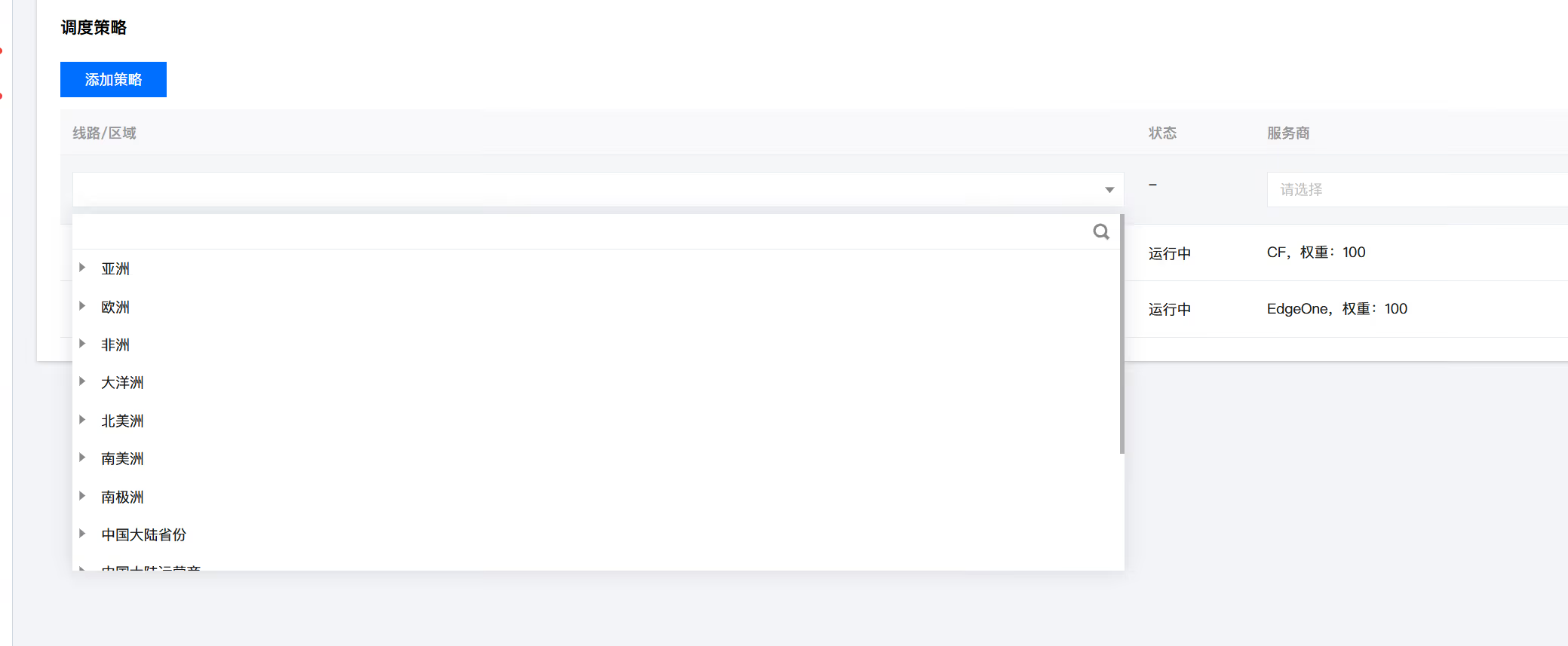
</blockquote>
<h4>a | 查看服务安装情况<a href="#99071733">#</a></h4>
<pre><code># docker-compse ps

# docker ps -a
</code></pre>
<h3>6. 使用 <code>curl</code> 生成测试数据<a href="#2033163699">#</a></h3>
<ul>
<li>可以使用 $RANDOM 来生成随机数</li>
</ul>
<pre><code># while true; do
    echo "mymetric $RANDOM" | curl --data-binary @- http://localhost:9091/metrics/job/my-push-job
    sleep 1
done
</code></pre>
<blockquote>
<p>"mymetric" 就是这个被监控的指标，这个监控指标推送到 pushgateway 比较简洁直观的</p>
</blockquote>
<ul>
<li>在浏览器里打开 pushgateway: "<a href="http://10.0.0.1:9091/">http://10.0.0.1:9091/</a>"</li>
</ul>
<p>可以看到测试的数据已经进入 pushgateway 了</p>
]]></content>
    <author><name>猫猫博客</name></author>
    <category term="教程"/>
  </entry>
  <entry>
    <title>备份和迁移 Chevereto 的 Docker 服务（4.0.6）</title>
    <link href="https://catcat.blog/chevereto-docker-backup" rel="alternate" type="text/html"/>
    <id>https://catcat.blog/chevereto-docker-backup</id>
    <published>2023-04-11T00:00:00.000Z</published>
    <updated>2023-04-11T00:00:00.000Z</updated>
    <summary>详解Chevereto 4.0.6 Docker备份与迁移流程：停服务、备份images、导出数据库、文件转移，新机搭建docker-compose一键上线，环境变量对齐，数据与配置完整复原。</summary>
    <content type="html"><![CDATA[<p>要备份和迁移 Chevereto 的 Docker 服务，需要执行以下步骤：</p>
<ol>
<li>停止正在运行的 Chevereto 容器，使用以下命令：</li>
</ol>
<pre><code>docker stop chevereto
</code></pre>
<ol>
<li>备份 <code>/var/www/html/images/</code> 目录，不同的 VPS 可能具有不同的备份和迁移方法。如果你是使用基于 Linux 的 VPS，可以使用 <code>tar</code> 命令进行备份。例如，执行以下命令将 <code>images</code> 目录备份到当前目录下：</li>
</ol>
<pre><code>tar -zcvf images_backup.tar.gz /var/www/html/images/
</code></pre>
<ol>
<li>导出数据库，使用以下命令：</li>
</ol>
<pre><code>docker exec CONTAINER /usr/bin/mysqldump -u root --password=root DATABASE &gt; backup.sql
</code></pre>
<p>其中，<code>CONTAINER</code> 是 Chevereto 容器的名称或 ID，<code>DATABASE</code> 是 Chevereto 使用的数据库名称。</p>
<ol>
<li>
<p>拷贝备份文件和数据库导出文件到新的 VPS 上。</p>
</li>
<li>
<p>在新的 VPS 上安装 Docker 和 Docker Compose，如果还没有安装可以根据对应操作系统的官方安装指南进行安装。例如，在 Ubuntu 20.04 上可以按照如下方式安装：</p>
</li>
</ol>
<pre><code>sudo apt-get update
sudo apt-get install docker-compose docker.io
</code></pre>
<ol>
<li>在新的 VPS 上创建一个新的目录。为了方便，可以将目录命名为 Chevereto，并切换到该目录中，使用以下命令：</li>
</ol>
<pre><code>mkdir Chevereto
cd Chevereto
</code></pre>
<ol>
<li>在 Chevereto 目录中创建一个新的 <code>docker-compose.yml</code> 文件，用于启动 Chevereto 服务。为了确保服务正常启动，请确保修改以下环境变量，使其与原始 Chevereto 服务相同：</li>
</ol>
<ul>
<li>
<p><code>CHEVERETO_DB_HOST</code>: 数据库的连接地址。</p>
</li>
<li>
<p><code>CHEVERETO_DB_USER</code>: 用于连接数据库的用户名。</p>
</li>
<li>
<p><code>CHEVERETO_DB_PASS</code>: 用于连接数据库的密码。</p>
</li>
<li>
<p><code>CHEVERETO_DB_NAME</code>: Chevereto 所使用的数据库名称。</p>
</li>
<li>
<p><code>CHEVERETO_ASSET_STORAGE_BUCKET</code>: 图片文件的存储路径。</p>
</li>
</ul>
<p>具体的 <code>docker-compose.yml</code> 文件内容如下：</p>
<pre><code>version: '3'
services:
  chevereto:
    image: ghcr.io/chevereto/chevereto:latest
    container_name: chevereto
    ports:
      - "80:80"
    environment:
      - CHEVERETO_DB_HOST=database
      - CHEVERETO_DB_USER=chevereto
      - CHEVERETO_DB_PASS=user_database_password
      - CHEVERETO_DB_NAME=chevereto
      - CHEVERETO_ASSET_STORAGE_TYPE=local
      - CHEVERETO_ASSET_STORAGE_URL=/images/_assets/
      - CHEVERETO_ASSET_STORAGE_BUCKET=/var/www/html/images/_assets/
    volumes:
      - /var/www/html/images:/var/www/html/images
    depends_on:
      - database
  database:
    image: ghcr.io/chevereto/chevereto-mariadb:latest
    container_name: chevereto_database
    environment:
      - MYSQL_ROOT_PASSWORD=root
      - MYSQL_DATABASE=chevereto
</code></pre>
<p>请确保 <code>docker-compose.yml</code> 文件位于 Chevereto 目录的根目录中，以便后续执行命令。</p>
<ol>
<li>通过以下命令在新的 VPS 上启动 Chevereto 服务：</li>
</ol>
<pre><code>docker-compose up -d
</code></pre>
<p>这将在新的 VPS 上启动 Chevereto 服务，并且根据环境变量设置连接到原来的数据库和读取备份的目录。在这之后，你可以通过浏览器访问新的 VPS 的 IP 地址或域名来检查 Chevereto 服务是否正常工作。</p>
]]></content>
    <author><name>猫猫博客</name></author>
    <category term="教程"/>
  </entry>
  <entry>
    <title>advinservers东京测评</title>
    <link href="https://catcat.blog/advinservers-jp" rel="alternate" type="text/html"/>
    <id>https://catcat.blog/advinservers-jp</id>
    <published>2023-04-09T00:00:00.000Z</published>
    <updated>2023-04-09T00:00:00.000Z</updated>
    <summary>测评 Advinservers 东京节点：性价比高、延迟优秀，TeraSwitch 自研 DDoS 清洗护航。含 YABS、CPU/内存/磁盘实测，E-2388G+KVM 配置，适合低延迟业务。</summary>
    <content type="html"><![CDATA[<ul>
<li>
<p>性价比不错，延迟优秀</p>
</li>
<li>
<p>日本地区 DDoS 清洗采用 TeraSwitch In House Mitigation</p>
</li>
</ul>
<p><strong>官方网站：<a href="https://clients.advinservers.com/aff.php?aff=190">点我</a></strong></p>
<p><strong>日本vps：</strong><a href="https://clients.advinservers.com/aff.php?aff=190&amp;gid=26"><strong>点</strong></a><a href="https://clients.advinservers.com/aff.php?aff=336&amp;gid=26"><strong>我</strong></a></p>
<p><strong>Looking Glass：</strong></p>
<blockquote>
<p><strong>Tokyo, JP:</strong> 194.87.169.7<br />
<strong>Amsterdam, NL:</strong> 45.61.161.93 (LG: <a href="http://45.61.161.93/">http://45.61.161.93/</a>)<br />
<strong>Coventry, UK:</strong> 78.157.214.36 (LG: <a href="http://78.157.214.36/">http://78.157.214.36</a>)<br />
<strong>Dallas, TX:</strong> 172.99.233.46 (LG: <a href="http://172.99.233.46/">http://172.99.233.46</a>)<br />
<strong>Los Angeles, CA:</strong> 45.8.22.11 (LG: <a href="http://45.8.22.11/">http://45.8.22.11</a>)<br />
<strong>Miami, FL:</strong> 23.137.104.80 (LG: <a href="http://23.137.104.80/">http://23.137.104.80</a>)<br />
<strong>New York, NY:</strong> 45.61.162.146 (LG: <a href="http://45.61.162.146/">http://45.61.162.146</a>)</p>
</blockquote>
<h2>规格</h2>
<p>&lt;picture&gt;
&lt;source srcset="https://s3.catcat.blog/images/2023/04/image-18.avif" type="image/avif"&gt;
&lt;source srcset="https://s3.catcat.blog/images/2023/04/image-18.webp" type="image/webp"&gt;
&lt;img src="https://s3.catcat.blog/images/2023/04/image-18.jpg" alt="" loading="lazy"&gt;
&lt;/picture&gt;</p>
<p>&lt;picture&gt;
&lt;source srcset="https://s3.catcat.blog/images/2023/04/image-19.avif" type="image/avif"&gt;
&lt;source srcset="https://s3.catcat.blog/images/2023/04/image-19.webp" type="image/webp"&gt;
&lt;img src="https://s3.catcat.blog/images/2023/04/image-19.jpg" alt="" loading="lazy"&gt;
&lt;/picture&gt;</p>
<h2>YABS</h2>
<pre><code> CPU Model          : Intel(R) Xeon(R) E-2388G CPU @ 3.20GHz
 CPU Cores          : 4 Core @ 3192.000 MHz
 CPU Cache          : 16384 KB
 AES-NI             : ✓ Enabled
 VM-x/AMD-V         : ✓ Enabled
 Total Disk         : 1.9 GB / 107.5 GB
 Total Mem          : 187.7 MB / 31.4 GB
 System uptime      : 0 days, 0 hour 35 min
 Load average       : 0.53, 0.19, 0.06
 OS                 : Ubuntu 20.04.5 LTS x86_64 (64 Bit)
 Kernel             : 5.4.0-135-generic
 TCP CC             : cubic
 Virtualization     : KVM
</code></pre>
<h2>CPU 测试</h2>
<p>&lt;picture&gt;
&lt;source srcset="https://s3.catcat.blog/images/2023/04/image-20.avif" type="image/avif"&gt;
&lt;source srcset="https://s3.catcat.blog/images/2023/04/image-20.webp" type="image/webp"&gt;
&lt;img src="https://s3.catcat.blog/images/2023/04/image-20.jpg" alt="" loading="lazy"&gt;
&lt;/picture&gt;</p>
<pre><code> -&gt; CPU Performance Test (Standard Mode, 3-Pass @ 30sec)

 1 Thread Test:                 2843 Scores
 4 Threads Test:                9961 Scores
</code></pre>
<h2>内存测试</h2>
<pre><code> -&gt; Memory Performance Test (Standard Mode, 3-Pass @ 30sec)

 1 Thread - Read Test :         26247.68 MB/s
 1 Thread - Write Test:         13654.43 MB/s
</code></pre>
<h2>硬盘测试</h2>
<pre><code>fio Disk Speed Tests (Mixed R/W 50/50):
---------------------------------
Block Size | 4k            (IOPS) | 64k           (IOPS)
------ | --- ---- | ---- ----
Read       | 38.67 MB/s    (9.6k) | 535.49 MB/s   (8.3k)
Write      | 38.76 MB/s    (9.6k) | 538.31 MB/s   (8.4k)
Total      | 77.43 MB/s   (19.3k) | 1.07 GB/s    (16.7k)
|                      |
Block Size | 512k          (IOPS) | 1m            (IOPS)
------ | --- ---- | ---- ----
Read       | 1.15 GB/s     (2.2k) | 1.15 GB/s     (1.1k)
Write      | 1.21 GB/s     (2.3k) | 1.22 GB/s     (1.1k)
Total      | 2.36 GB/s     (4.6k) | 2.37 GB/s     (2.3k)
</code></pre>
<h2>全球延迟</h2>
<p>&lt;picture&gt;
&lt;source srcset="https://s3.catcat.blog/images/2023/04/image-21.avif" type="image/avif"&gt;
&lt;source srcset="https://s3.catcat.blog/images/2023/04/image-21.webp" type="image/webp"&gt;
&lt;img src="https://s3.catcat.blog/images/2023/04/image-21.jpg" alt="" loading="lazy"&gt;
&lt;/picture&gt;</p>
<h2>Speedtest测试</h2>
<pre><code> Node Name                Upload Speed      Download Speed    Latency     Result
Speedtest.net            8204.84 Mbps      5134.43 Mbps      0.70 ms     https://www.speedtest.net/result/c/d114a012-a167-4ac4-8ab0-27d82eb47065
TW, Chunghwa Mobile      852.71 Mbps       1054.80 Mbps      99.49 ms    https://www.speedtest.net/result/c/69fb2feb-ad85-4b71-a775-336996f4df92
TW, Chief Telecom        876.98 Mbps       5225.54 Mbps      69.88 ms    https://www.speedtest.net/result/c/b057bcdb-afb0-446f-9a66-74845fb33d1f
TW, TAIFO                475.23 Mbps       390.29 Mbps       32.79 ms    https://www.speedtest.net/result/c/31960c9e-c3e4-4c72-870c-22e95f27b661
TW, DFT                  1076.98 Mbps      4377.19 Mbps      47.96 ms    https://www.speedtest.net/result/c/9329dbcd-f8fc-4f88-95e9-8fba557de93f
TW, FET                  1470.53 Mbps      5003.27 Mbps      33.07 ms    https://www.speedtest.net/result/c/37fbd541-e5df-4c6d-952b-d8ac5ce15025
CN, hanghai CU           485.81 Mbps       2306.79 Mbps      140.89 ms   https://www.speedtest.net/result/c/7215aa0e-3aee-456b-bef8-89a5afd1a1f6
CN, Chengdu CM           715.48 Mbps       6530.10 Mbps      131.51 ms   https://www.speedtest.net/result/c/4406864e-48f1-4da1-a7ee-22266ccc0a67
HK, HKIX                 1473.22 Mbps      921.89 Mbps       47.90 ms    https://www.speedtest.net/result/c/136e9ec4-36f5-4eed-89d9-ab8296cd2c64
HK, HGC                  1332.98 Mbps      5178.86 Mbps      53.48 ms    https://www.speedtest.net/result/c/b4a04aac-dc37-4e3f-b46e-01ee2f8ec974
HK, i3D.net              1104.02 Mbps      5368.06 Mbps      50.27 ms    https://www.speedtest.net/result/c/d2d00953-f3cb-4d8f-bb12-a9acd97b00e0
JP, i3D.net              6850.57 Mbps      5348.91 Mbps      1.44 ms     https://www.speedtest.net/result/c/2db87507-5401-4cc3-8d48-f451fae6fb22
JP, GSL Networks         654.67 Mbps       7886.89 Mbps      0.70 ms     https://www.speedtest.net/result/c/0082baa1-7ab4-42b5-9b86-4a588c5115f9
JP, fdcservers.net       8336.80 Mbps      4728.28 Mbps      0.68 ms     https://www.speedtest.net/result/c/d2fb1e8a-74de-4a2b-998e-e142adc62d02
SG, i3D.net              1209.77 Mbps      4782.61 Mbps      67.95 ms    https://www.speedtest.net/result/c/0787c2e0-bb61-425d-9522-112c6039c78c
SG, NewMedia Express     1270.99 Mbps      3946.69 Mbps      67.43 ms    https://www.speedtest.net/result/c/e7c59e43-01b8-4db6-9849-90a0a2725245
SG, SuperInternet        841.87 Mbps       2382.51 Mbps      68.00 ms    https://www.speedtest.net/result/c/527414c6-81e1-43ec-a8e4-c04cc2360db1
MY, Telekom Malaysia     742.86 Mbps       4431.58 Mbps      101.64 ms   https://www.speedtest.net/result/c/e8a8b174-e41b-46e8-9b25-4f33e47c547d
MY, Celcom               721.59 Mbps       1709.17 Mbps      106.40 ms   https://www.speedtest.net/result/c/c5fb37e0-8c44-4d7a-8068-eb593af4d0b1
DE, GSL Networks         252.55 Mbps       2676.23 Mbps      217.14 ms   https://www.speedtest.net/result/c/ad73f0df-59ae-4658-8ac9-6a1ad2df39e7
DE, wirsNET              74.10 Mbps        932.78 Mbps       218.54 ms   https://www.speedtest.net/result/c/e5153167-591b-4f5e-94a3-1125092f1130
TR, Turkcell             291.95 Mbps       2424.84 Mbps      337.02 ms   https://www.speedtest.net/result/c/0336abfe-1e53-4ede-a57c-6898ec03b99d
TR, TurkNet              296.91 Mbps       1531.64 Mbps      269.38 ms   https://www.speedtest.net/result/c/1189a167-ef05-47cd-bcf0-c8af813322b4
</code></pre>
<h2>流媒体解锁</h2>
<pre><code>============[ Multination ]============
Dazn:                                  No
HotStar:                               No
Disney+:                               Yes (Region: JP)
Netflix:                               Originals Only
YouTube Premium:                       Yes (Region: JP)
Amazon Prime Video:                    Yes (Region: JP)
TVBAnywhere+:                          Yes
iQyi Oversea Region:                   JP
Viu.com:                               No
YouTube CDN:                           Atlanta, GA
Netflix Preferred CDN:                 Associated with [TPG Internet] in [Sydney, N.S.W. ]
Spotify Registration:                  No
Steam Currency:                        JPY
=======================================
==============[ Taiwan ]===============
KKTV:                                  No
LiTV:                                  No
MyVideo:                               No
4GTV.TV:                               No
LineTV.TW:                             No
Hami Video:                            No
CatchPlay+:                            No
HBO GO Asia:                           No
Bahamut Anime:                         Failed (Network Connection)
Bilibili Taiwan Only:                  No
=======================================
=============[ Hong Kong ]=============
Now E:                                 No
Viu.TV:                                No
MyTVSuper:                             No
HBO GO Asia:                           No
BiliBili Hongkong/Macau/Taiwan:        No
=======================================
===============[ Japan ]===============
DMM:                                   No
Abema.TV:                              No
Niconico:                              No
music.jp:                              No
Telasa:                                No
Paravi:                                No
U-NEXT:                                Yes
Hulu Japan:                            Yes
TVer:                                  Yes
GYAO!:                                 Yes
WOWOW:                                 Failed
VideoMarket:                           No
FOD(Fuji TV):                          No
Radiko:                                No
Karaoke@DAM:                           No
J:com On Demand:                       Failed (Unexpected Result: 502)
---Game---
Kancolle Japan:                        No
Pretty Derby Japan:                    Yes
Konosuba Fantastic Days:               No
Princess Connect Re:Dive Japan:        Yes
World Flipper Japan:                   Yes
Project Sekai: Colorful Stage:         No
=======================================
===========[ North America ]===========
FOX:                                   No
Hulu:                                  Failed
NFL+:                                  Yes
ESPN+:[Sponsored by Jam]               No
Epix:                                  No
Starz:                                 No
Philo:                                 Yes
FXNOW:                                 No
TLC GO:                                No
HBO Max:                               No
Shudder:                               Yes
BritBox:                               Yes
Crackle:                               No
CW TV:                                 No
A&amp;E TV:                                No
NBA TV:                                Yes
NBC TV:                                No
Fubo TV:                               Yes
Tubi TV:                               No
Sling TV:                              Yes
Pluto TV:                              Yes
Acorn TV:                              Yes
SHOWTIME:                              Yes
encoreTVB:                             Yes
Funimation:                            No
Discovery+:                            No
Paramount+:                            Yes
Peacock TV:                            No
Popcornflix:                           No
Crunchyroll:                           No
Directv Stream:                        No
KBS American:                          No
KOCOWA:                                No
---CA---
CBC Gem:                               No
Crave:                                 No
=======================================
===========[ South America ]===========
Star+:                                 No
HBO Max:                               No
DirecTV Go:                            Yes (Region: REGISTRARSE)
Funimation:                            No
=======================================
===============[ Europe ]==============
Rakuten TV:                            Yes
Funimation:                            No
SkyShowTime:                           No
HBO Max:                               No
---GB---
Sky Go:                                No
BritBox:                               Yes
ITV Hub:                               No
Channel 4:                             No
Channel 5:                             No
BBC iPLAYER:                           No
Discovery+ UK:                         No
---FR---
Salto:                                 No
Canal+:                                No
Molotov:                               No
---DE---
Joyn:                                  No
Sky:                                   No
ZDF:                                   No
---NL---
NLZIET:                                Failed
videoland:                             No
NPO Start Plus:                        No
---ES---
PANTAYA:                               No
---IT---
Rai Play:                              Yes
---RU---
Amediateka:                            Yes
=======================================
==============[ Oceania ]==============
NBA TV:                                Yes
Acorn TV:                              Yes
SHOWTIME:                              Yes
BritBox:                               Yes
Funimation:                            No
Paramount+:                            Yes
---AU---
Stan:                                  Yes
Binge:                                 No
Docplay:                               No
Channel 7:                             Failed (Network Connection)
Channel 9:                             No
Channel 10:                            No
ABC iView:                             No
Kayo Sports:                           No
Optus Sports:                          No
SBS on Demand:                         No
---NZ---
Neon TV:                               Yes
SkyGo NZ:                              No
ThreeNow:                              No
Maori TV:                              Yes
=======================================
==============[ Korean ]===============
Wavve:                                 No
Tving:                                 No
Coupang Play:                          No
Naver TV:                              No
Afreeca TV:                            No
KBS Domestic:                          No
KOCOWA:                                No
=======================================
</code></pre>
<h2>TCP大陆路由</h2>
<p>去程: 电信直连(ntt), 联通直连(ntt), 移动部分直连(pccw)<br />
回程: 电信部分直连(软银), 联通直连(软银), 移动部分直连</p>
<h2>融合怪脚本测试</h2>
<pre><code>-----------------感谢teddysun和superbench和yabs开源-------------------
 CPU 型号          : AMD EPYC Processor
 CPU 核心数        : 4
 CPU 频率          : 3792.874 MHz
 CPU 缓存          : 512 KB
 硬盘空间          : 120.0 GB (2.2 GB 已用)
 内存              : 15884 MB (223 MB 已用)
 Swap              : 0 MB (0 MB 已用)
 系统在线时间      : 0 days, 0 hour 8 min
 负载              : 0.04, 0.27, 0.21
 系统              : CentOS Linux 7 (Core)
 AES-NI指令集      : ✔ Enabled
 VM-x/AMD-V支持    : ❌ Disabled
 架构              : x86_64 (64 Bit)
 内核              : 3.10.0-1127.el7.x86_64
 TCP加速方式       : cubic
 虚拟化架构        : KVM
 ASN组织           : AS206216 Advin Services LLC
 位置              : Nishi-Tokyo-shi / JP
 地区              : Tokyo
-------------------CPU测试--感谢lemonbench开源------------------------
 -&gt; CPU 测试中 (Fast Mode, 1-Pass @ 5sec)
 1 线程测试(1核)得分: 		1962 Scores
 4 线程测试(多核)得分: 		7591 Scores
-------------------内存测试--感谢lemonbench开源-----------------------
 -&gt; 内存测试 Test (Fast Mode, 1-Pass @ 5sec)
 单线程读测试:		50187.64 MB/s
 单线程写测试:		21382.19 MB/s
----------------磁盘IO读写测试--感谢lemonbench开源--------------------
 -&gt; 磁盘IO测试中 (4K Block/1M Block, Direct Mode)
 测试操作		写速度					读速度
 100MB-4K Block		-&gt;
 100MB-4K Block		58.9 MB/s (0.07K IOPS, 1.78s)		-&gt;
 100MB-4K Block		58.9 MB/s (0.07 IOPS, 1.78s)		69.7 MB/s (17015 IOPS, 1.50s)
 1GB-1M Block		-&gt;
 1GB-1M Block		2.4 GB/s (2281 IOPS, 0.44s)		-&gt;
 1GB-1M Block		2.4 GB/s (2281 IOPS, 0.44s)		3.0 GB/s (2840 IOPS, 0.35s)
-------------------磁盘IO读写测试--感谢yabs开源-----------------------
dd Sequential Disk Speed Tests:
---------------------------------
       | Test 1      | Test 2      | Test 3      | Avg        
       |             |             |             |            
Write  | 881 MB/s    | 817 MB/s    | 811 MB/s    | 836.33 MB/s
Read   | 616 MB/s    | 2.0 GB/s    | 1.8 GB/s    | 1.47   GB/s
--------------------流媒体解锁--感谢sjlleo开源------------------------
以下测试的解锁地区是准确的，但是不是完整解锁的判断可能有误，这方面仅作参考使用
----------------Youtube----------------
[IPv4]
连接方式: Youtube Video Server
视频缓存节点地域: 美国  达拉斯(DFW25S40)
Youtube识别地域: 无信息(null)
----------------Netflix----------------
[IPv4]
您的出口IP可以使用Netflix，但仅可看Netflix自制剧
NF所识别的IP地域信息：美国
[IPv6]
您的网络可能没有正常配置IPv6，或者没有IPv6网络接入
---------------DisneyPlus---------------
[IPv4]
当前IPv4出口解锁DisneyPlus
区域：美国区
解锁Youtube，Netflix，DisneyPlus上面和下面进行比较，不同之处自行判断
---------------流媒体解锁--感谢RegionRestrictionCheck开源-------------
 以下为IPV4网络测试，若无IPV4网络则无输出
============[ Multination ]============
 Dazn:					No
 HotStar:				No
 Disney+:				Yes (Region: US)
 YouTube Premium:			Yes
 Amazon Prime Video:			Yes (Region: US)
 TVBAnywhere+:				Yes
 iQyi Oversea Region:			US
 Viu.com:				No
 YouTube CDN:				Dallas, TX 
 Netflix Preferred CDN:			Tokyo  
 Spotify Registration:			Yes (Region: JP)
 Steam Currency:			JPY
=======================================
 以下为IPV6网络测试，若无IPV6网络则无输出
-------------TikTok解锁--感谢lmc999的源脚本及fscarmen PR--------------
 Tiktok Region:		【LT】
--------OpenAi解锁--感谢missuo的OpenAI-Checker项目本人修改优化--------
[IPv4]
Your IP supports access to OpenAI. Region: JP
[IPv6]
IPv6 is not supported on the current host. Skip...
-----------------欺诈分数以及IP质量检测--本频道原创-------------------
以下仅作参考，不代表100%准确，如果和实际情况不一致请手动查询多个数据库比对
------以下为IPV4检测------
scamalytics数据库:
  欺诈分数(越低越好)：100
  匿名代理: No
  Tor出口节点: No
  服务器IP: Yes
  公共代理: No
  网络代理: No
  搜索引擎机器人: No
ip234数据库：
  欺诈分数(越低越好)：11
ip-api数据库:
  手机流量: No
  代理服务: No
  数据中心: No
abuseipdb数据库-abuse得分： 0
IP类型:
  IP2Location数据库:  Data Center/Web Hosting/Transit
Google搜索可行性：未知
-----------------三网回程--感谢zhanghanyun/backtrace开源--------------
2023/04/13 01:30:25 北京电信 219.141.136.12  测试超时
2023/04/13 01:30:25 北京联通 202.106.50.1    联通4837[普通线路]           
2023/04/13 01:30:25 北京移动 221.179.155.161 移动CMI [普通线路]           
2023/04/13 01:30:25 上海电信 202.96.209.133  电信163 [普通线路]           
2023/04/13 01:30:25 上海联通 210.22.97.1     联通4837[普通线路]           
2023/04/13 01:30:25 上海移动 211.136.112.200 移动CMI [普通线路]           
2023/04/13 01:30:25 广州电信 58.60.188.222   电信163 [普通线路]           
2023/04/13 01:30:25 广州联通 210.21.196.6    联通4837[普通线路]           
2023/04/13 01:30:25 广州移动 120.196.165.24  移动CMI [普通线路]           
2023/04/13 01:30:25 成都电信 61.139.2.69     电信163 [普通线路]           
2023/04/13 01:30:25 成都联通 119.6.6.6       联通4837[普通线路]           
2023/04/13 01:30:25 成都移动 211.137.96.205  移动CMI [普通线路]           
------------------回程路由--感谢fscarmen开源及PR----------------------
IPv4 ASN: Advin Services LLC
依次测试电信，联通，移动经过的地区及线路，核心程序来由: ipip.net ，请知悉!
广州电信 58.60.188.222
0.25 ms  AS206216  日本, 东京都, 东京
0.22 ms  *  日本, 东京都, 东京, datacamp.co.uk
0.57 ms  AS2914  日本, 东京都, 东京, ntt.com
1.00 ms  AS2914  日本, 东京都, 东京, ntt.com
1.25 ms  AS2914  日本, 东京都, 东京, ntt.com
93.72 ms  AS2914  韩国, 首尔, ntt.com
96.19 ms  AS4134  中国, 广东, 广州, chinatelecom.com.cn, 电信
97.07 ms  AS134774  中国, 广东, 深圳, chinatelecom.com.cn, 电信
97.14 ms  AS4134  中国, 广东, 深圳, chinatelecom.com.cn, 电信
广州联通 210.21.196.6
0.31 ms  AS206216  日本, 东京都, 东京
0.24 ms  *  日本, 东京都, 东京, datacamp.co.uk
0.43 ms  AS2914  日本, 东京都, 东京, ntt.com
0.85 ms  AS2914  日本, 东京都, 东京, ntt.com
1.18 ms  AS2914  日本, 东京都, 东京, ntt.com
65.13 ms  AS2914  日本, 东京都, 东京, ntt.com
62.75 ms  AS4837  中国, 广东, 广州, chinaunicom.com, 联通
58.55 ms  AS17623  中国, 广东, 深圳, chinaunicom.com, 联通
广州移动 120.196.165.2
0.29 ms  AS206216  日本, 东京都, 东京
0.32 ms  *  日本, 东京都, 东京, datacamp.co.uk
0.38 ms  AS2914  日本, 东京都, 东京, ntt.com
6.57 ms  AS2914  日本, 东京都, 东京, ntt.com
46.57 ms  AS2914  中国, 香港, ntt.com
43.59 ms  AS2914  中国, 香港, ntt.com
49.22 ms  AS2914  中国, 香港, ntt.com
75.50 ms  AS9808  中国, 上海, chinamobile.com, 移动
75.65 ms  AS9808  中国, 上海, chinamobile.com, 移动
106.31 ms  AS56040  中国, 广东, 深圳, chinamobile.com, 移动
89.10 ms  AS56040  中国, 广东, 深圳, chinamobile.com, 移动
--------网络测速--由teddysun和superspeed开源及spiritlhls整理----------
测速点位置	 上传速度	 下载速度	 延迟
Speedtest.net	 938.93 Mbps	 943.66 Mbps	 0.19 ms
洛杉矶		 690.28 Mbps	 947.06 Mbps	 112.39 ms
新加坡		 892.64 Mbps	 845.58 Mbps	 88.31 ms
电信上海	 1.03 Mbps	 847.05 Mbps	 63.82 ms
电信广东广州5G	 228.82 Mbps	 744.97 Mbps	 171.46 ms
联通湖南长沙	 932.39 Mbps	 755.36 Mbps	 47.61 ms
---------------------------------------------------------------------
</code></pre>
<h2>总结</h2>
<pre><code>
国内tcp ping平均: 电信102ms,联通58ms,移动69ms.
给的配置高/内存大, 带免费的DDoS防护;
跑分还行, 面板还可安装Windows镜像(用户名为administrator).
更适合联通直连, 或者沪日IPLC等中转.
跑占用资源高的项目可考虑，比如远程桌面/docker项目之类.
如果要性能更好的，可尝试SpeedyPage
稳定性待观察, 之前东京的网络出了问题, 商家回复解决了.
</code></pre>
]]></content>
    <author><name>猫猫博客</name></author>
    <category term="测评"/>
  </entry>
  <entry>
    <title>Hybula 7950x 荷兰24欧</title>
    <link href="https://catcat.blog/hybula-7950x" rel="alternate" type="text/html"/>
    <id>https://catcat.blog/hybula-7950x</id>
    <published>2023-04-08T00:00:00.000Z</published>
    <updated>2023-04-08T00:00:00.000Z</updated>
    <summary>实测Hybula荷兰24欧VPS：7950X、DDR5 ECC、U.2 NVMe，1G口/2.5TB流量，CDN77防护。附测试IP与Geekbench 4/5/6及磁盘内存成绩，单核性能突出。</summary>
    <content type="html"><![CDATA[<p>&lt;picture&gt;
&lt;source srcset="https://s3.catcat.blog/images/2023/04/image-164.avif" type="image/avif"&gt;
&lt;source srcset="https://s3.catcat.blog/images/2023/04/image-164.webp" type="image/webp"&gt;
&lt;img src="https://s3.catcat.blog/images/2023/04/image-164.jpg" alt="" loading="lazy"&gt;
&lt;/picture&gt;</p>
<p>powered by AMD Ryzen 7950X, DDR5 ECC, U.2 PCIe 4.0 NVMe drives, and dual 10G uplinks.</p>
<h3>offer</h3>
<pre><code>- 1x Ryzen 7950X vCPU
- 25 GB Enterprise U.2 NVMe SSD (PCIe 4.0)
- 2 GB DDR5 ECC 4800 MT/s
- 2500 GB Traffic
- 1 Gbit/s Uplink
- 1x IPv4 Address
- /64 IPv6 Subnet
- Advanced DDoS Shield L3/4 by CDN77
- Located in the Netherlands
- Free 1x Manual Backup
- VirtFusion Control Panel
ps:亚洲因延迟问题不允许退款
</code></pre>
<h2>官网</h2>
<p><a href="https://www.hybula.com/">https://www.hybula.com/</a></p>
<h3>测试ip</h3>
<p><strong>Facility</strong>: InterDC Doetinchem<br />
<strong>Test IPv4</strong>: 2.58.57.100<br />
<strong>Test IPv6</strong>: 2a09:e240:22:2::100<br />
looking glass : <a href="https://lg-nl-dtc.hybula.net/">https://lg-nl-dtc.hybula.net/</a></p>
<h2>测评配置（2h2g50gb）</h2>
<h3>系统</h3>
<p>&lt;picture&gt;
&lt;source srcset="https://s3.catcat.blog/images/2023/04/image-154.avif" type="image/avif"&gt;
&lt;source srcset="https://s3.catcat.blog/images/2023/04/image-154.webp" type="image/webp"&gt;
&lt;img src="https://s3.catcat.blog/images/2023/04/image-154.jpg" alt="" loading="lazy"&gt;
&lt;/picture&gt;</p>
<h3>cpu测试</h3>
<p>&lt;picture&gt;
&lt;source srcset="https://s3.catcat.blog/images/2023/04/image-155.avif" type="image/avif"&gt;
&lt;source srcset="https://s3.catcat.blog/images/2023/04/image-155.webp" type="image/webp"&gt;
&lt;img src="https://s3.catcat.blog/images/2023/04/image-155.jpg" alt="" loading="lazy"&gt;
&lt;/picture&gt;</p>
<pre><code>Geekbench 4 BenchMark Test:
---------------------------------
Test            | Value                         
                |                               
Single Core     | 9298                          
Multi Core      | 8951                          
Full Test       | https://browser.geekbench.com/v4/cpu/16739481

Geekbench 5 BenchMark Test:
---------------------------------
Test            | Value                         
                |                               
Single Core     | 2246                          
Multi Core      | 2241                          
Full Test       | https://browser.geekbench.com/v5/cpu/21023036

Geekbench 6 BenchMark Test:
---------------------------------
Test            | Value                         
                |                               
Single Core     | 2850                          
Multi Core      | 2945                          
Full Test       | https://browser.geekbench.com/v6/cpu/841083
</code></pre>
<h3>内存测试</h3>
<p>&lt;picture&gt;
&lt;source srcset="https://s3.catcat.blog/images/2023/04/image-156.avif" type="image/avif"&gt;
&lt;source srcset="https://s3.catcat.blog/images/2023/04/image-156.webp" type="image/webp"&gt;
&lt;img src="https://s3.catcat.blog/images/2023/04/image-156.jpg" alt="" loading="lazy"&gt;
&lt;/picture&gt;</p>
<h3>硬盘读写测试</h3>
<p>&lt;picture&gt;
&lt;source srcset="https://s3.catcat.blog/images/2023/04/image-157.avif" type="image/avif"&gt;
&lt;source srcset="https://s3.catcat.blog/images/2023/04/image-157.webp" type="image/webp"&gt;
&lt;img src="https://s3.catcat.blog/images/2023/04/image-157.jpg" alt="" loading="lazy"&gt;
&lt;/picture&gt;</p>
<h3>流媒体解锁测试</h3>
<pre><code>----------------Youtube----------------
[IPv4]
连接方式: Youtube Video Server
视频缓存节点地域: 荷兰阿姆斯特丹(AMS15S46)
Youtube识别地域: 无信息(null)
[IPv6]
连接方式: Youtube Video Server
视频缓存节点地域: 荷兰阿姆斯特丹(AMS17S06)
Youtube识别地域: 无信息(null)
----------------Netflix----------------
[IPv4]
您的出口IP完整解锁Netflix，支持非自制剧的观看
NF所识别的IP地域信息：老挝
[IPv6]
您的出口IP完整解锁Netflix，支持非自制剧的观看
NF所识别的IP地域信息：荷兰
---------------DisneyPlus---------------
[IPv4]
当前IPv4出口所在地区即将开通DisneyPlus，尽请期待哦！
[IPv6]
当前IPv6出口解锁DisneyPlus
区域：荷兰区
解锁Youtube，Netflix，DisneyPlus上面和下面进行比较，不同之处自行判断
---------------流媒体解锁--感谢RegionRestrictionCheck开源-------------
 以下为IPV4网络测试，若无IPV4网络则无输出
============[ Multination ]============
 Dazn:					Yes (Region: NL)
 HotStar:				No
 Disney+:				Yes (Region: NL)
 Netflix:				Yes (Region: LA)
 YouTube Premium:			Yes (Region: NL)
 Amazon Prime Video:			Yes (Region: NL)
 TVBAnywhere+:				Yes
 iQyi Oversea Region:			LA
 Viu.com:				No
 YouTube CDN:				Amsterdam 
 Netflix Preferred CDN:			Amsterdam  
 Spotify Registration:			Yes (Region: NL)
 Steam Currency:			EUR
=======================================
 以下为IPV6网络测试，若无IPV6网络则无输出
============[ Multination ]============
 Dazn:					Failed (Network Connection)
 HotStar:				No
 Disney+:				Yes (Region: NL)
 Netflix:				Yes (Region: NL)
 YouTube Premium:			Yes (Region: NL)
 Amazon Prime Video:			Unsupported
 TVBAnywhere+:				Failed (Network Connection)
 iQyi Oversea Region:			Failed
 Viu.com:				Failed
 YouTube CDN:				Amsterdam 
 Netflix Preferred CDN:			Frankfurt  
 Spotify Registration:			Yes (Region: NL)
 Steam Currency:			Failed (Network Connection)
=======================================
</code></pre>
<h3>Openai解锁测试</h3>
<p>&lt;picture&gt;
&lt;source srcset="https://s3.catcat.blog/images/2023/04/image-158.avif" type="image/avif"&gt;
&lt;source srcset="https://s3.catcat.blog/images/2023/04/image-158.webp" type="image/webp"&gt;
&lt;img src="https://s3.catcat.blog/images/2023/04/image-158.jpg" alt="" loading="lazy"&gt;
&lt;/picture&gt;</p>
<h3>回程测试</h3>
<p>&lt;picture&gt;
&lt;source srcset="https://s3.catcat.blog/images/2023/04/image-159.avif" type="image/avif"&gt;
&lt;source srcset="https://s3.catcat.blog/images/2023/04/image-159.webp" type="image/webp"&gt;
&lt;img src="https://s3.catcat.blog/images/2023/04/image-159.jpg" alt="" loading="lazy"&gt;
&lt;/picture&gt;</p>
<h3>网络测速</h3>
<p>&lt;picture&gt;
&lt;source srcset="https://s3.catcat.blog/images/2023/04/image-160.avif" type="image/avif"&gt;
&lt;source srcset="https://s3.catcat.blog/images/2023/04/image-160.webp" type="image/webp"&gt;
&lt;img src="https://s3.catcat.blog/images/2023/04/image-160.jpg" alt="" loading="lazy"&gt;
&lt;/picture&gt;</p>
<h3>全球延迟测速</h3>
<p>&lt;picture&gt;
&lt;source srcset="https://s3.catcat.blog/images/2023/04/image-161.avif" type="image/avif"&gt;
&lt;source srcset="https://s3.catcat.blog/images/2023/04/image-161.webp" type="image/webp"&gt;
&lt;img src="https://s3.catcat.blog/images/2023/04/image-161.jpg" alt="" loading="lazy"&gt;
&lt;/picture&gt;</p>
<p>&lt;picture&gt;
&lt;source srcset="https://s3.catcat.blog/images/2023/04/image-162.avif" type="image/avif"&gt;
&lt;source srcset="https://s3.catcat.blog/images/2023/04/image-162.webp" type="image/webp"&gt;
&lt;img src="https://s3.catcat.blog/images/2023/04/image-162.jpg" alt="" loading="lazy"&gt;
&lt;/picture&gt;</p>
<p>&lt;picture&gt;
&lt;source srcset="https://s3.catcat.blog/images/2023/04/image-163.avif" type="image/avif"&gt;
&lt;source srcset="https://s3.catcat.blog/images/2023/04/image-163.webp" type="image/webp"&gt;
&lt;img src="https://s3.catcat.blog/images/2023/04/image-163.jpg" alt="" loading="lazy"&gt;
&lt;/picture&gt;</p>
<h2>Yabs</h2>
<pre><code># ## ## ## ## ## ## ## ## ## ## ## ## ## ## ## ## ## #
#              Yet-Another-Bench-Script              #
#                     v2023-04-23                    #
# https://github.com/masonr/yet-another-bench-script #
# ## ## ## ## ## ## ## ## ## ## ## ## ## ## ## ## ## #

Fri 23 Jun 2023 11:21:09 PM CST

Basic System Information:
---------------------------------
Uptime     : 32 days, 20 hours, 0 minutes
Processor  : AMD Ryzen 9 7950X 16-Core Processor
CPU cores  : 2 @ 4499.968 MHz
AES-NI     : ✔ Enabled
VM-x/AMD-V : ✔ Enabled
RAM        : 1.9 GiB
Swap       : 0.0 KiB
Disk       : 50.0 GiB
Distro     : Debian GNU/Linux 11 (bullseye)
Kernel     : 5.10.0-20-amd64
VM Type    : KVM
IPv4/IPv6  : ✔ Online / ✔ Online

IPv6 Network Information:
---------------------------------
ISP        : Hybula B.V.
ASN        : AS35133 Hybula B.V.
Host       : Hybula B.V
Location   : Amsterdam, North Holland (NH)
Country    : Netherlands

fio Disk Speed Tests (Mixed R/W 50/50):
---------------------------------
Block Size | 4k            (IOPS) | 64k           (IOPS)
  ------ | --- ---- | ---- ---- 
Read       | 762.70 MB/s (190.6k) | 3.99 GB/s    (62.3k)
Write      | 764.71 MB/s (191.1k) | 4.01 GB/s    (62.6k)
Total      | 1.52 GB/s   (381.8k) | 8.00 GB/s   (125.0k)
           |                      |                     
Block Size | 512k          (IOPS) | 1m            (IOPS)
  ------ | --- ---- | ---- ---- 
Read       | 2.99 GB/s     (5.8k) | 3.67 GB/s     (3.5k)
Write      | 3.14 GB/s     (6.1k) | 3.92 GB/s     (3.8k)
Total      | 6.14 GB/s    (11.9k) | 7.59 GB/s     (7.4k)

iperf3 Network Speed Tests (IPv4):
---------------------------------
Provider        | Location (Link)           | Send Speed      | Recv Speed      | Ping           
----- | ----- | ---- | ---- | ---- 
Clouvider       | London, UK (10G)          | 1.09 Gbits/sec  | busy            | 9.10 ms        
Scaleway        | Paris, FR (10G)           | 1.09 Gbits/sec  | 953 Mbits/sec   | 11.1 ms        
NovoServe       | North Holland, NL (40G)   | busy            | busy            | 2.86 ms        
Uztelecom       | Tashkent, UZ (10G)        | 1.02 Gbits/sec  | 732 Mbits/sec   | 91.3 ms        
Clouvider       | NYC, NY, US (10G)         | 1.03 Gbits/sec  | busy            | 86.2 ms        
Clouvider       | Dallas, TX, US (10G)      | 994 Mbits/sec   | 464 Mbits/sec   | 128 ms         
Clouvider       | Los Angeles, CA, US (10G) | busy            | 367 Mbits/sec   | 151 ms         

iperf3 Network Speed Tests (IPv6):
---------------------------------
Provider        | Location (Link)           | Send Speed      | Recv Speed      | Ping           
----- | ----- | ---- | ---- | ---- 
Clouvider       | London, UK (10G)          | 1.09 Gbits/sec  | 942 Mbits/sec   | 9.14 ms        
Scaleway        | Paris, FR (10G)           | 1.09 Gbits/sec  | 940 Mbits/sec   | 14.9 ms        
NovoServe       | North Holland, NL (40G)   | 1.09 Gbits/sec  | 942 Mbits/sec   | 2.78 ms        
Uztelecom       | Tashkent, UZ (10G)        | 982 Mbits/sec   | 771 Mbits/sec   | 91.3 ms        
Clouvider       | NYC, NY, US (10G)         | busy            | 464 Mbits/sec   | 86.2 ms        
Clouvider       | Dallas, TX, US (10G)      | 969 Mbits/sec   | 376 Mbits/sec   | 127 ms         
Clouvider       | Los Angeles, CA, US (10G) | 926 Mbits/sec   | 387 Mbits/sec   | 151 ms 

Geekbench 6 BenchMark Test:
---------------------------------
Test            | Value                         
                |       
Single Core     | 2837                        
Multi Core      | 5068                          
Full Test       | https://browser.geekbench.com/v6/cpu/1692070
</code></pre>
<h2>Bench脚本测试</h2>
<pre><code>-------------------- A Bench.sh Script By Teddysun -------------------
 Version            : v2023-06-10
 Usage              : wget -qO- bench.sh | bash
----------------------------------------------------------------------
 CPU Model          : AMD Ryzen 9 7950X 16-Core Processor
 CPU Cores          : 2 @ 4499.968 MHz
 CPU Cache          : 1024 KB
 AES-NI             : Enabled
 VM-x/AMD-V         : Enabled
 Total Disk         : 50.0 GB (3.6 GB Used)
 Total Mem          : 1.9 GB (203.2 MB Used)
 System uptime      : 32 days, 0 hour 41 min
 Load average       : 0.00, 0.03, 0.07
 OS                 : Debian GNU/Linux 11
 Arch               : x86_64 (64 Bit)
 Kernel             : 5.10.0-20-amd64
 TCP CC             : cubic
 Virtualization     : KVM
 IPv4/IPv6          : Online / Online
 Organization       : AS35133 Hybula B.V.
 Location           : Amsterdam / NL
 Region             : North Holland
----------------------------------------------------------------------
 I/O Speed(1st run) : 1.0 GB/s
 I/O Speed(2nd run) : 1.1 GB/s
 I/O Speed(3rd run) : 1.1 GB/s
 I/O Speed(average) : 1092.3 MB/s
----------------------------------------------------------------------
 Node Name        Upload Speed      Download Speed      Latency     
 Speedtest.net    996.05 Mbps       943.08 Mbps         2.15 ms     
 Los Angeles, US  601.49 Mbps       894.83 Mbps         145.77 ms   
 Dallas, US       709.67 Mbps       942.11 Mbps         118.25 ms   
 Montreal, CA     211.60 Mbps       876.76 Mbps         90.08 ms    
 Paris, FR        987.53 Mbps       942.07 Mbps         14.09 ms    
 Amsterdam, NL    973.39 Mbps       955.50 Mbps         8.97 ms     
 Shanghai, CN     296.69 Mbps       731.70 Mbps         254.01 ms   
 Nanjing, CN      1.51 Mbps         645.94 Mbps         211.71 ms   
 Hongkong, CN     2.62 Mbps         540.40 Mbps         414.59 ms   
 Singapore, SG    21.15 Mbps        738.51 Mbps         174.33 ms   
 Tokyo, JP        1.99 Mbps         778.98 Mbps         231.19 ms   
----------------------------------------------------------------------
 Finished in        : 5 min 34 sec
 Timestamp          : 2023-06-23 23:47:49 CST
----------------------------------------------------------------------
</code></pre>
<h3>2023年9月21日测试</h3>
<pre><code>Basic System Information:
---------------------------------
Uptime     : 17 days, 2 hours, 15 minutes
Processor  : AMD Ryzen 9 7950X 16-Core Processor
CPU cores  : 2 @ 4499.968 MHz
AES-NI     : ✔ Enabled
VM-x/AMD-V : ✔ Enabled
RAM        : 1.9 GiB
Swap       : 0.0 KiB
Disk       : 50.0 GiB
Distro     : Debian GNU/Linux 11 (bullseye)
Kernel     : 5.10.0-20-amd64
VM Type    : KVM
IPv4/IPv6  : ✔ Online / ✔ Online

IPv6 Network Information:
---------------------------------
ISP        : Hybula B.V.
ASN        : AS35133 Hybula B.V.
Host       : Hybula B.V
Location   : Amsterdam, North Holland (NH)
Country    : Netherlands

fio Disk Speed Tests (Mixed R/W 50/50):
---------------------------------
Block Size | 4k            (IOPS) | 64k           (IOPS)
  ------ | --- ---- | ---- ---- 
Read       | 649.82 MB/s (162.4k) | 3.37 GB/s    (52.7k)
Write      | 651.54 MB/s (162.8k) | 3.39 GB/s    (53.0k)
Total      | 1.30 GB/s   (325.3k) | 6.77 GB/s   (105.8k)
           |                      |                     
Block Size | 512k          (IOPS) | 1m            (IOPS)
  ------ | --- ---- | ---- ---- 
Read       | 3.29 GB/s     (6.4k) | 3.49 GB/s     (3.4k)
Write      | 3.47 GB/s     (6.7k) | 3.72 GB/s     (3.6k)
Total      | 6.76 GB/s    (13.2k) | 7.21 GB/s     (7.0k)

iperf3 Network Speed Tests (IPv4):
---------------------------------
Provider        | Location (Link)           | Send Speed      | Recv Speed      | Ping           
----- | ----- | ---- | ---- | ---- 
Clouvider       | London, UK (10G)          | 1.09 Gbits/sec  | 955 Mbits/sec   | 7.50 ms        
Scaleway        | Paris, FR (10G)           | 1.06 Gbits/sec  | busy            | 10.7 ms        
NovoServe       | North Holland, NL (40G)   | busy            | busy            | 2.60 ms        
Uztelecom       | Tashkent, UZ (10G)        | 1.02 Gbits/sec  | 824 Mbits/sec   | 90.0 ms        
Clouvider       | NYC, NY, US (10G)         | 525 Mbits/sec   | busy            | 77.3 ms        
Clouvider       | Dallas, TX, US (10G)      | 990 Mbits/sec   | 398 Mbits/sec   | 115 ms         
Clouvider       | Los Angeles, CA, US (10G) | 706 Mbits/sec   | 212 Mbits/sec   | 142 ms         

iperf3 Network Speed Tests (IPv6):
---------------------------------
Provider        | Location (Link)           | Send Speed      | Recv Speed      | Ping           
----- | ----- | ---- | ---- | ---- 
Clouvider       | London, UK (10G)          | 1.09 Gbits/sec  | 941 Mbits/sec   | 7.50 ms        
Scaleway        | Paris, FR (10G)           | busy            | 940 Mbits/sec   | 11.2 ms        
NovoServe       | North Holland, NL (40G)   | busy            | busy            | 2.64 ms        
Uztelecom       | Tashkent, UZ (10G)        | 1.01 Gbits/sec  | 804 Mbits/sec   | 89.7 ms        
Clouvider       | NYC, NY, US (10G)         | 904 Mbits/sec   | 153 Mbits/sec   | 78.3 ms        
Clouvider       | Dallas, TX, US (10G)      | 529 Mbits/sec   | 142 Mbits/sec   | 115 ms         
Clouvider       | Los Angeles, CA, US (10G) | 802 Mbits/sec   | 543 Mbits/sec   | 142 ms         

Geekbench 6 BenchMark Test:
---------------------------------
Test            | Value                         
                |                               
Single Core     | 2665                          
Multi Core      | 4852                          
Full Test       | https://browser.geekbench.com/v6/cpu/2697512

YABS completed in 11 min 15 sec
</code></pre>
<h3>2023年10月1日测试</h3>
<pre><code>Basic System Information:
---------------------------------
Uptime     : 27 days, 3 hours, 1 minutes
Processor  : AMD Ryzen 9 7950X 16-Core Processor
CPU cores  : 2 @ 4499.968 MHz
AES-NI     : ✔ Enabled
VM-x/AMD-V : ✔ Enabled
RAM        : 1.9 GiB
Swap       : 0.0 KiB
Disk       : 49.9 GiB
Distro     : Debian GNU/Linux 12 (bookworm)
Kernel     : 6.1.0-9-amd64
VM Type    : KVM
IPv4/IPv6  : ✔ Online / ✔ Online

IPv6 Network Information:
---------------------------------
ISP        : Hybula B.V.
ASN        : AS35133 Hybula B.V.
Host       : Hybula B.V
Location   : Amsterdam, North Holland (NH)
Country    : Netherlands

fio Disk Speed Tests (Mixed R/W 50/50):
---------------------------------
Block Size | 4k            (IOPS) | 64k           (IOPS)
  ------ | --- ---- | ---- ---- 
Read       | 624.63 MB/s (156.1k) | 2.57 GB/s    (40.2k)
Write      | 626.27 MB/s (156.5k) | 2.59 GB/s    (40.5k)
Total      | 1.25 GB/s   (312.7k) | 5.17 GB/s    (80.8k)
           |                      |                     
Block Size | 512k          (IOPS) | 1m            (IOPS)
  ------ | --- ---- | ---- ---- 
Read       | 2.80 GB/s     (5.4k) | 3.43 GB/s     (3.3k)
Write      | 2.95 GB/s     (5.7k) | 3.66 GB/s     (3.5k)
Total      | 5.76 GB/s    (11.2k) | 7.10 GB/s     (6.9k)

Geekbench 6 BenchMark Test:
---------------------------------
Test            | Value                         
                |                               
Single Core     | 2784                          
Multi Core      | 4868                          
Full Test       | https://browser.geekbench.com/v6/cpu/2855061
</code></pre>
<h3>2023年10月7日测试</h3>
<pre><code>Basic System Information:
---------------------------------
Uptime     : 5 days, 21 hours, 20 minutes
Processor  : AMD Ryzen 9 7950X 16-Core Processor
CPU cores  : 2 @ 4499.968 MHz
AES-NI     : ✔ Enabled
VM-x/AMD-V : ✔ Enabled
RAM        : 1.9 GiB
Swap       : 0.0 KiB
Disk       : 49.9 GiB
Distro     : Debian GNU/Linux 12 (bookworm)
Kernel     : 6.1.0-9-amd64
VM Type    : KVM
IPv4/IPv6  : ✔ Online / ✔ Online

IPv6 Network Information:
---------------------------------
ISP        : Hybula B.V.
ASN        : AS35133 Hybula B.V.
Host       : Hybula B.V
Location   : Amsterdam, North Holland (NH)
Country    : Netherlands

fio Disk Speed Tests (Mixed R/W 50/50):
---------------------------------
Block Size | 4k            (IOPS) | 64k           (IOPS)
  ------ | --- ---- | ---- ---- 
Read       | 596.01 MB/s (149.0k) | 3.94 GB/s    (61.6k)
Write      | 597.58 MB/s (149.3k) | 3.96 GB/s    (61.9k)
Total      | 1.19 GB/s   (298.3k) | 7.91 GB/s   (123.6k)
           |                      |                     
Block Size | 512k          (IOPS) | 1m            (IOPS)
  ------ | --- ---- | ---- ---- 
Read       | 3.86 GB/s     (7.5k) | 3.76 GB/s     (3.6k)
Write      | 4.06 GB/s     (7.9k) | 4.01 GB/s     (3.9k)
Total      | 7.92 GB/s    (15.4k) | 7.78 GB/s     (7.5k)

Geekbench 6 BenchMark Test:
---------------------------------
Test            | Value                         
                |                               
Single Core     | 2747                          
Multi Core      | 4776                          
Full Test       | https://browser.geekbench.com/v6/cpu/2960473
</code></pre>
<h3>sysbench测试</h3>
<h4>CPU Performance</h4>
<p>指定 CPU 线程最大素数为 20000，多进程为4，运行 60s 所得测量值</p>
<pre><code>root@catcat:~# sysbench cpu --cpu-max-prime=20000 --threads=4 --time=60 run
sysbench 1.0.20 (using system LuaJIT 2.1.0-beta3)

Running the test with following options:
Number of threads: 4
Initializing random number generator from current time

Prime numbers limit: 20000

Initializing worker threads...

Threads started!

CPU speed:
    events per second:  4686.45

General statistics:
    total time:                          60.0006s
    total number of events:              281191

Latency (ms):
         min:                                    0.40
         avg:                                    0.85
         max:                                   25.25
         95th percentile:                        4.41
         sum:                               239874.41

Threads fairness:
    events (avg/stddev):           70297.7500/139.31
    execution time (avg/stddev):   59.9686/0.01
</code></pre>
<p>指定 CPU 线程最大素数为 20000，单进程测试，运行 60s 所得测量值</p>
<pre><code>root@catcat:~# sysbench cpu --cpu-max-prime=20000 --threads=1 --time=60 run
sysbench 1.0.20 (using system LuaJIT 2.1.0-beta3)

Running the test with following options:
Number of threads: 1
Initializing random number generator from current time

Prime numbers limit: 20000

Initializing worker threads...

Threads started!

CPU speed:
    events per second:  2430.61

General statistics:
    total time:                          60.0003s
    total number of events:              145838

Latency (ms):
         min:                                    0.40
         avg:                                    0.41
         max:                                    0.79
         95th percentile:                        0.42
         sum:                                59981.78

Threads fairness:
    events (avg/stddev):           145838.0000/0.00
    execution time (avg/stddev):   59.9818/0.00
</code></pre>
<h3>Memory Throughput</h3>
<p>内存吞吐量测试，限制在 30s，多线程为 4，示例命令如下</p>
<p><code>sysbench memory --memory-block-size=1K --memory-oper=read --memory-scope=global --memory-total-size=200G --threads=4 --time=30 run</code></p>
<pre><code>root@catcat:~# sysbench memory --memory-block-size=1K --memory-oper=read --memory-scope=global --memory-total-size=200G --threads=4 --time=30 run
sysbench 1.0.20 (using system LuaJIT 2.1.0-beta3)

Running the test with following options:
Number of threads: 4
Initializing random number generator from current time

Running memory speed test with the following options:
  block size: 1KiB
  total size: 204800MiB
  operation: read
  scope: global

Initializing worker threads...

Threads started!

Total operations: 209715200 (15755995.96 per second)

204800.00 MiB transferred (15386.71 MiB/sec)

General statistics:
    total time:                          13.3097s
    total number of events:              209715200

Latency (ms):
         min:                                    0.00
         avg:                                    0.00
         max:                                   20.46
         95th percentile:                        0.00
         sum:                                11003.24

Threads fairness:
    events (avg/stddev):           52428800.0000/0.00
    execution time (avg/stddev):   2.7508/0.04
</code></pre>
<h2>总结：</h2>
<p>Hybula是一家总部位于荷兰阿姆斯特丹的服务提供商，其主要网络坐落在该地，直接连接到 Doetinchem 机房。网络传输由一个大规模的 AS35133 骨干网络提供支持，同时结合了 peering 和 transit，保证了网络的高质量。该公司在阿姆斯特丹的主要数据中心：Equinix、Interxion/ DRE、Nikhef、Iron Mountain等均有业务。该网络目前由CDN77、NovoSrve和ERA-IX上游支持，因此具有接入Arelion（Telia）、Lumen（Level3）、Cogent、NTT、GTT、Core-Backbone、Liberty Global、Telecom Italia Sparkle、HE、AMS-IX、NL-ix、Cloudflare、Google等网络的能力。此外，该服务商还拥有优化到CTGNet（AS23764）、中国电信（AS4134）、中国移动（AS58453）、中国联通（AS4837）等网络的路由，以保障服务畅通。<br />
他们的家的服务并不便宜，但质量非常优秀，适合建站或者跑项目，口碑很好。但由于价格异常昂贵，不受普通人的喜欢。</p>
<p>Hybula 明确表示 CPU 是共享的，不得恶意大量占用，并且会对所有订单进行欺诈检查，包括 MaxMind minFraud，有14天退款保证。</p>
<p>从价格上看，Hybula 并不算便宜，但是提供高达 480G DDos 的保护，很适合那些需要高防的朋友，再套上 CF，基本非常安全了。</p>
]]></content>
    <author><name>猫猫博客</name></author>
    <category term="测评"/>
  </entry>
  <entry>
    <title>Rabbitmq 如何安装插件</title>
    <link href="https://catcat.blog/rabbitmq-how-to-install-plugins" rel="alternate" type="text/html"/>
    <id>https://catcat.blog/rabbitmq-how-to-install-plugins</id>
    <published>2023-04-08T00:00:00.000Z</published>
    <updated>2023-04-08T00:00:00.000Z</updated>
    <summary>手把手教你在 RabbitMQ 中安装插件：从查看本地列表到启用 amqp_client，下载并安装 rabbitmq_delayed_message_exchange，定位“插件未找到”等常见报错与路径问题，附下载源与实操命令。</summary>
    <content type="html"><![CDATA[<h2>Rabbitmq 如何安装插件</h2>
<blockquote>
<p>安装 rabbitmq_delayed_message_exchange 和 amqp_client</p>
</blockquote>
<h2>查看本地插件<a href="#2590308056">#</a></h2>
<pre><code># rabbitmq-plugins list
 Configured: E = explicitly enabled; e = implicitly enabled
 | Status:   * = running on rabbit@7f153b30f57e
 |/
[  ] rabbitmq_amqp1_0                  3.6.14
[  ] rabbitmq_auth_backend_ldap        3.6.14
[  ] rabbitmq_auth_mechanism_ssl       3.6.14
[  ] rabbitmq_consistent_hash_exchange 3.6.14
[  ] rabbitmq_event_exchange           3.6.14
[  ] rabbitmq_federation               3.6.14
[  ] rabbitmq_federation_management    3.6.14
[  ] rabbitmq_jms_topic_exchange       3.6.14
[E*] rabbitmq_management               3.6.14
[e*] rabbitmq_management_agent         3.6.14
[  ] rabbitmq_management_visualiser    3.6.14
[  ] rabbitmq_mqtt                     3.6.14
[  ] rabbitmq_random_exchange          3.6.14
[  ] rabbitmq_recent_history_exchange  3.6.14
[  ] rabbitmq_sharding                 3.6.14
[  ] rabbitmq_shovel                   3.6.14
[  ] rabbitmq_shovel_management        3.6.14
[  ] rabbitmq_stomp                    3.6.14
[  ] rabbitmq_top                      3.6.14
[  ] rabbitmq_tracing                  3.6.14
[  ] rabbitmq_trust_store              3.6.14
[e*] rabbitmq_web_dispatch             3.6.14
[  ] rabbitmq_web_mqtt                 3.6.14
[  ] rabbitmq_web_mqtt_examples        3.6.14
[  ] rabbitmq_web_stomp                3.6.14
[  ] rabbitmq_web_stomp_examples       3.6.14
[  ] sockjs                            0.3.4
</code></pre>
<h2>安装 amqp_client 插件<a href="#658696601">#</a></h2>
<pre><code># rabbitmq-plugins enable amqp_client                  
Plugin configuration unchanged.

Applying plugin configuration to rabbit@7f153b30f57e... nothing to do.
</code></pre>
<h2>安装 rabbitmq_delayed_message_exchange 插件<a href="#2373673857">#</a></h2>
<pre><code># rabbitmq-plugins enable rabbitmq_delayed_message_exchange
Error: The following plugins could not be found:
  rabbitmq_delayed_message_exchange
</code></pre>
<blockquote>
<p>通过上述命令发现插件 rabbitmq_delayed_meaage_exchange 没有安装，需要下载安装</p>
</blockquote>
<h2>下载 rabbitmq_delayed_meaage_exchange<a href="#585725620">#</a></h2>
<blockquote>
<p>下载地址：<a href="http://www.rabbitmq.com/community-plugins.html">http://www.rabbitmq.com/community-plugins.html</a></p>
</blockquote>
<pre><code># linux： 
wget https://dl.bintray.com/rabbitmq/community-plugins/3.6.x/rabbitmq_delayed_message_exchange/rabbitmq_delayed_message_exchange-20171215-3.6.x.zip
</code></pre>
<pre><code># unzip解压到
/usr/lib/rabbitmq/lib/rabbitmq_server-version/plugins/rabbitmq_delayed_message_exchange-20171201-3.7.x.ez
</code></pre>
<h2>重新安装插件<a href="#115400139">#</a></h2>
<pre><code># rabbitmq-plugins enable rabbitmq_delayed_message_exchange
Error: The following plugins could not be found:
  rabbitmq_delayed_message_exchange
</code></pre>
<h2>参考文档</h2>
<pre><code>链接：https://blog.csdn.net/youjin/article/details/82586888
</code></pre>
]]></content>
    <author><name>猫猫博客</name></author>
    <category term="教程"/>
  </entry>
  <entry>
    <title>RabbitMQ 使用之 rabbitmq-plugins</title>
    <link href="https://catcat.blog/rabbitmq-use-rabbitmq-plugins" rel="alternate" type="text/html"/>
    <id>https://catcat.blog/rabbitmq-use-rabbitmq-plugins</id>
    <published>2023-04-07T00:00:00.000Z</published>
    <updated>2023-04-07T00:00:00.000Z</updated>
    <summary>全面讲解 rabbitmq-plugins 的语法与常用操作：list 参数与状态标识、插件启用/禁用/设置及依赖处理、在线/离线模式；并示例开启 rabbitmq_management，提醒 guest 账号仅限本地登录的安全注意。</summary>
    <content type="html"><![CDATA[<h2>rabbitmq-plugins</h2>
<blockquote>
<p>rabbitmq-plugins 是管理 RabbitMQ broker 插件的命令行。</p>
</blockquote>
<h2>语法<a href="#3945256341">#</a></h2>
<pre><code>rabbitmq-plugins [-n node] {command} [command options ...]
</code></pre>
<h2>说明<a href="#2565978315">#</a></h2>
<p>rabbitmq-plugins 用于启用（enable）、禁用（disable）和浏览（browse）插件。 这些操作必须要由具有对 RabbitMQ 配置目录可写权限的用户执行。</p>
<p>一些插件依赖于其他的插件才能正常工作， rabbitmq-plugins 遍历这些依赖关系并且启用所有必需的插件。在 rabbitmq-plugins 命令行中列出的插件被标记为显式启用；依赖插件被标记为隐式启用。隐式启用的插件，在他们不需要的时候，在不再需要时会自动禁用。</p>
<p>启用、禁用和设置命令将更新插件文件，然后尝试连接到代理，并确保它运行所有启用的插件。默认情况下，如果无法连接到运行的代理（例如，如果它已停止），则会显示警告。指定 --online 或 --offline 来更改此行为。</p>
<h2>Commands<a href="#3822054227">#</a></h2>
<pre><code>list [-v] [-m] [-E] [-e] [pattern]
-v 显示所有插件的详情（详细）
-m 仅仅只显示插件的名称 (简约)
-E 仅仅只显示显式启用的插件
-e 仅仅只显示显式、隐式启用的插件
</code></pre>
<p>pattern 表示用于过滤插件名称的模式<br />
该命令，显示所有的插件，它们的版本号，依赖关系和描述。显示的每个插件内容的前缀是在 [] 内加上两种状态指示符，第一个指示符是 ""，表示该插件没有被启用；"E"的指示符表示该插件被显示启用；"e"的指示符表示该插件被隐式启用； 或者"!" 表示该插件被启用但缺失，因此无法运行。<br />
第二个指示符是 ""表示该插件没有运行；"*" 表示在运行。如果给出了可选模式，则只显示名称匹配模式的插件。</p>
<pre><code>rabbitmq-plugins list
# 显示所有的插件，每一行一个

rabbitmq-plugins list -v
# 显示所有的插件，并且显示插件的版本号和描述信息

rabbitmq-plugins list -v management
# 显示所有名称含有 "management" 的插件

rabbitmq-plugins list -e rabbit
# 显示所有显示或者隐式启动的插件
</code></pre>
<pre><code>rabbitmq-plugins enable [--offline] [--online] {plugin ...}
# --offline 仅仅修改启动的插件文件
# --online 将与正在运行的代理连接失败视为致命错误
# plugin 一个或者多个待启用的插件
# 该命令将启用指定的插件和他们所有依赖的插件
</code></pre>
<pre><code>rabbitmq-plugins disable [--offline] [--online] {plugin ...}
# --offline 仅仅修改启动的插件文件
# --online 将与正在运行的代理连接失败视为致命错误
# plugin 一个或者多个待禁用的插件
# 该命令将禁用指定的插件和他们所依赖的插件
</code></pre>
<pre><code>rabbitmq-plugin set [--offline] [--online] {plugin ...}
# --offline 仅仅修改启用的插件文件
# --online 将与正在运行的代理连接失败视为致命错误
# plugin 零个或者多个待启用的插件
# 该命令将启用待指定的插件和他们所依赖的插件。和 rabbitmq-plugins enable 不同，该命令忽略了和覆盖了所有已存在的启用的插件。
# rabbitmq-plugins set 没有任何插件参数时，是合法的，表示禁用所有的插件
# rabbitmq-plugins set rabbitmq_management
# 上述命令，表示启用management插件，并且禁用其他所有插件
</code></pre>
<h2>使用<a href="#599074668">#</a></h2>
<p>通过命令 <code>rabbitmq-plugins enable rabbitmq_management</code> 来启动<code>rabbitmq_management</code> 插件，即可通过 web 端来查看集群的状态，有以下节点需要注意</p>
<p>如果通过 <code>localhost:15672</code> 查看<code>rabbitmq</code>服务器的信息，可以通过<code>guest</code>帐号来登录认证查看，但是由于默认情况下 <code>guest</code> 帐号具有所有的操作权限，并且还是默认帐号，处于安全因素的考虑，guest 用户只能通过 localhost 登录使用。所以最好是修改 guest 帐号的密码，且创建新的帐号来管理查看 rabbitmq 服务器</p>
]]></content>
    <author><name>猫猫博客</name></author>
    <category term="教程"/>
  </entry>
  <entry>
    <title>teamspeak服务器搭建指南</title>
    <link href="https://catcat.blog/teamspeak-install" rel="alternate" type="text/html"/>
    <id>https://catcat.blog/teamspeak-install</id>
    <published>2023-04-07T00:00:00.000Z</published>
    <updated>2023-04-07T00:00:00.000Z</updated>
    <summary>手把手教你在Ubuntu20搭建TeamSpeak语音服务器：前期准备、安装与权限配置、端口放行、systemd开机自启全覆盖，附关键命令与避坑提示，快速拥有专属语音平台。</summary>
    <content type="html"><![CDATA[<h2>一、前言</h2>
<p>首先搬上teamspeak的官网：<a href="https://www.teamspeak.com/en/">https://www.teamspeak.com/en/</a></p>
<p>先来介绍一下teamspeak吧，简单的来说，他是一款老牌的开源VoIP工具软件，可以进行语音通话，在线聊天，文件共享等等功能，不过呢，最大的特点还是它的可定制性强，以及非常低的带宽占用和计算机资源占用，下面的话我就以Ubuntu 20系统为例，简单的讲一下怎样去搭建一个属于你自己的语音服务器。</p>
<h2>二、前期准备</h2>
<p>首先，我们先做好前期的准备工作。你要准备的有：</p>
<ul>
<li>
<p>一台服务器，拥有公网IP</p>
</li>
<li>
<p>下载好对应服务器系统的teamspeak服务端文件</p>
</li>
<li>
<p>下载好teamspeak客户端文件</p>
</li>
<li>
<p>能够远程链接你的服务器以及向服务器上传文件的工具，例如putty，Xshell，winscp或MobaXterm等</p>
</li>
</ul>
<p>讲一下服务端的下载，进入teamspeak的官网之后，点击Downloads并选择server选项卡</p>
<p>并选择与你服务器系统相适应的服务端进行下载。我这里因为服务器安装的是64位Ubuntu系统，因此选择LINUX系统的SERVER 64-BIT服务端文件进行下载：</p>
<p>之后的操作也全都是在Linux系统下进行的操作，winserver版本更简单，下载下来直接双击运行唯一的一个exe文件就行了，这里不再赘述。</p>
<p>下载好服务端后，客户端的下载仍然差不多，选择client选项卡，下载你客户端系统相应的文件即可。</p>
<p>当然你也可以下新版客户端，好看一点，用起来大差不差</p>
<h2>三、安装配置服务端</h2>
<h2>1、设置配置文件</h2>
<p>在准备好文件之后，就开始安装服务端了，</p>
<p>首先升级系统更新依赖包</p>
<pre><code>sudo apt update
</code></pre>
<p>一般来说，我们都是以roo权限登陆的服务器，但是由于teamspeak是不能用这一用户运行的，因此我们需要新建一个用户来运行teamspeak服务端文件：</p>
<pre><code>useradd teamspeak -m
passwd teamspeak
</code></pre>
<p>第二个指令之后会要求你输入新建的这个用户的密码并再次确认，跟着走就行了。</p>
<p>接下来，将之前准备好的服务端文件上传至服务器并解压，同时重命名文件夹（我这里是直接上传至根目录）</p>
<pre><code>tar -xvf teamspeak3-server_linux_amd64-3.13.7.tar.bz2
mv teamspeak3-server_linux_amd64 teamspeak3
</code></pre>
<p>注意，这里服务端的版本号可能随着更新而变化，使用的时候不要直接复制</p>
<p>由于我们是将用teamspeak这一用户来运行服务端文件，因此我们还要把它拷贝给该用户并设置权限：</p>
<pre><code>cp -R teamspeak3 /home/teamspeak/
chown -R teamspeak:teamspeak /home/teamspeak/teamspeak3/
</code></pre>
<p>接下来就是运行服务端文件了，首先切换到我们刚才新建的用户：</p>
<pre><code>su - teamspeak
</code></pre>
<p>接下来进入服务端文件所在的目录（也就是我们之前重命名并拷贝过来的那一个）：</p>
<pre><code>cd teamspeak3
</code></pre>
<p>接下来先不急着运行，我们先来创建一个新文件。如果这里我们不这么做，那么在运行时服务端会报错，因为它没有读到这个授权文件：</p>
<p>1-</p>
<pre><code>touch .ts3server_license_accepted
</code></pre>
<p>在授权文件建立好了之后，我们就可以运行服务端了：</p>
<pre><code>./ts3server_startscript.sh start
</code></pre>
<p>运行之后，你可以看到这样一串I M P O R T A N T 的信息，那么恭喜你，服务端运行成功了</p>
<p>把这一段信息复制下来备用，之后Ctrl +c终止服务即可</p>
<h2>2、打开防火墙</h2>
<p>现在的服务器一般来说防火墙直接在面板的策略组里面放行就行了，总共放行三个端口：</p>
<ul>
<li>
<p>9987/udp</p>
</li>
<li>
<p>10011/tcp</p>
</li>
<li>
<p>30033/tcp</p>
</li>
</ul>
<p>如果你服务器上还有防火墙程序例如，可以再手动添加端口放行：</p>
<pre><code>systemctl start firewalld
firewall-cmd --zone=public --add-port=9987/udp --permanent
firewall-cmd --zone=public --add-port=10011/tcp --permanent
firewall-cmd --zone=public --add-port=30033/tcp --permanent
firewall-cmd --reload
</code></pre>
<h2>四、设置服务开机启动</h2>
<p>首先还是先切换回root用户(会要求输入root用户密码)：</p>
<pre><code>su -
</code></pre>
<p>然后我们来新建一个自定义服务文件ts3.service（这里编辑器你用vim也行）：</p>
<pre><code>vim /lib/systemd/system/ts3.service
</code></pre>
<p>该配置文件内容如下：</p>
<pre><code>[Unit]
Description=Teamspeak server
After=network.target
[Service]
WorkingDirectory=/home/teamspeak/teamspeak3
User=teamspeak
Group=teamspeak
Type=forking
ExecStart=/home/teamspeak/teamspeak3/ts3server_startscript.sh start inifile=ts3server.ini
ExecStop=/home/teamspeak/teamspeak3/ts3server_startscript.sh stop
PIDFile=/home/teamspeak/teamspeak3/ts3server.pid
RestartSec=15
Restart=always
[Install]
WantedBy=multi-user.target
</code></pre>
<p>注意：这里的WorkingDirectory，ExecStart，ExecStop， PIDFile这四个参数是你服务端文件的绝对路径，如果你之前文件夹的路径跟我不一样，这里记得修改。</p>
<p>之后保存退出并重启服务器即可。</p>
<p>在服务文件编辑完毕之后，我们就可以使用systemctl指令来启动teamspeak服务端并令其开机自启：</p>
<p>启动服务端</p>
<pre><code>systemctl start ts3
</code></pre>
<p>关闭服务端</p>
<pre><code>systemctl stop ts3
</code></pre>
<p>开机自启</p>
<pre><code>systemctl enable ts3
</code></pre>
<p>查看服务端运行信息</p>
<pre><code>systemctl status ts3
</code></pre>
<p>至此，服务端配置完毕，开始运行。</p>
<h2>五、报错处理</h2>
<p>但是别急，有可能你运行<code>systemctl status ts3</code>看到的是这样的信息：</p>
<p>&lt;picture&gt;
&lt;source srcset="https://s3.catcat.blog/images/2023/04/image-149.avif" type="image/avif"&gt;
&lt;source srcset="https://s3.catcat.blog/images/2023/04/image-149.webp" type="image/webp"&gt;
&lt;img src="https://s3.catcat.blog/images/2023/04/image-149.jpg" alt="" loading="lazy"&gt;
&lt;/picture&gt;</p>
<p>这时候我们还是先停止服务器运行，并重启服务器：</p>
<pre><code>systemctl disable ts3
systemctl stop ts3
reboot
</code></pre>
<p>接下来切到teamspeak用户，进入TS服务器目录，然后运行这条指令：</p>
<pre><code>su - teamspeak
cd teamspeak3
./ts3server_minimal_runscript.sh createinifile=1
</code></pre>
<p>看到差不多这样的信息，就说明成功了</p>
<p>&lt;picture&gt;
&lt;source srcset="https://s3.catcat.blog/images/2023/04/image-150.avif" type="image/avif"&gt;
&lt;source srcset="https://s3.catcat.blog/images/2023/04/image-150.webp" type="image/webp"&gt;
&lt;img src="https://s3.catcat.blog/images/2023/04/image-150.jpg" alt="" loading="lazy"&gt;
&lt;/picture&gt;</p>
<p>此时CTRL+C退出，并重新回到root，再次赋予开机启动并开启服务器，查看状态应该可以看到如下信息</p>
<pre><code>su -
systemctl enable ts3
systemctl start ts3
systemctl status ts3
</code></pre>
<p>&lt;picture&gt;
&lt;source srcset="https://s3.catcat.blog/images/2023/04/image-151.avif" type="image/avif"&gt;
&lt;source srcset="https://s3.catcat.blog/images/2023/04/image-151.webp" type="image/webp"&gt;
&lt;img src="https://s3.catcat.blog/images/2023/04/image-151.jpg" alt="" loading="lazy"&gt;
&lt;/picture&gt;</p>
<p>好了，服务器开启成功。</p>
]]></content>
    <author><name>猫猫博客</name></author>
    <category term="教程"/>
  </entry>
  <entry>
    <title>推荐一个针对单点的 WebP 平滑过渡的工具 WebP-ServerGo</title>
    <link href="https://catcat.blog/webp-server-go" rel="alternate" type="text/html"/>
    <id>https://catcat.blog/webp-server-go</id>
    <published>2023-04-04T00:00:00.000Z</published>
    <updated>2023-04-04T00:00:00.000Z</updated>
    <summary>聚焦带宽与兼容痛点，实测在腾讯云轻量部署WebP‑ServerGo：UA识别智能回源/转WebP、缓存加速，附Docker/手动安装与配置要点，助单点站点平滑过渡，大幅提升图片加载与并发。</summary>
    <content type="html"><![CDATA[<p>好长时间没有关注 WebP 的支持性了，乍一看欸好像连 QQ 浏览器都能完美支持 WebP 了。很早之前就有关注 WebP-Server 这一过渡工具，恰好最近糖哥送了博主一台腾讯云无忧轻量，在国内的轻量上部署一番，感受一下 WebP 带来的提升。</p>
<h2>一、概述</h2>
<p>WebP 是由 Google 开发的一种高效的图片压缩方案（ Google WebP ），相比无损的 png 一般情况下 WebP 20%有损压缩能够达到最高 75%的压缩比例。也正如 Google 宣传的那样，WebP 的压缩率通常比 JPEG 和 JPEG 2000 平均高出 30%，而又不会降低图片质量。</p>
<p>&lt;picture&gt;
&lt;source srcset="https://s3.catcat.blog/images/2023/04/image-147.avif" type="image/avif"&gt;
&lt;source srcset="https://s3.catcat.blog/images/2023/04/image-147.webp" type="image/webp"&gt;
&lt;img src="https://s3.catcat.blog/images/2023/04/image-147.jpg" alt="" loading="lazy"&gt;
&lt;/picture&gt;</p>
<p>但是直至 2023 年，纯 WebP 存储依然面临着很大的历史遗留问题。访问方面问题相对比较小，仅是 iOS 14 以前的 Safari 并不支持，国内外主流的现代浏览器都已经悉数支持了 WebP 图片的加载（支持性统计）。但是各类生产力工具，比如 Ps 、Ai 等依然不支持加载 WebP 图像，如果原始图片仅保留 WebP 的话意味着放弃了一小部分旧设备加上失去了编辑的便利性。一边是 WebP 带来极致的媒体加载体验，一边是失去部分编辑的便利性，博主之前常常纠结于这些取舍，碍于不能完美解决问题而对新技术望而却步。</p>
<p>前一段时间，偶然的机会我的群友提到了 WebP-Server 这个过渡工具。这是一个基于 go 语言的 WebP 转换中间件，与很多 CDN 提供的过渡策略一样，能够在使用原图储存的基础上，通过访客 UA 判断浏览器支持性决定返回 WebP 或原图。相应的，WebP-Server 也能够支持生成 WebP 缓存，以及像 CDN 一样作为边缘访问节点实现对源站请求的压缩。</p>
<ul>
<li>
<p>项目主页： <a href="https://webp.sh/">https://webp.sh</a></p>
</li>
<li>
<p>项目文档： <a href="https://docs.webp.sh/usage/basic-usage">https://docs.webp.sh/usage/basic-usage</a></p>
</li>
<li>
<p>GitHub： <a href="https://github.com/webp-sh/webp_server_go">https://github.com/webp-sh/webp_server_go</a></p>
</li>
</ul>
<p>纵观我们国内的服务器市场，在个人经济能力能够承受范围的带宽最大也就 4-5M 。基于这样的假设，我们可以理论计算一下，5M 的带宽大约能为你提供 640k/s 的传出能力，以博主的经验平均 8 张图 /页面、100k/图，单个 PV 下就要占满带宽 1.25 秒完成图片的加载。但是在 20%有损 WebP 压缩的情况下，图片平均大小降至 16-25k ，能够使 1 秒内 PV 并发能力提高 5 倍，这在服务器带宽非常捉襟见肘的国内网络环境下对站点的负载能力提升是立竿见影的。也是基于这个现状，如果自用的图床能够配置 WebP ，很可能就不必再为 CDN 额外付费，仅通过高质量的 BGP 网络完成服务的提供。</p>
<p>在疫情后降本增效的大环境下，也只有腾讯云 4 月上云精选依然在提供三年 408 2C/2G/4M 和 628 2C/4G/5M 的轻量应用服务器了。最近糖哥送了我一台腾讯云的无忧轻量，1C/2G/5M 的配置与活动款带宽基本一致。题外话，最近腾讯云开放了无忧的付费升配通道，持有无忧的小伙伴在有需要的情况下可以按需选择升级到更高的配置。</p>
<h2>二、WebP Server</h2>
<p>由于 WebP-Server 需要 libaom 组件，并且需要 libc6&gt;2.34 ，博主建议使用 CentOS 8 / Debian 11 及以上的系统。尽管较早的系统可以通过编译来对 libc6 版本进行升级，但这是一个十分危险的操作，很可能会导致系统关键组件出现问题。因此对于较早的系统，博主更加推荐直接使用 docker 进行部署（官方文档），支持 ARMv7 （ 32bit ）、ARM64 （ Aarch64 ）和 AMD64 （ x86-64 ），可以在 DockerHub 上查看（点击前往）。</p>
<pre><code>#  [/path/to/pics ] 指的是图片路径， [/opt/pics ] 指的是生成的 WebP 缓存路径
docker run -d -p 3333:3333 -v /path/to/pics:/opt/pics --name webp-server webpsh/webp-server-go
</code></pre>
<p>手动安装的话，必要的组件就是 libaom3 ，这个组件略微有点坑，预编译包会默认读取 libaom.so.3 <a href="http://xn--ciq341n.so/">这个.so</a> ，安装好之后如果还是提示找不到 libaom3 ，可以试试通过 ln -s 做一个软连接。</p>
<pre><code># 安装 libaom 库
apt install libaom-dev
yum install libaom-devel
# 在 RHEL 系（ CentOS ）中解决找不到依赖的问题
ln -s /usr/lib64/libaom.so.0 /usr/lib64/libaom.so.3
#在 Debian 系中解决找不到依赖的问题
ln -s /usr/lib/x86_64-linux-gnu/libaom.so.0 /usr/lib64/libaom.so.3
</code></pre>
<p>预编译包可以从 GitHub 下载（点击前往），配置文件请按你的实际需要选择模式并修改参数，以下各项参数的解释已写在注释里面，修改完成后可以保存为 config.json 文件。</p>
<pre><code>#代理模式
{
  "HOST": "127.0.0.1", //监听本地主机，使用 0.0.0.0 可监听全部
  "PORT": "3333", //WebP Server 使用的本地端口
  "QUALITY": "80", //压缩质量，越低图片压缩比越高
  "IMG_PATH": "https://test.webp.sh", //反代的站点
  "EXHAUST_PATH": "/path/to/exhaus", //缓存 WebP 的保存路径
  "ALLOWED_TYPES": ["jpg","png","jpeg","bmp","gif"], //压缩的后缀类型
}
#本地模式
{
  "HOST": "127.0.0.1", //监听本地主机，使用 0.0.0.0 可监听全部
  "PORT": "3333", //WebP Server 使用的本地端口
  "QUALITY": "80", //压缩质量，越低图片压缩比越高
  "IMG_PATH": "/path/to/pics", //本地图片路径，一般设置为站点根目录
  "EXHAUST_PATH": "/path/to/exhaust", //缓存 WebP 的保存路径
  "ALLOWED_TYPES": ["jpg","png","jpeg","bmp","gif"], //压缩的后缀类型
  "ENABLE_AVIF": false //av1 压缩支持，暂不建议使用
}
</code></pre>
<p>直接安装的话建议使用 systemd 启动服务，以下是一个一键写入 webp.service 的示例，修改好 webp-server 二进制文件和 config.json 文件的路径，直接粘贴进 ssh 窗口即可。</p>
<pre><code>cat &gt; /etc/systemd/system/webp.service &lt;&lt;EOF
[Unit]
Description=WebP Server
Documentation=https://github.com/n0vad3v/webp_server_go
After=nginx.target

[Service]
Type=simple
StandardError=journal
AmbientCapabilities=CAP_NET_BIND_SERVICE
WorkingDirectory=/[程序目录]/webp-server
ExecStart=/[程序目录]/webp-server/webp-server-linux-amd64 --config /[程序目录]/webp-server/config.json
ExecReload=/bin/kill -HUP $MAINPID
Restart=always
RestartSec=3s

[Install]
WantedBy=multi-user.target
EOF
</code></pre>
<p>至此，你就可以使用 service webp start|stop|status 来控制 WebP Server 的运行了，确认无误后使用 systemctl enable webp 来允许其开机启动。</p>
<h2>三、NGINX 设置</h2>
<p>在 WebP-Server 工作正常之后，我们需要在 NGINX 上配置一个反向代理，将 jpg|jpeg|gif|png|bmp 这些后缀的媒体文件交给 WebP-Server 来处理。以下是一个示例，加在 NGINX 对应的 vhost 中即可。需要注意的是，开启了 WebP 自动返回之后，同时需要在 vhost 中删除掉 NGINX 对相关媒体后缀的缓存内容，以免将 WebP 返回给了不支持的设备。</p>
<p>&lt;picture&gt;
&lt;source srcset="https://s3.catcat.blog/images/2023/04/image-148.avif" type="image/avif"&gt;
&lt;source srcset="https://s3.catcat.blog/images/2023/04/image-148.webp" type="image/webp"&gt;
&lt;img src="https://s3.catcat.blog/images/2023/04/image-148.jpg" alt="" loading="lazy"&gt;
&lt;/picture&gt;</p>
<pre><code># 将 jpg|jpeg|gif|png|bmp 请求转发至本地 3333 端口
location ~* \.(?:jpg|jpeg|gif|png|bmp)$ {
    proxy_pass http://127.0.0.1:3333;
    proxy_set_header X-Real-IP $remote_addr;
    proxy_hide_header X-Powered-By;
    proxy_set_header HOST $http_host;
    add_header Cache-Control 'no-store, no-cache, must-revalidate, proxy-revalidate, max-age=0';
}
</code></pre>
<h2>四、补充&amp;总结</h2>
<p>在撰写文章的过程中，有朋友提醒说目前该程序存在内存泄漏的情况（点击前往），作者建议使用 Docker 通过限制内存使用来避免这个问题。这个问题是在多人同时访问单个媒体资源时 WebP Server 会对同个文件启动多个压缩进程，进而导致异常的内存占用。如果直接安装同时为了更好的体验，缓存预热是一个非常明智的选择。</p>
<pre><code># 启用 4 进程对配置目录进行缓存预热
./webp-server -prefetch -jobs=4 --config /[程序目录]/webp-server/config.json
</code></pre>
<p>作者在 GitHub 上的预编译包仅提供了 64 位 x86 的架构，博主感觉作者是在 RHEL8 系上构建的预编译包，如果想在其他平台使用可以考虑使用 docker 或者按照文档（点击前往）进行编译，整个流程并不复杂。配置好后打开 F12 Network 选项卡，勾选类型选项或者在图片的 content-type 可以看到，我们实际访问的图片已经被压缩成了 webp 。最后也再次感谢作者写出这样一个好用的小工具吧~</p>
<hr />
<p><strong>原文链接</strong>： <a href="https://luotianyi.vc/6907.html">https://luotianyi.vc/6907.html</a></p>
<p>若有任何问题，欢迎大家批评指正~</p>
]]></content>
    <author><name>猫猫博客</name></author>
    <category term="教程"/>
  </entry>
  <entry>
    <title>Docker部署Misskey</title>
    <link href="https://catcat.blog/docker-misskey" rel="alternate" type="text/html"/>
    <id>https://catcat.blog/docker-misskey</id>
    <published>2023-04-03T00:00:00.000Z</published>
    <updated>2023-04-03T00:00:00.000Z</updated>
    <summary>手把手教你用 Docker 最小化部署 Misskey：涵盖环境准备、docker-compose 配置、Redis/Postgres 持久化与文件映射，附参考链接，助你快速上线联邦宇宙实例。</summary>
    <content type="html"><![CDATA[<p>&lt;picture&gt;
&lt;source srcset="https://s3.catcat.blog/images/2023/04/image-144.avif" type="image/avif"&gt;
&lt;source srcset="https://s3.catcat.blog/images/2023/04/image-144.webp" type="image/webp"&gt;
&lt;img src="https://s3.catcat.blog/images/2023/04/image-144.jpg" alt="" loading="lazy"&gt;
&lt;/picture&gt;</p>
<p>整个搭建过程一开始参考了官网的，发现稍微有点复杂，然后搜索到了下面两个小伙伴的经验分享，非常有帮助，感谢付出！</p>
<p>搭建分享：<a href="https://candinya.com/posts/minimal-misskey-docker-deploy/">使用 Docker 最小化部署 Misskey</a></p>
<blockquote>
<p>本教程基本~借鉴~抄自上面的搭建教程 XD</p>
</blockquote>
<p>使用分享：<a href="https://akaito.xyz/post/misskey/#top">Fediverse 不止 Mastodon——Misskey 介绍</a></p>
<h2>1. 简介</h2>
<p>Misskey 是由日本开发者しゅいろ (syuilo) 所创立的去中心化社交网络服务，其官方实例是 <a href="https://misskey.io/">misskey.io</a>。Misskey 和 Mastodon 一样，采用了 ActivityPub 协议，因此可以与联邦宇宙 Fediverse 互通。</p>
<p>简单来说，它就是一个去中心化的微博！</p>
<p>我们创建的则是一个实例，不同的实例是可以互相访问互动的。</p>
<h3>1.1 相关地址</h3>
<p>官方实例地址：<a href="https://misskey.io/">https://misskey.io/</a> （如果你不想自己搭建，可以直接加入官方的实例，不过貌似是日文的。）</p>
<p>官方网站：<a href="https://misskey-hub.net/en/">https://misskey-hub.net/en/</a></p>
<p>GitHub 地址：<a href="https://github.com/misskey-dev/misskey">https://github.com/misskey-dev/misskey</a> （3k star）</p>
<p>实例列表：<a href="https://join.misskey.page/zh-CN/instances">https://join.misskey.page/zh-CN/instances</a> （如果你不想自己搭建，也可以加入一个实例来使用）</p>
<h2>2. 项目展示</h2>
<p>&lt;picture&gt;
&lt;source srcset="https://s3.catcat.blog/images/2023/04/image-145.avif" type="image/avif"&gt;
&lt;source srcset="https://s3.catcat.blog/images/2023/04/image-145.webp" type="image/webp"&gt;
&lt;img src="https://s3.catcat.blog/images/2023/04/image-145.jpg" alt="" loading="lazy"&gt;
&lt;/picture&gt;</p>
<h2>3. 搭建环境</h2>
<ul>
<li>
<p>系统：Debian 11</p>
</li>
<li>
<p>安装好 Docker、Docker-compose</p>
</li>
<li>
<p>服务: Unesty 春季促销 高配德国vds</p>
</li>
</ul>
<h2>4.开始搭建</h2>
<pre><code>sudo -i

mkdir -p /root/data/docker_data/misskey

cd /root/data/docker_data/misskey
</code></pre>
<h3>docker-compose.yml 内容</h3>
<pre><code># Misskey minimal deploy config
version: "3"

services:
  web:
    restart: always # 自动重启，请注意如果您对您的配置没有信心，请不要开启这个选项，以避免进程崩溃反复重启耗费大量资源！
    image: misskey/misskey:latest # 这里使用了官方镜像，以避免本地构建时资源不足的问题
    container_name: misskey_web # 容器名，方便管理，您可以自行修改为您觉得合适的内容
    links:
      - db
      - redis
    ports:
      - "3001:3001"
    networks:
      - internal_network
      - external_network
    volumes:
      - ./config:/misskey/.config:ro # 用于映射配置文件，请根据您的实际配置来决定文件夹名称，设定为只读即可；
      - ./files:/misskey/files # 用户上传到本地的文件，如果您一开始就接入外部存储（如wasabi或是AWS S3）您可以忽略这块配置

  redis:
    restart: always
    image: redis:latest
    container_name: misskey_redis
    networks:
      - internal_network
    volumes:
      - ./redis:/data # redis数据库的数据文件夹映射，创建后默认在 ./redis 文件夹中

  db:
    restart: always
    image: postgres:12.2-alpine
    container_name: misskey_db
    networks:
      - internal_network
    env_file:
      - ./config/docker.env # 需要使用配置文件中设置的 Docker 环境变量
    volumes:
      - ./db:/var/lib/postgresql/data # 主数据库的数据文件夹映射，创建后默认在 ./db 文件夹中

networks:
  internal_network: # 内部网络
    internal: true
  external_network: # 外部网
</code></pre>
<pre><code>mkdir config
cd config
vim default.yml
</code></pre>
<h3>default.yml 内容</h3>
<pre><code>#━━━━━━━━━━━━━━━━━━━━━━━━━━━━━━━━━━━━━━━━━━━━━━━━━━━━━━━━━━━━━━━
# Misskey configuration
#━━━━━━━━━━━━━━━━━━━━━━━━━━━━━━━━━━━━━━━━━━━━━━━━━━━━━━━━━━━━━━━

#   ┌─────┐
#───┘ URL └─────────────────────────────────────────────────────

# Final accessible URL seen by a user.
url:        # 注意改成自己最后反向代理想要的网址

# ONCE YOU HAVE STARTED THE INSTANCE, DO NOT CHANGE THE
# URL SETTINGS AFTER THAT!

#   ┌───────────────────────┐
#───┘ Port and TLS settings └───────────────────────────────────

#
# Misskey requires a reverse proxy to support HTTPS connections.
#
#                 +----- https://example.tld/ ------------+
#   +------+      |+-------------+      +----------------+|
#   | User | ---&gt; || Proxy (443) | ---&gt; | Misskey (3000) ||
#   +------+      |+-------------+      +----------------+|
#                 +---------------------------------------+
#
#   You need to set up a reverse proxy. (e.g. nginx)
#   An encrypted connection with HTTPS is highly recommended
#   because tokens may be transferred in GET requests.

# The port that your Misskey server should listen on.
port: 3001

#   ┌──────────────────────────┐
#───┘ PostgreSQL configuration └────────────────────────────────

db:
  host: db
  port: 5432

  # Database name
  db: misskey

  # Auth
  user: example-misskey-user
  pass: example-misskey-pass

  # Whether disable Caching queries
  #disableCache: true

  # Extra Connection options
  #extra:
  #  ssl: true

#   ┌─────────────────────┐
#───┘ Redis configuration └─────────────────────────────────────

redis:
  host: redis
  port: 6379
  #family: 0  # 0=Both, 4=IPv4, 6=IPv6
  #pass: example-pass
  #prefix: example-prefix
  #db: 1

#   ┌─────────────────────────────┐
#───┘ Elasticsearch configuration └─────────────────────────────

#elasticsearch:
#  host: localhost
#  port: 9200
#  ssl: false
#  user: 
#  pass: 

#   ┌───────────────┐
#───┘ ID generation └───────────────────────────────────────────

# You can select the ID generation method.
# You don't usually need to change this setting, but you can
# change it according to your preferences.

# Available methods:
# aid ... Short, Millisecond accuracy
# meid ... Similar to ObjectID, Millisecond accuracy
# ulid ... Millisecond accuracy
# objectid ... This is left for backward compatibility

# ONCE YOU HAVE STARTED THE INSTANCE, DO NOT CHANGE THE
# ID SETTINGS AFTER THAT!

id: 'aid'

#   ┌─────────────────────┐
#───┘ Other configuration └─────────────────────────────────────

# Whether disable HSTS
#disableHsts: true

# Number of worker processes
#clusterLimit: 1

# Job concurrency per worker
# deliverJobConcurrency: 128
# inboxJobConcurrency: 16

# Job rate limiter
# deliverJobPerSec: 128
# inboxJobPerSec: 16

# Job attempts
# deliverJobMaxAttempts: 12
# inboxJobMaxAttempts: 8

# IP address family used for outgoing request (ipv4, ipv6 or dual)
#outgoingAddressFamily: ipv4

# Syslog option
#syslog:
#  host: localhost
#  port: 514

# Proxy for HTTP/HTTPS
#proxy: http://127.0.0.1:3128

#proxyBypassHosts: [
#  'example.com',
#  '192.0.2.8'
#]

# Proxy for SMTP/SMTPS
#proxySmtp: http://127.0.0.1:3128   # use HTTP/1.1 CONNECT
#proxySmtp: socks4://127.0.0.1:1080 # use SOCKS4
#proxySmtp: socks5://127.0.0.1:1080 # use SOCKS5

# Media Proxy
#mediaProxy: https://example.com/proxy

# Proxy remote files (default: false)
#proxyRemoteFiles: true

# Sign to ActivityPub GET request (default: false)
#signToActivityPubGet: true

#allowedPrivateNetworks: [
#  '127.0.0.1/32'
#]

# Upload or download file size limits (bytes)
#maxFileSize: 262144000
</code></pre>
<pre><code>docker.env 内容
# db settings
POSTGRES_PASSWORD=example-misskey-pass
POSTGRES_USER=example-misskey-user
POSTGRES_DB=misskey
</code></pre>
<pre><code>启动
cd ..    # 来到dockercompose文件所在的文件夹下
docker-compose run --rm web yarn run init   # 初始化数据库
docker-compose up -d 
</code></pre>
<h2>5. 使用教程</h2>
<h3>5.1 安装和配置</h3>
<p>详细使用参考：<a href="https://akaito.xyz/post/misskey/#top">Fediverse 不止 Mastodon——Misskey 介绍</a></p>
<h2>6.BUG解决</h2>
<p>排障<br />
在初次安装完服务器后，出现了上传图片时报 Internal Server Error的问题，通过 docker logs 查看日志发现：</p>
<p>&lt;picture&gt;
&lt;source srcset="https://s3.catcat.blog/images/2023/04/image-146.avif" type="image/avif"&gt;
&lt;source srcset="https://s3.catcat.blog/images/2023/04/image-146.webp" type="image/webp"&gt;
&lt;img src="https://s3.catcat.blog/images/2023/04/image-146.jpg" alt="" loading="lazy"&gt;
&lt;/picture&gt;</p>
<p>原因来自权限不足，进入misskey安装目录修改权限</p>
<pre><code>sudo chown -R 991:991 files
</code></pre>
<h2>参考资料</h2>
<p>搭建参考：<a href="https://candinya.com/posts/minimal-misskey-docker-deploy/">使用 Docker 最小化部署 Misskey</a></p>
<p>使用参考：<a href="https://akaito.xyz/post/misskey/#top">Fediverse 不止 Mastodon——Misskey 介绍</a></p>
<p>官方实例地址：<a href="https://misskey.io/">https://misskey.io/</a></p>
<p>官方网站：<a href="https://misskey-hub.net/en/">https://misskey-hub.net/en/</a></p>
<p>GitHub 地址：<a href="https://github.com/misskey-dev/misskey">https://github.com/misskey-dev/misskey</a> （3k star）</p>
]]></content>
    <author><name>猫猫博客</name></author>
    <category term="教程"/>
  </entry>
  <entry>
    <title>Unesty 春季促销 高配德国vps</title>
    <link href="https://catcat.blog/unesty-vps-benchmark" rel="alternate" type="text/html"/>
    <id>https://catcat.blog/unesty-vps-benchmark</id>
    <published>2023-04-02T00:00:00.000Z</published>
    <updated>2023-04-02T00:00:00.000Z</updated>
    <summary>Unesty春季促销上线德国高配VPS，实测9GB套餐送1G内存，涵盖yabs、CPU/内存、磁盘IO、流媒体与GPT解锁、回程等全套评测，附价格与购买链接，适合建站、中转与自用。</summary>
    <content type="html"><![CDATA[<p>1.价格</p>
<p>&lt;picture&gt;
&lt;source srcset="https://s3.catcat.blog/images/2023/04/image-130.avif" type="image/avif"&gt;
&lt;source srcset="https://s3.catcat.blog/images/2023/04/image-130.webp" type="image/webp"&gt;
&lt;img src="https://s3.catcat.blog/images/2023/04/image-130.jpg" alt="" loading="lazy"&gt;
&lt;/picture&gt;</p>
<p>地址：<a href="https://urls.catcat.blog/Unesty">https://urls.catcat.blog/Unesty</a></p>
<h2>2.测评（VPS 9GB）</h2>
<h3>1.yabs (多送了1g内存)</h3>
<p>&lt;picture&gt;
&lt;source srcset="https://s3.catcat.blog/images/2023/04/image-131.avif" type="image/avif"&gt;
&lt;source srcset="https://s3.catcat.blog/images/2023/04/image-131.webp" type="image/webp"&gt;
&lt;img src="https://s3.catcat.blog/images/2023/04/image-131.jpg" alt="" loading="lazy"&gt;
&lt;/picture&gt;</p>
<h3>2.cpu测试</h3>
<p>&lt;picture&gt;
&lt;source srcset="https://s3.catcat.blog/images/2023/04/image-132.avif" type="image/avif"&gt;
&lt;source srcset="https://s3.catcat.blog/images/2023/04/image-132.webp" type="image/webp"&gt;
&lt;img src="https://s3.catcat.blog/images/2023/04/image-132.jpg" alt="" loading="lazy"&gt;
&lt;/picture&gt;</p>
<h3>3.内存测试</h3>
<p>&lt;picture&gt;
&lt;source srcset="https://s3.catcat.blog/images/2023/04/image-133.avif" type="image/avif"&gt;
&lt;source srcset="https://s3.catcat.blog/images/2023/04/image-133.webp" type="image/webp"&gt;
&lt;img src="https://s3.catcat.blog/images/2023/04/image-133.jpg" alt="" loading="lazy"&gt;
&lt;/picture&gt;</p>
<h3>4.硬盘io测试</h3>
<p>&lt;picture&gt;
&lt;source srcset="https://s3.catcat.blog/images/2023/04/image-136.avif" type="image/avif"&gt;
&lt;source srcset="https://s3.catcat.blog/images/2023/04/image-136.webp" type="image/webp"&gt;
&lt;img src="https://s3.catcat.blog/images/2023/04/image-136.jpg" alt="" loading="lazy"&gt;
&lt;/picture&gt;</p>
<p>&lt;picture&gt;
&lt;source srcset="https://s3.catcat.blog/images/2023/04/image-135.avif" type="image/avif"&gt;
&lt;source srcset="https://s3.catcat.blog/images/2023/04/image-135.webp" type="image/webp"&gt;
&lt;img src="https://s3.catcat.blog/images/2023/04/image-135.jpg" alt="" loading="lazy"&gt;
&lt;/picture&gt;</p>
<h3>5.流媒体解锁</h3>
<p>&lt;picture&gt;
&lt;source srcset="https://s3.catcat.blog/images/2023/04/image-137.avif" type="image/avif"&gt;
&lt;source srcset="https://s3.catcat.blog/images/2023/04/image-137.webp" type="image/webp"&gt;
&lt;img src="https://s3.catcat.blog/images/2023/04/image-137.jpg" alt="" loading="lazy"&gt;
&lt;/picture&gt;</p>
<p>&lt;picture&gt;
&lt;source srcset="https://s3.catcat.blog/images/2023/04/image-138.avif" type="image/avif"&gt;
&lt;source srcset="https://s3.catcat.blog/images/2023/04/image-138.webp" type="image/webp"&gt;
&lt;img src="https://s3.catcat.blog/images/2023/04/image-138.jpg" alt="" loading="lazy"&gt;
&lt;/picture&gt;</p>
<h3>6.GPT解锁测试</h3>
<p>&lt;picture&gt;
&lt;source srcset="https://s3.catcat.blog/images/2023/04/image-139.avif" type="image/avif"&gt;
&lt;source srcset="https://s3.catcat.blog/images/2023/04/image-139.webp" type="image/webp"&gt;
&lt;img src="https://s3.catcat.blog/images/2023/04/image-139.jpg" alt="" loading="lazy"&gt;
&lt;/picture&gt;</p>
<h3>7.回程测试</h3>
<p>&lt;picture&gt;
&lt;source srcset="https://s3.catcat.blog/images/2023/04/image-140.avif" type="image/avif"&gt;
&lt;source srcset="https://s3.catcat.blog/images/2023/04/image-140.webp" type="image/webp"&gt;
&lt;img src="https://s3.catcat.blog/images/2023/04/image-140.jpg" alt="" loading="lazy"&gt;
&lt;/picture&gt;</p>
<h3>8.网络测速</h3>
<p>&lt;picture&gt;
&lt;source srcset="https://s3.catcat.blog/images/2023/04/image-141.avif" type="image/avif"&gt;
&lt;source srcset="https://s3.catcat.blog/images/2023/04/image-141.webp" type="image/webp"&gt;
&lt;img src="https://s3.catcat.blog/images/2023/04/image-141.jpg" alt="" loading="lazy"&gt;
&lt;/picture&gt;</p>
<p>&lt;picture&gt;
&lt;source srcset="https://s3.catcat.blog/images/2023/04/image-142.avif" type="image/avif"&gt;
&lt;source srcset="https://s3.catcat.blog/images/2023/04/image-142.webp" type="image/webp"&gt;
&lt;img src="https://s3.catcat.blog/images/2023/04/image-142.jpg" alt="" loading="lazy"&gt;
&lt;/picture&gt;</p>
<h3>9.全球ping</h3>
<p>&lt;picture&gt;
&lt;source srcset="https://s3.catcat.blog/images/2023/04/image-143.avif" type="image/avif"&gt;
&lt;source srcset="https://s3.catcat.blog/images/2023/04/image-143.webp" type="image/webp"&gt;
&lt;img src="https://s3.catcat.blog/images/2023/04/image-143.jpg" alt="" loading="lazy"&gt;
&lt;/picture&gt;</p>
<h2>总结</h2>
<p>性能可圈可点，网络德国直连，5欧的4h10g，可冲</p>
]]></content>
    <author><name>猫猫博客</name></author>
    <category term="测评"/>
  </entry>
  <entry>
    <title>SpeedyPage 美国阿什本高性能7950x服务器</title>
    <link href="https://catcat.blog/speedypage-7950x-vps" rel="alternate" type="text/html"/>
    <id>https://catcat.blog/speedypage-7950x-vps</id>
    <published>2023-03-28T00:00:00.000Z</published>
    <updated>2023-03-28T00:00:00.000Z</updated>
    <summary>SpeedyPage阿什本7950X服务器：DDR5+Gen4 NVMe，99.99%SLA、非超卖、每日备份与DDoS防护，60天退款（亚洲除外）。含多档套餐与LET10OFF优惠。</summary>
    <content type="html"><![CDATA[<h2>1.介绍</h2>
<p><strong><em>AMD Ryzen 7950X（4.5GHz~5.7GHz）+DDR5+Gen4 NVMe阵列</em></strong></p>
<ul>
<li>
<p>快速和惊人的支持 - 我们为真正为我们的客户付出更多努力而感到自豪。您的服务器上有慢速站点吗？我们将深入尝试为您找到根本原因，而不是将您引向开发人员。</p>
</li>
<li>
<p>60 天退款保证 - 如果您在前 60 天内对我们的服务不满意，我们将无条件退款。（域名不可退款，<strong>亚洲客户没有退款）。</strong></p>
</li>
<li>
<p>99.99% 的正常运行时间 - 以及一个 SLA 来保证它。</p>
</li>
<li>
<p>非超卖服务器 - 我们不会超卖我们的任何服务器，您会发现您的服务器有大量可用资源。</p>
</li>
<li>
<p>免费提供每日备份，您只需在我们的控制面板中设置备份计划即可。</p>
</li>
<li>
<p>受 DataPacket 的 Advanced DDoS Shield 以及针对游戏特定保护的内部在线 XDP 过滤器的保护。</p>
</li>
</ul>
<h2>2.价格（优惠券 <a href="https://my.speedypage.com/store/performance-plus-ashburn/ash-kvm-1g?billingcycle=annually&amp;promocode=LET10OFF&amp;aff=190"><strong>LET10OFF</strong></a>）</h2>
<table>
<thead>
<tr>
<th><strong>内存</strong></th>
<th><strong>CPU</strong></th>
<th><strong>NVMe</strong></th>
<th><strong>流量</strong></th>
<th><strong>价格</strong></th>
<th><strong>购买</strong></th>
</tr>
</thead>
<tbody>
<tr>
<td>1G</td>
<td>1核</td>
<td>15G</td>
<td>2T/月</td>
<td>$5.36/月</td>
<td><a href="https://my.speedypage.com/store/performance-plus-ashburn/ash-kvm-1g?billingcycle=monthly&amp;promocode=LET10OFF%C2%A4cy=4&amp;aff=190"><strong>链接</strong></a></td>
</tr>
<tr>
<td>2G</td>
<td>1核</td>
<td>30G</td>
<td>5T/月</td>
<td>$7.49/月</td>
<td><a href="https://my.speedypage.com/store/performance-plus-ashburn/ash-kvm-2g?billingcycle=monthly&amp;promocode=LET10OFF%C2%A4cy=4&amp;aff=190"><strong>链接</strong></a></td>
</tr>
<tr>
<td>4G</td>
<td>2核</td>
<td>60G</td>
<td>8T/月</td>
<td>$14.99/月</td>
<td><a href="https://my.speedypage.com/store/performance-plus-ashburn/ash-kvm-4g-1?billingcycle=monthly&amp;promocode=LET10OFF%C2%A4cy=4&amp;aff=190"><strong>链接</strong></a></td>
</tr>
<tr>
<td>6G</td>
<td>3核</td>
<td>90G</td>
<td>10T/月</td>
<td>$19.36/月</td>
<td><a href="https://my.speedypage.com/store/performance-plus-ashburn/ash-kvm-6g-1?billingcycle=monthly&amp;promocode=LET10OFF%C2%A4cy=4&amp;aff=190"><strong>链接</strong></a></td>
</tr>
<tr>
<td>8G</td>
<td>4核</td>
<td>120G</td>
<td>12T/月</td>
<td>$22.49/月</td>
<td><a href="http://my.speedypage.com/store/performance-plus-ashburn/ash-kvm-8g-1?billingcycle=monthly&amp;promocode=LET10OFF%C2%A4cy=4&amp;aff=190"><strong>链接</strong></a></td>
</tr>
<tr>
<td>10G</td>
<td>4核</td>
<td>150G</td>
<td>14T/月</td>
<td>$29.99/月</td>
<td><a href="http://my.speedypage.com/store/performance-plus-ashburn/ash-kvm-10g-1?billingcycle=monthly&amp;promocode=LET10OFF%C2%A4cy=4&amp;aff=190"><strong>链接</strong></a></td>
</tr>
<tr>
<td>12G</td>
<td>5核</td>
<td>180G</td>
<td>16T/月</td>
<td>$34.36/月</td>
<td><a href="http://my.speedypage.com/store/performance-plus-ashburn/ash-kvm-12g-1?billingcycle=monthly&amp;promocode=LET10OFF%C2%A4cy=4&amp;aff=190"><strong>链接</strong></a></td>
</tr>
</tbody>
</table>
<h2>3.性能测试</h2>
<p><strong>Looking Glass: <a href="https://ash.lg.speedypage.com/">https://ash.lg.speedypage.com/</a></strong></p>
<h3>cpu跑分</h3>
<p>&lt;picture&gt;
&lt;source srcset="https://s3.catcat.blog/images/2023/03/image-115.avif" type="image/avif"&gt;
&lt;source srcset="https://s3.catcat.blog/images/2023/03/image-115.webp" type="image/webp"&gt;
&lt;img src="https://s3.catcat.blog/images/2023/03/image-115.jpg" alt="" loading="lazy"&gt;
&lt;/picture&gt;</p>
<p>&lt;picture&gt;
&lt;source srcset="https://s3.catcat.blog/images/2023/03/image-116.avif" type="image/avif"&gt;
&lt;source srcset="https://s3.catcat.blog/images/2023/03/image-116.webp" type="image/webp"&gt;
&lt;img src="https://s3.catcat.blog/images/2023/03/image-116.jpg" alt="" loading="lazy"&gt;
&lt;/picture&gt;</p>
<h3>内存硬盘读写</h3>
<p>&lt;picture&gt;
&lt;source srcset="https://s3.catcat.blog/images/2023/03/image-117.avif" type="image/avif"&gt;
&lt;source srcset="https://s3.catcat.blog/images/2023/03/image-117.webp" type="image/webp"&gt;
&lt;img src="https://s3.catcat.blog/images/2023/03/image-117.jpg" alt="" loading="lazy"&gt;
&lt;/picture&gt;</p>
<h3>路由追踪</h3>
<p>&lt;picture&gt;
&lt;source srcset="https://s3.catcat.blog/images/2023/03/image-118.avif" type="image/avif"&gt;
&lt;source srcset="https://s3.catcat.blog/images/2023/03/image-118.webp" type="image/webp"&gt;
&lt;img src="https://s3.catcat.blog/images/2023/03/image-118.jpg" alt="" loading="lazy"&gt;
&lt;/picture&gt;</p>
<p>&lt;picture&gt;
&lt;source srcset="https://s3.catcat.blog/images/2023/03/image-119.avif" type="image/avif"&gt;
&lt;source srcset="https://s3.catcat.blog/images/2023/03/image-119.webp" type="image/webp"&gt;
&lt;img src="https://s3.catcat.blog/images/2023/03/image-119.jpg" alt="" loading="lazy"&gt;
&lt;/picture&gt;</p>
<p>&lt;picture&gt;
&lt;source srcset="https://s3.catcat.blog/images/2023/03/image-120.avif" type="image/avif"&gt;
&lt;source srcset="https://s3.catcat.blog/images/2023/03/image-120.webp" type="image/webp"&gt;
&lt;img src="https://s3.catcat.blog/images/2023/03/image-120.jpg" alt="" loading="lazy"&gt;
&lt;/picture&gt;</p>
<h3>速度测试</h3>
<p>&lt;picture&gt;
&lt;source srcset="https://s3.catcat.blog/images/2023/03/image-121.avif" type="image/avif"&gt;
&lt;source srcset="https://s3.catcat.blog/images/2023/03/image-121.webp" type="image/webp"&gt;
&lt;img src="https://s3.catcat.blog/images/2023/03/image-121.jpg" alt="" loading="lazy"&gt;
&lt;/picture&gt;</p>
<h3>回程线路</h3>
<p>&lt;picture&gt;
&lt;source srcset="https://s3.catcat.blog/images/2023/03/image-122.avif" type="image/avif"&gt;
&lt;source srcset="https://s3.catcat.blog/images/2023/03/image-122.webp" type="image/webp"&gt;
&lt;img src="https://s3.catcat.blog/images/2023/03/image-122.jpg" alt="" loading="lazy"&gt;
&lt;/picture&gt;</p>
<h2>iperf3 （IPv4）</h2>
<p>&lt;picture&gt;
&lt;source srcset="https://s3.catcat.blog/images/2023/03/image-123.avif" type="image/avif"&gt;
&lt;source srcset="https://s3.catcat.blog/images/2023/03/image-123.webp" type="image/webp"&gt;
&lt;img src="https://s3.catcat.blog/images/2023/03/image-123.jpg" alt="" loading="lazy"&gt;
&lt;/picture&gt;</p>
<h2>iperf3 (IPv6)</h2>
<p>&lt;picture&gt;
&lt;source srcset="https://s3.catcat.blog/images/2023/03/image-124.avif" type="image/avif"&gt;
&lt;source srcset="https://s3.catcat.blog/images/2023/03/image-124.webp" type="image/webp"&gt;
&lt;img src="https://s3.catcat.blog/images/2023/03/image-124.jpg" alt="" loading="lazy"&gt;
&lt;/picture&gt;</p>
<h3>GPT解锁测试</h3>
<p>&lt;picture&gt;
&lt;source srcset="https://s3.catcat.blog/images/2023/03/image-125.avif" type="image/avif"&gt;
&lt;source srcset="https://s3.catcat.blog/images/2023/03/image-125.webp" type="image/webp"&gt;
&lt;img src="https://s3.catcat.blog/images/2023/03/image-125.jpg" alt="" loading="lazy"&gt;
&lt;/picture&gt;</p>
<h3>流媒体全解锁</h3>
<p>&lt;picture&gt;
&lt;source srcset="https://s3.catcat.blog/images/2023/03/image-126.avif" type="image/avif"&gt;
&lt;source srcset="https://s3.catcat.blog/images/2023/03/image-126.webp" type="image/webp"&gt;
&lt;img src="https://s3.catcat.blog/images/2023/03/image-126.jpg" alt="" loading="lazy"&gt;
&lt;/picture&gt;</p>
<h3>全球ping值测试</h3>
<p>&lt;picture&gt;
&lt;source srcset="https://s3.catcat.blog/images/2023/03/image-127.avif" type="image/avif"&gt;
&lt;source srcset="https://s3.catcat.blog/images/2023/03/image-127.webp" type="image/webp"&gt;
&lt;img src="https://s3.catcat.blog/images/2023/03/image-127.jpg" alt="" loading="lazy"&gt;
&lt;/picture&gt;</p>
<h3>大陆ping值</h3>
<p>&lt;picture&gt;
&lt;source srcset="https://s3.catcat.blog/images/2023/03/image-128.avif" type="image/avif"&gt;
&lt;source srcset="https://s3.catcat.blog/images/2023/03/image-128.webp" type="image/webp"&gt;
&lt;img src="https://s3.catcat.blog/images/2023/03/image-128.jpg" alt="" loading="lazy"&gt;
&lt;/picture&gt;</p>
<h2>总结</h2>
<p>这是个性能强悍的VPS，不管是CPU、还是硬盘，基本上对于个人业务来说性能是毫无压力的；网络ip这块儿，算是优化得相当不错的，全部都是从美国东海岸的阿什本走国际线路到西海岸，然后从电信、联通、移动在西海岸的节点直连回国。</p>
]]></content>
    <author><name>猫猫博客</name></author>
    <category term="测评"/>
  </entry>
  <entry>
    <title>pmset 电源管理让 Macbook Pro乖乖小憩</title>
    <link href="https://catcat.blog/pmset-macbook-pro" rel="alternate" type="text/html"/>
    <id>https://catcat.blog/pmset-macbook-pro</id>
    <published>2023-03-27T00:00:00.000Z</published>
    <updated>2023-03-27T00:00:00.000Z</updated>
    <summary>M1 Mac待机一夜掉电10%？本文澄清“网络唤醒”与“小憩”区别，指出小憩默认开启才是元凶，并用pmset关闭：sudo pmset -b powernap 0，实测一夜仅掉1%。附pmset要点。</summary>
    <content type="html"><![CDATA[<p>自从 M1 芯片的 macbook 买到手，搁着不用总是一周就没电了。昨晚充满观察了一下，一夜合盖休眠竟然消耗了 10% 的电。</p>
<blockquote>
<p><strong>TL;DR: 执行 <code>sudo pmset -b powernap 0</code> 关掉小憩，一晚上合盖 1% 都没掉。</strong></p>
</blockquote>
<h2>消失的小憩</h2>
<p>在 MacBook 的电池设置（台式机叫「节能」）里一直有两个开关：</p>
<ul>
<li>
<p>唤醒以供网络访问</p>
</li>
<li>
<p>启用电能小憩</p>
</li>
</ul>
<p>这俩的具体含义在<a href="https://support.apple.com/zh-cn/guide/mac-help/mchlfc3b7879/13.0/mac/13.0">官方支持</a>上可以找到，简单来说：</p>
<ul>
<li>
<p>唤醒以供网络访问：当电脑<strong>被访问</strong>时允许唤醒以提供服务。比如向外共享打印机或文件。同时也会定期唤醒来广播文件更新通知（如果启用了文件共享的话）。<strong>注意，这个选项的意思_不是_「唤醒来让本机的程序可以联网更新」。</strong></p>
</li>
<li>
<p>小憩：睡眠时允许唤醒来<strong>更新自身的数据</strong>，例如邮件、iCloud 同步以及时间机器。</p>
</li>
</ul>
<p>那么这两个选项各自的作用应该可以整明白了。在 macOS 12 的系统设置里，只对「小憩」做了解释，还算清晰。可是 macOS 13 增加了对「唤醒以供网络访问」的解释，用词非常迷惑，<strong>并且 m1 芯片的设备不再显示「小憩」的开关</strong>。</p>
<p>&lt;picture&gt;
&lt;source srcset="https://s3.catcat.blog/images/2023/03/image-17-1024x296.avif" type="image/avif"&gt;
&lt;source srcset="https://s3.catcat.blog/images/2023/03/image-17-1024x296.webp" type="image/webp"&gt;
&lt;img src="https://s3.catcat.blog/images/2023/03/image-17-1024x296.jpg" alt="" loading="lazy"&gt;
&lt;/picture&gt;</p>
<p>从上图可以看出，macOS 13 中对「唤醒以供网络访问」的解释非常类似小憩，<strong>给人一种这两个选项合并</strong>的假象。根据这个解释，可以理解为：关掉网络唤醒，就不会在后台更新数据了。<strong>然而事实是，无论关不关「网络唤醒」，「小憩」始终是打开的，休眠时始终进行后台更新，这就是休眠耗电的元凶了。</strong></p>
<p>感觉苹果好心机啊，对 arm 芯片功耗太过骄傲，自以为是地默认开启后台更新。为了不让用户找麻烦，还修改了另一个选项的描述让你感觉可以关闭。看到网上有大量 m1 设备待机耗电的抱怨，各种分析最后也没彻底解决。</p>
<h2>pmset 电源管理</h2>
<p><code>pmset</code> (Power Management Set) 是一个 macOS 的命令行电源管理工具，系统设置里的相关选项与它想管理，不过 pmset 提供了更详细的配置。</p>
<blockquote>
<p>我怎么认定「网络唤醒」与「小憩」没有合并的呢？在 <code>pmset</code> 中，「网络唤醒」管理的是 <code>womp</code>，「小憩」关联的是 <code>powernap</code>。</p>
</blockquote>
<p>注意，不同设备所支持的配置参数不同，很多参数比如 <code>standbydelaylow/high</code> 在 m1 设备上无效。大概还是因为苹果的自信，就去掉这些细节的节电策略了。</p>
<h3>配置查询</h3>
<p>注意区分：</p>
<ul>
<li>
<p>睡眠 sleep：保持内存供电</p>
</li>
<li>
<p>休眠 standby：内存数据写入硬盘，内存断电</p>
</li>
<li>
<p>hibernate：待机模式。强调的是进入待机这一操作（比如关闭盖子），具体是睡眠还是休眠要看设置。</p>
</li>
</ul>
<p>查询当前生效的配置：</p>
<p>查询用户配置：</p>
<blockquote>
<p>因为一些进程可能会阻止待机，这些会反映在当前生效的配置中，所以不一定与用户配置相同。</p>
</blockquote>
<p>给出一个对照表：</p>
<table>
<thead>
<tr>
<th>属性</th>
<th>单位</th>
<th>备注</th>
<th>系统设置 (macOS 13)</th>
</tr>
</thead>
<tbody>
<tr>
<td>standby/autopoweroff*</td>
<td>0/1</td>
<td>允许从睡眠切换到休眠</td>
<td></td>
</tr>
<tr>
<td>powernap</td>
<td>0/1</td>
<td>电源小憩</td>
<td>电池 - 选项 - 启用电能小憩</td>
</tr>
<tr>
<td>networkoversleep</td>
<td>0/1</td>
<td>睡眠时如何处理共享网络。不支持修改</td>
<td></td>
</tr>
<tr>
<td>disksleep</td>
<td>分钟</td>
<td>关闭硬盘等待时间，0 为关闭</td>
<td></td>
</tr>
<tr>
<td>sleep*</td>
<td>分钟</td>
<td>睡眠等待时间，0 为不睡眠</td>
<td></td>
</tr>
<tr>
<td>hibernatemode*</td>
<td>0/3/25</td>
<td>待机模式。0: 睡眠，25: 休眠，3: 先睡眠后休眠</td>
<td></td>
</tr>
<tr>
<td>ttyskeepawake</td>
<td>0/1</td>
<td>有活跃的 tty（终端会话）时不休眠</td>
<td></td>
</tr>
<tr>
<td>displaysleep</td>
<td>分钟</td>
<td>关闭显示器等待时间</td>
<td>锁定屏幕 - 不活跃时关闭显示器</td>
</tr>
<tr>
<td>tcpkeepalive*</td>
<td>0/1</td>
<td>允许 tcp 连接</td>
<td></td>
</tr>
<tr>
<td>lowpowermode</td>
<td>0/1</td>
<td>省电模式</td>
<td>电池 - 低电量模式</td>
</tr>
<tr>
<td>womp</td>
<td>0/1</td>
<td>允许网络唤醒</td>
<td>电池 - 选项 - 唤醒以供网络访问</td>
</tr>
<tr>
<td>gpuswitch</td>
<td>0/1/2</td>
<td>0: 集成显卡，1: 独立显卡，2: 自动</td>
<td></td>
</tr>
<tr>
<td>standbydelayhigh/low*</td>
<td>秒</td>
<td>从睡眠切换到休眠的等待时间</td>
<td></td>
</tr>
<tr>
<td>highstandbythreshold</td>
<td>0-100</td>
<td>剩余电量超过这个数 <code>standbydelayhigh</code> 生效，否则 low 生效</td>
<td></td>
</tr>
<tr>
<td>proximitywake</td>
<td>0/1</td>
<td>登录同一帐户的设备靠近时唤醒</td>
<td></td>
</tr>
</tbody>
</table>
<blockquote>
<p>如果执行 <code>pmset -g custom</code> 发现缺少一些属性，就是当前设备不支持。</p>
</blockquote>
<p>这些属性实际效果不能光看字面意思，很多时候是配合着用的，下面是几个常见的注意事项：</p>
<ul>
<li>
<p>sleep: 即使 sleep 计时器条件满足也不见得一定会进入待机，比如「屏幕开启」会阻止睡眠。需要所有条件都满足才可以睡眠。m1 macbook 电池模式下默认 <code>sleep=1</code>，也就是说睡眠等待时间实际上由 <code>displaysleep</code> 控制。</p>
</li>
<li>
<p>hibernatemode：具体是否会把内存写入硬盘还同时受到 <code>standby</code> 和 <code>autopoweroff</code> 的控制。</p>
<ul>
<li>
<p>0：仅睡眠，不会把持久化内存中的数据。若掉电则丢失未保存的数据。</p>
</li>
<li>
<p>25：仅休眠。每次待机都持久化内存，并停止内存供电。重启时从硬盘恢复内存。显然唤醒时会慢一点。</p>
</li>
<li>
<p>3：混合模式，先睡眠再休眠。</p>
</li>
</ul>
</li>
<li>
<p>tcpkeepalive: 通过命令行关闭时有警告，会影响系统核心功能，比如 FindMyMac。实测开启影响不大，只需关闭 <code>powernap</code> 足够了。</p>
</li>
<li>
<p>standby/autopoweroff：这俩目前看作用一样，只是出现的背景不同。<code>standby</code> 是在 macbook 上延长续航，<code>autopoweroff</code> 为了让台式机满足欧盟节能要求，所以 macbook 没有这个属性。</p>
</li>
</ul>
<h3>修改配置</h3>
<blockquote>
<p>执行 <code>sudo pmset restoredefaults</code> 可恢复默认。</p>
</blockquote>
<p><strong>修改配置需要 sudo 权限</strong></p>
<p>修改配置命令格式为：</p>
<pre><code>pmset [-a | -b | -c | -u] [setting value] [...]
</code></pre>
<ul>
<li>
<p><code>-a</code>: 对所有模式生效</p>
</li>
<li>
<p><code>-b</code>: 对电池模式生效</p>
</li>
<li>
<p><code>-c</code>: 电源适配器下生效</p>
</li>
<li>
<p><code>-u</code>: UPS 供电下有效</p>
</li>
</ul>
<blockquote>
<p>若 <code>pmset -g custom</code> 的输出没有某些模式，就是设备不支持。</p>
</blockquote>
<p>下面给几个常用配置命令：</p>
<ul>
<li>
<p><strong>电池下关闭小憩（推荐）</strong>： <code>sudo pmset -b powernap 0</code></p>
</li>
<li>
<p>电池下禁止 TCP 连接（可能导致部分系统功能不可用）： <code>sudo pmset -b tcpkeepalive 0</code></p>
</li>
<li>
<p>电池下待机时强制休眠（持久化内存，断电）： <code>sudo pmset -b hibernatemode 25</code></p>
</li>
</ul>
<h3>唤醒分析</h3>
<p><strong>查看从开机以来的睡眠 / 唤醒次数：</strong></p>
<p>输出的结果：</p>
<table>
<thead>
<tr>
<th>字段</th>
<th>注释</th>
<th></th>
</tr>
</thead>
<tbody>
<tr>
<td>Sleep Count</td>
<td>睡眠次数</td>
<td></td>
</tr>
<tr>
<td>Dark Wake Count</td>
<td>后台唤醒次数（不亮屏）</td>
<td></td>
</tr>
<tr>
<td>User Wake Count</td>
<td>亮屏唤醒次数（通常是用户手动唤醒）</td>
<td></td>
</tr>
</tbody>
</table>
<p><strong>查看详细后台唤醒记录：</strong></p>
<pre><code>pmset -g log | grep -e "Wake from" -e "DarkWake" -e "due to"
</code></pre>
<p>比较难看懂</p>
<ul>
<li><code>AOP.OutboxNotEmpty spu_queue_overflow_ep42</code>: 1-2 小时一次是正常的</li>
</ul>
<p><strong>查看待机锁：</strong></p>
<p>有时系统或应用程序会阻止进入待机，这些运行时的临时待机锁称为 <code>assertions</code>，它们会反映在实时电源配置里 (<code>pmset -g</code>)，也可以通过上面命令查询。输出如下：</p>
<pre><code>Assertion status system-wide:
   BackgroundTask                 0
   ApplePushServiceTask           0
   UserIsActive                   1
   PreventUserIdleDisplaySleep    0
   PreventSystemSleep             0
   ExternalMedia                  0
   PreventUserIdleSystemSleep     1
   NetworkClientActive            0
Listed by owning process:
   ........
</code></pre>
<p>注意后面的数组代表对应锁是否启动，而不是锁的个数。下面会显示具体哪个进程启动了锁，以及是否有超时时间。通常 <code>UserIsActive</code> 和 <code>PreventUserIdleSystemSleep</code> 这两个锁都是启动的：</p>
<ul>
<li>
<p>UserIsActive: 有个系统进程在判断用户是否活跃，超时 120 秒</p>
</li>
<li>
<p>PreventUserIdleSystemSleep: 有个系统进程因为屏幕已点亮而持有这个锁，屏幕休眠后会自动释放的。</p>
</li>
</ul>
]]></content>
    <author><name>猫猫博客</name></author>
    <category term="教程"/>
  </entry>
  <entry>
    <title>从零开通ChatGPT Plus</title>
    <link href="https://catcat.blog/chatgpt-plus" rel="alternate" type="text/html"/>
    <id>https://catcat.blog/chatgpt-plus</id>
    <published>2023-03-22T00:00:00.000Z</published>
    <updated>2023-03-22T00:00:00.000Z</updated>
    <summary>手把手教你在国内开通ChatGPT Plus：用欧易购入USDT，充值Depay虚拟美卡，绑定OpenAI完成订阅。涵盖环境准备、费用预估与避坑要点，新手也能顺利上车。</summary>
    <content type="html"><![CDATA[<h2>1. 前言</h2>
<p>最近ChatGPT 4发布了，很多功能让人眼前一亮，但目前只有月付20美元的尊贵Plus会员才能用。</p>
<p>然而由于官方限制，ChatGPT在国内无法直接访问，而ChatGPT Plus在此基础上还必须绑定美国的（欧洲的好像也行）信用卡才能开通，这门槛确实挡住了不少人……</p>
<p>不过方法总比困难多。</p>
<p>&lt;picture&gt;
&lt;source srcset="https://s3.catcat.blog/images/2023/03/image-18-1024x497.avif" type="image/avif"&gt;
&lt;source srcset="https://s3.catcat.blog/images/2023/03/image-18-1024x497.webp" type="image/webp"&gt;
&lt;img src="https://s3.catcat.blog/images/2023/03/image-18-1024x497.jpg" alt="" loading="lazy"&gt;
&lt;/picture&gt;</p>
<p>&lt;picture&gt;
&lt;source srcset="https://s3.catcat.blog/images/2023/03/image-19-1024x729.avif" type="image/avif"&gt;
&lt;source srcset="https://s3.catcat.blog/images/2023/03/image-19-1024x729.webp" type="image/webp"&gt;
&lt;img src="https://s3.catcat.blog/images/2023/03/image-19-1024x729.jpg" alt="" loading="lazy"&gt;
&lt;/picture&gt;</p>
<h2>2. 结论与可行性分析</h2>
<p>先直接发结论，流程如下：</p>
<p>USDT（采用<a href="https://cnouyi.care/join/98907510">欧易</a>）——信用卡（采用的<a href="https://depay.depay.one/web-app/register-h5?invitCode=749432&amp;lang=zh-cn">Depay</a>）</p>
<p>简单解释一下解题思路：</p>
<p><a href="https://depay.depay.one/web-app/register-h5?invitCode=749432&amp;lang=zh-cn">Depay</a>可以给我们开通美国的虚拟信用卡（准确地说是带有CVV安全码的预充值的借记卡），这个卡可以开通ChatGPT Plus（还有其他的很多功能，具体卡片的详细介绍见文末），但是需要使用USDT（一种加密货币）充值并激活卡。</p>
<p>所以问题变成了如何获得USDT。没有接触过的同学可以用<a href="https://cnouyi.care/join/98907510">欧易</a>（一个加密货币的交易所）来买一点，我因为自己还有一些，在Tronlink（一个加密货币的钱包）钱包里面，所以就不用买了。</p>
<p>有了USDT，把它转入Depay的钱包里面，就可以激活虚拟信用卡，然后去<a href="https://chat.openai.com/auth/login">OpenAI</a>的官网登录，绑卡，填地址（用<a href="https://www.meiguodizhi.com/usa-address/oregon">免税洲的地址</a>），确认，就能成功开通了。</p>
<p>开通会有一个撒花的动画。</p>
<p>&lt;picture&gt;
&lt;source srcset="https://s3.catcat.blog/images/2023/03/image-20-1024x497.avif" type="image/avif"&gt;
&lt;source srcset="https://s3.catcat.blog/images/2023/03/image-20-1024x497.webp" type="image/webp"&gt;
&lt;img src="https://s3.catcat.blog/images/2023/03/image-20-1024x497.jpg" alt="" loading="lazy"&gt;
&lt;/picture&gt;</p>
<p>然后，我们就能愉快地使用了！</p>
<p>下面开始顺序讲解。</p>
<h2>3. 开通步骤</h2>
<p>你需要：</p>
<ul>
<li>
<p>科学的上网环境（美国或者欧洲的）</p>
</li>
<li>
<p>iPhone用户需要美区（非国区）的Apple ID</p>
</li>
<li>
<p>最好使用Chrome浏览器</p>
</li>
</ul>
<p>整个开通过程，预计花费150-210人民币（取决于开卡类型）</p>
<h3>3.1 获取USDT</h3>
<p>这里以欧易为例子。</p>
<p>因为Depay不接受人民币直接充值，所以我们必须借助交易所平台，来完成人民币—USDT—USD美元的兑换过程，等Depay账户里有USD美元了再给ChatGPT Plus 充值。</p>
<p>这里，对USDT不熟悉的朋友稍微解释一下，USDT是虚拟货币泰达币，跟USD美元锚定的，背后有大而不倒的金融机构担保，理论上来说只要USD在它就在，安全性不用太过担心。（不过我们也没必要一次性充值太多，用多少充多少即可，降低风险）</p>
<p>关于交易所，大陆受前两年国家整顿的政策影响，当下靠谱的大交易所就剩欧易、币安了，这边我们选择注册一个欧易账号。<a href="https://cnouyi.care/join/98907510">点击这里</a>（注意不要开代理，直接访问即可）</p>
<p>等待欧易账号注册好，下载并安装APP，安装过程中如果系统提示有安全风险，注意此类APP一定要官网下载。</p>
<p>如果你是iPhone用户，那么要使用海外AppleID登录应用商店下载app，关于如何申请一个海外AppleID，这里暂时不多做赘述，大家可以自行搜索一下，其实就是注册普通账号，然后改一下国家，附上一个美国地址就行，美国地址可以用这个生成：<a href="https://www.meiguodizhi.com/usa-address/oregon">https://www.meiguodizhi.com/usa-address/oregon</a></p>
<p>耐心等待欧易App安装成功，点击App首页——购买或充值数字货币——我想要买币——选USDT——购买25USDT(大概￥170就行，注意如果你后续要开lite类型的Depay卡，这边需要多充值一些，具体看<code>3.2.2 申请第一张卡</code>)——支持支付宝、微信或者银行卡购买。</p>
<p>&lt;picture&gt;
&lt;source srcset="https://s3.catcat.blog/images/2023/03/image-21-486x1024.avif" type="image/avif"&gt;
&lt;source srcset="https://s3.catcat.blog/images/2023/03/image-21-486x1024.webp" type="image/webp"&gt;
&lt;img src="https://s3.catcat.blog/images/2023/03/image-21-486x1024.jpg" alt="" loading="lazy"&gt;
&lt;/picture&gt;</p>
<p>&lt;picture&gt;
&lt;source srcset="https://s3.catcat.blog/images/2023/03/image-22-482x1024.avif" type="image/avif"&gt;
&lt;source srcset="https://s3.catcat.blog/images/2023/03/image-22-482x1024.webp" type="image/webp"&gt;
&lt;img src="https://s3.catcat.blog/images/2023/03/image-22-482x1024.jpg" alt="" loading="lazy"&gt;
&lt;/picture&gt;</p>
<p>可以选择支付宝，一般会需要你加商家好友，然后转账。</p>
<p>&lt;picture&gt;
&lt;source srcset="https://s3.catcat.blog/images/2023/03/image-25-615x1024.avif" type="image/avif"&gt;
&lt;source srcset="https://s3.catcat.blog/images/2023/03/image-25-615x1024.webp" type="image/webp"&gt;
&lt;img src="https://s3.catcat.blog/images/2023/03/image-25-615x1024.jpg" alt="" loading="lazy"&gt;
&lt;/picture&gt;</p>
<p>特别注意的是：新注册的欧易用户默认完成身份认证后，需要等待24小时才可以提现，如果你着急提现到Depay，你可以尝试找一下人工客服，说下你的诉求，有一定概率可以解除24小时等待。如果你真的特别着急，你也可以找depay代充，不过一般对方会按照汇率1:8收点劳务费，个人认为完全没必要，不必浪费钱。</p>
<p>&lt;picture&gt;
&lt;source srcset="https://s3.catcat.blog/images/2023/03/image-26-473x1024.avif" type="image/avif"&gt;
&lt;source srcset="https://s3.catcat.blog/images/2023/03/image-26-473x1024.webp" type="image/webp"&gt;
&lt;img src="https://s3.catcat.blog/images/2023/03/image-26-473x1024.jpg" alt="" loading="lazy"&gt;
&lt;/picture&gt;</p>
<p>做完上面这一步，我们就完成了人民币——USDT的兑换。</p>
<blockquote>
<p>注意：虽然经常会听到身边朋友说谁谁谁炒币炒合约翻了几百倍财富自由了什么的，但还是不建议你去炒币，因为风险很大，人永远赚不到自己认知以外的钱，就算赚到了也会以另一种方式亏掉，很少人能管住自己的贪欲，确实有人赚钱，但是亏钱的更多，大家不要轻易尝试。</p>
</blockquote>
<h3>3.2 获取美国信用卡</h3>
<p>接着，我们来开卡。</p>
<p>因为ChatGPT Plus充值要求必须美国的信用卡，国内的双币卡、全币卡都不能用。所以我们用Depay来开一张美国虚拟银行卡。</p>
<p>关于Depay，大家可以看这个帖子：<a href="https://www.v2ex.com/t/912011">https://www.v2ex.com/t/912011</a></p>
<p>可以确定的是，这是华人开的公司，有以下特点：</p>
<ul>
<li>
<p>Depay Master Visa 卡支持绑定支付宝、微信支付、美团外卖、拼多多、Paypal(国区、美区、港区)、天猫国际版等等。</p>
</li>
<li>
<p>支持 ChatGPT Plus充值、Stripe 商户、google play 商店、youtube premium 、paypal 商户、美区苹果商店、和支持非 3DS 卡的电商网站。</p>
</li>
<li>
<p>支持国内苹果官网直接绑卡购买 iPhone 和 Mac ，可能会打电话问询，直接说即可。</p>
</li>
<li>
<p>支持 USDT 充值，然后使用 VISA/master 卡直接消费，免去 OTC 兑换风险（好多人被封银行账户）</p>
</li>
<li>
<p>可以免 KYC 开卡（但有手续费和月费），支持 USDT 充值，实现完全匿名付款（这部分后面详细说）</p>
</li>
</ul>
<h4>3.2.1 注册Depay账号</h4>
<p>点此<a href="https://depay.depay.one/web-app/register-h5?invitCode=749432&amp;lang=zh-cn">注册Depay账号</a>，可以用邮箱或者手机号，我用的谷歌邮箱注册。（我的推荐码是：749432）</p>
<p>使用过程中发现，Depay有个小问题就是有时候验证码接收比较慢，需要耐心等一下，如果超过2分钟还没有收到的话，可以重新获取一次验证码。</p>
<p>账号注册成功后，会让你下载它们的App安装，苹果手机需要登录海外的Apple账号，安卓手机可以直接下载（注意此类APP一定要在<strong>官网</strong>下载）。耐心等待APP安装完毕，用刚刚注册的账号和密码登录Depay。</p>
<h4>3.2.2 申请第一张卡</h4>
<p>点击界面左上角的“申请卡”开通虚拟信用卡，开卡的时候可以选0开卡费的，也可以选10USDT开卡费的，区别是0开卡费的需要你完成KYC认证，通俗点说就是需要你上传身份证(国内身份证没问题)或者护照认证，如果你暂时不想上传自己身份证或者护照实名的话，可以先选10USDT开卡费的，这样，下面你就要记得多转10USDT。高级卡、白金卡有10U和50U的开卡费，自己决定要不要开通，区别在于月费、手续费和额度。</p>
<p>&lt;picture&gt;
&lt;source srcset="https://s3.catcat.blog/images/2023/03/filters_no_upscale(.avif" type="image/avif"&gt;
&lt;source srcset="https://s3.catcat.blog/images/2023/03/filters_no_upscale(.webp" type="image/webp"&gt;
&lt;img src="https://s3.catcat.blog/images/2023/03/filters_no_upscale(.jpg" alt="mastercards费率" loading="lazy"&gt;
&lt;/picture&gt;</p>
<p>我这边开的Master的标准卡。</p>
<p>&lt;picture&gt;
&lt;source srcset="https://s3.catcat.blog/images/2023/03/image-28-1024x796.avif" type="image/avif"&gt;
&lt;source srcset="https://s3.catcat.blog/images/2023/03/image-28-1024x796.webp" type="image/webp"&gt;
&lt;img src="https://s3.catcat.blog/images/2023/03/image-28-1024x796.jpg" alt="" loading="lazy"&gt;
&lt;/picture&gt;</p>
<p>大家可以按需选择。</p>
<blockquote>
<p>注意：如果你一开始就想匿名来用这张卡，请选择Lite卡。如果你是想尽快升级成更高级的卡的话，那就直接标准卡开卡，因为不管是高级卡、白金卡还是黑金卡都需要KYC。</p>
</blockquote>
<p>卡开通后，我们就可以往Depay里充值USDT 。</p>
<p>打开Depay App钱包，找到钱包——USDT——充币——复制你的充值地址，确认屏幕上显示主网是TRC20，<br />
充值地址千万不要复制错！</p>
<p>&lt;picture&gt;
&lt;source srcset="https://s3.catcat.blog/images/2023/03/image-29-493x1024.avif" type="image/avif"&gt;
&lt;source srcset="https://s3.catcat.blog/images/2023/03/image-29-493x1024.webp" type="image/webp"&gt;
&lt;img src="https://s3.catcat.blog/images/2023/03/image-29-493x1024.jpg" alt="" loading="lazy"&gt;
&lt;/picture&gt;</p>
<p>打开欧易App，找到首页——资产——提币——USDT——链上提币。-
提币地址填Depay钱包里的充值地址，提币网络选TRC20 (千万不能选错，否则到不了账)，-
数量选大于23USDT就行，够充值1个月ChatGPT Plus会员就行，然后提交，等待到账。</p>
<p>欧易提现到Depay成功后，充值完成之后，先把USDT换成USD，然后开通卡。</p>
<p>我这边欧易也是新用户，所以就直接用Tronlink钱包里的USDT给Depay转账了，因为预计会一直续费Plus，直接转了70USDT。</p>
<p>&lt;picture&gt;
&lt;source srcset="https://s3.catcat.blog/images/2023/03/image-31-650x1024.avif" type="image/avif"&gt;
&lt;source srcset="https://s3.catcat.blog/images/2023/03/image-31-650x1024.webp" type="image/webp"&gt;
&lt;img src="https://s3.catcat.blog/images/2023/03/image-31-650x1024.jpg" alt="" loading="lazy"&gt;
&lt;/picture&gt;</p>
<p>&lt;picture&gt;
&lt;source srcset="https://s3.catcat.blog/images/2023/03/image-32.avif" type="image/avif"&gt;
&lt;source srcset="https://s3.catcat.blog/images/2023/03/image-32.webp" type="image/webp"&gt;
&lt;img src="https://s3.catcat.blog/images/2023/03/image-32.jpg" alt="" loading="lazy"&gt;
&lt;/picture&gt;</p>
<p>将兑换的美元存入卡中，激活后开通后，卡里就有钱了，我这张卡的有效期是3年。</p>
<p>&lt;picture&gt;
&lt;source srcset="https://s3.catcat.blog/images/2023/03/image-33.avif" type="image/avif"&gt;
&lt;source srcset="https://s3.catcat.blog/images/2023/03/image-33.webp" type="image/webp"&gt;
&lt;img src="https://s3.catcat.blog/images/2023/03/image-33.jpg" alt="" loading="lazy"&gt;
&lt;/picture&gt;</p>
<p>点击CVV安全码，接收一下验证码就能看到详细信息了。</p>
<p>&lt;picture&gt;
&lt;source srcset="https://s3.catcat.blog/images/2023/03/image-34.avif" type="image/avif"&gt;
&lt;source srcset="https://s3.catcat.blog/images/2023/03/image-34.webp" type="image/webp"&gt;
&lt;img src="https://s3.catcat.blog/images/2023/03/image-34.jpg" alt="" loading="lazy"&gt;
&lt;/picture&gt;</p>
<p>注意保护信息，有了这个就可以使用信用卡来绑定开通ChatGPT Plus了</p>
<p>&lt;picture&gt;
&lt;source srcset="https://s3.catcat.blog/images/2023/03/image-35-1024x806.avif" type="image/avif"&gt;
&lt;source srcset="https://s3.catcat.blog/images/2023/03/image-35-1024x806.webp" type="image/webp"&gt;
&lt;img src="https://s3.catcat.blog/images/2023/03/image-35-1024x806.jpg" alt="" loading="lazy"&gt;
&lt;/picture&gt;</p>
<p>不过这个免税地址一直提示失效，只好填了一个加州的地址（估计和IP相关）</p>
<h3>4. 开通ChatGPT账号</h3>
<h3>5. 开通ChatGPT Plus</h3>
<p>登录<a href="https://chat.openai.com/auth/login">官网</a>，注意用美国的环境（好像目前只有美国和欧洲可以升级Plus，如果不对请纠正），点击升级到Plus版本(升级的时候需要国际IP，升级完毕后不要求)：</p>
<blockquote>
<p>注意：上网环境尽量用美国和欧洲的IP，浏览器开启无痕模式。</p>
<p>如果你不确定自己的IP是不是美国或欧洲的，<a href="http://en.ipip.net/">http://en.ipip.net/</a> 查看。不要用那种很多人使用的代理，容易失败，如果失败了，多切换几个代理试试。</p>
<p>&lt;picture&gt;
&lt;source srcset="https://s3.catcat.blog/images/2023/03/image-36-1024x534.avif" type="image/avif"&gt;
&lt;source srcset="https://s3.catcat.blog/images/2023/03/image-36-1024x534.webp" type="image/webp"&gt;
&lt;img src="https://s3.catcat.blog/images/2023/03/image-36-1024x534.jpg" alt="" loading="lazy"&gt;
&lt;/picture&gt;</p>
</blockquote>
<p>弹出的订购页面，需要填写信用卡信息，直接填Depay提供的就好。</p>
<p>账单地址填一个美国免税洲的地址，没有的可以用这个生成一个：<a href="https://www.meiguodizhi.com/usa-address/oregon">https://www.meiguodizhi.com/usa-address/oregon</a>-</p>
<h3>使用真实的美国地址</h3>
<p>这里我们选择使用Google Maps，而不是用美国地址生成器。因为经过测试，我要的是内达华州，而美国地址生成器给我生成的地址经查证在宾尼法尼亚州。</p>
<p>我们打开Google Map，搜索IP地址所在的城市，放大找到街道，点击房子，看左边的建筑物是否是住宅。</p>
<p>确认OK，就可以复制地址和邮政编码了。</p>
<p>&lt;picture&gt;
&lt;source srcset="https://s3.catcat.blog/images/2023/03/image-37.avif" type="image/avif"&gt;
&lt;source srcset="https://s3.catcat.blog/images/2023/03/image-37.webp" type="image/webp"&gt;
&lt;img src="https://s3.catcat.blog/images/2023/03/image-37.jpg" alt="" loading="lazy"&gt;
&lt;/picture&gt;</p>
<p>点击订阅，开始转圈圈……</p>
<p>&lt;picture&gt;
&lt;source srcset="https://s3.catcat.blog/images/2023/03/image-38-1024x481.avif" type="image/avif"&gt;
&lt;source srcset="https://s3.catcat.blog/images/2023/03/image-38-1024x481.webp" type="image/webp"&gt;
&lt;img src="https://s3.catcat.blog/images/2023/03/image-38-1024x481.jpg" alt="" loading="lazy"&gt;
&lt;/picture&gt;</p>
<p>过了一会儿，提示订阅成功，满屏撒花！</p>
<p>&lt;picture&gt;
&lt;source srcset="https://s3.catcat.blog/images/2023/03/image-39-1024x497.avif" type="image/avif"&gt;
&lt;source srcset="https://s3.catcat.blog/images/2023/03/image-39-1024x497.webp" type="image/webp"&gt;
&lt;img src="https://s3.catcat.blog/images/2023/03/image-39-1024x497.jpg" alt="" loading="lazy"&gt;
&lt;/picture&gt;</p>
<p>点击Continue，就可以用崭新的GPT 4啦！</p>
<p>&lt;picture&gt;
&lt;source srcset="https://s3.catcat.blog/images/2023/03/image-40-1024x729.avif" type="image/avif"&gt;
&lt;source srcset="https://s3.catcat.blog/images/2023/03/image-40-1024x729.webp" type="image/webp"&gt;
&lt;img src="https://s3.catcat.blog/images/2023/03/image-40-1024x729.jpg" alt="" loading="lazy"&gt;
&lt;/picture&gt;</p>
<p>&lt;picture&gt;
&lt;source srcset="https://s3.catcat.blog/images/2023/03/image-41-1024x534.avif" type="image/avif"&gt;
&lt;source srcset="https://s3.catcat.blog/images/2023/03/image-41-1024x534.webp" type="image/webp"&gt;
&lt;img src="https://s3.catcat.blog/images/2023/03/image-41-1024x534.jpg" alt="" loading="lazy"&gt;
&lt;/picture&gt;</p>
<p>&lt;picture&gt;
&lt;source srcset="https://s3.catcat.blog/images/2023/03/image-42-1024x508.avif" type="image/avif"&gt;
&lt;source srcset="https://s3.catcat.blog/images/2023/03/image-42-1024x508.webp" type="image/webp"&gt;
&lt;img src="https://s3.catcat.blog/images/2023/03/image-42-1024x508.jpg" alt="" loading="lazy"&gt;
&lt;/picture&gt;</p>
<h4>5.1 ChatGPT Plus初体验</h4>
<p>当然，如果你只是想尝鲜，也可以取消自动订阅。</p>
<p>不过，我们的Depay信用卡其实没有透支功能，只是相当于借记卡，理论上说只要你不往卡里充钱，其实不必担心下个月被扣款。</p>
<p>当然，保险起见，你还是可以取消自动订阅，方法是：-
打开ChatGPT首页并登录——左下角——My Account——Manage My Subscription——取消方案。</p>
<p>&lt;picture&gt;
&lt;source srcset="https://s3.catcat.blog/images/2023/03/image-43-1024x628.avif" type="image/avif"&gt;
&lt;source srcset="https://s3.catcat.blog/images/2023/03/image-43-1024x628.webp" type="image/webp"&gt;
&lt;img src="https://s3.catcat.blog/images/2023/03/image-43-1024x628.jpg" alt="" loading="lazy"&gt;
&lt;/picture&gt;</p>
<p>&lt;picture&gt;
&lt;source srcset="https://s3.catcat.blog/images/2023/03/image-44-1024x523.avif" type="image/avif"&gt;
&lt;source srcset="https://s3.catcat.blog/images/2023/03/image-44-1024x523.webp" type="image/webp"&gt;
&lt;img src="https://s3.catcat.blog/images/2023/03/image-44-1024x523.jpg" alt="" loading="lazy"&gt;
&lt;/picture&gt;</p>
<h2>6. 常见问题及提醒</h2>
<p>1、USDT的加密货币钱包，推荐：Tronlink，币安的Trust也不错，不过貌似手续费更高一些；</p>
<p>2、不要在Depay上存大量金额的货币，尽量用多少充多少；</p>
<p>3、账单地址记得填免税洲的地址，不然你会被收税，而且不低；</p>
<p>4、请一定要用美国IP访问，否则可能会遇到如下报错：</p>
<p><code>您的信用卡被拒绝了，请尝试用借记卡支付</code></p>
<p>5、不要想着炒币一夜暴富。</p>
<p>在大陆，想要顺利用上还真挺不容易的，所以大家好好利用吧。</p>
<h2>7. 补充资料</h2>
<h3>7.1 关于Depay</h3>
<blockquote>
<p>一句话总结：别存大额的钱在里头，不想身份认证的开Lite卡即可。</p>
</blockquote>
<p>以下内容来自互联网上（忘记出处了 = =）：</p>
<p>Depay据称是一家为个人解决加密货币多场景应用的英国企业，持有美国MSB牌照，并接受Fincen（金融犯罪执法局）的合规监管，具有明确、合法的运营主体，满足金融监管规定的资本金要求、信息安全要求和KYC/AML标准。</p>
<p>Depay支持USDT加密货币，内置英镑、欧元和美元电子账户，可自由进行英镑、欧元、美元等法定货币与USDT的交易和转账——解决加密货币与法币之间的出金入金问题，杜绝传统加密货币出金黑钱冻卡现象，畅享无国界电子货币支付。支持USDT稳定币这个桥梁，也就相当于支持包括BTC、ETH等在内的所有加密货币。</p>
<p>实际使用中，有以下几点总结：</p>
<ul>
<li>
<p>这家公司的业务主要针对中国大陆用户的需求——欧美用户不必使用此产品服务，它的注册过程中也明显是为中国用户准备的——中文服务和支持身份证实名验证。</p>
</li>
<li>
<p>它本身有一定手续费等服务费，USDT兑换USD产生1%左右的利润，充值USD美元等法币到万事达卡有1%左右的手续费（视不同的卡片套餐而不同），还有每个月不等的一点点月租费，所以它的盈利模式清晰，业务有利可图。</p>
</li>
<li>
<p>此美元外币预付信用卡在国内人民币支付场景中，可绑定微信和支付宝（支付宝本身另外收3%手续费，较坑）、京东，支持京东购物、中石化/中石油加油卡、美团外卖、滴滴打车、Paypal、天猫国际版、Q币充值、拼多多、猫眼电影票赛事、唯品会等知名交易服务，但线下商超支持的机会不多，所以存在不完美的地方。</p>
</li>
<li>
<p>但作为一张日常消费替代卡，它实现了加密货币到人民币支付的无缝使用（国外支付就更不在话下），有较大的意义，更是方便了像上述支付ChatGPT会员等需要欧美银行卡（信用卡）支付的相应服务场景。此外，苹果手机用户也可以用此万事达卡号和一个美国家庭地址（自行找一个）开通美国Apple ID使用美区应用市场APP STORE，实现以前不能实现的事情。</p>
</li>
<li>
<p>Depay银行卡推出已有有一年多了，相信未来此类银行卡会越来越多，也会越来越好用——除非欧美金融监管政策有大变。</p>
</li>
<li>
<p>潜在风险方面，考虑到Depay这种小公司产品，为了把控个人整体资金安全风险，建议每次充值到Depay上的金额不宜过多，即使它将来万一因各种原因关闭运营，也不至于损失过多——但Depay是欧美合规金融服务，理论上不会没有底线。</p>
</li>
<li>
<p>因为众所周知的原因，为了国内外资金流动自由，有此需求的朋友可以先申请开卡再说，毕竟这种好玩的东西目前并不多见，你懂的。</p>
</li>
</ul>
]]></content>
    <author><name>猫猫博客</name></author>
    <category term="教程"/>
  </entry>
  <entry>
    <title>香港主机 layerstack.com (ARM)</title>
    <link href="https://catcat.blog/layerstack-hk-arm-benchmark" rel="alternate" type="text/html"/>
    <id>https://catcat.blog/layerstack-hk-arm-benchmark</id>
    <published>2023-03-22T00:00:00.000Z</published>
    <updated>2023-03-22T00:00:00.000Z</updated>
    <summary>评测LayerStack香港ARM云服务器：8美元/月2核4G50GB SSD，附官网与Looking Glass。涵盖CPU、磁盘（DD/FIO）与网络测试数据，性价比与延迟表现一目了然。</summary>
    <content type="html"><![CDATA[<p>这次拿到了他的 ARM ，可以到他官网看看（<a href="https://www.layerstack.com/zh-tw/arm-based-cloud-server">点我</a>），价格便宜很多。</p>
<p><strong>官方网站：<a href="https://www.layerstack.com/">点我</a></strong></p>
<p><strong>Looking Glass：</strong></p>
<ul>
<li>
<p>新加坡：<a href="https://sg01.layerstack.com/">https://sg01.layerstack.com/</a></p>
</li>
<li>
<p>日本：<a href="https://jp01.layerstack.com/">https://jp01.layerstack.com/</a></p>
</li>
<li>
<p>香港：<a href="https://hk03.layerstack.com/">https://hk03.layerstack.com/</a></p>
</li>
<li>
<p>洛杉矶：<a href="https://la01.layerstack.com/">https://la01.layerstack.com/</a></p>
</li>
</ul>
<h2>测试规格</h2>
<p>ARM008 香港，2 核 4G 搭配 50GB SSD ，一个月 8刀</p>
<h2>服务器基本信息</h2>
<pre><code> CPU Model          : CPU model not detected
 CPU Cores          : 2
 AES-NI             : ✓ Enabled
 VM-x/AMD-V         : ✘ Disabled
 Total Disk         : 2.4 GB / 47.1 GB
 Total Mem          : 137.2 MB / 3.8 GB
 Total Swap         : 0 / 2.0 GB
 System uptime      : 0 days, 0 hour 1 min
 Load average       : 0.08, 0.03, 0.00
 OS                 : Ubuntu 20.04.4 LTS aarch64 (64 Bit)
 Kernel             : 5.15.0-46-generic
 TCP CC             : cubic
 Virtualization     : KVM
</code></pre>
<h2>CPU性能</h2>
<p><strong>GeekBench5 测试：</strong><a href="https://browser.geekbench.com/v5/cpu/20910246">https://browser.geekbench.com/v5/cpu/20910246</a></p>
<p>**GeekBench4 测试：**ARM 不支援 GB4 测试</p>
<p><strong>CPU Events Per Second 跑分(基于sysbench)</strong></p>
<pre><code> 1 Thread Test:                 3508 Scores
 2 Threads Test:                7020 Scores
</code></pre>
<pre><code> 1 Thread - Read Test :         30915.43 MB/s
 1 Thread - Write Test:         14653.77 MB/s
</code></pre>
<h2>硬盘性能</h2>
<p><strong>DD 硬盘結果：</strong></p>
<pre><code> Test Name              Write Speed                             Read Speed
 10MB-4K Block          96.0 MB/s (0.04 IOPS, 0.11s))           116 MB/s (28243 IOPS, 0.09s)
 10MB-1M Block          3.1 GB/s (2972 IOPS, 0.00s)             2.5 GB/s (2358 IOPS, 0.00s)
 100MB-4K Block         99.4 MB/s (0.04 IOPS, 1.06s))           112 MB/s (27242 IOPS, 0.94s)
 100MB-1M Block         4.2 GB/s (4000 IOPS, 0.02s)             4.1 GB/s (3904 IOPS, 0.03s)
 1GB-4K Block           81.4 MB/s (0.05 IOPS, 12.89s))          112 MB/s (27437 IOPS, 9.33s)
 1GB-1M Block           1.6 GB/s (1495 IOPS, 0.67s)             4.2 GB/s (4008 IOPS, 0.25s)
</code></pre>
<p><strong>FIO 結果：</strong></p>
<pre><code>fio Disk Speed Tests (Mixed R/W 50/50):
---------------------------------
Block Size | 4k            (IOPS) | 64k           (IOPS)
  ------ | --- ---- | ---- ---- 
Read       | 347.09 MB/s  (86.7k) | 2.66 GB/s    (41.6k)
Write      | 346.86 MB/s  (86.7k) | 2.74 GB/s    (42.8k)
Total      | 693.96 MB/s (173.4k) | 5.40 GB/s    (84.4k)
           |                      |                     
Block Size | 512k          (IOPS) | 1m            (IOPS)
  ------ | --- ---- | ---- ---- 
Read       | 3.14 GB/s     (6.1k) | 3.41 GB/s     (3.3k)
Write      | 3.41 GB/s     (6.6k) | 3.81 GB/s     (3.7k)
Total      | 6.55 GB/s    (12.7k) | 7.23 GB/s     (7.0k)
</code></pre>
<h2>网络</h2>
<pre><code> IP                 : 103.231.254.200
 Organization       : AS133380 Layerstack Limited
 Location           : Hong Kong / HK
 Region             : Central and Western
</code></pre>
<h3>全球延迟</h3>
<p>&lt;picture&gt;
&lt;source srcset="https://s3.catcat.blog/images/2023/03/image-45-974x1024.avif" type="image/avif"&gt;
&lt;source srcset="https://s3.catcat.blog/images/2023/03/image-45-974x1024.webp" type="image/webp"&gt;
&lt;img src="https://s3.catcat.blog/images/2023/03/image-45-974x1024.jpg" alt="" loading="lazy"&gt;
&lt;/picture&gt;</p>
<h3>SpeedTest.net 测速</h3>
<p>&lt;picture&gt;
&lt;source srcset="https://s3.catcat.blog/images/2023/03/image-46.avif" type="image/avif"&gt;
&lt;source srcset="https://s3.catcat.blog/images/2023/03/image-46.webp" type="image/webp"&gt;
&lt;img src="https://s3.catcat.blog/images/2023/03/image-46.jpg" alt="" loading="lazy"&gt;
&lt;/picture&gt;</p>
<h3>台湾路由追踪</h3>
<h5>Hinet 168.95.1.1</h5>
<pre><code>traceroute to 168.95.1.1 (168.95.1.1), 30 hops max, 32 byte packets
 1  103.231.254.23.layerdns.cloud (103.231.254.23)  0.63 ms  AS133380  China, Hong Kong, easyinternethk.com
 2  ve336.core2.hkg2.he.net (74.82.49.173)  0.64 ms  AS6939  China, Hong Kong, he.net
 3  *
 4  *
 5  *
 6  3462-sg1-ix.equinix.com (27.111.230.125)  35.44 ms  AS3491  Singapore, equinix.com
 7  220-128-6-194.hinet-ip.hinet.net (220.128.6.194)  75.01 ms  *  China, Taiwan, Taipei City, cht.com.tw
 8  tpdt-3032.hinet.net (220.128.2.14)  77.20 ms  *  China, Taiwan, Taipei City, cht.com.tw
 9  tpdb-3311.hinet.net (220.128.2.253)  75.31 ms  *  China, Taiwan, Taipei City, cht.com.tw
10  210-59-204-217.hinet-ip.hinet.net (210.59.204.217)  75.83 ms  AS3462  China, Taiwan, Taipei City, cht.com.tw
11  220-128-32-69.hinet-ip.hinet.net (220.128.32.69)  76.75 ms  AS3462  China, Taiwan, cht.com.tw
12  dns.hinet.net (168.95.1.1)  75.33 ms  AS3462  China, Taiwan, cht.com.tw
</code></pre>
<h5>FENTNet 139.175.1.1</h5>
<pre><code>traceroute to 139.175.1.1 (139.175.1.1), 30 hops max, 32 byte packets
 1  103.231.254.23.layerdns.cloud (103.231.254.23)  2.78 ms  AS133380  China, Hong Kong, easyinternethk.com
 2  10.40.40.204  0.39 ms  *  LAN Address
 3  172.29.29.21  0.60 ms  *  LAN Address
 4  27.111.196.245  0.45 ms  AS17819  China, Hong Kong, equinix.com
 5  xe-2-0-1-gw701.hk2.ap.equinix.com (36.255.38.170)  0.50 ms  *  China, Hong Kong, equinix.com
 6  unknown.telstraglobal.net (210.57.81.129)  1.67 ms  AS4637  China, Hong Kong, telstra.com
 7  *
 8  202.84.138.74  15.61 ms  AS4637  China, Taiwan, Taipei City, telstra.com
 9  i-92.tpei02.telstraglobal.net (202.84.137.250)  13.89 ms  AS4637  China, Taiwan, Taipei City, telstra.com
10  unknown.telstraglobal.net (210.176.136.111)  45.11 ms  AS4637  China, Taiwan, Taipei City, telstra.com
11  r56-142.seed.net.tw (139.175.56.142)  46.02 ms  AS4780  China, Taiwan, Taipei City, fetnet.net
12  h90-192-72-49.seed.net.tw (192.72.49.90)  44.94 ms  AS4780  China, Taiwan, Taipei City, fetnet.net
13  frd01.seed.net.tw (139.175.1.1)  45.70 ms  AS4780  China, Taiwan, Taipei City, fetnet.net
</code></pre>
<h5>APTG 203.79.224.10</h5>
<pre><code>traceroute to 203.79.224.10 (203.79.224.10), 30 hops max, 32 byte packets
 1  103.231.254.23.layerdns.cloud (103.231.254.23)  0.33 ms  AS133380  China, Hong Kong, easyinternethk.com
 2  10.40.40.204  0.46 ms  *  LAN Address
 3  172.29.29.13  4.20 ms  *  LAN Address
 4  9505.hkg.equinix.com (36.255.56.66)  0.97 ms  AS9498  China, Hong Kong, equinix.com
 5  175-41-60-233.twgate-ip.twgate.net (175.41.60.233)  1.34 ms  AS9505  China, Hong Kong, twgate.net
 6  175-41-60-89.twgate-ip.twgate.net (175.41.60.89)  17.34 ms  AS9505  China, Taiwan, Taipei City, twgate.net
 7  175-41-58-146.twgate-ip.twgate.net (175.41.58.146)  17.57 ms  AS9505  China, Taiwan, Taipei City, twgate.net
 8  203-78-187-78.twgate-ip.twgate.net (203.78.187.78)  43.08 ms  AS9505  China, Taiwan, Taipei City, twgate.net
 9  203-79-253-161.ebix.net.tw (203.79.253.161)  42.92 ms  AS17709  China, Taiwan, Taipei City, aptg.com.tw
10  IL203-79-251-46.static.apol.com.tw (203.79.251.46)  43.47 ms  AS17709  China, Taiwan, Taipei City, aptg.com.tw
11  *
12  dns.octor.com (203.79.224.10)  43.52 ms  AS9311  China, Taiwan, Taipei City, aptg.com.tw
</code></pre>
<h5>SoNET 61.64.127.1</h5>
<pre><code>traceroute to 61.64.127.1 (61.64.127.1), 30 hops max, 32 byte packets
 1  103.231.254.23.layerdns.cloud (103.231.254.23)  0.68 ms  AS133380  China, Hong Kong, easyinternethk.com
 2  10.40.40.204  0.80 ms  *  LAN Address
 3  172.29.29.13  0.35 ms  *  LAN Address
 4  9505.hkg.equinix.com (36.255.56.66)  1.34 ms  AS9498  China, Hong Kong, equinix.com
 5  175-41-60-217.twgate-ip.twgate.net (175.41.60.217)  14.54 ms  AS9505  China, Taiwan, Taipei City, twgate.net
 6  203-78-181-214.twgate-ip.twgate.net (203.78.181.214)  14.59 ms  AS9505  China, Taiwan, Taipei City, twgate.net
 7  175-41-63-86.twgate-ip.twgate.net (175.41.63.86)  14.20 ms  AS9505  China, Taiwan, Taipei City, twgate.net
 8  219.84.176.122  14.50 ms  AS18182  China, Taiwan, Taipei City, so-net.net.tw
 9  219.84.176.142  24.89 ms  AS18182  China, Taiwan, Taipei City, so-net.net.tw
10  gw.so-net.net.tw (61.64.127.249)  14.20 ms  AS18182  China, Taiwan, Taipei City, so-net.net.tw
11  gw.so-net.net.tw (61.64.127.249)  14.98 ms  AS18182  China, Taiwan, Taipei City, so-net.net.tw
12  gw.so-net.net.tw (61.64.127.249)  14.32 ms  AS18182  China, Taiwan, Taipei City, so-net.net.tw
13  ns1.so-net.net.tw (61.64.127.1)  14.45 ms  AS18182  China, Taiwan, Taipei City, so-net.net.tw
</code></pre>
<h5>TFN 219.87.66.1</h5>
<pre><code>traceroute to 219.87.66.1 (219.87.66.1), 30 hops max, 32 byte packets
 1  103.231.254.23.layerdns.cloud (103.231.254.23)  0.61 ms  AS133380  China, Hong Kong, easyinternethk.com
 2  10.40.40.204  0.38 ms  *  LAN Address
 3  172.29.29.13  0.26 ms  *  LAN Address
 4  9505.hkg.equinix.com (36.255.56.66)  0.48 ms  AS9498  China, Hong Kong, equinix.com
 5  175-41-60-217.twgate-ip.twgate.net (175.41.60.217)  15.00 ms  AS9505  China, Taiwan, Taipei City, twgate.net
 6  175-41-61-182.twgate-ip.twgate.net (175.41.61.182)  14.53 ms  AS9505  China, Taiwan, Taipei City, twgate.net
 7  175-41-60-174.twgate-ip.twgate.net (175.41.60.174)  14.80 ms  AS9505  China, Taiwan, Taipei City, twgate.net
 8  60-199-14-242.static.tfn.net.tw (60.199.14.242)  15.09 ms  AS9924  China, Taiwan, Taipei City, twmbroadband.com
 9  219-87-66-1.static.tfn.net.tw (219.87.66.1)  16.90 ms  AS9924  China, Taiwan, Taipei City, twmbroadband.com
</code></pre>
<h5>TAIFO 103.31.196.1</h5>
<pre><code>traceroute to 103.31.196.1 (103.31.196.1), 30 hops max, 32 byte packets
 1  103.231.254.23.layerdns.cloud (103.231.254.23)  0.40 ms  AS133380  China, Hong Kong, easyinternethk.com
 2  10.40.40.204  0.41 ms  *  LAN Address
 3  172.29.29.17  0.53 ms  *  LAN Address
 4  3005.r1.102.eq.hk.iptp.net (220.158.132.103)  0.81 ms  AS41095,AS140951  China, Hong Kong, iptp.net
 5  *
 6  210.173.176.96  43.53 ms  *  Japan, Tokyo, mfeed.ad.jp
 7  85.95.26.113  45.87 ms  AS15412  Japan, Tokyo, globalcloudxchange.com
 8  62.216.128.94  74.03 ms  AS15412  China, Taiwan, Taipei City, globalcloudxchange.com
 9  80.77.2.202  83.44 ms  AS15412  China, Taiwan, Taipei City, globalcloudxchange.com
10  13-252-123-103-static.chief.net.tw (103.123.252.13)  74.36 ms  *  China, Taiwan, Taipei City, chief.com.tw
11  209-84-21-113-static.chief.net.tw (113.21.84.209)  74.39 ms  *  China, Taiwan, Taipei City, chief.com.tw
12  210-84-21-113-static.chief.net.tw (113.21.84.210)  74.15 ms  *  China, Taiwan, Taipei City, chief.com.tw
13  103.31.197.122  74.35 ms  AS131584  China, Taiwan, Taipei City, taifo.com.tw
14  *
15  103.31.197.70  74.22 ms  AS131584  China, Taiwan, Taipei City, taifo.com.tw
16  103.31.196.1  74.77 ms  AS131584  China, Taiwan, Taipei City, taifo.com.tw
</code></pre>
<h5>Kbro 123.195.236.110</h5>
<pre><code>traceroute to 123.195.236.110 (123.195.236.110), 30 hops max, 32 byte packets
 1  103.231.254.23.layerdns.cloud (103.231.254.23)  8.58 ms  AS133380  China, Hong Kong, easyinternethk.com
 2  10.40.40.204  0.35 ms  *  LAN Address
 3  172.29.29.13  0.36 ms  *  LAN Address
 4  9505.hkg.equinix.com (36.255.56.66)  0.50 ms  AS9498  China, Hong Kong, equinix.com
 5  175-41-60-217.twgate-ip.twgate.net (175.41.60.217)  14.75 ms  AS9505  China, Taiwan, Taipei City, twgate.net
 6  175-41-60-221.twgate-ip.twgate.net (175.41.60.221)  14.72 ms  AS9505  China, Taiwan, Taipei City, twgate.net
 7  175-41-60-170.twgate-ip.twgate.net (175.41.60.170)  15.27 ms  AS9505  China, Taiwan, Taipei City, twgate.net
 8  60-199-14-242.static.tfn.net.tw (60.199.14.242)  15.13 ms  AS9924  China, Taiwan, Taipei City, twmbroadband.com
 9  60-199-3-125.static.tfn.net.tw (60.199.3.125)  44.13 ms  AS9924  China, Taiwan, Taipei City, twmbroadband.com
10  60-199-47-106.static.tfn.net.tw (60.199.47.106)  46.92 ms  AS9924  China, Taiwan, Taipei City, twmbroadband.com
11  219-80-114-102.static.tfn.net.tw (219.80.114.102)  44.72 ms  AS9924  China, Taiwan, Taipei City, twmbroadband.com
12  *
13  *
14  123-195-236-110.dynamic.kbronet.com.tw (123.195.236.110)  44.55 ms  AS9924  China, Taiwan, Taipei City, kbro.com.tw
</code></pre>
<h3>大陆路由</h3>
<h5>北京电信 219.141.147.210</h5>
<pre><code>traceroute to 219.141.147.210 (219.141.147.210), 30 hops max, 32 byte packets
 1  103.231.254.23.layerdns.cloud (103.231.254.23)  0.29 ms  AS133380  China, Hong Kong, easyinternethk.com
 2  *
 3  *
 4  *
 5  port-channel4.core4.lax2.he.net (184.105.223.226)  138.71 ms  AS6939  United States, California, Los Angeles, he.net
 6  64.62.244.62  153.20 ms  AS6939  United States, California, Los Angeles, he.net
 7  202.97.52.165  165.75 ms  AS4134  China, Beijing, ChinaTelecom
 8  *
 9  *
10  *
11  6.254.120.106.static.bjtelecom.net (106.120.254.6)  170.34 ms  AS4847  China, Beijing, ChinaTelecom
12  bj141-147-210.bjtelecom.net (219.141.147.210)  168.14 ms  AS4847  China, Beijing, ChinaTelecom
</code></pre>
<h5>上海电信 202.96.209.133</h5>
<pre><code>traceroute to 202.96.209.133 (202.96.209.133), 30 hops max, 32 byte packets
 1  103.231.254.23.layerdns.cloud (103.231.254.23)  0.37 ms  AS133380  China, Hong Kong, easyinternethk.com
 2  *
 3  *
 4  *
 5  *
 6  64.62.244.62  146.96 ms  AS6939  United States, California, Los Angeles, he.net
 7  *
 8  202.97.12.185  147.20 ms  AS4134  China, Shanghai, ChinaTelecom
 9  *
10  101.95.88.65  156.94 ms  AS4812  China, Shanghai, ChinaTelecom
11  *
12  180.169.255.122  149.44 ms  AS4812  China, Shanghai, ChinaTelecom
13  ns-pd.online.sh.cn (202.96.209.133)  155.36 ms  AS4812  China, Shanghai, ChinaTelecom
</code></pre>
<h5>深圳电信 58.60.188.222</h5>
<pre><code>traceroute to 58.60.188.222 (58.60.188.222), 30 hops max, 32 byte packets
 1  103.231.254.23.layerdns.cloud (103.231.254.23)  0.22 ms  AS133380  China, Hong Kong, easyinternethk.com
 2  ve336.core2.hkg2.he.net (74.82.49.173)  0.63 ms  AS6939  China, Hong Kong, he.net
 3  *
 4  *
 5  port-channel8.core2.lax1.he.net (184.104.197.109)  153.80 ms  AS6939  United States, California, Los Angeles, he.net
 6  *
 7  *
 8  chinanet-backbone-as4134.10gigabitethernet13-14.core1.sjc2.he.net (64.62.151.102)  192.65 ms  AS6939  United States, California, San Jose, he.net
 9  *
10  *
11  *
12  202.105.158.49  184.43 ms  AS4134  China, Guangdong, Shenzhen, ChinaTelecom
13  *
14  58.60.188.222  191.34 ms  AS4134  China, Guangdong, Shenzhen, ChinaTelecom
</code></pre>
<h5>北京联通 202.106.50.1</h5>
<pre><code>traceroute to 202.106.50.1 (202.106.50.1), 30 hops max, 32 byte packets
 1  103.231.254.23.layerdns.cloud (103.231.254.23)  0.42 ms  AS133380  China, Hong Kong, easyinternethk.com
 2  *
 3  *
 4  59.43.184.153  277.06 ms  *  China, Shanghai, ChinaTelecom
 5  *
 6  *
 7  *
 8  *
 9  *
10  *
11  219.158.5.5  308.87 ms  AS4837  China, Beijing, ChinaUnicom
12  *
13  202.106.50.1  327.71 ms  AS4808  China, Beijing, ChinaUnicom
</code></pre>
<h5>上海联通 210.22.97.1</h5>
<pre><code>traceroute to 210.22.97.1 (210.22.97.1), 30 hops max, 32 byte packets
 1  103.231.254.23.layerdns.cloud (103.231.254.23)  0.57 ms  AS133380  China, Hong Kong, easyinternethk.com
 2  *
 3  *
 4  *
 5  *
 6  *
 7  219.158.38.241  246.57 ms  AS4837  China, Shanghai, ChinaUnicom
 8  *
 9  *
10  *
11  *
12  *
13  *
14  210.22.97.1  252.72 ms  AS17621  China, Shanghai, ChinaUnicom
</code></pre>
<h5>深圳联通 210.21.196.6</h5>
<pre><code>traceroute to 210.21.196.6 (210.21.196.6), 30 hops max, 32 byte packets
 1  103.231.254.23.layerdns.cloud (103.231.254.23)  0.39 ms  AS133380  China, Hong Kong, easyinternethk.com
 2  *
 3  *
 4  *
 5  *
 6  59.43.130.149  215.78 ms  *  China, Guangdong, Guangzhou, ChinaTelecom
 7  219.158.38.245  208.94 ms  AS4837  China, Guangdong, Guangzhou, ChinaUnicom
 8  *
 9  *
10  120.80.144.34  222.88 ms  AS17623  China, Guangdong, Shenzhen, ChinaUnicom
11  *
12  dns2-ftcg.gdsz.cncnet.net (210.21.196.6)  214.13 ms  AS17623  China, Guangdong, Shenzhen, ChinaUnicom
</code></pre>
<h5>北京移动 221.179.155.161</h5>
<pre><code>traceroute to 221.179.155.161 (221.179.155.161), 30 hops max, 32 byte packets
 1  103.231.254.23.layerdns.cloud (103.231.254.23)  0.32 ms  AS133380  China, Hong Kong, easyinternethk.com
 2  10.40.40.204  0.32 ms  *  LAN Address
 3  172.29.29.21  1.35 ms  *  LAN Address
 4  27.111.196.245  0.50 ms  AS17819  China, Hong Kong, equinix.com
 5  xe-2-0-1-gw701.hk2.ap.equinix.com (36.255.38.170)  0.45 ms  *  China, Hong Kong, equinix.com
 6  unknown.telstraglobal.net (210.57.81.129)  1.59 ms  AS4637  China, Hong Kong, telstra.com
 7  i-0-3-0-6.hkck-core01.telstraglobal.net (202.84.173.21)  4.74 ms  AS4637  China, Hong Kong, telstra.com
 8  202.84.157.37  2.42 ms  AS4637  China, Hong Kong, telstra.com
 9  134.159.128.214  53.33 ms  AS4637  China, Hong Kong, telstra.com
10  *
11  223.120.2.82  52.47 ms  AS58453  China, Guangdong, Guangzhou, ChinaMobile
12  223.120.22.29  134.51 ms  AS58453  China, Guangdong, Guangzhou, ChinaMobile
13  221.183.55.106  129.43 ms  AS9808  China, Beijing, ChinaMobile
14  221.183.46.250  130.42 ms  AS9808  China, Beijing, ChinaMobile
15  221.183.89.102  121.92 ms  AS9808  China, Beijing, ChinaMobile
16  221.183.46.178  113.67 ms  AS9808  China, Beijing, ChinaMobile
17  221.183.110.162  118.61 ms  AS9808  China, Beijing, ChinaMobile
18  cachedns03.bj.chinamobile.com (221.179.155.161)  123.16 ms  AS56048  China, Beijing, ChinaMobile
</code></pre>
<h5>上海移动 211.136.112.200</h5>
<pre><code>traceroute to 211.136.112.200 (211.136.112.200), 30 hops max, 32 byte packets
 1  103.231.254.23.layerdns.cloud (103.231.254.23)  21.08 ms  AS133380  China, Hong Kong, easyinternethk.com
 2  10.40.40.204  0.53 ms  *  LAN Address
 3  172.29.29.21  0.40 ms  *  LAN Address
 4  27.111.196.245  0.45 ms  AS17819  China, Hong Kong, equinix.com
 5  xe-1-1-1.gw1501.hk1.ap.equinix.com (36.255.38.162)  0.59 ms  *  China, Hong Kong, equinix.com
 6  63-218-175-13.static.pccwglobal.net (63.218.175.13)  1.00 ms  AS3491,AS31713  China, Hong Kong, pccw.com
 7  *
 8  223.121.2.49  37.82 ms  AS58453  Singapore, ChinaMobile
 9  223.120.22.133  33.68 ms  AS58453  China, Hong Kong, ChinaMobile
10  223.120.3.182  82.30 ms  AS58453  China, Shanghai, ChinaMobile
11  221.183.89.170  83.75 ms  AS9808  China, Shanghai, ChinaMobile
12  221.183.89.33  83.58 ms  AS9808  China, Shanghai, ChinaMobile
13  *
14  *
15  221.181.125.138  86.53 ms  AS24400  China, Shanghai, ChinaMobile
16  211.136.112.252  85.27 ms  AS24400  China, Shanghai, ChinaMobile
17  211.136.112.200  85.31 ms  AS24400  China, Shanghai, ChinaMobile
</code></pre>
<h5>深圳移动 120.196.165.24</h5>
<pre><code>traceroute to 120.196.165.24 (120.196.165.24), 30 hops max, 32 byte packets
 1  103.231.254.23.layerdns.cloud (103.231.254.23)  8.18 ms  AS133380  China, Hong Kong, easyinternethk.com
 2  10.40.40.204  0.53 ms  *  LAN Address
 3  172.29.29.21  0.48 ms  *  LAN Address
 4  27.111.196.245  0.52 ms  AS17819  China, Hong Kong, equinix.com
 5  xe-1-1-1.gw1501.hk1.ap.equinix.com (36.255.38.162)  0.53 ms  *  China, Hong Kong, equinix.com
 6  63-218-175-13.static.pccwglobal.net (63.218.175.13)  1.09 ms  AS3491,AS31713  China, Hong Kong, pccw.com
 7  223.119.48.5  186.54 ms  AS58453  China, Hong Kong, ChinaMobile
 8  *
 9  223.120.2.6  169.22 ms  AS58453  China, Guangdong, Guangzhou, ChinaMobile
10  221.183.68.125  169.73 ms  AS9808  China, Guangdong, Guangzhou, ChinaMobile
11  221.183.25.122  168.99 ms  AS9808  China, Guangdong, Guangzhou, ChinaMobile
12  221.183.68.138  168.87 ms  AS9808  China, Guangdong, Guangzhou, ChinaMobile
13  *
14  221.183.71.70  173.12 ms  AS9808  China, Guangdong, Guangzhou, ChinaMobile
15  221.183.110.166  176.02 ms  AS9808  China, Guangdong, Guangzhou, ChinaMobile
16  *
17  *
18  ns6.gd.cnmobile.net (120.196.165.24)  175.75 ms  AS56040  China, Guangdong, Shenzhen, ChinaMobile
</code></pre>
<h5>成都教育网 202.112.14.151</h5>
<pre><code>traceroute to 202.112.14.151 (202.112.14.151), 30 hops max, 32 byte packets
 1  103.231.254.23.layerdns.cloud (103.231.254.23)  0.93 ms  AS133380  China, Hong Kong, easyinternethk.com
 2  *
 3  218.30.49.125  148.81 ms  AS4134  United States, California, Los Angeles, ChinaTelecom
 4  59.43.184.153  145.77 ms  *  China, Shanghai, ChinaTelecom
 5  *
 6  59.43.138.49  152.86 ms  *  China, Shanghai, ChinaTelecom
 7  *
 8  *
 9  202.97.81.226  148.57 ms  AS4134  China, Guangdong, Guangzhou, ChinaTelecom
10  *
11  101.4.117.217  187.73 ms  AS4538  China, Shanghai, CHINAEDU
12  101.4.116.90  188.11 ms  AS4538  China, Sichuan, Chengdu, CHINAEDU
13  *
14  *
15  *
16  202.112.14.151  186.39 ms  AS24355  China, Sichuan, Chengdu, CHINAEDU
</code></pre>
<h2>流媒体解锁</h2>
<pre><code>============[ Multination ]============
 Dazn:                                  No
 HotStar:                               No
 Disney+:                               No
 Netflix:                               Originals Only
 YouTube Premium:                       Yes (Region: HK)
 Amazon Prime Video:                    Yes (Region: HK)
 TVBAnywhere+:                          No
 iQyi Oversea Region:                   HK
 Viu.com:                               Yes (Region: HK)
 YouTube CDN:                           Hong Kong 
 Netflix Preferred CDN:                 Hong Kong  
 Spotify Registration:                  No
 Steam Currency:                        HKD
=======================================
==============[ Taiwan ]===============
 KKTV:                                  No
 LiTV:                                  No
 MyVideo:                               No
 4GTV.TV:                               No
 LineTV.TW:                             No
 Hami Video:                            No
 CatchPlay+:                            No
 HBO GO Asia:                           Yes (Region: HK)
 Bahamut Anime:                         Failed (Network Connection)
 Bilibili Taiwan Only:                  No
=======================================
=============[ Hong Kong ]=============
 Now E:                                 Yes
 Viu.TV:                                Yes
 MyTVSuper:                             No
 HBO GO Asia:                           Yes (Region: HK)
 BiliBili Hongkong/Macau/Taiwan:        Yes
=======================================
===============[ Japan ]===============
 DMM:                                   Unsupported
 DMM TV:                                No
 Abema.TV:                              No
 Niconico:                              No
 music.jp:                              No
 Telasa:                                Yes
 Paravi:                                No
 U-NEXT:                                No
 Hulu Japan:                            Yes
 TVer:                                  Yes
 GYAO!:                                 No
 WOWOW:                                 Failed
 VideoMarket:                           Failed (Unexpected Result: 404)
 FOD(Fuji TV):                          No
 Radiko:                                No
 Karaoke@DAM:                           No
 J:com On Demand:                       No
 ---Game---
 Kancolle Japan:                        No
 Pretty Derby Japan:                    No
 Konosuba Fantastic Days:               No
 Princess Connect Re:Dive Japan:        No
 World Flipper Japan:                   No
 Project Sekai: Colorful Stage:         No
=======================================
===========[ North America ]===========
 FOX:                                   No
 Hulu:                                  Failed
 NFL+:                                  No
 ESPN+:[Sponsored by Jam]               No
 Epix:                                  Failed
 Starz:                                 No
 Philo:                                 No
 FXNOW:                                 No
 TLC GO:                                No
 HBO Max:                               No
 Shudder:                               No
 BritBox:                               Yes
 Crackle:                               No
 CW TV:                                 No
 A&amp;E TV:                                No
 NBA TV:                                Yes
 NBC TV:                                No
 Fubo TV:                               No
 Tubi TV:                               No
 Sling TV:                              Yes
 Pluto TV:                              Yes
 Acorn TV:                              Yes
 SHOWTIME:                              Yes
 encoreTVB:                             No
 Funimation:                            No
 Discovery+:                            No
 Paramount+:                            No
 Peacock TV:                            No
 Popcornflix:                           No
 Crunchyroll:                           No
 Directv Stream:                        No
 KBS American:                          No
 KOCOWA:                                No
 Maths Spot:                            Failed
 ---CA---
 CBC Gem:                               No
 Crave:                                 Yes
=======================================
===========[ South America ]===========
 Star+:                                 No
 HBO Max:                               No
 DirecTV Go:                            Yes (Region: CO)
 Funimation:                            No
=======================================
===============[ Europe ]==============
 Rakuten TV:                            Yes
 Funimation:                            No
 SkyShowTime:                           No
 HBO Max:                               No
 Maths Spot:                            Failed
 ---GB---
 Sky Go:                                No
 BritBox:                               Yes
 ITV Hub:                               No
 Channel 4:                             No
 Channel 5:                             No
 BBC iPLAYER:                           No
 Discovery+ UK:                         No
 ---FR---
 Salto:                                 No
 Canal+:                                No
 Molotov:                               No
 ---DE---
 Joyn:                                  Yes
 Sky:                                   No
 ZDF:                                   No
 ---NL---
 NLZIET:                                Failed
 videoland:                             Failed (Network Connection)
 NPO Start Plus:                        No
 ---ES---
 PANTAYA:                               No
 ---IT---
 Rai Play:                              Yes
 ---RU---
 Amediateka:                            Yes
=======================================
==============[ Oceania ]==============
 NBA TV:                                Yes
 Acorn TV:                              Yes
 SHOWTIME:                              Yes
 BritBox:                               Yes
 Funimation:                            No
 Paramount+:                            No
 ---AU---
 Stan:                                  Yes
 Binge:                                 No
 Docplay:                               No
 7plus:                                 No
 Channel 9:                             No
 Channel 10:                            No
 ABC iView:                             No
 Kayo Sports:                           No
 Optus Sports:                          No
 SBS on Demand:                         No
 ---NZ---
 Neon TV:                               Yes
 SkyGo NZ:                              Failed (Unexpected Result: 401)
 ThreeNow:                              No
 Maori TV:                              Yes
=======================================
==============[ Korean ]===============
 Wavve:                                 No
 Tving:                                 No
 Coupang Play:                          No
 Naver TV:                              No
 Afreeca TV:                            Yes
 KBS Domestic:                          No
=======================================
</code></pre>
]]></content>
    <author><name>猫猫博客</name></author>
    <category term="测评"/>
  </entry>
  <entry>
    <title>Containerd task启动容器ctr: failed to create shim task: OCI runtime create failed</title>
    <link href="https://catcat.blog/containerd-task-start-ctr-failed-to-create-shim-task-oci" rel="alternate" type="text/html"/>
    <id>https://catcat.blog/containerd-task-start-ctr-failed-to-create-shim-task-oci</id>
    <published>2023-03-21T00:00:00.000Z</published>
    <updated>2023-03-21T00:00:00.000Z</updated>
    <summary>解析ctr启动容器遇“OCI runtime create failed”报错：根因runc缺少依赖，CentOS7自带libseccomp 2.3不兼容。文中给出卸载旧版并安装2.4+的步骤。</summary>
    <content type="html"><![CDATA[<p>错误信息如下:</p>
<pre><code>ctr: failed to create shim task: OCI runtime create failed: unable to retrieve OCI runtime error (open /run/containerd/io.containerd.runtime.v2.task/i4t/nginx/log.json: no such file or directory): runc did not terminate successfully: exit status 127: unknown
</code></pre>
<p>我们执行的命令如下</p>
<pre><code>[root@web01 ~]# ctr -n i4t c ls
CONTAINER    IMAGE                             RUNTIME                  
nginx        docker.io/library/nginx:alpine    io.containerd.runc.v2    
[root@web01 ~]# ctr -n i4t task start -d nginx
ctr: failed to create shim task: OCI runtime create failed: unable to retrieve OCI runtime error (open /run/containerd/io.containerd.runtime.v2.task/i4t/nginx/log.json: no such file or directory): runc did not terminate successfully: exit status 127: unknown
</code></pre>
<p>原因是 runc 异常，需要重新安装依赖</p>
<p><strong>解决办法:</strong><br />
这个是说缺少依赖包<code>libseccomp</code>，需要注意的是<code>centos7</code>中 yum 下载的版本是 2.3 的，版本不满足我们最新 containerd 的需求，需要下载 2.4 以上的</p>
<pre><code>#卸载原来的
[i4t@web01 ~]# rpm -qa | grep libseccomp
libseccomp-devel-2.3.1-4.el7.x86_64
libseccomp-2.3.1-4.el7.x86_64
[i4t@web01 ~]# rpm -e libseccomp-devel-2.3.1-4.el7.x86_64 --nodeps
[i4t@web01 ~]# rpm -e libseccomp-2.3.1-4.el7.x86_64 --nodeps
#下载高于2.4以上的包
[i4t@web01 ~]# wget http://rpmfind.net/linux/centos/8-stream/BaseOS/x86_64/os/Packages/libseccomp-2.5.1-1.el8.x86_64.rpm
#安装
[i4t@web01 ~]# rpm -ivh libseccomp-2.5.1-1.el8.x86_64.rpm 
warning: libseccomp-2.5.1-1.el8.x86_64.rpm: Header V3 RSA/SHA256 Signature, key ID 8483c65d: NOKEY
Preparing...                          ################################# [100%]
Updating / installing...
   1:libseccomp-2.5.1-1.el8           ################################# [100%]
#查看当前版本
[root@web01 ~]# rpm -qa | grep libseccomp
libseccomp-2.5.1-1.el8.x86_64
</code></pre>
<p>执行 runc</p>
<pre><code>[root@web01 ~]# runc
NAME:
   runc - Open Container Initiative runtime
runc is a command line client for running applications packaged according to
the Open Container Initiative (OCI) format and is a compliant implementation of the
Open Container Initiative specification.
runc integrates well with existing process supervisors to provide a production
container runtime environment for applications. It can be used with your
existing process monitoring tools and the container will be spawned as a
direct child of the process supervisor.
Containers are configured using bundles. A bundle for a container is a directory
that includes a specification file named "config.json" and a root filesystem.
The root filesystem contains the contents of the container.
To start a new instance of a container:
....
</code></pre>
]]></content>
    <author><name>猫猫博客</name></author>
    <category term="教程"/>
  </entry>
  <entry>
    <title>Chevereto v4 专业版搭建个人图床教程以及问题排查</title>
    <link href="https://catcat.blog/chevereto-v4-pro-install" rel="alternate" type="text/html"/>
    <id>https://catcat.blog/chevereto-v4-pro-install</id>
    <published>2023-03-20T00:00:00.000Z</published>
    <updated>2023-03-20T00:00:00.000Z</updated>
    <summary>手把手教你搭建Chevereto v4专业版图床：宝塔与Docker双方案，环境要求、Nginx伪静态、常见报错与修复，附一键安装与优化建议。</summary>
    <content type="html"><![CDATA[<h2><strong>开心版想体验的下载：<a href="https://pan.catcat.blog/d/%E6%96%87%E4%BB%B6/cheveretoChinaV4.zip">地址</a></strong></h2>
<h2>1.宝塔面板安装</h2>
<h3>环境需求</h3>
<p>PHP 版本要求 8.0 及以上，MySQL 版本支持 5.x 及 8.0， fileinfo、imagemagick 和 exif三个php扩展</p>
<p>&lt;picture&gt;
&lt;source srcset="https://s3.catcat.blog/images/2023/03/image-47.avif" type="image/avif"&gt;
&lt;source srcset="https://s3.catcat.blog/images/2023/03/image-47.webp" type="image/webp"&gt;
&lt;img src="https://s3.catcat.blog/images/2023/03/image-47.jpg" alt="" loading="lazy"&gt;
&lt;/picture&gt;</p>
<h3>上传获得授权的安装包并解压缩</h3>
<p>&lt;picture&gt;
&lt;source srcset="https://s3.catcat.blog/images/2023/03/image-48.avif" type="image/avif"&gt;
&lt;source srcset="https://s3.catcat.blog/images/2023/03/image-48.webp" type="image/webp"&gt;
&lt;img src="https://s3.catcat.blog/images/2023/03/image-48.jpg" alt="" loading="lazy"&gt;
&lt;/picture&gt;</p>
<h3>配置nginx伪静态</h3>
<pre><code>location ~* /(importing|app|content|lib)/.*\.(po|php|lock|sql)$ {
    deny all;
}
location ~ \.(jpe?g|png|gif|webp)$ {
    log_not_found off;
    error_page 404 /content/images/system/default/404.gif;
}
location ~* /.*\.(ttf|ttc|otf|eot|woff|woff2|font.css|css|js)$ {
    add_header Access-Control-Allow-Origin "*";
}
location / {
    index index.php;
    try_files $uri $uri/ /index.php$is_args$query_string;
}
</code></pre>
<p>&lt;picture&gt;
&lt;source srcset="https://s3.catcat.blog/images/2023/03/image-49.avif" type="image/avif"&gt;
&lt;source srcset="https://s3.catcat.blog/images/2023/03/image-49.webp" type="image/webp"&gt;
&lt;img src="https://s3.catcat.blog/images/2023/03/image-49.jpg" alt="" loading="lazy"&gt;
&lt;/picture&gt;</p>
<h3>开始安装</h3>
<p>访问域名或者ip进行安装</p>
<p>&lt;picture&gt;
&lt;source srcset="https://s3.catcat.blog/images/2023/03/image-50.avif" type="image/avif"&gt;
&lt;source srcset="https://s3.catcat.blog/images/2023/03/image-50.webp" type="image/webp"&gt;
&lt;img src="https://s3.catcat.blog/images/2023/03/image-50.jpg" alt="" loading="lazy"&gt;
&lt;/picture&gt;</p>
<h3>可能遇到的问题</h3>
<p>&lt;picture&gt;
&lt;source srcset="https://s3.catcat.blog/images/2023/03/image-51.avif" type="image/avif"&gt;
&lt;source srcset="https://s3.catcat.blog/images/2023/03/image-51.webp" type="image/webp"&gt;
&lt;img src="https://s3.catcat.blog/images/2023/03/image-51.jpg" alt="" loading="lazy"&gt;
&lt;/picture&gt;</p>
<h3>解决办法</h3>
<p>关闭宝塔网站目录里的防跨站攻击</p>
<p>&lt;picture&gt;
&lt;source srcset="https://s3.catcat.blog/images/2023/03/image-52.avif" type="image/avif"&gt;
&lt;source srcset="https://s3.catcat.blog/images/2023/03/image-52.webp" type="image/webp"&gt;
&lt;img src="https://s3.catcat.blog/images/2023/03/image-52.jpg" alt="" loading="lazy"&gt;
&lt;/picture&gt;</p>
<h2>2.docker 安装（推荐）</h2>
<h2><a href="#advantages">#</a>优点</h2>
<ul>
<li>
<p>🤹 多个网站实例</p>
</li>
<li>
<p>📱 便携带性</p>
</li>
<li>
<p>🌈易于维护</p>
</li>
<li>
<p>🔐 自动 HTTPS 设置</p>
</li>
<li>
<p>🎨 定制</p>
</li>
<li>
<p>👮‍♂️更安全</p>
</li>
<li>
<p>🌎 CloudFlare 集成</p>
</li>
</ul>
<h2>要求</h2>
<ul>
<li>
<p>Chevereto 许可证（付费版）</p>
<ul>
<li>
<p><a href="https://chevereto.com/pricing">购买（打开新窗口）</a> 新执照</p>
</li>
<li>
<p><a href="https://chevereto.com/panel/license">使用权（打开新窗口）</a> 现在有购买</p>
</li>
</ul>
</li>
<li>
<p>vps</p>
<ul>
<li>
<p><code>make</code>,和<code>unzip</code> <code>curl git</code></p>
</li>
<li>
<p>ssh权限</p>
</li>
</ul>
</li>
<li>
<p>指向vps的主机域名</p>
</li>
</ul>
<h2>Docker一键安装</h2>
<pre><code>curl -fsSL https://get.docker.com -o get-docker.sh
sudo sh get-docker.sh
</code></pre>
<h2>克隆 chevereto/docker</h2>
<pre><code>git clone https://github.com/chevereto/docker.git
cd docker
</code></pre>
<h2>设置 Cron</h2>
<p>此过程创建一个 Cron 文件，<code>/etc/cron.d/chevereto</code>该文件将为服务器中的所有 Chevereto 实例运行后台作业。</p>
<pre><code>make cron
</code></pre>
<h2>创建代理</h2>
<p>此过程创建代理服务来处理传入的网络流量到服务器。它还将为 HTTPS 提供自动安全证书。</p>
<p>在<code>EMAIL_HTTPS</code>选项中传递您的电子邮件。</p>
<pre><code>make proxy EMAIL_HTTPS=mail@yourdomain.tld
</code></pre>
<h2>构建 Chevereto</h2>
<p>此过程为 Chevereto 应用程序构建容器。</p>
<pre><code>make image
</code></pre>
<h2><a href="#setup-namespace">#</a>设置命名空间</h2>
<p>为您要部署的每个 Chevereto 实例创建一个<a href="https://github.com/chevereto/docker/blob/4.0/docs/NAMESPACE.md">命名空间(opens new window) 。</a></p>
<p>为vps创建<code>**example**</code>命名空间<code>**img.chevereto.dev**</code>（需要替换成你要部署的域名）：</p>
<pre><code>make namespace NAMESPACE=example HOSTNAME=img.chevereto.dev
</code></pre>
<h2>启动 Chevereto</h2>
<p><code>make spawn</code>通过传递 NAMESPACE 选择项来创建实例运行命令。</p>
<pre><code>make spawn NAMESPACE=example
</code></pre>
<p>🎉恭喜，Chevereto现在已经启动。</p>
<p>要创建更多实例，请为您要生成的每个其他网站重新<a href="#setup-namespace">设置命名空间</a>中的步骤。</p>
]]></content>
    <author><name>猫猫博客</name></author>
    <category term="教程"/>
  </entry>
  <entry>
    <title>AdGuard 去除广告与 Clash 网络代理同时进行</title>
    <link href="https://catcat.blog/adguard-clash" rel="alternate" type="text/html"/>
    <id>https://catcat.blog/adguard-clash</id>
    <published>2023-03-19T00:00:00.000Z</published>
    <updated>2023-03-19T00:00:00.000Z</updated>
    <summary>详解AdGuard的拦截原理、规则选择与隐形模式配置，并手把手教你在桌面端与Clash代理并行运行，兼顾去广告、隐私防护与稳定加速。</summary>
    <content type="html"><![CDATA[<h2><a href="#%E4%B8%8D%E5%8F%AA%E6%98%AF%E5%8E%8C%E7%83%A6%E5%B9%BF%E5%91%8A">#</a> 不只是厌烦广告</h2>
<p>广告的存在必然是有它的合理性的。它能帮助生产者在别种渠道获取回报，以便支持他继续免费提供作品，或将价格降至更可接受的范围。但某些投放广告的方式实在不恰当，为了将利益最大化，不惜牺牲原有的体验，这总是很令用户反感的。不仅严重影响用户体验，还容易给用户留下负面印象，打击宣传效果。但是指望所有广告投放者严格规范自己行为、以符合标准的形式投放广告是不切实际的。毕竟在巨大的利益前，人都可以不当人。</p>
<p>借助各种广告拦截工具，很大程度上就是为了拦截这些侵入式的、扰人的广告。这不仅能够保障用户体验，还能节省带宽和性能开销。</p>
<p>但不止于此，AdGuard 还能胜任保护隐私的使命。也许你只是在搜索引擎中搜索了一份讲义，之后打开购物 App 全在给你推这方面的教材。对于比较在意个人隐私的人而言，这是不能容忍的。我希望尽可能少的隐私被他人掌握。</p>
<p>在拦截广告的同时，AdGuard 还可以对一些跟踪器进行拦截。当我们浏览网页时，不仅发送了请求，还传递了许多额外的信息。如访问时的 IP 地址、正在使用的浏览器和系统信息、语言首选项、前一个访问的网站，甚至读取 Cookie 得知更多有关的信息。广告联盟等通过这些信息确定「你」是你、建立关于你的模型，以便进行更个性化的推送。</p>
<p>为杜绝此类现象，AdGuard 不仅拦截跟踪器，还拦截某些不安全的接口、拦截网站之间的联系、伪造浏览器信息等。这些是单靠插件和规则很难做到的，也是我选择应用的一个原因。</p>
<h2><a href="#adguard-%E6%98%AF%E6%80%8E%E4%B9%88%E5%81%9A%E5%A5%BD%E8%BF%99%E4%BB%B6%E4%BA%8B%E7%9A%84">#</a> AdGuard 是怎么做好这件事的</h2>
<p>相较于传统去广告插件，AdGuard 在他们的 <a href="https://kb.adguard.com/en/general/how-ad-blocking-works">KnowledgeBase 知识库</a> 中也提到，AdGuard 主要通过以下三种方式实现去广告：</p>
<ul>
<li>
<p>Request blocking：即按照规则阻止（Block）某些连接以达到去广告的目的。网页载入时，某些元素会请求（Request）其他资源。AdGuard 会根据规则检查请求，若命中广告或跟踪器等规则时便予以拦截，阻止其载入。</p>
</li>
<li>
<p>Page code filtering：在网页载入前，AdGuard 会先根据规则过滤一遍网页源码并去除其中包含广告等的代码。相比 Request blocking 让某些元素请求不到，Page code filtering 直接剥除部分代码，让广告根本不去请求。</p>
</li>
<li>
<p>CSS Injection and Javascript：有些广告是通过 JavaScript 动态插入网页的，无需请求外部资源。这样一来前两条便不起作用了，需要额外的操作。AdGuard 通过调整 CSS 和 JavaScript 针对这类广告更彻底的清除。</p>
</li>
</ul>
<p>第一条很常见，而后两条由于浏览器插件限制，只能在客户端实现。在比如 HTTPS 过滤这些会在之后详细配置时再谈。</p>
<h2><a href="#%E5%A5%BD%E5%A5%BD%E9%85%8D%E7%BD%AE-adguard">#</a> 好好配置 AdGuard</h2>
<p>虽说 AdGuard 是付费应用，但也可不只是给钱办事就完事了。想要 AdGuard 发挥全部威力还需要好好配置一番。这里将以桌面端为例，介绍部分 AdGuard 功能，并给出我使用 AdGuard 保证上网体验和保护隐私的一个实践，希望能对你有所帮助。</p>
<blockquote>
<p>AdGuard 团队仍在积极开发，AdGuard 软件 / 插件也在快速迭代。本文所提及的内容有一定时效性，最终以 <a href="https://kb.adguard.com/en">AdGuard KnowledgeBase</a> 为准。</p>
</blockquote>
<p>&lt;picture&gt;
&lt;source srcset="https://s3.catcat.blog/images/2023/03/image-53.avif" type="image/avif"&gt;
&lt;source srcset="https://s3.catcat.blog/images/2023/03/image-53.webp" type="image/webp"&gt;
&lt;img src="https://s3.catcat.blog/images/2023/03/image-53.jpg" alt="" loading="lazy"&gt;
&lt;/picture&gt;</p>
<h3><a href="#%E9%80%89%E5%8F%96%E5%90%88%E9%80%82%E7%9A%84%E6%8B%A6%E6%88%AA%E8%A7%84%E5%88%99">#</a> 选取合适的拦截规则</h3>
<p>绝大多情况下，拦截规则都是广告拦截工具的核心。拦截规则在 AdGuard 被称为广告拦截器，不仅有广告拦截，还能屏蔽跟踪器、社交媒体插件、恼人的弹窗等。不过要注意，虽然通过规则阻止部分元素加载理论上能够加快页面加载，但如果设置了过多的规则，每次都要进行大量比对，反而可能会适得其反。这里按需选取即可。</p>
<p>AdGuard 默认开启的拦截器不多，这里我开启了：</p>
<ul>
<li>
<p>广告拦截</p>
</li>
<li>
<p>AdGuard 基础过滤器</p>
</li>
<li>
<p>EasyList</p>
</li>
<li>
<p>隐私</p>
</li>
<li>
<p>AdGuard 防护跟踪保护过滤器</p>
</li>
<li>
<p>EasyPrivacy</p>
</li>
<li>
<p>社交插件</p>
</li>
<li>
<p>AdGuard 社交媒体过滤器</p>
</li>
<li>
<p>Fanboy’s Social Blocking List（包含于 Fanboy’s Annoyances）</p>
</li>
<li>
<p>扰人的</p>
</li>
<li>
<p>AdGuard 扰人广告过滤器</p>
</li>
<li>
<p>Fanboy’s Annoyances</p>
</li>
<li>
<p>特定语言</p>
</li>
<li>
<p>AdGuard 中文过滤器</p>
</li>
<li>
<p>EasyList China</p>
</li>
</ul>
<p>当然，即便如此还是可能会有「漏网之鱼」，可以借助「拓展 &gt; AdGuard Extra」手动处理某些元素。</p>
<h3><a href="#%E9%9A%90%E5%BD%A2%E6%A8%A1%E5%BC%8F%E5%85%85%E5%88%86%E4%BF%9D%E6%8A%A4%E9%9A%90%E7%A7%81">#</a> 隐形模式充分保护隐私</h3>
<p>过滤器已能拦截部分跟踪器，而隐形模式才是专门涉及保护隐私的「大招」。尽管过滤器能拦截大部分网页跟踪器，但正如前面提到过的，「请求网页」这个行为本身就已经泄露很多信息了。隐形模式一步步帮你保护这些个人敏感信息。</p>
<h4><a href="#%E5%B8%B8%E8%A7%84">#</a> 常规</h4>
<p>&lt;picture&gt;
&lt;source srcset="https://s3.catcat.blog/images/2023/03/image-54.avif" type="image/avif"&gt;
&lt;source srcset="https://s3.catcat.blog/images/2023/03/image-54.webp" type="image/webp"&gt;
&lt;img src="https://s3.catcat.blog/images/2023/03/image-54.jpg" alt="" loading="lazy"&gt;
&lt;/picture&gt;</p>
<p>先是 4 个常规选项，能够初步阻止一些跟踪：</p>
<p><strong>隐藏您的搜索记录</strong>会隐藏你使用搜索引擎连入某网站的查询记录，从而使网站难以得知你的管用搜索引擎。</p>
<p><strong>发送「请勿跟踪」请求</strong>，AdGuard 在请求网页时一并发送一个请勿跟踪的请求。部分浏览器里也有此项功能，不过即便请求了不要跟踪，最终还是取决于网站的意愿。</p>
<p><strong>移除 HTTP 请求中的 X-Client-Data 数据头</strong>，使用 Chrome 浏览器请求任何和 Google 有关的网页时（包括 Double Click 和 Google Analyse），Chrome 浏览器都会把浏览器信息等一同传递给 Google。移除 HTTP 请求中的 X-Client-Data 数据头正是为了拦截这一项的数据。</p>
<p><strong>剥离 URL 中的跟踪参数</strong>将会剥离 URL 里的跟踪参数，可以适当避免跨站跟踪情况的发生。同时允许手动配置跟踪参数实现自定义屏蔽。</p>
<h4><a href="#%E8%B7%9F%E8%B8%AA%E6%96%B9%E5%BC%8F">#</a> 跟踪方式</h4>
<p>紧接着，在跟踪方式里可以限制常见网页跟踪你的方法：</p>
<p>&lt;picture&gt;
&lt;source srcset="https://s3.catcat.blog/images/2023/03/image-55.avif" type="image/avif"&gt;
&lt;source srcset="https://s3.catcat.blog/images/2023/03/image-55.webp" type="image/webp"&gt;
&lt;img src="https://s3.catcat.blog/images/2023/03/image-55.jpg" alt="" loading="lazy"&gt;
&lt;/picture&gt;</p>
<p><strong>自销毁第三方 Cookie</strong>，Cookie 通常用于存储用户登陆信息等。而第三方 Cookie 指并非当前页面生成的 Cookie。即便生成 Cookie 的网站行为干净得体，但是这条 Cookie 被其他网站获取到也可能被滥用。相较于拦截第三方 Cookie，自销毁第三方 Cookie 不会导致第三方登陆失效（第三方登陆大多通过 Cookie 或授权头授权原网站）。我在此处将第三方 Cookie 超时时间上调至 4 小时。</p>
<p><strong>自销毁第一方 Cookie</strong>，与前者很像，但是启用后同一网站超时后都需要重新登陆。带来许多不必要的繁琐，所以这里我将其保持关闭。</p>
<p><strong>禁止缓存第三方请求</strong>，某些网站可能会在加载页面时加上电子标签（e-tags）。只要缓存未被清除，下次请求时这些标记就有可能一并发给服务端，从而泄露之后访问了哪些网站。</p>
<p><strong>拦截第三方授权头</strong>，授权头主要用于登陆授权等，但是也能用于跟踪。且若使用 HTTP 未加密协议发送授权头还有可能导致密钥等重要信息的泄露。但拦截后可能导致某些应用、插件的工作。</p>
<h4><a href="#%E6%B5%8F%E8%A7%88%E5%99%A8-api">#</a> 浏览器 API</h4>
<p>这一项只影响浏览器，不影响其他应用。在此可以禁止某些有安全隐患的浏览器 API。</p>
<p>&lt;picture&gt;
&lt;source srcset="https://s3.catcat.blog/images/2023/03/image-56.avif" type="image/avif"&gt;
&lt;source srcset="https://s3.catcat.blog/images/2023/03/image-56.webp" type="image/webp"&gt;
&lt;img src="https://s3.catcat.blog/images/2023/03/image-56.jpg" alt="" loading="lazy"&gt;
&lt;/picture&gt;</p>
<p><strong>拦截 WebRTC</strong>，WebRTC 是一种实时通讯协议，但它可能绕过代理泄露真实 IP 地址。禁用后可能影响 Google Voice （特别是网页版）的正常使用。</p>
<p><strong>拦截推送 API</strong>、<strong>拦截定位 API</strong>，这两个 API 分别用于管理浏览器推送和定位。由于我很少使用桌面端的地图以及完全不需要浏览器推送，所以完全禁用这两项。</p>
<p><strong>拦截 Flash</strong>、<strong>拦截 Java</strong>，随着前端技术更迭，现在几乎所有网站都移除了 Flash/Java 的依赖。此外 Flash/Java 还有许多严重安全隐患，在 2020 年确实不该让浏览器继续支持它们。</p>
<h4><a href="#%E6%9D%82%E9%A1%B9">#</a> 杂项</h4>
<p>&lt;picture&gt;
&lt;source srcset="https://s3.catcat.blog/images/2023/03/image-57.avif" type="image/avif"&gt;
&lt;source srcset="https://s3.catcat.blog/images/2023/03/image-57.webp" type="image/webp"&gt;
&lt;img src="https://s3.catcat.blog/images/2023/03/image-57.jpg" alt="" loading="lazy"&gt;
&lt;/picture&gt;</p>
<p>这部分选项必须包含在请求中，不能被禁止，但可以伪造。</p>
<p><strong>隐藏您的第三方 Referrer</strong> 可以隐藏你是从哪里跳转过去的。我使用的第三方 Referrer 是 <code>https://www.bing.com</code> 。</p>
<p><strong>隐藏您的 User-Agent</strong>，User-Agent 同样是包含在网页请求头中的，User-Agent 将暴露你所使用的浏览器信息、操作系统等。建议开启此项以使用默认替代信息。</p>
<p><strong>隐藏您的 IP</strong>，由于我平时一直开启代理，而这项似乎并无太大作用，于是我将其关闭了。</p>
<p>此外，还有拓展、高级设置中某些项值得留意。例如 AdGuard Extra、使用重定向驱动模式都是我额外开启的。</p>
<h2><a href="#%E7%A7%BB%E5%8A%A8%E7%AB%AF%E5%85%BC%E5%AE%B9%E4%BB%A3%E7%90%86%E4%B8%8E-https-%E8%BF%87%E6%BB%A4">#</a> 移动端兼容代理与 HTTPS 过滤</h2>
<p>移动端配置项与桌面端大同小异，不再赘述。要注意的是为了更深层次地去广告，绝大多数去广告工具都需要借助系统代理。而如果你本身就有使用网络代理需求，那就比较麻烦了。AdGuard 专门针对此支持了转发至本地代理，这也是 AdGuard 最抓住我需求的一点。</p>
<h3><a href="#%E5%85%BC%E5%AE%B9-clash-%E7%BD%91%E7%BB%9C%E4%BB%A3%E7%90%86">#</a> 兼容 Clash 网络代理</h3>
<p>网络代理工具选择的是 <a href="https://github.com/Kr328/ClashForAndroid">Clash For Android</a>，它很好地支持了开启本地代理的同时不占用系统代理、向内部暴露并监听 DNS 端口。</p>
<p>如果你所使用的代理服务商不支持 Clash 订阅或者 Clash 配置中不含 DNS 配置，你可能需要借助公共 API 整理 Clash 配置文件。</p>
<h4><a href="#%E5%88%A9%E7%94%A8-api-%E6%95%B4%E7%90%86-clash-%E9%85%8D%E7%BD%AE%E6%96%87%E4%BB%B6">#</a> 利用 API 整理 Clash 配置文件</h4>
<p>基于 <a href="https://github.com/tindy2013/subconverter">subconverter</a> 项目，你可以在许多公共 API 上方便的整理 Clash 配置文件。特别的，你可以使用 subconverter 作者 TindyX 提供的 <a href="https://subcon.py6.pw/?config=https://gist.githubusercontent.com/tindy2013/1fa08640a9088ac8652dbd40c5d2715b/raw/default_with_clash_adg.yml">公共 API</a> 直接将订阅转换为带 AdGuard DNS 的 Clash 配置文件。</p>
<p>请确保 Clash 配置文件至少包含类似以下内容：</p>
<pre><code>port: 7890
socks-port: 7891
dns:
 enable: true
 ipv6: false
 listen: 127.0.0.1:5450
 enhanced-mode: redir-host
 default-nameserver:
    - 119.29.29.29
    - 119.28.28.28
    - 1.0.0.1
    - 208.67.222.222
    - 1.2.4.8
  nameserver:
    - https://dns.alidns.com/dns-query
    - https://1.1.1.1/dns-query
    - tls://dns.adguard.com:853
</code></pre>
<p>其中，默认 DNS 监听端口（ <code>dns.listen</code> ）为 <code>5450</code> 、默认 HTTP 代理端口（ <code>port</code> ）为 <code>7890</code> 、默认 SOCKS5 代理端口（ <code>socks-port</code> ）为 <code>7891</code> 。这些参数之后配置时会需要用到。</p>
<h4><a href="#adguard-%E9%85%8D%E7%BD%AE-clash-%E8%BD%AC%E5%8F%91%E8%A7%84%E5%88%99">#</a> AdGuard 配置 Clash 转发规则</h4>
<p>首先，在「AdGuard &gt; 侧边栏 &gt; 应用管理」中对 Clash For Android 关闭通过 AdGuard 路由应用流量。</p>
<p>&lt;picture&gt;
&lt;source srcset="https://s3.catcat.blog/images/2023/03/image-58.avif" type="image/avif"&gt;
&lt;source srcset="https://s3.catcat.blog/images/2023/03/image-58.webp" type="image/webp"&gt;
&lt;img src="https://s3.catcat.blog/images/2023/03/image-58.jpg" alt="" loading="lazy"&gt;
&lt;/picture&gt;</p>
<p>紧接着，将 Clash 配置导入 Clash For Android 后，在「设置 &gt; 网络」中关闭「自动路由系统流量」以关闭 Clash For Android 的 VPN 模式。随后开启 Clash For Android 代理功能。</p>
<p>&lt;picture&gt;
&lt;source srcset="https://s3.catcat.blog/images/2023/03/image-59.avif" type="image/avif"&gt;
&lt;source srcset="https://s3.catcat.blog/images/2023/03/image-59.webp" type="image/webp"&gt;
&lt;img src="https://s3.catcat.blog/images/2023/03/image-59.jpg" alt="" loading="lazy"&gt;
&lt;/picture&gt;</p>
<p>再到「AdGuard &gt; 侧边栏 &gt; 设置 &gt; DNS &gt; 选择 DNS 服务器」最下方「添加自定义 DNS 服务器」。名称任取、地址填写 <code>127.0.0.1:5450</code> （取决于之前配置的 <code>dns.listen</code> 参数）。</p>
<p>&lt;picture&gt;
&lt;source srcset="https://s3.catcat.blog/images/2023/03/image-60.avif" type="image/avif"&gt;
&lt;source srcset="https://s3.catcat.blog/images/2023/03/image-60.webp" type="image/webp"&gt;
&lt;img src="https://s3.catcat.blog/images/2023/03/image-60.jpg" alt="" loading="lazy"&gt;
&lt;/picture&gt;</p>
<p>返回到「设置」，继续点击「网络 &gt; 代理」，在下方「+ 添加代理」。名称任取、方式选 <code>HTTP</code> （ <code>SOCKS5</code> ）、地址填写 <code>127.0.0.1</code> 、端口填写 <code>7890</code> （ <code>7891</code> ）。配置完毕后点击「保存并选择」并开启上方代理开关。</p>
<p>&lt;picture&gt;
&lt;source srcset="https://s3.catcat.blog/images/2023/03/image-61.avif" type="image/avif"&gt;
&lt;source srcset="https://s3.catcat.blog/images/2023/03/image-61.webp" type="image/webp"&gt;
&lt;img src="https://s3.catcat.blog/images/2023/03/image-61.jpg" alt="" loading="lazy"&gt;
&lt;/picture&gt;</p>
<p>再回到「网络」，继续点击「过滤方式」，选择「本地 VPN」。之后回到主界面，开启主开关，便能在不影响原有代理的前提下享受 AdGuard 为你隐私保驾护航。</p>
<h3><a href="#%E5%AE%89%E8%A3%85%E8%AF%81%E4%B9%A6%E8%BF%87%E6%BB%A4-https">#</a> 安装证书过滤 HTTPS</h3>
<p>AdGuard 支持在页面载入前过滤部分代码，但是 HTTPS 加密让 AdGuard 正常情况下无法在载入前得到具体内容，也就无从过滤了。AdGuard 通过安装证书解密流量（Surge/QuantimultX 也使用类似的思路过滤），但是 Target API 24（Android 7.0）以上的 App 不再认可<strong>用户证书</strong>。</p>
<p>对于已经刷入 Magisk 的用户，可以借助 <code>Move Certificates</code> 将证书转为<strong>系统证书</strong>，从而让 AdGuard HTTPS 过滤对<strong>所有 App 生效</strong>。</p>
<p>AdGuard 总是对几乎所有应用生效，这会一定的浪费性能。对于一些系统 App（电话、信息等）和一定不会有广告的 App，可以考虑关闭 AdGuard 过滤。</p>
<h2><a href="#%E5%90%8E%E7%BB%AD">#</a> 后续</h2>
<p>仔细思考下，AdGuard 作为一款付费去广告工具，其付费的合理性何在？为何不直接将一定费用支付给作者使其放弃投放广告，而偏偏选择支付给去广告工具，让作者得不到合理（也许有些是不合理）的收入。而且，去广告工具功能很快就会饱和，框架也会慢慢稳定下来，真正让去广告工具保持生命力的，或许是那一条一条的规则。</p>
<p>但不能就此否认 AdGuard 的贡献。即便它不是最老牌，即便它还有不足。</p>
<p>在我看来，去广告只是 AdGuard 中的一环，而且<strong>不是最重要的一环</strong>。「Guard」—— 守卫，对自己隐私的重视与不妥协，才似乎是它希望传递的主旋律。当相当一部分用户对自己隐私的无所谓，认为区区市井小民没必要为隐私下功夫，这是否在一定程度上促成某些不恰当的行为呢？</p>
<p>也许 AdGuard 并非最早实现这些特性的，但它怎么都是完成得非常出色的。它是第一个让我愿意和网络代理工具一起 7x24 后台常驻的、第一个让我在其他应用中</p>
]]></content>
    <author><name>猫猫博客</name></author>
    <category term="教程"/>
  </entry>
  <entry>
    <title>Juhost 香港测评（新商家）</title>
    <link href="https://catcat.blog/juhost-hk-benchmark" rel="alternate" type="text/html"/>
    <id>https://catcat.blog/juhost-hk-benchmark</id>
    <published>2023-03-15T00:00:00.000Z</published>
    <updated>2023-03-15T00:00:00.000Z</updated>
    <summary>评测新商家 Juhost 香港VPS：KVM+纯SSD、100Mbps、三网直连，含LG测试与1G套餐跑分，展示上海电信/CN2/联通/9929/移动线路表现与价格，附6折优惠码。</summary>
    <content type="html"><![CDATA[<blockquote>
<p><strong>官方网站：</strong><a href="https://members.juhost.com/aff.php?aff=23">点我</a> (6折循环优惠码：<strong><a href="https://members.juhost.com/aff.php?aff=23">helloworld</a></strong>)</p>
<p><strong>VPS特征：KVM虚拟，纯SSD很烈，100Mbps带宽，自带一个IPv4，三网直连</strong></p>
</blockquote>
<h2><strong>Looking Glass：</strong></h2>
<p>Test IPv4: <a href="https://hkkl.lg.juhost.com/">103.118.244.10</a></p>
<p>Speedtest：<a href="https://hkkl.speedtest.juhost.com/">https://hkkl.speedtest.juhost.com/</a></p>
<p>Test Files：<a href="https://hkkl.lg.juhost.com/100MB.test">https://hkkl.lg.juhost.com/100MB.test</a></p>
<h2>套餐价格</h2>
<table>
<thead>
<tr>
<th><strong>内存</strong></th>
<th><strong>CPU</strong></th>
<th><strong>SSD</strong></th>
<th><strong>价格</strong></th>
<th><strong>购买</strong></th>
</tr>
</thead>
<tbody>
<tr>
<td>1G</td>
<td>1 核</td>
<td>20G</td>
<td>$4.99 / 月</td>
<td><strong><a href="https://members.juhost.com/aff.php?aff=23&amp;pid=1">链接</a></strong></td>
</tr>
<tr>
<td>2G</td>
<td>1 核</td>
<td>30G</td>
<td>$6.99 / 月</td>
<td><strong><a href="https://members.juhost.com/aff.php?aff=23&amp;pid=2">链接</a></strong></td>
</tr>
<tr>
<td>4G</td>
<td>2 核</td>
<td>60G</td>
<td>$12.99 / 月</td>
<td><strong><a href="https://members.juhost.com/aff.php?aff=23&amp;pid=3">链接</a></strong></td>
</tr>
<tr>
<td>8G</td>
<td>4 核</td>
<td>80G</td>
<td>$16.99 / 月</td>
<td><strong><a href="https://members.juhost.com/aff.php?aff=23&amp;pid=4">链接</a></strong></td>
</tr>
</tbody>
</table>
<h2>测试规格(1h1g)</h2>
<p>&lt;picture&gt;
&lt;source srcset="https://s3.catcat.blog/images/2023/03/image-65.avif" type="image/avif"&gt;
&lt;source srcset="https://s3.catcat.blog/images/2023/03/image-65.webp" type="image/webp"&gt;
&lt;img src="https://s3.catcat.blog/images/2023/03/image-65.jpg" alt="" loading="lazy"&gt;
&lt;/picture&gt;</p>
<p>&lt;picture&gt;
&lt;source srcset="https://s3.catcat.blog/images/2023/03/image-66.avif" type="image/avif"&gt;
&lt;source srcset="https://s3.catcat.blog/images/2023/03/image-66.webp" type="image/webp"&gt;
&lt;img src="https://s3.catcat.blog/images/2023/03/image-66.jpg" alt="" loading="lazy"&gt;
&lt;/picture&gt;</p>
<h3>上海电信</h3>
<p>&lt;picture&gt;
&lt;source srcset="https://s3.catcat.blog/images/2023/03/image-67.avif" type="image/avif"&gt;
&lt;source srcset="https://s3.catcat.blog/images/2023/03/image-67.webp" type="image/webp"&gt;
&lt;img src="https://s3.catcat.blog/images/2023/03/image-67.jpg" alt="" loading="lazy"&gt;
&lt;/picture&gt;</p>
<h3>上海cn2</h3>
<p>&lt;picture&gt;
&lt;source srcset="https://s3.catcat.blog/images/2023/03/image-68.avif" type="image/avif"&gt;
&lt;source srcset="https://s3.catcat.blog/images/2023/03/image-68.webp" type="image/webp"&gt;
&lt;img src="https://s3.catcat.blog/images/2023/03/image-68.jpg" alt="" loading="lazy"&gt;
&lt;/picture&gt;</p>
<h3>上海联通</h3>
<p>&lt;picture&gt;
&lt;source srcset="https://s3.catcat.blog/images/2023/03/image-69.avif" type="image/avif"&gt;
&lt;source srcset="https://s3.catcat.blog/images/2023/03/image-69.webp" type="image/webp"&gt;
&lt;img src="https://s3.catcat.blog/images/2023/03/image-69.jpg" alt="" loading="lazy"&gt;
&lt;/picture&gt;</p>
<h3>上海9929</h3>
<p>&lt;picture&gt;
&lt;source srcset="https://s3.catcat.blog/images/2023/03/image-70.avif" type="image/avif"&gt;
&lt;source srcset="https://s3.catcat.blog/images/2023/03/image-70.webp" type="image/webp"&gt;
&lt;img src="https://s3.catcat.blog/images/2023/03/image-70.jpg" alt="" loading="lazy"&gt;
&lt;/picture&gt;</p>
<h3>上海移动</h3>
<p>&lt;picture&gt;
&lt;source srcset="https://s3.catcat.blog/images/2023/03/image-71.avif" type="image/avif"&gt;
&lt;source srcset="https://s3.catcat.blog/images/2023/03/image-71.webp" type="image/webp"&gt;
&lt;img src="https://s3.catcat.blog/images/2023/03/image-71.jpg" alt="" loading="lazy"&gt;
&lt;/picture&gt;</p>
<h3>北京教育网</h3>
<p>&lt;picture&gt;
&lt;source srcset="https://s3.catcat.blog/images/2023/03/image-72.avif" type="image/avif"&gt;
&lt;source srcset="https://s3.catcat.blog/images/2023/03/image-72.webp" type="image/webp"&gt;
&lt;img src="https://s3.catcat.blog/images/2023/03/image-72.jpg" alt="" loading="lazy"&gt;
&lt;/picture&gt;</p>
<h3>回程线路</h3>
<p>&lt;picture&gt;
&lt;source srcset="https://s3.catcat.blog/images/2023/03/image-74.avif" type="image/avif"&gt;
&lt;source srcset="https://s3.catcat.blog/images/2023/03/image-74.webp" type="image/webp"&gt;
&lt;img src="https://s3.catcat.blog/images/2023/03/image-74.jpg" alt="" loading="lazy"&gt;
&lt;/picture&gt;</p>
<h3>全国Ping</h3>
<p>&lt;picture&gt;
&lt;source srcset="https://s3.catcat.blog/images/2023/03/image-75.avif" type="image/avif"&gt;
&lt;source srcset="https://s3.catcat.blog/images/2023/03/image-75.webp" type="image/webp"&gt;
&lt;img src="https://s3.catcat.blog/images/2023/03/image-75.jpg" alt="" loading="lazy"&gt;
&lt;/picture&gt;</p>
<h3>流媒体解锁</h3>
<p>&lt;picture&gt;
&lt;source srcset="https://s3.catcat.blog/images/2023/03/image-76.avif" type="image/avif"&gt;
&lt;source srcset="https://s3.catcat.blog/images/2023/03/image-76.webp" type="image/webp"&gt;
&lt;img src="https://s3.catcat.blog/images/2023/03/image-76.jpg" alt="" loading="lazy"&gt;
&lt;/picture&gt;</p>
<h2>评价</h2>
<p><strong>用了两小时，多次断连停机，新人商家，慎入</strong></p>
]]></content>
    <author><name>猫猫博客</name></author>
    <category term="测评"/>
  </entry>
  <entry>
    <title>在ubuntu上通关mosh替代ssh连接解决vps延迟高的问题</title>
    <link href="https://catcat.blog/configuring-mosh-shell-as-a-fast-and-robust-ssh-alternative-on-ubuntu-20-04" rel="alternate" type="text/html"/>
    <id>https://catcat.blog/configuring-mosh-shell-as-a-fast-and-robust-ssh-alternative-on-ubuntu-20-04</id>
    <published>2023-03-14T00:00:00.000Z</published>
    <updated>2023-03-14T00:00:00.000Z</updated>
    <summary>教你在Ubuntu上用Mosh替代SSH，解决VPS高延迟与断线：漫游不断线、本地回显更顺滑。涵盖原理与优势、apt安装、开放UDP 60000-61000及连接示例，显著提升终端交互体验。</summary>
    <content type="html"><![CDATA[<p>Mobile Shell 是一款免费且快速的远程终端应用程序。它允许漫游，支持间歇性连接，并提供用户击键的智能本地回显和行编辑。您已经了解了 SSH。Mosh 旨在支持 SSH 的典型交互使用。由于 Mosh 更健壮且响应更快，尤其是在 Wi-Fi、蜂窝和长距离链路上，因此它被认为是交互式 SSH 终端的良好替代品。Mosh 也几乎适用于所有 GNU/Linux、FreeBSD、Solaris、Mac OS X 和 Android。</p>
<h3><strong>什么是 Mosh 及其工作原理？</strong></h3>
<p>Mosh 是免费的命令行软件，用于通过 Internet 从客户端计算机连接到服务器以运行远程终端。它可用于 GNU/Linux、BSD、macOS、Solaris、Android、Chrome 和 iOS。Mosh 类似于 SSH，具有旨在提高移动用户可用性的附加功能。Mosh 比 SSH 更智能。当 SSH 客户端在显示您的输入之前等待来自服务器的 TCP 响应时，Mosh 会实时显示您的输入，甚至会给出带下划线的输入预测。mosh 程序将通过 SSH 连接到**<em>user@host</em>**以建立连接。如您所知，SSH 可能会提示用户输入密码或使用公钥身份验证来登录。但是 mosh 在服务器计算机上运行 mosh-server 进程（作为用户）。这样，与众所周知的相比，Mosh 带来了一些明显的优势SSH连接。</p>
<p>在长时间延迟或不可靠的链接上，Mosh 速度更快，响应更快。所以，不难说 Mosh 是 SSH 的替代品。当连接丢失时，Mosh 会尝试自动重新连接到您，甚至在您不注意的情况下。</p>
<p><em>让我们在下面回顾一下<strong>使用 Mosh 而不是 SSH 的</strong>最重要原因：</em></p>
<p>1- 即使您的 IP 发生变化，Mosh 也会保持连接状态。</p>
<p>2- 当您的网络在失去互联网连接后恢复正常或您将系统置于睡眠模式时，Mosh 将恢复与您的网络机器的连接。</p>
<p>3- 您无需成为超级用户即可安装或运行 Mosh。</p>
<p>4- Mosh 客户端通过 SSH 登录服务器，用户提供与之前相同的凭据。</p>
<p>5- Mosh 将在您的终端中运行，例如 xterm、gnome-terminal、urxvt、Terminal.app、iTerm、emacs、screen 或 tmux。</p>
<p>6- 与 SSH 不同，Mosh 不会填满网络缓冲区，因此 Control-C 始终可以停止失控的进程。假设如果您请求一个 200MB 的文件而不是 100MB，您可以通过按<strong>CTRL+C</strong>立即停止它。</p>
<h3><strong>Mosh 外壳的优势</strong></h3>
<p>您现在对 Mosh Shell 了解更多，如果您不确定是否将其替换为 SSH，请查看以下列表：</p>
<p>1- Mosh 非常高效。</p>
<p>2- Mosh 在低带宽或间歇性连接上运行良好。</p>
<p>3- 与 ET 一样，连接在 WiFi 网络和中断中持续存在。</p>
<p>4- Mosh 允许您在 SSH 和 ET 仍在等待命令完成或连接重新建立时输入。</p>
<p>5- 处理丢包的机制。</p>
<p>6- Mosh 能够使用与 SSH 中相同的旧方法登录。</p>
<h2><strong>如何在 Ubuntu 20.04 上安装 Mosh Shell</strong></h2>
<p>要在你的 Ubuntu 20.04 系统上安装 Mosh 包，你只需要运行以下命令：</p>
<pre><code>apt-get update -y
</code></pre>
<pre><code>apt-get install mosh -y
</code></pre>
<p>**<em>注意</em>：**如果您正在运行<a href="https://blog.eldernode.com/setup-firewall-ufw-ubuntu-20/">防火墙</a>与 iptables 一样，使用以下命令手动打开这些端口：</p>
<pre><code>sudo iptables -I INPUT 1 -p udp --dport 60000:61000 -j ACCEPT
</code></pre>
<h3><strong>在 Ubuntu Linux 上将 Mosh Shell 配置为 SSH 替代方案</strong></h3>
<p>安装 Mosh shell 后，您就可以<strong>开始</strong>使用它了。因此，运行以下命令连接到您的远程系统：</p>
<pre><code>mosh root@Your_IP_Address
</code></pre>
<p>然后，您应该能够连接到您的远程系统。此外，您可以通过运行以下命令来检查已安装的 Mosh 的<strong>版本：</strong></p>
<pre><code>mosh--version
</code></pre>
<p>Mosh 支持很多选项，要查看所有选项，请输入：</p>
<pre><code>mosh--help
</code></pre>
]]></content>
    <author><name>猫猫博客</name></author>
    <category term="教程"/>
  </entry>
  <entry>
    <title>Oracel 保活脚本</title>
    <link href="https://catcat.blog/oracel-keeplive" rel="alternate" type="text/html"/>
    <id>https://catcat.blog/oracel-keeplive</id>
    <published>2023-03-14T00:00:00.000Z</published>
    <updated>2023-03-14T00:00:00.000Z</updated>
    <summary>Oracle云开始回收闲置实例？本文梳理官方判定标准与多种保活方案：bc/死循环占用CPU、NeverIdle一键脚本、lookbusy定时任务等，附完整命令与参数示例，助你提升CPU/网络/内存利用率，避免免费VPS被清理。</summary>
    <content type="html"><![CDATA[<p>甲骨文官现在要收回闲置实例资源，使用率不高的免费实例可能会被清理。如果七天内符合以下条件，则 Oracle 会将免费实例视为空闲，并被回收。</p>
<ul>
<li>
<p>95% 时间 CPU 利用率低于 10%</p>
</li>
<li>
<p>网络利用率低于 10%</p>
</li>
<li>
<p>内存利用率低于 10% （仅适用于 A1 形状）（ARM 实例）</p>
</li>
</ul>
<p>官方公告地址：<a href="https://docs.oracle.com/en-us/iaas/Content/FreeTier/freetier_topic-Always_Free_Resources.htm">https://docs.oracle.com/en-us/iaas/Content/FreeTier/freetier_topic-Always_Free_Resources.htm</a></p>
<p>甲骨文云 (Oracle Cloud) 将要清理闲置实例资源，很多童鞋使用甲骨文免费 vps 建站或者搭建梯子，ssr/v2ray 机场，如果删除的话，怪可惜的。甲骨文云 (Oracle Cloud) 免费 VPS 服务器如何保活？收集了一些甲骨文免费实例保活教程，有需要自行尝试。</p>
<h2>计算圆周率占用 CPU 保活</h2>
<pre><code>nohup echo "scale=99999999;4*a(1)" | bc -lq &gt; /dev/null &amp;
nohup cpulimit -l 30   -p 22489 &gt;/dev/null &amp;
scale那个代表小数点后的位数，数越大计算时间越长
-l 那里可以控制cpu使用率0-200
-p 那里写程序的PID，通过top命令查找，或者 ps -aux | grep bc
运行以上指令后，执行 exit  命令，再关闭窗口退出 xshell，后台命令不会终止
或者直接 Shell 死循环：
nohup cpulimit -l 30 bash -c "while :;do a=1;done" &gt; /dev/null 2&gt;&amp;1 &amp;
如果报错，安装一下bc
apt install bc -y &amp;&amp; apt install cpulimit -y
</code></pre>
<p>来源：<a href="https://hostloc.com/thread-1131769-1-1.html">https://hostloc.com/thread-1131769-1-1.html</a></p>
<h2>甲骨文云 (Oracle Cloud) 一键保活脚本（一）</h2>
<p>NeverIdle 项目地址：<a href="https://github.com/layou233/NeverIdle">https://github.com/layou233/NeverIdle</a></p>
<pre><code># 服务器安装 wget screen
yum install -y wget screen
# 下载编译后的可执行文件
# AMD服务器
wget https://github.com/layou233/NeverIdle/releases/download/0.1/NeverIdle-linux-amd64 -O NeverIdle
# ARM
wget https://github.com/layou233/NeverIdle/releases/download/0.1/NeverIdle-linux-arm64 -O NeverIdle
# 修改文件权限
chmod 777 NeverIdle
# 使用screen运行程序
screen -R baohuo
# 启动程序
./NeverIdle -c 2h -m 2 -n 4h
# 挂起screen 按 Ctrl+A+D
#再次进入screen 
screen -R baohuo
</code></pre>
<p>命令参数：</p>
<pre><code>./NeverIdle -c 2h -m 2 -n 4h
</code></pre>
<p>其中：</p>
<ul>
<li>
<p>-c 指启用 CPU 定期浪费，后面跟随每次浪费的间隔时间。如每 12 小时 23 分钟 34 秒浪费一次，则为 12h23m34s。按照格式填。</p>
</li>
<li>
<p>-m 指启用浪费的内存量，后面是一个数字，单位为 GiB。启动后会占用对应量的内存，并且保持不会释放，直到手动杀死进程。</p>
</li>
<li>
<p>-n 指启用网络定期浪费，后面跟随每次浪费的间隔时间。格式同 CPU。会定期执行一次 Ookla Speed Test（还会输出结果哦！）</p>
</li>
</ul>
<h2>甲骨文云 (Oracle Cloud) 一键保活脚本（二）</h2>
<p>项目地址：<a href="https://hostloc.com/thread-1132743-1-1.html">甲骨文一键自动锻炼</a></p>
<p>每天 0 点开始每 3 小时让 cpu 自动锻炼 600 秒，一天锻炼 8 次共 80 分钟（负荷 10%～20%），满足 5% 时间 CPU 利用率大于 10%（每天至少 72 分钟)，锻炼量可以根据自己情况随心调节。</p>
<p>有宝塔的也可以用面板自带定时任务，甲骨文一键保活代码：</p>
<pre><code>#AMD版本
cd /root &amp;&amp; wget https://raw.githubusercontent.com/velor2012/lookbusy-docker/main/lookbusy -O lookbusy &amp;&amp; chmod +x lookbusy &amp;&amp; sudo echo "0 */3 * * * root timeout 600 /root/lookbusy -c 10-20 -r curve" &gt;&gt; /etc/crontab &amp;&amp; grep -q centos /etc/os-release &amp;&amp; service crond restart || service cron restart
#ARM版本
cd /root &amp;&amp; wget https://raw.githubusercontent.com/velor2012/lookbusy-docker/main/lookbusy-arm -O lookbusy &amp;&amp; chmod +x lookbusy &amp;&amp; sudo echo "0 */3 * * * root timeout 600 /root/lookbusy -c 10-20 -r curve" &gt;&gt; /etc/crontab &amp;&amp; grep -q centos /etc/os-release &amp;&amp; service crond restart || service cron restart
</code></pre>
<p>查看执行日志：</p>
<pre><code>cat /var/log/cron | grep lookbusy
</code></pre>
<p>一键卸载：</p>
<pre><code>sed -i "/lookbusy/d" /etc/crontab &amp;&amp; rm -f /root/lookbusy &amp;&amp; grep -q centos /etc/os-release &amp;&amp; service crond restart || service cron restart
</code></pre>
<h2>甲骨文云 (Oracle Cloud) 一键保活脚本（三）</h2>
<p>Oracle-server-keep-alive-script 项目地址：<a href="https://github.com/spiritLHLS/Oracle-server-keep-alive-script">Oracle-server-keep-alive-script</a></p>
<p>所有资源都是动态占用，实时调整，避免服务器有别的任何资源已经超过限额了仍然再占用资源。</p>
<p>适配系统：暂时已在 Ubuntu 中验证无问题，别的主流系统应该也没有问题。</p>
<p>可选占用：CPU，内存，带宽</p>
<p>安装完毕后等待 5 分钟看看占用情况 (CPU 占用初始压力参数很低，时间不够看不出负载的)，如果超过 10 分钟无占用则有问题请卸载脚本反馈问题</p>
<p>因为更新有延迟需要等待 CDN 加载最新脚本，请留意脚本当前更新日期：2023.02.04</p>
<p>选项 1 安装，选项 2 卸载，选项 3 退出脚本。安装过程中无脑回车则全部可选的占用都占用，不需要什么占用输入 n 再回车</p>
<p>最后会询问是否需要带宽占用的参数自定义，这时候默认选项就是 n，回车就使用默认配置，输入 y 再回车则需要按照提示自定义参数</p>
<pre><code>curl -L https://raw.githubusercontent.com/spiritLHLS/Oracle-server-keep-alive-script/main/oalive.sh -o oalive.sh &amp;&amp; chmod +x oalive.sh &amp;&amp; bash oalive.sh
</code></pre>
<p>或</p>
<pre><code>bash oalive.sh
</code></pre>
<p>或</p>
<pre><code>bash &lt;(wget -qO- --no-check-certificate https://raw.githubusercontent.com/spiritLHLS/Oracle-server-keep-alive-script/main/oalive.sh)
</code></pre>
<p>脚本说明：</p>
<ul>
<li>
<p>CPU 占用有计算素数模式和科学计算模式可自由选择，设定占用区间为 15~25%</p>
</li>
<li>
<p>CPU 占用是动态的，每几秒检测一遍，计算任务动态调整，检测间隔也是动态调整</p>
</li>
<li>
<p>CPU 占用增加了双重保险，不仅动态调整，还在守护进程中设置了最高占用，默认 30% 最高 (核数 * 13% 如果低于 30% 时设置)</p>
</li>
<li>
<p>内存占用设定占用 20% 总内存，占用 300 秒休息 300 秒</p>
</li>
<li>
<p>内存占用每 300 秒检测一遍，动态调整增加占用的大小，如果你内存大于 20% 则不增加占用</p>
</li>
<li>
<p>带宽占用每 45 分钟下载一次 1G~10G 大小的文件进行占用，只下载不保存，下载过程中不会占用硬盘</p>
</li>
<li>
<p>带宽占用动态调整实际下载带宽 / 速率，限制下载时长最长 10 分钟，每次下载前先测试最大可用带宽实时调整为 20% 带宽下载</p>
</li>
<li>
<p>占用过程中使用守护进程和开机自启服务，保证占用任务持续且有效</p>
</li>
<li>
<p>可选择一键卸载所有占用服务，卸载会将所有脚本和服务卸载，包括任务、守护进程和开机自启的设置</p>
</li>
</ul>
<p>资源定期浪费，可用于 Oracle 甲骨文保活。为了应对甲骨文最新回收机制而作的脚本。</p>
]]></content>
    <author><name>猫猫博客</name></author>
    <category term="教程"/>
  </entry>
  <entry>
    <title>香港evoxt测评（小众商家）</title>
    <link href="https://catcat.blog/evoxt-hk-benchmark" rel="alternate" type="text/html"/>
    <id>https://catcat.blog/evoxt-hk-benchmark</id>
    <published>2023-03-11T00:00:00.000Z</published>
    <updated>2023-03-11T00:00:00.000Z</updated>
    <summary>测评evoxt香港VPS（Mega2机房），共享100Mbps、3.5GHz，月付$11.99。附LG节点与CPU/内存跑分，实测性能与性价比解读，优惠码AFF292-sayyiku享95折。</summary>
    <content type="html"><![CDATA[<blockquote>
<p>香港vps evoxt.com，托管在 Mega2 机房中，共享 100Mbps 带宽。cpu有3.5 GHz 高频！</p>
</blockquote>
<p><strong>官方网站：</strong><a href="https://console.evoxt.com/aff.php?aff=292">点我</a> (优惠券 <strong>AFF292-sayyiku</strong> 可享 95 折)</p>
<p><strong>Looking Glass：</strong></p>
<ul>
<li>
<p>美国： <code>103.179.142.254</code></p>
</li>
<li>
<p>英国： <code>193.247.144.253</code></p>
</li>
<li>
<p>马来西亚： <code>193.57.57.254</code></p>
</li>
<li>
<p>香港：<code>154.91.202.254</code></p>
</li>
</ul>
<h2>测试规格</h2>
<p>香港 VM-3，每月 11.99 美金</p>
<p>&lt;picture&gt;
&lt;source srcset="https://s3.catcat.blog/images/2023/03/image-77.avif" type="image/avif"&gt;
&lt;source srcset="https://s3.catcat.blog/images/2023/03/image-77.webp" type="image/webp"&gt;
&lt;img src="https://s3.catcat.blog/images/2023/03/image-77.jpg" alt="" loading="lazy"&gt;
&lt;/picture&gt;</p>
<h2>基本配置</h2>
<p>&lt;picture&gt;
&lt;source srcset="https://s3.catcat.blog/images/2023/03/image-79.avif" type="image/avif"&gt;
&lt;source srcset="https://s3.catcat.blog/images/2023/03/image-79.webp" type="image/webp"&gt;
&lt;img src="https://s3.catcat.blog/images/2023/03/image-79.jpg" alt="" loading="lazy"&gt;
&lt;/picture&gt;</p>
<p>&lt;picture&gt;
&lt;source srcset="https://s3.catcat.blog/images/2023/03/image-80.avif" type="image/avif"&gt;
&lt;source srcset="https://s3.catcat.blog/images/2023/03/image-80.webp" type="image/webp"&gt;
&lt;img src="https://s3.catcat.blog/images/2023/03/image-80.jpg" alt="" loading="lazy"&gt;
&lt;/picture&gt;</p>
<p>&lt;picture&gt;
&lt;source srcset="https://s3.catcat.blog/images/2023/03/image-81.avif" type="image/avif"&gt;
&lt;source srcset="https://s3.catcat.blog/images/2023/03/image-81.webp" type="image/webp"&gt;
&lt;img src="https://s3.catcat.blog/images/2023/03/image-81.jpg" alt="" loading="lazy"&gt;
&lt;/picture&gt;</p>
<pre><code> CPU Model          : QEMU Virtual CPU version 2.5+
 CPU Cores          : 4 Core @ 3593.246 MHz
 CPU Cache          : 512 KB
 AES-NI             : ✘ Disabled
 VM-x/AMD-V         : ✘ Disabled
 Total Disk         : 1.5 GB / 29.8 GB
 Total Mem          : 71.2 MB / 3.8 GB
 System uptime      : 0 days, 0 hour 23 min
 Load average       : 0.00, 0.00, 0.00
 OS                 : Debian GNU/Linux 11 x86_64 (64 Bit)
 Kernel             : 5.10.0-8-amd64
 TCP CC             : cubic
 Virtualization     : KVM
</code></pre>
<h2>CPU 性能测试</h2>
<p>&lt;picture&gt;
&lt;source srcset="https://s3.catcat.blog/images/2023/03/image-82.avif" type="image/avif"&gt;
&lt;source srcset="https://s3.catcat.blog/images/2023/03/image-82.webp" type="image/webp"&gt;
&lt;img src="https://s3.catcat.blog/images/2023/03/image-82.jpg" alt="" loading="lazy"&gt;
&lt;/picture&gt;</p>
<p>&lt;picture&gt;
&lt;source srcset="https://s3.catcat.blog/images/2023/03/image-83.avif" type="image/avif"&gt;
&lt;source srcset="https://s3.catcat.blog/images/2023/03/image-83.webp" type="image/webp"&gt;
&lt;img src="https://s3.catcat.blog/images/2023/03/image-83.jpg" alt="" loading="lazy"&gt;
&lt;/picture&gt;</p>
<p><strong>CPU Events Per Second 跑分 (基于 sysbench)</strong></p>
<pre><code> -&gt; CPU Performance Test (Standard Mode, 3-Pass @ 30sec)

 1 Thread Test:                 4040 Scores
 4 Threads Test:                16103 Scores
</code></pre>
<h2>内存性能测试</h2>
<pre><code> -&gt; Memory Performance Test (Standard Mode, 3-Pass @ 30sec)

 1 Thread - Read Test :         48147.62 MB/s
 1 Thread - Write Test:         15673.12 MB/s
</code></pre>
<h2>硬盘读写性能测试</h2>
<p><strong>DD 硬盘测试：</strong></p>
<pre><code> Test Name              Write Speed                             Read Speed
 10MB-4K Block          65.0 MB/s (0.06 IOPS, 0.16s))           30.6 MB/s (7478 IOPS, 0.34s)
 10MB-1M Block          1.8 GB/s (1737 IOPS, 0.01s)             1.3 GB/s (1254 IOPS, 0.01s)
 100MB-4K Block         58.8 MB/s (0.07 IOPS, 1.78s))           25.3 MB/s (6185 IOPS, 4.14s)
 100MB-1M Block         2.1 GB/s (2036 IOPS, 0.05s)             2.0 GB/s (1902 IOPS, 0.05s)
 1GB-4K Block           59.6 MB/s (0.07 IOPS, 17.60s))          27.5 MB/s (6705 IOPS, 38.18s)
 1GB-1M Block           2.1 GB/s (2025 IOPS, 0.49s)             2.1 GB/s (1987 IOPS, 0.50s)
</code></pre>
<p><strong>FIO 硬盘测试：</strong></p>
<pre><code>fio Disk Speed Tests (Mixed R/W 50/50):
---------------------------------
Block Size | 4k            (IOPS) | 64k           (IOPS)
  ------ | --- ---- | ---- ---- 
Read       | 464.49 MB/s (116.1k) | 1.68 GB/s    (26.2k)
Write      | 465.71 MB/s (116.4k) | 1.69 GB/s    (26.4k)
Total      | 930.20 MB/s (232.5k) | 3.37 GB/s    (52.6k)
           |                      |                     
Block Size | 512k          (IOPS) | 1m            (IOPS)
  ------ | --- ---- | ---- ---- 
Read       | 2.08 GB/s     (4.0k) | 2.09 GB/s     (2.0k)
Write      | 2.19 GB/s     (4.2k) | 2.23 GB/s     (2.1k)
Total      | 4.28 GB/s     (8.3k) | 4.33 GB/s     (4.2k)
</code></pre>
<h2>网络基本信息</h2>
<pre><code> IP                 : 154.91.202.183
 Organization       : AS149440 Evoxt Enterprise
 Location           : Hong Kong / HK
 Region             : Central and Western
</code></pre>
<h3>延迟测试</h3>
<p>&lt;picture&gt;
&lt;source srcset="https://s3.catcat.blog/images/2023/03/image-84.avif" type="image/avif"&gt;
&lt;source srcset="https://s3.catcat.blog/images/2023/03/image-84.webp" type="image/webp"&gt;
&lt;img src="https://s3.catcat.blog/images/2023/03/image-84.jpg" alt="" loading="lazy"&gt;
&lt;/picture&gt;</p>
<h3>SpeedTest.net 测速</h3>
<pre><code> Node Name                Upload Speed      Download Speed    Latency     Result      
 Speedtest.net            48.97 Mbps        20.89 Mbps        47.08 ms    https://www.speedtest.net/result/c/dd6191a6-5056-4ca7-b3da-e40fd10499de
 TW, Chunghwa Mobile      13.41 Mbps        60.00 Mbps        79.34 ms    https://www.speedtest.net/result/c/1ce3e803-3b38-4faa-97f2-f9dedd03ff97
 TW, Chief Telecom        16.19 Mbps        43.29 Mbps        59.42 ms    https://www.speedtest.net/result/c/3e8b0782-17d0-43be-bb45-771651760856
 TW, TAIFO                41.63 Mbps        39.87 Mbps        16.20 ms    https://www.speedtest.net/result/c/98c16bf4-4d21-4651-9c52-d14c74403ffe
 TW, DFT                  8.23 Mbps         11.58 Mbps        51.95 ms    https://www.speedtest.net/result/c/fbe69639-7e17-4a18-83d3-0cc1013d578c
 CN, Nanjing CT           0.46 Mbps         1.73 Mbps         46.51 ms    https://www.speedtest.net/result/c/b9ad8aea-0f56-463e-a58c-37f256163109
 CN, Hefei CT             0.43 Mbps         1.73 Mbps         40.69 ms    https://www.speedtest.net/result/c/0bf72c10-f8af-44ae-b5f2-082767a6545d
 CN, hanghai CU           3.16 Mbps         40.46 Mbps        318.56 ms   https://www.speedtest.net/result/c/ee92b1f0-0c35-4c2a-8ad6-d8ff6c0de651
 HK, HGC                  32.63 Mbps        40.88 Mbps        15.05 ms    https://www.speedtest.net/result/c/f0869565-a0ee-4e47-8f3a-f8bb2e0aa4c6
 HK, i3D.net              35.22 Mbps        82.44 Mbps        8.61 ms     https://www.speedtest.net/result/c/05184fa4-2b08-4fad-950b-0a2d909e9b64
 JP, i3D.net              38.58 Mbps        60.29 Mbps        43.17 ms    https://www.speedtest.net/result/c/736e5489-15a3-4a09-814b-5bc0fda651ad
 JP, fdcservers.net       14.53 Mbps        0.59 Mbps         183.36 ms   https://www.speedtest.net/result/c/454b6e06-942c-47c7-a3fd-eacd0627e880
 SG, i3D.net              17.16 Mbps        83.03 Mbps        39.44 ms    https://www.speedtest.net/result/c/b9f00b27-e48f-406b-90d4-fde115254359
 SG, NewMedia Express     53.61 Mbps        15.16 Mbps        39.00 ms    https://www.speedtest.net/result/c/15a72d5d-8384-4914-ba15-c03d80a42333
 SG, SuperInternet        24.40 Mbps        80.90 Mbps        38.72 ms    https://www.speedtest.net/result/c/07bf480e-a4c6-47a4-874e-f4e168cf8633
 MY, Telekom Malaysia     23.60 Mbps        10.04 Mbps        75.42 ms    https://www.speedtest.net/result/c/d8670fb5-d709-4788-96b9-3274c54e59b4
 MY, Celcom               6.76 Mbps         47.17 Mbps        65.51 ms    https://www.speedtest.net/result/c/ec541118-7b0d-4d6a-b5f1-a1b2a3f3cf83
 DE, GSL Networks         13.69 Mbps        42.55 Mbps        280.98 ms   https://www.speedtest.net/result/c/78a13125-9186-42c5-83b0-ba3bc8deab6e
 TR, Turkcell             15.41 Mbps        70.10 Mbps        211.26 ms   https://www.speedtest.net/result/c/cc567d9d-c5c1-4f16-963c-3c00a4071182
 TR, TurkNet              33.47 Mbps        28.31 Mbps        277.50 ms   https://www.speedtest.net/result/c/6c3f5056-31c4-496b-a432-520d5b884ab1
</code></pre>
<h3>iperf3</h3>
<pre><code>iperf3 Network Speed Tests (IPv4):
---------------------------------
Provider        | Location (Link)           | Send Speed      | Recv Speed      | Ping           
----- | ----- | ---- | ---- | ---- 
Clouvider       | London, UK (10G)          | 35.9 Mbits/sec  | 22.2 Mbits/sec  | 204 ms         
Scaleway        | Paris, FR (10G)           | busy            | 2.10 Mbits/sec  | 235 ms         
NovoServe       | North Holland, NL (40G)   | 14.6 Mbits/sec  | 44.9 Mbits/sec  | 225 ms         
Uztelecom       | Tashkent, UZ (10G)        | busy            | 37.6 Mbits/sec  | 93.6 ms        
Clouvider       | NYC, NY, US (10G)         | 5.00 Mbits/sec  | 4.04 Mbits/sec  | 223 ms         
Clouvider       | Dallas, TX, US (10G)      | busy            | 7.30 Mbits/sec  | 251 ms         
Clouvider       | Los Angeles, CA, US (10G) | 3.34 Mbits/sec  | busy            | 150 ms         

iperf3 Network Speed Tests (IPv6):
---------------------------------
Provider        | Location (Link)           | Send Speed      | Recv Speed      | Ping           
----- | ----- | ---- | ---- | ---- 
Clouvider       | London, UK (10G)          | 26.5 Mbits/sec  | 31.0 Mbits/sec  | 203 ms         
Scaleway        | Paris, FR (10G)           | busy            | 605 Kbits/sec   |                
NovoServe       | North Holland, NL (40G)   | 28.5 Mbits/sec  | 73.1 Mbits/sec  | 219 ms         
Uztelecom       | Tashkent, UZ (10G)        | 31.4 Mbits/sec  | 45.9 Mbits/sec  | 91.0 ms        
Clouvider       | NYC, NY, US (10G)         | 28.3 Mbits/sec  | 3.86 Mbits/sec  | 220 ms         
Clouvider       | Dallas, TX, US (10G)      | 7.27 Mbits/sec  | 3.58 Mbits/sec  | 246 ms         
Clouvider       | Los Angeles, CA, US (10G) | 42.8 Mbits/sec  | 4.49 Mbits/sec  | 148 ms  
</code></pre>
<h3>台湾路由跟踪</h3>
<pre><code>**  TW, Hinet ( 168.95.1.1) **

traceroute to 168.95.1.1 (168.95.1.1), 30 hops max, 32 byte packets
 1  154.91.202.1  6.70 ms  AS149440  China, Hong Kong, cloudinnovation.org
 2  45.204.17.251  25.85 ms  AS55720  China, Hong Kong, cloudinnovation.org
 3  *
 4  *
 5  63-216-83-161.static.pccwglobal.net (63.216.83.161)  11.53 ms  AS3491,AS31713  China, Hong Kong, pccw.com
 6  HundredGE0-0-0-1.br06.hkg05.pccwbtn.net (63.223.31.218)  18.74 ms  AS3491,AS31713  China, Hong Kong, pccw.com
 7  HundredGE0-0-0-1.br06.hkg05.pccwbtn.net (63.223.31.218)  11.13 ms  AS3491,AS31713  China, Hong Kong, pccw.com
 8  63-218-56-102.static.pccwglobal.net (63.218.56.102)  61.53 ms  AS3491,AS31713  China, Taiwan, New Taipei City, pccw.com
 9  61-221-53-30.hinet-ip.hinet.net (61.221.53.30)  81.99 ms  AS3462  China, Taiwan, Taipei City, cht.com.tw
10  203-74-41-233.hinet-ip.hinet.net (203.74.41.233)  51.04 ms  AS3462  China, Taiwan, Taipei City, cht.com.tw
11  dns.hinet.net (168.95.1.1)  79.26 ms  AS3462  China, Taiwan, cht.com.tw

----------------------------------------------------------------------
**  TW, FETNet ( 139.175.1.1) **

traceroute to 139.175.1.1 (139.175.1.1), 30 hops max, 32 byte packets
 1  154.91.202.1  0.93 ms  AS149440  China, Hong Kong, cloudinnovation.org
 2  45.204.17.251  1.71 ms  AS55720  China, Hong Kong, cloudinnovation.org
 3  *
 4  *
 5  unknown.telstraglobal.net (210.176.141.93)  2.43 ms  AS4637  China, Hong Kong, telstra.com
 6  202.84.153.25  3.89 ms  AS4637  China, Hong Kong, telstra.com
 7  202.84.138.74  33.08 ms  AS4637  China, Taiwan, Taipei City, telstra.com
 8  i-92.tpei02.telstraglobal.net (202.84.137.250)  23.04 ms  AS4637  China, Taiwan, Taipei City, telstra.com
 9  unknown.telstraglobal.net (210.176.136.111)  15.24 ms  AS4637  China, Taiwan, Taipei City, telstra.com
10  r57-218.seed.net.tw (139.175.57.218)  15.50 ms  AS4780  China, Taiwan, Taipei City, fetnet.net
11  *
12  frd01.seed.net.tw (139.175.1.1)  15.75 ms  AS4780  China, Taiwan, Taipei City, fetnet.net

----------------------------------------------------------------------
**  TW, APTG ( 203.79.224.10) **

traceroute to 203.79.224.10 (203.79.224.10), 30 hops max, 32 byte packets
 1  154.91.202.1  13.30 ms  AS149440  China, Hong Kong, cloudinnovation.org
 2  45.204.17.251  2.94 ms  AS55720  China, Hong Kong, cloudinnovation.org
 3  *
 4  *
 5  aptelecom1-10g.hkix.net (123.255.91.86)  2.49 ms  AS3491  China, Hong Kong, hkix.net
 6  43.240.106.24  18.33 ms  AS17709  China, Taiwan, Taipei City, aptg.com.tw
 7  211.76.96.75  22.88 ms  AS17709  China, Taiwan, Taipei City, aptg.com.tw
 8  IL203-79-251-46.static.apol.com.tw (203.79.251.46)  17.85 ms  AS17709  China, Taiwan, Taipei City, aptg.com.tw
 9  192.168.125.1  18.32 ms  *  LAN Address
10  dns.octor.com (203.79.224.10)  17.42 ms  AS9311  China, Taiwan, Taipei City, aptg.com.tw

----------------------------------------------------------------------
**  TW, SoNET ( 61.64.127.1) **

traceroute to 61.64.127.1 (61.64.127.1), 30 hops max, 32 byte packets
 1  154.91.202.1  0.71 ms  AS149440  China, Hong Kong, cloudinnovation.org
 2  45.204.17.251  1.42 ms  AS55720  China, Hong Kong, cloudinnovation.org
 3  *
 4  *
 5  donghwa3-10g.hkix.net (123.255.91.131)  16.27 ms  AS3491  China, Hong Kong, hkix.net
 6  175-41-60-89.twgate-ip.twgate.net (175.41.60.89)  32.18 ms  AS9505  China, Taiwan, Taipei City, twgate.net
 7  203-78-181-222.twgate-ip.twgate.net (203.78.181.222)  21.89 ms  AS9505  China, Taiwan, Taipei City, twgate.net
 8  175-41-63-86.twgate-ip.twgate.net (175.41.63.86)  19.61 ms  AS9505  China, Taiwan, Taipei City, twgate.net
 9  219.84.176.118  19.26 ms  AS18182  China, Taiwan, Taipei City, so-net.net.tw
10  219.84.176.138  218.54 ms  AS18182  China, Taiwan, Taipei City, so-net.net.tw
11  *
12  gw.so-net.net.tw (61.64.127.249)  19.99 ms  AS18182  China, Taiwan, Taipei City, so-net.net.tw
13  gw.so-net.net.tw (61.64.127.249)  46.37 ms  AS18182  China, Taiwan, Taipei City, so-net.net.tw
14  ns1.so-net.net.tw (61.64.127.1)  21.10 ms  AS18182  China, Taiwan, Taipei City, so-net.net.tw

----------------------------------------------------------------------
**  TW, TFN ( 219.87.66.1) **

traceroute to 219.87.66.1 (219.87.66.1), 30 hops max, 32 byte packets
 1  154.91.202.1  0.84 ms  AS149440  China, Hong Kong, cloudinnovation.org
 2  45.204.17.251  9.35 ms  AS55720  China, Hong Kong, cloudinnovation.org
 3  *
 4  *
 5  donghwa3-10g.hkix.net (123.255.91.131)  2.72 ms  AS3491  China, Hong Kong, hkix.net
 6  175-41-60-57.twgate-ip.twgate.net (175.41.60.57)  16.59 ms  AS9505  China, Taiwan, Taipei City, twgate.net
 7  175-41-61-182.twgate-ip.twgate.net (175.41.61.182)  17.03 ms  AS9505  China, Taiwan, Taipei City, twgate.net
 8  175-41-60-174.twgate-ip.twgate.net (175.41.60.174)  47.87 ms  AS9505  China, Taiwan, Taipei City, twgate.net
 9  60-199-14-242.static.tfn.net.tw (60.199.14.242)  48.28 ms  AS9924  China, Taiwan, Taipei City, twmbroadband.com
10  219-87-66-1.static.tfn.net.tw (219.87.66.1)  49.70 ms  AS9924  China, Taiwan, Taipei City, twmbroadband.com

----------------------------------------------------------------------
**  TW,TAIFO ( 103.31.196.1) **

traceroute to 103.31.196.1 (103.31.196.1), 30 hops max, 32 byte packets
 1  154.91.202.1  0.70 ms  AS149440  China, Hong Kong, cloudinnovation.org
 2  45.204.17.251  1.29 ms  AS55720  China, Hong Kong, cloudinnovation.org
 3  *
 4  *
 5  *
 6  133-253-123-103-static.chief.net.tw (103.123.253.133)  19.17 ms  *  China, Taiwan, Taipei City, chief.com.tw
 7  141-64-26-223-static.chief.net.tw (223.26.64.141)  52.74 ms  *  China, Taiwan, Taipei City, chief.com.tw
 8  209-84-21-113-static.chief.net.tw (113.21.84.209)  25.46 ms  *  China, Taiwan, Taipei City, chief.com.tw
 9  210-84-21-113-static.chief.net.tw (113.21.84.210)  15.79 ms  *  China, Taiwan, Taipei City, chief.com.tw
10  103.31.197.122  17.24 ms  AS131584  China, Taiwan, Taipei City, taifo.com.tw
11  *
12  103.31.197.70  29.38 ms  AS131584  China, Taiwan, Taipei City, taifo.com.tw
13  103.31.196.1  18.91 ms  AS131584  China, Taiwan, Taipei City, taifo.com.tw
</code></pre>
<h3>中国区域路由跟踪</h3>
<pre><code>**  北京电信 ( 219.141.147.210) **

traceroute to 219.141.147.210 (219.141.147.210), 30 hops max, 32 byte packets
 1  154.91.202.1  0.63 ms  AS149440  China, Hong Kong, cloudinnovation.org
 2  45.204.17.251  1.13 ms  AS55720  China, Hong Kong, cloudinnovation.org
 3  *
 4  *
 5  121.59.100.237  10.44 ms  AS23764  China, Hong Kong, ChinaTelecom
 6  *
 7  203.22.178.102  35.80 ms  *  China, Hong Kong, ChinaTelecom
 8  59.43.249.54  39.84 ms  *  China, Beijing, ChinaTelecom
 9  59.43.132.13  40.55 ms  *  China, Beijing, ChinaTelecom
10  *
11  *
12  6.254.120.106.static.bjtelecom.net (106.120.254.6)  39.35 ms  AS4847  China, Beijing, ChinaTelecom
13  *
14  bj141-147-210.bjtelecom.net (219.141.147.210)  50.44 ms  AS4847  China, Beijing, ChinaTelecom

----------------------------------------------------------------------
**  上海电信 ( 202.96.209.133) **

traceroute to 202.96.209.133 (202.96.209.133), 30 hops max, 32 byte packets
 1  *
 2  45.204.17.251  18.34 ms  AS55720  China, Hong Kong, cloudinnovation.org
 3  *
 4  *
 5  121.59.100.81  7.41 ms  AS23764  China, Hong Kong, ChinaTelecom
 6  69.194.186.217  6.58 ms  AS32505  United States, Louisiana, conterra.com
 7  203.22.178.86  26.13 ms  *  China, Hong Kong, ChinaTelecom
 8  59.43.38.169  26.23 ms  *  China, Shanghai, ChinaTelecom
 9  59.43.138.49  57.27 ms  *  China, Shanghai, ChinaTelecom
10  101.95.88.174  51.04 ms  AS4812  China, Shanghai, ChinaTelecom
11  *
12  ns-pd.online.sh.cn (202.96.209.133)  51.21 ms  AS4812  China, Shanghai, ChinaTelecom

----------------------------------------------------------------------
**  深圳电信 ( 58.60.188.222) **

traceroute to 58.60.188.222 (58.60.188.222), 30 hops max, 32 byte packets
 1  *
 2  45.204.17.251  10.29 ms  AS55720  China, Hong Kong, cloudinnovation.org
 3  *
 4  *
 5  121.59.100.237  13.55 ms  AS23764  China, Hong Kong, ChinaTelecom
 6  69.194.165.153  36.49 ms  AS23764  China, Hong Kong, ChinaTelecom
 7  *
 8  59.43.250.109  35.55 ms  *  China, Guangdong, Guangzhou, ChinaTelecom
 9  59.43.130.145  28.00 ms  *  China, Guangdong, Guangzhou, ChinaTelecom
10  59.43.132.126  32.94 ms  *  China, Guangdong, Guangzhou, ChinaTelecom
11  118.104.38.59.broad.fs.gd.dynamic.163data.com.cn (59.38.104.118)  37.03 ms  AS4134  China, Guangdong, Shenzhen, ChinaTelecom
12  *
13  58.60.188.222  17.76 ms  AS4134  China, Guangdong, Shenzhen, ChinaTelecom

----------------------------------------------------------------------
**  北京联通 ( 202.106.50.1) **

traceroute to 202.106.50.1 (202.106.50.1), 30 hops max, 32 byte packets
 1  *
 2  45.204.17.251  16.09 ms  AS55720  China, Hong Kong, cloudinnovation.org
 3  *
 4  *
 5  202.77.19.169  4.87 ms  AS10099  China, Hong Kong, ChinaUnicom
 6  202.77.18.194  15.21 ms  AS10099  China, Hong Kong, ChinaUnicom
 7  202.77.23.25  19.80 ms  AS10099  China, Hong Kong, ChinaUnicom
 8  219.158.10.49  15.45 ms  AS4837  China, Guangdong, Guangzhou, ChinaUnicom
 9  219.158.4.33  35.26 ms  AS4837  China, Guangdong, Guangzhou, ChinaUnicom
10  219.158.3.125  12.91 ms  AS4837  China, Guangdong, Guangzhou, ChinaUnicom
11  *
12  *
13  202.106.50.1  47.97 ms  AS4808  China, Beijing, ChinaUnicom

----------------------------------------------------------------------
**  上海联通 ( 210.22.97.1) **

traceroute to 210.22.97.1 (210.22.97.1), 30 hops max, 32 byte packets
 1  154.91.202.1  12.21 ms  AS149440  China, Hong Kong, cloudinnovation.org
 2  45.204.17.251  19.69 ms  AS55720  China, Hong Kong, cloudinnovation.org
 3  *
 4  *
 5  202.77.19.169  11.25 ms  AS10099  China, Hong Kong, ChinaUnicom
 6  202.77.18.194  9.15 ms  AS10099  China, Hong Kong, ChinaUnicom
 7  43.252.86.129  9.42 ms  AS10099  China, Hong Kong, ChinaUnicom
 8  219.158.20.97  40.67 ms  AS4837  China, Hong Kong, ChinaUnicom
 9  219.158.24.133  23.05 ms  AS4837  China, Guangdong, Guangzhou, ChinaUnicom
10  *
11  219.158.7.41  57.90 ms  AS4837  China, Shanghai, ChinaUnicom
12  *
13  112.64.250.202  49.73 ms  AS17621  China, Shanghai, ChinaUnicom
14  210.22.97.1  53.29 ms  AS17621  China, Shanghai, ChinaUnicom

----------------------------------------------------------------------
**  深圳联通 ( 210.21.196.6) **

traceroute to 210.21.196.6 (210.21.196.6), 30 hops max, 32 byte packets
 1  *
 2  45.204.17.251  1.22 ms  AS55720  China, Hong Kong, cloudinnovation.org
 3  *
 4  *
 5  202.77.19.169  2.57 ms  AS10099  China, Hong Kong, ChinaUnicom
 6  202.77.18.194  8.82 ms  AS10099  China, Hong Kong, ChinaUnicom
 7  202.77.23.25  11.53 ms  AS10099  China, Hong Kong, ChinaUnicom
 8  219.158.10.53  10.93 ms  AS4837  China, Guangdong, Guangzhou, ChinaUnicom
 9  219.158.98.93  14.28 ms  AS4837  China, Guangdong, Guangzhou, ChinaUnicom
10  *
11  *
12  120.80.144.38  17.88 ms  AS17623  China, Guangdong, Shenzhen, ChinaUnicom
13  dns2-ftcg.gdsz.cncnet.net (210.21.196.6)  11.32 ms  AS17623  China, Guangdong, Shenzhen, ChinaUnicom

----------------------------------------------------------------------
**  北京移动 ( 221.179.155.161) **

traceroute to 221.179.155.161 (221.179.155.161), 30 hops max, 32 byte packets
 1  *
 2  45.204.17.251  23.38 ms  AS55720  China, Hong Kong, cloudinnovation.org
 3  *
 4  *
 5  103.106.248.5  16.53 ms  *  Malaysia, 1maxhosting.com
 6  223.118.2.177  24.24 ms  AS58453  China, Hong Kong, ChinaMobile
 7  223.120.22.29  57.24 ms  AS58453  China, Guangdong, Guangzhou, ChinaMobile
 8  221.183.55.106  59.82 ms  AS9808  China, Beijing, ChinaMobile
 9  221.183.46.250  52.47 ms  AS9808  China, Beijing, ChinaMobile
10  221.183.89.102  76.70 ms  AS9808  China, Beijing, ChinaMobile
11  221.183.46.178  59.58 ms  AS9808  China, Beijing, ChinaMobile
12  *
13  cachedns03.bj.chinamobile.com (221.179.155.161)  50.79 ms  AS56048  China, Beijing, ChinaMobile

----------------------------------------------------------------------
**  深圳移动 ( 120.196.165.24) **

traceroute to 120.196.165.24 (120.196.165.24), 30 hops max, 32 byte packets
 1  154.91.202.1  0.86 ms  AS149440  China, Hong Kong, cloudinnovation.org
 2  45.204.17.251  2.00 ms  AS55720  China, Hong Kong, cloudinnovation.org
 3  *
 4  *
 5  103.106.248.5  21.67 ms  *  Malaysia, 1maxhosting.com
 6  223.118.2.177  14.25 ms  AS58453  China, Hong Kong, ChinaMobile
 7  *
 8  221.183.68.125  7.68 ms  AS9808  China, Guangdong, Guangzhou, ChinaMobile
 9  221.183.52.85  13.41 ms  AS9808  China, Guangdong, Guangzhou, ChinaMobile
10  221.176.24.5  23.33 ms  AS9808  China, Guangdong, Guangzhou, ChinaMobile
11  111.24.5.165  16.88 ms  AS9808  China, Guangdong, Guangzhou, ChinaMobile
12  221.183.71.74  13.11 ms  AS9808  China, Guangdong, Guangzhou, ChinaMobile
13  221.183.110.170  23.36 ms  AS9808  China, Guangdong, Guangzhou, ChinaMobile
14  ns6.gd.cnmobile.net (120.196.165.24)  16.34 ms  AS56040  China, Guangdong, Shenzhen, ChinaMobile

----------------------------------------------------------------------
**  成都教育网 ( 202.112.14.151) **

traceroute to 202.112.14.151 (202.112.14.151), 30 hops max, 32 byte packets
 1  *
 2  45.204.17.251  1.46 ms  AS55720  China, Hong Kong, cloudinnovation.org
 3  *
 4  *
 5  121.59.100.81  9.84 ms  AS23764  China, Hong Kong, ChinaTelecom
 6  69.194.165.153  15.98 ms  AS23764  China, Hong Kong, ChinaTelecom
 7  *
 8  59.43.181.93  17.50 ms  *  China, Guangdong, Guangzhou, ChinaTelecom
 9  59.43.16.165  12.77 ms  *  China, Guangdong, Guangzhou, ChinaTelecom
10  *
11  *
12  202.97.15.90  48.33 ms  AS4134  China, Guangdong, Guangzhou, ChinaTelecom
13  101.4.117.217  56.49 ms  AS4538  China, Shanghai, CHINAEDU
14  101.4.116.90  61.57 ms  AS4538  China, Sichuan, Chengdu, CHINAEDU
15  *
16  *
17  *
18  202.112.14.151  63.45 ms  AS24355  China, Sichuan, Chengdu, CHINAEDU
</code></pre>
<h2>流媒体解锁</h2>
<pre><code>============[ Multination ]============
 Dazn:                                  No
 HotStar:                               No
 Disney+:                               No
 Netflix:                               Originals Only
 YouTube Premium:                       Yes (Region: MY)
 Amazon Prime Video:                    Yes (Region: HK)
 TVBAnywhere+:                          No
 iQyi Oversea Region:                   HK
 Viu.com:                               Yes (Region: HK)
 YouTube CDN:                           Hong Kong 
 Netflix Preferred CDN:                 Singapore  
 Spotify Registration:                  No
 Steam Currency:                        HKD
=======================================
==============[ Taiwan ]===============
 KKTV:                                  No
 LiTV:                                  No
 MyVideo:                               No
 4GTV.TV:                               No
 LineTV.TW:                             No
 Hami Video:                            No
 CatchPlay+:                            No
 HBO GO Asia:                           Yes (Region: HK)
 Bahamut Anime:                         Failed (Network Connection)
 Bilibili Taiwan Only:                  No
=======================================
=============[ Hong Kong ]=============
 Now E:                                 Yes
 Viu.TV:                                Yes
 MyTVSuper:                             No
 HBO GO Asia:                           Yes (Region: HK)
 BiliBili Hongkong/Macau/Taiwan:        Yes
=======================================
===============[ Japan ]===============
 DMM:                                   No
 DMM TV:                                No
 Abema.TV:                              No
 Niconico:                              No
 music.jp:                              No
 Telasa:                                No
 Paravi:                                No
 U-NEXT:                                No
 Hulu Japan:                            Yes
 TVer:                                  Yes
 GYAO!:                                 No
 WOWOW:                                 Failed
 VideoMarket:                           No
 FOD(Fuji TV):                          No
 Radiko:                                No
 Karaoke@DAM:                           No
 J:com On Demand:                       No
 ---Game---
 Kancolle Japan:                        No
 Pretty Derby Japan:                    No
 Konosuba Fantastic Days:               No
 Princess Connect Re:Dive Japan:        No
 World Flipper Japan:                   No
 Project Sekai: Colorful Stage:         No
=======================================
===========[ North America ]===========
 FOX:                                   No
 Hulu:                                  Failed
 NFL+:                                  No
 ESPN+:[Sponsored by Jam]               No
 Epix:                                  No
 Starz:                                 No
 Philo:                                 No
 FXNOW:                                 No
 TLC GO:                                No
 HBO Max:                               No
 Shudder:                               No
 BritBox:                               Yes
 Crackle:                               No
 CW TV:                                 No
 A&amp;E TV:                                No
 NBA TV:                                Yes
 NBC TV:                                No
 Fubo TV:                               No
 Tubi TV:                               No
 Sling TV:                              Yes
 Pluto TV:                              Yes
 Acorn TV:                              Yes
 SHOWTIME:                              Yes
 encoreTVB:                             No
 Funimation:                            No
 Discovery+:                            No
 Paramount+:                            No
 Peacock TV:                            No
 Popcornflix:                           No
 Crunchyroll:                           No
 Directv Stream:                        No
 KBS American:                          No
 KOCOWA:                                No
 Maths Spot:                            Failed
 ---CA---
 CBC Gem:                               No
 Crave:                                 Yes
=======================================
===========[ South America ]===========
 Star+:                                 No
 HBO Max:                               No
 DirecTV Go:                            Yes (Region: REGISTRARSE)
 Funimation:                            No
=======================================
===============[ Europe ]==============
 Rakuten TV:                            Yes
 Funimation:                            No
 SkyShowTime:                           No
 HBO Max:                               No
 Maths Spot:                            Failed
 ---GB---
 Sky Go:                                No
 BritBox:                               Yes
 ITV Hub:                               No
 Channel 4:                             No
 Channel 5:                             No
 BBC iPLAYER:                           No
 Discovery+ UK:                         No
 ---FR---
 Salto:                                 No
 Canal+:                                No
 Molotov:                               No
 ---DE---
 Joyn:                                  No
 Sky:                                   No
 ZDF:                                   No
 ---NL---
 NLZIET:                                Failed
 videoland:                             Failed (Network Connection)
 NPO Start Plus:                        No
 ---ES---
 PANTAYA:                               No
 ---IT---
 Rai Play:                              Yes
 ---RU---
 Amediateka:                            Yes
=======================================
==============[ Oceania ]==============
 NBA TV:                                Yes
 Acorn TV:                              Yes
 SHOWTIME:                              Yes
 BritBox:                               Yes
 Funimation:                            No
 Paramount+:                            No
 ---AU---
 Stan:                                  Yes
 Binge:                                 No
 Docplay:                               No
 7plus:                                 No
 Channel 9:                             No
 Channel 10:                            No
 ABC iView:                             No
 Kayo Sports:                           No
 Optus Sports:                          No
 SBS on Demand:                         No
 ---NZ---
 Neon TV:                               Yes
 SkyGo NZ:                              Failed (Unexpected Result: 401)
 ThreeNow:                              No
 Maori TV:                              Yes
=======================================
==============[ Korean ]===============
 Wavve:                                 No
 Tving:                                 No
 Coupang Play:                          No
 Naver TV:                              No
 Afreeca TV:                            Yes
 KBS Domestic:                          No
=======================================
</code></pre>
]]></content>
    <author><name>猫猫博客</name></author>
    <category term="测评"/>
  </entry>
  <entry>
    <title>荷兰 liteserver 测评</title>
    <link href="https://catcat.blog/liteserver-2023bf" rel="alternate" type="text/html"/>
    <id>https://catcat.blog/liteserver-2023bf</id>
    <published>2023-03-11T00:00:00.000Z</published>
    <updated>2023-03-11T00:00:00.000Z</updated>
    <summary>测评荷兰老牌 Liteserver：自有ASN，NVMe/HDD可选，1Gbps端口流量用尽限速10Mbps；支持加核/内存/硬盘。文中实测CPU/内存/磁盘性能，并附LG、两天退款与DDoS风控提示。</summary>
    <content type="html"><![CDATA[<blockquote>
<p>2007年的佬商家，自有ASN AS60404，主机托管于荷兰Serverius DC1资料中心，有NVMe及HDD可选，均提供1Gbps网络线路，流量会使用完成后会限速10Mbps</p>
</blockquote>
<ul>
<li>
<p>2007 年创建商家，自有 ASN AS60404</p>
</li>
<li>
<p>托管于荷兰 Serverius DC1 数据中心</p>
</li>
<li>
<p>有 NVMe 及 HDD 可选，均提供 1Gbps 端口，流量使用完后限速 10Mbps</p>
</li>
<li>
<p>可单独加核心（5 €/ 月）跟内存（2 €/ 月）以及 NVMe （2 €/ 月每 50GB）</p>
</li>
<li>
<p>根据 AUP 来理解，如果常被 DDoS 攻击，会导致停机！</p>
</li>
<li>
<p>新用户可以在两天内完成 VPS 的退款（但別滥用 &gt;&lt;）</p>
</li>
</ul>
<p><strong>官方网站：<a href="https://clients.liteserver.nl/aff.php?aff=621">点我</a></strong></p>
<p><strong>Looking Glass：<a href="https://lg-drn.liteserver.nl/">点我</a></strong> (185.31.172.235)</p>
<h2>测试规格</h2>
<p>&lt;picture&gt;
&lt;source srcset="https://s3.catcat.blog/images/2023/03/image-85.avif" type="image/avif"&gt;
&lt;source srcset="https://s3.catcat.blog/images/2023/03/image-85.webp" type="image/webp"&gt;
&lt;img src="https://s3.catcat.blog/images/2023/03/image-85.jpg" alt="" loading="lazy"&gt;
&lt;/picture&gt;</p>
<h2>基本配置</h2>
<pre><code> CPU Model          : AMD EPYC 7763 64-Core Processor
 CPU Cores          : 2 Core @ 2449.998 MHz
 CPU Cache          : 512 KB
 AES-NI             : ✓ Enabled
 VM-x/AMD-V         : ✓ Enabled
 Total Disk         : 2.4 GB / 39.1 GB
 Total Mem          : 77.6 MB / 1.9 GB
 Total Swap         : 12.0 KB / 255.0 MB
 System uptime      : 0 days, 12 hour 49 min
 Load average       : 0.08, 0.02, 0.01
 OS                 : Debian GNU/Linux 11 x86_64 (64 Bit)
 Kernel             : 5.10.0-16-amd64
 TCP CC             : cubic
 Virtualization     : KVM
</code></pre>
<h2>CPU 性能测试</h2>
<p>&lt;picture&gt;
&lt;source srcset="https://s3.catcat.blog/images/2023/03/image-86.avif" type="image/avif"&gt;
&lt;source srcset="https://s3.catcat.blog/images/2023/03/image-86.webp" type="image/webp"&gt;
&lt;img src="https://s3.catcat.blog/images/2023/03/image-86.jpg" alt="" loading="lazy"&gt;
&lt;/picture&gt;</p>
<p>&lt;picture&gt;
&lt;source srcset="https://s3.catcat.blog/images/2023/03/image-87.avif" type="image/avif"&gt;
&lt;source srcset="https://s3.catcat.blog/images/2023/03/image-87.webp" type="image/webp"&gt;
&lt;img src="https://s3.catcat.blog/images/2023/03/image-87.jpg" alt="" loading="lazy"&gt;
&lt;/picture&gt;</p>
<p><strong>CPU Events Per Second 跑分 (基于 sysbench)</strong></p>
<pre><code> -&gt; CPU Performance Test (Standard Mode, 3-Pass @ 30sec)

 1 Thread Test:                 3501 Scores
 2 Threads Test:                6999 Scores
</code></pre>
<h2>内存性能测试</h2>
<pre><code> -&gt; Memory Performance Test (Standard Mode, 3-Pass @ 30sec)

 1 Thread - Read Test :         41902.19 MB/s
 1 Thread - Write Test:         21429.07 MB/s
</code></pre>
<h2>硬盘读写性能测试</h2>
<p><strong>DD 硬盘测试：</strong></p>
<pre><code>  Test Name              Write Speed                             Read Speed
 10MB-4K Block          69.8 MB/s (0.06 IOPS, 0.15s))           81.4 MB/s (19864 IOPS, 0.13s)
 10MB-1M Block          2.3 GB/s (2218 IOPS, 0.00s)             961 MB/s (916 IOPS, 0.01s)
 100MB-4K Block         64.7 MB/s (0.06 IOPS, 1.62s))           73.9 MB/s (18047 IOPS, 1.42s)
 100MB-1M Block         2.6 GB/s (2462 IOPS, 0.04s)             2.6 GB/s (2437 IOPS, 0.04s)
 1GB-4K Block           57.0 MB/s (0.07 IOPS, 18.40s))          92.1 MB/s (22482 IOPS, 11.39s)
 1GB-1M Block           973 MB/s (928 IOPS, 1.08s)              3.5 GB/s (3327 IOPS, 0.30s)
</code></pre>
<p><strong>FIO 硬盘测试：</strong></p>
<pre><code>fio Disk Speed Tests (Mixed R/W 50/50):
---------------------------------
Block Size | 4k            (IOPS) | 64k           (IOPS)
  ------ | --- ---- | ---- ---- 
Read       | 373.79 MB/s  (93.4k) | 5.08 GB/s    (79.5k)
Write      | 374.78 MB/s  (93.6k) | 5.11 GB/s    (79.9k)
Total      | 748.58 MB/s (187.1k) | 10.20 GB/s  (159.4k)
           |                      |                     
Block Size | 512k          (IOPS) | 1m            (IOPS)
  ------ | --- ---- | ---- ---- 
Read       | 8.04 GB/s    (15.7k) | 8.35 GB/s     (8.1k)
Write      | 8.47 GB/s    (16.5k) | 8.90 GB/s     (8.6k)
Total      | 16.51 GB/s   (32.2k) | 17.26 GB/s   (16.8k)
</code></pre>
<h2>网络基本信息</h2>
<pre><code> IP                 : 5.255.107.155
 Organization       : AS60404 Liteserver
 Location           : Alkmaar / NL
 Region             : North Holland
</code></pre>
<h3>全球延迟</h3>
<p>&lt;picture&gt;
&lt;source srcset="https://s3.catcat.blog/images/2023/03/image-88.avif" type="image/avif"&gt;
&lt;source srcset="https://s3.catcat.blog/images/2023/03/image-88.webp" type="image/webp"&gt;
&lt;img src="https://s3.catcat.blog/images/2023/03/image-88.jpg" alt="" loading="lazy"&gt;
&lt;/picture&gt;</p>
<p>&lt;picture&gt;
&lt;source srcset="https://s3.catcat.blog/images/2023/03/image-89.avif" type="image/avif"&gt;
&lt;source srcset="https://s3.catcat.blog/images/2023/03/image-89.webp" type="image/webp"&gt;
&lt;img src="https://s3.catcat.blog/images/2023/03/image-89.jpg" alt="" loading="lazy"&gt;
&lt;/picture&gt;</p>
<p>&lt;picture&gt;
&lt;source srcset="https://s3.catcat.blog/images/2023/03/image-90.avif" type="image/avif"&gt;
&lt;source srcset="https://s3.catcat.blog/images/2023/03/image-90.webp" type="image/webp"&gt;
&lt;img src="https://s3.catcat.blog/images/2023/03/image-90.jpg" alt="" loading="lazy"&gt;
&lt;/picture&gt;</p>
<h3>SpeedTest.net</h3>
<pre><code> Node Name                Upload Speed      Download Speed    Latency     Result      
 Speedtest.net            347.77 Mbps       941.79 Mbps       90.85 ms    https://www.speedtest.net/result/c/8b4d3935-fdf6-412a-9908-5db63e2b05d3
 TW, Chunghwa Mobile      244.71 Mbps       703.53 Mbps       138.44 ms   https://www.speedtest.net/result/c/24a18272-06bb-4c6f-894c-7927afd7c016
 TW, Chief Telecom        215.05 Mbps       939.38 Mbps       203.08 ms   https://www.speedtest.net/result/c/fc852ae6-9990-4cb6-b486-f945a4ed8604
 TW, TAIFO                132.17 Mbps       352.53 Mbps       233.97 ms   https://www.speedtest.net/result/c/284d2d0c-753d-49f4-ab6d-3d0d68976e45
 TW, DFT                  187.01 Mbps       152.34 Mbps       240.48 ms   https://www.speedtest.net/result/c/b824e213-8e03-45e2-9f09-1be26e2165cc
 TW, FET                  194.48 Mbps       801.41 Mbps       247.17 ms   https://www.speedtest.net/result/c/09d09f8f-40ac-4b7e-acc5-97a7c4fef02b
 CN, Nanjing CT           69.81 Mbps        238.81 Mbps       215.53 ms   https://www.speedtest.net/result/c/6eaa7d2c-358e-45a0-8b3b-e91162bdb66d
 CN, Hefei CT             22.13 Mbps        431.29 Mbps       180.13 ms   https://www.speedtest.net/result/c/0dcb3d62-9534-4401-8509-dd65ff0450ec
 CN, Guangzhou CT         1.65 Mbps         31.91 Mbps        229.36 ms   https://www.speedtest.net/result/c/79e225ab-ba05-449f-8322-bb0a4e222407
 CN, hanghai CU           218.16 Mbps       472.99 Mbps       185.42 ms   https://www.speedtest.net/result/c/272f81e3-ee8a-4264-8b1e-2ea7185fa9d0
 HK, HKIX                 212.49 Mbps       718.48 Mbps       248.40 ms   https://www.speedtest.net/result/c/6558dc2b-3b56-4ac7-bba1-e14827be89de
 HK, HGC                  185.47 Mbps       9.07 Mbps         245.85 ms   https://www.speedtest.net/result/c/08e4272e-1215-42b5-8d73-649f80543ef5
 HK, i3D.net              187.59 Mbps       547.10 Mbps       172.76 ms   https://www.speedtest.net/result/c/41b47783-48c6-440c-86d9-fbb00c176cbb
 JP, i3D.net              220.19 Mbps       443.12 Mbps       239.32 ms   https://www.speedtest.net/result/c/b905184b-6a99-4ca0-8819-a05634f74295
 JP, GSL Networks         164.90 Mbps       635.98 Mbps       222.13 ms   https://www.speedtest.net/result/c/acefa6e5-adfa-4629-bdb2-a51450ab2895
 JP, fdcservers.net       204.57 Mbps       488.30 Mbps       247.28 ms   https://www.speedtest.net/result/c/d9b516dd-1f21-427d-93cb-72b109fd798f
 SG, i3D.net              224.15 Mbps       693.32 Mbps       152.53 ms   https://www.speedtest.net/result/c/30857d89-bc84-4548-893e-b95e515d87a2
 SG, NewMedia Express     97.00 Mbps        617.37 Mbps       162.15 ms   https://www.speedtest.net/result/c/12193e97-46ab-48e6-8591-fbd164020c08
 SG, SuperInternet        70.64 Mbps        611.09 Mbps       159.91 ms   https://www.speedtest.net/result/c/0138abff-6cf3-457f-ab7e-78fb6d4e8cb6
 MY, Telekom Malaysia     218.09 Mbps       491.57 Mbps       208.88 ms   https://www.speedtest.net/result/c/df132b62-6abd-4d9e-8915-7454fd80b121
 MY, Celcom               189.27 Mbps       1.47 Mbps         202.26 ms   https://www.speedtest.net/result/c/ac0f4e0c-018c-4fdb-9304-6344a1cbde12
 DE, GSL Networks         936.33 Mbps       896.04 Mbps       7.37 ms     https://www.speedtest.net/result/c/4f6ec8f0-bbe9-411f-b411-3694eecbb9bd
 DE, wirsNET              937.62 Mbps       890.58 Mbps       8.62 ms     https://www.speedtest.net/result/c/5f287895-6734-4ca9-bd90-577c830006bf
 TR, Turkcell             576.95 Mbps       928.14 Mbps       45.05 ms    https://www.speedtest.net/result/c/8de764e7-878f-4940-8183-1d86a9fab9bb
 TR, TurkNet              531.99 Mbps       914.32 Mbps       46.45 ms    https://www.speedtest.net/result/c/8420e940-8465-4b9d-ae3a-bea974385bab
</code></pre>
<h3>iperf3</h3>
<pre><code> Provider        | Location (Link)           | Send Speed      | Recv Speed      | Ping           
----- | ----- | ---- | ---- | ---- 
Clouvider       | London, UK (10G)          | busy            | 834 Mbits/sec   | 8.30 ms        
Scaleway        | Paris, FR (10G)           | 924 Mbits/sec   | 778 Mbits/sec   | 11.1 ms        
NovoServe       | North Holland, NL (40G)   | 933 Mbits/sec   | 937 Mbits/sec   | 2.13 ms        
Uztelecom       | Tashkent, UZ (10G)        | 530 Mbits/sec   | 360 Mbits/sec   | 82.2 ms        
Clouvider       | NYC, NY, US (10G)         | 599 Mbits/sec   | 335 Mbits/sec   | 80.3 ms        
Clouvider       | Dallas, TX, US (10G)      | 298 Mbits/sec   | 178 Mbits/sec   | 124 ms         
Clouvider       | Los Angeles, CA, US (10G) | 452 Mbits/sec   | 228 Mbits/sec   | 153 ms 
</code></pre>
<h3>Traceroute</h3>
<pre><code>**  TW, Hinet ( 168.95.1.1) **

traceroute to 168.95.1.1 (168.95.1.1), 30 hops max, 32 byte packets
 1  5.255.107.2  0.37 ms  AS60404  Netherlands, Flevoland, Dronten, theinfrastructure.group
    5.255.107.2  0.43 ms  AS60404  Netherlands, Flevoland, Dronten, theinfrastructure.group
    5.255.107.2  0.31 ms  AS60404  Netherlands, Flevoland, Dronten, theinfrastructure.group
 2  5.255.66.194  0.67 ms  AS50673  Netherlands, Flevoland, Dronten, serverius.net
    5.255.66.194  0.64 ms  AS50673  Netherlands, Flevoland, Dronten, serverius.net
    5.255.66.194  0.67 ms  AS50673  Netherlands, Flevoland, Dronten, serverius.net
 3  185.8.179.33  0.71 ms  AS50673  Netherlands, Drenthe, Meppel, serverius.net
    185.8.179.33  0.68 ms  AS50673  Netherlands, Drenthe, Meppel, serverius.net
    185.8.179.33  0.69 ms  AS50673  Netherlands, Drenthe, Meppel, serverius.net
 4  80.249.215.17  161.77 ms  *  Netherlands, North Holland, Amsterdam, ams-ix.net
    80.249.215.17  161.86 ms  *  Netherlands, North Holland, Amsterdam, ams-ix.net
    80.249.215.17  161.81 ms  *  Netherlands, North Holland, Amsterdam, ams-ix.net
 5  220-128-6-194.hinet-ip.hinet.net (220.128.6.194)  205.70 ms  *  China, Taiwan, Taipei City, cht.com.tw
    220-128-6-194.hinet-ip.hinet.net (220.128.6.194)  205.70 ms  *  China, Taiwan, Taipei City, cht.com.tw
    220-128-6-194.hinet-ip.hinet.net (220.128.6.194)  205.73 ms  *  China, Taiwan, Taipei City, cht.com.tw
 6  tpdb-3031.hinet.net (220.128.3.162)  208.66 ms  *  China, Taiwan, Taipei City, cht.com.tw
    tpdb-3031.hinet.net (220.128.3.162)  208.37 ms  *  China, Taiwan, Taipei City, cht.com.tw
    tpdb-3031.hinet.net (220.128.3.162)  208.76 ms  *  China, Taiwan, Taipei City, cht.com.tw
 7  tpdb-3311.hinet.net (220.128.3.189)  205.90 ms  *  China, Taiwan, Taipei City, cht.com.tw
    tpdb-3311.hinet.net (220.128.3.189)  205.89 ms  *  China, Taiwan, Taipei City, cht.com.tw
    tpdb-3311.hinet.net (220.128.3.189)  205.88 ms  *  China, Taiwan, Taipei City, cht.com.tw
 8  210-59-204-217.hinet-ip.hinet.net (210.59.204.217)  205.93 ms  AS3462  China, Taiwan, Taipei City, cht.com.tw
    210-59-204-217.hinet-ip.hinet.net (210.59.204.217)  205.88 ms  AS3462  China, Taiwan, Taipei City, cht.com.tw
    210-59-204-217.hinet-ip.hinet.net (210.59.204.217)  205.91 ms  AS3462  China, Taiwan, Taipei City, cht.com.tw
 9  220-128-32-69.hinet-ip.hinet.net (220.128.32.69)  210.20 ms  AS3462  China, Taiwan, cht.com.tw
    220-128-32-69.hinet-ip.hinet.net (220.128.32.69)  206.70 ms  AS3462  China, Taiwan, cht.com.tw
    220-128-32-69.hinet-ip.hinet.net (220.128.32.69)  207.71 ms  AS3462  China, Taiwan, cht.com.tw
10  dns.hinet.net (168.95.1.1)  205.88 ms  AS3462  China, Taiwan, cht.com.tw
    dns.hinet.net (168.95.1.1)  205.90 ms  AS3462  China, Taiwan, cht.com.tw
    dns.hinet.net (168.95.1.1)  205.90 ms  AS3462  China, Taiwan, cht.com.tw
</code></pre>
<pre><code>**  TW, FETNet ( 139.175.1.1) **

traceroute to 139.175.1.1 (139.175.1.1), 30 hops max, 32 byte packets
 1  5.255.107.2  0.30 ms  AS60404  Netherlands, Flevoland, Dronten, theinfrastructure.group
    5.255.107.2  0.33 ms  AS60404  Netherlands, Flevoland, Dronten, theinfrastructure.group
    5.255.107.2  0.24 ms  AS60404  Netherlands, Flevoland, Dronten, theinfrastructure.group
 2  5.255.66.194  0.51 ms  AS50673  Netherlands, Flevoland, Dronten, serverius.net
    5.255.66.194  0.59 ms  AS50673  Netherlands, Flevoland, Dronten, serverius.net
    5.255.66.194  0.77 ms  AS50673  Netherlands, Flevoland, Dronten, serverius.net
 3  185.8.179.33  1.26 ms  AS50673  Netherlands, Drenthe, Meppel, serverius.net
    185.8.179.33  1.35 ms  AS50673  Netherlands, Drenthe, Meppel, serverius.net
    185.8.179.33  1.56 ms  AS50673  Netherlands, Drenthe, Meppel, serverius.net
 4  ix-et-9-1-2-0.tcore1.ad1-amsterdam.as6453.net (80.231.80.65)  2.03 ms  AS6453  Netherlands, North Holland, Amsterdam, tatacommunications.com
    ix-et-9-1-2-0.tcore1.ad1-amsterdam.as6453.net (80.231.80.65)  2.10 ms  AS6453  Netherlands, North Holland, Amsterdam, tatacommunications.com
    ix-et-9-1-2-0.tcore1.ad1-amsterdam.as6453.net (80.231.80.65)  2.25 ms  AS6453  Netherlands, North Holland, Amsterdam, tatacommunications.com
 5  *
    *
    *
 6  if-ae-2-2.tcore2.av2-amsterdam.as6453.net (195.219.194.6)  137.76 ms  AS6453  Netherlands, North Holland, Amsterdam, tatacommunications.com
    *
    *
 7  *
    if-ae-14-2.tcore2.l78-london.as6453.net (80.231.131.160)  148.82 ms  AS6453  United Kingdom, London, tatacommunications.com
    *
 8  *
    if-ae-18-2.tcore1.nto-newyork.as6453.net (80.231.131.73)  130.91 ms  AS6453  United States, New York, New York City, tatacommunications.com
    *
 9  *
    if-ae-12-2.tcore1.sqn-sanjose.as6453.net (63.243.128.29)  139.13 ms  AS6453  United States, California, San Jose, tatacommunications.com
    if-ae-12-2.tcore1.sqn-sanjose.as6453.net (63.243.128.29)  139.74 ms  AS6453  United States, California, San Jose, tatacommunications.com
10  i-91.tpei02.telstraglobal.net (202.84.137.253)  284.20 ms  AS4637  China, Taiwan, Taipei City, telstra.com
    i-91.tpei02.telstraglobal.net (202.84.137.253)  283.11 ms  AS4637  China, Taiwan, Taipei City, telstra.com
    i-91.tpei02.telstraglobal.net (202.84.137.253)  283.68 ms  AS4637  China, Taiwan, Taipei City, telstra.com
11  unknown.telstraglobal.net (210.176.136.111)  227.56 ms  AS4637  China, Taiwan, Taipei City, telstra.com
    unknown.telstraglobal.net (210.176.136.111)  221.02 ms  AS4637  China, Taiwan, Taipei City, telstra.com
    unknown.telstraglobal.net (210.176.136.111)  223.01 ms  AS4637  China, Taiwan, Taipei City, telstra.com
12  r56-142.seed.net.tw (139.175.56.142)  220.94 ms  AS4780  China, Taiwan, Taipei City, fetnet.net
    r56-142.seed.net.tw (139.175.56.142)  224.55 ms  AS4780  China, Taiwan, Taipei City, fetnet.net
    r56-142.seed.net.tw (139.175.56.142)  222.96 ms  AS4780  China, Taiwan, Taipei City, fetnet.net
13  h90-192-72-49.seed.net.tw (192.72.49.90)  225.06 ms  AS4780  China, Taiwan, Taipei City, fetnet.net
    h90-192-72-49.seed.net.tw (192.72.49.90)  224.29 ms  AS4780  China, Taiwan, Taipei City, fetnet.net
    h90-192-72-49.seed.net.tw (192.72.49.90)  224.41 ms  AS4780  China, Taiwan, Taipei City, fetnet.net
14  frd01.seed.net.tw (139.175.1.1)  224.15 ms  AS4780  China, Taiwan, Taipei City, fetnet.net
    frd01.seed.net.tw (139.175.1.1)  228.98 ms  AS4780  China, Taiwan, Taipei City, fetnet.net
    frd01.seed.net.tw (139.175.1.1)  226.33 ms  AS4780  China, Taiwan, Taipei City, fetnet.net
</code></pre>
<pre><code>**  TW, APTG ( 203.79.224.10) **

traceroute to 203.79.224.10 (203.79.224.10), 30 hops max, 32 byte packets
 1  5.255.107.2  0.34 ms  AS60404  Netherlands, Flevoland, Dronten, theinfrastructure.group
    5.255.107.2  0.26 ms  AS60404  Netherlands, Flevoland, Dronten, theinfrastructure.group
    5.255.107.2  0.33 ms  AS60404  Netherlands, Flevoland, Dronten, theinfrastructure.group
 2  45.83.173.3  1.34 ms  AS42156  Netherlands, North Holland, Amsterdam, netnova.nl
    45.83.173.3  1.46 ms  AS42156  Netherlands, North Holland, Amsterdam, netnova.nl
    45.83.173.3  1.27 ms  AS42156  Netherlands, North Holland, Amsterdam, netnova.nl
 3  shadow-router.ams.seabone.net (195.22.213.198)  1.31 ms  AS6762  Netherlands, North Holland, Amsterdam, tisparkle.com
    shadow-router.ams.seabone.net (195.22.213.198)  1.40 ms  AS6762  Netherlands, North Holland, Amsterdam, tisparkle.com
    shadow-router.ams.seabone.net (195.22.213.198)  1.34 ms  AS6762  Netherlands, North Holland, Amsterdam, tisparkle.com
 4  ae29.londra32.lon.seabone.net (195.22.209.198)  15.92 ms  AS6762  United Kingdom, London, tisparkle.com
    ae29.londra32.lon.seabone.net (195.22.209.198)  15.87 ms  AS6762  United Kingdom, London, tisparkle.com
    ae29.londra32.lon.seabone.net (195.22.209.198)  15.98 ms  AS6762  United Kingdom, London, tisparkle.com
 5  i-2-peer.ulco01.pr.telstraglobal.net (134.159.95.229)  17.68 ms  AS4637  United Kingdom, London, telstra.com
    i-2-peer.ulco01.pr.telstraglobal.net (134.159.95.229)  16.77 ms  AS4637  United Kingdom, London, telstra.com
    i-2-peer.ulco01.pr.telstraglobal.net (134.159.95.229)  16.63 ms  AS4637  United Kingdom, London, telstra.com
 6  i-1001.ulhc-core02.telstraglobal.net (202.84.178.70)  16.79 ms  AS4637  United Kingdom, London, telstra.com
    i-1001.ulhc-core02.telstraglobal.net (202.84.178.70)  16.76 ms  AS4637  United Kingdom, London, telstra.com
    i-1001.ulhc-core02.telstraglobal.net (202.84.178.70)  16.78 ms  AS4637  United Kingdom, London, telstra.com
 7  202.84.249.1  152.90 ms  AS4637  United States, California, Los Angeles, telstra.com
    202.84.249.1  153.80 ms  AS4637  United States, California, Los Angeles, telstra.com
    202.84.249.1  154.58 ms  AS4637  United States, California, Los Angeles, telstra.com
 8  202.84.249.1  308.66 ms  AS4637  United States, California, Los Angeles, telstra.com
    202.84.249.1  308.17 ms  AS4637  United States, California, Los Angeles, telstra.com
    202.84.249.1  307.69 ms  AS4637  United States, California, Los Angeles, telstra.com
 9  i-14205.jtha-core02.telstraglobal.net (202.84.141.201)  305.56 ms  AS4637  Japan, Tokyo, telstra.com
    i-14205.jtha-core02.telstraglobal.net (202.84.141.201)  307.09 ms  AS4637  Japan, Tokyo, telstra.com
    i-14205.jtha-core02.telstraglobal.net (202.84.141.201)  307.06 ms  AS4637  Japan, Tokyo, telstra.com
10  i-14205.jtha-core02.telstraglobal.net (202.84.141.201)  305.16 ms  AS4637  Japan, Tokyo, telstra.com
    i-14205.jtha-core02.telstraglobal.net (202.84.141.201)  304.42 ms  AS4637  Japan, Tokyo, telstra.com
    i-14205.jtha-core02.telstraglobal.net (202.84.141.201)  302.98 ms  AS4637  Japan, Tokyo, telstra.com
11  i-13642.tpei-core01.telstraglobal.net (202.84.140.202)  306.42 ms  AS4637  China, Taiwan, Taipei City, telstra.com
    i-13642.tpei-core01.telstraglobal.net (202.84.140.202)  307.86 ms  AS4637  China, Taiwan, Taipei City, telstra.com
    i-13642.tpei-core01.telstraglobal.net (202.84.140.202)  305.15 ms  AS4637  China, Taiwan, Taipei City, telstra.com
12  i-92.tpei02.telstraglobal.net (202.84.137.250)  302.78 ms  AS4637  China, Taiwan, Taipei City, telstra.com
    i-92.tpei02.telstraglobal.net (202.84.137.250)  302.75 ms  AS4637  China, Taiwan, Taipei City, telstra.com
    i-92.tpei02.telstraglobal.net (202.84.137.250)  302.73 ms  AS4637  China, Taiwan, Taipei City, telstra.com
13  unknown.telstraglobal.net (210.176.44.14)  308.33 ms  AS4637  China, Taiwan, Taipei City, telstra.com
    unknown.telstraglobal.net (210.176.44.14)  309.66 ms  AS4637  China, Taiwan, Taipei City, telstra.com
    unknown.telstraglobal.net (210.176.44.14)  309.12 ms  AS4637  China, Taiwan, Taipei City, telstra.com
14  203-79-253-161.ebix.net.tw (203.79.253.161)  302.60 ms  AS17709  China, Taiwan, Taipei City, aptg.com.tw
    203-79-253-161.ebix.net.tw (203.79.253.161)  302.66 ms  AS17709  China, Taiwan, Taipei City, aptg.com.tw
    203-79-253-161.ebix.net.tw (203.79.253.161)  302.80 ms  AS17709  China, Taiwan, Taipei City, aptg.com.tw
15  IL203-79-251-46.static.apol.com.tw (203.79.251.46)  299.76 ms  AS17709  China, Taiwan, Taipei City, aptg.com.tw
    IL203-79-251-46.static.apol.com.tw (203.79.251.46)  299.87 ms  AS17709  China, Taiwan, Taipei City, aptg.com.tw
    IL203-79-251-46.static.apol.com.tw (203.79.251.46)  299.69 ms  AS17709  China, Taiwan, Taipei City, aptg.com.tw
16  *
    *
    *
17  dns.octor.com (203.79.224.10)  298.61 ms  AS9311  China, Taiwan, Taipei City, aptg.com.tw
    dns.octor.com (203.79.224.10)  298.39 ms  AS9311  China, Taiwan, Taipei City, aptg.com.tw
    dns.octor.com (203.79.224.10)  298.43 ms  AS9311  China, Taiwan, Taipei City, aptg.com.tw
</code></pre>
<pre><code>**  TW, SoNET ( 61.64.127.1) **

traceroute to 61.64.127.1 (61.64.127.1), 30 hops max, 32 byte packets
 1  5.255.107.2  0.26 ms  AS60404  Netherlands, Flevoland, Dronten, theinfrastructure.group
    5.255.107.2  0.42 ms  AS60404  Netherlands, Flevoland, Dronten, theinfrastructure.group
    5.255.107.2  0.64 ms  AS60404  Netherlands, Flevoland, Dronten, theinfrastructure.group
 2  5.255.66.194  0.66 ms  AS50673  Netherlands, Flevoland, Dronten, serverius.net
    5.255.66.194  0.61 ms  AS50673  Netherlands, Flevoland, Dronten, serverius.net
    5.255.66.194  0.53 ms  AS50673  Netherlands, Flevoland, Dronten, serverius.net
 3  185.8.179.33  1.14 ms  AS50673  Netherlands, Drenthe, Meppel, serverius.net
    185.8.179.33  5.43 ms  AS50673  Netherlands, Drenthe, Meppel, serverius.net
    185.8.179.33  1.17 ms  AS50673  Netherlands, Drenthe, Meppel, serverius.net
 4  ae1-499.RT.SRV.DRO.NL.retn.net (87.245.246.50)  0.52 ms  AS9002  Netherlands, Flevoland, Dronten, retn.net
    ae1-499.RT.SRV.DRO.NL.retn.net (87.245.246.50)  0.64 ms  AS9002  Netherlands, Flevoland, Dronten, retn.net
    ae1-499.RT.SRV.DRO.NL.retn.net (87.245.246.50)  0.58 ms  AS9002  Netherlands, Flevoland, Dronten, retn.net
 5  ae2-2.RT.EQX.SIN.SG.retn.net (87.245.234.83)  163.37 ms  AS9002  Singapore, retn.net
    ae2-2.RT.EQX.SIN.SG.retn.net (87.245.234.83)  204.37 ms  AS9002  Singapore, retn.net
    ae2-2.RT.EQX.SIN.SG.retn.net (87.245.234.83)  168.60 ms  AS9002  Singapore, retn.net
 6  9505.sgw.equinix.com (27.111.228.63)  151.44 ms  AS3491  Singapore, equinix.com
    9505.sgw.equinix.com (27.111.228.63)  171.73 ms  AS3491  Singapore, equinix.com
    9505.sgw.equinix.com (27.111.228.63)  151.56 ms  AS3491  Singapore, equinix.com
 7  203-78-181-173.twgate-ip.twgate.net (203.78.181.173)  198.69 ms  AS9505  China, Taiwan, Taipei City, twgate.net
    203-78-181-173.twgate-ip.twgate.net (203.78.181.173)  198.83 ms  AS9505  China, Taiwan, Taipei City, twgate.net
    203-78-181-173.twgate-ip.twgate.net (203.78.181.173)  200.29 ms  AS9505  China, Taiwan, Taipei City, twgate.net
 8  175-41-60-221.twgate-ip.twgate.net (175.41.60.221)  199.06 ms  AS9505  China, Taiwan, Taipei City, twgate.net
    175-41-60-221.twgate-ip.twgate.net (175.41.60.221)  198.87 ms  AS9505  China, Taiwan, Taipei City, twgate.net
    175-41-60-221.twgate-ip.twgate.net (175.41.60.221)  198.95 ms  AS9505  China, Taiwan, Taipei City, twgate.net
 9  175-41-63-86.twgate-ip.twgate.net (175.41.63.86)  197.67 ms  AS9505  China, Taiwan, Taipei City, twgate.net
    175-41-63-86.twgate-ip.twgate.net (175.41.63.86)  199.08 ms  AS9505  China, Taiwan, Taipei City, twgate.net
    175-41-63-86.twgate-ip.twgate.net (175.41.63.86)  200.89 ms  AS9505  China, Taiwan, Taipei City, twgate.net
10  219.84.176.122  198.16 ms  AS18182  China, Taiwan, Taipei City, so-net.net.tw
    219.84.176.122  198.35 ms  AS18182  China, Taiwan, Taipei City, so-net.net.tw
    219.84.176.122  200.05 ms  AS18182  China, Taiwan, Taipei City, so-net.net.tw
11  219.84.176.142  214.01 ms  AS18182  China, Taiwan, Taipei City, so-net.net.tw
    219.84.176.142  211.36 ms  AS18182  China, Taiwan, Taipei City, so-net.net.tw
    219.84.176.142  214.36 ms  AS18182  China, Taiwan, Taipei City, so-net.net.tw
12  gw.so-net.net.tw (61.64.127.249)  198.62 ms  AS18182  China, Taiwan, Taipei City, so-net.net.tw
    *
    *
13  gw.so-net.net.tw (61.64.127.249)  199.34 ms  AS18182  China, Taiwan, Taipei City, so-net.net.tw
    gw.so-net.net.tw (61.64.127.249)  199.86 ms  AS18182  China, Taiwan, Taipei City, so-net.net.tw
    gw.so-net.net.tw (61.64.127.249)  200.52 ms  AS18182  China, Taiwan, Taipei City, so-net.net.tw
14  gw.so-net.net.tw (61.64.127.249)  198.80 ms  AS18182  China, Taiwan, Taipei City, so-net.net.tw
    gw.so-net.net.tw (61.64.127.249)  199.33 ms  AS18182  China, Taiwan, Taipei City, so-net.net.tw
    gw.so-net.net.tw (61.64.127.249)  200.98 ms  AS18182  China, Taiwan, Taipei City, so-net.net.tw
15  ns1.so-net.net.tw (61.64.127.1)  202.30 ms  AS18182  China, Taiwan, Taipei City, so-net.net.tw
    ns1.so-net.net.tw (61.64.127.1)  199.36 ms  AS18182  China, Taiwan, Taipei City, so-net.net.tw
    ns1.so-net.net.tw (61.64.127.1)  199.42 ms  AS18182  China, Taiwan, Taipei City, so-net.net.tw
</code></pre>
<pre><code>**  TW, TFN ( 219.87.66.1) **

traceroute to 219.87.66.1 (219.87.66.1), 30 hops max, 32 byte packets
 1  5.255.107.2  0.60 ms  AS60404  Netherlands, Flevoland, Dronten, theinfrastructure.group
    5.255.107.2  0.31 ms  AS60404  Netherlands, Flevoland, Dronten, theinfrastructure.group
    5.255.107.2  0.55 ms  AS60404  Netherlands, Flevoland, Dronten, theinfrastructure.group
 2  45.83.173.3  1.48 ms  AS42156  Netherlands, North Holland, Amsterdam, netnova.nl
    45.83.173.3  1.29 ms  AS42156  Netherlands, North Holland, Amsterdam, netnova.nl
    45.83.173.3  1.48 ms  AS42156  Netherlands, North Holland, Amsterdam, netnova.nl
 3  45.83.172.5  18.59 ms  AS42156  Netherlands, North Holland, Amsterdam, netnova.nl
    45.83.172.5  1.40 ms  AS42156  Netherlands, North Holland, Amsterdam, netnova.nl
    45.83.172.5  5.81 ms  AS42156  Netherlands, North Holland, Amsterdam, netnova.nl
 4  87.245.215.180  2.25 ms  AS9002  Europe Regions, retn.net
    87.245.215.180  11.86 ms  AS9002  Europe Regions, retn.net
    87.245.215.180  1.52 ms  AS9002  Europe Regions, retn.net
 5  ae3-5.RT.EQX.SIN.SG.retn.net (87.245.232.113)  155.50 ms  AS9002  Singapore, retn.net
    ae3-5.RT.EQX.SIN.SG.retn.net (87.245.232.113)  155.43 ms  AS9002  Singapore, retn.net
    ae3-5.RT.EQX.SIN.SG.retn.net (87.245.232.113)  155.46 ms  AS9002  Singapore, retn.net
 6  9505.sgw.equinix.com (27.111.228.63)  156.21 ms  AS3491  Singapore, equinix.com
    9505.sgw.equinix.com (27.111.228.63)  155.83 ms  AS3491  Singapore, equinix.com
    9505.sgw.equinix.com (27.111.228.63)  164.41 ms  AS3491  Singapore, equinix.com
 7  203-78-181-37.twgate-ip.twgate.net (203.78.181.37)  208.88 ms  AS9505  China, Taiwan, Taipei City, twgate.net
    203-78-181-37.twgate-ip.twgate.net (203.78.181.37)  204.63 ms  AS9505  China, Taiwan, Taipei City, twgate.net
    203-78-181-37.twgate-ip.twgate.net (203.78.181.37)  203.46 ms  AS9505  China, Taiwan, Taipei City, twgate.net
 8  175-41-61-174.twgate-ip.twgate.net (175.41.61.174)  204.07 ms  AS9505  China, Taiwan, Taipei City, twgate.net
    175-41-61-174.twgate-ip.twgate.net (175.41.61.174)  204.02 ms  AS9505  China, Taiwan, Taipei City, twgate.net
    175-41-61-174.twgate-ip.twgate.net (175.41.61.174)  204.00 ms  AS9505  China, Taiwan, Taipei City, twgate.net
 9  175-41-60-174.twgate-ip.twgate.net (175.41.60.174)  218.17 ms  AS9505  China, Taiwan, Taipei City, twgate.net
    175-41-60-174.twgate-ip.twgate.net (175.41.60.174)  217.16 ms  AS9505  China, Taiwan, Taipei City, twgate.net
    175-41-60-174.twgate-ip.twgate.net (175.41.60.174)  217.22 ms  AS9505  China, Taiwan, Taipei City, twgate.net
10  60-199-14-242.static.tfn.net.tw (60.199.14.242)  217.39 ms  AS9924  China, Taiwan, Taipei City, twmbroadband.com
    60-199-14-242.static.tfn.net.tw (60.199.14.242)  217.35 ms  AS9924  China, Taiwan, Taipei City, twmbroadband.com
    60-199-14-242.static.tfn.net.tw (60.199.14.242)  217.22 ms  AS9924  China, Taiwan, Taipei City, twmbroadband.com
11  219-87-66-1.static.tfn.net.tw (219.87.66.1)  218.25 ms  AS9924  China, Taiwan, Taipei City, twmbroadband.com
    219-87-66-1.static.tfn.net.tw (219.87.66.1)  216.93 ms  AS9924  China, Taiwan, Taipei City, twmbroadband.com
    219-87-66-1.static.tfn.net.tw (219.87.66.1)  217.06 ms  AS9924  China, Taiwan, Taipei City, twmbroadband.com
</code></pre>
<pre><code>**  TW,TAIFO ( 103.31.196.1) **

traceroute to 103.31.196.1 (103.31.196.1), 30 hops max, 32 byte packets
 1  5.255.107.2  0.34 ms  AS60404  Netherlands, Flevoland, Dronten, theinfrastructure.group
    5.255.107.2  0.52 ms  AS60404  Netherlands, Flevoland, Dronten, theinfrastructure.group
    5.255.107.2  3.61 ms  AS60404  Netherlands, Flevoland, Dronten, theinfrastructure.group
 2  45.83.173.3  1.50 ms  AS42156  Netherlands, North Holland, Amsterdam, netnova.nl
    45.83.173.3  1.36 ms  AS42156  Netherlands, North Holland, Amsterdam, netnova.nl
    45.83.173.3  1.24 ms  AS42156  Netherlands, North Holland, Amsterdam, netnova.nl
 3  shadow-router.ams.seabone.net (195.22.213.198)  1.33 ms  AS6762  Netherlands, North Holland, Amsterdam, tisparkle.com
    shadow-router.ams.seabone.net (195.22.213.198)  1.92 ms  AS6762  Netherlands, North Holland, Amsterdam, tisparkle.com
    shadow-router.ams.seabone.net (195.22.213.198)  1.33 ms  AS6762  Netherlands, North Holland, Amsterdam, tisparkle.com
 4  ae10.paloalto2.pao.seabone.net (195.22.206.148)  260.69 ms  AS6762  United States, California, Palo Alto, tisparkle.com
    ae10.paloalto2.pao.seabone.net (195.22.206.148)  255.62 ms  AS6762  United States, California, Palo Alto, tisparkle.com
    ae10.paloalto2.pao.seabone.net (195.22.206.148)  250.73 ms  AS6762  United States, California, Palo Alto, tisparkle.com
 5  pa-r32.us.hinet.net (202.39.82.54)  256.03 ms  AS9680  United States, California, Palo Alto, cht.com.tw
    pa-r32.us.hinet.net (202.39.82.54)  245.10 ms  AS9680  United States, California, Palo Alto, cht.com.tw
    pa-r32.us.hinet.net (202.39.82.54)  238.35 ms  AS9680  United States, California, Palo Alto, cht.com.tw
 6  pa-r31.us.hinet.net (202.39.84.29)  261.98 ms  AS9680  United States, California, Palo Alto, cht.com.tw
    pa-r31.us.hinet.net (202.39.84.29)  245.70 ms  AS9680  United States, California, Palo Alto, cht.com.tw
    pa-r31.us.hinet.net (202.39.84.29)  222.06 ms  AS9680  United States, California, Palo Alto, cht.com.tw
 7  r4001-s2.tp.hinet.net (202.39.91.58)  367.95 ms  AS9680  China, Taiwan, Taipei City, cht.com.tw
    r4001-s2.tp.hinet.net (202.39.91.58)  380.27 ms  AS9680  China, Taiwan, Taipei City, cht.com.tw
    r4001-s2.tp.hinet.net (202.39.91.58)  378.79 ms  AS9680  China, Taiwan, Taipei City, cht.com.tw
 8  *
    *
    *
 9  tpdt-3032.hinet.net (220.128.7.118)  244.33 ms  *  China, Taiwan, Taipei City, cht.com.tw
    tpdt-3032.hinet.net (220.128.7.118)  244.44 ms  *  China, Taiwan, Taipei City, cht.com.tw
    tpdt-3032.hinet.net (220.128.7.118)  244.25 ms  *  China, Taiwan, Taipei City, cht.com.tw
10  220-128-1-153.hinet-ip.hinet.net (220.128.1.153)  241.31 ms  *  China, Taiwan, Taipei City, cht.com.tw
    220-128-1-153.hinet-ip.hinet.net (220.128.1.153)  241.35 ms  *  China, Taiwan, Taipei City, cht.com.tw
    220-128-1-153.hinet-ip.hinet.net (220.128.1.153)  241.31 ms  *  China, Taiwan, Taipei City, cht.com.tw
11  210-242-214-5.hinet-ip.hinet.net (210.242.214.5)  227.79 ms  AS3462  China, Taiwan, Taipei City, cht.com.tw
    210-242-214-5.hinet-ip.hinet.net (210.242.214.5)  227.75 ms  AS3462  China, Taiwan, Taipei City, cht.com.tw
    210-242-214-5.hinet-ip.hinet.net (210.242.214.5)  228.62 ms  AS3462  China, Taiwan, Taipei City, cht.com.tw
12  *
    *
    *
13  103.31.197.66  224.79 ms  AS131584  China, Taiwan, Taipei City, taifo.com.tw
    103.31.197.66  224.80 ms  AS131584  China, Taiwan, Taipei City, taifo.com.tw
    103.31.197.66  224.88 ms  AS131584  China, Taiwan, Taipei City, taifo.com.tw
14  103.31.196.1  228.91 ms  AS131584  China, Taiwan, Taipei City, taifo.com.tw
    103.31.196.1  228.70 ms  AS131584  China, Taiwan, Taipei City, taifo.com.tw
    103.31.196.1  228.14 ms  AS131584  China, Taiwan, Taipei City, taifo.com.tw
</code></pre>
<pre><code>**  北京电信 ( 219.141.147.210) **

traceroute to 219.141.147.210 (219.141.147.210), 30 hops max, 32 byte packets
 1  5.255.107.2  0.43 ms  AS60404  Netherlands, Flevoland, Dronten, theinfrastructure.group
    5.255.107.2  0.52 ms  AS60404  Netherlands, Flevoland, Dronten, theinfrastructure.group
    5.255.107.2  0.27 ms  AS60404  Netherlands, Flevoland, Dronten, theinfrastructure.group
 2  5.255.66.194  0.71 ms  AS50673  Netherlands, Flevoland, Dronten, serverius.net
    5.255.66.194  0.72 ms  AS50673  Netherlands, Flevoland, Dronten, serverius.net
    5.255.66.194  0.72 ms  AS50673  Netherlands, Flevoland, Dronten, serverius.net
 3  185.8.179.33  1.26 ms  AS50673  Netherlands, Drenthe, Meppel, serverius.net
    185.8.179.33  1.52 ms  AS50673  Netherlands, Drenthe, Meppel, serverius.net
    185.8.179.33  1.42 ms  AS50673  Netherlands, Drenthe, Meppel, serverius.net
 4  *
    *
    *
 5  be3458.ccr42.ams03.atlas.cogentco.com (154.54.39.185)  184.37 ms  AS174  Netherlands, North Holland, Amsterdam, cogentco.com
    be3458.ccr42.ams03.atlas.cogentco.com (154.54.39.185)  2.92 ms  AS174  Netherlands, North Holland, Amsterdam, cogentco.com
    be3458.ccr42.ams03.atlas.cogentco.com (154.54.39.185)  2.60 ms  AS174  Netherlands, North Holland, Amsterdam, cogentco.com
 6  be3198.rcr21.b031955-0.ams03.atlas.cogentco.com (154.54.57.78)  3.70 ms  AS174  Netherlands, North Holland, Amsterdam, cogentco.com
    be3198.rcr21.b031955-0.ams03.atlas.cogentco.com (154.54.57.78)  3.79 ms  AS174  Netherlands, North Holland, Amsterdam, cogentco.com
    be3198.rcr21.b031955-0.ams03.atlas.cogentco.com (154.54.57.78)  3.63 ms  AS174  Netherlands, North Holland, Amsterdam, cogentco.com
 7  chinatelecom.demarc.cogentco.com (149.29.1.130)  56.76 ms  AS174  Netherlands, North Holland, Amsterdam, cogentco.com
    chinatelecom.demarc.cogentco.com (149.29.1.130)  61.90 ms  AS174  Netherlands, North Holland, Amsterdam, cogentco.com
    chinatelecom.demarc.cogentco.com (149.29.1.130)  59.20 ms  AS174  Netherlands, North Holland, Amsterdam, cogentco.com
 8  *
    *
    202.97.36.29  261.11 ms  AS4134  China, Beijing, ChinaTelecom
 9  *
    *
    *
10  *
    *
    *
11  *
    *
    *
12  6.254.120.106.static.bjtelecom.net (106.120.254.6)  254.02 ms  AS4847  China, Beijing, ChinaTelecom
    6.254.120.106.static.bjtelecom.net (106.120.254.6)  245.89 ms  AS4847  China, Beijing, ChinaTelecom
    6.254.120.106.static.bjtelecom.net (106.120.254.6)  234.12 ms  AS4847  China, Beijing, ChinaTelecom
13  bj141-147-210.bjtelecom.net (219.141.147.210)  210.41 ms  AS4847  China, Beijing, ChinaTelecom
    bj141-147-210.bjtelecom.net (219.141.147.210)  207.17 ms  AS4847  China, Beijing, ChinaTelecom
    bj141-147-210.bjtelecom.net (219.141.147.210)  218.78 ms  AS4847  China, Beijing, ChinaTelecom
</code></pre>
<pre><code>**  上海电信 ( 202.96.209.133) **

traceroute to 202.96.209.133 (202.96.209.133), 30 hops max, 32 byte packets
 1  5.255.107.2  0.33 ms  AS60404  Netherlands, Flevoland, Dronten, theinfrastructure.group
    5.255.107.2  0.52 ms  AS60404  Netherlands, Flevoland, Dronten, theinfrastructure.group
    5.255.107.2  0.33 ms  AS60404  Netherlands, Flevoland, Dronten, theinfrastructure.group
 2  5.255.66.194  0.67 ms  AS50673  Netherlands, Flevoland, Dronten, serverius.net
    5.255.66.194  0.63 ms  AS50673  Netherlands, Flevoland, Dronten, serverius.net
    5.255.66.194  0.68 ms  AS50673  Netherlands, Flevoland, Dronten, serverius.net
 3  185.8.179.33  1.29 ms  AS50673  Netherlands, Drenthe, Meppel, serverius.net
    185.8.179.33  1.39 ms  AS50673  Netherlands, Drenthe, Meppel, serverius.net
    185.8.179.33  1.30 ms  AS50673  Netherlands, Drenthe, Meppel, serverius.net
 4  *
    *
    *
 5  be3458.ccr42.ams03.atlas.cogentco.com (154.54.39.185)  2.71 ms  AS174  Netherlands, North Holland, Amsterdam, cogentco.com
    be3458.ccr42.ams03.atlas.cogentco.com (154.54.39.185)  2.76 ms  AS174  Netherlands, North Holland, Amsterdam, cogentco.com
    be3458.ccr42.ams03.atlas.cogentco.com (154.54.39.185)  2.78 ms  AS174  Netherlands, North Holland, Amsterdam, cogentco.com
 6  be3198.rcr21.b031955-0.ams03.atlas.cogentco.com (154.54.57.78)  3.48 ms  AS174  Netherlands, North Holland, Amsterdam, cogentco.com
    be3198.rcr21.b031955-0.ams03.atlas.cogentco.com (154.54.57.78)  3.72 ms  AS174  Netherlands, North Holland, Amsterdam, cogentco.com
    be3198.rcr21.b031955-0.ams03.atlas.cogentco.com (154.54.57.78)  3.47 ms  AS174  Netherlands, North Holland, Amsterdam, cogentco.com
 7  chinatelecom.demarc.cogentco.com (149.29.1.130)  41.78 ms  AS174  Netherlands, North Holland, Amsterdam, cogentco.com
    chinatelecom.demarc.cogentco.com (149.29.1.130)  54.82 ms  AS174  Netherlands, North Holland, Amsterdam, cogentco.com
    chinatelecom.demarc.cogentco.com (149.29.1.130)  44.72 ms  AS174  Netherlands, North Holland, Amsterdam, cogentco.com
 8  *
    *
    *
 9  202.97.33.133  190.63 ms  AS4134  China, Shanghai, ChinaTelecom
    202.97.33.133  203.40 ms  AS4134  China, Shanghai, ChinaTelecom
    202.97.33.133  224.30 ms  AS4134  China, Shanghai, ChinaTelecom
10  *
    *
    202.97.57.26  227.83 ms  AS4134  China, Shanghai, ChinaTelecom
11  61.152.25.17  249.81 ms  AS4812  China, Shanghai, ChinaTelecom
    61.152.25.17  250.88 ms  AS4812  China, Shanghai, ChinaTelecom
    61.152.25.17  242.94 ms  AS4812  China, Shanghai, ChinaTelecom
12  180.169.255.122  244.89 ms  AS4812  China, Shanghai, ChinaTelecom
    180.169.255.122  250.48 ms  AS4812  China, Shanghai, ChinaTelecom
    *
13  ns-pd.online.sh.cn (202.96.209.133)  244.08 ms  AS4812  China, Shanghai, ChinaTelecom
    ns-pd.online.sh.cn (202.96.209.133)  236.29 ms  AS4812  China, Shanghai, ChinaTelecom
    ns-pd.online.sh.cn (202.96.209.133)  223.55 ms  AS4812  China, Shanghai, ChinaTelecom
</code></pre>
<pre><code>**  深圳电信 ( 58.60.188.222) **

traceroute to 58.60.188.222 (58.60.188.222), 30 hops max, 32 byte packets
 1  5.255.107.2  8.66 ms  AS60404  Netherlands, Flevoland, Dronten, theinfrastructure.group
    5.255.107.2  0.30 ms  AS60404  Netherlands, Flevoland, Dronten, theinfrastructure.group
    5.255.107.2  0.36 ms  AS60404  Netherlands, Flevoland, Dronten, theinfrastructure.group
 2  5.255.66.194  0.71 ms  AS50673  Netherlands, Flevoland, Dronten, serverius.net
    5.255.66.194  0.63 ms  AS50673  Netherlands, Flevoland, Dronten, serverius.net
    5.255.66.194  0.68 ms  AS50673  Netherlands, Flevoland, Dronten, serverius.net
 3  185.8.179.33  1.65 ms  AS50673  Netherlands, Drenthe, Meppel, serverius.net
    185.8.179.33  1.39 ms  AS50673  Netherlands, Drenthe, Meppel, serverius.net
    185.8.179.33  1.51 ms  AS50673  Netherlands, Drenthe, Meppel, serverius.net
 4  *
    *
    *
 5  be3457.ccr41.ams03.atlas.cogentco.com (130.117.1.9)  2.51 ms  AS174  Netherlands, North Holland, Amsterdam, cogentco.com
    be3457.ccr41.ams03.atlas.cogentco.com (130.117.1.9)  67.77 ms  AS174  Netherlands, North Holland, Amsterdam, cogentco.com
    be3457.ccr41.ams03.atlas.cogentco.com (130.117.1.9)  2.39 ms  AS174  Netherlands, North Holland, Amsterdam, cogentco.com
 6  be3197.rcr21.b031955-0.ams03.atlas.cogentco.com (154.54.56.154)  3.93 ms  AS174  Netherlands, North Holland, Amsterdam, cogentco.com
    be3197.rcr21.b031955-0.ams03.atlas.cogentco.com (154.54.56.154)  3.71 ms  AS174  Netherlands, North Holland, Amsterdam, cogentco.com
    be3197.rcr21.b031955-0.ams03.atlas.cogentco.com (154.54.56.154)  3.88 ms  AS174  Netherlands, North Holland, Amsterdam, cogentco.com
 7  chinatelecom.demarc.cogentco.com (149.29.1.130)  38.12 ms  AS174  Netherlands, North Holland, Amsterdam, cogentco.com
    chinatelecom.demarc.cogentco.com (149.29.1.130)  35.03 ms  AS174  Netherlands, North Holland, Amsterdam, cogentco.com
    chinatelecom.demarc.cogentco.com (149.29.1.130)  32.22 ms  AS174  Netherlands, North Holland, Amsterdam, cogentco.com
 8  202.97.13.25  230.08 ms  AS4134  China, Guangdong, Guangzhou, ChinaTelecom
    202.97.13.25  199.62 ms  AS4134  China, Guangdong, Guangzhou, ChinaTelecom
    202.97.13.25  205.78 ms  AS4134  China, Guangdong, Guangzhou, ChinaTelecom
 9  *
    *
    *
10  202.97.66.169  248.09 ms  AS4134  China, Guangdong, Guangzhou, ChinaTelecom
    202.97.66.169  240.39 ms  AS4134  China, Guangdong, Guangzhou, ChinaTelecom
    202.97.66.169  253.37 ms  AS4134  China, Guangdong, Guangzhou, ChinaTelecom
11  202.105.158.41  253.97 ms  AS4134  China, Guangdong, Shenzhen, ChinaTelecom
    202.105.158.41  236.54 ms  AS4134  China, Guangdong, Shenzhen, ChinaTelecom
    *
12  *
    *
    *
13  58.60.188.222  241.09 ms  AS4134  China, Guangdong, Shenzhen, ChinaTelecom
    58.60.188.222  230.24 ms  AS4134  China, Guangdong, Shenzhen, ChinaTelecom
    58.60.188.222  234.70 ms  AS4134  China, Guangdong, Shenzhen, ChinaTelecom
</code></pre>
<pre><code>**  北京联通 ( 202.106.50.1) **

traceroute to 202.106.50.1 (202.106.50.1), 30 hops max, 32 byte packets
 1  5.255.107.2  0.40 ms  AS60404  Netherlands, Flevoland, Dronten, theinfrastructure.group
    5.255.107.2  0.46 ms  AS60404  Netherlands, Flevoland, Dronten, theinfrastructure.group
    5.255.107.2  0.34 ms  AS60404  Netherlands, Flevoland, Dronten, theinfrastructure.group
 2  5.255.66.194  0.55 ms  AS50673  Netherlands, Flevoland, Dronten, serverius.net
    5.255.66.194  1.53 ms  AS50673  Netherlands, Flevoland, Dronten, serverius.net
    5.255.66.194  0.64 ms  AS50673  Netherlands, Flevoland, Dronten, serverius.net
 3  185.8.179.33  1.48 ms  AS50673  Netherlands, Drenthe, Meppel, serverius.net
    185.8.179.33  1.41 ms  AS50673  Netherlands, Drenthe, Meppel, serverius.net
    185.8.179.33  1.19 ms  AS50673  Netherlands, Drenthe, Meppel, serverius.net
 4  *
    *
    *
 5  be3458.ccr42.ams03.atlas.cogentco.com (154.54.39.185)  2.70 ms  AS174  Netherlands, North Holland, Amsterdam, cogentco.com
    be3458.ccr42.ams03.atlas.cogentco.com (154.54.39.185)  2.49 ms  AS174  Netherlands, North Holland, Amsterdam, cogentco.com
    be3458.ccr42.ams03.atlas.cogentco.com (154.54.39.185)  2.52 ms  AS174  Netherlands, North Holland, Amsterdam, cogentco.com
 6  be2814.ccr42.fra03.atlas.cogentco.com (130.117.0.142)  9.95 ms  AS174  Germany, Hesse, Frankfurt, cogentco.com
    be2814.ccr42.fra03.atlas.cogentco.com (130.117.0.142)  9.94 ms  AS174  Germany, Hesse, Frankfurt, cogentco.com
    be2814.ccr42.fra03.atlas.cogentco.com (130.117.0.142)  9.93 ms  AS174  Germany, Hesse, Frankfurt, cogentco.com
 7  be3187.agr41.fra03.atlas.cogentco.com (130.117.1.117)  9.95 ms  AS174  Germany, Hesse, Frankfurt, cogentco.com
    be3187.agr41.fra03.atlas.cogentco.com (130.117.1.117)  10.05 ms  AS174  Germany, Hesse, Frankfurt, cogentco.com
    be3187.agr41.fra03.atlas.cogentco.com (130.117.1.117)  11.65 ms  AS174  Germany, Hesse, Frankfurt, cogentco.com
 8  *
    *
    149.11.181.26  9.78 ms  AS174  Germany, Hesse, Frankfurt, cogentco.com
 9  219.158.15.157  140.36 ms  AS4837  China, Beijing, ChinaUnicom
    219.158.15.157  137.61 ms  AS4837  China, Beijing, ChinaUnicom
    219.158.15.157  142.91 ms  AS4837  China, Beijing, ChinaUnicom
10  219.158.3.49  136.60 ms  AS4837  China, Beijing, ChinaUnicom
    219.158.3.49  134.08 ms  AS4837  China, Beijing, ChinaUnicom
    219.158.3.49  130.73 ms  AS4837  China, Beijing, ChinaUnicom
11  *
    *
    *
12  *
    124.65.194.26  135.55 ms  AS4808  China, Beijing, ChinaUnicom
    124.65.194.26  139.35 ms  AS4808  China, Beijing, ChinaUnicom
13  202.106.50.1  149.83 ms  AS4808  China, Beijing, ChinaUnicom
    202.106.50.1  149.87 ms  AS4808  China, Beijing, ChinaUnicom
    202.106.50.1  149.87 ms  AS4808  China, Beijing, ChinaUnicom
</code></pre>
<pre><code>**  上海联通 ( 210.22.97.1) **

traceroute to 210.22.97.1 (210.22.97.1), 30 hops max, 32 byte packets
 1  5.255.107.2  0.33 ms  AS60404  Netherlands, Flevoland, Dronten, theinfrastructure.group
    5.255.107.2  0.58 ms  AS60404  Netherlands, Flevoland, Dronten, theinfrastructure.group
    5.255.107.2  0.34 ms  AS60404  Netherlands, Flevoland, Dronten, theinfrastructure.group
 2  5.255.66.194  0.60 ms  AS50673  Netherlands, Flevoland, Dronten, serverius.net
    5.255.66.194  0.57 ms  AS50673  Netherlands, Flevoland, Dronten, serverius.net
    5.255.66.194  0.81 ms  AS50673  Netherlands, Flevoland, Dronten, serverius.net
 3  185.8.179.33  0.89 ms  AS50673  Netherlands, Drenthe, Meppel, serverius.net
    185.8.179.33  0.81 ms  AS50673  Netherlands, Drenthe, Meppel, serverius.net
    185.8.179.33  0.75 ms  AS50673  Netherlands, Drenthe, Meppel, serverius.net
 4  *
    *
    *
 5  be3458.ccr42.ams03.atlas.cogentco.com (154.54.39.185)  3.72 ms  AS174  Netherlands, North Holland, Amsterdam, cogentco.com
    be3458.ccr42.ams03.atlas.cogentco.com (154.54.39.185)  2.56 ms  AS174  Netherlands, North Holland, Amsterdam, cogentco.com
    be3458.ccr42.ams03.atlas.cogentco.com (154.54.39.185)  2.70 ms  AS174  Netherlands, North Holland, Amsterdam, cogentco.com
 6  be2814.ccr42.fra03.atlas.cogentco.com (130.117.0.142)  10.01 ms  AS174  Germany, Hesse, Frankfurt, cogentco.com
    be2814.ccr42.fra03.atlas.cogentco.com (130.117.0.142)  10.67 ms  AS174  Germany, Hesse, Frankfurt, cogentco.com
    be2814.ccr42.fra03.atlas.cogentco.com (130.117.0.142)  11.72 ms  AS174  Germany, Hesse, Frankfurt, cogentco.com
 7  be2846.rcr22.fra06.atlas.cogentco.com (154.54.37.30)  10.19 ms  AS174  Germany, Hesse, Frankfurt, cogentco.com
    be2846.rcr22.fra06.atlas.cogentco.com (154.54.37.30)  9.98 ms  AS174  Germany, Hesse, Frankfurt, cogentco.com
    be2846.rcr22.fra06.atlas.cogentco.com (154.54.37.30)  31.57 ms  AS174  Germany, Hesse, Frankfurt, cogentco.com
 8  be2844.agr21.fra06.atlas.cogentco.com (130.117.0.30)  9.40 ms  AS174  Germany, Hesse, Frankfurt, cogentco.com
    be2844.agr21.fra06.atlas.cogentco.com (130.117.0.30)  9.56 ms  AS174  Germany, Hesse, Frankfurt, cogentco.com
    be2844.agr21.fra06.atlas.cogentco.com (130.117.0.30)  9.53 ms  AS174  Germany, Hesse, Frankfurt, cogentco.com
 9  be3167.nr51.b037206-0.fra06.atlas.cogentco.com (154.25.14.78)  10.11 ms  AS174  Germany, Hesse, Frankfurt, cogentco.com
    be3167.nr51.b037206-0.fra06.atlas.cogentco.com (154.25.14.78)  10.02 ms  AS174  Germany, Hesse, Frankfurt, cogentco.com
    be3167.nr51.b037206-0.fra06.atlas.cogentco.com (154.25.14.78)  10.04 ms  AS174  Germany, Hesse, Frankfurt, cogentco.com
10  149.11.84.210  10.38 ms  AS174  Germany, Hesse, Frankfurt, cogentco.com
    149.11.84.210  10.29 ms  AS174  Germany, Hesse, Frankfurt, cogentco.com
    149.11.84.210  10.28 ms  AS174  Germany, Hesse, Frankfurt, cogentco.com
11  219.158.14.189  166.91 ms  AS4837  China, Guangdong, Guangzhou, ChinaUnicom
    219.158.14.189  168.67 ms  AS4837  China, Guangdong, Guangzhou, ChinaUnicom
    219.158.14.189  170.00 ms  AS4837  China, Guangdong, Guangzhou, ChinaUnicom
12  219.158.24.133  165.15 ms  AS4837  China, Guangdong, Guangzhou, ChinaUnicom
    219.158.24.133  162.76 ms  AS4837  China, Guangdong, Guangzhou, ChinaUnicom
    219.158.24.133  167.65 ms  AS4837  China, Guangdong, Guangzhou, ChinaUnicom
13  219.158.97.1  167.48 ms  AS4837  China, Guangdong, Guangzhou, ChinaUnicom
    *
    *
14  *
    *
    *
15  *
    139.226.225.154  175.65 ms  AS17621  China, Shanghai, ChinaUnicom
    *
16  112.64.250.202  188.09 ms  AS17621  China, Shanghai, ChinaUnicom
    112.64.250.202  187.85 ms  AS17621  China, Shanghai, ChinaUnicom
    112.64.250.202  200.13 ms  AS17621  China, Shanghai, ChinaUnicom
17  210.22.97.1  176.94 ms  AS17621  China, Shanghai, ChinaUnicom
    210.22.97.1  177.82 ms  AS17621  China, Shanghai, ChinaUnicom
    210.22.97.1  176.91 ms  AS17621  China, Shanghai, ChinaUnicom
</code></pre>
<pre><code>**  深圳联通 ( 210.21.196.6) **

traceroute to 210.21.196.6 (210.21.196.6), 30 hops max, 32 byte packets
 1  5.255.107.2  0.33 ms  AS60404  Netherlands, Flevoland, Dronten, theinfrastructure.group
    5.255.107.2  0.24 ms  AS60404  Netherlands, Flevoland, Dronten, theinfrastructure.group
    5.255.107.2  0.49 ms  AS60404  Netherlands, Flevoland, Dronten, theinfrastructure.group
 2  5.255.66.194  1.54 ms  AS50673  Netherlands, Flevoland, Dronten, serverius.net
    5.255.66.194  0.70 ms  AS50673  Netherlands, Flevoland, Dronten, serverius.net
    5.255.66.194  0.60 ms  AS50673  Netherlands, Flevoland, Dronten, serverius.net
 3  185.8.179.33  1.54 ms  AS50673  Netherlands, Drenthe, Meppel, serverius.net
    185.8.179.33  1.52 ms  AS50673  Netherlands, Drenthe, Meppel, serverius.net
    185.8.179.33  1.38 ms  AS50673  Netherlands, Drenthe, Meppel, serverius.net
 4  ix-et-9-1-2-0.tcore1.ad1-amsterdam.as6453.net (80.231.80.65)  2.14 ms  AS6453  Netherlands, North Holland, Amsterdam, tatacommunications.com
    ix-et-9-1-2-0.tcore1.ad1-amsterdam.as6453.net (80.231.80.65)  2.17 ms  AS6453  Netherlands, North Holland, Amsterdam, tatacommunications.com
    ix-et-9-1-2-0.tcore1.ad1-amsterdam.as6453.net (80.231.80.65)  2.14 ms  AS6453  Netherlands, North Holland, Amsterdam, tatacommunications.com
 5  *
    if-ae-7-3.tcore1.av2-amsterdam.as6453.net (80.231.80.57)  8.13 ms  AS6453  Netherlands, North Holland, Amsterdam, tatacommunications.com
    *
 6  *
    if-ae-6-2.tcore1.fnm-frankfurt.as6453.net (195.219.194.150)  8.85 ms  AS6453  Germany, Hesse, Frankfurt, tatacommunications.com
    if-ae-6-2.tcore1.fnm-frankfurt.as6453.net (195.219.194.150)  9.88 ms  AS6453  Germany, Hesse, Frankfurt, tatacommunications.com
 7  *
    *
    *
 8  *
    *
    *
 9  *
    *
    *
10  *
    *
    *
11  *
    *
    *
12  120.80.144.34  226.20 ms  AS17623  China, Guangdong, Shenzhen, ChinaUnicom
    120.80.144.34  219.11 ms  AS17623  China, Guangdong, Shenzhen, ChinaUnicom
    120.80.144.34  210.29 ms  AS17623  China, Guangdong, Shenzhen, ChinaUnicom
13  dns2-ftcg.gdsz.cncnet.net (210.21.196.6)  189.48 ms  AS17623  China, Guangdong, Shenzhen, ChinaUnicom
    dns2-ftcg.gdsz.cncnet.net (210.21.196.6)  186.58 ms  AS17623  China, Guangdong, Shenzhen, ChinaUnicom
    dns2-ftcg.gdsz.cncnet.net (210.21.196.6)  190.39 ms  AS17623  China, Guangdong, Shenzhen, ChinaUnicom
</code></pre>
<pre><code>**  北京移动 ( 221.179.155.161) **

traceroute to 221.179.155.161 (221.179.155.161), 30 hops max, 32 byte packets
 1  5.255.107.2  0.31 ms  AS60404  Netherlands, Flevoland, Dronten, theinfrastructure.group
    5.255.107.2  0.28 ms  AS60404  Netherlands, Flevoland, Dronten, theinfrastructure.group
    5.255.107.2  0.37 ms  AS60404  Netherlands, Flevoland, Dronten, theinfrastructure.group
 2  5.255.66.194  0.61 ms  AS50673  Netherlands, Flevoland, Dronten, serverius.net
    5.255.66.194  0.60 ms  AS50673  Netherlands, Flevoland, Dronten, serverius.net
    5.255.66.194  0.65 ms  AS50673  Netherlands, Flevoland, Dronten, serverius.net
 3  185.8.179.33  1.17 ms  AS50673  Netherlands, Drenthe, Meppel, serverius.net
    185.8.179.33  1.51 ms  AS50673  Netherlands, Drenthe, Meppel, serverius.net
    185.8.179.33  1.45 ms  AS50673  Netherlands, Drenthe, Meppel, serverius.net
 4  ae22-404.ams10.core-backbone.com (5.56.20.169)  2.27 ms  AS201011  Netherlands, North Holland, Amsterdam, core-backbone.com
    ae22-404.ams10.core-backbone.com (5.56.20.169)  2.25 ms  AS201011  Netherlands, North Holland, Amsterdam, core-backbone.com
    ae22-404.ams10.core-backbone.com (5.56.20.169)  2.15 ms  AS201011  Netherlands, North Holland, Amsterdam, core-backbone.com
 5  *
    *
    *
 6  *
    *
    *
 7  *
    *
    *
 8  221.183.89.178  327.43 ms  AS9808  China, Shanghai, ChinaMobile
    221.183.89.178  310.84 ms  AS9808  China, Shanghai, ChinaMobile
    *
 9  *
    *
    *
10  *
    221.183.89.14  336.14 ms  AS9808  China, Shanghai, ChinaMobile
    *
11  *
    *
    *
12  *
    *
    *
13  *
    *
    221.183.110.162  364.45 ms  AS9808  China, Beijing, ChinaMobile
14  *
    *
    *
15  *
    cachedns03.bj.chinamobile.com (221.179.155.161)  393.42 ms  AS56048  China, Beijing, ChinaMobile
    *
</code></pre>
<pre><code>**  上海移动 ( 211.136.112.200) **

traceroute to 211.136.112.200 (211.136.112.200), 30 hops max, 32 byte packets
 1  5.255.107.2  0.42 ms  AS60404  Netherlands, Flevoland, Dronten, theinfrastructure.group
    5.255.107.2  1.13 ms  AS60404  Netherlands, Flevoland, Dronten, theinfrastructure.group
    5.255.107.2  10.70 ms  AS60404  Netherlands, Flevoland, Dronten, theinfrastructure.group
 2  5.255.66.194  0.66 ms  AS50673  Netherlands, Flevoland, Dronten, serverius.net
    5.255.66.194  0.73 ms  AS50673  Netherlands, Flevoland, Dronten, serverius.net
    5.255.66.194  0.59 ms  AS50673  Netherlands, Flevoland, Dronten, serverius.net
 3  185.8.179.33  1.58 ms  AS50673  Netherlands, Drenthe, Meppel, serverius.net
    185.8.179.33  1.52 ms  AS50673  Netherlands, Drenthe, Meppel, serverius.net
    185.8.179.33  1.34 ms  AS50673  Netherlands, Drenthe, Meppel, serverius.net
 4  *
    *
    *
 5  be3457.ccr41.ams03.atlas.cogentco.com (130.117.1.9)  2.62 ms  AS174  Netherlands, North Holland, Amsterdam, cogentco.com
    be3457.ccr41.ams03.atlas.cogentco.com (130.117.1.9)  2.61 ms  AS174  Netherlands, North Holland, Amsterdam, cogentco.com
    be3457.ccr41.ams03.atlas.cogentco.com (130.117.1.9)  2.75 ms  AS174  Netherlands, North Holland, Amsterdam, cogentco.com
 6  be2813.ccr41.fra03.atlas.cogentco.com (130.117.0.122)  10.04 ms  AS174  Germany, Hesse, Frankfurt, cogentco.com
    be2813.ccr41.fra03.atlas.cogentco.com (130.117.0.122)  10.03 ms  AS174  Germany, Hesse, Frankfurt, cogentco.com
    be2813.ccr41.fra03.atlas.cogentco.com (130.117.0.122)  9.94 ms  AS174  Germany, Hesse, Frankfurt, cogentco.com
 7  be2533.agr22.fra03.atlas.cogentco.com (130.117.48.157)  10.00 ms  AS174  Germany, Hesse, Frankfurt, cogentco.com
    be2533.agr22.fra03.atlas.cogentco.com (130.117.48.157)  10.21 ms  AS174  Germany, Hesse, Frankfurt, cogentco.com
    be2533.agr22.fra03.atlas.cogentco.com (130.117.48.157)  10.07 ms  AS174  Germany, Hesse, Frankfurt, cogentco.com
 8  be3395.nr21.b019066-1.fra03.atlas.cogentco.com (154.25.12.65)  9.98 ms  AS174  Germany, Hesse, Frankfurt, cogentco.com
    be3395.nr21.b019066-1.fra03.atlas.cogentco.com (154.25.12.65)  10.06 ms  AS174  Germany, Hesse, Frankfurt, cogentco.com
    be3395.nr21.b019066-1.fra03.atlas.cogentco.com (154.25.12.65)  10.08 ms  AS174  Germany, Hesse, Frankfurt, cogentco.com
 9  chinamobile.demarc.cogentco.com (149.29.9.162)  15.01 ms  AS174  Germany, Hesse, Frankfurt, cogentco.com
    chinamobile.demarc.cogentco.com (149.29.9.162)  9.26 ms  AS174  Germany, Hesse, Frankfurt, cogentco.com
    chinamobile.demarc.cogentco.com (149.29.9.162)  8.96 ms  AS174  Germany, Hesse, Frankfurt, cogentco.com
10  223.120.10.14  10.11 ms  AS58453  Germany, Hesse, Frankfurt, ChinaMobile
    223.120.10.14  10.10 ms  AS58453  Germany, Hesse, Frankfurt, ChinaMobile
    223.120.10.14  10.12 ms  AS58453  Germany, Hesse, Frankfurt, ChinaMobile
11  223.120.16.142  238.67 ms  AS58453  China, Shanghai, ChinaMobile
    223.120.16.142  238.73 ms  AS58453  China, Shanghai, ChinaMobile
    223.120.16.142  238.67 ms  AS58453  China, Shanghai, ChinaMobile
12  221.183.89.170  230.14 ms  AS9808  China, Shanghai, ChinaMobile
    221.183.89.170  230.45 ms  AS9808  China, Shanghai, ChinaMobile
    221.183.89.170  230.19 ms  AS9808  China, Shanghai, ChinaMobile
13  221.183.89.33  236.74 ms  AS9808  China, Shanghai, ChinaMobile
    221.183.89.33  236.74 ms  AS9808  China, Shanghai, ChinaMobile
    221.183.89.33  236.76 ms  AS9808  China, Shanghai, ChinaMobile
14  221.183.89.10  240.15 ms  AS9808  China, Shanghai, ChinaMobile
    *
    221.183.89.10  240.15 ms  AS9808  China, Shanghai, ChinaMobile
15  *
    *
    *
16  221.181.125.138  238.21 ms  AS24400  China, Shanghai, ChinaMobile
    221.181.125.138  238.26 ms  AS24400  China, Shanghai, ChinaMobile
    221.181.125.138  238.16 ms  AS24400  China, Shanghai, ChinaMobile
17  211.136.112.252  231.77 ms  AS24400  China, Shanghai, ChinaMobile
    211.136.112.252  231.63 ms  AS24400  China, Shanghai, ChinaMobile
    211.136.112.252  231.85 ms  AS24400  China, Shanghai, ChinaMobile
18  211.136.112.200  243.94 ms  AS24400  China, Shanghai, ChinaMobile
    211.136.112.200  243.76 ms  AS24400  China, Shanghai, ChinaMobile
    211.136.112.200  244.13 ms  AS24400  China, Shanghai, ChinaMobile
</code></pre>
<pre><code>**  深圳移动 ( 120.196.165.24) **

traceroute to 120.196.165.24 (120.196.165.24), 30 hops max, 32 byte packets
 1  5.255.107.2  0.33 ms  AS60404  Netherlands, Flevoland, Dronten, theinfrastructure.group
    5.255.107.2  0.31 ms  AS60404  Netherlands, Flevoland, Dronten, theinfrastructure.group
    5.255.107.2  0.35 ms  AS60404  Netherlands, Flevoland, Dronten, theinfrastructure.group
 2  5.255.66.194  4.48 ms  AS50673  Netherlands, Flevoland, Dronten, serverius.net
    5.255.66.194  0.55 ms  AS50673  Netherlands, Flevoland, Dronten, serverius.net
    5.255.66.194  0.67 ms  AS50673  Netherlands, Flevoland, Dronten, serverius.net
 3  185.8.179.33  1.41 ms  AS50673  Netherlands, Drenthe, Meppel, serverius.net
    185.8.179.33  1.65 ms  AS50673  Netherlands, Drenthe, Meppel, serverius.net
    185.8.179.33  1.36 ms  AS50673  Netherlands, Drenthe, Meppel, serverius.net
 4  *
    *
    *
 5  be3458.ccr42.ams03.atlas.cogentco.com (154.54.39.185)  2.37 ms  AS174  Netherlands, North Holland, Amsterdam, cogentco.com
    be3458.ccr42.ams03.atlas.cogentco.com (154.54.39.185)  2.47 ms  AS174  Netherlands, North Holland, Amsterdam, cogentco.com
    be3458.ccr42.ams03.atlas.cogentco.com (154.54.39.185)  2.57 ms  AS174  Netherlands, North Holland, Amsterdam, cogentco.com
 6  be12266.ccr42.par01.atlas.cogentco.com (154.54.56.174)  86.23 ms  AS174  France, Ile-de-France, Paris, cogentco.com
    be12266.ccr42.par01.atlas.cogentco.com (154.54.56.174)  86.38 ms  AS174  France, Ile-de-France, Paris, cogentco.com
    be12266.ccr42.par01.atlas.cogentco.com (154.54.56.174)  86.19 ms  AS174  France, Ile-de-France, Paris, cogentco.com
 7  be3628.ccr42.jfk02.atlas.cogentco.com (154.54.27.169)  86.68 ms  AS174  United States, New York, New York City, cogentco.com
    be3628.ccr42.jfk02.atlas.cogentco.com (154.54.27.169)  86.60 ms  AS174  United States, New York, New York City, cogentco.com
    be3628.ccr42.jfk02.atlas.cogentco.com (154.54.27.169)  86.83 ms  AS174  United States, New York, New York City, cogentco.com
 8  be2807.ccr42.dca01.atlas.cogentco.com (154.54.40.110)  85.84 ms  AS174  United States, Virginia, Arlington, cogentco.com
    be2807.ccr42.dca01.atlas.cogentco.com (154.54.40.110)  87.73 ms  AS174  United States, Virginia, Arlington, cogentco.com
    be2807.ccr42.dca01.atlas.cogentco.com (154.54.40.110)  85.88 ms  AS174  United States, Virginia, Arlington, cogentco.com
 9  be2113.ccr42.atl01.atlas.cogentco.com (154.54.24.222)  103.06 ms  AS174  United States, Georgia, Atlanta, cogentco.com
    be2113.ccr42.atl01.atlas.cogentco.com (154.54.24.222)  102.66 ms  AS174  United States, Georgia, Atlanta, cogentco.com
    be2113.ccr42.atl01.atlas.cogentco.com (154.54.24.222)  102.68 ms  AS174  United States, Georgia, Atlanta, cogentco.com
10  be2690.ccr42.iah01.atlas.cogentco.com (154.54.28.130)  116.45 ms  AS174  United States, Texas, Houston, cogentco.com
    be2690.ccr42.iah01.atlas.cogentco.com (154.54.28.130)  116.99 ms  AS174  United States, Texas, Houston, cogentco.com
    be2690.ccr42.iah01.atlas.cogentco.com (154.54.28.130)  116.20 ms  AS174  United States, Texas, Houston, cogentco.com
11  be2928.ccr21.elp01.atlas.cogentco.com (154.54.30.162)  131.67 ms  AS174  United States, Texas, El Paso, cogentco.com
    be2928.ccr21.elp01.atlas.cogentco.com (154.54.30.162)  168.06 ms  AS174  United States, Texas, El Paso, cogentco.com
    be2928.ccr21.elp01.atlas.cogentco.com (154.54.30.162)  132.01 ms  AS174  United States, Texas, El Paso, cogentco.com
12  be2929.ccr31.phx01.atlas.cogentco.com (154.54.42.65)  464.96 ms  AS174  United States, Arizona, Phoenix, cogentco.com
    be2929.ccr31.phx01.atlas.cogentco.com (154.54.42.65)  481.50 ms  AS174  United States, Arizona, Phoenix, cogentco.com
    be2929.ccr31.phx01.atlas.cogentco.com (154.54.42.65)  488.61 ms  AS174  United States, Arizona, Phoenix, cogentco.com
13  be2931.ccr41.lax01.atlas.cogentco.com (154.54.44.86)  151.66 ms  AS174  United States, California, Los Angeles, cogentco.com
    be2931.ccr41.lax01.atlas.cogentco.com (154.54.44.86)  151.64 ms  AS174  United States, California, Los Angeles, cogentco.com
    be2931.ccr41.lax01.atlas.cogentco.com (154.54.44.86)  152.03 ms  AS174  United States, California, Los Angeles, cogentco.com
14  be3243.ccr41.lax05.atlas.cogentco.com (154.54.27.118)  152.25 ms  AS174  United States, California, Los Angeles, cogentco.com
    be3243.ccr41.lax05.atlas.cogentco.com (154.54.27.118)  151.32 ms  AS174  United States, California, Los Angeles, cogentco.com
    be3243.ccr41.lax05.atlas.cogentco.com (154.54.27.118)  151.88 ms  AS174  United States, California, Los Angeles, cogentco.com
15  38.19.140.98  151.90 ms  AS174  United States, California, Los Angeles, cogentco.com
    38.19.140.98  151.91 ms  AS174  United States, California, Los Angeles, cogentco.com
    38.19.140.98  152.14 ms  AS174  United States, California, Los Angeles, cogentco.com
16  223.118.10.85  153.99 ms  AS58453  United States, California, Los Angeles, ChinaMobile
    223.118.10.85  155.45 ms  AS58453  United States, California, Los Angeles, ChinaMobile
    223.118.10.85  152.79 ms  AS58453  United States, California, Los Angeles, ChinaMobile
17  221.183.30.205  257.82 ms  AS9808  China, Guangdong, Guangzhou, ChinaMobile
    221.183.30.205  274.32 ms  AS9808  China, Guangdong, Guangzhou, ChinaMobile
    221.183.30.205  257.25 ms  AS9808  China, Guangdong, Guangzhou, ChinaMobile
18  221.183.25.122  256.01 ms  AS9808  China, Guangdong, Guangzhou, ChinaMobile
    221.183.25.122  255.99 ms  AS9808  China, Guangdong, Guangzhou, ChinaMobile
    221.183.25.122  256.10 ms  AS9808  China, Guangdong, Guangzhou, ChinaMobile
19  221.176.22.157  259.37 ms  AS9808  China, Guangdong, Guangzhou, ChinaMobile
    221.176.22.157  258.87 ms  AS9808  China, Guangdong, Guangzhou, ChinaMobile
    221.176.22.157  258.93 ms  AS9808  China, Guangdong, Guangzhou, ChinaMobile
20  111.24.14.149  269.66 ms  AS9808  China, Guangdong, Guangzhou, ChinaMobile
    111.24.5.185  267.46 ms  AS9808  China, Guangdong, Guangzhou, ChinaMobile
    111.24.5.193  261.15 ms  AS9808  China, Guangdong, Guangzhou, ChinaMobile
21  221.183.71.74  299.34 ms  AS9808  China, Guangdong, Guangzhou, ChinaMobile
    221.183.71.74  297.99 ms  AS9808  China, Guangdong, Guangzhou, ChinaMobile
    221.183.71.74  297.70 ms  AS9808  China, Guangdong, Guangzhou, ChinaMobile
22  221.183.110.170  297.48 ms  AS9808  China, Guangdong, Guangzhou, ChinaMobile
    221.183.110.170  297.92 ms  AS9808  China, Guangdong, Guangzhou, ChinaMobile
    221.183.110.170  298.96 ms  AS9808  China, Guangdong, Guangzhou, ChinaMobile
23  ns6.gd.cnmobile.net (120.196.165.24)  301.91 ms  AS56040  China, Guangdong, Shenzhen, ChinaMobile
    ns6.gd.cnmobile.net (120.196.165.24)  300.55 ms  AS56040  China, Guangdong, Shenzhen, ChinaMobile
    ns6.gd.cnmobile.net (120.196.165.24)  300.72 ms  AS56040  China, Guangdong, Shenzhen, ChinaMobile
</code></pre>
<pre><code>**  成都教育网 ( 202.112.14.151) **

traceroute to 202.112.14.151 (202.112.14.151), 30 hops max, 32 byte packets
 1  5.255.107.2  2.46 ms  AS60404  Netherlands, Flevoland, Dronten, theinfrastructure.group
    5.255.107.2  0.27 ms  AS60404  Netherlands, Flevoland, Dronten, theinfrastructure.group
    5.255.107.2  0.51 ms  AS60404  Netherlands, Flevoland, Dronten, theinfrastructure.group
 2  5.255.66.194  1.00 ms  AS50673  Netherlands, Flevoland, Dronten, serverius.net
    5.255.66.194  0.73 ms  AS50673  Netherlands, Flevoland, Dronten, serverius.net
    5.255.66.194  0.58 ms  AS50673  Netherlands, Flevoland, Dronten, serverius.net
 3  185.8.179.33  0.73 ms  AS50673  Netherlands, Drenthe, Meppel, serverius.net
    185.8.179.33  0.64 ms  AS50673  Netherlands, Drenthe, Meppel, serverius.net
    185.8.179.33  0.67 ms  AS50673  Netherlands, Drenthe, Meppel, serverius.net
 4  *
    *
    *
 5  be3457.ccr41.ams03.atlas.cogentco.com (130.117.1.9)  2.44 ms  AS174  Netherlands, North Holland, Amsterdam, cogentco.com
    be3457.ccr41.ams03.atlas.cogentco.com (130.117.1.9)  2.54 ms  AS174  Netherlands, North Holland, Amsterdam, cogentco.com
    be3457.ccr41.ams03.atlas.cogentco.com (130.117.1.9)  2.50 ms  AS174  Netherlands, North Holland, Amsterdam, cogentco.com
 6  be12265.ccr41.par01.atlas.cogentco.com (130.117.2.142)  88.32 ms  AS174  France, Ile-de-France, Paris, cogentco.com
    be12265.ccr41.par01.atlas.cogentco.com (130.117.2.142)  86.62 ms  AS174  France, Ile-de-France, Paris, cogentco.com
    be12265.ccr41.par01.atlas.cogentco.com (130.117.2.142)  86.20 ms  AS174  France, Ile-de-France, Paris, cogentco.com
 7  *
    be3095.ccr41.dca01.atlas.cogentco.com (154.54.89.221)  86.28 ms  AS174  United States, Virginia, Arlington, cogentco.com
    be3095.ccr41.dca01.atlas.cogentco.com (154.54.89.221)  86.28 ms  AS174  United States, Virginia, Arlington, cogentco.com
 8  be2112.ccr41.atl01.atlas.cogentco.com (154.54.7.158)  102.26 ms  AS174  United States, Georgia, Atlanta, cogentco.com
    be2112.ccr41.atl01.atlas.cogentco.com (154.54.7.158)  102.38 ms  AS174  United States, Georgia, Atlanta, cogentco.com
    be2112.ccr41.atl01.atlas.cogentco.com (154.54.7.158)  102.77 ms  AS174  United States, Georgia, Atlanta, cogentco.com
 9  be2687.ccr41.iah01.atlas.cogentco.com (154.54.28.70)  115.99 ms  AS174  United States, Texas, Houston, cogentco.com
    be2687.ccr41.iah01.atlas.cogentco.com (154.54.28.70)  116.12 ms  AS174  United States, Texas, Houston, cogentco.com
    be2687.ccr41.iah01.atlas.cogentco.com (154.54.28.70)  115.98 ms  AS174  United States, Texas, Houston, cogentco.com
10  be2927.ccr21.elp01.atlas.cogentco.com (154.54.29.222)  132.69 ms  AS174  United States, Texas, El Paso, cogentco.com
    be2927.ccr21.elp01.atlas.cogentco.com (154.54.29.222)  132.33 ms  AS174  United States, Texas, El Paso, cogentco.com
    be2927.ccr21.elp01.atlas.cogentco.com (154.54.29.222)  132.29 ms  AS174  United States, Texas, El Paso, cogentco.com
11  be2930.ccr32.phx01.atlas.cogentco.com (154.54.42.77)  139.78 ms  AS174  United States, Arizona, Phoenix, cogentco.com
    be2930.ccr32.phx01.atlas.cogentco.com (154.54.42.77)  139.84 ms  AS174  United States, Arizona, Phoenix, cogentco.com
    be2930.ccr32.phx01.atlas.cogentco.com (154.54.42.77)  140.02 ms  AS174  United States, Arizona, Phoenix, cogentco.com
12  be2932.ccr42.lax01.atlas.cogentco.com (154.54.45.162)  155.03 ms  AS174  United States, California, Los Angeles, cogentco.com
    be2932.ccr42.lax01.atlas.cogentco.com (154.54.45.162)  151.59 ms  AS174  United States, California, Los Angeles, cogentco.com
    be2932.ccr42.lax01.atlas.cogentco.com (154.54.45.162)  151.44 ms  AS174  United States, California, Los Angeles, cogentco.com
13  be3360.ccr41.lax04.atlas.cogentco.com (154.54.25.150)  151.49 ms  AS174  United States, California, Los Angeles, cogentco.com
    be3360.ccr41.lax04.atlas.cogentco.com (154.54.25.150)  151.57 ms  AS174  United States, California, Los Angeles, cogentco.com
    be3360.ccr41.lax04.atlas.cogentco.com (154.54.25.150)  152.20 ms  AS174  United States, California, Los Angeles, cogentco.com
14  38.88.196.186  153.83 ms  AS174  United States, California, Los Angeles, cogentco.com
    38.88.196.186  155.58 ms  AS174  United States, California, Los Angeles, cogentco.com
    38.88.196.186  152.61 ms  AS174  United States, California, Los Angeles, cogentco.com
15  101.4.117.169  301.63 ms  AS4538  China, Beijing, CHINAEDU
    101.4.117.169  299.62 ms  AS4538  China, Beijing, CHINAEDU
    101.4.117.169  300.86 ms  AS4538  China, Beijing, CHINAEDU
16  *
    *
    *
17  101.4.118.213  302.94 ms  AS4538  China, Beijing, CHINAEDU
    101.4.118.213  301.55 ms  AS4538  China, Beijing, CHINAEDU
    101.4.118.213  301.91 ms  AS4538  China, Beijing, CHINAEDU
18  101.4.112.14  313.96 ms  AS4538  China, Shaanxi, Xi'an, CHINAEDU
    101.4.112.14  314.13 ms  AS4538  China, Shaanxi, Xi'an, CHINAEDU
    101.4.112.14  325.35 ms  AS4538  China, Shaanxi, Xi'an, CHINAEDU
19  101.4.112.18  340.14 ms  AS4538  China, Sichuan, Chengdu, CHINAEDU
    101.4.112.18  328.51 ms  AS4538  China, Sichuan, Chengdu, CHINAEDU
    101.4.112.18  342.27 ms  AS4538  China, Sichuan, Chengdu, CHINAEDU
20  101.4.116.158  326.42 ms  AS4538  China, Sichuan, Chengdu, CHINAEDU
    101.4.116.158  327.13 ms  AS4538  China, Sichuan, Chengdu, CHINAEDU
    101.4.116.158  326.69 ms  AS4538  China, Sichuan, Chengdu, CHINAEDU
21  *
    202.115.255.2  787.47 ms  AS4538  China, Sichuan, Chengdu, CHINAEDU
    *
22  *
    *
    *
23  *
    *
    *
24  *
    *
    *
25  202.112.14.151  330.30 ms  AS24355  China, Sichuan, Chengdu, CHINAEDU
    202.112.14.151  330.72 ms  AS24355  China, Sichuan, Chengdu, CHINAEDU
    202.112.14.151  330.30 ms  AS24355  China, Sichuan, Chengdu, CHINAEDU
</code></pre>
<h2>流媒体解锁</h2>
<pre><code>============[ Multination ]============
 Dazn:                                  No
 HotStar:                               No
 Disney+:                               Yes (Region: NL)
 Netflix:                               Originals Only
 YouTube Premium:                       Yes (Region: NL)
 Amazon Prime Video:                    Yes (Region: NL)
 TVBAnywhere+:                          Yes
 iQyi Oversea Region:                   INTL
 Viu.com:                               No
 YouTube CDN:                           Amsterdam 
 Netflix Preferred CDN:                 Associated with [RETN Limited] in [Warsaw ]
 Spotify Registration:                  No
 Steam Currency:                        USD
=======================================
==============[ Taiwan ]===============
 KKTV:                                  No
 LiTV:                                  No
 MyVideo:                               No
 4GTV.TV:                               No
 LineTV.TW:                             No
 Hami Video:                            No
 CatchPlay+:                            No
 HBO GO Asia:                           No
 Bahamut Anime:                         Failed (Network Connection)
 Bilibili Taiwan Only:                  No
=======================================
=============[ Hong Kong ]=============
 Now E:                                 No
 Viu.TV:                                No
 MyTVSuper:                             No
 HBO GO Asia:                           No
 BiliBili Hongkong/Macau/Taiwan:        No
=======================================
===============[ Japan ]===============
 DMM:                                   No
 Abema.TV:                              No
 Niconico:                              No
 music.jp:                              No
 Telasa:                                Yes
 Paravi:                                No
 U-NEXT:                                No
 Hulu Japan:                            Yes
 TVer:                                  Yes
 GYAO!:                                 No
 WOWOW:                                 Failed
 VideoMarket:                           No
 FOD(Fuji TV):                          No
 Radiko:                                No
 Karaoke@DAM:                           No
 J:com On Demand:                       No
 ---Game---
 Kancolle Japan:                        No
 Pretty Derby Japan:                    Yes
 Konosuba Fantastic Days:               No
 Princess Connect Re:Dive Japan:        Yes
 World Flipper Japan:                   Yes
 Project Sekai: Colorful Stage:         No
=======================================
===========[ North America ]===========
 FOX:                                   Yes
 Hulu:                                  Failed
 ESPN+:[Sponsored by Jam]               No
 Epix:                                  No
 Starz:                                 No
 Philo:                                 No
 FXNOW:                                 No
 TLC GO:                                Yes
 HBO Max:                               Yes (Region: NL)
 Shudder:                               No
 BritBox:                               Yes
 CW TV:                                 Yes
 NBA TV:                                Yes
 Fubo TV:                               Yes
 Tubi TV:                               No
 Sling TV:                              Yes
 Pluto TV:                              Yes
 Acorn TV:                              Yes
 SHOWTIME:                              Yes
 encoreTVB:                             No
 Funimation:                            Yes (Region: US)
 Discovery+:                            Yes
 Paramount+:                            No
 Peacock TV:                            No
 Popcornflix:                           No
 Crunchyroll:                           No
 Directv Stream:                        No
 KBS American:                          No
 KOCOWA:                                No
 ---CA---
 CBC Gem:                               No
 Crave:                                 No
=======================================
===========[ South America ]===========
 Star+:                                 No
 HBO Max:                               Yes (Region: NL)
 DirecTV Go:                            Yes (Region: REGISTRARSE)
 Funimation:                            Yes (Region: US)
=======================================
===============[ Europe ]==============
 Rakuten TV:                            Yes
 Funimation:                            Yes (Region: US)
 HBO Nordic:                            Failed (Network Connection)
 HBO GO Europe:                         Failed (Network Connection)
 ---GB---
 Sky Go:                                No
 BritBox:                               Yes
 ITV Hub:                               No
 Channel 4:                             No
 Channel 5:                             No
 BBC iPLAYER:                           No
 Discovery+ UK:                         No
 ---FR---
 Salto:                                 No
 Canal+:                                No
 Molotov:                               No
 ---DE---
 Joyn:                                  No
 Sky:                                   No
 ZDF:                                   No
 ---NL---
 NLZIET:                                Failed
 videoland:                             No
 NPO Start Plus:                        No
 ---ES---
 HBO Spain:                             Failed (Network Connection)
 PANTAYA:                               No
 ---IT---
 Rai Play:                              Yes
 ---RU---
 Amediateka:                            Yes
 ---PT---
 HBO Portugal:                          Failed (Network Connection)
=======================================
==============[ Oceania ]==============
 NBA TV:                                Yes
 Acorn TV:                              Yes
 SHOWTIME:                              Yes
 BritBox:                               Yes
 Funimation:                            Yes (Region: US)
 Paramount+:                            No
 ---AU---
 Stan:                                  Yes
 Binge:                                 No
 Docplay:                               No
 Channel 7:                             Failed (Network Connection)
 Channel 9:                             No
 Channel 10:                            No
 ABC iView:                             No
 Kayo Sports:                           No
 Optus Sports:                          No
 SBS on Demand:                         No
 ---NZ---
 Neon TV:                               Yes
 SkyGo NZ:                              No
 ThreeNow:                              No
 Maori TV:                              Yes
=======================================
</code></pre>
]]></content>
    <author><name>猫猫博客</name></author>
    <category term="测评"/>
  </entry>
  <entry>
    <title>InterServer 大盘鸡测评</title>
    <link href="https://catcat.blog/interserver-storage-benchmark" rel="alternate" type="text/html"/>
    <id>https://catcat.blog/interserver-storage-benchmark</id>
    <published>2023-03-08T00:00:00.000Z</published>
    <updated>2023-03-08T00:00:00.000Z</updated>
    <summary>详评InterServer大盘鸡：含官网与长期/首月优惠码，NJ机房测速与YABS实测（E5-2680v4、2GB、1TB），磁盘与网络表现出色，适合冷备、离线下载与大容量存储。</summary>
    <content type="html"><![CDATA[<h2>1.官网</h2>
<p>官网：<a href="https://urls.catcat.blog/literserver">地址</a></p>
<h2>2.价格</h2>
<p>优惠码：<strong>happybirthdaylala</strong> （五折长期） <strong>PENNYDEA</strong>L 还有（一月优惠码 0.1美元）</p>
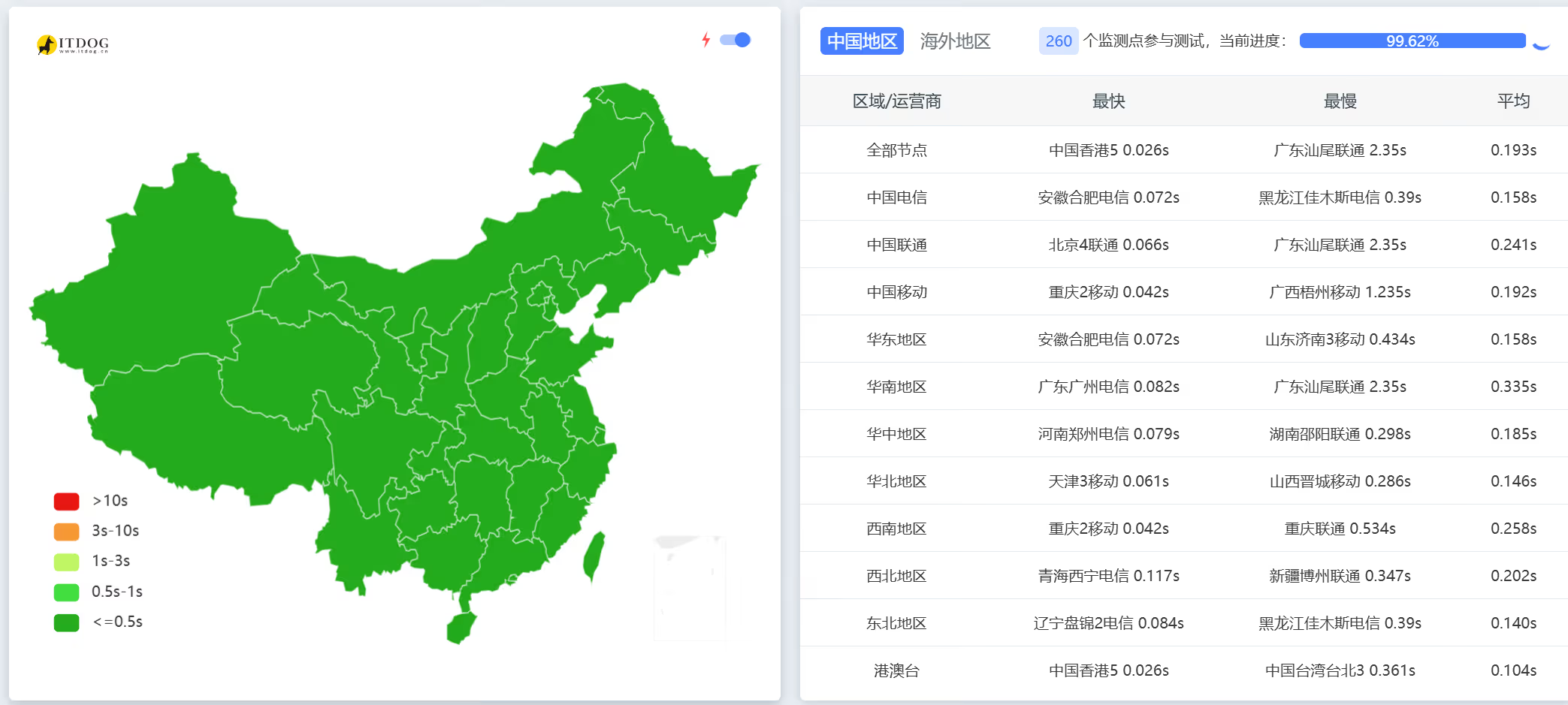
<p>&lt;picture&gt;
&lt;source srcset="https://s3.catcat.blog/images/2023/03/image-92.avif" type="image/avif"&gt;
&lt;source srcset="https://s3.catcat.blog/images/2023/03/image-92.webp" type="image/webp"&gt;
&lt;img src="https://s3.catcat.blog/images/2023/03/image-92.jpg" alt="" loading="lazy"&gt;
&lt;/picture&gt;</p>
<h2>3.服务器测评</h2>
<p>新泽西机房测速<br />
<a href="http://speedtest.is.cc">http://speedtest.is.cc</a></p>
<h2>yabs</h2>
<pre><code># ## ## ## ## ## ## ## ## ## ## ## ## ## ## ## ## ## #
#              Yet-Another-Bench-Script              #
#                     v2023-02-27                    #
# https://github.com/masonr/yet-another-bench-script #
# ## ## ## ## ## ## ## ## ## ## ## ## ## ## ## ## ## #
Wed 08 Mar 2023 07:35:11 PM UTC
Basic System Information:
---------------------------------
Uptime     : 0 days, 0 hours, 14 minutes
Processor  : Intel(R) Xeon(R) CPU E5-2680 v4 @ 2.40GHz
CPU cores  : 1 @ 2397.202 MHz
AES-NI     : ✅ Enabled
VM-x/AMD-V : ✅ Enabled
RAM        : 1.9 GiB
Swap       : 977.0 MiB
Disk       : 999.0 GiB
Distro     : Debian GNU/Linux 11 (bullseye)
Kernel     : 5.10.0-16-amd64
VM Type    : KVM
Basic Network Information:
---------------------------------
Protocol   : IPv4
ISP        : Interserver, Inc
ASN        : AS19318 Interserver, Inc
Host       : Host Department NJ, LLC
Location   : Englewood Cliffs, New Jersey (NJ)
Country    : United States
fio Disk Speed Tests (Mixed R/W 50/50):
---------------------------------
Block Size | 4k            (IOPS) | 64k           (IOPS)
  ------   | ---            ----  | ----           ----
Read       | 101.60 MB/s  (25.4k) | 740.14 MB/s  (11.5k)
Write      | 101.87 MB/s  (25.4k) | 744.03 MB/s  (11.6k)
Total      | 203.47 MB/s  (50.8k) | 1.48 GB/s    (23.1k)
           |                      |
Block Size | 512k          (IOPS) | 1m            (IOPS)
  ------   | ---            ----  | ----           ----
Read       | 4.18 GB/s     (8.1k) | 4.10 GB/s     (4.0k)
Write      | 4.40 GB/s     (8.6k) | 4.38 GB/s     (4.2k)
Total      | 8.59 GB/s    (16.7k) | 8.49 GB/s     (8.2k)
iperf3 Network Speed Tests (IPv4):
---------------------------------
Provider        | Location (Link)           | Send Speed      | Recv Speed      | Ping
-----           | -----                     | ----            | ----            | ----
Clouvider       | London, UK (10G)          | 2.04 Gbits/sec  | 1.34 Gbits/sec  | 69.9 ms
Scaleway        | Paris, FR (10G)           | 2.70 Gbits/sec  | 1.59 Gbits/sec  | 72.9 ms
NovoServe       | North Holland, NL (40G)   | 2.00 Gbits/sec  | 2.29 Gbits/sec  | 76.1 ms
Uztelecom       | Tashkent, UZ (10G)        | 1.25 Gbits/sec  | 603 Mbits/sec   | 153 ms
Clouvider       | NYC, NY, US (10G)         | 5.98 Gbits/sec  | 7.02 Gbits/sec  | 1.34 ms
Clouvider       | Dallas, TX, US (10G)      | 2.93 Gbits/sec  | 1.31 Gbits/sec  | 37.6 ms
Clouvider       | Los Angeles, CA, US (10G) | 2.74 Gbits/sec  | 995 Mbits/sec   | 56.2 ms
Geekbench 6 BenchMark Test:
---------------------------------
Test            | Value
                |
Single Core     | 809
Multi Core      | 810
Full Test       | https://browser.geekbench.com/v6/cpu/460749
YABS completed in 15 min 31 sec
</code></pre>
]]></content>
    <author><name>猫猫博客</name></author>
    <category term="测评"/>
  </entry>
  <entry>
    <title>SpeedyPage 新加坡5950x测评</title>
    <link href="https://catcat.blog/speedypage-sg5950x" rel="alternate" type="text/html"/>
    <id>https://catcat.blog/speedypage-sg5950x</id>
    <published>2023-03-05T00:00:00.000Z</published>
    <updated>2023-03-05T00:00:00.000Z</updated>
    <summary>详测SpeedyPage新加坡Ryzen5950XVPS：套餐价格与优惠码、NVMe与10Gbps带宽、1C1G实测性能与I/O、Ping及回程路由分析，附测试IP与购买链接，助你快速选型。</summary>
    <content type="html"><![CDATA[<h2>1.官方网站</h2>
<p>官网：<a href="https://urls.catcat.blog/speedypage">地址</a></p>
<p>&lt;picture&gt;
&lt;source srcset="https://s3.catcat.blog/images/2023/03/image-93.avif" type="image/avif"&gt;
&lt;source srcset="https://s3.catcat.blog/images/2023/03/image-93.webp" type="image/webp"&gt;
&lt;img src="https://s3.catcat.blog/images/2023/03/image-93.jpg" alt="" loading="lazy"&gt;
&lt;/picture&gt;</p>
<h2>2.套餐价格</h2>
<h3>优惠码：<strong>LET10OFF</strong> </h3>
<p>&lt;picture&gt;
&lt;source srcset="https://s3.catcat.blog/images/2023/03/image-94.avif" type="image/avif"&gt;
&lt;source srcset="https://s3.catcat.blog/images/2023/03/image-94.webp" type="image/webp"&gt;
&lt;img src="https://s3.catcat.blog/images/2023/03/image-94.jpg" alt="" loading="lazy"&gt;
&lt;/picture&gt;</p>
<table>
<thead>
<tr>
<th><strong>Ryzen 5950X CoresCPU</strong></th>
<th><strong>内存</strong></th>
<th>NVME</th>
<th><strong>Bandwidth @ 2.5Gbps</strong></th>
<th><strong>IPv4 | IPv6</strong></th>
<th>折前价格</th>
<th>购买</th>
</tr>
</thead>
<tbody>
<tr>
<td>1 5950X Cores</td>
<td>1g</td>
<td>15</td>
<td>1 TB @ 10 Gbps</td>
<td>1 IPv4 &amp; /64 IPv6</td>
<td><strong>£3.50/mo</strong></td>
<td><a href="https://my.speedypage.com/store/sg-vps&amp;aff=190">地址</a></td>
</tr>
<tr>
<td>1 5950X Cores</td>
<td>2g</td>
<td>30</td>
<td>1 TB @ 10 Gbps</td>
<td>1 IPv4 &amp; /64 IPv6</td>
<td><strong>£4.99/mo</strong></td>
<td><a href="https://my.speedypage.com/store/sg-vps&amp;aff=190">地址</a></td>
</tr>
<tr>
<td>2 5950X Cores</td>
<td>4g</td>
<td>60</td>
<td>2 TB @ 10 Gbps</td>
<td>1 IPv4 &amp; /64 IPv6</td>
<td><strong>£9.99/mo</strong></td>
<td><a href="https://my.speedypage.com/store/sg-vps&amp;aff=190">地址</a></td>
</tr>
<tr>
<td>3 5950X Cores</td>
<td>6g</td>
<td>90</td>
<td>3 TB @ 10 Gbps</td>
<td>1 IPv4 &amp; /64 IPv6</td>
<td>****£<strong>12.99/mo</strong></td>
<td><a href="https://my.speedypage.com/store/sg-vps&amp;aff=190">地址</a></td>
</tr>
<tr>
<td>4 5950X Cores</td>
<td>8g</td>
<td>120</td>
<td>4 TB @ 10 Gbps</td>
<td>1 IPv4 &amp; /64 IPv6</td>
<td><strong>£14.99/mo</strong></td>
<td><a href="https://my.speedypage.com/store/sg-vps&amp;aff=190">地址</a></td>
</tr>
<tr>
<td>4 5950X Cores</td>
<td>10g</td>
<td>150</td>
<td>5 TB @ 10 Gbps</td>
<td>1 IPv4 &amp; /64 IPv6</td>
<td><strong>£19.99/mo</strong></td>
<td><a href="https://my.speedypage.com/store/sg-vps&amp;aff=190">地址</a></td>
</tr>
</tbody>
</table>
<h2>3. VPS 测试（1C1G）</h2>
<p>&lt;picture&gt;
&lt;source srcset="https://s3.catcat.blog/images/2023/03/image-96.avif" type="image/avif"&gt;
&lt;source srcset="https://s3.catcat.blog/images/2023/03/image-96.webp" type="image/webp"&gt;
&lt;img src="https://s3.catcat.blog/images/2023/03/image-96.jpg" alt="" loading="lazy"&gt;
&lt;/picture&gt;</p>
<p>&lt;picture&gt;
&lt;source srcset="https://s3.catcat.blog/images/2023/03/image-97.avif" type="image/avif"&gt;
&lt;source srcset="https://s3.catcat.blog/images/2023/03/image-97.webp" type="image/webp"&gt;
&lt;img src="https://s3.catcat.blog/images/2023/03/image-97.jpg" alt="" loading="lazy"&gt;
&lt;/picture&gt;</p>
<p>&lt;picture&gt;
&lt;source srcset="https://s3.catcat.blog/images/2023/03/image-98.avif" type="image/avif"&gt;
&lt;source srcset="https://s3.catcat.blog/images/2023/03/image-98.webp" type="image/webp"&gt;
&lt;img src="https://s3.catcat.blog/images/2023/03/image-98.jpg" alt="" loading="lazy"&gt;
&lt;/picture&gt;</p>
<p>&lt;picture&gt;
&lt;source srcset="https://s3.catcat.blog/images/2023/03/image-100.avif" type="image/avif"&gt;
&lt;source srcset="https://s3.catcat.blog/images/2023/03/image-100.webp" type="image/webp"&gt;
&lt;img src="https://s3.catcat.blog/images/2023/03/image-100.jpg" alt="" loading="lazy"&gt;
&lt;/picture&gt;</p>
<h2>4.Ping 值</h2>
<h4>TCP路由测试</h4>
<p>去程: 电信/联通 绕日本(ntt), 移动经香港直连(telstra)<br />
回程: 电信绕美(cogent), 联通绕日本(ntt), 移动经香港直连(ntt)<br />
测试IP: 194.9.62.3</p>
<p>Looking Glass: <a href="https://sg.lg.speedypage.com/">https://sg.lg.speedypage.com/</a></p>
<p>&lt;picture&gt;
&lt;source srcset="https://s3.catcat.blog/images/2023/03/image-95.avif" type="image/avif"&gt;
&lt;source srcset="https://s3.catcat.blog/images/2023/03/image-95.webp" type="image/webp"&gt;
&lt;img src="https://s3.catcat.blog/images/2023/03/image-95.jpg" alt="" loading="lazy"&gt;
&lt;/picture&gt;</p>
<h2>5.融合怪脚本测试</h2>
<pre><code>-----------------感谢teddysun和superbench和yabs开源-------------------
 CPU 型号          : AMD Ryzen 9 5950X 16-Core Processor
 CPU 核心数        : 1
 CPU 频率          : 3393.622 MHz
 CPU 缓存          : 512 KB
 硬盘空间          : 15.0 GB (1.5 GB 已用)
 内存              : 943 MB (134 MB 已用)
 Swap              : 0 MB (0 MB 已用)
 系统在线时间      : 0 days, 0 hour 1 min
 负载              : 1.16, 0.58, 0.22
 系统              : Debian GNU/Linux 11 (bullseye)
 AES-NI指令集      : ✔ Enabled
 VM-x/AMD-V支持    : ✔ Enabled
 架构              : x86_64 (64 Bit)
 内核              : 5.10.0-10-amd64
 TCP加速方式       : cubic
 虚拟化架构        : KVM
 ASN组织           : AS142594 SpeedyPage Ltd
 位置              : Singapore / SG
 地区              : Singapore
-------------------CPU测试--感谢lemonbench开源------------------------
 -&gt; CPU 测试中 (Fast Mode, 1-Pass @ 5sec)
 1 线程测试(1核)得分: 		5313 Scores
-------------------内存测试--感谢lemonbench开源-----------------------
 -&gt; 内存测试 Test (Fast Mode, 1-Pass @ 5sec)
 单线程读测试:		59898.46 MB/s
 单线程写测试:		30003.82 MB/s
----------------磁盘IO读写测试--感谢lemonbench开源--------------------
 -&gt; 磁盘IO测试中 (4K Block/1M Block, Direct Mode)
 测试操作		写速度					读速度
 100MB-4K Block		-&gt;
 100MB-4K Block		104 MB/s (0.04K IOPS, 1.01s)		-&gt;
 100MB-4K Block		104 MB/s (0.04 IOPS, 1.01s)		143 MB/s (34900 IOPS, 0.73s)
 1GB-1M Block		-&gt;
 1GB-1M Block		844 MB/s (804 IOPS, 1.24s)		-&gt;
 1GB-1M Block		844 MB/s (804 IOPS, 1.24s)		4.6 GB/s (4402 IOPS, 0.23s)
-------------------磁盘IO读写测试--感谢yabs开源-----------------------
  ------ | --- ---- | ---- ---- 
Read       | 440.27 MB/s (110.0k) | 2.35 GB/s    (36.7k)
Write      | 441.43 MB/s (110.3k) | 2.36 GB/s    (36.9k)
Total      | 881.71 MB/s (220.4k) | 4.71 GB/s    (73.7k)           |                      |                     
Block Size | 512k          (IOPS) | 1m            (IOPS)
  ------ | --- ---- | ---- ---- 
Read       | 2.15 GB/s     (4.2k) | 2.12 GB/s     (2.0k)
Write      | 2.26 GB/s     (4.4k) | 2.26 GB/s     (2.2k)
Total      | 4.41 GB/s     (8.6k) | 4.39 GB/s     (4.2k)
--------------------流媒体解锁--感谢sjlleo开源------------------------
以下测试的解锁地区是准确的，但是不是完整解锁的判断可能有误，这方面仅作参考使用
----------------Youtube----------------
[IPv4]
连接方式: Youtube Video Server
视频缓存节点地域: 新加坡 新加坡/樟宜  (SIN11S18)
Youtube识别地域: 荷兰(NL)
----------------Netflix----------------
[IPv4]
您的出口IP完整解锁Netflix，支持非自制剧的观看
NF所识别的IP地域信息：新加坡
[IPv6]
您的网络可能没有正常配置IPv6，或者没有IPv6网络接入
---------------DisneyPlus---------------
[IPv4]
当前IPv4出口解锁DisneyPlus
区域：新加坡区
解锁Youtube，Netflix，DisneyPlus上面和下面进行比较，不同之处自行判断
---------------流媒体解锁--感谢RegionRestrictionCheck开源-------------
 以下为IPV4网络测试，若无IPV4网络则无输出
============[ Multination ]============
 Dazn:					No
 HotStar:				Yes (Region: SG)
 Disney+:				No
 Netflix:				Yes (Region: SG)
 YouTube Premium:			Yes (Region: NL)
 Amazon Prime Video:			Yes (Region: SG)
 TVBAnywhere+:				Yes
 iQyi Oversea Region:			SG
 Viu.com:				Yes (Region: SG)
 YouTube CDN:				Singapore 
 Netflix Preferred CDN:			Singapore  
 Spotify Registration:			No
 Steam Currency:			SGD
=======================================
 以下为IPV6网络测试，若无IPV6网络则无输出
-------------TikTok解锁--感谢lmc999的源脚本及fscarmen PR--------------
 Tiktok Region:		【GB】
--------OpenAi解锁--感谢missuo的OpenAI-Checker项目本人修改优化--------
[IPv4]
Your IP supports access to OpenAI. Region: SG
[IPv6]
IPv6 is not supported on the current host. Skip...
-----------------欺诈分数以及IP质量检测--本频道原创-------------------
以下仅作参考，不代表100%准确，如果和实际情况不一致请手动查询多个数据库比对
scamalytics数据库:
  欺诈分数(越低越好)：82
  匿名代理: No
  Tor出口节点: No
  服务器IP: Yes
  公共代理: No
  网络代理: No
  搜索引擎机器人: No
ip234数据库：
  欺诈分数(越低越好)：5
ip-api数据库:
  手机流量: No
  代理服务: No
  数据中心: No
abuseipdb数据库-abuse得分：0
IP类型:
  IP2Location数据库: Data Center/Web Hosting/Transit
Google搜索可行性：YES
-----------------三网回程--感谢zhanghanyun/backtrace开源--------------
2023/04/20 08:12:03 北京电信 219.141.136.12  电信163 [普通线路]           
2023/04/20 08:12:03 北京联通 202.106.50.1    联通4837[普通线路]           
2023/04/20 08:12:03 北京移动 221.179.155.161 移动CMI [普通线路]           
2023/04/20 08:12:03 上海电信 202.96.209.133  测试超时
2023/04/20 08:12:03 上海联通 210.22.97.1     联通4837[普通线路]           
2023/04/20 08:12:03 上海移动 211.136.112.200 移动CMI [普通线路]           
2023/04/20 08:12:03 广州电信 58.60.188.222   电信163 [普通线路]           
2023/04/20 08:12:03 广州联通 210.21.196.6    联通4837[普通线路]           
2023/04/20 08:12:03 广州移动 120.196.165.24  移动CMI [普通线路]           
2023/04/20 08:12:03 成都电信 61.139.2.69     电信163 [普通线路]           
2023/04/20 08:12:03 成都联通 119.6.6.6       联通4837[普通线路]           
2023/04/20 08:12:03 成都移动 211.137.96.205  移动CMI [普通线路]           
------------------回程路由--感谢fscarmen开源及PR----------------------
IPv4 ASN: SpeedyPage Ltd
依次测试电信，联通，移动经过的地区及线路，核心程序来由: ipip.net ，请知悉!
广州电信 58.60.188.222
0.22 ms  AS136557  新加坡, hostuniversal.com.au
0.99 ms  AS174  新加坡, cogentco.com
1.46 ms  AS174  新加坡, cogentco.com
1.65 ms  AS174  新加坡, cogentco.com
166.90 ms  AS174  美国, 加利福尼亚州, 洛杉矶, cogentco.com
182.16 ms  AS174  美国, 加利福尼亚州, 洛杉矶, cogentco.com
194.61 ms  AS174  美国, 加利福尼亚州, 圣何塞, cogentco.com
195.42 ms  AS174  美国, 加利福尼亚州, 圣何塞, cogentco.com
345.65 ms  AS4134  中国, 广东, 广州, chinatelecom.com.cn, 电信
350.11 ms  AS134774  中国, 广东, 深圳, chinatelecom.com.cn, 电信
350.37 ms  AS4134  中国, 广东, 深圳, chinatelecom.com.cn, 电信
广州联通 210.21.196.6
0.25 ms  AS136557  新加坡, hostuniversal.com.au
1.13 ms  AS174  新加坡, cogentco.com
1.29 ms  AS174  新加坡, cogentco.com
1.47 ms  AS174  新加坡, cogentco.com
166.87 ms  AS174  美国, 加利福尼亚州, 洛杉矶, cogentco.com
167.43 ms  AS174  美国, 加利福尼亚州, 洛杉矶, cogentco.com
173.75 ms  AS174  美国, 加利福尼亚州, 洛杉矶, cogentco.com
182.87 ms  AS4837  中国, 广东, 广州, chinaunicom.com, 联通
188.32 ms  AS4837  中国, 广东, 广州, chinaunicom.com, 联通
194.95 ms  AS17623  中国, 广东, 深圳, chinaunicom.com, 联通
190.49 ms  AS17623  中国, 广东, 深圳, chinaunicom.com, 联通
广州移动 120.196.165.2
0.24 ms  AS136557  新加坡, hostuniversal.com.au
0.96 ms  AS136557  新加坡, hostuniversal.com.au
0.95 ms  AS60068  欧洲地区, datacamp.co.uk
1.50 ms  AS2914  新加坡, ntt.com
32.06 ms  AS2914  新加坡, ntt.com
31.70 ms  AS58453  中国, 香港, chinamobile.com, 移动
58.52 ms  AS58453  中国, 上海, chinamobile.com, 移动
57.33 ms  AS9808  中国, 上海, chinamobile.com, 移动
90.58 ms  AS56040  中国, 广东, 广州, chinamobile.com, 移动
91.44 ms  AS56040  中国, 广东, 广州, chinamobile.com, 移动
92.77 ms  AS56040  中国, 广东, 深圳, chinamobile.com, 移动
------------------------ ecs-net--本频道独创 -------------------------
位置		 上传速度	 下载速度	 延迟	  丢包率
Speedtest.net	 7667.02 Mbps	 6847.46 Mbps	 0.28	  0.0%
洛杉矶		 519.67 Mbps	 2191.66 Mbps	 194.50	  0.0%
新加坡		 6601.48 Mbps	 6932.77 Mbps	 1.98	  0.0%
联通Fuzhou	 409.34 Mbps	 4163.37 Mbps	 51.11	  0.0%
电信Suzhou5G	 308.98 Mbps	 1481.49 Mbps	 317.54	  NULL
电信合肥5G	 49.47 Mbps	 27.24 Mbps	 330.03	  0.0%
移动杭州5G	 810.04 Mbps	 3237.12 Mbps	 72.88	  0.0%
移动陕西5G	 584.00 Mbps	 2947.81 Mbps	 94.35	  0.0%
----------------------------------------------------------------------
 总共花费      : 5 分 37 秒
 时间          : Thu 20 Apr 2023 08:16:32 AM CST
----------------------------------------------------------------------
</code></pre>
<h2>7.测评总结</h2>
<p>配置/国际互联还算不错, G口带宽, 提供IPv4+IPv6, 新加坡上游为HostUniversal.<br />
国内tcp ping平均: 电信537ms,联通136ms,移动86ms.自带备份和ddos，适合建站<br />
适合移动用户直连, 或者 IPLC/香港机/新加机中转使用.<br />
除了不太适合直连外, 其他都感觉还不错.</p>
<p>自带备份和ddos，适合建站</p>
]]></content>
    <author><name>猫猫博客</name></author>
    <category term="测评"/>
  </entry>
  <entry>
    <title>Little Creek 评测</title>
    <link href="https://catcat.blog/littlecreek" rel="alternate" type="text/html"/>
    <id>https://catcat.blog/littlecreek</id>
    <published>2023-03-02T00:00:00.000Z</published>
    <updated>2023-03-02T00:00:00.000Z</updated>
    <summary>Little Creek VPS 性价比测评：整理官网与下单入口，详解$3.5-$8 KVM套餐配置（NVMe、大带宽、DirectAdmin可选），并附7刀与13刀性能与回程实测、superbench/YABS结果，助你快速选型。</summary>
    <content type="html"><![CDATA[<h2>1.官方网站</h2>
<p>官网：<a href="https://www.littlecreekhosting.com/clients/index.php">地址</a></p>
<h2>2.价格套餐</h2>
<p>KVM-4 LET Special with DirectAdmin $4.50/Month <a href="https://www.littlecreekhosting.com/clients/cart.php?a=add&amp;pid=382">Order Here Now</a></p>
<hr />
<p>Standard DirectAdmin Control Panel<br />
Virtuozzo KVM<br />
CPU Core: 4<br />
RAM: 4096 MB<br />
NVMe: 80GB<br />
Bandwidth: 6000 GB/Month<br />
$4.50/Month<br />
<a href="https://www.littlecreekhosting.com/clients/cart.php?a=add&amp;pid=382">Order Here Now</a></p>
<hr />
<p>KVM-5 LET Special with DirectAdmin $8.00/Month <a href="https://www.littlecreekhosting.com/clients/cart.php?a=add&amp;pid=383">Order Here Now</a></p>
<hr />
<p>Standard DirectAdmin Control Panel<br />
Virtuozzo KVM<br />
CPU Core: 8<br />
RAM: 8192 MB<br />
NVMe: 160GB<br />
Bandwidth: 8000 GB/Month<br />
$8.00/Month<br />
<a href="https://www.littlecreekhosting.com/clients/cart.php?a=add&amp;pid=383">Order Here Now</a></p>
<hr />
<p>KVM-4 LET Special <em>No DirectAdmin</em> $3.50/Month <a href="https://www.littlecreekhosting.com/clients/cart.php?a=add&amp;pid=373">Order Here Now</a></p>
<hr />
<p>Virtuozzo KVM<br />
CPU Core: 4<br />
RAM: 4096 MB<br />
NVMe: 80GB<br />
Bandwidth: 6000 GB/Month<br />
$3.50/Month<br />
<a href="https://www.littlecreekhosting.com/clients/cart.php?a=add&amp;pid=373">Order Here Now</a></p>
<hr />
<p>KVM-5 LET Special <em>No DirectAdmin</em> $7.00/Month <a href="https://www.littlecreekhosting.com/clients/cart.php?a=add&amp;pid=374">Order Here Now</a></p>
<hr />
<p>Virtuozzo KVM<br />
CPU Core: 8<br />
RAM: 8192 MB<br />
NVMe: 160GB<br />
Bandwidth: 8000 GB/Month<br />
$7.00/Month<br />
<a href="https://www.littlecreekhosting.com/clients/cart.php?a=add&amp;pid=374">Order Here Now</a></p>
<h2>3.vps测试（7刀版本）</h2>
<p>&lt;picture&gt;
&lt;source srcset="https://s3.catcat.blog/images/2023/03/image-101.avif" type="image/avif"&gt;
&lt;source srcset="https://s3.catcat.blog/images/2023/03/image-101.webp" type="image/webp"&gt;
&lt;img src="https://s3.catcat.blog/images/2023/03/image-101.jpg" alt="" loading="lazy"&gt;
&lt;/picture&gt;</p>
<h2>回程测试</h2>
<p>&lt;picture&gt;
&lt;source srcset="https://s3.catcat.blog/images/2023/03/image-102.avif" type="image/avif"&gt;
&lt;source srcset="https://s3.catcat.blog/images/2023/03/image-102.webp" type="image/webp"&gt;
&lt;img src="https://s3.catcat.blog/images/2023/03/image-102.jpg" alt="" loading="lazy"&gt;
&lt;/picture&gt;</p>
<h2>13刀版本融合怪测试</h2>
<pre><code>-----------------感谢teddysun和superbench和yabs开源-------------------
 CPU 型号          : Intel Xeon Processor (Cascadelake)
 CPU 核心数        : 1
 CPU 频率          : 2100.000 MHz
 CPU 缓存          : 4096 KB
 硬盘空间          : 19.0 GB (1.4 GB 已用)
 内存              : 976 MB (60 MB 已用)
 Swap              : 1023 MB (0 MB 已用)
 系统在线时间      : 0 days, 0 hour 4 min
 负载              : 0.23, 0.09, 0.03
 系统              : Debian GNU/Linux 11 (bullseye)
 AES-NI指令集      : ✔ Enabled
 VM-x/AMD-V支持    : ❌ Disabled
 架构              : x86_64 (64 Bit)
 内核              : 5.10.0-8-amd64
 TCP加速方式       : cubic
 虚拟化架构        : KVM
 ASN组织           : AS174 Cogent Communications
 位置              : Durham / US
 地区              : North Carolina
-------------------CPU测试--感谢lemonbench开源------------------------
 -&gt; CPU 测试中 (Fast Mode, 1-Pass @ 5sec)
 1 线程测试(1核)得分: 		2159 Scores
-------------------内存测试--感谢lemonbench开源-----------------------
 -&gt; 内存测试 Test (Fast Mode, 1-Pass @ 5sec)
 单线程读测试:		17763.83 MB/s
 单线程写测试:		12577.71 MB/s
----------------磁盘IO读写测试--感谢lemonbench开源--------------------
 -&gt; 磁盘IO测试中 (4K Block/1M Block, Direct Mode)
 测试操作		写速度					读速度
 100MB-4K Block		-&gt;
 100MB-4K Block		23.1 MB/s (5642 IOPS, 4.54s)		-&gt;
 100MB-4K Block		23.1 MB/s (5642 IOPS, 4.54s)		15.7 MB/s (3824 IOPS, 6.69s)
 1GB-1M Block		-&gt;
 1GB-1M Block		431 MB/s (411 IOPS, 2.43s)		-&gt;
 1GB-1M Block		431 MB/s (411 IOPS, 2.43s)		1.4 GB/s (1377 IOPS, 0.73s)
-------------------磁盘IO读写测试--感谢yabs开源-----------------------
  ------ | --- ---- | ---- ---- 
Read       | 89.99 MB/s   (22.4k) | 409.72 MB/s   (6.4k)
Write      | 90.23 MB/s   (22.5k) | 411.88 MB/s   (6.4k)
Total      | 180.22 MB/s  (45.0k) | 821.60 MB/s  (12.8k)           |                      |                     
Block Size | 512k          (IOPS) | 1m            (IOPS)
  ------ | --- ---- | ---- ---- 
Read       | 912.40 MB/s   (1.7k) | 1.09 GB/s     (1.0k)
Write      | 960.88 MB/s   (1.8k) | 1.17 GB/s     (1.1k)
Total      | 1.87 GB/s     (3.6k) | 2.26 GB/s     (2.2k)
--------------------流媒体解锁--感谢sjlleo开源------------------------
以下测试的解锁地区是准确的，但是不是完整解锁的判断可能有误，这方面仅作参考使用
----------------Youtube----------------
[IPv4]
连接方式: Youtube Video Server
视频缓存节点地域: IAD(IAD23S03)
Youtube识别地域: 无信息(null)
[IPv6]
连接方式: Youtube Video Server
视频缓存节点地域: IAD(IAD23S03)
Youtube识别地域: 无信息(null)
----------------Netflix----------------
[IPv4]
您的出口IP完整解锁Netflix，支持非自制剧的观看
NF所识别的IP地域信息：美国
[IPv6]
您的出口IP完整解锁Netflix，支持非自制剧的观看
NF所识别的IP地域信息：美国
---------------DisneyPlus---------------
[IPv4]
当前IPv4出口解锁DisneyPlus
区域：美国区
[IPv6]
当前IPv6出口解锁DisneyPlus
区域：美国区
解锁Youtube，Netflix，DisneyPlus上面和下面进行比较，不同之处自行判断
---------------流媒体解锁--感谢RegionRestrictionCheck开源-------------
 以下为IPV4网络测试，若无IPV4网络则无输出
============[ Multination ]============
 Dazn:					No
 HotStar:				Yes (Region: US)
 Disney+:				Yes (Region: US)
 Netflix:				Yes (Region: US)
 YouTube Premium:			Yes
 Amazon Prime Video:			Yes (Region: US)
 TVBAnywhere+:				Yes
 iQyi Oversea Region:			US
 Viu.com:				No
 YouTube CDN:				Washington DC 
 Netflix Preferred CDN:			Seattle, WA  
 Spotify Registration:			No
 Steam Currency:			USD
=======================================
 以下为IPV6网络测试，若无IPV6网络则无输出
============[ Multination ]============
 Dazn:					Failed (Network Connection)
 HotStar:				Yes (Region: US)
 Disney+:				No
 Netflix:				Yes (Region: US)
 YouTube Premium:			Yes
 Amazon Prime Video:			Unsupported
 TVBAnywhere+:				Failed (Network Connection)
 iQyi Oversea Region:			Failed
 Viu.com:				Failed
 YouTube CDN:				Washington DC 
 Netflix Preferred CDN:			Seattle, WA  
 Spotify Registration:			Yes (Region: US)
 Steam Currency:			Failed (Network Connection)
=======================================
-------------TikTok解锁--感谢lmc999的源脚本及fscarmen PR--------------
 Tiktok Region:		【US】
--------OpenAi解锁--感谢missuo的OpenAI-Checker项目本人修改优化--------
[IPv4]
Your IP supports access to OpenAI. Region: US
[IPv6]
Your IP supports access to OpenAI. Region: US
-----------------欺诈分数以及IP质量检测--本频道原创-------------------
以下仅作参考，不代表100%准确，如果和实际情况不一致请手动查询多个数据库比对
scamalytics数据库:
  欺诈分数(越低越好)：100
  匿名代理: No
  Tor出口节点: No
  服务器IP: No
  公共代理: No
  网络代理: No
  搜索引擎机器人: No
ip234数据库：
  欺诈分数(越低越好)：20
ip-api数据库:
  手机流量: No
  代理服务: No
  数据中心: No
abuseipdb数据库-abuse得分：0
IP类型:
  IP2Location数据库: Commercial
Google搜索可行性：YES
------以下为IPV6检测------
scamalytics数据库:
  欺诈分数(越低越好)：100
  匿名代理: No
  Tor出口节点: No
  服务器IP: Yes
  公共代理: No
  网络代理: No
  搜索引擎机器人: No
abuseipdb数据库-abuse得分：0
IP类型:
  IP2Location数据库: Data Center/Web Hosting/Transit
-----------------三网回程--感谢zhanghanyun/backtrace开源--------------
2023/04/20 03:04:17 北京电信 219.141.136.12  电信163 [普通线路]           
2023/04/20 03:04:17 北京联通 202.106.50.1    联通4837[普通线路]           
2023/04/20 03:04:17 北京移动 221.179.155.161 移动CMI [普通线路]           
2023/04/20 03:04:17 上海电信 202.96.209.133  测试超时
2023/04/20 03:04:17 上海联通 210.22.97.1     联通4837[普通线路]           
2023/04/20 03:04:17 上海移动 211.136.112.200 移动CMI [普通线路]           
2023/04/20 03:04:17 广州电信 58.60.188.222   电信163 [普通线路]           
2023/04/20 03:04:17 广州联通 210.21.196.6    联通4837[普通线路]           
2023/04/20 03:04:17 广州移动 120.196.165.24  移动CMI [普通线路]           
2023/04/20 03:04:17 成都电信 61.139.2.69     电信163 [普通线路]           
2023/04/20 03:04:17 成都联通 119.6.6.6       联通4837[普通线路]           
2023/04/20 03:04:17 成都移动 211.137.96.205  移动CMI [普通线路]           
------------------回程路由--感谢fscarmen开源及PR----------------------
IPv4 ASN: Cogent Communications
IPv6 ASN: Cogent Communications
依次测试电信，联通，移动经过的地区及线路，核心程序来由: ipip.net ，请知悉!
广州电信 58.60.188.222
0.59 ms  AS174  美国, 北卡罗来纳州, 罗利, cogentco.com
1.95 ms  AS174  美国, 北卡罗来纳州, 罗利, cogentco.com
2.29 ms  AS174  美国, 北卡罗来纳州, 罗利, cogentco.com
2.12 ms  AS174  美国, 北卡罗来纳州, 罗利, cogentco.com
6.15 ms  AS174  美国, 北卡罗来纳州, 夏洛特, cogentco.com
10.00 ms  AS174  美国, 乔治亚州, 亚特兰大, cogentco.com
24.97 ms  AS174  美国, 德克萨斯州, 休斯顿, cogentco.com
39.85 ms  AS174  美国, 德克萨斯州, 埃尔帕索, cogentco.com
48.20 ms  AS174  美国, 亚利桑那州, 凤凰城, cogentco.com
60.40 ms  AS174  美国, 加利福尼亚州, 洛杉矶, cogentco.com
72.03 ms  AS174  美国, 加利福尼亚州, 圣何塞, cogentco.com
72.46 ms  AS174  美国, 加利福尼亚州, 圣何塞, cogentco.com
235.65 ms  AS4134  中国, 广东, 广州, chinatelecom.com.cn, 电信
235.32 ms  AS134774  中国, 广东, 深圳, chinatelecom.com.cn, 电信
223.05 ms  AS4134  中国, 广东, 深圳, chinatelecom.com.cn, 电信
广州联通 210.21.196.6
0.40 ms  AS174  美国, 北卡罗来纳州, 罗利, cogentco.com
1.54 ms  AS174  美国, 北卡罗来纳州, 罗利, cogentco.com
1.90 ms  AS174  美国, 北卡罗来纳州, 罗利, cogentco.com
1.84 ms  AS174  美国, 北卡罗来纳州, 罗利, cogentco.com
10.54 ms  AS174  美国, 北卡罗来纳州, 夏洛特, cogentco.com
9.77 ms  AS174  美国, 乔治亚州, 亚特兰大, cogentco.com
22.99 ms  AS174  美国, 德克萨斯州, 休斯顿, cogentco.com
46.53 ms  AS174  美国, 德克萨斯州, 埃尔帕索, cogentco.com
47.63 ms  AS174  美国, 亚利桑那州, 凤凰城, cogentco.com
59.59 ms  AS174  美国, 加利福尼亚州, 洛杉矶, cogentco.com
59.49 ms  AS174  美国, 加利福尼亚州, 洛杉矶, cogentco.com
229.50 ms  AS174  美国, 加利福尼亚州, 洛杉矶, cogentco.com
225.85 ms  AS4837  中国, 广东, 广州, chinaunicom.com, 联通
219.64 ms  AS4837  中国, 广东, 广州, chinaunicom.com, 联通
222.96 ms  AS17816  中国, 广东, 深圳, chinaunicom.com, 联通
244.25 ms  AS17623  中国, 广东, 深圳, chinaunicom.com, 联通
221.10 ms  AS17623  中国, 广东, 深圳, chinaunicom.com, 联通
广州移动 120.196.165.2
0.30 ms  AS174  美国, 北卡罗来纳州, 罗利, cogentco.com
6.72 ms  AS174  美国, 北卡罗来纳州, 罗利, cogentco.com
1.73 ms  AS174  美国, 北卡罗来纳州, 罗利, cogentco.com
2.67 ms  AS174  美国, 北卡罗来纳州, 罗利, cogentco.com
6.01 ms  AS174  美国, 北卡罗来纳州, 夏洛特, cogentco.com
10.58 ms  AS174  美国, 乔治亚州, 亚特兰大, cogentco.com
23.04 ms  AS174  美国, 德克萨斯州, 休斯顿, cogentco.com
39.57 ms  AS174  美国, 德克萨斯州, 埃尔帕索, cogentco.com
47.80 ms  AS174  美国, 亚利桑那州, 凤凰城, cogentco.com
59.98 ms  AS174  美国, 加利福尼亚州, 洛杉矶, cogentco.com
59.39 ms  AS174  美国, 加利福尼亚州, 洛杉矶, cogentco.com
70.65 ms  AS174  美国, 加利福尼亚州, 洛杉矶, cogentco.com
69.82 ms  AS58453  美国, 加利福尼亚州, 洛杉矶, chinamobile.com, 移动
70.01 ms  AS58453  美国, 加利福尼亚州, 洛杉矶, chinamobile.com, 移动
251.73 ms  AS58453  中国, 上海, chinamobile.com, 移动
260.19 ms  AS9808  中国, 上海, chinamobile.com, 移动
244.77 ms  AS9808  中国, 上海, chinamobile.com, 移动
248.05 ms  AS9808  中国, 上海, chinamobile.com, 移动
287.32 ms  AS56040  中国, 广东, 广州, chinamobile.com, 移动
295.59 ms  AS56040  中国, 广东, 广州, chinamobile.com, 移动
284.15 ms  AS56040  中国, 广东, 深圳, chinamobile.com, 移动
------------------------ ecs-net--本频道独创 -------------------------
位置		 上传速度	 下载速度	 延迟	  丢包率
Speedtest.net	 705.22 Mbps	 730.10 Mbps	 81.70	  0.0%
洛杉矶		 713.35 Mbps	 707.47 Mbps	 59.64	  0.0%
新加坡		 362.66 Mbps	 467.91 Mbps	 551.20	  0.0%
联通Fuzhou	 396.28 Mbps	 724.85 Mbps	 225.15	  0.0%
联通上海5G	 325.81 Mbps	 684.42 Mbps	 253.32	  0.0%
电信天津	 2.57 Mbps	 578.65 Mbps	 222.72	  NULL
电信天津5G	 0.92 Mbps	 100.75 Mbps	 231.84	  9.7%
移动Chengdu	 276.02 Mbps	 548.03 Mbps	 273.96	  0.0%
----------------------------------------------------------------------
 总共花费      : 8 分 6 秒
 时间          : Thu 20 Apr 2023 03:10:27 AM EDT
</code></pre>
<h2>4.测评</h2>
<p>故事：<br />
LET上的一个商家，看官网说自己以前是个瓦工，建了网站发现托管在其他家不好用，于是自建，自己摸索，慢慢的规模起来了，就当这个故事是真的吧。大概就是几个人的小作坊。</p>
<p>推荐理由：<br />
· 稳定：用了几个月，还有LET几个用户反馈，很稳定。2020年百科君有推送，2021年有MJJ购买，没有什么问题；<br />
· DA授权：每个机器+1刀即可在自家的VPS上使用，如果你不需要可以少这1刀费用；<br />
· 硬件：GB6单核1000分，最低配置也给到了4核4G 80G NVMe，6T流量，1G带宽，如果去LET回帖可以双倍流量，做站绰绰有余；<br />
· 解锁IP：测试可以解锁NF和ChatGPT。</p>
<p>费用：最低3.5刀/月，需要DA授权+1刀。</p>
<p>槽点：机房托管在美东北卡罗来纳达勒姆，狗根网络+物理距离，建议中转加速，适合作落地鸡。</p>
]]></content>
    <author><name>猫猫博客</name></author>
    <category term="测评"/>
  </entry>
  <entry>
    <title>Hetzner美西俄勒冈vps评测</title>
    <link href="https://catcat.blog/hetzner-us-cpx11" rel="alternate" type="text/html"/>
    <id>https://catcat.blog/hetzner-us-cpx11</id>
    <published>2023-02-27T00:00:00.000Z</published>
    <updated>2023-02-27T00:00:00.000Z</updated>
    <summary>详评Hetzner美西俄勒冈VPS：涵盖套餐价格、2核2G实测跑分、磁盘I/O与网络表现，并附全球Ping延迟对比与截图，助你快速判断建站与跨境业务可用性。</summary>
    <content type="html"><![CDATA[<h2>1. 官方网站</h2>
<p>官网：<a href="https://www.aliyun.com/product/swas?spm=5176.19720258.J_3207526240.34.206376f4pSGfBE">地址</a></p>
<h2>2.价格</h2>
<p>&lt;picture&gt;
&lt;source srcset="https://s3.catcat.blog/images/2023/02/image-103.avif" type="image/avif"&gt;
&lt;source srcset="https://s3.catcat.blog/images/2023/02/image-103.webp" type="image/webp"&gt;
&lt;img src="https://s3.catcat.blog/images/2023/02/image-103.jpg" alt="" loading="lazy"&gt;
&lt;/picture&gt;</p>
<h2>3.vps测试（2h2g）</h2>
<p>&lt;picture&gt;
&lt;source srcset="https://s3.catcat.blog/images/2023/02/image-108.avif" type="image/avif"&gt;
&lt;source srcset="https://s3.catcat.blog/images/2023/02/image-108.webp" type="image/webp"&gt;
&lt;img src="https://s3.catcat.blog/images/2023/02/image-108.jpg" alt="" loading="lazy"&gt;
&lt;/picture&gt;</p>
<p>&lt;picture&gt;
&lt;source srcset="https://s3.catcat.blog/images/2023/02/image-109.avif" type="image/avif"&gt;
&lt;source srcset="https://s3.catcat.blog/images/2023/02/image-109.webp" type="image/webp"&gt;
&lt;img src="https://s3.catcat.blog/images/2023/02/image-109.jpg" alt="" loading="lazy"&gt;
&lt;/picture&gt;</p>
<h2>4.Ping测试</h2>
<p>&lt;picture&gt;
&lt;source srcset="https://s3.catcat.blog/images/2023/02/image-110.avif" type="image/avif"&gt;
&lt;source srcset="https://s3.catcat.blog/images/2023/02/image-110.webp" type="image/webp"&gt;
&lt;img src="https://s3.catcat.blog/images/2023/02/image-110.jpg" alt="" loading="lazy"&gt;
&lt;/picture&gt;</p>
]]></content>
    <author><name>猫猫博客</name></author>
    <category term="测评"/>
  </entry>
  <entry>
    <title>阿里云香港轻量服务器测试</title>
    <link href="https://catcat.blog/aliyun-hk-benchmark-little" rel="alternate" type="text/html"/>
    <id>https://catcat.blog/aliyun-hk-benchmark-little</id>
    <published>2023-02-26T00:00:00.000Z</published>
    <updated>2023-02-26T00:00:00.000Z</updated>
    <summary>评测阿里云香港轻量服务器：展示套餐价格清单，实测2核2G性能、带宽、PING延迟与回程路由，给出跨境访问与建站参考，附官网直达链接。</summary>
    <content type="html"><![CDATA[<h2>1. 官方网站</h2>
<p>官网：<a href="https://www.aliyun.com/product/swas?spm=5176.19720258.J_3207526240.34.206376f4pSGfBE">地址</a></p>
<h2>2.套餐</h2>
<p>&lt;picture&gt;
&lt;source srcset="https://s3.catcat.blog/images/2023/02/image-111.avif" type="image/avif"&gt;
&lt;source srcset="https://s3.catcat.blog/images/2023/02/image-111.webp" type="image/webp"&gt;
&lt;img src="https://s3.catcat.blog/images/2023/02/image-111.jpg" alt="" loading="lazy"&gt;
&lt;/picture&gt;</p>
<h2>3.VPS测试 (2h2g)</h2>
<p>&lt;picture&gt;
&lt;source srcset="https://s3.catcat.blog/images/2023/02/image-112.avif" type="image/avif"&gt;
&lt;source srcset="https://s3.catcat.blog/images/2023/02/image-112.webp" type="image/webp"&gt;
&lt;img src="https://s3.catcat.blog/images/2023/02/image-112.jpg" alt="" loading="lazy"&gt;
&lt;/picture&gt;</p>
<h2>4.PING 值测试</h2>
<p>&lt;picture&gt;
&lt;source srcset="https://s3.catcat.blog/images/2023/02/image-113.avif" type="image/avif"&gt;
&lt;source srcset="https://s3.catcat.blog/images/2023/02/image-113.webp" type="image/webp"&gt;
&lt;img src="https://s3.catcat.blog/images/2023/02/image-113.jpg" alt="" loading="lazy"&gt;
&lt;/picture&gt;</p>
<h2>5.回程测试</h2>
<p>&lt;picture&gt;
&lt;source srcset="https://s3.catcat.blog/images/2023/02/image-114.avif" type="image/avif"&gt;
&lt;source srcset="https://s3.catcat.blog/images/2023/02/image-114.webp" type="image/webp"&gt;
&lt;img src="https://s3.catcat.blog/images/2023/02/image-114.jpg" alt="" loading="lazy"&gt;
&lt;/picture&gt;</p>
]]></content>
    <author><name>猫猫博客</name></author>
    <category term="测评"/>
  </entry>
  <entry>
    <title>Debian 11 使用 Docker 安装 Plausible Analytics 自建网站统计</title>
    <link href="https://catcat.blog/debian11-docker-plausible-analytics" rel="alternate" type="text/html"/>
    <id>https://catcat.blog/debian11-docker-plausible-analytics</id>
    <published>2023-02-26T00:00:00.000Z</published>
    <updated>2023-02-26T00:00:00.000Z</updated>
    <summary>教你在 Debian 11 用 Docker 部署 Plausible Analytics：提供 docker-compose 模板与目录结构，配置 Postgres/ClickHouse、SMTP 与 GeoIP，指导生成密钥、关闭注册等要点，快速自建隐私友好的站点统计。</summary>
    <content type="html"><![CDATA[<blockquote>
<p>原文地址 <a href="https://u.sb/docker-plausible/">u.sb</a></p>
</blockquote>
<p>本文将指导如何在 Debian 11 下使用 Docker 安装 Plausible Analytics 自建网站统计。</p>
<p><em>PS：本文同时适用于任何可安装 Docker 的 Linux 发行版。</em></p>
<h2><a href="#%E4%B8%BA%E4%BB%80%E4%B9%88%E8%A6%81%E8%87%AA%E5%BB%BA%E7%BD%91%E7%AB%99%E7%BB%9F%E8%AE%A1%EF%BC%9F"></a>为什么要自建网站统计？</h2>
<p>原因很简单，自己网站的数据当然要自己保管，你希望你网站的数据都被第三方卖给「所谓的」大数据分析公司吗？</p>
<p><a href="https://github.com/plausible/analytics">Plausible Analytics</a> 是一款以隐私保护著称的网站统计软件，经过几个月的试用，基本可以满足所有的需求，可以取代商业化的 Google Analytics 等产品。<a href="#%E5%AE%89%E8%A3%85-docker-%E5%92%8C-docker-compose-t2"></a></p>
<h2><a href="#%E5%AE%89%E8%A3%85-plausible-analytics"></a>安装 Plausible Analytics</h2>
<p>建议安装在 <code>/opt/plausible</code> 目录：</p>
<pre><code>mkdir -p /opt/plausible
cd /opt/plausible
</code></pre>
<p>首先，我们需要建立一个 <code>docker-compose.yaml</code> 文件，请按照实际需求修改参数：</p>
<pre><code>version: "3.8"
services:
  mail:
    image: bytemark/smtp
    restart: always

  plausible_db:
    image: postgres:12
    volumes:
      - db-data:/var/lib/postgresql/data
    environment:
      - POSTGRES_PASSWORD=postgres
    restart: always

  plausible_events_db:
    image: yandex/clickhouse-server:21.3.2.5
    volumes:
      - event-data:/var/lib/clickhouse
      - ./clickhouse/clickhouse-config.xml:/etc/clickhouse-server/config.d/logging.xml:ro
      - ./clickhouse/clickhouse-user-config.xml:/etc/clickhouse-server/users.d/logging.xml:ro
    ulimits:
      nofile:
        soft: 262144
        hard: 262144
    restart: always

  plausible:
    image: plausible/analytics:latest
    command: sh -c "sleep 10 &amp;&amp; /entrypoint.sh db createdb &amp;&amp; /entrypoint.sh db migrate &amp;&amp; /entrypoint.sh db init-admin &amp;&amp; /entrypoint.sh run"
    depends_on:
      - plausible_db
      - plausible_events_db
      - mail
      - geoip
    volumes:
      - ./geoip:/geoip:ro
    ports:
      - 127.0.0.1:8000:8000
    env_file:
      - plausible-conf.env
    restart: always

  geoip:
    image: maxmindinc/geoipupdate
    env_file:
      - geoip.env
    volumes:
      - ./geoip:/usr/share/GeoIP

volumes:
  db-data:
    driver: local
  event-data:
    driver: local
  geoip:
    driver: local
</code></pre>
<p>然后我们在相同目录建立一个 <code>geoip</code> 的文件夹和 <code>plausible-conf.env</code> 的文件：</p>
<pre><code>mkdir -p geoip
touch plausible-conf.env
touch geoip.env
</code></pre>
<p>修改 <code>plausible-conf.env</code>，按照官网的<a href="https://plausible.io/docs/self-hosting-configuration">教程</a>进行配置，假设你的网址是 <code>https://stat.example.com/</code>，举例如下：</p>
<pre><code>ADMIN_USER_EMAIL=管理员邮箱
ADMIN_USER_NAME=管理员用户名
ADMIN_USER_PWD=管理员密码
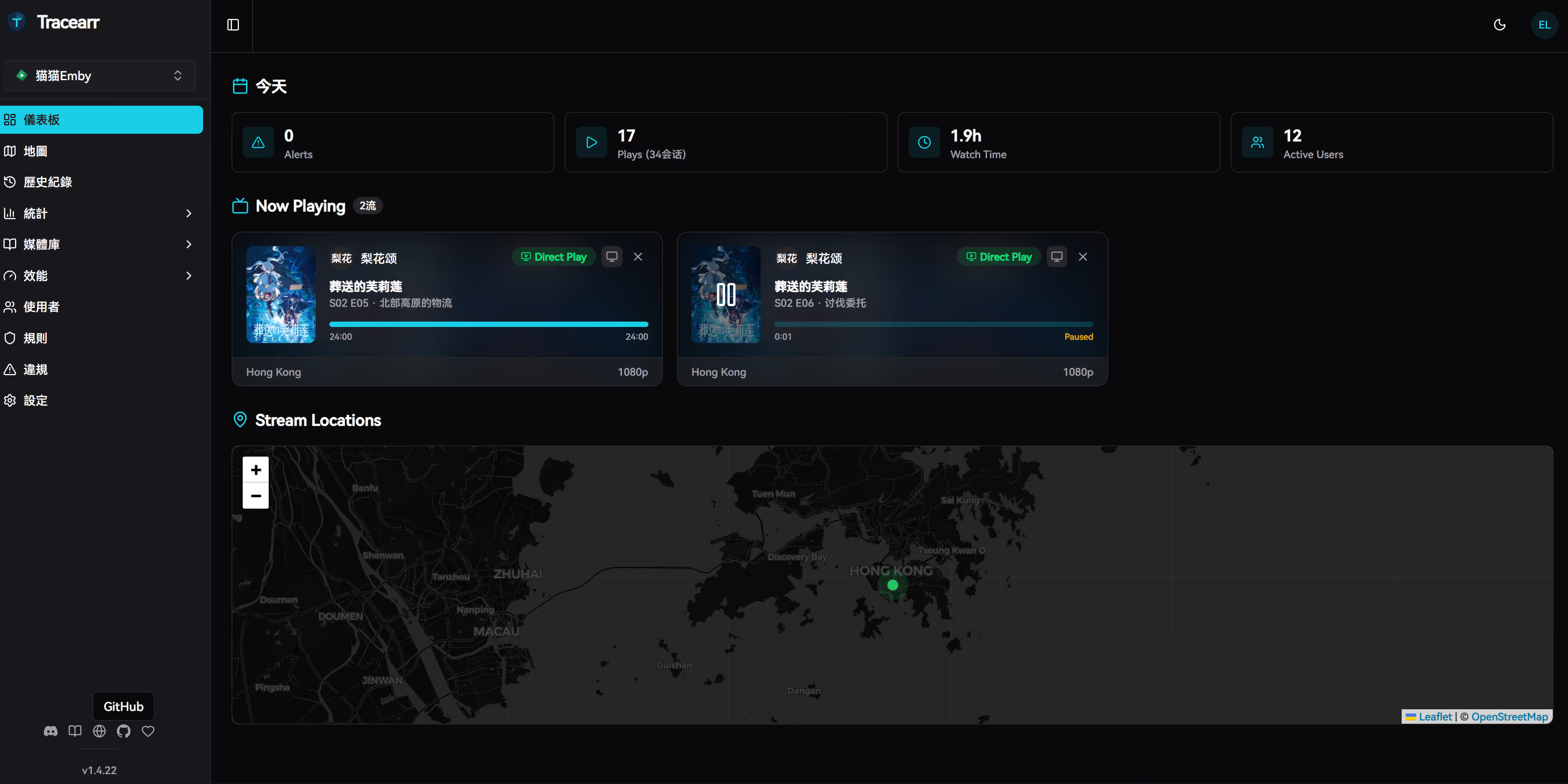
BASE_URL=https://stat.example.com/
SECRET_KEY_BASE=随机字符
MAILER_EMAIL=网站通知邮箱
SMTP_HOST_ADDR=SMTP 主机名
SMTP_HOST_PORT=SMTP 端口
SMTP_USER_NAME=SMTP 用户名
SMTP_USER_PWD=SMTP 密码
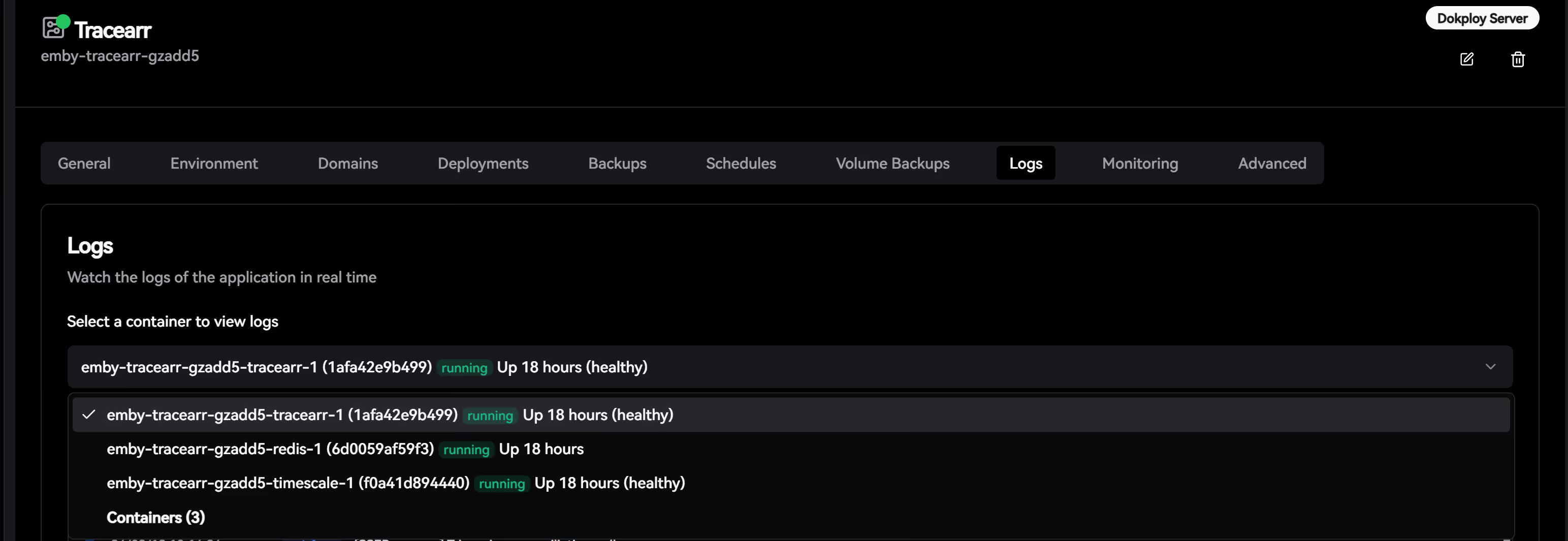
DISABLE_REGISTRATION=true
GEOLITE2_COUNTRY_DB=/geoip/GeoLite2-Country.mmdb
</code></pre>
<p><code>SECRET_KEY_BASE</code> 需要一串 64 位的随机字符，可以试用 <code>openssl rand -base64 64</code> 或者 <code>pwgen 64</code> 生成。</p>
<p><code>DISABLE_REGISTRATION</code> 设置 <code>true</code> 即关闭用户注册。</p>
<p>SMTP 可以使用市面上所有的邮件发送产品，或者懒人也可以直接用 Gmail 之类的免费服务，也可以自己搭建 <a href="https://mailcow.email/">Mailcow</a> 自己用，教程在<a href="https://u.sb/docker-mailcow/">这儿</a>。</p>
<p>然后我们注册个 <a href="https://www.maxmind.com/">Maxmind</a> 帐号，注册成功后在左侧菜单 <code>Account</code> &gt; <code>Manage License Keys</code> 里点击 <code>Generate new license key</code> 获取一个 <code>License key</code> 并记录 <code>Account ID</code> 和这个 <code>License key</code>：</p>
<p>然后修改 <code>geoip.env</code>，并填入如下信息：</p>
<pre><code>GEOIPUPDATE_EDITION_IDS=GeoLite2-Country
GEOIPUPDATE_FREQUENCY=168 
GEOIPUPDATE_ACCOUNT_ID=你的 Account ID
GEOIPUPDATE_LICENSE_KEY=你的 License Key
</code></pre>
<p>然后抓取镜像并启动：</p>
<pre><code>docker-compose pull
docker-compose up -d
</code></pre>
<p>启动完成后即可试用 <code>http://127.0.0.1:8000/</code> 访问 Plausible，如果需要对外进行服务，我们还需要配置 Nginx 反向代理。</p>
<p>重启 Nginx 后生效我们即可访问 <code>https://stat.example.com/</code></p>
<h2><a href="#%E6%9B%B4%E6%96%B0-plausible-analytics"></a>更新 Plausible Analytics</h2>
<p>万能的 Docker 更新大法：</p>
<pre><code>docker-compose pull

docker-compose up -d

docker system prune
</code></pre>
<h2><a href="#%E5%A4%87%E4%BB%BD-plausible-analytics"></a>备份 Plausible Analytics</h2>
<h3>备份</h3>
<pre><code># backup.sh
#!/usr/bin/env sh

docker-compose stop
docker run --rm -v plausible_db-data:/volume -v `pwd`:/backup loomchild/volume-backup backup plausible_db-data
docker run --rm -v plausible_event-data:/volume -v `pwd`:/backup loomchild/volume-backup backup plausible_event-data
docker-compose start -d
</code></pre>
<p>导入脚本</p>
<pre><code># restore.sh
#!/usr/bin/env sh

docker-compose stop
docker run --rm -v plausible_db-data:/volume -v `pwd`:/backup loomchild/volume-backup restore -f plausible_db-data
docker run --rm -v plausible_event-data:/volume -v `pwd`:/backup loomchild/volume-backup restore -f plausible_event-data
docker-compose start -d
</code></pre>
<h2><a href="#%E5%8D%B8%E8%BD%BD-plausible-analytics"></a>卸载 Plausible Analytics</h2>
<pre><code>docker-compose down
rm -rf /opt/plausible
docker image rm postgres:12
docker image rm maxmindinc/geoipupdate:latest
docker image rm plausible/analytics:latest
docker image rm yandex/clickhouse-server:21.3.2.5
docker image rm bytemark/smtp:latest
docker volume rm plausible_db-data
docker volume rm plausible_event-data
</code></pre>
<h2><a href="#wordpress-%E6%B7%BB%E5%8A%A0%E6%96%B9%E6%B3%95"></a>WordPress 添加方法</h2>
<p>直接修改你使用的主题的 <code>header.php</code> 文件，在 <code>&lt;?php wp_head(); ?&gt;</code> 后面添加统计代码即可。</p>
<p>不想修改主题的也可以直接装官方的<a href="https://wordpress.org/plugins/plausible-analytics/">插件</a>。</p>
<h2><a href="#vuepress-%E6%B7%BB%E5%8A%A0%E6%96%B9%E6%B3%95"></a>VuePress 添加方法</h2>
<p>如果你使用 <code>VuePress v1.x</code>，那么修改 <code>.vuepress/config.js</code> 文件，在 <code>module.exports</code> 加入：</p>
<pre><code>['script', {}, `
const script = document.createElement('script');
script.async = true;
script.defer = true;
script['data-domain'] = '统计域名';
script.src = 'https://stat.example.com/js/plausible.js';
document.head.appendChild(script);`
],
</code></pre>
<p>如果你试用 <code>VuePress v2.x</code>，那么修改 <code>.vuepress/config.ts</code> 文件，在 <code>export default</code> 加入：</p>
<pre><code>['script', {}, `
const script = document.createElement('script');
script.async = true;
script.defer = true;
script['data-domain'] = '统计域名';
script.src = 'https://stat.example.com/js/plausible.js';
document.head.appendChild(script);`
],
</code></pre>
<h2><a href="#next-js-%E6%B7%BB%E5%8A%A0%E6%96%B9%E6%B3%95"></a>Next.js 添加方法</h2>
<p>安装 <a href="https://github.com/4lejandrito/next-plausible">next-plausible</a> 这个包，然后使用类似如下的代码：</p>
<pre><code>import PlausibleProvider from 'next-plausible'

export default function MyApp({ Component, pageProps }) {
  return (
    &lt;PlausibleProvider domain="统计域名" customDomain="https://stat.example.com" selfHosted&gt;
      &lt;Component {...pageProps} /&gt;
    &lt;/PlausibleProvider&gt;
  )
}
</code></pre>
<p>更多的添加方法请查看官网的<a href="https://plausible.io/docs/integration-guides">文档</a>。</p>
]]></content>
    <author><name>猫猫博客</name></author>
    <category term="教程"/>
  </entry>
  <entry>
    <title>Crunchbits AMD 5950X 测评</title>
    <link href="https://catcat.blog/crunchbits" rel="alternate" type="text/html"/>
    <id>https://catcat.blog/crunchbits</id>
    <published>2023-02-22T00:00:00.000Z</published>
    <updated>2023-02-22T00:00:00.000Z</updated>
    <summary>评测Crunchbits锐龙5950X NVMe VPS：4GB/50GB NVMe+450GB HDD、10TB带宽，$6.8/月（ONLYTOWEL）。涵盖商家背景、选购与备份提示，附1C4G实测。</summary>
    <content type="html"><![CDATA[<h2>商家介绍</h2>
<blockquote>
<p>前言 Crunchbits，这是一家 2021 年 11 月 30 日成立的美国主机商，主营 NVMe KVM VPS、EPYC 高频 NVMe VPS、锐龙 5950X NVMe KVM VPS、大硬盘存储 VPS、GPU 显卡服务器和独立服务器，数据中心位于美国 爱达荷州。</p>
</blockquote>
<h2>前言</h2>
<p>&lt;picture&gt;
&lt;source srcset="https://s3.catcat.blog/images/2023/02/image-10-1024x517.avif" type="image/avif"&gt;
&lt;source srcset="https://s3.catcat.blog/images/2023/02/image-10-1024x517.webp" type="image/webp"&gt;
&lt;img src="https://s3.catcat.blog/images/2023/02/image-10-1024x517.jpg" alt="" loading="lazy"&gt;
&lt;/picture&gt;</p>
<p>Crunchbits，这是一家 2021 年 11 月 30 日成立的美国主机商，主营 NVMe KVM VPS、EPYC 高频 NVMe VPS、锐龙 5950X NVMe KVM VPS、大硬盘存储 VPS、GPU 显卡服务器和独立服务器，数据中心位于美国 爱达荷州。</p>
<p>美西，距离西雅图、圣荷西、洛杉矶都比较近。</p>
<p>目前网站仅支持信用卡、比特币和 Paypal 付款（暂不支持支付宝）。</p>
<p>本次推荐套餐：</p>
<p><strong>4GB 锐龙 5950X 带 450GB 硬盘！</strong></p>
<ul>
<li>
<p>1 锐龙 5950X vCore</p>
</li>
<li>
<p>4GB DDR4 <strong>ECC</strong> 内存</p>
</li>
<li>
<p>50GB 第 4 代 NVMe 操作系统 / 主磁盘</p>
</li>
<li>
<p><strong>450GB 硬盘</strong>存储磁盘</p>
</li>
<li>
<p>10TB 带宽 @ <strong>2.5Gbps</strong></p>
</li>
<li>
<p>1 个 IPv4 + 1 个 IPv6 /64</p>
</li>
<li>
<p>$ 8 / 月 <strong>$ 6.8 / 月</strong> 带优惠券：<strong>ONLYTOWEL</strong></p>
</li>
<li>
<p><a href="https://crunchbits.com/"><strong>购买地址</strong></a></p>
</li>
</ul>
<blockquote>
<p>注意：HDD 块存储必须在成功订购后发工单让老板添加。</p>
</blockquote>
<p>工单参考：</p>
<blockquote>
<p>标题：</p>
<p>Add a 450GB HDD to my hard drive</p>
<p>内容：</p>
<p>Dear crunchbits,</p>
<p>I don’t currently have a 450GB HDD as a drive, please help add it, thanks!</p>
</blockquote>
<p>特色：</p>
<ul>
<li>
<p>NVMe</p>
</li>
<li>
<p>大存储</p>
</li>
<li>
<p>5950X</p>
</li>
<li>
<p>带免费备份功能，可以设置指定时间自动备份（备份保留一份，仅备份 50GB NVMe 上的内容，无法备份 450G HDD 上的内容）</p>
</li>
<li>
<p>美西</p>
</li>
</ul>
<p>缺陷：</p>
<ul>
<li>
<p>新商家，不知道会不会跑路（可以月付，PayPal 上车，消除风险）</p>
</li>
<li>
<p>线路可能没那么好（美西其实还凑合，实在不行可以反代解决）</p>
</li>
</ul>
<h2>1. 官方网站</h2>
<p>官网：<a href="https://loll.cc/crunchbits">https://crunchbits.com/</a></p>
<h2>2. 注意点</h2>
<ul>
<li>
<p>个人信息里面的街道啥的也要完善好</p>
</li>
<li>
<p>地址什么的要填合乎逻辑的地址，可以不准确但是不要乱填</p>
</li>
</ul>
<p>如果万一订单被判定欺诈，可以发工单和客服沟通。</p>
<p>如果需要翻译，可以用这个：<a href="https://www.deepl.com/translator">https://www.deepl.com/translator</a></p>
<h2>3. 套餐介绍</h2>
<h3>3.1 Ryzen 5950X CPU NVMe VPS Plans</h3>
<p>最低配折后 <strong>$6.8/</strong> 月，优惠码：<code>ONLYTOWEL</code>（85 折循环优惠码）</p>
<table>
<thead>
<tr>
<th><strong>内存</strong></th>
<th><strong>Ryzen 5950X Cores</strong>CPU</th>
<th>固态硬盘</th>
<th>HDD 硬盘</th>
<th><strong>Bandwidth @ 2.5Gbps</strong></th>
<th><strong>IPv4 | IPv6</strong></th>
<th>折前价格</th>
<th>购买</th>
</tr>
</thead>
<tbody>
<tr>
<td>4GB</td>
<td><strong>1</strong> 5950X Cores</td>
<td>50GB NVMe</td>
<td>450GB HDD</td>
<td>10TB</td>
<td>1 IPv4 | 1 /64</td>
<td><strong>$8/mo</strong></td>
<td><a href="https://loll.cc/crunchbits">购买链接</a></td>
</tr>
<tr>
<td>8GB</td>
<td><strong>2</strong> 5950X Cores</td>
<td>100GB NVMe</td>
<td>900GB HDD</td>
<td>20TB</td>
<td>1 IPv4 | 1 /64</td>
<td><strong>$16/mo</strong></td>
<td><a href="https://loll.cc/crunchbits">购买链接</a></td>
</tr>
<tr>
<td>16GB</td>
<td><strong>4</strong> 5950X Cores</td>
<td>200GB NVMe</td>
<td><strong>1.8TB</strong> HDD</td>
<td>40TB</td>
<td>1 IPv4 | 1 /64</td>
<td><strong>$32/mo</strong></td>
<td><a href="https://loll.cc/crunchbits">购买链接</a></td>
</tr>
<tr>
<td>32GB</td>
<td><strong>8</strong> 5950X Cores</td>
<td>400GB NVMe</td>
<td><strong>3.6TB</strong> HDD</td>
<td>80TB</td>
<td>1 IPv4 | 1 /64</td>
<td><strong>$64/mo</strong></td>
<td><a href="https://loll.cc/crunchbits">购买链接</a></td>
</tr>
</tbody>
</table>
<p>本次测试款为最低配 6.8 刀 / 月款。</p>
<h2>4. VPS 测试（1C4G）</h2>
<h3>4.1 基本情况</h3>
<p>鸡况如下：</p>
<p>&lt;picture&gt;
&lt;source srcset="https://s3.catcat.blog/images/2023/02/image-11-1024x1011.avif" type="image/avif"&gt;
&lt;source srcset="https://s3.catcat.blog/images/2023/02/image-11-1024x1011.webp" type="image/webp"&gt;
&lt;img src="https://s3.catcat.blog/images/2023/02/image-11-1024x1011.jpg" alt="" loading="lazy"&gt;
&lt;/picture&gt;</p>
<h3>4.2 速度测试</h3>
<p>&lt;picture&gt;
&lt;source srcset="https://s3.catcat.blog/images/2023/02/image-12-1024x480.avif" type="image/avif"&gt;
&lt;source srcset="https://s3.catcat.blog/images/2023/02/image-12-1024x480.webp" type="image/webp"&gt;
&lt;img src="https://s3.catcat.blog/images/2023/02/image-12-1024x480.jpg" alt="" loading="lazy"&gt;
&lt;/picture&gt;</p>
<p>测试我们重点看<code>Upload Speed</code>, 我们从 VPS 上取东西（下载），对 VPS 来说就是上传。</p>
<p>以上海<code>Shanghai 5G</code>为例子，显示的<code>Upload Speed</code>是<code>305.71 Mbit/s</code>，差不多是平时说的 300M 带宽，对应到我们实际的理论下载速度就 =<code>305.71/8</code>=<code>38.21M/s</code></p>
<p>开启 BBR 之后：</p>
<p>&lt;picture&gt;
&lt;source srcset="https://s3.catcat.blog/images/2023/02/image-13-1024x827.avif" type="image/avif"&gt;
&lt;source srcset="https://s3.catcat.blog/images/2023/02/image-13-1024x827.webp" type="image/webp"&gt;
&lt;img src="https://s3.catcat.blog/images/2023/02/image-13-1024x827.jpg" alt="" loading="lazy"&gt;
&lt;/picture&gt;</p>
<p>&lt;picture&gt;
&lt;source srcset="https://s3.catcat.blog/images/2023/02/image-14-1024x482.avif" type="image/avif"&gt;
&lt;source srcset="https://s3.catcat.blog/images/2023/02/image-14-1024x482.webp" type="image/webp"&gt;
&lt;img src="https://s3.catcat.blog/images/2023/02/image-14-1024x482.jpg" alt="" loading="lazy"&gt;
&lt;/picture&gt;</p>
<h3>4.4 PING 值</h3>
<p>&lt;picture&gt;
&lt;source srcset="https://s3.catcat.blog/images/2023/02/image-15-1024x473.avif" type="image/avif"&gt;
&lt;source srcset="https://s3.catcat.blog/images/2023/02/image-15-1024x473.webp" type="image/webp"&gt;
&lt;img src="https://s3.catcat.blog/images/2023/02/image-15-1024x473.jpg" alt="" loading="lazy"&gt;
&lt;/picture&gt;</p>
<h3>4.5 网络测试</h3>
<h4>4.5.1 机器</h4>
<p>Test IPv4: 204.9.39.100</p>
<p>Test IPv6: 2606:a8c0:1:99::a</p>
<h4>4.5.2 官网节点测速</h4>
<p>Looking glass: <a href="https://lg-cda.crunchbits.com/">https://lg-cda.crunchbits.com</a></p>
<h3>回程测试</h3>
<p>&lt;picture&gt;
&lt;source srcset="https://s3.catcat.blog/images/2023/02/image-16-1024x715.avif" type="image/avif"&gt;
&lt;source srcset="https://s3.catcat.blog/images/2023/02/image-16-1024x715.webp" type="image/webp"&gt;
&lt;img src="https://s3.catcat.blog/images/2023/02/image-16-1024x715.jpg" alt="" loading="lazy"&gt;
&lt;/picture&gt;</p>
<h2>融合怪脚本测速</h2>
<pre><code>-----------------感谢teddysun和superbench和yabs开源-------------------
 CPU 型号          : AMD Ryzen 9 5950X 16-Core Processor
 CPU 核心数        : 1
 CPU 频率          : 3393.624 MHz
 CPU 缓存          : 512 KB
 硬盘空间          : 492.0 GB (352.0 GB 已用)
 内存              : 3898 MB (692 MB 已用)
 Swap              : 4095 MB (305 MB 已用)
 系统在线时间      : 4 days, 15 hour 3 min
 负载              : 0.08, 0.04, 0.00
 系统              : Debian GNU/Linux 11 (bullseye)
 AES-NI指令集      : ✔ Enabled
 VM-x/AMD-V支持    : ✔ Enabled
 架构              : x86_64 (64 Bit)
 内核              : 5.10.0-10-amd64
 TCP加速方式       : bbr
 虚拟化架构        : KVM
 ASN组织           : AS400304 REDOUBT NETWORKS
 位置              : Coeur d'Alene / US
 地区              : Idaho
-------------------CPU测试--感谢lemonbench开源------------------------
 -&gt; CPU 测试中 (Fast Mode, 1-Pass @ 5sec)
 1 线程测试(1核)得分: 		5308 Scores
-------------------内存测试--感谢lemonbench开源-----------------------
 -&gt; 内存测试 Test (Fast Mode, 1-Pass @ 5sec)
 单线程读测试:		65489.81 MB/s
 单线程写测试:		32928.62 MB/s
----------------磁盘IO读写测试--感谢lemonbench开源--------------------
 -&gt; 磁盘IO测试中 (4K Block/1M Block, Direct Mode)
 测试操作		写速度					读速度
 100MB-4K Block		-&gt;
 100MB-4K Block		95.4 MB/s (0.04K IOPS, 1.10s)		-&gt;
 100MB-4K Block		95.4 MB/s (0.04 IOPS, 1.10s)		111 MB/s (27153 IOPS, 0.94s)
 1GB-1M Block		-&gt;
 1GB-1M Block		2.4 GB/s (2302 IOPS, 0.43s)		-&gt;
 1GB-1M Block		2.4 GB/s (2302 IOPS, 0.43s)		4.4 GB/s (4197 IOPS, 0.24s)
-------------------磁盘IO读写测试--感谢yabs开源-----------------------
  ------ | --- ---- | ---- ---- 
Read       | 399.53 MB/s  (99.8k) | 3.53 GB/s    (55.2k)
Write      | 400.59 MB/s (100.1k) | 3.55 GB/s    (55.4k)
Total      | 800.13 MB/s (200.0k) | 7.08 GB/s   (110.7k)           |                      |                     
Block Size | 512k          (IOPS) | 1m            (IOPS)
  ------ | --- ---- | ---- ---- 
Read       | 3.26 GB/s     (6.3k) | 2.77 GB/s     (2.7k)
Write      | 3.44 GB/s     (6.7k) | 2.95 GB/s     (2.8k)
Total      | 6.71 GB/s    (13.1k) | 5.72 GB/s     (5.5k)
--------------------流媒体解锁--感谢sjlleo开源------------------------
以下测试的解锁地区是准确的，但是不是完整解锁的判断可能有误，这方面仅作参考使用
----------------Youtube----------------
[IPv4]
连接方式: Youtube Video Server
视频缓存节点地域: 美国  西雅图(SEA30S12)
Youtube识别地域: 无信息(null)
[IPv6]
连接方式: Youtube Video Server
视频缓存节点地域: 美国  西雅图(SEA30S12)
Youtube识别地域: 无信息(null)
----------------Netflix----------------
[IPv4]
您的出口IP可以使用Netflix，但仅可看Netflix自制剧
NF所识别的IP地域信息：美国
[IPv6]
您的出口IP完整解锁Netflix，支持非自制剧的观看
NF所识别的IP地域信息：美国
---------------DisneyPlus---------------
[IPv4]
当前IPv4出口解锁DisneyPlus
区域：美国区
[IPv6]
当前IPv6出口解锁DisneyPlus
区域：美国区
解锁Youtube，Netflix，DisneyPlus上面和下面进行比较，不同之处自行判断
---------------流媒体解锁--感谢RegionRestrictionCheck开源-------------
 以下为IPV4网络测试，若无IPV4网络则无输出
============[ Multination ]============
 Dazn:					No
 HotStar:				No
 Disney+:				Yes (Region: US)
 Netflix:				Originals Only
 YouTube Premium:			Yes
 Amazon Prime Video:			Yes (Region: US)
 TVBAnywhere+:				Yes
 iQyi Oversea Region:			US
 Viu.com:				No
 YouTube CDN:				Seattle, WA 
 Netflix Preferred CDN:			Seattle, WA  
 Spotify Registration:			No
 Steam Currency:			USD
=======================================
 以下为IPV6网络测试，若无IPV6网络则无输出
============[ Multination ]============
 Dazn:					Failed (Network Connection)
 HotStar:				Yes (Region: US)
 Disney+:				Yes (Region: US)
 Netflix:				Yes (Region: US)
 YouTube Premium:			Yes
 Amazon Prime Video:			Unsupported
 TVBAnywhere+:				Failed (Network Connection)
 iQyi Oversea Region:			Failed
 Viu.com:				Failed
 YouTube CDN:				Seattle, WA 
 Netflix Preferred CDN:			Seattle, WA  
 Spotify Registration:			Yes (Region: US)
 Steam Currency:			Failed (Network Connection)
=======================================
-------------TikTok解锁--感谢lmc999的源脚本及fscarmen PR--------------
 Tiktok Region:		【US】
--------OpenAi解锁--感谢missuo的OpenAI-Checker项目本人修改优化--------
[IPv4]
Your IP supports access to OpenAI. Region: US
[IPv6]
Your IP supports access to OpenAI. Region: US
-----------------欺诈分数以及IP质量检测--本频道原创-------------------
以下仅作参考，不代表100%准确，如果和实际情况不一致请手动查询多个数据库比对
scamalytics数据库:
  欺诈分数(越低越好)：57
  匿名代理: No
  Tor出口节点: No
  服务器IP: Yes
  公共代理: No
  网络代理: No
  搜索引擎机器人: No
ip234数据库：
  欺诈分数(越低越好)：0
ip-api数据库:
  手机流量: No
  代理服务: No
  数据中心: No
abuseipdb数据库-abuse得分：0
IP类型:
  IP2Location数据库: Data Center/Web Hosting/Transit
Google搜索可行性：YES
------以下为IPV6检测------
scamalytics数据库:
  欺诈分数(越低越好)：100
  匿名代理: No
  Tor出口节点: No
  服务器IP: Yes
  公共代理: No
  网络代理: No
  搜索引擎机器人: No
abuseipdb数据库-abuse得分：0
IP类型:
  IP2Location数据库: Data Center/Web Hosting/Transit
-----------------三网回程--感谢zhanghanyun/backtrace开源--------------
2023/04/23 10:39:35 北京电信 219.141.136.12  测试超时
2023/04/23 10:39:35 北京联通 202.106.50.1    联通4837[普通线路]           
2023/04/23 10:39:35 北京移动 221.179.155.161 测试超时
2023/04/23 10:39:35 上海电信 202.96.209.133  测试超时
2023/04/23 10:39:35 上海联通 210.22.97.1     联通4837[普通线路]           
2023/04/23 10:39:35 上海移动 211.136.112.200 移动CMI [普通线路]           
2023/04/23 10:39:35 广州电信 58.60.188.222   电信163 [普通线路]           
2023/04/23 10:39:35 广州联通 210.21.196.6    联通4837[普通线路]           
2023/04/23 10:39:35 广州移动 120.196.165.24  测试超时
2023/04/23 10:39:35 成都电信 61.139.2.69     测试超时
2023/04/23 10:39:35 成都联通 119.6.6.6       联通4837[普通线路]           
2023/04/23 10:39:35 成都移动 211.137.96.205  测试超时
------------------回程路由--感谢fscarmen开源及PR----------------------
IPv4 ASN: Crunchbits
IPv6 ASN: Crunchbits
依次测试电信，联通，移动经过的地区及线路，核心程序来由: ipip.net ，请知悉!
广州电信 58.60.188.222
0.29 ms  AS400304  美国, 爱达荷州, 科达伦, redoubtnet.com
0.73 ms  AS964  美国, 爱达荷州, 科达伦, ionswitch.com
1.00 ms  AS20055  美国, 爱达荷州, 科达伦, ziplyfiber.com
8.93 ms  AS20055  美国, 华盛顿州, 斯波坎, ziplyfiber.com
17.95 ms  AS20055  美国, 华盛顿州, 斯波坎, ziplyfiber.com
9.30 ms  AS20055  美国, 华盛顿州, 亚基马, ziplyfiber.com
8.42 ms  AS6461  美国, 华盛顿州, 西雅图, zayo.com
27.97 ms  AS6461  美国, 华盛顿州, 西雅图, zayo.com
36.68 ms  AS6461  美国, 加利福尼亚州, 圣何塞, zayo.com
27.83 ms  AS6461  美国, 加利福尼亚州, 圣何塞, zayo.com
29.47 ms  AS6461  美国, 加利福尼亚州, 圣何塞, zayo.com
203.67 ms  AS4134  中国, 广东, 广州, chinatelecom.com.cn, 电信
184.30 ms  AS4134  中国, 广东, 广州, chinatelecom.com.cn, 电信
192.37 ms  AS4134  中国, 广东, 深圳, chinatelecom.com.cn, 电信
广州联通 210.21.196.6
0.28 ms  AS400304  美国, 爱达荷州, 科达伦, redoubtnet.com
0.60 ms  AS964  美国, 爱达荷州, 科达伦, ionswitch.com
0.86 ms  AS20055  美国, 爱达荷州, 科达伦, ziplyfiber.com
9.39 ms  AS20055  美国, 华盛顿州, 斯波坎, ziplyfiber.com
17.71 ms  AS20055  美国, 华盛顿州, 斯波坎, ziplyfiber.com
9.07 ms  AS20055  美国, 华盛顿州, 亚基马, ziplyfiber.com
8.89 ms  AS20055  美国, 华盛顿州, 西雅图, ziplyfiber.com
27.15 ms  AS174  美国, 加利福尼亚州, 旧金山, cogentco.com
28.45 ms  AS174  美国, 加利福尼亚州, 圣何塞, cogentco.com
40.33 ms  AS174  美国, 加利福尼亚州, 洛杉矶, cogentco.com
40.68 ms  AS174  美国, 加利福尼亚州, 洛杉矶, cogentco.com
39.42 ms  AS174  美国, 加利福尼亚州, 洛杉矶, cogentco.com
234.74 ms  AS4837  中国, 广东, 广州, chinaunicom.com, 联通
242.67 ms  AS4837  中国, 广东, 广州, chinaunicom.com, 联通
244.65 ms  AS17623  中国, 广东, 深圳, chinaunicom.com, 联通
210.43 ms  AS17623  中国, 广东, 深圳, chinaunicom.com, 联通
广州移动 120.196.165.2
0.31 ms  AS400304  美国, 爱达荷州, 科达伦, redoubtnet.com
0.66 ms  AS964  美国, 爱达荷州, 科达伦, ionswitch.com
2.84 ms  AS20055  美国, 爱达荷州, 科达伦, ziplyfiber.com
11.32 ms  AS20055  美国, 爱达荷州, 科达伦, ziplyfiber.com
11.73 ms  AS20055  美国, 华盛顿州, 普尔曼, ziplyfiber.com
11.49 ms  AS20055  美国, 华盛顿州, 肯纳威克, ziplyfiber.com
11.34 ms  AS20055  美国, 华盛顿州, 肯纳威克, ziplyfiber.com
11.66 ms  AS20055  美国, 华盛顿州, 肯纳威克, ziplyfiber.com
11.62 ms  AS20055  美国, 华盛顿州, 肯纳威克, ziplyfiber.com
11.20 ms  AS20055  美国, 俄勒冈州, 比弗顿, ziplyfiber.com
10.99 ms  AS20055  美国, 俄勒冈州, 希尔斯伯勒, ziplyfiber.com
11.20 ms  AS20055  美国, 俄勒冈州, 希尔斯伯勒, ziplyfiber.com
10.75 ms  AS1299  美国, 俄勒冈州, 波特兰, telia.com
26.23 ms  AS1299  美国, 加利福尼亚州, 帕洛阿尔托, telia.com
27.85 ms  AS1299  美国, 加利福尼亚州, 圣何塞, telia.com
28.78 ms  AS1299  美国, 加利福尼亚州, 圣何塞, telia.com
28.68 ms  AS58453  美国, 加利福尼亚州, 圣何塞, chinamobile.com, 移动
209.50 ms  AS58453  中国, 上海, chinamobile.com, 移动
210.42 ms  AS9808  中国, 上海, chinamobile.com, 移动
210.99 ms  AS9808  中国, 上海, chinamobile.com, 移动
249.85 ms  AS56040  中国, 广东, 深圳, chinamobile.com, 移动
------------------------ ecs-net--本频道独创 -------------------------
位置		 上传速度	 下载速度	 延迟	  丢包率
Speedtest.net	 990.38 Mbps	 2314.60 Mbps	 41.54	  0.0%
洛杉矶		 2375.41 Mbps	 2285.41 Mbps	 34.53	  0.0%
新加坡		 349.30 Mbps	 2005.06 Mbps	 209.75	  0.0%
联通上海5G	 284.81 Mbps	 1445.38 Mbps	 296.07	  0.0%
联通WuXi	 352.44 Mbps	 2002.90 Mbps	 226.15	  0.0%
电信上海	 14.89 Mbps	 1511.09 Mbps	 172.03	  NULL
移动陕西5G	 347.38 Mbps	 1747.94 Mbps	 244.12	  0.0%
移动Chengdu	 186.43 Mbps	 1643.57 Mbps	 230.34	  0.0%
----------------------------------------------------------------------
 总共花费      : 7 分 1 秒
 时间          : Sun 23 Apr 2023 10:45:24 AM CST
</code></pre>
<h2>2023年9月5日观察测试</h2>
<h3>Yabs</h3>
<pre><code>Basic System Information:
---------------------------------
Uptime     : 0 days, 0 hours, 3 minutes
Processor  : AMD Ryzen 9 5950X 16-Core Processor
CPU cores  : 1 @ 3400.000 MHz
AES-NI     : ✔ Enabled
VM-x/AMD-V : ✔ Enabled
RAM        : 3.8 GiB
Swap       : 0.0 KiB
Disk       : 50.0 GiB
Distro     : Debian GNU/Linux 11 (bullseye)
Kernel     : 5.10.0-20-amd64
VM Type    : KVM
IPv4/IPv6  : ✔ Online / ✔ Online

IPv6 Network Information:
---------------------------------
ISP        : Redoubt Networks
ASN        : AS400304 REDOUBT NETWORKS
Host       : Redoubt Networks
Location   : Spokane, Washington (WA)
Country    : United States

fio Disk Speed Tests (Mixed R/W 50/50):
---------------------------------
Block Size | 4k            (IOPS) | 64k           (IOPS)
  ------ | --- ---- | ---- ---- 
Read       | 381.00 MB/s  (95.2k) | 2.06 GB/s    (32.2k)
Write      | 382.01 MB/s  (95.5k) | 2.07 GB/s    (32.4k)
Total      | 763.01 MB/s (190.7k) | 4.14 GB/s    (64.6k)
           |                      |                     
Block Size | 512k          (IOPS) | 1m            (IOPS)
  ------ | --- ---- | ---- ---- 
Read       | 2.85 GB/s     (5.5k) | 2.77 GB/s     (2.7k)
Write      | 3.00 GB/s     (5.8k) | 2.96 GB/s     (2.8k)
Total      | 5.85 GB/s    (11.4k) | 5.73 GB/s     (5.6k)

iperf3 Network Speed Tests (IPv4):
---------------------------------
Provider        | Location (Link)           | Send Speed      | Recv Speed      | Ping           
----- | ----- | ---- | ---- | ---- 
Clouvider       | London, UK (10G)          | 29.5 Mbits/sec  | 39.2 Mbits/sec  | 136 ms         
Scaleway        | Paris, FR (10G)           | 1.31 Gbits/sec  | 3.29 Mbits/sec  | 155 ms         
NovoServe       | North Holland, NL (40G)   | 1.16 Gbits/sec  | 1.19 Gbits/sec  | 201 ms         
Uztelecom       | Tashkent, UZ (10G)        | 885 Mbits/sec   | 455 Mbits/sec   | 234 ms         
Clouvider       | NYC, NY, US (10G)         | 61.0 Mbits/sec  | 102 Mbits/sec   | 67.2 ms        
Clouvider       | Dallas, TX, US (10G)      | 59.0 Mbits/sec  | 197 Mbits/sec   | 69.7 ms        
Clouvider       | Los Angeles, CA, US (10G) | 107 Mbits/sec   | 146 Mbits/sec   | 68.8 ms        
Biznet          | Jakarta, ID (10G)         | 803 Mbits/sec   | 57.7 Mbits/sec  | -- 

iperf3 Network Speed Tests (IPv6):
---------------------------------
Provider        | Location (Link)           | Send Speed      | Recv Speed      | Ping           
----- | ----- | ---- | ---- | ---- 
Clouvider       | London, UK (10G)          | 29.1 Mbits/sec  | 38.2 Mbits/sec  | 136 ms         
Scaleway        | Paris, FR (10G)           | 1.41 Gbits/sec  | 590 Mbits/sec   | 141 ms         
NovoServe       | North Holland, NL (40G)   | 728 Mbits/sec   | 852 Mbits/sec   | 205 ms         
Uztelecom       | Tashkent, UZ (10G)        | 898 Mbits/sec   | busy            | 220 ms         
Clouvider       | NYC, NY, US (10G)         | busy            | 92.4 Mbits/sec  | 67.0 ms        
Clouvider       | Dallas, TX, US (10G)      | 58.4 Mbits/sec  | 235 Mbits/sec   | 67.6 ms        
Clouvider       | Los Angeles, CA, US (10G) | 102 Mbits/sec   | 164 Mbits/sec   | 38.9 ms        
Biznet          | Jakarta, ID (10G)         | busy            | busy            | -- 

Geekbench 6 BenchMark Test:
---------------------------------
Test            | Value                         
                |                               
Single Core     | 2272                          
Multi Core      | 2284                          
Full Test       | https://browser.geekbench.com/v6/cpu/2500151
</code></pre>
<h3>SpeedTest</h3>
<pre><code>   Speedtest by Ookla

      Server: Intechtel - Managed IT Services - Coeur d'Alene, ID (id: 51640)
         ISP: Crunchbits, LLC
Idle Latency:    10.61 ms   (jitter: 0.12ms, low: 10.52ms, high: 10.70ms)
    Download:  2272.51 Mbps (data used: 2.7 GB)                                                   
                 10.58 ms   (jitter: 0.12ms, low: 10.35ms, high: 12.20ms)
      Upload:  2011.29 Mbps (data used: 3.9 GB)                                                   
                 10.52 ms   (jitter: 0.14ms, low: 10.22ms, high: 11.55ms)
 Packet Loss:     0.0%
  Result URL: https://www.speedtest.net/result/c/1707743e-bbde-4dfb-b771-19e91a6287ff
</code></pre>
<h3>融合怪脚本</h3>
<pre><code>---------------------基础信息查询--感谢所有开源项目---------------------
 CPU 型号          : AMD Ryzen 9 5950X 16-Core Processor
 CPU 核心数        : 1
 CPU 频率          : 3400.000 MHz
 CPU 缓存          : L1: 64.00 KB / L2: 512.00 KB / L3: 64.00 MB
 硬盘空间          : 1.88 GiB / 49.87 GiB
 启动盘路径        : /dev/sda3
 内存              : 229.36 MiB / 3.80 GiB
 Swap              : [ no swap partition or swap file detected ]
 系统在线时间      : 0 days, 0 hour 23 min
 负载              : 0.07, 0.22, 0.16
 系统              : Debian GNU/Linux 11 (bullseye) (x86_64)
 AES-NI指令集      : ✔ Enabled
 VM-x/AMD-V支持    : ✔ Enabled
 架构              : x86_64 (64 Bit)
 内核              : 5.10.0-20-amd64
 TCP加速方式       : cubic
 虚拟化架构        : KVM
 NAT类型           : 开放型
 IPV4 ASN          : AS400304 REDOUBT NETWORKS
 IPV4 位置         : Liberty Lake / Washington / US
 IPV6 ASN          : AS400304 Crunchbits
 IPV6 位置         : Spokane / Washington
---------------------CPU测试--感谢lemonbench开源------------------------
 -&gt; CPU 测试中 (Fast Mode, 1-Pass @ 5sec)
 1 线程测试(1核)得分:           5560 Scores
---------------------内存测试--感谢lemonbench开源-----------------------
 -&gt; 内存测试 Test (Fast Mode, 1-Pass @ 5sec)
 单线程读测试:          65502.36 MB/s
 单线程写测试:          31958.25 MB/s
------------------磁盘dd读写测试--感谢lemonbench开源--------------------
 -&gt; 磁盘IO测试中 (4K Block/1M Block, Direct Mode)
 测试操作               写速度                                  读速度
 100MB-4K Block         61.2 MB/s (14.95 IOPS, 1.71s))          84.8 MB/s (20705 IOPS, 1.24s)
 1GB-1M Block           704 MB/s (671 IOPS, 1.49s)              4.5 GB/s (4305 IOPS, 0.23s)
---------------------磁盘fio读写测试--感谢yabs开源----------------------
Block Size | 4k            (IOPS) | 64k           (IOPS)
  ------ | --- ---- | ---- ---- 
Read       | 388.28 MB/s  (97.0k) | 2.06 GB/s    (32.2k)
Write      | 389.30 MB/s  (97.3k) | 2.07 GB/s    (32.4k)
Total      | 777.58 MB/s (194.3k) | 4.13 GB/s    (64.6k)           |                      |                     
Block Size | 512k          (IOPS) | 1m            (IOPS)
  ------ | --- ---- | ---- ---- 
Read       | 2.79 GB/s     (5.4k) | 2.80 GB/s     (2.7k)
Write      | 2.93 GB/s     (5.7k) | 2.98 GB/s     (2.9k)
Total      | 5.72 GB/s    (11.1k) | 5.79 GB/s     (5.6k)
---------------------流媒体解锁--感谢sjlleo开源-------------------------
以下测试的解锁地区是准确的，但是不是完整解锁的判断可能有误，这方面仅作参考使用
----------------Youtube----------------
[IPv4]
连接方式: Youtube Video Server
视频缓存节点地域: 美国  西雅图(SEA09S34)
Youtube识别地域: 无信息(null)
[IPv6]
连接方式: Youtube Video Server
视频缓存节点地域: 美国  西雅图(SEA09S34)
Youtube识别地域: 无信息(null)
----------------Netflix----------------
[IPv4]
您的出口IP可以使用Netflix，但仅可看Netflix自制剧
NF所识别的IP地域信息：美国
[IPv6]
您的出口IP完整解锁Netflix，支持非自制剧的观看
NF所识别的IP地域信息：美国
---------------DisneyPlus---------------
[IPv4]
当前IPv4出口解锁DisneyPlus
区域：美国区
[IPv6]
当前IPv6出口解锁DisneyPlus
区域：美国区
解锁Youtube，Netflix，DisneyPlus上面和下面进行比较，不同之处自行判断
----------------流媒体解锁--感谢RegionRestrictionCheck开源--------------
 以下为IPV4网络测试，若无IPV4网络则无输出
============[ Multination ]============
 Dazn:                                  Yes (Region: US)
 HotStar:                               No
 Disney+:                               No
 Netflix:                               Originals Only
 YouTube Premium:                       Yes
 Amazon Prime Video:                    Yes (Region: US)
 TVBAnywhere+:                          Yes
 iQyi Oversea Region:                   US
 Viu.com:                               No
 YouTube CDN:                           Seattle, WA 
 Netflix Preferred CDN:                 Seattle, WA  
 Spotify Registration:                  Yes (Region: US)
 Steam Currency:                        USD
 ChatGPT:                               Yes
=======================================
 以下为IPV6网络测试，若无IPV6网络则无输出
============[ Multination ]============
 Dazn:                                  Failed (Network Connection)
 HotStar:                               Yes (Region: US)
 Disney+:                               Yes (Region: US)
 Netflix:                               Yes (Region: US)
 YouTube Premium:                       Yes
 Amazon Prime Video:                    Unsupported
 TVBAnywhere+:                          Failed (Network Connection)
 iQyi Oversea Region:                   Failed
 Viu.com:                               Failed
 YouTube CDN:                           Seattle, WA 
 Netflix Preferred CDN:                 Seattle, WA  
 Spotify Registration:                  Yes (Region: US)
 Steam Currency:                        Failed (Network Connection)
 ChatGPT:                               Yes
=======================================
---------------TikTok解锁--感谢lmc999的源脚本及fscarmen PR--------------
 Tiktok Region:         【US】
-------------------欺诈分数以及IP质量检测--本脚本原创-------------------
数据仅作参考，不代表100%准确，如果和实际情况不一致请手动查询多个数据库比对
以下为各数据库编号，输出结果后将自带数据库来源对应的编号
ipinfo数据库 ①  | scamalytics数据库 ②  | virustotal数据库 ③  | abuseipdb数据库 ④  | ip2location数据库   ⑤
ip-api数据库 ⑥  | ipwhois数据库     ⑦  | ipregistry数据库 ⑧  | ipdata数据库    ⑨  | ipgeolocation数据库 ⑩
欺诈分数(越低越好): 0②
abuse得分(越低越好): 0④
IP类型: 
  使用类型(usage_type):hosting①  Data Center/Web Hosting/Transit⑤  hosting⑧  business⑨  
  公司类型(company_type):isp①  hosting⑧  
  云服务提供商(cloud_provider):  Yes⑧ 
  数据中心(datacenter):  Yes②   No⑥ ⑨ 
  移动网络(mobile):  No⑥ 
  代理(proxy):  No① ② ⑥ ⑦ ⑧ ⑨ ⑩ 
  VPN(vpn):  No① ② ⑦ ⑧ 
  TOR(tor):  No① ② ⑦ ⑧ ⑨ 
  TOR出口(tor_exit):  No⑧ 
  搜索引擎机器人(search_engine_robot):  No② 
  匿名代理(anonymous):  No⑦ ⑧ ⑨ 
  攻击方(attacker):  No⑧ ⑨ 
  滥用者(abuser):  No⑧ ⑨ 
  威胁(threat):  No⑧ ⑨ 
  iCloud中继(icloud_relay):  No① ⑧ ⑨ 
  未分配IP(bogon):  No⑧ ⑨ 
黑名单记录统计(有多少个黑名单网站有记录): 无害0 恶意0 可疑0 未检测87 ③
Google搜索可行性：YES
端口25检测:
  本地: No
  163邮箱: Yes
  gmail邮箱: Yes
  outlook邮箱: Yes
  qq邮箱：No
  yandex邮箱: Yes
------以下为IPV6检测------
欺诈分数(越低越好): 100②
abuse得分(越低越好): 0④
IP类型: Data Center/Web Hosting/Transit⑤
----------------三网回程--感谢zhanghanyun/backtrace开源-----------------
国家: US 城市: Liberty Lake 服务商: AS400304 REDOUBT NETWORKS
北京电信 219.141.136.12  测试超时
北京联通 202.106.50.1    联通4837[普通线路]           
北京移动 221.179.155.161 测试超时
上海电信 202.96.209.133  电信163 [普通线路]           
上海联通 210.22.97.1     联通4837[普通线路]           
上海移动 211.136.112.200 移动CMI [普通线路]           
广州电信 58.60.188.222   电信163 [普通线路]           
广州联通 210.21.196.6    测试超时
广州移动 120.196.165.24  测试超时
成都电信 61.139.2.69     电信163 [普通线路]           
成都联通 119.6.6.6       联通4837[普通线路]           
成都移动 211.137.96.205  测试超时
2023/09/05 09:31:01 测试完成!
---------------------回程路由--感谢fscarmen开源及PR---------------------
依次测试电信/联通/移动经过的地区及线路，核心程序来自ipip.net或nexttrace，请知悉!
广州电信 58.60.188.222
26.27 ms        AS400304 美国 华盛顿州 利伯蒂湖 redoubtnet.com
18.46 ms        AS400304 美国 华盛顿州 利伯蒂湖 redoubtnet.com
1.94 ms         * 美国 爱达荷州 科达伦
2.36 ms         AS20055 [WHOLESAIL-IPV4] 美国 爱达荷州 科达伦 wholesailnetworks.com
10.03 ms        AS20055 [WHOLESAIL-IPV4] 美国 爱达荷州 科达伦 wholesailnetworks.com
10.35 ms        AS20055 [WHOLESAIL-IPV4] 美国 华盛顿州 斯波坎 wholesailnetworks.com
14.89 ms        AS20055 [WHOLESAIL-IPV4] 美国 华盛顿州 斯波坎 wholesailnetworks.com
10.36 ms        AS20055 [WHOLESAIL-IPV4] 美国 华盛顿州 雅基马 wholesailnetworks.com
9.85 ms         AS6461 [NETBLK-ABOVENET] 美国 华盛顿州 西雅图 zayo.com
32.93 ms        AS6461 美国 华盛顿州 西雅图 zayo.com
29.05 ms        AS6461 美国 加利福尼亚州 圣何塞 zayo.com
28.68 ms        AS6461 美国 加利福尼亚州 圣何塞 zayo.com
174.93 ms       AS4134 [CHINANET-BB] 中国 chinatelecom.com.cn 电信
185.00 ms       AS4134 [CHINANET-BB] 中国 广东省 广州市 chinatelecom.com.cn 电信
206.90 ms       AS134774 [CHINANET-GD] 中国 广东省 深圳市 chinatelecom.cn 电信
193.77 ms       AS4134 中国 广东省 深圳市 福田区 chinatelecom.com.cn 电信
广州联通 210.21.196.6
34.85 ms        AS400304 美国 华盛顿州 利伯蒂湖 redoubtnet.com
0.57 ms         AS400304 美国 华盛顿州 利伯蒂湖 redoubtnet.com
2.06 ms         * 美国 爱达荷州 科达伦
1.71 ms         AS20055 [WHOLESAIL-IPV4] 美国 爱达荷州 科达伦 wholesailnetworks.com
10.04 ms        AS20055 [WHOLESAIL-IPV4] 美国 爱达荷州 科达伦 wholesailnetworks.com
10.30 ms        AS20055 [WHOLESAIL-IPV4] 美国 华盛顿州 斯波坎 wholesailnetworks.com
18.27 ms        AS20055 [WHOLESAIL-IPV4] 美国 华盛顿州 斯波坎 wholesailnetworks.com
10.26 ms        AS20055 [WHOLESAIL-IPV4] 美国 华盛顿州 雅基马 wholesailnetworks.com
10.11 ms        AS20055 [WHOLESAIL-IPV4] 美国 华盛顿州 西雅图 wholesailnetworks.com
28.46 ms        AS174 [COGENT-BONE] 美国 加利福尼亚州 旧金山 cogentco.com
30.49 ms        AS174 [COGENT-BONE] 美国 加利福尼亚州 圣何塞 cogentco.com
41.92 ms        AS174 [COGENT-BONE] 美国 加利福尼亚州 洛杉矶 cogentco.com
42.21 ms        AS174 [COGENT-BONE] 美国 加利福尼亚州 洛杉矶 cogentco.com
41.08 ms        AS174 美国 加利福尼亚州 洛杉矶 cogentco.com
194.90 ms       AS4837 [CU169-BACKBONE] 中国 广东省 广州市 chinaunicom.cn 联通
201.72 ms       AS4837 [CU169-BACKBONE] 中国 广东省 广州市 chinaunicom.cn 联通
194.41 ms       AS4837 [CU169-BACKBONE] 中国 广东省 广州市 chinaunicom.cn 联通
199.37 ms       AS17816 [UNICOM-GD] 中国 广东省 深圳市 chinaunicom.cn 联通
205.46 ms       AS17623 [APNIC-AP] 中国 广东省 深圳市 chinaunicom.cn 联通
202.25 ms       AS17623 [APNIC-AP] 中国 广东省 深圳市 宝安区 chinaunicom.cn 联通
广州移动 120.196.165.24
151.83 ms       AS400304 美国 华盛顿州 利伯蒂湖 redoubtnet.com
0.54 ms         AS400304 美国 华盛顿州 利伯蒂湖 redoubtnet.com
1.88 ms         * 美国 爱达荷州 科达伦
1.96 ms         AS20055 [WHOLESAIL-IPV4] 美国 爱达荷州 科达伦 wholesailnetworks.com
12.72 ms        AS20055 [WHOLESAIL-IPV4] 美国 华盛顿州 普尔曼 wholesailnetworks.com
12.43 ms        AS20055 [WHOLESAIL-IPV4] 美国 华盛顿州 肯纳威克 wholesailnetworks.com
12.27 ms        AS20055 [WHOLESAIL-IPV4] 美国 华盛顿州 肯纳威克 wholesailnetworks.com
12.96 ms        AS20055 [WHOLESAIL-IPV4] 美国 俄勒冈州 尤马蒂拉 wholesailnetworks.com
12.73 ms        AS20055 [WHOLESAIL-IPV4] 美国 俄勒冈州 尤马蒂拉 wholesailnetworks.com
12.51 ms        AS20055 [WHOLESAIL-IPV4] 美国 华盛顿州 西雅图 wholesailnetworks.com
13.09 ms        AS20055 [WHOLESAIL-IPV4] 美国 华盛顿州 西雅图 wholesailnetworks.com
12.17 ms        AS20055 [WHOLESAIL-IPV4] 美国 华盛顿州 西雅图 wholesailnetworks.com
12.16 ms        AS20055 [WHOLESAIL-IPV4] 美国 华盛顿州 西雅图 wholesailnetworks.com
12.56 ms        AS20055 [WHOLESAIL-IPV4] 美国 俄勒冈州 西萨默塞特 wholesailnetworks.com
12.50 ms        * United States of America Washington Yakima
12.44 ms        AS20055 [WHOLESAIL-IPV4] 美国 俄勒冈州 希尔斯伯勒 wholesailnetworks.com
12.85 ms        AS1299 [ARELION-NET] 美国 俄勒冈州 波特兰 arelion.com
26.21 ms        AS1299 [ARELION-NET] 美国 加利福尼亚州 帕洛阿托 arelion.com
27.67 ms        AS1299 [ARELION-NET] 美国 加利福尼亚州 圣何塞 arelion.com
81.16 ms        AS1299 [ARELION-NET] 美国 加利福尼亚州 圣何塞 Telia-CMI-Peer arelion.com
80.91 ms        AS58453 [CMI-INT] 美国 加利福尼亚州 圣何塞 cmi.chinamobile.com 移动
240.61 ms       AS58453 [CMI-INT] 中国 香港 cmi.chinamobile.com 移动
239.37 ms       AS9808 [CMNET] 中国 广东省 广州市 chinamobile.com 移动
238.88 ms       AS9808 [CMNET] 中国 广东省 广州市 chinamobile.com 移动
240.66 ms       AS9808 [CMNET] 中国 广东省 广州市 chinamobile.com 移动
190.55 ms       AS9808 [CMNET] 中国 北京市 chinamobile.com 移动
190.31 ms       AS56040 [APNIC-AP] 中国 广东省 深圳市 chinamobile.com 移动
--------------------自动更新测速节点列表--本脚本原创--------------------
位置             上传速度        下载速度        延迟     丢包率
Speedtest.net    2379.58 Mbps    2305.66 Mbps    10.51    0.0%
洛杉矶           1328.58 Mbps    2311.48 Mbps    36.91    0.0%
日本东京         33.29 Mbps      1218.57 Mbps    114.20   NULL
联通郑州5G       140.94 Mbps     765.33 Mbps     203.23   NULL
联通Fuzhou       403.19 Mbps     1117.76 Mbps    210.72   0.0%
电信Nanjing5G    113.19 Mbps     1710.00 Mbps    172.74   0.0%
电信Suzhou5G     1249.99 Mbps    2007.62 Mbps    166.84   NULL
移动Chengdu      460.34 Mbps     14.28 Mbps      281.92   0.0%
移动Lanzhou      0.55 Mbps       9.56 Mbps       291.70   NULL
------------------------------------------------------------------------
 总共花费      : 6 分 45 秒
 时间          : Tue Sep  5 09:36:38 CST 2023
------------------------------------------------------------------------
</code></pre>
<p>总结<br />
-- 不跑路的话香中香</p>
]]></content>
    <author><name>猫猫博客</name></author>
    <category term="测评"/>
  </entry>
</feed>