
AniBT-Speed: Build Your Own BitTorrent Seeding Acceleration Platform

Background
I’ve been working on BT seeding recently. I originally wanted to keep things simple, but discovered that having too many RSS feeds causes a problem: when old torrents have no seeders, they sit in the queue indefinitely, preventing new downloads from starting (with a max concurrent download limit of, say, 8).
Project Goals
AniBT-Speed draws inspiration from PBH-BTN/SwarmAccelerator but is a complete rewrite, aiming to provide:
- A web-configurable management panel where all policy parameters are adjusted through the UI
- A multi-instance architecture supporting multiple qBittorrent instances with load balancing
- One-click deployment via Docker Compose
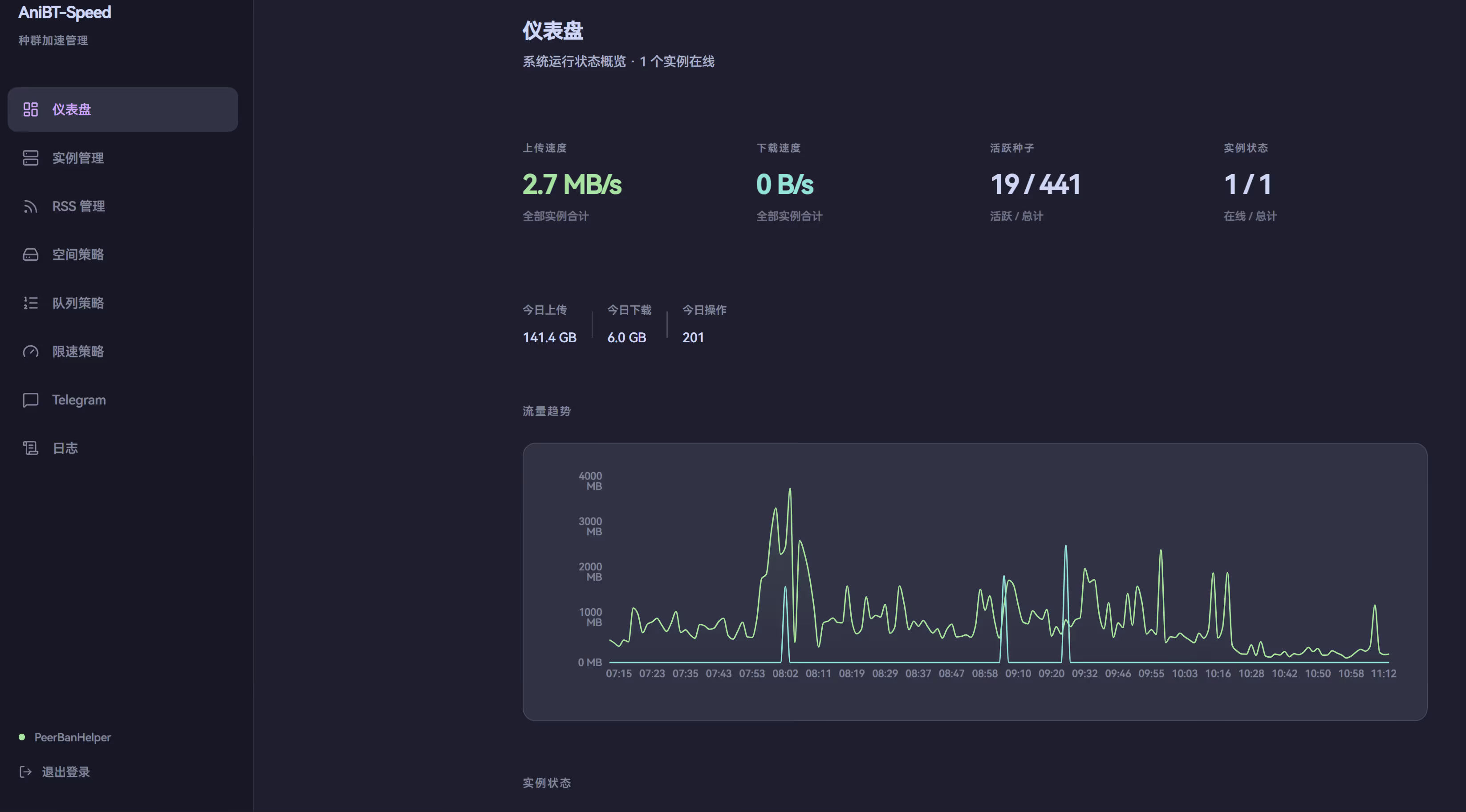
Core Features
Smart Space Management
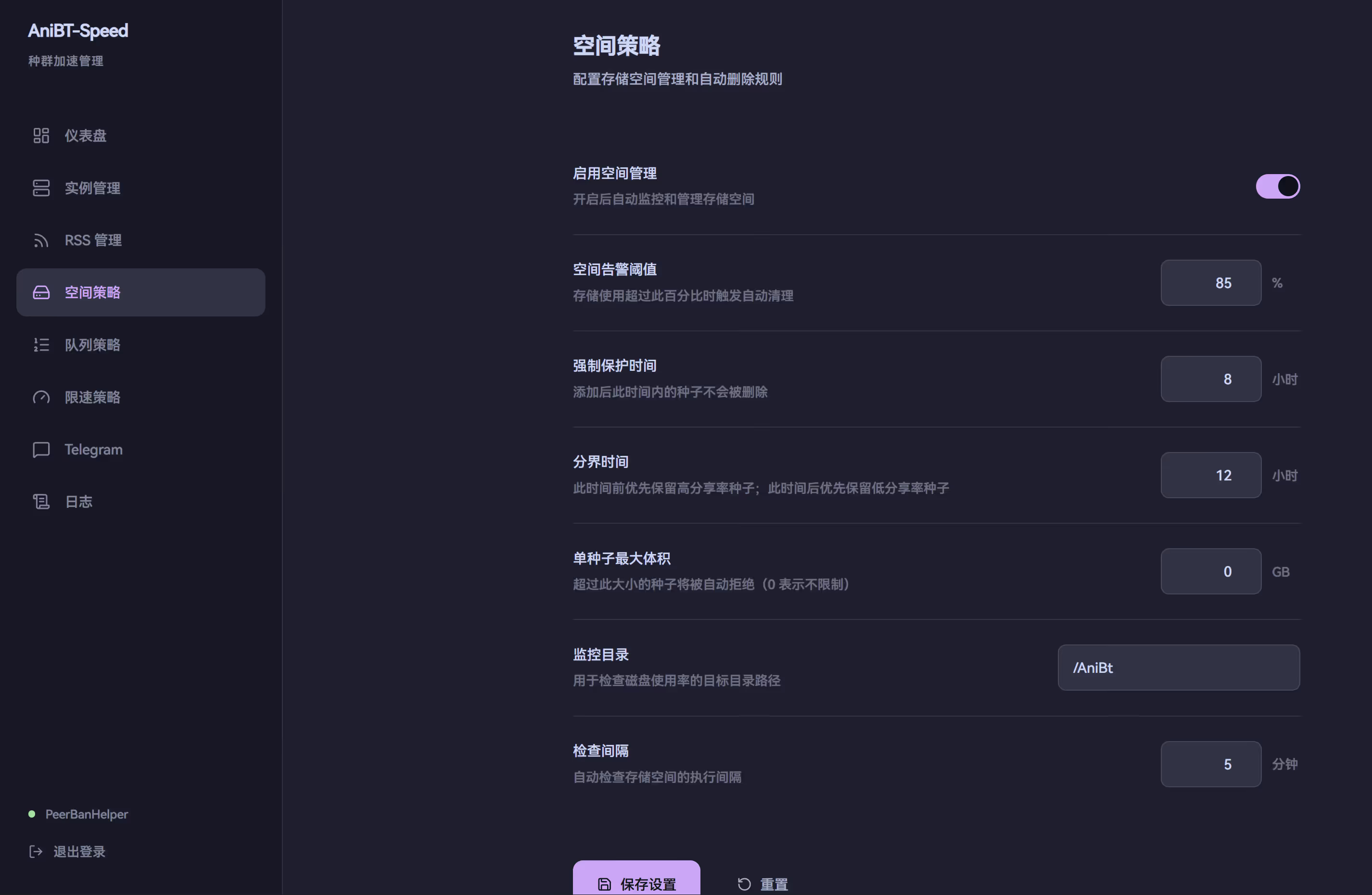
Disk space is one of the biggest headaches when seeding. AniBT-Speed implements an intelligent deletion strategy based on time and share ratio:
Space alert threshold: 85% (triggers cleanup)Protection window: 8 hours (new torrents are protected)Boundary time: 12 hours
Deletion priority: - Under 8h → Force protect, never delete - 8h ~ 12h → Delete high ratio first (already contributed enough) - Over 12h → Delete low ratio first (nobody wants it)The core logic: new torrents need protection, mid-age torrents with high ratios have already contributed enough, and old torrents with low ratios are unwanted and can be cleaned up.
RSS Feeds with Load Balancing
When you have multiple qBittorrent instances, which one should handle a new torrent? AniBT-Speed uses a load balancing algorithm:
score = active_torrents * 1.0 + upload_speed_mbps * 0.3 + paused_torrents * 0.2# Lower score = lighter load = preferred for new tasksRSS feeds support two modes:
- Auto-assign (
instance_id = 0): Backend polls RSS and selects the best instance via load balancing - Fixed instance (
instance_id > 0): Uses qBittorrent’s native RSS rules, bound to a specific instance
Smart Queue Management
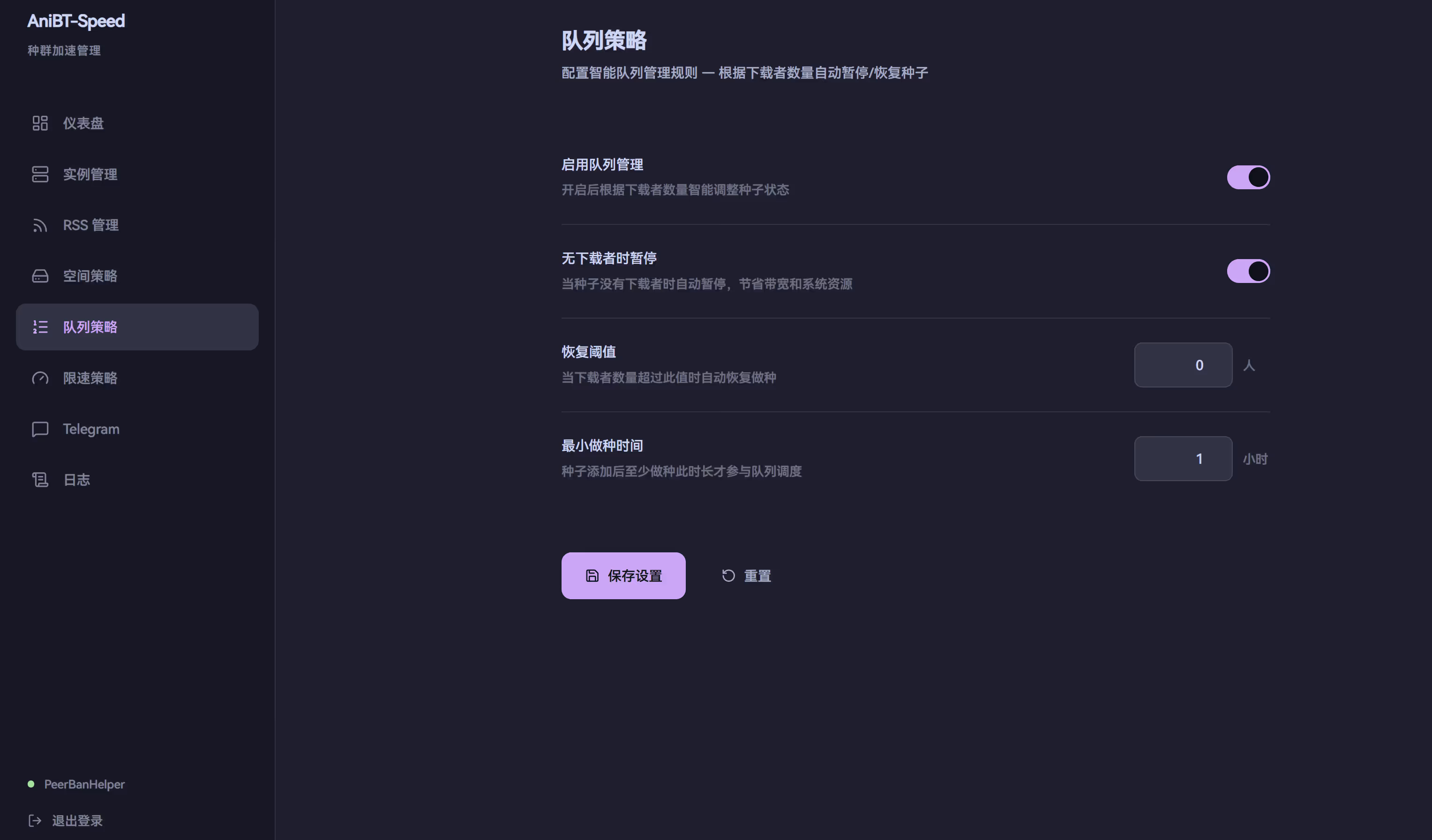
When a torrent has zero leechers across all trackers and DHT, continuing to seed wastes resources. The queue manager automatically pauses these torrents and resumes them when new leechers appear.
Rate Limiting
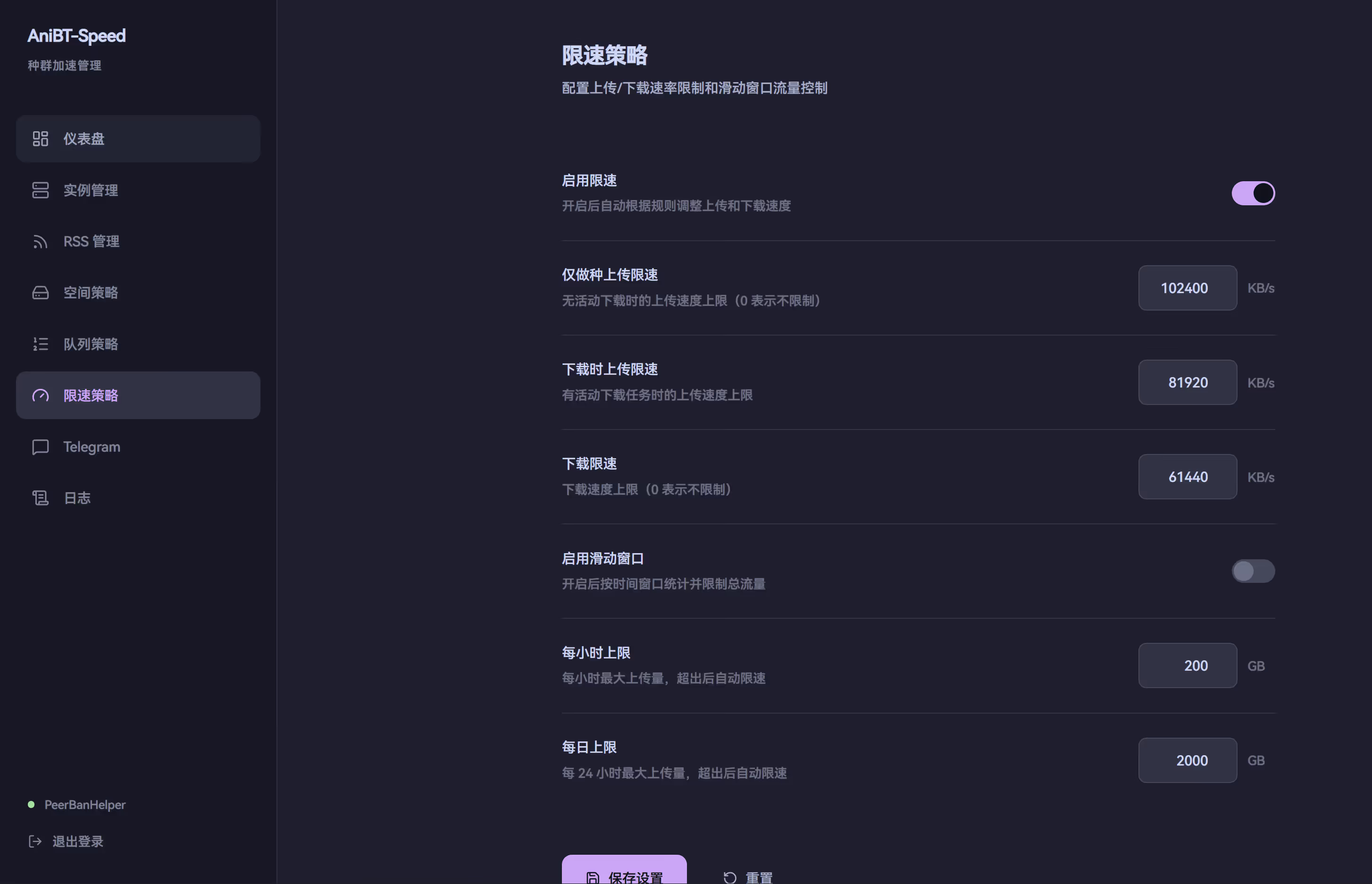
To avoid impacting other services on the server, rate limiting has two tiers:
| Scenario | Upload Limit | Download Limit |
|---|---|---|
| Seeding only | 100 MB/s | Unlimited |
| Active downloads | 80 MB/s | 60 MB/s |
Sliding window limits are also supported: set hourly or daily traffic caps, and speeds are automatically reduced when exceeded.
Anti-Leeching Protection
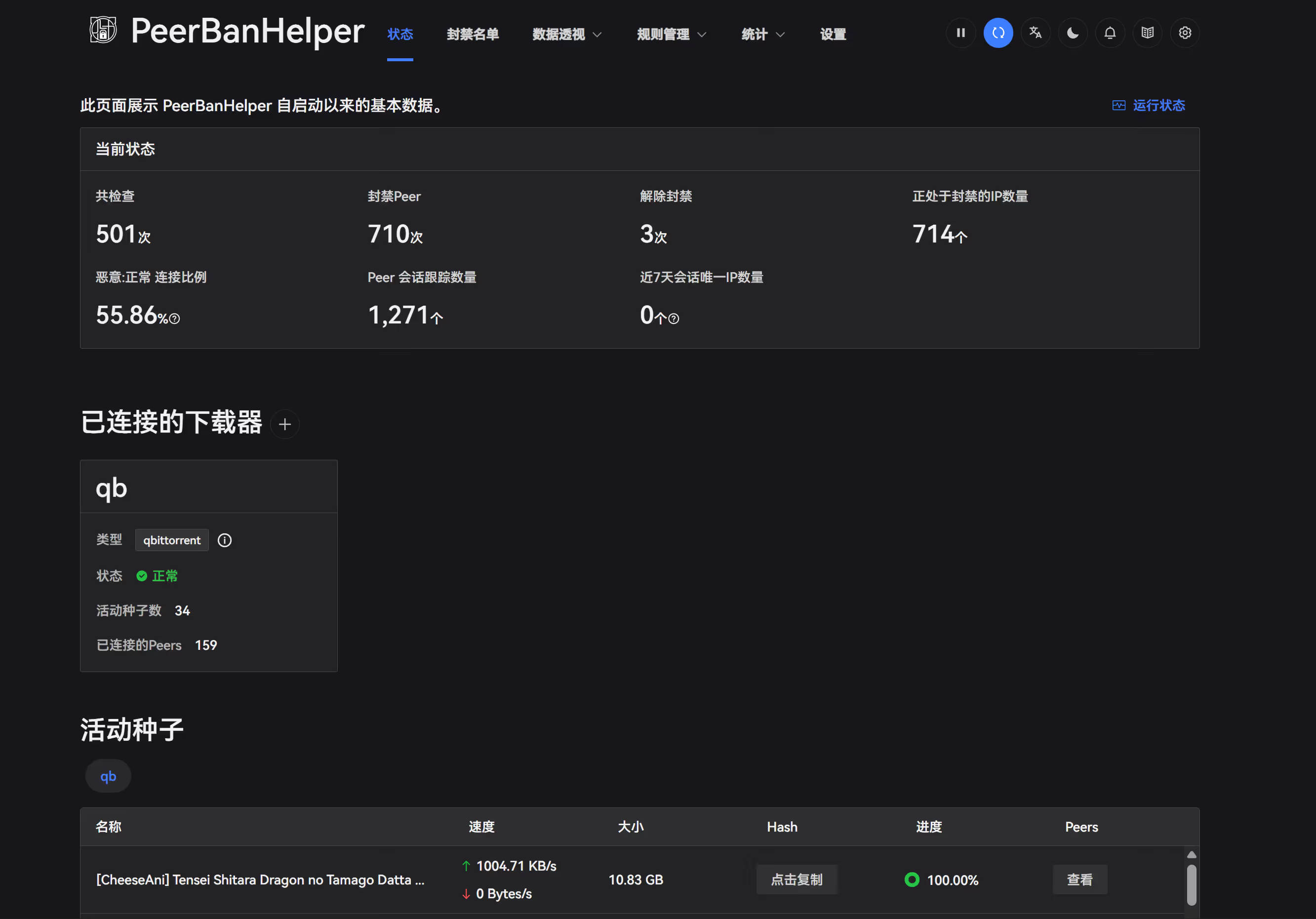
Integrated PeerBanHelper automatically bans peers using leeching clients. Supports BTN cloud rules and Thunder client restrictions.
Telegram Notifications
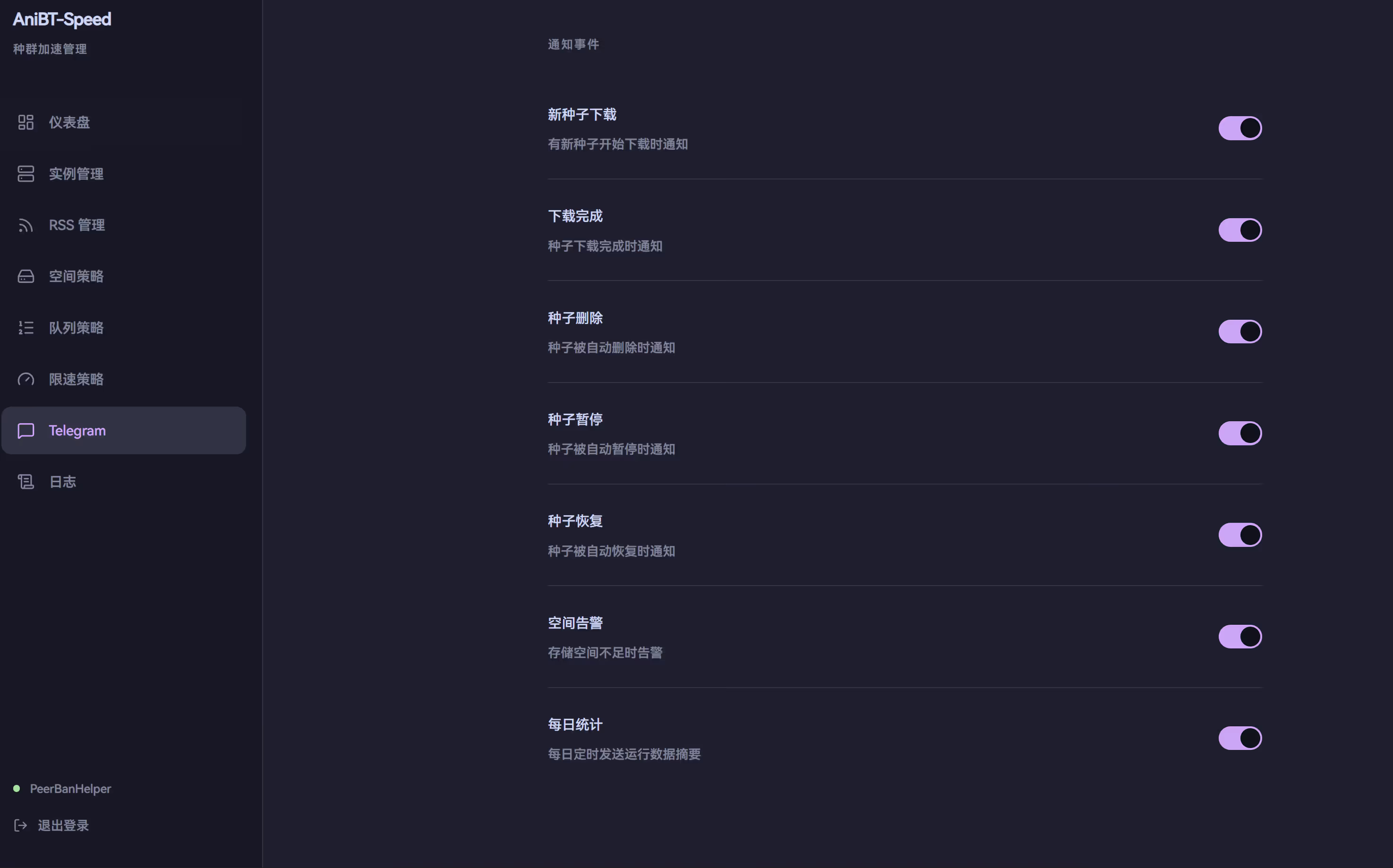
All key events can be pushed to Telegram:
- Torrent download completed
- Torrent deleted (with reason)
- Space alerts
- Daily summary (customizable push time)
Docker Deployment
Yaml File
services: backend: image: ghcr.io/yuri-nagasaki/anibt-speed-backend:latest container_name: anibt-speed-backend environment: - SECRET_KEY=${SECRET_KEY:-change-me} - ADMIN_PASSWORD=${ADMIN_PASSWORD:-admin} - TZ=Asia/Shanghai volumes: - ./backend/data:/app/data networks: - anibt restart: unless-stopped
frontend: image: ghcr.io/yuri-nagasaki/anibt-speed-frontend:latest container_name: anibt-speed-frontend ports: - "127.0.0.1:6868:6868" depends_on: - backend networks: - anibt restart: unless-stopped
peerbanhelper: image: ghostchu/peerbanhelper:latest container_name: anibt-speed-pbh environment: - TZ=Asia/Shanghai ports: - "127.0.0.1:9898:9898" volumes: - ./peerbanhelper/data:/app/data networks: - anibt restart: unless-stopped
networks: anibt: driver: bridgeDeployment Guide
Prerequisites
- Docker + Docker Compose
- Git
- One or more running qBittorrent instances
One-Click Deployment
# Clone the repositorygit clone https://github.com/Yuri-NagaSaki/AniBT-Speed.gitcd AniBT-Speed
# Deploy (pulls pre-built images from GHCR)chmod +x deploy.sh./deploy.shThe deployment script automatically:
- Checks for Docker and other dependencies
- Generates a
.envfile with a random SECRET_KEY - Pulls images and starts all services
- Verifies all services are running
TIPTo build images locally instead, use
BUILD_LOCAL=1 ./deploy.sh
Initial Configuration
After deployment:
- Open
http://your-server-ip:6868and log in with the password from.env - Go to “Instances” and add your qBittorrent instance(s)
- Go to “RSS Manager” and add RSS feed subscriptions
- (Optional) Configure Telegram notifications
- (Optional) Visit
http://127.0.0.1:9898to configure PeerBanHelper
The default password is admin. Change ADMIN_PASSWORD in the .env file and restart the service.
Health Check
The project includes a 26-item health check script:
chmod +x test.sh./test.shChecks cover container status, network isolation, API endpoints, port exposure, internal connectivity, timezone configuration, and data persistence.
Summary
AniBT-Speed aims to transform torrent seeding management from manual operations to automated policy-driven workflows. All parameters are configured through the Web UI, and policy changes take effect without service restarts — ideal for PT/BT users managing large numbers of torrents.
If you’re using qBittorrent for seeding and need automated management, feel free to try it out and share your feedback.