
372 字
2 分钟
Deploying the FullTclash Node Benchmark Bot on Debian 11
Introduction
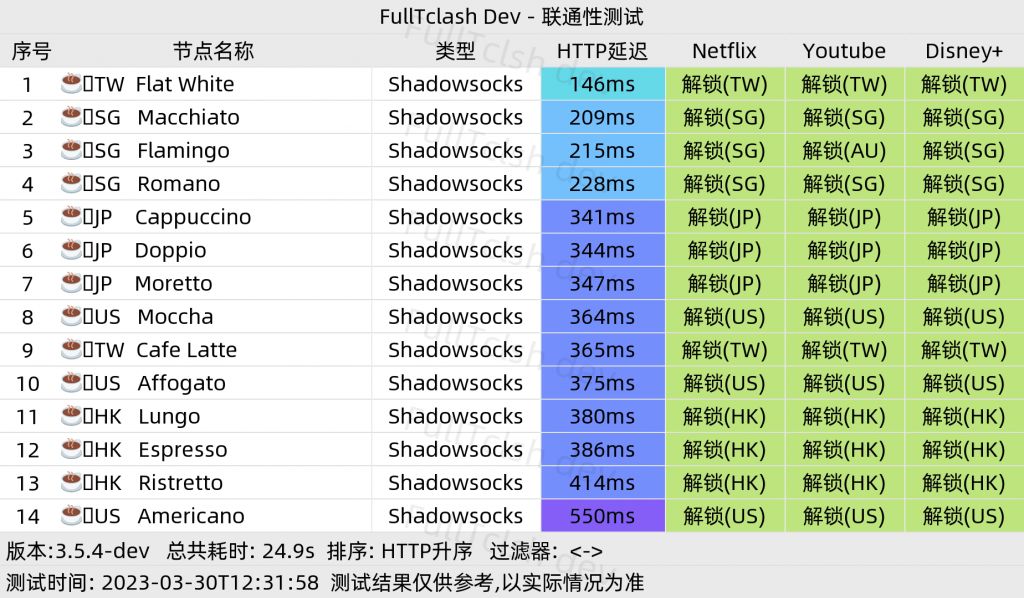
The FullTclash bot is a Telegram bot (hereinafter referred to as the bot) that performs node benchmark tasks. It currently supports batch connectivity benchmarks using Clash configuration files and provides the following test items:
- Netflix, YouTube, DisneyPlus, Bilibili, Steam currency, OpenAI (ChatGPT), exit IP risk (IP fraud score), Wikipedia
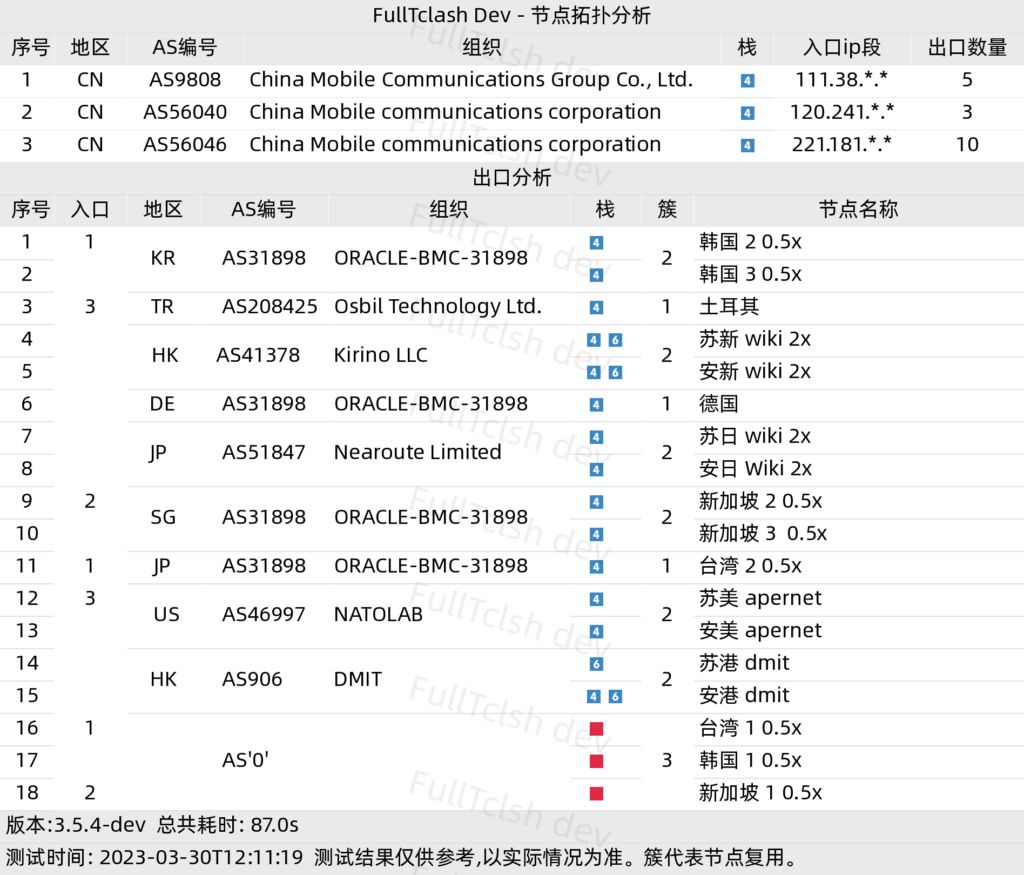
It also supports HTTP latency benchmarks and link topology analysis (ingress/egress node analysis).
Environment Preparation
apt update && apt upgradeapt install -y git && git clone https://github.com/AirportR/FullTclash.git && cd FullTclashapt install python3-pip screen fontconfigcd FullTclashpip3 install -r requirements.txtInstall Fonts
Go here to pick a font: Nerd Fonts
Copy the font file to the system font directory: copy the font files you downloaded (usually ending with .ttf, .otf or .woff) to the /usr/share/fonts/ directory.
sudo cp your_font.ttf /usr/share/fonts/Replace your_font.ttf with the actual path and filename of your font file.
Update the font cache: run the following command to update the system font cache:
sudo fc-cache -f -vThis will rescan the font directories and update the font cache.
Verify the font installation: you can use the fc-list command to list the fonts installed on the system. Run the following command in the terminal to view the font list:
fc-listIf you can see your custom font in the list, the installation was successful.Bot Environment Preparation
-
Telegram
api_id,api_hashacquisition link (some Telegram accounts are blacklisted and cannot be used normally) -
Go to @BotFather to create a bot and obtain its
bot_token, which should look like:bot_token = "123456:ABC-DEF1234ghIkl-zyx57W2v1u123ew11" -
Go to @userinfobo to obtain your user id
Run
screen ## create a new terminal sessioncd FullTclash/./resourcescp config.yaml.example config.yamlvim config.yaml## The following fields need to be modified
bot: api_id: 123456 # change to your own api_id api_hash: 123456ABCDefg # change to your own api_hash bot_token: 123456:ABCDefgh123455 # bot_token, obtained from @BotFather # If you are using this in mainland China, the program needs a proxy to connect to Telegram servers. Fill in the following information: proxy: 127.0.0.1:7890 # socks5, replace with your own proxy address and port
## Executepython3 -c 'import sys; sys.stdout.reconfigure(encoding="utf-8"); exec(open("main.py").read())'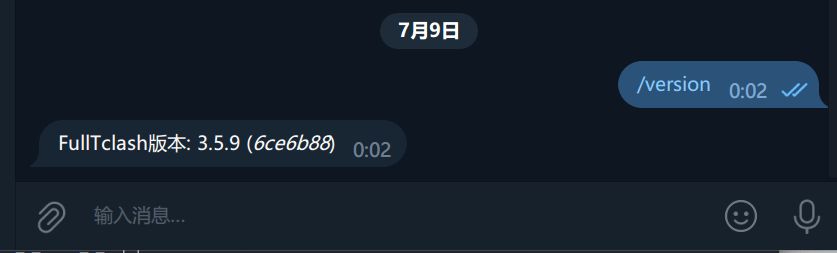
Deploying the FullTclash Node Benchmark Bot on Debian 11
https://catcat.blog/en/debian11-fulltclash.html