
118 字
1 分钟
Deploying a Palworld Multiplayer Server with Docker
Configuration Requirements
Requirements
| CPU | 4 Cores (recommend) |
|---|---|
| RAM | 16GB. Recommend over 32GB for stable operation. It is possible to start the server with 8GB, but as you progress in the game, the server will eventually crash due to running out of memory. |
| Network | UDP Port 8211 (default). Port forwarding required. |
Commands
docker volume create palworld_saved
docker pull docker.mirrors.sjtug.sjtu.edu.cn/kagurazakanyaa/palworld
docker run -d --name=palworld-server -v "palworld_saved:/opt/palworld/Pal/Saved" -p 8211:8211/udp kagurazakanyaa/palworld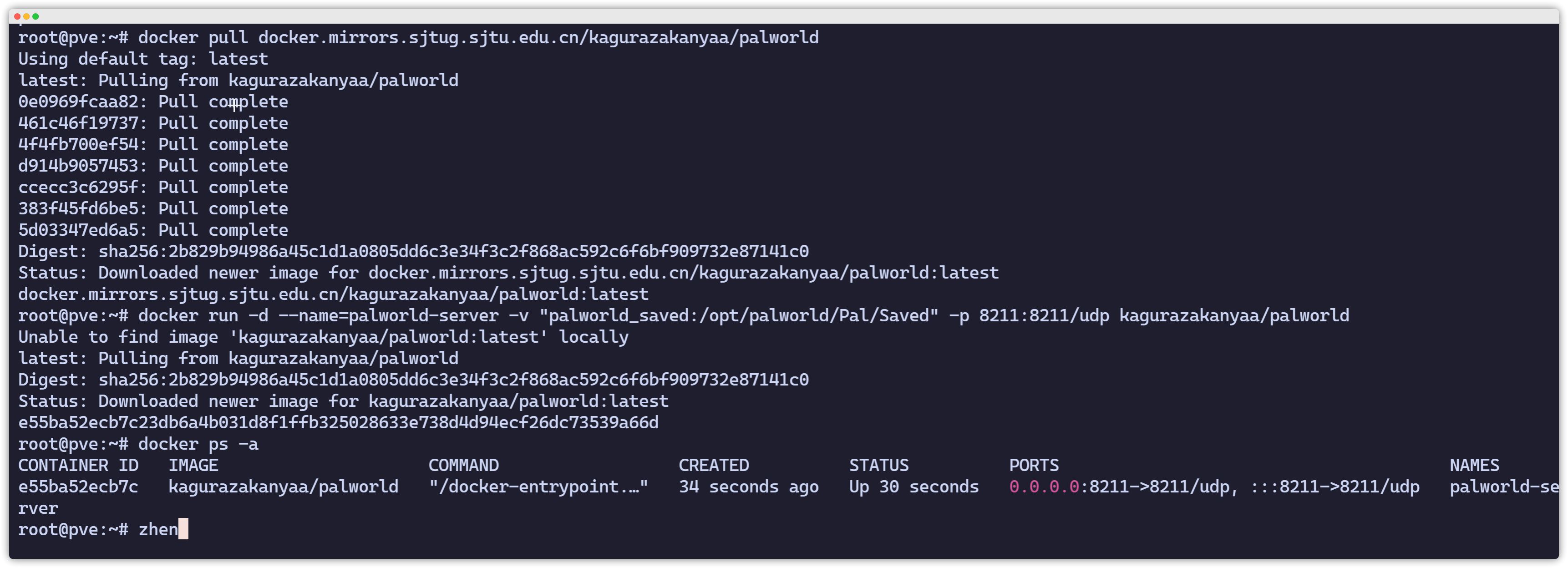
Configuration File
You need to enter the container:
docker exec -it 容器id /bin/bashThen edit the configuration file:
/opt/palworld/Pal/Saved/Config/LinuxServer/PalWorldSettings.ini编辑后重新运行即可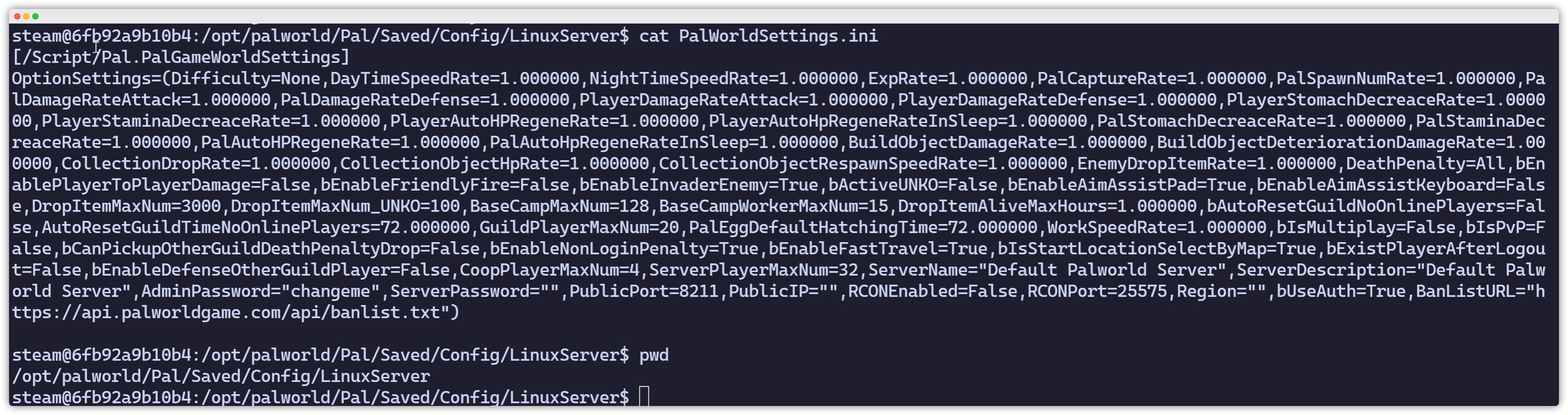
Deploying a Palworld Multiplayer Server with Docker
https://catcat.blog/en/docker-install-palword.html