
1684 字
8 分钟
Accelerating Hetzner HDDs with Bcache and NVMe
Introduction
When doing large downloads and reads recently, write speed often became unstable due to HDD write bottlenecks. Throughput could drop straight from 100 MB/s to B/s — a.k.a. the dreaded I/O stall.
Bcache Overview
bcache 是一个 Linux 内核块层超速缓存。它允许使用一个或多个高速磁盘驱动器(例如 SSD)作为一个或多个速度低得多的硬盘的超速缓存。bcache 支持直写和写回,不受所用文件系统的约束。
主要功能:1,可以使用单个超速缓存设备来超速缓存任意数量的后备设备。在运行时可以挂接和分离已装入及使用中的后备设备。2,在非正常关机后恢复 - 只有在超速缓存与后备设备一致后才完成写入。3,SSD 拥塞时限制传至 SSD 的流量。4,高效的写回实施方案。脏数据始终按排序顺序写出。5,稳定可靠,可在生产环境中使用。
以下教程基于Debian12Bcache is a Linux kernel block-layer cache. It lets you use one or more high-speed disks (for example SSDs or NVMes) as a cache for one or more much slower hard drives. Bcache supports write-through and write-back modes and is independent of the filesystem you put on top.
Key features:
- Use a single cache device to accelerate any number of backing devices. Backing devices currently in use can be attached or detached at runtime.
- Recovery after unclean shutdowns – writes are only considered complete once cache and backing device are consistent.
- Throttles traffic to the SSD when it becomes congested.
- Efficient write-back implementation – dirty data is always flushed out in sorted order.
- Stable and reliable, suitable for production use.
The steps below are based on Debian 12.
Prerequisites
- A RAID array built from fourteen 22 TB HDDs
nvme0n1as the system disk (7.68 TB)nvme1n1as the cache disk (7.68 TB)- HDDs and the NVMe cache device already partitioned/formatted as you need
Below is what the final setup will look like:
root@Debian ~ # lsblkNAME MAJ:MIN RM SIZE RO TYPE MOUNTPOINTSsda 8:0 1 20T 0 disk└─md127 9:127 0 280.1T 0 raid0 └─bcache0 252:0 0 280.1T 0 disk /hddsdb 8:16 1 20T 0 disk└─md127 9:127 0 280.1T 0 raid0 └─bcache0 252:0 0 280.1T 0 disk /hddsdc 8:32 1 20T 0 disk└─md127 9:127 0 280.1T 0 raid0 └─bcache0 252:0 0 280.1T 0 disk /hddsdd 8:48 1 20T 0 disk└─md127 9:127 0 280.1T 0 raid0 └─bcache0 252:0 0 280.1T 0 disk /hddsde 8:64 1 20T 0 disk└─md127 9:127 0 280.1T 0 raid0 └─bcache0 252:0 0 280.1T 0 disk /hddsdf 8:80 1 20T 0 disk└─md127 9:127 0 280.1T 0 raid0 └─bcache0 252:0 0 280.1T 0 disk /hddsdg 8:96 1 20T 0 disk└─md127 9:127 0 280.1T 0 raid0 └─bcache0 252:0 0 280.1T 0 disk /hddsdh 8:112 1 20T 0 disk└─md127 9:127 0 280.1T 0 raid0 └─bcache0 252:0 0 280.1T 0 disk /hddsdi 8:128 1 20T 0 disk└─md127 9:127 0 280.1T 0 raid0 └─bcache0 252:0 0 280.1T 0 disk /hddsdj 8:144 1 20T 0 disk└─md127 9:127 0 280.1T 0 raid0 └─bcache0 252:0 0 280.1T 0 disk /hddsdk 8:160 1 20T 0 disk└─md127 9:127 0 280.1T 0 raid0 └─bcache0 252:0 0 280.1T 0 disk /hddsdl 8:176 1 20T 0 disk└─md127 9:127 0 280.1T 0 raid0 └─bcache0 252:0 0 280.1T 0 disk /hddsdm 8:192 1 20T 0 disk└─md127 9:127 0 280.1T 0 raid0 └─bcache0 252:0 0 280.1T 0 disk /hddsdn 8:208 1 20T 0 disk└─md127 9:127 0 280.1T 0 raid0 └─bcache0 252:0 0 280.1T 0 disk /hddnvme1n1 259:0 0 7T 0 disk├─nvme1n1p1 259:2 0 1G 0 part├─nvme1n1p2 259:3 0 7T 0 part│ └─bcache0 252:0 0 280.1T 0 disk /hdd└─nvme1n1p3 259:4 0 1M 0 partnvme0n1 259:1 0 7T 0 disk├─nvme0n1p1 259:5 0 1G 0 part /boot├─nvme0n1p2 259:6 0 7T 0 part /└─nvme0n1p3 259:7 0 1M 0 partEnable Bcache in the Kernel
modprobe bcachelsmod |grep bcacheInstall bcache-tools
apt install bcache-toolsWipe Existing Metadata
wipefs -a /dev/md127wipefs -a /dev/nvme1n1p2Create the Backing Device
make-bcache -B /dev/md127Create the Cache Device
make-bcache -C /dev/nvme1n1p2Check Current Block Devices
root@Debian ~ # lsblkNAME MAJ:MIN RM SIZE RO TYPE MOUNTPOINTSsda 8:0 1 20T 0 disk└─md127 9:127 0 280.1T 0 raid0 └─bcache0 252:0 0 280.1T 0 disksdb 8:16 1 20T 0 disk└─md127 9:127 0 280.1T 0 raid0 └─bcache0 252:0 0 280.1T 0 disksdc 8:32 1 20T 0 disk└─md127 9:127 0 280.1T 0 raid0 └─bcache0 252:0 0 280.1T 0 disksdd 8:48 1 20T 0 disk└─md127 9:127 0 280.1T 0 raid0 └─bcache0 252:0 0 280.1T 0 disksde 8:64 1 20T 0 disk└─md127 9:127 0 280.1T 0 raid0 └─bcache0 252:0 0 280.1T 0 disksdf 8:80 1 20T 0 disk└─md127 9:127 0 280.1T 0 raid0 └─bcache0 252:0 0 280.1T 0 disksdg 8:96 1 20T 0 disk└─md127 9:127 0 280.1T 0 raid0 └─bcache0 252:0 0 280.1T 0 disksdh 8:112 1 20T 0 disk└─md127 9:127 0 280.1T 0 raid0 └─bcache0 252:0 0 280.1T 0 disksdi 8:128 1 20T 0 disk└─md127 9:127 0 280.1T 0 raid0 └─bcache0 252:0 0 280.1T 0 disksdj 8:144 1 20T 0 disk└─md127 9:127 0 280.1T 0 raid0 └─bcache0 252:0 0 280.1T 0 disksdk 8:160 1 20T 0 disk└─md127 9:127 0 280.1T 0 raid0 └─bcache0 252:0 0 280.1T 0 disksdl 8:176 1 20T 0 disk└─md127 9:127 0 280.1T 0 raid0 └─bcache0 252:0 0 280.1T 0 disksdm 8:192 1 20T 0 disk└─md127 9:127 0 280.1T 0 raid0 └─bcache0 252:0 0 280.1T 0 disksdn 8:208 1 20T 0 disk└─md127 9:127 0 280.1T 0 raid0 └─bcache0 252:0 0 280.1T 0 disknvme1n1 259:0 0 7T 0 disk├─nvme1n1p1 259:2 0 1G 0 part├─nvme1n1p2 259:3 0 7T 0 part└─nvme1n1p3 259:4 0 1M 0 partnvme0n1 259:1 0 7T 0 disk├─nvme0n1p1 259:5 0 1G 0 part /boot├─nvme0n1p2 259:6 0 7T 0 part /└─nvme0n1p3 259:7 0 1M 0 partGet the Cache Device UUID
bcache-super-show /dev/nvme1n1p2如下图所示,就是cset.uuid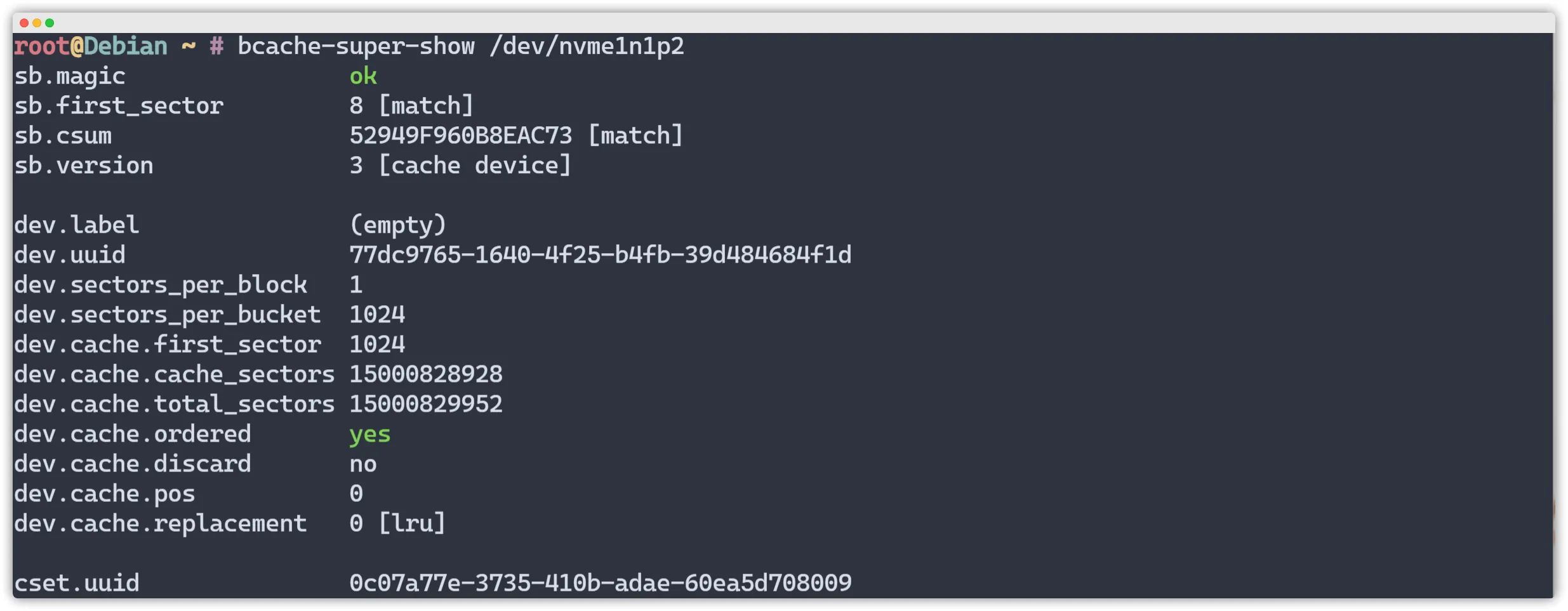
The cset.uuid shown in the output is the value you need.
Attach the Cache Device
echo "0c07a77e-3735-410b-adae-60ea5d708009" >/sys/block/bcache0/bcache/attachCheck Current Block Devices Again
root@Debian ~ # lsblkNAME MAJ:MIN RM SIZE RO TYPE MOUNTPOINTSsda 8:0 1 20T 0 disk └─md127 9:127 0 280.1T 0 raid0 └─bcache0 252:0 0 280.1T 0 disk sdb 8:16 1 20T 0 disk └─md127 9:127 0 280.1T 0 raid0 └─bcache0 252:0 0 280.1T 0 disk sdc 8:32 1 20T 0 disk └─md127 9:127 0 280.1T 0 raid0 └─bcache0 252:0 0 280.1T 0 disk sdd 8:48 1 20T 0 disk └─md127 9:127 0 280.1T 0 raid0 └─bcache0 252:0 0 280.1T 0 disk sde 8:64 1 20T 0 disk └─md127 9:127 0 280.1T 0 raid0 └─bcache0 252:0 0 280.1T 0 disk sdf 8:80 1 20T 0 disk └─md127 9:127 0 280.1T 0 raid0 └─bcache0 252:0 0 280.1T 0 disk sdg 8:96 1 20T 0 disk └─md127 9:127 0 280.1T 0 raid0 └─bcache0 252:0 0 280.1T 0 disk sdh 8:112 1 20T 0 disk └─md127 9:127 0 280.1T 0 raid0 └─bcache0 252:0 0 280.1T 0 disk sdi 8:128 1 20T 0 disk └─md127 9:127 0 280.1T 0 raid0 └─bcache0 252:0 0 280.1T 0 disk sdj 8:144 1 20T 0 disk └─md127 9:127 0 280.1T 0 raid0 └─bcache0 252:0 0 280.1T 0 disk sdk 8:160 1 20T 0 disk └─md127 9:127 0 280.1T 0 raid0 └─bcache0 252:0 0 280.1T 0 disk sdl 8:176 1 20T 0 disk └─md127 9:127 0 280.1T 0 raid0 └─bcache0 252:0 0 280.1T 0 disk sdm 8:192 1 20T 0 disk └─md127 9:127 0 280.1T 0 raid0 └─bcache0 252:0 0 280.1T 0 disk sdn 8:208 1 20T 0 disk └─md127 9:127 0 280.1T 0 raid0 └─bcache0 252:0 0 280.1T 0 disk nvme1n1 259:0 0 7T 0 disk ├─nvme1n1p1 259:2 0 1G 0 part ├─nvme1n1p2 259:3 0 7T 0 part │ └─bcache0 252:0 0 280.1T 0 disk └─nvme1n1p3 259:4 0 1M 0 part nvme0n1 259:1 0 7T 0 disk ├─nvme0n1p1 259:5 0 1G 0 part /boot├─nvme0n1p2 259:6 0 7T 0 part /└─nvme0n1p3 259:7 0 1M 0 partCheck Cache State
no cache: this backing device has no caching device attached- Normal, cache is clean
- Normal, write-back enabled and cache is dirty
- Error: backing device and cache device are out of sync
cat /sys/block/bcache0/bcache/stateChange Cache Policy
Bcache有三种缓存策略Bcache supports three cache modes:
- writeback: data is first written to the cache device and later flushed to the backing disk
- writethrough: data is written to both cache and backing disk at the same time (this is the default mode)
- writearound: data is written directly to the backing disk
For better performance, switch to writeback mode here.
查看缓存模式cat /sys/block/bcache0/bcache/cache_mode修改缓存策略 echo writeback > /sys/block/bcache0/bcache/cache_mode允许缓存顺序I/O(非常重要)echo 0 > /sys/block/bcache0/bcache/sequential_cutoff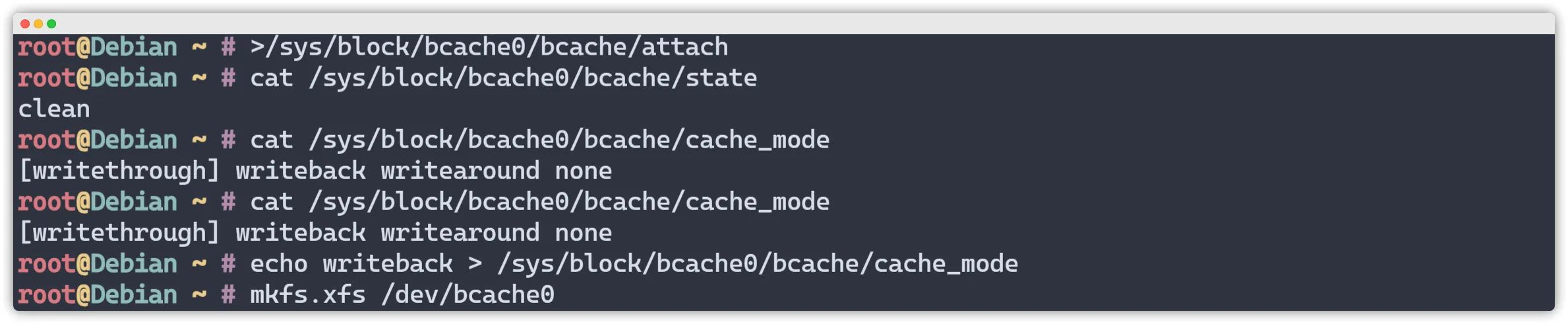
Format the Data Device
mkfs.xfs /dev/bcache0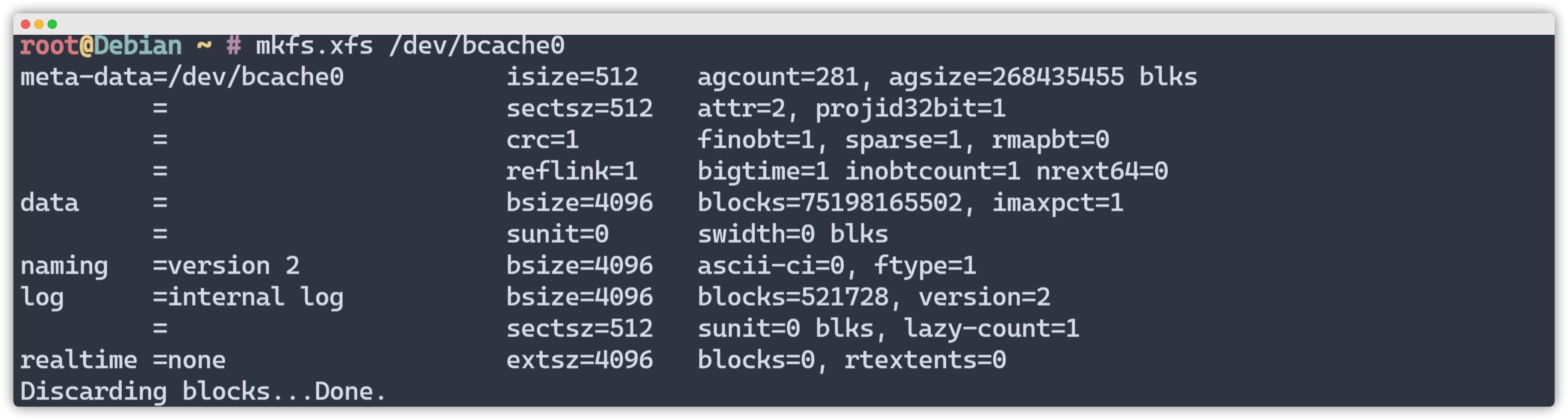
Configure Auto-Mount on Boot
查看设备UUIDblkid /dev/bcache0添加到/etc/fstabvim /etc/fstab添加上面UUIDUUID=f9c51924-f6d5-4466-84ee-14fcfbb1bb14 /hdd xfs defaults 0 0Test Cache Performance
YABS Fio Benchmark
With Cache
| Block Size | 4k (IOPS) | 64k (IOPS) |
|---|---|---|
| Read | 240.07 MB/s (60.0k) | 1.53 GB/s (24.0k) |
| Write | 240.70 MB/s (60.1k) | 1.54 GB/s (24.1k) |
| Total | 480.77 MB/s (120.1k) | 3.08 GB/s (48.2k) |
| Block Size | 512k (IOPS) | 1m (IOPS) |
| ------ | --- ---- | ---- ---- |
| Read | 2.94 GB/s (5.7k) | 3.09 GB/s (3.0k) |
| Write | 3.10 GB/s (6.0k) | 3.29 GB/s (3.2k) |
| Total | 6.04 GB/s (11.8k) | 6.39 GB/s (6.2k) |
Without Cache
| Block Size | 4k (IOPS) | 64k (IOPS) |
|---|---|---|
| Read | 24.43 MB/s (6.1k) | 306.10 MB/s (4.7k) |
| Write | 24.44 MB/s (6.1k) | 307.72 MB/s (4.8k) |
| Total | 48.88 MB/s (12.2k) | 613.82 MB/s (9.5k) |
| Block Size | 512k (IOPS) | 1m (IOPS) |
| ------ | --- ---- | ---- ---- |
| Read | 772.93 MB/s (1.5k) | 1.88 GB/s (1.8k) |
| Write | 814.00 MB/s (1.5k) | 2.01 GB/s (1.9k) |
| Total | 1.58 GB/s (3.0k) | 3.90 GB/s (3.8k) |
Accelerating Hetzner HDDs with Bcache and NVMe
https://catcat.blog/en/hetzner-bcache-hdd.html