
Optimizing Astro Blog Fuwari Builds to Fix Vercel OOM Errors
The Problem
My blog is built with Astro and deployed on Vercel. As the number of posts grew to 500+, I suddenly encountered build failures:
ELIFECYCLE Command failed with exit code 137.Error: Command "pnpm run build" exited with 137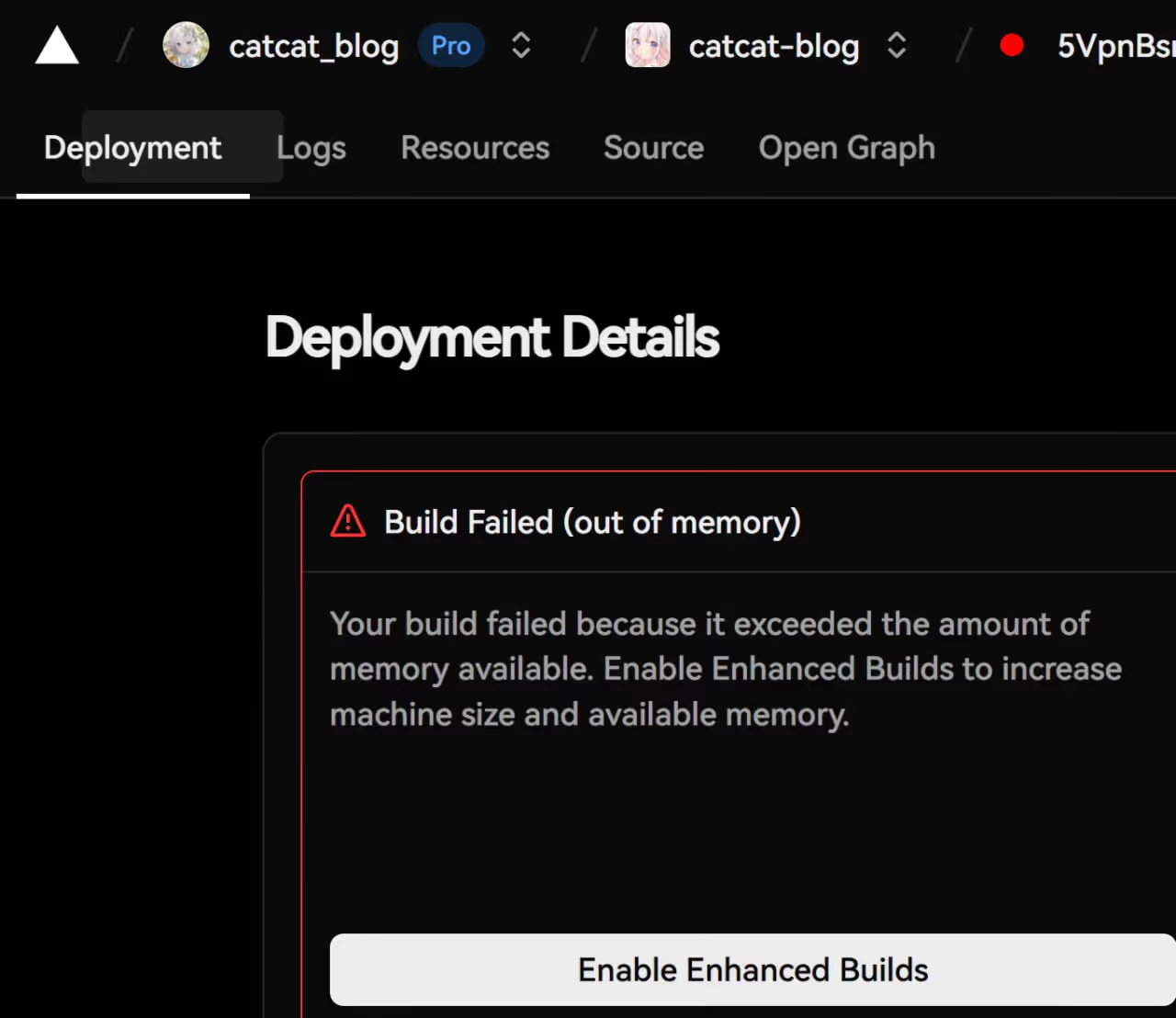

Exit code 137 means the process was killed by SIGKILL, typically due to Out of Memory (OOM). Vercel’s free tier provides 8GB RAM, which should theoretically be enough, but the memory peak during builds was too high.
Root Cause Analysis
By analyzing build logs and code, I identified several memory bottlenecks:
1. getStaticPaths Passing Full Entry Objects
This was the most critical issue. The original code:
export async function getStaticPaths() { const posts = await getSortedPosts(); return posts.map((entry) => ({ params: { slug: entry.id }, props: { entry }, // Passing full entry object! }));}This means the complete content of all 500 posts was stored in route props simultaneously.
2. Unlimited Concurrent Builds
Astro by default parallelizes page builds as much as possible, causing memory spikes in memory-constrained environments.
3. HTML Compression Using Extra Memory
While HTML compression reduces file size, it requires additional memory during builds. CDNs (like Cloudflare, Vercel) automatically use Brotli compression for transfer, making local compression unnecessary.
The Solution
1. Core Optimization: Pass Only Necessary Data in getStaticPaths
export async function getStaticPaths() { const posts = await getSortedPosts();
// Only pass necessary navigation data return posts.map((entry) => ({ params: { slug: entry.id }, props: { slug: entry.id, prevSlug: entry.data.prevSlug, prevTitle: entry.data.prevTitle, nextSlug: entry.data.nextSlug, nextTitle: entry.data.nextTitle, }, }));}
// Fetch full content on-demand during renderingconst { slug, prevSlug, prevTitle, nextSlug, nextTitle } = Astro.props;const entry = await getEntry("posts", slug);const { Content } = await render(entry);This optimization reduced memory usage during getStaticPaths by over 90%.
2. Increase Node.js Memory Limit
{ "scripts": { "build": "NODE_OPTIONS='--max-old-space-size=7168' astro build" }}Node.js default heap memory limit is around 2-4GB. Explicitly setting it to 7GB fully utilizes Vercel’s 8GB RAM.
3. Limit Build Concurrency
export default defineConfig({ build: { concurrency: 2, // Limit concurrent builds },});Interestingly, testing showed concurrency: 2 is faster than unlimited:
concurrency: 2: 2m 19s ✅- Unlimited: 3m 45s ❌
Test method:
- First concurrency: 2
- Run build and time it
- Increase to 4, then 6, then 8
- Use the fastest setting
- Important note: Not more better!Case studies found that 4 CPUs is the best choice on a 12-core system. Too much concurrency causes resource contention, actually slowing things down.

4. Disable HTML Compression
export default defineConfig({ compressHTML: false, // Let CDN handle compression});CDNs use Brotli compression (more efficient than gzip), so local HTML compression benefits are negligible. Better to save that memory and time.
5. Upgrade Build Target
// astro.config.mjs - vite configvite: { build: { target: 'es2022', // Reduce code transpilation },}6. Fix Expressive Code Duplicate Themes
// Before (bug)themes: [theme, theme], // Duplicated
// Afterthemes: [theme],Results
| Metric | Before | After |
|---|---|---|
| Build Result | OOM Failure | Success ✅ |
| Build Time | - | 2m 19s |
| Memory Usage | Over 8GB | Normal |
Key Takeaways
For optimizing large-scale Astro blog builds:
- Only pass necessary data in getStaticPaths - This is the core optimization
- Set reasonable concurrency limits - More isn’t always better
- Leverage CDN compression - Skip local compression
- Fully utilize available memory - Set NODE_OPTIONS
These optimizations not only solved the OOM issue but also made builds faster and more stable.