
Tracearr Deployment Guide: Unified Media Server Monitoring Platform
As many know, I run an Emby server. For a while, I didn’t pay much attention to client usage patterns. Although I initially stated not to use web playback or share accounts freely, quite a few people still did exactly that. The result was many users triggering transcoding through web browsers, causing the server CPU to be heavily utilized for extended periods. At the time, I didn’t have the energy to investigate and manage users individually, so this issue remained unresolved.
Previously, if you wanted this kind of monitoring, you typically needed tools like Tautulli (Plex only) or Jellystat (Jellyfin only). Today, I’m introducing Tracearr — a unified monitoring solution that supports all three media server platforms simultaneously.
What is Tracearr?
Tracearr is an open-source real-time monitoring platform for media servers, supporting Plex, Jellyfin, and Emby simultaneously. It tracks streaming activity in real-time, provides in-depth playback analytics, and helps identify and resolve account sharing issues before they get out of hand.
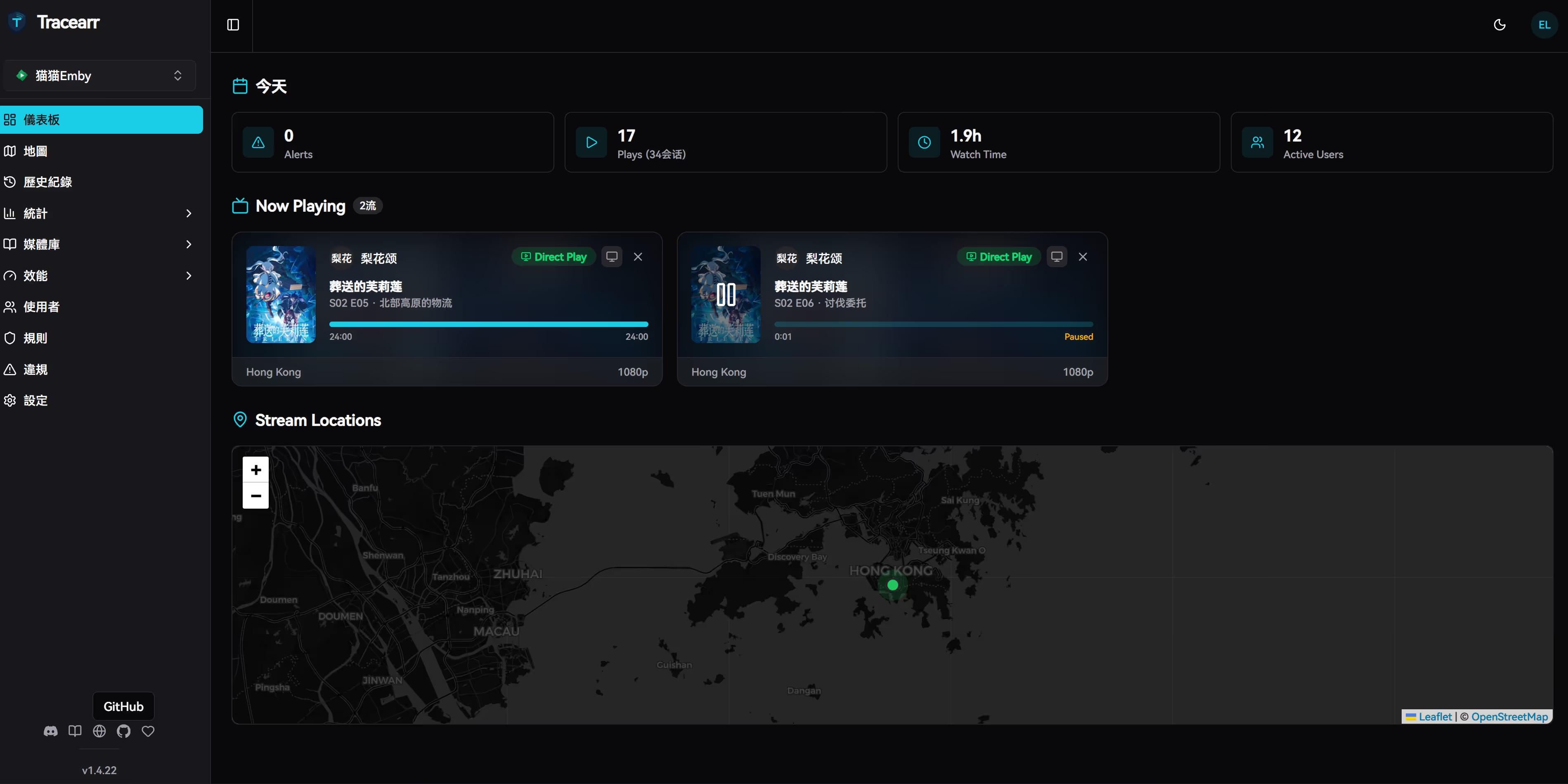
NOTEFor the record, I don’t actively collect or publish playback history from server users. This data is solely used for identifying policy-violating accounts.
Key Features
NOTEOne drawback: Chinese is currently supported, but only Traditional Chinese, which feels a bit awkward. Also, it doesn’t support importing old data — you can only start tracking from new data going forward.
Real-Time Monitoring Dashboard
- Multi-Server Dashboard: View all media server statuses in one interface
- Live Session Tracking: WebSocket push with minimal latency
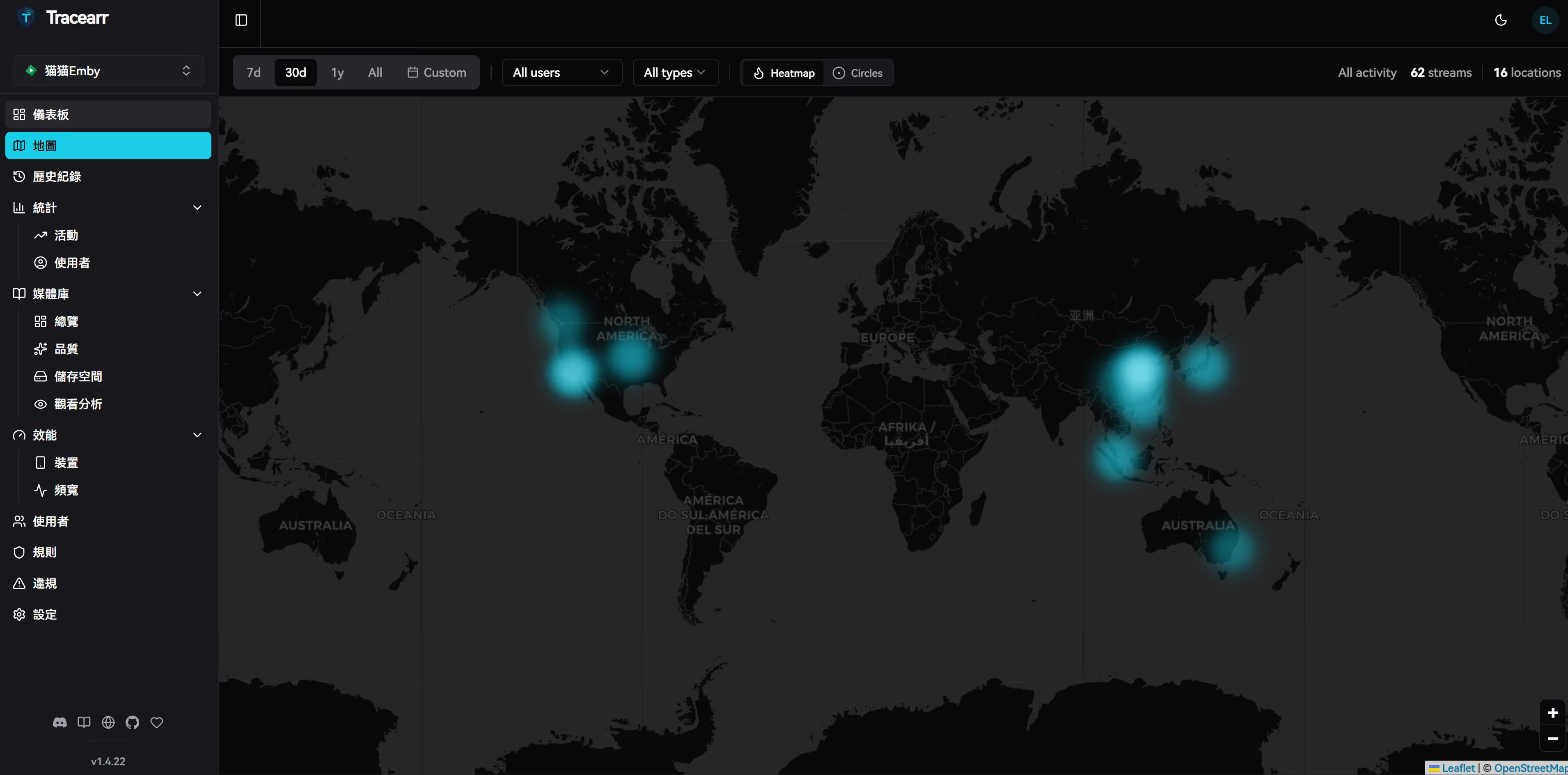
- Interactive World Map: Visualize viewer geographic distribution
- Server Resource Monitoring: CPU, memory, and transcoder utilization
Account Sharing Detection
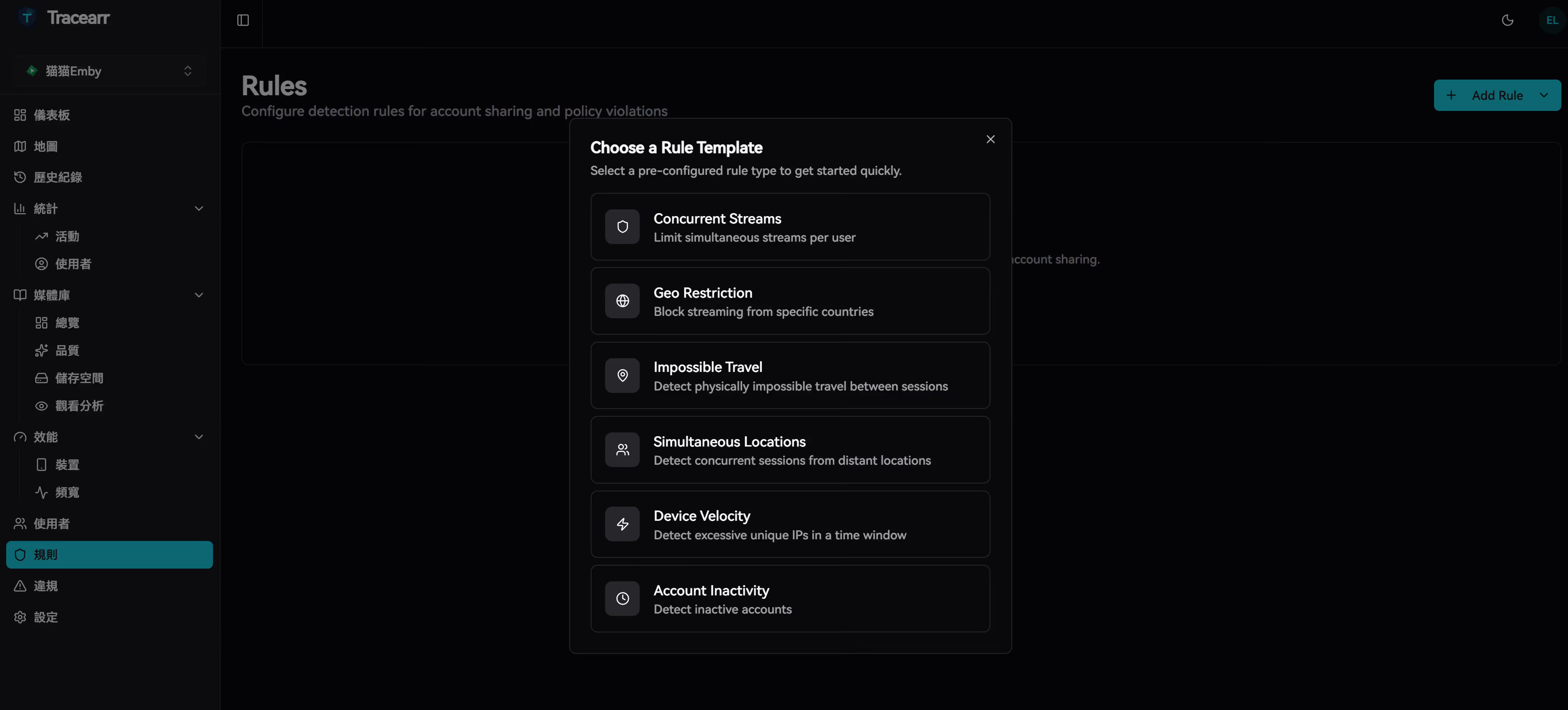
Tracearr offers six intelligent detection rules to identify abnormal usage patterns:
| Detection Rule | Description |
|---|---|
| Impossible Travel | Appearing in geographically distant locations within a short timeframe |
| Simultaneous Locations | Same account active from multiple different locations at once |
| Device Velocity | Physical movement speeds that exceed realistic limits |
| Excessive Concurrent Streams | Viewing sessions exceeding normal personal usage |
| Geo Restriction Violations | Access attempts from restricted regions |
| Account Inactivity | Identifying dormant accounts or forgotten shares |
Trust Score System
Automatically calculates trust scores based on user behavior. Violations reduce the score, helping you quickly identify high-risk accounts.
Data Analytics
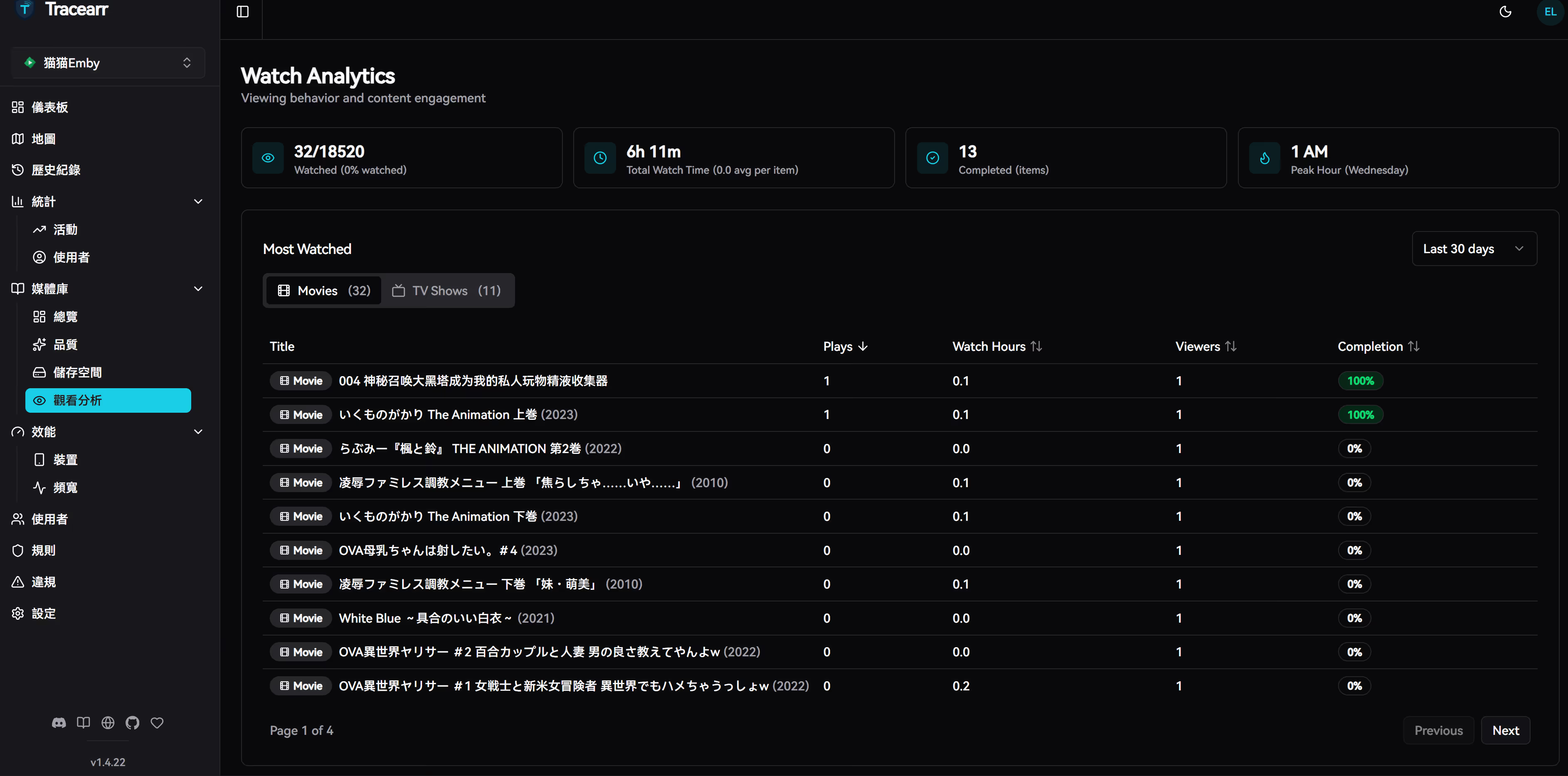
- Watch history and statistics
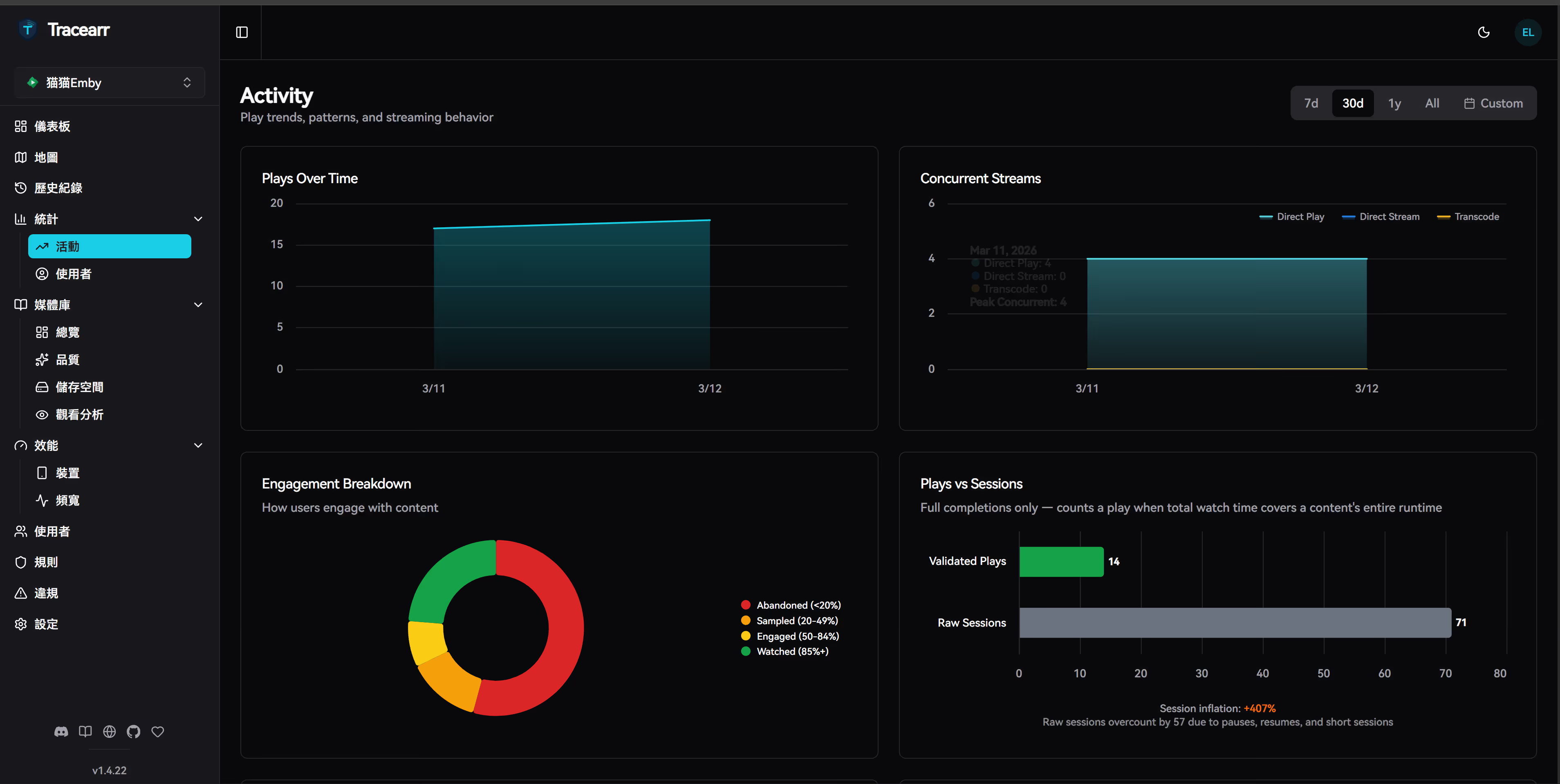
- Stream analytics (transcode vs direct play, bandwidth usage, codec distribution)
- Library analytics (content overview, quality distribution, storage metrics, viewing popularity)
Notification System
- Discord Webhook integration
- Apprise support (80+ notification services)
- Fully customizable notification templates
Data Migration
Supports importing historical data from Tautulli and Jellystat.
Tech Stack
| Layer | Technology |
|---|---|
| Frontend | React 19 + TypeScript + Tailwind CSS + shadcn/ui |
| Backend | Node.js + Fastify |
| Database | TimescaleDB (PostgreSQL time-series extension) |
| Cache | Redis |
| Real-time Communication | Socket.io |
| Charts | Highcharts |
| Maps | Leaflet |
Deployment Options
Tracearr provides three Docker image tags:
supervised: All-in-one version with built-in database (easiest, beginner-friendly)latest: Standard version requiring external TimescaleDB and Redis (recommended for production)nightly: Daily builds with latest features but potentially unstable
Below are two deployment methods: Dokploy Template Deployment (recommended) and Docker Compose Deployment.
Method 1: Dokploy Template Deployment (Recommended)
Dokploy is an open-source PaaS platform, a self-hosted alternative to Vercel and Heroku. I’ve created a template that can be imported directly.
Template Import Steps
ewogICJjb21wb3NlIjogInZlcnNpb246IFwiMy44XCJcblxuc2VydmljZXM6XG4gIHRyYWNlYXJyOlxuICAgIGltYWdlOiBnaGNyLmlvL2Nvbm5vcmdhbGxvcG8vdHJhY2VhcnI6bGF0ZXN0XG4gICAgcmVzdGFydDogdW5sZXNzLXN0b3BwZWRcbiAgICBlbnZpcm9ubWVudDpcbiAgICAgIC0gREFUQUJBU0VfVVJMPXBvc3RncmVzcWw6Ly8ke1BPU1RHUkVTX1VTRVJ9OiR7UE9TVEdSRVNfUEFTU1dPUkR9QHRpbWVzY2FsZTo1NDMyLyR7UE9TVEdSRVNfREJ9XG4gICAgICAtIFJFRElTX1VSTD1yZWRpczovLzoke1JFRElTX1BBU1NXT1JEfUByZWRpczo2Mzc5LzBcbiAgICAgIC0gSldUX1NFQ1JFVD0ke0pXVF9TRUNSRVR9XG4gICAgICAtIENPT0tJRV9TRUNSRVQ9JHtDT09LSUVfU0VDUkVUfVxuICAgICAgLSBORVhUX1BVQkxJQ19VUkw9aHR0cHM6Ly8ke0RPTUFJTn1cbiAgICAgIC0gTk9ERV9FTlY9cHJvZHVjdGlvblxuICAgIHZvbHVtZXM6XG4gICAgICAtIHRyYWNlYXJyLWRhdGE6L2FwcC9kYXRhXG4gICAgZGVwZW5kc19vbjpcbiAgICAgIHRpbWVzY2FsZTpcbiAgICAgICAgY29uZGl0aW9uOiBzZXJ2aWNlX2hlYWx0aHlcbiAgICAgIHJlZGlzOlxuICAgICAgICBjb25kaXRpb246IHNlcnZpY2Vfc3RhcnRlZFxuXG4gIHRpbWVzY2FsZTpcbiAgICBpbWFnZTogdGltZXNjYWxlL3RpbWVzY2FsZWRiLWhhOnBnMThcbiAgICByZXN0YXJ0OiB1bmxlc3Mtc3RvcHBlZFxuICAgIGVudmlyb25tZW50OlxuICAgICAgLSBQT1NUR1JFU19VU0VSPSR7UE9TVEdSRVNfVVNFUn1cbiAgICAgIC0gUE9TVEdSRVNfUEFTU1dPUkQ9JHtQT1NUR1JFU19QQVNTV09SRH1cbiAgICAgIC0gUE9TVEdSRVNfREI9JHtQT1NUR1JFU19EQn1cbiAgICB2b2x1bWVzOlxuICAgICAgLSB0aW1lc2NhbGUtZGF0YTovaG9tZS9wb3N0Z3Jlcy9wZ2RhdGEvZGF0YVxuICAgIGhlYWx0aGNoZWNrOlxuICAgICAgdGVzdDogW1wiQ01ELVNIRUxMXCIsIFwicGdfaXNyZWFkeSAtVSAke1BPU1RHUkVTX1VTRVJ9IC1kICR7UE9TVEdSRVNfREJ9XCJdXG4gICAgICBpbnRlcnZhbDogMTBzXG4gICAgICB0aW1lb3V0OiA1c1xuICAgICAgcmV0cmllczogNVxuXG4gIHJlZGlzOlxuICAgIGltYWdlOiByZWRpczo3LWFscGluZVxuICAgIHJlc3RhcnQ6IHVubGVzcy1zdG9wcGVkXG4gICAgY29tbWFuZDogcmVkaXMtc2VydmVyIC0tcmVxdWlyZXBhc3MgJHtSRURJU19QQVNTV09SRH1cbiAgICB2b2x1bWVzOlxuICAgICAgLSByZWRpcy1kYXRhOi9kYXRhXG5cbnZvbHVtZXM6XG4gIHRyYWNlYXJyLWRhdGE6IHt9XG4gIHRpbWVzY2FsZS1kYXRhOiB7fVxuICByZWRpcy1kYXRhOiB7fVxuIiwKICAiY29uZmlnIjogIlt2YXJpYWJsZXNdXG5tYWluX2RvbWFpbiA9IFwiJHtkb21haW59XCJcbmRiX3Bhc3N3b3JkID0gXCIke3Bhc3N3b3JkOjE2fVwiXG5yZWRpc19wYXNzd29yZCA9IFwiJHtwYXNzd29yZDoxNn1cIlxuand0X3NlY3JldCA9IFwiJHtwYXNzd29yZDozMn1cIlxuY29va2llX3NlY3JldCA9IFwiJHtwYXNzd29yZDozMn1cIlxuXG5bY29uZmlnXVxubW91bnRzID0gW11cbmVudiA9IFtcbiAgXCJET01BSU49JHttYWluX2RvbWFpbn1cIixcbiAgXCJQT1NUR1JFU19VU0VSPXRyYWNlYXJyXCIsXG4gIFwiUE9TVEdSRVNfUEFTU1dPUkQ9JHtkYl9wYXNzd29yZH1cIixcbiAgXCJQT1NUR1JFU19EQj10cmFjZWFyclwiLFxuICBcIlJFRElTX1BBU1NXT1JEPSR7cmVkaXNfcGFzc3dvcmR9XCIsXG4gIFwiSldUX1NFQ1JFVD0ke2p3dF9zZWNyZXR9XCIsXG4gIFwiQ09PS0lFX1NFQ1JFVD0ke2Nvb2tpZV9zZWNyZXR9XCJcbl1cblxuW1tjb25maWcuc2VydmljZXNdXQpzZXJ2aWNlTmFtZSA9IFwidHJhY2VhcnJcIlxucG9ydCA9IDMwMDBcbmhvc3QgPSBcIiR7bWFpbl9kb21haW59XCJcbiIKfQ==-
Fill in the configuration parameters:
- Domain: Your domain (e.g.,
tracearr.example.com) - Leave other password fields empty — the system will auto-generate strong passwords
- Domain: Your domain (e.g.,
-
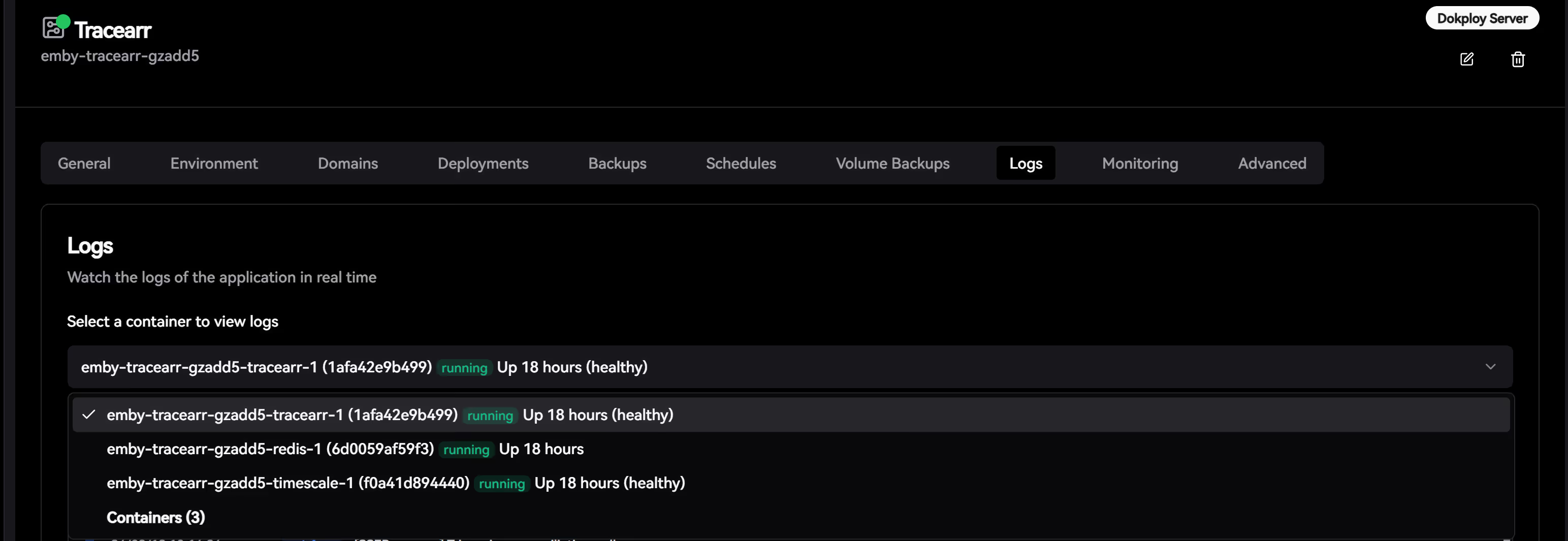
Click Deploy and wait approximately 2-3 minutes for deployment to complete
-
Visit your configured domain and register an admin account to get started
Method 2: Docker Compose Deployment
# Create directorymkdir -p tracearr && cd tracearr
# Download official example configurationcurl -O https://raw.githubusercontent.com/connorgallopo/Tracearr/main/docker/examples/docker-compose.pg18.yml
# Generate random secretsecho "JWT_SECRET=$(openssl rand -hex 32)" > .envecho "COOKIE_SECRET=$(openssl rand -hex 32)" >> .env
# Start servicesdocker compose -f docker-compose.pg18.yml up -d
echo "Tracearr is running, visit http://localhost:3000"Initial Configuration
When you first access Tracearr, the system will guide you through initialization:
1. Create Admin Account
Fill in your email and password to register the first administrator account.
2. Add Media Servers
Tracearr supports adding multiple Plex / Jellyfin / Emby servers simultaneously:
| Platform | Connection Method |
|---|---|
| Plex | Token authentication (obtain from Plex settings) |
| Jellyfin | API Key + Server URL |
| Emby | API Key + Server URL |
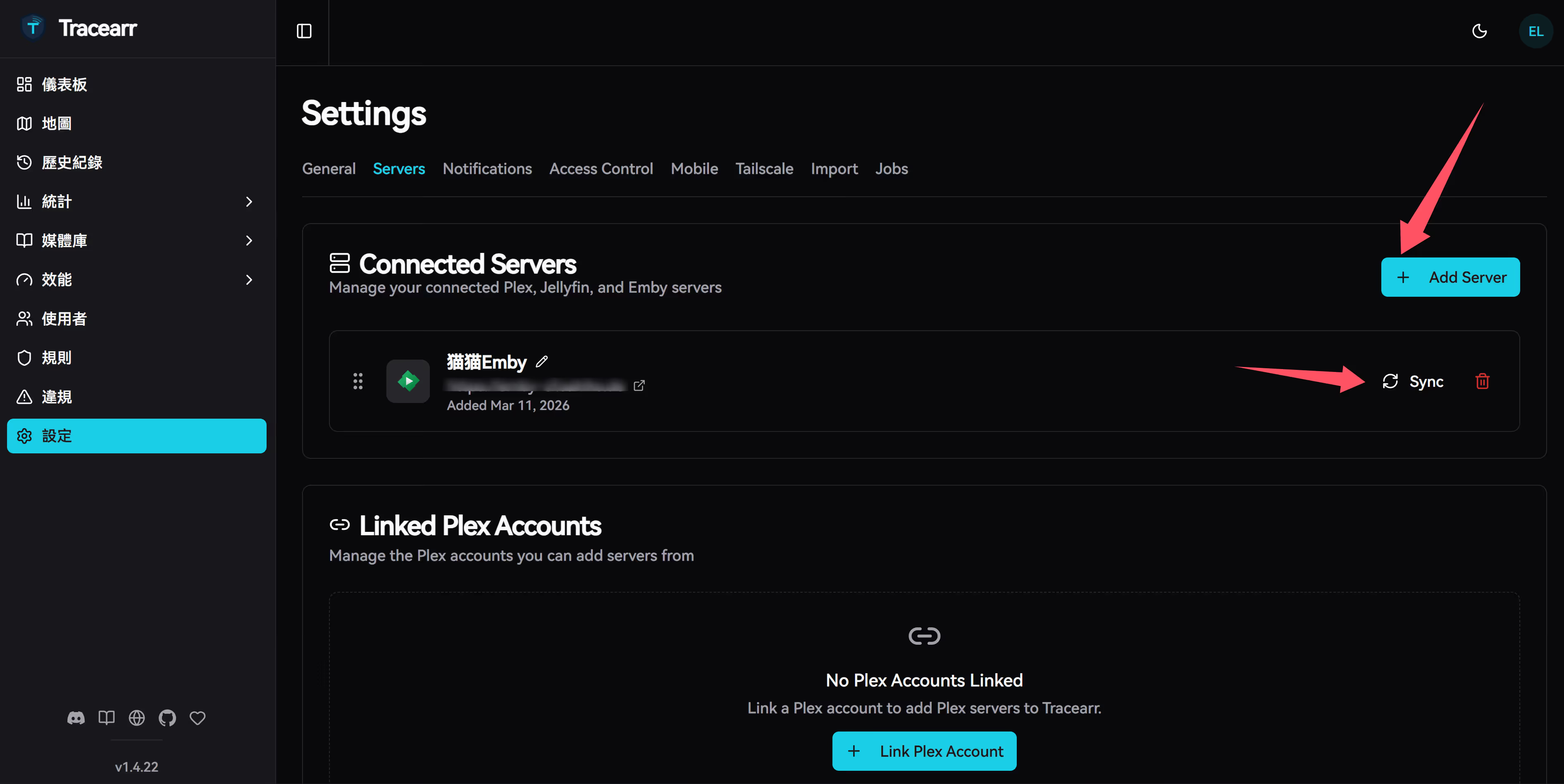
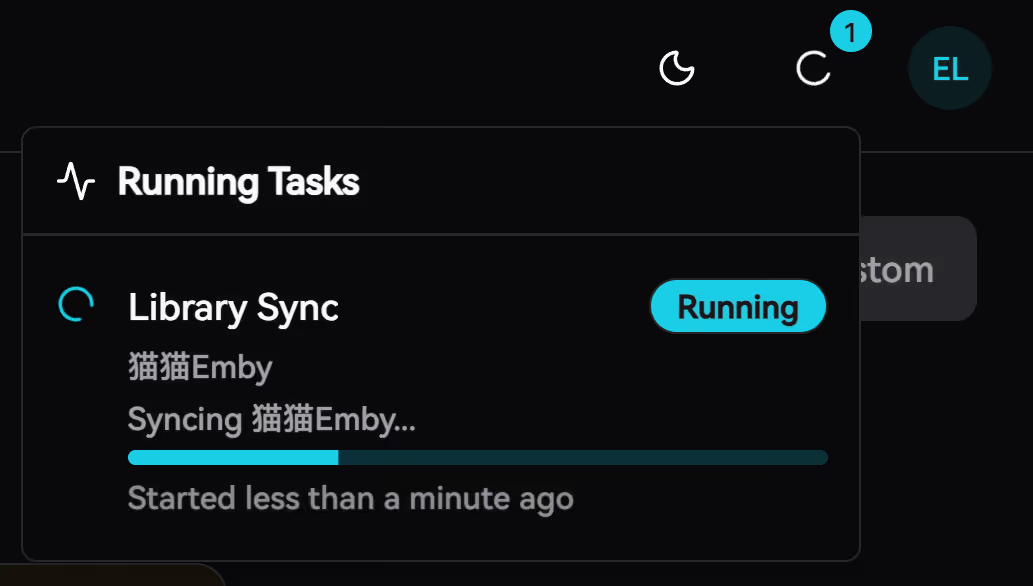
Click Sync to start synchronizing data:
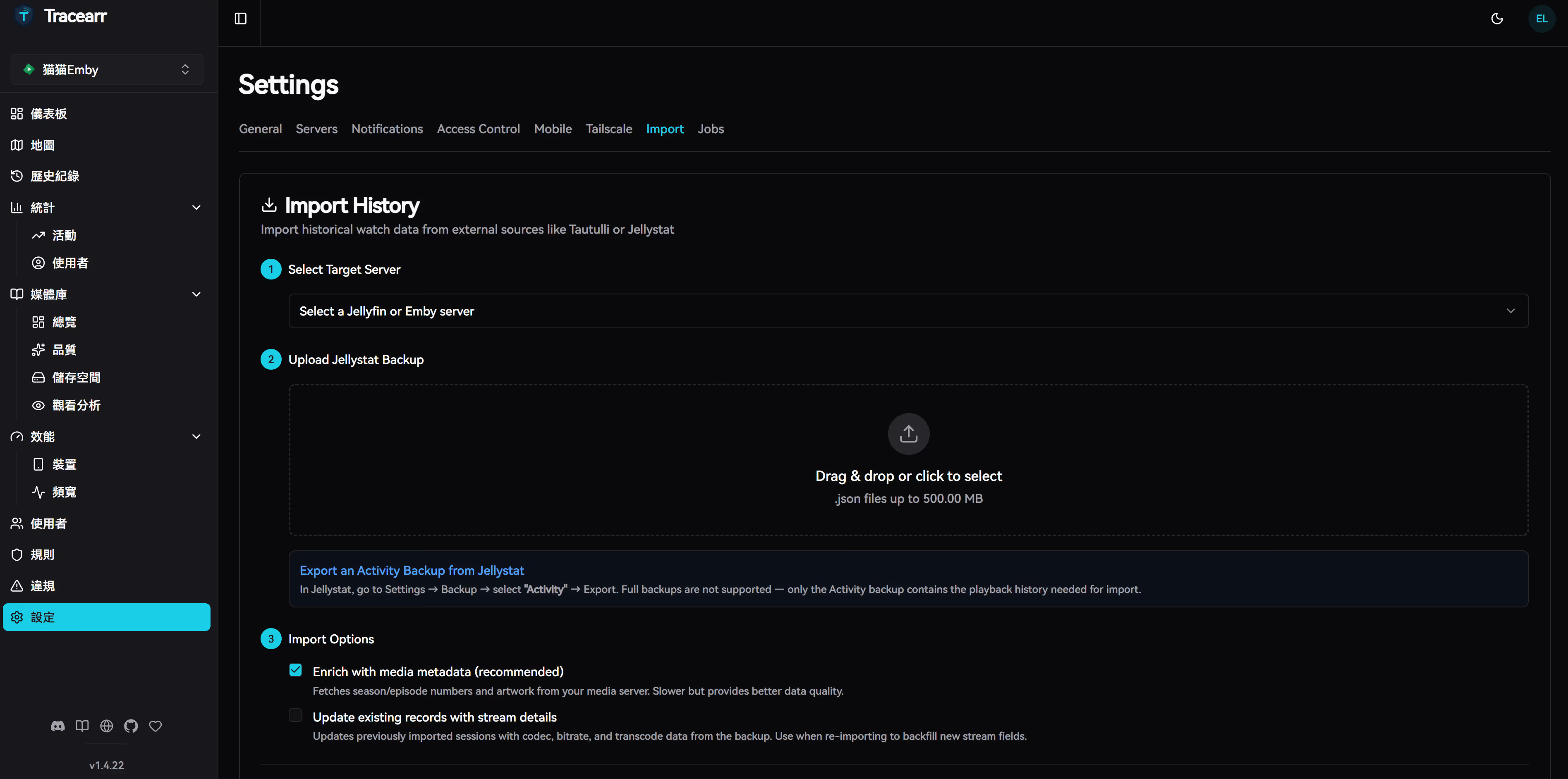
3. Import Historical Data (Optional)
If you previously used Tautulli or Jellystat:
- Go to Settings → Import
- Select data source
- Upload backup files or connect to original database
- Wait for import to complete
Usage Guide
Dashboard Overview
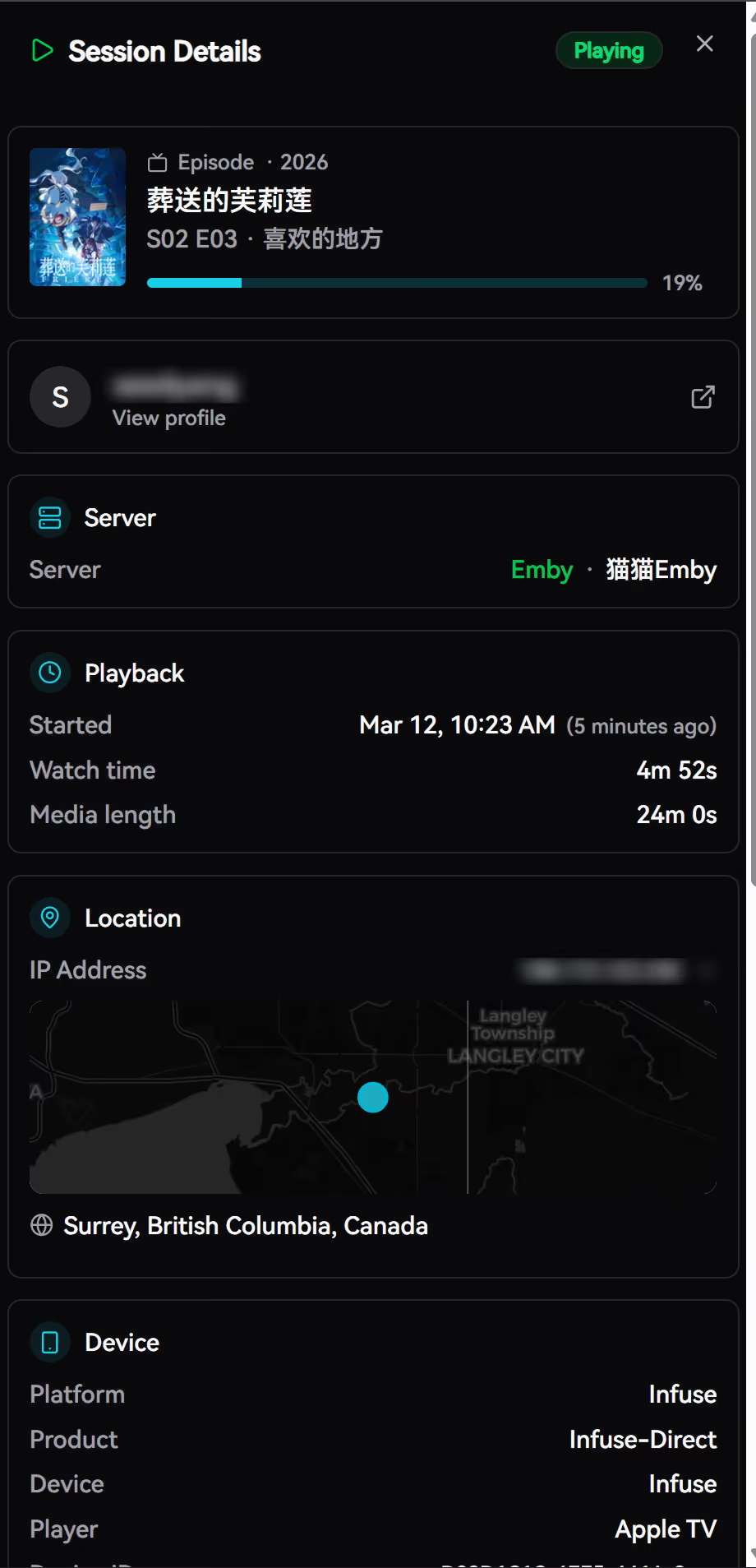
The main interface is divided into several areas:
- Top Statistics: Currently online users, today’s plays, total users
- World Map: Real-time viewer geographic distribution
- Active Sessions: Currently playing content, progress, bitrate, transcode status
- Server Status: CPU, memory, network, and transcoder utilization
User Management
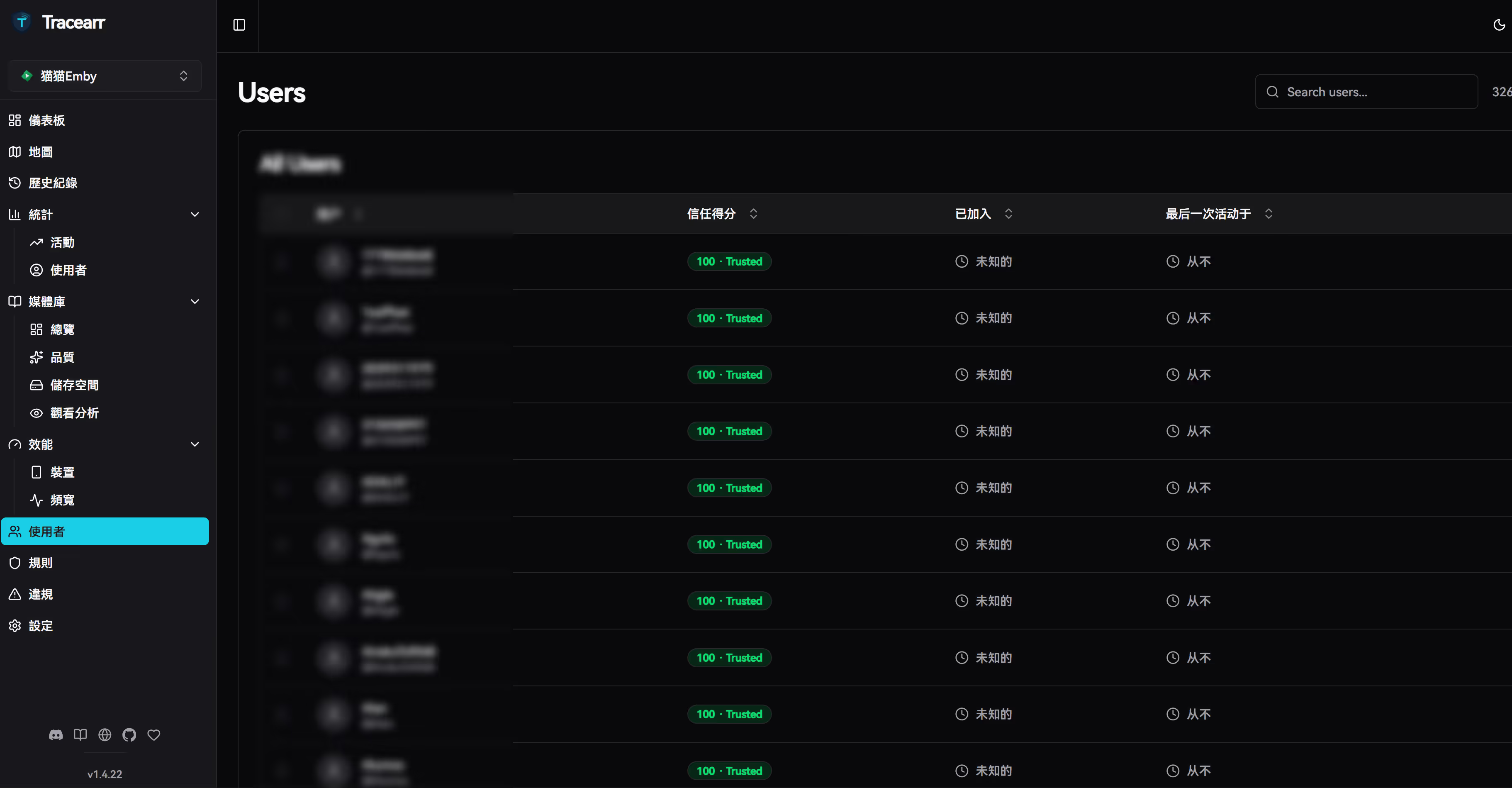
In the Users page you can:
- View all users’ trust scores
- Check user watch history
- Flag suspicious accounts
- View account violation records
Data Analytics
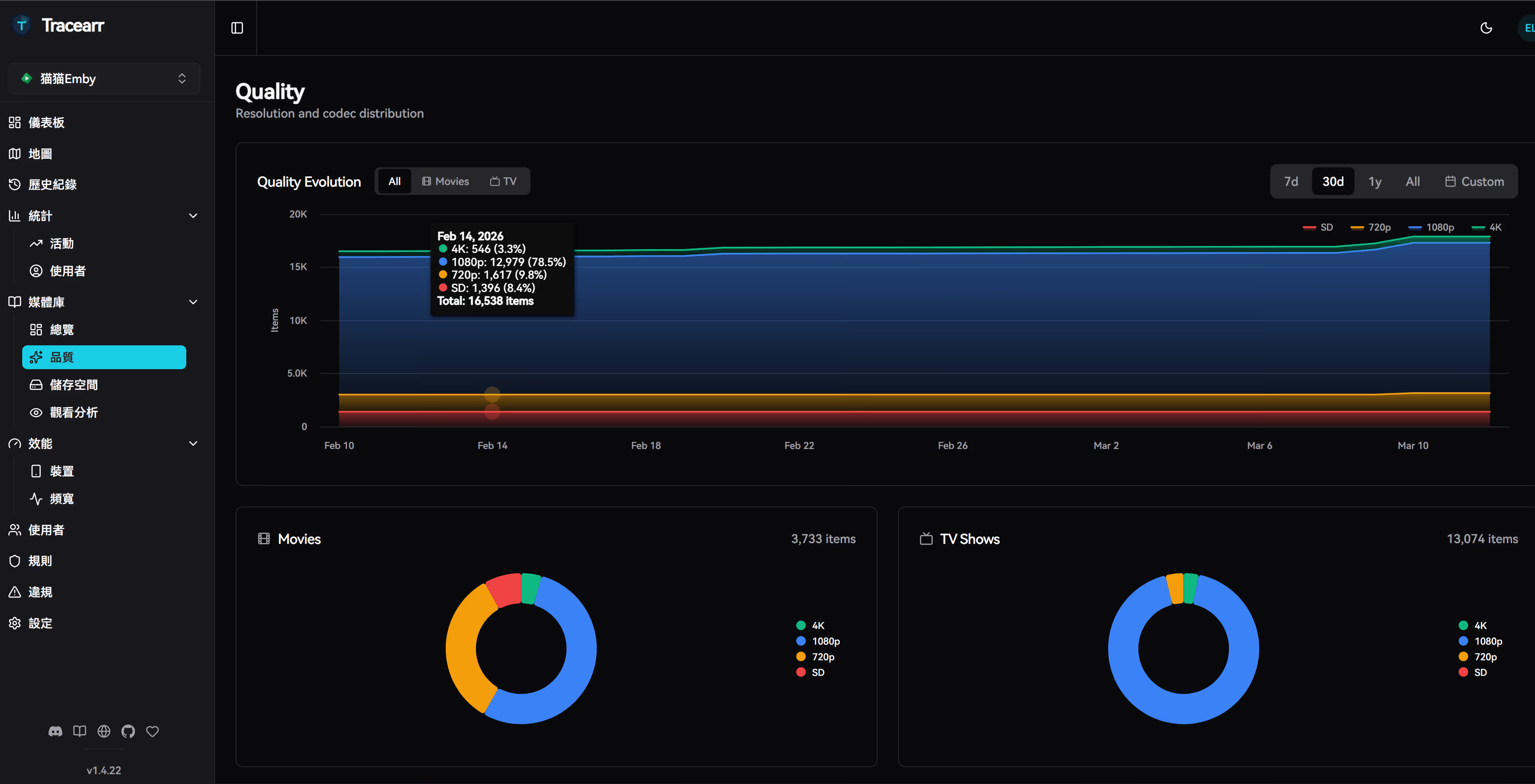
The Analytics menu provides multi-dimensional statistics:
- Watch Statistics: Time distribution, content type preferences, device breakdown
- Stream Analytics: Transcode vs direct play ratio, average bitrate, codec distribution
- Library Analytics: Storage usage, content quality distribution, popular content
Violation Rules and Analysis
API Usage
Tracearr provides a complete REST API with documentation at /api-docs:
# Get active sessionscurl -H "Authorization: Bearer YOUR_TOKEN" \ https://tracearr.example.com/api/sessions/active
# Get user listcurl -H "Authorization: Bearer YOUR_TOKEN" \ https://tracearr.example.com/api/users
# Get statisticscurl -H "Authorization: Bearer YOUR_TOKEN" \ https://tracearr.example.com/api/analytics/overviewComparison with Tautulli / Jellystat
| Feature | Tracearr | Tautulli | Jellystat |
|---|---|---|---|
| Plex Support | ✅ | ✅ | ❌ |
| Jellyfin Support | ✅ | ❌ | ✅ |
| Emby Support | ✅ | ❌ | ❌ |
| Multi-Server Unified | ✅ | ❌ | ❌ |
| Sharing Detection | ✅ Advanced | ✅ Basic | ❌ |
| Trust Score | ✅ | ❌ | ❌ |
| Real-time Map | ✅ | ✅ | ✅ |
| Open Source License | AGPL-3.0 | GPL-3.0 | GPL-3.0 |
Tracearr’s advantage lies in unified management and advanced account sharing detection, making it ideal for users running multiple media servers.
Conclusion
As an emerging media server monitoring tool, Tracearr fills the gap left by Tautulli and Jellystat with its multi-platform support and intelligent sharing detection. For users running Plex, Jellyfin, or Emby simultaneously, this is a one-stop solution worth trying.
The project is actively developed, with planned features including more notification channels, mobile apps, and richer data analytics.
Related Links:
- GitHub: https://github.com/connorgallopo/tracearr
- Official Docs: https://docs.tracearr.com/
- Docker Hub: https://ghcr.io/connorgallopo/tracearr
This article was created in March 2026 based on the latest stable version of Tracearr. Please refer to the official documentation for the most up-to-date information.