
Tired of Rebuilding Every New Machine? Try rig
Tired of Rebuilding Every New Machine? Try rig
A friend from our group recently built a small tool aimed at solving a very common, very annoying problem: bootstrapping a fresh machine.
If you work with servers or development machines often, this routine probably looks familiar:
Install zsh, configure Oh My Zsh, add nvm, get Docker running, restore your Git config, then reinstall tools like ripgrep, fd, bat, jq, and gh.
On Ubuntu, you eventually get used to it. But once you switch to CentOS, Fedora, Arch, or even macOS, the package names and installation commands change again.
Cloud servers, local dev machines, WSL, temporary test boxes… almost every machine means doing the same setup all over again.
If you are getting tired of that, this project is worth a look: rig.
Quick Start
Interactive TUI, where you choose the components you want to install:
curl -fsSL https://ba.sh/rig | bash# or: curl -fsSL https://raw.githubusercontent.com/X-Zero-L/rig/master/install.sh | bashInstall through a proxy, recommended for users in China:
curl -fsSL https://z.ls/rig | bash -s -- --gh-proxy https://gh-proxy.org# or: curl -fsSL https://gh-proxy.org/https://raw.githubusercontent.com/X-Zero-L/rig/master/install.sh | bash -s -- --gh-proxy https://gh-proxy.org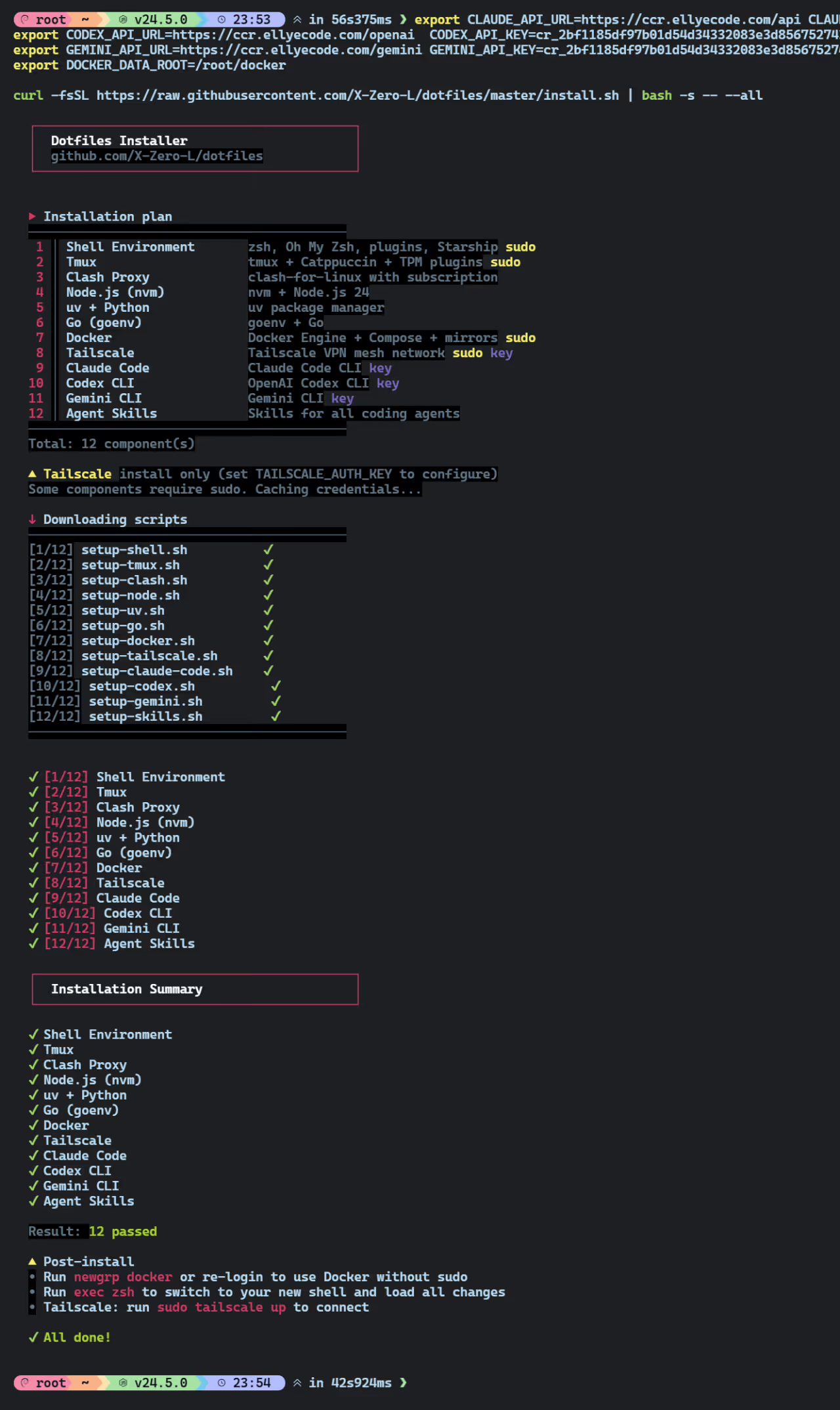
What rig Can Do
What rig really solves is simple: it helps you set up the common parts of a development environment on a new machine in one go.
It already includes more than a dozen common components, roughly grouped like this:
| Category | Components |
|---|---|
| Base environment | zsh, Oh My Zsh, Starship, Tmux, Git, ripgrep, fd, bat, jq, gh |
| Language runtimes | Node.js (nvm), Python (uv), Go (goenv) |
| Infrastructure | Docker, Compose, SSH hardening, Tailscale, Clash |
| AI coding tools | Claude Code, Codex CLI, Gemini CLI, Agent Skills |
That covers most of the tools people commonly use in development and operations work.
Why Not Ansible
For many people, the first reaction to a project like this is: “Why not just use Ansible?”
The answer is that they are not really solving the same problem.
Ansible is better suited for managing large numbers of servers, like orchestrating dozens or hundreds of machines in a datacenter.
rig is aimed at a simpler scenario:
I just got a new machine, and I want my own development environment set up as quickly as possible.
Cross-Platform Support
Lots of scripts claim to be “cross-platform”, but in reality they were written on Ubuntu and happen to not crash immediately elsewhere.
rig actually abstracts this properly. The rough structure looks like this:
OS detection ↓Package name mapping ↓Package manager invocationIn plain terms:
Differences in package names across systems are handled internally by rig.
Take fd as an example:
fd-findon Debian and Ubuntufdon Arch Linuxfdon macOS via Homebrew
You do not need to remember any of that yourself. The script handles it automatically.
Currently supported systems include:
- Debian / Ubuntu
- CentOS / RHEL
- Fedora
- Arch Linux
- macOS
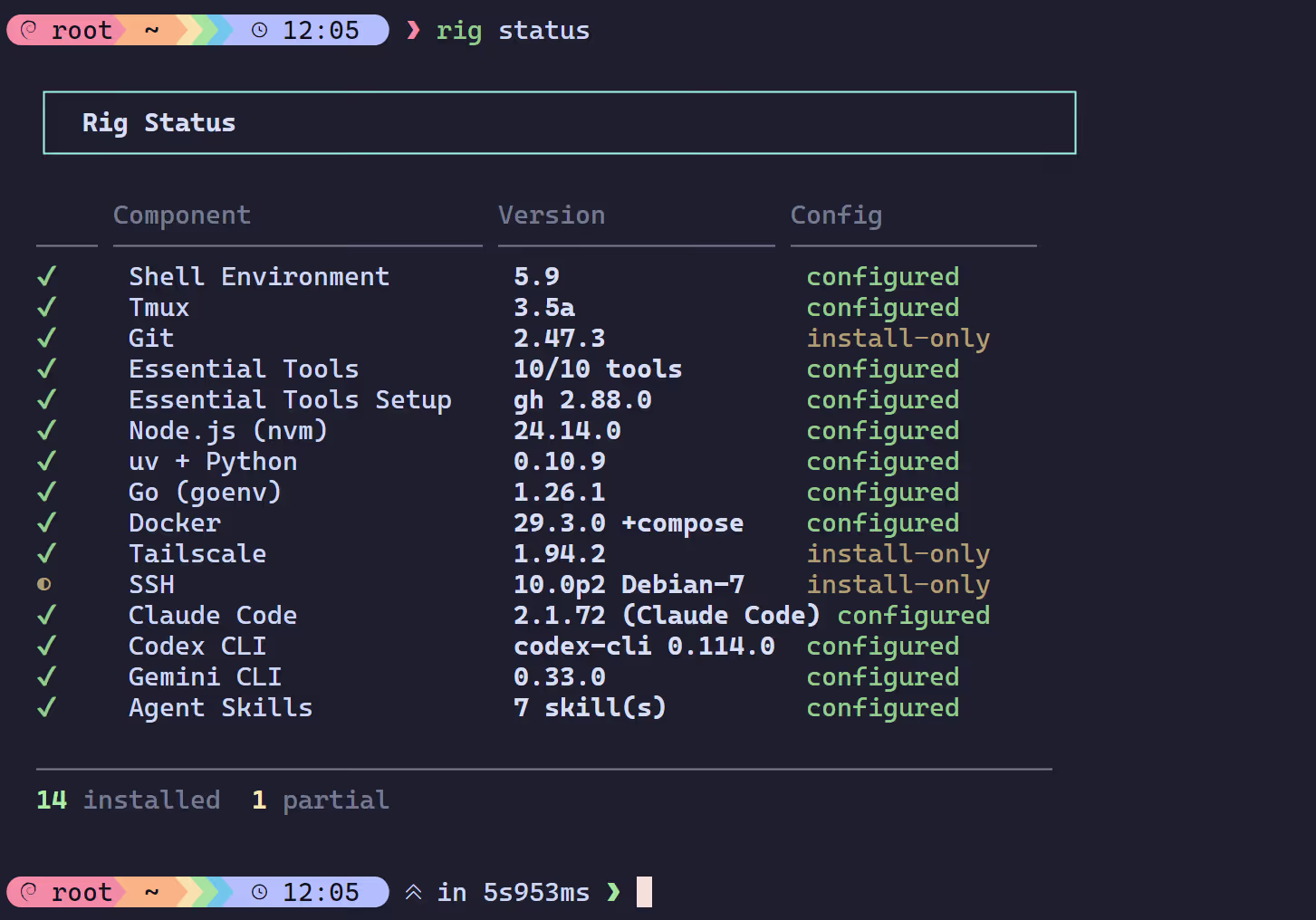
After installation, you can check the current environment status with:
rig statusIt gives you a quick view of which components are installed and whether the versions look correct.
Preset Installation Modes
If you do not want to select components one by one from the menu, rig also includes preset configurations:
minimal: basic shell setup plus CLI toolsagent: AI coding tools such as Claude, Codex, and Geminidevops: infrastructure components like Docker, SSH, and Tailscalefullstack: everything above
For example, if you only want the AI coding stack:
rig install --preset agentIf you are using the remote installation script, you can also specify a preset directly:
curl -fsSL https://raw.githubusercontent.com/X-Zero-L/rig/master/install.sh | bash -s -- --preset fullstackThat is often enough to get a fresh machine into a usable state with a single command.
Exporting and Migrating Your Environment
Run:
rig export
This generates two files:
rig-config.json: stores environment configurationsecrets.env: stores API keys and other sensitive information
More specifically:
rig-config.jsoncan safely be committed to Gitsecrets.envdefaults to600permissions and is automatically added to.gitignore
If you later switch machines or reinstall your system, all you need is:
rig import ~/.rig/rig-config.jsonThat lets you reuse much of the environment you would otherwise have to set up again manually.
Final Result
If you install a more complete setup, the end result looks roughly like this:
zshwith Oh My Zsh, autocomplete, syntax highlighting, and history search- Starship for a unified prompt
- Tmux with better theming and navigation
- A modern CLI toolkit:
rg,fd,bat - A Docker environment that is already configured
- AI coding assistants ready to use
Summary
If you often have to rebuild your development environment on new machines, this project is definitely worth trying.
Setting up an environment is not necessarily hard. The annoying part is having to do the same thing over and over again. If you can automate that away, day-to-day work becomes a lot easier.