
317 字
2 分钟
Deploying a Private DeepLX Translation API with Docker
Why Set Up DeepLX
There are plenty of translation tools on the market: traditional ones like Youdao from NetEase, Volcano Engine Translate from ByteDance, Google Translate, Microsoft Bing Translate, and so on. For LLM-based translation, you can call APIs from Gemini, OpenAI, etc. So why choose DeepL?
Fast and accurate translation (vs. traditional translators)
- When I use other translators for low‑resource languages, the most common issues are poor accuracy and missing parts of sentences (especially for colloquial expressions). DeepL, as one of the first translators to train its models with AI, is naturally more accurate than many general‑purpose translators.
High translation speed with virtually no concurrency limits (vs. LLM translation)
- Translations based on Gemini or OpenAI are certainly accurate, but they’re constrained by API rate limits and can’t easily handle high‑concurrency scenarios (for example, using Immersive Translate to auto‑translate Twitter). By contrast, DeepL can deliver translation speed comparable to traditional translators while maintaining a solid level of accuracy.
However, the official DeepL service itself is relatively slow, has usage quotas, and doesn’t provide an open API, which turns many users away. DeepLX, on the other hand, is open source on GitHub, doesn’t impose request limits (DeepL may still rate‑limit by IP), and by default listens on the local 1188 port. It also offers multiple installation options.
Deploying DeepLX
docker run -itd -p 1188:1188 missuo/deeplx:latestroot@crunchbits:~# docker run -itd -p 1188:1188 missuo/deeplx:latestUnable to find image 'missuo/deeplx:latest' locallylatest: Pulling from missuo/deeplx96526aa774ef: Already existsd18c73875d2c: Pull completeb0dddc4f4c48: Pull completeDigest: sha256:582e56bcd848f47cdcc20b09a43af5b6fd4cbc2176934bbd2a57517d40c7e427Status: Downloaded newer image for missuo/deeplx:latest8bcfd5c658dc1cafde5ca26d8969192a7b4c3c56797df2196eca52963c91cb75Testing
Visit:
ip:port

Using It in a Translation Extension (Immersive Translate as an Example)
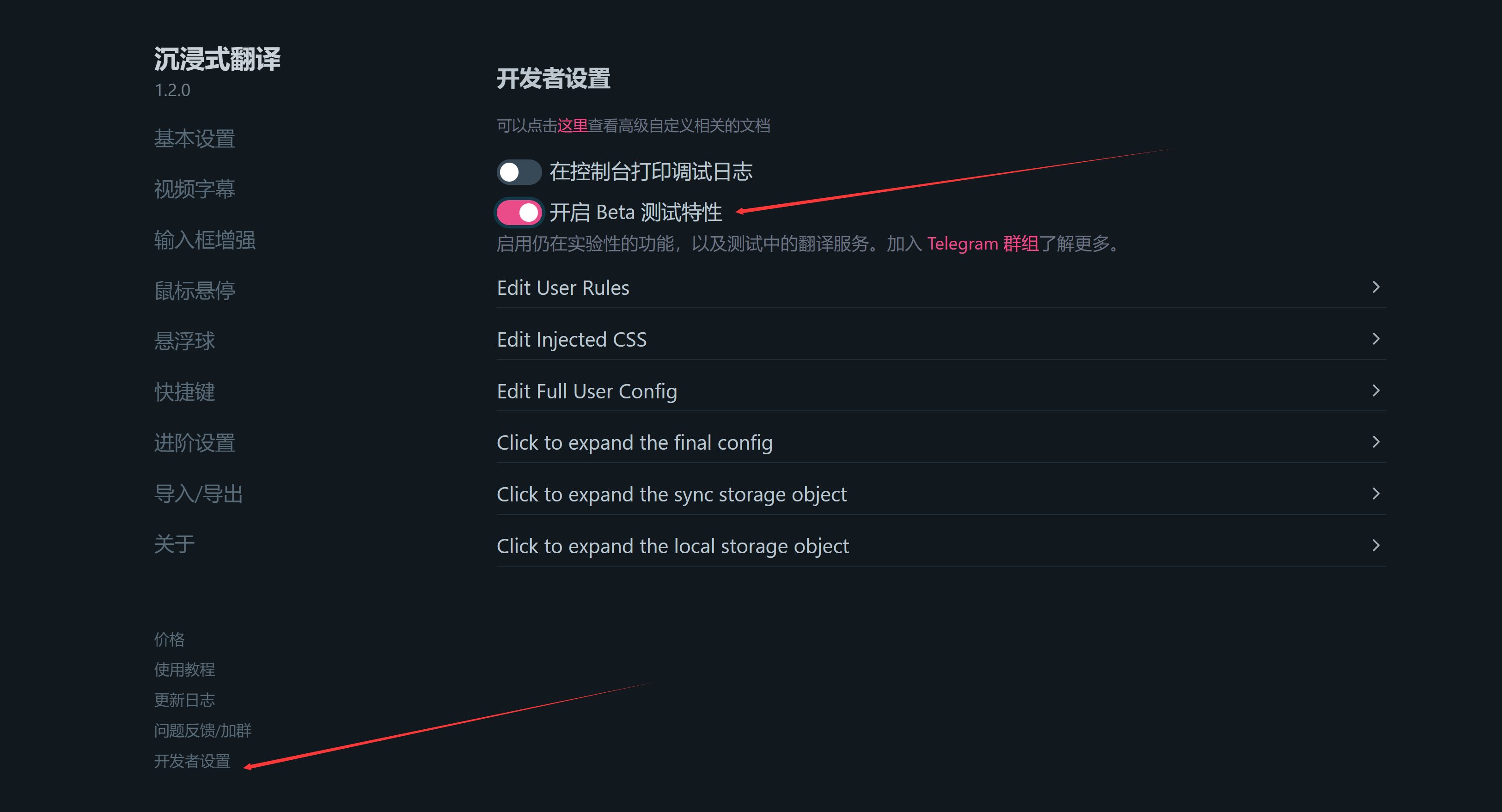

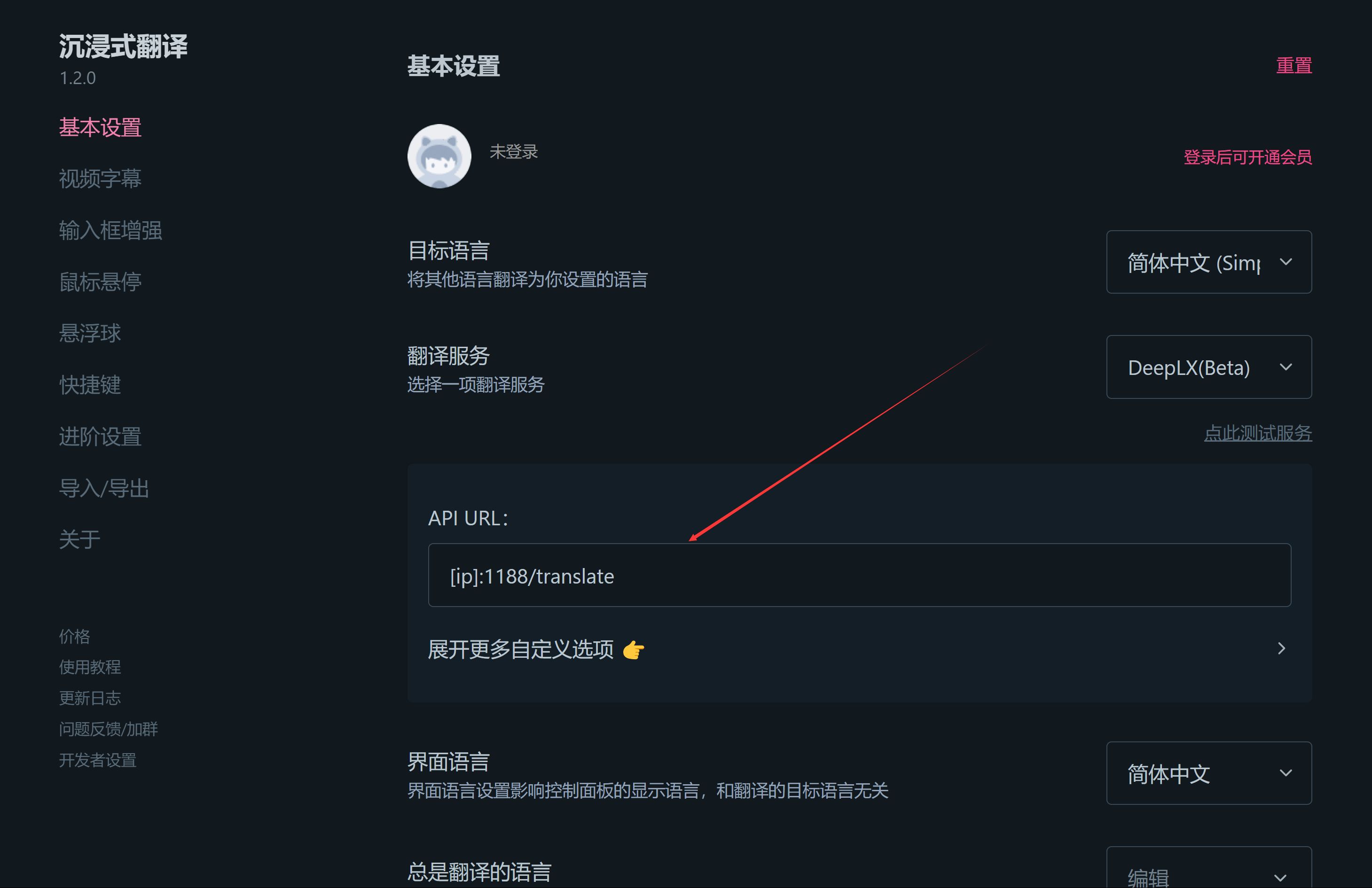
Fill in the URL with the endpoint of your own deployed service, i.e.:
[ip]:1188/translate
Deploying a Private DeepLX Translation API with Docker
https://catcat.blog/en/docker-deeplx.html