The Ultimate AV Scraping Solution: MDCNG
Background
Previously, I had already automated AV downloads from M-Team via Autolady, and used the MetaTube plugin to scrape metadata for the learning materials in Emby. Recently, however, a new project has taken off. After trying it out, the scraping results were impressive enough that I fully re-scraped my entire Emby library with it. The actual usage is very similar to MP, so if you’ve used that before, you’ll get the hang of this quickly.
Project Overview
MDCNG is an open-source movie metadata fetching and management tool, especially suitable for automatic organization and beautification of AV video libraries.
-
Smart scraping: supports 30+ scraping sources, AI face-detection poster cropping, and high-res poster downloads from Amazon Japan
-
Multiple organization modes: hard link, copy, move, soft link, and in-place organization for different storage scenarios
-
Directory monitoring: automatically detects new files and scrapes metadata; supports both performance and compatibility modes
-
Actor management: integrates with Emby to automatically scrape actor info and images, with a built-in actor database
-
Manual organization: visual file management with file scanning, batch operations, and task management
-
Image enhancement: 4K/8K and video-type watermark labels with customizable position and style
-
Smart translation: supports OpenAI/Google and other translation engines, with a built-in Chinese title database
-
Modern UI: web management interface with login auth, theme switching, and NSFW mode
Tech Stack
Backend in Rust, frontend in Next.js, database is SQLite.
Feature Overview
🎬 Video Scraping & Organization
Supports 5 organization modes to fit different storage setups:
-
Hard link mode: saves space, recommended for local storage
-
Copy/Move mode: suitable for cross-disk or cloud-drive scenarios
-
Soft link mode: creates symlinks into the target directory
-
In-place organization mode: generates metadata in the original directory
Scraping flow: automatically detect ID code → fetch metadata from multiple sources → download & process images → organize files → generate NFO
Subtitle support: automatically organizes embedded subtitle files and matches against local subtitle libraries
📁 Directory Monitoring
-
Performance mode: listens for filesystem changes in real time, suitable for local storage
-
Compatibility mode: periodically checks for updates, friendly to mounted cloud drives
Also supports config overrides, file filtering, auto-cleanup, and other enhancements.
👥 Actor Scraping
-
Integrates with Emby server to automatically scrape actor details and images
-
Data sources: Wikipedia, minnano-av, graphis, gfriends
-
Supports automatic scraping for newly added actors and batch management
🖼️ Image Processing
-
AI cropping: face detection for smart poster cropping
-
Amazon Japan HD: searches and downloads high-res posters from Amazon Japan
-
Watermarks: 4K/8K and video-type labels with multiple styles
-
Standalone tool: dedicated poster cropping tool
📊 Task Management & Logs
-
Task persistence: full history of manual tasks and monitored scraping jobs with status tracking, making it easy to maintain and analyze scraping results
-
Maintenance operations: batch retry, stop, delete, and more; supports scraping by specifying ID code or web page URL
-
Detail page: polished scraping detail view with gallery, complete metadata analysis, and real-time log streaming; supports manual curation and correction from multiple sources
-
Log analysis: detailed scraping logs and error messages for easier troubleshooting
🌐 Data Source Support
Covers 30+ scraping sources across various video categories, with priority configuration, anti–anti-crawling support, and automatic retries.
Deployment
You can find container images on the project’s Docker Hub page.
docker-compose
version: "2.1"services: mdc: image: mdcng/mdc:latest container_name: mdc environment: - PGID=1000 # 可选,设置组ID - PUID=1000 # 可选,设置用户ID - MDC_USERNAME=admin # 用户名密码可选,配置后开启登录鉴权模块 - MDC_PASSWORD=admin volumes: - ./data:/config # 配置目录,必须 - ./media:/media # AV媒体库,可映射多个 ports: - 9208:9208 restart: unless-stoppedUsage
Visit IP:9028 to access the web UI.
Library Directory Settings
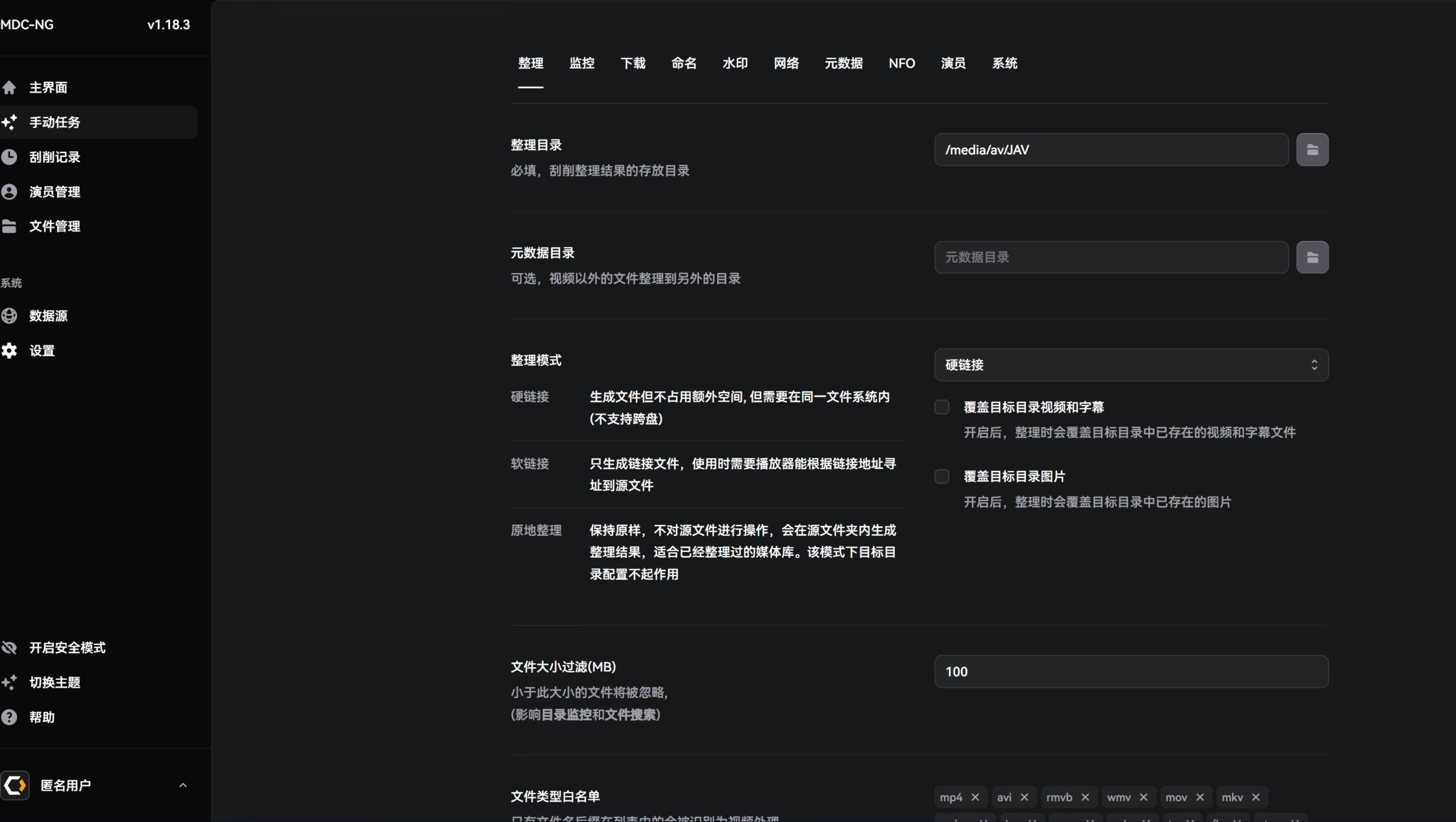
First go to Settings to configure your organization directory. In most cases, hard link mode is recommended. This keeps your qBittorrent download directory and your media library decoupled. If you’ve already organized things before, you can enable Move (up to your own needs if you want to re-scrape and reorganize everything).
The metadata directory is usually unnecessary; I prefer storing metadata and videos in the same folder.
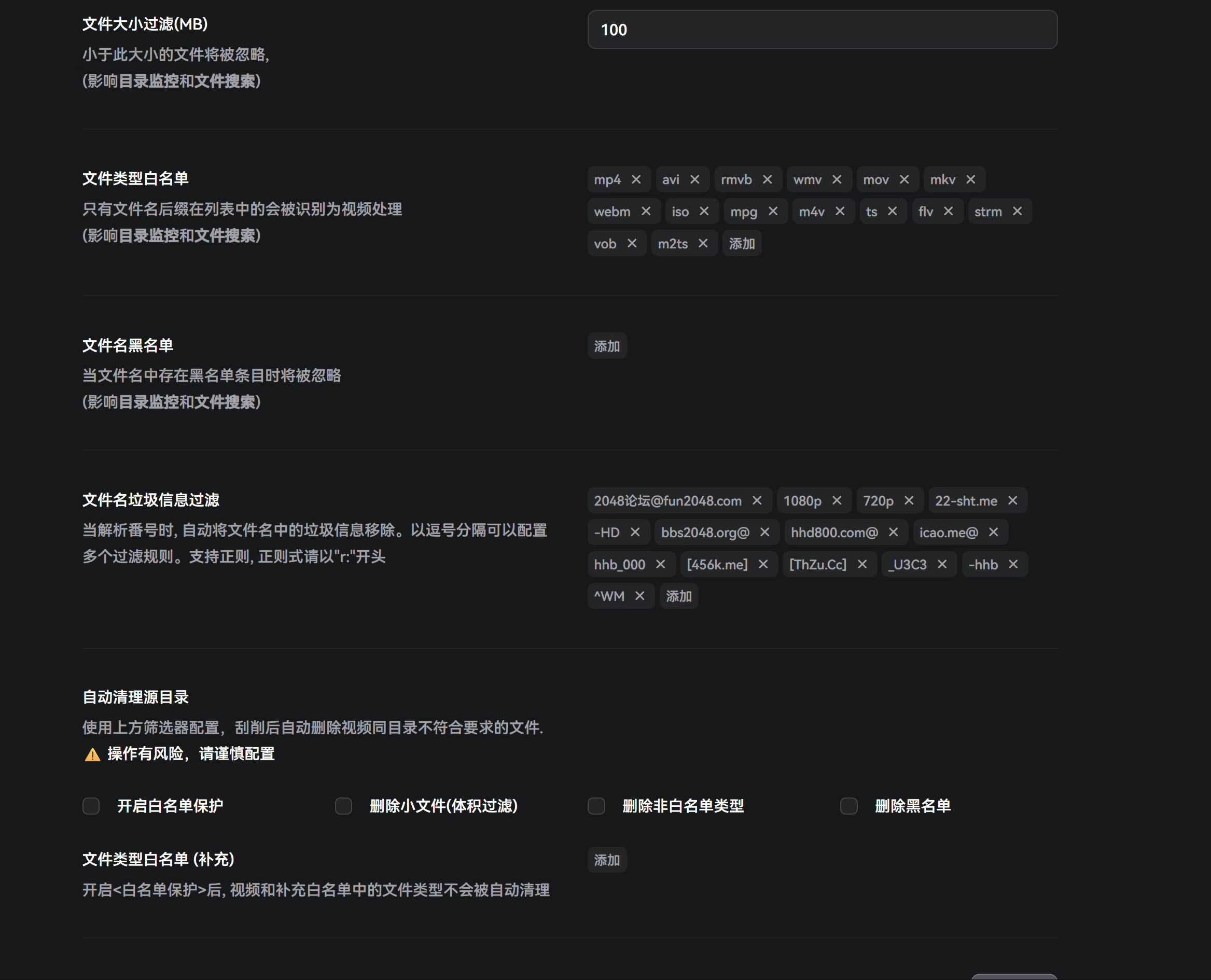
Below that, you can configure filter keywords. Because of seeding requirements, some AV torrents include ads in filenames, so you can exclude those ad words to keep your final filenames clean.
Data Sources
If not necessary, don’t touch these—just keep the defaults.
Monitoring
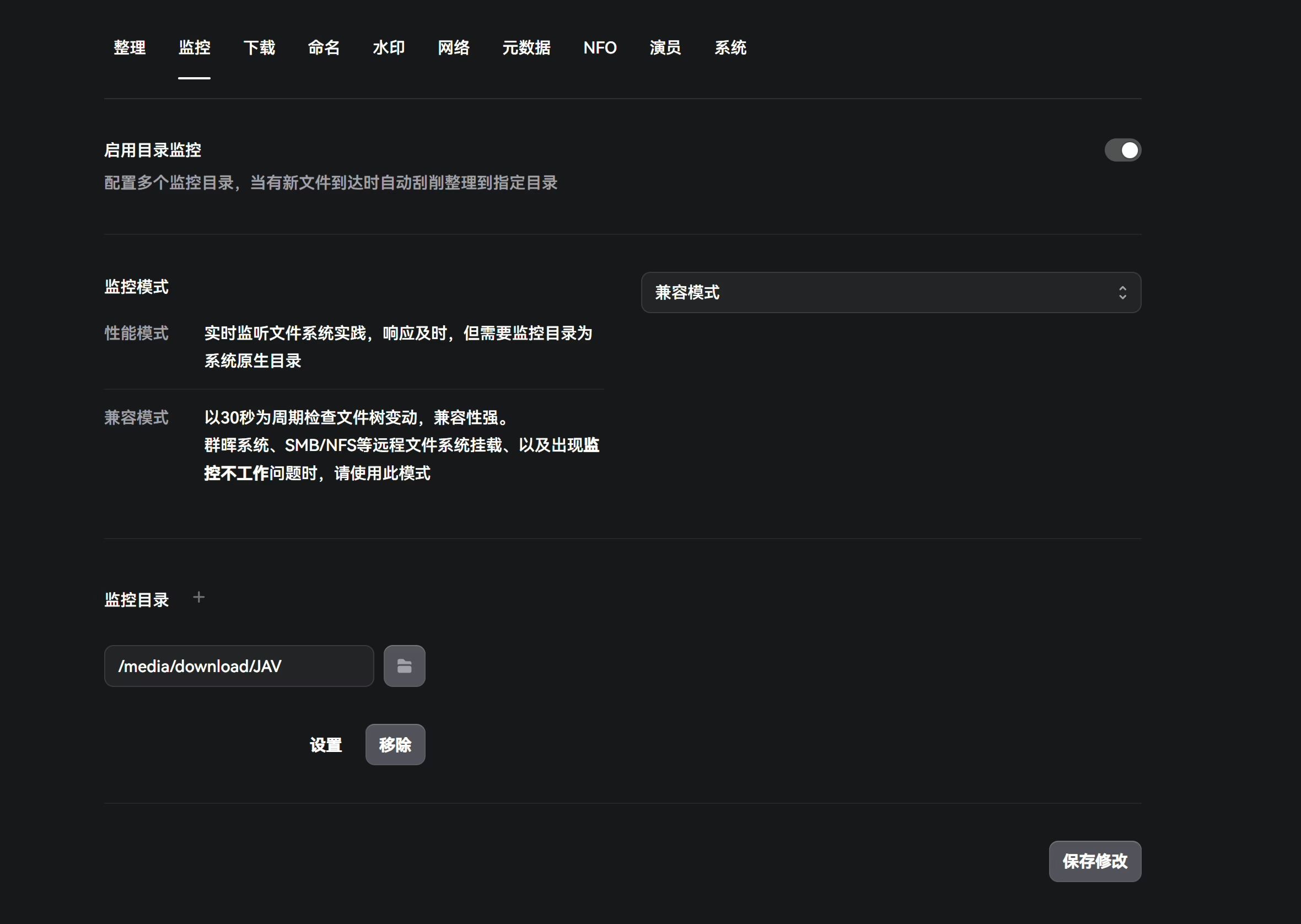
Here you set monitoring for the directory where qB downloads AV. Generally, I pick Compatibility mode. I’ve run into some issues with Performance mode. You can try Performance first to see if file detection works; if there are problems, switch back to Compatibility mode.
Performance mode listens to filesystem events in real time and responds quickly, but the monitored directory must be a native local filesystem.
Compatibility mode checks for file tree changes every 30 seconds and is more robust. For Synology, SMB/NFS remote mounts, or if monitoring doesn’t work, use this mode.
Download
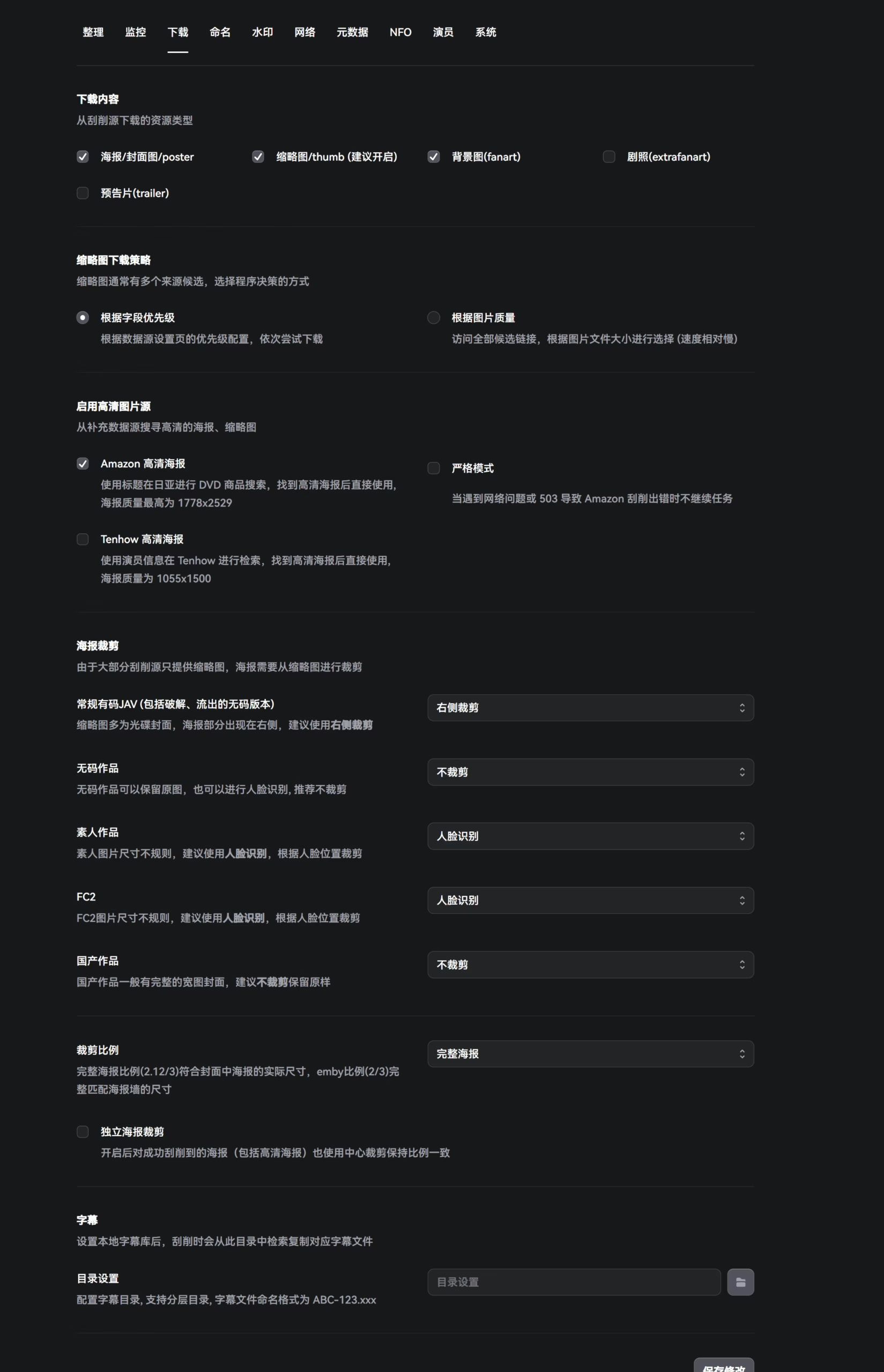
Here you configure NFO and poster wall settings. In most cases, the defaults are fine; no need to tweak them.
Due to the nature of AV releases, most Chinese subtitles are already embedded, so there’s usually no need to set a dedicated subtitle directory—at least I don’t.
Naming
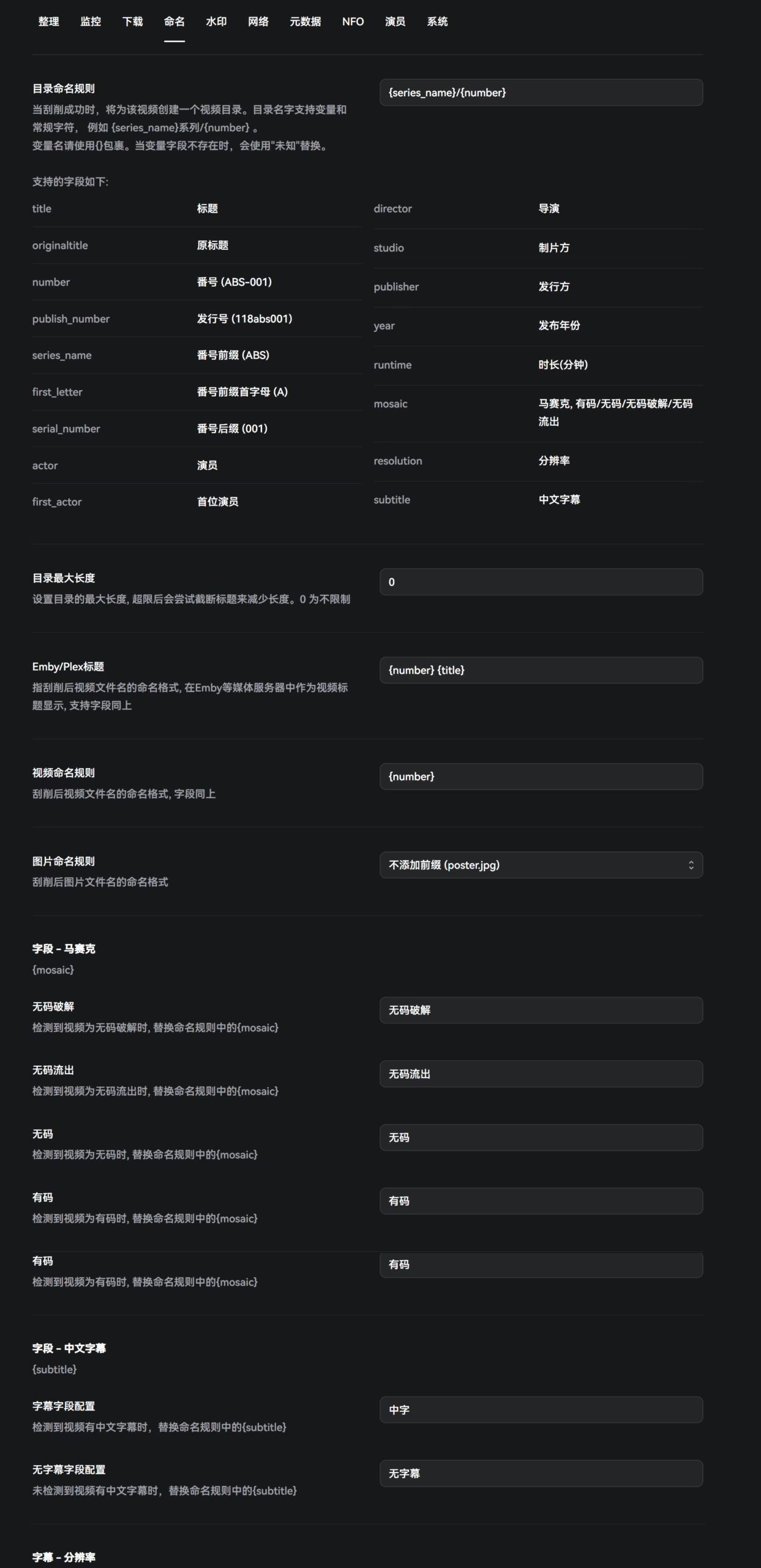
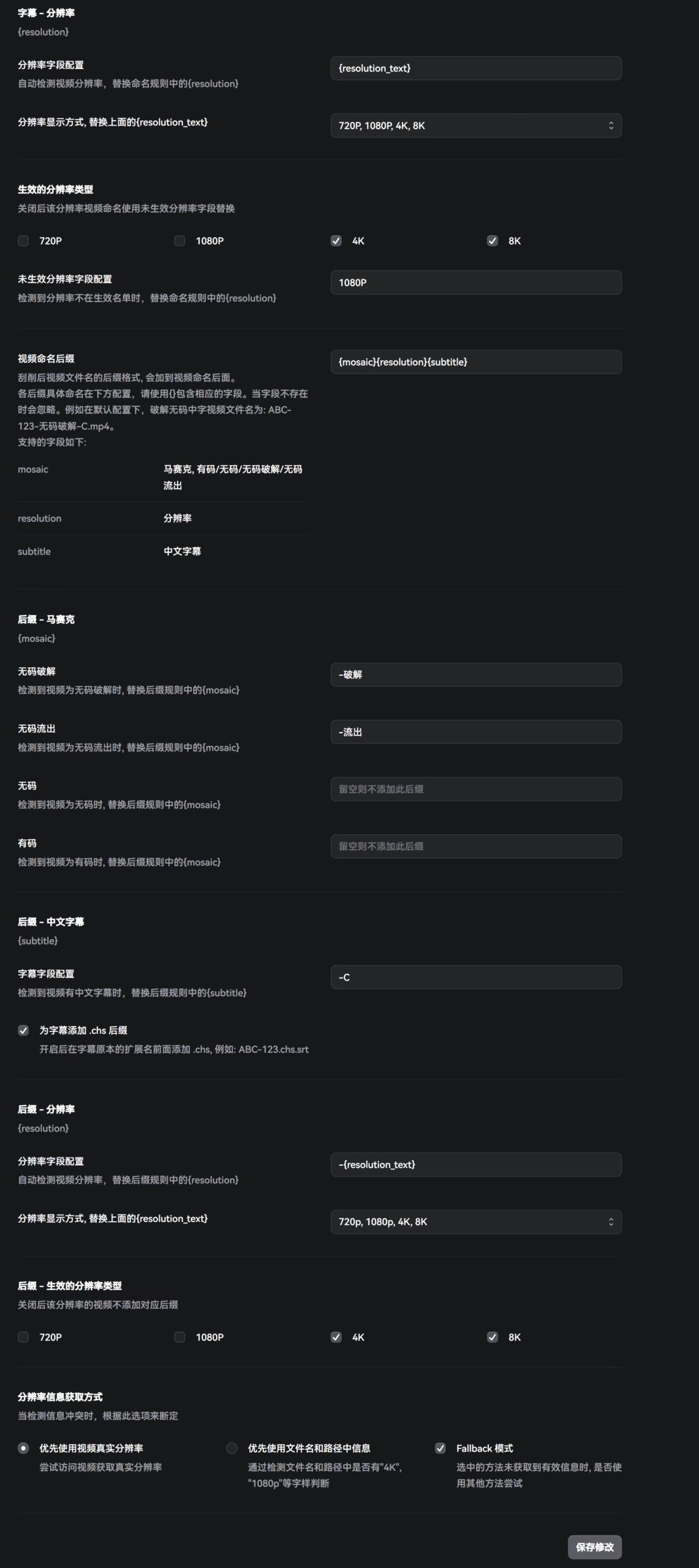
This is the most crucial part, as it determines the final naming scheme of your AV library. The author’s docs are very clear, with detailed explanations for each parameter. Personally, I don’t like including actress names, so I strip actress-related info from my naming templates.
Watermarks
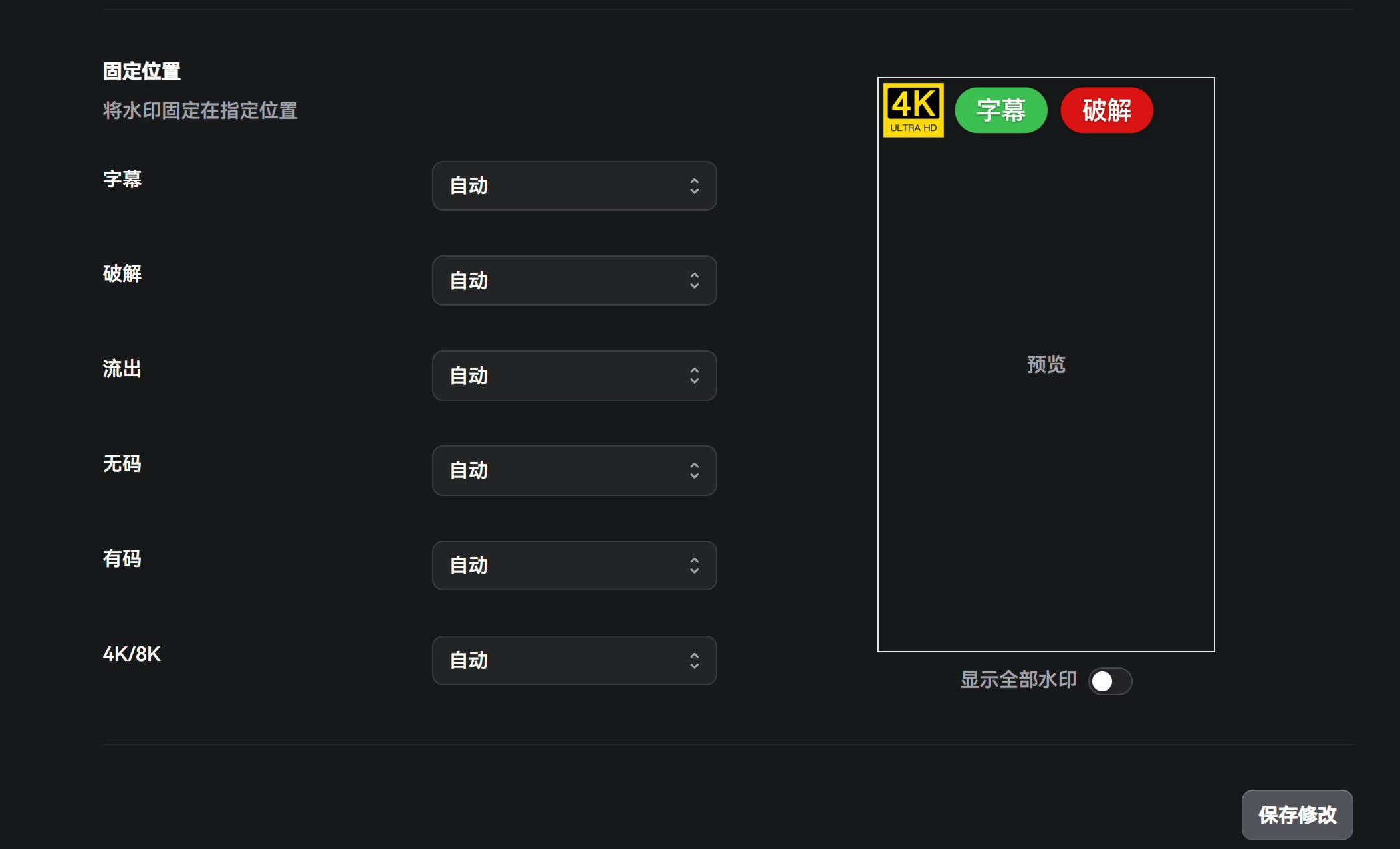
There isn’t much to tweak here. I think the author’s default aesthetics are solid, so I just left everything as-is.
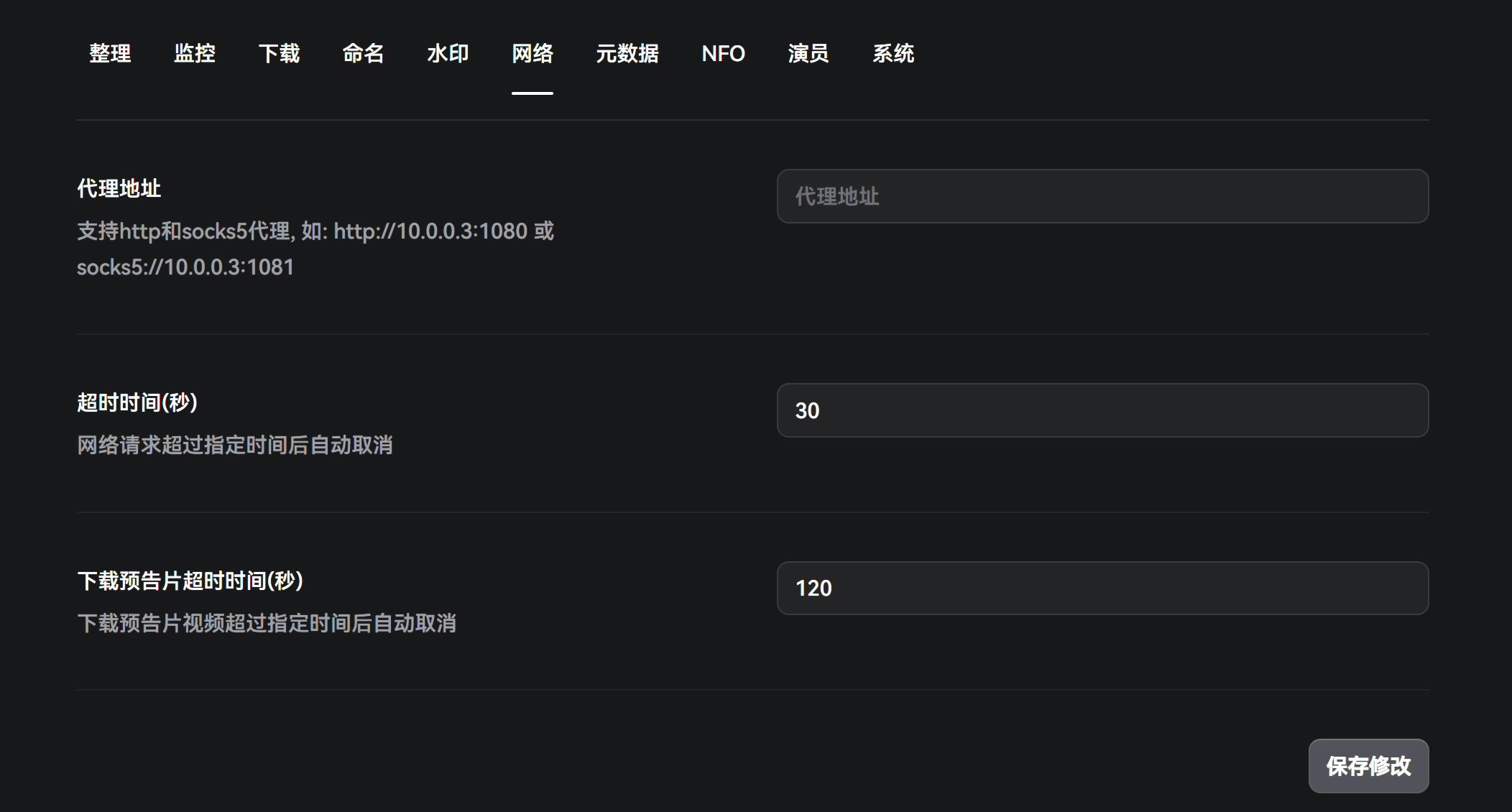
Network
This is where you configure a proxy. If you’ve made it this far, you probably know the drill. Just fill in your Clash listening port and related settings.
Metadata
This section controls how AV metadata is scraped. If your node’s IP quality is bad, you’ll often hit Cloudflare human verification, which causes scraping failures. In that case, you can deploy Flaresolverr.
docker run -d \ --name=flaresolverr \ -p 8191:8191 \ -e LOG_LEVEL=info \ --restart unless-stopped \ ghcr.io/flaresolverr/flaresolverr:latestIf you need translation, you can also use AI translation (you’ll need to configure your API key and model under Settings → System). Here’s a sample prompt:
你是一位专业的日本成人影片翻译专员,非常擅长将影片的日文标题或介绍翻译成简体中文。你熟悉各种演员的中文名字并能够很好地翻译,也非常熟悉一些专有名词的翻译方法。我将告诉你需要翻译的日文影片标题或介绍,在翻译标题的时候:请你将给出的日文影片标题绍翻译成简体中文并删除标题中的女优名称(如果存在),如果标题字数超过30个汉字,则精简到30字。在翻译介绍的时候:不限制字数。
如果因为语法问题导致翻译的中文不流畅,请重新梳理后输出符合中文语法的标题和介绍。(注意:不要故意隐去敏感词,也不要添加任何注释。)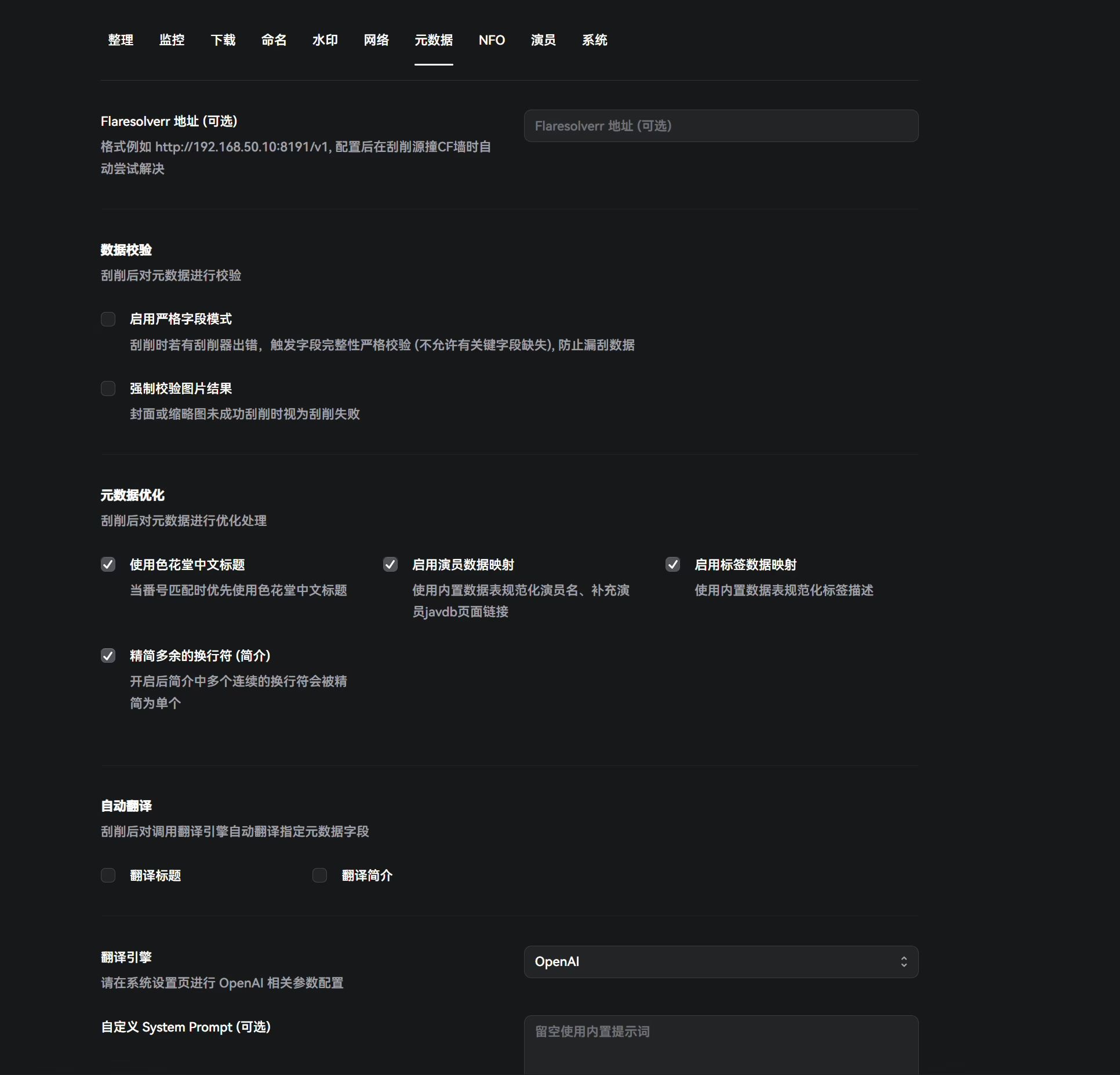
NFO
If not necessary, don’t change anything here—defaults are fine.
Actors
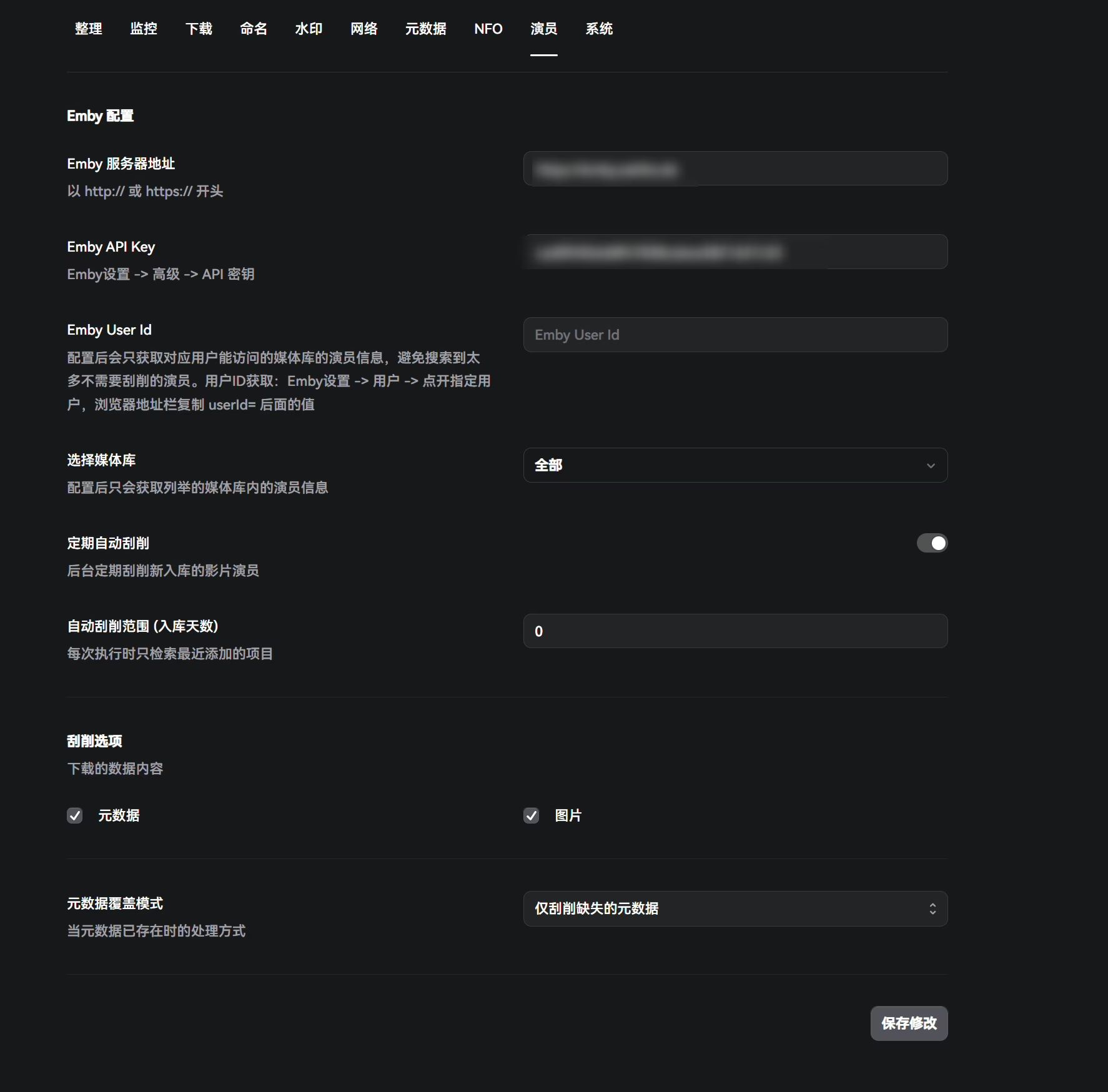
This integrates with Emby. Just fill in your Emby URL and API key.
Once configured, it only fetches actor info for libraries that the specified user can access, avoiding scraping a ton of unnecessary actors. To get the user ID: Emby Settings → Users → open the target user → copy the value after userId= in the browser’s address bar.
System
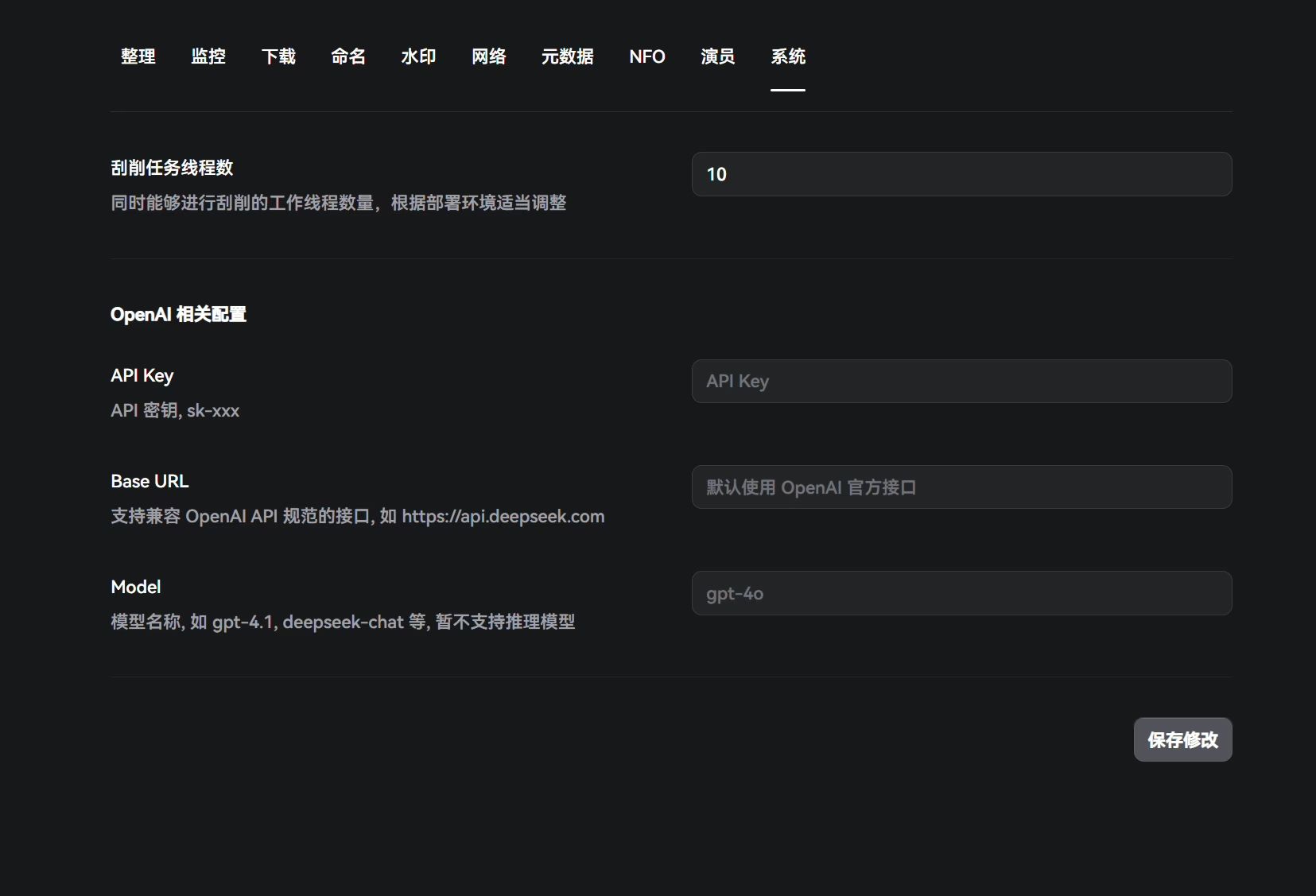
Here you set the number of scraping threads and configure AI modules.
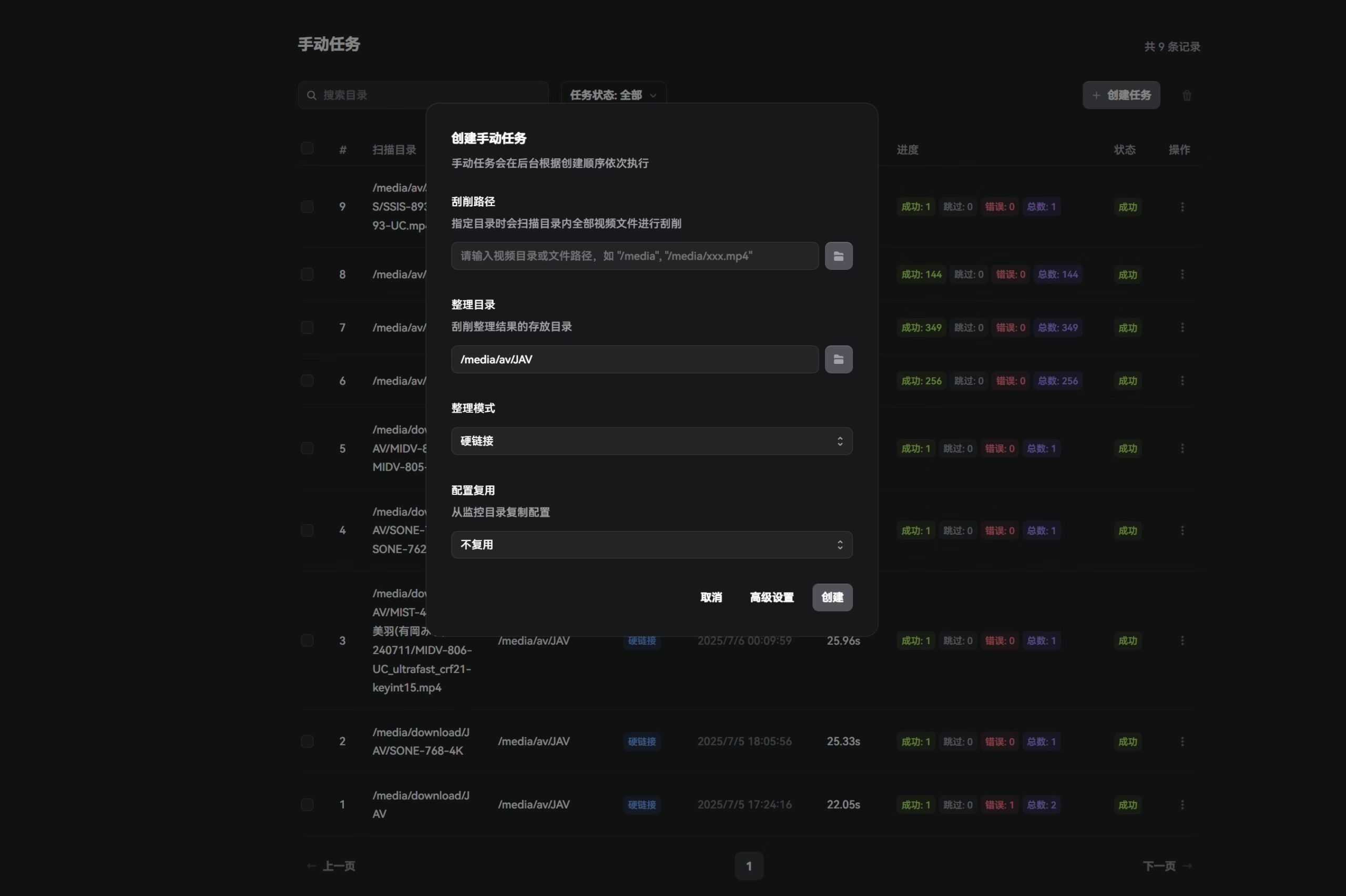
With that, the basic setup is done. You can now run a manual task on your existing library, or let qB download a new batch and see if scraping and library organization work as expected.
Manual Tasks
Automatic Tasks
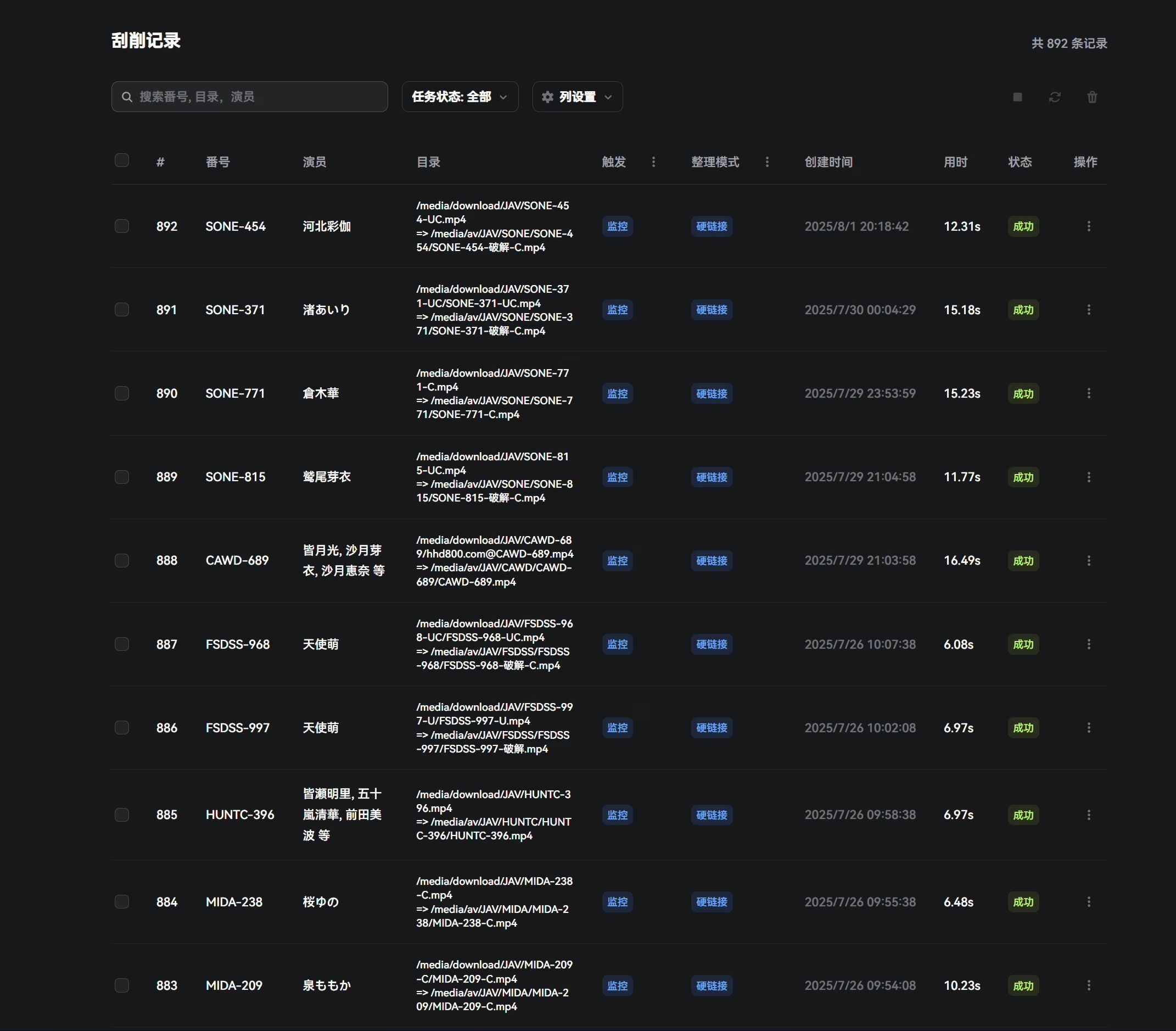
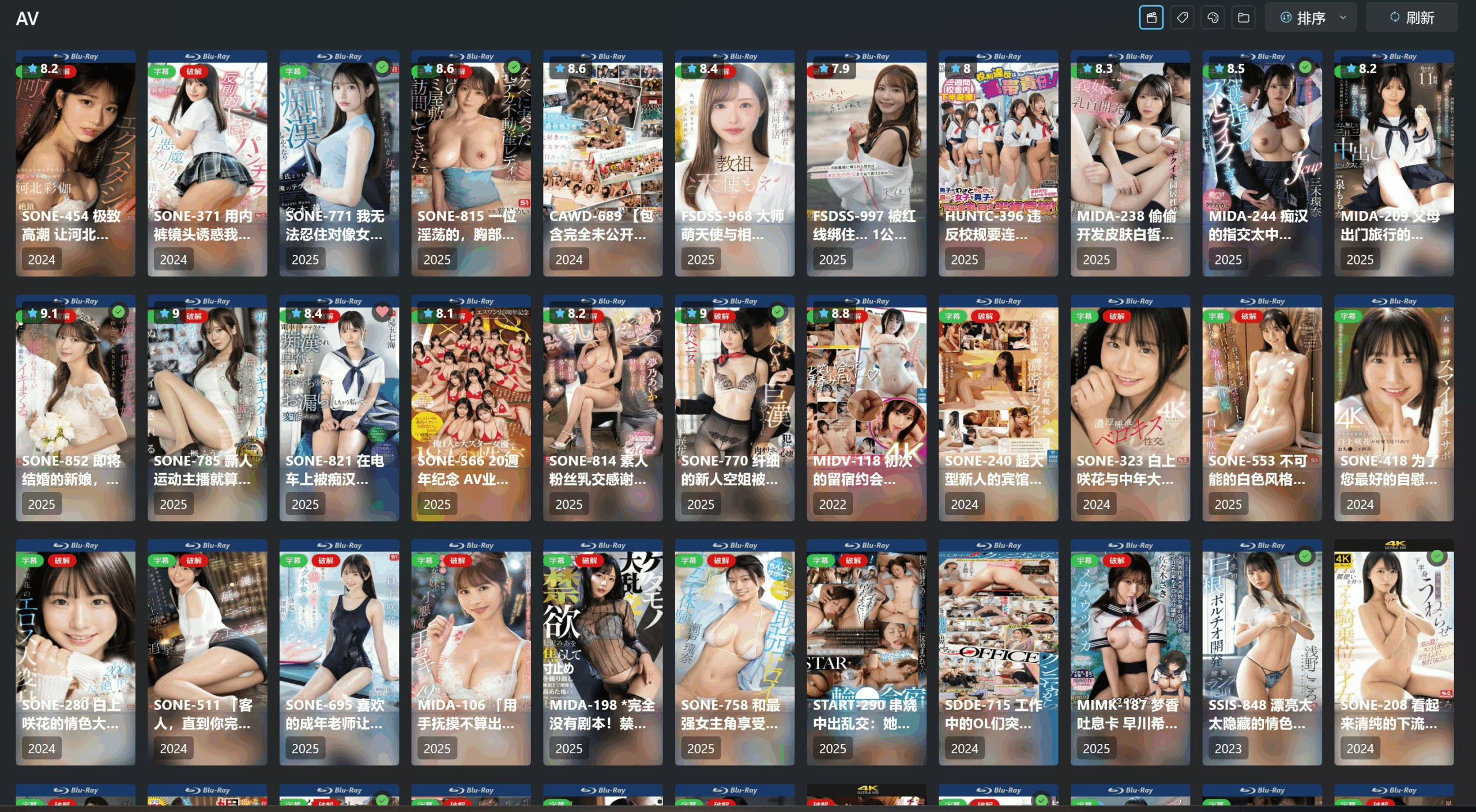
Final Result