
Deploying Pulse: Docker-Based Monitoring for PVE
While I was recently tinkering with PVE I stumbled across this project and realized there are still very few complete monitoring solutions for PVE. Usually you have to deploy PVE-Exporter, expose metrics to Prometheus, and then visualize them with Grafana. After quite a bit of searching I found Pulse. Pulse is an open source web application that provides real-time monitoring for Proxmox VE (Virtual Environment) and Proxmox Backup Server (PBS). Earlier versions were a bit cumbersome to deploy (you had to click around in PVE to grant various permissions), but the author has since added a very clear command-line installer.
GitHub repo: https://github.com/rcourtman/Pulse
Key Features
-
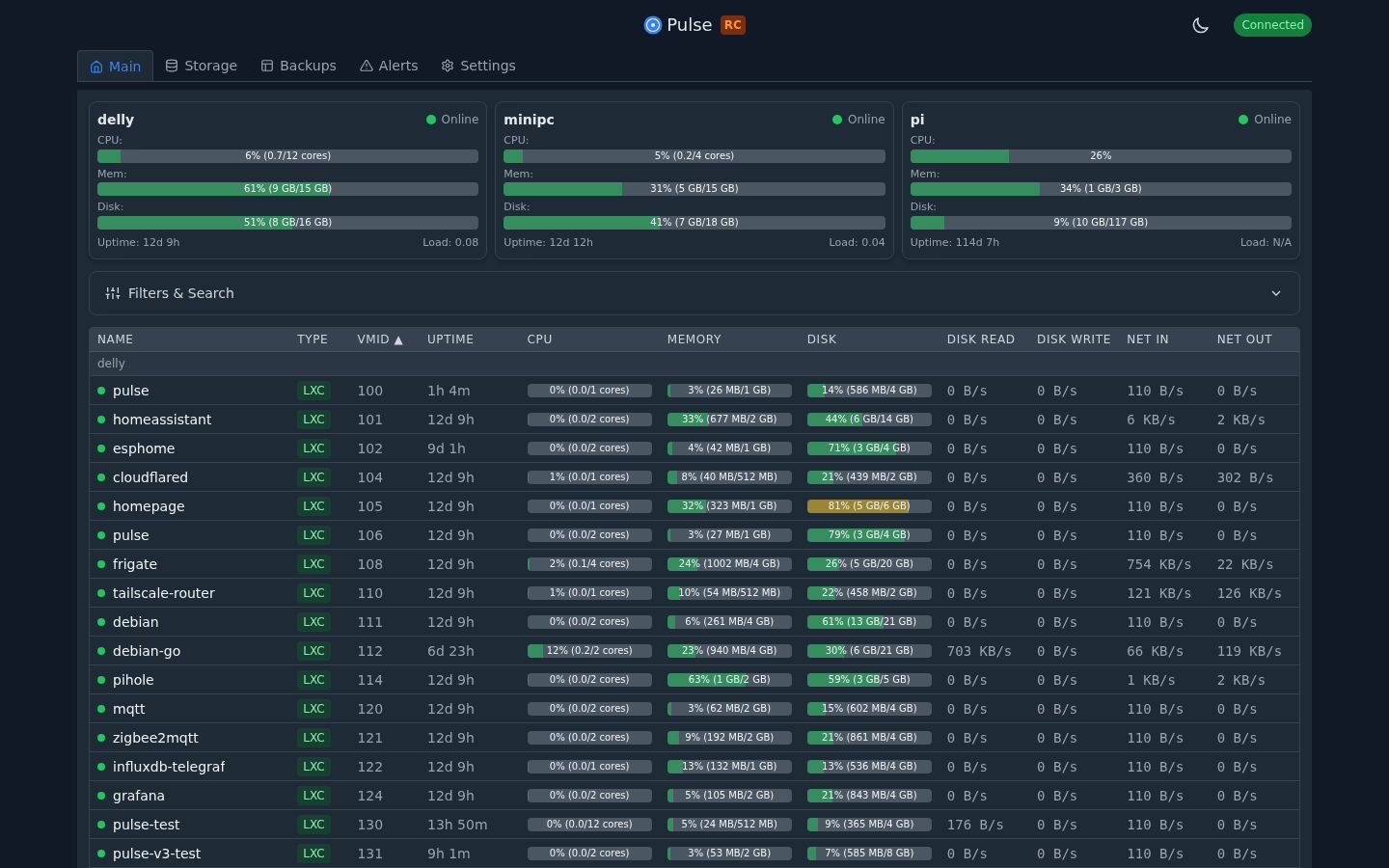
Real-time monitoring – live updates for VMs, containers, nodes, and storage via WebSockets
-
Intelligent alerts – configurable thresholds with email and webhook notifications (Discord, Slack, Gotify, Telegram, ntfy.sh, Teams)
-
Alert history – persistent alert event storage with detailed metrics and timelines
-
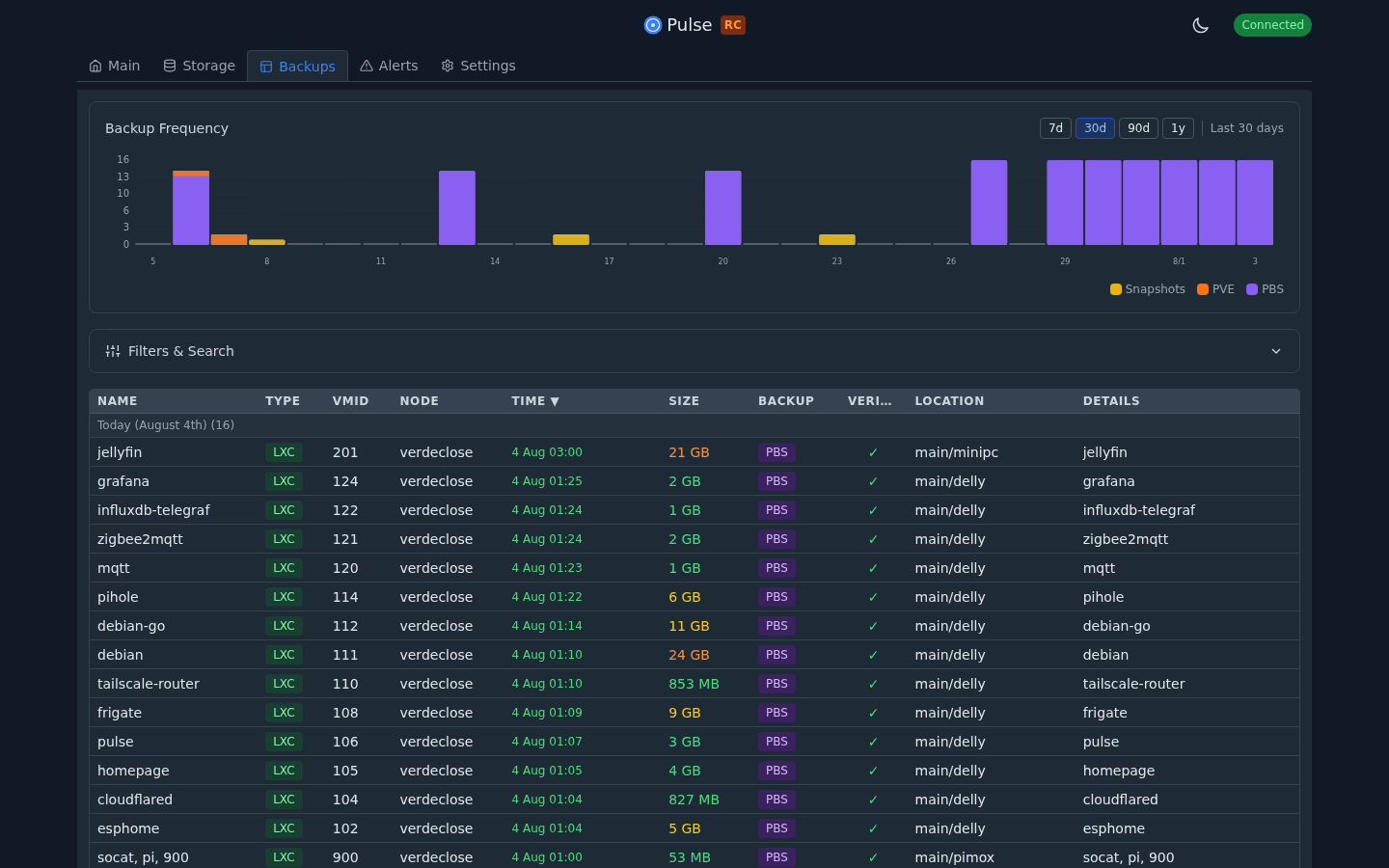
Unified backups – single view for PBS backups, PVE backups, and snapshots
-
PBS push mode – monitor PBS servers behind isolation/firewalls without inbound connections
-
Modern UI – responsive design with dark/light themes, virtual scrolling, and scalable charts
-
Performance – built with Go to minimize resource usage, stops polling when no clients are connected
-
Secure by default – encrypted configuration storage with flexible credential management
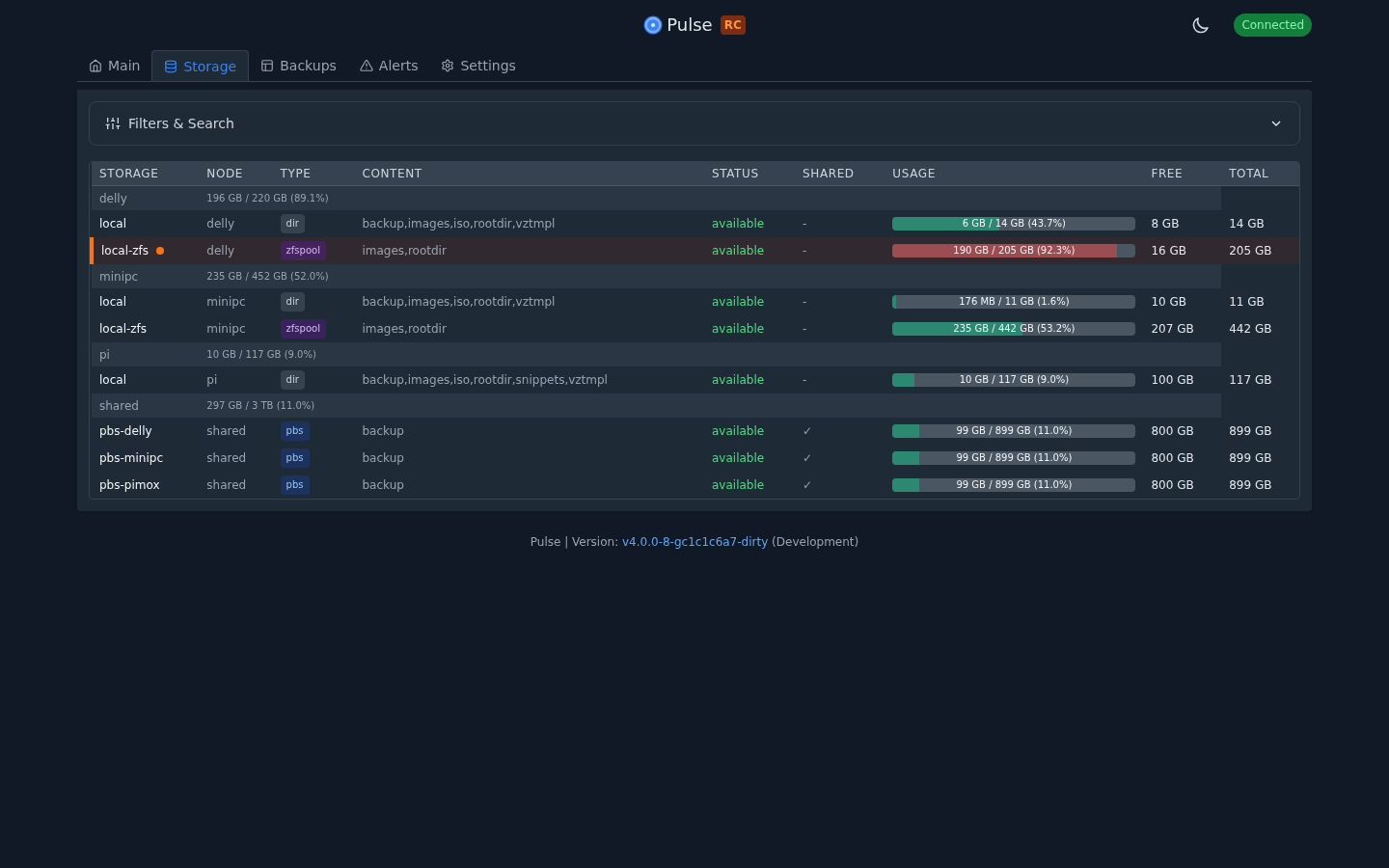
Preview
Deployment
The author provides three deployment options—pick whichever you prefer.
# Option A: Automated LXC Container (Easiest)bash -c "$(wget -qLO - https://github.com/community-scripts/ProxmoxVE/raw/main/ct/pulse.sh)"
# Option B: Docker (Multi-arch: AMD64, ARM64, ARMv7)docker run -d -p 7655:7655 -v pulse_data:/data --restart unless-stopped rcourtman/pulse:latest
# Option C: Manual Install (For existing LXC/VMs)curl -fsSL https://raw.githubusercontent.com/rcourtman/Pulse/main/install.sh | sudo bashDocker Deployment
root@docker:~/docker_yaml/Pulse# cat docker-compose.ymlversion: "3.8"
services: pulse: image: rcourtman/pulse:latest container_name: pulse restart: unless-stopped network_mode: host volumes: - ./data:/data - ./webhook:/var/lib/pulse - ./config:/etc/pulseStart
docker compose up -d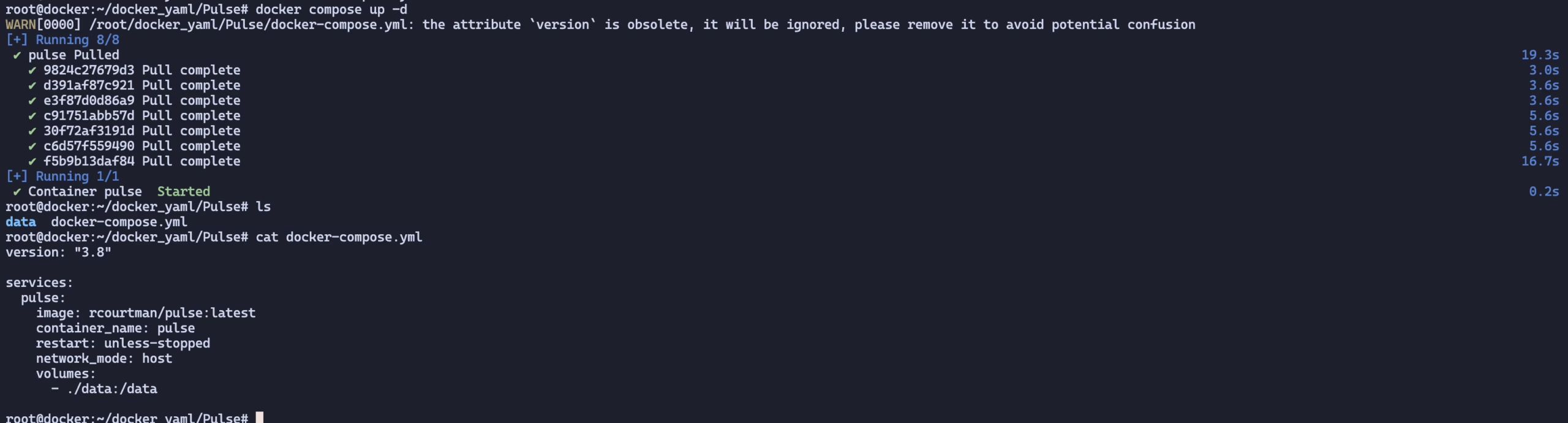
Just open IP<7655> to access Pulse. Be sure not to expose it directly to the public internet—add authentication if you really need external access.
Usage
Connecting to PVE
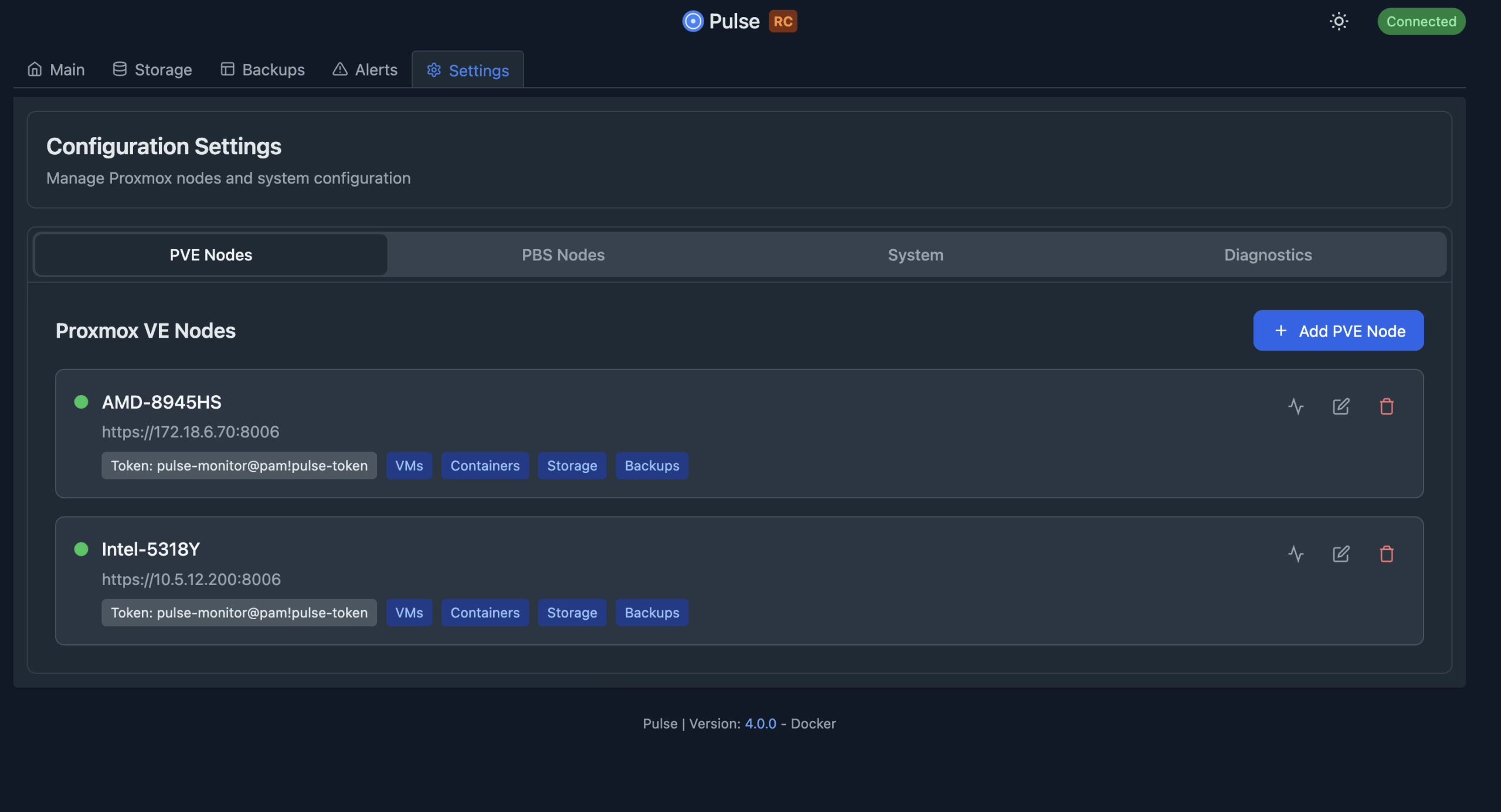
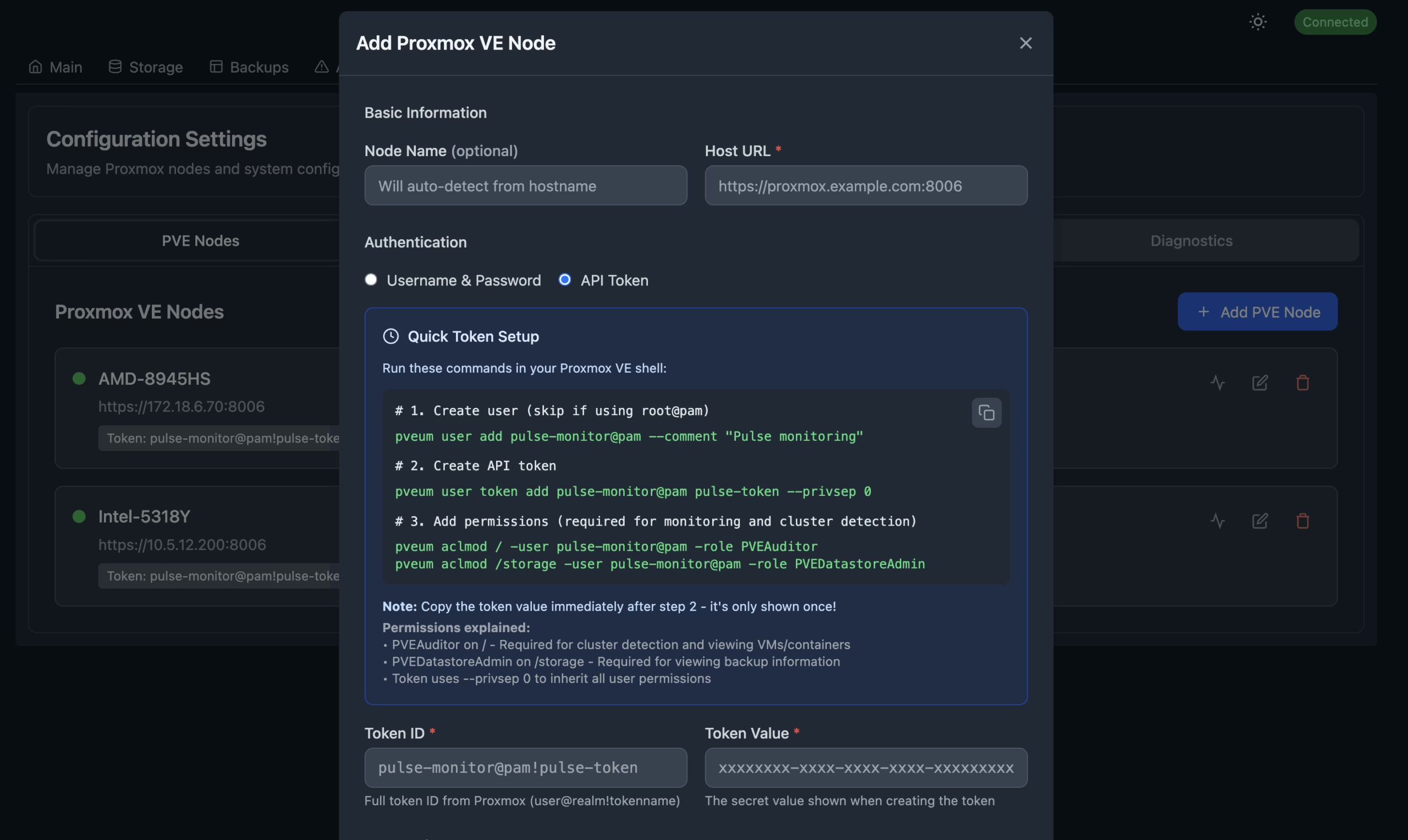
Click Settings directly to start connecting to PVE.
In most cases we use an API Token for authentication.
You can quickly create one following the configuration below.
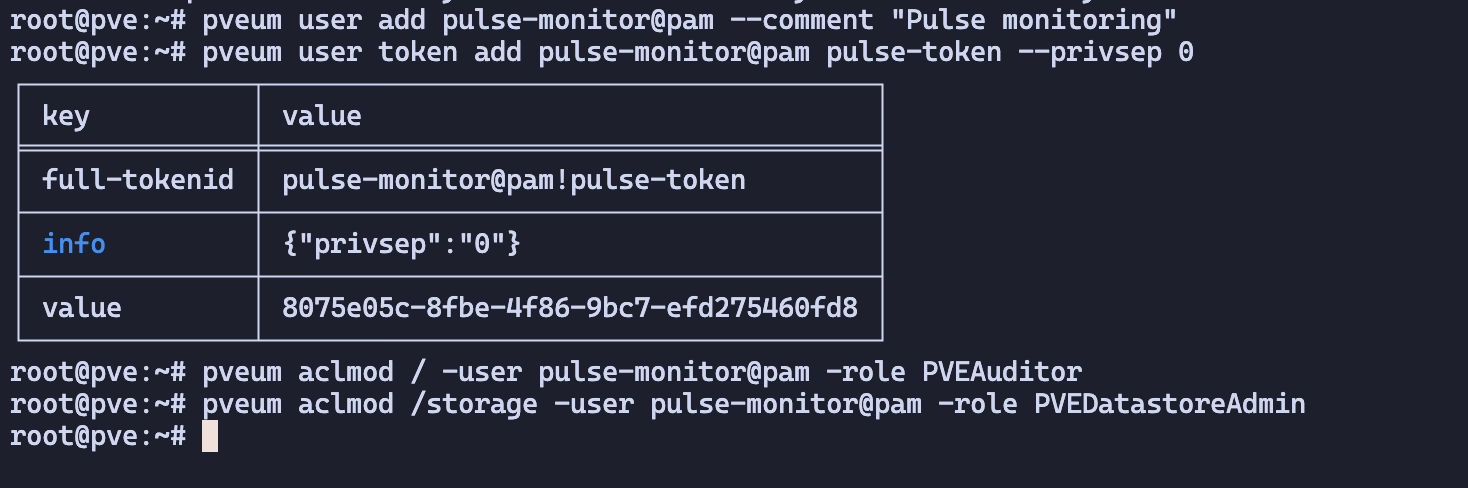
If you haven’t configured an HTTPS certificate, remember to disable verification.
After filling in all the information, click Test to verify the connection.
Configuring Alert Notifications
There are plenty of options—pick whatever suits your workflow.
In the current version there’s a bug with webhooks so they can’t be persisted; we’ll have to wait for the author to fix it.
https://github.com/rcourtman/Pulse/issues/249
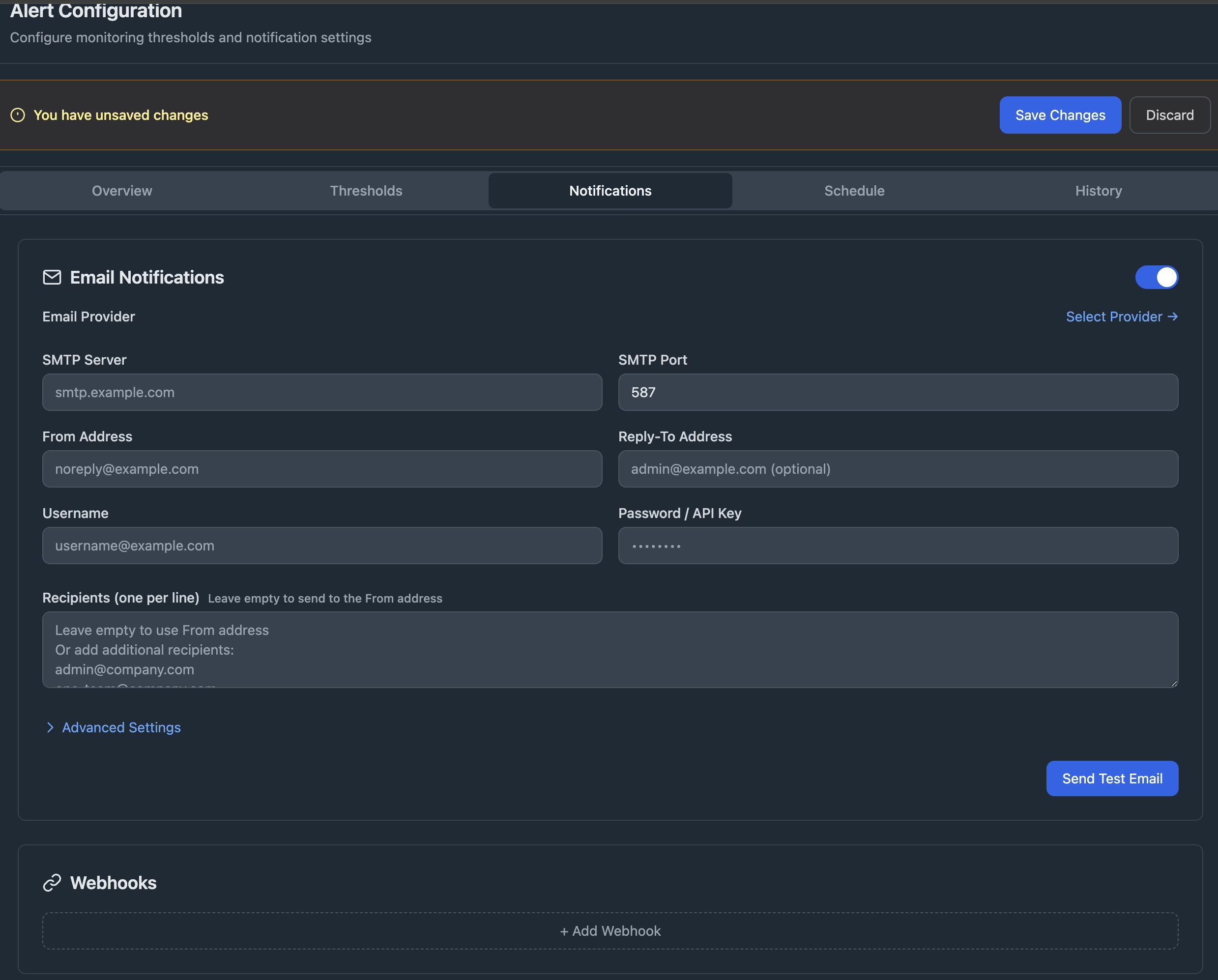
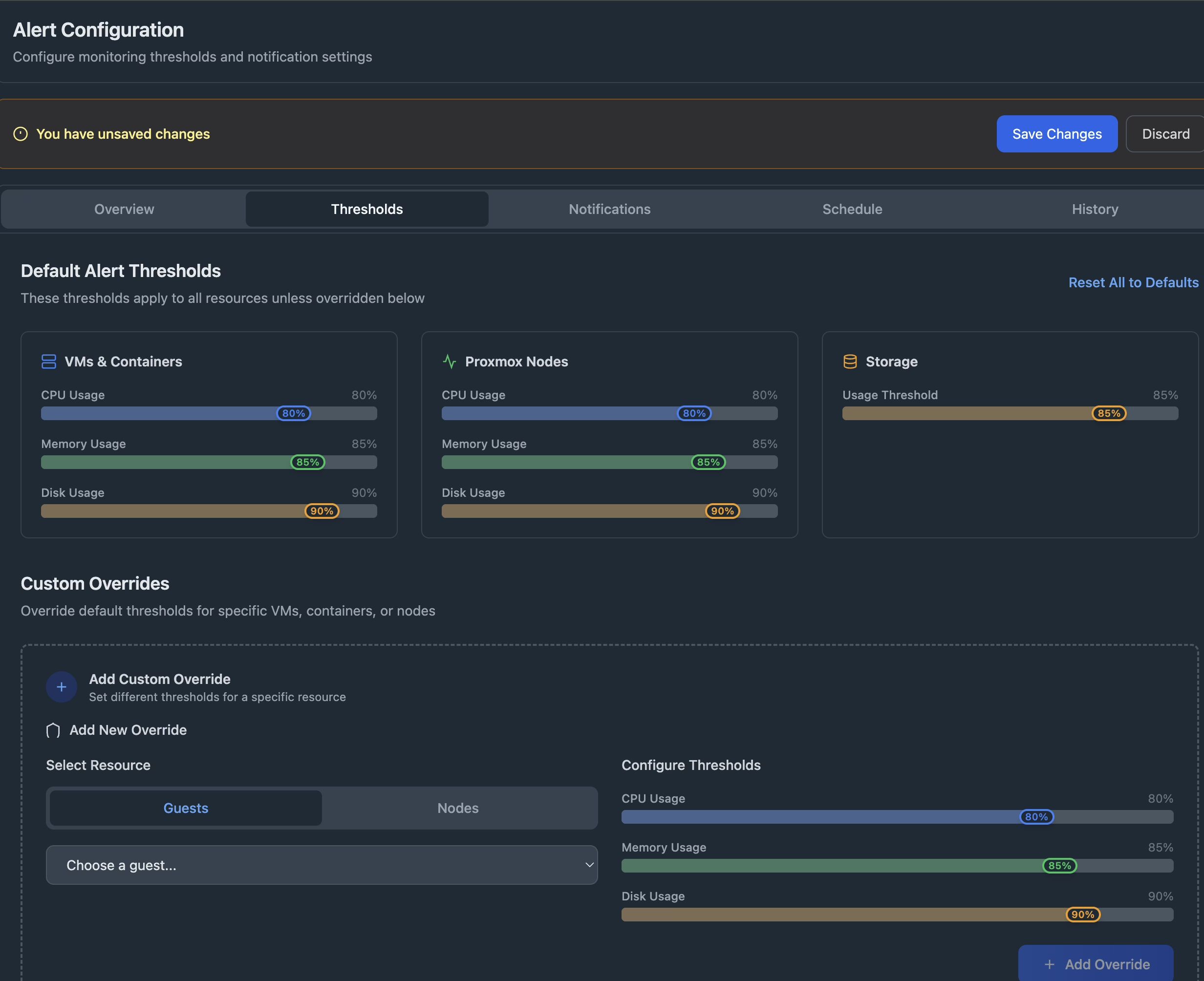
You can also visually configure alert thresholds, which is very convenient.
Summary
That’s pretty much it. Pulse is simple and easy to use, can monitor multiple PVE clusters, and exposes almost all configuration via a visual UI. As the author describes it:
Real-time monitoring for Proxmox VE and PBS with alerts, webhooks, and a clean web interface.