
436 字
2 分钟
Deploying Applications to a Kubernetes Cluster
Run from the command line
kubectl run testapp --image=ccr.ccs.tencentyun.com/k8s-tutorial/test-k8s:v1kubectl get pod 查看是否成功建立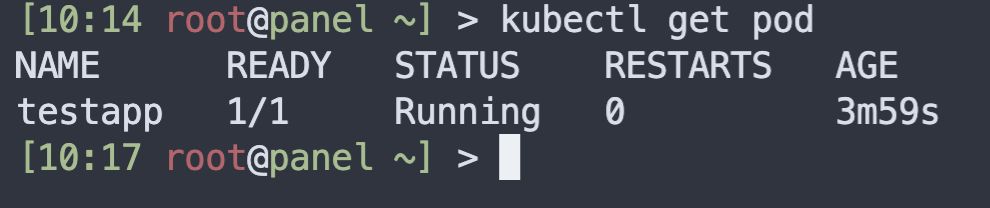
Deploy with a YAML file
pod.yaml file
apiVersion: v1kind: Podmetadata: name: test-podspec: # Define containers; can be multiple containers: - name: test-k8s # Container name image: ccr.ccs.tencentyun.com/k8s-tutorial/test-k8s:v1 # ImageDeployment commands
mkdir Deployment && cd Deploymentvim pod.yml # Fill in the content abovekubectl apply -f pod.yml # Create PodUsing a Deployment
app.yml file
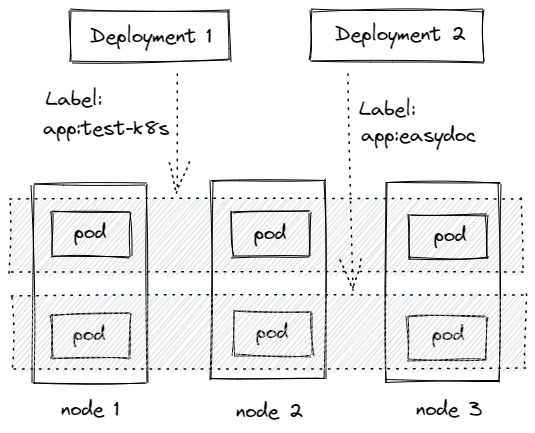
apiVersion: apps/v1kind: Deploymentmetadata: # Deployment name name: test-k8sspec: replicas: 2 # Used to select and associate Pods; all labels must match selector: matchLabels: app: test-k8s # Define Pod-related data template: metadata: labels: app: test-k8s spec: # Define containers; can be multiple containers: - name: test-k8s # Container name image: ccr.ccs.tencentyun.com/k8s-tutorial/test-k8s:v1 # ImageDeployment commands
kubectl apply -f app.ymlkubectl get deployment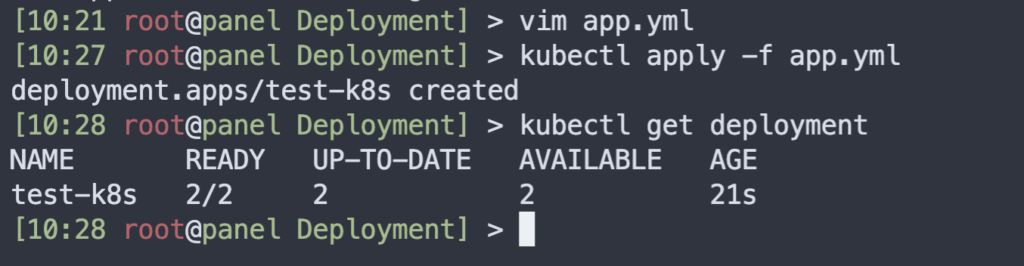
How a Deployment associates Pods via labels
Common commands
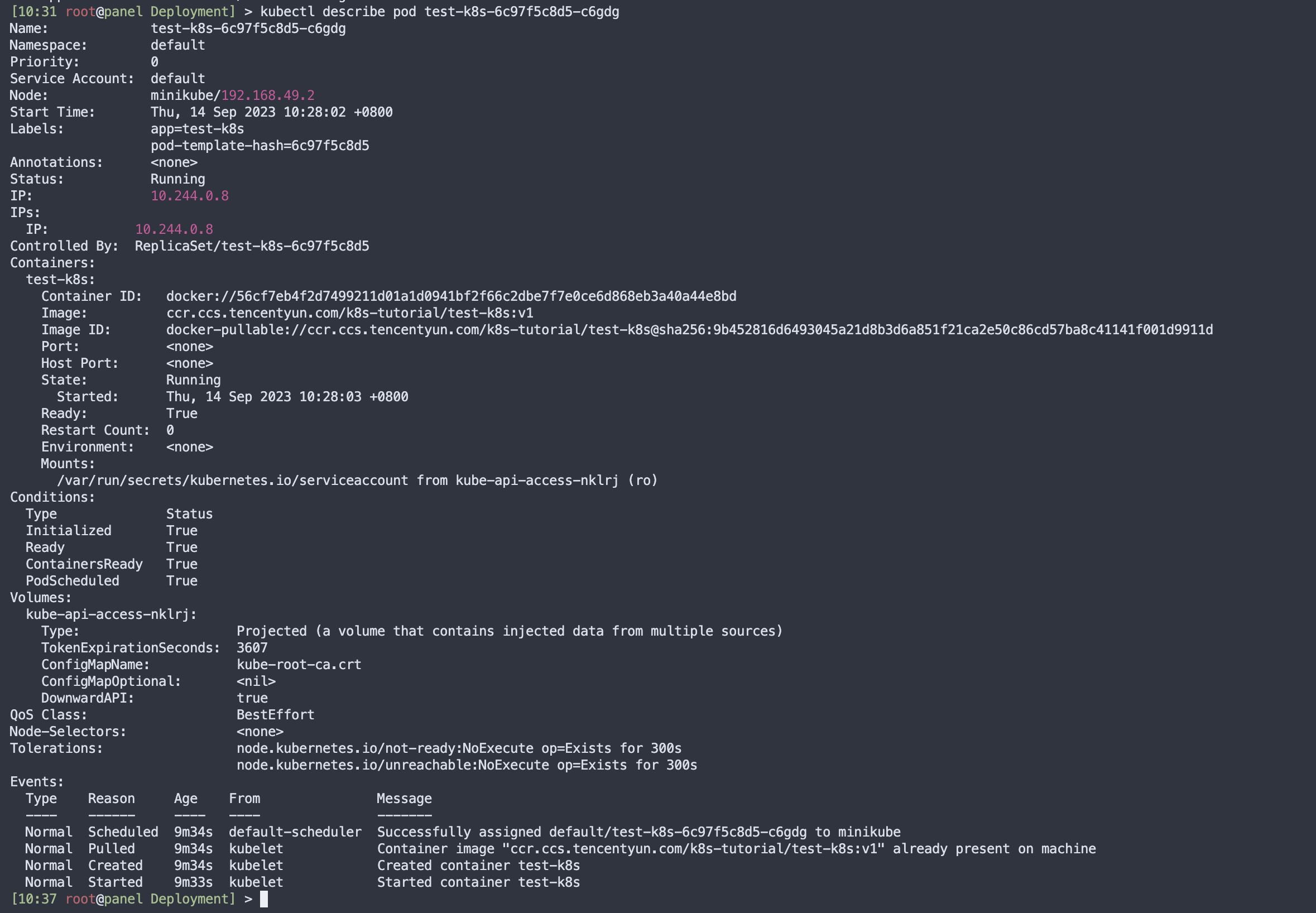
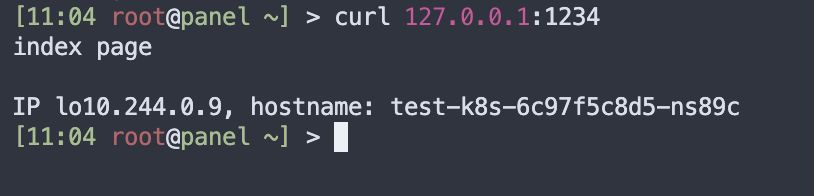
# View Pod IPs and other detailskubectl get pod -o wide# Deploy an applicationkubectl apply -f app.yaml# View Deploymentskubectl get deployment# View Podskubectl get pod -o wide# View Pod detailskubectl describe pod pod-name# View logskubectl logs pod-name# Open an interactive shell into a Pod container; use -c container-name to select a containerkubectl exec -it pod-name -- bash# Scale replicas up or downkubectl scale deployment test-k8s --replicas=5# Forward a port from the cluster to the nodekubectl port-forward pod-name 8090:8080# View rollout historykubectl rollout history deployment test-k8s# Roll back to the previous revisionkubectl rollout undo deployment test-k8s# Roll back to a specific revisionkubectl rollout undo deployment test-k8s --to-revision=2# Delete a Deploymentkubectl delete deployment test-k8sUse kubectl describe ID to view Pod details
Use kubectl logs ID to view logs

Use kubectl logs ID -f to stream logs continuously

Use kubectl exec -it ID -- bash to enter a Pod

Use kubectl scale deployment ID --replicas=5 to scale replicas
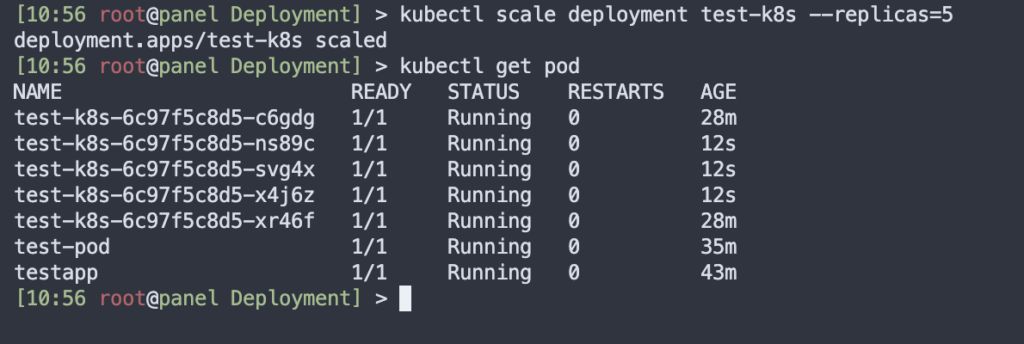
Use kubectl port-forward pod-name 1234:8080 to map a container’s internal port

Deploying Applications to a Kubernetes Cluster
https://catcat.blog/en/kubernetes-deployment.html