
293 字
1 分钟
Traefik Smart Reverse Proxy: Hands-Free Automation
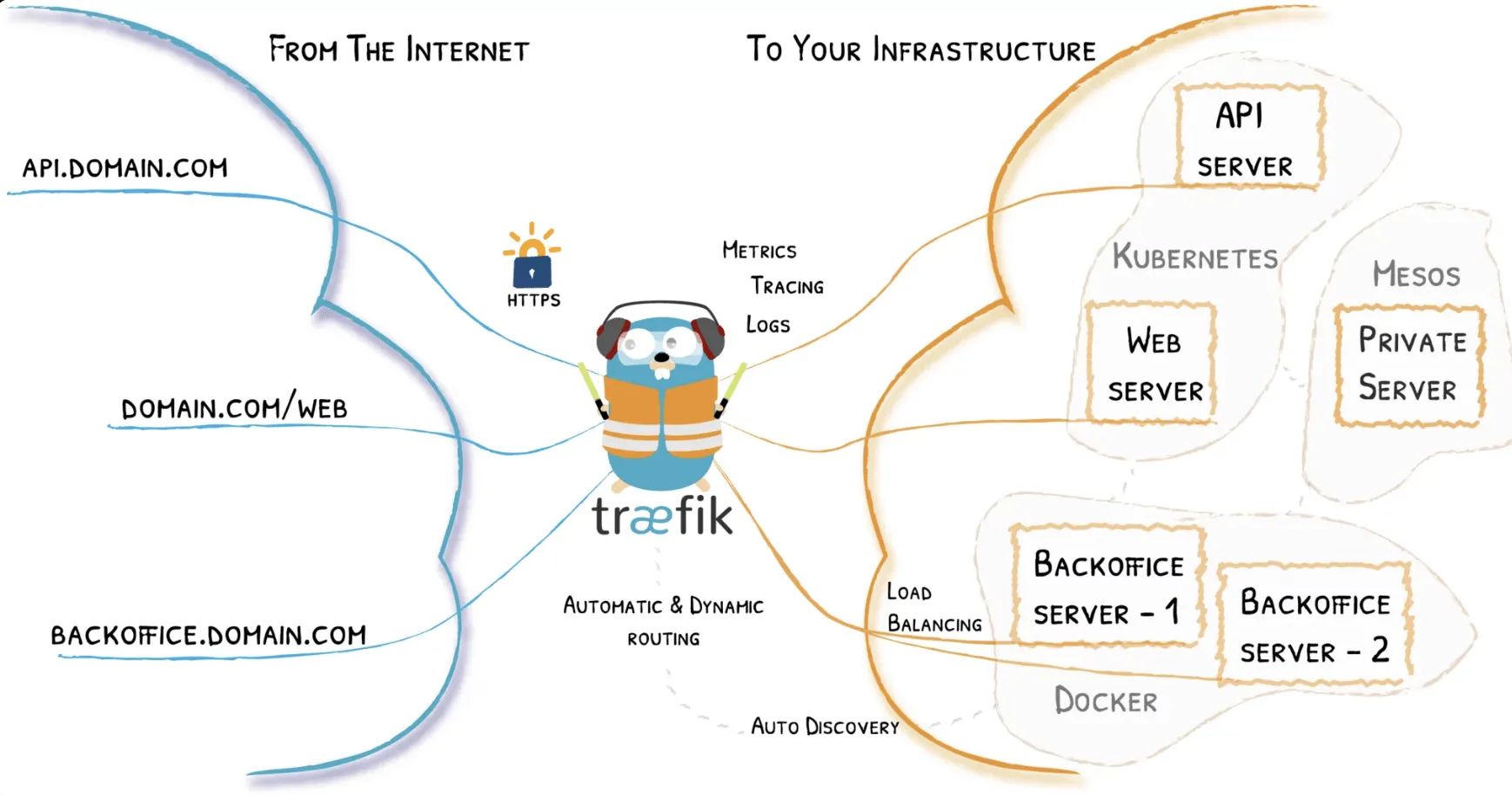
Traefik is a reverse proxy and load balancer implemented in Golang. Its biggest difference from Nginx is that it supports automatic updates of reverse proxy and load balancing configurations.
Official site: https://traefik.io/
Official documentation: https://doc.traefik.io/traefik/
Basic Usage
Reverse Proxy Use Case
Key Features
-
Automatic Docker service discovery
-
Automatic HTTPS configuration
-
Prometheus metrics endpoint
-
Web UI dashboard
-
Forced HTTP 80 → HTTPS 443 redirection
-
Simple configuration
- Just add the appropriate
labeltags to your containers to automatically complete reverse proxy routing and load balancing configuration
- Just add the appropriate
Create Directories
mkdir -p data/configurationstouch docker-compose.ymltouch data/traefik.ymltouch data/acme.jsontouch data/configurations/dynamic.ymlchmod 600 data/acme.jsonDocker Compose
File path: ~/docker-compose.yml
version: '3.7'
services: traefik: image: traefik:latest container_name: traefik restart: always security_opt: - no-new-privileges:true ports: - 80:80 - 443:443 volumes: - /etc/localtime:/etc/localtime:ro - /var/run/docker.sock:/var/run/docker.sock:ro - ./data/traefik.yml:/traefik.yml:ro - ./data/acme.json:/acme.json # Add folder with dynamic configuration yml - ./data/configurations:/configurations networks: - proxy labels: - "traefik.enable=true" - "traefik.docker.network=proxy" - "traefik.http.routers.traefik-secure.entrypoints=websecure" - "traefik.http.routers.traefik-secure.rule=Host(`traefik.yourdomain`)" - "traefik.http.routers.traefik-secure.middlewares=user-auth@file" - "traefik.http.routers.traefik-secure.service=api@internal"
networks: proxy: external: trueStatic Configuration File
File path: ~/data/traefik.yml
api: dashboard: true
entryPoints: web: address: :80 http: redirections: entryPoint: to: websecure
websecure: address: :443 http: middlewares: - secureHeaders@file - nofloc@file tls: certResolver: letsencrypt
pilot: dashboard: false
providers: docker: endpoint: "unix:///var/run/docker.sock" exposedByDefault: false file: filename: /configurations/dynamic.yml
certificatesResolvers: letsencrypt: acme: email: admin@yourdomain storage: acme.json keyType: EC384 httpChallenge: entryPoint: web
buypass: acme: email: admin@yourdomain storage: acme.json caServer: https://api.buypass.com/acme/directory keyType: EC256 httpChallenge: entryPoint: webDynamic Configuration File
File path: ~/data/configurations/dynamic.yml
# Dynamic configurationhttp: middlewares: nofloc: headers: customResponseHeaders: Permissions-Policy: "interest-cohort=()" secureHeaders: headers: sslRedirect: true forceSTSHeader: true stsIncludeSubdomains: true stsPreload: true stsSeconds: 31536000
# UserName : admin # Password : qwer1234 user-auth: basicAuth: users: - "admin:$apr1$tm53ra6x$FntXd6jcvxYM/YH0P2hcc1"
tls: options: default: cipherSuites: - TLS_ECDHE_ECDSA_WITH_AES_256_GCM_SHA384 - TLS_ECDHE_RSA_WITH_AES_256_GCM_SHA384 - TLS_ECDHE_ECDSA_WITH_AES_128_GCM_SHA256 - TLS_ECDHE_RSA_WITH_AES_128_GCM_SHA256 - TLS_ECDHE_ECDSA_WITH_CHACHA20_POLY1305 - TLS_ECDHE_RSA_WITH_CHACHA20_POLY1305 minVersion: VersionTLS12Create Network
docker network create proxyStart
docker compose up -d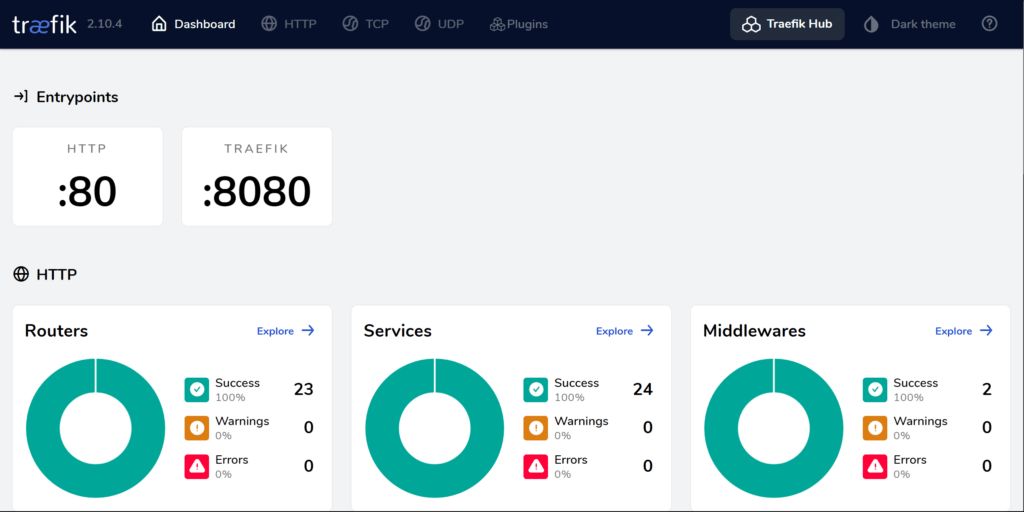
Traefik Smart Reverse Proxy: Hands-Free Automation
https://catcat.blog/en/traefik2-docker.html