
Scaleway API Boot Guide
Pricing
Although the website lists Stardust at €0.0025/hour, we can choose to use IPv6 only. In that case, the hourly cost is just €0.0005.
€0.0005 × 24 hours × 30 days × 12 months ≈ 31 CNY/year at the current exchange rate.
Registration
Before you register, you’ll need a credit card. Scaleway Stardust only supports credit cards. In general, virtual cards can pass verification as long as they have sufficient balance.
Walk through the registration process once.
There’s nothing tricky about the signup flow.
Once you’ve registered, Scaleway will ask how you want to verify your account. Choose the second option, which is the basic (initial) verification.
Preparation Before Creating an Instance
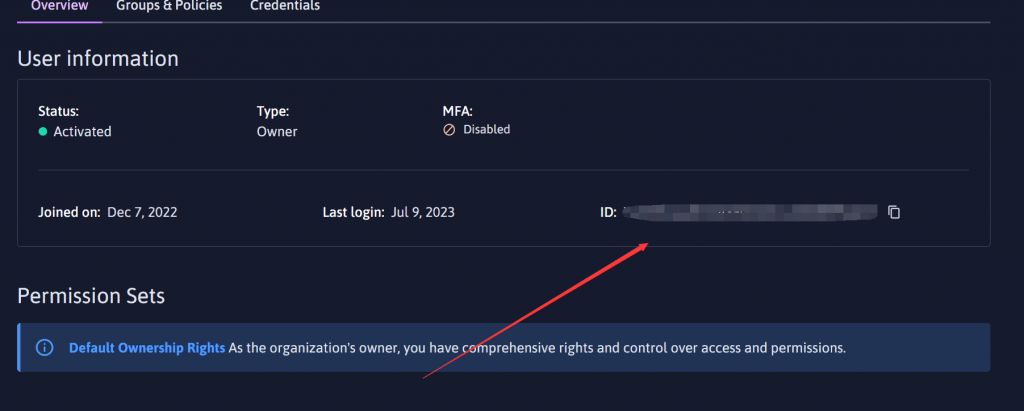
Get your account ID (under IAM)
Create an SSH key
在你的服务器上 输入ssh-keygen -o -b 4096
出现提示时输入保存密钥的文件路径。或者,按Enter 键id_ed25519将其保留为默认设置(密钥将保存在用户目录中调用的文件中~/.ssh/)。
Enter file in which to save the key (~/.ssh/id_ed25519):`
复制出现提示时输入密码。此步骤不是强制性的,但建议执行此步骤以提高安全性。密码可以自由选择。如果不想设置密码,直接按Enter 键。
Enter passphrase (empty for no passphrase):
复制出现提示时再次输入密码进行确认,然后按Enter:
Enter same passphrase again:
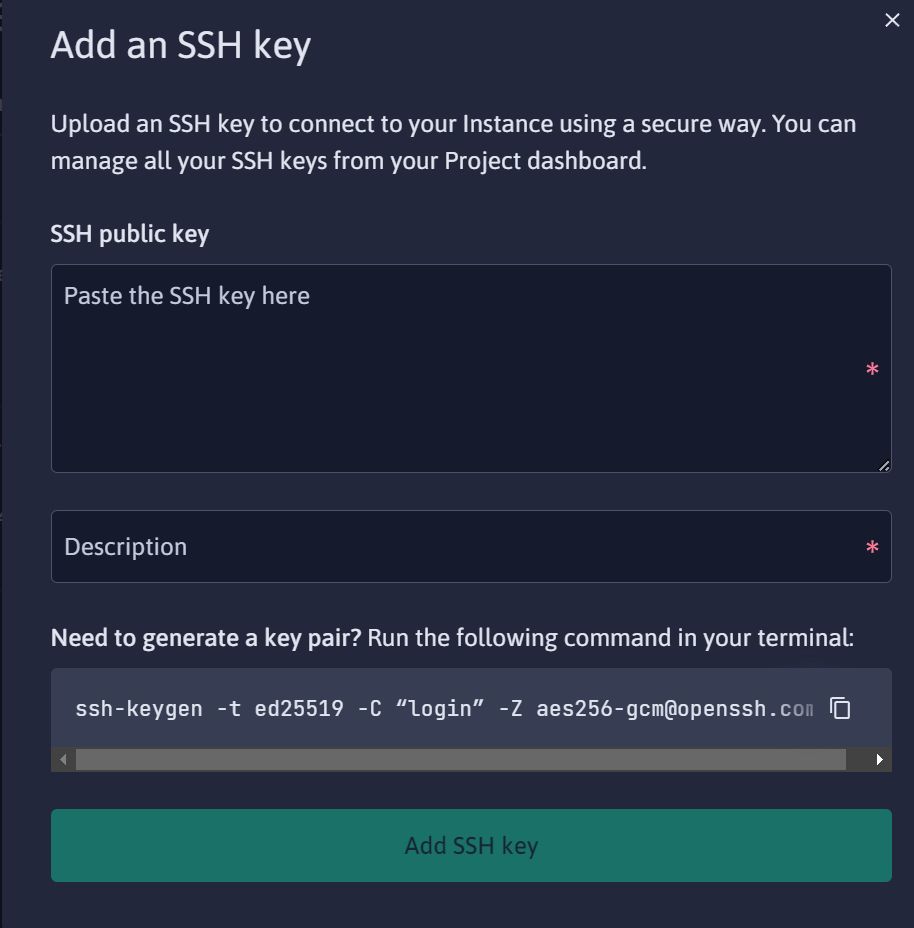
得到生成的ssh key,导入到scaleway控制台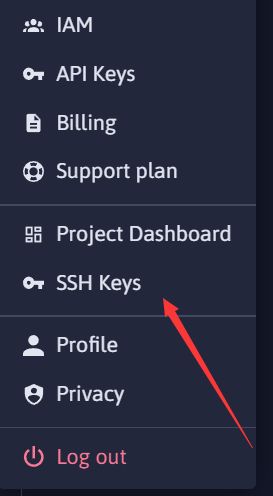
Instance Creation Script
Stardust capacity in Paris is extremely scarce — if you can get stock for 5 days out of 365, you’re already lucky.
The Netherlands has more stock, but overall it’s still not as good as the Paris machines.
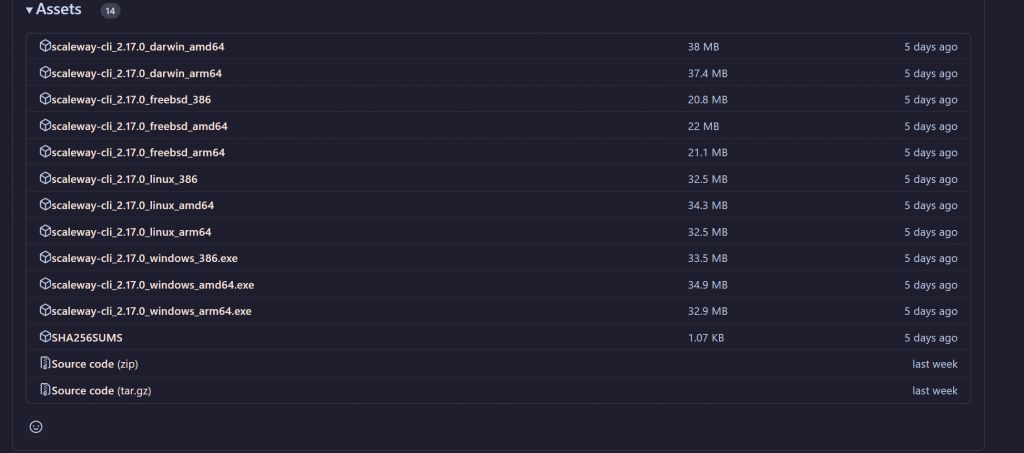
Visit the official Scaleway CLI project.
Choose the build that matches your operating system.
After downloading, extract it and optionally rename the executable to something easier to use later.
Use a terminal to cd into the extracted folder (with administrator privileges):
scw initFirst, enter your API key.
Then it will ask whether you want to help improve this tool by submitting usage info. Choose n.
Next, it asks whether to install full shell integration. Choose y.
Then it asks which shell you use as your default. Accept the default bash.
Finally, it asks whether to import your SSH key. Choose y.
Instance Creation Script
Getting the project-id:
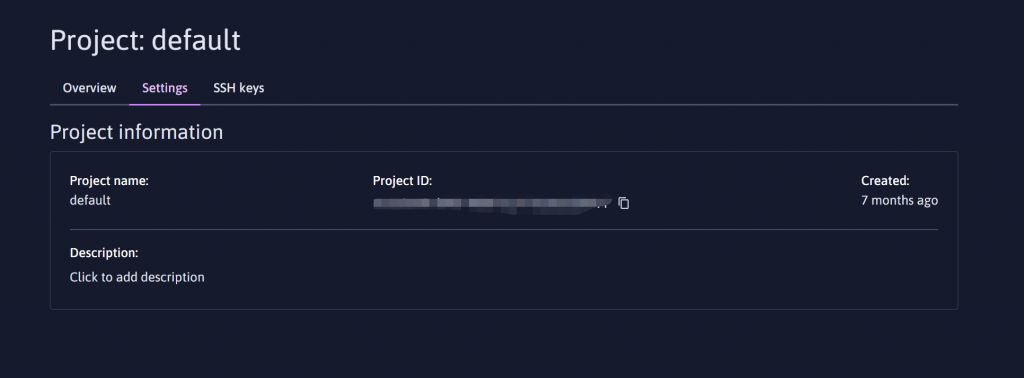
Netherlands
scw instance server create type=STARDUST1-S zone=nl-ams-1 image=debian_bullseye root-volume=l:10G name=OK ip=none ipv6=true project-id=51b4e5be-9xxx-4xxx-bxxx-4fxxxxx(换成你自己的)France
scw instance server create type=STARDUST1-S zone=fr-par-1 image=debian_bullseye root-volume=l:10G name=OK ip=none ipv6=true project-id=51b4e5be-9xxx-4xxx-bxxx-4fxxxxx(换成你自己的)If you see similar output, it means the command succeeded.
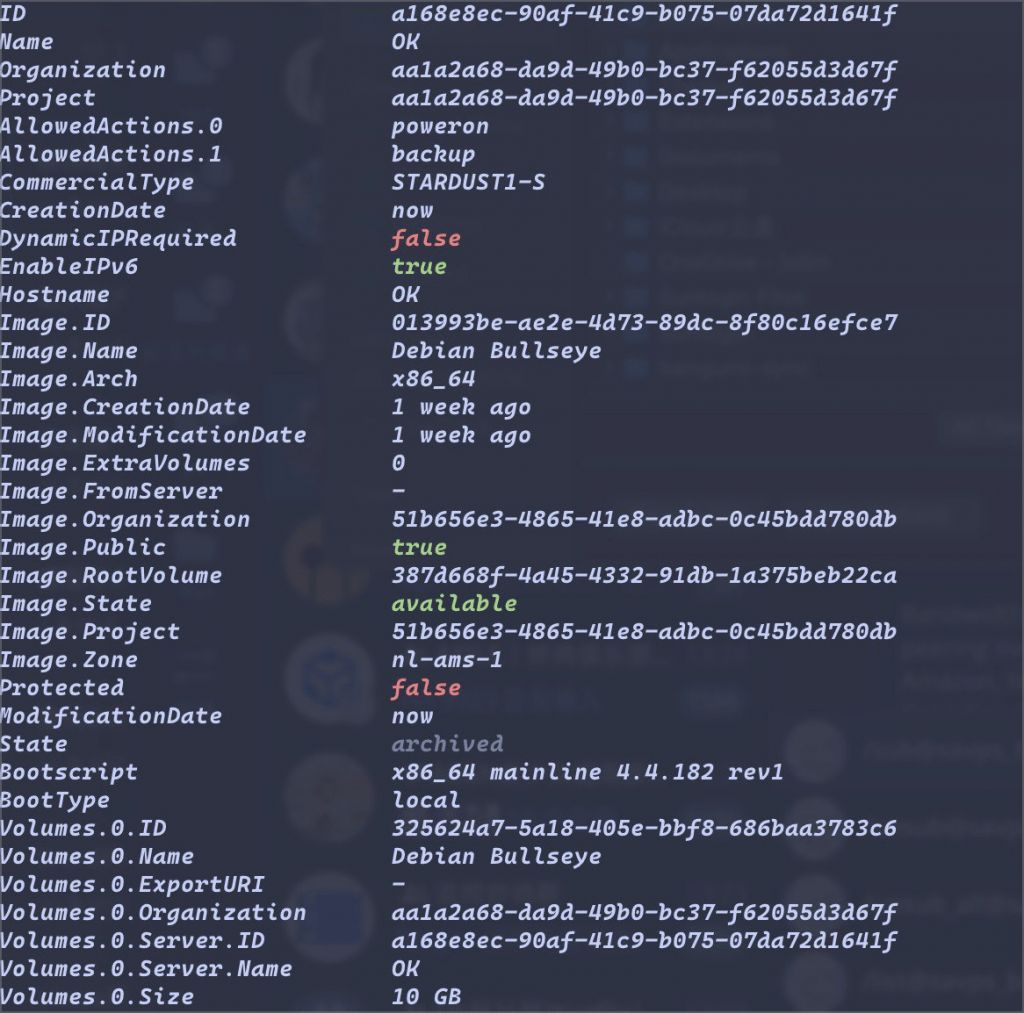
In most cases the instance is not fully up at this point.
If it looks like this, it usually means there is no IP attached and the instance cannot be started properly.
If you’re unlucky, you’ll get stuck here. If you’re lucky, you’re already done. If you think your luck might change, you can delete the instance and rerun the script. When deleting, remember to delete the attached storage as well, otherwise it will still incur charges.
If that’s the case, you can keep running another start script:
scw instance server start xxxxxxx-xxxxxx-xxxx(机子ID)BashCopy
Create a scheduled task and you’re good to go.
Save the following as a .bat file, place it in the same directory as scw.exe, and just keep it running:
@echo off:scwscw instance server start f5xxxxx-1007-476c-a137-xxxxxxxxxtimeout /T 10 /NOBREAKgoto scwecho.exitBatCopy
After the instance is successfully started, don’t forget to open the ports in the security group.
Open Ports
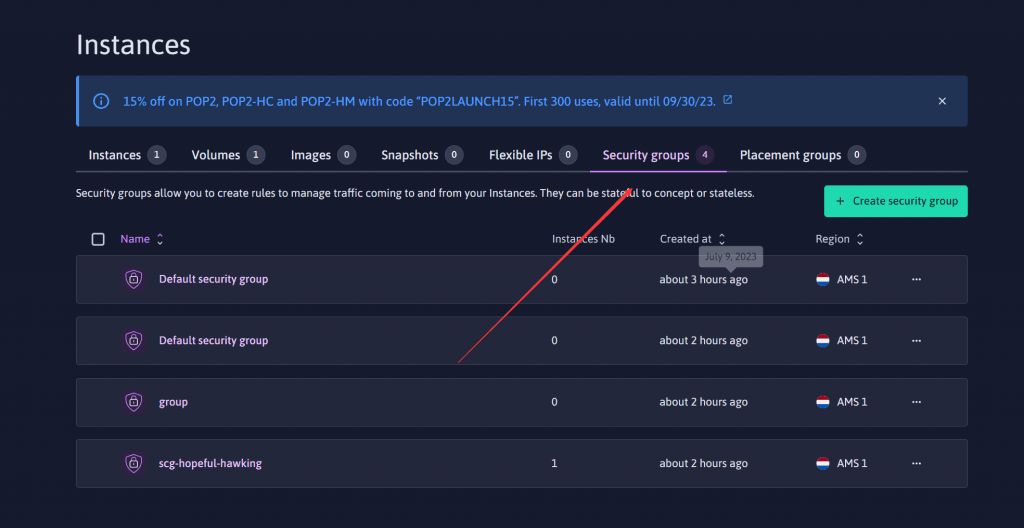
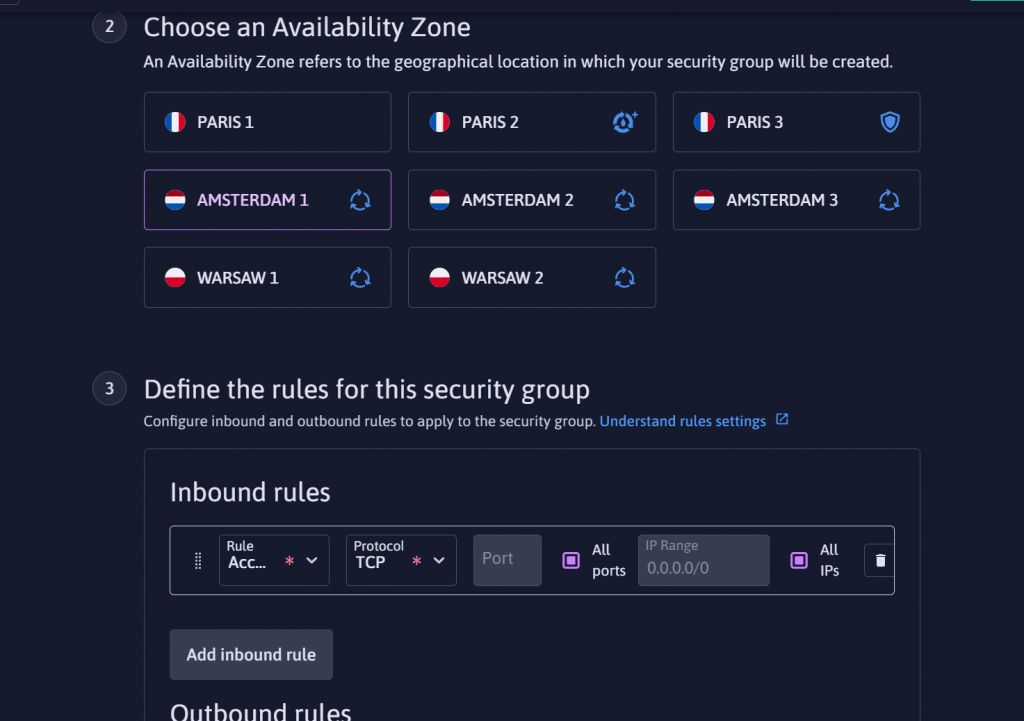
Add the instance you just created.
Add IPv4 via Warp Script
bash <(wget -qO- https://gitlab.com/rwkgyg/CFwarp/raw/main/CFwarp.sh 2> /dev/null)Conclusion
结语我个人认为Scaleway的Stardust机器是远强于玩具的,机器虽然便宜,但是性能十分给力,并且在WARP优秀的网络加持下,机器本身虽然只有公网V6,但是也可以愉快的访问V4的资源.这机器在挂载了scaleway赠送的75G对象储存之后可玩性更高了,并且同一区域的流量应该是不计费的,而星尘的流量也是无限的.