
Fixing Twikoo Comment Notification 401 Errors on Vercel
Problem Description
I previously migrated my site’s comment section to Twikoo. When I recently checked the blog, I noticed that Twikoo’s Telegram notification push never seemed to work — everything was configured, but no alerts were coming through. After checking the logs, I found that the backend kept throwing errors whenever it tried to send notifications:
PM Twikoo: POST_SUBMIT 失败 Request failed with status code 401
From this error, we can see that Twikoo received a 401 Unauthorized response when attempting to send notifications, which usually means the request was blocked by an authentication layer. After further investigation, it turned out the problem was not with Twikoo’s own configuration, but caused by Vercel’s default protection mechanism.
Root Cause: Vercel’s Default Authentication Protection
Vercel enables a basic protection layer on projects by default. When the Twikoo backend performs internal API calls (for example, the notification push triggered after a comment is submitted), these requests will:
- Be intercepted by Vercel’s authentication layer
- Immediately receive a 401 response because no credentials are attached
- Cause the POST_SUBMIT notification flow to fail
In other words: even when Twikoo calls itself, Vercel still blocks it.
Solution: Disable Authentication Protection for the Vercel Project
You just need to turn off this protection mechanism:
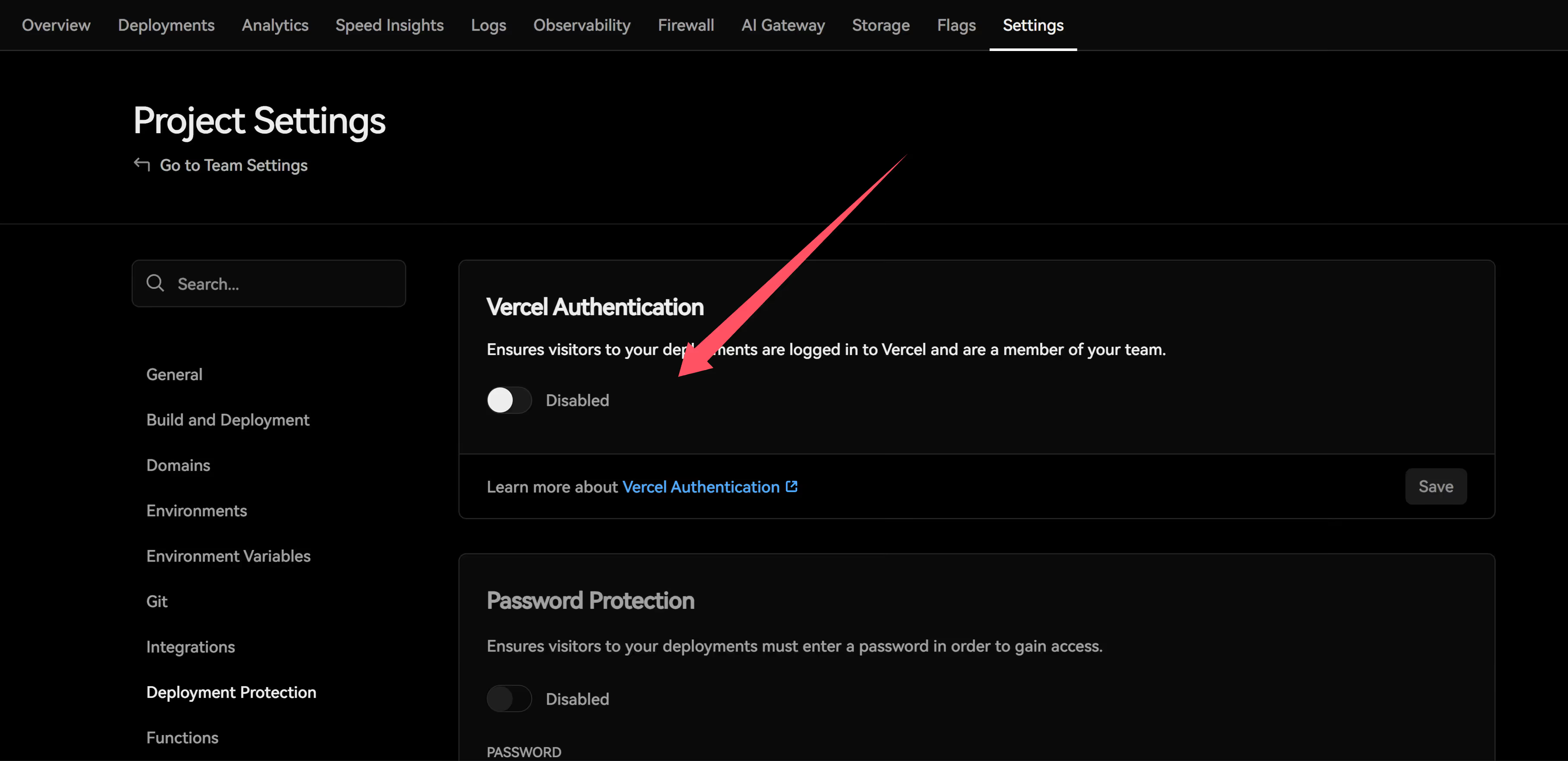
After disabling it, Twikoo’s internal POST_SUBMIT requests can pass through normally, and Telegram notification pushes (along with others) will start working again.