
Hentai@Home (H@H) Complete Deployment Guide: From Registration to Docker Runtime and Monitoring
What is Hentai@Home
Hentai@Home (H@H for short) is an open-source P2P gallery distribution system launched by E-Hentai (e-hentai.org), similar to a PC-side PCDN. It offloads server pressure while providing users with bandwidth rewards and download capacity. By participating in H@H, you can:
- Contribute upload bandwidth to other users and improve gallery download speeds
- Earn reward points (Hath, C Credits, GP) that can be used to purchase viewing and download capacity
⚠️ Note: If your home broadband bandwidth is limited, running H@H may trigger ISP throttling or even IP bans. Long-term operation on typical home broadband is not recommended.
For a more detailed introduction, see: E-Hentai Hentai@Home Client Research Notes
Project Used
Read the Wiki
What Can You Gain from Running Hentai@Home?
Just like on PT sites, by running the client according to the rules you can earn Hath, C Credits, and GP. These can be exchanged with each other and used to purchase browsing and download capacity.
Hentai@Home (H@H) Client Requirements
| Requirement | Description |
|---|---|
| Java Runtime Environment | Version must be 8–11; JDK is also acceptable. |
| 80+ Mbit/s measured speed | At least 2000 kB/s must be dedicated to H@H for both up/down. |
| 1000 MB/hour bandwidth | You can limit the hourly bandwidth usage (SSL overhead excluded). |
| 10 GB+ dedicated disk space | SSD is ideal; write endurance is not an issue. Recommended at least 1 GB per 0.2 Mbit/s for optimal static range allocation. Make sure the client can sustain the throughput and disk I/O long term. |
| One open TCP port | Port 443 is recommended; otherwise it must be between 1024–65534. Use an unregistered IANA port or UNIX kernel port for the internal port if possible. Check the list to avoid potential conflicts. Some ports are disallowed. |
| A dedicated IPv4 address | Each client should have a distinct static IPv4 address. |
| Uptime | A single client should maintain around 75–80% uptime over 6 months. |
Client Registration
Go to the official page (login to your e-hentai account required):
🔗 https://e-hentai.org/hentaiathome.php
If you have never run a client before, you usually need to submit an application first. You must provide your maximum upload rate, server storage, and bandwidth details, and submit a speedtest-cli link.
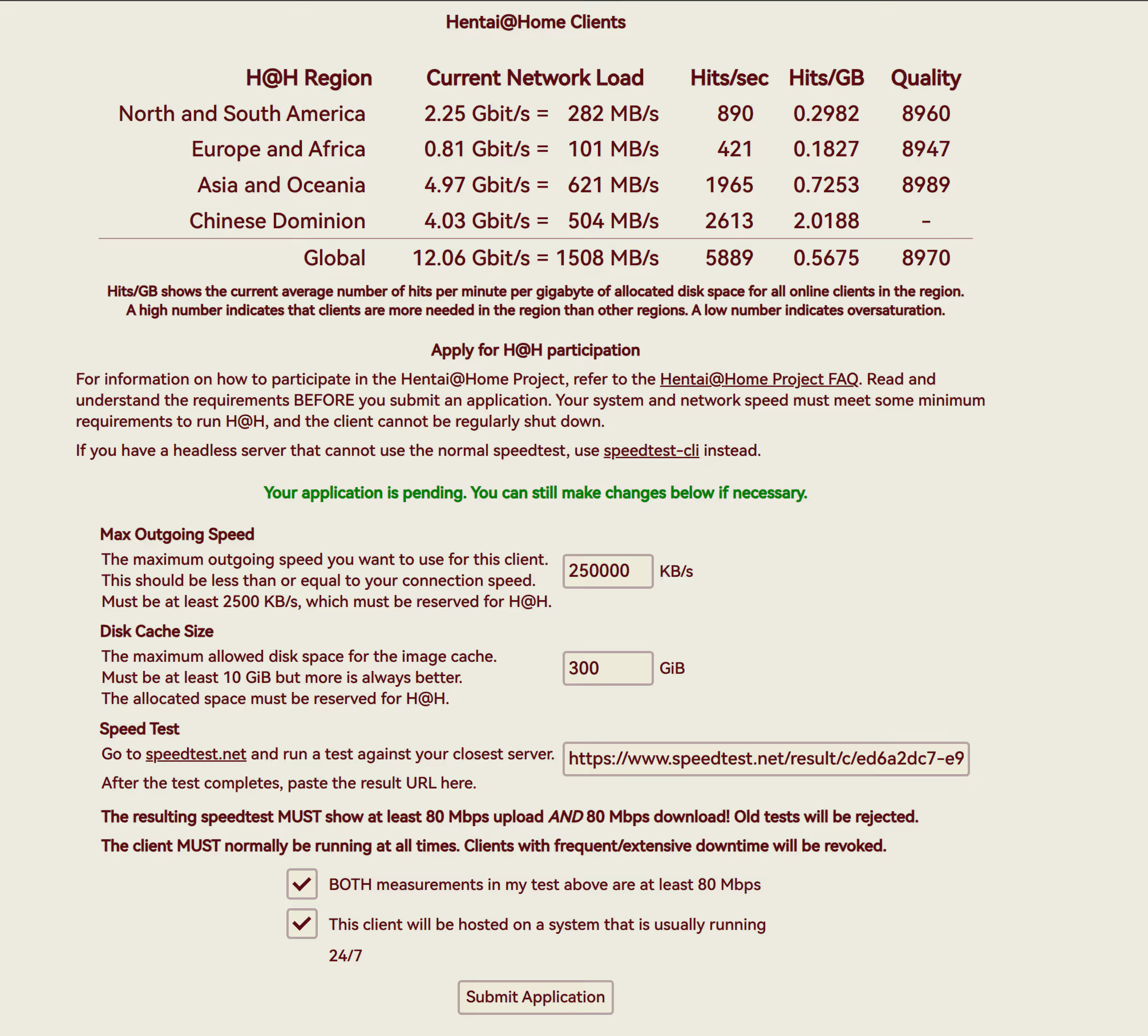
Site Settings
Once your application is approved, you will see it under My Home > Hentai @ Home. Initially, only the leftmost custom name is shown. Click the name to enter the settings page, where you can configure the port and other options. It is recommended to finish these before configuring the client:
Configurable on the website side:
- Port for Incoming Connections – Client listening port
- Maximum Burst Speed – Maximum burst upload rate
- Maximum Disk Cache Size – Maximum cache usage
Copy your Client ID and Client Key; these are required for client configuration.
Deployment
Prepare a server with Docker installed (Asia-Pacific or China regions are recommended).
Create a directory:
mkdir hath-rust && cd hath-rustdocker-compose.yaml
Here 7777 is the port I configured for the service. Replace it with your own desired port.
version: '3.8'
services: hath: image: ghcr.io/james58899/hath-rust container_name: hath working_dir: /hath network_mode: host restart: unless-stopped stop_grace_period: 600s tty: true stdin_open: true volumes: - ./data:/hath/data - ./cache:/hath/cache - ./download:/hath/download - ./log:/hath/log - ./tmp:/hath/tmp command: > --port 7777 --force-background-scan --enable-metricsStartup
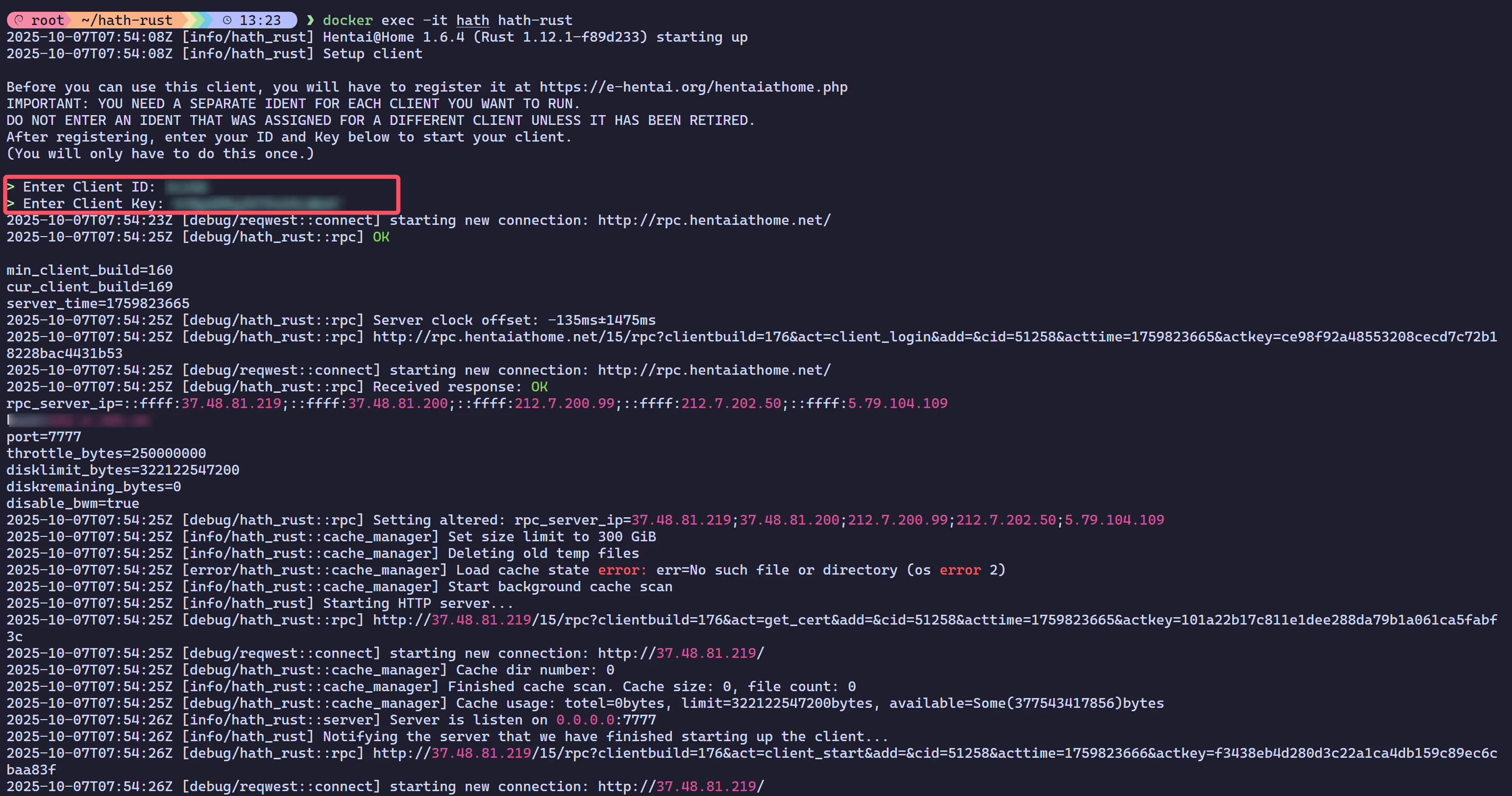
Because this is the first startup and the client is not yet bound to your account, you need to perform some extra configuration. See the log output below.
docker compose up -ddocker exec -it hath hath-rust
The area highlighted in red is where you enter the ID and Key you obtained earlier.
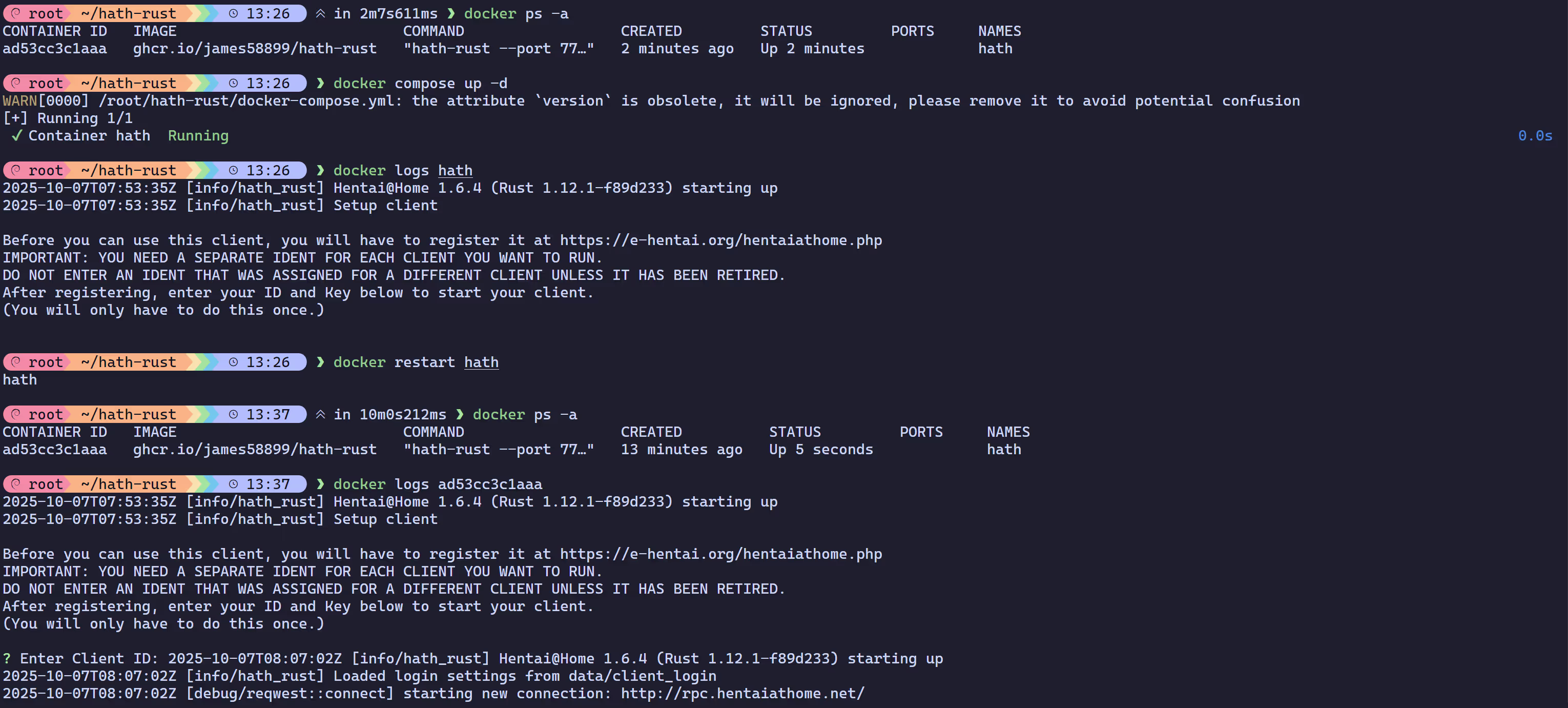
After completing this, simply restart the container once and the project will continue to run in the background automatically.
TIPNote: This restart will take a while because
--stop-timeout 600(600s) is configured. You can change it if you want a quicker restart.
Verification
Go back to the web page. If your machine shows as online, the setup is successful.

Advanced Monitoring
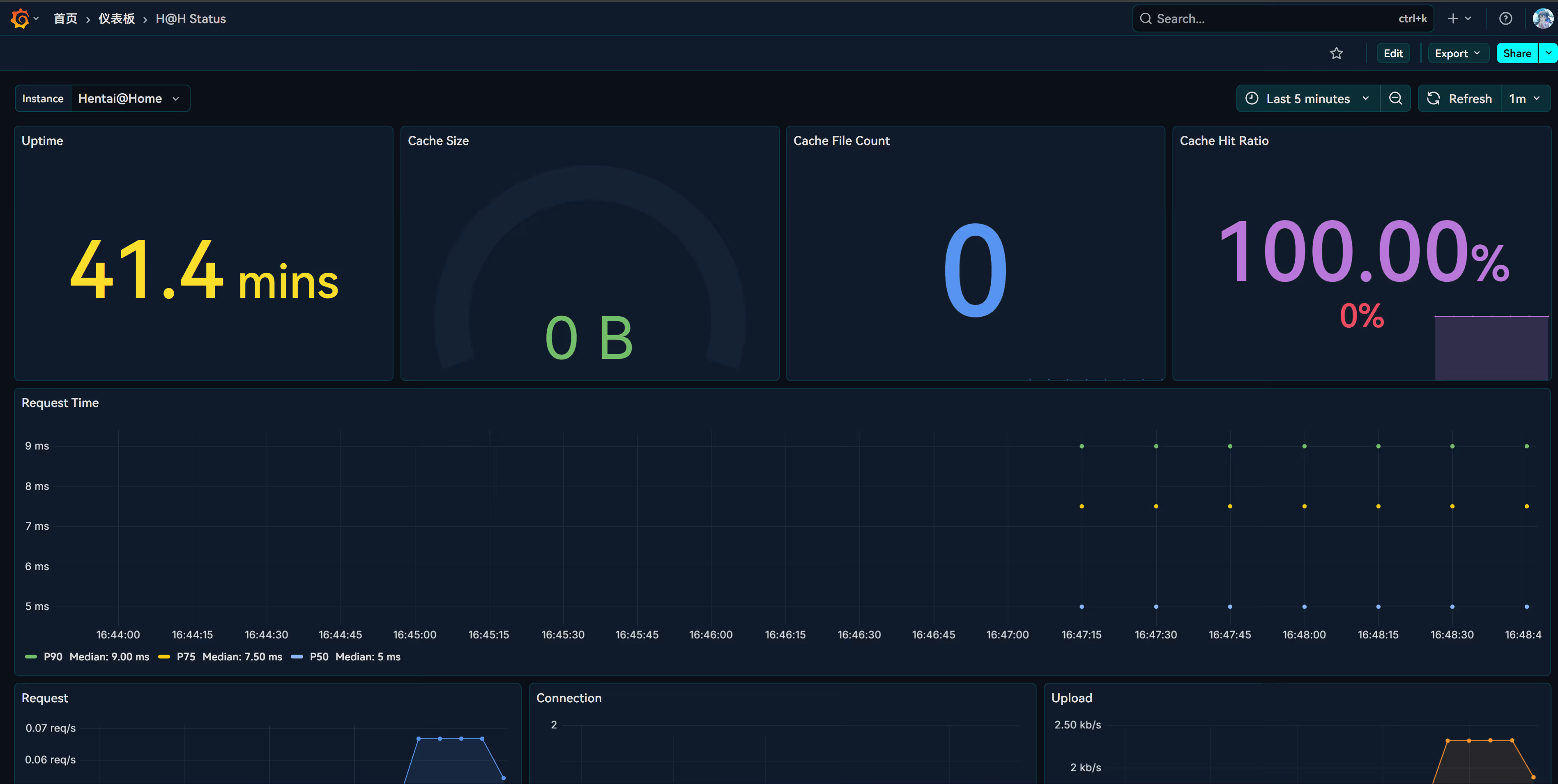
You can use Prometheus + Grafana to monitor the client, including upload/download speeds, cache usage, and more.
https://github.com/james58899/hath-rust/wiki/Monitoring
services: prometheus: image: prom/prometheus restart: unless-stopped ports: - "9090:9090" volumes: - type: bind source: ./prometheus.yml target: /etc/prometheus/prometheus.yml - promethous:/prometheus command: - "--config.file=/etc/prometheus/prometheus.yml" - "--storage.tsdb.path=/prometheus" - "--storage.tsdb.retention.size=30GB" # Modify to your available disk space grafana: image: grafana/grafana restart: unless-stopped ports: - "3000:3000" volumes: - grafana:/var/lib/grafana # Uncomment the following section if you want to change Grafana settings (for example, enable anonymous access). # environment: # GF_AUTH_ANONYMOUS_ENABLED: "true" # GF_AUTH_ANONYMOUS_HIDE_VERSION: "true"volumes: # Modify this section if you want to change the storage location. promethous: grafana:This YAML deploys Prometheus and Grafana containers, running on ports 9090 and 3000 respectively.
If you already have a monitoring stack, you don’t need to redeploy this. Just modify your existing prometheus.yml configuration.
prometheus.yml
global: scrape_interval: 5s # Increase this if Prometheus uses too much storage.scrape_configs: - job_name: hath scheme: https tls_config: insecure_skip_verify: true # Because H@H uses dynamic hostnames, disabling certificate verification is needed. static_configs: - targets: ["202.6.204.44:7777"] # Modify to hath-rust address. labels: instance: "Hentai@Home" # The instance label is used for selection and display. It must be unique.Dashboard example: H@H Status.json
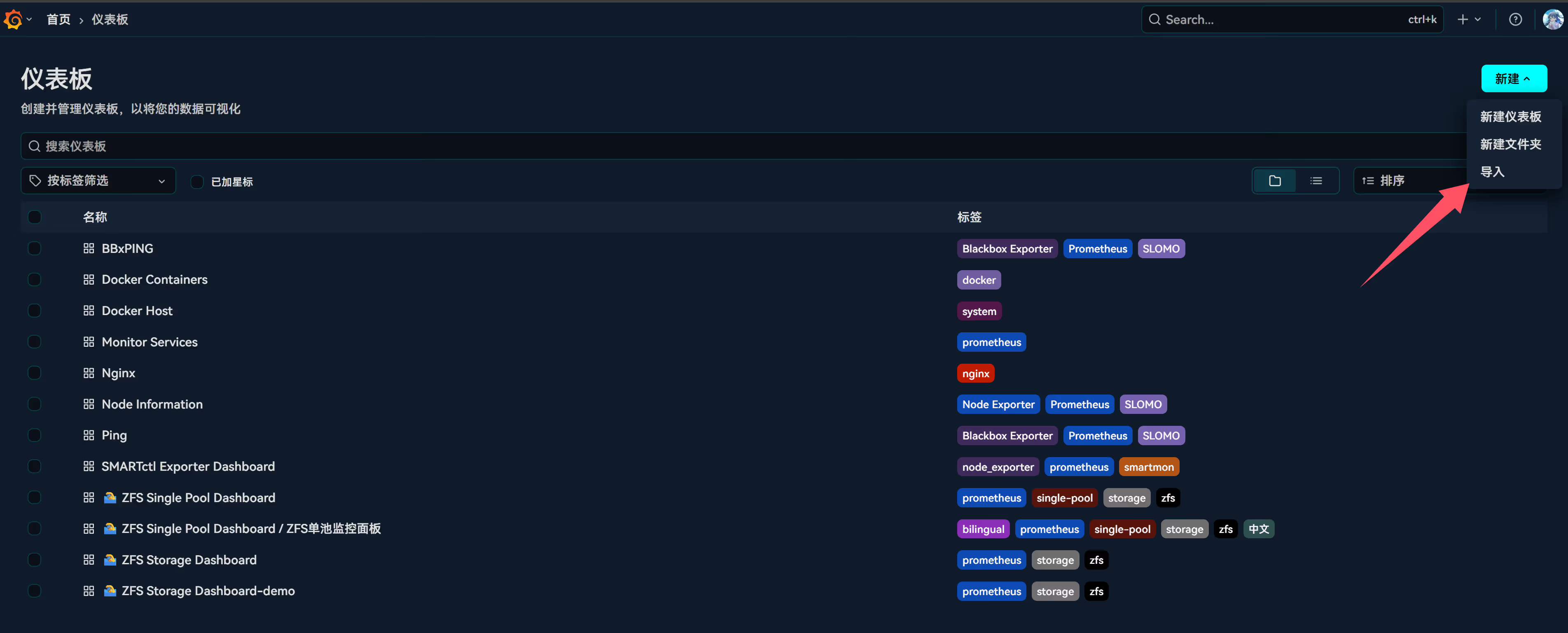
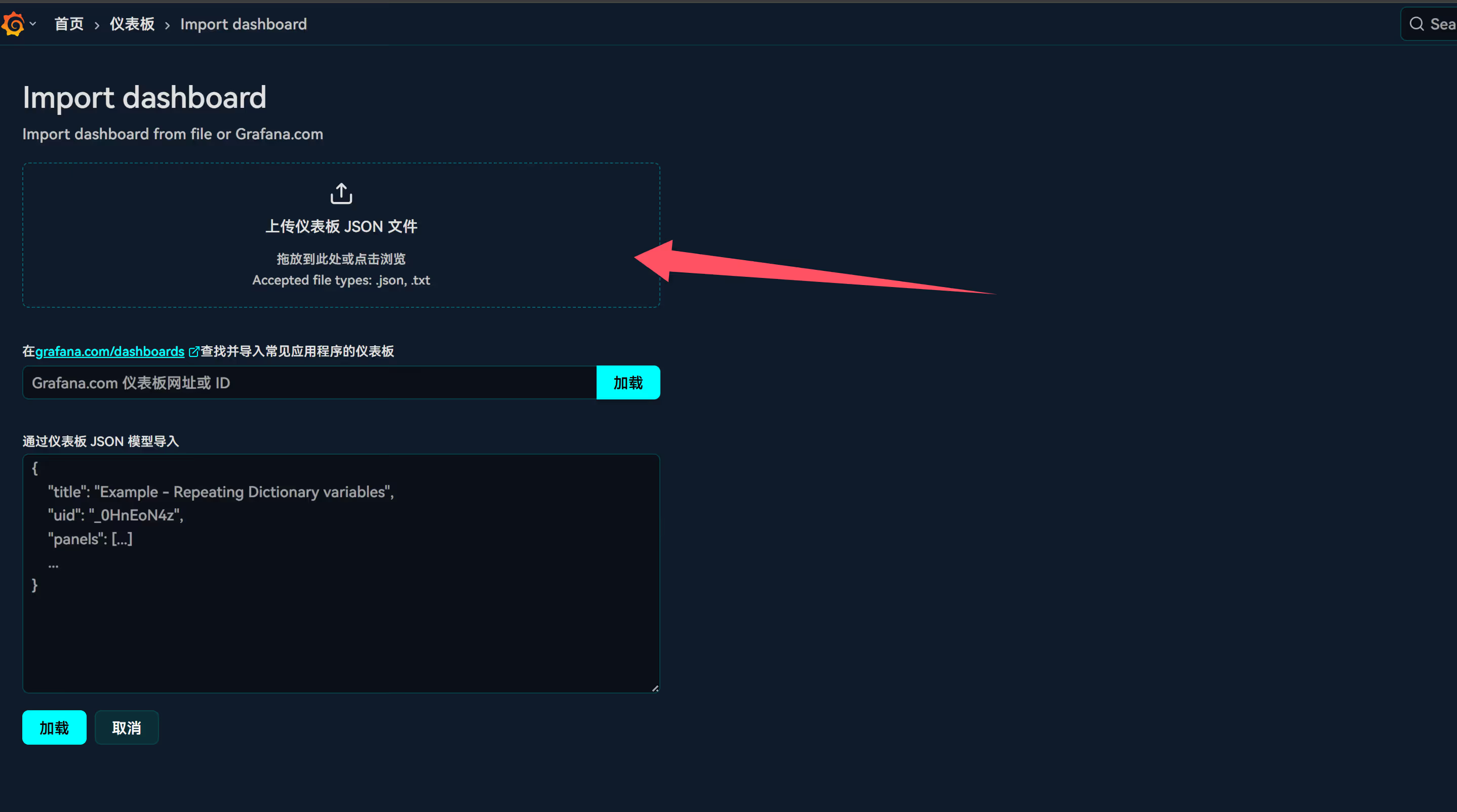
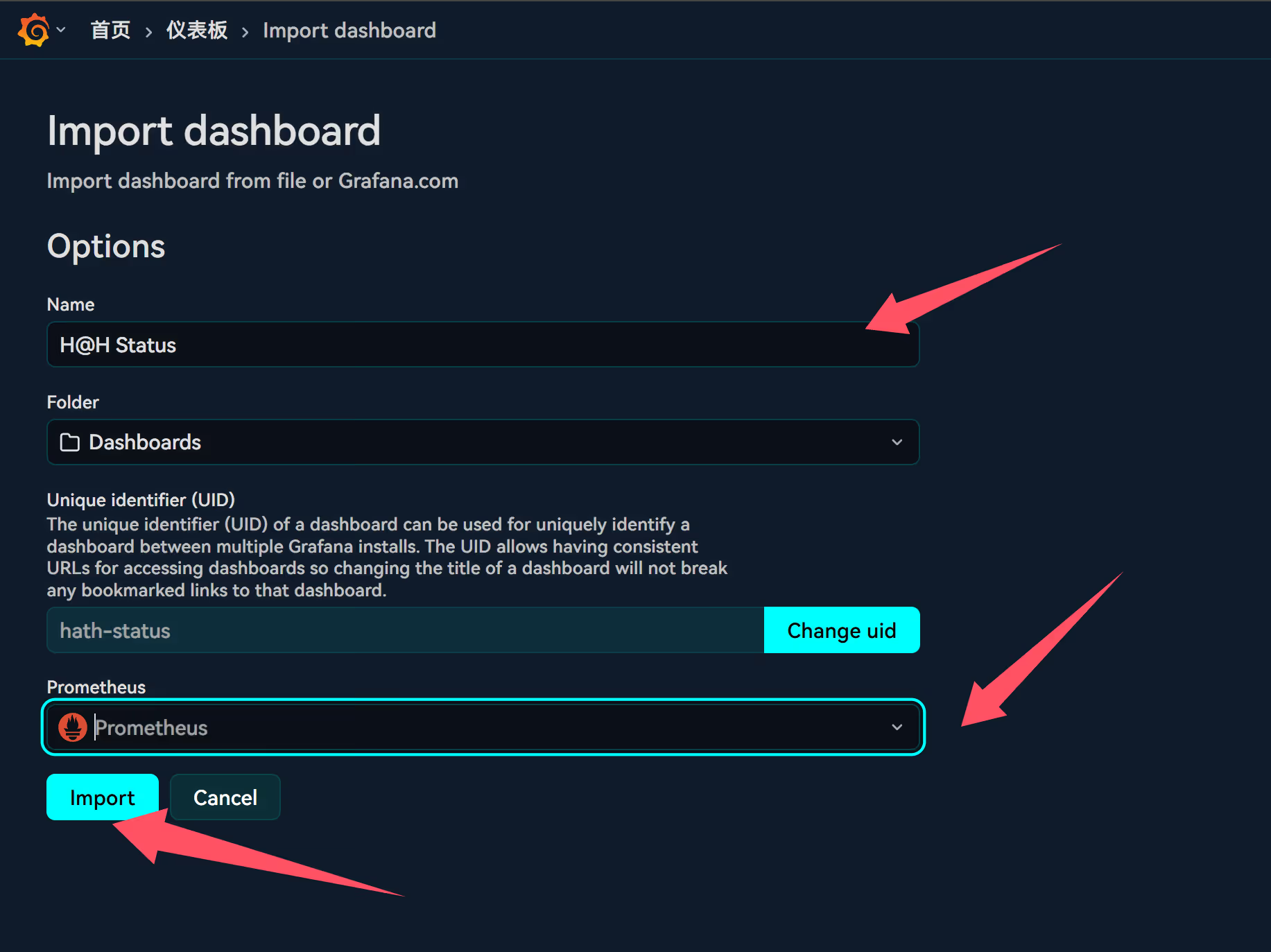
Download and import the dashboard.
Other Notes
- Bandwidth management: If your home network bandwidth is limited, be sure to cap H@H upload speed to avoid affecting daily usage.
- Long-term operation: A stable server with a dedicated IP is recommended to maintain high uptime.
- Storage space: Use SSDs for the cache whenever possible to ensure speed and endurance.
- Security: If you expose a public port, pay attention to firewall rules and port security.