
Complete Guide to Using Wasabi Object Storage with a CDN
Preface
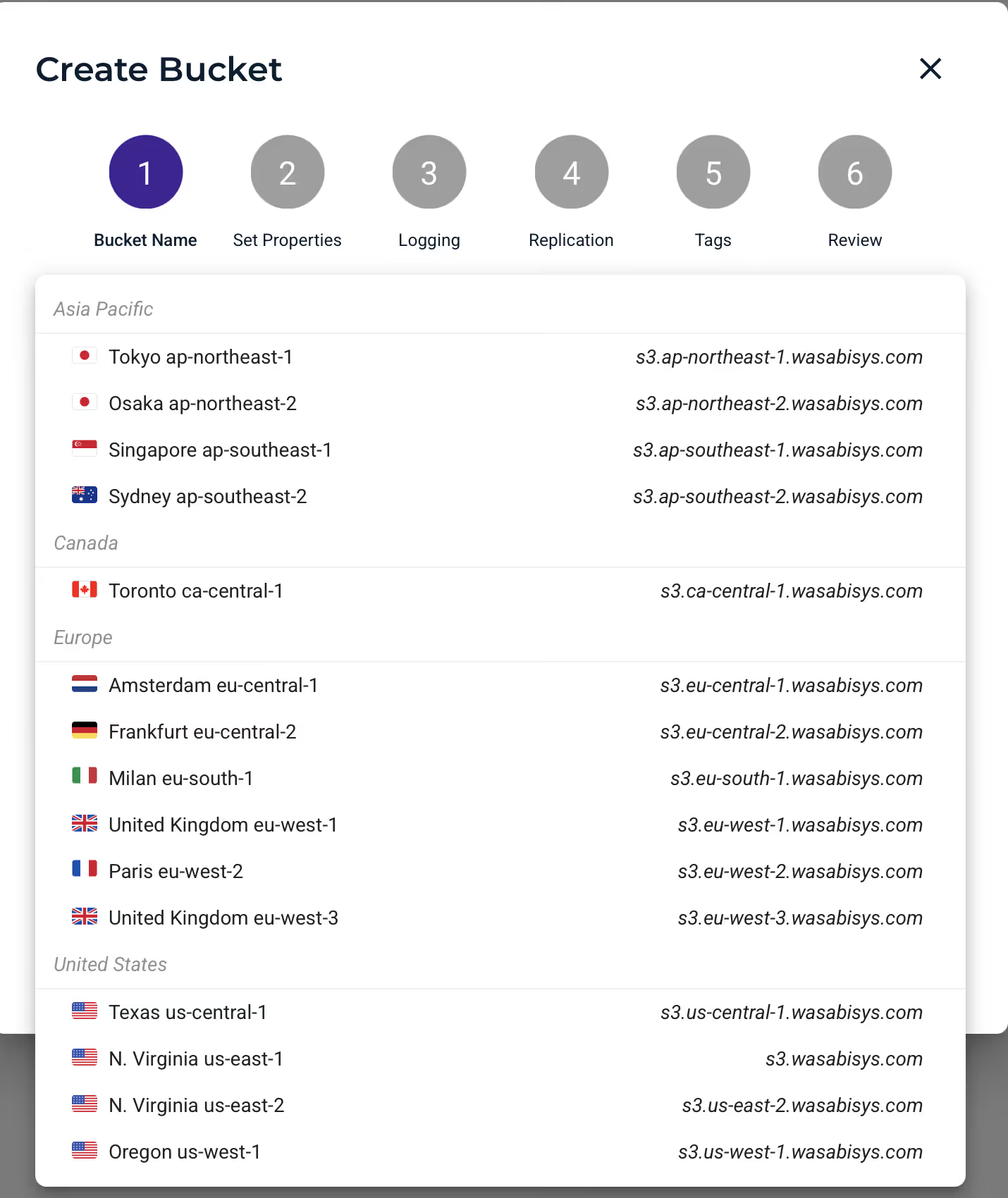
Wasabi is a cloud storage service that provides object storage for businesses and individuals. It’s similar to other cloud storage services such as Amazon S3, Microsoft Azure Storage, and Google Cloud Storage, but is known for its low cost and high performance. Wasabi offers multiple storage options, including hot storage optimized for frequent access and cold storage optimized for infrequent access. It also provides features such as versioning, lifecycle management, and cross-region replication. In addition, among S3-compatible object storage providers, Wasabi is one of the few that has regions in the Asia-Pacific area.
Although Wasabi looks very attractive on the surface, in practice there are many gotchas. The so-called unlimited bandwidth and unlimited API usage are basically marketing claims and are actually governed by fair-use policies. Also, public read access is not enabled for you by default when you sign up. You must open a support ticket and communicate with them. Pay special attention to the fact that Wasabi support is only available on business days. It’s best to email them between Tuesday and Thursday (send mail to [email protected]). To enable public read access, you must also provide certain identity information and clearly explain how you will combine it with a CDN; they will strictly question you about your use case.
For related price comparisons, see 对象存储服务商价格对比:1TB存储与1TB流量基准分析.
Wasabi Regions and Service URLs
Americas
| Region | Service URL | Alias/Alternative URL |
|---|---|---|
| Wasabi US East 1 (N. Virginia) | s3.wasabisys.com | s3.us-east-1.wasabisys.com |
| Wasabi US East 2 (N. Virginia) | s3.us-east-2.wasabisys.com | - |
| Wasabi US Central 1 (Texas) | s3.us-central-1.wasabisys.com | - |
| Wasabi US West 1 (Oregon) | s3.us-west-1.wasabisys.com | - |
| Wasabi CA Central 1 (Toronto) | s3.ca-central-1.wasabisys.com | - |
EMEA
| Region | Service URL | Alias/Alternative URL |
|---|---|---|
| Wasabi EU Central 1 (Amsterdam) | s3.eu-central-1.wasabisys.com | s3.nl-1.wasabisys.com |
| Wasabi EU Central 2 (Frankfurt) | s3.eu-central-2.wasabisys.com | s3.de-1.wasabisys.com |
| Wasabi EU West 1 (United Kingdom) | s3.eu-west-1.wasabisys.com | s3.uk-1.wasabisys.com |
| Wasabi EU West 2 (Paris) | s3.eu-west-2.wasabisys.com | s3.fr-1.wasabisys.com |
| Wasabi EU West 3 (United Kingdom) | s3.eu-west-3.wasabisys.com | s3.uk-2.wasabisys.com |
| Wasabi EU South 1 (Milan) | s3.eu-south-1.wasabisys.com | s3.it-1.wasabisys.com |
APAC
| Region | Service URL | Alias/Alternative URL |
|---|---|---|
| Wasabi AP Northeast 1 (Tokyo) | s3.ap-northeast-1.wasabisys.com | - |
| Wasabi AP Northeast 2 (Osaka) | s3.ap-northeast-2.wasabisys.com | - |
| Wasabi AP Southeast 1 (Singapore) | s3.ap-southeast-1.wasabisys.com | - |
| Wasabi AP Southeast 2 (Sydney) | s3.ap-southeast-2.wasabisys.com | - |
Usage Policies
Data Transfer Policy
Wasabi’s free egress policy applies to the following use case: you store data in Wasabi, access it at a reasonable rate, and your use case does not impose an unreasonable burden on their service. To better understand what “reasonable rate” and “unreasonable burden” mean in this context, refer to the guidelines below.
- If your monthly outbound data transfer is less than or equal to your active storage volume, then your storage use case is a very good fit for Wasabi’s free egress policy.
- If your monthly outbound data transfer is greater than your active storage volume, then your storage use case is not a good fit for Wasabi’s free egress policy.
For example, if you store 100 TB of data in Wasabi and, within a monthly billing cycle, download (egress) no more than 100 TB of data, then your storage use case complies with their policy. If your monthly downloads exceed 100 TB, then your use case does not comply.
If your usage frequently exceeds the guidelines of the free egress policy, Wasabi reserves the right to throttle or suspend your service.
API Usage Policy
Wasabi’s free API request policy applies to the following use case: you store data in Wasabi, access it at a reasonable rate, and your use case does not impose an unreasonable burden on their service. To better understand what “reasonable rate” and “unreasonable burden” mean in this context, refer to the guidelines below.
- If you are using a commercial application that has been validated by Wasabi, you can generally expect to comply with Wasabi’s free API request policy.
- If you use an unvalidated application that causes inefficient and unreasonable load on the Wasabi service, they reserve the right to throttle or suspend your service.
If your usage frequently exceeds the guidelines of the free API request policy, Wasabi reserves the right to throttle or suspend your service.
Creating Buckets and Integrating a CDN
Some basic settings (the console is essentially MinIO) won’t be covered here in detail, such as how to create a bucket. Choose a bucket region that is close to you, close to your end users, or close to your CDN.
Bucket Policies
Below is a sample policy for publicly readable bucket content (premise: you must have already emailed Wasabi and had public access enabled on your account).
{ "Version": "2012-10-17", "Statement": [ { "Sid": "AllowPublicRead", "Effect": "Allow", "Principal": "*", "Action": "s3:GetObject", "Resource": "arn:aws:s3:::your-bucket-name/*" } ]}For details on how to restrict bucket access to specific IP addresses, see How to restrict access to a bucket to specific IP address?.
Below is an example bucket policy for this scenario. Be sure to replace the IP address from the documentation above with Cloudflare’s proxy IPs.
{ "Id": "S3PolicyId1", "Version": "2012-10-17", "Statement": [ { "Sid": "AllowRead", "Effect": "Allow", "Principal": { "AWS": "*" }, "Action": "s3:GetObject", "Resource": [ "arn:aws:s3:::bucket-name", "arn:aws:s3:::bucket-name/*" ] }, { "Sid": "IPBasedNarrowFurther", "Effect": "Deny", "Principal": { "AWS": "*" }, "Action": "s3:GetObject", "Resource": [ "arn:aws:s3:::bucket-name", "arn:aws:s3:::bucket-name/*" ], "Condition": { "NotIpAddress": { "aws:SourceIp": "11.22.33.44/32" } } } ]}If you need more complex rules, you can use AWS’s policy generator:
CDN Configuration
Here I’ll use Sharon CDN as an example. CDNs like Cloudflare are actually even simpler to set up.
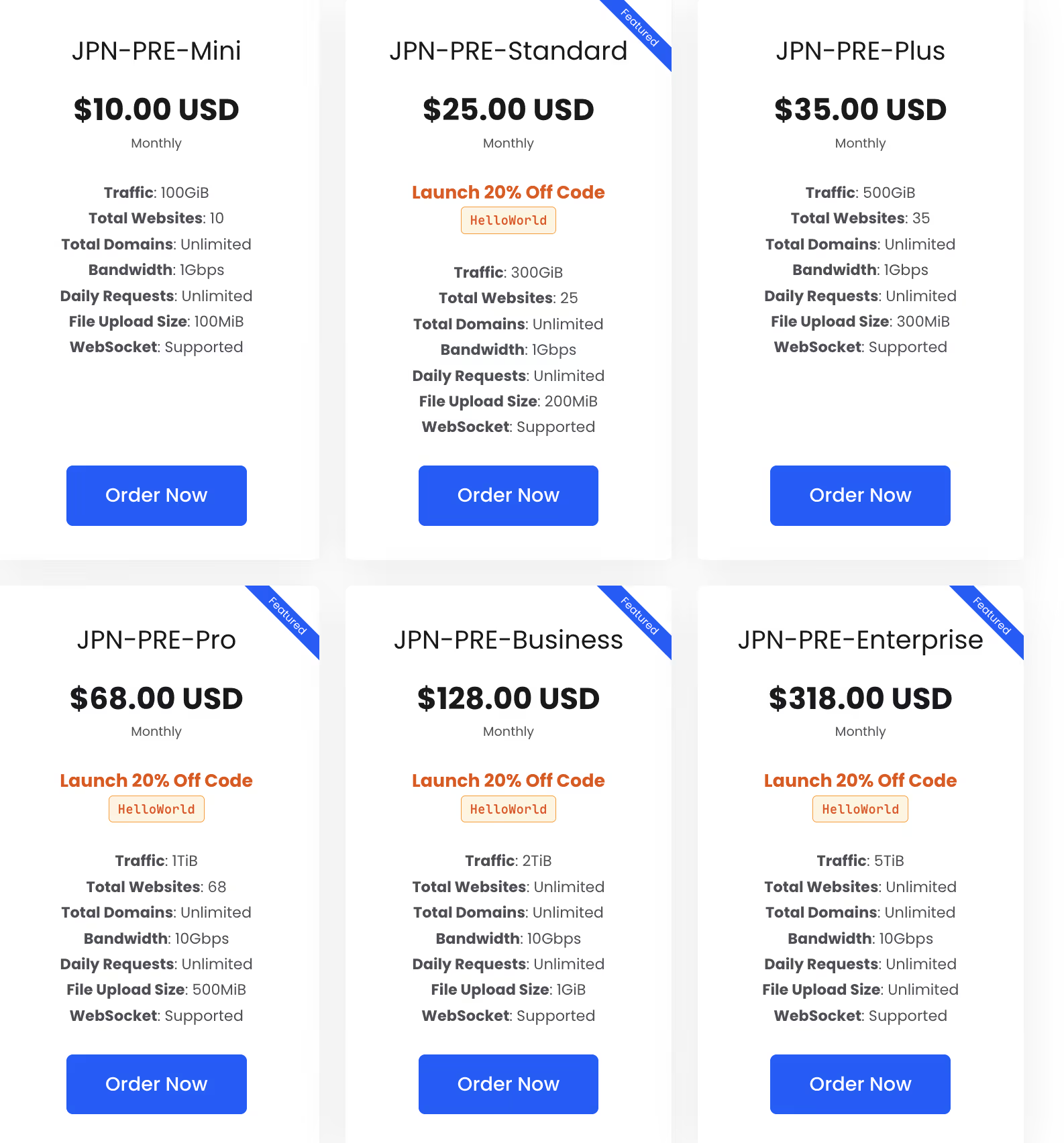
Go to https://cdn.sharon.io/ and purchase a plan. It’s recommended to choose the JP region so your bucket region can simply be set to Tokyo.
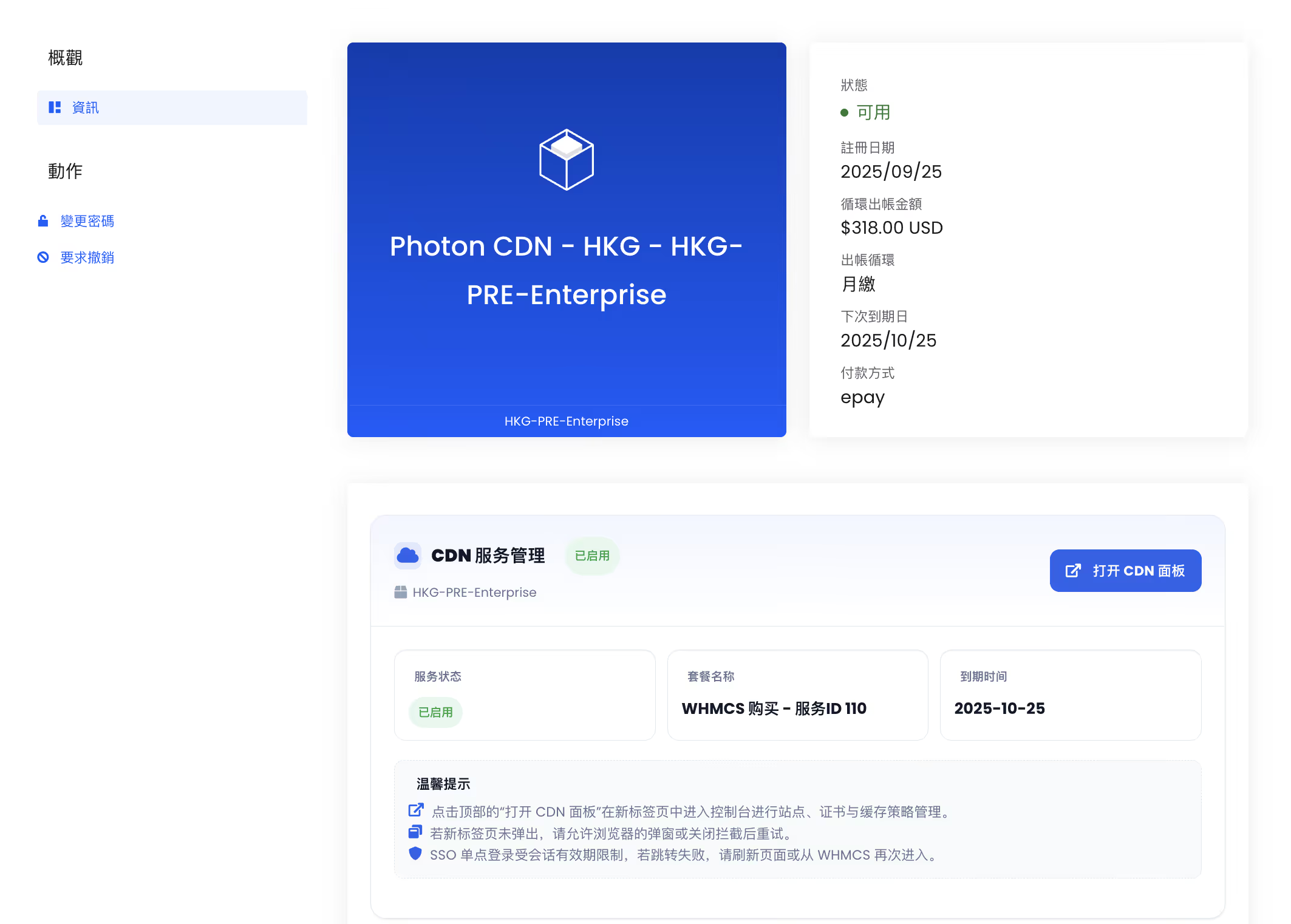
After purchase, go to the dashboard and open the CDN panel.
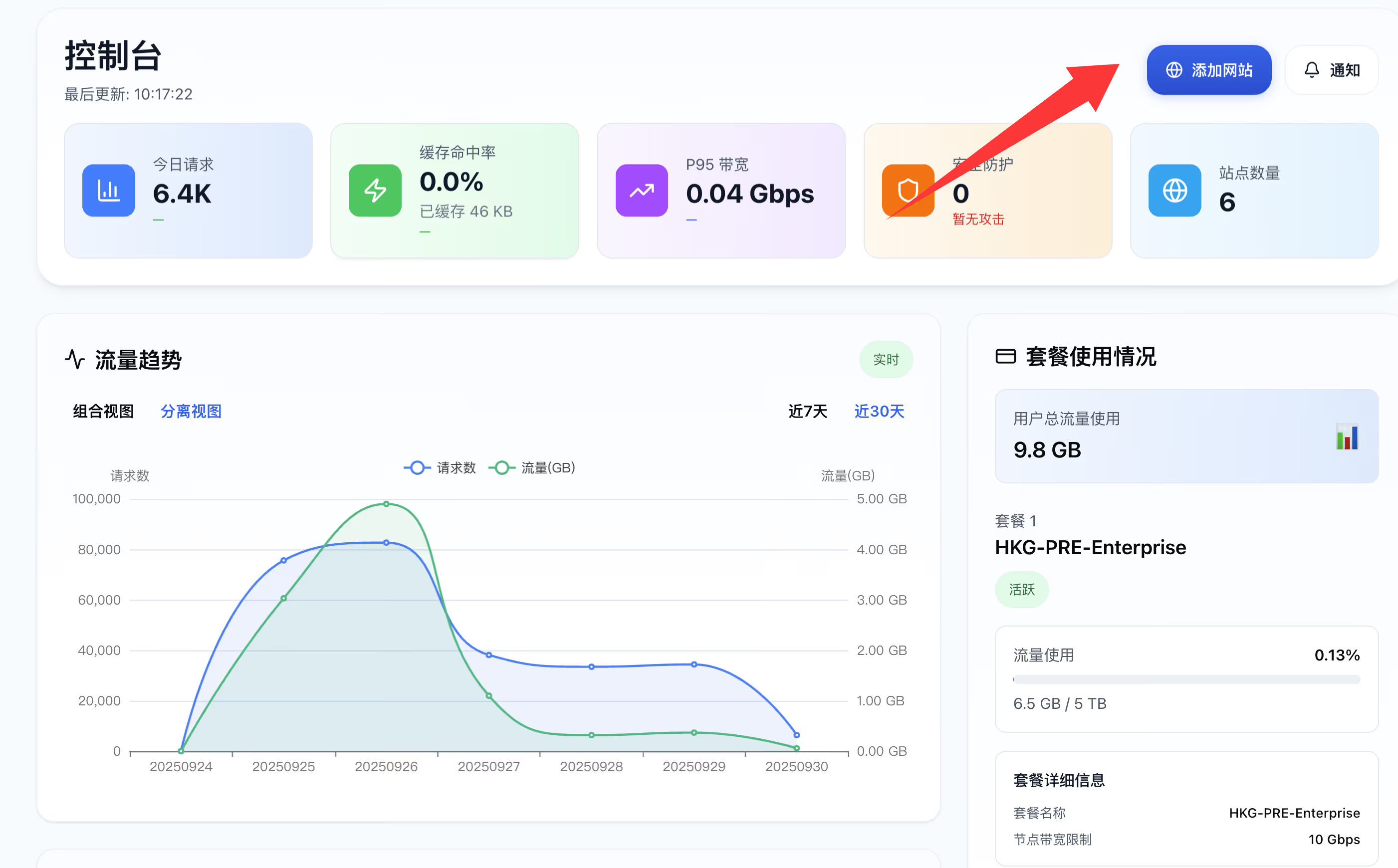
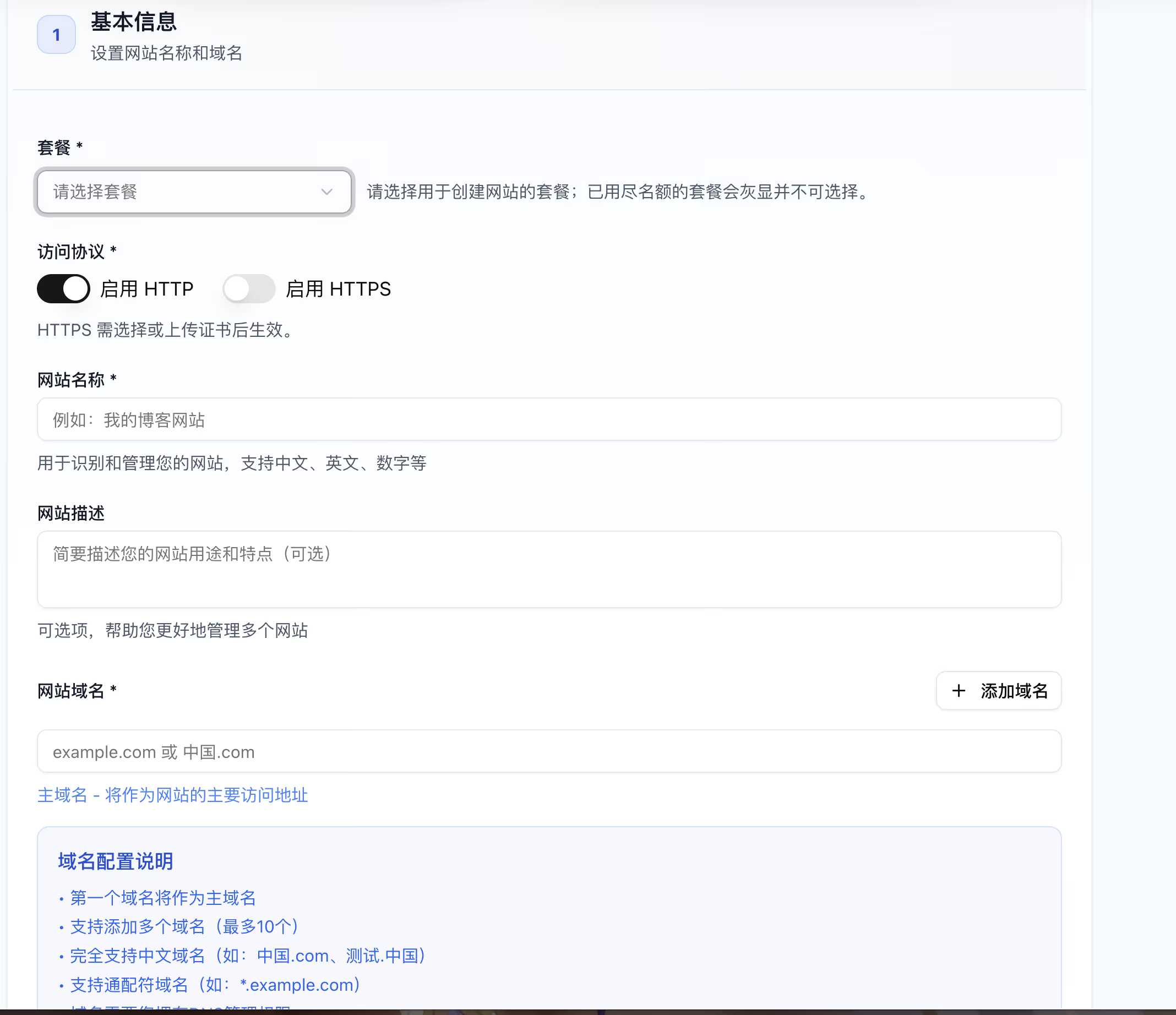
Add a site.
Select your plan and enter the domain name you want to use for object storage. For the first setup, don’t enable HTTPS yet; first get the origin address, configure DNS, and then apply for an SSL certificate. Finally, enable HTTPS on the CDN side.
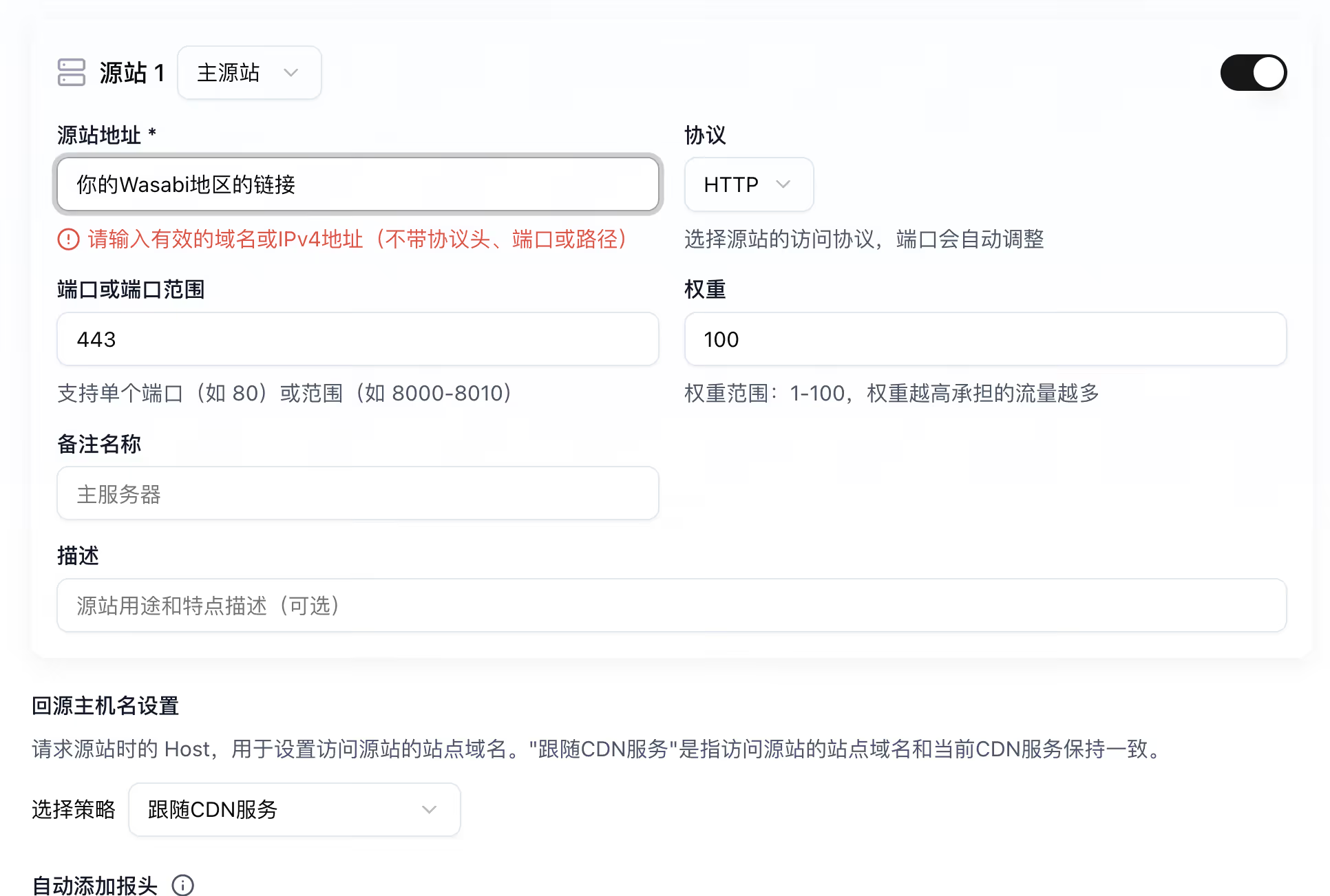
Configure the bucket as the origin. Refer to the “Wasabi Regions and Service URLs” section above. Set the protocol to HTTPS and port 443. For origin settings, follow the origin.
For Tokyo, the origin address is:
your-bucket-name.s3.ap-northeast-1.wasabisys.com
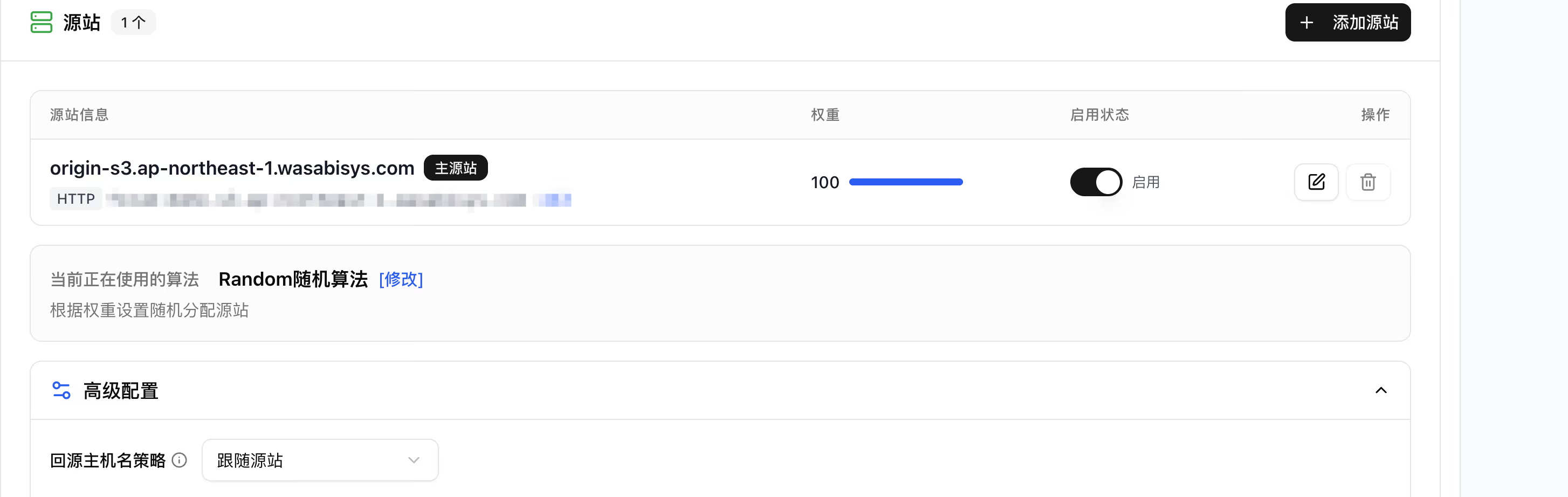
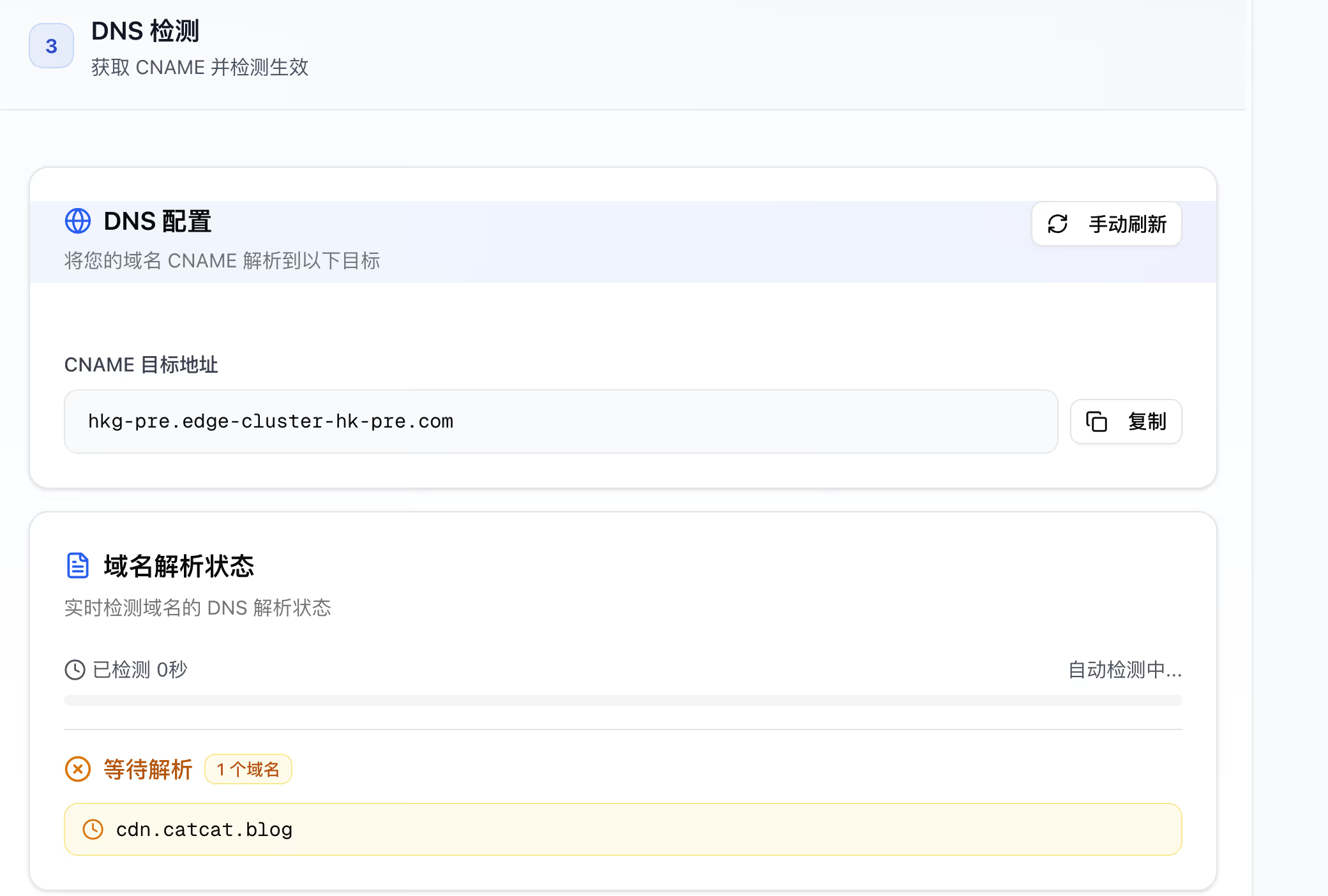
Set up DNS for your domain and complete the deployment.
Request a certificate.
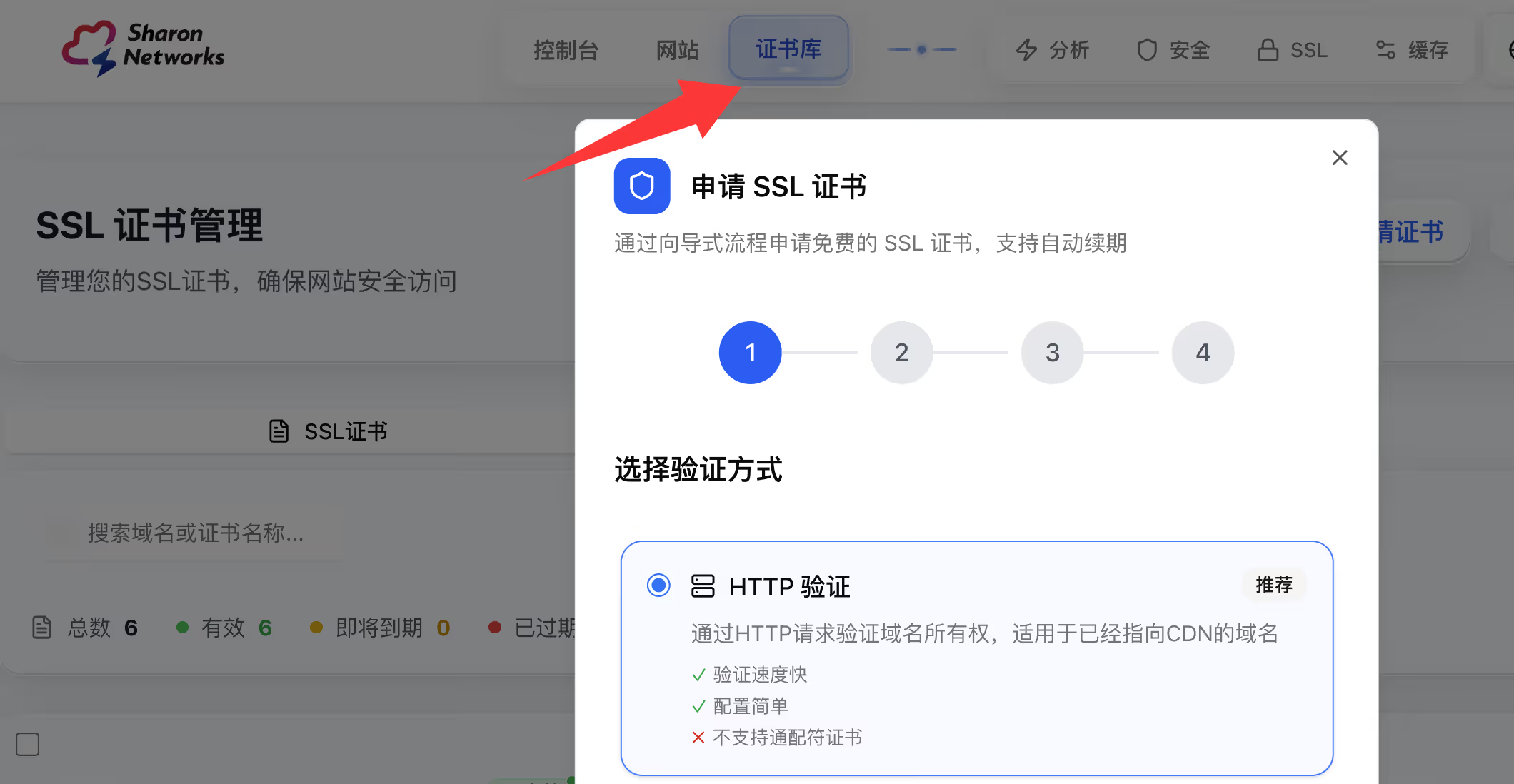
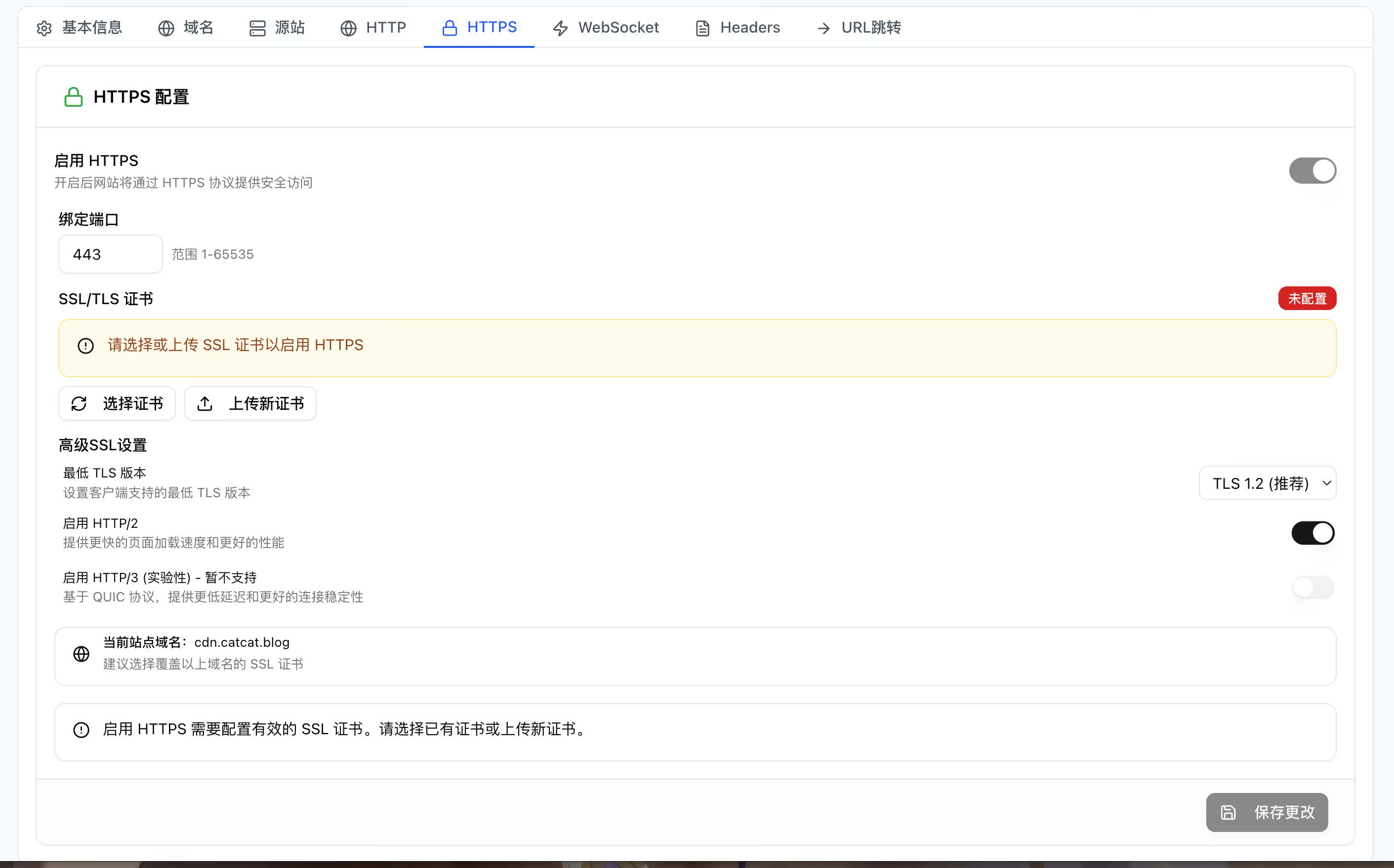
Finally, go back to the CDN settings, select the certificate you just requested, and enable HTTPS caching.
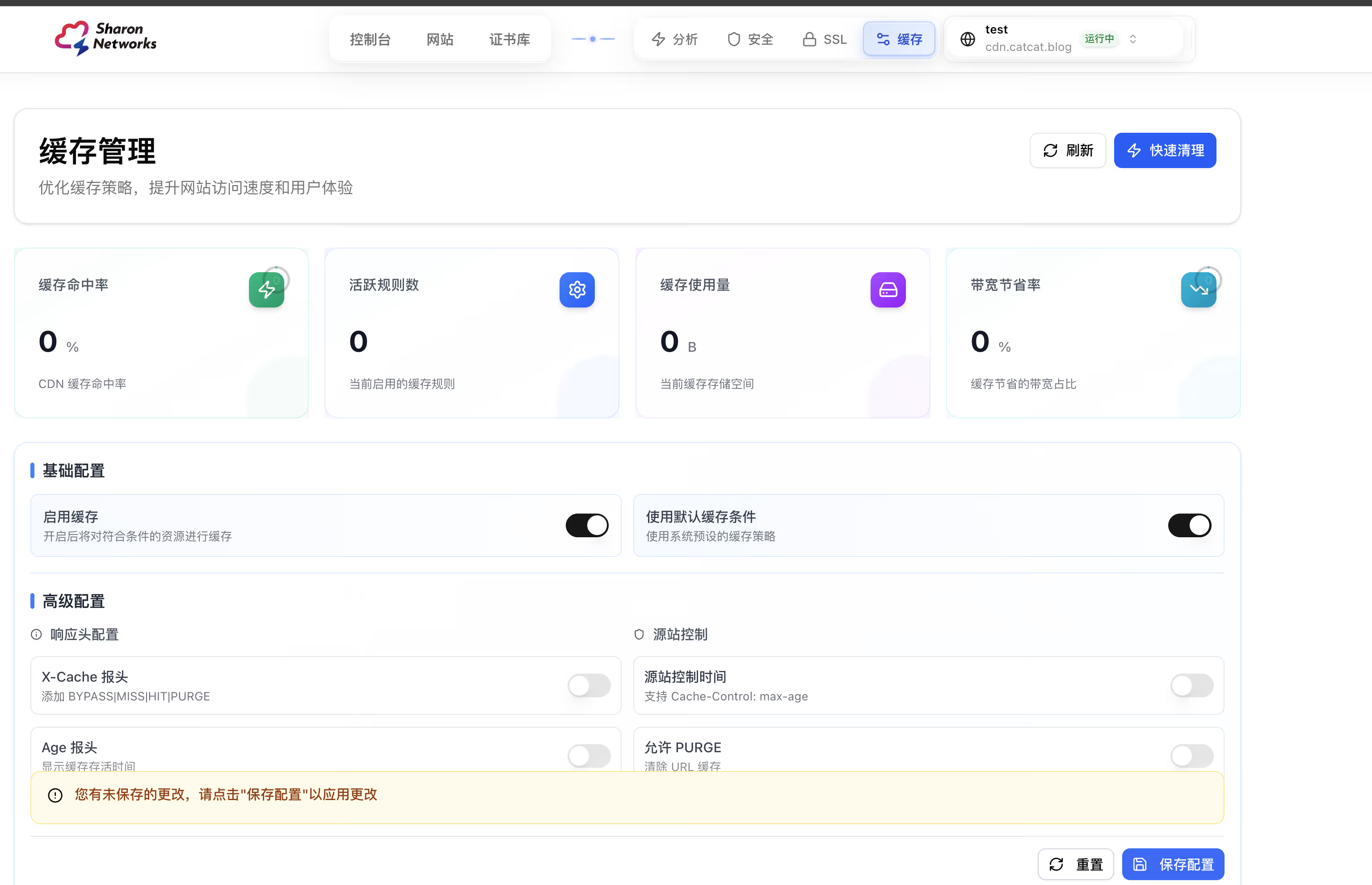
Configure cache rules (you must do this) according to the types of content stored in your bucket.
At this point the CDN configuration is complete. You can upload an image to your object storage bucket for testing.

The URL above is the original public link from object storage.
What you want now is the new URL via CDN:
https://cdn.catcat.blog/avatar/mx74sampxehcwagjxa9wt402es7px9v6/1757255863397-ertg01phq4.webp

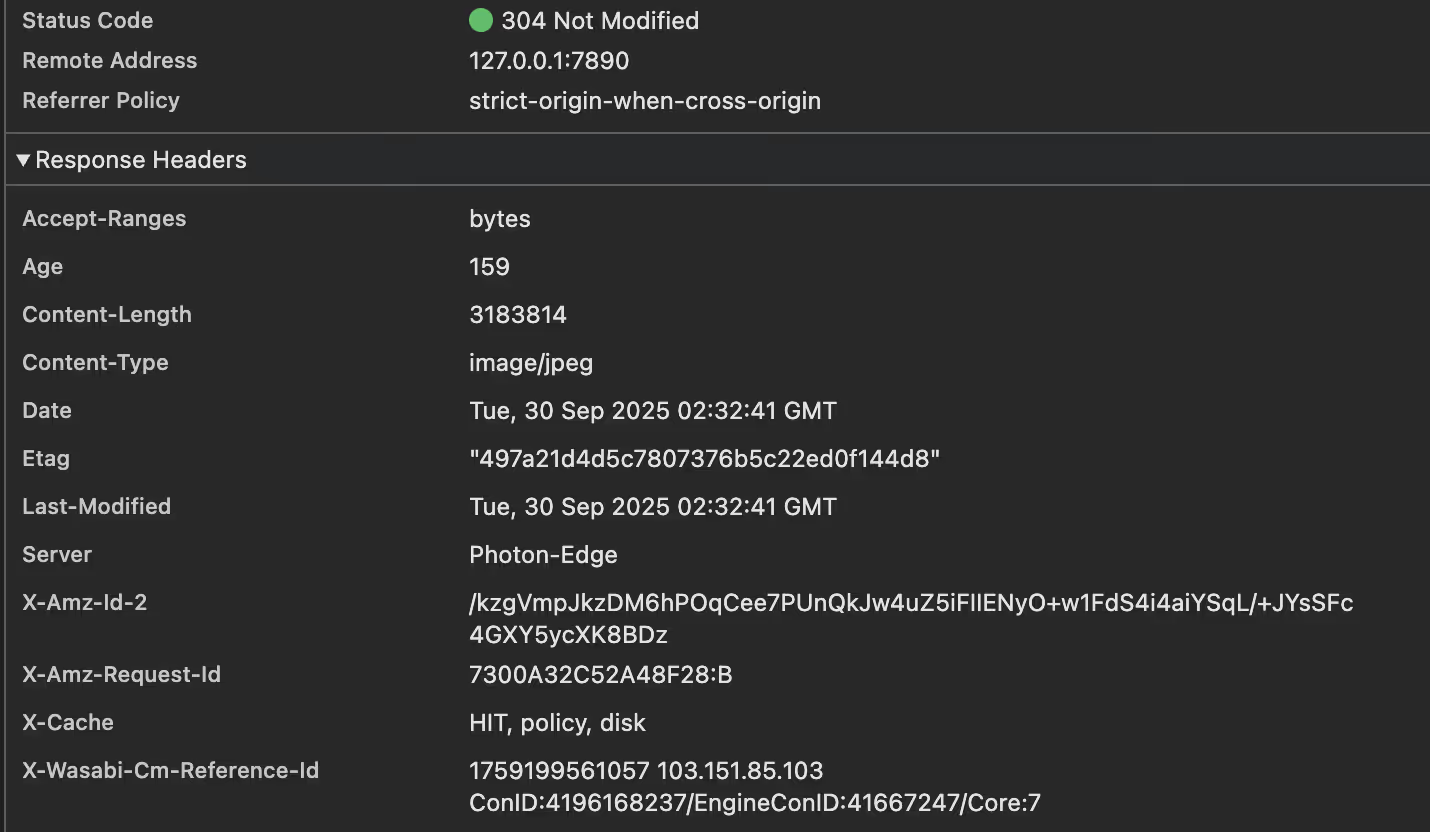
Check the request: if the Status Code is 304 and HIT, it means the cache was hit.
Cloudflare Configuration
The official docs also provide configuration examples for several major CDNs. Use whatever suits you.
https://docs.wasabi.com/v1/docs/what-cdns-has-wasabi-been-validated-to-work-with
The basic setup is essentially the same. The one thing to pay attention to is that it’s best to keep your bucket name identical to your CDN domain; otherwise it won’t match directly and you’ll have to use Workers. The simplest configuration is to keep them consistent.
That is, set your bucket name to cdn.catcat.blog and configure the CDN domain as cdn.catcat.blog as well.
CNAME in the Console

Test by visiting your domain.
Original address: 
Cloudflare CDN address: 